
Good Reads
Fix pipeline pains. Solve GTM puzzles. Read strategic brain dump.
Written for marketers who want real solutions to a leaking pipeline (and their dark circles).
Want to read more from us?

I’m looking for…

Generative AI SEO: How marketers are using AI to supercharge rankings
Learn how B2B marketers use generative AI SEO for rankings, content scale, and pipeline growth with practical strategies from Factors.ai.
.avif)
TL;DR
- Generative AI SEO isn't about replacing your team. It's about giving strategists machine-speed execution across research, drafting, optimisation, and content refreshes.
- Google doesn't penalize AI content, but it does penalize unhelpful content. Human editing, original expertise, and real data still determine what ranks.
- B2B marketers who treat SEO as brand discovery infrastructure, not just a traffic channel, build category mindshare long before a buyer books a demo.
- The smartest teams use AI for speed and humans for insight, then measure success by pipeline influence rather than page views.
- Generative Engine Optimization (GEO) is the next frontier: structuring content so AI answer engines cite your brand, not just so Google ranks your page.
There's a version of SEO most B2B marketers remember from 2018. You'd pick a keyword, stuff it into a blog post a few times, build some backlinks, and call it a quarter. It worked. Slowly. Expensively. And with a lot of spreadsheet chaos.
That version of SEO is gone.
What's replaced it is faster, smarter, and honestly a bit more fun if you like strategy. Generative AI SEO doesn't mean you hand everything to ChatGPT and go on a long lunch. It means you've got a strategist and a machine working in tandem, where the machine handles the grunt work and you handle the judgment calls.
This post breaks down how B2B marketing teams are actually using generative AI SEO in 2026 and what separates the teams getting results from the ones just publishing more content into the void.
What is generative AI SEO?
Generative AI SEO is the use of AI tools to support the research, planning, writing, and optimization work that makes up an SEO workflow. Think keyword clustering, content briefing, first drafts, meta descriptions, schema markup, internal link suggestions, and quarterly content refreshes.
What it doesn't do is replace the part where someone has to think. AI can surface patterns in search data faster than any human. It can't tell you why your ICP is searching for something, what their buying anxiety sounds like, or how to position your product against a competitor in a way that actually converts.
Traditional SEO was manual and slow. Every cluster, every brief, every rewrite took hours. Generative AI SEO compresses that timeline without compromising quality, if you're using it right. The analogy I keep coming back to: it's the difference between navigating by landmarks and navigating by GPS. GPS doesn't decide where you're going. It just gets you there faster.
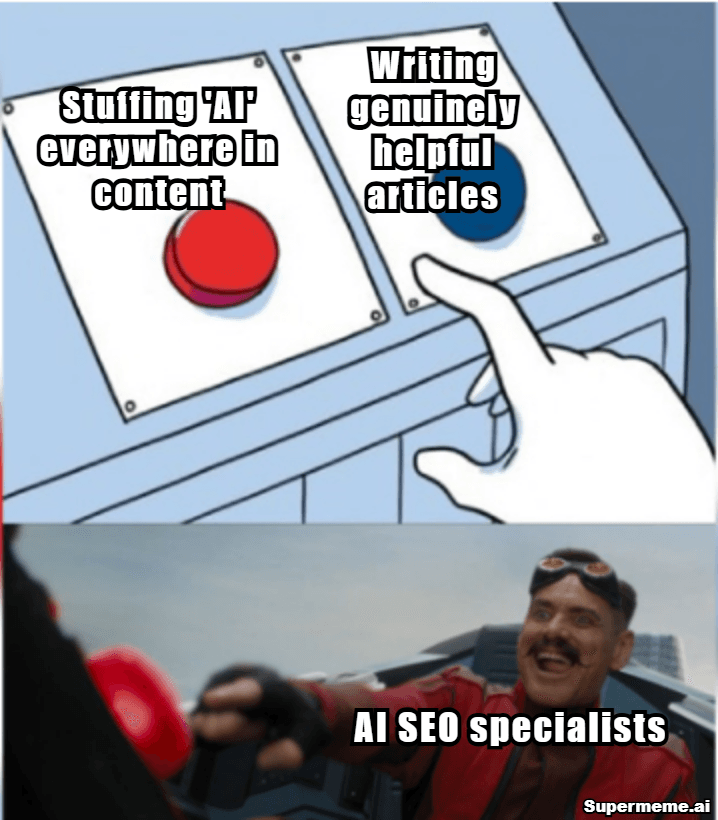
PS: This blog is written so that you are not this person.
Why is AI reshaping SEO for B2B marketers?
B2B buyers don't convert from one blog post. They read your LinkedIn Ads guide in January, find your ABM attribution breakdown in March, and request a demo in May after seeing your tool show up three times in comparison searches. That's a real pattern, and it's why content volume and coverage actually matter.
The old SEO race was speed, but the new race is relevance at scale.
AI makes it possible to cover every stage of the funnel with genuinely useful content, without needing a 10-person content team. You can use it to uncover intent-rich long-tail searches you'd never manually find. You can cut time-to-publish on a 2,000-word guide from two weeks to four days. You can refresh underperforming pages in an afternoon instead of adding them to a never-ending backlog.
For B2B specifically, this changes what's possible. Teams running demand gen campaigns need comparison content, use-case pages, and attribution explainers. AI helps you build those assets faster. It doesn't make the strategic calls about which ones matter most, but it removes the bottleneck between having a strategy and executing it.
Where marketers use AI across the SEO workflow
- Keyword research
AI tools are genuinely excellent at topic clustering, search intent grouping, and question mining. Feed it a seed keyword and a competitor list and you'll surface SERP gaps you'd miss doing this manually. The part still worth doing yourself: deciding which clusters actually align with your pipeline.
- Content briefing
AI can synthesize what the top-ranking pages cover, suggest H2 structures, and pull FAQs from search data. A brief that used to take three hours now takes 45 minutes. The nuance it can't add is your brand's POV, your data, your customer stories.
- Drafting and refreshing
First drafts, refresh passes on old posts, meta descriptions, schema markup, all of this is legitimately faster with AI. The catch is that unedited AI drafts read like unedited AI drafts. Every draft needs a human pass for tone, accuracy, and anything that requires firsthand experience.
- On-page optimization
Title tag testing, semantic entity coverage, internal link gaps, readability cleanup, AI tools handle this well. Optimization platforms like Surfer and Clearscope layer AI-driven suggestions on top of your existing content, which makes the "how to optimize blog post for SEO" question a lot less painful than it used to be.
- Reporting and detection
AI can summarize GSC and GA4 insights at scale, flag declining pages before they fully drop, and identify clusters that are gaining traction but need more depth. That's the kind of signal that used to require a dedicated analyst to catch early.
How to optimize blog posts for SEO with AI
This is the workflow we've landed on, and it actually works.
- Start by identifying search intent. Before you write a word, understand whether someone searching your target keyword wants a definition, a comparison, a step-by-step process, or a tool recommendation. AI can help you read the SERP and categorize intent super quickly.
- Analyze the top-ranking pages honestly. What are they covering? Where are the gaps? What questions aren't they answering? You're not trying to copy structure. You're looking for what the reader still needs after reading the top results.
- Build a better outline with a genuine POV. The outline should reflect your brand's perspective, not just a synthesis of what already ranks. If you can't articulate what's different about your take, neither can the reader.
- Write with firsthand experience in the mix. Product examples, customer stories, data from your own tools, a specific conversation you had on a sales call. These are the signals that make content useful and that Google increasingly weights in its quality assessment.
- Add FAQs that reflect real search queries. Not "What is [topic]?" but the specific, sometimes awkward things people actually type into search bars at 11pm.
- Build internal links thoughtfully. Every new post should connect to at least two existing posts and accept links from two more. AI can suggest these. You still need to verify the context makes sense.
- Refresh quarterly. Content that ranked well six months ago might be losing ground to fresher posts. A quarterly refresh pass, aided by AI, keeps your best assets competitive.
- Track conversions. Traffic that doesn't contribute to pipeline isn't the goal. Optimize for buyers, not bots… buddy.
Is AI content good for SEO? What does Google actually reward?
Short answer: yes, if it's genuinely helpful. No, if it's generic output with no editing, no expertise, and no original perspective.
Google's helpful content guidance is pretty direct about this. What it rewards is helpfulness, expertise, originality, and user satisfaction. What it demotes is fluff: content that covers a topic but doesn't actually help anyone do anything, content that sounds authoritative but cites nothing, content that reads like it was written by someone who hasn't actually used the product they're writing about.
AI content fails when it's a first draft passed off as a final product. It fails when every paragraph restates the previous one. It fails when the only "expert insight" is a bullet list of things that already appear on the Wikipedia page.
AI content wins when a human with real expertise has edited it, shaped the POV, added specific examples, and verified the facts. At that point, whether AI drafted the structure is kind of beside the point.
The clearest way to think about it: AI can write words. Rankings still come from usefulness.
AI and SEO branding strategy: owning category mindshare
SEO used to be purely a traffic acquisition channel. It's become something closer to brand discovery infrastructure.
When a B2B buyer repeatedly encounters your brand across LinkedIn Ads guides, ABM comparison pages, attribution explainers, review site mentions, and AI-generated answers, you start to feel familiar before they ever book a demo. That familiarity matters enormously in a category where buyers are evaluating four or five tools simultaneously.
This is where SEO branding strategy gets interesting. Ranking for intent-rich, category-specific terms builds the mental shortlist. At Factors.ai, this looks like ranking for terms like "LinkedIn Ads attribution", "account-based marketing analytics", and "LinkedIn ROI measurement." Nobody searches those terms casually. When they do, they're in research mode, and showing up consistently across those searches creates the brand familiarity that makes the eventual demo feel like a natural next step, not a cold introduction.
AI makes it faster to build this kind of content coverage across a whole category. The strategic question, which only humans can answer, is which categories are actually worth owning.
How Factors.ai uses AI for revenue-focused SEO
We think about the content portfolio in three pillars, and AI plays a different role in each.
- The first pillar is high-intent SEO: competitor pages, use-case pages, tool alternative comparisons. These are the pages where purchase intent is highest. AI helps us draft and refresh these faster, but the positioning and conversion copy always gets the most human attention.
- The second pillar is educational authority: guides, benchmarks, playbooks. These are the pieces that build trust over a longer sales cycle. AI helps with research synthesis, briefing, and structural outlines. The data, the POV, the genuine insight still comes from us.
- The third pillar is buyer enablement: attribution explainers, ROI frameworks, sales FAQs. These live at the intersection of SEO and sales enablement. AI helps identify the questions buyers are asking. The answers still need to reflect actual product knowledge.
In every pillar, the human role is POV, examples, data, and positioning. The AI role is speed: faster briefs, faster refreshes, faster gap identification, and smarter clustering of long-tail demand.
Best AI tools for SEO teams in 2026
There's no single perfect stack… I know you know this. The best one is the one that fits how your team actually works.
For keyword research and competitive analysis, Ahrefs and Semrush remain the most comprehensive. For writing and first drafts, ChatGPT and Claude are both useful depending on the task. For content optimization and semantic coverage, Clearscope and Surfer are the tools most content teams rely on for hitting SEO targets and improving content marketing optimisation scores.
For internal linking at scale, tools like Link Whisper help identify gaps programmatically. For analytics, layering Google Search Console with a BI tool gives you the full picture. And for connecting content influence to pipeline outcomes, which is the part most teams are still missing, Factors.ai sits in the revenue attribution layer.
The one thing worth saying clearly: buying more tools doesn't fix a strategy problem. Start with a clear content brief process and a human review standard, then add tooling where it removes actual friction.
Mistakes to avoid with generative AI SEO
- Publishing unedited AI drafts is the most common one. It's also the most obvious to readers and to Google's quality signals. Every draft needs a human pass.
- Ignoring search intent is almost as damaging. Writing about a keyword without understanding what kind of content the searcher actually wants means your perfectly optimized post serves the wrong purpose.
- Measuring only traffic is how teams get good at the wrong thing. A blog post that drives 5,000 monthly visits but contributes to zero pipeline opportunities is a vanity metric dressed up as success.
- Publishing comparison pages with no real differentiation is another one. If your "X vs. Competitor" page just lists features from both websites without any genuine analysis, it won't rank well and it won't convert.
- Over-automating the editorial process removes the quality signal that makes content worth publishing. And skipping the refresh cycle means your best content slowly becomes your worst-ranking content.
- The most memorable way I've heard this framed: if everyone uses the same prompts, everyone sounds equally forgettable.
The future of SEO: AI search, GEO and answer engines
Google AI Overviews, ChatGPT Search, Perplexity, and similar tools are changing where and how people get answers. A growing share of searchers never click through to a result. They get the answer in the interface and move on.
This creates a new layer of optimization that's separate from traditional search rankings. It's called GEO: Generative Engine Optimization. The idea is that you're not just trying to rank on Google anymore. You're trying to be the source that AI answer engines cite when they summarize a topic.
What GEO favors: structured content, factual precision, clear entity relationships, original data, and genuine subject matter expertise. In a lot of ways, it's a more demanding version of what Google's helpful content guidance was already pointing toward. The brands that have been building genuine authority through SEO content marketing services and real expertise are well positioned for this shift. The ones relying on volume and keyword density are going to find the new environment more difficult.
Brand mentions and citation visibility matter more now, not less. If your brand name appears in trusted sources across the web, AI systems are more likely to surface and cite your content. That's a meaningful argument for thinking about SEO, PR, and analyst relations as a connected content strategy rather than separate departments.
In a nutshell…
If I have to tell you a few things to remember, it would be this: Use AI for speed and humans for insight, cover every funnel stage with content that reflects genuine expertise, optimize for buyers doing research, not for bots crawling pages, build internal link structures that help readers go deeper, measure pipeline impact alongside traffic, not instead of it, refresh your best-performing content quarterly before it starts declining, and build brand authority across web channels, not just your own domain.
And if your SEO reports are full of traffic numbers but light on pipeline influence, that's a measurement problem as much as a content problem. Factors.ai connects content influence to pipeline outcomes, so you can see which pieces are actually moving buyers through the funnel. Worth knowing before you publish your next hundred posts.
FAQs for generative AI SEO
Q1. Is generative AI SEO worth it?
Yes, if you're using it with human review and genuine strategic inputs. The teams getting results from it aren't the ones generating the most content. They're the ones who've figured out where AI removes bottlenecks without removing quality. Speed and scale matter, but only if the content is actually useful.
Q2. Is AI content good for SEO?
Yes, when it's helpful, accurate, and differentiated. The "is ai content good for seo" question is really a question about quality, not origin. A well-edited, expert-reviewed post that started as an AI draft ranks better than a poorly-written human draft. What Google penalizes is low-effort content, not AI-generated content.
Q3. Can AI replace SEO teams?
No. While AI can automate the research of 1,000+ keywords in seconds, it cannot understand why a specific ICP (Ideal Customer Profile) is feeling "buying anxiety." AI handles execution velocity, but humans are required for:
- Contextual Positioning: How to win against a specific competitor.
- Relationship Building: Earning high-quality backlinks and brand mentions.
- Conversion Optimization: Turning a reader into a demo request.
Q4. How do I optimize a blog post for SEO using AI?
To supercharge your rankings, follow this hybrid workflow:
- Intent Identification: Use AI to categorize keywords into Informational, Commercial, or Transactional intent.
- SERP Analysis: Use AI to synthesize the common headers (H2s/H3s) of the top 10 ranking pages.
- Human POV Insertion: Manually add your unique brand perspective and original data.
- Semantic Optimization: Use tools like Surfer or Clearscope to ensure you include the NLP (Natural Language Processing) terms AI engines expect to see.
- FAQ Generation: Use AI to generate questions based on "People Also Ask" data.
Q5. What is GEO (Generative Engine Optimization)?
GEO is the next frontier of SEO. It is the process of optimizing content to be cited as a source by AI answer engines (like ChatGPT Search, Perplexity, and Google AI Overviews).
- Traditional SEO focuses on Blue Links and clicks.
- GEO focuses on Citations and brand mentions.
- Key Stat: For a brand to be cited by an AI engine, it needs to appear in at least 3 to 5 independent, high-authority sources (like review sites, news outlets, or expert blogs) related to that topic.
LLM Use Cases and Visualization: How Large Language Models Power Marketing AI
Explore practical LLM use cases for B2B marketers. Learn how large language models improve targeting, reporting, content, and pipeline growth.
TL;DR
- Large language models (LLMs) solve real marketing problems like slow reporting, weak lead qualification, fragmented data, and content bottlenecks, not just "AI for the sake of AI."
- The twelve highest-impact llm use cases for marketing teams span campaign summaries, ad copy generation, audience segmentation, attribution narratives, intent detection, and forecasting.
- LLMs become far more powerful when connected to your own revenue data (CRM, ad platforms, web analytics) instead of running as standalone prompt tools.
- The smartest place to start is reporting summaries, content repurposing, or lead scoring, because ROI shows up quickly and implementation is lightweight.
- Hallucinations, privacy risks, and generic outputs are real concerns that require human review and proprietary data grounding.
It’s Monday morning (firstly, noooo😭)... your browser has 27 tabs open, three dashboards loading painfully slowly, and one Slack message that simply says: “Need insights for the board deck by 11.” *cue to loud internal and external screaming*.
You click into campaign data… there are numbers everywhere, CTR is up, pipeline is flat, and website traffic is rising from accounts sales has never heard of. LinkedIn engagement looks strong, but nobody can tell if it came from actual buyers or people who just enjoy liking thought leadership while avoiding work.
Then someone says the sentence every marketing team has now heard at least once:
“Can’t AI just figure this out?”
Fair question. Slightly off-tone, but fair.
Because this is where large language models stopped being a fun toy that writes birthday poems and became something much more interesting for marketers. They can read messy datasets, summarize patterns, turn dashboards into narratives, surface hidden intent signals, generate campaigns faster, and make complex information understandable to humans who do not want to inspect twelve CSV files before coffee.
That second part. Let’s talk about that in the next two sentences. The magic of LLMs is not only generation; it is interpretation and visualization. Taking scattered campaign metrics, CRM notes, ad performance, website journeys, and pipeline movement, then translating all of it into something a marketer can actually act on.
We’ve all watched teams move from drowning in data to finally seeing the story inside it. A weekly report becomes a clear summary with the next steps. A pile of account activity becomes a ranked list of buying signals. A confusing funnel becomes a visual map of where leads disappear and why.
This article is about where LLMs genuinely help marketing teams today (there are no sci-fi promises, nothing about “replace your whole team by Thursday”). I’ve tried to add some real use cases, workflows, and examples of how large language models are powering modern marketing AI, especially when paired with smart visualization and good human judgment.
If your team has more data than clarity, you're in the right place.
What are LLMs and why should marketers care?
Let's start with a simple definition that doesn't require a computer science degree. A large language model is an AI system trained on enormous volumes of text data, designed to understand, generate, and reason about language. When you type a question into ChatGPT, Claude, or Google's Gemini, you're interacting with an LLM. Meta's Llama is another well-known example in the open-source world.
The ‘large’ part is important because… it refers to the scale of parameters (think of these as the model's internal decision points). GPT-4 has hundreds of billions. That scale is what allows these systems to do more than simple pattern matching. They can summarize a fifty-page report, draft an email that sounds like a human wrote it, interpret ambiguous questions, and synthesize information from multiple sources into a coherent answer.
Now, here's why this is different from the marketing automation tools you've used for the past decade. Your old tools could trigger an email when someone downloads a whitepaper. They could segment a list by job title or company size. What they couldn't do is understand context. They couldn't read between the lines of engagement data and tell you why a campaign underperformed, or generate a genuinely tailored message for a specific buying persona at a specific stage of the funnel.
LLMs can do those things because they process intent (not just inputs). They don't just see that a visitor hit your pricing page three times. They can connect that behavior with CRM notes, ad engagement, and content consumption patterns, then produce a plain-English summary of what's happening with that account.
For B2B marketers specifically, this is a meaningful leap. Your world runs on fragmented data spread across a dozen platforms, long sales cycles where context gets lost between handoffs, and a constant pressure to produce more content and better insights with the same headcount. LLMs are purpose-built to handle exactly that kind of complexity, which is why large language model use cases have moved from experimental to essential in most forward-thinking marketing organizations.
Why do LLM use cases matter in B2B marketing?
Most B2B teams don't wake up thinking, "We need artificial intelligence." They wake up thinking, "We need to stop spending four hours building a campaign report that nobody reads past slide three." The appeal of LLMs isn't the technology itself. It's the problems they quietly eliminate.
Let me list the ones I hear most often, because they tend to show up in nearly every marketing org I've worked with or spoken to:
- Too much campaign data, not enough insight
You've got dashboards everywhere, but translating that data into "here's what we should do next" still requires a human sitting down for hours.
- Weak lead qualification
MQLs flood in, but sales complains that half of them aren't real buyers. The scoring model hasn't been updated since 2022, and nobody trusts it.
- Slow content production
You need blog posts, LinkedIn ads, nurture sequences, webinar copy, and sales one-pagers. Your content team is two people, and one of them is also running events.
- Poor marketing-to-sales handoff
By the time a lead reaches sales, the context of how they got there is either missing or buried in Salesforce notes nobody reads.
- Attribution confusion
Everyone argues about which channel "gets credit." Nobody can clearly explain the buyer journey from first touch to closed deal.
- Low personalization at scale
- You know personalization works, but doing it properly for fifty target accounts with different buying committees feels impossible without tripling your team.
These aren’t really one-off use cases… in fact, most of us working in B2B marketing would agree that these are exactly the problems where LLM business use cases deliver the fastest results.
The enterprise adoption numbers reflect this. Generative AI marketing tools have moved from pilot programmes to production deployments across mid-market and enterprise companies at a pace that's genuinely unusual for B2B tech adoption. The reason is straightforward: the ROI shows up in weeks, not quarters. When a marketer can ask a natural-language question and get a reporting summary instead of building a spreadsheet, the time savings are immediate and visible. When a content team can repurpose a single long-form piece into eight distribution-ready assets in an afternoon, the productivity gain is obvious. LLMs aren't solving a theoretical problem. They're solving the specific, frustrating bottlenecks that make marketing teams feel perpetually underwater.
12 high-impact LLM use cases for marketing teams
This is the section you probably scrolled down looking for, and it's the longest one for good reason. These twelve llm marketing use cases represent the most practical, highest-ROI applications I've seen across B2B teams of different sizes and maturity levels. Some are simple to implement today. Others require deeper integration with your data stack. All of them are real, not theoretical.
- Campaign performance summaries
Every marketing team has dashboards. Very few have dashboards that actually tell a story. The gap between "here's a chart showing CTR over time" and "here's what happened and why" is enormous, and it's a gap that LLMs close remarkably well.
Imagine pointing an LLM at your campaign data and getting back something like: "CTR on the enterprise LinkedIn campaign dropped 18% week-over-week, likely due to audience fatigue. The same creative has been running for six weeks without rotation. Meanwhile, the mid-market campaign saw a 12% lift after the new case study ad was introduced." That's not a generic summary. It's the kind of insight that used to require a senior analyst sitting down for an hour with the data. LLMs can produce it in seconds, and they can do it in plain English that your VP can actually act on during a meeting.
The key here is connecting the LLM to your actual campaign data, not just asking ChatGPT to interpret a screenshot. When ai marketing automation platforms integrate LLMs with live data feeds from Google Ads, LinkedIn, and your CRM, the summaries become genuinely actionable.
- Ad copy generation and testing
If you've ever sat in a room trying to brainstorm twelve different LinkedIn ad variants for the same product, you know it starts strong and gets painful by variant number five. LLMs excel at this because they can take a single brief and produce dozens of variations, each tailored to a different persona, funnel stage, or pain point.
The real power isn't just volume, though. It's the ability to systematically vary one element at a time. You can ask for five versions that change only the hook, five that change the CTA, and five that shift the value proposition. That structure makes A/B testing far more rigorous than the "let's try two headlines and see what happens" approach most teams default to. A content strategist still needs to review, edit, and approve the output. But they're starting from twelve solid drafts instead of a blank page, and that changes the velocity of your creative pipeline entirely.
- Audience segmentation
Traditional segmentation relies on firmographic filters: industry, company size, and job title. Those are useful starting points, but they miss the behavioral signals that actually predict buying intent. An LLM connected to your engagement data can group leads by much richer criteria.
For example, instead of "all VPs of Marketing at companies with 500+ employees," an LLM-powered segmentation might surface "accounts where three or more contacts have engaged with pricing content in the past two weeks and also attended a webinar." That's a fundamentally different, and more useful, way to think about your audience. It moves segmentation from static lists to dynamic clusters that reflect what accounts are actually doing, not just what they look like on paper.
- Lead qualification
Lead scoring has been around for years, but let's be honest about how well it works at most companies. The model was built two years ago based on assumptions that may no longer hold, the weights haven't been recalibrated, and sales still ignores half the MQLs because they don't feel like real buyers.
LLMs offer a different approach to qualification. Instead of rigid point-based scores, they can assess intent by reading across multiple signals: web visit patterns, ad engagement, content consumption, CRM activity, even the language used in form fills. A high-intent account isn't just one that hit a point threshold. It's one where the behavior pattern suggests active evaluation, and LLMs are remarkably good at detecting those patterns when given access to the right data. This is one of the LLM examples that tends to surprise teams the most, because the improvement over legacy scoring is so visible.
- Conversational reporting
This is the use case that makes analytics feel like it's finally caught up with how humans actually think. Instead of navigating seven dashboard tabs and three filters to answer a question, you simply ask: "Which campaigns influenced enterprise pipeline last quarter?"
The LLM pulls from your connected data sources, synthesizes the answer, and delivers it in natural language. No pivot tables, no export-to-Excel ritual, no waiting for the analytics team to have bandwidth. The question-and-answer format also surfaces insights you might not have thought to look for. When a team starts asking ad hoc questions, they often discover patterns that pre-built dashboards never would have surfaced, because dashboards only answer questions someone thought to build in advance.
- Content repurposing
A single well-researched blog post contains enough material for a newsletter, three LinkedIn posts, a webinar summary, an email nurture sequence, and a sales one-pager. The problem is that repurposing takes time, and most content teams are too busy creating the next piece to properly distribute the last one.
LLMs make this process nearly instant. You feed in the original blog, specify the output formats, and get back drafts tailored to each channel. The LinkedIn version is shorter and punchier. The email version leads with a pain point. The sales one-pager focuses on competitive differentiation. Each output still needs a human pass for tone, accuracy, and brand consistency, but the heavy lifting of reformatting and rewriting is handled. For teams where content production is a bottleneck (which is nearly all of them), this is one of the fastest paths to visible ROI.
- SEO content planning
If you've ever spent a day doing keyword research, clustering topics, mapping search intent, and drafting content outlines, you know it's valuable work that feels like it takes forever. LLMs compress the entire workflow. They can take a seed keyword, generate semantically related clusters, identify gaps in your current content, assess whether each keyword signals informational or commercial intent, and draft a preliminary outline, all in a single session.
The output isn't perfect. You'll still need a strategist to validate the clusters and an editor to refine the outlines. But the starting point is dramatically better than a blank spreadsheet and a Semrush export. Generative ai marketing tools that combine LLMs with real-time search data are making this even more powerful, because they can ground their recommendations in actual ranking data rather than just language patterns.
- Chatbots and buyer assistants
Chatbots have existed for years, but the old ones were frustrating because they could only follow pre-programmed decision trees. If a visitor asked something outside the script, the bot would shrug (metaphorically) and suggest emailing support. LLM-powered chatbots are a different experience. They can understand nuanced questions, draw from your knowledge base, and respond conversationally.
For B2B websites, this means faster qualification. A visitor lands on your pricing page, asks a specific question about integrations, and gets a genuine answer instead of "please book a demo." The chatbot can assess whether the visitor matches your ICP, route high-intent conversations to sales in real time, and log the entire interaction in your CRM. It's not replacing your SDR team. It's handling the first ninety seconds of every conversation so your team can focus on the ones that matter.
- Sales enablement
Sales reps spend a surprising amount of time doing research before meetings. They're clicking through LinkedIn profiles, scanning CRM notes, reviewing recent engagement history, and trying to piece together a picture of the account. It's necessary work, but it's tedious and inconsistent.
An LLM can generate an account brief in minutes by pulling from CRM data, website activity, ad engagement, and publicly available information. The brief might include key contacts and their roles, recent content interactions, relevant case studies to reference, and potential objections based on the account's industry. The rep walks into the meeting prepared, and the preparation didn't eat two hours of their afternoon. Marketing ai tools that offer this kind of sales enablement bridge the gap between marketing's data and sales' conversations, which is where most revenue teams lose context.
- Attribution narratives
Attribution has always been a numbers problem. Marketing attribution ai dashboards show you percentages and channel breakdowns, but they rarely tell a story. An LLM can take the same underlying attribution data and generate a narrative: "This deal was first influenced by an organic search visit in January. The buying committee expanded after three contacts attended our webinar in March. LinkedIn retargeting kept the account engaged through April, and the closed-won came after a direct outreach by the AE following a pricing page visit."
That narrative is infinitely more useful in a pipeline review than a bar chart showing "40% organic, 30% paid, 30% direct." It helps everyone in the room understand the journey, not just the allocation. And it makes attribution conversations less adversarial, because the focus shifts from "who gets credit" to "what actually happened." Attribution debates sometimes resemble group projects where everyone claims credit for the final result. Narratives bring the receipts.
- Intent detection
Anonymous website visitors are one of the most underutilized data sources in B2B marketing. You know someone from a target account visited your comparison page, your pricing page, and your integrations docs, all in one session. That's a high-intent signal, but most teams can't act on it quickly enough.
LLMs can summarize anonymous visitor behavior in real time. Instead of a raw event log showing page URLs and timestamps, you get a concise summary: "An unknown visitor from Acme Corp visited four product pages and the pricing calculator in a single session, suggesting active evaluation." That summary can trigger an alert to your SDR team, add the account to a priority ABM list, or kick off a personalized ad sequence. The raw data was always there. The LLM just makes it legible and actionable at the speed your revenue team needs.
- Forecasting inputs
Pipeline forecasting in most B2B companies is a blend of CRM data, gut feeling, and whatever the sales manager heard on the last call. LLMs can improve the inputs to that process by surfacing patterns humans tend to miss. They can read across CRM notes, campaign engagement trends, and pipeline velocity data to flag accounts that are accelerating, stalling, or at risk.
They won't replace your forecasting model, but they'll make it smarter. For instance, an LLM might notice that accounts in a specific industry segment tend to close faster after attending a particular webinar, or that deals with more than three engaged contacts move through the pipeline at twice the rate. Those insights get buried in spreadsheets. An LLM surfaces them in plain language, which means they actually get used.
Visualizing how LLMs fit into the marketing funnel
One thing that makes LLM use cases hard to evaluate is that they don't sit neatly in one place. They're not a "top-of-funnel tool" or a "bottom-of-funnel tool." They stretch across the entire journey, and visualizing that spread helps you decide where to deploy them first.
Here's how LLM capabilities map to each stage of a typical B2B marketing funnel:
- ToFu (top of funnel)
At the awareness stage, the goal is reach and relevance. LLMs contribute here through:
- Topic research and ideation. Generating content ideas based on keyword clusters, competitor gaps, and audience questions.
- SEO clustering. Grouping related keywords by intent and suggesting content hierarchies.
- Ad copy ideation. Producing multiple creative variants for awareness campaigns across LinkedIn, Google, and programmatic channels.
- Awareness content generation. Drafting blog posts, social content, and thought leadership pieces that attract the right audience.
- MoFu (middle of funnel)
Once someone's aware of you, the challenge becomes qualification and personalization. This is where LLMs start pulling from your first-party data:
- Lead scoring. Assessing buying intent from engagement patterns rather than static firmographic rules.
- Personalization. Generating tailored messaging for different personas and account segments.
- Nurture email sequencing. Drafting email sequences that adapt to where a contact is in their journey.
- Buyer intent analysis. Interpreting behavioral signals to identify accounts that are moving from casual interest to active evaluation.
- BoFu (bottom of funnel)
At the decision stage, speed and precision matter most. LLMs help revenue teams prioritise and act:
- Opportunity prioritisation. Flagging which deals are most likely to close based on engagement and pipeline data.
- Pipeline summaries. Generating plain-English overviews of pipeline health for leadership reviews.
- Attribution insights. Building narrative-style attribution stories that explain how deals came together.
- Expansion recommendations. Identifying cross-sell and upsell opportunities within existing accounts based on product usage and engagement data.
Traditional funnel vs LLM-powered funnel
The takeaway is… LLMs don't replace any single tool in your stack. They sit on top of your existing systems and make each stage faster, smarter, and more connected. The biggest gains come when the same LLM layer has access to data across all three stages, because that's when it can connect a ToFu blog visit to a MoFu webinar registration to a BoFu pipeline opportunity and tell you the full story.
LLM use cases for ABM and revenue teams
Account-based marketing is where LLMs go from "nice to have" to "how did we do this before?" The reason is simple: ABM requires deep account-level intelligence, and generating that intelligence manually is brutally time-consuming. Account-based marketing AI that leverages LLMs changes the economics of ABM entirely.
Here's what that looks like across the core ABM workflows:
- Identifying engaged accounts
Instead of manually reviewing dashboards to spot which target accounts are showing engagement, an LLM can continuously monitor your data and surface accounts where multiple buying signals are converging. Think of it as a filter that's always running, always watching for the combination of ad clicks, website visits, content downloads, and email opens that indicate a real evaluation is underway.
- Summarising account journeys
Every ABM strategist wants to understand the story of an account: when did they first engage, who's involved, what content have they consumed, where are they in the buying process? LLMs can pull that story together from disparate data sources and present it as a clear, readable narrative. No more stitching together Salesforce records, Google Analytics sessions, and LinkedIn campaign data by hand.
- Building personalized outreach prompts
Once you understand an account's journey, you need to act on it. LLMs can generate personalized outreach drafts for each account, referencing the specific content they've engaged with, the pain points their industry faces, and the stage of the buying cycle they appear to be in. The SDR still customizes and sends, but they're starting from a tailored draft instead of a blank email.
- Detecting buying committee signals
In enterprise B2B, you're rarely selling to one person. You're selling to a committee of five, eight, or twelve people. LLMs can flag when multiple contacts from the same account are engaging simultaneously, which is one of the strongest buying signals in ABM. If the VP of Marketing downloaded your ROI guide, the Director of Ops attended a webinar, and someone from IT visited your integrations page, that's a committee-level signal that deserves immediate attention.
- Surfacing hidden opportunities
Some of the best pipeline sits in accounts you're not actively targeting. LLMs can scan your engagement data and identify accounts that match your ICP and are exhibiting buying behavior, even if they're not on your named account list. The query might look something like: "Show me Fortune 500 accounts with ad engagement, repeat visits, and open opportunities." That's the kind of cross-data synthesis that would take a human analyst half a day. An LLM delivers it in seconds.
What makes these LLMs for b2b marketing use cases particularly powerful for revenue teams (not just marketing) is that the insights flow downstream. The account summary that marketing generates feeds directly into the SDR's outreach. The buying committee signal triggers a coordinated play between marketing and sales. The pipeline data that the LLM surfaces gets discussed in the weekly revenue review. When LLMs sit at the intersection of marketing and sales data, they become a connective layer that most organizations desperately need.
How Factors.ai uses LLM intelligence
Everything we've discussed so far has an important catch: LLMs are only as useful as the data they can access. A standalone LLM like ChatGPT is brilliant at general language tasks, but it doesn't know anything about your pipeline, your campaigns, or your accounts. The moment you need it to answer a question like "which campaigns drove enterprise pipeline last quarter," it's completely blind.
This is where Factors.ai takes a different approach. Instead of starting with a general-purpose prompt interface, Factors connects LLM intelligence directly to your first-party revenue data. Your CRM, your ad platforms, your web analytics, your account engagement signals are all part of the foundation the LLM reasons from.
Here's what that enables in practical terms:
- Ask questions across your entire GTM stack. You can query campaigns, CRM records, and website activity in natural language, and get a synthesized answer that draws from all of them.
- Summarise account journeys automatically. Instead of clicking through five tools to understand what happened with a specific account, Factors generates a timeline-style summary of every meaningful interaction.
- Detect high-intent accounts in real time. The system watches for converging signals (repeat visits, ad engagement, content consumption, CRM activity) and flags accounts that warrant immediate attention.
- Recommend audience expansion. Based on the characteristics of accounts already in your pipeline, Factors can suggest similar accounts you should be targeting.
- Explain ad performance in context. Rather than just showing you LinkedIn or Google Ads metrics, it connects performance data to downstream pipeline outcomes. You see which campaigns drove meetings, not just clicks.
- Turn noisy data into action. The core value is compression. Hundreds of data points about an account get distilled into a clear, actionable summary that your team can use immediately.
Most AI in the market starts with prompts. Factors starts with your actual revenue data, which means the LLM's outputs are grounded in your specific business context, not generic training data. That distinction is what separates interesting from useful. For marketing teams evaluating marketing AI tools, the question shouldn't be "does it use AI?" but rather "does it connect to my data and workflows?"
Risks, limits, and governance you can't ignore
I'd be doing you a disservice if I painted LLMs as an uncomplicated win. They're powerful, but they come with real risks that every marketing team needs to understand before scaling adoption. Ignoring these doesn't make you innovative. It makes you reckless.
- Hallucinations are the biggest trust risk
LLMs can generate confident, well-structured text that is completely wrong. They don't "know" facts the way a database does. They predict likely language sequences, and sometimes that prediction leads to fabricated statistics, invented sources, or subtly inaccurate claims. In a marketing context, this could mean an account brief that references a case study you never published, or a campaign summary that misattributes performance data. Every LLM output that touches your buyers, your leadership team, or your published content needs human review. No exceptions.
- Privacy concerns are real and evolving
When you feed customer data, CRM records, or engagement data into an LLM, you need to understand where that data goes and how it's processed. Public LLM APIs may use your inputs for model training unless you've explicitly opted out. For B2B companies handling enterprise client data, this isn't a hypothetical risk. It's a compliance issue that your legal and security teams need to weigh in on before you start piping account data into any AI tool.
- Over-automation creates a different kind of problem
The temptation to automate everything is strong, especially when the technology is impressive. But marketing that feels fully automated also feels generic, and your buyers can tell. If every nurture email, every ad variant, and every sales outreach is AI-generated without meaningful human input, your brand starts to sound like everyone else's brand. The goal is to automate the tedious parts and preserve human judgment for the strategic ones.
- Generic outputs are the default without grounding
A standalone public LLM draws from general training data. It doesn't know your product positioning, your competitive landscape, or your ideal customer profile. Without grounding in your proprietary data, its outputs will be plausible but generic. This is why connected systems (LLMs integrated with your CRM, ad platforms, and analytics tools) dramatically outperform standalone chat interfaces for business applications. The model needs your context to produce your answers.
- Human review is NOT optional, and needs to be part of the structure
The most effective LLM workflows I've seen treat AI-generated content as a first draft, never as a final product. A human reviews every summary, every outreach draft, every attribution narrative. That review layer is where quality, accuracy, and brand voice get enforced. Teams that skip it eventually publish something embarrassing, and the cleanup costs more than the time they saved.
No attribution model answers every question perfectly, and anyone who tells you otherwise is probably selling one. The same principle applies to LLMs. They're a tool, not an oracle. The teams that deploy them well are the ones that understand where the model's confidence is justified and where it needs a human gut check.
How do you choose the right LLM use case to start with?
With twelve use cases on the table, it's tempting to try all of them at once. Resist that temptation. The fastest path to real impact is picking one or two use cases, proving value, and then expanding. The question is how to choose which ones come first.
Here's a simple scorecard framework I'd recommend:
Based on this framework, I'd recommend most B2B teams start with one of these four use cases:
- Reporting summaries
The data already exists in your dashboards. The implementation is lightweight. The time savings are immediately obvious to leadership. And if the summary is slightly off, a human catches it before it reaches anyone external.
- Lead scoring and qualification
If you have decent engagement data and a CRM with pipeline records, an LLM can dramatically improve how you identify high-intent accounts. The ROI shows up in conversion rates and sales feedback within a quarter.
- Content repurposing
You've already written the source material. The LLM just reformats it. The risk is low because every output gets an editorial review anyway, and the productivity gain is massive for small content teams.
- Sales briefs
This one tends to win over skeptics quickly because the sales team sees immediate value. Reps who previously spent thirty minutes preparing for a call now get a briefing document generated in minutes. It's the kind of cross-functional win that builds internal support for broader LLM adoption.
The use cases that should come later, not because they're less valuable, but because they require more integration and governance, include ad copy generation at scale (needs brand guidelines baked in), chatbots (need knowledge base integration and QA testing), and forecasting inputs (need clean, well-structured pipeline data). Start where the data is ready and the stakes are manageable. Scale from there.
Where to, next? Where are LLMs in marketing AI heading next?
The current generation of LLM use cases is largely reactive. You ask a question… you get an answer. You feed in data, you get a summary. You provide a brief… you get a draft. The next wave is about moving from reactive to autonomous, and it's closer than most marketers realize.
Agentic workflows are the most significant shift on the horizon. Instead of a human prompting an LLM for each task, an AI agent will execute multi-step workflows on its own. Imagine telling a system: "Monitor our LinkedIn campaigns, flag any that drop below target CTR, generate three replacement ad variants, and queue them for review." The agent handles the monitoring, the analysis, the creative generation, and the routing. The human reviews and approves. That's not science fiction; early versions are already in production at some companies.
- Autonomous campaign operations take this further
Think of budget reallocation that happens in real time based on pipeline impact, not just click metrics. Or nurture sequences that dynamically adjust their messaging based on an account's evolving engagement pattern. The human sets the strategy and the guardrails. The system handles the execution within those bounds.
- Multimodal analysis is another frontier
Current marketing LLMs mostly work with text. The next generation will process text, images, video, and call transcripts together. Your AI will be able to watch a recorded sales call, summarize the key objections, cross-reference them with the account's marketing engagement, and suggest a follow-up strategy. That's a level of synthesis that's impossible to do manually at scale.
- Predictive GTM copilots represent the endgame for many of these trends
Instead of separate tools for analytics, content, ABM, and forecasting, you'll have a unified intelligence layer that connects all of them. It won't just answer questions. It'll proactively surface recommendations: "Three enterprise accounts are showing accelerated engagement this week. Here's a recommended play for each one." AI that acts, not just answers, is the trajectory that every major platform is building towards.
The marketing teams that will benefit most from this next wave aren't the ones waiting for it to arrive. They're the ones building the data infrastructure, governance practices, and internal fluency with LLMs now, so that when agentic tools become production-ready, they can adopt them without starting from scratch.
In a nutshell…
We've covered a lot of ground, so here's a short summary of what I’d love for you to remember from this blog.
LLMs solve specific, expensive problems that B2B marketing teams face every day: slow reporting, weak lead qualification, content bottlenecks, fragmented data, and the chronic gap between what marketing knows and what sales can act on. The twelve use cases we walked through, from campaign summaries and ad copy generation to attribution narratives and forecasting inputs, aren't theoretical. They're in production at real companies, delivering measurable time savings and better decisions.
The funnel mapping exercise shows that LLMs aren't a single-stage tool. They add value at every point in the buyer's journey, but they get dramatically more powerful when they can connect data across stages. An LLM that can see a ToFu blog visit, a MoFu webinar registration, and a BoFu pricing page session, all for the same account, tells a story that no single dashboard ever could.
That’s where the real shift happens. Marketing teams have never lacked data. They’ve lacked context, speed, and the ability to turn scattered signals into clear next moves. LLMs help close that gap by acting less like a chatbot and more like an always-on analyst, strategist, and translator sitting inside your stack.
They can explain performance, spot patterns, surface opportunities, and make complex data easier to understand through summaries, visualisations, and recommendations. Suddenly, reporting becomes useful. Lead handoffs become sharper. Content becomes faster to produce. Decision-making becomes less political and more evidence-based.
But the companies that win with LLMs won’t be the ones using them for novelty. They’ll be the ones using them with clean data, smart workflows, clear guardrails, and human judgment still firmly in the driver’s seat.
So if you're wondering where to start, start small, start practical, and start where the pain is most expensive. Because the future of marketing AI probably won’t arrive as one dramatic revolution. It’ll arrive as dozens of frustrating tasks quietly disappearing from your week.
FAQs for LLM use-cases and visualizations
Q1. How do LLMs differ from traditional marketing automation?
Traditional automation is rule-based (e.g., "If lead downloads X, send email Y"). It follows strict "if/then" logic. LLMs are intent-based; they can understand context, summarize unstructured data from CRM notes, and generate creative variations based on a single prompt. LLMs don't just move data, they interpret it.
Q2. Do I need a data scientist to use LLMs in my marketing team?
Not necessarily. Most modern Marketing AI tools and platforms like Factors.ai have LLM capabilities built-in via "Conversational Reporting" or "Account Summaries." You interact with the data using natural language, making the "data science" part invisible to the end user.
Q3. What is the highest ROI use case to start with?
The quickest win is typically Reporting Summaries and Content Repurposing. Summarizing campaign performance in plain English saves hours of analyst time, and repurposing one webinar into ten social posts scales your content output instantly without increasing headcount.
Q4. Can LLMs replace my SEO or Content team?
No. LLMs are "first-draft" machines. While they excel at brainstorming keyword clusters and drafting outlines, they lack the strategic empathy and proprietary insight required for high-performing B2B content. A human must always review for brand voice, factual accuracy (avoiding hallucinations), and competitive positioning.
Q5. How do LLMs map across the marketing funnel?
- ToFu (Top of Funnel): Ideation, SEO clustering, and multi-variant ad copy generation.
- MoFu (Middle of Funnel): Intent-based lead scoring and personalized nurture sequencing.
- BoFu (Bottom of Funnel): Opportunity prioritization, account-based briefs for sales, and attribution narratives.
Q6. What are "hallucinations," and how do I avoid them?
Hallucinations occur when an LLM confidently states a fact that is incorrect. To avoid this in marketing, you must use "Grounding." This means connecting the LLM to your specific first-party data (CRM, Web Analytics) so it only reasons based on your actual numbers rather than general internet training data.
Q7. Is my company’s data safe when using LLMs?
This depends on the tool. Public versions of tools like ChatGPT may use your data for training. However, enterprise-grade tools (and those using private API instances) ensure your data is siloed and not used to train the public model. Always check for SOC2 compliance and data privacy agreements.
Q8. How do LLMs help with Account-Based Marketing (ABM)?
LLMs excel at Account Journey Summarization. Instead of a rep clicking through 20 Salesforce records to understand an account’s history, an LLM can synthesize that data into a 3-paragraph "brief" that highlights which stakeholders are active and what they care about.

How to Use LinkedIn Sales Navigator
Learn how to use LinkedIn Sales Navigator for prospecting, lead lists, outreach, and pipeline growth. Practical B2B guide by Factors.ai.
TL;DR
- LinkedIn Sales Navigator is a premium prospecting platform built for B2B teams who need precision targeting, not just a bigger contact list. Setting up your ICP filters, saving accounts, and building persona-based lead lists is the foundation.
- The real value isn't in search alone. It's in combining filters, tracking buying signals, and using trigger-based outreach that lands at exactly the right moment.
- InMail works when it reads like a human wrote it. Context, relevance, and an easy CTA beat long pitches every time.
- CRM integration turns Sales Navigator from a standalone tool into a pipeline workflow. Without it, you're doing archaeology instead of prospecting.
- Pairing Sales Navigator with a platform like Factors.ai lets you prioritise accounts that are already warming up, so your reps spend time selling instead of searching.
Before I start off on what LinkedIn Sales Navigator is all about… I want to walk you through a two-para example.
Let’s suppose this… Two sales teams started the quarter with the same target, the same market, and roughly the same pressure from leadership to “book more meetings.” On paper, they looked exactly the same… same headcount, product, and territory. But by the end of the quarter, they looked like two completely different businesses… so, what changed?
Team 1 decided they didn’t really need LinkedIn Sales Navigator. They relied on old CRM lists, guessed who might be relevant, scraped a few company websites, and sent outreach based mostly on job titles. Their reps spent hours asking questions like, “Who handles ops at this company?” and “Did this person even change roles last year?” Meetings came slowly. Reply rates were thin. Morale developed that special flavor of corporate sadness. (*insert sad emoji*)
Team 2 used LinkedIn Sales Navigator properly. They tracked buying committees, spotted hiring trends, monitored job changes, saved warm accounts, followed intent signals, and built lists based on actual relevance instead of hopeful guesswork. Their reps knew when a company was growing, when a champion moved roles, when a target account was active, and who likely sat in the decision circle. Outreach felt timely instead of random. Conversations started faster. Pipeline looked healthier. People used words like “momentum,” which sales teams love. (*insert heart-eyes emoji*).
That’s the difference when people ask how to use LinkedIn Sales Navigator… it’s about replacing blind prospecting with informed prospecting (I know that sounds dramatic… sorry).
Most teams underuse it because they stop at search filters. They think the value is “find VP Marketing in SaaS companies with 200 employees.” Useful, sure. But the real power lies in signals, workflows, alerts, relationship mapping, and knowing why now for each account.
With this blog, I’ve tried to break down how to use LinkedIn Sales Navigator the way high-performing teams actually do: smarter lead building, account prioritization, outreach timing, CRM workflows, and the habits that turn it from an expensive tab in your browser into a pipeline engine.
First up, what is LinkedIn Sales Navigator?
Sales Navigator is LinkedIn's premium prospecting platform for B2B sellers. It's built on top of LinkedIn's identity graph, which means you're searching 900+ million profiles with filters that regular LinkedIn search simply doesn't have, like years in current role, hiring activity, company headcount growth, and job change alerts.
The difference between Sales Navigator and a regular LinkedIn search is the difference between a spreadsheet and a CRM. Same underlying data, completely different depth of use. Regular search is keyword matching. Sales Navigator is behavioral filtering, and that's what makes it useful for account-based selling.
Common use cases include:
- outbound prospecting
- territory mapping
- account research
- pipeline building
- relationship intelligence.
Most teams use it for the first two, but the winning teams use all five.😎
Why do B2B teams use LinkedIn Sales Navigator?
Generic databases age fast. Someone exports a list in Q1, and by Q3 a third of those contacts have changed roles, gotten promoted, or moved companies entirely. Sales Navigator solves this because it pulls from LinkedIn's live data. Job changes, promotions, company announcements, hiring surges: it all updates in real time.
For SDRs, that means you're not cold-calling a role. You're reaching the person who just stepped into it. For AEs, it means you can map an entire buying committee at a target account before the first call. For founders and agency teams, it's the difference between a generic outbound blast and an account-based motion that actually feels considered.
Sales Navigator is especially valuable in mid-market and enterprise B2B, where deal cycles are long, buying committees are wide, and timing matters as much as messaging.
How to set up LinkedIn Sales Navigator the right way
Most people skip setup and go straight to searching. That's a mistake, because a few hours of configuration at the start pays off every week after.
- Step 1: Complete your profile. Prospects check who's contacting them. A half-finished profile with no photo and a vague headline undercuts every message you send before they even read it.
- Step 2: Define your ICP clearly. Before saving a single account, get specific on industry, employee size, geography, seniority levels, target titles, and if you can, tech stack. The more precise your ICP, the less time you waste filtering noise later.
- Step 3: Connect your email and CRM. Salesforce, HubSpot, and Dynamics all have native integrations. Set this up early. Without it, you're doing manual work that a sync handles automatically.
- Step 4: Save your first target accounts. Start with 50 to 100 ICP accounts. These become the foundation of your account lists and trigger your alert feed.
- Step 5: Build your first lead list. Pull the people inside those accounts who match your buyer personas. Name the list something you'll still understand in six months.
That's your starting point. Everything else is built on top of this.
How to use search filters like a pro
This is where most LinkedIn Sales Navigator tutorials stop short. They list the filters. They don't explain how to combine them for real intent.
- The lead filters you should know:
Geography, job title, seniority, and function are table stakes. What separates good prospecting from great prospecting are the behavioral filters: "changed jobs in the last 90 days," "posted on LinkedIn in the last 30 days," and "years in current role." These aren't demographic signals. They're intent signals.
- The account filters that are important for you:
Headcount growth, hiring activity, and department headcount change are your buying signals at the account level. A company that's growing 20% YoY and actively hiring in sales or marketing is signaling budget and motion. That's where you want to be.
- The rule for combining filters:
Single filters return noisy lists. Combinations return qualified intent. A practical example: VP of Marketing + SaaS + 50 to 500 employees + India + changed jobs in the last 90 days. That's not a list. That's a moment. New VPs have 90 days to show results, which means they're actively evaluating tools, reassessing processes, and open to conversations that older counterparts would ignore.
Use filters together or don't bother using them at all.
How to use LinkedIn Sales Navigator for prospecting
This is the core of the guide, so let's build a proper framework rather than a features list.
- Build your account universe
Start with 100 to 200 ICP accounts, not 1,000. Bigger lists feel productive and produce nothing. Smaller lists force prioritization, and prioritization is where pipeline actually comes from.
- Map the buying committee
For each account, identify four roles: the decision maker who controls budget, the influencer who shapes the shortlist, the user champion who'll advocate internally, and the finance or legal blocker who'll slow things down if you don't get to them early. Sales Navigator lets you save all four to the same lead list.
- Engage before you reach out
Cold outreach from someone who's never interacted with your content performs worse than warm outreach. Before sending anything, engage with a recent post, view their profile intentionally (they'll see it), and follow the company page. This takes five minutes and meaningfully changes how your message lands.
- Reach out contextually
Trigger-based outreach consistently outperforms sequence-based outreach. The triggers worth acting on: a recent funding announcement, a hiring surge in a relevant department, a role change, or a post they published that connects to your product's value prop. Lead with the trigger in your first line, not with your company name.
- Track replies and progress
Save active prospects to lead lists and use activity notes to track where each conversation stands. If you're synced to your CRM, this happens automatically. If you're not, you're creating manual work you don't need.
How to build lead lists and account lists that stay useful
The difference between a list that generates pipeline and one that collects dust is how well it maps to your actual motions.
- Lead lists by persona: Create separate lists for each buyer type. CMOs, Demand Gen Heads, and RevOps Leaders each have different pain points, different buying triggers, and different InMail norms. Mixing them into one list means writing to everyone and reaching no one.
- Account lists by motion: ICP accounts you're actively prospecting, expansion accounts where you're already a customer, competitor customers you're going after, event attendees you met but haven't converted, and website visitors from target accounts (more on that in the Factors.ai section below).
- List hygiene cadence: Review your lists weekly. Remove contacts who've gone cold, update anyone who's changed roles, and add new accounts that have entered your ICP window. Dirty lists feel like a research task. Clean lists feel like a pipeline report.
How to use alerts and buying signals
Alerts are the most underused feature in Sales Navigator. Most people turn them on, ignore the email digest, and wonder why the tool feels passive.
Alerts worth acting on immediately: a contact changed jobs, a company was mentioned in the news, department headcount grew by 10% or more, a saved lead shared new content, or a company just posted a surge of new roles in your ICP function.
Here's the shift in mindset: signals mean timing, and timing often beats copywriting. If a VP of Marketing joined a new company three weeks ago, an outreach message about rebuilding their pipeline lands in a completely different context than the same message to someone who's been in the seat for three years. The content of your message barely matters. The timing of it matters a lot.
Quick tip: Set 15 minutes aside every Tuesday morning to run through your alert feed. That's it. That one habit will do more for your response rates than any messaging framework you've seen on LinkedIn.
How to use InMail without sounding like a robot wrote the messages
The InMail that performs well follows a simple formula: context plus relevance plus an easy ask.
Here's an example that works:
"Noticed your team is hiring SDRs. Usually means pipeline targets are climbing too. We help B2B teams improve account prioritization on LinkedIn. Worth swapping ideas for 15 minutes?"
What made that work: it opened with an observation that proves you did your homework, connected that observation to a business implication, made the product mention feel logical rather than forced, and closed with a no-pressure ask.
What kills InMail performance: fake personalization that clearly came from a variable (Hi {{first_name}}, I noticed you work in {{industry}}), three paragraphs of pain point monologue before asking for anything, and the calendar link drop in the first message. Nobody's booking a call from someone they've never heard of in a cold InMail.
Keep it short, specific, and the CTA direct.
How to integrate Sales Navigator with your CRM
Without CRM sync, prospecting becomes archaeology. You'll spend more time piecing together who said what and when than you will actually selling.
Sales Navigator integrates natively with Salesforce, HubSpot, and Microsoft Dynamics. Once connected, you can sync saved accounts and leads back to your CRM, log InMail and connection activity automatically, see CRM data like deal stage and opportunity value directly inside Sales Navigator profiles, and track ownership across your team without manual updating.
The integration also means your sales and marketing teams are working off the same account data. RevOps teams that set this up properly stop arguing over whether a contact is in the CRM and start having conversations about why the deal is stuck.
How Factors.ai and Sales Navigator work together to give you a smarter workflow
Sales Navigator is excellent at answering who. It'll tell you which accounts fit your ICP, which contacts hold the right titles, and who's recently changed roles. What it won't tell you is who's already engaged with you and ready to move.
That's where Factors.ai comes in.
Factors identifies anonymous website visitors and maps them back to company accounts. So when a target account that's been sitting in your Sales Navigator list suddenly starts visiting your pricing page three times in a week, you know. That's not cold outreach anymore. That's a warm conversation waiting to happen.
Beyond website signals, Factors unifies your LinkedIn ad engagement, CRM pipeline data, and campaign activity into a single account-level view. You can see which accounts are engaging with your LinkedIn ads, how far they are in the buying journey, and which ones are actually worth prioritizing right now.
The power combination: use Sales Navigator to build your account universe and identify the right people. Use Factors.ai to know which of those accounts are already warming up and deserve your attention today.
Common mistakes that quietly kill your Sales Navigator ROI
FYI: None of these feel obvious until you see the pipeline numbers.
- Searching too broad because it feels productive. It's not. A 5,000-result search is a 5,000-person invitation to send generic messages.
- Prospecting only titles instead of mapping committees. You can reach the right person and still lose the deal because you never found the influencer who was quietly recommending a competitor.
- Messaging cold with no trigger or context. A cold message with no reason to exist is just noise.
- Never saving lists. If you're searching fresh every week without building on what you've already built, you're starting over every Monday.
- Ignoring the alert feed. The whole point of saving accounts is to get notified when something changes. If you're not checking alerts, you're leaving the best part unused.
- Not syncing your CRM, which means your activity lives in Sales Navigator and nowhere else.
- Measuring activity instead of outcomes. Sends, views, and connection requests are inputs. Meetings booked and influenced pipeline are the only outputs that matter.
Here’s what your weekly routine will look like for LinkedIn Sales Nav users
Here's what a consistent Sales Navigator workflow actually looks like in practice.
- Monday: Refresh your target account list. Add new accounts that match your ICP this week. Archive ones that have gone stale.
- Tuesday: Check your buying signals. Run through the alert feed. Flag any accounts that warrant outreach this week based on timing triggers.
- Wednesday: Prospect 20 to 25 accounts. Use the buying committee framework, not just individual contacts. Write personalized InMails for your warmest leads.
- Thursday: Follow up with warm leads from the previous week. Check if new contacts at accounts you're already working have shown up.
- Friday: Measure what matters. Meetings booked, opportunities influenced, pipeline added. Not InMails sent.
If your reps are spending more time searching than selling, the workflow needs fixing before the messaging does.
FAQs for how to use LinkedIn Sales Navigator
Q1. Is LinkedIn Sales Navigator worth it for B2B?
Yes, especially when deal size is meaningful and you care more about targeting precision than outreach volume. It's less valuable if you're doing high-volume, low-ACV sales where a tool like Apollo might serve you better. For mid-market and enterprise B2B where account fit and timing matter, it's genuinely hard to replace.
Q2. How do beginners use LinkedIn Sales Navigator?
Start with your ICP filters, save 50 to 100 target accounts, build two or three lead lists by persona, and check your alerts every week. Don't try to use every feature on day one. Get the core workflow running first, then layer in integrations and advanced filtering once you're comfortable.
Q3. Can I use LinkedIn Sales Navigator for prospecting?
Absolutely. It's one of the most reliable tools for B2B prospecting when you pair it with good messaging and a CRM workflow. The mistake most people make is treating it like a search engine instead of a workflow system. Build lists, monitor signals, reach out with context, and track everything in your CRM.
Q4. What's the best way to use Sales Navigator?
The best way is to use it as a rhythm, not a resource. The teams that get the most out of it have a weekly operating cadence built around it. They're not searching when they feel like prospecting. They're checking signals, updating lists, and reaching out based on timing triggers on a consistent schedule.
Q5. Does Sales Navigator replace intent data?
No. Sales Navigator helps you identify the right accounts and people. Intent platforms like Factors.ai add the timing and engagement signals that tell you who's actually in-market right now. They're complementary, not interchangeable. Sales Navigator finds your buyers. Factors.ai tells you which ones are already raising their hand.
Q6. Is LinkedIn Sales Navigator actually worth the cost for B2B?
Yes, especially for mid-market and enterprise B2B with high ACV (Annual Contract Value). While tools like Apollo are great for high-volume lead data, Sales Navigator is unmatched for real-time relationship intelligence and mapping complex buying committees.
Q7. What is the most common mistake beginners make?
Searching too broad. A search result of 5,000 people feels productive but leads to generic, low-conversion messaging. High-performing reps focus on lists of 50–100 accounts and layer filters like "Changed jobs in the last 90 days" to find high-intent "moments."
Q8. How does Sales Navigator differ from a regular LinkedIn search?
Regular search is about keyword matching; Sales Navigator is about behavioral filtering. It provides 30+ additional filters, including hiring growth, department headcount changes, and seniority levels that a standard account cannot access.
Q9. Can I use Sales Navigator for Account-Based Marketing (ABM)?
Absolutely. It is the core tool for "mapping the buying committee." You can save specific roles within a single account: the Decision Maker, the Influencer, the Champion, and the Blocker, to one lead list to track the entire account's activity.
Q10. How do I stop my InMails from sounding like spam?
Lead with a "trigger," not your company name. For example: "Noticed you just joined as VP of Marketing, congrats! Usually, the first 90 days involve auditing the tech stack..." This proves you’ve done your homework and provides immediate relevance.
Q11. Does Sales Navigator replace intent data tools?
No. They are complementary. Sales Navigator tells you who fits your ICP. A tool like Factors.ai tells you who from that ICP is visiting your pricing page or engaging with your ads. Combining both creates a "warm" outbound motion.
Q12. Why should I integrate Sales Navigator with my CRM?
Without the sync, you are creating manual "archaeology" work. Integration (with HubSpot, Salesforce, etc.) allows you to log InMail activity automatically, see deal stages within LinkedIn, and ensure marketing and sales are targeting the same accounts.

What is a product-qualified lead? A practical PQL guide for B2B SaaS
Learn what a product qualified lead (PQL) is, how to define one, track signals, and convert more high-intent users into pipeline with Factors.ai.
TL;DR
- A product-qualified lead (PQL) is a user or account that has demonstrated real buying intent through meaningful product usage, not just a form fill or sign-up.
- PQLs outperform traditional lead types because they're rooted in behavior, which means lower acquisition costs, faster sales cycles, and better retention.
- Identifying a PQL requires layering three signal types: fit (do they match your ICP?), usage (have they activated core features?), and buying intent (are they showing commercial readiness?).
- A strong PQL scoring model starts with reverse-engineering your best customers, assigning weighted scores to key actions, and iterating quarterly with closed-won data.
- The most common mistake teams make is treating every signup as a PQL, when in reality, most signups never reach the activation threshold that actually predicts conversion.
Every SaaS company has a moment that feels a bit like choosing the wrong contestant on a dating reality show. The flashy one arrives first, says all the right things, gets everyone excited, and by episode three has completely disappeared.
That’s how teams treat leads.
Someone signs up for a free trial. They came through a paid campaign, filled every field in the form, and maybe even selected “Interested in enterprise pricing.” Slack starts buzzing. Sales claims them, marketing celebrates its success, and internal energy rises dramatically for no reason.
Then... nothing.
They log in once, click two tabs, ghost the product, and leave your pipeline like a man leaving Love Island after Casa Amor.
Meanwhile, another account steps in with no drama, zero demo requests, and no chest-thumping intent signals. They invite teammates, connect integrations, build workflows, and start hitting usage limits like they pay rent there, but nobody notices because they're as soft as a hummingbird.
And that is exactly why the product-qualified lead exists.
A PQL is not the lead who shouted the most… but the lead whose behavior inside your product says, “I get the value, I need more, and I’m probably worth talking to now.”
For B2B SaaS teams running free trials, freemium models, or product-led growth motions, this is the difference between chasing theater and spotting real buying intent.
In this blog, we’ll go over what a PQL actually means, how to identify one properly, how to score product behavior without nonsense metrics, and how to stop ignoring the buyers already halfway convinced inside your product.
What is a product-qualified lead?
A product-qualified lead is a user or account that has experienced meaningful value inside your product and shown buying intent through their usage behavior. That's the core of it. This is not someone who downloaded a whitepaper, attended a webinar, or simply created an account and never returned. A PQL has actually used your product in a way that suggests they're getting closer to a purchase decision.
You'll typically see PQLs emerge in freemium models, free trials, sandbox environments, or any product-led growth motion where users can experience the product before talking to a sales rep. The key distinction is that the qualification is based on what they've done inside the product, not what they've told you on a form.
Here's a different (read: non-B2B) way to think about it… A signup is a handshake. A PQL is someone who's already moved in, rearranged the furniture, and is asking about the lease terms. The behavioral evidence is what separates the two.
So, what does that evidence look like?
It varies by product, but some common examples include a user inviting three or more teammates to their workspace. Or someone connecting a CRM integration within their first week. A user who's returned to a specific feature five times in seven days is showing something very different from someone who logged in once and bounced. Hitting a usage cap is another strong signal, because it means the free tier is no longer sufficient for what they're trying to accomplish.
The important thing to remember is that a signup alone doesn't make someone a product-qualified lead. Product activity matters far more than form fills. A user who's deeply engaged with your product but has never spoken to sales is often closer to buying than someone who requested a demo but hasn't touched the trial. That inversion is what makes PQLs so powerful and so often overlooked.
If you need one clean definition to carry with you: a product-qualified lead is a user or account whose in-product behavior signals genuine readiness to buy, based on activation, engagement, and usage patterns that correlate with conversion.
PQL meaning in B2B SaaS
So what does PQL actually mean in the context of B2B SaaS? In practical terms, it means someone is already experiencing value from your product before they've ever had a conversation with your sales team. They've moved past curiosity and into utility. They're not evaluating you in theory. They're evaluating you in practice.
This is a meaningful shift from the traditional B2B motion, where marketing generates awareness, nurtures with content, and eventually passes a lead to sales for a demo. In that model, the first real product experience happens after the sales conversation. The PQL model flips that sequence entirely. The user tries the product first, experiences value, and then engages with sales when they're ready to expand or commit.
Think of it as the difference between convincing someone they need a product and confirming that someone already knows they need it. The first is persuasion… second is timing.
PQLs are especially relevant for certain categories of B2B software. SaaS tools with self-serve onboarding are a natural fit, because users can reach value without human intervention. Martech platforms, collaboration tools, developer tools, and workflow automation products all tend to generate PQLs at scale, because their core value is visible during a trial or free-tier experience. If your product can demonstrate its usefulness before a contract is signed, the PQL model applies.
For B2B teams focused on pipeline quality (which, honestly, should be all of them), this matters because PQLs filter out noise in a way that traditional lead models can't. An MQL who downloaded a guide might be a student researching a paper. A PQL who's built three campaigns and invited their team isn't researching anything. They're working. That's the distinction that separates vanity leads from genuine pipeline.
PQL vs MQL vs SQL: how do they actually compare?
One of the most common questions that comes up around PQLs is how they relate to MQLs and SQLs. It's a fair question, because all three are qualification models, but they measure fundamentally different things. The simplest way to break it down is by looking at what qualifies the lead.
- An MQL (marketing qualified lead) is someone who's engaged with your marketing, such as downloading content, attending a webinar, clicking through email campaigns, or filling out a form. The qualification is based on their interaction with your brand and content, not your product.
- A PQL is someone who's engaged with your product. They've signed up, activated key features, and demonstrated through their behavior that they're getting real value. The qualification is based on what they've done inside your product.
- An SQL (sales qualified lead) is someone that a sales rep has reviewed and confirmed as ready for a deal conversation. It usually involves human judgment layered on top of either MQL or PQL signals.
Here's a table that makes the differences a little clearer:
Here’s an example: someone who downloads your ‘Ultimate Guide to Campaign Analytics’ is an MQL. Someone who signs up for a free trial, activates their workspace, and invites three teammates is a PQL. Someone who then requests a pricing walkthrough and confirms they have budget approval is an SQL.
The nuance that most articles miss is that modern B2B funnels often don’t rely on just one of these models. The strongest teams combine all three. They use MQL signals to capture early awareness, PQL signals to identify product engagement, and SQL criteria to confirm deal readiness. It's not a matter of choosing one over the others. It's about layering them into a coherent qualification framework.
Why do product-qualified leads matter?
PQLs matter because they solve a problem that's plagued B2B sales teams for years: wasted effort on leads that were never going to convert. When your pipeline is full of contacts who showed interest but never experienced your product, you're asking sales reps to do the heavy lifting of both education and persuasion. PQLs remove a large chunk of that burden, because the user has already educated themselves.
The commercial impact is substantial across several dimensions.
- First, PQLs tend to convert at higher rates because the user already knows the product. They've seen the interface, tried the features, and decided it's worth their time. That's a very different starting point than a cold lead who's only seen a landing page and a few emails.
- Second, the sales cycle for PQLs is typically shorter. When someone's already activated their workspace and built real workflows, the sales conversation shifts from "let me show you what we do" to "let me help you get more out of what you're already doing." That's a faster path to close, and it frees up your sales team to focus on expansion rather than discovery.
- Third, retention tends to be better for customers who started as PQLs. Someone who converted because they experienced real value is less likely to churn than someone who converted based on a demo they half-watched. The foundation of the relationship is stronger because it's rooted in actual usage, not a pitch.
There's a buyer psychology angle here that I want to talk about (and no, it’s not only because this was my favorite subject in post-grad). People trust what they've already experienced far more than what they've been told. If you've ever bought software after a free trial, you know the feeling. The decision doesn't feel risky because you've already validated the product yourself. That's the same dynamic PQLs create at scale.
From a finance perspective, PQLs also change the economics of customer acquisition. When your best leads are self-qualifying through product usage, you're spending less on outbound prospecting, fewer sales hours per deal, and more efficiently allocating your marketing budget. The CFO cares about lower customer acquisition cost waste, better sales efficiency, and higher win probability. PQLs deliver on all three.
How do you identify a product-qualified lead?
Identifying a PQL isn't about picking a single metric and declaring victory. It requires a layered approach that accounts for who the user is, what they've done, and whether they're showing signs of commercial readiness. I think of this as a three-layer framework, and the best PQLs sit at the intersection of all three layers.
Layer 1: Fit signals
Before you even look at product usage, you need to know whether the user matches your ideal customer profile. A college student exploring your free tier isn't a PQL, no matter how many features they activate. Fit signals include company size, industry, geography, role or title, and revenue band. If the account doesn't match the profile of companies that actually buy your product, high engagement alone won't make them a qualified lead. It might make them a power user of your free plan, but that's a different conversation.
Layer 2: Usage signals
This is the core of PQL identification. Has the user engaged with the features that correlate with conversion? Not all feature usage is equal, and this is where a lot of teams go wrong. Logging in isn't activation. Clicking around a dashboard isn't engagement. You need to identify the specific actions that your best-converting customers took early in their journey, and then look for those same patterns in new users.
Common usage signals include activating a workspace or project, uploading data or connecting a data source, creating a first campaign or workflow, and connecting integrations with other tools the user already relies on. These actions represent genuine value realisation, not just exploration. They suggest the user has moved from "checking it out" to "building something with it."
Layer 3: Buying signals
The third layer separates active users from active buyers. Buying signals indicate that the user or account is approaching a purchase decision. They might have hit the limits of the free tier and need to upgrade to continue. They might have visited the pricing page multiple times in a short window. Adding teammates often signals that the account is expanding beyond a single evaluator. Requesting security documentation or compliance information is another strong buying signal because it usually indicates procurement involvement.
The best PQLs combine all three layers. They match your ICP, they've activated core features, and they're showing commercial intent. Any two out of three is still valuable, but the trifecta is where your highest-conversion opportunities live. When you can confidently say "this is the right type of company, they're getting real value, and they're signaling readiness to buy," you've got a lead that sales should be prioritizing above almost everything else.
Common PQL signals to track
Once you've got the three-layer framework in place, the next question is: what specific signals should you actually be watching? The answer depends on your product, but there are patterns that show up consistently across B2B SaaS companies. Breaking these into user-level, account-level, and commercial signals makes them easier to operationalize.
- User-level signals
These are the behavioral indicators tied to individual users inside your product. Daily active usage is the most obvious one, but it's more useful when you look at depth rather than just frequency. A user who logs in every day but only views the dashboard is different from a user who logs in three times a week but builds campaigns each time.
Feature depth matters more than session count. Is the user engaging with your core differentiating features, or just poking around settings? Session frequency and repeat logins are helpful contexts, but they should be interpreted alongside what the user actually does during those sessions.
- Account-level signals
This is where things get interesting for B2B, because buying decisions in B2B aren't made by individuals. They're made by teams. When multiple users from the same account are active inside your product, that's a much stronger signal than a single enthusiast. Cross-team invites suggest the product is spreading across departments, which often precedes an enterprise buying conversation.
Admin setup completion is another underrated signal. When someone takes the time to configure SSO, set up teams, or define permissions, they're investing in the long-term use of the product. Enterprise domain detection (recognizing when signups come from large-company email domains) can also help you prioritize accounts with higher contract potential.
- Commercial signals
These are the signals closest to a purchase decision. Pricing page visits are the classic example, especially when there are repeated visits within a short time frame. Demo CTA clicks indicate the user wants human guidance, which usually means they're past the self-serve evaluation stage. Trial expiry proximity is a natural trigger point because it forces a decision, and usage cap warnings mean the user has outgrown the free tier and needs to upgrade to keep working.
The key with all of these signals is that none of them works in isolation. A pricing page visit from someone who signed up yesterday and hasn't activated anything is very different from one from someone who's been building workflows for three weeks. Context is everything, and that context comes from layering signals together rather than reacting to any single data point.
How do you build a PQL scoring model?
Building a PQL scoring model sounds intimidating, but it follows a fairly intuitive logic. You're essentially trying to assign a numerical value to a user's likelihood of becoming a customer, based on the signals they've shown. The trick is grounding that model in real data rather than guessing.
Step 1: Start with historical wins
Pull up your last 50 to 100 converted customers and reverse-engineer their product behavior before they bought. What features did they use? How quickly did they activate? How many teammates did they invite? How many sessions did they log in the first two weeks? You're looking for patterns that reliably separate buyers from window shoppers. This step is the foundation, because it anchors your scoring model in evidence rather than assumption.
Most teams skip this step or do it superficially, and that's usually where scoring models start to break down. If you can't explain why a particular action gets points, you probably shouldn't be assigning them yet.
Step 2: Assign weighted scores
Once you've identified the actions that correlate with conversion, assign each one a point value that reflects its relative importance. The exact numbers will be specific to your product, but here's an example to illustrate the structure:
The weighting should reflect how strongly each action predicted conversion in your historical data. ICP match gets a high score because fit is foundational. Integration connections score high because they represent deep product investment. Pricing page visits are useful but can happen casually, so they get a moderate score on their own.
Step 3: Set thresholds
With scores assigned, you need to decide what total score triggers a particular action. Here's a simple example:
These thresholds should feel like natural inflection points. A user in the 50–69 range is showing interest but hasn't crossed into commercial territory yet. A user above 70 has demonstrated both fit and engagement. And a user above 90 is essentially waving a flag that says, "I'm ready to talk."
Step 4: Keep iterating quarterly
This might be the most important step… and the one that teams are most likely to ignore. Your PQL model isn't a set-and-forget system. Buyer behavior evolves, your product changes, and the signals that predicted conversion six months ago might not be as reliable today. Every quarter, pull your closed-won data and compare it against your scoring model. Ask yourself which scores predicted conversion accurately, which ones were noise, and whether new signals have emerged that you should be tracking.
This is also where a platform like Factors.ai adds a genuine intelligence layer. Instead of manually crunching spreadsheets every quarter, you can use automated scoring that updates as new behavioral patterns surface. But regardless of the tooling, the discipline of revisiting your model regularly is what separates a scoring system that works from one that quietly decays.
How should sales and marketing teams work PQLs?
This section is where most PQL content falls short. Defining what a PQL is and building a scoring model is only half the job. The other half is making sure your go-to-market teams actually handle PQLs differently from traditional leads. If your sales reps treat a PQL the same way they'd treat a cold inbound, you've wasted all the insight your product data is giving you.
What should marketing be doing?
Marketing's role in a PQL motion isn't about generating leads in the traditional sense. It's about creating the conditions for users to reach PQL status faster and more reliably. That means designing onboarding flows that guide users toward activation milestones, not just welcome emails that say "thanks for signing up."
Nurture sequences should be built around product behavior, not just time-based drips. If a user connected an integration but hasn't built their first workflow, the next email should help them do exactly that. Promoting case studies to users who are mid-trial is another effective tactic, because social proof lands differently when someone's already using the product and can see themselves in the story.
Marketing should also be watching for dormant users and running retargeting campaigns to bring them back. A user who was active for a week and then went quiet isn't necessarily lost. Sometimes, a well-timed ad or email showing what they're missing is enough to restart the engagement loop.
What should sales be doing?
Sales reps working PQLs need a fundamentally different playbook than what they'd use for cold outreach. The first rule is to wait until the value is clear before reaching out. Calling someone who signed up yesterday and hasn't done anything yet is the fastest way to burn a potentially great lead. You're interrupting before they've had a chance to see what the product can do.
When the timing is right, the outreach should be personalized based on usage data. This is where PQLs give sales a genuine advantage. Instead of a generic "checking in" email, a rep can reference specific actions the user has taken. Something like, "I noticed your team launched three campaigns this week, and you've been exploring our analytics features. Would it be helpful to walk through how some of our larger customers set up cross-regional reporting?"
That kind of outreach feels like help, not a pitch. It demonstrates that you've been paying attention without being creepy, and it positions the sales conversation around the potential for expansion rather than basic feature education.
Sales should also consider removing blockers rather than just pushing for a close. If a PQL is stuck because they can't figure out an integration, fixing that problem is more valuable than sending a pricing PDF. The sale follows naturally when the product experience is working.
The handoff between teams
The trickiest part of the PQL motion is the handoff. Marketing needs to flag when a user crosses the PQL threshold, and sales needs to act on it quickly without clumsily interrupting the user's workflow. This requires shared definitions, shared visibility into product data, and a clear routing mechanism that ensures the right PQLs reach the right reps at the right time.
Teams that nail this handoff treat PQLs as a shared responsibility rather than a marketing-to-sales relay race. Both teams are watching the same signals, and the conversation about when to engage is ongoing, not a one-time SLA document that nobody reads after the first month.
How can Factors.ai help teams operationalize PQLs?
Everything we've discussed so far requires one thing that's surprisingly hard to achieve: a unified view of your buyer's journey across product usage, website behavior, CRM data, and advertising engagement. Most B2B teams have these data sources living in separate systems that don't talk to each other, which makes it nearly impossible to build a coherent PQL motion without a lot of manual stitching.
This is where Factors.ai fits into the picture. The platform brings together product analytics, website visitor data, CRM records, and ad engagement into a single account-level view. Instead of trying to correlate a user's product activity with their website behavior in separate tabs, you can see the full picture in one place.
- Account-level scoring is a particularly important capability here. In B2B, the buying decision rarely comes from a single user. Factors.ai scores accounts rather than just individuals, so you can spot when an entire team is engaging with your product, not just a lone evaluator. That distinction often separates a promising trial from a genuine pipeline opportunity.
- The platform also helps identify buying committees early. When multiple stakeholders from the same account are visiting your website, engaging with ads, and using the product, Factors.ai surfaces those patterns automatically. Sales teams can then prioritize accounts where momentum is building across multiple contacts.
- Routing high-intent accounts to the right sales reps happens within the same workflow. When an account crosses a PQL threshold, it can be automatically assigned to the rep who owns that territory or segment. No manual CSV exports, or random Slack messages asking "who's handling this one?"
For marketing teams, Factors.ai enables LinkedIn retargeting specifically for warm product users. If someone's been active in your trial but hasn't converted, you can serve them targeted ads that reinforce the value they've already experienced. It's a much more efficient use of ad spend than broad awareness campaigns aimed at cold audiences.
Perhaps most importantly, the platform connects PQL activity to actual pipeline outcomes. You can see which PQL signals actually predicted revenue, which scoring thresholds need adjustment, and where the gaps are in your funnel. That feedback loop between product engagement and closed-won deals is what turns a PQL framework from a theoretical exercise into a revenue engine.
Common PQL mistakes to avoid
Getting the PQL model right takes iteration, and there are a few recurring mistakes that trip up even experienced teams. Knowing what to watch for can save you months of building on a shaky foundation.
Mistake 1: Counting every signup as a PQL
This is the most common one, and it defeats the entire purpose of the PQL concept. If everyone who creates an account is automatically considered a product qualified lead, you haven't qualified anything. You've just renamed your signup list. PQLs require evidence of meaningful product engagement, not just a completed registration form. The noise-to-signal ratio in your pipeline will stay just as bad as it was before you adopted the PQL model.
Mistake 2: Ignoring account-level intent
In B2B, one curious individual exploring your product doesn't mean their company is ready to buy. A single user from a large enterprise signing up for a trial is interesting, but it's not the same as three people from that company actively using the product and discussing it in their internal Slack channels. Focusing only on individual user signals while ignoring what's happening at the account level means you'll miss some of your biggest opportunities and over-prioritize others.
Mistake 3: Sending sales in too early
This one's tempting, especially when you can see a user from a dream account has just signed up. The instinct is to pounce. But reaching out before the user has had a chance to experience value almost always backfires. You're interrupting someone who's still in discovery mode, and the outreach feels pushy rather than helpful. Give users enough time to reach activation milestones before triggering a sales motion. The patience pays for itself in higher response rates and better conversations.
Mistake 4: No feedback loop from revenue data
A PQL scoring model that never gets validated against actual revenue outcomes is just guesswork with a spreadsheet. If you're not regularly checking which PQLs actually converted to paying customers and which ones didn't, your model will drift away from reality over time. The feedback loop between product engagement data and closed-won deals is essential. Without it, you're scoring leads based on assumptions that might have been valid six months ago but aren't anymore.
Mistake 5: Keeping your scoring model static forever
Buyer behavior changes. Your product evolves. New features get shipped, old ones get deprecated, and the competitive landscape shifts. A scoring model that was perfectly calibrated last year might be penalizing users for not engaging with a feature that's been redesigned, or it might be ignoring a new workflow that's become your strongest conversion predictor. Treat your PQL model as a living system that needs regular maintenance, not a document you created during a planning offsite and never touched again.
In a nutshell…
A product-qualified lead is one of the clearest buying signals available in modern B2B SaaS, because it's rooted in observable behavior rather than stated intent. Someone who's activated your product, built real workflows, invited teammates, and hit usage limits is telling you something far more reliable than a form fill or a webinar registration ever could.
The framework for getting PQLs right has a few essential components. You need to layer fit signals, usage signals, and buying signals together, because any one of those on its own tells an incomplete story. You need a scoring model that's grounded in historical win data, not assumptions about what should matter. And you need to iterate on that model quarterly using actual revenue outcomes, because buyer behavior doesn't stay still.
The organizational piece matters just as much as the technical one. Marketing should be designing onboarding experiences that accelerate users toward activation milestones, and sales should be reaching out with personalized, usage-aware outreach when the timing is right. The handoff between the two teams needs shared definitions and shared visibility into product data.
If you're running a product-led motion and still qualifying leads primarily based on marketing engagement, you're probably sitting on a layer of high-intent signal that nobody's using. The product data is there. The conversion patterns are there. The question is whether your team is wired to see them and act on them. That's where product-led growth stops being a buzzword and starts becoming pipeline-led growth.
Frequently asked questions about product-qualified leads
Q1. What is PQL?
PQL stands for product-qualified lead. It's a user or account that's showing buying intent through meaningful product usage, not just content engagement or form submissions. The qualification comes from what the user has actually done inside your product, which makes it a behavior-based signal rather than a demographic or engagement-based one.
Q2. What is a product-qualified lead in SaaS?
In a SaaS context, a product-qualified lead is typically a trial or freemium user who has experienced genuine value and is showing readiness to upgrade to a paid plan. They've gone beyond signing up and exploring. They've activated core features, built workflows, or reached the limits of the free tier. Their product behavior suggests they're closer to a buying decision than someone who's only interacted with your marketing.
Q3. Is a PQL better than an MQL?
Not always, but PQLs often carry stronger intent because they reflect real product behavior rather than content engagement. An MQL who downloaded a whitepaper might be doing casual research. A PQL who's built campaigns and invited teammates is demonstrating active use. That said, the strongest B2B funnels use both signals in combination. MQLs help you capture early-stage awareness, while PQLs help you identify who's actually getting value and moving toward purchase.
Q4. How do you measure PQLs?
You measure PQLs by tracking a combination of activation milestones, feature usage depth, account-level growth, and commercial intent signals. Specific metrics include how quickly a user reaches key activation steps, how many features they engage with, whether they've invited teammates, and whether they've visited pricing pages or hit usage caps. These signals are then combined into a scoring model with thresholds that define when a user crosses into PQL territory.
Q5. Can enterprise companies use PQLs?
Yes, and in many ways, PQLs are even more powerful for enterprise sales when measured at the account level. A single user from a large company exploring a trial is useful information, but the real signal comes when multiple users from that account are active, when admin setup is complete, and when cross-team adoption is visible. Enterprise PQL models need to account for buying committee dynamics rather than focusing exclusively on individual behavior.
Q6. What is the difference between a PQL and an SQL?
A PQL is qualified by product behavior: the user's actions inside the product indicate readiness to buy. An SQL is qualified by human review, usually a sales rep who has confirmed that the lead has budget, authority, timeline, and a genuine need. In practice, a PQL often becomes an SQL once sales engages and validates the opportunity. The PQL is the behavioral signal, and the SQL is the human confirmation that the deal is worth pursuing.

How to Qualify a Lead in Sales: A Practical Step-by-Step Guide
Learn how to qualify a lead in sales with proven B2B frameworks, checklists, stages, and automation tips to improve pipeline quality.
TL;DR
- Lead qualification means deciding whether a prospect is worth your sales team's time right now, based on two dimensions: fit (right company, right person) and intent (right timing, real urgency).
- A reliable step-by-step process covers ICP fit, stakeholder identification, pain confirmation, intent signals, buying readiness, and a clear next action.
- Frameworks like BANT, CHAMP, and MEDDIC give your team a shared language for qualifying leads, but picking the right one depends on your deal complexity and sales cycle.
- Differentiating between pre-qualified leads from unqualified ones prevents wasted pipeline and protects your team's focus.
- Combining account-level signals (website visits, ad engagement, multi-stakeholder activity) with CRM data produces far stronger qualification than relying on individual form fills alone.
Okay, I’m going to narrate a scene from a very famous soap opera, and you’ve to guess the name. It starts like this… marketing has arrived at the Monday meeting carrying a spreadsheet full of ‘hot leads’ like they’ve brought gifts… sales opens it with cautious optimism. By Wednesday, the mood has changed dramatically…
Next, you see that one lead downloaded your whitepaper from a university campus, another wants enterprise pricing for a team of three, and someone booked a demo from a company that hasn’t updated its website since 2017. One contact replied, “Please stop emailing me… I was just curious.” And hidden somewhere inside this carnival of chaos is one genuinely perfect buyer nobody followed up with fast enough.
By Friday, the argument begins... marketing says sales ignored leads, sales says marketing sent nonsense, and leadership says pipeline is slower than expected. Everyone is annoyed, nobody is wrong, and the real issue is sitting in the middle: nobody knows how to properly qualify a lead. Were you able to guess it?
It’s called, ‘MY Office’... that leaves us all looking like this:

Generating leads is all glam… but qualifying them is the bit that decides whether revenue actually happens. It’s the difference between chasing people who liked your webinar title and speaking to buyers with budget, urgency, authority, and a real problem worth solving.
This blog breaks down how to qualify a lead in sales without relying on gut feel, outdated checklists, or “I just had a good feeling about them” energy. We’ll cover the signals that matter, the questions worth asking, common traps teams fall into, and how to build a process that saves time, improves close rates, and stops your CRM from feeling like a digital junk drawer.
What does lead qualification actually mean?
Before we get tactical, let’s go over the definition of what it means… lead qualification is the process of deciding whether a prospect deserves your sales team's time and attention right now. That's it.
The decision rests on two dimensions that work together:
- The first is fit: does this prospect match the kind of company and person you can actually help?
- The second is intent: is there a real problem they're trying to solve, and is the timing right for them to act on it? A prospect who fits your ideal profile but has zero urgency isn't qualified.
Neither is someone who's desperate for a solution but works at a company you'll never be able to serve. You need both dimensions present for qualification to hold up.
This is why every lead is not created equal. A VP of Marketing at a mid-market SaaS company who visited your pricing page three times this week is a fundamentally different prospect from a marketing intern who downloaded your ebook for a presentation. They might both show up as "new leads" in your CRM, but treating them the same way is how teams burn through sales capacity without building pipeline.
It also helps to separate qualification from the things it gets confused with. Lead generation is about creating awareness and capturing interest. Lead scoring assigns a numerical value based on behavior and demographics. Lead qualification is the human (or increasingly automated) judgment call about whether a lead is ready for a sales conversation. And opportunity creation is what happens after qualification, when a lead enters an active deal cycle. These are sequential stages, not synonyms. Mixing them up creates messy handoffs and inflated reporting.
The change in B2B is that qualifying leads in sales increasingly depends on account-level signals rather than individual form fills. A single person downloading a whitepaper tells you very little. Three people from the same target account visiting your product pages, reading case studies, and engaging with your LinkedIn ads within the same week tells you a great deal. Qualification based on account behavior is where the most effective teams have moved, and it requires a different kind of data infrastructure than the traditional "someone filled out a form" approach.
Why does lead qualification matter so much in B2B sales?
There's a straightforward reason qualification deserves this much attention: sales teams have finite capacity, and the cost of spending it on the wrong prospects compounds fast. Every hour an SDR spends chasing a lead that was never going to convert is an hour they didn't spend on one that might have. Multiply that across a team of ten reps over a quarter, and you're looking at thousands of hours of lost productivity that never shows up in any dashboard.
- Better sales lead qualification improves nearly every metric a revenue team cares about. Conversion rates go up because reps are talking to people who actually have the problem, budget, and authority to buy.
- Sales productivity increases because reps aren't wasting cycles on dead ends.
- Pipeline velocity improves because qualified deals move faster through stages.
- CAC efficiency gets better because you're spending the same marketing dollars but extracting more revenue from the leads they generate.
- Even forecasting quality improves, because a pipeline full of well-qualified opportunities is far more predictable than one padded with wishful thinking.
Wait… the benefits don't stop with sales. Marketing teams gain just as much from strong qualification practices. When qualification criteria are clear and shared, campaign optimization becomes more targeted. You can look at which channels, creatives, and offers produce leads that actually convert, not just leads that fill out forms. The MQL handoff to sales becomes cleaner because both teams agree on what "qualified" means. And that persistent tension between marketing and sales, the "your leads are garbage" versus "you're not following up fast enough" argument, starts to ease when there's a shared definition of quality.
Most modern GTM teams have started using qualification as a prioritisation mechanism rather than just a filtering one. The goal isn't only to disqualify bad leads. It's to identify which accounts deserve the most attention, the fastest follow-up, and the most senior reps. When you're qualifying sales leads effectively, you're essentially running a triage system that directs your best resources toward your highest-value opportunities. Teams that get this right consistently outperform teams with larger lead volumes but no qualification discipline.
How to qualify a lead in sales: step by step
If you want a repeatable process your team can follow, these six steps cover the full qualification workflow from first touch to routing decision. Think of them as a sales qualification checklist your SDRs can run through without needing to improvise every time.
Step 1. Check ICP fit
Before anything else, you need to know whether this prospect's company matches your ideal customer profile. ICP fit is the foundation everything else builds on, and it's the fastest way to filter out leads that will never close.
Assess these dimensions:
- Industry: Do you serve their vertical? Do you have relevant case studies or product capabilities for their space?
- Company size: Does their employee count or team structure match the segment you sell into?
- Geography: Are they in a region you support, with compatible time zones and regulatory requirements?
- Revenue band: Is the company large enough to afford your solution and small enough to need it?
- Tech stack: Do they use complementary tools your product integrates with, or competing tools you'd need to replace?
- Hiring growth: Are they actively scaling the team your product supports? Hiring signals often indicate budget and urgency.
- Existing systems: What are they using today for the problem you solve? This tells you whether you're replacing something or filling a gap.
Most of this data is available through enrichment tools, LinkedIn, or your CRM before a single conversation happens. If a lead fails ICP fit on multiple dimensions, qualification stops here. There's no conversation that will fix a fundamental mismatch.
Step 2. Identify the right contact
A company can be a perfect fit, but if you're talking to the wrong person inside it, the deal goes nowhere. This step is about confirming that your contact has the role, influence, and motivation to move a purchase forward.
Check these factors:
- Job title: Does their role align with the buyer personas you typically close?
- Decision influence: Are they a decision-maker, an influencer, or an end user? Each requires a different engagement approach.
- Buying committee role: In larger deals, purchases involve multiple stakeholders. Where does this person sit in that structure?
- Champion potential: Could this person become your internal advocate? Champions are the single most important variable in complex B2B deals. Someone who feels the pain personally and has the organizational credibility to push a solution forward is worth ten passive contacts.
If you've got ICP fit but the wrong contact, the lead isn't disqualified. It needs to be routed differently. Your SDR might need to find and engage the right stakeholder within that account rather than nurturing someone who can't influence the purchase.
Step 3. Confirm the pain
Fit and contact are necessary but not sufficient. The prospect needs an actual problem that your product solves, and that problem needs to feel urgent enough to act on. This is where qualifying leads marketing sourced versus sales sourced starts to diverge, because marketing leads often show interest without revealing pain.
The questions that matter here are deceptively simple:
- What problem are they trying to solve? If they can't articulate a specific challenge, they're browsing, not buying.
- What happens if they do nothing? This reveals urgency. If the cost of inaction is low, your deal will stall.
- Why now? Something triggered their interest. A new quarter, a missed target, a leadership change, a broken process. Understanding the catalyst tells you how real the timeline is.
Pain confirmation is where experienced reps separate themselves from junior ones. A good SDR doesn't just ask these questions. They listen for the emotional weight behind the answers. Someone who says "we're exploring options" is in a different place than someone who says "we missed our pipeline target by 40% last quarter and my VP is asking what we're doing about it."
Step 4. Measure intent signals
Confirmed pain is strong, but intent signals add another layer of confidence. These are the behavioural indicators that show a prospect is actively evaluating solutions, not just passively aware of a problem.
Examples of high-value intent signals:
- Pricing page visits: Someone looking at your pricing is comparing you against alternatives and thinking about budget.
- Demo requests: An explicit hand-raise that signals active evaluation.
- High email engagement: Repeated opens and clicks on product-focused emails suggest growing interest.
- Repeat website visits: Multiple sessions over a short period indicate research behaviour.
- Product comparison page views: They're evaluating you against competitors, which means they're deep enough in the funnel to be comparing options.
- Multi-user engagement from the same company: This is the strongest signal of all. When several people at one account are engaging with your content and website simultaneously, there's usually an internal conversation happening about your category.
The limitation of traditional lead qualification is that most of these signals are invisible at the individual level. You see one person fill out a form, but you don't see the three colleagues who visited your site anonymously. This is where account-level website and campaign signals become essential. Instead of relying on a single form submission, you can track buying behavior across an entire account and qualify based on the collective signal. That's a fundamentally stronger foundation for qualification.
Step 5. Validate buying readiness
Intent tells you they're interested. Buying readiness tells you they can actually purchase. This step separates serious evaluations from well-intentioned research that never reaches a procurement stage.
Validate these factors:
- Budget range: Do they have allocated budget for this category, or would they need to build a business case from scratch? Both can lead to closed deals, but they represent very different timelines.
- Timeline: Are they working toward a specific date, like a fiscal year end, a product launch, or a board review? Or is the timeline vague and open-ended?
- Procurement process: Who needs to approve the purchase? Is there a formal vendor evaluation process, a security review, or a legal review involved?
- Existing vendor contract: Are they locked into a current contract with a competing solution? If so, when does it expire? This single factor can push a genuinely interested prospect out by six to twelve months.
A common mistake here is asking budget questions too early or too directly, which we'll cover in the organizational mistakes section. The goal at this stage isn't to negotiate price. It's to understand whether the organizational conditions for a purchase exist.
Step 6. Decide the next action
Qualification isn't a binary pass/fail. It's a routing decision. Based on what you've learned in the previous five steps, the lead should go into one of four paths:
- Fast-track to AE: High ICP fit, strong pain, clear intent, buying readiness confirmed. This lead gets a meeting with an account executive immediately.
- SDR nurture: Good fit and some signals, but not enough intent or readiness yet. The SDR continues building the relationship with targeted outreach.
- Marketing nurture: Fits the ICP but isn't showing active buying behavior. They go back into marketing sequences until their engagement pattern changes.
- Disqualify: Poor fit, no pain, wrong contact with no path to the right one. Remove them from the active pipeline and don't let them inflate your numbers.
The key insight is that qualification is a living process, not a one-time stamp. A lead that's disqualified today might re-emerge in six months with new budget, a new mandate, or a new pain point. Your system should account for that rather than treating disqualification as permanent deletion.
Which lead qualification frameworks work best?
Frameworks give your team a shared vocabulary for how to qualify sales leads consistently. Without one, every rep develops their own mental model, and qualification quality becomes completely dependent on individual skill. The three frameworks worth knowing are BANT, CHAMP, and MEDDIC. Each suits a different type of sale.
- BANT
BANT is the classic. It stands for Budget, Authority, Need, and Timing. It's the framework most sales teams learn first, and for simpler transactional deals, it still works well. You're essentially checking four boxes: can they afford it, can they decide, do they need it, and are they ready now?
The strength of BANT is its simplicity. You can train a new SDR on it in an afternoon. The weakness is that it leads with budget, which can feel premature in consultative sales cycles where the prospect hasn't fully understood the value yet. For shorter sales cycles with clear pricing and straightforward buying processes, BANT remains practical and effective.
- CHAMP
CHAMP reorders the priorities to Challenges, Authority, Money, and Prioritization. The key difference is that it starts with the prospect's challenges rather than your pricing question. This makes it feel more consultative and less transactional.
CHAMP works particularly well for mid-market B2B SaaS motions where the sales cycle involves discovery calls and the prospect needs to feel heard before discussing budget. By leading with challenges, your reps build rapport and uncover real pain before any commercial conversation begins. The prioritization element is also useful because it forces reps to assess whether this problem is actually a priority for the prospect's organization, not just a nice-to-have on a wish list.
- MEDDIC
MEDDIC is the enterprise framework. It stands for Metrics, Economic Buyer, Decision Criteria, Decision Process, Identify Pain, and Champion. It's more rigorous than BANT or CHAMP, and it's designed for complex deals with long sales cycles, large buying committees, and significant contract values.
Each element of MEDDIC maps to a specific risk in enterprise selling. Metrics ensures you can quantify the business impact. Economic Buyer confirms you've identified who controls the budget. Decision Criteria and Decision Process map the internal evaluation mechanism. Identify Pain goes deep on the problem. And Champion ensures you have an internal advocate who will fight for your solution when you're not in the room.
MEDDIC requires more training and discipline to implement, but for deals above a certain threshold, it dramatically reduces the risk of late-stage surprises. If your reps keep losing deals at the final stage to procurement delays or last-minute stakeholder objections, you probably need MEDDIC.
Which framework works best for B2B SaaS?
The honest answer is that it depends on your deal size and complexity. Here's a practical guide:
Some teams use a hybrid approach, applying CHAMP for initial qualification and layering MEDDIC elements as the deal progresses into later stages. That works well when your product serves both mid-market and enterprise segments. The worst approach is having no framework at all, because then qualification quality becomes a coin flip based on whichever rep happens to pick up the lead.
What questions should you ask every lead?
If frameworks give you a structure, questions give you the data to fill it. These are the questions that reliably surface the information you need to qualify or disqualify a prospect. Think of this as your sales qualification checklist for discovery calls.
- What triggered your search right now? This reveals the catalyst. A trigger event means urgency. No clear trigger usually means casual browsing.
- How are you solving this today? Understanding the current state tells you what you're competing against, including the option of doing nothing.
- What's broken in the current setup? This is where pain lives. The more specific the answer, the more real the problem.
- Who else is involved in evaluating vendors? This maps the buying committee and tells you whether your contact can actually move the deal forward or needs internal support.
- What timeline are you working toward? A real deadline (budget cycle, product launch, board review) is very different from "sometime this quarter, maybe."
- What happens if this slips? This question tests urgency from the other direction. If slipping has no consequences, the deal will stall.
- Have budget discussions started? Notice this isn't "what's your budget?" It's a softer question that reveals whether the organization has begun treating this as a funded initiative.
The beauty of these questions is that they work across frameworks. Whether you're running BANT, CHAMP, or MEDDIC, the answers populate the fields you care about. Print this list, pin it next to every SDR's monitor, and watch qualification consistency improve within a week.
There's a subtlety worth noting here. The order matters. Starting with the trigger and current state builds rapport and shows genuine curiosity. Starting with budget or timeline feels like an interrogation. Experienced reps know that the best qualification data comes from conversations that feel like consultations, not interviews.
Lead qualification stages explained
Understanding lead qualification stages helps teams create clear handoff criteria between marketing and sales. Without defined stages, leads float in a grey zone where nobody's sure who owns them or what should happen next. Here's the progression most B2B SaaS organizations should build toward:
- Raw lead
This is anyone who enters your database. They've given you an email address, appeared in an enrichment tool, or been added through an import. There's no qualification whatsoever at this point. They're a name, not a prospect.
- Engaged lead
The raw lead has taken some action that shows initial interest. They've opened an email, visited your website, clicked on an ad, or attended a webinar. Engagement doesn't equal intent, but it separates the completely passive contacts from the ones worth watching.
- Marketing qualified lead (MQL)
An engaged lead hits a threshold that marketing has defined, typically through a combination of demographic fit and engagement scoring. The MQL designation means marketing believes this lead is worth sales attention. The tension around MQLs in most organizations stems from the threshold being set too low, which floods sales with leads that aren't actually ready.
- Product or intent-qualified lead
This stage is increasingly important for modern GTM teams. A product or intent-qualified lead has shown specific buying behavior beyond general engagement. They've visited the pricing page, requested a demo, used a free trial meaningfully, or triggered account-level intent signals across multiple stakeholders. This stage acts as a quality filter between broad MQL criteria and the stricter bar sales needs.
- Sales accepted lead (SAL)
A lead that sales has reviewed and agreed to actively pursue. We'll cover this stage in detail in the next section, but the key idea is that acceptance requires a human judgment call. The SDR or AE has looked at the lead and said, "yes, this is worth my time." That agreement is what makes a SAL different from an MQL that was simply auto-routed.
- Sales qualified lead (SQL)
The SAL has had a meaningful conversation, and the rep has confirmed that the prospect meets qualification criteria based on a framework like BANT, CHAMP, or MEDDIC. An SQL is a lead with validated fit, pain, authority, and timeline. It's ready to enter a structured deal cycle.
- Opportunity
The SQL has been converted into an active deal with a projected value, close date, and defined next steps. This is where pipeline management begins.
The handoff between each stage is where most organizations lose leads or create confusion. Clear criteria at each transition point prevent that. For example, the MQL-to-SAL handoff should include a defined SLA: sales agrees to review and accept or reject every MQL within a set timeframe (24 hours is standard). The SAL-to-SQL handoff requires documented qualification notes confirming that specific criteria have been validated in conversation.
What makes this progression more powerful in practice is layering account-level data into stage transitions. Ad engagement combined with website visits combined with CRM enrichment can automate the movement between stages for many leads, letting reps focus their manual effort on the highest-value prospects. Instead of an SDR manually reviewing every MQL, the system surfaces the ones showing the strongest signals and fast-tracks them.
Prequalified leads vs unqualified leads
This distinction seems obvious on paper, but it's one of the most common sources of pipeline pollution in B2B sales. When teams don't clearly define the line between pre qualified leads and unqualified leads, they end up working prospects that were never realistic and ignoring the fact that their pipeline is built on sand.
What makes a lead prequalified?
Pre-qualified leads have passed an initial filter even before a sales conversation happens. They're not fully qualified yet (that requires Steps 3 through 5 from our earlier process), but they've cleared the baseline criteria that justify spending time on them.
Specifically, pre-qualified leads:
- Match your ICP on key dimensions like industry, company size, and geography.
- Show buying signals such as website visits, ad engagement, or content consumption patterns.
- Hold a relevant role that maps to your buyer personas.
- Have a need that appears clear based on their behavior or stated interest.
Think of pre-qualification as the evidence-based reason to start a conversation. You're not guessing or hoping. There's enough signal to justify the effort.
What makes a lead unqualified?
Unqualified leads lack the fundamental characteristics needed for a productive sales engagement. They're not bad people, and in many cases they're genuinely interested in your content. They just aren't buyers (at least not right now).
Common profiles of unqualified leads:
- Student or researcher traffic: They're learning about your category for academic purposes, not evaluating solutions.
- Wrong market: Their company operates in an industry you don't serve or can't support.
- No authority: They're interested personally but have no ability to influence a purchase decision, and there's no path to connecting with someone who does.
- No problem urgency: They might fit your ICP, but there's no active pain driving them toward a solution.
- Competitor traffic: Employees at competing companies researching your positioning. Flattering, but not pipeline.
- Extremely low-fit segment: Companies far outside your revenue band, geography, or tech stack requirements.
Here's a comparison to keep the distinction clear:
One important caveat: disqualified today doesn't mean disqualified forever. A lead who's unqualified because they don't have budget right now might become qualified when their fiscal year resets. A contact at a wrong-fit company might move to a right-fit company next quarter. The best teams tag their disqualification reasons and re-evaluate periodically, especially when enrichment data or engagement patterns change. Treating disqualification as permanent is how you leave revenue on the table.
When does a lead become a sales accepted lead (SAL)?
The sales accepted lead stage is one of the most underused and underappreciated stages in the B2B pipeline. It sits between MQL and SQL, and its purpose is straightforward: a sales accepted lead is a lead that sales has reviewed and explicitly agreed is worth active follow-up.
That explicit agreement is what makes the SAL stage valuable. Without it, marketing can pass over MQLs that sales never looks at, and both teams lose visibility into what's actually happening. The SAL stage forces a handshake. Marketing says, "we believe this lead is worth your time." Sales reviews the lead and responds with either "Agreed, I'll work it" or "Rejected, here's why." That feedback loop is essential for pipeline health and team alignment.
Typical SAL criteria
A lead typically earns SAL status when it meets a combination of these requirements:
- Meets ICP threshold: The account clears your baseline firmographic and technographic filters.
- Valid contact details: You can actually reach this person. Bounced emails and disconnected numbers don't count.
- Enough intent: The lead has shown behavioral signals that suggest active interest, not just passive awareness.
- Reasonable use case: There's a plausible match between what the prospect needs and what your product does.
- Follow-up accepted by SDR or AE: A specific rep has taken ownership and committed to engaging the lead within the SLA window.
Why the SAL stage matters for your organization
The SAL stage solves several problems that plague marketing-sales alignment.
- First, it prevents fake MQL inflation. When marketing is measured on MQL volume without a downstream acceptance check, there's an incentive (conscious or not) to set the MQL threshold too low. The SAL stage adds accountability by measuring how many MQLs sales actually accepts.
- Second, it creates better alignment between teams. When sales rejects an MQL and explains why (wrong persona, too small, no real pain), marketing gets actionable feedback to refine targeting and scoring. Over time, rejection rates drop because both teams are converging on a shared definition of quality.
- Third, it produces stronger revenue reporting. Tracking the MQL-to-SAL conversion rate, SAL-to-SQL conversion rate, and the time between stages gives you a much clearer picture of pipeline health than just counting MQLs. Leadership can see where leads are getting stuck and where the process is working.
If your organization doesn't have a formal SAL stage, adding one is probably the single highest-leverage change you can make to your demand generation process. It costs nothing to implement, requires only a shared definition and a commitment to the handoff SLA, and it transforms the quality of your pipeline data almost immediately.
Common lead qualification mistakes (and how to avoid them)
Even teams with good frameworks and clear processes make qualification errors. Some of these are structural, baked into how the organization measures and incentivizes behavior. Others are tactical, stemming from individual rep habits. Knowing the most common ones helps you spot and fix them before they become expensive.
1. Confusing downloads with buying intent
Someone downloading your ebook on "2024 B2B Marketing Trends" is not a buying signal. It's a content consumption signal. They might be a student, a journalist, a competitor, or someone who simply found the title interesting. Treating every content download as a qualified lead is the single most common source of MQL inflation in B2B marketing. Content engagement can be one input to qualification, but it's never sufficient on its own.
2. Treating every demo request equally
Not all demo requests are created equal. A VP of Sales at a 500-person SaaS company requesting a demo is vastly different from a solo consultant "just exploring options." Demo requests deserve fast follow-up, absolutely. But they still need qualification before they enter your pipeline as opportunities. Skipping qualification because someone raised their hand leads to bloated pipeline numbers that collapse at forecast time.
3. Ignoring account-level signals
Most traditional qualification happens at the individual contact level. But B2B purchasing decisions are made by buying committees, not individuals. If you're only tracking what one person does on your website, you're missing the broader story. Three stakeholders from the same account engaging with your content over two weeks is a stronger signal than any single form fill. Teams that don't track account-level behaviour are qualifying with partial information.
4. Qualifying too early
There's a temptation to qualify leads the moment they enter the system so you can hit MQL targets quickly. But premature qualification produces leads that aren't ready for a sales conversation. They haven't developed enough interest, haven't identified their pain clearly, and haven't engaged enough for you to assess real intent. Patience in the early stages produces better leads in the later ones.
5. Asking budget questions too aggressively
"What's your budget?" is a question that makes sense at the right moment and torpedoes conversations at the wrong one. Early in the qualification process, the prospect may not know their budget yet. They might not have internal approval. Or they might know but don't trust you enough to share it. Leading with budget signals that you care more about the deal size than their problem. Softer approaches like "have budget discussions started internally?" gather the same information without the friction.
6. No shared SLA between sales and marketing
Without a service-level agreement defining how quickly sales must follow up on MQLs, what constitutes acceptance or rejection, and how feedback flows back to marketing, qualification becomes inconsistent. Some reps follow up in two hours. Others let leads sit for a week. Some accept everything. Others reject anything that isn't an inbound demo request. The SLA creates consistency and accountability on both sides.
7. Never revisiting lost or disqualified leads
Companies change. People change roles. Budgets open up. Competitors fail. A lead you rightly disqualified eight months ago might be perfectly qualified today. Teams that treat disqualification as permanent deletion are leaving money on the table. Build a quarterly review process for previously disqualified leads, especially those that failed on timing or budget rather than fit.
The pattern across all these mistakes is the same. They stem from treating qualification as a static, one-time event rather than a dynamic, ongoing process. The best sales organizations treat qualification like a living assessment that updates as new information becomes available. That requires systems, discipline, and a willingness to disqualify leads that looked promising but don't hold up under scrutiny.
How does Factors.ai help teams qualify better leads?
Everything we've discussed so far, ICP fit, intent signals, account-level behavior, and stage progression, requires data that most teams struggle to access. Your CRM captures form fills. Your analytics tool tracks anonymous website sessions. Your ad platforms report clicks and impressions. But none of these systems talk to each other well enough to give you a complete qualification picture.
This is the gap Factors.ai is built to close… it brings together signals that are usually scattered across tools and teams, and surfaces them in a way that makes qualification faster and more accurate.
- Website visitor identification. Factors.ai identifies the accounts visiting your website, even when those visitors don't fill out a form. You can see which companies are browsing your product pages, pricing page, and case studies without relying on self-identification. That's a massive expansion of your qualification data.
- Account-level buying intent. Instead of tracking individual contacts in isolation, Factors.ai aggregates engagement at the account level. You see the full picture of how a company is interacting with your brand across website visits, content consumption, and ad engagement.
- LinkedIn ad engagement signals. For B2B teams running LinkedIn campaigns, Factors.ai connects ad engagement data back to accounts. You can see which target accounts are clicking your ads and then visiting your website, which creates a much stronger intent signal than either data point alone.
- CRM enrichment. Factors.ai layers firmographic and technographic data into your existing CRM records. Your reps don't need to manually research company size, tech stack, or industry. The data is already there when they pick up a lead.
- Multi-touch attribution. Understanding which marketing touches contributed to a qualified lead helps marketing optimize campaigns for pipeline quality rather than just lead volume. Factors.ai tracks the full journey across channels so you can see what's actually working.
- High-intent account alerts. When a target account crosses an engagement threshold, Factors.ai can trigger real-time alerts. Your SDRs don't need to manually monitor dashboards. They get notified when a high-fit account starts showing buying behaviour.
- Better routing to SDRs. With richer data at the point of lead creation, routing becomes more intelligent. High-intent leads from target accounts go to senior reps. Lower-intent leads from good-fit accounts go into nurture sequences. The routing happens based on signal strength, not just alphabetical territory assignment.
Here's an example to make this a little more tangible. In a traditional setup, your CRM might show: "John from Acme Corp downloaded an ebook." That's your entire qualification data point. One person, one action. With Factors.ai, the same scenario might look like: "Three stakeholders from Acme Corp, a target account, visited your pricing page, case studies, and integrations page over the past five days. Two of them also engaged with your LinkedIn campaign comparing your product to a competitor." That second picture is a fundamentally stronger basis for qualification than a single form fill. You're seeing a buying committee in motion, not an isolated contact.
The point isn't to replace human judgment in qualification, but to give your team dramatically better inputs for their judgment.
In a nutshell…
Lead qualification is the art of figuring out who deserves your sales team’s time right now, and who simply enjoyed your ebook with zero intention of buying. It sounds obvious, yet it’s where a shocking amount of pipeline goes to die.
The strongest teams don’t treat every form fill like destiny. They assess two things first: fit (is this the kind of company and contact you can realistically help?) and intent (are they actively trying to solve a problem, or just browsing during lunch?). When both are present, you have something worth chasing. When one is missing, you have noise dressed as opportunity.
A good qualification process checks ICP fit, stakeholder influence, urgency, buying readiness, and clear next steps. It uses frameworks like BANT, CHAMP, or MEDDIC for consistency, but it also uses common sense, which some CRMs sadly cannot automate.
Most importantly, modern B2B qualification should happen at the account level, not just the individual level. One random download means little. Multiple people from the same company visiting pricing pages, reading case studies, and engaging with ads? That’s a buying committee warming up.
Do qualification well, and your pipeline gets cleaner, faster, and far more honest. Do it badly, and your CRM becomes an expensive museum of false hope.
FAQs for how to qualify a lead in sales
Q1. What is the difference between Lead Scoring and Lead Qualification?
Lead Scoring is an automated, numerical process that assigns points to prospects based on demographics (e.g., job title) and behavior (e.g., website visits). Lead Qualification is a manual or semi-automated judgment call that confirms if a prospect has a real problem, a specific timeline, and the authority to buy. Scoring tells you who to prioritize; qualification tells you who is a real opportunity.
Q2. How do I qualify a lead without sounding like an interrogator?
The key is to use consultative questioning. Instead of asking "What is your budget?" (which is intrusive), ask "How are you currently resourcing this problem?" Instead of "Are you the decision-maker?", try "Who else on your team would be affected by this change?" This shifts the conversation from a checklist to a problem-solving session.
Q3. When should I disqualify a lead?
You should disqualify immediately if the lead fails your ICP (Ideal Customer Profile) fit, for example, if they are in an industry you don't support or are too small to afford your service. You should also disqualify if there is "no cost of inaction." If the prospect has a problem but doesn't face any consequences for leaving it broken, the deal will likely stall.
Q4. What is the "BANT" framework and is it still relevant?
BANT (Budget, Authority, Need, Timing) is the traditional framework for qualifying leads. While still useful for simple sales, many B2B teams now find it too rigid. Modern frameworks like CHAMP (Challenges, Authority, Money, Prioritization) are often preferred because they lead with the prospect's pain points rather than their wallet.
Q5. How many stakeholders are typically involved in a B2B "Qualified Lead"?
In modern enterprise B2B, the average buying committee involves 6 to 10 stakeholders. If you are only talking to one person, the lead is only partially qualified. A truly qualified lead involves identifying the "Champion" (who wants the solution) and the "Economic Buyer" (who signs the check).
Q6. What is a "Sales Accepted Lead" (SAL)?
A Sales Accepted Lead is a handshake between marketing and sales. It means a sales rep has reviewed an MQL (Marketing Qualified Lead) and agreed that it meets the baseline criteria to begin active outreach. This stage is critical for tracking whether marketing is actually sending "garbage" or "gold" to the sales team.
Q7. Can a lead be "Pre-Qualified" automatically?
Yes, by using account-level intent data, you can pre-qualify leads before a human ever speaks to them. For example, if a company matches your ICP and has visited your pricing page three times in 48 hours, they are Pre-Qualified based on intent.
Q8. What is the biggest mistake reps make during qualification?
The biggest mistake is "happy ears." This happens when a rep hears one positive signal (like "we love your product!") and ignores three negative ones (like "we have no budget until 2027"). Rigorous qualification requires looking for reasons to disqualify just as much as reasons to move forward.

LinkedIn Retargeting Ads: Targeting & Retargeting Strategies That Maximize ROI
Learn LinkedIn retargeting ads strategies for B2B marketers. Build high-ROI audiences, improve conversion rates, and scale pipeline with Factors.ai.
TL;DR
- LinkedIn retargeting ads consistently outperform cold campaigns on click-through rate, conversion rate, and cost per opportunity because they re-engage professionals who already know your brand.
- The strongest B2B retargeting campaigns segment audiences by intent level and buying stage, not just "visited website," and match creative to each segment's mindset.
- Time-based retargeting windows (7-day, 30-day, 90-day) let you control urgency and budget allocation across hot, warm, and nurture audiences.
- Measuring pipeline influence, cost per opportunity, and account engagement lift matters far more than optimizing to cost per lead alone.
- Platforms such as Factors.ai help teams move beyond cookie-level tracking to account-level intelligence, syncing LinkedIn audiences with real buying signals from your CRM and website.
Most people have a strangely emotional relationship with retargeting ads. On one hand, they click your website once, leave, and then spend the next two weeks being followed around the internet by the same whitepaper, webinar invite, or smug product screenshot. On the other hand, when retargeting is done well, it feels less like stalking and more like a helpful nudge: “Hey, you were looking at this earlier. Still relevant?”
In most cases, B2B buyers almost NEVER convert the first time they meet you. They visit your pricing page during lunch, skim a case study between meetings, or open your demo page while pretending to pay attention on a Zoom call. Then life happens… priorities shift… Slack explodes… and your brand disappears into the abyss unless something brings them back.
That ‘something’ is usually retargeting.
LinkedIn retargeting ads are powerful because they let you reappear in front of people who already know you in a platform where they’re thinking like professionals, not casual scrollers. Instead of starting from zero with cold audiences, you’re continuing a conversation that already began. The smartest campaigns use these strategies to build familiarity, trust, and timing, so when the buyer is finally ready, your name feels known.
This guide covers how to make LinkedIn retargeting feel useful instead of annoying, how to segment audiences based on real intent, and how to turn second chances into pipeline.
Why are LinkedIn retargeting ads important for B2B teams?
B2B buying journeys don't happen in a single session. That's obvious in theory, but it's surprisingly easy to forget when you're staring at a campaign dashboard that rewards immediate conversions. The average B2B deal involves six to ten stakeholders, spans weeks or months, and includes dozens of touchpoints across channels. Expecting a cold LinkedIn ad to close that gap in one click is like expecting someone to sign a lease after a single open house viewing.
First-touch clicks rarely convert immediately in complex B2B sales cycles. A prospect might visit your site, skim a blog post, and then disappear for three weeks while they evaluate competitors, attend internal meetings, and get pulled into unrelated fires. That doesn't mean they've lost interest. It means they're behaving exactly like a serious buyer behaves: slowly, carefully, and with a lot of internal friction.
This is where LinkedIn remarketing ads become genuinely powerful. Unlike retargeting on consumer platforms, LinkedIn lets you re-engage a professional audience that's already segmented by job title, seniority, company size, and industry. You're not chasing anonymous cookies around the internet. You're showing up again in front of a VP of Marketing at a mid-market SaaS company who visited your pricing page last week. That's a very different proposition.
Retargeting on LinkedIn typically improves the metrics that actually matter for B2B teams. Click-through rates tend to climb because you're reaching people with existing familiarity. Conversion rates improve because your message builds on prior context rather than starting from scratch. Cost per opportunity drops because you're spending budget on warmer audiences instead of spraying it across cold traffic. And pipeline influence increases because you're staying visible throughout a long decision-making process, not just at the top of it.
MoFu campaigns often win by reminding serious buyers, not by finding strangers. If your entire LinkedIn ad strategy is focused on filling the top of the funnel, you're paying premium CPCs to do half the job. The other half, nurturing that intent into action, is where retargeting earns its ROI.
Many marketers stop at lead generation and call it a day. The stronger teams build re-engagement loops tied to account-level intent signals. They don't just ask "who clicked?" They ask "which accounts are actually heating up, and what should we show them next?" That shift in thinking, from individual lead capture to account-level engagement, is what separates campaigns that look good in a dashboard from campaigns that show up in pipeline reviews.
What are LinkedIn retargeting ads, exactly?
LinkedIn retargeting ads let you show ads to people who've previously interacted with your brand in some measurable way. That interaction could be a website visit, a video view, a form open, an event registration, or simply being on a list you've uploaded. The core idea is straightforward: instead of introducing yourself to a stranger, you're continuing a conversation that's already started.
The mechanism behind this is LinkedIn matched audiences, which is LinkedIn's framework for building custom audience segments based on prior engagement. It's worth understanding the specific audience types available, because each one serves a different purpose in your retargeting strategy.
- The building blocks of LinkedIn matched audiences
Website visitors are the most common retargeting audience. When someone visits your site and you've got the LinkedIn Insight Tag installed, you can serve them ads the next time they're scrolling through LinkedIn. You can filter by specific pages visited, which makes this far more useful than a blanket "all visitors" approach.
Video viewers let you retarget people who watched your LinkedIn video ads. You can segment by how much of the video they watched (25%, 50%, 75%, or 97%), which gives you a rough proxy for interest level. Someone who watched 75% of a two-minute product explainer is a very different prospect from someone who scrolled past after three seconds.
Lead gen form openers capture people who opened your lead gen form but didn't submit it. These are high-intent prospects who got close to converting and then hesitated. They're practically waving at you from across the room. Lead gen form submitters are also an audience, of course, but you'd typically use them for exclusion or for advancing to the next stage of a content sequence.
Event attendees include people who registered for or attended your LinkedIn Events. Contact lists let you upload email addresses or company data to match against LinkedIn profiles. And company lists (sometimes called account uploads) let you target everyone at specific companies, which is the backbone of any LinkedIn account-based marketing ads strategy.
- Retargeting versus cold targeting
The distinction is simple but worth stating clearly. Retargeting is based on prior engagement. Someone did something, visited a page, watched a video, opened a form, and you're following up. Cold targeting is based on demographics and firmographics. You're selecting an audience by job title, industry, company size, and seniority, but they haven't interacted with you before.
Both have a role in a healthy LinkedIn ad retargeting strategy. Cold campaigns build awareness and fill the top of the funnel. Retargeting campaigns convert that awareness into consideration and action. The mistake is treating them as interchangeable. They require different creative, different offers, and different success metrics.
What makes LinkedIn uniquely suited for B2B retargeting is the professional context. On other platforms, you might retarget someone who visited your site, but you've got no idea whether they're a decision-maker or an intern researching for a class project. On LinkedIn, you can layer retargeting with professional filters. You can re-engage website visitors who are also directors or above, at companies with 500+ employees, in the software industry. That combination of behavioral signals and professional data is something no other platform offers at the same depth.
Which audiences should you actually retarget on LinkedIn?
Not all website visitors deserve the same budget. This sounds obvious, but you'd be surprised how many B2B retargeting campaigns lump every visitor into a single audience and serve them the same ad. Someone who bounced from your homepage after two seconds is not the same as someone who spent four minutes reading a case study and then checked your pricing page.
The key is segmenting by buying intent, then allocating budget and creative accordingly.
A few things to notice in this table. The audiences at the top are closer to a buying decision, and they should get the lion's share of your retargeting spend. The audiences at the bottom have shown some interest, but they haven't signalled real purchase intent yet. Spending heavily on homepage bouncers is like sending a marriage proposal after a first glance across a coffee shop.
The smarter approach is to use account-level engagement data instead of relying solely on cookie-level vanity traffic. Individual page visits can be misleading. But when you see that three people from the same account have visited your product pages, viewed a case study, and attended a webinar within the same two-week window, that's a much stronger buying signal. Tools like Factors.ai let you identify these account-level patterns and build audiences around them, which is fundamentally more reliable than chasing individual cookie trails.
MoFu retargeting strategies that actually drive ROI
This is the core of any LinkedIn retargeting programme. Top-of-funnel campaigns get prospects through the door. Bottom-of-funnel campaigns try to close them. But the middle is where most deals are won or lost, and it's where retargeting earns its keep. These MoFu strategies are designed to move warm prospects forward without annoying them or wasting budget.
Strategy 1: Content sequencing
Content sequencing means showing prospects a logical progression of content based on what they've already consumed. If someone downloaded your beginner's guide to a topic, showing them the same guide again is pointless. Instead, serve them a case study that demonstrates the principles from the guide in action. If they engage with the case study, move them to a comparison piece or a product walkthrough.
The psychology here is simple: people trust brands that respect their time and intelligence. When your retargeting feels like a curriculum rather than a broken record, engagement rates climb and conversion friction drops. Think of it like a good Netflix recommendation… it should feel like the natural next thing to watch, not a random suggestion.
Strategy 2: Role-based retargeting
Different stakeholders in a buying committee care about very different things. Your CFO cares about ROI, payback period, and total cost of ownership. Your VP of Marketing cares about campaign execution speed, integration ease, and reporting flexibility. Your RevOps lead cares about data accuracy and CRM sync.
Serving all of them the same ad is a missed opportunity. Role-based retargeting means creating separate ad variants for each persona in your target account. Finance gets ROI messaging with hard numbers. Marketing gets execution-focused messaging with workflow screenshots. Operations gets integration and data quality messaging. LinkedIn audience targeting makes this feasible because you can layer job function and seniority onto your retargeting segments.
Strategy 3: Time-based retargeting windows
Not every retargeting window should be treated equally. Recency matters enormously in B2B, and your messaging should reflect how recently someone engaged with your brand.
- 7-day window (hot traffic): These people were just on your site. They remember you. Your creative can be direct: "Still evaluating? Here's what our customers say." or "Book a quick walkthrough." This window gets the highest conversion rates and deserves aggressive bids.
- 30-day window (warm traffic): Interest is still there, but it's cooling. Your job is to add new value, not repeat yourself. Serve fresh case studies, industry reports, or a different angle on the problem they were researching. Keep yourself in the consideration set without sounding desperate.
- 90-day window (nurture traffic): These visitors are in long evaluation cycles. Your retargeting should feel like thought leadership, not a sales pitch. Share original research, executive perspectives, or trend analyses. You're maintaining brand presence while they work through their internal process.
The mistake most teams make is running a single retargeting window with a single creative and calling it done. Time-based segmentation lets you match urgency to recency, which is how you avoid burning budget on stale audiences.
Strategy 4: Multi-touch reinforcement
LinkedIn retargeting shouldn't operate in isolation. The strongest B2B retargeting campaigns coordinate across channels. When someone engages with your LinkedIn ad, that signal should trigger parallel outreach: an email sequence, an SDR touchpoint, or a direct mail piece.
Think of it as surround sound. Your prospect sees a LinkedIn ad on Monday, gets a relevant email on Wednesday, and receives a personalised message from an SDR on Friday. Each touchpoint reinforces the others, and the prospect experiences your brand as organised and thoughtful rather than scattered. This requires tight coordination between marketing and sales, which is harder than it sounds but dramatically more effective than either channel working alone.
Strategy 5: Opportunity acceleration
This is the strategy most teams forget entirely. You've got accounts already in your pipeline. They're in active sales conversations. And yet, your LinkedIn campaigns are completely ignoring them because marketing "handed them off" to sales.
Opportunity acceleration means running targeted LinkedIn ads to accounts with open opportunities. The goal isn't to generate a new lead. It's to reinforce the sales narrative, build confidence among the broader buying committee, and keep your brand top of mind during the evaluation phase. Imagine your champion is about to present your solution to their CFO. If that CFO has seen three LinkedIn ads from you in the past two weeks featuring customer ROI stats, your champion's job just got significantly easier.
This is where B2B retargeting campaigns stop being a marketing tactic and start being a revenue strategy.
How do you build high-intent LinkedIn audience segments?
Building retargeting audiences on LinkedIn is easy. Building ones that actually represent buying intent is the hard part. Most teams default to "all website visitors, last 30 days" and wonder why their retargeting costs are high and conversions are thin. The fix is layered segmentation: combining multiple signals to create audiences that genuinely reflect purchase consideration.
The signals that matter
Think of audience-building as stacking evidence. No single signal is conclusive on its own, but when you layer several together, you start to see a clear picture of intent. The signals worth tracking include:
- Visited product or solution pages (not just the blog)
- Came from competitor-related search keywords (they're actively comparing)
- Repeated sessions within a short window (they keep coming back)
- Watched a webinar or product demo (they invested time)
- Opened the pricing page (the clearest buying signal short of a demo request)
- Company size fits your ICP (they can actually buy)
- ICP score from your scoring model (if you have one)
Each signal alone tells you something useful. Combined, they tell you whether an account is genuinely in-market or just casually browsing.
Example segments you can build…
- Segment A: Enterprise SaaS buyers. VP-level and above titles at companies with 1,000+ employees. Visited your pricing page at least twice in the past 30 days. These are high-priority accounts where a direct offer (demo, personalised walkthrough) makes sense. The audience will be small, but the conversion potential is disproportionately high.
- Segment B: Mid-market intent. Manager to Director-level titles at companies with 200 to 999 employees. Viewed at least one case study and downloaded a guide within the past 60 days. These accounts are in active research mode. Serve them comparison content, ROI calculators, or a "see how it works" video that bridges the gap between education and evaluation.
- Segment C: Existing pipeline. Accounts with open opportunities in your CRM. These people are already in a sales conversation, and your LinkedIn ads should reinforce the narrative your sales team is building. Serve customer proof, analyst validation, or executive testimonial content that supports the buying decision.
The power in these segments comes from combining CRM data, website behaviour, and campaign engagement signals into a single view. If your data lives in three separate tools that don't talk to each other, you're building segments with incomplete information. Factors.ai bridges this gap by unifying signals across your CRM, website analytics, and LinkedIn campaigns, so you can build audience segments based on actual account journeys rather than isolated data points.
A word (actually a para) on audience size
LinkedIn requires a minimum matched audience size (typically 300 members) to run ads. That creates a tension in B2B retargeting: you want your segments narrow enough to be relevant, but wide enough for LinkedIn to actually deliver impressions. The practical solution is to start with your highest-intent segments and gradually widen them if delivery is too limited. It's better to start tight and expand than to start broad and waste budget on low-intent impressions.
Creative and offer strategies that work for retargeting
Retargeting creative should feel like progression, not repetition. If someone already engaged with your brand once, showing them the exact same ad again isn't retargeting. It's nagging. The best retargeting creative acknowledges where the prospect is in their journey and offers them a logical next step.
- Matching creative to audience stage
For blog readers and early-stage visitors: These people have shown topic interest but haven't signalled buying intent yet. Your creative should offer deeper value without pushing too hard. Something like: "Still evaluating LinkedIn ROI? See how B2B teams measure pipeline impact." The goal is to move them from curiosity to consideration.
For product and pricing page visitors: These prospects are actively evaluating. Your creative can be more direct. Try: "Want to see Factors in action? Book a 20-minute walkthrough." They already know what you do. They need a reason to take the next step.
For webinar viewers and event attendees: These prospects invested real time in your content. They're warm, but they might need a nudge to engage with sales. Something like: "Ready for the next step? Get your custom LinkedIn audit." The offer should feel personalised and valuable, not like a generic demo CTA.
- Formats that earn attention in retargeting
Not every ad format works equally well for retargeting. The formats that tend to perform best in MoFu and BoFu retargeting on LinkedIn include:
- Document ads (carousel PDFs): These let you deliver multi-page value directly in the feed. A three-slide case study summary or a quick ROI framework can be extremely effective for retargeting because it gives the prospect value without requiring a click.
- Single image proof ads: A clean visual with a specific customer result or stat. Think "40% lower cost per opportunity in 90 days" with your customer's logo. Social proof is particularly powerful in retargeting because the prospect already knows your brand but needs evidence to justify further evaluation.
- Short video explainers (under 60 seconds): A product walkthrough or a quick "here's how it works" video can break through the noise for prospects who prefer watching over reading.
- Customer proof carousels: Multiple customer logos, quotes, or results in a swipeable format. These work well for pipeline acceleration campaigns where the prospect needs reassurance.
- Fighting ad fatigue
Here's a problem that's easy to ignore until it tanks your campaign performance. Retargeting audiences are, by definition, smaller than cold audiences. That means your ads get shown to the same people more frequently, and fatigue sets in faster. When someone sees the same ad for the fifth time, they don't just ignore it. They start developing a negative association with your brand.
The fix is disciplined creative rotation. Refresh your retargeting ads every two to four weeks, even if the current creative is still performing. Swap images, rewrite headlines, change the offer angle, or try a different format entirely. You're not starting from scratch. You're keeping the conversation fresh. Think of it as changing the subject at a dinner party before anyone gets bored.
How should you measure ROI beyond cost per lead?
This is where most LinkedIn retargeting strategies fall apart. Not because the campaigns stop working, but because the measurement framework doesn't capture what's actually happening. If you're evaluating retargeting purely on cost per lead, you're almost certainly making bad decisions with good data.
Here's why: a retargeting campaign might generate fewer leads than a cold campaign, but those leads could convert to pipeline at twice the rate. A $200 CPL that turns into a $50K opportunity is dramatically more valuable than a $50 CPL that never gets past the SDR qualification call. Cheap leads can be expensive distractions when they consume sales time without producing revenue.
A look at metrics that matter…
The metrics below give you a genuine picture of retargeting ROI, rather than a vanity snapshot. Track them consistently, and you'll start making budget decisions based on pipeline impact instead of lead volume.
- Cost per MQL: What does it cost to generate a marketing-qualified lead from your retargeting audiences? This is your first filter.
- Cost per SQL: How many of those MQLs survive sales qualification? If your retargeting is reaching the right accounts, this number should be noticeably better than cold campaigns.
- Cost per opportunity: The gold standard for campaign efficiency. What does it cost to create a real pipeline opportunity from retargeting?
- Opportunity rate by audience segment: Which retargeting segments produce the highest opportunity rates? This tells you where to increase budget and where to cut.
- Pipeline influenced: How much open pipeline has been touched by retargeting ads at any point in the buyer journey? This captures the full influence of retargeting, not just the last-click credit.
- Revenue sourced: How much closed-won revenue can you trace back to retargeting-influenced accounts?
- View-through pipeline: Accounts that saw your retargeting ads but didn't click, and still converted. LinkedIn conversion tracking can surface some of this, but you'll need multi-touch attribution to see the complete picture.
- Account engagement lift: Are retargeting accounts showing higher overall engagement (website visits, email opens, content downloads) compared to non-retargeted accounts? This tells you whether your ads are warming accounts even when they don't generate a direct click.
Why multi-touch attribution changes the conversation
The challenge with measuring retargeting is that it rarely gets the last click. Retargeting's job is to warm accounts, reinforce interest, and keep you in the consideration set. The actual conversion often happens through a different channel: a direct site visit, an email reply, or an SDR call. If your measurement framework only credits the final touchpoint, retargeting will always look underperforming, and you'll end up cutting the budget for the thing that made everything else work.
Multi-touch attribution solves this by distributing credit across the entire buyer journey. It shows you that the LinkedIn retargeting ad didn't generate the demo request directly, but it was the second touchpoint in a six-touch journey that ended in a $80K opportunity. That's a fundamentally different story than "zero conversions attributed."
Factors.ai's account journey reporting and multi-touch attribution let you see exactly how retargeting fits into the broader buying journey. Instead of arguing about which channel "deserves" the credit (those conversations sometimes resemble group projects where everyone claims the final grade), you can see the full sequence of touchpoints and make budget decisions based on actual influence.
Common mistakes that waste your retargeting spend
Even well-intentioned B2B retargeting campaigns can haemorrhage budget if the execution isn't tight. These are the mistakes that show up again and again, and most of them are easy to fix once you spot them.
Mistake 1: Using one audience for everyone
If your retargeting campaign has a single audience called "All Website Visitors" and one ad creative, you're essentially treating a pricing page visitor and a homepage bouncer as the same prospect. They're not even close. The pricing page visitor is evaluating your solution. The homepage bouncer might have landed there by accident. Segment your audiences by intent level and serve each segment appropriate creative.
Mistake 2: Showing a demo CTA to casual blog readers
Someone who read one blog post about a broad industry topic isn't ready for a sales conversation. Serving them a "Book a Demo" ad is like asking someone to marry you on the first date. It creates friction and wastes impressions. Match your CTA to the audience's stage. Blog readers should see deeper content offers. Pricing visitors should see demo offers. The progression matters.
Mistake 3: No exclusion lists for converted users
This one is painful because it's so easy to prevent. If someone already booked a demo or became a customer, they should be excluded from your retargeting campaigns. Otherwise, you're spending money to advertise to people who've already converted, and they're seeing ads that feel irrelevant. Build exclusion audiences for closed-won customers, active opportunities past a certain stage, and anyone who's completed your target conversion action.
Mistake 4: optimizing only to CPL
We covered this in the measurement section, but it bears repeating as a mistake because it's the most common one. When you optimize retargeting to cost per lead, you incentivise broad audiences and generic offers that generate cheap but low-quality leads. The metric to optimize toward is cost per opportunity or pipeline influenced, because that's where retargeting's real value shows up.
Mistake 5: No CRM sync
If your LinkedIn audiences aren't synced with your CRM data, you're flying partially blind. You don't know which retargeting prospects already have open opportunities. You don't know which ones were disqualified by sales last month. You can't exclude churned customers or prioritise high-scoring accounts. A CRM sync connects your campaign targeting to your actual sales reality, and without it, you're making targeting decisions based on incomplete information.
Mistake 6: Retargeting all traffic, including junk traffic
Not all website traffic is worth retargeting. Bot traffic, competitors researching your site, job applicants, and people who bounced in under five seconds are all part of your "website visitors" audience unless you actively filter them out. Clean your retargeting audiences by setting minimum engagement thresholds (time on site, pages viewed, scroll depth) and excluding traffic sources that don't represent genuine buyer interest.
How Factors.ai improves LinkedIn retargeting performance
Most of the strategies in this guide rely on one thing that's harder than it sounds: knowing which accounts are actually engaged and ready for retargeting. Cookie-based tracking gives you individual page visits, but it doesn't tell you that three people from the same account have been poking around your site all week. LinkedIn's native targeting tools are powerful, but they operate in a silo, disconnected from your CRM data and website analytics.
Factors.ai bridges that gap. It's built to give B2B teams the account-level intelligence they need to make retargeting smarter and more connected to pipeline outcomes. Here's what that looks like:
- Identify engaged accounts, not just random clicks. Factors.ai uses company intelligence to reveal which accounts are visiting your site, even when individual visitors haven't filled out a form. Instead of retargeting anonymous cookies, you're retargeting companies that are showing real buying behavior.
- Build synced LinkedIn audiences automatically. When Factors.ai identifies high-intent accounts, it can push those accounts directly into LinkedIn matched audiences. No manual CSV uploads. No stale lists. Your retargeting audiences update as account engagement changes.
- Suppress irrelevant accounts. Closed-won customers, disqualified accounts, and competitors can be automatically excluded from your retargeting campaigns. This keeps your budget focused on accounts that can actually convert.
- Prioritize high-intent companies. Not all engaged accounts are equal. Factors.ai scores accounts based on the depth and recency of their engagement signals, so you can allocate more budget to accounts that are heating up and less to those that are cooling down.
- Connect campaigns to pipeline. This is the measurement piece we discussed earlier. Factors.ai links LinkedIn campaign data to CRM pipeline data, so you can see which retargeting campaigns are actually influencing opportunities and revenue.
See account journeys across channels. Instead of looking at LinkedIn in isolation, you can see the full account journey: first website visit, LinkedIn ad impressions, email engagement, SDR outreach, and demo booked. That complete picture is what lets you optimize with confidence.
LinkedIn AdPilot and Company Intelligence are the specific features that power most of these capabilities. AdPilot automates audience syncing and campaign optimization. Company Intelligence reveals which accounts are engaging with your brand across channels. Together, they turn LinkedIn retargeting from a manual, fragmented effort into a systematic, pipeline-connected strategy.
The FINAL playbook for B2B retargeting teams
If your LinkedIn strategy only acquires traffic, you're paying premium CPCs for half the job. Traffic without re-engagement is a leaky bucket. You're filling it constantly, but the water drains out before anyone takes a drink.
The teams that get disproportionate ROI from LinkedIn retargeting share a few common patterns, and they're worth laying out clearly.
- First, they capture engagement broadly but retarget narrowly. They cast a wide net with cold campaigns to build awareness, but they're disciplined about which visitors make it into retargeting audiences. Intent signals, not just page views, determine who gets retargeted.
- Second, they segment audiences by buying stage and persona. There's no single retargeting campaign. There are separate audiences for hot, warm, and nurture traffic, with creative matched to each stage. Different stakeholders see different messages. The retargeting experience feels like a conversation, not a loudspeaker.
- Third, they measure what matters. Cost per lead is a vanity metric for retargeting. Cost per opportunity, pipeline influenced, and account engagement lift are the metrics that determine budget allocation. When you measure retargeting by its influence on pipeline rather than its lead volume, you start investing in the right places.
- Fourth, they sync sales and paid media. Retargeting and sales outreach work together, not in parallel. When an SDR reaches out, the prospect has already seen two or three LinkedIn touchpoints that week. When an account enters an active opportunity, retargeting shifts to reinforcement mode. Marketing and sales are operating from the same playbook.
- Fifth, they optimize by account quality, not campaign averages. Aggregate metrics hide the truth. A campaign with a $180 CPL might have a $50 CPL among ICP accounts and a $400 CPL among non-ICP visitors. The teams that win are the ones who dig into account-level performance and make decisions from there.
LinkedIn retargeting ads work best when they stop acting like reminders and start acting like momentum. Each ad should move the prospect forward, add new evidence, address a new concern, or open a new conversation. When your retargeting programme does that consistently, it becomes the most efficient part of your LinkedIn strategy, turning expensive first-touch clicks into actual pipeline.
In a nutshell…
LinkedIn retargeting is the bridge between awareness and pipeline. Cold campaigns get your brand in front of the right people. Retargeting campaigns keep you there while those people make slow, complex buying decisions.
I want to remind you that the biggest takeaway from this blog is that retargeting success depends on segmentation and measurement, not just execution. Segment your audiences by intent (pricing visitors vs. blog readers vs. form abandoners), match your creative to each audience's stage, and measure results at the pipeline level rather than the lead level. Use time-based windows to control urgency: 7 days for hot traffic, 30 days for warm, 90 days for nurture.
Avoid the common traps: single-audience campaigns, demo CTAs for cold audiences, no exclusion lists, and optimizing to CPL alone. Sync your LinkedIn campaigns with your CRM so that retargeting reflects your actual sales reality, and coordinate with your SDR team so that every prospect experiences a coherent multi-channel journey.
If you want to move beyond cookie-level guesswork and build retargeting around account-level intelligence, Factors.ai gives you the infrastructure to identify engaged accounts, sync audiences automatically, suppress irrelevant traffic, and tie every campaign to pipeline outcomes. It's the layer that makes everything in this guide operationally feasible at scale.
The idea is this: capture, segment, retarget, measure, and optimize. Do it by account, do it by intent level, and do it with pipeline as the north star.
Frequently asked questions about LinkedIn retargeting ads
Q1. What are LinkedIn retargeting ads?
LinkedIn retargeting ads are ads shown to users who've previously engaged with your brand. That engagement could be a website visit, a video view, a lead gen form interaction, an event attendance, or membership in an uploaded audience list. They work through LinkedIn's matched audiences feature, which lets you build custom segments based on these prior interactions and target them with specific campaigns.
Q2. Are LinkedIn retargeting ads worth it for B2B?
They're especially worth it for B2B companies selling high-consideration products with long sales cycles. B2B buying decisions involve multiple stakeholders and months of evaluation. Retargeting keeps your brand visible throughout that process and improves conversion rates at every stage. The cost per opportunity from retargeting audiences is typically much lower than from cold campaigns, making them one of the most efficient uses of LinkedIn ad budget.
Q3. What audience size is ideal for LinkedIn retargeting?
LinkedIn requires a minimum of 300 matched members to run an audience. Beyond that threshold, the ideal size depends on your campaign goals. You want audiences large enough for LinkedIn to deliver consistent impressions, but narrow enough that every member represents genuine buying interest. Start with your highest-intent segments (pricing page visitors, form abandoners) and widen gradually if delivery is limited. It's always better to start narrow and relevant than broad and diluted.
Q4. What is the minimum audience size for LinkedIn retargeting?
LinkedIn requires a matched audience of at least 300 members before ads can be served. For B2B marketers with niche audiences, this can be a hurdle. If your segment is too small, consider widening your time window (e.g., from 30 to 90 days) or grouping similar high-intent pages together to hit the threshold.
Q5. Should I use "Website Retargeting" or "Lead Gen Form" retargeting?
You should use both, but for different reasons. Website retargeting is better for broad nurture (blog readers) or high-intent pushes (pricing page visitors). Lead Gen Form retargeting is a "quick win" strategy—it targets people who opened your form but didn't submit it, catching them while the offer is still fresh in their minds.
Q6. How do I prevent "Ad Fatigue" in small retargeting audiences?
Ad fatigue happens fast in retargeting because the audience pool is small. To prevent this, rotate your creative every 2–4 weeks and monitor your Frequency metric in Campaign Manager. If your frequency is above 4 or 5 for a single week, it’s time to swap the image or headline to keep the conversation fresh.
Q7. Can I retarget specific companies instead of just individual visitors?
Yes. This is a core part of Account-Based Marketing (ABM). You can upload a "Company List" to LinkedIn and serve ads specifically to decision-makers at those target accounts. Furthermore, tools like Factors.ai can identify which companies are visiting your site anonymously and automatically sync them to a LinkedIn audience for immediate re-engagement.
Q8. What is "Content Sequencing" in a retargeting strategy?
Content sequencing is the practice of showing ads in a logical order. For example:
- Touch 1: An educational blog post (Awareness).
- Touch 2: A customer case study (Consideration/Retargeting).
- Touch 3: A demo request or free trial offer (Decision/Retargeting). This prevents you from asking for a "marriage proposal" (demo) on the "first date" (initial visit).
Q9. Why is my "Cost Per Lead" higher in retargeting than in cold campaigns?
While CPL might be higher, the Cost Per Opportunity is usually lower. Retargeting leads are "warmer" and more likely to convert into real sales pipeline. If you only optimize for the cheapest leads, you’ll end up with a CRM full of junk traffic that sales can't close.
Q10. How do I exclude existing customers from my retargeting ads?
This is a critical step to save budget. You can create an Exclusion Audience by uploading a list of current customer emails or by creating a website audience for people who visit your "Login" or "Post-Purchase" thank-you pages.
Q11. How do I measure the ROI of retargeting if users don't click the ad?
B2B buyers often see an ad, don't click it, but later visit your site directly to convert. This is called a View-Through Conversion. To see the true ROI, use a multi-touch attribution tool to track how LinkedIn ad impressions influenced an account's journey over 3–6 months, even without a direct click.

LinkedIn Ads Analytics & Reporting for B2B
Learn LinkedIn Ads analytics for B2B teams. Track pipeline, attribution, ROI, dashboards, and reporting templates with Factors.ai.
TL;DR
- LinkedIn ads analytics for B2B teams should go well beyond CTR and CPL to track account engagement, pipeline sourced, and revenue influenced.
- Campaign Manager gives you surface-level campaign data, but connecting ad spend to closed revenue requires CRM integration and multi-touch attribution.
- A solid LinkedIn ads report template covers spend pacing, audience performance, creative health, conversion trends, pipeline influence, and strategic recommendations.
- Attribution in long B2B sales cycles demands models that credit awareness touchpoints, not just the last click before a demo request.
- Tools like Factors.ai help users see LinkedIn ad data with CRM and web analytics to help marketing and revenue teams see what actually drove pipeline.
Every B2B marketer knows the monthly ritual… you export the LinkedIn Campaign Manager report, drop it into a slide deck, and suddenly everyone is discussing CTR like it's the stock market. Click-through rate is up, CPC is down, leads look decent-ish. A few noddy-nods happen around the room, and then sales joins the call and asks whether any of those leads were real buying accounts, and the color on everyone’s face changes immediately.
Because this is where most LinkedIn reporting starts to wobble like a rich caramel custard… but the thing is, that wobble only looks good on the custard.
Look, LinkedIn is très excellente at showing what happened inside the ad platform. But when you want to see what happened in the actual buying journey afterward, you need a little more data from other sources. These sources could include your CRM, website analytics, attribution tool, and one very stressed RevOps person can help you answer questions such as: Did the right companies visit your site? Did target accounts come back later through search or direct traffic? Did multiple stakeholders engage before an opportunity was created? That part usually lives somewhere between your
That’s why LinkedIn ads analytics for B2B needs to be viewed through a different lens. You're not really measuring impulse purchases or one-click conversions (because hello… this is B2B, and we don’t do that here?!)... you're measuring influence across a longer, more Bermuda-triangle-type sales cycle involving multiple people, multiple touchpoints, and decisions made weeks later. If you're only looking at impressions, clicks, and form fills, you're reading chapter one and assuming you know the ending.
This blog breaks down the metrics B2B teams should actually care about, how to report on LinkedIn ads in a way leadership respects, and the common analytics mistakes that make expensive campaigns look either better or worse than they really are.
Why do LinkedIn Ads analytics matter for B2B?
LinkedIn takes up a strange but powerful place in B2B marketing. It's the one platform where you can target by job title, company size, industry, and seniority with genuinely useful precision. But the way buyers interact with LinkedIn ads doesn't follow the neat, linear patterns that ad platforms were designed to measure.
On Meta or Google, the path from impression to conversion is often short. Someone sees a product ad, clicks, and buys within the same session or perhaps a day later. B2B buying journeys on LinkedIn look nothing like that. A VP of Marketing might see your sponsored post in March, visit your website in April through a branded search, attend a webinar in May, and finally book a demo in June after a sales email. LinkedIn created the initial awareness, but it never gets credit in a last-click model.
This is exactly why measuring only cost per lead gives misleading conclusions. A campaign generating $25 leads might look brilliant in a spreadsheet, but if those leads never convert to opportunities, the campaign is actually burning budget. Meanwhile, your thought leadership campaign with a $90 CPL might be warming up accounts that close at 3x the rate. Without company-level engagement data and pipeline attribution, you genuinely can't tell the difference.
What’s more, CFOs and revenue leaders now expect pipeline visibility from marketing, not vanity metrics. Reporting that stops at "we generated 200 leads" without showing what happened to those leads in the CRM doesn't survive a serious budget conversation. The teams that keep their LinkedIn budgets growing are the ones who can draw a clear line from ad spend to influenced revenue.
B2B buying committees make this even more complex. You're rarely persuading a single decision-maker. You need to reach the economic buyer, the technical evaluator, the champion, and sometimes the procurement team. A single lead form fill doesn't capture how many people from that account engaged with your content. Company-level analytics, which show how entire accounts interact with your ads across multiple touchpoints, are what separate sophisticated LinkedIn measurement from basic reporting.
View-through impact adds another layer that most teams undercount. Many B2B buyers see your ads repeatedly, absorb the messaging, and then convert through an entirely different channel. They type your brand name into Google, or they respond to a sales outreach because your company name already feels familiar. If your analytics only count clicks, you're systematically undervaluing the campaigns that build this kind of latent demand.
What metrics should you track in LinkedIn Campaign Manager?
Campaign Manager gives you a solid foundation of metrics, but the trick is knowing which ones matter at each stage of the funnel. Not every campaign objective needs the same KPIs, and treating all campaigns the same way in reporting is a quick path to bad decisions.
- Awareness metrics
At the top of the funnel, you're trying to understand whether your ads are reaching the right people at a useful frequency. The metrics that matter here are:
- Impressions tell you the raw volume of ad exposures. They're a blunt instrument on their own, but they provide useful context when paired with reach and frequency.
- Reach shows how many unique members saw your ad. High impressions with low reach means you're hitting the same people repeatedly, which may or may not be intentional.
- Frequency tracks how many times each person saw your ad on average. In B2B, a frequency of 3 to 5 is often healthy for awareness campaigns. Below that, you're probably not making an impression. Above 8 or 9, you're likely wasting spend on ad fatigue.
- Video completion rate reveals whether your video content is holding attention. A 25% completion rate on a 60-second video is decent. Below 15%, your creative probably needs reworking.
- Engagement rate captures likes, comments, shares, and clicks as a proportion of impressions. It signals whether your content resonates with the audience you're targeting.
- Consideration metrics
Once you've built some awareness, the next layer of metrics tells you whether people are actually engaging with your message and moving closer to your website or offer.
- Click-through rate (CTR) measures how often people click after seeing your ad. The B2B LinkedIn average tends to hover around 0.4% to 0.6%, so anything consistently above 0.7% is performing well.
- Landing page views are more reliable than clicks because they filter out accidental taps and bounces. If there's a big gap between clicks and landing page views, your page load speed might be an issue.
- Cost per click (CPC) varies wildly depending on your audience and geography. A $6 CPC targeting senior decision-makers in the UK is perfectly normal, even if it would seem high on Google Display.
- Follower growth matters if you're running brand-building plays alongside your demand campaigns. A growing follower base gives your organic content more reach over time.
- Conversion metrics
This is where most teams focus their reporting, and for good reason. But even conversion metrics need context to be useful.
- Leads captured through lead gen forms or website conversions are the most common conversion metric. The number alone doesn't tell you much without a quality layer.
- Lead form completion rate shows what percentage of people who opened your form actually submitted it. If this rate is below 10%, your form might be too long or your offer isn't compelling enough.
- Cost per lead (CPL) is probably the most watched metric in B2B LinkedIn reporting. Just remember that a low CPL is only valuable if the leads are actually qualified.
- Conversion rate from click to lead tells you how well your landing page and offer convert interested visitors.
- Revenue metrics
These are the metrics that actually answer the CFO's question from my opening story. They're also the hardest to track inside Campaign Manager alone.
- Influenced opportunities count how many open deals had at least one touchpoint with your LinkedIn ads. This requires CRM integration to measure properly.
- Pipeline sourced tracks the total value of opportunities where LinkedIn was the first meaningful touchpoint.
- Closed-won influenced shows the revenue from deals where LinkedIn ads played a role at any stage of the journey.
- Return on ad spend (ROAS) divides closed revenue influenced by total ad spend. It's the ultimate accountability metric, and it's almost impossible to calculate without connecting your ad data to your CRM.
The key insight here is that different campaign objectives demand different KPIs. Measuring your awareness campaign by CPL is like judging a first date by whether it ended in a proposal. Each funnel stage has its own success criteria.
Beyond CTR: the metrics LinkedIn ads analytics metrics B2B teams care about
CTR gets a disproportionate amount of attention in LinkedIn reporting, partly because it's easy to measure and partly because it feels actionable. But here's the thing about CTR: it rewards curiosity, not intent. A provocative headline can generate clicks from people who will never buy your product. Pipeline rewards intent, and the metrics that predict pipeline look quite different from the ones Campaign Manager puts front and center.
The smartest B2B teams I've seen track metrics that sit further downstream and closer to revenue. These aren't always available natively. They require CRM data, account-matching logic, and sometimes dedicated tooling. But they're the metrics that actually inform budget decisions.
- Cost per qualified account reached measures how much you're spending to get in front of accounts that match your ideal customer profile. It's different from CPL because it focuses on accounts, not individual leads, and it only counts accounts that meet your qualification criteria.
- Target account engagement rate tracks what percentage of your named target accounts have interacted with your ads in a given period. If you're running an ABM play and only 12% of your target list has engaged, you know you need to adjust your audience targeting or increase frequency.
- Buying committee penetration is one of the most underrated metrics in B2B. It measures how many individuals within a target account have engaged with your ads. Reaching one person at an account is a start. Reaching four or five people across different roles, that's how you actually influence a buying decision.
- Meetings booked ties ad engagement to a concrete sales outcome. When a target account engages with your ads and then books a meeting within a defined window, you can reasonably attribute that meeting to your LinkedIn activity.
- Opportunity creation rate measures how often engaged accounts convert into active sales opportunities. It's the bridge between marketing engagement and pipeline creation.
Pipeline per pound spent is the metric that makes budget conversations productive. If you can show that every $1,000 spent on LinkedIn created $15,000 in pipeline, you have a compelling case for increased investment. If you can't calculate this number, you're always going to be on the defensive in budget reviews.
Revenue influenced captures the total closed-won revenue from deals where LinkedIn played any role. It's the most comprehensive measure of LinkedIn's contribution to the business.
Here's a quick comparison of what surface metrics tell you versus what these deeper metrics reveal:
The gap between these two columns is where most B2B reporting falls short. Closing that gap requires integrating your LinkedIn data with your CRM and using attribution logic that credits the right touchpoints.
How do you build a LinkedIn ads report template?
A good report isn't just a collection of metrics. It's a story about what happened, what it means, and what should change. The best LinkedIn ads report template I've seen follow a consistent structure that makes it easy for stakeholders to find what they care about without wading through data they don't.
Here's a monthly template structure that works well for most B2B teams:
- Executive summary
Start with a half-page overview that answers three questions: What did we spend? What did we get? What are we changing? This section is for the CMO and CFO who won't read the rest of the report. Keep it tight, use bullet points, and lead with the most important number, usually pipeline influenced or ROAS.
- Spend and pacing
Show total spend against budget, broken down by campaign type or objective. Include a pacing chart that shows whether you're on track to hit your monthly or quarterly budget. If you're underspending, explain why. If you're overspending, explain what's driving the overage and whether it's justified by performance.
- Campaign performance
Break down each active campaign by its primary KPI. Awareness campaigns get measured on reach, frequency, and engagement rate. Demand gen campaigns get measured on CTR, CPL, and conversion rate. Don't force every campaign into the same metrics grid.
- Audience performance
Show how different audience segments are performing relative to each other. This is where you spot that your "Directors of IT" segment converts at twice the rate of your "VP of Operations" segment, or that your EMEA targeting is significantly more expensive than APAC for similar results.
- Creative performance
Compare ad creatives within each campaign. Identify which headlines, images, and formats are driving the best engagement and conversions. Flag any creatives showing signs of fatigue, such as declining CTR over time despite consistent impressions.
- Conversion trends
Plot conversions over time, not just as a monthly total. Weekly or bi-weekly trends help you spot seasonality, the impact of creative refreshes, or external events that affected performance. A flat monthly number hides the story beneath it.
- Pipeline influence
This is the section that earns trust with revenue leaders. Show how many opportunities were influenced by LinkedIn ads, the total pipeline value, and the conversion rate from LinkedIn-engaged accounts to opportunities. If you can include average deal size and sales cycle length for LinkedIn-influenced deals versus non-influenced deals, that's even more powerful.
- Recommendations
End with three to five specific recommendations based on the data. "Pause the underperforming creative in Campaign B" is useful. "Continue optimizing" is not. Every recommendation should be tied to a specific data point from the report.
For tools, most teams build these reports in Looker Studio, Google Sheets, Power BI, or their preferred BI platform. Each has trade-offs. Sheets is flexible but manual. Looker Studio connects nicely to Google data but requires workarounds for LinkedIn. Power BI is powerful, but can feel heavy for a simple monthly report.
If you'd rather skip the manual assembly, Factors.ai generates automated LinkedIn ads report templates that pull data from your CRM and LinkedIn together, which saves the hours most teams spend stitching spreadsheets together every month.
Native LinkedIn reporting vs third-party tools
Campaign Manager's built-in reporting has improved significantly over the past few years. It handles the basics well, and for teams just getting started with LinkedIn ads, it's a perfectly reasonable place to begin. But there's a ceiling to what native reporting can tell you, and most B2B teams hit that ceiling faster than they expect.
Here's how they compare across the dimensions that matter most:
My honest take is that native reporting works well for day-to-day campaign management. If you need to check which creative is getting the best CTR, or whether your CPC is trending up, Campaign Manager handles that fine. Where it falls short is in connecting ad data to business outcomes. It can tell you that 50 people filled out a lead form, but it can't tell you that 12 of those leads became opportunities worth $400,000 in pipeline.
Growth teams that need to justify LinkedIn spend in revenue terms almost always end up needing a LinkedIn reporting tool that connects ad performance to CRM data. The question isn't really whether you need third-party tooling. It's when you'll need it, and the answer is usually the first time a revenue leader asks what LinkedIn actually contributed to pipeline.
How should you think about attribution for LinkedIn ads in long sales cycles?
Attribution is where LinkedIn ads analytics gets genuinely complicated, and where most reporting setups quietly give LinkedIn less credit than it deserves. The core issue is straightforward: last-click attribution systematically underreports LinkedIn's impact because LinkedIn's strongest contribution often happens early in the buying journey, long before anyone fills out a form.
Here's a scenario that plays out constantly in B2B. A CFO at a mid-market SaaS company sees your LinkedIn thought leadership ad in January. She doesn't click. She sees another ad in February featuring a customer case study. She clicks, reads half the page, and leaves. In March, her VP of Sales mentions your company in a conversation because he saw a separate ad targeting his role. In April, the CFO googles your brand name directly, visits your pricing page, and books a demo.
In a last-click model, branded search gets full credit for that demo. LinkedIn gets zero. But LinkedIn created the demand that made everything else possible. Without those early touchpoints, the CFO would never have searched for your brand, and the VP of Sales would never have mentioned your name in that hallway conversation.
This is why multi-touch attribution matters so much for LinkedIn. Here's how the most common models distribute credit and what each is best suited for:
No attribution model answers every question perfectly, and anyone who tells you otherwise is probably selling one. The practical approach for most B2B teams is to use two or three models in parallel and compare the stories they tell. If LinkedIn looks strong in first-touch but weak in last-touch, that's a signal that it's doing awareness work. If it shows up in U-shaped models, it's contributing to both awareness and conversion.
View-through conversions deserve special attention in this context. LinkedIn offers a view-through window that credits conversions to people who saw your ad but didn't click. In B2B, where buyers often research privately before engaging publicly, view-through data captures influence that click-based models miss entirely. A buyer who saw your ad three times and then converted through a different channel was still influenced by your campaign.
The practical takeaway is this: if you're only using last-click attribution for LinkedIn, you're almost certainly undervaluing your campaigns. Switching to a multi-touch model, even a simple linear one, usually reveals that LinkedIn is contributing significantly more to pipeline than your current reports suggest.
What dashboard views do marketing teams need?
Marketing teams live in their dashboards, and the best ones are designed around the questions they need to answer daily and weekly, not just monthly. A single "LinkedIn performance" dashboard usually tries to do too much and ends up answering nothing clearly. Breaking it into focused views makes the data actionable.
- Campaign health dashboard
This is your daily check-in view. It shows each active campaign's spend, delivery pace, CTR, CPL, and conversion rate against targets. Think of it as your campaign vital signs monitor. If something is off, you spot it here first. Colour-coding or simple threshold indicators help you scan quickly without reading every number.
- Creative fatigue dashboard
Creative fatigue is one of the biggest silent budget wasters in LinkedIn advertising. This dashboard tracks CTR and engagement rate trends for each creative over time. When a creative's CTR drops by 20% or more from its peak while frequency increases, that's a clear fatigue signal. Most teams should refresh creatives every four to six weeks on high-frequency campaigns, but this dashboard tells you exactly when instead of guessing.
- Audience saturation dashboard
This view shows reach and frequency by audience segment. If your "CMOs at companies with 500+ employees" segment has a frequency of 12, you're well past the point of diminishing returns. You either need to expand that audience, reduce budget allocation to it, or rotate in completely different messaging. Saturation data also helps you decide when to exclude already-converted accounts from your targeting.
- Budget pacing dashboard
Budget pacing sounds simple until you're managing eight campaigns across three regions with different start dates and objectives. This dashboard shows daily spend rate against the plan, projected end-of-month spend, and any campaigns at risk of overspending or underspending. The goal is to avoid the awkward scramble in the last week of the month when you realise you have 40% of your budget left.
- Lead quality dashboard
Raw lead counts are meaningless without quality signals. This dashboard connects LinkedIn lead data to your CRM qualification stages. It shows what percentage of LinkedIn leads became MQLs, SQLs, and opportunities. When a campaign generates lots of leads but almost none of them qualify, this dashboard catches that pattern early so you can adjust targeting before wasting another month of spend.
Frequency pacing and spend waste are the two themes that tie all these dashboards together. Every marketing team I've worked with has discovered at least one significant source of wasted spend the first time they built proper pacing and saturation views. The data was always available. It just wasn't visible in the right format.
What dashboard views do revenue teams need?
Revenue teams and marketing teams look at the same LinkedIn campaigns through completely different lenses. Marketing dashboards explain activity: what ran, how it performed, and what to change. Revenue dashboards explain outcomes: which accounts engaged, how much pipeline was created, and what revenue was influenced. Both perspectives are essential, but they need different views.
- Accounts engaged from LinkedIn ads
This is the foundation of revenue-side LinkedIn reporting. It shows which specific accounts have interacted with your ads, how many individuals from each account engaged, and what types of content they interacted with. For sales teams running account-based plays, this view is gold. It tells them which target accounts are warming up before any inbound signal arrives.
- CRM overlap with engaged accounts
This view maps LinkedIn-engaged accounts against your CRM pipeline stages. It answers questions like: How many accounts in our active pipeline have also engaged with LinkedIn ads? Are there engaged accounts that sales hasn't contacted yet? The overlap analysis often reveals opportunities that would otherwise slip through the cracks, accounts showing strong intent signals that nobody on the sales team knows about.
- Meetings booked by campaign
Attribution debates sometimes resemble group projects where everyone claims credit for the final result. This dashboard cuts through the noise by connecting LinkedIn campaigns directly to meetings booked within a defined attribution window. If your "Decision-Maker Thought Leadership" campaign influenced 15 meetings last month while your "Product Feature" campaign influenced 3, that tells you where to invest.
- Pipeline created by audience segment
Breaking pipeline down by audience segment reveals which personas are most responsive to your LinkedIn investment. You might discover that your campaigns targeting Directors generate more pipeline volume, while your VP-targeted campaigns generate fewer but larger opportunities. Both insights are useful for budget allocation and audience strategy.
- Revenue influenced by ad type
This dashboard shows closed-won revenue broken down by the type of LinkedIn ad that influenced the deal. Sponsored content, conversation ads, document ads, and lead gen forms each play different roles. Seeing which ad types correlate with the highest revenue influence helps you design a better mix for the next quarter.
The broader principle is that marketing dashboards are for optimization, and revenue dashboards are for accountability. When both teams have the views they need, the conversation shifts from "did marketing spend well?" to "here's how marketing contributed to this quarter's number." That's a much more productive conversation for everyone involved.
Common reporting mistakes to avoid
Most LinkedIn ads reporting isn't bad because teams don't care. It's bad because the default tools and habits push you toward metrics that feel productive but don't actually drive better decisions. Many dashboards end up as crowded museums of numbers, full of data points that nobody acts on.
Here are the mistakes I see most often:
- Reporting leads without quality scoring
A report that says "we generated 340 leads this month" without any quality breakdown is almost useless for decision-making. Were those leads from target accounts? Did they match your ICP? How many progressed past initial qualification? Lead volume without quality scoring encourages campaigns that optimize for form fills rather than pipeline. Always layer in MQL and SQL conversion rates alongside raw lead counts.
- Using one attribution model only
Single-model attribution gives you a single version of reality, and that version always has blind spots. Last-click undervalues awareness. First-click undervalues conversion. Running at least two models side by side gives you a more honest picture of what's working. The discrepancies between models are often where the most valuable insights hide.
- Ignoring non-click influence
If your reporting only counts people who clicked an ad, you're missing a huge portion of LinkedIn's impact. In B2B, many buyers see ads, absorb the message, and convert later through a different channel. View-through conversions and impression-based engagement data capture this influence. Ignoring it means you're making budget decisions based on incomplete data.
- No CRM integration
This might be the single most damaging gap in B2B LinkedIn reporting. Without connecting your ad data to your CRM, you literally can't answer the question that matters most: did these ads contribute to revenue? Setting up CRM integration takes effort, but every week you delay is a week of decisions made without the most important data.
- Reporting monthly without showing trends
A monthly snapshot tells you what happened. A trend over six months tells you what's changing. Reporting CPL as $42 this month means very little in isolation. Reporting that CPL has risen from $28 to $42 over three months while lead quality has improved tells a much richer story. Always include trend lines alongside point-in-time metrics.
- Too many metrics without any story
The temptation to include every available metric in a dashboard is strong, especially when you're trying to demonstrate thoroughness. But a report with 40 metrics and no narrative forces every stakeholder to draw their own conclusions, which means they'll often draw the wrong ones. Choose eight to twelve metrics that tell a coherent story, and save the rest for deep-dive analysis when needed.
- Not segmenting by audience or geography
Aggregate numbers hide the variation that matters most. Your overall CPL might be $35, but that average could mask a $22 CPL in your best-performing segment and a $58 CPL in a segment that's not converting at all. Always break performance down by audience segment and geography so you can allocate budget to what's actually working.
Each of these mistakes is fixable, and fixing any one of them usually improves reporting quality more than adding a new tool or a fancier dashboard. Start with whichever gap is costing you the most clarity right now.
How Factors.ai improves LinkedIn ads reporting
If Campaign Manager tells you what happened, Factors.ai helps explain what actually mattered. That distinction is the core of what the platform offers for B2B teams who've outgrown native reporting.
Factors.ai connects your LinkedIn ad data with CRM and website analytics in a single view. Instead of switching between Campaign Manager for ad metrics, your CRM for pipeline data, and Google Analytics for website behavior, everything comes together in one place.
Here's what that looks like:
LinkedIn AdPilot reporting gives you a unified view of campaign performance that goes beyond standard Campaign Manager metrics. It layers in pipeline and revenue data so you can see which campaigns actually contributed to business outcomes, not just which ones got the most clicks.
Company-level engagement visibility shows you which accounts are interacting with your ads, how many people from each account have engaged, and what content they've seen. This is essential for ABM teams who need to know whether their target accounts are paying attention.
CRM plus ad plus web unification stitches together three data sources that most teams keep separate. When a prospect sees a LinkedIn ad, visits your website a week later, and then shows up as an opportunity in your CRM, Factors.ai connects those events into a single journey.
- Multi-touch attribution distributes credit across all the touchpoints that influenced a deal. You can compare first-touch, linear, U-shaped, and W-shaped models side by side to understand how LinkedIn contributes at different stages of the buying journey.
- Pipeline reporting shows sourced and influenced pipeline by campaign, audience segment, and ad type. It answers the budget question directly: here's how much pipeline your LinkedIn investment created.
- View-through insights capture the impact of ad impressions that didn't result in clicks. For B2B campaigns where brand exposure often precedes conversion by weeks, this fills a critical measurement gap.
- Frequency pacing controls help you manage how often target accounts see your ads. Instead of blasting the same audience until fatigue sets in, intelligent pacing keeps your frequency in the productive range.
- Executive-ready dashboards present all of this in a format that works for leadership reviews. Clean, focused views that answer strategic questions without requiring stakeholders to interpret raw data.
Teams using Factors.ai spend less time assembling reports and more time acting on what the data reveals. When your reporting infrastructure connects ad spend to pipeline automatically, campaign reviews become conversations about strategy rather than debates about data accuracy.
In a nutshell…
LinkedIn ads analytics for B2B teams needs to go further than Campaign Manager's default metrics. CTR, CPL, and lead volume give you a starting point, but they don't tell you whether your ad spend is creating pipeline or just generating form fills that go nowhere.
The strongest reporting setups share a few things in common. They track metrics at the account level, not just the individual level. They use multi-touch attribution to capture LinkedIn's full influence across long sales cycles. They connect ad data to CRM data so pipeline and revenue are part of every campaign review. And they build separate dashboard views for marketing teams and revenue teams, because those groups need different answers from the same data.
A well-structured LinkedIn ads report template covers spend pacing, campaign and audience performance, creative health, conversion trends, pipeline influence, and concrete recommendations. It tells a story that leads to action, not just a collection of numbers that looks impressive.
If your current reporting can't answer the question "how much pipeline did LinkedIn create this quarter?" then closing that gap should be your next priority. Start by integrating your CRM with your ad data, adopt at least two attribution models, and build focused dashboards that separate campaign optimization metrics from revenue accountability metrics. That combination gives you the foundation for LinkedIn reporting that actually earns budget.
Frequently asked questions about LinkedIn ads analytics and reporting
Q1. What is LinkedIn Ads analytics?
LinkedIn Ads analytics is the measurement and analysis of campaign performance across spend, engagement, leads, pipeline, and ROI. It starts with the metrics available in Campaign Manager, like impressions, CTR, and CPL, but for B2B teams, it extends into account-level engagement, multi-touch attribution, and revenue influence. The goal is to understand not just how your ads performed, but whether they contributed to business outcomes like qualified pipeline and closed deals.
Q2. What is the best LinkedIn reporting tool for B2B?
For basic campaign metrics like CTR, CPC, and lead volume, LinkedIn Campaign Manager works well and costs nothing extra. When you need pipeline attribution, CRM integration, company-level engagement visibility, and multi-touch reporting, dedicated tools become necessary. Factors.ai is particularly strong for B2B teams because it unifies LinkedIn ad data with CRM and website analytics, which lets you see how campaigns contribute to pipeline and revenue rather than just surface engagement.
Q3. How do I measure ROI on LinkedIn Ads?
Measuring true ROI requires connecting your LinkedIn ad data to your CRM. Track influenced opportunities, which are deals where at least one contact engaged with your ads, as well as pipeline sourced directly from LinkedIn touchpoints and closed-won revenue from those deals. Use multi-touch attribution to distribute credit fairly across all the touchpoints in long B2B sales cycles. Divide closed revenue influenced by your total LinkedIn spend to calculate ROAS.
Q4. Does LinkedIn underreport impact in last-click models?
Often, yes. LinkedIn's strongest contribution frequently happens at the awareness stage, weeks or months before a buyer converts. When that buyer eventually books a demo through branded search or a direct visit, last-click attribution gives full credit to the final channel and none to LinkedIn. Multi-touch models, especially U-shaped or W-shaped, capture LinkedIn's early influence more accurately. View-through conversion data also helps quantify the impact of impressions that didn't generate clicks.
Q5. What should a LinkedIn ads report template include?
A comprehensive monthly template should cover eight sections: an executive summary with key highlights, spend and budget pacing, campaign performance broken down by objective, audience segment analysis, creative performance with fatigue indicators, conversion trends over time, pipeline influence tied to CRM data, and actionable recommendations for the next period. Each section should serve a specific stakeholder need, from the CMO who wants a quick summary to the campaign manager who needs tactical detail.

LinkedIn Video Ads Best Practices: A B2B Marketer's Guide to Better Results
Learn LinkedIn video ads best practices for B2B marketers. Improve targeting, creative, CPL, and pipeline with expert strategies from Factors.ai.
TL;DR
- LinkedIn video ads have become a serious pipeline channel for B2B teams, not just a brand awareness play. The best-performing campaigns pair strong creative hooks with precise targeting and full-funnel sequencing.
- Your first three seconds determine whether anyone watches the rest. Design every video for sound-off viewing with captions, text overlays, and clear motion graphics.
- Targeting is where most LinkedIn video ad strategies either win or waste budget. Start narrow with job titles and seniority, layer account lists, and retarget engaged viewers at each funnel stage.
- Vanity metrics like view counts and completion rates don't tell you much unless you can tie them to accounts, pipeline, and revenue. That's where tools like Factors.ai close the gap.
- The winning formula is straightforward: sharp hooks, tight targeting, funnel-aware sequencing, revenue-level measurement, and a commitment to continuous creative testing.
You know that tiny act of self-sabotage where you open LinkedIn for two minutes to check one notification, and twenty minutes later you’ve watched three founder clips, half a webinar snippet, a product demo, someone explaining revenue strategy in front of a brick wall, and a CMO talking directly into the camera with suspicious confidence?
That’s exactly why LinkedIn video ads work…they slip into a feed people already browse in small stolen moments between meetings, coffee breaks, airport queues, and pretending to listen on calls that should have been emails. Done well, they don’t feel like ads at all… they feel like useful content that happened to have a budget behind it.
The problem is that most B2B teams still treat video like a box to tick, they crop a webinar recording, add subtitles, launch a campaign, and hope ‘video performs better’ carries the rest. Then they wonder why views look decent but pipeline looks allergic.
LinkedIn video ads best practices are really about understanding context. What mindset is your buyer in when they see this? Why should they stop scrolling? What should they remember three hours later? And how do you turn a few seconds of attention into an actual buying journey?
This guide gets into all of that: how to create LinkedIn video ads people genuinely watch, how to target them properly, how to measure impact beyond vanity metrics, and how to stop spending budget on videos your audience politely ignores.
Why LinkedIn video ads matter for B2B?
Video isn't exactly new to LinkedIn, but the pace at which it's grown over the past two years has caught a lot of B2B marketers off guard. Uploads and engagement have climbed significantly across the platform, and LinkedIn's own algorithm now gives video content more real estate in the feed than it did even twelve months ago. If you're still treating video as a "nice to have" line item in your content plan, you're already behind the teams that treat it as a core revenue channel.
This makes sense when you think about how B2B buyers actually consume information now. Before they agree to a demo, most buyers want to understand your point of view, your product's value, and whether your team seems credible. They're doing that research in their feed, between meetings, often on mobile. A well-crafted video answers those questions faster than a whitepaper ever could.
What's changed in 2026 isn't just the volume of video on LinkedIn. It's the role video plays across the buying journey. Smart B2B teams now use video at the top of the funnel for awareness, in the middle for education and trust-building, and at the bottom for proof and conversion. Static image ads still have a place, but they can't do what a 30-second customer story or a founder-led insight clip can do in a crowded feed. The scroll-stopping power of movement, voice, and human faces is hard to replicate with a flat graphic.
Many B2B brands still treat video like a side project that gets resourced once a quarter when someone remembers to brief the agency. The teams seeing real results treat it like a revenue asset, with the same rigour they'd apply to any other paid channel. That means planning creative by funnel stage, aligning targeting to ICP, and measuring outcomes beyond views. Video on LinkedIn isn't brand fluff anymore. It's a pipeline assist channel, and the sooner you treat it that way, the sooner it starts contributing to your numbers.
Here’s an example of a recent video ad we, at Factors.ai, are running:
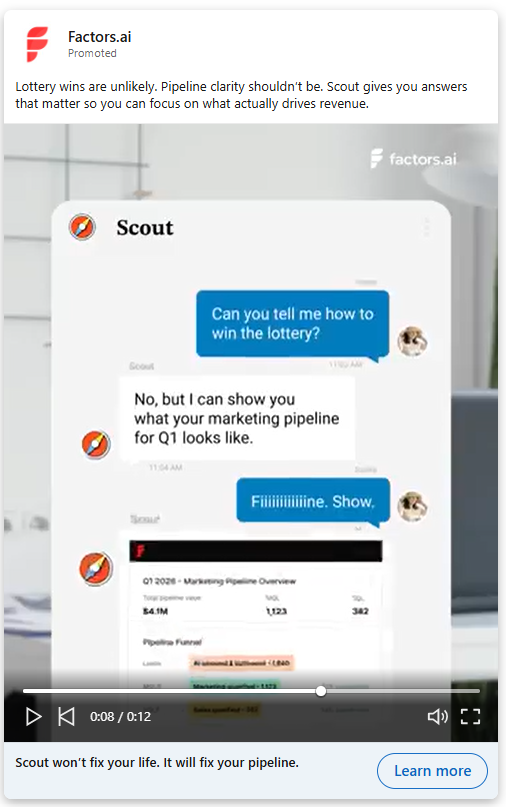
What makes LinkedIn video ads different from other channels?
Not all video platforms are created equal, and the mistake I see most often is B2B teams repurposing their Instagram Reels or TikTok clips for LinkedIn without thinking about context. The audience mindset on LinkedIn is fundamentally different. People open the app in a professional frame of mind. They're thinking about their work, their industry, and their next career move. They're not looking for entertainment. They're looking for signal.
That professional context is what makes LinkedIn's audience so valuable for B2B video advertising. You're not reaching casual scrollers. You're reaching decision-makers, operators, and members of buying committees. The VP of Marketing who controls a six-figure ad budget. The Head of Revenue Operations evaluating new tools. The CFO who'll eventually sign off on your deal. These are the people watching your video between Slack messages and calendar invites, and they have very little patience for content that wastes their time.
This is why the most effective LinkedIn video ads tend to be educational, insight-led, or proof-led. Entertainment-first content that thrives on TikTok or Instagram often falls flat here because the viewer is in a completely different mode. On LinkedIn, a video that shares a sharp industry insight or walks through a real customer result will outperform a flashy brand spot almost every time. The platform rewards substance over style, and that's actually good news for B2B teams who have plenty of substance but don't have a Hollywood production budget.
Certain verticals benefit most from this dynamic. B2B SaaS companies, agencies, fintech, martech, and HR tech brands all have complex products with multi-stakeholder buying journeys. Video gives them a way to simplify that complexity and build trust before a prospect ever fills out a form. If you think of LinkedIn as where video goes to work, the creative decisions you make start to change. You stop asking "will this go viral?" and start asking "will this earn 30 seconds of attention from the right person?"
LinkedIn video ads best practices for creative
Creative is where your LinkedIn video ad strategy either earns attention or gets scrolled past. You can nail your targeting and your funnel structure, but none of it matters if the video itself doesn't stop someone mid-scroll. These are the creative principles that consistently separate high-performing LinkedIn video ads from the forgettable ones.
- How do you hook viewers in the first three seconds?
The first three seconds of your video are an audition. If you don't earn attention immediately, you won't get a chance to deliver your message. LinkedIn's feed moves fast, and your video is competing with posts from colleagues, industry news, and job updates. You need a reason for someone to pause.
There are a few reliable hook structures that work well in B2B. You can open with a sharp question that speaks to a pain your audience recognises. Something like "Why is your team spending 40% of budget on leads that never convert?" forces the viewer to engage because it speaks directly to their reality. You can state a painful truth that challenges a common assumption. You can flash a bold, specific stat that reframes how someone thinks about a problem. Or you can use a visual pattern interrupt, something unexpected in the first frame that breaks the monotony of the feed.
One of my favorite LinkedIn video ad examples used a simple opening line: "Your CPL looks great. Your pipeline doesn't." It worked because it acknowledged a tension every B2B marketer feels but rarely says out loud. The hook isn't about being clever for the sake of cleverness. It's about demonstrating, in under three seconds, that you understand the viewer's world well enough to be worth listening to.
- Why should you design for sound-off viewing?
Here's a reality most video teams overlook: the majority of your LinkedIn audience is watching without sound. They're at their desk, in a meeting, or on a train. They won't unmute unless you've already convinced them the content is worth hearing. If your video relies on a voiceover to make sense, you've lost most of your audience before the first sentence lands.
Captions are non-negotiable. Every word spoken in your video should appear as text on screen, ideally styled in a way that's easy to read on mobile. Beyond captions, think about text overlays that reinforce key points, motion graphics that guide the viewer's eye, and visual storytelling that communicates your message even on mute. The best-performing LinkedIn video ads work as silent films first and audio experiences second. When you design for sound-off, you're designing for how people actually consume content at work.
- What video length works best for LinkedIn ads?
Length depends on intent, and this is unfortunately where a lot of B2B teams get it wrong. They either default to 60-second explainers for every campaign or chop everything into 6-second bumpers that don't say anything meaningful. The right length is a function of where the viewer sits in your funnel and what you're asking them to do.
For pure awareness, 15 seconds is often enough. You're introducing a point of view or a brand impression, and brevity works in your favour. For consideration-stage content, 20 to 40 seconds gives you room to explore an idea, share a customer insight, or walk through a problem/solution frame. For product explainers, case studies, or proof-led content at the bottom of the funnel, 45 to 90 seconds can work well, but only if value appears early. A 90-second video that buries the insight at the 50-second mark will never get there for most viewers.
The principle is front-load value. Regardless of length, the viewer should feel like they've gained something useful within the first 10 seconds. If they stay longer, great. But never assume they will.
- Why do human faces outperform logos and graphics?
There's a reason the most effective B2B video ads tend to feature real people rather than animated logo sequences… human faces create connection. They signal authenticity. And in a feed full of polished brand graphics, a real person talking directly to camera stands out precisely because it feels less produced.
Founders work well because they carry credibility and conviction. Customers work well because they provide proof from someone who isn't paid to say nice things. Subject matter experts work well because they bring genuine depth. Even sales reps explaining a market trend can create effective video content, because they're close to the conversations buyers are actually having. In most B2B testing, faces outperform logo-heavy slides on engagement, completion rates, and downstream action. Your brand guidelines might prefer the polished animation, but your audience prefers a human being who seems like they know what they're talking about.
- How should you end a LinkedIn video ad?
Every video needs to close with one clear call to action. Not two, not three, and definitely not a vague "learn more" that doesn't tell the viewer what happens next. The CTA should match the funnel stage and the content that preceded it. If you've just shared a customer story about a specific result, "See the full case study" makes sense. If you've walked through a problem, "Download the benchmark report" gives the viewer a logical next step.
Strong CTAs for LinkedIn video ads include booking a demo, downloading a guide, watching a full walkthrough, or viewing a benchmark report. The important thing is specificity. "Book a 15-minute pipeline review" is stronger than "Get in touch." The viewer should know exactly what they'll get and how long it'll take. A video that earns 30 seconds of attention and then fumbles the close with a weak CTA is a wasted opportunity, and I've seen it happen more times than I'd like to admit.
LinkedIn video ads best practices for targeting
Great creatives with poor targeting is like writing a brilliant email and sending it to the wrong list. You'll get vanity metrics that look decent on a dashboard but produce nothing downstream. Targeting is where your LinkedIn ads video campaign either reaches the people who can actually buy, or burns budget reaching people who'll never convert. These are the targeting principles that matter most.
- Why should you start narrow and expand later?
The instinct with LinkedIn ads is often to cast a wide net and let the algorithm figure it out. That works on some platforms, but LinkedIn's auction dynamics and CPMs reward precision. Starting with a tight audience lets you validate your messaging, learn what resonates, and build a baseline of performance data before you scale.
Begin with the targeting dimensions that most closely define your ICP. Job titles and seniority are usually the strongest starting filters, because they tell you whether you're reaching the right level of decision-maker. Layer in function, company size, and industry to narrow further. A video ad targeting "VP of Marketing at SaaS companies with 200-1000 employees" will outperform a broad "Marketing professionals" audience nearly every time, because the message can be more specific and the viewer can feel that specificity. Once you've found combinations that deliver qualified engagement, you can gradually expand by loosening one dimension at a time.
- How do account lists sharpen your targeting?
If you're running account-based campaigns, uploading your ICP account list or CRM target accounts is one of the most powerful targeting moves available on LinkedIn. It lets you serve video ads specifically to employees at the companies you've already identified as high-fit prospects. This turns your video campaign from a broadcast play into a precision instrument.
You can upload lists directly into LinkedIn's matched audiences, or sync them from your CRM. The key benefit is that you're no longer relying solely on LinkedIn's demographic filters. You're saying "show this video to people at these specific companies" and then layering demographic filters on top to reach the right roles within those accounts. For B2B teams running ABM motions, this is where LinkedIn video ads become genuinely strategic rather than just another awareness channel.
- How should you retarget engaged viewers?
Retargeting is where the funnel logic of your video strategy comes together. LinkedIn lets you build audiences based on video engagement, and this is one of the most underused features I see in B2B accounts. You can create audiences of people who watched 25% of your video, 50%, or even 75%. Each of these engagement thresholds tells you something different about intent.
Someone who watched 25% gave you a few seconds of attention. They're mildly interested. Someone who watched 50% or more actively chose to keep watching, which signals real engagement with your message. You can layer these video audiences with website visitors and form openers to build retargeting segments that are both warm and qualified. The magic happens when you serve a ToFu video to a broad audience, then retarget the engaged viewers with a MoFu case study, and finally retarget those engaged viewers with a BoFu demo offer. That's a video funnel that actually moves people through a journey, not just a single ad running to everyone.
- Why should you exclude existing customers?
This seems obvious, but I'm consistently surprised by how many B2B teams forget to do it. If you're running video campaigns without excluding your current customer list, you're paying LinkedIn CPMs to show ads to people who've already bought from you. Unless you're running a specific expansion or upsell campaign, those impressions are pure waste.
Upload your customer list as an exclusion audience. Update it regularly, ideally monthly or whenever a significant batch of new customers closes. This simple hygiene step can meaningfully reduce your cost per lead and ensure that your budget is reaching prospects, not existing accounts who are already in your product. It takes five minutes to set up, and it saves thousands over the course of a quarter. There's no good reason not to do it.
What are the best funnel strategies for LinkedIn video ads?
Most B2B brands fail with LinkedIn video ads for THIS one simple and structural reason… they run one video to all funnel stages. They'll create a single product explainer, target it broadly, and wonder why the CPL is high and the pipeline impact is negligible. The problem isn't the video. It's the absence of a funnel-aware strategy that serves different content to people at different stages of their buying journey.
- Top of funnel: building awareness with point-of-view content
At the top of the funnel, your audience doesn't know you yet, or knows you only vaguely. They're not looking for a product demo. They're looking for ideas, perspectives, and people who understand their world. This is where point-of-view clips work exceptionally well. A founder sharing an opinionated take on where the industry is heading. A short video highlighting an industry pain point that your audience recognises but hasn't seen articulated clearly. A narrative that makes the viewer think "these people get it."
The goal at ToFu isn't conversion. It's recognition. You want the viewer to remember your brand and associate it with a specific point of view. Keep these videos short, punchy, and opinionated. Bland thought leadership that could've been written by anyone won't earn attention in a competitive feed. The best ToFu video ads feel like the opening of a conversation your audience didn't know they wanted to have.
- Middle of funnel: educating and building trust
Once someone has engaged with your brand at the awareness stage, the middle of the funnel is where you earn their trust and help them understand your product's value in the context of their specific problems. This is where case study videos, product education content, and comparison-angle videos work best. You're not selling yet. You're teaching.
A strong MoFu video might walk through how a company similar to the viewer's solved a specific problem using your approach. It might explain a concept that's central to your product's value proposition, without ever mentioning the product by name. The key is that the viewer should feel smarter after watching, like they've gained an insight they can use regardless of whether they buy from you. That generosity builds trust, and trust is the currency that moves B2B deals forward. Comparison-angle content also works well here, not as aggressive competitor bashing, but as honest frameworks that help buyers understand their options.
- Bottom of funnel: converting with proof and urgency
At the bottom of the funnel, your audience knows who you are and understands the problem you solve. What they need now is confidence. ROI proof videos that show specific numbers from real customers are incredibly effective here. Testimonials from recognisable brands or relatable companies remove the risk perception that slows down B2B deals. Short demo snippets that show the product in action, focused on the specific workflow the viewer cares about, can be the nudge that turns interest into a booked meeting.
Urgency offers work at BoFu too, but they need to be genuine. A limited-time benchmark report, an exclusive early-access programme, or a time-bound consultation offer can create the motivation to act now rather than "next quarter." The critical principle across all funnel stages is match. Your video content should match the viewer's current stage of awareness, consideration, or decision. When that match is tight, everything downstream improves, from engagement rates to cost per qualified lead to actual pipeline created.
How should you measure LinkedIn video ad performance?
Measurement is where most B2B video strategies fall apart. Not because teams don't have data, but because they're looking at the wrong data. LinkedIn provides a generous dashboard of engagement metrics for video ads, and most of them are interesting but ultimately insufficient for B2B teams that care about revenue.
- Engagement metrics: useful but incomplete
The standard engagement metrics for LinkedIn video ads include 3-second views, completion rate, click-through rate, and shares. These tell you whether your creative is working as a piece of content. A high completion rate suggests the video held attention. A strong CTR suggests the CTA resonated. Shares indicate the content felt valuable enough to pass along. All of these are useful signals for creative optimisation.
But here's the problem: engagement metrics operate in a vacuum. They tell you how the video performed as media, but they don't tell you whether the right people watched or whether those views led to anything downstream. I've seen campaigns with a 35% completion rate and strong CTR that produced zero qualified pipeline, because the audience was wrong. Engagement metrics are necessary for creative iteration, but they're dangerous as success metrics if they're the only thing you're reporting.
- Commercial metrics: the ones that actually matter
The metrics that connect your LinkedIn video ad strategy to revenue are cost per lead, cost per qualified lead, opportunity rate, pipeline influenced, and revenue sourced. These require connecting your LinkedIn data to your CRM and, ideally, to an attribution layer that can track the full journey from video view to closed deal.
Cost per lead tells you efficiency. Cost per qualified lead tells you whether those leads are actually worth pursuing. Opportunity rate tells you whether qualified leads are turning into real sales conversations. Pipeline influenced tells you how much revenue is sitting in stages where a LinkedIn video touchpoint was part of the journey. And revenue sourced tells you the bottom line: did this campaign contribute to money in the bank?
A 20% completion rate means very little if zero buying accounts engaged with your video. Conversely, a 12% completion rate might be perfectly fine if the viewers who did engage were senior decision-makers at target accounts who later entered your pipeline. The metric that matters is always the one closest to revenue, and everything upstream is a diagnostic tool to help you get more of it.
This is where Factors.ai becomes genuinely useful. Instead of stopping at clicks and views, Factors.ai connects video engagement to specific accounts and traces the path from ad impression to pipeline to revenue. It answers the question that LinkedIn's native reporting can't: "Who watched, and did it matter?" That shift from anonymous engagement metrics to account-level revenue impact changes how you make decisions about creative, targeting, and budget allocation.
What mistakes do B2B brands make with LinkedIn video ads?
After auditing dozens of B2B LinkedIn video campaigns, the same mistakes show up again and again. Most of them are avoidable, which makes them all the more frustrating. Here are the ones I see most frequently, in rough order of how much budget they waste.
- Overproduced brand videos with no clear point
Some teams spend weeks producing a cinematic brand spot that looks beautiful but doesn't actually say anything specific. LinkedIn audiences don't reward production value. They reward relevance and clarity. A founder recording a 20-second insight on their phone will often outperform a polished brand anthem that took six weeks to produce.
- No captions or text overlays
If your video doesn't work on mute, it doesn't work on LinkedIn. Full stop. The number of B2B video ads I see that rely entirely on voiceover with no visual text support is staggering. These videos are essentially invisible to the majority of the feed.
- Weak first three seconds
Opening with a logo animation, a slow fade-in, or a generic "Hi, I'm [Name] from [Company]" is the fastest way to lose your audience. Those three seconds are your audition. If you don't earn attention immediately, nothing else in the video matters.
- Broad targeting with no ICP focus
Running video ads to "Marketing Professionals worldwide" is a great way to get cheap views and expensive pipeline. Precision matters more on LinkedIn than on almost any other paid channel because the CPMs are higher. Every impression costs more, so every impression needs to count.
- Measuring only click-through rate
CTR is one signal among many, and it's often misleading for video. Video ads build awareness and influence that doesn't always manifest as an immediate click. If CTR is your only success metric, you'll consistently undervalue video's contribution and pull budget from campaigns that are quietly doing heavy lifting further up the funnel.
- Running the same creative for months
Creative fatigue is real on LinkedIn, especially with smaller, well-targeted audiences. If the same group of decision-makers sees your video ten times, they'll stop noticing it. Refresh your creative regularly. You don't need entirely new concepts every time, but new hooks, new faces, or new angles keep the content fresh.
- No retargeting journey
Running a single video to a broad audience with no follow-up sequence is the B2B equivalent of saying hello to someone at a conference and then walking away. The retargeting journey is where video becomes a funnel, and without it you're leaving most of the value on the table.
- Sending cold traffic straight to a demo page
Someone who just watched 15 seconds of your awareness video isn't ready to book a demo. If your CTA skips straight from awareness to conversion, you'll see high bounce rates and low form fills. Meet the viewer where they are, and give them a next step that matches their current level of interest.
How does Factors.ai improve LinkedIn video ad ROI?
Most teams know their view counts. Most can pull completion rates and CTR from LinkedIn Campaign Manager. Where things break down is the gap between those engagement metrics and actual business outcomes. You know the video was watched. But you don't know which companies watched it, whether those companies are in your ICP, or whether the video influenced any downstream pipeline. That's the gap Factors.ai closes.
Factors.ai identifies which companies engaged with your LinkedIn video ads, even when individual viewers don't click or fill out a form. It connects view-through engagement to specific accounts, so you can see whether your target accounts are actually consuming your content. That visibility alone changes the conversation in a campaign review. Instead of reporting "50,000 views," you can report "23 target accounts engaged with this video, and 7 of them entered pipeline within the next 30 days."
The platform also syncs engaged accounts into retargeting flows. When Factors.ai identifies that a target account watched your ToFu video, it can trigger the next step automatically, whether that's serving a MoFu case study, alerting your SDR team, or adding the account to a nurture sequence. This turns your LinkedIn video ads from a passive awareness play into an active pipeline engine with real sequencing logic.
One of the most valuable capabilities is comparing different ad formats by revenue influence. You can see how video ads stack up against image ads and document ads, not by CTR or CPM, but by how much pipeline and revenue each format influenced. That gives you a defensible answer when someone in a budget meeting asks whether video is actually worth the extra production cost.
Factors.ai also helps you build smarter account-based journeys by connecting LinkedIn engagement data with website visits, CRM activity, and other intent signals. You get a unified view of how target accounts are moving through your funnel, with video touchpoints mapped alongside every other interaction. Most teams know views. Factors.ai helps you know who watched and whether it actually mattered for revenue.
In a nutshell…
LinkedIn video ads have moved well past the "nice to have" stage for B2B growth teams. They're now a core channel for building awareness with buying committees, earning trust through education, and creating measurable pipeline impact. But the difference between teams that waste budget on video and teams that generate real ROI comes down to a few specific disciplines.
Your creative needs a strong hook in the first three seconds, captions for sound-off viewing, and a clear CTA that matches the viewer's funnel stage. Your targeting needs to start narrow with ICP-specific filters and account lists, then expand based on performance data rather than assumptions. Your funnel strategy needs distinct content for awareness, consideration, and conversion, because one video can't do the work of three.
Measurement is where the biggest gap exists for most B2B teams. Moving beyond views and CTR to track cost per qualified lead, pipeline influenced, and revenue sourced is what separates performance marketing from content marketing theater. Tools like Factors.ai bridge that gap by connecting video engagement to specific accounts and tracing the path to revenue.
The winning formula isn't complicated: sharp hooks, precise targeting, funnel-aware sequencing, revenue-level measurement, and continuous creative testing. If you're already running LinkedIn video ads, audit your current campaigns against these principles. If you're just getting started, build the infrastructure for measurement and retargeting before you spend your first pound on production. The teams that treat video as a revenue asset rather than a brand project are the ones seeing compounding returns, quarter after quarter.
Frequently asked questions about LinkedIn video ads best practices
Q1. What are the best LinkedIn video ads best practices?
The most impactful practices start with your first three seconds, which need a hook strong enough to stop someone mid-scroll. From there, design for sound-off viewing with captions and text overlays, keep your video length matched to the funnel stage, and close with a single clear CTA. On the targeting side, start narrow with ICP-specific filters, layer account lists, and build retargeting audiences from engaged viewers. Most importantly, measure pipeline impact and revenue influence rather than just views and completion rates. The teams that get results are the ones that treat every element of the campaign, from creative to measurement, as a connected system.
Q2. Do LinkedIn video ads work for B2B?
They work exceptionally well for B2B, and in many cases outperform other formats for awareness and trust-building. LinkedIn's audience is already in a professional mindset, which means they're receptive to educational, insight-led, and proof-led content that speaks directly to their work challenges. Video is particularly strong for reaching buying committees, because a well-crafted 30-second clip can communicate credibility and value faster than a whitepaper or static image ever could. The key is matching your content to the right funnel stage and targeting it precisely to the people who actually influence purchase decisions.
Q3. What video length works best on LinkedIn?
It depends on the objective, honestly. For awareness campaigns, 15 to 30 seconds tends to perform best because you're just trying to earn recognition and a brand impression. For consideration-stage content where you're educating or building trust, 20 to 40 seconds gives you enough room to deliver a meaningful insight. Longer formats of 45 to 90 seconds can work for bottom-of-funnel content like product walkthroughs and case studies, but only if value appears within the first 10 seconds. The universal rule is to front-load your most important message, because you can't count on viewers staying until the end.
Q4. Are LinkedIn video ads better than image ads?
The honest answer is that it depends on the funnel stage and the specific goal of your campaign. Video tends to win for storytelling, engagement, and top-of-funnel brand building because movement and human faces naturally capture more attention in the feed. Single-image ads can still outperform video on direct-response campaigns where the CTA is simple and the audience is already warm. The strongest B2B advertisers use both formats strategically rather than picking one over the other. Tools like Factors.ai let you compare video and image ads by actual revenue influence, which gives you a clearer answer than engagement metrics alone.
Q5. How do I measure LinkedIn video ad ROI?
Start by moving beyond LinkedIn's native engagement metrics, which focus on views, completion rates, and clicks. Those are useful for creative optimization, but they don't tell you whether the right people engaged or whether any revenue resulted. To measure real ROI, track cost per qualified lead, opportunity rate, pipeline influenced, and revenue sourced from accounts that were exposed to your video campaigns. This requires connecting your LinkedIn data to your CRM and ideally using an attribution tool like Factors.ai that ties account-level video engagement to downstream pipeline and revenue. The question you should be answering isn't "how many people watched?" It's "which accounts watched, and did it contribute to a deal?"

How to lower LinkedIn CPC without lowering lead quality
Learn how to lower LinkedIn CPC with smarter targeting, bidding, creative, and attribution. Built for B2B marketers using Factors.ai.
TL;DR
- LinkedIn CPC runs higher than most platforms because you're reaching decision-makers, not casual scrollers. That premium is often justified when you measure pipeline, not just clicks.
- Most B2B teams overpay because of hyper-narrow targeting, weak CTR, missing exclusions, and optimizing to the wrong metrics.
- The fastest ways to lower LinkedIn CPC include broadening targeting slightly, refreshing creative before fatigue sets in, retargeting warm audiences, and cutting wasted spend on irrelevant segments.
- A higher CPC isn't always a problem. A $12 click that generates a $60k opportunity is a bargain compared to a $2 click that goes nowhere.
- Factors.ai helps reduce LinkedIn ad waste by syncing high-intent audiences, surfacing company-level engagement signals, and shifting budget toward pipeline-producing segments.
There’s a specific kind of pain that only B2B marketers know. No, it’s not lower-back pain… that’s common to B2C marketers, too. I’m talking about this: feeling like you’re paying premium prices for people who may or may not care (FYI… feeling is the keyword here).
Think of this experience: You launch a campaign, feel smug about the targeting options, pick your dream audience of founders, VPs, directors, and suspiciously specific job titles, then check results a week later and see each click costing more than your lunch. Suddenly, every visit to the website feels like a… financial event.
And yet, plenty of smart marketers continue spending serious money on LinkedIn Ads. Some scale aggressively, some generate strong pipeline, and some swear it’s their highest-quality paid channel. So either they know something everyone else doesn’t, or CPC alone is a terrible way to judge performance.
Spoiler: it’s the second one… and there’s a reason I said they’re smart marketers.
LinkedIn can absolutely feel more expensive… but expensive and inefficient are not the same thing. When campaigns are structured well, audiences are sensible, creative does its job, and measurement goes beyond vanity metrics, those costly clicks can outperform cheaper traffic from almost anywhere else.
This blog is set to break down how much LinkedIn Ads really cost, why prices vary so wildly, what a healthy CPC looks like in B2B, and how to lower costs without wrecking lead quality. If you’ve ever looked at your spend report and felt personally attacked, this one’s for you.
Why does LinkedIn CPC feel expensive?
Let's start with the uncomfortable truth. LinkedIn is not cheap, and it was never designed to be. When you advertise on LinkedIn, you're reaching people through their professional identity. You're targeting by job title, seniority, company size, industry, and skills. That kind of precision doesn't come at Meta-level pricing, and it shouldn't.
Think about what LinkedIn actually offers compared to other ad platforms. On Meta, you're reaching someone between cat videos and holiday photos. On Google, you're catching someone mid-search, which is powerful, but you don't always know if they're a decision-maker or an intern doing research. On LinkedIn, you can put your message in front of a VP of Engineering at a 500-person SaaS company in North America. That level of professional targeting is why linkedin ads cost more per click.
The auction itself plays a role too. LinkedIn pricing is auction-based, which means your CPC depends on your bid, the competition for that audience, and the relevance score of your ad. When multiple advertisers chase the same audience of senior decision-makers, auction prices climb naturally. Certain industries, regions, and seniority levels are more competitive than others, and those factors compound quickly.
But here's where most marketers make a thinking error. They compare LinkedIn CPC against Google Display or Meta without adjusting for lead quality. A $9 click from a VP of IT at a target account is fundamentally different from a $1 click that comes from someone who will never buy your product. When you measure cost per qualified opportunity instead of cost per click, LinkedIn often looks far more reasonable. The sticker shock fades once you stop comparing apples to oranges and start comparing pipeline to pipeline.
The real question isn't "why is LinkedIn CPC so high?" It's "what does that CPC actually produce downstream?" If you can't answer the second question, you're optimising blind, and that's where the overspending actually starts.
What does a good LinkedIn CPC actually look like?
This is the question every B2B marketer asks, and the honest answer is that there's no universal "good" CPC. Anyone who gives you a single number without asking about your audience, market, and campaign objective is oversimplifying.
That said, you need some frame of reference. LinkedIn CPC benchmarks vary quite a bit depending on source and segment. Most B2B advertisers see CPCs somewhere between $4 and $12, though enterprise-focused campaigns targeting C-suite buyers in competitive industries can easily exceed $15. Geographic differences matter too. North American and Western European audiences typically cost more than audiences in APAC or Latin America. The campaign objective you choose also shifts the range. Lead gen forms, for example, sometimes produce different effective CPCs than website visit campaigns because the conversion happens on-platform.
Here's what I'd encourage you to do instead of obsessing over hitting a specific CPC benchmark. Shift your attention to the metrics that actually connect to revenue:
- Cost per qualified lead. Not just any lead. Leads that your sales team actually accepts and works.
- Cost per opportunity. What does it cost to get a prospect into a real sales conversation?
- Pipeline influenced. How much active pipeline can you trace back to LinkedIn as a contributing channel?
- Revenue per click. If you can calculate this, you've already outgrown CPC as your primary metric.
CPC is a media metric. Pipeline is the business metric. If your CPC is $12 but those clicks consistently turn into qualified opportunities, you don't have a CPC problem. You have a well-functioning channel that happens to charge a premium for access to the right people. Conversely, if your CPC is $4 but none of those clicks convert into pipeline, you're just buying cheap traffic that flatters your dashboard.
The teams I've seen struggle most with LinkedIn ads cost are the ones that set CPC targets in isolation, without tying them to downstream performance. They celebrate when CPC drops by $2, even if conversion rates drop alongside it. That's not optimisation. That's vanity reporting.
Why most brands overpay on LinkedIn
Before we get into tactics for lowering CPC, it's worth understanding the most common reasons B2B teams overpay in the first place. In my experience, overspending rarely comes from a single mistake. It's usually a combination of structural issues that compound over time.
- Hyper-narrow targeting
This is probably the most frequent culprit. You start building your audience and it feels smart to stack every filter: job title plus seniority plus company size plus skills plus geography. Each layer makes you feel more precise. But what actually happens is your audience shrinks to a few thousand people, the auction gets brutally competitive for that sliver, and your CPC spikes.
LinkedIn's auction favours scale. When your audience is too small, there's less room for the algorithm to optimize delivery, and you end up paying a premium for every impression. Precision is important, but hyper-precision often backfires on cost efficiency.
- Weak CTR dragging up costs
If people see your ad and don't click, two things happen. First, you're paying for impressions that produce nothing. Second, your relevance score suffers, which makes the auction less favorable for you over time. LinkedIn rewards ads that people actually engage with, so a low click-through rate creates a compounding cost problem.
Weak CTR usually traces back to one of a few things: the headline doesn't land, the creative blends into the feed, or the value proposition isn't clear enough within the first few seconds. It's rarely a targeting issue alone. Often the audience is right, but the message isn't giving them a reason to stop scrolling.
- Wrong objective selection
This one's subtle but expensive. If you select "website visits" as your campaign objective when your actual goal is conversions, LinkedIn optimizes for the cheapest clicks rather than the most valuable ones. The platform takes your objective literally. Traffic campaigns attract clickers. Conversion campaigns attract converters. Choosing the wrong one means you're optimizing toward the wrong behavior from the start.
I've seen teams run awareness or traffic objectives for months, wondering why lead quality is poor, without realizing the campaign setup itself was steering budget toward low-intent audiences.
- No audience exclusions
This is the silent budget leak. Without proper exclusions, your ads reach existing customers, current pipeline accounts, internal employees, and people in irrelevant geographies. Every impression served to someone who should never see the ad is wasted spend that inflates your effective CPC.
The fix is straightforward, but it requires maintenance. You need to regularly update your exclusion lists with closed-won customers, active pipeline contacts, internal domains, and any segments that have proven irrelevant. Most teams set these up once and forget about them, which means the lists go stale and the waste creeps back in.
- Optimizing for clicks instead of revenue
This is the philosophical mistake underneath all the tactical ones. When your optimisation target is "lowest possible CPC," you naturally gravitate toward broad, cheap audiences. Those audiences click, but they don't convert. You end up with impressive click volumes and disappointing pipeline numbers.
The better frame is cost per outcome that matters. Sometimes the highest-CPC segment in your account is also the one producing the most revenue. If you cut that segment to lower your average CPC, you've technically improved your media metric while actually hurting your business.
9 proven ways to lower LinkedIn CPC
While these nine approaches work independently, the biggest gains come from combining several of them at once. Think of each one as a lever. The more levers you pull simultaneously, the more noticeable the impact.
1. Broaden your targeting slightly
I know this sounds counterintuitive when the whole point of LinkedIn is precision targeting. But there's a meaningful difference between precise and over-constrained. Instead of targeting only specific job titles like "Head of Demand Generation," try targeting the broader job function like "Marketing" combined with seniority. You'll reach a larger audience pool, which gives LinkedIn's algorithm more room to optimize delivery and find efficient impressions within that group.
The key word here is "slightly." You're not going from a 5,000-person audience to 5 million. You're going from 5,000 to 50,000 by loosening one or two filters. You can always layer intent signals later, through retargeting or by using tools like Factors.ai to prioritise companies showing buying signals, so the initial targeting doesn't need to do all the qualification work by itself.
2. Improve CTR with better creative
Better click-through rates almost always lower your effective CPC on LinkedIn. The auction rewards engagement, so ads that earn more clicks relative to impressions get more favourable delivery economics. This is one of the highest-leverage changes you can make without touching your targeting or budget.
What does "better creative" actually mean in practice? Start with the hook. Your headline needs to land within the first few words because most people scan rather than read. Pain-first framing tends to outperform benefit-first framing on LinkedIn. Instead of "Boost your pipeline with our platform," try something like "Your pipeline report looks great until finance asks about ROI." Social proof works well too, especially specific numbers rather than vague claims.
Your CTA also matters more than you'd think. "Learn more" is the default, and it's the weakest option. A specific CTA like "See the 2026 benchmarks" or "Get the framework" gives people a concrete reason to click. Small creative tweaks like these compound over time, and the CTR improvement directly translates into lower linkedin CPC through better auction economics.
3. Use retargeting audiences
Retargeting is one of the most reliable ways to lower your blended CPC while improving conversion rates. People who've already interacted with your brand are warmer prospects. They've visited your website, watched your video content, or engaged with previous ads. Because they already have some familiarity with you, they tend to click at higher rates and convert more readily.
The three retargeting segments I'd prioritise on LinkedIn are website visitors (especially those who've hit high-intent pages like pricing or case studies), engaged video viewers who watched more than 50% of a previous ad, and high-intent companies identified through tools that track account-level engagement. These audiences are smaller by nature, but their efficiency pulls down your overall CPC average across campaigns.
Retargeting also makes your cold campaigns more efficient. When you know warm audiences will re-engage cheaply, you can afford to bid more aggressively on cold audiences knowing the blended economics still work out.
4. Exclude wasted audiences
We covered this in the "why brands overpay" section, but it deserves its own tactical entry because the implementation is straightforward and the impact is immediate. Every audience segment that will never convert is silently inflating your costs.
Build and maintain exclusion lists for these segments:
- Existing pipeline. Contacts already in active sales conversations don't need ads pushing them to a top-of-funnel landing page.
- Closed-won customers. Unless you're running expansion campaigns, current customers shouldn't see acquisition ads.
- Internal teams. Your own employees seeing your ads is a surprisingly common budget leak, especially at larger companies.
- Irrelevant geographies. If you only sell in North America, make sure APAC and EMEA traffic isn't consuming budget.
- Disqualified segments. Job titles or industries you've historically seen convert at near-zero rates.
The discipline here is in the maintenance. These lists need updating at least monthly, ideally in sync with your CRM data. Stale exclusion lists are almost as bad as having none at all.
5. Test manual vs automated bidding
LinkedIn's default bidding strategy is "maximum delivery," which essentially tells the platform to spend your budget as efficiently as it can. In theory, that sounds great. In practice, some accounts find that automated bidding overpays for impressions, especially in competitive auctions where the algorithm bids aggressively to win placements.
Testing a manual bid strategy gives you more control over your ceiling price. You set the maximum you're willing to pay per click, and LinkedIn won't exceed that. The trade-off is that you might get fewer impressions if your bid isn't competitive enough, but the impressions you do get come at a controlled cost.
My recommendation is to run both strategies side by side for the same audience and creative, then compare effective CPC and downstream conversion rates after two to three weeks. Some accounts genuinely perform better on automated bidding. Others save 20-30% by switching to manual bids. Your linkedin bidding strategy should be based on your own data, not a blanket recommendation. This is one of those areas where testing beats assumptions every time.
6. Improve landing page relevance
This one doesn't lower CPC directly in the auction, but it improves the value you extract from every click, which is effectively the same thing. If someone clicks your ad and lands on a page that doesn't match the promise of the ad, they bounce. You've paid for a click that produced nothing.
The most common disconnect I see is ads promoting a specific use case or pain point that lead to a generic product homepage. The visitor clicked because the ad resonated with a specific problem, and then the landing page talks about everything except that problem. Matching the message from ad to landing page isn't just a conversion rate tactic. It's a CPC efficiency tactic because it makes every click count.
Keep your landing pages focused. One offer, one audience, one clear next step. If your ad talks about reducing LinkedIn ad spend, the landing page should talk about that same thing, not your entire product suite.
7. Rotate creatives before fatigue sets in
Every ad has a shelf life on LinkedIn. When the same audience sees the same creative repeatedly, engagement drops. Falling CTR means the auction becomes less favourable, and your CPC starts climbing. This is the fatigue cycle, and it happens faster than most teams expect, especially with smaller audiences.
The fix is proactive rotation rather than reactive replacement. Don't wait until your CTR has already cratered to swap in new creative. Set a cadence, something like every two to three weeks for smaller audiences and every four to six weeks for larger ones. Keep the core message consistent but vary the visual format, headline angle, and CTA. You can also rotate between single image, carousel, and video formats to keep the feed experience fresh.
One trick that works well is having three to four creative variants running simultaneously from the start. LinkedIn's algorithm will naturally favour the best performer, and you'll always have a backup ready when the top variant starts fatiguing. This prevents the "scramble to create new ads" panic that most teams experience when performance suddenly dips.
8. Use company-level intent signals
This is where linkedin ads optimisation gets genuinely strategic rather than just tactical. Instead of targeting based purely on demographic filters, you layer in behavioral signals. Which companies are actively researching topics related to your product? Which ones have visited your website multiple times this month? Which ones are engaging with competitors?
When you target companies showing active buying signals, your ads reach people during a window of genuine interest. That naturally improves engagement rates, which improves auction efficiency, which lowers CPC. You're not interrupting someone's day with a cold pitch. You're showing up when they're already thinking about the problem you solve.
Tools like Factors.ai make this practical by surfacing company-level engagement data and letting you sync those audiences directly into LinkedIn. Without this layer, you're relying entirely on static demographic targeting, which is a bit like fishing in the whole ocean instead of fishing where the fish are actually biting.
9. Optimize for pipeline (like I said above also)
This is the strategic shift that ties everything else together. When you optimize campaigns toward pipeline creation rather than click volume, your budget naturally flows toward the segments that produce revenue. Sometimes those segments have higher CPCs. Sometimes they have lower ones. The point is that CPC becomes a secondary metric rather than the primary one.
This means connecting your LinkedIn campaign data to your CRM so you can see which campaigns, audiences, and creatives generate opportunities and closed revenue. When you have that visibility, you can confidently increase spend on a $14 CPC campaign that produces $200k in pipeline while pulling budget from a $5 CPC campaign that produces nothing.
This is where most teams get stuck because the data infrastructure doesn't exist yet. LinkedIn's native reporting tells you about clicks and leads, not about what happens after the lead enters your funnel. Bridging that gap requires either custom analytics work or a tool built for B2B attribution, which is exactly the problem Factors.ai was designed to solve.
How does Factors.ai help reduce LinkedIn CPC?
I want to be super direct about this section. Factors.ai is a tool we believe in, and the reason we believe in it is that it directly addresses the measurement and targeting gaps that cause B2B teams to overspend on LinkedIn. If the strategies above are the "what to do," Factors.ai is the "how to do it at scale."
- Company intelligence API
One of the biggest challenges in LinkedIn ads optimisation is knowing which companies are actually paying attention. Factors.ai's company intelligence API shows you which companies are engaging with both your paid and organic efforts. You can see who visited your website after seeing a LinkedIn ad, who's reading your content, and who's showing up repeatedly.
This visibility helps you make smarter allocation decisions. Instead of spreading budget evenly across all target accounts, you can concentrate spend on companies actively in a buying cycle. That precision reduces waste, which is the most sustainable way to lower your blended linkedin CPC.
- Factors’ LinkedIn AdPilot (as a whole also)
AdPilot automates budget movement toward high-performing campaign segments. Instead of manually checking dashboards and shifting spend every few days, AdPilot identifies which audiences and creatives are driving results and reallocates budget accordingly. It's the kind of optimisation that humans do too slowly and too infrequently. Automated reallocation means your budget works harder without requiring constant manual attention.
2a. Audience sync
Factors.ai lets you push high-intent audiences from your CRM and website directly into LinkedIn with LinkedIn AdPliot. Instead of building audiences from scratch using LinkedIn's filters, you can upload lists of companies currently in-market based on their actual engagement behavior. These audiences perform better because they're based on signals, not just demographics. Higher engagement rates mean better auction economics, which translates to lower effective CPC.
- Cross-channel attribution
This is the piece that makes everything else meaningful. Factors.ai connects your LinkedIn ad spend to downstream pipeline and revenue outcomes. You can see whether a higher-CPC campaign actually produced better opportunities than a cheaper one. You can compare LinkedIn's contribution against other channels using multi-touch attribution rather than guessing.
Sometimes the best way to lower CPC isn't paying less per click. It's paying only for clicks that matter. And you can only make that distinction when you can trace a click all the way from impression to opportunity to revenue.
When higher CPC is actually fine
Not every high CPC is a problem that needs solving. I think it's important to say this clearly because the instinct to lower costs can actually hurt performance if applied indiscriminately. There are specific situations where paying $10, $12, or even $15+ per click is not just acceptable but kind of smart.
- Enterprise ABM campaigns. When you're targeting a named list of 50 accounts that each represent $100k+ in potential ACV, the audience is tiny and competitive. CPC will be high. That's fine… one converted account pays for the entire campaign many times over.
- C-suite outreach. Reaching a CFO or CTO costs more than reaching a mid-level manager. The auction reflects the demand. But if your product requires executive sponsorship to close, you don't have the luxury of only targeting cheaper audiences. The CPC premium is the cost of reaching the person who actually signs the contract.
- High ACV SaaS. If your average contract value is $50k or more, the math changes dramatically. A $12 click that contributes to a $60k opportunity is a 5,000x return on that individual click. Optimizing for the lowest possible CPC in a high-ACV context can actually pull you toward lower-quality audiences that never close.
- Strategic account expansion. When you're running campaigns to grow revenue within existing accounts, the target audience is small by definition. You're reaching specific teams within specific companies. The CPC will reflect that specificity, and the potential return justifies it because expansion revenue typically closes faster and at higher rates than new business.
- Hard-to-reach technical buyers. DevOps leads, security engineers, and infrastructure architects are notoriously difficult to reach through any channel. When they do show up on LinkedIn, competition for their attention is fierce. Paying a premium to reach them is often the only viable option for products that require their buy-in.
The pattern here is consistent… when the value of the conversion is high and the audience is inherently small or competitive, CPC is a poor metric for judging campaign health. Pipeline created per dollar spent tells you something useful. CPC alone doesn't.
LinkedIn CPC benchmarks by B2B use case
Benchmarks are useful as a sanity check, not as a target. Every company's CPC will vary based on their audience, creative quality, competitive landscape, and campaign setup. That said, having a rough sense of what others in similar situations pay helps you spot obvious overspending.
A few things to keep in mind when using this table. First, these ranges represent what I've observed and what's commonly reported across B2B marketing communities, not official LinkedIn data. Your actual CPC will depend on your specific targeting setup and creative quality. Second, these are click-level costs. They don't tell you anything about conversion rates or pipeline quality, which is where the real story lives.
If your CPC falls well above these ranges for a comparable use case, that's worth investigating. It could signal overly narrow targeting, creative fatigue, or suboptimal bidding. If your CPC falls within or below these ranges but your pipeline numbers are weak, the problem isn't cost. It's conversion, and that requires a different set of fixes.
In a nutshell
After everything we've covered, here's what I'd want you to take away from this piece.
Chasing the lowest possible LinkedIn CPC is a trap. It feels like optimisation, but it often steers budget toward cheap, low-intent audiences that never convert. The teams that get the most from LinkedIn ads are the ones who focus on pipeline efficiency, not click cost, and build their campaigns around that principle from the start.
The most impactful changes you can make today are broadening overly narrow targeting, improving creative to boost CTR, building and maintaining proper exclusion lists, and rotating ads before fatigue drives up costs. These aren't revolutionary tactics. They're the fundamentals that most teams skip because they're busy chasing the next shiny feature.
If your LinkedIn advertising feels disproportionately expensive, the root cause is usually one of three things: targeting precision is off (either too narrow or too broad), measurement gaps make it impossible to connect CPC to revenue outcomes, or creative has gone stale and nobody's refreshed it in weeks. Fixing these three areas will do more for your cost efficiency than any bidding hack.
Factors.ai fits into this picture by closing the gap between LinkedIn campaign data and pipeline outcomes. It helps you target companies actually in-market, exclude ones that aren't, and attribute revenue back to specific campaigns and audiences. That's how you lower waste, not just cost.
And when CPC is genuinely high because you're reaching senior decision-makers at enterprise accounts, don't panic. Check what those clicks produce. If they're creating real pipeline, the CPC is doing its job.
Frequently asked questions about LinkedIn CPC
Q1. What is a good LinkedIn CPC in B2B?
It depends on your audience, industry, and campaign objective, but most B2B advertisers see CPCs between $4 and $12. Enterprise campaigns targeting C-suite buyers or niche technical audiences often exceed that range. The more useful question is what your CPC produces in terms of qualified leads and pipeline, since a "high" CPC that generates revenue is better than a "low" CPC that doesn't.
Q2. Why is LinkedIn CPC higher than Meta or Google?
LinkedIn's premium pricing reflects the unique value of its targeting. You're reaching people through their professional identity, including job title, seniority, company size, and industry. That level of precision for B2B audiences simply isn't available on platforms built around consumer behavior and entertainment. The auction is also more competitive for decision-maker audiences because every B2B advertiser wants the same people.
Q3. How do I lower LinkedIn CPC fast?
The fastest levers are improving your ad creative to boost CTR (which improves auction economics), broadening targeting slightly to give the algorithm more room to optimize, excluding wasted audience segments like existing customers and internal teams, refreshing fatigued creatives, and retargeting warm audiences who engage at higher rates. Combining several of these at once typically produces the most noticeable drop.
Q4. Does lowering CPC improve ROI?
Not always, and this is a common misconception. If you lower CPC by shifting toward broader, cheaper audiences that don't convert, your ROI actually gets worse. Lower CPC only improves ROI when the cheaper clicks maintain or improve the same conversion quality. That's why it's critical to track downstream metrics like cost per opportunity and pipeline value, not just click cost.
Q5. How much do LinkedIn ads cost monthly?
Monthly linkedin ads cost varies enormously depending on your goals, target audience, and competitive landscape. Many B2B teams start somewhere between $2,000 and $10,000 per month and scale up based on what's working. The right budget depends on your target CPA, the size of your addressable audience, and how aggressively you're trying to build pipeline. There's no meaningful minimum, but very small budgets can struggle to generate enough data for the algorithm to optimize effectively.
Q6. Is LinkedIn worth the CPC?
For high-value B2B products with longer sales cycles and clear ideal customer profiles, LinkedIn is often one of the most efficient channels when measured on pipeline quality rather than lead volume. The CPC premium is real, but so is the quality of the audience you're reaching. Teams that can connect their LinkedIn spend to downstream revenue outcomes almost always find the channel worthwhile. The ones who struggle are usually the ones measuring LinkedIn against consumer-platform benchmarks and not accounting for the difference in lead quality.

LinkedIn Pixel Tracking: How to Set Up and Optimize Conversions for B2B Campaigns
Learn LinkedIn pixel tracking setup, conversion optimization, Insight Tag best practices, and B2B attribution strategies with Factors.ai.
TL;DR
- LinkedIn pixel tracking relies on the LinkedIn Insight Tag, a free sitewide JavaScript snippet that connects ad clicks to real conversion events on your website.
- B2B campaigns need longer attribution windows and deeper conversion events than most teams initially configure, because buying cycles stretch across weeks and multiple stakeholders.
- Install the Insight Tag once sitewide, then create conversion actions tied to actual revenue moments like demo requests and sales-qualified meetings, not just page views.
- Pixel tracking alone can't tell you which accounts converted, how multi-touch journeys unfolded, or how pipeline actually progressed, so it needs to be paired with account-level attribution.
- Factors.ai fills those gaps by connecting LinkedIn data to company-level intelligence, CRM pipeline stages, and cross-channel journey maps.
Have you heard of optimism? No, not the normal kind.
I’m talking about the kind of optimism that shines bright like a diamond right after launching LinkedIn ads. The campaign is live, impressions are rolling in, clicks are happening, and everyone feels like momentum has officially arrived. Screenshots of early numbers get dropped into Slack. Someone says, Oooh! That looks promising.” Spirits are high, budgets feel justified, beer is cold, life is good.
Then a few weeks later, reality enters the chat.
Someone asks how many qualified leads came through. Or how many demo requests can be tied to the campaign? Or whether the spend is actually producing pipeline. And suddenly the room is full of sad vibes, guesses, warm beers, and one person nervously refreshing the dashboard.
Because visibility is not the same thing as measurement.
This is where a lot of B2B teams get humbled. They launch campaigns before setting up proper LinkedIn pixel tracking, which means they can see surface-level activity but not the actions that matter after the click. Website visits show up. Maybe engagement looks healthy. But without accurate tracking, you’re basically paying to generate suspense.
And suspense is a terrible reporting metric.
This blog will help you set up LinkedIn pixel tracking the right way, from installing the Insight Tag to configuring meaningful conversion events, fixing common tracking issues, and understanding where pixel data helps versus where it falls short. If you’re investing serious money into LinkedIn ads, this is the difference between “we think it’s working” and “we know it is.”
What is LinkedIn pixel tracking?
When marketers talk about "LinkedIn pixel tracking," they're almost always referring to the LinkedIn Insight Tag. It's a lightweight JavaScript snippet you install on your website, and it works as LinkedIn's primary conversion tracking tool. Once it's live, the tag monitors what visitors do after they click or view your LinkedIn ads, then reports that activity back to Campaign Manager.
The concept is straightforward. Someone sees your ad, clicks through to your site, and takes an action you care about. The Insight Tag captures that action and ties it back to the campaign, audience, and creative that drove the visit. Without it, LinkedIn only knows that a click happened. With it, LinkedIn knows what that click led to.
For B2B teams, the actions worth tracking tend to follow a pattern. Demo requests sit at the top of the list, followed by contact form submissions, pricing page visits, whitepaper downloads, and webinar signups. These aren't impulse purchases. They're signals that someone is actively evaluating your product, and they often happen hours or days after the initial ad interaction. The Insight Tag connects those delayed actions back to the original campaign so you can measure what's actually driving business outcomes, not just traffic.
It's worth noting that LinkedIn officially calls this the Insight Tag, not a tracking pixel. The term "pixel" is borrowed from the Facebook and Meta advertising world, where a small invisible image (literally a pixel) was used to fire tracking events. LinkedIn's approach is technically a JavaScript tag, not an image pixel, but the marketing world has collectively decided to call every platform's website tracker a "pixel." You'll hear both terms used interchangeably, and for practical purposes, they refer to the same thing. If you've been searching for "linkedin tracking pixel," you've been looking for the Insight Tag all along.
The tag does wayyy more than just count conversions, though. It also powers LinkedIn's website retargeting audiences, allowing you to show follow-up ads to people who visited specific pages. It feeds the website demographics report, which shows you the professional profiles of your site visitors by job title, industry, company size, and seniority. And it gives LinkedIn's algorithm the conversion signals it needs to optimize campaign delivery toward people who are more likely to take the actions you care about.
All of that functionality comes from one tag installed once across your entire site. You don't need separate tags for each page or each campaign, which is one of the genuinely elegant things about LinkedIn's approach.
How does LinkedIn pixel tracking work for B2B campaigns?
The basic mechanics of LinkedIn pixel tracking are simple enough. A prospect sees your ad in their LinkedIn feed, clicks through to your website, and eventually takes some kind of action. The Insight Tag fires, LinkedIn registers the conversion, and Campaign Manager attributes it back to the right campaign based on your selected attribution window. On paper, it sounds like any other ad platform's tracking flow.
But B2B is where the story gets more interesting, and more complicated. The gap between a click and a meaningful business outcome is enormous compared to ecommerce or consumer advertising. When someone clicks a DTC ad and buys a pair of trainers twenty minutes later, the attribution is clean and immediate. When someone clicks a B2B ad and eventually becomes a $50,000 deal, the journey between those two moments is long, messy, and involves a lot of people your ad never touched directly.
Consider this scenario: A VP of Marketing sees your sponsored content on a Tuesday morning, clicks through to a blog post, reads for two minutes, and leaves. The following week, she comes back directly and browses the pricing page. Three days after that, she fills out a demo request form. The sales team qualifies the opportunity, and it enters the pipeline forty-five days later. Six months down the line, the deal closes.
Without LinkedIn pixel tracking, that entire chain is invisible. Campaign Manager shows one click and zero conversions. The campaign looks average at best, and someone on the team starts questioning whether LinkedIn ads are worth the budget. With proper tracking and a sensible attribution window, LinkedIn can connect that demo request back to the original ad click. Suddenly the campaign doesn't just look average. It looks like the thing that started a real pipeline opportunity.
This is why B2B teams need pixel tracking more urgently than most. The buying cycles are long, often stretching across weeks or months. Multiple stakeholders get involved, and the person who clicked the ad might not even be the person who fills out the form. Decision-making is distributed across teams, which means the path from first touch to closed deal is rarely a straight line. LinkedIn pixel tracking won't capture every twist in that journey, but it captures the critical first connection between ad exposure and on-site action.
The attribution windows you select matter enormously here. LinkedIn lets you choose how far back a conversion can be credited to an ad interaction. For B2B, the default settings are often too short. If your average sales cycle is sixty days and your attribution window is seven days, you're systematically undercounting the impact of campaigns that plant seeds early in the buying process. Matching your attribution window to the reality of your sales cycle is one of the most important configuration decisions you'll make, and it's one that most teams don't revisit after initial setup.
LinkedIn Insight Tag vs LinkedIn tracking pixel
This comparison trips up a lot of marketers, so let's clear it up quickly. When someone says "LinkedIn tracking pixel," they're referring to the same thing as the LinkedIn Insight Tag. There isn't a separate product called the LinkedIn pixel. The Insight Tag is LinkedIn's one and only website tracking mechanism for advertisers.
The confusion comes from how other platforms work. Meta has the Meta Pixel. Twitter had its tracking pixel. Google has its own tag ecosystem. So when marketers move to LinkedIn, they naturally search for "LinkedIn pixel" because that's the mental model they've built from other channels. LinkedIn chose a different name, calling it the Insight Tag, but the function is essentially the same: it tracks what happens on your site after someone interacts with your ad.
That said, there are a few things the Insight Tag does that go beyond basic pixel-style conversion tracking. Here's a quick comparison to make the distinction clear:
The website demographics feature is particularly useful for B2B. Even before you start tracking conversions, the Insight Tag gives you a professional breakdown of who's visiting your site. You can see whether your LinkedIn campaigns are driving the right seniority levels, whether the industries match your ICP, and whether company sizes align with your target segments. It's like a lightweight firmographic report layered on top of your website analytics.
The retargeting capability deserves a mention too. Once the Insight Tag has been active long enough to build audience pools, you can create retargeting segments based on specific page visits. Someone who visited your pricing page but didn't convert? That's a retargeting audience. Someone who read three blog posts in a week? Another audience. These segments become the building blocks for more sophisticated LinkedIn campaigns down the line.
So when you hear "LinkedIn tracking pixel" and "LinkedIn Insight Tag," just know they're pointing at the same thing. The Insight Tag is the official name, the pixel is the colloquial one, and there's no functional difference to worry about.
How do you set up LinkedIn pixel tracking step by step?
The LinkedIn pixel setup process is more straightforward than most teams expect, but the details matter. A tag that's installed but misconfigured is arguably worse than no tag at all, because it gives you false confidence in data that isn't accurate. Here's the full walkthrough.
Step 1: Install the Insight Tag
Start in LinkedIn Campaign Manager. Navigate to the "Analyse" section, then open "Insight Tag" (in some account layouts, you'll find this under the "Signals Manager" or "Data" section, as LinkedIn occasionally updates the Campaign Manager interface). You'll see a JavaScript code snippet ready to copy.
You have three main options for installation:
- Google Tag Manager (GTM): This is the most common method for marketing teams. Create a new tag in GTM, select the LinkedIn Insight Tag template from the community gallery, paste your partner ID, and set it to fire on all pages. GTM makes it easy to manage without developer involvement, and it keeps all your tracking tags in one place.
- Direct CMS installation: If you're running WordPress, HubSpot, Webflow, or another CMS with header script injection, you can paste the Insight Tag code directly into the site-wide header. Most CMS platforms have a dedicated section for tracking scripts, usually under settings or integrations.
- Developer deployment: For custom-built websites or more complex setups, hand the code snippet to your development team and ask them to place it in the global header template. The tag needs to load on every page across the entire domain.
One important point: LinkedIn states that a single sitewide installation of the Insight Tag is sufficient. You don't need separate tags for different pages, subdomains, or campaigns. One tag does everything, and installing it multiple times on the same page actually causes problems (more on that in the troubleshooting section).
Step 2: Verify tag status
After installation, go back to Campaign Manager and check the Insight Tag status. It takes a few minutes to a few hours for LinkedIn to recognise the tag and mark it as "Active." If it still shows "Unverified" after twenty-four hours, something went wrong in the installation. Common culprits include consent management platforms blocking the tag, caching layers serving the old version of your site, or the tag being installed in the body instead of the header.
You can also use browser developer tools or extensions like the LinkedIn Insight Tag Helper (a Chrome extension) to verify that the tag is firing correctly on page load. This is worth doing even after you see the "Active" status, because it confirms the tag is actually loading in the browser environment your visitors experience.
Step 3: Create conversion actions
This is where the real value begins. Go to the "Conversions" section in Campaign Manager and create new conversion actions. Each conversion action represents a specific event you want to track. You'll typically define these based on URL rules, meaning you're telling LinkedIn to register a conversion when someone lands on a specific thank-you or confirmation page.
Here are the conversion actions most B2B teams should create:
- Demo request confirmation page: The page a visitor sees after submitting a demo form. This is your highest-value conversion for most SaaS businesses.
- Contact form thank-you page: For general "contact sales" or "talk to an expert" submissions.
- Resource download confirmation: The page shown after someone downloads a whitepaper, ebook, or guide.
- Trial signup confirmation: If you offer a free trial or freemium product, track the signup completion.
- Webinar registration confirmation: For event-based campaigns, track the registration rather than just the landing page visit.
For each conversion, you'll set the URL match rule (exact URL, starts with, or contains), choose the conversion type (lead, purchase, signup, etc.), and set the attribution window. For B2B, consider setting longer attribution windows than the defaults. A 30-day post-click window captures more of the delayed actions that are typical in longer buying cycles.
Step 4: Associate conversions to campaigns
Creating conversion actions doesn't automatically connect them to your campaigns. You need to explicitly attach each conversion goal to the relevant campaigns in Campaign Manager. When you create or edit a campaign, there's a conversion tracking section where you select which conversion actions apply. This step is easy to forget, and it's one of the most common reasons teams see zero conversions despite having a working tag.
Make sure you match the right conversions to the right campaigns. A brand awareness campaign probably shouldn't be optimized toward demo requests. A demand generation campaign focused on bottom-of-funnel audiences should. Aligning campaign objectives with appropriate conversion events gives LinkedIn's algorithm the right signals to optimize delivery.
Step 5: Test everything
Don't trust the setup until you've tested it end to end. Open your website in a browser, navigate to one of your conversion pages (or submit a test form to reach the confirmation page), and check whether the conversion registers in Campaign Manager. Keep in mind that conversions can take a few hours to appear in reporting, so don't panic if it's not instant.
Use the LinkedIn Insight Tag browser extension to confirm the tag fires on the conversion page. Check your GTM debug mode if you're using Tag Manager. Submit a real test lead through each form to make sure the full flow works, from form submission to thank-you page to LinkedIn conversion registration.
It's a bit tedious, but testing each conversion path individually catches configuration errors that would otherwise go unnoticed for weeks. Nothing's worse than running a campaign for a month and then discovering that your "demo booked" conversion was pointing at the wrong URL.
What are the best conversion events to track for B2B?
Not all conversions are created equal, and one of the biggest mistakes B2B teams make is tracking too few events. Most teams set up a single "lead" conversion and call it done, which means they're blind to everything that happens between a first visit and a form submission. The best approach is to think in tiers, with events mapped to different stages of the buying journey.
- Primary revenue events
These are the conversions closest to actual revenue. They represent moments where someone has signalled genuine purchase intent and your sales team should be getting involved. Track these first, and give them the highest priority in your reporting.
- Demo requests: The single most important conversion for most B2B SaaS companies. Someone asking to see the product in action is as close to a hand-raise as you'll get from a website visit.
- Contact sales submissions: Similar to demo requests but framed as a direct conversation. These tend to come from buyers who are further along in their evaluation.
- Qualified trial signups: If your product has a free trial, the signup itself is a conversion event. But if you can, track the "qualified" version, the signup that passes your lead scoring threshold, rather than every random signup.
- Booked meetings: If your site uses a scheduling tool like Calendly or Chili Piper, the confirmation page after a meeting is booked is a strong conversion event to capture.
- Mid-funnel events
These events don't represent an immediate sales opportunity, but they indicate that someone is actively evaluating options and comparing solutions. Tracking them gives you visibility into the research phase of the buying journey, which is where B2B prospects spend most of their time.
- Pricing page visits: Someone checking your pricing is doing mental math about whether your product fits their budget. It's one of the strongest intent signals available on most B2B websites.
- ROI calculator completions: If you have a value calculator or ROI estimator, completion events show that a prospect is trying to build a business case internally.
- Webinar registrations: Registering for a product-focused webinar indicates a willingness to invest time in learning about your solution, which is a much stronger signal than just viewing a landing page.
- Product comparison page views: If you have "us vs competitor" pages, visits there suggest active evaluation and competitive consideration.
- Top-of-funnel events
These are the lightest-touch events, useful for understanding campaign reach and early engagement. They won't drive pipeline attribution directly, but they give LinkedIn's algorithm broader data to work with and they help you build retargeting audiences.
- Ebook or guide downloads. Content downloads show interest in the topic area, even if the person isn't ready to buy anything yet.
- Newsletter signups. Subscribing to ongoing content is a low-commitment action, but it shows someone wants to stay in your orbit.
- Video completions or engaged sessions. If you can configure events based on time-on-page thresholds or video watch percentage, these capture meaningful engagement beyond a simple page view.
The trap most B2B teams fall into is tracking only the primary events and ignoring everything else. When you only measure demo requests, you miss the dozens of pricing page visits and content downloads that signal growing interest within target accounts. Those mid-funnel and top-funnel events are your early warning system. They tell you which campaigns are warming up future pipeline even when the demo numbers haven't moved yet.
Think of it like weather forecasting. Demo requests are the rain. Mid-funnel events are the clouds forming. If you only look at whether it rained today, you'll never see the storm building for next week.
How do you optimize LinkedIn conversions after setup?
Getting the Insight Tag installed and conversion events configured is just the starting line. The real work is what you do with the data once it starts flowing. Most teams treat conversion tracking as a set-and-forget task, which means they end up optimizing campaigns based on surface-level metrics that don't tell the full story.
- Use higher-quality events as your optimisation targets
LinkedIn's campaign algorithms optimize delivery toward the conversion events you select. If you tell LinkedIn to optimize toward "page views," it'll find people who visit pages. That's technically a conversion, but it doesn't mean anything for your pipeline. The better approach is to optimize toward the highest-quality event you have enough volume for.
Demo requests are the ideal optimisation target for most B2B demand generation campaigns. If you don't have enough demo volume to give LinkedIn's algorithm a clear signal (you generally need at least fifteen to twenty conversions per week), step down to the next tier. Pricing page visits or webinar registrations can work as proxy events until your volume is high enough for direct optimisation toward revenue events.
The key principle is simple: optimize toward the closest possible signal to actual revenue. Every step you move away from revenue, the more noise enters the system. LinkedIn will dutifully find people who download ebooks all day long, but that won't help if none of those people ever talk to your sales team.
- Separate campaign goals clearly
One of the most common optimisation mistakes is running every LinkedIn campaign toward the same conversion goal. Brand awareness campaigns, demand generation campaigns, and account-based marketing campaigns all serve different purposes, and they should be measured against different events.
Awareness campaigns should be judged on engagement signals: video views, social engagement, and reach among your target audience. Expecting demo requests from a brand awareness campaign is like expecting someone to propose on the first date. It happens occasionally, but it's not a reasonable baseline.
Demand generation campaigns should track leads and demo requests. These campaigns are designed to drive action from people who already have some familiarity with the problem you solve and the category you operate in.
ABM campaigns, targeting specific accounts, should track pipeline-level actions. Booked meetings, opportunity creation, and progression through sales stages matter more here than raw lead count. You're fishing with a spear, not a net, so the metrics need to be proportionally precise.
- Use attribution windows that match your sales cycle
LinkedIn's default attribution windows work fine for short-cycle purchases, but B2B sales rarely close quickly. If your average time from first touch to demo request is three weeks, a seven-day attribution window will systematically miss conversions that your campaigns actually influenced. Most B2B teams should test longer post-click windows, ideally 30 days, and compare what the data looks like across different window lengths.
Longer windows introduce more ambiguity, that's the trade-off. A conversion attributed 28 days after a click isn't as cleanly connected as one that happened within an hour. But in B2B, where research and evaluation happen over extended periods, short windows create a false picture. They make it look like campaigns aren't working when they are, and that leads to premature budget cuts on channels that are actually building pipeline.
- Feed data back into your campaigns
Conversion data shouldn't just sit in a report. It should actively shape what you do next. Use your conversion data to build retargeting audiences: people who visited the pricing page but didn't convert, people who downloaded content but haven't booked a demo, people who started a form but abandoned it midway.
Equally important, use audience exclusions. If someone already became a customer, stop showing them demand gen ads. If a lead already booked a demo, exclude them from the top-of-funnel campaign that brought them in. These seem like small optimisations, but they compound over time, reducing wasted spend and improving conversion rates across the board.
- Watch cost per opportunity, not just cost per lead
This is where most LinkedIn ads conversations go sideways. Cost per lead (CPL) is the metric everyone looks at first, and it's the metric that causes the most bad decisions. A campaign generating leads at £40 each sounds better than one generating leads at £120 each. But if the £40 leads never convert to pipeline and the £120 leads have a 30% opportunity rate, the "expensive" campaign is actually five times more efficient.
The metric that matters for B2B is cost per opportunity, or even better, cost per qualified pipeline dollar. Getting there requires connecting your LinkedIn conversion data to your CRM, which is where simple pixel tracking starts to show its limitations. But even without a perfect CRM sync, you can start by manually comparing campaign-level conversion data against sales outcomes on a monthly cadence. It's not automated, but it's clarifying. You'll quickly learn which campaigns produce leads that actually go somewhere and which ones just inflate the dashboard.
Common LinkedIn pixel tracking problems (and how to fix them)
Even when the setup process goes smoothly, LinkedIn pixel tracking has a knack for breaking in subtle ways. The tag might be installed correctly but still produce misleading data, or it might silently stop working after a site update. Here are the issues B2B teams run into most often, along with the fixes.
Problem 1: No conversions showing in Campaign Manager
This is the most common complaint, and it usually comes from one of three causes.
- The tag is inactive or unverified
Go to Campaign Manager and check the Insight Tag status. If it doesn't say "Active," the tag isn't firing on your site. Common reasons include consent management platforms blocking the script, caching layers serving an old version of the page, or the tag being placed in the wrong section of the HTML.
- URL rules are misconfigured
Your conversion action is set to trigger when someone hits a specific URL, but the actual URL doesn't match your rule. This often happens with dynamic query parameters, trailing slashes, or HTTPS/HTTP mismatches. Double-check the exact URL of your thank-you page in a browser and compare it character by character against your conversion rule.
- Conversions aren't mapped to the right campaigns
You created the conversion action but forgot to attach it to the campaigns that should be tracking it. This is embarrassingly easy to overlook, especially when you're launching multiple campaigns at once.
Problem 2: Duplicate conversions
Seeing inflated conversion numbers? The usual culprits are straightforward.
- Multiple Insight Tags on the same page
This happens when someone installs the tag via GTM and also has it hardcoded in the site header. Both fire on every page load, so every conversion gets counted twice. Audit your page source and GTM container to make sure only one instance exists.
- Duplicate GTM triggers
Even with a single tag, your GTM configuration might have multiple triggers that cause the same conversion event to fire more than once. Check your trigger setup and make sure there's no overlap between page-view triggers, form-submission triggers, and custom event triggers.
Problem 3: Low match rates
LinkedIn might report that your tag is active and conversions are being tracked, but the match rate between site visitors and LinkedIn members seems suspiciously low. A few things could be happening.
- Consent banners are blocking the tag
If you've implemented a cookie consent platform (as GDPR and other regulations require), the Insight Tag might only load for visitors who actively accept tracking cookies. Depending on your audience's consent behaviour, this could dramatically reduce your trackable population. There's no easy fix here without compromising compliance, but it's important to understand the data gap.
- Cross-domain issues
If your website spans multiple domains or subdomains and the Insight Tag is only installed on some of them, you'll lose tracking continuity when visitors navigate between domains. Make sure the tag is present on every domain where conversions can happen.
- Single-page application (SPA) routing problems
SPAs built with React, Angular, or Vue often handle page navigation without full page reloads. Since the Insight Tag typically fires on page load, SPA route changes might not trigger it. You'll need to configure virtual pageviews in GTM or use LinkedIn's event-specific tracking to capture conversions in SPA environments.
Problem 4: Leads tracked but no pipeline visibility
This isn't strictly a pixel tracking problem, but it's the one that frustrates B2B teams the most. You can see conversions in Campaign Manager, but you have no idea which of those leads turned into real opportunities. The pixel tells you someone filled out a form, but it can't tell you whether the sales team qualified that lead, whether an opportunity was created, or whether the deal progressed through pipeline stages.
The fix here isn't a pixel configuration. It's a process and tooling change. You need to connect your LinkedIn conversion data to your CRM, either through a direct integration, a CDP, or a multi-touch attribution platform. Without that connection, you're measuring the first few seconds of a relationship that might last months, and making budget decisions based on an incomplete picture. This limitation is fundamental enough that it deserves its own section, which is exactly where we're headed next.
Why pixel tracking alone isn't enough for B2B
LinkedIn pixel tracking is necessary, and every team running LinkedIn ads should have it configured properly. But calling it sufficient for B2B attribution would be a stretch, a generous one at that. The pixel captures a specific type of data, website events triggered by known conversion rules, and it does that job well. What it can't do is fill in the rest of the picture that B2B marketing and sales teams need.
- The first gap is identity. The Insight Tag tracks events at the individual browser level, but B2B buying decisions happen at the account level. Knowing that someone submitted a demo request is useful. Knowing that three people from the same target account visited your pricing page, attended a webinar, and then submitted a demo request is a fundamentally different insight. Pixel tracking doesn't connect those dots.
- The second gap is the multi-touch journey. Most B2B buyers interact with your brand across multiple channels before they convert. They might discover you through a Google search, read an organic blog post, see a LinkedIn ad a week later, attend a webinar the following month, and finally book a demo after a direct visit. The LinkedIn pixel only sees the LinkedIn portion of that journey. It can't tell you about the Google search, the organic post, or the webinar that all contributed to the conversion. Without a cross-channel view, you'll overvalue some channels and undervalue others.
- The third gap is what happens after the form submission. Pixel tracking stops at the website event. It doesn't know whether the lead was qualified, whether an opportunity was created, whether the deal moved to proposal stage, or whether it eventually closed. For B2B teams, the website conversion is the beginning of the sales process, not the end of it. Measuring only up to that point is like judging a film by the opening scene.
There's also the offline world to consider. B2B deals are influenced by events, dinners, conferences, direct sales outreach, and channel partner introductions. None of those touchpoints appear in pixel data, but they all shape whether a deal happens and how fast it moves through the pipeline. Attribution debates in B2B sometimes resemble group projects where everyone claims credit for the final presentation. The pixel only represents one team member's contribution.
None of this means pixel tracking is useless… it's the foundation that everything else builds on. But treating it as the complete attribution solution for B2B leads to incomplete data, misallocated budgets, and an ongoing argument between marketing and sales about what's actually driving revenue. The teams that get the most from LinkedIn ads are the ones that combine pixel-level tracking with account intelligence, CRM data, and multi-touch attribution.
How does Factors.ai improve LinkedIn conversion tracking?
This is where the conversation shifts from what happened on the website to why it mattered for the business. LinkedIn pixel tracking captures the event. Factors.ai helps you understand the context, the account, the journey, and the revenue impact around that event. The two work together, not as replacements for each other but as layers that build a complete picture.
- Company-level attribution
The Insight Tag tells you that someone converted. Factors.ai tells you which company that someone belongs to. Instead of seeing anonymous conversion counts in Campaign Manager, you see which target accounts are engaging with your campaigns. That transforms your reporting from "we got 14 demo requests this month" to "Acme Corp, three people from our top-50 account list, hit the pricing page and booked a demo after seeing Campaign X." Sales teams care about the second version. The first one doesn't give them anything to act on.
- Multi-touch journey mapping
Factors.ai connects LinkedIn activity to what happened across your other channels. You can see that an account's journey started with a Google search, continued with three LinkedIn ad impressions, included a webinar attendance, and ended with a direct demo request. That full-journey view lets you evaluate LinkedIn's role in the bigger picture rather than judging it in isolation. Sometimes LinkedIn is the closer. Sometimes it's the opener. Knowing which role it played changes how you optimize your spend.
- Revenue reporting
Most LinkedIn dashboards stop at cost per lead. Factors.ai connects your ad data to CRM pipeline stages, which means you can report on cost per opportunity, cost per qualified pipeline dollar, and even influenced revenue by campaign. Moving from CPL to pipeline and revenue metrics changes the conversation with leadership. You stop defending clicks and start demonstrating business impact.
- Audience sync
Factors.ai identifies high-intent accounts based on website behaviour, engagement patterns, and firmographic signals. It can then push those account audiences back into LinkedIn for targeted campaigns. Instead of running broad targeting and hoping the right accounts see your ads, you're actively directing budget toward the companies showing real buying signals. It closes the loop between intent data and ad delivery.
- Smarter optimisation
When you know which accounts and which journeys are producing pipeline, you can allocate spend with precision. Double down on the campaigns driving real opportunities. Pull back on the ones generating leads that never progress. optimize toward the signals that correlate with revenue, not just the signals that inflate the dashboard. Factors.ai gives you the data to make those calls confidently rather than guessing based on incomplete pixel data.
LinkedIn pixel tracking tells you what happened. Factors.ai helps you understand why it mattered and where to go next. For B2B teams that are serious about connecting ad spend to revenue, the combination is where the real leverage lives.
In a nutshell
LinkedIn pixel tracking, built on the Insight Tag, is the non-negotiable starting point for any B2B team spending budget on LinkedIn ads. Without it, you're paying for clicks and hoping for the best. With it, you can connect campaigns to real website actions like demo requests, pricing page visits, and content downloads.
The setup itself is manageable: one sitewide tag installation, a set of well-defined conversion actions, proper campaign mapping, and thorough testing. Where most teams fall short isn't the installation, it's what comes after. Choosing the right conversion events across primary, mid-funnel, and top-funnel tiers gives you a much richer picture of campaign performance than tracking only demo requests. Matching attribution windows to your actual B2B sales cycle prevents you from undercounting conversions that happen on a delayed timeline. optimizing toward pipeline-quality metrics rather than cost per lead keeps your budget focused on what moves revenue.
The honest limitation is that pixel tracking alone can't answer every question B2B teams need answered. It doesn't tell you which accounts are behind the conversions. It doesn't show the cross-channel journey that led up to the website event. And it doesn't track what happens in the CRM after the form was submitted. That's where tools like Factors.ai come in, layering account-level identity, multi-touch journey data, and revenue attribution on top of the pixel foundation.
If you're running LinkedIn ads today, make sure the Insight Tag is active, your conversion events are properly configured, and your attribution windows reflect how your buyers actually buy. Then connect that data to your CRM and account intelligence tools so you can move from counting leads to measuring pipeline. That's the sequence that turns LinkedIn from an expensive guessing game into a channel you can optimize with confidence.
Frequently asked questions about LinkedIn pixel tracking
Q1. What is LinkedIn pixel tracking?
LinkedIn pixel tracking typically refers to the LinkedIn Insight Tag, which is a JavaScript snippet you install on your website. It tracks conversions, builds retargeting audiences, provides website demographic data, and measures the impact of your LinkedIn ad campaigns. The term "pixel" is informal, but it points to the same official feature LinkedIn calls the Insight Tag.
Q2. Is LinkedIn pixel tracking free?
Yes. The Insight Tag is completely free to install and use. You can find it inside LinkedIn Campaign Manager under the Analyse or Signals Manager section.
Q3. What is the difference between the LinkedIn Insight Tag and a LinkedIn Pixel?
Technically, they are the same thing. While other platforms like Meta use an "image pixel," LinkedIn uses a JavaScript snippet called the Insight Tag. Marketers often use the terms interchangeably to describe the tracking code that connects website actions back to LinkedIn ad campaigns.
Q4. How do I verify if my LinkedIn Insight Tag is working?
Once installed, check the "Insight Tag" section under Analyse in LinkedIn Campaign Manager. The status should move from "Unverified" to "Active." For real-time verification, use the LinkedIn Insight Tag Helper Chrome extension, which shows you exactly which tags and conversion events are firing on any given page.
Q5. Why aren't my LinkedIn conversions showing up in Campaign Manager?
The most common reasons are:
- Missing Association: You created the conversion but didn't "attach" it to the specific campaign in the campaign settings.
- URL Mismatch: Your "Thank You" page URL doesn't exactly match the rule you set (e.g., HTTPS vs. HTTP or trailing slashes).
- Attribution Window: The conversion happened outside your selected window (e.g., a lead converted 40 days after a click, but your window is set to 30 days).
Q6. What is the best attribution window for B2B LinkedIn ads?
Because B2B buying cycles are long, a 30-day post-click and 7-day view-through window is a recommended starting point. Short windows (like 1-day or 7-day) often fail to capture the research-heavy nature of B2B sales, where a prospect may click an ad today but not request a demo for two weeks.
Q7. Can LinkedIn pixel tracking tell me which companies are visiting my site?
Yes, through the Website Demographics feature. By installing the Insight Tag, LinkedIn can provide a professional breakdown of your website visitors by company name, industry, job seniority, and company size—even if they haven’t filled out a form.
Q8. Do I need to install the Insight Tag on every page?
Yes. For the best data, the tag should be placed in your website’s global header so it loads sitewide. This allows you to track full journeys, build retargeting audiences based on specific page visits (like your pricing page), and see a complete picture of your website demographics.
Q9. Why does LinkedIn pixel tracking report more conversions than my CRM?
This usually happens because LinkedIn uses cross-device tracking and different attribution logic. For example, if a user clicks an ad on mobile but completes the form on a desktop later that day, LinkedIn will claim the conversion. Additionally, LinkedIn may count every form submission, while your CRM may deduplicate leads.
Q10. How do I track conversions in a Single Page Application (SPA)?
Since SPAs (built with React or Vue) don't have traditional page reloads, the Insight Tag may not fire on navigation. You should use Google Tag Manager to trigger the tag on "History Change" events or use LinkedIn's Event-Specific Image Pixel to track button clicks manually.

Best Conversion Tracking Tools for B2B
Explore the best conversion tracking tools for B2B marketers. Compare features, attribution models, and tools like Factors.ai to track pipeline, not just clicks.
TL;DR
- Most conversion tracking tools were built for e-commerce clicks, not B2B buying journeys that involve multiple stakeholders, channels, and months of consideration.
- The best conversion tracking tools for B2B go beyond last-click metrics to offer account-level tracking, multi-touch attribution, and pipeline visibility.
- Factors.ai leads the pack for B2B SaaS teams that need to connect marketing activity directly to revenue, while GA4 and HubSpot serve earlier-stage needs.
- Choosing the right tool depends on your sales cycle complexity, data maturity, and whether you're optimizing for leads or actual pipeline.
It's Monday morning… you're in a pipeline review, coffee in hand, and marketing walks in, proud as ever about last quarter's LinkedIn campaign. Four hundred leads, they say. Sales looks up from their laptops with the kind of energy that says, "What leads?" The CMO asks for attribution data. Someone pulls up a spreadsheet. It was last updated three weeks ago. Everyone leaves the room frustrated, and the only thing that got resolved was the seating arrangement.
This happens every single week in B2B companies, and it almost always traces back to the same root cause: the conversion tracking setup wasn't built for how B2B buying actually works. Most teams are still measuring clicks and form fills, while the question that actually matters, which marketing activities are building pipeline, goes completely unanswered.
Here's the thing about conversion tracking in B2B: most of the tools that exist were built for e-commerce. Quick purchases, one-touch journeys, easy attribution. B2B couldn't be more different. Your buyers involve multiple stakeholders, take months to decide, and touch fifteen different pieces of content before someone fills out a demo form. Last-click attribution in that world isn't just incomplete. It's actively misleading.
Finding the right conversion tracking tools for your B2B team isn't just a martech checkbox. It's the difference between optimizing for numbers that look good in slides and optimizing for revenue that shows up in your pipeline. This guide breaks down what B2B marketers should actually look for in a conversion tracking platform, compares the top options available in 2026, and helps you figure out which one fits where you are right now.
What are conversion tracking tools, and why should you care about them?
At the simplest level, conversion tracking tools measure when a user takes a desired action. That action could be filling out a form, booking a demo, starting a trial, or completing a purchase. The tool records that event, ties it back to a source, and gives you a data point to evaluate your marketing.
That's the textbook definition, and it's accurate as far as it goes... the problem is it doesn't go far enough for B2B.
B2B buying journeys don't follow a neat path from ad click to conversion. A prospect might see your LinkedIn ad in January, visit your website anonymously in February, attend a webinar in March, and finally book a demo in April after a colleague forwards them a case study. The "conversion" happened in April, but the journey started months earlier across multiple channels and multiple people at the same account.
This is where conversion tracking software has had to evolve. The best tools today don't just record isolated events; they stitch together multi-touch journeys, track conversions across channels like LinkedIn, Google, your website, and your CRM, and present a connected picture of how accounts move through your funnel. They've shifted from tracking individual lead actions to understanding account-level buying behavior.
There's also been a meaningful shift in what counts as a ‘conversion’ worth tracking. For a long time, the default metric was a marketing-qualified lead, basically someone who filled out a form or hit a lead score threshold. But B2B teams are increasingly realizing that leads are a means to an end, not the end itself. The conversions that matter are pipeline creation, opportunity progression, and closed revenue.
Most conversion tracking platforms still measure activity well enough. Very few measure actual business impact. That gap is the reason this category has exploded with new tools in the last few years, and it's the lens through which you should evaluate everything on this list.
Why is conversion tracking fundamentally broken for B2B?
If conversion tracking tools already exist in abundance, why do so many B2B marketers still feel like they're flying blind? The answer lies in how B2B buying actually works versus what most tracking tools were designed to handle.
B2B sales cycles are long. Depending on deal size and industry, you're looking at anywhere from 30 to 180 days between first touch and closed deal. That's not a single session journey. It's months of interactions scattered across channels, devices, and people.
Those journeys are also multi-touch in a way that makes attribution genuinely difficult. A single deal might involve a paid ad impression, an organic blog visit, a webinar registration, a direct sales outreach, an event interaction, and a pricing page visit. Each of those touchpoints played a role, but most tracking setups only capture a fraction of them.
And then there's the multi-stakeholder problem. B2B purchases aren't made by individuals. They're made by buying committees, groups of three to ten people who research, evaluate, and decide collectively. Your tracking might capture the person who booked the demo, but it completely misses the VP who read your blog, the director who watched your webinar, and the CFO who reviewed your pricing page. All of those interactions influenced the deal, yet they're invisible in most systems.
Traditional conversion tracking tools struggle with these realities for a few specific reasons:
1. Last-click bias dominates
Most default attribution in ad platforms and analytics tools credits the final touchpoint before conversion. In a 90-day B2B journey with 15 touchpoints, that means 14 of them get zero credit. The LinkedIn ad that introduced the account gets nothing because Google branded search was the last click.
2. Anonymous traffic is a black hole
A significant portion of your website visitors don't identify themselves. They browse, read, compare, and leave without filling out a form. In B2C, that's an acceptable loss. In B2B, those anonymous visitors often represent high-intent accounts doing active research, and you've got no visibility into them.
3. Account-level aggregation doesn't exist
Most tools track individual users, not accounts. When five people from the same company visit your site, that shows up as five separate sessions with no connection between them. You can't see that Acme Corp is in a buying cycle because your tracking doesn't think in accounts.
4. CRM data lives in a different universe
Your ad platforms know about clicks, your website analytics knows about sessions, your CRM knows about deals… but these systems don’t really talk to each other. The result is fragmented data, making it impossible for marketing to prove its impact on the pipeline and for sales to see which marketing activities influenced their deals.
The downstream effect of all this is kinda predictable. Marketers end up optimizing for cost per lead instead of pipeline contribution; high-intent accounts go unnoticed because they haven't filled out a form yet, and quarterly reviews turn into debates about which channel "deserves" credit rather than productive conversations about what's actually working.
The best conversion tracking tools solve this gap, but they solve it differently. Some focus on stitching together the data layer. Others focus on attribution modeling. A few try to do both. Understanding where each tool sits on that spectrum is what separates a good martech decision from an expensive one.
What should you look for in the best conversion tracking tools?
Before jumping into specific products, it's worth establishing what actually makes a conversion tracking tool good for B2B. The criteria are different from what you'd prioritise for an e-commerce store or a consumer app, and using the wrong evaluation framework is how teams end up with shiny tools that don't answer their real questions.
- Multi-touch attribution support
This is table stakes for any serious B2B conversion tracking tool. You need the ability to distribute credit across multiple touchpoints rather than giving everything to a single interaction. The common models include first-touch (crediting the channel that introduced the account), last-touch (crediting the final interaction before conversion), linear (distributing credit equally), time-decay (giving more credit to recent touches), and W-shaped (weighting first touch, lead creation, and opportunity creation most heavily).
Each model tells you a different story about your funnel. The best multi-touch attribution tools let you toggle between models and compare how the picture changes depending on which lens you use. If a tool only offers last-click, it's not built for B2B complexity.
- Cross-channel tracking
B2B buyers see your LinkedIn ads, visit your website, read your emails, attend your webinars, and interact with your sales team. A conversion tracking platform that only sees one or two of those channels gives you a partial picture at best.
You need tools that can track conversions across channels, pulling data from your ad platforms (LinkedIn Ads, Google Ads), your website, your email marketing, your events, and your CRM into a single unified view. Without cross-channel visibility, you're making budget decisions based on whichever channel happens to have the best tracking, not whichever channel is actually driving the most pipeline.
- Anonymous visitor identification
This is where B2B conversion tracking tools diverge most significantly from B2C ones. In B2B, a large percentage of your website traffic is anonymous, meaning the visitors haven't filled out a form or identified themselves in any way. But many of these visitors are from companies that are actively researching solutions like yours.
Company-level identification (using reverse IP lookup, first-party data enrichment, or similar approaches) lets you see which organisations are visiting your site, even before anyone from that company converts. This is enormously valuable for sales prioritisation and for understanding top-of-funnel marketing impact that traditional tracking misses entirely.
- CRM and ad platform integrations
Your conversion tracking tool needs to play nicely with the systems that already hold your data. At a minimum, that means native integrations with your CRM (Salesforce, HubSpot, or whatever you're running) and your major ad platforms (Google Ads, LinkedIn Ads, and potentially Facebook Ads or others depending on your mix).
These integrations aren't just nice-to-haves. They're what allow you to connect marketing activity to actual sales outcomes. Without a CRM integration, your tracking stops at "they filled out a form." With one, you can follow that interaction all the way to pipeline creation, opportunity progression, and closed revenue.
- Real-time insights and dashboards
Conversion analytics tools that only deliver insights through scheduled reports or data exports aren't built for the speed at which modern marketing teams operate. You need dashboards that show you what's happening now, not what happened last week.
Real-time (or near-real-time) dashboards let you catch underperforming campaigns early, double down on what's working, and respond to shifts in buyer behaviour before they become trends. They also make it dramatically easier to share insights with sales teams and leadership in a format that doesn't require a data analyst to interpret.
- Pipeline and revenue attribution
This is the single most important criterion for B2B teams, and the one where most tools fall short. Tracking a conversion event (form fill, demo booked) is useful, but it's only the midpoint of the story. What you really need to know is which marketing activities are contributing to pipeline creation and closed revenue.
Pipeline attribution tools connect the dots from first marketing touch all the way through to revenue. They can tell you things like "accounts that engaged with our LinkedIn campaign generated 3x more pipeline than accounts that didn't" or "webinar attendees close at a 40% higher rate than non-attendees." That's the kind of insight that actually changes budget allocation decisions.
- Ease of setup and scalability
A conversion tracking tool that requires three months of engineering work to implement isn't practical for most marketing teams. You want something that's reasonably straightforward to set up, doesn't require a dedicated data engineer to maintain, and can scale as your tracking needs grow.
That said, there's often a trade-off between ease of setup and depth of capability. Simpler tools get you running faster but may hit limitations as your attribution needs mature. More powerful tools take longer to implement but can handle complex, multi-source data models. Understanding where you sit on that spectrum helps you make the right choice for your current stage.
Best conversion tracking tools
Here are the best conversion tracking tools for B2B marketers who want to move beyond surface-level metrics. Each tool has a different sweet spot, and the right choice depends on your team's size, sales cycle, and data maturity.
- Factors.ai (best for B2B account-level attribution)
If you're a B2B SaaS company with a complex sales cycle, Factors.ai is purpose-built for the attribution challenges we've been discussing. It tracks the full buyer journey across channels and stitches together a unified picture of how accounts, not just individual leads, engage with your marketing.
The platform offers account-level tracking that identifies which companies are visiting your site and engaging with your content, even before they fill out a form. It supports multiple multi-touch attribution models, so you can compare first-touch, last-touch, linear, and time-decay views side by side. The native integrations with LinkedIn Ads, Google Ads, and major CRMs mean you can connect ad spend directly to pipeline outcomes without manual data stitching.
What really sets Factors.ai apart as a pipeline attribution tool is its ability to unify website activity, ad engagement, and CRM pipeline data in one place. You can see view-through attribution, meaning you'll know when an account was exposed to an ad impression and later converted, even if they didn't click the ad itself. That's a blind spot most other tools completely miss.
The differentiator here is direct: it connects marketing activity to pipeline and revenue, not just to leads or MQLs. For B2B SaaS companies dealing with longer sales cycles and buying committees, that connection is exactly what makes attribution actionable rather than academic.
Best for: B2B SaaS companies with sales cycles longer than 30 days, marketing teams that need to prove pipeline impact, and organisations where account-level visibility matters more than individual lead tracking.
- Google Analytics 4 (best free tool for web tracking)
GA4 is the default web analytics tool for most organisations, and for good reason. It's free, it's ubiquitous, and it handles event-based website tracking quite well. If you need to understand how users behave on your website, which pages they visit, where they drop off, and which traffic sources drive the most sessions, GA4 covers the basics.
The event-based tracking model is a genuine improvement over Universal Analytics. You can define custom conversion events (form submissions, button clicks, page views) and build reports around them without too much technical overhead. The integration with Google Ads is seamless, which makes it easy to track conversions from paid search campaigns.
The limitations show up quickly for B2B teams, though. GA4 doesn't offer native account-level tracking. It can't tell you that five people from the same company visited your pricing page this week. Its attribution modelling is limited and heavily weighted toward Google's own ecosystem. There's no CRM integration out of the box, which means your tracking stops at the website boundary, it can't follow a visitor through to pipeline creation or closed revenue.
GA4 is also not great at handling the long, multi-session journeys that characterise B2B buying. Cookie expirations and cross-device tracking limitations mean the platform often loses continuity on journeys that span weeks or months.
Best for: Early-stage teams that need free, reliable web analytics. It's a solid foundation, but most B2B teams will outgrow it as their attribution needs mature.
- HubSpot (best all-in-one CRM + tracking tool)
HubSpot occupies a unique position because it combines CRM functionality with marketing analytics in a single platform. If your team already runs on HubSpot for CRM, email marketing, and lead management, the built-in conversion tracking is genuinely convenient.
You get lead tracking across forms and landing pages, lifecycle stage reporting, and contact-level attribution reports that show which marketing activities influenced a lead before they converted. The platform tracks email opens, page visits, ad clicks, and form fills, and ties them all back to the contact record in the CRM. That's a level of integration you don't get when your marketing tools and CRM are separate systems.
HubSpot also offers campaign-level attribution reporting in its higher-tier plans. You can see which campaigns contributed to deal creation and revenue, which starts to address the pipeline attribution question. The interface is intuitive, and the learning curve is significantly lower than most enterprise analytics tools.
The limitations are real, however. HubSpot's attribution models are relatively basic compared to dedicated marketing attribution tools. The platform doesn't offer account-level tracking in the way that B2B-specific tools like Factors.ai do. You get contact-level attribution, which is useful but incomplete when you're dealing with buying committees where multiple people from the same company interact with your marketing.
Best for: Mid-market B2B teams that are already using HubSpot's CRM and want integrated tracking without adding another tool to the stack. It's a solid "good enough" option that covers the basics well.
- Adobe Analytics (best for enterprise analytics)
Adobe Analytics is the heavyweight of the web analytics world. It offers deep data segmentation, advanced custom reporting, and the kind of granular data modelling capabilities that enterprise organisations with dedicated analytics teams need.
The platform excels at handling high volumes of data and complex segmentation scenarios. You can build sophisticated analyses around user behaviour, cohort comparisons, and multi-dimensional breakdowns that go well beyond what GA4 or HubSpot can offer. The integration with the broader Adobe Experience Cloud ecosystem (Target, Campaign, Experience Platform) creates a powerful end-to-end analytics stack for large organizations.
The trade-offs are equally significant. Adobe Analytics is expensive, both in licensing costs and in the human resources required to operate it effectively. It's not a tool you hand to a marketing manager and expect them to start pulling insights from on day one. Implementation is complex, and getting meaningful value from it typically requires dedicated analytics professionals or consultants.
For B2B-specific attribution, Adobe Analytics faces similar limitations to GA4. It's fundamentally a web analytics tool, not a B2B attribution platform. Account-level tracking, CRM integration, and pipeline attribution require additional tools or significant custom development.
Best for: Enterprise organizations with large analytics teams and complex data environments who need deep segmentation and custom reporting capabilities.
- Segment (best for data infrastructure)
Segment takes a fundamentally different approach to the conversion tracking problem. Rather than being an analytics or attribution tool, it's a customer data platform (CDP) that acts as the central nervous system for your data infrastructure. It collects data from all your sources, standardizes it, and routes it to whatever downstream tools need it.
The value proposition is straightforward: instead of each tool collecting its own data independently (and creating discrepancies), Segment becomes the single source of truth for event data. It feeds clean, consistent data to your analytics tools, your CRM, your ad platforms, and your data warehouse. For teams dealing with data fragmentation, which is most B2B teams, that's a meaningful capability.
Segment integrates with hundreds of tools, which gives you enormous flexibility in building your tracking stack. It handles identity resolution across devices and sessions, and it's built to scale with high-volume data environments.
The limitation is that Segment isn't a plug-and-play attribution tool. It doesn't give you dashboards, attribution models, or pipeline reports out of the box. It's the plumbing, not the faucet. You still need an analytics layer on top to actually interpret the data. That means it's most valuable for data-heavy teams that have the technical resources to build on top of the infrastructure Segment provides.
Best for: Teams with dedicated data or engineering resources that need a clean, centralised data layer to power their analytics and attribution stack.
- Dreamdata (best for revenue attribution)
Dreamdata is a B2B-focused attribution platform that's built specifically around revenue attribution. Its core promise is connecting every marketing and sales touchpoint to actual revenue outcomes, which makes it a direct answer to the "which marketing activities are generating pipeline?" question.
The platform automatically collects data from your ad platforms, website, CRM, and other marketing tools, then maps it to the customer journey at the account level. It supports multiple attribution models and provides revenue-focused dashboards that let you see which channels, campaigns, and content are driving real business outcomes.
Dreamdata's reporting is geared toward the B2B use case in a way that general-purpose analytics tools aren't. You can see things like average time from first touch to deal close, content influence on pipeline, and channel-level ROI based on actual revenue data. For B2B teams that have moved past lead counting and want to understand true marketing impact, that's a compelling offering.
The catch is that Dreamdata's value depends heavily on the quality of your CRM data. If your Salesforce or HubSpot data is messy, with incomplete deal records, inconsistent lifecycle stages, or spotty activity logging, the attribution outputs will reflect those gaps. The tool is best suited for teams that already have reasonably mature CRM hygiene and are ready to layer sophisticated attribution on top.
Best for: Advanced B2B teams with clean CRM data that want deep, revenue-focused attribution analytics.
- Triple Whale and Northbeam (e-commerce-focused alternatives)
These two tools deserve a mention because they show up frequently in "best conversion tracking tools" lists, and you might encounter them during your evaluation. Both are strong platforms with solid multi-touch attribution capabilities.
However, they're built primarily for e-commerce and direct-to-consumer businesses. Their data models, attribution logic, and integrations are optimised for shorter purchase cycles, individual buyer journeys, and platforms like Shopify and Meta Ads. If your buying cycle involves weeks of consideration, multiple stakeholders, and a CRM-driven sales process, these tools won't map well to your reality.
They're worth noting for cross-vertical awareness, but they shouldn't be on the shortlist for B2B SaaS teams.
How do the top conversion tracking tools compare?
A side-by-side comparison makes the differences between these tools much easier to evaluate. Here's how they stack up across the criteria that matter most for B2B marketers.
A few things that jump out from this comparison:
- First, only two tools on the list (Factors.ai and Dreamdata) offer native account-level tracking, which is arguably the most important capability for B2B teams.
- Second, the gap between free and paid tools isn't just about features, it's about whether you can connect marketing to revenue at all. GA4 is excellent for web behavior, but it has no mechanism to follow a visitor through to a closed deal.
- Third, Segment sits in a different category entirely. It's infrastructure, not analytics, and it's only useful if you have the technical resources to build on top of it.
The right choice depends less on which tool has the most features and more on which tool aligns with your current GTM motion. A Series A startup with two marketers has very different needs than a Series C company running multi-channel campaigns across five countries.
How should you choose the right conversion tracking tool?
Choosing conversion tracking software is less about finding the "objectively best" tool and more about matching the tool to where your team actually is. The best tool for a 10-person startup isn't the same as the best tool for a 500-person enterprise, and buying more capability than you can actually use is a surprisingly common mistake.
Here's how to think through the decision based on your situation.
- If you're early-stage and budget-constrained GA4 paired with your CRM is a reasonable starting point.
You won't get multi-touch attribution or account-level tracking, but you'll have basic web analytics and the ability to track leads through your pipeline. At this stage, the priority is building foundational tracking discipline rather than sophisticated attribution modelling. Make sure your UTM parameters are consistent, your forms are tracked, and your CRM is capturing source data on every lead.
- If you're scaling your ad spend and running campaigns across multiple channels
You've likely already felt the limitations of GA4, you need cross-channel attribution that can show you how LinkedIn, Google, organic, and direct traffic work together. This is where dedicated conversion tracking platforms become necessary. HubSpot's attribution reporting might be enough if you're already on the platform, but if you're running significant ad spend, a tool with deeper attribution modeling is worth the investment.
- If you're an enterprise organisation with a data warehouse and dedicated analytics resources, your needs shift toward data infrastructure and customisation
A combination of Segment (for data collection and routing), Adobe Analytics (for deep web analytics), and a B2B attribution tool (for pipeline analytics) might be the right architecture. The trade-off is complexity and cost, but at enterprise scale, that complexity is often justified.
- If you're a B2B SaaS company with a sales cycle longer than 30 days, your primary need is account-level attribution and pipeline visibility
You need to know which accounts are engaging with your marketing, how those accounts move through the funnel, and which marketing activities correlate with pipeline creation. Tools like Factors.ai and Dreamdata are specifically designed for this use case, and they'll give you answers that general-purpose analytics tools simply can't.
The thing is… most B2B teams eventually need more than one tool. You might use GA4 for web analytics, a platform like Factors.ai for account-level attribution, and your CRM for pipeline tracking. The question isn't which single tool does everything. It's which combination of tools gives you the clearest picture of what's actually driving revenue.
One more consideration that often gets overlooked: the quality of any conversion tracking tool's output is only as good as the data going into it. Before evaluating platforms, take a hard look at your data foundations. Are your UTMs consistent? Is your CRM data clean? Are your conversion events properly defined? The most sophisticated attribution tool in the world can't compensate for messy inputs.
What are the most common mistakes in conversion tracking?
Even with the right tools in place, conversion tracking can go sideways in predictable ways. These are the mistakes I see B2B teams make most frequently, and they're worth flagging because they're easy to fall into and expensive to ignore.
- Tracking only last-click conversions
This is the default in most ad platforms, and many teams never change it. Last-click attribution tells you which channel happened to be the final touch before someone converted, but it tells you nothing about what introduced that person to your brand, what nurtured their interest, or what drove them to consider you in the first place. In a B2B buying journey with a dozen touchpoints, optimising purely on last click means you'll systematically underfund the channels that create demand and overfund the channels that capture it. That's a recipe for watching your pipeline shrink while your cost per lead looks great.
- Ignoring view-through conversions
View-through attribution tracks when someone was exposed to an ad (saw it, but didn't click) and later converted through a different channel. Many B2B marketers dismiss this as "soft" data, but it's actually critical for understanding the impact of awareness campaigns. Your LinkedIn sponsored content might not generate clicks, but if accounts that see those ads convert at a meaningfully higher rate than accounts that don't, that's valuable signal. Ignoring view-through data means you'll chronically undervalue upper-funnel marketing.
- Keeping ad platform data and CRM data disconnected
This one is remarkably common and remarkably damaging. Your ad platforms know about impressions, clicks, and form fills. Your CRM knows about qualified leads, opportunities, and closed revenue. When these data sets live in separate systems with no connection between them, you can't answer the most important question in B2B marketing: which campaigns are actually generating pipeline? Connecting these systems, either through native integrations or through a tool that bridges them, should be a top priority for any team serious about conversion tracking.
- Measuring leads instead of pipeline
Leads are a proxy metric; they're useful for understanding top-of-funnel volume, but they don't tell you whether your marketing is generating business outcomes. A campaign that produces 500 leads and zero pipeline is worse than a campaign that produces 50 leads and five qualified opportunities. If your conversion tracking stops at lead creation, you're optimizing for a metric that may have no correlation with revenue. The best B2B conversion tracking tools follow the journey past the form fill and into the sales pipeline, which is where the real signal lives.
- Over-relying on a single tool
No single conversion tracking platform captures everything. GA4 misses account-level behavior. Your CRM misses anonymous website traffic. Your ad platforms only see their own channel. Teams that treat any one of these as the complete picture will have blind spots, and those blind spots tend to hide exactly the insights that would change their strategy. The most effective tracking setups combine multiple tools that cover each other's gaps, with a clear understanding of what each tool is (and isn't) responsible for.
Attribution debates sometimes resemble group projects where everyone claims credit for the final result. The difference is that in marketing, the data actually exists to settle the argument. You just need the right tools to surface it.
In a nutshell
Conversion tracking for B2B has moved well beyond counting clicks and form fills, but most teams' tooling hasn't caught up. The core shift is from tracking individual lead events to understanding how accounts move through multi-touch journeys across channels, and connecting that activity to pipeline and revenue.
When evaluating tools, the criteria that matter most for B2B are multi-touch attribution support, account-level tracking, cross-channel visibility, CRM integration, and pipeline attribution. General-purpose tools like GA4 and HubSpot cover the basics well and are the right starting point for earlier-stage teams. For B2B SaaS companies with longer sales cycles and buying committees, purpose-built platforms like Factors.ai and Dreamdata offer the depth of attribution that actually changes budget allocation decisions.
The most common pitfall is treating conversion tracking as a one-tool problem. In practice, most mature B2B teams combine a web analytics tool, a B2B attribution platform, and their CRM to get the complete picture. What matters more than any individual tool is having clean data flowing between them and a clear definition of what "conversion" means for your business.
If your tracking setup still ends at "we got 200 leads this month," you're tracking activity. You aren't tracking conversions, and you aren't tracking impact. The tools to fix that exist. The question is whether your team is ready to use them.
Frequently asked questions about conversion tracking tools
Q1. What is the best conversion tracking tool for B2B?
For B2B specifically, tools like Factors.ai and Dreamdata are purpose-built for the complexities of B2B buying. They offer multi-touch attribution and account-level tracking that general-purpose analytics tools lack. Factors.ai is particularly strong for B2B SaaS companies that need to connect marketing activity directly to pipeline and revenue, while Dreamdata excels when you have clean CRM data and want deep revenue attribution. The right answer depends on your sales cycle length, data maturity, and which integrations you need.
Q2. Are free conversion tracking tools enough for B2B?
Free tools like Google Analytics 4 are excellent for foundational web analytics, including tracking site behavior, traffic sources, and basic conversion events. For early-stage teams with limited ad spend, GA4 paired with a CRM can cover the basics. However, free tools lack pipeline attribution, account-level tracking, and multi-touch modeling, which are critical as your marketing operations mature. Most B2B teams outgrow free tools once they're running multi-channel campaigns and need to prove marketing's impact on revenue.
Q3. How do I track conversions across multiple channels?
To track conversions across channels, you need tools that integrate your ad platforms (LinkedIn Ads, Google Ads), website analytics, email marketing, and CRM data into a unified view. This typically requires either an all-in-one platform like HubSpot, a dedicated B2B attribution tool like Factors.ai, or a data infrastructure layer like Segment that routes data from all sources into a central system. Consistent UTM tagging across campaigns is also essential, since without standardized tracking parameters, even the best tools can't accurately stitch together cross-channel journeys.
Q4. What is multi-touch attribution in conversion tracking?
Multi-touch attribution is an approach that assigns credit to multiple interactions across the buyer journey, rather than giving all the credit to a single touchpoint. For example, if a prospect first discovers your brand through a LinkedIn ad, later attends a webinar, then visits your pricing page from an organic search, and finally books a demo through an email link, multi-touch attribution would recognize all four touchpoints as contributing to that conversion. Different models (linear, time-decay, W-shaped) distribute the credit differently, and the best multi-touch attribution tools let you compare models to understand which channels drive awareness versus which ones drive decisions.
Q5. Why is last-click attribution inaccurate for B2B?
Last-click attribution gives 100% of the credit to the final touchpoint before a conversion. In B2B, where buying journeys typically span weeks or months and involve numerous interactions across channels, that approach systematically ignores everything that happened before the last click. The LinkedIn campaign that introduced the account, the blog post that built credibility, and the webinar that educated the buying committee all get zero credit. The result is that marketers over-invest in bottom-of-funnel channels that capture existing demand and under-invest in the upper-funnel activities that actually create it. It's one of the main reasons B2B marketing teams struggle to justify brand and awareness spending, even when that spending is driving pipeline indirectly.

LinkedIn ads cost in 2026: what B2B marketers need to know
How much do LinkedIn ads cost in 2026? See CPC, CPL benchmarks, pricing factors, and how B2B teams reduce costs with better targeting.
TL;DR
- LinkedIn CPC ranges from $5 to $12, CPM from $30 to $90+, and CPL can hit $80 to $300+ depending on your ICP
- LinkedIn's pricing is auction-based, your relevance score matters as much as your bid
- India-based campaigns typically run ₹150 to ₹800 CPC, lower due to less competition
- The narrower your audience targeting, the higher your CPC, but usually, the better the pipeline quality
- Most cost problems on LinkedIn are a targeting problem, not a bidding problem
- Factors.ai helps you control account-level exposure, run smarter retargeting, and actually track what converts
Let me guess… you ran your first LinkedIn campaign, checked the CPC, and immediately googled "why are LinkedIn ads so expensive." We've all been there. The number looks absurd compared to Meta or Google… and you feel a little cheated.
Here's the thing, though. You weren't overcharged… you were just charged for access to a very specific group of people, which is kind of the whole point of the platform.
This guide breaks down exactly how LinkedIn advertising cost works in 2026, with real benchmarks, what moves the numbers up or down, and how to get more out of every dollar you spend.
How much do LinkedIn ads cost in 2026?
Quick benchmarks:
LinkedIn isn't the most expensive ad platform. It's the most selective one. You're not bidding for generic attention, you're targeting CFOs, VP of Sales, or whoever your ICP is. That precision costs more per click, and it should.
If you're targeting senior enterprise buyers in SaaS or finance, expect CPC toward the $10 to $12 end. But if you're running broader awareness campaigns with less senior targeting, you'll sit closer to the $5 to $7 range.
How LinkedIn's pricing model actually works
LinkedIn runs on an auction system. Every time your ad has a chance to show, it competes in a real-time auction against other advertisers targeting the same audience.
The three things that determine what you pay:
- Your bid: the maximum you're willing to spend per click, impression, or result
- Relevance score: how well LinkedIn thinks your ad matches the audience you're targeting
- Competition: how many other advertisers want the same eyeballs
Bidding options LinkedIn offers:
- CPC (cost per click): you pay when someone clicks
- CPM (cost per 1,000 impressions): you pay for visibility
- CPS (cost per send): specific to Message Ads and Conversation Ads
The part most teams miss is the relevance score. LinkedIn rewards ads that get engagement. If your CTR is strong and your message resonates, you'll pay less per auction win than a higher-bidding competitor with a generic ad. Poor targeting gives you bad leads and makes every lead cost more.
LinkedIn ads cost in India vs global benchmarks
LinkedIn ad pricing in India is noticeably lower than North America or Europe. Here's the honest breakdown.
India CPC: ₹150 to ₹800 (roughly $2 to $10)
US/EU CPC: $6 to $15+
The difference comes down to bid density. Fewer advertisers compete for Indian audiences on LinkedIn, which drives auction prices down. That said, lower CPC doesn't automatically mean lower customer acquisition costs. Conversion behavior is different across markets, deal sizes vary, and sometimes the buying committee is smaller or harder to reach.
Cheap clicks don't equal cheap customers. If you're running campaigns targeting India, treat the lower CPC as headroom for more testing and learning, not a signal that you've cracked efficiency.
What actually drives LinkedIn ads costs higher (or lower)?
This is the most practical section, so pay attention here.
1. Audience targeting
The more specific your targeting, the higher your CPC. Targeting "VP of Marketing at SaaS companies with 500+ employees" will cost more than targeting "marketing professionals" broadly. This isn't a bug. The first group is worth ten times more to you.
2. Industry and competition
SaaS, financial services, consulting, and HR tech are the most competitive verticals on LinkedIn. Everyone's fighting for the same senior buyers in these spaces. If you're in a niche industry with less advertiser competition, your CPCs will be friendlier.
3. Ad relevance and creative quality
Your click-through rate directly affects your auction performance. An ad with a strong CTR gets a relevance boost and wins auctions at a lower effective cost. A visually lazy ad with a generic CTA will cost you more money to show to fewer people.
4. Campaign objective
LinkedIn charges differently based on what you're optimizing for. Awareness campaigns run cheaper CPMs because you're not asking for action. Lead gen campaigns carry higher CPLs because the conversion event matters. The further down the funnel your objective, the more you pay per result.
5. Geography
North America is the priciest market, followed by Western Europe. Southeast Asia, Latin America, and South Asia run significantly cheaper.
6. Frequency and audience size
Tiny audiences with high frequency create ad fatigue quickly, which tanks CTR, which raises your effective cost. This is one of the most common and preventable mistakes B2B teams make.
Cost by campaign objective
A common trap: teams see high CPL on lead gen campaigns and start trying to optimize the CPL directly by adjusting bids. This almost never fixes the real problem. High CPL usually means something upstream is wrong, it could be a weak creative, a mismatch between the ad message and the offer, or too broad an audience. Fix the funnel above the conversion event, not the bid.
What should you actually spend on LinkedIn ads?
There's no universal answer, but here are honest benchmarks.
- Minimum to get useful data: $3,000 to $5,000 per month. Below this, LinkedIn's algorithm doesn't have enough to work with, and you'll be drawing conclusions from too-small samples.
- Where optimization starts to compound: $10,000+ per month. At this spend level, you've got enough impressions across multiple campaigns to run meaningful A/B tests, identify your best-performing segments, and let LinkedIn's delivery optimize toward your goal.
Three phases to think through:
- Testing phase ($3k to $5k/month): You're learning what resonates, which audience segments, which formats, which messages. Expect high CPL here. That's normal.
- Learning phase ($5k to $10k/month): You're doubling down on what works and cutting what doesn't. CPL should start trending down.
- Scaling phase ($10k+/month): You're increasing budget on proven campaigns. This is where efficiency gains actually show up in your pipeline.
Note: If you're spending under $3k a month and wondering why LinkedIn "doesn't work," the answer is usually data starvation, not platform failure.
Why do LinkedIn Ads feel expensive (and when they're actually worth it)?
The comparison that always comes up: why pay $8 CPC on LinkedIn when you can pay $1 on Meta or $2 on display networks?
Because you're not buying the same thing. On Meta, you're targeting behavior and interest signals. On LinkedIn, you're targeting professional identity: job title, seniority level, company size, industry, and recent role changes. You can put an ad in front of the exact person who would sign your contract.
Where LinkedIn takes the cake:
- Long B2B sales cycles where the buyer is a specific professional
- ABM campaigns where you're targeting named accounts
- Products with a clear ICP defined by role and company characteristics
- Pipeline acceleration for warm audiences who've already visited your site
Note: You're not paying for clicks, you're paying for access to specific people. Whether that's worth it depends entirely on what those people are worth to you.
How to reduce LinkedIn ads cost without wrecking quality?
Tactical changes that actually move the needle:
- Fix targeting before touching bids
Upload your own company lists and contact lists to build custom audiences. Exclude segments that have never converted, specific industries, company sizes, or seniority levels that historically go cold. Most teams over-target and then wonder why CPL is high.
- Improve creative relevance
Your headline needs to speak directly to a problem your ICP has right now. Generic value props ("drive more pipeline with our platform") don't earn high CTRs. Specificity does. The more your ad feels like it was written for one person, the better it performs in the auction.
- Control frequency
LinkedIn allows you to set frequency caps. Use them. An audience that's seen your ad eight times in three weeks isn't going to suddenly convert on the ninth impression. they're going to start ignoring it. Ad fatigue is one of the most common causes of CTR decline and rising costs.
- Retarget properly
Retargeting warm audiences (people who've visited your site, watched your videos, or engaged with previous ads), consistently delivers lower CPL than cold targeting. Warm audiences already know who you are. They need less convincing and they click with higher intent.
- Align your ad to the buying stage
A cold audience doesn't need a demo request ad. They need something that creates awareness of the problem. Save your high-intent CTAs for retargeting campaigns where people have already signaled interest. Mismatched stage-to-CTA is one of the biggest cost inefficiencies teams miss.
How does Factors.ai help you get more from your LinkedIn spend?
Most LinkedIn optimization advice focuses on bidding, creative, and audience selection. Those matter. But there's a layer underneath all of it that most B2B teams can't see: which companies are actually engaging with your campaigns, and whether you're spending money on accounts that could never buy from you.
Here's where the gaps usually live:
You can't tell which accounts are engaging with your content at an account level. LinkedIn gives you click data, but not a view into which companies are in-market and responding to your ads. You end up optimizing for individual leads while missing the account-level signal.
Retargeting lists are noisy. You're retargeting anyone who visited your site, including competitors, students, and job seekers who found you through a blog post. Without account-level filtering, your "warm" audience is doing a lot of work that warm audiences shouldn't have to do.
Frequency is uncontrolled across accounts. You might be burning impressions on the same accounts repeatedly without realizing it, driving up costs while delivering diminishing returns.
Factors.ai addresses this with:
- Account-level targeting and audience sync build LinkedIn audiences from your high-fit account lists, so you're spending budget where it can actually convert
- Frequency pacing control how often accounts see your ads so you're not burning budget on fatigue
- View-through attribution understand which LinkedIn impressions are influencing pipeline, even when people don't click
My point is, instead of trying to lower cost-per-click, you start making every impression count toward actual pipeline.
In a nutshell: Cost vs pipeline
CPC is a useful metric for platform benchmarking. It's a terrible metric for measuring whether your LinkedIn investment is working. A $12 CPC that brings in a $200k deal is infinitely cheaper than a $3 CPC that brings in nothing.
The question worth asking isn't "how do I lower my LinkedIn ads cost?" It's "how do I make sure the money I'm spending is reaching accounts that can buy?"
The cheapest lead you'll ever get is rarely the one that converts. And the most expensive click sometimes turns out to be the one that started the deal.
FAQs about how much do LinkedIn Ads cost in 2026
Q1. How much do LinkedIn ads cost per click in 2026?
LinkedIn CPC typically ranges from $5 to $12, though this varies significantly based on audience targeting, industry, and ad relevance. Targeting senior enterprise audiences in competitive verticals like SaaS or finance will push CPC toward the higher end. Broader, less competitive targeting can bring it closer to $5.
Q2. Why are LinkedIn ads more expensive than Meta ads?
You're targeting based on professional identity on LinkedIn, job title, seniority, company size, and industry, rather than behavioral or interest signals. That precision costs more per click. The trade-off is that the people you reach are more likely to be your actual buyers, not just demographically adjacent to them.
Q3. What is a good budget for LinkedIn ads?
$3,000 to $5,000 per month is the minimum to generate enough data to make informed decisions. Most teams running serious B2B campaigns start seeing meaningful optimization at $10,000+ per month. Under $3k, you're often working with too small a sample to draw reliable conclusions.
Q4. How much do LinkedIn ads cost in India?
India CPC typically runs ₹150 to ₹800, which is lower than US or European benchmarks due to lower advertiser competition. This can be a useful advantage for testing and learning, but lower CPC doesn't automatically translate to cheaper pipeline, deal sizes and conversion behavior differ by market.
Q5. What is the average cost per lead on LinkedIn?
Average CPL on LinkedIn ranges from $80 to $300+, with enterprise-focused campaigns sometimes running significantly higher. CPL varies based on your targeting specificity, offer quality, and how aligned your ad is to where the buyer is in their journey.
Q6. Can LinkedIn ads be cost-effective for small businesses?
It can work, but the budget floor matters. LinkedIn's minimum daily budgets and higher CPCs make it harder to run effective tests under $3k/month. Small businesses with a very clearly defined ICP and high-value contracts tend to get the best ROI. If your average deal size is under $5k, the math can get difficult.
Q7. How can I reduce my LinkedIn ads cost?
Start with targeting, not bids. Upload custom company and contact lists, exclude low-fit segments, and build retargeting audiences from warm site visitors and video viewers. Then focus on creative relevance: a specific, problem-aware headline will outperform a generic one every time. Finally, use frequency caps to prevent ad fatigue from inflating your costs.
Q8. Is LinkedIn CPC worth it for B2B marketing?
If your ICP is a defined professional role or seniority level, and your deal size justifies the spend, yes. LinkedIn is the only platform where you can reliably target buyers by professional identity at scale. The CPC feels high until you compare it to the cost of a cold outreach sequence that generates the same result, then it starts looking reasonable.

Are LinkedIn Ads Worth It for B2B in 2026?
Are LinkedIn Ads worth it? A B2B guide to ROI, strategy, and how to make LinkedIn Ads drive real pipeline using data and automation.
TL;DR
- LinkedIn Ads are worth it for B2B teams when campaigns are built around accounts, buying stages, and pipeline outcomes rather than clicks or raw lead volume.
- The platform's real advantage is precision targeting of professional audiences, including job title, seniority, company size, and industry, which no other channel matches.
- Most performance complaints trace back to strategy issues (broad targeting, wrong metrics, no frequency control) rather than the platform itself.
- Tools like LinkedIn AdPilot and Company Intelligence close the gap between what your dashboard shows and what your ads actually influence at the account level.
- Measuring success means shifting from cost per click to cost per opportunity, pipeline velocity, and revenue influenced.
Every few months, someone sees the LinkedIn Ads bill and has a mild emotional reaction. Usually in a meeting. Usually with a spreadsheet open. Usually, after comparing it to cheaper clicks from Google or Meta, they say something like, “Wait… we’re paying how much per click?”

Fair question, but unfair and wrong lens.
Judging LinkedIn Ads purely on CPC is like judging a wedding by the price of the flowers. You’re staring at one line item while missing the actual outcome. In B2B, the game is not “who got the cheapest click.” It’s “who got in front of the right accounts, influenced the right people, and turned attention into pipeline.” Very different sport.
Because most B2B buyers are not random individuals scrolling for entertainment. They’re decision-makers, influencers, finance people, procurement people, and one mysterious stakeholder nobody mentions until month four. Buying committee LinkedIn happens to be one of the few places where you can target that chaos with surprising precision. Job titles, company size, industry, seniority, functions, matched accounts. Suddenly you’re not advertising into the void anymore.
Yes, LinkedIn Ads can be expensive. So can hiring the wrong agency, chasing junk leads, or celebrating 400 demo requests from companies that were never going to buy. Cheap mistakes are still expensive.
The smarter question is this: are LinkedIn Ads helping you create qualified pipeline, shorten sales cycles, increase deal velocity, or land accounts you actually wanted? If yes, then the CPC drama is mostly theatre.
This guide is for marketers who are tired of surface-level metrics and want the grown-up answer. We’ll talk about when LinkedIn Ads are genuinely worth it, when they absolutely are not, the mistakes that burn budget fast, and how to measure performance like someone who enjoys revenue more than vanity metrics.
Are LinkedIn Ads worth it for B2B?
The short answer is yes, and the long answer is… also YES.
LinkedIn Ads are worth it when they're used correctly in a B2B context. The longer answer requires you to rethink what "worth it" even means for a channel like this.
Most teams evaluate LinkedIn the same way they'd evaluate a performance marketing channel. They look at cost per click, compare it to Google or Facebook, see a number that's two to five times higher, and conclude the platform is overpriced. That evaluation makes sense if you're selling a $30 consumer product with a one-click checkout. It makes almost no sense when you're selling a $50,000 annual contract to a team of six decision-makers over a four-month sales cycle.
LinkedIn is NOT a volume channel. It's a precision channel for high-intent B2B audiences, and precision has a different cost structure. You're paying more per interaction because each interaction reaches someone who actually has budget authority, technical influence, or purchasing power relevant to your product. The waste is lower, even when the unit economics look alarming at first glance.
The better frame is pipeline quality and deal influence. One campaign that puts your product in front of the right VP at the right company during an active evaluation can be worth more than ten thousand cheap clicks from people who'll never buy. If your buyers are companies, not consumers, LinkedIn isn't optional. It's where decisions start taking shape, where brand impressions compound into recognition during procurement conversations, and where your content reaches people in a professional mindset.
That doesn't mean every LinkedIn campaign works. Plenty of them don't, and we'll get into the reasons why. But the platform's ceiling for B2B marketers is genuinely high when strategy, targeting, and measurement are aligned.
Why advertise on LinkedIn in 2026?
Every advertising platform claims it can reach your audience. LinkedIn is the only one where the audience defines itself by professional identity. People don't just browse LinkedIn casually. They fill out their job title, their company name, their seniority level, their industry, and their skills. That self-reported professional data is the foundation of everything that makes the platform valuable for B2B.
Think about what that means in practice. You can target a campaign specifically at Directors of IT Security at mid-market SaaS companies in North America. Not because an algorithm inferred that interest from browsing behaviour, but because those people literally told LinkedIn who they are and where they work. No other platform gives you that kind of identity-based targeting precision with professional attributes.
The context matters just as much as the targeting. When someone encounters your ad on LinkedIn, they're already in a work mindset. They're scrolling through industry updates, reading peer recommendations, and thinking about professional challenges. Your ad isn't interrupting a recipe video or a group chat. It's appearing in an environment where people expect to encounter business-relevant content. That native B2B context means your message doesn't have to fight as hard for relevance.
In 2026, the B2B funnel isn't a neat, linear journey from awareness to purchase anymore. It's a messy web of touchpoints across multiple channels and stakeholders. LinkedIn plays a role at nearly every stage of that journey. At the top, it drives demand creation through thought leadership and educational content that reaches new audiences. In the middle, it nurtures key accounts with targeted messaging that reinforces your positioning. Toward the bottom, retargeting campaigns re-engage prospects who've visited your site or interacted with previous content, helping accelerate deals that are already in motion.
What makes this particularly powerful is reach into the buying committee. B2B purchases rarely involve a single decision-maker. There's usually a champion, a technical evaluator, a budget holder, and sometimes a procurement team. LinkedIn lets you reach multiple roles within the same organisation simultaneously, which is the closest thing to targeting a buying committee directly that any ad platform offers.
What does ‘worth it’ actually mean in B2B marketing?
Here's where most LinkedIn evaluations go sideways. Teams apply consumer marketing metrics to a B2B channel and then wonder why the numbers look bad. It's like judging a restaurant by how fast the food arrives when you actually care about whether the meal is any good.
Cost per click tells you how much you paid for someone to visit a page. It tells you almost nothing about whether that person was a qualified buyer, whether they moved closer to a purchase decision, or whether they influenced a deal that closed three months later. Cost per lead is slightly better, but still misleading. A form fill from someone at a 50-person agency that'll never buy your enterprise product isn't the same as a form fill from a VP at a target account, even though both count as "one lead" in your dashboard.
The metrics that actually matter for evaluating LinkedIn sit further down the funnel. Pipeline contribution measures how much of your active sales pipeline was influenced by LinkedIn touchpoints. Deal influence tracks whether prospects who engaged with your ads ended up in closed-won deals, even if they didn't click directly. Account engagement reveals whether your target accounts are interacting with your content collectively, not just as isolated individuals.
Multi-touch attribution ties all of this together. Instead of crediting a single channel for a conversion, it distributes credit across every touchpoint in the buyer's journey. That LinkedIn impression from three weeks ago might not look like much in a last-click model, but it could be the reason a prospect recognized your brand when your SDR reached out.
Most teams undervalue LinkedIn because they measure it incorrectly. They see high CPCs and low lead volume and assume the platform isn't working. Meanwhile, their pipeline data might tell a completely different story if they knew how to read it. The shift from "how cheap are my clicks" to "how much pipeline did this influence" is the single biggest unlock for understanding LinkedIn's actual value.
Here’s a little hint to tell you whether LinkedIn Ads are worth it or not… (clue: it’s a clip from Fifth Harmony’s music video)...

When do LinkedIn Ads deliver the most value?
LinkedIn works differently for every product, price point, or go-to-market motion… and that’s a reflection of where precision targeting and professional context matter most. Understanding those conditions helps you invest where returns are highest.
- The sweet spot for LinkedIn Ads is high average contract value (ACV) products
When a single deal is worth $30,000, $100,000, or more annually, the math on LinkedIn's higher CPCs changes dramatically. You don't need thousands of conversions. You need a handful of the right accounts to engage, enter pipeline, and close. The cost of reaching those accounts through LinkedIn is trivial compared to the revenue they represent.
- Long sales cycles are another ideal condition
When your prospects take three to nine months to make a decision, you need sustained visibility across that entire period. LinkedIn excels at this kind of persistent, targeted presence because you can control who sees your ads, how often, and with what message at each stage. Channels that optimise for instant conversions aren't built for this type of patient, multi-month engagement.
- Multi-stakeholder deals amplify LinkedIn's advantage further.
If five people at a company need to agree before a purchase happens, you need to reach all five with relevant messaging. LinkedIn's targeting lets you run parallel campaigns to different roles within the same account. The CTO sees a technical capabilities ad. The CFO sees an ROI case study. The end-user champion sees a product walkthrough. That kind of role-specific, account-level orchestration is something few other platforms can match.
Account-based marketing (ABM) strategies are where LinkedIn really shines. When you already know which companies you want to win, LinkedIn becomes the distribution layer for getting your brand, content, and message in front of those specific accounts. Pairing ABM with LinkedIn is so natural that many teams consider them inseparable.
Across the funnel, the value looks different at each stage. Here's how it breaks down:
The common thread across all of these scenarios is that LinkedIn works best when paired with intent signals and account-level data. Knowing that a company is actively researching your category, and then serving them a targeted LinkedIn campaign during that research window, is where the platform's ROI goes from "decent" to "exceptional."
Your real lever is your LinkedIn Ads strategy
There's a pattern I've noticed in almost every LinkedIn Ads performance complaint. The team spends a few weeks building campaigns, launches them with reasonable budgets, watches the cost per lead climb, and concludes that LinkedIn is too expensive. The platform takes the blame, but the actual problem almost always lives in the strategy layer.
Most performance issues are strategy issues, not platform issues. That's worth repeating because it reframes the entire conversation. LinkedIn is a tool, and like any tool, the results depend entirely on how you use it.
- The first pillar is audience strategy, and it goes well beyond job titles.
Yes, LinkedIn lets you target by title, seniority, and function. But targeting "Marketing Directors" at every company in the UK is still a broad audience with wildly different needs, budgets, and buying intent. The best-performing campaigns layer multiple attributes together. They combine seniority with company size, industry, and geography to build audiences that actually represent their ideal customer profile. Some teams go further by uploading account lists from their CRM and matching against LinkedIn's member base, which tightens targeting to companies they've already qualified.
- The second pillar is creative relevance, which I think of as message-market fit.
Your ad doesn't just need to reach the right person. It needs to say something that resonates with where that person is in their buying journey. An awareness campaign for a prospect who's never heard of you should look and feel completely different from a retargeting ad for someone who attended your webinar last week. When creative doesn't match the audience's stage, even perfect targeting can't save the campaign.
- Frequency control is the third pillar, and it's one that most teams ignore entirely. LinkedIn's default behaviour is to show your ads as often as possible within your budget, which sounds efficient until you realise that the same person is seeing the same ad twelve times in two weeks. At some point, repeated exposure stops building awareness and starts building resentment. Managing how often individuals and accounts see your ads prevents fatigue and keeps your brand perception positive.
- The fourth pillar is cross-channel orchestration.
LinkedIn rarely operates in isolation for B2B teams. Prospects see your LinkedIn ads, visit your website, get an email from your SDR, attend a webinar, and then see a Google retargeting ad. The best strategies coordinate messaging across all of these touchpoints so the experience feels coherent rather than fragmented. When LinkedIn campaigns are planned in coordination with email sequences, content marketing, and sales outreach, the compound effect on pipeline is significantly higher than any single channel achieves alone.
Getting these four pillars right doesn't require a massive budget. It requires thinking about LinkedIn as a precision instrument rather than a volume machine, and building campaigns with the same care you'd put into a targeted ABM play.
Common mistakes that limit LinkedIn ROI
If LinkedIn Ads aren't delivering results, the culprit usually isn't the platform. It's one of a handful of recurring mistakes that drain budget without anyone noticing until the quarterly review. Recognizing these patterns is the fastest way to improve performance.
1. Targeting too broadly or too narrowly
Both extremes hurt. Targeting "all marketing professionals in North America" waters down your spend across thousands of people who'll never buy. But targeting "CMOs at Series B fintech startups in London with 50-100 employees" might leave you with an audience of 300 people, which is too small for LinkedIn's delivery algorithms to optimise against. The sweet spot is an audience large enough for the algorithm to work (usually 50,000+ members for sponsored content) but specific enough to represent genuine buyers.
2. Optimising only for leads instead of pipeline
This one is pervasive. Teams chase form fills because they're the easiest metric to track and report. But a campaign that generates 200 leads and zero pipeline isn't outperforming a campaign that generates 15 leads and three qualified opportunities. When lead volume becomes the primary optimization target, campaigns drift toward audiences that are easy to convert (students, job seekers, small businesses) rather than audiences that actually buy.
3. Ignoring account-level behaviour
LinkedIn's native reporting shows you individual-level metrics: clicks, impressions, form fills. But B2B buying decisions happen at the company level. Five people at the same account might each see your ad once, and that collective exposure could be the tipping point that drives the account into your pipeline. If you're only looking at individual-level data, you'll miss these patterns entirely and undercount LinkedIn's actual influence.
4. Treating LinkedIn as a standalone channel
No B2B buyer makes a decision based on LinkedIn ads alone. They research, compare, talk to peers, read reviews, and interact with your brand across multiple channels over weeks or months. When LinkedIn campaigns run in isolation without coordinating with email, content, search, or sales outreach, you lose the compounding effect that makes multi-channel campaigns so much more effective.
5. No frequency or exposure control
I mentioned this earlier, but it's worth highlighting as a standalone mistake because it's so common. Without deliberate frequency management, your best prospects get oversaturated with the same message while other qualified accounts barely see your ads at all. The result is uneven coverage and wasted spend, both of which are avoidable with the right tooling.
Each of these is a missed opportunity rather than a platform limitation. And the good news is that every one of them is fixable with better strategy, better data, or better tooling.
How do you make LinkedIn Ads actually worth it?
Moving from "LinkedIn is expensive" to "LinkedIn drives pipeline" requires a structured approach… and no, it's not about spending more. In fact, it's about spending with more ✨intention✨. No, really! Here's a framework that works for most B2B teams.
Step 1: Define your ICP at the account level
Before you touch LinkedIn's campaign manager, get crystal clear on which companies you want to win. That means building an ideal customer profile based on firmographic attributes (industry, company size, revenue, geography) and layering in technographic or intent signals where available. The sharper your account list, the more efficiently your budget works. Upload that list directly to LinkedIn as a matched audience, or use its native firmographic filters to approximate it.
Step 2: Align messaging with the buying stage
Different accounts are at different points in their journey, and your creative needs to reflect that. Prospects who've never heard of you need educational, non-salesy content that establishes credibility. Accounts that have visited your site or downloaded a resource need mid-funnel content that deepens engagement, like case studies or comparison guides. Accounts in active evaluation need bottom-funnel content that drives action, such as demo offers or ROI tools. Running the same ad to all three groups wastes budget and annoys prospects.
Step 3: Sync audiences across channels
Your LinkedIn audiences should reflect what's happening in your other channels. If a prospect attended your webinar last Tuesday, they should see a follow-up message on LinkedIn this week, not the same generic awareness ad they've been seeing for a month. Syncing audiences across your CRM, email platform, and ad channels ensures that every touchpoint feels intentional rather than random. This coordination is where most teams have the biggest gap, and the biggest opportunity.
Step 4: Control frequency and exposure at the account level
Decide how many times a target account should see your ads per week. Cap exposure to prevent fatigue. Rotate creative on a regular schedule so the message stays fresh. This requires either manual monitoring (tedious and imprecise) or tooling that manages frequency programmatically. The difference between a well-paced campaign and an oversaturated one is often the difference between positive brand sentiment and the "why do I keep seeing this ad" reaction.
Step 5: Optimize for pipeline
This is the mindset shift that ties everything together. Set up your measurement to track downstream outcomes: opportunities created, pipeline value influenced, deals accelerated. Feed that data back into your campaign decisions. If a campaign drives high CPC but consistently generates qualified pipeline, it's working. If a campaign drives cheap clicks but no pipeline, it's not. Optimizing toward pipeline changes which campaigns you scale, which you pause, and how you allocate budget across the funnel.
LinkedIn performance improves dramatically when campaigns are built around accounts rather than individuals. Every step in this framework reinforces that principle. The account is the unit of measurement, the unit of targeting, and the unit of optimization.
Using Factors’ LinkedIn AdPilot to improve performance
Even with a solid strategy, executing LinkedIn campaigns at scale is operationally demanding. You're managing audience lists, adjusting bids, rotating creative, monitoring frequency, and trying to coordinate all of this across multiple campaigns targeting different account segments. It's a lot of manual work, and that manual work introduces inconsistency and delays.
This is where LinkedIn AdPilot comes in. Think of it as a system that removes the guesswork from LinkedIn Ads by automating the operational complexity that slows most teams down.
- SmartReach helps you reach the right accounts at scale. Instead of manually building and refreshing audience lists, it dynamically identifies and targets accounts that match your ICP criteria, ensuring your budget focuses on companies with the highest likelihood of converting.
- Audience Sync keeps your targeting aligned across channels. When a prospect moves from one stage to another in your CRM, their LinkedIn targeting updates automatically. That means no more stale audiences or mismatched messaging because someone forgot to refresh a list.
- Frequency Control helps with ad exposure at the account level, not just the individual level. You set the cadence you want, and AdPilot manages delivery so that accounts see your ads at the right frequency without oversaturation. This solves one of the most common budget-wasting problems in LinkedIn campaigns.
- Campaign automation reduces the manual optimization burden. Budget shifts, bid adjustments, and creative rotations happen based on performance data rather than calendar reminders. The result is campaigns that respond to signals in near real-time instead of waiting for a weekly review.
The combined outcome is tighter targeting precision, reduced wasted spend, and higher pipeline efficiency. Teams that automate these operational layers typically find that their existing budget produces significantly better results, simply because less of it leaks through the cracks of manual management.
Read more about LinkedIn AdPilot here.
How does LinkedIn Company Intelligence change the game?
There's a fundamental gap in how most teams understand LinkedIn Ads performance, and it comes down to the difference between click-level data and company-level insight.
LinkedIn's native dashboard shows you impressions, clicks, and conversions tied to individuals. You can see that 47 people clicked your ad, 12 filled out a form, and the average CPC was $8.50. That data is accurate, but it's incomplete in a way that matters enormously for B2B. You don't sell to individuals. You sell to companies. And the individual-level view obscures the patterns that actually predict pipeline.
Here's an example. Imagine your ad campaign reached 200 people across 40 companies last month. At 15 of those companies, three or more people engaged with your ads, visited your website, or interacted with your organic LinkedIn content. That cluster of engagement at the account level is a buying signal. It suggests those 15 companies are paying attention to your category, your brand, or both. But in a standard click-level report, those 15 companies look identical to the other 25 where a single person clicked once and never came back.
This is the gap that LinkedIn Company Intelligence (available through Factors), is designed to close. It gives you visibility into which companies are engaging with your paid and organic LinkedIn presence. Instead of counting clicks, you can see account-level journeys: which companies saw your ads, which visited your site afterward, which engaged with your posts, and how those behavior patterns change over time.
What this unlocks is genuinely different from standard reporting. You can identify hidden buying signals by spotting companies where multiple stakeholders are engaging even if none of them have filled out a form. You can understand account-level journeys by seeing how paid ads, organic content, and website visits interact for a specific company over weeks. And you can prioritise sales outreach based on engagement density, sending your SDRs after accounts that are actively researching rather than cold accounts that haven't shown any interest.
Your ads are influencing more companies than your dashboard shows. You just don't see them yet. That's the core insight here. Most B2B teams are undervaluing their LinkedIn investment because their measurement tools only capture a fraction of the influence. When you add company-level intelligence to the picture, the "are LinkedIn Ads worth it" question often answers itself, because the pipeline impact is larger than anyone realized.
How can you measure the success of your LinkedIn Ads? Here are metrics that you should be tracking
If you've followed the logic through this piece, you'll notice a consistent theme: the default metrics most teams use to evaluate LinkedIn Ads are misleading for B2B. Shifting to the right metrics isn't just a reporting exercise. It fundamentally changes how you make campaign decisions.
Let's look at what to move beyond and what to move toward.
Cost per opportunity tells you how much you're spending to create a real sales conversation with a qualified account. It's a much better indicator of efficiency than CPC because it factors in lead quality, sales acceptance rates, and the entire journey from ad impression to pipeline. A $50 CPC that produces $200 cost-per-opportunity is outstanding. A $5 CPC that produces $2,000 cost-per-opportunity is a quiet disaster.
Pipeline generated measures the total value of sales opportunities that were influenced by your LinkedIn campaigns. This is the metric that makes CFOs pay attention, because it connects marketing spend directly to revenue potential. Tracking this requires integration between your ad platform and your CRM, which is why so many teams default to CPC instead. It's easier to measure, even though it's far less meaningful.
Pipeline velocity tracks how quickly opportunities move through your sales process. If LinkedIn campaigns are accelerating deal progression by keeping your brand visible to key stakeholders during the evaluation phase, that acceleration has real financial value. Shorter sales cycles mean faster revenue recognition and lower customer acquisition costs.
Revenue influenced captures the total closed-won revenue where LinkedIn played a role in the buyer's journey. This is the ultimate outcome metric, and it requires multi-touch attribution to calculate properly. Attribution debates in B2B sometimes resemble group projects where everyone claims credit for the final result, but a well-structured attribution model gives each channel fair recognition based on actual engagement data.
Factors makes this measurement practical by providing multi-touch attribution models that connect LinkedIn engagement data (both paid and organic) with your CRM pipeline. Account-level tracking ensures you're measuring company-level influence rather than just individual clicks. The result is a clear picture of which campaigns, audiences, and messages actually drive pipeline, so you can allocate budget based on evidence rather than guesswork.
In a nutshell…
LinkedIn Ads are worth it for B2B teams, but only when you treat them as a precision pipeline channel rather than a volume-based lead generation tool. The platform's cost per click will always be higher than alternatives, and that's fine, because the quality of reach and the professional context justify the premium for companies selling high-value products to complex buying committees.
The most important shift is strategic. Build campaigns around target accounts rather than broad audiences. Align your creative to buying stages so every prospect sees a message that's relevant to where they are in their journey. Control frequency so your best accounts get consistent, well-paced exposure instead of ad fatigue. And coordinate LinkedIn with your other channels so the buyer experience feels intentional.
The second shift is measurement. Stop evaluating LinkedIn on cost per click and lead volume. Start measuring cost per opportunity, pipeline generated, pipeline velocity, and revenue influenced. These metrics connect LinkedIn spend to the outcomes that actually matter to your business, and they almost always tell a more favourable story than surface-level dashboard numbers suggest.
The third shift is tooling. Platforms like LinkedIn AdPilot automate the operational complexity that slows down campaign execution. Company Intelligence reveals the account-level engagement patterns that standard reporting misses. Together, they close the gap between what you spend and what you can actually prove LinkedIn influenced.
If you're already investing in LinkedIn Ads, the next step is making them measurable at the pipeline level. That's where the "is it worth it" question stops being a debate and starts being answered by data.
Frequently asked questions about LinkedIn Ads
Q1. Are LinkedIn Ads worth it for small businesses?
They can be, but hear me out. It depends on what you're selling and who you're selling to. If your product has a high enough ACV (typically $5,000+ annually) and your buyers are professionals you can target by job title, seniority, or industry, LinkedIn can work even with modest budgets. The key is keeping your audience tightly defined so your spend reaches genuine prospects rather than a broad, unqualified pool. Small businesses that sell low-cost consumer products or services won't find the economics favourable, because the CPCs are too high relative to deal value.
Q2. Why are LinkedIn Ads more expensive than other platforms?
LinkedIn's higher costs reflect the quality and specificity of its audience data. You're targeting people based on verified professional attributes (job title, company, seniority, industry) rather than inferred interests from browsing behaviour. That precision means less waste in your targeting, but it comes with a higher unit price. For B2B marketers, the relevant comparison isn't "cost per click vs Facebook" but rather "cost per qualified conversation vs other channels." When you make that comparison, LinkedIn often looks more competitive than the CPC headline suggests.
Q3. What is a good ROI for LinkedIn Ads?
There's no universal benchmark because ROI depends heavily on your ACV, sales cycle, and how you measure influence. A reasonable starting framework is to target a pipeline-to-spend ratio of at least 5:1, meaning every $1 spent on LinkedIn should generate at least $5 in qualified pipeline. Some teams with high ACVs see ratios of 10:1 or higher. The important thing is to measure ROI based on pipeline and revenue influenced, not lead volume, because the latter will almost always understate LinkedIn's actual contribution.
Q4. How long does it take to see results from LinkedIn Ads?
For B2B campaigns targeting enterprise or mid-market buyers, expect a 60 to 90-day ramp period before you can meaningfully evaluate pipeline impact. The first few weeks are for learning: testing audiences, refining creative, and building initial engagement. Pipeline outcomes typically lag ad engagement by several weeks because of the length of B2B sales cycles. Teams that judge LinkedIn performance after two weeks are almost always making premature conclusions. Give campaigns enough time for downstream metrics to materialise before making scaling or cut decisions.
Q5. What is the best LinkedIn Ads strategy for B2B?
The strongest B2B strategies on LinkedIn share a few common characteristics. They start with a tightly defined ICP at the account level, build audiences that match those accounts, align creative messaging to the buyer's funnel stage, control frequency to prevent fatigue, and optimise toward pipeline metrics rather than clicks. Cross-channel coordination matters too, as LinkedIn campaigns perform significantly better when they're synchronised with email, content, and sales outreach rather than running in isolation.
Q6. How can I improve LinkedIn Ads performance?
Start by auditing your targeting. If your audiences are too broad, narrow them based on firmographic attributes and account lists. If your creative has been running unchanged for more than three weeks, refresh it. Check whether you're managing frequency or letting LinkedIn oversaturate your best prospects. Shift your optimisation target from lead volume to pipeline contribution, and make sure you have the CRM integration necessary to track downstream outcomes. Tools like AdPilot can automate frequency management and audience syncing, which are two of the highest-impact improvements for most teams.
Q7. Do LinkedIn Ads work for lead generation?
Yes, LinkedIn can generate leads through sponsored content with lead gen forms, message ads, and gated content campaigns. The platform's lead gen forms are particularly effective because they pre-fill user data, reducing friction and increasing conversion rates. The caveat is that lead volume on LinkedIn will be lower and more expensive per lead compared to platforms like Facebook or Google Display. The trade-off is that those leads are typically higher quality for B2B, with better job titles, company fit, and purchase authority. The real value comes from treating those leads as pipeline inputs rather than end goals.
Q8. How do you measure LinkedIn Ads success beyond CPC?
Move your reporting focus to four metrics: cost per opportunity, pipeline generated, pipeline velocity, and revenue influenced. Cost per opportunity tells you how efficiently you're turning ad spend into qualified sales conversations. Pipeline generated connects your campaigns to actual revenue potential in your CRM. Pipeline velocity measures whether LinkedIn engagement accelerates deal progression. And revenue influenced captures the total closed-won value where LinkedIn played a role. All of these require CRM integration and some form of multi-touch attribution, but they paint a dramatically more accurate picture of LinkedIn's contribution than CPC or CTR ever could.
B2B target audience: how to define, segment, and reach the right buyers
Learn how to define and target your B2B target audience using real data, intent signals, and account-level insights. Examples + strategy inside.
TL;DR
- A B2B target audience is a group of accounts and the buying committees inside them that are most likely to become your best customers.
- Defining your audience with precision improves everything downstream: conversion rates, CAC efficiency, sales velocity, and pipeline quality.
- Static firmographic filters are no longer enough. Layering in technographics, intent data, and real-time engagement signals is what separates good targeting from guesswork.
- Segmentation should be dynamic, built on funnel stage and behavioural signals, not just industry or company size.
- Measuring audience quality means tracking pipeline and revenue per segment, not just cost per lead.
Every B2B company seems to have that one slide… you know that one… the ICP slide.
Really clean fonts, tidy bullets, maybe a tasteful icon or two. It says things like “Mid-market SaaS companies,” “500–2000 employees,” “Decision-makers in marketing and RevOps.” Everyone looks at it seriously, as if the slide itself has done something useful.
Then the quarter starts.
Marketing brings in leads, sales says they’re rubbish (excuse me?!). Revenue wonders why pipeline feels anemic. Someone suggests “more top-of-funnel.” Someone else says “better nurture.” Meanwhile, nobody wants to admit the real issue: you’re targeting an audience that looks nice and tidy in a deck, but behaves terribly in real life.
Because a B2B target audience is not a fictional LinkedIn filter built in a workshop. It’s not “VPs in tech” and a prayer. It’s a group of real companies, with real timing, pain, budgets, and signals that suggest they might actually buy something. Most teams need fewer random ones.
This blog is for fixing that. We’ll cover what a B2B target audience actually is, how to build one using data instead of vibes, where teams waste budget with lazy targeting, and how to keep your audience sharp as markets change. The dream here is simple: spend less time courting accounts that were never interested, and more time talking to the ones already halfway in.
So, what IS a B2B target audience?
By definition. a B2B target audience is the specific group of companies, and the decision-makers within them, that are most likely to buy your product or service. It's not a vague persona document that sits in a shared drive untouched. It's the operational definition of who you're actually going after with your marketing and sales efforts.
The difference between B2B and consumer targeting starts with a fundamental structural reality: you're not selling to a person, you're selling to an organisation. That organisation has layers. There's the person who first discovers your product, the person who evaluates it, the person who signs the contract, and often a handful of people who can kill the deal from the sidelines. This is the buying committee, and it's the reason B2B audience definitions can't be reduced to a single demographic profile.
Think about it this way… a SaaS company selling a revenue attribution platform doesn't just target "marketers." It targets Series B to Series D SaaS companies with 50 to 200 employees, where the VP of Marketing, the RevOps lead, and the CFO all have a say in purchasing decisions. The company is the account. The people inside it are the personas. And the combination of both is the audience.
This distinction matters because it shapes everything else: how you build campaigns, which channels you prioritize, what content you create, and how you measure success. In B2B, every meaningful interaction is part of a multi-touch journey that unfolds across weeks or months, touching multiple stakeholders before a deal closes. Your audience definition needs to account for that complexity, or it'll only ever capture a fraction of the picture.
The simplest way to think about it: your B2B target audience is the intersection of the companies that fit your ideal profile and the people within those companies who influence or make buying decisions. Get that intersection right, and everything downstream gets easier. Get it wrong, and you'll spend months optimizing campaigns that were pointed at the wrong accounts from the start.
Why is defining your B2B target audience SO important?
There's a persistent myth in B2B marketing that more leads equal more pipeline. It sounds logical on the surface, and it makes for satisfying dashboards. But anyone who's sat through a pipeline review where 80% of the "leads" were never going to buy knows the math doesn't work that way. Poor audience targeting is the silent budget killer that most teams don't diagnose until the quarter is already off track.
When your audience definition is too broad, you end up spending money attracting companies that don't have the budget, the problem, or the organizational structure to buy what you sell. Every one of those leads still costs you something, whether it's ad spend, SDR time, or the opportunity cost of nurturing an account that was never going to close. The result is a bloated top of funnel that creates the illusion of demand without actually building a sales pipeline.
Strong audience targeting flips this dynamic entirely. When you know exactly which accounts and personas you're going after, your conversion rates improve because the people entering your funnel are pre-qualified by design. Your customer acquisition cost decreases because you are not wasting money on accounts that are outside your ideal customer profile (ICP). And your sales velocity increases because reps are talking to prospects who actually have the problem your product solves. These aren't marginal improvements. For most B2B teams, sharpening audience targeting is the single highest-leverage thing they can do.
The modern version of this challenge is slightly more important to note… most marketing teams have gotten quite good at generating leads. The tools exist, the playbooks are well-documented, and the channels are accessible. What hasn't kept pace is the quality filter. Teams optimise for cost per lead when they should be optimising for cost per opportunity or cost per closed deal. The difference between those two metrics is almost always an audience problem.
Here's a useful thought experiment. If your sales team could handpick the 100 accounts they'd most want to talk to this quarter, would those accounts overlap with the ones your marketing campaigns are currently reaching? If the answer is "not really," that gap is your audience targeting problem. And it's costing you more than you think.
B2B target audience vs B2C: what's actually different?
It's tempting to treat B2B and B2C audience targeting as variations of the same thing. They both involve identifying a group of potential buyers and reaching them with relevant messaging. But the structural differences between the two are significant enough that applying B2C targeting logic to a B2B context will almost always lead you astray.
The most fundamental difference is who makes the decision. In B2C, one person sees an ad, evaluates the product, and buys it, often in the same session. In B2B, that "decision" is spread across a committee of three to ten people, each with different priorities, different levels of authority, and different criteria for saying yes. The CMO cares about strategic alignment. The RevOps lead cares about integration complexity. The CFO cares about cost justification. Your targeting needs to account for all of them, not just the person most likely to click your ad.
The sales cycle is the second major divergence. A B2C purchase might take minutes. A B2B deal, particularly in SaaS, takes weeks to months. That extended timeline means your audience doesn't just need to see one message. They need to encounter your brand across multiple touchpoints, at the right moments, over a sustained period. Timing and context matter far more than they do in a consumer purchase.
Then there's the question of deal value. B2C transactions tend to be low-ticket and high-volume. B2B deals, especially in enterprise SaaS, are high-ACV and low-volume. When each deal is worth tens or hundreds of thousands of pounds, the cost of targeting the wrong account isn't just a wasted impression. It's a wasted quarter of sales effort.
Here's a side-by-side comparison to make the differences concrete:
The implication for your targeting strategy is straightforward. In B2B, you can't just target the right person. You need to target the right account, at the right time, with messaging that resonates across the entire buying committee. Account-level targeting isn't a nice-to-have. It's the baseline for any serious B2B audience strategy.
How do you define your B2B target audience step by step?
Defining a B2B target audience isn't something you do once in a strategy deck and then forget about. It's a process that starts with your best existing data and evolves as you learn more about who actually buys from you. The teams that do this well treat audience definition as an ongoing discipline, not a one-time exercise.
Here's the step-by-step process that actually works:
Step 1: Define your ideal customer profile
Your ICP is the foundation, it describes the type of company, not individual, that gets the most value from your product and is most likely to buy. The key firmographic dimensions to lock down are:
- Industry: Which verticals do your best customers come from? Be specific. "Technology" is too broad. "B2B SaaS companies in the marketing or sales tech space" is useful.
- Company size: Define this by employee count, revenue, or both. A company with 50 employees and one with 5,000 have completely different buying processes.
- Revenue: This signals budget capacity. A company doing $2M in annual revenue has different purchasing power than one doing $50M.
- Geography: Where are your customers? Are there regional differences in adoption, compliance requirements, or sales motion?
The goal here isn't to describe your dream customer. It's to describe the profile that your data shows converts fastest, retains longest, and generates the most revenue.
Step 2: Identify the key personas within those accounts
Once you know which companies to target, you need to know who inside those companies actually matters. B2B buying committees typically include three types of stakeholders:
- Decision-makers: The people who sign off on the purchase. Think VP of Marketing, CMO, CRO, or Head of RevOps depending on your product.
- Influencers: The people who evaluate, recommend, or block. These are often directors or senior managers who do the hands-on research and shape the shortlist.
- End users: The people who'll use the product daily. They might not sign the contract, but their feedback during evaluation carries real weight.
Map out which roles matter for your specific product. A marketing analytics platform might need to reach the CMO for budget approval, the demand gen director for evaluation, and the marketing ops manager for technical fit. Missing any of these means your targeting has a gap.
Step 3: Analyse your best existing customers
Pull your CRM data and look at the accounts that converted fastest, generated the highest contract values, and retained the longest. What patterns emerge?
You might discover that mid-market fintech companies with a RevOps team close 40% faster than your average deal. Or that companies using a specific CRM convert at twice the rate. These patterns are gold because they're grounded in real buying behaviour, not hypothetical segmentation.
Look specifically at which industries over-index, which company sizes have the shortest sales cycles, and which persona combinations appear in your best deals. The goal is to let your existing customer base tell you who your audience should be.
Step 4: Layer in behavioural signals
A static ICP tells you who could buy, but behavioral signals tell you who's actually showing interest right now. This is where modern B2B audience targeting separates itself from the traditional approach.
The signals that matter include website visits (especially to pricing pages, product pages, or comparison content), content engagement (downloads, webinar attendance, blog consumption patterns), and ad interactions (repeated clicks, video views, high-frequency impressions). When an account that fits your ICP is also actively engaging with your content and ads, that's a much stronger signal than firmographic fit alone.
This is the shift from "who fits our profile" to "who fits our profile and is actively in a buying cycle."
Step 5: Validate everything with your sales team
Data-driven audience definitions are powerful, but they need a reality check from the people who actually close deals. Your sales team has qualitative insight that no dashboard can fully capture. They know which types of companies have real budget, which personas actually drive decisions, and which industries are receptive versus resistant.
Schedule a quarterly sync specifically focused on audience quality. Ask sales which recent deals closed smoothly and why. Ask which leads felt like a waste of time. Use that feedback to sharpen your ICP and persona definitions. The best B2B audience strategies are a collaboration between marketing data and sales intuition, updated regularly.
The endgame of this process is to move from a static ICP document to a dynamic audience definition built on real-time signals. Your ICP sets the parameters. Behavioural data tells you which accounts within those parameters are ready to engage. Sales feedback keeps the whole thing grounded in reality. That combination is what good B2B audience targeting actually looks like.
Firmographics, technographics, and intent: what actually matters?
Most B2B teams start their audience definition with firmographics, and that's a reasonable starting point. Industry, company size, revenue, geography: these are the basic filters that tell you whether an account could theoretically be a good fit. But firmographics alone are like choosing a restaurant based entirely on how close it is to your house. Proximity matters, but it doesn't tell you whether the food is any good.
The problem with a purely firmographic approach is that it's entirely static. A list of 500 companies that match your ICP by industry and size tells you nothing about which of those companies actually have the problem you solve right now, or which ones are actively looking for a solution. You could run campaigns against that whole list and find that 450 of them have zero purchase intent this quarter. That's not targeting. That's expensive guessing.
- Firmographics: who they are
Firmographics answer the most basic question: does this company look like the kind of organisation that buys our product? The core dimensions are industry vertical, employee count, annual revenue, and headquarters location. These filters are useful for building an initial universe of potential accounts. They help you avoid spending time on companies that are clearly outside your market, like targeting a 10-person agency when your product is built for 200+ employee enterprises.
But firmographics describe a company's identity, not its current situation. A mid-market SaaS company in your target vertical might be a perfect fit on paper and simultaneously in a hiring freeze with zero budget for new tools. Firmographic fit is necessary, but it's nowhere close to sufficient.
- Technographics: what they use
Technographic data adds a second layer by telling you what technology stack a company runs. This is particularly valuable if your product integrates with or replaces specific tools. If you sell a marketing attribution platform, knowing that a company uses HubSpot, runs Google Ads, and has Salesforce as their CRM tells you there's a technical fit. Conversely, if they're running a completely different stack that doesn't integrate with your product, firmographic fit becomes irrelevant.
Technographics also serve as a proxy for sophistication. A company that's already invested in a modern marketing stack is more likely to be ready for an analytics or optimisation layer than one that's still running everything through spreadsheets. Knowing what a company uses helps you predict whether your product fits naturally into their existing workflow.
- Intent data: what they're doing right now
Intent data is where targeting gets genuinely precise. While firmographics tell you who a company is and technographics tell you what they use, intent data tells you what they're actively researching and considering right now. This includes signals like topic-level research behaviour, content consumption across third-party sites, and engagement patterns that suggest a company is in an active evaluation cycle.
Here's a concrete way to think about the difference. Imagine your ICP filter returns 500 companies that match your firmographic and technographic criteria. Of those 500, intent data might reveal that only 50 are currently researching topics directly related to what you sell. Those 50 accounts are orders of magnitude more likely to engage with your outreach, take a meeting, and eventually convert. Spreading your budget across all 500 when you could concentrate it on the 50 showing active intent is a choice that directly impacts your pipeline quality and sales efficiency.
- Putting the layers together
The strongest B2B audience strategies treat these three data types as layers, not alternatives. Firmographics define the boundary of your total addressable market. Technographics narrow that boundary to companies where your product is a natural fit. Intent data then highlights the subset of those companies that are actually in-market right now.
When you target accounts that score well across all three layers, your campaigns reach the right companies, with the right tech stack, at the right time. That's the difference between running a campaign that generates impressions and running one that generates pipeline. The teams that still rely on firmographics alone are playing a fundamentally different, and less efficient, game.
How should you segment a B2B target audience?
Defining your audience tells you who you're going after. Segmentation tells you how to treat different subsets of that audience differently. Not all accounts in your target audience are at the same stage, show the same level of interest, or need the same messaging. Segmentation is what turns a single audience list into a set of actionable campaign strategies.
The most common segmentation approaches in B2B fall into a few categories, and the best strategies usually combine more than one.
- Segmentation by industry
This is the most intuitive starting point. Different industries have different pain points, different buying processes, and different language. A marketing analytics pitch that resonates with a fintech company might completely miss the mark with a healthcare SaaS buyer. Industry-based segmentation lets you tailor your messaging, case studies, and proof points to what each vertical actually cares about.
The risk here is stopping at industry alone. Two fintech companies of the same size can be at completely different stages of marketing maturity. One might have a full-stack RevOps team, while the other is running campaigns out of spreadsheets. Industry gets you in the right neighborhood, but it doesn't get you to the right house.
- Segmentation by funnel stage
This is where segmentation starts getting more actionable. Accounts at the top of your funnel need awareness-level content and broad messaging. Accounts in the middle need proof points, comparisons, and use-case specific material. Accounts near the bottom need confidence builders, like customer stories, ROI calculators, and technical documentation.
Treating all these accounts the same is one of the most common mistakes in B2B audience targeting. A cold account that's never interacted with your brand doesn't need a product demo invitation. And a warm account that's visited your pricing page three times this week doesn't need another "What is attribution?" blog post. Funnel-stage segmentation ensures your messaging matches the buyer's actual level of engagement.
- Segmentation by engagement level
This goes a step further than funnel stage by measuring how actively an account is interacting with your brand. You can typically group accounts into three buckets:
- High-intent accounts: These are visiting your site frequently, engaging with your ads, consuming your content, and may have interacted with sales. They deserve the most concentrated attention and the highest-touch treatment.
- Warm accounts: These show some level of interest but haven't crossed the threshold into active evaluation. They need consistent nurturing to stay engaged and move closer to a buying decision.
- Cold accounts: These fit your ICP but haven't shown meaningful engagement. They might need awareness-stage campaigns or simply aren't in-market yet. Spending heavily on cold accounts is rarely efficient.
- Dynamic segmentation: the advanced approach
The most sophisticated B2B teams don't segment once and then run static campaigns. They build dynamic segments that update automatically based on real-time behaviour. An account that was cold last month might start engaging heavily with your product pages this month and should automatically move into a high-intent segment.
Dynamic segmentation pulls from multiple sources: ad engagement data, website activity, CRM stage, email interaction history, and sales conversation signals. When these data points feed into a unified view, your segmentation reflects what's actually happening with each account right now, not what was happening when someone last updated a spreadsheet.
This is the difference between segment-and-forget and segment-and-adapt. The former is fine as a starting point. The latter is what drives consistently efficient spend and higher-quality pipeline. It requires better tooling and more integrated data, but the payoff is that your campaigns are always pointed at the accounts most likely to engage.
Examples of B2B target audiences
Here are four examples that illustrate how different B2B companies might define their target audiences. Each one shows how the same framework (ICP plus personas plus signals) adapts to different contexts.
Example 1: B2B SaaS company (marketing analytics platform)
Imagine a company like Factors.ai that sells a marketing analytics and attribution platform. Their target audience might look like this:
- Account profile: Mid-market B2B SaaS companies with 100 to 500 employees, spending $10K or more per month on paid advertising, headquartered in North America or Europe.
- Key personas: VP of Marketing (budget holder), Director of Demand Generation (primary evaluator), and RevOps Manager (technical fit assessor).
- - Behavioral signals: Accounts researching topics like "marketing attribution," "multi-touch attribution," or "B2B analytics" and actively visiting competitor websites.
The specificity here is what makes it actionable. "Mid-market SaaS companies" alone would produce a list of thousands. Adding the ad spend threshold, the persona map, and the intent signals narrows it to the accounts that are both a fit and likely in an active evaluation cycle.
Example 2: B2B marketing agency
A performance marketing agency focused on paid acquisition might define their target audience quite differently:
- Account profile: Direct-to-consumer brands doing $5M to $50M in annual revenue, running paid social and search campaigns, in the ecommerce or consumer subscription space.
- Key personas: Head of Growth (decision-maker), Marketing Manager (day-to-day contact), Founder or CEO (budget approval for smaller brands).
- Behavioral signals: Brands scaling ad spend rapidly, recently raised funding, or posting job openings for paid media roles (a proxy for growing investment in the channel).
Notice how the signals here aren't just about content consumption. Job postings and funding events serve as intent proxies because they indicate a company is investing in the capability the agency provides. Creative signal selection like this is often what separates strong targeting from generic list-building.
Example 3: HR technology platform
An HR tech company selling workforce planning software might target a very different kind of organisation:
- Account profile: Companies with 500 or more employees, hiring 20 or more new employees per quarter, in industries with high turnover like retail, logistics, or healthcare.
- Key personas: VP of People Operations (strategic buyer), HR Director (evaluator), CHRO (executive sponsor for enterprise deals).
- Behavioural signals: Accounts posting high volumes of open roles on job boards, researching workforce analytics topics, or engaging with HR tech comparison content.
Here, the hiring volume metric is doing the heavy lifting as a qualifying signal. A company that's hiring aggressively has an immediate need for workforce planning tools, which makes them far more receptive to outreach than a similarly sized company with flat headcount.
Example 4: B2B event platform
A platform that helps companies manage large-scale B2B events or conferences might define their audience like this:
- Account profile: Event organisers, industry associations, and B2B media companies producing events with sponsorship revenue goals, running three or more events per year.
- Key personas: Head of Events (operational decision-maker), VP of Marketing (strategic alignment), and Director of Partnerships (sponsorship revenue focus).
- Behavioral signals: Accounts actively promoting upcoming events, researching event management software, or engaging with content about event ROI and sponsorship monetization.
Each of these examples follows the same structure: a clearly defined account profile, mapped personas with distinct roles, and behavioral signals that indicate current intent. The details change based on the product and market, but the framework stays consistent. That consistency is what makes it repeatable and scalable across different business contexts.
Common mistakes in B2B audience targeting
Audience targeting is one of those areas where the mistakes tend to compound. You won't see a single catastrophic failure. Instead, you'll see gradual erosion of campaign efficiency, pipeline quality, and sales productivity. By the time the problem surfaces in a pipeline review, months of spend have already been misallocated. Here are the patterns that cause the most damage.
- Targeting too broadly
This is the most common mistake and the one with the biggest financial impact. "Any SaaS company" isn't a target audience. Neither is "marketing leaders at enterprise companies." When your audience definition is so broad that it includes thousands of accounts with vastly different needs, budgets, and buying timelines, your campaigns can't be specific enough to resonate with any of them. Broad targeting feels safe because it maximises reach, but reach without relevance is just expensive noise.
The fix is straightforward but requires discipline: narrow your ICP until it feels almost uncomfortably specific. If your audience definition doesn't exclude a meaningful number of companies, it's not specific enough. Effective targeting means accepting that some accounts aren't for you, at least not right now.
- Ignoring the buying committee
Plenty of B2B teams build their targeting around a single persona, usually the most senior title they can think of. They target CMOs on LinkedIn, run ads aimed at VPs, and wonder why engagement is high but pipeline is flat. The reality is that targeting only one member of the buying committee means you're invisible to the other three or four people who influence the decision.
A CTO might see your ad, but if the engineering manager doing the technical evaluation has never heard of you, you're starting from scratch in the one conversation that matters most. Your targeting strategy needs to account for every persona in the buying committee, with messaging tailored to what each one cares about.
- Letting the ICP go stale
Markets shift, your product evolves, and the customers who were your best fit two years ago might not be your best fit today. Yet many teams define their ICP once during a planning cycle and then treat it as settled forever. Your audience definition should be a living document that gets revisited at least quarterly, informed by fresh CRM data, win/loss analysis, and sales feedback.
I've seen teams discover during a quarterly review that their fastest-growing segment wasn't even part of their original ICP. If they'd kept running the old targeting for another six months, they would have missed an entire market shift. The audience you defined last year was based on last year's data. Treat it accordingly.
- Over-relying on LinkedIn job titles
LinkedIn's targeting capabilities are genuinely impressive, but job title targeting has real limitations. Titles are inconsistent across companies. A "Director of Marketing" at a 50-person startup has completely different decision-making authority than a "Director of Marketing" at a 5,000-person enterprise. Titles also don't capture the functional reality of who actually owns a buying decision.
Use job titles as one signal among many, not the sole basis for your targeting. Layer in company-level data, engagement signals, and other firmographic filters to avoid building campaigns around title-based assumptions that don't hold up in practice.
- Not using first-party data
Many teams build their target audience definitions entirely from third-party data and hypothetical ICP exercises while ignoring the richest data source they already have: their own website visitors, content engagers, and CRM records. Your first-party data tells you who's already interested, which pages they visit, how often they return, and what content they engage with. Ignoring that data in favour of generic third-party lists is like having a conversation with someone who keeps introducing themselves because they forgot you already met.
Your first-party engagement data is often the strongest signal you have. Make it central to your audience strategy, not an afterthought.
The common thread across all these mistakes is treating audience targeting as a static, set-and-forget exercise. Your audience isn't static. Your targeting shouldn't be either. The teams that revisit, refine, and dynamically update their audience definitions are the ones that consistently run more efficient campaigns and build higher-quality pipeline.
How do you reach your B2B target audience across channels?
Defining and segmenting your audience is the strategic work. Reaching them across channels is the operational work, and it's where good audience strategy either translates into real results or falls apart. The challenge in B2B isn't finding channels. It's orchestrating them so each channel serves a specific role in the buyer's journey without creating the kind of repetitive, tone-deaf experience that makes prospects mute your brand entirely.
- LinkedIn Ads
LinkedIn remains the most precise channel for B2B audience targeting because it lets you target at both the account level and the persona level simultaneously. You can upload a list of target accounts and then layer on job function, seniority, and skills filters to reach specific members of the buying committee. That combination of account targeting and persona targeting is uniquely powerful in B2B.
The nuance is in how you use it. Running the same generic brand awareness ad to your entire target account list is a waste of LinkedIn's targeting precision. Use LinkedIn's layering capabilities to serve different messages to different personas within the same accounts. Show the CMO a strategic message about pipeline impact. Show the RevOps lead a tactical message about integration and data quality. The account is the same, but the message needs to match the persona.
- Google Ads
Google Ads plays a fundamentally different role in the B2B channel mix. LinkedIn reaches people based on who they are. Google reaches them based on what they're actively searching for. That makes Google the ideal channel for capturing demand that already exists, rather than creating new awareness.
In B2B, high-intent keywords tend to be specific and low-volume. Searches like "marketing attribution software for B2B" or "account-based analytics platform" don't generate millions of impressions, but the people searching them are actively in an evaluation cycle. Pair search campaigns with your ICP data to make sure you're bidding aggressively on the terms that your target accounts are most likely to use, and not wasting budget on broad, informational queries that attract researchers instead of buyers.
- Email (nurture and outbound)
Email is the workhorse of B2B distribution, both for nurturing known contacts and for outbound prospecting into target accounts. The key is making sure your email strategy reflects your audience segmentation, not just your content calendar.
High-intent accounts should receive direct, personalised outreach that references their specific engagement signals. Warm accounts should receive nurture sequences that build credibility over time with relevant case studies and educational content. Cold accounts might receive lighter-touch sequences designed to provoke curiosity rather than push for a meeting. One-size-fits-all email cadences ignore the reality that different accounts are at different stages, and that difference should shape every message.
- Content marketing
Content marketing serves the B2B audience strategy in two ways. SEO-driven content captures demand from people actively researching topics related to your product. Thought leadership content builds authority and trust with accounts that aren't yet in an active buying cycle but will be eventually. Both are essential, and they serve different segments of your audience.
The connection between content and targeting is often underutilised. Most teams create content for general topics and hope the right people find it. The more effective approach is to create content specifically designed for the segments and personas in your target audience. If your highest-priority segment is mid-market SaaS companies with growing ad budgets, produce content that speaks directly to the challenges those companies face, using their language and their metrics.
- Cross-channel orchestration
The biggest opportunity, and the biggest gap for most B2B teams, is coordinating these channels so they work together rather than independently. A prospect who visited your pricing page yesterday should see a different LinkedIn ad than one who's never been to your site. An account that's received three outbound emails and engaged with two blog posts should be treated differently from an account that just appeared in an intent data report.
Cross-channel orchestration means syncing your audiences across platforms and controlling frequency at the account level so you're not over-saturating the same accounts across every channel. The goal is that every interaction feels like part of a coherent conversation, not four different teams independently shouting at the same company. The teams that get this right see meaningfully better engagement and pipeline conversion, because the buyer's experience feels deliberate rather than chaotic.
How do you measure and refine your B2B audience strategy?
An audience strategy without measurement is just a hypothesis. You might have the most carefully defined ICP, the sharpest segmentation, and a beautifully orchestrated channel mix, but if you're not measuring how those audience segments actually perform in terms of pipeline and revenue, you're flying blind. And in B2B, flying blind gets expensive quickly.
The metrics that actually matter for B2B audience targeting
The default metric for most marketing teams is cost per lead. It's easy to measure, it shows up in every platform dashboard, and it gives the satisfying feeling that you're generating demand efficiently. The problem is that CPL tells you nothing about audience quality. A $30 CPL is meaningless if those leads never convert to opportunities. The metrics that actually reflect audience quality live further down the funnel.
- Cost per opportunity: What does it cost to generate a qualified opportunity from each audience segment? This is the first metric that connects audience targeting to pipeline reality.
- Pipeline generated per segment: Which audience segments are producing the most pipeline value? This tells you where to concentrate your spend and where to pull back.
- Conversion rate by audience segment: How does each segment convert from lead to opportunity to closed deal? Differences in conversion rates across segments reveal which parts of your audience are genuinely high quality and which are inflating your funnel without contributing to revenue.
- Revenue attribution by audience: Which audience segments ultimately generate the most closed-won revenue? This is the metric that closes the loop entirely. If a segment looks great on CPL but underperforms on revenue, your targeting for that segment needs rework.
Building the feedback loop
Measurement only becomes useful when it feeds back into your targeting decisions. The process looks something like this: you define your audience segments, run campaigns against them, measure performance at the pipeline and revenue level, and then use those results to refine your segments for the next cycle. The teams that run this loop quarterly build compounding advantages over time, because each cycle makes their targeting a little more precise.
A common pattern in this feedback loop is discovering that a segment you expected to perform well actually underperforms, while a segment you treated as secondary turns out to be your highest-converting traffic. I've seen this happen at companies that assumed enterprise accounts were their sweet spot, only to find that their fastest closes consistently came from mid-market. The data told a different story than the ICP deck did. And the teams that caught this early, because they were measuring pipeline by segment rather than just CPL, were able to reallocate budget and double down on what was actually working.
If you're not measuring pipeline by audience, you don't actually know your audience. You know who clicked your ads… and that's a very different thing.
A practical note on cadence: audience performance reviews don't need to be monthly. Quarterly is usually the right rhythm for B2B, given the length of sales cycles. But the review needs to be real, which means pulling actual pipeline and revenue data by segment, not just impressions and click-through rates. If your analytics setup can't tell you which audience segment generated which opportunities, that's a gap worth fixing before you make another campaign decision.
How can Factors.ai help you identify and activate your target audience
Most audience problems don't come from a lack of data. They come from data that lives in too many places at once. Your website analytics are in one tool, your ad engagement is in three platforms, and your CRM is telling a completely different story about which accounts actually closed. By the time you've manually reconciled all of that, the moment has passed.
Factors.ai was built to close exactly this gap. It unifies your website signals, ad engagement data, and CRM records into a single account-level view, so you can see which accounts are actually showing buying behaviour across all your touchpoints, not just the ones that filled out a form.
Here's what that looks like in practice. An account that fits your ICP visits your pricing page three times in two weeks, engages with a LinkedIn ad, and has an open opportunity in Salesforce. Individually, none of those signals trips any alarm. Together, they paint a clear picture of an account that's actively evaluating your product. Factors surfaces that picture automatically, without you having to stitch it together across four different tabs.
The audience sync capability is where this translates into actual campaign efficiency. Once you've identified your high-intent accounts inside Factors, you can push those audiences directly to your ad platforms so your LinkedIn and Google campaigns are reaching the accounts that are already showing interest, rather than the ones that merely fit your ICP on paper. The difference in engagement rates between those two audience types is usually significant.
The attribution layer matters here too. When you're measuring pipeline quality by audience segment, as we covered above, you need accurate attribution to know which touchpoints contributed to which deals. Factors tracks the full account-level journey so you can see not just which segment converted, but which combination of channels and content moved them from cold to opportunity. That's the feedback loop that keeps your audience strategy improving over time, rather than getting stale.
The teams that use Factors well tend to describe the same shift: they stop running campaigns at broad lists and start running them at specific accounts showing specific signals. The total number of accounts they target often goes down. The pipeline quality goes up. That's what precise audience targeting actually looks like when it's working.
FAQs for B2B target audience
Q1. What is a B2B target audience?
A B2B target audience is the specific group of companies, and the decision-makers within them, that are most likely to buy your product or service. Unlike B2C, where you're targeting individuals, B2B targeting is account-level: you're defining which organisations fit your ideal customer profile and then identifying the multiple stakeholders inside those organisations who influence or make the purchasing decision.
Q2. How is B2B audience targeting different from B2C?
The core difference is structural. B2C targeting focuses on individual consumers making solo decisions, often quickly. B2B targeting has to account for buying committees of three to ten people, sales cycles that stretch across weeks or months, and deal values that make the cost of poor targeting much higher. You're also working with a fundamentally different data set: firmographics, technographics, and intent signals rather than consumer demographics and interest categories.
Q3. What are examples of B2B target audiences?
A marketing analytics platform might target mid-market B2B SaaS companies with 100 to 500 employees spending at least $10K per month on paid advertising, focusing on VP of Marketing and RevOps leads. An HR tech company might target organisations with 500-plus employees that are hiring more than 20 people per quarter, focusing on VP of People and HR Directors. The specificity of the account profile and persona map is what makes an example a real target audience rather than a vague aspiration.
Q4. How do you identify your B2B target audience?
Start by analysing your existing customer base to find patterns in the accounts that convert fastest, retain longest, and generate the most revenue. Use those patterns to define your ICP. Then map the personas inside those accounts who influence and make buying decisions. Layer in behavioural signals like website visits, content engagement, and ad interactions to identify which accounts within your ICP are currently showing buying intent. Validate everything with regular sales feedback to keep the definition grounded in reality.
Q5. What data is needed for B2B audience targeting?
Effective B2B audience targeting draws on three layers. Firmographic data covers company size, industry, revenue, and geography. Technographic data tells you what tools and platforms a company already uses, which helps assess product fit and stack compatibility. Intent data reveals what topics and solutions a company is actively researching right now, which is often the strongest signal of near-term buying interest. First-party data from your own website and CRM rounds this out by showing which accounts are already engaging with you.
Q6. How often should you update your target audience?
At minimum, quarterly. Markets shift, your product evolves, and the companies that were your best-fit customers twelve months ago may not represent your best opportunity today. A quarterly review that pulls fresh CRM data, win/loss patterns, and sales team feedback will usually surface meaningful adjustments. Some high-growth teams run a lighter monthly check on engagement signals to catch shifts in which segments are performing, while reserving the deeper ICP review for quarterly cycles.
Q7. What tools help with B2B audience targeting?
The core toolset typically includes a CRM for account and deal data, an intent data provider for third-party research signals, LinkedIn Ads for account and persona-level targeting, and a marketing analytics platform that can unify engagement signals across channels. Tools like Factors.ai add the layer that most teams are missing: a unified account-level view that combines website behavior, ad engagement, and CRM data so you can see which accounts are showing buying signals across all your touchpoints at once.
Q8. Why is intent data important in B2B targeting?
Because firmographic fit tells you who could theoretically buy your product, but intent data tells you who's actually looking to buy something like it right now. Of the 500 companies that match your ICP, only a fraction will be in an active evaluation cycle at any given moment. Intent data lets you concentrate your budget and sales attention on that fraction, rather than spreading effort equally across accounts with completely different levels of readiness. The result is higher engagement rates, shorter sales cycles, and significantly better pipeline quality.
.avif)
Brand persona: what it is & how to build one (B2B guide)
Learn what a brand persona is, why it matters in B2B, and how to build one using real customer and intent data.
TL;DR
- A brand persona is the human-like identity your brand projects across every touchpoint, covering tone, perspective, emotional stance, and communication style, not just voice.
- Most B2B companies invest heavily in buyer personas but completely neglect brand persona, which is why their messaging feels interchangeable with every competitor.
- Building a strong brand persona starts with auditing existing communication, defining clear traits (including what you're *not*), and mapping those traits to each stage of the funnel.
- Your brand persona should evolve based on real performance data, engagement signals, and pipeline outcomes.
- Persona consistency across ads, landing pages, and sales outreach directly improves CTR, conversion quality, and deal velocity.
I want you to think of something… that moment in a brand’s and your life where someone from marketing opens a competitor’s website, reads the homepage, and has a small internal crisis because… this could literally be their own site. Swap the logo, change the accent color, maybe shuffle a stock photo of people pointing at laptops, and nobody would know the difference. It has the same words, same rhythm, and same dramatic (read: AI-y) promises about “transforming growth” and “unlocking outcomes.” I mean… it’s giving copy-paste… with confidence. (here’s how I feel after saying that)
At this point, we’ve all sat through enough brand workshops to know exactly how we get here. Someone says the brand should feel “professional but approachable.” Another person adds “modern.” Somebody brave-r throws in “human.” It all gets written on a whiteboard like sacred wisdom… and here’s what everyone thinks they look like after cracking the brand persona code.

Shortly after, some nods are seens, some high-calorie snacks are eaten, and then the company goes right back to sounding like every other SaaS firm that discovered adjectives five minutes ago. Because “professional but approachable” is not a personality, it’s beige in sentence form.
What’s usually missing is a real brand persona (not a buyer persona, not a Canva mood board, not “our font is now slightly rounder”). A brand persona is the intentional, human identity your company uses to show up consistently wherever people meet you. Website copy, LinkedIn ads, sales decks, webinars, nurture emails, even the 404 page nobody planned for. It decides how you speak, what you care about, what you would never say, and whether people remember you after closing the tab.
Because here’s something I will tell you: buyers don’t remember “end-to-end solutions.” They remember brands that feel like something. Sharp, calm, bold, clever, rebellious, reassuring, opinionated, useful, and YES, human.
This piece breaks down what a brand persona actually is, why most B2B companies need one yesterday, and how to build one that doesn’t end up buried in a forgotten brand guidelines PDF beside outdated logo rules and broken Dropbox links. We’ll also get into how real audience data, not just vibes and the loudest person in the room, can help shape it over time.
What is a brand persona?
Let's start with the definition, because it gets confused with adjacent concepts more often than it should. A brand persona is the human-like identity a brand adopts across its communication, behavior, and presence. Think of it as the personality your brand would have if it were a person walking into a meeting room. How would it introduce itself? Would it crack a joke first, or lead with a sharp observation? Would it speak in frameworks, or tell a story?
That's the core of what a brand persona captures. It goes well beyond tone of voice, though tone is certainly part of it. A complete persona includes the brand's attitude (confident? curious? irreverent?), its perspective on the industry (challenger? educator? insider?), its communication style (concise and punchy, or detailed and methodical?), and its emotional stance (calm authority, or restless energy?).
The reason this distinction matters is that most B2B brands stop at tone. They'll document that they sound "clear, confident, and human," which is fine as far as it goes. The problem is that tone alone doesn't tell your content team how to handle a controversial topic, or how opinionated to be in a LinkedIn post, or what kind of analogies feel right versus forced. Tone is one dimension. Persona is the full picture.
Here's a simple way to think about it. Your brand personality is the set of traits you'd use to describe your brand in the abstract: innovative, reliable, bold. Your brand persona is how those traits actually manifest in real communication. Personality is conceptual. Persona is behavioral. One lives in a strategy deck. The other lives in every email, ad, and landing page your audience actually sees.
In B2B specifically, this distinction becomes critical. Most B2B brands sound functionally identical. They use the same industry jargon, the same safe structures, the same hedging language designed to offend no one and impress no one either. When every competitor sounds like the same well-meaning middle manager, persona becomes your differentiation. It's the thing that makes a prospect remember your content, trust your perspective, and actually want to hear from you again.
A useful mental shortcut: a brand persona is how your brand behaves consistently across touchpoints, not just how it sounds in a single piece of content. Consistency is the operative word. If your blog sounds like a witty strategist and your sales emails sound like a compliance department, you don't have a persona. You have a personality disorder.
Why does brand persona matter in B2B marketing? You’re selling to businesses after all?!
There's a tempting instinct to file brand persona under "nice to have" and move on to the performance marketing budget. I get it. When pipeline targets are staring you down, spending time on how your brand "feels" can seem like a luxury. But that instinct misses something important about how B2B buying actually works.
B2B buyers evaluate your confidence, clarity, and credibility, often before they ever talk to sales. The way you communicate signals whether you understand their world, whether you've thought deeply about the problem, and whether you're worth the time it takes to fill out a demo form. Your brand persona is what carries those signals.
Without a defined brand persona, a few things tend to go wrong:
- Messaging becomes inconsistent across channels
Your LinkedIn ads sound sharp and opinionated, but the landing page they click through to reads like a corporate brochure. Your SDR outreach uses casual language that doesn't match the formal tone of your website. Each touchpoint feels like a different company, and that erodes trust faster than most teams realise.
- Recall value drops
If your brand doesn't have a distinctive voice and perspective, there's nothing for prospects to latch onto. They might read your content and find it helpful, but they won't remember it was yours. In a category with five or six credible competitors, being forgettable is functionally the same as being invisible.
- Positioning becomes generic
Without a persona guiding how you communicate your differentiation, you end up defaulting to feature comparisons and vague value propositions. Every competitor claims to be "the leading platform for X." A strong persona lets you say the same thing in a way that actually sounds like you, which is what makes it believable.
The revenue connection here is super direct. Better brand personas lead to stronger differentiation, which leads to higher-quality conversions. When prospects feel like they already know your brand before the first sales call, the conversation starts from a completely different place. They're not evaluating whether you're credible. They've already decided you are. The persona did that work in advance.
That said, in a world where AI slop is flooding every channel, personality becomes signal. When everyone can produce competent, generic content at scale, the brands that sound distinctly human stand out more than ever. Your persona is what makes your content feel like it was written by someone with a point of view, not assembled by an algorithm.
From a practical standpoint, persona consistency needs to hold across your entire marketing and sales ecosystem. That means your LinkedIn ads, your website journeys, your email sequences, and your sales outreach should all feel like they come from the same entity. When marketing and sales share the same narrative identity, handoffs feel seamless and the buyer's experience stays coherent from first impression to closed deal.
Buyer Persona vs Brand Persona: what's the actual difference?
This is one of the most common points of confusion in B2B marketing, and it causes more damage than people think. Most teams invest significant time and effort into building buyer personas. They research their ideal customers, document their pain points, map their decision-making processes, and create detailed profiles of who they're selling to. That work is genuinely valuable.
The problem is that almost none of those teams do the equivalent work for their brand persona. They know exactly who they're talking to, but they haven't defined how they talk. The result is precise targeting paired with generic messaging, which is a bit like knowing exactly which restaurant your date wants to go to and then showing up in a tracksuit.
Let's make this difference between buyer persona and brand persona more concrete with a comparison:
Here's what's worth noting about this table. Both personas are essential, and they serve entirely different functions. Your buyer persona tells you what to say (which problems to address, which outcomes to highlight). Your brand persona tells you how to say it (the voice, the angle, the emotional texture). You need both. Customer persona vs brand persona isn't an either/or decision. It's a both/and requirement.
The teams that skip brand persona work usually don't realise they've skipped it. They assume that "we know our audience" is sufficient, and that good messaging will naturally follow. Sometimes it does, if you have a gifted writer who intuitively understands the brand. But that's not scalable, and it falls apart the moment that writer leaves or the team grows. A documented brand persona gives everyone the same playbook.
Core elements of a strong brand persona
Defining a brand persona sounds abstract until you break it into components. Once you do, it becomes surprisingly concrete and actionable. There are five core elements that together form a complete brand persona, and most B2B companies only define one or two of them.
- Voice and tone
This is the element most teams start with, and it's a reasonable starting point. Voice is your brand's consistent personality in communication. Tone is how that voice adapts to different contexts. A brand might have a voice that's confident and direct, but the tone shifts slightly between a celebratory product launch post and a sensitive customer communication.
The key decisions here involve where you sit on a few spectrums. Are you formal or conversational? Witty or authoritative? Warm or precise? These aren't binary choices; you're picking a position on a range. The important thing is that you pick one, rather than defaulting to whatever the writer feels like on a given day.
- Perspective
This is where most B2B brands fall short, and it's where sameness creeps in most aggressively. Perspective is how your brand sees the world. It's the lens through which you interpret industry trends, evaluate problems, and frame solutions.
An analytical brand leads with data and evidence. A visionary brand leads with where the industry is heading. A tactical brand focuses on practical steps and implementation. A strategic brand zooms out to the bigger picture. Your perspective determines not just what you say, but what you choose to talk about in the first place.
Two brands can cover the exact same topic and feel completely different based on perspective alone. One might approach marketing attribution as a measurement challenge (analytical). The other might frame it as a strategic decision that reveals what a company actually values (visionary). Same topic. Completely different content. That difference comes from perspective, not tone.
- Emotional layer
Every brand communicates with an emotional register, whether it's intentional or not. The question is whether you've chosen yours deliberately. Some brands project calm confidence, the kind that makes you feel like everything's under control. Others project restless energy, a sense that the status quo isn't good enough and something needs to change.
Neither is better. What matters is consistency and fit. A cybersecurity company might lean into quiet authority, because their customers want to feel safe. A startup disrupting an established category might lean into urgency and ambition, because their customers want to feel like they're making a bold move. The emotional layer should match what your audience needs to feel, not just what sounds good internally.
- Communication patterns
This element covers the structural choices in how your brand communicates. Are you concise and punchy, or do you favour long-form depth? Do you lead with data and evidence, or with stories and analogies? Do you use frameworks and models, or prefer a more narrative approach?
These patterns shape how your content feels to consume. A brand that communicates in short, sharp bursts feels different from one that takes its time building an argument. Neither approach is universally better. What matters is that the choice is intentional and consistent. When a prospect reads your blog, then sees your ad, then gets a sales email, the communication patterns should feel recognisably yours.
- Values and beliefs
This is the element that ties everything together and gives your brand persona depth. Values and beliefs define what your brand stands for, what it won't compromise on, and what positions it's willing to take publicly. In B2B thought leadership, this is increasingly important.
A brand that believes in transparency will communicate differently from one that believes in exclusivity. A brand that values simplicity will make different content choices from one that values thoroughness. These values don't need to be radical or controversial. They just need to be clear, specific, and visible in your communication.
The most effective brand personas integrate all five elements into a coherent whole. Voice and tone sit on the surface. Perspective and values provide the foundation. Emotional layer and communication patterns bridge the two. When all five are aligned, your brand feels like a real entity with a genuine point of view, not a collection of marketing assets produced by different people on different days.
How do you build a brand persona step by step?
Theory is great, but at some point you need a process. Building a brand persona doesn't require a six-month brand consultancy engagement. It does require honest assessment, clear decisions, and the discipline to document and operationalise what you decide. Here's how to approach it.
Step 1: Audit your existing communication
Before you define who your brand should be, you need to understand who it currently is. Pull together a representative sample of your actual communication: website copy, ad creative, sales decks, email sequences, LinkedIn posts, webinar scripts. Lay it all out and read through it as if you're encountering this brand for the first time.
What you're looking for are patterns, both intentional and accidental. Does a consistent personality emerge? Or does each channel feel like it was written by a different person with a different brief? Most teams find the latter, and that's not a failure. It's the starting point.
Step 2: Identify patterns (or the absence of them)
Once you've reviewed the communication landscape, document what you find. Is there a consistent tone, or does it fluctuate? Are certain channels more "on brand" than others? Does the messaging shift dramatically between marketing and sales materials?
Pay special attention to the gaps. The places where consistency breaks down are usually the places where your persona is weakest or least defined. Maybe your blog has a strong, opinionated voice but your email nurture sequences sound like they were written by a committee. That gap tells you something useful about where persona work is most needed.
Step 3: Define persona traits
This is the core creative exercise. Based on your audit and your strategic goals, define the traits your brand persona should embody. A simple framework works best here, because overly complex brand persona models tend to get ignored.
Use a "we are / we are not" structure. Define 3-5 traits that describe your brand, and pair them with 3-5 traits you're explicitly rejecting. The "we are not" list is equally important, because it creates boundaries that prevent the persona from drifting back toward generic territory.
For example:
We are: Insightful, sharp, slightly irreverent, data-grounded, direct.
We are not: Corporate, vague, overly polished, buzzword-heavy, safe.
Notice how specific these are. "Insightful" is a trait you can actually evaluate in a piece of content. "Professional" is not, because it's too broad to be actionable. The more specific your traits, the more useful they become as a daily writing and review tool.
Step 4: Map persona to funnel stages
Your brand persona should remain consistent across the funnel, but the emphasis shifts depending on where the buyer is in their journey. This is a nuance that many brand persona guides miss entirely.
At the awareness stage, your persona can afford to be more opinionated and provocative. You're trying to earn attention, and strong perspectives do that more effectively than neutral observations. This is where your brand voice persona shines brightest, through bold takes and original thinking.
At the consideration stage, the emphasis shifts toward analysis and depth. Prospects are evaluating options, so your persona needs to demonstrate rigour and expertise. The tone stays the same, but the content leans more heavily on data, comparisons, and structured thinking.
At the decision stage, directness and confidence matter most. Prospects need clarity, not more content. Your persona should communicate with precision, address objections head-on, and make it easy to take the next step.
The persona itself doesn't change across these stages. The traits remain the same. What changes is which traits you emphasise. Think of it like a person adapting their communication to the context: you speak differently in a keynote than in a one-on-one conversation, but you're still recognisably you.
Step 5: Document and operationalise
Here's where most brand persona work dies. The team does brilliant strategic thinking, produces a beautiful brand persona document, shares it once in a Slack channel, and then never looks at it again. Six months later, the messaging has drifted back to generic.
Documentation needs to be practical, not precious. Create a living document that includes your persona traits, tone guidelines, examples of on-brand and off-brand communication, and specific guidance for each channel. Keep it short enough that someone can read it in ten minutes and immediately apply it.
Then embed it into workflows. Your ad copywriters should reference it. Your SDR team should have a version tailored to outreach. Your landing page designers should know what "on brand" feels like. The persona document should be as operational as your style guide or brand colours. If it lives in a folder that nobody opens, it's not a persona. It's a memory.
Using data to refine your brand persona (the Factors approach)
Here's where most brand persona advice stops, and where this conversation gets genuinely interesting. Traditional branding is subjective. A creative director decides the brand should feel "bold and modern," the team agrees, and that becomes the persona. There's nothing inherently wrong with this approach, but it leaves a massive question unanswered: is it working?
Modern B2B marketing has access to signals that previous generations of marketers could only dream about. You can see which messaging drives engagement on LinkedIn. You can track which tone converts high-intent accounts. You can identify what content actually influences pipeline, not just what gets likes. That data should be feeding back into your brand persona, refining and evolving it based on evidence rather than instinct alone.
This is where a platform like Factors becomes genuinely useful. By surfacing account-level signals, Factors lets you connect messaging performance to real buying behavior. You're not guessing which version of your brand resonates with high-value accounts. You can actually see it in the data.
For example, if analytical, data-heavy content consistently drives pipeline among your best-fit accounts, that's a signal. Your persona should lean into a data-first communication style, not because a workshop decided so, but because the market is telling you it works. Conversely, if storytelling and narrative-driven content generates more engagement and downstream pipeline, your persona should evolve accordingly.
The principle here is simple: your brand persona shouldn't be static. It should adapt based on revenue signals. Not every quarter, and not in response to every fluctuation. But over time, the data should shape how your persona develops. The brands that treat persona as a living, evolving identity tend to outperform those that treat it as a one-time exercise.
Factors helps make this feedback loop practical. Account-level engagement data shows you what messaging resonates with the accounts that actually matter to your pipeline. Campaign performance data tells you which tone and style convert, not just attract. And pipeline attribution connects brand communication choices to revenue outcomes, which is ultimately the only metric that matters.
The shift here is from "we think our brand should sound like this" to "we know our brand performs best when it sounds like this." That's a meaningful evolution, and it's one that most B2B brands haven't made yet.
B2B and SaaS brand persona examples worth studying
Abstract definitions are useful, but examples make the concept stick. Let's look at three distinct B2B brand persona archetypes and what makes each one effective. These aren't named companies, but you'll likely recognize the patterns from brands you've encountered.
- The analytical strategist
This persona type leads with data, evidence, and structured thinking. The tone is direct and precise. There's no filler, no fluff, and no unnecessary warmth. Every piece of content feels like it was written by someone who respects your time and your intelligence.
The communication style tends toward frameworks, benchmarks, and original research. Blog posts include specific numbers. LinkedIn posts make a single sharp point and support it with evidence. Sales materials focus on measurable outcomes rather than aspirational promises.
This persona works well for brands selling to data-driven buyers: analytics platforms, revenue operations tools, and financial software. The emotional layer is quiet confidence. The perspective is analytical. The unstated message is: "We've done the math, and here's what the numbers say."
- The challenger
This persona is opinionated, bold, and willing to disagree with conventional wisdom. The tone is direct, sometimes provocative, and always assertive. Content from a challenger brand doesn't just explain a topic; it takes a position on it.
The communication style favors strong opening statements, contrarian points of view, and a willingness to name problems that the industry would rather ignore. The emotional register runs on restless energy: the sense that the current way of doing things isn't good enough and someone needs to say so.
This persona suits brands that are genuinely disrupting an established category. It falls flat when adopted by companies that aren't actually doing anything different, because the audience will notice the gap between bold claims and conventional product. Authenticity matters enormously with this archetype.
- The educator
This persona prioritizes clarity, structure, and genuine helpfulness. The tone is warm but not casual, knowledgeable without being condescending. Content from an educator brand feels like sitting down with a patient, well-informed colleague who's walked this road before.
The communication style is framework-heavy, with clear steps, practical examples, and an emphasis on making complex things simple. Blog posts tend to be thorough. Webinars are structured around learning outcomes. Sales conversations focus on understanding the prospect's situation before prescribing a solution.
This persona works beautifully for brands in complex categories where buyers need education before they can evaluate solutions. It builds trust through competence and patience, rather than through boldness or data. The emotional layer is steady reassurance: "This is complicated, but we'll help you figure it out."
Each of these archetypes is effective in the right context. The key isn't choosing the "best" one. It's choosing the one that genuinely reflects your brand's strengths, your team's natural communication style, and your audience's needs. A brand persona that feels forced will always underperform one that feels authentic, regardless of how strategically clever it looks on paper.
How does brand persona actually impact campaign performance?
This is the section where persona stops being a branding conversation and becomes a performance conversation. If you can't connect persona to outcomes, it'll always be the first thing that gets deprioritized when budgets tighten. So let's make the connection explicit.
A strong, consistent brand persona improves campaign performance in three measurable ways.
- Brand personas improve click-through rates
When your ads have a distinctive voice and a clear point of view, they stand out in a feed full of generic messaging. Clarity and differentiation are the two biggest drivers of CTR in B2B advertising, and both are direct outputs of a well-defined persona. Prospects click on content that feels like it was written by someone with something specific to say.
- Brand personas improve engagement quality
A persona doesn't just attract more clicks; it attracts better ones. When your communication style is clear and consistent, the people who engage tend to be better aligned with your brand. They're not clicking because of a misleading hook. They're clicking because your perspective resonated with theirs. That alignment shows up in time on page, content consumption depth, and downstream conversion rates.
- Brand personas improve conversion intent
By the time a prospect with strong brand affinity reaches your demo form or sales conversation, they've already formed a positive impression. They know what your brand stands for. They've experienced your communication style across multiple touchpoints. The conversion isn't a cold transaction. It's a warm continuation of a relationship that your persona has been building all along.
Conversely, a weak or inconsistent persona creates super predictable problems. Ads get scrolled past because they look and sound like everything else. Landing pages feel disconnected from the ads that drove traffic to them. Sales conversations start from scratch because the prospect has no sense of who they're talking to.
Persona consistency also improves attribution clarity. When your messaging is consistent across channels, it's easier to track how different touchpoints contribute to pipeline. When every channel sounds like a different brand, your attribution data gets muddied by the inconsistency itself. You can't tell whether a channel underperformed because of the channel, or because the messaging on that channel was off-brand.
Factors makes this connection visible by tracking messaging performance at the account level. You can see which campaigns, which content, and which communication styles are actually influencing pipeline. That visibility lets you double down on what's working and adjust what isn't, with persona as one of the key variables you're optimizing.
Common mistakes that undermine your brand persona
Building a brand persona is not technically difficult per se, but maintaining one is. And the mistakes that erode a persona's effectiveness are almost always too easy to rationalize in the moment. Here are the ones I see most often.
- Confusing tone with the full persona
This is the most common mistake by a wide margin. A team defines their brand voice as "confident, clear, and conversational," calls it done, and moves on. Tone is one element of persona, but without perspective, emotional stance, values, and communication patterns, it's incomplete. You can have two brands with identical tone that feel completely different because their perspectives diverge. Tone alone doesn't create differentiation.
- Creating persona in isolation from data
When a brand persona is built entirely through internal workshops without any reference to how the market actually responds, it's essentially a guess. An educated guess, sure, but still a guess. The brands that build the strongest personas combine creative instinct with performance data, refining their choices based on what actually resonates with their target accounts.
- Overcomplicating the framework
I've seen brand persona documents that run forty pages, with matrices, spectrums, and sub-categories for every conceivable communication scenario. These documents are impressive to present and impossible to use. The best persona frameworks fit on a single page and can be understood by a new team member in ten minutes. Complexity is the enemy of adoption.
- Failing to align sales and marketing voice
This one's a slow killer. Marketing builds a sharp, distinctive brand persona. Sales continues to use whatever templates and talk tracks they've always used. The prospect experiences two different brands, and the disconnect undermines the trust that marketing worked to build. Persona alignment between marketing and sales isn't optional. It's the minimum viable requirement for the persona to actually work.
- Treating a persona as a finished project
A brand persona defined in 2022 shouldn't look identical in 2026. Markets shift. Products evolve. Audience expectations change. Teams grow and bring new strengths. A persona that never adapts becomes increasingly disconnected from reality, even if it was perfectly calibrated when it was first created. The best B2B brand personas are living documents, reviewed and refined at least annually.
How do you measure the impact of your brand persona?
If you've put time into building a brand persona, you need a way to know whether it's working. The challenge is that persona impact doesn't show up as a single metric. It influences multiple metrics across the funnel, and the most meaningful evidence comes from tracking patterns over time rather than looking at any single data point.
- Engagement metrics
The first layer of measurement is engagement. CTR on ads and content tells you whether your persona is generating interest. Time on page tells you whether the interest translates into genuine attention. Social engagement (meaningful comments and shares, not just likes) tells you whether your perspective is resonating.
These metrics won't tell you whether your persona is driving revenue, but they'll tell you whether it's earning attention. If your engagement metrics improve after implementing a more defined persona, that's a strong early signal that the market is responding.
- Conversion metrics
The second layer is conversion. Conversion rate from visitor to lead, and from lead to opportunity, tells you whether your persona is attracting the right audience and building enough trust to drive action. Cost per opportunity is particularly telling, because a strong persona tends to improve conversion efficiency, which brings cost per opportunity down.
Watch for conversion quality as well, not just volume. If your persona is sharp and distinctive, you should see not only more conversions but better-fit conversions. Prospects who convert from persona-consistent experiences tend to be better aligned with your ICP, because the persona itself acts as a filter.
- Pipeline metrics
The third layer, and the most important one, is pipeline. Influenced pipeline tells you whether your brand communication is actually contributing to revenue. Deal velocity tells you whether prospects who've been exposed to your brand persona move through the sales process faster, which they typically do because the trust-building work has already happened by the time sales gets involved.
The advanced angle is this…
The most sophisticated approach to persona measurement involves tracking specific messaging themes against pipeline outcomes. Which perspectives drive pipeline? Which communication styles correlate with faster deal cycles? Which emotional registers produce the highest-quality opportunities?
This is where Factors adds particular value. By connecting account-level engagement data to pipeline outcomes, you can track how persona-consistent messaging performs relative to off-brand or inconsistent messaging. Over time, that data creates a feedback loop that continuously refines your persona based on what actually drives revenue.
The key insight is that persona measurement isn't a one-time report. It's an ongoing practice of correlating communication choices with business outcomes. The brands that do this well don't just have strong personas. They have personas that get stronger over time, because every campaign cycle generates new data about what works and what doesn't.
In a nutshell…
A brand persona is the human-like identity your brand uses to communicate consistently across every touchpoint, covering tone, perspective, emotional stance, values, and communication patterns. In B2B, where most companies sound interchangeable, a well-defined persona is one of the few reliable sources of differentiation that actually influences how buyers perceive and remember you.
Building one requires honest assessment of your current communication, clear decisions about who your brand is (and isn't), and deliberate mapping of persona traits to each stage of the buyer's journey. The brands that get the most value from this work don't stop at documentation. They operationalize it across marketing and sales, and they use performance data to evolve it over time.
If you're starting from scratch, begin with the audit. Pull your ads, your website copy, your sales decks, and your emails into one place and look at them honestly. Define your "we are / we are not" traits. Map them to the funnel. Document it simply. Then build a feedback loop using engagement, conversion, and pipeline data to keep refining. Your brand persona should feel less like a branding artifact and more like a strategic tool that sharpens everything your team produces.
Frequently asked questions about brand persona
Q1. What is a brand persona in simple terms?
A brand persona is the personality your brand would have if it were a person. It defines how your brand communicates, what attitude it takes, and how it makes people feel across every channel and touchpoint. It's the consistent human-like identity that ties together everything from your LinkedIn ads to your sales emails.
Q2. What's the difference between brand personality and brand persona?
Brand personality is the set of abstract traits you'd use to describe your brand, like innovative, reliable, or bold. Brand persona is how those traits actually show up in practice, through your communication style, perspective, emotional register, and behavior. Personality is the concept. Persona is the execution. You need both, but persona is what your audience actually experiences.
Q3. Why is brand persona important in B2B?
B2B buyers evaluate confidence and clarity before they ever speak to sales. A strong brand persona creates differentiation in crowded categories where most competitors sound identical. It builds trust through consistency, improves recall, and makes the eventual sales conversation significantly easier because the prospect already has a relationship with the brand's identity.
Q4. How do you create a brand persona?
Start by auditing your existing communication across all channels. Identify where your messaging is consistent and where it fractures. Define clear persona traits using a "we are / we are not" framework. Map those traits to different funnel stages so the emphasis adapts without the core identity changing. Document everything in a simple, usable format and embed it into your team's daily workflows.
Q5. Can a brand persona change over time?
It should. A brand persona that never evolves becomes disconnected from market reality and audience expectations. The most effective approach is to treat your persona as a living document that gets reviewed regularly and refined based on performance data, customer feedback, and market shifts. The core traits may remain stable, but how they're expressed should adapt as your brand and audience evolve.
.avif)
What is attribution in digital marketing? A B2B guide to getting it right
Learn what attribution in digital marketing means, models to use, and how B2B teams track revenue across channels with real examples.
TL;DR
- Attribution in digital marketing means assigning credit to the touchpoints that actually influence a conversion, whether that's a demo request, a pipeline deal, or closed revenue.
- B2B attribution is harder than B2C because buyer journeys are longer, involve multiple stakeholders, and span channels that don't always generate clicks.
- No single attribution model tells the full story. The strongest teams compare multiple models and treat them as complementary lenses, not competing truths.
- Cross-channel attribution and account-level tracking are essential for B2B teams that want to understand what's really driving pipeline, not just what's generating last clicks.
- The future of attribution is shifting from retrospective reporting to predictive, AI-powered decision systems that help teams act on insights rather than just collect them.
Think of this… it’s a warm, sunny day… someone in your marketing team presents a campaign performance slide that looks incredible… Google paid search drove 40% of demos… LinkedIn contributed 8%... The room smiles and sips their morning brew. Budgets shift. And then three months later, pipeline has dried up and nobody can explain why. But I can tell you why in some simple sentences: the performance slide looked incredible but ONLY on paper.
We’ve all seen this scene play out more times than we can count. The problem is not that the data was wrong; it's that the attribution model behind it was telling a very specific, very incomplete story. Google got the credit because it captured the last click, and LinkedIn got almost none because its influence happened earlier, in ways that don't show up in a standard click report. The marketing team made a perfectly rational decision based on perfectly misleading data.
That's the tension at the heart of attribution in marketing. And it's worth understanding properly, because how you assign credit to your channels shapes how you spend your budget, which campaigns you scale, and ultimately whether your marketing organization can prove its impact on revenue.
This blog is set to help you understand ‘what IS attribution in digital marketing?’, how it works, where traditional models break down especially for B2B teams, and what a more intelligent approach looks like.
What is attribution in digital marketing?
Attribution, in the simplest terms, is the practice of assigning credit to the marketing touchpoints that influence someone to convert. It answers a question that every marketing team eventually has to face: which of the things we did actually mattered?
In B2C, a conversion might be an online purchase. In B2B, the stakes and the definitions are different. A conversion could be a demo request, a free trial sign-up, a sales-qualified opportunity, or closed-won revenue. The further down the funnel you go, the more valuable the conversion, and the harder it becomes to figure out which marketing activity deserves credit for it.
The reason attribution exists at all is that marketing teams can't afford to measure activity alone. Running campaigns, publishing content, and spending on ads are inputs. What leadership cares about is output: pipeline created, revenue influenced, deals closed. Attribution is the bridge between the two. It connects marketing effort to business outcomes by tracing the path a buyer took before they converted.
Here's what makes it genuinely complex, though. B2B buyers don't follow a neat, linear path. A typical journey might look something like this: someone sees a LinkedIn ad, reads a blog post a week later, attends a webinar the following month, visits the pricing page, and then books a demo. Five touchpoints, spread across weeks, possibly involving different people from the same company. Who gets the credit? The LinkedIn ad that started it? The webinar that built trust? The pricing page visit that signalled intent?
That's the core question attribution tries to answer. And as you'll see, the answer depends entirely on which model you use and what assumptions it makes.
Why attribution matters wayyy more in B2B than you think
If you're selling a $30 product online, attribution is relatively straightforward. Someone clicks an ad, lands on a page, buys the product. The journey is short, the touchpoints are few, and last-click tracking captures most of the picture.
B2B is a different ballgame because the sales cycles resemble the Huangjuewan Interchange in Chongqing, China. I will include a picture here for better reference.

And many of the most influential interactions, like a colleague sharing a link in Slack or a conversation at a conference, never show up in any tracking system at all.
Without proper marketing attribution, three things tend to go wrong.
- First, you undervalue the channels that create awareness and build trust early in the journey. LinkedIn is a classic example. It often sparks initial interest without generating a direct click that gets attributed in your CRM.
- Second, you over-credit the channels that show up at the end, like branded search or direct traffic. These channels capture demand, but they rarely create it.
- Third, your budget decisions start optimizing for the wrong signals. You pour money into what's easy to track rather than what's actually driving pipeline.
The business impact of these things is as real as it gets. Attribution shapes budget allocation, telling you where to invest more and where to pull back. It informs campaign optimisation, helping you understand which messages and formats actually move people through the funnel. And it drives sales alignment, giving both teams a shared language for understanding how marketing contributes to revenue. If you don't understand attribution, you're essentially optimizing for noise rather than revenue. That's an expensive place to be when your average deal size runs into five or six figures.
How does marketing attribution work?
Attribution sounds like a concept, but it's really a data problem. Understanding the mechanics behind it helps you see why it's so easy to get wrong and what it takes to get it right.
Everything starts with data collection. Most B2B marketing teams pull from three main sources. Your website generates session data, page views, and UTM parameters that tell you where someone came from and what they did. Ad platforms like LinkedIn and Google provide impression, click, and spend data. And your CRM, whether it's HubSpot or Salesforce, holds the downstream data: leads, opportunities, deal stages, and revenue.
The tricky part is the identity layer. In B2C, you're typically tracking individual users. In B2B, you need to think at the account level. Multiple people from the same company might interact with your content, and those interactions need to be stitched together into a single account journey rather than treated as unrelated events.
This stitching process is where things get technically demanding. A visitor might land on your site anonymously, come back a week later through a LinkedIn ad, and then fill out a form that finally reveals who they are. Connecting those anonymous sessions to a known user, and then mapping that user to an account in your CRM, requires a unified data layer that most teams don't have out of the box.
Once the data is connected, attribution logic kicks in. This is where rules or algorithms assign credit to each touchpoint based on the model you're using. Some models give all the credit to a single interaction. Others distribute it across every touchpoint in the journey. The model you choose determines the story your data tells, which is why understanding the different options matters so much.
Tools like Factors.ai are built specifically for this challenge. They unify ad data, website activity, and CRM records into a single view, then apply account-level tracking and multi-touch attribution models to show what's actually driving pipeline. Without that kind of unified foundation, you're often building attribution on top of fragmented data, which is a bit like assembling a puzzle with pieces from three different boxes.
Types of attribution models (with B2B context)
Attribution models are the rules that determine how credit gets distributed across touchpoints. Each one tells a different version of the same story, and understanding the differences is essential for choosing the right lens for your team.
Here's how the most common models work, and where they tend to fall short in B2B.
- First-touch attribution
First-touch gives 100% of the credit to the very first interaction a buyer has with your brand. If someone first found you through a LinkedIn ad, that ad gets full credit for any downstream conversion, regardless of what happened afterwards.
This model is useful when you want to understand what's generating initial awareness. It tells you which channels are best at bringing new people into your orbit. The limitation in B2B is obvious, though. A first touch might happen months before a deal closes. Giving full credit to something that far removed from the conversion ignores everything that actually nurtured and accelerated the deal.
- Last-touch attribution
Last-touch is the mirror image. It assigns all the credit to the final interaction before conversion. If someone booked a demo after clicking a Google ad, Google gets 100% of the credit.
This is the default model in most analytics platforms, which is why it's so widely used. It's also the most misleading for B2B. Last-touch systematically over-credits channels that capture demand (branded search, direct traffic, retargeting) and under-credits the channels that created the demand in the first place. It answers the question "what closed the deal?" but completely ignores "what started the conversation?"
- Linear attribution
Linear attribution spreads credit equally across every touchpoint in the journey. If there were five interactions before a conversion, each one gets 20% of the credit.
It's a fair model in principle, and it's a good starting point for teams that are new to multi-touch attribution. The drawback is that it treats all interactions as equally important, which rarely reflects reality. A casual blog visit and a high-intent demo request don't carry the same weight, but linear attribution pretends they do.
- Time-decay attribution
Time-decay gives more credit to interactions that happened closer to the conversion and less to earlier touchpoints. The logic is that more recent interactions had a greater influence on the final decision.
This model works well for shorter sales cycles where the latest touches genuinely are the most influential. For B2B teams with long cycles, though, it can undervalue the early-stage activities that built awareness and trust over months. An executive who attended your webinar eight weeks before a deal closed might have been the real catalyst, but time-decay treats that interaction as less important simply because of timing.
- U-shaped attribution
U-shaped (sometimes called position-based) attribution gives the most credit to two key moments: the first touch and the lead creation event. Typically, each gets around 40% of the credit, with the remaining 20% spread across the touchpoints in between.
This model respects the importance of both generating awareness and converting interest into a known lead. It's popular in B2B for good reason. Where it falls short is in ignoring the later stages of the journey. For complex deals where mid-funnel and late-funnel interactions matter a lot, U-shaped attribution can leave important parts of the story untold.
- W-shaped attribution
W-shaped attribution adds a third key moment to the mix: the opportunity creation event. Credit is typically split across first touch, lead creation, and opportunity creation (usually 30% each), with the remaining 10% distributed across other touchpoints.
For B2B SaaS teams, this is often the most practical multi-touch model because it captures the full arc from awareness to pipeline. It acknowledges that creating an opportunity is a meaningful milestone, not just a side effect of earlier activity. The trade-off is that it still uses predefined rules rather than learning from your actual data.
- Full-path attribution
Full-path attribution extends the W-shaped model by adding a fourth key moment: the closed-won event. It distributes credit across four major milestones: first touch, lead creation, opportunity creation, and deal close.
This is the most comprehensive rule-based model, and it's ideal for teams that want to understand the entire journey from first impression to revenue. The challenge is that it requires clean, well-connected data across your entire stack. If your CRM doesn't reliably capture opportunity and close dates, or if your marketing data doesn't stitch cleanly to sales data, full-path attribution can produce impressive-looking but misleading results.
How do these attribution models compare at a glance?
Each one highlights a different part of the buyer journey and inevitably downplays something else. The strongest B2B teams don't pick one model and declare it truth. They compare multiple models and use the differences between them to build a more complete picture of what's actually working.
The problem with traditional attribution models
If every model has trade-offs, you might wonder whether the problem is just about picking the right one. In practice, the issue runs deeper than model selection. Most traditional approaches to digital attribution modelling share a set of structural limitations that make them unreliable for modern B2B marketing.
- Most models are user-based rather than account-based
They track individual people clicking on individual things. In B2B, buying decisions are made by committees, not individuals. A VP might see your LinkedIn ad. A director might attend your webinar. An analyst might read three blog posts. These are all part of the same buying journey, but user-level attribution treats them as unrelated events. The account-level view, which is what actually matters for pipeline, gets lost entirely.
- Click bias
Traditional attribution gives credit to interactions that generate a measurable click. That works fine for Google search ads, but it completely misses the influence of channels like LinkedIn where impressions and video views do the heavy lifting. Someone might watch your LinkedIn video ad three times, develop a clear impression of your product, and then go directly to your website to book a demo. In a click-based model, LinkedIn gets zero credit. Direct traffic or branded search gets it all. That's not just inaccurate; it's actively misleading.
- Channel Siloing
Each ad platform reports its own version of reality. Google says it drove 50 conversions. LinkedIn says it drove 30. Meta says it drove 20. Add those up, and you've got 100 attributed conversions when you actually only had 40. Platform-level attribution is inherently self-serving because each walled garden wants to claim as much credit as possible.
Beyond these structural problems, traditional models also miss entire categories of influence. The dark funnel, those conversations in Slack channels, WhatsApp groups, podcasts, and word-of-mouth recommendations, is invisible to any tracking-based system. You can't attribute what you can't see, and in B2B, some of the most powerful buying signals happen in places no pixel can reach.
The result of all this is that traditional attribution often produces misleading ROAS calculations and poor budget decisions. Your attribution model isn't wrong, exactly. It's just incomplete. And incomplete data, treated as complete truth, is more dangerous than having no data at all. Attribution debates in marketing sometimes resemble group projects where everyone claims credit for the final result, and the real contributors get overlooked entirely.
What is cross-channel attribution?
Cross-channel attribution is the practice of measuring marketing impact across multiple platforms and touchpoints within a single, unified view. Instead of looking at each channel in isolation, it connects the dots across paid, owned, and earned media to show how they work together to drive conversions.
This matters enormously in B2B because buyers don't stay in one channel. A typical journey might start with a LinkedIn video ad, continue with a Google search a few days later, include a direct website visit the following week, and end with a demo booking. Cross-channel marketing attribution tracks this entire sequence as a single journey rather than four separate, unconnected events.
The channels involved typically fall into three categories. Paid media includes platforms like LinkedIn, Google, and Meta where you're spending money to reach an audience. Owned media covers your website, email campaigns, and any content you control directly. Earned media includes organic search, PR, social shares, and third-party mentions that you didn't pay for directly. Effective cross channel measurement requires connecting data from all three categories into a unified model.
This is also where most tools break down. Ad platforms only see their own data. Google Analytics can stitch some of it together but struggles with account-level tracking and often defaults to last-click attribution. CRM systems hold downstream conversion data but don't connect it back to upstream marketing activity in a way that's useful for real-time optimisation. Building genuine cross-channel attribution requires a layer that sits on top of all these systems and unifies the data into a single, coherent journey.
For B2B teams, cross-channel attribution isn't a luxury. It's a prerequisite for making budget decisions that reflect reality rather than platform-reported vanity metrics. Without it, you're making investment decisions based on each channel's self-reported homework, which is about as reliable as you'd expect.
Challenges with attribution in modern B2B marketing
Even with the right tools and models, attribution in B2B is genuinely hard. The challenges aren't just technical; they're structural, and most of them are getting worse rather than better.
- Cookie loss and privacy changes
Browser restrictions on third-party cookies and regulations like GDPR have made individual-level tracking significantly harder. Safari and Firefox already block third-party cookies by default, and Chrome has been tightening its approach steadily. The tracking foundation that traditional attribution relies on is eroding in real time.
- Platform walled gardens
LinkedIn, Google, and Meta each guard their data carefully. They'll tell you what happened within their ecosystem, but connecting those insights to what happened elsewhere requires workarounds, integrations, or middleware. True cross-channel visibility requires breaking through walls that these platforms have no incentive to lower.
- Incomplete CRM data
Attribution is only as good as the data feeding it. If your sales team isn't logging activities consistently, if lead sources aren't captured cleanly, or if opportunity stages aren't updated reliably, your attribution data inherits all those gaps. Garbage in, garbage out applies here more than almost anywhere else in marketing.
- The offline and online disconnect
In B2B, meaningful interactions happen at conferences, in sales meetings, and over phone calls. These rarely get captured in a digital attribution system unless someone manually logs them. A deal that was heavily influenced by an in-person event might show up as "direct traffic" in your attribution report, which tells you almost nothing useful.
- Multi-touch complexity
As the number of touchpoints in a buyer journey increases, so does the complexity of assigning credit meaningfully. When a deal involves 20 or more interactions across multiple people and months of activity, even sophisticated models struggle to produce results that feel intuitively right. There's always a gap between what the model says and what the team experienced.
- Attribution windows that don't reflect reality
Most platforms default to short attribution windows, sometimes as short as seven days. In B2B, where sales cycles regularly stretch to 60 or 90 days, a seven-day window captures only a fragment of the journey. Your report says Google closed the deal. Your gut says LinkedIn started it. Both are probably partially right, and the attribution window is the reason neither can prove it.
How should you choose the right attribution model?
Given all these trade-offs and challenges, how do you actually pick a model that works for your team? The answer, honestly, is that you shouldn't try to pick just one. The most useful approach is to think of attribution models as lenses rather than truth. Each one shows you something different, and comparing them reveals patterns that any single model would miss.
That said, a few practical factors should guide your starting point.
Consider your sales cycle length. If your average deal takes 90 days from first touch to close, last-touch attribution is almost certainly going to mislead you. You need a model that respects the length of the journey. W-shaped or full-path attribution tends to work better for longer cycles because it captures multiple meaningful milestones.
Think about your deal size. Higher-value deals usually involve more stakeholders and more touchpoints. For enterprise sales, account-level multi-touch models are nearly essential. For smaller, more transactional deals, simpler models may be sufficient as a starting point.
Factor in your channel mix. If you're running a mix of upper-funnel channels like LinkedIn alongside lower-funnel channels like Google search, you need a model that doesn't systematically favor one over the other. Linear or W-shaped models tend to give a more balanced picture across a diverse channel mix than first-touch or last-touch.
Here's a practical framework for getting started:
- Begin with a multi-touch model. Linear or W-shaped attribution gives you a balanced baseline that doesn't over-weight any single touchpoint. It's a sensible default for most B2B teams.
- Layer in account-level insights. Make sure your attribution connects individual interactions to accounts, not just users. This is critical for understanding how buying committees engage with your marketing over time.
- Compare multiple models regularly. Run the same data through two or three different models each quarter. Where they agree, you can be confident. Where they disagree, you've found the areas that deserve more investigation.
- Supplement with qualitative input. Ask your sales team what they're hearing. Ask new customers how they found you. Attribution data is a powerful signal, but it's not the only signal. Combining quantitative models with qualitative feedback gives you a much richer picture.
The goal isn't to find the one perfect model. It's to build a practice of looking at your data from multiple angles and making decisions based on the patterns that emerge across them.
How Factors.ai solves attribution for B2B teams
Most of the attribution challenges covered in this article share a common root cause: fragmented data, user-level tracking in an account-level world, and models that can't see across channels. Factors.ai was built specifically to address these problems for B2B marketing teams.
At its core, the platform unifies three data sources that usually live in separate systems. It pulls in ad platform data from LinkedIn, Google, and other channels. It captures website activity including sessions, page views, and engagement signals. And it connects to your CRM to incorporate lead, opportunity, and revenue data. All of this feeds into a single, unified view of the buyer journey.
The account-level tracking is where Factors.ai differs most from general-purpose analytics tools. Instead of tracking individual users in isolation, it maps interactions to accounts. When three people from the same company engage with your content over several weeks, the platform stitches those interactions into one coherent account journey. That's the view B2B teams actually need.
- On the modelling side, Factors.ai supports multiple attribution models. You can run first-touch, last-touch, linear, W-shaped, and other models side by side. This makes it easy to compare how different models tell the story and identify where they agree or diverge.
- One capability that's particularly valuable for B2B teams is view-through attribution. LinkedIn's influence often happens through impressions rather than clicks. Factors.ai captures that view-through impact, so channels that create demand through visibility get credit even when they don't generate a direct click. For teams investing heavily in LinkedIn, this is often where the biggest insight gap exists.
The outputs are designed around the questions B2B marketers actually ask. Pipeline attribution shows which channels and campaigns are creating qualified opportunities. Revenue attribution connects marketing activity to closed-won deals. Channel contribution reports give you a clear view of how each channel performs across the full funnel, not just at the point of conversion.
With this, teams can start asking "what actually drove revenue?" That's a fundamentally different, and much more useful, question for making budget and strategy decisions.
Best practices for accurate attribution
Even with the right tools and models, attribution accuracy depends on a set of foundational practices that many teams overlook. These aren't glamorous, but they make the difference between attribution data you can trust and data that just looks convincing.
- Standardise your UTM parameters
This sounds basic, and it is. But inconsistent UTMs are one of the most common sources of dirty attribution data. Create a naming convention, document it, and enforce it across everyone who builds campaign links. A single campaign showing up as "linkedin_webinar," "LinkedIn-Webinar," and "li_webinar_2024" in your reports creates noise that's surprisingly hard to clean up after the fact.
- Align marketing and sales definitions
Attribution breaks down when marketing and sales define key terms differently. If marketing counts a "conversion" as a form fill and sales counts it as a qualified opportunity, your attribution reports will tell two conflicting stories. Get both teams to agree on what MQL, SQL, opportunity, and pipeline mean before you start measuring attribution.
- Track at the account level, not just the user level
This has come up several times in this guide, and it's worth repeating because it's that important. In B2B, the unit of analysis should be the account. Individual user tracking misses the buying committee dynamic entirely, and that gap distorts your attribution data in ways that are hard to detect but easy to act on incorrectly.
- Use longer attribution windows
Default platform windows of seven or fourteen days are designed for B2C. If your sales cycle is 60 to 90 days, set your attribution window to match. Otherwise, you're systematically excluding the earlier touchpoints that created and nurtured the opportunity.
- Combine quantitative and qualitative insights
Attribution models give you a data-driven view of the journey. But they can't capture everything. Regularly ask closed-won customers how they first heard about you. Talk to your sales team about what content and channels come up in conversations. Use these qualitative signals to validate, challenge, and enrich your quantitative attribution data.
Don't over-rely on a single dashboard
It's tempting to build one master attribution dashboard and treat it as the source of truth. Resist that temptation. Run multiple models, compare them, and look at the discrepancies. The places where different models disagree are often the most important insights, because they reveal the touchpoints and channels that your primary model might be underweighting or ignoring entirely.
The future of attribution: from tracking to intelligence
Attribution has traditionally been a backward-looking exercise. You run a campaign, wait for results, pull a report, and try to figure out what worked after the fact. That's useful, but it's also slow. By the time you've analysed last quarter's attribution data, the market has already moved on.
The shift that's beginning to happen, and it's still early, is from tracking to prediction and eventually to automation. The most interesting developments in digital media attribution right now involve AI and machine learning models that can detect patterns across thousands of buyer journeys simultaneously. Instead of just reporting which channels contributed to past conversions, these models can start predicting which channel combinations are most likely to drive future conversions.
That prediction capability opens up a genuinely different way of working. Instead of reviewing attribution reports monthly and adjusting budgets quarterly, teams could receive real-time recommendations about where to shift spend based on emerging patterns. Imagine an attribution system that doesn't just tell you "LinkedIn influenced 35% of your pipeline last quarter" but instead says "based on current engagement patterns, increasing LinkedIn spend by 15% over the next four weeks is likely to accelerate three specific opportunities in your pipeline." That's a fundamentally different value proposition.
The role of AI in attribution goes beyond just building better models. Pattern detection across complex, multi-touch journeys is something that humans struggle with at scale but algorithms handle naturally. Budget optimisation that accounts for diminishing returns, channel interactions, and deal stage velocity is another area where machine learning can surface insights that manual analysis would miss.
What attribution is evolving toward, ultimately, is a decision system rather than a reporting tool. The most forward-thinking B2B teams are starting to treat attribution not as something you check after the fact but as something that actively informs what you do next. Systems that don't just explain what happened, but suggest what to do about it, represent the next frontier. We're not fully there yet, but the trajectory is clear, and teams that build clean data foundations and flexible modelling capabilities now will be best positioned to take advantage of these developments as they mature.
In a nutshell…
Attribution in digital marketing is how B2B teams connect marketing activity to business outcomes like pipeline and revenue. The core mechanics involve collecting data from your ad platforms, website, and CRM, stitching that data together at the account level, and applying models that distribute credit across the touchpoints in a buyer's journey.
No single attribution model captures the full picture. First-touch and last-touch models are simple but misleading for long B2B sales cycles. Multi-touch models like linear, W-shaped, and full-path attribution give a more balanced view, but they each have trade-offs. The strongest approach is to compare multiple models, supplement them with qualitative input from sales and customers, and treat the areas where models disagree as your most valuable learning opportunities.
The practical steps that make the biggest difference are often foundational: standardising UTMs, aligning marketing and sales definitions, tracking at the account level, and using attribution windows that actually match your sales cycle. These aren't exciting, but they determine whether your attribution data is trustworthy enough to drive real budget decisions.
Tools like Factors.ai address the B2B-specific challenges of account-level tracking, cross-channel visibility, and view-through attribution that general-purpose analytics platforms struggle with. As attribution evolves from retrospective reporting toward AI-powered prediction and decision support, teams that invest in clean data and flexible modelling now will be the ones who benefit most from those advances.
Start by choosing a multi-touch model as your baseline, comparing it against at least one other model quarterly, and building the habit of asking both your data and your customers what's actually driving decisions. Attribution isn't a problem you solve once. It's a practice you refine continuously, and the teams that commit to that refinement are the ones making smarter budget calls every quarter.
Frequently asked questions about attribution in digital marketing
Q1. What is attribution in digital marketing?
Attribution in digital marketing is the process of assigning credit to the marketing touchpoints that influence a conversion. In B2B, that conversion could be a demo request, a pipeline opportunity, or closed revenue. The goal is to understand which channels, campaigns, and content actually contributed to a business outcome so you can make informed decisions about where to invest your marketing budget.
Q2. Why is attribution important in B2B marketing?
B2B buying journeys are long, multi-touch, and involve multiple stakeholders. Without attribution, teams tend to over-credit the channels that show up at the end of the journey (like branded search) and undervalue the channels that created awareness earlier (like LinkedIn or content marketing). Accurate attribution helps B2B teams allocate budgets, optimize campaigns, and align marketing with sales around shared revenue goals.
Q3. What are the main types of attribution models?
The most common models are first-touch, last-touch, linear, time-decay, U-shaped, W-shaped, and full-path. Single-touch models (first and last) give all credit to one interaction. Multi-touch models (linear, time-decay, U-shaped, W-shaped, and full-path) distribute credit across multiple touchpoints. Multi-touch models are generally more useful for B2B because they reflect the complexity of longer sales cycles with multiple interactions.
Q4. What is cross-channel attribution?
Cross-channel attribution measures marketing impact across multiple platforms and touchpoints in a unified view rather than evaluating each channel separately. It connects the dots between paid media (LinkedIn, Google), owned media (website, email), and earned media (organic, PR) to show how they work together to drive conversions. This is essential in B2B because buyers interact with multiple channels throughout their journey.
Q5. Which attribution model is best for B2B SaaS?
There's no single best model, which is actually the most important insight. W-shaped attribution is often a strong starting point for B2B SaaS because it captures three critical milestones: first touch, lead creation, and opportunity creation. The best approach, though, is to run multiple models in parallel and compare them. Where models agree, you can be confident. Where they differ, you've found the areas worth investigating more deeply.
Q6. How does attribution help improve ROI?
Attribution shows you which channels and campaigns are actually contributing to pipeline and revenue, not just generating clicks or impressions. With that visibility, you can shift budget toward high-performing channels, reduce spend on underperforming ones, and make optimization decisions based on business outcomes rather than vanity metrics. Over time, this compounds into a significantly better return on your marketing investment.
Q7. What is the difference between single-touch and multi-touch attribution?
Single-touch attribution assigns all the credit for a conversion to one interaction, either the first touch or the last touch. Multi-touch attribution distributes credit across multiple interactions in the buyer's journey. For B2B teams dealing with long sales cycles and complex buying committees, multi-touch models provide a much more accurate picture because they acknowledge that multiple touchpoints influence the final decision rather than just one.
Q8. How do tools like Factors.ai improve attribution accuracy?
Factors.ai improves attribution accuracy in several ways that are specifically relevant to B2B. It unifies data from ad platforms, website activity, and CRM systems into a single view. It tracks at the account level rather than just the user level, which is critical for understanding buying committee behavior. It supports multiple attribution models so teams can compare perspectives. And it captures view-through attribution, which ensures that channels like LinkedIn get credit for impressions that influence conversions even when they don't generate direct clicks.

Multi channel attribution: the B2B marketer's complete guide
Learn how multi channel attribution works in B2B marketing, how to choose the right attribution model, and how to track revenue across complex buyer journeys.
TL;DR
- Multi channel attribution assigns conversion credit across every marketing channel a buyer interacts with, giving B2B teams an accurate picture of what's actually driving pipeline and revenue.
- Single-touch models like first-click or last-click ignore the majority of a B2B buyer journey, which typically spans 10-20 touchpoints over months.
- The most common multi channel attribution models (linear, time-decay, position-based, and data-driven) each carry trade-offs, and stronger teams compare insights across several rather than relying on one.
- Implementation requires unified data across your CRM, ad platforms, and analytics tools, plus a clear definition of what "conversion" actually means for your business.
- Attribution is not a to-do for reporting, but a budgeting and strategy lever that tells you where to invest more and where to pull back.
Have you ever played dodgeball? (Just stick with me pls).
You know... when in dodgeball, the person who last touched the ball gets out. That's exactly what happens when your attribution approach boils down to "whoever touched the deal last gets the trophy." In reality, no single channel closed that deal. A prospect saw a LinkedIn ad three months ago, read two blog posts, attended a webinar, clicked a nurture email, and then booked a demo. Multi channel attribution exists precisely because B2B buying journeys are long, messy, and involve more touchpoints than most teams care to track manually.
That said, let’s move back to base… B2B… Imagine this: you're sitting in a quarterly marketing review with a steaming hot black coffee in hand. The paid team claims LinkedIn drove 40% of new pipeline… the content team is convinced their blog series was the real catalyst… sales credits a single cold outreach (of course!).
Everyone has a dashboard... and every dashboard tells a completely different story. The CFO is watching this unfold with the kind of patience usually reserved for delayed flights at O'Hare.
It's... the Rashomon of marketing meetings… same deal, five different narratives, and ZERO consensus.
This blog aims to breaks up how multi channel attribution actually works, which models are worth your time, what makes it uniquely challenging in B2B, and how to implement it without drowning in data. If you've ever struggled to answer "which channels really generate pipeline?", this is the piece to bookmark.
What is multi channel attribution, and why does it matter now?
Let’s go by definition first: Multi channel attribution is a method of assigning credit for a conversion across all the marketing channels that played a role in the buyer's journey. Instead of handing all the credit to the first or last interaction, it distributes that credit across multiple touchpoints so you can see which channels actually contributed.
The simplest way to think about it: single-touch attribution is like thanking only the person who scored the goal while completely ignoring the midfielder who threaded the pass and the defender who won the ball. And as a defender, that’s RUDE. Anyway, multi channel attribution acknowledges the whole team.
In traditional single-touch models, you'd pick either the first interaction (first-touch) or the last one before conversion (last-touch) and hand it all the credit. That works reasonably well when the buyer journey is short and simple. A consumer sees an ad, clicks, and buys. One channel… one decision… and it’s done. But B2B marketing doesn't work that way… and most B2B marketers figured that out the hard way… over many, many months. On that note, here’s a meme for you…
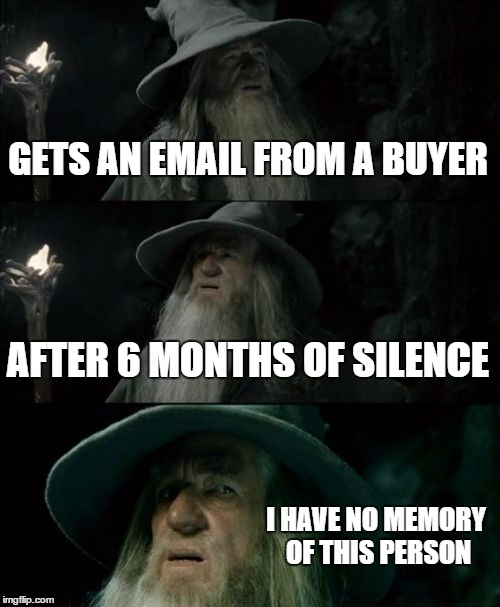
Why do B2B journeys break single-touch models?
Modern B2B buying journeys span multiple channels and multiple weeks (often months). A prospect might first encounter your brand through organic search, then see a retargeting ad on LinkedIn, read a case study, attend a virtual event, receive an email nurture sequence, visit your pricing page twice, and finally book a demo. That's eight touchpoints across six distinct channels.
If your attribution model only credits the demo booking page, you've just made organic search, LinkedIn ads, content, and email look like they contributed nothing. And when budget season comes around, those "non-contributing" channels are the first to get cut.
Here's a concrete example. A marketing director at a mid-market SaaS company sees your LinkedIn ad while scrolling during lunch. She doesn't click, but she remembers the brand name. Two weeks later, she searches for your product category and lands on a blog post through organic search. The following week, a colleague forwards her your webinar invite. She attends, engages with the Q&A, and signs up for a free trial the same day.
Without multi channel attribution, you'd credit either the LinkedIn ad (first-touch) or the webinar (last-touch). The blog post that built her understanding and trust? Invisible. The average deal involves 10-20 touchpoints before a conversion happens. Single-touch attribution doesn't just give an incomplete picture in these scenarios... it gives a misleading one.
Why does multi channel attribution matter so much in B2B marketing?
If you're marketing a $15 product, last-click attribution is probably fine. But if you're marketing a $50,000 annual contract with a six-month sales cycle, attribution accuracy becomes a budgeting problem, a strategy problem, and eventually a credibility problem.
- The buying committee problem nobody talks about enough
B2B buying cycles are loooooong. Three months is typical, and enterprise deals often stretch to twelve. During that time, multiple stakeholders within the buying organization are consuming content, evaluating options, and having internal conversations… some of which your analytics can't see.
- The budget allocation trap
Without multi channel attribution, marketing teams tend to over-invest in last-click channels like branded search or direct traffic because those are the channels that show up in conversion reports. Upper-funnel activities like brand campaigns, thought leadership content, and event sponsorships appear ineffective because they rarely get the final click.
The result is a slow erosion of the very activities that fill the top of the funnel, followed by a mystifying pipeline decline six months later… you've essentially been pulling weeds while removing your own root system. Ummm… not fun.
Multi channel marketing attribution gives teams visibility into the full pipeline. You can identify which channels drive initial awareness, which accelerate consideration, and which convert intent into action. You can measure the influence of content across the buyer journey and optimize campaigns at every funnel stage, not just the bottom.
- From "Wohoo! We got clicks" to "Wohoo! We drove revenue"
Revenue attribution connects marketing activity to actual revenue outcomes, not just leads or MQLs. It lets you say, "LinkedIn ads influenced $1.2M in pipeline this quarter" rather than "LinkedIn ads generated 340 clicks."
The first statement changes budgets, the second generates a fake smile during a slide deck presentation.
When attribution is working properly, marketing teams can have genuine strategic conversations about where to invest. Instead of debating which dashboard is correct, they can analyze which channels generate qualified pipeline and adjust spend accordingly. That shift from reporting to resource allocation is what makes multi channel attribution a strategic function rather than an analytics exercise.
SO, how does multi channel attribution actually work?
The concept behind multi channel attribution is intuitive: track all the marketing interactions that happen before a conversion and distribute credit across them. The execution, predictably, is where things get complicated. Understanding the data flow helps demystify the process and makes it easier to spot where your own implementation might break down.
Step 1: Track marketing touchpoints
Every attribution system starts with data collection. You need to capture the interactions prospects have with your brand across channels. That includes website visits, ad clicks, email opens and clicks, event attendance, content downloads, and CRM activity like sales calls or demo bookings. The more complete your tracking… the more accurate your attribution will be.
Step 2: Connect identities
A single prospect might visit your website anonymously from a mobile phone, click a LinkedIn ad from their desktop at work, and open an email from a different browser entirely. Attribution systems need to stitch these disparate interactions into a single identity. They use cookies, user IDs, CRM records, and account-matching logic to connect the dots.
In B2B, this often happens at the account level rather than the individual level, because multiple people within one company are part of the buying journey… so it only makes sense to track it on a macro, account level… also, GDPR?!
Step 3: Map the customer journey
Once identities are connected, the system creates a timeline of interactions for each account or individual. This timeline shows every touchpoint in chronological order, from the first moment of awareness to the final conversion event. Think of it as a narrative of the buyer's path, built from data rather than assumptions.
Step 4: Apply an attribution model
This is where the credit distribution happens. The model you choose determines how much weight each touchpoint receives. A linear model splits credit equally. A time-decay model gives more credit to recent interactions. A position-based model emphasizes the first and last touches. The choice of model shapes your understanding of which channels matter most, so it isn't a purely technical decision.
Step 5: Attribute revenue
The final step ties everything together. Once credit has been distributed across touchpoints, the system maps that credit to actual pipeline or revenue. If a deal worth $100,000 closes and your attribution model gives 30% credit to LinkedIn ads, that channel gets $30,000 in attributed revenue. This is the number that actually matters in budget conversations.
When this process works well, marketers can finally answer the question that haunts every QBR: which activities actually drive pipeline and revenue? The answer is almost never a single channel. It's a combination of interactions that, together, moved a prospect from "never heard of you" to "ready to sign."
The catch is that every step introduces potential for error. Incomplete tracking misses touchpoints… boken identity resolution… splits one buyer into two… the wrong model overweights specific channels. Attribution isn't a set-it-and-forget-it system; it requires ongoing calibration and a healthy skepticism about any single data point.
What are the most common multi channel attribution models?
Choosing a multi channel attribution model is a bit like choosing a map projection. Every option distorts something. The question is which distortion you can live with, given your marketing strategy and buying cycle. Here's a breakdown of the six most widely used models.
- First-touch attribution
All credit goes to the very first interaction. If a prospect's journey started with an organic blog visit, organic search gets 100% of the credit for that conversion. This model is useful for understanding top-of-funnel discovery... specifically which channels bring people into your orbit for the first time. The limitation is obvious: it ignores every nurturing touchpoint that happened between discovery and conversion. For B2B teams with long sales cycles, that's a lot of ignored activity.
- Last-touch attribution
The mirror image of first-touch. All credit goes to the final interaction before the conversion event. If a prospect booked a demo after clicking a retargeting ad, that ad gets full credit. Last-touch is the default in many analytics tools because it's simple and maps neatly to direct-response campaigns. The downside is that it systematically undervalues upper-funnel channels. The LinkedIn campaign that introduced the prospect to your brand three months ago? Gone without a trace.
- Linear attribution
Credit is split equally across every touchpoint in the journey. If there were five interactions before conversion, each gets 20% of the credit. The appeal is simplicity and fairness: no touchpoint is ignored. The problem is that it assumes every interaction had the same influence, which is rarely true. A casual blog skim and a 45-minute product demo don't carry the same weight in a buying decision. Linear attribution pretends they do... and that's its fatal flaw.
- Time-decay attribution
Touchpoints closer to the conversion receive progressively more credit. The logic is that recent interactions are more influential in the final decision. This model works well for long sales cycles where the most recent engagement signals genuine intent. It does, however, undervalue early-stage touchpoints that planted the seed, which can make your awareness campaigns look weaker than they are.
- Position-based (U-shaped) attribution
This model assigns heavier weight to two key moments: the first interaction and the lead-creation event. The remaining credit is distributed across the middle touchpoints. A common split is 40% to the first touch, 40% to the lead-creation touch, and 20% divided among everything in between. It captures both discovery and conversion signals, making it popular for B2B teams. The trade-off is that middle-funnel activities like email nurture and content engagement get compressed into a small slice of credit.
- Data-driven attribution
Instead of following a fixed rule, this model uses algorithms or machine learning to determine how much credit each touchpoint deserves. It analyzes patterns across many conversion paths to calculate the statistical contribution of each channel. The strength is precision; the weakness is that it requires large datasets to work reliably, and it can feel like a black box when you need to explain the results to stakeholders. (Nothing kills stakeholder trust faster than "the algorithm said so.")
Here's how these multi channel attribution models compare side by side:
None of these models are universally correct or wrong. The strongest B2B teams typically run two or three models in parallel and compare the insights. If linear attribution and time-decay both highlight the same channel as a strong performer, that's a signal you can trust. If they disagree sharply, it tells you the channel's contribution is stage-dependent... which is also useful information.
Multi channel attribution vs. multi touch attribution: what's the actual difference?
These two terms get used interchangeably so often that you'd be forgiven for thinking they mean the same thing. They don't, though the overlap is significant enough to cause genuine confusion in planning conversations.
Multi channel attribution focuses on which marketing channels drive conversions. The unit of analysis is the channel itself: LinkedIn ads, organic search, email, paid search, events. The question it answers is "which channels should we invest in?" When your CMO asks where to allocate next quarter's budget, multi channel attribution provides the answer.
Multi touch attribution focuses on the individual interactions within the buyer journey. It looks at every specific action a prospect took: reading a particular blog post, clicking a specific ad, attending a webinar on a certain date, viewing a pricing page. The question it answers is "which specific interactions influence the buying decision?"
Here's a comparison to make the distinction clearer:
The line between these two approaches has blurred considerably. Most modern customer journey attribution platforms combine both lenses. They can tell you that LinkedIn as a channel influenced 25% of pipeline (multi channel) and that a specific LinkedIn campaign featuring a customer testimonial drove three times more engagement than a product-feature ad (multi touch). The channel-level view informs strategy. The touchpoint-level view informs execution.
For B2B teams, the ideal setup is one that supports both perspectives. Channel-level data without touchpoint detail tells you where to spend but not how to spend it. Touchpoint data without channel context gives you tactical wins without strategic direction. You need both.
What makes multi channel attribution so challenging?
If multi channel attribution were easy, every marketing team would already have it running perfectly. The reality is that most teams struggle with some combination of data problems, identity gaps, and organizational friction. Understanding these challenges upfront saves you from building an attribution system that looks impressive on paper but falls apart in practice.
- Fragmented data across tools
This is the most common obstacle, and also the most stubborn. Marketing data typically lives in separate, disconnected systems: ad platforms like Google Ads and LinkedIn, web analytics tools, marketing automation platforms, and CRM systems. Each platform tracks its own version of reality, using its own definitions and its own attribution logic. Getting these systems to share a unified view of the buyer journey requires deliberate integration work, and often dedicated tooling.
- Identity resolution across devices and sessions
A single buyer might interact with your brand from a phone, a laptop, and a work desktop across multiple browsers. Before logging in or filling out a form, they're anonymous. After that first form fill, their earlier anonymous sessions need to be stitched back to their identity.
In B2B, the problem compounds because you're tracking buying committees, not individuals. Three people from the same company might each have their own anonymous sessions that need to be connected to a single account. This identity resolution challenge is technically demanding and rarely solved out of the box.
- The dark funnel and offline interactions
B2B buying includes a significant amount of activity that no analytics tool can see. Prospects discuss solutions in private Slack channels. They ask peers for recommendations on LinkedIn DMs. They read analyst reports, attend industry dinners, and hear about you from colleagues in conversations that never generate a trackable event.
These "dark funnel" interactions influence pipeline more than most marketers want to admit, and they're essentially invisible to attribution systems. Attribution debates sometimes resemble group projects where everyone claims credit for the final result, but the dark funnel is the quiet member who actually did most of the work.
- Attribution bias from model selection
Different multi channel attribution models produce different insights from the same data. Run a first-touch model and your content team looks like heroes. Run a last-touch model and your paid search team gets the trophy. Run a linear model and everything looks equally important, which means nothing stands out.
This variability isn't a bug; it's an inherent feature of modeling. But it does create confusion in cross-functional meetings where different teams prefer whichever model makes their channel look best. Without a clear governance process for how attribution data gets interpreted, the numbers can end up fueling politics rather than informing strategy.
- Long buying cycles that span quarters
When a deal takes six to twelve months to close, the attribution path stretches across multiple campaigns, budget cycles, and even team reorganizations. The touchpoints that mattered in month one may look irrelevant by the time the contract is signed in month nine.
Long buying cycles also mean your attribution data is always lagging. By the time you see that a channel influenced closed revenue, you've already made three months of budget decisions without that insight. It's a bit like driving using only your rearview mirror... technically you're looking at real data, just not the right direction.
These challenges don't mean multi channel attribution is impossible. They mean it's an ongoing practice, not a one-time setup. The teams that get the most value from attribution are the ones who accept its imperfections and use it as a directional guide rather than a source of absolute truth.
How do you implement multi channel attribution in B2B?
Start with clarity about what you're actually trying to measure and why. Most attribution projects fail because the team never agreed on what a "conversion" meant or which data sources mattered. Here's the path forward.
Step 1: Define your conversion goals
Before you wire up any integrations, get alignment on what counts as a conversion for your business. In B2B, this usually isn't a purchase… it might be a demo request, a sales-qualified opportunity, pipeline creation, or closed-won revenue.
Pick the conversion events that map to real business outcomes, and make sure marketing and sales agree on the definitions (good luck with that tho). If marketing counts "MQL created" as a conversion and sales counts "opportunity created," you'll end up with two attribution systems telling different stories. And yesssss, this happens more often than anyone would like to admit.
Step 2: Integrate your marketing and sales data
You need a unified data layer that connects your CRM, ad platforms, web analytics, and marketing automation. This is the infrastructure step, and it's usually the most time-consuming. Some teams build custom integrations using tools like Segment or a CDP. Others use attribution platforms that come with pre-built connectors. The goal is to get all your interaction data flowing into one place where it can be stitched together into coherent buyer journeys.
Step 3: Track all meaningful touchpoints
Just so you know… ‘meaningful’ is the key word here. You don't need to track every pageview, but you do need to capture the interactions that signal intent or engagement. That includes digital touchpoints like ad clicks, content downloads, webinar attendance, and pricing page visits. It also includes sales activities like discovery calls, demos, and proposal reviews.
Missing a major touchpoint category creates blind spots in your attribution, so take time to audit what you're tracking versus what's actually happening in the buying journey.
Step 4: Select your attribution model (or models)
Your choice of model should reflect your funnel complexity, average deal size, and typical buying cycle length. If your sales cycle is short and primarily digital, a time-decay or last-touch model might be a-ok. But if you're selling enterprise contracts with six-month cycles and five-person buying committees, position-based or data-driven models will give you a more useful picture.
Many teams start with a position-based model as a sensible default and then add data-driven modeling once they have enough volume to support it.
Step 5: Monitor attribution reports and act on them
The system is built, the dashboards exist, but nobody changes their behavior based on the data. Schedule regular reviews, ideally monthly, where marketing and sales leadership examine attribution reports together.
Use the insights to optimize budgets, improve targeting, and refine campaign strategy. If your attribution data consistently shows that a certain channel influences enterprise pipeline but doesn't generate many leads, that's a signal to protect its budget even when the MQL report looks a tad disappointing.
How long do all of these multi touch attribution steps take?
The entire implementation process typically takes B2B teams somewhere between four and twelve weeks, depending on the complexity of their tech stack and the quality of their existing data. It isn't a quick win. But the teams that invest in getting it right end up making dramatically better decisions about where to spend their marketing budget.
Which metrics should you measure in multi channel attribution?
Attribution generates a lot of data. The challenge isn't finding numbers; it's knowing which ones deserve attention. Not every metric that shows up in an attribution dashboard is worth tracking, and focusing on the wrong ones can be just as misleading as having no attribution at all.
The metrics that matter most for B2B multi channel attribution connect marketing activity to revenue outcomes, not just engagement.
- Pipeline influenced by channel
This tells you how much open pipeline each marketing channel contributed to. It's the most direct measure of which channels are generating business opportunities. If LinkedIn ads influenced $800K in pipeline last quarter and webinars influenced $1.2M, that shapes how you think about investment across those two channels.
- Revenue attributed by channel
Similar to pipeline influenced, but specifically tied to closed-won revenue. This metric carries the most weight in executive conversations because it connects marketing spend to actual business results. Revenue attribution in B2B is what turns marketing from a cost center perception into a growth function argument.
- Cost per opportunity
Divide your spend on a channel by the number of opportunities it influenced. This helps you compare efficiency across channels. A channel that generates expensive opportunities isn't necessarily bad if those opportunities are high-value, but cost per opportunity surfaces that trade-off clearly.
- Marketing ROI by channel
Revenue attributed to a channel divided by the spend on that channel. This is the metric your CFO cares about most. In cross-channel attribution, marketing ROI lets you benchmark channels against each other on a level playing field, which is the only fair comparison.
- Conversion rate by channel
What percentage of prospects from each channel ultimately convert? High-volume channels with low conversion rates might be filling the top of the funnel with the wrong audience. Low-volume channels with high conversion rates might deserve more investment than they're currently getting.
- Customer acquisition cost
The total cost of acquiring a new customer, broken down by the channels that contributed. In B2B, where acquisition costs can run into thousands of dollars, understanding how each channel impacts CAC helps you spot inefficiencies before they compound.
These metrics work best when reviewed together rather than in isolation. A channel with a high cost per opportunity but strong conversion rates and large deal sizes might still deliver excellent ROI. Viewing metrics in combination prevents premature conclusions about which channels are "working" and which aren't.
What tools and platforms support multi channel attribution?
The attribution tool landscape ranges from general-purpose analytics platforms that include basic attribution features to purpose-built revenue attribution platforms designed specifically for B2B. Where you fall on that spectrum depends on your team's maturity, your data infrastructure, and how seriously you need to track marketing attribution across channels.
- General analytics platforms
Tools like Google Analytics and Adobe Analytics offer built-in multi channel attribution models. Google Analytics lets you compare first-touch, last-touch, linear, time-decay, and position-based models out of the box. These tools work well for tracking digital touchpoint attribution and understanding web-based conversion paths.
The limitation is that they're primarily session-based and don't natively connect to CRM or revenue data. You can see which channels drove website conversions, but tying those conversions to actual pipeline or closed revenue requires additional integration work.
- Marketing automation and CRM platforms
Platforms like HubSpot include built-in attribution reporting that connects marketing touches to CRM contacts and deals. This is useful because it bridges the gap between marketing interactions and sales outcomes within a single platform. The trade-off is that these tools typically track only the interactions that happen within their own ecosystem.
- Customer data platforms
Tools like Segment help unify data from multiple sources into a single customer profile. They're not attribution tools in themselves, but they solve the data integration problem that often undermines attribution accuracy. If you're struggling with fragmented data across ad platforms, your website, and your CRM, a CDP can serve as the connective tissue that makes attribution possible.
- Dedicated B2B attribution platforms
Purpose-built platforms like Dreamdata are built specifically for the complexities of B2B revenue attribution. They typically offer account-level attribution, integration with major CRMs and ad platforms, and the ability to track long, multi-stakeholder buying journeys. These platforms are designed for teams that need to answer "which campaigns generate qualified pipeline?" rather than just "which pages get the most traffic?"
The difference between basic analytics tools and advanced revenue attribution platforms comes down to what you're measuring. Basic tools tell you what happened on your website. Advanced platforms tell you which marketing activities generated revenue. For B2B teams with complex buying journeys, that distinction matters enormously.
How does Factors.ai approach multi channel attribution?
Most of the challenges discussed throughout this guide converge on a single problem: B2B teams can't attribute revenue accurately because they can't see the full buyer journey. Fragmented data, anonymous website visitors, disconnected CRM and marketing signals... these aren't separate issues. They're the same issue wearing different hats.
Factors.ai is built to solve that specific problem.
The platform identifies anonymous website visitors at the account level, meaning you can see which companies are engaging with your content before anyone fills out a form. That early-stage visibility is crucial for attribution because it captures the top-of-funnel interactions that most tools miss entirely.
Factors connects marketing and sales signals into a unified timeline. Ad impressions, website visits, content engagement, CRM updates, and sales activities all appear in a single view of the buyer journey. No manual stitching across platforms required.
Account-level attribution is a core capability. Instead of tracking individual leads in isolation, Factors maps all the interactions from a buying committee back to a single account. This matches how B2B buying actually works, where multiple people influence a single decision.
Pipeline attribution connects marketing activity directly to opportunity creation and revenue. You can see which campaigns influenced specific deals, not just which campaigns generated clicks. Campaign-level and channel-level attribution reports make it straightforward to answer budget allocation questions.
Intent signals add another layer. Factors surfaces which accounts are showing buying intent based on their engagement patterns, helping teams prioritize accounts that are actively in-market rather than distributing effort evenly across the entire pipeline.
These capabilities help marketing teams answer the questions that actually matter. Which campaigns generate qualified pipeline? Which channels influence enterprise deals? Where should budget be increased, and where should it be pulled back? When attribution is built on complete data and account-level tracking, those answers become defensible rather than debatable.
Best practices that make multi channel attribution super useful
Implementing attribution is one thing. Making it genuinely useful for decision-making is another. Most teams that invest in attribution get the dashboards but miss the operational changes that turn data into action.
- Track the entire funnel, not just the bottom
Attribution reporting often defaults to measuring what happens near conversion: demo requests, trial starts, opportunity creation. But the upper-funnel interactions that drive awareness and consideration are equally important to capture.
If your attribution model only tracks mid-funnel and bottom-of-funnel touchpoints, you'll consistently undervalue the channels and content that fill the top of your pipeline. Measure influence across awareness, consideration, and conversion stages to get the full picture.
- Don't rely on a single attribution model
Every model carries bias. First-touch overstates discovery channels. Last-touch overstates conversion channels. Linear attribution flattens everything into equality. Running multiple models in parallel and comparing the insights gives you a more nuanced understanding of channel performance.
When three models agree that a channel is underperforming, you can act with confidence. When they disagree, that disagreement itself is a useful signal about the channel's role at different funnel stages.
- Focus on pipeline and revenue, not just leads
Lead volume is the vanity metric of B2B marketing. A channel that generates 500 leads and zero pipeline is less valuable than a channel that generates 50 leads and $2M in pipeline. B2B multi channel attribution should be anchored to pipeline creation and revenue, because those are the metrics that drive business decisions.
When your attribution reports speak the language of revenue, they earn trust from finance and leadership in a way that lead-count dashboards never will.
- Align marketing and sales data
Attribution breaks down when marketing and sales systems don't agree on basic definitions. If marketing's attribution tool shows that a lead was influenced by a webinar but the CRM has no record of that interaction, the data loses credibility.
Make sure your CRM and marketing automation systems are tightly integrated, with consistent definitions for lifecycle stages, conversion events, and opportunity ownership. Regular data hygiene reviews aren't glamorous, but they're the foundation that everything else rests on.
- Treat attribution as an evolving practice
Your marketing strategy changes… channels shift… new campaigns launch and old ones retire. An attribution model that was perfectly calibrated six months ago might be missing an entire channel that you've since added.
Review and refine your attribution setup at least quarterly. Check whether new touchpoints need to be tracked. Evaluate whether your model still reflects how your buyers actually purchase. Attribution isn't a project with a finish line; it's an ongoing practice that improves as your understanding of the buyer journey deepens.
- Use attribution data in actual budget conversations
This sounds obvious, but it's where most teams fall short. Attribution data gets produced, reviewed in a meeting, and then filed away while budget decisions get made based on gut feel and historical allocation.
Build a process where attribution insights directly feed into quarterly planning. If the data shows that event marketing consistently influences enterprise pipeline, that should be reflected in the budget. If paid social generates high lead volume but negligible pipeline, that needs to be confronted rather than ignored. The value of attribution lives entirely in the decisions it enables.
In a nutshell…
Multi channel attribution solves a problem that affects every B2B marketing team: understanding which channels actually contribute to pipeline and revenue across long, complex buying journeys. Single-touch models like first-click and last-click ignore the majority of a buyer's path, and that leads to budgets that reward the wrong channels and starve the right ones.
The core process involves tracking touchpoints across channels, connecting buyer identities across sessions and devices, mapping the full journey, and applying an attribution model that distributes credit appropriately. No single model is perfect. First-touch, last-touch, linear, time-decay, position-based, and data-driven models all carry trade-offs, and the best approach is to compare several rather than betting on one.
Implementation starts with clear conversion definitions, integrated data across your CRM and marketing stack, and comprehensive touchpoint tracking. It succeeds when attribution insights are regularly reviewed by marketing and sales leadership together, and when those insights actually change how budget gets allocated.
If you're just starting out, pick a position-based model, integrate your core data sources, and commit to a monthly review cadence. If you're more advanced, layer in data-driven modeling, account-level attribution, and intent signals. Wherever you are, the goal is the same: make marketing spend decisions based on evidence rather than assumptions. Attribution won't give you perfect answers, but it'll give you dramatically better ones than you had before.
Frequently asked questions for multi-channel attribution
Q1. What is multi channel attribution in B2B marketing?
Multi channel attribution is a method of distributing conversion credit across all the marketing channels that played a role in a buyer's journey, rather than giving all the credit to a single touchpoint. In B2B, where buying journeys span 10-20 touchpoints across months, it helps teams understand which channels actually influence pipeline and revenue.
Q2. What's the difference between multi channel attribution and multi touch attribution?
Multi channel attribution focuses on which channels (LinkedIn, organic search, email, events) drive conversions and deserve budget. Multi touch attribution focuses on the specific individual interactions within those channels. Most modern attribution platforms support both lenses because you need channel-level strategy and touchpoint-level execution.
Q3. Which multi channel attribution model is best for B2B?
There's no single best model, which is genuinely frustrating but true. Position-based (U-shaped) attribution is a popular starting point for B2B because it values both the first discovery touchpoint and the lead-creation moment. Data-driven attribution is the most accurate but requires large datasets. The strongest teams run two or three models in parallel and compare the insights.
Q4. How many touchpoints does a typical B2B buyer journey include?
Research consistently shows B2B buying journeys include 10-20 touchpoints before a conversion. Enterprise deals can include even more. This is precisely why single-touch attribution breaks down in B2B: it reduces a multi-month, multi-stakeholder journey to a single interaction.
Q5. What data do you need to implement multi channel attribution?
You need unified data from your CRM, ad platforms, web analytics, and marketing automation tools. Identity resolution across devices is essential, and for B2B specifically, account-level matching is critical since multiple stakeholders from one company contribute to a single buying decision.
Q6. Why does multi channel attribution matter for budget allocation?
Without multi channel attribution, teams tend to over-invest in last-click channels (branded search, direct traffic) because those appear in conversion reports. Upper-funnel activities like brand campaigns and thought leadership look ineffective because they rarely get the final click. Attribution reveals the full contribution of each channel, which prevents budgets from systematically starving the activities that actually generate pipeline.
Q7. What's the dark funnel and how does it affect attribution?
The dark funnel refers to buyer interactions that happen outside your trackable digital channels: peer recommendations, Slack conversations, analyst reports, industry events, private LinkedIn DMs. These interactions influence pipeline but don't generate trackable events. No attribution system captures the dark funnel perfectly, which is why attribution should be treated as a directional guide rather than a source of absolute truth.
Q8. How long does it take to implement multi channel attribution in B2B?
For most B2B teams, implementation takes four to twelve weeks, depending on tech stack complexity and existing data quality. The longer end usually reflects time spent on CRM and ad platform integrations, not the attribution modeling itself. Starting with clear conversion definitions before touching any tools is the single most important thing you can do to shorten that timeline.

Customer journey attribution: a complete guide for B2B marketing
Learn how customer journey attribution works in B2B marketing, including models, tools, and strategies to track revenue across the full buyer journey.
TL;DR
- Customer journey attribution tracks how every marketing and sales interaction contributes to pipeline and revenue, not just which channel got the last click.
- B2B buying cycles involve multiple stakeholders, non-linear journeys, and dozens of touchpoints, making single-touch models dangerously incomplete.
- Multi-touch attribution models like full-path and time decay give B2B teams a far more accurate picture of what's actually driving deals forward.
- Implementing attribution well requires integrated data across your CRM, ad platforms, and analytics tools, plus a clear definition of what counts as a meaningful touchpoint.
- Attribution isn't a set-it-and-forget-it exercise. The best teams revisit their models regularly as their marketing mix and buyer behavior evolve.
I have a theory that every B2B marketing team has, at some point, sat through a pipeline review where someone pointed at a closed deal and asked: "So... who gets credit for this?"
What follows is usually a performance. The paid media team mentions the LinkedIn campaign that 'started everything.' In fact, I feel like it was upto them (read: us), we'd say... we initiated the Big Bang. Now... the content team points to the three blog posts the account read before anyone even filled out a form. Sales says they did the real work, which, as much as I hate to admit, they have a case for. And someone in RevOps is in the corner, staring at their laptop, resisting the urge to pull up a spreadsheet.
All that said... customer journey attribution exists to end that meeting because it's all about mapping every interaction a buyer has with your company across the full journey, then assigning credit to each touchpoint based on what it actually contributed to the outcome. In B2B, where a single deal might involve six stakeholders, thirty touchpoints, and a sales cycle that outlasts a Netflix series, getting attribution right isn't a nice-to-have... it's the only way to know what's actually working... and prevent corporate gang-wars.
This not-so-little blog breaks down what customer journey attribution really means, how the major models work, where they fall apart, and how to implement a system that connects your marketing efforts to revenue in a way that's honest and actually useful.
What is customer journey attribution?
At its core, customer journey attribution is the process of identifying which marketing and sales interactions influenced a buyer's decision to convert. It goes beyond simply knowing that a deal closed and answers the harder question of which touchpoints along the way actually mattered.
Wait, that's not it... understanding customer journeys through attribution allows marketers to identify which channels and combinations produce customers with the highest lifetime value, informing budget allocation decisions. And another important benefit that goes unnoticed is this: customer journeys help create better personalized messaging for each stage.
The difference between basic attribution and journey attribution is something I want to spend three lines on. Basic attribution tends to look at a single moment, like which channel drove a form fill or which ad got a click, journey attribution takes the wider view. It considers the full sequence of interactions a buyer had with your brand, from the first anonymous website visit through to the signed contract, and evaluates how each one contributed.
Think about it this way. A prospect sees a LinkedIn ad in January... they click through, read a blog post, and disappear. THEN, in March, they attend your webinar. A week later, they visit your pricing page directly. By April, they request a demo and close in June. Basic attribution hands ALL the credit to the demo request page or to the LinkedIn ad, depending on whether you're using last-touch or first-touch. Journey attribution recognizes that all four of those interactions played a role in moving the buyer forward.
This difference is especially important in B2B marketing because buying cycles are like loopy roller-coasters. You're dealing with considered decisions made by groups of people over weeks or months. And obviously, the buyer who requests a demo didn't wake up one morning and think, "the sun is shining, the breeze is crisp... the perfect day to book a demo and invest in SaaS software". NO. They were influenced by a sequence of touchpoints that built trust, educated them, and made them ready to talk to sales. Customer journey attribution is the discipline of understanding that sequence.
Why does customer journey attribution matter for B2B marketing?
The strategic case for attribution in B2B comes down to a simple reality: marketing leaders are increasingly expected to demonstrate revenue contribution, not just activity. It's no longer enough to report on impressions, clicks, or even MQLs. Many marketers fall into the vanity metrics trap, celebrating high click-through rates or a large number of leads without asking whether those metrics correlate with revenue. The C-suite wants to know which marketing investments are generating pipeline and influencing closed revenue, and attribution is how you connect those dots.
B2B buying cycles make this particularly... urgent. When a deal takes four to six months to close and involves interactions across paid ads, organic search, content, email nurture, events, and sales outreach, it's genuinely difficult to say which of those efforts drove the outcome. Without attribution, marketing teams end up relying on gut feel or last-click data from Google Analytics, both of which paint an incomplete picture.
The budget implications are significantly high. When you can't prove which channels generate pipeline, you can't defend your budget in quarterly reviews. You end up cutting spend on channels that might actually be working simply because their contribution isn't visible in your reporting. Good attribution flips that dynamic, giving you evidence-based insight into where your money produces returns, so you can double down on what works.
Attribution also surfaces patterns that aren't obvious from surface-level metrics. A LinkedIn campaign might look expensive on a cost-per-click basis, but if attribution reveals that accounts exposed to those ads convert at twice the rate and close 30% faster, that changes the conversation entirely. Revenue attribution shifts the evaluation from channel cost to channel impact, which is a much more useful lens for strategic planning.
There's a reporting dimension here too. CMOs who can walk into a board meeting and say "our content program influenced 40% of pipeline this quarter" have a fundamentally different conversation than those who can only report on traffic and engagement. Attribution gives marketing a seat at the revenue table, and in most B2B organizations, that seat is earned through data.
How does the B2B customer journey actually work?
If you've ever mapped out a B2B buyer journey on a whiteboard, you'll know it looks less like a neat funnel and more like a plate of spaghetti bolognese. The linear model of awareness, consideration, and decision still provides a useful framework, but the actual behavior of buyers rarely follows that tidy path.
- The first complication is buying committees
Most B2B purchases, especially in enterprise software, involve between six and ten stakeholders. These aren't just decision-makers. They include influencers, evaluators, champions, and budget holders, each with their own information needs and preferred channels. One person might discover your company through organic search. Another sees a LinkedIn ad. A third gets forwarded a case study by a colleague. All of them are part of the same buying journey, interacting with completely different touchpoints. - The second complication is that these journeys are non-linear
A buyer might start by reading a blog post, disappear for three weeks, come back through a retargeting ad, attend a webinar, go dark again, and then suddenly request a demo after a peer recommendation you never tracked. The journey loops back on itself, stalls, accelerates, and takes detours that don't fit into any funnel stage. - The third complication is volume
A single account might accumulate dozens of interactions across LinkedIn ads, organic search visits, blog content, whitepapers, webinars, email newsletters, sales outreach, and retargeting before a deal is created. Each interaction contributes something, but the relative importance of each one varies enormously depending on context.
This complexity is exactly why attribution in B2B is both harder and more valuable than in simpler buying environments. An e-commerce company can often get away with last-click attribution because the purchase decision happens in one session (most of the times). In B2B, where the journey spans months and multiple people, that approach misses almost everything that matters.
What are the key marketing touchpoints across the buyer journey?
Understanding where touchpoints cluster across the buyer journey helps you think more clearly about what attribution is actually measuring. Every company's journey is different, but there are common patterns worth mapping.
- Awareness stage touchpoints (ToFu)
At the top of the funnel, buyers are discovering that a problem exists or that a category of solutions is worth exploring. The touchpoints here tend to be broad and content-driven. LinkedIn ads introducing your brand to a cold audience fall here. So do blog posts that rank for educational search queries, podcast appearances that put your company in front of new audiences, and SEO-driven content that captures early research intent. These interactions rarely lead to an immediate conversion, but they plant seeds that matter later.
- Consideration stage touchpoints (MoFu)
Once buyers know you exist, they start evaluating whether your solution fits their needs. The touchpoints here are more focused and often involve deeper engagement. Webinars that demonstrate your approach, case studies that show results from similar companies, product comparison pages, and email newsletters that keep your brand present during a long evaluation period all sit here. These interactions build confidence and move buyers from curiosity to serious interest.
- Decision stage touchpoints (BoFu)
At the bottom of the funnel, buyers are ready to make a purchase decision. The touchpoints here are high-intent and often involve direct interaction with sales. Demo requests, pricing page visits, free trial sign-ups, and sales calls are the obvious ones. But there are also less visible decision-stage touchpoints, like a champion sharing your ROI calculator with their CFO or a procurement team reviewing your security documentation. These final interactions often get disproportionate credit in simple attribution models, even though they wouldn't have happened without the earlier touchpoints that built trust.
Each stage contributes to pipeline influence in its own way. Awareness touchpoints create the conditions for a deal to exist. Consideration touchpoints nurture it forward. Decision touchpoints convert it. A good customer journey attribution model accounts for all three.
How do the most common customer journey attribution models work?
Attribution models are essentially rules for distributing credit across touchpoints. Each model reflects a different philosophy about which interactions matter most. Choosing the right one depends on your sales cycle, your data maturity, and the questions you're trying to answer.
- First-touch attribution
First-touch attribution gives 100% of the credit to the very first interaction a buyer had with your company. If a prospect first discovered you through a Google search and clicked on a blog post, that blog post gets all the credit for the eventual deal.
This model is useful for measuring demand generation effectiveness. It answers the question: "which channels are bringing new prospects into our world?" The limitation is obvious. It completely ignores everything that happened after that first interaction. In a B2B sales cycle with twenty touchpoints, crediting only the first one is like thanking the person who introduced you at a party for your entire friendship.
- Last-touch attribution
Last-touch attribution is the mirror image. It gives 100% of the credit to the final interaction before conversion. If a prospect's last touchpoint before requesting a demo was a retargeting ad, that ad gets all the credit.
This is the default model in most basic analytics tools, including standard Google Analytics setups. It's popular because it's simple and aligns with conversion-focused thinking. The problem is that it erases the entire journey that made the conversion possible. It rewards the closer and ignores everyone who set up the opportunity.
- Linear attribution
Linear attribution distributes credit evenly across every touchpoint in the journey. If a buyer had five interactions before converting, each one gets 20% of the credit.
The appeal is fairness and simplicity. Nobody gets over or under-credited. The drawback is that it assumes every interaction had equal impact, which is rarely true. A quick email open and an hour-long webinar don't contribute equally to a buying decision, but linear attribution treats them as if they do.
- Time decay attribution
Time decay attribution gives more credit to touchpoints that occurred closer to the conversion event. The logic is intuitive: interactions that happened right before a deal closed likely had more direct influence than those from three months earlier.
This model works well for long B2B sales cycles because it acknowledges the full journey while weighting the interactions that drove the final decision more heavily. It's a reasonable middle ground between first-touch simplicity and the complexity of full-path models.
- U-shaped attribution
U-shaped attribution, sometimes called position-based, assigns the most credit to two key moments: the first interaction and the lead conversion moment. A common split is 40% to the first touch, 40% to the lead creation touch, and the remaining 20% distributed across everything in between.
This model reflects the reality that two specific moments tend to be disproportionately important in early-stage marketing: how you attracted someone, and what finally convinced them to raise their hand. It's a popular choice for teams focused on demand generation metrics.
- Full-path attribution
Full-path attribution extends the U-shaped concept across the entire revenue cycle. It assigns meaningful credit to four key milestones: first touch, lead creation, opportunity creation, and closed deal. Each milestone typically receives around 22.5% of the credit, with the remaining 10% spread across the other touchpoints in between.
This is the model that most closely reflects how B2B buying actually works. It acknowledges that generating initial awareness, converting a lead, creating a sales opportunity, and closing a deal are all distinct achievements that deserve recognition. B2B marketers are increasingly adopting full-path attribution because it connects marketing activity to pipeline and revenue in a way that simpler models can't.
Attribution models compared at a glance
Also, there's nothing like 'right attribution model'. Your choice should depend on what questions you need to answer and how mature your data infrastructure is. Many teams start with simpler models and graduate to full-path as their tracking capabilities improve.
Single-touch vs. multi-touch attribution: what's the real difference?
The distinction between single-touch and multi-touch attribution is one of the most consequential choices a B2B marketing team makes when setting up their reporting. It shapes what you can see, what you optimize for, and how you talk about marketing's contribution to revenue.
Single-touch attribution, which includes first-touch and last-touch models, assigns all credit to one interaction. The appeal is obvious: it's simple, easy to implement, and produces clean reports. When someone asks "what channel generated this lead?", a single-touch model gives a clear, unambiguous answer. For small teams with limited data infrastructure, that clarity has real value.
The problem is that single-touch models are fundamentally misleading in B2B contexts. When a deal involves fifteen touchpoints across three stakeholders over four months, giving one of those touchpoints all the credit doesn't just oversimplify. It actively distorts your understanding of what's working. You might end up pouring budget into the channel that happened to be last in the sequence while starving the channels that created the opportunity in the first place.
Multi-touch attribution, which includes linear, time decay, U-shaped, and full-path models, distributes credit across multiple interactions. It reflects the reality that B2B buying decisions are shaped by many moments. The trade-off is complexity. Multi-touch models require better tracking, more integrated data, and a willingness to accept nuanced answers instead of simple ones.
For most B2B organizations with sales cycles longer than a few weeks, multi-touch attribution is worth the additional effort. The insight quality is dramatically better, and it's the only way to credibly connect marketing activity to revenue in a way that the C-suite takes seriously.
What makes customer journey attribution so challenging?
Attribution sounds straightforward in theory. In practice, it runs into a set of real-world obstacles that every B2B team eventually confronts. Understanding these challenges upfront helps you build a system that accounts for them rather than one that breaks the moment reality comes to life.
- Fragmented data across tools and platforms
Most B2B teams run their ad platforms, CRM, marketing automation, and website analytics as separate systems that don't naturally share data. Your LinkedIn campaign data lives in LinkedIn. Your lead data lives in HubSpot or Salesforce. Your website behavior lives in Google Analytics or a product analytics tool. Stitching together a complete buyer journey across these silos is technically demanding and often requires dedicated tooling or engineering support.
- Anonymous website visitors create blind spots
Many buyers interact with your website multiple times before they ever fill in a form or identify themselves. They read blog posts, visit your pricing page, and browse case studies as anonymous visitors. Until they convert, those interactions are invisible to most attribution systems. This means your attribution data is always missing the early chapters of the buyer's story, which are often the most important for understanding what sparked their interest.
- Offline interactions are hard to capture
Events, conferences, sales dinners, phone calls, and partner referrals all influence B2B buying decisions. But these offline touchpoints are notoriously difficult to track in any automated attribution system. Unless your team is disciplined about logging these interactions in your CRM, they'll be invisible in your attribution reports, which means your data will over-credit digital channels by default.
- Privacy regulations and tracking limitations are narrowing the window
Cookie restrictions, browser privacy changes, and regulations like GDPR have made it harder to track individual buyer behavior across the web. Third-party cookies are being phased out. Ad platforms are losing signal fidelity. These changes don't make attribution impossible, but they do require teams to invest in first-party data strategies and privacy-compliant tracking methods.
- Multiple stakeholders on a single account create attribution complexity
When six people from the same company each interact with different touchpoints, stitching those interactions into a single account-level journey is a challenge that most individual-based attribution tools weren't designed to handle. B2B attribution increasingly requires account-level thinking, where you aggregate touchpoints across all known contacts at a target account.
None of these challenges are reasons to abandon attribution. They're reasons to build your attribution system with realistic expectations and the right tools.
How do you implement customer journey attribution in B2B?
Implementation is where most attribution projects either become genuinely useful or quietly stall out. The teams that succeed tend to follow a structured approach rather than trying to boil the ocean on day one. Here's a practical sequence that works for most B2B organizations.
Step 1: Map your buyer journey from first touch to closed deal
Before you choose a model or buy a tool, you need a clear picture of how buyers actually move through your funnel. Interview your sales team. Review your CRM data. Look at the paths your last twenty closed deals took. The goal isn't a perfect map but a realistic one that captures the key stages and common interaction patterns. You'll likely find that your journey is messier than your funnel slides suggest, and that's a useful thing to know before you start building attribution logic on top of it.
Step 2: Define which touchpoints are meaningful enough to track
Not every interaction deserves attribution credit. You need to decide what counts as a meaningful touchpoint versus background noise. Website visits, form submissions, webinar attendance, ad engagement, content downloads, and demo requests are common choices. The key is to be intentional about it. If you track everything equally, your attribution data gets diluted. If you track too little, you miss important parts of the journey.
Step 3: Integrate your marketing and CRM data into a unified view
This is usually the hardest step and the one with the highest payoff. Your attribution system is only as good as the data flowing into it. That means connecting your CRM (Salesforce, HubSpot), your marketing automation platform (Marketo, HubSpot, Pardot), your ad platforms, and your website analytics into a system that can stitch together a complete journey. For some teams, native integrations between these tools are sufficient. For others, a dedicated attribution platform or data warehouse becomes necessary.
Step 4: Select the attribution model that fits your context
Your choice of model should depend on three factors: how long your sales cycle is, how mature your marketing and data operations are, and what questions you're trying to answer. Teams with short cycles and limited data might start with U-shaped attribution. Organizations with longer cycles and strong data infrastructure often gravitate toward full-path or time decay models. A basic model that's actually used and trusted is more valuable than a sophisticated one that nobody believes.
Step 5: Align attribution reporting with revenue metrics
The final step is connecting your attribution data to the numbers that matter. Pipeline generation, opportunity influence, and revenue attribution should be the primary outputs of your system, not just lead counts or channel-level engagement metrics. When your attribution reporting tells you which campaigns influenced how much pipeline and which channels contributed to closed revenue, you have the information you need to make real budget decisions.
Which tools and platforms support attribution analytics?
The attribution analytics landscape ranges from free, built-in features to dedicated enterprise platforms. Where you land on that spectrum depends on your budget, your data complexity, and how seriously your organization treats revenue attribution.
- Google Analytics is where most teams start. It offers basic attribution modeling out of the box, including last-click, first-click, linear, and time decay options. The limitation is that Google Analytics is fundamentally a web analytics tool. It tracks sessions and pageviews, not accounts, pipeline, or revenue. It can tell you which channels drive traffic, but it can't connect that traffic to a deal in your CRM.
- HubSpot's built-in attribution reporting is a solid step up for teams already on the HubSpot ecosystem. It connects marketing interactions to contacts and deals within HubSpot's CRM, giving you a more complete picture than standalone web analytics. It works best when most of your marketing and sales activity happens within HubSpot. If you're running a complex multi-platform stack, the data coverage can feel incomplete.
- Dreamdata is purpose-built for B2B revenue attribution. It focuses on connecting marketing touchpoints to pipeline and revenue at the account level, which is exactly the challenge most B2B teams struggle with. It integrates with CRMs, ad platforms, and marketing automation tools to build a more comprehensive picture of the buyer journey.
- Bizible (now Marketo Measure) is a popular choice for Salesforce-centric organizations. It sits inside Salesforce and tracks marketing touchpoints across the buyer journey, connecting them to opportunities and revenue. It's particularly strong for teams that want attribution data directly inside their CRM where sales and marketing leadership already operate.
Keep THIS in mind:
Between web analytics attribution and B2B revenue attribution platforms… web analytics tools measure channel performance on your website. Revenue attribution platforms measure marketing influence on pipeline and deals. For teams that really care about proving marketing's contribution to revenue, the latter category is where the real value lives.
How does Factors.ai track the full customer journey?
Most B2B attribution tools require a visitor to identify themselves before they can start tracking the journey. Factors.ai takes a different approach by beginning the tracking process before a prospect fills in a form.
Its account-level journey tracking identifies which companies are visiting your website, even when the individual visitors are anonymous. This means you can see that a target account has been browsing your product pages and case studies for weeks before anyone from that company submits a form. That early-journey visibility is exactly the data most attribution tools miss.
On the attribution side, Factors.ai offers multi-touch attribution modeling that measures marketing influence across ads, organic search, campaigns, and website activity. It connects these interactions to pipeline creation and revenue contribution within your CRM, so you can see which marketing efforts are actually driving business outcomes.
The platform also surfaces account intent signals. It identifies which accounts are showing buying behavior based on their engagement patterns, so your sales team can prioritize outreach to accounts that are actively in-market. Marketing sees which accounts are engaging. Sales sees which accounts are ready for outreach. Both teams work from the same data, which sounds simple but is rarer than you'd think.
For teams running account-based marketing programs, this combination of journey tracking, attribution, and intent data creates a feedback loop that actually works. Marketing can see which campaigns are influencing target accounts. Sales can see which accounts are warming up. And leadership can see how marketing activity connects to pipeline and revenue at the account level.
Best practices for B2B attribution
Attribution is as much an organizational discipline as it is a technical one. The teams that get the most value from it tend to follow a few consistent principles that go beyond just picking a model and running reports.
- Default to multi-touch models for any B2B sales cycle longer than a month
Single-touch models are tempting because they're simple, but they're fundamentally incompatible with how B2B buying works. If your average deal involves more than three or four meaningful marketing interactions, you need a model that accounts for all of them.
- Track journeys at the account level (not just the individual level)
B2B purchases are made by buying committees. If your attribution system only tracks the person who filled in the demo form, you're missing all the interactions that other stakeholders had with your brand. Account-level buyer journey tracking gives you the complete picture and aligns your attribution with how deals actually happen.
- Integrate your CRM and marketing data before you worry about models
The most sophisticated attribution model in the world is useless if it's running on incomplete data. Before you invest time in model selection, make sure your CRM, marketing automation, ad platforms, and website analytics are connected and sharing data reliably. Data integration is the unsexy foundation that makes everything else work.
- Monitor pipeline influence and revenue contribution, not just lead volume
Attribution should tell you which channels influence pipeline and closed revenue, not just which ones generate the most form fills. A channel that produces 100 leads but zero pipeline is less valuable than one that produces 10 leads that turn into 5 opportunities. Make sure your reporting reflects that distinction.
- Revisit your attribution model at least once a year
Your marketing mix changes. Your buyer behavior evolves. New channels emerge. An attribution model that was perfect eighteen months ago might be giving you misleading data today. The best teams treat attribution as a living system, not a one-time setup.
- Get buy-in from both marketing and sales leadership
Attribution only works as a strategic tool when both teams trust the data. If sales doesn't believe the attribution numbers, they won't use them. If marketing doesn't trust the model, they'll build shadow reports. Align both teams on what's being measured, how credit is distributed, and what the data means for their shared goals.
- Accept that no model is perfect, and communicate that honestly
No attribution model answers every question perfectly, and anyone who tells you otherwise is probably selling one. Every model has trade-offs and blind spots. The idea is to get a directionally accurate picture that's vastly better than no attribution at all.
Attribution should evolve alongside your marketing maturity. A team that's just starting out might use linear attribution and manual CRM tagging. A team with mature operations might use full-path attribution with automated account-level tracking. Both are valid starting points. What matters is that you're consistently improving your ability to connect marketing activity to business outcomes.
In a nutshell…
Customer journey attribution is how B2B marketing teams move from guessing at channel performance to actually understanding what drives pipeline and revenue. Track the touchpoints buyers interact with across the full journey, then use an attribution model to assign credit based on each touchpoint's contribution to the outcome.
The practical reality is more nuanced than that. B2B buying cycles are long, non-linear, and involve multiple stakeholders interacting with different channels at different times. Single-touch models are easy to implement but dangerously incomplete for this kind of complexity. Multi-touch models, especially full-path attribution, give a far more honest picture of what's working.
Implementation requires three things working together: clean, integrated data across your CRM, ad platforms, and analytics tools; a clearly defined set of meaningful touchpoints; and an attribution model that fits your sales cycle length and data maturity. You also need organizational alignment between marketing and sales on what the data means and how it should inform decisions.
If you're just getting started, pick a multi-touch model, integrate your core data sources, and start tracking at the account level. You can refine the model over time as your data and processes mature. If you've been running attribution for a while, audit your current model against your actual buyer journey. Make sure it still reflects how your customers buy, not how they bought two years ago.
The teams that treat attribution as an ongoing discipline rather than a one-time project are the ones that end up with the clearest view of marketing's contribution to revenue. And that clarity is what earns marketing a genuine seat at the revenue table.
Frequently asked questions about customer journey attribution
Q1. What is customer journey attribution?
Customer journey attribution measures how different marketing and sales interactions contribute to a customer converting, assigning credit across multiple touchpoints rather than a single channel. It gives B2B teams visibility into which activities actually influence pipeline and revenue, rather than just tracking surface-level metrics like clicks or impressions. The goal is to understand the full sequence of interactions that leads to a business outcome.
Q2. What's the difference between attribution and customer journey analytics?
Attribution and customer journey analytics are related but distinct. Attribution assigns credit to specific touchpoints that influenced a conversion, answering the question "what marketing activities deserve credit for this deal?" Customer journey analytics focuses on understanding behavior patterns across the buyer journey, like how long buyers spend in each stage, where they drop off, and which paths are most common. Both are valuable, but they answer different questions.
Q3. Why is attribution important in B2B marketing?
B2B sales cycles are long and involve many interactions across multiple channels and stakeholders. Without attribution, marketing teams can't credibly demonstrate which activities contributed to pipeline and revenue. This makes it difficult to defend budgets, optimize spend, or have meaningful conversations with the C-suite about marketing's impact on business results.
Q4. What is the best attribution model for B2B?
There's no single best model for every B2B organization, but multi-touch models consistently outperform single-touch approaches for complex buying cycles. Full-path attribution and time decay are popular choices because they reflect the reality that multiple interactions across different funnel stages all contribute to a deal. The right model depends on your sales cycle length, data maturity, and the specific questions you need to answer.
Q5. How do attribution tools work?
Attribution tools work by combining data from marketing platforms, CRM systems, and website tracking to build a complete picture of the buyer journey. They identify which touchpoints a buyer interacted with before converting, then apply an attribution model to distribute credit across those interactions. The more data sources connected to the tool, the more complete and accurate the attribution picture becomes. Advanced B2B platforms also track at the account level, aggregating interactions across multiple contacts at the same company.
Q6. What's the difference between single-touch and multi-touch attribution?
Single-touch attribution gives all credit to one interaction, either the first or last touchpoint before a conversion. Multi-touch attribution distributes credit across multiple interactions throughout the buyer journey. For B2B sales cycles longer than a few weeks, multi-touch models give a far more accurate picture of what's actually influencing deals, even if they require more data and setup to implement correctly.


We don’t just write about demand gen. We deliver it.
Our AI Agents help you uncover high-intent accounts, run campaigns that actually convert, and keep your GTM motion in sync.
1000+ GTM teams have already scaled their pipeline with Factors.
*Includes built-in peace of mind. And fewer late-night funnel audits.

.svg)









.png)