
Good Reads
Fix pipeline pains. Solve GTM puzzles. Read strategic brain dump.
Written for marketers who want real solutions to a leaking pipeline (and their dark circles).
Want to read more from us?

I’m looking for…

Sales attribution
Learn how sales attribution connects marketing efforts to revenue. Explore models, strategies, and practical steps to prove what's actually driving pipeline.
.avif)
TL;DR
- Sales attribution connects specific marketing and sales activities to revenue, so you stop defending budgets with vanity metrics and start talking about what actually moved the pipeline.
- Single-touch models (first touch, last touch) are easy to set up but deeply misleading in long B2B sales cycles. Multi-touch models are more work, but they reflect how buying decisions actually happen.
- The right model depends on your sales cycle length, your data infrastructure, and the specific questions your team is trying to answer.
- Getting attribution right requires clean CRM data, integrated systems, aligned definitions between marketing and sales, and a tolerance for directional accuracy over false precision.
- The real payoff is knowing where to invest, what to cut, and why your best deals actually happened.
I was in a quarterly review once where the marketing team had clearly put serious effort into their deck… and I can tell you they did because I was in the marketing team and I saw it. #MarketingRox
The LinkedIn campaign had driven 4,200 clicks… the webinar series had 900 registrants… the content syndication program had generated 1,100 leads. SUCH lovely numbers… beautiful color coding. And THEN… the CFO leaned forward and asked one question (yes, that one we all hate): "Which of these actually led to closed revenue?" We all went quiet for a really long time (6 seconds), and I can most certainly say… we wanted to delete ourselves from the room asap. (Whatever happened to that effort?!)
That one moment shows us exactly why sales attribution has become one of the most important (and most argued-about) topics in B2B marketing. It's the practice of connecting your marketing and sales activities to actual revenue outcomes. Not clicks, impressions, or MQLs crammed into a ex-cell (read: Excel cell) in a spreadsheet, but real pipeline and real closed deals. When you get it right, you stop guessing which campaigns matter and start making investment decisions with actual evidence. When you ignore it, you end up presenting beautiful dashboards to a CFO who just wants to know what made money. (How boring.)
The challenge is that B2B buying journeys look like my 3-year-old nephew’s birthday card to me… it’s well-intentioned but a littttttle haywire. A prospect might read a blog post in January, attend a webinar in March, click a retargeting ad in May, and finally take a sales call in July. Deciding which of those interactions caused the deal is suuuper complicated, and the answer changes depending on the attribution model you choose.
I’ve written this (vvv long) blog with the thought of taking you through all of it: what sales attribution actually means in practice, the models available, how to pick between them, and how to build a system that gives your team real, CMO-y answers instead of decorative reports.
What is sales attribution, and why should B2B marketers care?
Let’s start with a formal definition:
Sales attribution is the process of identifying which marketing and sales touchpoints contributed to a conversion, a pipeline opportunity, or a closed deal. In plain terms, it answers: "What did we actually do that helped win this customer?"
That sounds simple until you remember that B2B is not Walmart… or e-commerce. Someone sees an Instagram ad, buys sneakers, done. The attribution story is as simple as ABC.
In B2B, like we saw above, the average B2B purchase looks like this…

… because it involves multiple stakeholders, research phases stretching over weeks or months, and a mix of marketing channels and sales interactions that blur into each other by the time anyone signs anything.
Without attribution, marketing teams are left defending their budgets with activity metrics. "We generated 2,000 MQLs this quarter" sounds uber-impressive until someone asks how many of those became customers. And this someone is almost always the CMO because that’s their job?! Sales teams, meanwhile, often claim full credit for closing the deal without acknowledging the months of marketing work that warmed the prospect up. (If you’re from sales, I’m glaring at you, but with a sweet smile). Attribution gives both sides a shared reality to work from, which is a much better situation than everyone operating from separate realities and calling it ✨alignment✨.
The reason attribution matters wayyyy beyond budget defense is that it directly shapes where you invest. If you can't connect your webinar program to pipeline, you can't make an informed decision about running it again next quarter. If you can't see that a specific content series is consistently appearing in the journeys of your highest-value deals, you might cut it because the top-of-funnel numbers look weak. Attribution turns marketing from a cost center that reports on activities into a function that reports on outcomes.
There's also the alignment angle. Marketing celebrates lead volume. Sales celebrates closed revenue. Attribution creates a shared language that connects both, letting each team see how their work feeds into the other's results. Attribution debates can start to resemble group projects where everyone claims credit for the final grade, but having data to anchor the conversation is meaningfully better than having no data at all.
How does sales attribution actually work in B2B?
The mechanics depend on what you're tracking, where your data lives, and which model you're using. But the underlying logic is consistent… you're mapping a buyer's journey from first interaction to closed deal, then assigning credit to the touchpoints along the way.
This obviously starts with tracking. Every meaningful interaction a prospect has with your brand needs to be captured somewhere. That includes ad clicks, website visits, content downloads, webinar attendance, email opens, demo requests, and sales calls. Most B2B teams use a combination of their CRM (Salesforce, HubSpot, or similar), a marketing automation platform, ad analytics, and sometimes a dedicated attribution tool to stitch all of this together.
Once you have touchpoint data, the attribution model determines how credit gets distributed. A first-touch model gives all credit to the very first interaction. A last-touch model gives it all to the final interaction before conversion. Multi-touch models spread credit across multiple interactions, using different weighting schemes depending on the model. Each approach tells a different story about the same buyer journey, and each comes with trade-offs worth understanding before you commit to one.
The tricky part in B2B is that buying journeys involve multiple people… I’m not going to repeat the same thing for the third time, ‘cause you’ll stop reading. You know the drill. Account-based attribution handles this roller-coaster-y journey by grouping touchpoints at the account level rather than the individual level. Instead of asking "what did this person interact with?", you're asking "what did anyone at this company interact with before they became a customer?" That's a much more realistic reflection of how B2B buying committees actually work.
There's also the absolutely unavoidable reality of offline touchpoints. B2B deals frequently involve interactions that you can’t see in a trackable digital channel: a conversation at a conference… a referral from a mutual connection… an internal champion who already knew your brand from a previous job. At this point, you should know that no attribution system captures everything. The goal here is not perfect coverage, it's enough visibility to make better decisions than you'd make flying blind.
Single-touch vs. multi-touch attribution: What's the difference?
This is where most B2B teams start their attribution thinking and where a lot of confusion piles up. The distinction is fundamental, so it's worth getting clear on what each approach actually does and where each falls short.
- Single-touch attribution
Single-touch models assign 100% of the credit for a conversion to one touchpoint. The two most common versions are first-touch and last-touch.
- First-touch attribution gives all credit to the very first interaction a prospect had with your brand. If someone first found you through an organic search result, that search gets full credit for everything that followed, even if the deal closed nine months and thirty touchpoints later. The logic is that without that initial discovery, nothing else would have happened.
- Last-touch attribution does the opposite. It gives all credit to the final interaction before the conversion event. If the prospect's last touchpoint before requesting a demo was clicking a retargeting ad, that ad takes full credit. The logic here is that this was the moment that tipped the prospect into action.
Both models are simple to set up and easy to explain to stakeholders, which is exactly why they're popular. The problem is that the answer they give is usually misleading. In B2B, where buying journeys can involve 30 or more touchpoints over several months, giving all credit to one moment is like crediting only the last pass in a soccer match for the entire team's effort. It tells you something. It just ignores almost everything that actually happened.
First-touch attribution tends to over-value awareness channels and under-value anything that nurtures and converts. Last-touch does the reverse, making bottom-of-funnel tactics look disproportionately effective while the content and campaigns that built the relationship get zero recognition. If your team relies solely on last-touch data, you might conclude that your blog, your webinar series, and your LinkedIn program are all useless because they rarely show up as the final click before a demo request. That conclusion would be spectacularly wrong.
2. Multi-touch attribution
Multi-touch attribution (MTA) distributes credit across multiple touchpoints in the buyer journey. Instead of picking one winner, it acknowledges that several interactions contributed to the outcome.
There are several versions of multi-touch attribution, each using a different logic for distributing credit. Linear attribution splits credit equally across all touchpoints. Time-decay attribution gives more credit to interactions that happened closer to the conversion. U-shaped attribution gives the most credit to the first and last touchpoints, with the remainder split among everything in between. W-shaped attribution adds a third high-credit moment, typically the lead-creation event.
The advantage of multi-touch models is that they paint a much more realistic picture of how B2B deals actually develop. They recognize that the blog post that introduced a prospect to your brand and the case study that convinced them to book a demo both played a role, even if those interactions were months apart. This makes multi-touch attribution significantly more useful for understanding your full funnel.
The trade-off is… complexity. Multi-touch data is harder to collect, harder to maintain, and harder to explain to stakeholders who want a simple "so what's working?" answer. It also requires clean, connected data across your entire tech stack. If your CRM doesn't talk to your marketing automation platform, or if your ad data lives in isolation, multi-touch attribution breaks down fast.
Most teams eventually realize that single-touch attribution is a starting point, not a permanent home. It works when you're just getting started and don't have the data infrastructure for anything more sophisticated… but if you're making real budget decisions based on attribution data, multi-touch is where the actual insight lives.
The most common sales attribution models (explained without the buzzy buzzwords)
Let's go over the specific models you'll encounter, what each one does, and where it's most useful. Again, no model is perfect for every situation, so the goal is to understand the trade-offs clearly enough to choose the right one for your context.
- First-touch attribution
This model gives full credit to the first recorded interaction. If a prospect's journey started with a Google search that landed them on your pricing page, that organic search touchpoint gets 100% of the attribution credit.
It's useful for understanding which channels are best at generating initial awareness. If you're trying to answer "where do our best prospects first hear about us?", first-touch data is genuinely helpful. It falls apart when you use it to evaluate anything happening downstream from that first moment.
- Last-touch attribution
This model gives full credit to the final interaction before the conversion. If the prospect's last touchpoint was a direct visit to your demo page, that direct visit takes everything.
It's useful for understanding which activities are most effective at triggering a conversion action. The limitation is the same as first-touch but in reverse: it ignores the entire relationship-building phase that came before.
- Linear attribution
Linear attribution splits credit equally across every touchpoint in the journey. If a prospect had ten interactions before converting, each one gets 10% of the credit.
The advantage is simplicity and fairness. No touchpoint gets overlooked. The disadvantage is that it treats a casual blog visit the same as a high-intent demo request. Not all touchpoints carry equal weight, and linear attribution has no mechanism to distinguish between them. It's a decent stepping stone for teams moving from single-touch to multi-touch, but most outgrow it relatively quickly.
- Time-decay attribution
Time-decay gives more credit to touchpoints that happened closer to the conversion event, and less credit to earlier interactions. The logic is that recent interactions had more influence on the final decision.
This model works well for shorter sales cycles or where bottom-of-funnel activity is genuinely the most decisive factor. It's less useful in long B2B sales cycles where early-stage touchpoints, like a thought leadership piece that first put your brand on someone's radar, play a critical but hard-to-measure role.
- U-shaped (position-based) attribution
The U-shaped model gives the heaviest credit (typically 40% each) to the first touch and the lead-creation touch, with the remaining 20% spread across the middle touchpoints. It prioritizes the moment of discovery and the moment the prospect became a known lead.
This is popular among B2B marketers because it highlights two genuinely important moments: how the prospect found you, and what convinced them to raise their hand. The weakness is that it can undervalue nurture activities that kept the prospect engaged between those two key moments.
- W-shaped attribution
W-shaped attribution extends the U-shape by adding a third high-credit moment: the opportunity-creation event, when a lead becomes a qualified pipeline opportunity. Credit is typically split 30/30/30 across first touch, lead creation, and opportunity creation, with the remaining 10% distributed among everything else.
For B2B teams that track pipeline stages carefully, this model captures more of the journey's critical moments. It's more complex to set up because it requires accurate opportunity-stage tracking in your CRM, but the output is significantly more useful for understanding the full funnel.
- Full-path attribution
Full-path attribution adds a fourth credited moment: the closed-deal event. It typically distributes credit across first touch, lead creation, opportunity creation, and deal close, with a small percentage spread among the touchpoints in between.
This is the most comprehensive model for B2B teams that want to see the entire journey from awareness to revenue. It's also the most demanding in terms of data requirements. You need accurate tracking at every funnel stage, clean CRM data, and a way to stitch together interactions across multiple people at the same account. When it works, it's the closest you'll get to a complete picture. When the data is messy, it produces confident-looking numbers that aren't reliable.
- Algorithmic (data-driven) attribution
Algorithmic attribution uses machine learning to analyze your historical conversion data and determine which touchpoints have the strongest statistical correlation with outcomes. Instead of applying a predetermined weighting scheme, it lets the data decide.
Several dedicated attribution tools (like HockeyStack or Dreamdata) offer cross-channel algorithmic models. The advantage is that the model adapts to your specific data. The disadvantage is that it requires a large volume of conversions to produce reliable results. If you're closing 15 deals a quarter, algorithmic attribution won't have enough data points to be meaningful.
No attribution model answers every question perfectly, and anyone who tells you otherwise is probably selling one. Most B2B teams find the most value somewhere between U-shaped and W-shaped attribution, where the model captures enough of the journey's complexity without requiring a data engineering team to keep it running.
Why does full-funnel attribution actually matter for B2B teams?
B2B sales cycles are loooooong… and so, full-funnel attribution matters because anything less gives you a distorted picture of what's driving revenue.
Say your team runs a LinkedIn awareness campaign targeting VP-level buyers at mid-market SaaS companies. The campaign generates impressions and some engagement, but very few direct conversions. If you're using last-touch attribution, the campaign looks like a waste of money. But when you look at the full funnel, you notice that a significant percentage of your closed-won deals include a LinkedIn impression or click somewhere early in the journey. The awareness campaign isn't closing deals directly, but it's consistently seeding the accounts that eventually convert. Without full-funnel visibility, you'd kill a program that's doing essential work.
The core issue is that B2B buying is too long and too layered to evaluate any single stage in isolation. Top-of-funnel activity builds awareness. Middle-of-funnel activity nurtures interest and builds trust. Bottom-of-funnel activity converts that trust into action. Each stage contributes to the outcome, and judging one without the others leads to bad decisions.
Full-funnel attribution also changes how you think about the marketing and sales relationship. When you can see that a prospect was influenced by marketing at three different stages before sales closed the deal, the "who gets credit?" debate becomes much less interesting. Both teams contributed. The data shows it. That shared visibility is genuinely useful for building a collaborative revenue culture instead of a political one.
One common mistake is treating full-funnel attribution as just combining first-touch and last-touch data. That's better than nothing, but it still misses the middle. The nurture phase, where prospects engage with case studies, attend webinars, read comparison content, and gradually build conviction, is often the longest phase of the B2B journey. Attribution models that skip this phase leave a meaningful gap in your understanding.
How to choose the right sales attribution model for your team?
Choosing an attribution model isn't a one-time decision. The decision to choose an attribution model depends on your team's current situation and the questions you're trying to answer.
Step 1: Assess your sales cycle length and complexity
If your average sales cycle is under 30 days and involves one or two touchpoints, single-touch attribution might genuinely be sufficient. You don't need a W-shaped model to understand a two-step journey. But if your cycle stretches over multiple months and involves multiple stakeholders, you need a multi-touch approach. The more complex the journey, the more important it becomes to distribute credit appropriately.
Step 2: Audit your data infrastructure with max honesty (because it is the best policy… duh?!)
Attribution is only as good as the data feeding it. Ask yourself: is your CRM tracking every meaningful sales interaction? Is your marketing automation platform capturing website visits, email engagement, and form submissions? Are your ad platforms connected to your CRM? Can you link touchpoints to specific accounts, not just individual contacts? Are your lifecycle stages consistently defined and actually maintained? If you answered no to more than two of these, fix your data foundation before investing in a complex attribution model. A sophisticated model running on messy data produces confident-looking numbers that are wrong. That's worse than having no model at all, because people will make decisions based on those numbers.
Step 3: Define what decisions the model needs to support
Different models answer different questions. If you want to know where to invest your awareness budget, first-touch or U-shaped attribution is the right lens. If you want to understand what converts leads to opportunities, W-shaped or time-decay gives you better signal. If you want to understand which channels contribute to closed revenue across the full journey, full-path or algorithmic modeling is worth the investment. Start with the question, then pick the model that answers it.
Step 4: Start simple and layer complexity over time
If you don't currently have any attribution, don't jump straight to algorithmic modeling. Start with first-touch and last-touch. Get comfortable with the data. Identify the obvious gaps. Then move to a multi-touch model. A team that deeply understands U-shaped attribution and uses it to inform budget decisions every quarter is in a much better position than a team with a full-path model sitting in a dashboard nobody checks.
Step 5: Revisit and recalibrate regularly
Your attribution model should evolve as your business evolves. If you add a new channel, the model needs to account for it. If your sales cycle changes significantly, the model's assumptions need updating. A quarterly review cadence works well for most teams.
Common sales attribution challenges, and what you can actually do about them
Attribution in B2B is genuinely hard, I get it. Here are some of the biggest obstacles and what you can actually do about them:
- The data lives in silos
Most B2B teams run their ad platforms, CRM, website analytics, and marketing automation as separate systems that don't share data cleanly. When your data is fragmented, stitching together a complete buyer journey becomes a technical project before it can become a marketing insight. The fix is to invest in integration before investing in attribution tooling. Use native integrations, middleware like Zapier or Workato, or a CDP to connect your systems. Even connecting your top three data sources gives you a dramatically better foundation.
- Offline touchpoints are invisible
Trade show conversations, referral introductions, and in-person meetings are all significant drivers of B2B deals. None of them show up in digital attribution data unless someone manually logs them. The fix is to build a culture of logging offline interactions in your CRM as part of the sales process, not as an optional extra. Use UTM parameters and unique landing pages for events. Create offline campaign tags for trade shows and referral programs. You won't capture everything, but you'll capture enough.
- Long sales cycles create tracking gaps
When a deal takes six months to close, the tracking that links a prospect's early website visits to their eventual conversion may have expired or been broken by device switches, incognito browsing, or untracked channels. The fix is to rely more on first-party data (CRM records, form submissions, email engagement) than on cookie-based tracking for long cycles. Encourage early identification through gated content and webinar registration so prospects enter your CRM early in their journey.
- Multiple stakeholders create attribution confusion
A typical buying committee might include three to ten people, each engaging with different touchpoints at different times. Individual-level attribution misses this entirely. The fix is to move toward account-level attribution, grouping touchpoints by company rather than individual contact. This requires clean data: consistent company naming, proper contact-to-account linking, and a process for merging duplicate records. Unglamorous work, but essential.
- Marketing and sales define things differently
If marketing counts someone as an MQL when they download a whitepaper, and sales doesn't consider them qualified until they've had a discovery call, the attribution data will tell conflicting stories. The fix is to agree on funnel stage definitions before implementing attribution. What constitutes a lead? An MQL? An SQL? An opportunity? Write it down, share it, and use it consistently across both teams. This sounds obvious. It rarely actually happens.
- Stakeholders want simple answers to complicated questions
The CFO wants to know which channel drove the most revenue. The answer is almost never clean in a multi-touch world. The fix is to present attribution data with context rather than just numbers. Explain the model, the assumptions, and what the data does and doesn't tell you. Stakeholders respect transparency more than false precision, even if their first instinct is to push for a single definitive number.
And as if all this was not enough… privacy regulations and the shift towards cookie-less tracking have created challenges for marketing attribution, as traditional methods often rely on cookies to track user behavior across platforms. Cross-device tracking presents a significant challenge for attribution, as users often interact with brands across multiple devices, making it difficult to create a unified view of their journey.
How to set up sales attribution, a step-by-step approach
Building a functional attribution system isn't a weekend project. It's a process that involves data, tooling, and organizational alignment. Here's a practical sequence for getting it right.
Step 1: Define your conversion events
Before you can attribute anything, you need to define what you're attributing to. The most common conversion events in B2B are lead creation (a prospect becomes a known contact), MQL (marketing deems the lead qualified enough to pass to sales), SQL or opportunity creation (the lead enters the active pipeline), and closed-won (the deal is signed). You can run attribution against any or all of these. Most teams start with lead creation or opportunity creation and layer in closed-won attribution as their data matures.
Step 2: Map your touchpoint taxonomy
Create a consistent system for categorizing touchpoints. This typically includes channel (organic search, paid social, email, events), campaign (the specific initiative), content type (blog post, webinar, case study), and interaction type (click, download, registration, submission). Consistency matters enormously. If one team member tags a campaign as "LinkedIn-ABM-Q1" and another tags it as "Q1_LinkedIn_ABM_campaign", your attribution data will treat them as separate campaigns. Set naming conventions early and actually enforce them.
Step 3: Implement tracking across channels
At minimum, you need UTM parameters on every link you share externally, website tracking via your marketing automation platform, CRM activity tracking for sales interactions, and ad platform integration so that click and impression data flows into your central system. The goal is a single timeline for each account that shows every meaningful interaction across channels. Start with your highest-volume channels and expand from there.
Step 4: Connect your systems
Your CRM should be the single source of truth for account and opportunity data. Your marketing automation platform needs to sync lead activities and lifecycle stage changes into the CRM in real time. Your ad platforms need to connect either through native integrations or middleware. Dedicated attribution tools like HockeyStack, Dreamdata, or Bizible can automate the stitching process and provide pre-built models. These are worth considering once your data foundations are solid, not before.
Step 5: Build your reports
Useful reports for a B2B attribution setup include channel attribution by conversion event (which channels contribute most to lead creation, opportunity creation, and closed-won revenue), campaign attribution (which specific campaigns have the highest attributed pipeline), content attribution (which pieces appear most frequently in the journeys of converted accounts), and funnel stage analysis (where in the funnel specific channels are most influential). Build these reports somewhere both marketing and sales can access them.
Step 6: Socialize the data and build trust
This is where most attribution projects stall. You have the data, you've built the reports, but nobody uses them because they don't trust the numbers or don't understand the methodology. Getting attribution adopted requires education (explain what the model does and doesn't tell you), transparency (share the assumptions and limitations openly), regular reviews (make attribution data part of your monthly or quarterly campaign reviews), and early wins (find one insight that leads to a concrete decision and point to it clearly). Tangible outcomes build trust faster than theoretical explanations about model accuracy.
Upper-funnel vs. lower-funnel attribution: Yessss, you need both, and here's why
One of the most common mistakes in B2B attribution is evaluating upper-funnel and lower-funnel activities using the same criteria. They serve different purposes, and judging them by the same metric will distort your picture of what's working.
Upper-funnel activity is about building awareness and generating initial interest. Think brand campaigns on LinkedIn, thought leadership content, podcast sponsorships, conference speaking slots, and educational blog posts. These activities rarely produce direct conversions. Their value shows up much later, when a prospect who was first exposed to your brand months ago eventually enters your pipeline.
Lower-funnel activity is about converting existing interest into action. Think retargeting ads, case studies, comparison pages, demo landing pages, and direct sales outreach. These often appear as the last touch before a conversion, which makes them look disproportionately effective in last-touch attribution.
If you only use last-touch attribution, your data will consistently tell you to cut upper-funnel spending and increase lower-funnel spending. This is a trap most teams fall into at least once. Cut the upper funnel entirely, and your lower-funnel activities gradually lose their raw material. Fewer prospects discover your brand, fewer enter the pipeline, and the decline doesn't show up immediately. You'll celebrate the efficiency gains for one or two quarters before the numbers start softening.
Here's how the two funnel stages compare from an attribution standpoint:
The right approach is to use attribution models that capture both, and to evaluate each stage against the outcomes it's actually designed to drive.
Where does Factors.ai fit in?
If you've read this far, you probably already have some attribution data somewhere. The more common problem isn't a total absence of tracking; it's that the data is scattered across platforms that don't speak to each other, so you can't see the full picture in one place.
Factors.ai connects your CRM, ad platforms, and website data to give B2B marketing teams account-level attribution without a lengthy data engineering project. You can see which campaigns, channels, and content pieces are appearing in the journeys of your best accounts, filter by deal stage or deal size, and share attribution reports with sales in a format that doesn't require them to learn a new tool.
If your current attribution setup involves a lot of manual spreadsheet work or a lot of "I think LinkedIn is probably working," it's worth seeing what connected data actually looks like.
In a nutshell…
Sales attribution is one of those things that sounds like a measurement problem, but it's really a decision-making problem. The question isn't "how do we prove that marketing contributed to revenue?" The question is "how do we figure out what's actually working well enough to invest more in it, and what's not working well enough to stop?"
The teams that get the most from attribution aren't the ones with the most sophisticated models. They're the ones who pick a model they understand, keep their data clean enough to trust, and actually use the insights to change where they spend money. That last part is rarer than it should be.
Frequently asked questions about sales attribution
Q1. What's the difference between sales attribution and marketing attribution?
They're often used interchangeably, but there's a subtle distinction. Marketing attribution focuses specifically on which marketing touchpoints (ads, content, emails, events) contributed to a conversion. Sales attribution takes a broader view, including both marketing and sales activities (calls, demos, proposals) in the credit model. For B2B teams, where sales and marketing both touch the buyer journey, sales attribution gives you the more complete picture.
Q2. Which attribution model is best for a B2B company with long sales cycles?
Most B2B teams with sales cycles of three months or more get the most value from U-shaped or W-shaped attribution. These models acknowledge the importance of both the discovery phase and the conversion phase, without requiring a massive data infrastructure. If your team tracks pipeline stages carefully and has clean CRM data, W-shaped is worth the additional setup. If you're earlier in your data maturity, U-shaped is a solid starting point.
Q3. How do I handle attribution when multiple people at the same account are engaging with our content?
Move to account-level attribution. Instead of tracking touchpoints per individual contact, group all touchpoints by the account (company). This means a blog visit from the marketing manager, a webinar attendance from the director, and a demo request from the VP all appear in the same buyer journey. Most modern CRMs and attribution tools support this, but it requires clean account data to work reliably.
Q4. Do I need a dedicated attribution tool, or can I do this in my CRM?
You can get meaningful attribution insights from your CRM and marketing automation platform alone, especially for simpler models like first-touch, last-touch, or linear attribution. Dedicated attribution tools become worth the investment when you're trying to track cross-channel journeys at scale, run multiple models simultaneously, or connect data from sources that don't have native CRM integrations. Start with what you have, identify the gaps, and invest in tooling based on the specific data you can't currently capture.
Q5. What's the biggest mistake B2B teams make with attribution?
Trusting a complex model built on messy data. A sophisticated attribution setup is only as reliable as the data feeding it. If your CRM has duplicate accounts, inconsistent campaign tagging, and gaps in contact-to-account linking, a W-shaped model will produce impressively formatted reports that are unreliable. Before investing in model sophistication, invest in data quality. It's less exciting, but the outputs are actually trustworthy.
Q6. How often should we review and update our attribution model?
Quarterly is the right cadence for most teams. Review whether the model still reflects how your buyers actually buy, whether any new channels need to be incorporated, and whether your underlying data is still clean and consistent. If your sales cycle length or buyer mix has changed significantly, your model's assumptions may need updating. Attribution isn't a "set it and forget it" system.
Q7. Can attribution data fully replace intuition and team judgment?
No, and it shouldn't try to. Attribution data is a model of reality, not reality itself. Every model makes assumptions about which touchpoints matter and how credit should be divided. Those assumptions are useful for making better decisions, but they're still assumptions. The best use of attribution data is as one input into a conversation, not as a definitive verdict. Use it to inform judgment, not to replace it.
Q8. What if some of our highest-impact touchpoints are offline and untrackable?
Accept that your attribution model will always be incomplete, and build that assumption into how you interpret the data. For offline touchpoints you can influence (trade shows, events, referral programs), create a process for logging them manually in your CRM. For truly untrackable interactions (word-of-mouth, organic reputation), treat your attributed data as a floor, not a ceiling. The actual impact of your marketing is likely higher than what your model can capture.

Lead Attribution vs Lead Scoring: What B2B teams need
Learn the difference between lead attribution and lead scoring in B2B marketing. Understand when to use each and how they work together to drive pipeline.
TL;DR
- Lead attribution tracks which marketing channels, campaigns, and touchpoints influenced a lead's journey toward conversion, while lead scoring ranks prospects based on how likely they are to buy.
- Attribution answers "what's working?" and scoring answers "who's ready?" B2B revenue teams need both to make smart decisions.
- Multi-touch attribution is the preferred approach in B2B because buying journeys are long, nonlinear, and involve multiple stakeholders.
- Traditional lead scoring falls short when it ignores account-level behavior, anonymous traffic, and the marketing context behind a lead's activity.
- The strongest B2B teams use attribution to optimize marketing spend and scoring to prioritize sales outreach, then connect the two for full-funnel pipeline visibility.
Every quarter, the same meeting plays out in B2B marketing teams around the world. Someone from sales pulls up a dashboard showing pipeline numbers. Someone from marketing opens a slide deck proving campaign performance. And for the next forty-five minutes, both sides talk past each other using completely different definitions of what ‘worked.’
The marketing team points to attribution data showing which campaigns influenced revenue. The sales team points to lead scores showing which prospects were most engaged. Both are technically correct… and both are looking at entirely different slices of the same puzzle. And here’s a fun meme for you.
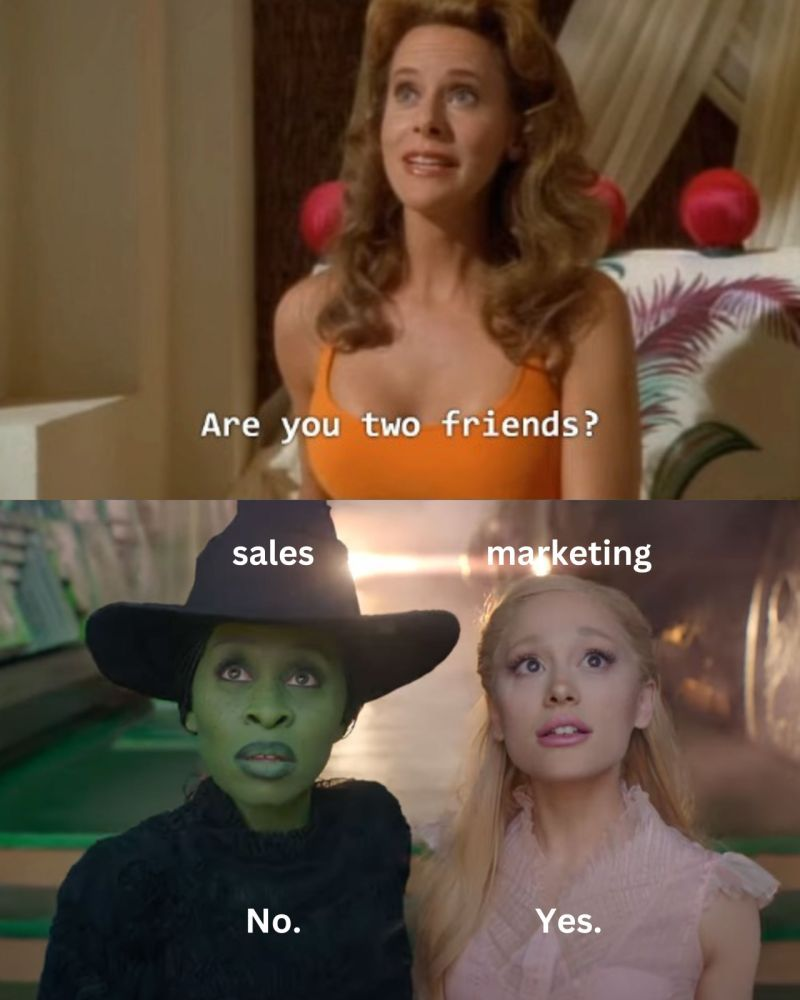
This disconnect is not a people problem (yes, sales and marketing don’t just hate each other)… it’s a framework problem. Lead attribution and lead scoring serve different purposes, answer different questions, and operate at different stages of the buyer journey. But most B2B teams either conflate them, pick one and ignore the other, or run both in parallel without ever connecting the insights.
If you've ever wondered why your highest-scoring leads don't always come from your best campaigns, or why your best campaigns don't always produce sales-ready prospects, the answer usually lives in the gap between these two systems. Understanding that gap, and knowing how to bridge it, is one of the most practically useful things a B2B marketer can learn.
So let's go over both concepts from scratch, compare them, and figure out how they're supposed to work together.
What is lead attribution, and why does it matter?
Lead attribution is the practice of identifying which marketing channels, campaigns, and touchpoints contributed to bringing a lead into your pipeline. In a B2B context, it's how marketers trace the path from a prospect's first interaction with your brand all the way through to a conversion event, whether that's a demo request, a sign-up, or a closed deal.
The challenge is that B2B buying journeys aren't simple. A prospect might first encounter your brand through a LinkedIn ad. Weeks later, they visit your blog after searching for a related topic. A month after that, they attend a webinar. Then they download a case study, forward it to a colleague, and eventually request a product demo. Lead attribution is the discipline of mapping all of those interactions and understanding which ones actually mattered.
At its core, attribution helps marketers answer three questions that come up constantly. Which campaign generated this lead? Which touchpoints moved them closer to conversion? And which channels contribute the most to pipeline? These sound straightforward, but answering them accurately in a multi-touch, multi-stakeholder B2B environment is genuinely difficult.
This is where customer journey attribution becomes essential. Rather than assigning all the credit to a single action (like the last click before a demo request), journey-level attribution connects multiple interactions across time. It recognizes that a webinar three weeks ago and a case study yesterday might both deserve credit for the deal that's now in your pipeline.
There's also a layer that often gets overlooked: sales attribution. This is where marketing influence gets connected directly to pipeline and revenue outcomes, not just lead creation. When your CFO asks, "what did that campaign actually produce?" sales attribution is what gives you a credible answer. It ties marketing activity to dollars, which is ultimately the language that gets budget conversations moving in the right direction.
What is lead scoring, and how does it work?
Lead scoring is a prioritization method… it ranks prospects based on how likely they are to convert, so sales teams can focus their time on the leads most worth pursuing. If attribution tells you what's working across your marketing mix, scoring tells you who's ready to have a conversation.
Most lead scoring models use two broad categories of inputs.
- The first is demographic and firmographic data
Things like company size, job title, industry, and geography. A VP of Marketing at a mid-market SaaS company is probably a stronger fit than an intern at a local bakery, and scoring reflects that.
- The second category is behavioral signals
Things like website visits, email opens, content downloads, webinar attendance, and similar engagement indicators.
Each of these signals gets assigned a numerical value, and as a lead accumulates points, their score rises. When it crosses a certain threshold, the lead gets flagged as a Marketing Qualified Lead (MQL) and handed to sales for follow-up. It's a system that's been around for decades, and at its simplest, it works like a checklist with weights attached.
The concept makes intuitive sense. If someone from a target account visits your pricing page three times in a week and downloads your integration guide, they're probably more interested than someone who opened one email six months ago, and scoring captures that difference numerically.
But there are real limitations in modern B2B environments, and they're worth acknowledging upfront. The biggest one is that traditional lead scoring focuses on individual leads, not buying groups. In B2B SaaS, purchase decisions almost never rest with a single person. There's usually a champion, an evaluator, a budget holder, and sometimes a technical reviewer. A lead scoring model that treats each of these people as independent prospects misses the forest for the trees. One person's score might be low, but the collective activity from their account might be screaming "ready to buy."
We'll come back to these limitations later, because they're a big part of why attribution and scoring need to work together rather than independently.
Lead attribution vs lead scoring: what's the core difference?
The simplest way to think about it is this:
Lead attribution answers the question: "which marketing activities influenced this lead?" while lead scoring answers a completely different question: "how likely is this lead to convert?"
The former is diagnostic, and the latter is predictive. Attribution looks backwards at what happened and assigns credit. Scoring looks at the current state of a prospect and estimates future behaviour. They're both useful, but they're doing fundamentally different jobs.
Here's a side-by-side comparison that makes the distinction clearer:
The mistake most teams make is treating these as interchangeable, or assuming one can do the other's job. Attribution won't tell your sales team which lead to call first… and scoring won't tell your marketing team which campaign to double down on. They answer different questions, and trying to force one framework to do both leads to mediocre answers on both fronts, obviously.
Think of it like this: attribution is the film review, analysing what worked and why. Scoring is the casting call, deciding who gets the part. You need both to produce a good show, but confusing the two roles creates problems neither can solve. And you know which one’s a good show? Desperate Housewives. And does it have anything to do with attribution and scoring? No.
Why do B2B teams need both attribution and scoring?
In B2B SaaS, the buyer journey is longer, more fragmented, and involves more people than most scoring or attribution models were originally designed to handle. A typical enterprise deal might take four to nine months, involve six to ten stakeholders, and include dozens of marketing touchpoints across multiple channels. Relying on just one framework to make sense of all that complexity is like trying to navigate a city with only a compass. Technically useful, but you're going to miss a lot of turns.
On the one hand, Attribution reveals which campaigns and channels are actually generating demand. It shows you that your LinkedIn campaign drove initial awareness, your webinar series nurtured interest, and your case studies helped close the deal. Without this, marketing teams end up making budget decisions based on gut feeling or last-click data, which is almost always misleading in long B2B cycles.
Scoring, on the other hand, reveals which prospects are showing buying intent right now. It helps sales teams focus their outreach on leads who are actively engaging, rather than working through a random list of names that marketing passed over.
Here's a practical example that shows why you need both. Imagine a prospect downloads three whitepapers over two weeks and then attends a webinar. Attribution tells you which of those marketing assets played a role in the journey, and which campaigns deserve credit for generating the engagement. Scoring tells your sales team whether that prospect's overall behavior and profile suggest they're worth calling today, or whether they're still in early research mode.
Without attribution, you can't optimize the marketing that created the opportunity. Without scoring, you can't act on it efficiently. Most teams eventually realize that running both in isolation is only marginally better than running neither. The real value shows up when the two systems inform each other.
Where does lead attribution fit in the customer journey?
Attribution doesn't belong to a single stage of the funnel. It stretches across the entire customer journey, and its role shifts depending on where the prospect is in their buying process.
- In the early stages, attribution helps you understand which awareness channels are working. This is where prospects first discover your brand, often through paid ads, organic search, social media, or content marketing. Attribution at this stage answers a foundational question: where are our best leads coming from in the first place? If your LinkedIn ads are driving high-quality traffic to the blog but your display ads are mostly generating bounces, attribution makes that visible.
- In the middle stages, the journey gets more complex. Prospects are evaluating options, consuming product guides, reading case studies, attending webinars, and comparing your solution against competitors. Attribution here tracks which nurture assets are actually moving people forward. It's one thing to know that someone attended your webinar and another to know that webinar attendees convert to demos at twice the rate of non-attendees. Mid-funnel attribution connects those dots.
- In the late stages, attribution tracks high-intent interactions: demo requests, pricing page visits, product comparisons, and sales conversations. This is where pipeline attribution becomes critical, because it connects marketing activity directly to revenue outcomes. If your CEO wants to know which marketing investments contributed to this quarter's pipeline, late-stage attribution data is what answers that question with credibility.
Customer journey attribution maps all of these interactions together into a coherent narrative. Instead of seeing isolated data points (this person clicked an ad, this person attended a webinar), you see a connected story. The ad led to the blog, the blog led to the webinar, the webinar led to the demo, and the demo led to a $60K opportunity. That story is what makes marketing spend defensible and strategy conversations productive.
This is also why multi-touch attribution models are so important in B2B marketing. When buying journeys span months and include dozens of interactions, giving all the credit to one touchpoint is worse than misleading. It actively distorts your understanding of what's working. We'll dig into the specific models shortly, but the key point here is that attribution needs to reflect the full journey, not just the first or last step.
Where does lead scoring fit in the sales funnel?
Lead scoring typically activates when a lead crosses a behaviour threshold that suggests real interest. It's less about understanding the full marketing journey and more about answering a practical, immediate question: should sales reach out to this person right now?
Scoring becomes most useful at the point where marketing hands leads to sales. Without scores, sales teams either cherry-pick leads based on their own judgment (which is inconsistent) or work through a queue in the order leads arrived (which ignores intent signals). Neither approach is efficient.
- The behavioural signals that feed scoring models tend to cluster around mid-to-late funnel activity. Examples include visiting the pricing page more than once, requesting a product comparison, downloading a buyer's guide, or multiple sessions from the same company within a short window. These actions suggest that someone has moved past casual browsing and into genuine evaluation.
- Firmographic fit also matters. A lead from a company that matches your ideal customer profile (right industry, right size, right geography) should score higher than one from an account that's unlikely to buy, even if both exhibit similar behaviour. Most scoring models weight these two dimensions, fit and activity, separately and then combine them into a composite score.
Here's where the connection to attribution becomes interesting. Sales attribution improves significantly when scoring signals are combined with attribution insights. If a sales rep knows that a high-scoring lead's activity was driven by a specific campaign, they can tailor their outreach accordingly. "I noticed you attended our webinar on pipeline visibility last week" is a much stronger opener than "I saw you visited our website." Scoring tells the rep to call. Attribution tells them what to say.
The best-run revenue teams don't treat scoring as a standalone system. They layer it on top of attribution data to create a fuller picture of both who's ready and why they're ready. That combination is what turns lead handoff from a guessing game into a structured process.
How do the most common attribution models stack up?
There are several marketing attribution models used in B2B, and each one distributes credit differently across the touchpoints in a buyer's journey. Attribution models can be categorized into two main types: single-touch and multi-touch models, with single-touch models assigning credit to one interaction and multi-touch models distributing credit across multiple interactions.
None of them is perfect, and the right choice depends on your sales cycle, your data maturity, and what questions you're actually trying to answer. Here's a breakdown of the five models you'll encounter most often:
- First-touch attribution
All the credit goes to the first interaction. If a lead originally found you through a Google search, that search gets 100% of the credit for the eventual conversion, regardless of what happened afterwards. This model is simple and useful for understanding which channels drive initial awareness. The downside is obvious: it completely ignores everything that happened between the first touch and the conversion. In a B2B sales cycle that spans six months and thirty touchpoints, crediting only the first one is a significant oversimplification.
- Last-touch attribution
The mirror image of first-touch. All the credit goes to the final interaction before conversion. If the last thing a lead did before requesting a demo was click an email link, that email gets all the credit.
Last-touch is popular because it's easy to implement and aligns with conversion-focused thinking. But it has the same fundamental problem in reverse: it ignores all the marketing that nurtured the lead up to that point. Your webinar, your blog content, your LinkedIn ads? None of them exist in a last-touch world.
- Multi-touch attribution
Credit is distributed across meaningful interactions in the journey, often using custom weighting or algorithmic models. Multi-touch attribution doesn't follow a rigid formula. Instead, it tries to reflect the actual influence each touchpoint had, based on data patterns. Multi-touch attribution models, such as linear and time-decay attribution, distribute credit across multiple touchpoints, reflecting the complexity of the customer journey and acknowledging that various interactions contribute to a conversion.
- Time-decay attribution
Time Decay Attribution gives more credit to touchpoints that occurred closer to the final conversion. The logic is that the closer an interaction is to the conversion, the more influence it likely had. This model makes intuitive sense for B2B cycles where late-stage engagement tends to be more intentional. The trade-off is that it can undervalue the early-stage marketing that created the opportunity in the first place.
- Linear attribution
Equal credit goes to every touchpoint in the journey. If a lead interacted with five campaigns before converting, each one gets 20% of the credit. Linear attribution is fairer than single-touch models, but it treats all interactions as equally important. A casual blog visit three months ago gets the same weight as a pricing page visit yesterday. That's democratic, but not always accurate.
Here's a comparison of all five models:
In B2B SaaS environments, multi-touch attribution is generally preferred because it reflects reality more accurately. Buying journeys are long, involve multiple stakeholders, and include touchpoints that matter to different degrees at different stages. A model that acknowledges that complexity gives you better data for decision-making.
That said, "preferred" does not mean "easy." Multi-touch models require cleaner data, better tracking, and more sophisticated tooling than single-touch models. Many teams start with first-touch or last-touch and graduate to multi-touch as their data infrastructure matures. There's no shame in that progression, as long as you're honest about what your current model can and can't tell you.
No attribution model answers every question perfectly, and anyone who tells you otherwise is probably selling one. The goal is getting close enough to the truth that your marketing decisions are directionally correct.
What’s the problem with traditional lead scoring?
Lead scoring has been a staple of B2B marketing for years, and for good reason. When it works, it saves sales teams enormous amounts of time by surfacing the leads most worth pursuing. But traditional scoring models carry several structural problems that become more visible as your marketing and sales operations mature.
- Scoring ignores marketing channel influence
A lead might have a high score because they downloaded three PDFs and visited your site six times. But the score doesn't tell you anything about which campaigns drove those interactions. Without that context, you can't optimize the marketing that created the engagement in the first place. You just know the lead is "hot," but you don't know why.
- Most scoring models operate at the individual lead level, not the account level
In B2B, this is a real blind spot. An account might have four people engaging with your content, each with a modest individual score, but collectively their behavior signals strong buying intent. If your scoring model only looks at individuals, that account-level pattern stays invisible.
- Handling of anonymous website visitors
A significant portion of your website traffic comes from people who haven't filled out a form or identified themselves in any way. Traditional scoring can't do anything with this traffic because there's no lead record to score. That means you're potentially missing buying signals from accounts that are actively researching your product but haven't raised their hand yet.
There's also a subtler problem… core inflation over time. Leads who've been in your database for a while accumulate points through routine engagement (opening newsletters, clicking the occasional link) without ever developing real purchase intent. Their scores creep upward, and they start showing up alongside genuinely high-intent prospects, which dilutes the signal your sales team relies on.
All of these issues create gaps in understanding which campaigns truly drive pipeline. When scoring operates in isolation from attribution, you end up with a system that tells you who seems ready to buy but can't explain what made them ready or whether the same result could be replicated at scale.
How does attribution improve sales attribution and pipeline visibility?
Attribution's greatest contribution to revenue teams isn't just explaining which campaigns performed well. It's connecting marketing activity to pipeline creation and revenue in a way that everyone, from the CMO to the CFO, can understand and trust.
Sales attribution bridges the gap between marketing effort and business outcomes. When you can trace an opportunity back through the touchpoints that influenced it, you're no longer relying on anecdotal evidence or vanity metrics to justify marketing spend. You have a data trail that connects a LinkedIn campaign to a webinar registration, to a demo request, and to a $120K opportunity in the pipeline. That trail changes the nature of budget conversations entirely.
This level of visibility helps organizations answer several questions that traditionally required guesswork. Which campaigns influence the deals that actually close? Which channels produce the highest-value accounts? And where should next quarter's budget be allocated for maximum impact? These are the questions that determine whether marketing is seen as a cost center or a revenue driver, and attribution data is what gives you credible answers.
Pipeline attribution also helps identify patterns that aren't obvious from surface-level metrics. You might discover that your highest-converting accounts all engaged with a specific sequence of content: a blog post, then a webinar, then a case study. Without attribution data, that pattern stays hidden. With it, you can build campaigns that deliberately recreate the sequence.
There's a strategic dimension here too. When marketing can demonstrate its contribution to pipeline with data, the relationship between marketing and sales shifts. Instead of the quarterly blame game (marketing says leads were good, sales says they weren't), both teams can look at the same attribution data and have a more productive conversation about what's actually driving revenue. Attribution doesn't just improve visibility. It improves organizational alignment.
The teams that get this right tend to make better marketing investment decisions. They can reallocate budget from channels that look busy but don't produce pipeline, and invest more in the campaigns that actually move accounts through the funnel. Over time, that compounds into a meaningful competitive advantage, because every marketing dollar works harder when it's informed by real attribution data rather than assumptions.
PS: For attribution to be effective, it is important to have clean, structured data; poor data quality, missing fields, and disconnected systems can lead to inaccurate attribution results.
How do attribution and scoring work together for revenue growth?
When attribution and scoring operate as an integrated system rather than parallel workstreams, the entire revenue engine becomes more efficient. The workflow isn't complicated conceptually, but it requires both teams to share data and agree on definitions.
Here's what the ideal workflow looks like in practice:
1. Attribution identifies the campaigns generating demand
Marketing reviews attribution data to understand which channels and campaigns are bringing the right accounts into the funnel. This informs where to invest budget and creative effort.interchangeable or
2. Marketing drives high-intent traffic
Armed with attribution insights, the marketing team focuses on the campaigns and content that have historically produced the strongest pipeline outcomes. This isn't guessing. It's pattern-based optimization.
3. Lead scoring prioritises qualified prospects
As leads engage with content and visit the website, scoring models evaluate their fit and behaviour in real time. Leads that cross the threshold get flagged for sales outreach.
4. Sales engages the right accounts at the right time
Sales reps receive scored leads along with context from attribution data. They know not just that a lead is ready, but which content they engaged with and which campaigns influenced their journey. That context improves outreach quality significantly.
The insight here is that attribution optimizes the top and middle of the funnel, while scoring optimises the handoff to sales. When both feed into the same revenue picture, marketing and sales stop operating on separate scorecards and start working from a shared reality.
Revenue teams that align marketing and sales operations using both systems tend to see improvements across the board. Marketing gets clearer signals about what to produce. Sales gets better-qualified leads with richer context. And leadership gets a pipeline story they can actually trust.
It's also worth noting that this integrated approach makes the feedback loop shorter. If a campaign generates lots of high-scoring leads that don't convert to opportunities, attribution data helps you diagnose why. Maybe the leads are engaged but from the wrong segment. Maybe the scoring model is overweighting certain behaviours. Either way, the combination of both datasets gives you a more complete diagnostic toolkit than either one alone.
Let’s take a B2B example: Attribution vs lead scoring in action
optimizes through a realistic SaaS buyer journey to see how these two systems play out in practice.
Imagine a mid-market SaaS company selling a project management tool to engineering teams. A VP of Engineering at a 300-person company sees a LinkedIn ad about reducing development cycle times. She clicks through, reads the blog post, and leaves. No form fill, no demo request. Just a quick read.
Two weeks later, she Googles "best project management tools for engineering teams" and lands on a comparison page on the same company's website. She reads it, clicks through to the product page, and leaves again.
A week after that, one of her direct reports (a team lead) attends a webinar hosted by the same company about sprint planning best practices. During the webinar, he downloads a case study about a similar-sized engineering team.
Now both people are in the system. The VP has visited twice. The team lead has attended a webinar and downloaded a case study. Let's look at what each framework tells you.
What attribution reveals:
The LinkedIn ad drove initial awareness. The organic search visit to the comparison page built consideration. The webinar and case study moved the account further into evaluation. Attribution maps these touchpoints into a coherent journey and identifies which campaigns deserve credit for advancing the account.
What scoring reveals:
The team lead's individual score is probably higher because he has two explicit engagement actions (webinar + download). The VP's score might be lower because her visits were anonymous or passive. But a good account-level scoring model would aggregate both signals and recognise that this account is showing serious buying intent.
What the combination reveals:
The marketing team learns that LinkedIn ads into blog content are an effective awareness sequence for engineering personas. The sales team learns that this specific account is heating up and that two stakeholders are involved. The sales rep can reference the webinar in their outreach and tailor the conversation to sprint planning challenges. Everyone has better information than they would with either system alone.
This is a simplified example, of course… B2B journeys are wayyy messier, with more stakeholders, more touchpoints, and longer timelines. But the principle holds: attribution gives you the marketing story, scoring gives you the sales signal, and together they give you a complete picture.
How does account-based attribution change the game?
One of the biggest shifts in B2B marketing over the past few years has been the move from lead-level thinking to account-level thinking. Traditional lead attribution and scoring both started as lead-centric frameworks, designed to track and evaluate individual people. But in B2B, the buying unit is almost always a group of people within an account, not a single person.
Account-based attribution reframes the question to this: Which touchpoints influenced this account's journey toward becoming a customer?
When you aggregate touchpoints at the account level, patterns emerge that are invisible at the individual level. You might see that a specific account has had fifteen interactions across four people in the past month, none of whom would individually score high enough to trigger a sales alert. Account-level attribution catches that signal. Individual-level attribution misses it entirely.
This is especially important for enterprise sales cycles, where the person who first discovers your product is rarely the person who signs the contract. The champion might read your blog. The evaluator might attend your webinar. The budget holder might visit your pricing page once, briefly, and never return. If your attribution model treats each of these as separate, unrelated journeys, you're missing the coordinated buying behavior that actually matters.
If your attribution and scoring systems can't roll up to the account level, you're making decisions based on an incomplete picture. Most modern B2B attribution platforms now support account-level views precisely because of this limitation in older, lead-centric approaches.
Three attribution mistakes B2B teams should not be making
Even teams that invest in attribution often undermine their own efforts with a few recurring mistakes. These aren't obscure edge cases. They're patterns I've seen across dozens of B2B organisations at different stages of growth.
1. Relying only on last-touch attribution
It's the default in most CRMs and analytics tools, so teams use it without questioning the logic. But in a B2B cycle that spans months, crediting only the last interaction before conversion tells you almost nothing about what actually drove the deal. Your entire awareness and nurture strategy becomes invisible.
The fix isn't necessarily jumping to a complex algorithmic model. Even switching to a linear model gives you a more honest picture of how your marketing mix is performing. The important thing is recognizing that last-touch is a starting point, not an answer.
2. Ignoring anonymous website traffic
A significant chunk of your website visitors never fill out a form. They browse your product pages, read your blog, check your pricing, and leave without identifying themselves. If your attribution model only tracks known leads, you're working with a fraction of the data.
This is particularly damaging for top-of-funnel attribution. The channels driving anonymous research traffic might be your most effective awareness tools, but you'd never know because those visitors don't show up in your CRM until they convert.
3. Disconnecting marketing data from sales data
Attribution data lives in one system. CRM data lives in another. Sales activity data lives in a third. When these systems don't share information, you end up with a fragmented view of the buyer journey. Marketing sees its piece, sales sees its piece, and nobody sees the whole thing.
This isn't just a technology problem. It's a process and governance problem. Someone needs to own the integration, define the data model, and ensure that touchpoints from marketing systems flow into the same record as sales interactions. Without that connective tissue, attribution data stays interesting but not actionable.
How Factors.ai helps B2B teams understand lead attribution
The problems we've discussed throughout this article (fragmented data, anonymous traffic, lead-level blind spots, disconnected marketing and sales insights) are exactly the challenges that modern attribution platforms are designed to solve. Factors.ai is one of those platforms, built specifically for B2B teams that need deeper visibility into how their marketing drives pipeline.
Here's what it does in practical terms:
- Tracks anonymous website visitors
Factors identifies the companies visiting your website even when individuals haven't filled out a form. This fills the gap that traditional scoring models can't address.
- Identifies accounts showing buying intent
By aggregating signals across multiple visitors from the same company, it surfaces account-level engagement patterns that individual lead tracking misses.
- Connects marketing activity to pipeline
Touchpoints from ads, content, webinars, and other channels are mapped to CRM opportunities. This makes sales attribution and pipeline attribution tangible rather than theoretical.
- Maps multi-touch journeys across channels
Rather than relying on a single-touch snapshot, Factors stitches together the full sequence of interactions an account has with your brand. That gives marketing teams a real customer journey attribution view.
For teams that have outgrown basic lead scoring and want to understand the full story behind their pipeline, platforms like Factors represent a significant step forward. They don't replace scoring. They complement it by adding the attribution context that scoring alone can't provide.
The practical outcome is that revenue teams can move from asking "which leads should we call?" to asking "which leads should we call, and which marketing investments made them ready?" That second question is where sustainable, repeatable growth comes from.
In a nutshell
Lead attribution and lead scoring answer different questions, and B2B teams need both to build a reliable revenue engine. Attribution tells you which marketing channels, campaigns, and touchpoints are driving pipeline. Scoring tells you which prospects are ready for a sales conversation right now. One optimizes your marketing strategy, the other optimizes your sales prioritization.
The most common mistakes happen when teams treat these as interchangeable, or run them in isolation without connecting the insights. Attribution without scoring means you know what's working but can't act on it efficiently. Scoring without attribution means you're prioritizing leads without understanding what created them.
For most B2B SaaS teams, the right approach is to start with multi-touch attribution to understand the full buyer journey, layer account-level scoring on top to prioritize outreach, and then connect both systems so marketing and sales work from a shared picture of pipeline reality. If you're currently relying on last-touch attribution in your CRM and a basic scoring model that hasn't been updated in a year, even incremental improvements to either system will produce noticeably better decisions.
The teams that pull ahead aren't the ones with the fanciest tools. They're the ones that ask the right questions, "what's driving our pipeline?" and "who's ready to buy?", and use the right framework for each.
Frequently asked questions about lead attribution vs lead scoring
Q1. What is lead attribution in marketing?
Lead attribution identifies which marketing channels, campaigns, and touchpoints influenced a lead's journey toward conversion. In B2B contexts, this means tracing interactions across ads, content, webinars, email, and product pages to understand what drove a lead into the pipeline. It's a diagnostic framework that helps marketing teams measure the impact of their efforts and allocate budget more effectively.
Q2. How is lead attribution different from lead scoring?
Lead attribution analyses the marketing touchpoints that influenced a lead's journey, asking "what worked?" Lead scoring evaluates how likely a prospect is to convert, asking "who's ready?" Attribution is retrospective and channel-focused. Scoring is predictive and prospect-focused. They serve different functions and are used by different teams, but produce the best results when connected.
Q3. What is sales attribution?
Sales attribution connects marketing interactions to pipeline creation and revenue outcomes. It goes beyond tracking which campaigns generated leads and measures which marketing activities influenced the deals that actually closed. This gives revenue teams a shared, data-backed view of how marketing contributes to sales results, which improves both budget allocation and sales and marketing alignment.
Q4. Why is customer journey attribution important in B2B marketing?
B2B buying journeys typically involve multiple stakeholders, span several months, and include dozens of touchpoints across different channels. Customer journey attribution maps all of those interactions into a connected narrative, showing how different touchpoints influenced the account's path toward becoming a customer. Without it, marketing teams only see isolated data points rather than the complete story behind a deal.
Q5. Can lead attribution and lead scoring work together?
Absolutely. Attribution identifies the demand sources and campaigns that are driving the strongest pipeline results. Scoring helps sales teams prioritise which of those prospects to engage with first. When both systems share data, sales reps get leads that are both high-quality (validated by attribution) and high-intent (validated by scoring). That combination leads to better outreach, shorter sales cycles, and more efficient revenue growth. Sales and marketing alignment is also enhanced when both teams utilize shared attribution data to reduce friction.
Google Ads Attribution: A Guide for B2B Marketers
Learn how Google Ads attribution works, compare attribution models, and improve paid search reporting using Google Analytics and modern B2B attribution tools.
TL;DR
- Google Ads attribution determines which keywords, ads, and campaigns get credit for conversions, but its default models only capture a fraction of B2B buying journeys.
- B2B sales cycles involve multiple stakeholders, offline conversions, and cross-channel paths that break most platform-native attribution logic.
- Google now defaults to data-driven attribution, which is an improvement over last-click, but still can't see beyond its own ecosystem.
- Integrating Google Ads with GA4 and importing CRM conversions helps close some gaps, though full-funnel visibility requires account-level attribution tools.
- Platforms like Factors.ai connect paid search data with pipeline and revenue outcomes, giving B2B teams a more complete picture of what's actually working.
Picture this:
You've just wrapped up a quarterly campaign review. The Google Ads dashboard shows 140 conversions last month, cost per conversion looks reasonable, and your team is cautiously optimistic. Then someone from sales asks the question that ruins everyone’s mood instantly: "Which of those conversions actually turned into pipeline?"
The room goes… rather quiet.
You pull up the CRM, cross-reference a few names, and realise that the story Google Ads tells and the story your revenue data tells are… barely on speaking terms.
And to everybody’s solemn surprise, this disconnect is not a bug.
It's how platform-native attribution works, by design. Google Ads attribution measures what happens inside Google's ecosystem, and it does that reasonably well. But B2B buying journeys don't live inside a single platform. They sprawl (and how) across search queries, content downloads, webinars, LinkedIn conversations, and sales calls that happen weeks apart. The gap between what Google can see and what actually drove revenue is where most B2B measurement problems begin.
This blog is written to walk you through how Google Ads attribution actually works, where it falls short in B2B, and what you can do to build a measurement approach that reflects the way your buyers really make decisions.
What is Google Ads attribution?
At its simplest, Google Ads attribution is the process of deciding which ads, keywords, and campaigns deserve credit when someone converts. A conversion could be a demo request, a contact form submission, a trial signup, or a gated content download. Attribution is the system that connects that action back to the marketing touchpoint that influenced it. Accurate attribution is essential for understanding which touchpoints truly drive ROI and campaign performance.
Think of it as the scorekeeping system for your paid search spend. Every time a prospect interacts with one of your Google Ads and eventually takes a desired action, attribution logic decides who gets the point. Did the branded keyword search close the deal, or was it the non-branded awareness campaign three weeks earlier that planted the seed? Attribution is supposed to answer that question.
The mechanics rely on a chain of tracking tools. Google Ads has its own conversion tracking, which records when someone clicks an ad and later completes a conversion action on your website. Google Analytics, specifically GA4, adds another layer by tracking the broader journey across channels and sessions. Together, they form the backbone of how most marketers measure paid search performance.
For e-commerce brands selling a $50 product, this system works reasonably well. Someone clicks an ad, lands on a product page, and buys within the same session. Clean, linear, attributable. B2B is a different animal entirely, and it doesn’t look like this cute three-toed sloth, who looks like he invented the word ‘relaxation.’ Anyhoo, let’s not relax just yet… back to B2B.

Your ‘conversion’ is usually a hand-raise (a form fill, a demo request) that sits at the very top of a long revenue process. The actual purchase decision happens weeks or months later, involves multiple people, and spans channels that Google can’t see. So, while Google Ads attribution can tell you which keyword drove a form fill, it often can’t tell you which keyword drove revenue. That makes a HUGE difference when you’re deciding where to put your next $10,000.
The relationship between Google Ads, Google Analytics, and your CRM is essentially a relay race where each runner can only see their own leg. Google Ads knows about ad clicks. GA4 knows about website sessions and cross-channel paths. Your CRM knows about pipeline and closed deals. Attribution, done properly, means connecting all three so you can see the full customer journey and how conversion credit is assigned to each touchpoint.
Most B2B buying journeys are multi-touch by nature. A prospect might click a Google Ad, read a blog post, attend a webinar two weeks later, see a LinkedIn ad, and then finally book a demo. Giving all the credit to whichever touchpoint happened to be last (or first) doesn’t reflect reality. Accurate attribution helps identify the various interactions in the customer journey that contribute to conversions, enabling more effective campaign optimization and budget allocation.
It’s like crediting the goalkeeper for winning a football match because they were the last person to touch the ball. (On that note, as a former goalkeeper for my school-team, I would say (read: believe) that our team did win the match because of me.)
Simple attribution models produce simple answers, and simple answers can lead to expensive mistakes in B2B.
Why is Google Ads attribution SO difficult in B2B?
If attribution were easy, marketing teams wouldn't spend half their budget reviews softly screaming about which channel ‘really’ drove results.
In B2B, the difficulty is in the way B2B companies sell fundamentally conflicts with how attribution platforms are designed to measure… meaning, it’s structural.
- The most obvious challenge is cycle length
B2B deals can take weeks, months, or in enterprise, entire quarters to close. A prospect might click your Google Ad in January and not sign a contract until June. Google Ads' default attribution window maxes out at 90 days for most conversion types, which means any influence beyond that window simply disappears from the data. The ad that started the entire relationship gets no credit, because the system forgot it existed.
- Then there's the multi-stakeholder problem
In B2B, a junior marketer might click your ad and download a whitepaper. Their manager might visit your pricing page a week later through an organic search. The VP might see a LinkedIn ad and finally agree to a demo. Google Ads sees the first click from the junior marketer and attributes the conversion there. It has no idea that three different people from the same company were involved in the decision. This is the difference between person-level attribution and account-level attribution, and Google Ads only does the former.
- Cross-channel journeys compound the issue further
A realistic B2B path might look something like this: Google Ad click, then a blog visit from organic search, then a webinar registration from an email, then a LinkedIn retargeting ad, and finally a direct visit to book a demo. Google Ads can only see the touchpoints that happened within its platform. Everything else is a blind spot. It's like trying to review a film when you've only watched the first and last five minutes.
Offline conversions create yet another gap. In B2B, many of the most important conversion events happen outside the browser entirely. Sales calls, CRM stage changes, contract negotiations, and closed-won deals all occur in systems that Google Ads can't access by default. You can import offline conversions into Google Ads (and you should), but most teams either don't do it or do it inconsistently. Without that data, Google's conversion reporting tells you about hand-raisers, not buyers.
The cumulative effect is that default Google Ads attribution only sees a slice of the funnel. It captures the initial click and the online conversion event, but misses the cross-channel journey, the multi-stakeholder dynamics, and the offline revenue outcome. Marketers who rely solely on this view end up making budget decisions based on incomplete evidence. You might cut a campaign that looks underperforming in Google Ads but is actually the primary driver of your highest-value pipeline. Or you might double down on branded search that captures demand without realising it was a non-branded campaign creating that demand in the first place.
This is why serious B2B teams eventually realise they need full-funnel attribution systems, ones that connect ad clicks to pipeline and revenue, track account-level journeys across channels, and measure influence rather than just last-touch credit.
How does Google track conversions in paid search?
Before you can debate attribution models, you need to understand the plumbing.
Google Ads conversion tracking is the foundation that everything else is built on, and getting it right is surprisingly non-trivial.
The setup starts with a tracking tag on your website. There are two main approaches. The first is the Google tag (formerly the Global Site Tag), a snippet of JavaScript you place directly on your site that fires when someone completes a conversion action. The second is Google Tag Manager, a container-based system that lets you manage all your tracking tags without touching your website code directly. Most B2B teams use Tag Manager because it's more flexible and doesn't require a developer every time you want to track a new event. Either way, the tag records when someone who clicked a Google Ad later does something valuable on your site.
The types of conversions you can track fall into several categories.
- Website conversions are the most common
Form submissions, button clicks, page visits. These happen on your site and get tracked automatically by the tag. Imported conversions let you bring data from outside Google Ads, most importantly from your CRM. When a lead that originated from a Google Ad click eventually becomes a qualified opportunity or a closed deal, you can import that outcome back into Google Ads. This is critical for B2B measurement, though it requires some technical setup and regular data syncing.
- Enhanced conversions are a newer addition that helps improve attribution accuracy
They work by sending hashed first-party data (like email addresses) from your conversion forms to Google, which then matches it against signed-in Google users. This helps Google connect the dots when cookies are blocked or when someone converts on a different device than the one they originally clicked from. Offline conversions, as the name suggests, capture actions that happen entirely off your website, like phone calls or in-person meetings that lead to a deal.
- Once conversions are tracked, Google attributes them back to specific elements of your campaigns
Every conversion gets connected to the keyword that triggered the ad, the ad itself, the campaign it belongs to, and the audience segment the user was part of. This lets you see performance at multiple levels of granularity. You can answer questions like "Which keywords drive the most demo requests?" or "Which campaign is generating the cheapest leads?"
Common B2B conversion events include lead form submissions (the workhorse of B2B paid search), newsletter signups, free trial activations, and gated content downloads. Each of these represents a different level of intent. A whitepaper download signals curiosity. A demo request signals buying intent. Your attribution setup should distinguish between them, because treating all conversions equally is one of the most common mistakes in B2B conversion reporting.
The tracking itself is relatively straightforward to set up. The harder part is making sure it captures the right events, at the right quality, and feeds into a broader measurement system that goes beyond Google Ads alone.
How do the most common Google attribution models work?
Attribution models are the rules that decide how credit gets distributed across touchpoints.
If a prospect clicked three different ads before converting, which one gets the credit?
The model you choose determines the answer, and different models can tell completely different stories about the same data.
Here are the Google Ads attribution models
Each has a different philosophy about what matters most in a conversion path.
- Last-click attribution is the simplest and, for a long time, was Google's default
It gives 100% of the credit to the last ad interaction before the conversion. If someone clicked a branded search ad right before filling out a demo form, that branded keyword gets all the credit, regardless of what happened earlier in the journey. It's easy to understand and easy to report on. The problem is that it systematically undervalues everything that happens before the final click, which in B2B is often where the real influence occurs.
- First-click attribution is the mirror image
It gives all the credit to the very first ad interaction. If someone's first encounter with your brand was a non-branded search ad six weeks ago, that ad gets 100% credit for the conversion, even if they clicked five other ads before finally converting. First-click is useful for understanding which campaigns drive initial awareness, but it ignores everything that happened afterward.
- Linear attribution takes a more diplomatic approach
It splits credit evenly across all touchpoints in the conversion path. If there were four ad interactions, each one gets 25% credit. It's fairer than last-click or first-click, but it also treats every touchpoint as equally important. In reality, some interactions are more influential than others. The ad that introduced someone to your brand and the ad that got them to finally book a demo probably don't deserve equal credit.
- Time-decay attribution adds a temporal dimension
Touchpoints closer to the conversion get more credit than earlier ones, on the theory that recent interactions are more influential. It's a reasonable heuristic for shorter buying cycles, but in B2B, where early-stage research can be the most important phase, it can undervalue the campaigns that planted the seed months ago.
- Data-driven attribution is Google's current default model
Instead of applying a fixed rule, it uses machine learning to analyse your actual conversion data and determine how much credit each touchpoint deserves. It looks at the conversion paths of people who converted versus those who didn't, and figures out which interactions actually made a difference. Data-driven attribution (DDA) uses advanced machine learning to analyze data and determine the importance of each touchpoint in a customer's journey, providing a more accurate view of the customer journey compared to traditional models. It's the most sophisticated option Google offers, and for accounts with enough conversion volume, it's generally the best choice. When switching to data-driven attribution, Google requires accounts to have a minimum of 300 conversions and 3,000 ad interactions within 30 days to be eligible for this model.
Here's how these models compare side by side:
The shift to data-driven attribution as Google's default was significant. Rule-based models force you to choose a philosophy about what matters. Data-driven attribution lets the data decide. That said, it still only sees touchpoints within the Google Ads ecosystem. If your prospect's journey includes LinkedIn ads, organic search, email campaigns, and sales calls, Google's data-driven model can only distribute credit among the Google Ad interactions it can see.
For B2B marketers, the practical advice is to use data-driven attribution as your default in Google Ads, but don't treat it as the source of truth. Compare it against other models periodically to understand how credit shifts. And recognise that any model operating within a single platform will always tell an incomplete story. The best use of Google attribution models is as one input into a broader measurement framework, not the final word.
How does paid search data work in Google Analytics?
Google Ads gives you the paid search view of your world. Google Analytics, specifically GA4, gives you the wider map. Connecting the two is where paid search Google Analytics reporting starts to get genuinely useful for B2B teams.
The integration between Google Ads and GA4 is surprisingly straightforward, but it's also surprisingly common for it to be misconfigured.
- Linking the two accounts is the first step. In GA4, you navigate to Admin, then Product Links, and connect your Google Ads account. This allows conversion data, audience data, and campaign information to flow between the platforms. Auto-tagging, which is enabled by default in Google Ads, appends a GCLID (Google Click ID) parameter to your ad URLs. This is what GA4 uses to identify that a session came from a paid search click and attribute it correctly.
- Campaign parameters (UTMs) are the backup system. If auto-tagging is disabled for some reason, or if you're running ads on platforms other than Google, UTM parameters tell GA4 which campaign, source, and medium drove the visit. For Google Ads specifically, auto-tagging is more reliable and provides richer data, so most teams use that as the primary mechanism.
- Once the accounts are linked, GA4 opens up several reports that go well beyond what you see in Google Ads itself. The acquisition reports show you how paid search compares to other channels in driving new users and conversions. You can see whether paid search is bringing in first-time visitors or re-engaging people who originally found you through organic or referral channels.
The attribution reports in GA4 are where things get a little more interesting.
- GA4 uses its own attribution model (also data-driven by default) to distribute credit across all the channels it can see, not just Google Ads. This means you can see how paid search interacts with organic search, email, social, and direct traffic in driving conversions. The model comparison tool lets you toggle between different models and see how credit shifts. It's a useful exercise for understanding whether your paid search campaigns are primarily closers (capturing demand) or openers (creating demand).
- Path exploration is another powerful GA4 feature; it lets you visualize the actual sequences of touchpoints that led to conversions. You might discover that your highest-converting path starts with a non-branded paid search click, continues with an organic blog visit two days later, and ends with a direct visit to your demo page. That kind of insight is nearly impossible to get from Google Ads alone.
- GA4 also surfaces assisted conversions, which are interactions that appeared in conversion paths but weren't the last touchpoint. This is crucial for B2B, where paid search often plays an assisting role rather than a closing role. A non-branded keyword might consistently show up early in conversion paths without ever being the last click. If you're only looking at Google Ads' conversion reports with a last-click lens, you'd undervalue that keyword. GA4's assisted conversion data helps correct that bias.
SO, what is the point I’m trying to make?
It is that Google Ads tells you how your campaigns perform within the paid search silo. GA4 tells you how paid search performs within the context of your full marketing mix. For B2B teams trying to understand the real contribution of paid search, you need both views.
How should you read Google Ads conversion reports?
Knowing which reports to look at is one thing. Knowing how to interpret them for B2B is something else entirely.
- The campaign performance report is where most people start
It shows the basics: cost per conversion, conversion rate, and conversion value for each campaign. For e-commerce, a high conversion rate and low cost per conversion are unambiguously good. For B2B, it depends entirely on what you’re counting as a conversion. If your conversion event is a whitepaper download, a 5% conversion rate might look great on paper but mean nothing for pipeline. If your conversion event is a qualified demo request, a 0.5% conversion rate with a $200 cost per conversion might actually be brilliant if those demos convert to $50,000 deals.
This is why cost per conversion in B2B has to be evaluated relative to pipeline value, not in isolation. A campaign that generates ten form fills at $30 each looks cheaper than one that generates two demo requests at $150 each. But if the demo requests produce $100,000 in pipeline and the form fills produce nothing, the ‘expensive’ campaign is actually your best performer. Reading conversion reports without connecting them to downstream revenue is like judging a restaurant by how fast the food arrives without tasting it.
- Keyword conversion reports tell you which search terms are driving your desired actions
In B2B, the most interesting story here is often the split between branded and non-branded keywords. Branded keywords (people searching your company name) almost always have higher conversion rates, because those prospects already know you. Non-branded keywords (people searching for solutions to their problems) typically convert at lower rates but represent net-new demand. If you optimise purely for conversion rate, you’ll end up pouring money into branded terms that capture existing demand rather than creating new demand. The keyword report helps you maintain the right balance, but only if you interpret it with that context. Analyzing ad groups within these reports can also reveal which segments of your Google Ads campaigns are contributing most to conversions, allowing you to assign conversion credit more accurately and focus on the most effective ad groups.
High-intent search terms are especially valuable in B2B. Queries like “attribution software for B2B” or “marketing attribution tool comparison” signal someone actively evaluating solutions. These keywords might have lower search volume but much higher pipeline conversion rates. Your keyword conversion reports should be filtered and analysed with intent in mind, not just volume and cost.
- Attribution path reports show you the sequence of touchpoints that led to conversions
These are arguably the most underused reports in Google Ads for B2B. They reveal patterns like “prospects who convert typically interact with three to four ads over two to three weeks before submitting a form.” That kind of insight changes how you think about campaign structure. If you know that your best leads interact with a non-branded awareness ad first, then a solution-focused ad, then a branded ad, you can design your campaigns to support that natural progression rather than fighting it.
- Assisted interaction reports complement the path data
They show which campaigns and keywords contributed to conversions without being the final click. A campaign with low direct conversions but high assisted conversions is doing important upper-funnel work. Cutting it because it “doesn’t convert” would be like firing your best midfielder because they don’t score goals, ignoring the fact that they create every scoring opportunity.
The core principle for reading B2B conversion reports is to resist the temptation to optimize for surface-level metrics.
- Low conversion volume ≠ low impact.
- High cost per conversion ≠ poor efficiency.
The numbers only make sense when you connect them to what happens after the conversion: pipeline created, deals progressed, and revenue closed. Use attribution insights to optimize campaigns based on which ad groups and keywords are driving the most valuable conversions, ensuring your Google Ads campaigns are continually refined for maximum impact.
What are the most common attribution mistakes in Google Ads?
Attribution mistakes in B2B come from misinterpreting the data you have or from not connecting it to the data you're missing. Here are the five mistakes I see most often, and each one can meaningfully distort your budget decisions.
1. Relying only on last-click attribution
Last-click attribution is comfortable. It's simple, it's decisive, and it gives every conversion a single clear owner. The problem is that it systematically erases the contribution of upper-funnel search queries. If someone first discovered your brand through a broad, non-branded search ("B2B marketing attribution tools"), then came back through a branded search ("Factors.ai pricing") and converted, last-click gives all the credit to the branded term. You'd never know the non-branded query was what started the relationship. Over time, this bias leads teams to underinvest in demand-creation campaigns and over-invest in demand-capture campaigns that wouldn't work without the awareness layer above them.
2. Ignoring assisted conversions
This is a close cousin of the last-click problem, but it shows up even when teams have switched to data-driven attribution. Assisted conversions are touchpoints that contributed to a conversion path without being the final interaction. Many B2B campaigns, especially those targeting early-stage research queries, show up almost exclusively as assists rather than direct converters. If you don't actively review assisted conversion data, you'll misjudge the value of campaigns that are quietly doing essential upper-funnel work. It's the marketing equivalent of only evaluating employees based on who sends the final email to the client.
3. Not importing CRM conversions
This is the biggest gap in most B2B Google Ads setups. Google Ads can only attribute conversions it knows about. If your conversions are form fills and trial signups tracked on-site, that's all it can measure. But in B2B, the most important outcomes, qualified pipeline, opportunities created, and deals closed happen in your CRM. Without importing those CRM events back into Google Ads, you're optimizing your campaigns for top-of-funnel volume rather than bottom-of-funnel value. Two campaigns might produce the same number of form fills but wildly different amounts of pipeline. Without CRM data, they look identical in Google Ads.
4. Treating all conversions equally
A content download is not a demo request. A newsletter signup is not a pricing page visit. Yet many B2B teams track all of these as "conversions" with equal weight in Google Ads. This makes your cost-per-conversion metric nearly meaningless. If one campaign drives 20 whitepaper downloads and another drives 5 demo requests, the first looks more efficient by cost-per-conversion, but the second is almost certainly more valuable. Assigning different values to different conversion types in Google Ads (and ideally tying those values to actual pipeline data) helps your reporting reflect reality rather than vanity.
5. Fragmented reporting
In most B2B organizations, Google Ads data lives in one dashboard, GA4 in another, CRM data in a third, and pipeline reporting in a fourth. Nobody has a single view that connects the full journey from ad click to closed deal. This fragmentation means that the people making budget decisions about Google Ads have an incomplete picture. Until you integrate the data sources that marketing, sales and other teams are using, your attribution will always provide an incomplete picture.
FYI, each of these mistakes is fixable. Some require technical changes (importing CRM data, setting up differentiated conversion values). Others require a shift in mindset (evaluating campaigns on pipeline contribution, not just click-through conversion rates). The first step is recognizing that default Google Ads reporting was designed for direct-response e-commerce, not for B2B buying journeys that span months and multiple stakeholders.
Why do B2B teams need to move beyond Google Ads attribution?
At some point, every B2B marketing team hits the SAME wall.
They've set up conversion tracking properly… they're using data-driven attribution… they've even imported some CRM data. And yet the picture still feels… incomplete. The reason is that Google Ads attribution, no matter how well configured, can only see what happens within Google's ecosystem. The rest of the journey is invisible to it.
- Platform-specific attribution is the fundamental limitation
Google Ads measures Google Ads. LinkedIn measures LinkedIn. Your email platform measures email. Each channel grades its own homework, and surprise, they all give themselves high marks. When you add up the conversions each platform claims, the total is usually two or three times higher than your actual conversion count. That's because multiple platforms take credit for the same conversion, and none of them know about the others.
- Cookie restrictions are making this worse
Browser privacy changes, the decline of third-party cookies, and stricter consent requirements all reduce Google's ability to track users across sessions and devices. A prospect who clicks your ad on their work laptop and converts on their personal phone might look like two separate people to Google Ads. Enhanced conversions help with some of these gaps, but they don't solve the fundamental problem of cross-device fragmentation in a cookie-constrained world.
- Incomplete journey visibility is perhaps the most significant issue for B2B specifically
Your buyers don't just interact with Google Ads. They visit your website directly, read your LinkedIn posts, attend your webinars, receive your emails, and talk to your sales team. Google Ads can't see any of those interactions. It can tell you that someone clicked an ad and later converted, but it can't tell you that between those two events, they attended a webinar, read three blog posts, and had a 30-minute call with your SDR. The conversion path it reports is a skeleton of the actual journey.
This is why modern B2B teams are moving toward measurement approaches that sit above any single platform. Multi-touch attribution, which distributes credit across all touchpoints regardless of channel, gives a more balanced view than platform-native attribution. Account-level attribution, which groups interactions by company rather than by individual, reflects how B2B purchasing actually works. Intent-driven attribution, which incorporates signals like content consumption patterns, website visit frequency, and topic engagement, adds another dimension that pure click-tracking can't capture.
Full-funnel measurement connects the top of the funnel (where Google Ads typically operates) with the middle and bottom (where pipeline is built and deals are closed). It requires bringing together ad platform data, website analytics, CRM data, and sometimes product usage data into a unified view. That's not a trivial project, but it's the direction that every serious B2B marketing team is heading.
Note: The goal is NOT to abandon Google Ads attribution, but to treat it as one input into a broader system rather than the system itself. Google Ads tells you which keywords and campaigns are generating clicks and form fills. The keywords and campaigns that are bringing in money are revealed by full-funnel attribution. If you're only making decisions based on the former, you're leaving a lot of insight (and potentially a lot of money) on the table.
How does Factors.ai improve paid attribution for B2B teams?
The gaps we've been discussing throughout this guide: platform silos, person-level tracking, missing pipeline data, and cross-channel blind spots, are exactly the problems that Factors.ai was built to solve. Rather than replacing Google Ads attribution, Factors adds the layers that Google can't provide on its own.
The most significant capability is account-level journey tracking. Google Ads tells you that an individual clicked an ad. Factors identifies the company behind that click and maps it to an account-level journey that includes every touchpoint across channels. When three different people from the same company interact with your marketing across Google Ads, your website, and LinkedIn, Factors stitches those interactions into a single account journey. This is the difference between knowing "someone converted" and knowing "Acme Corp has engaged with us seven times across four channels over three weeks."
Anonymous website activity tracking fills another critical gap. Most B2B website visitors don't fill out a form. They visit, browse a few pages, and leave. Google Ads sees the click and the session. Factors identifies the company behind that anonymous visit and adds it to the account timeline. That means even if a prospect never converts on-site, you can still see that they came from a Google Ad and engaged with specific content. This turns previously invisible demand signals into actionable data.
Connecting paid ads to pipeline data is where the measurement really changes. Factors pulls in your CRM data and maps it to the account journeys it has already built. This lets you see not just which campaigns drove form fills, but which campaigns influenced accounts that went on to create pipeline and generate revenue. You can answer questions like "What percentage of our qualified pipeline had a Google Ads touchpoint in the journey?" or "Which campaigns are correlated with deals that actually closed?" That's a fundamentally different, and more useful, question than "Which campaigns had the lowest cost per conversion?"
Here's a quick comparison of the measurement you get from each layer:
Factors also helps B2B teams improve their conversion reporting by surfacing metrics that actually matter. Instead of reporting on form fills and cost per lead, teams using Factors can report on influenced pipeline, account engagement scores, and revenue contribution by campaign. This shifts the conversation from "How many leads did paid search generate?" to "How much pipeline did paid search influence?" The first question is tactical. The second is strategic.
For B2B marketing teams that have outgrown platform-native attribution but aren't ready to build a custom data warehouse, Factors provides the connective layer between ad platforms, analytics, and CRM. It doesn't ask you to abandon Google Ads reporting. It makes that reporting more useful by adding the context that Google can't provide on its own.
In a nutshell
Google Ads attribution is a necessary starting point for measuring paid search performance, but it's only a starting point. The models available inside Google Ads, including data-driven attribution, do a reasonable job of distributing credit among the touchpoints Google can see. The problem is that Google can't see very much of a typical B2B buying journey.
If you take one thing from this guide, let it be this: the distance between "conversions" in Google Ads and "revenue" in your CRM is where your real measurement work needs to happen. Close that gap by importing CRM conversions into Google Ads, integrating Google Ads with GA4 for cross-channel visibility, differentiating between conversion types based on intent, and evaluating campaigns on pipeline influence rather than just form fill volume.
For B2B teams ready to go further, account-level attribution tools like Factors.ai connect the dots that platform-native reporting can't reach. They let you see which companies are engaging with your ads, track the full account journey across channels, and tie campaign performance to revenue outcomes. The result is measurement that actually reflects how B2B buying works, not a simplified version that fits neatly into a single dashboard.
Start with getting your Google Ads tracking right. Layer in GA4 for broader visibility. Import your CRM data so conversions connect to pipeline. And when you're ready, invest in account-level attribution so your budget decisions are informed by revenue data, not just click data. That progression, from platform-native measurement to full-funnel attribution, is the path that separates good B2B marketing teams from the ones that can actually prove their impact.
Frequently asked questions about Google Ads attribution
Q1. What is Google Ads attribution?
Google Ads attribution is the system that determines which ads, keywords, and campaigns receive credit when someone completes a conversion. It uses attribution models to distribute that credit, ranging from simple last-click (where the final interaction gets all credit) to data-driven (where machine learning decides how credit is shared). For B2B marketers, understanding attribution is essential because it directly shapes which campaigns appear to be working and where budgets get allocated.
Q2. Which attribution model should I use in Google Ads?
Google now defaults to data-driven attribution, which is a strong starting point for most accounts with sufficient conversion volume. It uses your actual conversion path data to determine how credit should be distributed, rather than applying a fixed rule. That said, no single model tells the complete story. Periodically comparing data-driven attribution against time-decay or linear models helps you understand how credit shifts, and whether certain campaigns are being systematically over or undervalued. For B2B accounts with long buying cycles, it's especially worth checking whether upper-funnel campaigns are getting appropriate credit.
Q3. How does Google Analytics help with paid search attribution?
GA4 provides cross-channel attribution insights that Google Ads can't offer on its own. By linking your Google Ads and GA4 accounts, you can see how paid search interacts with organic search.
Q4. Why do my Google Ads conversions never match my CRM leads?
Google Ads typically attributes a conversion to the date of the ad click, whereas your CRM records the lead on the date the form was submitted. Additionally, Google Ads may count multiple conversions per person if they fill out multiple forms, while your CRM likely deduplicates them.
Q5. Is Data-Driven Attribution (DDA) always better than Last-Click?
For B2B, yes. Last-click usually over-values branded search terms (demand capture) and ignores the non-branded terms that actually introduced the prospect to your solution (demand creation). DDA uses historical data to see the value of those "assisting" clicks.
In fact, DDA is now the default attribution model for most new conversion actions in Google Ads, reflecting a shift towards machine learning-driven measurement rather than rigid rule-based systems. As of 2026, Google Ads primarily supports Data-Driven Attribution (DDA) as the default model for conversion tracking, utilizing AI to analyze past conversion data.
Q6. What is an ‘offline conversion,’ and why should I care?
An offline conversion is a milestone that happens off your website, like a lead moving to "Qualified" status in your CRM. Importing these back to Google Ads allows you to use Smart Bidding to target high-quality prospects rather than just maximizing lead volume.
Q7. What is the "90-day window" limitation?
Google Ads can only look back 90 days from the time of conversion. If your enterprise sales cycle is 6-12 months, the original ad click that started the journey will likely be lost to "Direct" or "Organic" attribution by the time the deal closes.
Q8. How does GA4 help with Google Ads attribution?
GA4 shows you the Assisted Conversion report. This reveals how many times a Google Ad was a middle touchpoint in a journey that eventually closed via an Email or a Direct visit. It prevents you from cutting ‘underperforming’ ads that are actually essential influencers.

Upper Funnel vs Lower Funnel: The B2B Marketing Guide
Understand upper funnel vs lower funnel marketing in B2B. Learn strategies, metrics, and how intent data connects awareness to revenue.
TL;DR
- Upper funnel marketing builds awareness and educates buyers who don’t know you yet, targeting a broad audience at the awareness stage of the buying journey. Lower funnel marketing converts interested prospects into paying customers. Both are essential — not competing priorities.
- Most B2B teams over-invest in lower-funnel activity because it’s easier to measure, which starves the pipeline of future demand.
- Between awareness and conversion sits a layer of intent signals, repeated visits, pricing page views, competitor research, that most analytics tools miss entirely.
- Connecting upper-funnel and lower-funnel data through account-level intent tracking closes the visibility gap and helps teams act on buying signals earlier.
- Full-funnel attribution ties early awareness campaigns to downstream revenue, giving marketing leaders the evidence they need to defend balanced budget allocation.
- The marketing funnel represents the buying journey from awareness to purchase, with upper funnel (TOFU) and lower funnel (BOFU) stages requiring different strategies, content, and metrics.
There’s a meeting that happens in every B2B marketing team, usually around day three of the quarter, and it goes like this.
Someone presents a campaign report. The LinkedIn thought leadership series got great reach. The webinar pulled 400 registrants. Organic traffic is up. Everyone nods. Then the sales lead or someone from finance asks: “But how many deals did this actually close?”
Eerie silence.
Because nobody can draw a straight line from “we ran a great webinar” to “we closed revenue.” So… what happens then? The upper-funnel efforts get labelled as ‘brand activity’, a polite way of saying ‘nice to have.’ Budget shifts to retargeting, to bottom-of-funnel paid search, to whatever has a number attached to it. Pipeline looks okay for a quarter or two… and then (slowly and confusingly), it starts to thin… making you make this exact face:

We’ve all seen this play out more times than we’d care to admit. And the frustrating part is that it’s not a measurement problem. It’s a strategy problem dressed up as a measurement problem. The upper funnel vs lower funnel tension shapes how B2B companies grow, plateau, or hand market share to competitors who invest differently.
This amazing and really long guide covers what both stages actually do, how to measure them, where teams go wrong, and (most importantly) how to connect the two halves into something that actually works. Understanding the entire customer journey and using the sales funnel as a framework is essential for developing strategies that address every stage, from awareness to conversion.
What does ‘upper funnel vs lower funnel’ actually mean?
The marketing funnel is one of those frameworks that’s been around so long it’s almost embarrassing to explain. Wide at the top, narrow at the bottom. Many people enter, fewer people buy. Simple visual, real insight. This entire process is often referred to as the conversion funnel, which maps the customer journey from initial awareness through to purchase and beyond.
- Upper funnel marketing (also known as top of funnel marketing) is the work that happens when someone doesn’t know you yet. This stage of the customer journey focuses on creating awareness, generating interest, and establishing brand recognition. Prospects might be aware that a problem exists, or might not even be sure they have the problem. They’re not comparing pricing pages, they’re still figuring out what they’re looking for. Your job here is to get into the mental shortlist before anyone’s even started shortlisting.
- Lower funnel marketing is what happens after someone knows the problem, knows the category, and is evaluating specific vendors. They’re reading case studies, requesting demos, visiting pricing pages. Your job here is to remove friction and prove you’re the right choice.
In the middle sits consideration… the messy, non-linear, multi-stakeholder zone where most real B2B buying actually happens. Buyers don’t flow neatly from awareness to purchase. They loop back… stall… forward your blog post to a colleague who has no idea who you are yet. THEN, the VP of Marketing discovers you through a LinkedIn ad while the CTO first found you through a technical white paper three months earlier, and the CFO won’t get involved until someone drops a business case on their desk.
The funnel metaphor is both useful and slightly misleading. Useful because it reminds you that there are two fundamentally different jobs to do, building demand and converting demand. Misleading because it implies a neat journey that nobody actually takes. The point is that neglecting either stage makes the whole system break. It’s also important to note that success metrics differ significantly between the upper and lower funnel stages: upper funnel metrics focus on impressions and engagement, while lower funnel metrics emphasize conversion rates and customer acquisition costs.
How the B2B marketing funnel actually works
Most content about B2B marketing funnel stages presents you with three clean stages, awareness (also known as the awareness stage), consideration (the middle funnel), and decision, and implies that buyers move through them like they’re on a conveyor belt. (They actually don’t.)
The funnel framework is still useful for mapping out funnel strategies and understanding how to attract, nurture, and convert leads at each stage. But in reality, buyers move back and forth between the upper funnel, middle funnel, and lower funnel as they research, evaluate, and decide. Optimizing the full marketing funnel requires a comprehensive, collaborative approach that maximizes conversions and fosters lasting relationships with customers at every stage of their journey.
The three stages as a starting point
- Awareness (the awareness stage) is where a potential buyer first encounters your brand or their problem. A blog post. A LinkedIn ad. A colleague saying “have you heard of these guys?” They’re not shopping, let’s just say they’re… orienting.
- Consideration (often referred to as the middle funnel) is where that awareness becomes active research. Comparing approaches, reading industry reports, attending webinars, and visiting multiple vendor websites. In B2B, this can last weeks or months. Buying committees are forming behind the scenes, internal champions are gathering ammunition, and the actual evaluation is happening in Slack threads and internal docs you’ll never see.
- Decision is where shortlisted vendors get evaluated for real. Demos. Procurement. Pricing negotiations. Eventually, a signature. Marketing’s role here shifts to supporting sales, case studies, ROI calculators, comparison pages, but the heavy lifting has largely moved to the sales team.
Why is linearity a myth in B2B?
Here’s where the neat diagram falls apart.
A buyer might attend your webinar (awareness), visit your pricing page the next day (decision), then disappear for six weeks before downloading a technical comparison guide (consideration). They’ve moved backward and forward through the funnel without asking your permission.
Multiple stakeholders make this exponentially messier. The person who discovers your brand is rarely the one who signs the contract. Information gets passed around internally, and different team members enter the funnel at completely different stages. One person’s lower-funnel moment is another person’s first-ever touchpoint with your brand.
Intent signals appear throughout this entire journey, but they don’t map cleanly to any one stage. A pricing page visit could mean someone’s a week away from buying, or it could mean a student doing competitive research for a class project. (Both happen more than you’d think.)
The funnel framework earns its keep not because it’s precise, but because it forces the right strategic question: are you investing in both creating demand and converting it? Because if you’re only doing one, you’re building on sand. Effective funnel strategies require integrating tactics across upper, middle, and lower funnel stages to attract, nurture, and convert leads throughout the customer journey. Optimizing the full marketing funnel requires a comprehensive, collaborative approach that maximizes conversions and fosters lasting relationships with customers at every stage of their journey.
Upper-funnel marketing: goals, channels, and metrics
Upper-funnel marketing involves establishing your presence before your audience requires your services. Brand building at this stage is crucial, as it creates brand awareness, expands your audience reach, and helps generate a steady stream of leads that can be nurtured through the customer journey for long-term ROI.
This is where most B2B teams struggle (not tactically) but philosophically. The payoff is real, but it’s delayed, indirect, and notoriously hard to put in a spreadsheet. Patience is a hard sell when someone wants pipeline numbers by end of quarter.
Goals of upper-funnel marketing
The objectives are simple, even if measuring them isn't:
- Build brand awareness so your target audience knows you exist
- Educate the market on a problem or category, so you're a credible voice in that conversation
- Introduce the problem your product solves, so that when a buyer eventually starts researching, your name is already familiar
None of this generates immediate revenue. That's by design. Upper-funnel marketing plants seeds. The harvest happens later, and usually through a channel that steals all the credit (like a branded search click or a demo request) while the original awareness work goes unrecognized. It's a thankless job. But somebody has to do it.
Common B2B channels for upper-funnel marketing
The best upper-funnel channels deliver value without demanding commitment in return.
- SEO-driven blog content is the classic example. When someone searches “how to improve marketing attribution” and finds a genuinely useful guide from your company, that’s awareness at scale, without a sales pitch in sight.
- Social media ads and paid search ads are also key upper-funnel channels. Social media ads help build brand awareness and engage broad audiences, while paid search ads drive targeted traffic and improve keyword targeting, enhancing overall visibility alongside display ads and other paid campaigns.
- LinkedIn thought leadership has become one of the most powerful upper-funnel channels in B2B SaaS. A founder or marketing leader who shares real, specific, experience-backed insights (not recycled takes) can build brand recognition faster than most paid campaigns. I’ve seen this firsthand: one well-placed LinkedIn post from a CEO can do more for top-of-funnel awareness than six weeks of display ads.
- Podcasts, industry reports, and webinars all serve similar functions. They reach audiences who are actively learning but not yet actively buying. The common thread: they lead with insight, not pitch.
Successful upper-funnel strategies often include content marketing, paid media, influencer collaborations, and events to engage a broad audience and create initial interest. Brands that invest in upper funnel marketing strategies, such as content marketing and social media, can see a significant increase in brand awareness and customer engagement, which are essential for long-term growth.
Marketing funnel metrics for the upper funnel
Upper-funnel KPIs are about visibility and engagement, not revenue, and that distinction is exactly why they get dismissed in budget conversations.
The metrics that matter:
- Impressions and reach (how many people actually saw your content)
- Website visits from non-branded searches
- Engagement rate on social content
- Video views for educational content
- Branded search growth over time (this one is underrated)
Branded search growth is the metric I'd fight hardest to keep. When more people start searching for your company name, something real is happening. Awareness is working. The problem is that nobody can point to a single campaign and say, "that's what did it," which means it gets dismissed as coincidence.
Here's the thing about awareness vs conversion marketing: if your brand isn't part of someone's mental shortlist before they start evaluating vendors, you're entirely dependent on outbound sales and paid ads to get in front of them. That's expensive, and it's fragile. Upper-funnel metrics measure the demand you're creating.
Lower-funnel marketing: goals, channels, and metrics
Lower-funnel marketing picks up where awareness leaves off. It targets warm prospects who already know your brand, understand the problem, and are actively evaluating whether your product is the right fit. Lower funnel tactics and strategies focus on converting these high-intent leads into customers and generating revenue through targeted efforts.
If upper-funnel work is planting seeds, lower-funnel work is making sure nothing goes wrong at harvest time. A buyer who’s interested but hits friction, confusion, or weak proof points will simply choose a competitor. They’ve done the hard work of finding you, at this stage, it’s on you not to blow it. Lower funnel focuses include highlighting benefits, offering incentives, and providing reassurance through demos, customer testimonials, and direct sales ads.
Goals of lower-funnel marketing
The objectives here are tightly tied to revenue:
- Convert qualified prospects into customers
- Reduce friction in the buying process
- Prove ROI in concrete, specific terms
Lower funnel focuses on converting high-intent, warm leads into customers by using personalized content, retargeting, and specific performance metrics like conversion rate and ROAS to optimize sales and ROI. At this stage, marketing emphasizes benefits, incentives, and reassurance through demos, testimonials, and direct sales ads.
Lower-funnel marketing also plays a psychological role that often gets overlooked. By the time a buyer reaches this stage, they’ve often already made a tentative internal decision. What they need from you is ammunition… to justify their preference to skeptical colleagues and a suspicious finance team. Case studies, comparison pages, and product demos all serve this function: ‘Give me the evidence to defend my choice’.
Common channels for lower-funnel marketing
- Product demos are the most direct, a hands-on sense of what buying would actually mean. Free trials also serve the same purpose for product-led growth models.
- Comparison pages address the ‘why you over them?’ question that every buyer is privately asking but might not say out loud. If you don’t answer it, they’ll find the answer on G2 or Gartner instead, and you’ll have no control over what they find.
- Case studies are powerful because they let prospects see themselves in someone else’s success story. ‘Oh, they were struggling with the same attribution mess we have’, that recognition is worth more than any product feature sheet.
- Retargeting ads keep your brand visible during the long B2B evaluation period and can increase conversion rates by up to 150%, with retargeted users being around 70% more likely to convert than first-time visitors.
- Email marketing and email drip campaigns are highly effective lower-funnel tactics, achieving open rates around 60% and click-through rates near 15%, significantly outperforming standard email campaigns.
- Customer testimonials showcased in retargeting campaigns, especially on platforms like Facebook, can effectively convert warm leads and enhance advertising effectiveness.
- Sales outreach, when timed well, converts digital intent signals into real conversations. And pricing pages, whatever you think about showing pricing publicly, are one of the strongest lower-funnel signals a buyer can give you. Lower-funnel strategies also focus on driving repeat purchases to maximize customer lifetime value.
Marketing funnel metrics for the lower funnel
These are the numbers that make finance teams happy:
- Conversion rate
How effectively you’re turning prospects into customers - Pipeline created
Total value of opportunities generated - Cost per acquisition (CPA)
What you’re spending to win each customer - Return on ad spend (ROAS)
Connecting paid activity to actual revenue - Revenue
The ultimate lower-funnel metric, the one everything else ladders up to
Lower funnel efforts and lower funnel strategies are essential for maximizing conversions and revenue, as they focus on guiding prospects through the final stages of the customer journey. The bottom of the funnel targets warm prospects who are ready to make a decision between competing solutions. Lower funnel marketing strategies should be managed by experts skilled in closing deals, and are integral to a comprehensive, full-funnel marketing approach.
These numbers make it easy to defend lower-funnel marketing in budget conversations. And that clarity is a double-edged sword. It makes it easy to justify, and dangerously easy to over-index on, to the point where the entire marketing function starts to look like a demand capture machine with nothing feeding the top.
Upper funnel vs lower funnel: what's actually different?
Here’s a side-by-side that makes the contrast concrete:
Now let’s see the pattern. Upper-funnel activity targets a broad audience and potential customers; it is harder to measure and takes longer to pay off, but it creates the demand that the lower funnel converts. Lower-funnel activity focuses on a narrower group of high-intent prospects, is easier to justify, and is faster to show results, but it can only work with the audience that upper-funnel efforts already attracted.
Each stage requires its own marketing tactics and tailored marketing campaigns to move potential customers through the funnel effectively. Success metrics also differ significantly: upper funnel metrics focus on impressions and engagement, while lower funnel metrics emphasize conversion rates and customer acquisition costs.
You can have the best demo experience in your category, but if nobody’s heard of you, there’s nobody to demo to.
Conversely, you can run brilliant brand campaigns, genuinely great creative, sharp positioning, the works, and if your conversion experience is clunky and unconvincing, all that awareness evaporates exactly at the moment it should be turning into revenue.
The comparison between top of funnel vs bottom of funnel is about recognizing that they operate on different timelines, require different skills, and produce different kinds of evidence. A mature funnel marketing strategy respects both, not because it’s philosophically balanced, but because the math eventually forces the issue.
Why most B2B teams over-invest in the lower funnel
There’s a pattern I’ve seen play out in B2B organizations of almost every size, and it usually starts with entirely good intentions.
The marketing team runs a healthy mix of awareness and conversion activity. Results come in. Lower-funnel campaigns produce clear numbers: demos booked, pipeline created. Lower funnel efforts are specifically focused on converting nurtured prospects to customers and are critical to generate revenue. Upper-funnel campaigns produce… impressions. Maybe some engagement metrics. Maybe a vague branded search uptick that nobody can tie to a specific campaign.
At the next budget review, guess which programmes get expanded and which get trimmed?
Research shows that companies that adopt full-funnel marketing see up to 45% higher customer retention rates and stronger overall ROI.
The gravitational pull of measurability
Lower-funnel marketing attracts disproportionate investment because it produces results that are fast, visible, and easy to put in a spreadsheet. Retargeting shows click-through rates and conversions. Branded search campaigns show direct-response metrics. Sales enablement content gets real-time feedback from the sales team. Everything at the bottom of the funnel comes with a number attached, and in organizations running on quarterly reporting, numbers win.
Upper-funnel activity requires you to argue in probabilities. Things like: ‘Branded search volume grew 35% this quarter, which suggests our awareness campaigns are working’ is a perfectly valid analytical statement. But it doesn't carry the same weight in a budget meeting as ‘this campaign generated £400K in pipeline.’ SEE, how you nodded in agreement, I saw that, too. The measurability gap creates a gravitational pull toward conversion spending, even when everyone in the room intellectually understands that awareness matters.
What happens when the lower funnel eats up the budget?
The consequences don't show up immediately, which is exactly what makes this trap so effective. In the first quarter after shifting budget downward, pipeline might actually improve. You're squeezing more efficiency out of the existing aware audience, and the surplus from previous awareness campaigns is still flowing through.
By the second or third quarter, four problems tend to surface:
- Shrinking pipeline
Fewer new companies are discovering your brand. The top of the funnel narrows. There are simply fewer accounts entering consideration, which means fewer opportunities for the lower funnel to convert. You can't close deals that never started. - Rising customer acquisition cost
As the pool of aware prospects shrinks, you're paying more to reach and convert each remaining one. Retargeting the same audience repeatedly yields diminishing returns. Branded search campaigns start competing against a flat or declining search volume. - Weakening brand awareness
Your competitors, the ones still investing in thought leadership and educational content, start occupying the mental space your brand used to hold. Prospects who would have found you organically now find someone else first. - Dependence on existing demand
Your marketing engine becomes a demand capture machine with no demand creation engine feeding it. You can only convert people who already know you. And that audience isn't growing.
This is the demand capture vs demand creation imbalance, and it's one of the most common strategic pitfalls in B2B. The irony is painful: the teams most focused on proving marketing's impact on revenue are often the ones undermining their future revenue by starving the upper funnel.
It's like only training the muscles you can see in the mirror. Everything looks great until you try to do something that requires the ones you've been ignoring.
The missing layer: intent signals between awareness and conversion
Traditional funnel thinking treats awareness and conversion as two distinct stages with a vague, hand-wavy middle called ‘consideration.’ That wavy middle part is where most of the interesting buyer behavior actually happens, and in most B2B analytics setups, it’s almost entirely invisible.
Understanding the buying journey and customer journey is crucial for mapping the conversion funnel, which tracks the entire process from initial awareness to purchase. Between upper-funnel and lower-funnel activity, buyers leave a trail of digital intent signals. These aren’t conversions. They’re behavioral clues that a prospect is moving from passive awareness into active evaluation. Recognizing and acting on these signals is what separates teams that react to demand from teams that anticipate it.
What intent signals actually look like
Intent signals aren't a single dramatic event. They're a pattern of behaviors that, taken together, suggest a buyer is getting serious:
- Repeated visits to your website from the same company
- Increased time spent on product-specific pages
- A visit to your pricing page (one of the strongest buying signals in B2B SaaS because nobody visits a pricing page out for fun, but if you do, it’s ok… this is a safe space)
- Downloading gated reports or technical documentation
- Researching your competitors on review sites and comparison platforms
FYI: None of these individually means someone is ready to buy.
But when an account starts exhibiting several of them in a compressed timeframe, something has shifted. They've moved from "vaguely aware" to "actively considering." That's the window where the right marketing or sales action can actually hit accelerate on the deal.
So, why is this layer invisible in traditional analytics?
Because it’s traditional… duh! Sorry, just kidding.
Look, most B2B analytics tools are built around individual sessions and known contacts. Google Analytics tells you how many people visited your pricing page. It doesn't tell you which companies those visitors represent. Your CRM tracks named leads but knows nothing about the three other people from the same account who spent 20 minutes on your blog last week without filling out a form.
Marketing sees aggregate traffic trends… sales sees individual leads… and nobody sees the account-level journey connecting the two. It's like watching a film with every third scene removed. You can follow the general plot, but the most important transitions are missing.
This invisible layer is exactly where intent data platforms add lotsa value. They surface the account-level patterns that reveal which companies are researching, what topics they care about, and how far along they are in their evaluation. When you can see this layer, the gap between upper-funnel and lower-funnel stops feeling like a black box. It becomes something you can actually act on.
How do you connect upper-funnel and lower-funnel data?
The typical B2B marketing stack creates a near-comical separation between the two halves of the funnel. Marketing sees traffic, impressions, and engagement. Sales sees leads, opportunities, and pipeline. The journey between those two, where an anonymous visitor becomes a known prospect, is largely undocumented. Connecting data across the entire customer journey and sales funnel is essential for understanding how prospects move from initial awareness to final purchase.
This isn’t just an analytics inconvenience. It has real strategic consequences. If you can’t connect upper-funnel activity to lower-funnel outcomes within the conversion funnel, you can’t prove which awareness campaigns contribute to revenue. And if you can’t prove that, the budget conversation becomes almost impossible to win.
The visibility problem (in simple words)
Imagine a SaaS company running a strong content programme. Their SEO blog drives thousands of monthly visits. Their LinkedIn posts get solid engagement. Their webinar series consistently pulls a few hundred registrants per event. By every upper-funnel metric, things look healthy.
Meanwhile, sales is closing deals with accounts that seem to appear from nowhere. A prospect books a demo, the sales team asks "how did you hear about us?" and the answer is usually something like "I came across you online a while back." Now… online could mean a thousand things. And unsurprisingly, there's no thread connecting the blog post they read four months ago to the webinar they attended two months ago to the demo they just booked.
Marketing can't take credit. (as someone from marketing, I’ll <insert a sad face> here). More importantly, they can't learn which combination of touchpoints actually works. So then? Every budget conversation is an argument from intuition rather than evidence. And I’m all for gut feelings and intuition, but it just doesn’t cut it here.
Account-level intent tracking can bridge the gap
This is where account-level intent tracking changes the equation. Instead of tracking individual anonymous sessions, these platforms identify which companies are visiting your site, what content they're engaging with, and how their behavior changes over time.
Here's what this looks like:
- Identifying anonymous company traffic
Even when individual visitors don't fill out a form, intent tracking can match IP data and other signals to identify which organisations are visiting. You go from "1,200 anonymous sessions this week" to "these 85 companies visited, and here's what they looked at." That's a fundamentally different starting point for a Monday morning pipeline review. - Tracking content engagement at the account level
Instead of knowing that a blog post got 3,000 views, you know that Company X read three blog posts and a comparison page within the same week. That's a materially different signal. - Mapping account journeys across the funnel
You can see the progression from initial awareness touchpoints through consideration content to lower-funnel pages, all connected to a single account. The film no longer has missing scenes. - Triggering retargeting or sales outreach
When an account crosses a certain intent threshold, you can automatically activate a retargeting campaign or alert a sales rep. The response happens when the buying signal is fresh, not two weeks later when someone finally fills out a form. - Prioritising high-intent accounts
Sales teams can focus energy on accounts showing the strongest buying signals, rather than working a list built on gut feel or basic lead score alone.
Platforms like Factors.ai are built to solve exactly this problem. They connect anonymous website activity with account-level identity, stitch together cross-channel engagement data, and surface the intent signals sitting between awareness and conversion. Instead of marketing and sales looking at two different halves of the same picture, they're looking at the same account journey, from first touch to closed deal. That shared visibility is what makes a full funnel marketing strategy operationally real, rather than just a nice idea on a whiteboard.
What does a practical B2B full-funnel strategy look like?
Theory only becomes convincing when you can see it working in context. Let me walk you through how a hypothetical B2B SaaS company (one selling a marketing analytics platform) might structure a full-funnel strategy that actually connects awareness to revenue.
- Upper-funnel layer: creating demand
The company invests in four primary awareness channels. Their marketing team publishes SEO-driven guides on topics like “marketing attribution models” and “how to measure campaign ROI.” Their Head of Marketing posts weekly LinkedIn content drawn from real campaign data and lessons learned (not recycled industry platitudes). They produce quarterly industry reports with original research that earns backlinks. And they run a monthly webinar series featuring marketing leaders from their target customer segment. Optimized social media pages play a crucial role here, increasing brand visibility, building authority, and helping attract quality leads through engaging content and consistent social media marketing strategies.
Notice what’s missing from this list: product mentions. None of these activities are pitching. They’re designed to attract marketing leaders who care about measurement and attribution, the exact audience the company wants to reach. The goal is to earn attention and build recognition over months, not to generate instant leads. Yes, this requires patience. No, this is not optional.
- Mid-funnel layer: nurturing interest
As awareness activity brings visitors to the site, some start showing deeper engagement. They visit comparison pages. They download gated reports. They click retargeting ads after an initial website visit.
The crucial addition here is intent tracking. Using account-level analytics, the marketing team can see which companies are engaging across multiple touchpoints. A company that read two blog posts, attended a webinar, and visited the comparison page is sending a very different signal than one that bounced off the homepage after twelve seconds. Treating both the same way is a waste of everyone's time.
- Lower-funnel layer: converting demand
For accounts showing strong buying intent, the company activates its lower-funnel playbook. High-intent accounts get invited to a personalised product demo. The sales team receives alerts with context on what content the account has consumed, so they can tailor outreach instead of starting from scratch. At this stage, marketing campaigns are crafted specifically for bottom-of-funnel conversion, focusing on persuading prospects to choose their solution over competitors. Case studies relevant to the prospect’s industry are shared proactively. And the pricing page serves as both a conversion tool and an intent signal when accounts return to it repeatedly.
How intent data ties the layers together
Without intent data, each funnel layer operates semi-independently. Marketing runs awareness campaigns and hopes they contribute to pipeline. Sales works whatever leads come through without knowing what happened before the form fill. Everyone's doing their job and nobody can see the full picture.
With intent data, the layers connect. Marketing can identify which companies are researching their category based on content engagement patterns. They can activate retargeting precisely when an account shows elevated interest. And they can shorten the sales cycle by equipping sales with context about the prospect's journey before the first conversation even starts.
The prospect who books a demo isn't a mystery anymore. You know they read your attribution guide three weeks ago, attended your webinar two weeks ago, and visited your pricing page twice this week. That knowledge changes how sales approaches the conversation, and it changes how marketing measures its contribution. Finally.
How should you measure funnel performance with attribution?
Attribution is where the upper funnel vs lower funnel conversation either comes together or falls apart. Without a credible way to connect early-stage marketing activity to downstream revenue, every budget conversation becomes an argument from gut feeling. And in B2B, where buying cycles can stretch across months and dozens of touchpoints, getting attribution right is both essential and genuinely difficult. For lower funnel efforts, metrics like customer lifetime value are especially important, as they measure the long-term impact of marketing by tracking repeat purchases, order value, and overall customer engagement over time.
Why is last-click attribution such a problem in B2B?
Most B2B teams default to last-click attribution, either intentionally or because it's the path of least resistance in their tools. Last-click gives all the credit to the final touchpoint before a conversion. Prospect books a demo after clicking a retargeting ad? The retargeting ad gets 100% of the credit.
The problem is obvious when you think about it. That prospect might have first encountered your brand through a blog post, attended a webinar, read a case study, and then clicked the retargeting ad. Last-click ignores everything that came before. It systematically undervalues upper-funnel activity and over-credits the last touch, which is almost always a lower-funnel channel.
In B2B specifically, this distortion is severe. Attribution debates sometimes resemble group projects where the person who showed up for the final presentation takes all the credit, while the person who did six months of foundational research gets nothing. When your attribution model only sees the last step, your budget decisions will inevitably favor the last step, which reinforces the lower-funnel over-investment problem we covered earlier. It's a self-fulfilling prophecy.
Multi-touch attribution as a corrective
Multi-touch attribution distributes credit across all the touchpoints that contributed to a conversion, rather than awarding everything to the last click. There are different models for how to distribute that credit: linear, time-decay, position-based, and data-driven, but the core principle is consistent: multiple interactions share recognition for a conversion outcome.
This matters enormously for upper-funnel marketing. When you can show that a LinkedIn thought leadership campaign influenced 40 accounts that later entered the pipeline, even though none converted directly from a LinkedIn click, you've got evidence that awareness investment is working. That evidence is what keeps the upper funnel funded.
Multi-touch attribution is far from perfect, and we should acknowledge this reality. It requires clean data, consistent tracking, and a willingness to accept probabilistic rather than deterministic answers. No attribution model answers every question perfectly, and anyone who tells you otherwise is probably selling one. But even an imperfect multi-touch model is dramatically better than last-click for understanding how B2B marketing actually works.
Here are the metrics that matter for full-funnel attribution
When you're measuring funnel performance with attribution, the metrics shift from channel-specific vanity numbers to strategic indicators:
- Influenced pipeline. What is the total pipeline value influenced by a specific campaign or channel, even if it wasn't the last touch? This is the metric that gives upper-funnel marketing its due credit.
- Assisted conversions. How many conversions did a channel assist, even when it wasn't the converting touchpoint? A blog post that introduces an account to your brand might assist dozens of conversions without ever being the last click.
- Account journey tracking. Mapping the full sequence of touchpoints an account engaged with before converting. This qualitative view often reveals insights that aggregate metrics miss, like the discovery that webinar attendees convert at twice the rate of non-attendees, which is the kind of data point that justifies an entire content programme.
- Campaign-level ROI. Connecting specific campaigns to revenue outcomes, weighted by attributed contribution. This lets you compare the true return on an SEO content investment against a retargeting campaign on an apples-to-apples basis, rather than just comparing impression cost to CPL and calling it analysis.
These are the marketing funnel metrics that connect early marketing activities to pipeline and revenue, and they're exactly what tools like Factors.ai are designed to surface. By stitching together account-level engagement data across channels and mapping it to pipeline outcomes, attribution platforms give marketing leaders the evidence they need to defend full-funnel investment.
Instead of presenting impressions and hoping the room trusts that awareness matters, you can show the actual account journeys that started with a blog post and ended with closed revenue. That changes the conversation from ‘trust me, brand matters’ to ‘here's what the data shows.’
When attribution is working properly, the upper funnel vs lower funnel debate stops being an argument. It becomes a planning conversation about how to allocate resources across a system that clearly requires both.
In a nutshell
The gap between upper-funnel and lower-funnel marketing in B2B affects pipeline growth, customer acquisition cost, and how confidently you can defend your marketing budget when someone from finance asks the inevitable question.
Upper and lower funnel strategies each play a distinct role in guiding the customer journey from brand awareness to conversion. Upper-funnel marketing creates the demand that lower-funnel marketing converts. When B2B teams cut awareness spending because it’s hard to measure, pipeline eventually thins and acquisition costs rise. The solution isn’t to measure the upper funnel by lower-funnel standards. It’s to use the right metrics: branded search growth, engagement, and reach, and the right tools, account-level intent tracking, multi-touch attribution, to make the connection visible.
Between awareness and conversion sits a layer of intent signals that most analytics setups miss entirely. Repeated site visits, pricing page views, content consumption patterns, competitor research, these all indicate that an account is moving from passive awareness to active evaluation. Surfacing these signals with tools like Factors.ai gives marketing and sales a shared view of the buyer journey, which is the foundation of any real full-funnel strategy.
If you take one thing from this piece, let it be this: audit where your budget actually sits. If more than 70% of your marketing spend targets the lower funnel, you’re likely capturing existing demand rather than creating new demand. Rebalancing, while investing in the intent tracking and attribution infrastructure that connects the two halves, is the single highest-leverage move most B2B teams can make.
Start by identifying the accounts already showing intent signals on your site, and connect those signals to the awareness campaigns that brought them there. That’s where the full-funnel picture starts to become clear. Balancing upper and lower funnel strategies is essential for full-funnel effectiveness, not only driving conversions but also fostering customer loyalty through ongoing engagement and retention.
Frequently asked questions for upper funnel vs lower funnel
Q1. What’s the difference between upper-funnel and lower-funnel marketing?
Upper-funnel marketing focuses on building awareness and educating potential buyers who may not know your brand yet. It uses channels like SEO content, LinkedIn thought leadership, webinars, podcasts, and content marketing to deliver educational value and spark interest. Lower-funnel marketing targets prospects who are already evaluating solutions and aims to convert them into customers through demos, case studies, pricing pages, and sales outreach. Google Ads can be leveraged at both stages, with upper-funnel campaigns driving brand awareness and lower-funnel campaigns focused on conversions. The two stages serve different roles in the buyer journey but work best when they’re connected through consistent messaging and shared data.
Q2. Why is upper-funnel marketing important for B2B specifically?
B2B buying cycles are super long, often spanning months and involve multiple stakeholders. By the time a buyer enters the decision stage, they’ve already formed opinions about which brands are credible. Upper-funnel marketing builds that trust and recognition well before the buying need becomes urgent. Without it, you’re entirely dependent on capturing demand that already exists, which limits your total addressable audience and makes you vulnerable to competitors who invested in awareness while you weren’t.
Q3. Which channels work best for upper-funnel B2B marketing?
SEO-driven blog content, LinkedIn thought leadership, educational webinars, podcasts, industry reports, YouTube videos, and content marketing are the most effective upper-funnel channels in B2B. The common thread is that they deliver genuine value to the audience without requiring a purchase commitment. The best upper-funnel content addresses problems and ideas your target buyers actually care about (even if your product never gets a mention).
Q4. Which metrics matter most for lower-funnel marketing?
The core lower-funnel metrics are conversion rate, pipeline created, cost per acquisition (CPA), return on ad spend (ROAS), and revenue. These are the numbers directly tied to revenue outcomes, which is why they dominate budget conversations and, ironically, why teams tend to over-invest in lower-funnel activity at the expense of building future demand. Google Ads is a common channel for lower-funnel campaigns, where performance is measured closely against these metrics.
Q5. How do you connect upper-funnel and lower-funnel data?
Account-level intent tracking is the most effective way to connect the two. Instead of tracking anonymous individual sessions, intent platforms identify which companies are visiting your site, what they’re engaging with, and how their behaviour evolves over time. Tools like Factors.ai stitch together cross-channel engagement data and surface the intent signals that live between awareness and conversion, giving marketing and sales a shared view of the buyer journey rather than two disconnected halves of a story nobody can fully read. Mapping the customer journey is essential to ensure that marketing strategies and data are aligned at every stage, from initial awareness to final conversion.
Q6. What is full-funnel attribution in B2B marketing?
Full-funnel attribution connects early-stage marketing activity to downstream revenue outcomes. Instead of crediting only the last touchpoint before a conversion, which systematically undervalues awareness work, full-funnel attribution distributes credit across all the interactions that influenced a buyer’s journey. It uses models like multi-touch attribution to show influenced pipeline, assisted conversions, and campaign-level ROI. It’s how marketing teams prove that the blog post someone read four months ago actually contributed to the deal that closed last week.

ABM vs. Demand Gen: There Is No Versus
ABM isn't a rival to demand generation -- it's a subset of it. Here's why the debate exists, what each term actually means, and how to run both without losing your mind.

TL;DR:
- The ABM vs. demand gen debate was invented by MarTech vendors who needed new software categories to sell, not by strategists who needed new strategies.
- Demand generation is the full operating system -- content, SEO, events, paid, all of it. ABM is one application running on that OS, applied to a known list of named accounts.
- ABM is a subset of demand generation, not a rival. Every ABM program is, by definition, a demand gen program.
- If you don't have a specific list of named accounts you are actively pursuing, you are not doing ABM -- you are doing targeted demand gen with a shorter list.
Let me tell you something that will either make you feel vindicated or mildly annoyed, depending on how many LinkedIn posts you've read this week.
ABM and demand generation are not competing strategies. They are not two sides of a debate. They are not even really in the same category of thing. The reason this "ABM vs. demand gen" conversation has been going on for fifteen years and has never resolved is that the people having it are not defining their terms -- and in B2B marketing, undefined terms are basically a full-time industry.
I went to IIM Calcutta. Class of 2009. (One of the better decisions of my life, even if I was forced into it by the father-ness.) Neither "ABM" nor "demand generation" appeared in a single lecture, case study, or late-night chai-fuelled argument. Because they didn't exist... yet.
And then somewhere between 2012 and 2015, the marketing technology industry needed to sell software, and so it needed to create categories, and categories need names, and names, when left to marketers, apparently need to be defined differently by every person who touches them.
Hence: vibes.
I am not exaggerating. Ask ten B2B marketers to define account based marketing and you will get eleven answers, at least two of which contradict each other, and one of which is just "targeted marketing" with a straight face. Demand gen is worse. Demand gen has become the marketing equivalent of "miscellaneous"; everything that doesn't fit somewhere else eventually ends up there.
So let me try, probably against my better judgment, to actually define these things.
Account based marketing is simple
You know the list of companies you want as customers. You have it written down, or in a spreadsheet, or in your CRM: some list, somewhere, of specific high value accounts. And then you go after them. Not "people like them" and definitely not "companies in their segment." Them. By name. With intent.
That's it. That is Account Based Marketing. You are marketing -- directly, deliberately, with tailored content and coordinated effort -- to a known account. The stages are clear. The activities are mapped. The plays are defined. You are not casting a net. You are hunting, and you know what you're hunting.
Think of it like mad little dogs. Puppies, even. Cute puppies, but absolutely deranged with focus, and they know which door they are scratching at. They will not accidentally scratch the neighbor's door. They have identified the door. The door is on the list.
(This is, I will admit, a slightly unhinged way to describe enterprise sales motions, but it is also completely accurate.)

Cute puppies “attacking” the door on their ABM list
The beautiful thing about ABM is that its definition forces you into a discipline most sales and marketing teams quietly avoid: specificity. You cannot run ABM on feels, and I beg you dear reader, you cannot run ABM on "companies in our ICP." You must have the list of key target accounts. You must work these key accounts. You must create personalized campaigns tailored to that list. That rigidity is not a bug; it is the entire point.
Demand generation focuses on... more, much more
Demand gen is what it says on the tin: generate demand. Full stop. By whatever means necessary, across whatever channels make sense, for whatever audience you're trying to reach. Content marketing. SEO. Webinars. Roundtables. Events, online and offline. Paid search, paid social. Podcasts. Cold outreach, maybe. This plethora of demand generation strategies goes on, because the mandate is broad: creating awareness and conditions under which people want what you are selling.
Demand gen doesn't care if you know the company's name. It cares whether someone, somewhere, is developing a problem that your product solves, and whether they find you before they find your competitor. Those are your key demand generation metrics.
This is where the "versus" falls apart completely. Because here is the thing that the entire ABM-vs-demand-gen debate has been dancing around without actually saying:ABM is a subset of demand generation.
Not a rival or an alternative, but a subset. A specific, high-precision mode of demand generation, applied to a known list of accounts. You are still generating demand. You are just generating it in a very targeted, very deliberate, very curated way, for people you have already decided you want.
"But Protim," you say (I can hear you), "doesn't that mean every ABM program is technically a demand gen program?"
Yes. That is exactly what it means. Welcome to the conclusion that the industry has been refusing to reach for a decade because reaching it would imply that the "ABM platform" category and the "demand gen platform" category were perhaps not as distinct as their respective vendor marketing departments would like.
So: account based marketing vs demand generation -- why the debate?
Budget. Headcount. Internal politics. The usual.
When ABM is positioned as a distinct strategy -- separate from, even superior to, demand generation campaigns -- it becomes its own line item with its own marketing team and maybe even its own sales team. Its own set of tools (of course!). And its own VP, eventually, if you're at a large enough company. The category distinction is not primarily a conceptual distinction. It is an organizational and commercial one.
Which, again, my dear marketers, are just vibes.
The practical consequence of this is that a lot of "ABM programs" are actually demand gen programs with a shorter list. And a lot of "demand gen programs" are actually running poorly because they lack the account-level focus that ABM would give them. Neither team wants to admit this, because admitting it would require a reorganization conversation, and nobody wants that meeting.
(I do, but then I am nobody.)
What you should actually do: ABM AND demand generation
I like to think of demand generation as the full operating system. It includes everything: brand awareness, content, SEO, events, paid, and yes -- ABM. ABM is an application running on that OS. A very important application, if you have a long sales cycle and a finite list of target accounts. But an application nonetheless.
The question isn't "should we do ABM or demand gen?" The question is "within our demand generation motion, how much of our effort should be running in ABM mode -- highly targeted to specific accounts -- versus broad-reach mode?" And the answer to that question depends on your sales model, your deal size, your pipeline, and frankly, how long your target account list actually is.
If you're selling $200k+ deals to a universe of 500 companies globally, your marketing efforts should be in nearly full ABM mode. If you're selling a $500/month SaaS to anyone with a marketing budget, you probably need more of the broad-reach demand gen motion -- with ABM layered in for your top-tier targets.
The framework isn't complicated. The reason it feels complicated is that vendors needed to sell you two platforms instead of one, and the industry let them define the terms.
Don't let them define the terms. Define them yourself.
FAQs
Q: What's the actual difference between ABM and demand generation?
A: Demand generation is the broad mandate -- create conditions under which people want what you sell, using whatever channels work. ABM is a specific mode within that mandate where you already know the exact companies you want and you go after them by name, with tailored effort. One is a net. The other is a spear.
Q: Is ABM better than demand generation?
A: Neither is better -- they operate at different levels. Demand gen is the strategy. ABM is a tactic within it. Asking which is better is like asking whether the app is better than the operating system.
Q: Can you run ABM and demand gen at the same time?
A: Yes, and most B2B companies should. Run broad-reach demand gen to build awareness and pull in inbound. Run ABM against your top-tier target accounts in parallel. The ratio depends on your deal size and how finite your addressable market is.
Q: Why do so many people define ABM and demand gen differently?
A: Because marketers, and vibes. The terms emerged from vendor marketing between 2012 and 2015, not from academic consensus. Every platform had a reason to define them in a way that made their product necessary. The result is fifteen years of conflicting definitions and no resolution.
Q: Do I need a separate ABM platform to run account-based marketing?
A: No. You need a list and coordinated effort. The platform comes later, if at all. Most companies buy the platform before they have the list -- which is exactly backwards.

Full funnel attribution: How does full path attribution work in B2B marketing?
See how full funnel attribution works in B2B marketing, how full path attribution distributes credit, and how to measure upper and lower funnel impact.
TL;DR
- Full-funnel attribution tracks every marketing and sales interaction across the entire buyer journey, from first impression through closed deal, instead of handing all the credit to a single touchpoint.
- Full path attribution is a specific multi-touch model that assigns roughly 22.5% credit each to first interaction, lead creation, opportunity creation, and last interaction, with the remaining 10% distributed across everything in between.
- Upper-funnel marketing builds awareness and generates demand. Lower-funnel activity drives conversions. Most traditional attribution models overvalue the bottom and quietly starve the top.
- Implementing full-funnel attribution requires connected data sources, clearly defined funnel stages, and a reporting layer that maps pipeline and revenue back to actual campaigns.
- The future of attribution is moving toward AI-driven, account-level models that fold in intent data and dark funnel signals alongside traditional touchpoint tracking.
Every quarter, the same ritual plays out in B2B marketing teams. Someone pulls up the campaign report, points at last-click data, and confidently declares that paid search is the only channel generating pipeline. The brand campaign is… apparently useless. The webinar series that educated 400 target accounts over six weeks gets… zero credit. Meanwhile, the SDR team insists they sourced the deal themselves because their outbound sequence landed right before the demo request.
And ALL of this is good enough to confuse you, make you feel seven different emotions, and give you a level-4 headache.
Now… what makes this whole thing a little more frustrating is the fact that nobody's lying here. Everyone's just looking at a teeny-tiny piece of a much larger picture. In B2B buying cycles that span months and involve multiple stakeholders, a single deal might touch a dozen different interactions before it closes. Full funnel attribution solves exactly this problem: distributing credit where it's actually earned, across every stage of the journey, so marketing and sales leaders can make budget calls based on reality rather than whichever touchpoint happened to fire last.
This guide breaks down what full-funnel attribution actually means in practice, how the full path model calculates credit, and why it matters specifically for B2B teams running multi-channel go-to-market motions.
What is full-funnel attribution?
Attribution, at its core, is trying to answer one deceptively simple question: which marketing activities actually influenced this conversion? The challenge is that ‘influenced’ carries a lot of weight in that sentence.
A prospect might move through the marketing funnel, seeing a LinkedIn ad in January, reading a blog post in February, attending a webinar in March, getting an SDR email in April, and finally booking a demo in May. So, which of those touchpoints deserves the credit?
Even Mr. Bean doesn’t know…

- Single-touch models answer that by picking one moment and giving it everything.
- First-click attribution hands all the glory to that January LinkedIn ad.
- Last-click ignores every prior touchpoint and credits only the demo booking.
Both are simple, both are fast, and both are wildly misleading, especially when they ignore the need for consistent messaging throughout the funnel.
Full-funnel attribution takes a different approach entirely. Instead of picking a single winner, it tracks every interaction across the buyer journey and distributes credit across the full conversion path, mapping each touchpoint to its place in the sales funnel. Awareness-stage touches get recognized alongside consideration-stage engagement and bottom-of-funnel conversion events. And then, what you see is a more accurate picture of how your marketing actually works (not how it looks in a dashboard that’s already made up its mind).
In B2B specifically, this approach is more useful than almost any other context. Because you’re not dealing with a single buyer making an impulse decision. You’re dealing with buying committees of five, ten, sometimes fifteen people, each engaging with different channels at different times, over a sales cycle that might stretch across three to nine months. In this case, the marketing team must manage and align strategies across all funnel stages to ensure accuracy and effectiveness. Trying to compress all of that into a single ‘source’ field in your CRM actively misleads everyone who reads the report.
What is full funnel marketing?
Full funnel marketing is a strategy that addresses all stages of the marketing funnel, from building brand awareness at the top to driving conversions and fostering loyalty at the bottom. Rather than optimizing for a single stage, a full funnel marketing strategy ensures your own marketing tactics are tailored to each phase, guiding potential customers through the entire journey. Instead of running separate, disconnected campaigns for awareness, consideration, and conversion, you design a coordinated system that moves accounts through each phase deliberately. That sounds obvious when I write it out, but in practice, most B2B teams still operate in stage-specific silos. The demand gen team runs top-of-funnel campaigns, content owns the middle funnel, and sales handles everything below. Nobody’s really looking at the full picture at the same time.
You obviously know this, but for the sake of clarity, I’m going to go over this again. The marketing funnel breaks down into three broad stages, and each one requires a different playbook.
- ToFu (top of funnel) is where you’re building brand awareness and educating your market by targeting a broad audience of potential customers. The buyer might not even know they have a problem yet, or they know the problem but haven’t started evaluating solutions. Full funnel marketing tactics at this stage include thought leadership content, LinkedIn video ads, industry reports, and podcast appearances. The goal isn’t conversion. It’s recognition and relevance, which are harder to measure but no less important.
- MoFu (middle of funnel) is where evaluation and nurture happen. At this middle funnel stage, potential customers have awareness of your product or service and are actively considering if it meets their needs. This is the time for targeting prospects and providing your marketing tactics tailored to your target audience, such as webinars, comparison guides, customer stories, and email nurture sequences. This is where most of the invisible work happens, the stuff that doesn’t show up in last-click reports but absolutely shapes the buying decision.
- BoFu (bottom of funnel) is where purchase decisions get made. Demo requests, pricing page visits, proposals, and contract negotiations all fall here. It’s the most measurable part of the funnel, which is precisely why it tends to hog all the attribution credit in simpler models.
In B2B, a prospect might bounce between the middle funnel and bottom of funnel multiple times. Different members of the buying committee might be at different stages simultaneously, with one person reading your blog while another is already on a sales call. This mess is exactly why attribution becomes critical once you’re running a full funnel marketing strategy.
Without visibility into how your ToFu investments feed middle funnel engagement, which feeds BoFu conversions, you’re flying blind on budget allocation. And…
Upper funnel vs lower funnel: What's actually different in B2B?
The difference between upper and lower funnels shows up in every marketing textbook (okay, not really… mine only had the 3 Ps of marketing). A full funnel approach is essential for coordinated tactics across all stages of the customer journey.
- Upper-funnel marketing focuses on awareness, audience expansion, and problem discovery. You’re trying to get in front of accounts that don’t know you (yet) or haven’t started thinking about the problem you solve. The content is educational and broadly relevant: thought leadership articles, LinkedIn video campaigns, industry benchmark reports, and conference talks, as well as content marketing, social media marketing, social media campaigns, social media ads, search ads, and paid search ads. Effective upper-funnel marketing strategies include content marketing and social media, which help develop relationships with potential customers and build brand recognition. The goal is building relationships, addressing pain points, and increasing brand recognition. You’re not really asking anyone to buy anything… but earning the right to be considered when the buying process eventually starts.
- Lower-funnel marketing focuses on conversions, product evaluation, and purchase decisions. Here, the buyer is actively comparing solutions. They’re requesting demos, visiting your pricing page, engaging with case studies, and talking to your sales team. Lower funnel marketing strategies are focused on converting leads into customers through targeted marketing campaigns and coordinated marketing efforts. The content is specific, practical, and designed to reduce risk and build confidence in choosing your product.
Here’s a quick comparison to make the distinction concrete:
The problem is that traditional attribution models systematically overvalue lower-funnel actions. Last-click attribution, which is still the default in many analytics setups, gives 100% of the credit to whatever happened right before conversion. Your demo page wins all the praise, but the webinar series that actually educated the buyer and brought them to your site gets nothing.
Over time, this creates a not-so-fun feedback loop. Leadership sees that lower-funnel channels drive all the pipeline. Budget shifts away from upper-funnel programmes, brand awareness declines, and the top of the funnel dries up. Then… six months later, everyone wonders why pipeline volume is dropping despite increasing spend on bottom-of-funnel tactics.
I’ve watched this exact pattern play out multiple times, and it almost always traces back to an attribution model that couldn’t see past the last click. Proper implementation and optimization at each stage can make all the difference in driving conversions and overall marketing effectiveness.
So, then what is full path attribution?
Full path attribution is a specific multi-touch attribution model where simpler models pick one or two moments to credit; full path attribution distributes credit across the key milestones of the entire buyer journey.
The model recognizes four critical stages in the B2B conversion path:
- First touch: The very first interaction a prospect has with your brand. For example, the LinkedIn ad they clicked, the blog post they found through search, the event where they scanned your booth.
- Lead creation: The moment an anonymous visitor becomes a known contact. For example, they filled out a form, signed up for a webinar, or downloaded a resource.
- Opportunity creation: The point where a lead becomes a qualified sales opportunity. This is where the marketing-to-sales handoff typically happens.
- Deal closed: The final conversion. Contract signed, deal won, party time!
What makes this model suitable for B2B teams is that it explicitly recognizes the marketing-to-sales handoff as a critical moment. Most attribution models either focus entirely on the marketing side and ignore what happens after lead creation or focus on the sales side and ignore everything that came before. Full path attribution bridges that gap by treating opportunity creation as equally important to first touch and lead creation.
This makes it especially useful for pipeline attribution, where you’re trying to understand which marketing activities actually contribute to qualified pipeline and revenue, not just raw lead volume. Importantly, full path attribution also enables organizations to evaluate customer lifetime and customer lifetime value (CLV) as key metrics for long-term success. By tracking the entire journey, you can assess which activities drive initial conversions and which ones impact customer retention, repeat purchases, and overall profitability over time.
If your organization is trying to align marketing and sales around shared revenue goals (and you should be), full path attribution gives both teams a common language for evaluating contribution across the full journey.
How does the full path attribution model calculate credit?
The full path model uses a rule-based credit distribution structure that weights the four key milestones roughly equally, then spreads the remaining credit across everything else that happened in between. This approach aligns with the structure of the sales funnel and marketing funnel, ensuring that each stage of the buyer journey is properly represented.
Here’s the typical breakdown:
The logic is this: each major funnel milestone gets an equal, significant share of credit because each represents a distinct and meaningful transition in the buyer journey. The remaining 10% is distributed across all other interactions that occurred between those milestones. This ensures that mid-journey touchpoints like blog visits, email clicks, and webinar attendance still receive some recognition, even if they’re not treated as primary conversion drivers.
Let’s make this tangible with a more concrete example for people like me who need to see examples to understand what these numbers even mean. Imagine a B2B SaaS deal that closes for £50,000 (Wohoo!) in annual contract value.
The buyer journey looked like this:
- LinkedIn ad click (first interaction): The prospect clicked a sponsored post about your product category.
- Blog visit: They read a comparison article on your site a week later.
- Webinar signup (lead creation): They registered for a live webinar, providing their contact details.
- Demo request (opportunity creation): After the webinar, they booked a product demo and sales qualified them.
- Closed deal (last interaction): After a sales process, the contract was signed.
Under full path attribution, credit distributes like this:
Here’s what’s going on… the LinkedIn ad (which last-click attribution would have completely ignored) gets credited with over £11,000 in influenced revenue. The blog visit, which rarely shows up in any single-touch report, still earns £5,000 in credit. This is a fundamentally more complete picture of how your marketing contributed to that deal.
When evaluating the effectiveness of your full funnel attribution model, it’s important to track not only sales and CLV, but also repeat purchases. Monitoring repeat purchases at the lower end of the funnel helps you assess customer retention and loyalty, providing a more comprehensive view of marketing performance.
One important caveat: the 22.5% split is a convention (it’s NOT a universal truth). Some organizations adjust these weights based on their own data. For example, a company with a very long consideration phase might weight MoFu touches more heavily. Others use algorithmic attribution to let the data determine the weights dynamically. The full path model gives you a solid, defensible starting point, but treat it as a framework to refine rather than a permanent answer.
Why does full-funnel attribution matter for B2B teams?
There’s a reason this topic keeps appearing in every B2B marketing strategy conversation. The stakes are high, and the problems it solves come up every single quarter.
- Long, complex buying cycles make single-touch attribution absurd
A typical enterprise deal involves weeks or months of research, multiple stakeholders engaging across different channels, and dozens of touchpoints before anyone signs anything. Giving all the credit to the first or last interaction in a journey like that is like judging a film based only on the opening scene or the closing credits... or judging a book by the cover (front or back). You’re missing the entire plot. Full-funnel attribution captures the full narrative, recognizing that the conference talk planted the seed of curiosity, the case study that built confidence, and the sales call that closed the deal all played distinct and necessary roles.
- Channel silos create incomplete pictures
Different teams and pods own different channels. Paid media runs ads. Content produces blog posts and guides. Events manages webinars. SDRs handle outbound. Each team reports on its own metrics in its own tools, and none of them see how their work connects to what the others are doing. Full-funnel attribution stitches these interactions into a single unified journey. Attribution debates sometimes resemble group projects where everyone claims credit for the final result, but at least when you have the data, the conversation is grounded in something real.
- Budget allocation breaks down without cross-funnel visibility
Without full-funnel attribution, lower-funnel channels systematically steal credit from upper-funnel programmes. Your LinkedIn brand campaigns look like a money pit. Your blog content appears to have zero ROI (and as a content person, please know that I’m crying). Your webinar series seems like a nice-to-have that doesn’t drive pipeline. Meanwhile, your retargeting ads and paid search campaigns look like heroes because they’re the last thing people click before converting. And so, budgets shift accordingly; *crying intensifies,* and a few months into it, you’re wondering why pipeline has dried up even though conversion rates look great on paper.
Full-funnel attribution breaks this cycle by showing you how upper-funnel investments feed the pipeline that lower-funnel tactics convert, and it also helps foster customer loyalty by ensuring bottom-of-funnel marketing is effectively targeted for long-term business growth.
How do the most common attribution models stack up?
Attribution models distribute conversion credit across touchpoints based on either predefined rules or algorithms. Each one makes different assumptions about which interactions matter most, and those assumptions shape the conclusions you draw. Here's how the main models compare:
A few things stand out when you look at these side by side. The simpler the model, the easier it is to implement, but the more it distorts your understanding. First-touch and last-touch models are trivially easy to set up, which is why they remain so popular. They're also fundamentally unable to capture the multi-stage reality of B2B buying.
Linear attribution is a step up, but it treats every touchpoint as equally important, which isn't true either. A random blog visit three months ago probably didn't matter as much as the demo that happened last week. Time decay tries to solve this by weighting recent interactions more heavily, but in doing so it recreates the same problem as last-click, just in softer form. Your upper-funnel investments still look undervalued.
The U-shaped and W-shaped models are closer to what B2B teams actually need, because they explicitly weight the key milestone moments. Full path attribution extends this logic to include the deal close, making it the most complete rule-based model for teams that want to track the entire journey from first interaction to revenue.
Algorithmic attribution sits in a category of its own. Instead of predefined rules, it uses machine learning to determine which touchpoints are most predictive of conversion. In theory, this gives you the most accurate picture. In practice, it requires large data volumes, technical resources to build and maintain, and a level of trust in black-box models that not every organisation is comfortable extending. No attribution model answers every question perfectly, and anyone who tells you otherwise is probably selling one.
What are the real challenges of implementing full-funnel attribution?
If full-funnel attribution sounds like an obvious choice at this point, there's a reason most B2B teams still haven't implemented it well. The concept is straightforward. The execution is where things get genuinely difficult.
- Data fragmentation across tools and teams
The biggest obstacle is that your data lives in silos. Ad platforms track impressions and clicks. Marketing automation tracks email engagement and form fills. CRM tracks leads, opportunities, and deals. Website analytics tracks page views and sessions. Product analytics tracks in-app behavior. Each system has its own data model, its own identity logic, and its own definition of a "user." Stitching these together into a unified buyer journey requires either dedicated tooling, significant engineering investment, or both. Most teams underestimate how hard this integration work actually is. It's not just connecting APIs. You need to resolve identity across systems, handle data quality issues, and build a timeline that accurately represents how real humans interacted with your brand across channels and devices.
- The dark funnel is invisible by design
Not every meaningful interaction is trackable. Let’s take a few examples: when a prospect mentions your product in a private Slack community, when a colleague recommends you over coffee, and when someone reads a LinkedIn post without clicking anything, those signals influence the buying decision but never appear in your attribution data. You can't attribute what you can't measure. The best you can do is acknowledge the gap, layer in qualitative signals like "how did you hear about us?" fields, and resist the temptation to treat your attribution data as the whole truth.
- Cross-device and cross-channel journeys create identity gaps
A single prospect might research your product on their phone at lunch, visit your website from a work laptop, and attend a webinar from a tablet at home because that’s unfortunately how humans are. Now, each device creates a separate session, and unless your tracking can stitch those sessions together, your attribution model sees three different people instead of one. Privacy regulations and browser restrictions on third-party cookies are making this harder, not easier.
- Privacy and consent regulations keep raising the bar
GDPR, CCPA, and the ongoing deprecation of third-party cookies all limit what data you can collect and how you can track users across properties. These are necessary protections, but they create real constraints for attribution. Building attribution systems that work within these constraints is both an ethical and practical requirement. Every year, the gap between what happened and what you can measure grows a little wider. That's just the reality you're working with.
How Factors.ai enables full-funnel attribution
Most of the challenges we've just walked through boil down to ONE core issue: connecting the dots across fragmented data, anonymous visitors, and disconnected tools.
This is where Factors.ai comes in. *cue superhero music*
Factors.ai helps B2B teams identify anonymous website visitors at the account level. Instead of seeing a generic session from an unknown visitor, you see that someone from a specific target account visited your pricing page. That's a fundamentally different data point, and it changes what your attribution model can actually capture.
Factors.ai maps journeys across accounts rather than individual cookies. It connects marketing signals (ad impressions, content engagement, webinar attendance) with sales signals (CRM activity, pipeline movement, deal outcomes) into a unified account timeline. Your attribution model can see the full picture, from the first anonymous visit through to closed revenue.
Here's what Factors.ai helps you with:
Account-level attribution ties marketing touchpoints to accounts (not just individual leads), which aligns with how B2B buying actually works. Our intent signal capture identifies buying signals before a formal conversion event happens, so you can see when an account is researching your category even if nobody's filled out a form yet. Ad exposure tracking connects ad impressions to downstream pipeline, so you can measure the real impact of upper-funnel campaigns that don't generate direct clicks. CRM pipeline integration pulls deal data directly into the attribution model, so you're reporting on revenue influence rather than just lead volume.
And a typical workflow looks like this:
An anonymous visitor lands on your site and gets matched to a target account. Over the next few weeks, that account engages with multiple campaigns. Those engagements get stitched into a single account timeline. When a deal is created in the CRM, Factors maps all prior touchpoints to that opportunity and distributes credit according to your chosen model. The result is a clear view of which campaigns and channels actually influenced pipeline and revenue.
Note: Factors.ai doesn't replace strategic thinking with a dashboard., you will still have to do that with the brain assigned to you at birth. It gives your team the ✨data foundation ✨ to make attribution conversations productive rather than what can I say… political.
How do you implement full-funnel attribution in your B2B GTM?
Before we start, implementing full-funnel attribution is not something you will do on a lazy Wednesday afternoon while sipping your oat flat white. It’s a project that involves data infrastructure, cross-team alignment, and some difficult decisions about what to measure and how. But it doesn’t need to be overwhelming if you break it down into clear steps, and that’s why… the following:
Step 1: Map the customer journey across all channels
Before you can attribute anything to anything, you need to know what you’re attributing. (I know you’re wondering whether I’ve lost the plot… but stay with me). List every channel and touchpoint a prospect might interact with during their buying journey. Paid ads, organic search, email campaigns, SDR outreach sequences, webinars, in-person events, product-led experiences, and anything else your team runs. Most organizations are genuinely surprised by how many touchpoints exist once they map them out. As you map these touchpoints, consider how you will launch campaigns at different funnel stages: upper-funnel campaigns to build brand awareness and lower-funnel campaigns to drive conversions.
Your attribution model can only be as complete as your touchpoint map, please do not rush this step.
Step 2: Define your funnel stages with both marketing and sales
You need shared, explicit definitions for each stage of your funnel. An example framework might look like this: Awareness (account has been exposed to your brand), Engagement (account has actively interacted with your content), MQL (a contact meets your marketing qualification criteria), SQL (sales has accepted and qualified the lead), Opportunity (a deal is created in the CRM), Closed won (the deal is signed). If marketing thinks an MQL means ‘downloaded a whitepaper’ and sales thinks it means ‘expressed buying intent on a call,’ your attribution data will be meaningless because you’re measuring different things.
Step 3: Connect your data sources
You need your core systems to send data to a single place. At minimum, that means connecting your CRM, your ad platforms, your website analytics, and your marketing automation tool. Each integration needs to pass through identity resolution to match touchpoints to the correct accounts and contacts. Tools like Factors are specifically designed to make this step more manageable, but regardless of which tooling you choose, expect this step to be the most time-consuming part of the process.
Step 4: Choose your attribution model
Based on your data maturity and the questions you need to answer, select the model that makes sense for where your organization is right now. For most B2B teams with a meaningful sales process, a W-shaped or full path model is a strong starting point. I’ll tell you this, you don’t need to pick the perfect model on day one, but start with something defensible and refine it as you gather more data.
Step 5: Build reporting dashboards that actually get used
Attribution data only matters if people look at it. Build dashboards that answer the questions your stakeholders care about. Marketing leadership wants to know which campaigns influenced pipeline and revenue; sales leadership wants to know which marketing activities generated their best opportunities; finance wants ROI by programme.
Keeping all this in mind, track pipeline attribution by channel, revenue influence by campaign, and stage conversion rates across the funnel. When analyzing lower-funnel tactics, be sure to include persuasive offers like free trials, which can be highly effective in encouraging conversions at the decision and purchase stage.
Point to remember: The fanciest attribution model in the world is worthless if it sits in a spreadsheet nobody opens.
Key metrics to track across the funnel (because no metrics = no clear progress = no job = no oat flat white :( )
Once your attribution system is running, you need to know what to measure at each stage. The metrics that matter shift as prospects move from awareness to conversion, and tracking the right ones at each stage gives you a meaningful picture of overall funnel health. Recent industry estimates place average sales funnel conversion rates in the low single digits (around 3% for many businesses), while optimized funnels can exceed 9% depending on industry and funnel design.
- Upper-funnel metrics tell you whether your awareness programmes are working. You’re looking at:
a. Reach (how many accounts are seeing your content)
b. Impressions (how often your brand appears in front of target accounts)
c. Engaged accounts (how many target accounts have interacted with your content in a meaningful way).
At this point, you need to know that these numbers won’t directly correlate with the pipeline in the short term; they’re leading indicators of future demand, which means you need to track them consistently over time, not just in the week after a campaign launches.
- Mid-funnel metrics tell you whether your nurture and education efforts are moving accounts toward buying intent.
You’re looking at:
a. Content engagement rates
b. Webinar attendance
c. Email click-through rates
d. Return visit frequency
If these metrics are healthy, your pipeline will follow. If they’re declining, your bottom-of-funnel numbers will eventually dry up too, even if they look a-ok today.
- Lower-funnel metrics tell you whether your conversion engine is working.
You’re looking at:
a. Demo requests
b. Pipeline created
c. Opportunities generated
d. Revenue influenced
e. Customer lifetime value
f. Repeat purchases
Tracking customer lifetime value and repeat purchases helps evaluate long-term success, customer retention, and overall profitability. The key insight is that lower-funnel metrics are the output of everything that happened above them. When you see a dip in demo requests, the root cause often lives in the upper or mid-funnel (not in the demo page itself). Full-funnel attribution gives you the framework to trace back and find where the problem actually lives.
The future of attribution: AI, intent data, and dark funnel signals
Attribution doesn’t stand still (just like my -year-old nephew). The models and methods we use today will look noticeably different within the next few years, driven by three major shifts that are already underway, and I’ve listed them here:
- AI-driven attribution models are moving beyond simple rule-based logic.
Instead of manually assigning weights to touchpoints, machine learning models can analyse thousands of buyer journeys to identify which combinations of interactions are most predictive of conversion.
This tells you which touchpoints touched the deal (get it?), AND tells you which touchpoint sequences actually influenced the outcome. As these models get better and as B2B data volumes grow, algorithmic attribution will become the default for more ‘mature’ teams.
- Account-based attribution is replacing contact-based attribution as the B2B standard.
Traditional attribution tracks individual contacts through a funnel, but B2B buying happens at the account level, with multiple people from the same company engaging across different channels, as I’ve said 47 times above.
Account-based attribution aggregates all of these interactions into a single account journey, which much more accurately reflects how decisions actually get made. Platforms like Factors (yes, I know, shameless plugin), are already built around this principle, and the broader market is following.
- Intent data and predictive signals are expanding what attribution can see.
Instead of waiting for a prospect to visit your site or fill out a form, intent data captures research behaviour happening across the broader web.
You can see when a target account is actively searching for topics related to your solution, even before they've engaged with your brand directly. Layering these signals into your attribution model gives you a more complete picture of the buying journey, including the parts that happen outside your own properties.
And then there's the dark funnel, the growing body of buyer activity that's inherently untrackable. Community conversations, peer recommendations, private social discussions, and offline word-of-mouth all influence buying decisions in ways that no attribution model can fully capture. The smartest teams are learning to complement their quantitative attribution data with qualitative signals. "How did you hear about us?" surveys, win/loss interviews, and sales call notes all provide context that fills in the gaps.
The future of attribution is about combining multiple signal types: quantitative touchpoint data, account-level intent signals, AI-driven pattern recognition, and qualitative buyer feedback, into a composite picture that's directionally accurate and strategically useful. Perfect precision isn't the goal, but better decisions are (just like real life).
Before you go, I just want to tell you… this is what I think of whenever anyone says dark funnel…

In a nutshell
Full-funnel attribution gives B2B marketing and sales teams the ability to see how their entire go-to-market motion contributes to pipeline and revenue, not just the final click or the first impression. The full path model offers a structured, defensible way to distribute credit across the four key milestones of the buyer journey: first touch, lead creation, opportunity creation, and deal close, with the remaining credit spread across mid-journey interactions.
The biggest practical takeaway from this guide is that attribution is not just a measurement exercise you do to pass time (because who in the world will look at attribution to kill time?!). It's a ‘budget protection mechanism’ in some sense… without cross-funnel visibility, upper-funnel programmes will always look unproductive in reports, which leads to budget cuts that starve the very programmes feeding your pipeline. Full-funnel attribution breaks that cycle by connecting early-stage awareness work to downstream revenue outcomes.
If you're starting from scratch, map your customer journey, define your funnel stages with input from both marketing and sales, connect your data sources, and start with a full path model. You obviously don't need perfect data on day one… but you DO need a framework that's directionally correct and a team that's committed to refining it over time. Tools like Factors can accelerate the process by handling account identification, journey mapping, and CRM integration in a single platform.
The companies that get attribution right make better investment decisions, align their teams around shared goals, and consistently outperform competitors who are still arguing about which channel ‘sourced’ the deal.
At the end of it… I just hope we don’t feel what this little kid feels, while doing our jobs
Frequently asked questions about full-funnel attribution
Q1. What is full-funnel attribution?
Full-funnel attribution is a marketing measurement approach that assigns credit to every interaction across the buyer journey, from first awareness touchpoint through to closed deal. Unlike single-touch models that credit only the first or last interaction, it recognises that multiple touchpoints at multiple funnel stages all contribute to a conversion. This gives B2B teams a more complete and accurate picture of which marketing activities actually influence pipeline and revenue.
Q2. How does the full path attribution model calculate credit?
Full path attribution assigns roughly 22.5% credit to each of four key milestones: first interaction, lead creation, opportunity creation, and last interaction (deal close). The remaining 10% gets distributed across all other touchpoints that occurred between those milestones. This structure ensures that every stage of the journey receives meaningful credit while still weighting the most important transitions more heavily. Some organisations adjust these percentages based on their own data and sales cycle dynamics.
Q3. What is full funnel marketing?
Full funnel marketing is a strategy that targets every stage of the buyer journey, from initial awareness through consideration and evaluation to final purchase decision. Instead of optimising for a single stage, it coordinates activities across ToFu (awareness content, brand campaigns), MoFu (webinars, nurture sequences, comparison content), and BoFu (demos, sales calls, proposals). The goal is to create a connected experience that moves buyers through each phase deliberately and measurably, rather than treating each stage as a separate programme.
Q4. What's the difference between upper funnel and lower funnel marketing?
Upper-funnel marketing focuses on awareness, education, and audience expansion. It's designed to reach buyers who don't yet know they have a problem or haven't started evaluating solutions. Lower-funnel marketing focuses on conversions, product evaluation, and purchase decisions. The key tension is that traditional attribution models overvalue lower-funnel actions because they're easily measurable, which causes teams to underinvest in upper-funnel programmes that actually generate future pipeline.
Q5. Why does full-funnel attribution matter more in B2B than in other contexts?
B2B buying cycles are longer, involve multiple stakeholders, and span many more touchpoints than typical consumer purchases. A single enterprise deal might involve a buying committee of ten people engaging with different channels over six to nine months. In that context, any attribution model that only credits one or two touchpoints will actively mislead your budget decisions. Full-funnel attribution is designed specifically to handle this complexity.
Q6. What's the hardest part of implementing full-funnel attribution?
Most teams say data fragmentation is the biggest hurdle. Your touchpoint data lives in ad platforms, your CRM, your marketing automation tool, and your website analytics, and each system has its own identity logic. Stitching these into a unified buyer journey requires either dedicated tooling or real engineering investment. Identity resolution across devices and channels adds another layer of complexity. Starting with a clear data audit before you pick an attribution model will save you a lot of pain down the road.
Q7. What's the difference between full path attribution and W-shaped attribution?
Both models weight key funnel milestones more heavily than mid-journey touches. The main difference is that W-shaped attribution gives equal weight to first touch, lead creation, and opportunity creation (30% each), while distributing 10% across everything else. Full path attribution adds a fourth milestone, deal closed, and assigns 22.5% to each of the four stages. This makes full path a better fit for teams that want to track the complete journey from first interaction to revenue, not just from first touch to opportunity.
Q8. Can you use full-funnel attribution alongside account-based marketing?
Yes, and they're actually stronger together. Account-based marketing (ABM) focuses your efforts on a defined set of high-value accounts. Full-funnel attribution tells you which marketing activities are actually influencing those accounts throughout the buying journey. When you combine the two, you can see which ABM tactics are working at each funnel stage, for each account, and allocate budget accordingly. Platforms like Factors are specifically designed to support this combination by tracking attribution at the account level rather than the individual contact level.
AI in Advertising for B2B: Strategy, Tools & ROI Guide
See how AI in advertising drives B2B revenue. Targeting, attribution, ABM, predictive optimization, and real-world AI marketing examples.
TL;DR
- AI in advertising helps B2B teams move from lead generation to revenue orchestration by connecting ad data, CRM stages, website behavior, and third-party intent signals at the account level.
- Modern AI-driven digital marketing improves targeting precision through behavioral segmentation, real-time audience updates, and intent-based activation rather than static demographic lists.
- The biggest impact of AI in B2B marketing shows up in pipeline progression, including faster deal velocity, stronger MQL-to-SQL conversion, and clearer multi-touch revenue attribution.
- AI works best when integrated across systems, syncing ad platforms, CRM, analytics, and sales workflows to enable predictive budget allocation and next-best-action recommendations.
- When treated as revenue infrastructure instead of a campaign feature, AI in advertising becomes a strategic advantage that improves efficiency, forecasting accuracy, and executive confidence.
If you work in B2B marketing today, you’ve been through it all… budgets feeling tighter than the jeans you wore in college, CFOs wanting revenue to pour in, sales wanting better accounts, and founders want pipeline faster than you want your pizza.
And somewhere in every meeting, someone says, “Can we use AI for this?”
Now, the problem is that most conversations about AI in advertising float at the surface; they talk about tools, or creative automation, or Chatgipity (ChatGPT) writing ads.

Unfortunately, the world is spinning too damn fast, and the AI revolution is really getting the better of us… AND the above use-cases are not where the real shift is happening.
In fact, the real shift is structural… AI is changing how we target, orchestrate, measure, and activate revenue across the entire buyer journey.
This ✨practical✨ guide breaks it down clearly, practically, and from a B2B lens.
What is AI in advertising?
When most people hear AI in advertising, they picture one of three things.
- ChatGPT writing ad copy
- An algorithm automatically adjusting bids
- Or some mysterious black box deciding who sees what
All of that is part of it, but none of that explains it properly.
Here’s the simple definition of AI in advertising:
AI in advertising is the use of machine learning and predictive models to analyze data, identify patterns, and make optimization decisions that improve targeting, personalization, and revenue outcomes.
Now let’s break that down in plain English.
Automation vs Machine Learning vs Predictive AI
This distinction matters more than people think.
Automation follows rules:
If someone downloads a whitepaper, send them an email.
If cost per click exceeds X, pause the ad.
The system does what you told it to do.
Machine learning looks at historical data and finds patterns you did not manually define.
For example, it may detect that cybersecurity buyers from mid-market companies convert faster when they engage with comparison pages before booking a demo.
You did not hard-code that rule. The model learned it.
Predictive AI goes one step further, it forecasts what is likely to happen next.
- Which accounts are most likely to convert this quarter?
- Which deals are at risk of stalling?
- Which audiences are most likely to respond to a specific message?
That predictive layer is where modern AI in marketing and advertising is heading.
So, where does AI fit inside marketing?
Advertising is not a standalone function in B2B; it’s a part of a larger (revenue) system.
AI can sit inside:
- Audience targeting
- Creative optimization
- Bid management
- Attribution modeling
- Revenue forecasting
- Account scoring
But its real impact shows up when those systems talk to each other… if your ad platform optimizes for clicks but your CRM tracks revenue, and those systems never connect, you are optimizing for the wrong outcome.
AI becomes powerful when:
Ad data + CRM data + website data + product data + third-party intent signals are unified.
Now the model understands the entire buyer journey, not just a single channel.
Why does this matter in B2B?
In B2C, the journey is often short… you see it, you buy it (after sending your partner a picture, and them saying “do you really need this?”), but in B2B, it is layered because then… your CMO, CFO, CS team, Sales, and a 14 more people will ask “do you really need this?”
That’s not it… there are multiple decision-makers, six-month buying cycles, and dozens of touchpoints. (I’m tired of typing that, imagine going through it ALL).
I remember working with a US SaaS client targeting enterprise IT teams. Their Google Ads dashboard looked noice, LinkedIn Ads showed healthy-ish engagement, but the pipeline was inconsistent. When we mapped it properly, we realized that the deals closed had:
- At least three stakeholders engaging
- A competitor comparison page visit
- A webinar registration
- Follow-up ad retargeting within two weeks
No single channel caused the conversion… the journey caused it.
That is where AI in B2B marketing changes the game… it identifies cross-touchpoint patterns at the account level instead of over-crediting the last click.
Does AI replace marketers?
No, no, and no. AI can surface signals, identify patterns, and suggests optimizations.
Humans still:
- Define strategy
- Set positioning
- Control messaging
- Validate insights
- Govern data integrity
The smartest teams treat AI as augmentation, as something that reduces manual analysis, highlights opportunities, and increases decision confidence.
But it DOES NOT (yes, I’m screaming) replace strategic thinking. Don’t believe me? Here, read this blog that answers the million-dollar question: Will AI replace replace Digital Marketers?
(Also, why don’t you believe me?! That’s just sad. :(
The transition into B2B complexity
As ad budgets grow and sales cycles lengthen, the margin for error shrinks.
When a CFO asks which $200,000 in ad spend influenced $5 million in pipeline, “engagement was strong” is not an answer.
AI in advertising gives B2B marketers something better:
- Connected visibility
- Predictive prioritization
- Revenue-level measurement
And once that foundation is clear, the next question becomes more interesting: how exactly is AI reshaping the structure of B2B marketing and advertising?
How is AI changing B2B marketing and advertising?
If you zoom out over the last ten years, B2B advertising has evolved in waves.
First wave: demographic targeting
Second wave: automation and retargeting
Now we are in the ‘orchestration wave’ (Is that a thing? Well, now it is).
And that is where AI in advertising becomes très important.
1. From Demographic Targeting to Intent-Based Targeting
For years, B2B targeting meant selecting:
- Job title
- Industry
- Company size
- Geography
That worked when competition was lighter, and budgets were looser.
Today, if you are a US-based SaaS company targeting mid-market CFOs, you are competing with ten other vendors showing up in the same feed.
Demographics tell you who someone is, and intent tells you what they are doing right now.
AI analyzes:
- Website engagement patterns
- Content consumption depth
- Repeat visits
- Third-party research spikes
- CRM lifecycle stage
- Ad engagement across stakeholders
Now, instead of targeting all CFOs in fintech, you can prioritize fintech CFOs whose accounts:
- Visited pricing twice
- Researched competitor alternatives
- Showed a 3rd-party intent spike in the last 14 days
This is the backbone of modern AI-targeted marketing.
And it dramatically reduces wasted impressions.
2. From channel-level optimization to journey-level orchestration
Most B2B teams still optimize in silos.
The Google Ads team improves CPA, the LinkedIn team improves CTR, and the content team tracks downloads.
Each dashboard looks a-ok in isolation, but AI changes the frame. It asks:
What combination of touchpoints actually drives account progression?
Instead of optimizing a single campaign, AI models analyze cross-channel sequences.
For example:
- Account sees LinkedIn thought leadership ad
- Visits blog
- Downloads gated guide
- Engages with retargeting ad
- Books demo
AI detects that this sequence converts 2.3x higher than random exposure.
Now optimization shifts from individual ad performance to journey orchestration.
This is where AI-driven digital marketing becomes strategic infrastructure rather than a feature.
3. From lead-based measurement to account-level revenue tracking
Lead-based measurement made sense when marketing owned top-of-funnel and sales owned the rest. Yeah… unfortunately, that world no longer exists.
In B2B:
- Multiple stakeholders engage
- Sales and marketing overlap
- Revenue accountability spans both team
AI aggregates signals at the account level.
Instead of tracking one email address, it tracks engagement across:
- Multiple users
- Multiple sessions
- Multiple channels
- Multiple timeframes
This shift is SO important in AI B2B marketing, because it allows marketers to answer questions like:
- Which accounts are heating up?
- Which campaigns influence opportunity creation?
- Which channels accelerate deal velocity?
And all this in measurable terms.
4. Moving to predictive next-best action
Traditional reporting tells you what happened last month.
AI tells you what is likely to happen next.
Predictive models can identify:
- Accounts with rising engagement velocity
- Deals showing early-stage stalling signals
- Campaign fatigue patterns
- Budget inefficiencies
Imagine logging into your dashboard and seeing:
These 27 accounts show multi-stakeholder engagement and strong intent signals, driving spend and alerting sales. That is predictive orchestration.
This is where AI in marketing and advertising becomes proactive rather than descriptive.
5. From fragmented data to unified revenue intelligence
One of the biggest structural shifts is data unification.
In many B2B teams, data lives in:
- CRM
- Ad platforms
- Website analytics
- Product analytics
- Third-party intent tools
Without AI stitching it together, teams rely on manual exports and spreadsheet patchwork.
Once unified, AI can:
- Detect patterns across systems
- Surface hidden correlations
- Align targeting with revenue outcomes
- Forecast pipeline impact
And suddenly marketing conversations change.
Instead of discussing impressions and form fills, teams discuss:
- Pipeline velocity
- Opportunity influence
- Revenue attribution clarity
That shift changes how marketing is perceived at the executive level.
AI is redefining how B2B marketing connects activity to revenue, and now that we understand the structural change, let’s get tactical.
What are some core use-cases of AI in advertising (with B2B examples)
If you’re running B2B campaigns right now, firstly, God bless you, and secondly… these are the areas where AI in advertising is actively driving impact.
So let’s break this into the four areas where AI in advertising actually changes outcomes for B2B teams:
- Targeting
- Creative
- Budget and bidding
- Attribution and analytics
Each one works alone… but together, they become ‘orchestration’ (I told you… it’s a thing now).
A. AI-targeted marketing
If you strip everything down, targeting is where money is won or wasted. In B2B, broad targeting is expensive. Especially in US markets, where LinkedIn CPCs can cross $15 to $25 for competitive segments. AI improves targeting in four practical ways.
- Behavioral targeting
Instead of building audiences only by job title or industry, AI builds segments based on behavior patterns.
For example:
- Accounts that visited pricing more than twice
- Companies where multiple stakeholders engaged within 30 days
- Users who consumed competitor comparison content
Behavior is a stronger buying signal than static attributes; this is the foundation of effective AI-targeted marketing.
- Account-based ad activation
In account-based strategies, timing is everything… imagine you are targeting 500 enterprise accounts. AI monitors intent signals from:
- Website activity
- CRM lifecycle stage
- 3rd-party intent platforms like Bombora
- Ad engagement trends
If an account suddenly shows an intent spike in your category and three people from that company visit your product pages in one week, AI can automatically:
- Increase bid aggressiveness
- Trigger LinkedIn Sponsored Content
- Activate retargeting sequences
- Alert sales
That shift from manual activation to signal-based activation reduces response lag dramatically.
- Lookalike modeling using intent signals
Traditional lookalikes copy demographic traits, but AI-driven lookalikes replicate high-performing account patterns.
For example, instead of saying, find more companies with 500 to 1000 employees in fintech. The model says, find companies that behave like the accounts that reached the opportunity stage within 45 days. That is a stronger signal set.
- Dynamic audience updates
Static audience lists decay fast in B2B.
AI updates audiences in real time:
- Moves accounts from cold to warm when engagement increases
- Removes converted customers from acquisition campaigns
- Suppresses low-fit accounts
This reduces waste and improves efficiency across the board.
B. Creative optimization
Most people assume AI in ads means copy generation. That is the shallow layer. The deeper value is performance modeling.
- A/B testing at scale
Humans can test five variations at once.
AI can evaluate hundreds of micro-variations across:
- Headlines
- CTAs
- Industry-specific messaging
- Social proof angles
The model identifies which creative patterns perform best for specific verticals or deal sizes.
- Predictive creative scoring
AI analyzes historical campaign performance and predicts which messaging themes are likely to resonate with:
- CFOs versus CMOs
- Enterprise versus mid-market
- Healthcare versus fintech
Instead of testing randomly, teams test strategically.
- AI-generated variations with guardrails
Creative teams define tone, positioning, and compliance constraints. AI produces variations within those boundaries.
This accelerates production without sacrificing brand integrity, and in highly regulated industries like fintech or healthcare, guardrails make a huge difference.
C. Bid and budget optimization
Ad spend in B2B is almost always in thousands of dollars, and AI improves financial efficiency in these three key ways.
- Smart bidding
Machine learning models adjust bids based on conversion likelihood rather than just click probability, ensuring high-intent accounts receive stronger exposure.
- Budget allocation based on pipeline impact
Instead of optimizing for cost per lead, AI optimizes for:
- Opportunity creation
- Pipeline velocity
- Revenue influence
I worked with a SaaS company that shifted 25% of its LinkedIn budget toward accounts showing faster deal progression. Within one quarter, opportunity-to-close velocity improved noticeably.
That decision came from an AI modeling pipeline progression data, not gut instinct.
- Channel performance forecasting
AI can project the expected pipeline impact by channel based on historical data, allowing marketers to justify budget shifts with predictive confidence.
When a CFO asks why LinkedIn deserves more budget next quarter, data-backed forecasts change the conversation.
D. Attribution and analytics
This is where AI delivers executive-level clarity.
- Multi-touch attribution
AI distributes credit across touchpoints such as:
- Awareness ads
- Retargeting
- Content downloads
- Demo reminders
This provides a more realistic picture of influence.
- View-through attribution
In many B2B scenarios, stakeholders see ads without clicking. They return later through direct or branded search. AI connects impression data to downstream pipeline events. And without this layer, awareness campaigns look ineffective on paper.
- Revenue influence modeling
This is the layer boards care about.
AI models connect ad exposure and engagement patterns to:
- MQL to SQL progression
- Opportunity creation
- Closed-won revenue
For example, a SaaS company may discover that accounts exposed to a specific industry-focused campaign progress to SQL 1.8x faster.
That insight changes budget allocation immediately.
Let’s look at some AI marketing examples across the funnel
One mistake I see often is treating AI as a top-of-funnel tool. In B2B, that leaves revenue on the table.
The real power of AI in advertising shows up when it operates across the full buyer journey. Awareness to closed-won. Here is what that actually looks like in practice.
TOFU: Awareness
At the top of the funnel, AI improves precision and reduces wasted spend.
- Predictive audience targeting on LinkedIn and Google
Instead of targeting every VP of Marketing in SaaS, AI narrows to those whose accounts show rising category intent signals, recent site visits, or engagement with competitor content. - AI-driven content recommendations
Landing pages adapt dynamically based on visitor industry, company size, or prior engagement. A healthcare prospect sees healthcare proof. A fintech visitor sees fintech use cases. - Lookalike modeling based on high-velocity accounts
AI builds new prospect lists from accounts that progressed to opportunity within a defined time frame, rather than generic customer traits.
These are practical AI marketing examples that improve awareness efficiency without increasing budget.
MOFU: Consideration
This is where many B2B funnels leak. AI helps close the gap between interest and serious evaluation.
- Dynamic retargeting sequences
If an account downloads a pricing guide but does not book a demo, AI triggers tailored retargeting messaging focused on ROI, case studies, or security documentation. - AI-scored accounts for mid-funnel prioritization
Accounts are scored based on multi-stakeholder engagement and depth of interaction. Ad spend is concentrated where evaluation behavior is strong. - Industry-personalized messaging
Creative changes automatically based on firmographic data. Enterprise healthcare messaging differs from mid-market SaaS messaging without manual campaign rebuilds.
These are real AI in marketing examples that push qualified accounts deeper into the funnel.
BOFU: Conversion
At the bottom of the funnel, AI shifts from engagement optimization to revenue acceleration.
- Predictive deal scoring
AI analyzes engagement trends across stakeholders to forecast which opportunities are most likely to close this quarter. Marketing can increase exposure around high-probability accounts. - CRM-stage-based ad activation
When a deal enters the proposal stage, ad messaging shifts to social proof, security validation, and executive testimonials. - Budget intensification for high-intent accounts
Instead of evenly distributing spend, AI concentrates the budget on accounts showing strong purchase signals, improving close velocity.
This is where AI-powered digital marketing moves from generating leads to influencing revenue timing.
Tools powering AI in marketing and advertising
When people talk about AI in advertising, they often think about one tool, but AI really operates across a stack. And, understanding that stack is important because most limitations in B2B marketing do not come from a lack of AI. They come from fragmentation.
Let’s break this down into the four main categories powering modern AI in marketing and advertising.
1. Native AI inside ad platforms
Most major ad platforms already use machine learning.
Google Ads uses predictive bidding models to optimize for conversions and revenue. LinkedIn uses AI for audience expansion, delivery optimization, and engagement prediction.
These tools are strong at optimizing within their own ecosystems.
However, they are limited to the data available inside that platform. Google optimizes Google. LinkedIn optimizes LinkedIn. Neither sees your full CRM journey unless you integrate it properly.
For many teams, this is where AI adoption begins (not ends).
2. AI content and creative tools
This category includes tools that:
- Generate ad copy variations
- Suggest headline improvements
- Analyze creative performance patterns
- Produce visual assets at scale
These tools accelerate production and testing. They reduce bottlenecks for lean marketing teams. However, creative AI alone does not solve targeting precision or attribution clarity. It improves efficiency, not orchestration. In B2B, where messaging nuance and compliance matter, human oversight remains critical.
3. AI analytics and attribution platforms
These tools focus on measurement.
They handle:
- Multi-touch attribution modeling
- Channel contribution analysis
- Revenue influence reporting
- Funnel progression tracking
This layer is crucial because it connects advertising activity to pipeline. Without attribution intelligence, budget decisions rely on surface metrics. However, analytics platforms often describe performance rather than activate change. They tell you what happened. They do not always execute the next step.
4. ABM and orchestration platforms
This is where AI becomes strategic.
Orchestration platforms unify:
- 1st-party CRM and website data
- 2nd-party ecosystem data
- 3rd-party intent signals
- Ad platform engagement
- Sales workflows
Instead of optimizing one campaign, these systems optimize account journeys.
They can dynamically:
- Update audiences
- Trigger account-based campaigns
- Sync CRM stage changes with ad messaging
- Alert sales teams
- Allocate budget based on pipeline signals
This is where AI-powered digital marketing shifts from channel optimization to revenue orchestration.
Are your AI tools talking to each other (or are they like the Mean Girls)?
Most B2B teams use at least five to seven tools across advertising, CRM, analytics, and intent. Now, each tool uses AI in isolation.
The challenge is whether those systems communicate with each other… if Google optimizes for conversions, but your CRM defines success differently, you create misalignment.
If attribution data never feeds back into targeting logic, learning loops break.
True maturity in using AI for B2B marketing happens when:
Insights inform targeting ▶️ Targeting informs spend ▶️ Spend informs revenue ▶️
Revenue informs optimization
That loop requires lots of integration.
Benefits (and ROI) of AI in advertising
AI sounds exciting, but unfortunately, CFOs are not impressed by exciting… they care about all the boring but important stuff… efficiency, predictability, and revenue impact.
But the good news is… when implemented correctly, AI in advertising delivers value in ways that are measurable and financially meaningful.
Let’s break this down in terms that executives understand.
1. Higher targeting precision
AI reduces wasted spend by prioritizing high-intent accounts over broad demographic segments.
Instead of showing ads to every VP in SaaS, campaigns focus on accounts that show real buying signals such as pricing page revisits, stakeholder engagement, or third-party intent spikes.
The result is:
- Lower impression waste
- Stronger engagement quality
- Better pipeline fit
Precision matters more in competitive US B2B markets where CPCs are high and budgets are closely scrutinized.
2. Lower customer acquisition cost
When targeting improves and the budget is allocated to accounts with higher conversion rates, cost efficiency naturally improves.
This does not always mean cheaper clicks. It often means better downstream conversion rates.
AI optimizes for accounts that progress to SQL and opportunity rather than just generating top-of-funnel leads.
Over time, this improves the effectiveness of CAC because spend aligns more closely with revenue outcomes.
3. Faster pipeline velocity
One of the most overlooked benefits of AI-powered digital marketing is acceleration. When AI identifies high-engagement accounts and increases exposure during active buying windows, deals move faster.
For example:
- Increasing ad intensity during the proposal stage
- Triggering industry-specific case studies during evaluation
- Alerting sales when competitor research spikes
Small timing improvements can reduce sales cycle length, which directly impacts quarterly revenue predictability.
4. Improved attribution clarity
Many B2B teams struggle to justify ad budgets because attribution remains unclear.
AI-driven multi-touch models connect:
- Ad exposure
- Website engagement
- CRM stage movement
- Closed-won revenue
When marketing can demonstrate which campaigns influenced $2 million in pipeline rather than reporting on lead volume alone, executive confidence increases.
Attribution clarity changes budget conversations.
5. Better MQL to SQL progression
AI surfaces behavioral signals that indicate qualification strength.
Instead of treating all MQLs equally, marketing and sales can prioritize accounts showing deeper engagement and multi-stakeholder activity.
This improves:
- SQL conversion rates
- Opportunity creation
- Sales productivity
It also reduces friction between marketing and sales teams.
6. Reduced manual campaign management
Behind the scenes, AI eliminates a surprising amount of manual work.
No more:
- Constant CSV exports
- Manual audience rebuilding
- Static suppression lists
- Spreadsheet stitching
Real-time audience updates and automated orchestration reduce operational drag.
That time savings compounds across teams.
The compounding effect
Individually, these benefits look incremental, but together, they create compounding gains:
- Better targeting improves pipeline quality
- Improved pipeline quality strengthens forecasting
- Stronger forecasting increases executive trust
- Increased trust stabilizes budget allocation
That loop is where AI in B2B marketing becomes a strategic advantage rather than a tactical upgrade.
Challenges and risks of AI-powered digital marketing
AI is powerful, but it is not self-correcting. In B2B environments, where budgets are high and sales cycles are long, poor implementation can create expensive blind spots. If you are investing in AI in advertising, you need to understand the risks as clearly as the benefits.
1. Data quality dependency
AI models are only as strong as the data feeding them. In many B2B organizations, CRM fields are incomplete, lifecycle stages are inconsistent, and attribution tracking is fragmented. If your foundational data is messy, AI will amplify it. Before layering advanced AI-driven digital marketing systems, teams must ensure CRM hygiene, consistent lifecycle definitions, and clean event tracking.
2. Over-automation without any real strategy
Automation can create a false sense of sophistication. It is easy to activate smart bidding, audience expansion, and automated targeting without aligning those systems to revenue goals. When optimization focuses on surface metrics such as clicks or leads instead of pipeline progression, efficiency improves while revenue impact stagnates. AI must be guided by strategic objectives, not left to optimize blindly.
3. Black-box algorithms and limited transparency
Many ad platforms operate as closed ecosystems. Marketers often cannot see exactly why certain targeting or bidding decisions are made. This lack of transparency can create challenges in executive reporting and compliance-heavy industries such as fintech, healthcare, and cybersecurity. Governance and performance validation become critical.
4. Privacy and compliance risks
With increasing regulations across the United States and globally, including state-level privacy laws, improper data usage can create legal and reputational exposure. AI systems that layer first-party, second-party, and third-party data must operate within strict compliance boundaries. Data governance policies need to evolve alongside AI adoption.
5. Creative hallucination and brand risk
AI-generated creative can accelerate production, but it can also introduce inaccuracies or messaging misalignment. In B2B, where positioning and credibility matter deeply, unsupervised AI copy can damage trust. Human oversight, brand guidelines, and approval workflows remain essential.
6. Misaligned success metrics
One of the most common risks of using AI in B2B marketing adoption is optimizing for the wrong outcome. If marketing success is defined as lead volume while finance measures revenue efficiency, AI systems will amplify the misalignment. Clear definitions of pipeline influence, opportunity progression, and revenue attribution must be established before scaling automation.
So, how does Factors.ai use AI to power B2B advertising?
To understand how AI in advertising works in practice, it helps to examine how orchestration occurs within a unified system.
Factors.ai was built around one core B2B reality: revenue happens at the account level, not the lead level. Advertising, website engagement, CRM stages, product signals, and third-party intent data all contribute to that journey. When these signals live in isolation, marketing teams rely on manual exports and disconnected dashboards. When they are unified, AI can act on them.
- Unified first-, second-, and third-party data ingestion
Factors.ai ingests first-party data, including CRM lifecycle stages, website behavior, and campaign engagement. It also integrates second-party ecosystem signals and third-party intent data sources, including platforms like Bombora.
This unified data model allows AI to evaluate accounts holistically rather than based on a single channel interaction.
For example, an account that revisits pricing pages, shows rising third-party research intent, and has multiple stakeholders engaging can be identified as high-priority automatically.
- Account-level journey visibility
One of the layers inside Factors.ai is journey tracking. Instead of reporting on isolated clicks or form fills, it visualizes engagement chronologically at the account level.
Marketing teams can see how:
- LinkedIn ads influenced website visits
- Organic engagement supported paid campaigns
- Multiple stakeholders interacted over time
- CRM stages progressed after specific campaign exposure
This visibility helps answer executive-level questions about influence and progression.
- LinkedIn ads attribution: Paid and organic
In B2B, LinkedIn often plays a major role across awareness, retargeting, and thought leadership. Factors.ai connects LinkedIn’s paid campaigns and organic engagement signals to account journeys.
This means marketing teams can evaluate:
- How sponsored content influenced the downstream pipeline
- Whether organic posts contributed to account engagement
- Which audiences progressed from engagement to opportunity
Attribution moves beyond last-click logic and connects LinkedIn exposure to revenue influence.
- AI-driven audience updates and lifecycle sync
Because Factors.ai integrates with CRM systems, audiences are updated dynamically as lifecycle stages change, for example:
- If an account progresses from MQL to SQL, messaging can shift.
- If a deal enters the opportunity stage, ad sequencing can adapt.
- If an account becomes a customer, acquisition campaigns are suppressed automatically.
This is practical AI-targeted marketing, grounded in real-time account behavior rather than static list management.
- Next-best-Action recommendations
AI models inside Factors.ai analyze engagement velocity, multi-stakeholder depth, and intent signals to surface recommended actions.
For example:
- Increase spend on accounts showing rising engagement intensity
- Trigger ABM campaigns when competitor research spikes
- Alert sales when multiple stakeholders return within a defined window
Instead of manually monitoring dashboards, teams receive signal-based prioritization.
- Ad activation synced with revenue stages
One of the most powerful aspects of orchestration is stage-based activation.
Campaign logic can align with CRM progression. Awareness messaging at early stages shifts toward proof points and validation as accounts move deeper into evaluation.
This reduces generic messaging and strengthens contextual relevance across long B2B sales cycles.
The outcome: Less manual glue work, more pipeline clarity
At its core, Factors.ai applies AI-powered digital marketing principles to unify targeting, attribution, and activation within a single revenue framework.
The outcome is not simply better click performance.
It is:
- Account-level visibility across touchpoints
- Revenue-connected attribution
- Dynamic audience management
- Sales and marketing alignment through shared signals
- Reduced manual operational work
In B2B environments where buying cycles are complex and budgets are scrutinized, that level of orchestration creates clarity.
And clarity is what turns AI from a buzzword into a measurable advantage.
The future of AI in advertising for B2B
The future of AI in B2B advertising is not about more tools; it is about connected systems.
- Budget allocation will become predictive rather than reactive, with AI forecasting where the pipeline is likely to emerge before performance drops.
- Account-based marketing will become dynamic, expanding and contracting target lists in real time based on engagement velocity and third-party intent signals.
- Real-time activation will shorten response windows when buying signals spike, giving faster-moving teams a competitive edge in crowded US markets.
- Most importantly, AI will operate as a revenue co-pilot across CRM, ads, and sales workflows, surfacing next-best actions while humans retain strategic control.
The shift is from isolated campaign optimization to unified revenue orchestration, and the teams that build for that system-level intelligence will outperform those that layer AI as a feature.
Final thoughts: AI in advertising is a revenue decision (not something you do because ‘everyone’s doing it’)
If you’ve made it this far, one thing should be clear.
AI in advertising is not about writing better ad copy or automating bids… but it IS 100% about building a system that connects engagement to revenue in a way that is measurable and defensible.
As we saw above, complexity in the B2B space is unavoidable, and without connected intelligence, marketing activity fragments across tools and dashboards. But when implemented thoughtfully, AI in advertising becomes the connective tissue… identifying high-intent accounts, prioritizing timing, aligning targeting with CRM stages, linking campaigns to opportunity progression, strengthening forecasting, and reducing operational friction.
You stop optimizing for surface metrics… and start optimizing for revenue.
For B2B teams to thrive in competitive markets… amid rising acquisition costs and executive scrutiny, AI feels like strategic infrastructure they absolutely must invest in.
The real question is this tho: Is your AI connected to revenue? Because isolated intelligence can improve efficiency, but connected intelligence improves growth, and in B2B, growth is what keeps the lights on.
FAQs for AI in Advertising for B2B
Q1. What is AI in advertising?
AI in advertising refers to the use of machine learning and predictive algorithms to improve how ads are targeted, optimized, personalized, and measured. In B2B marketing, AI analyzes signals from CRM systems, website activity, ad platforms, and third-party intent data to prioritize high-value accounts and connect advertising performance directly to pipeline and revenue outcomes.
Q2. How is AI used in B2B marketing?
AI in B2B marketing is used to score accounts, detect buying intent, optimize ad targeting, automate budget allocation, personalize messaging, and improve attribution modeling. Unlike B2C, B2B marketing involves longer sales cycles and multiple stakeholders, so AI evaluates engagement at the account level rather than focusing only on individual leads.
Q3. What are real examples of AI in marketing?
Common AI marketing examples in B2B include predictive deal scoring, dynamic retargeting based on website behavior, smart bidding tied to revenue outcomes, multi-touch attribution modeling, and account-based campaign activation triggered by third-party intent spikes. These examples of AI in marketing help reduce wasted spend and improve pipeline velocity.
Q4. How does AI improve ad targeting?
AI improves ad targeting by analyzing behavioral data instead of relying solely on demographics. It identifies accounts that show high-intent signals such as pricing page revisits, competitor research activity, or multi-stakeholder engagement. AI then dynamically updates audiences in real time, allowing marketers to focus budget on accounts most likely to convert.
Q5. What is the difference between AI marketing and marketing automation?
Marketing automation follows predefined rules, such as sending an email after a form fill. AI marketing uses predictive modeling and machine learning to identify patterns and forecast future behavior. In AI-driven digital marketing, systems continuously learn from data and adapt targeting, bidding, and personalization strategies based on performance trends.
Q6. How does AI help with marketing attribution?
AI improves marketing attribution by using multi-touch models that distribute credit across multiple interactions rather than overvaluing the last click. In B2B environments, AI connects ad exposure, website engagement, CRM progression, and closed-won revenue to show how campaigns influence pipeline and deal velocity.
Q7. Is AI-driven digital marketing suitable for small B2B companies?
Yes. AI-driven digital marketing can benefit small and mid-sized B2B companies by reducing wasted ad spend and improving targeting precision. Even with limited budgets, AI can prioritize high-intent accounts, automate audience updates, and provide clearer attribution insights, making marketing investments more efficient.
Q8. What are the risks of using AI in advertising?
Risks of using AI in advertising include poor data quality, over-automation without strategic oversight, black-box algorithm limitations, privacy compliance concerns, and inaccurate AI-generated creative. To mitigate these risks, B2B teams should ensure strong CRM hygiene, governance frameworks, and human validation of AI outputs.
Q9. How does AI support account-based marketing?
AI supports account-based marketing by continuously analyzing engagement and intent signals to prioritize target accounts dynamically. It can trigger account-specific ad campaigns, update audience lists in real time, and align advertising activity with CRM lifecycle stages. This makes AI B2B marketing more responsive and less dependent on static account lists.
Q10. How can AI in advertising improve revenue outcomes?
AI in advertising improves revenue outcomes by connecting targeting, personalization, and attribution directly to pipeline progression. It helps marketers allocate budget toward high-converting accounts, accelerate deal velocity, improve MQL to SQL conversion rates, and provide clearer revenue attribution. When integrated properly, AI becomes a revenue orchestration system rather than just a campaign optimization tool

Using LinkedIn Sales Navigator & Factors.ai to build predictable revenue
Learn how to combine LinkedIn Sales Navigator’s professional data with Factors.ai’s account intelligence to identify buying committees and engage high-intent accounts at the perfect time.
Being in sales often feels like trying to start meaningful conversations in a crowded room where everyone is already talking. You know your buyers are out there and that your product can help. But figuring out who actually matters, who is involved in the decision, and when to reach out is harder than it should be.
Most reps end up working long account lists with limited context. They connect with one or two people, while decisions are shaped by entire buying committees behind the scenes. Outreach happens, follow-ups happen, and deals still stall because timing and visibility go missing.
This is the gap LinkedIn Sales Navigator is designed to solve. It helps sales teams work in the buyer’s world rather than guessing from the outside.
What does LinkedIn Sales Navigator actually do?
Sales Navigator is built specifically for selling (not for general networking).
It uses LinkedIn’s first-party, real-time professional data to help sellers understand who matters inside an account and how to reach them. Because this data is updated continuously by professionals themselves, it reflects what is actually happening in the market right now.
At a practical level, Sales Navigator helps sellers:
- Identify the full buying committee, including hidden influencers who do not always hold obvious titles (but will heavily influence the buying decision, for example, the marketing team that will actually use your reporting tool)
- Find the right people using advanced filters, lead recommendations, and persona-based searches
- See relationship paths through TeamLink so outreach can start warm
- Prepare for conversations using account and lead-level context, such as role changes, priorities, and activity
With access to over 1.2 billion professionals, 69 million companies, and 130 million decision-makers, it gives sales teams reach and relevance, all at the same time.
Unstuck your GTM team with LinkedIn Sales Navigator and Factors.ai
Sales Navigator is extremely strong at helping sellers find people and build relationships. But teams still struggle with prioritisation and timing.
Unfortunately, buyers don’t research in one place. They move between LinkedIn, your website, ads, content, review platforms, and events. A sales rep may know who to contact, but still not know whether an account is actively evaluating solutions or just browsing.
This leads to very real day-to-day problems:
- Outreach that feels well-written but poorly timed
- Time spent on accounts that are not actually in market
- Missed opportunities where intent was present but not visible to sales
- Difficulty proving whether (and how) Sales Navigator activity influenced pipeline or revenue
With a broader view of account behaviour, good outreach can get better than the best.
How does connecting Sales Navigator with account-level intelligence make a difference?
Connecting Sales Navigator with account-level intelligence changes how teams prioritise and engage.
Factors.ai uses predictive account scoring to help teams focus on the right companies at the right time. By combining third-party intent signals, it surfaces accounts actively researching and showing real buying intent.
Each identified account is enriched with firmographic and technographic data, relevant buyer personas, and a clear view of where that company sits in its buying journey. Instead of working through broad lists and hoping for traction, sales teams can concentrate on a focused set of high-intent accounts that are already demonstrating meaningful activity.
At that point, Sales Navigator becomes far more powerful. Sellers are not simply reaching out to names on a list. They are engaging decision-makers inside accounts that are already exploring solutions. Outreach feels timely because it aligns with actual behaviour, and conversations begin with context that reflects what the buyer is already looking into.
Here’s what it looks like when sales and GTM teams are aligned
Out of the box, Factors.ai connects account intelligence directly with Sales Navigator. The same account list is then activated across the broader GTM motion, including:
- Email and calling workflows
- CRM updates and GTM automation
- ABM campaigns across LinkedIn Ads, Google Ads, Microsoft Ads, and display inventory
This means sales outreach absolutely doesn’t happen as an isolated event. When a rep reaches out on Sales Navigator, the account is also seeing coordinated ads, emails, and brand messaging. Familiarity builds before conversations start, and reinforcement continues after.
For sellers, it makes outreach warmer and more effective, and for buyers, it feels consistent.
Why does this matter for sales teams and GTM teams?
For sellers, this setup removes a lot of friction from daily work:
- Clear visibility into which accounts deserve attention
- Better timing for outreach based on real buying signals
- Less guesswork and fewer dead-end conversations
For GTM teams or revenue leaders, it brings something teams often fall short of: proof.
Sales Navigator activity can now be connected to pipeline and revenue outcomes through attribution. Teams can see which accounts converted faster after Sales Navigator engagement, how outreach performs when combined with ads, and where effort is actually paying off. This closes the loop between intent, outreach, and impact.
Why buy LinkedIn Sales Navigator via Factors.ai?
The Sales Navigator product itself remains exactly the same, with the same LinkedIn pricing. What changes is how quickly teams can extract value from it.
Buying Sales Navigator via Factors.ai brings teams the best of both worlds. Here’s why we say this:
- Additional onboarding and enablement
- Ongoing support for sales and GTM teams
- A discounted Factors.ai plan with GTM setup
- Full configuration of account intelligence, GTM agents, and ABM workflows
This helps teams move beyond adoption and into consistent execution.
In a nutshell
Sales Navigator helps sellers find the right people and build real relationships. Intent intelligence helps teams understand which accounts matter right now. Activation and attribution ensure that effort turns into measurable revenue outcomes.
Together, they create a closed-loop revenue engine that feels practical, coordinated, and grounded in how modern buyers actually behave.

Why we built Scout
Stop wasting hours piecing together siloed CRM, web, and ad data. Discover why we built Scout to help sales and marketing teams act on live pipeline signals instantly.
TL;DR
- Revenue teams lack the ability to act on it quickly enough.
- Every simple question turns into a multi-tab exercise across CRM, ads, analytics, and spreadsheets, which delays decisions.
- The real problem is not visibility. It is the time and effort required to connect signals and trust the answer.
- That delay quietly kills opportunities since signals show up early, but action comes late.
- Improving dashboards or adding features doesn’t really solve this; the gap between insight and execution still remains.
- Scout closes that gap by starting with your existing data and turning questions into answers, outputs, and actions in one system.
- Watch answers what is happening, Studio turns it into something shareable, and Patrol ensures it happens automatically next time.
- The goal is simple: reduce the distance between signal and action so teams stop researching and start moving.
At Factors, we spend an embarrassing amount of time talking to sales and marketing teams. And after enough of those conversations, a pattern becomes impossible to ignore.
Every revenue team, regardless of size or stack, is stuck in the same loop. Someone needs to understand what's happening. They pull it together from five different places, explain it to someone else, and then try to act on it before the moment passes. Three steps. Sounds simple. Except today, each of those steps lives in a different tool, a different tab, and often a different team entirely. By the time the loop completes, the window has already moved.
In simpler words, this is the problem: The gap between having information and doing something with it and how much of a team's actual working week disappears into that gap.
The frustration shows up everywhere. Someone asks which accounts to prioritize, and a thirty-second question becomes a thirty-minute project: open the CRM, check the ad dashboard, pull the website analytics, find the spreadsheet someone shared on Slack two weeks ago, piece it together, and arrive at something that feels reasonable but never quite feels complete. The answer existed all along. Getting to it was the job.
The real cost of fragmented data is the delay in action
When data lives in five different places, every question becomes a small, dreadful project. Marketing sees engagement across campaigns. Sales sees deal progression and conversations. RevOps sees reporting and attribution. Leadership sees pipeline numbers. Each view is useful (and incomplete) on its own, which means that every time someone needs to make a decision, the entire synthesis process has to happen from scratch, like we saw in the section above.
Pull the data, cross-check it, add context manually, and then try to arrive at something everyone can agree on. Even then, there is usually a layer of doubt about whether you got it right.
That delay has a compounding cost that is easy to underestimate. Signals exist across your systems all the time. We’re referring to signals like accounts coming in-market, customers showing early signs of churn or upgrade intent, stakeholders engaging with content, or activity suddenly spiking across channels. However, by the time someone notices and acts on them, the window has often already shifted (and shut down for the day). In all of this, the problem is that signals were not surfaced at the exact moment they mattered.
The issue was never what the data said or the lack of it. It was how much work it took to hear it clearly enough to act on it with confidence.
Ask three people why a deal moved forward, and you'll hear three different explanations. All of them are partly right; none of them is completely there. Over time, this ambiguity leads teams to rely more on their intuition than on their data, as assembling the evidence in a clear manner is too costly (and that’s not a good look).
So, what’s the solution? Better features were clearly not on that list
For a while, our instinct was to solve this by building better individual capabilities: stronger intent signals, cleaner dashboards, more sophisticated attribution models. Each improvement helped in isolation, but none solved the core problem. We were making individual steps faster without touching the gaps between them, which is a bit like optimizing every traffic light on a road while ignoring the five roundabouts in the middle.
The real revolution (okay, not really) came when we started asking, "Why does every answer still feel like SO much work?" Because, when you think about it, the data was there. The tools were there. And yet, the distance between a signal firing and someone actually doing something about it remained stubbornly AND frustratingly wide.
Now, that gap puts a glaring light on a handoff problem, and no amount of better features can fix it. You can only fix it by removing the handoff entirely.
And that's what we built Scout to do.
Scout was built on a simple premise: The system should already understand your pipeline before you ask it anything
And for that, the system can’t be trained on generic intelligence about how businesses work. It’s grounded in what your business specifically looks like: your CRM history and deal movement, your website behavior and engagement patterns, your campaign performance across channels, and your intent signals tied to real accounts.
All of that data already exists in your stack. It just doesn’t come together easily.
But Scout brings it together into a single system that works the way teams already think.
We built it as three connected modes, each designed for a different moment in your working day, and all three sharing the same underlying data layer so that every answer, report, and automated action is based off exactly the same intelligence.
- Watch surfaces the signal.
- Studio turns it into something you can share.
- Patrol automates what happens next, every time that same signal fires again.
What was once a recurring, mundane manual process becomes something that simply runs… without anyone having to remember to check, without anyone being the last to know.
And there’s one more thing that mattered deeply to us: Built-in context
If Scout felt like another tool to configure and maintain, it would add to the problem instead of solving it. So we built it on top of the existing Factors data layer, which means there is no separate implementation, additional data to connect, or new workflow to learn.
The system already has the context it needs from the data that is already being collected. You don’t schedule time to use Scout; you reach for it when you need clarity, and it is already there.
We kept seeing capable teams spend a disproportionate amount of time answering questions for which they already had the data. Signals often went unnoticed due to their dispersion across various systems. We kept seeing decisions delayed because no one fully trusted the story behind the numbers. Scout is an attempt to fix that by reducing the distance between data, understanding, and action.
So, yes, there’s a version of this workflow where answering a question doesn’t feel like a yet another task, where alignment doesn’t require multiple iterations, and where acting on a signal doesn’t depend on anyone happening to notice at the right moment. That’s what we are building toward, and Scout is the first full expression of it.
Scout is launching soon. If you’re already on Factors, it’ll already have all the context about your data.
Read more about it here.
Frequently Asked Questions for why we built Scout
Q1. What problem is Scout actually solving?
It solves the delay between knowing something and doing something about it. Teams already have the data, but connecting it fast enough to act is where time gets lost.
Q2. Why is fragmented data such a big issue?
Because every decision requires stitching together multiple tools. That slows teams down and introduces doubt in the final answer.
Q3. Can’t better dashboards or attribution tools fix this?
They improve visibility, but they do not remove the effort needed to move from insight to action. The handoff still exists.
Q4. What makes Scout different from existing tools?
It does not start from scratch every time you ask a question. It already understands your pipeline using your CRM, website, and campaign data.
Q5. How does Scout actually work day-to-day?
You ask a question and get an answer grounded in your data. You turn that into a report if needed. You then automate the action so it runs every time the same signal appears.
Q6. What are the three parts of Scout?
Watch answers questions. Studio builds reports and views. Patrol runs actions automatically when signals appear.
Q7. Do teams need to set up anything new?
No separate setup is required if you are already using Factors. It runs on the data you already have.
Q8. What kind of signals does Scout act on?
Things like accounts showing buying intent, deals slowing down, spikes in engagement, or early churn signals.
Q9. Who is this most useful for?
Sales, marketing, and RevOps teams who spend time piecing together data before making decisions.
Q10. What changes after using Scout?
Questions stop feeling like projects. Teams spend less time researching and more time acting on what actually matters.

Introducing Scout
Say hello to Scout by Factors. Stop digging through siloed CRM and ad data. Use Scout to instantly find, visualize, and automate your first-party account data.
TL;DR
- Revenue teams are drowning in data, yet still spend hours figuring out which accounts to act on each week.
- The real gap is not access to information, it is the lack of systems that turn signals into action fast enough.
- Scout runs on your first-party data across CRM, website, ads, and intent signals, so it already understands your pipeline before you ask anything.
- It does three jobs in one system: Watch answers questions instantly from your own data; Studio builds reports and dashboards you can actually share; Patrol runs agents that act on signals automatically.
- The biggest shift is this: work starts before you ask the question, so decisions and actions happen at the same time.
- Instead of teams manually stitching together insights, Scout drafts outreach, updates CRM, triggers campaigns, and prioritizes accounts on its own.
- The goal is simple to understand but hard to achieve without this layer: less time researching, more time closing.
Here's something that should not be true in 2026: the moment you identify a high-intent account, nothing happens. The account sits in a list. Someone has to write the outreach. Someone else remembers to add them to the LinkedIn campaign. A third person (if you're lucky enough to have one) goes and enriches the CRM with funding rounds and hiring signals that are already two weeks old by the time they land. And somewhere in all of that, the window closes, and everyone goes home with a frown.
Most account intelligence tools tell you things. Scout does things. When a high-intent account hits your pipeline, Scout doesn't wait around for anyone; it drafts personalised outreach for every contact, fires them into your LinkedIn campaigns, enriches your CRM with funding rounds, hiring signals, and tech stack data, and triggers whatever workflow comes next. And the question of which accounts to focus on? Scout answers that, too. BUT answering questions was never the point. By the time you're reading the answer, the work is already underway.
Scout is built on the data your business has already been collecting: your CRM, your website activity, your ad platforms, your G2 intent signals, and it knows your pipeline before you ask it anything. That's what makes the action possible. It's not guessing which accounts matter or pulling from generic third-party signals nobody else can access. It's using your first-party data. Finally doing something more than sitting in a dashboard waiting to be interpreted by a person who has seventeen other urgent and important things to do.
Scout Watch: for when you have a question that can’t wait and needs to be answered right now
You know what this is about. Someone pings you to ask why a deal went south. Or your VP wants to know which accounts visited the pricing page this week. Or you need to figure out what your ten best-converted accounts had in common before you get on a call in twenty minutes. And then, sweat beads appear out of nowhere.
Normally, that question kicks off a process: open the CRM, check the website data, pull up the campaign dashboard, and try to remember where that spreadsheet is saved.
Scout Watch collapses all of that into a single plain-language question.
Think of Scout Watch as that colleague who has read every note your team has ever written about an important account. One knows everything Factors knows, which at this point, is quite a lot. The other knows nothing about your business.
Scout Map: for when you need to show (off) your work
Getting to an answer is one problem, but turning it into something you can actually share with your team, your manager, or a cross-functional meeting is a different one. Right now, that second step usually means rebuilding a report from scratch in a spreadsheet, or asking RevOps to pull something together, or cobbling it into a slide that is already out of date by the time it lands in an inbox.
Scout Studio is the BI capability you always wanted but never had the data team to build. Tell it what you need in plain language, and it builds a report from your actual data, formatted and ready to share.
Did we mention? It doesn’t need a data team or weeks of setup. Just ask Scout Studio to build the report you would normally have spent a Tuesday afternoon rebuilding from a template that was already two versions out of date.
Scout Patrol: for when you want it to run without you, so you can bask in the sun on a sunny Wednesday afternoon
This is where it gets genuinely useful for teams at scale.
Scout Patrol lets you deploy agents that watch your pipeline continuously, detect signals as they happen, and trigger the right action automatically, without anyone having to be the one who notices. (Did we just see you shed a tear of joy?)
There are 18 pre-built agents ready to go, covering account intelligence, sales, intent signals, attribution, retention, and ops. You can also build your own in plain language using the built-in prompt framework (no code required, obviously).
Agents deliver their output wherever your team already works, whether it’s a Slack alert, a CRM workflow trigger, a column in your segment view, a report, or the public API. You set it up once, and it runs every time the signal fires. But guess what? You stop being the person who missed it.
Watch knows. Studio shows. Patrol does.
One data layer underneath all three.
Who is Scout for, tho?
Scout is built for the people who sit at the intersection of data and action:
- AEs trying to prioritize their week without spending half of it on research
- Demand gen managers who need to prove which channels are actually moving pipeline
- RevOps leads who are tired of being the bottleneck every time someone needs a report
- CSMs who want to know which accounts are quietly shopping for alternatives before they show up in a churn number
It’s also for the teams who already use Factors. Because if that is you, Scout is not a new product to onboard, it’s already built on your data. There is nothing to connect or configure and no checklist to complete before you can use it. You open Scout Watch and ask your first question. That’s the whole onboarding.
What are the possibilities with Scout?
There is a better way for revenue teams to operate, where answers are instant, reviews run on their own, and the right signals reach the right people in time to act.
Scout is how you get there And Scout is live now.
If you are already on Factors, your data is already inside it. Open Scout Watch and ask your first question.
FAQs for Introducing Scout
Q1. What exactly is Scout?
Scout is an account intelligence system that sits on top of your existing data and turns it into answers, reports, and actions without manual effort. It combines three modes in one system so teams can move from question to execution without switching tools.
Q2. How is this different from tools that just show dashboards?
Most tools stop at showing you what happened. Scout goes further by telling you what to do next and triggering that action automatically when signals appear.
Q3. What data does Scout use?
Scout runs on your own data, including CRM activity, website behaviour, ad engagement, and intent signals. That is why the answers are grounded in your pipeline and not generic outputs.
Q4. What does Scout Watch do?
Scout Watch lets you ask plain-language questions about your pipeline and get immediate answers pulled from your actual data. It replaces the need to dig through multiple tools for every query.
Q5. What does Scout Studio do?
Scout Studio builds reports, dashboards, and attribution views in minutes. You describe what you need, and it creates something ready to share without involving a data team.
Q6. What does Scout Patrol do?
Scout Patrol runs agents that monitor your pipeline continuously and act on signals automatically. These agents can prioritise accounts, detect churn risk, trigger workflows, and surface next steps without anyone checking manually.
Q7. Do teams still need to do manual research?
Very little. Scout reduces research time from long manual workflows to near-instant outputs, so teams can spend more time on conversations and execution.
Q8. Who is this built for?
It is built for revenue teams across sales, marketing, RevOps, and customer success who need to move from data to action without delays.
Q9. Does Scout require a long setup or onboarding?
If you are already using Factors, Scout is available immediately on top of your existing data. If you are new, setup is mainly about connecting your data sources once.
Q10. What changes after adopting Scout?
The biggest change is speed and timing. Signals do not sit idle anymore, and teams stop reacting late. The system moves as soon as the data moves, which is where most pipeline wins are actually decided.

Never had more data, never been more lost
78% of B2B teams use AI, but only 19% see revenue impact. Read about why the ‘data problem’ in 2026 is a timing issue and how to bridge this gap with Scout.
78% of B2B teams have adopted AI in some form. 19% can point to a real revenue impact. Which one are you part of?
TL;DR
- Most teams have a decision timing problem; the signal exists, but it shows up too late to change anything.
- AI has mostly been used to answer questions faster, while the real bottleneck sits in what happens after the answer.
- The gap between adoption and revenue impact comes from workflows staying the same, even as tools get smarter.
- High-performing teams stop treating AI as a search layer and start using it to continuously watch, prioritize, and nudge action.
- The shift happens when signals don’t wait for humans to go looking for them; they surface on their own with clear next steps.
- When that happens, pipeline movement becomes less reactive and a lot more intentional.
Nobody woke up one day and said, “let’s build a data problem🙂”. Every tool your revenue team adopted was a reasonable decision made at a reasonable time: a CRM to track deals, an ad platform to run campaigns, a BI tool to make sense of the numbers, and an intent tool to find accounts in-market. Each one solved a real problem (or so it promised). And each one, without anyone planning for it, became another place where data lives, one nobody is fully responsible for connecting to anything else.
What happens next? Revenue teams (objectively overwhelmed by information) consistently find it challenging to address the most critical questions, such as:
- Which accounts deserve attention right now?
- Why is this deal moving slowly?
- What actually drove the pipeline last quarter? Was it the campaigns, the events, the outbound, or something else entirely?
These are not exotic analytical questions; they’re the questions that should take thirty seconds, and for most teams, they still take three hours, a Slack thread, and at least one 30-minute meeting.
This is the real shape of the data problem in B2B in 2026: a fundamental disconnect between the information being collected and the decisions it is supposed to support.
Here’s a stat that should make you a little uncomfortable
78% vs 19%
AI adoption across B2B teams vs. teams that can point to meaningful revenue impact from it.
Sit with that gap for a moment, because it tells a more specific story than it first appears to. The 78% figure means that the question of whether AI belongs in the revenue stack is essentially settled; teams have made their bets, and most of them have made the same one. The 19% figure means that the vast majority of those bets have not yet paid off in any measurable way. Note: This is not about AI failing, per se, but about how AI has been deployed.
Most B2B teams have adopted a similar model under the AI banner: you pose a question, and the tool provides an answer. Chat interfaces layered on top of CRM data, natural language queries against dashboards, and assistants that can summarize a deal or draft an email if you give them the right prompt. These are genuinely useful capabilities; they’re also, in a structural sense, the same workflow as before, just with a smarter search engine in the middle. You still have to know what to ask, interpret what comes back, and decide what to do with it.
The 59-point gap between adoption and impact is, to a significant degree, the cost of that structural limitation. Teams adopted the tools and then discovered that making them work still required the same human judgment and manual effort as before. The tools got smarter, but unfortunately, the process didn’t change.
Adding AI to a broken workflow does not fix the workflow. It just means you reach the same bottleneck faster.
The way data actually fails teams (and it is not what most people think)
The failure mode most people describe when they talk about data problems is inaccuracy: dirty CRM records, unreliable attribution, and intent signals that don't map to real buying behavior. Those problems are real and worth solving, but they’re not the primary reason that 59% of AI-equipped teams are not seeing revenue impact, because you can have perfectly clean, perfectly accurate data and still have the same problem.
The more common failure mode is timing.
Your CRM knows which deals are open; your website knows which accounts visited the pricing page three times this week; your ad platform knows which contacts engaged with the campaign’ your G2 data knows which accounts are researching your category right now. All of that is accurate and ALL of it is sitting somewhere, correct and unconnected, waiting for someone to pull it together and do something with it.
By the time that happens, by the time the SDR opens the account, by the time the marketing manager pulls the engagement report, and by the time RevOps finishes the attribution analysis, the moment has passed; the ships have sailed off the coast, probably even anchored.
Either the account that researched alternatives three days ago has moved on or someone faster has reached them. The deal that showed early churn signals two weeks ago has already started to slip. The signal was right, but the timing was wrong. And the reason the timing was wrong is that the signal had to wait for a human to go looking for it.
This is the data problem, as it actually exists for most B2B revenue teams (not a shortage of information). A systematic failure to get the right information to the right person at the moment it would change what they do.
Why didn’t the obvious fixes fix it?
- The first wave of responses to this problem involved creating more dashboards.
If the issue is that people can’t see the data, build better visualizations and give everyone access. This helped at the margins and didn’t solve the underlying issue, because the problem was access to the data in practice, not in principle. Accessing it required switching tools, knowing what to look for, and taking time that most revenue team members don’t have between the task they just finished and the next meeting. - The second wave was better integrations.
Connect the CRM to the ad platform, the ad platform to the BI tool, and the BI tool to the intent data. This was closer to the right instinct but ran into a practical reality: integrations are a RevOps project; they break; they require maintenance; and they still produce data that someone has to interpret and act on. The loop was tighter this time, but it was still a loop that required a human to close it. - The third wave (the current one) is AI assistants.
These, as discussed, are genuinely useful at the task of answering questions but leave the fundamental structure of the workflow intact. You still have to show up with a question and have to do something with the answer. The AI is a faster research assistant. But again, the problem was never the speed of the research.
Every solution to the data problem so far has made it easier to access to the information. None of them changed what happens after you arrive there.
What are the 19% doing differently?
The teams that have moved from AI adoption to AI impact are not, by and large, the ones with the cleanest data or the most sophisticated tooling. They’re the ones who changed what they expect the system to do. Instead of building AI into the workflow as a smarter tool for humans to query, they have started building it as a participant in the workflow. This participant watches the pipeline continuously, surfaces what matters before anyone asks, and, in an increasing number of cases, takes the first action rather than waiting for a human to decide.
In practice, this looks like a rep starting their morning with a ranked list of accounts that need attention today, each with a specific reason and a recommended next step, because the system identified it overnight. It also looks like a CMO walking into a pipeline review with attribution already assembled and the key questions already answered, rather than spending the first twenty minutes of the meeting pulling numbers together. It looks like a churn risk surfacing in Slack with the relevant account history and a suggested action three weeks before the renewal conversation, rather than the day before it.
The common expectation is that the system's job is to ensure the right actions occur without anyone needing to remember or recommend them.
So, what actually closes the gap?
Closing the gap between the 78% and the 19% requires being honest about what that gap actually represents. It’s not really a gap in data quality or AI capability, but a gap between what teams have built, systems that respond to questions, and what they actually need, which is systems that participate in the work without needing to be prompted.
The data your business has already collected is (in most cases) sufficient to do this. Your CRM history and deal movement, your website engagement and campaign performance, and your intent signals tied to real accounts; all of it already exists, and most of it is already accurate enough to act on. The missing piece is a system that treats the data as something to work from continuously rather than something to query occasionally.
Here’s what changes: the system continuously monitors the pipeline, surfaces signals, and connects the dots across tools; questions that currently take thirty minutes will take only thirty seconds. And the signals that currently get missed because nobody happens to check at the right moment will no longer be missed, because the system eliminates the "right moment." It is always checking. All this is possible because the work of assembling the answer happened before anyone thought of involving a real human in this whole process.
That’s not a far-fetched vision of where B2B revenue teams are going. It is a description of where the best of them already are. The gap between 78% and 19% is the distance between having adopted something and having changed something. Closing this gap is the actual work.
Scout is Factors' answer to this gap.
Built on the first-party data your business already has. Watch your pipeline before you ask anything. Closing the loop between signal and action so your team doesn't have to.
Scout for more pipeline; here’s how.
Frequently Asked Questions (FAQs) for never had more data, never being more lost
1. Why is there such a large gap (59%) between AI adoption and revenue impact?
The gap exists because most teams use AI as a smarter search tool for their existing data. You still have to know what to ask and when to ask it. If the underlying manual workflow hasn't changed, the AI can't fix the timing issues that cause deals to slip.
2. Is "dirty data" the main reason B2B marketing fails?
While data accuracy matters, the blog argues that latency (timing) is the bigger killer. Even with perfect data, if it takes three hours and a meeting to realize an account is ready to buy, you’ve likely already lost the lead to a faster competitor.
3. What is the difference between an AI Assistant and an AI Participant?
An Assistant waits for a human to prompt it with a question (e.g., "Summarize this account"). A Participant (like Scout) monitors the data in the background and proactively alerts the team (e.g., "This account just viewed the pricing page and G2, act now").
4. How does Scout specifically solve the "timing" problem?
Scout connects your first-party data sources, CRM, website behavior, and intent signals—and monitors them 24/7. It identifies high-intent patterns overnight and provides a ranked list of actions for reps every morning, eliminating the need for manual research.
5. Do I need a new data stack to use Scout?
No. Scout is designed to sit on top of the first-party data you are already collecting in your CRM, ad platforms, and website. It turns your existing data into a "live" system of action.

The Copilot Era is Over
Copilots dropped the friction of finding information but left the ‘doing’ to humans. Discover why 2026 is the year B2B revenue teams move from reactive chatbots to proactive AI agents.
TL;DR
- The Copilot era solved the problem of access to information, but it created a new bottleneck: action.
- Copilots are interrogative; they wait for a human to ask a question and then hand the manual work back to the user.
- While manageable for 10 accounts, the Copilot model breaks down at 100+ accounts, as the volume of signals outpaces the human capacity to "chat" with a tool.
- Unlike Copilots, Agents are proactive, they use your proprietary first-party data to monitor the pipeline 24/7, drafting outreach and enriching CRM records before a human even opens their laptop.
- We’re moving from a world of "AI as a research assistant" to "AI as a participant" in the revenue team.
Somewhere in your company right now, a revenue rep is doing something that would look absurd if you described it out loud: they have found a high-intent account, confirmed it fits the ICP, and established that the timing is right, and now they are switching between four tabs to write an email, manually adding the account to a LinkedIn campaign, and making a note to ask someone in RevOps to enrich the CRM record when they get a moment. The intelligence part took thirty seconds. The doing-something-about-it part will take most of the morning.
This is the gap that AI was supposed to close. And for a while, the category that emerged, copilots, assistants, and chat interfaces built on top of your data, looked like it was closing it. You could ask your pipeline a question and get a clean answer. You could surface an intent signal without writing a SQL query. It felt like ✨magic✨ (until it didn’t). The friction of getting to information dropped dramatically, and that felt like progress because, for a time, it was.
But there is a version of progress that solves one problem so visibly, it obscures the problem it leaves untouched. Copilots made it easier to know things, but they did almost nothing about what happens after you know them.
The half-solved problem that nobody wanted to name
The promise of AI in B2B has always been about reclaiming time, giving revenue teams back the hours they spend stitching together data, interpreting signals, and producing reports that are outdated before they are shared. And copilots delivered on part of that promise. Ask the right question, get the right answer, and move faster. That part worked.
What it didn’t account for is the actual work that begins after the question has been answered.
In practice, the bottleneck for most revenue teams is not only finding the answer. It is the chain of actions that the answer is supposed to trigger. A rep learns that a key stakeholder just changed roles at an open deal (a great signal and genuinely useful). But now, they have to write personalized outreach for every contact in the account, update the deal record, adjust the sequence, fire the LinkedIn campaign, and probably brief their manager before the next forecast call. The insight arrived in seconds, but the work it created will take hours.
Copilots, by design, hand the work back to you.
They were built on the assumption that a human will always be in the loop to interpret every answer and decide what to do next. That assumption made sense when the alternative was doing all the research manually, too. It makes much less sense now that we know the research can be automated, because it turns out the research was never really the hard part.
Copilots made it faster to know things, but what revenue teams actually needed was for things to happen.
What happens when you scale the Copilot model? It breaks
The copilot approach is forgiving when your pipeline is small. When you have a handful of accounts to think about, the human handoff between answer and action is annoying but manageable. A rep can take the signal, process it, and respond within a reasonable window. The gap between knowing and doing is measured in minutes.
Scale that up to fifty accounts, and the gap starts to widen. At a hundred accounts, it becomes structurally unsustainable. Because the volume of signals doesn’t grow linearly with the number of accounts, it compounds. More accounts mean more intent signals, more stakeholder changes, more website visits, more campaign interactions, and more churn risks surfacing simultaneously. A copilot that answers questions one at a time cannot keep up with a pipeline that continuously generates signals. And the signals that go unacted upon aren’t a minor inefficiency. These are the deals that go cold while your team is busy processing the signals they managed to catch.
Note: This is not a criticism of the companies that built copilots. It is a recognition that the category solved a genuine first problem (access to information) and that solving it has now made the second problem impossible to ignore. The question is whether the model of a human asking questions and then executing the answers manually is the right one for where we are now.
The shift that is already underway
The teams that have moved furthest in this direction are not waiting for someone to notice a signal and ask the right question. They’ve started building systems that continuously monitor their pipeline and act on what they see, without needing to be prompted.
Let’s take an example: a high-intent account appears in the pipeline, outreach is drafted for every contact, the LinkedIn campaign fires, the CRM record gets enriched with the latest funding round and hiring signals, and the rep gets a briefing rather than a task list. The system doesn’t wait for someone to type a lengthy prompt while it waits. Instead, it moves, and it moves before your team figures out where to start.
This way of thinking is different because it asks, ‘What is AI for?' but in a revenue context. The copilot model is interrogative; you ask it questions, and it gives you answers. What is emerging now is continuous and proactive; the system watches your pipeline the way a very attentive colleague would, surfaces what matters before you think to ask, and, in an increasing number of cases, has already started acting on it by the time you look up.
It’s important to note that the difference is not the quality of the intelligence because both systems know the same things about the account. The difference is what the intelligence does next and whose time it consumes getting to that point.
Why does first-party data change everything about this?
One of the underappreciated reasons the copilot model persists is that most AI tools are still working from third-party data: generic signals scraped from the web, intent data aggregated from browsing behavior across the whole market, and enrichment pulled from sources that every competitor also has access to. When your intelligence is the same as everyone else's, the advantages you can extract from it are limited. The value is in the speed of access and the depth of the signal.
First-party data changes the equation entirely. Your CRM history, your website behaviour, your ad engagement, your G2 intent signals tied to specific accounts that already know you; this is context that no third-party source can replicate, because it is a record of the specific relationship between your company and your accounts. An AI system that is grounded in this data is not working from the same signals as your competitors. It is working from something genuinely proprietary, and its actions are proportionally more targeted as a result.
This is why the shift from the Copilot to Agent model is an important theory of what makes AI valuable in a B2B context. Copilots are more valuable when the data is richer, but they still ultimately depend on a human to act on what they surface. Agents that are grounded in first-party data and built to act continuously are compounding advantages in a way that copilots structurally cannot.
Your first-party data is the one thing your competitors can’t copy. An agent built on it is a compounding and competitive advantage.
What does this actually look like in practice?
The teams making this transition are not ripping out their existing stack and starting over. They are changing where the work happens. Research that used to happen in a tool now happens in an agent that runs before the rep opens their laptop. Reports that used to be built manually on a Tuesday afternoon are now auto-generated from live data and ready to share before the meeting starts. Signals that used to get missed because nobody happened to check at the right moment are now surfaced automatically, with the recommended action already attached.
The practical effect is that the work itself changes shape and becomes efficient by itself. Less of it happens in response to questions. More of it happens in response to things the system has already figured out. Pipeline reviews become conversations about what to do next rather than investigations into what happened. Sales calls start with context rather than with a rep scrambling to remember where they left off. Churn risks surface before the renewal conversation, not after.
None of this requires a different kind of data. It needs a new relationship with your existing data, one in which the system constantly works with it instead of waiting for a request.
What’s next?
Copilots were not a mistake. They were the right first step for a category that needed to prove that AI could work reliably with business data before it was trusted to act on it. That proof has been made. The next question is not whether AI should be doing more of the work; most teams that have used a copilot for a year will tell you the answer is obvious. The question is what the architecture looks like when the goal is action rather than answers.
The answer emerging is a system that starts with your first-party data, continuously understands your pipeline rather than on demand, and closes the loop between signals and actions without requiring a human to serve as the bridge. Something closer to a very capable, very fast, permanently attentive member of your revenue team.
The Copilot era established that AI belongs in the revenue stack. What comes next establishes what it is actually there to do.
Scout is Factors' answer to this ✨new era✨. Built on your first-party data, it's already running before you ask for anything.
Learn more at Factors - Scout.
Frequently Asked Questions (FAQs) for the Copilot era is over: why are B2B teams shifting to AI agents
Q1. What do you mean by the ‘Copilot era’?
The Copilot era was the first phase of AI in B2B, where tools helped you ask better questions and get faster answers. They reduced the effort required to find information, but they still depended on a human to decide what to do next.
Q2. Why does the Copilot model break at scale?
Because signals grow faster than your team’s ability to process them. As your pipeline grows, so do intent signals, stakeholder changes, and engagement data. A system that waits for you to ask questions cannot keep up with a constantly changing pipeline.
Q3. What is different about the Agent model?
Agents do not wait for prompts. They continuously monitor your data, identify what matters, and take the first steps automatically, whether that is drafting outreach, updating CRM records, or triggering campaigns. The goal is to reduce the gap between signal and action.
Q4. Why does first-party data matter so much here?
Most tools rely on third-party data that everyone has access to. Your first-party data, like CRM history, website behavior, and campaign engagement, is unique to your business. Agents built on this data can act with far more precision because they understand your actual relationship with each account.
Q5. Does this approach mean humans are no longer needed in the process?
Not at all. The role of the human shifts. Instead of spending time on research and manual execution, teams start with context and focus on decisions, conversations, and closing deals. The system handles the groundwork so the team can move faster.
Q6. Do you need to replace your entire stack to adopt this?
No. The shift is not about replacing tools; it is about changing where the work happens. Instead of manually pulling data and acting on it, the system starts doing that work in the background using the data you already have.
Q7. Where does Scout fit into this?
Scout is built for this exact shift. It uses your first-party data and connects signals to actions, so your team doesn't have to start over every time something changes.

LinkedIn Ad Copy and Creative Best Practices: A guide for B2B marketers
A practical guide to writing LinkedIn ad copy that actually converts: copy frameworks, creative playbooks, format benchmarks, and templates for B2B marketers.
TL;DR
- Keep intro text under 150 characters because that’s all that shows above the fold, and going over means paying to see more clicks.
- Thought Leader Ads are the highest-performing format right now. Most B2B teams are barely using them.
- Running hard conversion CTAs to cold audiences is the fastest way to burn budget on LinkedIn. Match copy to funnel stage.
- The 95-5 rule from the LinkedIn B2B Institute should shape how you think about every campaign you run.
- Video ads without captions are invisible to 80% of your audience; and ‘sound off’ is the default.
- Great creative drives 40% higher purchase consideration in B2B. Creativity is not a nice-to-have.
You just hit publish. The targeting is… pristine, you’ve got every VP of Sales at every Series B SaaS company locked in. You lean back, wait for the pipeline, and... nothing.
Three weeks later, your CTR is hovering at a miserable 0.3%. Your CPL is high enough to make your CFO cry. The leads that did trickle in? They aren’t the buyers you wanted; they’re just people who got tricked into clicking.
I’ll die on this hill: LinkedIn is the most powerful B2B platform in existence. It’s the only place your buyers show up with their ‘work brains’ on, ready to think about the problems you solve. But the gap between a campaign that builds pipeline and one that just drains your bank account comes down to the copy.
Most B2B ads fail because they’re written for committees, not people. Here is how to fix it.
Why is LinkedIn the B2B advertiser’s best friend? (and what makes copy the deciding factor)
You know it… LinkedIn is home to over a billion members, with more than 180 million senior-level influencers and 65 million decision-makers accessible through paid targeting.
It delivers leads at roughly three times the conversion rate of other major social platforms for B2B, drives 80% of all B2B social media leads, and consistently ranks as the top channel for reaching buying committees across enterprise and mid-market accounts.
But what makes it even more powerful is the context. Someone scrolling LinkedIn at 10 am on a Wednesday is in an entirely different headspace than someone scrolling Instagram at 9 pm. The former are thinking about vendors, evaluating tools, and catching up on their industry. This context allows your ad dollar to stretch further when the message is well written. Who wants to buy a B2B SaaS product that’s revolutionary, transformative, ground-breaking, blah, blah, blah? NO ONE.
And that’s where good copy becomes the single biggest lever you have. LinkedIn targeting gets you in front of the right people, but the copy and creative are what decide whether they stop scrolling… or make this face and scroll past the ad you spent 27 hours working on:

And yes, I AM a little biased towards good copy because I come from the world of content… but you gotta have an ad that’s worth reading, right? Sooo, let’s solve for it.
The 95-5 Rule: here’s why this framework should shape every LinkedIn campaign
Before you write a single word of copy… I want you to (please) remember this: research from the LinkedIn B2B Institute is the most useful thing you can internalize: Only 5% of your market is looking to buy right now. The other 95%? They aren't in-market yet.
If every ad you run is a "Request a Demo" pitch, you’re ignoring 95% of your future revenue. Those people are forming brand memories today. Your goal is to be SO specific and SO useful that when they do enter the market, your name is the only one on the shortlist.
Note: Don't be ‘warm and fuzzy’, be insightful. Write copy for where the reader actually is in their buyer journey… not where you wish they were.
LinkedIn Ad copy best practices
- The fold is the most important 150 characters you will write
On desktop, you get 150 characters before LinkedIn hits you with the ‘see more’ button. On mobile… you’re lucky to get around 100 characters.
Clicks on ‘see more’ are paid clicks. If your value proposition is hidden below that truncation, you’re literally paying for reader curiosity instead of intent. Your hook, your value proposition, the reason someone should care… it all needs to land in those first 150 characters.
- 10/10 would not recommend: "We are a dedicated team of experts focused on empowering the next generation of enterprise leaders through our suite of..." (Zzzzz. You lost them).
- 10/10 would recommend: "Your sales team is chasing leads that marketing already knows are cold. Here is why it keeps happening and the 3-step fix."
The first one is a corporate brochure; the second one feels like a supportive(?) mirror.
Here are two more intro text examples for the same product:
The second one is specific and true. The reader is already asking themselves whether it applies to their team. That’s exactly what the first 150 characters need to do.
- Headlines are the first thing people read (you have to make them work)
LinkedIn headlines truncate at around 70 characters with no expansion option. Whatever gets cut is gone forever. Every word needs to earn its place.
The strongest B2B headline structures:
Notice what every one of those has in common: they could only apply to one type of company, solving one type of problem… this specificity really makes a difference.
- Match copy to funnel stage (this is non-negotiable)
Running a ‘Request a Demo’ CTA to cold traffic is the paid advertising equivalent of proposing on the first date… a little embarrassing because there’s a high chance the receiver in both cases will hard pass. Cold audiences need educational, low-friction copy that gives before it asks. Mid-funnel audiences who have engaged with your content or visited your site can handle comparative messaging and case studies. Only warm, high-intent audiences should see hard conversion asks.
A simple audit: if someone has never heard of your company and they see this ad, would they click? If the honest answer is no, the copy is working against you.
- Write for one person with one problem
The most common LinkedIn copy mistake is trying to address multiple pain points, multiple personas, and multiple use cases in 150 characters. The result is copy that is hedged and doesn’t resonate with anybody.
Pick one pain, agitate it, offer a credible path out, and if you have multiple segments to reach, build multiple campaigns (not multiple paragraphs inside the same ad).
Character limits: The spec sheet every LinkedIn advertiser needs
Before copy can strive to be good, it has to fit the character limit.
Here are the limits that shape good copy:
Copy frameworks that work for B2B LinkedIn ads
Frameworks are a lot like scaffolding… the copy still needs to be human and specific. But having a structural frame helps you avoid the trap of writing something that sounds important but says nothing.
ToFu
- PAS framework in action
Problem: Name a specific, uncomfortable truth about the reader situation. Agitation: Make the consequence feel real and costly. Solution: Introduce your offer as the specific fix.
- BAB framework in action
Before: Paint the painful current state. After: Describe the aspirational outcome. Bridge: Position your offer as the path between the two. This framework works well for audiences who may not know a solution to their problem even exists.
- Social proof and stat lead
Opening with a specific, quantified result is one of the highest-performing patterns in B2B LinkedIn copy, particularly for consideration and conversion stages. The specificity does the majority of the heavy-lifting… to give you an example, "increased pipeline" means nothing… but "2M in influenced pipeline from one quarter of LinkedIn ABM" is a completely different sentence.
If you have strong customer results, your ads is where they belong. Add names, logos, percentage lifts, time-to-value claims. The more concrete, the more credible.
LinkedIn Ads best practices by format: Here’s a format-by-format playbook for LinkedIn Ads
Copy and creative are not separate decisions. The image or video either reinforces the copy argument or competes with it. Here is what the evidence shows for each major format.
- Single Image Ads

Single Image Ads are the most widely used format for good reason. Flexible, reliable, and effective across all funnel stages when matched to the right creative approach.
- LinkedIn recommends a 1200x1200px square (1:1) for the widest delivery across desktop and mobile. Vertical 4:5 maximizes mobile real estate but does not serve on desktop, so match your choice to where your audience primarily engages.
- Creative direction that consistently outperforms stock imagery:
- Real people over stock images. A genuine customer photo or candid team shot will outperform the generic diverse-professionals-on-a-laptop every time.
- Text overlays (if you use them) should be under 20% of the image area and high contrast so they read at small sizes.
- Colors that stand out against LinkedIn's interface. Bright, high-contrast visuals earn more attention in a predominantly blue-and-white feed.
- 4 to 5 ad variations per campaign. Run them with LinkedIn's optimize for performance rotation and plan to refresh every four to six weeks.
- Thought Leader Ads (the format most B2B teams are under-using)
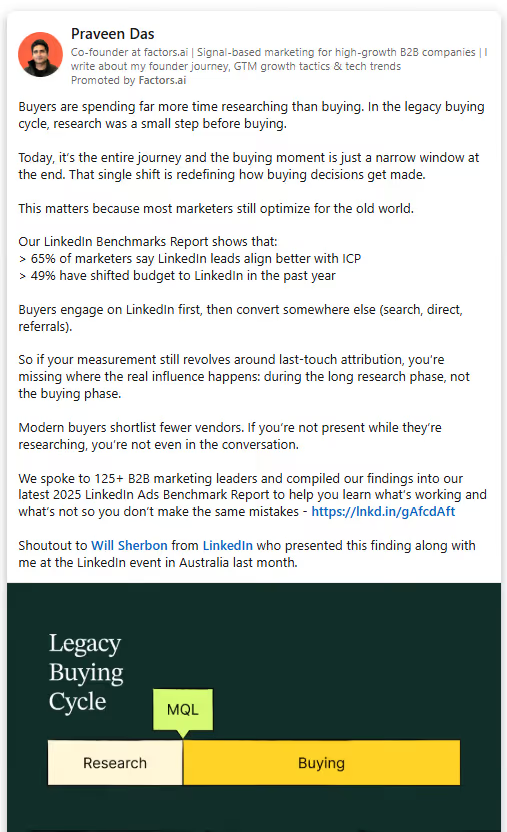
Thought Leader Ads (TLAs) are the only LinkedIn ad format that sponsors an individual organic post rather than brand content. The post runs in-feed with a Promoted by <Company> label, but the framing is personal and human (and that is exactly what makes it work).
People scroll past brand content instinctively. First-person posts from a credible individual do not look like ads. They look like content worth reading. That distinction shows up in performance.
What makes a strong Thought Leader Ad post:
- First-person voice throughout. "I" consistently outperforms "we" in this format.
- A clear narrative arc: what I observed, what it means, what you should do about it.
- 1,000 to 1,500 characters of real insights, not a verbose paragraph and a link.
- CTA in the bottom quarter (not the opening line).
The best posts to promote are ones that already generated inbound interest organically: DMs, thoughtful comments, shares from people in your ICP. If a post already did the persuasion work, amplifying it is just distribution.
TLA interactions also feed retargeting audiences. Anyone who engaged with the promoted post can be served sponsored content next, creating a natural mid-funnel step that feels like a continuation rather than a cold follow-up.
- Document Ads
Document Ads let you display a PDF natively in the LinkedIn feed: a whitepaper, checklist, template, benchmark report, or playbook… readable without clicking away. The first page functions as your cover poster and needs to communicate value immediately.
Keep documents to 5 to 10 pages for optimal in-feed performance. If you want to gate the full content, put the lead gen form after 3 to 4 preview pages, enough to justify the exchange, not so much the form becomes unnecessary.
Document Ads perform especially well for audiences actively evaluating options. Playbooks, comparison guides, and benchmark reports consistently outperform pure thought leadership at this stage because they are decision-stage useful.
- Carousel Ads

Carousel Ads are a storytelling format. Start with 3 to 5 cards. Card one stops the scroll. The deeper cards are where genuine engagement happens, readers who reach Card 4 or 5 are expressing real intent. Save your sharpest argument or CTA for there.
Use carousels to walk through a framework step by step, present a before-and-after case study, compare options with honest trade-offs, or tease the structure of a longer piece of content that the reader can then access.
- Video Ads

LinkedIn Video Ads generate strong engagement rates and earn lower CPMs than static formats. The key is matching video objectives to what video actually does well, building brand presence and keeping you top of mind, rather than asking it to carry the full conversion load.
The critical stat: 80% of LinkedIn video viewers watch with sound off. Captions are not optional. If your video depends on audio to make sense, it is not working for most of your audience. Burn captions directly into the video or upload an SRT file.
Your hook needs to land in the first three seconds. A visible brand logo in the first two seconds lifts recall. Keep cold audience videos under 30 seconds. Longer formats (one to two minutes) work for warm retargeting audiences where context already exists.
For video creative specifically, native uploads always outperform sharing external links. LinkedIn's algorithm rewards content that keeps people on the platform, and native video autoplays in-feed while a YouTube link sits as a static thumbnail waiting for a click that rarely comes.
- Message Ads and Conversation Ads
Message Ads and Conversation Ads go directly to a member's LinkedIn inbox. The key difference: Message Ads deliver a single message, while Conversation Ads offer branching CTAs that let the recipient self-select their path.
Best practices for both formats: keep the subject line under 60 characters. The message body performs best under 500 characters. Write as if it’s being sent from a real person with a specific reason for reaching out… it’s not a broadcast from a brand account. Include a banner image and always offer an opt-out option.
Conversation Ads work particularly well for event invites, webinar registrations, and warm audiences. Design 2 to 3 CTA branches that let the reader signal intent without feeling cornered.
LinkedIn ad templates you can adapt today
These are structural patterns that have been proven to work. The specifics: the stat, the company name, the pain point… need to come from you.
The LinkedIn Ads wall of shame: 8 LinkedIn ad copy mistakes you cannot be seen making
Most of these mistakes are avoidable once you know of them. But they keep happening because there is always pressure to launch and always a template from last quarter that is good enough. And before we move ahead, I’d like to apologize for being a little… what can I say… rude?! But I can’t have you making these mistakes in 2026, dude. Get a grip, and let’s go.
- Proposing on the first date:
Running a ‘Request a Demo’ CTA to a cold audience is… embarrassing. Give them a checklist or a guide first. Earn the right to ask for their time. - Features over outcomes:
Nobody cares that you have ‘40 integrations.’ They care that they can finally stop manually syncing CSVs on Friday afternoons. So tell them that. - The ‘Corporate Speak’ Trap:
Ew. Don’t get me started on this one. If your ad sounds like it was approved by a legal committee, it’s not going to convert Linda. Talk like a peer, not a vendor trying to shove a product in their cart, please. - Ignoring the Headline:
LinkedIn headlines cut off at 70 characters. If your punchline is character 71… it doesn't exist. - Static Creative:
Running one image for three months. Run 4-5 variations and kill the losers after two weeks.
Here’s the same thing in a table… because tables are good:
What do good LinkedIn ads look like? The anatomy of a strong LinkedIn Ad
Instead of naming specific campaigns, here are the structural patterns behind LinkedIn ad examples that consistently drive results, with the reasoning behind each choice.
Targeting and copy alignment: matching message to audience
Writing great copy for the wrong audience is wasted spend. Writing great copy for the right audience but framed incorrectly for their role or mindset also underperforms.
- Copy by seniority
Here, you see three campaigns with three sets of copy for the same product can lead to a meaningful difference in performance. I know this feels like A LOT of extra work… but I need you to know that this is the work and what will work.
- Copy by funnel stage
Most B2B advertisers spend the majority on conversion. The result is high CPLs from audiences who were not ready and an awareness gap that makes the pipeline increasingly expensive to fill. The 60/30/10 allocation is a starting point; adjust based on your cycle length and how warm your existing audience is.
LinkedIn Video Ads best practices
Video has its own creative rules that do not apply to static formats. Here is the structured version.
For an awareness-stage video, the goal is staying top of mind and being associated with specific buying situations. For retargeting video you can go deeper, but only because you are building on context the viewer already has.
Creative specs quick reference
Before launching, use this as your final format check.
Measuring what your copy actually does: Close that attribution gap
Writing strong copy is about 50% of the job, but knowing which copy is actually driving pipeline is the other, important half and that is where most marketers shed a few tears.
LinkedIn Campaign Manager is built around click-through and form-fill attribution. But in B2B, the buyer journey is not a straight line… and we all know that by now. A decision-maker sees your Thought Leader Ad on Tuesday, does not click it, searches your brand name on Thursday, visits your pricing page a week later, and shows up in a sales conversation three weeks after that. Standard attribution gives your LinkedIn ads zero credit for any of that.
Factors.ai, an official LinkedIn Partner for B2B Attribution and Analytics (sorry, I just had to), addresses this directly with LinkedIn AdPilot.
We connects LinkedIn ad impressions, including view-throughs, to downstream account-level behavior: website visits, intent signals, pipeline movement, and revenue. This gives you a full-funnel view of what your ad spend is actually generating, not just the last-touch slice.
Factors.ai also solves for the frequency distribution problem at the account level (not just the individual level) through its Smart Reach feature, which caps impressions per target account and redistributes budget to reach more of your actual ICP instead of overserving the same accounts repeatedly. LinkedIn Audience Builder in Factors keeps intent-based lists synced automatically to Campaign Manager so your targeting stays fresh without manual CSV uploads.
All that said and done… none of this can ever replace strong copy. But it does mean that when your copy works, you can see it AND prove it.
Wrapping up… what does strong LinkedIn ad copy actually do?
LinkedIn is the platform where B2B buying decisions get shaped. Your buyers are there, in the right mindset, at a scale no other social channel matches for professional targeting. The opportunity is real every time you launch a campaign.
What separates the campaigns that build pipeline from the ones that run quietly into the void: specificity, funnel alignment, and a creative that respects the reader's intelligence enough to be genuinely useful rather than generically persuasive.
The research from LinkedIn B2B Institute confirms that creative B2B ads drive meaningfully higher purchase consideration than functional ones. Emotional resonance and memorable framing are not vanity metrics; they are how buyers decide who makes their shortlist before they are even in market.
The pre-launch gut-check:
- Does the first 150 characters say something worth reading?
- Is the headline under 70 characters and specific enough to act on?
- Is the creative format matched to the objective?
- Is the CTA appropriate for where this audience is in their journey?
- And are there at least four variations running so you can learn what actually works?
This little checklist clears the bar most LinkedIn ads never reach. And on a platform this powerful, clearing that bar is where the pipeline starts. Ooh, what a line… and on that note, BYE.
May the LinkedIn Ads be with you, 4eva!
FAQs for LinkedIn Ad Copy and Creative Best Practices
Q1. What is the best character length for LinkedIn ad copy?
Short answer: shorter than you think.
Longer answer: LinkedIn cuts off your intro text pretty aggressively, so if your main point is buried somewhere in the middle, most people will never see it. Try to keep your opening line (or at least your core message) within 150 characters so it shows up before the “See more” button.
For headlines, stay under 70 characters. There’s no expansion option there, so anything longer just gets awkwardly chopped off.
And for CTA buttons, you’ve got about 20 characters to work with. Think simple, clear, and direct. “Download Guide” works better than trying to get clever and running out of space.
Q2. What LinkedIn ad format works best for B2B lead generation?
It depends on what part of the funnel you’re targeting, but a couple of formats consistently stand out.
If you're trying to build awareness and trust, Thought Leader Ads tend to perform really well because they feel like content, not ads. People are far more likely to engage with a person than a brand.
If you're focused on actual lead generation, then Document Ads + LinkedIn Lead Gen Forms are a very strong combo. Documents get attention and engagement, and Lead Gen Forms make it ridiculously easy for users to convert without leaving LinkedIn.
That last part matters more than you think. The less friction you create, the better your conversion rates.
Q3. How often should I refresh LinkedIn ad creative?
More often than most teams do.
A good rule of thumb is every 4 to 6 weeks for active campaigns. But here’s the catch: ad fatigue doesn’t announce itself. You won’t always see a dramatic drop, it just slowly stops working as well.
The smartest way to manage this is to run 4–5 variations per campaign instead of relying on one “hero” creative. This gives LinkedIn room to optimize and also keeps your audience from seeing the exact same thing over and over again.
Think of it less as “refreshing ads” and more as “rotating variations.”
Q4. Should I use LinkedIn Lead Gen Forms or link to a landing page?
If your goal is conversions, Lead Gen Forms usually win. By a lot.
In most B2B cases, they convert 2–5x better than landing pages. The reason is simple: LinkedIn pre-fills user data and keeps them on-platform, so there’s almost zero friction.
That said, landing pages still have a place.
Use them when:
- You need to build deeper credibility (like for high-ticket offers)
- You want to control the narrative and experience
- You need more detailed qualification fields than LinkedIn allows
A good way to think about it:
Use Lead Gen Forms for volume and efficiency, and landing pages for depth and qualification.
Q5. What’s the difference between a LinkedIn Thought Leader Ad and regular Sponsored Content?
This is one of those things that seems small but makes a huge difference.
Sponsored Content comes from your company page. It looks and feels like a brand talking.
Thought Leader Ads, on the other hand, promote a post from an individual (usually a founder, CMO, or someone with a voice). It still shows “Promoted by Company,” but the tone stays personal.
And that changes everything.
People trust people more than brands. A first-person post feels like an opinion or insight, not a sales pitch. That’s why Thought Leader Ads usually see higher engagement and better quality interactions.
Q6. How do I write LinkedIn ad copy for a cold audience?
Start by accepting this: they don’t care about your product yet.
So don’t lead with it.
Instead, lead with something they do care about:
- A problem they’re dealing with
- A sharp insight they relate to
- A situation that feels uncomfortably familiar
Once you’ve got their attention, offer something genuinely useful. A guide, a checklist, a breakdown, a real example.
And keep your CTA soft:
- “Read the Guide”
- “See How This Works”
- “Get the Checklist”
Save “Book a Demo” or “Start a Free Trial” for retargeting. Cold audiences need context before commitment.
.avif)
What Is Demand Generation? (Or Why Your Leads Report Looks Great But Your Pipeline Doesn't)
Demand generation is a long-term strategy to create problem-aware buyers. Learn how to build authority in the "Dark Funnel" and drive actual revenue.

TL;DR
- Demand generation is a relational marketing strategy focused on creating and capturing interest to build a predictable revenue pipeline, rather than just collecting contact details.
- While lead generation optimizes for volume (CPL/MQLs), demand generation optimizes for value (SQLs/Revenue) by educating buyers in the “Dark Funnel” before they reach your site.
- A successful demand generation program requires a hyper-specific ICP, a content engine that builds trust, and airtight sales-marketing alignment on revenue goals.
- Shift your focus from activity-based reporting to business-impact metrics like pipeline value, win rate, and CAC payback period.
Here is an ideal world scenario for marketing teams.
Leads are up. CPL is holding. Content is getting published on schedule. The ads are running. The newsletter went out. Someone said “good work” in Slack last Tuesday, and you have a screenshot.
And then your Sales marketing meeting happens, and they tell you
“Hey, so... none of these people are actually ready to buy.”
(And you imagine yourself in a parallel universe where you own a bookshop that also sells coffee, and none of this is a problem.)
Well, if you have experienced this scenario, then your team has a demand generation problem. AKA, confusing activity with pipeline problem. This is the most common and the most expensive problem in B2B marketing that is often ignored.
Most B2B marketing teams are really good at capturing demand. But to do so, you need to create demand in the first place. But this creation is what most teams miss doing. That's the gap. And it's why pipelines look very thin even when lead numbers look healthy.
This article will tell you what demand generation actually is and what a real B2B demand gen program looks like when it's built to drive revenue, not just reports.
So, What Actually Is Demand Generation?
Demand generation is the work you do to make the right people care about the problem you solve before they've ever heard of you, and then show up exactly when they're ready to do something about it.
Demand generation is not a campaign or a channel like organic or paid.
Demand generation is about creating a market of educated, problem-aware buyers who eventually want to talk to your sales team because you've spent time being actually useful to them.
What are the two pillars of B2B demand generation?
- Creating demand: Reaching people who aren't actively looking yet. Or, getting in front of people who don't know they have a problem yet (or who do know but haven't connected the dots to your solution)
- Capturing demand: Being the first, most obvious answer when those same people finally go looking. Paid search, review site presence, and comparison content.
A healthy demand-gen program does both. But here's the thing: if you only capture, you're in a bidding war with every competitor who also knows how to run a Google Ad. Creating demand is the only way to build a category position that they can't easily copy.
Why Does Your Pipeline Look Thin Even When Marketing Is “Working”?
Most B2B companies are trying to capture demand they never built. They invest heavily in SEO, paid search, and SDR outreach to catch buyers who are already in-market. These buyers are already comparing options and are 60-70% through their decision. And then they wonder why conversion rates are low and sales cycles are long.
The truth? By the time a buyer fills out your form, they've already decided whether you're on their shortlist. That decision was made during all the time they spent not on your website, reading content, watching LinkedIn videos, lurking in Slack communities, and forwarding articles to their team.
That invisible pre-purchase journey has a name, and that, my friends, is called 'The Dark Funnel'. And demand generation is how you show up there, before the shortlist gets made.
If your marketing only starts when someone raises their hand, you're already VERY LATE to the conversation.
Is Demand Generation the Same as Lead Generation?
You might think that demand generation is lead generation with better branding. Ah-ha! It's not.
Here is the difference:
Lead generation asks, "How do we collect contact details?"
Demand generation asks, "How do we make someone want to buy?"
Lead generation is all about filling a spreadsheet with leads. Demand generation fills your pipeline.
Lead Generation vs Demand Generation
- Lead generation is transactional. It optimizes for contact collection, trading a PDF, a checklist, or a free trial for an email address. You measure Cost Per Lead (CPL), volume, and form fill rate.
- Demand generation is relational. It optimizes for pipeline creation and revenue. You measure SQLs, cost per opportunity, win rate, and Customer Acquisition Cost (CAC) payback.
See the difference?
Good. Now, let's agree to stop celebrating CPL as a success metric and move on with our lives.
This distinction deserves more than a paragraph, honestly. So we gave it a full blog. Read it, share it, maybe laminate it. Read more: Lead Generation vs Demand Generation
Why Is Demand Generation Very Important To Your Marketing Strategy?
The average B2B buyer today has:
- Googled your competitors before your SDR even sent the first email
- Read three review sites, two Reddit threads, and one LinkedIn post someone shared sarcastically
- Already formed an opinion about your product based on a 90-second scroll of your homepage
On top of all this, your buyers are already drowning in content, cold emails, and tool demos. They've become extremely good at ignoring things that feel like “marketing”. The only thing that cuts through is being genuinely useful, consistently, well before you ask for anything.
That is why demand generation becomes crucial to your marketing efforts.
What Should Your Demand Generation Strategy Contain?
Theory is fun, isn’t it? Now, let us get our hands dirty and see what a demand generation strategy should look like.
1. A Specific ICP
A mind-blowing way to burn your budget is by marketing to everyone.
That is why your ICP should not be just “mid-market SaaS companies”. It should be very specific. The industry, the team structure, the tools they use, and the trigger events that make them suddenly care about your problem – all these points should be well defined.
The trigger events are especially worth naming. A company raising a Series B, hiring their first VP of Revenue, migrating off a legacy CRM, or losing a major deal to a competitor. These moments create urgency that no amount of retargeting can manufacture.
Your demand generation strategy should resonate with your ICP. Now, how do you build it?
Build this ICP with Sales and Customer Success in the room. They know which customers close fastest, which ones churn in 90 days, and which logos they'd trade three others to get. That's your ICP. Write it down. Update it every quarter.
2. A Content Engine That Creates Demand
As I write this, so many people on LinkedIn are claiming that content is dead. SEO is dead.
Well… surprise, surprise!
IT IS NOT!
Writing to rank on Google and get mentioned on LLMs is absolutely necessary. But so is content written to change how your ICP thinks.
For instance, your content should make a CMO walk into a Monday standup and say, “Has everyone read this?” to a room full of people who haven't. (Okay, how many such posts do you get on weekends? )
For demand generation SaaS teams, full-funnel content maps to three stages:
- Awareness: Problem-first content that names a challenge and explains why it matters. This can look like “Why your pipeline report looks great, but your leadership is not impressed.”
- Consideration: Comparison guides, frameworks, and case studies by segment. This is where you earn a spot on the shortlist. Tools like G2, Capterra, and TrustRadius also live here, and buyers use them whether you show up on them or not. (Not showing up is also a choice. Just not a great one.)
- Decision: ROI calculators, implementation guides, security one-pagers, and the "what does onboarding actually look like" content that helps champions sell internally. This content is almost always missing, and it's almost always the reason deals stall.
3. Channels Where Your Buyers Are Actively Researching
There are a few primary channels for B2B demand generation. They include:
- LinkedIn - The organic channel that has most of your B2B audience
- Paid search - You can bid on high-intent keywords
- Email marketing - Nurtures your “engaged, but not yet ready” accounts
- Community marketing - Your ICPs can ask candid questions
- Events - A genuinely useful channel
You need not focus on all channels at once. You can pick 2-3, do them well and scale up as you learn.
If you try to do everything at once, then mediocrity is what you will be rewarded with. Such an approach to be present everywhere can burn your budget fast. (Omnipresence is for deities and enterprise SaaS pricing pages.)
4. Sales Marketing Alignment
Sales Marketing alignment can also be translated as Sales and marketing treating each other like adults. (A sentence that should have been extinct in 2023. And yet.)
One of the best practices in B2B demand generation is sales and marketing being on the same page. This starts with aligning on the definitions. Like:
- Shared ICP definitions
- Shared MQL, SQL definitions
- What is considered a deal
Both teams should have regular pipeline reviews where both teams ask, “What's working?” instead of “Whose fault is this?”
When Marketing and Sales are aligned, leads stop being Marketing's problem to deliver and Sales's problem to complain about. They become a shared pipeline with shared accountability.
Imagine Ross from the Friends sitcom screaming 'Pivot!' while moving the sofa. Rachel and Chandler were working very hard to move it upstairs, and yet the sofa still ended up wedged in the stairwell. Even the most effective demand generation strategy in the world cannot succeed without alignment between sales and marketing.
5. Metrics That Your Leadership Team Wants
At the end of the day, everyone in your company gets paid for the revenue generated. The salaries are not decided by “How many leads are generated” or based on “What is the cost per lead?"
This is what your demand generation report should also convey. It should never stop at CPL, MQLs, or SQLs. Because if you do, you can no longer keep saying brand awareness and keep asking for more budgets.
The metrics that connect demand gen to revenue are
- SQLs created by channel and campaign
- Pipeline value generated
- Win rate by source
- Cost per opportunity
- CAC by channel
- CAC payback period
- Revenue generated by channel
These are the numbers that turn Marketing from a cost center into a predictable growth engine. Track them monthly. Present these to leadership and justify the costs.
What Is the One Thing Most Demand Gen Articles Won’t Tell You?
Demand generation is a long-term game that most companies abandon right before it starts working.
Why does this happen?
The dashboards stopped looking exciting, someone asked a pointed question in a QBR, and the team quietly pivoted to tactics that show results faster.
Honestly, I get it. Creating demand is a slow process.
A buyer reads your blog in January. Goes completely dark. Revisits your pricing page in April like nothing happened. Attends your webinar in June. Books a demo in August. That eight-month journey shows up in your attribution report as “organic, direct”; the January blog post gets exactly zero credit, and whoever wrote it is probably crying in the corner, thinking it did not yield results.
This is why so many teams over-rotate to bottom-of-funnel tactics. They're faster to show up in reports, easier to defend in budget conversations, and much less likely to prompt the question, “But how do we know this is working?”
But here is what you should know. Abandoning demand creation doesn't fix the pipeline problem. It only delays the process, resulting in a higher cost per opportunity.
The only way to solve this is by building a system that accounts for the full buyer journey, including all the dark funnel touches that last-click attribution will cheerfully ignore. Multi-touch attribution models, account-level visibility tools like Factors.ai, and intent data from platforms like Bombora or G2 all help close that gap.
Because the demand was always working. You just couldn't see it yet.
FAQs on Demand Generation
Q1. How do I prove Demand Gen is working if it doesn’t show up in my attribution software?
The “Dark Funnel” Slack groups, podcasts, and LinkedIn are very hard to track. Most standard attribution models will simply label these high-intent buyers as “Direct” or “Organic Search”, leaving your best work invisible in the reports.
I would say stop letting software tell the whole story. Add a self-reported attribution field to your “Book a Demo” form that asks, “How did you first hear about us?” You’ll be shocked (and validated) when buyers say “Reddit” or “That one LinkedIn post”, even if Google Analytics swears they came from a branded search. Or you can be smarter and get a tool like Factors.ai that helps you with multi-touch attribution and tracks your “Dark Funnel”.
Q2. Should we ungate our best content to create demand or gate it to get leads?
There is a massive debate about whether gating content kills the demand creation phase. Gating provides an email, but often prevents the content from being shared or read by the 97% of your market that isn't ready to buy yet.
If your content is educational (how-tos, industry shifts, frameworks), ungate it. You want it to gain good traction. Gate high-intent tools such as ROI calculators, proprietary data reports, or webinar sign-ups. Don't hold your best ideas hostage for an email address. In fact, the LinkedIn Ads Benchmark report from Factors.ai states that the performance of gated content is declining.
Q3. My sales team says demand gen leads “aren't ready”. Is this right?
In this case, both your sales and marketing teams can be right. Marketing is creating problem-aware buyers who may still be in the research phase. While sales is looking for leads who are ready to buy in the next 30 minutes.
I would say your sales and marketing teams should first align on the definitions because, clearly, it is broken. Marketing shouldn't toss every ebook downloader over the fence, and Sales shouldn't ignore a buyer just because they didn't ask for a quote in the first five minutes.
Q4. Can we run demand gen on a tiny budget, or is it only for bigger companies?
A common myth is that you need a $50k/month LinkedIn ad spend to “create demand”. Many small teams feel they have to stick to cheap Lead Gen tactics because they can't afford the long game.
In my opinion, you do not need a big budget. You need conviction. Small teams can win by being loud in niche communities (Reddit, Discord, and niche newsletters) where their ICP is active. It’s about relevance, not reach. (Honestly, a well-placed comment on a Reddit thread often outperforms a $5,000 banner ad anyway!)
Q5. What’s the difference between "Demand Generation" and just "Brand Awareness"?
People often use these interchangeably, but brand awareness is “knowing you exist”, while Demand Generation is “knowing why they need you.” One is a vanity metric; the other is a pipeline engine.
I would define it as if your marketing makes people say, “I've heard of them,” that’s awareness. If it makes them say, “I need to fix X problem using your company's framework,” that is a demand. Aim for the latter!
.avif)
13 PPC management services tips that actually move pipeline (not just clicks)
Practical PPC management services tips for B2B teams. From bid strategies to attribution fixes, here's how to stop wasting ad spend and start generating revenue.
TL;DR
- Most B2B PPC campaigns optimize for clicks and form fills. The ones that work optimize for pipeline and revenue.
- Offline conversion tracking, value-based bidding, and CRM feedback loops are the foundation of PPC management services that actually deliver ROI.
- Google's AI Max, Performance Max, and Demand Gen trio is the new default campaign stack for 2026.
- LinkedIn Ads cost more per click but generate 4.2x more pipeline revenue per dollar than Google when you factor in deal sizes and close rates.
- Your negative keyword list is probably doing more for your budget than your best ad copy.
- If you're evaluating a PPC management company, ask how they measure success. If they say "clicks" or "impressions," run.
If you've ever checked your Google Ads dashboard, seen a beautiful click-through rate, and then opened your CRM to find... absolutely nothing useful... welcome. You're among friends here.
We’ve all watched B2B teams pour thousands into pay-per-click management services, celebrate vanity metrics in Monday standups, and then wonder why the pipeline looks the same as it did three months ago… the clicks are clicking… the leads are leading, but nothing is closing.
So, what’s the problem, mate? It’s never the ads themselves… but everything around the ads, including (but never limited to): targeting, measurement, feedback loops (that don't exist, btw), and landing pages that try to be everything to everyone and end up converting no one.
This guide covers 13 PPC management tips that actually work for B2B SaaS teams, and no, there are not some ‘best practices’ recycled from 2019. These are PPC management strategies you can implement this quarter, whether you're running campaigns in-house or working with a PPC management agency (or so I hope).
Here are the 13 PPC management services tips:
- Stop optimizing for form fills; optimize for revenue instead
This approach is the single biggest mistake in B2B PPC, and I will die on this hill.
When you tell Google to optimize for form fills, it does exactly that. It finds people who are really, really good at filling out forms. Students. Job seekers. Competitors. Your aunt who clicked out of curiosity.
What you actually want is closed-won revenue. And the only way to get there is by connecting your CRM pipeline stages (MQL, SQL, Opportunity, Closed-Won) back to your ad platforms through offline conversion tracking.
Teams that implement offline conversion tracking with value-based bidding consistently see around 3x more pipeline at roughly 31% lower cost per lead. That's not a marginal improvement. That's a different business.
The setup: upload conversions daily via GCLID tracking or Enhanced Conversions for Leads. Extend your attribution window to 60-90 days (Google defaults to 30, which is laughable for B2B sales cycles). And remember, GCLIDs expire after 90 days, so enterprise deals with longer cycles need workarounds.
- Assign dollar values to every funnel stage
Once offline conversion tracking is live, the next step is telling Google (and LinkedIn) what each conversion is actually worth.
Here's a simple framework:
MQL = $100, SQL = $900, Opportunity = $3,000, Closed-Won = your actual deal value.
The exact numbers depend on your ACV and close rates, but the principle holds. Directive Consulting uses a formula for this:
Proxy Value = Close Rate x ACV x Margin x Stage Probability.
This is what value-based bidding means in practice. You're telling the algorithm to chase revenue, not volume. And the difference in output is wild.
Quick note: Enhanced CPC is now deprecated. Your viable options are Maximize Conversion Value or Target ROAS for bottom-funnel campaigns, and Maximize Conversions or Target CPA for upper-funnel. Start with Maximize Conversion Value. Graduate to Target ROAS once you have enough signal.
- Structure campaigns around buyer intent, not just keywords
I cannot tell you how many B2B Google Ads accounts I've seen where everything is dumped into one or two campaigns. All keywords, match types, and intents. It’s ONE big chaotic party where "what is CRM software" and "buy CRM software" are competing for the same budget.
Here's the structure that works:
- Brand campaigns (5-7% of budget): These should be running (always). They typically deliver 1,200%+ ROAS because people searching your brand name are already warm.
- High-intent product campaigns: Keywords like "[category] software" or "[use case] tool." These are your pipeline drivers.
- Competitor campaigns: "[Competitor] alternative" and "[Competitor] pricing." Don't bid on top-level competitor brand names, though. Most of those searchers are existing customers trying to log in. Target the comparison and alternative queries instead.
- Problem-aware campaigns: "How to reduce [pain point]" queries. Lower intent, but great for building remarketing audiences.
- Remarketing: Sequenced over 90 days (more on this in tip #10).
B2B SaaS companies that don't segment by intent level end up wasting 40-60% of their Google Ads budget. That's real money going to real waste.
- Get comfortable with Google's new ‘power pack’
Google's recommended campaign trio for 2026 is this:
AI Max for Search + Performance Max + Demand Gen.
They are calling it the ‘Power Pack,’ and as corny and Powerpuff Girl-like as that sounds, the results will make at least a few of your eyebrow strands stand at attention.
So, what is it? AI Max for Search (launched May 2025) matches ads to queries based on intent rather than just keywords. Google reports 14% more conversions at a similar CPA, and that number jumps to 27% for campaigns that were previously running only exact and phrase match. It's also one of the primary ways your ads show up in AI Overviews.
Oh! Btw, Performance Max got a serious transparency upgrade in 2025. You now get campaign-level negative keywords (up to 10,000), full search term reports, and channel-level reporting that actually shows you what's running on Search vs. Display vs. YouTube.
Demand Gen delivers 58% lower CPMs than LinkedIn for equivalent audiences, which makes it a solid channel for retargeting with video content like case studies and product walkthroughs.
Suggested allocation: Performance Max 30-40%, AI Max for Search 30-40%, Demand Gen 10-20%.
- Your negative keyword list is your secret weapon
Here's a stat that should make you uncomfortable (but in a good way): an analysis of 150+ B2B SaaS accounts found that 57% of every ad dollar goes to search terms that never convert. Every 10% increase in wasted spend raises CPA by 38-65%.
Your standard B2B SaaS negative keyword list should include "free," "open source," "jobs," "careers," "salary," "tutorial," "course," "login," "support," "cheap," "DIY," and "small business." This is your starter kit. Your actual list should be much longer.
Google now supports account-level negative keywords, so you can set these once and they apply everywhere. Build a habit of reviewing search terms weekly for the first three months, you can then shift to biweekly once you've caught the worst offenders.
This is the PPC management equivalent of cleaning your house. Nobody wants to do it. Everybody benefits when it's done.
- Don't send paid traffic to your homepage
I feel like this should be obvious by now, but based on the number of B2B accounts still doing it... it feels like it’s not <insert a very polite eye-roll>.
Your homepage tries to be everything. It talks to investors, job seekers, existing customers... and when a buyer who just searched ‘contract management software for legal teams’ lands on it, they bounce. Because the page doesn't answer their specific question.
Dedicated landing pages with message matching convert at 5-15%. Homepages? Somewhere around 1-3% on a good day. The median SaaS landing page converts at 3.8% according to Unbounce's analysis of 41,000+ pages. And top performers break 20%.
Build separate pages for competitor terms (comparison pages), problem-aware terms (educational pages), and high-intent terms (demo or trial pages). Keep forms to 5 fields or fewer. Load time under 2 seconds. Social proof above the fold. Done.
- LinkedIn Ads are expensive per click, but cheap per deal
If I had a dollar for every time someone told me, "LinkedIn Ads are too expensive"... I'd have enough to fund a pretty solid villa in the Bahamas.
While LinkedIn CPCs are higher (typically between $5 and $10+) than Google's (~$3–$8) in B2B, concentrating only on CPC ignores the larger picture.
For complex B2B sales, LinkedIn regularly generates higher-quality leads. Research indicates that when transaction sizes are large and buying committees are engaged, conversion rates are much higher and client acquisition costs are lower.
The takeaway is that Google prevails in terms of volume. But when it comes to quality (and B2B), LinkedIn wins. Both should be part of your PPC management services strategy, distributed according to your revenue economics.
- Use LinkedIn's funnel-staged campaign architecture
Throwing the same demo CTA at everyone on LinkedIn is like proposing on a first date. Technically possible… but usually doesn't go well.
Break your LinkedIn campaigns into three stages:
- Top of funnel:
Ungated value content. Broad targeting. Audience size of 50K-300K. Thought Leader Ads (boosting employee content) deliver 1.7x higher CTR than company page ads, so use those here. Short-form vertical video gets 71% more impressions than horizontal. - Middle of funnel:
Lead Gen Forms with webinars, guides, and reports. Matched Audiences retargeting website visitors. Lead Gen Forms auto-fill and convert at 2-3x higher rates than landing page forms. Retargeting audiences (30-60 day windows). Focus on utility-driven assets like ROI calculators, comparison frameworks, and diagnostic assessments. This stage should achieve a 2.74% visitor-to-lead conversion rate using LinkedIn Lead Gen Forms, which outperform standard landing pages by removing mobile friction. - Bottom of funnel:
Demo offers, case studies, and CRM-based account targeting, smaller audiences, stronger intent, and higher budgets per impression.
Note:
Follow up on Lead Gen Form submissions within 5 minutes. Lead quality degrades rapidly after that. If your SDR team takes 48 hours to respond, your LinkedIn budget is basically funding a very expensive email list that nobody reads.
- Bring ABM into your PPC with Customer Match and Account Targeting
Upload your target account decision-maker emails to Google Customer Match (minimum 1,000 matched users) and LinkedIn Account Targeting (minimum 300 matched records). This is where PPC campaign management services and ABM start working together.
ABM-targeted Google campaigns deliver roughly 200% higher ROI compared to broad targeting. And when you layer LinkedIn account targeting with CRM-based audiences, you're reaching buying committees directly instead of spraying budget across an entire industry.
Tools like Factors.ai make this easier by automatically syncing high-intent audiences from your website, CRM, and third-party intent sources directly into LinkedIn and Google through its AdPilot products. Dynamic audience sync means your target lists update as buying signals change, so you're always targeting accounts that are actually in-market, not accounts that showed interest six months ago.
- Build a 90-day sequenced remarketing strategy
B2B sales cycles average 84 days. Enterprise deals stretch to 6-12 months. And the average B2B deal now requires 266 touchpoints before it closes. That number is up nearly 20% from just two years ago.
So, running one remarketing campaign with a single "Book a demo" CTA and calling it a day? That's not a strategy… that's hope, at best.
Here's what a proper sequence looks like:
- Days 1-7: Educational content, blog posts, industry reports. You're saying "hey, we know things."
- Days 7-30: Case studies, ROI calculators, comparison guides. You're saying "hey, we've helped people like you."
- Days 30-90: Demo CTAs, migration guides, pricing content. You're saying "hey, let's talk."
LinkedIn retargeting can reach 9.5% conversion rates when sequenced properly. And Google Demand Gen is perfect for distributing YouTube case studies at those 58% lower CPMs compared to LinkedIn.
- Don't sleep off on Microsoft/Bing Ads
I know, I know. Bing feels like the Internet Explorer of search engines. But Microsoft Ads delivers 253% ROI for B2B marketers, which is actually the highest among all B2B PPC platforms. CPCs average $1.54, and cost per lead comes in around $41.44.
The audience skews toward enterprise decision-makers who use Edge as their default browser on company laptops (because IT said so). And Google Ads campaigns can be imported with one click.
If you're already running Google, there's literally no reason not to test Microsoft. It takes 30 minutes to set up and might become your most efficient channel.
- Adapt your strategy for AI Overviews
This one's big for 2026. When AI Overviews appear in Google search results, paid CTR drops by 68%. But brands that get cited in AI Overviews see 91% more paid clicks. So the gap between winners and losers is widening.
Non-branded CPCs jumped 29% in 2025, and non-branded search budgets have dropped from 37% to 33% of total spend.
The practical implications: SEO and PPC are now deeply interdependent, and AI Max for Search is one of the primary pathways for your ads to appear alongside AI-generated answers.
If your PPC management company isn't talking about AI Overviews yet, that's a red flag.
- Measure what matters: pipeline, not vanity metrics
Your weekly PPC report should clearly tell you how much pipeline you generated.
Here’s a list of the metrics that are useful to understand how your PPC campaigns are doing:
- Pipeline generated ($): The only metric your CFO cares about.
- LTV:CAC ratio: Minimum 3:1. Top quartile hits 5:1+.
- Cost per SQL and cost per opportunity: These tell you if lead quality is real.
- CAC payback period: Top-performing SaaS companies get this under 80 days. The private SaaS average is 23 months, which is... not great.
Nearly 90% of B2B teams still use single-touch or basic multi-touch attribution models, despite their growing inaccuracies. As of late 2023, Google formally deprecated first-click, linear, time-decay, and position-based attribution across Google Ads and GA4.
Today, Data-Driven Attribution (DDA) is the only automated multi-touch model available. Unlike rule-based models that assign fixed percentages to touchpoints, DDA uses machine learning to analyze your account's unique conversion paths and assign fractional credit based on how much each interaction actually increased the probability of a conversion.
Factors.ai's cross-channel attribution connects every touchpoint from first click to closed deal across web, ads, CRM, and third-party sources. You can finally answer "what actually drove that deal" without a 47-tab spreadsheet and a prayer.
When to hire a PPC management agency (and what to look for)?
Running PPC in-house gives you deep brand knowledge and excellent sales alignment, but a senior PPC manager also costs $125K–$215K in salary, plus 30% in benefits and tool subscriptions. A two-person team exceeds $400K/year before you've spent a dollar on ads.
If you consider the alternative, a good (read: competent) PPC management firm offers access to premium technologies, specialist knowledge, and cross-account benchmarking without the HR burden. For most B2B SaaS teams, a hybrid approach works best: the agency handles execution, testing, and scaling, while internal teams handle strategy, brand voice, and sales alignment.
Here’s what you should prioritize when evaluating a PPC management agency:
- Maturity of measurement:
Can they set up Enhanced Conversions, import CRM outcomes, and use Data-Driven Attribution? If not, next. - Value-based approach:
Do they map conversion values to lifecycle stages? Or are they still optimizing for the cheapest CPL? - Case studies from B2B SaaS clients:
Are they able to show pipeline results? Because just some CTR improvements aren’t going to cut it. - Contract flexibility:
Month-to-month contracts keep agencies accountable, but twelve-month lock-ins often protect mediocrity. - Account ownership:
You must own your Google Ads account (non-negotiable).
Warning signs you need to look out for:
- Guaranteed results (nobody can promise that)
- Reporting only vanity metrics, the agency owns your ad account
- Cookie-cutter strategies
- AND never meeting the person who actually manages your campaigns
In a nutshell…
PPC management services work when they're connected to revenue. FULL STOP.
The tips in this guide aren't about spending more, which you’d agree with (if you read the whole blog)... they're about spending smarter. Track the right conversions, bid on value, segment by intent, sequence your remarketing, measure pipeline, and pick partners (human or platform) that understand B2B buying is not a one-click impulse purchase.
B2B buyers take 84 days and 266 touchpoints to close. Your PPC strategy should respect that reality instead of pretending every click is a future customer.
If your current setup doesn't connect ad spend to pipeline, start there. Everything else gets easier once that foundation is in place.
FAQs for PPC management services
Q1. What are PPC management services?
PPC management services cover the strategy, execution, and optimization of pay-per-click advertising campaigns. For B2B teams, this includes keyword research, ad copywriting, bid management, conversion tracking, audience targeting, landing page optimization, and performance reporting across platforms like Google Ads, LinkedIn Ads, and Microsoft Ads. The goal is to turn ad spend into pipeline and revenue, not just clicks.
Q2. How much do PPC management companies charge?
Pricing varies widely. Flat-fee retainers range from $1,250 to $20,000+ per month depending on scope and ad spend. Percentage-of-spend models charge 10-20% of your monthly ad budget. The minimum recommended ad spend for B2B SaaS is $3,000-$10,000 per month, and specialized agencies often require $10,000-$15,000 minimums. Setup fees typically run $1,000-$2,000.
Q3. Should I manage PPC in-house or hire a PPC management agency?
It depends on your stage. Early-stage companies (pre-$1M ARR) usually benefit from an agency or fractional expert. Growth-stage companies ($1M-$10M ARR) typically do best with a hybrid model where in-house owns strategy and an agency handles execution. At scale ($10M+ ARR), most companies build in-house core teams and bring in agency specialists for specific campaigns or channels.
Q4. What's the average CPC for B2B SaaS on Google Ads?
B2B SaaS search CPCs average around $15.36 according to Firebrand's eight-year agency study, which is 57% above the overall B2B tech baseline. The all-industry average is $5.26 according to WordStream. LinkedIn CPCs for SaaS/tech average around $8.04, but LinkedIn's higher lead quality and larger deal sizes often make it more cost-effective on a per-deal basis.
Q5. How do I know if my PPC campaigns are working?
Look at pipeline metrics, not vanity metrics. Cost per SQL, cost per opportunity, pipeline generated, LTV:CAC ratio (aim for 3:1+), and CAC payback period tell you if campaigns are actually driving revenue. If your PPC management company only reports on clicks, CTR, and raw lead volume, you're missing the full picture.
Q6. What's the best PPC management company for B2B SaaS?
There's no universal answer because it depends on your stage, budget, and channels. But the best PPC management companies for B2B SaaS share common traits: they set up offline conversion tracking, use value-based bidding, show pipeline-level case studies (not just CPL improvements), offer month-to-month contracts, and ensure you own your ad accounts.
.avif)
How do LinkedIn view-through conversions work? (and why do they matter for B2B attribution)
View-through conversions on LinkedIn can triple your reported pipeline or your confusion. Here's how they're counted, why they matter for B2B attribution, and how to actually use them.
TL;DR
- A view-through conversion is counted when someone sees your LinkedIn ad, does not click it, but converts on your website within a set attribution window. LinkedIn's default is 7 days.
- LinkedIn's Campaign Manager combines click and view conversions into a single "Conversions" metric by default. Many teams typically do not separate them, which can present a challenge.
- VTCs matter in B2B because most buyers see your ads, don't click, and still eventually convert through other paths. Click-only attribution misses all of that influence.
- They're also genuinely controversial. Ad platforms are incentivized to report more conversions than are actually incremental, and the data bears that out.
- The smartest approach: treat VTCs as directional signals with partial credit, not standalone proof of campaign performance.
Quick question. When did you last click on a billboard?
I hope… never, right? Nobody does. You're doing 60 mph on the freeway, your coffee is getting cold in the cupholder, and that giant ad for a personal injury lawyer is not getting a click from you today. But here's the thing: billboards still work. You remember the brand, the jingle, and the phone number (1-800-something). And when you eventually need a lawyer, that billboard probably has something to do with why you call that particular one.
LinkedIn view-through conversions work the same way. Someone sees your ad in their feed. They don't click. They scroll right past to go check who viewed their profile (we've all been there). But a week later, they google your company name, land on your site, and fill out a demo request.
LinkedIn calls that a view-through conversion. And depending on who you ask, it's either the metric that finally gives awareness campaigns the credit they deserve, or the most convenient fiction an ad platform has ever invented.
Possibly both… we'll get there.
This blog is a proper 101 on view-through conversions: what they are, how LinkedIn technically counts them, why they matter for B2B attribution, and why smart marketers are also right to be a little suspicious of them. By the end, you'll know exactly how to use this data without lying to yourself or your CFO.
What are view-through conversions?
A view-through conversion is a conversion attributed to an ad impression rather than a click. It's recorded when someone is served an ad, doesn't interact with it, but then completes a conversion action (a form fill, a demo request, a page visit) within a specified time window after seeing that ad.
Also called post-view conversions or post-view attribution, this metric exists because ad platforms argue (not entirely without logic) that seeing an ad creates awareness even when someone doesn't click. The conversion that happens days later may still be causally linked to that first impression.
View-through attribution is the methodology for capturing and crediting that influence.
LinkedIn, Meta, Google Display Network, and most major ad platforms support VTC tracking. The mechanics are broadly similar across platforms, but the attribution windows and counting rules differ, sometimes significantly. (More on this shortly because the differences matter a lot.)
How are view-through conversions counted on LinkedIn?
LinkedIn's VTC counting has three moving parts: what counts as an impression, how LinkedIn matches that impression to a later conversion, and what the default attribution window is. Each one has more nuance than the platform makes obvious.
What counts as a viewable impression?
LinkedIn follows the MRC (Media Rating Council) viewability standard. For Sponsored Content in the LinkedIn feed, an impression is considered viewable when at least 50% of the ad's pixels are on screen for at least 1 second on desktop and 300 milliseconds on mobile.
For ads running on the LinkedIn Audience Network (LinkedIn's partner publisher network outside of LinkedIn.com), the bar is lower. When the ad shows up on the page, an impression is counted, even if it was never in the visible area of the screen.
I want to write four more lines about this. An ad that shows up below the fold on a partner site, is never scrolled to, and disappears after two seconds, still technically counts as an impression in the system. LinkedIn keeps track of it as a VTC if that person converts within the attribution window. That's the part that should push your eyebrows into your hairline
How does LinkedIn match the impression to the conversion?
The primary tracking mechanism is the LinkedIn Insight Tag, a JavaScript snippet installed across your website. When someone visits your site, the tag fires and tries to identify the visitor as a LinkedIn member using a cookie.
If LinkedIn can match that visitor to someone who was previously served one of your ads, and that visitor completes a conversion action you've defined (page load, form submit, button click), LinkedIn records it as a conversion. Whether it's a click-through or view-through depends entirely on whether they clicked the ad or just saw it.
LinkedIn has also introduced Enhanced Conversion Tracking, which appends a first-party identifier to landing page URLs to keep tracking durable as third-party cookies phase out. The Conversions API (CAPI) is a server-side option LinkedIn recommends pairing with the Insight Tag for maximum accuracy and deduplication.
What is LinkedIn's default attribution window for view-through conversions?
According to LinkedIn's official documentation, the default window is 30 days for click-through conversions and 7 days for view-through conversions. Both can be adjusted independently to 1, 7, 30, or 90 days when setting up a conversion action in Campaign Manager.
What this looks like in practice: someone sees your ad on a Monday. The next Monday, seven days later, they fill out your demo form after finding you on Google. LinkedIn counts that as a view-through conversion. No click, no direct path, no behavioral connection between the two events. Just two things that happened within the same window.
To customize your windows: Analyze > Conversion Tracking > create or edit a conversion > Settings step. Note that changes only apply to future data, not historical.
Worth knowing: LinkedIn's 7-day view-through default is significantly more generous than Meta's 1-day default. This structural difference alone means LinkedIn campaigns will always report more VTCs by design. That's not necessarily a sign that LinkedIn ads are working harder. It might just be the window talking.
What does Campaign Manager actually show you?
This is where it gets a little sneaky, and it happens quietly enough that most teams never notice.
LinkedIn's default "Conversions" column in Campaign Manager is a combined total. Click-through and view-through conversions are added together and presented as a single number. If your campaign generated 8 click-through conversions and 22 view-through conversions, Campaign Manager shows "30 conversions." No asterisk, no breakdown, just 30.
To actually separate them, you need to switch to the "Conversions & Leads" column view, which breaks out Click Conversions and View Conversions individually.
Most teams never do this. They take the combined number, divide it by spend, get a defensible CPL, and present it at the monthly review. The 22 VTCs stay quietly inside a number that looks like direct conversion performance.
There's a second layer too. LinkedIn's default attribution model is "Last Touch, Each Campaign," which means if a user interacts with ads from multiple campaigns in your account, every campaign that had a touchpoint can claim full credit for the same conversion. As B2Linked points out, this causes reported conversions to inflate significantly when you're running overlapping campaigns. Stack that on top of view-through counting, and the headline number in Campaign Manager can be living a very different life from reality.
View-through conversions vs click-through conversions: what's actually different?
The difference comes down to intent signal and behavioral traceability.
A click-through conversion has a clear, traceable chain. A potential customer saw your advertisement, took the bait, and ended up on your website, ultimately making a purchase. That click indicates interest, shows your ad was relevant, and it suggests the timing was right.
A view-through conversion has no such signal. The person was served the ad (or the ad was technically rendered somewhere on their screen) and later converted through a completely separate path: organic search, a direct URL, an email, a colleague's Slack message. LinkedIn connects the two events based on timing and identity matching, not on anything the person actually did in response to the ad.
Going back to the billboard: a click-through conversion is someone seeing your ad, pulling over, and walking into your store.
A view-through conversion is someone seeing your billboard in January, mentioning your name in a conversation in February, and signing up in March. The billboard probably played a role. Proving it did is a different challenge entirely.
This an argument for treating VTCs differently from clicks.
Why do view-through conversions matter for B2B attribution?
Here's where you should actually slow down, because the case for VTCs in B2B is real.
Consider the click rate reality. According to Huble's 2025 LinkedIn Ads benchmark data, the average click-through rate for single-image LinkedIn ads is 0.39%. If you measure only clicks, you're evaluating your entire LinkedIn investment based on the behavior of less than half a percent of the people it reaches. The other 99.6% saw your ad. Some scrolled past instantly. Some paused. A handful looked you up later. Click-only attribution gives credit to none of that.
B2B buying cycles are also long and complicated. The CMO who sees your brand awareness ad in January, the director who downloads a whitepaper in February, and the analyst who finally books a demo in March might all be from the same account. Click-based attribution credits the demo ad and ignores everything else. View-through attribution at least tries to give that January impression some credit for putting your company in the conversation.
The Factors.ai team did a detailed analysis comparing click-only vs view-through attribution on one month of LinkedIn remarketing data. Click-through attribution identified 1 opportunity at $4,348 per opportunity. View-through attribution identified 11 opportunities at $395 each. That's a significant gap. One data point from one campaign doesn't make a universal rule, but it does illustrate how dramatically different the picture looks depending on which lens you're using.
The point is simple: if you run LinkedIn campaigns and never look at view-through data, you're making budget decisions with one eye closed.
The honest conversation: why are smart marketers also skeptical of VTCs?
Okay, so VTCs aren't useless. But they're also not innocent. Here's the part of the blog where we complicate things a bit.
Ad platforms are grading their own homework
LinkedIn, Meta, and Google all set their own attribution windows and counting rules. They all have a direct financial interest in reporting more conversions, because higher reported ROAS means more budget gets allocated to their platform. This doesn't mean the data is fabricated. It does mean the defaults are not set with your business interests as the priority.
Nobody at LinkedIn HQ is losing sleep over whether your VTCs are incremental.
Incrementality testing tells a less flattering story
The most cited piece of evidence here is a test documented by SynapseSEM. They ran a PSA test using Google Display: one audience saw actual remarketing ads, a control group saw irrelevant PSA ads. Of the 306 view-through conversions reported in the remarketing group, 235 also occurred in the control group. Meaning roughly 77% of those people would have converted anyway, ad or no ad. Only about 23% were genuinely incremental to the campaign.
The takeaway isn't "VTCs are useless." It's "a large chunk of VTCs represent people who were already going to convert, and your ad got credited for the coincidence."
The B2B ABM targeting problem makes this worse
In B2B LinkedIn campaigns, you're often targeting a curated list of specific accounts. Those people are on LinkedIn every day. They're in your audience by definition. So if anyone from those accounts visits your website for any reason (after a sales call, after a colleague shares a blog post, after Googling your company), LinkedIn may attribute it to an impression they saw in the past 7 days.
The ad didn't necessarily create the intent. The targeting geography just happened to overlap with people who were already on their way.
View-through conversions vs assisted conversions: not the same thing
These get confused constantly. They're not the same, and conflating them creates real reporting errors.
- A view-through conversion is impression-specific and platform-specific. It's tracked by the ad platform (LinkedIn, in this case), scoped only to that platform's impressions, and logged when someone converts within the view-through window without clicking.
- An assisted conversion is a broader analytics concept from platforms like GA4. It refers to any channel that appeared in a buyer's journey before the final converting session, but wasn't the last touch. That includes organic search, email, referrals, social clicks, and yes, paid ads.
Here's the key wrinkle: GA4 cannot track LinkedIn ad impressions at all. If someone sees a LinkedIn ad (no click) and later converts via Google search, GA4 will show Google Search as the converting channel and have no record of LinkedIn. LinkedIn will show a VTC. Both are technically "true" within their own measurement scope. Neither is the complete picture.
This is also why your combined "total conversions" across LinkedIn Campaign Manager, Google Ads, Meta Ads Manager, and GA4 almost always adds up to more than your actual number of conversions. Every platform has its own way of keeping score. The finance team usually notices this at some point. It is not a fun conversation.
How do view-through conversions fit into multi-touch attribution models?
Multi-touch attribution (MTA) distributes conversion credit across all the touchpoints in a buyer's journey, including impressions, not just clicks. This is where VTCs can be genuinely useful as fractional signals rather than all-or-nothing credits.
- First-touch attribution: VTCs at the top of the funnel carry the most weight here. An awareness ad that introduced your brand should get some credit, and first-touch models give it there. This is where view-through data is arguably most defensible.
- Last-touch attribution: VTCs mostly disappear here because the final click always wins. If a buyer sees your LinkedIn ad in January and converts via branded Google search in March, Google Search takes 100% of the credit. Many B2B teams still default to last-touch, which is one reason LinkedIn consistently looks underperforming on a click basis.
- Time-decay models: More recent touchpoints get more credit, but earlier ones still count. A VTC from three days before conversion gets more weight than one from two weeks prior. This is a reasonable middle ground for B2B where the cycle is long but recency still signals something.
- W-shaped attribution: 30% credit each to first touch, lead creation, and opportunity creation, with remaining credit distributed. One of the more practical models for 6 to 9-month B2B cycles, and VTCs can earn real credit at the awareness stage.
A practical rule of thumb for B2B teams: assign fractional credit somewhere between 10% and 30% to view-through touchpoints, weighted by where they sit in the funnel. Upper-funnel brand awareness campaigns deserve more VTC credit. Remarketing campaigns, where the audience was already engaged with you, deserve considerably less.
7 view-through conversion mistakes B2B marketers make (and how to avoid them)
- Using the combined "Conversions" column without separating click vs view
Always break the two apart. A campaign showing 50 conversions that are 80% view-through is a very different story from one where 80% are click-through. The headline number hides which one you're looking at. - Accepting the 7-day window without questioning it
If your product has a 6-month sales cycle, a 7-day VTC window captures almost none of the real view-to-conversion journey. If it closes in 48 hours, 7 days might actually be too long. Match the window to how your buyers actually behave. - Trusting VTCs from remarketing campaigns at face value
Your remarketing audiences are already aware of you by definition. VTCs from these campaigns are the most likely to be "would have converted anyway" noise. Incrementality tests on remarketing VTCs are consistently the most sobering. - Cross-platform double-counting
If LinkedIn, Google Display, and Meta are all reporting conversions from overlapping windows, some of those are the same person being credited three times. Without a cross-channel attribution tool, your aggregate marketing "conversions" number is probably inflated. - Ignoring the served vs seen gap
A technical impression on the LinkedIn Audience Network doesn't mean a human actually looked at your ad. An ad that rendered off-screen still registers in the system. Not all impressions are equal. - Using VTCs as the primary optimization signal
LinkedIn's algorithm can optimize toward view-through conversions at the expense of actual pipeline. If your highest-VTC conversion events are training the algorithm, you may be teaching it to reach people who were going to convert regardless. - Skipping self-reported attribution validation
Add a question to your demo or contact form: "How did you first hear about us?" If LinkedIn shows strong VTC numbers but nobody mentions seeing a LinkedIn ad, that's worth knowing. The two sources won't match perfectly, but they should roughly rhyme.
How to actually use view-through conversion data in B2B
The marketers who get the most out of VTCs are not the ones who trust them blindly. They're also not the ones who dismiss them because the numbers look inflated. They're the ones who build a measurement stack that treats VTCs as one layer of a bigger picture.
Here's the three-layer framework that tends to work:
Layer 1: Multi-touch attribution with fractional VTC credit
Use a tool that stitches LinkedIn ad impressions to website journeys and CRM pipeline data at the account level, not the individual contact level. B2B deals are won by buying committees, so account-level visibility matters more than tracking a single lead. Assign fractional VTC credit in your MTA model based on funnel position. Upper-funnel awareness impressions get more credit. Last-minute remarketing impressions get less.
Layer 2: Branded search as a sanity check
If your LinkedIn campaigns are genuinely driving awareness, branded search volume should lift when impressions increase. This isn't a perfect measurement, but it's directional and it's yours: no platform is grading it on its own behalf. If you scale LinkedIn spend significantly and branded search doesn't move at all over 30 to 60 days, the VTCs deserve more skepticism than the platform's reporting would suggest.
Layer 3: Incrementality testing for honest accountability
Run a geo-holdout or audience-split test on your highest-spend LinkedIn campaigns at least once or twice a year. Show one audience your actual ads, show a control group something else. Compare conversion rates. The gap tells you what's truly incremental. If VTCs represent more than 40% of your total reported conversions, that incrementality test should move up your priority list. Fast.
Where does Factors.ai fit into LinkedIn VTC attribution?
Most of the analytical pain around LinkedIn VTCs comes from the same root problem: data fragmentation. LinkedIn Campaign Manager reports at the individual level, doesn't connect to your CRM, can't see what happened to the pipeline after the conversion, and operates in isolation from every other channel you're running.
Factors.ai is built specifically for this gap. As an official LinkedIn B2B Attribution and Analytics Marketing Partner, Factors integrates with LinkedIn's Company Intelligence API to surface company-level engagement data across both paid and organic LinkedIn activity, alongside website behavior and CRM pipeline stages.
Instead of seeing "someone saw your LinkedIn ad and later visited your pricing page," you can see "Acme Corp's VP of Marketing saw 12 impressions this month, a senior director visited your pricing page twice, and this account is currently in an active deal stage in Salesforce." All in one account timeline (not scattered across three different dashboards).
Features like Smart Reach address the frequency distribution problem, where most of your impressions concentrate on a small subset of accounts rather than spreading across your full target list. LinkedIn True ROI connects view-through impressions directly to CRM pipeline value, so instead of a disconnected "conversion" sitting in Campaign Manager, you're looking at actual influenced revenue.
None of this eliminates the fundamental uncertainty around VTC incrementality. Only holdout testing does that. But it gives your VTC data the context it needs to be directionally useful rather than directionally misleading.
In a nutshell
View-through conversions are not a lie. They're also not the whole truth. They're an approximation: an attempt to quantify something real (the awareness effect of advertising) using imperfect tools (cookie-based impression matching and time-windowed attribution).
In B2B specifically, where buyers take months to convert and rarely click display ads, some version of view-through attribution is genuinely necessary for an honest picture of channel contribution. The LinkedIn impression that puts your company on a VP's radar during a quarterly planning conversation has real value. Click-only models will never see it; that's a blind spot.
But the unexamined version of VTCs, where Campaign Manager's combined "Conversions" column becomes the headline number in your board deck, is also a real problem. It rewards channels for being visible rather than for being effective. It can concentrate the budget on campaigns that look good on paper while obscuring whether they actually influenced any decisions.
Track VTCs seriously, weigh them fractionally, and test them. AND build a measurement model that's bigger than what any single platform chooses to report about itself.
Because a billboard that claims it drove every single sale in the zip code it overlooks? That's not measurement. That's just a billboard with good PR.
FAQs for view-through conversions
Q1. What are view-through conversions?
View-through conversions are conversions attributed to an ad impression rather than a click. They are recorded when someone is served an ad, does not interact with it, and then completes a conversion action (such as a form fill or demo request) within a defined attribution window after the impression. View-through conversions are also called post-view conversions or post-view attributions, and they are supported by platforms including LinkedIn, Meta, and Google Display Network.
Q2. How are view-through conversions counted on LinkedIn?
LinkedIn counts a view-through conversion when a member is served a LinkedIn ad that meets MRC viewability standards, does not click it, and then visits your website and completes a tracked conversion event within LinkedIn's view-through attribution window. Matching is performed using the LinkedIn Insight Tag, which identifies website visitors as LinkedIn members via cookies and checks whether they were previously served one of your ads. LinkedIn's default view-through window is 7 days, adjustable to 1, 7, 30, or 90 days per conversion action in Campaign Manager.
Q3. What is a view-through conversion window?
A view-through conversion window is the time period during which a conversion is attributed to an ad impression, even without a click. LinkedIn's default is 7 days, meaning if someone sees your ad and then converts within 7 days through any other channel, LinkedIn records a view-through conversion. The window can be customized per conversion action in Campaign Manager and should reflect your actual average sales cycle length to produce meaningful attribution.
Q4. Are view-through conversions reliable for B2B measurement?
View-through conversions are directionally useful but not reliable as standalone performance metrics. In B2B, they capture genuine awareness influence across long buying cycles where click rates are structurally low. However, incrementality testing consistently shows that a significant proportion of VTCs would have occurred without the ad. The most reliable approach is to weight VTCs fractionally within a multi-touch attribution model, pair them with branded search monitoring, and run periodic incrementality tests to validate what's actually driving results.
Q5. What is the difference between a view-through conversion and a click-through conversion?
A click-through conversion requires a click: the user saw the ad, clicked it, visited the site, and converted. A view-through conversion requires only an impression: the user saw the ad but did not click, and later converted through a different path such as organic search, direct traffic, or email. Click-through conversions have a direct behavioral link between the ad and the conversion action. View-through conversions are inferred based on exposure timing and identity matching, without a confirmed behavioral connection between the two events.
Q6. What is the difference between view-through conversions and assisted conversions?
A view-through conversion is tracked by an ad platform like LinkedIn and is scoped only to that platform's impressions. An assisted conversion is a broader analytics concept from platforms like GA4, which captures any channel that appeared in a buyer's path before the final converting session. GA4 cannot track LinkedIn ad impressions. If someone sees a LinkedIn ad without clicking and later converts via Google search, LinkedIn records a VTC, and GA4 records a Google Search conversion. Both are true within their own measurement frameworks, and neither gives you the full picture on its own.

LinkedIn Ads Management Services for B2B: Build campaigns that drive pipeline
Looking for LinkedIn ads management services for B2B? This guide covers ad formats, targeting, bidding, ABM, retargeting, and a checklist for running LinkedIn advertising that drives pipeline.
TL;DR
- LinkedIn is the only major ad platform where you can target by job title, seniority, company size, and skills simultaneously. Think of it as a cheat code. An expensive cheat code, but a cheat code nonetheless.
- LinkedIn Ads remain the single largest ad spend at 41% and delivers 121% ROAS for B2B campaigns, outperforming every other major platform when measured against closed revenue.
- Whether you handle LinkedIn ads management in-house or work with a LinkedIn ads management agency, the biggest mistakes stay the same: over-targeting tiny audiences, leaving LinkedIn’s default settings on, refreshing creative too slowly, and measuring success by CPL instead of pipeline.
- This guide covers ad formats, targeting strategy, Lead Gen Forms, creative cadence, ABM with intent data, retargeting, common mistakes, and a checklist you can use tomorrow.
Let’s talk about the platform that every B2B marketer has a complicated relationship with.
LinkedIn. The place where your ads cost $8 a click, your CFO raises an eyebrow every time they see the invoice, and yet... it somehow keeps being the channel that drives real pipeline.
I’ve worked with paid ads teams for a while… at least long enough to know the cycle by heart. You launch a campaign. The CPC makes you wince. You question everything. Then, three months later, sales closes a six-figure deal, and the attribution trail leads right back to a LinkedIn ad the buyer saw in September. Suddenly, $8 a click doesn’t feel SO bad.
The problem is that most B2B teams never reach that “oh, it was actually worth it” moment because they set up LinkedIn Ads incorrectly, measure them incorrectly, or give up too soon. LinkedIn rewards patience and precision (SO cliché, I know). It also punishes lazy targeting and generic creative, and it will happily burn through your entire monthly budget in three days if you leave the default settings on. (Ask me how I know.)
This guide is everything I’ve learned about LinkedIn ads management for B2B. Whether you run campaigns in-house, hire a LinkedIn ads management agency, or use LinkedIn ads management services through a platform like Factors.ai, the principles here will apply.
Let’s get into it.
LinkedIn Ads Management for B2B: Where the Decision-Makers Live
If Google is where you capture demand, LinkedIn is where you create it.
LinkedIn is the only major ad platform where you can target by job title, seniority, company size, industry, and skills simultaneously. In B2B, that's like having a cheat code. An expensive cheat code, but a cheat code nonetheless.
The platform generates 80% of all B2B social media leads and delivers 277% more effectiveness than Facebook for B2B lead generation, according to SEO Design Chicago's 2025 benchmark analysis. LinkedIn now commands roughly 39-41% of total B2B ad budgets, making it the largest single-platform share according to Dreamdata’s 2026 benchmarks.
Let's talk about how to actually make it work.
LinkedIn Ads benchmarks: what ‘good’ looks like
Here's what the data says across multiple benchmark studies:
Overall LinkedIn Ads performance (2025) from our B2B LinkedIn Benchmark Report
- LinkedIn ad budgets grew 31.7%
- LinkedIn’s share of digital budgets increased from 31.3% to 37.6%
- Paid Search Performs Better After LinkedIn Exposure
- Paid search leads were 14.3% influenced by LinkedIn first
- ICP accounts convert 46% better in paid search after seeing LinkedIn ads
Dreamdata’s LinkedIn Ads Benchmarks Report 2026 shows LinkedIn delivering 121% ROAS for B2B campaigns, outperforming Google Search at 67% and Meta at 51% when revenue from closed-won deals is measured through a data-driven attribution model.
Yes, LinkedIn can feel expensive per click. But when you measure downstream metrics like pipeline and revenue, the economics often flip. Dreamdata’s analysis shows LinkedIn remains the only major ad platform delivering a positive return on ad spend in B2B, even as Google Search costs rise and ROAS declines.
So when your CFO questions why you're paying $8 per click on LinkedIn, you have your answer.
Which ad formats actually work?
Not all LinkedIn ad formats are created equal.
- Document Ads are the sleeper hit
They deliver a 22.73% lead form completion rate (that's 10X higher than Video Ads at 2.26%) and produce the lowest CPL despite higher CPMs. Document Ads are climbing from 4% to 11% of B2B ad spend, and for good reason. If you're not testing them yet, start. - Single Image Ads remain the workhorse
Best balance of reach, CTR (0.50-0.60%), and cost. They're reliable, easy to produce, and scale well. Think of them as the Ron Weasley of LinkedIn ad formats: not flashy, but always showing up when it counts. - Carousel Ads got more cost-effective in 2025
With CPM decreasing 35.3% year-over-year and CPC running around $2.15, Carousel Ads are increasingly good for storytelling and multi-feature showcases. - Video Ads are great for brand awareness but terrible for direct lead gen.
Short videos (under 30 seconds) see 35-45% completion rates; anything over 60 seconds drops below 20%. LinkedIn's video inventory grew 74% in 2025, so there's more placement opportunity here. - Thought Leader Ads deserve special attention.
CTR runs up to 2.3X higher than conventional single-image ads, per LinkedIn's own data. These Thought Leader Ads use employee posts as ad creative, which makes them feel organic rather than promotional. If your executives or subject matter experts are active on LinkedIn (and they should be), this format is worth testing.
Targeting: the superpower and the trap
LinkedIn's targeting is incredible, but it could also be a platform where most teams feel like they’re spending a lot of money… but can’t explain output.
The biggest mistake? Over-targeting. When your audience drops below 50,000 members, you create artificial scarcity, competition for those impressions increases, and your costs go up. And your campaign doesn't get enough data to optimize.
AJ Wilcox at B2Linked (one of the most respected LinkedIn Ads practitioners out there) recommends audience sizes of 50K-300K members per campaign. Factors.ai's own targeting best practices align with this range.
Here's another trap: When you create a campaign, LinkedIn automatically enables Audience Expansion (shows ads to people outside your targeting), Audience Network (shows ads on partner sites), and Maximum Delivery bidding (spends your budget as fast as possible). All three drain budget on low-quality placements. Turn them off. Start with low manual CPC bids (about $7 for North America) and incrementally increase until your budget is fully utilized. LinkedIn defaults to auto bidding because it maximizes spend for LinkedIn. You want to maximize efficiency for you.
Starting budget recommendation: $5,000-$10,000 per month for meaningful data and optimization ability. Below that, you won't have enough volume to learn what works.
Lead gen forms vs. landing pages
This one's straightforward. Lead Gen Forms convert at 2-5X higher rates than landing pages and reduce CPL by approximately 25%, according to NAV43's 2025 analysis.
Why? Because they pre-fill fields from the user's LinkedIn profile. The friction drops to near zero… the user doesn't leave LinkedIn, it's fast.
For lead generation campaigns on LinkedIn, Lead Gen Forms should be your default. Period. Use landing pages when you need more complex conversion flows or when you want to drive traffic to specific content experiences.
Creative refresh cadence
LinkedIn ad fatigue is real, and it hits faster than most people expect. CTR typically declines after about two weeks of running the same creative, according to both Metricool and NAV43's 2025 data.
Plan to refresh visuals and copy every 14 days. And when NAV43 says content focusing on industry insights and data points gets 22% higher engagement than product-focused messaging, believe them. B2B buyers on LinkedIn respond to thought leadership and useful information, not product screenshots and feature lists.
Here's a metric worth tracking: campaigns with CTR above 0.7% enjoy 15% lower CPCs. Optimizing for engagement rate isn't just a vanity play. It directly reduces your costs.
Common LinkedIn Ads mistakes
- Wrong objective selection
If you select ‘Lead Generation’ as your campaign objective, you're locked into Lead Gen Forms. If you want the flexibility to send traffic to a landing page with manual CPC bidding, choose "Website Conversions" instead. - Not using LinkedIn's Conversions API (CAPI)
Users who implement CAPI see 20% lower CPA and a 31% increase in attributed conversions, per LinkedIn's internal data. Dreamdata reports that 75% of their customers now use CAPI. If you haven't set this up, you're leaving money and data on the table. - Relying on LinkedIn's native industry filters
These filters frequently misclassify companies. Upload custom company lists through Matched Audiences instead. It's more work upfront but dramatically improves targeting accuracy. - Setting daily budgets below 2X your target cost per result
If your target CPL is $50, your daily budget should be at least $100. Otherwise, LinkedIn's algorithm doesn't have enough room to optimize delivery. - Ignoring seasonal patterns
HockeyStack's analysis of 70+ B2B SaaS companies shows Q3 (especially September) has the highest CPC ($15.72) but also the best CTR (1.05%), making it ideal for engagement campaigns. Q1 offers the lowest CPC ($10.48) but requires stronger creative investment to break through.
Cross-channel ad campaign management: Running Google and LinkedIn together
Here's where most B2B teams fumble… they treat Google and LinkedIn as separate planets. Two different dashboards, two different teams, two different reporting cadences, zero shared strategy.
That's like having Harry and Hermione work on different floors and never talk to each other. You need both, and they need to coordinate.
- The complementary channel framework
Google captures demand, LinkedIn creates demand. They are not competing for the same budget, in fact, they’re two phases of the same buying journey.
When someone sees your LinkedIn ad about account-based marketing challenges, they don't click and buy. They think about it. Maybe they save the post. A week later, they Google "account-based marketing tools." If you're running Google Search ads for that keyword, you're there. The LinkedIn impression created the demand. Google captured it.
Audiences exposed to both brand and acquisition ads on LinkedIn are 6X more likely to convert, according to LinkedIn's own research. And LinkedIn paired with search advertising lifts search conversions by 46%, according to Factors.ai's benchmark data.
This is not a ‘nice to have’ coordination btw, it's a revenue multiplier.
- Budget allocation across channels
Based on The Digital Bloom's synthesis of 65+ B2B data sources in 2025, here's the recommended allocation:
- Google Ads: 35–45%: Focus on high-intent search capture and bottom-funnel leads.
- LinkedIn Ads: 25–35%: Primary channel for decision-maker targeting and high-quality MQLs (14–18% conversion rate).
- Microsoft Bing: 15–20%: Leverages the highest ROI (253%) for cost-efficient mid-market reach.
- Meta Platforms: 5–10%: Reserved strictly for brand awareness and top-of-funnel retargeting.
The exact split depends on your average deal size, sales cycle length, and ICP. Enterprise companies with $100K+ ACV and 6+ month sales cycles should lean heavier on LinkedIn. Companies with shorter cycles and higher search volume should lean heavier on Google.
- The attribution problem (aka "Who actually gets credit?")
Oh, attribution… the Bermuda Triangle of B2B marketing.
Gartner's Q1 2025 survey found that 68% of B2B marketers cite correct attribution as one of their biggest challenges. Only 18.2% use integrated attribution across channels; nearly 90% still rely on single-touch or basic multi-touch models.
This matters because B2B buyers touch a brand 8-12+ times before converting. When 81% of the buying journey happens before sales is ever engaged (up from 70% in 2024, per Dreamdata), last-touch attribution is basically giving credit to the last person who touched the trophy before the team photo.
The recommended model for B2B pipeline tracking is the W-Shaped Model: 30% credit to first touch, 30% to lead creation, 30% to opportunity creation, and 10% distributed across middle touches.
Teams using multi-touch attribution see 37% more accurate ROI measurement than those using last-touch models, according to SaaS Hero's 2025 analysis. And when LinkedIn engagement data is included in revenue attribution modeling, there's a 7.7X increase in revenue attribution accuracy, per Dreamdata.
This is where tools matter. If your attribution setup is a spreadsheet that someone manually updates every Friday, you're building a house on sand.
Factors.ai's cross-channel attribution connects every touchpoint, from first click to closed deal, across web, ads, CRM, and G2. The platform's LinkedIn AdPilot and Google AdPilot layers add campaign-level precision with view-through attribution, impression-level analytics, and conversion impact tracking. This means you can actually answer the question, "Which channels drove this pipeline?" with data instead of vibes.
- Frequency capping and ad fatigue
Seeing the same ad repeatedly can lead to a 37% drop in engagement, according to Cropink's 2025 data. Seeing the same ad too many times doesn't just annoy your prospects; it actively hurts performance.
Best practice: limit exposure to 5-7 impressions per user and rotate ad visuals and copy every 4-6 weeks across platforms. On LinkedIn specifically, watch for week-over-week CTR decline. That's your creative fatigue signal.
Factors.ai's LinkedIn AdPilot includes impression pacing controls that help avoid over-serving accounts. Instead of blasting the same 50 people at one company with the same ad until they hate you, you can distribute impressions strategically across your target buying committee. More on this when we talk about ABM.
Measuring what actually matters: ROI, pipeline, and revenue
If you take one thing from this entire blog, let it be this: stop measuring paid ads by CPL alone.
CPL is a vanity metric in B2B. A $30 lead that never converts to an SQL costs you more than a $150 lead that closes a $50K deal. I know this sounds obvious. And yet, I see B2B teams celebrate ‘record low CPL’ while their pipeline looks like a ghost town.
The metrics that matter
- Cost Per Qualified Lead (CPQL):
What does it actually cost to acquire a lead your sales team considers worth pursuing? - Cost Per Opportunity (CPO):
What does it cost to generate a real pipeline opportunity? - Pipeline Velocity:
(Number of Opportunities × Average Deal Size × Win Rate) / Sales Cycle Length.
This tells you how fast your pipeline is generating revenue. - Marketing-sourced pipeline:
Strong demand generation programs generate 30–60% of total sales pipeline from marketing, according to B2B benchmarks from Martal Group.
B2B Customer Acquisition Cost: the numbers
Let’s talk CAC, because this is where paid ads management gets real.
Customer acquisition costs vary dramatically by channel and industry. Research datasets compiled from B2B campaigns show that blended CAC across B2B companies averages around $300 based on Optifai’s Sales Ops Benchmark covering 939 companies between Q1–Q3 2025.
But CAC isn’t static… the economics of digital acquisition have changed significantly over the past decade.
- CAC has increased by about 60% over the past five years across industries as competition for paid channels has intensified.
- Over a longer period, acquisition costs have surged roughly 222% over eight years, reflecting rising ad costs and channel saturation.
For SaaS companies, efficiency is typically measured using the CAC ratio, which compares acquisition spend to new revenue generated.
Benchmark data shows that the median SaaS company now spends about $2.00 in sales and marketing to acquire $1.00 of new ARR.
This means many companies are operating with increasingly tight acquisition economics.
To keep growth sustainable, investors and operators typically look at the LTV:CAC ratio.
- A 3:1 LTV-to-CAC ratio is widely considered the healthy benchmark for SaaS businesses, meaning each customer should generate three times more lifetime value than it costs to acquire them.
Companies below that threshold often struggle to sustain growth without dramatically improving retention or reducing acquisition costs.
The ABM and intent data power play
The 95-5 rule in B2B marketing states that roughly 95% of your potential buyers aren’t currently in the market, leaving only **5% actively researching solutions.
That means 95% of the people seeing your ads aren't ready to buy. If your paid ads management strategy treats everyone the same, you're spending 95 cents of every dollar on people who aren't going to convert right now.
This is where ABM (Account-Based Marketing) and intent data change the game.
ABM is no longer a buzzy-buzzword
A 2025 survey of 771 marketers by Outcomes Rocket found that about 71% of B2B organizations are actively implementing ABM strategies. Meanwhile, industry data compiled by Marketing LTB shows companies dedicate around 29% of their marketing budgets to ABM, with 28% of that spend going to paid media.
And the results? Pretty compelling:
- 208% increase in marketing-generated revenue for companies adopting ABM
- 60% higher win rates when ABM aligns with account-based advertising
- Ad-influenced accounts progress through pipeline 234% faster
- Companies using ABM report 28% faster sales cycles, 35% higher close rates, and up to 200% larger deal sizes
This is a fundamentally different operating model… instead of casting a wide net and hoping the right fish swim in, you're identifying specific accounts showing buying signals and putting your ad budget behind them.
How does intent data transform ad targeting?
Intent data tells you which companies are actively researching topics related to your solution. When you layer intent signals into your ad targeting, the results are dramatic:
- The Foundry experiment showed intent-based ads were 2.5× more efficient and achieved a 220% higher CTR compared to control campaigns.
- 93% of marketers say their lead conversion rate increases when using intent data
- Bombora states that marketing teams using intent data can see up to 70% higher conversion rates.
- Landbase research reports 61% of B2B teams achieve full ROI within six months of implementing intent-data programs.
The practical application: identify accounts showing intent signals (website visits, G2 research, content consumption, ad engagement), build dynamic audience lists from those accounts, and target them with relevant ads across Google and LinkedIn.
Factors.ai captures multi-source intent from website visits, CRM activity, ad engagement, G2 reviews, and third-party providers like Bombora. The platform's AI-powered scoring prioritizes accounts based on engagement intensity and buying behavior, then automatically updates ad audiences across LinkedIn and Google through its AdPilot tools. So as accounts move through the funnel, your targeting moves with them. No manual list uploads. No stale audiences.
Retargeting: The ROI machine
Retargeted users are significantly more likely to engage and convert than cold audiences. Industry benchmarks show that retargeted users are up to 3× more likely to engage and convert at 2–4× higher rates, while retargeting campaigns can deliver up to 50% lower cost-per-acquisition compared to traditional search ads
For LinkedIn specifically, many B2B SaaS teams structure budgets across the funnel rather than concentrating spend only on demo campaigns. Based on an analysis of 200+ B2B SaaS LinkedIn ad accounts, Impactable recommends a 60 / 25 / 15 funnel allocation.
- 60% Top-of-funnel awareness to build retargeting audiences
- 25% Mid-funnel consideration to nurture engagement with relevant content
- 15% Bottom-funnel conversion focused on demos, trials, and pipeline creation
CRM-based bottom-of-funnel retargeting delivers the lowest CPLs with the highest revenue conversion. Meanwhile, cold native prospecting (targeting by job title and company size alone) runs $300–$600+ CPL and should primarily be viewed as a mechanism for building retargeting pools, not as a direct conversion play.
This is a mental shift many B2B teams struggle with. Your top-of-funnel LinkedIn spend isn't "wasted" just because it didn't generate leads directly. It's feeding the retargeting engine that actually converts.
AI, first-party data, and what's changing now
I could write an entire separate blog about AI in advertising (and we actually have one: check out our guide on AI in B2B marketing). But here are the developments that directly impact how you manage paid ad campaigns right now.
- AI is table stakes now
88% of digital marketers use AI in daily tasks, per SalesGroup AI's 2025 report. More importantly for paid media teams, automation already dominates ad bidding. Google reports that more than 80% of Google Ads advertisers use automated bidding strategies powered by machine learning, meaning the majority of ad spend already flows through AI-driven optimization systems.
The major platform-level AI updates worth knowing:
- Google AI-driven campaign automation:
Google continues pushing advertisers toward automation across Search and Performance Max. Google reports that Smart Bidding helps advertisers increase conversions or conversion value while maintaining the same CPA or ROAS targets by using machine learning to optimize bids across billions of signals in real time. - Google’s full-funnel AI campaign stack:
In 2025 Google began positioning Demand Gen campaigns, Performance Max, and AI-powered Search automation as a unified full-funnel approach for modern advertisers. This strategy encourages marketers to combine discovery, consideration, and conversion campaigns under automated optimization. - LinkedIn Accelerate Campaigns:
LinkedIn introduced Accelerate, an AI-powered campaign creation tool that builds audiences, recommends targeting, and generates creative from a landing page URL to help marketers launch campaigns faster. - LinkedIn Flexible Ad Creation:
LinkedIn’s Flexible Ad Format allows advertisers to upload multiple images, videos, and copy variations, with the platform automatically testing combinations to optimize performance.
The theme across both platforms: more AI, more automation, and more need for clean data inputs. The marketers winning with AI aren't the ones pushing buttons differently. They're the ones feeding better data into the system.
- First-party data is your new competitive advantage
75% of B2B marketers are transitioning toward first-party data strategies as privacy regulations and signal loss reshape digital marketing, according to Gartner research cited by S2W Media. Companies that effectively activate first-party data can see up to a 2.9× revenue uplift and 1.5× cost savings through improved targeting, personalization, and customer insights. Forrester research similarly shows that businesses leveraging first-party data experience a 2× increase in conversion rates and up to a 30% reduction in customer acquisition costs by building more accurate audience profiles and reducing dependence on third-party signals.
The key tactics: Customer Match on Google, Matched Audiences on LinkedIn, Enhanced Conversions, LinkedIn CAPI, and server-side tracking. All of these connect your owned data to the ad platforms.
Google reversed its decision to deprecate third-party cookies in July 2024 and formally discontinued the Privacy Sandbox initiative in October 2025. Cookies remain in Chrome. But the industry's shift toward first-party data is irreversible because it simply performs better. The companies that invested in first-party data infrastructure are seeing better results regardless of what happens with cookies.
- Marketing budgets: the reality check
Marketing budgets remain flat at 7.7% of company revenue for the second consecutive year, according to Gartner’s 2025 CMO Spend Survey, which analyzed responses from 402 CMOs and marketing leaders across North America, the UK, and Europe.
Within those budgets, paid media now accounts for 30.6% of total marketing budgets, making it the largest spending category and the only area that has consistently grown its share of budget over the past five years.
At the same time, digital channels now represent 61.1% of total marketing spend — the highest level recorded since Gartner began tracking the metric.
The message is clear: budgets aren't growing, but the share going to paid ads is. Which means every dollar spent on your paid ad management needs to work harder. Efficiency is no longer optional.
Wrapping up: The paid ads management playbook
Here's what I want you to walk away with.
Paid ads management in B2B isn't about picking the right platform. It's about building a system where your ad spend connects to revenue, not just clicks.
Google captures intent. LinkedIn creates it. Together, they work better than either one alone. The data backs this up: combined exposure lifts search conversions by 46%, and LinkedIn's ROAS of 121% outperforms every other B2B channel.
But the real competitive edge? Measurement infrastructure. Only 18.2% of B2B marketers use integrated cross-channel attribution. If you can connect the dots from ad impression to closed deal, you're already ahead of 80% of the market.
The winners in B2B paid ads aren't spending more. They're measuring better. They're feeding clean data back to ad platforms. They're using intent signals and ABM to focus budget on the 5% of accounts actually ready to buy. They're running the unsexy weekly optimizations (negative keywords, search term reviews, creative refreshes) that compound over time.
And they're doing it with tools that connect the full picture: from impression to pipeline to revenue.
If your current setup involves bouncing between two dashboards, manually reconciling data in spreadsheets, and reporting CPL to leadership because you don't have anything better... that's okay. Every team starts somewhere.
But now you know what "better" looks like. So go build it.
FAQs for paid ads management
Q1. What is paid ads management?
Paid ads management is the process of planning, launching, optimizing, and measuring paid advertising campaigns across platforms like Google Ads and LinkedIn. For B2B companies, this includes campaign structuring by buyer intent, bid management, audience targeting, creative testing, budget allocation, and connecting ad performance to CRM and pipeline data. It goes far beyond clicking "publish" and hoping for the best.
Q2. How much should a B2B company spend on Google Ads?
It depends on your industry, average deal size, and competitive landscape. Most B2B SaaS companies allocate 35-45% of their total paid media budget to Google Ads. For reference, the average B2B CPC on Google Search runs $3.33-$8.86 depending on vertical, and the average cost per lead ranges from $103-$134. A reasonable starting point for B2B Google Ads is $5,000-$15,000 per month, though enterprise companies often spend significantly more.
Q3. What's a good CTR for B2B LinkedIn Ads?
The global average CTR for LinkedIn Ads is 0.50-0.52%. For B2B SaaS specifically, CTR ranges from 0.82% to 1.05% depending on the quarter. Campaigns with CTR above 0.7% tend to enjoy 15% lower CPCs, so optimizing for engagement rate has a direct cost benefit. Document Ads and Thought Leader Ads consistently outperform standard formats on CTR.
Q4. How do I measure ROI from B2B paid ads?
Stop at CPL, and you'll miss the full picture. The metrics that matter for B2B are Cost Per Qualified Lead (CPQL), Cost Per Opportunity (CPO), pipeline velocity, and ROAS. You need multi-touch attribution (the W-Shaped model works well for B2B) and CRM integration so offline conversions flow back to your ad platforms. LinkedIn CAPI and Google Enhanced Conversions are essential for capturing the full conversion picture.
Q5. Is Google Ads better or LinkedIn Ads?
Neither. They serve different purposes. Google captures existing demand through search intent. LinkedIn creates demand by reaching specific job titles and companies. The data shows they work best together: audiences exposed to both platforms convert at significantly higher rates, and LinkedIn paired with search advertising lifts search conversions by 46%. The recommended approach is to run both with coordinated targeting, attribution, and budget allocation.
Q6. What's the biggest mistake in B2B paid ads management?
Optimizing for the wrong metric. When you optimize for CPL alone, you end up with cheap leads that never become pipeline. The biggest unlock is value-based bidding with CRM integration, where your ad platforms optimize for revenue, not form fills. Close behind: not running negative keywords (84% of advertisers use fewer than 50), sending traffic to generic pages instead of dedicated landing pages, and treating Google and LinkedIn as separate strategies instead of one coordinated system.
What is ad campaign management? The complete B2B guide
Learn what ad campaign management actually involves in B2B SaaS. From planning to attribution, this guide covers every stage, metric, and mistake worth knowing about.
TL;DR
- Ad campaign management is the full lifecycle of planning, launching, optimizing, and measuring paid ads. In B2B, it gets complicated fast because of long sales cycles, multiple decision-makers, and the joy of proving ROI to your CFO.
- The four core stages are planning (strategy + budget), execution (creative + launch), optimization (bids + audiences + creative refresh), and reporting (connecting spend to pipeline).
- Most B2B teams waste 16–45% of their ad budget on irrelevant accounts. Better targeting, cross-channel attribution, and smarter automation can fix that.
- AI is changing how campaigns get optimized, but human strategy still drives the big wins.
- Metrics that matter: CPL, CAC, ROAS, pipeline velocity, and marketing-sourced revenue.
- If you are only tracking clicks and impressions, you are reading the wrong scoreboard.
If you’ve ever launched a B2B ad campaign, stared at the dashboard for three weeks, and then been asked by leadership to “just show the ROI”... welcome. You’re home🏡.
Ad campaign management sounds like one of those terms that should be straightforward. You plan ads. You run ads. You see what works. You do more of that. Simple, right?
Except in B2B, nothing about this is simple. Your buyer takes SIX months to close. There are THIRTEEN people on the buying committee, and half of them have never seen your ad. Your LinkedIn CPC feels like a luxury handbag purchase. And somewhere between all of this, your CRM, the data just... disappears into the void. (Cue the Stranger Things Upside Down music.)
We’re going to break down what ad campaign management actually means, what each stage looks like in practice, the metrics that matter, the mistakes that quietly eat your budget, and how to build a system that doesn’t make you want to throw your laptop into the ocean.
Lesssgo!
What is ad campaign management?
Ad campaign management is the process of planning, executing, optimizing, and analyzing your paid advertising across every channel you’re running on. That includes Google Ads, LinkedIn Ads, Meta Ads, programmatic display, and whatever else your team has spun up this quarter.
In B2B SaaS, though, this definition needs more weight behind it. Because you’re not selling sneakers. You’re selling a $50K annual contract to a buying committee that needs to align internally, run a security review, loop in procurement, and then ghost you for two weeks before signing.
So ad campaign management in B2B is really about: who are we targeting, where are we reaching them, what message are we delivering at each stage of their (very long) journey, and how do we connect all of that back to revenue?
It spans channel and budget allocation, audience building using firmographic and intent data, creative development and testing, bid management, conversion tracking, cross-channel attribution, and pipeline reporting.
And here’s the part that makes B2B uniquely painful: you have to connect a LinkedIn impression from January to a closed deal in September. That is the measurement challenge. And that’s why most teams feel like they’re flying half-blind.
The four stages of ad campaign management
Every campaign, whether it’s a $500 experiment or a $500K annual program, moves through four stages. The teams that treat each stage with intention are the ones that stop hemorrhaging budget. Let me walk you through each one.
1. Planning: Where strategy meets spreadsheets
Planning is where you figure out the “why” and “who” before you even think about the “where.” Your ICP (ideal customer profile), your budget, your channel mix, your goals... it all gets set here.
A few things to keep in mind:
- Channel selection matters wayyy more than people think. LinkedIn generates roughly 80% of B2B social media leads (LinkedIn Business data). Google captures high-intent search traffic. Microsoft Ads offers CPCs that are about 42% cheaper than Google. Each channel plays a different role in the buyer journey, and your plan should reflect that.
- Budget allocation is getting squeezed. According to Gartner’s 2025 CMO Spend Survey, marketing budgets have plateaued at 7.7% of company revenue. That’s the lowest number Gartner has recorded outside pandemic years. Meanwhile, paid media now commands 30.6% of those budgets, making it the largest single line item. Translation: you have less total budget, and more of it is going to ads. The margin for waste is basically zero.
- KPI selection happens here, too. B2B teams typically track cost per lead (CPL), cost per MQL, cost per SQL, customer acquisition cost (CAC), return on ad spend (ROAS), and pipeline velocity. If you’re only setting campaign-level goals like CTR or CPC, you’re optimizing for the wrong scoreboard. The CFO doesn’t care about your click-through rate. I promise.
2. Execution: Where things actually go live
This is the build phase. Ad creative, copy, landing pages, conversion tracking, UTM parameters, audience uploads... the works.
A few things most marketers have learned the hard way (but you don’t need to, thanks to me):
- B2B creative has a known quality problem. Research shows that 64% of business decision-makers find B2B ads lack humor, and 60% say they lack emotional resonance. So yes, that stock photo of a person pointing at a whiteboard? Everyone is tired of it. Creative that feels human, specific, and slightly unexpected performs better. Your ad doesn’t need to win a Cannes Lion. It just needs to not look like every other SaaS ad in the feed.
- Landing pages are where conversions live or die. The average B2B landing page converts at 2.23%, but the top 10% hit 11.45%+. That’s a 5x gap. Message match between ad and landing page, fast load times, and a clear single CTA are usually what separate the two groups.
- Run 2 to 4 active ad variants per ad group for continuous testing. This isn’t about A/B testing for fun. It’s about learning what resonates with your specific audience fast enough to matter.
3. Optimization: Where the real work happens
I’ll be honest. This is the stage where most teams either level up or just bleed budget for months without realizing it.
Optimization includes bid management, creative refresh, audience refinement, and budget reallocation. It’s the ongoing work of asking: is this actually working, and can we make it work better?
Only 2% of users convert on their first website visit. Which means retargeting is essential, not optional. This is especially true in B2B, where buyers do extensive research before they ever raise their hand. If you’re not retargeting, you’re basically paying for awareness and then hoping people remember you months later. (Narrator: They do not.)
Creative fatigue is real. When frequency exceeds about 3.5 for cold audiences, performance starts to degrade. This is the moment your carefully crafted ad goes from “interesting” to “why is this following me everywhere I go?” My point is, refresh your creatives regularly.
The big tension in optimization right now is manual vs. automated bidding. The consensus from teams running serious B2B spend is that a hybrid approach works best: manual tests give you clean conversion data, and then you feed that data into automated bidding to scale. Going full-auto from day one is like handing your car keys to someone who’s never seen a road before.
4. Reporting: Where you prove (or can’t prove) it worked
This is where most B2B marketing teams silently scream into the void.
The gap between platform metrics (impressions, clicks, CTR) and business outcomes (pipeline created, deals influenced, revenue attributed) is massive. According to the Content Marketing Institute’s latest research, only about 29% of B2B marketers consider their content marketing very effective, highlighting how widespread measurement challenges still are.
Across the industry, proving ROI remains one of the most cited difficulties, especially for technology marketers dealing with long, multi-touch buying journeys.
If you’re reading that and thinking, “Okay, so everyone struggles with this,” you’re right. But that doesn’t mean you should accept messy reporting as inevitable. The teams that build unified dashboards connecting ad platform data, web analytics, marketing automation, and CRM data... those are the teams that walk into board meetings with actual answers instead of “engagement was strong.”
(News flash: No one has ever closed a funding round on “engagement was strong.”)
Why is ad campaign management harder in B2B? (and what to do about it)
I could write an entire book on this section. But I’ll keep it tight and focus on the five challenges I see come up over and over again.
- Budget waste is the biggest silent killer
In many cases, marketers estimate that a substantial percentage of their budget never reaches companies that are actually in-market.
But that’s a very weird assumption. And here’s how you should fix it. Better account-level targeting, intent data, suppression lists for closed-lost accounts, and existing customers. And honestly, just being more ruthless about who you’re spending money on. Not every impression needs to go to every company in your TAM.
- Cross-channel fragmentation makes everything harder
B2B companies typically engage across 10+ marketing channels. But the data from those channels lives in silos. Your Google Ads dashboard, your LinkedIn campaign manager, your HubSpot instance, your Salesforce CRM... they’re all telling you different stories about the same buyer.
LinkedIn says 40 conversions. Email claims 35. Organic says 50. And they’re all potentially claiming credit for the same 25 deals. This is the cross-channel attribution problem, and it’s the reason your team spends Friday afternoons arguing about which channel “actually” works.
- Attribution is genuinely broken for most teams
B2B buying journeys often stretch across months, sometimes even longer. But most ad platforms operate on short attribution windows, which means a large portion of early engagement never gets counted.
The vast majority of B2B website visitors, often upwards of 95%, remain anonymous and never fill out a form.
They research, compare, revisit, and make decisions in ways that most analytics tools simply don’t capture.
This is the ‘dark funnel’ problem. Word of mouth, private communities, podcast mentions, LinkedIn DMs... all of this influences buying decisions, and none of it shows up in your attribution model.
- Sales-marketing alignment is still a work in progress
Sales and marketing alignment is still one of the biggest challenges in B2B. Only a small percentage of teams report being truly aligned. And that could be because marketing is measured on lead volume, sales is measured on revenue, and ‘qualified lead’ turns into a debate no one ever really resolves.
This obviously matters for ad campaign management because misaligned teams optimize for different things. Marketing celebrates a low CPL while sales complains that the leads are junk. Sound familiar? (I bet it does.)
- Manual processes eat time despite AI promises
Here’s a fun stat: Around 70% of marketers are already using generative AI in their work, but only a small fraction have fully integrated it into their day-to-day workflows. Okay, that was a lie… can stats ever be fun?!
Anyhoo, most teams use AI to draft ad copy or brainstorm creative angles. Very few are using it for the heavy operational stuff like automated bid optimization, dynamic budget allocation, or real-time audience testing across channels.
That gap between ‘using AI’ and ‘actually using AI for campaign management’, is where a lot of efficiency gains are sitting, untouched.
B2B vs. B2C ad campaign management: Same sport, different game
I think the fastest way to explain why B2B ad campaign management feels harder is to compare it directly with B2C. The differences are structural, and they affect every decision you make.
- Audience:
B2B targets buying committees are multi-generational with an average of 13 stakeholders. B2C targets individual consumers making personal decisions. That’s why B2B needs account-level targeting, while B2C can rely on broad demographic or interest-based audiences. - Sales cycles:
B2B deals typically take months to close, often stretching across long, multi-touch buying cycles depending on deal size and complexity. This means B2B campaigns need to nurture across multiple stages, while B2C campaigns can push for immediate conversion. - Deal sizes: B2B transactions are typically high-value, often involving significant budgets and long-term commitments, while B2C purchases tend to be lower-value and higher-frequency. This is why B2B can sustain higher CPCs and CPLs, but it also means that wasted spend has a much larger impact on overall ROI.
- Channels:
LinkedIn dominates B2B (as if you didn’t already know that).
89% of B2B marketers use LinkedIn for lead generation, and 62% say it effectively generates leads for them. - Measurement:
This is the biggest gap. B2C can measure ROAS within days. B2B has to track a journey from first impression to closed deal across months and multiple stakeholders. It’s like comparing a sprint to a marathon, except the marathon runner is also blindfolded for the middle ten miles.
The metrics that actually matter for B2B ad campaign management
Let me save you some time: if your reporting dashboard only shows impressions, clicks, and CTR, it’s not telling you anything useful about your business. Those are activity metrics. They’re fine for platform-level troubleshooting, but they won’t tell your CMO whether ad spend is turning into pipeline.
Here are the metrics worth building your reporting around:
- Cost per lead (CPL)
This tells you how efficiently you’re generating interest. But CPL on its own can be misleading. Some channels will give you cheaper leads, but that doesn’t mean those leads are actually worth pursuing. The real question isn’t “how cheap is this lead?” It’s “how likely is this lead to turn into revenue?” - Customer acquisition cost (CAC)
This is where things get real. CAC looks at the full picture, not just marketing, but everything it takes to turn a prospect into a paying customer. If CPL is about efficiency at the top, CAC is about efficiency across the entire journey. When CAC starts creeping up, it’s usually a sign that something deeper in your funnel isn’t working as it should. - Return on ad spend (ROAS)
ROAS tells you what your campaigns are actually returning. But in B2B, this only makes sense if you’re looking at it over the full buying cycle. Short-term ROAS can make good campaigns look bad, simply because the deal hasn’t closed yet. If your reporting window is too narrow, you’re not measuring performance; you’re measuring timing. - Pipeline velocity
This is about movement, not just volume. How quickly are leads progressing from one stage to the next? Where are they slowing down? A healthy pipeline isn’t just full, it’s flowing. If deals are getting stuck, the problem isn’t more leads. It’s friction somewhere in the journey. - Marketing-sourced revenue
This is the closest you get to answering the real question: “Is marketing actually driving business?” Not just generating activity, not just filling the funnel, but contributing to revenue. The more clearly you can connect your efforts to outcomes, the easier it becomes to make better decisions on where to invest.
Where AI and automation actually help (and where they don’t)
I’m going to be real with you: the AI conversation around ad campaign management has gotten noisy. Every tool claims AI-powered… everything. So let me cut through it.
Where AI genuinely helps:
• Bid optimization at scale
Google’s Performance Max and LinkedIn’s automated bidding can process signals across audiences, devices, and placements faster than any human. When you have enough conversion data to train the models, this works.
• Creative testing velocity
AI can generate dozens of ad copy variants and headline combinations, letting you test more aggressively without exhausting your creative team.
• Intent signal detection
Platforms like Demandbase and 6sense use predictive models to identify which accounts are actively in-market, so you can prioritize spend on accounts most likely to buy.
• Cross-channel orchestration
Tools like Factors.ai unify ad data, website behavior, and CRM activity to give you account-level visibility across the full journey. When you can see which accounts are engaging across LinkedIn, Google, and your website simultaneously, you stop optimizing channels in isolation and start optimizing the buyer journey.
Where AI falls short:
• Low-data environments
B2B campaigns generate far fewer conversions than B2C. If your campaign produces 15 conversions a month, there’s not enough signal for machine learning to optimize reliably. You need human judgment.
• Black box budget allocation
Performance Max and Meta’s Advantage+ campaigns are opaque about where your budget actually goes. In B2B, where placement quality matters (you want to show up in professional contexts, not random mobile games), this lack of visibility is a real concern.
• Strategy and positioning
AI can optimize what you give it, but it can’t decide your positioning, your messaging hierarchy, or which segment to prioritize. That’s still a human job. (And honestly, a pretty important one.)
A practical ad campaign management checklist
I wanted to end with something you can actually use tomorrow. Here’s a framework I’ve refined over multiple B2B campaigns. Pin it, bookmark it, screenshot it, I don’t care. Just use it.
Before you launch:
• ICP defined with firmographic + behavioral criteria (not just “SaaS companies in the US”)
• Budget allocated by funnel stage: awareness, consideration, decision
• Channel mix aligned to buyer behavior (LinkedIn for awareness + ABM, Google for high-intent capture)
• KPIs set at both campaign level (CPL, CTR) AND business level (pipeline created, CAC, ROAS)
• Conversion tracking verified end-to-end: ad click to CRM stage change
While it’s running:
• Review creative performance weekly. Refresh anything with a frequency above 3.5.
• Reallocate budget from underperforming channels monthly, based on pipeline metrics, not just CPL.
• Maintain suppression lists: current customers, closed-lost accounts, competitors, disqualified leads.
• Run retargeting for everyone who visited high-intent pages (pricing, demo, comparison) but didn’t convert.
• Sync ad platform data with your CRM at least weekly. The gap between “ad click” and “pipeline” is where insights live.
When you report:
• Lead with pipeline and revenue metrics. Save impressions and CTR for the appendix.
• Use multi-touch attribution. First-touch and last-touch models both lie. (Politely, but they do.)
• Add self-reported attribution (“How did you hear about us?”) to capture dark funnel signals.
• Compare CAC by channel AND by segment. A $200 CPL that converts to a $200K deal is better than a $20 CPL that goes nowhere.
In a nutshell
Ad campaign management in B2B isn’t about mastering one platform or finding one magic audience. It’s about building a system that connects strategy to execution to measurement across multiple channels, multiple stakeholders, and very long buying cycles.
The teams that do this well share a few things in common: they plan with revenue in mind (not just leads), they optimize based on pipeline data (not just platform metrics), they accept that perfect attribution is impossible but build the best measurement stack they can, and they use AI to handle the operational grunt work while keeping strategy firmly in human hands.
B2B digital ad spend is heading toward $23 billion by 2026. Budgets are tight. CPCs are climbing. Your CFO is watching. The question is whether your ad campaign management system is set up to make every dollar count, or whether you’re still stitching together screenshots from four different dashboards and hoping for the best.
If you’ve read this far, I’m guessing you’re ready for the former.
Good. Your budget will thank you.
FAQs for what is ad campaign management
Q1. What is ad campaign management in B2B marketing?
Ad campaign management in B2B refers to the end-to-end process of planning, executing, optimizing, and measuring paid campaigns across channels like Google, LinkedIn, and programmatic platforms. It focuses not just on generating leads, but on driving pipeline and revenue outcomes.
Q2. Why is ad campaign management more complex in B2B than B2C?
B2B campaigns involve longer sales cycles, multiple stakeholders, and higher deal values. This makes targeting, nurturing, and attribution significantly more complex compared to B2C, where decisions are faster and typically made by individuals.
Q3. What are the key stages of ad campaign management?
The four core stages are:
- Planning (strategy, ICP, budget allocation)
- Execution (creative, targeting, launch)
- Optimization (bids, audiences, creative refresh)
- Reporting (attribution, pipeline, revenue impact)
Q4. What metrics should B2B marketers track in ad campaigns?
The most important metrics include:
- Cost per lead (CPL)
- Customer acquisition cost (CAC)
- Return on ad spend (ROAS)
- Pipeline velocity
- Marketing-sourced revenue
These metrics provide a clearer picture of business impact compared to vanity metrics like CTR or impressions.
Q5. Why is attribution challenging in B2B ad campaigns?
Attribution is difficult because B2B buyers interact with multiple touchpoints over months. Traditional models often fail to capture early-stage influence, and much of the buyer journey happens in the “dark funnel” (e.g., word-of-mouth, private communities).
Q6. How can marketers reduce wasted ad spend in B2B campaigns?
Marketers can reduce waste by:
- Using account-level targeting
- Leveraging intent data
- Excluding irrelevant or closed accounts
- Continuously refining audience segments
A significant portion of ad budgets is often spent on accounts that are not actively in-market.
Q7. What role does AI play in ad campaign management?
AI helps with:
- Bid optimization at scale
- Faster creative testing
- Identifying in-market accounts
- Cross-channel data analysis
However, it still requires human oversight for strategy, positioning, and decision-making.
Q8. How often should B2B ad campaigns be optimized?
Campaigns should be reviewed continuously, with:
- Weekly checks for creative performance
- Monthly budget reallocation based on pipeline data
- Ongoing audience refinement
Optimization is not a one-time task but an ongoing process.
Q9. What is the biggest mistake in ad campaign management?
One of the most common mistakes is focusing only on platform metrics like clicks and impressions instead of tracking how campaigns contribute to pipeline and revenue.
Q10. How do you measure the success of a B2B ad campaign?
Success is measured by how effectively campaigns generate and accelerate pipeline, reduce acquisition costs, and contribute to revenue.


We don’t just write about demand gen. We deliver it.
Our AI Agents help you uncover high-intent accounts, run campaigns that actually convert, and keep your GTM motion in sync.
1000+ GTM teams have already scaled their pipeline with Factors.
*Includes built-in peace of mind. And fewer late-night funnel audits.

.svg)









.png)