
Best Clay Alternatives for GTM Teams in 2026
Explore the best Clay alternatives for GTM teams in 2026. Compare Clay vs Apollo, ZoomInfo, and all-in-one GTM automation tools like Factors.

Writer
.avif)
Content Marketer



.svg)


TL;DR
- Clay is great for data enrichment and workflow building, but it falls short when it comes to execution.
- Apollo and ZoomInfo solve specific problems, but don’t unify GTM workflows.
- As GTM motions mature, teams need systems that connect intent, action, and CRM updates.
- Factors.ai stands out by focusing on signal-driven activation, not just data prep.
- The right tool depends on your GTM maturity, not feature checklists.
If you’ve used Clay, you know it’s impressive. It pulls data from the deepest corners of the world, lets you shape it exactly how you want, and helps build flexible workflows with a high degree of control. For fast-moving teams, this gives a powerful edge.
But once Clay becomes part of day-to-day GTM operations, it loses steam. 🌫️
Yes, Clay keeps doing its part well, but it stops short of actual execution. If I had to tell you another thing that bothered me… it would be maintenance. I spent more time keeping existing workflows running than I expected. I also had to jump between tools just to act on the data, while outreach, ads, and intent signals were all on different platforms.
I could prepare everything perfectly, but I still had to decide (through human intervention) what to do next and where to do it. At this stage, it really started to feel like automation that isn’t automated?!
The pattern became obvious for me: Clay helped me get ready, but it didn’t help me execute.
That’s when I understood why GTM teams start looking for alternatives. While Clay does its job pretty well, it’s not enough anymore. Job requirements have changed. GTM motions have grown more complex, and the question has shifted from “How do I enrich this data?” to “How do I turn real signals into action without jumping between different tools?”
This guide is for that moment.
Criteria for Evaluating Clay Alternatives in 2026
Yes, Clay is good at what it does (There’s a reason so many growth teams adopted it early). But the way teams evaluate alternatives today is very different. These teams know firsthand that connecting multiple tools is like playing Jenga: Each workflow works fine on its own, but one small change (like a broken sync, or a missed signal) and the whole thing starts wobbling.
That’s why I have evaluated Clay alternatives that align with the changing requirements - a new system that helps you choose “better alternatives”:
- Unified data and activation:
The first thing I look for now is unified data and activation. Clean data matters, but it’s useless if it can’t trigger action. The system should know when something important happens and act on it without waiting for manual steps.
- CRM hygiene:
CRM hygiene is next. If the tool doesn’t keep records clean, updated, and consistent, everything downstream suffers. A modern GTM tech stack should prevent mess, not create more of it.
- Intent integration:
Teams need real buyer intent signals (not static worksheets) that show when an account is warming up along with the ICP.
- Workflow automation:
Workflow automation still matters, but the bar is higher. It’s moved on from just building clever logic to whether workflows actually reduce work across teams.
- AI-driven routing and prioritization:
This one helps in deciding what deserves attention right now.
- Cost efficiency:
Cost plays a bigger role, too. Tools that look affordable initially can become expensive once usage scales.
- Integration:
Integration is another non-negotiable. Any serious alternative needs to work cleanly with LinkedIn Ads, Google Ads, and the CRM. If those connections are weak, the system won’t hold.
And finally, I asked one simple question: Can this tool function as growth engineering infrastructure, or is it just a one-off solution?
These are the criteria on which I have chosen the seven Clay alternatives.
What Is Clay Better At (But Where It Falls Short)
But, before we get down to the alternatives, there are a few upsides and downsides to Clay (you start to feel these just as soon as you catch momentum) that need to be looked at.
Also read: Factors.ai vs Cognism: The GTM Platform Breakdown
Clay does a lot of things (genuinely) well:
- It is excellent at data enrichment.
- The spreadsheet-style interface feels familiar.
- The workflows are flexible.
- Its ability to layer logic on top of data is impressive (and powerful).
For research-heavy GTM work or one-off growth experiments, it’s hard to beat.
It’s also great for teams that like to build. If you enjoy tinkering, testing prompts, and building complex workflows, Clay gives you a big sandbox. That flexibility is the reason so many growth teams opt for it in the first place.
But, here’s where it falls short:
- Clay isn’t built to run end-to-end GTM automation:
There’s no native prioritization layer (to help you decide which accounts matter right now), and it doesn’t even give you a sense of timing (so you know when to outreach prioritized accounts). Everything still depends on someone checking workflows, exporting data, and deciding what to do next.
- Clay assumes technical expertise:
It assumes your team has the technical skills to manage workflows on their own. Your team has to own the logic, watch credit usage, debug broken workflows, and keep everything in sync, which works when volume is low or the team is small. Scaling with it becomes harder, when SDRs, marketers, RevOps, and growth teams all depend on the same system.
- Clay doesn’t unify GTM touchpoints:
Fragmentation is its biggest limitation. Clay can’t unify GTM touchpoints on its own. Ads data, contact details, website intent, all are managed separately. CRM updates happen after the fact. Yes, Clay is in the middle of all this, but it doesn’t close the loop.
So, while Clay remains a strong data enrichment and workflow tool, it struggles to become the system that runs GTM. If your team is hustling toward full GTM engineering, this gap is hard to ignore.
Now, let’s take a look at the alternatives.
{{INLINE_BOFU}}
Top Clay Alternatives for GTM Tools & Growth Teams
Note: Not every Clay alternative (listed here) is trying to replace the same thing. Some replace data enrichment, some sequencing, while a few others try to replace the system Clay often ends up sitting inside.
- Factors.ai (Best for unified GTM automation: intent, ads, signals)
If Clay is your prep kitchen (it helps you source ingredients, clean them, cut them, label them, and keep them ready), Factors.ai is your head chef + service flow (it watches what guests are doing, who just walked in, who is lingering, and who looks ready to order).
Factors.ai combines strong enrichment with workflow automation, helping GTM teams act on data instead of just collecting it.
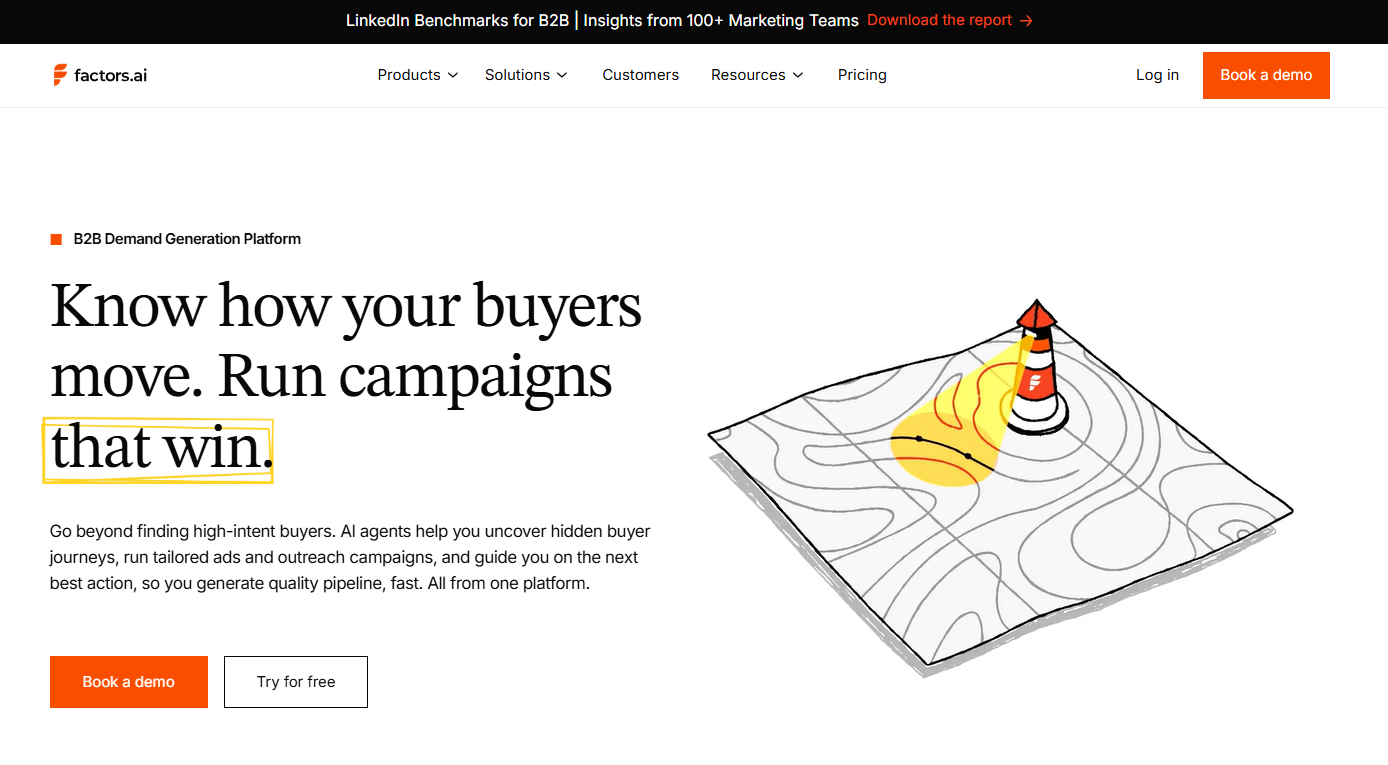
Factors.ai starts with account-level intelligence and is designed to turn signals into action. This means it:
- Captures intent and engagement across touchpoints, including website activity and account behavior
- Syncs that context into the CRM, keeping records current without manual updates
- Routes signals to sales teams in real time, so outreach happens when timing is right
- Triggers action across channels, including outbound motions and LinkedIn and Google Ads through AdPilot.
- Maintains closed feedback loops between signals, actions, and CRM updates
By orchestrating website activity, account signals, ads, and CRM feedback loops in one system, it removes much of the manual data movement that slows GTM teams down. For teams doubling down on growth engineering motion, Factors.ai comes up to be one of the cleanest Clay alternatives.
Related Read: How Factors.ai connects intent, signals, and activation across the full GTM funnel
- Apollo.io (Best for scaling cold outreach quickly)
If Clay is your prep kitchen, Apollo is your serving line (where the focus is on getting plates out fast rather than perfecting ingredients. Speed matters more than nuance).
At first glance, Clay vs Apollo feels like a simple choice: Clay is technical and flexible, while Apollo is practical and ready to use. But that framing misses the MAIN question GTM teams should be asking.
Also read: 10 Best Madison Logic Alternatives And Competitors In 2026
| Instead of asking “Which tool is better?”, they should be asking “Where do we keep getting stuck?” |
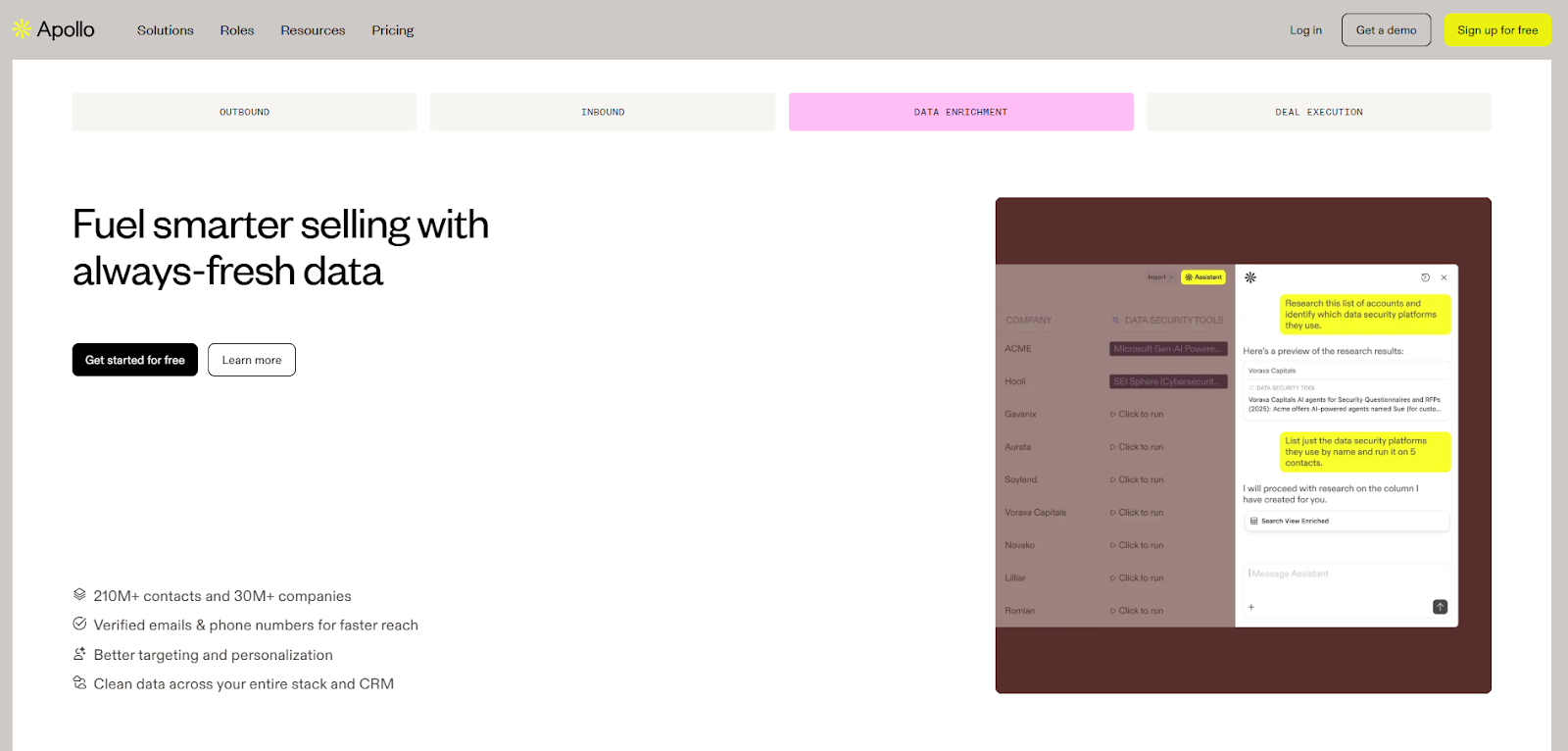
Apollo has its own database and works well as an email automation tool when speed is your goal. If you need sales reps to send emails fast, Apollo removes friction. Lead lists, sequences, replies, and basic reporting all come together in one place, making it easy to get an SDR motion off the ground without much operational/administrative work.
With Apollo.io, you get:
- A large contact database that makes list-building fast
- Built-in email sequencing, so that reps can move from list to outreach quickly
- A straightforward outbound setup with minimal operational friction
- An easy path to spinning up SDR motions without heavy tooling or setup
But Apollo’s data is broad, and context can feel thin. Meaning,
- You get the job titles without any real insights
- Personalization feels templated because the intent signals aren’t clear.
Where Clay fits:
Clay is on the opposite end of the spectrum. It focuses on data enrichment and workflow building, with strong automation features for shaping and transforming data.
| If your problem is “I need better inputs,” Clay usually delivers. |
Where Clay falls short:
Clay doesn’t activate outbound on its own. It doesn’t have native sequencing, prioritization, or timing sense. Apollo, meanwhile, activates outbound easily but doesn’t always give teams confidence in who they’re reaching or why now is the right moment.
So GTM teams end up connecting the two: Clay prepares the data and Apollo runs the sequences.
Simple, right? Not so much…Turns out connecting the two creates handoffs and sync issues.
Why teams move past the Clay vs Apollo debate
At this point, GTM teams move away from the ‘Clay vs Apollo’ debate, towards GTM workflows. Instead of alternating between better data and sequencing, they want a unified platform that not only silences this debate but also takes away the pain of connecting different tools.
Factors.ai helps you achieve this seamlessly. Using company-level intelligence and intent data, Factors.ai identifies an account that’s warming up and triggers activation automatically. That activation can be outbound, ads through AdPilot (Google and LinkedIn), CRM updates, or alerts to sales teams to amplify their outreach efforts.
| This is a critical differentiator: While Apollo and Clay each own a separate slice of the workflow, Factors.ai focuses on action. This makes Factors.ai an ideal choice for GTM teams that care less about running more sequences and more about running the right ones at the right time. |
- ZoomInfo (Best for enterprise data quality and depth)
If Clay is your prep kitchen (where the ingredients are sourced from different suppliers), ZoomInfo is your walk-in freezer stocked by a national supplier (where everything is labeled, organized, reliable, and comes from one large, dependable source).
The Clay vs ZoomInfo comparison usually comes up when GTM teams start questioning the data itself, instead of just how fast they can act on it.
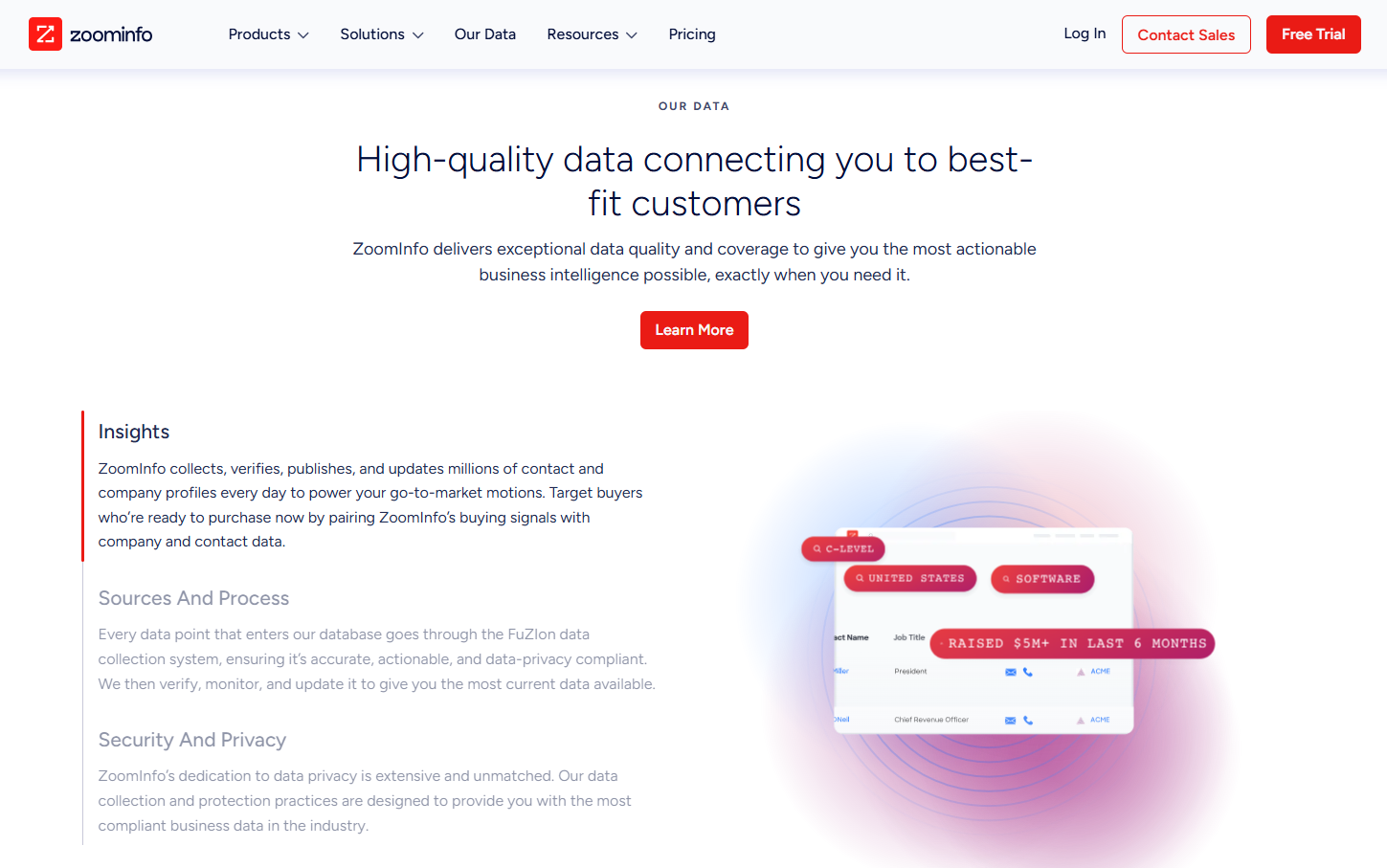
ZoomInfo stands out when accuracy and coverage matter more than flexibility. Large teams rely on it for firmographics, org charts, and buyer intent, especially in US-focused sales motions. You get some of the most accurate contact data, especially for the US, and buyer intent is part of the package. For sales teams that want confidence in who they’re reaching and whether an account fits their target market, ZoomInfo feels reliable. It gives leadership confidence that the data foundation is solid.
The downside here is how that data is used. ZoomInfo isn’t built to adapt to custom GTM workflows or to support rapid experimentation. Activation usually happens elsewhere, and teams rely on downstream sales tools to turn data into action. Cost also becomes a factor as usage scales.
ZoomInfo is strong at answering who exists. It’s less strong at helping teams coordinate what happens next.
Where Clay fits:
Clay flips that. Clay is all about flexibility. You can combine data sources, apply logic, and shape data to fit your process. If the problem is adapting data to your GTM motion, Clay gives you room to do that.
Where both tools fall short is execution (again). Neither is built for multi-channel GTM engineering. Intent, outbound, ads, and CRM updates still live in different places, which means manual stitching and fragile feedback loops.
Some GTM teams take a step back from this data depth vs workflow flexibility row. Instead, they look for systems that handle both intent and activation together. Factors.ai does this seamlessly. By ingesting account-level intent and triggering activation from the same place, it reduces the need for constant handoffs and data silos.
Clay and ZoomInfo solve different problems well. But once GTM becomes system-level, data alone isn’t enough.
Related Read: Detailed comparison of Factors.ai vs ZoomInfo
Also read: Top 10 Warmly.AI Alternatives and Competitors In 2026-Compare Pros, Cons & Pricing
- 6sense / Terminus (Best for ABM and intent signal programs)
If Clay is your prep kitchen (focused on getting ingredients ready), 6sense and Terminus are your banquet planning system (they decide which tables matter, what meals are being served, and how the evening is structured) that assumes you have well-trained staff and set menu.
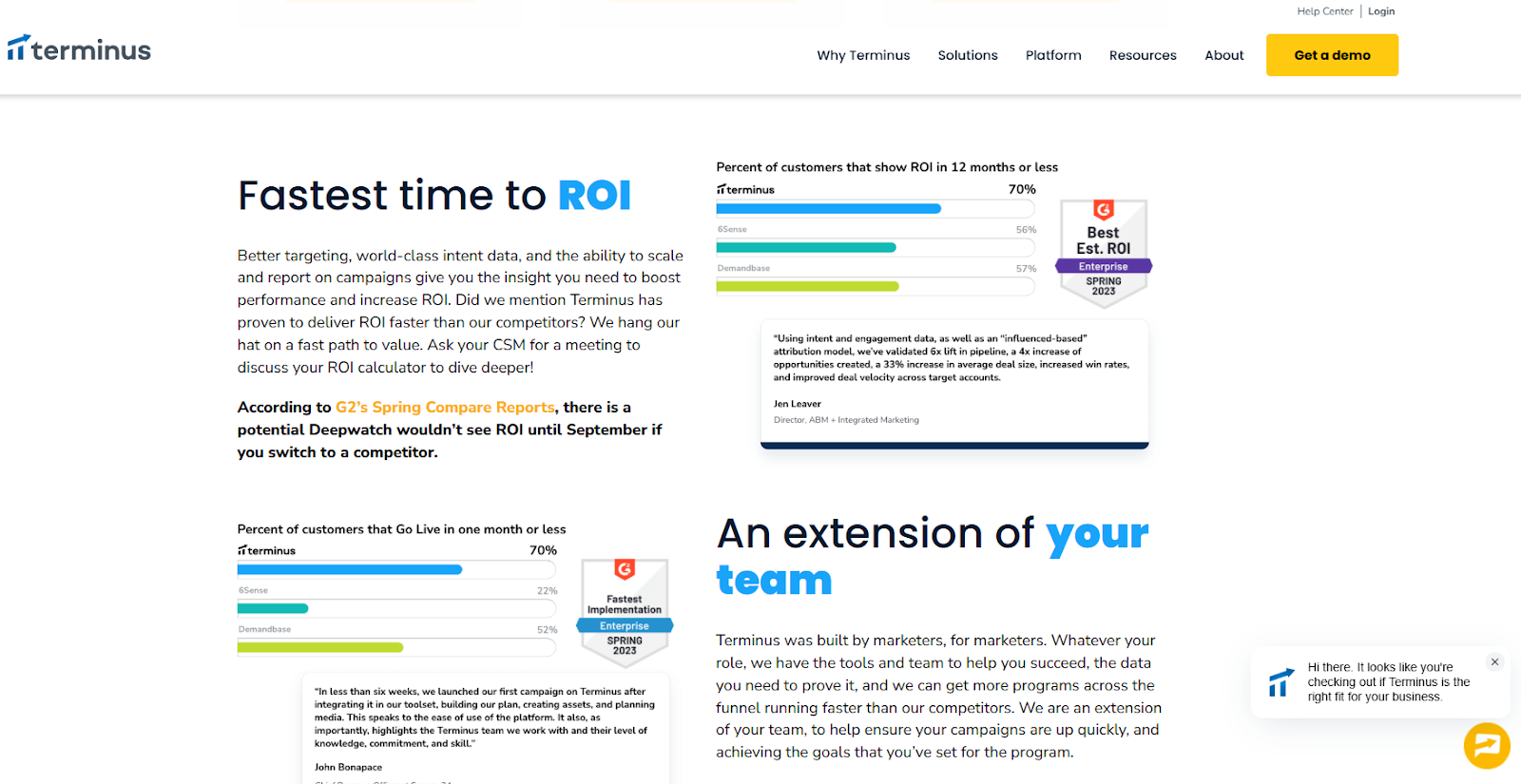
6sense and Terminus are purpose-built for account-based motions. They bring intent data, account insights, and advertising together under an ABM framework. For enterprise teams running planned, top-down GTM programs, this structure works well.
The challenge is weight. These platforms take time to implement, require alignment across teams, and come with higher cost. They’re opinionated systems, which makes them powerful in the right environment but less flexible for teams still evolving their GTM motion.
For mid-market or lean teams, they can feel like committing to a GTM model before it’s effectiveness is clear.
- n8n (For GTM teams with in-house engineering muscle)
If Clay is your prep kitchen, n8n is the plumbing and wiring behind the building. It’s powerful, flexible, and gives you full control, but it doesn’t know anything about GTM on its own.
n8n is an open-source workflow automation tool. It’s loved by technical teams because you can self-host it, customize it deeply, and build exactly what you want using APIs and custom logic. For GTM engineering teams with strong developer support, this is appealing. You can recreate enrichment flows, routing logic, and tool-to-tool syncs without being boxed into a predefined GTM model.
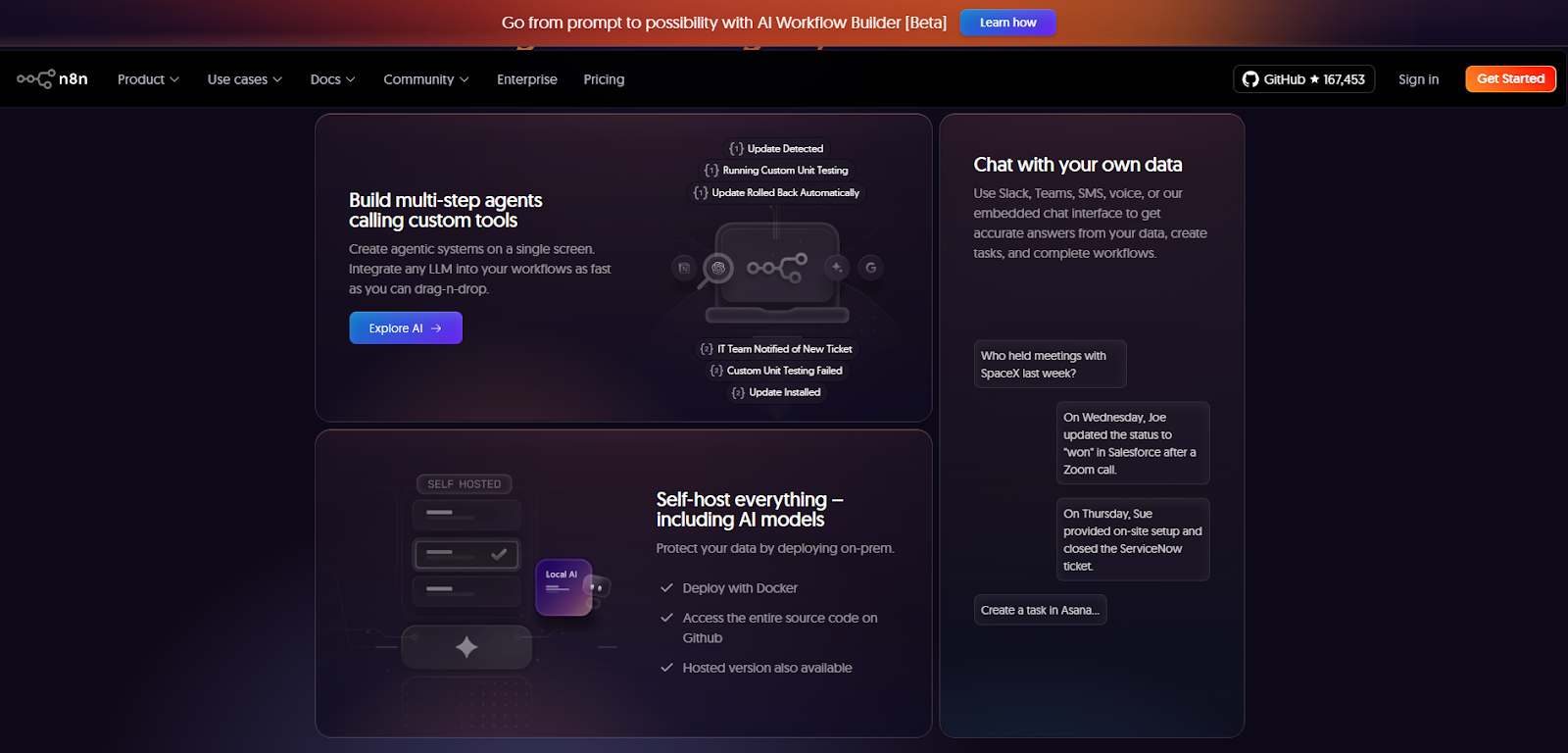
However, n8n doesn’t understand concepts like intent, accounts warming up, buying stages, or prioritization. You have to define all of that yourself. Every scoring rule, every trigger, every edge case becomes your responsibility. Maintenance scales with complexity.
n8n works best when:
- You already have engineers supporting GTM
- You want maximum control over workflows
- You’re comfortable building and maintaining logic long-term
It’s less ideal if you want GTM intelligence and execution out of the box. n8n moves data extremely well, but it doesn’t tell you what matters or when to act unless you explicitly build that intelligence yourself.
- Make (For teams that want flexibility without full engineering)
If Clay is your prep kitchen, Make is the conveyor system that moves ingredients between stations quickly and reliably.
Make (formerly Integromat) is a low-code automation platform designed for speed and accessibility. Compared to n8n, it’s easier to set up and friendlier for RevOps or growth teams that don’t have deep engineering support. You can connect tools, automate handoffs, and build fairly complex workflows without writing code.
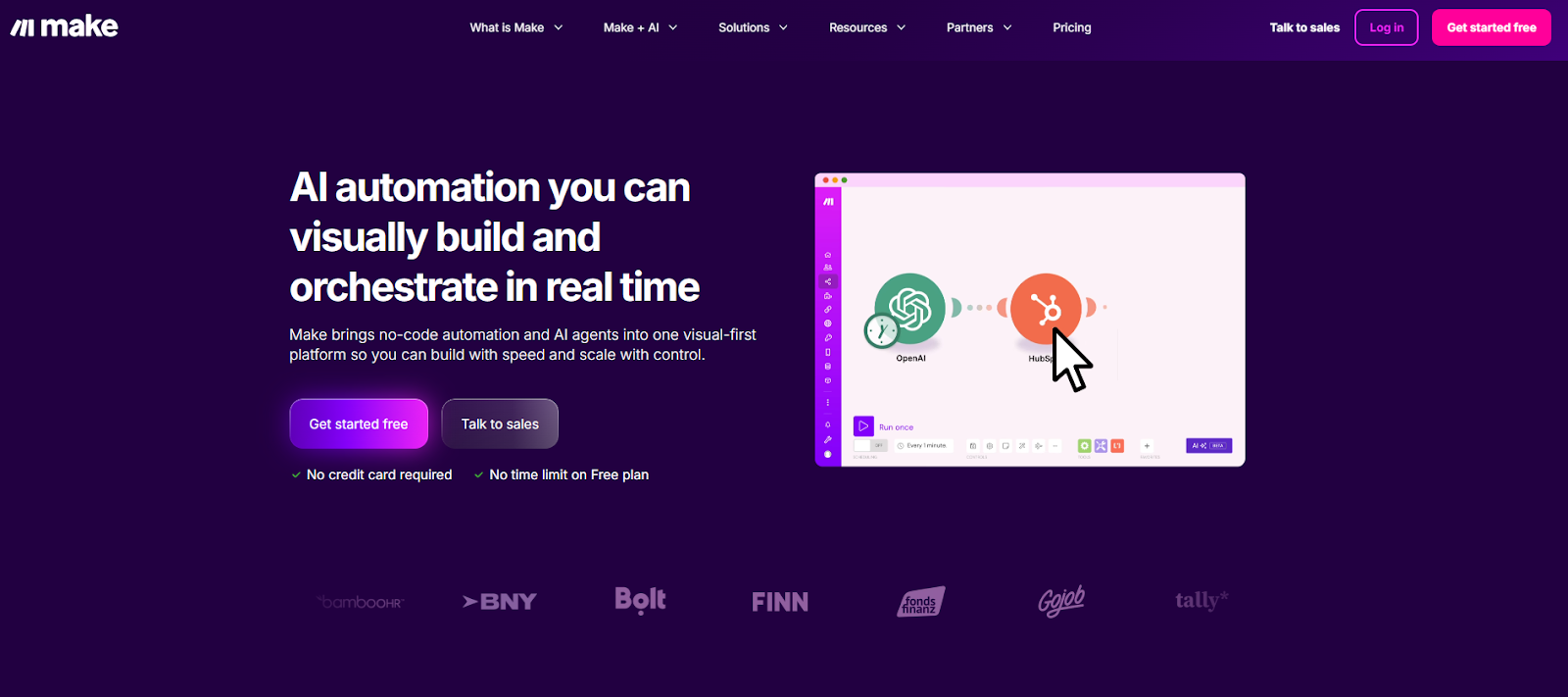
That ease comes with limits. Like n8n, Make doesn’t understand GTM context. It doesn’t know what an intent spike is, how to score accounts, or when outreach should happen. You can automate actions, but you still have to decide the logic manually, often using static rules or scheduled checks.
As GTM motions grow more complex, Make workflows can become fragile. Small changes in tools or logic often require manual fixes, and prioritization still lives outside the system.
- Clearbit, People Data Labs, Datagma (Breadcrumb-style enrichment tools; Good for data, not for GTM workflows)
If Clay is your prep kitchen (where ingredients are turned into something usable), Breadcrumb tools such as Clearbit, People Data Labs, and Datagma are ingredient suppliers (they just deliver high-quality ingredients at your doorstep).
Tools like Clearbit, People Data Labs, and Datagma enrich records, fill gaps, and improve data quality inside your CRM or warehouse. But they stop at enrichment. There’s no orchestration, no activation, and no feedback loop. Teams still need other systems to route leads, trigger outreach, run ads, or prioritize accounts.
They work best as supporting pieces in a larger tech stack if your goal is end-to-end GTM automation.
Deep Dive: Why GTM Engineering Teams Prefer Unified Platforms
Growth engineering has pushed GTM teams to think in systems. The focus is no longer on what a single tool can do, but on how everything works together once real volume and multiple channels are involved.
That’s why Clay alternatives are increasingly evaluated at the system level.
- Unified view of account activity:
GTM teams want one common view for account activity and intent. When signals, engagement, and context live in different tools, decisions slow down and confidence drops.
Also read: ZoomInfo Alternatives: Top 6 ZoomInfo Competitors In 2026
- Multi-Channel Activation From One Signal:
They also want multi-channel activation built into the same workflow. A meaningful signal should trigger the right actions across outbound, ads, and the CRM without manual coordination.
- CRM hygiene automation:
This has become just as important. Rather than fixing routing or fields as problems appear, growth engineering teams want systems that keep records clean as signals change.
- Real-time signal-based routing:
Static rules miss timing. Teams want actions triggered by actual behavior over scheduled batches and fixed logic.
- Turning Intent Into Ads Automatically:
And finally, insights need to flow directly into ad activation. When intent stays locked in dashboards, value is lost. The strongest systems push those insights straight into LinkedIn and Google automatically.
Tools like Factors.ai work well because they operate as a unified system for account intelligence and activation, connecting signals, routing, CRM updates, and ads in one place. Factors.ai also works across LinkedIn, Google, CRM, Slack, and HubSpot workflows, aligning closely with how growth engineering teams run GTM today.
Related Read: Intent data platforms and how they work
Case Study Highlights: Common Patterns Across Factors Customers
Teams from Descope, HeyDigital, and AudienceView show a similar shift in how they run GTM once they move to a unified setup with Factors.ai.
Rather than centering GTM around spreadsheets and enrichment workflows, these teams focused on account-level signals and automation.
Here, using company intelligence as the trigger for action, website engagement and account activity acted as the starting point. This then flowed into downstream GTM actions without manual handoffs.
Next, they activated multiple channels from the same signal. The same account insight informed outbound outreach and ad activation, rather than maintaining separate lists for SDRs and marketing. This reduced lag and kept messaging aligned.
Also read: Factors.ai vs Clearbit (Breeze Intelligence): which is the better GTM platform?
CRM data hygiene also improved as a result. Instead of cleaning records after issues appeared, routing, ownership, and key fields updated automatically as engagement changed. Now, RevOps involvement shifted from constant maintenance to oversight.
By changing the operating model, i.e. keeping intent, activation, and CRM data updates in one place, these teams reduced operational drag and made GTM execution easier to scale and trust.
Related Read: Turning anonymous visitors into warm pipeline
Pricing Comparison: Clay Alternatives
| Tool | Pricing Model | What Drives Cost | Predictability as You Scale |
|---|---|---|---|
| Clay | Usage-based custom pricing, with a free plan | Enrichment volume, API calls, AI workflows | Medium. Costs are manageable early but harder to forecast at scale |
| Apollo.io | Starts at $49/m, with a free plan | Number of users and plan level | High. Easy to budget, even as usage grows |
| ZoomInfo | Annual contracts, provides a free plan | Data access, intent modules, seats | Medium to low. Predictable for enterprises, expensive for mid-market |
| Factors.ai | Usage-based, transparent, with a free plan | Signals, workflows, activation | High. Cost scales with GTM activity, not data rows |
Who should choose what:
- Lean teams experimenting with enrichment and workflows often start with Clay.
- Outbound-heavy teams that value speed and predictable pricing lean toward Apollo.
- Enterprise teams from established companies prioritizing data depth and coverage typically choose ZoomInfo.
- GTM engineering teams focused on intent, automation, and system-level execution tend to prefer other platforms like Factors.
Final Recommendation: Best Clay Alternative by GTM Maturity
| GTM Team Stage | Recommended Setup | Why It Fits |
|---|---|---|
| Lean teams | Clay + Apollo | Flexible enrichment and fast outbound are enough when volume is low and experimentation matters |
| Scaling mid-market teams | Clay alternative like Factors.ai | Unified intent, activation, and CRM workflows reduce operational drag as GTM scales |
| Enterprise teams | ZoomInfo or 6sense + unified GTM platform | Deep data and intent paired with system-level activation and routing |
| Technical GTM engineering teams | Factors + n8n | GTM intelligence and activation with room for custom integrations |
Simply put: There’s no universal winner. The right choice depends on where your team is currently and how much GTM engineering you actually want to run. Evaluate the path that fits your maturity, rather than opting for a tool that looks powerful on paper.
FAQs for Best Clay Alternatives
Q. Is Clay a data provider or an orchestrator?
Clay is primarily an orchestration and enrichment platform. It aggregates third-party data sources and layers workflows and AI research on top, rather than owning a single proprietary database.
Q. Which Clay alternative has the best US contact data?
For US contact coverage and depth, ZoomInfo is most often cited in community discussions. Apollo.io is commonly chosen for price and ease of use, with mixed views on accuracy.
Q. Can Apollo replace Clay?
Sometimes. Apollo bundles contact data and sequencing, which makes it a simpler and cheaper option for solo users or small teams. Power users often keep Clay for research and personalization, then export it into Apollo for sending. Teams that move toward signal-based GTM often replace both with systems like Factors.ai, where activation is driven by intent rather than static lists.
Q. What’s a good Clay alternative for signal-based prospecting?
LoneScale is frequently mentioned for real-time buyer signals at scale. Some teams layer it with platforms like Factors.ai to combine signal ingestion with downstream activation across outbound sales processes and CRM workflows.
Q. If I just need automation, not databases, what should I try?
Tools like Bardeen, Persana, or Cargo focus on automation rather than owning data. If you need automation tied to GTM signals and activation, Factors.ai fits better than general-purpose automation tools.

See how Factors can 2x your ROI
Boost your LinkedIn ROI in no time using data-driven insights



.avif)



See Factors in action.
Schedule a personalized demo or sign up to get started for free
LinkedIn Marketing Partner
GDPR & SOC2 Type II


.svg)



.avif)

