
What Is GTM Engineering Integration? (And Why Your Stack Will Breathe a Sigh of Relief)
Discover how GTM engineering integration connects your sales, marketing, and ops tools, turning signals into outbound in minutes. Boost speed, clarity, and pipeline.

Growth Marketer
.avif)
Content Marketer



.svg)


TL;DR
- GTM integrations connect siloed tools, allowing data to flow automatically from web visits to outbound sequences.
- It delivers real-time alerts with enriched contacts and tailored context, right where reps work.
- This also reduces manual work by syncing enrichment, CRM updates, and outreach steps.
- Prioritize the right accounts using AI-enabled predictive account scoring, rule-based filters, and territory routing to optimize your sales strategy.
Ever feel like your GTM tools are in five different group chats, all ignoring each other? Marketing sees intent. Sales wants contacts. Ops wants a clean CRM. Meanwhile, your buyer is doing 80% of their research before they ever talk to you (and clicking away while you copy and paste between tabs). Sound familiar?
If only there were a way to make your apps talk, move, and act like one team… Good news, there is.
GTM engineering integration connects your external apps, including Factors.ai (account ID and journeys), Apollo (contacts), HubSpot/Salesforce (CRM), Slack/Teams (alerts), and orchestration layers like Make.com, Zapier, and Clay, so data flows automatically and outbound triggers fire at the right moment.
Yes, even when you’re not staring at the dashboard.
The 30-second version: from signal to conversation
A high-intent account hits your pricing page:
- Detects the visit (Factors)
- Enriches likely buyers (Apollo)
- Prioritizes with rules/AI (OpenAI)
- Alerts the right rep (Slack/Teams)
- Writes cleanly to CRM (HubSpot/Salesforce)
- Launches email/LinkedIn plays (Apollo/Smartlead, HeyReach/Trigify)
Result: Reps receive context, contacts, and copy while the intent is still warm (ideally piping hot).
To read more about the process, check our Website visitor to warm outbound play using GTM engineering services page.
Why GTM engineering integration matters
Every modern GTM team runs multiple point tools (identification, enrichment, sequencing, chat, ads, analytics). Left unintegrated, they create data silos and slow handoffs. Meanwhile, buyers conduct most of their research before speaking with sales teams.
Translation: speed + context is everything.
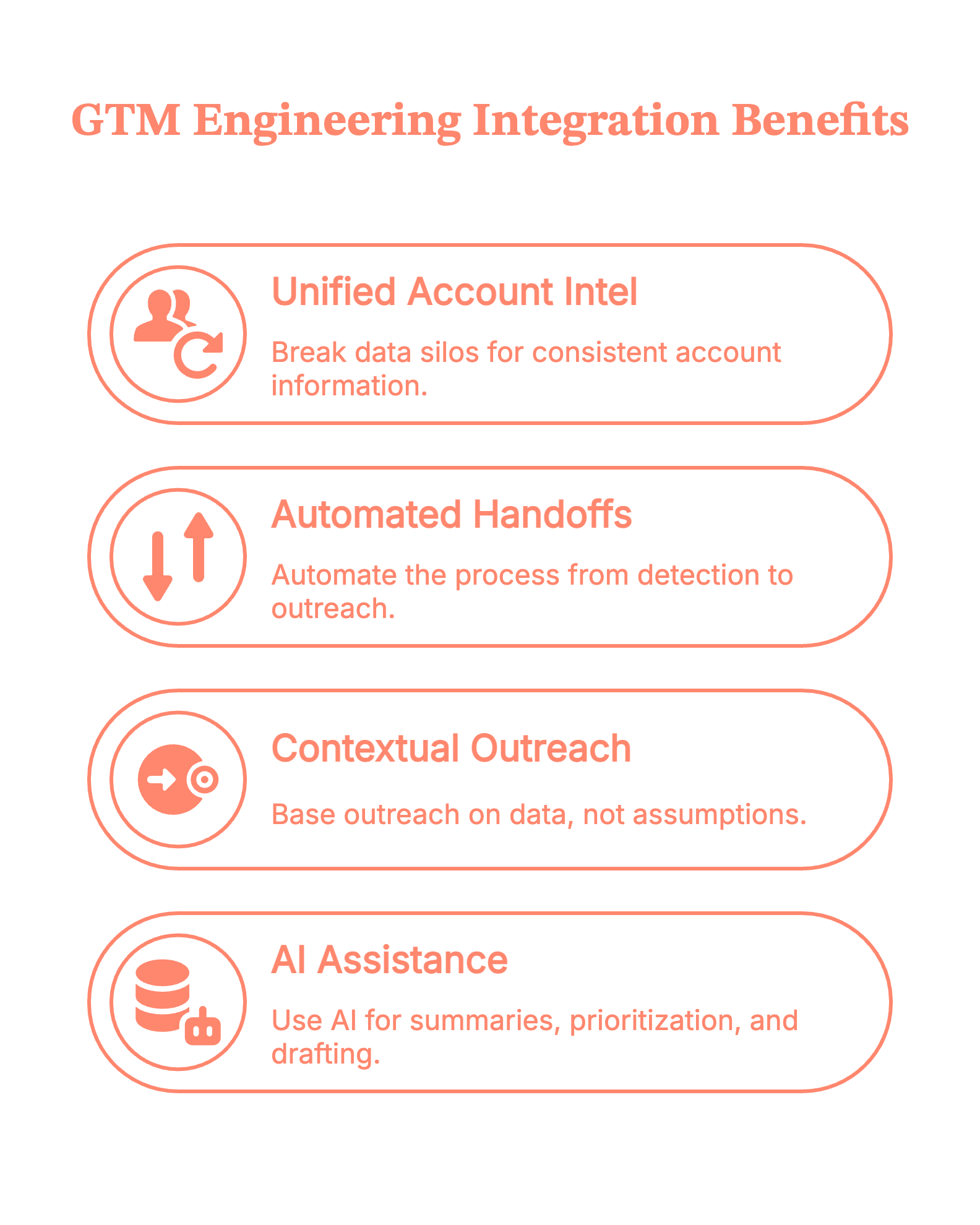
- Break silos so everyone works from the same, current account intel
- Automate handoffs end-to-end (detect → enrich → outreach)
- Ground outreach in context, not guesswork
- Use AI for summaries, prioritization, and drafting—based on trusted data
Psst! Teams identify up to ~75% of visiting accounts with Factors.ai and reach verified decision-makers faster via Apollo.
{{INLINE_TOFU}}
5 types of GTM engineering integrations
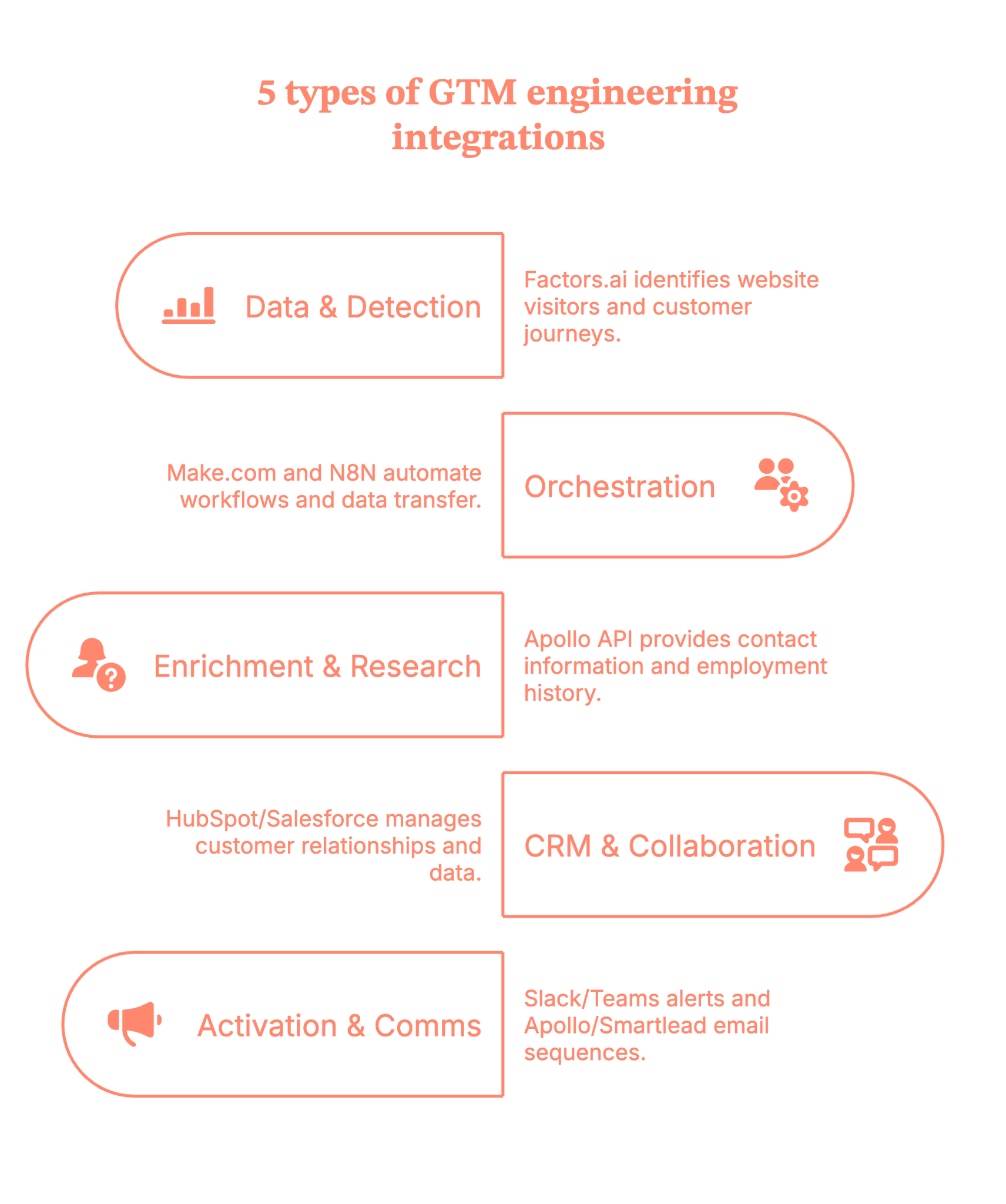
- Data & detection: Factors.ai for website visitor identification, customer journeys (last 30 days), and signals from LinkedIn/Google Ads, G2, and product activity.
- Orchestration: Make.com (primary)/N8N, plus Zapier/Clay.
- Enrichment & research: Apollo API (contacts vs. people, verified work emails, employment history).
- CRM, storage & collaboration: HubSpot/Salesforce (de‑dupe, create/update, tasks/ownership). Google Sheets/Docs (working tables; research + outreach drafts).
- Activation & comms: Slack/Teams (territory‑aware alerts with deep links to Factors journeys). Apollo/Smartlead (email sequences), HeyReach/Trigify (LinkedIn), ad platforms (retargeting).
7 practical steps to make the GTM engineering integration live in your stack
Step 1: Map your signals in Factors (what happened, and when)
Define your ICP and intent rules inside Factors.ai. Pull in journeys for the last 30 days and connect signals from LinkedIn/Google Ads, G2, and product activity.
Tip: Start with pricing pages, docs, and comparison pages. That’s where intent gets loud.
Step 2: Orchestrate the flow with Make.com/N8N (your switchboard)
Use Make.com/N8N as the primary runner (Zapier/Clay as needed). Trigger on the Factors.ai event (the customer journey).
Guardrail: Keep a ‘companies processed’ list separately so you don’t re-enrich the same account every hour (your API credits will thank you).
Step 3: Enrich the right people via Apollo (contacts, not just ‘people’)
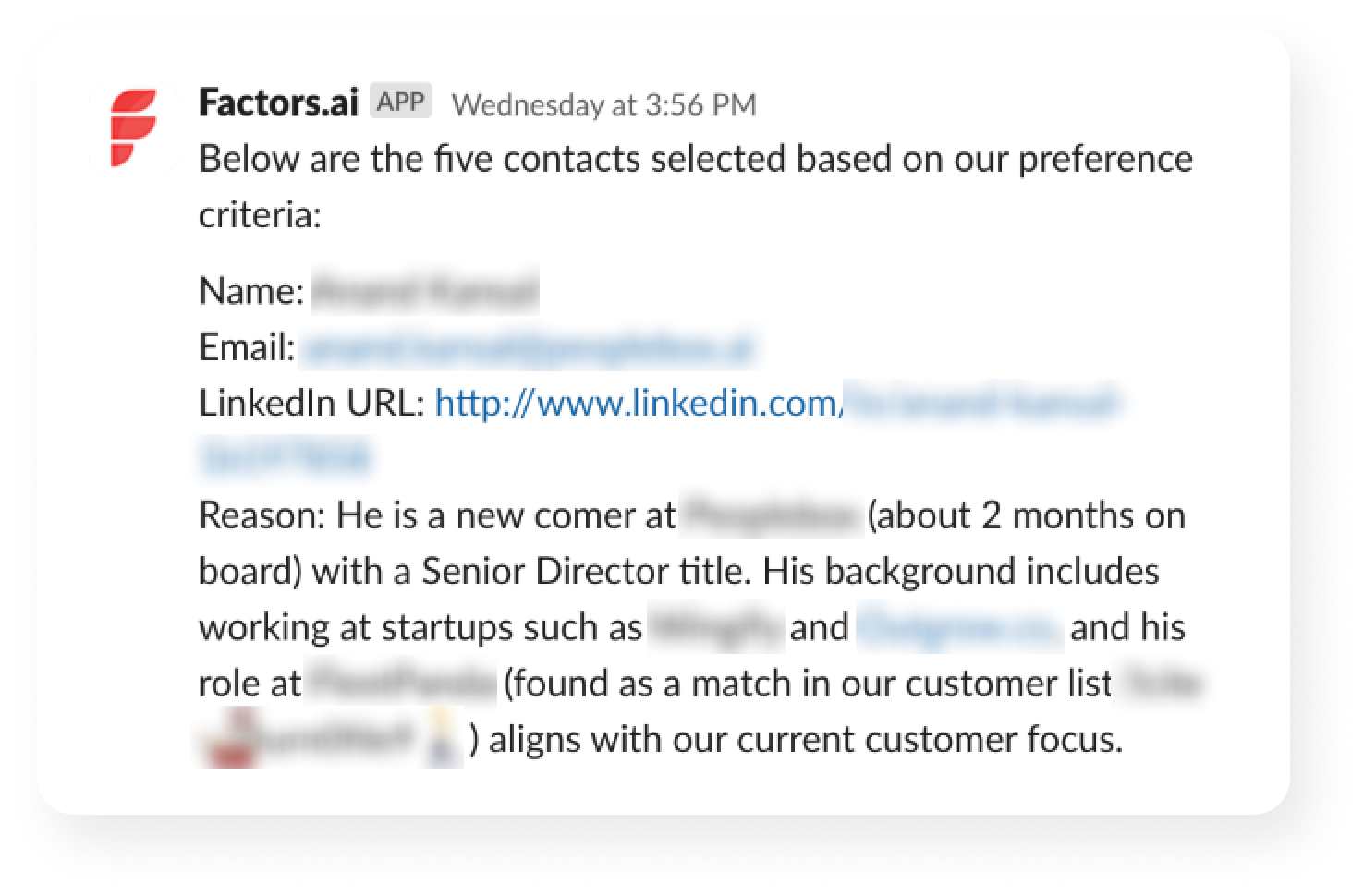
Call the Apollo API to retrieve details based on titles/regions/seniority, and capture verified work emails, as well as employment history.
Pro move: Filter for role relevance (e.g., ‘Director+ in RevOps/Marketing/Sales in-region') so reps don’t wade through noise.
Step 4: Keep the record of truth clean (CRM hygiene)
Upsert into HubSpot/Salesforce with de-dupe logic, set ownership, and create tasks only when the signal meets your threshold.
Little thing, big win: Tag contacts as new vs. existing so reps instantly see context (and don’t have to introduce themselves again, awkwardly).
Step 5: Prioritize with AI (what’s hot vs. merely warm)
Utilize AI to deduplicate URLs, count occurrences, segment users, and score contacts according to your rules. For example:
- Known user in the product? ★★★★★
- Same city/region as the assigned rep? ★★★★☆
- One random homepage visit? ★☆☆☆☆
Outcome: Reps start at the top of the list, and it’s the right list.
Step 6: Alert where reps live (Slack/Teams)
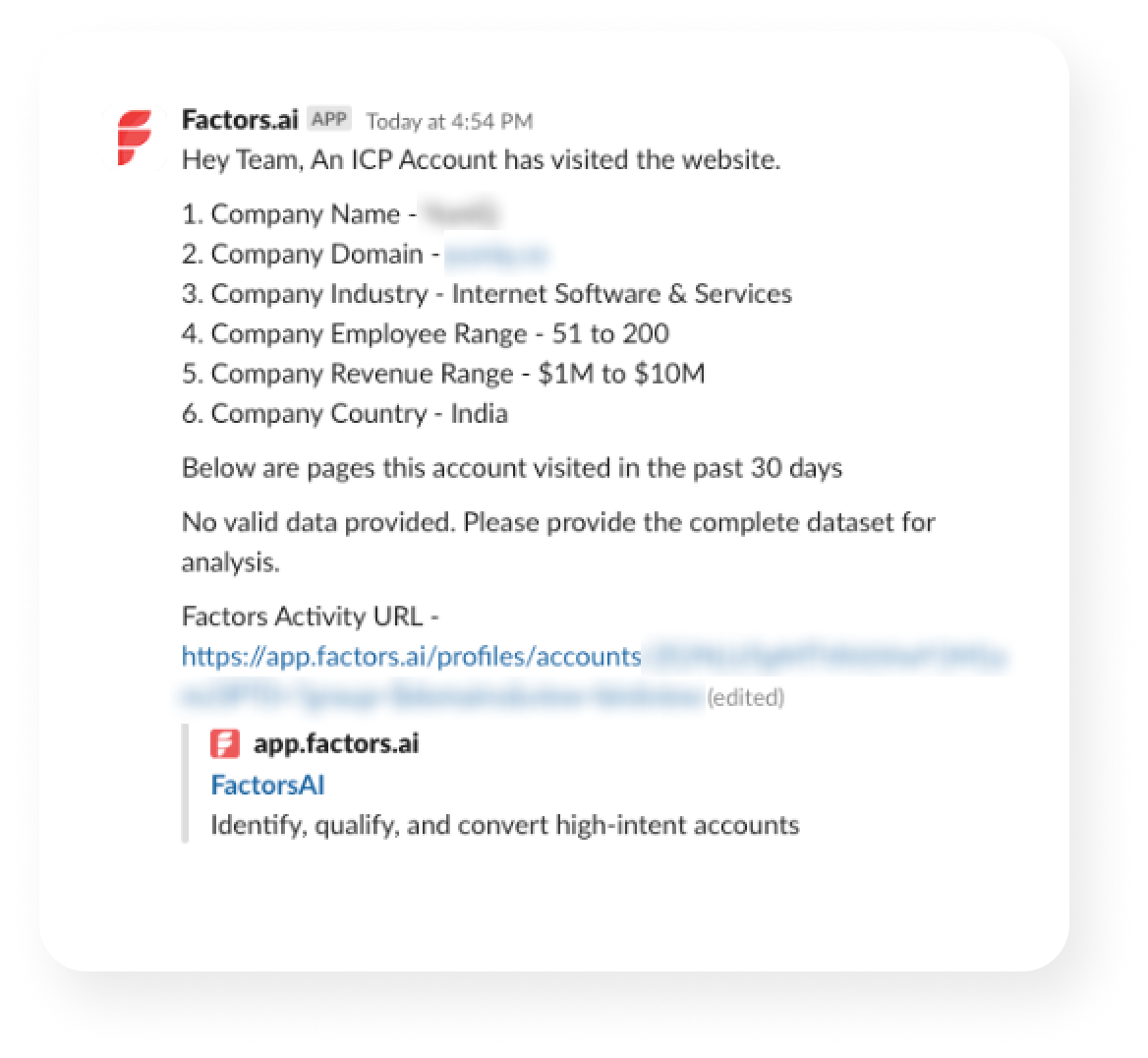
Send an alert to Slack/Teams with the following details:
- Account + segment
- Journey highlights (pages, recency)
- Top contacts (emails + LinkedIn)
- A draft opener
Deep link to the Factors.ai journey
(Because nobody wants to hunt for links in a maze of folders.)
With Factors.ai, your alert will look something like this.
Step 7: Execute and write back (so your loop stays tight)
SDR tweaks the copy and sends via Apollo/Smartlead, adds a LinkedIn touch (HeyReach/Trigify), and the system writes back to CRM.
Why it matters: Outreach, CRM, and analytics now agree on what happened and what’s next.
No he-said-she-said across tools.
5 benefits you’ll get from GTM Engineering integrations
1) Faster time‑to‑touch
Real-time alerts and pre-enriched contacts enable reps to respond in minutes when intent is at its highest.
2) Cleaner data, fewer manual tasks
Automated enrichment (Apollo), deduplication, and CRM updates keep data accurate and eliminate ‘copy-paste operations.’
3) Higher coverage & precision
With Factors identifying up to 75% of visiting accounts and Apollo returning verified work emails, reps reach the right people sooner.
4) Smarter prioritization
Account & contact tiering (rules + AI) focuses reps on Tier‑1 opportunities.
5) Coordinated multichannel
Email (Apollo/Smartlead), LinkedIn (HeyReach/Trigify), and precision retargeting line up behind the same signal, so every touch feels timely and relevant.
Guardrails that keep your GTM engineering integrations smooth
- Add a 4-5 min sleep so alerts land after enrichment finishes
- Route by territory/geo in Slack
- Maintain exclusions (e.g., ignore losses in the last 60 days)
- Standardize card + doc templates for speed and consistency
- Log steps to a Sheet for easy QA (spreadsheets are the unsung heroes)
GTM engineering integration: The master checklist
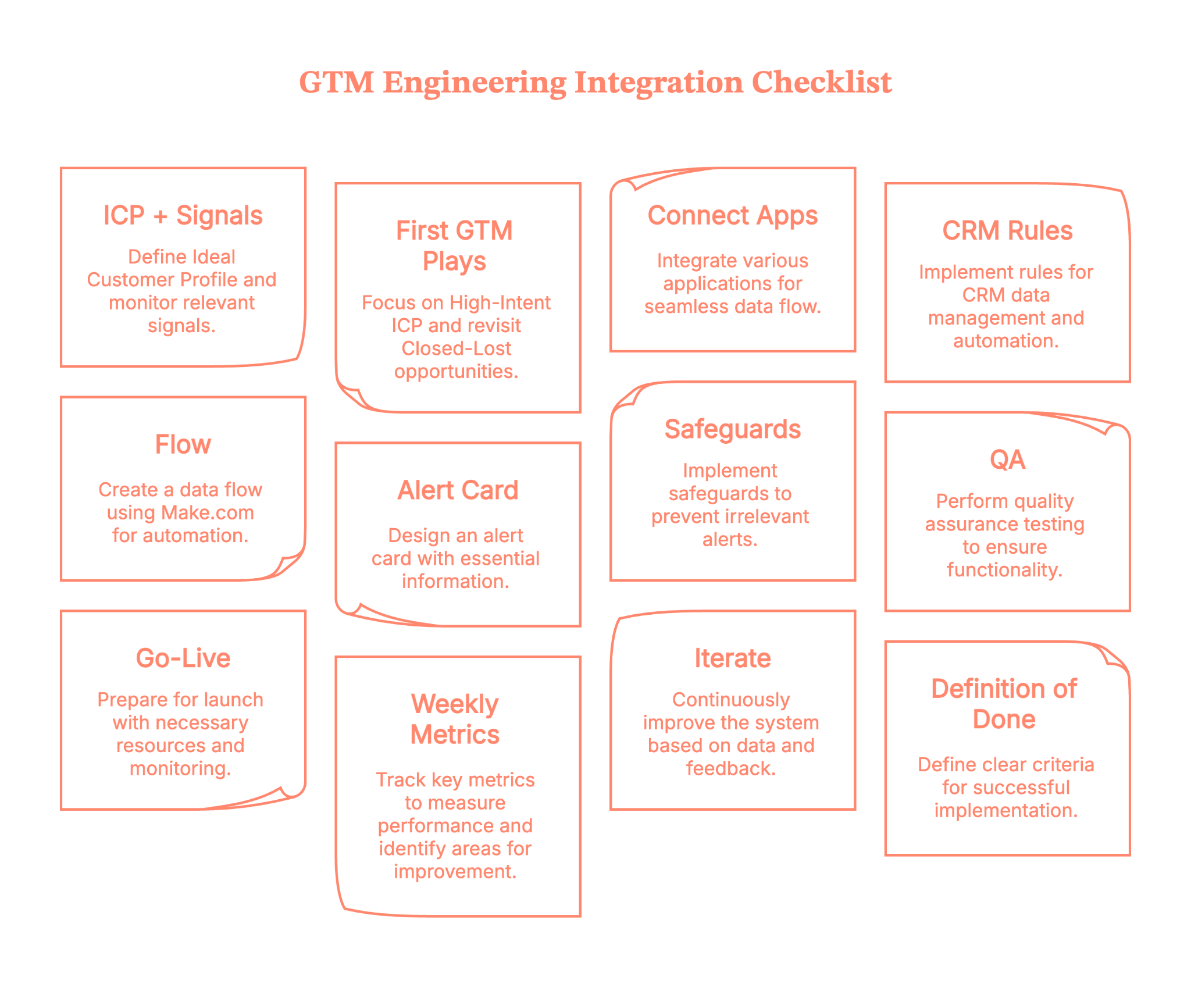
Here is a getting-started checklist for your GTM plays.
- ICP + signals: define ICP; watch pricing/docs/comparison, G2, product usage
- First GTM plays: High-Intent ICP; Closed-Lost Revisit
- Connect apps: Factors → Make.com → Apollo → HubSpot/Salesforce → Slack/Teams → Sheets/Docs
- CRM rules: upsert by email + domain; fields: Intent_Score, Last_Intent_Source, Journey_URL; default owner
- Flow (Make.com): Trigger (Factors) → Journey API → Sheets → Enrich (Apollo) → Upsert CRM → Score (AI) → Alert (Slack/Teams) → Write-back → Sleep 4–5m
- Alert card must include: account/segment, last pages, top 2–3 contacts (email + LinkedIn), draft opener, links (Journey / Doc / CRM)
- Safeguards: exclude recent losses (60d), competitors, personal domains; ≤1 alert/account/24h; ≤3 contacts/alert; quiet hours
- QA: 5–10 test events; verify routing, links, dedupe; run a negative test (homepage-only = no alert)
- Go-live: ship copy packs; 15-min enablement; monitor first 48h; set escalation path
- Weekly metrics: Signals→Alerts→Replies→Meetings→SQLs→Pipeline; time-to-first-touch; contactability; coverage
- Iterate (weeks 2–4): tighten filters/scoring; add Form-Fill Drop-Offs + Research Pack; expand routing; add retargeting
- Definition of done: live alert with ≥2 verified contacts; outreach sent; auto CRM write-back; median TTF touch ≤30 min; meeting booked or learnings applied
Plug in, switch on, and multiply your pipeline with Factors.ai GTM engineering services
With Factors' GTM engineering services, your stack stops acting like separate apps and starts operating like a coordinated revenue system. You’ll identify up to 75% of visiting accounts, enrich the right buyers with verified emails, and deliver ready-to-send outreach to the right rep in minutes.
Instead of copy-pasting between tabs, your team moves in a tight loop: detect → enrich → prioritize → alert → execute → write-back. Everyone sees the same context; nobody asks, ‘Who owns this?’; and intent doesn’t go cold while ops wrangles spreadsheets.
Want to see it on your data? Book a demo with us and watch the end-to-end flow—detection to Slack to CRM to outreach, run exactly the way your outbound team needs (and yes, we’ll bring sample plays you can keep).
How we work:
- Done-with-you: we co-build flows with your RevOps team (hands-on keys, full enablement).
- Done-for-you: we design, implement, and document; your team runs it day-to-day.
Ready to tighten your loop?
GTM Engineering Integration: Turning Signal into Revenue Without the Copy-Paste
GTM engineering integration is the connective tissue that transforms scattered go-to-market tooling into a synchronized, responsive revenue engine. By linking platforms like Factors.ai, Apollo, HubSpot, Salesforce, Slack, and orchestration tools such as Make.com or Zapier, teams gain the ability to act in real-time, with no swivel-chair operations or delays.
This approach captures high-intent signals, enriches accounts and contacts with verified data, writes contextually clean entries into the CRM, and triggers personalized outreach while buyer interest is still at its peak. Whether identifying buyers on a pricing page or alerting reps in Slack with enriched leads and ready-to-send copy, the system ensures nothing slips through the cracks.
The integration isn’t just about speed; it’s about precision. With AI scoring, deduplication, territory-aware routing, and built-in quality checks, GTM teams reduce manual tasks, shorten response time, and increase meeting conversion. The outcome? Outreach that’s accurate, timely, and aligned, without relying on reps to connect the dots manually.
FAQs on GTM engineering integrations
Q1. What exactly is GTM engineering integration?
GTM engineering integration is the technical process of connecting your go‑to‑market (GTM) stack, like your CRM, ads account, intent data, enrichment tools, and sequencing platforms. This helps the data and workflows move automatically between them. It bridges strategy and execution, applying engineering discipline (e.g., data pipelines, APIs, automation) to your revenue operations systems.
In short, rather than having isolated tools (marketing, sales, ops) each doing their own thing, integration ensures they all work as part of a unified system.
Q2. What are the common pitfalls when implementing GTM engineering integrations?
Some of the most frequent challenges include:
- Misalignment across teams: Sales, marketing, and ops often have differing definitions, goals, and tool preferences, which makes integration harder.
- Over‑engineering: Building overly complex custom workflows or automation before you’ve nailed the core processes can create fragility.
- Poor data hygiene: If your CRM/enrichment data is incorrect, no amount of integration will fix the root problem.
- Lack of measurement and feedback loops: Without metrics, you can’t know whether your integration is delivering value.
Recognizing these early helps ensure you build a sustainable system, not just a one‑off technical fix.
Q3. Which tools and integrations typically feature in a GTM engineering stack?
A solid GTM integration capability often involves:
- Intent signal tools (e.g., website tracking, pricing page visits)
- Enrichment platforms (to get verified contacts, firmographics)
- CRM systems (e.g., HubSpot, Salesforce) for record‑keeping and routing
- Orchestration/workflow automation tools (e.g., Make.com, Zapier, n8n) to build the flows
- Communication/sequencing platforms (e.g., email/LinkedIn tools, Slack/Teams alerts)
- Dashboards & analytics to monitor flow/impact
This mix enables the flow of detect → enrich → route → alert → execute.

See how Factors can 2x your ROI
Boost your LinkedIn ROI in no time using data-driven insights



.avif)


See Factors in action.
Schedule a personalized demo or sign up to get started for free
LinkedIn Marketing Partner
GDPR & SOC2 Type II

.svg)



.avif)

