
LinkedIn Ad Copy and Creative Best Practices: A guide for B2B marketers
A practical guide to writing LinkedIn ad copy that actually converts: copy frameworks, creative playbooks, format benchmarks, and templates for B2B marketers.
.avif)
Content Marketer



.svg)


TL;DR
- Keep intro text under 150 characters because that’s all that shows above the fold, and going over means paying to see more clicks.
- Thought Leader Ads are the highest-performing format right now. Most B2B teams are barely using them.
- Running hard conversion CTAs to cold audiences is the fastest way to burn budget on LinkedIn. Match copy to funnel stage.
- The 95-5 rule from the LinkedIn B2B Institute should shape how you think about every campaign you run.
- Video ads without captions are invisible to 80% of your audience; and ‘sound off’ is the default.
- Great creative drives 40% higher purchase consideration in B2B. Creativity is not a nice-to-have.
You just hit publish. The targeting is… pristine, you’ve got every VP of Sales at every Series B SaaS company locked in. You lean back, wait for the pipeline, and... nothing.
Three weeks later, your CTR is hovering at a miserable 0.3%. Your CPL is high enough to make your CFO cry. The leads that did trickle in? They aren’t the buyers you wanted; they’re just people who got tricked into clicking.
I’ll die on this hill: LinkedIn is the most powerful B2B platform in existence. It’s the only place your buyers show up with their ‘work brains’ on, ready to think about the problems you solve. But the gap between a campaign that builds pipeline and one that just drains your bank account comes down to the copy.
Most B2B ads fail because they’re written for committees, not people. Here is how to fix it.
Why is LinkedIn the B2B advertiser’s best friend? (and what makes copy the deciding factor)
You know it… LinkedIn is home to over a billion members, with more than 180 million senior-level influencers and 65 million decision-makers accessible through paid targeting.
It delivers leads at roughly three times the conversion rate of other major social platforms for B2B, drives 80% of all B2B social media leads, and consistently ranks as the top channel for reaching buying committees across enterprise and mid-market accounts.
But what makes it even more powerful is the context. Someone scrolling LinkedIn at 10 am on a Wednesday is in an entirely different headspace than someone scrolling Instagram at 9 pm. The former are thinking about vendors, evaluating tools, and catching up on their industry. This context allows your ad dollar to stretch further when the message is well written. Who wants to buy a B2B SaaS product that’s revolutionary, transformative, ground-breaking, blah, blah, blah? NO ONE.
And that’s where good copy becomes the single biggest lever you have. LinkedIn targeting gets you in front of the right people, but the copy and creative are what decide whether they stop scrolling… or make this face and scroll past the ad you spent 27 hours working on:

And yes, I AM a little biased towards good copy because I come from the world of content… but you gotta have an ad that’s worth reading, right? Sooo, let’s solve for it.
The 95-5 Rule: here’s why this framework should shape every LinkedIn campaign
Before you write a single word of copy… I want you to (please) remember this: research from the LinkedIn B2B Institute is the most useful thing you can internalize: Only 5% of your market is looking to buy right now. The other 95%? They aren't in-market yet.
If every ad you run is a "Request a Demo" pitch, you’re ignoring 95% of your future revenue. Those people are forming brand memories today. Your goal is to be SO specific and SO useful that when they do enter the market, your name is the only one on the shortlist.
Note: Don't be ‘warm and fuzzy’, be insightful. Write copy for where the reader actually is in their buyer journey… not where you wish they were.
LinkedIn Ad copy best practices
- The fold is the most important 150 characters you will write
On desktop, you get 150 characters before LinkedIn hits you with the ‘see more’ button. On mobile… you’re lucky to get around 100 characters.
Clicks on ‘see more’ are paid clicks. If your value proposition is hidden below that truncation, you’re literally paying for reader curiosity instead of intent. Your hook, your value proposition, the reason someone should care… it all needs to land in those first 150 characters.
- 10/10 would not recommend: "We are a dedicated team of experts focused on empowering the next generation of enterprise leaders through our suite of..." (Zzzzz. You lost them).
- 10/10 would recommend: "Your sales team is chasing leads that marketing already knows are cold. Here is why it keeps happening and the 3-step fix."
The first one is a corporate brochure; the second one feels like a supportive(?) mirror.
Here are two more intro text examples for the same product:
| Type | Intro Text |
|---|---|
| Weak | At CompanyName, we’re dedicated to empowering enterprise teams with our comprehensive suite of solutions designed to accelerate growth and optimize... |
| Strong | Your sales team is following up on leads your marketing team already knows are cold. Here is exactly why that keeps happening and how to fix it. |
The second one is specific and true. The reader is already asking themselves whether it applies to their team. That’s exactly what the first 150 characters need to do.
- Headlines are the first thing people read (you have to make them work)
LinkedIn headlines truncate at around 70 characters with no expansion option. Whatever gets cut is gone forever. Every word needs to earn its place.
The strongest B2B headline structures:
| Pattern | Example |
|---|---|
| Benefit for a specific persona | See Which Companies Are Visiting Your Site Right Now |
| Action verb + outcome | Cut Your Cost Per Lead by Knowing Who Is Actually In-Market |
| Number + specific result | 37 B2B Teams Found 00K in Untouched Pipeline This Quarter |
| How-to + tangible outcome | How to Stop Wasting Ad Budget on the Same 10 Accounts |
| Contrarian opener | Your LinkedIn Ads Aren't Underperforming Because of Targeting |
Notice what every one of those has in common: they could only apply to one type of company, solving one type of problem… this specificity really makes a difference.
- Match copy to funnel stage (this is non-negotiable)
Running a ‘Request a Demo’ CTA to cold traffic is the paid advertising equivalent of proposing on the first date… a little embarrassing because there’s a high chance the receiver in both cases will hard pass. Cold audiences need educational, low-friction copy that gives before it asks. Mid-funnel audiences who have engaged with your content or visited your site can handle comparative messaging and case studies. Only warm, high-intent audiences should see hard conversion asks.
A simple audit: if someone has never heard of your company and they see this ad, would they click? If the honest answer is no, the copy is working against you.
- Write for one person with one problem
The most common LinkedIn copy mistake is trying to address multiple pain points, multiple personas, and multiple use cases in 150 characters. The result is copy that is hedged and doesn’t resonate with anybody.
Pick one pain, agitate it, offer a credible path out, and if you have multiple segments to reach, build multiple campaigns (not multiple paragraphs inside the same ad).
Character limits: The spec sheet every LinkedIn advertiser needs
Before copy can strive to be good, it has to fit the character limit.
Here are the limits that shape good copy:
| Ad Element | Character Limit | Practical Guidance |
|---|---|---|
| Introductory text | 600 max | Keep to 150 or under. Everything after truncates behind see more. |
| Headline | 200 max | Hard truncate at ~70 characters on display. No expansion. |
| CTA button | 20 max | Use the most direct action verb possible. |
| Carousel card headline | 45 per card | Short and punchy. Each card should stand on its own. |
| Message Ad subject | 60 recommended | Short subjects get higher open rates. |
| Message Ad body | 500 recommended | Under 400 characters earn significantly more replies. |
Copy frameworks that work for B2B LinkedIn ads
Frameworks are a lot like scaffolding… the copy still needs to be human and specific. But having a structural frame helps you avoid the trap of writing something that sounds important but says nothing.
| Framework | What does it do? | Best For | Funnel Stage |
|---|---|---|---|
| PAS | Problem, Agitation, Solution. Starts with the reader's reality. | Pain-forward categories, demand gen | ToFu / MoFu |
| BAB | Before, After, Bridge. Shows transformation. | Audiences new to the category | ToFu / MoFu |
| Stat Lead | Opens with a specific, quantified result. | Case studies, performance claims | MoFu / BoFu |
| Contrarian Hook | Challenges a widely-held assumption. | Thought leadership, brand building | ToFu |
| Question Hook | Pulls the reader into a problem frame. | Cold audiences, scroll-stoppers | ToFu |
ToFu
- PAS framework in action
Problem: Name a specific, uncomfortable truth about the reader situation. Agitation: Make the consequence feel real and costly. Solution: Introduce your offer as the specific fix.
|
LinkedIn ad example for PAS: "60% of your LinkedIn ad budget is probably hitting the same 10 overexposed accounts. Meanwhile, your actual target list barely sees your ads. Factors.ai Smart Reach fixes account-level frequency, so your impressions spread across your whole ICP, not just the accounts who happen to refresh their feed." |
- BAB framework in action
Before: Paint the painful current state. After: Describe the aspirational outcome. Bridge: Position your offer as the path between the two. This framework works well for audiences who may not know a solution to their problem even exists.
|
LinkedIn ad template for BAB: "Before: Manual reporting eats 8 hours a week and the numbers are stale before leadership sees them. After: Real-time dashboards that update automatically and take five minutes to set up. Bridge: That is what 5,000 revenue teams use today." |
- Social proof and stat lead
Opening with a specific, quantified result is one of the highest-performing patterns in B2B LinkedIn copy, particularly for consideration and conversion stages. The specificity does the majority of the heavy-lifting… to give you an example, "increased pipeline" means nothing… but "2M in influenced pipeline from one quarter of LinkedIn ABM" is a completely different sentence.
If you have strong customer results, your ads is where they belong. Add names, logos, percentage lifts, time-to-value claims. The more concrete, the more credible.
LinkedIn Ads best practices by format: Here’s a format-by-format playbook for LinkedIn Ads
Copy and creative are not separate decisions. The image or video either reinforces the copy argument or competes with it. Here is what the evidence shows for each major format.
| Format | Avg CTR | Relative CPC | Best Use Case |
|---|---|---|---|
| Thought Leader Ads | Highest | Lowest | Awareness, trust-building, retargeting seed audiences |
| Message / Conversation Ads | High open rate | Varies | Direct outreach, event invites, warm audiences |
| Single Image Ads | Moderate | Mid-range | Lead gen, content offers, product announcements |
| Document Ads | Moderate | Higher CPM | Gated content, playbooks, benchmark reports |
| Carousel Ads | Moderate | Mid-range | Storytelling, comparisons, step-by-step frameworks |
| Video Ads | Strong engagement | Mid-range | Brand awareness, retargeting, product demos |
| Text Ads | Low | Lowest | Retargeting, low-cost impression coverage |
- Single Image Ads
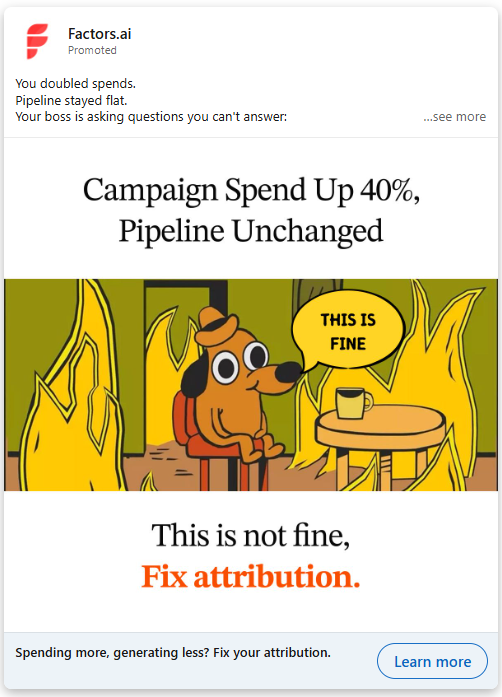
Single Image Ads are the most widely used format for good reason. Flexible, reliable, and effective across all funnel stages when matched to the right creative approach.
- LinkedIn recommends a 1200x1200px square (1:1) for the widest delivery across desktop and mobile. Vertical 4:5 maximizes mobile real estate but does not serve on desktop, so match your choice to where your audience primarily engages.
- Creative direction that consistently outperforms stock imagery:
- Real people over stock images. A genuine customer photo or candid team shot will outperform the generic diverse-professionals-on-a-laptop every time.
- Text overlays (if you use them) should be under 20% of the image area and high contrast so they read at small sizes.
- Colors that stand out against LinkedIn's interface. Bright, high-contrast visuals earn more attention in a predominantly blue-and-white feed.
- 4 to 5 ad variations per campaign. Run them with LinkedIn's optimize for performance rotation and plan to refresh every four to six weeks.
- Thought Leader Ads (the format most B2B teams are under-using)
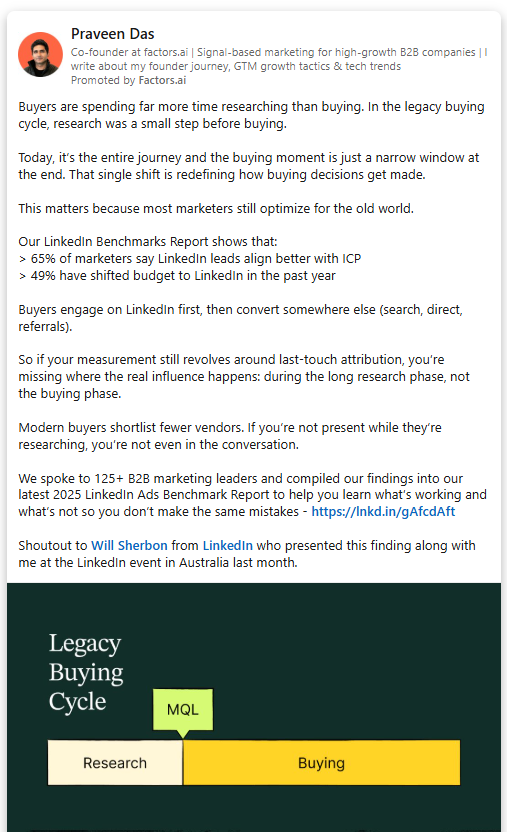
Thought Leader Ads (TLAs) are the only LinkedIn ad format that sponsors an individual organic post rather than brand content. The post runs in-feed with a Promoted by <Company> label, but the framing is personal and human (and that is exactly what makes it work).
People scroll past brand content instinctively. First-person posts from a credible individual do not look like ads. They look like content worth reading. That distinction shows up in performance.
What makes a strong Thought Leader Ad post:
- First-person voice throughout. "I" consistently outperforms "we" in this format.
- A clear narrative arc: what I observed, what it means, what you should do about it.
- 1,000 to 1,500 characters of real insights, not a verbose paragraph and a link.
- CTA in the bottom quarter (not the opening line).
The best posts to promote are ones that already generated inbound interest organically: DMs, thoughtful comments, shares from people in your ICP. If a post already did the persuasion work, amplifying it is just distribution.
TLA interactions also feed retargeting audiences. Anyone who engaged with the promoted post can be served sponsored content next, creating a natural mid-funnel step that feels like a continuation rather than a cold follow-up.
- Document Ads
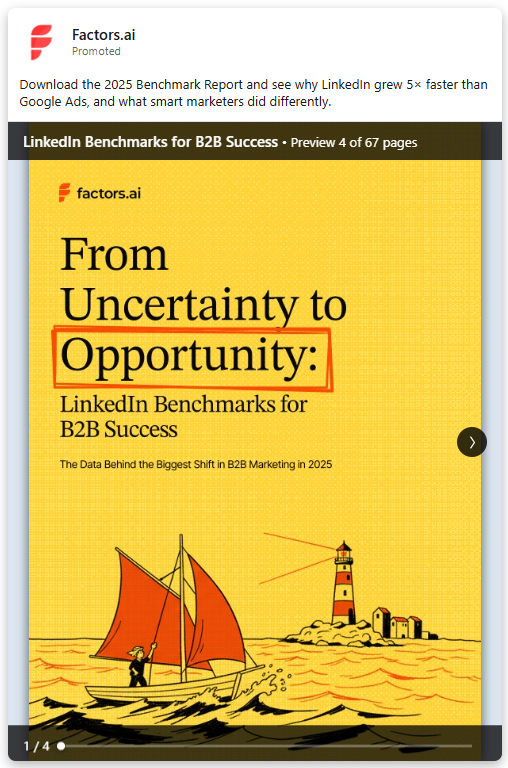
Document Ads let you display a PDF natively in the LinkedIn feed: a whitepaper, checklist, template, benchmark report, or playbook… readable without clicking away. The first page functions as your cover poster and needs to communicate value immediately.
Keep documents to 5 to 10 pages for optimal in-feed performance. If you want to gate the full content, put the lead gen form after 3 to 4 preview pages, enough to justify the exchange, not so much the form becomes unnecessary.
Document Ads perform especially well for audiences actively evaluating options. Playbooks, comparison guides, and benchmark reports consistently outperform pure thought leadership at this stage because they are decision-stage useful.
- Carousel Ads
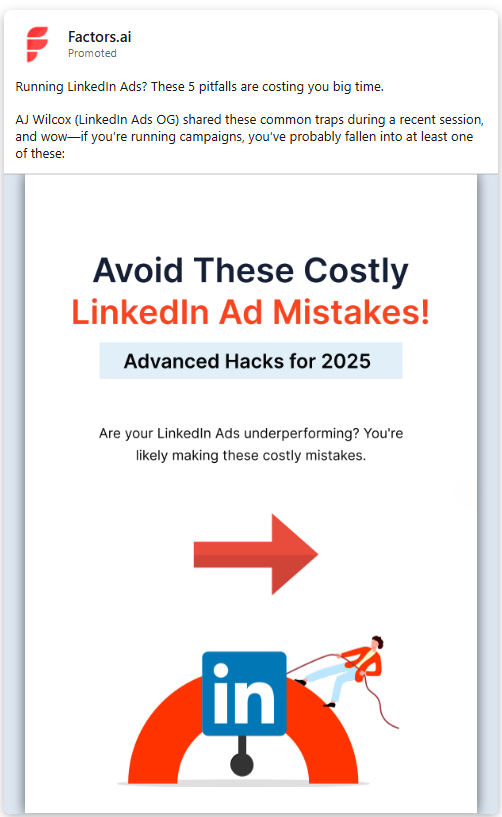
Carousel Ads are a storytelling format. Start with 3 to 5 cards. Card one stops the scroll. The deeper cards are where genuine engagement happens, readers who reach Card 4 or 5 are expressing real intent. Save your sharpest argument or CTA for there.
Use carousels to walk through a framework step by step, present a before-and-after case study, compare options with honest trade-offs, or tease the structure of a longer piece of content that the reader can then access.
- Video Ads
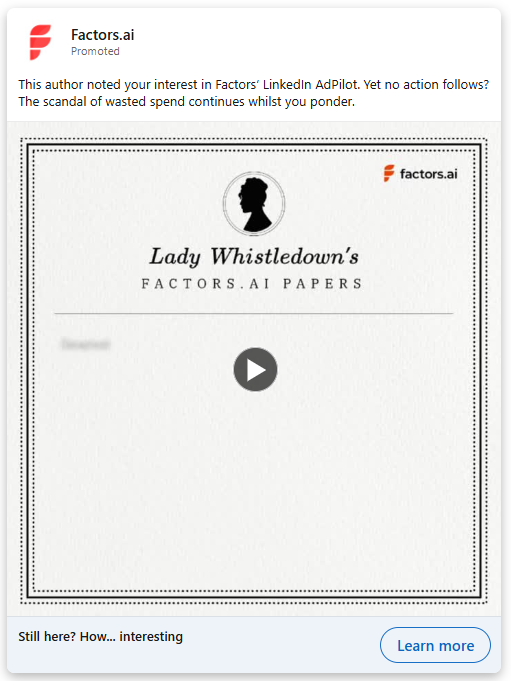
LinkedIn Video Ads generate strong engagement rates and earn lower CPMs than static formats. The key is matching video objectives to what video actually does well, building brand presence and keeping you top of mind, rather than asking it to carry the full conversion load.
The critical stat: 80% of LinkedIn video viewers watch with sound off. Captions are not optional. If your video depends on audio to make sense, it is not working for most of your audience. Burn captions directly into the video or upload an SRT file.
Your hook needs to land in the first three seconds. A visible brand logo in the first two seconds lifts recall. Keep cold audience videos under 30 seconds. Longer formats (one to two minutes) work for warm retargeting audiences where context already exists.
For video creative specifically, native uploads always outperform sharing external links. LinkedIn's algorithm rewards content that keeps people on the platform, and native video autoplays in-feed while a YouTube link sits as a static thumbnail waiting for a click that rarely comes.
- Message Ads and Conversation Ads
Message Ads and Conversation Ads go directly to a member's LinkedIn inbox. The key difference: Message Ads deliver a single message, while Conversation Ads offer branching CTAs that let the recipient self-select their path.
Best practices for both formats: keep the subject line under 60 characters. The message body performs best under 500 characters. Write as if it’s being sent from a real person with a specific reason for reaching out… it’s not a broadcast from a brand account. Include a banner image and always offer an opt-out option.
Conversation Ads work particularly well for event invites, webinar registrations, and warm audiences. Design 2 to 3 CTA branches that let the reader signal intent without feeling cornered.
LinkedIn ad templates you can adapt today
These are structural patterns that have been proven to work. The specifics: the stat, the company name, the pain point… need to come from you.
|
Template 1: The sharp stat open (consideration stage) [Specific result] in [time frame]. [Company] used [specific approach] to [outcome]. Not by adding headcount. By [mechanism]. Here is the breakdown. [Link or CTA] Template 2: The uncomfortable truth (top of funnel / Thought Leader Ad) Most [role]s believe [common assumption]. I spent [time/context] testing whether that is actually true. The short answer: it depends. The longer answer is more useful. [3 to 4 lines of genuine, specific insight] If you are running [relevant scenario], the thing worth knowing is: [specific actionable takeaway] Template 3: The pain point hook (cold audience, lead gen) [Specific painful situation your reader knows too well]. Most teams solve this by [wrong common approach]. Which is why [bad outcome] keeps happening. [Product or offer] gives you [specific fix]. [CTA] Template 4: The comparison (mid-funnel, retargeting) We compared [approach A] vs [approach B] across [number] of [companies or campaigns or deals]. [Finding 1] [Finding 2] [Finding 3] Full breakdown in the guide. [CTA] |
The LinkedIn Ads wall of shame: 8 LinkedIn ad copy mistakes you cannot be seen making
Most of these mistakes are avoidable once you know of them. But they keep happening because there is always pressure to launch and always a template from last quarter that is good enough. And before we move ahead, I’d like to apologize for being a little… what can I say… rude?! But I can’t have you making these mistakes in 2026, dude. Get a grip, and let’s go.
- Proposing on the first date:
Running a ‘Request a Demo’ CTA to a cold audience is… embarrassing. Give them a checklist or a guide first. Earn the right to ask for their time. - Features over outcomes:
Nobody cares that you have ‘40 integrations.’ They care that they can finally stop manually syncing CSVs on Friday afternoons. So tell them that. - The ‘Corporate Speak’ Trap:
Ew. Don’t get me started on this one. If your ad sounds like it was approved by a legal committee, it’s not going to convert Linda. Talk like a peer, not a vendor trying to shove a product in their cart, please. - Ignoring the Headline:
LinkedIn headlines cut off at 70 characters. If your punchline is character 71… it doesn't exist. - Static Creative:
Running one image for three months. Run 4-5 variations and kill the losers after two weeks.
Here’s the same thing in a table… because tables are good:
| Mistake | Why It Costs You |
|---|---|
| Pitching demos to cold audiences | LinkedIn cold audiences are not ready to buy. High friction CTAs to people who have never heard of you drive up CPL and deliver low-intent leads. |
| Burying the message below the fold | Anything after 150 characters is hidden. If your best line lives there, you are paying for see more clicks instead of real intent. |
| Writing for committees not people | "We enable enterprises to streamline their GTM operations" says nothing to nobody. One person. One pain. One sentence. |
| Features over outcomes | "40 integrations" means nothing without context. "Know which accounts are hot before your sales team calls them" is a different sentence entirely. |
| Ignoring headline character limits | Headlines truncate permanently at ~70 characters. Whatever gets cut is gone. Count before you launch. |
| Vague social proof | "Trusted by thousands of companies worldwide" earns zero trust. Named logos, specific metrics, and percentage lifts do. |
| Running one creative variation | One ad is a bet, not a test. Run 4 to 5 variations per campaign so you can learn what actually wins. |
| Not refreshing creative | Ad fatigue builds silently. A campaign running 8+ weeks to the same audience will see declining performance whether or not the dashboard shows it yet. |
What do good LinkedIn ads look like? The anatomy of a strong LinkedIn Ad
Instead of naming specific campaigns, here are the structural patterns behind LinkedIn ad examples that consistently drive results, with the reasoning behind each choice.
| Element | The Case Study Ad (MoF) | The Benchmark Ad (ToF) | The TLA (Awareness) |
|---|---|---|---|
| Intro text | "[Company] cut cost per opportunity from ,300 to under 00 by changing one thing about how they measured LinkedIn." | "We analyzed 20M in B2B LinkedIn ad spend. These are the benchmarks your team should actually be comparing against." | "Most LinkedIn campaigns optimise for clicks. Clicks are not buyers. Here is what actually changed when we measured at the account level..." |
| Why it works | Specific numbers, familiar pain, credible one-thing framing that earns curiosity. | Scale of data creates authority. Benchmark content works because it is useful and buyers self-assess. | First-person. Specific experience. A clear perspective the reader can agree or disagree with. |
| Headline | "The LinkedIn attribution problem most B2B teams have and do not know about" | "2025 LinkedIn Ads Benchmark Report, download free" | Post text carries the weight: No separate headline in TLA format. |
| Creative | Customer quote pull on clean background with company logo. No stock imagery. | Report cover with title and one arresting stat visible in-feed. | Text-only post performs extremely well because it reads as organic content. |
| CTA | Read the Case Study | Download Now | Embedded naturally in the last paragraph of the post. |
Targeting and copy alignment: matching message to audience
Writing great copy for the wrong audience is wasted spend. Writing great copy for the right audience but framed incorrectly for their role or mindset also underperforms.
- Copy by seniority
| Seniority | What They Care About | Copy Direction |
|---|---|---|
| C-suite (CEO, CMO, CRO) | Competitive advantage, strategic risk, org-level outcomes | Keep it outcome-first, one sentence on the problem, one on the strategic fix |
| Directors and senior managers | ROI, justifiable decisions, evidence they can take upward | Case studies, named results, comparative language, give them the deck-ready data point |
| Individual contributors | Day-to-day workflow, specific tools, tactical efficiency | How it changes Tuesday morning, not Q3 revenue projection |
Here, you see three campaigns with three sets of copy for the same product can lead to a meaningful difference in performance. I know this feels like A LOT of extra work… but I need you to know that this is the work and what will work.
- Copy by funnel stage
| Stage | Budget % | Copy Tone | Best CTA |
|---|---|---|---|
| Awareness (ToF) | ~60% | Educational, insight-led, no product pitch | Learn More, Read the Guide, Get the Checklist |
| Consideration (MoF) | ~30% | Comparative, credibility-building, proof-forward | See How [Company] Did It, Download the Report |
| Conversion (BoF) | ~10% | Direct, specific offer, friction matched to intent | Request a Demo, Start Free Trial, Talk to Sales |
Most B2B advertisers spend the majority on conversion. The result is high CPLs from audiences who were not ready and an awareness gap that makes the pipeline increasingly expensive to fill. The 60/30/10 allocation is a starting point; adjust based on your cycle length and how warm your existing audience is.
LinkedIn Video Ads best practices
Video has its own creative rules that do not apply to static formats. Here is the structured version.
| Element | What Works | What to Avoid |
|---|---|---|
| Length (cold audience) | Under 30 seconds. Key message in first 3 seconds. | Long-form for cold traffic. Nobody is watching 90 seconds of brand video uninvited. |
| Length (retargeting) | 60 to 120 seconds where context exists. | Starting from scratch with a warm audience: build on what they already know. |
| Captions | Always. Burn in or upload SRT. | Sound-dependent video. 80% watch on mute. |
| Format | 4:5 vertical for mobile, 16:9 for desktop-first audiences. | Horizontal video on mobile-heavy placements. |
| Opening | Human face, brand logo in first 2 seconds, hook in first 3. | Logos-only intros, slow pans, animated bumpers that eat the hook window. |
| Upload type | Native LinkedIn upload always. | Sharing YouTube links: they lose autoplay, algorithm priority, and retargeting data. |
For an awareness-stage video, the goal is staying top of mind and being associated with specific buying situations. For retargeting video you can go deeper, but only because you are building on context the viewer already has.
Creative specs quick reference
Before launching, use this as your final format check.
| Format | Recommended Size | File Type | Max File Size | Key Spec Note |
|---|---|---|---|---|
| Single Image Ad | 1200x1200px (1:1) | JPG or PNG | 5MB | Square for widest delivery. Vertical 4:5 for mobile-only. |
| Video Ad | 4:5 vertical recommended | MP4 only | 200MB | 30fps. Captions mandatory. Under 30s for cold audiences. |
| Carousel Ad | 1080x1080px per card | JPG or PNG per card | 10MB per card | 2 to 10 cards. CTA on final card. |
| Document Ad | PDF recommended | 100MB | 5 to 10 pages optimal. First page is your cover visual. | |
| Thought Leader Ad | Organic post (no image spec) | N/A | N/A | Sponsor an existing post. Text-only posts earn long dwell time. |
| Message Ad | Banner: 300x250px | JPG or PNG | 2MB | Subject under 60 chars. Body under 500 chars. |
Measuring what your copy actually does: Close that attribution gap
Writing strong copy is about 50% of the job, but knowing which copy is actually driving pipeline is the other, important half and that is where most marketers shed a few tears.
LinkedIn Campaign Manager is built around click-through and form-fill attribution. But in B2B, the buyer journey is not a straight line… and we all know that by now. A decision-maker sees your Thought Leader Ad on Tuesday, does not click it, searches your brand name on Thursday, visits your pricing page a week later, and shows up in a sales conversation three weeks after that. Standard attribution gives your LinkedIn ads zero credit for any of that.
Factors.ai, an official LinkedIn Partner for B2B Attribution and Analytics (sorry, I just had to), addresses this directly with LinkedIn AdPilot.
We connects LinkedIn ad impressions, including view-throughs, to downstream account-level behavior: website visits, intent signals, pipeline movement, and revenue. This gives you a full-funnel view of what your ad spend is actually generating, not just the last-touch slice.
Factors.ai also solves for the frequency distribution problem at the account level (not just the individual level) through its Smart Reach feature, which caps impressions per target account and redistributes budget to reach more of your actual ICP instead of overserving the same accounts repeatedly. LinkedIn Audience Builder in Factors keeps intent-based lists synced automatically to Campaign Manager so your targeting stays fresh without manual CSV uploads.
All that said and done… none of this can ever replace strong copy. But it does mean that when your copy works, you can see it AND prove it.
Wrapping up… what does strong LinkedIn ad copy actually do?
LinkedIn is the platform where B2B buying decisions get shaped. Your buyers are there, in the right mindset, at a scale no other social channel matches for professional targeting. The opportunity is real every time you launch a campaign.
What separates the campaigns that build pipeline from the ones that run quietly into the void: specificity, funnel alignment, and a creative that respects the reader's intelligence enough to be genuinely useful rather than generically persuasive.
The research from LinkedIn B2B Institute confirms that creative B2B ads drive meaningfully higher purchase consideration than functional ones. Emotional resonance and memorable framing are not vanity metrics; they are how buyers decide who makes their shortlist before they are even in market.
The pre-launch gut-check:
- Does the first 150 characters say something worth reading?
- Is the headline under 70 characters and specific enough to act on?
- Is the creative format matched to the objective?
- Is the CTA appropriate for where this audience is in their journey?
- And are there at least four variations running so you can learn what actually works?
This little checklist clears the bar most LinkedIn ads never reach. And on a platform this powerful, clearing that bar is where the pipeline starts. Ooh, what a line… and on that note, BYE.
May the LinkedIn Ads be with you, 4eva!
FAQs for LinkedIn Ad Copy and Creative Best Practices
Q1. What is the best character length for LinkedIn ad copy?
Short answer: shorter than you think.
Longer answer: LinkedIn cuts off your intro text pretty aggressively, so if your main point is buried somewhere in the middle, most people will never see it. Try to keep your opening line (or at least your core message) within 150 characters so it shows up before the “See more” button.
For headlines, stay under 70 characters. There’s no expansion option there, so anything longer just gets awkwardly chopped off.
And for CTA buttons, you’ve got about 20 characters to work with. Think simple, clear, and direct. “Download Guide” works better than trying to get clever and running out of space.
Q2. What LinkedIn ad format works best for B2B lead generation?
It depends on what part of the funnel you’re targeting, but a couple of formats consistently stand out.
If you're trying to build awareness and trust, Thought Leader Ads tend to perform really well because they feel like content, not ads. People are far more likely to engage with a person than a brand.
If you're focused on actual lead generation, then Document Ads + LinkedIn Lead Gen Forms are a very strong combo. Documents get attention and engagement, and Lead Gen Forms make it ridiculously easy for users to convert without leaving LinkedIn.
That last part matters more than you think. The less friction you create, the better your conversion rates.
Q3. How often should I refresh LinkedIn ad creative?
More often than most teams do.
A good rule of thumb is every 4 to 6 weeks for active campaigns. But here’s the catch: ad fatigue doesn’t announce itself. You won’t always see a dramatic drop, it just slowly stops working as well.
The smartest way to manage this is to run 4–5 variations per campaign instead of relying on one “hero” creative. This gives LinkedIn room to optimize and also keeps your audience from seeing the exact same thing over and over again.
Think of it less as “refreshing ads” and more as “rotating variations.”
Q4. Should I use LinkedIn Lead Gen Forms or link to a landing page?
If your goal is conversions, Lead Gen Forms usually win. By a lot.
In most B2B cases, they convert 2–5x better than landing pages. The reason is simple: LinkedIn pre-fills user data and keeps them on-platform, so there’s almost zero friction.
That said, landing pages still have a place.
Use them when:
- You need to build deeper credibility (like for high-ticket offers)
- You want to control the narrative and experience
- You need more detailed qualification fields than LinkedIn allows
A good way to think about it:
Use Lead Gen Forms for volume and efficiency, and landing pages for depth and qualification.
Q5. What’s the difference between a LinkedIn Thought Leader Ad and regular Sponsored Content?
This is one of those things that seems small but makes a huge difference.
Sponsored Content comes from your company page. It looks and feels like a brand talking.
Thought Leader Ads, on the other hand, promote a post from an individual (usually a founder, CMO, or someone with a voice). It still shows “Promoted by Company,” but the tone stays personal.
And that changes everything.
People trust people more than brands. A first-person post feels like an opinion or insight, not a sales pitch. That’s why Thought Leader Ads usually see higher engagement and better quality interactions.
Q6. How do I write LinkedIn ad copy for a cold audience?
Start by accepting this: they don’t care about your product yet.
So don’t lead with it.
Instead, lead with something they do care about:
- A problem they’re dealing with
- A sharp insight they relate to
- A situation that feels uncomfortably familiar
Once you’ve got their attention, offer something genuinely useful. A guide, a checklist, a breakdown, a real example.
And keep your CTA soft:
- “Read the Guide”
- “See How This Works”
- “Get the Checklist”
Save “Book a Demo” or “Start a Free Trial” for retargeting. Cold audiences need context before commitment.

See how Factors can 2x your ROI
Boost your LinkedIn ROI in no time using data-driven insights



.avif)



See Factors in action.
Schedule a personalized demo or sign up to get started for free
LinkedIn Marketing Partner
GDPR & SOC2 Type II

.svg)



.avif)

