
Best AI Tools for LinkedIn Advertising
Learn how top AI tools for LinkedIn ads boost B2B targeting, creative optimization & predictive audiences, and how LinkedIn AdPilot fits in.

Writer

Growth Marketer



.svg)


TL;DR
- Use LinkedIn’s native AI for faster setup, audience forecasting, and campaign optimization.
- Add external AI tools to enhance creative testing, automation, and analytics.
- Track performance beyond clicks by connecting LinkedIn ad data to your CRM and revenue pipeline.
- Combine AI efficiency with human insight to stay strategic, authentic, and ROI-focused.
Running B2B ads on LinkedIn can feel a bit like buying airport snacks. You know you’ll find what you need, but the price can make you wince. The good news is you don’t have to work that way. When you pair LinkedIn’s Campaign Manager with tools that predict intent, improve creatives, and tie everything back to your CRM, things start to fall into place. And you can finally see which ads are bringing in real pipeline among all the clicks.
The tricky part is figuring out which tools are worth adding to your stack in the first place. There are plenty out there, but only a few genuinely make LinkedIn ads easier, smarter, and more affordable. Let’s look at the ones that do.
How LinkedIn’s Native AI & Automation Features Work
LinkedIn has been incorporating more AI into Campaign Manager, making it an absolute time-saver. Its newer feature, ‘Accelerate’, can build a full campaign in minutes. You simply drop in your landing page, and it drafts your ICP, audience filters, and even provides starting creatives.
Its forecasting feature also helps you gauge expected reach, engagement, and conversions before you launch. Kind of like checking the route before you start a long drive. You get a rough idea of the traffic ahead, how long it might take, and whether the trip is worth making in the first place.
But once you use Campaign Manager long enough, you start to see the gaps. It handles setup and basic optimization well, but it won’t dig deep into creative testing, intent scoring, or revenue-level analytics. That’s why most B2B teams pair it with external tools. LinkedIn handles the buying. The rest of your stack fills in everything it misses.
Key Capabilities to Look for in LinkedIn AI Tools
With the basics covered, the next step is knowing which capabilities to look for. Campaign Manager handles the essentials, but the tools you add should cover the areas it falls short on.
- Predictive Targeting
LinkedIn gives you broad forecasting, but it doesn’t highlight which accounts are warming up in real time. Predictive targeting fills that gap by spotting companies that are more likely to convert based on intent signals and past engagement. This keeps your spend focused on high-fit prospects instead of wasting impressions on low-intent audiences.
- Creative Optimization
To A/B test your ads, you need different versions of your ad copy, visuals, and formats. AI tools handle this at scale, which means you learn faster, refresh creatives sooner, and avoid running ads that lose steam halfway through the campaign.
- Analytics & performance forecasting
A strong AI tool should forecast ROI before launch and compare audiences, budgets, and placements with more clarity. Once the campaign goes live, it should highlight what’s performing best so you can adjust spend fast and make smarter decisions.
- Automation and integration
Your tools should connect smoothly with your CRM, scheduler, and analytics setup. This helps you to track leads through the funnel, retarget with precision, and link ad performance directly to revenue.
For B2B teams running multi-touch or ABM campaigns, these capabilities form the base for scalable, data-driven advertising.
{{INLINE_MOFU}}
Also read: Factors.ai vs Cognism: The GTM Platform Breakdown
Top 6 AI Tools for LinkedIn Advertising
Now that you know what to look for, here are six powerful tools that actually cover those gaps and make LinkedIn ads easier to run.
1. LinkedIn Campaign Manager (Native LinkedIn Ads Platform)
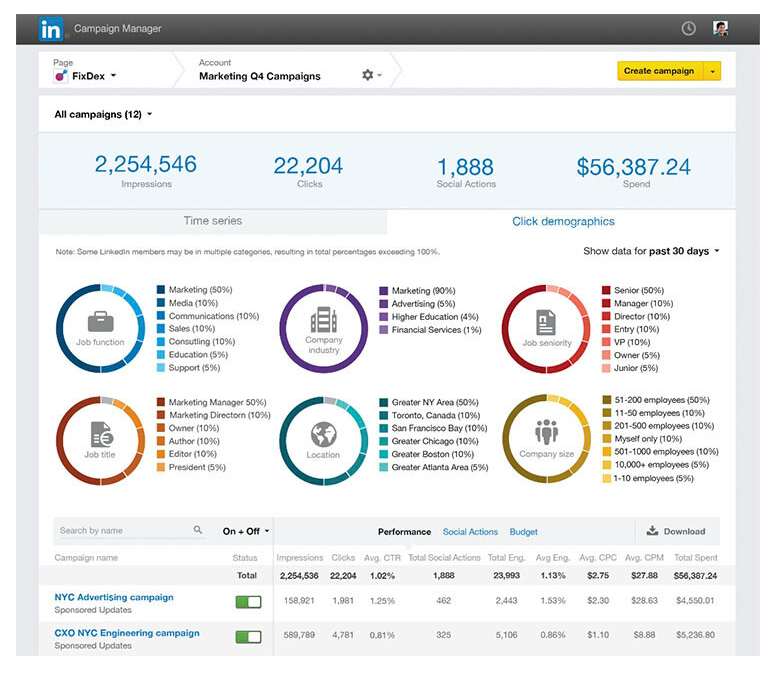
LinkedIn Campaign Manager is an AI powered in-built platform for running ads directly on LinkedIn. It lets you set up audiences, budgets, and ad formats while using AI trained on first party data to target by job title, company size, or industry. The built in forecasting feature uses predictive models to estimate results before launch, which makes planning far more accurate. It’s not the most flexible creative tool, but the AI driven targeting and delivery make it reliable, precise, and easy to manage.
Use it for: Running accurate, data-backed campaigns.
Why it helps B2B marketers: Access to LinkedIn’s clean, verified audience data.
Pros: Trusted targeting, accurate forecasting, smooth setup.
Cons: Limited creative flexibility and automation.
Ideal for: B2B teams focused on efficiency and accuracy within LinkedIn.
Pricing: No platform fee; pay per click, impression, or send.
2. Taplio
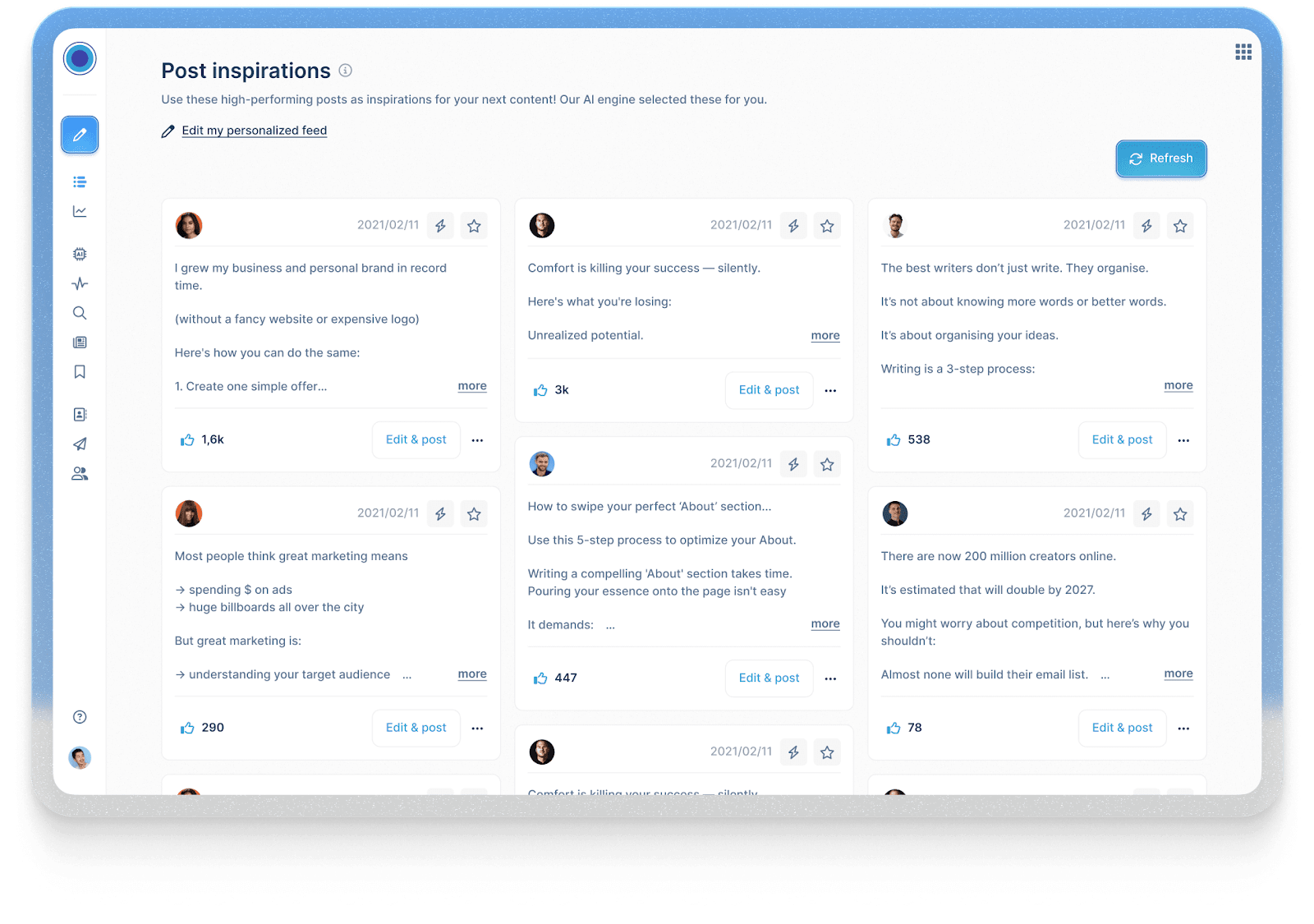
Taplio is an AI copywriting tool used for personal branding and content growth on LinkedIn. It helps you write LinkedIn posts, discover topics, build engagement, and fine-tune your voice. These insights then feed into better ad messaging when you promote that content. It’s not built for campaign management typically, but it’s perfect for shaping authentic content that later converts well in paid formats.
Use it for: Testing and refining content before promoting it.
Why it helps B2B marketers: Helps you shape a personal brand that drives trust and better ad performance.
Pros: Great for tone, topic discovery, and post consistency.
Cons: Doesn’t manage paid campaigns.
Ideal for: Founders, consultants, or marketing leaders using content-led growth.
Pricing: Starts at $39/month with a free trial.
3. Predis.ai
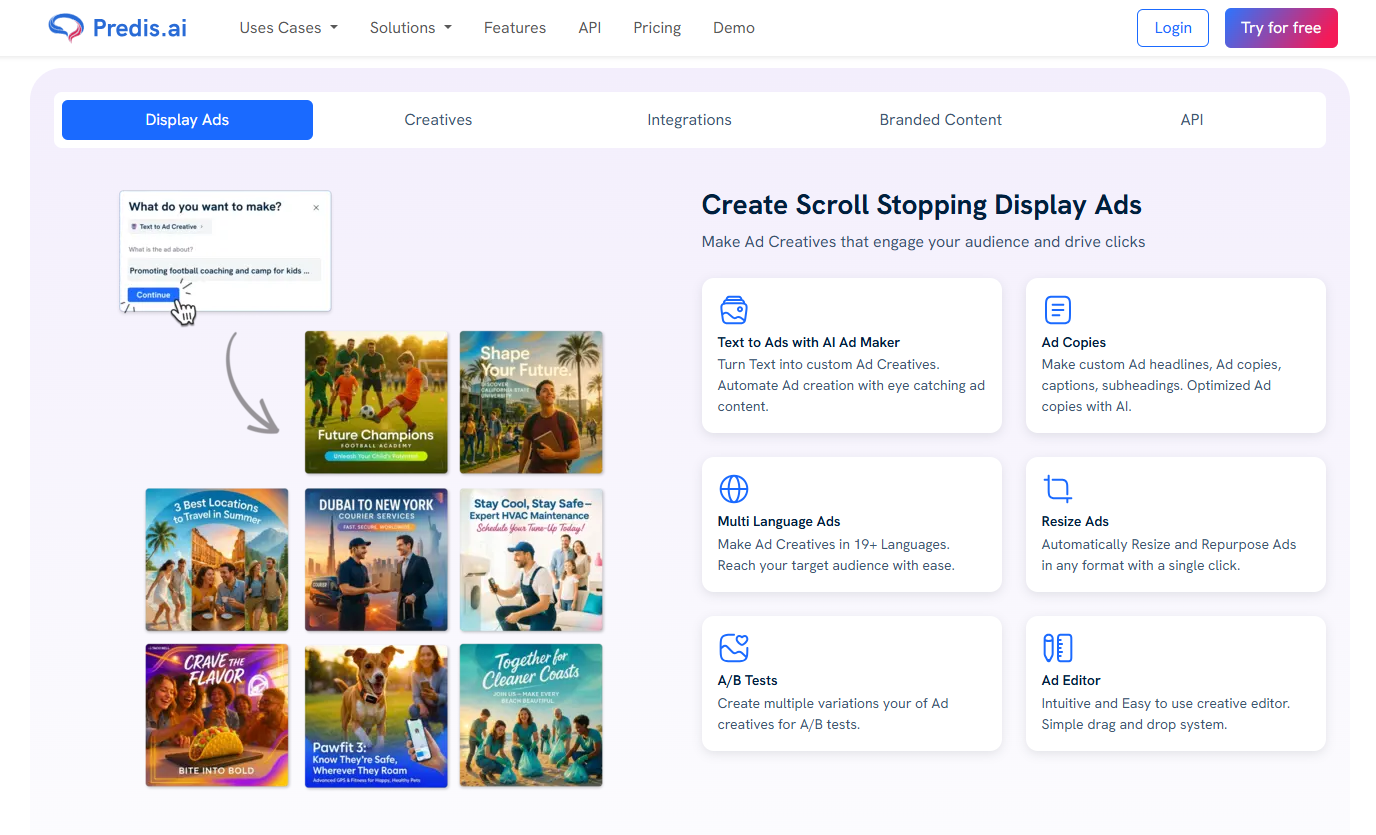
Predis.ai focuses on the creative side of LinkedIn ad production. Enter a product brief or link, and it generates publish-ready ad variations with high-quality images, video, headlines, and call-to-actions. You can edit, remix, and test quickly to see what resonates with each audience. It’s ideal for small teams that want to experiment and scale creative output without adding design support.
Use it for: Creating and testing ad creatives in bulk.
Why it helps B2B marketers: Speeds up creative testing and personalization.
Pros: Fast, flexible, and built for experimentation.
Cons: Templates can feel repetitive if unedited.
Ideal for: Lean teams managing multiple campaigns.
Pricing: Starts at $19 with a free trial.
4. Supergrow.ai
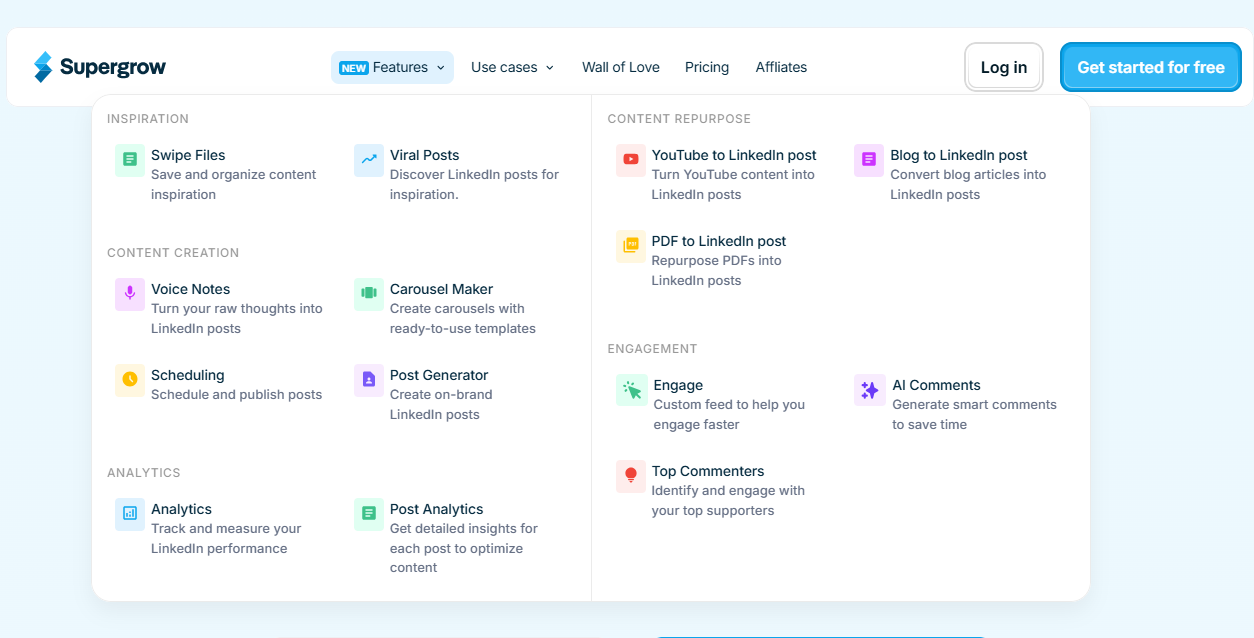
Supergrow connects your organic content, paid campaigns, and outreach into one steady flow. It repurposes LinkedIn posts into LinkedIn ads, automates engagement, and keeps your brand voice consistent across company and personal pages. This makes it especially useful for account-based marketers who want to make their organic and paid ads work together, so outreach feels more natural.
Use it for: Running connected organic and paid campaigns.
Why it helps B2B marketers: Keeps content, outreach, and ads aligned for ABM impact.
Pros: Smooth automation, consistent brand voice, strong for ABM.
Cons: Limited analytics and not a full ad manager.
Ideal for: B2B teams mixing engagement, retargeting, and outreach.
Pricing: Starts at $19/month with a free trial.
5. Hypotenuse AI
Hypotenuse’s LinkedIn Ad Generator helps marketers write ad copy. It creates multiple ad variations based on your topic, tone, and target audience, helping you find the best-performing message. Since it’s fast and simple, it gives marketers an easy way to test ideas and scale campaigns without sacrificing quality or getting stuck in long, time-consuming writing cycles.
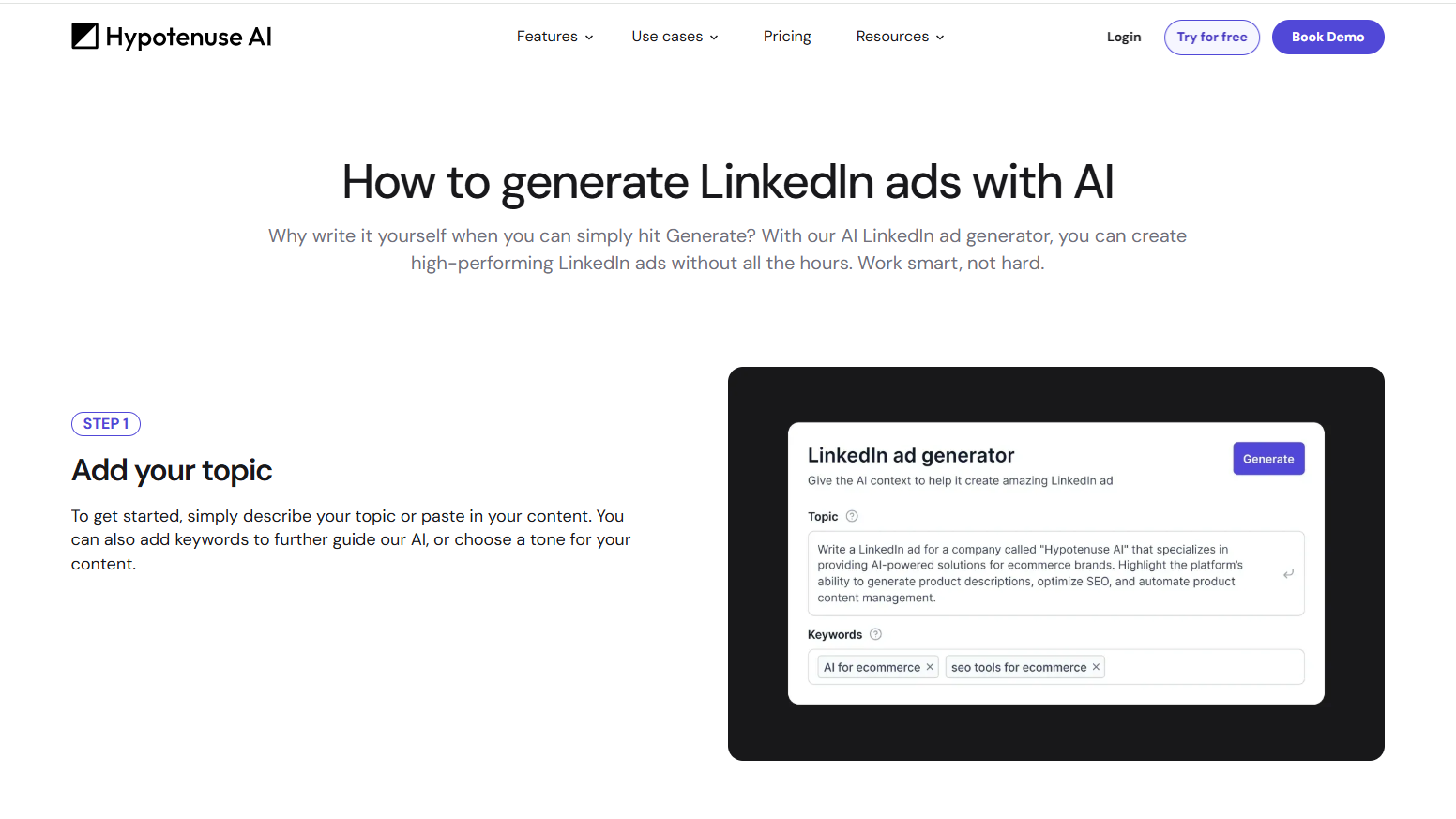
Use it for: Generating high-performing LinkedIn ad copy quickly and efficiently.
Why it helps B2B marketers: Delivers ready-to-run ad variations tailored for your audience.
Pros: Fast, intuitive, easy to refine tone and keywords.
Cons: Limited to copy generation; no design or analytics tools.
Ideal for: Marketers or small teams who want quality LinkedIn ads without manual writing.
Pricing: Starts at $29/month with a free trial.
6. Factors’ LinkedIn AdPilot
AdPilot takes a data first approach to LinkedIn advertising. It builds smarter audiences by using your intent and engagement signals, then keeps them fresh with SmartReach, which updates your LinkedIn audiences automatically as new accounts show interest. You can also control how often each account sees your ads, so your budget doesn’t get stuck on a handful of big companies.
Also read: Top 10 Warmly.AI Alternatives and Competitors In 2026-Compare Pros, Cons & Pricing
AdPilot also gives you deeper visibility into impact. With view through attribution and Factors’ analytics layer, you can see which campaigns influenced pipeline even when people never click your ads. The result is cleaner targeting, more efficient spend, and a clearer sense of what’s actually working so you can scale with confidence.
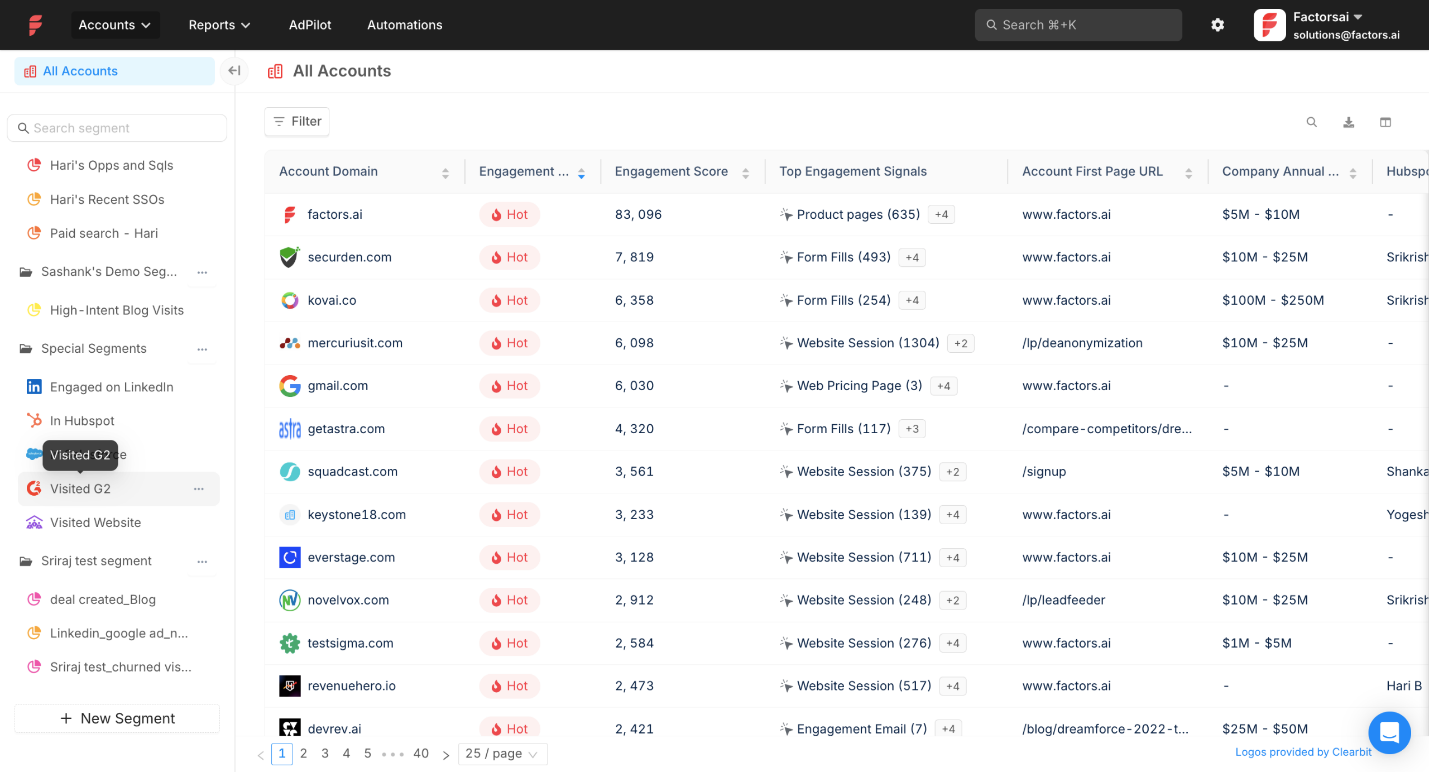
Use it for: Running data-driven campaigns that optimize automatically.
Why it helps B2B marketers: Links ad data with pipeline outcomes for measurable ROI.
Pros: Predictive insights, advanced targeting, automated optimization.
Cons: Needs clean data setup
Ideal for: Demand-gen and growth teams focused on ROI.
Pricing: Custom, based on company size and data volume.
Quick Comparison of Top AI Tools for LinkedIn Ads
How to Integrate LinkedIn AdPilot into Your AI-Driven Workflow
In an AI-driven ad stack, AdPilot’s role is simple. It takes your intent and engagement signals and turns them into smarter targeting, cleaner spend, and clearer measurement on LinkedIn. It does not create ads. It makes the ads you already run reach the right accounts with far better efficiency.
Here’s how to integrate AdPilot into a B2B workflow:
1. Connect your CRM and website data to Factors
Start by enabling the data flow. Once your CRM and website activity sync into Factors, AdPilot can see which accounts are active, engaged, or showing intent.
2. Enable account identification and scoring
Factors maps anonymous visitors to companies and scores them based on engagement levels. This creates the intent signals that AdPilot uses to build and update audiences.
3. Sync qualified accounts into AdPilot
AdPilot pulls Hot, Warm, or newly active accounts directly from these signals and prepares them as ready to use LinkedIn audiences. No manual CSV uploads.
4. Set account level frequency caps and targeting rules
You decide how often each account should see your ads. AdPilot enforces these limits and helps spread your budget across more of your ICP.
5. Push dynamic audiences into LinkedIn
AdPilot syncs these audiences into LinkedIn Campaign Manager so your targeting stays aligned with real time account behavior. As engagement shifts, the audience updates automatically.
6. Feed campaign performance back into your revenue systems
AdPilot passes view throughs, conversions, and influence signals into Factors’ attribution layer, which then syncs into your CRM. This closes the loop so you can see which campaigns moved deals.
Teams using it are already seeing the difference. How? Let’s see these real-life examples:
- Descope:
Descope, a security platform focused on passwordless authentication, had healthy traffic but uneven reach across their target accounts. A few large companies were soaking up most of the budget, which meant a big part of their ICP rarely saw their ads.
Also read: Factors.ai vs Clearbit (Breeze Intelligence): which is the better GTM platform?
How AdPilot helped
With AdPilot, they capped impressions per account, synced high intent accounts into LinkedIn automatically, and spread their spend more evenly across their ICP.
The impact
Once this data loop fed back into their reporting, Descope saw a 25% llift in LinkedIn Ads ROI. Their case study walks through the full setup.
- Hey Digital:
Hey Digital is a performance agency that relies heavily on attribution clarity to optimize client spend. Click tracking alone wasn’t giving them the full picture on LinkedIn.
How AdPilot helped
After adopting AdPilot, they started capturing view through conversions, syncing dynamic audiences, and using those insights to adjust spend and tighten targeting.
The Impact
With cleaner signals and smarter allocation, they saw a 35% boost in LinkedIn performance.Their case study breaks down exactly how they ran it.
Both adopted AdPilot for different reasons, and their results tell a clear story.
💡Want to see how AdPilot works in your own setup? Explore it with a free trial.
Measuring Success: Metrics and Predictive Audiences
When you’re running LinkedIn ads for B2B, clicks and impressions tell you what happened on the surface. But the real story lies in knowing what happened after someone clicked i.e. the lead quality, the conversations that follow, and the deals that actually move forward.
The metrics that help you understand this are:
- Cost per lead (CPL). How much you’re paying for a high quality lead, not just a form fill.
- Lead quality. How many of those leads turn into meetings or pipeline.
- Account engagement. How often target accounts interact with your content or brand.
- Conversions. Demo requests, signups, or other key actions.
- Pipeline velocity. How quickly leads move from first touch to opportunity.
For Example: Let’s say you’re running a LinkedIn campaign targeting HR leaders in mid-sized tech firms. You test two ad versions: one focused on retention benefits, the other on employee engagement. Each lead that interacts with either ad automatically syncs to your CRM (like HubSpot or Salesforce) through a connector like Factors. Inside the CRM, Factors’ attribution layer shows which campaigns and creatives influenced those leads, along with the touchpoints that moved them forward. That makes it easy to compare which version pulled in better qualified leads and how quickly they progressed through the pipeline. AdPilot then uses these signals to refine targeting and shift your spend toward audiences that look more like your top converters..
Also read: zoominfo-alternatives
Best Practices & Pitfalls for Using AI Tools in LinkedIn Ads
AI can make LinkedIn ads faster and smarter, but it still needs a clear plan and a bit of human judgment. Here’s how to get the most out of it and what to watch out for:
Future Trends: What’s Next for LinkedIn AI Tools in B2B
Artificial Intelligence is becoming a core part of LinkedIn advertising, and the next wave is all about smarter targeting and faster creative. Predictive and generative AI will work side by side. Predictive models will read first-party and intent signals to spot high-converting audiences, while generative tools will create personalized ads and videos for those audiences at scale.
LinkedIn is also building more AI directly into Campaign Manager. Expect stronger measurement, clearer attribution, and better visibility into how ads influence pipeline and revenue.
Privacy regulations will keep tightening, which means first-party audience data will be preferred and used more carefully. You’ll see more transparency, stricter compliance, and a bigger focus on data governance across platforms.
For B2B teams, being future-ready means investing in clean data, solid CRM integrations, and workflows that stay compliant while saving time. The next phase of LinkedIn marketing will reward marketers who pair creativity with ethical, data-driven precision.
FAQs
Q: What are AI tools for LinkedIn advertising?
They are platforms that help you plan, create, and optimize LinkedIn ads using data and automation to improve targeting, content creation, and performance.
Q: How do I choose the right LinkedIn AI tools for my B2B campaign?
Choose tools that match your goals, whether it is creative testing, right audience targeting, or pipeline tracking, and make sure they integrate with your CRM or analytics setup.
Q: Can I use LinkedIn’s native AI only (without external tools)?
Yes, you can. LinkedIn’s built-in AI assistance supports forecasting, targeting, and optimization for LinkedIn ads, though external tools offer deeper insights and flexibility.
Q: How much budget should I allocate when using these tools?
Start with a small test budget that allows you to experiment with multiple creatives or audiences. Then scale based on what brings warm leads or revenue, not just engagement.
Q: Are there risks when using AI for LinkedIn ads?
The main risks are relying too heavily on automation and overlooking privacy compliance. Always review your linkedin messaging manually and stay updated with LinkedIn’s advertising policies.
Q: How does LinkedIn AdPilot differ from other LinkedIn AI tools?
AdPilot connects your LinkedIn ad performance directly to your CRM and revenue data, helping you see which campaigns drive real business results.

See how Factors can 2x your ROI
Boost your LinkedIn ROI in no time using data-driven insights



.avif)

.avif)

See Factors in action.
Schedule a personalized demo or sign up to get started for free
LinkedIn Marketing Partner
GDPR & SOC2 Type II





.svg)



.avif)

