
Zapier vs Make vs n8n: Which Workflow Automation Tool Fits GTM Engineering Best?
Compare Zapier, Make and n8n for GTM engineering workflows — pros, cons, and use-cases to help marketing & ops teams pick the right automation tool.

Writer
.avif)
Content Marketer



.svg)


TL;DR
- Zapier, Make, and n8n all solve GTM and sales automation problems, but they’re built for very different use cases.
- Zapier is best for simple, high-speed automations with minimal setup. Make supports more complex, multi-step workflows where visibility and control matter. n8n is designed for autonomy, complex logic, and flexibility at scale.
- Choosing the best tool depends on your team structure, workflow complexity, signal volume, cost sensitivity, and how much control you need over your GTM automation.
Every growing GTM team eventually hits this wall. Automations break mid-workflow; simple tasks require complex workarounds; your team spends more time maintaining workflows than doing their actual job; what worked for 50 leads isn't working for 500… The signs are everywhere: you have outgrown your current GTM system.
So you start looking for something better and quickly narrow it down to three names that keep coming up everywhere: Zapier, Make, and n8n.
So, you go online to figure out which one fits your needs, and find this:
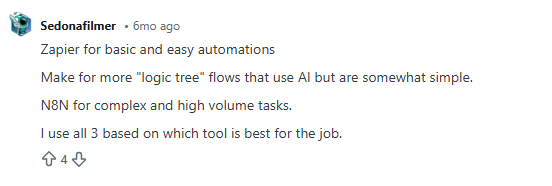
Fair enough. But what does that actually mean for you?
So you scroll a bit more and find another take.

Okay… still vague and doesn’t address your concerns. You find one opinion that says, “It depends on your use case.”:
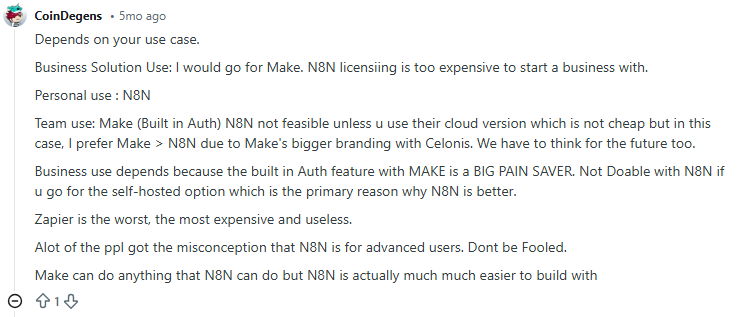
And this:
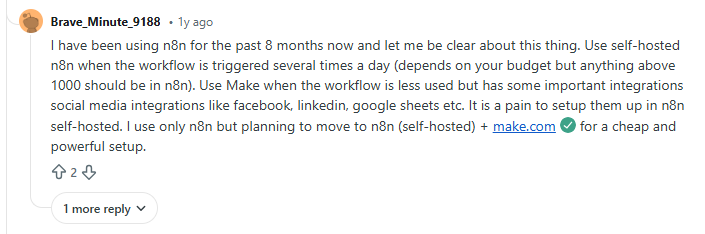
You keep digging, and now you’re seeing completely opposite opinions:
Zapier is useless or the best thing to ever happen to GTM teams
Make is the only serious option, or it’s a joke.
n8n is either overkill or the best thing ever, depending on who you ask.
At this point, you are ready to… give up!
You started this search looking for clarity. Somehow, you’re more confused than when you began. Here’s the thing: These answers aren’t wrong. They just don’t reflect where your GTM system actually is today. Or why you are looking for a replacement in the first place.
This guide exists for that exact moment.
Instead of hot takes, I’ll break Zapier, Make, and n8n down based on:
- How do GTM workflows run (practically)?
- What fits your current GTM motion?
- What breaks as volume grows?
- Where does control start to matter?
- And why most teams don’t really ‘switch’ tools so much as they evolve how they use them.
If you’re trying to decide what makes sense for your GTM system today, this guide will help you make that call with confidence.
Quick Overview for GTM Engineering: Zapier, Make, and n8n at a Glance
Zapier, Make, and n8n all do the same thing, which is: connecting automation tools, moving data, and automating repetitive tasks. But once you start using them for your GTM workflows, they feel very different.
But if I had to see these three from a bird’s eye view, it’d be this:
- Zapier is best for small to mid-sized GTM teams that need quick, no-friction automation. It’s commonly used for simple automated workflows, such as form submissions to CRM updates, basic lead notifications, and early-stage marketing efforts tied to Go-to-Market experiments.
- Make works well for RevOps and growth teams that have outgrown basic automations. It’s typically used for workflows with branching logic, conditional routing, and multi-step data handling, like lead enrichment checks or multi-tool handoffs that need more control but not full engineering support.
- n8n is suited for technical GTM or growth engineering teams that want full ownership. It’s often used for high-volume workflows, custom integrations, self-hosted setups, and advanced pipelines like large-scale enrichment, programmatic SEO, or bespoke activation logic where control and cost at scale matter most.
At a glance, the distinction is simple. Which one works best depends less on features and more on how your GTM system is built and how much complexity you’re ready to manage.
Key Comparison Factors of Zapier vs Make vs n8n for GTM Engineering
(How I evaluated automation tools for real GTM systems)
If you look up automation comparisons, most of them jump straight into features.
That’s usually where things go wrong.
When automation is so closely tied to revenue, feature lists don’t tell you much. What matters is how systems behave under pressure:
- When signal volume spikes.
- When routing logic gets messy.
- When one small change eventually breaks three workflows downstream.
So before comparing any automation tools, I took a step back and asked a simpler question: What actually causes GTM automation to fail in practice?
Trying to test every possible workflow wasn’t realistic. A single end-to-end GTM flow signals, enrichment, routing, CRM writes, alerts, and re-tries can take hours to design and validate. Doing that across multiple tools would take weeks (and if you are anything like me, you know this is not a feasible option).
Instead, I focused on the failure points I’ve seen in real Go-to-Market setups, where systems gradually fall out of alignment.
That’s how these six practical points became my framework for evaluation:
- Ease of use and learning curve
This was the first thing I looked at because ease of ownership is important.
It’s great if someone can build an initial workflow quickly. But in a B2B setup, dynamics change quickly. It’s critical that your team can understand these workflows at a later stage, pick them up from their last drop, change them safely, and fix them when something goes wrong. GTM automation lives longer than most people expect, and complexity compounds quickly across core sales processes.
- Integration ecosystem and connectors
Next came coverage.
Every missing connection creates friction, especially when GTM teams rely on niche tools alongside mainstream platforms. It adds to setup time, maintenance work, and cognitive load. As GTM tech stacks grow, the ability to integrate with existing automation tools cleanly and reliably is as important as convenience.
- Flexibility and customization
This is where most systems start to strain.
High-volume go-to-market workflows are rarely linear. They branch. They check conditions. They retry. They fail and recover. Any automation layer needs to handle that without becoming a mess to manage.
Flexibility matters only if your workflows reflect how revenue really flows.
- Pricing and scalability
This one hides in plain sight.
Automation often looks affordable at low volume. But when signals grow, costs rise exponentially. Evaluating pricing without considering scale creates a false sense of security and leads to poor automation investments over time.
So, it is equally important to consider your tool’s cost-effectiveness when workflows run hundreds or thousands of times a day.
- Data control, security, and hosting
Where data lives and how it moves matters more than it used to.
As GTM systems touch more sensitive data and internal tools, control and compliance stop being abstract concerns. Even teams that start with simple setups often run into these questions later.
- Team structure and skill level required
This is the factor most people overlook.
Some systems work best when non-technical teams can operate independently. Others assume technical expertise and ongoing ownership. Neither is better by default. Problems show up when the tool expects a different team structure than the one you actually have.
These are the lenses I’ll use in the sections that follow to help you decide which tool is ideal for your organization.
{{INLINE_BOFU}}
When to Use Zapier (Best for simplicity and speed)
Zapier is like ordering a driverless, pre-programmed car when you just need to get somewhere quickly. You don’t need to worry about the engine or plan the route. You trust the system to handle the basics and get moving fast.
In GTM terms, Zapier works best when workflows are mostly straightforward, even if they include some light decision-making along the way. You connect tools, define a trigger, add actions, and you’re live. For small to mid-sized GTM teams, that speed matters.
Zapier isn’t limited to a single straight line anymore. Features like multi-step Zaps, Filters, and Paths let teams add basic conditional logic. For example, you can route leads differently based on form inputs, firmographic fields, or deal stages. Webhooks allow data to move in and out of tools that aren’t natively supported, and Code by Zapier makes it possible to run small JavaScript or Python snippets when needed.
That said, the logic stays intentionally constrained. Paths work well for simple if-this-then-that decisions, but once workflows start branching deeply or looping, they become harder to reason about. Zapier prioritizes approachability over architectural control.
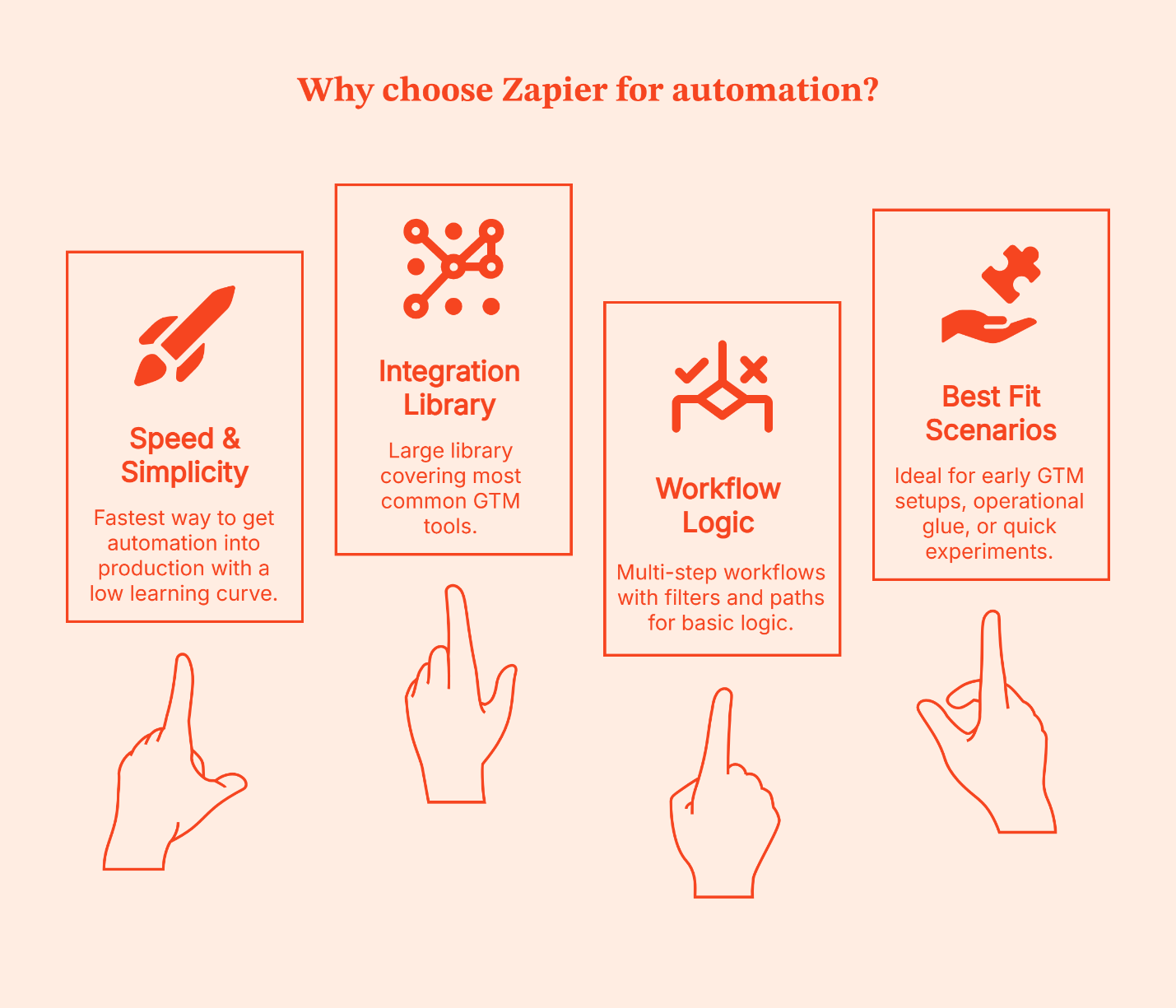
Why teams choose it
- Fastest way to get automation into production
- Large integration library covering the most common GTM tools
- Multi-step workflows with Filters and Paths for basic logic
- Very low learning curve for non-technical business users
Where it fits best
- Mostly linear workflows with light conditional routing
- Low to moderate signal volume
- Early GTM setups, operational glue, or quick experiments
I’ve seen Zapier work best in two situations:
- Early-stage teams that want momentum, and
- Established teams that are testing new ideas.
It’s especially useful for proving whether a workflow is worth investing in before involving engineering or committing to a more complex system.
The disadvantage is the same as that of a driverless car.
- You get speed and convenience, but limited control.
- Once workflows grow deeper, volumes increase, or logic starts to resemble a decision tree, Zapier feels restrictive.
When to Use Make (Balance of power and usability)
If Zapier is a driverless, pre-programmed car, Make is like driving yourself with dynamic GPS and extra controls on the dashboard. You’re still moving at a good clip, but now you can take smarter turns, handle detours, and adjust mid-route without needing a mechanic. Ideal for teams that still want visibility and speed but also want to choose the route.
Make gives you a visual workflow canvas where you can see how data flows, plug in conditions, branch paths, and bring different tools together with clarity. It still avoids full coding, but it doesn’t force you into oversimplified logic either.
Make is preferred by GTM teams that want control without taking on full engineering complexity. If your workflows need more than a straight line – like lookup checks, enrichment steps, conditional assignments, or parallel actions – Make lets you build those in a way that’s easier to reason about.
It also brings some helpful, modern features into play:
- Visual builder with drag-and-drop logic: This lets you literally see each step of the journey
- Agentic automation: It can handle tasks with more autonomy (once rules are defined)
- AI-assisted steps: Useful for handling things like text manipulation or classification
- Prebuilt integration capabilities across GTM and analytics tools: Lets you weave them together without code
- Modular architectures: It makes scaling workflows less messy (like reusable subflows)
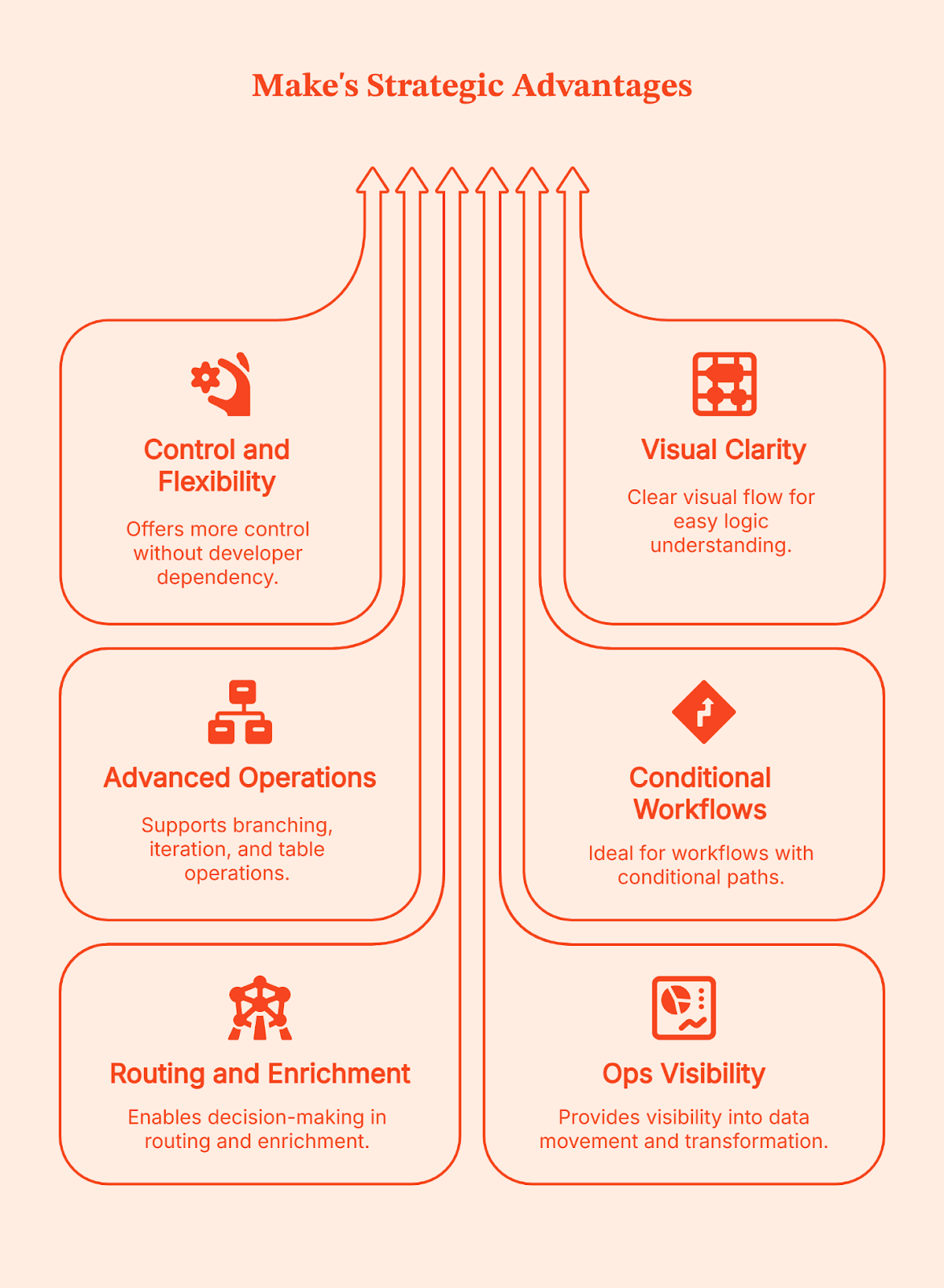
Why teams prefer it
- More control than basic automation tools, without needing a developer for every change
- Clear visual flow that helps teams understand and debug logic
- Strong support for branching, iteration, and table-style data operations
Where it fits best
- Workflows with conditional paths and multi-step logic
- Routing and enrichment sequences that require decisions mid-flow
- Ops teams that want visibility into how data moves and transforms
I’ve seen Make become a go-to choice for teams when Zapier starts feeling like a good start but not a long-term solution. Make gives you more control than basic no-code tools, but doesn’t demand full engineering ownership. If your team wants power without committing to building and maintaining everything from scratch, this is often the right balance.
Simply put: Make is your BFF if your routing moves beyond ‘if this then that,’ to ‘if this, do X; if that, do something else; and log everything along the way.’ This is usually the ceiling for non-technical ops teams before engineering needs to step in.
When to Use n8n (Best for custom, scalable, and self-hosted workflows)
Forget about pre-programmed cars or even driving a car yourself. With n8n, you build your own vehicle from the ground up. You get to choose the engine, the route system, and how it all runs. It gives you full ownership over how your automation works, how it’s hosted, and how far it can scale.
n8n works best once your GTM workflows go beyond basic tool connections. It gives you the control to reshape data, add complex and detailed logic, build custom integrations, or control how and where automations run. You don’t opt for n8n because it’s simple. You choose it when you want complete control to handle complexity on your own terms.
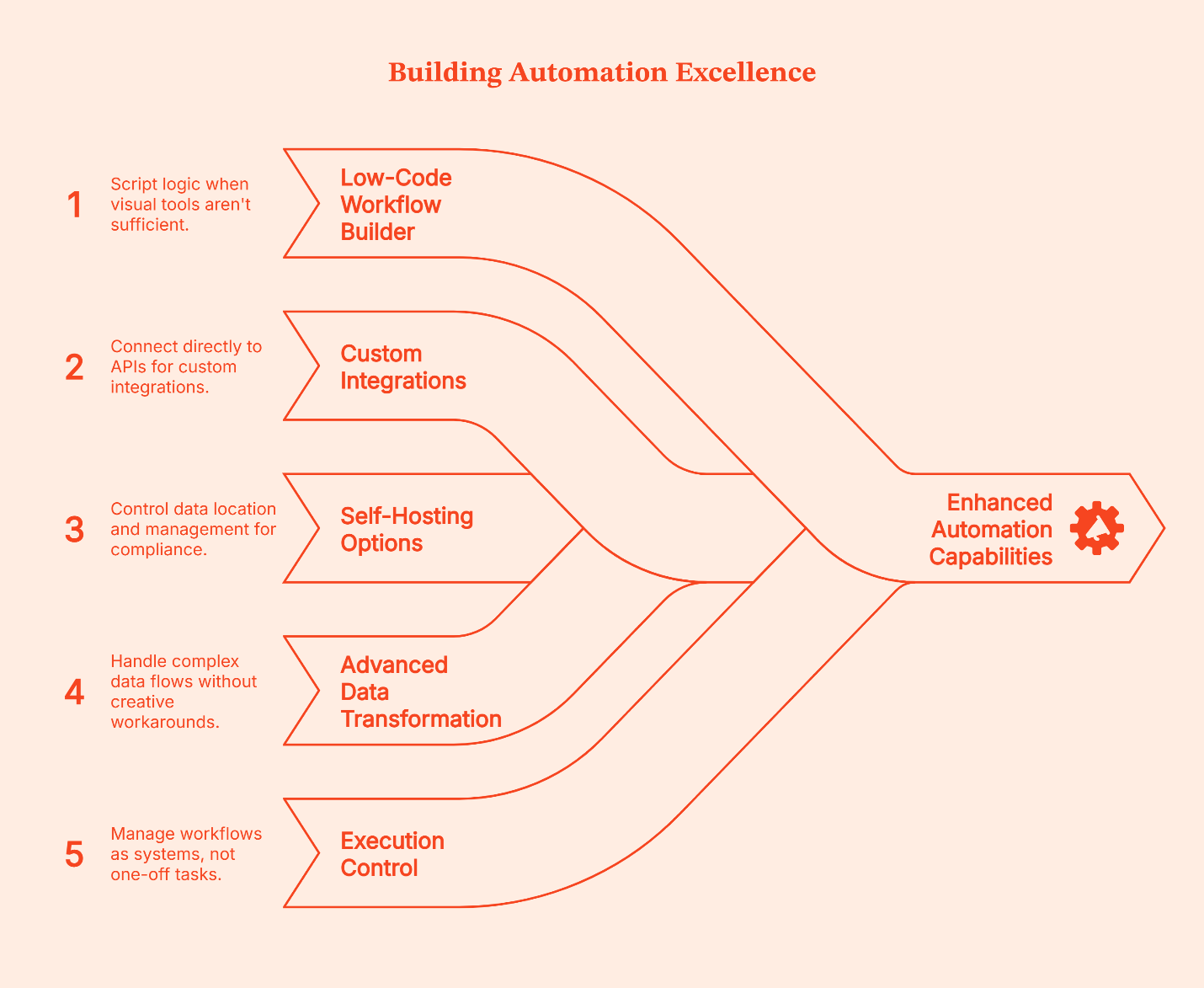
Here’s what n8n brings to the table:
- Low-code workflow builder: It lets you script logic when visual tools aren’t enough
- Native support for custom integrations: It lets you connect directly to APIs when ready-made connectors don’t exist or don’t go far enough
- Self-hosting options: You control where data lives and how it’s managed, great for compliance, sensitive data, and internal systems
- Advanced data transformation logic: Lets you handle loops, branches, and complex flows without creative workarounds
- Execution control and error handling: Let's you retry, audit, and manage workflows as systems, not one-off tasks
Why teams choose n8n
- Full control over complex workflows beyond basic connectors
- Ability to write and customize logic when visual tools fall short
- Self-hosting for data privacy, compliance, and cost control
- Support for building custom integrations that don’t exist out-of-the-box
- Designed for automation that runs as core infrastructure, not a side tool
- Built for teams that care about reliability, scale, and execution control
Where it fits best
- High-volume workflows that run day in and day out
- Custom GTM pipelines that link internal systems, warehouses, CRM, CMS, analytics, and activation systems
- Teams with engineering capacity or dedicated Go-to-Market engineers who can maintain and evolve these workflows
- Setups where data privacy, hosting control, and compliance matter
Self-hosting is often the deciding factor here:
- Usually, cloud-hosting is enough, but for teams dealing with sensitive data, stricter compliance requirements, and owning where data lives (which means better control, less convenience), self-hosting is the only choice.
- You’re in charge of uptime, security, and maintenance.
The tradeoff is also obvious:
- You get power and control, but you also own the vehicle. You’re responsible for infra, updates, and reliability.
- It matters less who can use it on day one and more who can maintain it six months later, especially given the steeper learning curve.
For teams with the skill and appetite for that level of ownership, it’s often worth it.
GTM Engineering Workflow Examples (What these tools are actually used for)
Instead of talking about these automation platforms in abstract terms, it helps to see how teams use them practically in the real world.
A Zapier-style workflow
Let’s say a lead submits a form. This is how a typical Zapier workflow handles it:
- Step 1: Zapier creates or updates the contact in the CRM.
- Step 2: The same trigger sends a transactional or welcome email.
- Step 3: The contact is tagged or logged for reporting.
- Step 4: The workflow is completed.
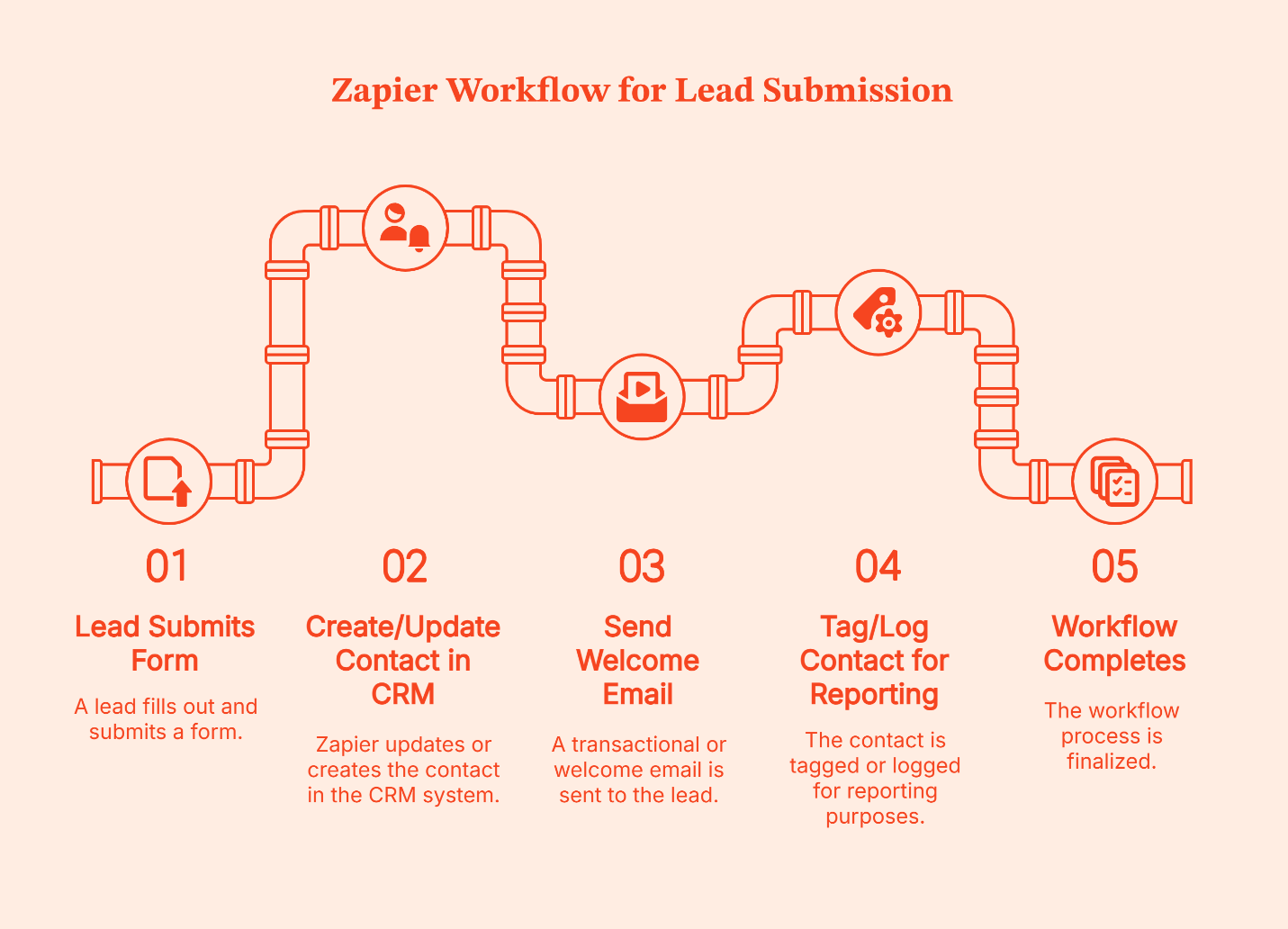
Zapier treats this like a lightweight pipe. Data enters at one end, flows through a few clear steps, and exits at the other.
If something goes wrong, say the CRM step fails or an email tool times out, the usual response isn’t to build elaborate recovery logic. Instead, teams open the Zap, fix the step, and re-enable it. The pipe gets adjusted, and the flow resumes.
That’s how Zapier is designed. It’s a trade-off Zapier makes intentionally to keep setup fast and workflows easy to maintain.
A Make-style workflow
Let’s take the same example: a new lead submits a form.
Here’s how that typically looks in Make:
- Step 1: The form submission creates or updates a CRM record.
- Step 2: That record moves to an enrichment step inside the same pipeline.
- Step 3: The returned data is evaluated before anything else happens.
- Step 4: The workflow branches based on what it finds.
- If required fields are present, the lead is scored or routed to sales.
- If data is missing or incomplete, the lead is held back or sent down a different path.
- Step 5: Notifications fire only after these checks are complete.
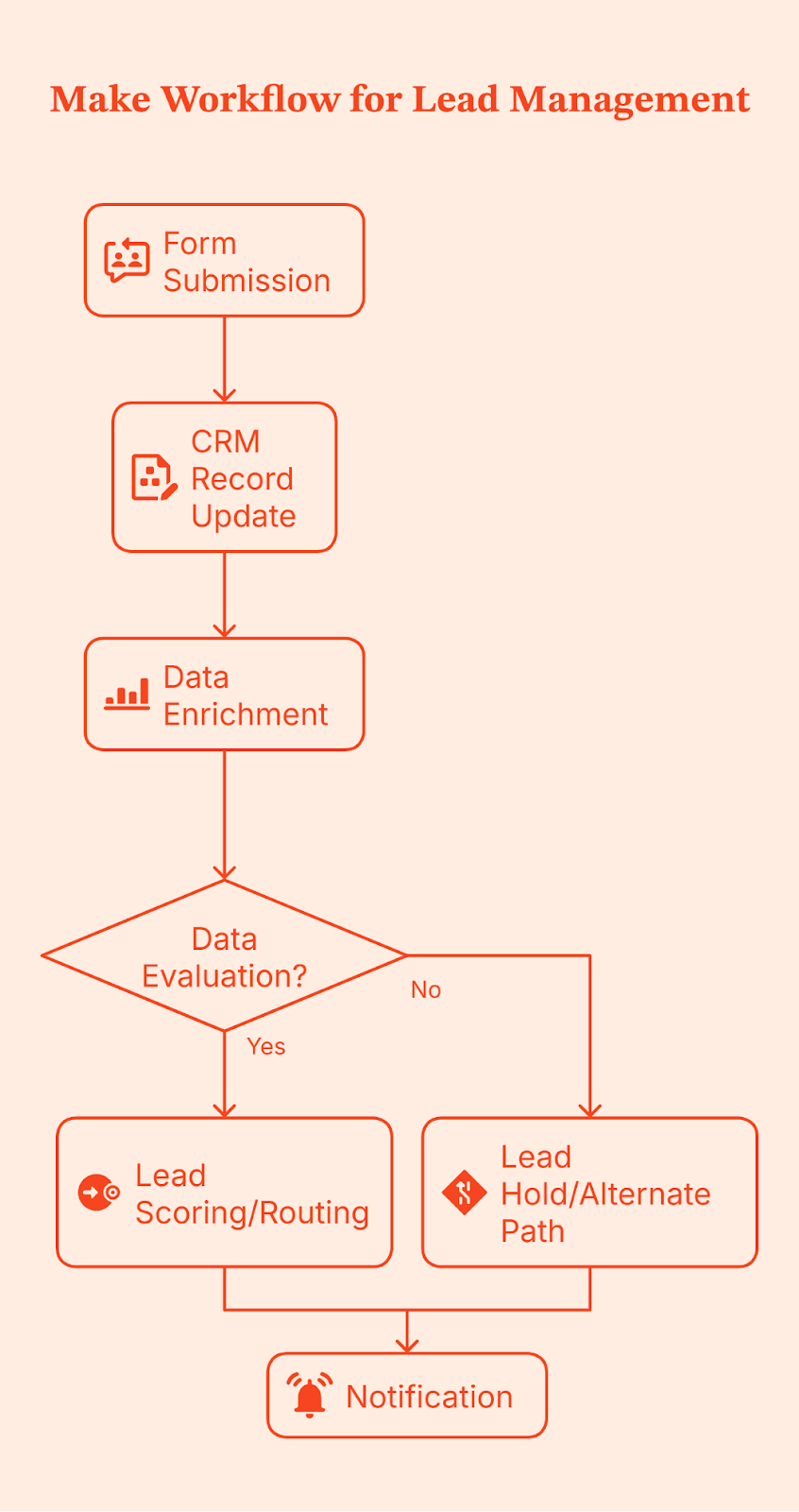
Notice the difference in execution control? Make doesn’t just move data from one place to another; it gives teams control over branching, filtering, and transformation logic before data is routed downstream.
Because this logic is modeled visually, it’s easier to see where things break, adjust conditions, and handle edge cases without rewriting the entire workflow. This becomes especially valuable as volume increases and sales cycles grow more complex, making data quality issues harder to ignore.
An n8n-style workflow
When you use n8n, you design the full workflow in advance.
That includes:
- What triggers the workflow (a form submission, webhook, schedule, etc.)?
- Every validation, check, branch, retry, and fallback
- What happens when something fails halfway through?
- Where is the data written, and when should it NOT be written?
- How is the execution state handled?
In most setups, this workflow is also self-hosted, so the team controls where it runs, how it’s monitored, and how execution is handled.
Once this is designed and deployed, every time a lead submits a form, n8n runs that exact flow from top to bottom.
Let’s use the same form submission as an example.
- Step 1: A lead submits a form, which triggers the workflow.
- Step 2: The incoming data is validated and normalized. Required fields are checked. Formats are cleaned.
- Step 3: Enrichment runs, often across multiple sources, with explicit handling for missing or partial data.
- Step 4: The workflow evaluates outcomes.
- If enrichment succeeds, the lead moves forward.
- If not, it follows a defined fallback path instead of blindly continuing.
- Step 5: Updates are written deliberately to one or more systems, such as a CRM and an internal database, only after upstream checks pass.
- Step 6: Execution state is tracked so failures can retry or resume instead of restarting the entire flow.
- Step 7: Notifications and analytics updates take place at the end, once the system knows the workflow was completed correctly.
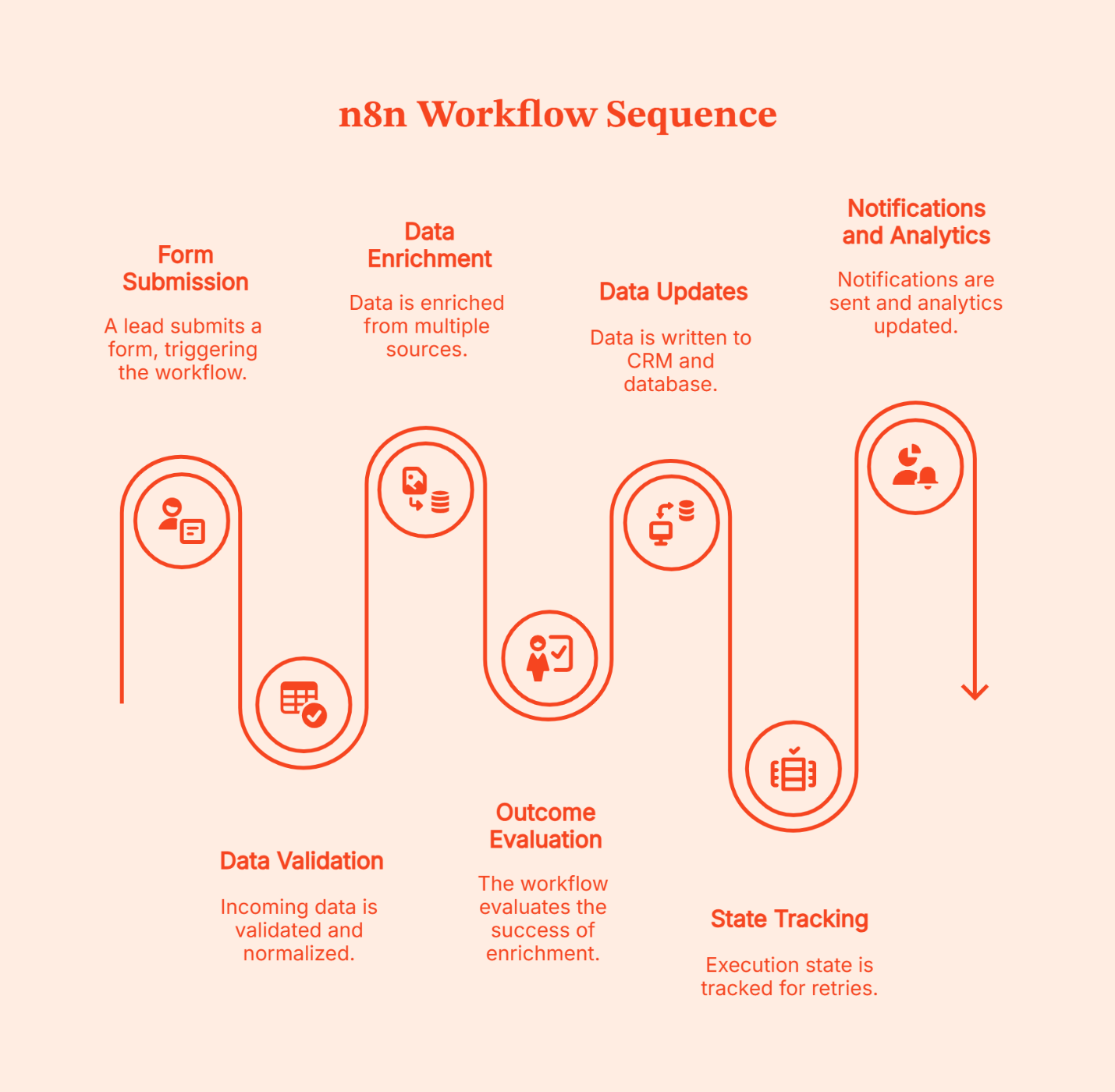
The complexity of the design is a chosen tradeoff for intentional control. That’s why n8n workflows are better known as infrastructures instead of automations.
Decision Matrix: How to Choose the Right Automation Layer for Your B2B Marketing Stack
| Your context | Zapier | Make | n8n |
|---|---|---|---|
| Team size | Small to mid-sized teams | Mid-sized GTM or RevOps teams | Larger teams or dedicated GTM engineering |
| Who builds workflows | Marketing or Ops, no engineering help | Ops-led, occasional technical support | Engineers or technical GTM teams |
| Technical comfort | Low | Medium | High |
| Workflow complexity | Simple, mostly linear flows with clean and light conditions | Branching logic, multi-step workflows | Custom, system-level, and complex workflows |
| Signal volume | Low to moderate | Moderate | High |
| Data transformation needs | Minimal | Moderate (conditions, scoring, validation) | Heavy (custom logic, pipelines, retries) |
| Integration needs | Common SaaS tools | Common + some custom API work | Any system via APIs or custom nodes |
| Cost sensitivity at scale | Can get expensive as volume grows (task-based pricing) | More predictable with careful design (operations/credits model) | Often cheapest at scale if self-hosted; cloud version priced per workflow execution, not per action |
| Data control & compliance | Cloud-hosted, limited control | Cloud-hosted with some enterprise options | Full control with self-hosting |
| Best used when | Speed and simplicity matter most | You need control without full engineering | You need ownership, scale, and flexibility |
A quick reminder: Most teams don’t stick with one tool forever or switch automation overnight. Instead, the common practice is to layer them. Simple workflows stay where they already work; New or more complex ones get built elsewhere. Ideally, teams pilot tools using free or low-cost tiers, identify where friction arises, and standardize only after patterns are clear. Hybrid setups make the most sense and are usually the most practical way to evolve GTM systems without breaking what already works.
Implementation and Governance Tips for GTM Automation
GTM issues arise from unclear ownership, undocumented workflows, and changes no one remembers making. Following a structured framework upfront to avoid these issues saves a lot of clean-ups later.
Here’s how to put GTM automation in place without losing control as things scale.
<Add a line here saying here are the tips for doing XYZ>
- Start with naming and documentation
Name workflows like you’re explaining them to someone new on day one. Add a short note on what triggers them, which systems they touch, and what ‘done’ actually means. Once workflows span CRM, enrichment, ads, and internal tools, memory stops working.
- Be clear about ownership
One person building everything doesn’t work at scale. But neither does letting everyone create automations on their own. Assign clear ownership and define key responsibilities about who can build workflows, who checks changes, and who fixes things when something breaks. This matters even more when you’re using both cloud tools and self-hosted systems.
- Version and test before changing live flows
GTM workflows age fast. When something needs updating, don’t tweak it live. Clone it. Test it with sample data. Then roll it out. Treat changes like system updates, not quick edits made in a hurry.
- Keep an eye on cost and usage
It is easy to lose sight of rising automation costs. Keep an eye on how often workflows run, how many steps they execute, and which ones drive most of the usage. It helps you control spend and design smarter flows early.
- Audit data flows regularly
Know where data enters, where it’s transformed, and where it ends up. This is especially important if you handle sensitive data or self-host anything. A simple check every few months saves bigger problems later.
FAQs for Zapier vs Make vs n8n
Q. Is a no-code tool like Zapier enough for enterprise-level GTM workflows?
It can work for simple, well-defined workflows, but most enterprise teams outgrow it as volume, logic, and data control needs increase.
Q. When does it make sense to self-host with n8n instead of using cloud-hosted Zapier or Make?
Self-hosting makes sense when data control, compliance, or cost at high volume matters more than setup convenience.
Q. How steep is the learning curve for Make compared to n8n or Zapier?
Zapier is the easiest, Make takes some learning but stays visual, and n8n usually requires technical comfort or engineering support.
Q. Can we start with Zapier and migrate to n8n later without too much disruption?
Yes. Most teams don’t migrate everything at once. They keep simple workflows on Zapier and move complex ones gradually.
Q. What are the typical cost implications as workflows scale?
Zapier charges per task, Make charges per operation, and n8n charges per execution or infrastructure, which changes the math at scale.
Q. Which tool handles complex branching and arrays better?
Make is strong with visual branching and iterators, n8n handles complex logic and error paths well, and Zapier relies on Paths or Code for advanced cases.
Q. Which is cheaper at scale for GTM workflows?
Self-hosted n8n is usually cheapest at high volume, while Zapier and Make are easier early but cost more as usage grows.

See how Factors can 2x your ROI
Boost your LinkedIn ROI in no time using data-driven insights



.avif)



See Factors in action.
Schedule a personalized demo or sign up to get started for free
LinkedIn Marketing Partner
GDPR & SOC2 Type II


.svg)



.avif)

