
Lead Scoring and Enrichment in GTM Engineering with Clay
Learn how to build lead scoring models in Clay to automate lead routing and scoring, enrich data, and convert website visitors into revenue-ready leads.

.avif)
Content Marketer



.svg)


Back in 2010, selling B2B was a different experience. A sales rep would have maybe ten leads come in all week. They had time to open each one, stalk the person on LinkedIn, read their company blog, and craft the perfect email. They had time to care.
But today, if you run a SaaS company, you’re likely getting hundreds of new leads daily.
If you ask a human to manually review 200 leads a day, you are setting money on fire. According to Salesforce's 2024 State of Sales report, sales reps spend about 70% of their week doing admin work, digging through data, and fixing messy CRMs. They aren't selling. They are janitors for your bad data.
Lead scoring fixes this. With this, you’re sorting the diamonds from the dust before your sales team ever logs in. I’ve built these systems for years, and right now, Clay is the tool changing how we do it.
What Are Lead Scoring Models and Why They Matter in GTM
Lead scoring is a technique for ranking prospects based on their likelihood to buy. A system that scores leads based on specific criteria assigns points based on two input categories:
- Explicit signals are firmographic data points you can verify, like the company size, industry, job title, annual revenue, and technology stack. A VP of Engineering at a 200-person fintech company scores higher than a marketing coordinator at a 10-person agency. These signals measure fit.
- Implicit signals track behavioral patterns like website visits, content downloaded, email opens, webinar attendance, and time on site. A prospect who viewed your pricing page three times and downloaded a case study shows stronger purchase intent than someone who read one blog post. These signals measure engagement.
Traditionally, scoring relied on rule-based models. Teams assign point values manually: C-level title earns 15 points, a company with 500+ employees adds 10, a pricing page visit contributes 5. Leads crossing a threshold route to sales. You can also implement negative scoring to subtract points for non-ideal traits, like students or competitors.
Predictive lead scoring uses machine learning to identify patterns humans miss. According to HubSpot's 2024 State of Sales report, 36% of sales teams now use AI tools for forecasting, lead scoring, and sales pipeline analysis.
| Scoring Approach | How It Works | Best For | Conversion Impact |
|---|---|---|---|
| Rule-Based | Manual point assignments based on predefined criteria | Teams with clear ICP definitions and limited data volume | Baseline improvement over no scoring |
| Predictive (ML) | Algorithm identifies patterns across thousands of data points | Organizations with historical conversion data to train models | 75% higher conversion rates vs. traditional |
| Hybrid | Rules for explicit fit + ML for behavioral intent | Mid-market companies scaling beyond manual processes | Balances control with automation |
The scoring threshold determines routing. Leads above a set number go directly to account executives as hot leads. Those in the middle range enter nurturing sequences. Low-scoring contacts stay in awareness campaigns until engagement increases.
How GTM Engineering Automates Lead Qualification and Routing
GTM engineers design, build, and maintain an automated lead routing system connecting data sources to sales actions. RevOps sets strategy and governance. GTM engineering builds the technical infrastructure to rank leads based on priority.
According to ZoomInfo's research, SMB and mid-market companies using engineered GTM workflows experienced a 31% reduction in CAC, while enterprise teams saw a 42% reduction.
Observe closely, and you’ll notice this automated qualification process follows a pattern:
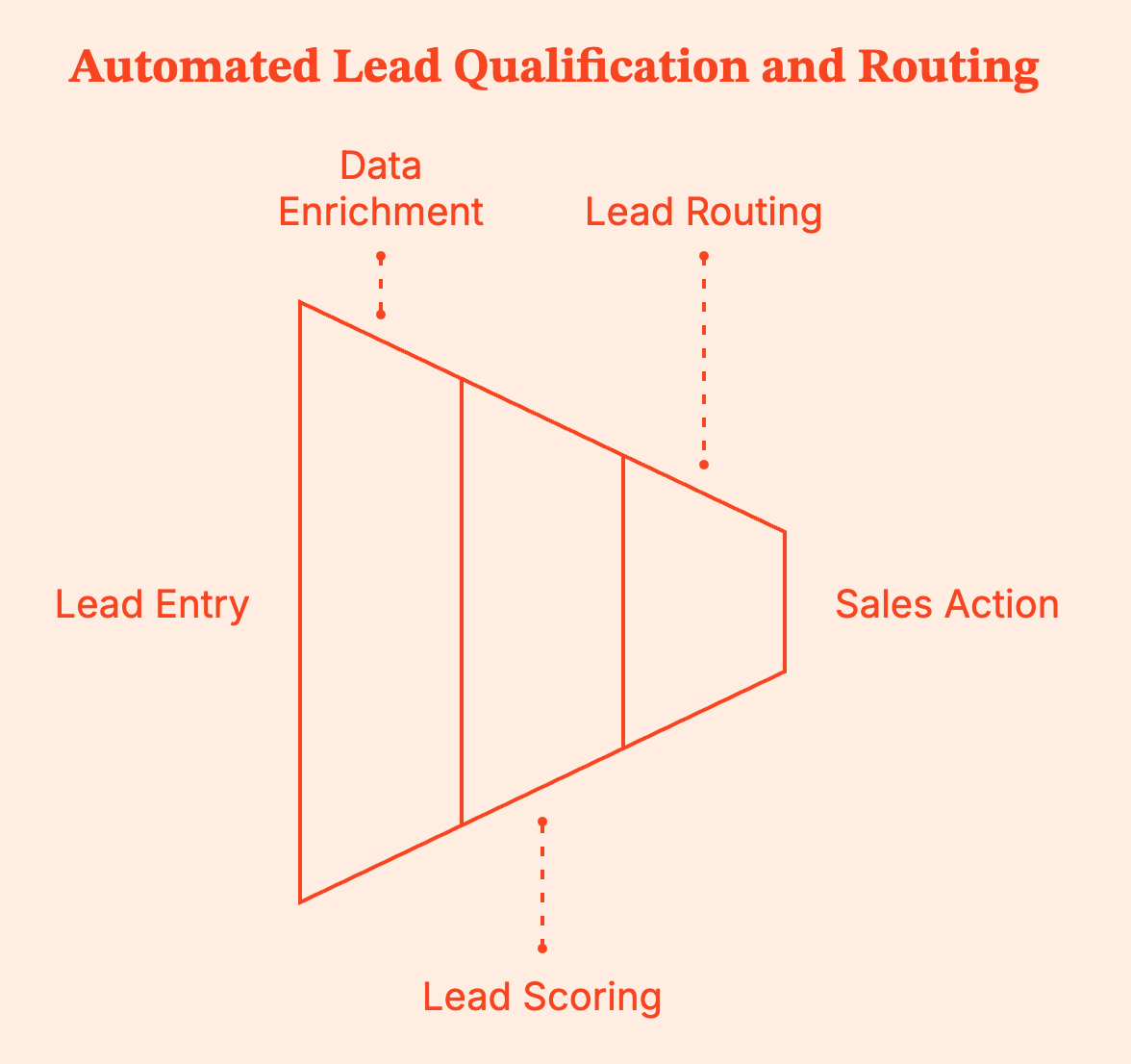
- An incoming lead enters through form submission, third-party import, or website visitor identification.
- The system pulls enrichment data and contact data from connected providers (company size, funding status, tech stack, employee count).
- Scoring formulas are applied to the enriched record and produce a numerical score.
- Routing rules direct the lead based on that score.
But you absolutely need to respond to your leads within the first 5 minutes to get the most out of your lead generation efforts. Automation makes this sub-five-minute response the default rather than the outlier, effectively bridging the gap between sales and marketing.
GTM engineers also build feedback loops into scoring systems. When sales mark a lead ‘closed-won’ or ‘disqualified,’ that outcome feeds back into the model, refining future predictions.
Why Clay Works Well for Lead Scoring in B2B Marketing
Clay consolidates data enrichment, scoring, and routing into one platform. Instead of connecting separate sales automation tools for firmographic data, email verification, intent signals, and CRM updates, GTM teams build complete workflows in a single interface.
The platform aggregates 100+ data providers into a waterfall enrichment model. When one source fails to return a phone number or email in your contact database, Clay automatically queries the next provider. This approach doubles or triples match rates compared to single-provider setups.
Clay raised $40M in Series B at a $1.25B valuation following 6x growth in 2024. The adoption came from teams consolidating fragmented enrichment stacks into one fully automated system.
- Lead Scoring: Clay uses formula columns to build point-based models, assigning scores based on enriched data and custom signals like Employee count, Funding stage, Technology stack, and Job title seniority.
- Advanced Scoring: Behavioral data from connected intent providers can be layered onto the point-based models to identify the hottest prospects.
- Routing Logic: The platform supports conditional logic for multi-path routing.
- High-Scoring Enterprise Leads are instantly routed to a named Account Executive (AE) with a Slack notification.
- Smaller Companies with similar engagement enter an automated email sequence.
- Instant Updates: Routing and actions happen instantly when lead records are updated.
CRM integrations push enriched, scored leads into Salesforce, HubSpot, and other systems. Bi-directional syncs update Clay tables when CRM fields change, creating closed-loop feedback on model accuracy.
{{INLINE_TOFU}}
Building Lead Scoring Models in Clay: A Step-by-Step Guide
Before opening Clay, define your scoring criteria. What are the explicit attributes correlating with closed deals: company size ranges, industries, job functions, and technologies used?
Then identify behavioral signals indicating product interest: specific page visits, content consumption patterns, and email engagement.
Step 1: Capture and Normalize Lead Data
With Clay, you can either import existing data via CSV uploads, CRM syncs, webhook inputs, or direct integrations with form providers. You can even import data from Google Sheets or use web scraping to find new prospects.
Or if you don't have data, you can also find people, companies, and jobs, and even local businesses, directly from within Clay.
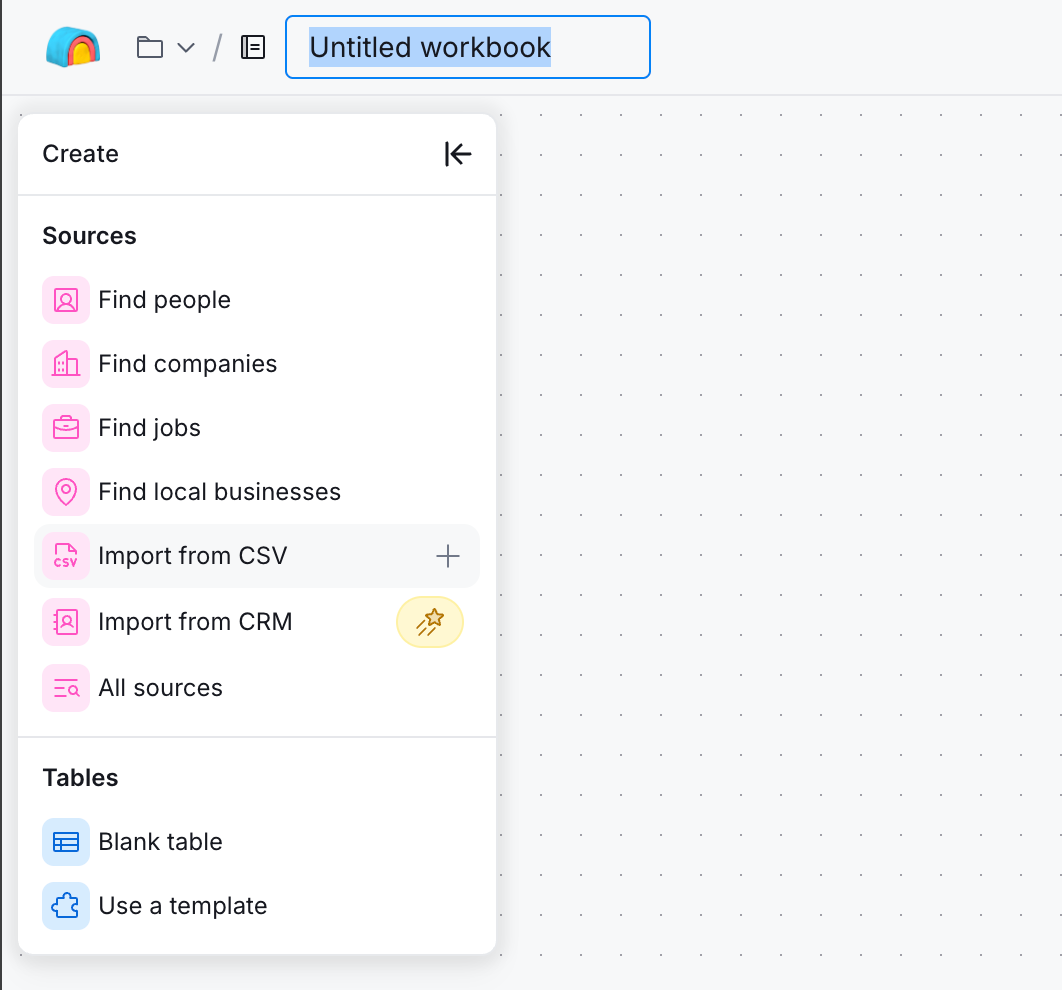
Once you have the data, you can use Clay’s built-in AI to enrich and standardize it for later use in the sales process.
Step 2: Configure Enrichment
Import the data that you have collected into an existing or a new table, and the actions column should show you enrichment workflows.
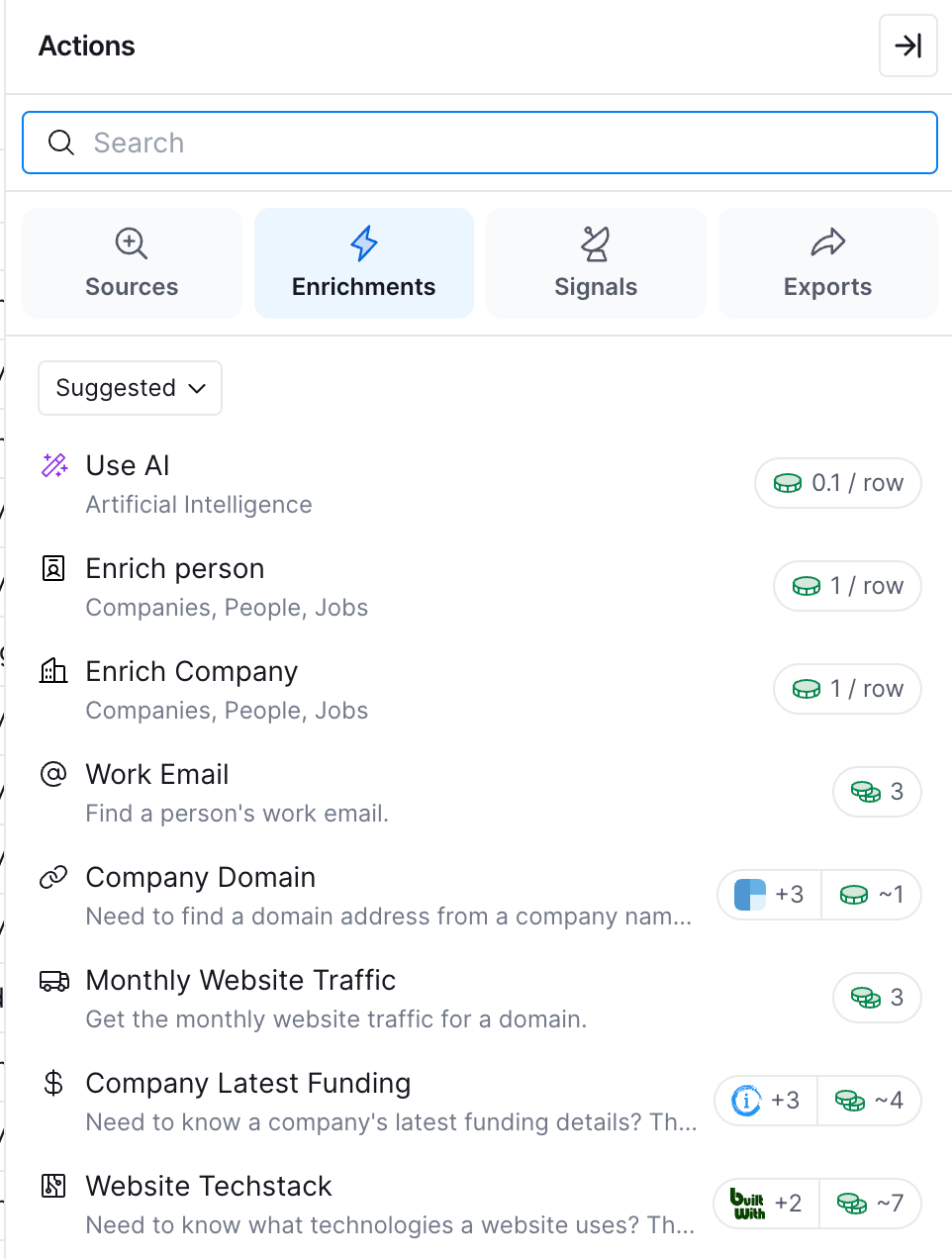
You can pick enrichments like employee count, annual revenue, funding status, and technology stack to form a solid firmographic foundation for your qualified leads.
Step 3: Build Scoring Formulas
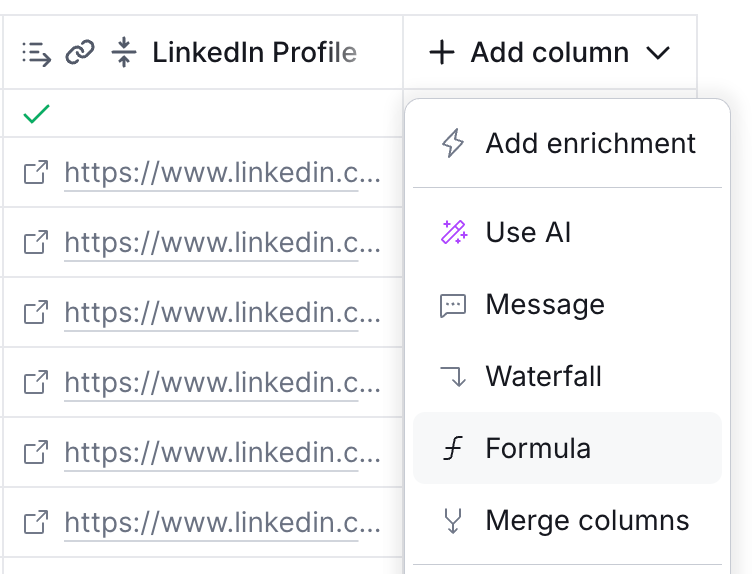
Now, on to the actual lead scoring. Create a formula column that assigns points based on the following criteria.
Here’s sample logic for a B2B SaaS targeting mid-market companies:
| Attribute | Criteria | Points |
|---|---|---|
| Company Size | 100–500 employees | 20 |
| Company Size | 501–2000 employees | 15 |
| Funding Stage | Series B or later | 10 |
| Tech Stack | Uses a competing tool | 15 |
| Job Title | Director or above | 10 |
| Behavior | Visited pricing page | 10 |
| Behavior | Downloaded case study | 5 |
Sum these columns into a total score field. Define threshold bands: 60+ points routes to sales, 30–59 enters nurture sequences, and below 30 stays in top-of-funnel awareness.
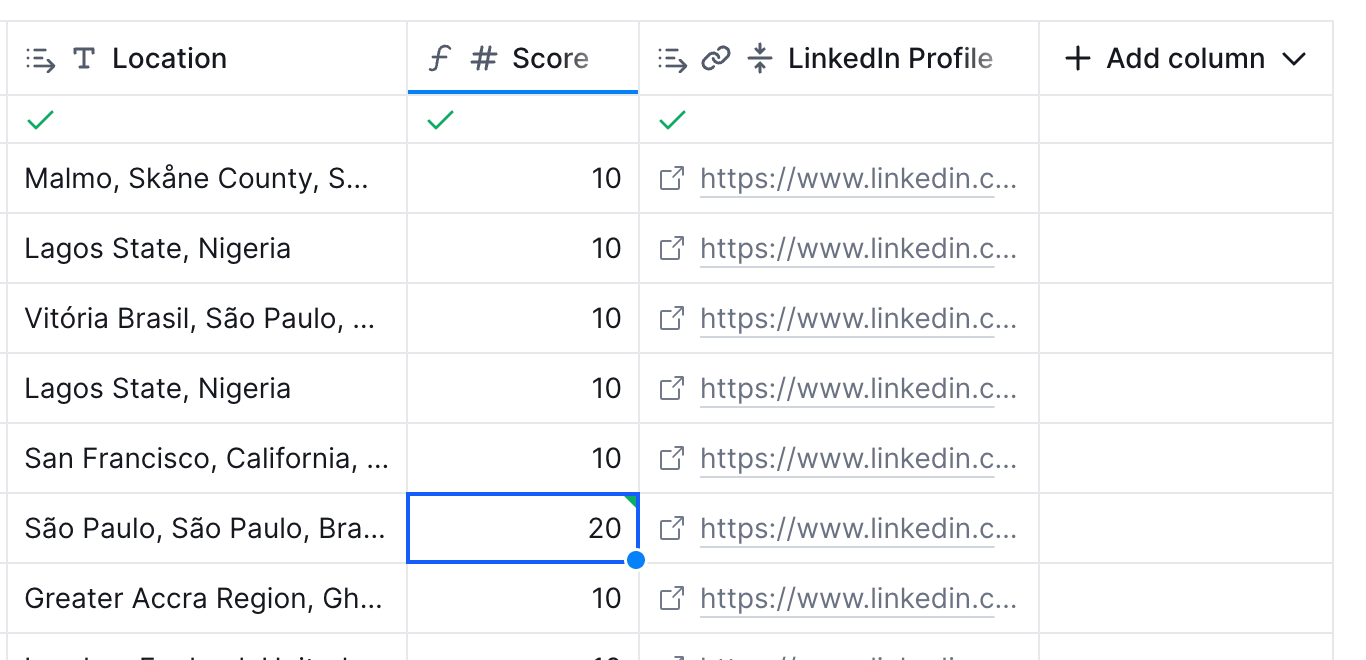
Once you have the scores populated, it's time to move to routing.
Step 4: Configure Routing Actions
Clay has multiple ways for you to route based on your data from your table to your email tool, CRM, or even a webhook. Use a routing system to ensure leads get to the right rep.
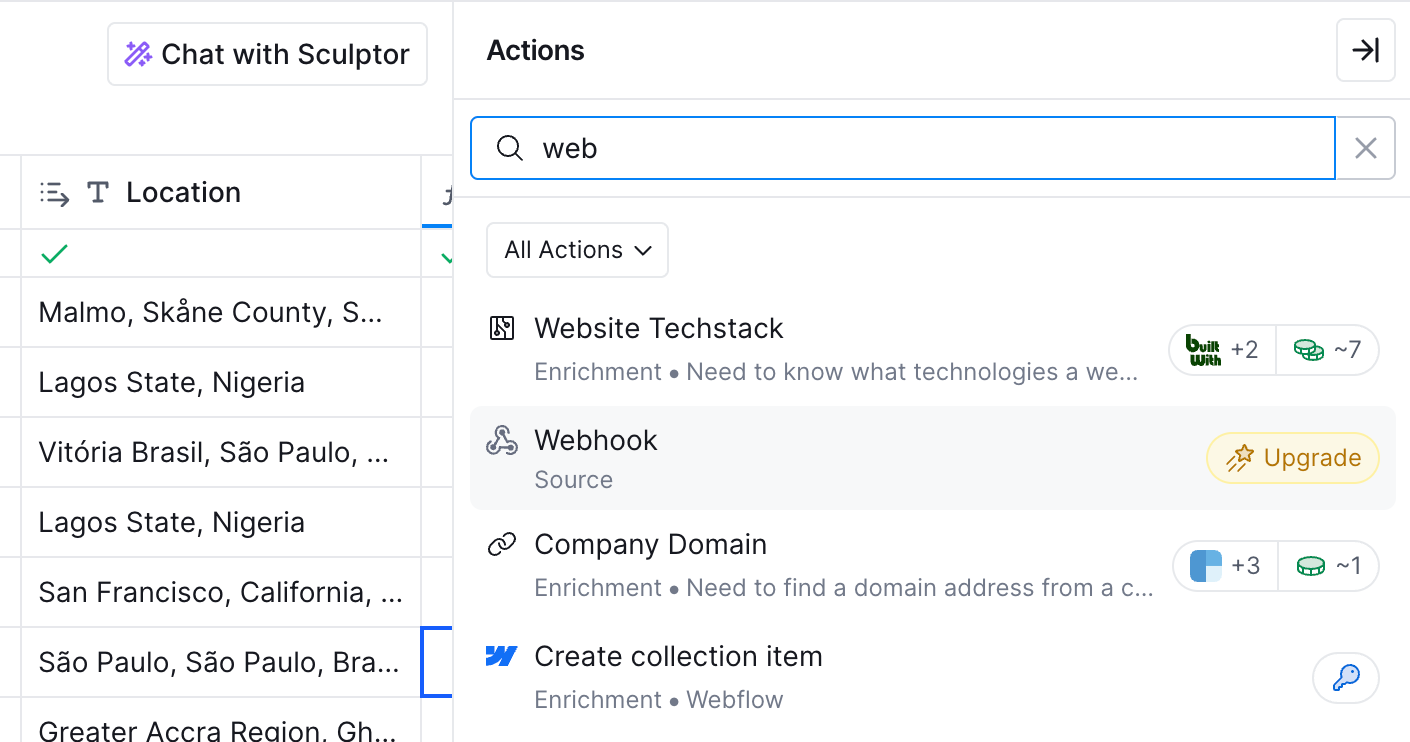
For instance, a lead hitting 60 points should immediately:
- Create or update a CRM record with all enriched data
- Send a Slack notification to the assigned rep
- Log the scoring rationale for the sales context
Lower-scoring leads trigger different actions: add to email sequence, update marketing automation tags, or hold for future re-scoring. You can even distribute leads evenly using a round robin logic for your sales team.
Best Practices for Automating Lead Routing and Scoring
- Run continuous data quality checks. Enrichment providers return stale or incorrect data more often than vendors acknowledge. Build verification steps that flag records with mismatched signals—For example, a 5-person company claiming $500M revenue. The Salesforce State of Sales report found that only 35% of sales professionals completely trust the accuracy of their organization's data. Better data hygiene directly improves scoring accuracy and sales efforts.
- Score fit and intent separately. A lead with strong firmographic fit but no behavioral engagement differs from one showing active research patterns across different buyer journeys. Two-axis scoring rates both dimensions independently. High-fit plus high-intent gets priority. High-fit with low-intent gets targeted nurturing.
- Match follow-ups to behavior. Someone who visits your competitor comparison page needs different information than someone browsing case studies. Build a routing system connecting lead behavior to appropriate messaging sequences, whether it's for cold outreach or warm follow-ups. The HubSpot 2024 State of Sales report found that 59% of sales reps now say leads from their marketing efforts are high quality—a significant improvement from previous years. Better targeting and personalization drove that change.
- Close the feedback loop. Sales must report back on lead quality, and that data must inform scoring adjustments. If leads scoring 55–60 points consistently fail to convert while those at 70+ perform well, your threshold needs recalibration. Review scoring accuracy quarterly to overcome common challenges in alignment.
From Website Visitor to Warm Outbound Play: Workflow Examples
Only 1-5% of B2B website traffic converts through forms. The remaining 95% leaves without identifying themselves.
If you want to make the best of this anonymous traffic, using the right tools like a website visitor identification tool can recover a portion of that invisible pipeline by matching anonymous IP addresses to company databases and, in some cases, to individual contacts.
Factors.ai uses a waterfall model combining data from 6sense, Clearbit, Demandbase, and Snitcher to identify up to 64% of anonymous visitors at the account level. For individual contacts, geo-location and job title triangulation can pinpoint roughly 30% of visitors. That coverage exceeds what any single-source competitor provides.

When Factors identifies a high-intent visitor, the data can be sent directly to Clay for enrichment and scoring via the Factors API.
Here are three workflows you can implement to see how this works.
1. Inbound Form → Enrichment → Score → Route
A prospect submits a demo request. The form data triggers a webhook to Clay, which enriches the record with employee count, funding stage, tech stack, and verified contact details.
Scoring formulas run automatically. Leads crossing the threshold route to an AE's calendar for immediate booking, allowing reps to focus on closing. Below-threshold leads enter a nurture sequence matched to their industry and company size.
2. High-Intent Page Visit → Personalized Outreach
Factors detect a target account visiting the pricing page multiple times in one week. That behavioral signal, combined with firmographic fit, triggers a webhook to Clay.
Clay uses the company domain and its waterfall enrichment to identify decision-makers: the VP of Engineering, the Head of Product, and the relevant director. Each contact gets enriched with a LinkedIn profile, direct email, and recent company news. The contacts score above the threshold and trigger personalized outreach referencing the pricing page activity.
The sequence works because Factors captures the intent signal (company X is actively researching) and Clay identifies who to contact at that company to generate more leads.
3. Buying Committee Signal → Real-Time BDR Alert
Factors tracks engagement patterns, indicating multiple stakeholders are involved. The same company visits the integrations page, the case studies section, and the security documentation within a short window. That pattern suggests a buying committee is forming.
Then, Factors pushes the account via webhook to Clay, and Clay enriches the company record, identifies contacts matching your buyer personas (engineering leadership, procurement, security), and pulls contact details for each. A Slack alert notifies the assigned BDR with full context: company name, pages visited, engagement frequency, and the list of relevant contacts to pursue from your ad platforms or organic traffic.
These workflows depend on two tools doing what they do best: Factors capturing account-level intent signals, and Clay enriching and identifying the right people to contact.
Measuring Success: KPIs and Optimization Strategies
Track these metrics to gauge scoring effectiveness:
- Lead-to-SQL Conversion Rate: Measure the conversion rate before and after the scoring implementation to quantify impact. Track conversion rates by score bracket to validate the model.
- Pipeline Velocity: Track average time from lead capture to first sales conversation. Automated scoring and routing should compress this window. Target benchmark based on the HBR research: first contact within one hour for high-scoring inbound leads.
- Score Accuracy: Compare conversion rates between high-scoring and low-scoring leads. The gap should be substantial. If leads scoring 40 points convert at the same rate as those scoring 80, the model needs recalibration.
- Manual Hours Saved: Calculate rep time previously spent on lead research and qualification. The Salesforce State of Sales found that reps spend 70% of their week on non-selling tasks. Effective scoring automation returns a portion of those hours to actual selling.
- Score Distribution Trends: Monitor how your lead population scores over time. Sudden shifts indicate market changes, data quality issues, or lead-source problems that warrant investigation.
Bringing It Together
As much as we’d like it, we can't just set lead scoring up and walk away. The market changes, and so should your scoring. This is the ultimate guide to staying agile.
Every quarter, sit down with your sales lead. Ask them, ‘Who are the best deals we closed this month?’ Then look at the data. If you closed three deals with hospitals but your model assigns them zero points, the calibration is wrong. Update the formula for the scores.
The goal here is response speed: Automation buys you speed, and speed gets you deals.
So start small. Identify five attributes of a good customer and build that table in Clay. Add website visitor enrichment with Factors, and you have a working lead gen engine.
FAQs for Lead Scoring and Enrichment in GTM Engineering with Clay
Q: What is a lead scoring model, and how does it work?
A: Think of lead scoring as a ranking system for your potential customers. It assigns a numerical point value to every lead to tell you who is ready to buy and who is just browsing. It works by combining two types of data:
- Fit (Who they are): Do they match your ideal customer profile? (e.g., right industry, company size, job title). 2. Behavior (What they did): Did they visit your pricing page, download a case study, or open your emails?
You set up the rules like "+10 points for a CEO" or "+20 points for requesting a demo." When a lead crosses a certain score threshold (say, 60 points), they get flagged as "Sales Ready," so your team knows who to call first.
Q: Can Clay automate both enrichment and routing?
A: Yes, that is exactly what it's built for. Clay handles the entire pipeline in one place. First, it enriches the data by sourcing information from over 100 providers (e.g., a lead's phone number or a company's revenue). Then, it runs your scoring logic against that new data. Finally, it handles the routing: automatically sending high-scoring leads to your CRM (like Salesforce), messaging a rep on Slack, or dropping lower-scoring leads into an email nurture sequence.
Q: How does automated lead scoring improve GTM velocity?
A: It removes the "research tax" that slows sales reps down. Without automation, reps waste hours manually searching for companies and checking LinkedIn to determine whether a lead is good. With automated scoring, that data is instantly available. Companies that respond to a lead within one hour are seven times more likely to qualify them than those who wait. Automation ensures you hit that one-hour window every single time, turning interest into conversations instantly.
Q: What’s the difference between rule-based and AI scoring?
A: Rule-based scoring is manual. You sit down and decide, "I think a VP title is worth 10 points." It’s great for control but relies on your best guess. AI (predictive lead scoring) uses machine learning. It looks at your history of closed deals and finds patterns you might miss. It might notice, for example, that leads who use a specific obscure technology convert 3x faster, and it automatically assigns them a higher score.
Q: How often should lead scoring rules be reviewed?
A: You should do a deep dive quarterly. Markets shift, and buyer behavior changes. So if you notice your sales team is rejecting a lot of "high-scoring" leads, your model is broken. If the sales team tells you leads scoring 50 points are closing better than leads scoring 80, you need to adjust your weightings immediately.

See how Factors can 2x your ROI
Boost your LinkedIn ROI in no time using data-driven insights



.avif)



See Factors in action.
Schedule a personalized demo or sign up to get started for free
LinkedIn Marketing Partner
GDPR & SOC2 Type II

.svg)



.avif)

