
Understanding Google’s New Guidelines for Bulk Email Senders
Read our blog to understand Gmail's new guidelines for bulk email senders in 2024 — and how you can ensure your cold emails don’t land in the spam folder.

Content Marketer



.svg)


Are you tired of unsolicited, spammy emails in your inbox? Well, all that will (to an extent) end in February 2024 as Google implements new guidelines for bulk email senders to make your inbox safer and spam-free.
Google will require bulk email senders (people who send over 5,000 emails per day to Gmail inboxes) to follow certain best practices requiring strong authentication, easy unsubscription, and lower spam rates.
"It's clear that email has become an essential part of daily communication. And whether you're submitting a job application or staying in touch with a loved one, your emails should be safe and secure." – Neil Kumaran Group Product Manager, Gmail Security & Trust
Let's dive into understanding these best practices and what these new policies mean for your cold outreach strategy in 2024.
What Practitioners Have Learned Since These Rules Took Effect
Google's guidelines laid out the technical requirements. But since they took effect, email practitioners have learned that compliance is just the starting line. Here's what actually determines whether your emails reach the inbox.
1. Authentication Is Table Stakes, Not a Silver Bullet
Perfect SPF, DKIM, and DMARC setup does not guarantee inbox placement. Multiple practitioners report landing in spam despite all authentication checks passing. Why? Because inbox providers now run engagement-based spam models. They watch whether recipients open, click, reply, or forward your emails. If engagement is low, authentication won't save you.
2. Microsoft Now Enforces Matching Requirements
Google wasn't the only one tightening the rules. Microsoft announced similar sender requirements for Outlook in early 2025. The good news: if you already comply with Gmail's guidelines, you're mostly covered. The bad news: many senders still have broken DNS setups they don't know about — duplicate SPF records, overlapping IPs, or misconfigured DMARC policies.
3. Engagement Beats Every Technical Fix
This is the uncomfortable truth most deliverability guides skip. ISPs are running their own engagement algorithms now. They track whether people open, click, reply to, or forward your emails — and all of it factors into whether you get the inbox or spam folder. One practitioner put it simply: "You can have perfect SPF/DKIM and still rot in spam if no one opens or replies. Treating emails like real conversations — not broadcasts — is usually the turning point."
Also read: AI marketing automation pricing comparison: what B2B teams should actually pay for
4. Shared IPs Can Tank Your Reputation
If you're sending from a shared SMTP server or IP pool (common with budget hosting providers), your neighbors' sending behavior directly affects your deliverability. Even with perfect DNS configuration, a shared IP with poor reputation will drag your emails into spam. Consider a dedicated IP or a reputable email service provider with strong IP hygiene.
5. Domain Warmup Takes Longer Than You Think
New sending domains need at least 14 to 30 days of warmup before sending at volume. Practitioners who rush this step or skip it entirely see immediate deliverability problems. Start with small batches sent to your most engaged subscribers, then gradually increase volume as reputation builds.
6. Use a Sending Subdomain to Protect Your Brand
Experienced senders use a subdomain (like mail.yourdomain.com) or a secondary domain for marketing and cold outreach. This way, if something goes wrong — a spike in complaints, a misconfigured campaign — your primary domain reputation stays clean. Cold email practitioners typically use domains like trycompany.com or getcompany.com to shield their main brand.
7. List Hygiene Is the Unsexy Fix That Actually Works
Double opt-in cuts signups by roughly 30%, but improves every downstream metric — open rates, click rates, and sender reputation. Vanity subscriber counts mean nothing if inactive contacts are killing your reputation. Practitioners recommend ruthlessly removing subscribers who haven't engaged in 60 to 90 days, and checking your domain regularly through Google Postmaster Tools — the most underused deliverability diagnostic available.
Summary of Bulk Email Sender Guidelines
Here is a quick gist of Google's email sender guidelines and the best practices they recommend for bulk email senders:
1. Requirements for Authentication
Ensure email authentication for each of your sending domains at your domain provider by settling up the following:
- SPF (Sender Policy Framework): This basic authentication method verifies if an email was sent from an authorized server. Bulk senders need to configure their domain to use SPF.
- DKIM (Domain Keys Identified Mail): This adds a digital signature to each email, allowing Gmail to verify the email's authenticity and integrity.
- DMARC (Domain-based Message Authentication, Reporting & Conformance): This builds on SPF and DKIM by providing reporting and enforcement mechanisms. Bulk senders must publish a DMARC policy that states what Gmail should do with emails that fail authentication.
- ARC(Authenticated Received Chain): it shows the previous authentication status of forwarded messages and previously failed authentication. Senders must use ARC authentication if they forward emails regularly.
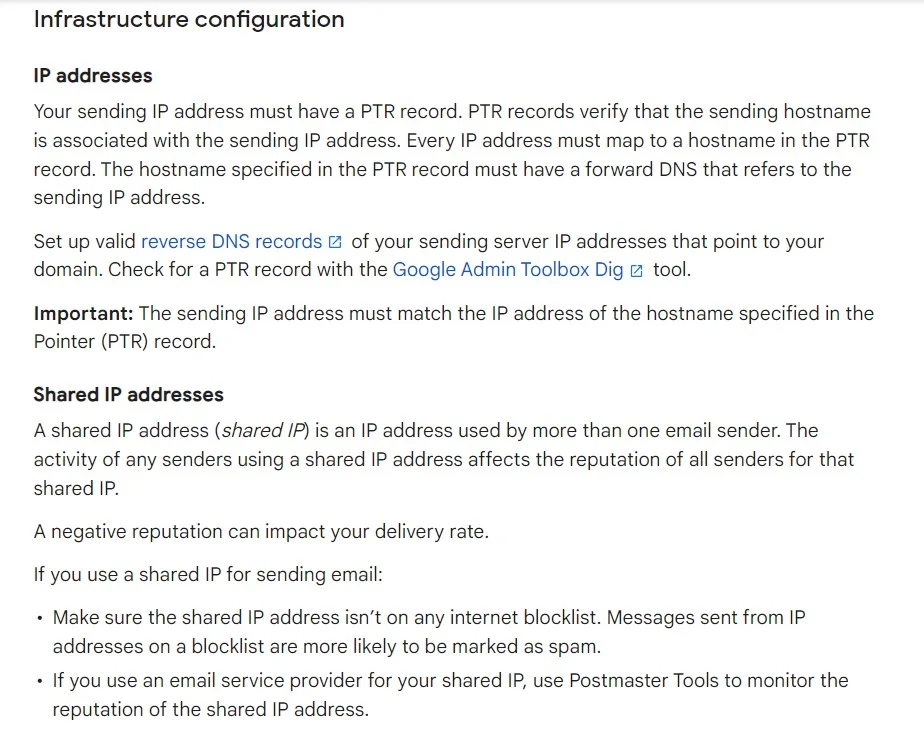
Google recommends always using the same domain for email authentication and hosting your public website. Senders must have valid forward and reverse DNS records for these sending domains and IP addresses.
Also read: Generative AI marketing use cases: what actually works for B2B teams
2. Requirements for Easy Unsubscription
If you send over 5,000 marketing and sales emails daily, your marketing and subscribed messages must support one-click unsubscribe.
- Unsubscribe links: Every email must contain a clear and readily available unsubscribe link. This link should be placed in a prominent location, such as the footer of the email.
- Preference centers: Bulk senders can offer preference centers where users can manage their subscription preferences and easily unsubscribe from specific email lists.
- Confirmation process: Unsubscribe requests should be confirmed promptly, and users should not receive further emails after opting out.

Google suggests that you only send emails to people who want to get your messages, so they're less likely to report messages from your domain as spam.
3. Spam Rate Monitoring
You can track your spam rate using Postmaster tools. Ensure it stays below 0.10%, and avoid reaching a spam rate of 0.30% or higher.
Here are a few tips to avoid having your emails land in your receiver's spam:
- Don't mix different types of content in the same message.
- Don't impersonate other domains or senders without permission.
- Don't purchase email addresses from other companies.
- Some countries and regions restrict automatic opt-in. Before you opt-in users automatically, check the laws in your region.
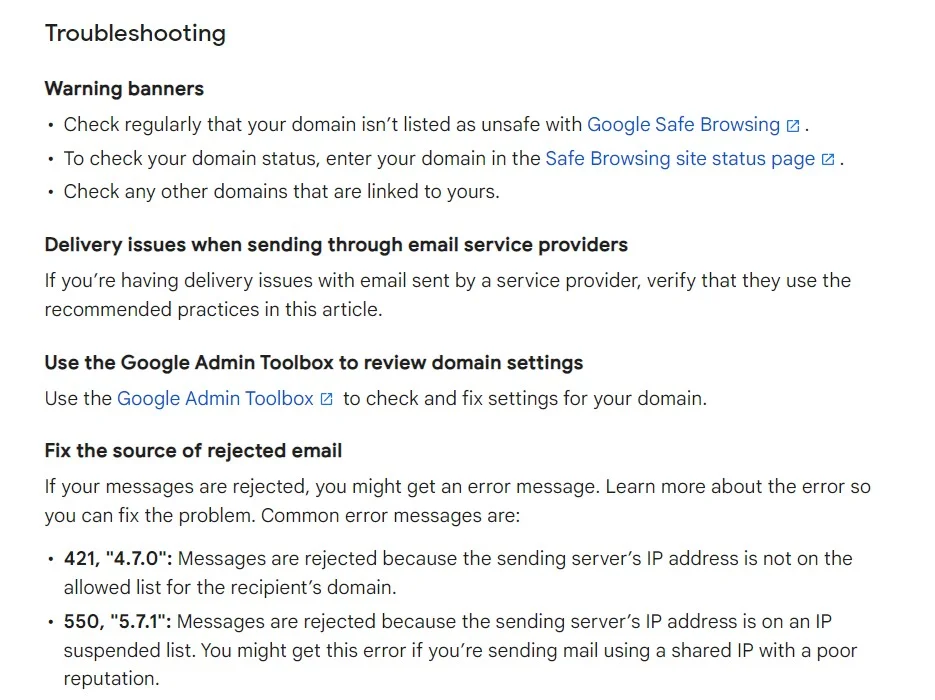
Bulk senders who fail to comply with the guidelines may face various consequences, including reduced deliverability rates, warnings, suspension of email-sending privileges, or even legal action.
Also read: How to build a fully agentic AI ABM workflow that runs itself
How Does This Affect Your Cold Email Strategy?
Even if your sales/marketing team has these parameters in place, Google's refreshed bulk email sender guidelines signal that mass mailing prospects may slowly be on the decline. While this may sound like not-so-good news for your outbound marketing efforts, here's why this may actually be a blessing in disguise.
Email marketing, if implemented correctly, can continue to be one of the best B2B sales channels in your GTM strategy. The key, however, will be to adopt a systematic, intent-based approach as opposed to spray-and-pray tactics.
Let's say you're selling software that streamlines candidate assessment, and your buyer personas are hiring managers and CHROs.
Also read: Best generative AI tools for marketing
If your sales team sends out emails to thousands of CHROs at random — without any insight into whether or not they're in-market for your product, you're bound to receive replies, if any, such as: "Sorry, we're not currently looking to buy" or worse still, "unsubscribe."
Not only does this high-volume approach result in little result from lots of effort, but cold outreach may also leave a bad taste in the mouth of prospects who may be looking to buy down the road.
What's the alternative to this? Intent-based, account-level outreach, of course!
On average, only 4% of website visitors convert via sign-ups, but what if you could identify, qualify, and target the remaining 96% of anonymous website traffic with outreach based on intent? What if you could carefully research engagement amongst high-intent buyers and send them personalized cold emails highlighting exactly how your tool can meet their requirements?
Our experience working with hundreds of B2B teams finds that this results in far more conversions with far fewer emails.
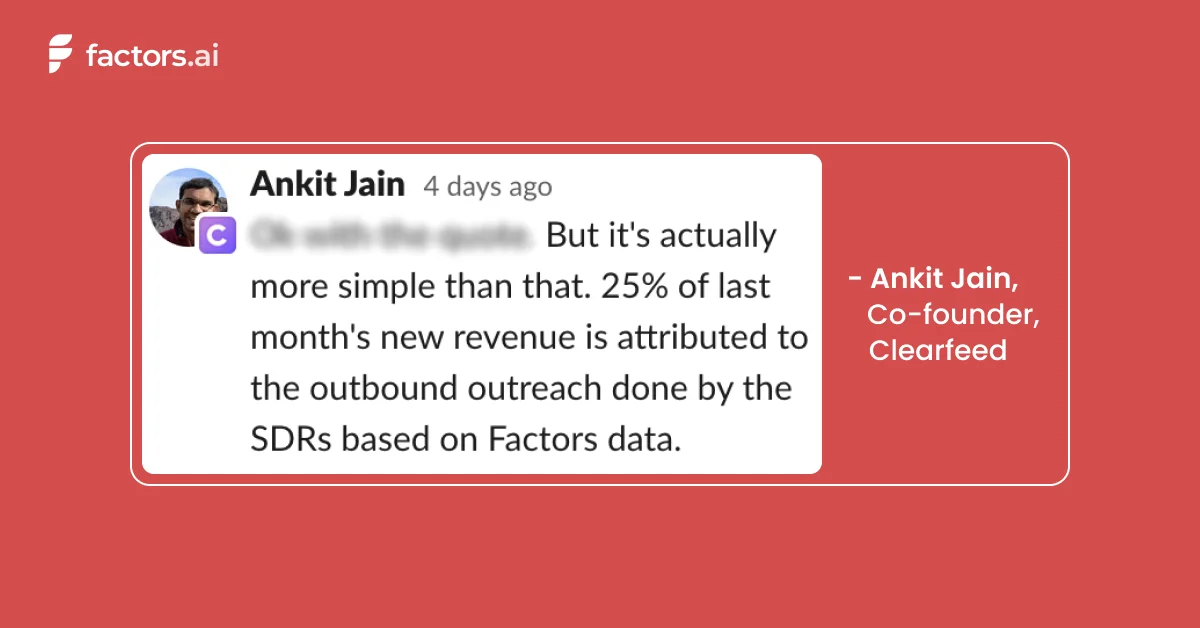
Factors is an IP-based account intelligence and activation platform that:
- Identifies anonymous accounts visiting your website, viewing your LinkedIn, or interacting with your G2 pages
- Qualifies high-intent ICP accounts based on firmographics and cross-channel engagement
- Enriches sales-ready accounts with Apollo-fuelled contact data before activating outreach by integrating with your marketing automation platform.
Here's a little about how it works:
Also read: AI orchestration in marketing workflows: the missing layer in modern B2B marketing
First, our account intelligence feature allows you to uncover anonymous traffic with IP-based intelligence & enrichment.
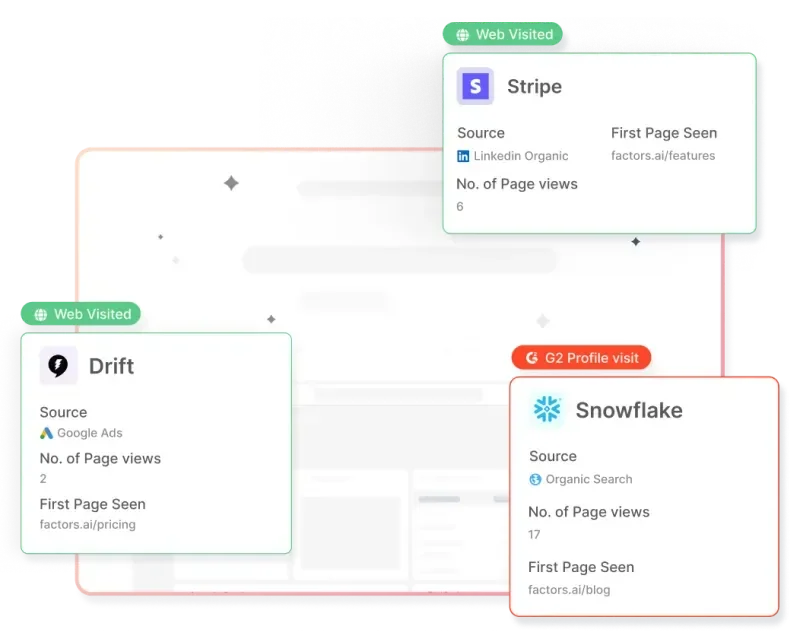
Next, you can qualify ICP buyers based on their firmographics and score accounts based on their engagement across the website, G2, and LinkedIn intent signals.
Finally, create a list of accounts ready to buy and send emails with a compelling pitch to win sales-ready accounts over in no time. Want to learn the basics of account scoring?
▶️Check out our guide: An Introduction To B2B Account Scoring

{{INLINE_TOFU}}
Wrapping Up
Google has taken a much-needed step to establish these bulk email sender guidelines. Whether you're executing cold outreach or email marketing campaigns, you must monitor your bulk emails and ensure basic email hygiene to create a secure email ecosystem.
If you want to ditch the cookie-cutter bulk email strategy and want to restructure your cold outreach efforts by focusing on high-intent buyers, book a demo with us today!

See how Factors can 2x your ROI
Boost your LinkedIn ROI in no time using data-driven insights



.avif)


.avif)

See Factors in action.
Schedule a personalized demo or sign up to get started for free
LinkedIn Marketing Partner
GDPR & SOC2 Type II





.svg)



.avif)

