
AI email marketing automation: what actually changes for B2B teams
Let’s see how AI email marketing automation actually works for B2B teams, where it earns its keep, and where most programs are wasting it.
.avif)
Senior Content Marketing Manager



.svg)


TL;DR
- AI email marketing automation is really about deciding who gets an email at all, and most teams haven't touched that part yet.
- Your nurture sequence can't see what a buyer does outside your inbox, and that's usually where the real story is happening.
- The programs I'd actually call "AI-powered" send fewer emails, not more. That's the tell I look for now.
- If open rate is still the headline metric in your weekly report, you're grading yourself on the wrong test, not because opens are meaningless, but because they don't pay anyone's salary.
- Most AI email failures aren't AI problems. They're data problems wearing an AI costume.
- I'd rather you fix your data before you touch a new tool. Unpopular opinion in a guide about tools, I know.
A friend showed me an email he'd received a few weeks ago. It began with, "We noticed you've been exploring solutions for revenue attribution."
He hadn't.
He'd opened one blog post by accident, closed it in under thirty seconds, and somehow been promoted to "high-intent buyer."
That's the strange thing about a lot of email automation today. It's incredibly fast at reacting, but not particularly good at understanding. We celebrate workflows that fire instantly, sequences that never miss a trigger, and AI that writes subject lines in seconds. Meanwhile, buyers are wondering why every inbox seems so convinced it knows them.
The interesting part isn't that AI can send better emails. It's that, when used well, it often decides not to send one at all. That's the shift worth paying attention to.
What does ‘AI email marketing automation’ mean?
Ask five marketers what this phrase means and you'll get five different answers, and at least two of them will just describe ChatGPT drafting subject lines. That's a small, almost cosmetic slice of what's possible here, and honestly a little disappointing given what's on the table.
AI email marketing automation, in the way I use the term, means using machine learning and predictive models to decide which emails go out, to whom, and when. The content adapts based on real behavior, not a schedule someone set up two quarters ago. It's not a fancier drip. It's a system that's actually paying attention.
It helps to separate three layers people tend to mash together. Email automation is the oldest layer: rule-based, if this then that. Marketing automation is broader, stitching together segmentation, scoring, and branching workflows across channels. AI-powered automation sits above both of these, adding a layer that adjusts on its own instead of waiting for someone to edit a workflow diagram.
Most teams I talk to are still living somewhere between the first two layers, running "smart" automation that's really just rules with more steps. The volume of signal available today, website visits, product usage, ad clicks, third-party intent, is more than any human team can process by hand. That volume is exactly why AI stopped being optional and started being infrastructure.
Why the old playbook keeps missing
Most B2B email programs were built for a buyer who barely exists anymore.
The old model assumes a straight line. Someone downloads a guide, drops into a five-email sequence, eventually talks to sales. Neat, linear, easy to diagram on a whiteboard.
Real buyers don't move like that. They read your competitor's comparison page before they've ever heard of you. They watch a webinar replay at midnight. They visit your pricing page three separate times under three different browser tabs, and your CRM has absolutely no idea any of it happened. A static nurture sequence is working off a fraction of the real picture, and it doesn't even know it's missing anything.
The compounding problems are familiar to anyone who's run a lifecycle program. Every lead gets treated the same regardless of how ready they are. Segments are built on job title instead of behavior. Cadences assume a VP checking email at 6 AM behaves the same as an SDR scrolling during lunch. And by the time a human reviews campaign performance, buyer behavior has already moved on twice.
None of that is really an "open rate" problem. It's a blindness problem. A prospect can visit your pricing page three times in one week. They'll still get a "what even is [category]" email, because that's step three in a sequence nobody's touched since it launched.
What changes with AI in the mix: scoring that predicts engagement before you hit send, content that shifts in real time, and send timing tuned to a person's actual habits. Journeys reroute the moment behavior changes, not weeks later.
How does this actually work under the hood?
I think of it as five layers stacked on top of each other, each one feeding the next.
- Data collection. Everything starts here, and it's the layer people underrate the most. Inputs come from your CRM, website behavior like page visits and scroll depth, product usage, ad engagement, and third-party intent data. If this layer is messy, nothing above it can be trusted, no matter how sophisticated the model claims to be.
- Analysis. Once the data's flowing, machine learning does the pattern work. It groups behavior into clusters, predicts who's likely to convert, and flags accounts that look like they're drifting away. Lead scores stay current instead of frozen at whatever someone set two years ago in HubSpot and forgot about.
- Decisioning. This is where I think AI genuinely earns the label. The system weighs multiple signals at once and decides who gets an email, what it contains, and when it lands. It's probabilistic, not a rulebook, which is the actual difference between this and old-school automation.
- Execution. Decisions become action. Workflows trigger, content blocks populate, subject lines and CTAs personalize, and sends go out at the right moment, all without a human clicking "launch" on each one.
- Learning. The layer most teams forget exists. Every send generates fresh data: opens, clicks, replies, bounces, actual conversions. That data flows back into the analysis layer, and the model gets sharper. A well-built AI email system should be measurably better in month six than it was in month one. A static workflow just sits there.
The best way to picture the gap is… a thermostat reacts to one input. A climate control system reads a dozen variables and keeps adjusting. Most email programs are still running the thermostat.
What does the workflow actually look like in practice?
Abstractions are easy to nod along to and hard to picture. Here's the version I'd actually walk a team through.
- Catch the signal. Before any email gets written, the system watches for behavior that suggests something's shifted. Repeat visits to a pricing page. Engagement with a competitor comparison. A spike in trial usage.
- Score the likelihood of engagement. Not every signal deserves an email right now. The system checks how likely this person is to respond based on similar accounts and their own history. High score, send. Low score, wait.
- Build the segment on the fly. Instead of a static list someone updates monthly, segments shift continuously. Someone can be in "evaluating" today and "active opportunity" by Thursday, purely based on what they're doing.
- Generate content that fits the moment. This isn't a first-name merge tag. Case studies, CTAs, and even subject lines adapt to where someone actually is in their journey, not where the workflow assumed they'd be.
- Pick the send time. One person opens everything at 7 AM. Another only engages after 4 PM. The system learns the individual instead of applying a blanket rule to the whole list.
- Watch what happens next. Not just opens and clicks, but what happens after. Did they come back to the site the next day? Did they forward it internally?
- Let the journey adjust itself. If someone clicks through to a case study, the next email should skip the 101 content and go straight to something specific. If they go quiet, the cadence should slow down, not escalate.
Here's what that looks like in a real SaaS demo funnel, roughly how I'd describe it to a founder over coffee. An anonymous visitor browses three pages including a product tour. The system scores them high intent. They come back the next day, hit pricing. A nurture email fires referencing what they actually looked at. Two days later, an SDR gets an alert with full context attached. A meeting gets booked that same week. No drip sequence required, just attention paid at the right moment.
The strongest programs I've reviewed don't send more email. They send fewer, better timed ones. If your AI rollout increased send volume, I'd argue you built the wrong thing.
Where does this show up across the funnel?
The application looks different depending on where a buyer sits, so it's worth walking through each stage separately instead of treating "AI email" as one monolithic thing.
- Top of funnel: getting the first read right
Content recommendations shift from generic newsletter blasts to topic affinity. Send times and subject lines tune per subscriber instead of per list. When someone grabs a lead magnet, the system looks at what similar profiles engaged with historically and builds the follow-up sequence around that. Nobody gets funneled into the same generic welcome series regardless of what actually brought them in.
- Middle of funnel: this is where it earns its keep
Nurture tracks adjust in real time instead of running on a fixed schedule. Rather than sending every lead the same three case studies, the system matches proof points to industry, company size, or whatever specific problem someone's been researching on your site. Intent-based journeys replace the old "drip until they convert or give up" model that's still running quietly in most stacks.
- Bottom of funnel: keeping deals moving
When a deal is live, AI helps surface additional stakeholders from the same account who are showing up on your site. Pipeline acceleration emails fire based on deal velocity, nudging stalled opportunities with relevant proof. Meeting reminders cut down no-shows, and objection-handling content gets pulled up based on what the account's actually been researching.
- After the sale: expansion and advocacy
Post-purchase, AI watches product usage for signs someone's about to hit a ceiling. If an account is bumping against usage limits or poking around a feature they haven't bought, an expansion email triggers with context attached. Renewal outreach starts earlier for accounts flagged as at-risk. Referral and review requests go to the customers with the strongest engagement and satisfaction scores, not the entire base.
First-party behavioral data ties all of this together. Without visibility into what buyers are actually doing on your site and inside your product, AI is just making educated guesses with better math behind them.
Also read: How to use AI for marketing: the practical B2B playbook
Does this actually move the ROI needle?
I'll be direct: this is the section that gets leadership's attention, so it's worth breaking apart properly instead of gesturing at "efficiency" and moving on.
- Efficiency. The manual grind shrinks. Campaign setup, segmentation, A/B testing, list hygiene, weekly reviews, all of it takes less human time when AI is handling the continuous parts. Campaigns launch faster because segments build and personalize themselves instead of waiting on someone to configure every branch by hand.
- Performance. Open rates climb because send-time optimization is catching people when they're genuinely checking their inbox, not when a workflow says they should be. Click-through improves because content matches current interest, not interest from three months ago when someone first entered the funnel. Conversion follows because the right message is landing at the right moment more often.
- Revenue. This is the one that actually matters at the board level. Sales spends time on prospects who are actually in-market instead of everyone who happened to download a PDF once. More pipeline gets built because high-intent accounts get identified and nurtured before they've filled out a single form. Sales cycles compress because by the time a rep gets on a call, the buyer's already been educated by relevant, well-timed content instead of a generic drip.
The metrics worth reporting reflect that hierarchy. Revenue per email sent. Pipeline generated from email. MQL-to-SQL conversion. Meeting booked rate. Opportunity creation. If your dashboard still leads with opens, you're reporting on activity, not impact, and someone on the leadership team has probably already noticed.
A few real patterns I've actually seen work…
I'd rather describe patterns than drop brand names I can't verify with certainty, so here are four shapes I've watched play out across different B2B teams.
- Behavior-based nurturing at a mid-market SaaS company. They had one nurture sequence running for every inbound lead regardless of intent. Once they built dynamic segments based on pages visited and return frequency, high-intent leads got shorter, more direct sequences and low-intent leads got longer educational tracks. Demo bookings went up meaningfully in one quarter, not because they sent more, but because they finally stopped sending the wrong thing to the wrong person.
- Account-level personalization in ABM. An enterprise vendor selling into financial services matched email content to account-level research behavior. When multiple people from a buying committee started visiting compliance-related pages, the nurture shifted to compliance case studies and ROI calculators. The lesson stuck with me: personalizing at the account level, not just the contact level, is what actually moves reply rates. It matches what the whole buying group is worried about, not just one person's inbox.
- Usage-triggered expansion at a PLG company. They tracked feature usage and flagged accounts approaching natural upgrade moments. Once usage crossed a threshold, a contextual email explained the next tier with a personalized ROI estimate built from the account's own data. Expansion revenue attributed to email grew noticeably within half a year.
- Predictive win-back at a B2B marketplace. Thousands of dormant contacts had gone quiet. Instead of blasting the whole list with a generic "we miss you" (we've all deleted one of these without reading it), they scored contacts on likelihood to re-engage. Only the top slice got emailed, with content tailored to their original interest. Re-engagement rates came in several times higher than the old bulk approach, and unsubscribes actually dropped because people who genuinely weren't interested stopped getting bothered.
The thread running through all four: fewer emails, sharper targeting, revenue that's actually traceable. That's the pattern worth copying, not the tooling underneath it.
What tends to go wrong (good news: most of it is fixable)
I've watched enough of these rollouts to notice the same handful of mistakes showing up again and again. The list is looong (I've genuinely lost count of how many times it's the same one).
- Automating a process that was already broken. If your nurture logic doesn't match how your buyers actually buy, AI will just run that flawed logic faster and at greater scale. Fix the workflow before you hand it to a model. Automating a broken funnel doesn't repair it. It just breaks it more efficiently, and with a bigger receipt.
- Personalizing until it feels invasive. There's a line where relevance turns into surveillance, and crossing it costs trust fast. If an email references browsing history someone didn't knowingly hand over, it reads as creepy, not clever.
- Ignoring your own first-party data. Plenty of teams pour budget into third-party intent while their own website behavior sits unused. First-party signals are more accurate, more current, and honestly the foundation this entire approach should be built on.
- Using AI for copy and nothing else. This is the most common one I see, and it's a genuine waste. If AI is only writing your subject lines while segmentation, timing, and targeting are still manual, you're capturing a sliver of what's actually available here. The real leverage sits in the decisioning, not the drafting.
- Skipping attribution entirely. Without a framework connecting sends to pipeline, you can't actually say which emails influenced revenue. You end up defending the channel with opens and clicks because that's all you've got, which convinces nobody with a budget to approve.
- Treating email like its own island. Buyers move across your website, your ads, your webinars, your product, and your sales calls. An email program that can't see any of that is deciding what to send with a blindfold on.
AI doesn't fix a broken funnel. It just helps you reach the wrong conclusion with more confidence, and faster than before.
Where Factors.ai fits into this picture
I want to be precise here, because it's easy to overstate this. Factors.ai isn't an email platform. It doesn't send anything or manage your workflows. What it does is make the email automation you already have significantly smarter by handing it the intelligence layer most programs are missing.
Practically, that breaks down into a few pieces. Factors captures account-level website activity: which companies are visiting, what they're engaging with, how often they're coming back. It also picks up intent signals suggesting an account is actively researching a solution like yours. That's the behavioral layer that turns email from scheduled content delivery into something that's actually timed well.
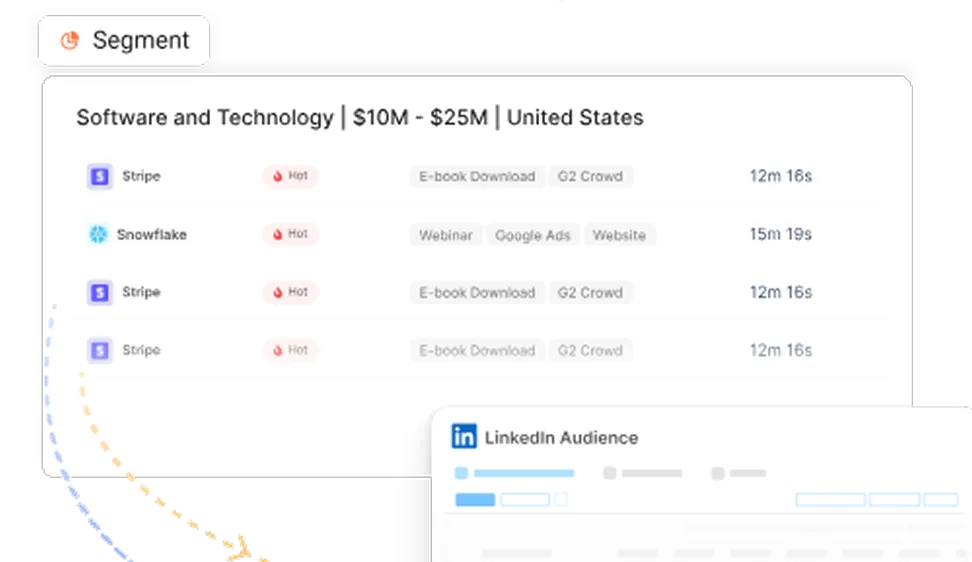
From there, it builds segments that update continuously. Accounts that visited pricing twice this week but haven't booked a demo. Accounts showing intent around a specific use case. Those aren't static lists someone rebuilds monthly, they exist and update in real time.
On the attribution side, Factors connects email engagement to downstream pipeline and closed-won outcomes, which is the piece that lets you stop reporting opens and start reporting business impact. And on activation, signals from Factors can trigger campaigns directly in your email platform. When an account crosses an intent threshold, a personalized sequence fires automatically. The intelligence lives in Factors. The send happens wherever your email tool already lives.
The biggest shift in email marketing isn't a better subject line. It's knowing who's genuinely in-market before you hit send, and that's the specific gap Factors is built to close.
Also read: AI automation tools: the B2B marketer's guide
Where's this all heading?
The direction feels fairly clear even if the exact timeline is up for debate. AI in email is moving from assisting with content toward orchestrating entire workflows on its own.
Agentic workflows are the next real shift. Instead of a human building if-then logic by hand, an agent works toward a goal you set. Something like "generate 50 qualified demos this quarter." It figures out the audience, content, and sequencing on its own. We're not fully there as an industry, but the pieces are already sitting on the table.
Predictive journey orchestration should eventually replace the linear funnel model most teams still run. Instead of a pre-built sequence, the system constructs a unique path per account based on live signals. Two prospects with an identical ICP profile might get completely different sequences because their actual behavior calls for different approaches.
Real-time personalization will stretch well past content blocks into subject lines, send times, CTA phrasing, and even tone. Manual A/B testing starts to look unnecessary once a system is continuously testing dozens of variables at once, all the time, without anyone setting up a test.
Cross-channel orchestration should pull email out of its silo entirely. It coordinates with LinkedIn ads, website personalization, sales outreach, and in-product messaging as one connected experience, not parallel campaigns that just happen to run at the same time.
I think the marketers who come out ahead over the next few years won't be the ones building workflows by hand. They'll be the ones who define the outcome clearly and let the system figure out the path. That's a genuinely different skill than the one most of us were trained on.
A 90-day starting point, if you're building this from zero
Strategy is the easy part to talk about. Here's roughly how I'd sequence the first three months.
- Days 1 to 30, audit everything first. Start with your data. Is your CRM complete, accurate, current? Are you capturing behavior at the account level or just at the contact level? Map your existing email workflows and be honest about each one: is it generating pipeline, or is it just running because nobody's turned it off yet? Check whether you can trace email engagement to revenue at all. If you can't, that's the actual starting line, not a nice-to-have for later.
- Days 31 to 60, build the foundation. Move segmentation from static lists to behavioral data. Set up predictive scoring that pulls in website activity and content engagement alongside your existing CRM fields. Turn on send-time optimization, one of the fastest wins available since it requires almost no workflow rebuilding and shows lift quickly.
- Days 61 to 90, scale with actual intelligence behind it. Build journeys that respond to real-time behavior, a pricing page visit, a completed product tour. Launch ABM workflows personalized around account-level engagement. Set up revenue reporting that connects email activity to pipeline and closed-won, not just opens. This is the stretch where the program stops being "email marketing" and starts acting like a genuine revenue engine.
The mistake I see most often is skipping straight to day 31 and deploying tools on top of a messy foundation. The results are consistently underwhelming, and the team ends up blaming the tool for a problem the data caused.
Where I'd leave you
AI email marketing automation is a shift from scheduled content delivery to communication that actually responds to what a buyer's doing. The teams getting real value aren't running the shiniest stack. They're running clean data, honest attribution, and workflows that adjust when behavior changes.
Start with the audit, not the tool. Get behavioral tracking working at the account level so your program can see past the inbox. Move your reporting away from opens and toward pipeline and revenue influenced. Use the 90-day sequence above to build in order instead of trying to fix everything at once.
I've been doing this long enough to trust one thing above the rest: automation on its own was never the advantage. Knowing your buyer well enough to know when to stay quiet is. AI email marketing automation earns its place when it makes that judgment sharper, not when it just helps you send more.
FAQs for AI email marketing automation
Q1. What is AI email marketing automation?
It's the use of machine learning and predictive models to decide who receives an email, what it contains, and when it sends. The decisions are based on real-time behavior instead of a fixed schedule. Unlike rule-based automation that follows static if-then logic someone set up once, AI-powered automation keeps learning from engagement data and adjusts on its own.
Q2. How does AI actually improve email marketing ROI?
It helps across three areas. Efficiency improves because manual campaign work shrinks. Performance improves because send times, content, and targeting get sharper. Revenue improves because lead qualification gets better, pipeline grows from earlier nurturing, and sales cycles compress since buyers arrive better educated. The revenue piece is the one that actually gets budget approved.
Q3. What tools are worth looking at for AI email marketing automation?
It depends which layer you're solving for. Execution platforms like HubSpot, ActiveCampaign, and Klaviyo handle sends and workflows. Factors.ai and ZoomInfo sit at the intelligence and data layer, feeding behavioral and intent signals into personalization. OpenAI and Anthropic power a lot of the content generation underneath these platforms. The strongest programs combine tools across layers rather than betting on one platform to do everything.
Q4. Can AI personalize email beyond first-name tokens?
Yes, considerably. It can select content blocks, case studies, CTAs, and subject lines based on someone's actual behavior, interests, and stage in the funnel. That personalization compounds over time as the system learns what each recipient responds to, so each subsequent email gets more relevant than the last one.
Q5. Is this actually a fit for B2B SaaS specifically?
I'd argue B2B SaaS is where it fits best. Long sales cycles, multiple stakeholders per deal, and complex nurture requirements are exactly the conditions AI email automation was built to handle. Tracking engagement across many touchpoints and adjusting journeys based on real signals addresses problems that are specific to how B2B buying actually works.
Q6. How would I actually build one of these workflows from scratch?
Start by identifying intent signals from your website, CRM, and any third-party data you have. From there, layer in predictive scoring to prioritize high-intent accounts and build segments that update as behavior changes. Personalize content per segment, tune send timing per recipient, and monitor engagement so the system can keep adjusting journeys based on what's actually working.
Q7. What data do I need before starting?
At minimum, CRM records, email engagement history, and website behavioral data. For stronger results, add product usage, ad engagement, intent data, and firmographic details. The quality of your data sets the ceiling on how good your AI's decisions can be, which is exactly why the audit should always come before the tooling.
Q8. Does AI change how lead nurturing works?
It moves nurturing from a static drip to something that actually adapts. Instead of every lead getting the same emails in the same order, the system evaluates behavior, predicts engagement likelihood, and adjusts content, timing, and pace accordingly. High-intent leads can fast-track to sales-ready content while early-stage leads get more educational material matched to their specific interests.
Q9. Can AI actually help with deliverability, not just personalization?
It can. Send-time optimization gets emails delivered when someone's most likely to open them. On the deliverability side, AI protects sender reputation by cutting sends to unengaged contacts and catching patterns that lead to spam complaints or bounces. The combined effect is more emails reaching the inbox at a moment someone's actually paying attention.

Powered by Bombora
Enter your domain and we'll send you a free list of companies showing buying intent in your vertical.
.avif)
Powered by Bombora
Enter your domain and we'll send you a free list of companies showing buying intent in your vertical.
.avif)

See how Factors can 2x your ROI
Boost your LinkedIn ROI in no time using data-driven insights


.avif)

See Factors in action.
Schedule a personalized demo or sign up to get started for free
LinkedIn Marketing Partner
GDPR & SOC2 Type II


.svg)



.avif)

