
ChatGPT Ads for B2B: What They Cost, How They Work, and How to Launch Your First Campaign
Learn how ChatGPT Ads work for B2B, including costs, targeting limits, campaign setup, and how to measure the channel against pipeline.

Performance Marketing Lead

Growth Marketer



.svg)


TL;DR
- ChatGPT Ads crossed a $1 billion annualized revenue run rate in under 200 days, and self-serve access now spans more than 40 countries.
- Ads Manager runs three bidding objectives: CPM for reach, CPC for clicks, and oCPC, a conversion-optimized version of CPC that still bills per click. OpenAI's own suggested starting bid for CPC is $3 to $5.
- The minimum daily budget is $25 in the US, and it varies by market currency elsewhere.
- Custom audience targeting needs at least 25,000 matched users, with 100,000+ recommended. Most B2B ABM lists are too small for this to be useful on day one.
- Targeting runs on plain-language context hints tied to conversation intent, not keywords or job titles.
- ChatGPT Ads only appear on Free and Go plans. Users on Plus, Pro, Business, Enterprise, and Education plans won’t see them.
- On September 16, OpenAI added Sponsored Agents and a native HubSpot integration, the first real bridge between ad spend here and actual CRM pipeline data.
I’ve been testing ChatGPT Ads since the self-serve beta launched. It’s still new, so there’s no proven playbook yet. But it’s already big enough that every B2B paid media team should understand how it works, even if you’re not ready to invest heavily.
Here’s what I’ve learned, what changed this month, and how I’d run the first test on ChatGPT Ads.
What are ChatGPT Ads?
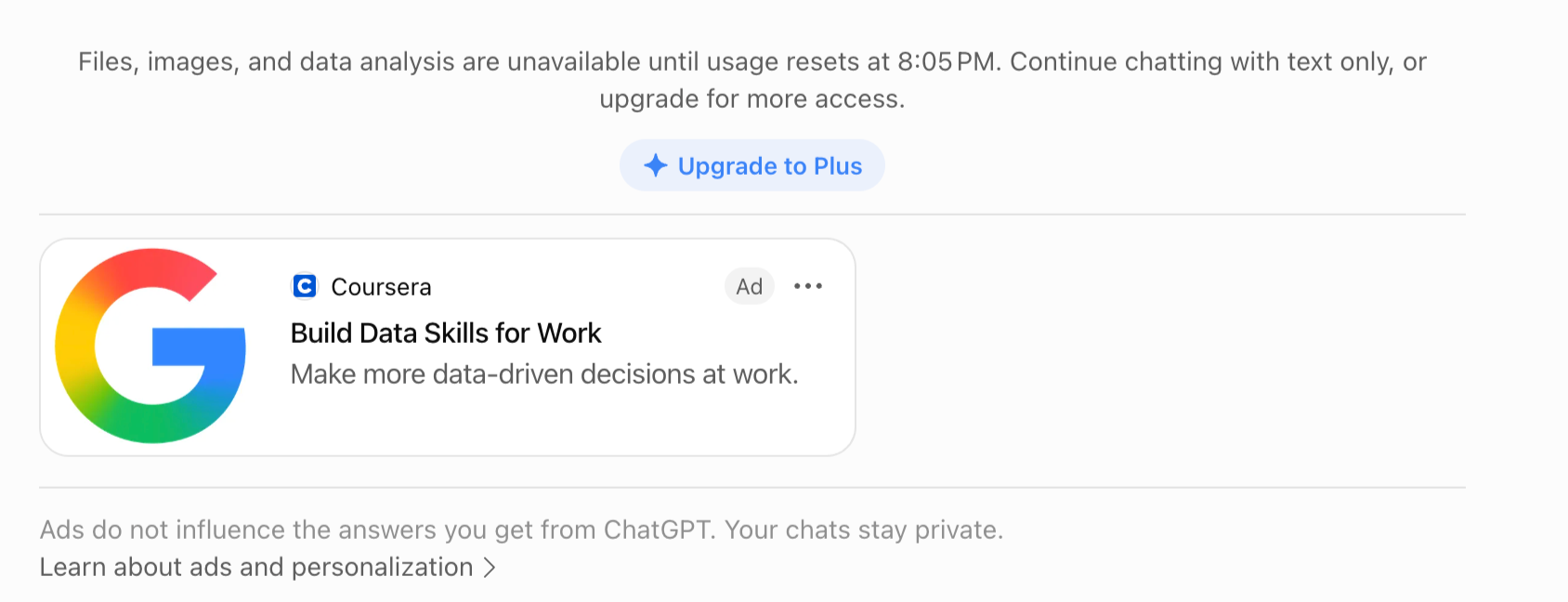
ChatGPT Ads are sponsored placements that appear below the model's response inside a conversation, clearly labeled and visually separated from the organic answer.
OpenAI is explicit that ads never influence what ChatGPT actually says. The system picks which ad to show by matching advertiser submissions against your conversation topic, your past chats, and your past interactions with ads, and advertisers never see the private content of any of that.
The main ad unit is a sponsored answer card: a headline, a short description, a brand image, and a link, one per response.
There's also a shopping format built for ecommerce, running as a product carousel pulled from a retailer's feed. As of this month, there's a third format, Sponsored Agents, which I cover below.
Ads only show up for people on ChatGPT's Free and Go tiers. Plus, Pro, Business, Enterprise, and Education subscribers never see one. OpenAI also keeps ads away from users it believes are under 18, and away from health, mental health, and political topics for everyone.
A clearly labeled “Ad” placement appears on the advertisement.
How ChatGPT Ads platform grew 10× in five months
If you last checked this platform earlier this year, a lot has changed. Here’s how quickly it has grown.
For context, the annualized figure grew from $100 million in March to $1 billion by the end of August. Things are changing quickly, so check OpenAI’s advertiser page for the latest availability.
How much do ChatGPT Ads cost?
Official pricing guidance and early advertiser reports tell two different stories, so it’s important to keep them separate.
- Officially, OpenAI recommends starting CPC campaigns with a maximum bid of $3–$5 per click.
- Ads compete in a relevance-weighted, second-price auction, so your final CPC may be lower than your maximum bid.
- The standard minimum daily budget in the US is $25.
OpenAI has not published average CPC or CPM benchmarks across advertisers or industries. Its official FAQ says the platform is still too early for reliable benchmarks.
Early reports provide context, but I wouldn't use them to forecast performance.
- The agency-managed pilot reportedly charged around $60 CPM.
- By April, some reports placed CPMs as low as $25.
These are early observations, not official benchmarks.
The bigger change is how easy it has become to start. In March, Criteo was reportedly pitching advertisers commitments of $50,000–$100,000. Today, self-serve advertisers can start with the standard $25 daily campaign budget.
You no longer need a large media commitment to test the channel. That makes running a small, controlled experiment more practical than waiting for industry benchmarks.
What B2B marketers should know before testing ChatGPT advertising?
1. Not everyone can see ChatGPT Ads
Here's a limitation most guides I have read miss. Ads only run on the Free and Go plans. Plus, Pro, Business, Enterprise, and Education users do not see them.
I'm not saying that most senior B2B buyers are on paid ChatGPT plans, because I don't have evidence for that. But it's the right question to ask before you commit budget. What share of your actual audience is even reachable through ad-supported inventory right now?
If your ideal buyers mostly use paid or company-managed ChatGPT plans, your reach may be much smaller than ChatGPT’s total user numbers suggest.
2. The custom audience limitation in ChatGPT Ads
This is by far one of the biggest limitations for B2B marketers.
ChatGPT Ads lets you upload first-party audiences using email addresses or phone numbers. You can use them to target people, exclude them, or adjust bids. However, OpenAI requires at least 25,000 matched users for targeting and bid adjustments, and recommends 100,000 or more.
Smaller audiences can only be used for exclusions. OpenAI confirms these thresholds here.
That’s a high bar for a typical mid-market SaaS company. You might have 500 Tier 1 accounts, 5,000 target contacts, and 12,000 engaged prospects in your CRM. Those lists may work on LinkedIn, but they are too small for direct targeting on ChatGPT Ads.
So don’t expect to upload a focused ABM list and target it as you would on LinkedIn’s company and job-title targeting. For most B2B teams, context hints, ad creative, and landing-page relevance will matter more than first-party audience targeting for now.
The real test is whether richer conversational context can generate qualified demand despite weaker audience controls. Nobody knows that yet, including me.
How to set up your first ChatGPT Ads campaign
1. Get your account verified
- Register at ads.openai.com with a legal business name that matches your tax documents, since you can't change it later without going through support.
- You'll also need a tax ID, a billing method, a business category, and a landing page ready to receive traffic.
- Verification runs stricter than most ad platforms. Build in a few days of buffer.
2. Understand the campaign hierarchy
- There are three tiers: Campaign, Ad Group, Ad, a very similar three-tier structure to Google or Meta.
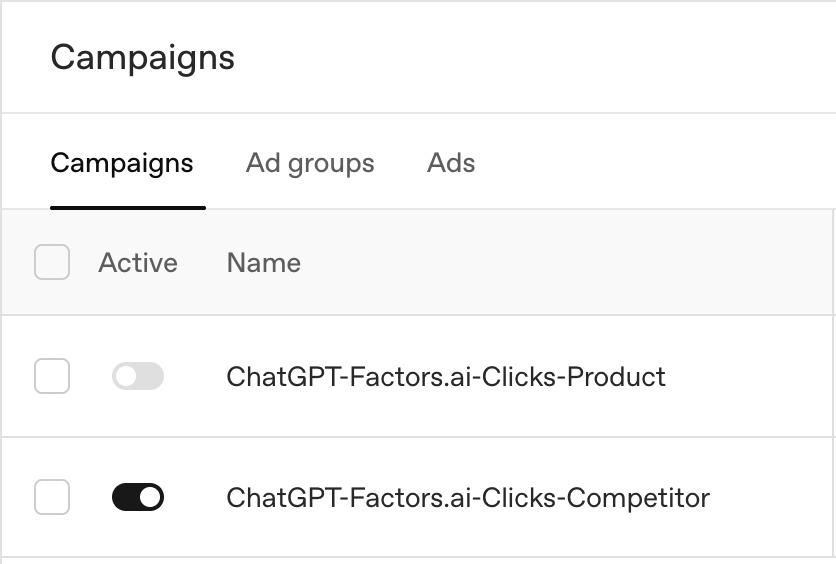
- Use a consistent naming convention from day one, something like BrandName | Objective | Market | Month | Test#, because once you're running several context-hint variations at once, an unnamed mess slows you down.
In the ads below, we named it as Medium-Brand name-Objective-Type of ads
3. Choose your objective
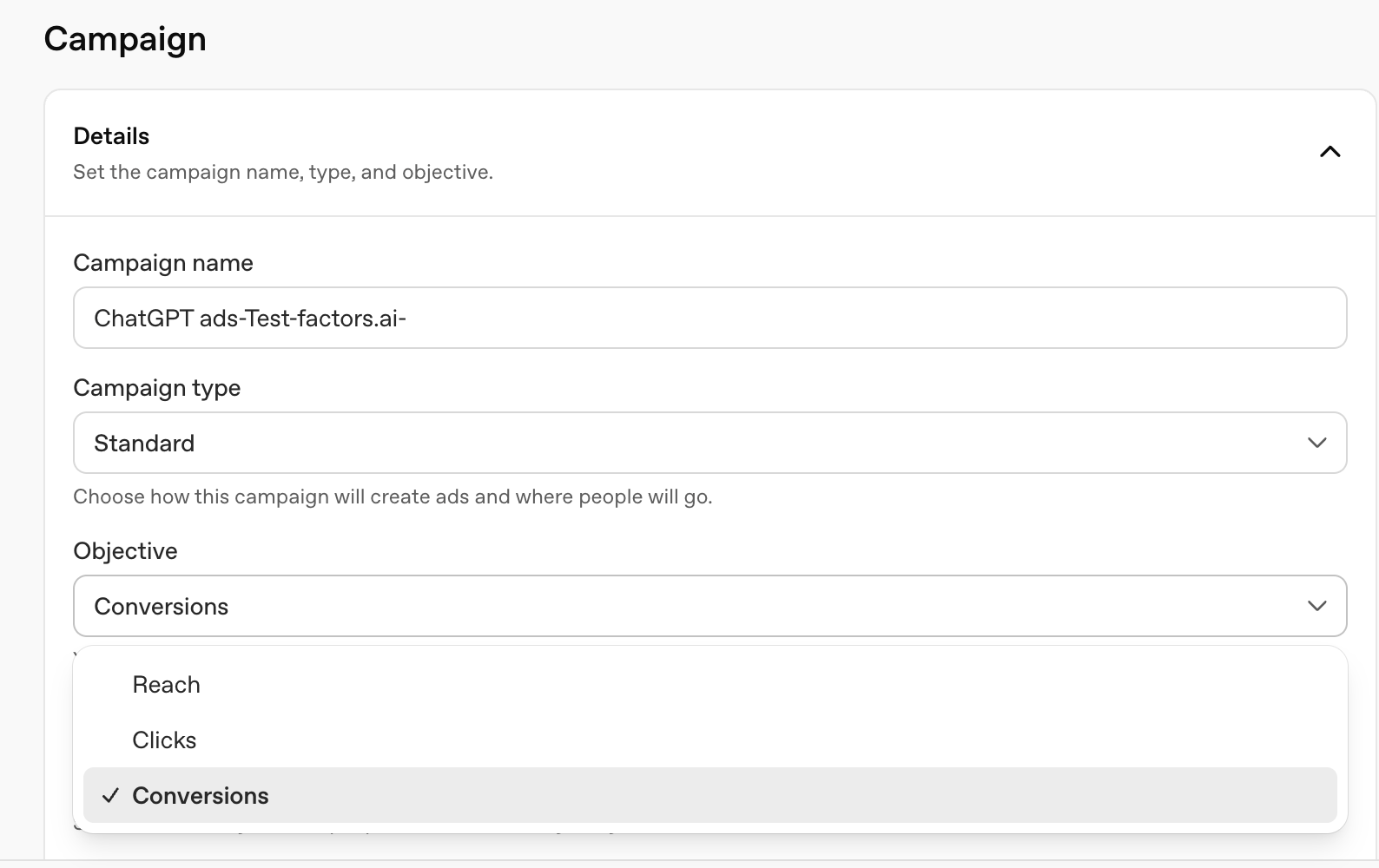
- There are three objectives: Reach: CPM, Clicks: CPC, or Conversions: oCPC. OpenAI's own campaign guide lays these out clearly.
- CPM is for reach and awareness, billed per 1,000 impressions. CPC is for driving clicks, billed per valid click.
- oCPC is the one where you still pay per valid click, but the system prioritizes ad delivery towards the clicks where people are more likely to complete a conversion event you've set up. For a demo request or a signup, this is the objective I'd set up once you have enough tracked conversions for the system to optimize against.
4. Set a daily budget
- Always set a daily budget; do not start with a campaign-total budget while you're learning.
- OpenAI says that campaign-total budgets are paced using the remaining budget and campaign schedule.
- Spend may rise or fall depending on available opportunities. Pacing can prevent early budget exhaustion, but it doesn't guarantee your budget will last or be spent in full.
- A daily budget can vary from day to day but stays within a seven-day average. OpenAI recommends it for new advertisers because it is easier to monitor spending.
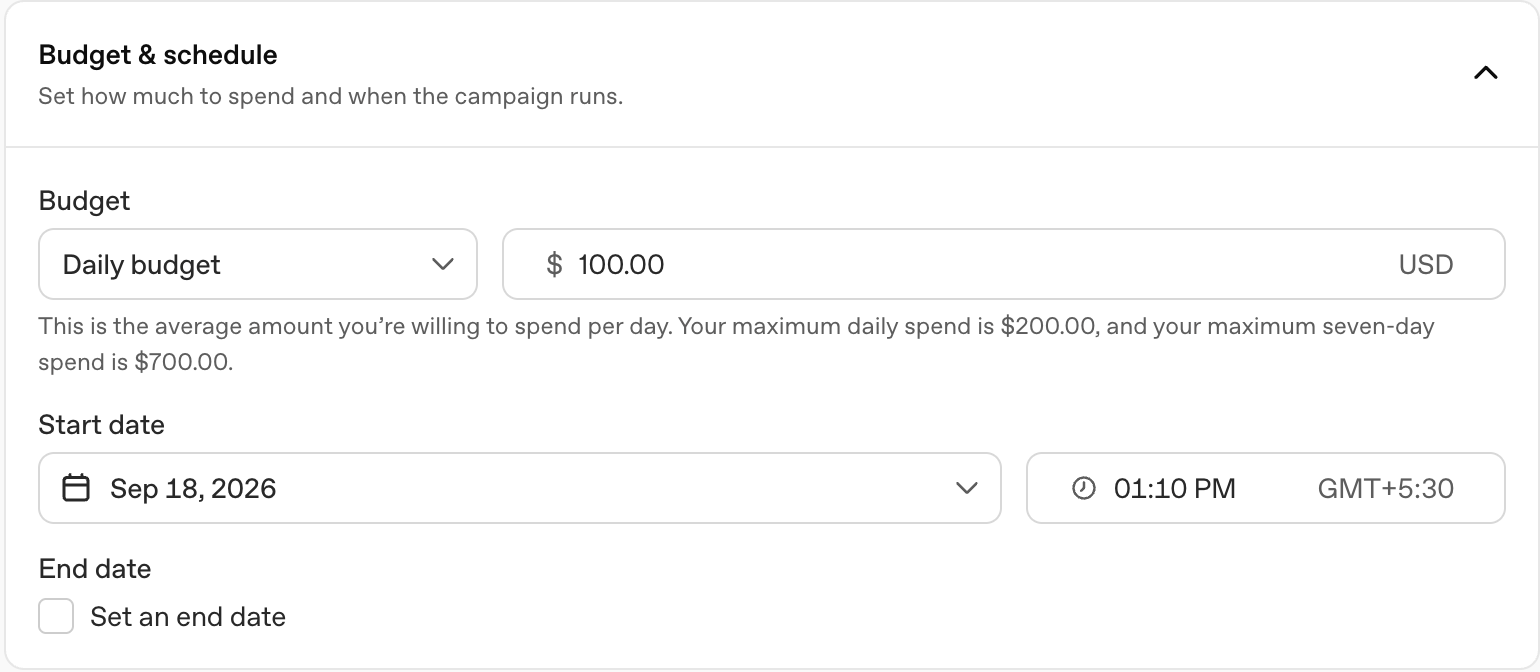
- The current minimum is $25 a day in the US, with different minimums by market currency elsewhere.
5. Write your context hints
- There are no keyword lists like Google Ads. Always write your context hints like a brief. This is where I've seen people get it wrong first. Describe the buyer's situation, not the product category.
- For a product like ours, that could include:
- Buyers comparing tools in the ABM or Attribution category
- Marketers measuring how LinkedIn or paid media affects pipeline
- Teams connecting ABM campaigns and account touchpoints to CRM revenue
- Buyers comparing us with a specific competitor
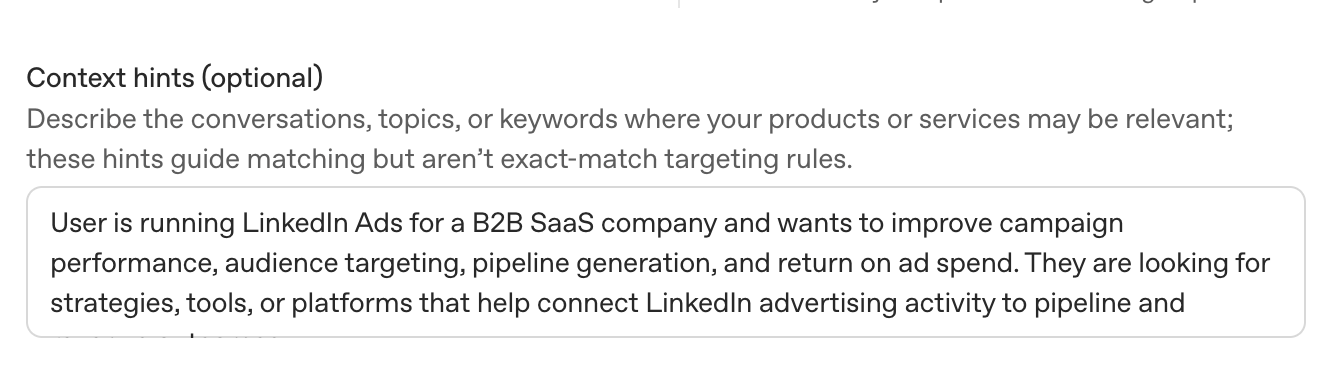
- OpenAI also considers your landing page, ad copy, and, when enabled, signals from a user’s broader ChatGPT activity. The context hint is not the only input, but it is the one you can control most directly.
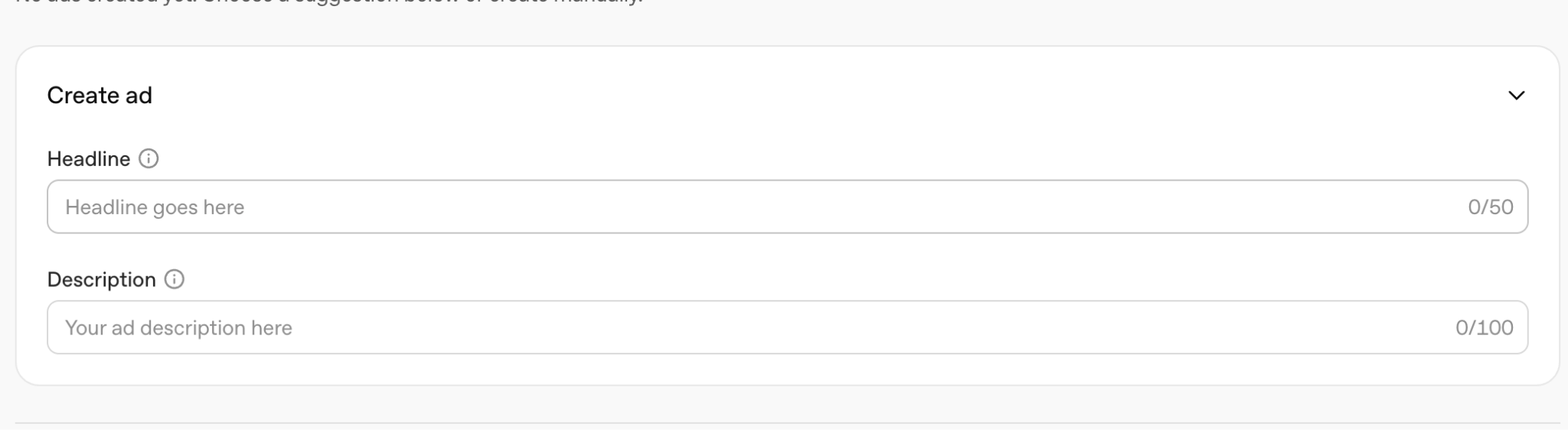
6. Build the ad itself.
- Build the entire ad; add Business name, image, headline, and description.
- There isn't much creative real estate compared to a LinkedIn document ad, so the copy has to do a lot of work in a few words.
7. Install conversion tracking
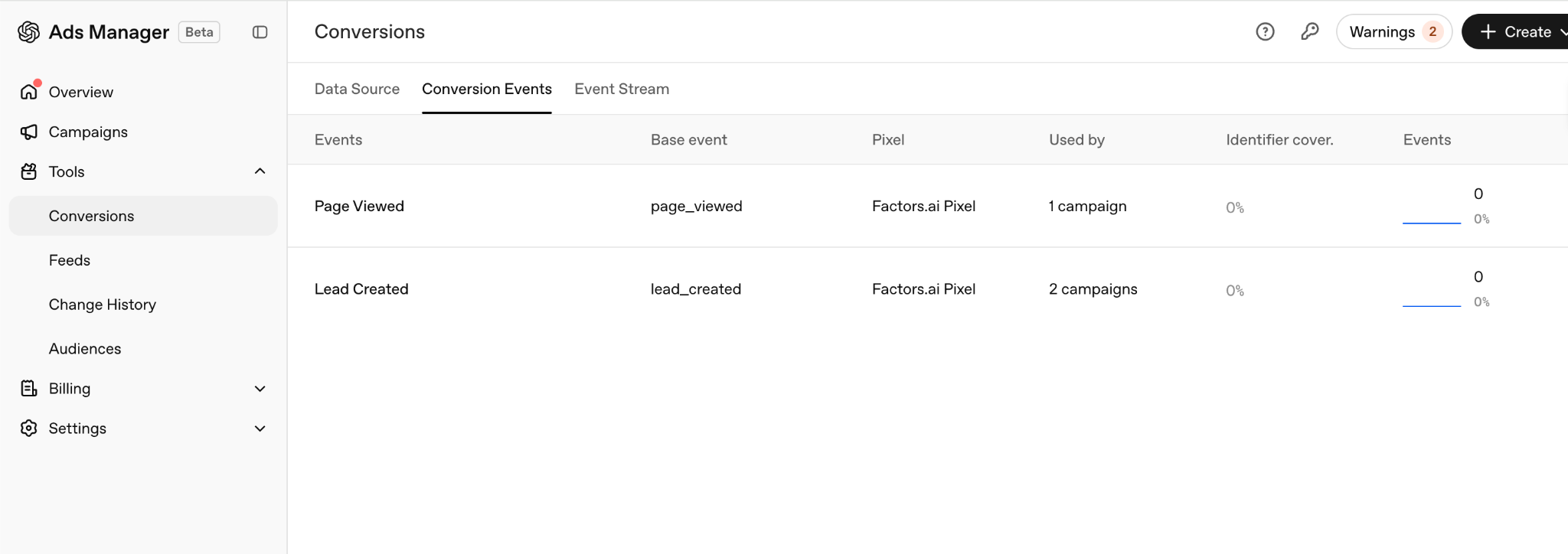
- Before you launch your ads, set up conversion tracking.
- Set up the OpenAI Pixel, the Conversions API, or both together; OpenAI recommends combining them for more resilient measurement.
- Track lead submissions, registrations, or signups, along with clicks.
- Reporting lags by several hours, and OpenAI itself recommends not judging performance in the first 48 hours.
ChatGPT Ads for B2B: What They Cost, How They Work, and How to Launch Your First Campaign
The top best practices for running B2B ChatGPT Ads.
1. Don’t confuse richer context with stronger intent
Someone searching “attribution software” on Google gives the platform two words. Someone asking ChatGPT to compare attribution tools for a Series B SaaS company spending $80,000 a month on LinkedIn shares much more context.
However, this does not prove that the user has stronger buying intent than someone reached through Google or LinkedIn. Advertisers, including me, still need to test that. The intent signal is different, not necessarily better.
2. Match the landing page to the conversation
If your ad appears while someone is comparing attribution platforms, send them to a page that addresses that comparison, not your homepage or a generic product page.
For example, when our ad appears in conversations about 6sense, it leads to a dedicated Factors.ai vs. 6sense comparison page.
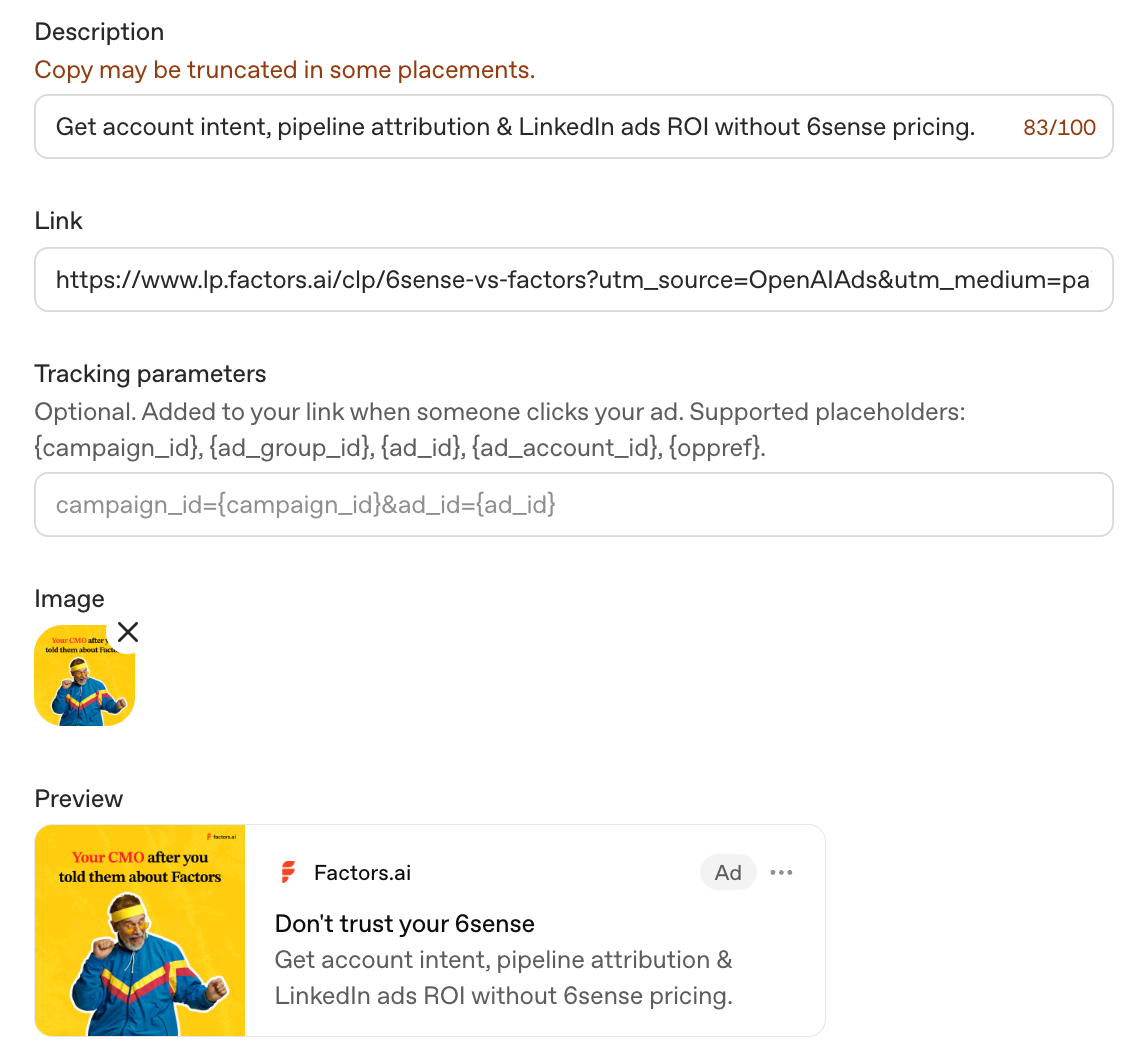
OpenAI considers the landing page when judging ad relevance. A closely matched page could therefore improve both delivery and conversions.
3. Measure everything from click to pipeline
The basic journey is impressions, clicks, and form fills.
For B2B, you should always track the full path:
Impressions → Clicks → Conversions → CRM contact or account → Opportunity → Pipeline
Cost per lead alone will not tell you whether this channel works. Lead and account quality may differ significantly from what you see on LinkedIn or Google.
Use a test budget; ChatGPT Ads is still in beta and has far less historical performance data than Google or LinkedIn Ads.
Set aside enough budget to learn something useful over 30 to 60 days. Don’t move significant spend away from a proven channel like Google or LinkedIn until ChatGPT Ads shows that it can produce relevant traffic and pipeline.
ChatGPT Ads vs. LinkedIn and Google Ads
How I’d run the first ChatGPT Ads test for a B2B SaaS company
I’d test three clear buyer situations instead of running one broad campaign.
- Category evaluation: The buyer is comparing tools in your category. Send them to a category or comparison page. Measure qualified demo rate.
- Specific pain: The buyer describes a problem your product solves. Send them to a relevant use-case page. Measure qualified conversion rate.
- Competitive consideration: The buyer is comparing you with a named competitor. Send them to a competitor comparison or alternatives page. Measure demo-to-opportunity conversion.
Keeping these tests separate shows you which conversations produce business outcomes, not just clicks.
Change one variable at a time. Start by testing the same creative across different contexts. Then test new copy against the best-performing context. Finally, test landing-page variations using the winning combination.
Don’t judge the test too quickly. Reporting can lag, benchmarks are limited, and B2B sales cycles take time. Set a minimum spend or conversion sample before launching, then wait until you reach it before making a decision.
What’s the latest update on ChatGPT Ads: Sponsored Agents and CRM Integrations
On September 16, 2026, OpenAI announced Sponsored Agents, which let a user who sees an ad open a separate, clearly labeled conversation with a business-sponsored agent to ask follow-up questions before clicking through. That conversation stays walled off from both ChatGPT's own answers and the user's original chat. It's currently testing with a select group of US advertisers, not generally available yet.
For B2B teams, the biggest update is the new HubSpot integration, OpenAI’s first CRM partnership. You can connect your ChatGPT Ads account to HubSpot, manage campaigns, and follow up with leads using your existing customer data. Shopify has a similar integration for ecommerce teams.
Earlier, connecting ChatGPT ad spend to closed-won deals required manual UTM tracking and conversion pixels. The HubSpot integration could simplify this, but I’d still test it before calling the attribution problem solved.
The bottom line about OpenAI Ads
I wouldn’t call ChatGPT Ads amazing yet, because there isn't enough evidence about how it works. But at the same time, I also wouldn’t wait for the platform to mature, because you need to get that early-mover advantage. The only way to know whether it works for your business is to test it.
Just don’t treat it like another Google or LinkedIn campaign. Targeting relies on conversational context rather than keywords, companies, or job titles. Most B2B audience lists are too small for direct targeting, and ads only reach users on Free and Go plans.
Run a controlled experiment and connect every click and conversion to opportunities and pipeline from day one. Judge the channel by buyer quality and revenue, not CTR or ChatGPT’s total user count.
FAQs on ChatGPT Ads
Q. How much do ChatGPT ads cost?
OpenAI's official suggested starting bid for CPC is $3 to $5 per click, run through a relevance-weighted auction. There's no published CPM benchmark. The minimum daily budget is $25 in the US and varies by market currency elsewhere.
Q. How do ChatGPT ads work?
Ads appear below a response from ChatGPT, with a 'sponsored' label. OpenAI matches ads to a conversation using the topic, your past chats, and past ad interactions, not a keyword auction like Google or job-title targeting like LinkedIn.
Q. What is oCPC on ChatGPT Ads?
oCPC stands for conversion-optimized cost per click. You pay for each valid click, while ad delivery is optimized toward people more likely to complete your chosen conversion event, such as signing up or requesting a demo.
Q. Is there a minimum spend for ChatGPT ads?
The minimum daily budget for USD accounts is $25 per campaign, as of May 2026. Minimums vary by billing currency, and advertisers can also set a campaign-total budget.
Q. How do you advertise on ChatGPT?
Sign up at ads.openai.com, create your advertiser account, complete verification and billing, and build your campaign using the campaign, ad group, and ad structure. At the ad group level, you can add context hints describing your offering, audience, and relevant use cases. These help OpenAI match your ads with suitable conversations.
Q. What countries can run ChatGPT ads?
Self-service Ads Manager is available to businesses based in 56 countries, including the US, Canada, the UK, Australia, India, Japan, South Korea, Brazil, Mexico, and several markets across Europe, the Middle East, and North Africa. Check OpenAI's advertiser page before planning a regional campaign, since this keeps expanding.
Q. Can I use my ABM list to target ChatGPT ads?
Yes, but inclusion targeting and audience bid adjustments require at least 25,000 matched users. OpenAI recommends an audience of at least 100,000 users.
Q. Can I track ChatGPT ads conversions?
You can track conversion events using the OpenAI Pixel, the Conversions API, or both. As of September 2026, supported events can include leads, sign-ups, purchases, and other actions completed after someone engages with an ad.

See how Factors can 2x your ROI
Boost your LinkedIn ROI in no time using data-driven insights


.avif)
.avif)
See Factors in action.
Schedule a personalized demo or sign up to get started for free
LinkedIn Marketing Partner
GDPR & SOC2 Type II




.svg)



.avif)

