
Factors.ai vs Vector
See Factors.ai as a Vector alternative. Compare both across features, pricing, use-cases, GTM visibility, ad activation, CRM integration, and funnel analytics.
.avif)
Content Marketer

Chief Marketing Officer



.svg)


TL;DR
- Targeting Approach: Vector identifies individual visitors for ad targeting; Factors.ai builds a complete picture of buying groups, intent strength, and engagement across your funnel.
- Ad Activation: Vector supports manual syncs for LinkedIn, Google, and Meta; Factors.ai automates ad campaigns using real-time signals and feedback loops via AdPilot.
- Analytics & Attribution: Factors.ai links engagement to revenue with Milestones, Account360, and multi-touch attribution. Vector provides surface-level visitor and ad performance insights.
- Best Fit: Choose Vector for quick setup and contact-level targeting. Choose Factors.ai if you want a connected GTM system with automation, funnel clarity, and sales-ready alerts.
Most marketing dashboards tell you who visited your website. Very few tell you what to do about it.
I’ve been in enough GTM review calls to know how this usually goes. Someone pulls up traffic numbers. Someone else asks if those visits are ‘good traffic.’ Sales asks if any of those visitors are actually worth calling. And the room goes quiet because… we don’t really know.
This is exactly where tools like Vector and Factors.ai come into the picture.
Both promise to turn anonymous website activity into something actionable. Both talk about intent, identification, and better targeting. But under the hood, they solve very different problems and are built for very different kinds of teams.
Vector zooms in on people. It helps you see the real humans behind your website visits and turn them into usable audiences fast.
Factors.ai takes those insights a little further. It connects website intent with ads, CRM data, and sales activity, so you can see how interest actually moves through your funnel and into revenue.
If you’re trying to decide which one fits your GTM setup, this guide walks through how each platform works, where they genuinely shine, and where their limits start to show.
Factors.ai vs Vector: Functionality and Features
When comparing Factors.ai and Vector, the difference begins with how each platform defines visibility and action.
When I evaluate tools like this, I ask one simple question first:
Does this give me insight, or does it give me work?
Some platforms surface data and expect you to figure out the next step. Others are designed to guide action across marketing and sales. That distinction shows up very quickly when you look at how Factors.ai and Vector handle visibility and activation.
Look, both are built to help marketing teams understand who’s engaging with their brand, but the depth of their insights, automation, and impact on the GTM funnel set them apart.
Let’s take a closer look at their core functionalities.
Feature Comparison
| Feature | Factors.ai | Vector |
|---|---|---|
| Visitor / Contact Identification | Identifies high-intent accounts and contacts using multi-signal enrichment. Creates a unified Account360 view combining CRM, ad, and website interactions. | Focuses on contact-level identification, revealing the individuals behind website visits and sending them directly to Slack or CRM. |
| Intent Signals & Scope | Tracks 1st, 2nd, and 3rd party intent signals, combining website, ad, CRM, and external data sources. Milestones show how engagement moves across the funnel. | Captures intent at the contact level, identifying visitors showing buying behavior and enriching data even before they reach your site. |
| Ad Activation & Audience Sync | Enables dynamic activation for LinkedIn and Google through AdPilot. Audiences refresh automatically and target only active, in-market accounts. | Helps build ad audiences using identified contacts. Supports activation across LinkedIn, Google, and Meta, but relies on manual setup. |
| Analytics & Funnel Insights | Offers Milestones analytics, funnel progression tracking, and unified reporting through Account360. | Provides visitor engagement analytics and contact-level insights but lacks detailed funnel analysis or buying-group visibility. |
| Account & Contact Scoring | Scores accounts and buying groups by intent, ICP fit, and engagement level. Identifies stakeholders and their influence in the deal cycle. | Focuses on individuals rather than accounts. Scoring at the account or group level is not detailed in public materials. |
| Alerts & Real-Time Enablement | Sends AI Alerts when key actions occur like demo revisits, form-dropoffs, or closed-lost deal activity. | Sends basic Slack notifications when ICP visitors are identified. |
If your GTM motion is still very marketing-led, contact-level visibility can be a huge upgrade. But once sales, revenue ops, and leadership start asking deeper questions about pipeline quality and deal momentum, surface-level insights are no longer enough.
Factors.ai’s Functionality and Features
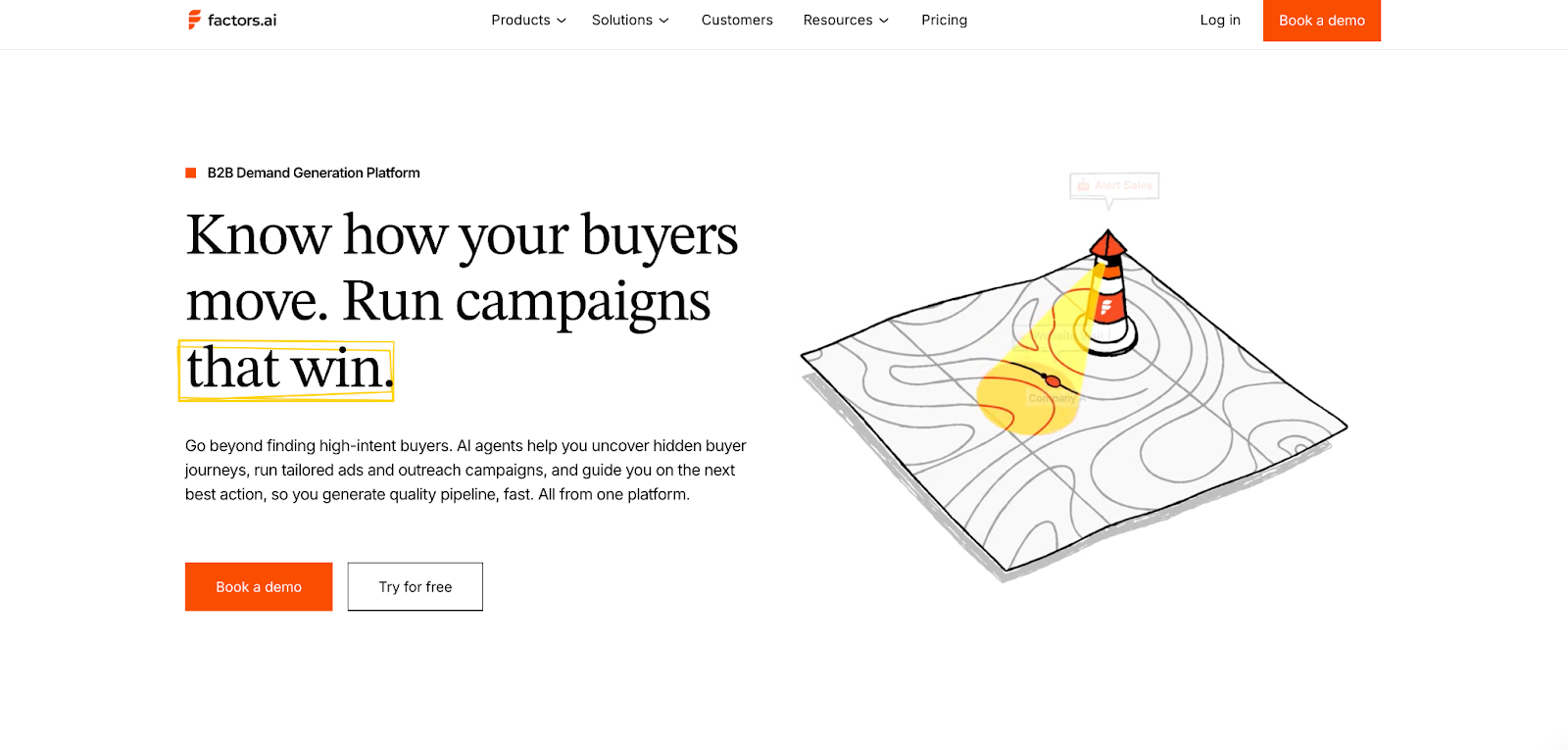
Factors.ai focuses on visibility that drives action.
It brings account and contact intelligence into one ecosystem, showing who is engaging, how they’re progressing, and when it’s time to act.
Key capabilities include:
- Identifying both known and anonymous visitors through enriched data signals.
- Tracking engagement across ads, CRM, and website journeys.
- Scoring accounts and contacts based on intent, fit, and funnel stage.
- Activating campaigns automatically through LinkedIn and Google AdPilot.
- Delivering actionable alerts that guide sales outreach at the right time.
Every feature works toward a single goal, helping GTM teams connect marketing performance to actual revenue movement.
What stands out about Factors.ai is that it treats intent as ‘something that evolves’. A pricing page visit after a demo means something very different from the same visit at the top of the funnel. Factors doesn’t just capture that activity, it contextualises it across the entire account journey.
Vector’s Functionality and Features

Vector defines its value through contact-level precision.
It helps marketers uncover the real people visiting their website, convert anonymous traffic into named contacts, and create highly targeted ad audiences.
Key capabilities include:
- Contact-level website identification and enrichment.
- Audience building for ad platforms like LinkedIn, Google, and Meta.
- Slack notifications when key visitors match ICP filters.
- Focused engagement analytics for tracking visitor behavior.
While Vector excels at revealing who’s behind your website traffic, its scope remains limited to identification and targeting. The absence of deeper analytics, scoring, or automation means GTM teams may still need multiple tools to close the intelligence gap.
Vector might be useful in moments where speed matters. When teams want quick answers to “who is on our site right now?” and “can we reach them with ads immediately?”, its contact-level focus delivers fast wins without a steep setup curve.
Factors.AI vs Vector: Verdict on Functionality & Features
Both tools help marketing teams uncover intent and act on engagement.
However, Factors.ai offers a more complete view, combining identification, analytics, scoring, and activation within one platform.
It not only reveals who is engaging but also connects every touchpoint to why and what’s next.
In short:
Factors.ai = Unified GTM functionality built for revenue action.
Vector = Contact-level precision focused on audience targeting.
If you’ve ever wondered who’s really visiting your website before they fill out a form, you’ll love this detailed guide on how to identify website visitors.
Factors.ai vs Vector: Pricing
Pricing pages often reveal more about a product’s philosophy than its feature list. Some tools optimize for simplicity and quick adoption. Others are built to grow alongside complex GTM teams. You can see that difference clearly in how Vector and Factors.ai structure their plans.
While Vector focuses on straightforward, contact-based tiers for marketers starting with lead identification, Factors.ai uses a structured usage and seat-based model that scales with growing GTM operations.
Here’s how both compare.
Pricing Comparison
| Aspect | Factors.ai | Vector |
|---|---|---|
| Model Type | Usage- and seat-based subscription with clear tiered inclusions. | Contact-based pricing with fixed monthly tiers. |
| Transparency | Public tier details available. | Pricing for “Target” plan available, rest on request. |
| Free Plan | Yes, includes basic company identification and dashboards. | Not available. |
| Starting Price | Contact for pricing. | Starts at $399/month for 2,500 identified visitors. |
| Enterprise Plan | Includes predictive scoring, AdPilot access, and custom integrations. | $3,000/month (annual commitment) for 25 audiences. |
| Scalability | Scales with company size, seats, and identified accounts. | Scales by visitor volume and ad audiences. |
Factors.ai’s Pricing

Factors.ai uses a transparent, tier-based model that adapts as teams grow.
Its plans are designed to fit GTM teams at every stage, from small marketing operations to large enterprises running advanced automation.
The four tiers include:
- Free Plan: 200 identified companies/month, up to 3 seats, starter dashboards, Slack integration.
- Basic Plan: 3,000 companies/month, 5 seats, LinkedIn intent signals, GTM dashboards, HubSpot/Salesforce integrations.
- Growth Plan: 8,000 companies/month, 10 seats, ABM analytics, LinkedIn attribution, G2 intent signals, and workflow automation.
- Enterprise Plan: Unlimited identification, predictive account scoring, Google and LinkedIn AdPilot, Milestones analytics, and dedicated onboarding support.
The model keeps pricing flexible as teams pay for usage and access, not inflated bundles.
It’s straightforward, scalable, and designed for predictability.
Factors’ structure offers predictability. As teams add more motion like ABM, multi-channel attribution, or paid activation, pricing scales with usage rather than forcing an early jump into enterprise-only bundles.
Vector’s Pricing
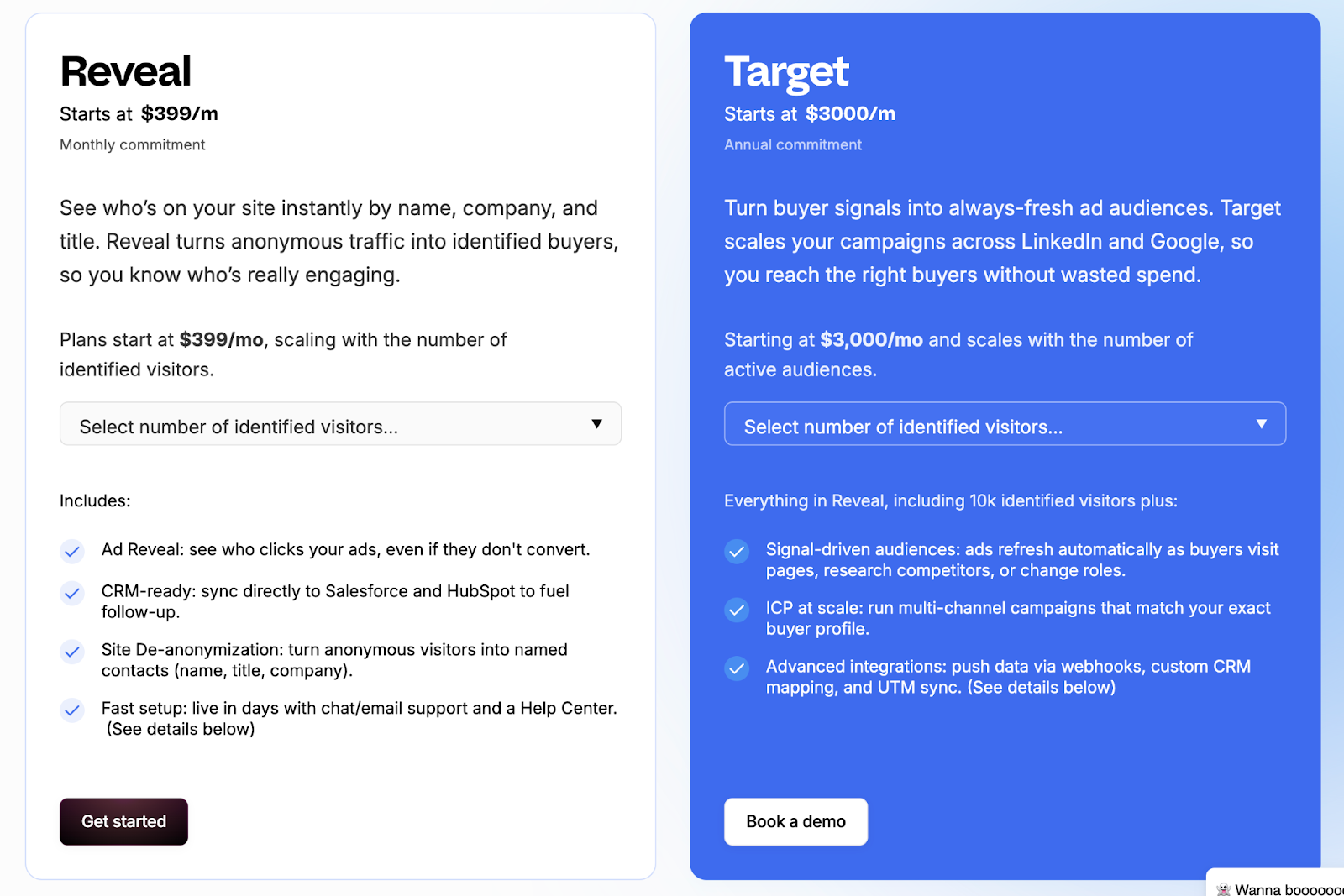
Vector offers simple, contact-focused pricing aimed at marketing teams that prioritize identification and ad targeting.
Its plans are designed for quick onboarding and smaller-scale usage, with fixed limits based on visitor volume and audience count.
The main pricing tiers are:
- Reveal Plan: Starts at $399/month for up to 2,500 identified visitors.
- Target Plan: Starts at $3,000/month (annual commitment) for 25 audiences, offering more precision in targeting and campaign setup.
The structure works well for lean marketing teams looking to turn traffic into named leads without investing in broader analytics or automation systems.
However, it lacks the scalability or flexibility that GTM teams need as they expand.
Vector’s pricing makes sense if identification and audience creation are your primary goals. For lean teams running focused campaigns, fixed tiers can be easier to justify than flexible, usage-based models.
Factors.ai vs Vector: Verdict on Pricing
Both pricing models serve their intended users well.
Vector offers accessible pricing for teams focused on contact-level insights and ad targeting. It’s straightforward but limited in growth potential.
Factors.ai, meanwhile, provides a scalable structure that grows with your GTM maturity, from initial experimentation to enterprise-level orchestration.
It’s transparent, flexible, and built for teams that expect long-term expansion.
In short:
Factors.ai = Tiered, scalable pricing designed for evolving GTM teams.
Vector = Simple contact-based pricing suited for smaller marketing setups.
Before choosing a plan, this ABM platform pricing guide helps you evaluate usage-based vs seat-based models with real examples.
{{INLINE_BOFU}}
Factors.ai vs Vectors: CRM and Integrations
How well a platform connects with your existing tools decides how useful it really is.
Marketing and sales teams work faster when data moves freely between systems, from ads to CRM to analytics.
That’s where the difference between Factors.ai and Vector becomes clear.
CRM and Integration Comparison
| Aspect | Factors.ai | Vector |
|---|---|---|
| CRM Integration | Deep two-way sync with HubSpot, Salesforce, and other CRMs. | Connects with Salesforce and HubSpot for contact syncing. |
| Ad Platforms | Direct integrations with Google, LinkedIn, Facebook, and Bing for activation and reporting. | Supports LinkedIn, Google, and Meta audience syncs. |
| MAP/CDP | Works with Marketo, Segment, and Rudderstack for advanced data flow. | Integrates with MAPs and CDPs, though details are limited. |
| Collaboration Tools | Slack and Microsoft Teams integration for AI Alerts and internal notifications. | Sends Slack notifications when ICP visitors are detected. |
| API & Webhooks | Custom integrations and webhook automations supported. | API support available for select workflows. |
Factors.ai’s CRM and Integrations
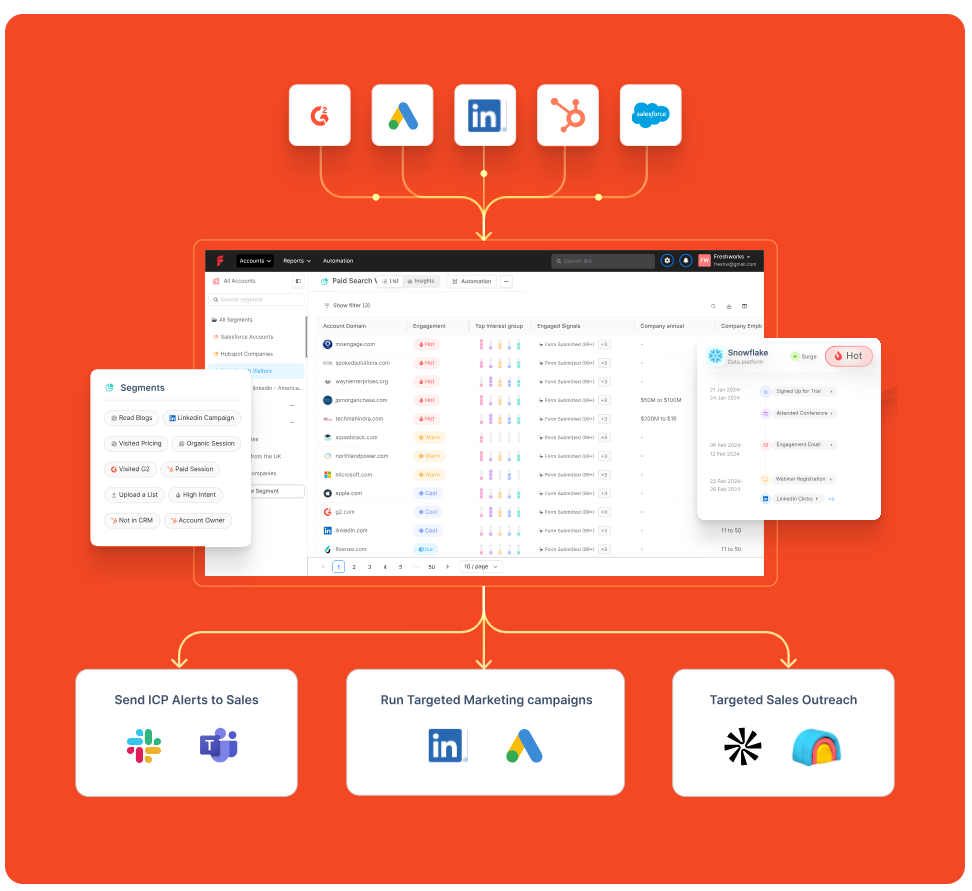
Factors.ai is built to fit neatly into a team’s existing tech stack.
It doesn’t stop at connecting with CRMs and brings together ad data, website activity, and intent signals into one connected view.
Teams can:
- Sync leads and account data directly from HubSpot or Salesforce.
- Track ad campaign results from Google, LinkedIn, and Facebook.
- Use webhooks to push alerts or automate follow-up actions.
- Keep sales teams in the loop with Slack notifications.
One thing GTM teams often underestimate is how much time context switching costs. When website data, CRM updates, and ad performance are managed in different tools, alignment slows. Factors.ai reduces that friction by pulling everything into one operating layer. It saves time and gives both marketing and sales a single source of truth.
Vector’s CRM and Integrations
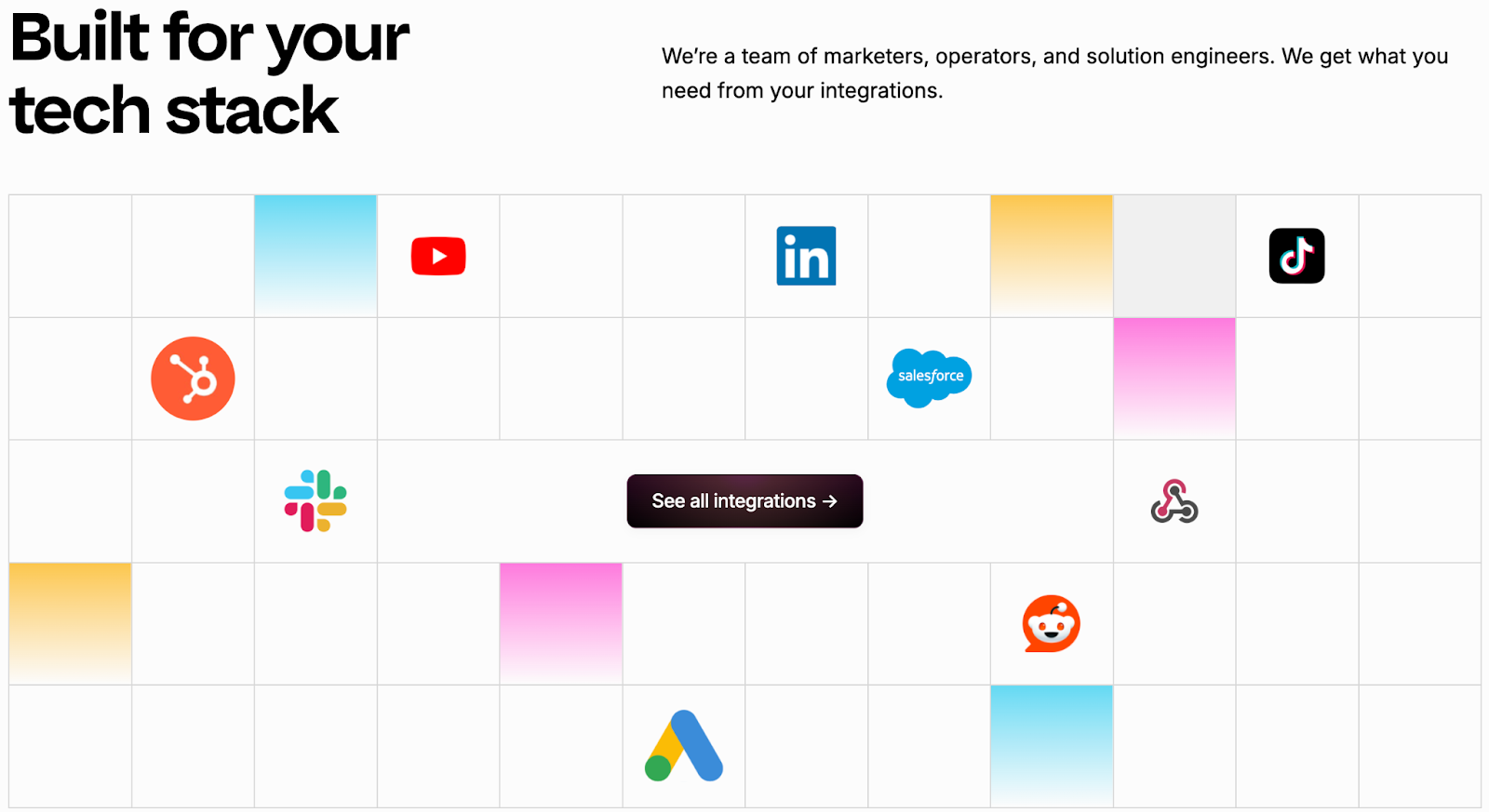
Vector keeps its integrations simple and focused on contact-based data.
Its strength lies in connecting identified visitors and contact lists with popular marketing and ad platforms.
Marketers can:
- Sync identified contacts into Salesforce or HubSpot.
- Build LinkedIn and Google ad audiences using real visitor data.
- Get quick Slack alerts when an ICP visitor appears on the site.
The integrations work well for audience building and outreach, but they stop short of deep analytics or closed-loop measurement. Teams may still need extra tools to connect data between campaigns and revenue.
Factors.ai vs Vector: CRM and Integrations
Both tools connect with core marketing systems, but their focus is different.
Vector helps marketers transfer identified contacts into ads and CRMs quickly.
It’s simple and effective for top-of-funnel targeting.
Factors.ai goes deeper. It connects every tool, syncs real-time intent data, and lets teams act on insights without juggling multiple platforms.
That makes it a better fit for teams that want every part of their funnel including marketing, sales, and analytics, working in sync.
In short:
Factors.ai = Seamless, connected GTM integrations.
Vector = Straightforward contact syncs for ad targeting.
Factors.ai vs Vector: Intent Intelligence and Identification
Knowing who’s interested is one thing. Knowing how serious they are and what stage they’re in is what separates average marketing tools from real GTM intelligence.
Both Vector and Factors.ai help teams identify intent, but they look at it from two different levels.
Vector focuses on people.
Factors.ai looks at the entire buying group behind an account.
Intent and Identification Comparison
| Aspect | Factors.ai | Vector |
|---|---|---|
| Intent Type | Tracks 1st, 2nd, and 3rd party signals. | Focuses mainly on contact-level behavior. |
| Data Depth | Combines web, ad, CRM, and product data to build a complete journey. | Reveals who visited your site and enriches data with basic engagement info. |
| Buying-Group Visibility | Maps multiple decision-makers and their activity. | Identifies individual contacts only. |
| AI Scoring | Scores accounts by intent strength and ICP fit. | No AI scoring model publicly mentioned. |
| Funnel Tracking | Shows progression with Milestones, from awareness to conversion. | Basic engagement view, no funnel-level tracking. |
Factors.ai’s Intent Intelligence and Identification
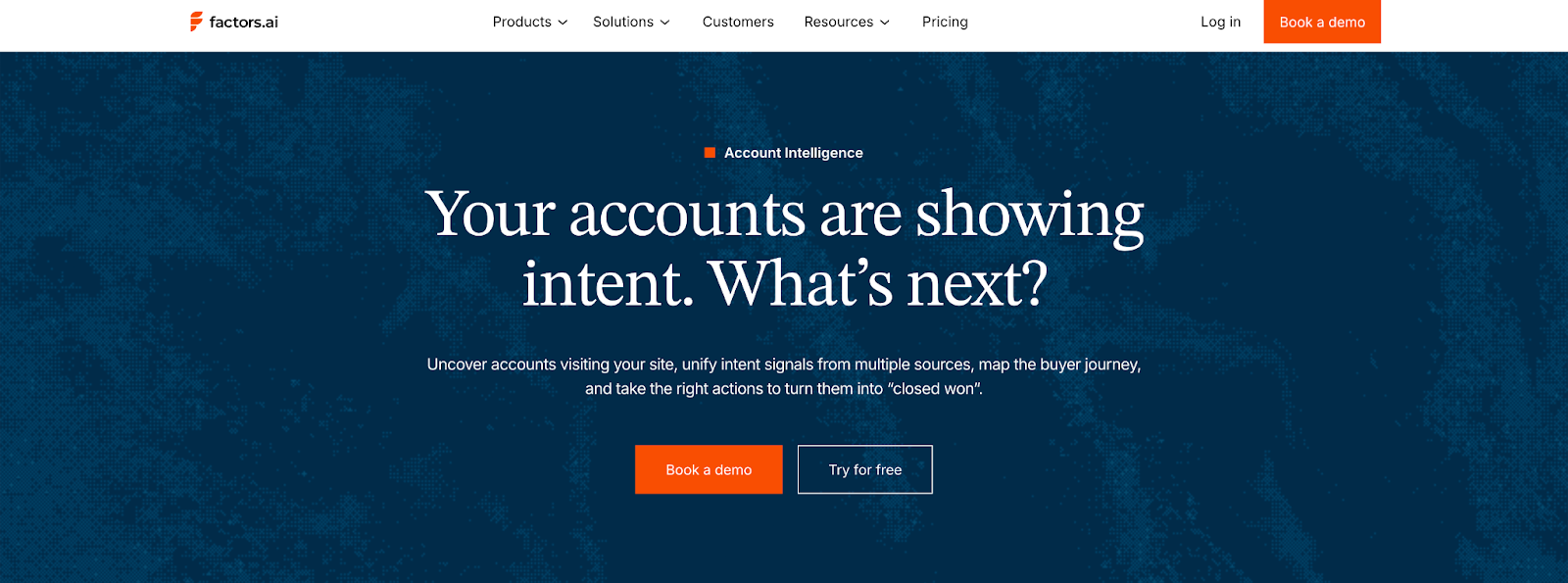
Factors.ai doesn’t just detect intent and reads the full story behind it.
Its system captures signals from your website, ads, CRM, and product touchpoints, then connects them to the right accounts.
Here’s what makes it stand out:
- Tracks how buying interest builds across different channels.
- Scores accounts based on intent strength and engagement type.
- Identifies multiple people within an account to uncover buying groups.
- Uses Milestones to show how each interaction moves an account closer to revenue.
For marketing and sales teams, this means less guessing and more focused outreach.
Instead of reacting to clicks, they can act on clear buying intent from real accounts that are ready to engage.
Vector’s Intent Intelligence and Identification
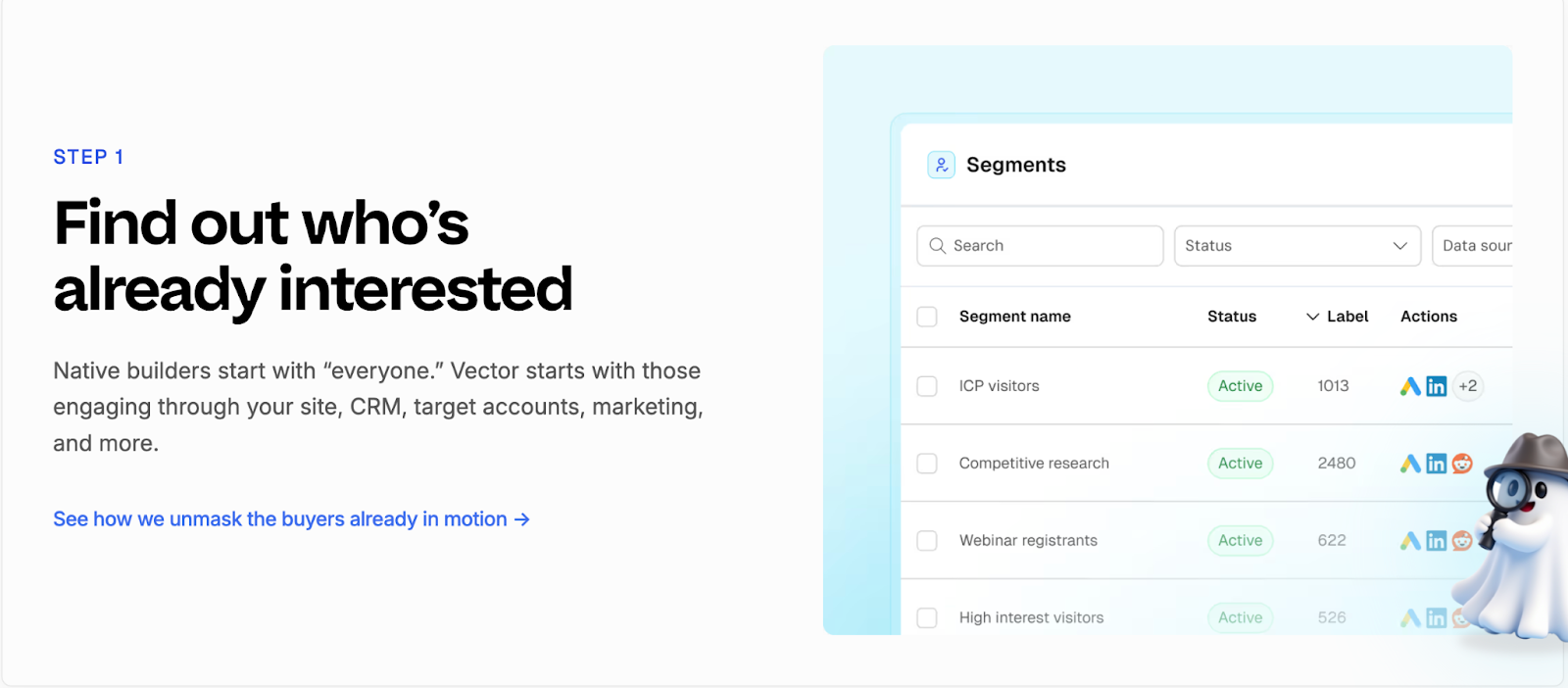
Vector focuses on identifying the individuals behind website traffic.
It turns anonymous visitors into named contacts, complete with company and role details, so marketers can reach out faster.
Its strength lies in contact-level clarity. Teams can see exactly who visited their pages, which content they viewed, and how often they returned.
Vector also enriches this data with off-site intent signals to identify relevant contacts earlier in their research journey.
While this precision helps create targeted ad audiences, the scope ends there. Vector doesn’t map the larger buying group or track multi-channel engagement, which limits visibility into how intent turns into actual pipeline movement.
Factors.ai vs Vector: Verdict on Intent Intelligence & Identification
Vector shines in helping marketers uncover individual leads quickly. It’s a strong fit for teams that prioritize contact-level targeting and ad activation.
Factors.ai, however, delivers a broader picture, connecting people, accounts, and signals into one view. Its ability to track every step of a buying journey gives GTM teams a clear advantage when aligning marketing and sales.
In short:
Factors.ai = Full-funnel intent intelligence built around buying groups.
Vector = Contact-level insights for faster audience targeting.
If account prioritization interests you, check this practical account scoring guide to learn how AI-based scoring works across GTM stacks.
Factors.ai vs Vector: Ad Activation and Audience Targeting
Once you’ve identified the right audience, the next step is making sure your ads reach them when they’re most likely to respond.
Both Factors.ai and Vector handle this well, though in very different ways.
Vector focuses on contact-level targeting and manual precision.
Factors.ai focuses on automation and smart activation that adapts in real time.
Ad Activation and Audience Targeting Comparison
| Aspect | Factors.ai | Vector |
|---|---|---|
| Ad Channels | LinkedIn and Google Ads with AdPilot; supports audience sync and conversion feedback. | LinkedIn, Google, and Meta. |
| Audience Updates | Automatically refreshes audience lists based on engagement and funnel stage. | Manual or scheduled updates depending on the plan. |
| Campaign Automation | Dynamic ad activation using real-time intent data. | Audience setup is supported, but activation is manual. |
| Budget Optimization | Uses conversion API data to focus spend on high-intent accounts. | Helps reduce waste by targeting visitors showing contact-level intent. |
| Funnel Alignment | Creates stage-specific campaigns for awareness, consideration, and decision. | No native feature for funnel-based ad sequencing. |
Factors.ai’s Ad Activation and Audience Targeting
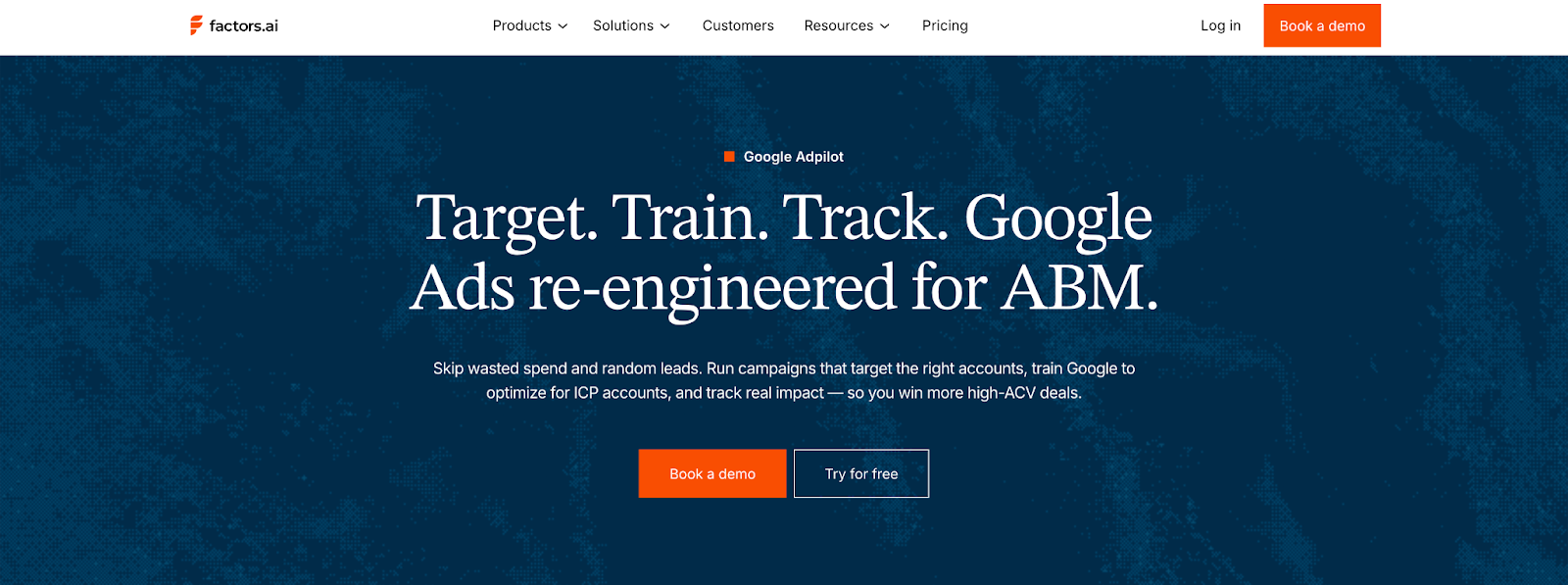
Factors.ai brings automation and accuracy together to simplify ad activation.
It ensures every campaign is aligned with live intent data and optimized automatically for performance.
Key highlights:
- Syncs audiences from CRM, website, or product data.
- Keeps lists updated daily with the latest engagement signals.
- Builds funnel-specific campaigns for better alignment.
- Sends conversion data back to Google and LinkedIn for ongoing optimization.
Every part of the process is designed to save time and make marketing spend more predictable.
Teams can focus on strategy instead of manually updating lists or tracking conversions across tools.
Vector’s Ad Activation and Audience Targeting
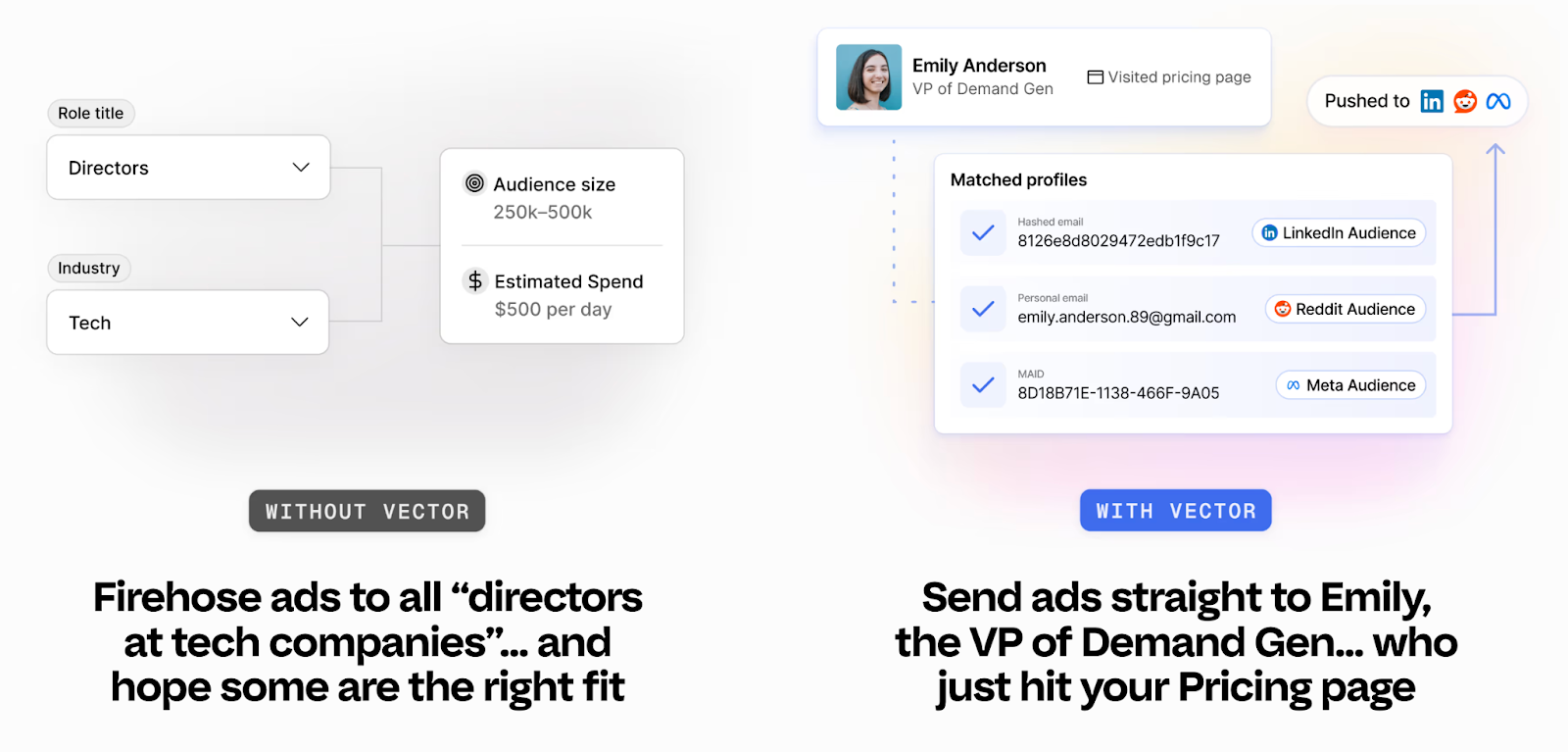
Vector takes a more hands-on route to audience activation.
It’s built for marketers who prefer direct control over targeting and ad execution.
Notable capabilities:
- Creates precise audience lists using contact-level identification.
- Syncs audiences to LinkedIn, Google, and Meta quickly.
- Targets visitors showing specific behavioral or intent patterns.
- Reduces wasted ad spend by focusing on verified, high-value contacts.
Vector’s audience controls are reliable and easy to use, especially for teams that prefer working directly inside ad platforms.
The only limitation is its manual workflow as marketers need to update audiences and optimize pacing on their own, which can slow down execution at scale.
Factors.ai vs Vector: Verdict on Ad Activation and Audience Targeting
Vector gives marketers accuracy and control.
It’s well suited for smaller or mid-size teams running targeted, hands-on campaigns.
Factors.ai, on the other hand, brings automation to every part of the process, from identifying active accounts to refreshing audiences and syncing conversion data.
It helps teams run smarter campaigns with less manual effort.
In short:
Factors.ai = Automated ad activation with live intent and funnel targeting.
Vector = Manual control for teams focused on contact-level precision.
Factors.ai vs Vector: Analytics and Funnel Insights
Once campaigns are live, the real work begins, understanding what’s driving results.
Analytics turn actions into clarity. Without them, you’re just guessing which campaigns work and which ones don’t.
Both Vector and Factors.ai offer reporting tools, but they serve very different needs.
Vector helps you see engagement at the contact level.
Factors.ai helps you connect every touchpoint to actual revenue.
Analytics and Funnel Insights Comparison
| Aspect | Factors.ai | Vector |
|---|---|---|
| Data Scope | Tracks full-funnel data across website, ads, CRM, and product usage. | Focuses on visitor and contact engagement metrics. |
| Funnel Tracking | Milestones show progression through awareness, engagement, and conversion. | No funnel-level tracking or conversion mapping. |
| Attribution | Multi-touch attribution connecting campaigns to revenue outcomes. | Limited to engagement-based reporting. |
| Visualization | Account360 dashboards visualize all touchpoints for each account. | Engagement dashboards for contact activity and ad performance. |
| Custom Reports | Supports up to 300 custom reports on higher tiers. | Basic reports on contact behavior and ad results. |
Factors.ai’s Analytics and Funnel Insights
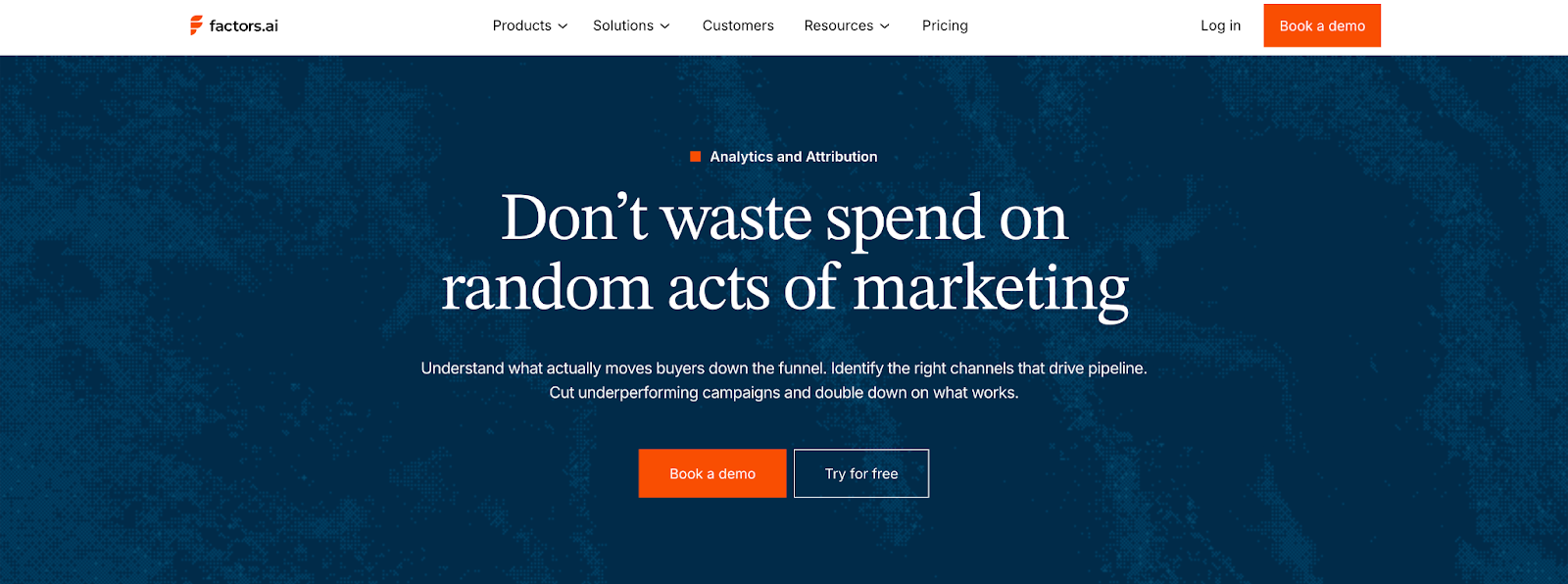
Factors.ai treats analytics as the backbone of demand generation.
It measures clicks or impressions but goes beyond that and maps how accounts actually move through the funnel and contribute to the pipeline.
Key features include:
- Milestones: Tracks how accounts progress from interest to opportunity.
- Account360: Brings all engagement data into one dashboard for complete visibility.
- Multi-touch attribution: Connects campaigns to revenue with proof of impact.
- Segment-level analysis: Lets teams compare channels, campaigns, and cohorts easily.
- Custom dashboards: Helps different teams like marketing, sales, leadership see the metrics that matter most.
This depth helps GTM teams understand why things work, not just what worked.
It connects marketing effort directly to business outcomes, making optimization more strategic and measurable.
Vector’s Analytics and Funnel Insights
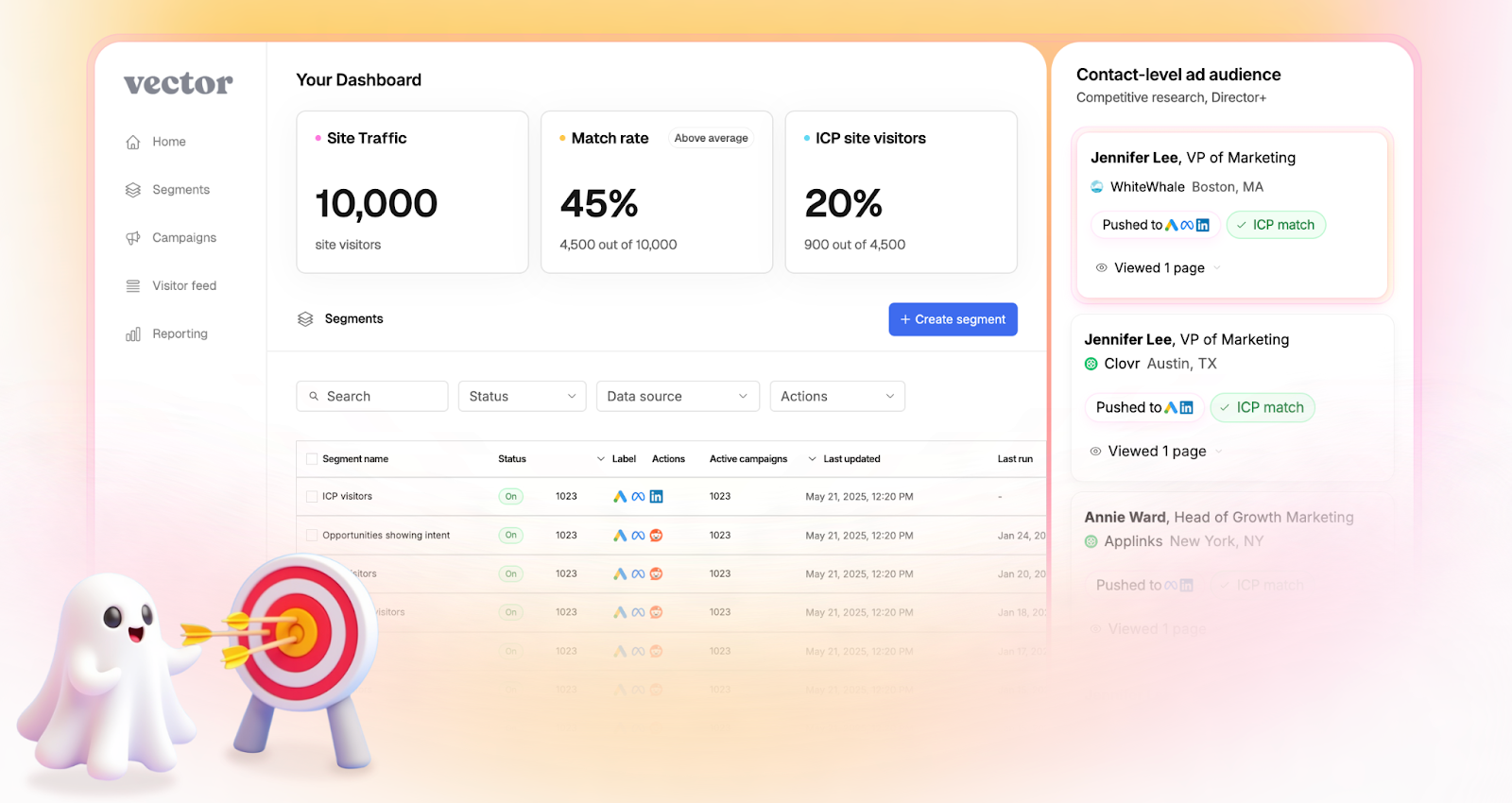
Vector keeps its analytics focused on engagement clarity.
Its reports help marketers understand who’s interacting with their site and how those visitors behave before conversion.
Notable analytics capabilities:
- Tracks visitor sessions and engagement by page or campaign.
- Shows top-performing audiences for ad targeting.
- Provides metrics for impressions, clicks, and return visits.
- Highlights which ICP visitors are most active.
This focus gives teams a straightforward view of campaign traction and audience quality.
However, it stops short of full-funnel insights as once leads are passed to sales or move into CRM, tracking becomes disconnected.
Factors.ai vs Vector: Verdict on Analytics & Funnel Insights
Vector delivers clear engagement analytics that help marketers understand visitor behavior.
It’s simple, fast, and fits teams that want to optimize ads and audiences without deep analytics setup.
Factors.ai, in comparison, brings end-to-end visibility.
Its analytics link marketing data, sales activity, and revenue outcomes in one place, giving teams the clarity to scale intelligently.
In short:
Factors.ai = Full-funnel analytics with revenue attribution.
Vector = Engagement insights focused on contact activity.
If you want to know how to connect CRM and ad systems efficiently, this CRM workflow automation guide walks through live examples.
Factors.ai vs Vector: Alerts and Real-Time Sales Enablement
Timing often decides whether interest turns into a sale.
When a potential customer revisits your site, downloads a resource, or reopens a demo page, that moment can be the difference between engagement and a lost deal.
That’s why real-time alerts and enablement tools matter.
They keep sales teams connected to buyer activity the instant it happens.
Both Vector and Factors.ai include alerting features, but their depth and context differ.
Alerts and Real-time Sales Enablement Comparison
| Aspect | Factors.ai | Vector |
|---|---|---|
| Notification Type | AI-powered, contextual alerts. | Basic notifications based on visitor activity. |
| Delivery Channels | Slack, email. | Slack. |
| Context in Alerts | Includes who, what, and why for e.g., form drop-offs, post-demo revisits, deal activity. | Identifies the visitor and page visited. |
| Sales Readiness Signals | Highlights intent level and funnel stage. | Shows contact interest without stage mapping. |
| Automation | Triggers workflows for follow-ups or campaign retargeting. | Manual response needed. |
Factors.ai’s Alerts & Real-Time Sales Enablement
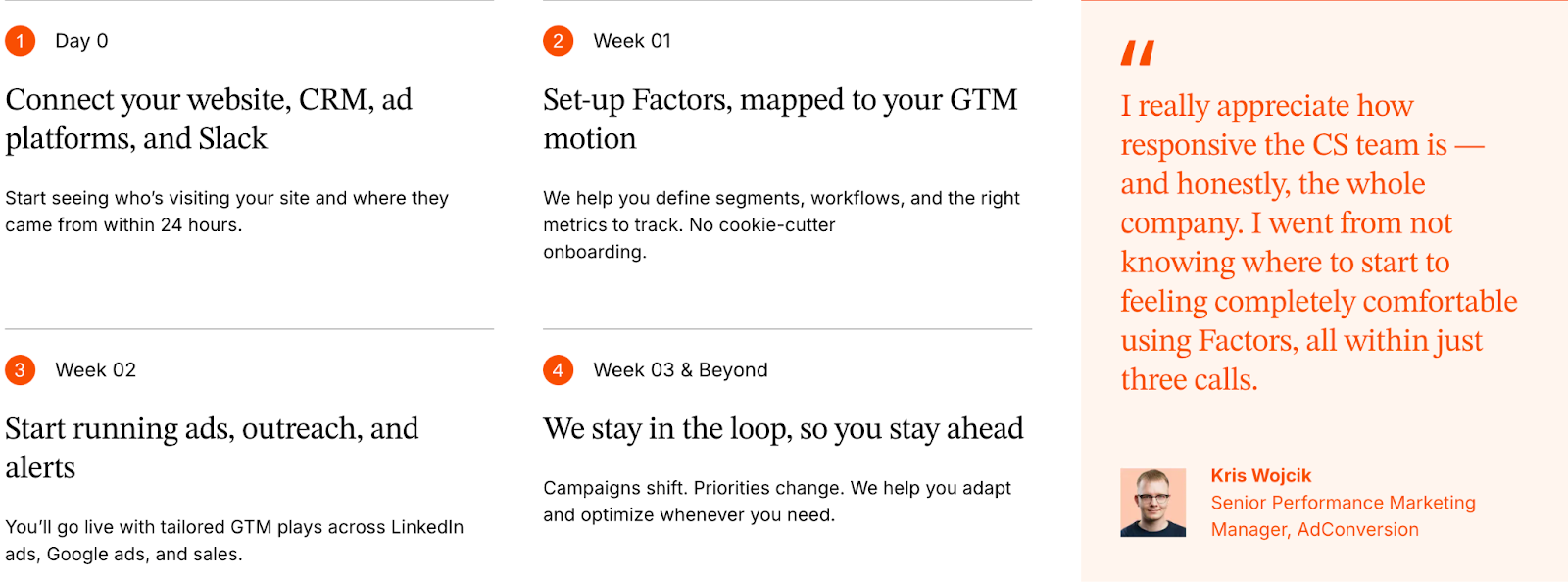
Factors.ai builds alerts around action, not just activity.
Each alert is tied to context that helps sales teams understand why a lead is engaging and how to respond.
Key features include:
- Sends instant notifications for high-value actions such as demo page revisits or pricing views.
- Shows full context like who the contact is, what they did, and how engaged their account is.
- Helps teams prioritize follow-ups by highlighting the funnel stage and buying intent.
- Triggers workflows, like adding the lead to retargeting campaigns or notifying account owners instantly.
These alerts work like a live bridge between marketing signals and sales motion.
Instead of waiting for weekly reports, teams act while interest is still fresh.
Vector’s Alerts & Real-Time Sales Enablement
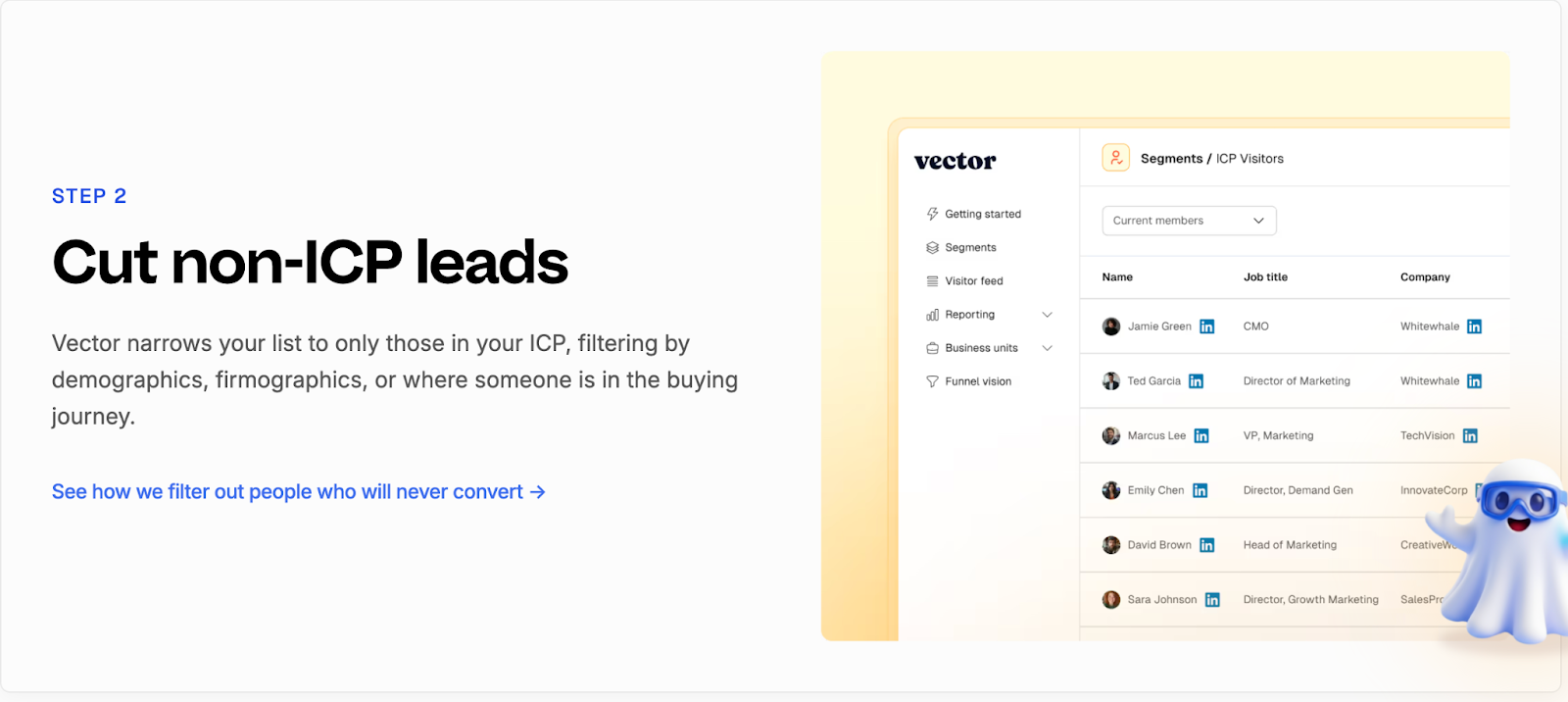
Vector keeps its alerting simple and focused on visibility.
It helps teams stay informed when an ICP visitor lands on key pages or returns to the site.
Its capabilities include:
- Sends notifications to Slack when a qualified visitor is identified.
- Shares basic visitor information such as company, role, and page viewed.
- Helps sales reps spot potential opportunities earlier.
- Encourages quick outreach to active visitors.
The simplicity works for teams that want instant awareness but don’t need deeper analytics or automation.
However, alerts in Vector stop at “who” and “where.”
The “why,” or what to do next, still relies on manual interpretation.
Factors.ai vs Vector: Verdict on Alerts & Sales Enablement
Vector provides quick visibility into visitor activity, which is helpful for smaller teams that rely on manual follow-ups.
It’s simple, direct, and easy to set up.
Factors.ai, however, connects each alert to real buying intent.
By combining context, automation, and funnel insight, it turns notifications into guided actions for sales teams.
In short:
Factors.ai = Smart alerts that drive timely, informed outreach.
Vector = Simple activity alerts for faster awareness.
Factors.ai vs Vector: Support and Ease of Use
As much a platform’s value is in its features, it’s also in how quickly teams can get started and how smoothly they can use it day to day.
Support, onboarding, and usability decide whether a tool feels like an asset or another burden to manage.
Both Factors.ai and Vector are designed for marketing teams, but their approaches to setup and support differ.
Support and Ease of Use Comparison
| Aspect | Factors.ai | Vector |
|---|---|---|
| **Onboarding** | Guided onboarding with setup assistance and training. | Quick setup using pixel-based installation. |
| **Ease of Setup** | Integrations and tracking can be enabled within days. | Instant setup for identification features. |
| **Support Access** | Slack, helpdesk, and dedicated CSM support for higher tiers. | Email and Slack-based assistance. |
| **Learning Curve** | Streamlined dashboard with guided walkthroughs. | Simple UI but limited in-depth guidance. |
| **Ongoing Assistance** | Weekly GTM syncs and campaign reviews. | Self-serve help and basic troubleshooting. |
Factors.ai’s Support and Ease of Use
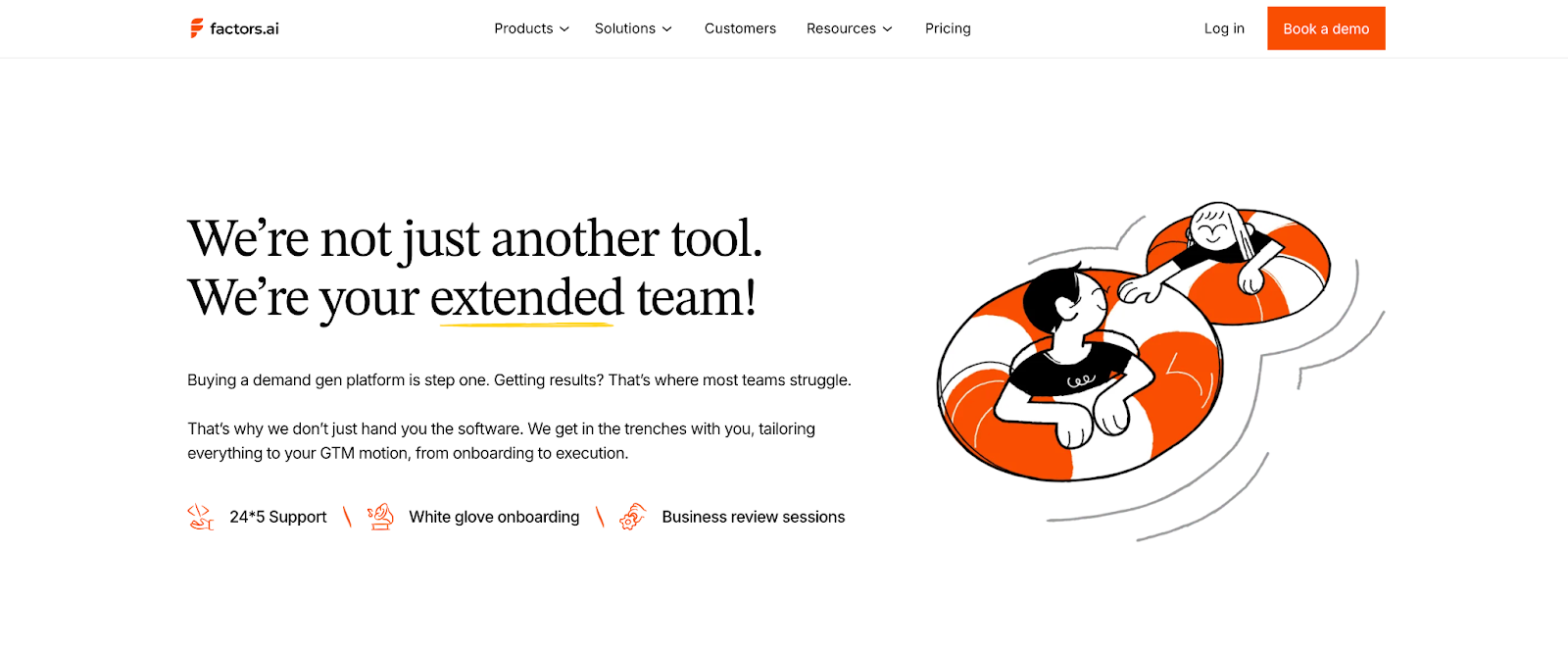
Factors.ai puts strong emphasis on collaboration during onboarding.
It’s built to help GTM teams get up and running quickly, without needing heavy technical support.
Key highlights:
- Step-by-step onboarding with guidance from product specialists.
- Dedicated customer success manager for Growth and Enterprise plans.
- Direct Slack support for quick queries or troubleshooting.
- Regular sync sessions to review campaigns and performance.
- Easy-to-use dashboard that feels intuitive even for new users.
This structure helps teams start fast and grow confidently, especially when multiple departments are involved.
Vector’s Support and Ease of Use
Vector focuses on simplicity and speed.
Its setup is lightweight, making it easy for teams to start identifying visitors and syncing data almost immediately.
Main strengths include:
- Quick installation using a single website pixel.
- Straightforward dashboard for visitor insights and contact lists.
- Slack and email-based support for basic assistance.
- Fast adoption for small teams with limited technical involvement.
While Vector is easy to set up, its support model is more self-directed.
Larger teams may need to rely on internal resources when troubleshooting or scaling integrations.
Factors.ai vs Vector: Verdict on Support & Ease of Use
Vector wins on simplicity as it’s fast to install and easy to understand, especially for smaller teams.
It’s the kind of setup you can complete in a day and start seeing results soon after.
Factors.ai, on the other hand, provides more structure and partnership.
Its dedicated support, guided onboarding, and ongoing collaboration make it a better fit for teams that want long-term reliability and shared growth.
In short:
Factors.ai = Guided onboarding and hands-on support for scalable teams.
Vector = Quick setup and simple workflows for smaller teams.
For teams evaluating vendor security frameworks, see analytics and attribution, which outlines how Factors.ai handles certification and data governance.
Factors.ai vs Vector: Security and Compliance
Data security is one of those things teams rarely think about until something goes wrong.
But when you’re handling customer information, CRM data, and campaign insights, security is a requirement.
Both Factors.ai and Vector take security seriously.
Each has built safeguards into their systems, though the level of transparency and certification differs.
Security and Compliance Comparison
| Aspect | Factors.ai | Vector |
|---|---|---|
| Certifications | ISO 27001, SOC 2 Type II, GDPR, CCPA compliant. | GDPR compliant; third-party audit by Aikido Security. |
| Hosting | Google Cloud Platform (SOC 1, 2, 3 compliant data centers). | Hosted in the EU on Google Cloud and Fly.io. |
| Data Encryption | AES-256 encryption at rest and TLS encryption in transit. | AES-256 encryption at rest and TLS-secured data transfer. |
| Access Control | Role-based permissions, two-factor authentication, and logged access trails. | Access restricted to whitelisted IPs and authorized personnel. |
| Incident Response | Formal response plan led by a Data Protection Officer. | Internal incident response and recovery policy. |
| Data Location | Stored and processed in GCP’s US zones. | Stored and processed in EU regions. |
Factors.ai’s Security and Compliance

Factors.ai maintains enterprise-grade security standards built around transparency and control.
Its infrastructure, hosted on Google Cloud Platform, is backed by industry certifications and strong internal policies.
Key security practices:
- Encrypts all customer data both in transit and at rest.
- Uses strict access management through IAM roles and two-factor authentication.
- Follows a defined incident response and recovery plan led by a Data Protection Officer.
- Backs up customer data regularly in multiple geographic locations.
- Adheres to GDPR and CCPA frameworks with full documentation available.
The result is a clear, auditable security model.
Customers know where their data is stored, who can access it, and how it’s protected.
Vector’s Security and Compliance
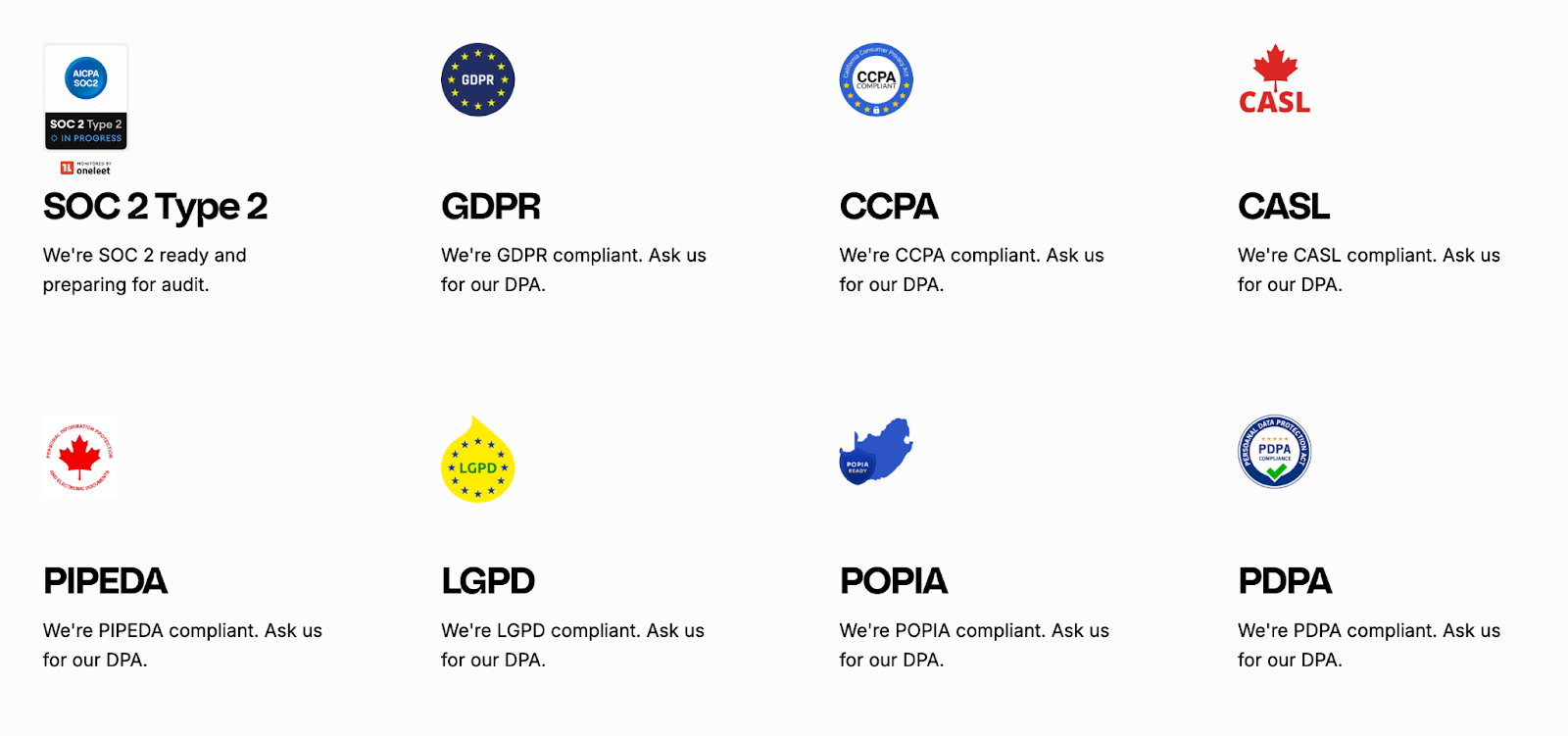
Vector follows secure data practices designed to align with global privacy regulations, including the GDPR, CCPA, CASL, PIPEDA, LGPD, POPIA, and PDPA.
The platform emphasizes transparency and accountability, particularly for teams handling customer data responsibly.
Key measures include:
- Preparing for SOC 2 Type 2 compliance, reflecting commitment to high security and operational standards.
- Supporting GDPR compliance and offering Data Processing Agreements (DPA) to customers upon request.
- Operating with strong privacy safeguards across multiple regions, while being transparent about its U.S.-based infrastructure.
- Using industry-standard encryption and security controls (specific encryption standards are not publicly detailed).
Vector’s privacy framework shows an active effort to meet major international data-protection laws.
Factors.ai vs Vector: Verdict on Security & Compliance
Both tools handle data responsibly and maintain solid privacy standards.
Vector aligns with major frameworks like GDPR and CCPA, offers DPAs on request, and is preparing for SOC 2 Type 2 compliance. While its infrastructure is primarily U.S.-based and lighter on certifications, its transparency and privacy focus make it reliable for teams needing straightforward compliance.
Factors.ai adds stronger credentials with global certifications, defined access controls, and incident management which is ideal for organizations seeking enterprise-level assurance.
In short:
- Factors.ai = Certified and enterprise-ready.
- Vector = Transparent and GDPR-aligned, but lighter on formal proof.
Factors.ai vs Vector: Overall Verdict and Recommendations
Both Factors.ai and Vector solve one of marketing’s toughest problems: understanding who’s engaging and how to act on it.
But they take very different routes to get there.
Vector is built for precision at the contact level.
Factors.ai is built for visibility across the entire buying journey.
Factors.ai vs Vector: Comparison Recap
| Category | Best Fit | Reason |
|---|---|---|
| Intent & Identification | Factors.ai | Combines account, contact, and signal-based intent for full-funnel clarity. |
| Ad Activation | Factors.ai | Automates campaign syncs and optimizations across LinkedIn and Google. |
| Analytics & Reporting | Factors.ai | Tracks complete funnel performance and connects activity to revenue. |
| Alerts & Enablement | Factors.ai | Sends context-rich alerts that drive real-time sales actions. |
| Support & Ease of Use | Vector | Simple setup and easy adoption for small marketing teams. |
| Security & Compliance | Factors.ai | Backed by ISO, SOC, and GDPR certifications. |
| Pricing | Depends on scale | Vector suits lean budgets; Factors.ai scales with growing GTM teams. |
Why You’d Choose Factors.ai
- Brings everything like intent, analytics, and activation, into one connected system.
- Automates campaigns and alerts, reducing manual work for GTM teams.
- Tracks performance from first engagement to closed revenue.
- Offers structured onboarding, deep integrations, and strong data protection.
It’s best suited for teams that want to grow with data, not just react to it.
Why You’d Choose Vector
- Helps identify real people visiting your website.
- Builds accurate, ready-to-use audiences for ad platforms.
- Simple, quick setup that delivers results fast.
- Works well for small teams focused on contact-level targeting.
It’s a strong fit for marketers who want actionable insights without the need for complex setup or analytics depth.
FAQs for Factors.ai vs Vector
Q. What is the main difference between Factors.ai and Vector?
The biggest difference lies in scope.
Vector focuses on identifying individual people behind website visits and turning them into usable ad audiences. Factors.ai looks at the entire account journey, connecting website intent with ads, CRM activity, sales engagement, and revenue outcomes in one unified view.
Q. Is Factors.ai only meant for large enterprise teams?
No. Factors.ai is built to scale, but it’s not limited to enterprises.
Smaller and mid-size B2B teams often start with basic identification and dashboards, then grow into features like account scoring, attribution, and automated ad activation as their GTM motion matures.
Q. Is Vector a replacement for a full GTM analytics platform?
Not really.
Vector works well as an identification and audience-building tool, especially at the top of the funnel. Most teams using Vector alongside CRMs and ad platforms still rely on additional tools for funnel analytics, attribution, and revenue tracking.
Q. Which tool is better for account-based marketing (ABM)?
Factors.ai is better suited for ABM.
It tracks buying groups, scores accounts by intent and fit, and shows how engagement progresses across the funnel. Vector operates primarily at the contact level and doesn’t offer native account-level or buying-group visibility.
Q. Can both tools identify anonymous website visitors?
Yes, but in different ways.
Vector focuses on converting anonymous visits into named contacts. Factors.ai identifies anonymous visitors at the account level first, then enriches them with intent, engagement, and CRM context to guide next actions.
Q. Does Factors.ai support ad activation and automation?
Yes.
Factors.ai includes AdPilot, which automatically syncs audiences to LinkedIn and Google, refreshes them based on live intent signals, and sends conversion data back to ad platforms for optimization. Vector supports audience sync but relies more on manual activation.
Q. Which platform offers better analytics and reporting?
Factors.ai offers deeper analytics.
It provides full-funnel visibility, Milestones tracking, multi-touch attribution, and Account360 dashboards that connect marketing activity directly to revenue. Vector’s analytics are focused on engagement and visitor activity rather than pipeline outcomes.
Q. Is Vector easier to set up than Factors.ai?
Yes, generally.
Vector’s setup is lightweight and fast, usually involving a simple pixel installation. Factors.ai takes slightly longer to implement but offers guided onboarding and deeper integrations that support long-term GTM workflows.
Q. How do alerts differ between Factors.ai and Vector?
Vector sends basic alerts when an ICP visitor is identified.
Factors.ai sends context-rich, AI-powered alerts that include intent level, funnel stage, and recommended actions, helping sales teams prioritize outreach more effectively.
Q. Which tool should I choose if my team is just starting with intent data?
If your goal is quick visibility into who’s visiting your site and building targeted ad audiences, Vector is a strong starting point.
If you’re planning to align marketing, sales, and revenue data into one system as you grow, Factors.ai offers a more future-ready foundation.

See how Factors can 2x your ROI
Boost your LinkedIn ROI in no time using data-driven insights



.avif)



See Factors in action.
Schedule a personalized demo or sign up to get started for free
LinkedIn Marketing Partner
GDPR & SOC2 Type II






.svg)



.avif)

