.svg)

.avif)
Factors vs HockeyStack: Which ABM platform wins?
Choosing the right intent data or ABM platform is never as straightforward as it seems. On the surface, tools often look alike: overlapping features, similar promises, familiar dashboards.
But if you’ve ever sat in a pipeline meeting, you know the real question is about momentum.
- How are the current channels contributing to lead generation?
- How seamlessly can they move from anonymous visitor to active opportunity?
- How confidently can they prove which efforts are driving the real pipeline?
That’s the lens through which we’ll look at HockeyStack and Factors. Two strong platforms, both aiming to give revenue teams more clarity and control. The details of how they help you get there, that’s where the difference reveals itself.
Factors vs HockeyStack: Features and Functionalities
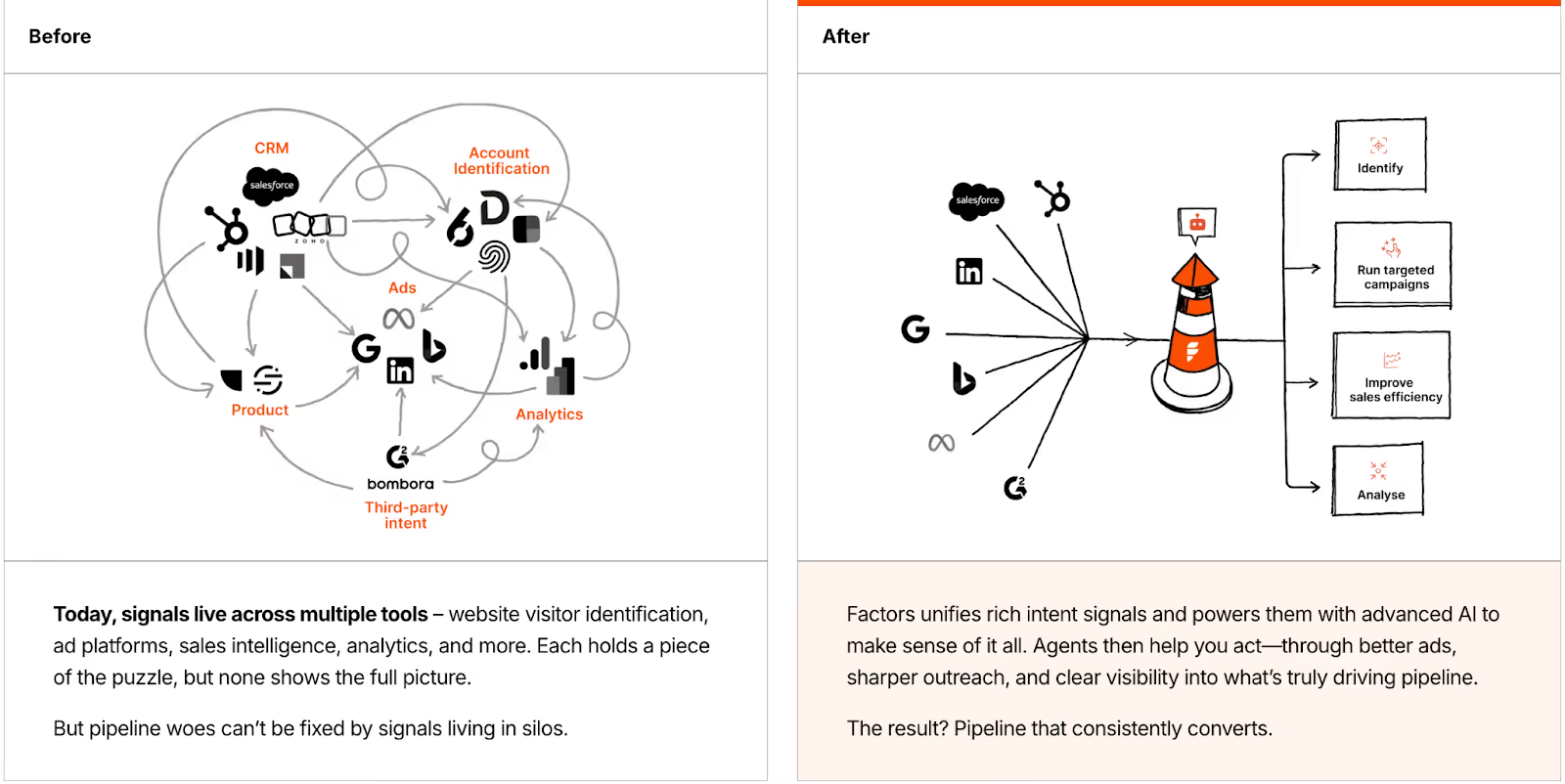
When teams evaluate platforms like HockeyStack and Factors, the first question is always the same: Can this tool actually give me a complete picture of my accounts and how they buy? The strength of a GTM intelligence platform isn’t just about collecting data, but in how that data can be stitched together to tell a useful story.
Both HockeyStack and Factors deliver on the essentials: account identification, journey timelines, segmentation, and scoring, but the depth of what you can do with these capabilities is where things get interesting.
Factors Features and Functionalities
- Bundled account identification
No separate license needed, intent data is available out of the box. Makes it easier to get teams aligned without extra add-ons. - Richer data foundation
Goes beyond 1st and 3rd party signals by bringing in 2nd party data too. That additional layer means a fuller picture of the buying committee. - Advanced scoring with time-weighted signals
Allows you to not only score accounts, but weigh actions differently and define tiers (hot, warm, ice) across longer cycles, up to 180 days. Perfect for complex, enterprise sales where interest builds slowly. - Multi-touchpoint segmentation
Instead of just filtering based on actions, you can group accounts by the full range of interactions across channels. Makes it easier to answer questions like: “Which accounts engaged with both LinkedIn ads and webinar content before booking a demo?”
Why This Matters for Teams
- Marketing leaders can use these capabilities to understand which campaigns are shaping real opportunities, and prove it with journey timelines.
- SDRs and AEs can prioritize outreach based on weighted scores, so they don’t waste time chasing accounts that are cooling off.
- RevOps teams optimize spend and reallocate budget where intent is actually converting.
HockeyStack Features and Functionalities
- Account intelligence powered by 1st & 3rd party data
Gives GTM teams visibility into who’s engaging and from where. Great for building top-of-funnel awareness and spotting early intent. - Granular segmentation tools
Filters across dashboards, goals, and properties allow analysts to cut data in multiple ways. For a data-heavy team, this flexibility is powerful. - Custom scoring options
Lets you define what intent looks like by combining firmographic data with behavior signals. Ideal if you want a scoring model tailored to your ICP. - Journey timelines
Clear visual paths of how accounts interact across touchpoints. A good starting point for mapping patterns of buying behavior.

Factors vs HockeyStack: Pricing & Accessibility
Pricing is often one of the first things revenue teams evaluate when considering a GTM platform. Beyond cost, pricing structures reveal how well a tool scales with a team’s growth and usage needs. The right structure ensures that as your GTM operations expand, the platform continues to deliver value without creating friction.
Factors Pricing
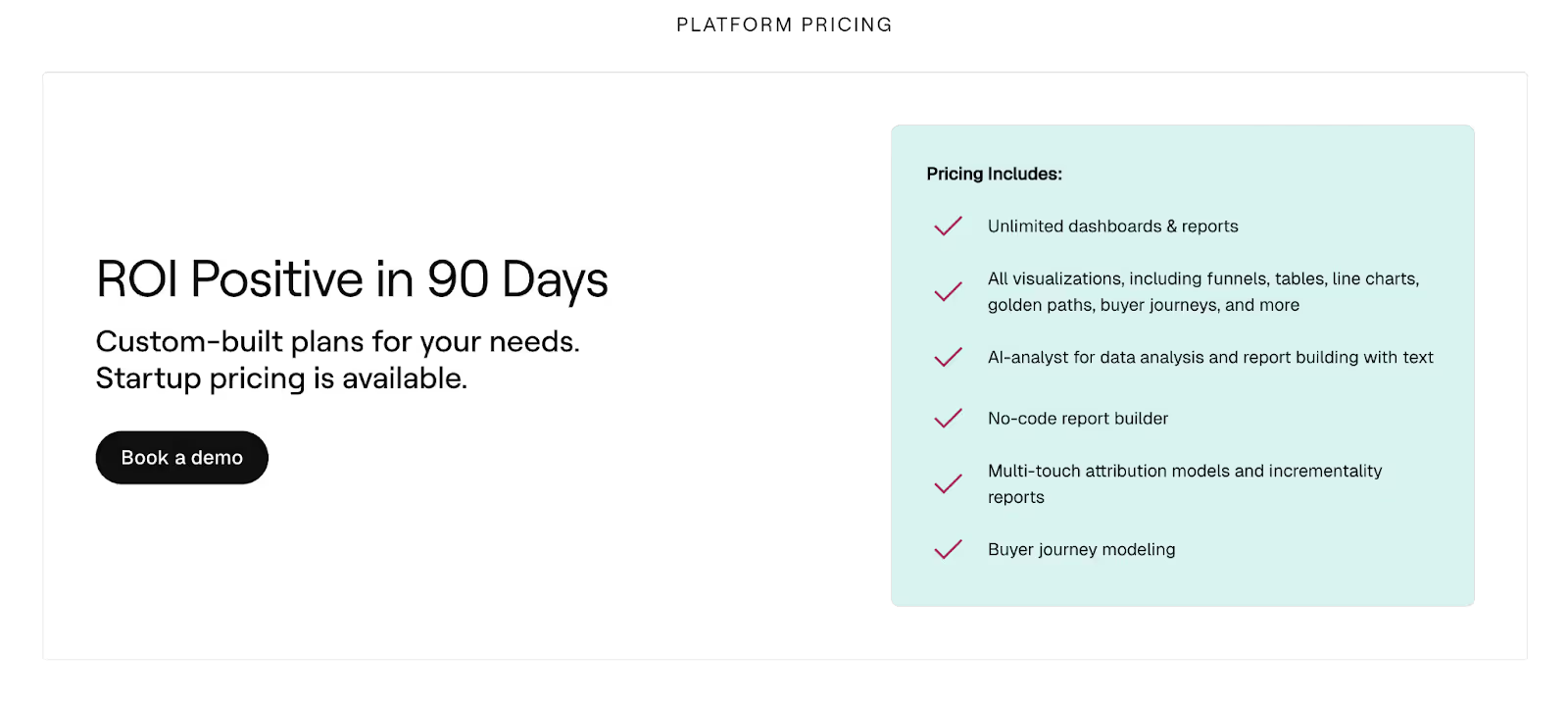
Factors organizes its plans around usage, seats, and feature depth, letting teams start small and scale effectively:
- Free Plan
- Designed for exploration: start tracking which companies visit your website
- Analyze basic website traffic
- Set up Slack/MS Teams alerts
- Basic Plan
- Everything under Free, plus:
- Unmask over 75% of companies visiting your website
- Segment accounts using firmographic & behavioral filters
- Track how LinkedIn Ads influence accounts
- Rule-based alerts & workflows to improve sales efficiency
- Build up to 50 reports to monitor key metrics
- Sync data to your CRM
- Everything under Free, plus:
- Growth Plan
- Everything under Basic, plus:
- Complete visibility over the buyer journey
- Custom account scoring and engagement tracking
- Understand how G2 impacts the buyer journey
- Custom agentic alerts & workflows for scaled outreach
- Advanced ABM analytics to track campaign performance
- Everything under Basic, plus:
- Enterprise Plan
- Everything under Growth, plus:
- Predictive account scoring for prioritization
- Increase LinkedIn Ads ROI with impression control & conversion feedback
- Dynamically sync audiences to Google and LinkedIn Ads
- Get high-quality leads from Google Ads with enhanced conversions
- Analyze account behavior across different buyer stages
- Combine 1st, 2nd, and 3rd party data for richer intelligence
- Everything under Growth, plus:
This tiered setup allows teams to pick the plan that matches their current operations while keeping future scalability in mind.

HockeyStack Pricing
HockeyStack's pricing is more straightforward, but it lacks transparency in public disclosure. Based on G2:
- Starting price: ~$2,200/month
- No official breakdown of tiers, seats, or usage limits available on their website
While the starting price is visible, teams may need to contact HockeyStack for detailed quotes, making upfront budgeting less precise compared to Factors’s tiered, transparent model.
Key Takeaways
- Factors offers transparent, tiered pricing.
- HockeyStack has a clear starting cost, but limited publicly available detail makes future budgeting less predictable.
- Teams looking for scalable GTM features bundled with their plan may find Factors easier to plan around and grow with.
Factors vs HockeyStack: Analytics and Reporting
Revenue teams face a flood of data every day, but what really matters are the insights that guide action. Knowing which campaigns to invest in, spotting accounts that are ready to engage, and understanding where the pipeline is slipping through the cracks, these are the questions that drive results.
Both HockeyStack and Factors market themselves as highly customizable, but the way teams use those analytics is what makes the difference.
Factors Analytics and Reporting
- Completely customizable dashboards: Tailored to each team (demand gen, RevOps, sales), without feeling overly complex.
- Advanced segmentation: Goes beyond user-level to include account events, multi-touch journeys, and firmographics.
- Custom account scoring baked in: You’re not just reporting for the sake of it, you’re ranking accounts based on intent signals, CRM activity, and weighted scoring models (hot, warm, cold, etc).
- Multi-touch attribution made practical: Instead of just showing that ads or emails “influenced pipeline,” Factors can break down how much weight each touchpoint carried.
- Data retention & depth: Up to 180 days of signal history, giving marketers a longer look-back window to analyze nurture effectiveness.
Why This Matters for Teams
- RevOps can move from generic dashboards to actionable playbooks, e.g., “These 20 accounts just hit a hot score, route them to SDRs this week.”
- CMOs can defend budget allocation with segment-level comparisons: “Content syndication delivered twice the pipeline efficiency of paid search.”
- Sales leaders can view account timelines without needing an analyst to re-pull data weekly.
HockeyStack Analytics and Reporting
- Highly customizable views: Teams can configure dashboards and slice data however they like.
- Segmentation power: Multiple levels of filtering (global, column, breakdown, dashboard, and goal filters) allow deep dives into user actions and properties.
- Journey timelines: A visual way to see how accounts moved across touchpoints before reaching key milestones.
- ABM & funnel reporting: Useful for comparing channel and segment performance.
For data-savvy teams, HockeyStack analytics and reporting provides a wide canvas to work with. But this flexibility often means you need ops muscle to structure insights that are useful for sales and marketing leadership.
Factors vs HockeyStack: Workflows and Integrations
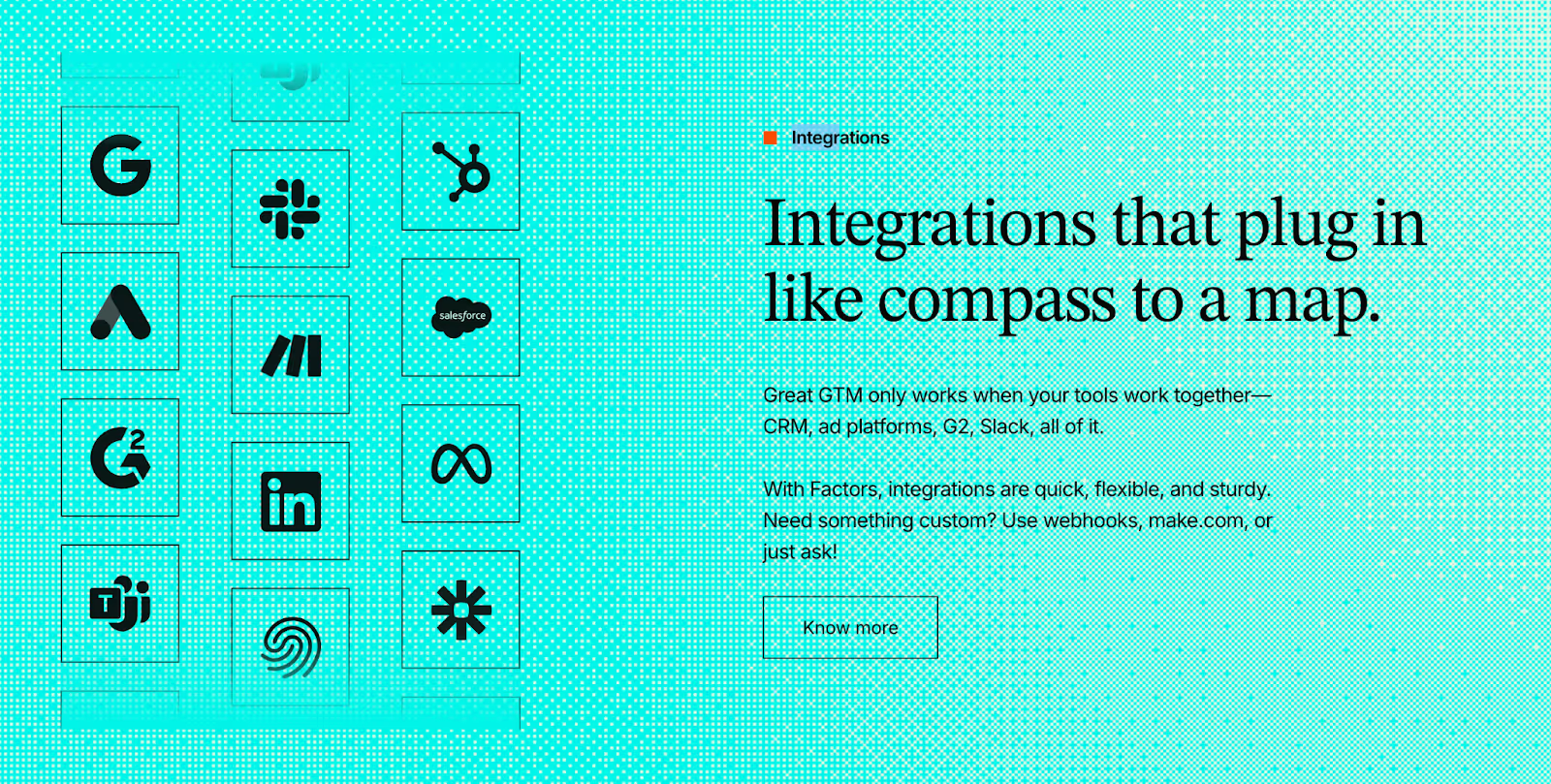
Dashboards and insights are only as good as the actions they drive. For GTM teams, that means one thing: the ability to operationalize insights inside the tools they already live in, Salesforce, HubSpot, Slack, LinkedIn, outreach platforms, and so on.
Both HockeyStack and Factors connect the dots here, but their approaches open up slightly different possibilities.
Factors Workflows and Integrations
- CRM contact and deal updates: Syncs with Salesforce and HubSpot just like HockeyStack.
- Built-in enrichment: Leverages Apollo to add context around accounts, so reps aren’t starting cold.
- Sales engagement integrations: Connects with HeyReach, SmartLead, and other outreach tools, moving beyond CRM into the sales execution layer.
- Custom workflows with webhooks: Teams can create automated triggers, e.g., “If an account score hits Hot, add them to a SmartLead sequence and notify the AE in Slack.”
- Multi-channel alerts: Notifications can go to Slack and Microsoft Teams, ensuring sales doesn’t miss signals.
Why This Matters for Teams
- Marketers can directly push audiences into ad platforms or nurture workflows instead of manually exporting CSVs.
- Sales teams get alerts where they already work (Slack, Teams) and can jump into action faster.
- RevOps gains the flexibility to stitch Factors into a broader stack without needing one-off connectors or custom dev time.
HockeyStack Workflows and Integrations
- CRM syncs: Updates contacts, companies, and deals directly inside HubSpot and Salesforce.
- Marketing automation hooks: Pulls form fills, campaign data, and meeting activity from HubSpot into reporting views.
- Sales data sync: Maps account, contact, lead, and deal objects to keep CRM clean and usable.
- Custom enrichment: Lets teams bring in firmographic and intent data for advanced segmentation.
For teams who rely heavily on Salesforce or HubSpot, HockeyStack does a solid job of bridging insights back into the CRM without requiring constant exports.
At this point, it’s clear: HockeyStack helps with CRM alignment, while Factors extends workflows into the broader GTM stack, including enrichment, outreach, and flexible automation.
Factors vs HockeyStack: AI & Automation
Every GTM team has more signals, more data, and more campaigns than they can realistically handle. That’s where AI enters: to actively help teams prioritize, plan, and execute. Both HockeyStack and Factors lean into AI, but the philosophy and scope of what you can automate are very different.
Factors’ AI & Automation
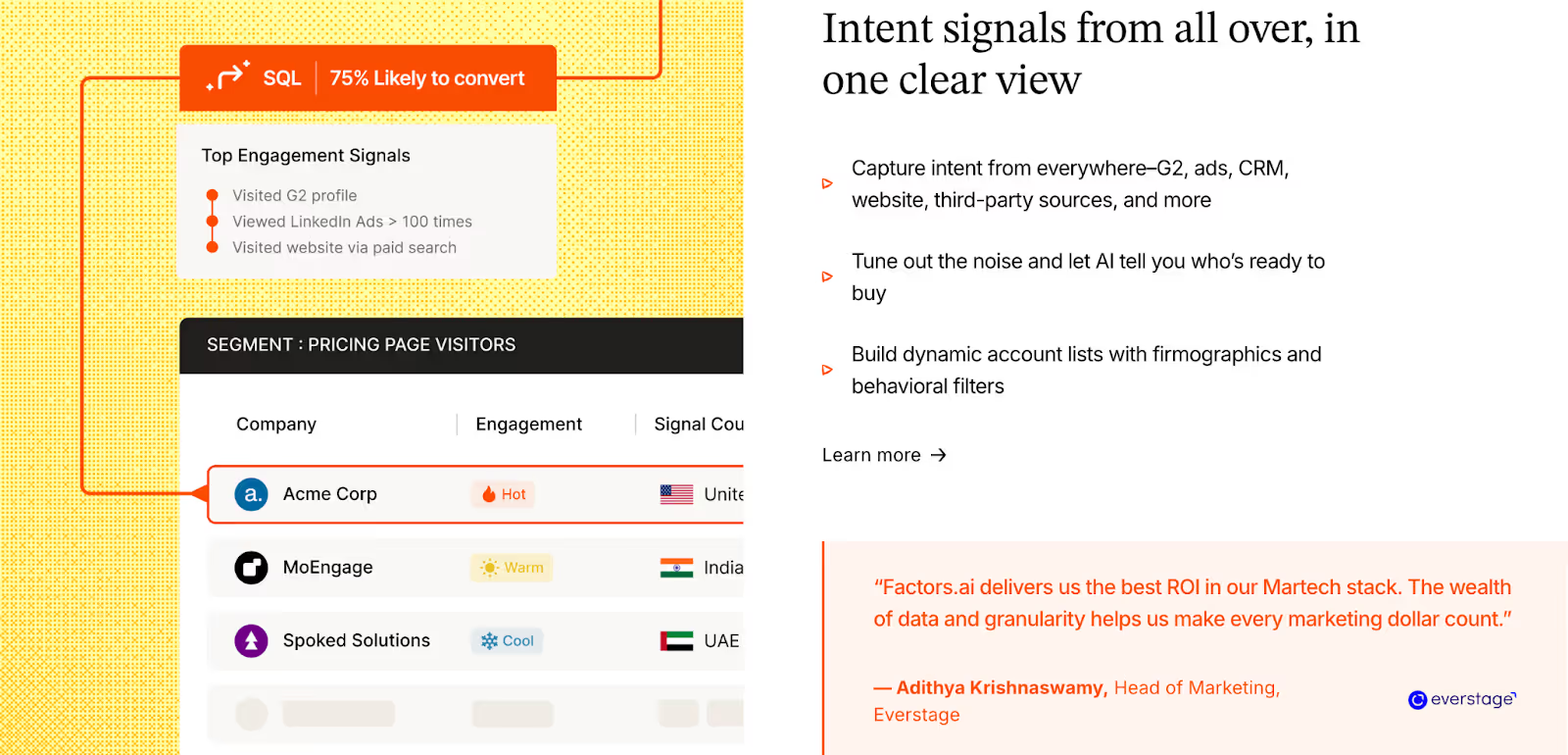
Where Factors pulls ahead is in pushing AI beyond analysis into execution. Its platform introduces AI Agents and GTM Engineering, programmable teammates that analyze signals and actively take action across the GTM motion.
Some real-world ways Factors’s AI helps teams:
- Account Research at Scale: Surfaces key contacts and buying group details automatically, instead of manual LinkedIn or Apollo searches.
- Signal-to-Action Routing: When a target account shows intent, an AI Agent enriches the data, scores it, and pushes it into outreach sequences via HeyReach or SmartLead.
- Custom Playbooks: Teams can build Agents to track specific conditions, e.g., “watch competitor-engaged accounts, pull key contacts, and send to SDR Slack channel.”
- Outreach Automation: Hot accounts can be auto-routed into cadences, ensuring no opportunity goes cold.
- Marketing Copilot (coming soon): A conversational assistant that answers questions like, “Which channels drove pipeline last quarter?” instantly.
GTM Engineering takes this even further by combining AI Agents with GTM services:
- AI-powered alerts notify reps in real-time when an account is ready to talk.
- They enrich buying groups and multi-thread deals automatically.
- They revive closed-lost opportunities and track post-meeting engagement to guide follow-ups.
Together, AI Agents and GTM Engineering position Factors not just as a co-pilot, but as an operator that actively drives deals forward.
Why This Matters for Teams
- Marketing teams save hours by letting AI handle enrichment, scoring, and activation, instead of manually curating lists or analyzing reports.
- Sales teams get proactive guidance on which accounts to chase and why, with timely nudges for outreach and follow-ups.
- Leadership gains visibility into which AI-driven activities are actually driving pipeline, without requiring analysts to crunch numbers every week.
HockeyStack’s AI & Automation
HockeyStack introduces Odin, its AI analyst, designed to make insights faster and more accessible. Odin sits closer to the analysis layer, giving revenue teams quicker answers without needing to through dashboards.
Here’s how Odin helps:
- Campaign Diagnostics: Summarizes which channels are performing well and where conversions are lagging.
- Performance Recommendations: Offers suggestions on targeting, bidding, and budget allocation based on historical campaign performance.
- Faster Reporting: Condenses key takeaways into digestible insights for marketers and sales leaders who don’t want to build complex reports.
For marketers, this reduces dependency on manual reporting. For non-technical users, it lowers the barrier to accessing campaign insights.

In short: HockeyStack helps you see smarter, surfacing insights and recommendations, while Factors helps you act faster, with AI-driven automation and GTM Engineering that turn intent into revenue.
Factors vs HockeyStack: Ads Activation
B2B marketing is about making sure every dollar spent is moving real accounts closer to pipeline. Attribution, syncing, and activation are the levers that decide whether campaigns are just impressions, or actual revenue drivers. Both HockeyStack and Factors recognize this, but the level of depth and orchestration sets them apart.
Factors’ Ad Activation
Factors positions itself as the platform where ad spend directly connects to pipeline, with broader channel coverage and tighter orchestration.
Key capabilities:
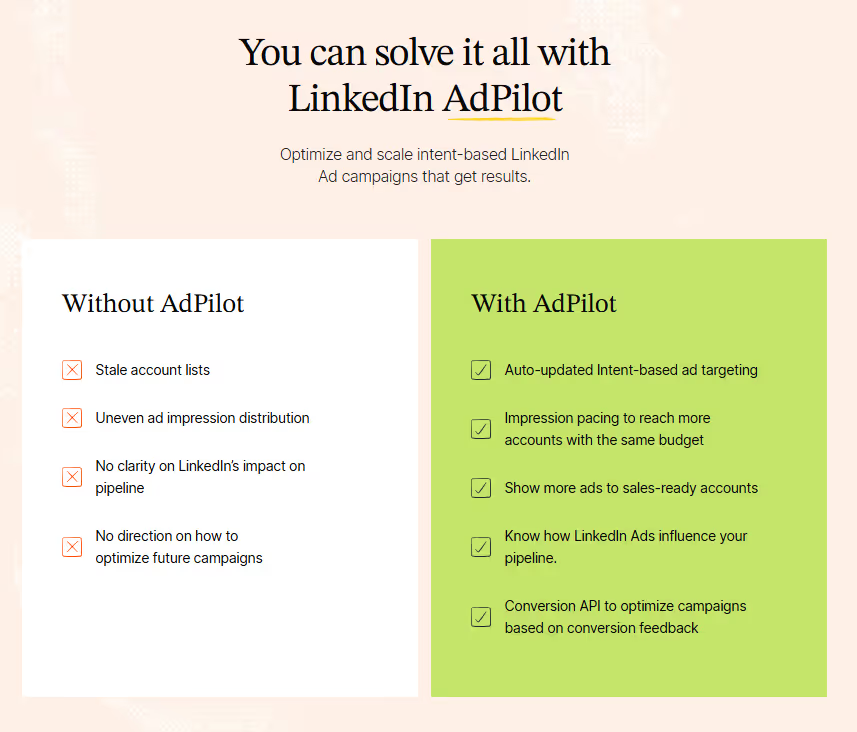
- LinkedIn AdPilot: Ad Intelligence for B2B Marketers
Through LinkedIn AdPilot, marketers can orchestrate ads with precision using:- Conversion API (CAPI): Captures server-side and offline conversions that typically slip through native tracking, giving you a complete and accurate view of ROI.
- Impression & Frequency Control: Automatically balances ad delivery across your top accounts so no single account gets overserved, reducing fatigue and wasted spend.
Together, these capabilities help GTM teams move beyond CTRs and optimize for pipeline impact, not just clicks.
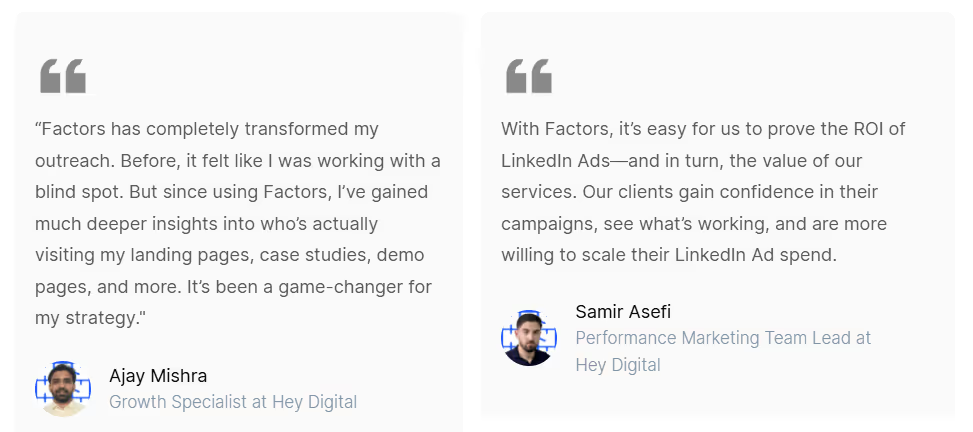
💡See how Hey Digital increased their LinkedIn Ads ROI by 35% with AdPilot
- Google AdPilot
The same intelligence is being extended to Google Ads, bringing B2B precision to the world’s largest ad network.- Audience Sync: Push high-intent accounts from Factors directly into Google Ads for laser-focused targeting.
- Google CAPI Integration: Feed conversion and pipeline data back into Google’s algorithm to train it on what actually drives revenue.
Once live, this will enable full-funnel orchestration across LinkedIn and Google, giving marketers a single, connected view of ad performance and pipeline influence.

- Cross-Channel Orchestration
Factors connects ad interactions with every other engagement signal, webinar attendance, SDR outreach, content engagement, website visits, giving teams a unified view of account journeys.
You can finally see how ad exposure, sales touchpoints, and content interactions compound to move an account from awareness to revenue. - Pipeline Attribution, Not Vanity Metrics
Factors ties every ad campaign to pipeline and revenue outcomes, not surface-level metrics.
- Each ad’s influence is mapped across MQLs, SQLs, opportunities, and closed deals, giving GTM and RevOps teams a clear view into which campaigns accelerate revenue and which ones just drive noise.
- Because it sits on top of account-level intelligence, every ad decision is backed by buying-group behavior, not guesswork.
Why This Matters for Teams
- Demand Gen Managers: Can prove ROI by tying spend directly to influenced pipeline, not just impressions.
- Campaign Ops: Control ad exposure and budget efficiency with tools like frequency pacing.
- RevOps & CMOs: Confidently connect ad spend across LinkedIn and Google to revenue outcomes.
HockeyStack’s Ad Activation
HockeyStack brings ad performance into the GTM picture with a clear focus on LinkedIn.
Key strengths:
- LinkedIn Audience Sync: Retarget the right accounts to keep buying committees warm.
- Offline Conversions → LinkedIn: Push CRM or offline signals back into LinkedIn for better campaign optimization.
- View-Through Attribution: See which ads influenced accounts even without direct clicks.
- Google Ads Activation (coming soon): Expansion is on the horizon, but currently not live.
For teams heavily dependent on LinkedIn, HockeyStack covers the essentials. But beyond LinkedIn, orchestration still feels limited.

TL;DR: HockeyStack gets you started with LinkedIn-focused ad measurement and syncs. Factors extends into true multi-channel orchestration, with deeper LinkedIn controls, pipeline-linked reporting, and Google Ads integrations on the horizon.
Factors vs HockeyStack: GTM Workflows & Automation
Collecting insights is only half the battle. The real power lies in how quickly those insights can be acted upon across your GTM stack. This is where automation makes or breaks efficiency.
Factors’ GTM Workflows & Automation
- CRM Integration: Syncs contacts and deals with HubSpot and Salesforce, but also adds Apollo-based account enrichment for deeper firmographic context.
- Sales Engagement Workflows: Goes beyond CRM, with connections to HeyReach, SmartLead, and similar tools, allowing outreach automation directly from insights.
- Custom Workflows with Webhooks: Offers flexibility to push insights into any tool in your stack, not just the big CRMs.
- Account Prioritization: Uses intent signals and custom scoring to automatically route accounts into the right sequences or cadences.
Why This Matters for Teams
- Marketing Ops: Reduce the burden of manual list uploads and sync mismatches.
- Sales Teams: Get enriched account views and ready-to-action outreach flows without toggling across systems.
- Revenue Leaders: Ensure every high-intent account is engaged quickly and consistently.
HockeyStack’s GTM Workflows & Automation
- CRM Updates: Automatically updates HubSpot and Salesforce with contact, company, and deal-level information.
- Data Enrichment: Pulls in marketing automation data like forms, meetings, and campaigns to enrich records.
- Custom Segmentation: Supports segmentation with CRM properties, which makes it easier to prioritize accounts.
- Cross-object Sync: Can sync sales data across Accounts, Contacts, Leads, and Deals, keeping revenue data clean.
HockeyStack ensures your CRM stays up to date. Factors extends that foundation, letting you automate the entire GTM motion, from enriched account insights to immediate outreach.
Factors vs HockeyStack: Security and Compliance
When evaluating GTM platforms, flashy features and AI capabilities usually grab the spotlight. But for enterprise teams, the conversation often circles back to a quieter, yet non-negotiable topic: trust. With sensitive customer data flowing through these platforms, security and compliance standards can make or break vendor selection.
Factors’ Security and Compliance
Factors has certifications and practices that resonate with larger organizations, especially those with global footprints.
Here’s what stands out:
- ISO 27001 Certification: A gold standard in information security management, recognized globally and often required by enterprises.
- SOC 2 Type 2: Like HockeyStack, Factors is independently audited for security, availability, and confidentiality.
- CCPA and GDPR: Full compliance with international and regional privacy frameworks.
- Enterprise-grade Governance: Security isn’t just a certification badge, Factors backs it with processes like continuous monitoring, documented policies, and dedicated security reviews for clients.
For companies where IT, legal, and procurement teams scrutinize every vendor, this level of security posture isn’t just a formality, it smooths the buying process and builds long-term confidence.

HockeyStack’s Security and Compliance
HockeyStack takes care of core compliance frameworks expected by most SaaS buyers:
- SOC 2 Type 2 Certification: Ensures controls around security, availability, and confidentiality are audited and validated.
- GDPR, CPRA, and CCPA: Compliance with major privacy regulations in the EU and California, covering data rights and consent management.
- Operational Safeguards: Includes processes for data handling, breach management, and regular audits.
For teams that want baseline enterprise security and proof of regulatory alignment, HockeyStack checks the right boxes.
Factors vs HockeyStack: Onboarding and Support
Success with a GTM platform comes from how quickly your team can put its features to work and the quality of support you have along the way. A platform that looks powerful on paper but takes months to implement, or leaves you stranded after sign-up, will never deliver its promised ROI.
Factors’ Onboarding and Support
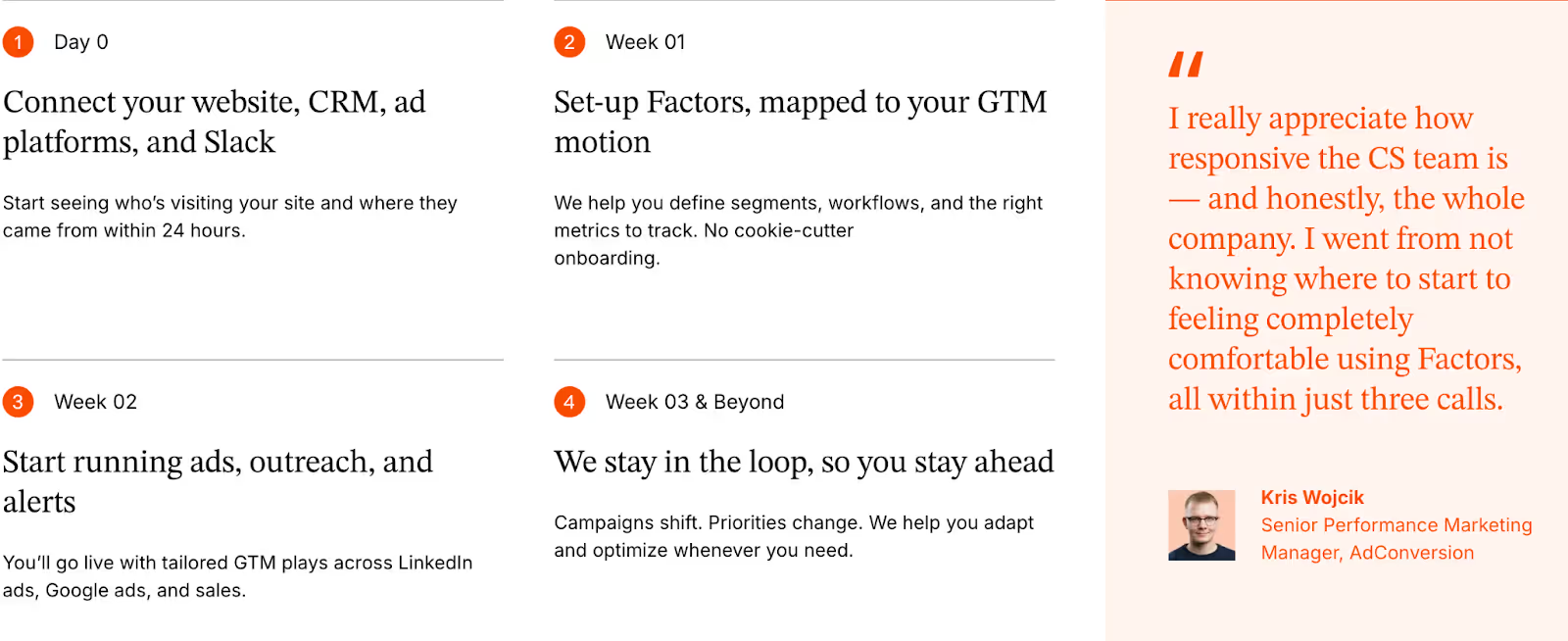
Factors takes a different tack, leaning into deeply guided onboarding and ongoing support. For growing SaaS and enterprise teams, this often feels less like “buying a tool” and more like bringing in a partner. Their approach includes:
- White-glove onboarding: A dedicated Customer Success Manager (CSM) works closely with your team to configure integrations, map workflows, and ensure data is flowing correctly.
- Dedicated Slack channel: Direct line of communication with the Factors team, ensuring quick responses and real-time collaboration.
- Weekly meetings: Regular check-ins to align progress, answer questions, and adjust strategies.
- Long-term partnership: Beyond initial setup, Factors positions itself as an extension of your GTM team, proactively suggesting improvements and helping scale use cases.
For companies where internal resources are stretched thin, or where the stakes of data-driven GTM are high, this level of hands-on involvement reduces the friction of adoption and speeds up time-to-value.
HockeyStack’s Onboarding and Support
HockeyStack positions itself as relatively straightforward to set up. Their onboarding is built around:
- Self-serve setup with documentation and product guidance.
- Assisted guidance from the HockeyStack team for customers who need help beyond self-service.
- Ongoing support to troubleshoot or advise when teams hit roadblocks.
This model works well for companies with in-house technical resources who prefer to configure and test tools themselves. It also gives autonomy to GTM teams that want to move quickly without waiting on vendor-driven timelines.
Factors vs HockeyStack: Which tool should you choose?
Choosing between HockeyStack and Factors ultimately comes down to the depth of your GTM motion and how your team plans to scale.
Factors is designed for teams that want to go beyond measurement and actively drive pipeline. The platform not only consolidates multi-touch data and offers deeper intelligence with 1st, 2nd, and 3rd party signals, but also bundles account identification natively, automates workflows across CRM and sales engagement tools, and introduces AI Agents and GTM Engineering to turn insights into action. Its tiered pricing, from Free to Enterprise, makes it easy to start small and scale predictably, while white-glove onboarding ensures adoption happens quickly and smoothly.
HockeyStack, on the other hand, is a solid platform for teams focused on analytics, journey views, and actionable insights within a familiar CRM environment. It’s relatively straightforward to adopt and works well for smaller teams or those with strong internal ops resources. The starting price of ~$2,200/month gives clarity on upfront costs, but future scaling may require direct consultation with the HockeyStack team.
Where HockeyStack helps teams see, Factors helps them act, all while providing transparency and flexibility in both functionality and cost.
So, if your priority is…
So, basically...
Choosing Factors as a HockeyStack alternative is about enabling real pipeline impact. Both platforms offer GTM analytics, segmentation, and journey mapping. However, their core philosophies diverge sharply: HockeyStack centers on flexible data views and CRM alignment, while Factors pushes beyond analysis to orchestrate outreach, ad activation, and automated GTM workflows.
Factors comes bundled with account identification, tiered pricing, and integrated AI Agents that trigger actions, not just reports. It combines 1st, 2nd, and 3rd party data with time-weighted scoring and offers native support for LinkedIn and Google ad orchestration. With a built-in enrichment layer and deep integrations into sales engagement tools, Factors turns GTM signals into scalable motion.
By contrast, HockeyStack excels for teams that prefer a self-directed, analytics-heavy setup. Its dashboards and segmentation are highly customizable, though deeper actions often require manual effort or internal ops bandwidth. Pricing starts higher, and expansion paths are less transparent.
In short, if your goal is to activate, not just analyze, your GTM data, Factors provides the tooling, automation, and scalability to execute with clarity and control.
.avif)
Top 7 GTM Engineering Tools
If you’ve been anywhere near B2B marketing or revenue ops lately, you’ve probably heard the term GTM Engineering being thrown around a lot.
And if you’re anything like me, you’ve wondered,
“Is this just another fancy way of saying automation?”
Not quite.
The truth is, GTM engineering is quietly becoming the backbone of modern growth teams, the part that connects data, systems, and strategy into one seamless motion.
And while the role of a GTM engineer is still evolving, the tools behind them are already reshaping how revenue teams operate.
From intent data orchestration to workflow automation to AI-powered buyer mapping, GTM engineering tools are the new growth stack every RevOps and marketing leader needs to know about.
Let’s break it all down, what GTM engineering really means, why it matters, and which platforms are setting the standard.
TL;DR
- GTM engineering is the next evolution of growth. It connects your entire revenue stack, so data, signals, and actions flow seamlessly instead of living in silos.
- A strong GTM platform becomes the command center for your go-to-market motion: it identifies who’s showing intent, enriches that data, prioritizes the right accounts, and triggers timely, personalized outreach.
- Tools like Factors.ai, along with Clay, Apollo, Warmly, N8N, Jason AI, and Make, each solve a piece of that puzzle, from account identification and enrichment to orchestration and automation.
- Together, they turn intent into action: your teams respond faster, outreach becomes more relevant, and your revenue motion scales without adding more headcount.
- This guide breaks down how these platforms work, how to choose the right mix for your team, and how to design GTM workflows that are faster, smarter, and built to grow.
Read on for the full breakdown, tool comparisons, and practical frameworks you can start using today.
What is GTM Engineering (and why everyone’s talking about it)
At its simplest, GTM (Go-To-Market) engineering is the art (and science) of connecting your growth stack so your marketing, sales, and product data actually talk to each other.
It’s what happens when your Google Ads, LinkedIn, CRM, and product analytics stop behaving like separate universes and start functioning like a single ecosystem.
If marketing automation gave us ‘if this, then that,’
GTM engineering gives us:
“If this exact ICP account did this action on our site, send this message through Slack, sync this data to Salesforce, and adjust this campaign on LinkedIn.”
It’s smarter, faster, and infinitely more contextual.
A GTM engineer is the operator behind that curtain, the person who builds, automates, and optimizes those connections so nothing slips through the cracks.
They’re automating busywork while turning data into real revenue motion.
Why you need a GTM Engineering platform
Every growth team hits the same wall at some point.
You have great data AND great tools. But none of it feels connected.
You’ve basically built a tech stack that looks like a group chat where everyone’s talking, but no one’s listening.
- Your LinkedIn ads generate clicks, but sales never sees them.
- Your CRM is overflowing with contacts, but no one knows who’s actually ready to buy.
- Your intent signals look great in dashboards, but there’s no system to trigger real action.
That’s where a GTM engineering platform comes in.
Think of it as the central hub where every part of your GTM stack finally works together..
When done right, it gives your entire revenue team:
- Speed: instant alerts, faster follow-ups
- Visibility: unified funnel and journey analytics
- Precision: real intent data guiding campaigns
- Scalability: one logic powering every motion
Or in simpler terms:
A GTM engineering platform helps your tech stack operate with more intelligence and purpose.
Want to see how intent-driven platforms beat traditional lead generation? Read here: Intent Data Platforms vs Traditional Lead Generation
The tool everyone’s talking about: Factors
Let’s start with the one that’s quietly setting a new benchmark for GTM orchestration.
1. Factors.ai
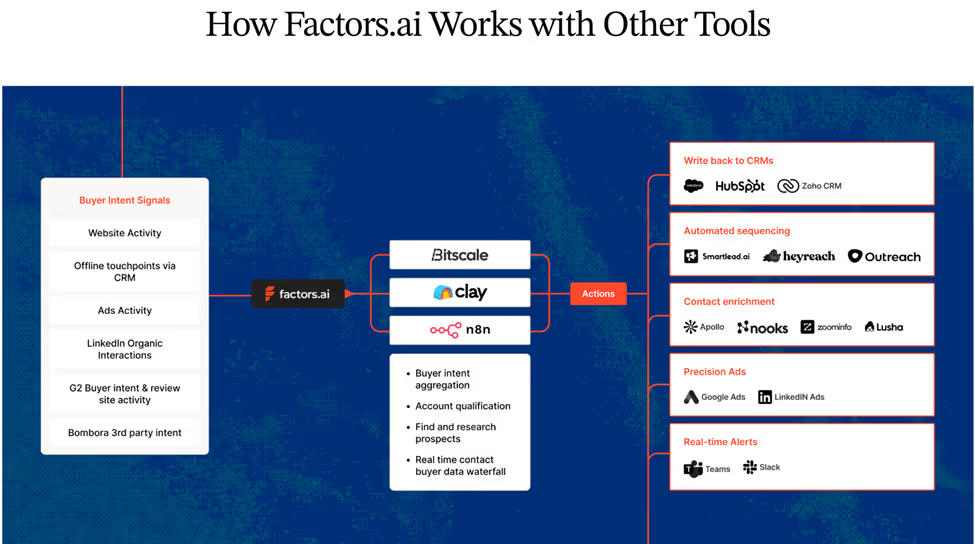
Most teams already have intent data. You’re tracking site visits, ad clicks, G2 activity, it’s all there. But knowing who’s showing intent is only step one. Acting on it fast, smart, and at scale, is where the dough really starts rolling in.
Here’s how it works
- Identify ICP Accounts Instantly
Factors identifies up to 75% of website visitors (vs. the usual 8–10%) using a waterfall enrichment model that pulls from multiple data vendors.
It combines first-party signals (website visits, CRM data, ad clicks) with external intent from G2, LinkedIn, and product usage, giving you a single source of truth on who’s ready to buy. - Pinpoint the Right Contacts
Using geo + role triangulation, Factors surfaces the actual decision-makers inside those companies, the ones most likely visiting your site.
You’ll know who to reach, why they’re relevant, and what they care about, without another round of guesswork. - Automate the Follow-Up (Without the Chaos)
This is where GTM engineering truly comes to life, when insights turn into action.
Factors doesn’t stop at sending alerts; it executes follow-up sequences across your GTM stack with precision.
- Sends real-time Slack or Teams alerts when high-intent accounts engage
- Auto-enriches contacts through Clay and Apollo.io, updating your CRM instantly
- Prioritizes accounts with tiering logic based on job changes, funding, and ICP fit
- Triggers context-based outreach via email, LinkedIn, or ads at the right time
- Keep Humans in the Loop
Every alert includes context that matters, the account journey, pages viewed, contacts to reach, and suggested openers.
No more playing 20 questions with alerts like: ‘someone from a ‘company of interest’ visited.’
Instead, you get detailed alerts like this:

That’s exactly what Factors.ai does.
It’s a GTM engineering platform that turns your intent signals into instant, contextual action across your funnel, from detection to outreach to follow-up (just like a private detective).
Meet Your GTM Engineering Agents: Factors’ AI Agents
Each “agent” inside Factors automates a piece of your go-to-market puzzle:
Agent
What It Does
Outcome
Website Visitor Identification Agent
Detects companies visiting your site and infers likely users
Real-time visibility into ICP engagement
Contact Relevance Agent
Surfaces the right people within buying committees
Context-rich contacts, ranked by relevance
Account Tiering Agent
Scores and classifies accounts using external signals (hiring, funding, job changes, etc.)
Smart prioritization
Advanced Enrichment (Clay/Bitscale)
Cleans and validates contact data before writing to CRM
Reliable, high-accuracy data
Account Map Agent
Identifies the buying committee and maps relationships
Multi-threaded outreach
Meeting Assist Agent
Tracks post-meeting engagement and next best actions
Contextual sales follow-up
Closed-Lost Account Alert
Detects when old deals resurface on your site
Re-engagement opportunities
Together, these agents run autonomously, enriching, prioritizing, and activating leads so your reps spend time where it actually counts.
Here’s why growth teams choose factors
- Contact-Level Precision: Go beyond account ID; find who’s behind the visit with person-level identification (up to 30%) using geo + role inference
- Custom Workflows: Built for your SDR motion, tech stack, and AI-curated messaging based on buyer stage, role, and company context
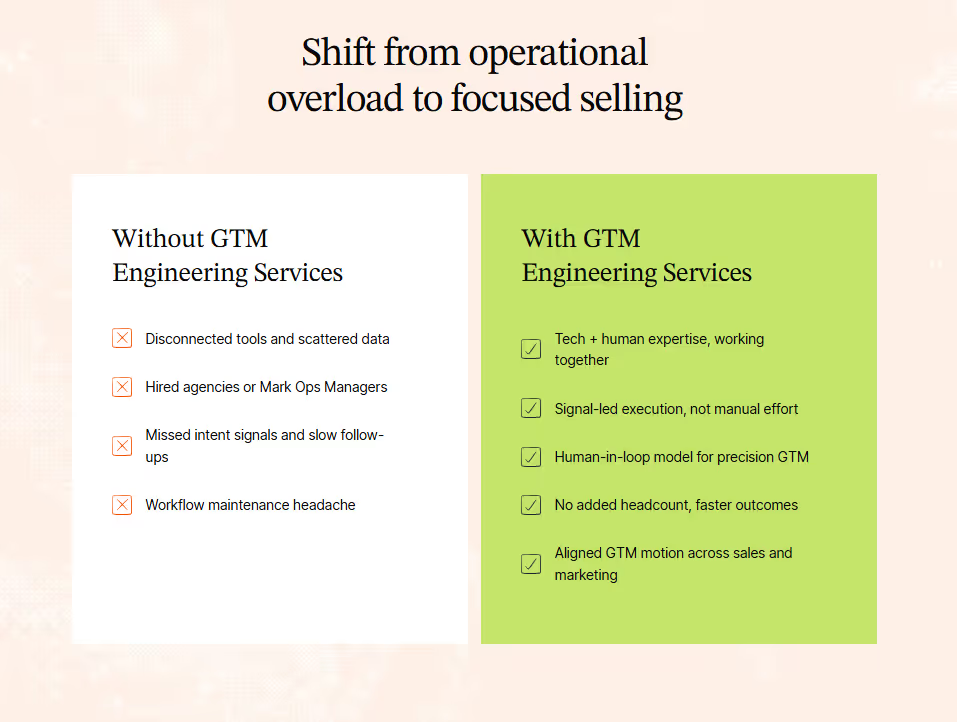
- Fully Managed Setup: Done-for-you GTM engineering; no ops bandwidth needed.
- Higher Coverage: Identify up to 75% of accounts vs. the 10% industry average.
- Tool-Agnostic Integration: Works with your existing CRM, ad stack, and orchestration tools (HubSpot, Salesforce, Clay, Smartlead, HeyReach, Trigify, etc.).
- Real-time account alerts in Slack or CRM
- Cross-platform audience syncs (LinkedIn + Google)
- Full-funnel journey analytics tying campaigns to revenue
Whether you want a done-for-you setup or a done-with-you model, Factors helps you bring structure to your GTM motion, so your sales process finally runs on intent, not instinct.
If you’re a demand-gen leader trying to align marketing and sales, this is the stack you wish existed five years ago.
💡Want to see how Apollo integrate with Factors.ai? Check out our guide: How to integrate Apollo with Factors
Other top GTM Engineering tools
Now let’s look at the broader GTM engineering ecosystem, the tools that GTM engineers, RevOps leaders, and growth teams are relying on to automate, orchestrate, and personalize their motions.
2. Clay
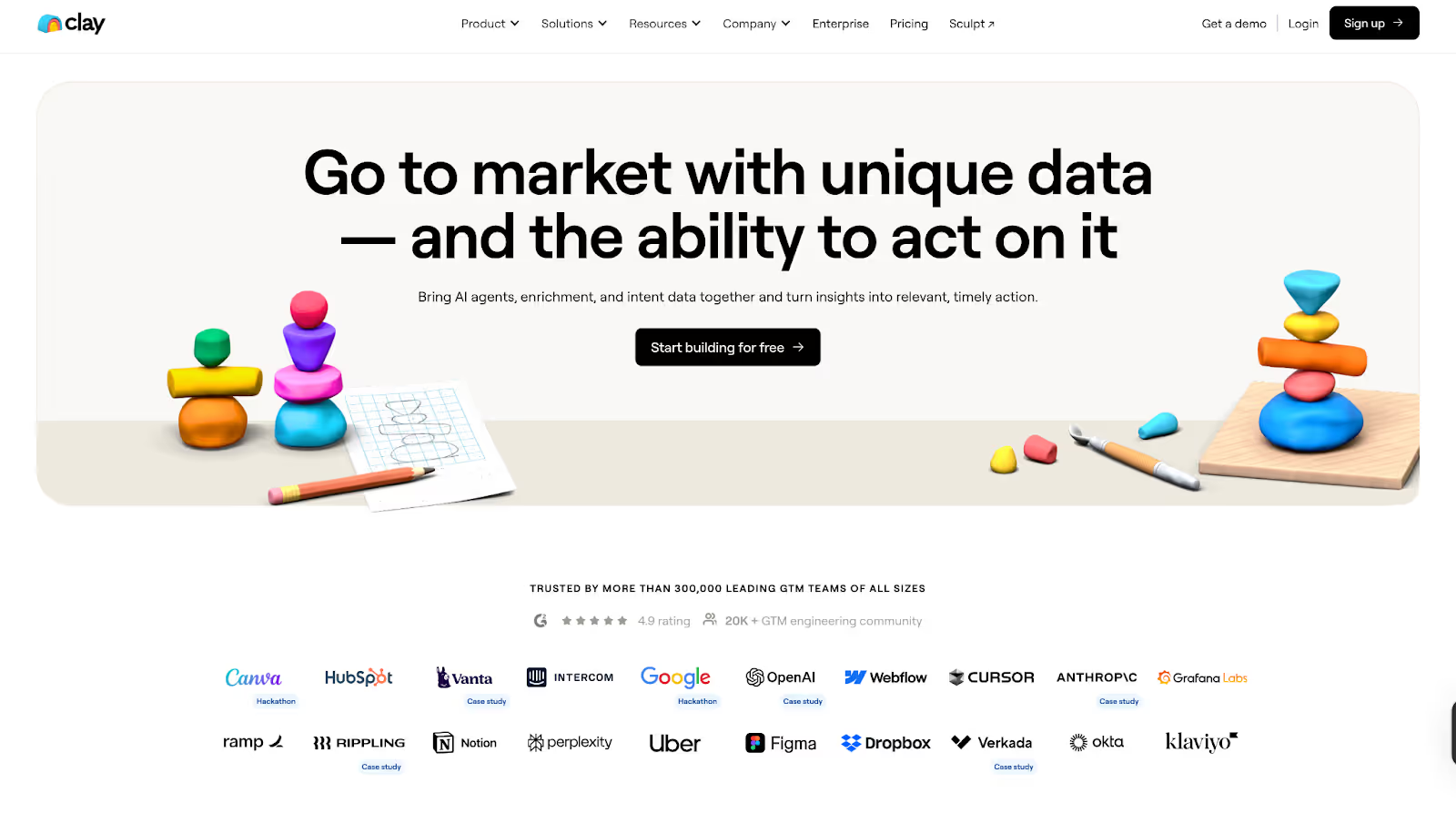
Clay is the platform that first put GTM engineering on the map.
It’s like having a data scientist, automation builder, and API whisperer all rolled into one sleek UI.
With Clay, you can build custom data enrichment workflows that pull, clean, and connect data from hundreds of sources, automatically.
Best for
Teams that need hyper-personalized prospecting or data-driven outbound workflows.
Why it’s powerful
- Enrich data from 150+ sources in real-time
- Visual workflow builder (no-code + API-level depth)
- Integrates with HubSpot and Apollo
- Ideal for “growth engineers” who live in Airtable and Notion but want more horsepower
If your GTM engine is powered by data enrichment and personalization, Clay is your control tower.
(Curious how Clay stacks up against other tools? Check out our post: Top 5 Clay Alternatives to Improve Sales Outbound)
3. N8N
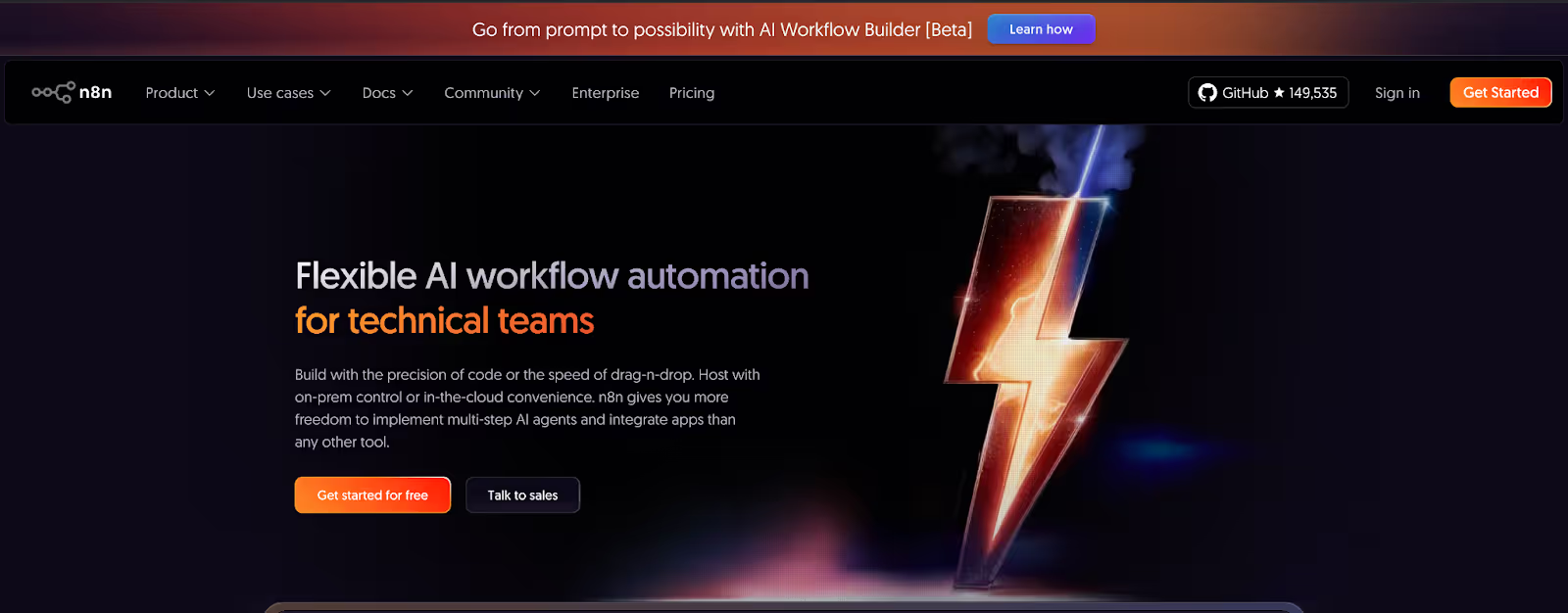
For technical GTM engineers who want absolute control, N8N is the open-source orchestration tool of choice.
It lets you design deeply complex, multi-step workflows that can connect virtually anything with an API, and customize every trigger, condition, and loop.
Best for
Technical GTM teams and RevOps engineers building custom automations at scale.
Why it’s great
- 400+ integrations (Salesforce, HubSpot, Slack, Google Ads, you name it)
- Self-hostable (ideal for teams that care about data privacy)
N8N is the kind of tool that rewards creativity. It’s not plug-and-play; it’s build-and-own.
4. Apollo.io

Apollo is the perfect blend of data + delivery.
It’s one of the few platforms that lets GTM teams access millions of verified contacts, run automated sequences, and analyze performance, all in one place.
Best for
Outbound sales, SDR, and RevOps teams looking for integrated engagement and enrichment.
Why it works
- Massive contact database with verified data
- Integrated email and LinkedIn sequencing
- Enrichment APIs for custom GTM workflows
- Strong fit with other GTM orchestration tools like Factors and Clay
For many GTM engineers, Apollo is the source of truth for people data, the starting point of every automated workflow.
5. Madkudu
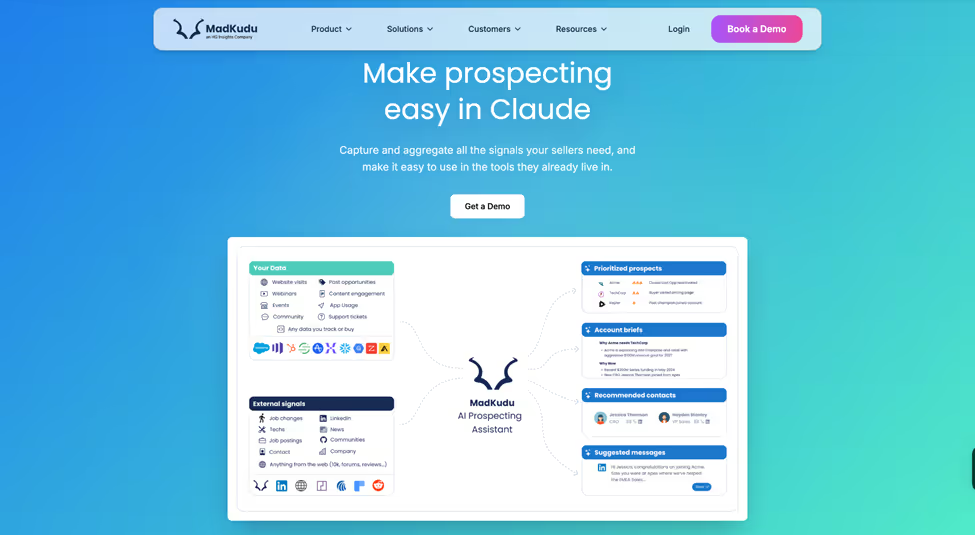
MadKudu helps GTM teams turn data signals into smarter prospecting. It combines firmographic, behavioural, intent and product-usage signals to surface which leads and accounts are most likely to convert. The platform integrates with tools like Salesforce, Gong, Outreach and others so sellers and RevOps can act on prioritised prospects and accounts within their existing workflows.
Best for
Sales, RevOps and GTM teams that want to focus on high-conversion prospects and accounts using AI-driven scoring.
Why it works
- Unifies fit (e.g., firmographics) and intent/usage (e.g., website visits, product activity) data into dynamic lead/account profiles.
- Uses AI to build predictive models based on your past conversion and revenue history, so sellers see which leads/accounts matter most.
- Surfaces that intelligence directly in CRM or sales engagement platforms, enabling faster, more meaningful outreach.
Things to keep in mind
- Works best when your underlying data is clean and well-structured.
- Setup (including modelling, testing and integration) can take time, especially for complex GTM motions.
- Pricing is enterprise-oriented, varying by seats, scoring models and usage.
6. Jason AI SDR (Reply.io)

Think of Jason as your AI-powered GTM assistant.
Built by Reply.io, this tool learns from your outreach patterns and automatically builds and optimizes your multi-channel cadences.
Best for
Teams running scaled personalization across email and LinkedIn.
Why it’s unique
- AI-generated sequences that adapt to buyer behavior
- Auto-optimization of timing, tone, and follow-up
- Integrates with CRMs and GTM orchestration tools for real-time triggers
- Saves SDRs hours of manual follow-up
The magic here is personalization at scale, something that’s been “impossible” until now.
7. Make (Integromat)
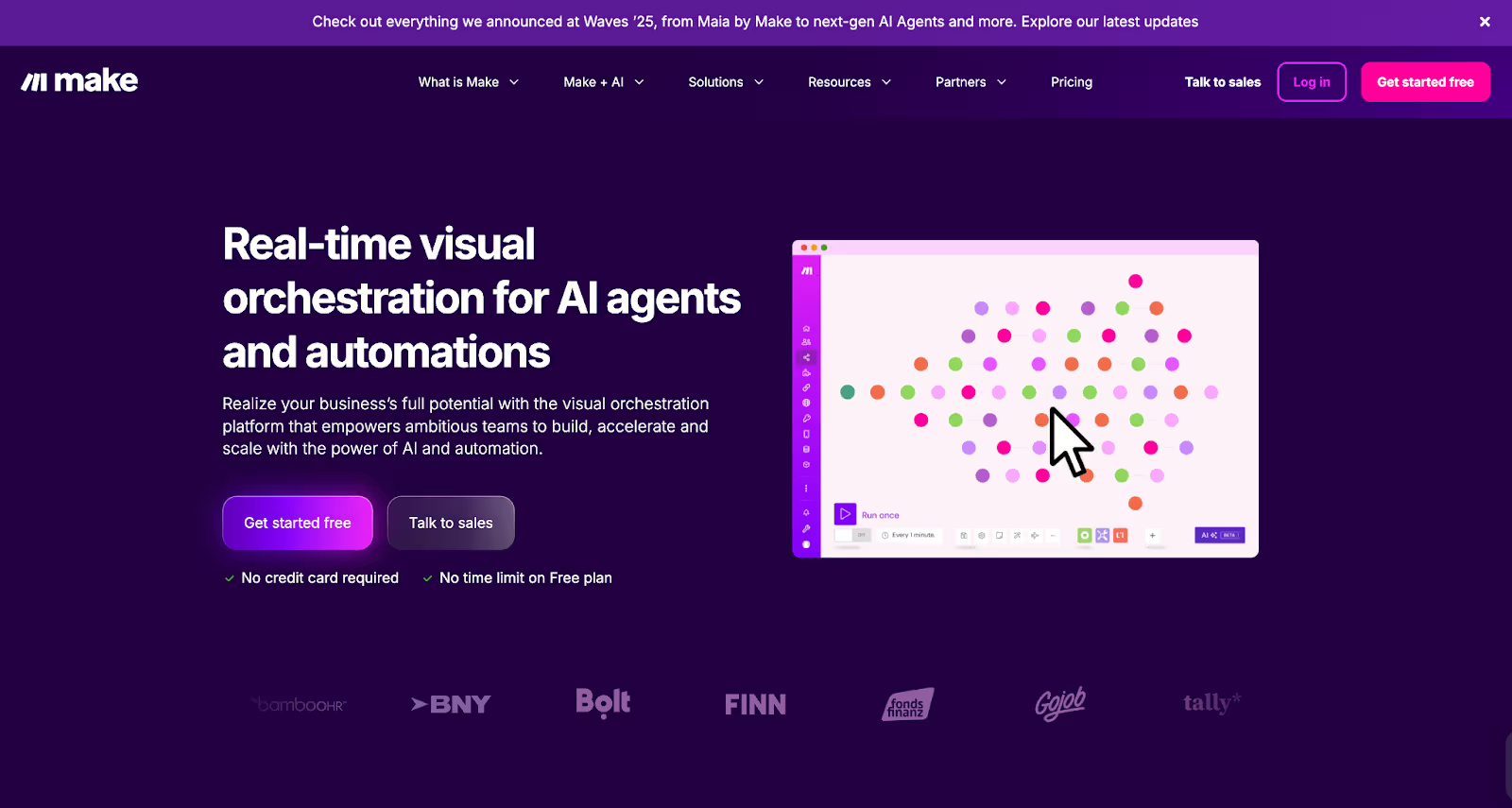
Make (previously Integromat) is a visual automation builder that gives non-technical GTM teams the power to connect and automate across platforms without a single line of code.
Best for
Startups and SMBs building flexible GTM stacks without engineering dependency.
Why it’s useful
- Intuitive drag-and-drop workflow builder
- Pre-built GTM templates (e.g., lead routing, lead scoring, lead enrichment)
- Integrates with almost all major CRMs, ad platforms, and analytics tools
- Great for teams that need speed over complexity
It’s the friendly, lightweight cousin to N8N, perfect for smaller teams who still want orchestration superpowers.
The magic comes when you turn intent signals into outreach automatically.
(Read more in: The Step-by-Step Guide to Turning Signals into Sales Conversations)
Compare Best GTM Engineering Tools For SaaS and RevOps teams
How to choose the right GTM Engineering tool
If you’re reading this thinking, “Okay, but where do I even start?”, here’s the simple answer:
- Start with your pain point.
- Struggling to unify data? → Go with Factors or Clay.
- Too many manual handoffs? → Try N8N or Make.
- Need to activate intent data fast? → Combine Warmly + Factors.
- Scaling outreach? → Add Apollo or Jason AI SDR.
- Then map your workflow.
Sketch out what you want to happen from the moment an account shows intent to when sales takes action.
Your GTM tool should fit that flow, not the other way around.
And finally, don’t aim for perfection on day one.
Start small, automate one motion, measure the impact, and scale from there.
Best practices for GTM Engineering implementation
Implementing GTM tools is about designing for flow.
Here’s what works in the real world that’s powered by two large espresso shots:
- Start with impact, not complexity. Automate high-ROI motions first (like inbound routing or deal alerts).
- Build transparency. Document every workflow and make sure sales and marketing teams understand it.
- Monitor constantly. Add error alerts, dashboards, and rollback logic.
- Don’t skip data hygiene. Even the smartest automation fails on messy inputs.
- Iterate monthly. Treat your GTM stack like a product, improve it every sprint.
Future trends in GTM Engineering Tools
Here’s what’s next for GTM engineering:
- AI-generated workflows - Describe your intent (‘Alert me when a CMO from ICP Tier 1 engages on LinkedIn’), and the system builds the logic automatically
- Self-healing automation - Workflows that fix themselves when an API fails or a field changes.
- Cross-channel attribution baked in - True end-to-end visibility across web, ads, and CRM.
- Natural language builders - Create entire GTM flows by chatting with your tool.
- Hybrid human + AI orchestration - The engineer becomes the strategist, the AI runs the ops.
The next wave is about the intelligent connection between tools that matter.
In a nutshell…
GTM engineering is how modern revenue teams will operate, blending data, intent, and automation into one fluid system.
And honestly? It’s about time.
Because the problem was never a lack of data, it was a lack of connection. The right GTM engineering tools bring speed, clarity, and cohesion to your entire go-to-market plan.
If you’re leading marketing, RevOps, or growth, this is your cue:
Stop fighting your stack, start orchestrating it.
FAQs on GTM Engineering Tools
Q1. What are GTM engineering tools?
A. They’re platforms that connect marketing, sales, and product systems through data, automation, and workflows, enabling faster, smarter revenue motions.
Q2. Do GTM engineering tools replace RevOps or sales ops?
A. No. They augment them. RevOps typically builds stable infrastructure; GTM engineers build the growth experiments, workflows, and iteration layer.
Q3. Are they different from RevOps tools?
A. Yes. RevOps organizes. GTM engineering builds and automates.
Q4. Do you need engineers for GTM engineering?
A. Not always. Tools like Factors are designed for non-technical ops and marketing users.
Q5. How long does it take to adopt a GTM engineering tool?
A. Small workflows can launch in days or weeks; full-stack rollout may take months, depending on complexity.
Q6. What’s the ideal GTM tool stack?
A. A mix of Factors (orchestration), Clay (enrichment), Warmly (intent), and Apollo.io (engagement), optionally supported by N8N or Make for custom automations.
Q7. What qualifies as a ‘GTM engineering tool’?
A. Any platform or software that enables you to design, orchestrate, trigger, branch, and monitor growth workflows that bridge marketing, sales, and product.
Q8. What’s a ballpark budget for these tools?
A. Depends on users, workflow volumes, data operations, ranges from low 5-figure USD annually to mid 6-figure for enterprise.
Q9. Can I build my own vs buy a commercial tool?
A. Building gives flexibility but demands maintenance and time. Buying gives support, updates, and often better UI/UX. The tradeoffs depend on your team’s capacity.
Introducing Google AdPilot: Smarter, ABM-Ready Google Ads for B2B
If you’ve been running Google Ads for a while, you’ve probably felt the shift.
Campaigns that used to feel predictable now behave like living, breathing teenagers.
CPCs spike without warning. Performance fluctuates. And your sales team keeps saying, “These leads aren’t our ICP.”
That’s because Google Ads itself is changing fast.
The age of AI-driven advertising is here, and it’s reshaping how campaigns learn, optimize, and measure success.
Today, Google is pushing marketers toward three big shifts:
- AI automation everywhere: Smart Bidding, Performance Max, AI placements, and machine-driven optimization.
- Privacy-first measurement: where enhanced conversions and server-side feedback (CAPI) now power the signal loop.
- Intent-based audiences: where reaching the right buyer depends on how well you define and feed your ICP.
It’s powerful, but it also means marketers are losing some control.
Google’s AI can only optimize based on the signals you give it. If your data isn’t clean, rich, and value-weighted, it learns the wrong things and targets the wrong people.
That’s why now is the moment to rethink how you run Google Ads.
Enter Google AdPilot by Factors.ai, built for the new AI era.
AdPilot helps you align with where Google Ads is headed: it lets you target only ICP-fit accounts, train Google’s AI with richer conversion feedback, and track how every ad drives actual pipeline, not just clicks.
Because in an AI-first ad world, the marketer who controls the signal wins.
TL;DR
Most marketers scale Google Ads but lose efficiency. They target too broadly, send incomplete data, and can’t connect ads to pipeline.
Google AdPilot fixes that by letting you:
- Target only ICP-fit accounts
- Train Google’s AI with up to 3× more conversion feedback
- Assign values to conversions based on deal quality
- See how every ad, keyword, and channel drives revenue
What’s Google AdPilot?
AdPilot helps marketers skip wasted spend and random leads.
It lets you target the right accounts, train Google’s algorithm to optimize for ICP-fit conversions, and track how ads actually influence pipeline, so every click counts.
In short: it brings precision, efficiency, and visibility to one of the most powerful ad platforms you already use.
Why Scaling Google Ads Gets Harder
Scaling Google Ads is easy. Scaling it efficiently? Not so much.
Here’s what typically happens:
- Broad keywords attract irrelevant traffic.
- Google’s AI learns from incomplete or low-quality conversion data.
- You have no clear visibility into how ads influence revenue.
You end up optimizing for volume of conversions instead of value, sending incomplete conversion feedback, remarketing to everyone who visits your website, and relying on surface-level analytics that never show what’s truly driving pipeline.
How Google AdPilot Fixes It
Google AdPilot helps you take back control of your Google Ads, across targeting, training, and tracking. Here’s how each pillar works.
1. Audience Sync: Smarter Targeting, Lower Waste
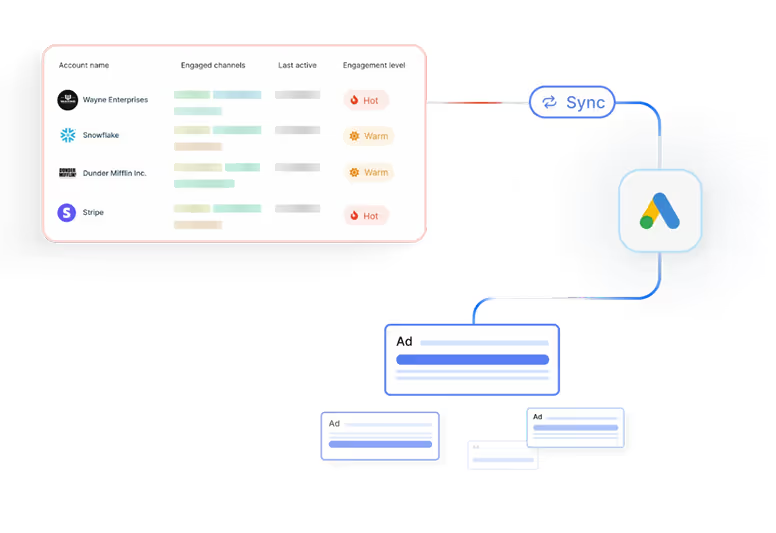
Scaling Google Ads without wasting spend starts with who you target.
- Precision Re-marketing
If you’re re-marketing to everyone, you’re wasting half your budget on visitors who’ll never convert.
With Audience Sync, you can retarget only ICP-fit accounts and high-intent visitors, using account-level firmographic and behavioral data.
Your ads show up for real buyers, not random browsers.
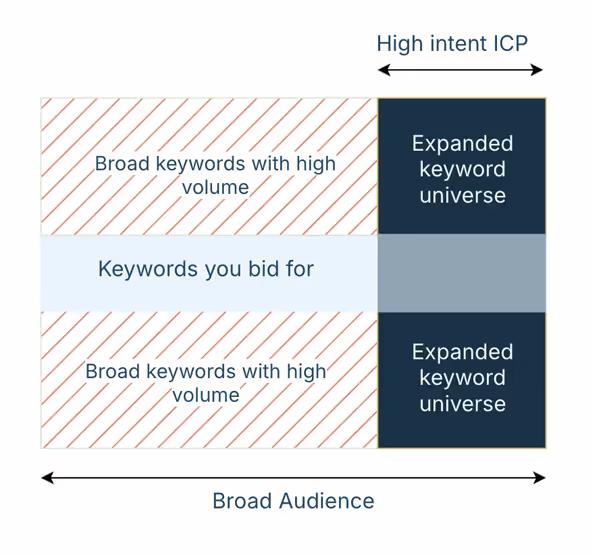
- Keyword Expansion with Audience Control
Broad keywords like ‘CRM’ or ‘helpdesk’ are powerful, but risky and costly. Normally, they attract irrelevant traffic and burn through budget.
With Google AdPilot, you can safely remarket to your best-fit accounts with broad keywords. You can finally expand your reach without compromising efficiency.
- Exclusion Audiences That Save Budget
Competitors, job seekers, and existing customers still click your ads.
With Audience Sync, you can automatically create and sync exclusion lists directly to Google Ads, cutting off those low-value clicks before they drain spend.
- Buyer-Stage Targeting
Google Ads isn’t just a top-of-funnel play.
With Google AdPilot, you can identify where each account is in the buyer journey and run stage-specific campaigns, tailoring messaging across Search, GDN, and YouTube.
It’s precision ABM, delivered at Google scale.
- Always-On Audiences
Manual uploads are slow and outdated.
With Google AdPilot, your audiences refresh daily based on live engagement signals, no CSVs, no lag. You get always-accurate targeting that scales with your funnel.
2. Conversion Feedback: Train Google’s AI to be smarter
Google’s AI is only as good as the data you feed it
Most marketers send incomplete or low-quality conversion data, so Google learns from the wrong signals.
- Enhanced Conversions (CAPI)
Powered by Google’s Enhanced Conversions, AdPilot goes beyond just tracking more conversions, it teaches Google which conversions actually matter.
Instead of sending every form fill the same value, AdPilot assigns differential weights based on ICP fit, deal size, and buyer stage. A $50K enterprise opportunity doesn’t look the same as a $2K trial signup, and now, Google knows that too.
By feeding Google value-based feedback, AdPilot helps its algorithm recognize high-quality clicks, prioritize high-value accounts, and optimize bidding toward revenue, not just volume. So every signal you send back tells Google, “Find more of these.”
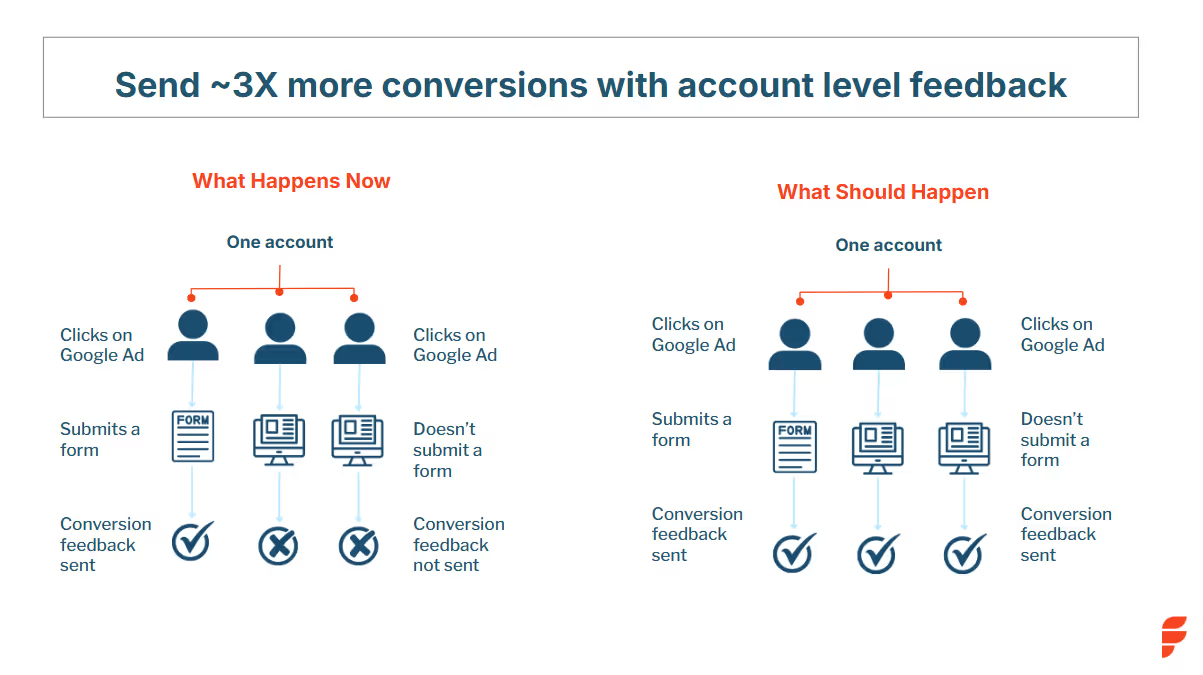
- Up to 3× More Conversion Signals
Most marketers only send about half of their actual conversions back to Google, because traditional setups credit only the user who fills a form and ignore everyone else involved in the buying journey.
Google AdPilot fixes that.
It captures every GCLID (Google Click Identifier) from ad clicks, even when no form is submitted. Then, it maps those clicks back to the right account using account-level identifiers and reverse-IP enrichment.
That means if three decision-makers from the same company visit your site, one fills a form, two just browse pricing, Google now sees all three as part of the same conversion journey.
By capturing and feeding these multi-touch, account-level conversions back through Google’s Enhanced Conversions (CAPI), AdPilot sends up to 3× more accurate signals than a standard setup. The result: Google learns faster, optimizes better, and focuses your ad budget on accounts that actually move the pipeline, not on one-off clicks that never convert.
- Differential Conversion Values
Not all leads are equal.
An enterprise deal shouldn’t carry the same weight as a small trial signup.
AdPilot assigns value-weighted conversions based on ICP fit, stage, and potential deal size.
This enables smarter bidding strategies like Max Conversion Value or Target ROAS, ensuring Google optimizes for revenue, not volume.
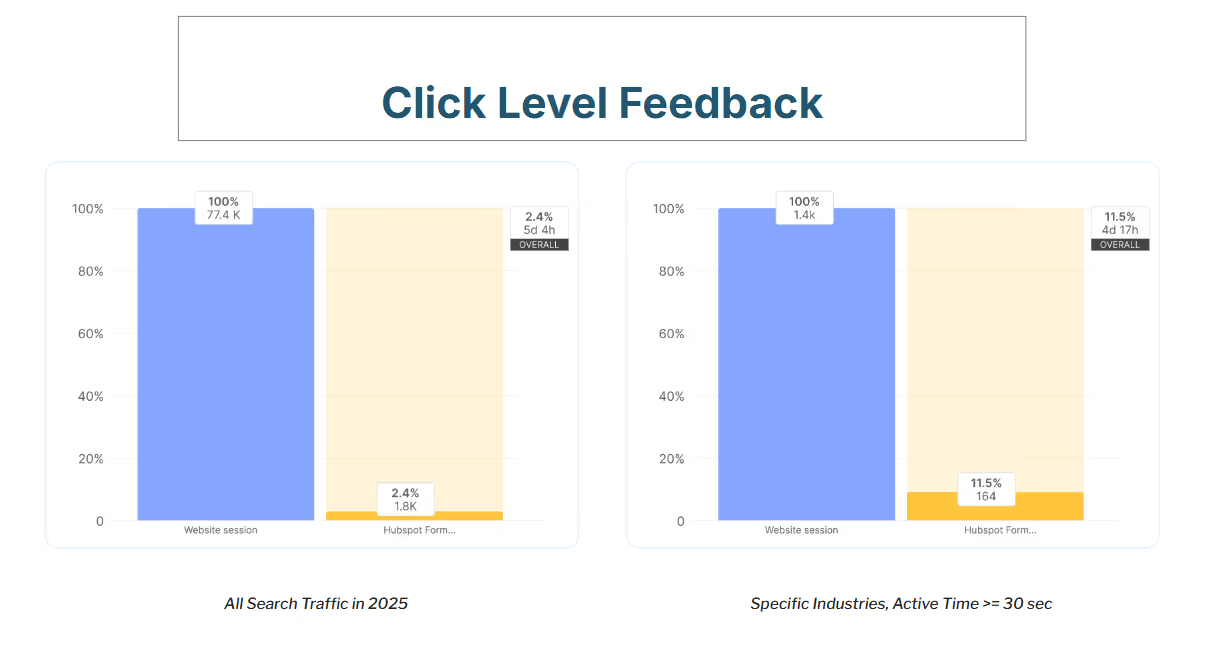
- Click-Level Feedback
Not every click is created equal, and Google’s algorithm doesn’t know that unless you tell it.
With Click-Level Feedback, AdPilot evaluates each click based on who it came from and how likely that account is to move forward in the buying journey.
It looks at factors like ICP fit, engagement depth, and predictive scoring to assign every click a weighted value.
If a click comes from an enterprise account that matches your ICP and spends time on your pricing page, it’s assigned a higher value. If it’s from a low-fit SMB or a short bounce, it’s weighted down.
This way, Google’s AI starts recognizing the quality behind each click, not just the quantity. Your bids, budgets, and optimizations all start pointing toward the kind of traffic that actually turns into deals.
3. Analytics: Visibility beyond clicks
For years, Google Ads reporting has revolved around surface metrics, impressions, clicks, CPCs, and conversions. Useful? Sure. But not enough for modern B2B marketers.
Because in reality, a click doesn’t always equal a conversation. And a form fill doesn’t always mean pipeline.
With Google AdPilot, you finally see what happens after the click. It gives you full-funnel visibility, from impression to opportunity, so you can connect every ad, keyword, and visitor back to real business impact.
- See Which Accounts Paid Search Brings In
Most marketers can’t tell which companies actually land on their site from paid search if they don’t fill a form.
AdPilot changes that.
It identifies the exact accounts visiting through your Google Ads, even if no one fills out a form.
You get firmographic details, intent data, and engagement metrics that your sales team can act on immediately. Instead of “somebody from Google Ads visited,” you know who, how often, and how ready they are to buy.
- Know What Your Buyers Search For
Clicks are just the starting point. AdPilot shows you the actual search terms your ICP accounts use before visiting your site, not just aggregated keywords.
It helps you tie those searches directly to pipeline influence, revealing what high-value buyers are genuinely looking for. So you can prioritize the terms, messages, and offers that drive revenue, not just traffic.
- Understand Paid Ads in the Bigger Picture
Paid search rarely works in isolation. A Google ad might spark awareness that later converts through organic, direct, or referral channels.
AdPilot’s analytics show you those cross-channel patterns, how ads influence website behavior, what pages accounts explore before converting, and where they finally take action. You start to see how your ads move buyers through the journey, not just whether they do.
- Real-Time Dashboards Built for Marketers
AdPilot brings all your paid search performance, audience insights, and conversion data together, in one clean, visual dashboard.
You get the clarity to make faster, more confident decisions: which campaigns to scale, which audiences to prioritize, and which keywords to retire.
💡In short:
Audience Sync ensures you only target ICPs.
Conversion Feedback (CAPI) trains Google with richer, value-weighted signals.
Analytics gives you the visibility to connect every keyword and ad to real revenue.
Together, they turn Google Ads into a true ABM engine, efficient, measurable, and built for scale.
Reporting Live: From the dashboards
Teams using AdPilot have reported:
- Up to 3× more conversion feedback sent to Google
- Higher share of spend going to ICP-fit accounts
- Lower cost per qualified meeting
- Clearer attribution from ads to deals
“Before AdPilot, nearly 50% of our Google Ads spend went to non-ICP accounts. That meant wasted budget and poor conversion signals back to Google. With AdPilot, we can focus only on ICP accounts and feed Google the right data to optimize for high-value deals.”
- Mansi Peswani, Demand Generation Lead, Factors.ai
Fast, secure, and compliant setup
Google AdPilot connects to your existing setup in under an hour.
- Sync audiences directly to Google Ads. With Audience Sync, those lists stay continuously updated, so your campaigns never waste impressions on outdated or irrelevant audiences.
- Automate daily audience refreshes (no CSVs)
- Use Google’s Enhanced Conversion APIs (CAPI ensures every conversion event, from clicks to deals, is captured and shared securely with Google, enhancing attribution accuracy without compromising privacy.)
- Stay compliant with SOC 2, ISO 27001, and GDPR
Scale smarter, spend better and win bigger.
Google Ads will always be a marketer’s workhorse. But without precision targeting and smarter feedback, it starts galloping straight into wasted spend.
Google AdPilot by Factors.ai helps you take back control:
- Target high-fit accounts only
- Train Google’s AI with richer conversion data
- Track every keyword and ad to real pipeline
Because scaling ads should mean scaling revenue.
See it in action, Book a Demo
FAQs for Google AdPilot
1. What is Google AdPilot by Factors.ai?
Google AdPilot is a suite of features that transforms Google Ads into an ABM engine. It helps you target high-fit accounts, train Google with richer conversion feedback, and connect ad performance directly to pipeline.
2. How long does it take to set up Google AdPilot?
You can connect your CRM and Google Ads Platform to Factors with one click integrations. No complex setup or coding required.
3. Is Google AdPilot secure and compliant?
Yes. Google AdPilot is SOC 2, ISO 27001, and GDPR compliant. It uses Google-approved Enhanced Conversion APIs to ensure safe and compliant data handling.
4. Can I run Google AdPilot on top of my existing Google Ads setup?
Yes. AdPilot plugs right into your current campaigns. You can even A/B test it against your existing setup to see the difference in efficiency and ROI.
.avif)
Factors vs Albacross: Which alternative is best for B2B teams?
If you’re here, you’re past the ‘what is visitor ID?’ phase. Now, the real question is what happens after an account shows up, do you just wave, or do you score it, alert the right rep, sync the right audience, and prove it moved pipeline?
Two names on your shortlist: Factors and Albacross. Both can spot who’s at the door. This guide is about what follows: who you let in, who you call, and how you show it was all worth it.
Written for CMOs, RevOps, and demand leaders, this is a clean, side-by-side read that mirrors how buying actually happens. We’ll cover parameters like: what each platform can identify, prioritize, activate, measure, and support, and what that means for total cost and speed to value.
This section looks at what the tools actually do once a visitor is identified. We’ll examine signal coverage, scoring logic, buying-group visibility, automation, and how well each product turns raw activity into clear next steps for sales and marketing.
Factors
Factors goes beyond basic IP-based visitor identification. It acts as a signal-based GTM engine that doesn’t just tell you who’s knocking on your door, but equips you to decide what to do next, at what time, and through which channel, automatically.
Here’s how:
1. Multi-source Account Identification
Instead of relying on a single data source, Factors uses a sequential enrichment model that combines Clearbit, Snitcher, Demandbase, and 6sense to match anonymous web traffic to known accounts. This increases match rates up to 75%, compared to the 8–10% typically covered by person-level tools.
2. Signal Collection Across All Buyer Touchpoints
While Albacross relies primarily on website visits and optional Bombora integrations, Factors captures a much broader range of intent signals:
- 1st party: Website sessions, CRM interactions, product usage
- 2nd party: LinkedIn ad views, Google ad clicks, G2 page visits
- 3rd party: Uploaded lists, job changes, funding signals
This helps teams avoid acting on isolated behavior and instead respond to real buyer momentum.
3. Intent-based Segmentation and Scoring
Factors enables:
- Custom scoring models: Align scoring logic with your ICP, buying stages, or fit/intent models
- Predictive scoring: Estimate conversion likelihood based on behavioral history
- Account & Contact Scoring: Prioritize outreach with scores based on ICP fit, funnel stage, and intent intensity
- Interest groups: See which features or products each account is most interested in, and route accordingly
This isn’t a static lead list. It’s a live pipeline of ranked opportunities with real business context.
4. Full Customer Journey Timeline
Every known (or inferred) touchpoint, from ad impression to product sign-up, is plotted in a customer journey view. SDRs and AEs no longer piece together fragmented behaviors. They see the narrative clearly and can tailor outreach without guesswork.
Beyond individual journeys, Factors offers Account 360, a unified, sortable view of every sales and marketing touchpoint for an account. From ads and content engagement to CRM and sales outreach, GTM teams can align on a single source of truth, ensuring no high-intent account slips through the cracks.
5. Embedded AI Agents for Scale
Factors comes with prebuilt GTM agents:
- Website Visitor Identification Agent
- Contact Relevance Agent
- Account Tiering & Contact Tiering Agents
- Account Map Agent (buying group detection)
- Meeting Assist Agent (post-meeting tracking)
- Closed Lost Account Alert Agent
- AI Alerts: Real-time, high-context alerts for form drop-offs, closed-lost reactivation, or post-demo activity
- AI-Driven Contact Insights: Surface the right contacts in every account and generate personalized outreach insights
- Multi-threading & Buying Group Identification: Engage multiple decision-makers to reduce deal risk
- Slack/MS Teams Alerts: Instant notifications for key intent actions like demo page visits or pricing page revisits

What happens after the meeting is just as important as getting one. Factors’ AI agents make sure reps know exactly when and why to follow up, without any guesswork and missed timing.
Albacross
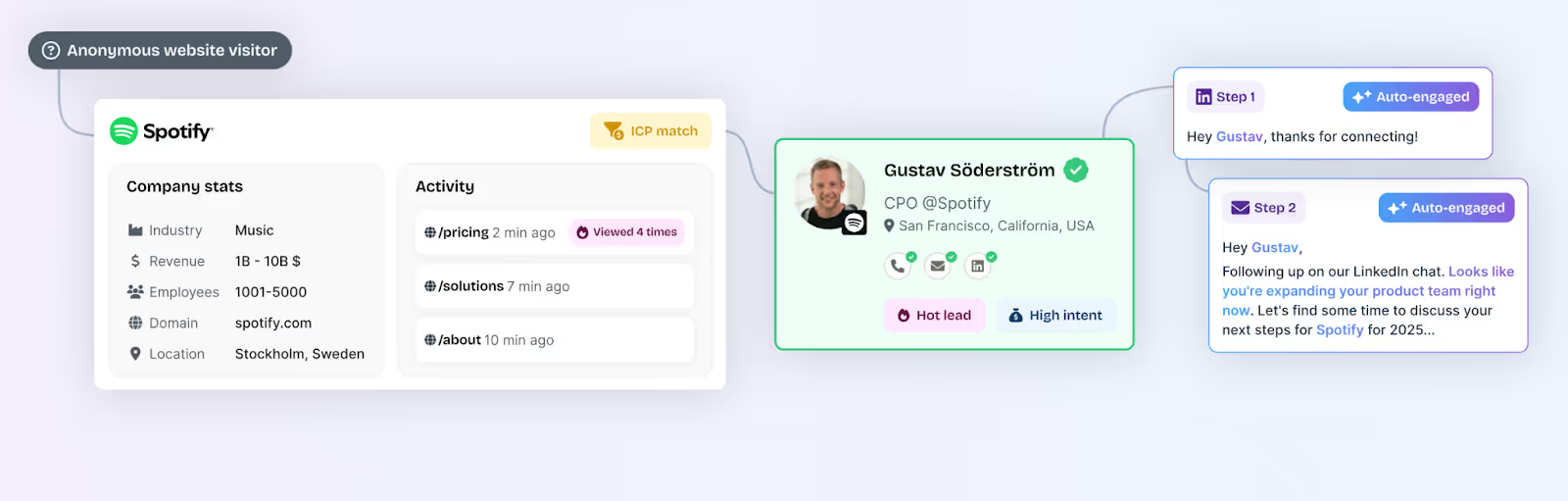
Albacross is a strong starter tool for teams primarily focused on top-of-funnel lead generation. It offers:
- Native website visitor identification
- Personalized outreach triggers for LinkedIn and email
- AI agents via Clay integrations for enrichment and messaging
Here’s what’s missing:
- Product-level behavioral segmentation
- Predictive or custom account scoring
- Contact tiering and intent-based routing
- Deeper GTM workflows to influence mid-to-bottom funnel
It’s well-suited for capturing interest but requires additional tools and manual effort to operationalize that interest.
Factors and Albacross: Pricing
Here we focus on what you’ll pay and what you’ll get. We’ll unpack license structure, usage allowances, service levels, trials, and the likely add-ons teams end up buying, so you can judge total cost of ownership with eyes open.
Factors
- Free
- 200 companies identified/month
- Up to 3 seats
- Starter dashboards, up to 5 segments, 20 custom reports, 1 real-time Slack/Teams alert, 1-month data retention
- Basic
- 3,000 companies identified/month
- Up to 5 seats
- Adds segmentation scale, LinkedIn intent signals, CSV import/export, advanced dashboards & web analytics, GTM workflows, helpdesk/email support
- Growth (most popular)
- 8,000 companies identified/month
- Up to 10 seats
- Adds ABM analytics, account scoring, LinkedIn attribution, G2 intent & attribution, Interest Groups, workflow automation/data sync, Dedicated CSM and up to 10 active alerts
- Growth/Enterprise tiers include white-glove onboarding and CSM cadence per the customer support grid.
- Enterprise
- Custom companies identified/month
- Up to 25 seats baseline (higher on request)
- Adds Predictive Account Scoring, AdPilot, Journey Milestones, 3rd-party intent uploads, white-glove onboarding, up to 300 custom reports, and broader integrations
- Trial & discounts: Paid plans include a 14-day trial; start-up discounts are advertised on the pricing page (screenshot). The April deck also references a 14-day trial.
What you actually pay for (and what it replaces)
Factors, platform value baked into the license
- Multi-source account identification & enrichment (sequential enrichment) vs. buying separate IP/firmographic tools.
- Attribution, ABM analytics, LinkedIn & Google audience sync, Slack/MS Teams alerts included in higher tiers, reduces the need for extra reporting, CDP list sync, and alerting tools.
- Service layer: Growth and Enterprise include white-glove onboarding and a dedicated CSM with defined review cadence, which materially lowers internal RevOps lift.
Optional GTM Engineering Services (Factors)
For teams that want done-for-you orchestration, Factors also offers GTM engineering services. And the scope covers stack audit, workflow design, enrichment, routing, alerts, CRM updates, and precision retargeting.

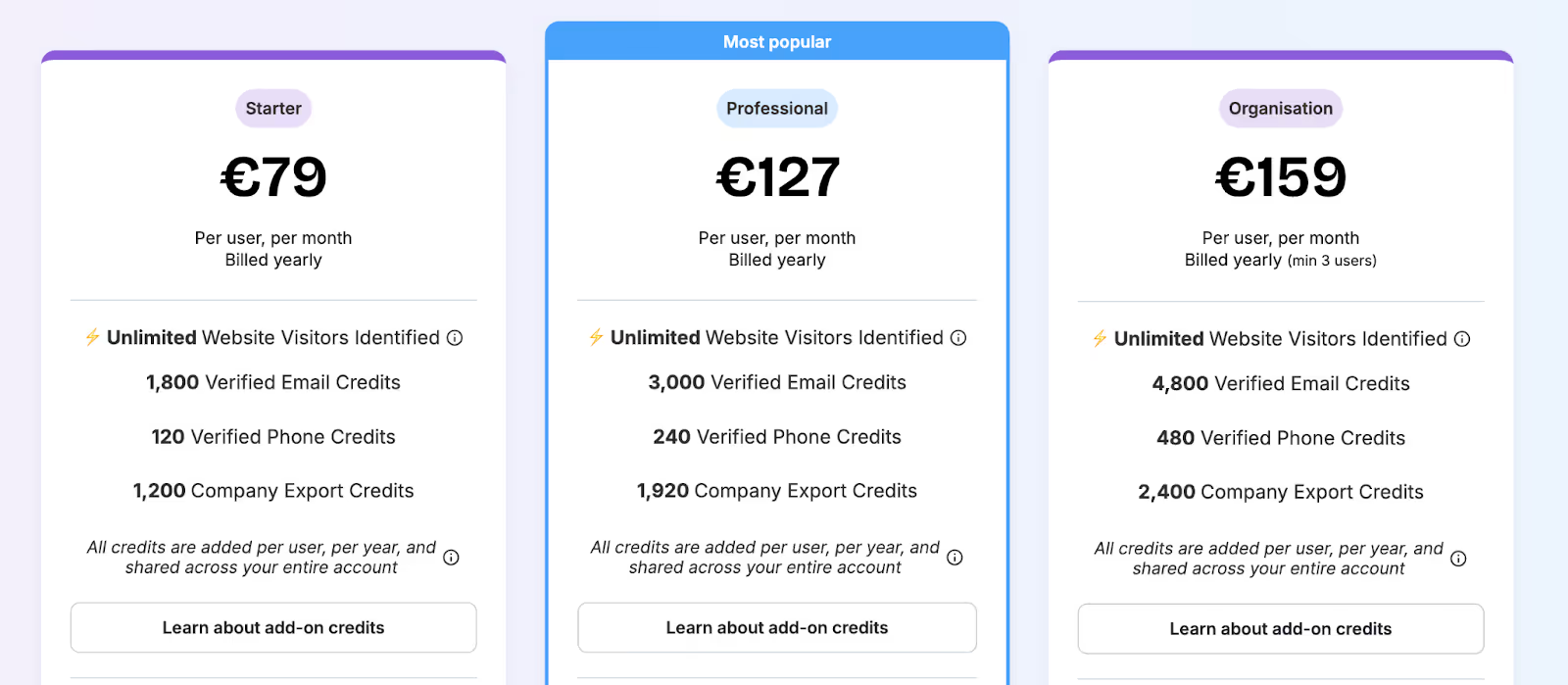
Albacross
- Starter
- €79/user/month (billed yearly)
- Unlimited website visitors identified
- Credits per seat/year: 1,800 verified email, 120 verified phone, 1,200 company export
- Self-serve setup with a Start Free Trial CTA
- Professional
- €127/user/month (billed yearly)
- Unlimited website visitors identified
- Credits per seat/year: 3,000 verified email, 240 verified phone, 1,920 company export
- Start Free Trial CTA
- Organization
- €159/user/month (billed yearly)
- Unlimited website visitors identified
- Credits per seat/year: 4,800 verified email, 480 verified phone, 2,400 company export
- Book a Demo CTA
Factors and Albacross: Compliance and Security
This chapter reviews certifications, privacy controls, data processing terms, enrichment governance, and audit readiness, everything your security and legal teams will ask during procurement.
Factors
1. Industry Certifications
- SOC 2 Type II
- ISO 27001
- GDPR Compliant
- CCPA Compliant
These standards cover everything from internal data governance to how customer data is processed and encrypted across systems. SOC 2 and ISO 27001, in particular, are gold standards for mid-market and enterprise vendors.
2. Data Processing & Legal Infrastructure
Factors offers dedicated, transparent documentation:
- Privacy Policy
- Data Processing Agreement
- Terms & Conditions
It also maintains detailed records of how contact enrichment, cross-channel tracking, and outbound campaigns stay compliant with evolving privacy laws, including when syncing contact data from providers like Clay, Apollo, or Smartlead.
3. Waterfall Enrichment Model with Governance
Unlike tools that enrich data directly or solely via third-party APIs, Factors uses a governed, sequential enrichment model that blends signals from multiple sources while maintaining control of how, when, and what gets pushed into your CRM or ad systems.

Albacross
Albacross is GDPR and CCPA compliant, which allows it to operate across both EU and U.S. markets with the basic requirements for tracking, cookie management, and personal data handling.
However, what’s less clear:
- No mention of SOC 2 Type II or ISO 27001 certifications
- Limited visibility into infrastructure security, audit logging, or encryption practices
- No publicly available details on independent security audits or attestations
This level of compliance is sufficient for smaller organizations or teams in less-regulated industries. But for security-conscious enterprises or procurement departments, the lack of deeper certifications and transparency may raise a few concerns during vendor evaluation.

Factors vs Albacross: Onboarding and Support
Great software still needs a smooth rollout. We’ll compare implementation effort, success coverage, support channels, cadence of check-ins, and optional services that shorten time to value and reduce RevOps lift.
Factors
Factors approaches implementation as more than just software setup; it’s treated like a joint GTM initiative. From onboarding to weekly optimizations, the platform supports teams across adoption with:
- White-glove onboarding (included in Growth and higher plans)
- Stack audit: Reviewing your CRM, MAP, ad tools, and data sources
- GTM design: Aligning workflows with your ICP, SDR motion, and sales plays
- Agent configuration: Deploying AI agents for enrichment, alerts, and research
- Campaign setup: Syncing audiences, ad workflows, and lead routing rules
Unlike some competitors, this is not restricted only to top-tier enterprise plans, but it does start from the Growth plan and above.
- Dedicated CSM + Slack channel (Growth and higher plans)
- A dedicated customer success manager
- Shared Slack channel for quick coordination
- Weekly or bi-weekly review meetings, depending on tier
- Progress trackers for agent rollouts, campaign launches, and milestones
For base-plan customers, onboarding and support are more lightweight (documentation + help desk). But once on Growth or higher tiers, teams get true co-ownership with structured onboarding and hands-on success management.
3. GTM Engineering Services (Optional)
Factors becomes an extension of your team, owning everything from enrichment flows to Slack alerts, retargeting logic, CRM updates, and reporting. The GTM services team also sets up workflows for post-meeting engagement tracking, ensuring your reps are alerted when an account re-engages after a demo, and closed-lost revival triggers, so you can re-enter the conversation when the timing is right. You get a ready-to-run GTM engine without adding headcount.
Albacross
Albacross’s onboarding is largely self-serve, with help desk support and documentation. A dedicated CSM is only available on the top-tier “Organization” plan.
This works fine for small teams testing the waters, but it doesn’t offer structured setup for things like:
- CRM syncing logic
- Lead scoring models
- Intent signal routing
- Outreach workflows
Alerts are available through Slack and Microsoft Teams integrations, but customization is limited compared to competitors like Factors (e.g., tailored workflows, layered intent triggers, or advanced routing). Their Clay-powered AI agents also require manual configuration, and customer support tends to be more reactive than strategic.
For growing or complex teams, the lack of co-ownership often results in underutilized features or time-consuming integrations.
Factors and Albacross: Analytics and Attribution
Budget decisions need proof, not guesses. This chapter evaluates how each product connects channels and content to pipeline and revenue, the depth of funnel reporting, and the quality of insights teams can act on.
Factors
Factors brings full-funnel visibility under one roof. No stitching together dashboards from five different tools. No guessing which LinkedIn ad touched that $90k deal.
Here’s what you get:
1. Multi-touch Attribution
- Attribute pipeline and revenue back to ads (LinkedIn, Google, Meta), emails, organic content, G2, and website behavior
- Track hand-raisers and non-converting visitors, side-by-side
- Break down attribution by channel, campaign, segment, geography, or buying stage
2. Full-Funnel Visibility
From first touch → demo → signup → closed-won:
- See which accounts moved, where they stalled, and what reignited interest
- Measure deal velocity, win rates, and influence at every stage
- Identify drop-off points across awareness, engagement, and conversion
3. Campaign Intelligence
- Analyze campaign performance across LinkedIn, Google, and Bing Ads
- Feed conversion data back into ad platforms to optimize audience performance
- Identify paid search keywords that result in pipeline, not just clicks
- Map how specific LinkedIn ads influenced deals, using ad-view + conversion attribution
4. Channel ROI Reporting
- Know exactly how each segment or region performs
- Spot low-converting traffic sources and optimize them
- Map attribution across SDRs, content, and events
5. Milestones
Milestones let you analyze progression from one funnel stage to the next (e.g., MQL → SQL). You can see which actions and content drive movement, where drop-offs happen, and validate new GTM experiments. It’s a powerful way to prioritize winning plays and tailor messaging to each stage.
Combined with Account 360 and Customer Journey Timelines, Milestones give teams the clearest view yet of what’s working across the funnel.
This is real-time, deal-level intelligence, not top-line vanity metrics.

Albacross
Albacross does offer solid reporting for:
- Website traffic and account-level activity
- Outreach performance (email, LinkedIn)
- G2 Buyer Intent integrations
- Lead grouping and segmentation
But the platform does not offer:
- Full-funnel tracking from first touch to closed deal
- Multi-channel attribution to understand marketing’s true influence
- Integration depth to connect CRM revenue data with ad performance
- Native reporting around paid campaign ROI or organic content influence
It’s a good start for teams that want top-of-funnel visibility, but it doesn’t cover the analytics needed to optimize pipeline conversion or attribute budget impact.
Factors and Albacross: Ad Activation and Retargeting
Running ABM ads without tight targeting is like shouting into the void. And retargeting without buyer context is just expensive stalking. If you're investing in paid media, especially on high-cost platforms like LinkedIn, you need to make every impression count.
Factors and Albacross both enable LinkedIn audience sync. But there’s more to it. We’ll assess audience syncs, frequency control, retargeting options, search-to-social handoffs, and the feedback loops that keep spend efficient.
Factors
With Factors, paid media isn’t a sidecar. It sits inside an always-on GTM engine where signals, segments, and spend continuously inform each other.
- Precision audience syncs
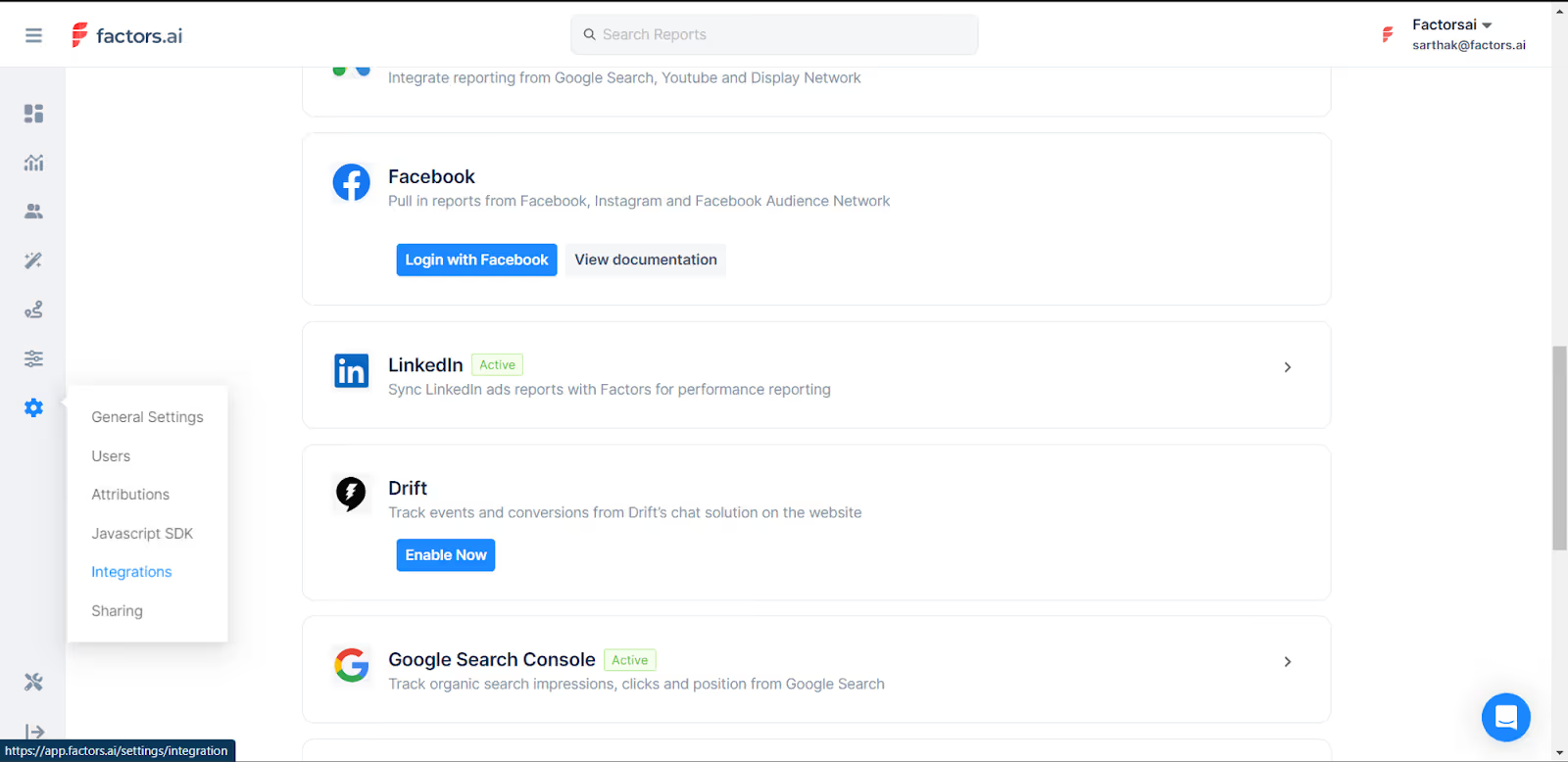
Auto-updating audiences built from website visits, ad engagement, G2 intent, product usage, CRM activity, buying stage, geography, persona, and custom firmographics. Segments refresh in real time, so a cohort like “Mid-Funnel APAC SaaS Decision Makers” never goes stale. - Retargeting paid-search visitors on LinkedIn
- Identify accounts clicking high-intent search keywords in Google.
- Auto-sync those accounts to LinkedIn retargeting.
- Reinforce purchase intent without paying for cold impressions.
Result: Google captures demand at the top; LinkedIn advances it mid-funnel.
- Impression pacing & budget control
Account-level frequency management to:
- Prevent overexposure and waste,
- Increase visibility for high-intent accounts, and
- Dial down spend on disengaged accounts.
This raises efficiency per dollar while keeping priority accounts warm.
- Conversion feedback loops
Every form-fill, demo, or sign-up feeds back into the system to:
- Auto-adjust LinkedIn targeting,
- Reallocate budget across audience segments, and
- Attribute ad views to deals and recognized revenue.
Outcome: lower CPA, faster cycles, and no blind spots.
- Official LinkedIn Partner
Certified partnership enables deeper API access, including ad-view attribution, critical in B2B where conversions often occur off-platform. - Google CAPI (Conversions API)
Sends richer conversion signals to Google Ads by combining click-level data, firmographics, and engagement scoring, so optimization favors high-value accounts, not low-quality leads. - Google Audience Sync
Run precise targeting on Google Ads: retarget only ICP-fit accounts, suppress job seekers and competitors, expand into costly keywords with control, and keep lists fresh with daily automated updates. - Dynamic Ad Activation
Real-time audience syncing to both LinkedIn and Google Ads (“Dynamic Ad Activation”) powers budget-efficient targeting, in-funnel retargeting, and accurate ABM, without manual CSV uploads.
Albacross
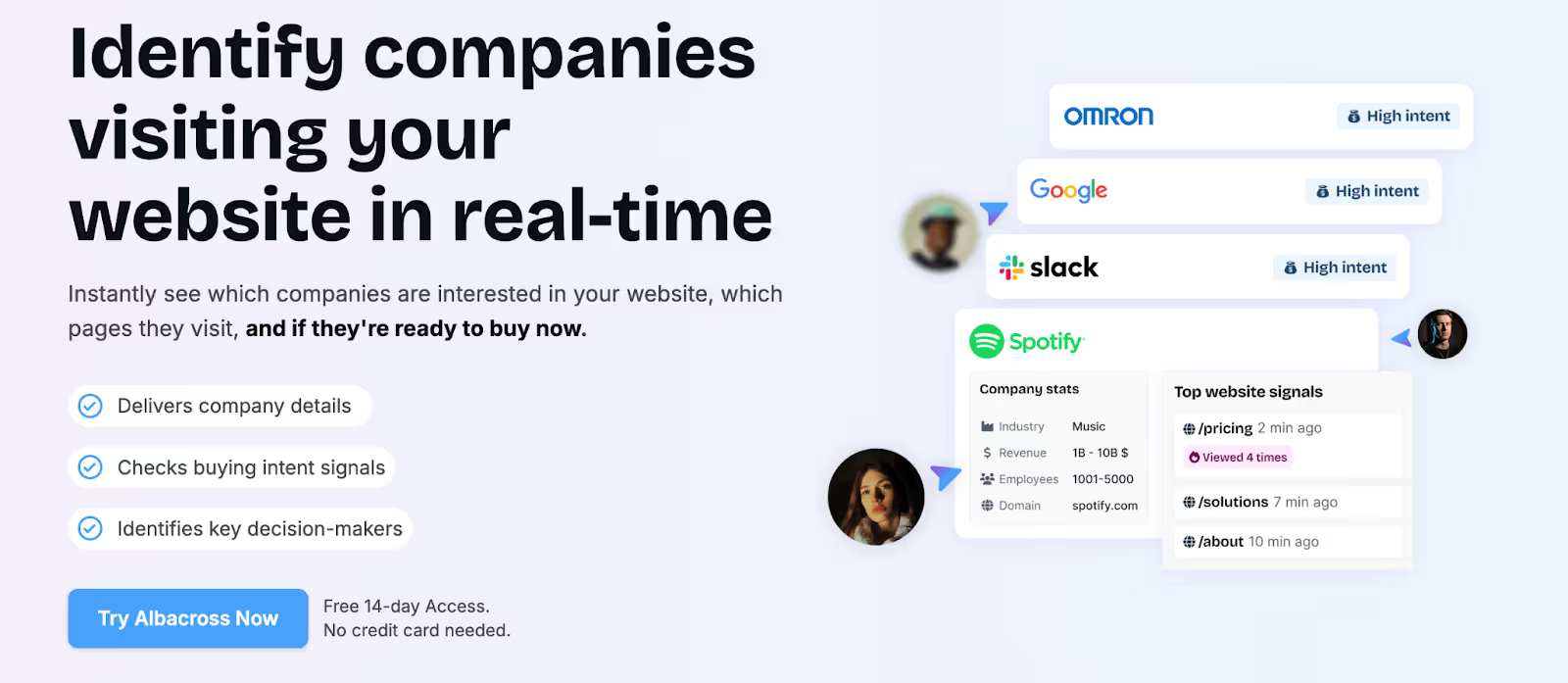
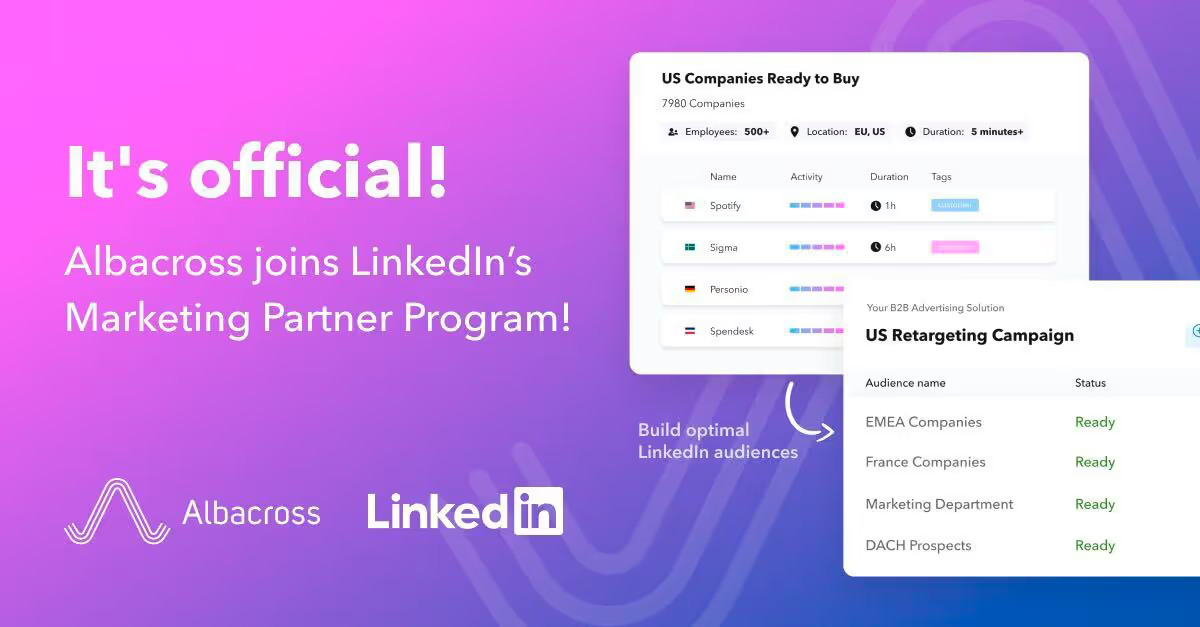
- LinkedIn audience sync (LinkedIn Marketing Partner) for visitor retargeting.
- Current scope: Emphasis on LinkedIn; Google Ads sync is noted as coming soon in shared materials. No native impression pacing, paid-search retargeting, or conversion-fed optimization highlighted.
Factors and Albacross: Which visitor tracking and GTM platform should you choose?
At a glance, both products help you uncover and engage anonymous website traffic. The difference shows up in what happens after identification, prioritization, activation, and proof of impact.
This wrap-up ties capability, price, security, support, analytics, and ads into a practical buying decision. Use it to align the choice with your goals, team capacity, and the outcomes you need this quarter and beyond.
When to choose Factors
You’re building a revenue system that reacts to intent in real time and proves pipeline impact.
- High-intent account identification (match rates reported up to ~75% vs. 8–10% for person-level tools).
- Multi-source signals across product, ads, G2, CRM, and web.
- Buying-committee mapping, contact tiering, and predictive scoring.
- Paid media controls: dynamic audiences, account-level frequency, and ad ROI attribution.
- Hands-on onboarding, weekly success cadence, and optional GTM Engineering Services.
- Full-funnel attribution, from first touch to closed revenue.
- Enterprise-grade compliance: SOC 2 Type II, ISO 27001, GDPR, CCPA.
- Tool consolidation across identification, orchestration, analytics, and activation.
Bottom line: Factors functions as a GTM control center, not just an ID widget.
When to choose Albacross
You want a lean, budget-friendly entry into visitor identification and basic outreach.
- Simple website visitor ID with page-level visibility.
- Primary focus on top-of-funnel engagement.
- Light process overhead, no complex orchestration required.
- Triggers for LinkedIn/email; deeper workflows can be added via third-party tools.
- Clear per-seat pricing for teams optimizing cost.
Bottom line: Albacross is a starting point for ID-led programs with minimal setup.
That said, if your next questions are:
- “Which campaigns actually drove the deal?”
- “How do we scale intent-based ads without waste?”
- “Who on the buying committee should we engage next?”
- “Why did this account cool off, and how do we re-ignite it?”
you’ll get more complete answers from Factors.
If you're in the market for a website visitor identification tool, both options can help. If you're in the market for a true revenue engine, Factors is the platform that will grow with your GTM motion, not just track it.
Turn visitor Identification into pipeline.
See how Factors compares as an Albacross alternative, along with how we score accounts, alert reps, sync LinkedIn and Google, and tie back to your revenue (the only stuff that matters!).
Book a demo with Factors.
LinkedIn Video Ads for B2B: Strategy, Planning, Tips & ROI
In B2B, attention is harder to get than the Wi-Fi password at a neighbour’s house party.
And that’s exactly what makes LinkedIn Video Ads a great investment for your brand: they capture attention, educate at scale, and speak directly to the people holding the budget.
The platform’s precision targeting by job title, company size, seniority, and industry means your videos don’t only get ✨views✨; they get seen by decision-makers who actually care.
Look, video is no longer just ‘trendy’, it’s reshaping the way we consume content and transforming the way B2B marketing works.
Today’s buyers are younger, video-focused, and consuming more streaming content than ever. The question is: How will you reach them? LinkedIn’s Video Ads… which, by the way, have seen an engagement rate increase by 44% year-on-year. So, you’ve got a direct line into the minds of your ideal buyers.
If you’re running high-ACV deals, trying to shorten the sales cycle, or looking to stand out in a crowded category, video ads on LinkedIn are a performance lever you can’t afford to ignore.
Why LinkedIn Video is the Right Match for B2B Demand Gen
1. Video content is what people want to see
According to benchmark data, videos get 5x more engagement than static posts on the platform. Furthermore, according to Forrester, 71% of buyers are now Millennials or GenZ, and video content is their preferred format. According to recent research from Forrester, 71% of B2B buyers are now Millennials or Gen Z. These generations grew up immersed in video content, which has become their preferred way to consume information. In fact, just this past May, streaming officially surpassed traditional television for the first time.
To back that up, 93% of marketers also say that video has a direct impact on their ROI, as per LinkedIn’s Internal data (2025).
That means if you're looking to:
- Educate your market at scale
- Build trust with high-value accounts
- Humanize your message while showcasing ROI
...there’s no format more effective than video on LinkedIn.
2. Your video ads reach real buyers, not just scrollers
With LinkedIn’s targeting precision by job title, company size, industry, seniority, skills, and firmographics, you’re not just running ads to get views. You’re getting seen by the right set of buyers.
Compare this with Meta or YouTube, where even with interest filters, a large chunk of your budget can go to students, bots, or non-decision-makers.
Why Choose LinkedIn Video Ads over Static Ads?
Video ads drive significantly higher engagement than static ads, capturing attention more effectively through motion and storytelling. They also allow brands to communicate more information quickly, making them ideal for awareness, education, and recall.
Let’s look at some data:
- Enhanced viewer attention:
LinkedIn video ads capture attention 3 times longer than static image ads, providing a greater opportunity to convey your message effectively.
- Increased interaction rates:
Video posts on LinkedIn drive 5 times higher interaction rates compared to text or image posts, leading to more likes, comments, and shares.
- Boosted conversion rates:
Implementing video ads can lead to a 30% increase in conversion rates, making them a powerful tool for driving actions like sign-ups and inquiries.
On a side note, organic video is also having its moment!
It’s not only Video Ads that are growing… organic videos are growing, too!
Organic video content continues to gain momentum among business leaders on LinkedIn, with a 44% year-over-year increase in video uploads by C-suite executives. Notably, video posts generate 1.4x higher engagement than other content formats, highlighting their growing impact on B2B communication and thought leadership.
Campaign Planning
The best-performing video ads aren’t chasing likes or trying to ‘go viral.’ They’re engineered to move high-intent buyers from scroll to sales call.
Step 1: Start with a pipeline-aligned objective
Your objective is a strategic choice that shapes the creative, the CTA, and how you measure success. Let’s break down how to choose the right objective, structure it by funnel stage, and tie each to a real business outcome. So, the first question to answer is:“What stage of the funnel is this campaign meant to impact?”
Here’s how to choose the right campaign objective and pair it with the right kind of video:
Choosing the right objective by funnel stage:
LinkedIn Ads offer three primary objective types: Awareness, Consideration, and Conversion.
Here’s where each one fits and what kind of video makes sense for that stage.
Now, paired with your funnel table and metrics, this quote gives readers a reality check about choosing the objective type more carefully.
Step 2: Choose metrics that match the stage
Don’t fall into the trap of obsessing over CTRs when your goal is trust-building, or over-optimizing form fills at the top of the funnel.
💡 Top of funnel metrics tell you what’s working. Bottom of funnel metrics tell you what’s worth scaling. It’s best to monitor both.
Side Note: Your Targeting Strategy Directly Impacts CPV
Your cost per view isn’t just about geography or bid type, it’s shaped by who you’re trying to reach, how competitive that audience is, and how well your creative holds their attention. In other words, targeting drives CPV.
Here’s what that looks like in practice:
Let’s break down what drives your cost per view:
💡 Auto-bidding isn’t just easier, it’s 2X as cost-efficient. Based on 17M+ video views, the average auto-bid comes in at just $0.09, compared to $0.18 for manual bidding or cost caps. That’s budget you could be using to scale faster, test more creatives, or win more impressions at the same cost.
Step 3: Assign one north star metric per campaign
Every campaign should have one success metric (not five). Here’s how you can align your video type to their metric:
💡 Set one metric. Track it ruthlessly.
Step 4: Interpreting what performance actually means
Don’t confuse a bad click-through rate with a bad video.
Here’s how you can diagnose performance signals:
“If 100 people watched 75% of your video, that’s 100 warm leads, click or not.” That’s the thinking top growth marketers use to plan next steps.
Final Thought: Video ads aren’t instant noodles
Here’s what a typical B2B journey looks like:
Watches your video → Doesn’t click → Remembers you later → Googles you → Reads your email → Books a demo
So track the full arc of buyer behavior:
- Use view-through attribution
- Add self-reported attribution
- Sync LinkedIn CAPI with your CRM
Or better yet…
Creative Strategy: How to Build Video Ads That Actually Convert
LinkedIn video is a high-intent, scroll-breaking format that, when done right, can compress months of nurturing into 45 seconds of screen time.
But most B2B brands overinvest in production and underinvest in strategy. And high-performing LinkedIn video ads aren’t ‘TV commercials shrunk for feed.’ They’re surgical tools built for mobile-first, distracted professionals with zero time and infinite tabs open.
💡Download LinkedIn’s exclusive guide to building your brand through LinkedIn videos. So before you hit record, make sure you give the guide a read.
The Base: What Makes a LinkedIn Video Ad Work?
Forget polished commercials with fancy budgets. Great LinkedIn videos feel native, personal, and purposeful. They work because they respect how distracted and skeptical buyers are.
Types of Video Ads on LinkedIn
- Video Ads
Great for sharing your brand’s take on industry news, product demos, and customer success stories. Video Ads humanize your brand and deliver your message in an engaging format. - Connected TV Ads
Show up in living rooms via streaming services, where people are more relaxed. Connected TV Ads keep decision-makers thinking of you even off the clock. Since many B2B buyers watch CTV in their spare time, it’s a strong way to reinforce your message outside traditional work hours. - Event Ads
For many B2B marketers, live events are a priority. With Event Ads, you can use video to reach buyers at scale and drive registrations for live events or webinars. Tease the agenda, speakers, or special content to build excitement and attendance. - Thought Leader Ads
Spotlight company leaders or industry experts. Videos centered on thought leadership build credibility and help your community get to know the people behind the brand. Promote this content and extend your reach with Thought Leader Ads. - BrandLink
With BrandLink, brands can partner with trusted publishers and creators to run in-stream, pre-roll video ads next to contextually aligned, high-quality videos, delivered directly in targeted members’ LinkedIn newsfeeds.
How to build LinkedIn Video ads for people who actually watch them:
1. Hook Viewers Within 2 Seconds
If we haven’t already established it, the scroll is brutal. You have two seconds to stop the thumb.
Start with:
- A bold stat or unexpected insight (“78% of sales teams still do this manually…”)
- A pain point framed as a question (“Tired of chasing no-show demos?”)
- A clear visual motion (zoom-in on product UI, person speaking straight to camera)
Avoid:
- Long branded intros
- Slow fades or logo splash screens
Basically, come to the point within the first two seconds.
2. Design for Sound-Off Viewing
79% of users watch LinkedIn videos on mute. Your video must make sense without sound.
Always include:
- Native captions, not just YouTube-style auto-subtitles
- Bold text overlays to highlight key phrases or data
- Visual metaphors that reinforce your point (e.g. lagging bar graphs, ticking clocks)
Think of every video as a ‘moving carousel post.’
3. Keep It Concise
Attention spans aren’t shrinking; they’re just more expensive to earn.
💡If you need more than 60 seconds to say it, you probably need a landing page, not a video ad.
4. Strong, Single CTA
Every video should have one goal. Not three.
Use CTAs like:
- See it in action
- Watch full demo
- Grab the report
- Book a consult
Avoid:
- Learn more (too vague)
- Click here (too 2006)
Position your CTA in:
- Text overlay (mid-video + end screen)
- Video description
- Companion creative (e.g., headline or button)
Technical Specifications (Keep These Handy)
💡Tip: Use 1:1 or 4:5 formats for mobile-first audiences, they take up more feed real estate and consistently outperform 16:9.
The Anatomy of a Scroll-Stopping LinkedIn Video Ad
B2B Creative Formats That Actually Work
Here’s what demand gen teams do:
1. Founder POV or Product Manager Cameo
- Quick, unscripted clips recorded on Loom or Riverside
- Personal, high-trust, credible, and personal, feels like a DM, not an ad
- Best for: Bottom-funnel or account retargeting
- Record straight-to-camera “here’s what we’re seeing in the market.”
- Works well with warm audiences and in BoFu campaigns.
- A 30s iPhone clip of your founder saying, “Here’s why we built this…”. Such videos add instant credibility and perform great in retargeting.
For example: Blackstone featured Michael Zawadzki, Global Chief Investment Officer for Blackstone Credit and Insurance talking about private credit, a relatively technical topic.
- Why it works:
- Personal and trustworthy tone
- Helps viewers understand niche topics
- Builds brand credibility

2. Mini Product Tour
- UI walkthrough synced to a real pain point
- Subtle overlays to highlight key metrics or features
- Best for: Consideration stage (especially SaaS)
- Show real UI, not just abstract motion graphics.
- Narrate why each feature matters, not just what it does.
- Works great when retargeting high-intent visitors.
- Record a short Loom showing how your product solves one specific use case. Add captions and upload. Done.
For example: Descope, a no-code identity platform, used a 51-second demo video of the Descope SSO Setup Suite.
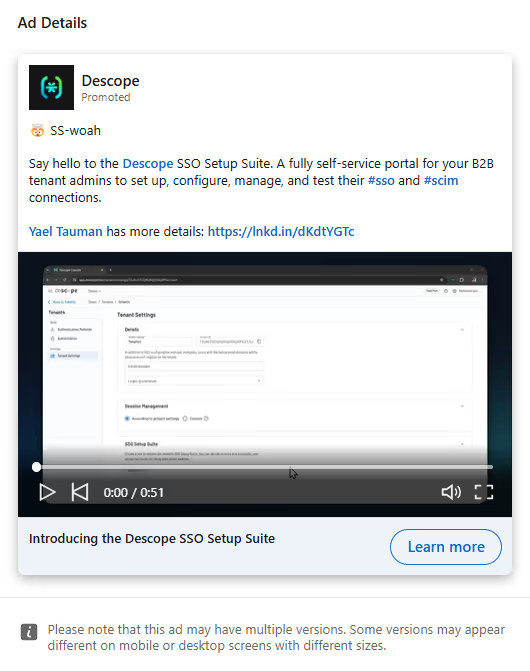
3. Customer Proof Clips/ Testimonials
- User clips saying: “We switched from [x] to [you] and here’s what happened”
- Cut it raw and subtitle it manually
- Best for: Warm retargeting, social proof, and expansion
- Raw > Polished. Shoot over Zoom or phone.
- Focus on transformation: “Before we used X → Now we [save 10 hours/week].”
- Use customers your audience aspires to be.
- Record a 1-min Zoom call with a happy customer. Ask them: “What changed after using us?” Crop, caption, publish.
For example: Salesforce for Small Business ran a testimonial-style Thought Leader video ad featuring users describing the ‘aha’ moments they experienced after using the platform.
- Why it works:
- Higher emotional resonance and relatability
- Short, punchy cuts keep watch time high
- Clear CTA at the end: “Start your free trial now”

4. Category Storytelling
- Frame the market gap
- Create urgency or FOMO
- Position your solution as the only one that “gets it”
- Best for: Top-of-funnel awareness
- ‘Here’s what no one tells you about hiring engineers in APAC’
- Use stats, frameworks, or mental models your ICP can steal
- Position your brand as a category authority, not just a product
- Turn an existing deck into a motion video using Canva or Animoto. Narrate with an engaging voice-over or add text overlays.
- Combine a clear script, basic animation, and stock clips (from Pexels/Unsplash). Ideal for top-of-funnel explainer videos.
For example: Testimonial Hero launched a 54-second explainer video showing the product’s offerings and use-cases.
- Why it works:
- Motion graphics were universally appealing (no language barrier)
- Focused on the benefits and the product
- CTA drove users to visit the website to learn more

💡Don’t aim to just ‘tell your story.’ Aim to help your viewer tell a better story at their next team meeting.
📖Good Read: Create Video Ads for LinkedIn using Canva
Creative Format Guide (by Funnel Stage)
💡 Tip: For retargeting flows, create a video series. Ad 1 = Problem. Ad 2 = Product. Ad 3 = Customer proof.
A/B test these variables:
It’s important to test thumbnails, but that’s not where the tests should end. Keep the structure, script, and even the effect of silence versus narration, in mind.
- Hook formats: Problem-first vs. Question-first
- CTA language: “Try free” vs “See it in action”
- Voiceover vs. caption-only
- Raw founder selfie vs. studio animation
- UI-first vs. use-case-first
Benchmark across:
- View-through rate (50%+ watched)
- CTR
- Down-funnel lead quality (SQLs, not just form fills)
Here are some tools you can use to create videos without a studio:
Common creative mistakes (and how you can fix them)
A great video doesn’t just ‘look good.’ It also converts.
Like I’ve said above, the best-performing LinkedIn video ads aren’t made for film festivals. They’re built to earn attention and move buyers one step closer to conversion, all in the span of 30 to 60 seconds.
Side Note: You Don’t Need a Hollywood Budget to Run Video Ads
One of the biggest misconceptions about LinkedIn video ads is that they’re expensive to produce. The truth? It’s all about creating something of high relevance.
Some best-performing video ads are shot on webcams, edited on free tools, and filmed in under an hour. What matters is that the message lands fast.
Pair Paid with Organic for Maximum Reach
Don’t silo your video content. What works on organic often works better on paid, especially if it has already shown strong engagement signals (likes, comments, shares).
- Run founder videos as organic first, and then boost the best performer as a paid ad
- Turn a popular carousel post into a short explainer video
- Use paid to extend the shelf life of webinars, roundups, or case studies
💡 If your post resonated with your audience organically, it’s already algorithm-tested.
Audience Targeting for LinkedIn Video Ads
You can have the perfect video with an intriguing hook, flawless CTA, and a founder cameo that could win a ‘Webby’, but if your targeting’s off, the entire campaign falls flat.
LinkedIn has the most powerful B2B targeting stack of any paid channel, but it’s only as effective as the clarity of your ICP. The goal isn’t to reach everyone. It’s to reach the right people, often, with relevant messaging, at the right stage of their journey.
Here are a few things that you need to add to your targeting toolkit:
- Job Titles / Job Functions:
Keep it broad, ‘Marketing + Director +’, is often better than targeting ‘VP of Growth’ alone. - Industry & Company Size:
Ideal for segmenting based on go-to-market motion. (Enterprise vs Mid-Market vs SMB) - Seniority Levels:
Use this to reach decision-makers without over-relying on job titles. - Skills & Interests:
Underused but powerful for reaching cross-functional roles (e.g., people who follow “Product-Led Growth” or “Demand Generation”). - Company Names (ABM):
Upload account lists to run 1:1 or 1:few campaigns to your highest-value targets.
💡 Pro-tip: Start wide, narrow down with creative and funnel logic, not oversegmentation.
Retargeting: Where video ads pay off
Video gives you behavioral signals that static can’t. Every view becomes a retargeting trigger.
This is where the real leverage is. Every video view gives you a new way to re-engage.
💡 Use sequential retargeting to tell a story over time:
Video 1 → Video 2 → CTA offer → Form fill → SQL
💡 Want to level up your intent-based targeting? With Smart Reach, you can control how many times an account sees your ad, dialing up frequency for engaged accounts and avoiding ad fatigue for warm prospects.
Summing up targeting tips
- Start with high-intent accounts, not just interest-level filters
- Avoid hyper-targeting, LinkedIn works best with 50K+ audience size
- Use warm actions (50% video views, demo page visits) to power mid-funnel
- Segment campaigns by persona + funnel stage for relevance and scale
💡Pro Tip: Segment Campaigns by Persona and Funnel Stage. If you’re unsure how to do that, Book a Demo and explore how AdPilot can help you!
Packing Up
Video is no longer a top-of-funnel experiment; it’s a full-funnel performance lever.
On LinkedIn, where attention is costly and every impression matters, well-structured video ads let you educate, qualify, and convert your audience, all within the feed.
You don’t need cinematic quality. You need:
- A sharp message.
- A clear viewer path.
- And a targeting + optimization system that respects your budget.
If you're already running image or document ads, video is your next step forward. If you're not advertising on LinkedIn yet, video is your fastest way in.
💡Download: LinkedIn’s guide on how video can transform your B2B marketing strategy and elevate your brand on LinkedIn.
About Factors & LinkedIn AdPilot
Running B2B ads shouldn’t feel like guesswork. Yet most marketers still juggle multiple platforms, disconnected insights, and uneven reach. Factors changes that.
It brings your ad data, audience insights, and performance signals into one smart system, so you can see what’s working, scale what’s converting, and finally prove ROI across every touchpoint.
From identifying high-intent accounts to optimizing where your budget goes, Factors’ AdPilot suite helps you run LinkedIn and Google Ads with the precision (and calm) your spreadsheets wish they had.
AdPilot Features That Make Every Ad Dollar Count
1. Audience Builder
Start by knowing who really matters. Audience Builder helps you identify anonymous accounts already engaging with your brand, whether they visited your site, clicked an ad, or explored your content. You can then segment the sales-ready ones based on how active they’ve been across different channels. Once you’ve got your dream list, syncing it to your LinkedIn or Google Ads takes just a click. So your targeting is sharper, your budget is smarter, and your message lands exactly where it should.
2. SmartReach
Sometimes, the top 10% of accounts hog most of your ad impressions, leaving the rest of your audience barely touched. SmartReach fixes that imbalance. It gives you more control over how often each account sees your ad, helping you spread reach evenly and make every dollar go further. The result? Better visibility, more awareness, and a healthier pipeline.
3. Power Boost
When a high-intent account starts showing interest, say they’re responding to sales emails or visiting your site, Power Boost steps in. It automatically increases ad frequency for those accounts, keeping your brand top of mind while they’re in decision mode. Because the faster you stay visible, the faster they convert.
4. Campaign Automation
Let your campaigns move at the speed of intent. AdPilot’s automation engine redistributes impressions in real time based on signals from your CRM, G2, or website. That means your ads automatically follow where the interest is, without manual tinkering. More relevant exposure. Faster deal velocity. Less wasted spend.
5. TrueROI
Most people won’t click your ad, but that doesn’t mean your ads didn’t work. TrueROI shows the full picture of impact with view-through attribution, combining ad views with engagement data from across channels. It helps you measure what really matters: how your LinkedIn campaigns influence awareness, intent, and pipeline, not just clicks.
Book a Demo to see it in action.
💡Read More: LinkedIn Ads 101: A B2B LinkedIn Ads Guide
💡Read More: LinkedIn Ads Strategy for B2B SaaS Growth
💡Read More: Types of LinkedIn Ads
💡Read More: LinkedIn Ads Targeting Best Practices & Strategy Guide
💡Read More: LinkedIn Ads Targeting & Campaign Strategy for Enterprises
.avif)
Top 5 Apollo.io Alternatives for B2B Sales and GTM Teams
Apollo.io has quickly emerged as one of the most widely adopted Sales SaaS tools for outbound teams. Positioned as an end-to-end Apollo sales intelligence platform, it combines prospecting data, enrichment, and engagement into a single workspace. For many sales leaders, it feels like the all-in-one solution that simplifies workflows and boosts efficiency. Still, as with any rapidly scaling platform in the sales tools and intelligence category, experiences can vary, and some teams begin evaluating an Apollo alternative to meet their unique needs better.
TL;DR
- Apollo.io is a popular all-in-one sales intelligence platform offering prospecting data, enrichment, and engagement tools.
- Despite its strengths, teams explore Apollo alternatives due to challenges with support, data accuracy, feature gaps, and pricing scalability.
- Common comparisons include Apollo vs ZoomInfo, but other strong options are Cognism, Lusha, Clearbit, and UpLead, each with unique strengths and trade-offs.
- Key factors when evaluating alternatives: data coverage and accuracy, ease of use, engagement features, pricing flexibility, and reliability.
- Beyond data tools, modern GTM teams look for AI-driven demand generation platforms like Factors.ai, which adds buyer journey insights, intent signals, and revenue-focused automation.
Apollo.io Platform Overview and Key Offerings

Apollo.io goes beyond being just another Apollo CRM. It offers:
- Access to a B2B database of 210M+ verified contacts
- Data enrichment to keep records accurate and up to date
- Engagement features such as email sequencing, calling, and pipeline tracking
This mix of data and outreach positions Apollo as a core player in the sales tools and intelligence landscape, providing a centralized workspace that can often replace multiple point solutions.
Why look for an Apollo.io alternative?
While Apollo offers strong value, feedback from users highlights a few recurring challenges:
1. Intent Data: Reviewers mention that intent signals don’t always deliver the precision needed for certain markets.

2. Reliability and Features: Teams have reported occasional downtime and gaps in advanced features compared to specialized competitors.
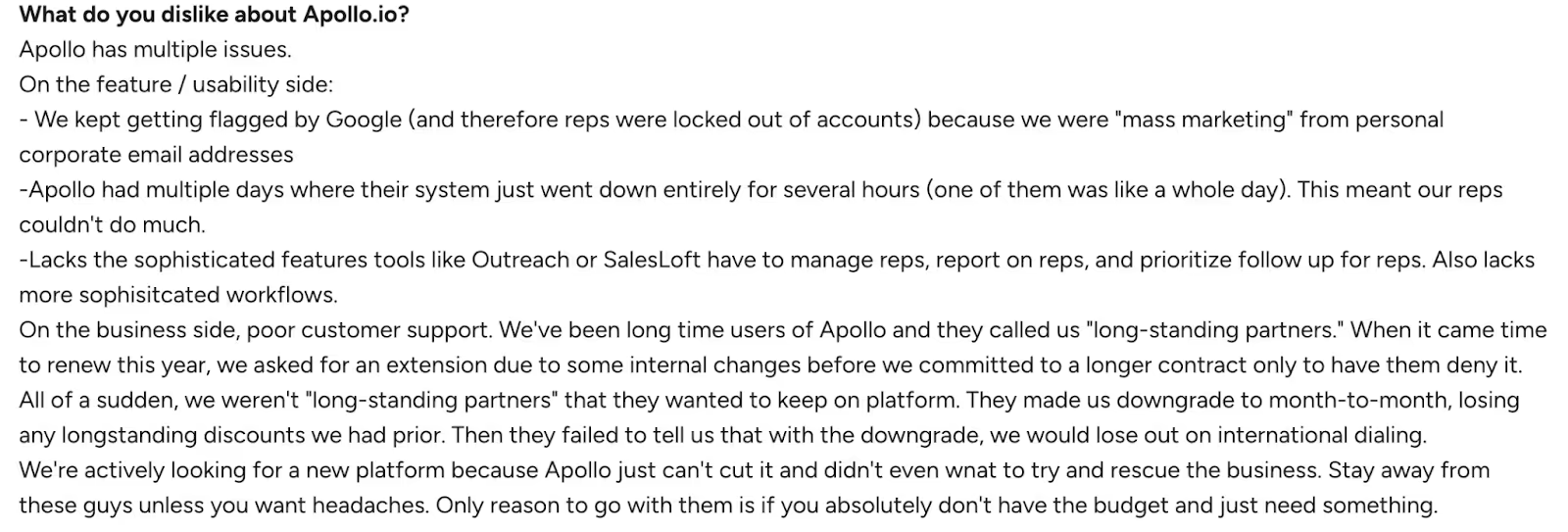
3. Data Quality and Credits: A few users point out concerns around data freshness and limitations with available credits for scaling outreach.

These points don’t diminish Apollo’s strengths but explain why some organizations evaluate other options to ensure the best fit for their workflows.
Apollo.io Pricing
Apollo.io offers a range of pricing plans designed to support different team sizes and outreach goals, from individuals just starting out to large sales organizations.
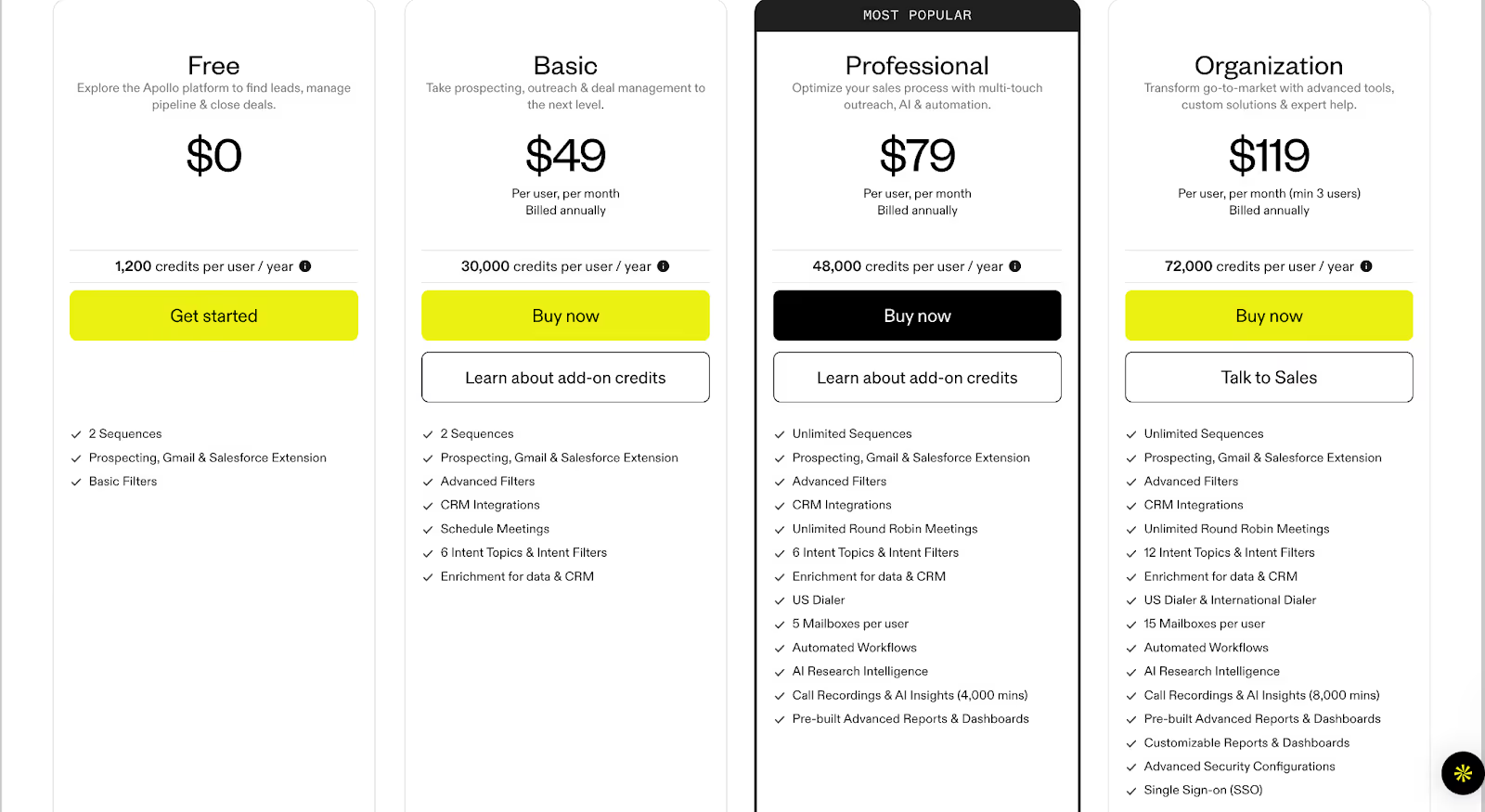
What to look for in an Apollo.io alternative
When exploring an Apollo alternative, it helps to step back and consider what really matters in a modern sales tools and intelligence stack. Every team’s priorities are slightly different, but based on user feedback and market comparisons, here are the factors worth evaluating:
- Data Coverage and Accuracy: A strong database is the backbone of any sales intelligence platform. Look for alternatives that not only match Apollo’s scale but also maintain freshness and reliability across regions.
- Ease of Use and Integration: Whether it’s with Salesforce, HubSpot, or your CRM, seamless integration is critical to keeping workflows smooth.
- Engagement Features: Many companies compare Apollo vs ZoomInfo and other competitors based on whether outreach tools like sequencing, calling, and automation are built in or require third-party add-ons.
- Pricing and Scalability: While Apollo pricing is competitive for smaller teams, some organizations outgrow credit limits or need more flexible renewal options. Evaluate whether alternatives provide a better fit for long-term growth.
- Support and Reliability: A responsive support team and consistent platform uptime can make a big difference, especially for fast-moving sales orgs.
The right Apollo sales intelligence alternative will depend on how well it supports your team’s workflows, scales with your outbound needs, and fits within your budget.
Now, let’s take a closer look at some of the most popular Apollo alternatives in the market today.
ZoomInfo
Among the most well-known names in the sales tools and intelligence space, ZoomInfo is often the first platform sales teams consider when evaluating an Apollo alternative. Recognized as a leader in multiple categories on G2 and Forrester, ZoomInfo provides go-to-market teams with a blend of B2B data, buyer intent signals, and AI-driven automation to help accelerate pipeline growth.
Core offerings
- Extensive B2B Database: Clean, accurate, and compliant company and contact data to expand TAM and reach decision-makers faster.
- Buyer Intent Data: Identify in-market accounts and prioritize outreach based on real-time signals.
- AI-Powered Account Intelligence: Surface insights like org changes, pain points, and usage trends to guide deal progression.
- Data Enrichment and Automation: Keep CRM and sales systems updated with fresh, enriched data while automating repetitive workflows.
- Seamless Integrations: Connects with CRMs and sales engagement tools,including Salesforce, HubSpot, Outreach, and more.
With its scale and focus on data precision, ZoomInfo is frequently compared during Apollo vs ZoomInfo evaluations, especially for teams seeking deeper market coverage and more advanced intent capabilities.
What it lacks
- Users report that contracts can feel restrictive, with tools often underperforming, frequent bugs, and accuracy levels not meeting expectations.

- Some customers faced technical issues during signup, such as forms freezing or welcome emails not being delivered.

- Many feel the platform is overpriced, particularly for smaller or early-stage companies, with alternative tools offering similar value at a lower cost.

ZoomInfo Pricing
ZoomInfo pricing is not available upfront. Plans are divided across Sales, Marketing, and Talent solutions, and businesses must request a custom quote based on their needs.
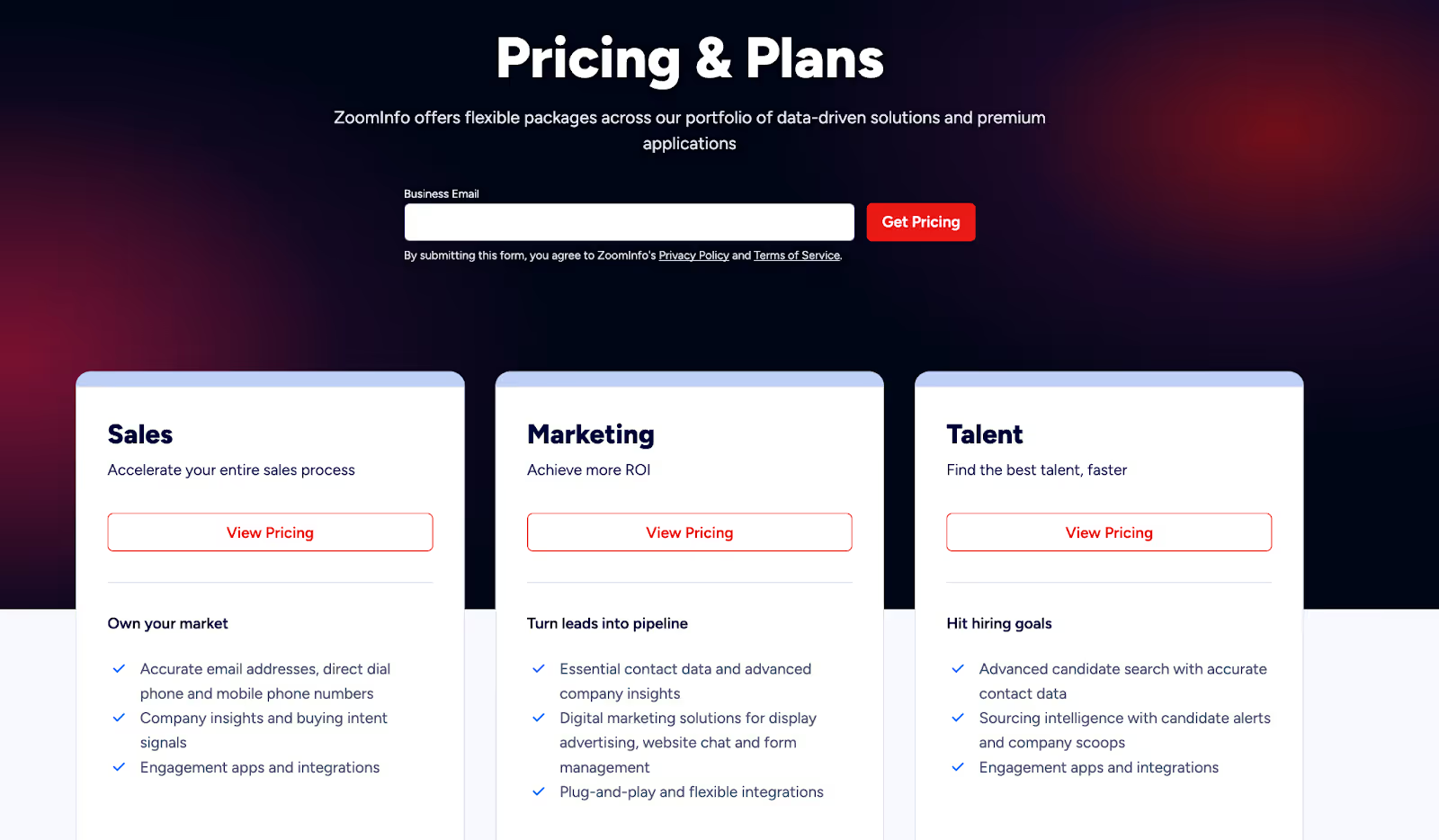
💡Also Read: ZoomInfo Alternatives - Top 5 ZoomInfo Competitors
💡Also Read: Factors vs ZoomInfo Pros and Cons: Detailed Comparison
Cognism
Another strong player in the sales intelligence category, Cognism is often considered when exploring an Apollo alternative, especially for teams focused on European markets. With its GDPR-compliant database and emphasis on accuracy, Cognism equips sales, marketing, and revenue teams with the data they need to connect confidently with decision-makers and fuel predictable pipeline growth.

Core offerings
- European Market Coverage: Unrivalled access to millions of verified B2B contacts across the UK and EMEA, helping companies sell into complex regional markets.
- Diamond Data®: Phone-verified, human-validated mobile numbers that significantly improve connect rates for SDRs and reduce wasted time.
- Decision-Maker Intelligence: Accurate, senior-level contact data (VP and above) enriched and continuously refreshed for confident prospecting.
- Sales Companion Tool: Prospect directly from LinkedIn and corporate websites while syncing data seamlessly into CRMs like Salesforce, HubSpot, and Pipedrive.
- Data-as-a-Service and Enrichment: Keep databases clean, compliant, and actionable while aligning revenue teams with accurate information.
Trusted by over 4,000 businesses globally, Cognism positions itself as more than just a database provider, it’s a sales SaaS tool that combines compliance, data accuracy, and user-friendly integrations to help sales teams spend less time researching and more time selling.
What it lacks
- Several users highlight outdated data, with records of people who left roles years ago and very low connection rates, even with premium data.

- Customers mention concerns around business practices, such as auto-renewals without clear communication and a lack of dedicated account support.

- Some reviews express strong dissatisfaction overall, describing the platform as unreliable and not worth recommending.

Cognism Pricing
Cognism pricing is not displayed publicly. Instead, it offers two plans, Grow and Elevate, with different levels of access to demographic, firmographic, and signals data. Businesses need to book a demo to get a customized quote based on their needs.

Lusha
Lusha positions itself as a lean, AI-powered sales intelligence platform built to ‘just let you sell.’ It combines prospecting, enrichment, intent data, and outreach into one streamlined ecosystem, cutting out the noise and giving sales teams verified contacts, buying signals, and instant list-building. With a focus on accuracy, compliance, and automation, Lusha helps organizations turn cold outreach into predictable pipeline growth.

Core offerings
- Verified B2B Database: Access 280M+ global contacts with high accuracy (85%+ for phone, 98% for email).
- Buyer Intelligence: Spot buying signals instantly and target prospects who are ready to engage.
- Prospecting Tools: Chrome extension, CRM sync, and automated list building to keep pipelines moving.
- Integrations and APIs: Enrich and sync directly with Salesforce, HubSpot, Outreach, Slack, and automation platforms like Zapier and n8n.
- Multi-team Utility: Sales, RevOps, Marketing, and even Recruiting teams can use Lusha for growth.
By blending automation with reliable, compliant data, Lusha ensures sales teams can focus on conversations that convert, making it a practical, lightweight alternative in the sales intelligence space.
What it lacks
- Users report outdated contact details, with phone numbers or emails linked to companies prospects haven’t worked at in years, and fewer available addresses compared to larger databases.

- The lead search feature is considered useful but lacks the depth of filters and advanced options offered by competitors.

- Some customers highlight issues with credits not being honored as promised, along with unhelpful support when raising concerns.

Lusha Pricing
Lusha offers flexible pricing plans designed to fit sales teams of every size, from individuals getting started with prospecting to large GTM organizations scaling outreach globally. Additionally, Lusha’s pricing is based on a credit system, meaning each contact reveal or data export consumes credits. Businesses with high-volume outreach requirements often explore whether competitors like Apollo or Cognism offer better scalability or bundled data credits at similar price points.

Clearbit (by HubSpot)
Clearbit, now part of HubSpot, positions itself as a data-first foundation for B2B go-to-market teams. The platform combines proprietary sources, public web data, and advanced AI/LLMs to deliver standardized, accurate, and enriched insights across leads, contacts, and accounts. By turning fragmented information into structured intelligence, Clearbit enables companies to act on data quickly and effectively.

Core offerings
- Comprehensive Data Enrichment: Provides global coverage and enriches records for leads, contacts, and accounts with precise and standardized details.
- Real-Time Lead Scoring and Routing: Instantly scores and routes inbound leads based on fit, industry, corporate hierarchy, and seniority.
- Granular Industry and Role Mapping: Leverages deep categorization (NAICS, GICS, SIC) and standardized roles/seniority to align with ideal customer profiles.
- Buyer Intent and Website Reveal: Transforms anonymous website traffic into actionable buying intent signals through advanced IP intelligence.
- Form Optimization: Uses dynamic form shortening to boost conversions by auto-enriching data from just an email address.
Clearbit strengthens sales and marketing operations with a clean, reliable data layer that reduces friction and helps GTM teams focus on the most promising opportunities.
What it lacks
- Users note recurring issues with data accuracy and duplication, which affect the overall reliability of the platform.

- Several reviews mention that the quality of enriched contact data can fall short, limiting its effectiveness for teams.

- Customers suggest that Clearbit’s contact enrichment capabilities need further refinement to deliver more consistent results.

Clearbit Pricing
Clearbit doesn’t provide standalone pricing information publicly, as it’s now integrated into HubSpot’s platform. Businesses interested in Clearbit’s data solutions might have to reach out to HubSpot sales for tailored pricing details.
UpLead
UpLead is a prospecting and sales intelligence platform built around one promise: data accuracy. With a 95%+ guarantee on verified contacts, the platform enables sales teams to generate reliable prospect lists in real-time and plug them directly into their outreach tools and CRMs. Positioned as a cost-effective alternative to larger platforms, UpLead emphasizes quality, affordability, and speed in lead generation.
Core offerings
- Prospector Tool: Use 50+ search filters to identify leads that match your buyer profile.
- Real-Time Email Verification: Guarantees high deliverability by validating emails before export.
- Data Enrichment and Bulk Lookup: Enrich CRM records with up-to-date data or process thousands of leads at once.
- Direct Dials and Intent Data: Access mobile and direct numbers alongside buying intent signals for faster connections.
- Integrations and API: Sync data seamlessly with CRMs and scale prospecting workflows with robust API support.
By combining accuracy, affordability, and breadth of features, UpLead helps sales teams start more conversations and close deals faster without the overhead of complex sales stacks.
What it lacks
- Some users report that the database doesn’t always include the accounts or contacts they need, and customer support has not been responsive in such cases.

- Reviews mention gaps in data accuracy, with missing phone numbers and incorrect information leading to frustration for sales teams.

- Customers also highlight dissatisfaction with the credit system, stating that unused credits become inaccessible without maintaining an active paid plan.

UpLead Pricing
UpLead offers flexible pricing options built to suit everyone. Like most data-driven platforms, UpLead uses a credit-based model, meaning each contact reveal consumes a credit. Teams with large-scale prospecting needs often compare UpLead with Apollo or Lusha to evaluate which platform provides better accuracy and flexibility per credit.
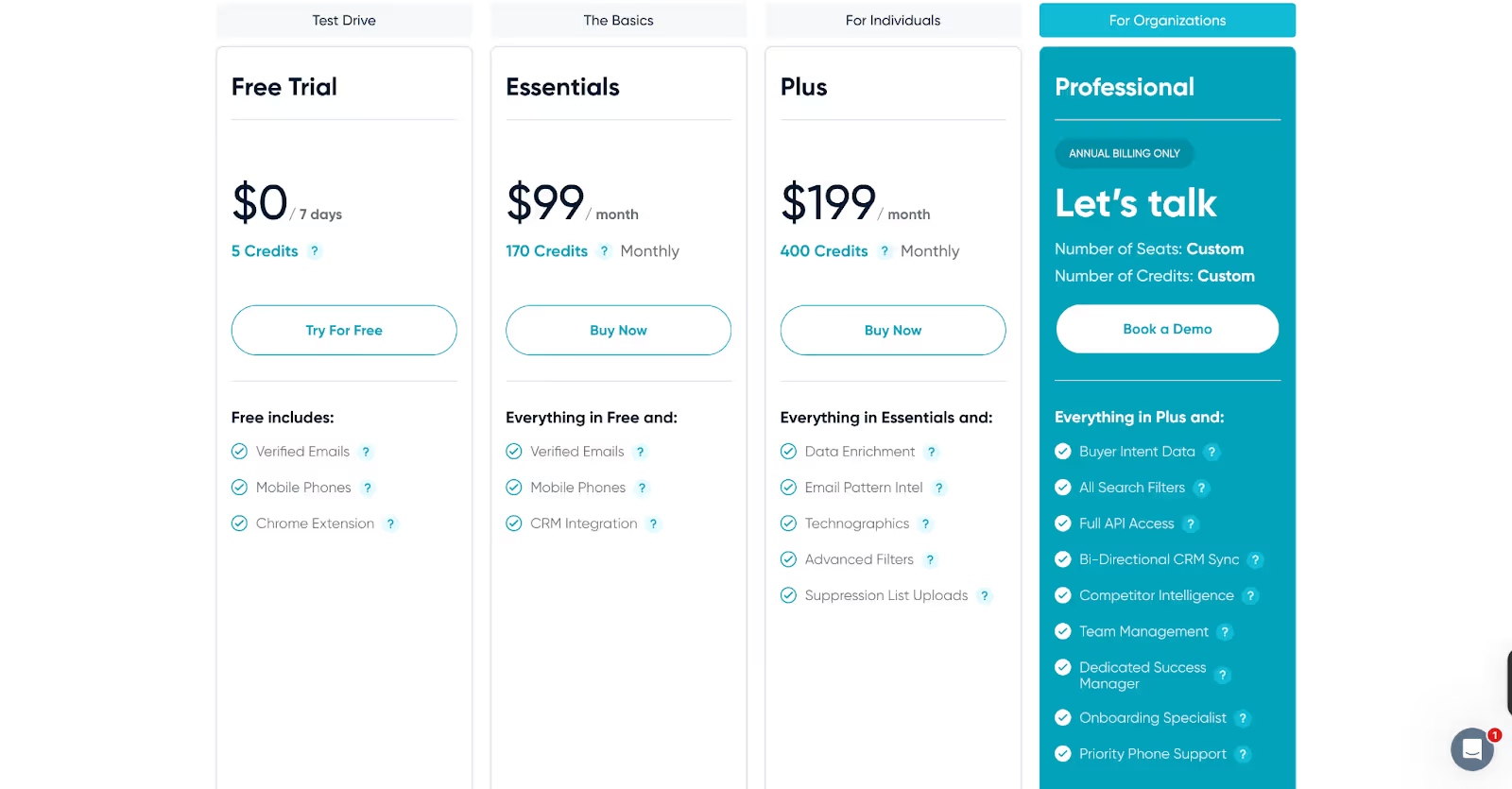
📝Important Note:
The shortcomings we’ve highlighted are drawn from a small number of user reviews and experiences. They do not represent the complete picture of any tool. In fact, many users on G2 have also praised these platforms for their strengths and value. You can explore those reviews as well. Our intent is simply to provide a balanced perspective as you evaluate your options.
Where Factors fits in
While Apollo.io and its alternatives primarily focus on data accuracy and prospecting, modern B2B teams need more than just contact lists. They need visibility into intent signals, buyer journeys, and campaign performance and that’s where Factors.ai comes in. Factors offers full-funnel ABM visibility, website identification, and account-level scoring. It connects intent signals, ad performance, and buyer journeys into one unified view, helping GTM teams prioritize the right accounts, automate follow-ups, and directly tie marketing efforts to revenue.
Factors.ai is a B2B demand generation platform that helps GTM teams identify high-intent accounts, automate campaigns, and measure what truly drives revenue.
What Factors offers:
- GTM Engineering: AI Agents that surface account research, revive closed-lost deals, and alert reps the moment buyers show intent. Factors integrates seamlessly with your existing GTM stack, Salesforce, HubSpot, Google, Meta, Bing, LinkedIn, and more, to automate sales workflows, sync audiences, and ensure your teams always act on the right signals at the right time.
- AI Alerts and Ad Syncs: Get real-time notifications on high-intent accounts, auto-sync audiences across Google and LinkedIn, and trigger personalized campaigns instantly, so no opportunity slips through the cracks.
- Milestones and Account 360: Get complete funnel visibility with analytics that map every marketing and sales touchpoint. From first click to closed deal, visualize how accounts move through the pipeline and uncover what’s truly driving conversions.
To explore the full breadth of Factors’ AI-powered GTM capabilities, Book a Demo!
In a nutshell…
Finding the right sales intelligence platform comes down to what aligns best with your GTM strategy, budget, and growth stage. Apollo remains a popular choice, but as we’ve seen, every platform, whether it’s Apollo CRM, ZoomInfo, Lusha, or others, comes with trade-offs. That’s why many modern B2B teams are turning to Sales SaaS tools like Factors.ai, which not only addresses common gaps in enrichment and intent data but also brings AI-driven automation into demand generation.
The bottom line:
Whether you’re comparing Apollo vs ZoomInfo or evaluating multiple Apollo alternatives, take the time to align the platform’s strengths with your business goals. And if you want to go beyond static data and turn intent into revenue, Factors.ai could be the smarter addition to your stack.
FAQs on Apollo Alternatives and Competitors
Q. What is Apollo pricing like?
A. Apollo offers a Free plan at $0 with 1,200 credits per user per year. It includes 2 sequences, Gmail and Salesforce extensions for prospecting, and access to basic filters. Paid tiers unlock more credits, advanced features, and higher limits.
Q. Is ZoomInfo better than Apollo?
A. It depends on your goals, Apollo vs ZoomInfo often comes down to budget, data coverage, and workflow fit. ZoomInfo is broader, while Apollo offers affordability and ease of use.
Q. Can small teams or startups use Apollo affordably?
A. Yes. Apollo’s Free or Basic tiers are designed with startups/smaller businesses in mind, giving access to core features. But as you scale, costs rise because usage-based limits bite
Q. Does Apollo function as a CRM?
A. Yes, Apollo CRM provides basic pipeline and contact management, though many businesses still integrate it with Salesforce, HubSpot, or other CRMs for advanced needs.
Q. Are Apollo’s sales intelligence tools enough for scaling teams?
A. Apollo’s tools work well for prospecting and outreach, but fast-growing teams often layer in other Sales SaaS tools to handle intent data, ABM, and deeper analytics.
Q. Where does Factors.ai fit in this comparison?
A. Factors.ai isn’t a direct Apollo competitor, it complements your stack by adding AI-powered demand generation, account intelligence, and GTM automation.
Q. What are some alternatives to Apollo for prospecting?
A. Many reps suggest tools like ZoomInfo, Cognism, and UpLead depending on whether you prioritize firmographic depth or contact accuracy. Try free tiers to validate match rates before committing.
Q. Looking for an Apollo.io alternative that actually works?
A. Community feedback frequently names ZoomInfo for data quality (costly), with advice to bundle verification (e.g., NeverBounce) to control bounces.
Q. What’s the best free Apollo alternative?
A. Lusha is often cited for a generous free tier.
Q. How does Factors.ai fit with Apollo and Apollo’s competitors?
A. Factors.ai complements data tools by turning intent signals into revenue-related actions. Factors’ AI agents help you understand more about buyer journeys, run tailored ads and outreach campaigns, while guiding you on the next best action, so you generate quality pipeline, fast. Keep your data provider; add Factors to prioritize, route, retarget, and measure revenue impact.
Q. Why switch from Apollo.io? What problems are people actually facing?
A. Frequent pain points include data freshness, deliverability without warmup, and credit/pricing constraints; teams test focused tools to plug those gaps.