.svg)


Factors vs Vector
Most marketing dashboards tell you who visited your website. Very few tell you what to do about it.
I’ve been in enough GTM review calls to know how this usually goes. Someone pulls up traffic numbers. Someone else asks if those visits are ‘good traffic.’ Sales asks if any of those visitors are actually worth calling. And the room goes quiet because… we don’t really know.
This is exactly where tools like Vector and Factors.ai come into the picture.
Both promise to turn anonymous website activity into something actionable. Both talk about intent, identification, and better targeting. But under the hood, they solve very different problems and are built for very different kinds of teams.
Vector zooms in on people. It helps you see the real humans behind your website visits and turn them into usable audiences fast.
Factors.ai takes those insights a little further. It connects website intent with ads, CRM data, and sales activity, so you can see how interest actually moves through your funnel and into revenue.
If you’re trying to decide which one fits your GTM setup, this guide walks through how each platform works, where they genuinely shine, and where their limits start to show.
TL;DR
- Targeting Approach: Vector identifies individual visitors for ad targeting; Factors.ai builds a complete picture of buying groups, intent strength, and engagement across your funnel.
- Ad Activation: Vector supports manual syncs for LinkedIn, Google, and Meta; Factors.ai automates ad campaigns using real-time signals and feedback loops via AdPilot.
- Analytics & Attribution: Factors.ai links engagement to revenue with Milestones, Account360, and multi-touch attribution. Vector provides surface-level visitor and ad performance insights.
- Best Fit: Choose Vector for quick setup and contact-level targeting. Choose Factors.ai if you want a connected GTM system with automation, funnel clarity, and sales-ready alerts.
Factors.ai vs Vector: Functionality and Features
When comparing Factors.ai and Vector, the difference begins with how each platform defines visibility and action.
When I evaluate tools like this, I ask one simple question first:
Does this give me insight, or does it give me work?
Some platforms surface data and expect you to figure out the next step. Others are designed to guide action across marketing and sales. That distinction shows up very quickly when you look at how Factors.ai and Vector handle visibility and activation.
Look, both are built to help marketing teams understand who’s engaging with their brand, but the depth of their insights, automation, and impact on the GTM funnel set them apart.
Let’s take a closer look at their core functionalities.
Feature Comparison
If your GTM motion is still very marketing-led, contact-level visibility can be a huge upgrade. But once sales, revenue ops, and leadership start asking deeper questions about pipeline quality and deal momentum, surface-level insights are no longer enough.
Factors.ai’s Functionality and Features
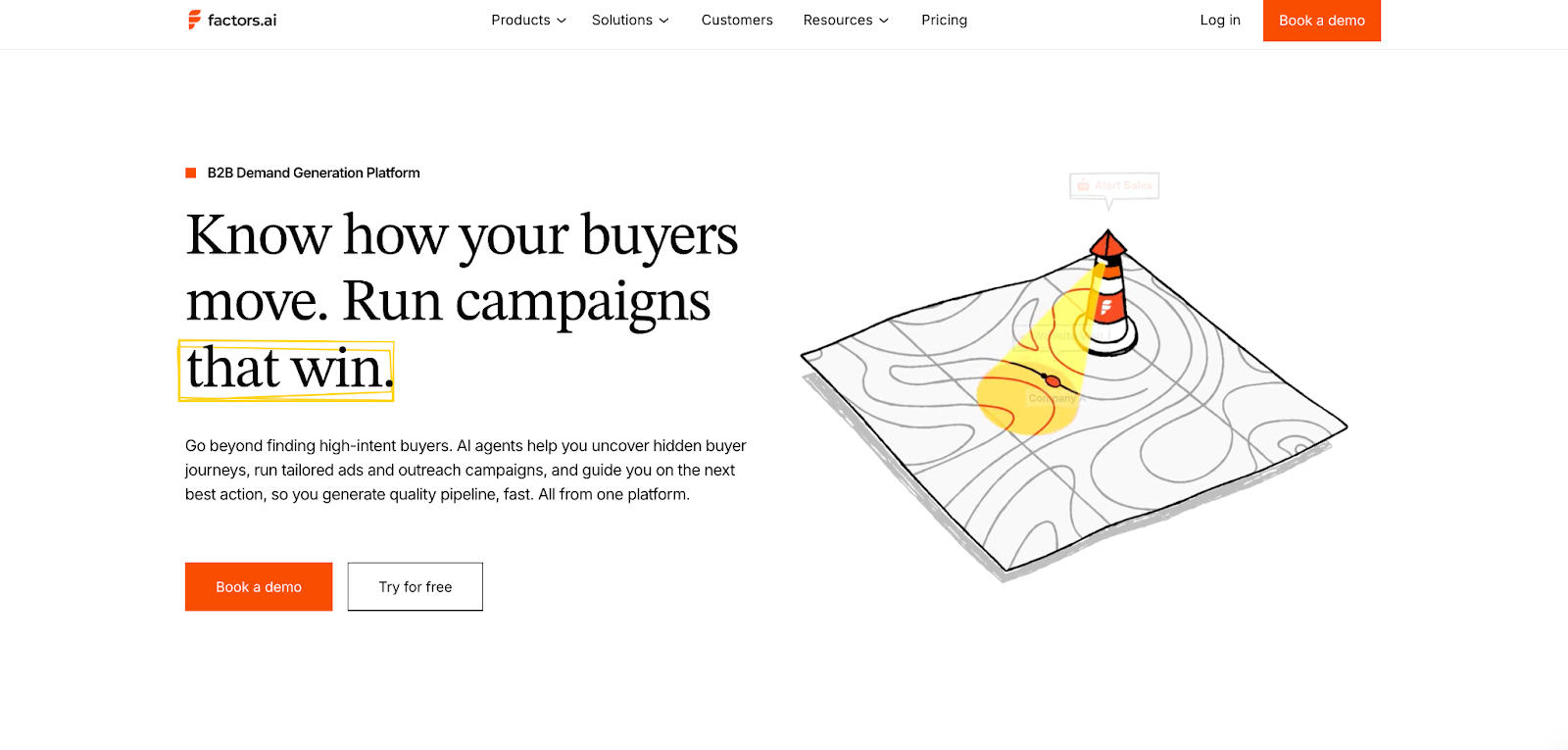
Factors.ai focuses on visibility that drives action.
It brings account and contact intelligence into one ecosystem, showing who is engaging, how they’re progressing, and when it’s time to act.
Key capabilities include:
- Identifying both known and anonymous visitors through enriched data signals.
- Tracking engagement across ads, CRM, and website journeys.
- Scoring accounts and contacts based on intent, fit, and funnel stage.
- Activating campaigns automatically through LinkedIn and Google AdPilot.
- Delivering actionable alerts that guide sales outreach at the right time.
Every feature works toward a single goal, helping GTM teams connect marketing performance to actual revenue movement.
What stands out about Factors.ai is that it treats intent as ‘something that evolves’. A pricing page visit after a demo means something very different from the same visit at the top of the funnel. Factors doesn’t just capture that activity, it contextualises it across the entire account journey.
Vector’s Functionality and Features
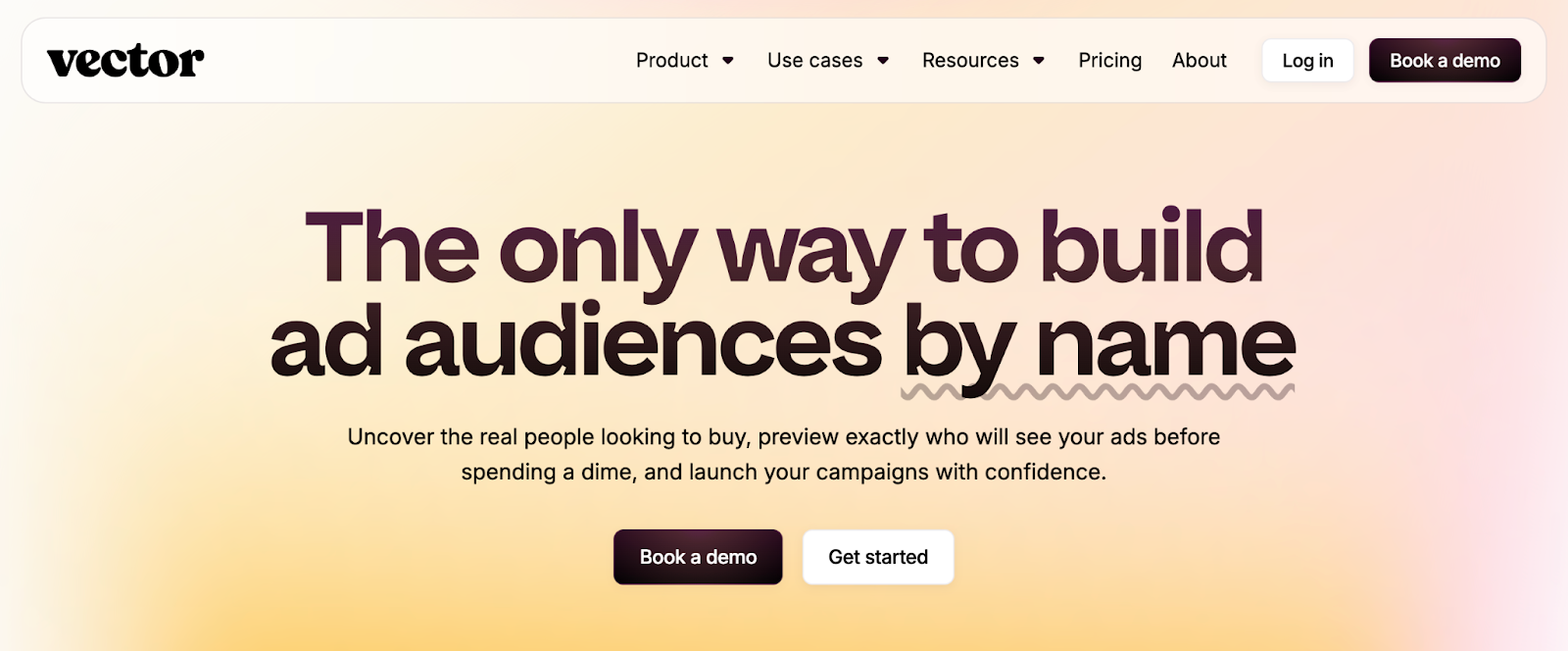
Vector defines its value through contact-level precision.
It helps marketers uncover the real people visiting their website, convert anonymous traffic into named contacts, and create highly targeted ad audiences.
Key capabilities include:
- Contact-level website identification and enrichment.
- Audience building for ad platforms like LinkedIn, Google, and Meta.
- Slack notifications when key visitors match ICP filters.
- Focused engagement analytics for tracking visitor behavior.
While Vector excels at revealing who’s behind your website traffic, its scope remains limited to identification and targeting. The absence of deeper analytics, scoring, or automation means GTM teams may still need multiple tools to close the intelligence gap.
Vector might be useful in moments where speed matters. When teams want quick answers to “who is on our site right now?” and “can we reach them with ads immediately?”, its contact-level focus delivers fast wins without a steep setup curve.
Factors.AI vs Vector: Verdict on Functionality & Features
Both tools help marketing teams uncover intent and act on engagement.
However, Factors.ai offers a more complete view, combining identification, analytics, scoring, and activation within one platform.
It not only reveals who is engaging but also connects every touchpoint to why and what’s next.
In short:
Factors.ai = Unified GTM functionality built for revenue action.
Vector = Contact-level precision focused on audience targeting.
If you’ve ever wondered who’s really visiting your website before they fill out a form, you’ll love this detailed guide on how to identify website visitors.
Factors.ai vs Vector: Pricing
Pricing pages often reveal more about a product’s philosophy than its feature list. Some tools optimize for simplicity and quick adoption. Others are built to grow alongside complex GTM teams. You can see that difference clearly in how Vector and Factors.ai structure their plans.
While Vector focuses on straightforward, contact-based tiers for marketers starting with lead identification, Factors.ai uses a structured usage and seat-based model that scales with growing GTM operations.
Here’s how both compare.
Pricing Comparison
Factors.ai’s Pricing
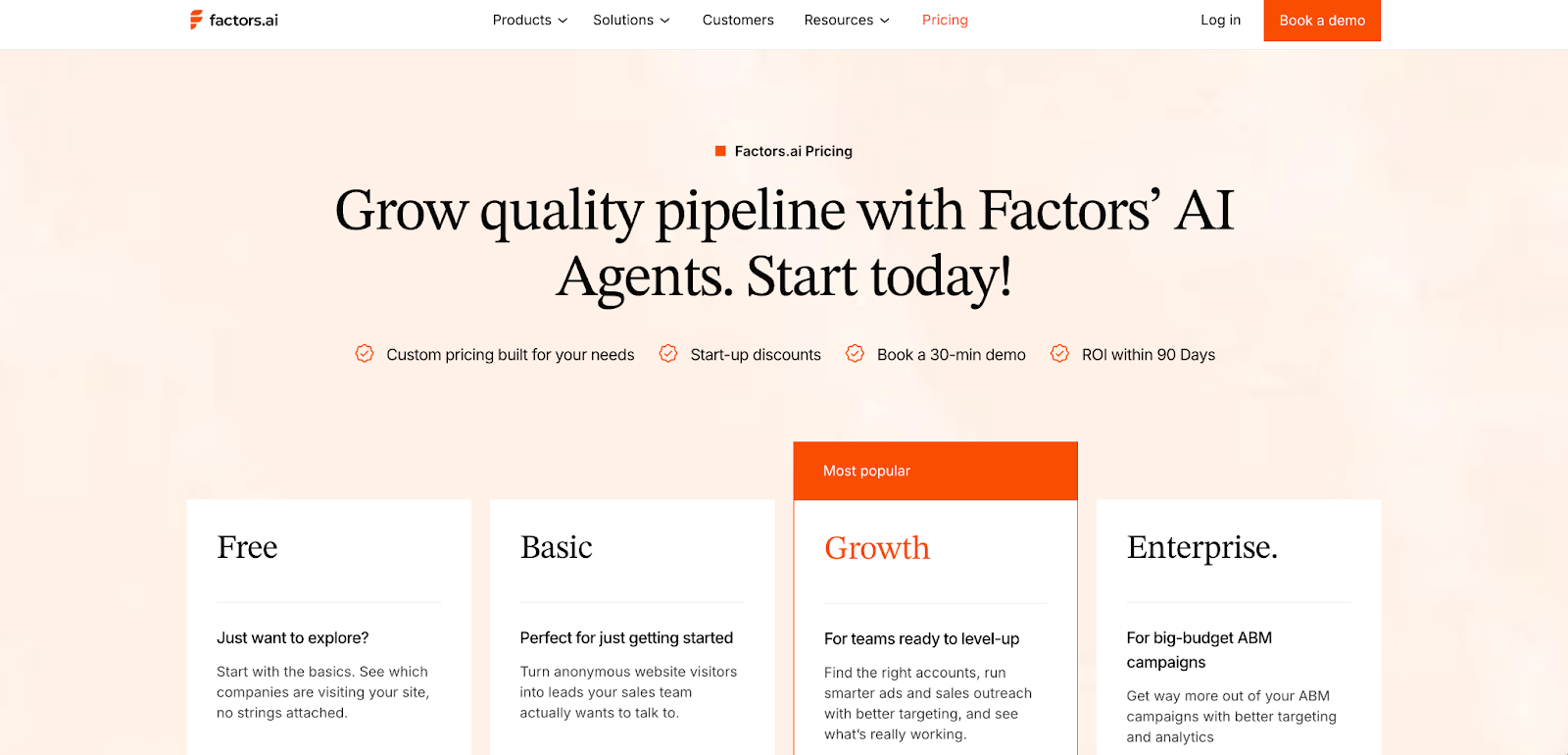
Factors.ai uses a transparent, tier-based model that adapts as teams grow.
Its plans are designed to fit GTM teams at every stage, from small marketing operations to large enterprises running advanced automation.
The four tiers include:
- Free Plan: 200 identified companies/month, up to 3 seats, starter dashboards, Slack integration.
- Basic Plan: 3,000 companies/month, 5 seats, LinkedIn intent signals, GTM dashboards, HubSpot/Salesforce integrations.
- Growth Plan: 8,000 companies/month, 10 seats, ABM analytics, LinkedIn attribution, G2 intent signals, and workflow automation.
- Enterprise Plan: Unlimited identification, predictive account scoring, Google and LinkedIn AdPilot, Milestones analytics, and dedicated onboarding support.
The model keeps pricing flexible as teams pay for usage and access, not inflated bundles.
It’s straightforward, scalable, and designed for predictability.
Factors’ structure offers predictability. As teams add more motion like ABM, multi-channel attribution, or paid activation, pricing scales with usage rather than forcing an early jump into enterprise-only bundles.
Vector’s Pricing
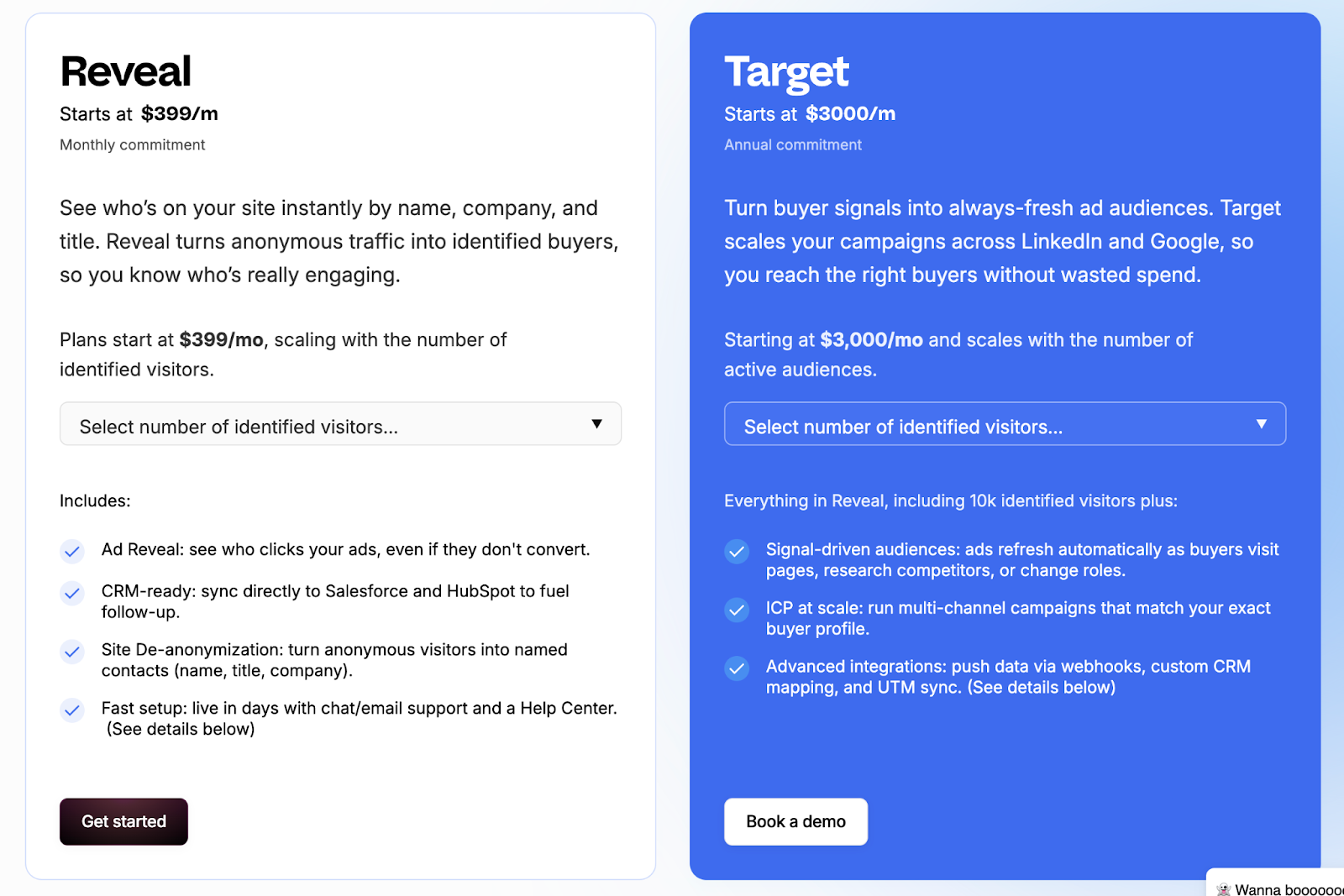
Vector offers simple, contact-focused pricing aimed at marketing teams that prioritize identification and ad targeting.
Its plans are designed for quick onboarding and smaller-scale usage, with fixed limits based on visitor volume and audience count.
The main pricing tiers are:
- Reveal Plan: Starts at $399/month for up to 2,500 identified visitors.
- Target Plan: Starts at $3,000/month (annual commitment) for 25 audiences, offering more precision in targeting and campaign setup.
The structure works well for lean marketing teams looking to turn traffic into named leads without investing in broader analytics or automation systems.
However, it lacks the scalability or flexibility that GTM teams need as they expand.
Vector’s pricing makes sense if identification and audience creation are your primary goals. For lean teams running focused campaigns, fixed tiers can be easier to justify than flexible, usage-based models.
Factors.ai vs Vector: Verdict on Pricing
Both pricing models serve their intended users well.
Vector offers accessible pricing for teams focused on contact-level insights and ad targeting. It’s straightforward but limited in growth potential.
Factors.ai, meanwhile, provides a scalable structure that grows with your GTM maturity, from initial experimentation to enterprise-level orchestration.
It’s transparent, flexible, and built for teams that expect long-term expansion.
In short:
Factors.ai = Tiered, scalable pricing designed for evolving GTM teams.
Vector = Simple contact-based pricing suited for smaller marketing setups.
Before choosing a plan, this ABM platform pricing guide helps you evaluate usage-based vs seat-based models with real examples.
Factors.ai vs Vectors: CRM and Integrations
How well a platform connects with your existing tools decides how useful it really is.
Marketing and sales teams work faster when data moves freely between systems, from ads to CRM to analytics.
That’s where the difference between Factors.ai and Vector becomes clear.
CRM and Integration Comparison
Factors.ai’s CRM and Integrations
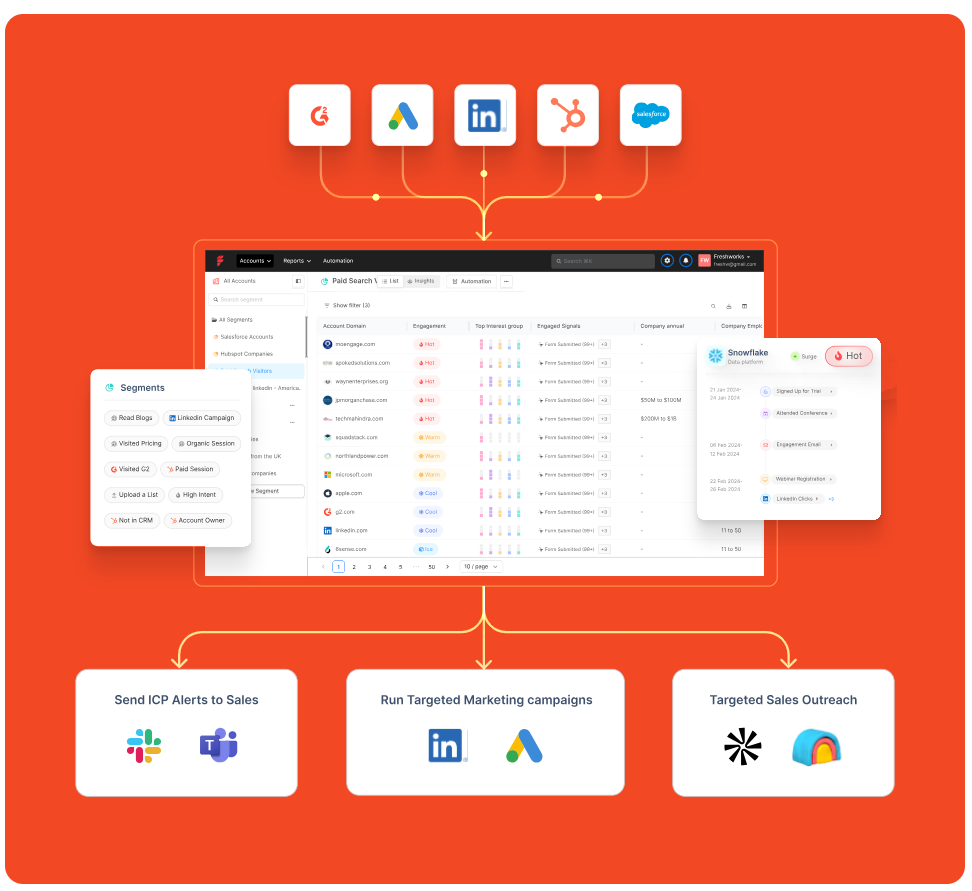
Factors.ai is built to fit neatly into a team’s existing tech stack.
It doesn’t stop at connecting with CRMs and brings together ad data, website activity, and intent signals into one connected view.
Teams can:
- Sync leads and account data directly from HubSpot or Salesforce.
- Track ad campaign results from Google, LinkedIn, and Facebook.
- Use webhooks to push alerts or automate follow-up actions.
- Keep sales teams in the loop with Slack notifications.
One thing GTM teams often underestimate is how much time context switching costs. When website data, CRM updates, and ad performance are managed in different tools, alignment slows. Factors.ai reduces that friction by pulling everything into one operating layer. It saves time and gives both marketing and sales a single source of truth.
Vector’s CRM and Integrations
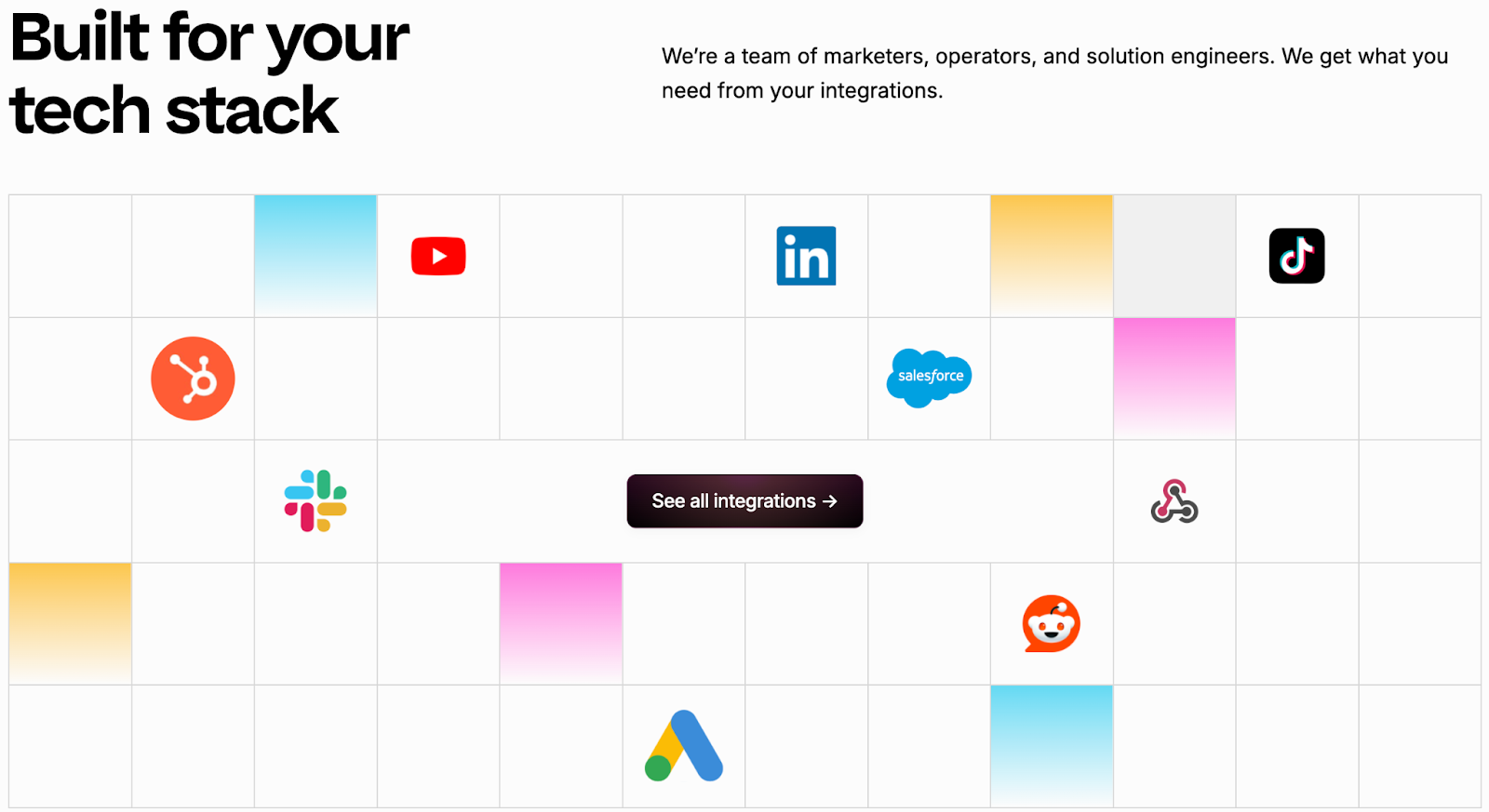
Vector keeps its integrations simple and focused on contact-based data.
Its strength lies in connecting identified visitors and contact lists with popular marketing and ad platforms.
Marketers can:
- Sync identified contacts into Salesforce or HubSpot.
- Build LinkedIn and Google ad audiences using real visitor data.
- Get quick Slack alerts when an ICP visitor appears on the site.
The integrations work well for audience building and outreach, but they stop short of deep analytics or closed-loop measurement. Teams may still need extra tools to connect data between campaigns and revenue.
Factors.ai vs Vector: CRM and Integrations
Both tools connect with core marketing systems, but their focus is different.
Vector helps marketers transfer identified contacts into ads and CRMs quickly.
It’s simple and effective for top-of-funnel targeting.
Factors.ai goes deeper. It connects every tool, syncs real-time intent data, and lets teams act on insights without juggling multiple platforms.
That makes it a better fit for teams that want every part of their funnel including marketing, sales, and analytics, working in sync.
In short:
Factors.ai = Seamless, connected GTM integrations.
Vector = Straightforward contact syncs for ad targeting.
Factors.ai vs Vector: Intent Intelligence and Identification
Knowing who’s interested is one thing. Knowing how serious they are and what stage they’re in is what separates average marketing tools from real GTM intelligence.
Both Vector and Factors.ai help teams identify intent, but they look at it from two different levels.
Vector focuses on people.
Factors.ai looks at the entire buying group behind an account.
Intent and Identification Comparison
Factors.ai’s Intent Intelligence and Identification
Factors.ai doesn’t just detect intent and reads the full story behind it.
Its system captures signals from your website, ads, CRM, and product touchpoints, then connects them to the right accounts.
Here’s what makes it stand out:
- Tracks how buying interest builds across different channels.
- Scores accounts based on intent strength and engagement type.
- Identifies multiple people within an account to uncover buying groups.
- Uses Milestones to show how each interaction moves an account closer to revenue.
For marketing and sales teams, this means less guessing and more focused outreach.
Instead of reacting to clicks, they can act on clear buying intent from real accounts that are ready to engage.
Vector’s Intent Intelligence and Identification
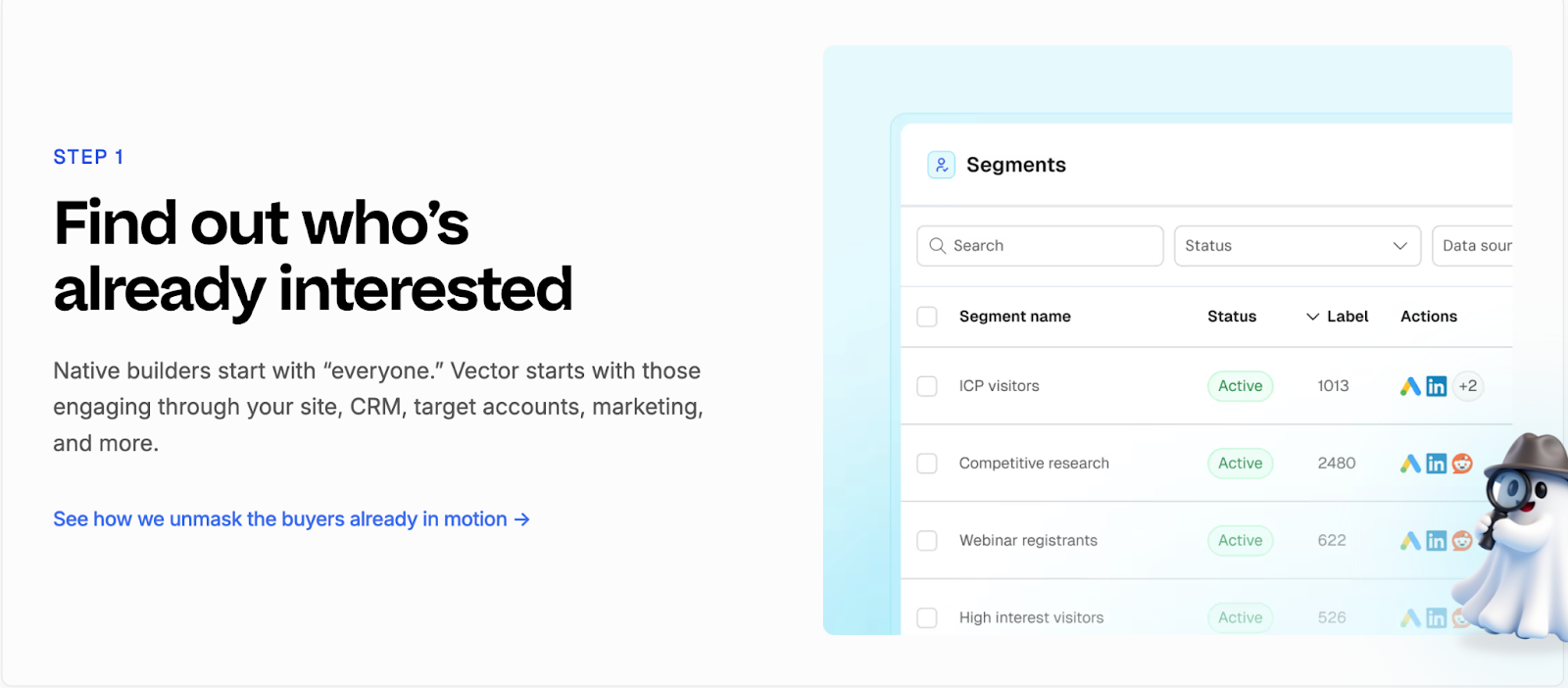
Vector focuses on identifying the individuals behind website traffic.
It turns anonymous visitors into named contacts, complete with company and role details, so marketers can reach out faster.
Its strength lies in contact-level clarity. Teams can see exactly who visited their pages, which content they viewed, and how often they returned.
Vector also enriches this data with off-site intent signals to identify relevant contacts earlier in their research journey.
While this precision helps create targeted ad audiences, the scope ends there. Vector doesn’t map the larger buying group or track multi-channel engagement, which limits visibility into how intent turns into actual pipeline movement.
Factors.ai vs Vector: Verdict on Intent Intelligence & Identification
Vector shines in helping marketers uncover individual leads quickly. It’s a strong fit for teams that prioritize contact-level targeting and ad activation.
Factors.ai, however, delivers a broader picture, connecting people, accounts, and signals into one view. Its ability to track every step of a buying journey gives GTM teams a clear advantage when aligning marketing and sales.
In short:
Factors.ai = Full-funnel intent intelligence built around buying groups.
Vector = Contact-level insights for faster audience targeting.
If account prioritization interests you, check this practical account scoring guide to learn how AI-based scoring works across GTM stacks.
Factors.ai vs Vector: Ad Activation and Audience Targeting
Once you’ve identified the right audience, the next step is making sure your ads reach them when they’re most likely to respond.
Both Factors.ai and Vector handle this well, though in very different ways.
Vector focuses on contact-level targeting and manual precision.
Factors.ai focuses on automation and smart activation that adapts in real time.
Ad Activation and Audience Targeting Comparison
Factors.ai’s Ad Activation and Audience Targeting
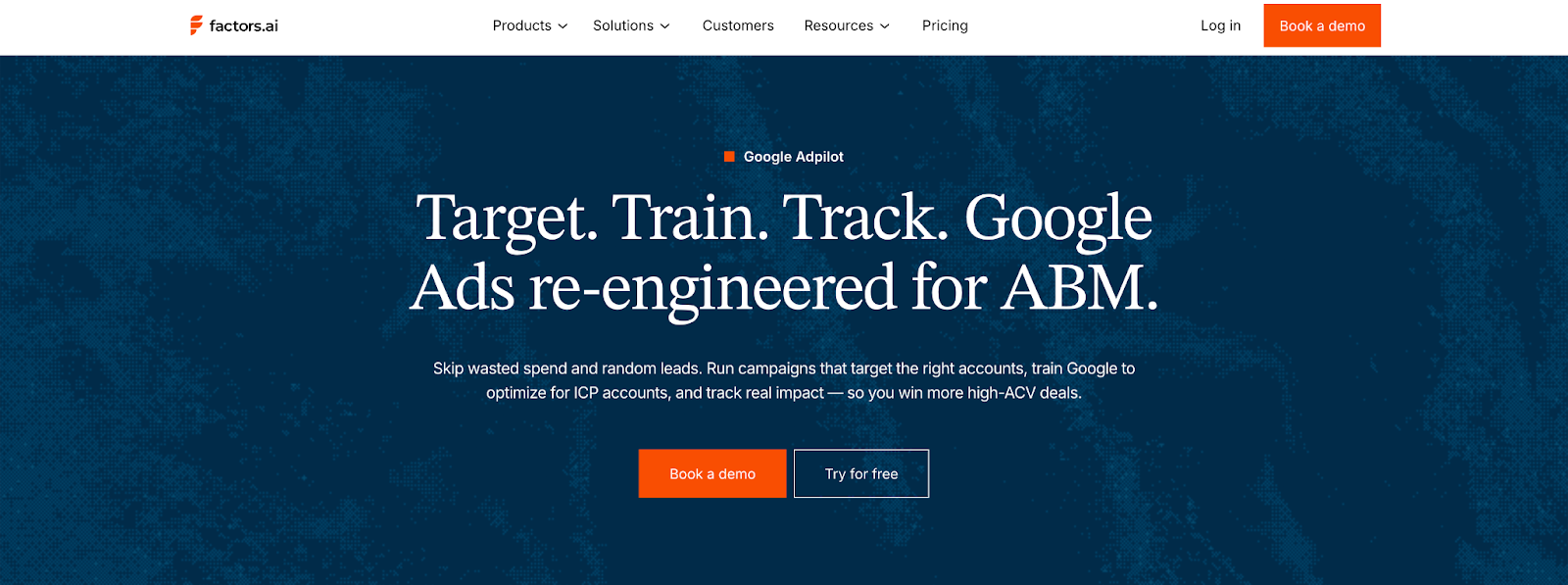
Factors.ai brings automation and accuracy together to simplify ad activation.
It ensures every campaign is aligned with live intent data and optimized automatically for performance.
Key highlights:
- Syncs audiences from CRM, website, or product data.
- Keeps lists updated daily with the latest engagement signals.
- Builds funnel-specific campaigns for better alignment.
- Sends conversion data back to Google and LinkedIn for ongoing optimization.
Every part of the process is designed to save time and make marketing spend more predictable.
Teams can focus on strategy instead of manually updating lists or tracking conversions across tools.
Vector’s Ad Activation and Audience Targeting
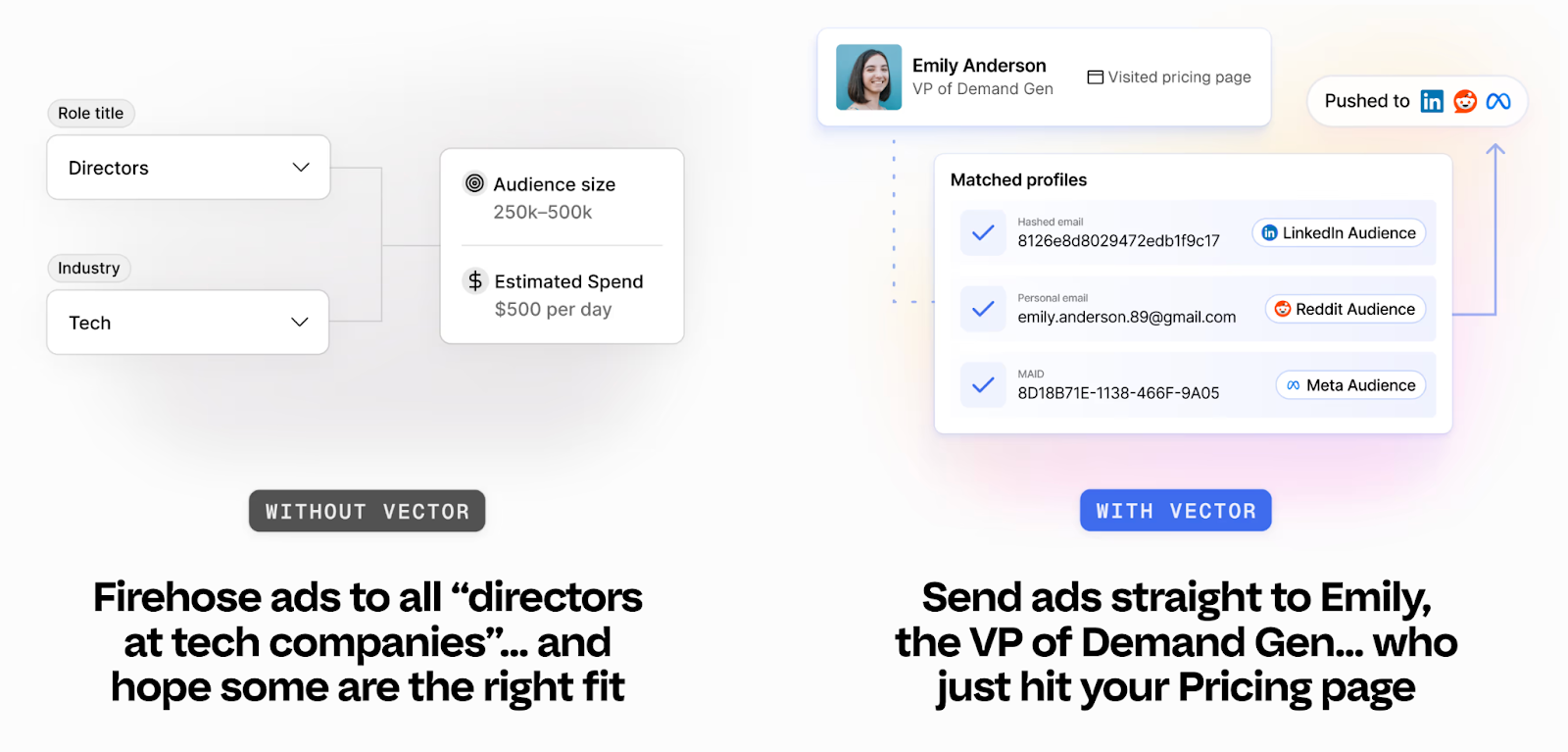
Vector takes a more hands-on route to audience activation.
It’s built for marketers who prefer direct control over targeting and ad execution.
Notable capabilities:
- Creates precise audience lists using contact-level identification.
- Syncs audiences to LinkedIn, Google, and Meta quickly.
- Targets visitors showing specific behavioral or intent patterns.
- Reduces wasted ad spend by focusing on verified, high-value contacts.
Vector’s audience controls are reliable and easy to use, especially for teams that prefer working directly inside ad platforms.
The only limitation is its manual workflow as marketers need to update audiences and optimize pacing on their own, which can slow down execution at scale.
Factors.ai vs Vector: Verdict on Ad Activation and Audience Targeting
Vector gives marketers accuracy and control.
It’s well suited for smaller or mid-size teams running targeted, hands-on campaigns.
Factors.ai, on the other hand, brings automation to every part of the process, from identifying active accounts to refreshing audiences and syncing conversion data.
It helps teams run smarter campaigns with less manual effort.
In short:
Factors.ai = Automated ad activation with live intent and funnel targeting.
Vector = Manual control for teams focused on contact-level precision.
Factors.ai vs Vector: Analytics and Funnel Insights
Once campaigns are live, the real work begins, understanding what’s driving results.
Analytics turn actions into clarity. Without them, you’re just guessing which campaigns work and which ones don’t.
Both Vector and Factors.ai offer reporting tools, but they serve very different needs.
Vector helps you see engagement at the contact level.
Factors.ai helps you connect every touchpoint to actual revenue.
Analytics and Funnel Insights Comparison
Factors.ai’s Analytics and Funnel Insights
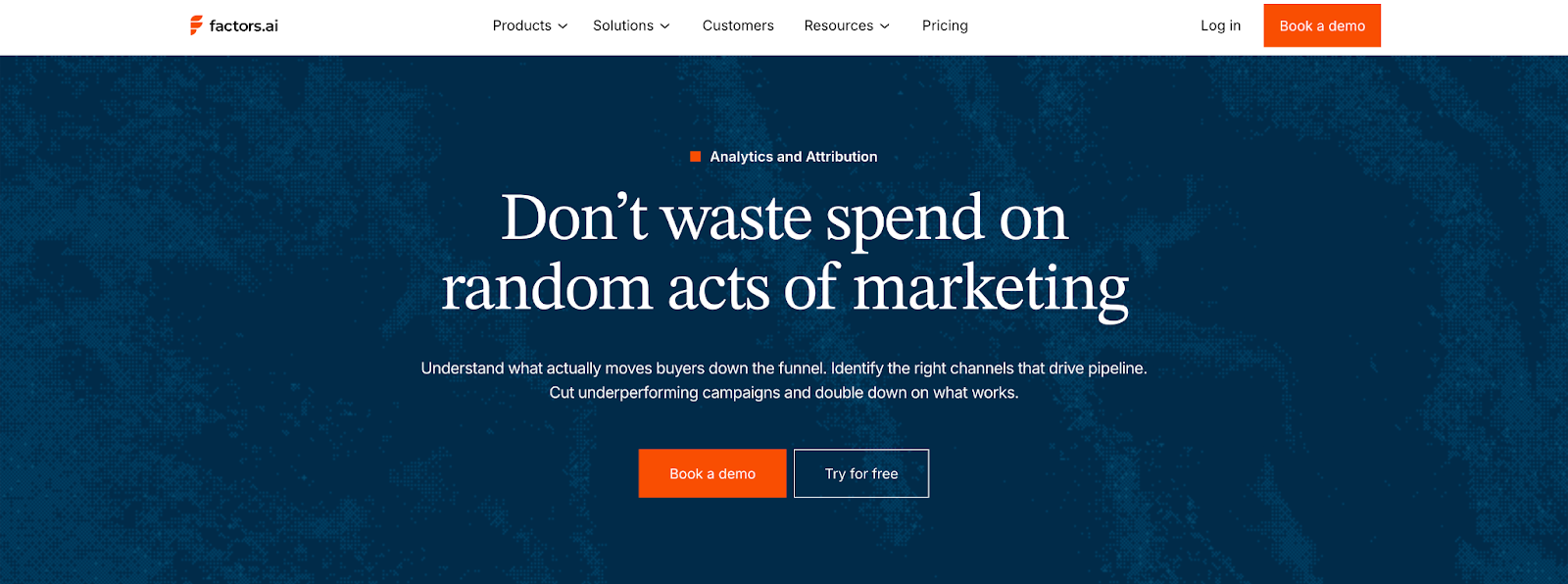
Factors.ai treats analytics as the backbone of demand generation.
It measures clicks or impressions but goes beyond that and maps how accounts actually move through the funnel and contribute to the pipeline.
Key features include:
- Milestones: Tracks how accounts progress from interest to opportunity.
- Account360: Brings all engagement data into one dashboard for complete visibility.
- Multi-touch attribution: Connects campaigns to revenue with proof of impact.
- Segment-level analysis: Lets teams compare channels, campaigns, and cohorts easily.
- Custom dashboards: Helps different teams like marketing, sales, leadership see the metrics that matter most.
This depth helps GTM teams understand why things work, not just what worked.
It connects marketing effort directly to business outcomes, making optimization more strategic and measurable.
Vector’s Analytics and Funnel Insights
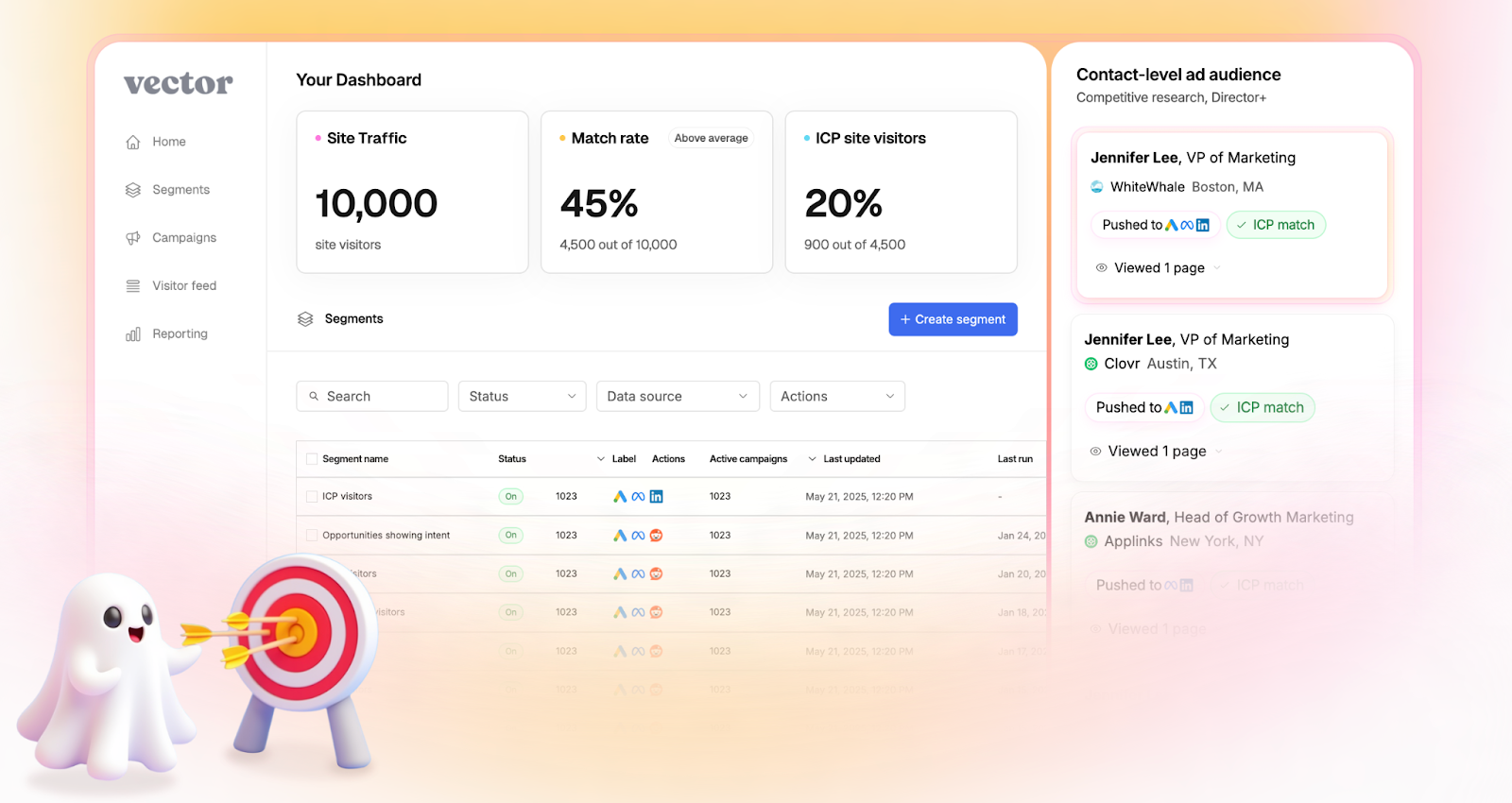
Vector keeps its analytics focused on engagement clarity.
Its reports help marketers understand who’s interacting with their site and how those visitors behave before conversion.
Notable analytics capabilities:
- Tracks visitor sessions and engagement by page or campaign.
- Shows top-performing audiences for ad targeting.
- Provides metrics for impressions, clicks, and return visits.
- Highlights which ICP visitors are most active.
This focus gives teams a straightforward view of campaign traction and audience quality.
However, it stops short of full-funnel insights as once leads are passed to sales or move into CRM, tracking becomes disconnected.
Factors.ai vs Vector: Verdict on Analytics & Funnel Insights
Vector delivers clear engagement analytics that help marketers understand visitor behavior.
It’s simple, fast, and fits teams that want to optimize ads and audiences without deep analytics setup.
Factors.ai, in comparison, brings end-to-end visibility.
Its analytics link marketing data, sales activity, and revenue outcomes in one place, giving teams the clarity to scale intelligently.
In short:
Factors.ai = Full-funnel analytics with revenue attribution.
Vector = Engagement insights focused on contact activity.
If you want to know how to connect CRM and ad systems efficiently, this CRM workflow automation guide walks through live examples.
Factors.ai vs Vector: Alerts and Real-Time Sales Enablement
Timing often decides whether interest turns into a sale.
When a potential customer revisits your site, downloads a resource, or reopens a demo page, that moment can be the difference between engagement and a lost deal.
That’s why real-time alerts and enablement tools matter.
They keep sales teams connected to buyer activity the instant it happens.
Both Vector and Factors.ai include alerting features, but their depth and context differ.
Alerts and Real-time Sales Enablement Comparison
Factors.ai’s Alerts & Real-Time Sales Enablement
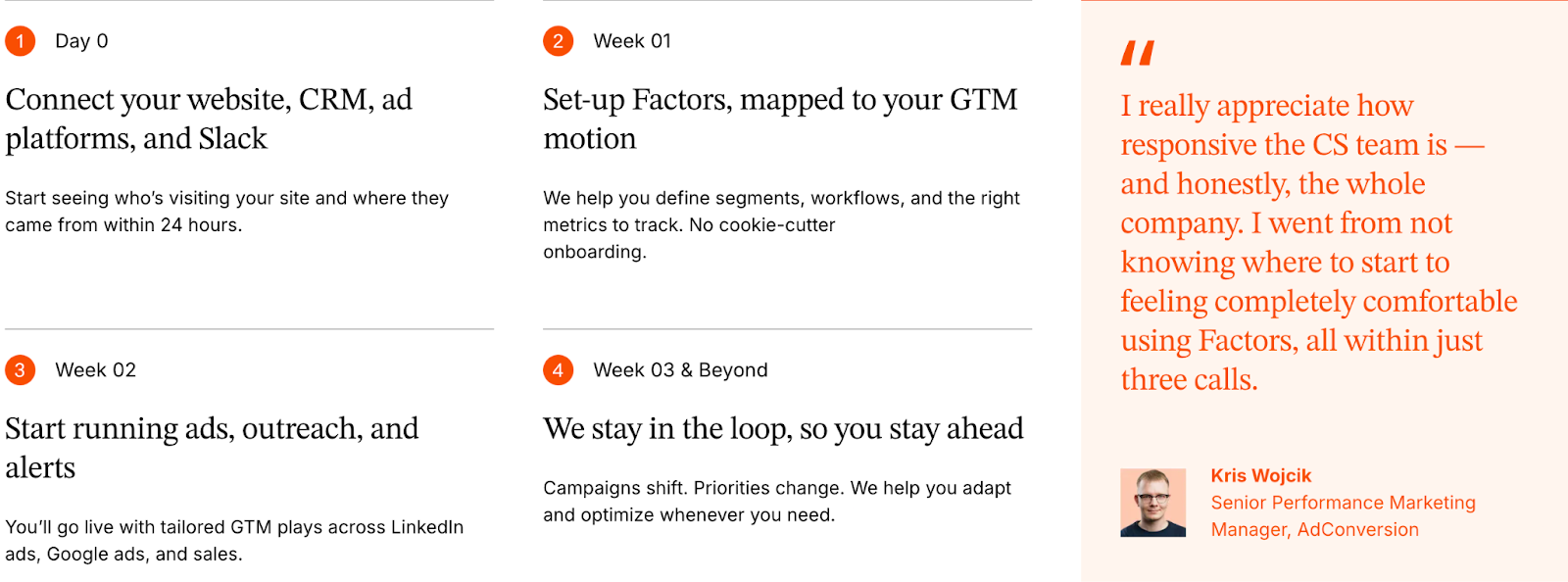
Factors.ai builds alerts around action, not just activity.
Each alert is tied to context that helps sales teams understand why a lead is engaging and how to respond.
Key features include:
- Sends instant notifications for high-value actions such as demo page revisits or pricing views.
- Shows full context like who the contact is, what they did, and how engaged their account is.
- Helps teams prioritize follow-ups by highlighting the funnel stage and buying intent.
- Triggers workflows, like adding the lead to retargeting campaigns or notifying account owners instantly.
These alerts work like a live bridge between marketing signals and sales motion.
Instead of waiting for weekly reports, teams act while interest is still fresh.
Vector’s Alerts & Real-Time Sales Enablement
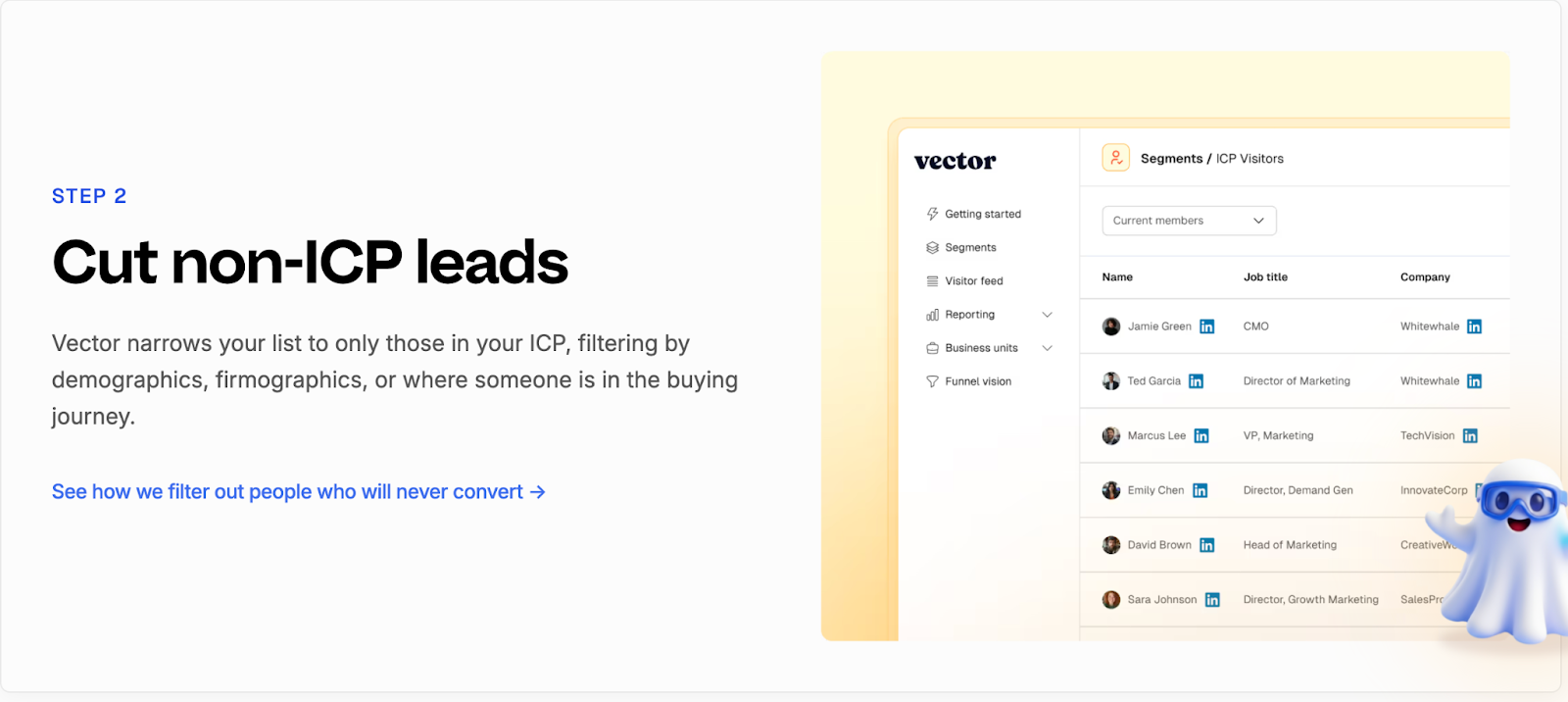
Vector keeps its alerting simple and focused on visibility.
It helps teams stay informed when an ICP visitor lands on key pages or returns to the site.
Its capabilities include:
- Sends notifications to Slack when a qualified visitor is identified.
- Shares basic visitor information such as company, role, and page viewed.
- Helps sales reps spot potential opportunities earlier.
- Encourages quick outreach to active visitors.
The simplicity works for teams that want instant awareness but don’t need deeper analytics or automation.
However, alerts in Vector stop at “who” and “where.”
The “why,” or what to do next, still relies on manual interpretation.
Factors.ai vs Vector: Verdict on Alerts & Sales Enablement
Vector provides quick visibility into visitor activity, which is helpful for smaller teams that rely on manual follow-ups.
It’s simple, direct, and easy to set up.
Factors.ai, however, connects each alert to real buying intent.
By combining context, automation, and funnel insight, it turns notifications into guided actions for sales teams.
In short:
Factors.ai = Smart alerts that drive timely, informed outreach.
Vector = Simple activity alerts for faster awareness.
Factors.ai vs Vector: Support and Ease of Use
As much a platform’s value is in its features, it’s also in how quickly teams can get started and how smoothly they can use it day to day.
Support, onboarding, and usability decide whether a tool feels like an asset or another burden to manage.
Both Factors.ai and Vector are designed for marketing teams, but their approaches to setup and support differ.
Support and Ease of Use Comparison
Factors.ai’s Support and Ease of Use
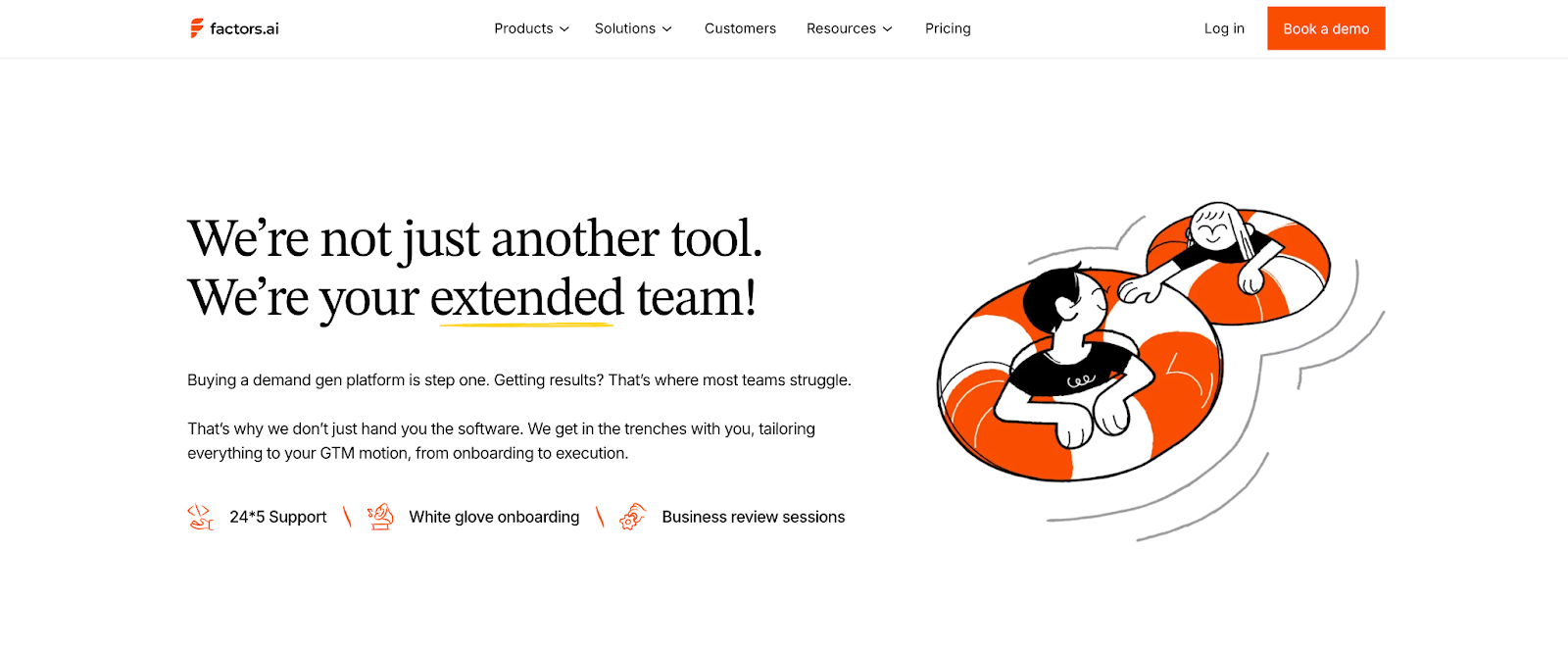
Factors.ai puts strong emphasis on collaboration during onboarding.
It’s built to help GTM teams get up and running quickly, without needing heavy technical support.
Key highlights:
- Step-by-step onboarding with guidance from product specialists.
- Dedicated customer success manager for Growth and Enterprise plans.
- Direct Slack support for quick queries or troubleshooting.
- Regular sync sessions to review campaigns and performance.
- Easy-to-use dashboard that feels intuitive even for new users.
This structure helps teams start fast and grow confidently, especially when multiple departments are involved.
Vector’s Support and Ease of Use
Vector focuses on simplicity and speed.
Its setup is lightweight, making it easy for teams to start identifying visitors and syncing data almost immediately.
Main strengths include:
- Quick installation using a single website pixel.
- Straightforward dashboard for visitor insights and contact lists.
- Slack and email-based support for basic assistance.
- Fast adoption for small teams with limited technical involvement.
While Vector is easy to set up, its support model is more self-directed.
Larger teams may need to rely on internal resources when troubleshooting or scaling integrations.
Factors.ai vs Vector: Verdict on Support & Ease of Use
Vector wins on simplicity as it’s fast to install and easy to understand, especially for smaller teams.
It’s the kind of setup you can complete in a day and start seeing results soon after.
Factors.ai, on the other hand, provides more structure and partnership.
Its dedicated support, guided onboarding, and ongoing collaboration make it a better fit for teams that want long-term reliability and shared growth.
In short:
Factors.ai = Guided onboarding and hands-on support for scalable teams.
Vector = Quick setup and simple workflows for smaller teams.
For teams evaluating vendor security frameworks, see analytics and attribution, which outlines how Factors.ai handles certification and data governance.
Factors.ai vs Vector: Security and Compliance
Data security is one of those things teams rarely think about until something goes wrong.
But when you’re handling customer information, CRM data, and campaign insights, security is a requirement.
Both Factors.ai and Vector take security seriously.
Each has built safeguards into their systems, though the level of transparency and certification differs.
Security and Compliance Comparison
Factors.ai’s Security and Compliance

Factors.ai maintains enterprise-grade security standards built around transparency and control.
Its infrastructure, hosted on Google Cloud Platform, is backed by industry certifications and strong internal policies.
Key security practices:
- Encrypts all customer data both in transit and at rest.
- Uses strict access management through IAM roles and two-factor authentication.
- Follows a defined incident response and recovery plan led by a Data Protection Officer.
- Backs up customer data regularly in multiple geographic locations.
- Adheres to GDPR and CCPA frameworks with full documentation available.
The result is a clear, auditable security model.
Customers know where their data is stored, who can access it, and how it’s protected.
Vector’s Security and Compliance
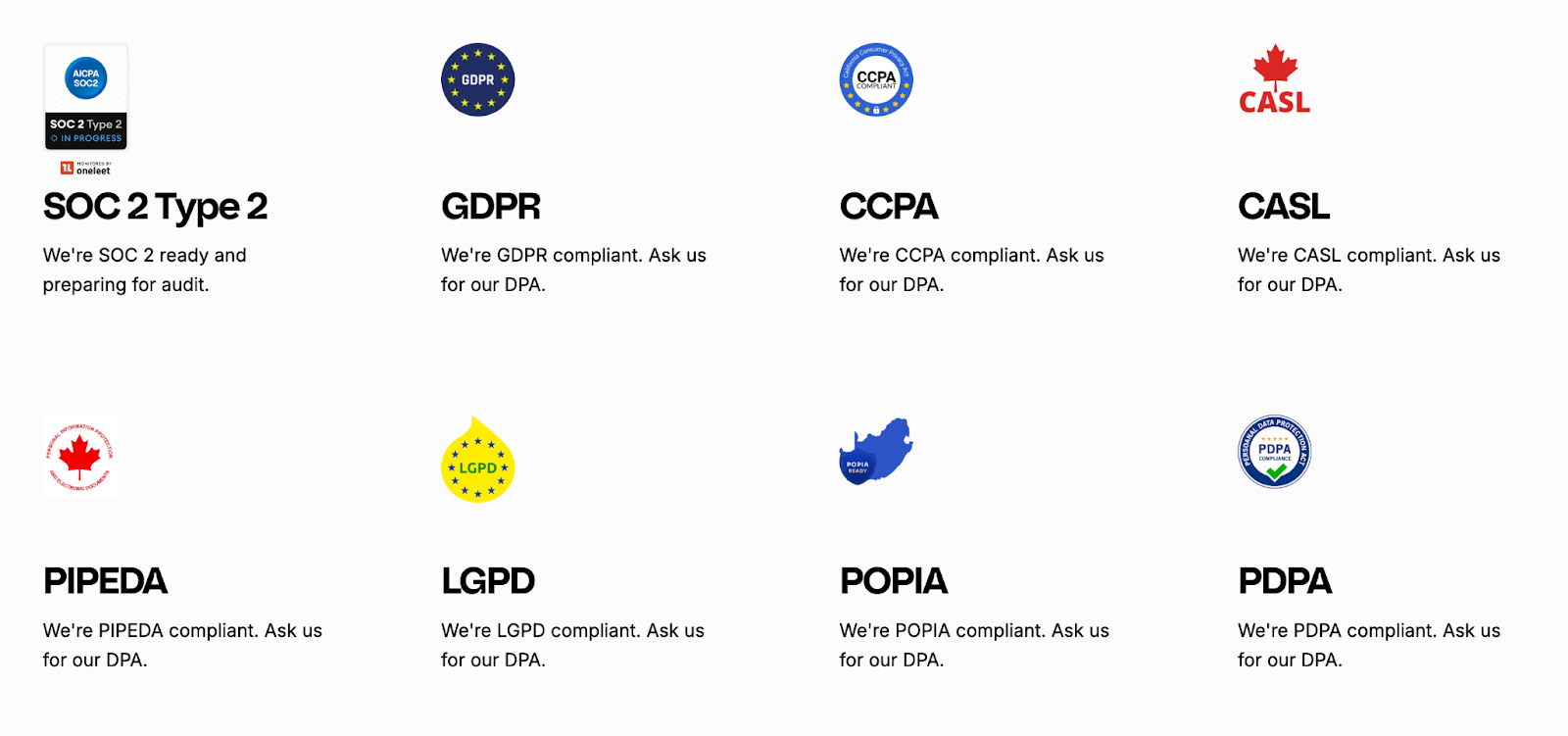
Vector follows secure data practices designed to align with global privacy regulations, including the GDPR, CCPA, CASL, PIPEDA, LGPD, POPIA, and PDPA.
The platform emphasizes transparency and accountability, particularly for teams handling customer data responsibly.
Key measures include:
- Preparing for SOC 2 Type 2 compliance, reflecting commitment to high security and operational standards.
- Supporting GDPR compliance and offering Data Processing Agreements (DPA) to customers upon request.
- Operating with strong privacy safeguards across multiple regions, while being transparent about its U.S.-based infrastructure.
- Using industry-standard encryption and security controls (specific encryption standards are not publicly detailed).
Vector’s privacy framework shows an active effort to meet major international data-protection laws.
Factors.ai vs Vector: Verdict on Security & Compliance
Both tools handle data responsibly and maintain solid privacy standards.
Vector aligns with major frameworks like GDPR and CCPA, offers DPAs on request, and is preparing for SOC 2 Type 2 compliance. While its infrastructure is primarily U.S.-based and lighter on certifications, its transparency and privacy focus make it reliable for teams needing straightforward compliance.
Factors.ai adds stronger credentials with global certifications, defined access controls, and incident management which is ideal for organizations seeking enterprise-level assurance.
In short:
- Factors.ai = Certified and enterprise-ready.
- Vector = Transparent and GDPR-aligned, but lighter on formal proof.
Factors.ai vs Vector: Overall Verdict and Recommendations
Both Factors.ai and Vector solve one of marketing’s toughest problems: understanding who’s engaging and how to act on it.
But they take very different routes to get there.
Vector is built for precision at the contact level.
Factors.ai is built for visibility across the entire buying journey.
Factors.ai vs Vector: Comparison Recap
Why You’d Choose Factors.ai
- Brings everything like intent, analytics, and activation, into one connected system.
- Automates campaigns and alerts, reducing manual work for GTM teams.
- Tracks performance from first engagement to closed revenue.
- Offers structured onboarding, deep integrations, and strong data protection.
It’s best suited for teams that want to grow with data, not just react to it.
Why You’d Choose Vector
- Helps identify real people visiting your website.
- Builds accurate, ready-to-use audiences for ad platforms.
- Simple, quick setup that delivers results fast.
- Works well for small teams focused on contact-level targeting.
It’s a strong fit for marketers who want actionable insights without the need for complex setup or analytics depth.
FAQs for Factors.ai vs Vector
Q. What is the main difference between Factors.ai and Vector?
The biggest difference lies in scope.
Vector focuses on identifying individual people behind website visits and turning them into usable ad audiences. Factors.ai looks at the entire account journey, connecting website intent with ads, CRM activity, sales engagement, and revenue outcomes in one unified view.
Q. Is Factors.ai only meant for large enterprise teams?
No. Factors.ai is built to scale, but it’s not limited to enterprises.
Smaller and mid-size B2B teams often start with basic identification and dashboards, then grow into features like account scoring, attribution, and automated ad activation as their GTM motion matures.
Q. Is Vector a replacement for a full GTM analytics platform?
Not really.
Vector works well as an identification and audience-building tool, especially at the top of the funnel. Most teams using Vector alongside CRMs and ad platforms still rely on additional tools for funnel analytics, attribution, and revenue tracking.
Q. Which tool is better for account-based marketing (ABM)?
Factors.ai is better suited for ABM.
It tracks buying groups, scores accounts by intent and fit, and shows how engagement progresses across the funnel. Vector operates primarily at the contact level and doesn’t offer native account-level or buying-group visibility.
Q. Can both tools identify anonymous website visitors?
Yes, but in different ways.
Vector focuses on converting anonymous visits into named contacts. Factors.ai identifies anonymous visitors at the account level first, then enriches them with intent, engagement, and CRM context to guide next actions.
Q. Does Factors.ai support ad activation and automation?
Yes.
Factors.ai includes AdPilot, which automatically syncs audiences to LinkedIn and Google, refreshes them based on live intent signals, and sends conversion data back to ad platforms for optimization. Vector supports audience sync but relies more on manual activation.
Q. Which platform offers better analytics and reporting?
Factors.ai offers deeper analytics.
It provides full-funnel visibility, Milestones tracking, multi-touch attribution, and Account360 dashboards that connect marketing activity directly to revenue. Vector’s analytics are focused on engagement and visitor activity rather than pipeline outcomes.
Q. Is Vector easier to set up than Factors.ai?
Yes, generally.
Vector’s setup is lightweight and fast, usually involving a simple pixel installation. Factors.ai takes slightly longer to implement but offers guided onboarding and deeper integrations that support long-term GTM workflows.
Q. How do alerts differ between Factors.ai and Vector?
Vector sends basic alerts when an ICP visitor is identified.
Factors.ai sends context-rich, AI-powered alerts that include intent level, funnel stage, and recommended actions, helping sales teams prioritize outreach more effectively.
Q. Which tool should I choose if my team is just starting with intent data?
If your goal is quick visibility into who’s visiting your site and building targeted ad audiences, Vector is a strong starting point.
If you’re planning to align marketing, sales, and revenue data into one system as you grow, Factors.ai offers a more future-ready foundation.
.avif)
On-Page SEO for B2B: Guide to SEO Content, Titles, URLs & Structure
If you ask ten marketers what ‘SEO-friendly’ means, you’ll get ten different answers.
Somewhere along the way, the term got reduced to checklists, plugins, and green dots in SEO tools. That’s part of the picture, but it’s no longer the point.
When I think about anything that’s supposed to be SEO-friendly, I think about clarity.
SEO-friendly content today is something that:
- Answers a real question someone is searching for
- Does so clearly, without forcing the reader to work for it
- Helps the reader decide what to do next
- Adds value to their existing knowledge
Search engines have grown up. They no longer reward pages simply because keywords appear in the right places. They reward pages that demonstrate understanding of the topic, the search intent, and the target audience.
TL;DR
- Strong on-page content prioritizes relevance, readability, and direct answers, especially in B2B, where buyer roles vary and time is limited.
- Titles, URLs, and meta descriptions shape first impressions, set expectations, and guide the right users to your content. Precision is non-negotiable.
- Technical SEO removes friction, enabling access, but rankings come from structure, keyword alignment, and problem-solving clarity.
- Look beyond sessions, track repeat visits, internal shares, and buyer engagement to understand real SEO impact.
What is on-page SEO?
On-page SEO is about making every single web page pull its weight in search. It’s the work you do on the page to help search engines understand what the page is about and when it should show up. This includes fundamentals such as title tags, meta descriptions, header tags, internal links, and the actual content ON the page. When these elements are aligned properly, search engines can clearly connect your page to relevant search queries, which directly improves search engine rankings, organic traffic, and overall online visibility.
In practice, on-page SEO is less about tweaking things in isolation and more about clarity. Clarity for search engines, yes, but even more importantly, clarity for real people. When someone clicks through to your page, they should instantly feel reassured that they’re in the right place. The headline should reflect what they searched for. The content should answer their question without making them scroll endlessly or decode jargon. And the structure should guide them naturally from one section to the next.
This is where search intent really comes in. Effective on-page SEO focuses on creating valuable content that matches users' immediate needs. Whether they’re looking for an explanation, a comparison, or a step-by-step guide, the page should deliver that experience cleanly and confidently. Your meta descriptions set expectations, your title tags establish relevance, and your headers make the content easy to scan and understand.
When all of this comes together, on-page SEO does more than help a page rank. It creates pages that feel intentional, useful, and trustworthy. Pages that bring in organic traffic, keep users engaged, and quietly build credibility over time. And that’s the real goal. Ranking is just the outcome.
Here are a few key points to remember about SEO-friendly content
- SEO-friendly is about intent, not tricks
Breaking News: Nobody wakes up thinking, “Omgggg, I want to consume SEO content today.” They’re just trying to solve something.
In B2B, that usually sounds like:
- Why isn’t this blog ranking?
- What exactly do I need to fix on this page?
- Is this worth updating, or should we rewrite it?
An SEO-friendly page makes the answer obvious. It doesn’t bury the lede. It doesn’t ramble for the sake of word count. It respects the reader’s time.
I’ve worked on sites where traffic increased simply because we rewrote pages to be more direct, same topic, exact keywords, and clear structure. No new backlinks. No technical overhaul. Just better alignment with intent.
- Content clarity matters now more than ever
Clarity has become a ranking signal, even if Google doesn’t call it that explicitly.
Clear pages:
- Use straightforward language
- Break complex ideas into sections
- Make it easy to scan before committing to read
This matters because modern buyers don’t read the way we read textbooks back in the day. They skim, jump, scroll, and return later. If your content only makes sense when read top to bottom in one sitting, it’s working against how people actually behave.
SEO-friendly content meets readers where they are, half-focused, slightly distracted, and trying to get an answer fast.
- Buyer relevance is the B2B differentiator
This is where B2B SEO diverges sharply from generic advice.
Your audience isn’t a single person. It’s often:
- A marketer researching
- A manager validating
- A leader deciding
Each of them lands on your page with different expectations. SEO-friendly content acknowledges that by:
- Framing the problem clearly
- Providing depth where it matters
- Avoiding filler content
Long sales cycles mean your content may influence decisions weeks or months later. That’s why SEO in B2B is rarely about instant conversions. It’s about being helpful at the exact moment someone needs clarity.
On-Page SEO vs On-Page Technical SEO
This is one of those distinctions that sounds obvious once you understand it, but causes endless confusion in practice. I’ve seen teams argue about SEO priorities for weeks simply because they were talking about two different things without realizing it.
So let’s draw a clean line.
What does on-page SEO actually cover?
On-page SEO is everything you intentionally design on a page to help both search engines and readers understand it.
That includes:
- Page titles and meta descriptions
- URLs and slug structure
- Content quality, depth, and structure
- Header tags (H1, H2, H3…)
- Internal linking and anchor text
This is the layer where meaning lives. It’s where you decide what the page is about, who it’s for, and how clearly that comes across.
When people talk about an on-page SEO checklist, this is usually what they mean.
What does on-page technical SEO focus on?
On-page technical SEO deals with whether a page can be accessed, rendered, and understood properly by search engines.
This includes:
- Page speed and performance
- Mobile responsiveness
- Indexability and crawl signals
- Canonical tags
- Clean HTML and basic technical hygiene
This layer doesn’t create meaning. It removes friction.
If technical SEO is broken, great content struggles to surface. If technical SEO is solid, content has a fair shot.
Here’s why B2B teams get this balance wrong
I see this all the time in B2B companies… when a site underperforms in search.
The instinctive response is to:
- Run a technical audit
- Fix dozens of low-impact warnings
- Chase perfect performance scores
Meanwhile, the actual pages:
- Don’t clearly answer search intent
- Bury important information halfway down
- Use vague language that sounds impressive internally but unclear externally
The result? A technically sound site that still doesn’t rank for the queries that matter.
I’ve worked on B2B blogs where rankings improved after we rewrote headlines, restructured sections, and clarified positioning, without touching the technical setup at all.
But here’s how you should think about priorities
If you’re early in your SEO journey, prioritize in this order:
- Content clarity and intent alignment
- Page structure and internal linking
- Basic technical hygiene
Technical SEO supports on-page SEO. It doesn’t replace it.
Once the foundation is strong, technical improvements compound results. But without clear content and structure, technical fixes rarely move the needle on their own.
SEO Page Titles: Best Practices (that still work)
If I had to pick one on-page SEO element that punches far above its weight, it’s the page title.
You can have solid content, clean URLs, and decent internal links, but if your title doesn’t earn the click, none of that matters. The title is your first impression in search results… and in B2B, first impressions decide whether someone even gives you a chance.
What is an SEO title? And why does an SEO title matter so much?
An SEO page title (often called a title tag) is the clickable headline that appears in Google search results and in the browser tab.
It serves two audiences at once:
- Search engines use it to understand what the page is about
- Humans use it to decide whether to click
It’s not a creative writing exercise… it’s a relevance signal.
So, what do the best SEO titles have in common?
Across hundreds of B2B pages I’ve worked on, the best SEO title formats consistently share a few traits.
- Clear keyword placement
Your primary keyword should appear naturally, preferably toward the beginning. This helps with relevance and visibility, especially on a mobile where titles get cut off. - Clarity over cleverness
Internal teams love clever titles. Searchers don’t. If someone can’t immediately tell what the page offers, they move on. - A reason to click
The title should hint at value: a checklist, a comparison, a framework, or a specific outcome.
For example:
Strong B2B title:
On-Page SEO Checklist for B2B: Titles, URLs, Content & More
Weak B2B title:
The Ultimate Guide to On-Page SEO You’ll Ever Need
One tells you exactly what you’ll get. The other sounds impressive but says very little.
How long should an SEO page title be?
The practical limit is around 50–60 characters. Anything longer risks truncation in search results.
This is where prioritization matters. Don’t try to cram everything in. Choose clarity over completeness.
If the title gets cut off, you lose context, and often the click.
Here are some common SEO title mistakes
These show up even on well-funded B2B sites:
- Duplicate titles across multiple pages
- Over-optimized titles stuffed with variations
- Titles written for internal decks, not search behavior
- Missing differentiation between similar pages
Another subtle issue: Titles that make sense only if you already know the product. Searchers don’t have that context yet. How will they search for the fifth feature from your third product launch?
SEO Descriptions: What Matters (and what doesn’t)
Meta descriptions don’t get nearly as much attention as titles, and that’s partly because they don’t directly affect rankings. But in practice, they decide who clicks and who doesn’t. And in B2B, that distinction matters a lot more than raw traffic.
What is an SEO description?
An SEO description is the short summary that appears below your page title in search results.
If the title earns the glance, the description earns the click.
Search engines don’t use meta descriptions as a ranking signal. People do. That’s why understanding what is SEO description is still very relevant in modern on-page SEO.
What SEO descriptions are actually responsible for
Think of your meta description as a filter.
A good one:
- Confirms relevance for the searcher
- Sets expectations for what the page contains
- Discourages the wrong clicks
That last part is especially important in B2B. You don’t want everyone clicking. You want the right people clicking, those who are actually looking for what you’re offering.
I’ve seen pages lose conversions after a traffic spike simply because the description promised something the page didn’t deliver.
How to write SEO descriptions that work in B2B?
Strong SEO description copy usually has three elements:
- Intent alignment
The description mirrors the language and urgency of the query. If someone is looking for a checklist, say it’s a checklist. If they’re looking for an explanation, make that clear. - Context and scope
Let readers know what’s included. B2B buyers don’t want surprises after clicking. - Subtle qualification
Phrases like “for B2B marketers,” “for SaaS teams,” or “for growing companies” help filter your audience naturally.
Example:
A complete on-page SEO checklist for B2B marketers covering titles, URLs, content structure, internal linking, and technical fixes.
It’s clear, specific, and sets the right expectations.
So, how long should SEO descriptions be?
Aim for 140–155 characters. Shorter is fine if the message is clear. Trying to fill every character often leads to fluff. Precision beats length here.
Why does Google (sometimes) rewrite your descriptions?
This confuses a lot of people.
Google rewrites meta descriptions when:
- They don’t match the query being searched
- They’re too generic or vague
- They repeat content from other pages
- The on-page copy offers a clearer summary
Don’t think of this as a penalty, take it as feedback.
When I see frequent rewrites, I usually revisit to see whether the:
- Description reflects actual page content
- Page is trying to rank for too many intents
- Description sounds like marketing copy instead of an explanation
What doesn’t matter as much as people think…
- Keyword stuffing in descriptions
- Writing ‘catchy’ copy at the cost of clarity
- Trying to rank using meta descriptions
Descriptions don’t need to impress… they need to reassure people (and Google) that something valuable lies on the other end.
SEO-Friendly URLs: Structure, Length, and Keywords
URLs are one of those things people set once and then forget about. That’s fine when they’re done well. When they’re not, they quietly undermine everything else you’re doing with on-page SEO.
An SEO-friendly url should make sense to three audiences at once: search engines, humans, and future you.
What makes a URL SEO-friendly?
At its core, an SEO-friendly URL is:
- Easy to read
- Easy to understand
- Clearly connected to the page topic
You should be able to look at the URL and know what the page is about without opening it.
If that’s not true, it’s worth fixing.
URL structure best practices:
These are the rules I follow almost obsessively:
- Keep it short and descriptive
Long URLs with unnecessary words dilute meaning and make search results look messy. - Use lowercase letters
Consistency matters, and lowercase avoids duplication issues. - Separate words with hyphens
Hyphens are easier to read and preferred by search engines. - Avoid parameters and IDs for content pages
They add no value for users and often create indexing issues. - Include keywords naturally
If your page targets ‘on-page SEO checklist,’ the URL should reflect that.
Example:
- Good: /blog/on-page-SEO-checklist
- Bad: /blog/2025/SEO-post-final-v3
Why URLs matter more than you think
URLs influence:
- Click-through rates from search
- Trust at first glance
- Internal linking clarity
- Shareability across teams
In B2B especially, links get shared internally in Slack, emails, and docs. Clean URLs feel intentional. Messy ones feel like drafts.
I’ve seen buyers hesitate simply because a link looked confusing or temporary. That hesitation compounds.
URL conventions for B2B content
Consistency helps both users and search engines.
Some patterns that work well:
- Blogs: /blog/topic-name
- Guides: /guides/topic-name
- Comparison pages: /compare/product-a-vs-product-b
- Resources: /resources/topic-name
Once these conventions are in place, your site becomes easier to navigate and easier to scale.
When to change an existing URL
Changing URLs should be done carefully, but avoiding it forever isn’t the answer either.
Consider updating a URL when:
- It’s clearly not descriptive
- It contains dates or versioning
- It no longer reflects the page focus
Always use proper redirects. The goal is improvement, not disruption.
Content for SEO: How to Write Pages That Rank and Convert
This is where most on-page SEO advice becomes vague or contradictory. You’ll hear things like “write for humans” or “create high-quality content” and be left wondering what that actually looks like when you’re staring at a blank doc.
Here’s how I think about content for SEO, especially in B2B.
SEO content works when it helps someone move from confusion to clarity. Conversion happens when that clarity builds trust.
- SEO-based content vs content that actually helps
A lot of SEO based content technically checks the right boxes:
- Keywords are present
- Word count looks healthy
- Headings exist
And yet, it doesn’t perform.
Why? Because it was written to satisfy an algorithm instead of a person.
Content that ranks and converts usually does a few things well:
- It frames the problem immediately
- It answers questions in a logical sequence
- It anticipates follow-up doubts
- It doesn’t make the reader work to understand the point
When someone lands on your page from search, they’re asking, “Am I in the right place?” Your content needs to answer that within seconds.
- Start with the problem, not the explanation
One mistake I see often in SEO blog writing is starting with definitions and background before acknowledging why the reader is there.
In B2B, the reader usually arrives with context. They don’t need a lecture. They need help.
Strong content SEO usually opens by:
- Naming the exact problem
- Acknowledging the frustration
- Setting expectations for what the page will cover
Once the reader feels understood, they’re far more likely to stay for the explanation.
- Structure matters as much as substance
Great content loses impact if it’s hard to navigate.
I structure SEO content assuming:
- The first read is a skim
- The second read is selective
- The third read is intentional
That’s why structure matters:
- Clear section headers
- Short paragraphs
- Bullet points where appropriate
- Visual breaks between ideas
This point is really just about respecting how people actually read.
- Writing for SEO and humans at the same time
The tension between SEO and content is often overstated.
When you:
- Answer the query clearly
- Use natural language
- Cover the topic comprehensively
- Organize information logically
You end up with content that search engines understand and humans appreciate.
That overlap is where the best B2B content lives.
Also, remember that conversion is NOT always a form fill
In B2B SEO, conversion often looks like:
- Someone bookmarking the page
- Sharing it internally
- Returning later to a different page
- Trusting your brand a little more than before
Not every page needs a CTA screaming for attention. Some pages exist to do quiet persuasion. That still counts.
SEO Keyword Optimization Without Keyword Stuffing
This is the section where many first-time SEO writers get nervous. Keywords feel technical, rigid, and easy to mess up. And honestly, a few years ago, that fear was justified.
Today, SEO keyword optimization is far more strategic and far less mechanical.
Here’s how keyword optimization actually works now
Modern keyword optimization starts before you write a single sentence.
The real work happens when you decide:
- What this page is about
- Which query it should rank for
- What related concepts naturally belong on the page
That’s why every strong page needs:
- One primary keyword
- A set of secondary and semantic keywords
- A clear scope so the page doesn’t try to do everything at once
In this case, the primary keyword is on-page SEO checklist. Everything else supports that idea.
So, where should keywords appear naturally?
You don’t need to force keywords everywhere. You do need to place them where meaning is formed.
Natural keyword placement includes:
- The page title
- The H1
- One or two H2s (wherever relevant)
- The opening section
- Body copy where it fits logically
- Internal link anchor text
If you’re writing clearly, most of this happens on its own.
When I see someone asking “how many times should I use the keyword,” it’s usually a sign the content doesn’t have a strong structure yet.
Primary vs Secondary Keywords
Primary keywords define the page.
Secondary keywords:
- Add context
- Capture variations
- Help search engines understand depth
For example, phrases like SEO-friendly content, SEO page title, or SEO blog writing naturally belong in a guide like this. They don’t need to be forced into every paragraph. They just need to appear where they make sense.
Is the concept of keyword density outdated?
Keyword density was useful when search engines relied heavily on repetition to infer relevance. That’s no longer the case.
Today, excessive repetition:
- Hurts readability
- Feels unnatural
- Signals low-quality writing
Search engines look at context, phrasing, and topic coverage. If you explain something well, the keywords tend to appear organically.
SEO Tagging: Best Practices
SEO tagging is one of those areas where small mistakes quietly add up. Individually, they seem harmless. Collectively, they make pages harder to read, harder to navigate, and harder for search engines to interpret.
Good tagging creates structure. Bad tagging creates friction.
- Header tags to create a clear content hierarchy
Let’s start with the basics.
Every page should have:
- One H1 that clearly states what the page is about
- H2s that break the page into logical sections
- H3s (and beyond) that support those sections where needed
This hierarchy helps:
- Readers understand the flow at a glance
- Search engines map the structure of the page
A common mistake I still see is using headers for visual styling rather than structure. Headers aren’t there to make text bigger. They’re there to organize meaning.
- Proper H1 usage
Your H1 should closely mirror your page title, but it doesn’t need to be identical.
It should:
- Contain the primary keyword
- Clearly describe the page topic
- Appear only once
Multiple H1s dilute focus and confuse both readers and crawlers.
- Image tagging and alt text
Images add value when they explain, illustrate, or break monotony. From an SEO perspective, they also need context.
Alt text should:
- Describe what’s in the image
- Explain its relevance to the content
- Be written for accessibility first
Stuffing keywords into alt text doesn’t help. Clear descriptions do.
I often think of alt text as explaining the image to someone who can’t see it. That mindset keeps it honest.
- Link tagging and anchor text
Links are another area where tagging matters more than people realize.
Good anchor text:
- Describes what the reader will find
- Fits naturally into the sentence
- Avoids vague phrases like ‘click here’
Anchor text gives search engines context and helps users decide whether to follow the link. Poor anchor choices break flow and reduce trust.
- External links and credibility
Linking out to relevant, credible sources signals depth and context. It also helps readers explore further without you needing to explain everything from scratch.
What matters:
- Relevance to the topic
- Natural placement
- A reasonable balance
External links don’t weaken your page… instead they strengthen it.
Here’s why poor tagging hurts more than you think
When tagging is inconsistent:
- Readers struggle to skim
- Search engines struggle to understand relationships
- Accessibility suffers
Good SEO tagging best practices improve usability first, and obviously, rankings benefit as a result.
Internal Linking for On-Page SEO
Internal linking rarely gets the credit it deserves. It doesn’t feel flashy, and it doesn’t come with instant gratification. But over time, it shapes how both readers and search engines experience your site.
Internal links also help turn isolated B2B blog posts into a connected system.
Why do internal links matter for on-page SEO?
Internal links help with three big things:
- Discovery: Search engines find and crawl more of your content
- Context: Pages understand how they relate to each other
- Navigation: Readers move naturally from one topic to the next
Without internal links, even great content can feel like a dead end.
I’ve seen sites with hundreds of solid blogs where most of them barely got traffic simply because nothing pointed to them.
How do internal links influence rankings?
Internal links pass relevance and authority across your site. When a strong page links to another relevant page, it’s effectively saying, “This matters too.”
That signal compounds over time.
The key is relevance. Random links don’t help. Contextual links do.
Best practices for internal linking
These are the rules I follow consistently:
- Link contextually within the content
Links placed naturally inside paragraphs perform better than lists dumped at the bottom. - Use descriptive anchor text
Anchor text should tell readers what they’ll find. Vague phrases don’t add value. - Link with intent
Each link should have a reason, supporting a point, expanding an idea, or guiding the reader forward. - Avoid over-linking
More links aren’t better. Clear links are.
Topic clusters make internal linking easier
One of the simplest ways to improve internal linking is to think in clusters.
For example:
- A core page on on-page SEO
- Supporting pages on titles, content, technical SEO, and measurement
Each page links back to the core topic and to related subtopics. Over time, this builds authority around a theme instead of spreading it thin.
Internal linking for B2B buyer journeys
Internal links also guide buyers across stages:
- Awareness content links to deeper explanations
- Educational pages link to comparison or evaluation content
- Decision-stage pages link back to supporting proof
Just know that internal linking is about helping someone learn at their own pace, not pushing them to empty their pockets.
On-Page Technical SEO Checklist (Quick Wins)
Technical SEO has a reputation for being overwhelming.
Excruciatingly long audits, scary terminology, endless ‘errors’ that don’t always translate to impact.
For most teams, that overwhelm leads to one of two outcomes: ignoring technical SEO entirely or obsessing over every minor warning.
Neither helps.
This section is about on-page technical SEO quick wins, the things that genuinely affect how your content performs and how people experience your site.
- Page speed: Fast enough beats perfect
Page speed matters because humans notice it. If a page takes too long to load, people bounce. That behavior feeds back into how search engines evaluate usefulness.
What’s worth checking:
- Does the page load quickly on mobile?
- Are images unnecessarily large?
- Are scripts delaying visible content?
What’s usually not worth stressing over:
- Chasing a perfect PageSpeed score
- Micro-optimizations that don’t change real load time
I’ve seen pages rank and convert just fine with ‘average’ scores because they felt fast to users. That’s the bar.
- Mobile friendliness is non-negotiable
Most B2B research still happens on laptops, but discovery often starts on phones.
Your page should:
- Be readable without zooming
- Have tap-friendly links
- Avoid layout shifts that make reading annoying
If someone opens your page on mobile and immediately closes it, that’s a signal you can’t afford to ignore.
- Indexability: Can Google actually find this page?
This sounds basic, but it trips teams up more often than you’d expect.
Double-check:
- The page isn’t blocked by robots.txt
- The page isn’t marked “noindex” accidentally
- The canonical tag points to the correct version
I’ve seen entire content hubs fail simply because pages weren’t indexable. No amount of optimization helps if search engines can’t access the page.
- Canonicals: Keeping signals clean
Canonical tags tell search engines which version of a page should be treated as the primary one.
They matter when:
- Similar pages exist
- Parameters create multiple URLs
- Content overlaps across sections
Incorrect canonicals quietly drain rankings by splitting authority. Correct ones consolidate it.
What’s noise for most B2B sites
Most B2B teams don’t need to:
- Fix every minor HTML validation issue
- Obsess over edge-case crawl warnings
- Rebuild pages for marginal performance gains
Technical SEO should remove friction, not create anxiety.
How to Validate SEO-Friendly Content
Validation is the step most teams rush through. A page gets written, a plugin gives a green signal, and it’s published. Weeks later, when performance is underwhelming, everyone wonders what went wrong.
Validating SEO-friendly content needs both tools and human judgment. One without the other leads to blind spots.
Here are some points to keep in mind while validating SEO-friendly content:
- Using an SEO-friendly content checker responsibly
An SEO-friendly content checker is useful for catching obvious issues:
- Missing title or meta description
- Overly-long titles
- Broken links
- Header structure problems
- Keyword absence in key locations
These tools are good for hygiene. They are not good at assessing clarity, relevance, or usefulness.
I treat them like spellcheck… It’s helpful, but not decisive.
- Your tools might not solve for EVERYTHING
Tools struggle with:
- Intent mismatch
- Over-explaining obvious things
- Talking past the reader
- Sounding generic or templated
A tool won’t tell you if a paragraph feels unnecessary or if a section answers the wrong question. Only a human can do that.
- Use SEO keyword generators early in the process
This helps with:
- Understanding how people phrase problems
- Spotting variations and related terms
- Avoiding missing obvious angles
It shouldn’t dictate structure or copy. Strategy comes first. Automation supports it.
Here’s a pre-publish validation checklist I actually use
Before hitting publish, I review the page with these questions:
- Does the opening clearly state what the page covers?
- Is the primary keyword present naturally in key places?
- Can someone skim this and still understand the main points?
- Do the headers flow logically?
- Are there clear internal links to related content?
- Does the page feel complete, not padded?
If I hesitate on any of these, I revise.
Measuring On-Page SEO Impact in B2B (Beyond Traffic)
This is where on-page SEO either earns respect or gets dismissed as ‘just traffic.’
If the only thing you measure is sessions and rankings, SEO will always feel disconnected from business impact, especially in B2B, where buying journeys are long, messy, and rarely linear.
I’ve learned this the hard way… I’ve seen blogs ranking #1, bringing in thousands of visits, and doing absolutely nothing for pipeline. What’s more, I’ve also seen quiet pages with modest traffic consistently show up in deal journeys months later.
Now, the difference is not always the content, it’s how success was measured.
Here’s why traffic and rankings aren’t enough
Traffic tells you all about visibility. Rankings tell you positioning. Neither tells you value.
In B2B, a single relevant visitor can matter more than a hundred irrelevant ones. Someone researching seriously may:
- Visit once
- Leave
- Return weeks later
- Influence a decision internally without ever filling a form
If you only look at surface-level metrics, you miss all of that.
Metrics that actually matter for on-page SEO in B2B
Here’s what I pay attention to instead.
- Engaged visits
Time on page, scroll depth, repeat visits. These indicate whether the content is genuinely useful. - ICP-fit traffic
Are the right companies and roles visiting these pages? Volume without fit is noise. - Content-assisted journeys
Which pages show up before demo requests, contact forms, or sales conversations? - Return behavior
Pages that people come back to are doing more than ranking, they’re building trust.
So, how does on-page SEO contribute to pipeline?
SEO rarely closes deals on its own.
But what it does exceptionally well is:
- Educate early
- Validate mid-journey
- Support decisions quietly
That influence shows up over time, not instantly.
When teams start looking at SEO pages as part of buyer journeys instead of standalone assets, the conversation changes. Suddenly, updates, rewrites, and internal linking feel worth the effort.
Connecting SEO to revenue influence
This is where tools like Factors.ai change the game.
Instead of asking:
- “Did this blog convert?”
You can ask:
- “Which companies read this before entering pipeline?”
- “Which pages consistently show up in influenced deals?”
- “How does organic content support other channels?”
This shift from channel metrics to buyer behavior, makes SEO measurable in a way leadership understands.
In a Nutshell
The traditional view of on-page SEO, defined by checklists, tools, and surface-level optimizations… no longer holds weight in modern B2B strategy.
This guide looked at SEO as a clarity-first discipline, where the real performance drivers are clear content, aligned search intent, and meaningful structure. We broke down the anatomy of SEO-friendly pages: precise titles that earn the click, meta descriptions that filter the right audience, URLs that signal relevance, and body content that helps readers solve real problems.
Importantly, it challenged the overreliance on technical audits and green lights, advocating human-first validation and iterative refinement.
We learnt how to optimize keyword placement without stuffing, write for distracted buyers who skim and scroll, and use internal linking to support deeper engagement. The guide also drew a difference between on-page SEO and technical SEO, urging teams to focus first on clarity before chasing performance scores. In B2B, where buying journeys are long and conversions are rarely linear, SEO must be measured by influence, not just rankings. The approach highlighted in this blog connects search performance to buyer behavior, where every click, revisit, and internal share carries weight.
FAQs for On-Page SEO Checklist
Q. What is included in an on-page SEO checklist?
A solid on-page SEO checklist covers everything you can control directly on a page. That includes:
- Page titles and meta descriptions
- SEO-friendly URLs
- Content structure and clarity
- Keyword placement and optimization
- Header tags (H1–H6)
- Internal links
- Image alt text
- Basic on-page technical signals like indexability and mobile usability
If a checklist skips content clarity or internal linking and focuses only on tools and tags, it’s incomplete.
Q. How often should you update on-page SEO?
For most B2B sites:
- Core pages (guides, product pages, high-intent blogs): review every 3–6 months
- Supporting blogs: review annually or when rankings drop
I usually revisit pages when:
- Search intent shifts
- Competitors start outranking us
- The content feels outdated or overly verbose
On-page SEO is not a one-time task. It compounds when maintained.
Q. Is on-page SEO still relevant with AI search?
Yes…arguably more than before.
AI-driven search still depends on:
- Clear structure
- Explicit answers
- Well-organized content
- Strong topic relevance
Pages that are vague, bloated, or poorly structured are harder for AI systems to summarize or reference. Clean on-page SEO improves discoverability across traditional search and AI-powered experiences.
Q. How long does on-page SEO take to show results?
It depends on your site authority, competition, and consistency, but broadly:
- Engagement improvements: a few weeks
- Ranking movement: 1–3 months
- Business impact: 3–6 months
In B2B, patience matters. SEO influence often shows up indirectly before it shows up directly.
Q. What’s the difference between SEO content and regular content?
Regular content focuses on expression. SEO content focuses on discovery and clarity.
SEO content:
- Answers a specific query
- Uses structure intentionally
- Anticipates follow-up questions
- Is designed to be found, not just read
The best SEO content doesn’t feel optimized. It feels helpful.
ICP Examples: How to Define, Build, and Use an Ideal Customer Profile in Sales
If you’ve ever sat in a sales or marketing meeting where someone said,
“We need to tighten our ICP,” and everyone nodded as if they understood, but questioned their existence later… This blog is for you.
Look, most teams say they have an ICP. Very few teams actually use it.
I’ve seen SO many B2B teams that swear they know their ideal customer. And then when you review their pipeline. Or their ad targeting. Or their outbound lists. And suddenly, the ICP feels more like a vague outline of a person than a strategy.
That’s usually when the same problems show up on loop:
- Sales chasing leads that were never going to close
- Marketing generating volume but not quality
- Long sales cycles, low retention, and constant “lead quality” debates
This is where a real Ideal Customer Profile changes everything.
In this guide, I’m breaking down what ICP actually means in sales, how it’s different from buyer personas, how to build one step by step, and how to use it across sales, marketing, and GTM. I’ll also walk through practical ICP examples across SaaS, services, and non-SaaS businesses, because theory only gets you so far.
If you’re building pipeline, running ABM, scaling outbound, or just tired of guessing who you should be selling to, this is your 101. No jargon (okay, maybe a little, but only to explain it better), and no overcomplicating basics. Just a clear way to define who your product is truly built for, and how to act on it.
TL;DR:
- ICP meaning in sales: The company-level profile of your best-fit customers.
- ICP vs persona: ICP = companies, persona = people.
- Why it matters: Improves targeting, conversion, retention, and ROI.
- How to build: Use firmographics, technographics, behavior, and qualitative data.
- Use cases: Prospecting, messaging, ABM, lead scoring.
- Iterate: Review ICP regularly based on data and feedback.
Read this entire piece to get a full picture with examples, strategies, practical tips, and more.
What does ‘ICP’ mean in sales?
Before I give you the formal definition, let me say this: ICP is one of the most misunderstood terms in B2B. People either overthink it into a 20-slide deck or oversimplify it into ‘mid-market SaaS companies.’
Neither helps your revenue.
At its core, ICP is just a way of answering one very practical question:
Which companies are actually worth our time?
Now… onto the actual answer to ‘what does ICP mean in sales’? ICP stands for Ideal Customer Profile (ICP), a detailed description of the type of company that’s a perfect fit for your product or service. Think of it as the blueprint for the customers most likely to see real value in what you offer.
An ideal customer profile helps you focus on accounts that can deliver long-term revenue, remain loyal, and grow with you over time. These are the companies that truly benefit from your solution and are ready to invest in it.
Here’s a simple example:
- If you sell a CRM tool designed for scaling SaaS companies, your ICP might be a mid-sized software business with 50-200 employees, growing at 20%+ annually, and already using tools like Slack, HubSpot, or Salesforce.
- On the other hand, a small local agency with three employees might be interested, but it isn’t your ideal fit.
I’ve seen this play out so many times with SaaS teams. A small company books a demo, seems excited, asks all the right questions. Sales invests weeks nurturing the deal. And then it dies quietly because the company was never structurally ready to buy.
That’s the cost of not defining your ICP clearly. It’s not just lost deals. It’s lost time, morale, focus, and your will to show up to your 9 AM standup call.
In case it was not clear already, here’s why you NEED to define your ICP:
Sales teams with a well-defined ICP don’t waste time chasing leads that will never convert. They know exactly who to go after, what pain points to speak to, and how to prioritize their pipeline. In a market where competition is fierce and budgets are tight, that focus can be the difference between hitting quota and missing it.
ICP vs Buyer Persona vs Customer Profile
This is where most teams get tangled.
I’ve lost count of how many times someone pulls out a ‘persona doc’ expecting it to solve account targeting problems. Personas and ICPs solve different problems, and mixing them usually creates more confusion than clarity.
Think of this section as a mental reset.
It’s easy to confuse terms like ICP, buyer persona, and customer profile, and many teams do. They’re related, but they serve very different purposes in your go-to-market strategy. Let’s clear that up.
- ICP: The Company-level blueprint
The ICP (Ideal Customer Profile) is all about the company. It describes the type of business that’s a perfect fit for your solution. This includes details like industry, company size, revenue range, growth rate, location, and even the technology stack they use.
Example: A SaaS company targeting FinTech startups in North America with $5-20 million in annual revenue that use AWS and HubSpot.
ICP is often used by sales teams for account selection, targeting, and qualification. It helps them focus outreach on companies most likely to convert and remain long-term customers.
- Buyer Persona: The human side
A buyer persona zooms in on the individuals inside those ICP accounts, their roles, goals, motivations, and daily challenges. It’s more about understanding people than companies.
Example: A “VP of Marketing” persona might care about campaign ROI, reporting, and lead quality, while a “CTO” persona focuses on integration and security.
Buyer personas help marketing and sales teams tailor messaging, demos, and conversations to resonate with decision-makers and influencers.
- Customer Profile: The broader picture
A customer profile (or customer profiling) is a more general segmentation tool. It groups customers based on demographics, firmographics, behaviors, or preferences. It’s useful for broader market research and targeting, but it’s less precise and strategic than an ICP.
Here’s a quick snapshot of how they differ:
Once you separate these three concepts properly, alignment gets easier. Sales stops complaining about lead quality. Marketing stops guessing who to target. Product gets clearer signals about who they’re really building for.
Here’s a helpful (and more direct) way to think about it:
- ICP tells you which companies to target.
- Buyer personas tell you how to talk to the people inside those companies.
- Customer profiles give you context about the broader market.
Using all three together creates a powerful alignment between sales, marketing, and product. Without them, it’s a bit like throwing darts blindfolded, you might hit something, but chances are you’ll miss what matters most.
So, why does an ICP matter for SaaS and sales teams?
Think about this… every time you audit a struggling pipeline, the root issue is rarely effort. Teams are working hard. They’re sending emails, running ads, booking demos, doing everything in their capacity to keep the boat from sinking.
The issue is direction.
Without a clear ICP, growth becomes reactive. You chase whoever shows interest instead of building momentum with companies that are actually built to succeed with your product.
So basically, a well-defined ideal customer profile is the backbone of an efficient sales engine. Without it, teams waste time chasing leads that will never convert, marketing budgets get spread too thin, and revenue projections become guesswork.
Here’s why an ICP matters so much, especially for SaaS and B2B companies:
- Laser-Focused Targeting
When you know your ICP, you stop trying to sell to everyone and start focusing on the accounts that actually move the needle. This makes every part of the sales process more efficient, from prospecting to closing.
- Better Use of Resources
Sales development reps (SDRs) spend less time qualifying bad leads. Marketing can design campaigns that speak directly to high-fit companies. And leadership can forecast revenue with more confidence because the pipeline is filled with the right opportunities.
- Improved ROI and Growth
For SaaS businesses, where customer acquisition cost (CAC) and lifetime value (LTV) are critical metrics, having a solid ICP is a competitive advantage. It means you spend less acquiring each customer and retain them longer because they’re a better fit from the start.
Here’s a quick reality check: companies that align strongly with their ICP often see significantly better conversion rates and lower churn. In some reports, win rates increase by up to 68%, and firms targeting best-fit accounts show improved retention and deal velocity.
- Better Sales and Marketing Alignment
Marketing and sales alignment is one of those buzzwords that’s easy to talk about and hard to achieve. A shared ICP makes it easier. When both teams agree on what an “ideal account” looks like, there’s less finger-pointing and more collaboration.
And perhaps the most underrated benefit? Predictable pipeline growth. When everyone is on the same page about which accounts to pursue, your forecasting becomes more accurate and your growth more scalable.
PS: Trust me… predictability is underrated. It’s the difference between hoping you’ll hit targets and knowing why you will.
Key components of an ICP (firmographics, technographics, behavior)
We’ve already covered what an ICP means and why it matters. Now it’s time to break it down further and look at the building blocks that make a strong sales ICP truly effective.
Point to remember: A good ICP ISN’T one data point. It’s a combination of signals layered together. Miss one layer, and you either widen your net too much or filter out good opportunities too early.
Here are the key components you should pay attention to:
- Firmographics
These are the foundational details about a company, and they help you quickly identify if a lead fits your ideal customer profile.
Examples include:
- Industry: What sector are they in (e.g., fintech, healthcare, logistics)?
- Company size: Employee count, headcount growth
- Revenue: Annual revenue range or growth trajectory
- Geography: Where they’re headquartered or operate
- Funding stage: Bootstrapped, Series A, enterprise-level
Example: If you sell enterprise HR software, a 50-person startup might not be a fit. But a 2,000-employee company expanding globally? That’s exactly what you’re looking for.
- Technographics
This is about the technology stack your target companies use. For SaaS products, technographics can be a make-or-break factor.
Examples:
- CRM or ERP systems
- Cloud platforms (AWS, GCP, Azure)
- Marketing automation tools
- Analytics or data platforms
Knowing a company’s tech stack helps you prioritize accounts and tailor your messaging. For instance, if your solution integrates with HubSpot, companies already using it are a better fit.
- Behavioral & Environmental Signals
Behavioral data gives you insight into a company’s priorities and readiness to buy. Look for:
- Recent funding rounds
- Hiring surges or layoffs
- Mergers and acquisitions
- New market expansions
- Digital activity spikes (e.g., website traffic, demo requests)
These signals often point to trigger events, moments when a company is most likely to evaluate new solutions.
To go deeper into how to interpret and act on those signals, read An Introduction To B2B Intent Signals.
- Qualitative Attributes
Don’t forget the softer side of ICP building. Qualitative insights like company culture, decision-making style, or leadership priorities can make a big difference. They’re harder to quantify, but they help refine your targeting.
When you combine all four categories, you get a complete picture of your ideal client profile, one that’s rooted in data, but also practical and actionable for your sales team.
How to build your ICP (step-by-step framework)
This is the part where people expect complexity (not here… because I promised you something at the beginning, remember?!). But just know, building your ICP is more about discipline than brilliance.
Now that you know what makes up an ICP, let’s talk about how to build one. The process isn’t rocket science, but it does require data, analysis, and iteration.
Step 1: Build Your Data Foundation
Start by cleaning up your CRM. Remove duplicate records, standardize fields, and make sure customer data is accurate. Without a reliable data foundation, your ICP will be built on guesswork.
Step 2: Define Success Metrics
What does a “great customer” mean for your business? Is it high retention? Low churn? Large deal size? Clearly define these metrics before you begin analysis.
Step 3: Identify Best-Fit Customers
Look at your current customer base and find your super users, the ones who love your product, stay the longest, and generate the most revenue. Your happiest customers are doing half the work for you. You just need to pay attention to what they have in common. They’re your best source of ICP insights.
Step 4: Analyze Patterns
Once you’ve identified those customers, look for patterns. What industries do they come from? What tools do they use? What challenges were they trying to solve? Use both quantitative data and qualitative feedback to build a complete picture.
Step 5: Outline Your ICP
Now, write a profile that includes all the key attributes like firmographics, technographics, behaviors, and qualitative insights. This becomes your official ideal customer profile document.
Step 6: Validate Through Real Feedback
Don’t stop at theory. Validate your ICP by interviewing customers, talking to your sales team, and running small pilot campaigns to test targeting assumptions.
Step 7: Iterate and Refine
An ICP isn’t static. Markets change, products evolve, and buyer priorities shift. Revisit and refine your ICP regularly based on new data and customer feedback.
Every strong ICP I’ve seen was revised multiple times. The teams that win are the ones who treat ICP as a system they maintain (not a document they archive).
Note:
Companies that treat ICP building as an ongoing process, not a one-time project, consistently outperform those that don’t. Think of it like tuning an engine. The better you fine-tune, the faster and more efficiently your revenue machine runs.
We’ve covered almost everything here, but if you’d like detailed steps, check out How To Build Your Ideal Customer Profile In 15 Steps
Let’s go over some ICP examples by industry and use case
Examples are where ICP finally clicks. Once you see it applied across different industries, it stops feeling abstract and starts feeling usable.
Talking about ICP in theory is helpful, but it’s even more valuable to see how it plays out in the real world. Here are some ICP examples across different industries to show you how flexible and practical the concept can be.
- SaaS example: B2B automation platform
Imagine you’re selling a SaaS product that automates workflows for mid-sized companies. A strong ICP for SaaS might look like this:
This type of ICP sales profile helps your SDR team prioritize accounts that are more likely to buy and stay engaged. A startup with three employees might love your product but won’t bring the same revenue potential as a growing 300-person company preparing for a Series C round.
This is also why deal size and retention improve when ICP is clear. You’re not convincing companies to buy. You’re showing value to companies that already need it.
- B2B Non-SaaS example: Logistics software
Now, let’s look at a completely different industry, like logistics:
Here, the ideal client profile focuses on companies with complex operations and a strong need for visibility and efficiency. They’re more likely to see immediate value and invest more budget than a smaller business with basic shipping needs.
- Service Business Example: Marketing Agency
For a service-based company like a digital marketing agency, the ICP might focus more on decision-makers and company maturity:
The key takeaway here: ICP examples vary widely, but they always share one thing; they’re built on data and real-world patterns, not gut instinct. Whether you’re in SaaS, manufacturing, or services, defining this clearly shapes your sales strategy from day one.
If you want more examples and ways to turn them into targeting, this ICP marketing strategy guide breaks it down for B2B teams.
How to use ICP in sales and Go-To-Market (GTM) Strategy
Defining your ICP is one part. Using it to shape sales and go-to-market (GTM) strategy is execution. The gap between the two is where most teams stumble.
Here’s how top-performing teams put their ICP in sales to work:
- Smarter Prospecting
Instead of spraying and praying, sales teams focus outreach on accounts that match their ICP. SDRs can build targeted lists, personalize messaging, and qualify leads faster. This reduces wasted effort and increases conversion rates.
- ICP-Aligned Messaging
Your messaging should speak directly to the pain points and priorities of your ICP. When messaging aligns with ICP reality, sales conversations feel easier. Prospects don’t need to be educated from scratch. They already recognize the problem you’re solving.
If your ICP persona is a mid-sized SaaS company struggling with churn, your value proposition should highlight retention and lifecycle automation, not be based on basic onboarding.
- Prioritizing Leads and Accounts
Sales teams use ICP data to prioritize accounts in their pipeline. For example, a company that matches 90% of your ICP criteria should always outrank one that matches only 40%. This approach ensures your reps spend their time where it matters most.
- Crafting ICP-Based Sales Plays
ICP insights fuel highly personalized sales plays. That might include industry-specific email sequences, tailored demos, or pitch decks focused on common ICP pain points. The more aligned your outreach, the more relevant your solution feels.
- Account-Based Marketing (ABM)
ICP is the foundation of any successful ABM strategy. Marketing and sales can coordinate to target high-value accounts with personalized ads, content, and outreach sequences. When everyone’s focused on the same ICP accounts, conversion rates rise significantly.
- Cross-Team Alignment
ICP keeps everyone, including marketing, SDRs, AEs, and customer success on the same page. Marketing knows which leads to generate, sales knows which to pursue, and CS knows what success looks like for those customers.
It’s like having a GPS for your revenue strategy. Without an ICP, you’re driving blind. But with one… every decision, from who you email to how you pitch, is based on clear signals and shared goals.
For a practical view of turning signals into timely outreach and conversations, this playbook walks through the workflow step by step.
Common pitfalls when defining ICP
Even experienced teams make mistakes when defining their ideal customer profile. And those mistakes can cost you time, money, and deals.
Here are the most common pitfalls to watch out for:
- Confusing ICP with ACP
One of the biggest errors is confusing your ICP with your ACP (average customer profile). Your ACP includes all customers, including those who churn quickly or barely use your product. Your ICP focuses only on the ones that deliver the most value and stay the longest.
- Making the ICP Too Narrow
It’s good to be specific, but being overly narrow can limit your market too much. For example, if your ICP only includes “US-based fintech startups with exactly 100-150 employees,” you might miss out on great prospects that fall slightly outside that range.
- Relying Solely on Hypotheses
Building an ICP based purely on assumptions is risky. Always ground your profile in real data, customer analytics, win/loss reports, interviews, and behavioral signals. Hypotheses are a starting point, not the final word.
- Ignoring Evolution
Markets change, buyer behavior shifts, and your product evolves. If you’re not revisiting your ICP regularly, you’ll eventually find yourself chasing the wrong leads. A good rule of thumb: review and update your ICP at least once every six months.
- Overvaluing Vanity Attributes
It’s tempting to focus on flashy attributes like company size or brand name. But those don’t always predict conversion. Often, behavioral signals like engagement, urgency, or specific pain points are more reliable indicators.
Think of defining your ICP like aiming a spotlight. Too broad, and you waste energy lighting up everything. Too narrow, and you miss potential opportunities. The sweet spot is focused but flexible, driven by data but adaptable over time.
If your ICP feels uncomfortable to narrow down, that’s usually a sign you’re doing it right.
If any of these pitfalls sound familiar, this checklist on signs your ICP targeting is off can help you course-correct.
Measuring and iterating your ICP
Defining your ideal customer profile isn’t a one-and-done task. The best sales teams treat ICP as a living system that evolves with their product, market, and customers. To keep it relevant and effective, you need to measure its impact and refine it over time.
- Key metrics to track
These metrics will show whether your ICP is doing its job or needs a tune-up:
- Conversion rate: How many ICP-matching accounts actually become customers.
- Retention rate: Do ICP accounts stay longer and churn less?
- Average deal size: Are ICP-targeted deals larger than non-ICP ones?
- Sales cycle length: Are ICP deals closing faster?
- Pipeline contribution: What percentage of your pipeline is made up of ICP accounts?
If your ICP is accurate, you’ll see consistent improvements in these metrics. If not, it might mean your criteria are too broad, too narrow, or missing key signals.
- Testing and validating your ICP
Reviewing reports is only the starting point. To truly validate your ICP, you need to experiment and test your assumptions in the real world. Here are a few ways to do that:
- A/B Targeting: Run parallel campaigns targeting ICP vs. non-ICP accounts and compare results.
- Pilot Campaigns: Test new ICP definitions on smaller campaigns before scaling.
- Sales Feedback: SDRs and AEs often spot ICP misalignments before the data does. Listen to their feedback on lead quality. Your frontline teams notice friction before dashboards do. Their input is signal (not noise).
- Knowing when to revisit your ICP
Some signals that it’s time to revisit your ICP in sales:
- Your win rate is declining despite strong outreach.
- Deals are taking longer to close.
- Customer retention is dropping.
- A new market trend or technology is changing buying behavior.
Markets shift fast, especially in SaaS. A company that was a perfect fit last year might not be today. Treat your ICP like a roadmap, update it as conditions change to keep your growth engine moving forward.
If you’re setting up scoring to measure fit and prioritize accounts, this account scoring guide covers the workflow end to end.
ICP tools and software recommendations
While you can build an ideal customer profile manually, the right tools make the process far more accurate and scalable. They help you collect data, spot patterns, and update your ICP in real time. Tools don’t replace thinking, but reduce blind spots. The strategy still has to come from you.
Here are some of the most useful ones:
- Data enrichment and insights tools
These platforms provide firmographic, technographic, and intent data to fuel your ICP research:
- Clearbit: Enriches contact and account data with company size, revenue, tech stack, and more.
- ZoomInfo: Offers robust B2B data for targeting and segmentation.
- Apollo.io: Combines contact discovery with intent data and engagement insights.
- CRM & analytics platforms
Your CRM is your single source of truth for ICP performance data:
- Salesforce: Great for tracking ICP-specific metrics like conversion rate and deal size.
- HubSpot: Easy to set up ICP properties, segments, and scoring models.
- Pipedrive: Helps smaller teams organize ICP data and improve sales workflows.
- Intent and behavior tracking
These tools identify when ICP accounts show buying signals:
- 6sense: Tracks intent data and surfaces accounts likely to buy.
- Leadfeeder: Shows which companies visit your site, even if they don’t fill out a form.
- Demandbase: Powers account-based marketing campaigns aligned with ICP data.
The right tech stack won’t define your ICP for you, but it will make the process smarter and more precise. Think of these tools as your support crew; they help you stay on course while you focus on strategy and execution.
How Factors.ai completes your ICP strategy
The tools we discussed earlier each play an important role in building and refining your ICP. Some specialize in enriching data, others track intent signals, and still others manage outreach. Most tools currently show only fragments of the picture. The real advantage comes from seeing how those fragments connect across the buyer journey.
Factors.ai adds another layer to that picture, one focused on connection, context, and action. Rather than working in isolation, it unifies insights across your existing stack and turns them into practical next steps your team can use.
Here’s how that looks in practice:
- Connect signals across platforms: Bring together data from your website, ads, CRM, and third-party sources to see a complete view of how potential customers engage.
- Understand buyer journeys: Map how accounts move from awareness to decision, so your outreach and messaging align with their stage in the buying process.
- Spot high-intent opportunities: Surface accounts that closely match your ICP and are showing strong engagement signals, helping teams focus their energy where it matters most.
- Bring precision to campaigns: Use these insights to inform targeting and messaging, making every ad, email, or sales conversation more relevant and timely.
- Measure and evolve with clarity: Track which ICP segments deliver the strongest results and where adjustments can improve outcomes, all without sifting through disconnected data.
Overall, Factors.ai acts as the layer that connects strategy to execution. It builds on the strengths of the tools you already rely on, adds visibility into the bigger picture, and gives your team the context they need to make smarter, more impactful decisions at every stage of the ICP journey.
In a nutshell
An ideal customer profile provides focus and direction for your sales and marketing efforts. It shows your team where the strongest opportunities are, what those companies care about, and how to approach them in a way that actually resonates. With that clarity, you spend less time chasing unfit leads and more time having conversations that lead somewhere.
A well-defined ICP also changes the quality of your customer relationships. When you consistently target companies that benefit most from what you offer, every interaction, from the first email to the final contract, feels more relevant and meaningful. Over time, this builds trust, shortens sales cycles, and creates partnerships that are easier to grow and sustain. And as your market and product evolve, refining your ICP keeps your strategy aligned with where real opportunities continue to emerge.
FAQs for ICP Examples
Q. What does ICP mean in sales?
In sales, ICP stands for Ideal Customer Profile. It’s a description of the type of company that’s the best fit for your product, based on factors like industry, size, revenue, and buying behavior.
Q. What is an ICP sales term?
The term ‘ICP’ or ‘sales ICP’ refers to the account-level characteristics that make a company an ideal customer. It’s used to guide prospecting, targeting, and qualification in B2B sales.
Q. How is ICP different from a buyer persona?
An ICP focuses on companies, while a buyer persona focuses on the people within those companies. ICP tells you which accounts to target, and buyer personas help you tailor messaging to decision-makers.
Q. Can a company have multiple ICPs?
Yes. Many companies have multiple ICPs for different product lines, pricing tiers, or regions. The key is to define each one clearly and avoid mixing them.
Q. When should you revisit or revise your ICP?
You should revisit your ICP when conversion rates drop, churn rises, or market conditions change. Most SaaS teams review their ICP every 6-12 months.
Q. What’s the difference between an ideal customer profile and an ideal client profile?
They’re essentially the same concept. “Customer” is more common in product-based businesses, while “client” is often used by service-based companies.

What is Lift Analysis?
You know that moment when you launch a campaign, open the dashboard, stare at the numbers, and immediately question every life choice that got you here? Yeah… same.
Fifteen form fills are cute and all. But were they driven by your ads, or were they just bored interns downloading stuff for sport?
Meanwhile, your traffic report is yodeling its heart out… and your pipeline is weeping in silence.
ALL this because in B2B, buyers don’t convert… they wander 🧑🦯 They lurk, bookmark, discuss with teammates, revisit your pricing page at 2 am… and maybe three fiscal quarters later, they finally ask for a demo.
So if all you’re tracking is clicks, you’re basically reading newspaper horoscopes and calling it ✨analytics✨.
But then comes lift analysis… it measures impact… it doesn’t ask, “did this campaign run?” but “did this campaign matter?”
Whether you're running ads on LinkedIn or Google, lift analysis helps you identify which campaigns actually drive pipeline and which ones just burn budget.
In this blog, we’re breaking down how B2B lift analysis works, how to set it up without summoning your entire RevOps team into a mess, and why high-performing GTM teams treat it like a mandatory filter before they scale anything.
Ufff… that’s a lot, so let’s get started.
TL;DR
- Lift analysis isolates real campaign impact by comparing performance between those who saw your ads and those who didn’t.
- It’s ideal for B2B, where decision cycles are long, involve multiple stakeholders, and attribution often misfires.
- Key metrics include conversion lift, incremental leads, and pipeline impact (not just clicks or CTRs.)
- Platforms like Factors’ AdPilot help automate testing, prevent data contamination, and visualize which campaigns are worth scaling.
What is lift analysis? (and why you should care)
Lift analysis helps you understand the actual impact of your marketing campaigns by comparing behavior between two groups of people:
- One group sees your ads (test group)
- The other does not (control group)
This comparison shows the extent of change resulting from the campaign. In other words, it gives you the true incremental effect of your marketing.
In B2B, this becomes even more crucial because your buyer journey isn’t linear, and surface-level metrics like clicks and impressions often reveal veryyy little… basically, it’s a group project where only 2 out of 6 people are actually doing any work.
Lift analysis allows you to answer questions like:
- “How many opportunities did we gain because of this campaign?”
- “Are leads from this channel more likely to move to the next stage?”
- “What portion of the pipeline was influenced directly by ad exposure?”
Side-note: You can FINALLY stop asking “Did people click or not???”
The idea is simple… find out what effect your campaigns have on business outcomes.
How does lift analysis differ from traditional attribution?
Most attribution models assign credit to marketing touchpoints based on timing or position in the journey. For example, first-touch attribution assigns full credit to the first interaction, while multi-touch attribution allocates credit across multiple interactions.
This approach doesn’t always reveal whether a campaign was truly useful. Some interactions would have happened even without a campaign running in the background.
But lift analysis shifts the focus.
It asks a more fundamental question: what would the results look like if no one saw the campaign? You get a clear benchmark by comparing the test and control groups.
For example:
- If the control group generated 100 leads
- And your test group generated 140 leads
Then 40 leads were added because of your campaign. That’s a 40% ‘lift’.
Again… this method works particularly well in B2B, where customers see ads, get outbound emails, and visit your site over extended periods. Attribution often struggles to connect the dots correctly, especially when interactions span days or weeks.
Lift analysis doesn’t try to split credit among channels; instead, it zeroes in on what changed because you spent money and ran the campaign. It simplifies measurement and keeps your focus on impact (instead of touchpoint tracking errors).
Traditional Attribution vs. Lift Analysis
How to run a lift analysis?
1. Start with a clear hypothesis
Before spending a single dollar, define:
- What you want to lift (demos, SQLs, trials…)
- Where you expect to see the lift (top/mid/bottom funnel)
- What success looks like
Example:
“Accounts exposed to our LinkedIn retargeting should generate 20% more SQLs within 30 days.”
A simple hypothesis upfront saves you from running a test you can’t use later.
2. Setting up a valid test and control design for B2B campaigns
Your lift analysis is only as good as your test design. Without a solid design, it becomes difficult to trust the results.
Start by defining two groups:
- Test - sees ads
- Control - absolutely does NOT
These groups should be similar in all ways except for exposure to your campaign. They should share characteristics like company size, industry, or region. This often means creating audience lists at the account or firm level.
For example:
If you are targeting 1,000 accounts on LinkedIn, you might expose 500 to your campaign and keep 500 as a control group
Note: Avoid overlap. If someone in your control group is accidentally served one of your ads, the data becomes blurry. This is especially important when running campaigns across multiple platforms like Google and LinkedIn.
Note 2.0: Ensure your sample size is large enough to show meaningful differences
With a properly designed test-and-control framework, you can validate that the lift is meaningful and actionable rather than just random fluctuation.
3. Run your campaign long enough (B2B ≠ D2C)
B2B conversions take time (A LOT of it). People don’t click today and book a demo tomorrow.
Use this as your guide:
- Top funnel: 2–4 weeks
- Mid funnel: 4–6 weeks
- Bottom funnel: your full sales cycle
A short test might feel efficient, but it won’t tell the real story.
4. Measure beyond vanity metrics
Look deeper than CTR.
Track things like:
- Faster opportunity progression
- Higher-quality SQLs
- Better ACVs
- More buying-committee engagement
- Dormant accounts waking up
If all you measure is clicks, your lift test won’t have much to say.
5. Tie lift to real business outcomes
Your exposed vs. control comparison should map directly to revenue movement:
- Pipeline created
- Demo requests
- SQLs
- Opportunity creation
- Win rates
- Revenue
For example:
“Exposed group generated 31% more opportunities and moved to SQL 22% faster.”
That’s the kind of data that will make your CMO smile like this… 😀
6. Reallocate budgets based on lift
This is the part most teams say they’ll do and then… don’t. But it’s where lift analysis actually pays off.
Use your lift results to make cleaner, bolder decisions:
- High spend + low lift:- cut, pause, or rethink your offer. Something isn’t landing.
- Low spend + high lift:- scale confidently. You’ve found a pocket of efficiency.
- Moderate lift:- experiment with creative, sequencing, or audience refinement to unlock more impact.
The goal is NOT to optimize for cheaper clicks or prettier dashboards. It’s to shift money toward the campaigns that move accounts closer to revenue… and away from the ones that only look busy.
7. Use lift to fix funnels and messaging
Lift results don’t just show what worked… they show why.
Examples:
- Strong demo lift? → messaging is landing, scale it.
- Strong mid-funnel lift but no SQLs? → check your hand-off to sales.
- No lift at all? → revisit audience, creative, offer, or channel-stage fit.
Lift tells you exactly where the blockage is.
8. Build lift analysis into quarterly planning
This is what separates mature GTM teams from the rest.
Use lift insights to:
- Decide which channels belong at ToFu/MoFu/BoFu
- Build better sequencing (awareness → engagement → intent)
- Forecast expected outcomes
- Set better budgets
- Refresh messaging
Over time, lift tests create your team’s version of “GTM instinct,” but backed by data.
9. Use automation tools (like AdPilot) to turn insights into action
Instead of manually stitching exposed vs. control data:
- Auto-create test groups
- Track exposure across channels
- Isolate audiences
- Measure incremental conversions
- Suggest budget shifts
- Visualise lift clearly
With this, you’ll spend less time wrestling spreadsheets and more time optimising (you can thank me later… or get me Vietnamese iced coffee NOW).
10. Rinse, repeat, refine
Lift analysis isn’t a “run it once and forget about it” thing. Your market shifts, your messaging evolves, your product matures, and all of that affects how your campaigns perform.
So your lift will change too.
The teams that win are the ones that treat lift analysis like an ongoing habit, not a quarterly chore. Run it consistently, compare results over time, and use those patterns to make sharper, faster decisions.
That’s where the compounding returns kick in.
Key metrics and calculations
Once your test and control groups are set up, you can begin calculating how much value your campaign truly added. Again, the idea is to isolate incremental performance as results that wouldn’t have happened without the campaign.
- Conversion Rate Lift
Shows the difference in conversion performance between test and control groups. It gives you a baseline sense of effectiveness.
Formula:
Lift % = (Test Conversion Rate - Control Conversion Rate) / Control Conversion Rate × 100
Quick Example:
- Test group: 6% conversion
- Control group: 4% conversion
- Conversion lift: 50%
This difference reflects actual influence and is beneficial when conversions lead to revenue-generating conversations like demos or consultations.
- Incremental Conversions
This metric shows the number of leads, sign-ups, or actions that happened due to the campaign itself.
Example:
- Test group: 120 leads
- Control group: 80 leads
- Incremental leads: 40
Incremental conversions help you understand volume impact and how it affects upper/mid-funnel goals.
- Pipeline Impact
For most teams, success is defined by pipeline impact, especially how it grows with different campaigns.
Example:
- 40 incremental leads
- 25% lead-to-opportunity conversion rate
- $10,000 average opportunity value
Pipeline lift:
40×0.25×$10,000 = $100,000 added to pipeline
Tracking this metric over time helps justify campaign budgets and shape future experiments.
Common pitfalls in lift analysis (and how you can avoid them)
Even well-constructed lift studies can go wrong if certain issues are overlooked.
- Small sample size
Tiny samples create fake confidence. A 30% lift means nothing if it came from five accounts. Always check whether your exposed and control groups are big enough to reflect real buying behavior. If not, your results are just telling stories that might never come true.
- Contamination between groups
If your control group accidentally sees your ads (via retargeting, broad targeting, or overlapping campaigns), the whole test collapses. Map out every channel touching your audience and tighten exclusions so your control group stays truly untouched.
- Missing context
Lift (and life) doesn’t exist in a vacuum. A new competitor entered the market? Quarter-end discounts running? Major product launch? All of these can inflate or suppress lift. Annotate your test window with surrounding activity so you don’t over- or under-credit your campaigns.
- Short test windows
B2B buying cycles are slow and dramatic. If your usual lead-to-demo cycle is 30–45 days, a 10-day test will only capture… nothing. Set your test duration based on your actual CRM conversion timelines to measure the full journey from exposure to opportunity.
- Focusing only on top-level metrics
Also, lift doesn’t always show up at the top of the funnel. Sometimes it shows up as cleaner SQLs, faster deal velocity, or higher win rates. Track mid- and bottom-funnel behaviors as well, because that’s where the real revenue impact lies.
Using lift analysis to optimize your campaigns and budget
The real work begins once you’ve run your first test and have clear lift results. Think of those results as directional signals… they tell you where to invest more, where to cut back, and where to experiment next.
Here’s how to turn those signals into action:
1. Double down where lift is strongest
If a segment, channel, or creative theme shows meaningful lift (demo requests, SQLs, pipeline velocity), increase investment there. This is how you scale efficiently, not emotionally.
2. Fix what’s underperforming
Low lift doesn’t always mean “kill the campaign.” It usually tells you what to fix:
- Wrong audience
- Weak offer
- Creative not resonating
- Mismatch between channel and funnel stage
Lift results show you where the leak is, not just that a leak exists.
3. Compare channels using the same lens
Raw metrics (CTR, CPC, impressions) won’t tell you which platform is working. But lift will.
Example:
- LinkedIn → higher incremental demo lift
- Google → higher incremental pipeline value
This helps you plan channel roles and sequencing instead of treating all channels the same.
4. Build smarter sequencing
If awareness campaigns show strong top-funnel lift but weak SQL lift, don’t scrap them… pair them with stronger mid-funnel nurture. Lift helps you see what stage each campaign actually impacts.
5. Use lift to improve hand-offs
If your exposed group engages heavily but doesn’t progress to SQL, your issue isn’t ads. It’s the sales follow-up or qualification process. Lift highlights operational gaps you’d never catch through attribution alone.
6. Inform quarterly planning
Lift results help you:
- Predict which channels will drive next quarter’s pipeline
- Set realistic targets
- Decide budget splits
- Update ICP or audience logic
- Refresh messaging based on what actually converts
This is how revenue teams get out of “random acts of marketing.”
7. Turn lift into a continuous loop
Teams that optimise regularly outperform teams that optimise reactively. Run lift tests across new segments, new creatives, and new funnel stages. Over time, you build your own internal ‘GTM playbook’ based on real data from your brand, not generic marketing wisdom.
Applying lift analysis to LinkedIn Ads
LinkedIn helps you speak directly to people in specific roles, industries, or companies, and decision makers.
Here's how you can use lift analysis for LinkedIn Ads:
- Start with a segmented audience, based on intent, demographics, industry, interest groups, etc.
- Split those accounts into test and control groups
- Run sponsored content, lead gen forms, or other ad formats to the test group only
- Track outcomes such as form fills, demo requests, or high-intent page visits, and ad views that led to pipeline.
You can use LinkedIn’s built-in reporting and your CRM and website data together to track lifts in performance. For example, compare how many opportunities came from companies that saw ads versus those that didn’t.
Don’t launch another LinkedIn campaign without keeping these in mind:
- LinkedIn can be expensive, so measure what your spending actually does from the get-go
- Ensure your CRM connects campaign exposure with pipeline actions
- Watch out for people who see LinkedIn ads and later visit your site without clicking. Then, use the LinkedIn Insight tag to capture that view-through behavior
Wait, our LinkedIn AdPilot can help scale your ads, here’s how…
LinkedIn AdPilot helps you:
- Build dynamic, real-time ICP audiences
- Control impression pacing and creative reach
- Understand true pipeline influence, even for view-through conversions
“With Factors, our LinkedIn Ads went from a guessing game to a laser-focused strategy.”
- Riley Timmins, Director of Marketing at Cacheflow
Applying lift analysis to Google Ads
Whether you’re running Display, Search, or YouTube ads, you can use lift analysis to measure effectiveness.
Here’s how you can use lift analysis for Google Ads:
- Use conversion lift testing (where available) or geo-based experiments
- Pick a region and audience segment to serve ads to
- Hold back ads from a similar segment to serve as your control
Google lets you compare conversion results between exposed and non-exposed groups.
A few tips for your Google Ad campaigns:
- Ensure your tracking catches form fills or calls from higher-level interactions, not just easy-to-attribute clicks
- Use a consistent conversion window that matches your normal sales cycle
- Build segments based on firmographics if possible, not just generic remarketing groups
Once the test is complete, compare your performance metrics. This shows exactly how much of your conversion or pipeline growth came from advertising with Google platforms. You can then make smarter decisions about where to allocate budgets and which types of campaigns drive real value for B2B buyers.
Wait, our Google AdPilot can also help scale your Google Ads, here’s how…
Google AdPilot ensures:
- Search and display budgets are better directed toward ICP-fit accounts
- Google algorithms are trained with more conversion and account-level data
- Funnel-level metrics track what really matters: revenue from the right accounts
Both platforms were built for revenue-focused marketers who want no guesswork and no wasted spend.
“Before AdPilot, nearly 50% of our Google Ads spend went to non-ICP accounts. That meant wasted budget and poor conversion signals back to Google. With AdPilot, we can focus only on our ICP accounts, the ones most likely to convert, and feed Google the right data to optimize for high-value deals."
- Mansi Peswani, Demand Generation Lead at Factors.ai
👉 Explore how marketing teams use Factors AdPilot to strengthen their channel ROI and prove real impact: Book a demo →
In a nutshell
Lift analysis helps you go beyond surface-level metrics and uncover the actual business impact of your B2B campaigns. For companies running LinkedIn Ads or Google campaigns, it’s a smarter way to know whether what you’re doing is creating real pipeline, or just clicks.
If you're looking to:
- Validate your spend across different platforms,
- Connect your campaigns to meaningful revenue outcomes, and
- Fine-tune your channel mix with real incremental data,
... it’s time to add lift analysis to your stack.
But tracking and optimizing multi-channel results is only half the story. The right platform can take that insight and turn it into action, automatically.
FAQs for lift analysis
Q. What is lift analysis in marketing?
Lift analysis measures the incremental impact of a marketing campaign by comparing performance between two groups: those exposed to the campaign (test group) and those who weren’t (control group). This helps you understand the true effect of your efforts beyond what would have happened anyway.
Q. How is lift analysis different from traditional attribution?
Traditional attribution models credit conversions based on touchpoints, like last-click or multi-touch. Lift analysis goes further by comparing outcomes between exposed and non-exposed audiences, giving you a clearer picture of what the campaign actually drove.
Q. Can you use lift analysis for B2B marketing?
Yes. Despite longer sales cycles and complex buying teams, lift analysis works well in B2B. It helps isolate the real impact of campaigns across stages like engagement, lead generation, and pipeline outcomes.
Q. How do I apply lift analysis to LinkedIn Ads or Google AdPilot?
For LinkedIn: build test and control groups using matched audiences and measure outcomes like conversions or qualified leads. For Google AdPilot: use conversion lift testing or account-based geo-experiments to run similar comparisons.
Q. What metrics should I track in a lift analysis?
Focus on conversion rate lift, incremental conversions, average deal value, and even pipeline impact. In B2B, metrics like ROAS uplift, deal velocity, and pipeline growth matter most.
Q. What are common mistakes in lift analysis?
The most common ones include poorly matched control groups, too few data points, cross-channel contamination, and stopping the test too early, especially if your sales cycle spans weeks or months.
Organic SEO Agency: Services, Strategy, and How to Choose the Right Partner for B2B Growth
If you run a B2B company, you’ve probably had this exact moment:
The traffic chart is up and to the right. Someone drops a “🚀” in Slack. And then a very calm, solemn voice from leadership asks:
“Cool… but did this make us any money?”
Translation:
“Is SEO actually driving revenue, or is it just the business equivalent of a participation trophy?”
That question is exactly why choosing the right organic SEO agency matters more than ever.
Look… we all know that SEO is NOT about flexing rankings in a deck like it’s 2016. It lives at the intersection of how buyers actually research, how demand gets created, and how long B2B sales cycles really take (read: longer than a Succession episode, shorter than an entire season).
This really loooong blog breaks down what an organic SEO agency actually does, how organic SEO works in a B2B context, how to evaluate SEO services without getting sold a golden dream, and how to measure results (in a way leadership doesn’t side-eye).
TL;DR
- Organic SEO for B2B is about influencing pipeline across the buyer journey. Buyers show up at different stages, and SEO supports those moments quietly and consistently.
- Strong organic SEO agencies build systems that compound over time. This includes technical foundations, deep content, smart internal linking, and continuous optimization rather than one-off tasks.
- SEO measurement needs to move past raw traffic. The real signals are ICP-fit engagement, topic-level performance, and how organic search supports revenue across multiple touchpoints.
- Choosing the right partner comes down to clarity and credibility. Look for operational transparency, strategic alignment, and real experience with complex B2B buying journeys.
What is an organic SEO agency?
Let’s start with this (^) basiiiic question… the one everyone asks but rarely gets a straight answer to.
At its simplest, an organic SEO agency helps your business show up in search results without paying for every click. Say goodbye to ads and bidding wars. It’s just your website appearing when the right people are actively looking for answers, solutions, or vendors like you.
Now, if you’ve ever typed something like what is an SEO company or SEO company meaning into Google, you were probably trying to figure out one thing:
“Is this actually useful for my business, or just another buzzy buzzword?”
Good question.
Here’s what an organic SEO agency actually does…
An organic search engine optimization company focuses on helping your website earn visibility, not rent it.
That usually means working across four big areas:
- Making your site search-friendly
So search engines can crawl it, understand it, and rank it properly. - Matching real search intent
Creating pages that answer what your buyers are actually searching for, not what a keyword tool says looks ‘good’. - Structuring content clearly
Pages that are easy to read, easy to navigate, and easy for search engines to interpret. - Building long-term trust
Through depth, consistency, and authority, not hacks or shortcuts.
The end goal is not ‘more traffic’ in isolation. It is the right traffic, showing up at the right moments.
And what do SEO services really mean?
When someone asks this question, they are usually expecting a checklist, but it’s really just about building a system that works over time.
Today, SEO services typically cover:
- Technical site health
- Content relevance and depth
- Page structure and internal linking
- Search intent alignment
- Ongoing optimization and measurement
A good organic SEO agency is not a one-time fixer. It is a long-term growth partner that helps your site stay discoverable as search behavior, algorithms, and competition evolve.
So, how is organic SEO different from paid growth?
Here’s where most confusion creeps in.
Organic SEO is about earning attention over time. Paid ads are about buying attention instantly.
An organic SEO agency does not manage ad budgets, bid on keywords, or promise immediate spikes. Instead, it improves how your site performs in search results, in the long-term.
That is why SEO feels slow at first, but impactful later. Once it starts working, it keeps working, even when you are not actively spending.
How Organic SEO Works for B2B Companies
If you’ve worked in B2B long enough, you already know this:
People don’t wake up, Google a product, and book a demo five minutes later.
B2B deals rarely close in a single session. Buyers read, leave, share links internally, come back weeks later, and repeat the process (and this goes on for months).
And that’s exactly why organic SEO works so well for B2B (when it’s done right). B2B buyers use search long before they are ready to talk to sales.
They search when:
- Something feels broken in their process
- A stakeholder asks an unexpected question
- A tool stops scaling
- A budget conversation is coming up
- All of the above
The three search stages that matter in B2B
Understanding these three search stages is key to knowing how SEO drives value.
- Problem-aware searches
These are early, exploratory searches. Buyers are trying to name or understand a challenge. They are not looking for vendors yet. - Solution-aware searches
The buyer is now evaluating approaches, frameworks, or tool categories. They are comparing ways to solve the problem. - Vendor-aware searches
This is where brand names, comparisons, alternatives, and pricing-related queries show up.
Strong organic SEO strategies cover all three stages. Weak ones obsess only over the last (and that’s why they fail).
How does SEO fit into these loooong B2B buying cycles
Organic SEO supports it by:
- Giving buyers something useful at each stage of the buyer journey
- Building familiarity before a sales conversation begins
- Creating multiple touchpoints across the journey
By the time someone fills out a form, they have often interacted with your content more than once... SEO helps make those interactions happen naturally.
Now, let’s look at SEO as a pipeline influence channel
Here’s where many teams misunderstand SEO.
Organic search may not always ‘convert’ in a visible way. Instead, it:
- Improves lead quality
- Shortens sales cycles
- Increases confidence during buying decisions
- Supports deals that close later
For B2B companies, organic SEO is all about consistent pipeline influence.
When done well, it becomes one of the most reliable sources that bring in educated, high-intent buyers over time.
SEO Agencies… What are their core organic SEO services?
Now… this is usually where things get fuzzy.
You ask an agency what their organic SEO services include, and suddenly you are staring at a 40-item list that sounds impressive but explains nothing.
So… let’s slow it down and break this into real, understandable pieces.
These are the core services most quality SEO services are built on, especially for B2B companies.
- Technical site audit and optimization
This is the foundation. If this is weak, everything else is likely to fall apart.
Technical SEO focuses on whether search engines can access, understand, and trust your site. This includes:
- Crawling and indexing issues
- Page speed and performance
- Mobile usability
- Core Web Vitals
- URL structure and site architecture
- Schema and structured data
You rarely see technical SEO working, but when it’s broken… you’ll know (because you’ll see your growth stall).
- Keyword research and intent clustering
Modern SEO does not chase single keywords anymore.
Instead, organic search agencies group related searches into intent-based clusters. These clusters reflect how buyers actually think and search.
This approach helps:
- Build topical depth
- Avoid thin or repetitive content
- Capture multiple variations of buyer intent
For B2B, clustering is especially important because searches are nuanced and rarely transactional on the first visit.
- Topical authority building
Topical authority is about depth (not only volume)... think thought leadership?!
Instead of publishing disconnected blogs, organic SEO agencies build interconnected content around specific themes that matter to your buyers.
This signals two things:
- To search engines: your site understands this topic deeply
- To buyers: your brand knows what it’s talking about
Authority compounds over time, which is why SEO rewards consistency.
- Long-form content creation
B2B buyers don’t just skim, smile and throw a ton of dollars at you. They read, compare, and validate.
Long-form content supports this behavior by:
- Answering complex questions fully
- Supporting internal stakeholder discussions
- Reducing friction in later sales conversations
This includes guides, comparisons, frameworks, and educational resources designed for decision-makers.
- On-page optimization and internal linking
On-page SEO ensures that:
- Pages are structured logically
- Headings guide the reader
- Internal links connect related ideas
- Important pages receive enough visibility
Good internal linking also helps search engines understand which pages matter most.
- SERP experience optimization
Organic SEO services now include optimizing for (hey, AI!):
- Featured snippets
- FAQ results
- Rich snippets
- AI-friendly formatting
The goal is visibility and clarity before someone even clicks.
- Organic search engine optimization management
If I had a dollar for everytime I said this to someone… let me just say I would be sipping on piña coladas in Hawaii (and not writing this 3500-word blog).
SEO is NOT a one-time setup.
Algorithms shift. Competitors publish. Buyer language evolves. Boom… everything’s changed suddenly.
Ongoing SEO management includes:
- Updating existing content
- Monitoring performance trends
- Improving pages that plateau
- Expanding into new topic areas
- Reporting and performance tracking
At this stage, reporting typically focuses on:
- Traffic quality
- Engagement patterns
- Content performance by topic
Revenue and attribution come later, and we’ll cover that in depth in a separate section.
- Organic SEO consultant vs full-service agency
An organic SEO consultant is usually best for:
- Strategy
- Audits
- One-time guidance
A full-service organic SEO agency handles execution, content production, optimization, and ongoing management.
Both have their place. And the right choice depends on internal bandwidth and growth goals.
Organic SEO Agency vs Paid Search Agency
At some point in my life, I’ve heard almost every B2B team asks this question:
“Should we invest more in SEO, or just put the money into ads?”
It’s a fair question. And the honest answer is rarely one or the other.
Look, paid search is immediate. You turn it on, traffic appears. You turn it off, traffic disappears. Paid also gives you control. You can test messaging quickly, scale spend, and target very specific queries.
Organic SEO takes longer to show results, but once it gains traction, it keeps working in the background. Pages continue to rank, content continues to attract buyers, and visibility does not vanish the moment budgets pause. Organic SEO gives you compounding value. Each piece of content builds on the last. Authority strengthens. Marginal cost decreases over time.
For B2B companies with long sales cycles, this compounding effect matters.
PS: This difference is why SEO often feels frustrating early and invaluable later.
Organic SEO Agency vs Paid Search Agency
Here’s why B2B teams eventually (could) need both
Organic SEO and paid search serve different jobs.
Paid search is great for:
- New product launches
- Short-term campaigns
- Testing positioning
- Capturing immediate demand
Organic SEO is better for:
- Sustained demand capture
- Educating buyers early
- Supporting long research cycles
- Reducing long-term acquisition costs
This is why many teams look for agencies that understand both channels, even if execution is split across partners.
Benefits of Hiring an Organic Search Agency for B2B
By now, the question (hopefully) shifts from “What does an organic SEO agency do?” to “Is this actually worth it for a B2B business like ours?”
This is where the answer becomes clear as the water in Similan Islands (Thailand).
- Creates a scalable, non-paid pipeline
One of the biggest advantages of working with an organic search agency is that the output scales without scaling spend.
Every page you publish, optimize, and strengthen becomes a long-term asset. Over time, your site attracts demand without needing a bigger budget to maintain the same level of visibility.
- Attracts higher-intent buyers
Organic search traffic tends to be more intentional.
These visitors are actively researching, comparing, and seeking to understand a specific topic. They are not passively scrolling or reacting to an ad… they are looking for answers.
That intent shows up later in:
- Better sales conversations
- Higher-quality leads
- More informed buyers
An experienced organic SEO company knows how to capture this intent and align it with your ICP.
- Supports long and complex buying cycles
B2B decisions involve multiple stakeholders and repeated touchpoints.
Organic SEO supports this reality by:
- Giving buyers something useful at every stage
- Creating content that can be shared internally
- Reinforcing credibility over time
Instead of pushing for immediate conversion, SEO supports the decision-making process itself.
- Strengthens sales enablement without sounding salesy
Strong SEO content does double duty.
It attracts new buyers and supports existing sales conversations. Sales teams often send SEO-driven pages to prospects because they explain concepts clearly and objectively.
- Builds brand authority in your category
Appearing consistently for relevant searches builds familiarity and trust.
Over time, buyers begin to associate your brand with expertise in a specific area. This authority is difficult to replicate with short-term campaigns.
For B2B companies trying to own a category or narrative, this visibility is invaluable.
- Reduces long-term customer acquisition costs
While SEO takes time upfront, its marginal cost decreases as performance improves.
Once content ranks and authority builds, acquisition costs stabilize or even drop. This is one of the key reasons mature B2B companies continue to invest in organic SEO.
- Captures demand 24/7
SEO does not clock out.
Your content works when your team is offline, across time zones, and throughout long research cycles. It meets buyers where they are, whenever they are ready.
That always-on presence is one of the most underrated benefits of organic SEO.
How to Choose the Right Organic SEO Company
Choosing an organic SEO company depends on who understands how your business actually grows. The wrong choice usually looks fine on paper and shows up six months later.
Here’s how to evaluate organic SEO companies properly, step by step.
- Look for real B2B experience
A good organic SEO company should understand:
- Long B2B buying cycles
- Multiple stakeholders per deal
- Non-linear customer journeys
- High-consideration searches
Ask what types of companies they’ve worked with. If all examples are ecommerce or local businesses, that’s a mismatch for most B2B teams.
- Ask how they map SEO to pipeline
Traffic alone is a weak success metric, especially in B2B.
A strong organic search agency should be able to explain:
- Which content attracts ICP-level visitors
- How SEO supports mid-funnel and late-funnel activity
- How organic traffic influences deals over time
If reporting stops at sessions and rankings, you won’t get answers when leadership asks more complicated questions.
- Evaluate their operational rigor
SEO is execution-heavy… you really have to build content muscles, engines, banks and whatnot.
Look for clarity on:
- How content is planned, reviewed, and published
- How technical issues are prioritized and fixed
- How updates and optimizations are handled over time
Vague processes often lead to inconsistent output and stalled momentum.
- Check their technical depth
You don’t need an agency that only ‘does technical SEO,’ but you do need one that understands it deeply.
Ask how they handle:
- Site architecture decisions
- Page performance issues
- Indexing and crawl challenges
- Migrations or major site changes
- Understand their approach to experimentation
Search behavior and algorithms change constantly.
Strong organic SEO companies:
- Test content formats and structures
- Monitor what stalls and what accelerates
- Update pages based on performance data
SEO works best when it is treated as an evolving system, not a fixed checklist (like I said above).
- Get clarity on timelines and expectations
SEO is a long-term investment, but that doesn’t mean ‘wait and watch.’
A good SEO company should set expectations around:
- Early traction signals
- Medium-term performance indicators
- Long-term outcomes
If someone guarantees rankings or immediate results, that’s usually a red flag 🔴 (because I couldn’t find the flag emoji).
- Ask about collaboration and communication
SEO touches content, product, marketing, and sometimes engineering.
Make sure the agency:
- Communicates clearly
- Shares progress regularly
- Is comfortable collaborating with internal teams
SEO breaks down when ownership is unclear.
- Review how they report progress
Reporting should help you make decisions, while you fill up your slides.
Look for reporting that covers:
- Content performance by topic
- Engagement patterns
- Search visibility trends
- Clear next steps
The best agencies explain what the data means (the analysis bit).
Results-Based SEO: What You Should Actually Measure
Talking of reporting… at least one person asks this (as they should):
“So… what are we measuring, exactly?”
This is where results-based SEO comes in. (And also where many SEO programs quietly fall apart). Because SEO absolutely delivers results… but the problem is, many teams measure the wrong metrics.
Why traditional SEO metrics fall short in B2B
Rankings, impressions, and traffic are easy to report, but they are also incomplete.
A page can:
- Influence a deal without converting
- Be read by multiple stakeholders
- Support sales conversations months later
If you only measure last-click conversions, you miss most of SEO’s impact.
Results-based SEO shifts the focus from surface-level metrics to business signals.
The core metrics that actually matter
A modern, results-driven SEO program looks at performance through multiple lenses.
- Growth in qualified organic traffic
- Traffic from ICP-fit companies
- Visitors landing on high-intent pages
- Engagement depth, not just sessions
This tells you whether SEO is attracting the right audience.
- Performance of keyword and topic clusters
Single keywords fluctuate, but topic clusters often show momentum.
Measuring cluster-level performance helps teams understand:
- Which themes are gaining authority
- Where coverage is thin
- What content needs expansion or updating
This is far more stable than tracking individual rankings.
- New ICP accounts landing on the site
In B2B, accounts matter more than anonymous users.
Results-based SEO looks at:
- Which target accounts are visiting organically
- Which pages they engage with
- How often they return
This connects SEO activity to account-based strategies.
- Organic-influenced pipeline
SEO often supports deals rather than initiating them.
Strong measurement captures:
- Deals where organic search was part of the journey
- Pages viewed before demo or contact events
- Content that appears repeatedly across won deals
This reframes SEO as a pipeline contributor, not just a traffic source.
- Deal acceleration and sales efficiency
SEO can shorten buying cycles.
Educational content helps buyers:
- Understand problems faster
- Align internally
- Ask better questions
When measured properly, this shows up as faster deal progression and higher close confidence.
- Multi-touch revenue contribution
Results-based SEO looks at:
- How organic search works alongside paid, outbound, and events
- Assisted conversions across channels
- Revenue influenced, not just attributed
This is especially important for longer B2B sales cycles.
Rankings still matter. They help diagnose visibility and competitiveness. But rankings alone do not answer leadership’s fundamental question:
“Is this helping us grow???”
Results-based SEO exists to answer that question clearly and credibly.
What B2B Teams Get Wrong About SEO Measurement
Most B2B teams don’t fail at SEO because of bad content or weak keywords.
They fail at measurement.
And so, SEO ends up underfunded, questioned, or deprioritized, not because it is ineffective, but because its impact is misunderstood or invisible in the way teams track performance.
Here are the most common mistakes.
- Treating SEO as a first-click or last-click channel
This is the biggest one.
SEO rarely works as a clean first-click or last-click channel in B2B. Buyers might:
- Discover you through an organic article
- Come back later via direct or paid
- Convert after a sales conversation
If you only credit the final touch, SEO disappears from the story.
In reality, SEO often introduces the problem, frames the solution, or builds trust early. That influence matters, even if it is not the final click.
- Ignoring mid-funnel behavior
Many teams measure SEO only at the top or bottom of the funnel.
What gets ignored is the middle:
- Which pages do buyers read after landing
- How deeply they engage
- What content do they revisit
Mid-funnel behavior is where SEO does a lot of its real work, especially in B2B, where education and validation take time.
- Keeping SEO data separate from CRM data
SEO tools live in one place. CRM data lives in another. And your sanity… well, it’s lying in the corner.
When these systems do not talk to each other:
- SEO looks disconnected from revenue
- Sales has no visibility into content influence
- Marketing cannot defend long-term investments
This separation makes SEO look like a traffic channel rather than a growth channel.
- Overlooking assisted conversions
Not every piece of content is meant to convert.
Some pages:
- Answer objections
- Clarify concepts
- Support internal alignment
When assisted conversions are ignored, these pages look “low performing,” even though they play a critical role in closing deals.
- Expecting linear journeys in a non-linear world
For the 99th time in this article, I’m going to say that B2B Buyers jump between devices, channels, and timelines. They loop back, pause, and restart.
Measurement frameworks that assume a straight line from search to conversion will always undercount SEO’s role.
- Running SEO without experimentation or governance
SEO is often treated as a background activity.
Pages are published, rankings are checked, and little else happens.
Without:
- Clear hypotheses
- Ongoing experimentation
- Regular reviews and updates
SEO becomes static. And static SEO slowly loses ground, even if it once performed well.
- Reporting activity instead of insight
Traffic charts are easy to generate. Insight is harder.
SEO reporting should answer questions like:
- What is working and why
- What is stalling and why
- What should change next
Without this layer of interpretation, SEO reports fail to earn trust.
How Factors.ai Supports SEO Performance Tracking
One of the biggest reasons SEO feels ‘hard to prove’ in B2B is not because SEO is unclear, but because most analytics stacks were not built for long, multi-touch journeys.
This is where Factors.ai fits in.
Instead of treating organic search as a top-of-funnel traffic source, Factors.ai helps teams understand how SEO contributes to revenue.
- Seeing organic search beyond sessions and clicks
Traditional SEO tools tell you what happened on the website.
Factors.ai focuses on what happened after.
It helps teams see:
- Which organic pages are visited by real ICP accounts
- How often do those accounts return
- What content appears across multiple touchpoints
This moves SEO analysis from “how many people came” to “who came and why that matters.”
- Connecting content to pipeline influence
Not all content is meant to convert. Some content educates, some validates, and some accelerates decisions.
Factors.ai helps identify:
- Which pages show up in closed-won journeys
- Which topics consistently influence opportunities
- Which content supports deal progression
This makes it easier to invest in content that actually helps revenue teams.
- Understanding account journeys, not isolated visits
B2B buying happens at the account level, and with Factors.ai, teams can analyze:
- Page paths taken by target accounts
- Repeated engagement patterns
- Content consumed across stages
This helps SEO and content teams design journeys intentionally, rather than publishing in isolation.
- Measuring assisted and incremental impact
Factors.ai supports (because SEO rarely works in silo):
- Multi-touch attribution across organic, paid, outbound, and direct
- Visibility into assisted conversions
- Incrementality analysis to understand true lift
This gives leadership a more honest view of SEO’s contribution.
- Bringing SEO and paid search into the same conversation
SEO and paid search often live in different dashboards.
Factors.ai allows teams to:
- Compare organic and paid performance side-by-side
- Understand how organic visibility improves paid efficiency
- See combined impact on pipeline and revenue
This is especially useful for teams managing blended marketing and SEO services strategies.
- Turning SEO data into decisions
Most importantly, Factors.ai helps teams answer questions like:
- Which topics should we double down on
- Which pages need updating or expansion
- Where is SEO influencing deals but not getting credit
Instead of static reports, SEO becomes a data-driven input for decision-making.
Pricing Models: What Organic SEO Services Cost
There is no single price for organic SEO services, and that’s not a dodge. The cost depends on scope, ambition, and how seriously a company takes SEO as a growth channel.
That said, most organic SEO agencies price their work using a few standard models.
Understanding these helps you evaluate proposals without getting lost in line items.
- Monthly retainer model
This is the most common pricing structure for ongoing SEO.
Under a retainer, an organic SEO company provides continuous support across:
- Technical optimization
- Content planning and creation
- On-page improvements
- Ongoing optimization and reporting
Typical range for B2B:
Mid-market B2B companies often invest anywhere from moderate to high five figures monthly, depending on scale and competitiveness.
P.S: This model works best when SEO is treated as a long-term program rather than a short-term experiment.
- Project-based pricing
Some companies start with a defined scope.
Common project-based engagements include:
- Technical SEO audits
- Site migrations
- Keyword and content strategy development
- Content refresh initiatives
This model is useful when:
- You need a specific outcome
- Internal teams will execute later
- SEO maturity is still developing
The limitation is that SEO impact often plateaus without ongoing work.
- Hybrid pricing models
Hybrid models combine a lower monthly retainer with specific projects layered on top.
This is common when:
- Strategy and guidance are ongoing
- Content or technical work is phased
- Internal teams handle part of execution
For B2B teams with some in-house capability, this can be a flexible option.
- Performance-based or results-based SEO
Some agencies offer results-based SEO pricing, where fees are tied to outcomes.
While appealing on paper, this model requires careful definition of:
- What counts as a result
- How attribution is handled
- What are the excluded external factors
True performance-based SEO is complex because revenue impact is often multi-touch and delayed.
Small agencies vs Enterprise SEO companies
Smaller organic SEO agencies may focus on execution volume and affordability.
Enterprise SEO companies typically charge more because they offer:
- Strategic depth
- Cross-team collaboration
- Advanced analytics integration
- Scalable content operations
Neither is inherently better. The right choice depends on growth goals and internal resources.
Best Practices for Working with an Organic SEO Consultant / Agency
Hiring an organic SEO consultant or agency is only half the equation. The other half is how you work together… because SEO fails more often due to poor collaboration than poor strategy.
Here’s how you can get the most value from an organic SEO consultant / Agency:
- Treat SEO as a program, not a task
SEO is not something you ‘finish.’
The teams that see results treat SEO as an ongoing program with:
- Clear goals
- Regular reviews
- Continuous iteration
If SEO is treated as a side project, it will behave like one.
- Align on outcomes early
Before work begins, align on:
- What success looks like
- Which metrics matter at each stage
- What will change if something is not working
This avoids the classic situation where marketing celebrates traffic and leadership asks about revenue… and everyone’s just staring at each other.
- Create clear ownership and workflows
SEO touches multiple teams, so get answers to these questions beforehand:
- Who approves content
- Who owns technical fixes
- How feedback is shared
- How delays are handled
Clear ownership will prevent SEO from stalling due to internal bottlenecks.
- Give consultants access to context, not just tools
An organic SEO consultant performs best when they understand:
- Your ICP and sales motion
- Deal sizes and buying cycles
- Common objections and questions
- Competitive positioning
SEO improves dramatically when it reflects real customer conversations.
- Commit to regular check-ins
Set up monthly or fortnightly check-ins, they help:
- Review what’s working
- Spot early warning signs
- Adjust priorities
- Keep momentum steady
Long gaps often lead to misalignment and wasted effort.
- Encourage experimentation and updates
Search behavior changes, content ages, Google releases its seventh Core Update in the year…
Strong SEO programs:
- Refresh existing pages
- Test new formats
- Expand winning topics
- Retire underperforming content
Progress comes from iteration, not perfection.
- Avoid the ‘set it and forget it’ trap (PLEASE)
Publishing content and walking away is one of the fastest ways to stall growth.
SEO improves when teams:
- Revisit pages regularly
- Improve clarity and depth
- Adapt to new intent signals
Consistency compounds.
Checklist: Evaluating Organic Search Engine Optimization Companies
When you are comparing organic search engine optimization companies, conversations can start to sound the same very quickly.
Everyone promises growth, shows charts, and says they are ✨StRaTeGiC✨.
This checklist helps you cut riiight through that and evaluate agencies on what actually matters for B2B SEO.
Use it as a reference during pitches, demos, or internal discussions.
- Technical expertise
Confirm that the agency can confidently handle:
- Site architecture and crawlability
- Indexing and rendering issues
- Page performance and Core Web Vitals
- Schema and structured data
- Migrations and major site changes
Technical blind spots often limit SEO long before content does.
- Content depth and quality
Ask how the agency approaches:
- Topic selection and prioritization
- Content depth for complex B2B subjects
- Editorial standards and review processes
- Content updates and refresh cycles
High-performing SEO content is rarely thin or generic.
- Industry and business familiarity
Strong organic SEO companies understand:
- Your buyer personas and ICP
- Typical deal sizes and sales cycles
- Common objections and decision criteria
SEO works best when it mirrors how your buyers actually think and search.
- Measurement and analytics maturity
Look for clarity on:
- How success is defined
- How SEO is connected to pipeline or revenue
- How assisted conversions are handled
- How insights are communicated
If reporting stops at traffic and rankings, you will struggle to defend SEO internally.
- Tools and technology stack
Ask what tools the agency uses for:
- Keyword research and monitoring
- Technical audits
- Content performance analysis
- Reporting and insights
Tools alone don’t create results, but weak tooling limits visibility.
- Transparency and communication
Evaluate how clearly the agency explains:
- What they are doing and why
- What is working and what is not
- What will change next
Good SEO partners educate as much as they execute.
- Case studies and references
Look beyond metrics and fancy decks.
Strong case studies explain:
- The problem being solved
- The strategy used
- The constraints involve
- The outcomes achieved
References should reflect situations similar to yours.
- Contract clarity and expectations
Before signing, confirm:
- Scope and deliverables
- Timelines and milestones
- Review and exit terms
- Ownership of content and assets
Clear contracts protect both sides.
FAQs for Choosing an Organic SEO Agency
Q. What does an organic SEO agency do?
An organic SEO agency helps businesses grow visibility and demand from unpaid search results. This includes improving site health, creating and optimizing content around real buyer intent, and strengthening long-term search performance so the right audiences find you naturally over time.
For B2B companies, the focus is usually on attracting high-intent visitors and supporting longer buying journeys rather than driving instant conversions.
Q. What is the meaning of SEO services?
SEO services refer to the set of activities that improve how a website performs in organic search. This typically includes technical optimization, keyword and topic research, content creation, on-page optimization, internal linking, and ongoing performance monitoring.
SEO services are most effective when they are aligned with buyer education and revenue influence, not just traffic growth.
Q. How long does organic SEO take for B2B companies?
Organic SEO is a long-term investment.
Most B2B companies start seeing early traction within three to six months, such as improved visibility, engagement, or content performance. Meaningful pipeline influence usually takes longer, especially in competitive categories.
The exact timeline depends on your starting point, competition, and consistency of execution.
Q. What’s the difference between an SEO company and an SEO consultant?
An SEO company typically provides end-to-end execution, including strategy, content creation, technical work, and ongoing optimization.
An SEO consultant usually focuses on strategy, audits, or advisory work and may not execute day-to-day tasks.
B2B teams with limited internal bandwidth often benefit more from a full-service organic SEO agency.
Q. How do organic SEO companies measure success?
Modern organic SEO companies measure success using a mix of indicators, including qualified traffic growth, topic-level performance, engagement depth, account-level behavior, and organic influence on pipeline or revenue.
Rankings and traffic are still tracked, but they are treated as signals rather than final outcomes.
Q. What is results-based SEO?
Results-based SEO is an approach that focuses on business outcomes rather than surface metrics. Instead of optimizing only for rankings or visits, it looks at how SEO contributes to qualified leads, pipeline influence, deal acceleration, and revenue over time.
In B2B, this approach is more realistic because buying journeys are multi-touch and non-linear.
Q. Why is organic SEO important for enterprise B2B brands?
For enterprise B2B brands, organic SEO supports long buying cycles, builds category authority, reduces dependency on paid media, and captures demand continuously.
It also helps align marketing, sales, and leadership around a shared understanding of how buyers research and make decisions.
Q. How does organic search differ from paid search in B2B?
Organic search compounds over time and supports education-heavy buying journeys. Paid search delivers immediate visibility but stops working when spend stops.
In B2B, organic search often influences decisions early and mid-funnel, while paid search is used to capture active demand or support specific campaigns. Most mature teams use both together.

Top 5 CANDDi Alternatives & Competitors in 2025
Understanding customer behavior online is key to business success, so companies are turning to sophisticated tools to monitor website traffic, identify leads, and customize interactions. CANDDi (Customer Analytics and Digital Data Insights) has become popular for its effective visitor tracking and lead identification features. It enables businesses to gain insights into who visits their website, what interests them, and how to convert them into customers.
Although CANDDi is a powerful tool, there may be better fits for some businesses. Factors like cost, feature preferences, or unique business needs prompt companies to consider other options. This blog explores various alternatives to CANDDi, offering a detailed comparison of tools that could better suit your specific requirements.
TL;DR
- Factors.ai is an AI-powered analytics and visitor tracking tool. The features include visitor identification, AI-powered analytics, custom dashboards, lead scoring, and predictive modeling. Factors offers advanced analytics, AI-driven insights, and customizable dashboards. However, it might be slightly more complex and priced higher.
- Leadfeeder focuses on company-level data. Offers features such as company identification, behavior tracking, CRM integration, and email alerts. The tool is user-friendly, CRM integration. However, it has limited individual tracking and relies on Google Analytics data.
- Albacross helps with B2B lead generation and website tracking. Features include company identification, lead generation, CRM integration, and custom reporting. Albacorss offers detailed company insights, a lead generation focus, and custom reporting but has limited individual tracking and pricing transparency issues.
- Clearbit is a data enrichment and lead generation tool. The features include data enrichment, company identification, CRM integration, API access, and lead scoring. It offers comprehensive data and scalable, robust integration but may be expensive and has a steep learning curve.
- Lead Forensics offers real-time visitor identification and lead generation. Features include visitor identification, real-time alerts, CRM integration, lead scoring, and custom reporting. While the tool provides detailed lead data, real-time engagement, and comprehensive CRM integration, it is expensive and has data overload issues.
Understanding A Little More About CANDDi
CANDDi, short for Campaign and Digital Data Insights, is a visitor tracking and lead identification tool designed to help businesses understand who is visiting their website, what they are doing there, and how to engage them effectively. The tool provides in-depth insights into visitor behavior, allowing businesses to tailor their marketing and sales strategies accordingly.
Features of CANDDi
- Visitor Identification
- Data Segmentation
- Lead Scoring
- CRM Integration
- Email Tracking
- Real-Time Alerts
Pros of CANDDi:
- Detailed Visitor Insights
- Lead Scoring
- Real-Time Alerts
Cons of CANDDi:
- Complexity
- Pricing
- Limited Customization
Pricing
CANDDi offers a tiered pricing model. The basic package generally starts at around £150 per month, with pricing increasing based on the number of identified visitors and additional features. Customized plans are available for larger enterprises with more extensive needs.
{{INLINE_CTA_A}}
Ideal User Base
CANDDi is ideal for B2B companies, particularly those in sales-driven industries such as technology, finance, and professional services. It is most beneficial for businesses that need detailed insights into who is visiting their website and how to convert those visitors into customers.
Why Consider CANDDi Alternatives?
While CANDDi offers robust visitor tracking and lead identification capabilities, some businesses may have better solutions. Here are some reasons why you might consider exploring alternatives:
1. Pricing Constraints:
While CANDDi’s pricing may be justified by its feature set, it may be prohibitive for small businesses or startups. Exploring alternatives is wise if you're looking for a more budget-friendly option.
2. Feature Overload:
CANDDi’s extensive features may be more than necessary for businesses that require only basic visitor tracking, leading to unnecessary complexity and cost.
3. Customization Needs:
If your business requires specific customization options or a different way of viewing and segmenting data, other tools offer more flexibility than CANDDi.
4. Integration Requirements:
While CANDDi integrates with popular CRM systems, your business might use less standard tools that require more seamless integration capabilities than other platforms offer.
5. Scalability:
As your business grows, you may need a tool that scales more effectively or offers more advanced features for enterprise-level operations. Some CANDDi alternatives better meet these needs.
Top CANDDi Alternatives
1. Factors.ai

Overview
Factors is a relatively new entrant into the visitor tracking and analytics space but has quickly gained traction due to its focus on advanced data analytics and AI-driven insights. Unlike traditional visitor tracking tools, Factors offers a more comprehensive approach by combining visitor tracking with powerful analytics and predictive modeling capabilities, making it a solid alternative to CANDDi.
Features

- Visitor Identification: Factors identifies website visitors and provides detailed information about their behavior, including the pages they visit and the time they spend on each page.
- AI-Powered Analytics: The platform leverages AI to analyze visitor data and generate insights that can help you optimize your marketing strategies.
- Custom Dashboards: Create customizable dashboards to track key metrics and KPIs, providing a clear view of your marketing performance.
- Lead Scoring and Segmentation: Automatically score and segment leads based on their behavior, ensuring that your sales team focuses on the most promising prospects.
- CRM and Marketing Automation Integration: Seamless integration with popular CRM systems and marketing automation platforms allows smooth data flow and enhanced lead management.
- Predictive Modeling: Use predictive modeling to forecast future behavior and trends, enabling more informed decision-making.
Pros

- Advanced Analytics: Factors stands out for its advanced analytics capabilities, which go beyond simple visitor tracking and offer deeper insights into visitor behavior.
- AI-Driven Insights: Using AI-driven data analysis to generate insights helps businesses optimize their marketing efforts and improve conversion rates.
- Customizable Dashboards: The ability to create custom dashboards allows businesses to focus on the metrics that matter most to them.
Cons

- Complexity: Factors’ advanced features may require a learning curve, particularly for users unfamiliar with AI-driven tools.
- Pricing: Factors’ advanced features come at a cost, which may be higher than some simpler alternatives.
Pricing
Factors offers customized pricing based on your business's specific needs. The cost typically varies depending on the number of visitors tracked, the features required, and the level of service. Businesses interested in Factors are encouraged to request a quote for accurate pricing information.
Ideal User Base
Factors is best suited for data-driven businesses that want to optimize their marketing efforts beyond basic visitor tracking and leverage advanced analytics. It is beneficial for companies in industries like SaaS, e-commerce, and digital marketing that need detailed insights and predictive modeling to drive growth.
{{INLINE_CTA_A}}
2. Leadfeeder

Overview
Leadfeeder is a popular web analytics tool that identifies companies visiting your website, showing you how they found you and what they’re interested in. It integrates seamlessly with Google Analytics and CRM systems, making it a go-to choice for B2B companies seeking to generate more website traffic leads.
Features

- Company Identification: Leadfeeder identifies companies visiting your website and provides details like company name, industry, and contact information.
- Behavior Tracking: Tracks visitor behavior, showing which pages were viewed and how long the visitor stayed on your site.
- CRM Integration: Direct integration with CRM systems such as Salesforce, HubSpot, and Pipedrive for easy lead management.
- Email Alerts: Get notified when a high-value lead visits your website, similar to CANDDi’s real-time alerts.
- Custom Feeds: Set up custom feeds to filter visitors by criteria such as location, industry, or pages viewed.
Pros

- Easy to Use: Leadfeeder is known for its user-friendly interface, which makes it accessible even to users with minimal technical knowledge.
- CRM Integration: Seamless CRM integration ensures your sales team has the latest lead information.
- Scalable: Suitable for both small businesses and large enterprises due to its flexible pricing and feature set.
Cons

- Limited Data on Individuals: Unlike CANDDi, which can sometimes identify individual visitors, Leadfeeder focuses primarily on company-level data.
- Dependency on Google Analytics: Leadfeeder’s insights rely heavily on Google Analytics data, which might limit its accuracy if your Analytics setup is not optimal.
Pricing
Leadfeeder offers a free version with limited features and a paid version starting at €79 per month, depending on the number of leads identified and additional features required.
Ideal User Base
Leadfeeder is ideal for B2B companies, particularly those in SaaS, consulting, and digital marketing industries. It’s a great option for businesses that want to enhance their lead-generation efforts without investing heavily in a complex tool.
Also Read: Leadfeeder [Dealfront] vs. Factors
3. Albacross

Overview

Albacross is a lead generation and website tracking tool designed to help B2B companies identify website visitors and turn them into leads. It provides detailed insights into the companies visiting your site and enables you to engage them with targeted marketing campaigns.
Features
- Company Identification: Albacross identifies the companies visiting your website and provides key details such as industry, size, and contact information.
- Lead Generation: The tool helps you generate leads by tracking visitor behavior and identifying those who are most likely to convert.
- CRM Integration: Seamless integration with popular CRM systems to streamline lead management.
- Custom Reporting: Create custom reports to analyze visitor data based on criteria such as location, industry, or behavior.
- Targeted Campaigns: Use Albacross's insights to run targeted marketing campaigns for specific companies or industries.
Pros

- Detailed Company Insights: Albacross provides extensive information on visiting companies, helping you tailor your marketing efforts effectively.
- Lead Generation Focus: The tool is designed specifically for lead generation, making it a strong alternative for businesses focused on converting website traffic into leads.
- Custom Reporting: The ability to create custom reports allows for deeper analysis and more targeted marketing strategies.
Cons

- Limited Individual Tracking: Like Leadfeeder, Albacross focuses on company-level data, which may need to be improved for businesses looking to track individual visitor behavior.
- Pricing Transparency: Albacross’s pricing structure is not as transparent as some competitors, requiring potential customers to request a quote.
Pricing
Albacross offers customized pricing based on your business's needs. The cost typically depends on the number of visitors tracked and the required features.
Ideal User Base
Albacross best suits B2B companies looking to enhance their lead generation efforts. It’s useful for businesses in industries like technology, finance, and professional services that need detailed insights into who is visiting their website.
Also Read: Leadfeeder vs. Albacross
{{INLINE_CTA_A}}
4. Clearbit

Overview
Clearbit is a robust data enrichment and lead generation tool that provides detailed insights into your website visitors. It gathers extensive information about visitors, including company details, job roles, and contact information, which can be leveraged for more personalized marketing and sales outreach. Clearbit is known for its data accuracy and is often used by companies to enrich their CRM databases.
Features

- Data Enrichment: Clearbit enriches your existing data by adding valuable information about leads, such as company size, industry, job title, and contact details.
- Company Identification: Identify which companies visit your website and gain insights into their interests based on browsing behavior.
- CRM Integration: Seamlessly integrates with CRMs like Salesforce, enabling you to update your lead records with enriched data automatically.
- API Access: Clearbit provides robust API access, allowing businesses to integrate its data into their existing tools and workflows.
- Lead Scoring: Helps prioritize leads by scoring them based on their engagement and fit with your target customer profile.
Pros

- Comprehensive Data: Clearbit’s extensive database ensures that you have access to detailed information about your website visitors, enhancing your ability to tailor marketing efforts.
- Scalable: Suitable for small and large businesses, with the ability to handle large volumes of data.
- Integration Capabilities: Clearbit’s API and CRM integrations make it easy to incorporate into your existing sales and marketing stack.
Cons

- Cost: Clearbit can be expensive, particularly for smaller businesses or startups with limited budgets.
- Complexity: While powerful, Clearbit’s extensive feature set and customization options may require a steeper learning curve and dedicated resources to utilize fully.
Pricing
Clearbit offers various pricing tiers based on usage, with the starting price for basic access typically around $99 per month. Pricing can increase significantly depending on the volume of data and additional features required, and enterprise solutions are often custom-priced.
Ideal User Base
Clearbit is ideal for data-driven businesses that need detailed, enriched information about their leads. It is popular among SaaS companies, digital marketing agencies, and large enterprises that require accurate and comprehensive data to drive their sales and marketing strategies.
5. Lead Forensics

Overview
Lead Forensics is another tool in visitor tracking and lead generation. It provides real-time information about the companies visiting your website, allowing your sales team to engage potential leads proactively. Lead Forensics is particularly well-regarded for its ability to reveal detailed information about otherwise anonymous visitors.
Features

- Visitor Identification: Lead Forensics identifies website visitors and provides detailed information about their company, including contact details for decision-makers.
- Real-Time Alerts: Receive notifications when a high-value lead visits your website, enabling immediate follow-up.
- CRM Integration: Syncs with your existing CRM, ensuring your sales team has up-to-date information on all leads.
- Lead Scoring: Automatically score leads based on their behavior on your website, helping you prioritize the most promising prospects.
- Custom Reporting: Create and export custom reports to analyze visitor data and measure the effectiveness of your marketing campaigns.
Pros

- Detailed Lead Data: Lead Forensics provides in-depth information about visiting companies, making it easier to target key decision-makers.
- Real-Time Engagement: The tool’s real-time alerts allow immediate follow-up, increasing the chances of converting leads into customers.
- Comprehensive CRM Integration: Seamless integration with CRM systems helps streamline the lead management process.
Cons

- High Cost: Lead Forensics is on the higher end of the pricing spectrum, which might be prohibitive for smaller businesses.
- Focus on B2B: The tool is specifically designed for B2B businesses, so it may not be suitable for B2C companies.
- Data Overload: The sheer volume of data provided can be overwhelming, particularly for smaller teams without dedicated analytics resources.
Pricing
Lead Forensics offers custom pricing based on the size of your business and the number of website visitors. Depending on the features and level of service required, the cost can range from a few hundred to several thousand dollars per month.
{{INLINE_CTA_A}}
Ideal User Base
Lead Forensics is best suited for B2B companies that rely on proactive sales efforts and need detailed information about their website visitors to drive lead generation. It is particularly useful for technology, manufacturing, and professional services.
Also Read: Top 10 Lead Forensics Alternatives
Why Factors is the Perfect CANDDi Alternative
Factors emerges as a compelling alternative to CANDDi for several reasons. Here’s why it could be the ideal choice for your business:
1. Advanced Analytics and AI Integration:
- Predictive Modeling: Factors uses AI to analyze visitor data and predict future trends. This allows businesses to make data-driven decisions and anticipate customer needs more accurately than CANDDi.
- In-depth Insights: The advanced analytics capabilities provide deeper insights into visitor behavior, enabling more precise targeting and personalized marketing strategies.
2. Customizable Dashboards
- Tailored Reporting: With customizable dashboards, Factors lets you focus on the metrics that matter most to your business. This flexibility is crucial for effectively adapting to specific business goals and tracking performance.
3. Comprehensive Lead Management
- Lead Scoring and Segmentation: Factors’s lead scoring and segmentation features help prioritize high-value leads and tailor follow-up strategies. This ensures that your sales team can focus on the most promising prospects, similar to CANDDi’s lead scoring capabilities but with added flexibility.
4. Seamless Integration
- CRM and Marketing Automation: Factors integrates well with popular CRM systems and marketing automation tools, facilitating smooth data flow and enhancing lead management. This is essential for businesses that rely on an integrated tech stack for their sales and marketing efforts.
5. Affordable and Scalable
- Custom Pricing: Factors offers customized pricing, meaning you only pay for the needed features. This can be more cost-effective compared to CANDDi, especially for businesses looking to scale their use of visitor tracking tools without overspending.
6. LinkedIn AdPilot
- Maximize LinkedIn Ads ROI: Factors has launched a LinkedIn AdPilot platform designed to optimize your LinkedIn advertising spend. With capabilities such as Campaign Automation, Smart Reach, View-through Attribution, Audience Sync, and Factors’ CAPI integration, AdPilot ensures that every dollar spent on LinkedIn Ads contributes to meaningful business outcomes. This platform also sets Factors apart from CANDDi by providing dedicated tools for LinkedIn ad management, enhancing the overall value proposition for businesses investing in LinkedIn ads.
{{INLINE_CTA_A}}
Looking for a Canddi alternative? There are several strong options.
1. Top Platforms: Factors, Leadfeeder, and Albacross.
2. Key Features: Visitor tracking, lead generation, and analytics tailored to your needs.
3. Strategic Benefits: Choose based on your business goals, budget, and feature requirements.
These alternatives provide flexible solutions to enhance lead tracking and marketing efforts.
In a nutshell
Choosing the right visitor tracking and lead generation tool is crucial for optimizing your sales and marketing efforts. While CANDDi offers robust features for visitor identification and lead scoring, some businesses may be better suited to it due to pricing and complexity.
Exploring alternatives like Leadfeeder, Albacross, Clearbit, Lead Forensics, Visitor Queue, and Factors can help you find a tool that better meets your specific needs. Each alternative has its strengths and considerations, and the best choice will depend on your budget, feature requirements, and integration needs.
Factors, in particular, stands out as a solid alternative to CANDDi due to its advanced analytics, AI-driven insights, and customizable reporting. Its flexible pricing and innovative approach make it an appealing option for businesses leveraging cutting-edge technology for improved lead generation and marketing effectiveness.
As you consider your options, weigh each tool's features, pricing, and benefits to make an informed decision that aligns with your business goals. Try demo versions, request quotes, and gather feedback from other users to ensure you select the best solution. Reach out to us at Factors.AI for any further details.