.svg)


Best AI Tools for LinkedIn Advertising
Running B2B ads on LinkedIn can feel a bit like buying airport snacks. You know you’ll find what you need, but the price can make you wince. The good news is you don’t have to work that way. When you pair LinkedIn’s Campaign Manager with tools that predict intent, improve creatives, and tie everything back to your CRM, things start to fall into place. And you can finally see which ads are bringing in real pipeline among all the clicks.
The tricky part is figuring out which tools are worth adding to your stack in the first place. There are plenty out there, but only a few genuinely make LinkedIn ads easier, smarter, and more affordable. Let’s look at the ones that do.
TL;DR
- Use LinkedIn’s native AI for faster setup, audience forecasting, and campaign optimization.
- Add external AI tools to enhance creative testing, automation, and analytics.
- Track performance beyond clicks by connecting LinkedIn ad data to your CRM and revenue pipeline.
- Combine AI efficiency with human insight to stay strategic, authentic, and ROI-focused.
How LinkedIn’s Native AI & Automation Features Work
LinkedIn has been incorporating more AI into Campaign Manager, making it an absolute time-saver. Its newer feature, ‘Accelerate’, can build a full campaign in minutes. You simply drop in your landing page, and it drafts your ICP, audience filters, and even provides starting creatives.
Its forecasting feature also helps you gauge expected reach, engagement, and conversions before you launch. Kind of like checking the route before you start a long drive. You get a rough idea of the traffic ahead, how long it might take, and whether the trip is worth making in the first place.
But once you use Campaign Manager long enough, you start to see the gaps. It handles setup and basic optimization well, but it won’t dig deep into creative testing, intent scoring, or revenue-level analytics. That’s why most B2B teams pair it with external tools. LinkedIn handles the buying. The rest of your stack fills in everything it misses.
Key Capabilities to Look for in LinkedIn AI Tools
With the basics covered, the next step is knowing which capabilities to look for. Campaign Manager handles the essentials, but the tools you add should cover the areas it falls short on.
- Predictive Targeting
LinkedIn gives you broad forecasting, but it doesn’t highlight which accounts are warming up in real time. Predictive targeting fills that gap by spotting companies that are more likely to convert based on intent signals and past engagement. This keeps your spend focused on high-fit prospects instead of wasting impressions on low-intent audiences.
- Creative Optimization
To A/B test your ads, you need different versions of your ad copy, visuals, and formats. AI tools handle this at scale, which means you learn faster, refresh creatives sooner, and avoid running ads that lose steam halfway through the campaign.
- Analytics & performance forecasting
A strong AI tool should forecast ROI before launch and compare audiences, budgets, and placements with more clarity. Once the campaign goes live, it should highlight what’s performing best so you can adjust spend fast and make smarter decisions.
- Automation and integration
Your tools should connect smoothly with your CRM, scheduler, and analytics setup. This helps you to track leads through the funnel, retarget with precision, and link ad performance directly to revenue.
For B2B teams running multi-touch or ABM campaigns, these capabilities form the base for scalable, data-driven advertising.
Top 6 AI Tools for LinkedIn Advertising
Now that you know what to look for, here are six powerful tools that actually cover those gaps and make LinkedIn ads easier to run.
1. LinkedIn Campaign Manager (Native LinkedIn Ads Platform)
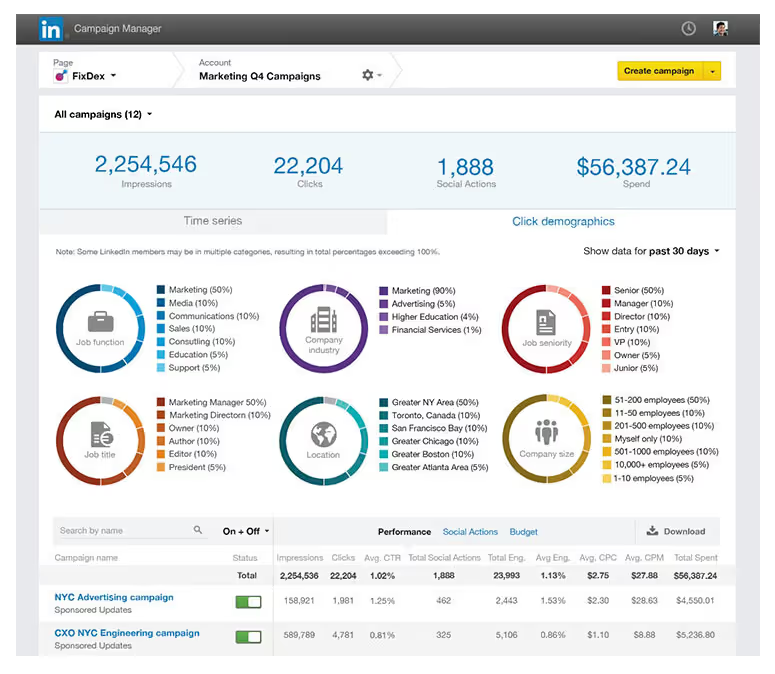
LinkedIn Campaign Manager is an AI powered in-built platform for running ads directly on LinkedIn. It lets you set up audiences, budgets, and ad formats while using AI trained on first party data to target by job title, company size, or industry. The built in forecasting feature uses predictive models to estimate results before launch, which makes planning far more accurate. It’s not the most flexible creative tool, but the AI driven targeting and delivery make it reliable, precise, and easy to manage.
Use it for: Running accurate, data-backed campaigns.
Why it helps B2B marketers: Access to LinkedIn’s clean, verified audience data.
Pros: Trusted targeting, accurate forecasting, smooth setup.
Cons: Limited creative flexibility and automation.
Ideal for: B2B teams focused on efficiency and accuracy within LinkedIn.
Pricing: No platform fee; pay per click, impression, or send.
2. Taplio
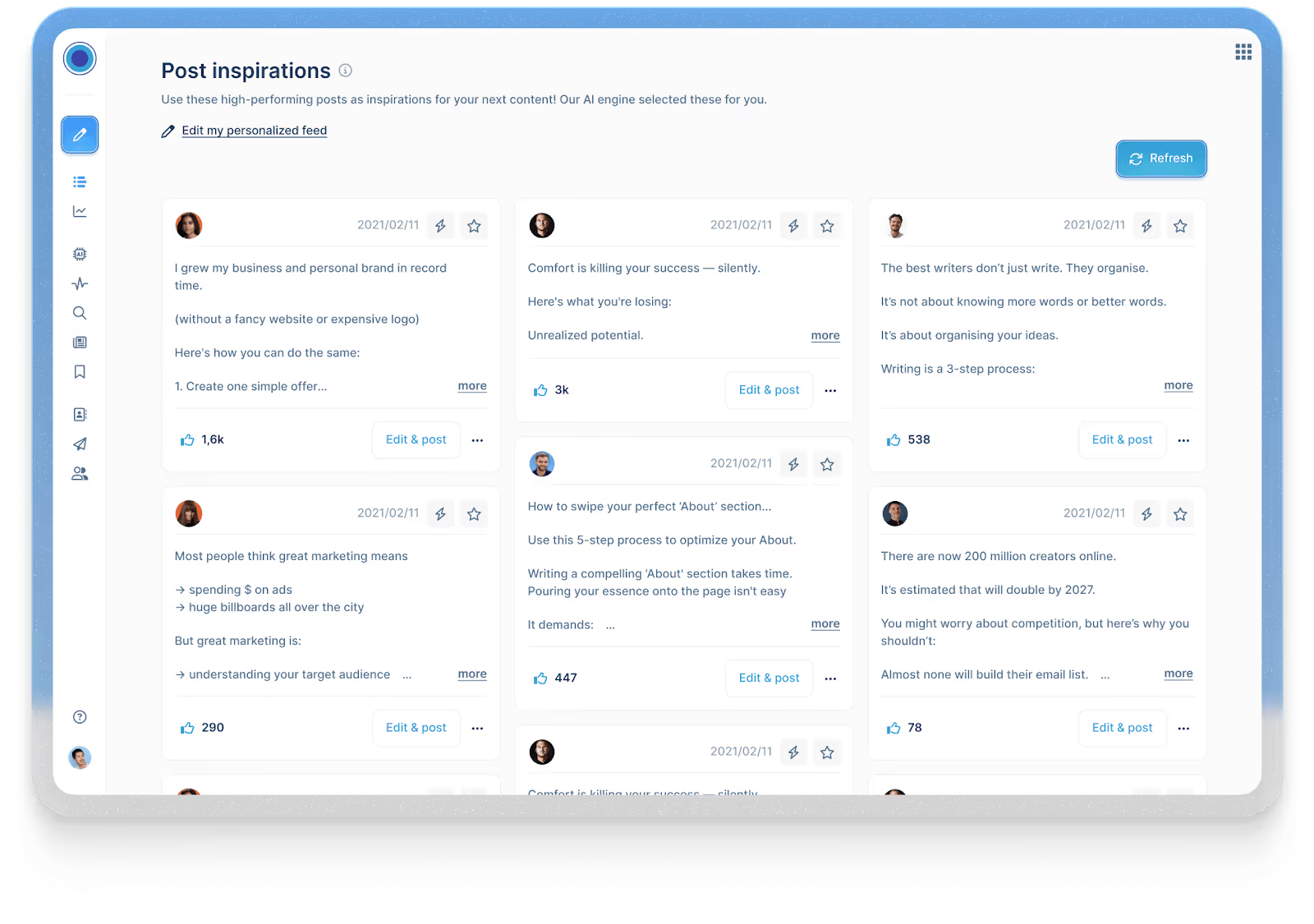
Taplio is an AI copywriting tool used for personal branding and content growth on LinkedIn. It helps you write LinkedIn posts, discover topics, build engagement, and fine-tune your voice. These insights then feed into better ad messaging when you promote that content. It’s not built for campaign management typically, but it’s perfect for shaping authentic content that later converts well in paid formats.
Use it for: Testing and refining content before promoting it.
Why it helps B2B marketers: Helps you shape a personal brand that drives trust and better ad performance.
Pros: Great for tone, topic discovery, and post consistency.
Cons: Doesn’t manage paid campaigns.
Ideal for: Founders, consultants, or marketing leaders using content-led growth.
Pricing: Starts at $39/month with a free trial.
3. Predis.ai
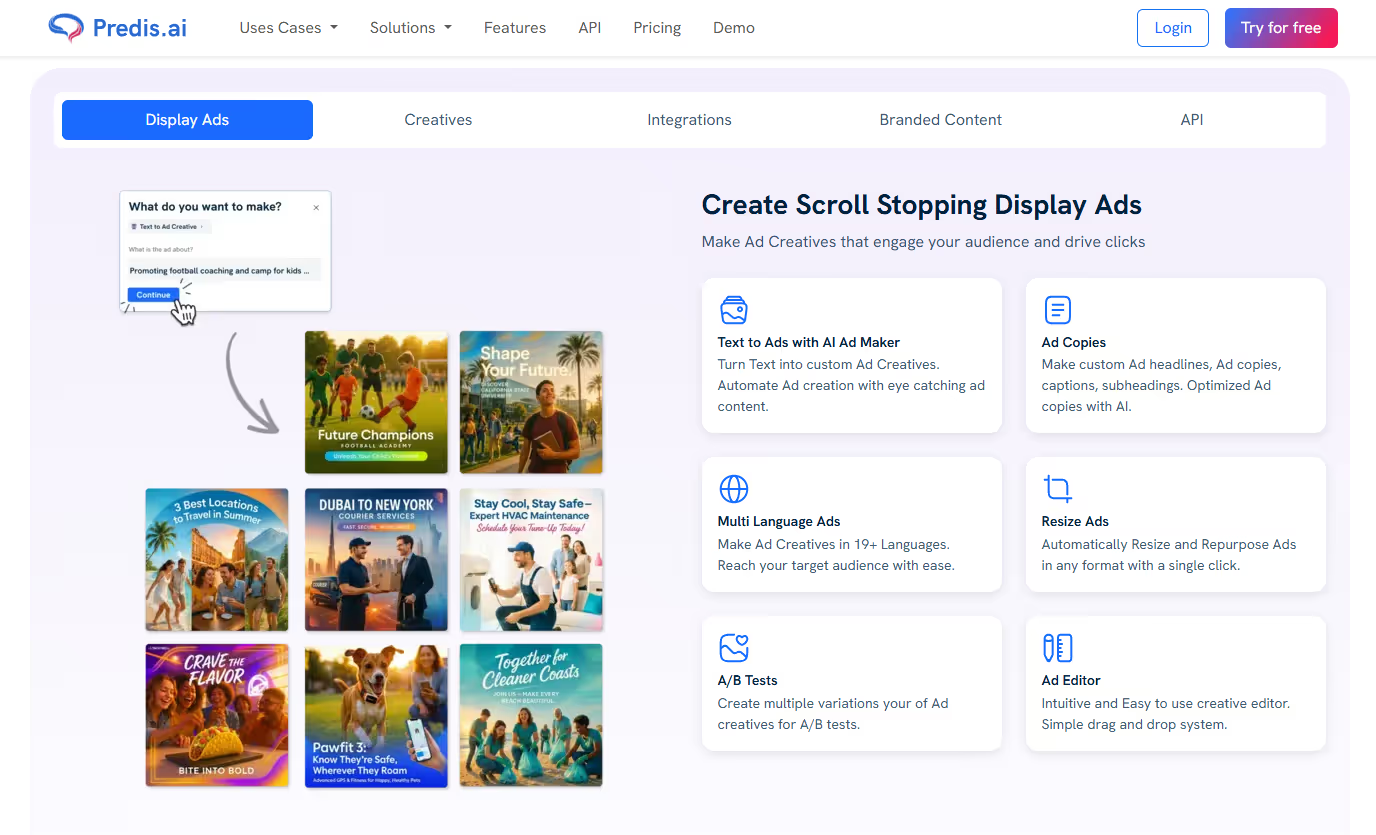
Predis.ai focuses on the creative side of LinkedIn ad production. Enter a product brief or link, and it generates publish-ready ad variations with high-quality images, video, headlines, and call-to-actions. You can edit, remix, and test quickly to see what resonates with each audience. It’s ideal for small teams that want to experiment and scale creative output without adding design support.
Use it for: Creating and testing ad creatives in bulk.
Why it helps B2B marketers: Speeds up creative testing and personalization.
Pros: Fast, flexible, and built for experimentation.
Cons: Templates can feel repetitive if unedited.
Ideal for: Lean teams managing multiple campaigns.
Pricing: Starts at $19 with a free trial.
4. Supergrow.ai
Supergrow connects your organic content, paid campaigns, and outreach into one steady flow. It repurposes LinkedIn posts into LinkedIn ads, automates engagement, and keeps your brand voice consistent across company and personal pages. This makes it especially useful for account-based marketers who want to make their organic and paid ads work together, so outreach feels more natural.
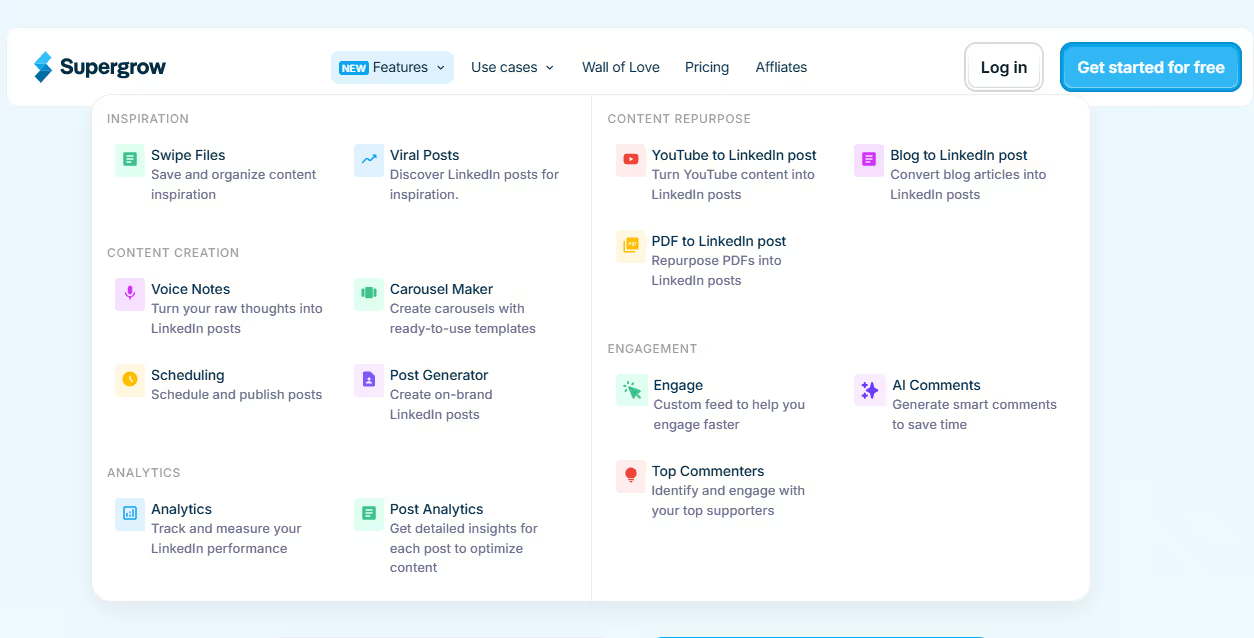
Use it for: Running connected organic and paid campaigns.
Why it helps B2B marketers: Keeps content, outreach, and ads aligned for ABM impact.
Pros: Smooth automation, consistent brand voice, strong for ABM.
Cons: Limited analytics and not a full ad manager.
Ideal for: B2B teams mixing engagement, retargeting, and outreach.
Pricing: Starts at $19/month with a free trial.
5. Hypotenuse AI
Hypotenuse’s LinkedIn Ad Generator helps marketers write ad copy. It creates multiple ad variations based on your topic, tone, and target audience, helping you find the best-performing message. Since it’s fast and simple, it gives marketers an easy way to test ideas and scale campaigns without sacrificing quality or getting stuck in long, time-consuming writing cycles.
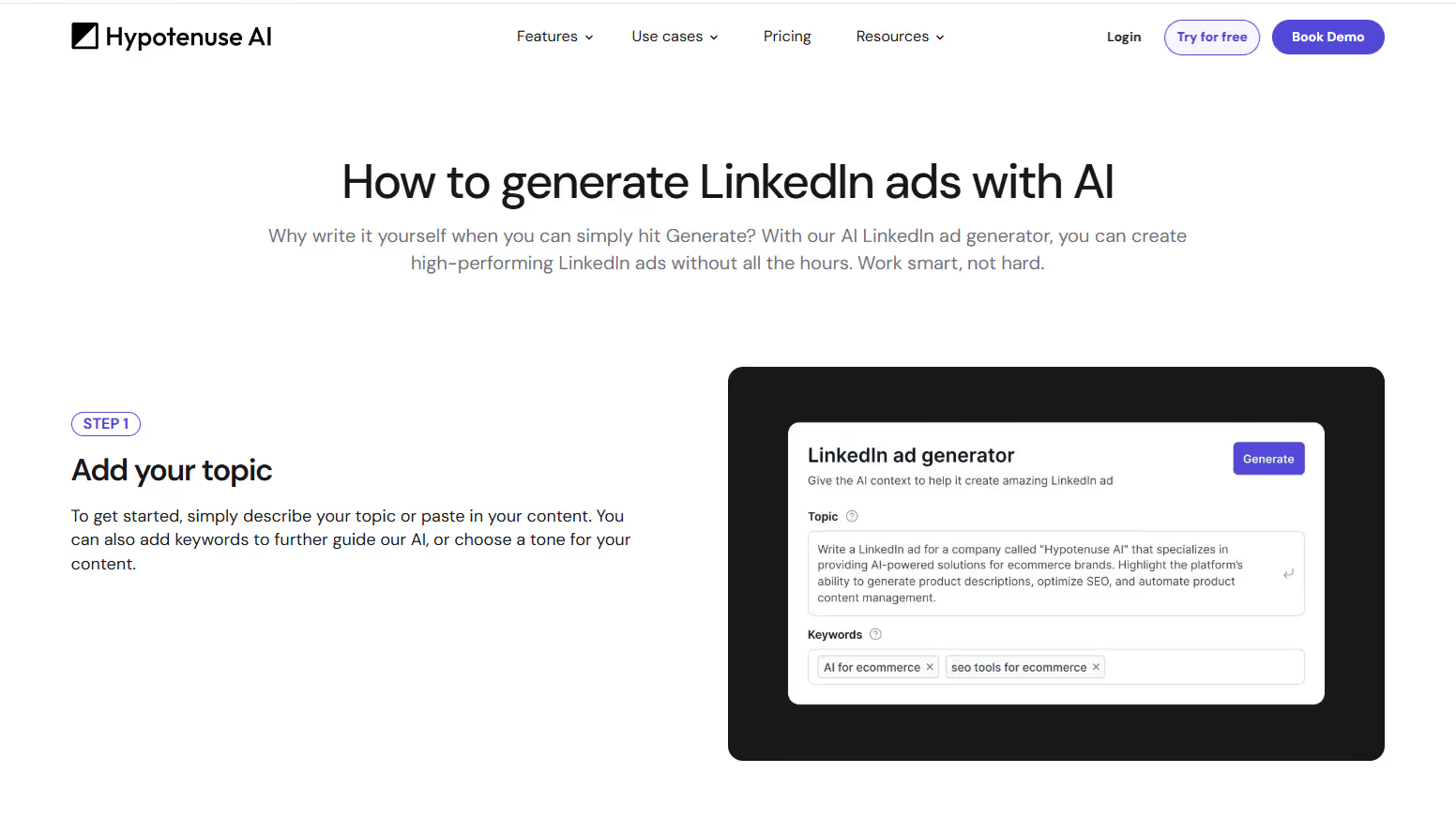
Use it for: Generating high-performing LinkedIn ad copy quickly and efficiently.
Why it helps B2B marketers: Delivers ready-to-run ad variations tailored for your audience.
Pros: Fast, intuitive, easy to refine tone and keywords.
Cons: Limited to copy generation; no design or analytics tools.
Ideal for: Marketers or small teams who want quality LinkedIn ads without manual writing.
Pricing: Starts at $29/month with a free trial.
6. Factors’ LinkedIn AdPilot
AdPilot takes a data first approach to LinkedIn advertising. It builds smarter audiences by using your intent and engagement signals, then keeps them fresh with SmartReach, which updates your LinkedIn audiences automatically as new accounts show interest. You can also control how often each account sees your ads, so your budget doesn’t get stuck on a handful of big companies.
AdPilot also gives you deeper visibility into impact. With view through attribution and Factors’ analytics layer, you can see which campaigns influenced pipeline even when people never click your ads. The result is cleaner targeting, more efficient spend, and a clearer sense of what’s actually working so you can scale with confidence.
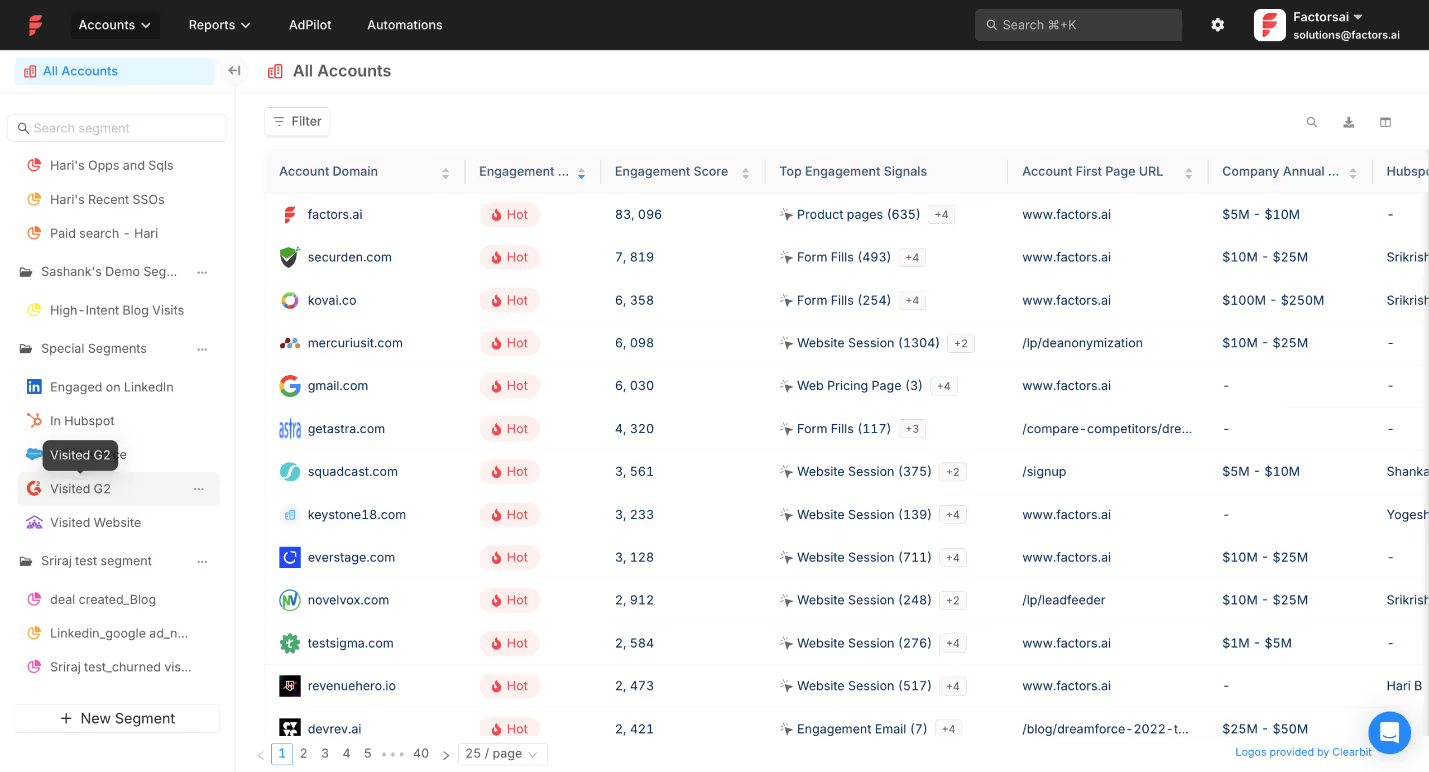
Use it for: Running data-driven campaigns that optimize automatically.
Why it helps B2B marketers: Links ad data with pipeline outcomes for measurable ROI.
Pros: Predictive insights, advanced targeting, automated optimization.
Cons: Needs clean data setup
Ideal for: Demand-gen and growth teams focused on ROI.
Pricing: Custom, based on company size and data volume.
Quick Comparison of Top AI Tools for LinkedIn Ads
How to Integrate LinkedIn AdPilot into Your AI-Driven Workflow
In an AI-driven ad stack, AdPilot’s role is simple. It takes your intent and engagement signals and turns them into smarter targeting, cleaner spend, and clearer measurement on LinkedIn. It does not create ads. It makes the ads you already run reach the right accounts with far better efficiency.
Here’s how to integrate AdPilot into a B2B workflow:
1. Connect your CRM and website data to Factors
Start by enabling the data flow. Once your CRM and website activity sync into Factors, AdPilot can see which accounts are active, engaged, or showing intent.
2. Enable account identification and scoring
Factors maps anonymous visitors to companies and scores them based on engagement levels. This creates the intent signals that AdPilot uses to build and update audiences.
3. Sync qualified accounts into AdPilot
AdPilot pulls Hot, Warm, or newly active accounts directly from these signals and prepares them as ready to use LinkedIn audiences. No manual CSV uploads.
4. Set account level frequency caps and targeting rules
You decide how often each account should see your ads. AdPilot enforces these limits and helps spread your budget across more of your ICP.
5. Push dynamic audiences into LinkedIn
AdPilot syncs these audiences into LinkedIn Campaign Manager so your targeting stays aligned with real time account behavior. As engagement shifts, the audience updates automatically.
6. Feed campaign performance back into your revenue systems
AdPilot passes view throughs, conversions, and influence signals into Factors’ attribution layer, which then syncs into your CRM. This closes the loop so you can see which campaigns moved deals.
Teams using it are already seeing the difference. How? Let’s see these real-life examples:
- Descope:
Descope, a security platform focused on passwordless authentication, had healthy traffic but uneven reach across their target accounts. A few large companies were soaking up most of the budget, which meant a big part of their ICP rarely saw their ads.
How AdPilot helped
With AdPilot, they capped impressions per account, synced high intent accounts into LinkedIn automatically, and spread their spend more evenly across their ICP.
The impact
Once this data loop fed back into their reporting, Descope saw a 25% llift in LinkedIn Ads ROI. Their case study walks through the full setup.
- Hey Digital:
Hey Digital is a performance agency that relies heavily on attribution clarity to optimize client spend. Click tracking alone wasn’t giving them the full picture on LinkedIn.
How AdPilot helped
After adopting AdPilot, they started capturing view through conversions, syncing dynamic audiences, and using those insights to adjust spend and tighten targeting.
The Impact
With cleaner signals and smarter allocation, they saw a 35% boost in LinkedIn performance.Their case study breaks down exactly how they ran it.
Both adopted AdPilot for different reasons, and their results tell a clear story.
💡Want to see how AdPilot works in your own setup? Explore it with a free trial.
Measuring Success: Metrics and Predictive Audiences
When you’re running LinkedIn ads for B2B, clicks and impressions tell you what happened on the surface. But the real story lies in knowing what happened after someone clicked i.e. the lead quality, the conversations that follow, and the deals that actually move forward.
The metrics that help you understand this are:
- Cost per lead (CPL). How much you’re paying for a high quality lead, not just a form fill.
- Lead quality. How many of those leads turn into meetings or pipeline.
- Account engagement. How often target accounts interact with your content or brand.
- Conversions. Demo requests, signups, or other key actions.
- Pipeline velocity. How quickly leads move from first touch to opportunity.
For Example: Let’s say you’re running a LinkedIn campaign targeting HR leaders in mid-sized tech firms. You test two ad versions: one focused on retention benefits, the other on employee engagement. Each lead that interacts with either ad automatically syncs to your CRM (like HubSpot or Salesforce) through a connector like Factors. Inside the CRM, Factors’ attribution layer shows which campaigns and creatives influenced those leads, along with the touchpoints that moved them forward. That makes it easy to compare which version pulled in better qualified leads and how quickly they progressed through the pipeline. AdPilot then uses these signals to refine targeting and shift your spend toward audiences that look more like your top converters..
Best Practices & Pitfalls for Using AI Tools in LinkedIn Ads
AI can make LinkedIn ads faster and smarter, but it still needs a clear plan and a bit of human judgment. Here’s how to get the most out of it and what to watch out for:
Future Trends: What’s Next for LinkedIn AI Tools in B2B
Artificial Intelligence is becoming a core part of LinkedIn advertising, and the next wave is all about smarter targeting and faster creative. Predictive and generative AI will work side by side. Predictive models will read first-party and intent signals to spot high-converting audiences, while generative tools will create personalized ads and videos for those audiences at scale.
LinkedIn is also building more AI directly into Campaign Manager. Expect stronger measurement, clearer attribution, and better visibility into how ads influence pipeline and revenue.
Privacy regulations will keep tightening, which means first-party audience data will be preferred and used more carefully. You’ll see more transparency, stricter compliance, and a bigger focus on data governance across platforms.
For B2B teams, being future-ready means investing in clean data, solid CRM integrations, and workflows that stay compliant while saving time. The next phase of LinkedIn marketing will reward marketers who pair creativity with ethical, data-driven precision.
FAQs
Q: What are AI tools for LinkedIn advertising?
They are platforms that help you plan, create, and optimize LinkedIn ads using data and automation to improve targeting, content creation, and performance.
Q: How do I choose the right LinkedIn AI tools for my B2B campaign?
Choose tools that match your goals, whether it is creative testing, right audience targeting, or pipeline tracking, and make sure they integrate with your CRM or analytics setup.
Q: Can I use LinkedIn’s native AI only (without external tools)?
Yes, you can. LinkedIn’s built-in AI assistance supports forecasting, targeting, and optimization for LinkedIn ads, though external tools offer deeper insights and flexibility.
Q: How much budget should I allocate when using these tools?
Start with a small test budget that allows you to experiment with multiple creatives or audiences. Then scale based on what brings warm leads or revenue, not just engagement.
Q: Are there risks when using AI for LinkedIn ads?
The main risks are relying too heavily on automation and overlooking privacy compliance. Always review your linkedin messaging manually and stay updated with LinkedIn’s advertising policies.
Q: How does LinkedIn AdPilot differ from other LinkedIn AI tools?
AdPilot connects your LinkedIn ad performance directly to your CRM and revenue data, helping you see which campaigns drive real business results.

Best Clay Alternatives for GTM Teams in 2026
If you’ve used Clay, you know it’s impressive. It pulls data from the deepest corners of the world, lets you shape it exactly how you want, and helps build flexible workflows with a high degree of control. For fast-moving teams, this gives a powerful edge.
But once Clay becomes part of day-to-day GTM operations, it loses steam. 🌫️
Yes, Clay keeps doing its part well, but it stops short of actual execution. If I had to tell you another thing that bothered me… it would be maintenance. I spent more time keeping existing workflows running than I expected. I also had to jump between tools just to act on the data, while outreach, ads, and intent signals were all on different platforms.
I could prepare everything perfectly, but I still had to decide (through human intervention) what to do next and where to do it. At this stage, it really started to feel like automation that isn’t automated?!
The pattern became obvious for me: Clay helped me get ready, but it didn’t help me execute.
That’s when I understood why GTM teams start looking for alternatives. While Clay does its job pretty well, it’s not enough anymore. Job requirements have changed. GTM motions have grown more complex, and the question has shifted from “How do I enrich this data?” to “How do I turn real signals into action without jumping between different tools?”
This guide is for that moment.
TL;DR
- Clay is great for data enrichment and workflow building, but it falls short when it comes to execution.
- Apollo and ZoomInfo solve specific problems, but don’t unify GTM workflows.
- As GTM motions mature, teams need systems that connect intent, action, and CRM updates.
- Factors.ai stands out by focusing on signal-driven activation, not just data prep.
- The right tool depends on your GTM maturity, not feature checklists.
Criteria for Evaluating Clay Alternatives in 2026
Yes, Clay is good at what it does (There’s a reason so many growth teams adopted it early). But the way teams evaluate alternatives today is very different. These teams know firsthand that connecting multiple tools is like playing Jenga: Each workflow works fine on its own, but one small change (like a broken sync, or a missed signal) and the whole thing starts wobbling.
That’s why I have evaluated Clay alternatives that align with the changing requirements - a new system that helps you choose “better alternatives”:
- Unified data and activation:
The first thing I look for now is unified data and activation. Clean data matters, but it’s useless if it can’t trigger action. The system should know when something important happens and act on it without waiting for manual steps.
- CRM hygiene:
CRM hygiene is next. If the tool doesn’t keep records clean, updated, and consistent, everything downstream suffers. A modern GTM tech stack should prevent mess, not create more of it.
- Intent integration:
Teams need real buyer intent signals (not static worksheets) that show when an account is warming up along with the ICP.
- Workflow automation:
Workflow automation still matters, but the bar is higher. It’s moved on from just building clever logic to whether workflows actually reduce work across teams.
- AI-driven routing and prioritization:
This one helps in deciding what deserves attention right now.
- Cost efficiency:
Cost plays a bigger role, too. Tools that look affordable initially can become expensive once usage scales.
- Integration:
Integration is another non-negotiable. Any serious alternative needs to work cleanly with LinkedIn Ads, Google Ads, and the CRM. If those connections are weak, the system won’t hold.
And finally, I asked one simple question: Can this tool function as growth engineering infrastructure, or is it just a one-off solution?
These are the criteria on which I have chosen the seven Clay alternatives.
What Is Clay Better At (But Where It Falls Short)
But, before we get down to the alternatives, there are a few upsides and downsides to Clay (you start to feel these just as soon as you catch momentum) that need to be looked at.
Clay does a lot of things (genuinely) well:
- It is excellent at data enrichment.
- The spreadsheet-style interface feels familiar.
- The workflows are flexible.
- Its ability to layer logic on top of data is impressive (and powerful).
For research-heavy GTM work or one-off growth experiments, it’s hard to beat.
It’s also great for teams that like to build. If you enjoy tinkering, testing prompts, and building complex workflows, Clay gives you a big sandbox. That flexibility is the reason so many growth teams opt for it in the first place.
But, here’s where it falls short:
- Clay isn’t built to run end-to-end GTM automation:
There’s no native prioritization layer (to help you decide which accounts matter right now), and it doesn’t even give you a sense of timing (so you know when to outreach prioritized accounts). Everything still depends on someone checking workflows, exporting data, and deciding what to do next.
- Clay assumes technical expertise:
It assumes your team has the technical skills to manage workflows on their own. Your team has to own the logic, watch credit usage, debug broken workflows, and keep everything in sync, which works when volume is low or the team is small. Scaling with it becomes harder, when SDRs, marketers, RevOps, and growth teams all depend on the same system.
- Clay doesn’t unify GTM touchpoints:
Fragmentation is its biggest limitation. Clay can’t unify GTM touchpoints on its own. Ads data, contact details, website intent, all are managed separately. CRM updates happen after the fact. Yes, Clay is in the middle of all this, but it doesn’t close the loop.
So, while Clay remains a strong data enrichment and workflow tool, it struggles to become the system that runs GTM. If your team is hustling toward full GTM engineering, this gap is hard to ignore.
Now, let’s take a look at the alternatives.
Top Clay Alternatives for GTM Tools & Growth Teams
Note: Not every Clay alternative (listed here) is trying to replace the same thing. Some replace data enrichment, some sequencing, while a few others try to replace the system Clay often ends up sitting inside.
- Factors.ai (Best for unified GTM automation: intent, ads, signals)
If Clay is your prep kitchen (it helps you source ingredients, clean them, cut them, label them, and keep them ready), Factors.ai is your head chef + service flow (it watches what guests are doing, who just walked in, who is lingering, and who looks ready to order).
Factors.ai combines strong enrichment with workflow automation, helping GTM teams act on data instead of just collecting it.
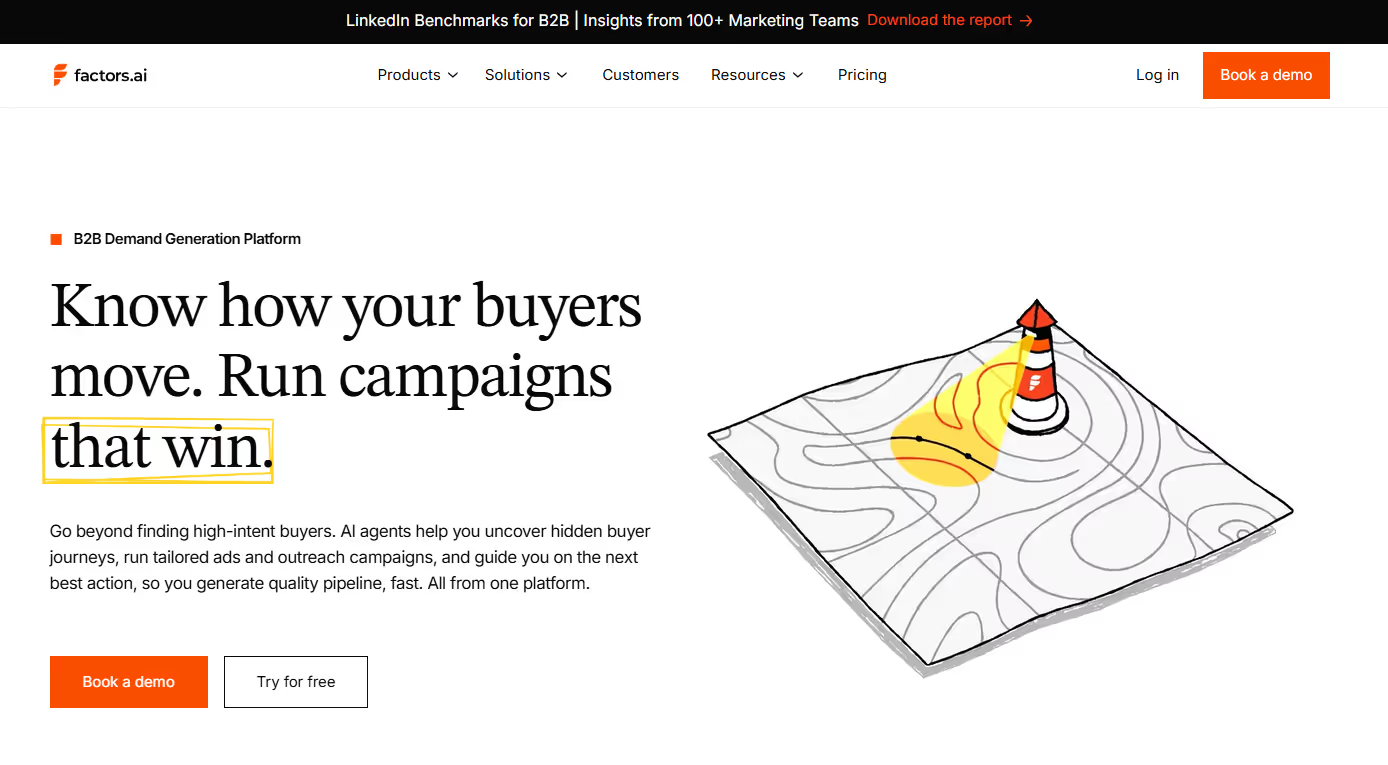
Factors.ai starts with account-level intelligence and is designed to turn signals into action. This means it:
- Captures intent and engagement across touchpoints, including website activity and account behavior
- Syncs that context into the CRM, keeping records current without manual updates
- Routes signals to sales teams in real time, so outreach happens when timing is right
- Triggers action across channels, including outbound motions and LinkedIn and Google Ads through AdPilot.
- Maintains closed feedback loops between signals, actions, and CRM updates
By orchestrating website activity, account signals, ads, and CRM feedback loops in one system, it removes much of the manual data movement that slows GTM teams down. For teams doubling down on growth engineering motion, Factors.ai comes up to be one of the cleanest Clay alternatives.
Related Read: How Factors.ai connects intent, signals, and activation across the full GTM funnel
- Apollo.io (Best for scaling cold outreach quickly)
If Clay is your prep kitchen, Apollo is your serving line (where the focus is on getting plates out fast rather than perfecting ingredients. Speed matters more than nuance).
At first glance, Clay vs Apollo feels like a simple choice: Clay is technical and flexible, while Apollo is practical and ready to use. But that framing misses the MAIN question GTM teams should be asking.
Apollo has its own database and works well as an email automation tool when speed is your goal. If you need sales reps to send emails fast, Apollo removes friction. Lead lists, sequences, replies, and basic reporting all come together in one place, making it easy to get an SDR motion off the ground without much operational/administrative work.
With Apollo.io, you get:
- A large contact database that makes list-building fast
- Built-in email sequencing, so that reps can move from list to outreach quickly
- A straightforward outbound setup with minimal operational friction
- An easy path to spinning up SDR motions without heavy tooling or setup
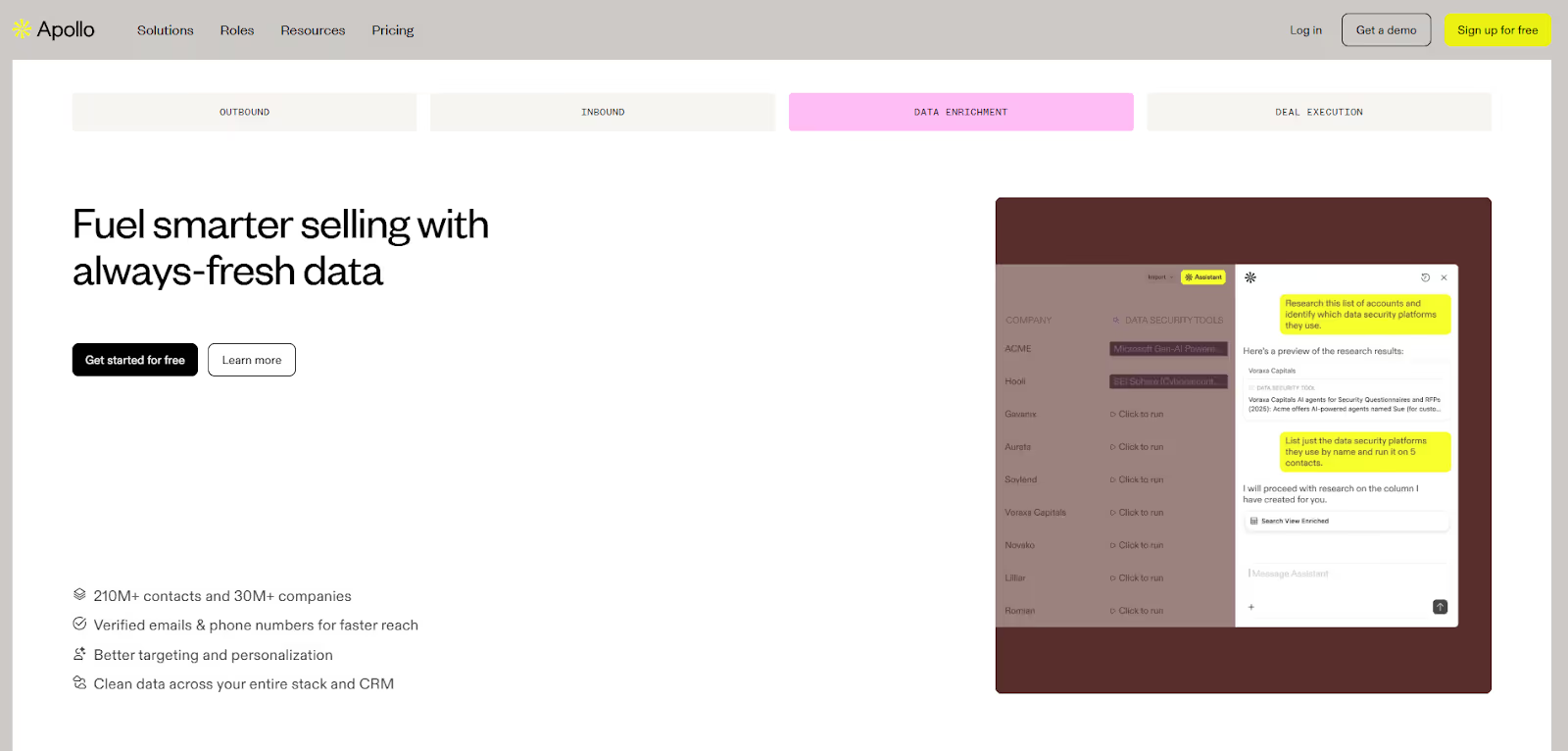
But Apollo’s data is broad, and context can feel thin. Meaning,
- You get the job titles without any real insights
- Personalization feels templated because the intent signals aren’t clear.
Where Clay fits:
Clay is on the opposite end of the spectrum. It focuses on data enrichment and workflow building, with strong automation features for shaping and transforming data.
Where Clay falls short:
Clay doesn’t activate outbound on its own. It doesn’t have native sequencing, prioritization, or timing sense. Apollo, meanwhile, activates outbound easily but doesn’t always give teams confidence in who they’re reaching or why now is the right moment.
So GTM teams end up connecting the two: Clay prepares the data and Apollo runs the sequences.
Simple, right? Not so much…Turns out connecting the two creates handoffs and sync issues.
Why teams move past the Clay vs Apollo debate
At this point, GTM teams move away from the ‘Clay vs Apollo’ debate, towards GTM workflows. Instead of alternating between better data and sequencing, they want a unified platform that not only silences this debate but also takes away the pain of connecting different tools.
Factors.ai helps you achieve this seamlessly. Using company-level intelligence and intent data, Factors.ai identifies an account that’s warming up and triggers activation automatically. That activation can be outbound, ads through AdPilot (Google and LinkedIn), CRM updates, or alerts to sales teams to amplify their outreach efforts.
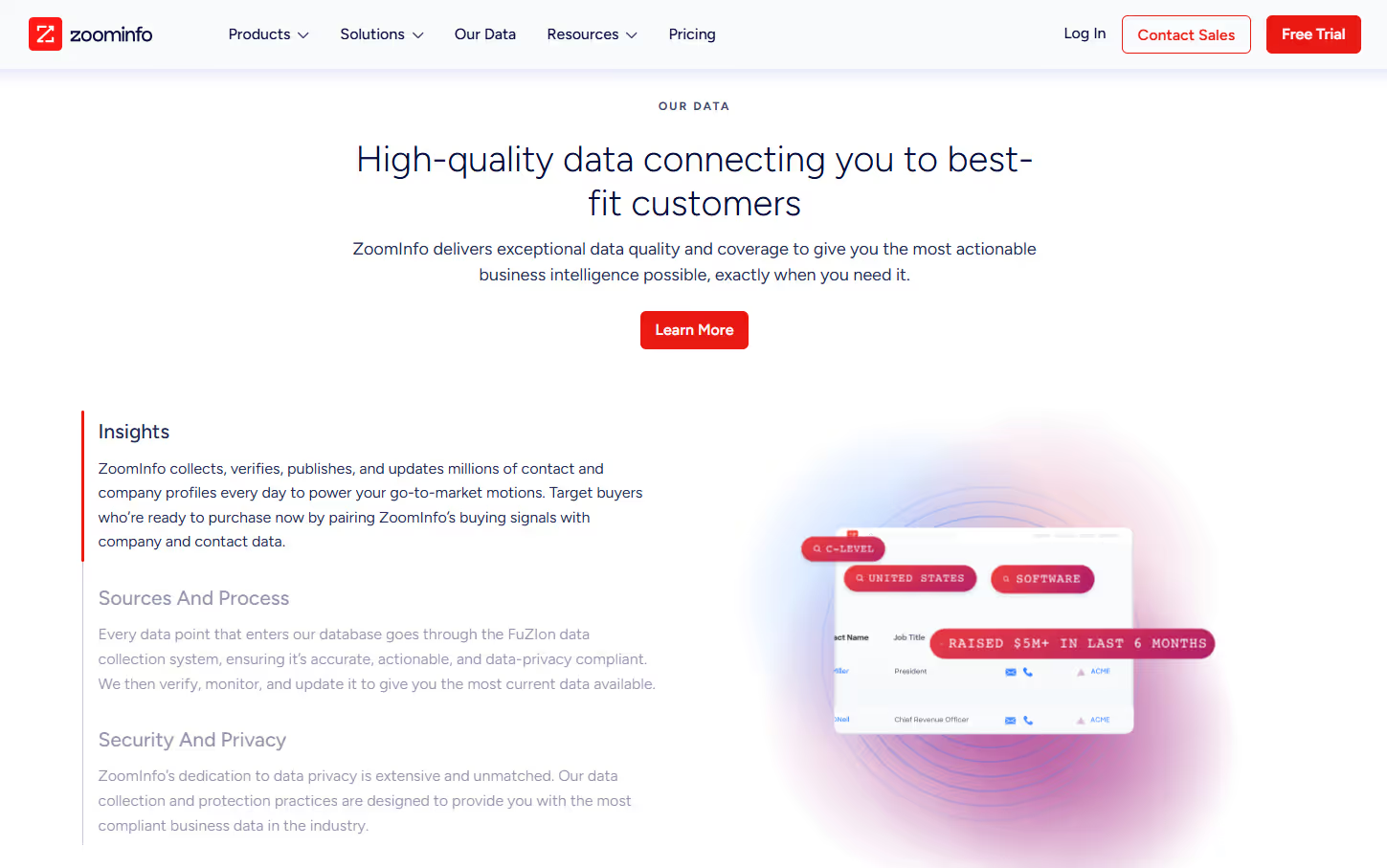
- ZoomInfo (Best for enterprise data quality and depth)
If Clay is your prep kitchen (where the ingredients are sourced from different suppliers), ZoomInfo is your walk-in freezer stocked by a national supplier (where everything is labeled, organized, reliable, and comes from one large, dependable source).
The Clay vs ZoomInfo comparison usually comes up when GTM teams start questioning the data itself, instead of just how fast they can act on it.
ZoomInfo stands out when accuracy and coverage matter more than flexibility. Large teams rely on it for firmographics, org charts, and buyer intent, especially in US-focused sales motions. You get some of the most accurate contact data, especially for the US, and buyer intent is part of the package. For sales teams that want confidence in who they’re reaching and whether an account fits their target market, ZoomInfo feels reliable. It gives leadership confidence that the data foundation is solid.
The downside here is how that data is used. ZoomInfo isn’t built to adapt to custom GTM workflows or to support rapid experimentation. Activation usually happens elsewhere, and teams rely on downstream sales tools to turn data into action. Cost also becomes a factor as usage scales.
ZoomInfo is strong at answering who exists. It’s less strong at helping teams coordinate what happens next.
Where Clay fits:
Clay flips that. Clay is all about flexibility. You can combine data sources, apply logic, and shape data to fit your process. If the problem is adapting data to your GTM motion, Clay gives you room to do that.
Where both tools fall short is execution (again). Neither is built for multi-channel GTM engineering. Intent, outbound, ads, and CRM updates still live in different places, which means manual stitching and fragile feedback loops.
Some GTM teams take a step back from this data depth vs workflow flexibility row. Instead, they look for systems that handle both intent and activation together. Factors.ai does this seamlessly. By ingesting account-level intent and triggering activation from the same place, it reduces the need for constant handoffs and data silos.
Clay and ZoomInfo solve different problems well. But once GTM becomes system-level, data alone isn’t enough.
Related Read: Detailed comparison of Factors.ai vs ZoomInfo
- 6sense / Terminus (Best for ABM and intent signal programs)
If Clay is your prep kitchen (focused on getting ingredients ready), 6sense and Terminus are your banquet planning system (they decide which tables matter, what meals are being served, and how the evening is structured) that assumes you have well-trained staff and set menu.
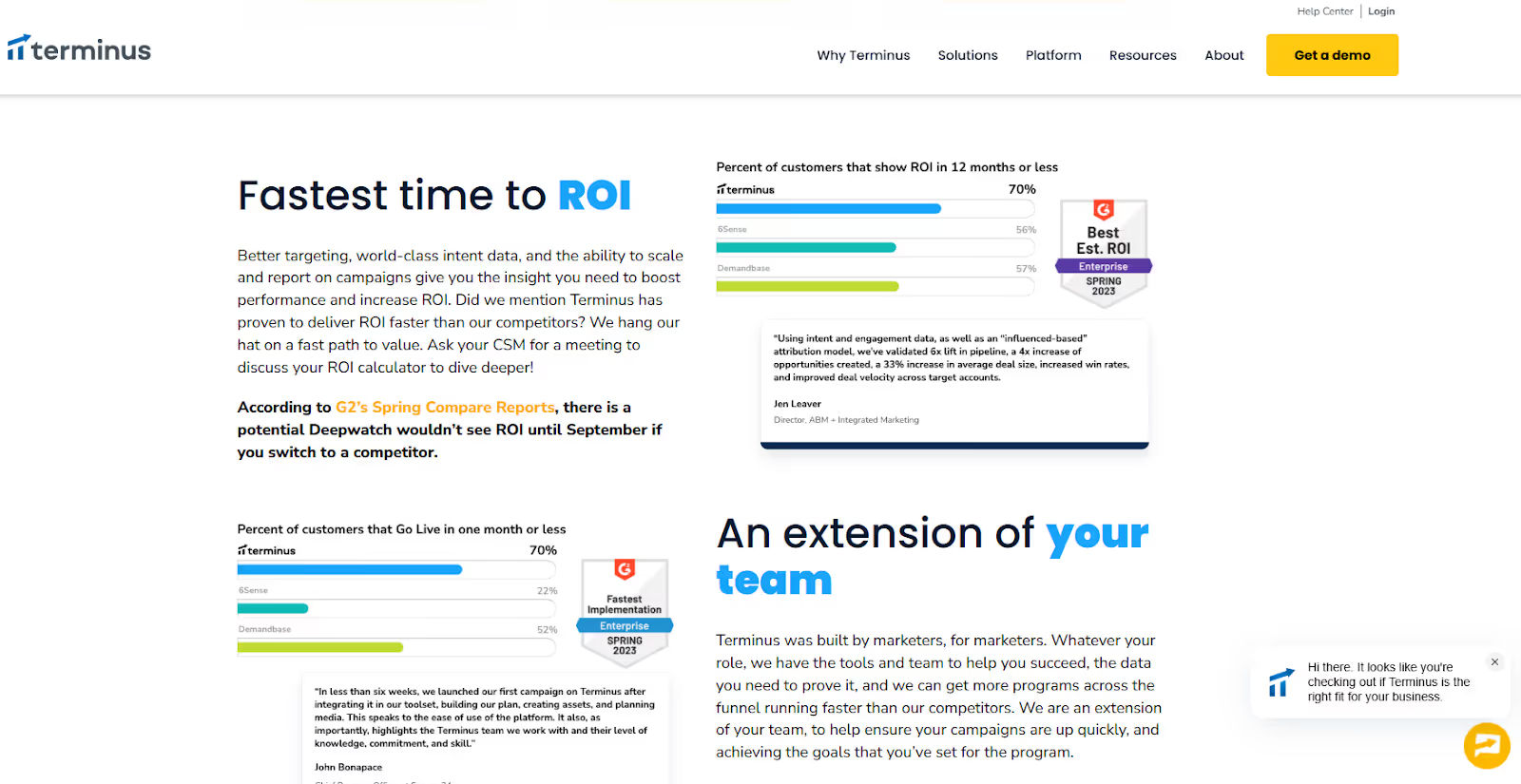
6sense and Terminus are purpose-built for account-based motions. They bring intent data, account insights, and advertising together under an ABM framework. For enterprise teams running planned, top-down GTM programs, this structure works well.
The challenge is weight. These platforms take time to implement, require alignment across teams, and come with higher cost. They’re opinionated systems, which makes them powerful in the right environment but less flexible for teams still evolving their GTM motion.
For mid-market or lean teams, they can feel like committing to a GTM model before it’s effectiveness is clear.
- n8n (For GTM teams with in-house engineering muscle)
If Clay is your prep kitchen, n8n is the plumbing and wiring behind the building. It’s powerful, flexible, and gives you full control, but it doesn’t know anything about GTM on its own.
n8n is an open-source workflow automation tool. It’s loved by technical teams because you can self-host it, customize it deeply, and build exactly what you want using APIs and custom logic. For GTM engineering teams with strong developer support, this is appealing. You can recreate enrichment flows, routing logic, and tool-to-tool syncs without being boxed into a predefined GTM model.
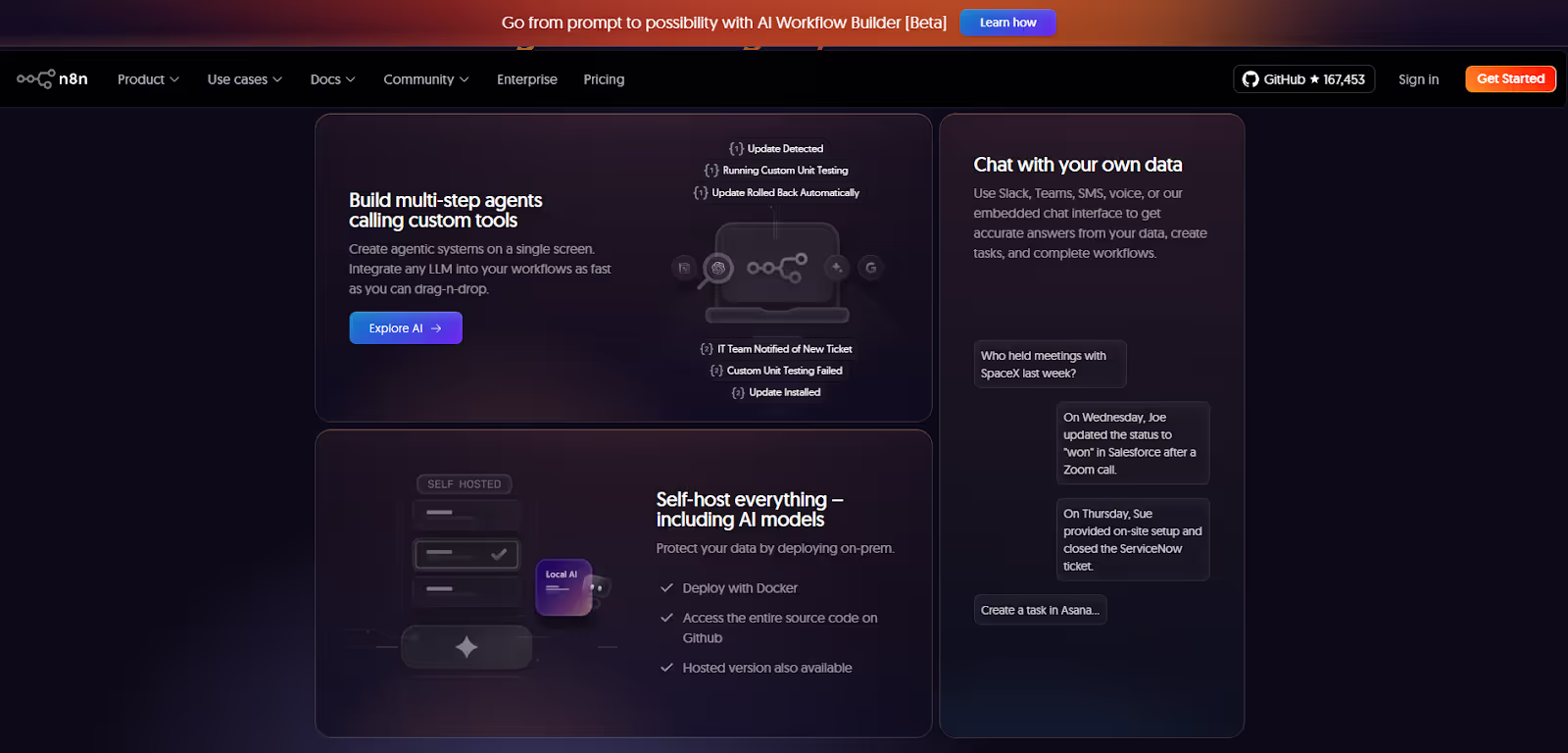
However, n8n doesn’t understand concepts like intent, accounts warming up, buying stages, or prioritization. You have to define all of that yourself. Every scoring rule, every trigger, every edge case becomes your responsibility. Maintenance scales with complexity.
n8n works best when:
- You already have engineers supporting GTM
- You want maximum control over workflows
- You’re comfortable building and maintaining logic long-term
It’s less ideal if you want GTM intelligence and execution out of the box. n8n moves data extremely well, but it doesn’t tell you what matters or when to act unless you explicitly build that intelligence yourself.
- Make (For teams that want flexibility without full engineering)
If Clay is your prep kitchen, Make is the conveyor system that moves ingredients between stations quickly and reliably.
Make (formerly Integromat) is a low-code automation platform designed for speed and accessibility. Compared to n8n, it’s easier to set up and friendlier for RevOps or growth teams that don’t have deep engineering support. You can connect tools, automate handoffs, and build fairly complex workflows without writing code.
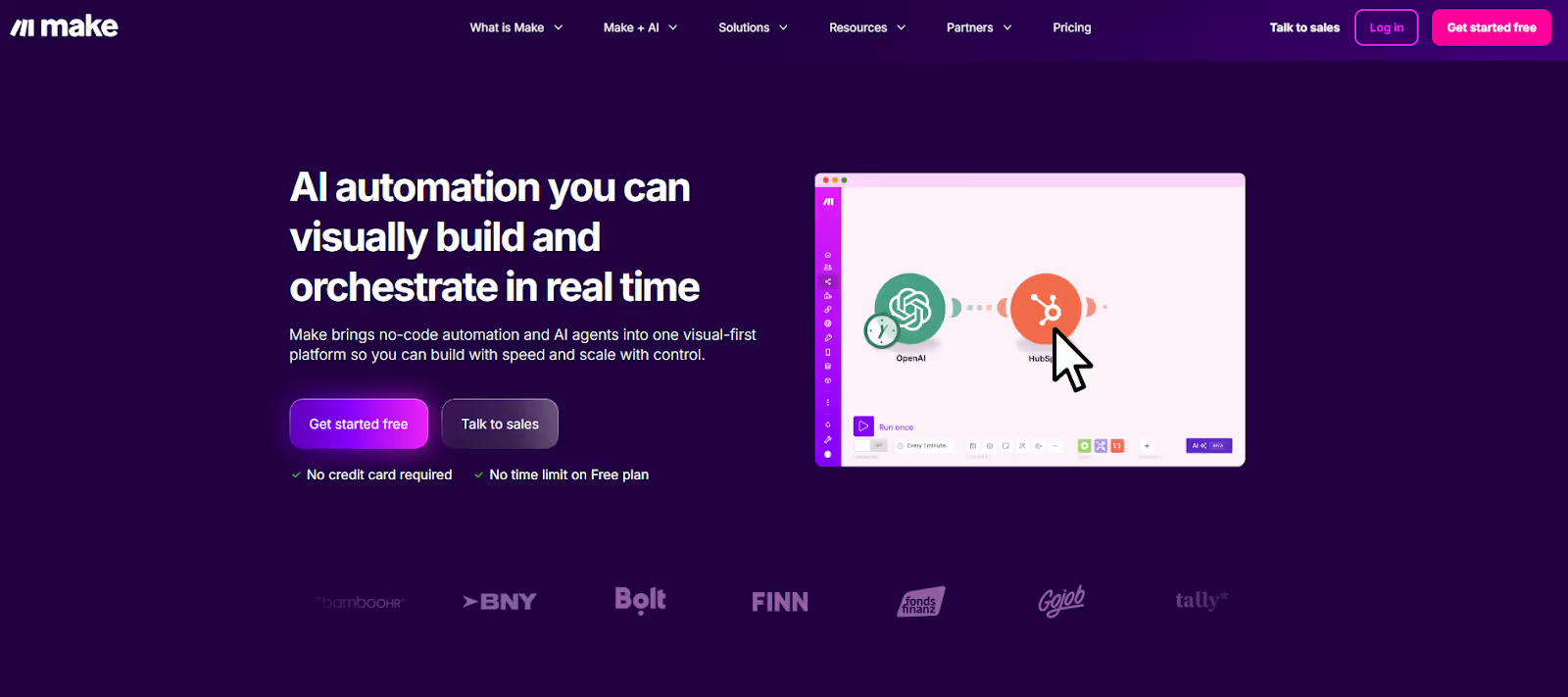
That ease comes with limits. Like n8n, Make doesn’t understand GTM context. It doesn’t know what an intent spike is, how to score accounts, or when outreach should happen. You can automate actions, but you still have to decide the logic manually, often using static rules or scheduled checks.
As GTM motions grow more complex, Make workflows can become fragile. Small changes in tools or logic often require manual fixes, and prioritization still lives outside the system.
- Clearbit, People Data Labs, Datagma (Breadcrumb-style enrichment tools; Good for data, not for GTM workflows)
If Clay is your prep kitchen (where ingredients are turned into something usable), Breadcrumb tools such as Clearbit, People Data Labs, and Datagma are ingredient suppliers (they just deliver high-quality ingredients at your doorstep).
Tools like Clearbit, People Data Labs, and Datagma enrich records, fill gaps, and improve data quality inside your CRM or warehouse. But they stop at enrichment. There’s no orchestration, no activation, and no feedback loop. Teams still need other systems to route leads, trigger outreach, run ads, or prioritize accounts.
They work best as supporting pieces in a larger tech stack if your goal is end-to-end GTM automation.
Deep Dive: Why GTM Engineering Teams Prefer Unified Platforms
Growth engineering has pushed GTM teams to think in systems. The focus is no longer on what a single tool can do, but on how everything works together once real volume and multiple channels are involved.
That’s why Clay alternatives are increasingly evaluated at the system level.
- Unified view of account activity:
GTM teams want one common view for account activity and intent. When signals, engagement, and context live in different tools, decisions slow down and confidence drops.
- Multi-Channel Activation From One Signal:
They also want multi-channel activation built into the same workflow. A meaningful signal should trigger the right actions across outbound, ads, and the CRM without manual coordination.
- CRM hygiene automation:
This has become just as important. Rather than fixing routing or fields as problems appear, growth engineering teams want systems that keep records clean as signals change.
- Real-time signal-based routing:
Static rules miss timing. Teams want actions triggered by actual behavior over scheduled batches and fixed logic.
- Turning Intent Into Ads Automatically:
And finally, insights need to flow directly into ad activation. When intent stays locked in dashboards, value is lost. The strongest systems push those insights straight into LinkedIn and Google automatically.
Tools like Factors.ai work well because they operate as a unified system for account intelligence and activation, connecting signals, routing, CRM updates, and ads in one place. Factors.ai also works across LinkedIn, Google, CRM, Slack, and HubSpot workflows, aligning closely with how growth engineering teams run GTM today.
Related Read: Intent data platforms and how they work
Case Study Highlights: Common Patterns Across Factors Customers
Teams from Descope, HeyDigital, and AudienceView show a similar shift in how they run GTM once they move to a unified setup with Factors.ai.
Rather than centering GTM around spreadsheets and enrichment workflows, these teams focused on account-level signals and automation.
Here, using company intelligence as the trigger for action, website engagement and account activity acted as the starting point. This then flowed into downstream GTM actions without manual handoffs.
Next, they activated multiple channels from the same signal. The same account insight informed outbound outreach and ad activation, rather than maintaining separate lists for SDRs and marketing. This reduced lag and kept messaging aligned.
CRM data hygiene also improved as a result. Instead of cleaning records after issues appeared, routing, ownership, and key fields updated automatically as engagement changed. Now, RevOps involvement shifted from constant maintenance to oversight.
By changing the operating model, i.e. keeping intent, activation, and CRM data updates in one place, these teams reduced operational drag and made GTM execution easier to scale and trust.
Related Read: Turning anonymous visitors into warm pipeline
Pricing Comparison: Clay Alternatives
Who should choose what:
- Lean teams experimenting with enrichment and workflows often start with Clay.
- Outbound-heavy teams that value speed and predictable pricing lean toward Apollo.
- Enterprise teams from established companies prioritizing data depth and coverage typically choose ZoomInfo.
- GTM engineering teams focused on intent, automation, and system-level execution tend to prefer other platforms like Factors.
Final Recommendation: Best Clay Alternative by GTM Maturity
Simply put: There’s no universal winner. The right choice depends on where your team is currently and how much GTM engineering you actually want to run. Evaluate the path that fits your maturity, rather than opting for a tool that looks powerful on paper.
FAQs for Best Clay Alternatives
Q. Is Clay a data provider or an orchestrator?
Clay is primarily an orchestration and enrichment platform. It aggregates third-party data sources and layers workflows and AI research on top, rather than owning a single proprietary database.
Q. Which Clay alternative has the best US contact data?
For US contact coverage and depth, ZoomInfo is most often cited in community discussions. Apollo.io is commonly chosen for price and ease of use, with mixed views on accuracy.
Q. Can Apollo replace Clay?
Sometimes. Apollo bundles contact data and sequencing, which makes it a simpler and cheaper option for solo users or small teams. Power users often keep Clay for research and personalization, then export it into Apollo for sending. Teams that move toward signal-based GTM often replace both with systems like Factors.ai, where activation is driven by intent rather than static lists.
Q. What’s a good Clay alternative for signal-based prospecting?
LoneScale is frequently mentioned for real-time buyer signals at scale. Some teams layer it with platforms like Factors.ai to combine signal ingestion with downstream activation across outbound sales processes and CRM workflows.
Q. If I just need automation, not databases, what should I try?
Tools like Bardeen, Persana, or Cargo focus on automation rather than owning data. If you need automation tied to GTM signals and activation, Factors.ai fits better than general-purpose automation tools.

AI in B2B Marketing: Real Use Cases, Trends, and What AI Still Can’t Do
When AI walked into B2B marketing, it came with big promises to ‘revolutionize’ the space and bigger fears… replace teams, automate thinking, and outpace humans at every turn.
Both didn’t happen. What has happened is something more complicated.
AI is everywhere now, yet most B2B teams still struggle to connect it to real GTM decisions. They have a bunch of insights from various AI marketing tools, but knowing what to do with them – and actually doing it – is still difficult.
This article talks about that gap. It looks at how AI is currently being used in B2B marketing today, where it helps, where it lags, and how strong teams utilize it to get optimal value from AI without letting it run the show.
TL;DR
- AI in B2B marketing works best when it improves both execution and decisions.
- Most teams struggle with turning signals received from their AI tools into action.
- AI is most effective when applied at the account and workflow level, instead of isolated tasks.
- Generative AI speeds things up, but human judgment still decides what matters.
- Best impact comes from combining AI insights with clear GTM orchestration.
What does AI in B2B marketing actually mean?
When people talk about AI in B2B marketing, they often conflate very different things. That’s where confusion starts.
At its core, AI in B2B marketing means using machine learning to process signals faster than humans can, to improve marketing decisions.
In practice, AI does four things B2B teams struggle to do manually at scale:
- Analyze behavior across systems
AI pulls together signals from CRM data, website activity, ad engagement, email interactions, product usage, and sales notes. This is important because B2B journeys are fragmented, and without AI, you won’t see the full picture.
- Predict intent and likelihood to act
Instead of treating all leads or accounts equally, AI looks for patterns that historically led to conversions, pipeline movement, or churn. This helps your teams move from reactive marketing to prioritized action.
- Personalize customer experiences without hand-building everything
AI adapts messaging, timing, and content based on behavior and context. It personalizes beyond “Hi, John!” by adjusting what is sent, when it is sent, and to whom, based on how an account behaves in real time.
- Optimize decisions early on
With insights from AI, you can spot issues early. Instead of reviewing what went wrong later, you can adjust spend, outreach, routing, or messaging in real-time.
Most B2B teams use AI across three layers.
- Generative AI: The generative AI layer helps create. It’s mostly used for creating drafts for ads and emails. Beyond that, it also helps with topic ideation, content outlines, message variants, sales enablement drafts, customer interaction call summaries, and content repurposing. It’s great at speed, but it has no sense of context on its own.
- Predictive and analytical AI: This layer helps in decision-making. It handles lead and account scoring, intent detection, win-loss analysis, forecasting, and performance evaluation.
- Orchestration and workflow AI: Finally, this layer helps in action-taking. It routes accounts, triggers outreach, syncs systems, and turns insights into movement.
Most teams stop at creation and wonder why results feel underwhelming. Once you run these layers together, you end up utilizing artificial intelligence for what it’s meant to do: help you make better decisions consistently.
Where AI is used in B2B marketing today
Now that you understand AI works in layers, let’s see how it is used practically in B2B marketing for better decision-making and reducing repetitive tasks.
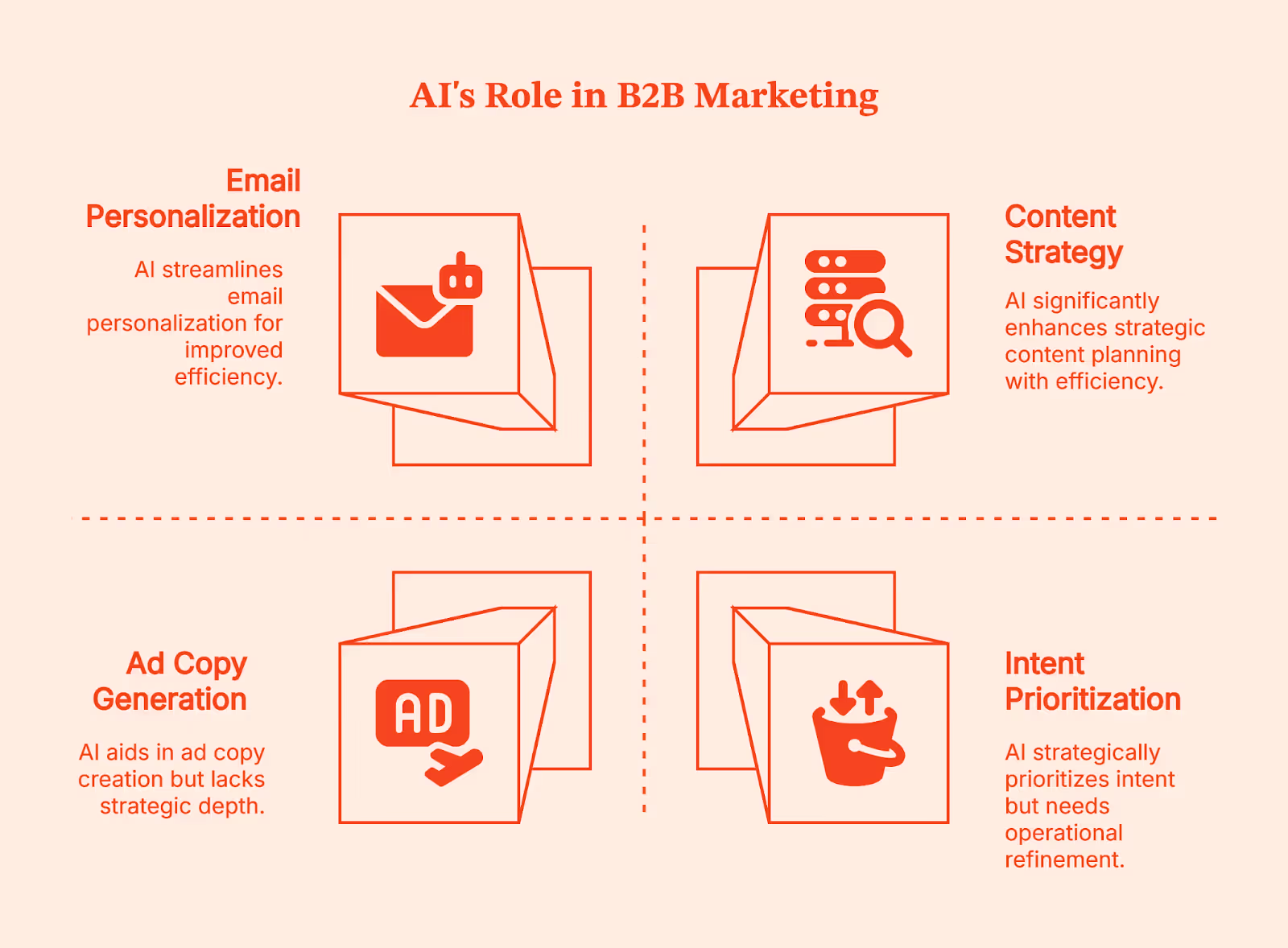
- Content generation and content strategy:
People think AI helps in creating content fast, but its real value lies in helping you decide what deserves to be written in the first place.
AI, here, looks at how people actually search and what already exists on the internet. It analyzes search queries, groups related keywords into themes, and compares your content against competitors to spot gaps. It also suggests outlines based on how top-performing pages are structured and flags older content that needs updating or better internal linking.
You still decide the voice, angle, and point of view. AI helps narrow down the field so you don’t spend weeks on a content creation process that was never going to rank or convert.
- Paid media and performance marketing:
The thing about paid marketing is that it moves fast, but feedback often comes too late.
AI helps your team react earlier. It generates creative variations of ad copies based on what’s already working, tags marketing campaigns that are likely to fatigue, and recommends budget shifts so that you don’t end up spending more on inefficient campaigns. When performance dips, it can correlate creative, audience, and timing signals to show where the problem might be.
- Email, lifecycle, and personalization:
People think the challenge here is scale – but the real challenge is relevance. AI continuously tests subject lines and previews text, triggers messages based on real behavior, and adjusts outreach at the account level based on engagement. It can even hold back messages when signals suggest someone isn’t ready yet. This way, you end up sending fewer, more targeted emails with better timing and higher response rates.
- Intent, scoring, and prioritization:
This is where AI starts to influence revenue decisions. It analyzes behavior across channels to identify which accounts are warming up, enabling your team to prioritize outreach. It updates scores as buying groups grow or stall and helps align ABM efforts with real-time intent signals.
Across all these areas, AI works best as your intern. It gathers information, spots patterns in customer journeys, and brings you options. But it still needs direction, review, and a final call from someone who understands the business.
Real AI marketing examples in B2B
Theoretically, it all makes sense. But seeing how AI works in very specific moments inside everyday B2B workflows and influences GTM decisions makes it easy to understand.
- Demand generation: reallocating spend based on intent
The most difficult decision your demand generation must make is to take a call about when to shift focus. AI makes this easier for your team by looking for intent signals like website behavior across pages and sessions, ad engagement by account, content consumption patterns over time, and CRM activity.
When AI is utilized optimally in demand gen, it leads to very concrete actions that result in campaign optimization by pausing low-intent marketing campaigns early, reallocating spend toward high-intent accounts, and coordinating ads and outbound for the same buying group.
- Product marketing: refining messaging using win-loss signals
Now, let’s look at the product marketing team. Their decisions are often based on opinions that aren’t backed by evidence. AI steps in here as a pattern detector. It helps your team by consolidating win-loss notes and call transcripts, objection patterns tied to deal outcomes, feature usage and adoption data, and competitor messaging changes over time.
This helps product marketers see patterns in lost deals:
- Certain phrases appear repeatedly either before deals move forward or right before deals fall apart.
- Some features are mentioned constantly but are barely used, while others slowly drive retention.
This obviously helps your team in making smart decisions like removing or reframing weak messaging, updating sales enablement based on real buyer language, aligning positioning with actual product usage, etc.
- RevOps: connecting multi-touch journeys for attribution
RevOps feels the pain of disconnected data more than anyone. Long B2B buying cycles make attribution messy, and it’s difficult to pin down what worked (in case of a win) and what didn’t (in case the deal is lost).
For this segment, AI connects long, messy, and chaotic buyer journeys. It analyzes every touchpoint across ads, content, emails, demos, and sales interactions over weeks or months and highlights which sequences consistently moved the deals forward and which didn’t.
Armed with these data-driven insights, your team can adjust routing, scoring, and handoffs. You also get cleaner reporting, better alignment between marketing and sales teams, and smarter investment decisions.
AI marketing tools for B2B: ownership matters more than features
By now, most B2B teams have tried AI marketing tools, and yet they are still scratching their heads about why it isn’t working the way they expected.
In my experience, the problem isn’t tool-specific. It's more to do with who owns the decisions and which decisions it influences.
If you look at your tech stack, you’ll realize your team already has a bunch of tools they are barely using. Some were meant to 10X your content output, others (predictive analytics tools) promised to transform decisions. Initially, your teams got excited about these tools, but by the third month, they forget their existence.
It’s a common scenario:
- Your generative AI creates 50 email variants, but who decides which three to test?
- Your intent platform flags 40 accounts showing buying signals, but who follows up within 24 hours?
- Your attribution model shows mid-funnel content drives pipeline, but who has the authority to shift the budget based on that?
Without clear ownership, every insight remains an insight rather than a direction.
Strong teams work backwards from decisions. They don't ask "which AI marketing tool should we buy?" Instead, they ask, "What decision needs to happen faster?" Then they assign one owner, create one ritual, and close the loop.
For example, say a Series B SaaS company had 6sense, but their wasn't changing their behaviour/processes based on the insights from 6sense. Every account got equal treatment, and the pipeline was erratic. To refine the process, they need to clearly define:
- Which decision does it influence? Identify accounts sales must prioritize this week
- How does the tool help? Score accounts based on intent.
- Who’s accountable? RevOps updates scoring monthly, and sales lead identifies accounts weekly.
- How to build it into a habit? For example, Monday morning, review top 20, pick 10, no debate until next week.
If you can't answer these questions clearly, you're just adding another tool to your tech stack.
Remember: Teams winning with AI use fewer tools and exercise greater discipline. They've built the structure to turn insights into action before they go stale.
💡Check out our guide on how to interpret correlated data in B2B marketing
Artificial Intelligence (AI) in product marketing (B2B context)
Product marketing decisions suffer from too many partial truths. When sales, marketing, and product teams see a different reality (that tells them only one part of the story), it’s time for you to bring in AI.
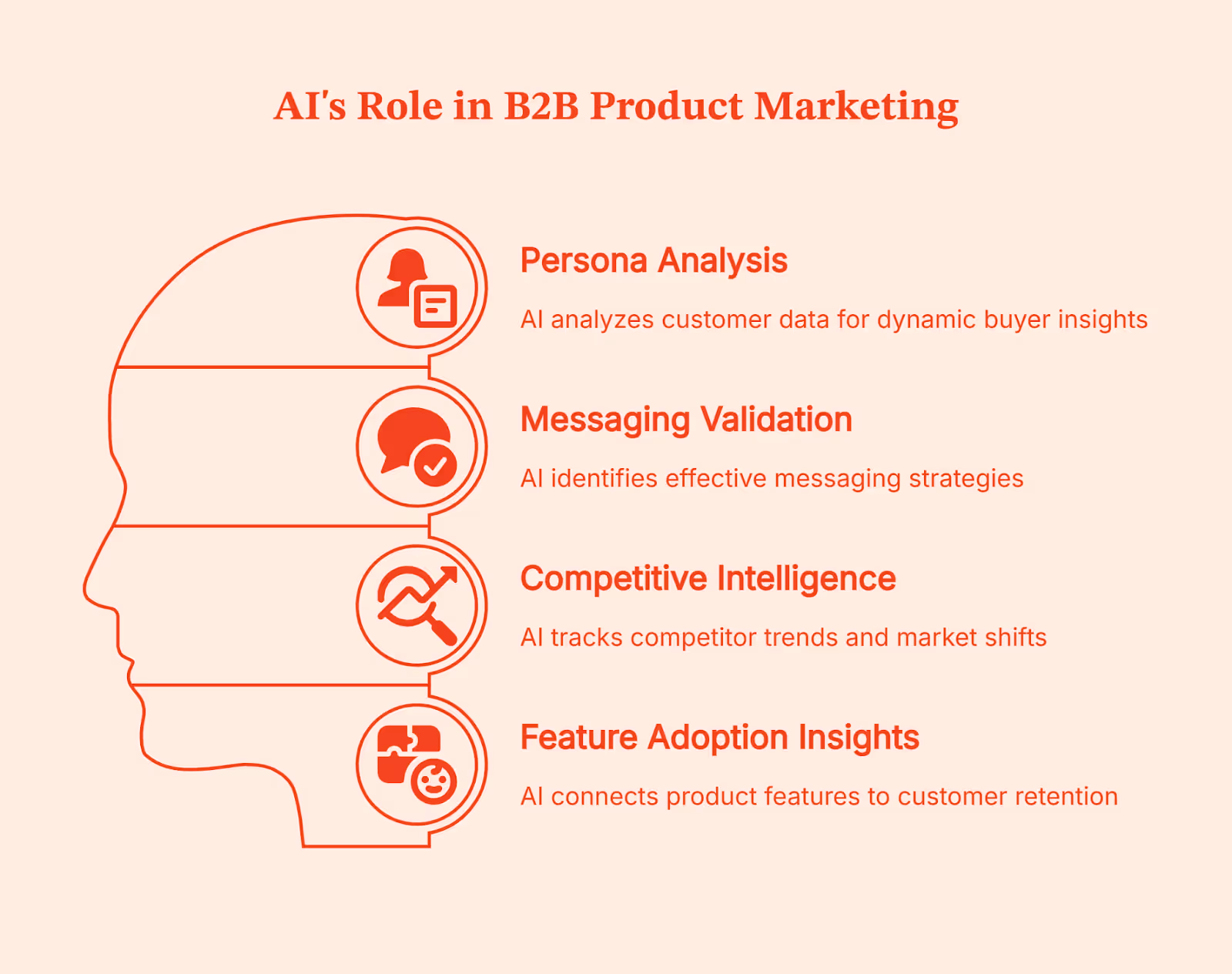
Implementing AI in product marketing is like using a synthesizer, where four different elements come together:
- Persona analysis:
Traditionally, persona analysis relies on interviews and surveys on customer behavior that age quickly. AI changes this by analyzing inputs and customer data that product marketers come across every day:
- transactional sales call transcripts
- demo notes
- onboarding behavior
- feature usage
- churn reasons
- support tickets
Instead of asking "who is our buyer?" once a year, AI tells your team how different buyer groups actually behave over time.
- Messaging validation:
Product marketers test messaging across landing pages, emails, sales decks, outbound sequences, ad copy, in-app prompts, onboarding flows, help documents, pricing pages, etc. AI analyzes which phrases correlate with pipeline movement and which ones stall deals.
- Competitive intelligence:
Competitive intelligence shifts the burden from manual monitoring to pattern recognition. AI here tracks how competitors talk about themselves over time, indicating when certain claims become table stakes and when a category narrative starts shifting. From this, AI also helps in deciding whether you should opt into the differentiation factor or reinforce credibility.
- Feature adoption insights:
The feature adoption insights help in connecting brand positioning to product reality. AI highlights which features correlate with retention, expansion, or early drop-off. Product marketers use this to decide what to emphasize, what to scale-down, and where messaging overpromises. This bridges the classic gap between what you promised on the roadmap and the actual customer experience.
💡Creating a framework for product-led growth is so easy. Check this guide.
Limitations of AI tools in B2B Marketing
While AI can help automate a lot of B2B processes, it comes with a set of limitations too:
- It has no business context:
AI doesn’t know your positioning, why deals fall through, or what trade-offs your sales team is making. It works on patterns, not marketing strategy. So, without clear context, the output might sound fine but is most likely to miss the mark.
- It hallucinates with confidence:
AI will fabricate stats, examples, or references if the data is weak or unclear. If your data is messy, AI will confidently amplify the mess.
- It breaks on edge cases:
Complex buying journeys, niche markets, or unusual sales motions are often not accounted for by this model, so it generates random patterns that don’t apply.
- Over-automation hurts brand trust:
Buyers easily notice and disengage from templated messages. AI can scale bad messaging just as fast as good messaging.
- Fragmented tools create chaos:
Conflicting signals, mismatched attribution, and dashboards full of “insights” with no clear next step only add to the confusion.
5 key trends shaping AI in B2B marketing
These AI trends are already changing the way B2B teams work. Teams are shifting from ‘just experimenting’ to using AI in significant decision-making processes.
- Decision intelligence is replacing task-level automation
AI is moving beyond basic task automation and into decision support. According to a survey, 62% of teams use AI-powered search and insights, showing a clear shift toward using AI to interpret data and guide actions.
- Account-level thinking is becoming the default
B2B marketers are focusing on whole accounts instead of single leads. This is visible in adoption patterns, too. 43% of organizations already use predictive analytics or recommendation systems, which rely on aggregated signals across accounts rather than single leads.
- AI embedded inside GTM workflows
AI is becoming part of core GTM workflows. It’s now embedded in lead and account scoring, intent detection, routing and assignment, outbound sequencing, attribution, and pipeline forecasting.
- Attribution and signal quality are rising priorities
As more teams rely on AI for insights, data quality is becoming a real bottleneck. 23% of organizations say poor data quality or data silos are a major barrier to getting value from AI, directly affecting attribution and signal accuracy
- Expectations for human marketers are rising
Marketing continues to lead AI adoption within organizations. 53% of companies say marketing teams are the primary drivers of AI use, raising expectations for strategy, judgment, and interpretation over raw execution.
How AI changes B2B marketing roles
As AI automates repetitive tasks such as content drafting, analysis, and basic optimization, marketers have more time to focus on strategy. Marketing roles have shifted from repetitive tasks to system design. Instead of pulling reports, teams are busy interpreting signals, building systems, defining rules, and streamlining workflows.
This also pulls Marketers closer to Sales, Product, and RevOps teams. Decisions are no longer isolated by channel; they cut across the funnel and require shared context. The value is shifting to judgment, prioritization, sequencing, and trade-offs. Knowing what to ignore is becoming just as important as knowing what to act on.
Where Factors fits: AI-enabled GTM engineering for B2B
At this point, you are already familiar with the ‘isolated data’ problem while working with various AI tools. Your team already has insights from the AI tools, yet someone asks, “So what should we do next?” because human guidance is still needed to steer them in the right direction.
This is what most B2B teams struggle with - a lack of connection.
But what if you could automate this, too? Impossible, right? Especially since we discussed that AI can’t decide on its own (for the entire length of this article). That’s the problem the GTM engineering system solves. It automates workflows so that you don’t have to make the same kind of decisions for ten different customers.
To automate the decision-making process, GTM engineering treats AI as one part of a larger system rather than a standalone tool/feature. With the help of AI, the GTM engineering system collects and interprets signals across website behavior, ads, CRM, and sales outreach, and then applies the rules your team has defined when those signals line up.
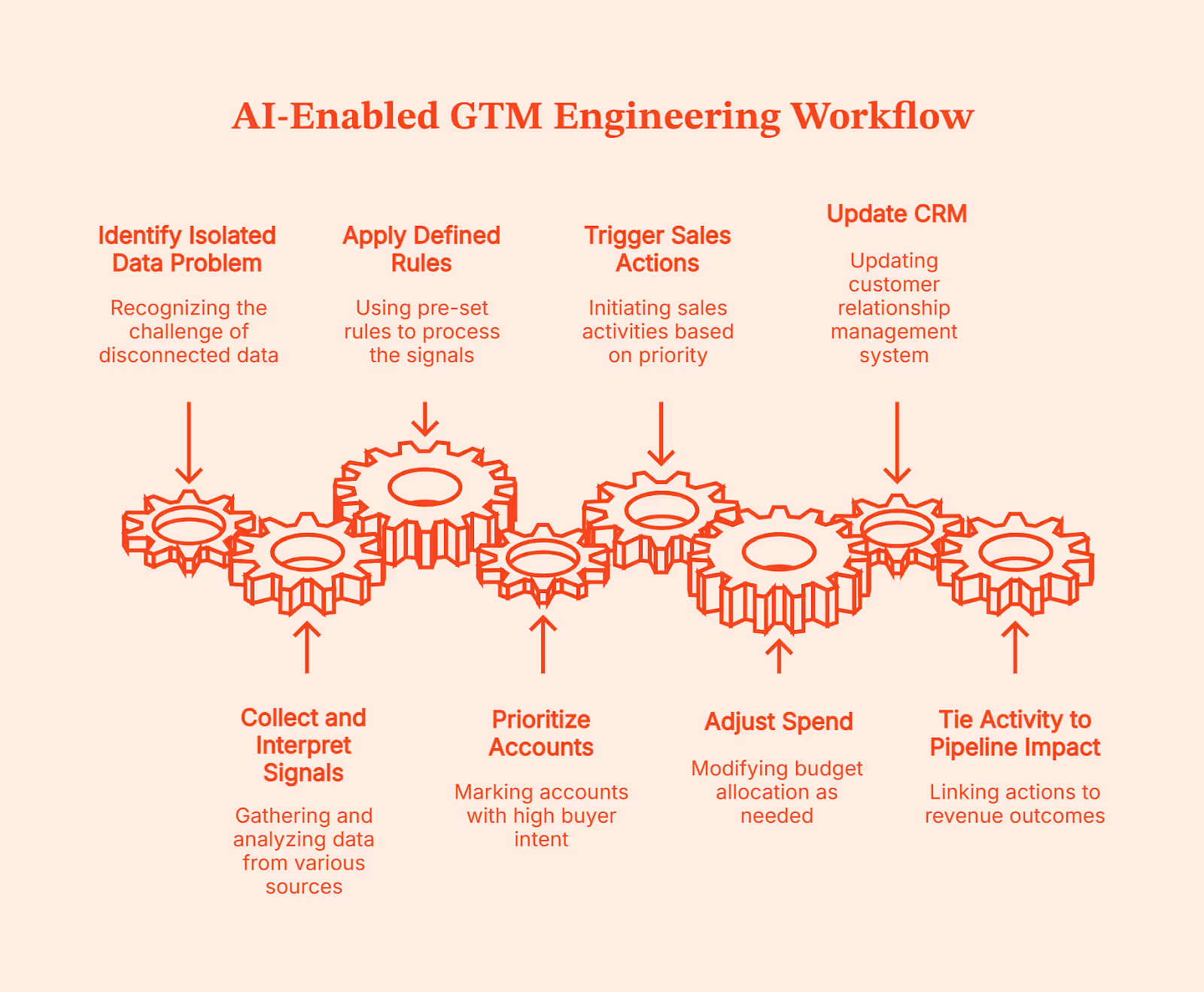
That’s what Factors.ai does. Factors.ai is an AI-enabled GTM system that unifies buying signals at the account level and helps teams act on them. When an account starts showing real buyer intent, it marks it as ‘high priority’ and executes the workflows your teams have already defined. Basically, Factors.ai’s GTM system will follow the process you’ve set:
- Accounts get prioritized
- Sales actions are triggered
- Spend is adjusted,
- CRM gets updated, and
- Activity is tied back to pipeline impact
Once these workflows are set, your team can work unilaterally without manual handoffs, following a clear path from signal to revenue.
Consensus: How to optimize AI in B2B marketing
Using AI in B2B marketing is more about optimizing those AI tools to enhance your decision-making rather than adding more to the tech stack.
Content marketers see the real impact of these AI tools when they use AI as a strategic partner, not as a replacement for thinking. They combine three things deliberately:
- AI handles speed, pattern recognition, and scale
- Human intelligence is responsible for judgment, context, and trade-offs, and
- GTM orchestration ensures insights actually turn into action across teams
When one of these is missing, AI either feels underwhelming or creates more chaos than clarity.
The future definitely isn’t about replacing marketing teams with AI. It’s about AI-powered content marketers focusing their time on critical judgments, deciding what matters, and what to do next.
FAQs on AI in B2B Marketing
Q. What is AI in B2B marketing?
AI in B2B marketing refers to using machine learning to analyze buyer behavior, predict intent, personalize experiences, and support better marketing and GTM decisions at scale, not to replace human strategy.
Q. How are B2B companies actually using AI today?
Most B2B companies use AI for content and search engine optimization (SEO) support, intent detection, lead and account prioritization, performance analysis, and workflow automation, mainly to improve focus and timing rather than fully automate marketing.
Q. What are the biggest limitations of AI in B2B marketing?
AI lacks business context, struggles with edge cases, and can produce confident but incorrect outputs, especially when data is fragmented or workflows aren’t clearly defined.
Q. How does AI support account-based marketing?
AI supports ABM by identifying in-market accounts, tracking buying group behavior, prioritizing outreach, and helping teams coordinate ads, content, and sales actions for the same group of target companies.
Q. How do you measure ROI from AI in B2B marketing?
ROI is measured by improvements in decision speed, pipeline quality, conversion rates, and time-to-pipeline, not by how much content AI produces or how many tools are deployed.
Zapier vs Make vs n8n: Which Workflow Automation Tool Fits GTM Engineering Best?
Every growing GTM team eventually hits this wall. Automations break mid-workflow; simple tasks require complex workarounds; your team spends more time maintaining workflows than doing their actual job; what worked for 50 leads isn't working for 500… The signs are everywhere: you have outgrown your current GTM system.
So you start looking for something better and quickly narrow it down to three names that keep coming up everywhere: Zapier, Make, and n8n.
So, you go online to figure out which one fits your needs, and find this:
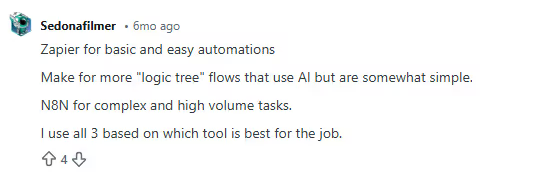
Fair enough. But what does that actually mean for you?
So you scroll a bit more and find another take.
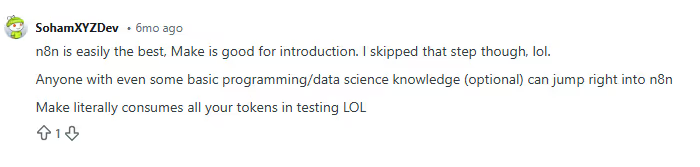
Okay… still vague and doesn’t address your concerns. You find one opinion that says, “It depends on your use case.”:
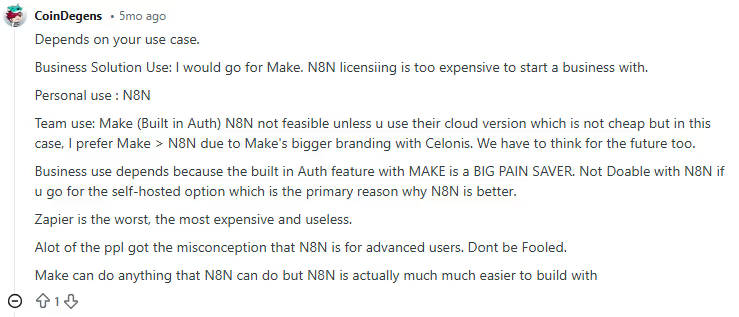
And this:
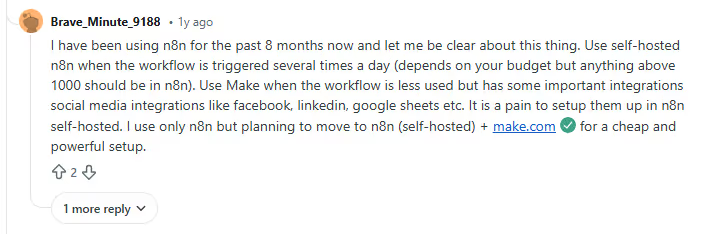
You keep digging, and now you’re seeing completely opposite opinions:
Zapier is useless or the best thing to ever happen to GTM teams
Make is the only serious option, or it’s a joke.
n8n is either overkill or the best thing ever, depending on who you ask.
At this point, you are ready to… give up!
You started this search looking for clarity. Somehow, you’re more confused than when you began. Here’s the thing: These answers aren’t wrong. They just don’t reflect where your GTM system actually is today. Or why you are looking for a replacement in the first place.
This guide exists for that exact moment.
Instead of hot takes, I’ll break Zapier, Make, and n8n down based on:
- How do GTM workflows run (practically)?
- What fits your current GTM motion?
- What breaks as volume grows?
- Where does control start to matter?
- And why most teams don’t really ‘switch’ tools so much as they evolve how they use them.
If you’re trying to decide what makes sense for your GTM system today, this guide will help you make that call with confidence.
TL;DR
- Zapier, Make, and n8n all solve GTM and sales automation problems, but they’re built for very different use cases.
- Zapier is best for simple, high-speed automations with minimal setup. Make supports more complex, multi-step workflows where visibility and control matter. n8n is designed for autonomy, complex logic, and flexibility at scale.
- Choosing the best tool depends on your team structure, workflow complexity, signal volume, cost sensitivity, and how much control you need over your GTM automation.
Quick Overview for GTM Engineering: Zapier, Make, and n8n at a Glance
Zapier, Make, and n8n all do the same thing, which is: connecting automation tools, moving data, and automating repetitive tasks. But once you start using them for your GTM workflows, they feel very different.
But if I had to see these three from a bird’s eye view, it’d be this:
- Zapier is best for small to mid-sized GTM teams that need quick, no-friction automation. It’s commonly used for simple automated workflows, such as form submissions to CRM updates, basic lead notifications, and early-stage marketing efforts tied to Go-to-Market experiments.
- Make works well for RevOps and growth teams that have outgrown basic automations. It’s typically used for workflows with branching logic, conditional routing, and multi-step data handling, like lead enrichment checks or multi-tool handoffs that need more control but not full engineering support.
- n8n is suited for technical GTM or growth engineering teams that want full ownership. It’s often used for high-volume workflows, custom integrations, self-hosted setups, and advanced pipelines like large-scale enrichment, programmatic SEO, or bespoke activation logic where control and cost at scale matter most.
At a glance, the distinction is simple. Which one works best depends less on features and more on how your GTM system is built and how much complexity you’re ready to manage.
Key Comparison Factors of Zapier vs Make vs n8n for GTM Engineering
(How I evaluated automation tools for real GTM systems)
If you look up automation comparisons, most of them jump straight into features.
That’s usually where things go wrong.
When automation is so closely tied to revenue, feature lists don’t tell you much. What matters is how systems behave under pressure:
- When signal volume spikes.
- When routing logic gets messy.
- When one small change eventually breaks three workflows downstream.
So before comparing any automation tools, I took a step back and asked a simpler question: What actually causes GTM automation to fail in practice?
Trying to test every possible workflow wasn’t realistic. A single end-to-end GTM flow signals, enrichment, routing, CRM writes, alerts, and re-tries can take hours to design and validate. Doing that across multiple tools would take weeks (and if you are anything like me, you know this is not a feasible option).
Instead, I focused on the failure points I’ve seen in real Go-to-Market setups, where systems gradually fall out of alignment.
That’s how these six practical points became my framework for evaluation:
- Ease of use and learning curve
This was the first thing I looked at because ease of ownership is important.
It’s great if someone can build an initial workflow quickly. But in a B2B setup, dynamics change quickly. It’s critical that your team can understand these workflows at a later stage, pick them up from their last drop, change them safely, and fix them when something goes wrong. GTM automation lives longer than most people expect, and complexity compounds quickly across core sales processes.
- Integration ecosystem and connectors
Next came coverage.
Every missing connection creates friction, especially when GTM teams rely on niche tools alongside mainstream platforms. It adds to setup time, maintenance work, and cognitive load. As GTM tech stacks grow, the ability to integrate with existing automation tools cleanly and reliably is as important as convenience.
- Flexibility and customization
This is where most systems start to strain.
High-volume go-to-market workflows are rarely linear. They branch. They check conditions. They retry. They fail and recover. Any automation layer needs to handle that without becoming a mess to manage.
Flexibility matters only if your workflows reflect how revenue really flows.
- Pricing and scalability
This one hides in plain sight.
Automation often looks affordable at low volume. But when signals grow, costs rise exponentially. Evaluating pricing without considering scale creates a false sense of security and leads to poor automation investments over time.
So, it is equally important to consider your tool’s cost-effectiveness when workflows run hundreds or thousands of times a day.
- Data control, security, and hosting
Where data lives and how it moves matters more than it used to.
As GTM systems touch more sensitive data and internal tools, control and compliance stop being abstract concerns. Even teams that start with simple setups often run into these questions later.
- Team structure and skill level required
This is the factor most people overlook.
Some systems work best when non-technical teams can operate independently. Others assume technical expertise and ongoing ownership. Neither is better by default. Problems show up when the tool expects a different team structure than the one you actually have.
These are the lenses I’ll use in the sections that follow to help you decide which tool is ideal for your organization.
When to Use Zapier (Best for simplicity and speed)
Zapier is like ordering a driverless, pre-programmed car when you just need to get somewhere quickly. You don’t need to worry about the engine or plan the route. You trust the system to handle the basics and get moving fast.
In GTM terms, Zapier works best when workflows are mostly straightforward, even if they include some light decision-making along the way. You connect tools, define a trigger, add actions, and you’re live. For small to mid-sized GTM teams, that speed matters.
Zapier isn’t limited to a single straight line anymore. Features like multi-step Zaps, Filters, and Paths let teams add basic conditional logic. For example, you can route leads differently based on form inputs, firmographic fields, or deal stages. Webhooks allow data to move in and out of tools that aren’t natively supported, and Code by Zapier makes it possible to run small JavaScript or Python snippets when needed.
That said, the logic stays intentionally constrained. Paths work well for simple if-this-then-that decisions, but once workflows start branching deeply or looping, they become harder to reason about. Zapier prioritizes approachability over architectural control.
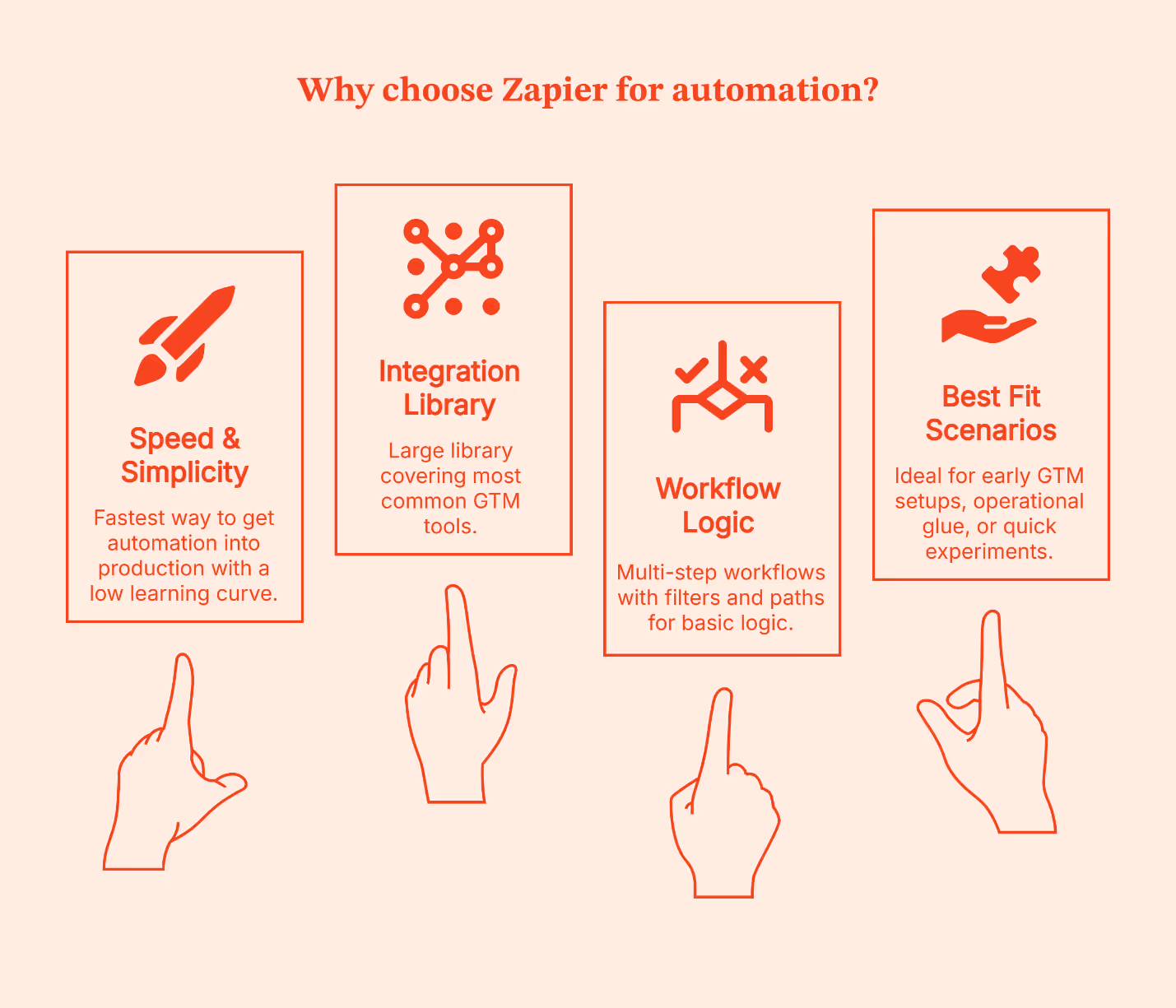
Why teams choose it
- Fastest way to get automation into production
- Large integration library covering the most common GTM tools
- Multi-step workflows with Filters and Paths for basic logic
- Very low learning curve for non-technical business users
Where it fits best
- Mostly linear workflows with light conditional routing
- Low to moderate signal volume
- Early GTM setups, operational glue, or quick experiments
I’ve seen Zapier work best in two situations:
- Early-stage teams that want momentum, and
- Established teams that are testing new ideas.
It’s especially useful for proving whether a workflow is worth investing in before involving engineering or committing to a more complex system.
The disadvantage is the same as that of a driverless car.
- You get speed and convenience, but limited control.
- Once workflows grow deeper, volumes increase, or logic starts to resemble a decision tree, Zapier feels restrictive.
When to Use Make (Balance of power and usability)
If Zapier is a driverless, pre-programmed car, Make is like driving yourself with dynamic GPS and extra controls on the dashboard. You’re still moving at a good clip, but now you can take smarter turns, handle detours, and adjust mid-route without needing a mechanic. Ideal for teams that still want visibility and speed but also want to choose the route.
Make gives you a visual workflow canvas where you can see how data flows, plug in conditions, branch paths, and bring different tools together with clarity. It still avoids full coding, but it doesn’t force you into oversimplified logic either.
Make is preferred by GTM teams that want control without taking on full engineering complexity. If your workflows need more than a straight line – like lookup checks, enrichment steps, conditional assignments, or parallel actions – Make lets you build those in a way that’s easier to reason about.
It also brings some helpful, modern features into play:
- Visual builder with drag-and-drop logic: This lets you literally see each step of the journey
- Agentic automation: It can handle tasks with more autonomy (once rules are defined)
- AI-assisted steps: Useful for handling things like text manipulation or classification
- Prebuilt integration capabilities across GTM and analytics tools: Lets you weave them together without code
- Modular architectures: It makes scaling workflows less messy (like reusable subflows)
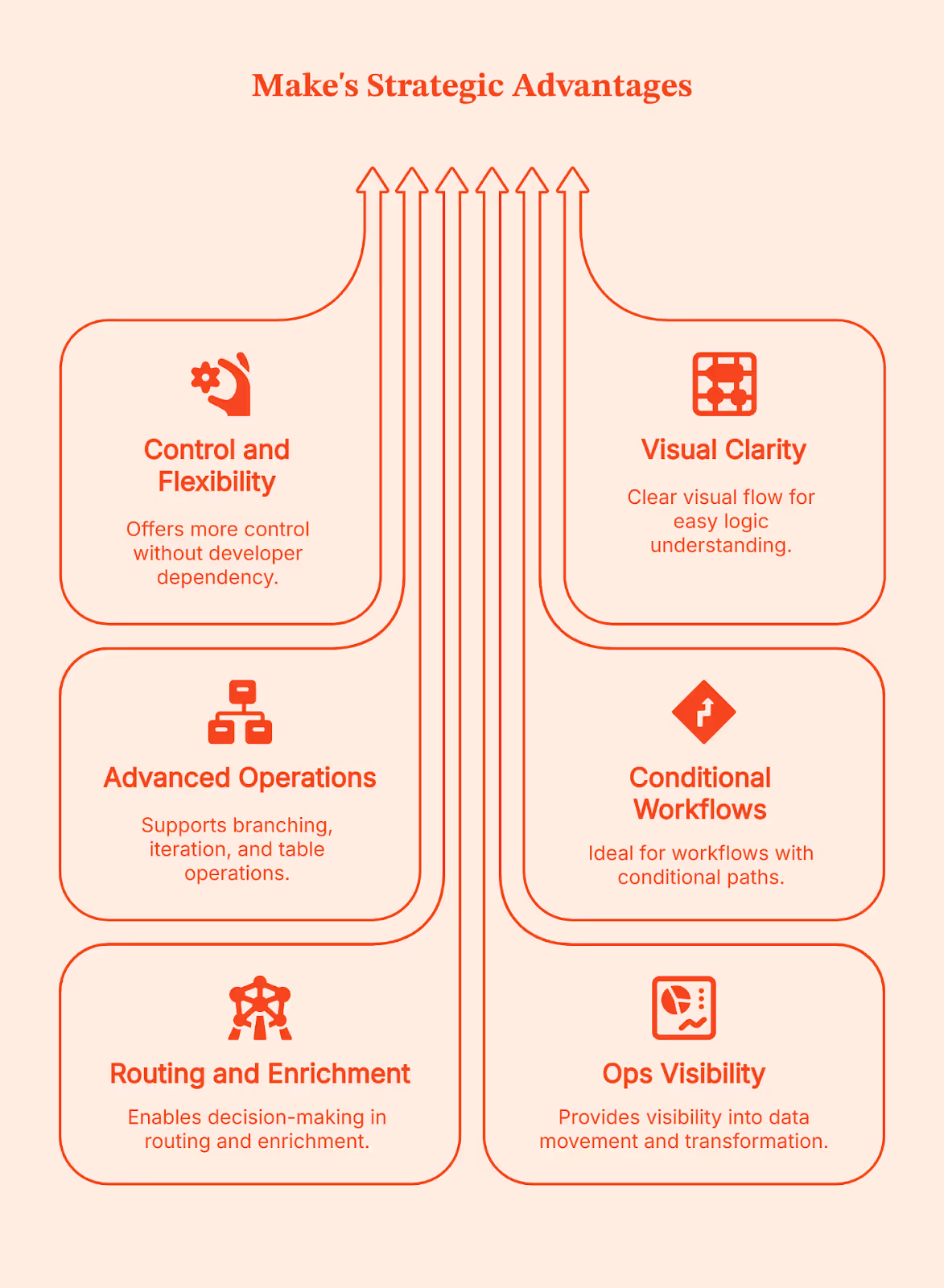
Why teams prefer it
- More control than basic automation tools, without needing a developer for every change
- Clear visual flow that helps teams understand and debug logic
- Strong support for branching, iteration, and table-style data operations
Where it fits best
- Workflows with conditional paths and multi-step logic
- Routing and enrichment sequences that require decisions mid-flow
- Ops teams that want visibility into how data moves and transforms
I’ve seen Make become a go-to choice for teams when Zapier starts feeling like a good start but not a long-term solution. Make gives you more control than basic no-code tools, but doesn’t demand full engineering ownership. If your team wants power without committing to building and maintaining everything from scratch, this is often the right balance.
Simply put: Make is your BFF if your routing moves beyond ‘if this then that,’ to ‘if this, do X; if that, do something else; and log everything along the way.’ This is usually the ceiling for non-technical ops teams before engineering needs to step in.
When to Use n8n (Best for custom, scalable, and self-hosted workflows)
Forget about pre-programmed cars or even driving a car yourself. With n8n, you build your own vehicle from the ground up. You get to choose the engine, the route system, and how it all runs. It gives you full ownership over how your automation works, how it’s hosted, and how far it can scale.
n8n works best once your GTM workflows go beyond basic tool connections. It gives you the control to reshape data, add complex and detailed logic, build custom integrations, or control how and where automations run. You don’t opt for n8n because it’s simple. You choose it when you want complete control to handle complexity on your own terms.
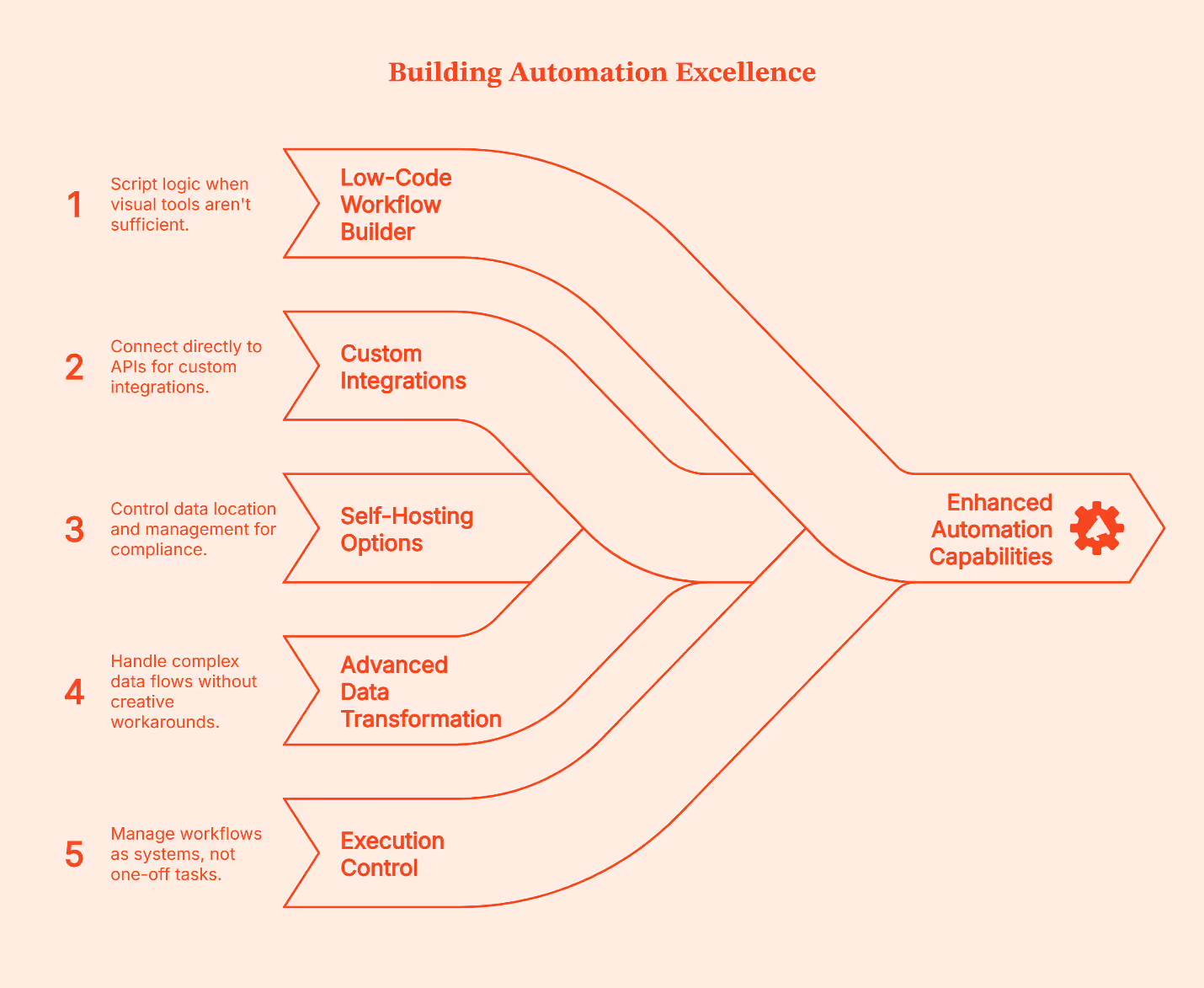
Here’s what n8n brings to the table:
- Low-code workflow builder: It lets you script logic when visual tools aren’t enough
- Native support for custom integrations: It lets you connect directly to APIs when ready-made connectors don’t exist or don’t go far enough
- Self-hosting options: You control where data lives and how it’s managed, great for compliance, sensitive data, and internal systems
- Advanced data transformation logic: Lets you handle loops, branches, and complex flows without creative workarounds
- Execution control and error handling: Let's you retry, audit, and manage workflows as systems, not one-off tasks
Why teams choose n8n
- Full control over complex workflows beyond basic connectors
- Ability to write and customize logic when visual tools fall short
- Self-hosting for data privacy, compliance, and cost control
- Support for building custom integrations that don’t exist out-of-the-box
- Designed for automation that runs as core infrastructure, not a side tool
- Built for teams that care about reliability, scale, and execution control
Where it fits best
- High-volume workflows that run day in and day out
- Custom GTM pipelines that link internal systems, warehouses, CRM, CMS, analytics, and activation systems
- Teams with engineering capacity or dedicated Go-to-Market engineers who can maintain and evolve these workflows
- Setups where data privacy, hosting control, and compliance matter
Self-hosting is often the deciding factor here:
- Usually, cloud-hosting is enough, but for teams dealing with sensitive data, stricter compliance requirements, and owning where data lives (which means better control, less convenience), self-hosting is the only choice.
- You’re in charge of uptime, security, and maintenance.
The tradeoff is also obvious:
- You get power and control, but you also own the vehicle. You’re responsible for infra, updates, and reliability.
- It matters less who can use it on day one and more who can maintain it six months later, especially given the steeper learning curve.
For teams with the skill and appetite for that level of ownership, it’s often worth it.
GTM Engineering Workflow Examples (What these tools are actually used for)
Instead of talking about these automation platforms in abstract terms, it helps to see how teams use them practically in the real world.
A Zapier-style workflow
Let’s say a lead submits a form. This is how a typical Zapier workflow handles it:
- Step 1: Zapier creates or updates the contact in the CRM.
- Step 2: The same trigger sends a transactional or welcome email.
- Step 3: The contact is tagged or logged for reporting.
- Step 4: The workflow is completed.
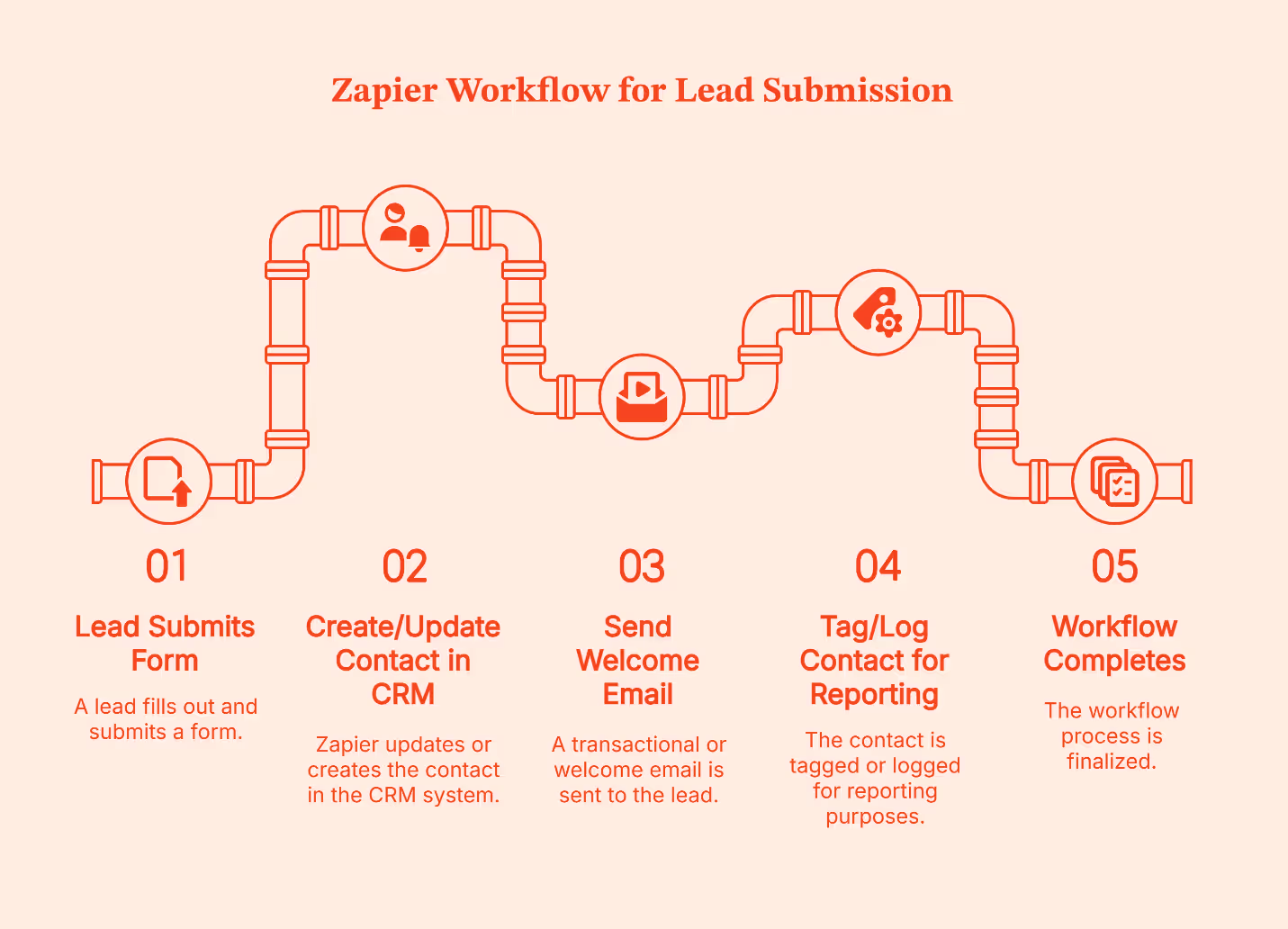
Zapier treats this like a lightweight pipe. Data enters at one end, flows through a few clear steps, and exits at the other.
If something goes wrong, say the CRM step fails or an email tool times out, the usual response isn’t to build elaborate recovery logic. Instead, teams open the Zap, fix the step, and re-enable it. The pipe gets adjusted, and the flow resumes.
That’s how Zapier is designed. It’s a trade-off Zapier makes intentionally to keep setup fast and workflows easy to maintain.
A Make-style workflow
Let’s take the same example: a new lead submits a form.
Here’s how that typically looks in Make:
- Step 1: The form submission creates or updates a CRM record.
- Step 2: That record moves to an enrichment step inside the same pipeline.
- Step 3: The returned data is evaluated before anything else happens.
- Step 4: The workflow branches based on what it finds.
- If required fields are present, the lead is scored or routed to sales.
- If data is missing or incomplete, the lead is held back or sent down a different path.
- Step 5: Notifications fire only after these checks are complete.
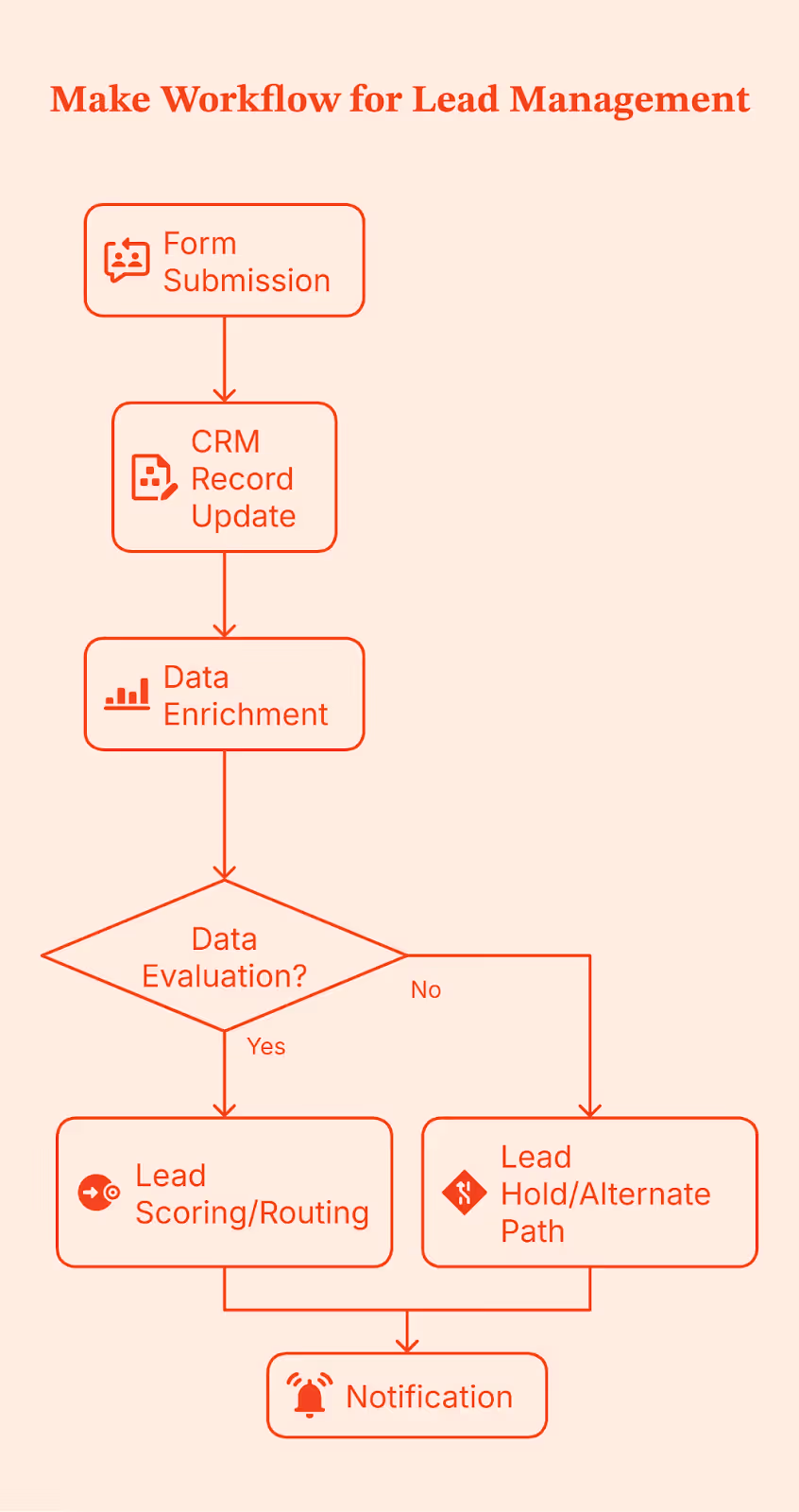
Notice the difference in execution control? Make doesn’t just move data from one place to another; it gives teams control over branching, filtering, and transformation logic before data is routed downstream.
Because this logic is modeled visually, it’s easier to see where things break, adjust conditions, and handle edge cases without rewriting the entire workflow. This becomes especially valuable as volume increases and sales cycles grow more complex, making data quality issues harder to ignore.
An n8n-style workflow
When you use n8n, you design the full workflow in advance.
That includes:
- What triggers the workflow (a form submission, webhook, schedule, etc.)?
- Every validation, check, branch, retry, and fallback
- What happens when something fails halfway through?
- Where is the data written, and when should it NOT be written?
- How is the execution state handled?
In most setups, this workflow is also self-hosted, so the team controls where it runs, how it’s monitored, and how execution is handled.
Once this is designed and deployed, every time a lead submits a form, n8n runs that exact flow from top to bottom.
Let’s use the same form submission as an example.
- Step 1: A lead submits a form, which triggers the workflow.
- Step 2: The incoming data is validated and normalized. Required fields are checked. Formats are cleaned.
- Step 3: Enrichment runs, often across multiple sources, with explicit handling for missing or partial data.
- Step 4: The workflow evaluates outcomes.
- If enrichment succeeds, the lead moves forward.
- If not, it follows a defined fallback path instead of blindly continuing.
- Step 5: Updates are written deliberately to one or more systems, such as a CRM and an internal database, only after upstream checks pass.
- Step 6: Execution state is tracked so failures can retry or resume instead of restarting the entire flow.
- Step 7: Notifications and analytics updates take place at the end, once the system knows the workflow was completed correctly.
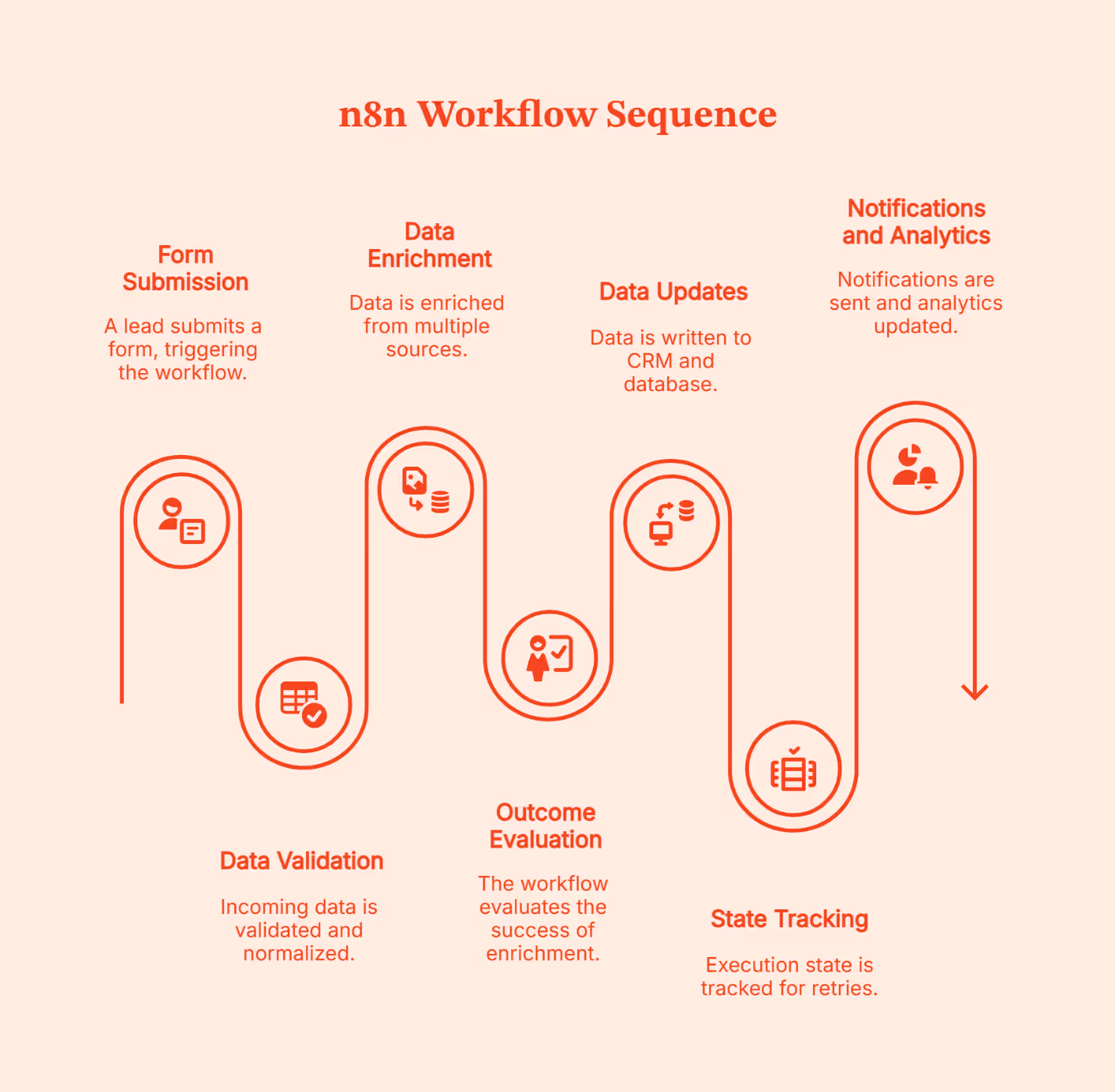
The complexity of the design is a chosen tradeoff for intentional control. That’s why n8n workflows are better known as infrastructures instead of automations.
Decision Matrix: How to Choose the Right Automation Layer for Your B2B Marketing Stack
A quick reminder: Most teams don’t stick with one tool forever or switch automation overnight. Instead, the common practice is to layer them. Simple workflows stay where they already work; New or more complex ones get built elsewhere. Ideally, teams pilot tools using free or low-cost tiers, identify where friction arises, and standardize only after patterns are clear. Hybrid setups make the most sense and are usually the most practical way to evolve GTM systems without breaking what already works.
Implementation and Governance Tips for GTM Automation
GTM issues arise from unclear ownership, undocumented workflows, and changes no one remembers making. Following a structured framework upfront to avoid these issues saves a lot of clean-ups later.
Here’s how to put GTM automation in place without losing control as things scale.
<Add a line here saying here are the tips for doing XYZ>
- Start with naming and documentation
Name workflows like you’re explaining them to someone new on day one. Add a short note on what triggers them, which systems they touch, and what ‘done’ actually means. Once workflows span CRM, enrichment, ads, and internal tools, memory stops working.
- Be clear about ownership
One person building everything doesn’t work at scale. But neither does letting everyone create automations on their own. Assign clear ownership and define key responsibilities about who can build workflows, who checks changes, and who fixes things when something breaks. This matters even more when you’re using both cloud tools and self-hosted systems.
- Version and test before changing live flows
GTM workflows age fast. When something needs updating, don’t tweak it live. Clone it. Test it with sample data. Then roll it out. Treat changes like system updates, not quick edits made in a hurry.
- Keep an eye on cost and usage
It is easy to lose sight of rising automation costs. Keep an eye on how often workflows run, how many steps they execute, and which ones drive most of the usage. It helps you control spend and design smarter flows early.
- Audit data flows regularly
Know where data enters, where it’s transformed, and where it ends up. This is especially important if you handle sensitive data or self-host anything. A simple check every few months saves bigger problems later.
FAQs for Zapier vs Make vs n8n
Q. Is a no-code tool like Zapier enough for enterprise-level GTM workflows?
It can work for simple, well-defined workflows, but most enterprise teams outgrow it as volume, logic, and data control needs increase.
Q. When does it make sense to self-host with n8n instead of using cloud-hosted Zapier or Make?
Self-hosting makes sense when data control, compliance, or cost at high volume matters more than setup convenience.
Q. How steep is the learning curve for Make compared to n8n or Zapier?
Zapier is the easiest, Make takes some learning but stays visual, and n8n usually requires technical comfort or engineering support.
Q. Can we start with Zapier and migrate to n8n later without too much disruption?
Yes. Most teams don’t migrate everything at once. They keep simple workflows on Zapier and move complex ones gradually.
Q. What are the typical cost implications as workflows scale?
Zapier charges per task, Make charges per operation, and n8n charges per execution or infrastructure, which changes the math at scale.
Q. Which tool handles complex branching and arrays better?
Make is strong with visual branching and iterators, n8n handles complex logic and error paths well, and Zapier relies on Paths or Code for advanced cases.
Q. Which is cheaper at scale for GTM workflows?
Self-hosted n8n is usually cheapest at high volume, while Zapier and Make are easier early but cost more as usage grows.
How GTM Engineering Improves CRM Data Hygiene and Reduces CAC
It’s Monday morning. You’re still feeling good about last week’s results. Pipeline looked healthy, routing behaved, and for a few sweet hours, it felt like the system finally got its life together.
Coffee in hand, you open Salesforce.
And that feeling fades fast.
The marketing team swears a campaign brought in 140 leads, but Salesforce says 92. HubSpot somehow assigned three different owners to the same account. A high-intent lead skipped enrichment, as if it were optional homework, and fell into the wrong bucket.
If you’ve been in RevOps or GTM services long enough, you know this exact punch in the gut. The day hasn’t even started, and the data is already giving attitude.
This is where CRM data hygiene for GTM becomes vital. Not just theoretical or “we’ll fix it later,” important. But, vital.
GTM data accuracy isn’t a low-key entry for the admin/IT staff. It’s the backbone of everything Go-to-Market teams do. Accuracy, completeness, freshness, structure, intent tagging, and account mapping. These little pieces decide how fast routing fires, how scoring works, who gets attention, and how much money you burn trying to hit your number.
TLDR
- Clean, unified data is the real driver of lower CAC because it powers accurate routing, scoring, and targeting.
- GTM Engineering fixes the root issues by standardizing fields, automating enrichment, and keeping HubSpot and Salesforce in sync.
- Automated intent, enrichment, and feedback loops help sales and marketing focus on real buyers instead of chasing insufficient data.
- Teams that build a structured GTM system outperform SDR-heavy models and turn their CRM into a true growth engine.
What Happens When Your GTM Data Isn’t Clean and Consistent
GTM data does more heavy lifting than it gets credit for, because it decides what your team sees and how your system behaves. When a field is wrong, a workflow jumps too early. When data enrichment is missing, a strong account gets treated like a weak one. When HubSpot and Salesforce disagree on formatting, you get two versions of reality and a team stuck guessing which one to trust.
And the mess keeps growing because every new tool, channel, intent feed, and AI-generated activity adds its own fields and events - all of them just slightly different. A few tiny mismatches and suddenly handoffs slow down, prioritization slips, and CAC rises slowly (almost eerily) in the background.
That’s why CRM data hygiene matters. Clean, structured, enriched data gives your system a solid foundation so your team moves faster and your pipeline doesn’t absorb the hidden cost of messy data.
Why Poor CRM Data Hygiene Increases CAC for B2B Teams
You won’t see sudden jumps in CAC. Instead, it creeps in…
- When your CRM fills up with outdated data that doesn’t reflect buyers' behavior in real time.
- Old or incomplete data pushes your ads toward people who are least likely to convert, and you pay for every wasted click.
- Even small gaps can nudge CAC higher (as your targeting starts to drift) and lead to higher costs across your campaigns.
Your sales team feels the pressure, too. When a lead shows up without firmographics or incorrect contact details attached, your sales reps have no choice but to turn into part-time detectives.
Checking such minute details eats into sales productivity because reps spend more time fixing customer data than talking to real buyers. That’s why clean customer data becomes non-negotiable as your volume grows.
Let’s not forget about the sync issues. The HubSpot dashboard shows one thing, Salesforce shows another, and both are right from their POV. This disconnect is often caused by mismatched attribution and inefficient routing, and suddenly, your team is working with two different stories.
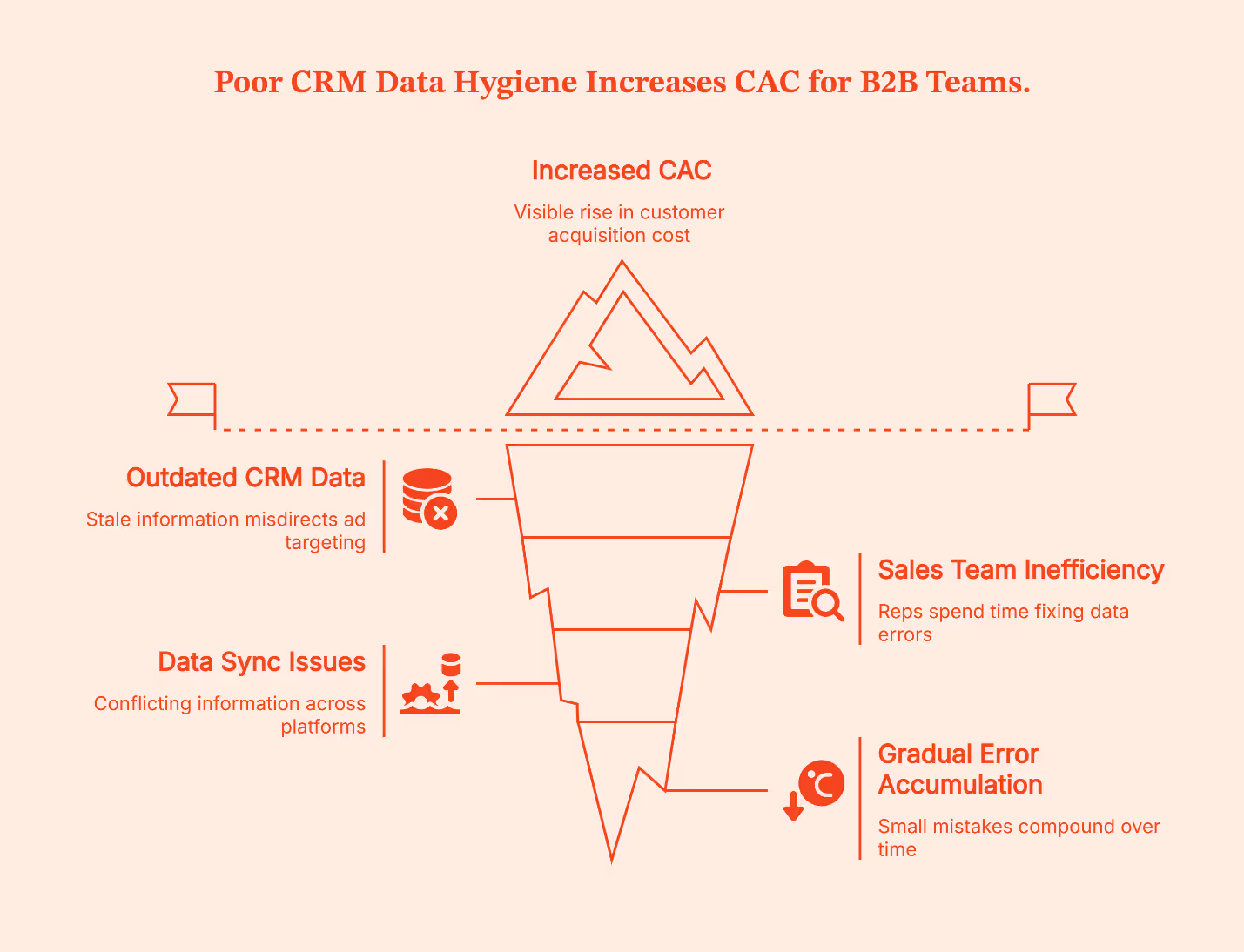
None of this happens overnight. It’s a slow climb powered by hundreds of tiny errors that compound every day.
GTM automation breaks this cycle. It designs workflows using clean, enriched, and validated data before it reaches routing or scoring, preventing errors from spreading. This way, your sales team gets better information, handoffs become smoother, and CAC stays steady.
How GTM Engineering Fixes HubSpot–Salesforce Sync Issues
Ever played Chinese whispers – the telephone game as a kid? Fixing data sync between HubSpot and Salesforce is pretty much the grown-up version. You start with a clear message. It goes through several steps. By the time it reaches the end, you’re looking at something that barely resembles the original.
These little distortions usually come from small, boring things:
- A field format that doesn’t match.
- A duplicate rule firing at the wrong time.
- A workflow sending an update to the other system, which refuses to read it.
While each issue is tiny, together, they make the sync feel unpredictable.
GTM Engineering steps in as the coordinator. It ensures both systems speak the same language by cleaning up field definitions, tightening object mappings, and removing legacy logic that creates loops or incorrect updates. AI checks catch insufficient customer data before it is synced.
But to get real consistency, both platforms need to rely on one shared record of what’s correct. That’s where Factors comes in. It gives both systems the same clean account-level details, so HubSpot and Salesforce finally stop contradicting each other.
💡 Check out how GTM engineering automates sales and marketing workflows in this guide
CRM Data Enrichment at Scale: A GTM Strategy for Revenue Teams
Data enrichment is the step that fills in the details your form never catches. Details like:
- Company size.
- Their tech stack.
- Intent signals.
- The buying stage.
These small details tell your team who the lead is and whether they’re worth chasing. They also enable personalized messaging because reps know who they’re talking to. Without these data fields, routing slows down and scoring becomes guesswork. And guessing is expensive.
Sure, your SDRS can do this manually. But manual data enrichment only works until the volume is low. The moment pipeline volume climbs, your setup falls behind. By the time someone updates a record, that record is already outdated.
GTM Engineering solves this with automation, rules, and API-based enrichment. The moment a new record enters the system, the gaps get filled, and data fields get standardized. This instant standardization improves data accuracy, which sharpens both routing and scoring.
In a growing setup, changes like this make a huge difference. Your CRM stops feeling like a messy shared notebook and starts acting like a dynamic Google Map that adjusts the route based on your position.
💡Learn how to build cleaner CRM workflows and reduce sync issues in this guide
Automating Data Hygiene With Go To Market Systems (and Where Factors Fits)
It’s impossible to manually monitor CRM updates to ensure data hygiene. There’s too much movement and not enough hands to manage it. An easier (and more efficient) way to do this is by automating data hygiene with GTM systems.
These systems design a setup where workflows, rules, AI agents, data enrichment layers, and AI-powered solutions fix issues before anyone even notices them. They also protect data integrity, so minor slips don’t escalate into larger routing or reporting issues. Once this system is in place, it gives your sales and marketing teams a clear, reliable view of who’s leaning in without the discrepancies. With accurate customer data, it becomes much easier to reduce CAC through GTM automation.
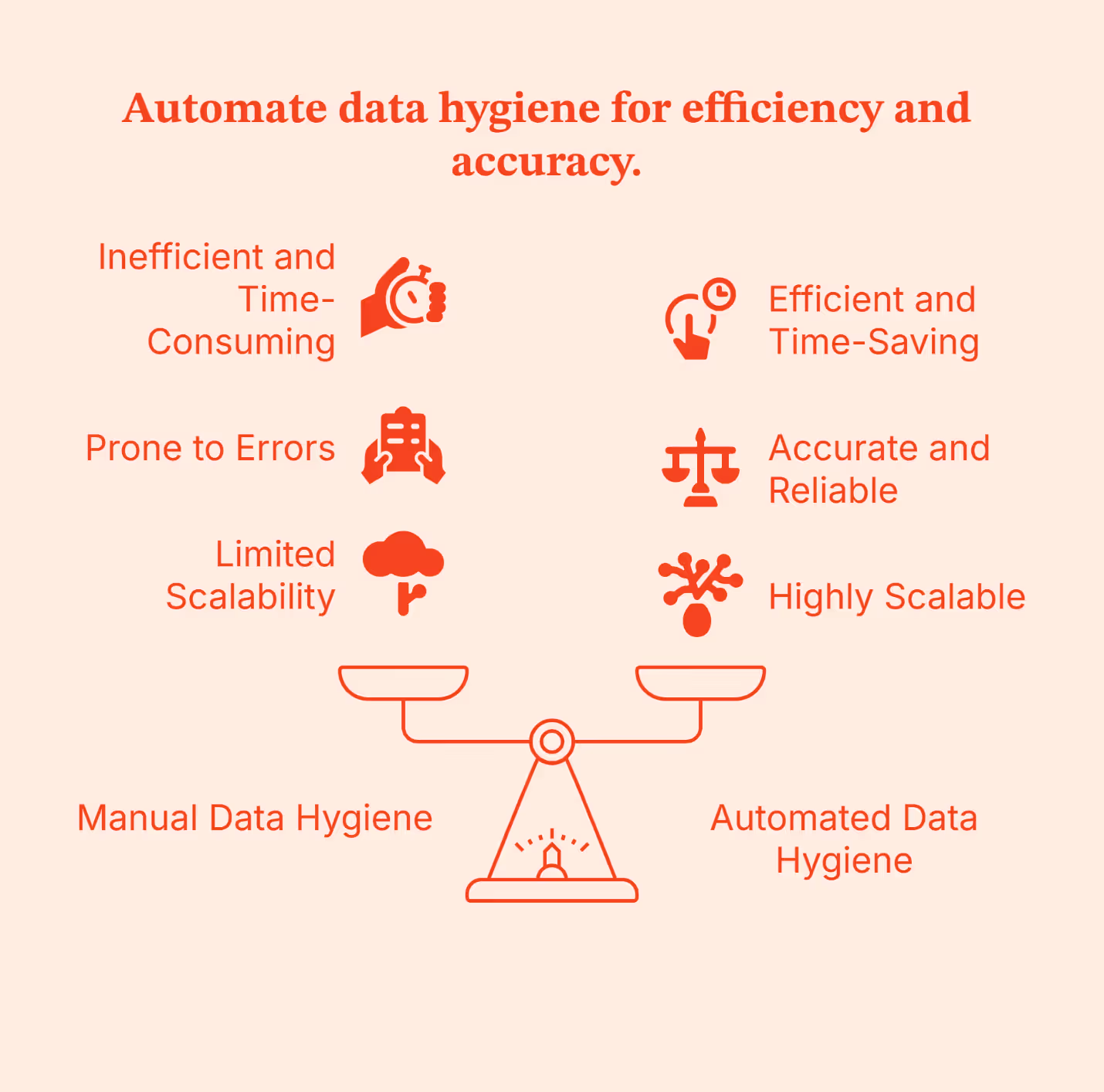
You can turn to Factors.ai to see this in action:
- Its company Intelligence keeps every account up to date with fresh firmographics and buying signals.
- LinkedIn CAPI sends clean, verified conversions back into your ad ecosystem, keeping targeting sharp.
- Attribution and Journey Mapping show what actually influenced a deal.
- Account-level scoring and intent recognition help your system understand who’s ready, who’s interested, and who needs more time.
All of these lead to fewer manual touchpoints, fewer messy records, and a clean CRM that gives you the most accurate view of your client journey. Factors.ai is your personal backstage crew, keeping things running while your team stays focused on revenue work.
Case Study: How Automated Enrichment Improves Sales Processes
All of this seems reasonable on paper (or in this case, a blog post). But if you are anything like me, you’d also be looking for actual proof (in real-world scenarios) about the effectiveness of automated GTM systems.
So, I headed to the Factors.ai customer stories to see whether GTM engineering truly helped reduce CAC through smarter automation. And I was not disappointed.
Rocketlane’s case study caught my attention immediately.
How to Connect Sales and Marketing Systems Into One GTM Motion
I believe if sales and marketing teams had to ask for one wish from a genie, it would be to work as one unit. And honestly, I can’t blame them. The systems meant to align them often pull them in different directions.
The good news is: you don’t need a genie (or magic) to bring the marketing and sales team on the same page. You just need to follow a set of practical steps to make this happen.
It starts with unifying signals. Website intent, ad clicks, form fills, demo views, pricing page visits, and CRM activity are all combined into a single profile. Instead of seeing random touchpoints, your system sees a timeline. This alone reduces leakage because high-intent accounts no longer get lost between tools.
GTM Engineering uses that timeline to trigger the real work:
- Unified routing means every account is assigned using the same rules, not one rule in HubSpot and another in Salesforce.
- Unified scoring means intent signals from your website and ads feed directly into the CRM, so scores update in real time.
- Unified reporting means the same definitions for leads, MQLs, meetings, and opportunities across every dashboard. That stops your teams from debating which numbers are “correct.”
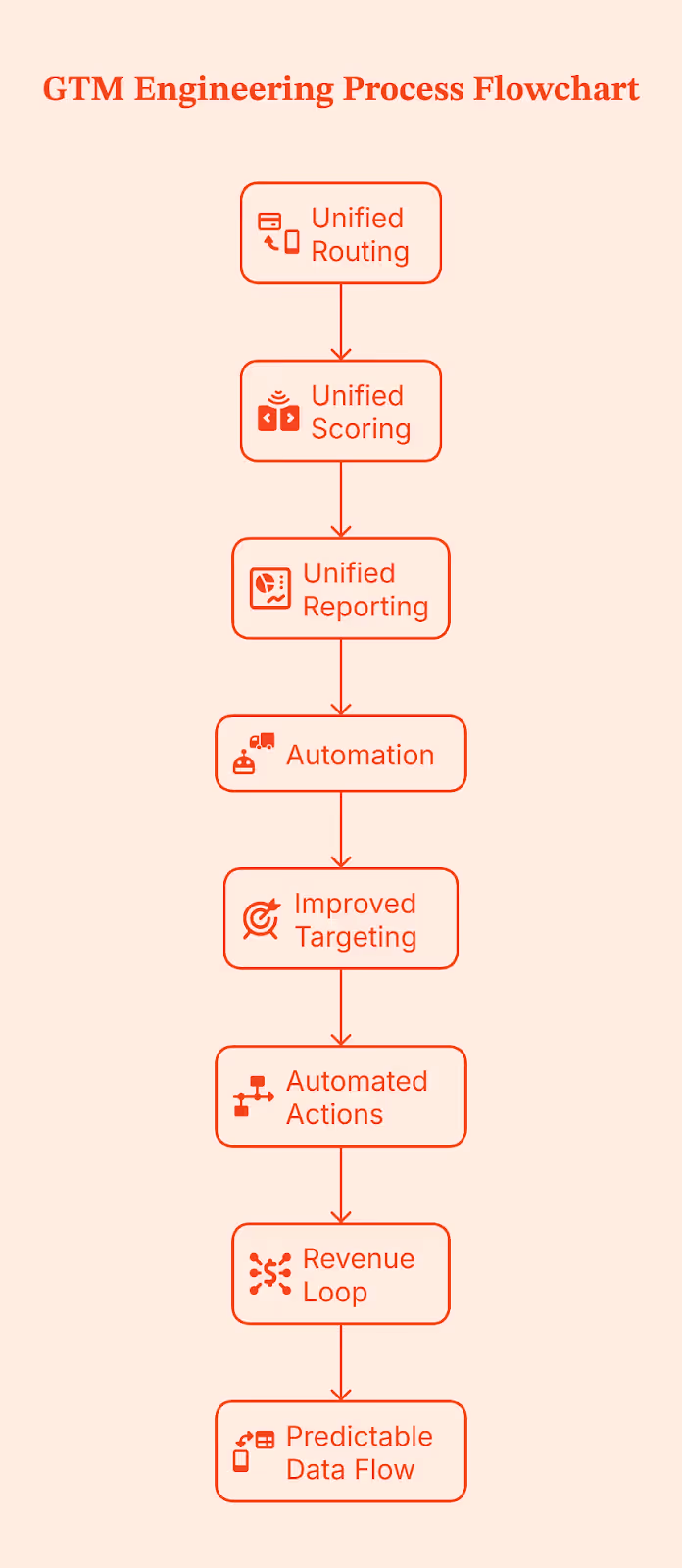
Then you add automation to close the loop. LinkedIn AdPilot and Google AdPilot push clean conversion data back into the CRM, so targeting improves on its own. When an account hits a scoring threshold, routing fires. When intent cools, nurture flows take over. The system becomes a revenue loop instead of a funnel that leaks at every stage.
With this unified setup, data flow between HubSpot and Salesforce becomes predictable rather than reactive.
The GTM Engineering Blueprint for Lower CAC
If you’ve made it this far, the pattern is already clear for you. If you want to lower your CAC, you will need a structured GTM system. GTM Engineering does this in a simple five-part blueprint:
- Data unification
All signals land in one place, so targeting stops drifting and spending stays focused.
- Automated enrichment
Missing firmographics and intent fields automatically fill in, resulting in cleaner routing and fewer wasted touches.
- Cross-platform sync governance
HubSpot and Salesforce follow the same rules, so your team no longer has to clean up mismatched fields and broken workflows. This alignment sets clear standards for how fields, owners, and lifecycle stages behave across both systems.
- Intent-layered routing and scoring
Accounts get routed and scored based on real behavior, helping reps reach high-intent buyers sooner, improving your win rate, and lowering cost per opportunity.
- Feedback loops back into the CRM
AdPilot and conversion signals feed back into your CRM, tightening targeting and keeping CAC from rising over time.
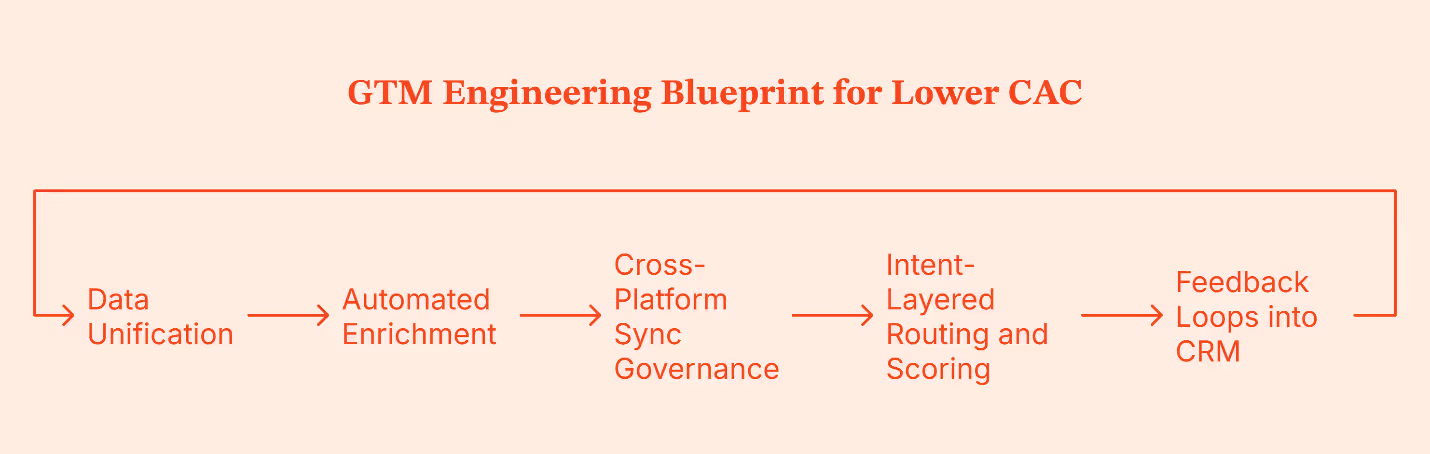
Metrics to Track: How to Measure Data Hygiene ROI
Now that you have your GTM system in place, the next step is to assess whether your data hygiene efforts are paying off. Pay attention to these details:
These signals indicate whether your GTM system is becoming cleaner, faster, and cheaper to run.
Final Recommendation: Why GTM Engineering Is a CAC Strategy
If there’s one takeaway from all of this, it’s this: CAC drops when your GTM system stops wasting resources. GTM Engineering does that by giving marketing and sales a shared layer of clean data, unified logic, and automated execution.
Teams that adopt this approach see fewer leads slipping through cracks and spend more time driving revenue instead of fixing avoidable issues because:
- Signals flow into one place.
- Routing speeds up because there's no mismatch in ownership rules.
- Scoring becomes predictable because it uses behavior and enrichment.
- Ad spend stops drifting because LinkedIn and Google push clean conversions back into the CRM.
Compare that to teams relying on people power. They compensate by adding more SDRs, manual data entry, checks, and handoffs, but they only mask the problem. Their data remains messy, routing remains slow, and CAC continues to climb.
GTM Engineering fixes these for you. If you want your CRM to feel dependable again, Factors.ai can help you set up the structure that makes it happen.
FAQs
Q. What is CRM data hygiene in GTM?
It refers to keeping CRM records accurate, enriched, unified, and actionable so GTM teams can route, target, and measure effectively.
Q. How does GTM Engineering improve CRM data quality?
Through automated enrichment, unified schemas, sync rules, AI-based routing, and system-to-system governance.
Q. What are the most common HubSpot↔Salesforce sync issues?
Most sync issues come from mismatched field formats, outdated object mappings, duplicate rules fighting each other, and workflows updating values that the other system can’t read.
Q. For data enrichment, what should I enrich and when should I do it?
Enrich firmographics, intent signals, titles, and tech stack the moment a record enters your system so routing, scoring, and targeting don’t rely on guesswork.
Q. How do I ‘fix data sync between HubSpot and Salesforce’?
You fix it by standardizing fields across both systems, cleaning up old logic, aligning lifecycle rules, and using automated checks that catch bad updates before they break the sync.
Q. Can better hygiene actually reduce CAC?
Yes. Clean, timely customer data keeps your targeting sharp, speeds up handoffs, and prevents wasted touches, all of which bring CAC down without increasing spend.
How GTM Engineering Is Replacing SDR Teams with AI-Powered Automation
If you talk to any B2B sales rep, they’ll say, “outreach today feels like shouting in a stadium full of prospects while they have their headphones on.” And they are not wrong; the crowd is there, but no one’s listening anymore.
A 2025 benchmark study reports that average cold-email reply rates declined from 6.8% in 2023 to 5.8% in 2024. And when you look at open rates, the gap is even more striking. Woodpecker report says advanced personalization drives roughly 17% open rate, while emails with no personalization drop to around 7%.
Meanwhile, outbound volume keeps rising. Companies are sending more messages trying to beat the noise.
But are the buyers even listening? According to a recent Gartner survey, 61% of B2B buyers prefer a fully rep-free buying experience.
Which raises the question: when buyers aren’t even listening, how do you reach them? This is where GTM Engineering steps in. It uses signals, automation, and timing to scale in a way manual teams can’t match. You reach your prospects with a system guided by intent and real-time data, almost like speaking straight into their headphones right when they are ready to hear from you.
TL;DR
- Outbound is struggling because buyers research silently, reply rates are declining, and sales teams spend most of their time on admin instead of real conversations.
- GTM Engineering replaces manual SDR work with signal-based workflows and agentic outbound that reacts instantly to buying signals.
- An advanced GTM stack runs on a simple flow: it captures signals, turns them into the right messages, runs workflows automatically, and keeps the CRM and pipeline accurate.
- Factors.ai powers this motion by using GTM engineering services. It helps by unifying signals from your website, product, CRM, LinkedIn, and ads so outreach happens at the right moment with the right context.
What GTM Engineering Actually Is (And Why It Matters Now)
GTM engineering focuses on fixing and smoothing outbound ‘system’ processes instead of solving them by hiring more reps. It intersects where product, data, marketing, RevOps, and growth engineering overlap, and builds autonomous workflows that act on their own.
These workflows detect a buying signal, choose the right personalized message, run the right sequence, and update the CRM without waiting for human intervention.
Traditional SDR teams rely heavily on people. They depend on manual research, manual outreach, and a lot of repetitive work. In contrast, GTM engineering leans on workflows and automation to remove the repetitive labor that normally slows sales teams down. So, instead of relying on people to research, follow up, and update tools all day, the system handles the busywork so teams can focus on real conversations and real pipeline.
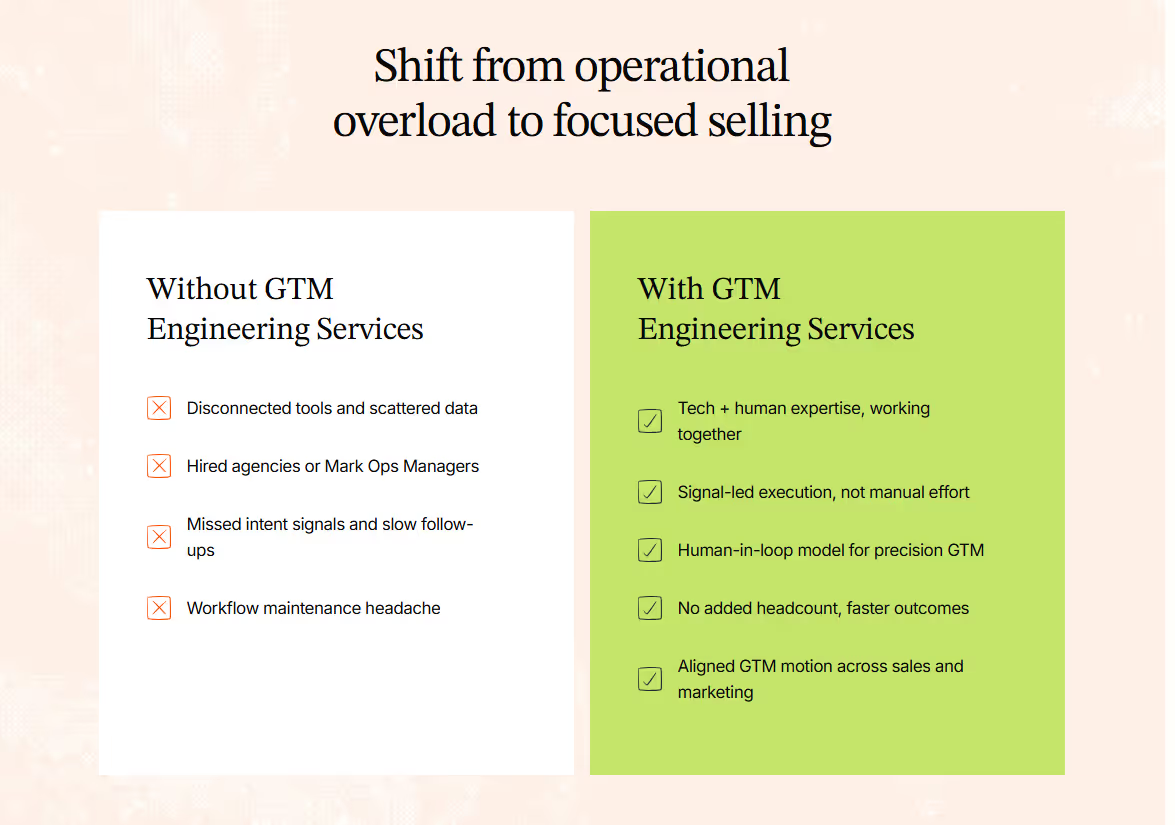
Because SDR outreach is packed with manual work, it has grown more expensive while delivering less impact. That’s why more teams are moving away from people-driven processes and turning to scalable workflows that run at the speed of data. This shift is what’s pushing GTM Engineering into the spotlight as a core revenue function, rather than just a support arm.
The Shift: From Manual SDR Outreach to AI SDR Agentic Outbound
Picture this: A prospect visits your pricing page at 11.47 pm. No one from your team is online, but your AI SDR notices the signal and gets moving. It picks the right message based on who the visitor is, launches a short sequence, logs every step in the CRM, and keeps following up until the thread reaches a natural close. No one had to press a button or upload a list. Neither did the system wait for instructions. It just acted.
This is called “agentic” outbound, a system that doesn’t wait for inputs. It notices what’s happening, decides what to do next, and takes action in real time.
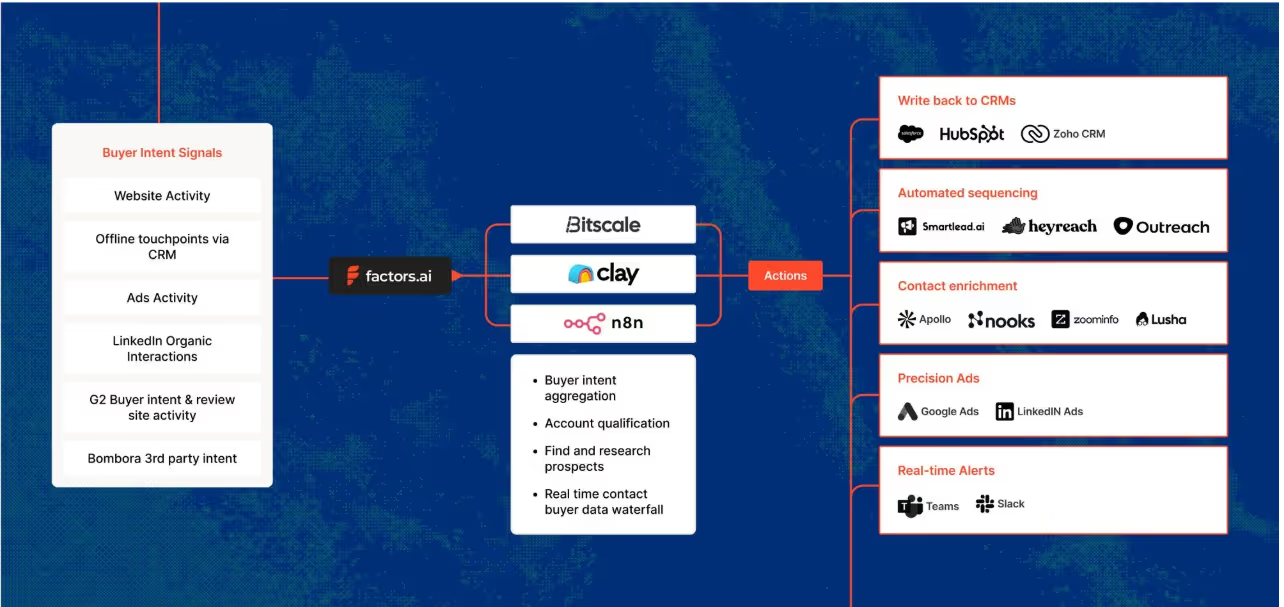
The upside to this approach is huge:
- You reach prospects faster because nothing sits in the queue.
- You get consistently high accuracy because machines don’t get tired or cut corners.
- It runs around the clock, so timing never gets in the way.
- It stays compliant because the logic is inbuilt into the workflow, instead of depending on your sales team to remember the rules.
Related read: Website visitors to warm outbound play using GTM engineering.
Why Manual SDR Outbound Is Breaking (Data + Behavior Trends)
Look around, and you’ll notice outbound doesn’t work the way it used to. Most buyers ignore cold emails until after they’ve done their own research, which means your message often hits them at the wrong moment. AI filters also make things tougher (like screening and deprioritizing cold emails). Low-quality messages are flagged or auto-deleted before an SDR has a chance.
Then there’s the human side. SDR turnover lies anywhere between 39 to 60 percent, depending on the report you read. Ramp times are long, and quotas keep rising. The actual job of prospecting has slowly turned into admin work and copy-paste tasks across five different tools. SDRs spend more time updating fields than writing meaningful messages. At the same time, outbound volume keeps climbing while results keep sliding. It’s a treadmill that gets faster every year, but the output stays flat. That’s why teams are rethinking the fundamentals of how outbound campaigns should work.
The New Standard: Signal-Based Outbound Workflows
Signal-based outbound is simple. Instead of blasting a long list, you wait for signs that a prospect is actually interested. These signs show up everywhere. A visit to your pricing page. A spike in product usage. A string of blog reads. A LinkedIn Ad interaction. Even fresh enrichment data in the CRM. Each one hints that an account is warming up.
When a signal fires, it triggers an outbound motion. The AI pulls context, picks the right message, sends it at the right moment, and updates the CRM on its own. No guesswork. No heavy research. No long queues. It’s outbound-driven by real behavior rather than cold lists.
Drivetrain’s journey captures this shift perfectly. Before Factors, their team spent hours doing Tier 1 and Tier 2 research just to figure out who to contact. They were casting a wide net and hoping the right accounts would surface. But without visibility into intent signals, many high-potential accounts slipped by unnoticed.
Once they adopted a signal-based workflow, everything changed. Factors pulled signals from their website, G2, LinkedIn, and CRM data. When a company showed meaningful intent, the workflow kicked in instantly. SDRs didn’t need to dig through spreadsheets or click into endless profiles. They got real-time alerts, clear prioritization, and context-rich insights. Outreach became sharper, faster, and far more relevant.
The result: Just in a few months, Drivetrain saw a 6% drop in CAC, 3x-ed its sales outreach engagement, and saved 60+ hours/week for its sales team.
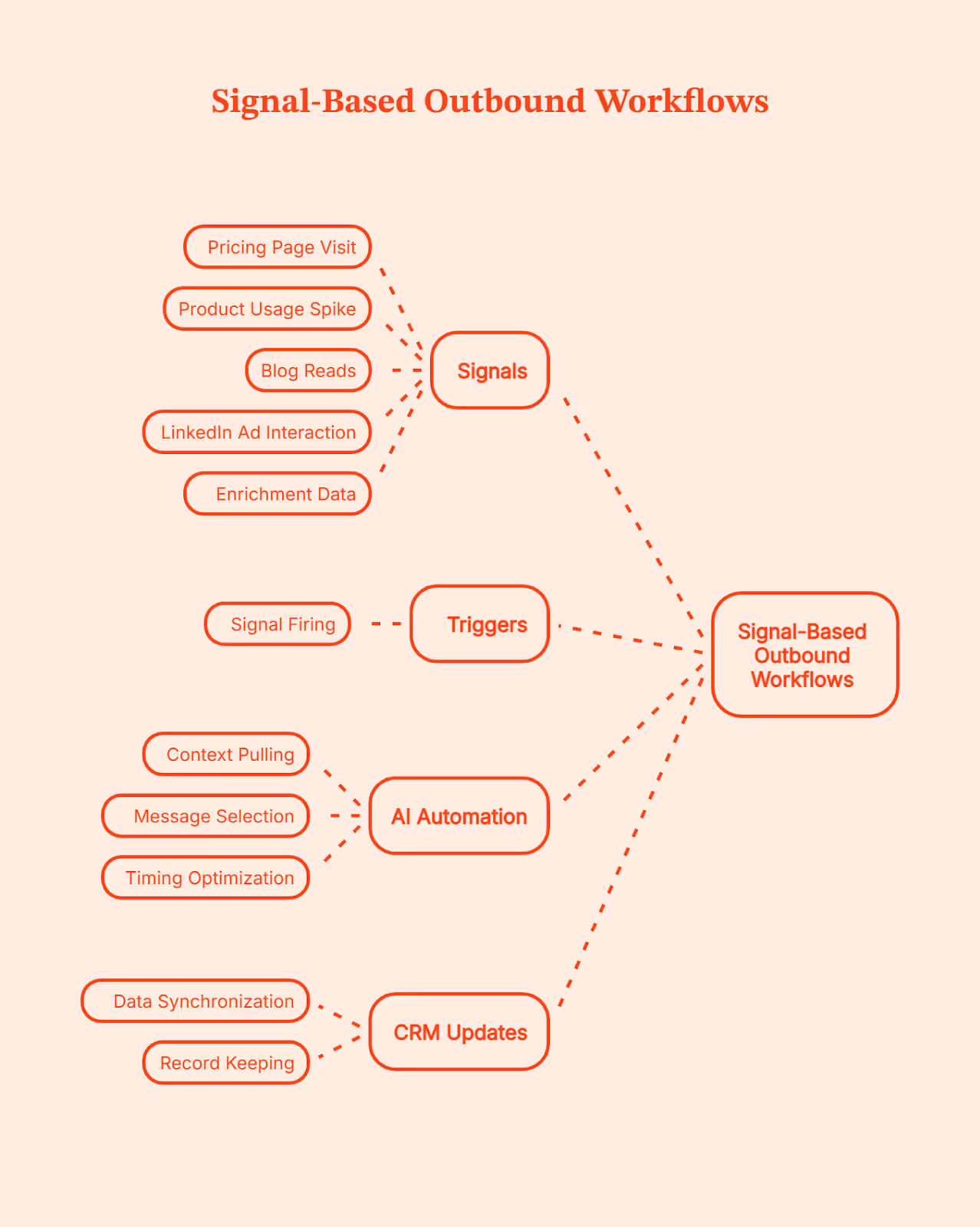
💡Want to know more about B2B intent signals and their importance? Here’s a quick guide: An Introduction To B2B Intent Signals
How AI Helps Scale Personalized Outbound
AI has changed what personalization actually means. It no longer stops at first names or simple ‘mail merge’ fields. Today’s systems can create hyper-specific messages that feel like they were written after a full research session. AI can pull a quote from a blog the prospect read, mention a buying committee member who viewed a key page, reference a spike in product usage, or weave in insights from LinkedIn activity. It connects signals across your website, CRM, and social data to understand what the account cares about right now.
Instead of surface-level personalization, the AI stitches context into a short narrative around the prospect’s journey and uses it to write messages that feel relevant instead of generic. You keep the human tone, but the system does the heavy lifting, so every message lands with the right context. That’s how you get automated personalized messages at scale.
The GTM Engineering Stack: What You Need to Replace SDR Ops
A solid GTM Engineering setup helps you avoid tool fatigue. If you’ve ever juggled ten tabs while building a sequence, you know the pain. The whole point here is to build a simple system where every part talks to the next:
- Signal Layer: Factors (This is where buying intent shows up)
This is where everything starts. Factors.ai captures buying signal across your website, product, content, G2, LinkedIn, and CRM. This way, you know exactly who is showing intent and what triggered it. Every downstream action depends on this layer being accurate and timely.
- Enrichment: Clearbit or Apollo (This is where signals are turned into usable records)
A signal alone isn’t enough. You still need clean, usable data to act on it. Enrichment tools fill in missing details like job title, role, company size, and firmographics. They also keep records fresh over time. This prevents workflows from breaking and keeps sales from wasting time on half-complete or outdated leads.
- Sequencing: Outreach, Instantly, or Apollo (This is where outreach is executed)
This is the execution layer. Once a signal is confirmed and enriched, sequencing tools handle the actual outreach. They send emails, manage follow-ups, track replies, and pause or stop when someone responds. These tools don’t decide who to contact or why. They simply execute the sequence they’re given, quickly and consistently.
- AI Content Engine: LLM-powered messaging (This is where messages are personalized at scale)
This layer handles personalization at scale. Instead of sales reps copying templates and tweaking lines by hand, the system generates messages using the signal, CRM context, and account details. The goal is to send the right message, to the right account, at the right moment, without manual effort.
- CRM + Routing: HubSpot or Salesforce (This keeps ownership and flow clean)
The CRM is the system of record. It assigns ownership, logs activity, tracks deals, and keeps everyone aligned. Routing rules make sure leads go to the right sales rep automatically, without manual handoffs. The goal is that nothing should get lost and everything is routed to the right person.
- Analytics Layer: Attribution + Conversion Tracking (This is where you get to know what’s working)
This layer tells you what actually works. It shows which signals turned into demos, which workflows created pipeline, and which actions didn’t move the needle. Without this visibility, teams just scale their activities instead of outcomes. With it, decisions get sharper over time.
- Automation Layer: Factors Workflows + Agentic Outbound (This is where system reacts without intervention)
This ties the entire system together. When a signal appears, workflows kick off enrichment, sequencing, routing, and follow-ups automatically. Agentic outbound takes the next step without waiting for someone to notice or click a button. The system reacts in real time, instead of someone stepping up to do the job.
Think of this GTM engineering stack as a clean relay. Each layer passes the baton to the next without slowing down. Signals guide the timing, enrichment fills the gaps, sequencing sends the message, and the AI engine shapes the context.
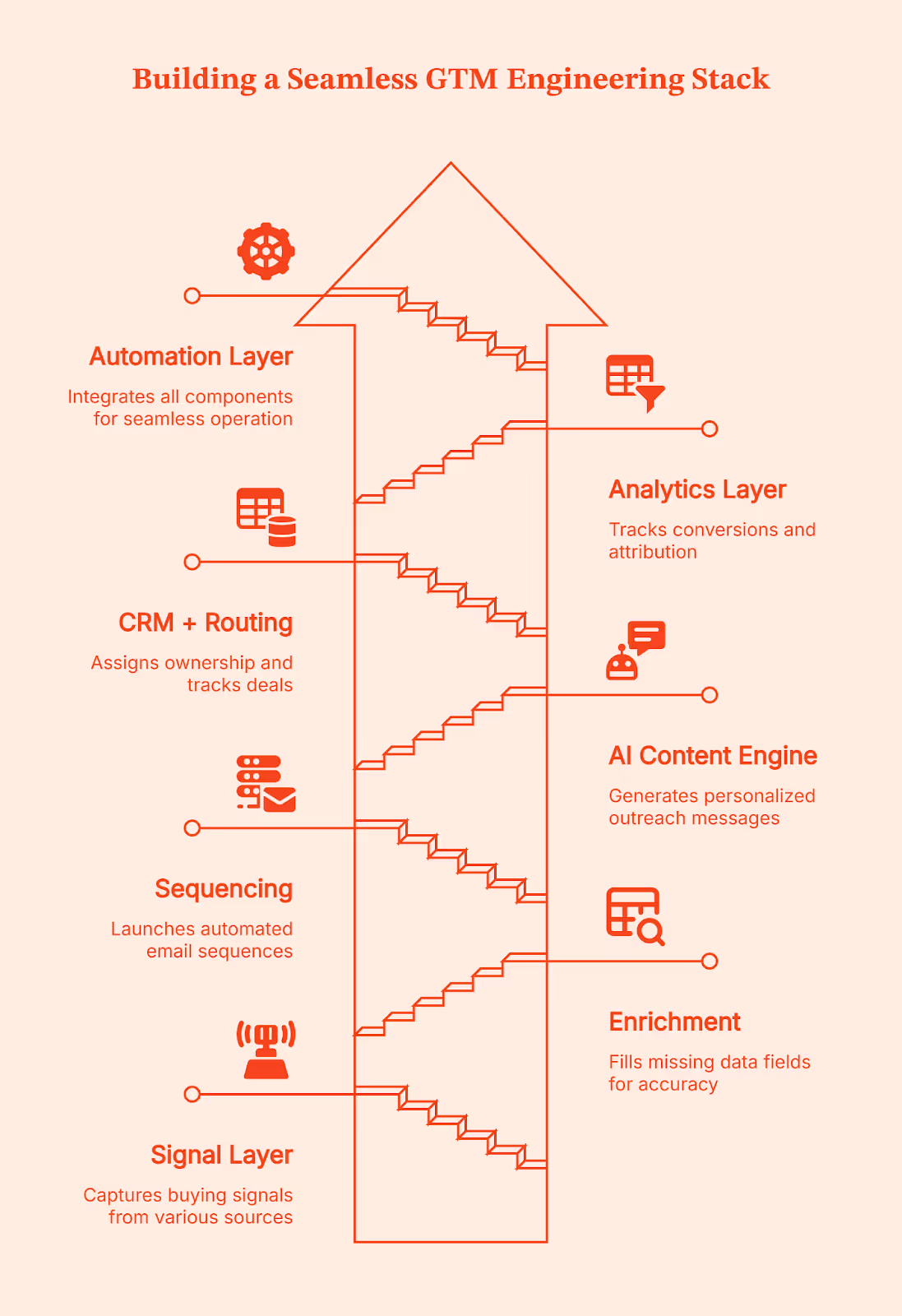
Where Factors.ai Fits In: Signals, Automation, and Unified GTM Ops
Have you ever run into musicians playing on the street? A guitarist in one corner, a singer a few steps ahead, a flutist around the bend. Each sounds good on their own, but the magic only happens when they play in sync.
That’s how most GTM teams operate today. Signals live in different places across the website, product, CRM, LinkedIn, and ads. Useful on their own, but disconnected.
Factors.ai works as the orchestra conductor here. It brings every buying signal into one coordinated view so you can see which accounts are active, what they are looking at, and how close they might be to buying. With LinkedIn conversions data flowing in, the picture gets sharper and clearer.
This is where Factors’ GTM Engineering Services kick in. The service team takes these unified signals and designs the workflows around them. They decide when outreach should trigger, what context should be pulled in, how routing should work, and which actions should happen next.
Once those workflows are set up and signals show up, Factors.ai takes the step for you. They trigger real actions across your existing stack. An email can start, a rep can be notified on Slack, an update can be pushed into the CRM, or a LinkedIn touchpoint can fire. SDRs don’t have to hunt for context or jump between tools because Company Intelligence gives them a clean, account-level view they can act on immediately.
The real win is how everything starts to connect. Marketing gets a clearer picture of what’s working, sales can spot the people who are leaning in, and RevOps finally sees the system moving the way it should. When this kind of clarity clicks, teams rely less on large SDR crews and more on workflows that run reliably in the background. Factors turns a scattered GTM motion into one steady, unified system built through engineering without adding headcount.
Real-World Results from Signal-Driven GTM with Factors
All this is good. But, unless you see the practical implementation of GTM Engineering, should you even bother? That’s what Fyle felt too until they tried it on their own setup.
Here’s what prompted them to try Factors: Their marketing team ran a warm outbound campaign, but most visitors left before booking a demo, and manual research slowed everything down. But once they plugged Factors into their workflow, things changed fast. They saw:
- 75 percent of demo requests coming from Factors-sourced signals
- 20 percent conversion from demo drop-off alerts
- Email response rates rising from under 5 percent to 20–30 percent
It felt like they suddenly had a bigger SDR team without hiring anyone new.
Squadcast had a similar experience. They were getting good website traffic but not enough insight into who was actually interested. After switching to intent signals from Factors, their SDRs said sales calls felt smoother because they met prospects at their journey points. The company reported:
- 30 percent increase in average deal size
- 25 percent decrease in prospecting time
- Noticeably less resistance in sales conversations
Using intent signals from Factors, SDRs can step right into the buyer’s discovery moment, which makes each call feel more useful and less like a cold pitch. The outcome was SDRs making better use of their time.
That’s the pattern you see across teams using GTM automation well.
The system handles detection, enrichment, prioritization, and timing. SDRs handle conversations, nuance, and closing. So, it really isn’t automation versus people, it’s opting for automation so people can do the work that actually matters.
How to Transition From SDR Teams to a GTM Engineering Model
Shifting from a manual SDR-heavy setup to a GTM Engineering model doesn’t have to be disruptive. Listed below is a simple, step-by-step path that helps smoothen your transition.
Step 1: Map your buying signals
List out every action that shows interest, such as website visits, product usage spikes, LinkedIn activity, ad engagement, and CRM updates.
Step 2: Build a unified account graph
Combine those signals into a single view so you can see which accounts are warming up and how they’re moving through the journey.
Step 3: Set up agentic workflows
Let workflows react to signals automatically. If an account hits a key page, the system should decide the next step and take action.
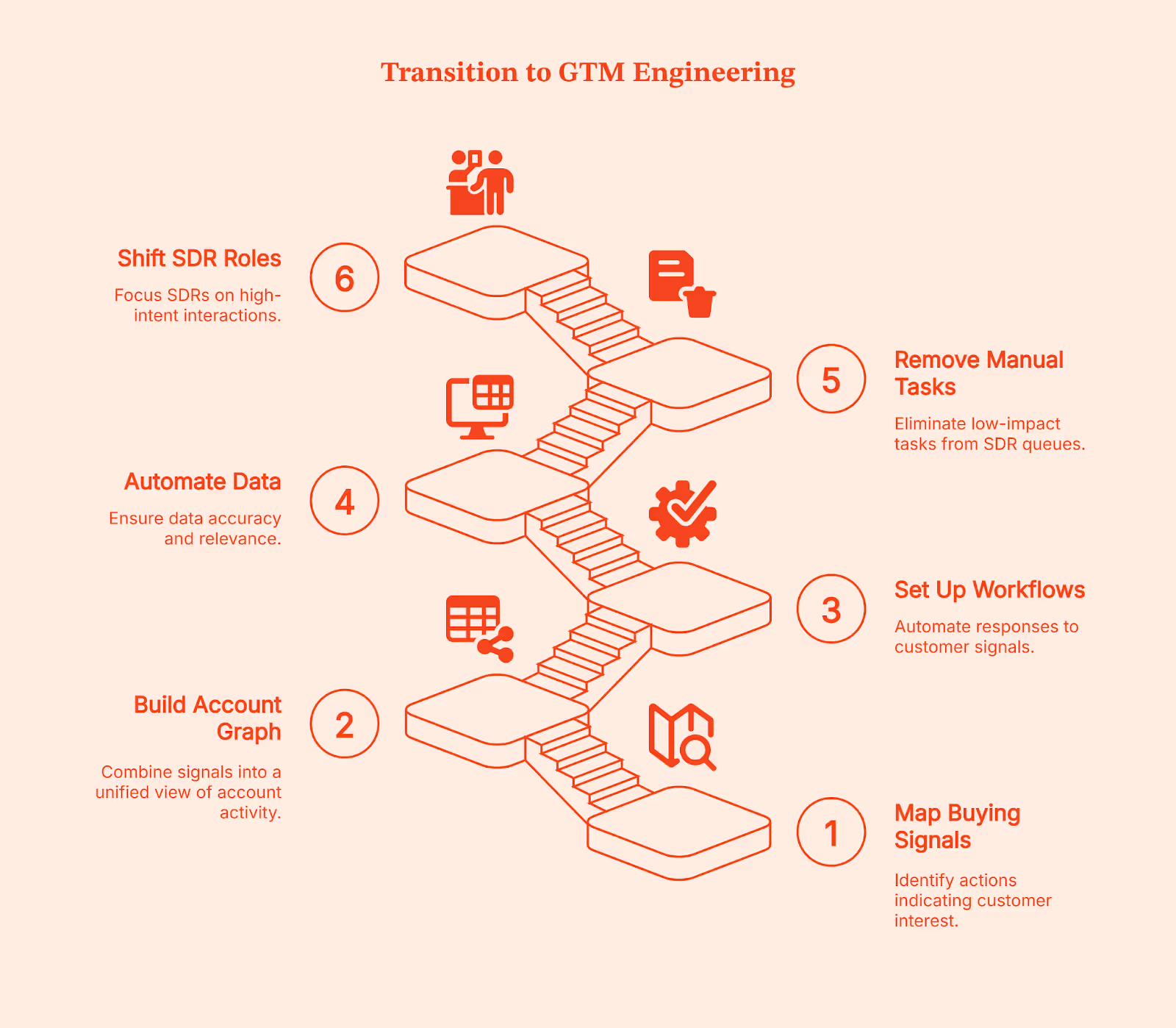
Step 4: Automate enrichment and classification
Keep account data clean by automating enrichment, tagging, and ICP checks. It removes the guesswork for reps.
Step 5: Remove manual tasks from SDR queues
Move research, list-building, and administrative work into automated workflows. This frees the team from low-impact tasks.
Step 6: Shift SDRs to high-intent roles
Let reps focus only on demos, qualification, and real conversations with accounts showing clear intent. The system handles the rest.
💡Related read: How to effectively target B2B prospects on LinkedIn based on their job title
Common Mistakes When Implementing AI Outbound
Even if you follow every step perfectly, most teams run into the same problems when they first adopt AI for outbound. The good news is they’re easy to avoid.
- Over-automating without signal logic: Automation alone doesn’t work. You need signals (remember the traffic signal?) that tell the system when to act.
- Buying AI tools without a unified GTM layer: If your tools don’t talk to each other, the workflow breaks and outreach becomes inconsistent.
- Creating robotic outbound: AI should stitch context, not send generic templates. Relevance matters more than volume.
- Not measuring incremental pipeline: Track how much pipeline comes from signals, not just activity metrics.
- Keeping legacy SDR KPIs: If you’re still measuring dials and email volume, you’ll push your reps toward the wrong behavior in an AI-driven model.
The Future of GTM Teams: Small SDR Pods, Big Automation Engines
It’s not hard to see how outbound is changing. GTM teams of the future won’t be built around large SDR floors. Instead, they’ll run on small SDR pods supported by a strong layer of GTM engineers, RevOps specialists, and always-on AI workflows.
Related read: GTM Engineering vs RevOps
Most of the heavy lifting, like research, prioritization, message generation, and first-touch outreach, will run in the background while your team focuses on relevant conversations. It’s not unrealistic to expect that nearly 70% of outbound will run without human intervention.
SDRs won’t be judged on dials or volume anymore. They’ll act as conversation specialists who jump in when an account is already warmed up. Their job becomes simpler and more meaningful because the system handles the noise. And at the center of that system sits signal intelligence. Factors.ai already plays this role today, and it’s quietly shaping how GTM teams evolve behind the scenes.
What This Means for Modern GTM Teams
Speed is now your competitive advantage.
For most B2B teams, outbound stopped working because systems became slower than buyers. By the time a sales rep researches an account, enriches data, and queues a sequence, the buying moment has often passed.
GTM Engineering helps to remove that delay. Signals are captured as they happen, workflows decide the next step, and outreach launches while intent is still fresh. SDRs enter only when the account is already leaning in, not when interest has to be manufactured.
This is why teams adopting GTM Engineering don’t scale by adding more SDRs. They scale by reducing reaction time. The system handles detection, prioritization, and first touch. People handle conversations and judgment.
It’s simple: The gap between buyer intent and seller action is where deals are won or lost. Teams that engineer their GTM shrink that gap. Teams that don’t keep hiring to chase it.
FAQs on GTM Engineering is Replacing SDR Teams
Q. Is GTM Engineering replacing SDR teams?
Not entirely. It’s replacing the manual, repetitive parts of SDR work so reps can focus on qualified conversations instead of admin and cold lists.
Q. What is AI SDR agentic outbound?
It’s outbound that acts on its own. The system notices a buying signal, picks the right message, runs the sequence, and updates the CRM without waiting for human input.
Q. Does AI outbound convert as well as humans?
Yes, as long as it runs on real intent signals. When outreach lands at the right moment with the right context, it often converts better because it’s consistent and instant.
Q. What tools do I need for signal-based outbound?
You need a signal layer, enrichment, sequencing, an AI messaging engine, a CRM, analytics, and an automation layer. Together, they form a simple, connected outbound system.
Q. How do SDRs and AI workflows coexist?
AI handles the busywork. SDRs jump in when an account is warm and ready to talk. It turns them into conversation specialists instead of task managers.
Q. What role does Factors.ai play in GTM engineering?
Factors.ai sits at the center. It captures signals, unifies account activity, and triggers workflows so outbound happens at the right time with the right context.
Q. Can automation replace human personalization?
It can replace the research and context-gathering, but humans still add tone, nuance, and relationship-building. Both work best together.
Q. What should I automate first in outbound?
Start with the repetitive stuff: signal alerts, enrichment, list building, and first-touch outreach. These give you the biggest lift with the least disruption.