
Good Reads
Fix pipeline pains. Solve GTM puzzles. Read strategic brain dump.
Written for marketers who want real solutions to a leaking pipeline (and their dark circles).
Want to read more from us?


I’m looking for…

Measuring the ROI of your B2B Content
Learn how to measure the ROI of your B2B content with Factors.ai. Discover the key metrics to track & optimize your content strategy. Read now on our blog.

If you find ROI measurement of your content marketing efforts a challenge, you’re not alone. Only 8% of B2B marketers believe they are successful at gauging their content's ROI and influence on revenue. With the content marketing industry constantly growing, making up between 25%-40% of B2B marketing budgets, it only seems fair to understand its metrics and incorporate ROI measurement into your content marketing strategy.
Ends That Justify Your Means — Why Do You Need To Measure Your Content Performance?
If It Won’t Convert, It Won’t Matter:
Content marketing has contributed substantially to the B2B marketing sphere. Blog posts, podcasts, infographics, etc. all play a major role in a business’s marketing efforts. But there’s a fine line between good content and content that promotes lead generation. The end goal of content marketing is generating traffic and influencing the conversion of said traffic. So, a conscious effort to measure your content helps lay the groundwork for a content marketing strategy that prioritises the goal and justifies the cost of doing so.
If It Does Convert, By How Much?
When it comes to B2B marketing, your prime audience is pretty specific. Hence, your content is likely to have a larger impact on pipeline and revenue. 71% of B2B customers consume a blog before making a purchase. Quantifying information like this is effective in distinguishing your leads from your sales. The difference and variety of metrics available for your content provide valuable insights. Understanding the extent to which each metric attributed your leads is an essential aspect of painting a clear picture of your ROI. A classic example of this is to resort to vanity metrics such as organic search traffic to evaluate your content’s success rather than its bounce rate or impressions made which are more conducive in assessing an MQL — marketing qualified lead.
What You Could Expect for The Future:
Trial and error is an expected component of your content marketing track record. The data you amass by monitoring your metrics will prove to be insightful in the formation of your content marketing strategy and budget — including the provision of answers to common questions like “what type of content generates the most traffic?” “Which content influences the most revenue and pipeline?” and “Which content had the most effective link building and/or SEO rankings?”
Understanding The Metrics
Historical Data and Monitoring:
A common barrier to entry for content marketing ROI is your access to customer historical data. To elaborate, your access to said data also includes the cost of acquiring it, the risk associated with losing it, and the availability of precise data when needed — relating to interactions with content. Most software available to track customer metrics like the touch attribution of content, the number of contacts from email, the revenue generated per customer, etc., are fragmented across different software with limited storage of customer data and are behind a paywall. There is even the risk of losing this data because of these stipulations. For this, it is recommended that businesses house their customer data using a data warehouse to retain the historical data of their customers and to use a customer data platform that will organise customer data and behaviour across various software in real-time into a comprehensive format suited for content ROI.
Lead Conversion:
The first step in measuring your content’s ROI is to establish what your lead conversion is. Or in other words, identify what customer action is considered a worthy result of your content’s purpose. This would vary depending on the product and what business it is being targeted to — so organising your leads or conversion goals in conjunction with your products is crucial. Some examples of conversion goals would be — signing into your website, downloading a demo, subscribing to a newsletter, or even a sale, etc.
Lead conversion rate: The number of leads relative to the number of visitors on a webpage. Divide the total number of leads by the total number of visitors.
Landing Page:
Your landing page is the first page of your website which is visited by a prospective customer. There are certain metrics that can be used to assess the attribution of your landing page to your conversion goal. Your landing page’s page views indicate the number of visits that have occurred on your landing page. The number of unique visitors helps you identify the number of people visiting your landing page, this is different from page views as it only counts the number of visitors and not the number of their visits.
Other useful metrics for evaluating attribution in your landing page include your bounce rate — which is the number of visitors that navigated out of your page after viewing only one page. Your average session duration is the average time lapsed during a session — a session being a user’s regular interactions — on your landing page. These metrics illustrate the authenticity of your content’s applicability for conversions.
Email Traffic:
81% of B2B marketers utilize email newsletters as a part of their content marketing strategy — making it the third most popular form of B2B content. If your business sends out newsletters, these metrics are important to track: An email’s open rate measures the percentage of emails opened, and if you link your content webpage in your email, a click-through rate distinguishes the number of users who’ve clicked on the aforementioned link and those who did not.
Social Media Traffic:
The most popular form of content (95%!) implemented in a content marketing strategy by B2B marketers is organic social media posts. On channels such as Twitter, LinkedIn, Instagram, and YouTube, Audience engagement on your posts in the form of Likes, Shares, Comments, and even Follows are useful metrics to assess the influence and engagement of your posts. Of course, click-through rate may be tracked as well.
{{INLINE_TOFU}}
The Nitty-Gritty — Measuring Your Content’s Influence and ROI:
Once we have gathered all the relevant data, we can now measure our content’s ROI. But before doing so, we need to assign a monetary value to your MQLs. If your conversion goal is a sale, then it is the revenue generated from that customer’s sale. If it is a campaign goal like demo scheduled, it is the forecasted revenue from prospective customers that’s most relevant.
Once this is established, organise this data in a coherent manner to measure its ROI. Start by isolating landing pages or content pages to measure them individually. Then we will allocate their respective data to them. For the sake of comparison and future content marketing strategy, it is imperative to distinguish your MQLs from your visitors. The last step is to assign your revenue to your MQLs, whether it be the revenue generated from sales or the forecasted revenue of a particular lead or conversion goal. And finally, we can calculate the ROI with our MQL revenue — the ROI calculation here would be the revenue generated from the MQL divided by the cost of production of the landing page’s content.
To illustrate — let’s say that you were measuring the ROI of one of your landing pages at the end of the month. Perhaps a blog in your payment gateway service company. Organically your blog has amassed 500 unique visitors, and around 300 through social media posts and email campaigns. Out of the 800 visitors, 60 of them signed up for a demo, whose forecasted revenue amounted to around $5000. Using the formula mentioned above and dividing the $5000 with the cost of the production of the content, you will measure your B2B content’s ROI.
Evidently, measuring the ROI of your B2B content is a tough nut to crack, and as I mentioned earlier, trial and error is an expected component of your content marketing track record. While quantifying your means will expedite your strategy, functional results take time and mistakes, and if you’re patient enough, they’ll yield.
Marketing Team Structure: How To Build a Marketing Team In the Age of AI
Learn how to structure a marketing team in 2026, 9 core roles, 4 organization models, B2B frameworks, and scaling strategies from startup to enterprise. Understand how to build a marketing team in the age of AI

TL;DR: Marketing Team Structure at a Glance
- 12 core roles form the foundation: CMO, Marketing Manager, Content Strategist, Graphic Designer, Copywriter, Paid Media Specialist, SEO Specialist, Social Media Manager, Marketing Analyst, Product Marketing Manager, Marketing Operations Manager, and PR & Communications Manager.
- 4 organizational models to choose from: Functional, Product-Based, Segmented, and Matrix — each suited to different company stages and goals.
- Scale by stage: Startups need lean generalists; mid-size companies build specialized teams; enterprises run matrixed global structures.
- B2B teams typically organize around Growth Marketing, Product Marketing, and Brand Marketing functions.
- Alignment is everything: Open communication, shared KPIs, and cross-functional collaboration separate high-performing teams from siloed ones.
Constructing an impactful marketing team takes more than throwing darts at the board and hoping they stick. Without the right vision, alignment, and capabilities; budgets are burned, time is wasted, and business opportunities slip through the cracks.
We've all been there—the messy marketing scramble, the "spray and pray" campaigns doomed to flop, yielding more frustration than conversions.
What if there was a better way? A framework for a marketing team structure that delights your audiences and activates a torrent of new deals for your business — while adapting to the rapid rise of AI tools reshaping how marketing teams operate.
In this guide, you'll learn how to structure a marketing team in 2026 — including 12 core roles, 4 organizational models, B2B-specific frameworks, AI-era adaptations, and scaling strategies from startup to enterprise.
What is a marketing team structure?
A marketing team structure is the organizational framework that defines the roles, reporting lines, and functional groupings within a marketing department. It determines how team members collaborate, allocate resources, and execute strategies to achieve business objectives. Common structures include functional (grouped by expertise), product-based (organized around product lines), segmented (divided by customer segments), and matrix (combining multiple approaches).
The right marketing team structure depends on your company size, industry, go-to-market strategy, and growth stage. A well-designed structure reduces silos, accelerates execution, and ensures every marketing initiative ladders up to revenue goals.
Marketing team structure: 12 foundational roles
Effective marketing departments run like well-oiled machines, with moving parts working together for optimal performance. At its core, every world-class marketing team requires a combination of visionary, creative, analytical, and execution horsepower — specialized experts to help activate growth.
Here are 12 foundational marketing roles that set organizations up for success — starting with the head of the operation: the CMO.
1. Chief Marketing Officer (CMO)
As the marketing visionary-in-chief, the CMO oversees all strategy and teams. They ensure alignment between marketing objectives and larger business objectives.
Key responsibilities of the CMO include:
- Developing integrated strategies and yearly marketing plans
- Leading market and customer research initiatives
- Establishing brand messaging, positioning, and standards
- Approving campaigns across different channels and segments
- Managing budgets and determining resource allocation
- Hiring and developing leadership for sub-teams
- Overseeing campaign performance analytics and reporting
"Attending professional events, networking, and joining communities of like-minded professionals will greatly help stay up-to-date on the latest trends and innovations." — Margaux R. International Marketing Officer, Puig
2. Marketing Manager
Marketing managers execute (or manage) strategies outlined by the CMO. They coordinate campaigns across channels such as content, social media, advertising, and events. Marketing managers also supervise teams of writers, designers, and other functions within the marketing department.
Key responsibilities of marketing managers include:
- Leading launch planning for product and brand campaigns
- Maintaining content calendars and asset libraries
- Directing creative brainstorms to flesh out big ideas
- Monitoring performance analytics across web, social, and advertising
- Identifying optimization opportunities based on data signals
- Managing budget tradeoffs and agency relationships
✅ With so many balls in motion, you want marketing managers with exceptional focus, communication, and analytical skills.
3. Content Strategist
Content strategists plan and oversee the creation of optimized content tailored to buyer personas across the sales funnel. This role works closely with writers, designers, and more to execute content campaigns.
Key responsibilities of content managers are:
- Conducting keyword research to inform content
- Mapping out content pillars, funnels, and assets
- Establishing production workflows and approval processes
- Setting content style guidelines and brand standards
- Training others on brand voice and best practices
- Commissioning content from freelancers or agencies
4. Graphic Designer
Images aid memory. This is why using visuals (images, animations, videos, etc) can separate forgettable brands from memorable ones. Graphic designers turn creative concepts into aesthetically pleasing and purposeful art.
Key responsibilities of graphic designers include:
- Bringing campaign narratives alive through social/web graphics
- Building immersive microsites and landing pages
- Curating and maintaining asset libraries and style guides
- Ensuring visual consistency across regions and languages
- Mocking up creative concepts quickly based on briefs
- Incorporating the latest visual trends seamlessly
✅ Gradually train your designer to understand conversion rate optimization—this can be done by watching Hotjar recordings, heatmaps, and overall analytics. You want your designer not just to be someone who creates behind the scenes. Make them a part of the marketing team, giving them the exposure required to understand the entire customer journey.
5. Copywriters
Writers are the voice and narrative-weavers for a brand, using strategic, relevant words to captivate and convert. As master wordsmiths, writers intertwine vocabulary with emotion to spur action across mediums like blogs, emails, ad copies, and more.
Key responsibilities for this role include:
- Crafting pillar content and blogs to attract and educate
- Scripting nurture emails and sales outreach templates
- Testing value prop messaging through ad iterations
- Producing authentic stories using research and interviews
- Ensuring brand consistency across regions and campaigns
- Delivering punchy, error-free copy aligned with guidelines
✅ SaaS businesses like HubSpot have been spending significant resources to create valuable marketing content. This has made them one of the top publishers in this space.
6. Paid Media Specialist
Paid media specialists are masters of precision — using platforms like Google, Meta, and LinkedIn to reach buyers actively searching for solutions. As channel experts, they balance science and art to gain a share of voice and mind.
Key responsibilities for this role include:
- Managing PPC/social budgets across funnels
- Creating and optimizing high-converting ads
- A/B testing creatives, landing pages and audiences
- Providing performance reports and optimization ideas
- Developing attribution models that shape decisions
- Identifying emerging media opportunities to exploit
✅ Exceptional paid specialists level up results using their analytical abilities, creativity, and strategic vision. They stay on top of platform algorithm shifts, new ad formats, privacy changes, and inventory trends—filling testing pipelines with big ideas.
7. SEO Specialist
SEO specialists focus on improving organic search visibility and rankings. They analyze performance data to execute optimization strategies.
Some of the key responsibilities for this role include:
- Conducting keyword research to reveal user questions
- Mapping site architectures to user journeys
- Optimizing page speed and metadata for findability
- Securing reputable backlinks and citations
- Monitoring organic KPIs like rankings, traffic, and goals
- Identifying gaps and incremental optimization opportunities
✅ Beyond technical abilities, stellar SEO specialists use analytics to tell compelling stories. They consult across marketing and product teams—highlighting barriers and solutions to rank higher.
8. Social Media Manager
Social leaders architect communities rooted in relationships and value. They set a north star strategy and then empower teams to nurture advocate and influencer connections through engagement.
Some of the key responsibilities for this role include:
- Setting social media goals and yearly activation calendars
- Creating and overseeing engaging social content
- Identifying key influencers for paid partnerships
- Analyzing platform algorithms and adjust content accordingly
- Managing a community coordinator and related agencies
- Reporting on engagement growth and campaign performance
9. Marketing Analyst
Marketing analysts collect campaign data and identify actionable insights. They partner closely with strategists and media buyers to optimize marketing performance.
Some of the key responsibilities for this role include:
- Setting up analytics and tag management platforms
- Building campaign reports and dashboards
- Conducting multi-touch attribution analysis
- Identifying quick wins for improved performance
- Modeling scenarios for budget allocation decisions
- Communicating insights through presentations and visualization
10. Product Marketing Manager
Product marketing managers bridge the gap between product, sales, and marketing teams. They translate product capabilities into compelling narratives that resonate with target buyers.
Key responsibilities include:
- Developing product positioning and messaging frameworks
- Creating sales enablement materials and battle cards
- Leading product launches and go-to-market strategies
- Conducting competitive analysis and market research
- Gathering customer feedback to inform product roadmaps
- Training sales teams on value propositions and objection handling
11. Marketing Operations Manager
Marketing operations (MOps) managers are the architects behind the systems, processes, and technology that power modern marketing teams. As martech stacks grow more complex, this role has become essential.
Key responsibilities include:
- Managing the marketing technology stack and integrations
- Building and maintaining automation workflows
- Ensuring data quality and governance across platforms
- Setting up lead scoring and routing processes
- Optimizing campaign execution and reporting infrastructure
- Supporting marketing-sales alignment through CRM management
12. PR & Communications Manager
PR and communications managers protect and amplify the brand's public image. They build relationships with media, manage crisis communications, and secure earned media coverage that builds credibility.
Key responsibilities include:
- Developing media relations strategies and press outreach
- Writing press releases, thought leadership pieces, and executive communications
- Managing crisis communication plans and rapid response
- Coordinating with influencers and industry analysts
- Monitoring brand mentions and managing reputation
- Supporting executive visibility and speaker placements
✅ As your marketing team matures, these three roles become critical differentiators. Product marketing ensures you're selling the right story, marketing ops ensures your engine runs efficiently, and PR builds the trust that makes every other channel more effective.
Now, let's explore how to grow teams sustainably over time.
{{INLINE_TOFU}}
How to scale your marketing team
There is no one-size-fits-all approach to structuring marketing teams. Every business requires a different mix of skill sets—something that the founders of the company need to identify accounting for their product, the condition of the existing market, and multiple other factors.
Here is an overview of common team structures matched to business size and scale:
Early Stage Startups (1-20 Employees)
In the beginning, founders and early hires wear multiple hats. Budgets are tight, so by necessity, the team structure is lean.
Marketing roles may include:
- Founder setting strategy and managing campaigns
- Freelance designer and writer supporting content
- Entry-level coordinator supporting social media
- Outsourced web development help
The focus is on testing ideas quickly through campaigns and measuring results. Data informs where to double down on traction.
Let's consider Zenkit, a startup selling project management software, as an example. As a Founding Marketer at Zenkit, Eva shapes strategy, creates content, analyzes web data and allocates ad budget herself. She taps freelance designers and outsources lead generation assistance, testing channel ideas and driving conversions.
Mid-size Business (20-200 Employees)
As mid-size companies mature, dedicated marketing roles take shape. With multiple product lines, regional expansion, and enterprise deals in motion - specialized experts coordinate growth initiatives.
Marketing roles grow to include:
- CMO setting vision and leading managers
- Content and social media managers executing campaigns
- Expanded content team inclusive of writers and designers
- Formal paid media roles emerging
- Email marketing coordinator driving engagement
- Outsourced PR agency to support earned media
The focus expands to brand building, audience nurturing and sales conversions.
With Series A funding secured, Zenkit builds out its marketing team. New Marketing Manager Joanie spearheads content and social efforts. Two dedicated content marketers join, along with an email coordinator. Zenkit's CEO retains a digital agency that now aggressively runs its paid search and nurture campaigns.
Enterprise Businesses (500+ Employees)
At large enterprises, global scale and matrixed organizational structures necessitate further specialization. With regional segmentation, centralized leadership drives branding consistency and governance standards.
Marketing roles grow to include:
- Global CMO setting vision and leading VPs
- Regional marketing VPs localizing efforts
- Specialized department focus like digital, brand, campaign creative, and analytics
- Hub-and-spoke team structure with a corporate-leading strategy for regional execution
- Integrated martech stack enabling automation and workflow
- Dedicated sales enablement and product marketing teams
The focus turns to brand unity, operational excellence, and entering new markets.
After international expansion and ten years of rapid growth, Zenkit decides to go public. Their Global CMO realigns regional directors and constructs Centers of Excellence around analytics, creative, SEO, and tech integrations—consolidating previously disjointed efforts. Regional teams maintain flexibility to customize messaging and campaigns based on local personas and behaviors.
While every company's journey is unique, these benchmarks provide a blueprint. As teams scale, maintain open roles that give structure and the flexibility to pivot.
4 types of marketing team structures
Beyond individual roles, how you organize your marketing team matters just as much as who's on it. Here are four common organizational models:
1. Functional Structure
Teams are grouped by expertise — content, paid media, SEO, analytics, etc. Each function reports to a department head. This model works best for large organizations with distinct marketing functions, offering clear reporting lines and efficient resource allocation.
2. Product-Based Structure
Marketing efforts are organized around specific products or product lines. Each product gets a dedicated marketing team responsible for positioning, launches, and campaigns. Ideal for companies with a diverse product portfolio that need tailored messaging for each offering.
3. Segmented Structure
Teams are divided by customer segment — B2B vs. B2C, enterprise vs. SMB, or by industry vertical. This allows for highly targeted campaigns and deep understanding of segment-specific needs. Best for companies serving multiple distinct buyer personas.
4. Matrix Structure
Combines functional and product-based approaches, with team members reporting to both a functional manager and a product/segment lead. This enables cross-functional collaboration and is ideal for companies navigating complex marketing landscapes with multiple product lines and customer segments.
Which structure is right for you? Most growing companies start with a functional structure and evolve toward a matrix or segmented model as they scale. The key is matching your structure to your go-to-market motion and business complexity.
B2B marketing team structure
B2B marketing teams face unique challenges — longer sales cycles, multiple decision-makers, and the need to align closely with sales. While the core roles remain the same, B2B teams typically organize around three major functions:
Growth Marketing
Focused on pipeline generation and revenue. This team owns demand generation campaigns, paid media, SEO, email nurture sequences, and conversion rate optimization. The growth marketing team is measured on MQLs, SQLs, pipeline influenced, and cost per acquisition.
Product Marketing
The bridge between product, sales, and marketing. Product marketers own positioning, messaging, competitive intelligence, sales enablement materials, and product launches. They ensure the sales team has the right narratives and battle cards to close deals.
Brand Marketing
Responsible for brand awareness, thought leadership, PR, events, and community building. Brand marketing creates the trust and credibility that makes demand generation campaigns more effective. This function becomes increasingly important as companies scale past the early-stage growth phase.
B2B SaaS tip: Consider your go-to-market motion when structuring your team. Product-led growth (PLG) companies may need more product marketing and self-serve content, while sales-led organizations benefit from heavier investment in demand generation and sales enablement.
Marketing team structure examples by company size
Here's what a typical marketing team looks like at each stage of growth:
Startup marketing team (1-20 employees)
Team size: 1-3 people
- Founding Marketer / Head of Marketing (strategy + execution)
- Freelance Content Writer
- Freelance Designer
- Outsourced: SEO, paid media, web development
Structure: Flat. Everyone reports to the founder or Head of Marketing. Focus on testing channels and finding product-market fit messaging.
Mid-size marketing team (20-200 employees)
Team size: 5-15 people
- CMO / VP Marketing
- Content Marketing Manager → 2 Content Writers, 1 Designer
- Demand Generation Manager → Paid Media Specialist, Email Marketing Coordinator
- Product Marketing Manager
- Marketing Analyst
- Outsourced: PR agency, supplemental design
Structure: Functional. Specialized roles emerge with clear reporting lines. Focus shifts to brand building and pipeline generation.
Enterprise marketing team (500+ employees)
Team size: 50+ people
- Global CMO
- VP Brand Marketing → Brand Managers, Creative Director, Design Team, PR/Comms
- VP Growth Marketing → Demand Gen, Paid Media, SEO, Marketing Ops, Email
- VP Product Marketing → PMMs by product line, Competitive Intelligence
- VP Marketing Analytics → Data Analysts, Attribution Specialists
- Regional Marketing Directors (EMEA, APAC, Americas)
Structure: Matrix. Combines functional expertise with product/regional alignment. Focus on operational excellence and global consistency.
How to ensure marketing alignment
Great teams function as one—united by shared vision, seamless communication, and collaborative norms. But often, misalignment creeps in. Silos form, productivity drops, and innovation stalls.
If you want to prevent that from happening, here are a few ideas.
"Involve your people, listen to them, motivate them, reward them, and create unity in all interactions. My experience has always taught me that success follows when you have a passion for people's success." — Suneeta Motala, CMO of SBM Bank Mauritius
1. Encourage Open Communication
Improving team alignment starts by nurturing open flows of communication.
- Host regular meetings for status updates from each team
- Use Slack or Microsoft Teams for real-time collaboration
- Send out monthly newsletters highlighting big wins and key learnings
- Celebrate outstanding work publicly with rewards and recognition
2. Support Continual Learning
Leaders should also focus on cultivating continual learning.
- Create mentorship programs between senior and junior staff
- Encourage attendance at conferences and workshops
- Offer tuition reimbursement or learning stipends
- Accommodate stretch assignments and lateral moves for professional growth
3. Break Down Silos with Tools and Data
Take advantage of the many collaboration tools available to encourage people to join in conversations and share insights with other team members.
- Build custom dashboards with data visualization from multiple departments
- Automate repetitive tasks through marketing automation
- Set up alert channels through tools like Slack or Teams
- Share insights broadly by distributing annotated charts
It does take time to build these habits into the team, but the idea isn't to change in a single day—but to implement a mindset of growth and sharing throughout the team.
Building a marketing team in the age of AI
AI is reshaping how marketing teams operate, what roles are needed, and how work gets done. Here's how modern teams are adapting their structure for the AI era:
Emerging AI-influenced roles
- AI/Prompt Specialist: Manages AI tools across content creation, campaign optimization, and data analysis. Ensures brand consistency in AI-generated outputs.
- Marketing Technologist: Bridges the gap between marketing strategy and AI-powered tools. Evaluates, implements, and optimizes AI solutions within the martech stack.
- Data & Automation Engineer: Builds and maintains the data pipelines and automation workflows that feed AI systems and enable personalization at scale.
How AI changes existing roles
- Content teams shift from pure creation to editing, prompting, and curating AI-generated drafts — focusing on strategy and brand voice rather than volume.
- Paid media specialists spend less time on manual bid adjustments and more on creative strategy as AI handles optimization.
- Marketing analysts move from data pulling to insight generation as AI automates reporting and surfaces anomalies.
- SEO specialists now optimize for AI search engines (like ChatGPT, Perplexity) in addition to traditional Google — a practice known as Answer Engine Optimization (AEO).
Structuring for AI adoption
The most effective AI-era marketing teams aren't replacing people with tools — they're restructuring to multiply human impact. Key principles:
- Centralize AI tool access through marketing operations to avoid fragmentation
- Invest in training every team member on AI fundamentals, not just specialists
- Create feedback loops between AI outputs and human expertise to continuously improve quality
- Reallocate time saved by AI automation toward strategy, creativity, and customer understanding
Measuring Marketing Team Performance with KPIs
They say you can't grow what you don't measure. Key performance indicators (KPIs) help focus teams on a singular goal and compel them to take action in the right direction.
Marketing leaders should track both quantitative and qualitative performance metrics.

Quantitative Marketing Metrics
From a bird's eye view, these go
- Pipeline influenced: Directly attributed sales driven by marketing campaigns
- Cost per lead: Total sales generated divided by total leads
- Email engagement: Open, clickthrough, and conversion rates
- Social media engagement: Follower growth and interaction rate
- Web traffic: Total visits, unique visitors, and page views
Qualitative Marketing Metrics
- Brand awareness: aided and unaided recall—surveys, increased branded search volumes, etc.
- Brand sentiment: Positive and negative mentions via social listening
- Audience insights: Feedback, testimonials, reviews
- Campaign resonance: Recall, favorite asset types
What real marketers say about team structure
Theory is one thing — here's what marketing professionals are actually saying about structuring their teams:
On avoiding top-down control:
"Build a top level, service-oriented team that has a mandate to operate in support of your brands, do not allow a dictatorship emerge." — r/marketing
On marketing's role in early-stage companies:
"While Sales is well-understood, marketing always gets the short end of the stick. But it is THE PROBLEM that plagues most early-stage companies." — r/Entrepreneur
Key themes from community discussions:
- Start lean, hire specialists later: Most successful teams start with generalists who can wear multiple hats, then add specialists as revenue grows.
- Cross-functional beats siloed: Teams that collaborate across content, paid, and analytics consistently outperform those working in isolation.
- Consider fractional roles: Fractional CMOs and outsourced agencies are increasingly popular for startups that need strategic guidance without the full-time commitment.
- Align with sales early: The most common regret is not building marketing-sales alignment into the team structure from day one.
Frequently asked questions about marketing team structure
Q1. What is the ideal marketing team size?
There's no universal ideal size. Startups often operate with 1-3 marketers wearing multiple hats. Mid-size companies (20-200 employees) typically have 5-15 dedicated marketing staff. Enterprise organizations may have 50+ marketers across specialized departments. The right size depends on your revenue targets, growth stage, and how much you outsource to agencies or freelancers.
Q2. What is the 70/20/10 rule in marketing?
The 70/20/10 rule is a budget and resource allocation framework: spend 70% on proven strategies that reliably drive results, 20% on emerging tactics with strong potential, and 10% on experimental ideas. This helps marketing teams balance reliable performance with innovation and avoids over-investing in unproven channels.
Q3. What is the difference between a functional and matrix marketing structure?
A functional structure groups teams by expertise (content, paid media, SEO), with each reporting to a department head. A matrix structure adds a second reporting line — team members report to both a functional leader and a product or segment leader. Functional is simpler and suits smaller teams; matrix enables cross-functional collaboration but adds complexity.
Q4. How do you structure a marketing team for a startup?
Start with a marketing generalist or founding marketer who can set strategy and execute across channels. Add a freelance designer and content writer. As you find traction, hire a dedicated demand generation specialist and a content marketer. Avoid over-specializing too early — flexibility matters more than perfect structure at this stage.
Q5. What roles should a B2B SaaS marketing team have?
At minimum, a B2B SaaS team needs: a marketing leader (VP or Director), a content marketer, a demand generation specialist, and a product marketer. As the team scales, add an SEO specialist, a marketing operations manager, a paid media specialist, and a marketing analyst. Align the team around your go-to-market motion — product-led growth requires different emphasis than sales-led.
Boost your marketing team performance with Factors
As marketing teams grow and adopt more tools, data silos become the biggest obstacle to alignment. Different team members — from demand gen to product marketing to analytics — end up working from different dashboards with different data.
Factors.ai solves this by unifying your marketing data into a single source of truth.
How Factors supports every role in your marketing team:
- For Marketing Leaders: Track pipeline influenced and multi-touch attribution across all channels on one dashboard
- For Demand Gen & Paid Media: Identify which campaigns drive qualified pipeline, not just clicks
- For Content & SEO: See which content drives engagement from target accounts
- For Marketing Ops: Automate data flows with 200+ integrations and eliminate manual reporting
- For the Whole Team: Account-level insights that connect anonymous website visitors to the companies and industries they represent
Leading enterprise brands optimize up to 30% faster powered by Factors' analytics precision.
"Factors stands out from other alternatives. We saw a 34% improvement in conversation rates within the first year." — Gowthami, Performance marketer, Klenty
Stop flying blind and start seeing the big picture. Schedule a demo today to experience how Factors empowers every role in your marketing team.
Bottom line: How to build an effective marketing team structure
Building a high-performing marketing team in 2026 requires balancing specialization with agility. Here's what matters most:
- Start with the right foundation: 12 core roles — from CMO to Marketing Operations — form the backbone of any marketing team. Not every company needs all 12 from day one, but understanding the full picture helps you hire strategically.
- Choose the right organizational model: Functional, product-based, segmented, or matrix — your structure should match your go-to-market motion, company size, and growth stage.
- Adapt for B2B: B2B teams benefit from organizing around growth marketing, product marketing, and brand marketing functions that align directly with pipeline and revenue goals.
- Embrace AI: The most competitive teams are restructuring around AI — not replacing people, but multiplying human impact through smarter tools and workflows.
- Align relentlessly: Open communication, shared KPIs, and cross-functional collaboration separate high-performing marketing teams from siloed ones.
- Measure what matters: Track both quantitative metrics (pipeline influenced, cost per lead) and qualitative signals (brand sentiment, campaign resonance) to continuously optimize team performance.

Marketing Performance Measurement - Challenges & Solutions
Explore the challenges of marketing performance measurement and discover effective solutions to optimize your marketing strategies.
.avif)
Increasingly, marketing performance measurement has become the heartbeat of every SaaS go-to-market function. Marketing performance measurement serves a dual purpose: first, it determines if marketing is indeed working towards business objectives, and two, it supports efficient resource allocation to ensure every marketing dollar counts towards revenue
Marketing Performance Marketing - A Tale of Two Meetings
Let’s begin our journey by exploring the duality of marketing performance measurement:
Meeting 1: In the C-Suite
Imagine a high-stakes C-level executive meeting in a sleek boardroom, where the CMO stands front and center, under the spotlight.
Their mission? To prove that Marketing isn't just a department spending dollars; it's the strategic lever pushing the business towards its objectives. The CMO seeks to demonstrate marketing's contribution to the bottom line. This is where the first challenge unfolds.
The CMO's Dilemma
The CMO shoulders the responsibility of showcasing how marketing aligns with the overarching business goals. Their primary goal is to guarantee that every marketing initiative enhances the efforts of other departments, including Sales, Customer Success, and Product. The ultimate aim is evident:
- Achieve Alignment - The CMO must navigate the labyrinth of business objectives and show how marketing's compass is set in the same direction.
- Get Budgets Approved - To secure the necessary resources, the CMO must articulate how marketing initiatives are essential to drive the business forward.
- Show the Impact of Marketing -In the eyes of the C-suite, the CMO must demonstrate that Marketing is more than a cost center — it's a revenue generator and a strategic asset.
This objective revolves around three key goals:
- Achieving alignment
- Securing budgets
- Demonstrating the impact of marketing
The CMO's journey is riddled with challenges. They must define and measure marketing success in a way that resonates with the broader business goals. It's a complex task that goes beyond mere clicks, traffic, or conversions.
Meeting 2: Within the Marketing Team
Shift gears to an intense Marketing Team meeting. Here, the scene is all about competing priorities. Each marketing leader is striving to secure their share of the budget pie, aiming to maximize their team's performance. It's a complex puzzle, one that requires a judicious allocation of resources to different marketing functions.
In both meetings, one factor is evident: Marketing's performance holds the key to success, but measuring that performance is easier said than done. Let's delve into the intricacies of these measurement challenges.
Challenge With Marketing Performance Measurement
The challenges with defining and measuring marketing performance is a tale of two perspectives:
- 1. High-level business objectives in the C-suite
- 2. Granular resource allocation within the marketing team
Challenges for C-level Executives in Assessing Marketing Performance
C-level executives are tasked with the critical role of assessing marketing performance. From the perspective of a CMO in the CXO meeting, the objective remains clear: to establish how marketing significantly impacts business goals and aligns with other teams, amplifying their work.
1. Proving Marketing ROI and Influence on the Pipeline
One of the critical challenges that C-level executives face is proving marketing return on investment (ROI) and measuring marketing's influence on the pipeline. The pressure to demonstrate that every dollar allocated to marketing translates into tangible results weighs heavily on the CMO's shoulders. Here, it's no longer enough to highlight vanity metrics; the focus is on metrics that directly tie marketing initiatives to revenue. It's about showcasing the journey from a marketing touchpoint to a closed deal.
2. Justifying Marketing Investments
Another challenge they often grapple with is the need to justify marketing investments. In an environment where every expenditure needs to be justified, marketing budgets come under tight scrutiny. The CMO must make a compelling case for why marketing deserves a significant share of the financial pie. This involves presenting not just the historical performance data but a strategic roadmap that lays out how marketing investments will contribute to the company's growth trajectory.
3. Improving Budgeting and Resource Allocation
Striking the right balance in budgeting and resource allocation is an intricate puzzle. C-level executives understand that underinvesting in marketing could stifle business growth while overinvesting could lead to budgetary constraints. The task is to allocate resources effectively, ensuring that marketing has the necessary tools to propel the business forward. The balance between short-term gains and long-term brand building must be maintained, a challenge that requires a strategic perspective.
4. Aligning Marketing Efforts with Overall Business Goals
To meet the objective of achieving alignment, executives must ensure that marketing efforts are in complete harmony with the broader business goals. The days of isolated marketing campaigns, driven solely by creative innovation, are long gone. The CMO's mission is to bridge the gap between marketing and other teams like Sales, Customer Success, and Product, ensuring that each department's work complements and amplifies the other.
5. Interpreting Marketing Data and Its Impact on Customer Experience
As you may agree, the world of marketing data is a labyrinth of numbers, charts, and graphs. The challenge lies in interpreting this data and understanding its real impact on customer experience. C-level executives can find themselves lost in this sea of information, struggling to discern actionable insights from vanity metrics. The CMO's role is to present data that tells a story, a narrative that highlights how marketing initiatives shape the customer experience and ultimately drive business growth.
These challenges aren't isolated; they are interconnected facets of the CMO's quest to prove marketing's worth in the CXO meeting. The following sections will delve into the specific strategies and solutions that can help C-level executives overcome these challenges and showcase the true impact of marketing on the bottom line. Through real-world examples, case studies, and analogies, we'll shed light on how business alignment is not just an aspiration but a tangible achievement in the realm of modern marketing.

{{INLINE_MOFU}}
Example: Adidas' Data-Driven Attribution Success Story
To illustrate how organizations have effectively addressed the challenge of substantiating marketing ROI and measuring marketing's influence on their business outcomes, we can examine the data-driven attribution success achieved by the global footwear giant, Adidas.
Adidas, a prominent player in the athletic and sportswear industry, identified a significant gap in its ability to measure the return on investment effectively. In a fiercely competitive market, understanding the impact of marketing became pivotal, and Adidas recognized that its existing strategies fell short of delivering precise results.
Adidas confronted the challenge of precisely measuring the return on its marketing investments. Despite its stature, the company found itself falling short in accurately gauging the impact of marketing endeavors, especially in the highly competitive landscape of sports and lifestyle apparel.
So, how did Adidas address this challenge?
1. Data-Driven Marketing Strategy
Adidas embarked on a comprehensive data-driven marketing strategy, leveraging state-of-the-art data analytics tools, machine learning, and artificial intelligence. Through these technologies, they meticulously traced every dollar invested in marketing, discerning its direct influence on their sales pipeline.
- Attribution Modeling:
Adidas implemented advanced attribution modeling, transcending the limitations of the last-click attribution model. This allowed them to attribute due credit to all marketing touch points, even those that contributed earlier in the customer journey. The shift in perspective unveiled the holistic impact of marketing interactions.
- Customer Journey Mapping:
Adidas undertook a detailed mapping of the customer journey, encompassing the various marketing touchpoints across different stages. This comprehensive view empowered Adidas to understand precisely how each marketing interaction influenced prospective customers at different points in their journey, transcending mere lead generation.
- Holistic Performance Reporting:
The company amalgamated data from diverse marketing channels and tools into a unified performance report. This consolidated view provided C-level executives with a crystal-clear, end-to-end depiction of how marketing endeavours directly contributed to the sales pipeline and, ultimately, revenue.
The Results:
Adidas's strategic adoption of data-driven attribution bore remarkable fruit. They achieved a substantial 15% increase in marketing-sourced leads and a remarkable 30% improvement in return on ad spends, as evidenced by Forbes.
In a nutshell, the Adidas case serves as a compelling example of how a data-driven approach can effectively address the challenge of proving marketing ROI and showcasing marketing's direct impact on the sales pipeline. By investing in advanced analytics, advanced attribution modeling, and a customer-centric methodology, Adidas not only demonstrated the ROI of its marketing initiatives but also uncovered opportunities for further optimization. It stands as a testament to how the alignment between marketing and overarching business objectives can be not only a goal but an attainable reality, delivering tangible results and substantiated ROI.
Challenges for Marketing Teams in Evaluating Performance
Marketing teams, from the perspective of a CMO in a marketing team meeting, face a different set of challenges in evaluating performance. They have the overall budget approved by the C-levels, and the pressure is on them to allocate it wisely across various initiatives. Here, the challenge is not just proving the value of marketing but also ensuring that every marketing dollar is spent with precision and purpose.
1. Measuring and Analyzing Efforts
One of the foremost challenges marketing teams face is measuring and analyzing their efforts effectively. This involves collecting data from various channels and campaigns, a process that can quickly become convoluted. Ensuring that the data collected is accurate, relevant, and up-to-date can be a Herculean task. Marketing teams must grapple with tools and technologies that promise comprehensive data but often fall short in delivering insights that really matter and help them build a case.
2. Attribution Modeling and Performance Reporting
Attribution modeling is often perceived as a daunting task. Determining which marketing touchpoints contributed to conversions and how much credit each should receive is a complex web to untangle. Marketing teams can feel overwhelmed as they attempt to assign values to different marketing channels and efforts accurately. The challenge is to construct an attribution model that aligns with business objectives, a puzzle that often remains unsolved.
3. Demonstrating ROI and Proving Campaign Effectiveness
Marketing teams also face the pressure of demonstrating return on investment (ROI) and proving the effectiveness of campaigns. This involves looking beyond the surface-level metrics such as clicks and impressions and diving into metrics that directly correlate with business outcomes. It's not merely about reporting numbers but about telling a compelling story of how each campaign contributes to the bigger picture.
4. Allocating the Approved Budget Across Initiatives
From the standpoint of marketing teams, the CMO must wrestle with the challenge of allocating the overall budget approved by the CXOs across various initiatives. This isn't just about dividing the pie; it's about distributing it in a way that maximizes the ROI for each initiative. The task is to determine which channels, campaigns, and strategies deserve the lion's share of the budget and which should make do with less.
5. Picking the Right Channels
Choosing the right channels to invest in is often another challenge for marketing teams. The digital world is rife with options, and not all are equally effective for every business. Making the right channel choices can mean the difference between a successful campaign and a wasted budget. That said, marketing teams need to carefully consider their target audience, message, and objectives when deciding where to allocate resources.
6. Unifying Reporting
Another challenge lies in unifying reporting across various channels and campaigns. Often, marketing teams are inundated with isolated reports from different tools and platforms, making it difficult to see the big picture. The objective is to streamline reporting, making it comprehensive and coherent, so that insights can be drawn from a holistic view of marketing performance.
Measuring the Influence of Touchpoints in Unison
Long gone are the days of attributing success to individual touchpoints. Marketing teams must now focus on measuring the influence of touchpoints in unison with each other. Understanding how different channels work together to lead a prospect down the conversion path is a multifaceted challenge. The CMO must guide the team in constructing a performance measurement framework that considers the synergy between touchpoints.
This section will explore solutions to these challenges, drawing from real-world B2B examples, case studies, and analogies that help demystify the intricacies of marketing performance measurement at the ground level. The aim is not just to uncover the problems but to provide actionable insights for CMOs and marketing teams to overcome these hurdles effectively.

Example: OneSpot's Attribution Modeling Revolution
We’ve already seen how C-levels can resolve marketing measurement-related concerns. Now, to exemplify how marketing teams can address the challenge of attribution modeling and performance reporting, let's take a peek into OneSpot's transformative journey.
OneSpot, a renowned inbound marketing and sales software company, realized the need for a more sophisticated approach to attribution. Like many other marketing teams, they were grappling with assigning proper credit to various touchpoints in the buyer's journey.
So, what did they do?
Holistic Attribution Model
OneSpot transitioned from a simplistic first-touch or last-touch attribution model to a holistic attribution approach. They introduced a custom attribution model that factored in multiple touchpoints throughout the customer's journey. This shift allowed them to accurately assess the role each touchpoint played in conversions.
Unified Reporting
OneSpot integrated various marketing channels and tools into a unified reporting dashboard. This dashboard provided marketing teams with a comprehensive view of their efforts' performance. It allowed them to see how different channels and campaigns interacted and influenced one another in the conversion process.
Machine-Learning for Attribution
OneSpot leveraged machine learning algorithms to automatically assign credit to different touchpoints. This data-driven approach ensured that attribution was based on actual data patterns rather than subjective judgments. It eliminated the bias that often crept into manual attribution methods.
Data-Backed Decisions
By implementing these changes, OneSpot not only enhanced its attribution modeling but also made data-backed decisions regarding budget allocation. The marketing team could clearly see which channels and campaigns were most effective at different stages of the customer journey. This allowed them to optimize resource allocation for maximum impact.
OneSpot's journey is a prime example of how marketing teams can navigate the challenges of attribution modeling and performance reporting. By embracing advanced attribution models, unifying reporting, and leveraging technology like machine learning, they transformed the way they assessed marketing performance. The above example we just saw, illustrates the practical steps that CMOs and marketing teams can take to address these challenges effectively and ensure that every marketing dollar is spent with purpose and precision.
Bridging the Gap: Strategies for Improved Measurement
Understanding the challenges faced by both C-level executives and marketing teams, it's clear that a bridge must be constructed to close the gap between expectations and operational realities. Here, we offer actionable strategies to enhance marketing performance measurement and foster collaboration between CXOs and marketing teams.
For C-Level Executives
1. Educate and Equip
C-level executives need to invest in understanding the complexities of modern marketing. This means not only asking for data but also having the knowledge to interpret it. Education in digital marketing trends, analytics, and performance measurement can be invaluable.
2. Set Clear Objectives
Establish unambiguous objectives for marketing efforts that align with broader business goals. Make it a collaborative exercise, involving marketing teams in the goal-setting process to ensure realistic and feasible targets.
3. Regular Reviews and Alignment
Implement regular review sessions where marketing teams present their findings, challenges, and plans to the C-suite. This keeps everyone on the same page and helps to identify and address bottlenecks promptly.
4. Innovation Budget
Allocate a portion of the marketing budget to innovation and experimentation. Encourage marketing teams to explore new tactics and technologies that might yield long-term benefits, even if they are harder to measure in the short run.
For Marketing Teams
5. Enhance Data Collection
Invest in data collection tools and methodologies that provide a holistic view of marketing performance. This includes incorporating cross-channel tracking and ensuring data accuracy.
6. Focus on Customer Journey Mapping
Instead of isolated touchpoint measurements, concentrate on mapping the customer journey. Understand how different channels influence prospects at various stages, allowing for a more comprehensive performance evaluation.
7. Collaborative Reporting
Develop a standardized reporting format that incorporates both high-level metrics for the C-suite and detailed analytics for internal use. This ensures that every team member, from CMOs to data analysts, can interpret and act on the data effectively.
8. Continual Learning
The marketing landscape evolves rapidly. Encourage and enable your team members to upskill by staying updated with the latest developments within the industry, emerging trends and technologies. Investing in employee training and development can significantly impact performance.
Joining Hands: Collaboration and Alignment
A significant component of bridging the gap between C-level executives and marketing teams is fostering collaboration and alignment. At the cost of sounding cliche, this means both parties need to work together, understanding each other's challenges and priorities. Establish cross-functional teams where marketing, sales, product, and customer success work together on joint initiatives. This approach helps break down silos, promotes data sharing, and accelerates the achievement of common goals.
The benefits of this collaboration are substantial. C-levels gain a deeper understanding of the intricacies of marketing performance, while marketing teams feel more empowered and supported in their endeavors. The two groups can collectively evaluate the effectiveness of different marketing strategies and tactics, making informed decisions on how to allocate budgets more effectively.

Bridging the Gap for Optimal Performance
In B2B marketing, addressing the challenges surrounding performance measurement is essential. Understanding the nuances of these challenges from both the C-level executive perspective and the marketing team's viewpoint is the first step towards bridging the gap. By implementing actionable strategies and fostering collaboration, businesses can achieve optimal marketing performance measurement, align marketing efforts with broader business goals, and showcase marketing's true impact. In this quest for better measurement, both C-level executives and marketing teams must work hand in hand, guided by a shared commitment to success.
Measuring marketing performance is critical for aligning strategy with business goals and maximizing ROI. However, several challenges often hinder accurate and actionable measurement:
Key Challenges
1. Data Fragmentation
Customer data is scattered across various platforms and touchpoints, creating silos and missed opportunities for insight and targeting.
2. Attribution Complexity
With lengthy buyer journeys and multi-channel interactions, attributing conversions accurately to specific efforts is often difficult.
3. Data Quality & Accessibility
Inconsistent metrics, outdated inputs, and complex data ecosystems make it tough to maintain reliable, accessible insights.
4. Measurement Frequency & Timeliness
Measuring too frequently encourages short-term thinking, while measuring too infrequently can lead to missed opportunities.
5. Lack of Trust in Measurement
Stakeholders often distrust marketing metrics, undermining the value of performance insights and data-led decision-making.
Solutions to Overcome These Challenges
1. Unified Measurement Frameworks
Adopt integrated methodologies—like Unified Measurement or triangulation—to create a common language and eliminate data silos.
2. Advanced Analytics Tools
Leverage platforms like Factors.ai to consolidate multi-channel data into one dashboard, enabling clearer performance insights.
3. Better Data Integration
Connect CRM, ad platforms, website analytics, and other tools for a 360° customer view and improved targeting.
4. Define Clear Metrics & KPIs
Align performance metrics with specific business goals to provide clarity and consistency across teams.
5. Promote a Data-Driven Culture
Encourage all departments to make decisions based on data insights to build trust and accountability in measurement.
By tackling these issues head-on with modern tools and strategic practices, businesses can significantly improve the credibility, accuracy, and impact of their marketing performance measurement.
.avif)
Marketing Workflows 101: Streamline your marketing tasks
Discover how you can shape and refine your marketing workflows to align your GTM team better and generate pipeline.

TL;DR
- A marketing workflow is a structured, step-by-step process for managing and executing marketing activities. It assigns roles, timelines, and dependencies, helping teams stay organized and efficient throughout a campaign.
- Marketing workflows automate repetitive tasks, improve team collaboration, and provide real-time updates, allowing teams to focus on high-priority work and improve campaign outcomes.
- Look for adaptable workflows, offer collaboration features, integrate with your current systems, and provide solid support and onboarding resources. Pricing flexibility is also a key consideration.
You’ve set up your marketing strategy and developed great content, but your execution still falls short. What’s the issue?
You need to improve your marketing workflow.
Minor issues such as unclear roles and deadlines can often slip under the radar, causing confusion over who does what and when. A well-defined marketing workflow ensures every task follows a step-by-step process, keeps your team aligned, and reduces confusion. As your campaigns grow in complexity, so does your speed of execution.
In this post, we’ll explore marketing workflows, why they’re important, and how to build the right one for your business.
What is a Marketing Workflow?
A marketing workflow is a step-by-step process that marketing teams use to execute campaigns, from planning and creation to execution. It clarifies who is responsible for each task, the timeline for completion, and the dependencies between different actions, approvals, etc.
Marketers use this process to:
- Manage lead generation and organize databases.
- Develop forms, requests, and tasks.
- Promote collaboration within the team.
- Build a teamwork environment.
- Establish a centralized database.
- Build a system for executing long-term marketing initiatives.
This structured approach is important because it brings transparency to every campaign stage. It breaks down larger tasks into smaller, actionable steps, ensuring that nothing gets overlooked. This helps team members understand exactly what is expected of them and when it needs to be done.
These workflows ensure that all marketing activities are aligned with the overall strategy and business goals. For example, in a content marketing campaign, a workflow may detail the writing, editing, designing, and publishing stages, ensuring that every task is executed correctly and on time.
Lastly, marketing workflows help ensure that your team is aligned by providing a clear roadmap of responsibilities. It specifies high-priority tasks, how to track progress, and which tasks require collaboration. Let’s consider what issues they solve and why you need it.
How Marketing Workflow Tools Help
- Automate Repetitive Tasks to Save Time
Tasks such as sending follow-up emails, scheduling social media posts, and tracking campaign metrics can be automated, allowing you to focus on more strategic and creative work. This reduces the risk of human error, ensures consistency, and keeps campaigns running on schedule. For example, once you set up an automated email drip campaign, it runs in the background while you focus on other tasks.
- Improved Collaboration Among Team Members and External Partners
These tools often include shared dashboards, task assignments, and comment sections, making it easy to stay on the same page, communicate, share updates, and track real-time progress. Whether coordinating between copywriters, designers, or ad managers or working with external agencies, a good workflow means everyone knows their responsibilities and deadlines, leading to better coordination and quicker feedback.
💡With Factors.ai, drive more pipeline by identifying high-intent accounts and notifying your sales team to act quickly on valuable opportunities.
Key Features of Marketing Workflow Tools
- Planning and Managing Campaigns
Workflows plan and manage campaigns by organizing tasks, setting timelines, and assigning roles, reducing the need for scattered tools like spreadsheets, emails, and multiple systems, which are time-consuming
These tools provide a clear roadmap for each campaign, ensuring that all tasks, from content creation to execution, are completed on time. They help track progress, set goals and deliverables, and make adjustments when needed, ultimately improving alignment within your organization, saving time, and giving your team more control over the process and outcome.
You can also segment your audience using specific factors such as behavior, location, and interests, allowing you to tailor your campaign messaging to connect more effectively with your target audience.
- Budgeting and Performance Reports
A critical feature of marketing workflow tools is the ability to manage budgets and generate performance reports. You can allocate budgets to specific campaigns or tasks, track spending, and ensure campaigns stay within budget.
Additionally, they provide detailed reports on key performance metrics, including GDPR and other compliance-related data, and revenue data tied to campaigns, improving your control over your marketing data.
By tracking and measuring the impact of your campaigns across paid ads, content, and offline events, you can determine how each component of your strategy contributes to leads and revenue. This multi-touch attribution helps you understand which marketing activities yield the best results.
- Collaboration Tools
Workflow tools include features that enhance team collaboration, such as shared dashboards, real-time communication, and task assignments.
These tools promote communication, improve accountability, and ensure everyone's on the same page throughout the campaign process by centralizing information and allowing easy access for all team members.
{{INLINE_TOFU}}
Tips For Choosing the Right Tool
There are no one-size-fits-all marketing workflows, so how do you ensure you pick the right one? Here are some Tips For Choosing the Right Tool for your business:
- Establish your goals
What are the objectives you want to reach through your marketing projects? Depending on your goals, you can pick specific workflows and anticipate any potential challenges you might face. Whether working on email marketing campaigns or kickstarting social media, clearly defined goals will help you choose the right kind of tool for you.
- Collaboration Features
Look for features such as shared dashboards, task assignments, and real-time communication. These can help you adjust workflows while maintaining teamwork and transparency within teams and with external partners.
- Flexible and customizable setup
Choose a tool to customize workflows, task assignments, and notifications. This flexibility ensures that you can adapt the tool to fit how your team works and easily adjust it as your needs change.
- Integration
You need to think about how your workflow tool integrates with the systems currently used by your company, such as CRMs, email marketing platforms, and analytics tools. This will allow easy data transfer and less manual work. For example, if ad production is a big part of your workflow, finding a tool that integrates with design is probably a good choice.
- Adaptable
Your workflow tool should be able to grow and change to meet your needs. An adaptable tool ensures you don’t have to overhaul your processes or switch tools as your business evolves, saving time and resources in the long run.
- Role-based access
Business leaders should be able to create and oversee workflows, while regular employees need to manage or track their tasks. Look for a system that allows you to create user roles for admins, employees, suppliers, and customers.
- Support and Onboarding
The best workflow management software should have onboarding and support. Look for tools that offer comprehensive training resources, tutorials, and responsive support teams to help your team get up to speed quickly so you don't lose time dealing with simple problems.
How Factors.ai helps with building marketing workflows
With Factors, you can align your GTM team in the following ways:
- Notify sales teams about ICP accounts visiting high-intent web pages like your pricing page or G2 profile
- Guide performance marketing teams to create intent-driven ad campaigns on LinkedIn and Google
- Your content team can optimize their content strategy based on how ICP accounts resonate with your blog posts
- Help customer success teams identify churn-risk accounts by detecting churn signals
- Give your product team a clear idea of product adoption based on how many times they sign in to use your product
Overcoming Challenges in Implementing Marketing Workflows
Implementing a marketing workflow can improve your campaigns, but it's challenging. Let’s explore some challenges and how to overcome them.
- Lack of the Right Software
Without the right tools, creating and maintaining a workflow can be difficult. Many teams use spreadsheets, emails, and shared documents to manage tasks, often leading to miscommunication and inefficiencies. Invest in marketing workflow software that automates routine tasks, centralizes communication, and tracks progress in real-time.
- Accountability Among Team Members
Workflows function effectively if everyone involved is held accountable for their specific tasks. Use your workflow tool to track who is responsible for each task and set deadlines that are visible to everyone. Regular check-ins can also ensure that progress is being monitored and that there’s accountability throughout the process.
- Flexibility and Adaptability
Marketing workflows are not one-size-fits-all. Choose workflow tools that allow for adjustments in real-time and encourage team members to provide feedback on what works and what doesn’t.
- Inadequate Training and Onboarding
Proper training and onboarding are crucial when introducing new workflow systems. If team members do not fully understand how to use the tools or follow the process, the workflow will likely fail to achieve its intended results.
Marketing workflows optimize campaign execution by establishing clear processes and roles.
1. Core Components: Structured tasks, defined roles, and set timelines to enhance collaboration.
2. Key Benefits: Automation of repetitive tasks, real-time updates, and improved campaign performance.
3. Strategic Advantage: Adaptable workflows with integration capabilities align with business goals, driving efficient marketing operations.
Implementing well-designed workflows ensures seamless coordination and better marketing outcomes.
Wrapping Up
A good marketing workflow isn’t just for marketers but for the whole organization. Once you establish and implement clear goals about how all teams can align and work together, you’re on the right path to generating revenue and pipeline.
Book a demo today to understand how Factors can help you improve your marketing workflows.

The State Of B2B Marketing Data Privacy
In 2024, marketing data privacy is more important than ever. Learn how to protect your data and comply with regulations with Factors.ai's expert guide
It’s no secret that data privacy is a macro trend that’s here to stay, and with good reason. As social interactions and business operations increasingly take place in digital spaces, users are rightfully concerned about the safety of their sensitive information.
Accordingly, government bodies and security experts have established comprehensive privacy guidelines to ensure the protection of user data. Privacy laws such as GDPR, CCPA, and PECR limit the extent to which websites and businesses can track user activity without explicit consent. While there’s no doubt that this is a win for end users, it may seem like a cause for concern to data-driven marketing teams.
In fact, 73% of GTM teams believe that data privacy regulations will negatively affect their analytical approach to marketing. This article highlights why this is not necessarily true. Let’s explore how privacy-first solutions like Factors empower data-driven marketers to flourish in 2024 and beyond.
Marketers need data. Here’s why.
Marketers need data to understand and improve the customer experience. This, in turn, results in better conversions and revenue. With data, analytics, and testing marketers can target the right audience with the right message and persuade prospects to become customers. Ideally, it's a win-win situation: marketers spend their budgets efficiently on campaigns that work, and buyers receive relevant promotions as opposed to spammy, spray & pray advertising. In truth, this is nothing new.

Data has been leveraged by marketers and advertisers since the days of Ogilvy, and with sweeping digital transformation, data tracking has become all the more prevalent. For example, mobile phones today constantly transmit precise gro location as a common user identifier across consumer apps. In comparison, B2B tracking has remained relatively benign — yet effective. B2B marketers have the ability to identify companies visiting their website, track their page visits, scroll depth, and other noninvasive metrics to be able to understand and improve the customer experience.
The dawn of privacy-first analytics
So far, this sounds great. However, while the intention with which marketers collect data is rarely malicious, the tools and techniques used in this process have been, until recently, without guardrails.
Fortunately, we’ve been seeing a dramatic improvement in data privacy and security in recent years. Today, privacy-first marketing intelligence and analytics tools (Like Factors 😉) honor privacy principles to ensure that data is used only for its intended purpose — to improve the customer experience. Even widely used tools like Google Analytics are having to rework their architecture to comply with regulations.
With tools like Factors, there’s no risk of data being collected without consent, shared with third-parties, or sold to advertisers. Even with this secure approach, marketers can continue to access everything they need to discover new prospects and optimize their performance without intruding on privacy.
The most important aspect for marketers is to be able to draw the line between reasonable and intrusive tracking. Collection of PII without consent or the ability to identify individual users across websites is illegal and would fall under the latter. As an important practice, marketers should vet their technology vendors keeping this in mind.
That being said, Factors and other privacy-compliant tools are secure by design. Customer information is protected without compromise on the quality of data, analytics, or insights derived. The following sections cover the basics of what you need to know about the most important marketing data privacy regulations — each of which should be considered when investing in marketing technologies.
1. First-party cookies
First-party and third-party cookies play important roles in the collection of user information. Here’s a quick overview of what cookies are and how first-party and third-party cookies differ from each other.
Cookies or HTTP cookies are tiny pieces of data that are sent to your browser from a web server. This data is stored locally on your device so that the next time you visit a website, it can identify you as the same user. So what’s the difference between first and third party cookies?
First-party cookies: FPC are set directly by the website you are browsing. Their primary purpose is to collect analytics data such as page views, button clicks, and form submissions to improve website functionality and enhance user experience. Without first-party cookies, a user would have to sign in to an account every time they visit a new page on the website or app. Even the most basic preferences like language setting would have to be reconfigured on every page without first-party cookies. In short, they’re entirely harmless and collect basic website data to help marketers eliminate areas of friction and improve website usability.
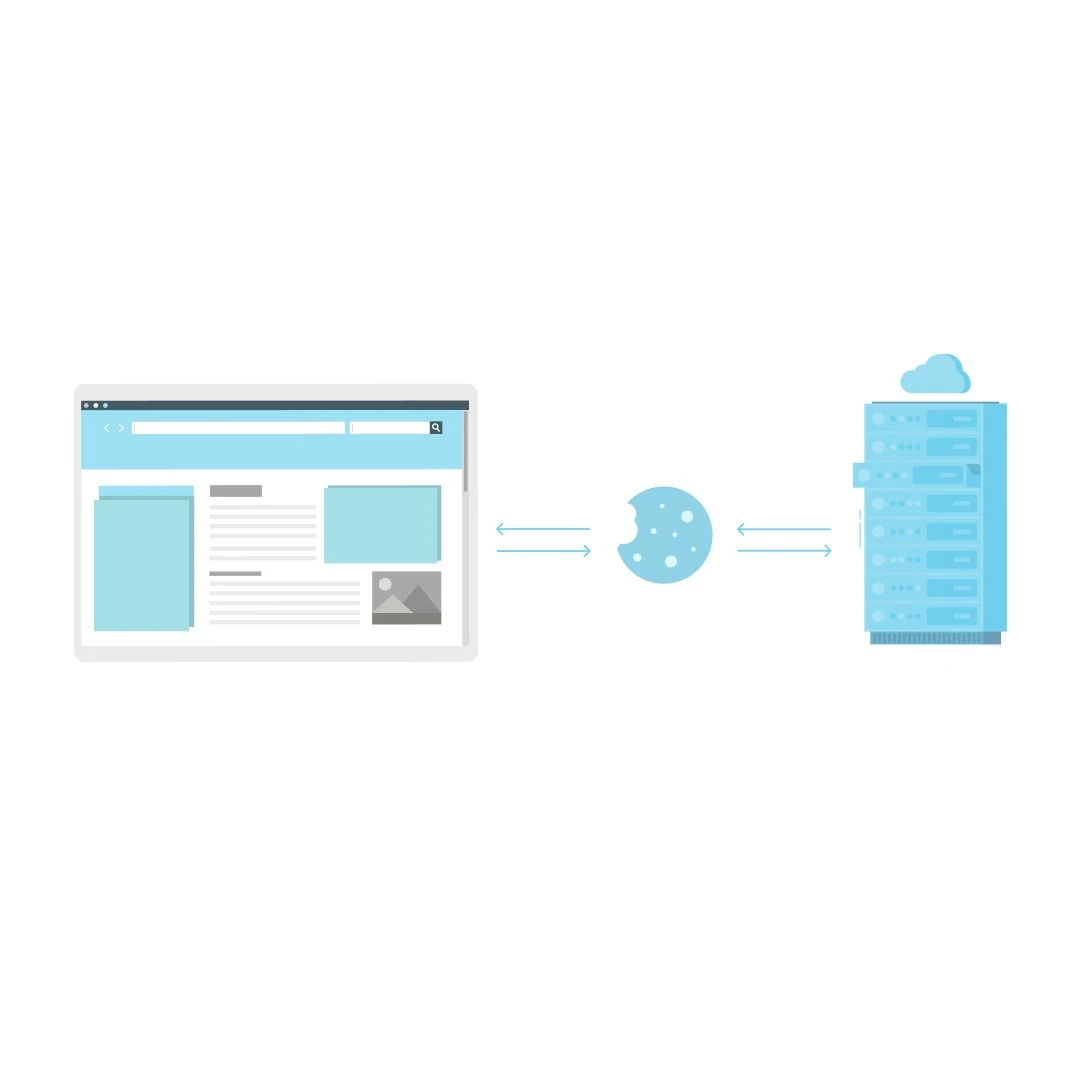
Third-party cookies: Third-party cookies are tracker cookies which are set by third-party servers (or ad servers) independent of the website a user is browsing. Third-party cookies are accessible to any website that can load the server’s script. More often than not, these cookies are used for unsolicited advertising and are set by ad networks like Google’s AdSense program.
Websites that accommodate ad spaces from servers such as Google’s “DoubleClick” also allow them to place third-party cookies. These cookies can track your browser history and identify interests to facilitate retargeting. That way, when you visit a website that also hosts a similar ad server, it will display a targeted advertisement using the same third-party cookies.

Factors.ai only uses first-party cookies to enhance your user experience with zero intention in building an interest profile or a third-party context with first-party cookies. More information on the usage of cookies here. Third party cookies are generally considered to be questionable and in some countries, illegal. This is because there’s no certainty as to what data these cookies are collecting and how that data is being used. Accordingly, it’s best to avoid tools that use third party cookies.
By design, Factors only uses first-party cookies to track visitor activity and enhance user experience. Tools like Factors have no ownership rights over your user data. They do not share or monetize first-party data collected from users in any way, shape or form.
2. GDPR Compliance
GDPR (General Data Protection Regulation)
General Data Protection Regulation is a privacy regulation standard that covers data protection andp privacy in the EU and European Economic Area. Under this regulation, businesses are required to receive voluntary or opt-in consent to collect personal information of customers, which needs to be clear and unambiguous.
Personal information is defined by the GDPR as “any information which is related to an identified or identifiable natural person”. Information like IP addresses or any other data that can be traced back to a person is required for analytical purposes will require the user’s consent under the GDPR. This is why you may have noticed several privacy-compliant websites request consent on tracking personal information when you visit.
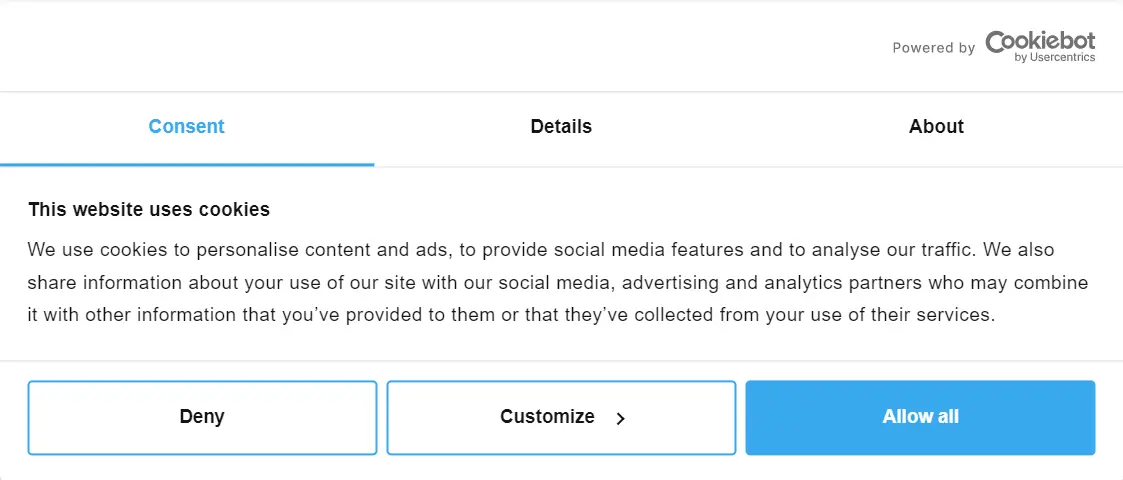
It is important to note that the consent of collecting personal information cannot be preordained or implied like in the form of pre-ticked boxes. Instead, the user must choose to opt-in to the collection of data and provide adequate detail on the information being tracked.
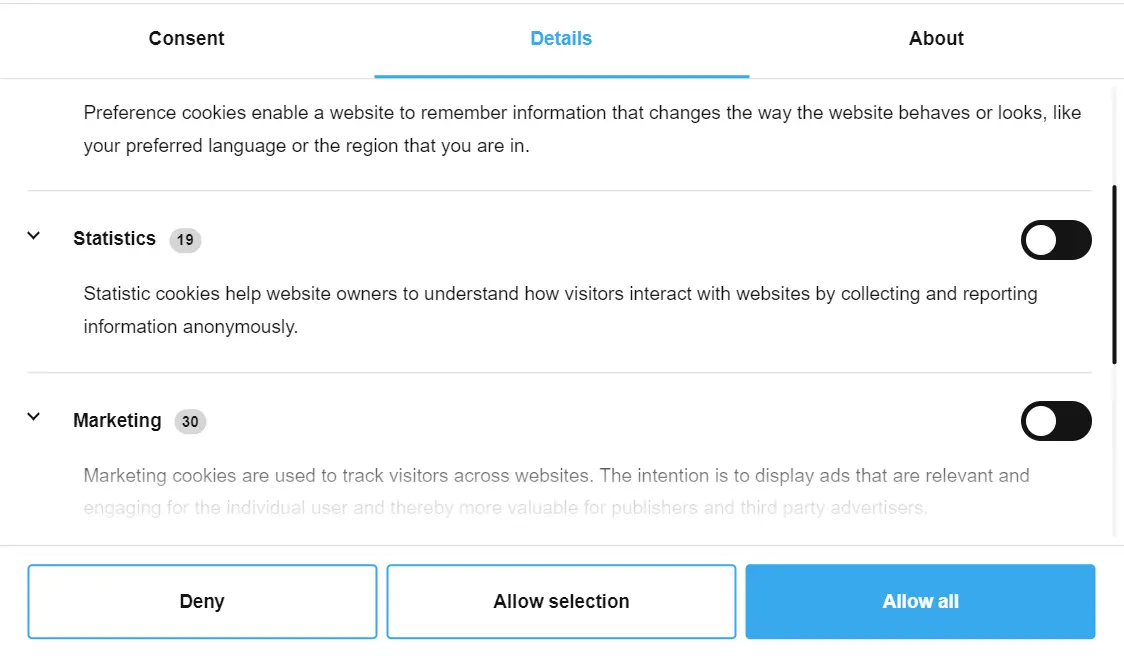
When complying with the GDPR, businesses must also comply with a set of rights with regards to personal information being collected. These include:
- The right to disclose and access the information collected
- The right to request for a correction of the information
- The right to request the erasure of personal information
- The right to register a complaint on the handling of personal information
- The right to request a restriction in the processing of personal information
- The right to object to the method in which your information is being processed
- The right to retrieve personal information and transfer it to another party, and
- The right not to be subject to a decision that is based on automated processing and has an adverse legal effect on the user
Factors is aligned with GDPR rules and regulations. At present, Factors stores its data in US-based cloud-company servers. Note that the GDPR does not mandate the storage of data of EU citizens and residents within the EU. Additionally, while Factors collects IP addresses for high-level enrichment such as coarse geolocation (city, state-level) and account identification, this data is purged. We do not store IP or firmographic data in our database.
CCPA (California Consumer Privacy Act)
The California Consumer Privacy Act is a state-wide data privacy law that regulates how organizations handle personal information (PI) of California residents. Under the CCPA, the collection of personal information does not require opt-in consent for adults. That being said, just like the GDPR, users under the CCPA have the right to access personal information being collected and the right to opt out of the sale of personal data to third parties.
Factors is CCPA compliant. In fact, by design, we do not have the ability to share, sell, or store personal data to third parties.
PECR (Privacy and Electronic Communications Regulations)
The Privacy and Electronic Communications Regulations (PECR) represents the UK's law on how businesses are allowed to market to UK consumers using electronic technology. This regulation deals with unsolicited marketing, which includes things like cold calls, fax, text and emails, etc. PECR does not apply to solicited marketing — or marketing messages that are voluntarily requested. Even if a person has opted-in for marketing from your businesses, there are still instances that are defined as unsolicited, which would have to comply with PECR. As a marketer that relies on email marketing, detailed information on the consent must be provided to the person you are emailing. Consent must be received in the form of an action, whether it is written or ticked on a box.
The rules of PECR slightly differ for B2B, where there is an exception to retrieving consent for emails and text messages. If you intend on the processing of personal information of corporate subscribers (B2B) or/and individual subscribers (B2C), the rules of UK GDPR apply.
Surprise, surprise — Factors is also aligned with PECR regulations.
SOC2 Compliance
While marketing under the aforementioned regulations would advocate a fair degree of privacy assurance to your users and necessitates consent. A Service Organization Controls 2 or SOC 2 compliance raises the stakes on the safety and confidentiality of customer data. SOC 2 is a set of criteria that define how a business should go about managing customer data and the examination of relevant controls in accordance with those criteria. While it is not legislation for data privacy, an SOC2 certification is the cherry on top of your data privacy practices and the forefront of establishing security standards as a part of being a privacy-first organization. It works on 5 trust principles:
- Security: This involves the use of tools such as application firewalls and two-factor authentication for the protection against unauthorized access of systems.
- Availability: This refers to the software, systems, or information that is available and is being maintained at a minimum acceptable performance level.
- Processing integrity: This ensures that a system completes its objectives in a valid, timely and authorized manner with no errors in the system processing.
- Confidentiality: Using encryption and limited access of data to ensure its disclosure is only restricted to a few people.
- Privacy: This refers to the personal information of the system that is being collected, retained, used, disclosed and disposed of in compliance with the organization’s privacy notice and GAPP (Generally Accepted Privacy Principles).
Factors.ai is also SOC2 compliant.
{{INLINE_TOFU}}
Playing the long game — B2B Marketing Privacy In 2024 & Beyond
As more intent and uses of personal information by businesses get discovered, postmodern norms for regulation on the safe collection of data gets more rigid. Falling short on the compliance of these regulations will lead to the obstruction of marketing efforts. Here are some reasons as to why marketers should consider becoming privacy-first:
- Data privacy and being privacy-first is bound to become an industry standard for marketing considering that web analytics is more of a necessity than a value adding requirement.
- The legality of data privacy regulations will severely affect the operational efficiency, and even the going concern of the business. Data privacy under legislation is an obligation.
- The conception of regulation for data collected and processed by artificial intelligence caused by an inevitable surge in automated workload is well underway.
Today, Google Analytics is illegal in Austria, Italy, Sweden, Denmark, and other European countries because the CLOUD Act allows US authorities to demand personal data from Google, Facebook, Amazon, and other US providers — even when they’re operating in external locations (like the EU). Regulation will only get more stringent — like the new revisions of the CCPA under the CPRA which goes into more detail on the sharing or disclosure of personal information. Being compliant early will help you stay ahead of the game.
More businesses will need to prioritize being privacy-first by building a decision framework around the management of personal information. This means making data privacy, its regulation, and the control of user data for the long haul the cornerstone of your business and marketing efforts.
With stricter regulations, privacy is now central to effective B2B marketing strategies.
1. Regulatory Landscape: Laws like GDPR and CCPA demand transparency in data usage.
2. Marketing Response: Shift toward privacy-first strategies that respect user consent.
3. Strategic Benefits: Ensure compliance while preserving targeting precision and personalization.
Adopting privacy-conscious practices builds trust, protects brands, and sustains long-term marketing effectiveness.
5 Ways to Deal with Marketing Data Overload
Let’s look at five ways marketers can deal with data overload effectively while running campaigns and converting prospects into loyal customers.

Marketers of today are often bombarded with various kinds of audience data through various tools. That data gives details related to the interests, pain points, and desires of web visitors, social media followers, and even interested prospects.
All of the relevant metrics give marketers actionable insights and direction that help them run effective campaigns that generate qualified leads that eventually turn into valuable customers.
However, tracking multiple behavioral metrics across several dashboards can get hectic.
For instance, learning about a prospect’s industry and their need to personalize their journey from the lead stage to billing requires marketers to crawl through information-dense multiple dashboards, which could fatigue them.
This can increase the chances of errors and oversights where brands may focus on unimportant metrics or interpret them inaccurately while running their campaigns.
In this article, let’s look at five ways marketers can deal with data overload effectively while running campaigns and converting prospects into loyal customers.
1. Adopt data management tools
Data management tools pull information from multiple sources to one destination enabling marketers to gain visibility of their marketing pipelines quickly. These tools often allow users to create custom dashboards and analytics processes to streamline data-driven decision-making.
Apart from saving time and effort, these tools play a pivotal role in eliminating silos between marketing and sales, fostering a more collaborative approach to brand promotion.
You can leverage solutions like Segment to build a single source of truth. Additionally, tools like Zapier and Automate.io can get data from multiple sources which can simplify your marketing reporting workflow.
To choose the right data management tool, make sure that it can collect the data from all the sources that are relevant to your business, scale up as your needs grow, fit easily into your existing tech stack, and be adopted by your team members without much training.
2. Establish a data governance framework
A data governance framework consists of certain rules and processes that ensure your organization responsibly uses the data. In other words, this framework ensures that the data accessed by the marketers in your team are relevant, accurate, and secure.
Consequently, this leads to better leads and faster sales cycles while remaining compliant with data guidelines and regulations.
The essential components of a data governance framework in a marketing team include the benchmark for data quality, the definition of who has access to it, ensuring compliance with various privacy regulations such as GDPR, CCPA, etc., and managing the flow of data throughout its lifecycle from creation to archiving or deletion.
By ensuring you get clean and standardized data, centralizing data management, providing role-based access, breaking silos, and maintaining compliance, a data governance framework can help brand marketers reduce data overload.
3. Focus on actionable metrics
Consider these two metrics:
- A landing page has gotten 400 page views in the last 24 hours.
- 20 visitors have downloaded a free eBook via a landing page in the last 24 hours.
The first metric, with a larger face value, may make you feel good or even boost your ego while providing you with little to no strategic insight. On the other hand, the second one not only gives you insights into what your customers find valuable but also tells you how many leads you’ve scored.
In simpler terms, marketers consider the first kind of metrics as vanity metrics and the second one as actionable ones. To keep your dashboards clean and lean it is crucial to focus primarily on the actionable metrics.
You can find the right performance metrics for your business by defining each marketing goal with numbers.
For instance, the goals can be getting effective leads and increasing customer engagement on various touch points. Their corresponding metrics can be the time taken by a lead to convert and email click-through rates.
After finalizing which key performance indicators (KPIs) you should care about, all you need to do is collect the sources of those metrics with your centralized data management tool.
{{INLINE_TOFU}}
4. Utilize AI to gain insights
The public release of several open and closed-source LLMs has made it easier for businesses to bring generative AI into various workflows of their organizations, such as content creation, communication, and report writing.
These tools can also be used to analyze large datasets to uncover actionable insights, make predictions, and suggest decisions. Fortunately, modern business intelligence (BI) tools with built-in AI features can be used by marketing teams for this purpose.
For instance, tools like DataChat make analytics accessible to everyone, even to professionals without technical expertise, by allowing them to interact with their data in plain English.
Apart from performing a lot of tedious tasks, these tools can deep dive into anomalies and issues, making troubleshooting proactive and limiting revenue losses. Furthermore, teams can also gain additional insights about customers and groups that aren’t usually possible with traditional BI tools.
5. Regular audits of marketing processes
With time, your business’ marketing needs will evolve. For instance, you might decide to target a new niche or run campaigns on a different platform.
As you integrate these changes into your brand promotion campaign, it is essential to ensure your overall workflow remains efficient and effective. You should only monitor the right metrics through the right tools to gain relevant insights.
You can simplify this process by looking at the overall efficiency of your marketing campaigns towards your goals such as lead generation and conversion. For instance, if you have captured fewer leads as compared to the previous quarter, you need to examine your lead generation process.
Additionally, to streamline this process even further, you can set up a small team or create an actionable checklist.
The SaaS Data Mess: What’s Causing It and How to Fix It
Marketers are drowning in dashboards. CRMs, ad tools, email platforms, they all speak different languages, and stitching them together is a full-time job. This overload often leads to misread signals and missed opportunities.
To cut through the noise:
1. Use a tool like Factors to centralize and clean up your marketing data.
2. Set ground rules with a basic data governance plan to ensure what you’re tracking actually matters.
3. Focus on actionable metrics, like SQLs or pipeline impact, over vanity ones like followers or impressions.
4. Automate the repetitive stuff to reduce human error.
5. Loop in your sales, success, and product teams so insights don’t get trapped in silos.
The result? Better alignment, clearer reporting, and faster decisions.
Wrapping up
The number of data points that marketers have to track regularly consistently increases leading to fatigue induced by data overload. This prevents teams from gaining the right insights while ignoring the essential KPIs.
To curb this, marketers can adopt centralized data management tools, establish a data governance framework, focus more on actionable metrics rather than vanity ones, leverage conversational AI tools to gain insights and audit their marketing workflow regularly.
.avif)
12 Best Lusha Alternatives & Competitors (2026)
Compare the 12 best Lusha alternatives and competitors in 2026. See pricing, features, G2 ratings, pros/cons, and which tool fits your team; from free options to enterprise solutions.
TL; DR:
- Lusha offers reliable contact enrichment for B2B sales, but alternatives may offer better fits depending on specific needs, such as database size, integration capabilities, or budget.
- The top 10 Alternatives include Apollo, ZoomInfo, Lead411, Kaspr, Cognism, Hunter.io, Snov.io, LeadIQ, UpLead, and Persana AI—each with unique features, pricing, pros, and cons.
- Key Features to Consider: Database reach, contact depth, data verification, and feature-specific capabilities like CRM integration, intent data, and LinkedIn enrichment.
- Factors.ai enhances contact enrichment workflows by adding lead scoring, advanced analytics, and automated GTM processes, making it a valuable addition for optimizing outreach.
Whether you’re an AE or an SDR reading this, you very well know how important prospect data is for effective sales outreach.
Accurate contact data is all the ammo you need to close deals faster. Our guess is that you’re exploring Lusha for contact enrichment but landed here because you’re looking for a better alternative 👀
Lusha has been a popular contact enrichment tool that’s been around for a while, but as more tools emerge with better features, it’s crucial to explore the best alternatives based on your needs and budget.
In this article, we’ll dive into 10 Lusha alternatives in the market today, along with why you need a holistic GTM solution like Factors.ai to truly take your sales game to the next level 🚀
About Lusha

Lusha is widely used for contact enrichment in B2B sales, providing detailed contact information to improve prospecting efforts. Its user-friendly platform, extensive database, and Chrome extension make it a go-to for many sales teams. Let’s examine its standout features, pros and cons, and pricing.
Features:
- Contact database: Access to over 100 million contacts globally.
- CRM integrations: Connects with CRMs like Salesforce and HubSpot.
- Chrome extension: Easily pull contact details from LinkedIn and other websites.
- Lead enrichment: Provides firmographic and contact data to refine leads.
Pros:
- Extensive database that includes verified contact information.
- Easy to use with a quick setup and Chrome extension.
Cons:
- Limited free plan with relatively high costs for advanced features.
- Accuracy of data may vary across industries.

Pricing: Plans for basic packages start at $29 per month, with custom pricing available for enterprise features.
What to Look for in a Lusha Alternative
Choosing a contact enrichment tool depends on your team’s unique needs. Here are key features to consider:
- Database Reach and Accuracy: Look for a tool that provides accurate and relevant data, especially for your target industries and regions.
- Contact Depth: For robust prospecting, consider tools that provide direct email addresses, phone numbers, and LinkedIn profiles.
- Enrichment Speed: The faster a tool enriches your data, the more time your sales team has to engage with leads.
- Customizable Fields: Custom enrichment fields can tailor the database to fit your CRM and sales strategy needs.
- Cost Efficiency: Evaluate the pricing model, especially if you have a large team or need constant data enrichment.
{{INLINE_CTA_A}}
10 Lusha Alternatives for 2025
1. Apollo

Apollo offers an expansive database of over 250 million contacts, coupled with outreach automation, making it ideal for sales teams that need both enrichment and engagement tools. It’s a versatile Lusha alternative that combines a vast contact database with automated outreach.
Pros
Extensive Database Covers global data with detailed contact information, including direct emails and phone numbers, helping teams reach a larger pool of prospects.
Automated Outreach Integration Includes email sequencing, enabling teams to set up and automate multistep outreach campaigns without leaving the platform.
Cons
Complex Interface Some users find the interface dense, with a learning curve for less tech-savvy users.
Inconsistent Data Quality Data accuracy can fluctuate, especially in less common or niche industries.

Pricing Starts at $49/month, with custom pricing for enterprise plans.
2. ZoomInfo

A well-known name in B2B data, ZoomInfo provides comprehensive firmographic and technographic data, ideal for teams needing advanced search filters and granular information. This Lusha alternative goes deeper into firmographic, technographic, and intent data, providing more robust targeting for high-level prospecting.
Pros
Rich Data Quality Includes technographics, firmographics, and intent data, offering more context for tailored outreach.
Advanced Filtering Options Powerful filters allow users to drill down into very specific segments by industry, role, company size, and location.
Cons
High Price Point Pricing can be prohibitive for small teams or early-stage companies.
Steep Learning Curve The platform’s vast features can overwhelm new users or smaller teams.

Pricing Typically custom-priced, with entry-level packages starting around $15,000/year. Check out a detailed analysis of Zoominfo pricing here.
3. Lead411

Lead411 emphasizes verified contact data and sales trigger insights, which can help sales teams capitalize on timely outreach opportunities.
Pros
Sales Trigger Alerts provides real-time alerts on changes in lead status, like funding events or personnel changes, for optimal outreach timing.
High Verification Standards The contact data is continually verified, enhancing accuracy and reducing the likelihood of bounced emails.
Cons
Limited Global Reach Primarily focuses on North America, which could limit international prospecting.
Basic UI Design The interface could benefit from more modern design and navigation improvements.
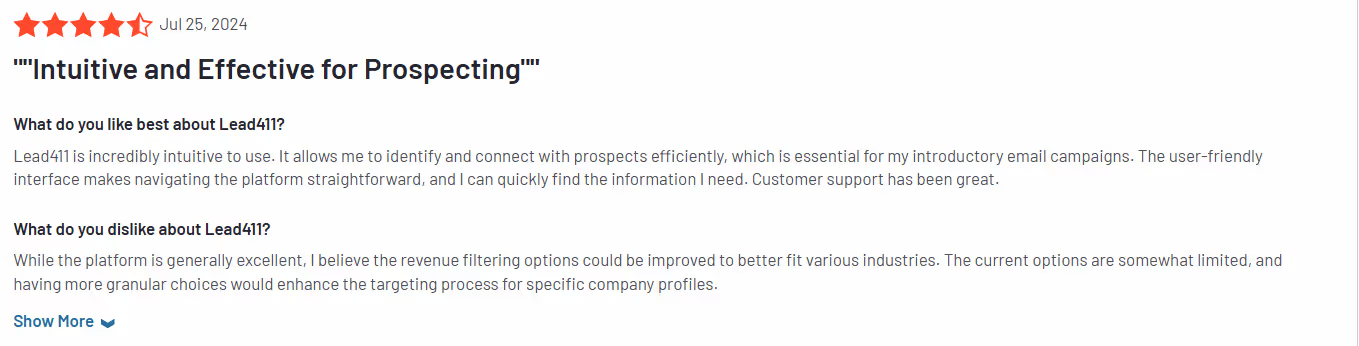
Pricing Starts at $99/month, with discounts for annual plans.
{{INLINE_CTA_A}}
4. Kaspr

Kaspr is a Chrome extension built for quick LinkedIn-based contact sourcing, ideal for sales teams using LinkedIn Sales Navigator.
Pros
Direct LinkedIn Integration Instantly retrieves contact details from LinkedIn profiles, making it faster for sales teams who prospect through LinkedIn.
Affordable Pricing Kaspr’s pricing is accessible, especially for small or mid-sized sales teams.
Cons
Limited Database Outside LinkedIn Relies heavily on LinkedIn, so it may miss contacts not present on LinkedIn.
Lower Accuracy for Certain Industries Some industries report lower contact accuracy, especially in less digitally mature sectors.

Pricing Free plan available; premium starts at €25/month.
5. Cognism
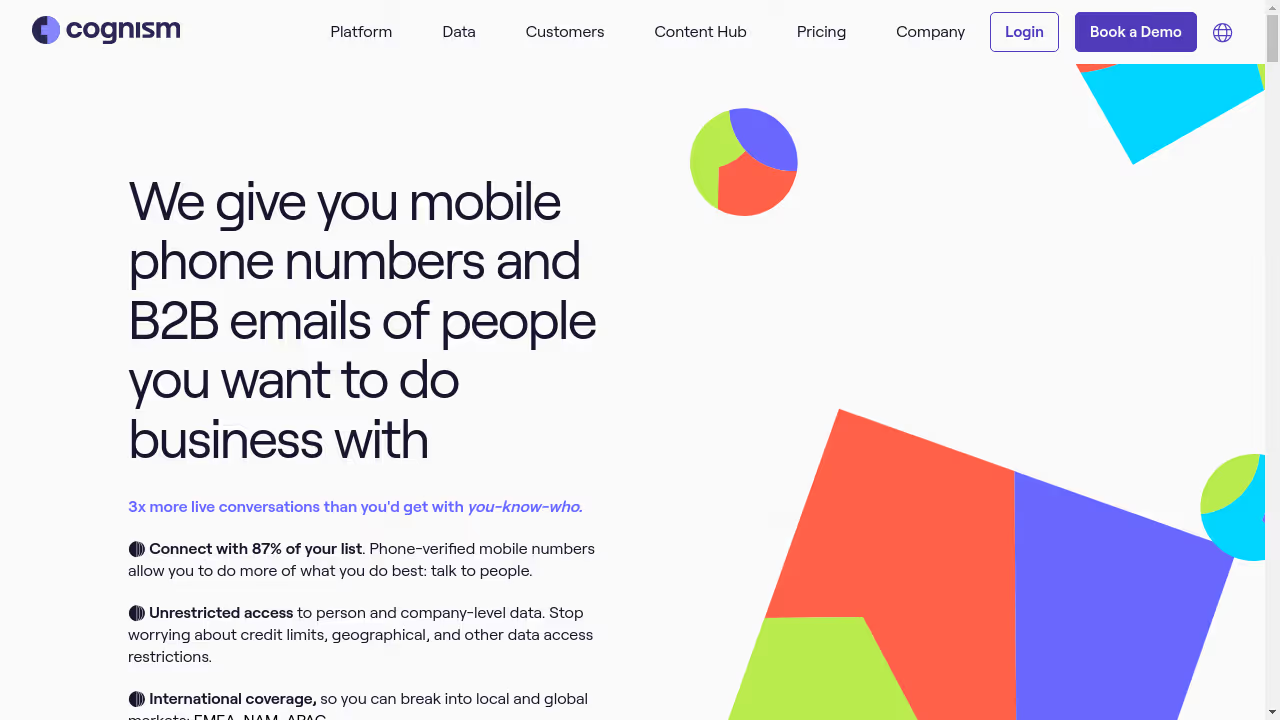
Cognism focuses on GDPR-compliant B2B contact data, with a strong emphasis on European and global data accuracy.
Pros
GDPR Compliance Data is fully compliant, making it suitable for companies prioritizing data privacy, especially in Europe.
Global Data Quality Extensive international database with strong European coverage for diverse targeting needs.
Cons
Premium Pricing Higher costs may limit accessibility for smaller teams or startups.
Occasional Latency Issues Some users report delays in updating real-time contact data.

Pricing Starts at $1,000/month, with customized packages based on team size.
6. Hunter

Hunter.io specializes in email lookups and verifications, designed for teams focused on email outreach.
Pros
Simple Email Lookup and Verification Provides fast, accurate email searches with reliable verification to reduce bounce rates.
Bulk Email Finder Allows quick, batch-finding of emails, useful for teams managing high-volume campaigns.
Cons
Email-Only Focus Lacks phone number data, which may limit its usefulness for teams that require full contact information.
Limited CRM Integrations Does not integrate as seamlessly with many CRMs, so data may need manual entry or export.

Pricing Free plan available; premium plan starts at $49/month.
7. Snovio

Snov.io combines contact enrichment with email outreach and automation features, suited for small to mid-sized teams.
Pros
Flexible Email Verification Strong email verification tools that keep databases clean, helping to reduce bounce rates.
Affordable Pricing Model Its affordable price point makes it accessible for startups and small teams.
Cons
Smaller Contact Database Database size is more limited compared to larger players like ZoomInfo.
Lacks Phone Numbers Primarily focused on email addresses without comprehensive phone data.
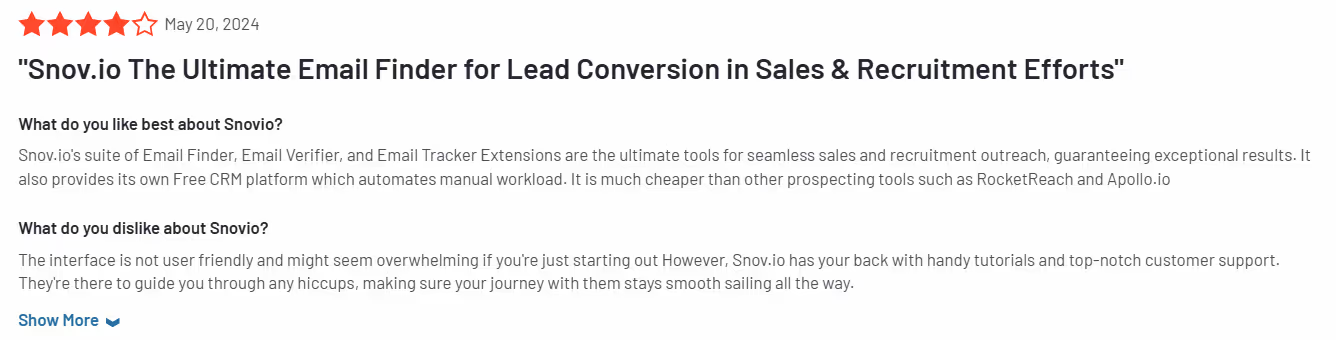
Pricing Starts at $39/month, with pay-as-you-go credits.
8. LeadIQ

LeadIQ is popular for its lead-capturing capabilities directly from LinkedIn, paired with data enrichment and direct emails.
Pros
LinkedIn-Focused Data Collection Efficient for capturing leads directly from LinkedIn, streamlining prospecting workflows.
Accurate Contact Information Provides reliable direct emails and phone numbers to improve outreach efforts.
Cons
Pricing for Large Teams Per-user pricing can add up quickly for bigger sales teams.
Occasional Data Delays Some users report delays in data refresh rates, leading to outdated information.

Pricing Starts at $75/month per user.
{{INLINE_CTA_A}}
9. UpLead

UpLead provides real-time contact enrichment and data verification for SMBs and mid-sized sales teams, emphasizing data accuracy.
Pros
Real-Time Data Verification Ensures live validation of emails, reducing bounce rates and improving data quality.
Good Data Coverage for SMBs Provides accurate data on small-to-mid-market, often underserved companies.
Cons
Limited Integrations CRM and tool integrations are more limited than those of competitors, potentially requiring manual data handling.
Higher Price per Credit Credit-based model may lead to higher costs if many contacts are needed.

Pricing Starts at $74/month for 2,040 credits.
10. Persana AI

Persana AI offers AI-driven insights and recommendations to identify high-potential contacts, ideal for teams prioritizing data relevance. As an AI-powered Lusha alternative, Persana AI provides recommended leads to help teams focus on high-potential contacts.
- Pros
AI-Based Recommendations Uses machine learning to recommend relevant leads, making prospecting more strategic.
Insight-rich data Provides context and intent insights to support tailored outreach.
- Cons
Limited Database Size A Newer tool with a smaller database, which may limit coverage in specific industries or regions.
Regional Constraints More effective in specific geographic areas, with data gaps in some markets.

Pricing Custom pricing; contact sales for details.
Go Beyond Contact Enrichment with Factors.ai
Factors.ai empowers your team to move beyond contact data with features that streamline pipeline management, lead prioritization, and advanced GTM analytics.
It supports contact enrichment with real-time intent data and scoring models that help sales teams focus on high-value prospects. The workflow automation feature enables teams to set up trigger-based actions, like lead scoring or CRM updates, which helps prioritize leads without manual effort.

Factors.ai also provides insights into customer behavior, enabling a more strategic approach to outreach and engagement. Integrating Factors.ai with your chosen contact enrichment tool allows you to create a seamless, data-driven workflow that amplifies sales efficiency and success.
{{INLINE_CTA_A}}
Top Alternatives to Lusha for B2B Contact Enrichment
Lusha is widely used for B2B contact enrichment—but depending on your priorities like database size, integrations, and pricing, there are several strong alternatives worth considering.
- Leading Alternatives: Apollo, ZoomInfo, Lead411, Kaspr, Cognism, Hunter.io, Snov.io, LeadIQ, UpLead, and Persana AI.
- What to Compare: Database coverage, contact accuracy, verification quality, CRM integrations, LinkedIn enrichment, and access to intent data.
- Why It Matters: The right tool helps boost lead quality, streamline outreach, and level up your sales intelligence.
Bonus Insight:
Platforms like Factors.ai go beyond enrichment—offering built-in lead scoring, deep analytics, and automated GTM workflows to maximize conversions and drive smarter outreach.
Find the Best Lusha Alternative Today
Each contact enrichment tool has unique strengths, making them suitable for different team needs and budgets. Consider Apollo or ZoomInfo for expansive databases and advanced filtering, while LeadIQ and Kaspr excel with LinkedIn integration. For GDPR-compliant data in Europe, Cognism may be your best fit, and Hunter.io or Snov.io are ideal for email-focused outreach. With a deeper understanding of these tools, you can make a more informed choice and maximize ROI on your contact enrichment investment.

A Comprehensive Guide to Marketing Attribution
Learn how marketing attribution can help you measure and optimize your campaigns, and maximize your marketing efforts.
TL;DR
Ever poured budget into campaigns, only to wonder which one drove results? For B2B marketers, this isn’t just a frustration but a roadblock to smarter decisions. With long sales cycles, multiple stakeholders, and countless touchpoints, it’s tough to know what’s really working. That’s where marketing attribution earns its place.
According to a study by Gartner, B2B buyers spent only 17% of their time meeting with potential suppliers and merely 5-6% of the entire time with the sales representative of each vendor. This means that the sellers have little opportunity to influence the buyer's decisions.
Buying decisions in B2B typically involve six or more individuals. And they prefer to do their own research instead of relying on the vendor's sales team. Their research includes industry publications, blogs, case studies, pricing, and customer reviews put out by the vendors. They often engage back and forth, moving from your website to your competitors. They take their time, compare, and decide on the best choice.
Hence, the interaction with the sales rep usually happens late in the buyer's journey. Marketing hence plays a much larger role in influencing the buying group's decision.
The back-and-forth engagement also results in multiple touchpoints across many channels. And by using marketing attribution models, a marketer can determine which touchpoints contribute to the conversion.
Many B2B marketing attribution software has emerged in recent years. But the big question is, how can these help? Why is it important for marketers? And which models should your marketing team be using?
This guide will explore the details of B2B marketing attribution. It will give you the knowledge and tools to handle this complex area. Whether you're new to this or want to improve your current strategies, learning about marketing attribution is key for any B2B marketer who wants to grow and succeed. Let’s get started!
What is Marketing Attribution?
Marketing attribution determines what marketing actions help a business reach its goals, like getting leads or growing revenue.
Suppose you're a marketing manager for a software firm. Your goal is to get more leads and earn more revenue.
To do this, you use various marketing channels such as Google search, organic search, LinkedIn ads, and so on. Meanwhile, the sales team contacts potential customers through emails and calls.
However, it can be challenging to know which channels work best and which need improvement. This is where marketing attribution comes in.
Attribution software acts like a GPS for your marketing efforts, helping you track the performance of every channel and campaign.
For instance, say your LinkedIn ads get the most leads, but your webinars don't perform as well. You can see this with the help of attribution software and change your strategy. Instead of putting more investment into an ineffective channel, you can focus on the channels that bring in leads and revenue.
Attribution shows which channels, messages, and interactions influenced a lead, moved them down the funnel, or closed the deal. The main goal of attribution is not to prove the marketing team's value but to help the team improve their efforts and get better results.
What's the difference between marketing attribution, revenue attribution, and digital marketing attribution?
When it comes to attribution, chances are you've come across a whole range of terms—namely, the following three.
- Marketing attribution
- Revenue attribution
- Digital attribution
Well, be relieved to know that all these terms virtually mean the same things. They simply differ in terms of context.
Marketing attribution refers to the process where you can quantify the influence of your channels on business metrics such as meetings, pipeline, and revenue.
Revenue attribution is identical in essence but has a slightly different perspective. Here, the focus is more on assigning value to channels to estimate their revenue impact.
And finally, digital marketing attribution is centered around attributing digital touchpoints. It exclusively focuses on the digital customer journey.
{{INLINE_TOFU}}
Why is marketing attribution important (and useful)?
Have you ever heard the saying, "you can't manage what you can't measure"? Well, that's exactly what marketing attribution is all about.
Imagine a company, ABC, that sells enterprise software solutions to other businesses. The company has a sales team, a digital marketing team, and a trade show presence to generate leads and close deals. The sales team receives leads from a variety of sources, including:
- The company's website through a contact form
- A trade show where the company had a booth
- An email campaign sent to target prospects
- A referral from a satisfied customer
In this scenario, it's important for ABC to understand which campaigns are driving the most conversions. This way, they can allocate their budget and resources more effectively.
For example, let's say the company's sales team closed a deal with a lead that came from the trade show. It's difficult to determine whether the trade show was solely responsible for the conversion or if other marketing efforts also played a role. This is where B2B marketing attribution comes into play.
With marketing attribution, ABC can identify the marketing touchpoints that drove most conversions. This further allows the company to see which marketing channels are the most effective in driving sales.
The tool helps the company to measure and attribute the success of your campaign and optimize and improve your strategies.
What are the functional benefits of marketing attribution?
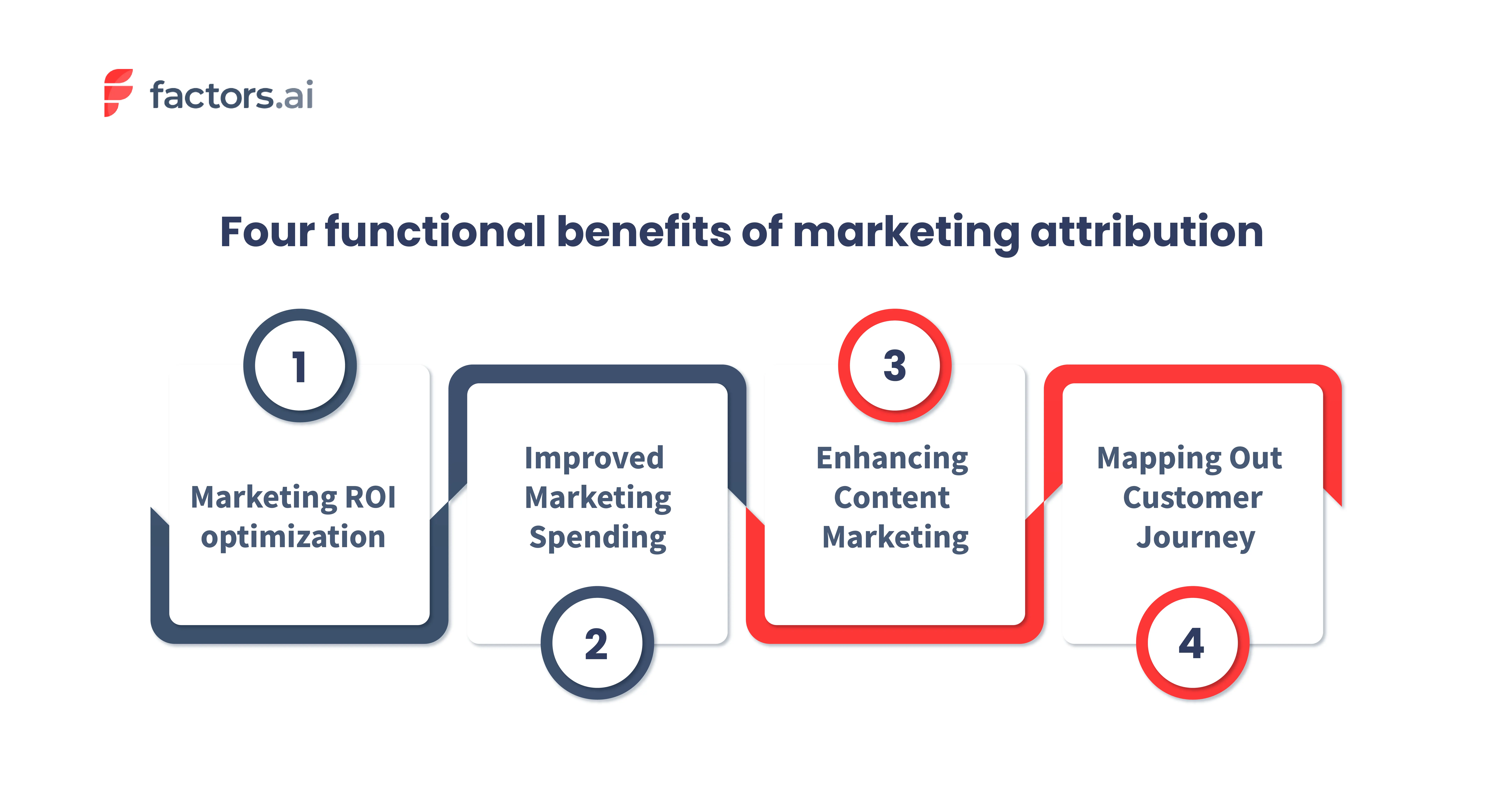
1. Marketing ROI Optimization
With marketing attribution, B2B teams achieve a better and broader picture of each channel's cost-to-revenue ratio or ROI.
By understanding every channel's influence on lead conversion, pipeline, and revenue in relation to their cost, you can effectively quantify marketing performance. Ultimately, this leads to our next point — prudent marketing investment and spending.
2. Improved Marketing Spends
Using marketing attribution can make a significant impact on your marketing investment. This is because it provides crucial information about the performance of different marketing channels and tactics. Armed with this information, you can optimize your spending to achieve the end business objectives. Instead of distributing your investments evenly, you can double down on the channels that are actually performing better.
Consider this example. Imagine you have $10,000 to spend on a marketing campaign. Without attribution, you might split the money evenly between different channels. But with attribution, you might find that Linkedin conversational ads work best and are responsible for 80% of your conversions. So, in this case, you could put 80% of your budget towards Linkedin conversational ads and the rest towards other channels.
In short, marketing attribution helps you make decisions based on data instead of guessing. By knowing what's working, you can spend your money in the best way possible and get the biggest return on your investment.
3. Attribution and Content Marketing
Content marketing remains the best way to communicate effectively with customers and educate them about your offerings. And with the help of marketing attribution, you can take content marketing to the next level.
How?
Your content should engage with the target audience and drive demand for your products/services at every stage of the buying journey. For that, you need to create content that's tailored to your Ideal Customer Profile (ICP).
Marketing attribution plays a crucial role in this process. It provides insight into which content resonates with your audience and leads to more conversions. Traditional CRM and MAP systems credit conversions to content only by a First Touch model (if the content was the first interaction the prospect had), which can be very misleading.
You can also track how different pieces of content contribute to your pipeline and revenue. This allows you to optimize your content strategy.
For example, you may find that a particular blog post is driving a lot of traffic to your website but is not resulting in any conversions. In this case, you can analyze why this is happening and make changes to the content to increase its effectiveness.
Keep reading to learn more about the ROI of B2B content.
4. Mapping Out The Customer Journey
The use of attribution isn't limited to understanding channel influence on conversion. It's also a powerful tool to make sense of marketing's impact across each step of the funnel.
You can use it to identify the relationship between channel interactions, which touchpoints work together, and their relative probability of occurrence down the funnel. All of which help you map out your buyer's typical journey.
Marketing attribution models
Attribution models allow you to understand the different touchpoints in the customer journey and how each of them influenced your prospect to convert. The main goal of attribution models is to help marketers determine their campaigns' performance
For example, consider the following.
A customer reached your website through a LinkedIn ad. Then, the customer further engages with your website content, like blogs and case studies, before becoming a lead. And finally, they are converted (booked a demo) after clicking on a retargeting ad.
Now, depending on your business goals, the attribution model you choose assigns credit to different touchpoints.
If your objective were to create awareness of your brand or product, the credit would be assigned to the first touchpoint. In this case, the LinkedIn ad. But if you were looking at conversion alone, the credit will be given to the last touchpoint, which is the retargeting ads.
There are other scenarios too, where you assign credit to multiple touchpoints. But as we said, it depends on your business objective.
With that said, there are mainly two types of attribution models.
- Single touch models
- Multi-touch model
Types of attribution models
Single-touch
As the name indicates, allocate the credit to a single touchpoint. Some types of single-touch attribution models are;
- First touch
- Last touch
- Last non-direct touch
.webp)
These types of attribution models are used mainly by businesses with a clear and straightforward marketing funnel and want to track the impact of specific touchpoints on conversion
Multi-touch
Again, as the name implies, multi-touch models allocate credit to multiple touchpoints in the customer journey. The main focus of this model is to give a more accurate picture of your marketing channels' impact on conversion.
Some of the types of multi-touch attribution models are:
- Linear attribution model
- Time-decay attribution model
- U-shaped attribution model
- W-shaped attribution model
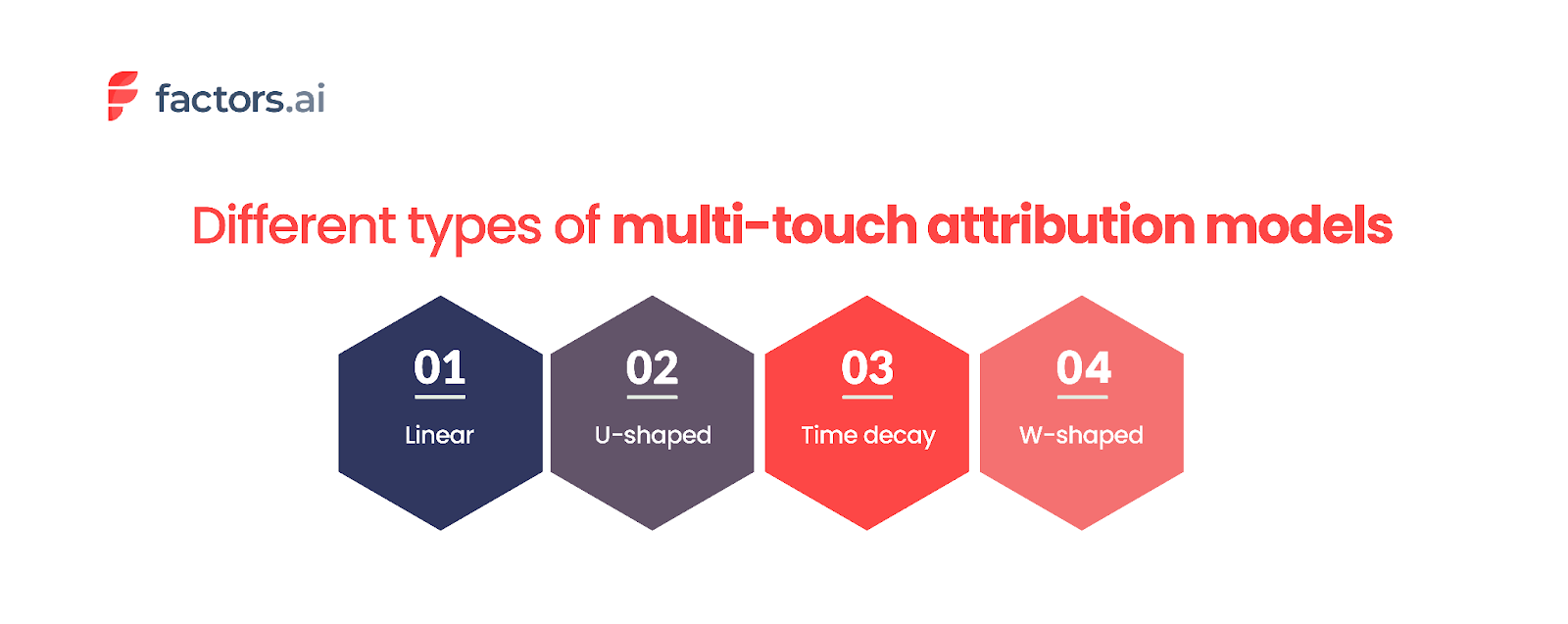
Here, take a look at our take on the seven types of attribution models with examples that can help you understand the attribution models better.
So, how to choose the suitable model for your business?
Choosing the right model for your business can be a challenge. As the saying goes, ‘all models are wrong, but some models are useful. But it's essential to select the one that helps you answer the specific questions you have in mind.
With that said, let's look into the factors that affect choosing the model and how to select the right one for your business.
Some factors that affect the choice of attribution model are as follows.
- The nature of the buyer journey cycle - This includes the length of the sales cycle and the number of decision-makers.
- The nature of the product. Does the product belong to an established category or a new one?
Here are seven steps to help you choose the right attribution model:
- The first and foremost thing to do is to understand your business goal. Ask yourself, "What do I want to achieve with attribution modeling?". The answer can help you select a model that aligns with your business goals.
- Speak with your customer to understand their customer journey and the touchpoints involved. Anecdotal assessments of how each touchpoint contributed to conversion can help you select an appropriate model.
- Evaluate different attribution models. Compare the strengths and weaknesses of each model and see how they align with your business goals.
- Do A/B testing. Test each model and compare the results. This will give you a better understanding of the model that will work best for you.
- Some attribution models require more data than others. So, consider the data you have and select the model that aligns with the data you have.
- Constantly review and adjust the models. It's crucial to ensure that your model is relevant and accurate. So, as your business grows and evolves, you should review the current one and make the necessary changes.
- Evangelize the results of the selected attribution model and get buy-in from relevant teams - field marketing, digital marketing, and sales so that all equally accept the results from the model you select.
Common challenges with marketing attribution
Whilst the benefits of attribution analysis are clear and unquestionable, there are certain challenges and limitations which need to be highlighted. We will briefly discuss a few B2B attribution challenges here. You can follow up on the link to learn more about the B2B attribution challenges and how to overcome them.

Complex customer journey:
B2B customers often go through a lengthy and intricate buying process. There is usually a group of 4-6 people researching and deciding between vendors before moving to purchase. Not to mention the multiple touchpoints across many channels that influence decision-making.
Marketers can't determine which touchpoints are affecting the sales pipeline and revenue without proper attribution. This makes it hard to track the success of their campaigns and make improvements.
However, attribution makes it easier to see all the touchpoints, even if the customer journey is complex. Also, when choosing an attribution software, ensure that it includes the deanonymization feature. This can help track the entire journey of all the buying committee members, even if they browse anonymously.
Longer sales cycle:
B2B purchases require a significant investment. Hence the decision-making process is more rigorous and complex than B2C sales. On top of that, there are contractual agreements, regulations, and budget approvals that further add up the time.
According to Klipfolio, around 75% of B2B companies take an average of 4 months to onboard a new customer. And depending on your sales process, the time can be longer or shorter.
Because the B2B sales cycle is complex and lengthy, it can be difficult to find out which touchpoints influenced the prospect to convert. Moreover, it can take months or years to see the results of your marketing activities. Thus, making it harder to attribute the conversion to a specific campaign.
By using multi-touch attribution models, marketers can understand the impact of their campaigns. This would help them prioritize marketing investments and create a more engaging customer experience.
Multiple touchpoints:
Customers often interact with your company through multiple channels before purchasing. These can be both online and offline interactions. Also, a customer can engage with your company at different stages of the buying journey.
For example, a customer may receive an email about a product. They then visit the company's website for more information, only to later attend a trade show and have a follow-up conversation with a sales representative. Each touchpoint could have a different impact on their decision-making process.
But, determining which touchpoints had the most significant impact can be difficult. One solution is to use an attribution tool that can track all these diverse channels and bring all the interactions together in one place.
Tracking and defining offline touchpoints:
In a B2B sales process, the customer engages with the vendors through both online and offline touchpoints. This makes it difficult to track and attribute conversions accurately, as you now need to stitch data across systems..
For example: consider a set of B2B customers. They attended a trade show and got on a call with your sales team. Afterward, they sign up on your website and complete the purchase. Here, it will be hard to determine credit for a touchpoint if you don't have the right attribution solution.
Marketing analytics software, like Factors, enables tracking of both online and offline touchpoints. Factors has a click-and-select UI through which the offline touchpoints can be set up from your CRM / MAP platform. This ensures that you have a detailed view of the customer journey.
Sales-Marketing alignment:
Alignment between Marketing and Sales teams is essential to maximize returns. However, this is easier said than done. In many B2B companies, there's a lack of communication between the two teams, making it hard to reach potential customers. Fighting for credit can be a reason for this disconnect, as each team believes their efforts to be the reason for closing a deal.
Bridging this alignment divide can be achieved in two ways.
- Emphasize that both teams are not independent but part of a larger go-to-market function.
- Unify the customer journey data across marketing and sales touchpoints.
Sophisticated Marketing Attribution solutions such as Factors can help here by providing a clear and consistent view of the customer journey. On top of the unified data foundation, teams can get answers to questions such as
- How many touchpoints did it take to convert a deal? How many of these were sales vs. marketing touchpoints?
- Were marketing efforts able to drive engagement with the right stakeholders in these accounts?
- When is the right time for sales teams to intervene so as to convert an account?
Furthermore, each team can review and analyze the attribution data to understand which of their strategies are working and which are not. From a sales perspective, such analysis can help in defining the frequency and content of email sequences, calls, and meetings that lead to maximum impact.
Why should CMOs consider marketing attribution?
As a CMO, you are often asked to achieve better results with limited resources. Meanwhile, the buyer's journey has become complex, with more channels, stakeholders, and a longer buying cycle. Attribution Software can be a valuable guide, helping you in the following ways.
Better decision-making
By understanding the customer journey, you can determine the channels to focus on and how to allocate your limited budget.
Improved ROI
Attribution lets you know which channels effectively drive conversions. Therefore, it allows you to allocate expenditures accordingly and generate better results.
Increased accountability
You can unambiguously measure and track your marketing effort's impact. Good or bad, you can hold yourself and your team accountable for the results while continuously finding ways to improve.
Enhanced customer understanding
You can gain a deep understanding of customer behavior and interactions with marketing and sales initiatives. You can know what types of content your customers are seeking, the landing pages they interact with, and more. This enables you to optimize future campaigns to align with the customer's interests.
You can read more about the importance of marketing attribution for CMOs here.
How to Build a B2B Marketing Attribution Model?
Here’s how to build a strong attribution model that delivers actionable insights:
Step 1: Audit Your Existing Marketing Ecosystem
Start by identifying all current marketing channels and touchpoints. From ad impressions and content downloads to email interactions and sales calls, every engagement should be tracked. This initial audit helps uncover gaps in tracking and ensures you’re capturing the complete customer journey.
Step 2: Define Clear Business Objectives
Your attribution model should align with specific goals, whether that’s improving lead quality, shortening the sales cycle, or boosting customer lifetime value. Defining these goals upfront helps you choose the right model and metrics to measure success.
Step 3: Map the Complete Customer Journey
Carefully map each stage of the journey: awareness, consideration, evaluation, and decision. Assign touchpoints to each stage and evaluate their potential influence. Consider using lead scoring systems to highlight which touchpoints contribute most to sales-ready leads.
Step 4: Select the Right Attribution Model
Based on your sales cycle complexity and goals, choose an attribution model that fits. For example:
- First-Touch Attribution can help identify effective top-of-funnel channels.
- W-Shaped or Full-Path Attribution is better suited for tracking engagement across long B2B buying cycles.
- Custom or Data-Driven Models offer flexibility and accuracy for organizations with mature data operations.
Step 5: Leverage the Right Attribution Tools
Use analytics and attribution tools that integrate easily with your CRM, marketing automation, and ad platforms. Tools like HubSpot, Marketo, and Google Analytics (alongside more advanced tools like Factors.ai or Wicked Reports) help track user interactions across multiple platforms.
Step 6: Integrate with Your CRM and Sales Stack
Connect your attribution system with your CRM (like Salesforce or HubSpot) to unify marketing and sales data. This centralization ensures teams are working from the same insights, which improves alignment and leads to handoff efficiency.
Step 7: Customize Reporting and Optimize Over Time
Build dashboards that focus on the KPIs that matter to your business, such as cost per lead, deal velocity, campaign ROI, etc. Attribution is not static: regularly analyze performance, identify patterns, and adjust strategies to stay aligned with changing market dynamics and buyer behavior.
Pro Tip: Start with a simpler model and gradually evolve toward more advanced approaches as your data maturity grows.
By following these steps, you can create an attribution model that improves marketing results.
Key Touchpoints in the B2B Customer Journey
In B2B marketing, understanding and optimizing the key touchpoints throughout the customer journey is essential for driving qualified leads and closing deals. Each touchpoint represents a critical moment of interaction that influences a buyer's path toward becoming a customer. Here's a closer look at the four most important touchpoints in the B2B journey:
1. First Engagement
This is where the journey begins. The first engagement typically happens when a potential buyer interacts with your brand through a blog post, social media ad, webinar invite, or a piece of gated content. This stage is crucial for creating awareness and positioning your brand as a valuable solution to the buyer’s problems. The goal here is to capture interest and drive the user to learn more.
2. Last Marketing Interaction Before Lead Capture
This touchpoint occurs just before a prospect converts into a known lead, often when they fill out a form, request a demo, or download a whitepaper. Identifying this moment helps marketers understand which final nudge (campaign, CTA, content piece) was most effective in prompting conversion. It’s an indicator of what messaging and channels are best at turning interest into action.
3. Opportunity Creation
At this stage, the lead transitions from a Marketing Qualified Lead (MQL) to a Sales Qualified Lead (SQL). It’s the point where marketing hands the lead off to the sales team, often based on engagement metrics, firmographic fit, or behavioral triggers. This handoff is critical: aligning attribution around this milestone helps validate which marketing efforts truly generate sales-ready opportunities.
4. Closed (Won or Lost)
The journey's final and most definitive touchpoint is when a deal is closed. Whether the opportunity results in a win or a loss, this stage reveals which interactions had the most impact on influencing the purchase decision. Attribution here allows you to analyze which marketing strategies contributed to revenue and what might need improvement for future deals.
By tracking and analyzing these key touchpoints, B2B marketers can optimize each stage of the funnel, better allocate budgets, and align more closely with sales teams. This leads to smarter campaigns, higher-quality leads, and ultimately, improved ROI.
Best Practices for Implementing Marketing Attribution
To implement marketing attribution well, follow a clear plan.
1. Centralize Your Data Sources
Start by unifying marketing and sales data into a single system. This ensures consistent tracking across all channels and touchpoints. A centralized data hub often built around a CRM like HubSpot or Salesforce reduces fragmentation, eliminates data silos, and enables deeper insights into the customer journey. Integration with marketing automation tools, ad platforms, and website analytics is also essential.
2. Choose the Right Attribution Model
Select an attribution model that reflects your sales cycle, buyer behavior, and strategic goals. In B2B, where decisions involve multiple stakeholders and longer timeframes, multi-touch attribution models (e.g., Linear, W-Shaped, or Full Path) usually provide the most balanced view. However, start simple if you're new to attribution and evolve your model as your capabilities grow.
3. Continuously Test and Refine
Attribution isn’t a “set it and forget it” system. Buyer journeys shift with new market trends, technologies, and buyer expectations. Regularly review and refine your attribution models to ensure they reflect real user behavior. Use A/B testing, conversion tracking audits, and periodic performance analysis to fine-tune your approach.
4. Foster Cross-Department Collaboration
Effective attribution depends on input from multiple teams. Align marketing, sales, revenue operations, and customer success around shared metrics and definitions of success (e.g., what qualifies as a lead, opportunity, or conversion). This collaboration leads to more accurate attribution reporting and more cohesive strategies across the funnel.
5. Ensure Privacy Compliance
With evolving data privacy regulations (like GDPR, CCPA, and others), it’s crucial to use attribution tools that respect user privacy. Prioritize platforms that offer privacy-friendly tracking (like server-side tagging, consent-based data collection, and anonymized tracking) to stay compliant while still gathering actionable data. This builds trust and protects your brand reputation.
How to choose the right marketing attribution tool?
Choosing a marketing attribution tool requires careful consideration of several factors. Some of the key considerations are
- Data Integration: Ensure the tool integrates easily with your existing data sources. This includes your CRM, marketing automation platform, web analytics, CDPsand advertising platforms.
- User-friendly interface: Make sure the tool is easy to set up, track campaigns, and analyze results.
- Model flexibility: Choose the tool that offers a range of attribution models. This way, you can choose the most appropriate one aligning with your business goals.
- Reporting and analysis: Check whether the tool provides robust reporting and analysis capabilities. This is important for you to understand the impact of your campaigns on lead generation and conversion.
- Customer support: Check the quality of the customer support offered by the vendor. It's best to choose the one who provides good technical support and training.
- Security: Ensure the tool has robust security measures to protect your data.
- Cost: Consider the cost of the tool in relation to the value it can deliver to your business.
Marketing Attribution: Understanding Impact & Optimizing ROI
Marketing attribution is the process of analyzing and assigning credit to marketing touchpoints that contribute to sales or conversions. It helps businesses identify which channels drive the most value, enabling data-driven decision-making.
Key Benefits of Marketing Attribution
- Optimized ROI: Quantifies marketing performance to improve budget allocation.
- Efficient Spending: Identifies high-performing channels for better resource distribution.
- Data-Driven Decisions: Provides insights into customer journeys for smarter marketing strategies.
Common Attribution Models
- First-Touch Attribution: Credits the initial interaction.
- Last-Touch Attribution: Assigns credit to the final touchpoint before conversion.
- Linear Attribution: Distributes credit equally across all interactions.
- Time-Decay Attribution: Gives more weight to touchpoints closer to conversion.
- Position-Based Attribution: Prioritizes the first and last interactions.
Choosing the right attribution model aligns marketing efforts with business objectives, leading to smarter strategies and improved revenue growth.
Ultimately, the right attribution tool for your business will depend on your specific needs and goals. Consider your budget, the data you want to track, and the level of analysis you need.
Factors is one of the leading marketing analytics and attribution tools purpose-built for the B2B segment. It can help businesses make data-driven decisions by accurately attributing conversions to the most influential touchpoints. Some of the highlights of Factors include
- Enables attribution of offline touchpoints such as webinars, field events, and so on.
- You can visualize the customer journey at an Account and User Level.
- Easily integrates with tools like HubSpot, Salesforce, Marketo, 6sense, Segment, and Rudderstack
- Supports Account Level Analytics and Attribution natively
- You can compare attribution models and select the one most aligned with your business objectives
- Provides an extensive set of filters and breakdowns to create rapid, relevant ad hoc reports in seconds.
- AI-fueled insights into performance, anomalies, and fluctuations.
If you’re looking for a marketing analytics tool that facilitates all your attribution needs, look no further than Factors.ai. Sign up for free to learn more about Factors, or book a personalized demo today!
Make the most of your LinkedIn Ads budget: LinkedIn True ROI
Make the most of your LinkedIn budget with Factors' AdPilot, specifically view through attribution
TL;DR
We're super excited to announce LinkedIn AdPilot, a LinkedIn ads optimization platform that supports a range of functions, including LinkedIn True ROI. This article explores how and why LinkedIn True ROI is the most accurate approach to measuring the real influence of your LinkedIn ads beyond clicks and sign-ups.
Read more about LinkedIn AdPilot here:
- Introducing LinkedIn AdPilot by Factors
- Synchronize all your data across platforms and create accurate audience lists with Audience Builder.
- Control how your ads are shown to your audiences with Smart Reach.
- Let CAPI help you send accurate conversion feedback to Factors, tackling the challenge of cookie deprecation.
- Tackle inefficiencies of manual ad management with Campaign Automation.
“I love wasting my ad budget and not getting the right ROI for my LinkedIn ads.”, said no marketer ever (hopefully).
While 70% of marketers trust LinkedIn to be a valuable channel that drives a good return on investment, many believe the platform is one of the most expensive channels.

Source: https://blog.hootsuite.com/linkedin-statistics-business/
With high costs per impression (CPM) and cost per click (CPC), marketers often find it hard to justify LinkedIn’s cost-benefit as a marketing channel. According to a report, LinkedIn's average CPM is around $34.00, compared to Facebook's average CPM, which is $10.61.
Despite these relatively high costs, there's no denying that LinkedIn ads do work. A substantial 89% of B2B marketers utilize LinkedIn for lead generation and 62% report that it successfully generates leads for them.
So, what’s the challenge?
The main challenge is accurately measuring the ROI and demonstrating its impact on the pipeline and revenue.
Where does this challenge stem from?
LinkedIn ads work as a display platform, showing ads to accounts discovering content, not researching products. This makes them a low-intent audience needing education and persuasion.
Think of it this way: you wouldn't measure the performance of billboards or TV commercials based only on click-through rates. So, why do it for LinkedIn? Click-through attribution misses the full impact of LinkedIn ads, just like it does for traditional display advertising. Factors helps marketers prove LinkedIn's true ROI.
What is ‘LinkedIn True ROI’?
LinkedIn True ROI is a method of attributing conversions or actions that were viewed but not clicked. It recognizes that these ads can still prompt the desired action without a direct click.
The Challenge
Marketers struggle to justify LinkedIn ad costs due to poor reporting. This, in turn, leads to high expenses, underestimated impact, and misguided strategies, making it hard to prove LinkedIn ads' true value to leadership.
Click-through attribution misses the broader impact of ad impressions. The click-based approach to LinkedIn ROI ignores how ad impressions influence bottom-of-the-funnel conversions.
Food for thought
💡 The click-through Rate on LinkedIn is mostly 0.5%. By relying on click-through attribution, marketers effectively say that 99.5% of the impressions that are not clicked on do not have any impact or influence on the buyers.
{{INLINE_TOFU}}
Two interesting concepts that draw back to this challenge:
The Subconscious Influence of Billboards and Other Display Channels
Imagine this: You're driving down a highway lined with billboards. You might not notice each one, but they leave an impression on your subconscious. Later, those billboards can influence your perceptions and decisions about a product or service. And this is even if you don't remember seeing them. Similar influences can come from sidebar ads or sponsored content in your feed.
So, why does your target audience miss your LinkedIn Ads?
- Subconscious Processing:
Users don't engage with these ads during browsing. However, repeated exposure builds brand recognition. While users may not remember specific ads, they may recall the brand when they need related products or services. This influence is amplified in B2B contexts mainly because multiple decision-makers and touchpoints exist across channels.
A LinkedIn ad may not generate immediate clicks but shapes perceptions and decisions. LinkedIn and similar platforms go beyond clicks and sign-ups. Yet, GTM teams often overlook this broader impact, focusing on immediate outcomes. LinkedIn True ROI assesses ads' indirect effects, giving a comprehensive view of their performance.
Introducing LinkedIn AdPilot: LinkedIn True ROI
Our Ad Pilot introduces 'LinkedIn True ROI', effectively capturing hidden LinkedIn engagement. It recognizes the impact of ads users viewed but didn't click on. AdPilot combines this with other account actions, such as website visits and blog interactions at an account level.
This offers a broader perspective on how LinkedIn contributes to conversions and revenue.
“Even if one person from a specific account visits our website, Factors helps us target decision makers and the larger buying committee as whole to ensure that all the right people from a target account see our ads. Ultimately, this helps our LinkedIn ad budgets go that extra mile further.” - Abhishek Iyer, Director of Marketing at Descope.
Use Cases for LinkedIn True ROI:
LinkedIn True ROI provides avenues for understanding and optimizing your LinkedIn ad campaigns. Here are some ways you can leverage our LinkedIn True ROI to enhance your marketing efforts:
1. Measure LinkedIn ROI Accurately
Accurately measuring LinkedIn ROI is crucial for proving the value of your ads. Click-through attribution typically undervalues LinkedIn’s impact by only counting direct interactions. However, LinkedIn True ROI captures the influence of LinkedIn ads on lead conversions.

Let’s understand this with an example:
- Number of Opportunities
Let's take Factors’ LinkedIn spending in Q1 2024 as an example. We analyzed one month of LinkedIn ads from an SME SaaS remarketing campaign group. Our analysis showed how different approaches affected deals and pipeline contributions. Click-through attribution data came from LinkedIn’s ad manager, while Factors.ai collected LinkedIn True ROI data for this campaign.
The results revealed that the campaign generated only one opportunity through click-through attribution. However, LinkedIn True ROI showed that the same campaign influenced at least 11 opportunities.

- Cost per Opportunity
The cost per opportunity varies starkly based on the number of opportunities and the exact total spend.
Click-through attribution indicates a high $4,338 per opportunity, whereas LinkedIn True ROI shows a more reasonable $395 per opportunity. This difference, nearly 11 times higher based on clicks alone, can lead to the misconception that LinkedIn is too costly.

- Pipeline Value
The impact on the sales pipeline is crucial. Click-through attribution indicates LinkedIn generated $1,800 in pipeline value from one opportunity, with a cost per opportunity of $4,338. In contrast, LinkedIn True ROI reveals 11 opportunities contributing $19,440 to the pipeline at $395 each. Evaluating costs based on ad views rather than clicks provides a more realistic and favorable ROI—$19,440 in pipeline from $4,348 in spend makes far more sense than $1,800.
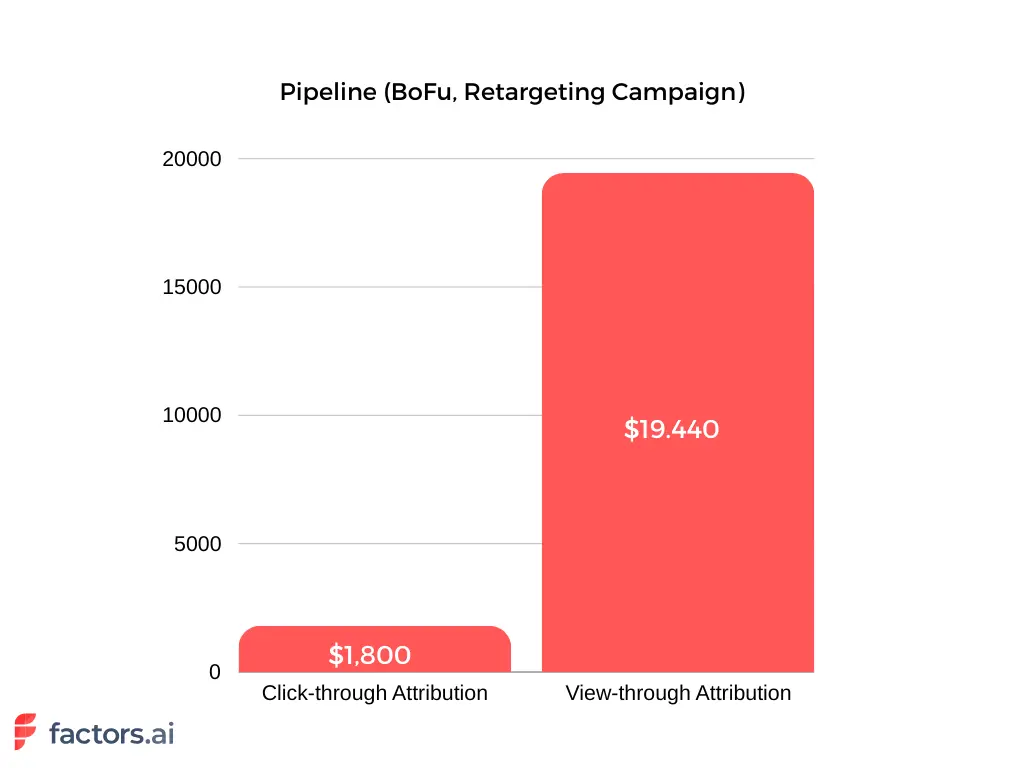
2. Improve LinkedIn Ads Performance
Understanding which ads drive conversions helps marketers optimize campaigns effectively. Analyzing the most effective ads influencing potential customers allows for refining ad creative, targeting, and budget allocation. This iterative process improves with more data collected.
For example, if certain LinkedIn ads are regularly viewed by target accounts but not clicked, LinkedIn True ROI can reveal their influence on actions like website visits or content engagement. Marketers can then adjust ad creatives for better resonance and increased engagement.

3. Ensure Better LinkedIn (Re)Targeting
LinkedIn True ROI helps improve retargeting strategies by understanding how ads work. Marketers use this to find accounts that see specific ads, making retargeting more personalized and avoiding ad fatigue.
Suppose an account often sees a brand ad but doesn't click. With True ROI, marketers can show them other helpful content like testimonials or product examples. This keeps the retargeting relevant and exciting, guiding prospects further along.
LinkedIn True ROI also shows which types of content work best by spotting patterns in how ads are viewed. This helps marketers plan better content strategies that match their audience's preferences.

4. Gain Granular Insights into Customer Journey
LinkedIn True ROI provides detailed insights into how LinkedIn ads affect each stage of the buying process. Marketers can see how prospects move through the funnel using data from website visits, CRM systems, and other marketing channels.
For instance, a prospect might view a LinkedIn ad, visit the website, download a whitepaper, and later request a demo. While traditional click-through attribution focuses on the final action, LinkedIn True ROI recognizes the LinkedIn ad's initial impact. This helps marketers refine strategies that effectively support the entire customer journey.
“Given that we’re not in the habit of gating our content assets, it’s valuable to understand the full range of otherwise hidden touchpoints that influence conversions.” – Abhishek Iyer, Director of Marketing at Descope

5. Demonstrate Marketing Impact to Leadership
Finally, LinkedIn True ROI helps marketers demonstrate the true impact of their LinkedIn ads to leadership. Marketers can justify their ad spend and secure ongoing investment by providing a comprehensive view of ad influence and ROI.
Accurately attributing conversions to LinkedIn ads can be challenging, especially when dealing with high CPCs and CPMs. LinkedIn True ROI provides the data needed to showcase LinkedIn’s value, presenting a clearer picture of how ads contribute to the sales pipeline.
“It’s very helpful to achieve a bird’s eye view of the customer journey that leads up to a demo — even when a direct attribution isn’t explicitly present in our CRM. In many instances, we see that a lead has been viewing our LinkedIn ads for months before landing on a search ad or blog and then signing up. This helps us validate what we already know: it’s rarely a single touchpoint that leads to conversions.” – Abhishek Iyer, Director of Marketing at Descope
True ROI on LinkedIn goes beyond clicks to measure the value of ad impressions that influence conversions.
1. Attribution Model: Includes viewed-but-not-clicked ads in conversion analysis.
2. Measurement Advantage: Reveals hidden value from brand exposure and top-of-funnel impact.
3. Strategic Benefits: Improves ROI accuracy, informs smarter spend decisions, and enhances campaign optimization.
By embracing True ROI, marketers gain a complete picture of LinkedIn ad performance and drive more effective outcomes.
In a nutshell
LinkedIn True ROI is a game-changer for B2B marketers. It unlocks the value of LinkedIn ads by accurately measuring their impact. This capability helps marketers justify ad spend, optimize campaigns, and improve retargeting. It ensures LinkedIn ads are evaluated on their real influence, not just clicks.
With LinkedIn True ROI, marketers can accurately measure and optimize their LinkedIn ads, leading to better results and a higher return on investment.
Ready to uncover the true impact of your LinkedIn ads? Start using Factors.AI’s LinkedIn True ROI feature today to understand your campaign’s effectiveness better. Get in touch with us to learn more and get started.
Looking to know more about LinkedIn True ROI? Click here.
Making LinkedIn Ads Work: Targeting B2B Audience Intent
Learn how to optimize LinkedIn ad targeting by focusing on intent signals and engaging high-interest companies effectively.

TL;DR
- LinkedIn’s native targeting options often result in cold outreach, making it challenging to connect with high-intent companies.
- Traditional workflows, like manually syncing CRM lists with LinkedIn, are inefficient and prone to errors.
- The solution is to focus on intent signals—target companies already engaging with your website or content and retarget them on LinkedIn.
- Factors.ai simplifies this process by automating audience syncs, keeping campaigns dynamic, precise, and impactful.
Let's talk about LinkedIn advertising. If you're in B2B marketing, you've probably tried different types of LinkedIn ads- and you might have mixed feelings about the results. While LinkedIn seems like the perfect place to reach business decision-makers, many marketers struggle to make their campaigns truly effective. Why? The answer lies in understanding what LinkedIn can and can't do when it comes to targeting.
The Two Sides of LinkedIn Targeting
LinkedIn gives you two main ways to target your ads.
- First, you can target specific people based on who they are professionally - their job title, function, seniority, and so on.
- Second, you can target based on where they work - company size, industry, and other organization-level factors.
Sounds comprehensive, right? Well, here's where things get interesting.
The Cold Audience Problem
As Praveen Das, our co-founder at Factors, explains, “There's a fundamental challenge with LinkedIn's native targeting options. When you use LinkedIn's built-in filters, you're essentially advertising to a cold list of companies. Think about it - you're reaching out to businesses based on basic demographic factors, but you have no idea if they're actually interested in what you're selling.”
This creates what Praveen calls a 'double damage' situation. Not only are you targeting companies that might have zero interest in your product, but you're doing it on a platform where people aren't typically in a buying mindset. It's like trying to sell enterprise software to someone who's just there to update their professional profile.
{{INLINE_TOFU}}
Why Traditional Targeting Falls Short
Let's say you're selling SaaS products and you wish to run LinkedIn ads for SaaS companies. You set up your LinkedIn campaign, and immediately, you hit a wall - there's no ‘SaaS’ industry category in LinkedIn's targeting options. Instead, you're forced to use broad categories like ‘Internet and Services’ or ‘Computer Software,’ which might include companies that aren't remotely interested in your solution.
This limitation leads many companies down a familiar path. They build their target account lists in tools like Apollo or ZoomInfo, import these into their CRM, and then try to connect everything with LinkedIn. It sounds simple enough, but this is where the headaches start.
The CRM Integration Challenge
For example, if you’re using Salesforce, you’ll quickly realize there’s no direct integration with LinkedIn. This leaves you with a tedious workflow: downloading lists from Salesforce, manually uploading them to LinkedIn, and hoping everything stays in sync. Need to update your target accounts? You’ll have to repeat the entire process. Closed a new customer? You’ll need to manually remove them from your LinkedIn campaigns. It’s far from the seamless, efficient process marketers expect.
Also, read about Complexity of LinkedIn Conversion Tracking to read more about the challenges in integrating your CRM and LinkedIn account.
A Better Way to Target
So what's the solution? Praveen says the key is to flip the traditional targeting approach on its head. Instead of starting with LinkedIn's targeting filters, begin with intent signals. Here's how:
1. Identify high-intent companies already showing interest in your solution. These could include:
- Businesses visiting your website.
- Companies engaging with your content.
- Organizations actively searching in your category.
2. Use LinkedIn as a retargeting channel for these accounts. By focusing on high-intent companies, you’re reaching businesses that have already expressed interest in what you offer. This approach makes your LinkedIn campaigns far more precise and impactful.
Making It All Work Together
The real magic happens when you can seamlessly connect all these pieces:
- Your CRM data
- Intent signals from various sources
- LinkedIn advertising campaigns
This is where Factors comes in. Our platform bridges these gaps, ensuring your target lists stay dynamic and up-to-date. Instead of manually managing lists across systems, Factors automatically syncs your target accounts, keeping everything streamlined and ready for action. It’s the smarter, more efficient way to power your LinkedIn campaigns.
What This Means for Your Campaigns
When you approach LinkedIn targeting this way, you’re not just throwing ads into the void. You’re engaging with companies that have already shown interest. This means:
- More efficient ad spend
- Better engagement rates
- Higher quality leads
- More conversions
Looking Ahead
The future of LinkedIn targeting isn’t about improving demographic filters—it’s about leveraging smarter strategies to identify and engage companies when they’re actively in the market for your solution. The shift is clear: intent signals, not just company characteristics, will shape targeting decisions and drive more effective campaigns.
Also read more about frequency capping in LinkedIn ads to increase your LinkedIn targeting efficiency.
The Bottom Line
LinkedIn can be a powerful channel for B2B advertising, but only if you use it strategically. The key is to stop relying solely on LinkedIn's native targeting options and start thinking about intent first. By focusing on companies that are already showing interest in your space and using tools to manage these audiences effectively, you can transform LinkedIn from a hit-or-miss channel into a reliable source of quality leads.
Remember, it's not just about reaching the right companies - it's about reaching them at the right time, with the right message, when they're actually thinking about solutions like yours. That's when LinkedIn advertising truly shines.
Maximize Your LinkedIn Ads ROI with Factors' AdPilot
Are LinkedIn ads not working for you? LinkedIn AdPilot helps you target the right accounts, automate optimizations, and measure the true ROI—so you get more conversions for less spend. Here is how we can help you:
✅ TrueROI – Go beyond clicks and measure LinkedIn’s full-funnel impact accurately.
✅ LinkedIn CAPI – Enhance attribution and optimize without relying on third-party cookies.
Why settle for average results? See how Factors can 2X your LinkedIn Ads ROI with data-driven insights and automation. Talk to our experts today!
.avif)
Accurately Measure LinkedIn Ad Conversions: Conversion API
Accurately measure campaign conversions and optimize campaigns with Factors’ CAPI Integration.
TL;DR
Factors’ CAPI integration is a powerful feature for B2B marketers looking to enhance the performance of their LinkedIn campaigns. CAPI helps businesses overcome the challenges posed by third-party cookie deprecation by leveraging first-party data and enabling automated optimization. With CAPI, marketers can achieve more accurate tracking, seamless integration, and improved ROI, making it an essential component of any modern digital marketing strategy.
Who stole the cookie from the cookie jar? Who, me? No, Google!
If you’re a B2B marketer, we’re almost 99.99% sure you’ve heard that third-party cookies will soon be a thing of the past.
The deprecation of third-party cookies has impacted conversion tracking. This increased the need for accurate feedback data to optimize campaigns, drive conversions, and prove ROI to leadership.
While LinkedIn reports that audiences who see brand and acquisition messages on the platform are 6X more likely to convert than those exposed to just one type of message - what happens when conversion tracking becomes tougher? You fall back on Factors’s LinkedIn AdPilot.
Factors' CAPI integration with "set & forget campaign" optimization solves the cookie deprecation challenge. CAPI ensures your LinkedIn ad campaigns have the necessary data, even without third-party cookies. This feature simplifies campaign optimization. It helps marketers achieve their goals despite the loss of third-party cookies.
What is CAPI?
CAPI sends conversion data from websites, campaigns, CRM, and other sources directly to LinkedIn's ad platform. This data is crucial for self-optimizing campaigns, providing LinkedIn's algorithms with accurate and complete information. It works like Google's Conversion API, which effectively optimizes campaigns.
{{INLINE_TOFU}}
The Problem: Third-Party Cookie Deprecation
Issues with Data Loss and Campaign Optimization
The deprecation of third-party cookies has disrupted conversion tracking. These cookies have allowed marketers to track user behavior and measure conversions accurately. However, with new privacy changes in browser policies, third-party cookies are becoming less viable. This shift has caused substantial data loss. This makes it hard for marketers to gather the insights needed for effective campaign optimization.
Without accurate conversion data, LinkedIn’s self-optimizing algorithms are hampered. Campaigns that rely on third-party cookies may see a significant drop in performance due to incomplete data, resulting in underreported conversions and inefficient ad spending.
Consequences for Marketers
The broader implications of data loss resulting from the deprecation of third-party cookies can be understood in these two ways:
- Reporting limitations hinder marketers from accurately measuring campaign conversions, leading to inefficient budget allocation.
- Auto campaign optimization and bidding strategies suffer due to the lack of conversion data.
How CAPI Solves the Problem
Factors’ CAPI integration addresses this issue by bypassing the need for third-party cookies. Instead, it relies on first-party data from a company’s digital properties and CRM. This data is then passed back to LinkedIn, allowing for continuous and accurate tracking of conversion events.
Our CAPI integration sends conversion event data to LinkedIn. This data includes online events like website visits, clicks, and form fills, as well as offline events like MQLs, SQLs, or deal creations. CAPI removes the guesswork in optimizing ad campaigns, ensuring data-driven decisions and better performance.
Besides CAPI, we seamlessly integrate LinkedIn Ads data into your Factors dashboards through our AdPilot suite. This integration merges comprehensive LinkedIn analytics, giving insights into pipeline and revenue attribution.
Key Benefits of CAPI
- Enhanced Accuracy:
Using first-party data, CAPI ensures accurate tracking and reporting of all conversion events. This results in more reliable data for optimizing campaigns.
- Send Conversion Data to LinkedIn:
Factors’ CAPI integration allows you to send conversion data from any source to LinkedIn. We also enable you to send offline and online conversion data to LinkedIn via Factors.
- Automated Optimization:
Once set up, Factor’s CAPI integration lets you optimize campaigns with a "set & forget" approach. Conversion data automatically feeds back to LinkedIn so the platform can self-optimize your campaigns without constant manual intervention.
- Improved ROI:
With precise conversion tracking, your LinkedIn campaigns become more efficient. Automated optimization further enhances their effectiveness, leading to a higher return on investment.
Use Case: B2B Marketing Campaign
Here’s how CAPI can change up your marketing campaign:
Use Cases
Accurate Conversion Event Tracking
One of CAPI's primary benefits is its ability to ensure accurate conversion event tracking. By utilizing first-party data, CAPI allows for precise and reliable conversion tracking. This improved data accuracy leads to better campaign performance and more informed decision-making.
Self-Optimizing Campaigns
CAPI enables LinkedIn’s algorithms to receive comprehensive data, enhancing self-optimization. With precise and timely conversion data, LinkedIn can automatically adjust targeting, bidding, and creative elements to maximize campaign performance.

Improved Ad Targeting and Personalization
CAPI's granular data enhances targeting strategies, creating more personalized ad experiences. Marketers can effectively tailor their targeting efforts with detailed insights into which ads drive conversions and how users interact with them.
Seamless Integration with Marketing Ecosystem
CAPI integrates with your current marketing infrastructure. This integration ensures a cohesive data strategy. It streamlines workflows and improves data accuracy across platforms.

Integrating LinkedIn's Conversions API (CAPI) with Factors.ai enhances B2B marketers' ability to track and optimize LinkedIn ad campaigns, especially in the evolving landscape of data privacy and third-party cookie deprecation.
Key Benefits of LinkedIn CAPI Integration with Factors.ai:
1. Enhanced Conversion Tracking
CAPI enables the direct transmission of conversion data from websites, CRMs, and other sources to LinkedIn, ensuring accurate and comprehensive tracking of both online and offline conversions.
2. Privacy Compliance
By utilizing server-to-server data sharing, CAPI reduces reliance on browser-based tracking, aligning with stringent data privacy regulations and mitigating the impact of third-party cookie loss.
3. Improved Campaign Optimization
With more precise conversion data, LinkedIn's algorithms can better optimize ad delivery, potentially lowering costs and enhancing performance.
4. Seamless Integration
Factors.ai's partnership with LinkedIn ensures a streamlined setup process, allowing marketers to efficiently connect their data sources and begin leveraging CAPI benefits without extensive technical resources.
By adopting LinkedIn's CAPI through Factors.ai, B2B marketers can achieve more reliable attribution, optimize ad spend, and maintain compliance with evolving data privacy standards.
In a nutshell
Most platforms only track basic CRM events like Marketing Qualified and Sales Qualified Leads. However, Factors identifies top-tier users early by using various upstream events, lowering LinkedIn's Customer Acquisition Cost. It supports multiple online, offline, custom, and unique product events. These events create a feedback loop, integrating data for better campaign optimization and more leads.
Ready to take your LinkedIn campaigns to the next level? Start using Factors’ CAPI feature today and experience the benefits of set-and-forget campaign optimization. Get in touch to learn more and get started.
Read more about LinkedIn Impressions here.
LinkedIn Sales Navigator Cost: Is It Really Worth It In 2026?
LinkedIn Sales Navigator is a tool for B2B lead generation. We break down the pricing, features, and whether it’s worth the investment for your sales team in 2026.

TL;DR
- LinkedIn Sales Navigator is a premium subscription service designed for B2B professionals to perform advanced lead targeting, prospect tracking, and social selling.
- LinkedIn Sales Navigator offers 40+ granular "spotlight" search filters, real-time buyer intent alerts, and "Smart Links" for tracking sales deck engagement, features that basic LinkedIn lacks.
- Sales Navigator is billed per seat, with the Core plan starting at $119.99/month (or ~$89.99/mo when billed annually) and the Advanced plan starting at $159.99/month (or ~$149.99/mo when billed annually).
- There might be problems with data accuracy due to user-generated profiles, features that have a steep learning curve, and a lack of native, seamless export capabilities for CRMs.
- LinkedIn Sales Navigator is an essential tool for “social selling,” but if your priority is high-accuracy direct-dial data or robust CRM integration, you should pair it with specialized sales intelligence platforms like Factors.ai.
If you’re part of a sales team, chances are you’ve considered paying for LinkedIn Sales Navigator at some point. LinkedIn Sales Navigator seemingly ticks all the boxes– whether it's accurate data, intuitive, time-saving prospecting, or effortless sales outreach". But do its features justify its steep pricing?
In this blog, we take a close look at LinkedIn Sales Navigator, its pricing, features, benefits, and limitations to see if you should invest in the platform.
What is Linkedin Sales Navigator?
LinkedIn Sales Navigator is a valuable tool for sales professionals and businesses, It facilitates lead generation and relationship management on LinkedIn.
With Sales Navigator’s features, users can efficiently target promising prospects and stay informed about their activities and organizational changes. As compared to the basic/free plan, sales navigator is far more robust. It provides additional data that helps optimize sales strategies as and when the opportunity presents itself.
How much does LinkedIn Sales Navigator cost?
LinkedIn Sales Navigator pricing is structured across three plans: Core, Advanced, and Advanced Plus, each designed for different team sizes and use cases.
Here's the current pricing breakdown:
| Plan | Monthly Price | Annual Price |
|---|---|---|
| Sales Navigator Core | $119.99/month | $1,079.88/year (25% savings) |
| Sales Navigator Advanced | $159.99/month | $1,799.88/year (6% savings) |
| Sales Navigator Advanced Plus | Custom pricing | Contact LinkedIn for a quote |
And if you're outside the US, pricing is also available in AUD, CAD, EUR, and GBP.
For example, the Core plan starts at £94.99/month or A$154.99/month, depending on your region.
Worth noting: Prices listed exclude VAT and GST where applicable, and LinkedIn does update pricing periodically. Always check the LinkedIn Sales Navigator pricing page directly for the most current numbers.
{{INLINE_TOFU}}
Which LinkedIn Sales Navigator plan is right for you?
- Sales Navigator Core is best for individual sellers who want to find high-quality leads and build client relationships without needing team-level features.
- Sales Navigator Advanced is best for sales teams that need AI-powered lead and account research, real-time insights, and built-in collaboration tools.
- Sales Navigator Advanced Plus is best for larger sales teams already using a CRM like Salesforce or HubSpot, and who need deep, native integrations to sync data seamlessly.
Psst.. If you're a solo rep just getting started, Core is the logical entry point. If you're managing a team and attribution matters to you, Advanced Plus is worth the conversation with LinkedIn's sales team.
Can you try LinkedIn Sales Navigator for free?
Yes, LinkedIn Sales Navigator offers a free trial for both the Core and Advanced plans. To be eligible, you need to:
- Have an active LinkedIn account
- Not be on any existing paid LinkedIn subscription (including LinkedIn Premium)
- Not have used a LinkedIn free trial in the past 365 days
LinkedIn does ask for your credit card upfront, but that's purely to activate the subscription seamlessly if you decide to continue. You can cancel at any time before the trial ends, and LinkedIn will send you a reminder email seven days before the trial ends. So there's genuinely no risk in giving it a spin.
What is LinkedIn Sales Navigator's cancellation policy?
LinkedIn Sales Navigator cancellation is straightforward. You can cancel at any time, and the cancellation takes effect at the end of your current billing period.
- Annual plans: Access continues until the end of the paid year.
- Monthly plans: Access continues until the end of the current month.
No mid-cycle refunds, but no nasty surprises either. (As far as SaaS cancellation policies go, this one's pretty painless.)
LinkedIn Sales Navigator Features:
1. Personalized lead recommendations: Sales Navigator offers tailored lead suggestions based on criteria like industry, company size, and job title preferences.
2. Advanced search functionality: Conduct detailed searches using filters such as location, job title, and company size to pinpoint prospects matching your ideal customer profile.
3. Account and lead insights: It provides valuable insights into prospects, including recent LinkedIn activity, company news, and job changes, aiding in better understanding and engagement.
4. InMail messaging: It helps you reach out to prospects via InMail, even without prior LinkedIn connections, expanding your outreach capabilities.
5. Sales Navigator Pages: Utilize customizable pages to track, save, and receive real-time insights on leads and accounts, optimizing your sales strategies.
You’re probably thinking “But this sounds suspiciously similar to LinkedIn Premium”. Well, you’re not entirely wrong. While they do aim to provide similar benefits such as access to InMail etc, they do have some differences:
What is the difference between LinkedIn Premium and LinkedIn Sales Navigator?
LinkedIn Premium is a whole lot cheaper and seemingly offers similar benefits. Considering you can get LinkedIn Premium at 1/3rd the price, LinkedIn Sales Navigator cost sure seems a bit much. But when it comes to prospecting and outreach in particular, Sales Navigator has so much more to offer.
LinkedIn Premium is designed for a broader audience, including job seekers and recruiters, and offers features such as increased InMail credits, the ability to see who viewed your profile, and access to valuable training courses.
On the other hand, LinkedIn Sales Navigator is designed specifically for salespeople. Accordingly, it offers advanced search filters, lead recommendations, and granular analytics. So, while LinkedIn Premium may be a good choice for job seekers and recruiters, LinkedIn Sales Navigator is certainly the better choice for salespeople.
Let's pit these two against each other:
| Feature | LinkedIn Premium | LinkedIn Sales Navigator |
|---|---|---|
| Target Audience | Job seekers, recruiters, and salespeople | Salespeople |
| Focus | outreach | Lead generation and sales outreach |
| InMail credits | Increased | Unlimited |
| Profile view insights | See who viewed your profile | No |
| Training courses | Access to valuable training courses | No |
| Search Filters | Basic | Advanced |
| Lead recommendations | No | Yes |
| Analytics | No | Yes |
Why choose LinkedIn Sales Navigator?
Given its reputation and popularity, LinkedIn has to be one of the best social selling tools for B2B businesses. 134.5 million people use LinkedIn daily. It's the first place you go to when you want to post a career update, look for new teammates, or simply post company news. Social selling is a great way to supplement traditional channels. Social selling cannot replace these channels.
The community and trust are certainly the primary appeal of the platform. Here are some other benefits of using LinkedIn Sales Navigator:
Advanced Filters
LinkedIn Sales Navigator has more than 40 advanced search filters. You can filter your search based on company, role, workflow, and keywords. What's unique about this feature is its spotlight filter option. Here are some of them:
- The Job Changes spotlight identifies prospects who have changed jobs within the last three months.
- The Shared Experiences spotlight uncovers prospects who attended the same schools, worked at the same companies, or belong to the same LinkedIn Groups as you.
- The LinkedIn Activity spotlight shows prospects who have posted or shared content on LinkedIn in the past 30 days.
- The Mentioned in the News spotlight uncovers prospects who have been mentioned in the news in the past 30 days.
- The Leads that Follow Your Company spotlight uncovers prospects who follow your company on LinkedIn.
- The TeamLink spotlight finds prospects who are already connected to your colleagues. (not available on all plans)
This feature establishes Sales Navigator as a great “social” selling tool, taking searches a step further and helping sales teams establish connections with leads.
Recommended Leads
LinkedIn recommends leads on Sales Navigator through three methods: on specific company pages, at the top of a lead's profile, and via a recommended leads list.
The Recommend Leads list in Sales Navigator offers an auto-generated list of up to 100 recommended leads based on past user activity, such as searches and saved leads.
Note: This feature relies on AI and functions optimally with increased data input. Therefore, you need to save relevant leads to your lists manually. The more interactions and saved profiles, the more refined your recommended section becomes on Sales Navigator.
Intent Identification and Alerts
LinkedIn Sales Navigator helps sales teams identify buyer intent by monitoring their company interactions– if the prospect has connected with you or your team or if they’ve engaged with your LinkedIn Ads. It sends real-time alerts for each of these activities and helps you make the most of an opportunity.
Note: you need to manually save prospects in a list to ensure you get alerts for activities on their account.
Smart Links
One of the best features of Sales Navigator is the smart link. It allows you to simply create their deck online using this feature on LinkedIn Sales Navigator or even upload an existing PPT. A smart link is shareable and trackable for opens and clicks so you won’t need to switch to your CRM or another software for analytics.
This brings us to the final benefit of the tool:
Performance Analytics
Sales navigator allows you to track user groups and performance trends– you can analyze usage patterns to pinpoint areas of improvement, such as low InMail acceptance rates. Your training programs can be tailored to address these gaps and enhance sales team proficiency.
What Are The Additional Features You Get With LinkedIn Sales Navigator
Here are the additional features you get with each of the pricing plans:
.webp)
Limitations of LinkedIn Sales Navigator
While there are numerous benefits of using Sales Navigator, users have reported some issues with the following:
1. Steep Learning Curve
Some users may find Sales Navigator to have a steep learning curve, especially if they are new to LinkedIn or CRM tools. It may require significant time and effort to fully grasp and utilize all the platform's features effectively, and the complex user interface needs to do more to help. It potentially delays the realization of its benefits apart from taking a lot of resources to set up.

2. Limited InMail Credits
While Sales Navigator provides InMail credits, users are allocated a limited number of Inmail credits each month.
Once you exhaust these credits you need to purchase additional ones or upgrade your plan, adding to the overall cost of using the platform and potentially constraining outreach efforts.

3. Data Inaccuracy
LinkedIn's data, including contact information and job titles, is user-generated, leading to potential inaccuracies or outdated information in profiles. This can undermine the effectiveness of outreach campaigns and result in wasted time and resources.

4. Integration Challenges
Despite offering integration with popular CRM systems like Salesforce and Hubspot, some users encounter difficulties in setting up and maintaining these integrations. Sales Navigator's inability to expert lead or account lists is another challenge for users. These challenges can disrupt workflow efficiency and hinder seamless data management between platforms.

LinkedIn Sales Navigator Cost: Final Verdict
LinkedIn Sales Navigator is a premium service, which can be expensive for individual users or small businesses. This cost may pose a barrier to entry for some potential users, impacting adoption rates and accessibility.

When it comes to social selling, LinkedIn has a unique proposition that can’t be matched by other tools. It is an extension of a professional networking platform and provides insights on “shared experiences” and “commonalities” allowing you to build a rapport with your leads. So if you already have a prospecting or sales intelligence tool and you’re looking to add a social selling tool to your tech stack- we highly recommend LinkedIn Sales Navigator.
Having said that, LinkedIn Sales Navigator leaves you wanting more in terms of data accuracy and lead generation. Anecdotal evidence suggests it's clunky and has surface-level integrations with CRMs. So if you’re building your sales tech from scratch, we recommend you steer clear of LinkedIn Sales Navigator. Here are some tools we recommend instead-
1. Factors.ai
Factors.ai is a tool that facilitates account-based selling. It not only delivers industry-leading enrichment rates of up to 64% but also helps qualify and target the right accounts based on intent data. Factors.ai takes into account website engagement, intent signals, and firmographic information to qualify leads and expedite the sales process.
In comparison, LinkedIn provides a detailed however limiting view of the customer journey, due to its primary focus on LinkedIn activity. Most of the decisions are made based on interactions with the product’s website, its social channels, G2 reviews, etc. Factors.ai (due to its partnership with Clearbit) provides an extensive database and accurate intent identification as well.
If you want more than a primary database and prospecting solution, Factors.ai is a great tool that provides analytical insights that help you identify target and close leads.
{{CTA_BANNER}}
2. Cognism
Cognism serves as a sales intelligence solution and data provider, offering cell phone numbers, direct dials, and emails across multiple regions. Its browser extension operates seamlessly across various corporate websites, including LinkedIn.
In contrast, LinkedIn Sales Navigator is effective for targeting prospects active on the LinkedIn platform, aiding in the identification and connection with decision-makers within an Ideal Customer Profile (ICP). It provides access to public emails and phone numbers of these prospects.
Moreover, Cognism boasts phone-verified mobile numbers, ensuring an 87% connection rate with listed contacts. This surpasses LinkedIn's reliance on user-provided data, which, as indicated by Sales Navigator reviews, may lead to data inaccuracies and user frustration.
If you are looking for a global database and want to reach out to decision-makers through the same solution, Cognism is a great choice for you.
3. Zoominfo
Zoominfo is a leading B2B data provider and is a suitable alternative to Sales Navigator-
LinkedIn Sales Navigator is specialized for targeting known prospects, while ZoomInfo excels at identifying decision-makers within targeted accounts. Sales Navigator emphasizes specific personal details, sourced from user updates, whereas ZoomInfo offers more up-to-date macro-level data, collected from web scraping.
Sales Navigator enhances contact targeting with network tools and professional news updates, while ZoomInfo facilitates bulk contact list exports and offers additional tools like ZoomInfo Engage, Chorus, and Chat for comprehensive sales support. If you are looking for a tool that puts equal emphasis on collaboration along with sales prospecting and lead generation- Zoominfo is the way to go. Competitors like Factors.ai are more powerful account intelligence solutions that can make your lead generation cycle seamless. Know more about Factors.ai here.
Is LinkedIn Sales Navigator Worth the Investment for Lead Generation?
LinkedIn Sales Navigator offers advanced search filters, lead recommendations, and in-depth analytics to enhance social selling.
Key features include:
1. Spotlight Filters & Smart Links: Identify high-intent prospects and personalize outreach.
2. Advanced Search & Lead Lists: Segment and track ideal buyers efficiently.
3. Intent Data & Insights: Prioritize leads based on engagement signals.
However, challenges like a steep learning curve, data inaccuracies, and integration issues may impact usability. While Sales Navigator is a powerful tool, its high cost might not suit every business. For greater data accuracy and expanded lead generation, alternatives like Factors offer competitive solutions.
Why buy LinkedIn Sales Navigator through Factors.ai?
LinkedIn Sales Navigator is strong at helping sellers find the right people. But finding people and knowing when to reach them are two very different problems.
Factors.ai is an official LinkedIn Sales Navigator partner that combines Sales Navigator's prospecting capabilities with account-level intent intelligence, GTM automation, and ABM attribution.
The core problem Sales Navigator alone doesn't solve:
- Buyers research across LinkedIn, your website, G2, ads, and content simultaneously
- Reps know who to contact, but not when the account is actually in-market
- Outreach happens without visibility into real buying signals
What Factors.ai adds on top of Sales Navigator?
- Predictive account scoring using first-party website signals, third-party intent data, and CRM activity
- Firmographic and technographic enrichment so reps enter every conversation with context
- Coordinated GTM activation across LinkedIn Ads, Google Ads, email, and CRM automatically
The result: reps aren't cold-calling a list. They're reaching decision-makers inside accounts already showing buying intent.
FAQs on LinkedIn Sales Navigator
Q1. I’m already paying for Apollo/ZoomInfo. Do I actually need Sales Navigator too?
They do different jobs. Apollo and ZoomInfo are data warehouses; they provide the email and phone number. Sales Navigator is a live signal tool. It tells you when a prospect changes jobs or who they’re connected to in your network.
If you’re doing high-ticket B2B, you probably need both. It’s a pricey combo, but so is a missed $50k deal.
Q2. What happens to my saved leads if I cancel LinkedIn Sales Navigator?
The moment your subscription ends, you lose access to your saved lead lists, custom notes, and tags.
If you’re planning to cancel, you must use a third-party tool, like folk or a scraper, to export your data first. Don't let your 6 months of prospecting disappear into the ether just because you wanted to save $120 this month!
Q3. Can I export my LinkedIn Sales Navigator leads to a CSV without buying an extra tool?
No. LinkedIn does not offer a native "Export to CSV" button on any plan. You must use third-party extensions like Evaboot or Scalelist to scrape and export your saved lists.
Q4. 5. Does "Buyer Intent" actually work on LinkedIn Sales Navigator?
It only tracks LinkedIn activity (ad clicks, profile visits, post engagement). It does not track what prospects are doing on your website or G2.
To see if a lead is actually ready to buy, you need an account-based tool like Factors.ai to bridge the gap between LinkedIn, G2, and your website.
.avif)
LLM vs. AI vs. GPT: Let’s Clear the Air (And The Alphabet Soup)
Confused by AI vs. LLM vs. GPT? This jargon-free guide for B2B marketers breaks down the differences, so you can pick the right tools and write prompts that actually work.

TL;DR
- AI, LLMs, and GPT are not interchangeable. AI is a broad category; LLMs are language-focused AI models, and GPT is just one popular brand of LLM. Confusing them leads to bad buying decisions and wasted budget.
- LLMs don’t “know” things; they predict language. Treat them like skilled writers, not search engines. Give context and inputs, or they will confidently invent answers that sound right.
- Many AI tools are just GPT wrappers. Knowing what model a tool uses, how it’s deployed, and whether you can switch or self-host helps you avoid overpaying for thin products.
- Understanding the stack gives you leverage. You write better prompts, ask smarter vendor questions, navigate privacy and legal concerns, and choose tools that actually fit your marketing workflows.
It’s 10:03 AM on a Monday. You’re scrolling LinkedIn with coffee in hand. Your feed is… chaotic.
One post says, “AI will replace your entire marketing team by Tuesday.”
Another is a 40-slide carousel on “How to prompt GPT-4 to plan your Q3.”
And there is a vendor who slides into your DMs promising their “proprietary LLM will 10x your pipeline.”
You like the post and even comment, ‘Great insights!’
But quietly, you’re thinking, are these the same things? Different things? Or just different words building the same hype?
You’re not alone.
The tech world loves throwing acronyms around and assuming everyone just… gets it. AI. LLM. GPT. Say them fast enough, and they all start to blur.
As B2B marketers, these aren’t just buzzwords anymore. These are tools we’re buying, using, and explaining to leadership. And if you don’t know the difference:
- You might buy the wrong tool
- Write prompts that don’t work
- Or sound confident while being completely confused in a strategy meeting
So let’s slow this down and clear the air.
AI vs LLM vs GPT: A simple analogy
To keep it brief (because we have campaigns to launch), think of the Coffee Shop Analogy:
- AI (Artificial Intelligence) is the Beverage Industry. It’s the massive umbrella category.
- LLM (Large Language Model) is the Coffee. It’s a specific type of beverage that requires specific ingredients (data) and brewing (training).
- GPT (Generative Pre-trained Transformer) is Starbucks. It’s a specific, popular coffee brand.
Got it? Good. Now let’s get to business.
What is AI (Artificial Intelligence)?
Artificial Intelligence (AI) is the grandfather term. It’s been around since the 1950s, hanging out in university basements and sci-fi movies.
In simple terms, AI is a machine that performs tasks that typically require human intelligence.
Yes, that’s it.
But here’s the nuance we often miss in marketing: AI isn’t just text.
AI is the logic with which:
- Leads get scored as “Sales Ready” in your CRM
- LinkedIn figures out which ad to show to whom
- Your phone unlocks itself while you’re half-asleep, checking Slack
When a SaaS vendor pitches you an “AI-powered solution,” that phrase is practically meaningless on its own. It’s like a restaurant saying they serve food. You need to ask: What kind of AI?
- Is it predictive AI? (Does it look at past data to guess who will churn?)
- Is it computer vision? (Does it analyze images?)
- Or is it generative AI? (Does it create new stuff?)
Most of the hype right now is about that last one, which brings us to our next player.
{{INLINE_BOFU}}
What is LLM (Large Language Model)?
If AI is the big umbrella, then an LLM (Large Language Model) is the engine powering most of the AI hype. This is the tech that powers the chatbots, the copy generators, and those eerie automated SDR emails.
But what does LLM actually mean?
Let’s break down the acronym, purely so you can sound smart at lunch:
- Large: It was trained on a massive amount of data. Basically, the entire public internet. Wikipedia, Reddit threads, coding libraries, fan fiction, you name it.
- Language: It speaks human. Unlike old-school computers that only understood code (1s and 0s), LLMs understand context, nuance, and slang.
- Model: It’s a mathematical system that learns patterns in language.
How do LLMs actually work (not the complicated version tech gives us)
Imagine you read every book in the library. Then, I put a book in front of you, covered the last word of a sentence, and asked you to guess what it was.
You’d probably guess correctly, not because you know the answer, but because you understand patterns and context.
That’s what an LLM does. It is a prediction machine. It doesn’t “know” facts in the way a database does; it predicts the next most likely word in a sequence. This is why LLMs sometimes “hallucinate” (a polite way of saying they lie confidently). They aren’t checking facts; they are just completing the pattern.
Why this matters for B2B marketers
Not all LLMs are the same. Some are trained on:
- General internet data (OK for blog drafts)
- Code (great for developers)
- Specialized domains like healthcare or finance
So when you’re evaluating a writing or AI tool, don’t just ask ‘’Is it LLM-powered?’’Ask:
- Is it a generic model?
- Has it been tuned for marketing and B2B content?
An LLM trained on Reddit will sound very different from one trained on B2B reports and white papers.
What is GPT?
Now we get to the one everyone uses as a verb.
GPT stands for Generative Pre-trained Transformer. (We know everyone says it in meetings to sound cool).
GPT is a specific family of LLMs developed by the company OpenAI.
Here’s the reality check: GPT is not the only game in town. It’s just the one with the best brand recognition. It’s like the Google of search.
Strong brand. Not the entire category.
But in the B2B SaaS world, relying solely on “GPT” is becoming a bit of a rookie move. There is a whole ecosystem of competitors that might actually be better for specific marketing tasks.
Meet the GPT alternatives for marketing
- Claude (by Anthropic): Often considered more “human” and nuanced for long-form writing. (Psst! Many content marketers prefer this one for blogs because it sounds less robotic.)
- Gemini (by Google): Deeply integrated into the Google ecosystem. Useful if your workflows already live there.
- Llama (by Meta): An open-source model that many tech companies build their own tools on top of.
The B2B marketer’s takeaway
Stop asking, “Does it use GPT?” Start asking, “Which model is this using, and can I switch them?”
If you’re building an internal AI bot to write secure sales emails, you might not want to send that data to OpenAI. You might want a private, open-source model, such as Llama, hosted on your own servers. Knowing the difference between the technology (LLM) and the brand (GPT) gives you leverage and buying power.
AI vs LLM vs GPT: Same conversation, very different things
| Term | What it actually is | Scope | Common marketing use cases | How it saves your Monday |
|---|---|---|---|---|
| AI | The broad field of machines performing tasks that usually need human intelligence. | Very broad | Lead scoring, ad bidding, recommendations, and fraud detection | Decides which leads are actually worth calling (predictive scoring) so you don't waste time. |
| LLM | A type of AI model designed to understand and generate human language. | Narrower | Writing emails, summarizing calls, drafting content, and coding help | Summarizes that 2-hour meeting you zoned out of, or drafts those awkward cold emails. |
| GPT | A specific family of LLMs built by OpenAI. | Very specific | Powering ChatGPT, Jasper, and many popular AI writing tools | The specific engine inside the tools you use to generate blog outlines or fix your grammar. |
These are the three lines that matters:
All GPTs are LLMs.
All LLMs are AI.
But not all AI involves text or language.
How does knowing the difference between AI, LLMs, and GPT actually help your marketing strategy?
Fair question. Knowing the definition of an LLM is great for trivia, but it doesn't exactly fill the pipeline.
Now that we’ve got the vocabulary sorted, let’s talk about how this actually helps you do your job (and maybe impress your boss).
Here is how to turn this alphabet soup into better campaigns:
1. You’ll write way better prompts
Once you realize an LLM is just a prediction engine and not a magic truth-teller, you change how you talk to it.
You stop treating it like Google (asking for facts) and start treating it like a very talented, slightly overconfident intern (giving it context).
If you ask for facts, it might just invent them because they "sound" right. But if you give it ingredients, it cooks up a full-course meal.
- The rookie prompt: "Write a blog about SEO." (Result: A generic snooze-fest).
- The pro prompt: "Act as a B2B content strategist targeting technical CTOs. Using the following three data points, write an introduction that challenges the status quo."
2. You’ll spot the "Wrapper" startups (and save budget)
Here’s a dirty little industry secret: Many new SaaS tools are just "GPT Wrappers."
That means they are literally just pretty websites that take your prompt, send them to OpenAI, and hand you the answer, while charging you $30/month for the privilege. (It’s like buying a pre-peeled orange for triple the price).
If you know what GPT is, you can spot these from a mile away.
You might decide it’s cheaper to use ChatGPT directly or build your own simple workflow via the API, rather than paying for a third-party service.
3. You’ll be the hero of the legal department
Your Legal team hates AI. (We know. It’s a struggle.)
But now, you can navigate the "Privacy Conversation" like a diplomat. By understanding that LLMs can be hosted privately (unlike the public version of ChatGPT), you can champion tools that actually keep your company data safe.
Try saying this in your next meeting: "We aren't putting our customer data into the public GPT model; we're using an enterprise instance where the data isn't used for training." Then, just watch your legal team heads and shoulders relax, visibly. (You might even get a smile…maybe.)
FAQs on LLM vs. AI vs. GPT
Q1. Is ChatGPT an AI, an LLM, or both?
Both. Asking if ChatGPT is an AI or an LLM is like asking, "Is a Cappuccino a coffee or a beverage?” It’s both.
- AI is the broad category (Beverage).
- LLM is the technology type (Coffee).
ChatGPT is the specific product (The Cappuccino). Please note that ChatGPT is an app built on an LLM, a type of AI.
Q2. My boss wants us to 'build our own LLM.' Should we?
Probably not. Unless you have a few million dollars and a team of PhDs sitting around, you don't want to build an LLM (train it from scratch). You want to use an existing one (like GPT-4 or Claude) and maybe "fine-tune" it with your data. Engineers on Reddit often joke that companies trying to build their own LLMs are like companies trying to develop their own email servers in 2025. Just use the API. It’s cheaper, faster, and usually better.
Q3. Why does my AI tool sometimes lie to me?
Because it’s a prediction machine, not a fact machine. LLMs are designed to predict the next most likely word, not to fact-check the New York Times. If you ask for a quote and it doesn't know one, it might invent one that sounds plausible because statistically, those words fit together well. Never use an LLM as a search engine. Use it as a writer. Give it the facts first, then ask it to write the copy.
Q4. Is there actually a difference between all these models (Claude, Gemini, Llama)?
Yes. Here is the breakdown:
- GPT-4 (OpenAI): The jack-of-all-trades. Good at almost everything.
- Claude (Anthropic): The writer. Marketers often prefer this for blogs because it sounds more human and less "salesy".
- Gemini (Google): The researcher. Great if you need it to pull live info from Google apps.
- Llama (Meta): The DIY option. Open-source code that developers love to tinker with.
Q5. Do I need an 'AI Agent' or just an LLM?
If you want it to do things, you need an Agent. An LLM can write an email for you. An AI Agent can write the email, open your Gmail, and actually send it.
- LLM = The brain (Thinks).
- Agent = The hands (Does).
Marketers are moving toward Agents. Soon, you won't just ask AI to "write a strategy"; you'll ask it to “analyze our CRM and set up the campaign”.

LLM Hallucination Examples: What They Are, Why They Happen, and How to Detect Them
See real LLM hallucination examples in B2B workflows, and how to detect and reduce them.
TL;DR
- LLM hallucination examples include invented metrics, fake citations, incorrect code, and fabricated business insights.
- Hallucinations happen due to training data gaps, vague prompts, overgeneralization, and lack of grounding.
- Detection relies on output verification, source-of-truth cross-checking, RAG, and constraint-based validation.
- Reduction strategies include better prompting, structured first-party data, limiting open-ended generation, and strong system guardrails
- The best LLM for data analysis prioritizes grounding, explainability, and deterministic behavior
The first time I caught an LLM hallucinating, I didn’t notice it because it looked wrong.
I noticed it because it looked too damn right.
The numbers felt reasonable… explanation flowed. And the confidence was? Unsettlingly high.
And then I cross-checked the source system and realized half of what I was reading simply did not exist.
That moment changed how I think about AI outputs forever.
LLM hallucinations aren’t loud. They don’t crash dashboards or throw errors. They quietly slip into summaries, reports, recommendations, and Slack messages. They show up wearing polished language and neat bullet points. They sound like that one very confident colleague who always has an answer, even when they shouldn’t.
And in B2B environments, that confidence is dangerous.
Because when AI outputs start influencing pipeline decisions, attribution models, compliance reporting, or executive narratives, the cost of being wrong is not theoretical. It shows up in missed revenue, misallocated budgets, broken trust, and very awkward follow-up meetings.
This guide exists for one reason… to help you recognize, detect, and reduce LLM hallucinations before they creep into your operating system.
If you’re using AI anywhere near decisions, this will help (I hope!)
What are LLM hallucinations?
When people hear the word hallucination, they usually think of something dramatic or obviously wrong. In the LLM world, hallucinations are far more subtle, and that’s what makes them wayyyy more dangerous.
An LLM hallucination happens when a large language model confidently produces information that is incorrect, fabricated, or impossible to verify.
The output sounds fluent. The tone feels authoritative. The formatting looks polished. But the underlying information does not exist, is wrong, or is disconnected from reality.
This is very different from a simple wrong answer.
A wrong answer is easy to spot.
A hallucinated answer looks right enough that most people won’t question it.
I’ve seen this play out in very real ways. A dashboard summary that looks “reasonable” but is based on made-up assumptions. A recommendation that sounds strategic but has no grounding in actual data. A paragraph that cites a study you later realize does not exist anywhere on the internet.
That is why LLM hallucination examples matter so much in business contexts. They help you recognize patterns before you trust the output.
Wrong answers vs hallucinated answers
Here’s a simple way to tell the difference:
- Wrong answer: The model misunderstands the question or makes a clear factual mistake.
Example: Getting a date, definition, or formula wrong. - Hallucinated answer: The model fills in gaps with invented details and presents them as facts.
Example: Creating metrics, sources, explanations, or insights that were never provided or never existed.
Hallucinations usually show up when the model is asked to explain, summarize, predict, or recommend without enough grounding data. Instead of saying “I don’t know,” the model guesses. And it guesses confidently.
Why hallucinations are harder to catch than obvious errors
Look, we are trained to trust things that look structured.
Tables.
Dashboards.
Executive summaries.
Clean bullet points.
And LLMs are very, VERY good at producing all of the above.
That’s where hallucinations become tricky. The output looks like something you’ve seen a hundred times before. It mirrors the language of real reports and real insights. Your brain fills in the trust gap automatically.
I’ve personally caught hallucinations only after double-checking source systems and realizing the numbers or explanations simply weren’t there. Nothing screamed “this is fake.” It just quietly didn’t add up.
The true truth of B2B (that most teams underestimate)
In consumer use cases, a hallucination might be mildly annoying. In B2B workflows, it can quietly break decision-making.
Think about where LLMs are already being used:
- Analytics summaries
- Revenue and pipeline explanations
- Attribution narratives
- GTM insights and recommendations
- Internal reports shared with leadership
When an LLM hallucinates in these contexts, the output doesn’t just sit in a chat window. It influences meetings, strategies, and budgets.
That’s why hallucinations are not a model quality issue alone. They are an operational risk.
If you are using LLMs anywhere near dashboards, reports, insights, or recommendations, understanding hallucinations is no longer optional. It’s foundational.
Real-world LLM hallucination examples
This is the section most people skim first and for good reason.
Hallucinations feel abstract until you see how they show up in real workflows.
I’m going to walk through practical, real-world LLM hallucination examples across analytics, GTM, code, and regulated environments. These are not edge cases. These are the issues teams actually run into once LLMs move from demos to production.
Example 1: Invented metrics in analytics reports
This is one of the most common and most dangerous patterns.
You ask an LLM to summarize performance from a dataset or dashboard. Instead of sticking strictly to what is available, the model fills in gaps.
- It invents growth rates that were never calculated
- It assumes trends across time periods that were not present
- It creates averages or benchmarks that were never defined
The output looks like a clean executive summary. No red flags. No warnings.
The hallucination here isn’t a wrong number. It’s false confidence.
Leadership reads the summary, decisions get made, and no one realizes the model quietly fabricated parts of the analysis.
This is especially risky when teams ask LLMs to ‘explain’ data rather than simply surface it.
Example 2: Hallucinated citations and studies
Another classic hallucination pattern is fake credibility.
You ask for sources, references, or supporting studies. The LLM responds with:
- Convincing article titles
- Well-known sounding publications
- Author names that feel plausible
- Dates that seem recent
The problem is none of it exists.
This shows up often in:
- Market research summaries
- Competitive analysis
- Strategy decks
- Thought leadership drafts
Unless someone manually verifies every citation, these hallucinations slip through. In client-facing or leadership-facing material, this can quickly turn into an embarrassment or worse, a trust issue.
Example 3: Incorrect code presented as best practice
Developers run into a different flavor of hallucination.
The LLM generates code that:
- Compiles but does not behave as expected
- Uses deprecated libraries or functions
- Mixes patterns from different frameworks
- Introduces subtle security or performance issues
What makes this dangerous is the framing. The model often presents the snippet as a recommended or optimized solution.
This is why even when people talk about the best LLM for coding, hallucinations still matter. Code that looks clean and logical can still be fundamentally wrong.
Without tests, validation, and human review, hallucinated code becomes technical debt very quickly.
Example 4: Fabricated answers in healthcare, finance, or legal contexts
In regulated industries, hallucinations cross from risky into unacceptable.
Examples I’ve seen (or reviewed) include:
- Medical explanations that sound accurate but are clinically incorrect
- Financial guidance based on assumptions rather than regulations
- Legal interpretations that confidently cite laws that don’t apply
This is where the conversation around a HIPAA compliant LLM often gets misunderstood. Compliance governs data handling and privacy. It does not magically prevent hallucinations.
A model can be compliant and still confidently generate incorrect advice.
Example 5: Hallucinated GTM insights and revenue narratives
This one hits especially close to home for B2B teams.
You ask an LLM to analyze go-to-market performance or intent data. The model responds with:
- Intent signals that were never captured
- Attribution paths that don’t exist
- Revenue impact explanations that feel logical but aren’t grounded
- Recommendations based on imagined patterns
The output reads like something a smart analyst might say. That’s the trap.
When hallucinations show up inside GTM workflows, they directly affect pipeline prioritization, sales focus, and marketing spend. A single hallucinated insight can quietly skew an entire quarter’s strategy.
Why hallucinations are especially dangerous in decision-making workflows
Across all these examples, the common thread is this:
Hallucinations don’t look like mistakes. They look like insight.
In decision-making workflows, we rely on clarity, confidence, and synthesis. Those are exactly the things LLMs are good at producing, even when the underlying information is missing or wrong.
That’s why hallucinations are not just a technical problem. They’re a business problem. And the more important the decision, the higher the risk.
{{INLINE_TOFU}}
FAQs for LLM Hallucination Examples
Q. What are LLM hallucinations in simple terms?
An LLM hallucination is when a large language model generates information that is incorrect, fabricated, or impossible to verify, but presents it confidently as if it’s true. The response often looks polished, structured, and believable, which is exactly why it’s easy to miss.
Q. What are the most common LLM hallucination examples in business?
Common llm hallucination examples in business include invented metrics in analytics reports, fake citations in research summaries, made-up intent signals in GTM workflows, incorrect attribution paths, and confident recommendations that are not grounded in any source-of-truth system.
Q. What’s the difference between a wrong answer and a hallucinated answer?
A wrong answer is a straightforward mistake, like getting a date or formula wrong. A hallucinated answer fills in missing information with invented details and presents them as facts, such as creating metrics, sources, or explanations that were never provided.
Q. Why do LLM hallucinations look so believable?
Because LLMs are optimized for fluency and coherence. They are good at producing output that sounds like a real analyst summary, a credible report, or a confident recommendation. The language is polished even when the underlying information is wrong.
Q. Why are hallucinations especially risky in analytics and reporting?
In analytics workflows, hallucinations often show up as invented growth rates, averages, trends, or benchmarks. These are dangerous because they can slip into dashboards, exec summaries, or QBR decks and influence decisions before anyone checks the source data.
Q. How do hallucinated citations happen?
When you ask an LLM for sources or studies, it may generate realistic-sounding citations, article titles, or publications even when those references do not exist. This often happens in market research, competitive analysis, and strategy documents.
Q. Do code hallucinations happen even with the best LLM for coding?
Yes. Even the best LLM for coding can hallucinate APIs, functions, packages, and best practices. The code may compile, but behave incorrectly, introduce security issues, or rely on deprecated libraries. That’s why testing and validation are essential.
Q. Are hallucinations more common in certain LLM models?
Hallucinations can occur across most LLM models. They become more likely when prompts are vague, the model lacks grounding in structured data, or outputs are unconstrained. Model choice matters, but workflow design usually matters more.
Q. How can companies detect LLM hallucinations in production?
Effective llm hallucination detection typically includes output verification, cross-checking against source-of-truth systems, retrieval-augmented generation (RAG), rule-based validation, and targeted human review for high-impact outputs.
Q. Can LLM hallucinations be completely eliminated?
No. Hallucinations can be reduced significantly, but not fully eliminated. The goal is to make hallucinations rare, detectable, and low-impact through grounding, constraints, monitoring, and workflow controls.
Q. Are HIPAA-compliant LLMs immune to hallucinations?
No. A HIPAA-compliant LLM addresses data privacy and security requirements. It does not guarantee factual correctness or prevent hallucinations. Healthcare and regulated outputs still require grounding, validation, and audit-ready workflows.
Q. What’s the best LLM for data analysis if I want minimal hallucinations?
The best LLM for data analysis is one that supports grounding, deterministic behavior, and explainability. Models perform better when they are used with structured first-party data and source-of-truth checks, rather than asked to “infer” missing context.

Why LLMs Hallucinate: Detection, Types, and Reduction Strategies for Teams
Let’s see why LLMs hallucinate and go over practical methods to detect and reduce AI hallucinations in real-world workflows.
Most explanations of why LLMs hallucinate fall into one of two buckets.
Either they get so academic… you feel like you accidentally opened a research paper. Or they stay so vague that everything boils down to “AI sometimes makes things up.”
Neither is useful when you’re actually building or deploying LLMs in real systems.
Because once LLMs move beyond demos and into analytics, decision support, search, and production workflows, hallucinations stop being mysterious. They become predictable. Repeatable. Preventable, if you know what to look for.
This blog is about understanding hallucinations at that practical level.
Why do they happen?
Why do some prompts and workflows trigger them more than others?
Why can’t better models solve the problem?
And how teams can detect and reduce hallucinations without turning every workflow into a manual review exercise.
If you’re using LLMs for advanced reasoning, data analysis, software development, or AI-powered tools, this is the part that determines whether your system quietly compounds errors or actually scales with confidence.
Why do LLMs hallucinate?
This is the part where most explanations either get too academic or too hand-wavy. I want to keep this grounded in how LLMs actually behave in real-world systems, without turning it into a research paper.
At a high level, LLMs hallucinate because they are designed to predict language, not verify truth. Once you internalize that, a lot of the behavior starts to make sense.
Let’s break down the most common causes.
- Training data gaps and bias
LLMs are trained on massive datasets, but ‘massive’ does not mean complete or current.
There are gaps:
- Niche industries
- Company-specific data
- Recent events
- Internal metrics
- Proprietary workflows
When a model encounters a gap, it does not pause and ask for clarification. It relies on patterns from similar data it has seen before. That pattern-matching instinct is powerful, but it is also where hallucinations are born.
Bias plays a role too. If certain narratives or examples appear more frequently in training data, the model will default to them, even when they do not apply to your context.
- Prompt ambiguity and underspecification
A surprising number of hallucinations start with prompts that feel reasonable to humans.
Summarize our performance.
Explain what drove revenue growth.
Analyze intent trends last quarter.
These prompts assume shared context. The model does not actually have that context unless you provide it.
When instructions are vague, the model fills in the blanks. It guesses what ‘good’ output should look like and generates something that matches the shape of an answer, even if the substance is missing.
This is where llm optimization often begins. Not by changing the model, but by making prompts more explicit, constrained, and grounded.
- Over-generalization during inference
LLMs are excellent at abstraction. They are trained to generalize across many examples.
That strength becomes a weakness when the model applies a general pattern to a specific situation where it does not belong.
For example:
- Assuming all B2B funnels behave similarly
- Applying SaaS benchmarks to non-SaaS businesses
- Inferring intent signals based on loosely related behaviors
The output sounds logical because it follows a familiar pattern. The problem is the pattern may not be true for your data.
- Token-level prediction vs truth verification
This is one of the most important concepts to understand.
LLMs generate text one token at a time, based on what token is most likely to come next. They are not checking facts against a database unless explicitly designed to do so.
There is no built-in step where the model asks, “Is this actually true?”
There is only, “Does this sound like a plausible continuation?”
This is why hallucinations often appear smooth and confident. The model is doing exactly what it was trained to do.
- Lack of grounding in structured, real-world data
Hallucinations spike when LLMs operate in isolation.
If the model is not grounded in:
- Live databases
- Verified documents
- Structured first-party data
- Source-of-truth systems
it has no choice but to rely on internal patterns.
This is why hallucinations show up so often in analytics, reporting, and insight generation. Without grounding, the model is essentially storytelling around data instead of reasoning from it.
| Where mitigation actually starts Most teams assume hallucinations are solved by picking a better model. In reality, mitigation starts with:
|
Types of LLM Hallucinations
As large language models get pulled deeper into advanced reasoning, data analysis, and software development, there’s one uncomfortable truth teams run into pretty quickly: these models don’t just fail in one way.
They fail in patterns.
And once you’ve seen those patterns a few times, you stop asking “why is this wrong?” and start asking “what kind of wrong is this?”
That distinction matters. A lot.
Understanding the type of LLM hallucination you’re dealing with makes it much easier to design guardrails, build detection systems, and choose the right model for the job instead of blaming the model blindly.
Here are the main LLM hallucination types you’ll see in real workflows.
- Factual hallucinations
This is the most obvious and also the most common.
Factual hallucinations happen when a large language model confidently generates information that is simply untrue. Incorrect dates. Made-up statistics. Features that do not exist. Benchmarks that were never defined.
In data analysis and reporting, even one factual hallucination can quietly break trust. The numbers look reasonable, the explanation sounds confident, and by the time someone spots the error, decisions may already be in motion.
- Contextual hallucinations
Contextual hallucinations show up when an LLM misunderstands what it’s actually being asked.
The model responds fluently, but the answer drifts away from the prompt. It solves a slightly different problem. It assumes a context that was never provided. It connects dots that were not meant to be connected.
This becomes especially painful in software development and customer-facing applications, where relevance and precision matter more than verbosity.
- Commonsense hallucinations
These are the ones that make you pause and reread the output.
Commonsense hallucinations happen when a model produces responses that don’t align with basic real-world logic. Suggestions that are physically impossible. Explanations that ignore everyday constraints. Recommendations that sound fine linguistically but collapse under simple reasoning.
In advanced reasoning and decision-support workflows, commonsense hallucinations are dangerous because they often slip past quick reviews. They sound smart until you think about them for five seconds.
- Reasoning hallucinations
This is the category most teams underestimate.
Reasoning hallucinations occur when an LLM draws flawed conclusions or makes incorrect inferences from the input data. The facts may be correct. The logic is not.
You’ll see this in complex analytics, strategic summaries, and advanced reasoning tasks, where the model is asked to synthesize information and explain why something happened. The chain of reasoning looks coherent, but the conclusion doesn’t actually follow from the evidence.
This is particularly risky because reasoning is where LLMs are expected to add the most value.
| Here’s why these types of hallucinations exist in the first place All of these failure modes ultimately stem from how large language models learn. LLMs are exceptional at pattern recognition across massive training data. What they don’t do natively is distinguish fact from fiction or verify claims against reality. Unless outputs are explicitly grounded, constrained, and validated, the model will prioritize producing a plausible answer over a correct one. For teams building or deploying large language models in production, recognizing these hallucination types is not an academic exercise. It’s the first real step toward creating advanced reasoning systems that are useful, trustworthy, and scalable. |
AI tools and LLM hallucinations: A love story (nobody needs)
As AI tools powered by large language models become a default layer in workflows such as retrieval-augmented generation, semantic search, and document analysis, hallucinations stop being a theoretical risk and become an operational one.
I’ve seen this happen up close.
The output looks clean. The language is confident. The logic feels familiar. And yet, when you trace it back, parts of the response are disconnected from reality. No malicious intent. No obvious bug. Just a model doing what it was trained to do when information is missing or unclear.
This is why hallucinations are now a practical concern for every LLM development company and technical team building real products, not just experimenting in notebooks. Even the most advanced AI models can hallucinate under the right conditions.
Here’s WHY hallucinations show up in AI tools (an answer everybody needs)
Hallucinations don’t appear randomly. They tend to show up when a few predictable factors are present.
- Limited or uneven training data
When the training data behind a model is incomplete, outdated, or skewed, the LLM compensates by filling in gaps with plausible-sounding information.
This shows up frequently in domain specific AI models and custom machine learning models, where the data universe is smaller and more specialized. The model knows the language of the domain, but not always the facts.
The result is output that sounds confident, but quietly drifts away from what is actually true.
- Evaluation metrics that reward fluency over accuracy
A lot of AI tools are optimized for how good an answer sounds, not how correct it is.
If evaluation focuses on fluency, relevance, or coherence without testing factual accuracy, models learn a dangerous lesson. Sounding right matters more than being right.
In production environments where advanced reasoning and data integrity are non-negotiable, this tradeoff creates real risk. Especially when AI outputs are trusted downstream without verification.
- Lack of consistent human oversight
High-volume systems like document analysis and semantic search rely heavily on automation. That scale is powerful, but it also creates blind spots.
Without regular human review, hallucinations slip through. Subtle inaccuracies go unnoticed. Context-specific errors compound over time.
Automated systems are great at catching obvious failures. They struggle with nuanced, plausible mistakes. Humans still catch those best.
And here’s how ‘leading’ teams reduce hallucinations in AI tools
The teams that handle hallucinations well don’t treat them as a surprise. They design for them.
This is what leading LLM developers and top LLM companies consistently get right.
- Data augmentation and diversification
Expanding and diversifying training data reduces the pressure on models to invent missing information.
This matters even more in retrieval augmented generation systems, where models are expected to synthesize information across multiple sources. The better and more representative the data, the fewer shortcuts the model takes.
- Continuous evaluation and testing
Hallucination risk changes as models evolve and data shifts.
Regular evaluation across natural language processing tasks helps teams spot failure patterns early. Not just whether the output sounds good, but whether it stays grounded over time.
This kind of testing is unglamorous. It’s also non-negotiable.
- Human-in-the-loop feedback that actually scales
Human review works best when it’s intentional, not reactive.
Incorporating expert feedback into the development cycle allows teams to catch hallucinations before they reach end users. Over time, this feedback also improves model behavior in real-world scenarios, not just test environments.
| Why this matters right now (more than ever) As generative AI capabilities get woven deeper into everyday workflows, hallucinations stop being a model issue and become a system design issue. Whether you’re working on advanced reasoning tasks, large scale AI models, or custom LLM solutions, the same rule applies. Training data quality, evaluation rigor, and human oversight are not optional layers. They are the foundation. The teams that get this right build AI tools people trust. The ones that don’t spend a lot of time explaining why their outputs looked right but weren’t. |
{{INLINE_TOFU}}
When hallucinations become a business risk…
Hallucinations stop being a theoretical AI problem the moment they influence real decisions. In B2B environments, that happens far earlier than most teams realize.
This section is where the conversation usually shifts from curiosity to concern.
- False confidence in AI-generated insights
The biggest risk is not that an LLM might be wrong.
The biggest risk is that it sounds right.
When insights are written clearly and confidently, people stop questioning them. This is especially true when:
- The output resembles analyst reports
- The language mirrors how leadership already talks
- The conclusions align with existing assumptions
I have seen teams circulate AI-generated summaries internally without anyone checking the underlying data. Not because people were careless, but because the output looked trustworthy.
Once false confidence sets in, bad inputs quietly turn into bad decisions.
- Compliance and regulatory exposure
In regulated industries, hallucinations create immediate exposure.
A hallucinated explanation in:
- Healthcare reporting
- Financial disclosures
- Legal analysis
- Compliance documentation
can lead to misinformation being recorded, shared, or acted upon.
This is where teams often assume that using a compliant system solves the problem. A HIPAA compliant LLM ensures data privacy and handling standards. It does not guarantee factual correctness.
Compliance frameworks govern how data is processed. They do not validate what the model generates.
- Revenue risk from incorrect GTM decisions
In go-to-market workflows, hallucinations are particularly expensive.
Examples include:
- Prioritizing accounts based on imagined intent signals
- Attributing revenue to channels that did not influence the deal
- Explaining pipeline movement using fabricated narratives
- Optimizing spend based on incorrect insights
Each of these errors compounds over time. One hallucinated insight can shift sales focus, misallocate budget, or distort forecasting.
When LLMs sit close to pipeline and revenue data, hallucinations directly affect money.
- Loss of trust in AI systems internally
Once teams catch hallucinations, trust erodes fast.
People stop relying on:
- AI-generated summaries
- Automated insights
- Recommendations and alerts
The result is a rollback to manual work or shadow analysis. Ironically, this often happens after significant investment in AI tooling.
Trust is hard to earn and very easy to lose. Hallucinations accelerate that loss.
- Why human-in-the-loop breaks down at scale
Human review is often positioned as the safety net.
In practice, it does not scale.
When:
- Volume increases
- Outputs look reasonable
- Teams move quickly
- Humans stop verifying every claim. Review becomes a skim, not a validation step.
Hallucinations thrive in this gap. They are subtle enough to pass casual review and frequent enough to cause cumulative damage.
- Why hallucinations are especially dangerous in pipeline and attribution
Pipeline and attribution data feel objective. Numbers feel safe.
When an LLM hallucinates around these systems, the risk is amplified. Fabricated explanations can:
- Justify poor performance
- Mask data quality issues
- Reinforce incorrect strategies
This is why hallucinations are especially dangerous in revenue reporting. They do not just misinform. They create convincing stories around flawed data.
Let’s compare: Hallucination risk by LLM use case
| Use Case | Hallucination Risk | Why It Happens | Mitigation Strategy |
|---|---|---|---|
| Creative writing and ideation | Low | Ambiguity is acceptable | Minimal constraints |
| Marketing copy drafts | Low to medium | Assumptions fill gaps | Light review |
| Coding assistance | Medium | API and logic hallucinations | Tests + validation |
| Data analysis summaries | High | Inference without grounding | Structured data + RAG |
| GTM insights and intent analysis | Very high | Pattern overgeneralization | First-party data grounding |
| Attribution and revenue reporting | Critical | Narrative fabrication | Source-of-truth enforcement |
| Compliance and regulated outputs | Critical | Confident but incorrect claims | Deterministic systems + audit trails |
| Healthcare or finance advice | Critical | Lack of verification | Strong constraints + human review |
Here’s how LLM hallucination detection really works (you’re welcome🙂)
Hallucination detection sounds complex, but the core idea is simple.
You are trying to answer one question consistently: Is this output grounded in something real?
Effective llm hallucination detection is not a single technique. It is a combination of checks, constraints, and validation layers working together.
- Output verification and confidence scoring
One of the first detection layers focuses on the output itself.
This involves:
- Checking whether claims are supported by available data
- Flagging absolute or overly confident language
- Scoring outputs based on uncertainty or probability
If an LLM confidently states a metric, trend, or conclusion without referencing a source, that is a signal worth examining.
Confidence scoring does not prove correctness, but it helps surface high-risk outputs for further review.
- Cross-checking against source-of-truth systems
This is where detection becomes more reliable.
Outputs are validated against:
- Databases
- Analytics tools
- CRM systems
- Data warehouses
- Approved documents
If the model references a number, entity, or event that cannot be found in a source-of-truth system, the output is flagged or rejected.
This step dramatically reduces hallucinations in analytics and reporting workflows.
- Retrieval-augmented generation (RAG)
RAG changes how the model generates answers.
Instead of relying only on training data, the model retrieves relevant documents or data at runtime and uses that information to generate responses.
This approach:
- Anchors outputs in real, verifiable sources
- Limits the model’s tendency to invent details
- Improves traceability and explainability
RAG is not a guarantee against hallucinations, but it significantly lowers the risk when implemented correctly.
- Rule-based and constraint-based validation
Rules act as guardrails.
Examples include:
- Preventing the model from generating numbers unless provided
- Restricting responses to predefined formats
- Blocking unsupported claims or recommendations
- Enforcing domain-specific constraints
These systems reduce creative freedom in favor of reliability. In B2B workflows, that tradeoff is usually worth it.
- Human review vs automated detection
Human review still matters, but it should be targeted.
The most effective systems use:
- Automated detection for scale
- Human review for edge cases and high-impact decisions
Relying entirely on humans to catch hallucinations is slow, expensive, and inconsistent. Automated systems provide the first line of defense.
| Why detection needs to be built in early Many teams treat hallucination detection as a post-launch problem. That’s a mistake. |
Detection works best when it is:
|
Techniques to reduce LLM hallucinations
Detection helps you catch hallucinations. Reduction helps you prevent them in the first place. For most B2B teams, this is where the real work begins.
Reducing hallucinations is less about finding the perfect model and more about designing the right system around the model.
- Better prompting and explicit guardrails
Most hallucinations start with vague instructions.
Prompts like “analyze this” or “summarize performance” leave too much room for interpretation. The model fills in gaps to create a complete-sounding answer.
Guardrails change that behavior.
Effective guardrails include:
- Instructing the model to use only the provided data
- Explicitly allowing “unknown” or “insufficient data” responses
- Asking for step-by-step reasoning when needed
- Limiting assumptions and interpretations
Clear prompts do not make the model smarter. They make it safer.
- Using structured, first-party data as grounding
Hallucinations drop dramatically when LLMs are grounded in real data.
This means:
- Feeding structured tables instead of summaries
- Connecting directly to first-party data sources
- Limiting reliance on inferred or scraped information
When the model works with structured inputs, it has less incentive to invent details. It can reference what is actually there.
This is especially important for analytics, reporting, and GTM workflows.
- Fine-tuning vs prompt engineering
This is a common point of confusion.
Prompt engineering works well when:
- Use cases are narrow
- Data structures are consistent
- Outputs follow predictable patterns
Fine-tuning becomes useful when:
- The domain is highly specific
- Terminology needs to be precise
- Errors carry significant risk
Neither approach eliminates hallucinations on its own. Both are tools that reduce risk when applied intentionally.
- Limiting open-ended generation
Open-ended tasks invite hallucinations.
Asking a model to brainstorm, predict, or speculate increases the chance it will generate unsupported content.
Reduction strategies include:
- Constraining output length
- Forcing structured formats
- Limiting generation to summaries or transformations
- Avoiding speculative prompts in critical workflows
The less freedom the model has, the less it hallucinates.
- Clear system instructions and constraints
System-level instructions matter more than most people realize.
They define:
- What the model is allowed to do
- What it must not do
- How it should behave when uncertain
Simple instructions like ‘do not infer missing values’ or ‘cite the source for every claim’ significantly reduce hallucinations.
These constraints should be consistent across all use cases, not rewritten for every prompt.
- Why LLMs should support workflows, not replace them
This is the mindset shift many teams miss.
LLMs work best when they:
- Assist with analysis
- Summarize grounded data
- Surface patterns for humans to evaluate
They fail when asked to replace source-of-truth systems.
In B2B environments, LLMs should sit alongside databases, CRMs, and analytics tools. Not above them.
When models are positioned as copilots instead of decision-makers, hallucinations become manageable rather than catastrophic.
- Tuned to the specific use case
Retrofitting detection after hallucinations surface is far more painful than planning for it upfront.
FAQs for why LLMs hallucinate and how teams can detect and reduce hallucinations
Q. Why do LLMs hallucinate?
LLMs hallucinate because they are trained to predict the most likely next piece of language, not to verify truth. When data is missing, prompts are vague, or grounding is weak, the model fills gaps with plausible-sounding output instead of stopping.
Q. Are hallucinations a sign of a bad LLM?
No. Hallucinations occur across almost all large language models. They are a structural behavior, not a vendor flaw. The frequency and impact depend far more on system design, prompting, data grounding, and constraints than on the model alone.
Q. What types of LLM hallucinations are most common in production systems?
The most common types are factual hallucinations, contextual hallucinations, commonsense hallucinations, and reasoning hallucinations. Each shows up in different workflows and requires different mitigation strategies.
Q. Why do hallucinations show up more in analytics and reasoning tasks?
These tasks involve interpretation and synthesis. When models are asked to explain trends, infer causes, or summarize complex data without strong grounding, they tend to generate narratives that sound logical but are not supported by evidence.
Q. How can teams detect LLM hallucinations reliably?
Effective detection combines output verification, source-of-truth cross-checking, retrieval-augmented generation, rule-based constraints, and targeted human review. Relying on a single method is rarely sufficient.
Q. Can better prompting actually reduce hallucinations?
Yes. Clear prompts, explicit constraints, and instructions that allow uncertainty significantly reduce hallucinations. Prompting does not make the model smarter, but it makes the system safer.
Q. Is fine-tuning better than prompt engineering for reducing hallucinations?
They solve different problems. Prompt engineering works well for narrow, predictable workflows. Fine-tuning is useful in highly specific domains where terminology and accuracy matter. Neither approach eliminates hallucinations on its own.
Q. Why is grounding in first-party data so important?
When LLMs are grounded in structured, verified data, they have less incentive to invent details. Grounding turns the model from a storyteller into a reasoning assistant that works with what actually exists.
Q. Can hallucinations be completely eliminated?
No. Hallucinations can be reduced significantly, but not fully eliminated. The goal is risk management through design, not perfection.
Q. What’s the biggest mistake teams make when dealing with hallucinations?
Assuming they can fix hallucinations by switching models. In reality, hallucinations are best handled through system architecture, constraints, monitoring, and workflow design.
%2520(1).avif)
LinkedIn Smart Reach: Show Your Ads the Right Way
Discover how our latest feature, Smart Reach, can help you show your ads to high-intent accounts at the right time and frequency
When you run an ad campaign on LinkedIn, you expect all the accounts in your audience list to view your ad, right? However, our research reveals a shocking truth: 80% of your ads are shown to only the top 10% of the accounts 🤯
The best way to avoid losing pipeline due to such uneven ad distribution is to use a tool that allows you to control how your ads are shown to your prospects and evenly distribute impressions across your target account list.
In this article, we’ll explain how our newest feature, “Smart Reach,” can put an end to your impression distribution worries ⬇️
The Challenge
“Control is an illusion” – a quote that most B2B marketers relate to when they launch their ad campaigns and leave it all to the algorithms to show their ads to the right people and accounts. A couple of accounts may have viewed your ad too many times, whereas many may not have seen the ad enough.
Here’s an example to help you understand how impression frequency works on LinkedIn:
Suppose you have a target account list of 500 accounts, including SMBs and large companies, with the top 10 accounts being enterprises with 1000+ employees. Since enterprise companies have more employees that match your ICP, LinkedIn will more likely show your ads to larger companies, neglecting the rest of your account list.
This causes a handful of issues like:
- Ad fatigue and underexposure to your ads: Since your ads aren’t evenly distributed across your account list, some prospects would face ad fatigue, whereas others may not have seen them enough.
- Losing out on potential deals: If a sufficient number of ads are not shown to the majority of your accounts, you risk missing out on high-value deals and costing your company significant opportunities.
- Wasted ad spend: If 10% of your accounts consume 80% of the impressions, there is much room for improvement in marketing efficiency.
A lack of frequency capping becomes a major problem, especially when launching brand awareness campaigns, where your main objective is to maximize reach.
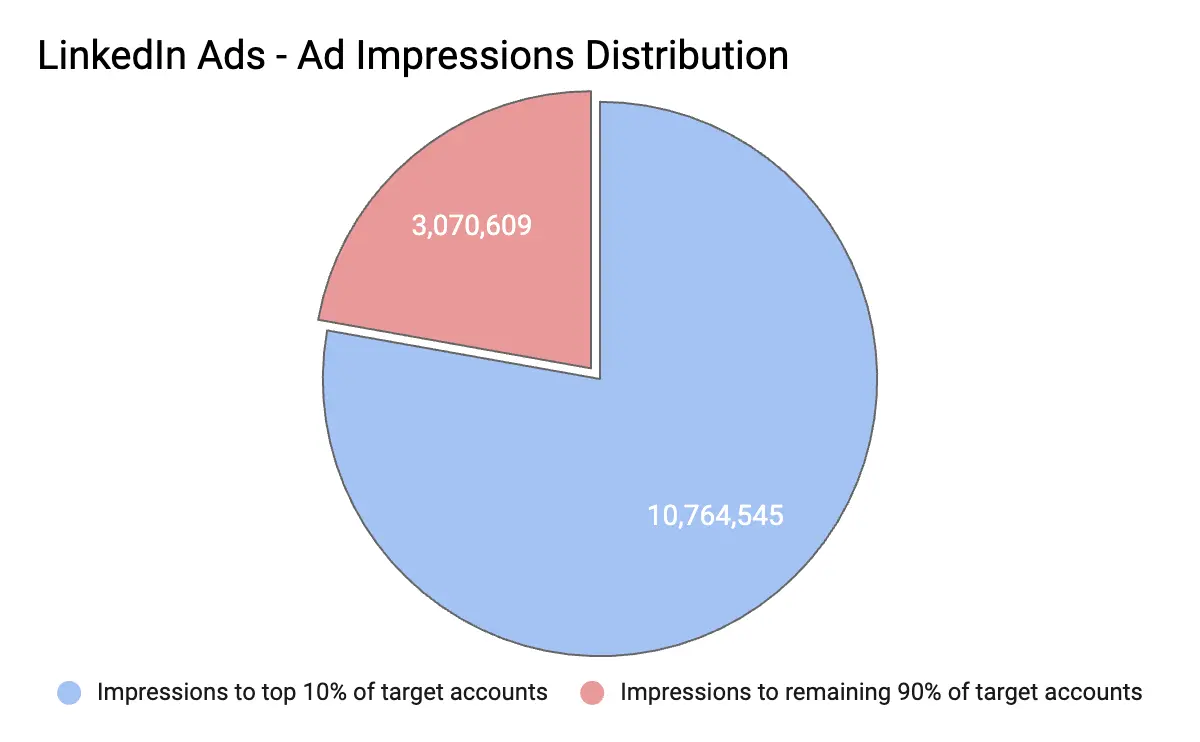
You could maneuver this issue by creating smaller audiences across different campaigns. However, the smaller the audience size for a campaign, the higher the CPMs - which again results in wasted ad spend. Not to mention, it would get increasingly tedious to manage multiple smaller campaigns.
💡Check out our research in detail here: LinkedIn Frequency Capping: Impact Measurement

So how do you possibly win in this lose-lose situation? 2 words: Smart Reach.
“LinkedIn budgets can scale very quickly — and if you’re unsure you’re reaching the right people, you’re essentially setting your money on fire. With Smart Reach, we’ve been able to reach the largest spread of accounts visiting our website without putting too much undue weightage on larger accounts.” – Abhishek Iyer, Director of Marketing at Descope.
Introducing: Smart Reach
Our newest feature allows you to manage the frequency with which your ads are displayed to each account, ensuring maximum reach, lower CPMs, and impact. Plus, with intent-based impression control, you can ensure that your ads are only shown to relevant and high-intent accounts.

Here’s an example of how Descope uses Smart Reach to improve its ad distribution:
We analyzed Descope’s LinkedIn ad metrics to examine how Smart Reach affects campaign reach and ad spend. Our research revealed that without setting a frequency cap, the ads reached 8214 accounts, and the top 25 target accounts consumed 35% of ad impressions. This led to an ad spend of approximately $4700.
| Before Frequency Capping (15th March to 17th April) | ||
|---|---|---|
| Total Accounts Reached | 8214 | |
| Spends | 4772.80 | |
| Total Impressions | 470621 | |
| Top 10 Accounts - Impressions | 117149 | 24.89% |
| Top 25 Accounts - Impressions | 165872 | 35.25% |
We set up a cap of 2000 impressions at an account level across all campaign groups to analyze whether there would be an impact on reach. After a month, we noticed the following improvements:
- Impressions consumed by the top 25 companies have decreased by 17% within a month.
- Descope was able to redistribute around 158,841 impressions that were earlier consumed by the top 25 companies.
- Ad spend was reduced by 22% ($1,000 less!), with CPM going down from $7 to $4
- The reach was reduced by only 6%
| After Frequency Capping (April 18th to May 20th) | ||
|---|---|---|
| Total Accounts Reached | 7690 | |
| Spends | 3709.90 | |
| Total Impressions | 436050 | |
| Top 10 Accounts - Impressions | 44232 | 10.14% |
| Top 25 Accounts - Impressions | 79948 | 18.33% |
This proves that Smart Reach not only saves your ad spend but also ensures that your reach remains intact.
3 key benefits of Smart Reach
Better reach per dollar spent
Imagine investing a good chunk of your budget on LinkedIn ads, only to realize your ads don’t reach all the accounts in your audience list. Well, with Factors, you don’t have to imagine. Smart Reach allows you to redistribute impressions to reach more accounts per dollar spent, helping you make the most of your ad spend.
Intent-based ad distribution
Saying that all prospects are equal sounds good in theory, but in reality, that’s not the case. Ideally, sales-ready accounts should receive more ads than others. However, after analyzing 100+ LinkedIn ad accounts, we’ve found that most ads are distributed to large companies. With Factors, you can configure Smart Reach rules so that the high-intent accounts who visit the pricing page, engage with G2 pages, open emails, etc., receive ads more frequently than others.

Conversely, accounts that have already booked a demo or expressed negative interest in a sales email should be shown fewer ads. Factors empowers intent-based ad distribution to ensure an appropriate ad frequency for each account based on intent levels.
Avoid over and underexposure
Just like Goldilocks and the 3 Bears, there should never be too much or too little of anything, whether porridge or LinkedIn ads. Your high-intent prospects shouldn’t have to deal with seeing the same ad over and over again, but they should also see your ads enough times to consider your product for their needs. Smart Reach ensures that your impression distribution is just right – automatically showing the right frequency of ads to the right accounts.
“Within a month of setting up our frequency capping rules with Factors, we’ve saved 216,448 ad impressions and reached the largest spread of accounts per dollar spent. We’re excited to scale this up in the future.”—Abhishek Iyer, Director of Marketing at Descope.
{{INLINE_TOFU}}
Join the waitlist today
Every marketer launches their campaigns, hoping their ads reach all the relevant accounts at the right time. With Smart Reach, you can make it happen. Factors AdPilot offers a comprehensive range of features that ensures you make the most of your ad spend while increasing revenue via LinkedIn ads. Contact our sales team to learn how you can use AdPilot to take your LinkedIn game to the next level.
LinkedIn’s ad algorithm can sometimes result in ads being disproportionately shown to a small segment of large enterprises, causing ad fatigue and underexposure for other target accounts. Factors.ai's Smart Reach solves this issue by allowing marketers to evenly distribute ad impressions across their entire account list.
With features like intent-based frequency capping, Smart Reach ensures that high-intent accounts receive the right amount of exposure without being overwhelmed. This method boosts reach, reduces wasted ad spend, and enhances overall marketing efficiency, making Smart Reach an essential tool for optimizing LinkedIn ad campaigns.

Are LLM Hallucinations a Business Risk? Enterprise and Compliance Implications
Read how and why LLM hallucinations can be a serious enterprise risk for B2B teams, and how to mitigate them.
In creative workflows, an AI hallucination is mildly annoying, but in enterprise workflows, it’s a meeting you don’t want to be invited to.
Because once AI outputs start touching compliance reports, financial disclosures, healthcare data, or customer-facing decisions, the margin for “close enough” disappears very quickly.
This is where the conversation around LLM hallucinations changes tone.
What felt like a model quirk in brainstorming tools suddenly becomes a governance problem. A hallucinated sentence isn’t just wrong. It’s auditable. It’s traceable. And in some cases, it’s legally actionable.
Enterprise teams don’t ask whether AI is impressive. They ask whether it’s defensible.
This is why hallucinations are treated very differently in regulated and enterprise environments. Not as a technical inconvenience, but as a business risk that needs controls, accountability, and clear ownership.
This guide breaks down where hallucinations become unacceptable, why compliance labels don’t magically solve accuracy problems, and what B2B teams should put in place before LLMs influence real decisions.
Why are hallucinations unacceptable in healthcare, finance, and compliance?
In regulated industries, decisions are not just internal. They are audited, reviewed, and often legally binding.
A hallucinated output can:
- Mis-state medical guidance
- Misrepresent financial information
- Misinterpret regulatory requirements
- Create false records
Even a single incorrect statement can trigger audits, penalties, or legal action.
This is why enterprises treat hallucinations as a governance problem, not just a technical one.
- What does a HIPAA-compliant LLM actually imply?
There is a lot of confusion around this term.
A HIPAA-compliant LLM means:
- Patient data is handled securely
- Access controls are enforced
- Data storage and transmission meet regulatory standards
It does not mean:
- The model cannot hallucinate
- Outputs are medically accurate
- Advice is automatically safe to act on
Compliance governs data protection. Accuracy still depends on grounding, constraints, and validation.
- Data privacy, audit trails, and explainability
Enterprise systems demand accountability.
This includes:
- Knowing where data came from
- Tracking how outputs were generated
- Explaining why a recommendation was made
Hallucinations undermine all three. If an output cannot be traced back to a source, it cannot be defended during an audit.
This is why enterprises prefer systems that log inputs, retrieval sources, and decision paths.
- Why enterprises prefer grounded, deterministic AI
Creative AI is exciting. Deterministic AI is trusted.
In enterprise settings, teams favor:
- Repeatable outputs
- Clear constraints
- Limited variability
- Strong data grounding
The goal is not novelty. It is reliability.
LLMs are still used, but within tightly controlled environments where hallucinations are detected or prevented before they reach end users.
- Governance is as important as model choice
Enterprises that succeed with LLMs treat them like any other critical system.
They define:
- Approved use cases
- Risk thresholds
- Review processes
- Monitoring and escalation paths
Hallucinations are expected and planned for, not discovered accidentally.
So, what should B2B teams do before deploying LLMs?
By the time most teams ask whether their LLM is hallucinating, the model is already live. Outputs are already being shared. Decisions are already being influenced.
This section is about slowing down before that happens.
If you remember only one thing from this guide, remember this: LLMs are easiest to control before deployment, not after.
Here’s a practical checklist I wish more B2B teams followed.
- Define acceptable error margins upfront
Not all errors are equal.
Before deploying an LLM, ask:
- Where is zero error required?
- Where is approximation acceptable?
- Where can uncertainty be surfaced instead of hidden?
For example, light summarization can tolerate small errors. Revenue attribution cannot.
If you do not define acceptable error margins early, the model will decide for you.
- Identify high-risk workflows early
Every LLM use case does not carry the same risk.
High-risk workflows usually include:
- Analytics and reporting
- Revenue and pipeline insights
- Attribution and forecasting
- Compliance and regulated outputs
- Customer-facing recommendations
These workflows need stricter grounding, stronger constraints, and more monitoring than creative or internal-only use cases.
- Ensure outputs are grounded in real data
This sounds obvious. It rarely is.
Ask yourself:
- What data is the model allowed to use?
- Where does that data come from?
- What happens if the data is missing?
LLMs should never be the source of truth. They should operate on top of verified systems, not invent narratives around them.
- Build monitoring and detection from day one
Hallucination detection is not a phase-two problem.
Monitoring should include:
- Logging prompts and outputs
- Flagging unsupported claims
- Tracking drift over time
- Reviewing high-confidence assertions
If hallucinations are discovered only through complaints or corrections, the system is already failing.
- Treat LLMs as copilots, not decision-makers
This is the most important mindset shift.
LLMs work best when they:
- Assist humans
- Summarize grounded information
- Highlight patterns worth investigating
They fail when asked to replace judgment, context, or accountability.
In B2B environments, the job of an LLM is to support workflows, not to run them.
- A grounded AI approach scales better than speculative generation
One of the reasons I’m personally cautious about overusing generative outputs in GTM systems is this exact risk.
Signal-based systems that enrich, connect, and orchestrate data tend to age better than speculative generation. They rely on what happened, not what sounds plausible.
That distinction matters as systems scale.
{{INLINE_TOFU}}
FAQs
Q. Are HIPAA-compliant LLMs immune to hallucinations?
No. HIPAA compliance ensures that patient data is stored, accessed, and transmitted securely. It does not prevent an LLM from generating incorrect, fabricated, or misleading outputs. Accuracy still depends on grounding, constraints, and validation.
Q. Why are hallucinations especially risky in enterprise environments?
Because enterprise decisions are audited, reviewed, and often legally binding. A hallucinated insight can misstate financials, misinterpret regulations, or create false records that are difficult to defend after the fact.
Q. What makes hallucinations a governance problem, not just a technical one?
Hallucinations affect accountability. If an output cannot be traced back to a source, explained clearly, or justified during an audit, it becomes a governance failure regardless of how advanced the model is.
Q. Why do enterprises prefer deterministic AI systems?
Deterministic systems produce repeatable, explainable outputs with clear constraints. In enterprise environments, reliability and defensibility matter more than creativity or novelty.
Q. What’s the best LLM for data analysis with minimal hallucinations?
Models that prioritize grounding in structured data, deterministic behavior, and explainability perform best. In most cases, system design and data architecture matter more than the specific model.
Q. How do top LLM companies manage hallucination risk?
They invest in grounding mechanisms, retrieval systems, constraint-based validation, monitoring, and governance frameworks. Hallucinations are treated as expected behavior to manage, not a bug to ignore.

LinkedIn Industry Tags 101: What Marketers Must Know
LinkedIn is a great platform for B2B ads, but there’s room for optimization when identifying and segmenting audiences. Let's check it out.
LinkedIn is truly the place to B2B, isn’t it?
80% of B2B marketers say LinkedIn is part of their advertising strategy because 4 out of 5 of its 900 million members drive business decisions, making it a key platform for lead generation. Marketers can launch ad campaigns to target decision-makers from small businesses to Fortune 500 companies worldwide.
LinkedIn’s robust campaign manager platform allows companies to set their targeting criteria based on 20 different attribute categories, such as company, job experience, education, demographics, interests, and traits.
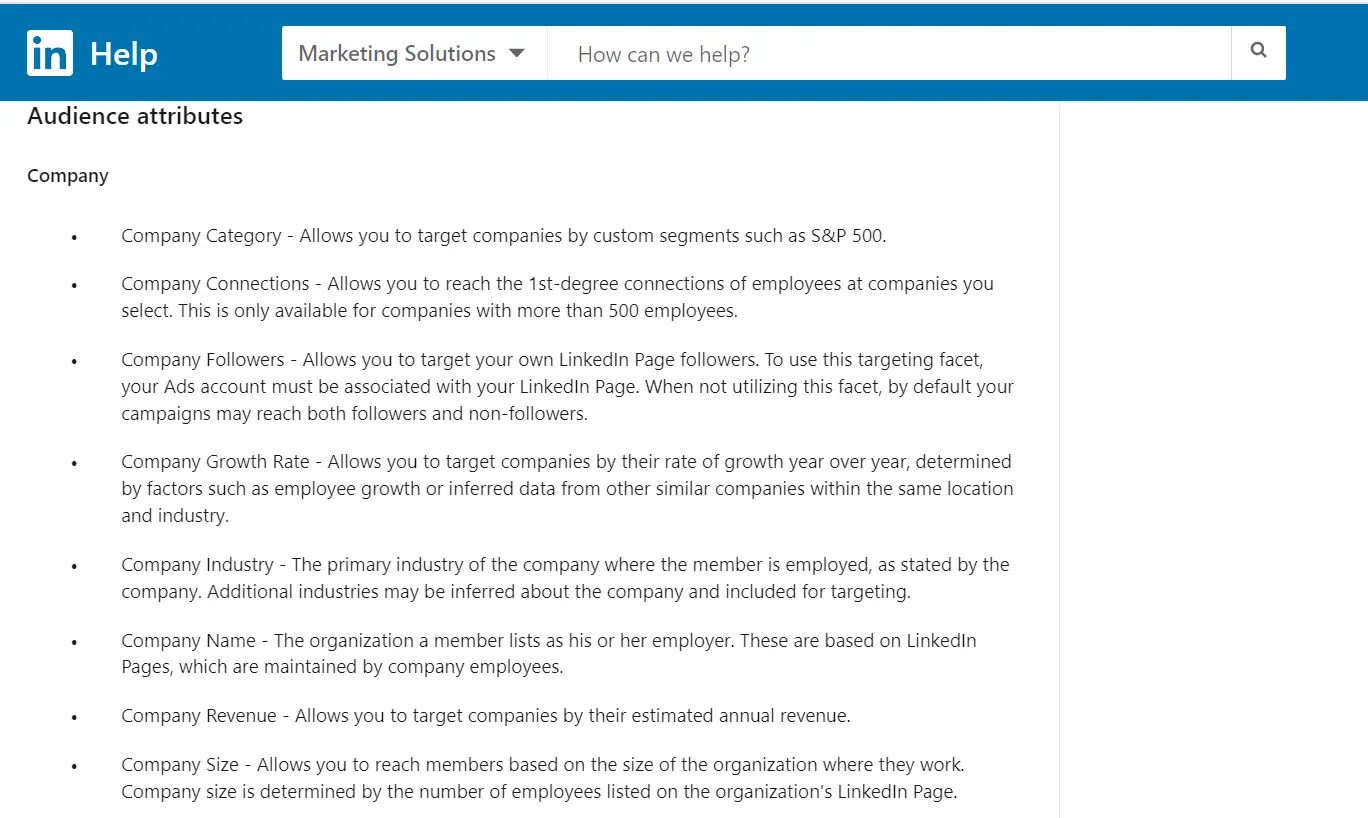
However, while LinkedIn campaign manager is a boon for running B2B ads, there's room for refinement when it comes to the ad platform's industry tag categorization and audience targeting mechanism.
The LinkedIn industry list currently consists of 24 main categories and 148 subcategories as applicable industries for company profiles. These categories are presently visible for company pages but are yet to be updated on Campaign Manager.
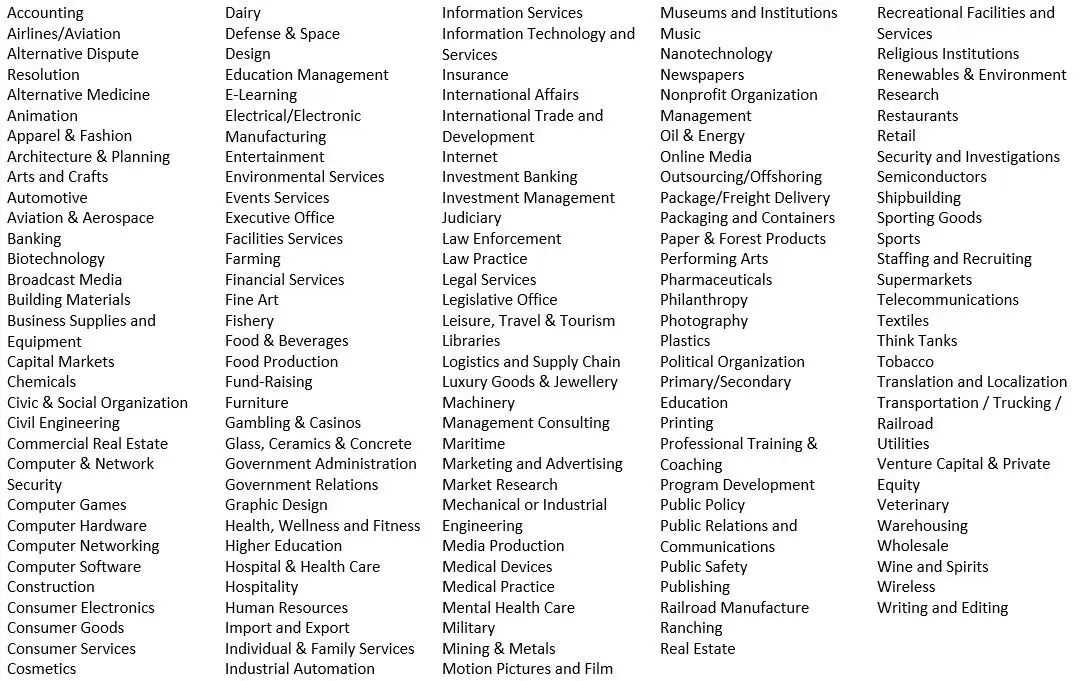
While these categories cover a wide range of industries, this article explores why they may still be insufficient — and how we can overcome the hurdle of vague industry tags to optimize ad performance ⬇️
How Does LinkedIn Campaign Manager Define Industries?
LinkedIn defines industry as the company's primary industry, which is where the member is employed, as stated by the company. Additional industries may be inferred about the company and included for targeting.
Individuals can’t choose the industry but rather get assigned the company's industry to which they are attached.
The problem arises when there is limited clarity on which industry a particular company belongs to. When selecting the industry option of a LinkedIn company page, the creator or page admin determines the industry. Since these are subjective, irregularities can occur especially when a company can come under two different industries.
For instance, a health tech company can come under “health, wellness and fitness,” “hospital and health care” or “software development”
Let’s look at this with a detailed example 🔽
Suppose you want to showcase your ad to decision-makers working in fintechs specifically. Here are examples of 3 fintech companies and how LinkedIn identifies their industries:
1. RazorpayXPayroll is placed under “IT services and consulting,” whereas it’s payroll software.

2. PayPal & Payoneer are similar platforms that facilitate international bank transfers but are under different industry tags.


As you can see, all 3 companies are virtually the same but are categorized differently on Linkedin. Seems confusing, right?
You risk losing out on ICP companies or worse you spend on irrelevant companies that are not your ICP because LinkedIn's categorization is different from your expectations
For instance, if you want to target fintechs and pick “financial services” in campaign manager, you’d also end up advertising to banks and investment companies.
Or if you pick “software and development,” your ads are shown to every other software company, regardless of whether they come under your ICP.
And we all know that an unqualified prospect can take a lot of time from your sales and marketing team, costing your company more than it pays.
Now the real question is,
How Do You Overcome This Problem?
Here’s what Tim Davidson, VP of Marketing at B2B Rizz, has to say:
As mentioned above, creating a target account list on a third-party platform allows you to present your ads to high-intent companies that actually fall within your ICP without overshooting your paid ad spend.
You can either build a list of cold accounts on a database tool like Apollo or ZoomInfo or build granular segments of warm ICP accounts engaging on your Website, LinkedIn, G2, CRM, etc. inside Factors.
💡You can use Factors account segments to identify and create a list of web visitors segmented by source and how far along they are in the customer journey. You can also refine the list by targeting accounts that visit high-intent pages (pricing pages, comparison blogs, G2 reviews, etc.) and fit your ICP based on demographics, industry, technographics, revenue, etc. Once done, you’ll have a list of high-fit, high-intent accounts.
Upload this list when creating audiences on LinkedIn to skip the ambiguity and save ad spend. It also comes in handy when launching retargeting campaigns to prospects in the solution-aware stage.

Understanding LinkedIn Industry Tags
LinkedIn industry tags help categorize companies into 24 main categories and 148 subcategories, enabling audience segmentation for B2B advertising.
- Challenges in Targeting: Categories can be ambiguous, making precise audience segmentation difficult.
- Classification Issues: A health tech company may fall under multiple categories like "Health, Wellness and Fitness," "Hospital and Health Care," or "Software Development."
- Optimizing Targeting: Combine industry tags with job titles, company size, and demographics for better audience reach.
Refining targeting strategies with additional attributes ensures more accurate segmentation, improves ad performance, and enhances B2B marketing effectiveness.
{{INLINE_TOFU}}
Wrapping Up
LinkedIn’s native targeting features while useful still have some room for optimization that the LinkedIn team is currently working on solving. In the meantime, you can use target account lists to save time and exclusively target your ads to prospects in market for your solution.
Find out how you can use Factors.ai for LinkedIn retargeting
And guess what? We’re coming up with something exciting that can help you revamp your LinkedIn ad strategy and make the most of LinkedIn. Stay tuned for more!


We don’t just write about demand gen. We deliver it.
Our AI Agents help you uncover high-intent accounts, run campaigns that actually convert, and keep your GTM motion in sync.
1000+ GTM teams have already scaled their pipeline with Factors.
*Includes built-in peace of mind. And fewer late-night funnel audits.

.svg)










.png)