.svg)

%20Work.%20And%20What%20Marketers%20Should%20Actually%20Know.jpg)
How Large Language Models (LLMs) Work. And What Marketers Should Actually Know
Imagine you’re at your desk, coffee in hand, staring at a blank content brief that’s due in 30 minutes (we’ve all been there). You open up a Large Language Model (LLM) like ChatGPT or Claude, and bam, you get a usable first draft.
It feels like magic, doesn't it? Spoiler alert: It’s not.
There’s solid math, smart engineering, and (surprise!) human psychology under the hood. Understanding how LLMs work isn’t just nerd talk; it’s how you get reliable results when you ask for that perfect paragraph or a catchy ad headline.
In this article, I’m breaking down the complex, geeky, and technical process into a friendly, usable blog. Ready? Let’s go.
TL;DR
- LLMs predict, they don't "think": These models are statistical engines that guess the most likely next piece of a sentence based on patterns they learned from massive amounts of data.
- The "secret sauce" is context: Using Transformers and Self-Attention, LLMs can analyze every word in your prompt at once to understand the specific meaning behind your request.
- Prompting is the new coding: To get high-quality results, you need a structured framework like COSTAR, providing context, objectives, and clear constraints rather than just generic "write a blog" commands.
- Marketers are the orchestrators: While the AI handles the heavy lifting of data analysis and drafting, humans remain essential for the strategic nuance, fact-checking, and final brand "soul".
Why understanding ‘how LLMs work’ actually matters
For us marketers, understanding the "how" isn't about becoming a data scientist (thank goodness, because I still struggle with advanced Excel formulas). It’s about predictability and control.
When you understand the mechanics, you stop treating LLMs like magic and start treating them like a highly sophisticated statistical engine. This shift helps you:
- Debug bad outputs: Instead of getting frustrated when a prompt fails, you’ll know exactly which "lever" to pull to fix it.
- Scale your creativity: You’ll find ways to automate the boring stuff (like content repurposing) while keeping the human "soul" in your brand.
- Future-proof your career: In 2026, the best marketers aren't the ones who write the fastest; they’re the ones who orchestrate the best AI workflows.
And before you ask the next question... Will AI take my job? No, they won’t. Please read more about this in the article "Will AI replace marketers?"
So…what is an LLM, anyway?
So, a Large Language Model (LLM) is a type of artificial intelligence trained on massive amounts of text data (books, articles, websites) to predict the next word in a sequence, but because it’s learned patterns at scale, it can generate coherent responses, answer questions, translate languages, summarize content, and more.
Imagine the autocomplete on your phone. You type "How are," and it suggests "you." An LLM does the same thing, but it has read roughly 10% of the entire internet to do it. It doesn't "know" facts the way a human does; it calculates the statistical probability of which word (or part of a word) should come next based on the patterns it learned during training.
The term “large” refers to two things:
- Lots of data it learned from, and
- Lots of parameters, like the internal knobs the model uses to make decisions about language.
How does an LLM actually work?
When you type a prompt into an LLM, it doesn't just "think" and reply. It goes through a very specific, multi-step assembly line.
Step 1: The training phase
Training an LLM involves feeding it text so it can learn language patterns. These models use an architecture called a transformer, with an attention mechanism that helps the model figure out which words matter most in a sentence, no matter where they are.
Step 2:Tokenization (The shredder)
The model can’t read "sentences." It breaks your text into smaller chunks called tokens. A token can be a whole word, a prefix like ‘un-’, or even just a few letters.
Fun fact: This is why LLMs sometimes struggle with spelling words backwards; they see the "token" as a single unit, not a collection of individual letters.
Step 3: Embeddings (The map)
Each token is turned into a list of numbers called an embedding. These numbers act like coordinates on a massive, multi-dimensional map. Words with similar meanings (like "marketing" and "advertising") are placed close together on this map, while unrelated words (like "marketing" and "elephant") are miles apart.

Step 4: The transformer & self-attention (The context king)
This is the "secret sauce." Most modern LLMs use a Transformer architecture. The "Self-Attention" mechanism allows the model to look at every word in your prompt simultaneously and decide which ones are most important for the context.
For example, if you say "The bank was closed because of the flood," the model knows you mean a river bank, not a place where you keep your money, because it pays attention to the word "flood".
Step 5: The prediction
Finally, the model looks at all that context and predicts the next token. It doesn't just pick one; it creates a list of likely candidates with percentages attached.
"B2B marketing is..."
- ...crucial (40%)
- ...evolving (30%)
- ...hard (10%)
It picks one (usually the most likely, but sometimes a slightly "random" one to stay creative) and repeats the process until the answer is done.
Step 6: Prompting (This is where we come in)
Your prompt acts like instructions for the model; the clearer you make them, the better the output will be. LLMs don’t inherently understand goals; they follow patterns you specify. So instead of “write a blog,” you get better results with “write a 600-word blog about X with subtitles and examples.”
In simple terms, think of it like digital clay; you’re the one who has to mold it into something useful.
Popular LLM Tools that marketers can use today
Now that we’ve got the science sorted, let’s talk shop.
Different LLMs are best at different things. If you only use one tool, you’re like a chef with only a microwave. Sure, you can make dinner, but it won't be a masterpiece.
Here is the "dream team" of tools that B2B marketers are actually using:
The "Big Three":
- ChatGPT (OpenAI): Now powered by GPT-5.1, it is surprisingly flexible for everything from brainstorming LinkedIn posts to analyzing a screenshot of your funnel to find where you're losing users.
- Claude (Anthropic): Claude feels more "human" and is the gold standard for technical accuracy and clean, well-documented code. It uses a feature called Artifacts to let you build interactive interfaces or documents right in the sidebar.
- Gemini (Google): It lives inside your Google Docs and Sheets, making it the best choice for teams who need real-time search data to validate their content.
The Specialists:
- Perplexity: Think of it as a search engine that talks back. It is essential for product discovery and research because it cites its sources as it goes, no more wondering if the AI just made up a statistic.
- Jasper: Built specifically for high-volume marketing teams. It can learn your specific Brand Voice by scanning your website, ensuring your blog posts actually sound like you and not a generic robot.
- Surfer SEO: The Search General. It doesn't just write; it uses NLP (Natural Language Processing) to tell you exactly which keywords and headings you need to outrank your competitors.
The "Wait, AI does that?" tools
- Clay: It allows you to build custom ICP filters and enrichment workflows that turn a static list into a living, breathing lead engine.
- Synthesia: It lets you produce high-quality videos without a camera or crew, making it perfect for scaling personalized sales demos.
- ElevenLabs: Need to turn a blog post into a podcast? It generates natural, studio-quality audio in seconds.
- Zapier AI Agents: You describe a workflow (like "summarize new leads in Slack"), and it builds the automation for you, connecting tools that never used to speak the same language.
Looking for more alternatives to your Clay tool? Read this blog on Clay alternatives for GTM teams to know more.
LLM use cases for marketers: What can you do with LLMs?
If you’re only using LLMs to "write a blog post about SEO," you’re using the sharpest knife from Japan to open a bag of chips. It’ll get the job done, sure, but you’re missing out on its capabilities. In 2026, the coolest B2B teams are using these models for tasks that would have taken a human team weeks to finish.
Here’s how B2B teams are actually using them in 2026:
- The "Vibe Check" at Scale (Sentiment Analysis): Imagine feeding 500 G2 reviews or 1,000 Slack community messages into an LLM. Instead of reading them one by one (ouch), you ask the model to "Identify the top three things people hate about our onboarding". It acts like a high-speed detective, spotting patterns in seconds that a human might miss after their third cup of coffee.
- The "Digital Twin" (Synthetic Personas): Ever wish you could interview your ICP (Ideal Customer Profile) at 2 AM? You can. Create a synthetic persona by giving the LLM your customer data. Ask it: "You are a CTO at a mid-market SaaS company. What part of this landing page makes you want to close the tab?" (Warning: It might be brutally honest).
- The Content Shape-Shifter (Intelligent Repurposing): Don't just copy and paste. Give the LLM a 45-minute webinar transcript and tell it to "Extract five spicy takes for LinkedIn, three 'how-to' points for a newsletter, and one executive summary for a C-suite email". It’s like having a content chef who can turn one giant turkey into a seven-course meal.
- "Spy vs. Spy" (Sales Enablement): Feed the model your competitor's latest feature announcement. Ask it to "Generate a 'Battle Card' for our sales team, highlighting exactly where our product still wins". It turns dry technical updates into ammunition for your next discovery call.
- The Anti-Groupthink Partner: Stuck in a creative rut? Ask the LLM to "Give me 10 marketing campaign ideas for a cloud security product, but make them themed around 1920s noir detective novels". Most will be weird, but one might just be the creative spark you needed to stand out in a sea of corporate blue.
Now that we know what these models can do, let's talk about the "control" you use to drive them.
Master the prompt: The marketer’s "code."
Ever prompted ChatGPT for a "blog post" and received something that read like a toaster's instruction manual?
We’ve all been there, staring at a screen, wondering why the magic feels so... beige.
To get those high-tier, "wow-I-can-actually-use-this" outputs, you need to move past the "Hey AI, write an SEO blog" stage. You need a framework.
The COSTAR framework
- C - Context: Who are we and what’s the backstory?. If you don’t tell the LLM you’re a scrappy B2B fintech startup, it might assume you’re a 100-year-old insurance firm (and write like one).
- O - Objective: What is the actual mission?. Instead of "write an email," try "Write an email to re-engage leads who ghosted us after the demo".
- S - Style: What's the vibe?. Do you want "High-energy startup" or "Trusted industry veteran"? (Pick one, or it might try to be both, which is just awkward) .
- T - Tone: This is the emotional quality. For a budget-related email, you’d want to be empathetic to their constraints, not sounding like a pushy car salesman.
- A - Audience: Who are we talking to?. Writing for an Operations Manager is a world away from writing for a Gen Z TikTok creator. Use the language they actually speak.
- R - Response: What should the final product look like?. Tell it to "Use bullet points and keep it under 150 words" so you don’t get a sprawling essay you have to hack apart later.
Pro-Tip: Treat the LLM Like a Junior Intern. Stop thinking of the LLM as an all-knowing God and start treating it like a very smart, very literal junior intern. If you wouldn't give a vague instruction to a human intern, don't give it to the LLM.
Few-Shot Prompting: This is just a fancy way of saying "Give it examples". Show it a paragraph you actually like, and say, "Write like this".
The Second Draft: Don't be afraid to give feedback! If the first version is too "corporate," tell it: "This is great, but make it 20% punchier and remove the word 'leverage'".
The community POV ( What you all loveee..AKA: Reddit)
I decided to "scrape" (mentally, mostly) what the community is actually saying about all this. On subreddits like r/DigitalMarketing and r/PromptEngineering, these things are clear:
- Prompt Engineering is becoming "Workflow Engineering": Redditors are moving away from single prompts and toward building "chains" of actions. So, this might be a better time to master prompt engineering to get “Wow, I can use these kinds of results.”
- The "Human-in-the-Loop" is non-negotiable: The general consensus? AI is great at the first 80%, but that last 20% (the fact-checking, the specific brand wit, the strategic nuance) still requires a human brain. So, again, for the last time, here is your answer to the 1B$ question: AI won’t replace marketers.
- Specialization is key: General models are great, but the real "gold" lies in small, specialized models trained on industry-specific data. So, it is time to build your own MCPs.
Don't just use LLMs; understand them
The "black box" of AI feels a lot less like a spooky mystery once you realize it’s just a glorified pattern-matching machine on speed. (It doesn’t “know” things, it’s just very good at sounding like it does.)
By getting cozy with tokens, transformers, and the art of structured prompts, you’re doing something big. You’re moving from being a passive observer to an active orchestrator of your marketing engine.
Because at the end of the day, the LLM isn't the marketer, you are. It doesn't have your gut instinct, your specific brand wit, or your deep understanding of why your customers actually buy.
It’s simply the most powerful pen you’ve ever held. It’s time to stop poking the box and start driving the machine. Now, go write something legendary.
FAQs on how LLMs work
Q1. Will LLMs eventually replace my entire marketing team?
No. (Breathe a sigh of relief).
It won't replace marketers, but it will absolutely replace marketers who refuse to use it. LLMs are incredible at the first 80%, the research, the drafting, the data-crunching, but they lack the "soul". They don’t have your gut instinct, your specific brand wit, or that weirdly specific understanding of why your customers actually buy. You are the orchestrator; the AI is just the (very fast) violin.
Q2. If an LLM doesn't actually 'know' things, how can I trust it?
You shouldn't, at least not blindly! (Psst! This is why fact-checking is still in your job description.)
Remember, an LLM is a statistical engine, not a database of facts. It calculates the probability of the next word. If you ask it for an obscure statistic, it might "hallucinate" a number that sounds right but is total fiction. Always treat its output like a first draft from a very confident, very sleep-deprived intern.
Q3. What’s the secret to making my AI-written content not look like... well, AI?
Stop giving it boring instructions! If you ask for a "blog post on SEO," you’re going to get "In the ever-evolving landscape of digital marketing..." (cringe). Use the COSTAR framework to give it a personality. Tell it to "be punchy," "avoid corporate jargon," or "write like a witty professor". Better yet, use Few-Shot Prompting: show it a paragraph you’ve actually written and tell it, "Copy this vibe".
Q4. Is it better to use one 'big' LLM or a bunch of small ones?
In 2026, the trend is moving toward specialization. While the "Big Three" (ChatGPT, Claude, Gemini) are great for general tasks, the real gold lies in specialized tools trained on specific data. For example, use Surfer SEO for search optimization or Jasper for keeping your brand voice consistent at scale. It’s about building a "workflow" where each tool handles what it’s best at, rather than asking one bot to do everything.
Q5. What is a 'token' and why should I care?
Think of tokens as the currency of AI. The model doesn't read words; it shreds them into chunks called tokens. This matters to you because most LLMs have a "context window”, a limit on how many tokens they can "remember" at one time. If you feed it a 100-page whitepaper and then ask a question about the first page, it might have already "forgotten" the beginning. Understanding tokens helps you keep your prompts concise and effective.

SEO vs Paid Search: A Marketer’s Marketing Dilemma Answered
As an SEO professional, here is a situation that lives in my head rent-free.
You open your dashboard.
Paid search is driving leads (nice, very nice).
SEO traffic is… slowly inching up (less nice).
Then someone asks that question. You know that one. “So… should we invest more in SEO or paid search?”
Everyone turns to you. You nod thoughtfully, as if this question is not going to haunt you during quarterly planning.
And this is where most conversations go sideways. Because here’s the truth: SEO vs paid search is not a fair fight. They’re not trying to do the same job. They just happen to live on the same Google results page.
Let’s untangle this properly and see how it actually works.
TL;DR
- SEO and paid search are not competitors. They solve different problems, on different timelines, even though they show up on the same search results page.
- Paid search delivers speed and clarity. It captures existing demand, works immediately, and is easy to measure, but only while you keep spending.
- SEO builds long-term leverage. It takes time, influences buyers early, compounds over time, and often looks weaker in last-click reports despite real impact.
- The best teams sequence both. Use paid search to move fast and learn what converts, then use SEO to turn those insights into sustainable growth.
What is Search Engine Optimization (SEO) (aka the channel that refuses to be rushed)
Search engine optimization, or the acronym SEO, is how you earn visibility on Google without paying for every click. You do this by:
- Creating content people actually search for (not just what you want to say)
- Making sure your site is technically sound (no duct tapes or broken links)
- Building authority over time, so Google goes, “Okay, fine, these folks know their stuff.”
Here’s the important part people forget: SEO takes time to start, but once it works, it keeps working.
You don’t see results immediately. In the beginning, it feels quiet. Sometimes too quiet.
But over time:
- Pages start ranking
- Traffic comes in regularly
- Then suddenly, you’re getting leads from a blog you wrote months ago and forgot about.
You’re not “turning SEO on.” You’re building something that continues to drive traffic over time.
Slow start but long payoff, that’s SEO.
Paid search: The overachiever who gets results now
Paid search has a very different energy. You:
- Pick keywords
- Set a budget
- Start getting clicks almost immediately
No waiting. No suspense. No “let’s see what happens in three months.”
It’s fast. It’s measurable. And yes, it can get a little addictive.
Paid search is what you reach for when:
- You need results this month
- Leadership wants numbers, fast
- You’re launching something new and can’t wait for SEO to warm up
But here’s the simple truth people often ignore: Paid search only works while you’re paying. Pause the budget, and the traffic pauses with it.
That doesn’t make it bad. It just means it’s built for speed, not permanence.
How SEO actually works
SEO isn’t magic. It’s three things working together:
- Content – Are you answering real questions people search for?
- Technical health – Can Google even understand your site?
- Authority – Do other sites trust you enough to link to you?
And one thing people always forget: SEO runs on Google’s timeline, not yours.
When you publish a page, Google doesn’t instantly reward you with traffic. First, it does a little homework. It:
- Finds your page
- Tries to understand what it’s about
- Decides where it might fit among millions of other pages
Now, at this stage, Google is basically asking, “Is this page useful, and who is it useful for?”
If the answer isn’t clear yet, nothing dramatic happens. Your page just… sits there. (Very humbling, I know.) Which is why:
- New pages don’t rank instantly
- Results feel invisible at first
- Patience becomes a strategy (unfortunately)
Over time, Google watches what users do:
- Do people click your results?
- Do they stay or bounce?
- Do other sites reference or link to it?
Each of these is a small signal. One signal doesn’t move the needle. Many signals, consistently, do.
As that confidence builds, your page starts showing up more often, in more places, for more searches. Not because you asked nicely. But because the data says you deserve it.
Slow, yes.
Predictable, also yes.
And once you understand that, SEO stops feeling mysterious and starts feeling manageable.
How paid search (PPC) actually works (also not magic)
Paid search looks simple at first.
Pick keywords. Add budget. Get clicks.
Easy… until you zoom in.
Behind every single click, Google is quietly evaluating a few things:
- Your bid – How much you’re willing to pay
- Your relevance – How closely your ad matches what someone searched
- Your quality score – How useful Google thinks your ad and landing page are
- Your signals – What Google learns from who converts and who doesn’t
Here’s where things get interesting:
- If your targeting is off, you don’t just get bad clicks. You pay more for them.
- If your conversions are weak, Google learns the wrong lesson.
- If your tracking is messy, Google guesses. And guessing gets expensive.
We know that paid search moves fast, but it has very little patience. It rewards teams who are clear about:
- Who they want
- What action matters
- What a “good” conversion actually looks like
And it quietly punishes everyone else. But once you understand how it thinks, it becomes very predictable.
Fast, yes. Easy? Only if you’ve done the homework.
Let’s talk money (the slightly awkward part)
This is usually where everyone clears their throat and says, “Well… it depends.”
With SEO, you usually pay for:
- Content
- Tools
- People
- Time
You spend upfront, then wait for results. That’s why SEO can feel expensive early on. You’re investing before you see much return.
With paid search, you pay for:
- Every click
- Every test
- Every campaign you run
Traffic starts quickly, but the moment you stop spending, results stop too.
So the difference isn’t really about cheap vs expensive. It’s about when you pay:
- SEO costs more at the start and pays off over time
- Paid search costs less upfront but adds up continuously
Basically, one expects patience and the other expects a credit card. Neither one is actually cheaper. They just hurt (and work) in very different ways.
Once you look at it that way, the tradeoff becomes much easier to explain.
Where SEO and paid search fit in the funnel (aka who does what)
Think of the funnel like buyer’s mood swings.
Paid search works best when buyers already know what they want. They’re typing things like:
- Best X software
- X pricing
- X alternatives
They’ve done the thinking.
They’re comparing options.
They’re basically saying, “I’m ready. Don’t mess this up.”
That’s paid search territory.
SEO shows up much earlier in the story. This is when people are Googling things like:
- How do I solve this problem?
- Is this even the right approach?
- What does everyone else do?
Questions are vague. Intent is forming. Nobody is ready to talk to sales yet (and they definitely don’t want a demo).
That’s where SEO belongs.
So, my point is…
Paid search catches people when they’re ready to decide
SEO meets them while they’re still figuring things out
Paid search captures demand. SEO warms it up quietly, long before anyone is ready to buy.
Different moments. Same journey.
Why SEO always looks worse in reports (and isn’t actually worse)
Paid search is very straightforward to explain in a report.
Someone clicks an ad.
They fill a form.
Revenue shows up.
Everyone nods. Charts look clean. Life is good.
SEO is messier.
Someone reads a blog.
They leave.
They come back a week later.
Then maybe they check pricing.
They later fill a form by clicking on your ad.
Then they talk to sales.
Then they convert.
Then no one remembers how they first found you.
So when you look at last-click attribution reports, SEO looks… underwhelming (and feels like you’re right in the middle of the Bermuda Triangle).
Not because it didn’t help. But because it showed up early, did its job quietly, and didn’t stick around to take credit.
SEO doesn’t close the deal in one move. It warms people up, gives them context, and nudges them forward long before conversion happens.
Which is great for buyers. And mildly frustrating for dashboards.
Classic SEO behavior.
SEO vs Paid Search: Mistakes almost everyone makes
If you have done at least one of these, you are completely normal.
- Expecting SEO to behave like ads
- Giving up on SEO because nothing happened immediately
- Throwing more budget at paid search without fixing targeting
- Treating SEO and paid search like rival teams instead of coworkers
None of these comes from a bad strategy.
They usually come from pressure. Deadlines. And someone asking, “Why is this not working yet?”
So decisions get rushed. Shortcuts get tempting. Context gets ignored.
At this point, know that this is not incompetence (it’s stress).
And once you see that clearly, these mistakes become easier to avoid next time.
What the community actually thinks (and why it matters)
Spend a few minutes reading Reddit threads on SEO vs paid search, and a pattern shows up pretty quickly. People say things like:
- “Paid search works… until it suddenly gets very expensive.”
- “SEO was painfully slow, but it saved us later.”
- “Turning SEO off was a mistake.”
- “Ads are great, as long as you know exactly what you are doing.”
Reddit is not polished. There are no frameworks, slides, or jargon. But it is honest. And here is the part worth paying attention to. Most people are not arguing about which channel is better. They are talking about what happens when teams over-rely on one and ignore the other.
The takeaway is simple:
- Teams that rely only on paid search feel exposed (and broke) when budgets tighten
- Teams that ignore paid search struggle to move fast when it matters
- Teams regret not doing SEO in the early stages of growth.
In other words, the community has already learned the lesson the hard way.
Balance wins. Short-term speed plus long-term stability beats picking sides.
So… SEO vs Paid search: Which one should you choose?
Here’s the answer most people don’t love, because it is not flashy.
You do not choose.
You sequence.
- Use paid search when you need to move fast. It helps you test, learn, and capture demand that already exists.
- Use SEO to build something that keeps working over time, even when budgets or priorities shift.
Let both channels talk to each other. Let paid search show you what converts. Let SEO turn those learnings into long-term traffic and demand.
The best teams do not debate SEO versus paid search. They design a system where each channel does what it is actually good at.
Final thought before your next planning meeting
SEO builds leverage, and paid search buys speed.
One helps you survive the quarter. The other stops you from starting from scratch every quarter.
If this question keeps coming up in your team, that’s a good sign.
It means you’re not just trying to win this month. You’re trying to still be winning a year from now.
And that is when both channels start to make a lot more sense (in their own way).
FAQs on SEO vs Paid Search
Q1. Is SEO better than paid search in the long run?
SEO wins long-term, but only if you are willing to wait. On Reddit, you will often see comments like “SEO saved us once ads got too expensive.” The catch is that SEO takes time to build. If you need results immediately, paid search usually performs better early on.
The practical answer is not either or. Use paid search for speed and SEO for durability.
Q2. Can I rely only on paid search and skip SEO completely?
You can. Many teams do. They just rarely enjoy it forever.
Communities like Reddit are full of stories where teams relied heavily on ads, then struggled when costs increased or budgets tightened. Paid search works, but it keeps charging you rent. SEO gives you a fallback. Without it, you are fully dependent on ongoing spend.
Q3. Why does SEO feel slow compared to paid search?
Because Google does not trust new pages instantly. Paid search shows results as soon as you launch a campaign. SEO needs time to understand your content, test it against competitors, and see how users respond. It is also normal.
Q4. Should startups focus on SEO or paid search first?
Start with paid search if you need quick feedback and leads. Start SEO as early as possible, even if it is small. Paid search helps you learn what converts. SEO helps you avoid rebuilding demand from scratch later.
Teams that delay SEO often say they wish they had started sooner.
Q5. Why does SEO look weak in attribution reports?
SEO often influences buyers early. People read a blog, leave, come back later, then convert through another channel. In last click reports, SEO does not get credit. SEO “works quietly” and gets undervalued because of how attribution is set up, not because it is ineffective.
.avif)
Benefits of Paid Search for B2B SaaS (Why Teams Keep Coming Back to It Anyway)
As B2B marketers, we have all gone through this moment.
Organic traffic is steady.
The content calendar is full.
And then the founder asks, “This is all great, but what’s going to move the pipeline this quarter?”
That question usually leads to the same discussion: “What can we turn on quickly?”
And that’s when paid search enters the conversation.
It starts as a short-term fix. Pipeline feels tight. Leadership wants quicker results. Someone suggests increasing spending on Google Ads. Costs rise, and before you realize, paid search steps up to take the blame.
Paid search is often misunderstood, occasionally abused, and regularly criticized.
Yet paid search keeps getting budget for one simple reason: it delivers predictability when teams need results fast.
This piece breaks down the real benefits of paid search advertising for B2B SaaS. No hype, just what it’s actually good at.
TL;DR
- Paid search works best as a demand capture channel, showing up when buyers are already evaluating tools, not when you’re trying to create awareness from scratch.
- It gives fast, honest feedback on messaging and positioning, helping teams learn what actually resonates in days, not months.
- Its biggest advantage is predictability. Paid search is one of the few channels through which B2B teams can reliably plan for the pipeline.
- The real upside isn’t lead volume, but clarity: better targeting, stronger sales context, and tighter alignment between marketing and sales.
First, a quick reality check on paid search advertising
Paid search is not magic. Scroll through any PPC or SaaS subreddit, and you’ll see the same frustrations pop up:
- “We’re paying for demo clicks that never convert.”
- “Sales says the leads are junk.”
- “Google Ads feels like a tax, not a growth channel.”
And they’re not wrong when paid search is treated like a lead faucet. But when it’s treated like a demand capture and signal channel, the benefits compound fast.
Let’s get into the benefits of paid search.
1. Paid search captures demand at the exact moment it exists
This is the most obvious benefit of paid search marketing. It’s also the one people still underestimate.
Paid search doesn’t show up to educate or warm people up. It shows up after someone has already decided to look for a solution.
They’re not browsing. They’re searching for queries like:
No one types these queries “just to explore.” These are decision-stage searches.
The buyer is comparing options, building a shortlist, or getting ready to talk to vendors. In practice, these keywords tend to have:
- Lower volume but higher conversion rates
- Longer time-on-page
- Higher demo-to-opportunity rates compared to generic terms
And that’s where paid search works best.
You’re not trying to convince someone they have a problem. That part is already done. You’re helping them decide which tool to pick.
And in that moment, timing matters more than clever copy.
That’s when paid search shows up exactly when the buyer is ready to choose.
Related read: Google Ads strategy for B2B SaaS
2. Paid search gives you immediate feedback on what the market actually cares about
Content takes time.
SEO takes patience.
Brand takes consistency.
But paid search? Paid search gives you feedback this week, often within the first few hundred clicks.
Run a few focused campaigns, and the market stops being polite. Within days, you learn:
- Which pain points actually get clicks
- Which value props sound great internally but fall flat externally
- Which keywords attract buyers versus people just doing “research”
Instead of debating positioning in meetings, paid search forces a real-world test. It’s honest, slightly brutal, and very efficient. If the message is unclear, performance drops immediately. If it resonates, you’ll know fast.
That’s why many marketers view paid search as a market research tool. Not the cheapest option, but faster than waiting three months for content data to roll in.
These insights from ads don’t just stay in ads. Teams regularly reuse these signals across:
- Homepage and landing page headlines
- Sales decks and demo flows
- Outbound email copy
- Product positioning
The real benefit here isn’t traffic. It’s knowing what language your market actually responds to.
3. Paid search is predictable, which is rare in B2B marketing
SEO compounds slowly.
Social performance fluctuates.
Events depend on calendars, attendance, and whether people actually show up.
Paid search is different. It’s refreshingly boring.
Put in X dollars.
Get Y clicks.
Convert Z percent.
Is it perfect? No.
Is it controllable? Yes.
That predictability matters, especially when B2B SaaS teams are under revenue pressure. Paid search lets you:
- Forecast pipeline contribution with more confidence
- Model CAC scenarios before committing the budget
- Turn spend up or down intentionally, not emotionally
You may not always love the efficiency, but you can plan around it.
And when leadership wants clear visibility into spend versus output, paid search delivers something most channels can’t: a lever you can actually pull. In B2B, that kind of predictability is a big plus.
4. Paid search supports your digital marketing strategy and other channels
One of the most underrated benefits of paid search ads is how much they help every other channel work better.
Paid search is not the star of your GTM motion, but it just shows up and does the supporting work.
Here’s what actually happens in B2B buying journeys:
- Someone sees your LinkedIn Ad and Googles you five minutes later
- Someone reads a blog and searches for pricing “just to check.”
- Someone gets a sales email and does a quick sanity search before replying
And your search ads are there for all of it.
It reinforces credibility, reduces friction, and makes your brand feel familiar instead of seeming risky. That’s why paid search often shows up late in the buying journey. It’s not discovering buyers. It’s confirming decisions.
So, paid search is not the hero, not the villain. It is the supporting character that holds the plot together.
5. Paid search forces strategic clarity (whether you like it or not)
If your positioning is fuzzy, CPCs go up.
If your ICP is wrong, conversion rates tank.
If your value prop is vague, no one clicks.
Paid search has a reputation for “punishing bad messaging.” That sounds harsh, but it’s actually one of its best features.
Paid search doesn’t let you hide behind impressions or vanity metrics; it asks one simple question: Did this message make someone act? If the answer is no, you don’t argue about it in a meeting. You fix it. Fast.
That pressure forces teams to get clear on the basics:
- Who is this for?
- What problem are we solving right now?
- Why should someone choose us at this stage?
Because paid search doesn’t reward vague positioning, it often accelerates decisions teams were already avoiding.
In that sense, paid search isn’t just a channel. It’s a constraint that creates clarity.
6. Paid search makes sales calls easier (before the demo even starts)
One underrated benefit of paid search ads is what happens after the conversion.
By the time someone books a demo from paid search, they’ve usually done some homework:
- Compared vendors
- Read positioning pages
- Self-qualified based on use case or price expectations
In other words, sales teams don’t start from zero.
When sales teams can see keyword and campaign context, they walk into calls with a lot more information. Instead of opening with generic discovery, sales can see:
- What keywords triggered interest
- Which use cases resonated
- Whether competitors were being evaluated
That context alone can change the tone of a call. Conversations become more focused, less defensive, and much more productive.
It’s a benefit that rarely shows up in dashboards, but sales teams feel it immediately.
What redditors actually say about paid search (unfiltered)
To separate theory from reality, it helps to look at how marketers talk about paid search when they’re not writing polished blog posts or pitch decks.
Reading Reddit threads about paid search can feel confusing at first.
People complain constantly.
- CPCs are too high.
- Lead quality is inconsistent.
- Google Ads feels expensive and unforgiving.
But if you read closely, something interesting shows up. Most of the frustration isn’t about whether paid search works. It’s about how narrowly it works.
Across B2B-focused communities, the same patterns keep coming up:
- Paid search performs best for bottom-of-funnel and competitor keywords
- Broad, generic keywords burn budget quickly and attract low-quality leads
- Rising CPCs are real, but they’re also stable enough to plan around
- Performance improves sharply when landing pages match intent instead of traffic volume
In other words, Reddit doesn’t disagree with paid search. It disagrees with how teams often try to use it.

Many of the loudest complaints come from teams treating paid search like a volume channel, when it behaves more like a precision tool. That lines up with everything earlier in this article.
Paid search works when:
- Demand already exists
- Messaging is specific
- Intent is respected
- Expectations are realistic
That’s why experienced marketers sound conflicted. They don’t enjoy paid search. They question the costs. They debate efficiency, but they still rely on it.
Because when buyers are actively evaluating options, paid search is one of the few channels that reliably shows up at the right moment. (And even its critics know that’s hard to replace.)
Turn paid search into an ABM growth engine with Factors.ai’s Google AdPilot
If paid search works best when it’s precise, predictable, and intent-led, then treating Google Ads like a volume channel is the fastest way to waste budget.
That’s exactly what Google AdPilot by Factors.ai fixes.
Target. Train. Track. Google Ads re-engineered for ABM.
With Google AdPilot, you stop paying for random clicks and start running Google Ads that are built for high-ACV B2B deals:
- Target the right accounts: Run ads only for ICP-fit, high-intent accounts. No job seekers. No competitors. No junk traffic.
- Train Google’s AI better: Send richer, value-weighted conversion signals back to Google using Google CAPI, so it optimizes for pipeline, not form fills.
- Track real impact: See which keywords and ads actually influence accounts, opportunities, and revenue, not just clicks.
The result? You can scale into broader keywords without tanking efficiency, improve conversion quality, and finally understand how paid search fits into the full buyer journey.
If you’re tired of paying for non-ICP clicks, Google AdPilot helps Google work the way B2B teams actually need it to.
👉 Book a demo or try it free and see how paid search should really work.
So… is paid search worth it for B2B SaaS?
Yes.
But only if you stop asking it to do the wrong job.
Most teams don’t fail with paid search because of execution. They fail because of expectations.
Paid search works best when it’s not treated like a lead-dumping machine. The real benefits show up when you use it as:
- A demand capture layer for buyers who are already searching
- A messaging feedback loop that tells you what actually resonates
- A signal engine that helps sales and marketing stay aligned
Paid search won’t fix a broken funnel. It won’t rescue unclear positioning. And it definitely won’t make CPCs magically cheaper.
But it will make a good funnel move faster.
And when leadership wants answers this quarter, paid search remains one of the few channels that can actually deliver them.
So the real question isn’t whether you should run paid search. It’s how you’re using it. Are you collecting leads…or are you learning what your buyers care about before they ever talk to sales?
That’s where the real upside lives.
Related read: Are Google Ads worth it?
FAQs on the benefits of paid search
Q1. Is paid search worth it for B2B SaaS companies?
Yes, when used for bottom-of-funnel and high-intent keywords. Paid search works best for capturing existing demand, not generating awareness from scratch.
Q2. Why does paid search feel expensive for B2B?
Because B2B keywords are competitive and intent-heavy. Higher CPCs are common, but they’re also predictable and easier to plan around compared to most channels.
Q3. Does paid search generate low-quality leads?
It can, if campaigns target broad or generic keywords. Lead quality improves significantly when keywords, landing pages, and intent are tightly aligned.
Q4. How long does it take to see results from paid search?
Usually, days to a few weeks, not months. Performance signals like CTR, conversion rate, and keyword quality show up quickly once campaigns go live.
Q5. Should B2B companies use paid search or SEO?
Both. SEO builds long-term demand, while paid search captures demand that already exists. They work best together, not as replacements.

Audience Identification: How B2B Marketers Can Stop Marketing to “Everyone”
Let’s start with an uncomfortable truth:
If your audience is “everyone,” your real audience is… no one.
Sure, your ad might get impressions.
Your blog might get traffic.
Your website might look busy.
But busy doesn’t mean effective.
Because when your message tries to speak to everyone, it usually ends up sounding like white noise. Polite. Generic. Instantly forgettable..
In this guide, we’ll break down what audience identification really means, why it matters for B2B marketing, and how to identify your audience step by step, without overcomplicating it.
But first, the basics.
TL;DR
- Audience identification means defining the specific people your marketing is meant to reach, not broad groups such as B2B companies or mid-market SaaS.
- Clear audience identification helps B2B marketers create more relevant messaging, choose the right channels, and reduce wasted spend.
- The best way to identify your target audience is by analyzing existing customers, understanding real pain points, studying behavior, and defining who you are not targeting.
- When you know exactly who you are talking to, your content feels sharper, your ads perform better, and your marketing feels more human and effective.
What is audience identification?
Audience identification is the process of figuring out exactly who your marketing is meant to speak to.
Not who could buy your product and definitely not who might someday care. But the specific people your messaging is designed for.
Imagine your product is for the B2B companies. But your audience might be:
- Demand gen managers drowning in dashboards
- RevOps leaders side-eyeing attribution reports
- Founders doing five jobs and sleeping four hours
Same market, totally different conversations.
Related read: What is ICP?
Target audience vs. target market (PS: They’re not the same)
This mix-up causes more bad marketing than Google algorithm updates. So let’s clear it.
- The target market is the broad group your product is built for
- The target audience is the specific subset your marketing is speaking to
For example, if your target market is B2B SaaS businesses, your target audiences could be:
- Founders
- Performance Marketers
- RevOps managers
Trying to talk to all of them at once is how you end up with copy that says… absolutely nothing.
Most businesses have multiple target audiences. The trick is knowing which one you’re talking to in that moment.
Related read: ICP Vs Buyer persona
Why audience identification actually matters (especially in B2B)
Here’s the truth that most B2B marketers agree on: B2B buyers are busy, skeptical, and allergic to fluff.
If your message doesn’t immediately feel relevant, they’re gone. No second chances, and definitely no “let me think about this.”
But on the other hand, when you nail audience identification, you can:
- Write copy that feels oddly specific (in a good way)
- Choose channels that actually convert
- Stop burning the budget on people who were never going to buy
Build a brand voice that feels intentional, not confused.
A PPC tool for enterprise teams shouldn’t sound like one built for local businesses.
And a message for a CMO should not read like one for a junior marketer.
Audience identification gives your marketing context (because without it, you’re guessing... and guessing is expensive.)
Related read: ICP marketing strategy
Common types of target audiences (aka: how people are usually grouped)
Most brands don’t have just one audience; they have layers. Here are the most common ways audiences are defined:
- Demographics: Age, location, job title, industry. (Basic, but useful.)
- Psychographics: Beliefs, motivations, values. (This is where things get interesting.)
- Purchase intention: Just browsing? Actively comparing? Ready to buy yesterday?
- Interests & subcultures: Communities, professional circles, shared obsessions.
- Lifestyle & behavior: How they work, where they hang out online, how they consume content.
Strong audience identification typically involves several of these, not just a single checkbox.
How to identify your target audience
If your audience feels fuzzy or suspiciously large, then you have to start here.
Step 1: Start with your customers (they already said yes)
Your existing customers are marketing gold. All you need to do is look for patterns:
- Job titles
- Industries
- Company size
- Geography
Pay extra attention to:
- Long-term customers
- Repeat buyers
- People who actually use the product
Then you have to talk to them. Yes, real conversations. (Wild, I know.)
Ask the following questions:
- What problem were you trying to solve?
- What almost stopped you from choosing us?
- What alternatives did you consider?
- Where do you go for advice or learning?
- What content do you actually read?
You’re collecting data and stealing their language (politely).
Step 2: Look at your social followers (the voluntary audience)
Your social followers are people who choose to hear from you. That alone is a clue. Look at:
- Location
- Age range
- Career level
- Engagement patterns
- Other brands they follow
You don’t need fancy tools. Even native LinkedIn or Meta analytics can show trends.
Pro tip: Focus on who engages, not who merely exists.
Step 3: Dig into your content and website analytics
Your website is quietly telling you who cares, but you have to listen.
Use analytics to understand:
- Where visitors come from
- Which pages do they linger on
- What content converts them
- What keywords bring them in
If founders gravitate to one set of pages and marketers to another, then you probably have multiple audiences.
And no, they all should not get the same homepage message.
Step 4: Stalk your competitors (professionally)
Your competitors are doing audience identification, whether they admit it or not. Study the following:
- Who are they clearly speaking to?
- What pain points do they repeat
- Where do they advertise?
- Who engages with their content?
The overlap between you and your competitor indicates a crowded market. The gaps reveal opportunities.
Sometimes differentiation is all about being clearer.
Step 5: Decide who your audience is not (this part stings)
This step is uncomfortable, which is why it works. For example:
- If you don’t offer a free plan, then stop targeting bargain hunters.
- If you only sell in the US, then exclude global traffic.
- If you serve mid-market, then stop messaging early-stage founders.
Saying “no” to the wrong audience makes it much easier to say “yes” to the right one.
Step 6: Creating a target audience profile (make it usable)
Once you’ve gathered the info, consolidate it. Include what actually matters:
- Role & seniority
- Industry
- Goals
- Pain points
- Buying triggers
- Platforms they trust
From there, create personas that are practical, share “this is who we’re talking to” profiles with your teams (so sales and marketing don’t argue about it in meetings)
PS: They don’t need cute names. They need clarity.
Related read: How to build your ICP in 15 steps
What target audience identification looks like in the real world
Let’s say you’re marketing a B2B SaaS product that helps companies understand which marketing efforts actually drive pipeline and revenue. (The kind of question leadership loves to ask five minutes before your review.)
At first, your audience looks like “B2B companies” or maybe “mid-market SaaS.” Which sounds reasonable… until you realize that points to thousands of (very) different teams. Way too broad to be helpful. So you zoom in.
Step 1: Start with your existing customers
You look at who’s already using and loving the product. A pattern jumps out. Your most engaged users tend to be RevOps or marketing ops leaders at SaaS companies with 50 to 500 employees. They’re the ones building dashboards, cleaning up CRM data, and calmly explaining ROI to leadership (or at least trying to).
Step 2: Look at behavior and pain points
Customer calls, and demos start sounding familiar. Everyone’s frustrated with disconnected tools, unclear attribution, and the constant pressure to prove marketing’s impact on revenue. Different companies, same headaches.
Step 3: Check where they spend time
You notice they’re active on LinkedIn, actually read long-form reports, and engage with content about attribution, pipeline visibility, and GTM alignment. Quick hacks don’t cut it. Depth does.
Step 4: Define who you’re not targeting
You intentionally rule out very early-stage startups and non-SaaS businesses. They’re not the wrong audience for the product forever, just not right now.
The result is a clearly identified target audience.
Your messaging shifts from generic feature lists to outcomes they care about: revenue visibility, cleaner reporting, and fewer awkward questions from leadership.
How to reach your audience once you’ve identified them
Once you know who you’re talking to, marketing stops feeling like guesswork and starts feeling… logical.
Here’s how to actually reach your audience without overthinking it.
1. Choose the channels they already trust
You don’t need to “be everywhere.” You just need to be where your audience already shows up.
If your target audience lives on LinkedIn, reads long-form reports, and joins webinars, forcing Instagram into your strategy is unnecessary.
Meet them where they’re comfortable, not where a trend report told you to be.
When you show up in trusted spaces, your message doesn’t feel like an interruption. It feels expected.
2. Use their language, not your product features list
This one’s big.
Your audience does not wake up thinking about your product features. They wake up thinking about their problems. So instead of saying what your tool does, talk about what it fixes.
If they complain about “messy attribution” or “answering ROI questions for the tenth time,” use that exact language. The moment they think, “Oh wow, that’s me,” you’ve won.
3. Match content to intent
Not everyone is ready to buy. And that’s okay.
Early on, they want education and clarity. Later, they want proof, examples, and reassurance that they won’t regret the decision.
Teach first. Prove second. Sell last. Trying to rush this is how good leads quietly disappear.
4. Test, learn, adjust (because humans change)
Audiences evolve, priorities shift, and new pain points appear.
The smartest teams keep listening, testing, and tweaking. Audience identification isn’t a one-time task. It’s an ongoing calibration.
And honestly, that’s what keeps marketing interesting.
Final thought: clarity beats cleverness (every time)
Here’s the thing most of us learn the hard way: when marketing feels hard, it’s usually not because you need better copy. It’s because you’re not sure who you’re talking to.
When the audience is blurry, everything downstream gets messy. Headlines start overexplaining. Campaigns try to please too many people. Results look fine, but never great. And explaining them in reviews becomes a whole separate job.
But when you’re clear on your audience? Suddenly, decisions get easier.
What to say stops being a debate.
What not to do becomes obvious.
Your content starts sounding oddly specific. Your ads feel less like interruptions and more like “oh wow, that’s exactly my problem.” And your marketing stops trying so hard to be clever, because it finally knows what audience is reacting to.
You don’t need more channels. You don’t need smarter words. You need a clearer persona in mind. Because the best marketing doesn’t feel like marketing. It feels like someone actually gets the job you’re trying to do.
And that’s what good audience identification is all about.
FAQs on audience identification
Q1. What is a B2B target audience, and how is it different from a target market?
A target market is the broad group your product is built for, such as SaaS companies or mid-market businesses. A target audience is a smaller, more specific group within that market that your marketing is meant to reach.
For example, your target market might be B2B SaaS companies, but your target audience could be RevOps leaders at SaaS companies with 50–500 employees. The narrower definition helps you create messaging that actually resonates instead of trying to appeal to everyone at once.
Q2. How do B2B marketers decide who their target audience is?
Most B2B marketers start with existing customers. They look for patterns in job roles, company size, industry, and buying behavior among their most successful accounts.
From there, they layer in qualitative insights from sales calls, demos, and customer conversations to understand real pain points and motivations. The goal is to identify the people who feel the problem most strongly and are most likely to influence or make the buying decision.
Q3. What questions should I ask to understand my B2B target audience better?
Focus on questions that reveal problems and behavior, not just demographics. Ask what challenge they were trying to solve, how they were solving it before, and what nearly stopped them from choosing your solution.
It is also useful to ask where they go for information, what content they trust, and what success looks like in their role. These answers help shape both your messaging and your channel strategy.
Q4. How do you reach specific decision-makers like CMOs or RevOps leaders?
Reaching specific B2B roles starts with choosing the right channels. Platforms like LinkedIn are often more effective because they allow role-based targeting and professional context.
Beyond targeting, messaging matters just as much. Decision-makers respond better to content that speaks directly to their responsibilities, pressures, and outcomes rather than generic product features.
Q5. Do I need more than one target audience in B2B marketing?
In most B2B companies, yes. Buying decisions usually involve multiple stakeholders such as marketers, operations leaders, and executives.
Each group cares about different outcomes, so a single persona is rarely enough. Successful B2B teams identify a few core audiences and tailor messaging for each, while keeping the overall positioning consistent.
10 B2B Lead Generation Tools That Won’t Get You Roasted in Pipeline Reviews
If B2B lead generation were easy, as marketers, we’d all be sipping iced coffee while our CRM magically filled itself with perfect, sales-ready accounts.
Instead, most of us are staring at dashboards thinking: “Why do we have 300 leads… and zero pipeline conversations?”
Welcome to lead generation in 2026.
Buyers ghost more than ever.
Sales wants “better leads.”
Marketing wants “credit.”
And leadership wants numbers that don’t require a 20-slide explanation.
Fun times.
Modern lead generation is about spotting intent early, prioritizing the right accounts, and proving real business impact before someone asks the dreaded question:
“So… what’s actually working?”
That’s where the right lead generation tools come in.
In this guide, we’ll walk through the 10 best B2B lead generation tools for 2026. Let’s get into it. Your pipeline review will be… less painful.
TL;DR
- B2B lead generation isn’t about form fills anymore. It’s about spotting buying intent early, across anonymous visits, multi-stakeholder behavior, and non-linear journeys.
- “More leads” is rarely the problem. The real issue is poor signal quality, misaligned sales and marketing data, and tools that can’t connect activity to pipeline.
- The best B2B lead generation tools focus on account-level visibility, meaningful intent signals, activation across GTM workflows, and revenue attribution, not vanity metrics.
- If your lead gen tools can’t hold up in a pipeline review, they’re not doing their job. Clarity beats volume every time.
What is B2B lead generation?
B2B lead generation is still about identifying and engaging potential buyers who are likely to purchase your product or service.
That part hasn’t changed.
How does it happen? Very different story.
In 2026, lead generation doesn’t start with a form fill. It starts with behavior.
Modern lead gen includes:
- Identifying anonymous website visitors who are clearly “just exploring” (and also very interested)
- Tracking account-level intent, not just individual clicks
- Understanding engagement across multiple stakeholders, all moving at their own pace
- Scoring and prioritizing accounts based on real buying signals, not just lead volume
- Activating those signals across ads, outbound, and sales workflows
- Measuring pipeline and revenue influence, not just form fills or conversion rates
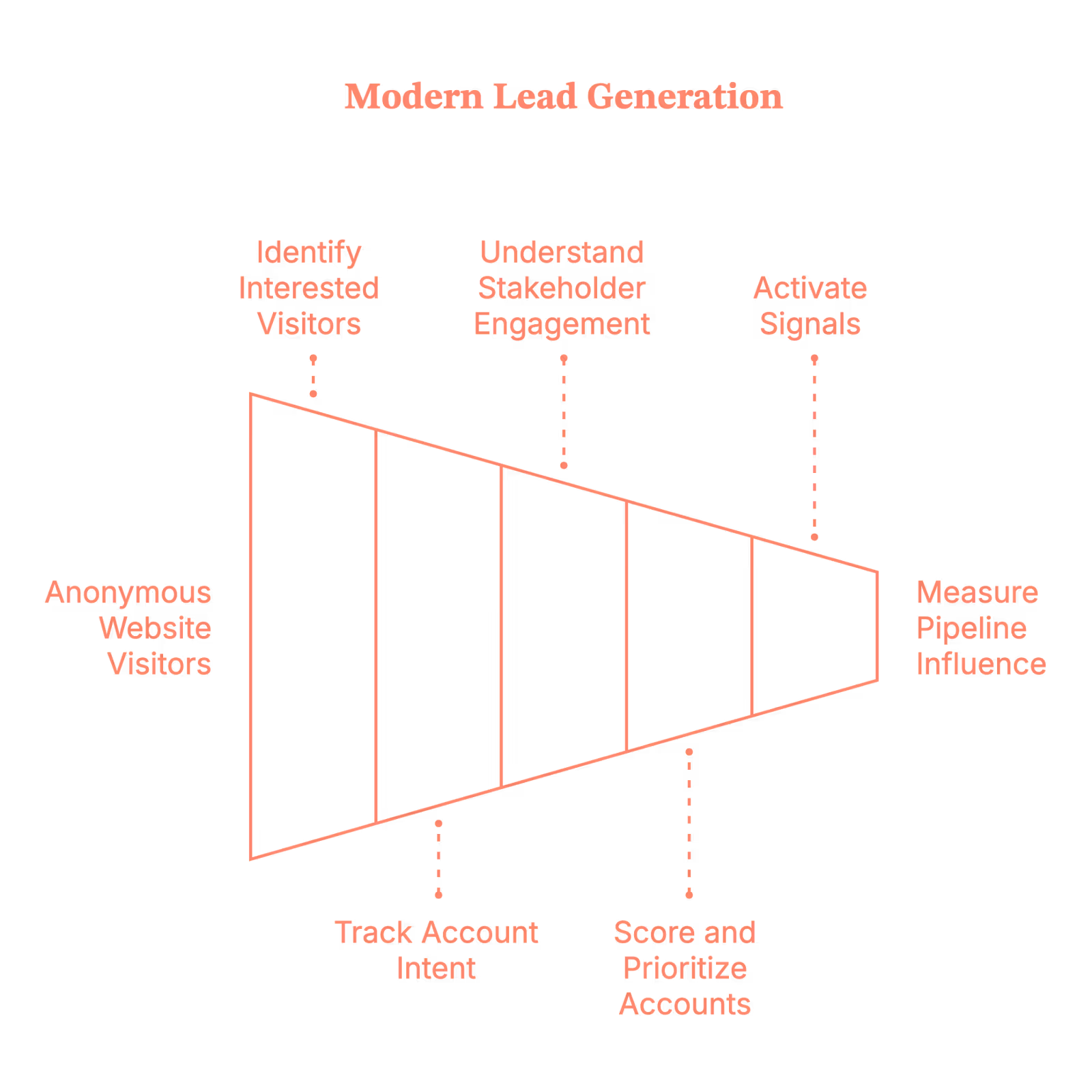
In other words, modern lead generation is less about asking, “Who filled out the form?” And much more about answering, “Which accounts are actively buying… and what should we do before they talk to someone else?”
That shift is what separates lead gen that looks busy from lead gen that actually drives revenue.
Related read: Lead generation KPIs for B2B teams.
Why lead generation tools matter more than ever
Once lead generation shifts from “forms” to signals, the tools you use suddenly matter a lot more. Because you can’t spot quiet demand, track intent, or connect buying behavior to revenue with spreadsheets and good intentions alone.
The right lead generation tools help B2B teams:
- See demand before someone raises their hand
- Focus on high-intent accounts, not low-quality volume
- Align sales and marketing around shared, trusted signals
- Reduce wasted spend and improve CAC
- Defend impact with pipeline and revenue data, not vibes
Without the right tools, teams usually default to:
- Guesswork
- Over-reporting MQLs to feel productive
- And fighting internal attribution debates that solve nothing
And once you’re in that loop, everything feels harder than it needs to be. So let’s look at the tools that actually help.
What features should you look for in a lead generation tool?
Not all lead generation tools are created equal. Some help you uncover clear buying signals.
Others help you collect more leads… and more questions in your pipeline review.
If lead generation in 2026 is about accounts, intent, and revenue, your tools should probably understand those things too. Shocking, I know.
Here’s what to look for.
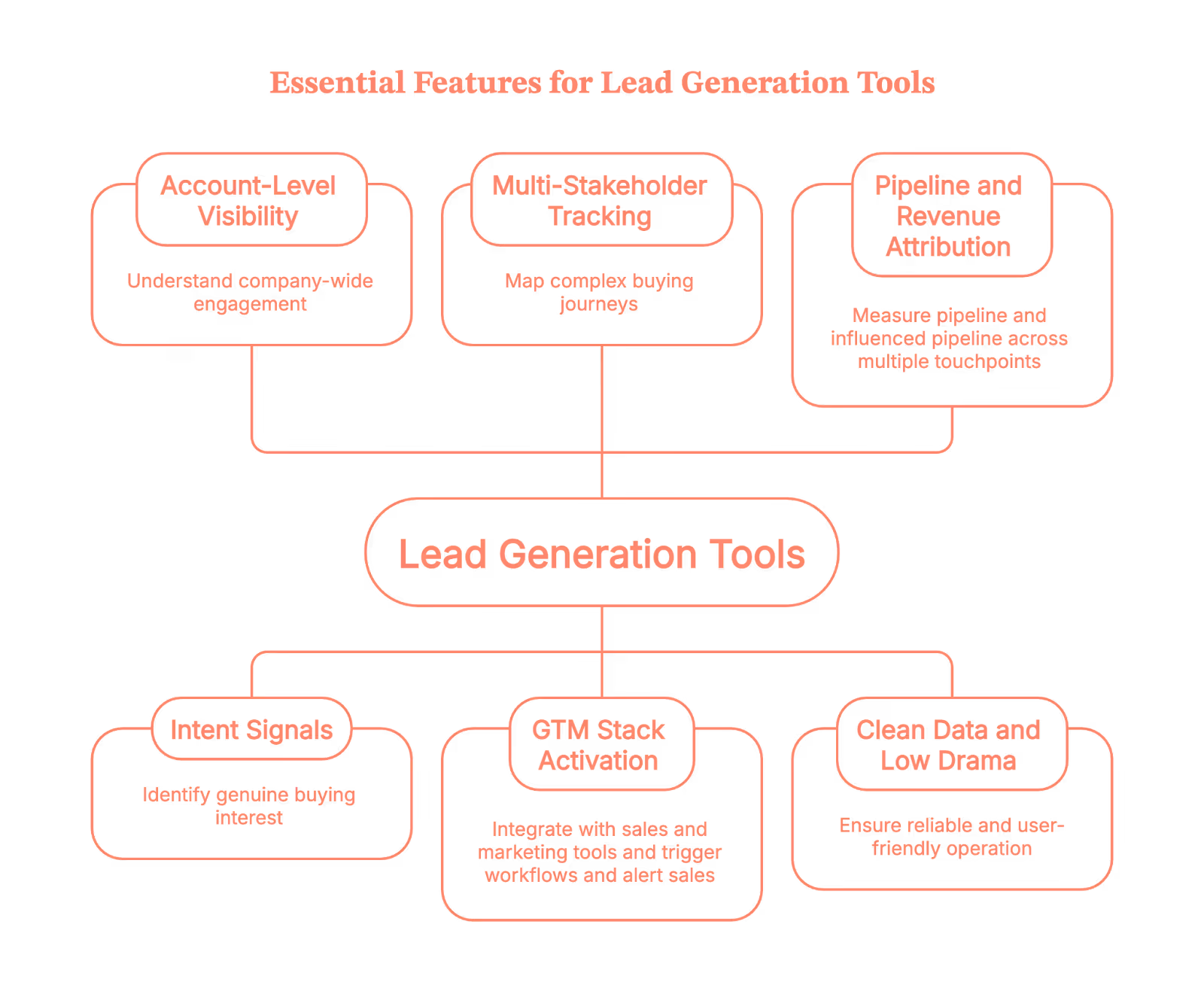
1. Account-level visibility (because B2B doesn’t buy in isolation)
If a tool only tells you who filled out a form, congratulations. You’re already late. You want to know:
- Which companies are on your site
- How often are they showing up
- And what they’re clearly obsessed with
Because deals don’t close just because one person clicked once, they close when an entire account quietly loses sleep over your pricing page.
2. Intent signals that mean something
Every tool claims to show “intent.” Some just call every page view a buying signal and call it a day. So, look for tools that capture intent signals like:
- Website behavior
- Content consumption
- G2 signals
- Ad engagement
- Sales and CRM activity
And, more importantly, help you tell the difference between “Just browsing” and “Please don’t let this go to a competitor.”
If everything looks like intent, nothing is.
3. Multi-stakeholder tracking (aka reality)
Real buying journeys are chaotic. You’ve got:
- One person reading blogs
- Another watching a demo
- Someone from finance lurking in the background
- And a VP who shows up exactly once, right before the deal closes
Good lead generation tools understand this. Bad ones think buying happens in a straight line. (It doesn’t.)
4. Activation across your GTM stack (insight ≠ action)
Dashboards are nice. Revenue is nicer. Your lead gen tool should help you:
- Alert sales when an account heats up
- Trigger outbound workflows or ad workflows
- Sync cleanly with your CRM
- And generally do something useful with the data
If your insights just sit there looking pretty, they’re not insights. They’re decor.
5. Pipeline and revenue attribution (for when leadership asks)
At some point, someone will ask, “So… is this actually working?”
Your tool should be able to answer:
- Which accounts turned into pipeline
- What influenced deal creation
- And what contributed to revenue
If it can’t, get ready for phrases like “vanity metrics” and “budget reallocation.”
6. Clean data and low drama
No one wants a tool that:
- Breaks integrations
- Requires weekly manual cleanup
- Or creates more Slack threads than insights
The best tools quietly do their job without becoming another project.
The 15 best B2B lead generation tools for 2026
Now that we know what actually matters in a lead generation tool, let’s talk about the ones that show up when it counts.
These aren’t “nice-to-have” tools. They’re the ones GTM teams rely on when lead volume looks great… but pipeline tells a different story.
We’re starting with platforms built for account-first lead generation, then moving into data, inbound, and execution tools.
1. Factors.ai
Factors.ai is an ABM-first lead generation platform built for how B2B buying actually works today.
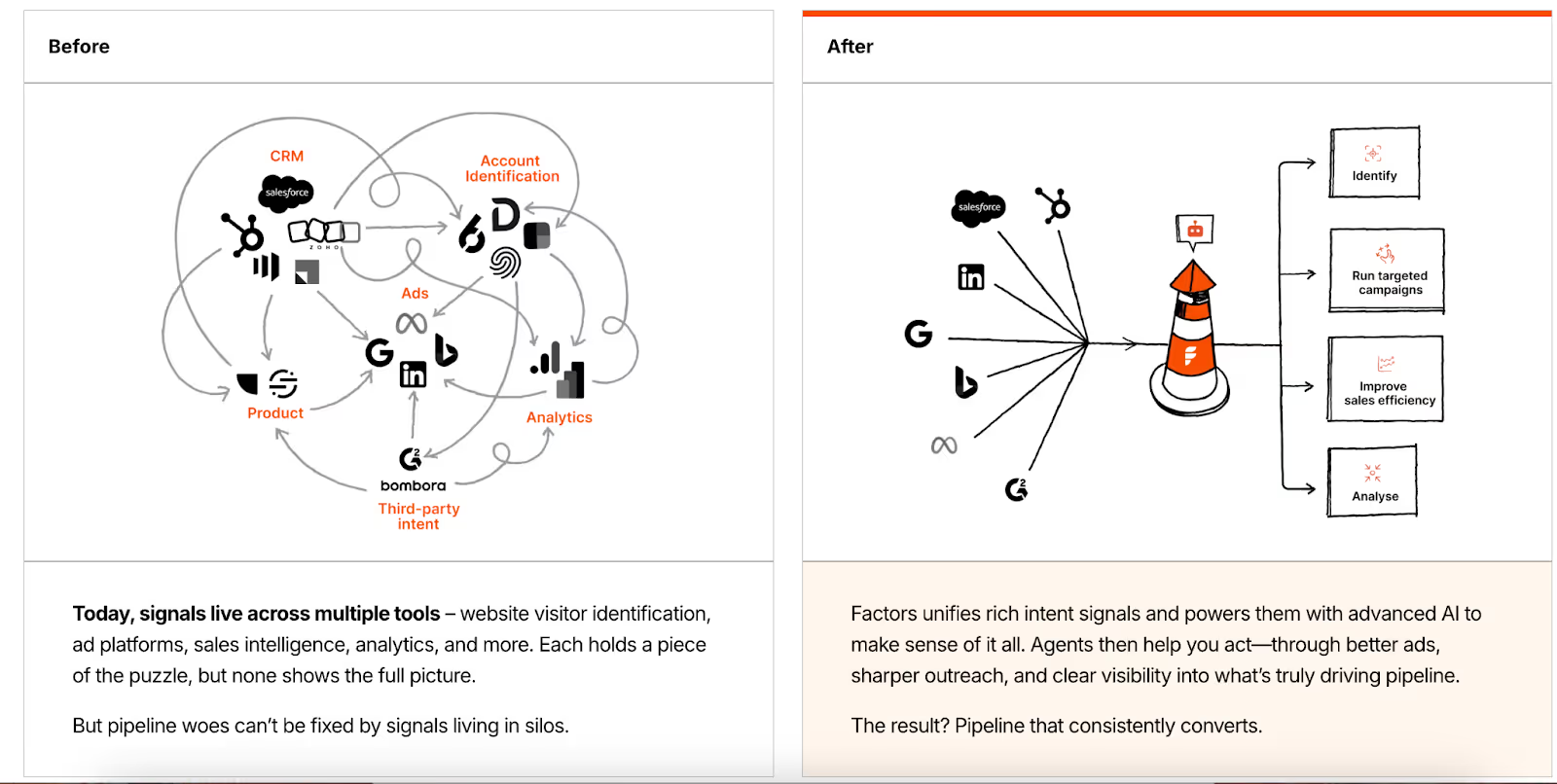
Instead of treating lead gen as a form-filling exercise, it treats it as an account discovery and influence problem. Who’s visiting? Who’s engaging? And which of those accounts are actually worth your time? It also helps you create segments of those audiences and run Google Ads and LinkedIn Ads targeting them.
Key benefits
- Identifies anonymous website visitors at the account level
- Surfaces high-intent accounts by capturing 1st, 2nd and 3rd party intent signals
- Aligns sales and marketing on shared account insights
- Shows which touchpoints influenced the pipeline and revenue
- Helps you optimize ad spends on Google and LinkedIn
Core features
- Waterfall enrichment to achieve >75% Account level website visitor identification
- Intent capture across website, ads, G2, and sales activity
- Run targeted ad campaigns on Google and LinkedIn using our audience sync features
- Workflow automation using GTM engineering services
- Multi-touch attribution and revenue reporting with Lift analysis
- CRM and ad platform integrations
Pricing
Custom pricing
2. ZoomInfo
ZoomInfo is one of the most widely used B2B data and intelligence platforms for outbound lead generation. For many teams, this is where prospecting begins. It’s typically used early in the GTM motion for market mapping, list building, and outbound prospecting, and often feeds data into CRMs, sales engagement tools, and ABM platforms.
Key benefits
- Massive contact and company database
- Strong filters to narrow down ICP-fit accounts
- Useful intent and firmographic layers
Core features
- Contact and company-level data
- Intent signals
- CRM integrations
Pricing
Pricing is not disclosed. Read more about this on the ZoomInfo pricing blog.
Also, if you are browsing for some good alternatives to ZoomInfo, read our blog on ZoomInfo alternatives and competitors.
3. Apollo.io
Apollo combines B2B contact data with outbound execution, which makes it popular with lean GTM teams that want speed without stitching together five tools.

Key benefits
- Prospecting and outreach in one place
- Lower barrier to getting outbound started
- Fast setup for small to mid-sized teams
Core features
- Contact database
- Email sequencing
- CRM sync
Pricing
The basic plan starts at 49$ per month, and the features vary based on the type of plan you choose.
Related read: Apollo.io vs ZoomInfo
4. Cognism
Cognism is known for compliance-focused B2B data, especially for teams selling into EMEA markets where regulations actually matter.
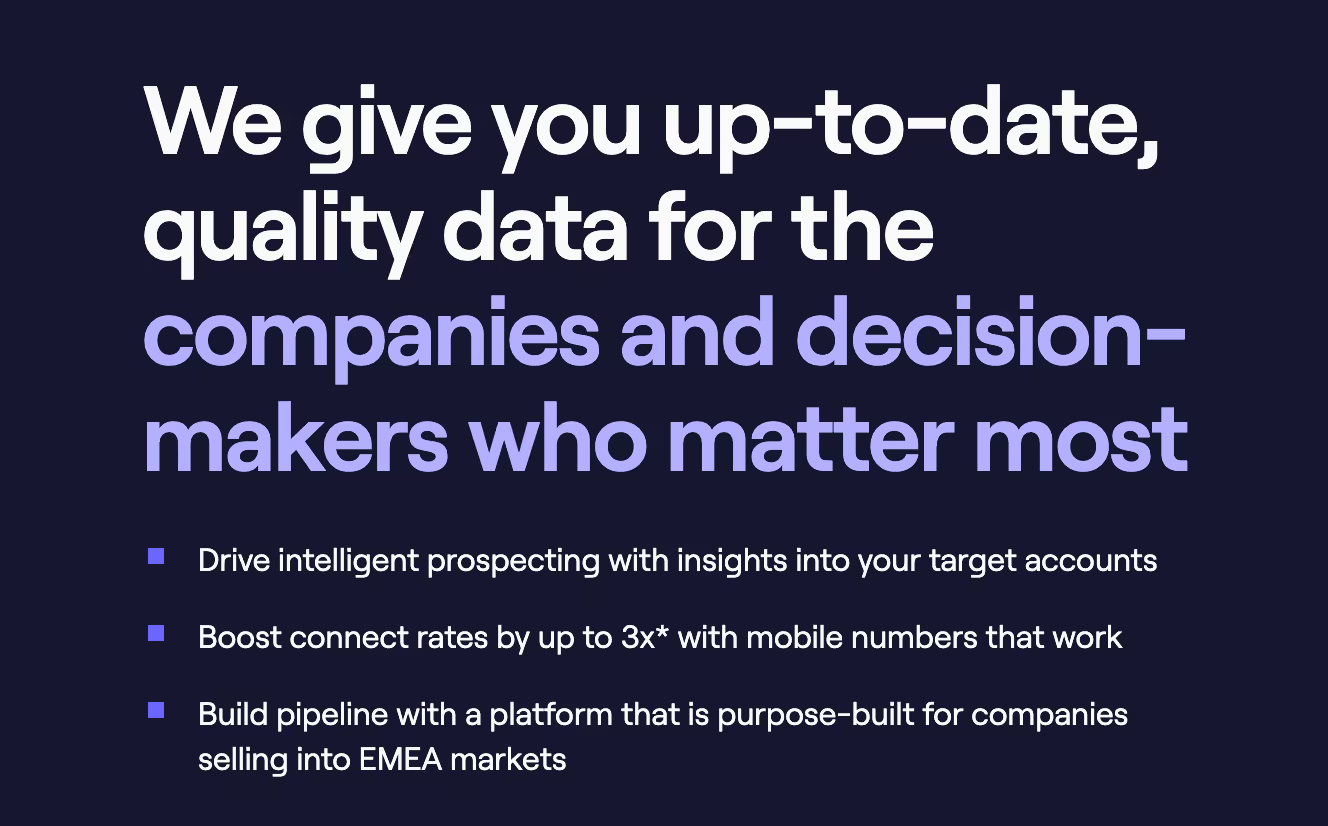
Key benefits
- GDPR-compliant data
- Strong mobile number coverage
- Useful for international outbound
Core features
- Contact and company data
- Intent insights
- CRM integrations
Pricing
Public pricing is unavailable. If you want to read more about pricing, refer to our Cognism pricing blog.
5. HubSpot
HubSpot is an all-in-one CRM and marketing platform widely used for inbound lead generation and lifecycle management.

Key benefits
- Unified CRM and marketing workflows
- Strong inbound and automation tooling
- Widely adopted and well-integrated
Core features
- Forms and landing pages
- Email marketing
- CRM and reporting
Pricing
Public plans available; pricing varies by hub and tier.
6. Clay
Clay acts as a data orchestration layer for GTM teams, pulling together enrichment, intent, and signals from multiple sources.
Perfect for teams who like control (and spreadsheets… but better ones).
Key benefits
- Highly flexible enrichment workflows
- Connects multiple tools into one system
- Reduces manual prospecting work
Core features
- Multi-source data enrichment
- Custom workflows
- CRM and outbound tool integrations
Pricing
The basic plan starts at 134$ per month. Custom pricing is available for enterprise companies.
While Clay offers powerful outbound workflows, you may want to compare it against the top Clay alternatives designed for faster, out-of-the-box sales orchestration.
7. UserGems
UserGems focuses on revenue signals tied to people's movement, especially job changes.
It helps teams re-engage buyers when champions move to new companies. (Which happens more than anyone admits.)
Key benefits
- Turns job changes into warm outbound opportunities
- Helps sales reconnect with known buyers
- Adds timing and relevance to outreach
Core features
- Job change tracking
- Account and contact alerts
- CRM integrations
Pricing
Public pricing unavailable
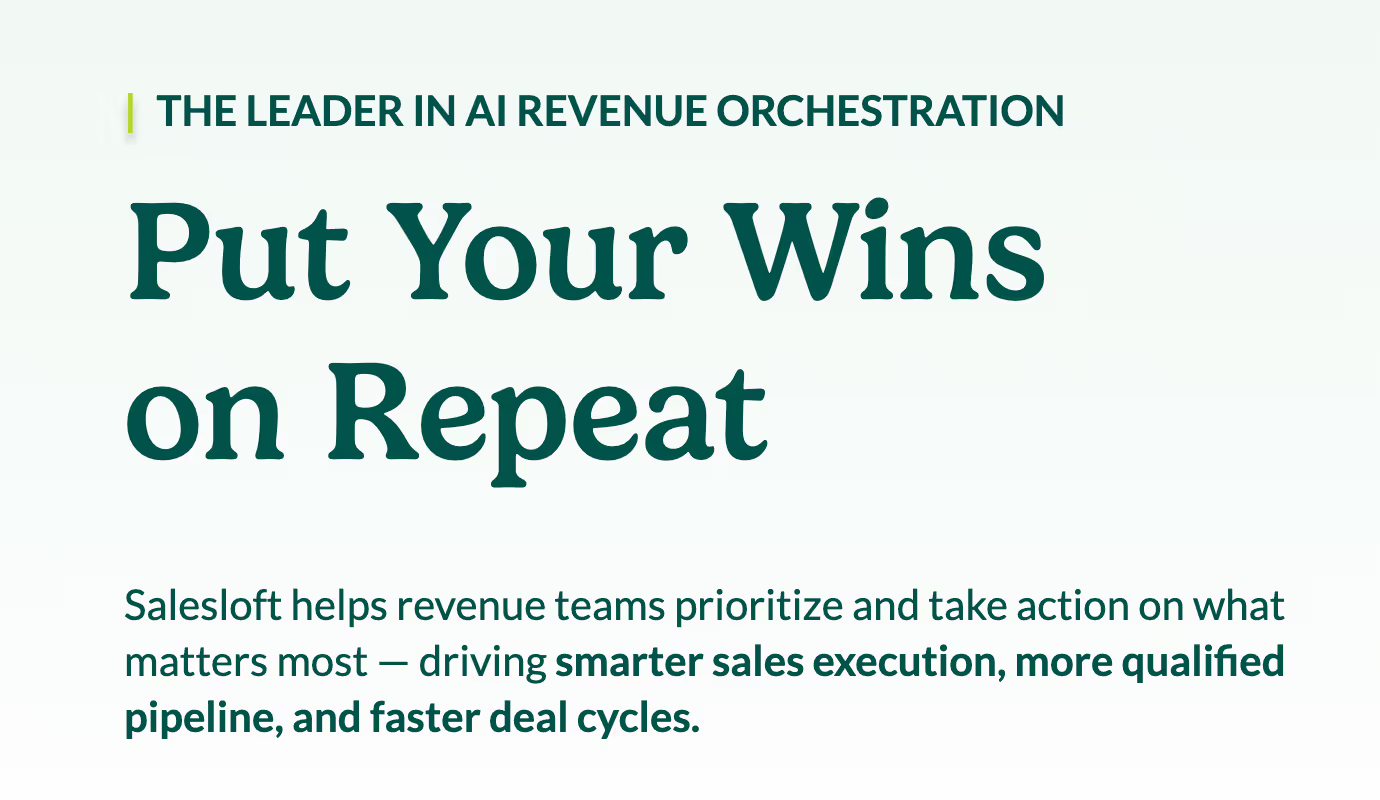
8. Salesloft
Salesloft focuses on rep productivity and human-centric engagement, with tools that help sales stay organized without feeling robotic.
Key benefits
- Strong rep experience
- Clear engagement insights
- Helps standardize outreach
Core features
- Email and call sequencing
- Sales analytics
Pricing
Public pricing unavailable
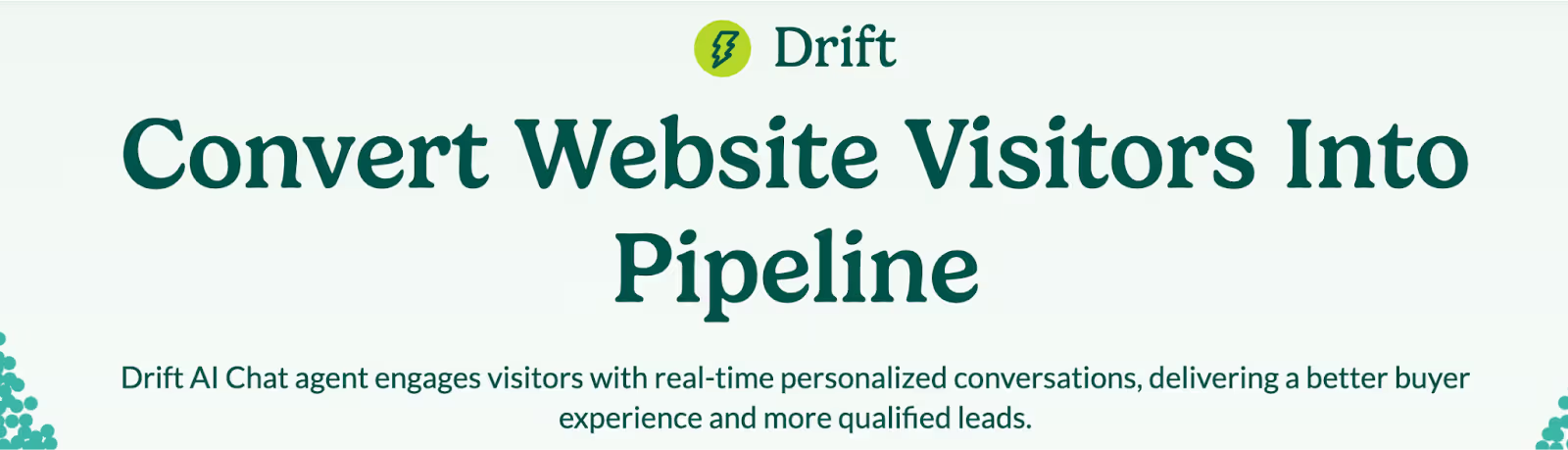
9. Drift
Drift enables chat-based lead capture for high-intent website visitors who don’t want to fill out another form.
Key benefits
- Faster response times
- Better qualification at the moment of intent
- Helpful for sales-assisted inbound
Core features
- Website chat
- Lead routing
Pricing
Unavailable
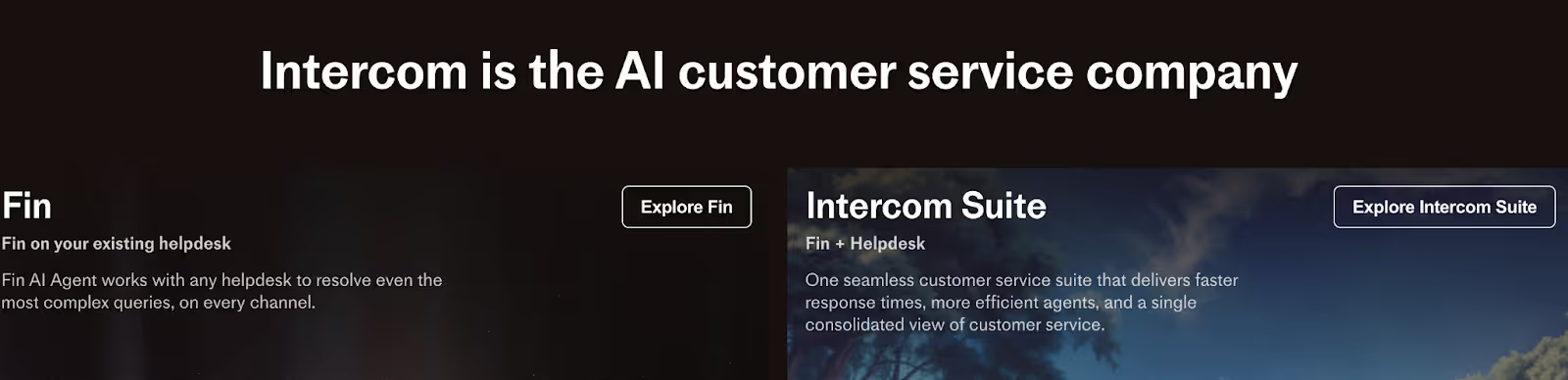
10. Intercom
Intercom blends sales, marketing, and support conversations into one messaging platform.
Key benefits
- Conversational lead capture
- Flexible automation
- Useful across the full funnel
Core features
- Messaging and chat
- Workflow automation
Pricing
Public plans available; advanced pricing unavailable.
How to choose the right B2B lead generation tool (without overthinking it)
Choosing a lead generation tool doesn’t have to feel like a six-week internal project with five comparison spreadsheets and zero decisions.
The trick is to stop asking “Which tool is best?” And start asking, “What problem are we actually trying to solve right now?”
Here’s a simple way to think about it:
- If your problem is not knowing who’s visiting your site, then you need visitor identification and intent-capturing tools
- If your problem is too many low-quality leads, then you need better qualification and prioritization
- If your problem is sales saying ‘these leads are useless’, then you need shared signals and attribution
- If your problem is execution, not insight, then you need engagement and activation tools
Most teams don’t fail because they picked the wrong tool. They fail because they picked a tool for a problem they don’t actually have.
A simple way to choose the right lead generation tool (no spreadsheets needed)
If you’re staring at a list of tools thinking, “Okay… but which one do we actually need?”, then start here.
PS: There is no right or wrong answer here.
1. How mature is your GTM motion right now?
Ask yourself where your team realistically sits:
Early-stage?
You’re still figuring out who to sell to and how to reach them. Data and outbound tools usually help most here.
Scaling?
You have demand coming in, but it’s messy. This is where intent signals and activation tools start to matter.
More mature?
You’re running ABM, working with multiple stakeholders, and leadership wants proof. You’ll need attribution and account-level visibility, not just more leads.
No wrong answer. Just be honest.
2. Where are things actually breaking?
This part is easier than it sounds.
Getting traffic, but no idea who it is? You have a visibility problem.
You know who’s visiting, but nothing happens next? You have an activation problem.
Campaigns are running, deals are closing… but you can’t explain why? You have an attribution problem.
Most teams only have one major leak at a time. Fix that first.
3. Who needs to believe this data?
This matters more than people admit.
If it’s just marketing, lighter inbound tools might be enough.
If sales and marketing both need to act on it, you need shared, account-level signals.
If leadership is involved, pipeline and revenue reporting isn’t optional. It’s table stakes.
If the data can’t hold up in a pipeline review, it’s going to be questioned eventually.
The gut check
Here’s the simplest test of all: If you can’t clearly explain why a tool exists in your stack, what problem it solves, and who it helps, it probably doesn’t need to be there.
And yes, that applies even if it has a really nice dashboard.
FAQs on B2B lead generation tools
Q1. What is the best B2B lead generation tool in 2026?
There’s no single best tool. Some teams need account-level visibility, others need better outbound data, and mature teams need attribution and ABM execution. Tools that connect intent, activation, and revenue tend to outperform standalone lead capture tools.
Q2. Are B2B lead generation tools better than form-based lead gen?
Forms still have a place, but relying on them alone means you’re seeing demand too late. Modern lead generation tools surface anonymous buying intent, multi-stakeholder engagement, and account-level signals long before a form fill happens. Also, read Lead generation vs Demand generation.
Q3. How do B2B companies generate high-quality leads instead of more leads?
High-quality leads come from prioritization, not volume. Teams that focus on:
- Account-level intent
- Buying behavior across multiple people
- Sales and marketing alignment
consistently generate fewer leads, but more pipeline. This is why many teams shift from MQLs to account-based or intent-led lead generation.
Q4. What’s the difference between ABM tools and lead generation tools?
Traditional lead generation tools focus on individual contacts. ABM tools focus on accounts, buying committees, and influence over time.
In practice, modern B2B lead generation often includes ABM capabilities like account identification, intent tracking, activation, and attribution. The line between the two is increasingly blurry.
Q5. How do you know if a B2B lead generation tool is working?
Are you clearly able to explain what influenced pipeline and revenue during a pipeline review? If yes, there it is, your tool is working.
If a tool only reports clicks, form fills, or MQLs, it will eventually be questioned. Tools that tie engagement to opportunities, pipeline creation, and revenue impact tend to survive budget scrutiny.
.avif)
Top 10 Best B2B Sales Prospecting Tools (That Help You Find Buyers, Not Just Names)
Let’s start with a scene you’ve definitely lived through.
You open your CRM.
There are hundreds of leads.
Dozens of sequences running.
Sales says they’re “following up.”
Pipeline, however, is just…not growing.
Then someone asks: “Are we prospecting enough?”
What they are really asking is, “Why do we have so many leads… and so few meaningful meetings?”
That’s the exact mess sales prospecting tools are meant to fix.
Not by dumping more contacts into your lap (because clearly, that’s not the problem), but by helping you zero in on the right accounts that are actually in market, at the right moment, with context.
In this guide, we’ll cover:
- What B2B sales prospecting tools really do
- How to choose the best prospecting tools for sales without overthinking it
- A practical, no-nonsense list of the 10 best B2B sales prospecting tools teams actually use today
Let’s get into it.
TL;DR
- The best sales prospecting tools help teams decide who to reach out to, when to do it, and why now, not just hand over more contacts.
- Sales prospecting tools should be signal-driven, not list-driven. Intent data, website engagement, and real account activity matter more than static databases or “just-in-case” outreach.
- There’s no single “best” prospecting tool; use a stack. Intent tools help you narrow in; data tools provide contacts; relationship tools add context; and execution tools scale outreach.
- When used correctly, B2B sales prospecting tools shift sales from volume to relevance. Fewer random emails, better conversations, and a pipeline that actually moves.
What are sales prospecting tools
Sales prospecting tools exist to stop sales teams from asking the same three questions over and over (usually out loud on Slack):
- Who should we reach out to?
- When should we reach out?
- Why would they care right now?
Old-school prospecting was all about lists.
Big questionable lists.
But now the modern B2B sales prospecting tools are about signals. They pull together things like:
- Account activity and buying intent
- Company and contact data
- Website visits and ad engagement
- CRM and outbound workflows
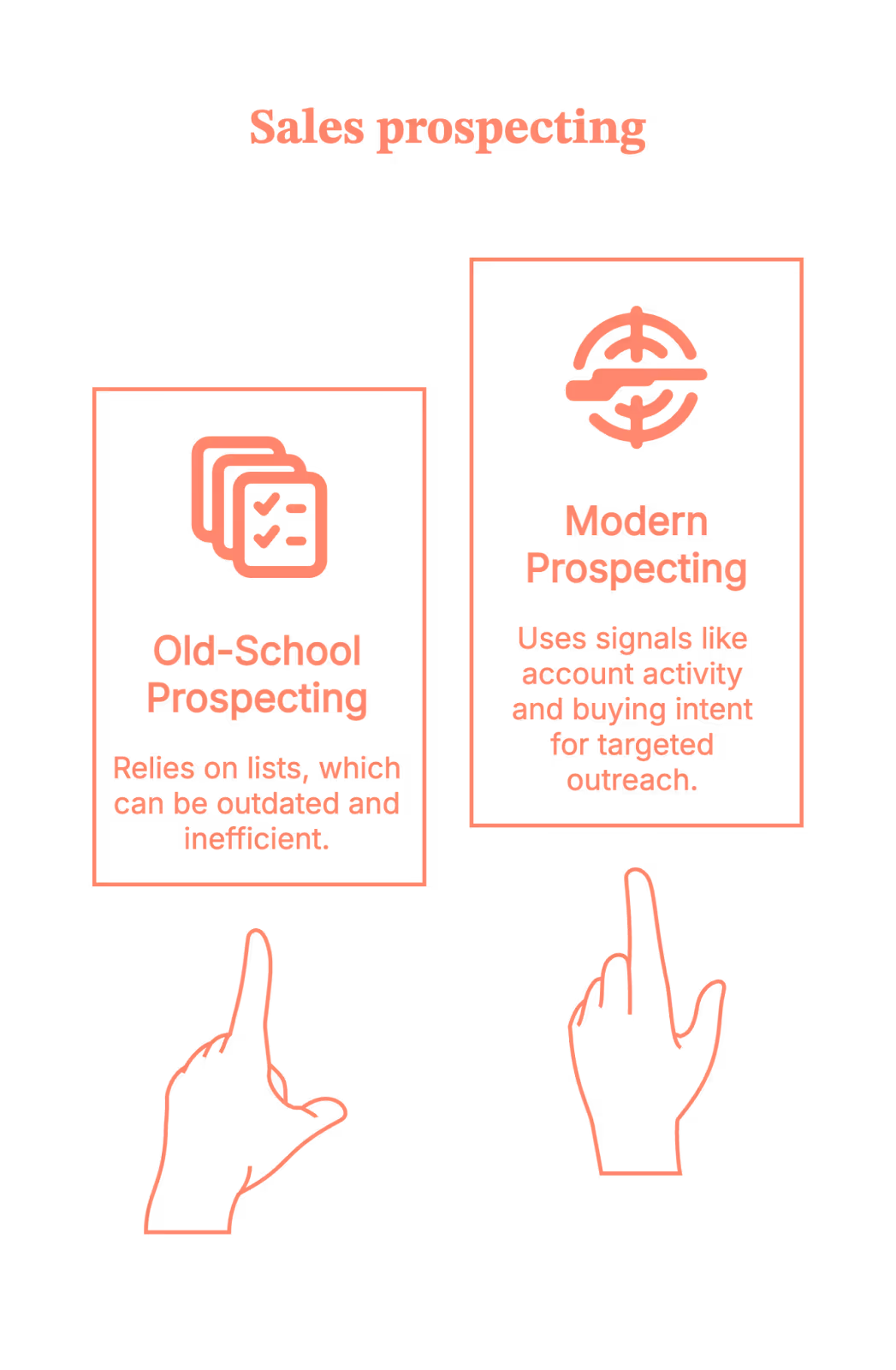
These tools are a very helpful nudge, saying, “Hey… this account might be worth your time today.”
The thinking, judgment, and charm? Still on you. (Sorry. No tool can fix that yet.)
How to choose the best sales prospecting tools
Before we jump into the list, let’s pause for a quick reality check.
Not every sales prospecting tool has to be in your stack. Some look impressive in demos, and then quietly turn into expensive tabs no one opens after week three. (You know the ones.)
So here’s a simple way to evaluate any prospecting sales tool. Ask yourself:
1. Does it help me identify the right accounts?
Not “anyone with a LinkedIn profile” but actual ICP-fit companies.
2. Does it show me when to talk to them?
Because prospecting without timing is just optimism.
3. Can my sales team use it without complaining?
If reps need five logins, two exports, and a prayer, adoption isn’t happening.
And here’s the litmus test.
If a tool only gives you emails with zero context, zero signals, and zero prioritization…it’s not really a B2B sales prospecting tool. It’s just a very fancy address book. (You already have Google for that.)
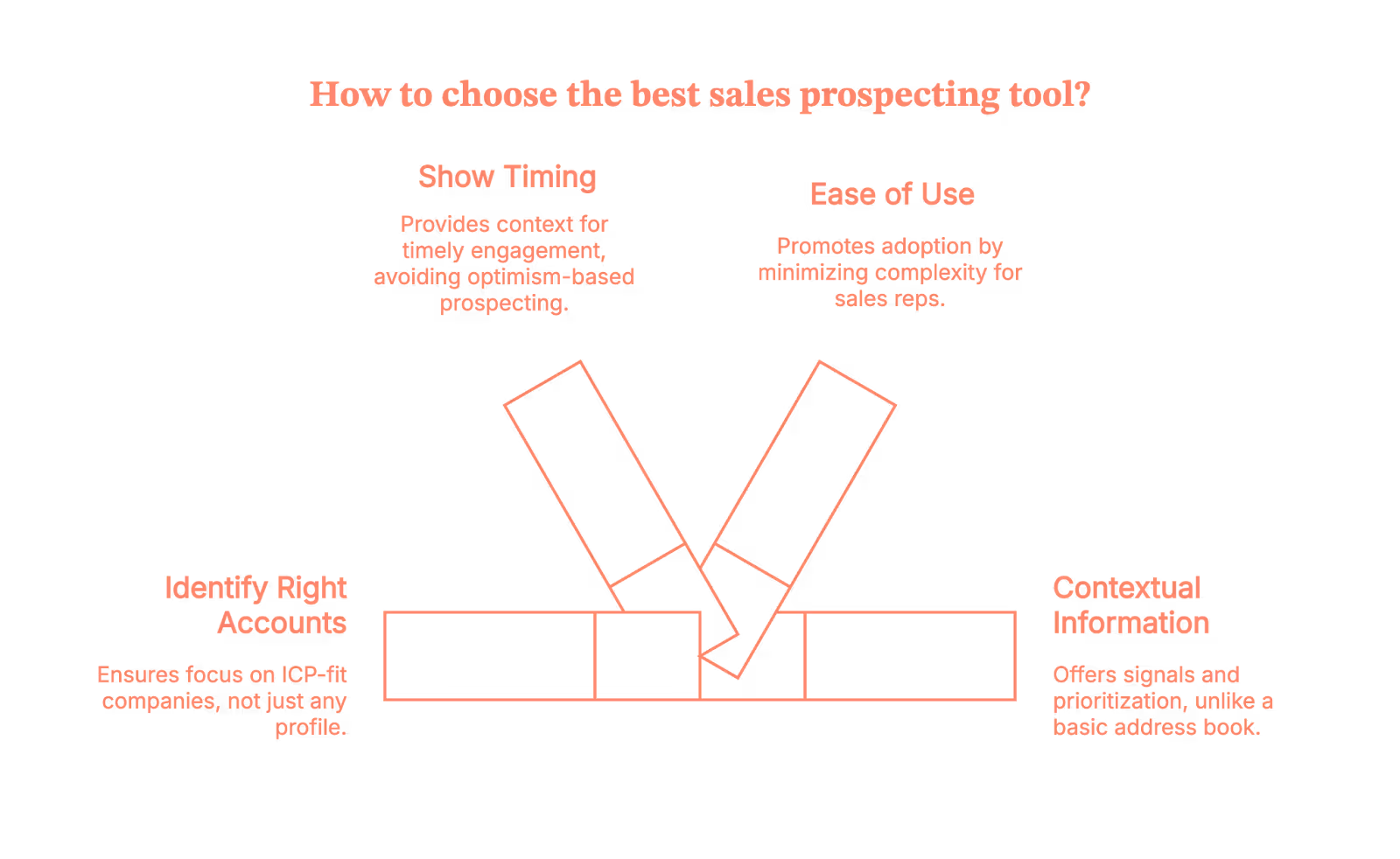
Now, let’s talk about the tools that help sales teams prospect with intent.
10 best B2B sales prospecting tools
Below is a curated list of the top sales prospecting tools used by B2B sales teams today. Each tool fixes a very specific prospecting problem.
(Some fix real problems. Some fix “I-need-an-email-right-now” problems.)
1. Factors.ai
Best for: Intent-led, account-based sales prospecting and outbound execution in one place
Factors.ai helps sales teams focus on which accounts to prospect first by surfacing real buying signals across website, ad engagement, and G2 pages. Instead of starting from static lists, it highlights companies that are already showing interest, even when no form is filled out.
It works alongside other traditional prospecting tools by prioritizing accounts, not replacing contact databases or outbound execution.
Why sales teams use it
- 75% coverage for Account-level identification of anonymous website visitors
- Enrich accounts with geography and job titles to pinpoint up to 30% of people who likely visited
- Real-time intent signals based on actual engagement
- Push the engaged audience lists into your LinkedIn and Google Ads accounts to run targeted campaigns.
- Syncs prioritized accounts into CRM and outbound tools
- Helps you automate outbound and set up sales workflows and alerts using GTM engineering
Ideal if you want sales outreach to feel timely and informed, not cold or random.
2. LinkedIn Sales Navigator
Best for: Relationship-based sales prospecting and persona discovery
LinkedIn Sales Navigator helps sales teams identify the right people inside target accounts and engage them using professional context like job changes, shared connections, and recent activity. It’s most effective when sales teams already know which accounts to focus on and need help navigating buying committees.
Why sales teams use it
- Advanced filters to find decision-makers and influencers
- Visibility into job changes and account activity
- InMail and connection-based outreach context
Ideal if you want outreach to feel personal and relevant, not generic.
3. ZoomInfo
Best for: Large-scale B2B contact and company discovery
ZoomInfo provides extensive company and contact data that sales teams use to build outbound lists across markets, industries, and roles.
It’s commonly used as a data foundation for outbound prospecting, but it still requires upstream prioritization and intent signals to avoid volume-driven outbound.
Why sales teams use it
- Broad database of B2B contacts and companies
- Firmographic and technographic insights
- CRM enrichment and list-building workflows
Ideal if you need reach and coverage across a large addressable market.
4. Apollo.io
Best for: Prospecting and outbound execution in one place
Apollo.io combines contact discovery with sequencing and engagement tools, allowing sales teams to prospect and take action from a single platform. It’s especially popular with SMB and mid-market teams focused on speed and efficiency.
Why sales teams use it
- Contact data plus email sequencing
- List building and outbound workflows
- Native CRM integrations
Ideal if you want fast execution without managing multiple tools.
5. Cognism
Best for: Compliant global B2B sales prospecting
Cognism focuses on providing GDPR-compliant contact data, making it a common choice for sales teams prospecting across EMEA and other regulated markets. It supports outbound prospecting where data compliance is critical.
Why sales teams use it
- Compliance-first contact data
- Strong coverage in EMEA markets
- CRM and sales tool integrations
Ideal if compliance and data quality matter as much as scale.
6. Lusha
Best for: Quick contact discovery during prospecting
Lusha helps sales teams quickly find emails and phone numbers, often through browser extensions used alongside LinkedIn. It’s commonly used for fast, tactical prospecting.
Why sales teams use it
- Easy access to contact details
- Browser-based prospecting workflows
- Simple CRM enrichment
Ideal if speed matters more than deep prioritization.
7. Hunter.io
Best for: Email discovery and verification
Hunter.io helps sales teams find and verify professional email addresses, reducing bounce rates in outbound campaigns. It’s typically used as a supporting tool rather than a full prospecting platform.
Why sales teams use it
- Email discovery and verification
- Domain-based email searches
- Simple API and CRM integrations
Ideal if email is your primary outbound channel.
8. Crunchbase
Best for: Company discovery and early-stage account research
Crunchbase helps sales teams discover and research companies based on funding, growth signals, leadership changes, and market activity. It’s commonly used before outreach to understand whether an account is worth pursuing.
Why sales teams use it
- Funding rounds, acquisitions, and growth signals
- Company and leadership insights
- Market and competitor discovery
Ideal if you want to qualify accounts early before investing sales effort.
9. Seamless.ai
Best for: High-volume outbound contact discovery
Seamless.ai provides sales teams with access to contact details for outbound prospecting, often used by teams running high-volume sales motions. It focuses on speed and scale rather than deep intent or prioritization.
Why sales teams use it
- Large contact database
- Chrome extension for quick prospecting
- CRM enrichment
Ideal if your prospecting motion depends on volume-driven outbound.
10. Salesloft
Best for: Executing and managing outbound prospecting
Salesloft is not a data source but a sales engagement platform that helps reps run structured outbound plays across email, calls, and LinkedIn. It’s often paired with prospecting and intent tools upstream.
Why sales teams use it
- Multi-channel outbound sequences
- Call tracking and engagement analytics
- CRM-centric workflows
Ideal if you want prospecting to be consistent, measurable, and scalable.
The B2B sales prospecting tools cheat sheet (Use this, not hope)
How to prospect without crossing your fingers
If you’re evaluating sales prospecting tools because your pipeline isn’t keeping up with your activity, you’re not alone. Most teams don’t have a lead problem. They have a prioritization problem.
The best B2B sales prospecting tools help sales teams answer three things clearly:
- Who to reach out to
- When to do it
- Why that account matters right now
Some tools focus on intent and timing. Others focus on contact data. A few help execute outreach at scale.
The key is not picking one tool. It’s building a stack where each sales tool for prospecting plays a specific role. Use intent-led tools to decide where to focus, data tools to decide who to contact, and execution tools to actually run outbound without chaos.
Here’s the simple takeaway:
- Intent & prioritization tools (like Factors.ai) help you decide which accounts to focus on first
- Data & contact tools (like ZoomInfo, Cognism, Lusha) help you find who to contact
- Relationship tools (like LinkedIn Sales Navigator) help you navigate buying committees
- Execution tools (like Apollo, Salesloft, and Factors.ai) help you actually do the outreach consistently
Done right, prospecting sales tools stop being about sending more emails and start being about starting better conversations.
And that’s how the pipeline moves without crossing your fingers.
FAQs on sales prospecting tools for B2B
Q1. What are sales prospecting tools, and do I really need them?
Sales prospecting tools help sales teams decide who to reach out to, when to do it, and why now. If your team is relying on cold lists, gut feel, or “just email them” logic, you’ll benefit from prospecting tools that add signals, prioritization, and structure.
Q2. What is the difference between sales prospecting tools and lead generation tools?
Lead generation tools focus on collecting leads. Sales prospecting tools focus on turning the right accounts into conversations. In B2B, most teams have enough leads. The real problem is knowing which accounts are worth the sales effort right now.
Q3. What are the best B2B sales prospecting tools for outbound sales?
There’s no single best tool. High-performing outbound teams typically use:
- Intent or account prioritization tools to decide where to focus
- Contact data tools to find who to reach out to
- Sales engagement tools to execute outreach at scale
Outbound works best when it’s signal-led, not volume-led.
Q4. Are sales prospecting tools worth it for small or early-stage teams?
Yes, but only if you choose carefully. Early-stage teams usually benefit most from:
- Simple contact discovery
- Lightweight prioritization
- Easy outbound execution
Over-stacking tools too early often creates more complexity than impact.
Q5. How do modern B2B teams actually use sales prospecting tools together?
Most teams don’t use one tool. They use a stack, for example:
- One tool to identify which accounts are showing interest
- Another to find the right people inside those accounts
- Another to run outreach consistently