
Good Reads
Fix pipeline pains. Solve GTM puzzles. Read strategic brain dump.
Written for marketers who want real solutions to a leaking pipeline (and their dark circles).
Want to read more from us?

I’m looking for…
%2520(1).avif)
Improve LinkedIn Ads Targeting with Audience Builder
Discover how you can use our latest feature, Audience Builder, to best target high-intent prospects via LinkedIn ads.

When you think of launching an ABM campaign, it’s natural to consider running LinkedIn ads. All you need to do is build and upload an audience list of your target accounts and launch your ads… right? Unfortunately, creating audience lists isn’t a walk in the park.
Your ability to maximize the value of your ads depends heavily on how you target them. If you want to build the perfect audience list, you need to look through mountains of data across multiple tools and Excel sheets while manually categorizing it according to your campaign goals.
Luckily, we have “Audience Builder” to prevent you from wasting your money.
In this article, we’ll show you how using Audience Builder is an effective way for you to target your audience on LinkedIn 🎯
Audience targeting: why the old way doesn’t work
Marketers typically build multiple audience lists for several different marketing initiatives, such as:
- ICP lists
- ABM lists
- Retargeting lists
- Webinar lists
- Intent data lists
- SDR lists, etc.
You might rely on LinkedIn’s native targeting filters to build your target account list. However, this comes with a set of challenges, such as:
- LinkedIn native targeting filters don’t include intent data, making it difficult to specifically target high-intent accounts
- LinkedIn’s job titles and industry tags are still being updated, so you might unintentionally target accounts that don’t fall under your ICP.
Of course, you can also build target account lists outside the platform via Apollo or Zoominfo and upload them to Campaign Manager. However, building out and vetting this list while sorting through different data sets would be time-consuming. Let’s say you want to build a list excluding your existing customers or those who have already signed up for a demo. It becomes tedious to scope out and filter every single account. Plus, you also have to continuously update this list every day according to when prospects book demos.
Now that’s A LOT ☠️
Abhishek at Descope explains why they faced a challenge when creating audience lists for their LinkedIn ad campaigns:
“Most tech companies have very complex buying groups with multiple stakeholders where the decision-maker and influencer differ. We were looking for a scalable way to craft the right message for the right buyer role at the right organization size without blowing the company’s budget.” – Abhishek Iyer, Director of Marketing at Descope.
For all these reasons, you need a tool that consolidates and integrates all your account data across multiple tools and automatically creates an audience list of accounts interested in your solution. Fortunately, your search ends here!
Introducing Audience Builder
Audience Builder allows you to build any audience from your Factors data and automatically sync these lists directly to LinkedIn. Let’s show you how:
Segment your audience lists based on intent data
Let’s say you want to show your ads specifically to accounts who visit your pricing page. You can use the event as a trigger to add them to a LinkedIn audience. Now, you can show ads to product-aware accounts, aiming to engage them further after they've shown interest.
You can skip the guesswork and leverage the power of intent data to target the accounts genuinely interested in your product. You avoid wasting ad spend and can have your GTM team prioritize the right prospects to meet your pipeline targets

Sync data from multiple sources
Every marketing team uses various tools across their tech stack, each with different capabilities. However, syncing data across these tools to create an airtight audience list can be tricky.
Let’s say you use Salesforce. Since Salesforce doesn’t have a native sync with LinkedIn, you have to manually sort and build the list before uploading it to Campaign Manager. Plus, Salesforce doesn't offer website intent data or G2 intent data, so you cannot filter accounts that are genuinely interested in your solution. That’s where Factors comes in.
We help you unify end-to-end B2B customer journey data from G2, Linkedin, CRMs, and MAPs, giving you insights into every customer segment, their intent signals, and how to reach them effectively.

Here’s an example of how Descope uses the Audience Builder feature to build their lists:
“Factors provides granular visibility into accounts visiting our website as well as their engagement across G2 and other channels. Accordingly, we receive tons of insight into account activity without the need for form submissions or sign-ups.
Based on this, we’ve created 3 audience segments: Top, middle, and bottom of the funnel. These audiences are pushed into LinkedIn campaigns and served tailored ads based on their sales cycle stage.” – Abhishek Iyer, Director of Marketing at Descope
Audience Builder use cases
Now, you can leverage every bit of GTM data to create and activate the most relevant audiences. Here are a few ways you can use this shiny new feature to supercharge your LinkedIn ads:
- US-based software companies with 500+ employees that visited the pricing page >2 times and are not in the CRM: When ICP accounts visit a high-intent page like your pricing or demo booking page, they are far more engaged than just regular website visitors. You can create a list of such accounts in your CRM and launch a retargeting campaign where you can use ads to drive consideration for your product.

- ICP accounts that clicked on a search ad but failed to convert: Suppose a set of accounts clicked on a search ad that includes a feature keyword. You can use this data to push these accounts to a list that shows ads related to the relevant feature. Plus, you can add a condition to exclude companies who booked a demo.

- Enterprise Software and IT services companies that engage with more than 5 pages of your G2 category: When you notice accounts engage with your G2 page, they are evaluating your solution. Create a list targeting decision-makers and launch an ad campaign highlighting your best reviews and case studies.

- ABM target accounts that viewed LinkedIn ads and then visited the website: Prospects that visit your site after clicking an ad are likely problem-aware, so you can create an account list and add them to a sequential ad campaign to move them further down the funnel.
Once Descope used Factors to build audience lists, they saw positive results and could easily target their ICP accounts without sifting through loads of data across their tech stack:
“Factors is already playing a key role in helping us make our LinkedIn paid spend more efficient. Even if one person from a specific account visits our website, Factors helps us target decision-makers and the larger buying committee as a whole to ensure that all the right people from a target account see our ads. Ultimately, this helps our LinkedIn ad budgets go that extra mile.” – Abhishek Iyer, Director of Marketing at Descope.
{{INLINE_TOFU}}
Enhancing LinkedIn Ad Targeting with Factors.ai's Audience Builder
Factors.ai’s Audience Builder refines LinkedIn ad targeting by leveraging intent data for precise audience segmentation.
- Targeting with Intent Data: Identify high-intent accounts, such as those visiting pricing pages.
- Automated Audience List Creation: Integrates data from multiple sources to streamline segmentation and reduce manual effort.
- Direct LinkedIn Sync: Ensures ads reach relevant prospects in real-time, boosting engagement and conversions.
By addressing limitations in LinkedIn’s native filters—such as outdated job titles and lack of intent data—Audience Builder enhances targeting accuracy, improves campaign performance, and drives higher ROI.
Join the waitlist today
Building a solid audience list is key to targeting your ideal prospects. With AdPilot, you can use data-driven insights to effectively target the right accounts at the right time and double your LinkedIn ROI. Speak to our experts today to learn how AdPilot can revamp your LinkedIn ads strategy.
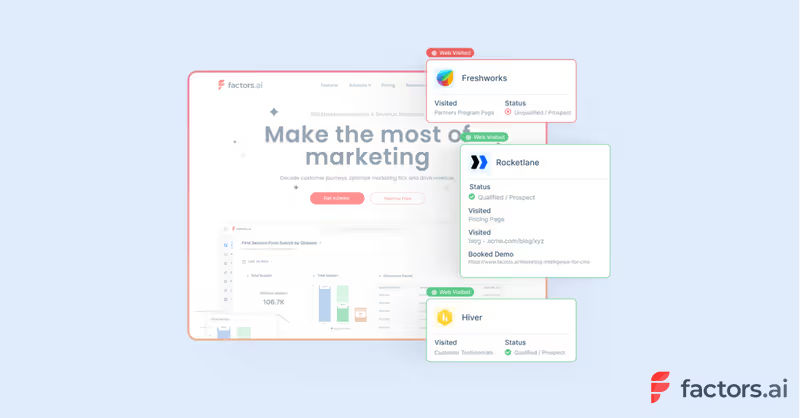
Identify Your Website Traffic With Factors.ai
Discover valuable insights about your website traffic with Factors.ai. Identify and understand your audience for better targeting and personalization

Website Account Identification with Factors.ai
Table of Contents:
- Introduction
- How does website account identification work on Factors?
- How can website account identification help?
- Why Factors?
Your B2B website is a goldmine. Here’s how you can make the most of it.
Now more than ever, B2B marketers & sales folk are being asked to do more with less. Teams are constantly on their toes trying to make limited resources stretch a long way. What’s more? As buyers become increasingly adept at spotting campaign & sales pitches from a mile away, it becomes that much harder to build new relationships from scratch.
The solution? Making the most of what you already have — like the goldmine of acccount data buried away in your website.
Your website is arguably the most voluminous, high-traffic touch-point for B2B buyers. That being said, only about 1-5% of this traffic actually converts. So what happens to the remaining 95% of accounts you’ve worked tirelessly to drive to your site? We can’t just let all that potential pipeline slip-away, can we?
The following blog highlights how you can identify anonymous companies already visiting your site using cutting-edge account deanonymization and website tracking technology.
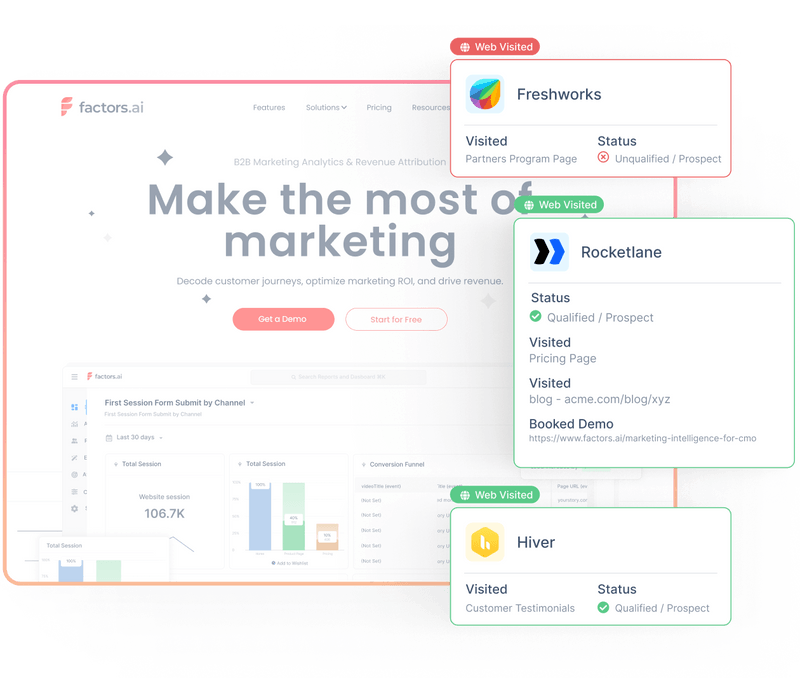
Factors.ai’s account identification tool identifies who your B2B audience is and how they engage with your brand — so you can reach out with the right message at the right time. But how does account identification work? And what makes Factors.ai the best account identification solution for B2B teams? Let’s find out.
How does Factors work?
Account identification like Factors use reverse DNS lookup to discover companies visiting your site based on their IP addresses. In short, reverse DNS identifies the host name of a particular IP address to provide company location information.
Factors ai matches IP data with an extensive database to identify which company visited your site as well as other firmographic features like revenue, employee headcount, industry, etc. Note that Factors is a privacy-compliant intelligence platform that does not identify, collect, or distribute anonymous user-level data.
{{INLINE_TOFU}}
How can account identification help?
For sales:
1. Find ready-to-buy accounts: Accounts that visit your website are aware of your brand. And accounts that are aware of your brand are far more likely to convert as compared to those that are yet to hear of you. With account identification, sales can reach out to otherwise anonymous prospects, capitalize on an untapped pool of buyers, and prevent low hanging revenue from slipping away.
2. Close better deals, faster: The early bird gets the worm and the early salesperson closes the deal. It’s no secret that time is off the essence when it comes to B2B sales. With Factors, sales teams can reach out to high-intent prospects before they have a chance to interact with competitors.
3. Create better sales pitches: Sales can see exactly what content — features, blogs, case-studies, use-cases etc — prospects are engaging to anticipate their needs and personalize sales interactions accordingly.
For marketers:
1. Delight your sales team: Make your sales team happy with a list of high-intent, high-quality prospects for your sales team to engage with. And the best part? These are leads generated with zero additional ad spend as they’re simply companies who already visit your site.
2. Understand traffic sources: Learn which channels and traffic source high-quality accounts come from. Scale the right campaigns and close the gap between impressions and revenue. This benefit is all the more pronounced when account identification is used in unison with Factors’ end-to-end attribution and journey mapping.
3. Improve website engagement: See how companies engage with content on your website and understand what topics and themes resonate most with buyers. Gauge what’s helping and hurting website conversions and optimize performance accordingly.
4. Optimize retargeting: Once you understand which accounts are visiting your site and what they’re looking for, it becomes that much easier to retarget the right audience. Don’t waste your ad budget retargeting everyone who visits your site — just the select few who show real buyer intent.
Why Factors?
Well, because Factors.ai is the most accurate, cost-effective, and well-integrated account identification software for B2B companies:
1. Data accuracy
Factors.ai delivers the most accurate IP-matching in the industry. In a case wherein customers provided 22,000 unique IPs (where the answers were known), different vendors were asked to match IPs with companies and provide firmographic information. Factors.ai’s cutting-edge IP-technology delivered a whopping 64% match rate and nearly 30% more matches than the nearest competitor. Factors provide a matchrate that’s 10-15% better than alternatives like Clearbit, Kickfire, and Demandbase.
2. Cost-efficiency
Factors.ai is one of, if not the most cost-effective de-anonymization solution in the industry. Learn more about our pricing here: factors.ai/pricing
3. Unified account analytics
Another benefit with Factors is the wide range of complementary features it has to offer along with account identification. End-to-end marketing analytics, revenue attribution, journey mapping and more — all of which provide a layer of depth and direction once you identify which accounts are visiting your site. Answer questions like:
- What campaigns are driving the most traffic to my website?
- What channels should I scale to improve demo conversions on my website?
- What content resonates most with my target audience?
- How do our customers progress from impressions to revenue?
- How does marketing performance vary by buyer persona and firmographic features?
4. Website behavior and account timelines
Along with knowing which company is visiting your site, Factors light-weight script will also shed light onto what accounts are engaging with on your site. Understand website activity — including page views, button clicks, time spent, scroll depth and more. All of this data is collected using only first-party cookies — so there’s no impact on third-party restrictions.
What's more? Factors provides intuitive account timelines and user journeys to visualize, in real-time, how accounts are progressive from awareness to intent. This is a valuable feature for B2B marketers to identify buyer intent and strike with marketing material, targeted campaigns, or a simple email while the iron's still hot.
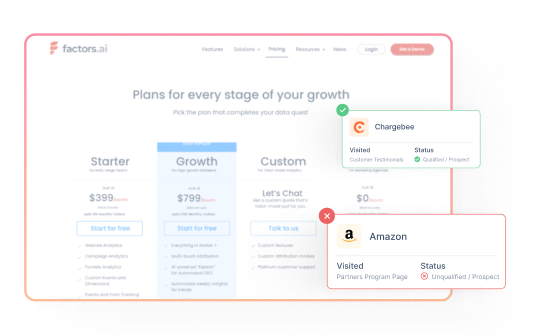

Website Deanonymization: B2B Website Visitor Identification In 2026
Website deanonymization turns anonymous B2B traffic into named accounts. Learn how it works, realistic match rates, top tools, pricing, and when to use it.

TL;DR
- Website deanonymization reveals the companies (and sometimes contacts) behind your anonymous B2B website traffic — turning the typical 96% unidentified into named accounts.
- Three core methods: IP-to-company matching, first-party cookie + enrichment, and identity graph (person-level). Each has different accuracy, coverage, and privacy posture.
- Realistic match rates land at 30-75% on B2B traffic — vendor claims of 90% rarely hold up against independent tests. Factors' waterfall enrichment across 4 premium data providers reaches the upper end of that range.
- Use it if you have meaningful B2B traffic, an ICP, and an activation motion (CRM enrichment, alerts, retargeting). Skip if you sell B2C or SMB at low ACVs.
- Top tools in 2026: Factors.ai, 6sense, Clearbit Reveal, RB2B, Warmly, Leadfeeder. Compare on match rate, person vs account level, pricing, and compliance.
B2B teams invest heavily in paid campaigns, organic social, content assets, events, cold calls and more to drive relevant traffic to their websites. However, only about 4% of this traffic makes itself known through form submissions — leaving GTM folk in the dark about the remaining 96% of anonymous accounts.
Without the right tools, this translates to hundreds, if not thousands of potential deals down the drain every year — simply because teams are unable to identify the majority of in-market, brand-aware accounts already visiting their websites.
Visitor identification software (aka website deanonymization) helps B2B teams discover these anonymous accounts and spot hidden opportunities based on firmographics, intent, and engagement.
This blog highlights everything you need to know about visitor identification: what it is, how it works, where it helps, and what you should look for in a visitor identification tool.
What Is Website Deanonymization?
Website deanonymization is the process of identifying the anonymous companies (and in some cases, individuals) visiting your website by matching their IP address, first-party cookies, or session signals to a known business identity. In B2B, it transforms the 96% of website traffic that never fills a form into named accounts your sales and marketing teams can act on.
Deanonymization is also called visitor identification, reverse IP lookup, or anonymous visitor tracking. It is distinct from consumer-side deanonymization (cookies, browser fingerprinting, WebRTC leaks) — B2B deanonymization is account-level, privacy-compliant, and built around firmographic data, not personal identifiers.
What is visitor identification & why is it important?
Visitor identification is the process of discovering anonymous companies visiting a website using IP-lookup technology. Visitor identification tools also enrich this information with firmographics and engagement data such as:
- Country & State-level geographics
- Technographics
- Industry
- Page views
- Button clicks
- Scroll-depth
This data is valuable as it can be leveraged to identify, qualify and convert sales-ready accounts with intent-based outreach and targeted marketing efforts (as opposed to expensive, inefficient spray & pray tactics). In short, more pipeline with already existing traffic!
Note: Privacy-first intelligence solutions like Factors do not identify, monetize, or share personal information or user data such as mail IDs or phone numbers in either raw or derived forms. Visitor identification tools only match IP-to-company data at an account level.
{{INLINE_TOFU}}
How does visitor identification work?
Not to get too technical but visitor identification uses rDNS or reverse IP-lookup to discover anonymous accounts visiting a website. This is essentially a tiny line of code that sits on a website to track and match IP addresses. So, if an account lands on your website from a corporate network, visitor identification tools will connect the IP-address back to an IP-database and map it to a company name or domain.
Once the company is identified, the database can also share up-to-date firmographic information (industry, company size, geography, etc) to help qualify accounts based on your ICP criteria.
Now, it's important to note that IP-lookup is never 100% accurate. There may always be situations where a visitor is working out of a non-corporate network resulting in imperfect account matches. To counteract inaccurate account identification, Factors uses waterfall enrichment across 4 premium data providers to deliver best-in-market identification match rates of up to 75% on qualified ICP traffic — meaningfully more accounts than the typical IP-only alternative.
The Accuracy Reality Check: What Match Rates Actually Look Like
Vendor websites advertise match rates of 60-90%. Independent analyses tell a more nuanced story:
- Industry baseline: Most IP-based tools deliver 30-50% match rates against total website traffic. Match rate is highly dependent on traffic mix — paid LinkedIn traffic typically deanonymizes at lower rates than direct/organic, because clicked-through visitors often arrive on personal devices or VPNs.
- Where IP matching breaks: Visitors on VPNs, shared corporate networks, residential ISPs, mobile carriers, or unregistered company IPs will not resolve to a clean company match.
- Factors' approach: Factors uses waterfall enrichment across 4 premium data providers to achieve up to 75% identification on qualified ICP traffic — meaningfully above the typical IP-only alternative. We publish realistic ranges, not theoretical maximums.
The honest takeaway: deanonymization is high-leverage when applied to ICP-fit traffic and integrated into outreach. It is not a magic 100% reveal — and any vendor claiming so is selling, not informing.
Person-Level vs Account-Level Deanonymization
The biggest decision in choosing a deanonymization tool: do you need to identify the company, the person, or both?
DimensionAccount-Level (Company)Person-Level (Individual)IdentifiesCompany name, domain, industry, firmographicsIndividual contact name, email, LinkedInMethodIP-to-company lookupIdentity graph, third-party cookies, reverse emailGeographic coverageGlobalPrimarily USPrivacy postureGDPR/CCPA-friendlyRequires careful compliance reviewMatch rate30-75% of B2B traffic10-30% of US B2B trafficBest forABM, account scoring, marketing attributionSDR outbound, contact-level outreachExample toolsFactors, 6sense, Clearbit, LeadfeederRB2B, Warmly (contact-level add-on)
Factors operates exclusively at the account level — privacy-first, globally compliant, and built for B2B teams that prioritize coverage and trust over individual contact reveals.
Privacy & Compliance: Is Website Deanonymization Legal in 2026?
Privacy-conscious B2B teams need clear answers. Here's where account-level deanonymization stands across major regulations:
- GDPR (EU): Account-level identification of companies via IP-to-company matching is generally outside GDPR scope because it does not process personal data. Person-level identification requires lawful basis (typically consent or legitimate interest with documented assessment).
- CCPA / CPRA (California): Company-level identification is not 'personal information' under CCPA. Person-level data triggers consumer rights (access, deletion).
- PECR (UK): Cookie-based identity work requires consent banners; pure server-side IP-to-company matching does not.
- Best practice: Choose vendors that publish DPAs, sub-processor lists, and SOC 2 / ISO 27001 attestations. Avoid tools that monetize or share first-party data outside of your contract.
Factors is aligned with GDPR, CCPA, and PECR, operates exclusively at the account level, and acts only as a data processor for client first-party data under our DPA.
The benefits of website visitor identification
So far, we've explored what website visitor identification is and how it works. But how can it actually help marketers and sales folk? Here are a few benefits our customers have been realizing:
1. Intent-based sales outreach
It's all too common for B2B teams to purchase account lists and have SDRs reach out with "personalized" mails and cold calls — only for the outcome to be a disappointing response rate of less than 2%.
And if you think about it, it's really not surprising. While it's easy enough to find a list of companies that would, in theory, make good customers, it's nearly impossible to know when these accounts are actually in-market to purchase your product. It's throwing sales resources at the wall and hoping something will stick. Not very effective.
With visitor identification, sales teams can discover companies that are problem, solution and brand aware, and reach out to them with relevant messaging based on their previous engagement. For example, an ICP account may be visiting your product comparison blog and your pricing page. Based on this, we can assume that they're in-market and are weighing out their options. In this case, reaching out with tailor-made messages around limited time offers or battle cards will certainly be more persuasive than a generic mail that says "Hey! Let's chat".
2. Revive lost opportunities
In addition to helping teams discover and target net new logos, visitor identification softwares can alert you to previously lost opportunities that are back in market Factors takes account intelligence a step further by capturing engagement across websites, G2 reviews, and LinkedIn ad impressions, at an account level. Custom alerts can be configured to notify teams in real-time via Slack or MS Teams when once cold accounts are showing signs of spark — so you can strike while the iron's still hot.
3. Maximize return on ad spend
Even early-stage B2B teams invest significantly in search ads, paid social, and other digital marketing channels. Unfortunately, even the most optimistic benchmarks place conversion rates at around 10%. This means that for every 100 paid visitors or accounts that view an ad, only 10 of them actually sign-up for a demo or trial. At scale, this becomes priceyyy!
With visitor identification, marketing teams can identify which accounts the remaining 90% of traffic is from, filter those accounts down to ICP companies, and re-target them efficiently to drive far more conversions. This helps wring out every last bit of RoAS from your paid efforts, resulting in more pipeline, with less spend.
4. Create content that converts
B2B teams often pump out content assets with little visibility into which companies are reading what. With insights from visitor identification, marketers can track what assets and pages target accounts care about most and personalize efforts accordingly. Additionally, teams can see what assets work best at attracting ICP traffic and iterate upon their content strategy accordingly.
Without a visitor identification tool, marketers would only be able to see the number of anonymous sessions and total time spent on blogs. But with a visitor identification tool, it could be revealed that enterprise accounts spend more time around privacy-compliance material while early-stage teams spend more time comparing pricing and cost-effectiveness. Accordingly, marketers can personalize campaigns and outreach based on what's relevant to the target audience
What should you take into account when purchasing a visitor identification software?
- Accuracy: There are several visitor identification solutions out there, but only a few offer robust, uncompromising data quality. Factors uses waterfall enrichment across 4 premium data providers to deliver identification rates of up to 75% on qualified ICP traffic.
- Integrations: It's one thing to identify anonymous accounts, but it's just as important to have that data be accessible to relevant stakeholders. Factors integrates with CRMs, Ad campaigns, CDPs, G2 and more so you can identify accounts across websites, ad impressions, product reviews and push relevant data back anywhere you like with Webhooks.
- Scalability: As your business continues to grow, so will the volume of website traffic. Ensure that your tool of choice is capable of scaling with your growth. Factors' plans start at identifying as few as 100 accounts per month all the way up to 10,000.
- Support: Visitor identification software can be tricky. Consider the quality and extent of customer support you'll receive when making a purchase decision. Factors, for instance, offers dedicated customer success management to all its paid plans to ensure that customers get the most value out of the platform.
- Cost: Consider the stage your business is in when making a purchase decision. Tools like 6sense and Clearbit are phenomenal enterprise-grade identification tools but can run you a pretty penny as they offer much more than is needed. Learn more about Factors pricing here.
Top Website Deanonymization Tools Compared (2026)
The visitor-identification market has expanded fast. Here's a quick comparison of leading options:
ToolTypeMatch RateStarting PriceBest ForFactorsAccount-level + analyticsUp to 75% (waterfall, 4 data providers)From $99/mo (100 accounts)Mid-market B2B with attribution & intent needs6senseAccount-level + intent~50-60%Custom (enterprise)Enterprise ABM teamsClearbit RevealAccount-level~50%CustomTeams already on HubSpot/SalesforceRB2BPerson-level (US)~15-30% personFree tier availableUS-focused outbound SDR teamsWarmlyAccount + chat + contact~40-50%From ~$700/moMid-market with chat motionLeadfeederAccount-level~30-40%From €99/moEuropean teams, Google Analytics integration
Why Teams Choose Factors
- Data quality: 75% match rate via waterfall enrichment across 4 premium data providers — meaningfully above the IP-only baseline.
- Granular analytics: Built on attribution and analytics foundations — full account journey across web, ads, G2, LinkedIn.
- Engagement scoring: Account-level scoring across websites, reviews, ad impressions, and offline events.
When Website Deanonymization Is the Right Move (and When It Isn't)
Strong fit if you have:
- Meaningful B2B website traffic (typically 5,000+ monthly sessions)
- A defined ICP and outbound or ABM motion that can act on identified accounts
- Sales/marketing alignment to operationalize signals (CRM enrichment, Slack alerts, retargeting)
- Buyer journeys that span weeks/months — where identifying in-market signals matters
Skip or delay if:
- You sell B2C or to SMBs at very low ACVs — match rates and unit economics rarely justify cost
- Your traffic is mostly mobile/residential — IP-to-company won't resolve cleanly
- You don't have an outreach motion to activate identified accounts — data without action is shelf-ware
- You're earlier than product-market fit — focus on conversion before traffic mining
Why Visitor Identification is Essential for B2B Growth
B2B teams invest heavily in driving website traffic through paid ads, content, events, and outbound efforts. However, only about 4% of visitors fill out forms, leaving 96% of potentially valuable accounts unidentified. Without knowing who these anonymous visitors are, teams risk losing high-intent leads and missing revenue opportunities.
Visitor identification tools solve this by using IP lookup technology to uncover company details like industry, size, and location. They enrich this data with engagement insights, such as page views and ad impressions, helping teams qualify accounts and prioritize outreach based on intent.
These tools empower sales teams to focus on in-market accounts, revive previously lost opportunities, and improve ad spend efficiency by retargeting known visitors. Marketing teams gain clarity on which content resonates with high-value accounts, enabling better campaign personalization.
When choosing a visitor identification tool, consider data accuracy, CRM and ad platform integrations, scalability, support, and cost. Solutions with high match rates and account-level engagement tracking drive the most value. Implementing visitor identification bridges the gap between anonymous traffic and sales-ready leads, turning overlooked website visits into pipeline growth.
FAQs
- Can Factors identify individual users who visit my website? No. Factors is a privacy-first intelligence solution that does not collect user-level data unless users choose to share this information. Factors does not identify phone numbers, mail IDs, or any other personal information from anonymous website visitors. Our data enrichment is limited to company-level properties such as account names, industries, technographics, etc. Factors has no ownership rights over your user data. We do not share or monetize first-party data collected from clients (you) in any way, shape or form. If granted access to client data, we do so only as a data processor under our DPA.
- Is Factors privacy-compliant? Privacy and security are central values to our business. Factors recognizes the importance of protecting vital account and user-level data entrusted to us by our clients and data partners. Accordingly, Factors is aligned with GDPR (General Data Protection Regulation), CCPA (California Consumer Privacy Act), and PECR (Privacy and Electronic Communications Regulations) standards. We continually strengthen our already robust protection measures via regular revisions of our policies and practices.
- Is website deanonymization legal? Account-level deanonymization (identifying companies, not individuals) is generally GDPR/CCPA-compliant because it does not process personal data. Person-level deanonymization (identifying individual contacts) is more sensitive and typically requires consent or legitimate-interest documentation. Factors operates exclusively at the account level for global compliance.
- What's a realistic match rate for B2B deanonymization? Honest industry ranges sit at 30-50% for IP-only tools across total traffic, and 50-75% on qualified ICP traffic for tools with strong data partnerships. Match rate depends heavily on traffic source — direct and organic deanonymize better than paid social, where users often arrive on personal devices.
- Can deanonymization tools identify the actual person, or just the company? Most B2B tools identify the company only (account-level). A smaller subset — RB2B, Warmly's contact add-on — attempt person-level identification, which is mostly limited to US traffic and carries higher privacy obligations. For ABM, attribution, and intent scoring, account-level is sufficient and lower-risk.
- How do I turn identified accounts into pipeline? Push identified accounts into your CRM, score them by ICP fit and engagement, route in-market accounts to SDRs via Slack/MS Teams alerts, and retarget known visitors via LinkedIn and Google Ads. Without this activation layer, the data sits unused.
- Do website deanonymization tools work outside the US? Account-level (IP-based) tools work globally — Factors identifies accounts across North America, EMEA, and APAC. Person-level tools (RB2B and similar) are largely US-only because of identity graph coverage and stricter European privacy laws.
ICP Marketing Guide (2026): Examples, Framework & Templates
ICP marketing means targeting your Ideal Customer Profile — the company most likely to buy and stay. Get the full framework, real B2B examples, an ICP scoring template, and ICP vs persona comparison.

TL;DR
- ICP full form: Ideal Customer Profile — a description of the company that fits your product best, drives the most revenue, and stays the longest.
- Why it matters: Teams with a documented, scored ICP report 20–40% higher win rates and 15–30% shorter sales cycles vs. teams without one.
- ICP ≠ Persona ≠ Target Market: Target market = reach, ICP = focus (companies), Persona = resonance (individuals).
- 5 core ICP elements: Firmographics, Technographics, Buying behavior, Pain points, Psychographics.
- Build it in 5 steps: Analyze best customers → identify patterns → document → test/iterate → refresh quarterly.
- Operationalize with scoring: Weight 4–6 attributes (industry 25, size 20, tech stack 20, geography 15, buying signal 20) → 70+ = high-fit.
- Update cadence: Review quarterly, update meaningfully every 6–12 months.
In B2B marketing, chasing unqualified leads can be frustrating and costly, often leading to misaligned sales and marketing efforts. The solution lies in developing a clear Ideal Customer Profile (ICP), which acts as a strategic filter to focus on companies that truly benefit from your product or service.
By targeting the right accounts, you can boost conversion rates, shorten sales cycles, and increase customer lifetime value. This guide will explore what an ICP is, how it differs from buyer personas, and how to create and implement one to enhance your ICP marketing results.
ICP full form: Ideal Customer Profile.
In marketing, ICP stands for Ideal Customer Profile — a detailed description of the type of company that fits your product so well, they convert quickly, retain longer, and drive the most revenue back. ICP is most commonly used in B2B marketing to focus sales and marketing on a defined list of high-fit accounts rather than a broad audience.
What is an Ideal Customer Profile (ICP)?
In ICP marketing, an ideal customer profile defines the type of company that benefits most from your product or service and offers the highest value to your business. Unlike a broad target market, an ICP is specific, identifying organizations most likely to convert, remain loyal, and grow with your solution.
Key traits include industry, company size, revenue, location, and structure. A strong ICP is essential for effective B2B marketing, sales alignment, and long-term growth, requiring regular updates to stay relevant.
ICP vs. Buyer Persona vs. Target Market: Key Differences
These three terms get used interchangeably, but they answer different questions. The simplest framing: target audience determines reach, ICP determines focus, and buyer persona determines resonance.
| Dimension | Target Market | Ideal Customer Profile (ICP) | Buyer Persona |
|---|---|---|---|
| Unit of analysis | Broad audience segment | Specific company | Specific person inside the company |
| Granularity | Macro | Macro (company-level) | Micro (individual-level) |
| Example | 'B2B SaaS in North America' | 'B2B SaaS, 50–500 employees, $5–50M ARR, using Salesforce, struggling with attribution' | 'Sara, Head of Growth, 35–45, KPI-driven, reports to CMO' |
| Used by | Strategy / leadership | Sales + marketing + product | Mostly marketing |
| Output | Where you play | Which companies you target | What you say to them |
| Updated | Annually | Quarterly | Annually or per-launch |
Quick rule of thumb: Use target market to size your TAM. Use ICP to filter accounts and align sales/marketing. Use personas to write the email, ad, and landing page.
Also, read ICP vs Buyer Persona
{{INLINE_TOFU}}
Why an ICP Matters: 7 Benefits for B2B Marketing
Here's why Ideal Customer Profiles are important in ICP Marketing:
- Improves Targeting and Lead Quality: ICPs help marketing teams zero in on high-fit accounts, reducing wasted spend on low-potential leads and increasing the chances of engagement.
- Boosts Conversion Rates: When campaigns are tailored to the specific needs and pain points of your ideal customers, they're far more likely to convert.
- Shortens the Sales Cycle: Sales teams can focus on leads that already fit the solution, reducing the time needed to educate and qualify prospects.
- Enhances Alignment Across Teams: An ICP creates a shared understanding between marketing, sales, and product teams, ensuring everyone works toward the same high-value targets.
- Improves Customer Retention: Selling to accounts that truly benefit from your product increases satisfaction and loyalty, leading to higher renewal and upsell rates.
- Drives More Efficient Use of Resources: With clear direction, teams can prioritize efforts on what delivers the highest ROI, whether it's campaigns, content, or sales outreach.
- Guides Product and Feature Development: ICPs offer insights into customer challenges and expectations, informing product roadmaps and ensuring you build solutions people want.
Core Components of an ICP (Firmographics, Technographics & More)
Building a strong ICP involves identifying key traits of your ideal customers. Here's a breakdown of the essential components to consider:
1. Firmographics
Firmographics provide a foundational view of your target accounts by capturing static company-level attributes. This is often where most ICP building starts.
- Company size (employee count or revenue range)
- Industry and sub-industry classification.
- Geographic location or operational regions.
- Business model (e.g., B2B vs. B2C)
- Growth stage (startup, mid-market, enterprise)
These indicators help you segment your TAM (Total Addressable Market) and align your offerings to accounts that match your capacity and strategy.
2. Technographics
Technographics refer to the technologies and tools used by your target companies. Understanding their current tech stack reveals fit and identifies integration or displacement opportunities.
- CRM, marketing automation, or analytics platforms in use.
- Compatibility with your product.
- Gaps or inefficiencies in their current stack.
- Competitor technologies are currently deployed.
This insight helps position your solution as a strategic upgrade or integration.
3. Buying Behavior
Understanding how your ideal customers make purchasing decisions is key to aligning your marketing and sales approach. It uncovers how decisions are made and by whom.
- Average buying cycle length.
- Number of stakeholders involved.
- Typical roles in the decision-making process.
- Budget range and procurement workflows.
- Triggers that move them toward a buying decision.
Mapping these patterns helps your team deliver the right message at the right time, accelerating the sales process.
4. Pain Points
Your product must address a real and urgent problem. Identifying common pain points helps you tailor messaging that resonates and prioritizes accounts with immediate needs.
- Operational inefficiencies are slowing down growth.
- Disconnected tools and siloed data.
- Inability to accurately measure marketing ROI.
- Poor lead quality or conversion rates.
By aligning your solution to these specific problems, you're not just selling a tool—you're offering impact.
5. Psychographics
Psychographics take ICP development a step further by incorporating qualitative traits that influence how companies operate and make decisions. This adds a human layer to your targeting strategy.
- Company values and culture.
- Innovation mindset and openness to change.
- Digital maturity and tech-savviness.
- Strategic goals and long-term vision.
Together, these elements create a clear picture of organizations most likely to convert and stay loyal, guiding your team to focus on valuable accounts and tailor outreach effectively.
ICP Marketing Examples: 3 Real B2B ICPs
A good ICP is specific enough to be useful and short enough to remember. Here are three example ICPs across different B2B categories:
Example 1: B2B SaaS (mid-market)
B2B SaaS companies in North America, 50–500 employees, $5M–$50M ARR, using Salesforce or HubSpot CRM, marketing team of 5–25, currently struggling to attribute pipeline to specific channels and accounts.
Decision-maker: VP Marketing or Head of Demand Gen.
Trigger event: Recent VP Marketing hire, new CMO, or Series B/C raise.
Read more about this on SaaS buyer personas in B2B
Example 2: Cybersecurity platform (enterprise)
Enterprise organizations, 5,000+ employees, regulated industries (financial services, healthcare, government), with a dedicated SOC team, currently using legacy SIEM tools, in regions subject to SOC 2 / ISO 27001 compliance requirements.
Decision-maker: CISO or VP Security.
Trigger event: Compliance audit, breach in industry, or budget renewal cycle.
Example 3: B2B fintech (SMB segment)
SMB businesses, 10–250 employees, $2M–$25M revenue, US-based, primarily in e-commerce, professional services, or B2B SaaS, currently using QuickBooks or Xero, processing $500K+/year in payments, growing >20% YoY.
Decision-maker: Founder/CFO/Controller.
Trigger event: Outgrowing existing accounting tool, new finance hire, or audit prep.
What makes these ICPs work: Each names a specific industry, size band, tech stack, and trigger event — not just demographics. The tighter the ICP, the easier it is for your sales team to filter, your marketing team to target, and your product team to prioritize.
How to Build Your ICP: A 5-Step Process
A well-built ICP isn't just a marketing exercise, it's a strategic asset. It helps you focus your efforts on accounts that actually convert and stay. Here's how to build a high-precision ICP from scratch:
1. Collect and Analyze Customer Data
Start by digging into data from your current customers, especially the ones who have high retention, quick onboarding, and positive ROI. Use a combination of quantitative and qualitative sources to get a complete view.
- Extract CRM data on closed-won deals.
- Run interviews with customer success or account managers.
- Conduct surveys or feedback loops with high-performing clients.
- Look at product usage data for behavioral insights.
This raw input is your most reliable foundation, it's based on what's working, not assumptions.
2. Identify Patterns Across Best-Fit Accounts
Once you have your data, analyze it to uncover recurring traits among your top customers. This is where your ICP starts to take shape.
- Industries that repeatedly show interest or high engagement.
- Company sizes that convert fastest or retain longest.
- Geographic markets where you see stronger performance.
- Common buying triggers or events (e.g., funding, expansion, tool migration)
- Similar pain points or challenges they needed to solve.
These patterns reveal which types of companies are naturally aligned with your offering.
3. Document the ICP Profile
Now, translate those patterns into a structured, shareable ICP document. This becomes your reference point for marketing, sales, and product teams.
- Firmographics: size, industry, revenue, location.
- Technographics: existing tools and platforms.
- Behavioral traits: buying triggers, decision cycles.
- Pain points: problems your product consistently solves.
- Key roles: typical decision-makers and influencers.
Make this profile specific enough to guide targeting, but flexible enough to evolve over time.
4. Test, Validate, and Iterate
Your ICP isn't finished once it's documented. You need to test it against real-world lead data and refine it based on results.
- Launch campaigns targeted at ICP-aligned accounts.
- Track lead quality, conversion rates, and sales velocity.
- Collect qualitative feedback from SDRs and AEs on lead relevance.
- Adjust ICP traits based on underperforming or outperforming segments.
This step ensures your ICP actually improves your pipeline, not just exists on a slide deck.
5. Revisit and Evolve Your ICP Regularly
Markets shift. Products mature. Buyer behavior changes. A static ICP quickly becomes outdated. Keep your profile accurate by reviewing it quarterly or after key business changes.
- Re-analyze top customers every 3–6 months.
- Sync with product teams on new use cases or features.
- Watch for emerging industries or verticals gaining traction.
- Refine firmographic or technographic filters as needed.
This keeps your GTM efforts aligned with current reality, not last year's assumptions.
How to Build an ICP Scoring Framework
A documented ICP is useful. A scored ICP is operational — it lets your team rank every inbound lead and outbound account on a 0–100 fit score, in real time.
Step 1: Choose 4–6 weighted attributes
AttributeWeightExample scoringIndustry / vertical25In ICP = 25; adjacent = 12; outside = 0Company size20In band = 20; ±25% off = 10; outside = 0Tech stack fit20Required tool = 20; competitor = 10; neither = 5Geography15Supported region = 15; adjacent TZ = 7; outside = 0Buying signal / trigger20Clear trigger = 20; weak = 10; none = 0
Total possible: 100. 70+ = high-fit; 40–70 = monitor; <40 = disqualify.
Step 2: Source the data automatically
- Firmographic enrichment (Clearbit, ZoomInfo, Apollo)
- Technographic signals (BuiltWith, HG Insights)
- Intent data (Bombora, 6sense)
- First-party engagement (CRM + analytics)
Step 3: Operationalize the score
- Pipe score into CRM as a custom field on accounts/leads.
- Auto-route 70+ to AEs; 40–70 to nurture; <40 to suppression.
- Review breakdown monthly — if one attribute over-predicts, increase its weight.
Step 4: Watch for drift
- Did closed-won deals all score 70+? If not, weights are off.
- Are 70+ deals losing late? You may be missing a buying-readiness attribute.
- Are 30–40 leads converting unexpectedly? Emerging segment may need an ICP update.
Teams that get ICP scoring right typically see 20–40% higher win rates on inbound and 15–30% shorter sales cycles on outbound.
How to Use Your ICP in Marketing & Sales
Here's how to implement ICPs in your ICP marketing strategies:
1. Use ICPs to Refine Lead Generation
An accurate ICP helps you target the right accounts from the start. Whether you're running outbound campaigns or digital advertising, use your ICP criteria to filter your audience and prioritize quality over quantity.
- Target ads based on firmographic and technographic filters.
- Focus cold outreach on ICP-aligned companies only.
- Score leads by matching them against ICP attributes.
- Reduce time spent chasing unqualified prospects.
This ensures your funnel is filled with accounts that are more likely to convert and engage meaningfully.
2. Power Account-Based Marketing (ABM) with ICP Data
ABM is most effective when it's built around a clear understanding of your ideal customers. Your ICP provides the foundation for personalized campaigns that resonate with decision-makers at high-value accounts.
- Tailor messaging to match pain points and business priorities.
- Create industry-specific landing pages or ads.
- Choose the right communication channels based on buying behavior.
- Align SDR and marketing teams on target account lists.
When ABM campaigns align with your ICP, personalization becomes relevant, not just cosmetic. Read more about this on ABM buyer personas blog.
Using Your ICP for Sales Prospecting
Your ICP isn't only a marketing artifact, it's the most useful sales prospecting tool you have. Here's how high-performing SDR/AE teams use it:
- Disqualify fast. Any inbound lead scoring below 40 on the ICP framework gets a polite 'not a fit' response and goes to nurture, not the AE queue.
- Build outbound lists from the ICP. Use firmographic + technographic filters in Apollo, LinkedIn Sales Navigator, or ZoomInfo that match your ICP exactly. Outbound aimed at non-ICP accounts is the fastest way to burn out an SDR.
- Tier accounts. A-tier (top 50): full 1-to-1 ABM. B-tier (next 200): segmented sequences. C-tier (everyone else fitting the ICP): automated outreach.
- Brief reps on the ICP weekly. ICP fit shifts with new product launches, new partnerships, or competitive moves. A weekly 5-minute sync keeps SDR list-building aligned with where you're winning right now.
- Track ICP fit on every closed deal. Tag every closed-won and closed-lost with its ICP score. Over a quarter you'll see whether your ICP definition predicts wins (it should).
Read more:
3. Align Sales and Marketing Around the ICP
A documented ICP helps eliminate misalignment between sales and marketing by giving both teams a common definition of a high-fit lead. This improves collaboration and shortens sales cycles.
- Share ICP documentation across both teams.
- Use it to guide campaign themes, outreach scripts, and qualification criteria.
- Review the Sales ICP regularly in joint planning meetings.
- Align KPIs and reporting around ICP-driven outcomes.
Clear alignment prevents wastedc effort and ensures consistent messaging from first touch to closed deal.
4. Influence Product Development and Customer Support
Your ICP doesn't just serve sales and marketing. It can guide how your product evolves and how your support teams prioritize efforts to retain and grow the right customers.
- Prioritize feature requests from high-fit customers.
- Tailor onboarding experiences for specific industries or use cases.
- Allocate Customer Support and Customer Success resources strategically.
- Use ICP feedback to shape product roadmap decisions.
This creates a feedback loop where your product gets stronger for the customers who matter most.
Also, read customer persona in marketing
5. Drive Efficiency Across the Funnel
When your entire go-to-market motion is aligned around your ICP, your organization becomes more efficient. You spend less time chasing poor-fit leads and more time deepening relationships with accounts that truly match your value proposition.
- Higher engagement rates across campaigns.
- Shorter sales cycles and improved close rates.
- Increased customer satisfaction and retention.
- Better forecasting based on the high-fit pipeline.
By using your ICP throughout your strategy, you increase efficiency, conversion rates, and build strong relationships with best-fit customers.
ICP Marketing Best Practices
- Build the first version with data, not opinions. Start from your top-quartile customers (revenue, retention, NPS) and reverse-engineer the pattern.
- Make the ICP cross-functional from day one. Include sales, customer success, and product. Marketing-only ICPs miss buying-readiness signals.
- Score it, don't just write it. A binary 'fit / not fit' wastes information. A 0–100 score lets you tier accounts and route them.
- Pair the ICP with a 'kill list.' Just as important as who you target — explicitly name account types you will NOT pursue. This protects rep focus.
- Test against 30–60 days of fresh pipeline data quarterly. Did wins concentrate inside the ICP? If not, refine the weights.
- Document the disqualifiers. 'Companies under 50 employees,' 'industries we can't service,' 'tech stacks we don't integrate with.' Disqualifiers are as important as qualifiers.
- Connect the ICP to one number. The simplest accountability: % of pipeline created from ICP-fit accounts. Aim for 70%+.
Common ICP Pitfalls (and How to Avoid Them)
- A very specific profile can lead to missed opportunities just outside your defined criteria, limiting market reach and slowing growth.
- As markets and customer needs evolve, an ICP that isn't updated regularly can cause messaging and targeting strategies to become ineffective.
- Basing your ICP only on past wins may ignore emerging trends, new buyer behaviors, or untapped market segments.
- Over-focusing on ICP accounts can lead to underinvestment in new ideas, test campaigns, or alternative market segments.
- When ICPs are created in silos without feedback from sales, product, or customer success, they often miss important insights about what truly drives conversions and retention.
- A static ICP limits adaptability. Without flexibility, teams can't respond effectively to changes in the market or buyer expectations.
To avoid these pitfalls, make your ICP a living framework. Keep it collaborative, flexible, and responsive to changes in both your internal strategy and the external market.
Frequently Asked Questions About ICP Marketing
Q1. What is an ICP in marketing?
In marketing, ICP stands for Ideal Customer Profile — a detailed description of the type of company most likely to buy from you, get value from your product, and renew. ICP is the strategic filter B2B teams use to focus sales and marketing on the highest-fit accounts.
Q2. What does ICP stand for in marketing?
ICP stands for Ideal Customer Profile. The same acronym appears in sales (where it's used to qualify accounts), customer success (to identify expansion-ready customers), and product (to prioritize roadmap requests).
Q3. Is ICP the same as target audience?
No. Target audience determines reach, ICP determines focus, and buyer personas determine resonance. Target audience is broad ('B2B SaaS in North America'); ICP is specific ('SaaS companies, 50–500 employees, using Salesforce, struggling with attribution'); persona is the individual buyer ('Sara, Head of Growth').
Q4. What is the difference between ICP and ABM?
ABM (Account-Based Marketing) is the strategy of targeting specific accounts with personalized campaigns. ICP is the definition of which accounts qualify for ABM. You build the ICP first, then run ABM against accounts that match it.
Q5. How specific should my ICP be?
Specific enough to filter, broad enough to scale. A useful ICP usually contains 4–6 attributes (industry, size, tech stack, geography, trigger event, decision-maker role). If your ICP only matches 5 companies, it's too narrow; if it matches 5,000, it's too broad.
Q6. How often should I update my ICP?
Review quarterly; update meaningfully every 6–12 months. Major triggers for an update: new product launch, expansion into a new vertical, sales-cycle changes, or repeated patterns of closed-won outside your current ICP.
Q7. Do I need software to build an ICP?
No — most teams build their first ICP in a Google Doc using CRM data + customer interviews. Software (Clearbit, ZoomInfo, 6sense, Factors) becomes valuable when you operationalize the ICP for scoring, enrichment, and routing across hundreds or thousands of accounts.
What Founders & Marketers Actually Say About ICP
We pulled threads from r/marketing, r/SaaS, and r/GrowthHacking to surface what practitioners actually think about ICP marketing — beyond the textbook definition.
Where the community sees real value:
- 'Going after an ICP lets you immediately validate whether you have something somebody wants — before you waste hundreds of thousands.' (r/marketing top-ranking thread)
- Founders consistently say their ICP became sharper after their first 10 customers, not before — early ICPs are educated guesses.
- Sales reps love a tight ICP because it gives them permission to disqualify quickly.
Where the community pushes back:
- 'Most ICP guides are fluff — give me a template, not another definition.' This is why we added named examples and the scoring framework above.
- Frameworks that aren't operationalized (no scoring, no CRM field, no enrichment) become 'shelf-ware' within a quarter.
- The biggest pitfall: ICPs built in marketing silos without sales, CS, or product input — they miss the buying-readiness signals that actually predict revenue.
The pattern across communities: ICP works when it's a living, scored, cross-functional document — not a slide deck written once and forgotten.
Wrapping Up: Turning Your ICP Into Pipeline
Creating and utilizing an Ideal Customer Profile (ICP) is crucial for successful ICP marketing. By targeting organizations that align with your offering, you optimize marketing dollars and sales efforts. A well-crafted ICP helps focus on high-value accounts, tailor outreach, and align product development with customer needs, preventing wasted resources on low-potential leads and accelerating the sales process.
Remember, your ICP should evolve, so review and update it as your market, products, and customer behaviors change. Effective B2B teams use their ICP as a dynamic tool in daily operations and strategic planning, laying the groundwork for better conversion rates, stronger customer ties, and steady revenue growth.
How Factors helps operationalize your ICP
Factors.ai is an AI ABM, attribution and account intelligence platform built for B2B teams running ICP-based marketing. It helps you:
1. Identify which target accounts are visiting your website — even when they don't fill out a form.
2. Score every account against your ICP using firmographic, technographic, and engagement signals.
3. Trigger sales outreach automatically when a high-fit account shows buying intent.
Teams use Factors alongside their CRM (Salesforce, HubSpot) and ABM platforms (LinkedIn Ads, 6sense, Demandbase) to turn an ICP from a slide deck into a daily prioritization engine.
Start building or refining your ICP today to tap into your company's growth potential.

What Is An Ideal Client Profile?
Discover Ideal Client Profile & why it's crucial for targeting & converting right customer. Learn the benefit of ICP & how it differs from target audience.
.avif)
If you could build the perfect B2B customer in a lab, what would they look like? What industry would they be from? How big would they be? What technologies would they use?
Building an ideal client profile helps answer these crucial questions and more — albeit with fewer beakers, and more data-driven market research.
The following article highlights everything you need to know about ideal client profiles: definitions, differences, benefits, and most importantly, how to build one for your company.
Let’s dive in.
What is an ideal client profile?
An ideal client profile (ICP) is a detailed representation of a perfect customer for a company based on a range of characteristics including demographics, firmographics & technographics.
Building (and iterating upon) an ideal client profile helps businesses better understand what their main audience looks like. This results in more effective targeting, outreach & conversions.
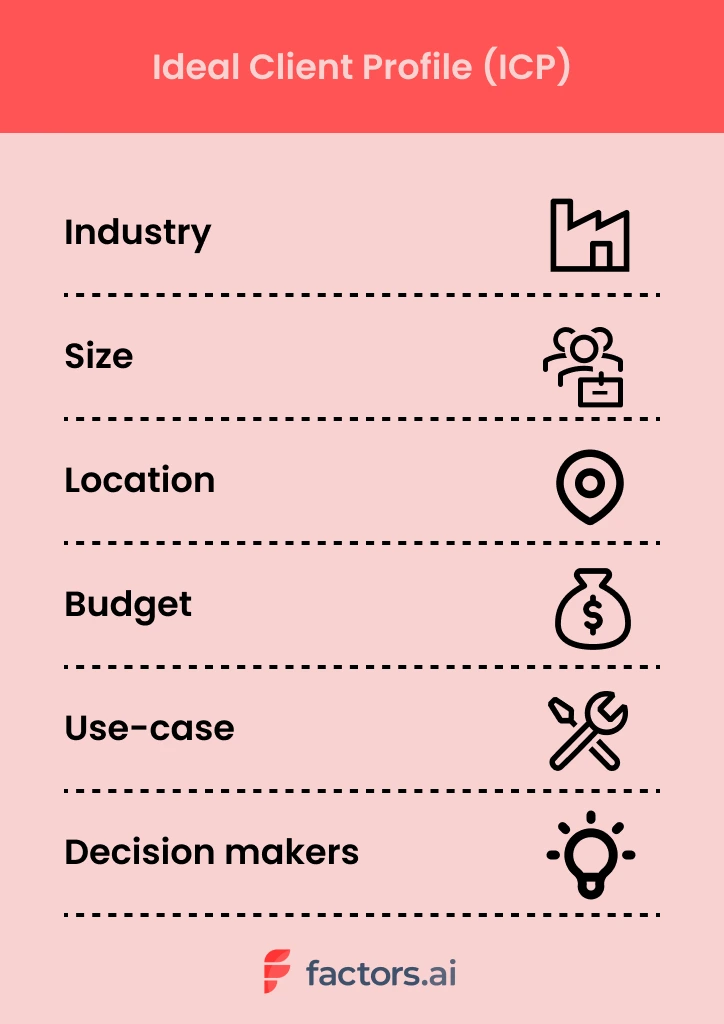
If you’re selling chicken eggs, you probably don’t want to run ads to online vegan communities. They’re hardly a good fit for your business. Instead, you’ll find better luck running ads to fitness enthusiasts looking for a protein-rich diet. Certainly, targeting the latter will result in a superior return on investment and happier, more satisfied customers. A win-win!
Ultimately, your ideal client profile should be the type of customer you can provide the most value to and, in turn, can generate the most value for your company.
Unfortunately, defining an ideal client profile isn’t as clear cut in SaaS as it might be in the poultry industry. In later sections, we explore how to go about constructing your ICP in detail.
How is ICP different from target audience?
Ideal client profile and target audience are closely aligned, but distinct terms nonetheless. Generally, target audience refers to a broader audience that shares certain high-level commonalities such that they may benefit from what a company offers. An example of a target audience may be something like: mid-sized companies in healthcare and financial sectors.
Ideal client profile picks up on this and goes the extra mile to cover what this “target customer” may look like in far greater detail — including the nature of use-cases, pain-points, technologies, and decision makers involved. In a way, your ICP is a subset of your target audience.
Let’s take an example. Factors is an account intelligence software that helps B2B teams identify, qualify, and convert anonymous accounts visiting their website. This empowers better outbound efforts, retargeting campaigns and pipeline growth.
At an immediate glance, the target audience would be GTM teams from SaaS companies. Taking it a step further, however, we can say that Factors’ ideal client profile — that is, clients that will derive and provide the most value from our work — would be SME SaaS marketing and sales teams with significant ABM efforts, marketing spend & high-quality anonymous website traffic.
This gives us a specific market to go after.
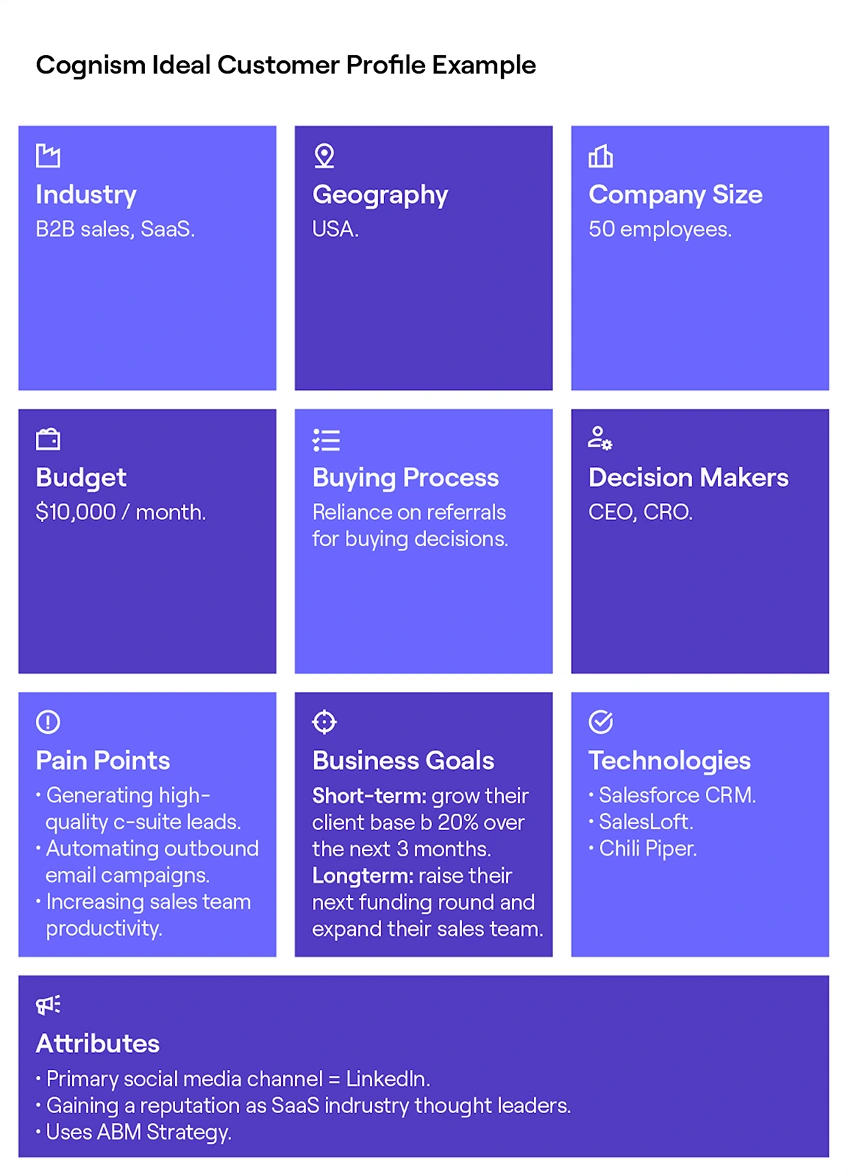
Here’s an example of an ICP from Cognism:
What are the benefits of ideal client profile?
There are several benefits to identifying the characteristics that make your ideal customer, ideal. Here are a few.
1. Better personalization: A deep empathic understanding of your ideal market’s traits, motivations, pain-points, and everyday workings will empower a far more personalized, tailor-made buying experience. Relevant campaigns, content, and conversations will go a long way in building fruitful relationships with potential customers and a positive brand image.
2. Better GTM performance: Without knowing who to target, marketing and sales teams often resort to expensive, ineffective spray & pray tactics — spammy blast emails, tangential cold calls, irrelevant ad campaigns. By building out a detailed, well-researched ICP, we can ensure thoughtful, more persuasive go-to-market efforts resulting in better ROI and pipeline growth.
3. Better internal alignment: A clear, internal alignment as to who you’re targeting will result in operational efficiencies across marketing, sales, product, and customer success teams. An ICP provides unequivocal direction as to who we’re helping and how we’re helping them.
{{INLINE_TOFU}}
How to build an ideal client profile: 4 simple steps
Defining your Ideal Customer Profile (ICP) isn't a one-size-fits-all process. It's a journey that involves careful consideration of various factors, including your company's goals, vision, and the stage of growth you find yourself in.
What remains constant is the core principle of defining your ICP: It's all about value
Defining your ICP should solely focus on how a potential customer participates and generates value for your organization. This value can be in the form of revenue, but it can also extend beyond the financial aspect, impacting your company in various other ways:
For example, in early stages, especially before the creation of a minimum viable product (MVP), you should seek early adopters who are willing to experiment with your solution. These customers may provide valuable feedback, helping you refine your offering. However, many companies struggle to cross the chasm and identify their most valuable customers at this stage.
As you progress to the growth stage, your ICP shifts. Now, you're looking for buyers who can provide testimonials and help you gather social proof, building trust in your product. You start evaluating the value these clients bring, factoring in Customer Lifetime Value (CLV) to test product fitment. It's a stage focused on customer satisfaction and building credibility.
But in the later stages, your ICP evolves yet again. Here, you're targeting customers with high lifetime value, those who not only contribute revenue but also showcase unwavering loyalty. These are the customers who become your advocates, providing referrals and further strengthening your brand.
So how do you write an ideal client profile? Here’s the 4-step process:
- Identify your best customers
- Conduct research & interviews
- Compile learnings, build profile
- Iterate. Iterate. Iterate.
1. Identify your best customers
Start by making a list of 5-10 of your best, most-valuable customers. This list should be made up of accounts that actively use and derive value from your product. They should be made up of relevant stakeholders — i.e. decision makers and end users that are familiar with the problem your solution solves for.
If you’re at an earlier-stage, simply reach out to your network and marketing communities to request a quick conversation (remember, you’re not trying to sell them your product here. Simply learn more about what makes them tick).
2. Conduct research & interviews
Dig deep to learn everything you can about these customers. Raid websites, LinkedIn pages, Slack communities, competitor product reviews and anything else you can get your hands on. Look to identify your customers:
- Industry
- Techstack
- Revenue
- Headcount
- Location
- Budgets
- Growth
Once secondary research sources have been exhausted, set-up interviews for qualitative conversations on the motivations, pain-points, and everyday routines of your ideal buyer. Remember, this is your chance to get personal. Avoid generic, or worse yet, leading questions. Here are some questions to consider asking:
- As a {end user role}, what’s the most challenging aspect of what you do?
- What KPIs/Metrics do you care about most?
- How successful is your team in achieving quarterly targets? In your experience, what goes right and what goes wrong?
- What is expected of you by your leadership?
The Mom Test is a great read on how to structure interviews to be effective and unbiased.
3. Compile learnings, build profile
At this stage, consolidate all your learnings across research, conversations, and anecdotal evidence into a big fat document. Carefully study your findings on your ideal customers and refine the results until you’re left with a masterpiece: an ideal client profile!

4. Refine. Refine. Refine.
Defining your ideal client profile is an ongoing process that must never end. As markets, consumers, businesses, and products continue to evolve, so will the characteristics and expectations of your perfect customer.
It’s important to regularly go back to the drawing board and refine the details of your ICP. This will ensure you keep up with the times and stay perpetually relevant, fresh, and successful.
Ultimately, your ICP should be simple to understand, align with your marketing and sales strategies, and help you achieve your goals.
Win more ICP accounts with Factors
You have your ideal client profile all-set. Now what? Factors is an account intelligence and analytics solution that helps identify, qualify, and convert anonymous ICP accounts engaging with your website.
{{CTA_BANNER}}
Only about 4% of website traffic reveals itself through form submissions. We can’t let the remaining 96% of anonymous pipeline go down the drain, can we? With Factors, you can:
- Identify up to 64% of anonymous accounts visiting your website, engaging with your product reviews, or simply viewing an ad — with industry-leading IP-lookup technology.
- Qualify the right accounts by configuring custom firmographic and engagement filters so you’ll be notified when sales-ready ICP accounts are visiting your, say, pricing page.
- Convert in-market accounts while the iron’s still hot with real-time alerts sent straight to your Slack or MS teams. Track account engagement and reach out with intent-based outreach or retargeting campaigns. Either way, you’ll be winning ICP accounts like never before.
An Ideal Client Profile (ICP) represents a company's perfect customer, detailing attributes such as industry, company size, revenue, technology stack, and decision-maker roles.
1. Targeted Strategy: Refines marketing and sales efforts towards high-potential accounts.
2. Improved Conversions: Enhances conversion rates by focusing on the most relevant prospects.
3. Resource Optimization: Ensures efficient use of resources by targeting ideal clients.
4. Long-term Relationships: Fosters sustainable client relationships through precise targeting.
Differentiating an ICP from a broader target audience ensures that businesses go beyond general market segments to focus on clients most likely to benefit from their offerings.

ICP vs. Buyer Persona? What is the Difference
Learn how to combine ICP marketing with buyer personas to maximize B2B ROI. Get actionable insights on targeting, segmentation & conversion optimization.

TL;DR
- ICP marketing targets companies that align best with your B2B solution, optimizing resource allocation and lead quality.
- Buyer personas focus on decision-makers within those companies, enhancing personalization and engagement.
- ICPs prioritize valuable accounts, streamline account-based marketing (ABM), and align sales and marketing for improved conversion rates.
- Buyer personas enhance content personalization, nurture campaigns, and sales interactions by addressing specific roles, challenges, and motivations.
- Relying solely on one approach can limit ROI. Combining ICP and buyer persona strategies ensures precise targeting and higher returns.
- Regularly update your ICP and buyer personas to align with market changes, customer feedback, and business objectives.
- Avoid common pitfalls: base profiles on data, keep them current, and leverage insights for informed decisions.
- For B2B marketers, integrating ICP marketing and buyer personas leads to higher ROI, shorter sales cycles, and stronger customer relationships.
- Discover how to build, use, and enhance both tools for B2B growth below.
Many teams invest in different marketing campaigns but see little conversion or slow sales cycles. Often, the issue is not knowing who to target or how to engage them, leading to wasted budgets and missed revenue opportunities.
The solution? Utilize two key tools: the Ideal Customer Profile and the Buyer Persona. ICP marketing focuses on companies that benefit most from your solution, while buyer personas guide you in reaching the decision-makers within those companies. Together, they make your marketing strategic and effective, boosting ROI and growth.
Read: What is Buyer Intent Data for ABM
In this blog, you'll explore the differences between ICPs and buyer personas, their impact on B2B marketing ROI, and how to leverage both for optimal results. Let's address your targeting challenges once and for all.
What is ICP Marketing in B2B?
An Ideal Customer Profile (ICP) defines the type of company that gains the most from your product and delivers the most value in return. In B2B marketing, it’s a core tool for focusing on high-potential accounts and using resources efficiently.
A strong ICP includes firmographics (industry, size, location), technographics (tech stack, digital maturity), and behavioral traits (buying process, engagement). It’s built by analyzing top customers and identifying shared traits through CRM data, sales insights, and customer feedback.
What is Buyer Persona in B2B?
Buyer personas are detailed profiles of the decision-makers within your target accounts. While an ICP identifies the ideal companies to target, buyer personas focus on the individuals, like a CMO or IT Director, who influence or make purchasing decisions. These profiles include job roles, goals, pain points, and buying behavior.
Creating accurate personas involves analyzing customer conversations, sales data, and digital engagement to understand motivations and preferences. With strong buyer personas, you can craft personalized messaging and campaigns that speak directly to each role, improving engagement, speeding up sales cycles, and boosting conversion, much like our Intent Capture tool.
Also, read the five stages of a customer journey.
{{INLINE_BOFU}}
ICP vs. Buyer Persona: Core Differences
Here’s the quick comparison between ICP and Buyer Persona:
| Aspect | Ideal Customer Profile (ICP) | Buyer Persona |
|---|---|---|
| Focus | The right company | The right person within the company |
| Purpose | Identify high-fit accounts | Understand and engage decision-makers and influencers |
| Key Attributes | Industry, company size, location, budget, tech stack | Job role, goals, pain points, communication preferences |
| Primary Use Cases | Market segmentation, ABM, lead qualification | Content creation, sales messaging, and campaign personalization |
| Benefit | Ensures you're targeting the best-fit organizations | Helps you resonate with real people who drive buying decisions |
| Works Best For | Targeting accounts at the organizational level | Personalizing outreach to individuals within those accounts |
| Example Role | A SaaS company targeting mid-sized tech firms in the US | A VP of Marketing at those tech firms |
ICP Marketing vs. Buyer Persona: Which Delivers Better ROI?
To determine which approach offers better ROI in B2B, examine how each affects your sales pipeline and revenue.
1. ICP Marketing: Bigger Deals, Better Fit
ICP marketing drives ROI by focusing your efforts on companies most likely to convert and deliver long-term value. By targeting firms with the right industry, size, budget, and tech stack, you avoid low-fit leads, close larger deals, and use your sales team's time more effectively.
2. Buyer Personas: Higher Engagement, Faster Wins
Persona-driven strategies boost ROI by personalizing your message to key decision-makers. When you understand their pain points, goals, and preferences, your campaigns resonate more deeply, leading to higher engagement, quicker sales cycles, and increased win rates within your target accounts.
3. The ROI Sweet Spot: Use Both
Relying on only one strategy limits your impact. ICPs without personas can feel too generic, while personas without ICPs may waste resources on the wrong companies. The highest ROI comes when you combine both: target the right organizations with ICPs, then win over the right people with buyer personas.
Related read: Brand Persona in B2B
When to Prioritize ICP or Buyer Persona in Your B2B Strategy?
Decide whether to focus on ICP or buyer persona based on your business goals. If you aim for account-based marketing, lead qualification, or expanding outreach, start with a clear ICP. This helps your team target companies with the best potential for value and strong relationships, improving resource use and conversion rates.
If you want to boost engagement, personalize campaigns, or enhance sales support, focus on buyer personas. Understanding the motivations, challenges, and decisions of key people in your ICP companies helps you create messages that connect, leading to better responses and quicker sales.
For the best outcome, combine both methods: use ICPs to choose the right companies, then apply buyer personas to reach the right people within those companies. This approach ensures you connect with the right accounts and speak directly to decision-makers, maximizing your B2B marketing success, similar to how our Workflow Automations can streamline your processes.
How to Integrate ICP and Buyer Personas for Maximum ROI?
1. Start with the Right Targets
Begin by clearly defining your Ideal Customer Profile, companies that are most likely to benefit from your solution. Use firmographics, technographics, and business alignment to pinpoint your best-fit accounts and prioritize them for outreach.
2. Add Depth with Decision-Maker Insights
Next, bring your strategy to life with buyer personas. Identify key decision-makers within your ICP accounts, like Marketing VPs or IT Directors, and map out their goals, pain points, and preferences. This helps you tailor campaigns that speak directly to their needs.
3. Align, Execute, and Evolve
Use the ICP to guide account targeting and resource focus, while personas power your messaging. Personalize content, ads, and sales conversations to engage each stakeholder effectively. Keep both profiles updated as your market shifts to stay relevant and drive long-term ROI, just like our Funnel Conversion Optimization strategies ensure consistent pipeline performance.
Wrapping Up: Integrating ICP and Buyer Persona
Defining and utilizing both your Ideal Customer Profile and buyer personas is crucial for maximizing return on investment in B2B marketing. ICP marketing helps you focus on organizations that will benefit most from your solution, optimizing resource use and increasing success rates. Buyer personas help your team create messages and campaigns that connect with real decision-makers in those companies, boosting engagement and accelerating sales.
Successful B2B strategies integrate both ICP and buyer personas. The ICP guides targeting, while buyer personas personalize each interaction. Regular updates based on real data and feedback keep your approach effective. Avoid common mistakes like outdated profiles or ignoring negative personas to enhance your marketing. Mastering both ICP marketing and buyer persona development builds a strong foundation for growth, better customer relationships, and measurable marketing success.
Now that you have read this, read our next blog on 10 signs you are marketing to the wrong customers and not your ICP.
ICP Examples: How to Define, Build, and Use an Ideal Customer Profile in Sales
Learn how to define, build, and use your ideal customer profile (ICP) in sales. Explore examples, strategies, and tips to boost targeting and conversions.
TL;DR:
- ICP meaning in sales: The company-level profile of your best-fit customers.
- ICP vs persona: ICP = companies, persona = people.
- Why it matters: Improves targeting, conversion, retention, and ROI.
- How to build: Use firmographics, technographics, behavior, and qualitative data.
- Use cases: Prospecting, messaging, ABM, lead scoring.
- Iterate: Review ICP regularly based on data and feedback.
If you’ve ever sat in a sales or marketing meeting where someone said,
“We need to tighten our ICP,” and everyone nodded as if they understood, but questioned their existence later… This blog is for you.
Look, most teams say they have an ICP. Very few teams actually use it.
I’ve seen SO many B2B teams that swear they know their ideal customer. And then when you review their pipeline. Or their ad targeting. Or their outbound lists. And suddenly, the ICP feels more like a vague outline of a person than a strategy.
That’s usually when the same problems show up on loop:
- Sales chasing leads that were never going to close
- Marketing generating volume but not quality
- Long sales cycles, low retention, and constant “lead quality” debates
This is where a real Ideal Customer Profile changes everything.
In this guide, I’m breaking down what ICP actually means in sales, how it’s different from buyer personas, how to build one step by step, and how to use it across sales, marketing, and GTM. I’ll also walk through practical ICP examples across SaaS, services, and non-SaaS businesses, because theory only gets you so far.
Read this entire piece to get a full picture with examples, strategies, practical tips, and more.
What does ‘ICP’ mean in sales?
Before I give you the formal definition, let me say this: ICP is one of the most misunderstood terms in B2B. People either overthink it into a 20-slide deck or oversimplify it into ‘mid-market SaaS companies.’
Neither helps your revenue.
At its core, ICP is just a way of answering one very practical question:
Which companies are actually worth our time?
Now… onto the actual answer to ‘what does ICP mean in sales’? ICP stands for Ideal Customer Profile (ICP), a detailed description of the type of company that’s a perfect fit for your product or service. Think of it as the blueprint for the customers most likely to see real value in what you offer.
An ideal customer profile helps you focus on accounts that can deliver long-term revenue, remain loyal, and grow with you over time. These are the companies that truly benefit from your solution and are ready to invest in it.
Here’s a simple example:
- If you sell a CRM tool designed for scaling SaaS companies, your ICP might be a mid-sized software business with 50-200 employees, growing at 20%+ annually, and already using tools like Slack, HubSpot, or Salesforce.
- On the other hand, a small local agency with three employees might be interested, but it isn’t your ideal fit.
I’ve seen this play out so many times with SaaS teams. A small company books a demo, seems excited, asks all the right questions. Sales invests weeks nurturing the deal. And then it dies quietly because the company was never structurally ready to buy.
That’s the cost of not defining your ICP clearly. It’s not just lost deals. It’s lost time, morale, focus, and your will to show up to your 9 AM standup call.
In case it was not clear already, here’s why you NEED to define your ICP:
Sales teams with a well-defined ICP don’t waste time chasing leads that will never convert. They know exactly who to go after, what pain points to speak to, and how to prioritize their pipeline. In a market where competition is fierce and budgets are tight, that focus can be the difference between hitting quota and missing it.
| It’s important to note that an ICP differs from a customer or buyer persona. A persona focuses on an individual, their job role, challenges, and decision-making behaviors. An ICP focuses on the company as a whole, including firmographics (such as size and revenue), technographics (the tools they use), and behavioral patterns. You might also hear ICP referred to as a sales ICP, ideal client profile, or simply ICP in sales. They all point to the same concept: a clear definition of who you should be targeting at the account or company level and not just the individual level. |
ICP vs Buyer Persona vs Customer Profile
This is where most teams get tangled.
I’ve lost count of how many times someone pulls out a ‘persona doc’ expecting it to solve account targeting problems. Personas and ICPs solve different problems, and mixing them usually creates more confusion than clarity.
Think of this section as a mental reset.
It’s easy to confuse terms like ICP, buyer persona, and customer profile, and many teams do. They’re related, but they serve very different purposes in your go-to-market strategy. Let’s clear that up.
- ICP: The Company-level blueprint
The ICP (Ideal Customer Profile) is all about the company. It describes the type of business that’s a perfect fit for your solution. This includes details like industry, company size, revenue range, growth rate, location, and even the technology stack they use.
Example: A SaaS company targeting FinTech startups in North America with $5-20 million in annual revenue that use AWS and HubSpot.
ICP is often used by sales teams for account selection, targeting, and qualification. It helps them focus outreach on companies most likely to convert and remain long-term customers.
- Buyer Persona: The human side
A buyer persona zooms in on the individuals inside those ICP accounts, their roles, goals, motivations, and daily challenges. It’s more about understanding people than companies.
Example: A “VP of Marketing” persona might care about campaign ROI, reporting, and lead quality, while a “CTO” persona focuses on integration and security.
Buyer personas help marketing and sales teams tailor messaging, demos, and conversations to resonate with decision-makers and influencers.
- Customer Profile: The broader picture
A customer profile (or customer profiling) is a more general segmentation tool. It groups customers based on demographics, firmographics, behaviors, or preferences. It’s useful for broader market research and targeting, but it’s less precise and strategic than an ICP.
Here’s a quick snapshot of how they differ:
| Term | Focus | Used For | Example |
|---|---|---|---|
| ICP (Ideal Customer Profile) | Company / Account | Targeting, qualification, sales strategy | Fintech startups, 50-200 employees, US-based |
| Buyer Persona | Individual | Messaging, outreach, content strategy | VP of Marketing, CTO |
| Customer Profile | Segments / Groups | Market research, audience analysis | SMBs in retail sector with <$5M revenue |
Once you separate these three concepts properly, alignment gets easier. Sales stops complaining about lead quality. Marketing stops guessing who to target. Product gets clearer signals about who they’re really building for.
Here’s a helpful (and more direct) way to think about it:
- ICP tells you which companies to target.
- Buyer personas tell you how to talk to the people inside those companies.
- Customer profiles give you context about the broader market.
Using all three together creates a powerful alignment between sales, marketing, and product. Without them, it’s a bit like throwing darts blindfolded, you might hit something, but chances are you’ll miss what matters most.
If you are confused about ICP and buyer persona, read our blog on ICP vs Buyer Persona
{{INLINE_TOFU}}
So, why does an ICP matter for SaaS and sales teams?
Think about this… every time you audit a struggling pipeline, the root issue is rarely effort. Teams are working hard. They’re sending emails, running ads, booking demos, doing everything in their capacity to keep the boat from sinking.
The issue is direction.
Without a clear ICP, growth becomes reactive. You chase whoever shows interest instead of building momentum with companies that are actually built to succeed with your product.
So basically, a well-defined ideal customer profile is the backbone of an efficient sales engine. Without it, teams waste time chasing leads that will never convert, marketing budgets get spread too thin, and revenue projections become guesswork.
Related read: SaaS Buyer Personas
Here’s why an ICP matters so much, especially for SaaS and B2B companies
- Laser-Focused Targeting
When you know your ICP, you stop trying to sell to everyone and start focusing on the accounts that actually move the needle. This makes every part of the sales process more efficient, from prospecting to closing.
- Better Use of Resources
Sales development reps (SDRs) spend less time qualifying bad leads. Marketing can design campaigns that speak directly to high-fit companies. And leadership can forecast revenue with more confidence because the pipeline is filled with the right opportunities.
- Improved ROI and Growth
For SaaS businesses, where customer acquisition cost (CAC) and lifetime value (LTV) are critical metrics, having a solid ICP is a competitive advantage. It means you spend less acquiring each customer and retain them longer because they’re a better fit from the start.
Here’s a quick reality check: companies that align strongly with their ICP often see significantly better conversion rates and lower churn. In some reports, win rates increase by up to 68%, and firms targeting best-fit accounts show improved retention and deal velocity.
- Better Sales and Marketing Alignment
Marketing and sales alignment is one of those buzzwords that’s easy to talk about and hard to achieve. A shared ICP makes it easier. When both teams agree on what an “ideal account” looks like, there’s less finger-pointing and more collaboration.
And perhaps the most underrated benefit? Predictable pipeline growth. When everyone is on the same page about which accounts to pursue, your forecasting becomes more accurate and your growth more scalable.
PS: Trust me… predictability is underrated. It’s the difference between hoping you’ll hit targets and knowing why you will.
Key components of an ICP (firmographics, technographics, behavior)
We’ve already covered what an ICP means and why it matters. Now it’s time to break it down further and look at the building blocks that make a strong sales ICP truly effective.
Point to remember: A good ICP ISN’T one data point. It’s a combination of signals layered together. Miss one layer, and you either widen your net too much or filter out good opportunities too early.
Here are the key components you should pay attention to:
- Firmographics
These are the foundational details about a company, and they help you quickly identify if a lead fits your ideal customer profile.
Examples include:
- Industry: What sector are they in (e.g., fintech, healthcare, logistics)?
- Company size: Employee count, headcount growth
- Revenue: Annual revenue range or growth trajectory
- Geography: Where they’re headquartered or operate
- Funding stage: Bootstrapped, Series A, enterprise-level
Example: If you sell enterprise HR software, a 50-person startup might not be a fit. But a 2,000-employee company expanding globally? That’s exactly what you’re looking for.
- Technographics
This is about the technology stack your target companies use. For SaaS products, technographics can be a make-or-break factor.
Examples:
- CRM or ERP systems
- Cloud platforms (AWS, GCP, Azure)
- Marketing automation tools
- Analytics or data platforms
Knowing a company’s tech stack helps you prioritize accounts and tailor your messaging. For instance, if your solution integrates with HubSpot, companies already using it are a better fit.
- Behavioral & Environmental Signals
Behavioral data gives you insight into a company’s priorities and readiness to buy. Look for:
- Recent funding rounds
- Hiring surges or layoffs
- Mergers and acquisitions
- New market expansions
- Digital activity spikes (e.g., website traffic, demo requests)
These signals often point to trigger events, moments when a company is most likely to evaluate new solutions.
To go deeper into how to interpret and act on those signals, read An Introduction To B2B Intent Signals.
- Qualitative Attributes
Don’t forget the softer side of ICP building. Qualitative insights like company culture, decision-making style, or leadership priorities can make a big difference. They’re harder to quantify, but they help refine your targeting.
When you combine all four categories, you get a complete picture of your ideal client profile, one that’s rooted in data, but also practical and actionable for your sales team.
How to build your ICP (step-by-step framework)
This is the part where people expect complexity (not here… because I promised you something at the beginning, remember?!). But just know, building your ICP is more about discipline than brilliance.
Now that you know what makes up an ICP, let’s talk about how to build one. The process isn’t rocket science, but it does require data, analysis, and iteration.
Step 1: Build Your Data Foundation
Start by cleaning up your CRM. Remove duplicate records, standardize fields, and make sure customer data is accurate. Without a reliable data foundation, your ICP will be built on guesswork.
Step 2: Define Success Metrics
What does a “great customer” mean for your business? Is it high retention? Low churn? Large deal size? Clearly define these metrics before you begin analysis.
Step 3: Identify Best-Fit Customers
Look at your current customer base and find your super users, the ones who love your product, stay the longest, and generate the most revenue. Your happiest customers are doing half the work for you. You just need to pay attention to what they have in common. They’re your best source of ICP insights.
Step 4: Analyze Patterns
Once you’ve identified those customers, look for patterns. What industries do they come from? What tools do they use? What challenges were they trying to solve? Use both quantitative data and qualitative feedback to build a complete picture.
Step 5: Outline Your ICP
Now, write a profile that includes all the key attributes like firmographics, technographics, behaviors, and qualitative insights. This becomes your official ideal customer profile document.
Step 6: Validate Through Real Feedback
Don’t stop at theory. Validate your ICP by interviewing customers, talking to your sales team, and running small pilot campaigns to test targeting assumptions.
Step 7: Iterate and Refine
An ICP isn’t static. Markets change, products evolve, and buyer priorities shift. Revisit and refine your ICP regularly based on new data and customer feedback.
Every strong ICP I’ve seen was revised multiple times. The teams that win are the ones who treat ICP as a system they maintain (not a document they archive).
Note:
Companies that treat ICP building as an ongoing process, not a one-time project, consistently outperform those that don’t. Think of it like tuning an engine. The better you fine-tune, the faster and more efficiently your revenue machine runs.
We’ve covered almost everything here, but if you’d like detailed steps, check out How To Build Your Ideal Customer Profile In 15 Steps
Let’s go over some ICP examples by industry and use case
Examples are where ICP finally clicks. Once you see it applied across different industries, it stops feeling abstract and starts feeling usable.
Talking about ICP in theory is helpful, but it’s even more valuable to see how it plays out in the real world. Here are some ICP examples across different industries to show you how flexible and practical the concept can be.
- SaaS example: B2B automation platform
Imagine you’re selling a SaaS product that automates workflows for mid-sized companies. A strong ICP for SaaS might look like this:
| Attribute | Ideal Customer Profile |
|---|---|
| Industry | Fintech, B2B SaaS, or e-commerce |
| Company size | 100-500 employees |
| Annual revenue | $10M-$50M |
| Geography | North America or Western Europe |
| Technographics | Uses Salesforce, HubSpot, Slack |
| Pain points | Manual workflows, scaling challenges, and a lack of automation |
| Trigger events | Rapid growth, new funding round, digital transformation initiative |
This type of ICP sales profile helps your SDR team prioritize accounts that are more likely to buy and stay engaged. A startup with three employees might love your product but won’t bring the same revenue potential as a growing 300-person company preparing for a Series C round.
This is also why deal size and retention improve when ICP is clear. You’re not convincing companies to buy. You’re showing value to companies that already need it.
- B2B Non-SaaS example: Logistics software
Now, let’s look at a completely different industry, like logistics:
| Attribute | Ideal Customer Profile |
|---|---|
| Industry | Manufacturing, supply chain, logistics |
| Company size | 500+ employees |
| Revenue | $50M+ |
| Location | Global presence, HQ in North America |
| Tech stack | SAP, Oracle, legacy ERP |
| Challenges | Inefficient tracking, rising fuel costs, delayed shipments |
| Trigger events | Supply chain disruptions, new compliance regulations |
Here, the ideal client profile focuses on companies with complex operations and a strong need for visibility and efficiency. They’re more likely to see immediate value and invest more budget than a smaller business with basic shipping needs.
- Service Business Example: Marketing Agency
For a service-based company like a digital marketing agency, the ICP might focus more on decision-makers and company maturity:
| Attribute | Ideal Client Profile |
|---|---|
| Industry | SaaS, healthcare, e-commerce |
| Company size | 50-200 employees |
| Budget | $50K+ annual marketing spend |
| Needs | Lead generation, branding, content strategy |
| Trigger events | Launching new product, entering new market |
The key takeaway here: ICP examples vary widely, but they always share one thing; they’re built on data and real-world patterns, not gut instinct. Whether you’re in SaaS, manufacturing, or services, defining this clearly shapes your sales strategy from day one.
If you want more examples and ways to turn them into targeting, this ICP marketing strategy guide breaks it down for B2B teams.
How to use ICP in sales and Go-To-Market (GTM) Strategy
Defining your ICP is one part. Using it to shape sales and go-to-market (GTM) strategy is execution. The gap between the two is where most teams stumble.
Here’s how top-performing teams put their ICP in sales to work:
- Smarter Prospecting
Instead of spraying and praying, sales teams focus outreach on accounts that match their ICP. SDRs can build targeted lists, personalize messaging, and qualify leads faster. This reduces wasted effort and increases conversion rates.
- ICP-Aligned Messaging
Your messaging should speak directly to the pain points and priorities of your ICP. When messaging aligns with ICP reality, sales conversations feel easier. Prospects don’t need to be educated from scratch. They already recognize the problem you’re solving.
If your ICP persona is a mid-sized SaaS company struggling with churn, your value proposition should highlight retention and lifecycle automation, not be based on basic onboarding.
- Prioritizing Leads and Accounts
Sales teams use ICP data to prioritize accounts in their pipeline. For example, a company that matches 90% of your ICP criteria should always outrank one that matches only 40%. This approach ensures your reps spend their time where it matters most.
- Crafting ICP-Based Sales Plays
ICP insights fuel highly personalized sales plays. That might include industry-specific email sequences, tailored demos, or pitch decks focused on common ICP pain points. The more aligned your outreach, the more relevant your solution feels.
- Account-Based Marketing (ABM)
ICP is the foundation of any successful ABM strategy. Marketing and sales can coordinate to target high-value accounts with personalized ads, content, and outreach sequences. When everyone’s focused on the same ICP accounts, conversion rates rise significantly.
- Cross-Team Alignment
ICP keeps everyone, including marketing, SDRs, AEs, and customer success on the same page. Marketing knows which leads to generate, sales knows which to pursue, and CS knows what success looks like for those customers.
It’s like having a GPS for your revenue strategy. Without an ICP, you’re driving blind. But with one… every decision, from who you email to how you pitch, is based on clear signals and shared goals.
For a practical view of turning signals into timely outreach and conversations, this playbook walks through the workflow step by step.
Common pitfalls when defining ICP
Even experienced teams make mistakes when defining their ideal customer profile. And those mistakes can cost you time, money, and deals.
Here are the most common pitfalls to watch out for:
- Confusing ICP with ACP
One of the biggest errors is confusing your ICP with your ACP (average customer profile). Your ACP includes all customers, including those who churn quickly or barely use your product. Your ICP focuses only on the ones that deliver the most value and stay the longest.
- Making the ICP Too Narrow
It’s good to be specific, but being overly narrow can limit your market too much. For example, if your ICP only includes “US-based fintech startups with exactly 100-150 employees,” you might miss out on great prospects that fall slightly outside that range.
- Relying Solely on Hypotheses
Building an ICP based purely on assumptions is risky. Always ground your profile in real data, customer analytics, win/loss reports, interviews, and behavioral signals. Hypotheses are a starting point, not the final word.
- Ignoring Evolution
Markets change, buyer behavior shifts, and your product evolves. If you’re not revisiting your ICP regularly, you’ll eventually find yourself chasing the wrong leads. A good rule of thumb: review and update your ICP at least once every six months.
- Overvaluing Vanity Attributes
It’s tempting to focus on flashy attributes like company size or brand name. But those don’t always predict conversion. Often, behavioral signals like engagement, urgency, or specific pain points are more reliable indicators.
Think of defining your ICP like aiming a spotlight. Too broad, and you waste energy lighting up everything. Too narrow, and you miss potential opportunities. The sweet spot is focused but flexible, driven by data but adaptable over time.
If your ICP feels uncomfortable to narrow down, that’s usually a sign you’re doing it right.
If any of these pitfalls sound familiar, this checklist on signs your ICP targeting is off can help you course-correct.
Measuring and iterating your ICP
Defining your ideal customer profile isn’t a one-and-done task. The best sales teams treat ICP as a living system that evolves with their product, market, and customers. To keep it relevant and effective, you need to measure its impact and refine it over time.
- Key metrics to track
These metrics will show whether your ICP is doing its job or needs a tune-up:
- Conversion rate: How many ICP-matching accounts actually become customers.
- Retention rate: Do ICP accounts stay longer and churn less?
- Average deal size: Are ICP-targeted deals larger than non-ICP ones?
- Sales cycle length: Are ICP deals closing faster?
- Pipeline contribution: What percentage of your pipeline is made up of ICP accounts?
If your ICP is accurate, you’ll see consistent improvements in these metrics. If not, it might mean your criteria are too broad, too narrow, or missing key signals.
- Testing and validating your ICP
Reviewing reports is only the starting point. To truly validate your ICP, you need to experiment and test your assumptions in the real world. Here are a few ways to do that:
- A/B Targeting: Run parallel campaigns targeting ICP vs. non-ICP accounts and compare results.
- Pilot Campaigns: Test new ICP definitions on smaller campaigns before scaling.
- Sales Feedback: SDRs and AEs often spot ICP misalignments before the data does. Listen to their feedback on lead quality. Your frontline teams notice friction before dashboards do. Their input is signal (not noise).
- Knowing when to revisit your ICP
Some signals that it’s time to revisit your ICP in sales:
- Your win rate is declining despite strong outreach.
- Deals are taking longer to close.
- Customer retention is dropping.
- A new market trend or technology is changing buying behavior.
Markets shift fast, especially in SaaS. A company that was a perfect fit last year might not be today. Treat your ICP like a roadmap, update it as conditions change to keep your growth engine moving forward.
If you’re setting up scoring to measure fit and prioritize accounts, this account scoring guide covers the workflow end to end.
ICP tools and software recommendations
While you can build an ideal customer profile manually, the right tools make the process far more accurate and scalable. They help you collect data, spot patterns, and update your ICP in real time. Tools don’t replace thinking, but reduce blind spots. The strategy still has to come from you.
Here are some of the most useful ones:
- Data enrichment and insights tools
These platforms provide firmographic, technographic, and intent data to fuel your ICP research:
- Clearbit: Enriches contact and account data with company size, revenue, tech stack, and more.
- ZoomInfo: Offers robust B2B data for targeting and segmentation.
- Apollo.io: Combines contact discovery with intent data and engagement insights.
- CRM & analytics platforms
Your CRM is your single source of truth for ICP performance data:
- Salesforce: Great for tracking ICP-specific metrics like conversion rate and deal size.
- HubSpot: Easy to set up ICP properties, segments, and scoring models.
- Pipedrive: Helps smaller teams organize ICP data and improve sales workflows.
- Intent and behavior tracking
These tools identify when ICP accounts show buying signals:
- 6sense: Tracks intent data and surfaces accounts likely to buy.
- Leadfeeder: Shows which companies visit your site, even if they don’t fill out a form.
- Demandbase: Powers account-based marketing campaigns aligned with ICP data.
The right tech stack won’t define your ICP for you, but it will make the process smarter and more precise. Think of these tools as your support crew; they help you stay on course while you focus on strategy and execution.
How Factors.ai completes your ICP strategy
The tools we discussed earlier each play an important role in building and refining your ICP. Some specialize in enriching data, others track intent signals, and still others manage outreach. Most tools currently show only fragments of the picture. The real advantage comes from seeing how those fragments connect across the buyer journey.
Factors.ai adds another layer to that picture, one focused on connection, context, and action. Rather than working in isolation, it unifies insights across your existing stack and turns them into practical next steps your team can use.
Here’s how that looks in practice:
- Connect signals across platforms: Bring together data from your website, ads, CRM, and third-party sources to see a complete view of how potential customers engage.
- Understand buyer journeys: Map how accounts move from awareness to decision, so your outreach and messaging align with their stage in the buying process.
- Spot high-intent opportunities: Surface accounts that closely match your ICP and are showing strong engagement signals, helping teams focus their energy where it matters most.
- Bring precision to campaigns: Use these insights to inform targeting and messaging, making every ad, email, or sales conversation more relevant and timely.
- Measure and evolve with clarity: Track which ICP segments deliver the strongest results and where adjustments can improve outcomes, all without sifting through disconnected data.
Overall, Factors.ai acts as the layer that connects strategy to execution. It builds on the strengths of the tools you already rely on, adds visibility into the bigger picture, and gives your team the context they need to make smarter, more impactful decisions at every stage of the ICP journey.
In a nutshell
An ideal customer profile provides focus and direction for your sales and marketing efforts. It shows your team where the strongest opportunities are, what those companies care about, and how to approach them in a way that actually resonates. With that clarity, you spend less time chasing unfit leads and more time having conversations that lead somewhere.
A well-defined ICP also changes the quality of your customer relationships. When you consistently target companies that benefit most from what you offer, every interaction, from the first email to the final contract, feels more relevant and meaningful. Over time, this builds trust, shortens sales cycles, and creates partnerships that are easier to grow and sustain. And as your market and product evolve, refining your ICP keeps your strategy aligned with where real opportunities continue to emerge.
Related read: Customer & Client Avatars
FAQs for ICP Examples
Q. What does ICP mean in sales?
In sales, ICP stands for Ideal Customer Profile. It’s a description of the type of company that’s the best fit for your product, based on factors like industry, size, revenue, and buying behavior.
Q. What is an ICP sales term?
The term ‘ICP’ or ‘sales ICP’ refers to the account-level characteristics that make a company an ideal customer. It’s used to guide prospecting, targeting, and qualification in B2B sales.
Q. How is ICP different from a buyer persona?
An ICP focuses on companies, while a buyer persona focuses on the people within those companies. ICP tells you which accounts to target, and buyer personas help you tailor messaging to decision-makers.
Q. Can a company have multiple ICPs?
Yes. Many companies have multiple ICPs for different product lines, pricing tiers, or regions. The key is to define each one clearly and avoid mixing them.
Q. When should you revisit or revise your ICP?
You should revisit your ICP when conversion rates drop, churn rises, or market conditions change. Most SaaS teams review their ICP every 6-12 months.
Q. What’s the difference between an ideal customer profile and an ideal client profile?
They’re essentially the same concept. “Customer” is more common in product-based businesses, while “client” is often used by service-based companies.
ICP Marketing Strategy: Drive Business Growth with Ideal Customer Profiles
Learn how to leverage ICP marketing to boost lead quality, shorten sales cycles, and increase revenue using this guide for B2B marketers.
TL;DR
- ICP marketing targets companies that best match your B2B product or service, not just any lead.
- A clear ICP boosts lead quality, conversion rates, and shortens sales cycles.
- ICPs differ from buyer personas; ICPs focus on company traits, while personas focus on individual decision-makers.
- To build an ICP, analyze top customers, gather data, conduct interviews, and map decision processes.
- Use ICPs for account-based marketing, personalized content, and timing outreach with buying signals.
- Avoid mistakes like being too broad or using vanity metrics; update your ICP as the market changes.
- Use data analytics, CRM tools, and feedback to refine your ICP marketing strategy.
- Regularly measure and improve your ICP’s effect on revenue and retention.
- A strong ICP marketing strategy aligns teams, maximizes ROI, and supports sustainable B2B growth.
Misaligned leads clog your pipeline, slow your sales team, and hurt your ROI. It’s time to get clear on who you’re here to serve, with an Ideal Customer Profile that drives results. By defining your Ideal Customer Profile (ICP), you can focus on high-fit accounts that are most likely to buy, stay, and grow with you.
In this guide, you’ll learn how to build and apply your ICP to drive smarter targeting, better alignment, and scalable growth. If you're ready to turn guesswork into strategy, this is your roadmap.
Also, read ICP vs Buyer Persona.
How ICP Marketing Benefits Your Business?
Here’s how implementing ICP marketing can improve your business growth:
- Eliminates Waste: Focuses marketing and sales efforts only on high-fit accounts, reducing time and budget spent on low-potential leads.
- Improves Lead Quality: Attracts prospects who are more likely to convert, adopt your solution effectively, and stay long-term.
- Accelerates Sales Cycles: By targeting companies that are already a strong fit, deals move faster through the pipeline.
- Boosts Team Alignment: Provides a shared definition of a high-value customer across marketing, sales, and customer success teams.
- Enhances Personalization: Makes it easier to tailor messaging and campaigns to resonate with ideal buyers.
- Supports Sustainable Growth: Builds a customer base that aligns with your long-term product roadmap and revenue goals.
- Reduces Churn: Helps avoid poor-fit customers who often leave early, minimizing support strain and retention costs.
What Business Results Can You Expect from a Well-Defined ICP Marketing?
A clear ICP strategy enhances B2B growth and ROI by focusing on companies likely to buy, remain loyal, and expand. Here’s what you can expect from a well-defined ICP marketing:
- Sales-Marketing Alignment: A shared ICP ensures both teams focus on the same high-fit accounts, reducing friction and improving handoffs.
- More Predictable Revenue: Consistently targeting the right accounts leads to a healthier pipeline and steadier revenue over time.
- Smarter Resource Allocation: Marketing dollars and sales effort are used where they’ll drive the most impact—no more chasing low-fit leads.
- Better Product-Market Fit Insights: By focusing on best-fit customers, you gather sharper feedback that helps improve your product offering.
- Higher Customer Lifetime Value (CLTV): Right-fit customers are more likely to renew, expand, and advocate for your brand, increasing their total value over time.
{{INLINE_MOFU}}
How to Build Your ICP Marketing Strategy: A Step-by-Step Guide
Here’s how to build your ICP marketing strategy step-by-step:
Step 1: Analyze Your Best Customers
Start by identifying your highest-value customers who generate the most revenue, have long-term retention, and actively use your product or service. These accounts often hold the key to what makes a great customer fit. Look for patterns across firmographics (industry, company size, location), behavior, and purchase history.
Step 2: Gather Internal Insights
Engage your sales, customer success, and product teams. Ask them what makes certain customers easier to work with, more successful, or more likely to renew. These qualitative insights help you spot patterns that data alone may miss, such as alignment on values, operational readiness, or cultural fit.
Step 3: Conduct Voice-of-Customer Research
Reach out to your top customers directly. Ask them about their buying journey, key challenges, what influenced their decision to buy, and how they define value. Focus on their goals, pain points, and how your solution helps them succeed. These insights will help shape your ICP with real-world relevance.
Step 4: Map the Buying Committee
In B2B marketing, buying decisions involve multiple stakeholders. Identify the key roles involved in the decision process, like economic buyers, technical influencers, end users, etc. Learn their motivations and objections. This not only informs your ICP but also supports later persona development and campaign targeting.
Step 5: Build Your ICP Template
Compile all findings into a clear ICP profile. Include the following elements:
- Firmographics: Industry, company size, location, revenue.
- Technographics: Common tech stacks or digital maturity.
- Buying Signals: Trigger events, pain points, business goals.
- Success Indicators: Traits linked to long-term customer value.
This template becomes your marketing and sales team's shared targeting foundation.
Step 6: Define Your Anti-ICP
Equally important is identifying who not to target. Anti-ICP accounts are those that churn quickly, demand disproportionate support, or never realize value from your solution. Document their attributes clearly to help avoid wasted time and effort.
Step 7: Align Teams Around the ICP
Ensure your marketing, sales, and customer success teams all use the ICP as a core reference. This alignment leads to better targeting, more relevant messaging, and a smoother handoff from lead to customer. Use the ICP as a filter for campaign planning, outreach, and qualification criteria.
Step 8: Continuously Refine the ICP
Your market, product, and customer base evolve; so should your ICP. Schedule regular reviews (quarterly or biannually) using:
- Sales feedback
- Win/loss data
- Churn analysis
- Market changes
Refining your ICP ensures you stay relevant, competitive, and efficient.
Also, read 10 Signs Your ICP Marketing Is Targeting the Wrong B2B Customers.
How ICP Marketing Boosts ABM and Personalization?
Use ICP as the Foundation for ABM: Once your Ideal Customer Profile is defined, it becomes the backbone of effective account-based marketing. It helps you zero in on high-value companies that are most likely to convert and stay long-term. This ensures your outreach efforts are targeted, efficient, and relevant.
Target and Segment with Precision: With a clear ICP, you can segment accounts based on firmographics and buying intent. This segmentation lets you group prospects by common needs or characteristics, allowing for more relevant and timely messaging.
Personalize Campaigns at Scale: ICP marketing supports deeper personalization. You can tailor your content, emails, and sales messaging to the specific challenges, goals, and roles within target accounts, improving engagement and response rates.
Time Outreach Using Buying Signals: Watch for real-time signals like funding rounds, leadership changes, or company expansion. These signals indicate a potential need for your solution and help you time outreach for higher impact.
Drive Conversion with ICP-Driven Focus: By aligning your ABM, content strategy, and outbound efforts around your ICP, your team focuses only on accounts most likely to close. This shortens the sales cycle, improves win rates, and drives higher ROI.
Best Practices for Effective ICP Marketing
Some of the best practices for effective ICP marketing are:
1. Align Cross-Functional Teams Early
Involve marketing, sales, customer success, and product teams when defining and refining your ICP. This ensures diverse insights and unified execution.
2. Review and Refresh Regularly
Your market, customers, and product evolve; your ICP should too. Set a cadence (e.g., quarterly or biannually) to review and update your ICP based on new data and team feedback.
3. Validate with Real Customer Feedback
Don’t rely solely on internal data. Interview current customers. especially your best-fit ones to ensure your ICP reflects real challenges, goals, and use cases.
4. Document and Share Clearly
Create a structured, easily accessible ICP document or template. Include firmographics, pain points, decision triggers, and buying behavior, and share it widely across teams.
5. Use Both ICP and Anti-ICP Profiles
Clarify who not to target. Defining Anti-ICPs helps teams avoid bad-fit leads, reducing churn and improving resource efficiency.
6. Prioritize Based on Value Potential
Segment your ICP into tiers (e.g., high-fit vs. moderate-fit) to guide how much time and budget you invest in different account types.
7. Stay Flexible and Data-Driven
Avoid rigid assumptions. Use campaign performance and sales outcomes to refine your ICP continuously, letting real results guide improvements.
How to Measure and Optimize Your ICP Marketing Strategy
To ensure your ICP strategy is effective, establish clear metrics and conduct regular updates.
Track Lead Quality:
- Monitor the conversion rate from MQLs to SQLs and closed-won deals.
- High-quality ICP leads should consistently move through the funnel.
Measure Sales Efficiency:
- Evaluate sales cycle length; shorter cycles often indicate better ICP alignment.
- Analyze customer acquisition cost (CAC) to ensure targeting is cost-effective.
Monitor Retention and Expansion:
- A strong ICP should result in higher customer retention and repeat business.
- Track upsell and cross-sell performance within ICP segments.
Use CRM and Analytics Tools:
- Leverage platforms like HubSpot, Salesforce, or Google Analytics to analyze revenue by segment.
- Identify which ICP types deliver the highest ROI and customer lifetime value.
Collect Team Feedback:
- Regularly consult sales and customer success teams for insights on customer fit and market shifts.
- Use qualitative feedback to supplement data-driven decisions.
Update ICPs Quarterly:
- Set a regular schedule to refine ICP and Anti-ICP profiles.
- Incorporate both data trends and frontline feedback to stay aligned with evolving market demands.
For insights on measuring marketing effectiveness, check out our Marketing ROI From PPC page.
Investing in ICP Marketing Brings Long-Term Growth
An effective ICP marketing strategy is a powerful tool that directly enhances business growth and maximizes ROI in B2B settings. By targeting companies that best fit your solution, you reduce wasted resources, improve lead quality, and accelerate deal cycles. The benefits extend beyond acquiring new clients: a solid ICP also aids in retention, increases upsell opportunities, and creates more predictable revenue.
Successful B2B companies view their ICP as a dynamic document, updating it regularly based on data, feedback, and market shifts. This focus on precision and adaptability keeps your teams aligned and focused on the best opportunities. Investing in ICP marketing supports the long-term health and growth of your business. Start building, testing, and refining your ICP today to achieve sustainable growth and a stronger market position.
.avif)
A Deep Dive into HubSpot's Lead Scoring
Learn all about HubSpot lead scoring: setup, use cases, limitations, and best practices. See why Factors lead scoring may provide more value to your team.

How well do you know your leads? With various marketing channels, leads come pouring in from multiple places daily. But how can you tell which ones are primed to convert and which still need nurturing?
Enter lead scoring—a crucial mechanism for identifying and prioritizing your most promising leads.
This post will explore the ins and outs of lead scoring in marketing automation software. We'll use HubSpot as an example to illustrate how lead scoring works, best practices for setting up and optimizing your lead scoring, and critical use cases for putting this powerful tool to work.
Whether you already use a particular software or are just evaluating options, you'll learn fundamental principles of lead scoring to identify and prioritize your most promising leads. The result? More closed deals and faster revenue growth. Let's dive in!
Why Lead Scoring Matters
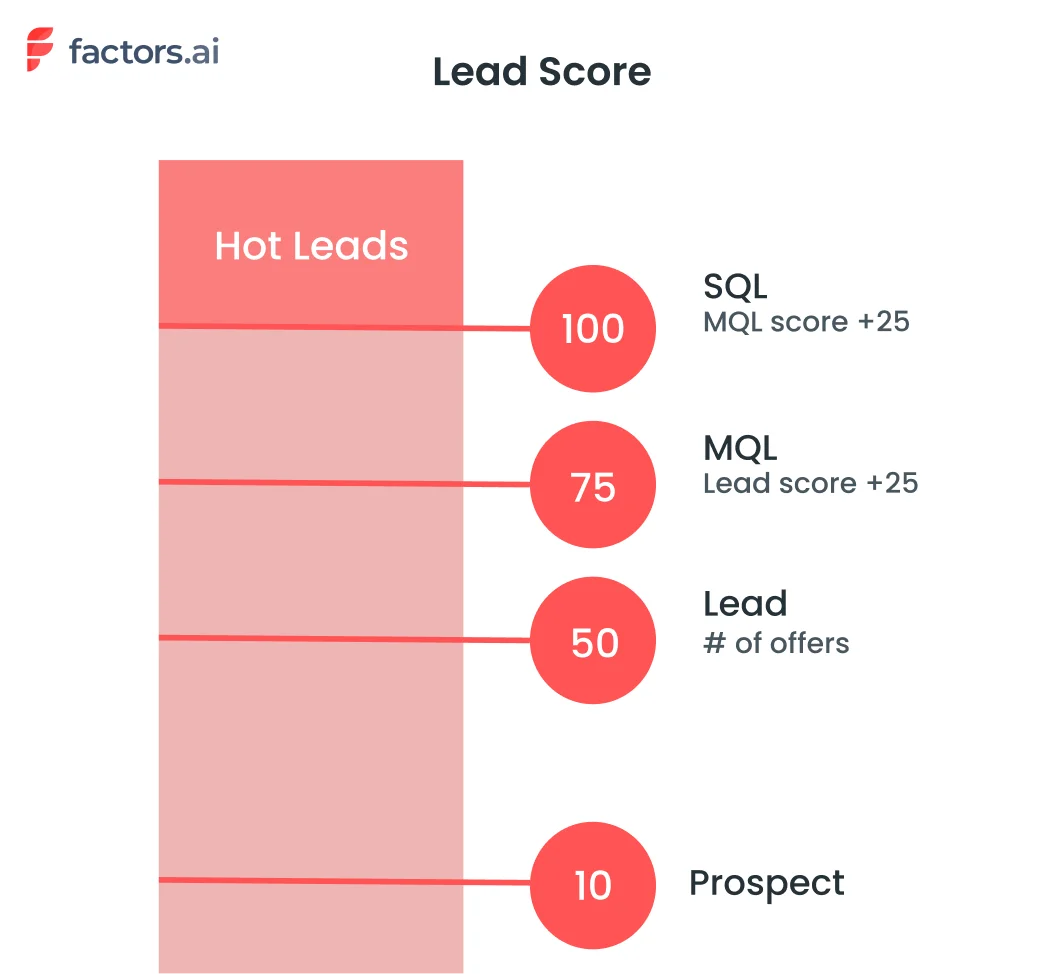
You have leads from your website, landing pages, online ads, email campaigns, and more. How can you quickly identify the most promising ones worth prioritizing? Relying on guesses won't cut it.
You need a systematic way to distinguish hot leads from cold ones.
That's lead scoring —a quantitative way to qualify leads based on their level of sales-readiness. It assigns points to leads as they engage with your business and demonstrate buying signals.
The more points, the hotter the lead.
However, not all scoring models are created equal.
Many basic systems only look at a limited set of criteria or fail to adapt as leads progress through the buyer's journey. But HubSpot's approach gives you a more customizable and dynamic solution.
With the right lead-scoring strategy, you can:
- Identify hot leads—See at a glance which leads are sales-ready based on their activities. Focus energy on your hottest leads first.
- Nurture cold leads—Understand what criteria cold leads are missing to prioritize relevant nurturing.
- Improve conversions—Convert more leads by focusing on those already showing buying signals.
- Enhance personalization—Deliver personalized, timely experiences matched to each lead's score.
- Track performance—Monitor the impact of your lead scoring criteria over time. Tweak criteria as needed.
Now, let's dive into how scoring works in HubSpot specifically.
How Does HubSpot Lead Scoring Work?
HubSpot's lead scoring methodology is powered by two key components—criteria and weight. Let's explain how each contributes to a lead's overall score.
Scoring Criteria
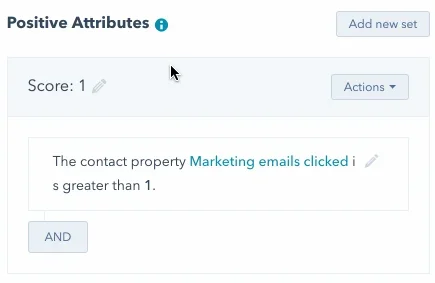
The criteria component determines which lead attributes and behaviors add or deduct points from a contact's score. HubSpot's software comes pre-loaded with default criteria based on typical buying signals.
Example positive criteria include:
- Visited a pricing page
- Downloaded an ebook
- Clicked on a call-to-action
Examples of negative criteria include:
- Unsubscribed from emails
- Bounced email
- Page visited with keyword "competitor"
However, the criteria driving your lead scoring model can be completely customized based on your unique business. You may tweak the default criteria or add new ones that match your typical buyer's journey.
HubSpot makes it easy to update your lead scoring criteria at any time as your business evolves. Whether launching a new product, shifting target audiences, or identifying new buying signals, you can update criteria on the fly.
Lead Scores or Weightage
The second component determining a lead's score is the points assigned to each criterion.
When a lead meets a defined criterion, the associated points are added to their lead score. When negative criteria are met, the points are deducted.
You control the points for both positive and negative criteria. The higher the weight, the more significant the impact each criterion has on the overall score.
For example, you may assign 50 points for visiting a pricing page but only 10 points for downloading an ebook. This freedom to assign points for each action gives companies greater control over their lead scoring.
HubSpot's flexible criteria and weighting system enables you to:
- Customize criteria based on your unique buyer's journey
- Continually fine-tune criteria as your business evolves
- Assign point values tied to each criterion's impact on indicating sales readiness
Let's walk through how to configure lead scoring in your HubSpot portal.
Setting Up Lead Scoring in HubSpot
HubSpot allows you to customize the default lead scoring system to match your unique business needs. The setup process is relatively straightforward but does involve some essential steps.
Step 1: Accessing Lead Scoring Properties
First, navigate to the Properties section under Settings. Here, you can view and edit the default scoring criteria. Marketing Hub Professional and Enterprise accounts get access to lead-scoring properties.
Step 2: Adding or Removing Criteria
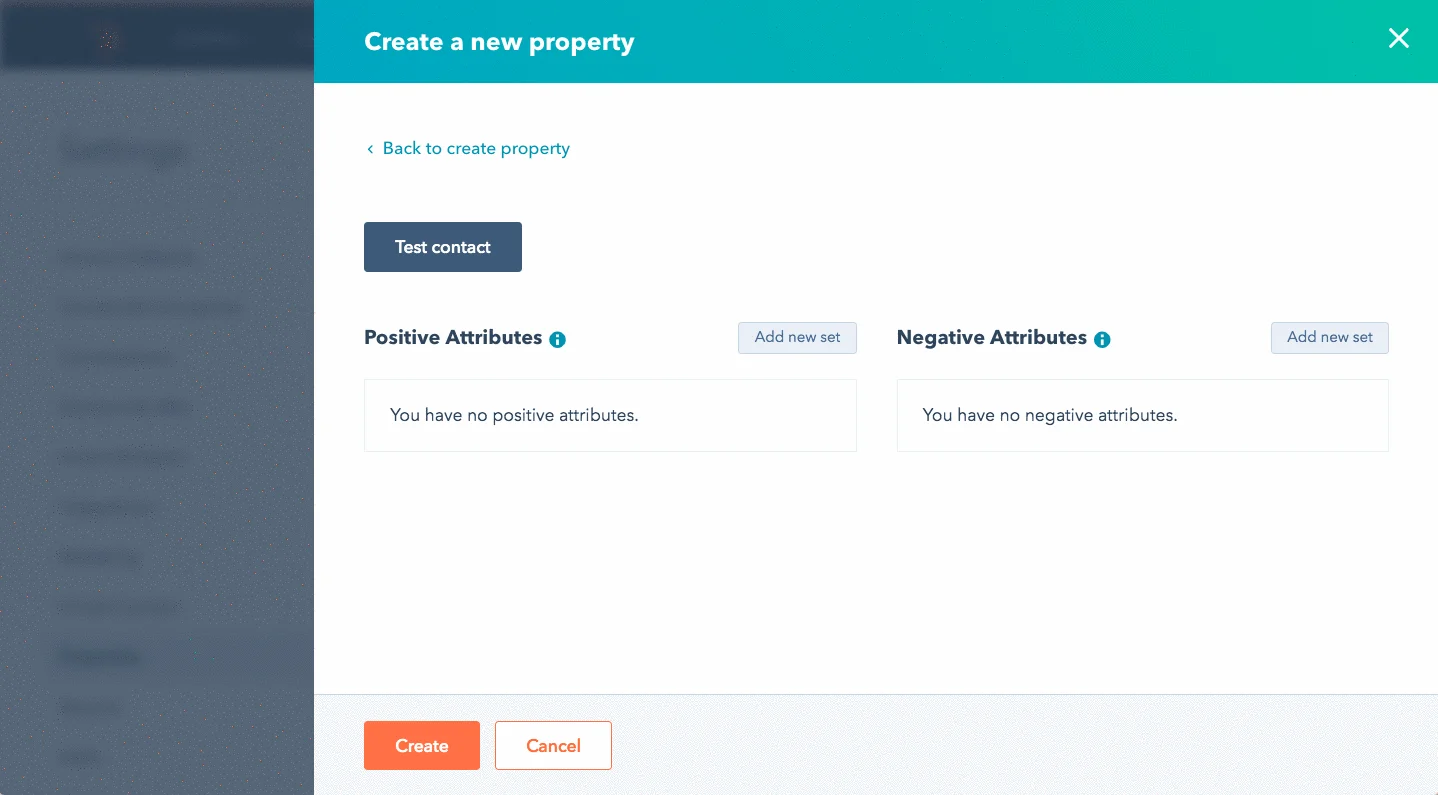
In the Positive and Negative Attributes sections, you can add new criteria rows to define custom factors not included in the default model. For example, you can add a score based on job title or company revenue.
You can also remove criteria that are not relevant to your business. When criteria are removed, all contacts will be re-evaluated accordingly.
Step 3: Setting Score Weights
Assign positive or negative weights for each criterion based on how many points you want the score to increase or decrease. You can edit the default weights as well.
Ensure high-impact factors get adequately weighted to reflect their correlation with conversions.
Step 4: Defining Filters
The criteria can be filtered further to specify the conditions under which points will be allotted. For instance, you may score only for the first form submission.
There is a limit of 100 total filters across criteria sets. Complex filters can increase processing time.
Step 5: Testing Score Criteria
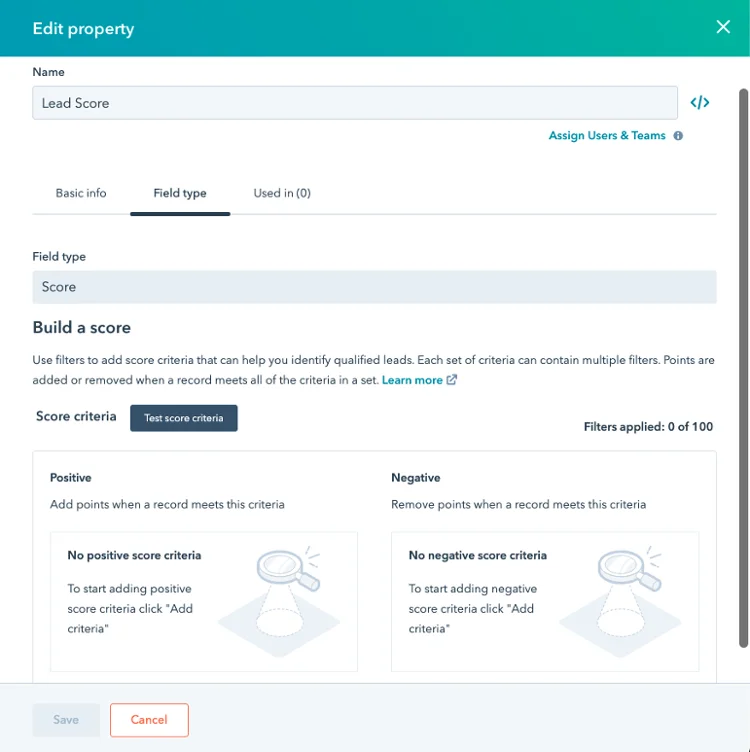
Once configured, test the scoring against sample contacts to ensure it works as expected. Remember to refine the criteria and optimize based on the latest data.
However, there are a few limitations to note with HubSpot lead scoring:
- You can only have 100 active scoring criteria at one time.
- Each criterion can be assigned between -250 and 250 points.
- Points decay over time, with email actions decaying the fastest.
{{INLINE_TOFU}}
Best Practices for Lead Scoring in HubSpot
Now that you know how HubSpot's lead scoring works, let's zoom out and discuss best practices. Let’s look at how to build and optimize an effective lead-scoring strategy.
Decide What The Score Should Measure
First, decide what you want the lead score to represent—a general engagement thermometer or a sales qualification threshold.
- Are you trying to identify sales-qualified leads purely based on intent signals?
- Or do you want a more holistic score combining intent, firmographics, engagement, etc.?
Whatever the goal, the criteria should align with what the score represents.
Use Workflows for Fixed Criteria
Workflows can automatically move contacts to specific lists based on definitive triggers like email clicks or form submissions.
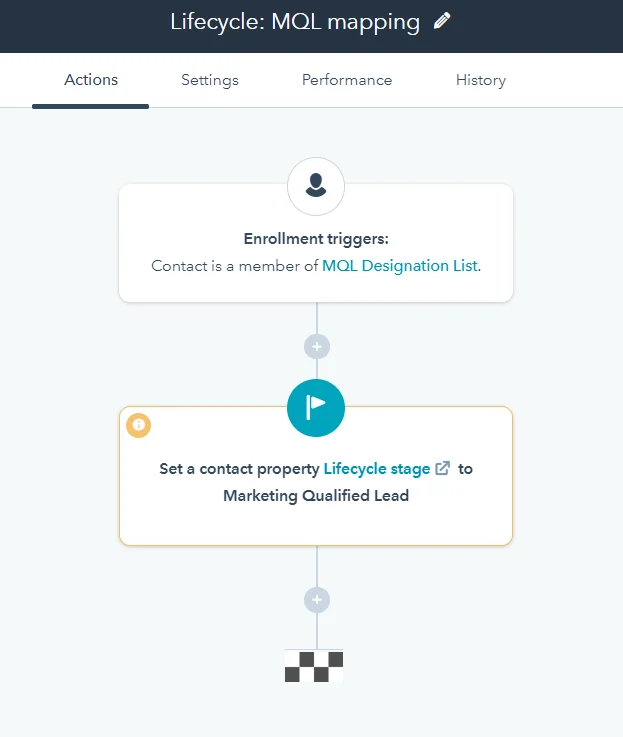
If you have clear SQL criteria like job title + demo booked, use workflows to move such contacts rather than scoring automatically. This helps avoid manually updating scores for obvious qualifications or disqualifications.
For example, you can create a workflow that adds contacts to a "Hot" list whenever they download a pricing sheet or schedule a demo.
Avoid Unreliable Signals
Criteria like page visits or time on site can be misleading as they measure generic engagement. Unless proven to correlate with conversions, avoid such vague scoring factors.
Instead, track predictive signals like content downloads, feature-specific page visits, demo activity, etc., that indicate interest in your offerings.
Incorporate Score Decay
Prospects go hot and cold over time. Their actions should be valued higher for recency. Decaying scores regularly helps surface recently active contacts instead of looking at scores from months ago.
For instance, you can decay scores by 20% each month to account for recency. This means after a month is completed, a lead score of 100 will become 80. With this, new activity in the last month gets more weightage than, let’s say, six months old activity.
While there is no direct and simple way to do this in HubSpot, you can add filters like “AND days < 30” to consider scores within the month. Alternatively, you can create workflows to deduct score points at set dates in a month.
Test, Test, Test
The best way to optimize scoring is to test different versions—run A/B tests on criteria and weighting to see which ones best identify your hottest leads.
Analyze how predictive each criterion is of deals closed last quarter. Eliminate weak signals, adjust weights to optimize correlation, and refine your scoring strategy to find the one that works best for your business.
Review Regularly
As your business evolves, lead behavior and conversions can change. Revisit scoring rules quarterly to check alignment with goals, remove outdated criteria, and adjust weightage as needed.
Also, analyze the correlation between top criteria and won deals over the last quarter to eliminate ones with weak correlation and tweak the weights of strongly predictive ones.
Segment Beyond Just Score
While the score provides a universal gauge of sales readiness, it also segments leads based on persona, source, and other attributes. This provides a more detailed view of where leads are at.
Following best practices will ensure your HubSpot lead scoring model provides an accurate, evolving snapshot of your highest-converting leads.
Top Use Cases for HubSpot Lead Scoring
Now that you understand the mechanics behind HubSpot lead scoring, what are some of the best ways to implement this tool? Here are four top use cases to consider:
Account-Based Marketing
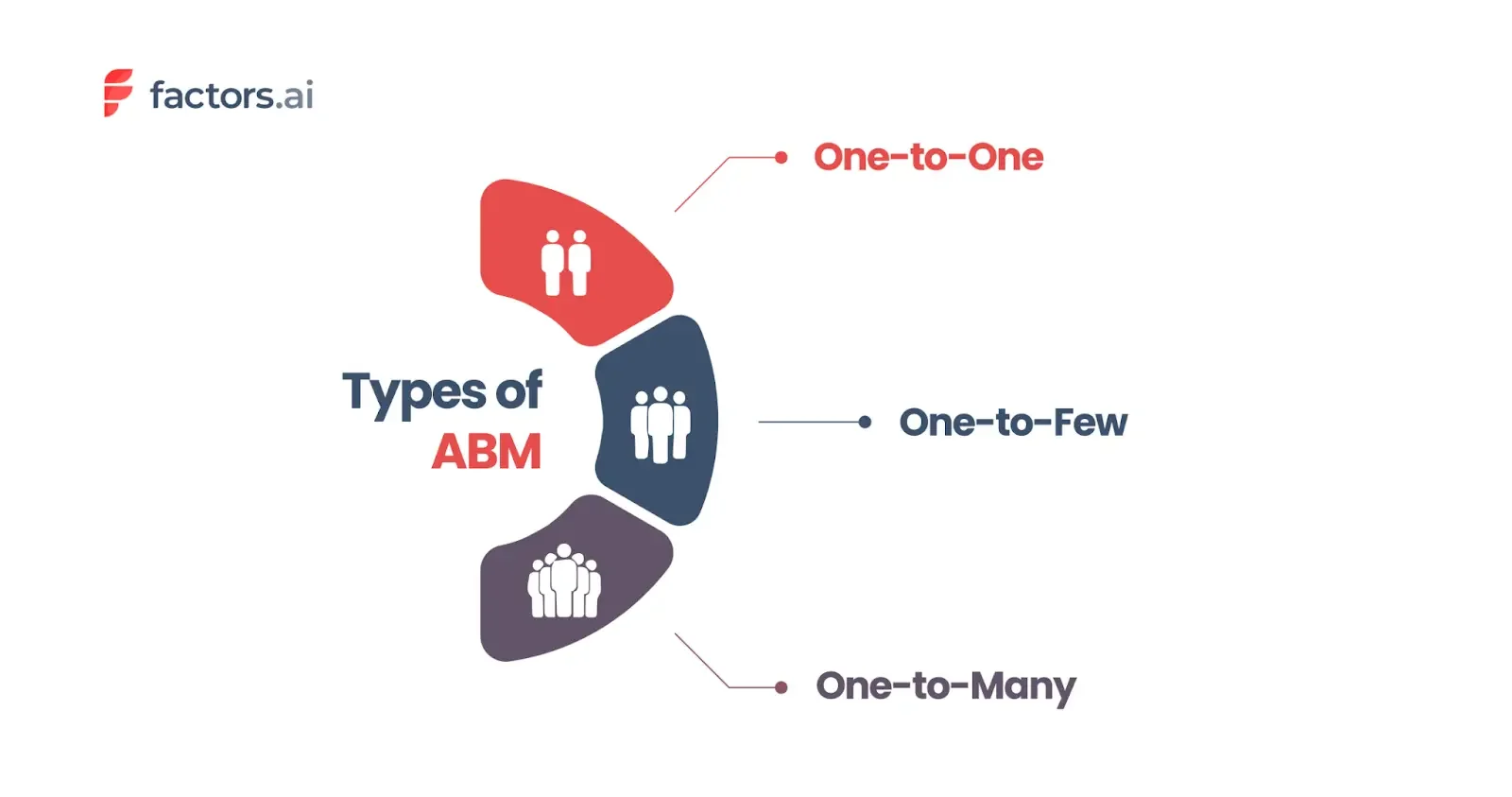
Account-based marketing is a powerful approach to focus your efforts on high-value accounts rather than scattershot campaigns. Lead scoring helps identify prime accounts by combining attributes like industry, size, tech stack, etc.
You can create targeted content campaigns, account engagement plans, and coordinated sales plays customized to these premium accounts. Get the whole revenue team aligned on activating your ideal accounts.
Improved Retargeting
Lead scoring provides the intelligence to create more effective remarketing campaigns. By scoring site visitors based on their content engagement, you can retarget high-intent leads who have shown interest but are yet to convert.
Then, you can create customized remarketing ads and tailored offers around abandoned carts, exit pages, or other drop-off points and identify disengaging leads to re-activate them with relevant content recommendations.
Refining Buyer Personas
Analyze which lead scoring criteria have the highest correlation with conversions for each of your personas. Identify their unique buying signals.
Then, optimize your personas and associated nurturing journeys to align with how each persona buys from you. Make your personas more predictive—giving your marketing and sales teams the data needed to optimize their approach.
Personalized Onboarding
Lead scoring lays the foundation for tailored onboarding and ramp-up. Identify high-intent visitors and fast-track them with expedited onboarding while providing assistance and training to low-intent leads to get them up to speed.
The applications span across the funnel—from separating anonymous traffic to routing qualified leads and much more. But HubSpot has some limitations which can hinder your decision-making.
Major Limitation of Lead Scoring in HubSpot
While HubSpot provides a customizable lead-scoring tool, there are still some inherent limitations to be aware of:
Siloed Data
Lead scoring on HubSpot only accounts for behavior within its tools, not across your tech stack. This interferes with necessary signals like:
- Website analytics data
- Marketing campaign performance
- CRM data on deals and customers
- External intent signals
With data trapped in silos, you miss critical behavioral and intent signals outside HubSpot, resulting in incomplete lead profiles and inaccurate scoring.
Without connecting data across your martech stack, you lack the 360-degree view of each lead needed to power predictive scoring. This significantly hinders the model's accuracy.
No Historical Data Access
Unlike dedicated scoring tools, HubSpot does not provide visibility into the historical progression of a lead's score over time.
For certain high-growth companies, these limitations around flexibility, integration, and visibility can become bottlenecks. Lead routing and sales prioritization may need to be fully optimized.
But how can you overcome these gaps without completely changing tech stacks? Factors.
Close Deals Faster with Factors
Factors eliminates siloed data by combining information from all your marketing and sales channels—not just a single CRM. It enriches this unified data with account intelligence, intent, and more.
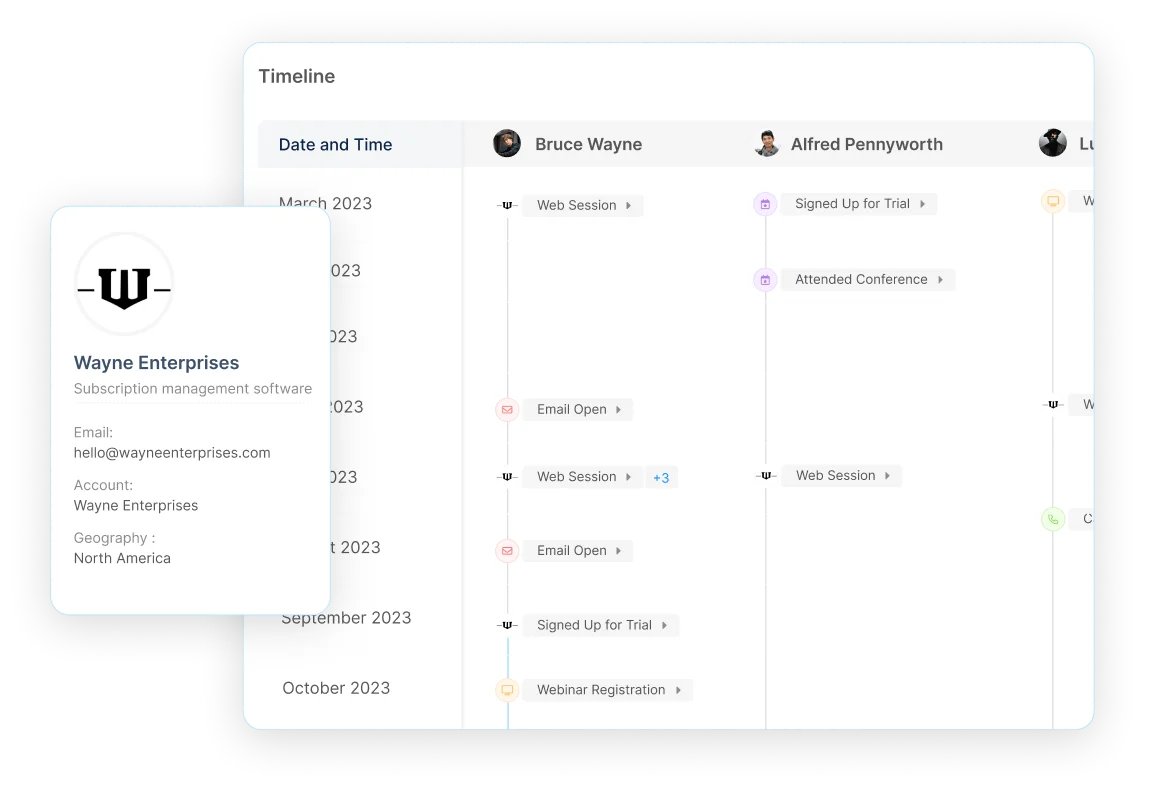
Unlike HubSpot, Factors retains the lead timeline and maps it to conversion—going from the first touchpoint on any platform to the last touchpoint on any platform—all on a single screen. This gives a 360-degree predictive view of sales readiness across channels and time.
Other key advantages over HubSpot scoring include:
Privacy-First Web Data Collection
HubSpot may not completely anonymize data, depending on how it has been set up. This can create compliance risks as regulations like CCPA and GDPR evolve.
In contrast, Factors uses data masking and consent management to collect anonymous website behavior data aligned with privacy requirements. You avoid regulatory exposure while still gaining crucial digital body language signals.
Superior Predictive Power and Accuracy
HubSpot's rule-based scoring methodology has inherent limitations in modeling the intricacies of human behavior. The rigid criteria often miss key predictive signals.
Factors overcomes this through sophisticated machine learning algorithms that examine thousands of potential factors to uncover the strongest predictors of sales readiness for your business. This enables vastly superior accuracy in identifying your hottest leads.
Transparent Scoring Models
With HubSpot, you lack visibility into why leads received specific scores, creating a black-box scoring model.
In Factors, you can inspect the critical data points behind each score to understand which attributes or behaviors added or deducted points. This model transparency is invaluable for refining your lead-scoring strategy over time.
Flexible Integration Across Your Stack
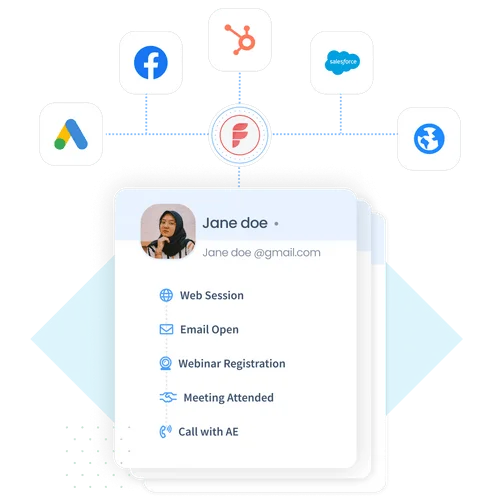
HubSpot's walled-garden approach requires ripping out your existing marketing stack to realize its full potential. Unless your existing marketing stack includes all tools from Hubspot, you’d have difficulty bringing it all together. This creates risky and expensive tech disruptions.
Factors flexibly integrates across your martech stack via APIs, pre-built connectors, and custom integrations. You can easily augment HubSpot with enterprise-grade scoring without replacing your foundational systems.
Hands-On Support and Modeling
HubSpot requires you to manage scoring setup and optimization mostly on your own through self-service options. Hubspot is known to have lousy support when it comes to critical issues.
With Factors, you get dedicated customer success managers to provide strategic guidance around data pipelines, report customization, usage, technical issues, and more tailored to your unique business needs. This white-glove service amplifies your marketing performance.
If the built-in limitations of HubSpot scoring hinder your ability to operationalize scores, Factors provides the enterprise-class upgrade you need.
With Factors, siloed data, and manual processes are replaced with end-to-end predictive intelligence. Leads are automatically scored, segmented, and routed based on a complete understanding of sales-readiness.
HubSpot Lead Scoring: Identifying Sales-Ready Prospects
HubSpot's lead scoring system evaluates and ranks leads based on attributes and behaviors to determine their likelihood of converting. It consists of two key components:
1. Scoring Criteria: Defines which attributes (such as job title, industry) and behaviors (such as website visits, content downloads) contribute to a lead’s score.
2. Weighting: Assigns specific point values to each criterion, reflecting its importance in indicating sales-readiness.
By implementing lead scoring, businesses can prioritize high-quality leads, tailor marketing strategies, and improve conversion rates. Regularly reviewing and adjusting the scoring model ensures it remains effective in identifying the most promising prospects.
FAQs About HubSpot Lead Scoring
Let's wrap up with answers to some frequently asked questions:
Is HubSpot lead scoring retroactive?
No, HubSpot will only start scoring leads from the point you have lead scoring configured. It does not retroactively calculate scores before setup. This is unlike some advanced lead scoring and account intelligence tools like Factors.
Is HubSpot good for lead generation?
Yes, HubSpot provides a wide array of lead-generation tools, including blogging, SEO, landing pages, forms, and more. Lead scoring helps you quantify and prioritize all the leads being generated.
Can you adjust the points scoring scale in HubSpot?
No, you can only assign points from -250 to 250 for criteria. The scoring scale itself cannot be adjusted.
What happens if you delete a scoring criteria in HubSpot?
Deleting a criterion will automatically re-evaluate all existing contacts and update their scores accordingly.
Key Takeaways
- Lead scoring is a powerful prioritization tool if optimized for your unique business. Don't rely on default criteria - make your own.
- Review and refine your scoring criteria to match how your buyers' journey evolves. Keep it dynamic.
- Test different scoring models through A/B testing. Measure the impact on conversions to optimize the model.
- Combine scoring with workflows and segmentation for a multilayered view of your leads' sales-readiness.
- Consider solutions like Factors to overcome limitations like siloed data. Take your lead routing to the next level.
- With the right strategy, lead scoring gives you the focus and intelligence to accelerate deals and delight more customers.
Lead scoring provides invaluable visibility into the sales readiness of all your leads. And, to take lead scoring to the next level, book a demo with Factors today to see how predictive intelligence can help you identify and convert your hottest leads faster.

Identify Sales-Ready Account With Hubspot & Webhooks
The following guide explores how to identify and target sales ready accounts with the combined powers of Factors account identification & Hubspot webhooks.
Target the right accounts, at the right time with intent-based outreach
B2B sales teams spend a lot of time and effort reaching out to cold prospects only to achieve disappointing results. In fact, even successful benchmarks tag the average cold-call response rate at just 2%.
And honestly, It’s not difficult to see why.
While it’s simple enough to find lists of companies and contacts that fit your ideal client profile, it’s a monumental challenge to convince prospects to consider your solution when they’re not in the market for one.
So what’s the alternative to reaching out to the right accounts at the wrong time?
Reaching out to the right accounts at the right time of course! Or more specifically, it’s intent-based outreach based on the goldmine of anonymous, sales-ready companies already visiting your website.
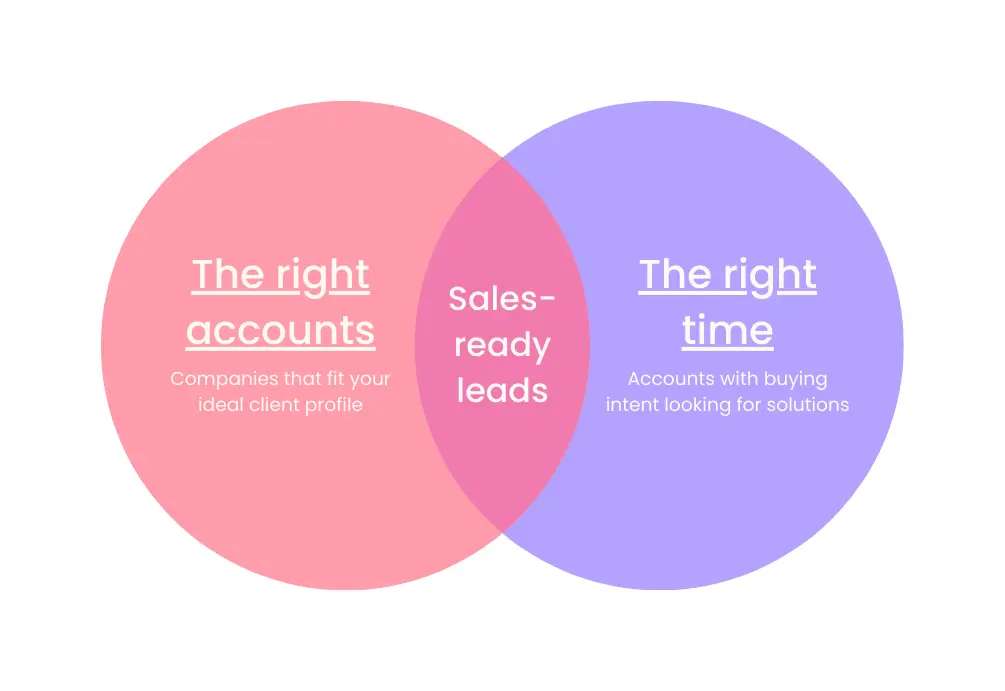
The following guide explores how to identify and target sales-ready accounts with the combined powers of Factors’ account identification and HubSpot webhooks. We first discuss how this integration works, before delving into a handful of use-cases.
How It Works: Pushing data back into HubSpot
Factors taps into industry-leading IP-lookup technology to identify up to 64% of anonymous companies visiting your website. This includes company names as well as firmographics such as geography, industry, employee headcount, revenue range and more.
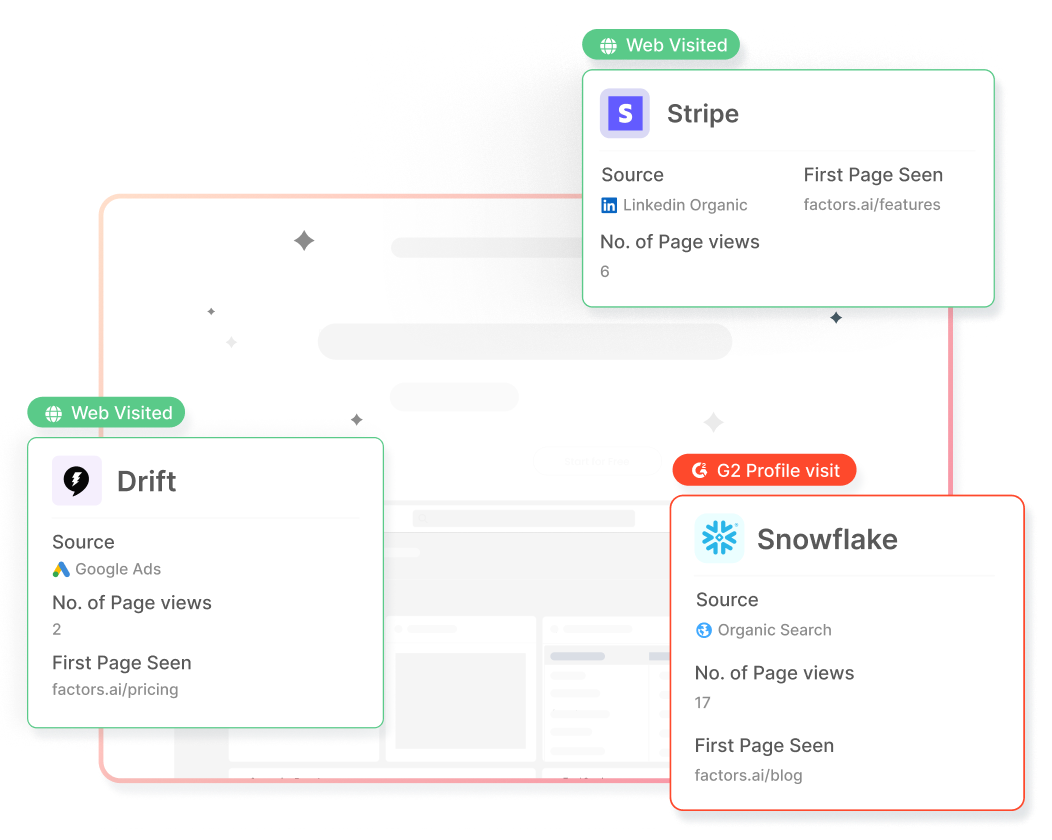
In addition, Factors auto-tracks website activity and engagement with advanced analytics. This includes page views, button clicks, scroll-depth, account timelines, funnels and more.
With this information, users can filter the total set of anonymous traffic down to ICP accounts that have expressed buying intent:
- ICP criteria: Filter down traffic based on firmographics such as industry, headcount and revenue-range to identify accounts that fit your ideal client profile.
- Intent criteria: Filter down traffic based on intent signals such as high-intent page views such as pricing, time-spent on page, and percentage scroll-depth to identify sales-ready buyers.
In short, access a list of high-intent ICP accounts that are already visiting your website but are yet to convert.
Now, with webhooks and Zapier, it’s easier than ever to automatically push all this data from Factors into any other tool your team uses. This includes ad platforms, marketing automation platforms, and, in this case, HubSpot CRM.
How will this help? Rather than going after cold prospects with negligible chances of conversion, sales reps can view, segment, and target sales-ready accounts inside HubSpot. As we’ll see in the next section, this dramatically simplifies and improves targeted sales outreach.
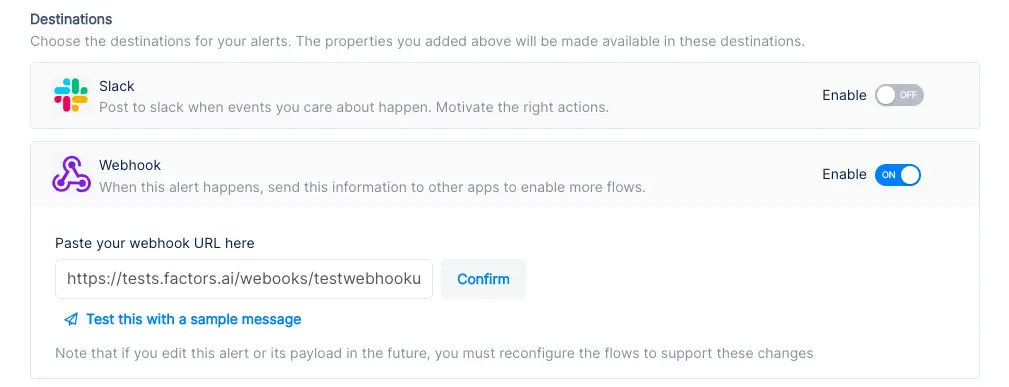
Implementing Webhooks on Factors is easy as pie. See how here.
{{INLINE_TOFU}}
Use-cases: Making the most of your website traffic
1. Identify new business opportunities
Factors surfaces anonymous, high-intent companies visiting your website. As previously discussed, this data can be filtered down to high-fit, high-intent accounts.
Using webhooks, this data can be pushed from Factors into HubSpot. In other words, you can automatically create companies inside HubSpot for visiting companies that match your ICP and intent criteria.
For example, webhooks can be configured to create a new company when a visitor from a US-based software company with at least 250 employees is live on your website.
Here are a few more examples of what you can see inside your CRM with Factors:
- Accounts that visit a landing page through a search ad but fail to submit a form
- Software companies with at least 500 employees visiting high-intent pages like pricing
- US-based companies that have read through at least half a product comparison blog
Rather than relying on the 5% of website traffic that submits a form, teams can identify and target a deep new pool of potential pipeline — all within HubSpot. What’s more? Alerts can be relayed to sales reps in real-time through Slack or MS teams so they can immediately reach out to live prospects.
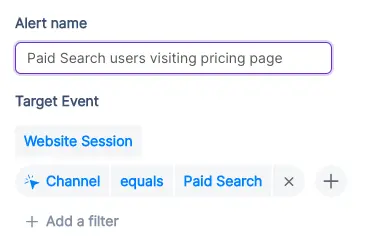
2. Stay on top of existing target accounts
In addition to recording new accounts visiting your website, Factors can be used to monitor and update data for target accounts that already exist within HubSpot.
For example, say an accounts clicks on a search ad, submits a demo form, but never schedules time on your calendar. While account's data is available in HubSpot, it can be tedious to track and update their actions post the demo form submission.
To solve for this, Factors can automatically update CRM properties based on trigger criterias when accounts return to your website. Let’s say that the same account is back reading a product alternatives blog or visiting the pricing page after a couple of weeks. This event can be updated within HubSpot, including their last active time.
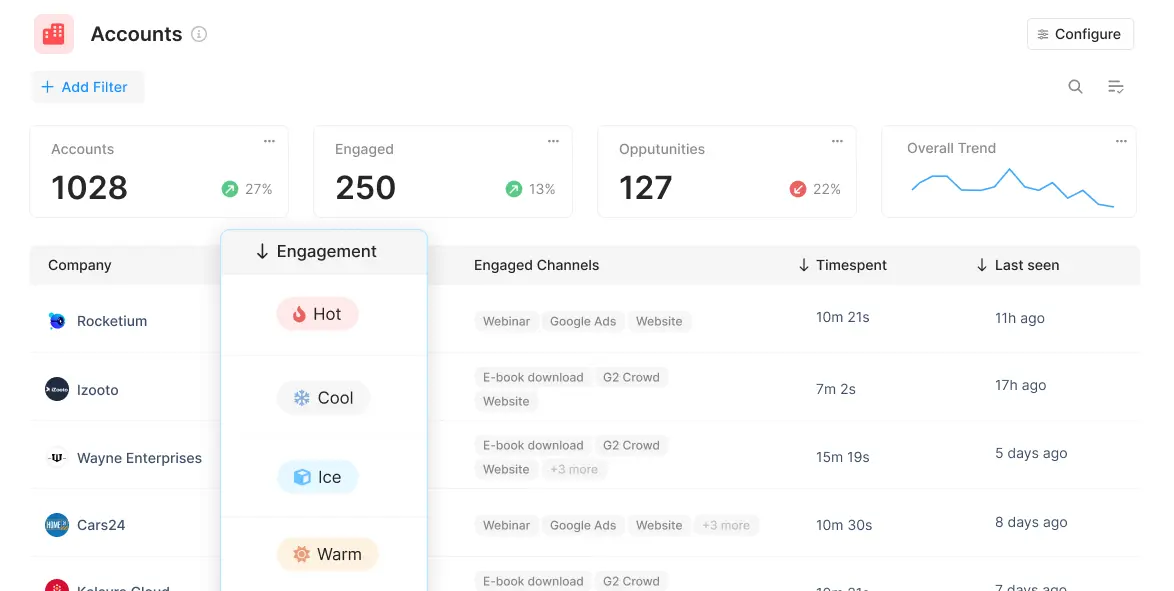
Sales reps can be notified with real-time when high-intent events take place so as to be able to immediately reach out to accounts and improve the odds of conversion.
3. Accelerate deals with behavioral data
Certain marketing material may or may not be relevant depending on the audience in question. For example, an enterprise-level account may be especially interested in security compliance related content. An early-stage start-up, on the other hand, may find content around cost-effective pricing more appealing.
Factors can track how various types of companies are interacting with your website to understand what target accounts care about most. This data can be pushed back into HubSpot so sales reps can easily assess a prospect’s interactions, priorities and pain-points before jumping into a sales call.
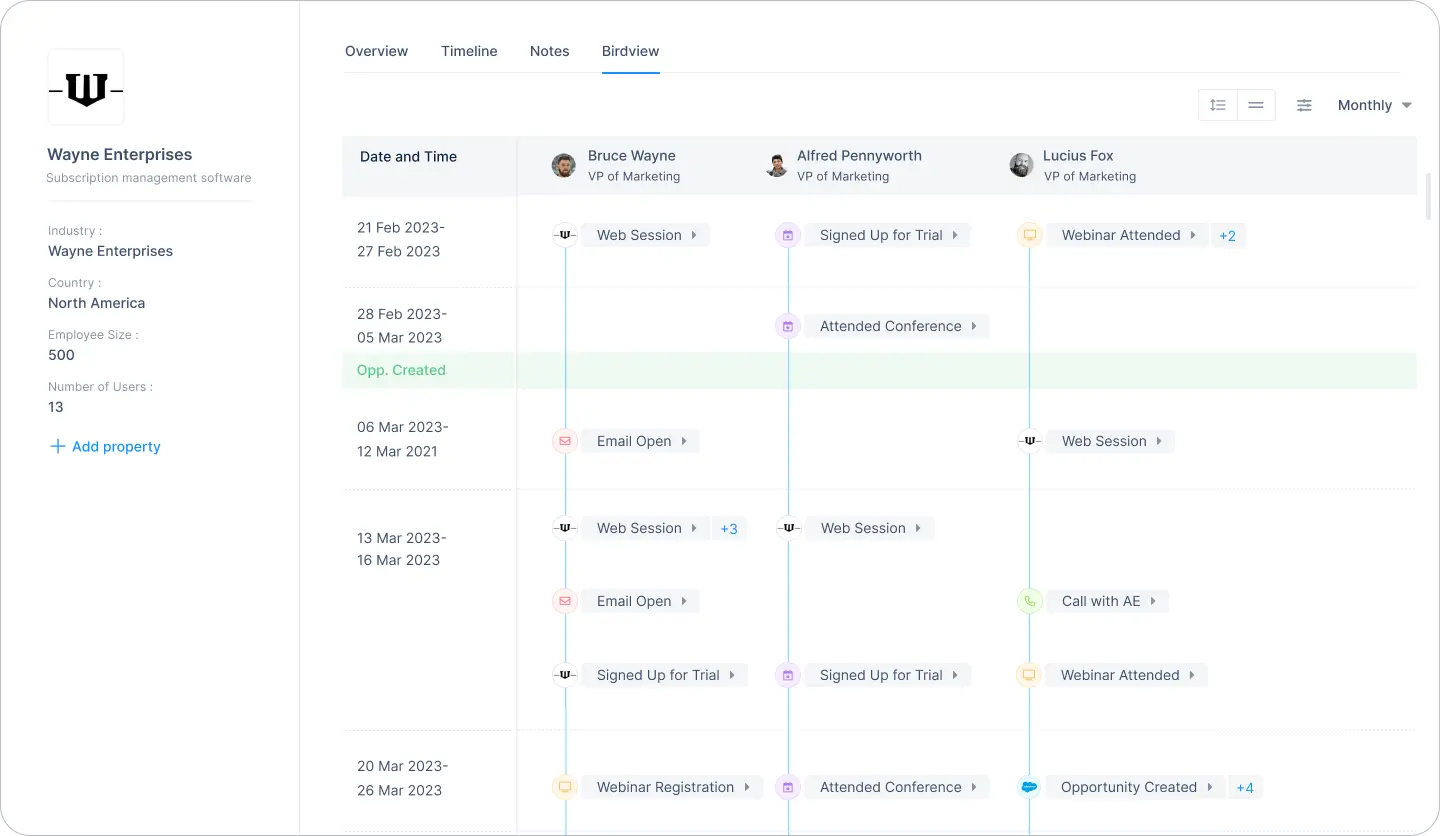
For one, sales reps can accelerate deals by personalizing the customer experience. For another, marketing teams can gauge what resonates best with the target audience and finetune content efforts accordingly.
4. Rekindle lost opportunities
Use Factors to track how prospects who have dropped off the funnel or former customers are returning to engage with your website. For instance, maybe an account that churned a couple of quarters ago is back interacting with a page that highlights a new feature release.
This may be an intent-signal that the account is reconsidering your product. It might be a good idea for sales reps to reach out and share some relevant information on what’s new. Of course, this doesn’t necessarily guarantee a conversion. But it’s far more effective than reaching out to an ice cold prospects.
This guide has covered a handful of ways in which pushing account data back into HubSpot can be helpful. Ultimately, the goal is to align account data with relevant stakeholders and technologies in order to:
- Drive intent-based sales outreach
- Refine ABM efforts and spends
- Optimize retargeting campaigns
There are countless other use-cases with account identification working in conjunction with CRMs, MAPs, and more. With webhooks, Factors can push valuable account data to nearly any platform on the planet. How you make the most of that data is really up to you — the possibilities are endless.

HubSpot Analytics Vs. Factors.ai – Features, Limitations, Integrations & More
HubSpot’s own in-platform analytics & attribution engine is fraught with serious limitations. This article highlights issues & how you can overcome them.
All our homies LOVE HubSpot. No doubt, it's a reliable CRM and marketing automation platform. In fact, Factors.ai integrates seamlessly with HubSpot to deliver full-path analytics and attribution across campaigns, website, and CRM. That being said, HubSpot’s own in-platform analytics and attribution engine, is fraught with serious limitations. The following article highlights these issues with HubSpot — and how you can overcome them with Factors.ai. Ultimately, we find Factors.ai to be a far better fit for data-driven B2B marketers.
Before we jump into the limitations of HubSpot analytics and attribution, it’s only fair to address a couple of positives. Although premium reporting (advanced analytics, revenue attribution, etc) is only available on HubSpot’s enterprise plans, it delivers a robust range of multi-touch attribution models in a simple, user-friendly framework. Additionally, if your company uses HubSpot CRM, MAP, and life cycles stages religiously, HubSpot could possibly be an effective all-in-one solution for reporting. As we shall now see, however, most teams do not use HubSpot in the dedicated manner that’s required for it to function well.
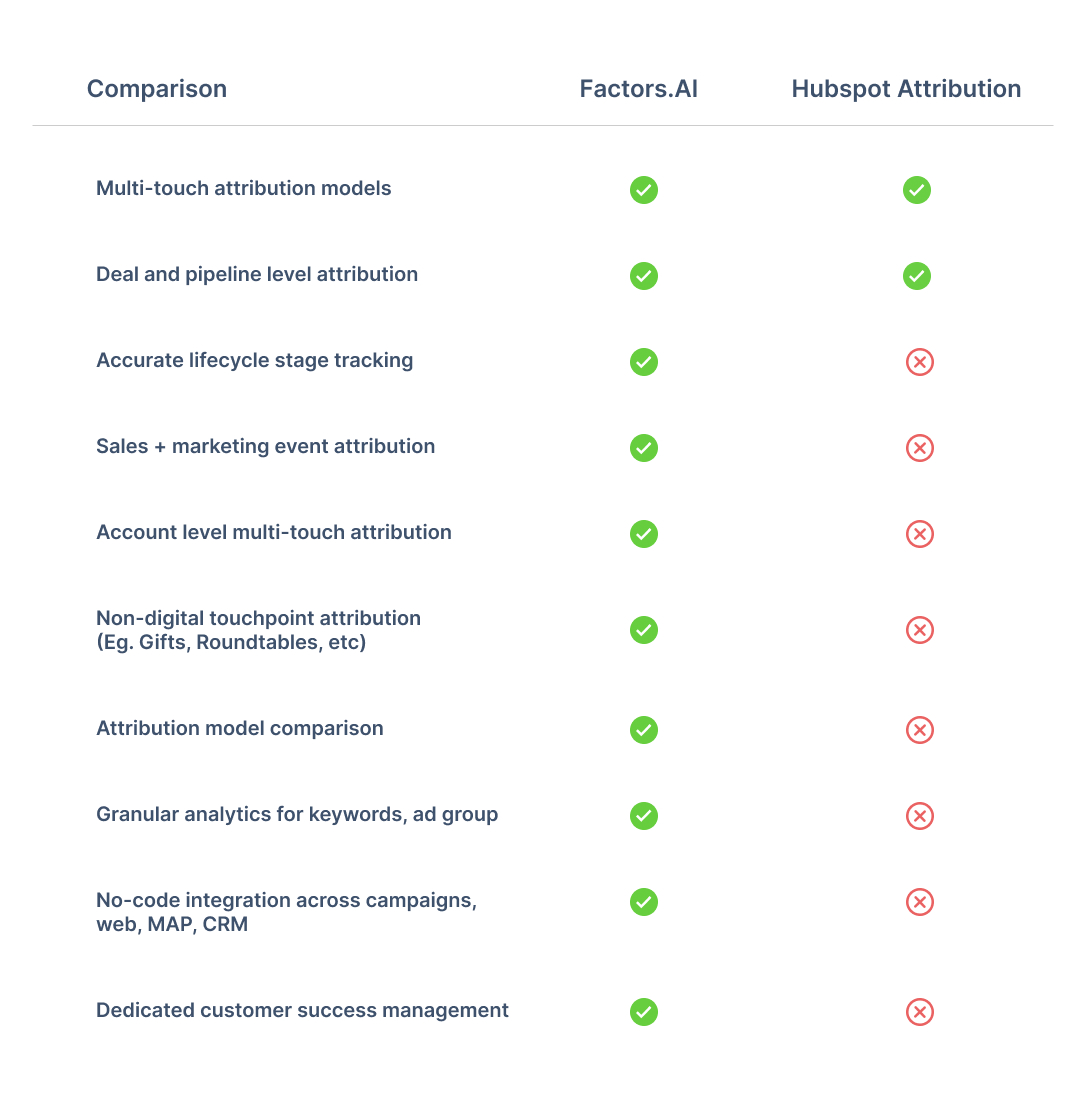
Limitation #1: Rigidity & Inaccuracy
1.1. Fixed Lifecycle Stages
One glaring limitation with HubSpot’s in-platform analytics solution is its rigidity around the sales funnel — and especially its life cycle stages. HubSpot analytics only offers fixed definitions for events and stages along the customer journey — Subscriber, Lead, MQL, SQL, Opportunity, Customer, and Evangelist. Now, this set of stages may fit in perfectly with your organization’s funnel structure; but in reality, most B2B teams follow unique customer stages based on the nuance and particulars of their business model. B2B SaaS firms for example, may care about including a “Demo Done” stage to flag high intent leads. HubSpot’s analytics engine does not provide the flexibility to include, or even edit lifecycle stages to match this preferences.
If your team does not adhere to HubSpot’s predetermined structure, Factors.ai may be the right fit for you. On Factors, users have limitless flexibility to set, track, and analyze their own internal life-cycle stages.

1.2 Inaccurate Lifecycle Stage Tracking
In continuation with the previous point — not only is HubSpot’s lifecycle stage tracking rigid, it’s also blatantly inaccurate. Rather than considering the leads in lifecycle stage “B” to be a subset of the previous lifecycle stage “A”, HubSpot only counts the contacts in a particular stage at that point in time. Here’s an example to illustrate:
Say you have 50 leads tagged MQLs. 20 of them become SQLs. This, of course, does not mean that you now only have 30 MQLs. Rather, it means that the set of 20 SQLs are a subset of the total set of 50 MQLs.
This is a major issue with HubSpot analytics — leading to inaccurate readings, insights, and ultimately; marketing decisions. Rest assured, Factors.ai ensures no such fallacies in logic. You can also guarantee a far wider range of filters, breakdowns, and visualization techniques on Factors.ai as compared to HubSpot analytics.

Limitation #2: Attribution Troubles
2.1 Campaign Attribution
It’s impossible to create attribution reports on HubSpot at a keyword level across campaigns and ad groups. If you want to look at keyword level attribution reports on HubSpot, you’ll need to examine keywords within a specific ad group from a specific campaign. Why is this an issue? Well because a specific keyword can (and usually does) belong to multiple campaigns
On Factors, you can do what HubSpot attribution does AND look at keyword attribution reports across campaigns and ad groups for granular, and more importantly, accurate insights.

2.2 Attributing Offline Events
Offline touchpoints are those touchpoints along the customer journey that cannot be tracked digitally. These include outbound emails, webinars, in-person events, corporate gifts, etc. While HubSpot does enable you to document these “events”, it is not possible to analyze or visualize them within HubSpot analytics. As a company scales, it’s likely to have a good combination of digital and offline touchpoints, making it imperative to account and analyze for both in union.
Factors.ai makes it possible to track, analyze, and attribute offline touchpoints by fetching contact tags and UTMs. These touchpoints are also completely customizable with no-code. Needless to say, unlike Factors.ai, HubSpot does not enable users to attribute custom properties, events, or KPIs.

2.3 Comparing Attribution Models
Factors.ai is one of the few attribution solutions that allows users to compare attribution models against each other. B2B sales cycles can be complex, and the ability to compare results across first-touch and multi-touch models gives marketers an unequivocal advantage in identifying trends accurately. Unlike Factors.ai, HubSpot does not offer the ability to compare attribution models.
Limitation #3: Lack of Granularity
Another major drawback with HubSpot analytics & attribution is that it considers lead source only at a channel level. That is, lead sources may be viewed as “Organic”, “Paid ads”, “Social” and so on. We all know that the devil’s in the details — and channel level data simply will not cut it in this day and age. How is one to know which campaigns or content to scale, if they are unable to view performance data for the same? Factors.ai is all about granularity. We ensure detailed analytics at a channel, campaign, ad group and keyword level to help you make the best possible marketing decisions. Our extensive line of no-code integrations across the most popular ad platforms guarantees a proper data-driven marketing experience.

{{INLINE_BOFU}}
Limitation #4: Data Integration Woes
So here’s the thing: you can integrate HubSpot with third-party data-sources, including other CRMs like Salesforce — but it’s no easy task. It requires tedious onboarding, strict vigilance, and developer dependency. You need to make sure all your sales data is either on or linked to HubSpot. If you use a combination of HubSpot and Salesforce or LeadSquared or Marketo, a platform like Factors.ai would make your life a lot easier. IF, however, you religiously use HubSpot exclusive products — CRM, MAP, Website, etc, then HubSpot may be a more convenient option for you.
Limitation #5: It’s The Little Things…
By design, Factors.ai is a robust, intuitive marketing analytics, attribution, and journey mapping platform. Above all, we pride ourselves on delivering the best possible experience to our users. This entails end-to-end onboarding support, sustained customer success management, and smooth, reliable performance. The same, unfortunately, cannot be said about HubSpot analytics.


Here’s why Factors.ai has the edge over HubSpot when it comes to user experience:
- HubSpot imposes limited users or seats per hub. Factors grants unlimited seats, free of charge.
- HubSpot requires tedious, developer dependent onboarding and training over several weeks, if not months. You can get started with Factors.ai in 30 minutes.
- HubSpot charges an independent fee for tech support. Factors.ai is an extension of your team — with dedicated customer success management guaranteed.
- HubSpot aggressively up-sells its features to nickel and dime existing customers. Factors.ai recommends tailor-made plans based on the scale and growth of your team.
And there you have it. Still curious to learn why Factors.ai would be better suited for your B2B team over HubSpot Marketing Hub? Book a personalized demo here to see our work in action.
HubSpot Analytics is known for its user-friendly interface and basic multi-touch attribution, making it a solid option for teams already embedded within the HubSpot ecosystem. It’s especially helpful for straightforward reporting and marketing workflows.
However, several limitations can hinder scalability for data-driven B2B teams:
- Rigid lifecycle stages that don’t always align with nuanced buyer journeys
- Limited customization options for reports and dashboards
- Difficulties integrating external data sources, leading to siloed insights
Factors.ai steps in to fill these gaps with:
- Customizable lifecycle stages tailored to your sales funnel
- Seamless integrations across diverse CRM, ad, and marketing tools
- Advanced analytics and attribution features that go beyond surface-level reporting
For B2B marketers seeking deeper insights, greater flexibility, and a holistic view of the customer journey, Factors.ai offers a more robust and scalable alternative to HubSpot Analytics.
.avif)
How to Implement Predictive Marketing Analytics?
Learn how to leverage predictive marketing analytics to improve lead scoring, optimize campaigns & drive B2B growth with data-driven insights.
TL;DR
- Predictive marketing analytics enables B2B marketers to forecast customer actions, enhance campaigns, and improve ROI using historical and current data.
- Key predictive models include classification, clustering, regression, propensity, and time series, aiding in lead scoring, segmentation, and churn prediction.
- Successful implementation involves setting clear goals, gathering and cleaning data, selecting appropriate models, and applying insights to marketing tasks.
- B2B use cases encompass lead scoring, customer lifetime value prediction, churn reduction, campaign optimization, and upselling/cross-selling.
- To ensure success, address challenges such as data quality, integration, and skill gaps.
B2B marketing can be complex, with many moving parts and uncertain outcomes. Predictive marketing analytics helps by using past data to provide clear insights, making it easier to plan and improve your marketing efforts.
This guide will show you how to implement predictive marketing analytics in a step-by-step process to understand your customers better, allocate resources wisely, and grow your business.
Why Predictive Marketing Analytics is Important?
For B2B marketers, predictive marketing analytics is a game-changer. Here’s how:
- Maximizes Lead Value: In complex B2B sales cycles, predictive analytics helps prioritize high-value leads, ensuring your team focuses on the most promising opportunities.
- Eliminates Guesswork: Moves your strategy from intuition-based to data-driven, reducing wasted efforts on low-quality leads.
- Improves Targeting: Identifies which accounts are most likely to convert, the best times to engage, and which messages will resonate.
- Boosts Conversion Rates: Helps optimize campaigns and outreach, leading to more efficient pipelines and higher win rates.
- Accelerates Revenue Growth: Enables marketing and sales teams to make faster, smarter decisions that directly impact the bottom line.
- Supports Strategic Planning: Provides actionable insights for campaign planning, resource allocation, and long-term growth strategies.
Also, read our blog on strategies to improve B2B pipeline acceleration.
Core Predictive Models for B2B Marketing
Predictive marketing analytics employs several key models to aid B2B marketers in making informed decisions:
1. Classification Models
These models categorize data into defined outcomes. In B2B marketing, classification models can predict whether a lead is likely to convert, become a high-value customer, or churn.
- Example Use Case: Score leads as ‘high,’ ‘medium,’ or ‘low’ priority based on historical conversion data.
2. Clustering Models
Clustering models group leads or accounts based on shared characteristics or behaviors, without predefined categories. These segments often reveal hidden patterns in your data.
- Example Use Case: Identify customer segments based on product usage, engagement level, or firmographic data to run more targeted campaigns.
Also, read our guide on B2B Account Scoring.
3. Regression Models
Regression helps estimate the relationship between variables. Marketers can use it to forecast outcomes like future revenue based on changes in marketing spend, email frequency, or campaign duration.
- Example Use Case: Predict how a 10% increase in ad spend might impact lead volume or conversion rates.
4. Propensity Models
These models calculate the likelihood that a prospect will take a particular action, such as clicking an email, requesting a demo, or renewing a subscription.
- Example Use Case: Predict which existing accounts are most likely to respond to a cross-sell or upsell offer.
5. Time Series Models
Time series analysis helps marketers understand and forecast data that varies over time, such as web traffic, campaign engagement, or seasonal demand.
- Example Use Case: Forecast quarterly lead volume or identify optimal times to launch a campaign.
{{INLINE_MOFU}}
How to Apply the Right Model for Impact?
Choosing the appropriate predictive model depends on the business question you're trying to answer. Whether it’s prioritizing accounts, forecasting demand, or improving personalization, applying the right model allows B2B marketers to:
- Focus on high-potential opportunities.
- Tailor messaging to segmented needs.
- Allocate budget and resources effectively.
For real-world examples of how these models power outreach strategies, visit our Cold Outbound for GTM Efforts page.
How to Implement Predictive Marketing Analytics?
Implementing predictive marketing analytics in your B2B strategy involves several key steps:
1. Set Clear Business Objectives
Before building models, define what specific outcome you want to predict. This could be:
- Lead conversion likelihood.
- Customer churn risk.
- Likelihood of upsell or renewal.
- Optimal timing for campaign engagement.
Clear goals help shape the data you collect and the type of model you choose. It also ensures alignment between marketing, sales, and leadership teams.
2. Data Collection and Integration
Gather data from all relevant sources such as:
- CRM systems (e.g., Salesforce, HubSpot)
- Marketing automation tools.
- Website analytics platforms.
- Customer support and engagement data.
Make sure these sources are integrated and accessible from a central location. For smoother data consolidation, explore the tools featured on our Integrations page.
3. Data Cleaning and Preparation
Data quality is critical for model accuracy. Clean your data by:
- Removing duplicates and errors.
- Handling missing or inconsistent values.
- Normalizing and formatting data for compatibility.
This step also includes feature engineering, such as creating new variables from raw data to improve model performance.
4. Model Selection and Building
Choose the most appropriate model based on your goal:
- Classification for predicting binary outcomes (e.g., will convert or not)
- Regression for forecasting numerical outcomes (e.g., deal value)
- Clustering for segmenting customers.
- Propensity modeling for behavior prediction.
You can start with off-the-shelf models or build custom models using platforms like Python, R, or AutoML tools.
5. Model Training and Validation
Use historical data to train your model. Then, validate it by:
- Splitting your data into training and testing sets.
- Measuring accuracy, precision, recall, or other relevant metrics.
- Performing cross-validation to check robustness.
This ensures the model generalizes well and isn’t just overfitting to past data.
6. Deployment and Workflow Integration
Deploy your predictive model and integrate its insights into your daily marketing operations:
- Add lead scores to your CRM.
- Trigger automated campaigns based on behavior predictions.
- Alert sales teams about accounts at risk of churn.
The key is to make predictive insights actionable within existing tools and workflows.
7. Monitoring, Evaluation, and Continuous Improvement
Predictive models are not “set-it-and-forget-it.” Continuously:
- Track model performance over time.
- Incorporate new data and retrain as needed.
- Adjust based on changes in customer behavior or market trends.
Establish feedback loops with marketing and sales teams to refine the models and improve relevance.
This structured approach ensures predictive marketing analytics are effective, measurable, and aligned with business objectives.
Key Use Cases of Predictive Marketing Analytics in B2B
Predictive marketing analytics offers numerous applications for B2B marketers:
1. Lead Scoring and Segmentation
Use predictive models to identify which leads are most likely to convert based on historical behavior, engagement patterns, and firmographic data.
- Helps sales teams prioritize high-potential leads.
- Enables better-targeted nurture campaigns.
- Reduces time spent on low-quality prospects.
2. Customer Lifetime Value (CLV) Prediction
Estimate the long-term value of individual accounts to guide strategic decision-making.
- Focus resources on accounts that promise the highest return.
- Personalize long-term engagement strategies.
- Inform account-based marketing (ABM) prioritization.
3. Churn Prediction and Retention Strategies
Identify warning signs of potential churn based on product usage, engagement drop-offs, or support issues.
- Proactively reach out to at-risk clients.
- Launch personalized retention campaigns.
- Reduce customer attrition and stabilize recurring revenue.
4. Campaign Optimization and Budget Allocation
Predict which messaging, channels, or timing combinations will drive the best outcomes.
- Allocate budgets to high-performing campaigns.
- Adjust spend dynamically based on predictive insights.
- Improve overall ROI by minimizing waste.
5. Upselling and Cross-Selling Opportunities
Analyze customer behavior and transaction history to detect readiness for additional products or services.
- Suggest relevant offerings based on past actions.
- Tailor sales conversations with data-backed recommendations.
- Increase average deal size and deepen customer relationships.
These use cases provide a data-driven advantage, enhancing efficiency, conversion rates, and customer satisfaction.
Common Challenges in Implementing Predictive Marketing Analytics
While predictive marketing analytics offers significant benefits, B2B organizations often encounter roadblocks during implementation. Understanding these challenges is key to overcoming them and ensuring long-term success.
1. Poor Data Quality
Predictive models are only as good as the data they’re built on.
- Incomplete, outdated, or inconsistent data can lead to inaccurate predictions.
- Disconnected data sources (e.g., separate CRM and marketing platforms) make it difficult to get a unified customer view.
Solution: Prioritize data hygiene by cleaning, standardizing, and unifying datasets before modeling begins. Automate this process where possible.
2. Integration Complexities
Merging predictive analytics tools with your existing stack can be technically challenging.
- Legacy systems and siloed platforms may require custom APIs or middleware.
- Inconsistent data formats can delay deployment.
Solution: Choose tools with strong integration support and open architecture. Engage IT early to ensure alignment.
3. Lack of In-House Expertise
Many marketing teams are not equipped with the data science skills needed to develop and maintain predictive models.
- Limited understanding of machine learning may result in misinterpreting model outputs or relying on default settings.
Solution: Provide regular training or hire specialists. Alternatively, work with external consultants or platforms that offer managed predictive services.
4. Resistance to Change
Adopting predictive analytics often requires a shift in mindset.
- Teams may hesitate to move away from intuition-based strategies.
- Concerns about job displacement or workflow disruptions can lead to pushback.
Solution: Start with small, high-impact use cases to demonstrate value. Involve stakeholders from the start to build trust and buy-in.
5. Model Maintenance and Relevance
Predictive models require ongoing tuning and updates.
- Market dynamics, buyer behavior, and internal business goals can change quickly.
- Static models degrade over time, reducing their effectiveness.
Solution: Establish a regular schedule for model evaluation and retraining. Incorporate real-time data feeds where feasible.
6. Privacy and Compliance Risks
Handling sensitive B2B customer data introduces legal and ethical challenges.
- Non-compliance with regulations like GDPR or CCPA can result in penalties.
Solution: Ensure your data handling practices comply with industry regulations. Collaborate with legal teams during planning and execution.
By proactively addressing these hurdles, B2B organizations can unlock the full potential of predictive marketing analytics and build smarter, data-driven strategies.
Wrapping Up: How Predictive Marketing Analytics Drives Business Growth?
Incorporating predictive marketing analytics into your B2B strategy is essential for maintaining competitiveness and achieving growth. Following a structured plan can transform data into insights that enhance lead scoring, campaign targeting, and customer value.
Begin with clear objectives, ensure data quality, and select appropriate predictive models. Continuously monitor and refine models as market conditions evolve. Predictive marketing analytics empowers you to anticipate customer needs, optimize resource allocation, and make informed decisions at every stage.
Also, read Predictive Marketing Analytics vs. Prescriptive Marketing Analytics.
.avif)
Google Ads Conversion Tracking: Setup Guide (2026)
Learn how to set up Google Ads conversion tracking in 2026, with step-by-step instructions for GTM, enhanced conversions, and server-side tracking.
TL;DR
- Conversion tracking measures valuable actions (purchases, sign-ups, calls) after users interact with your Google Ads — it’s a free tool included in every account.
- Set up tracking in three steps: define your conversion action, install the Google Tag (via GTM or directly), and test with Google Tag Assistant.
- Enhanced conversions use hashed first-party data to improve tracking accuracy in a privacy-first world — enable them for better data.
- Use server-side tracking (sGTM) for maximum accuracy if your campaigns justify the setup effort.
- Don’t forget Consent Mode if you serve EU/UK users — it recovers up to 65% of lost conversion journeys.
- Common mistakes: wrong tag placement, no conversion values, ignoring privacy setup, and duplicate conversions.
Running ads on Google is an efficient way of attracting more potential customers. However, spending hundreds of dollars experimenting with different types of Google Ads without knowing if they drive sales or sign-ups can be frustrating. Conversion tracking is the solution to this problem.
Conversion tracking in Google Ads shows where your money goes. It gives you information about users’ actions after engaging with your ads. With conversion tracking, you will know which campaigns drive the most sales, inquiries, or sign-ups.
This blog will guide you through the steps to set up conversion tracking and maximize returns on your Google Ads spend.
What is Conversion Tracking in Google Ads?
When a potential customer performs an action, such as filling out a form, signing up for a demo, or signing up for a free trial, it is called a ‘conversion’ for your Google Ads.
Conversion Tracking is a feature in Google Ads that tracks and measures these actions after users engage with the ads.
By setting up Conversion Tracking, you can monitor the effectiveness of the ads and identify keywords and campaigns that are performing well. It allows you to allocate your budget more effectively and optimize campaigns for better performance.
Key Terms for Google Ads Conversion Tracking
Before setting up conversion tracking in Google Ads, you must familiarize yourself with key terms and concepts related to the process. Understanding these terms will help you correctly set up and interpret your conversion data.
Here’s a breakdown of the essential terms you should know:
1. Conversion Action
A conversion action is any specific action you want to track and measure on your website, app, or through your ads. Examples include purchases, sign-ups, form submissions, or phone calls. When you set up conversion tracking, you’re defining what constitutes a conversion for your business.
2. Conversion Tracking Tag
The conversion tracking tag is a small piece of JavaScript code you place on your website to track user interactions (conversions). For this, you need two codes. They are:
- Global Site Tag (gtag.js): This code should be on every website page.
- Event Snippet: A specific code placed on the page where the conversion action occurs, such as a website’s ‘Thank You’ page.
3. Conversion Value
Conversion value is the monetary value you assign to a conversion action. For example, if a customer purchases a product for $100, the conversion value would be $100. It helps you measure your ad campaigns’ return on investment (ROI).
4. Conversion Window
The conversion window is the period after a user clicks on your ad during which Google attributes a conversion to that click. For example, if you set the conversion window to 20 days and a user clicks on your ad but completes the purchase 15 days later, Google will attribute the conversion to the original ad click. Google Ads allows you to define this window, typically ranging from 1 to 90 days.
5. Attribution Model
The attribution model assigns conversion credit to different touchpoints in the user’s journey. Standard attribution models are:
- The Last Click Model: Gives all the credit for a conversion to the last ad clicked before the conversion.
- The First Click Model: Credits the first ad clicked by the user.
- The Linear Model: Distributes credit equally across all touchpoints.
- The Time Decay Model: Gives more credit to ads clicked closer to the conversion time.
- The Position-Based Model: Credits 40% to the first and last interactions and distributes the remaining 20% evenly among the other interactions.
6. Tracking Template
A tracking template is a URL you can apply at the account, campaign, or ad group level to track additional information about ad clicks. It uses URL parameters in Google Ads to track metrics like ad campaigns or keyword-level performance.
7. Smart Bidding
Smart bidding is a set of automated bid strategies in Google Ads that use machine learning to optimize for conversions based on conversion data. Common smart bidding strategies include:
- Target CPA (Cost per Acquisition) sets bids to achieve a target cost per conversion.
- Target ROAS (Return on Ad Spend) sets bids to achieve a target return on ad spend.
- Maximize Conversions that automatically sets bids to get the most conversions for your budget.
8. Conversion Rate
The conversion rate is the percentage of visitors who complete a desired action (conversion) after clicking on your ad. The Conversion Rate formula is:
Conversion Rate = (Total Conversions / Total Clicks) × 100
This metric helps you evaluate your ads’ effectiveness to drive meaningful actions.
9. Cross-Device Conversions
Cross-device conversions happen on a device different from the one originally used to click on the ad. For example, if a user clicks on an ad on their phone and purchases on a desktop, Google Ads will count this as a cross-device conversion.
10. Lead Tracking
Lead tracking is the process of monitoring actions that result in lead generation, such as form submissions, sign-ups, or contact requests. When setting up conversion tracking for leads, you’ll typically set up a conversion action for these specific activities.
11. Google Tag Manager (GTM)
Google Tag Manager is a tool that allows you to manage and deploy marketing tags (including conversion tracking codes) on your website without modifying the website code directly. It simplifies the process of adding and updating tags.
12. View-Through Conversions (VTC)
View-through conversions occur when a user sees an ad but doesn’t click on it. If the user later visits your website and completes a conversion action, Google counts it as a view-through conversion. It measures the influence of ads that users view but don’t click.
If you want more information about Google Ads, check out our Google Ads Quality Score Analysis blog.
{{INLINE_TOFU}}
Types of Conversions You Can Track in Google Ads
Google Ads can track several conversions based on the user’s actions on your website, app, or other platforms.

Here are the key types of conversions you can track:
1. Website Conversions
These track users’ actions after clicking on your ad and visiting your website. The actions can include purchases, sign-ups, lead form submissions, e-book downloads, and page views.
2. App Conversions
These are for mobile apps and track actions within the app after a user’s ad interaction. The interactions can be a user installing your app after clicking on your ad or when a user performs specific actions within the app, like completing a registration or making an in-app purchase.
3. Phone Call Conversions
These conversions track phone calls made by users after interacting with your ads. The conversion action can be a user clicking on a phone number in your mobile ad and calling your business directly or when a user clicks a phone number listed on your website.
4. Offline Conversions
Import offline conversions from your CRM to track offline interactions and sales linked to your ad campaigns. For example, a user may visit your store and purchase after clicking on an ad, or a sale may occur over the phone due to an online ad interaction.
5. Custom Conversions
You can also define custom conversions to track specific actions that matter to your business. Track when users click on particular buttons on your website.
6. Local Actions
These conversions are related to physical locations. You can track users’ interaction with your ad, whether they visit your store or get directions to your physical store from maps mentioned in the ad.
7. Video Conversions
Video conversions track actions from users who interact with your video ads. These can include video views and engagement with the video, such as clicking on CTAs or interacting with features like overlays or end screens during or after they watch your video.
Why is Conversion Tracking Important?
If you run ads on Google, you might continuously monitor your campaigns’ clicks and impressions. These metrics are essential, but you also need more information about what happens after users click on your ads.
To learn about campaign performance, you need to set up Conversion Tracking. It is one of the most essential steps for your B2B Google Ads strategy.
Conversion tracking helps you:
1. Optimize Ad Campaigns and Measure ROI
With Conversion data, you can optimize your ads for the best ROI. By identifying the keywords and ads generating conversions, you can adjust your bids, targeting, and budgets accordingly.
For example, you can increase bids on top-performing keywords or pause underperforming ads. It helps you reallocate your budget to more effective ads.
2. Leverage Conversion Based Bidding Strategies
Google Ads’ platform offers automated bidding strategies, such as Target CPA (Cost Per Acquisition) and Target ROAS (Return on Ad Spend), that optimize bids based on conversion data. These strategies automatically adjust bids to help you achieve your desired cost-per-conversion.
3. Refine Targeting Based on Conversion Data
With Conversion Tracking data, you can identify the demographic groups (age, gender, location), devices, and time of day that bring maximum conversions.
Here’s how.
- You can target these demographics more aggressively using refined targeting options.
- If your audience converts more on mobile devices, you can focus your efforts on mobile-targeted campaigns.
- If conversions peak during weekends or certain hours of the day, you can schedule your ads to run only at those times.
4. Optimize Landing Pages and Conversion Funnels
Conversion Data reveals where your potential customers drop off in the conversion funnel. For example, if users click your ad but don’t convert on the landing page, it indicates that the landing page isn’t compelling enough or that there’s a barrier preventing conversions.
Conduct A/B testing on your landing pages to see which elements improve conversions. Optimizing the user experience on your landing page can boost conversion rates and overall ad performance.
Prerequisites for Setting Up Conversion Tracking in Google Ads
Before you start, ensure the following.
- You have a Google Ads account. To know more about the platform, read this article on Google Ads Management.
- You can edit your website’s code or work with a developer who can.
- Google Tag Manager is set up for your website.
How to Set Up Conversion Tracking in Google Ads: The Three Key Steps
1. Set up Your Conversion Action
- Sign in to your Google Ads account.
- Click on Goals>Conversions. Here, you’ll set up and manage your conversion actions.
- In the Conversions tab, click the + button to create a new conversion action.
- Choose the type of Conversion you want to track. Google Ads gives you different types of conversion actions to track. Choose the one that fits your business needs.

- Choose a descriptive name for your conversion (e.g., ‘Lead Form Submission’ or ‘Product Purchase’).
- Select the Conversion Category. Choose the category that best fits the action you are tracking, such as:some text
- Sales: Purchases, etc.
- Leads: Form submissions, appointments, requests for quotes, etc.
- Set the Conversion Value. You can assign a value to your conversion, which could be a fixed value (e.g., $50 for each lead) or dynamic (e.g., using the value of a product sold). This helps you measure the ROI.
- Decide if you want to count every conversion (useful for purchases) or just one conversion per user (useful for lead generation).
- Set the Conversion Window. You can set this to anywhere from 1 to 90 days.
- Choose an attribution model that suits your needs.
2. Install the Google Tag
- After configuring your conversion action, Google Ads will provide you with a Global Site Tag (gtag.js). This is the base tracking code that should be placed on every website page.
- You will also get an Event Snippet (specific to the conversion action you’re tracking, e.g., ‘Purchase’ or ‘Form Submission’).
- Place this Event Snippet on the page where the conversion happens (like the Thank You or Confirmation page).
- You can implement the tag directly into your website’s HTML or use Google Tag Manager (GTM) to manage tags on your site.
3. Test Your Conversion Tracking
- Google Tag Assistant (a browser extension) can help verify that your tags are firing correctly on your website.
- Perform a test conversion (e.g., submit a form or complete a purchase) and check Google Ads to see if the conversion is recorded correctly.
- It might take a few hours for conversions to appear in your Google Ads account, so allow some time for data to populate.

What Are Enhanced Conversions in Google Ads?
Enhanced conversions improve the accuracy of your conversion tracking by supplementing your existing tags with hashed first-party customer data — such as email addresses, phone numbers, or names — that users provide on your website.
When a user completes a conversion, this hashed data is sent to Google and matched against signed-in Google accounts. This helps recover conversions that might otherwise be lost due to cookie restrictions, ad blockers, or cross-device behavior.
Why Enhanced Conversions Matter in 2026
With third-party cookies being phased out and privacy regulations tightening, enhanced conversions have become essential for maintaining tracking accuracy. Google reports that advertisers using enhanced conversions see an average improvement of 5% in reported conversions.
How to Enable Enhanced Conversions
- Go to Goals > Conversions in Google Ads
- Select the conversion action you want to enhance
- Under “Enhanced conversions,” toggle it on
- Choose your implementation method: Google Tag, GTM, or Google Ads API
- Configure which customer data fields to collect (email is most common)
Enhanced conversions work alongside your existing conversion tracking — they don’t replace it.
Importing Conversions From GA4 to Google Ads
Instead of setting up conversion tracking natively in Google Ads, you can import key events from Google Analytics 4 (GA4). This approach is useful when:
- You already have GA4 events configured for your website
- You want a single source of truth for conversion definitions
- You need more granular control over event parameters
How to Import GA4 Conversions
- Ensure your Google Ads and GA4 accounts are linked
- In Google Ads, go to Goals > Conversions > + New conversion action
- Select Import > Google Analytics 4 properties
- Choose the GA4 key events you want to import as conversions
- Configure the conversion settings (value, counting method, attribution)
Note: There may be slight differences in conversion numbers between GA4 and Google Ads due to different attribution models and counting methods.
Server-Side Tracking vs. Client-Side Tracking
Traditional Google Ads conversion tracking uses client-side tags — JavaScript code running in the user’s browser. While effective, this approach faces challenges from ad blockers, browser privacy features, and cookie restrictions.
Server-side tracking (using server-side Google Tag Manager or sGTM) routes conversion data through your own server before sending it to Google. This approach offers several advantages:
When to Use Server-Side Tracking
- High-value B2B campaigns where every conversion matters
- Privacy-regulated industries (healthcare, finance)
- Sites with high ad-blocker usage among the target audience
- When you need maximum tracking accuracy for smart bidding strategies
For most businesses starting out, client-side tracking with GTM is sufficient. Consider server-side tracking as your campaigns scale and accuracy becomes critical.
Consent Mode and Privacy Compliance
If your website serves users in the EU, UK, or other privacy-regulated regions, you need to implement Google’s Consent Mode alongside your conversion tracking.
Consent Mode adjusts how Google tags behave based on users’ cookie consent choices:
- When consent is granted: Tags function normally, collecting full conversion data
- When consent is denied: Tags send cookieless pings to Google, which uses conversion modeling to estimate missed conversions
How to Set Up Consent Mode
- Implement a consent management platform (CMP) on your website
- Add the consent mode snippet before your Google tags
- Configure your CMP to communicate consent status to Google tags
- Google will automatically adjust tracking behavior based on user consent
Google reports that Consent Mode can recover up to 65% of ad-click-to-conversion journeys that would otherwise be lost when cookies are declined.
Common Google Ads Conversion Tracking Mistakes to Avoid
Setting up conversion tracking can involve pitfalls. Here are the most common mistakes to watch out for:
- Installing tags on the wrong page — The event snippet should go on the conversion confirmation page (e.g., thank-you page), not the form page itself
- Counting page views instead of actual actions — Tracking every page load as a conversion inflates your numbers and misleads smart bidding
- Duplicate conversions firing — If your tag fires multiple times per conversion, set the counting method to “One” for leads or implement deduplication logic
- Not assigning conversion values — Without values, you can’t calculate ROAS or use value-based bidding strategies effectively
- Ignoring consent and privacy setup — Failing to implement Consent Mode in regions with privacy laws (GDPR, CCPA) can lead to significant data gaps
- Using the wrong attribution model — Data-driven attribution is now the recommended default; last-click attribution undervalues upper-funnel campaigns
- Not testing tags before launching — Always verify tag firing with Google Tag Assistant or GTM Preview mode before going live
- Forgetting cross-domain tracking — If your conversion journey spans multiple domains (e.g., checkout on a different domain), configure cross-domain tracking to avoid losing conversion data
Key Considerations for B2B Conversion Tracking
If you run Google Ads for SaaS (B2B) or other B2B businesses, consider the following.
1. Longer Sales Cycle
B2B purchases often involve longer sales cycles, meaning conversions may not always be immediate. By tracking actions such as content downloads, form submissions, or demo requests, you can better identify engaged prospects.
2. Multiple Decision Makers
B2B decisions often involve multiple stakeholders, so be sure to track actions that show interest at various stages of the decision-making process (e.g., webinars, proposals, etc.).
3. Offline Conversions
In many cases, B2B sales may occur offline (e.g., over the phone or in person), so importing offline conversions into Google Ads can be valuable for tracking the entire customer journey.
By understanding and tracking these key B2B conversion actions, you can gain a more comprehensive view of your Google Ads campaigns’ performance and optimize them for better lead generation.
What Real Users Say About Google Ads Conversion Tracking
Based on discussions from PPC professionals on Reddit and marketing forums:
On accuracy:
“In terms of raw accuracy, Google Ads native conversion tracking tends to be the most direct and reliable for ad optimization.” — r/PPC
On setup approach:
“GTM is my go-to when it comes to anything conversion tracking. You can create event listeners so it gets as detailed as you want.” — r/PPC
On improving accuracy:
“Look into server-side tracking. That’s what we use, and it’s definitely more accurate. It also securely bypasses ad blockers.” — r/googleads
Common frustrations from the community:
- Google frequently changes the conversion setup UI, making older tutorials outdated
- Privacy changes (iOS, cookie deprecation) have made tracking less reliable without enhanced conversions
- Platform-specific setups (Shopify, WordPress, Ghost) often require workarounds
Pro tip from the community: Start with native Google Ads tracking + GTM for most businesses. Move to server-side tracking when campaign budgets justify the extra setup effort.
Improve Conversion Tracking With Factors
Our team at Factors is developing a new feature to enhance ad targeting through Google’s Conversions API (CAPI) and help B2B marketers run more effective Google Ads campaigns.
Currently, HubSpot deals can be sent as feedback to Google, allowing the platform to learn from past conversions. What if you can include MQLs (Marketing Qualified Leads) and SQLs (Sales Qualified Leads)? This would enable Google to target users similar to these prospects and further improve your campaign effectiveness. By assigning conversion values to MQLs and SQLs, Google will better understand their relative importance, resulting in more precise targeting.
For example, imagine 120 companies visit your website. Out of that, 20 become MQLs, 15 become SQLs, and 2 convert into customers with deal values of $10,000 each. Currently, Google Ads can receive data about these two closed deals, indicating a total conversion value of $20,000. This helps Google target audiences with similar characteristics.
Our goal is to provide more granular feedback to Google. Instead of only sending data on closed deals, Factors will help you send data on the 20 MQLs and 15 SQLs, allowing Google to target users similar to these prospects and make your ad campaigns even more effective.
This feature will be rolled out soon—stay tuned.
Is Google Ads Conversion Tracking Essential for ROI?
Running Google Ads without conversion tracking can lead to wasted ad spend.
Key benefits include:
- Better Optimization: Understand which ads drive valuable actions.
- Data-Driven Bidding: Improve ROAS with smart bidding strategies.
- User Behavior Insights: Track purchases, sign-ups, or form submissions.
However, challenges like incorrect tag setup, attribution confusion, and data delays may impact accuracy. While conversion tracking is crucial for campaign success, proper implementation is key. Tools like Google Tag Manager and GA4 help streamline tracking for better ad performance.
FAQs on Google Ads Conversion Tracking
1. What is conversion tracking in Google Ads?
Conversion tracking in Google Ads allows you to measure users’ actions after interacting with your ads, such as lead form submissions, sign-ups, or phone calls. It helps you understand which campaigns drive valuable results so you can optimize your ad spend for better ROI.
2. How do I set up conversion tracking in Google Ads?
To set up conversion tracking, define your conversion action (e.g., purchases or form submissions), install the Google Ads tracking tags (Global Site Tag and Event Snippet) on your website, and select an appropriate attribution model. Then, monitor and test your conversion data to ensure accuracy.
3. What types of conversions can I track in Google Ads?
You can track several types of conversions in Google Ads, including website actions (purchases, form submissions), app installs, phone calls, offline conversions (sales tracked via CRM), and video interactions. In B2B, it’s also important to track longer sales cycles and offline activities like webinars, mixers, etc.
4. What should you do first to set up conversion tracking?
The first step in setting up conversion tracking in Google Ads is to define your conversion action. It means deciding what specific actions you want to track, such as purchases, form submissions, phone calls, or app installs.
5. Is Google Ads conversion tracking free?
Yes, Google Ads conversion tracking is a completely free tool included with every Google Ads account. There is no additional cost to set up or use conversion tracking. The only cost involved is your regular Google Ads advertising spend. Google provides the tracking tags, reporting dashboards, and attribution modeling at no extra charge.
6. What is a good conversion rate in Google Ads?
The average Google Ads conversion rate across all industries is approximately 4.40% for Search and 0.57% for Display. However, ‘good’ varies significantly by industry:
- B2B: 2-5% is typical; 5%+ is strong
- E-commerce: 1-3% is average; 3%+ is above average
- SaaS/Software: 2-5% for free trials; 1-2% for paid signups
- Lead generation: 3-6% for form submissions
Rather than chasing an industry benchmark, focus on improving your own conversion rate over time through A/B testing, landing page optimization, and refined audience targeting.
7. How do I track phone call conversions in Google Ads?
Google Ads offers three ways to track call conversions:
- Calls from ads: Track calls made directly from call extensions or call-only ads. Google automatically tracks these when you enable call reporting.
- Calls to a number on your website: Google provides a forwarding number that replaces your phone number for ad visitors, tracking calls and their duration.
- Click-to-call on mobile: Track when mobile users tap your phone number on your website after clicking an ad.
To count a call as a conversion, you can set a minimum call duration threshold (e.g., 60 seconds) to filter out non-meaningful calls.
8. How do I test if my Google Ads conversion tracking is working?
Follow these steps to verify your tracking is set up correctly:
- Use Google Tag Assistant: Install the browser extension and navigate to your conversion page to see which tags fire and flag errors.
- GTM Preview Mode: If using Google Tag Manager, enter Preview mode to see exactly which tags fire on each interaction.
- Perform a test conversion: Complete the action yourself and check if it appears in Google Ads under Goals > Conversions within 24-48 hours.
- Check conversion status: In Google Ads, verify the status shows “Recording” (not “Unverified” or “No recent conversions”).
- Use Real-Time reports in GA4: If linked, check GA4 Real-Time report to confirm events fire as expected.
How to Implement Multi-Touch Attribution?
Learn how to implement multi-touch attribution models and the available options to implement for your business marketing.
TL;DR
- Build Around Real Journeys: Map out actual customer paths across digital and offline touchpoints for a full-funnel view.
- Unify and Enrich Your Data: Combine CRM, ad, and behavioral data with identity resolution to ensure attribution accuracy.
- Choose the Right Setup: Pick between software tools (like Factors or Adobe Analytics) for ease, or go custom for flexibility and control.
- Align Teams and Act on Insights: Ensure marketing, sales, and finance speak the same data language to drive coordinated strategy.
Imagine spending thousands on marketing, only to wonder which efforts actually boost sales. Many businesses face this problem. Without clarity, marketing budgets can be wasted, leading to poor strategies and lost chances. Traditional single-touch methods, like first-touch or last-touch, often fail to show the full customer journey. These models can mislead you into thinking only one interaction led to a purchase, ignoring the many touchpoints that truly guide a customer to buy.
Multi-touch attribution solves these problems. It looks at each interaction a customer has with your brand, giving a full view of the customer journey. This approach shows which touchpoints help most with conversions, allowing you to spend your marketing budget wisely and improve your strategies for better results.
Multi-touch attribution is more than a tool; it's a strategic edge. It helps you find hidden insights in your marketing data, showing the real impact of each channel and interaction. This knowledge lets you make smart decisions, ensuring every dollar spent on marketing supports your business goals.
In this guide, we'll look at multi-touch attribution, its models, and how to use it to boost your marketing. By the end, you'll know how to change your marketing strategy, increase ROI, and grow your business.
How to Implement Multi-Touch Attribution Models?
Implementing multi-touch attribution models is about building a strong foundation with accurate data, seamless integration, and actionable insights. Here's a step-by-step guide to help you do it right:
Step 1: Map Out the Customer Journey
Start by creating a journey map for different types of customers—first-time buyers, repeat customers, enterprise clients, etc. Each group may follow a different path and interact with different channels.
For example:
- A first-time buyer may discover your brand through a Google Ad, read blog content, sign up for a newsletter, and later purchase through an email link.
- An enterprise lead might go through a webinar, a sales demo, and multiple email touchpoints before converting.
Why it matters: MTA only works when it’s grounded in how your actual customers behave, not just how you think they behave.
Tip: Involve your sales and customer support teams in this step. They often hear pain points and behaviors that don’t show up in digital data.
Step 2: Collect Data Across All Channels
Besides tracking website clicks and email opens, also think about:
- In-app activity: If you offer a product trial, in-product actions are key touchpoints.
- Call tracking: Use tools like CallRail to track phone calls triggered by marketing efforts.
- Offline events: Add QR codes or unique URLs to printed materials, or use CRM inputs from sales reps who attend trade shows.
Avoid this pitfall: Not all interactions happen digitally. For example, a decision-maker might hear about you from a peer at a conference, then visit your site days later. Without context or offline input, that first critical interaction is invisible.
Step 3: Centralize the Data
Go beyond just combining data and focus on identity resolution. This means stitching together multiple sessions and touchpoints across devices and platforms into a single user or account.
Example: A user may click on a mobile Facebook ad, then return later via desktop to sign up. If your system doesn’t recognize them as the same person, your attribution will be off.
Some of the helpful tools are:
- CDPs like Segment, RudderStack
- Identity graphs or user ID mapping techniques
- Data lakes with transformation tools like dbt or Fivetran for cleaning and unifying data
This step requires ongoing maintenance. Data changes, platforms update, and what worked a year ago may need tweaking.
Step 4: Choose the Right Attribution Model
In addition to the basic models, consider when to use:
- Algorithmic / Data-Driven Attribution: Best when you have a large volume of clean data. These models adjust dynamically based on what’s actually influencing conversions.
- Hybrid Models: Some companies blend models—for instance, using time-decay for paid channels and linear for organic ones.
Considerations:
- Are your conversions typically fast or slow? Time decay works better for short cycles.
- Do you need to justify upper-funnel investment? U-shaped or W-shaped models are better at recognizing awareness and nurturing phases.
Step 5: Visualize and Analyze the Data
Don’t just build dashboards—build dashboards with intent. Ask:
- What decisions should this report help someone make?
- Who is using this data—marketers, executives, sales, and product managers?
- What’s the ideal update frequency (daily, weekly, monthly)?
Here are some of the common dashboards to create:
- Campaign-level performance with attributed conversions
- Channel comparison with assisted vs. direct conversions
- Funnel breakdown by segment (e.g., paid search vs. organic)
Pro tip: Build a ‘conversion path explorer’ where you can view common paths customers take before buying.
Step 6: Test, Iterate, and Improve
Expand testing beyond attribution models. You can also:
- Test attribution windows: A 7-day vs. 30-day window may significantly change how value is distributed.
- Run holdout tests: Remove a channel temporarily to measure actual lift.
- Compare attribution results to sales outcomes: Do attributed “top channels” align with what your sales team sees in practice?
Why this matters: Attribution isn’t a truth machine. It’s a model—and like any model, it needs validation and adjustment to be trusted.
Step 7: Align Teams and Train Users
Attribution is often seen as a marketing-only task, but it affects the entire go-to-market motion. Involve:
- Sales teams: Help them understand how attribution supports lead quality and pipeline visibility.
- Finance: Attribution improves forecasting and budgeting accuracy.
- Executives: Share clear summaries that show how attribution connects spend to revenue.
Onboarding tip: When introducing MTA, start with small use cases. For example: “We used attribution data to shift 20% of our ad spend to LinkedIn, which improved lead quality by 15%.” Small wins help build trust and momentum.
{{INLINE_MOFU}}
Options for Implementing Multi-Touch Attribution Models
When you implement multi-touch attribution, you have two main options: use software solutions or do it yourself. Each option has its pros and cons.
1. Using Software Solutions
One of the most common ways to implement multi-touch attribution is through dedicated software platforms. These tools are designed to simplify the entire process, handling everything from data collection and integration to analysis and reporting.
With a software solution, you get access to pre-built attribution models like linear, time decay, U-shaped, and more. These platforms often come with clean dashboards, automated reporting, and built-in integrations with popular marketing analytics tools. This is ideal for teams who want fast, reliable insights without needing deep technical skills.
Benefits:
- Saves time by automating data processing and model setup
- Reduces the need for coding or in-house technical expertise
- Offers real-time insights through intuitive dashboards
- Helps standardize reporting across channels
- Often includes features for predictive modeling and budget optimization
Considerations:
- Can be expensive, especially for enterprise-level tools
- May offer limited flexibility if your attribution needs are highly specific
- Some platforms may lock you into proprietary ecosystems or data structures
- You rely on a vendor for updates, accuracy, and ongoing support
If ease of use and speed to value are top priorities, software platforms like Factors.ai, Adobe Analytics, or HubSpot Attribution can be strong options, especially for mid-to-large teams looking to scale efficiently.
2. Building a Custom (DIY) Attribution System
Alternatively, if your organization has access to a skilled technical team, you may choose to build your own multi-touch attribution system. This route offers the most flexibility, allowing you to customize every layer—from how data is collected and structured to how touchpoints are scored and reported.
This approach is especially appealing to businesses with unique sales cycles, complex customer journeys, or specific attribution needs that standard software might not support.
Benefits:
- Fully customizable to your business goals and data sources
- You have complete control over model logic, thresholds, and reporting formats
- It can be more cost-effective long-term if you already have an in-house data infrastructure
- No platform fees or limitations on data access
Considerations:
- High upfront development effort and longer implementation timelines
- Requires ongoing maintenance, version control, and data quality checks
- In-house teams need expertise in data engineering, analytics, and possibly machine learning
- Scalability can be an issue without the right architecture
For a custom setup, you’ll typically need to use tools like Google BigQuery, Snowflake, or AWS Redshift for data warehousing, paired with BI tools like Looker, Power BI, or Tableau for visualization and analysis. You’ll also need to stitch together data from CRM systems, ad platforms, web analytics tools, and offline sources.
Which Option Is Right for You?
Choosing between a software solution and a DIY approach comes down to three key factors:
1. Budget: Can you afford a software license, or would it make more sense to build internally?
2. Customization Needs: Do off-the-shelf models meet your requirements, or do you need more control?
3. Internal Resources: Do you have a team capable of building and managing a data-driven system?
If you're just starting out or want a quicker path to insights, software solutions offer a low-friction entry point. If you're aiming for long-term control and have the resources, a custom-built system could be worth the investment.
Both paths can lead to powerful marketing attribution; what matters most is choosing the one that aligns with your business goals and growth stage.
Check out this guide on common challenges and their solutions in B2B marketing attribution.
Implementing Multi-Touch Attribution for Smarter, Data-Driven Growth
Using multi-touch attribution is essential for businesses that want to improve their marketing and get the best return on investment. Unlike single-touch models, which only credit one interaction, multi-touch attribution gives a full view of the customer journey. This helps marketers know which interactions really lead to sales.
To set up multi-touch attribution, businesses need to collect, integrate, and visualize data. They can gather data using JavaScript tracking, UTM codes, and APIs to see how customers interact across different channels. By putting this data into one system, like a CRM or data warehouse, businesses make sure it's ready to analyze. Visualization tools then help find patterns and insights for better decision-making.
In summary, multi-touch attribution is a strong marketing tool that, when done right, gives valuable insights into the customer journey. It helps marketers make smart choices, use budgets wisely, and achieve better results. As marketing keeps changing, using multi-touch attribution will be key to staying ahead and growing. By adopting this method, businesses can meet and exceed their marketing goals.

How to Grow Organic Traffic Without Social Media
Read about how you can increase organic traffic to your website, right from SEO fundamentals to content systems that build traffic without social channels.
TL;DR
- Craft content around real queries and urgent problems your audience is actively searching for, not generic personas.
- Every page should serve one purpose: educate, solve a problem, compare options, or drive action. Intent mismatch kills rankings and conversions.
- Build around intent-driven keyword research, internal linking, strong on-page structure, technical reliability, and relevant backlinks that compound.
- Distribution without social is a system: internal links, backlinks, email, partner ecosystems, directories, and search itself.
- Use tools like Factors.ai to connect organic traffic with account-level behavior, uncover high-converting content, and refine your strategy based on business impact, not vanity metrics.
Relying on social media to drive traffic is a bit like filling a leaky bucket.
You keep pouring effort in. Posts, comments, reshares, “just one more push.” Traffic comes in… and then drains out the moment you stop… oops.
I’ve LIVED this cycle. Published a really well-written B2B blog, shared it on LinkedIn, enjoyed a brief spike, moved on. A month later, the page is basically invisible unless I go shout about it again… but this time, no one’s listening.
That said, organic traffic generation works very differently.
It’s closer to building a subway line than running ads on a billboard. Painfully slow to set up. But once it’s running, people keep showing up… whether or not you’re actively promoting it.
Someone searches, finds your page, reads, and returns. And sometimes they convert months later.
No algorithm mood swings and heavy-lifting by your social team… and no pressure to turn every idea into content confetti.
This guide is for B2B teams who want to grow organic traffic to their website without leaning on social media at all. We’ll focus on how people actually search, how B2B intent really works, and how to build content and SEO systems that compound over time.
If you’ve ever asked yourself:
- How do I increase blog traffic without posting every time?
- How do I get organic search results that bring serious buyers, not random clicks?
- How do I build traffic that doesn’t disappear the moment I stop promoting it?
You’re in the right place.
The no-social rule: What changes when LinkedIn and other social channels are off the table?
The second you stop relying on social media, three things become non-negotiable.
1) You need more capture than reach
Social is reach. SEO is capture. You are not trying to interrupt people. You are trying to show up when they are already searching.
2) Your content has to rank on its own
No publish, post, spike, disappear cycle. Every page should be built to win clicks from Google even if nobody shares it.
3) Your distribution becomes quiet but powerful
Without social, your amplification comes from:
- Internal linking: your site becomes your distribution engine
- Backlinks: other sites become your distribution engine
- Email: your list becomes your distribution engine
- Partner ecosystems and directories: existing demand streams you can plug into
This guide is built around these systems.
Understand your target audience to build B2B traffic
If I had to point to the single biggest reason most blogs never see sustained organic traffic, it would be this: they were written for an imaginary audience.
Not real buyers. Not real search behaviour. Just a vague idea of “B2B marketers” or “founders” or “decision-makers”.
Organic traffic generation only works when your content matches how real people think, search, and make decisions. SEO is not about tricking search engines. It is about understanding humans well enough that search engines trust your site to answer their questions.
Before keywords. Before content calendars. Before optimization. You need clarity on who you are writing for.
Go beyond personas, focus on problems people actually Google
Traditional buyer personas are a decent starting point. They include things like job title, company size, industry, and responsibilities. It’s all useful, but a tad incomplete.
What drives organic traffic is not who someone is. It is what they are trying to solve at a specific moment.
I always start with three simple questions:
- What is frustrating them enough to search for help?
- What outcome are they hoping for when they click a result?
- What would make them trust an answer enough to keep reading?
For example, someone searching for how to increase blog traffic is rarely doing it for fun. They are most likely under pressure. A LOT of it… traffic is as flat as a pancake… leads are down (and how)... wait for it… someone internally has asked dreadful questions.
Now, THAT emotional context matters… your content should acknowledge it, not talk past it.
| Jobs-to-be-done thinking for SEO content One framework that works extremely well for B2B SEO is the jobs-to-be-done framework. Instead of asking ‘What content should we write?’, ask:
|
- Search intent mapping
Search intent is the reason two pages can target the same keyword and get wildly different results.
Someone searching for ‘organic traffic generation’ could be looking for:
- A definition
- A step-by-step guide
- Tools
- Proof it actually works
If your page does not match the dominant intent behind the query, rankings will always be unstable.
I like to map intent into four broad buckets:
- Educational: Learning the basics
- Problem-solving: Fixing something specific
- Comparative: Evaluating tools or approaches
- Transactional: Ready to act or invest
Each piece of content should clearly serve one primary intent.
This also helps you avoid one of the most common mistakes I see: writing blog posts that read like sales pages while targeting informational keywords. Search engines see the mismatch immediately.
- Use real data to validate who your audience actually is
Your assumptions about your audience are often wrong, but data can fix that, and guide you home (and towards more traffic).
Two places I always look at, before planning content:
- Google Search Console to see what queries are already bringing impressions and clicks
- Existing page performance to understand what content attracts the right kind of visitors
Search Console is especially powerful for organic traffic generation because it shows you:
- Queries where you are ranking on page two or three
- Keywords where impressions are high but clicks are low
- Pages that are close to breaking into the top positions
These are not some random keywords; they’re signals that tell you what your audience is already associating your site with.
From there, you can cluster keywords by intent and pain point instead of chasing disconnected terms.
- Clustering audiences and keywords together
Strong SEO strategies connect personas and keywords, not treat them separately.
For example:
- Founders searching for website traffic generation care about scalability and cost
- Content managers searching for increase blog traffic care about output and performance
- Marketing leaders searching for targeted traffic that converts care about ROI and pipeline
Same topic with different angles and different intent.
When your content reflects these nuances, you attract fewer irrelevant clicks and more readers who stay, scroll, and come back.
That is how organic traffic to a website becomes meaningful traffic.
Once you understand your audience at this level, keyword research stops feeling overwhelming. It becomes directional.
And that is exactly where we go next.
{{INLINE_TOFU}}
Keyword research: The backbone of organic search success
Most people think keyword research is about finding high-volume terms and sprinkling them into blog posts.
And that exact mindset is why SO many sites get traffic that never converts.
Good keyword research is about understanding how your audience thinks, what they type when they are stuck, and which searches signal real intent… which in turn will bring the numbers.
Once you see it that way, organic traffic generation becomes a lot less mysterious.
- Start with how people actually search
Look, nobody wakes up thinking, “Today I will search for organic traffic generation.”
They search for things like:
- How to increase blog traffic
- Why website traffic is dropping
- How to get organic search results
- Best organic traffic checker
These queries are messy, emotional, and practical, reflecting real, scary problems.
Your job during keyword research is to reverse-engineer those moments.
PS: I usually begin by writing down questions I have personally Googled at work. If you have ever opened a tab mid-meeting to quietly search for an answer, that is a keyword worth paying attention to.
- Primary keywords vs long-tail keywords
Primary keywords give your site direction. Long-tail keywords give it depth.
A primary keyword like organic traffic generation tells search engines what the page is broadly about. Long-tail keywords capture specific use cases and intent.
Examples:
- organic traffic to website
- how to get blog traffic
- how to increase traffic on blog
- website traffic generation for B2B
Long-tail keywords tend to have lower volume, but they convert better because the intent is clearer. Someone searching for how to get blog traffic is usually responsible for performance, not browsing casually.
A single well-written page can rank for dozens of these variations if it genuinely answers the topic in depth.
- Use organic traffic checker tools to benchmark reality
Before planning new content, you need to know where you stand.
An organic traffic checker helps you understand:
- How much traffic your site currently gets from search
- Which pages drive that traffic
- Which keywords are already associated with your domain
Tools like Ahrefs, SEMrush, and Google Search Console all serve different purposes here.
Search Console is especially useful because it shows you:
- Queries you are already appearing for
- Pages with high impressions but low clicks
- Keywords where you are ranking just outside page one
These are your low-hanging opportunities. You do not need new content to win them. You need better alignment and depth.
- Prioritize keywords by intent (not just volume)
One of the biggest mistakes I see is teams prioritizing keywords based on search volume alone.
Say it with me… high volume DOES NOT equal high value.
When I evaluate a keyword, I look at:
- What problem does this query indicate?
- Is the searcher early, mid, or late in their journey?
- Could this search realistically lead to a business conversation?
For example, increase blog traffic may have lower volume than generic SEO terms, but it attracts people who are accountable for results.
That is targeted traffic that converts.
Volume matters, but intent decides whether the traffic is worth building.
- Build topic clusters around real B2B pain points
Keyword research should never result in a list of disconnected blog ideas.
Instead, think in clusters.
A core topic like organic traffic generation can support:
- A foundational guide explaining the concept
- Tactical posts on how to increase blog traffic
- Tool-focused content around organic traffic checker platforms
- Advanced posts on scaling website traffic generation
Each piece reinforces the others through internal linking and shared relevance.
Search engines reward this structure because it signals authority. Readers appreciate it because it answers follow-up questions naturally.
This is how you build traffic instead of chasing it one post at a time.
Once keyword research is done right, on-page SEO becomes much easier. You are no longer forcing keywords into content. You are structuring content around how people already search.
That brings us to the next layer: on-page SEO essentials.
On-page SEO essentials for B2B websites
On-page SEO is the part everyone claims they have covered… title tag, check. meta description, check. headers, check. (Wohoo!)
And yet, when you look closely, most pages are technically optimized but strategically weak. They are optimized for search engines in isolation, not for how B2B buyers (who are ALSO humans) read, scan, and decide.
Strong on-page SEO connects three things at once:
- What the search engine needs to understand the page
- What the reader expects when they land
- What action do you want them to take next
Use this checklist for every page you want to rank without relying on promotion.
Page basics
|
Creating high-value content that attracts organic traffic
Most B2B teams are not struggling to create content (or are we?!). We are struggling to create content that earns attention without being pushed.
High-value content is the difference between pages that rank briefly and pages that become permanent entry points to your site.
I have seen this play out many times. Two blogs target the same keyword. One ranks for a few weeks and disappears. The other keeps climbing slowly and then refuses to move (🧿putting this here, just in case). The difference is almost always depth, clarity, and usefulness.
So… how do you do this?
- Content that wins without promotion
If your plan relies on posting, your content probably has:
- A weak title that does not earn clicks in search
- A shallow answer that does not satisfy intent
- No internal links to pull readers deeper
To make content succeed without social media:
- Confirm intent in the first 3 lines
- Add FAQ sections that mirror what people type into Google
- Include templates, examples, and step-by-step sections people bookmark
- Build internal links so your site does the distribution work
2. Evergreen content vs moment-based content
If your goal is organic traffic generation, evergreen content should be your foundation.
Evergreen content answers questions that remain relevant:
- How to increase blog traffic
- How to get organic search results
- Website traffic generation strategies
- How to build traffic for B2B sites
Moment-based content depends on timing, trends, or announcements. It can work for brand awareness, but it rarely drives long-term organic traffic.
A healthy content strategy uses moments to support evergreen pieces, not replace them.
- Write like the reader is trying to fix something today
Search-driven readers are impatient.
They are not here to admire your writing style. They are here because something is not working.
When I write for organic search, I imagine someone reading the article with ten tabs open and a deadline looming. Every section needs to earn its place.
High-performing content usually does three things quickly:
- Confirms the reader is in the right place
- Explains the problem clearly
- Offers a structured path forward
If your introduction takes too long to get to the point, people leave. If your content avoids specifics, people do not trust it.
- Go deeper than the top results, not wider
Ranking content does not try to cover everything. It tries to cover the right things well.
Before writing, study the top-ranking pages for your target keyword:
- What do they explain well?
- Where do they stop short?
- What questions do they avoid?
Your job is not to rewrite what already exists, but to extend it.
This might mean:
- Adding real-world examples
- Explaining trade-offs honestly
- Showing how things break in practice
- Connecting steps into a system
Search engines reward content that resolves the searcher’s problem fully.
- Content formats that perform consistently in organic search
Some formats naturally perform better, and in B2B, these include:
- Long-form guides that act as reference material
- Detailed how-to posts with clear steps
- FAQ-driven content that mirrors search queries
- Templates, checklists, and frameworks
These formats work because they reduce effort for the reader. They make progress feel achievable.
A well-written checklist can outperform a beautifully written opinion piece simply because it is more useful in the moment.
- Internal structure matters more than length
Length alone does not make content valuable. Structure does.
Strong organic content:
- Uses clear headings
- Breaks complex ideas into steps
- Uses bullets sparingly but intentionally
- Makes it easy to scan and return to later
I often revisit my own posts months later. If I cannot quickly find what I am looking for, I rewrite them. Readers behave the same way.
- Build internal links as you write, not after
As you write, ask:
- What should someone read before this?
- What should they read after this?
Link to supporting articles naturally. This builds topical authority and keeps readers moving through your site.
Internal linking is one of the easiest ways to increase blog traffic without publishing more content.
- Update content like a product, not a campaign
Organic traffic generation improves dramatically when content is treated as an asset, not a one-time publish.
High-performing pages should be:
- Reviewed quarterly
- Expanded as search behaviour changes
- Updated with new examples and insights
Search engines notice freshness when it adds value. Readers do too.
When content improves over time, rankings stabilize and traffic becomes predictable.
Once you have content that deserves to rank, the next challenge is earning trust beyond your own site.
That is where link building and off-page SEO come in.
Link building and off-page SEO that works without social
If on-page SEO is what you control, off-page SEO is what you earn.
Links are still one of the strongest signals search engines use to decide whether your content deserves to rank. Not all links, though. Context matters. Relevance matters. Intent matters.
The good news is you do not need a massive social following to build strong backlinks. In B2B, some of the most effective link-building strategies work quietly in the background.
- Think relevance first (not domain authority)
One of the most common mistakes I see is chasing links from high-domain-authority sites without first checking whether the audience actually overlaps.
A contextual backlink from a niche industry blog often does more for rankings than a generic link from a large publication.
Ask these questions before pursuing a link:
- Does this site speak to the same audience?
- Would someone realistically click this link and read my content?
- Does the surrounding content support the topic?
Search engines are very good at understanding context. A relevant link in a meaningful paragraph beats a random mention every time.
- Guest posting that drive value
Guest posting still works when it is done properly.
The goal is not to place links everywhere. The goal is to contribute something genuinely useful to a publication your audience already trusts.
Effective guest posts usually:
- Address a specific pain point the host site’s audience has
- Go deeper than your own blog post on the topic
- Link back to a relevant resource naturally, not forcefully
When done right, guest posting drives both referral traffic and long-term SEO value.
I have seen guest posts continue to send qualified traffic years after publication because they solved a real problem and were well-linked internally on the host site.
- Earned mentions through expertise
You do not need to pitch yourself aggressively to get mentioned.
Platforms like HARO and Qwoted allow you to contribute insights to journalists and editors looking for expert input.
This works especially well in B2B when you:
- Answer with specificity
- Share real examples
- Avoid generic commentary
Even a single high-quality mention from a respected publication can significantly improve your site’s perceived authority.
- Partnerships that naturally create links
Some of the best backlinks come from partnerships that already exist.
Think about:
- Integration partners
- Agencies you collaborate with
- Tools you genuinely use and recommend
- Events or communities you contribute to
These relationships often result in:
- Resource page links
- Case study mentions
- Co-authored content
These links are stable because they are rooted in real collaboration, not one-off tactics.
- Monitor your backlink profile like you monitor traffic
Backlinks should be reviewed regularly, not set and forgotten.
An organic traffic checker tool often shows backlink growth alongside traffic trends. This helps you understand:
- Which links correlate with ranking improvements
- Which content attracts links naturally
- Where gaps exist in your off-page presence
Tools like Ahrefs and Google Search Console can surface new backlinks and alert you to issues.
If your organic traffic plateaus despite strong content, off-page signals are often the missing piece.
- Avoid shortcuts that hurt more than they help
It is tempting to buy links or join private networks. In the short term, it might even work.
In the long term, it rarely does.
Search engines reward consistency and credibility. A slow, steady backlink profile built through real contributions is far more sustainable than quick wins that trigger penalties later.
Once off-page signals start supporting your content, search engines become more confident in sending traffic your way.
The final layer that determines whether that traffic actually arrives smoothly is technical SEO.
Technical SEO: Make search engines love your site
Technical SEO is not about impressing search engines with clever tricks. It is about removing friction.
If search engines struggle to crawl your site, understand its structure, or load its pages efficiently, everything else you do works harder than it needs to. Content quality cannot compensate for technical confusion.
I have seen beautifully written blogs fail simply because they sat on slow pages, broken internal links, or messy site architecture. Fixing those basics often unlocks growth faster than publishing new content.
- Crawlability comes first
Search engines need to access your pages reliably. If they cannot crawl your site properly, they cannot rank it.
Start by checking:
- Are important pages blocked by robots.txt?
- Are there broken internal links leading to dead ends?
- Are you accidentally noindexing pages that should rank?
Tools like Google Search Console show crawl errors, indexing issues, and pages that are excluded from search results. This should be your first stop.
If a page is not indexed, it does not exist for organic traffic generation.
- Site structure that makes sense to humans and crawlers
Your site structure should feel intuitive.
A good rule of thumb is this: if a new visitor cannot guess where to find something, search engines will struggle too.
Strong structures usually follow:
- Clear top-level categories
- Logical subcategories
- Minimal depth for important pages
For blogs, avoid burying content under multiple folders. Important articles should be reachable within a few clicks from the homepage.
Clear structure helps search engines understand topic relationships and helps users move naturally across your site.
- Page speed is not optional anymore
Slow pages kill organic traffic quietly.
If your site takes too long to load, users leave. When users leave quickly, search engines notice.
Focus on:
- Image compression
- Clean code and scripts
- Reliable hosting
- Mobile performance
Page speed is especially important for informational content because users arrive with intent. Delays feel unnecessary and frustrating.
- Mobile experience matters even for B2B
Many B2B teams still assume their audience is desktop-first. That assumption is outdated.
People search on phones between meetings, during commutes, and while multitasking. If your site is hard to read or interact with on mobile, you lose that traffic.
Check:
- Font sizes and spacing
- Tap targets and navigation
- Page layout on smaller screens
Mobile usability issues show up clearly inside Search Console. Treat them as traffic leaks, not cosmetic problems.
- Canonicalization and duplicate content control
Duplicate content confuses search engines. Canonical tags clarify which version of a page should rank.
This matters when:
- The same content appears under multiple URLs
- Parameters create duplicate versions of pages
- Pagination splits content across URLs
- Clear canonicalization consolidates ranking signals instead of diluting them.
- XML sitemaps that reflect reality
Your XML sitemap should include:
- Pages you want indexed
- Clean, canonical URLs
- Updated content
It should not include:
- Redirected pages
- Noindex pages
- Low-value or thin content
Think of the sitemap as a priority list, not a dump of every URL.
- Structured data that adds clarity
Structured data helps search engines understand what your content represents.
For B2B blogs, useful schema types include:
- Article schema
- FAQ schema
- Breadcrumb schema
Schema does not guarantee better rankings, but it improves how your pages are interpreted and displayed. Over time, this can increase click-through rates and visibility.
- Run regular technical audits
Technical SEO is not a one-time task.
I recommend running audits quarterly using tools like Screaming Frog alongside Search Console data.
Audits help you catch:
- Broken links
- Redirect chains
- Duplicate titles and descriptions
- Indexing inconsistencies
Small technical issues accumulate quietly. Regular reviews keep your organic traffic system healthy.
Once the technical foundation is solid, traffic growth becomes measurable and predictable. Which brings us to the next step: tracking what actually works and optimizing continuously.
Measuring, tracking, and optimizing organic traffic
If organic traffic generation is a long-term game, measurement is how you avoid playing it blind.
I have seen teams publish consistently for months, feel busy, feel productive, and still not know whether anything is actually working. Traffic goes up slightly. Rankings fluctuate. No one is sure what to double down on.
Measurement is not about staring at dashboards daily. It is about knowing what to look at, why it matters, and what action it should trigger.
Here’s how I break it down.
Organic traffic metrics that actually matter…
| Metric | What it tells you | Why it matters for organic traffic | What to do when it changes |
|---|---|---|---|
| Organic sessions | How many visits you get from search engines | Baseline indicator of organic traffic to website | If flat or declining, review content freshness and technical issues |
| Impressions | How often your pages appear in search results | Visibility before clicks | High impressions with low clicks usually means weak titles or mismatched intent |
| Clicks | How many users choose your result | Relevance and appeal of your page | Low clicks suggest title or meta description issues |
| Average position | Where your pages rank for queries | Ranking progress and stability | Pages ranking between 6–15 are optimization opportunities |
| Engagement time | How long users stay on your page | Content usefulness | Low engagement suggests shallow or misaligned content |
| Conversions | Leads, demos, sign-ups from organic traffic | Business impact | High traffic with low conversions signals intent mismatch |
| Assisted conversions | Organic’s influence on later conversions | True value of organic traffic generation | Use this to justify SEO investment internally |
Tools to track organic traffic properly
| Tool | Best used for | What to monitor regularly |
|---|---|---|
| Google Analytics 4 | Behaviour and conversions |
|
| Google Search Console | Search visibility and queries |
|
| SEO platforms | Keyword and competitor tracking |
|
| Organic traffic checker tools | Benchmarking and audits |
|
GA4 tells you what people do after they land. Search Console tells you why they landed in the first place. You need both.
A quick way to tell if you’re accidentally dependent on social
Look at your traffic pattern.
If your blog traffic spikes only when you post it and flatlines after, you are still social-dependent.
If traffic is steady week after week, even when you do nothing, that is organic working as intended.
How often to review and optimize
| Frequency | What to review | Typical actions |
|---|---|---|
| Weekly | Top landing pages | Spot sudden drops or spikes |
| Monthly | Keyword rankings and impressions | Refresh titles, improve sections, add internal links |
| Quarterly | Content performance | Expand winning pages, prune weak ones |
| Bi-annually | Full SEO audit | Technical fixes, site structure updates |
Organic traffic grows through iteration, not one-time publishing.
Optimization actions that move the needle
When a page underperforms, the fix is rarely “write more content.” It is usually one of these:
- Rewrite the title to match search intent more closely
- Expand a section that users are scrolling past too quickly
- Add internal links from stronger pages
- Improve clarity with examples or steps
- Update outdated screenshots, stats, or tools
Small, focused improvements compound faster than constant new publishing.
| Traffic, impressions, and rankings are feedback. They tell you what your audience wants more of and what they are ignoring. Once measurement is clear, you can start connecting organic traffic to revenue instead of treating it as a content vanity metric. That connection is exactly where the next section goes. |
Integrating Factors.ai into your organic growth strategy
Most SEO reporting stops at traffic… how many sessions? How many clicks? Maybe… which blogs rank on page one?
And then comes this deafening silence when someone asks, “Okay, but which of this actually mattered for revenue?”
I have been in that meeting, and it is never fun. 0/10 recommend.
Organic traffic generation becomes significantly more powerful when you stop treating visitors as anonymous and start understanding who is engaging and what that engagement leads to. This is where intent data changes the role SEO plays inside a B2B team.
Here’s why organic traffic data alone is not enough
Traditional SEO tools tell you:
- What keywords you rank for
- How much traffic a page gets
- Whether rankings are going up or down
What they do not tell you is:
- Which accounts are reading your content
- Which pages show up repeatedly in buyer journeys
- Which organic visits correlate with pipeline or closed deals
So teams end up optimizing for volume instead of value.
You might increase blog traffic and still attract the wrong audience. Or worse, attract the right audience and never realize it.
How to turn organic visits into intent signals?
This is where Factors.ai walks in.
Instead of looking at SEO in isolation, you can connect organic traffic to:
- Account-level behaviour
- Page engagement across sessions
- Downstream actions like demo views or conversions
This changes how you prioritize content.
A blog with moderate traffic that consistently attracts high-fit accounts suddenly matters more than a high-traffic post that never influences buying decisions.
Using intent data to refine keyword and content strategy
When you combine SEO data with intent signals, patterns emerge quickly.
You can start answering questions like:
- Which keywords bring in decision-makers, not just readers?
- Which topics appear early in successful buyer journeys?
- Which pages are often viewed before high-intent actions?
This feedback loop improves keyword research dramatically.
Instead of guessing which organic traffic to build, you double down on topics that already attract targeted traffic that converts.
| A practical workflow that actually scales Here is what a clean, repeatable workflow looks like in practice:
|
| A 90-day plan to grow organic traffic without social media If you want something you can actually follow, here’s a no-drama plan. Days 1 – 15: Fix the foundation
|
Let’s generate sustainable website traffic
Growing organic traffic without social media is not about rejecting distribution channels. It is about not being dependent on them.
When organic traffic generation works, your website stops being a brochure and starts behaving like infrastructure. People discover it on their own. Content keeps getting read long after it is published. Traffic builds even when you are not actively promoting anything.
What makes this sustainable is not any single tactic. It is the system.
You start by understanding who your audience actually is and how they search. You do keyword research based on intent, not volume. You build content that solves real problems thoroughly. You support it with clean on-page SEO, strong internal linking, relevant backlinks, and a technically sound site.
Then you measure what matters, refine what works, and stop guessing.
When intent data is layered in, organic traffic stops being anonymous. You begin to see which topics attract the right accounts, which pages influence decisions, and where SEO contributes to revenue, not just visits.
That is the shift most teams miss.
If you are starting today, here is what I would do first:
- Audit your existing content and identify pages close to ranking well
- Pick one core problem your audience keeps searching for
- Build one genuinely excellent guide around it
- Optimize it properly and link to it intentionally
- Track performance monthly and improve it continuously
You do not need to publish more but you sure need to publish better (and treat what you publish like an asset).
Organic traffic rewards patience, clarity, and usefulness. It is slower than social. It is quieter than paid. And it compounds in ways most channels never do.
If you want traffic that shows up consistently, without reminders, without algorithms, and without burnout, this is the path.
And once it is built, it keeps working whether you are online or not.
FAQs for How to generate organic traffic without social media
Q. What is organic traffic and why does it matter for B2B?
Organic traffic refers to visitors who land on your website through unpaid search results on platforms like Google. For B2B companies, organic traffic matters because it captures demand from people actively researching problems, solutions, or vendors. Unlike social or paid traffic, organic traffic compounds over time and often attracts higher-intent buyers.
Q.1 How long does it take to see results from organic traffic efforts?
Organic traffic generation is not instant. In most B2B cases, early movement appears within 8–12 weeks, with more consistent growth showing between 4–6 months. Timelines depend on competition, site authority, technical health, and content quality. Pages that target long-tail keywords often show results faster.
Q.2 Can I really grow organic traffic without social media?
Yes. Organic traffic to a website comes from search behaviour, not social distribution. While social media can accelerate early visibility, it is not required for ranking. Strong keyword research, high-quality content, proper on-page SEO, internal linking, and backlinks are enough to build sustainable website traffic generation without social platforms.
Q.3 Is blog traffic the only type of organic traffic?
No. Blog traffic is only one part of organic traffic. Organic visits can also come from:
- Product and solution pages
- Resource hubs and guides
- Comparison pages
- FAQ and glossary pages
Any page that ranks in organic search contributes to overall organic traffic.
Q.4 How do I check my organic traffic accurately?
You can use tools like Google Search Console to track impressions, clicks, and average rankings, and Google Analytics to measure organic sessions, engagement, and conversions. SEO platforms and organic traffic checker tools can help with benchmarking, keyword tracking, and competitive analysis.
Q.5 How do I increase blog traffic without publishing constantly?
To increase blog traffic sustainably, focus on:
- Updating and expanding existing high-performing posts
- Improving internal linking across related content
- Aligning content more closely with search intent
- Optimizing titles and meta descriptions for clicks
Refreshing strong content often delivers better results than publishing new posts frequently.
Q.6 How do I know if my organic traffic is actually converting?
Track conversions and assisted conversions from organic sessions inside your analytics setup. Look beyond raw traffic numbers and analyze whether organic visitors engage with key pages, return to the site, or influence downstream actions like demos or inquiries.
Q.7 Can organic traffic help generate high-quality leads?
Yes. When content is aligned with buyer intent and real pain points, organic traffic often produces higher-quality leads than many outbound or paid channels. Search-driven visitors are actively seeking solutions, which makes them more likely to convert when the content matches their needs.
Q.8 What should I prioritize if I am not using LinkedIn or Twitter at all?
If social media is off the table, prioritize:
- Search intent–driven keyword research
- High-quality evergreen content
- Strong internal linking across your site
- Backlinks from relevant industry sites
- Technical SEO that removes crawl and speed issues
These elements allow your website to attract traffic independently.
Q.9 How do I distribute content if I’m not posting it on social media?
Without social media, distribution happens through:
- Internal linking from existing high-traffic pages
- Backlinks from guest posts, partnerships, and resource pages
- Email newsletters and customer communications
- Search engines surfacing your content for relevant queries
In this model, your website and search rankings do the distribution work.
Q.10 Does organic traffic grow slower without social media?
Yes, initial growth is slower without social media. However, organic traffic built through search compounds over time. While social traffic spikes and drops, organic traffic tends to stabilize and grow steadily once pages rank.
Q.11 What type of content performs best without social promotion?
Content that performs best without social media includes:
- Step-by-step how-to guides
- Problem-solving content targeting long-tail queries
- Comparison and evaluation pages
- Templates, checklists, and frameworks
- FAQ-driven content that mirrors real search queries
- These formats are designed to be discovered through search, not feeds.
- Can a new website grow organic traffic without a social following?
- Yes, but expectations matter. New websites should focus on:
- Low-competition, high-intent long-tail keywords
- Narrow topic clusters instead of broad coverage
- Technical SEO from day one
- Early backlinks from niche or partner sites
Growth will be gradual, but it is possible without building a social audience first.
Q.12 How do I get backlinks if I don’t have a social presence?
Backlinks do not require a social following. They come from:
- Guest posting on relevant industry blogs
- Being included in tool roundups and resource lists
- Partner and integration page
- PR platforms like journalist request networks
- Co-created content with other companies
- Relevance and usefulness matter more than visibility.
Q.13 Is email a replacement for social media in organic traffic strategies?
Email does not replace organic traffic, but it complements it. Email helps you:
- Re-engage readers who found you through search
- Drive repeat visits to high-value content
- Support new pages while they are still ranking
- SEO brings people in. Email helps them come back.
Q.14 How do I know if my site is still dependent on social media?
Check your analytics. If traffic spikes only when you post and drops immediately after, your site is social-dependent. If traffic stays consistent week over week regardless of posting, organic traffic is doing its job.
Q.15 What metrics matter most when growing traffic without social media?
When growing organic traffic without social, focus on:
- Organic sessions and impressions
- Click-through rate from search results
- Average ranking positions
- Engagement and scroll depth
- Conversions and assisted conversions from organic visits
Vanity metrics like social shares become irrelevant in this model.
Q.16 Should I stop using social media entirely if SEO is my focus?
Not necessarily. Social media can still support brand awareness and early visibility. But your growth strategy should not collapse if social reach drops. SEO ensures your traffic engine keeps running regardless of platform changes.

How To Set Up Your Webinars For Success
Learn how to set up your webinars successfully with Factors.ai's comprehensive guide. Discover the best practices & strategies for engaging your audience.

Webinars are a great way to communicate with business prospects. They empower you to demonstrate value to hundreds of people whilst sitting in the most remote parts of the world. They enable you to deliver memorable presentations from all across the globe without leaving your desk.
But how should you go about hosting a webinar that, in addition to adding value to your audience, converts them into paying customers?
Let’s go step-by-step and list the key stages of planning a successful webinar:
1. Topic and Audiences:
The very first step towards executing a successful webinar is to identify a topic — and the right target audience for it. Pick a topic that adds value to your target market and makes attendance worth their time. Perform extensive market research to truly understand the challenges and interests of your audience. Needless to say, you should only choose a topic you and your company are proficient in. In the case of Factors.ai, for example, this might be presentations related to marketing analytics, multi-touch attribution, etc.
2. Communication and Promotion Channels:
Once you’ve set your topic and identified your target audience, it’s important to make a concise communication plan for the same. This would involve shortlisting channels to be activated for promotions, content buckets/themes, and a timeline of when you plan to engage the audiences. Here’s an example:
Channels: Social Media (FB, LinkedIn), Google Ads, Email, Slack Communities, etc
Content Theme: Brand of Speaker, Virtual Summit, Value proposition, etc
Timeline: Ads to be run from N-30 till the webinar date, Customized Email sequences to be sent to website subscribers on N-20, N-10, N-7 and so on.
Key metrics for measuring performance will depend on the type of channel. For instance, in the case of Social Media, link clicks and CTRs will be good metrics. For emails, metrics like open rates and click through rates may be better suited.
3. Pricing and Offers:
If you plan to monetize your webinar, a pricing model that changes based on the promotion channels may be employed (the reason being user intent).
For example, while promoting a business webinar, a user browsing Facebook (lower intent) may need more convincing than a user browsing LinkedIn (higher intent), given the latter is a business platform. This is where price fluctuation will convert even low intent users into webinar registrants. You may look to promote the entry fee for the webinar on Facebook at 10-12$ while promoting the same on LinkedIn at 18-20$.
Another variation that may be added to the webinar are offers. If you have a product/service that would be promoted before/during the course of the webinar, create a custom offer just for webinar promotions. This way, you will also be able to better measure the performance of the webinar
For email sequences to already subscribed users, specific offers (based on their profiles and funnel stage) can be created to improve attendance and pipeline velocity.
{{INLINE_TOFU}}
4. Creatives and Targeting:
The quality of your creative copies and designs will make or break the performance of your online promotions. The best way to approach this is to create a custom copy and design for each set of audiences to increase viewer connect. If this proves to be resource-heavy, you could experiment with 2-3 creative variations to see what works best.
Always take note of these learnings and implement the best practices for future webinars. It’s generally best practice to highlight the webinar takeaways as well as details about date and venue.
5. Landing Page or Lead Generation Form?
It's now time to decide how and where a user will be able express interest for your webinar. There are two ways to go about this:
A) Lead Generation Ads
These simple in-line forms open instantly when an ad is clicked without taking users to a separate page. Users can fill in the required fields and move on.
Pros:
i) Quick and easy
ii) Does not require website development, making execution faster
Cons:
i) Very little content can be put into these forms to educate users about the webinar
ii) Website cookies will not be generated making re-marketing campaigns less effective
iii) Integration for payment getaways (in case of a paid webinar) will prove to be a difficult task
B) Landing Pages
Creating short and crisp landing pages with concise content is a great way to get users to register for the webinar.
Pros:
i) More content can be accommodated to tell a story and convince users
ii) Integration with payment gateways is seamless
iii) Re-marketing campaigns are simple to execute through cookies for users who have visited the page but are yet to register
Cons:
i) Resource-heavy since it involves website development thus increasing overall execution time and cost
So, depending on the resources and time available to you, either one can be chosen.
6. Practice Run and Hosting the Webinar
No matter how well you promote your webinar, if on the day things don’t go as planned, you may end up losing all your potential prospects.
Therefore, practise the entire webinar flow and everything you plan to cover on the day. Make sure your content is validated from other team members to ensure accuracy and relevance. Finally, ensure your webinar is interactive as you do not want to lose out on participants mid-way.
7. Reaching Out To Webinar Participants
Do you plan on reaching out to each participant after completion of the webinar to check whether they’ll be interested in your offerings?
While it’s not a bad idea to do this, a poor execution strategy could leave a bad impression on your brand. It always helps to be subtle and strategic.
Here’s how:
- Create a checkbox in the webinar registration form asking users whether they’ll be open to calls from the Sales team to know more about your offerings. This way, you’ll know who are the ones interested to know more beforehand.
- During the webinar, take up questions from participants to understand challenges they face in their business'. Use this moment to talk about the specific features that your product/service solves for these challenges and ask the participants to directly reach out to you via mail for documents like case-studies or feature specifications. The Sales team can then take the discussion forward and drive the funnel.
- After the webinar, share an event replay that can be consumed by participants who couldn’t attend the webinar and by those who would prefer to go through the content at their own pace for insights. Add a Call-To-Action here asking if they would open to be contacted by the Sales Team.
- When contacting participants, begin every conversation with takeaways of the webinar and how useful it has been for them rather than directly asking for a demo. This would help structure the conversation around the challenges faced by the participant and how your product/service could solve it.
- It is important to understand where a webinar participant is in the buying funnel. For example, if someone is simply exploring products/services, first understand their problems and use-cases, suggest ways they can solve them, and then proceed to the next stage of engagement. This would ensure you’re not too early or too late with your sales pitch.
8. Reporting and Analytics
Finally, how do you plan to measure the success of the webinar? Are you measuring the right metrics and tracking impact on the pipeline? This data is critical to understanding how much the webinar has resonated with the prospects and what needs to be tweaked to make future webinars a success.
Most teams would be measuring performance across different data silos such as Facebook Ads, Google Analytics and an MAP/CRM such as Hubspot/Salesforce.
Let’s a take real-life scenario to understand this better:
Jay, a marketing manager, has recently concluded an important webinar for his organization that develops SaaS products. He now wants to:
- Understand the impact of the efforts that were put in to set up and promote the webinar.
- Understand how the webinar participants progress through the buying funnel to focus future promotion efforts on channels that produce quality prospects
Jay’s team would be able to give a performance report on:
- Ad Platforms such as LinkedIn Ads in terms of which ads worked best, got the highest clicks, CTR and other metrics.
- Landing page visits and drop-offs across channels
- Hubspot contacts and Salesforce leads created from the webinar
While Jay will be able to gather insights on individual platforms for the webinar, more importantly, he will need a complete view into user journeys right from the first user visit all the way up to their status in the buying funnel.
This would help Jay make informed decisions for planning future webinar promotions better in order to acquire quality prospects.
At this point, Jay’s team were unable to find a way to stitch these data silos together to give Jay what he wanted.

17 Best HockeyStack Alternatives and Competitors In 2026
Looking for HockeyStack alternatives? Compare 17 attribution, GTM intelligence, and revenue analytics tools by pricing, integrations, best-fit use case, and tradeoffs in 2026.
TL;DR
- While HockeyStack leans heavily into tracking sales team execution and individual rep behavior (via its Rep Cockpit and deterministic ML blueprints), many marketers find its setup complex and prefer platforms focused on closing the loop between early marketing intent and downstream pipeline.
- Factors.ai merges granular multi-touch marketing attribution with deep account intelligence, real-time visitor unmasking, and no-code AI workflow automation that goes live in days instead of months.
- Dreamdata excels at pulling fragmented, multi-year stakeholder data together to build an expansive macro view of B2B revenue reporting.
- Adobe Marketo Measure (Bizible) remains the legacy standard for large enterprise teams deeply tied to Salesforce-native environments.
The right choice depends on your reporting needs, implementation complexity, CRM stack, and budget.
Investing in campaigns and SEO can grow traffic, but B2B teams still need to know which channels, accounts, and touchpoints actually influence pipeline. That is why many teams evaluate HockeyStack alternatives.
HockeyStack is known for attribution, journey mapping, and cookieless tracking, but buyers also compare it against tools that offer simpler setup, stronger CRM visibility, deeper ABM workflows, better pricing clarity, or more reliable revenue reporting.
In this guide, we compare 17 HockeyStack alternatives for B2B marketing and RevOps teams. Some are direct attribution replacements, while others are broader GTM intelligence, account-based marketing, or revenue analytics tools worth considering depending on your stack and sales motion.
Also, read HockeyStack Pricing
HockeyStack alternatives and competitors comparison table
How we chose these HockeyStack alternatives
To build this list, we evaluated each tool on five criteria: attribution depth, CRM and ad-platform integrations, pricing transparency, implementation complexity, and fit for B2B sales cycles. We also looked at customer-review themes, common buyer objections, and how well each platform supports pipeline and revenue visibility.
{{INLINE_BOFU}}
Why are marketers looking for HockeyStack alternatives?
No tool is perfect. Teams often start comparing HockeyStack competitors when they need clearer reporting, broader integrations, or a platform that better fits their GTM motion.
1. Setup and learning curve can be a hurdle
For lean marketing and RevOps teams, implementation speed matters. Buyers often look for an alternative when they want faster time to value or less technical overhead.
2. Pricing clarity matters more during vendor evaluation
Many buyers want a cleaner understanding of what is included in the base plan, what requires add-ons, and how costs scale as traffic, seats, or data volume grow.
3. Attribution accuracy and reporting trust are critical
If revenue reporting feels inconsistent, teams lose confidence in channel decisions. That makes data reliability one of the biggest reasons to compare platforms.
4. CRM, ABM, and offline visibility vary by tool
Some teams care most about account identification, while others need Salesforce-native reporting, offline attribution, or deeper buying-journey analysis. The right alternative depends on those priorities.
17 Best HockeyStack Alternatives in 2026
1. Factors.ai – Best HockeyStack alternative in 2026
Best for: B2B teams that want multi-touch attribution, account intelligence, and funnel visibility in one platform.
Factors.ai is an AI-powered ABM platform built for B2B go-to-market teams who need more than a rep-level view of their pipeline. They need to know which accounts to target, when to act, and (the part everyone skips over) why those accounts matter right now.
Here's what makes it different.
While HockeyStack leans into sales execution and rep behavior through its Blueprint and Revenue Agents framework, Factors.ai starts earlier in the journey. Way earlier. It answers the following: who's visiting your website right now, what intent signals are firing across channels, and how do you turn all of that into a coordinated campaign before the moment disappears.
So if HockeyStack is built primarily for sales leaders and reps, Factors.ai is built for the whole crew: marketing, sales, and revenue operations, all working from the same account intelligence layer.
Key features
Scout – AI ABM Coworker
Scout lets you query your pipeline, campaigns, and intent signals in plain language and get answers with visualizations in seconds. Instead of pulling reports manually, navigating three dashboards, and triangulating data across tabs you definitely have too many of, you just... ask. Plain language, like: "Why did pipeline increase last month?" And Scout gives you a direct answer, with visualizations, tied back to actual campaign activity.
HockeyStack's Rep Cockpit is great for individual deal execution. Scout is better for cross-functional GTM querying, the kind where marketing, sales, and ops are all trying to answer the same question but from completely different angles.
Multi-Touch Attribution (Finally Built for Marketing Teams)
This is where Factors.ai has a meaningful edge over HockeyStack for marketing teams. Factors.ai supports both single-touch and multi-touch attribution models in a dedicated attribution report builder.
With Factors.ai's attribution models, you can
- You can define your own conversion goals (Contact Created, Discovery Call Done, Opportunity Creation, Deal Won)
- Select specific touchpoints across paid media, referrals, blog visits, content downloads, emails, and offline events
- Filter in or out specific tactics like branded search campaigns
- Set attribution windows from up to 180 days
Account Identification at Scale
Factors.ai offers multi-touch attribution with account-level insights and visitor identification, identifying up to 75% of accounts visiting your website by company, without requiring a form fill.
Combined with intent signals from G2, LinkedIn Ads, Google Ads, Meta, and third-party providers, you get a unified Hot/Warm/Cool engagement score per account. HockeyStack's Atlas data foundation is strong on post-sales-engagement data; Factors.ai captures the buyer journey that happens before a rep ever gets involved.
Agentic Workflow Automation
Through Scout Agents, Factors.ai's agent framework inside Scout, you can build event-triggered workflows in plain language. No code required. No ticket to submit.
A new form fill can trigger account enrichment, personalized Gmail outreach, a LinkedIn Audience sync, and a CRM update, all automatically, all in sequence.
HockeyStack's Revenue Agents are deterministic and ML-driven. Factors.ai's agents are more accessible for marketing and ops teams that don't have engineering resources sitting around waiting to build automation for them. (Most teams don't. You probably know this.)
Factors.ai MCP
Factors.ai is available via MCP, which means your team can run Scout agents directly inside Claude, ChatGPT, Gemini, Cowork, or Cursor. From a single prompt, a rep can research an account, update the CRM, draft a follow-up, and schedule a meeting, without switching tabs once.
Integrations
Factors.ai supports no-code integrations with tools such as HubSpot, Salesforce, LinkedIn Ads, Google Ads, Facebook Ads, Google Search Console, Slack, and Google Sheets.
Pricing
Request a demo with our experts to know the pricing. Free forever plan available.
2. Dreamdata
Best for: Mid-market B2B teams with long sales cycles that want strong revenue reporting and journey stitching.
Key features
- Performance attribution: Connects channel performance to revenue and helps teams compare ROAS and LTV across campaigns.
- Revenue analytics: Aggregates data from multiple sources to show how programs influence pipeline and closed revenue.
- Journey visibility: Helps marketing teams understand how stakeholders engage throughout the buying process.
Integrations
Dreamdata integrates with platforms such as HubSpot, Salesforce, LinkedIn Ads, Google Ad Manager, and Zendesk.
Pricing
Dreamdata offers a free version with limited functionality. Paid plans start at $999/month, with custom pricing available for larger teams.
Limitations
Dreamdata is a strong fit for revenue reporting, but some teams may want more visibility into anonymous pre-conversion research or a simpler entry point for smaller stacks.
3. Adobe Marketo Measure (Bizible)
Best for: Enterprise teams already invested in Salesforce and Adobe that need mature multi-touch attribution.
Key features
- Multi-touch attribution: Supports multiple attribution models and can track both online and offline touchpoints.
- Custom reporting: Helps teams measure ROI, marketing spend, and funnel contribution with enterprise-grade reporting.
- CRM alignment: Fits organizations that already rely heavily on Salesforce and Adobe infrastructure.
Integrations
Common integrations include Salesforce, Marketo Engage, Pardot, Google Ads, and SnapEngage.
Pricing
Adobe Marketo Measure pricing is custom and typically sold as part of the broader Adobe Marketo ecosystem.
Limitations
This option can be resource-intensive to implement and manage, so it is usually a better fit for enterprises with dedicated ops and analytics support.
4. Attribution
Best for: Teams that want straightforward multi-touch attribution and an easier reporting experience.
Key features
- Multi-touch attribution: Tracks spend, visits, conversions, revenue, and ROAS in one place.
- Built-in integrations: Connects with major CRM and marketing platforms to centralize reporting.
- Usability: Often positioned as a more approachable option for teams that want simpler setup.
Integrations
Popular integrations include LinkedIn, Salesforce, Google Ad Manager, Zendesk, and Shopify.
Pricing
Attribution pricing is custom. You need to contact the vendor for a quote.
Limitations
Limited public pricing transparency can make early-stage vendor comparison harder, especially for buyers trying to shortlist tools quickly.
5. Ruler Analytics
Best for: Teams that need call tracking, form tracking, and offline attribution tied back to revenue.
Key features
- Opportunity attribution: Helps sales and marketing teams track which sources contribute to pipeline progression.
- Revenue analytics: Connects marketing, sales, and revenue data to show channel impact.
- Call tracking: A strong option for businesses where phone conversions matter.
Integrations
Ruler Analytics integrates with Google Analytics, Facebook, Google Ads, Salesforce, and Intercom, among others.
Pricing
Paid plans start at £199/month for smaller traffic volumes, with higher tiers at £499/month and £999/month.
Limitations
Setup can take time, especially if you need model customization, CRM mapping, or more advanced closed-loop reporting across teams.
6. CaliberMind
Best for: RevOps-heavy organizations that need strong governance, funnel reporting, and cross-system analytics.
Key features
- Marketing attribution: Measures how marketing influences revenue and acquisition across channels.
- Funnel analytics: Tracks customer movement through the funnel and surfaces conversion bottlenecks.
- Scalability: Built for more complex enterprise data environments.
Integrations
CaliberMind integrates with HubSpot, LinkedIn, Marketo, Outreach, and Google Analytics.
Pricing
CaliberMind pricing is custom. Prospective buyers need to request plan details.
Limitations
It is generally best suited for larger teams with analytics resources. Smaller companies may find it heavier than they need for basic attribution use cases.
7. Full Circle Insights
Best for: Salesforce-first marketing teams that want campaign and attribution reporting inside their core CRM workflows.
Key features
- Revenue and pipeline analysis: Helps marketers understand which campaigns influence revenue and pipeline.
- Custom attribution models: Supports different models based on business goals and sales-cycle complexity.
- Salesforce-native orientation: A practical fit for teams that want marketing measurement close to CRM reporting.
Integrations
Key integrations include Marketo, Eloqua, Act-On, and Salesforce.
Pricing
Full Circle Insights pricing is custom and available on request.
Limitations
Its fit is narrower than some broader GTM platforms, so buyers should confirm that its Salesforce-centric approach matches their reporting and orchestration needs.
8. 6sense
Best for: Enterprise ABM teams that want account identification, buyer intent, and sales prioritization in one platform.
Key features
- Intent and account scoring: Helps teams prioritize in-market accounts based on behavior and fit.
- Journey orchestration: Supports coordinated sales and marketing plays across channels.
- Pipeline visibility: Connects account engagement to pipeline progression and forecasting.
Integrations
Common integrations include Salesforce, HubSpot, Marketo, LinkedIn, and major ad platforms.
Pricing
6sense pricing is custom and usually aimed at mid-market and enterprise GTM teams.
Limitations
It can be expensive and more complex to roll out than lighter-weight attribution tools, especially for smaller teams.
9. Demandbase
Best for: Organizations that want a broad GTM platform spanning ABM, advertising, sales intelligence, and reporting.
Key features
- Account intelligence: Surfaces account insights, buying signals, and audience segmentation.
- Advertising and orchestration: Supports account-based ad targeting and campaign activation.
- Revenue visibility: Helps tie engagement trends back to pipeline outcomes.
Integrations
Demandbase connects with Salesforce, HubSpot, Marketo, LinkedIn, Google Ads, and other GTM tools.
Pricing
Demandbase pricing is custom and typically packaged for larger GTM programs.
Limitations
It is broader than a pure attribution product, so teams should confirm they need the extra orchestration depth.
10. HubSpot Marketing Hub
Best for: HubSpot-centric teams that want attribution reporting inside an all-in-one CRM and marketing platform.
Key features
- Native attribution reporting: Lets teams measure campaign influence without stitching together as many external tools.
- Automation and CRM workflows: Combines reporting with email, lifecycle, and lead-management capabilities.
- Familiar ecosystem: Works well for teams already standardized on HubSpot.
Integrations
HubSpot connects with Salesforce, Google Ads, LinkedIn Ads, Slack, Zapier, and a wide app marketplace.
Pricing
HubSpot offers free tools, with paid Marketing Hub plans starting at $20/month and scaling by tier and contacts.
Limitations
Attribution depth and reporting flexibility may not match specialized enterprise attribution platforms.
11. InfiniGrow
Best for: Revenue teams that want to connect marketing planning, budgeting, and attribution in one workflow.
Key features
- Scenario planning: Helps teams model budget allocation and expected outcomes.
- Performance visibility: Connects spend and channel activity to pipeline impact.
- Cross-functional planning: Useful for teams aligning finance, marketing, and RevOps.
Integrations
InfiniGrow supports integrations with common CRM, advertising, and analytics systems, including Salesforce and HubSpot environments.
Pricing
InfiniGrow pricing is custom.
Limitations
It is less widely evaluated than larger attribution vendors, so buyers may need a more hands-on evaluation process.
12. Funnel.io
Best for: Teams that need strong marketing data consolidation before building attribution or executive dashboards.
Key features
- Data centralization: Pulls performance data from many ad, analytics, and CRM sources.
- Flexible reporting outputs: Feeds business intelligence tools and custom dashboards.
- Connector breadth: Helpful for fragmented reporting stacks.
Integrations
Funnel.io integrates with Google Ads, Meta, LinkedIn, HubSpot, Salesforce, Looker Studio, and many other connectors.
Pricing
Funnel.io pricing is custom.
Limitations
It is primarily a data pipeline and reporting layer, so most teams still need separate attribution logic or CRM analysis.
13. LeadsRx
Best for: Teams that need multi-touch attribution across both digital and offline media.
Key features
- Cross-channel attribution: Measures online and offline touchpoints in one model.
- Media impact analysis: Helps marketers compare how channels contribute to conversions.
- Unified reporting: Supports organizations with more complex channel mixes.
Integrations
LeadsRx supports integrations with advertising, analytics, and CRM systems used for multi-channel reporting.
Pricing
LeadsRx pricing is custom.
Limitations
Public pricing transparency is limited, and B2B buyers should confirm the fit for their CRM and sales-motion needs.
14. UserGems
Best for: Sales and marketing teams focused on pipeline generation through relationship and job-change signals.
Key features
- Signal detection: Surfaces buyer movement and account changes that can trigger outreach.
- Account prioritization: Helps teams focus on higher-likelihood expansion and outbound opportunities.
- Workflow activation: Supports routing insights into sales and marketing execution.
Integrations
UserGems commonly integrates with Salesforce, HubSpot, Outreach, Salesloft, and other sales engagement tools.
Pricing
UserGems pricing is custom.
Limitations
It is not a direct attribution replacement. It is better viewed as an adjacent GTM intelligence option.
15. Triple Whale
Best for: Ecommerce and paid media teams that want fast visibility into blended performance and ad efficiency.
Key features
- Marketing performance dashboards: Centralizes ad, store, and conversion data.
- Blended attribution views: Helps teams compare channel contribution using simplified reporting.
- Operator-friendly analytics: Built for fast decision-making by media teams.
Integrations
Triple Whale integrates with Shopify, Meta, Google Ads, TikTok, Klaviyo, and other ecommerce tools.
Pricing
Triple Whale pricing is custom.
Limitations
Its best fit is ecommerce rather than classic B2B attribution, so relevance depends heavily on your business model.
16. MadKudu
Best for: Teams that want predictive scoring, segmentation, and product-led revenue signals.
Key features
- Predictive scoring: Helps prioritize accounts and leads with stronger conversion potential.
- Segmentation: Supports routing and targeting based on fit and behavior.
- Pipeline signal enrichment: Adds context for GTM teams evaluating buyer readiness.
Integrations
MadKudu integrates with Salesforce, HubSpot, Segment, Marketo, and warehouse-oriented data stacks.
Pricing
MadKudu pricing is custom.
Limitations
It solves adjacent GTM and scoring problems more than full-funnel attribution by itself.
17. Google Analytics 4
Best for: Teams that need a low-cost analytics foundation before layering on CRM and attribution tooling.
Key features
- Event-based analytics: Flexible tracking for web and app behavior.
- Broad ecosystem support: Works with Google Ads, BigQuery, and many reporting tools.
- Low entry cost: Gives teams a useful baseline for channel and conversion analysis.
Integrations
GA4 integrates natively with Google Ads, Search Console, BigQuery, and many BI, CDP, and CRM workflows through connectors.
Pricing
Google Analytics 4 is free for standard use, with enterprise options available through Google Analytics 360.
Limitations
GA4 is not a complete B2B attribution platform on its own. Most teams still need CRM reporting, identity resolution, or a warehouse layer for deeper revenue analysis.
Other HockeyStack competitors worth evaluating
Because many buyers compare attribution needs against broader pipeline-generation goals, GTM and ABM platforms show up often in HockeyStack comparison searches. We now cover 6sense and Demandbase in the main list above, where you can review their fit, pricing approach, and tradeoffs in more detail.
Which HockeyStack alternative is right for your team?
- Choose a direct attribution replacement if you mainly need pipeline and revenue reporting: Dreamdata, Ruler Analytics, Adobe Marketo Measure, Full Circle Insights, or Attribution.
- Choose an account intelligence or ABM platform if you care more about buying signals and account targeting: Factors.ai, 6sense, Demandbase, or UserGems.
- Choose a broader analytics stack if you want flexible reporting and already have strong internal ops support: Funnel.io, Google Analytics 4, or HubSpot Marketing Hub.
- Choose a specialized option if your motion is ecommerce, mixed media, or predictive scoring: Triple Whale, LeadsRx, or MadKudu.
How to choose the right HockeyStack alternative
The best HockeyStack alternative depends on the problem you are solving.
- If you want attribution plus account intelligence, start with Factors.ai or Demandbase.
- If you need precise multi-touch revenue reporting, look at Dreamdata, Ruler Analytics, or Adobe Marketo Measure.
- If your team is ABM-first, compare 6sense, Demandbase, and UserGems.
- If you are already standardized on HubSpot or Salesforce, prioritize the tools that fit that ecosystem first.
- If you need lighter-weight or lower-cost reporting, consider GA4, Funnel.io, or HubSpot Marketing Hub before moving to a full GTM suite.
Before switching, compare implementation effort, reporting transparency, integrations, and pricing structure—not just feature count.
FAQs on HockeyStack alternatives: Honest Community FAQs (Sourced from r/SaaS & RevOps Circles)
Q1. What are the best HockeyStack alternatives?
Some of the best HockeyStack alternatives for B2B teams include Factors.ai, Dreamdata, Adobe Marketo Measure, Attribution, Ruler Analytics, CaliberMind, Full Circle Insights, 6sense, Demandbase, HubSpot Marketing Hub, InfiniGrow, Funnel.io, LeadsRx, UserGems, Triple Whale, MadKudu, and Google Analytics 4.
Q2. What is a cheaper alternative to HockeyStack?
If budget is a major factor, tools such as Factors.ai's lower-tier plans or Ruler Analytics can offer a more affordable starting point, depending on your traffic and attribution needs.
Q3. What should B2B teams look for in a HockeyStack competitor?
Look for attribution accuracy, CRM integrations, implementation effort, pricing transparency, and the ability to tie activity to pipeline and revenue.
Q4. How does HockeyStack compare with Dreamdata and Factors.ai?
HockeyStack is often evaluated for attribution and GTM visibility, Dreamdata for multi-touch revenue reporting, and Factors.ai for account intelligence plus multi-touch attribution.
Q5. Are all HockeyStack alternatives direct replacements?
No. Some tools, such as Dreamdata, Ruler Analytics, and Adobe Marketo Measure, are closer attribution replacements. Others, such as 6sense, Demandbase, UserGems, and MadKudu, solve adjacent GTM or account-intelligence problems that may still be relevant depending on your use case.
Q6: Why do teams actively migrate away from HockeyStack?
It usually comes down to a mismatch in user personas. HockeyStack is built on its Blueprint framework, which is fantastic for analyzing sales rep activities and deal velocity. But if you are a marketing or demand gen leader trying to optimize live ad budgets on LinkedIn or unmask anonymous traffic in real time, the platform can feel over-engineered for your daily workflow.
Q7: How does Factors.ai avoid the "black box" intent scoring problem?
Most platforms hide their intent calculation behind a vague "Account Score: 82" text label. Factors keeps things completely transparent. It shows you the exact underlying logs, which page they hit, what keywords they searched on G2, or which LinkedIn post they engaged with, and allows you to configure your own custom weight thresholds.
Q8: Can I run multi-touch attribution without an in-house data analyst?
If you are using enterprise tools like Bizible or CaliberMind, honestly, no, you will need dedicated ops support. But if you use an agile alternative like Factors.ai or Dreamdata, the reporting builders use a visual drag-and-drop interface that a growth marketer can easily master in an afternoon.
Q9: Does Dreamdata completely replace HockeyStack's capabilities?
From a pure historical attribution and revenue data stitching standpoint, absolutely. Where they diverge is actionability: HockeyStack leans toward post-sale rep tracking, whereas Dreamdata focuses purely on macro journey logs. If you want something that bridges both data worlds and includes live ad automation, look at Factors.
Q10: Is a free tier like GA4 enough to track B2B pipeline attribution?
No way. GA4 tracks independent anonymous web sessions, not accounts or linear pipelines. It has no native concept of a "Salesforce Opportunity" or a "HubSpot Deal Stage Change." To tie marketing clicks to actual closed revenue dollars, you need a dedicated B2B attribution engine.

How to go about Search Engine Optimization (SEO)
Learn more about search engine optimization for your website with our comprehensive SEO guide. From Ranking algorithm to keyword research

Search Engine Optimization
It is reported that 75% of users never visit the second page on their search results. As search results become increasingly concise and filtered, it’s easy to forget how ruthless and saturated search engine rankings can be. Hence, it isn’t an understatement that the accessibility of your page on a search engine should be an integral precursor for your marketing value proposition. Accordingly, marketers are prioritising SEO as part of their inbound efforts. This post expands upon the theory, practice, and importance of SEO in an ever-growing digital marketplace.
What is SEO?
SEO, or search engine optimization, refers to the process of increasing the likelihood of your website, content, product, etc. appearing close to the top of your SERP — search engine results page. The objective is to direct more traffic to your webpage by increasing its ranking on a user’s search engine index, either organically or with minimal monetary investment.
Search engine results page or SERP is a constantly evolving geography. Search results — especially those pertaining to inquiries now feature quick answers and knowledge panels that direct clicks away from low-ranked domains. For instance, if you were to google ‘marketing attribution’, you would be presented with a quick answer in the form of a short description directly below. Additionally, other relevant, consolidated information is presented on the right within knowledge panels. Note that Google and many other search engines prioritise having their users spend more time on their SERP without having them navigate away as much. This is why marketers need to capitalise on their rich results and SERP ranking.
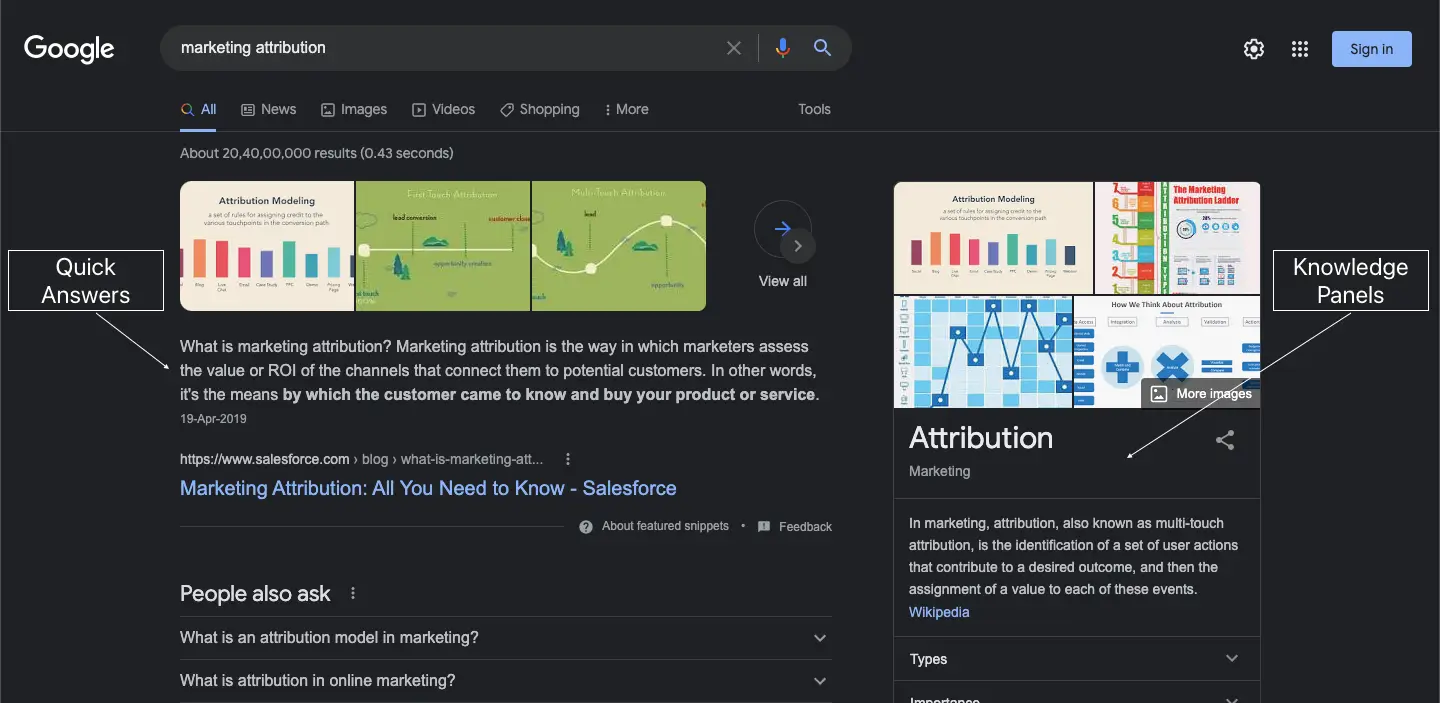
CRAWLABILITY AND INDEXING
Before we look at what your search engine prioritizes when ranking, it’s well worth understanding what crawlers are and how search engine indexing works:
Crawling is the process of your search engine sending out crawlers, which are bots that are used to discover new web pages. The crawlers start by following a certain number of web pages followed by then routinely navigating content and new links within these web pages. Thereby discovering a series of new web pages which it reports back to its respective server. A website’s crawlability thus refers to a crawler’s viability in a website or web page. More on increasing crawlability below.
All this information that the crawlers obtain is then stored in a database known as a search engine index. The data is then organised, analysed, and prepped for retrieval on a search engine results page — this process is known as search engine indexing.
{{INLINE_TOFU}}
The Ranking Algorithm: PageRank
Before indexed information is retrieved into a search engine results page, it is ranked by several factors in order to obtain the most relevant sources of information. While this piece will cover some critical success factors for your SEO, it is important to understand that Google ranks their websites based on relevancy and an algorithm. Understanding the algorithm is fairly complicated as it is continually evolving. That being said, PageRank is an algorithm that is still being used by Google to rank websites and will help provide an idea of how the ranking algorithm works.
PageRank uses an algorithm that helps rank web pages based on their relative importance. It does this by estimating how many times a web page is visited or linked from other web pages and also measures the quality of these links. For example, your web page is more likely to be ranked higher if it is linked by relatively important web pages — like Forbes or the NYT — than it is if it was linked by many less "relevant" web pages — like The Onion or ArticleIFY.
The importance of a web page is assessed using a random surfer model and a damping factor that estimates how many times a web page is visited by a random surfer and assigns a percentage to all web pages visited. All you need to know is that the model and damping factor helps eliminate any way in which people can artificially inflate their web page’s importance.
SEO CSF — CRITICAL SUCCESS FACTORS
This segment will explain a few critical success factors for your SEO in the form of good keyword practices, indexing and crawlability, and more:
Keyword CSFs
Keywords play a surprisingly significant role when it comes to SERP ranking. Certain niche keywords could be the reason your web page is ranked higher in a SERP. But what keywords should you use? Before you choose your keywords, you need to establish your search intent. Understanding your web traffic, and what they’re looking for is key when it comes to search intent. Ask yourself what people would specifically search for and what words or phrases they’d use — for instance, 8% of all search queries are in the form of questions.
Once you have an idea of some appropriate keywords, it would help to know what their search volume is. You could administer the help of a keyword research tool — like Jaaxy, GrowthBar, SEMrush, Google Keyword Planner, etc., which are tools that help gauge how popular/relevant certain keywords are. They could even compare and recommend other related keywords.
The largest barrier here is the competition of high volume and short-tail keywords — or search phrases consisting of only one or two words. Industry-leading brands are often ranked higher for short-tailed keywords due to their relative importance. However, there are some advantages in using long-tail keywords (i.e. search phrases that are longer with three to five words). The consensus is that, while high volume and short-tail keywords tend to involve highly-competitive broad search queries, long-tail keywords account for more convertible traffic as their search phrases are specific. Hence, you’re likely to garner more traffic with niche low volume, long-tail keywords than if you were to compete using high volume keywords. For example, you’re more likely to earn traffic from a search phrase like ‘Accounts receivable automation software’ than you do for ‘Accounting software’. Remember, if your keywords are too obscure, you risk losing your spot on a SERP.
LSI or latent semantic indexing keywords may also be useful. LSI is a tool used by Google to understand synonyms and can contextualize keywords by linking them with relevant ones. This means that a synonym does not necessarily have to be an LSI keyword, and can be anything relevant in the context of your content. For instance, Googling ‘demand generation’ would have related searches for strategies and comparisons with lead generations. LSI has helped Google in identifying and contextualizing content on web pages better, which is a win when it comes to SEO.

Crawlability and Indexing CSFs
It is essential to know what affects your crawlability. The first is your site and internal link structure. It is imperative to make your search engine’s job of locating your site as easy as possible. For this, you must ensure that your site structure has an appealing UI and makes navigating across different pages intuitive. This way, crawlers will not find it difficult to get by. For the crawlers to do a comprehensive search on your website, ensure that a fair amount of internal link resources are prevalent for the crawlers to fully cover your website. It is also important to block crawlers’ access to irrelevant pages to avoid saturating the context of your content.
Besides your site and internal structure, making sure that other interferences such as slow site loading speeds are resolved as they add to the crawlability of your website. If you are unsure about your site’s visibility on a SERP, using tools like Google Search Console will help monitor your site’s presence on Google SERP.
Other Important CSFs
Recalling the mechanics of Google’s PageRank algorithm, you will know that your web pages’ networking with other pages is of paramount importance. Having external links from other sites that link to your site — especially higher quality links that come from important sites — along with understanding your competitors’ backlinks and utilizing them will help improve your ranking.
Rich results is a feature that showcases information that is not only important in giving a brief description to a user but also helps crawlers identify your site and the purpose of the content because of its metadata. Rich results have a title, meta description, favicon — and depending on what the page is about it could even show pricing, specifications, and a rating. All of which aid in the crawlability and a user’s understanding of the web page.
Another simple but effective factor is the quality of the content on your page. The use of unique, engaging, and informational content with ample visual representations in the form of high-quality images and video. Google prefers sites with content, and good content at that. The better the quality of the content is, the more favorable you become in Google’s algorithm.
With these factors in place, you’re one step ahead in your SEO journey. When it comes to SEO, being consistent, putting out new content, and following good practices will be sure to help out in the long run. Just remember that SEO is always changing, and if you want to take the bull by the horns — keep updating your methods, and stay ahead of the status quo.


We don’t just write about demand gen. We deliver it.
Our AI Agents help you uncover high-intent accounts, run campaigns that actually convert, and keep your GTM motion in sync.
1000+ GTM teams have already scaled their pipeline with Factors.
*Includes built-in peace of mind. And fewer late-night funnel audits.

.svg)










.png)