Good Reads
Fix pipeline pains. Solve GTM puzzles. Read strategic brain dump.
Written for marketers who want real solutions to a leaking pipeline (and their dark circles).
Want to read more from us?

I’m looking for…
Leadfeeder vs Lead Forensics: A detailed review
Compare Leadfeeder and Lead Forensics across identification, contact data, workflows, reporting, pricing, and ideal use cases.

Quick Summary:
- Leadfeeder and Lead Forensics both identify companies visiting a B2B website. Both also provide behavioral data, contact information, alerts, CRM integrations, and ways to act on account activity.
- Leadfeeder has a free plan and publishes starting prices for its paid plans. Higher plans add verified contact data, intent filters, CRM automation, B2B display campaigns, AI-assisted prospect lists, and automatic CRM enrichment.
- Lead Forensics uses a demo, one-week trial, and custom quote. Its plans include unlimited users, relevant decision-maker data, a native lead and pipeline manager, customer success support, training, and CRM integration. The Automate plan adds lead creation, routing, workflow automation, and ABM account matching.
- Leadfeeder is easier to budget before a sales conversation. Lead Forensics offers a more guided buying and onboarding process, plus a native environment for managing leads.
Leadfeeder and Lead Forensics solve the same core problem. They help B2B teams identify companies visiting a website, understand their behavior, and decide when sales or marketing should respond.
The products overlap more than some comparisons suggest. Leadfeeder is not limited to a list of visiting companies. Lead Forensics is not limited to reverse IP lookup. Both support workflows after identification, although their packaging, pricing, and operating models differ.
This Leadfeeder vs Lead Forensics comparison looks at the differences a buyer can verify today. It covers identification, contact data, workflows, reporting, activation, pricing, and fit. It also explains where Factors belongs in the evaluation without turning a two-product comparison into a sales pitch.
One naming note before we begin. Dealfront became Leadfeeder in 2026. This article uses the current Leadfeeder name.
Leadfeeder vs Lead Forensics at a glance
The table is a useful starting point, not a verdict. The right choice depends on the quality of identification on your traffic, the countries you sell into, the contacts your team needs, and how the data must move into your existing systems. Our guide to website visitor identification tools explains how to structure this evaluation.
How Leadfeeder and Lead Forensics compare
1. Website visitor identification
Leadfeeder and Lead Forensics both provide company-level identification. They aim to match an anonymous website visit with a business, then add company details and behavioral context. Neither product should be described as identifying every individual person browsing a site.
Leadfeeder says it uses a proprietary database built over more than a decade. Its product shows company details, visit history, source, pages viewed, and intent signals. Teams can filter activity by industry, size, geography, behavior, and other criteria depending on the plan.
Lead Forensics says it owns and maintains its B2B IP database. Its data methodology uses reverse IP lookup, private databases, analytics, machine learning, and proprietary validation processes. The product provides company details alongside page views, session duration, visit frequency, and referral source.
These different descriptions do not prove one vendor will identify more useful accounts for your business. Run both products on the same traffic. Compare the raw identification rate, ISP filtering, geographic coverage, ICP match rate, and sales acceptance rate. The right website visitor identification metrics prevent a large match count from becoming the only measure of quality.
2. Contact data
Both products can help sales find people at an identified company, but company identification and person identification are separate ideas.
Lead Forensics identifies the visiting organization. Its official FAQ says the product does not reveal the individual visitor. The decision-maker records supplied with an account are relevant contacts at the business, and they may not be the people who browsed the website.
Leadfeeder also begins with company-level identification. Its Activate plan adds verified work emails and phone data, with credits used for enrichment and activation actions. Contact filters can help narrow a list by role or other criteria.
In either product, a contact record should support research rather than prove intent from a specific person. The website activity belongs to the account unless a separate, permissioned signal connects it to an individual. This distinction is central to responsible anonymous website visitor identification.
3. Alerts, workflows, and CRM integration
Leadfeeder can send real-time alerts, push companies to a CRM, and automate outreach or retargeting. Its higher plans add multi-step workflows, CRM automations, prospect-list enrichment, and automatic updates to CRM data. The pricing page lists integrations with HubSpot, Salesforce, Pipedrive, and other systems.
Lead Forensics includes CRM integration in its listed packages and supports Salesforce, HubSpot, Microsoft Dynamics, Pipedrive, and Zoho. The Essentials plan also includes a native lead and pipeline manager. Teams can store leads, assign opportunities, and track progress without using a separate CRM for every step. Automate adds workflow automation, CRM lead creation, automated routing, and ABM account matching.
The difference is less about whether automation exists and more about how your team wants to work. Leadfeeder offers an expanding set of modules and plan-based automation. Lead Forensics includes a native lead-management workflow and sells through a guided demo and trial. Before buying, map the exact CRM workflow automation you need and confirm its availability in the quoted plan.
4. Reporting and marketing activation
Leadfeeder connects website visits with acquisition sources and Google Ads data. Eligible plans also include B2B display campaigns, LinkedIn Audience Sync, retargeting workflows, and campaign features. This gives marketing teams several ways to move from website activity into paid-media execution.
Lead Forensics reports on how visitors found the website, which content they viewed, and which campaigns attracted relevant companies. The product also supports real-time alerts, lead management, and ABM account matching in Automate. These capabilities make it broader than a passive visitor log.
Buyers should still define what “activation” means in their own process. Creating a CRM lead, routing an account, building an advertising audience, and measuring revenue impact are different jobs. Ask each vendor to demonstrate the entire path from a relevant visit to the final sales or marketing action.
5. Leadfeeder and Lead Forensics pricing
Leadfeeder publishes its pricing. Its Lite plan is free and includes unlimited users, seven days of visitor history, and up to 100 identified companies per month. Paid plans begin with Discover at €79 per month when billed annually. Activate starts at €369 per month, and Scale starts at €599 per month with annual billing. Pricing increases with identified-company volume and, for some plans, monthly credits. The company offers a 14-day trial without a credit card.
Lead Forensics does not publish a fixed monthly or annual price. The company says its quote depends on website traffic and the number of new leads uncovered. The process begins with a demo and includes a one-week trial. Both Essentials and Automate include unlimited users, which means seat count does not affect the quote.
Published starting prices make Leadfeeder easier to budget at the beginning of a review. Lead Forensics requires a sales conversation before you can compare the full commercial terms. Our detailed guide to Lead Forensics pricing covers its plan structure and the questions to ask about traffic assumptions, contract length, renewals, data limits, and implementation.
Prices and plan contents can change. Confirm the current order form, usage limits, credits, renewal terms, and support package before signing with either vendor.
6. Which product fits which buyer
Leadfeeder may suit teams wanting a low-friction starting point, transparent entry pricing, and a modular path from visitor identification into contact enrichment, CRM automation, and advertising. The free plan also gives a smaller team time to learn whether company-level website data is useful before making a larger commitment.
Lead Forensics may suit teams wanting a guided trial, unlimited users, a dedicated customer success manager, training, and a native lead and pipeline manager. Its Automate plan is relevant when identified companies must become CRM leads, match target accounts, and route to the correct owner.
Neither description replaces a live evaluation. Identification quality changes with traffic mix, geography, network type, and ICP. Teams considering more products can review these Leadfeeder alternatives, but a longer shortlist is useful only when each option is tested against the same requirements.
How to evaluate Leadfeeder and Lead Forensics
Use the trial period to test business value, not only match volume. A fair comparison begins with the same website, date range, target market, and account criteria.
- Agree on the ICP before the test. Define the industries, company sizes, regions, and account types sales can pursue. A clear ICP targeting framework gives both vendors the same standard.
- Separate raw matches from useful matches. Remove ISPs, schools, residential traffic, duplicates, vendors, and irrelevant companies before calculating coverage.
- Check performance by market. A global percentage can hide weak results in the countries producing most of your revenue.
- Review contact quality. Sample the roles, employment status, work emails, and phone data your reps would use. Do not assume a listed decision-maker was the visitor.
- Test the full workflow. Trigger an alert, create or update a CRM record, assign an owner, and send the data to its final destination. Record any manual steps.
- Measure sales acceptance. Track how many identified accounts sales accepts, researches, contacts, and converts into meetings or opportunities.
- Compare total cost. Include traffic or company-volume tiers, credits, implementation, integrations, data exports, media spend, support, contract term, and renewal terms.
- Confirm privacy and governance requirements. Review data sources, lawful-use guidance, retention, suppression, access controls, and regional limitations with your legal and security teams.

11 Lead Scoring Software Tools For B2B SaaS In 2026
Are you looking for a way to score leads for your B2B SaaS? Discover the best lead-scoring platforms for identifying prospects and boosting your sales.

TL;DR
- Lead scoring helps identify and prioritize high-value prospects based on engagement, attributes, and behaviors.
- When evaluating solutions, look for predictive lead scoring, account intelligence, journey analytics, and integrations.
- Factors.ai provides the most comprehensive account intelligence to optimize targeting and engagement. It goes beyond essential scoring to analyze account health, revenue potential, and more with AI.
- Salesforce Einstein leverages AI and machine learning to deliver real-time insights, next-best-action recommendations, and content within workflows. However, it lacks flexibility with integrations.
- HubSpot combines powerful CRM, marketing automation, email marketing, and analytics in one platform. It offers robust features but needs more AI capabilities.
- Aligning sales and marketing with shared CRM and automation tools improves conversions.
The race to find the most effective lead-scoring software in 2023 is on.
The competition to convert prospects into customers pushes marketers to use advanced lead-scoring tools to gain an edge.
Lead scoring software platforms analyze behavioral data and activity to identify hot leads, route them faster, and boost sales. But the important part is to pick the most effective one.
In this guide, we look at the top 11 platforms heating the lead-scoring arena. We'll uncover the unique features of each and help you identify the one lead-scoring tool that can take your lead gen to the next level.
Let’s get started.
What Should You Look for in a Lead Scoring Tool?
When it comes to driving sales, not all lead-scoring tools are created equal. But what should you look for when evaluating options? Let’s go through the must-have features of an excellent lead-scoring tool.
- Predictive Lead Scoring: Rule-based lead scoring is old school. And while it may work, predictive lead scoring is where we’re now. These tools use artificial intelligence and machine learning to analyze data points to predict which leads will most likely convert. Unlike the rule-based approach, predictive lead scoring helps you “set-it-and-forget-it”. .
- Comprehensive Account Intelligence: You need more than just names and emails to understand your leads. Comprehensive account intelligence gives you a 360-degree view of their behavior, needs, and potential value. This allows you to create hyper-targeted campaigns that convert like crazy.
- Insight Into Customer Journeys: Understanding the journey leads take through your sales funnel provides a roadmap to conversion. It helps you see exactly how and when to engage each lead to boost conversions. This is especially useful for account-based marketing teams who need to track touchpoints.
- Integrations With Other Tools: Your scoring tool can't live in a silo. It must play nicely with your other martech tools like CRM, email, and analytics. Look for a range of integrations to connect the dots seamlessly.
- Intuitive UI: An intuitive user interface helps your team focus on what matters most—converting and leads. Complicated UIs slow everyone down and lead to errors. Make sure it's human-friendly!
- Customizable Reporting Options: Granular data and customizable reporting help uncover the insights you need to optimize your strategy. Track specific KPIs, monitor campaign performance, and more with the flexibility to slice and dice.
Top 11 Lead Scoring Software of 2023
Let’s start with the top lead-scoring software tools in 2023.
1. Factors

Factors is an AI-powered account intelligence platform tailored to the needs of B2B sales and marketing teams. It goes beyond essential lead scoring to provide comprehensive account insights that drive revenue growth.
{{CTA_BANNER}}
With Factors, you get a 360-degree view of your target accounts by analyzing behavioral, firmographic, and technographic data signals. The platform uses predictive analytics and machine learning to model account health, engagement, and revenue potential.
This actionable intelligence lets you identify high-value accounts, uncover growth opportunities, and personalize engagement across channels. If you're looking to boost ABM impact and align sales and marketing on what matters most, Factors is a go-to solution.
“Factors lead generation and nurturing capabilities have been instrumental in helping us identify and engage with high-value prospects. By providing us with real-time insights into website visitor behavior, we can quickly identify and nurture leads and move them along the funnel.” — Soumya M.
Key Features
- Predictive Lead & Account Scoring: Factors analyzes multiple attributes with AI to model account potential and prioritize your outreach accurately.
- Account Intelligence Engine: Get a comprehensive view of your target accounts, including firmographic and technographic profiles, churn predictions, win probability, and more.
- Advanced Behavioral Analytics: Track channel engagement to inform your account-based strategies and campaigns. Identify areas of momentum and weakness.
- Journey Analytics: Analyze accounts' steps to optimize conversion touchpoints through your funnel. Factors' "Explain" feature highlights trends driving account progression.
What Users Say About Factors
“Factors has successfully optimized our marketing and sales procedures by centralizing our data, encompassing both marketing and sales data, into a single, convenient platform. This consolidation has not only saved us valuable time but also valuable resources. Consequently, we have witnessed a notable increase in our return on investment (ROI), owing to the significantly reduced time required to engage with potential clients and the ability to create more precisely targeted campaigns.” — Ashok D.
Factors.ai Integrations
Factors.ai integrates with a wide range of platforms to streamline your data collection and analytics:
- Segment
- Leadsquared
- Rudderstack
- G2
- Google Ads
- Facebook Ads
- Bing Ads
- Google Search Console
- Slack
- Microsoft Teams
- Hubspot
- Salesforce
- Webhooks
- Webhooks with Zapier
- Webhooks with Make.com (formerly, Integromat)
Pricing
Factors offers four pricing tiers:
- Free Plan: Ideal for small businesses or individuals just starting out. This plan allows you to track up to 100 monthly accounts at no cost.
- Basic Plan: Priced at $99/month when billed annually, the Basic Plan is designed for growing businesses. It offers additional features like custom events, KPIs, and onboarding support.
- Growth Plan: For established businesses looking to scale, the Growth Plan costs $499/month when billed annually. This plan introduces account lead scoring and provides a Priority Customer Success Manager (CSM).
- Professional Plan: Aimed at large enterprises, the Professional Plan is priced at $999/month when billed annually. It includes advanced features like multi-touch attribution, AI-fueled explanations, and a dedicated CSM.
Higher tiers provide more identified accounts, tracked users, advanced features, and additional integrations. Custom enterprise pricing is also available.
2. ZohoCRM

Zoho CRM is a comprehensive customer relationship management platform engineered to streamline various business processes, including sales, marketing, customer support, and engagement. It offers a centralized system where businesses can store customer data, track sales activities, manage marketing campaigns, and provide timely customer support.
Key Features:
Zoho CRM features robust features to optimize lead management, including:
- Lead scoring - Automatically score and prioritize leads based on profile attributes, behavior, and engagement. Helps sales teams identify and focus on hot leads.
- Predictive lead scoring - Leverages AI and machine learning to analyze data patterns and behaviors to predict lead outcomes and suggest optimal next steps.
- Workflow automation - Set up triggers and actions to nurture leads through customized journeys. Automates repetitive tasks to boost efficiency.
- Sales insights - Real-time analytics provide visibility into deal performance, sales activities, and more to inform data-driven strategy.
What Users Say About Zoho CRM
"Zoho CRM helps us bring our organization together–pieces fragmented across emails, notebooks, and different applications are now centralized. Zoho CRM is a game changer for us and Indian businesses of the digital era." - Suresh Iyer, CIO, Blue Star Limited
“Zoho CRM can be overwhelming for new users. The user interface is not very intuitive, and it takes some time to understand how to navigate and use all of the features. The reporting functionality could be improved, as it is not as robust as some of its competitors.” — Juan E.
Integrations
- Gmail
- Outlook
- Slack
- Hubspot
- Mailchimp
- Zapier
- Quickbooks
- Google Analytics
Pricing
Zoho CRM offers four main pricing tiers, each designed to cater to different business needs:
- Standard Plan: Priced at $14/user/month when billed annually. This plan focuses on automating and optimizing your sales cycle.
- Professional Plan: Costs $23/user/month when billed annually. Aimed at improving customer acquisition and accelerating growth.
- Enterprise Plan: Priced at $40/user/month when billed annually. Designed for managing global customer experience operations.
- Ultimate Plan: Costs $52/user/month when billed annually. This plan allows businesses to scale exponentially with dedicated Business Intelligence capabilities.
3. Salesforce Einstein
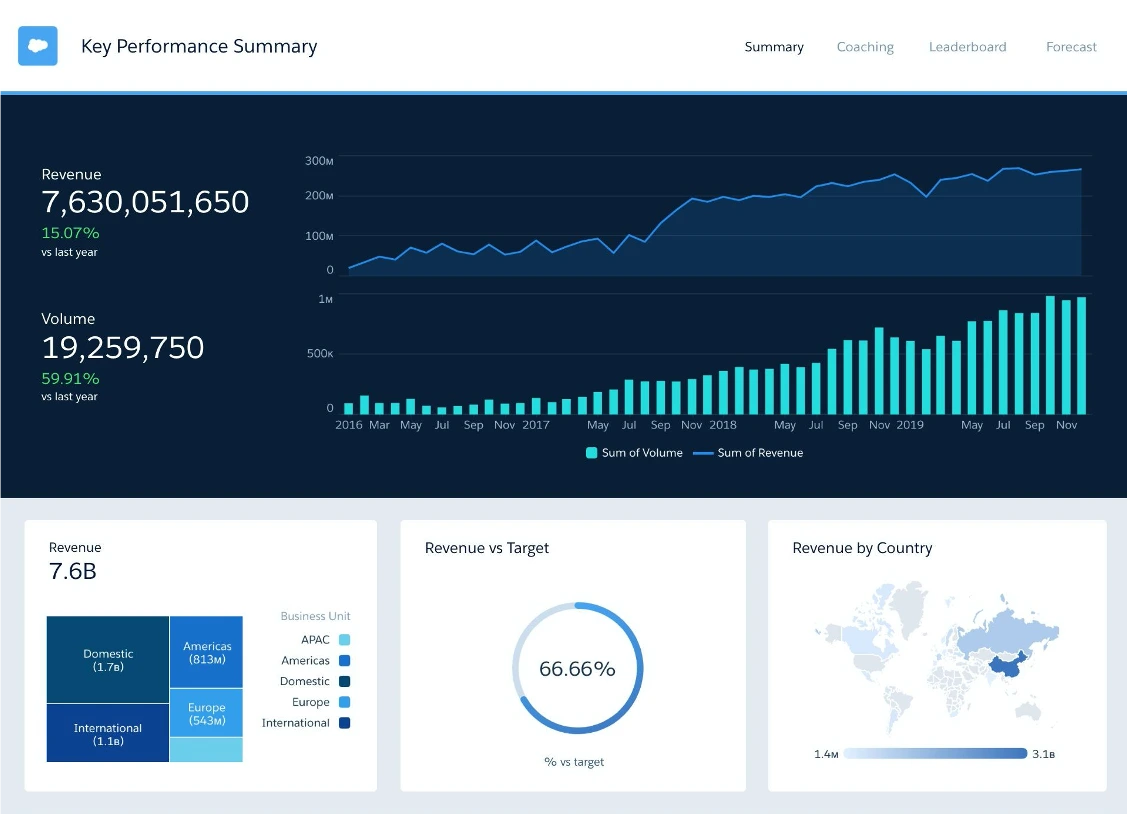
Salesforce Einstein provides an end-to-end AI solution to help companies adopt AI. It offers predictions and generates content to assist with marketing emails or content. Deeply integrated with Salesforce, Einstein uses data from CRM and other apps to deliver real-time insights, predictions, and content within your workflows.
Key features
- Einstein Prediction Builder allows you to create custom AI models to predict outcomes like churn or lifetime value. This is useful for scoring leads based on different criteria.
- Einstein Next Best Action delivers recommendations to employees and customers within Salesforce apps. You can define strategies and build models to suggest the next steps for nurturing leads.
- Einstein Discovery uncovers patterns in your data and provides AI insights for solving problems. This can help identify high-value leads or understand lead behavior.
- Einstein Language uses natural language processing to understand customer sentiment and intent. It can route inquiries and optimize workflows to prioritize leads based on interactions.
What users say about Salesforce Einstein
“Salesforce.com is our source of truth database for customer relationship management activities. With the Salesforce.com enablement features we have bought and the third-party vendors we work with sitting on top of our Salesforce.com, we can do all client interactions within Salesforce.com. Because of this, we have robust data on our sales and customer activities.” — Anonymous user
“I dislike that if you want a channel that isn't covered out of the box it's so difficult to use your own connectors. Also, it's extremely hard to bring your own bot to the party.” — Marilyn M., Senior Director
Integrations
Salesforce supports an extensive list of integrations as they have a complete marketplace to help you seamlessly integrate your stack. And because Einstein is part of the Salesforce ecosystem, you get the same integrations with Einstein.
Some popular integrations include:
- Google Data Studio
- GraphSQL
- Zapier
- And much more
Pricing
- Salesforce Cloud Einstein is priced at $50/user/month and charged annually. This includes unlimited requests for its lead-scoring-focused features.
4. HubSpot

HubSpot is an all-in-one sales and marketing software that helps businesses attract, engage, qualify, and convert leads at every sales funnel stage. It combines a full suite of tools to streamline and automate the sales process. HubSpot also offers powerful lead scoring features that can be a great way to prioritize your marketing campaigns, especially ABM.
Key features
- Lead Management & Prospecting: Manage leads and upcoming sales activities in one workspace.
- Email Tracking: Get real-time notifications when a lead opens an email.
- Sales Automation: Automate follow-up tasks and emails to keep leads engaged.
- Sales Analytics & Reporting: Full visibility into the sales process for effective forecasting.
- Predictive Lead Scoring: Available in the Enterprise plan, this feature helps prioritize leads.
What Users Say About Hubspot
“Hubspot Marketing Hub is our go-to tool for all our Marketing Initiatives. The best about Hubspot Marketing Hub is its User Experience. It is pretty much simple and their to-the-point approach (not showing too many options) is very beneficial.
The main red flag in Hubspot is its lack of Artificial Intelligence capabilities. Hubspot do have generative AI for Content creation but it lacks AI functionalities in Analytics and Database cleansing. We are tedious process especially if you have a huge database.” — Karthick M.
Integrations
HubSpot, like Salesforce, has a marketplace of integrations that allows you to integrate with hundreds of different tools. Some popular ones include:
- Google Suite
- WordPress
- Microsoft Suite
- Eventbrite
- And more
Pricing
- Free CRM plan with basic features
- Starter plan at $45/month for 1-10 users
- Professional plan at $800/month for advanced features
- Enterprise plan starting at $1,600/month with predictive lead scoring, A/B testing, and more
5. Freshsales
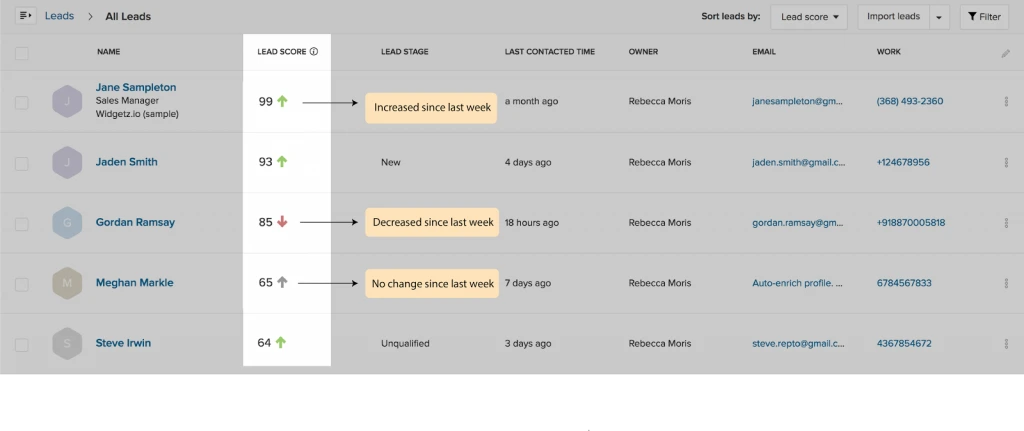
Freshsales is a powerful CRM platform designed to maximize business sales pipelines and revenue. It equips teams with robust features, including multiple sales pipelines, revenue analytics, CPQ capabilities, and AI-powered automation. This enables in-depth visibility into the sales process and intelligent prioritization of high-value deals.
Key Features
- Contact Scoring: Freddy AI assigns scores to prospects based on positive and negative signals to identify sales-ready leads.
- Deal Insights: Predictions on deal closure based on historical data, engagement, and activities to focus on high-value opportunities.
- Sales Sequences: Set up personalized outreach campaigns with triggers to effectively nurture prospects.
- Workflows: Automate repetitive sales tasks to reduce manual work and focus on qualified leads.
- Territory Management: Segment and prioritize prospects with rules to pursue leads likely to convert.
What Users Say About Freshsales
“Freshsales is a userfriendly CRM that is constantly looking for ways to improve. I like that they not only take feedback, but actually implement it. It syncs up easily to your email and allows for seamless work across different platforms like Google calendar/Gmal and Acuity.
I wish it would not ask to duplicate leads when they have different locations. Sometimes there will be a lot of leads with the same name (i.e. Jennifer Smith) and FS will automatically assume it is a duplicate. If it was somehow able to identify a difference in, say, location or company name, it would make the AI work in our favor with more ease.” — a reviewer on G2.
Integrations
Freshsales has a marketplace of integrations and these are some of the most popular ones.
- Mailchimp
- Trello
- Magento 2
- QuickBooks
- HubSpot
- PandaDoc
- Xero
- Stripe
- DocuSign
Pricing Plans
- Free Plan: $0 for up to 3 users with basic features.
- Growth Plan: $15/user/month billed annually or $18/user/month billed monthly. Includes contact scoring and sales sequences.
- Pro Plan: $39/user/month billed annually or $47/user/month billed monthly. Includes multiple pipelines and deal insights.
- Enterprise Plan: $69/user/month billed annually or $83/user/month billed monthly. Advanced customization and governance.
6. ActiveCampaign

ActiveCampaign is an end-to-end marketing automation platform designed to help businesses grow by streamlining the entire customer experience. It offers powerful capabilities, from email marketing to advanced lead scoring and sales automation.
Key Features
- Lead Scoring: Scores leads based on behaviors and attributes to identify and prioritize hot prospects for outreach.
- Win Probability: Uses machine learning to analyze past interactions and estimate the likelihood of closing a deal.
- Salesforce Integration: Enables robust scoring models by incorporating CRM data.
- Attribution Reporting: Provides insights into effective marketing channels for conversions.
What Users Say About ActiveCampaign
What I love about AC is they don't try to be the "only tool" you use. They get that we all use dozens of tools and instead work with that. We integrated in our Calendly, our Segment, our Bonjoro and many other integrations and they worked seamlessly. Not even Zapier required. — Casey H.
“Main downside we have experienced to date has been around Active Campaign support and responsiveness to issues. We have had our developer design and build the flows we are seeking but our main automation that has been set up is not working properly and a ticket has been logged with support for a number of days and no response or contact has been received.” — James C., Director
Top Integrations
- Salesforce
- WordPress
- Facebook Ads
- Slack
- Shopify
- WooCommerce
- Calendly
- Google Analytics
- Zapier
Pricing
- Plus Plan: $49/month annually for 3 users. Includes basics like WooCommerce integration.
- Professional Plan: $149/month annually for 5 users. Adds AI, Salesforce integration, and more.
- Enterprise Plan: Custom pricing for 10 users. Advanced features like custom reporting.
7. EngageBay

EngageBay is an intuitive all-in-one CRM and marketing automation platform tailored for small and midsize businesses. It combines a robust feature set on one seamless platform to maximize sales and revenue growth by aligning marketing and sales.
However, it contains multiple add-ons that you may require for proper analytics tracking which are not part of the complete package.
Key Features
- Marketing Automation: Create targeted campaigns and workflows to nurture prospects with relevant content and offers for better lead qualification.
- Lead Scoring: Automatically score leads based on demographics, behaviors like email opens/clicks, and other criteria to identify sales-ready prospects.
- Segmentation: Divide contacts into groups based on attributes like location, firmographics, interests, and behaviors for highly targeted marketing.
- Email Broadcast: Send customized emails to contacts and subscriber lists to drive engagement, which can be tracked for lead scoring.
- Deal Management: A centralized pipeline provides visibility into deal stages to score leads accordingly and focus efforts on closing deals.
What Users Say About Engagebay
“I love how you can manage your deals (sales pipeline) with email automations associated with those deals from the same platform. This is essential as it saves my sales and account management team a ton of time and effort with regards to admin work” — Rahul C.
“One thing I dislike about EngageBay is that the All-in-one suite does not actually include everything. There is a new really cool feature which allows you to track website activity, but it is an add-on. EngageBay charges extra for this feature.” — Marcin R.
Integrations
- Zapier
- SendGrid
- Mailgun
- Mandrill
- Xero
Pricing
- Free Plan: $0 per user/month, includes 250 contacts, basic CRM, and email marketing.
- Basic Plan: Starts at $12.74 per user/month, includes 500 contacts and lead scoring.
- Growth Plan: Starts at $42.49 per user/month, includes 5000 contacts and advanced features like custom domain.
- Pro Plan: Starts at $84.99 per user/month, and offers unlimited contacts and advanced analytics.
8. Adobe Marketo

Adobe Marketo Engage is a comprehensive marketing automation platform for B2B and B2C companies looking to optimize customer engagement and accelerate revenue. It combines robust email marketing, advanced lead management, and data-driven analytics in one powerful solution.
Marketo helps marketing and sales teams work cohesively to attract prospects, identify hot leads, and guide customers through personalized journeys from discovery to conversion. AI-powered capabilities provide actionable insights to engage people at the right time.
Key Features
- Lead Management: Nurture and qualify prospects through tailored content and the sales funnel.
- Account-Based Marketing: Coordinate marketing and sales to target high-value accounts.
- Scoring, Routing & Alerts: Prioritize and route leads based on engagement metrics and behaviors.
- Advanced Journey Analytics: Uncover customer insights across touchpoints to improve lead scoring.
- Predictive Audiences: Use AI to build customized audiences based on predicted behaviors.
What Users Say About Adobe Marketo
“It is a fairly complete tool, focused on marketing automation composed of webinars, form editor, landing templates, which significatly help you to elaborate reports though the management and analysis of programs that contains Adobe Marketo Engage, being this has a quite striking workflow management, taking into account that this engine is what makes this software quite attractive.” — Marco P.
“The user experience of building emails and campaigns can be very frustrating. For example, spacing surrounding email components appears much differently in the Marketo email preview than it does in your inbox. About 50% of the time, when you add an image, link, or token to your email, it disappears upon saving and you need to add it a second time. Almost every time you add a line break in your email, you have to save the component, open it again, and save it again before Marketo will reflect the space you added in the email preview.” — Jordan M.
Integrations
Like Salesforce and HubSpot, Adobe Marketo has a marketplace for all the tools that can be integrated with it. Here are some of the popular ones.
- Adobe Experience Cloud
- Salesforce
- Microsoft
- SAP
- Google and Facebook
- Event tools
- And more
Pricing
- Growth: Core email, segmentation, automation. Custom pricing.
- Select: Essential automation and measurement. Custom pricing.
- Prime: Advanced lead management, journey analytics, AI. Custom pricing.
- Ultimate: Robust marketing automation capabilities. Custom pricing.
With powerful automation, intelligence, and analytics, Marketo enables personalized cross-channel experiences to convert more prospects and drive revenue.
9. Monday.com

Monday.com is a flexible and customizable sales platform designed for sales teams looking to streamline processes, boost productivity, and centralize customer data. It brings key sales capabilities like pipeline visibility, forecasting, email integration, and activity tracking into one intuitive platform.
Key Features
- Email Sync & Tracking: Sync Gmail/Outlook to log emails and get notifications when prospects open or reply.
- Sales Forecasting: Set deal values and probabilities to track forecast vs. actual sales.
- Activity Management: Log activities like calls, meetings, and notes with leads and contacts.
- Team Goals: Manage and track team quota attainment over time.
- Lead Capturing: Integrate with other tools or add website forms to capture leads.
What Users Say About Monday
“I like how monday.com helps us create almost instanly more efficient team no matter the approach you take: be it Kanban, Scrum, Scrumban or any other predictive or agile enviroment, Monday.com is full of templates and views to show the data in all those approaches. Automations make the job of a project lead much easier and allows you track performance, SLAs, etc. You can assign owners, up to two, limit the work in progress, link with Gmail, etc” — Milton Adalberto A.
It takes a long time to set up exactly how you want it, truly you need a dedicated person to be able to get it going perfectly. Otherwise, you will be tweaking constantly to get it fully operational and customized. — Megan M., Director of Operations
Integrations
- DocuSign
- Aircall
- PandaDoc
- MailChimp
- Hubspot
- Facebook Ads
- Salesforce
Pricing
- Basic CRM: $10/user/month billed annually, unlimited contacts, custom pipelines.
- Standard CRM: $14/user/month billed annually, 2-way email, CRM automation.
- Pro CRM: $24/user/month billed annually, sales analytics, mass emails.
- Enterprise CRM: Contact for pricing, lead scoring, analytics, and security.
10. Platformly
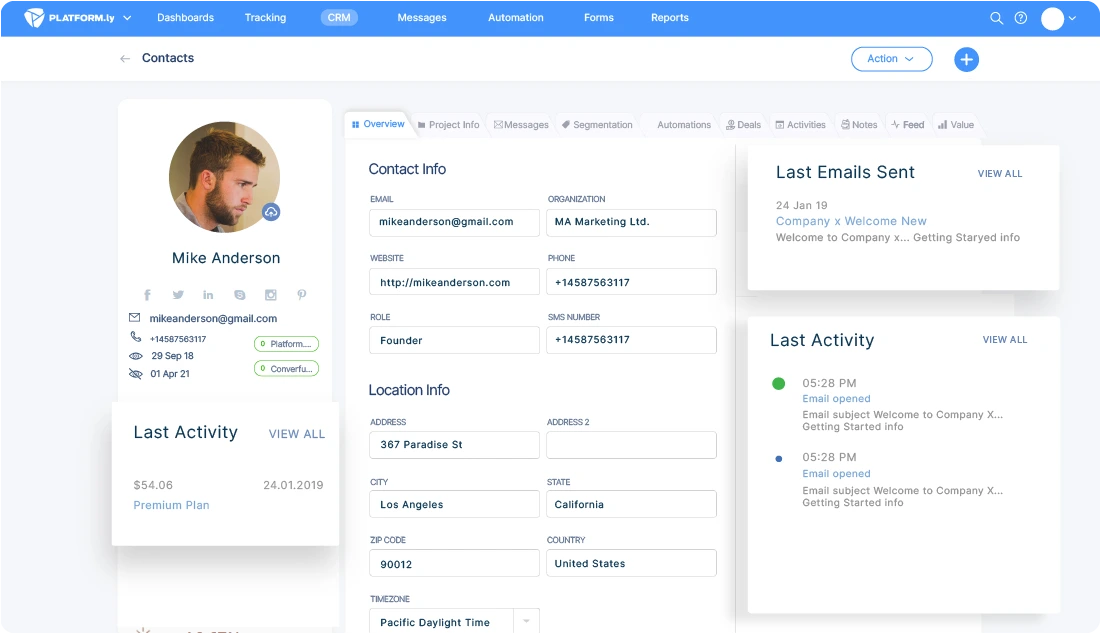
Platformly is an intuitive marketing automation platform designed to help online businesses centralize, automate and scale their operations for growth. It combines email marketing, basic CRM, behavioral tracking, analytics, and more to streamline processes and convert leads.
Key Features
- CRM: Automatically record and update customer information like contact details, interactions, and recent social media activity.
- Segmentation: Divide your contacts into groups with shared attributes to send targeted campaigns.
- Sales Pipelines: Visualize deal stages to understand where leads are in the funnel and focus efforts on pushing them through.
What Users Say About Platformly
“Platformly is perfect because it always allows you to save time. It offers many features in one tool: marketing automation, emails, forms... and more. On top of that, it has many integrations with other tools! The other great thing is support. This is important to me. I don't like waiting too long for support.” — Thomas K.
“The well-defined interface is rather complicated and confusing. Their documentation is primarily technical documentation and less about use case scenarios to help train and guide in optimal usage.” — Peter K., CEO and Co-Founder
Top Integrations:
- ClickBank, PayPal, Paddle, Stripe
- WooCommerce, Shopify
- Twilio & Nexmo
Pricing
- Starter Plan: $69/month for up to 10K contacts, 10K emails/month, 1 dashboard, 5 integrations.
- Growth Plan: $49/month extra for 100K emails/month, 5 dashboards, unlimited integrations.
- Unlimited Plan: $99/month extra for unlimited emails, dashboards, integrations.
11. Pardot

Pardot combines a suite of capabilities, including email marketing, lead nurturing, lead scoring, and seamless CRM integration with Salesforce. Automated and personalized campaigns allow you to engage prospects with the right message based on their interests and behaviors at the right time.
Robust analytics provide insights to refine campaigns and strategies for optimal ROI continuously. The platform is optimized to find, nurture, and convert more prospects into customers.
Key Features
- Marketing Automation: Automate tasks to identify and engage with hot leads.
- Marketing Analytics: Focus efforts on high-value prospects based on conversion data.
- Sales & Marketing Alignment: Salesforce Engage connects sales with qualified leads from marketing.
What Users Say About Pardot
Complexity, Cost, Learning Curve, Limited Social Media Integration. Despite these potential downsides, many organizations find the benefits of Pardot when it comes to enhancing their marketing efforts and customer engagement — Deepak R.
Pardot requires knowledge of HTML, which is a nice way of saying that your time working on email campaigns is going to be complex, frustrating, and time-consuming. Formatting and styling are Pardot's pain points. Source reporting, and reporting in general, are famously awful. Don't take my word for me - check around, and you'll find out that Pardot is dead last in the market regarding providing useful data and insights. — Ian B., Growth Marketing Manager
Integrations
Similar to Salesforce, Pardot integrates and works with all the tools that Salesforce integrates with.
Pricing
- Account Engagement: $1,250/month for up to 10K contacts annually.
- Plus: $2,750/month for up to 10K contacts annually.
- Marketing Analytics: $3,000/user/month annually.
- Sales & Marketing Alignment: $50/user/month annually.
{{INLINE_MOFU}}
Lead scoring tools are crucial for B2B SaaS companies to prioritize high-value prospects and boost sales efficiency.
1. Factors.ai: AI-driven account intelligence that segments, scores, and analyzes high-intent accounts for optimized targeting.
2. MadKudu: Predictive lead scoring based on fit and engagement, helping SaaS businesses accelerate growth with customer data.
3. Salesmate: Customizable scoring models, CRM integration, and real-time analytics to enhance lead management and ROI.
4. HubSpot: Combines CRM, marketing automation, and analytics for effective lead scoring and sales alignment.
5. ActiveCampaign: Advanced lead scoring, marketing automation, and Salesforce integration for streamlined sales processes.
These tools help B2B SaaS companies identify and engage high-potential leads, driving growth and improving sales performance.
Key Takeaways
- Implementing lead scoring is critical to identify and prioritize hot prospects most likely to convert. The right software solution can analyze engagement, attributes, and behaviors to accurately predict lead potential.
- Look for AI-powered predictive scoring, actionable account intelligence, and intuitive journey analytics when evaluating lead scoring platforms. These capabilities optimize targeting, conversions, and revenue growth.
- Platforms like Factors utilize advanced AI and machine learning to provide unparalleled accuracy in predicting outcomes. Comprehensive account profiles and Explain features uncover trends driving progression.
- Seamless CRM and marketing automation integrations align sales and marketing around high-value targets. Shared tools and data foster engagement, coordination, and conversions.
- Solutions range from specialized scoring to end-to-end suites. Assess your needs and stack compatibility when selecting. All-in-one platforms can maximize efficiency.
- Carefully evaluate capabilities, ease of use, customer support, and pricing models. Many offer multiple tiers based on features, users, and contacts.
For enterprises seeking a powerful yet intuitive lead scoring and account management platform, Factors is a clear choice. Book a demo with Factors to learn how cutting-edge AI can uncover revenue opportunities.
Lead Sourcing for B2B Companies
Discover effective lead sourcing strategies for B2B companies, from utilizing databases to AI-driven tools like Factors for optimized sales pipelines and growth.

TL;DR
- Lead sourcing is proactive, identifying potential customers, while lead generation attracts leads via marketing.
- It helps target the right prospects, speeds up sales cycles, and improves conversion rates.
- Effective strategies include using B2B databases, leveraging social media, attending industry events, and Account-Based Marketing (ABM).
- AI and automation tools enhance lead sourcing by streamlining processes.
- Challenges include ensuring data quality, compliance with privacy laws, and resource limitations.
- Best practices include defining an Ideal Customer Profile (ICP), segmenting leads, using multiple channels, and analyzing results.
- Tools like Factors optimize lead sourcing with AI-driven insights and real-time reporting.
In B2B sales, competition is fierce, and the stakes are high. But lead sourcing can be your secret sauce for business growth. Think of it as your business's matchmaking service, where you proactively seek out and identify potential customers waiting to fall in love with your product or service.
But let’s clear the air—lead sourcing isn’t the same as lead generation. While lead generation is about attracting leads through snazzy content and killer marketing campaigns, lead sourcing is where you roll up your sleeves and hunt for those golden contacts who fit your ideal customer profile.
Understanding Lead Sourcing
Lead sourcing is the first step in the B2B sales funnel. It is a crucial activity that helps sales teams identify potential customers and build a pipeline of qualified leads. Effective lead sourcing involves research, data analysis, and the use of various tools and platforms to gather information about potential customers.
Lead Sourcing vs. Lead Generation
It is essential to distinguish between lead sourcing and lead generation. While both are integral to the sales process, they serve different purposes:
- Lead Sourcing
The process of identifying and gathering potential customer data. It is an outbound activity where sales teams actively search for leads using various tools and techniques.
- Lead Generation
The process of attracting potential customers through marketing efforts. It is an inbound activity where leads come to you through content, social media, webinars, and other marketing channels.
Understanding this distinction is key to developing a comprehensive sales strategy that leverages both lead sourcing and lead generation.
{{INLINE_TOFU}}
Importance of Lead Sourcing in B2B Sales
For B2B companies, lead sourcing is a foundational activity that directly impacts the success of sales efforts. Here’s why lead sourcing is essential:

- Targeted Outreach
Lead sourcing allows you to identify and target specific companies or decision-makers who are most likely to benefit from your product or service.
- Faster Sales Cycles
By sourcing leads who are already a good fit for your offering, you can accelerate the sales cycle and reduce the time it takes to close deals.
- Improved Conversion Rates
High-quality leads are more likely to convert into paying customers, leading to better conversion rates and higher ROI.
- Better Use of Sales Resources
With a well-curated list of leads, your sales team can focus on engaging with potential customers who are genuinely interested in your product rather than spending time on unqualified leads.
Strategies for Effective Lead Sourcing
Lead sourcing requires a strategic approach to ensure that the leads you gather are of high quality and relevant to your business. Here are some effective strategies for B2B lead sourcing:
1. Utilize B2B Databases
B2B databases are a goldmine for lead sourcing. These platforms provide access to extensive lists of companies and decision-makers across various industries. Some popular B2B databases include:
- LinkedIn Sales Navigator: LinkedIn is a powerful tool for lead sourcing, allowing you to search for companies, industries, and specific roles.
- ZoomInfo: ZoomInfo offers detailed contact information and company data, making it easier to find the right leads.
- Cognism: Cognism is another excellent tool for B2B lead sourcing, offering real-time data on companies and decision-makers.
When using B2B databases, it’s important to filter your search based on your ideal customer profile (ICP) to ensure that the leads you gather are relevant.
2. Leverage Social Media
Social media platforms, particularly LinkedIn and Twitter, are valuable resources for B2B lead sourcing. These platforms allow you to engage with potential leads and gather information about their interests, challenges, and needs.
- LinkedIn: Use LinkedIn’s advanced search features to find leads based on industry, company size, job title, and other relevant criteria. Joining LinkedIn groups related to your industry can also help you connect with potential leads.
- Twitter: Twitter is useful for identifying leads who are actively discussing topics related to your industry. By following relevant hashtags and engaging in conversations, you can find leads who may be interested in your offering.
3. Attend Industry Events and Conferences
Industry events, trade shows, and conferences are excellent opportunities for lead sourcing. These events bring together professionals and decision-makers from your target industries, providing a platform to network and gather leads.
To maximize your lead sourcing efforts at events:
- Pre-Event Planning: Research attendees and identify key prospects before the event. Use social media and event apps to connect with them in advance.
- Networking: Engage in meaningful conversations with attendees, exchange contact information, and follow up after the event.
- Post-Event Follow-Up: Send personalized emails or LinkedIn messages to the leads you met at the event. Reference your conversation and offer additional value to keep the dialogue going.
4. Implement Account-Based Marketing (ABM)

Account-Based Marketing (ABM) is a strategic approach that focuses on targeting specific companies (accounts) rather than individual leads. ABM allows you to personalize your outreach and tailor your messaging to the needs of each account.
- Identify Target Accounts: Start by identifying a list of high-value accounts that are a good fit for your product or service.
- Research Decision-Makers: Use LinkedIn and B2B databases to find the key decision-makers within each target account.
- Personalize Your Outreach: Create personalized messaging and content for each account, addressing their specific pain points and challenges.
- Engage Across Multiple Channels: Use a combination of email, social media, direct mail, and phone calls to engage with decision-makers within your target accounts.
5. Use AI and Automation Tools
AI and automation tools can significantly enhance your lead sourcing efforts by streamlining the process and improving accuracy. These tools can help you identify leads, gather contact information, and even predict which leads are most likely to convert.
- AI-Powered Lead Scoring: AI tools can analyze data and assign scores to leads based on their likelihood of converting. This allows you to prioritize high-quality leads.
- Automated Data Enrichment: Automation tools can enrich your lead data by filling in missing information, such as email addresses, phone numbers, and job titles.
- Chatbots and Conversational AI: Chatbots can engage with website visitors in real-time, collecting information and qualifying leads on the spot.
Challenges in Lead Sourcing
While lead sourcing is critical for B2B sales success, it is not without its challenges. Understanding these challenges can help you develop strategies to overcome them.
1. Data Quality
One of the biggest challenges in lead sourcing is ensuring data quality. Inaccurate or outdated contact information can lead to wasted efforts and missed opportunities.
- Solution: Regularly clean and update your lead database to ensure accuracy. Use data enrichment tools to fill in missing information and verify contact details.
2. Lead Relevance
Not all leads are created equal. Some leads may not be a good fit for your product or may not have the authority to make purchasing decisions.
- Solution: Develop a clear Ideal Customer Profile (ICP) to guide your lead sourcing efforts. Focus on sourcing leads that match your ICP criteria.
3. Compliance and Privacy Concerns
With the increasing emphasis on data privacy, lead sourcing activities must comply with regulations such as GDPR and CCPA.
- Solution: Ensure that your lead sourcing practices comply with data privacy laws. Obtain consent where necessary and be transparent about how you use and store lead data.
4. Time and Resource Constraints
Lead sourcing can be time-consuming, especially if you don’t have the right tools or resources.
- Solution: Invest in automation tools to streamline the lead sourcing process. Consider outsourcing lead sourcing to specialized agencies if internal resources are limited.
Best Practices for Lead Sourcing
To maximize the effectiveness of your lead sourcing efforts, follow these best practices:
1. Define Your Ideal Customer Profile (ICP)

Before you start sourcing leads, it’s essential to define your Ideal Customer Profile (ICP). Your ICP should outline the characteristics of your best customers, including factors such as industry, company size, location, and pain points.
Having a well-defined ICP ensures that you are targeting the right leads and increases the likelihood of conversion.
2. Segment Your Leads
Not all leads are at the same stage of the buying journey. Segment your leads based on their level of interest, engagement, and decision-making authority. This allows you to tailor your outreach and messaging to each segment, increasing your chances of success.
3. Leverage Multiple Channels
Don’t rely on a single source for leads. Instead, use a combination of channels, including B2B databases, social media, email, events, and webinars, to gather leads. This multi-channel approach ensures that you are reaching a broader audience.
4. Track and Analyze Your Results
Regularly track and analyze your lead sourcing efforts to determine what’s working and what’s not. Use analytics tools to measure key metrics such as lead quality, conversion rates, and ROI. This data-driven approach allows you to optimize your lead sourcing strategy over time.
How Factors Can Help with Lead Sourcing for B2B Companies
Effective lead sourcing requires robust tools and strategies. Factors enhances your efforts by providing account-level insights and analytics.
- Engagement Scoring
Factors scores account based on engagement data, helping prioritize sales-ready opportunities.
- Behavioral Insights
The platform offers detailed engagement metrics to understand account interactions with your content.
- Multi-Channel Attribution
Factors identifies which channels drive the most engagement and conversions.
- Data Enrichment
It automates account-level intelligence, ensuring your data is comprehensive.
- Intent Signals
The platform uses engagement data to highlight accounts with high purchase intent.
- CRM Integration
Factors integrates with major CRMs for seamless data synchronization.
- Real-Time Reporting
Customizable dashboards provide real-time insights into account engagement.
Lead Sourcing: Strategies, Benefits & Challenges
A proactive approach in B2B sales to identify and engage high-quality prospects.
1. Effective Strategies: Utilize B2B databases, leverage LinkedIn, attend industry events, and implement Account-Based Marketing (ABM).
2. Key Benefits: Targeted outreach, shortened sales cycles, and improved conversion rates.
3. Challenges & Solutions: Ensure data accuracy, comply with privacy laws, and invest in automation tools for efficiency.
Optimizing lead sourcing enhances sales performance, accelerates conversions, and drives business growth.
In a Nutshell
Lead sourcing is a vital component of any B2B company’s sales strategy. It involves the proactive identification and gathering of potential customer information, essential for building a robust sales pipeline. Companies can enhance their lead-sourcing efforts and drive business growth by leveraging various strategies such as utilizing B2B databases, leveraging social media, attending industry events, and implementing Account-Based Marketing (ABM).
However, lead sourcing has challenges, including data quality issues, compliance concerns, and time constraints. To overcome these challenges, it is important to follow best practices such as defining your Ideal Customer Profile (ICP), segmenting leads, using multiple channels, and continuously tracking and analyzing your results.
Incorporating advanced tools like Factors.ai can further optimize your lead sourcing efforts. With its AI-powered lead scoring, behavioral insights, multi-channel attribution, and predictive analytics, Factors provides B2B companies with the tools and insights they need to source high-quality leads and accelerate their sales cycles.
By combining strategic lead sourcing techniques with powerful analytics and automation tools, B2B companies can build a steady pipeline of qualified leads, improve conversion rates, and ultimately achieve their growth objectives.

Top Lead Forensics Alternatives in 2026
Looking for Lead Forensics alternatives? Compare seven options based on pricing, identification capabilities, workflows, and ideal use cases.

Lead Forensics is one of several platforms built to help B2B teams identify anonymous website visitors at the company level and act on the resulting data. The right alternative depends on what you want to change.
Some teams want published pricing or a self-service plan. Others need person-level identification for eligible US traffic, deeper marketing analytics, or built-in chat and outreach. Those are different buying problems, and no single Lead Forensics alternative is the best choice for all of them.
This guide compares seven current options. It explains the identification model, workflow, public pricing, and practical trade-offs for each product. Pricing and product details were checked against vendor pages in September 2026.
Lead Forensics alternatives at a glance
| Tool | Best for | Identification | Starting price | Watch-out |
|---|---|---|---|---|
| Factors.ai | Marketing and revenue teams needing account intelligence, scoring, advertising analytics, and attribution | Company-level identification, with broader account and journey analysis | $199 per month after trial | Wider scope may be unnecessary for a team seeking only visitor identification |
| Leadfeeder | Teams wanting a modular product with a free entry point and published pricing | Company-level identification, with contact data on paid tiers | Free plan. Paid plans start at €79 per month when billed annually | Price rises with identified-company volume and credit requirements |
| Leadinfo | Teams wanting visitor identification, CRM connections, and optional outreach tools | Company-level identification with decision-maker data | €69 per month when billed annually | User, automation, CRM, and support access vary by plan |
| Snitcher | Teams seeking a self-service product with all core features and unlimited users | Company-level identification, plus an Identity Layer for contact-level identification | $49 per month | Pricing scales with monthly identified companies |
| Albacross | Teams wanting visitor identification and email or LinkedIn engagement in one product | Company identification, contact data, and intent-based segmentation | €59 per month when billed annually | Contact credits and some integrations depend on the plan |
| RB2B | US-focused teams prioritizing person-level website visitor identification | Person-level identification in the US and company-level identification globally | Free plan. Person-level plans start at $79 per month | Person-level identification is US-only, and the free plan provides company-level results |
| Warmly | Teams evaluating AI chat and automated inbound follow-up alongside identification | Contact and company identification with chat and routing | Web identification starts at $10,000 per year | The product is broader and more expensive than a basic visitor identification tool |
Key features of Lead Forensics
Lead Forensics covers more than a company-name lookup. It identifies businesses visiting a website, shows their browsing behavior, provides relevant decision-maker contact data, sends real-time alerts, and includes a lead and pipeline manager. Its CRM integrations include Salesforce, HubSpot, Microsoft Dynamics, Pipedrive, and Zoho. The company also offers website chat.
The Lead Forensics pricing page lists two plans named Essentials and Automate. Automate adds workflow automation, CRM lead creation, automated routing, and ABM account matching. Both plans include unlimited users. Lead Forensics does not publish a fixed price. It calculates a quote using website traffic and the number of leads uncovered during a one-week trial.
If ABM account matching is central to the buying decision, compare the wider set of ABM platforms instead of treating every visitor-identification product as equivalent.
According to the Lead Forensics visitor identification FAQ, the platform identifies the visiting company rather than the exact person browsing. Its decision-maker records are contacts associated with an identified business and may not represent the website visitor. Buyers should keep this distinction in mind when comparing website visitor identification tools.
Why buyers compare Lead Forensics alternatives
Looking at alternatives does not mean Lead Forensics is unsuitable. It means a buyer has a specific requirement worth testing against the market.
Buyers usually compare alternatives for the following reasons.
- Published pricing. A buyer may need an initial budget before entering a demo and quote process.
- A self-service purchase. Some teams prefer to install a script, start a trial, and select a plan without a sales-led buying process.
- Person-level identification for US traffic. This is a different data model from company-level identification and comes with different geographic and privacy considerations.
- Broader marketing analysis. A demand generation team may want visitor identification alongside account scoring models, advertising analysis, revenue attribution, and journey reporting.
- Built-in engagement. Some products include email sequences, LinkedIn outreach tools, or AI chat as part of the workflow.
- A different CRM or routing setup. The best option may be the one fitting the team's existing CRM workflow automation and ownership rules with the least custom work.
Customer reviews provide useful context when handled carefully. G2 lists Lead Forensics at 4.4 out of 5 as of September 2026. Its aggregated pros and cons summary highlights ease of use among the advantages. The same summary says reviewers have mentioned lead quality, missing or outdated contact information, incorrect information, and ease of navigation among the disadvantages.
These summaries represent customer feedback, not a finding applying to every account. Identification and contact-data results vary with geography, traffic composition, and the companies visiting a site. A controlled trial with your own traffic is more useful than treating any review as a guaranteed outcome.
The 7 best Lead Forensics alternatives
1. Factors.ai
Best suited for marketing and revenue teams wanting visitor identification inside a broader account intelligence and measurement workflow
Factors.ai identifies companies visiting a website and lets teams segment accounts using firmographic and behavioral data. Rules can trigger alerts and workflows, while CRM sync gives sales access to the resulting account activity.
The larger difference appears after identification. Factors can analyze the buyer journey across website, CRM, advertising, and intent data. Growth includes custom account scoring, engagement tracking, G2 journey analysis, custom workflows, and ABM analytics. Enterprise adds predictive scoring, audience sync, LinkedIn advertising controls, enhanced conversions for Google Ads, and multi-source intent.
This scope fits teams asking marketing questions alongside sales questions. For example, a demand generation team can examine which accounts saw LinkedIn ads, later visited important pages, entered an opportunity stage, and converted. A sales team can use the same activity in account scores and alerts.
Factors.ai is not a direct substitute for every Lead Forensics workflow. Lead Forensics has its own lead and pipeline manager and supplies decision-maker contact data within its core packages. A buyer whose only goal is to identify visiting companies and give sales a contact list may not need the wider analytics available in Factors.
Pricing
Factors.ai pricing starts at $199 per month for Lite after the trial. Basic is listed at $6,000 per year, Growth at $20,000 per year, and Enterprise at $36,000 or more per year. The included analysis, scoring, workflows, and advertising features change across plans.
2. Leadfeeder
Best suited for teams wanting published, volume-based pricing and a modular path from company identification to contacts and activation
Dealfront adopted the Leadfeeder name in 2026. The current product includes Web Visitors, Companies, Campaigns, and Lists modules, along with buying-intent filters, workflows, CRM integrations, and account research.
The entry-level workflow centers on company identification. Discover shows visiting companies, sends alerts, pushes accounts into a CRM, and can automate outreach or retargeting. Activate adds verified emails and phone numbers, intent filters, CRM automation, B2B display campaigns, and AI-assisted prospect lists. Scale adds unlimited data exports, automatic CRM updates, and a dedicated customer success manager.
Leadfeeder publishes how its volume model works. One company identified during a month counts once, even if people from the same company return several times. Buyers can use this rule to estimate their tier during the trial.
The main budget consideration is the combination of identified-company volume and credits. Teams needing contact enrichment, exports, or activation should compare the full plan configuration rather than looking only at the lowest advertised price.
Pricing
Leadfeeder pricing includes a free Lite plan with the last 100 identified companies per month, unlimited users, and seven days of history. Annual prices start at €79 per month for Discover, €369 for Activate, and €599 for Scale. Each paid plan has a 14-day trial.
3. Leadinfo
Best suited for teams wanting company identification, decision-maker data, and a large set of CRM connections with optional outreach tools
Leadinfo shows identified companies, their website activity, company information, and relevant decision-maker records. Its pricing page lists 67 CRM integrations, automated lead scoring, Google Ads integration, and real-time visitor identification.
The plan structure makes the operational differences clear. Starter includes three users and three automations. Scale raises both limits to ten, adds fully automated CRM sharing, and includes HubSpot, Microsoft Dynamics, GA4, Looker Studio, LinkedIn Ads, and session recordings. Pro includes unlimited users and automations, Salesforce and Marketo integrations, mobile phone data, and a dedicated customer success manager.
Leadinfo also sells Autopilot for email and LinkedIn automation and Leadbot for website conversations. These are separate add-ons. A team comparing Leadinfo with Lead Forensics should price the base plan and any engagement tools together.
Pricing
Leadinfo pricing is based on the monthly number of identified companies. Annual plans start at €69 per month for Starter, €159 for Scale, and €359 for Pro. Autopilot and Leadbot Business start at €59 per seat. A 14-day trial is available.
4. Snitcher
Best suited for teams wanting straightforward usage pricing, unlimited team members, and access to the full core feature set
Snitcher identifies companies, tracks real-time activity, detects intent signals, sends Slack and email alerts, and syncs data with HubSpot, Salesforce, and Pipedrive. Its feature list also includes technographic data, multi-touch attribution, lead scoring, workflows, an API, and GDPR tools.
Snitcher's main pricing distinction is simple. Plans vary by the number of unique companies identified each month, while the listed product features and unlimited team members are included across tiers. An agency or product team can also evaluate its white-label and data-only options.
The product includes an Identity Layer for user identification. Buyers interested in contact-level results should confirm eligible traffic, data coverage, consent requirements, and the fields available in their intended market during the trial. The same validation applies to every product offering person-level or contact-level identification.
Pricing
Snitcher pricing starts at $49 per month for up to 50 unique identified companies. Published tiers rise with volume. The next tiers are $69 for 51 to 100 companies and $99 for 101 to 250 companies. Snitcher offers a 14-day trial without a credit card.
5. Albacross
Best suited for teams wanting to move from identified website activity into email and LinkedIn engagement without buying a separate sequencing product
Albacross identifies visiting companies and segments them using firmographic data, website behavior, and intent signals. Its current product extends into contact discovery and automated engagement. Users can build email sequences, create multi-step LinkedIn actions, receive alerts in Slack or Microsoft Teams, and route information into a CRM. Buyers evaluating this workflow should compare the available LinkedIn automation tools and their safeguards before choosing a sequencer.
Starter includes Pipedrive sync, advanced filters, contact credits, buyer-persona recommendations, and automated email and LinkedIn sequences. Professional adds HubSpot, LinkedIn Ads, CSV and Google Sheets exports, unlimited sequences, and priority support. The Organisation plan adds Salesforce, permissions, webhooks, API access, ABM features, and dedicated customer success.
Albacross is a partial Lead Forensics alternative for buyers evaluating both identification and outbound execution. It is less comparable when the requirement is a native lead manager or deeper cross-channel attribution. Contact credits also deserve attention because the included amount changes by plan and additional credits have their own cost.
Pricing
Albacross pricing starts at €59 per month for Starter and €149 for Professional when billed annually. Monthly billing is listed at €84 and €213. Organisation uses custom pricing. A 14-day trial is available.
6. RB2B
Best suited for US-focused teams whose main requirement is person-level website visitor identification
RB2B differs from most tools in this list because paid plans can return person-level details for eligible US website traffic. Results can include a LinkedIn profile and, on higher plans, a business email. Teams can filter visitors using role, company, and geography criteria before routing records to Slack, Microsoft Teams, a CRM, or another connected tool.
The geographic boundary is important. RB2B states its person-level identification works only for US traffic. Company-level identification is available globally. The vendor also states consent capture is required when deploying its global company-level identification in regions covered by GDPR.
RB2B is a narrower Lead Forensics alternative when a buyer needs a built-in pipeline manager, account-level marketing analytics, or a worldwide person-level database. It can be a practical choice when the job is to identify eligible US visitors and send those records into tools already used by sales.
Privacy requirements depend on the data collected, the visitor's location, consent practices, and how a team uses the result. Review the vendor's current compliance documents and involve qualified counsel before deploying any person-level identification workflow.
Pricing
RB2B pricing includes a free plan with 150 monthly company-level resolutions and Slack delivery. Starter costs $79 per month for 300 resolutions and person-level LinkedIn profiles. Pro starts at $149 per month and adds business email addresses plus other integrations. Pro+ starts at $199 per month and uses the vendor's premium resolution model. New accounts receive a seven-day full-featured trial.
7. Warmly
Best suited for teams evaluating website identification, AI chat, and automated inbound follow-up as one purchase
Warmly identifies contacts and companies, filters visitors against an ICP, sends real-time alerts, routes leads, and syncs activity to a CRM. Its broader products add an AI chatbot, live chat, automated email follow-up, qualification, and other inbound workflows.
The pricing structure reflects this wider scope. AI Web-Deanonymization covers identification, alerts, routing, CRM sync, and retargeting. Inbound Chat adds the chatbot and live website engagement. AI Inbound Autopilot adds automated qualification, chat follow-up, email generation, and AI agents configured for different tasks.
Warmly is not the closest option for a buyer seeking low-cost company identification alone. It becomes more relevant when the buying project also includes chat or automated inbound handling.
Warmly announced an agreement to be acquired by HubSpot on June 30, 2026. Buyers should ask how the proposed acquisition affects product packaging, contracts, integrations, and roadmap commitments before signing a long-term agreement.
Pricing
Warmly pricing starts at $10,000 per year for AI Web-Deanonymization, $20,000 per year for Inbound Chat, and $30,000 per year for AI Inbound Autopilot. Quarterly terms are also listed at higher annualized rates. Plans start with 10,000 credits per month.
How to choose between Lead Forensics competitors
The most useful evaluation begins with the job the new tool needs to perform. A long feature checklist can hide the few differences affecting cost and adoption.
1. Define the identification model
Decide whether the team needs a company name, a list of relevant contacts at the company, or an attempt to identify an individual visitor. These outputs are not interchangeable. Confirm eligible countries, the underlying data permissions, and any consent requirements for the model under consideration.
2. Run the same traffic test
Install each shortlisted product on the same domains for a comparable period. Measure the following points.
- The percentage of results matching your ideal customer profile
- Coverage in the countries where you sell
- The number of visits showing relevant buying signals rather than total matches
- Contact-data completeness and accuracy, where included
- Duplicate, ISP, agency, and existing-customer handling
- The number of results sales accepts and acts on
A headline identification rate has little value without traffic context. A lower volume of relevant accounts may be more useful than a larger unfiltered list. Use consistent website visitor identification metrics across every trial to keep the comparison fair.
3. Compare the full commercial model
Record the pricing unit for each option. It may be total traffic, unique identified companies, credits, contacts, tracked domains, users, or a combination. Add required modules, contact credits, implementation, premium integrations, support, and overage charges before comparing annual totals.
Lead Forensics includes unlimited users, a dedicated customer success manager, and training in its listed packages. A lower software price elsewhere may not include equivalent service. The reverse can also be true when a team prefers self-service and does not need managed support.
4. Test the action after identification
Map what should happen when a high-fit company visits a pricing page. The tool may need to alert an account owner, update a CRM record, add the account to an advertising audience, create a task, or start a compliant outreach sequence. Test the entire path during the trial rather than stopping once the company name appears.
5. Set a baseline before signing
Agree on a small set of measures before procurement. Useful examples include accepted accounts, sales follow-up rate, meetings booked from identified traffic, influenced opportunities, and time saved on research or routing. Preserve the trial data as the baseline for a later review.
Frequently asked questions
What is the best Lead Forensics alternative?
The best option depends on your requirement. Factors.ai is relevant when account intelligence and marketing measurement are central. Leadfeeder, Leadinfo, Snitcher, and Albacross offer published entry pricing for different company-identification workflows. RB2B is distinct for US person-level identification. Warmly is suited to teams also buying chat and automated inbound follow-up.
Does Lead Forensics identify individual website visitors?
Lead Forensics identifies the company visiting a website. It provides relevant decision-maker contacts at the identified company, but those contacts may not be the people who browsed the site.
Does Lead Forensics publish its pricing?
No fixed monthly or annual rate appears on the public pricing page. Lead Forensics offers a demo and one-week trial, then prepares a custom quote using website traffic and the number of leads uncovered. The price does not change based on user count because both plans include unlimited users.
Are there free Lead Forensics alternatives?
Leadfeeder and RB2B have free plans but come with limits. Leadfeeder Lite shows the last 100 identified companies each month with seven days of history. RB2B's free plan provides 150 monthly company-level resolutions through Slack and does not include person-level data or email addresses.
Is Lead Forensics only for enterprise companies?
No. Lead Forensics says it serves 10,000 growing businesses and does not label Essentials as an SMB plan or Automate as an enterprise plan. Its custom quote depends on traffic, uncovered lead volume, features, and customer needs rather than a published company-size requirement.

Lead Scoring and Enrichment in GTM Engineering with Clay
Learn how to build lead scoring models in Clay to automate lead routing and scoring, enrich data, and convert website visitors into revenue-ready leads.
Back in 2010, selling B2B was a different experience. A sales rep would have maybe ten leads come in all week. They had time to open each one, stalk the person on LinkedIn, read their company blog, and craft the perfect email. They had time to care.
But today, if you run a SaaS company, you’re likely getting hundreds of new leads daily.
If you ask a human to manually review 200 leads a day, you are setting money on fire. According to Salesforce's 2024 State of Sales report, sales reps spend about 70% of their week doing admin work, digging through data, and fixing messy CRMs. They aren't selling. They are janitors for your bad data.
Lead scoring fixes this. With this, you’re sorting the diamonds from the dust before your sales team ever logs in. I’ve built these systems for years, and right now, Clay is the tool changing how we do it.
What Are Lead Scoring Models and Why They Matter in GTM
Lead scoring is a technique for ranking prospects based on their likelihood to buy. A system that scores leads based on specific criteria assigns points based on two input categories:
- Explicit signals are firmographic data points you can verify, like the company size, industry, job title, annual revenue, and technology stack. A VP of Engineering at a 200-person fintech company scores higher than a marketing coordinator at a 10-person agency. These signals measure fit.
- Implicit signals track behavioral patterns like website visits, content downloaded, email opens, webinar attendance, and time on site. A prospect who viewed your pricing page three times and downloaded a case study shows stronger purchase intent than someone who read one blog post. These signals measure engagement.
Traditionally, scoring relied on rule-based models. Teams assign point values manually: C-level title earns 15 points, a company with 500+ employees adds 10, a pricing page visit contributes 5. Leads crossing a threshold route to sales. You can also implement negative scoring to subtract points for non-ideal traits, like students or competitors.
Predictive lead scoring uses machine learning to identify patterns humans miss. According to HubSpot's 2024 State of Sales report, 36% of sales teams now use AI tools for forecasting, lead scoring, and sales pipeline analysis.
| Scoring Approach | How It Works | Best For | Conversion Impact |
|---|---|---|---|
| Rule-Based | Manual point assignments based on predefined criteria | Teams with clear ICP definitions and limited data volume | Baseline improvement over no scoring |
| Predictive (ML) | Algorithm identifies patterns across thousands of data points | Organizations with historical conversion data to train models | 75% higher conversion rates vs. traditional |
| Hybrid | Rules for explicit fit + ML for behavioral intent | Mid-market companies scaling beyond manual processes | Balances control with automation |
The scoring threshold determines routing. Leads above a set number go directly to account executives as hot leads. Those in the middle range enter nurturing sequences. Low-scoring contacts stay in awareness campaigns until engagement increases.
How GTM Engineering Automates Lead Qualification and Routing
GTM engineers design, build, and maintain an automated lead routing system connecting data sources to sales actions. RevOps sets strategy and governance. GTM engineering builds the technical infrastructure to rank leads based on priority.
According to ZoomInfo's research, SMB and mid-market companies using engineered GTM workflows experienced a 31% reduction in CAC, while enterprise teams saw a 42% reduction.
Observe closely, and you’ll notice this automated qualification process follows a pattern:
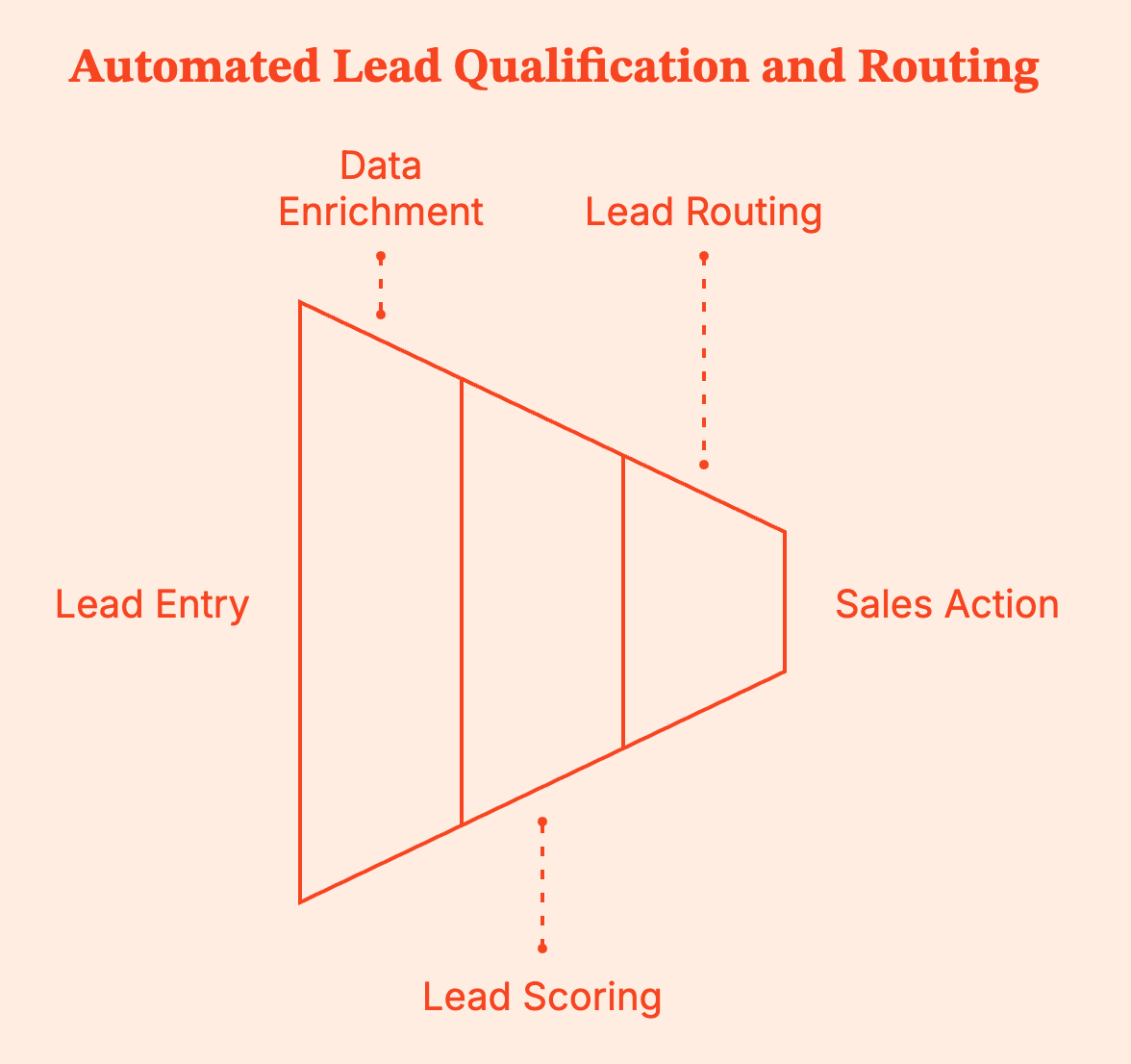
- An incoming lead enters through form submission, third-party import, or website visitor identification.
- The system pulls enrichment data and contact data from connected providers (company size, funding status, tech stack, employee count).
- Scoring formulas are applied to the enriched record and produce a numerical score.
- Routing rules direct the lead based on that score.
But you absolutely need to respond to your leads within the first 5 minutes to get the most out of your lead generation efforts. Automation makes this sub-five-minute response the default rather than the outlier, effectively bridging the gap between sales and marketing.
GTM engineers also build feedback loops into scoring systems. When sales mark a lead ‘closed-won’ or ‘disqualified,’ that outcome feeds back into the model, refining future predictions.
Why Clay Works Well for Lead Scoring in B2B Marketing
Clay consolidates data enrichment, scoring, and routing into one platform. Instead of connecting separate sales automation tools for firmographic data, email verification, intent signals, and CRM updates, GTM teams build complete workflows in a single interface.
The platform aggregates 100+ data providers into a waterfall enrichment model. When one source fails to return a phone number or email in your contact database, Clay automatically queries the next provider. This approach doubles or triples match rates compared to single-provider setups.
Clay raised $40M in Series B at a $1.25B valuation following 6x growth in 2024. The adoption came from teams consolidating fragmented enrichment stacks into one fully automated system.
- Lead Scoring: Clay uses formula columns to build point-based models, assigning scores based on enriched data and custom signals like Employee count, Funding stage, Technology stack, and Job title seniority.
- Advanced Scoring: Behavioral data from connected intent providers can be layered onto the point-based models to identify the hottest prospects.
- Routing Logic: The platform supports conditional logic for multi-path routing.
- High-Scoring Enterprise Leads are instantly routed to a named Account Executive (AE) with a Slack notification.
- Smaller Companies with similar engagement enter an automated email sequence.
- Instant Updates: Routing and actions happen instantly when lead records are updated.
CRM integrations push enriched, scored leads into Salesforce, HubSpot, and other systems. Bi-directional syncs update Clay tables when CRM fields change, creating closed-loop feedback on model accuracy.
{{INLINE_TOFU}}
Building Lead Scoring Models in Clay: A Step-by-Step Guide
Before opening Clay, define your scoring criteria. What are the explicit attributes correlating with closed deals: company size ranges, industries, job functions, and technologies used?
Then identify behavioral signals indicating product interest: specific page visits, content consumption patterns, and email engagement.
Step 1: Capture and Normalize Lead Data
With Clay, you can either import existing data via CSV uploads, CRM syncs, webhook inputs, or direct integrations with form providers. You can even import data from Google Sheets or use web scraping to find new prospects.
Or if you don't have data, you can also find people, companies, and jobs, and even local businesses, directly from within Clay.
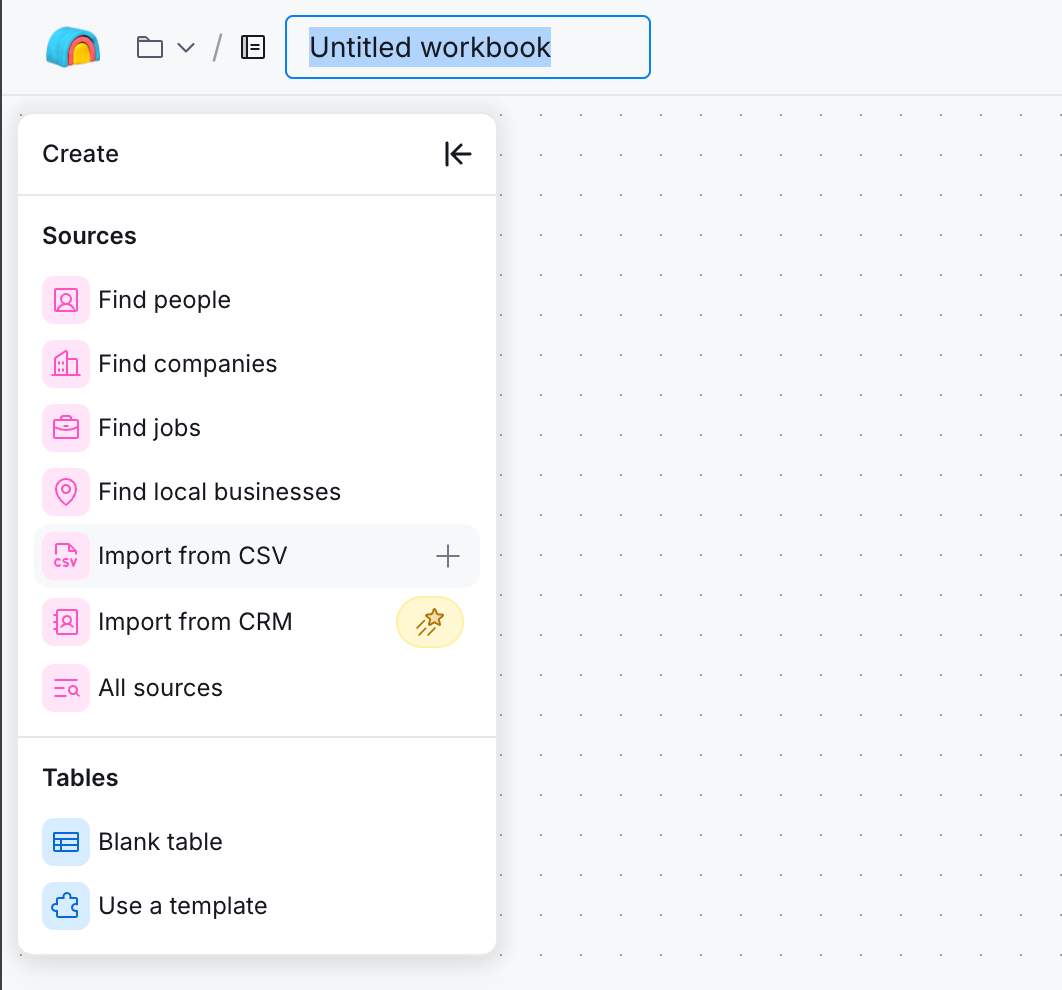
Once you have the data, you can use Clay’s built-in AI to enrich and standardize it for later use in the sales process.
Step 2: Configure Enrichment
Import the data that you have collected into an existing or a new table, and the actions column should show you enrichment workflows.
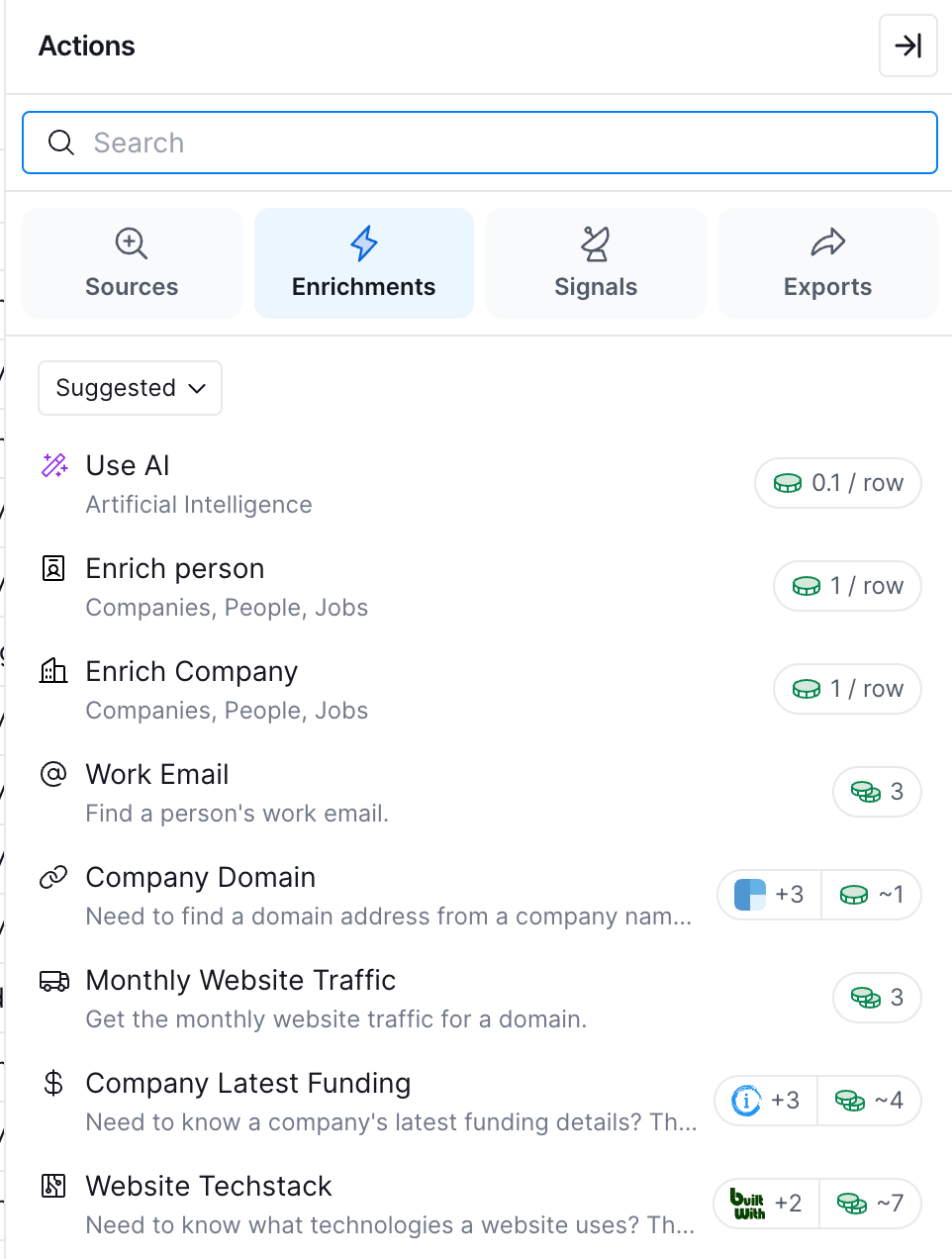
You can pick enrichments like employee count, annual revenue, funding status, and technology stack to form a solid firmographic foundation for your qualified leads.
Step 3: Build Scoring Formulas
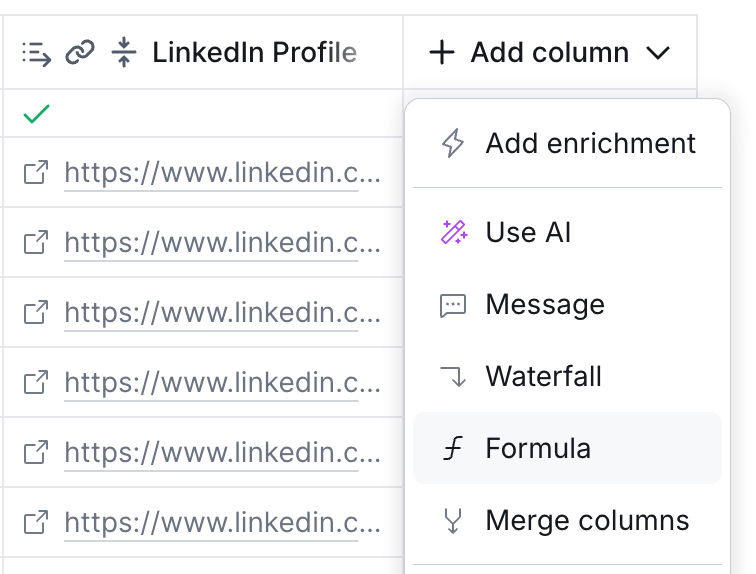
Now, on to the actual lead scoring. Create a formula column that assigns points based on the following criteria.
Here’s sample logic for a B2B SaaS targeting mid-market companies:
| Attribute | Criteria | Points |
|---|---|---|
| Company Size | 100–500 employees | 20 |
| Company Size | 501–2000 employees | 15 |
| Funding Stage | Series B or later | 10 |
| Tech Stack | Uses a competing tool | 15 |
| Job Title | Director or above | 10 |
| Behavior | Visited pricing page | 10 |
| Behavior | Downloaded case study | 5 |
Sum these columns into a total score field. Define threshold bands: 60+ points routes to sales, 30–59 enters nurture sequences, and below 30 stays in top-of-funnel awareness.
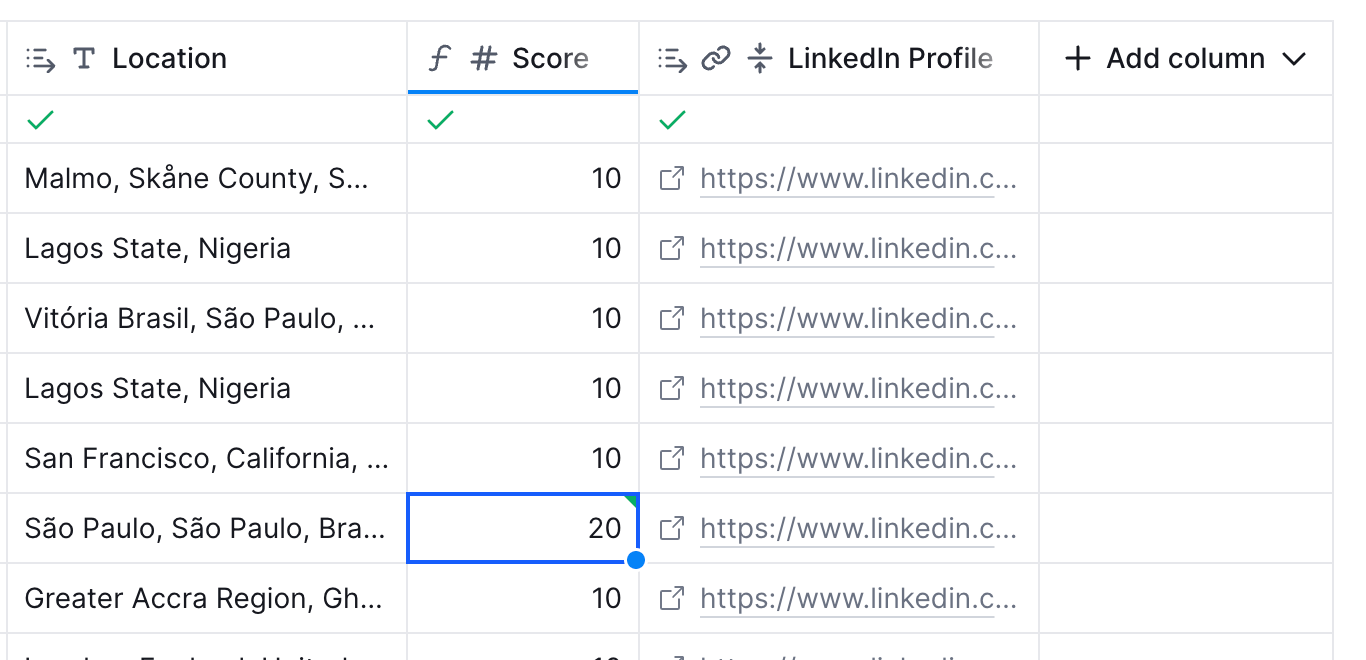
Once you have the scores populated, it's time to move to routing.
Step 4: Configure Routing Actions
Clay has multiple ways for you to route based on your data from your table to your email tool, CRM, or even a webhook. Use a routing system to ensure leads get to the right rep.
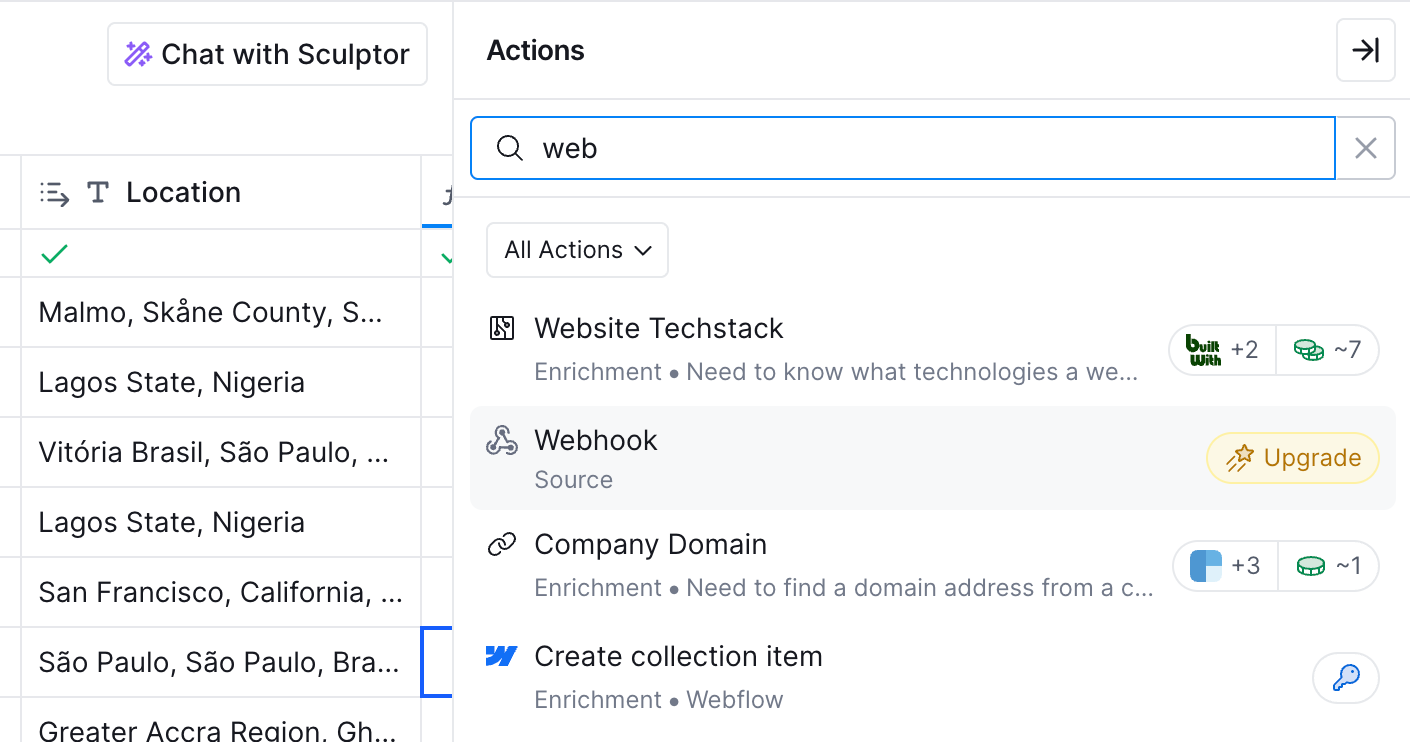
For instance, a lead hitting 60 points should immediately:
- Create or update a CRM record with all enriched data
- Send a Slack notification to the assigned rep
- Log the scoring rationale for the sales context
Lower-scoring leads trigger different actions: add to email sequence, update marketing automation tags, or hold for future re-scoring. You can even distribute leads evenly using a round robin logic for your sales team.
Best Practices for Automating Lead Routing and Scoring
- Run continuous data quality checks. Enrichment providers return stale or incorrect data more often than vendors acknowledge. Build verification steps that flag records with mismatched signals—For example, a 5-person company claiming $500M revenue. The Salesforce State of Sales report found that only 35% of sales professionals completely trust the accuracy of their organization's data. Better data hygiene directly improves scoring accuracy and sales efforts.
- Score fit and intent separately. A lead with strong firmographic fit but no behavioral engagement differs from one showing active research patterns across different buyer journeys. Two-axis scoring rates both dimensions independently. High-fit plus high-intent gets priority. High-fit with low-intent gets targeted nurturing.
- Match follow-ups to behavior. Someone who visits your competitor comparison page needs different information than someone browsing case studies. Build a routing system connecting lead behavior to appropriate messaging sequences, whether it's for cold outreach or warm follow-ups. The HubSpot 2024 State of Sales report found that 59% of sales reps now say leads from their marketing efforts are high quality—a significant improvement from previous years. Better targeting and personalization drove that change.
- Close the feedback loop. Sales must report back on lead quality, and that data must inform scoring adjustments. If leads scoring 55–60 points consistently fail to convert while those at 70+ perform well, your threshold needs recalibration. Review scoring accuracy quarterly to overcome common challenges in alignment.
From Website Visitor to Warm Outbound Play: Workflow Examples
Only 1-5% of B2B website traffic converts through forms. The remaining 95% leaves without identifying themselves.
If you want to make the best of this anonymous traffic, using the right tools like a website visitor identification tool can recover a portion of that invisible pipeline by matching anonymous IP addresses to company databases and, in some cases, to individual contacts.
Factors.ai uses a waterfall model combining data from 6sense, Clearbit, Demandbase, and Snitcher to identify up to 64% of anonymous visitors at the account level. For individual contacts, geo-location and job title triangulation can pinpoint roughly 30% of visitors. That coverage exceeds what any single-source competitor provides.

When Factors identifies a high-intent visitor, the data can be sent directly to Clay for enrichment and scoring via the Factors API.
Here are three workflows you can implement to see how this works.
1. Inbound Form → Enrichment → Score → Route
A prospect submits a demo request. The form data triggers a webhook to Clay, which enriches the record with employee count, funding stage, tech stack, and verified contact details.
Scoring formulas run automatically. Leads crossing the threshold route to an AE's calendar for immediate booking, allowing reps to focus on closing. Below-threshold leads enter a nurture sequence matched to their industry and company size.
2. High-Intent Page Visit → Personalized Outreach
Factors detect a target account visiting the pricing page multiple times in one week. That behavioral signal, combined with firmographic fit, triggers a webhook to Clay.
Clay uses the company domain and its waterfall enrichment to identify decision-makers: the VP of Engineering, the Head of Product, and the relevant director. Each contact gets enriched with a LinkedIn profile, direct email, and recent company news. The contacts score above the threshold and trigger personalized outreach referencing the pricing page activity.
The sequence works because Factors captures the intent signal (company X is actively researching) and Clay identifies who to contact at that company to generate more leads.
3. Buying Committee Signal → Real-Time BDR Alert
Factors tracks engagement patterns, indicating multiple stakeholders are involved. The same company visits the integrations page, the case studies section, and the security documentation within a short window. That pattern suggests a buying committee is forming.
Then, Factors pushes the account via webhook to Clay, and Clay enriches the company record, identifies contacts matching your buyer personas (engineering leadership, procurement, security), and pulls contact details for each. A Slack alert notifies the assigned BDR with full context: company name, pages visited, engagement frequency, and the list of relevant contacts to pursue from your ad platforms or organic traffic.
These workflows depend on two tools doing what they do best: Factors capturing account-level intent signals, and Clay enriching and identifying the right people to contact.
Measuring Success: KPIs and Optimization Strategies
Track these metrics to gauge scoring effectiveness:
- Lead-to-SQL Conversion Rate: Measure the conversion rate before and after the scoring implementation to quantify impact. Track conversion rates by score bracket to validate the model.
- Pipeline Velocity: Track average time from lead capture to first sales conversation. Automated scoring and routing should compress this window. Target benchmark based on the HBR research: first contact within one hour for high-scoring inbound leads.
- Score Accuracy: Compare conversion rates between high-scoring and low-scoring leads. The gap should be substantial. If leads scoring 40 points convert at the same rate as those scoring 80, the model needs recalibration.
- Manual Hours Saved: Calculate rep time previously spent on lead research and qualification. The Salesforce State of Sales found that reps spend 70% of their week on non-selling tasks. Effective scoring automation returns a portion of those hours to actual selling.
- Score Distribution Trends: Monitor how your lead population scores over time. Sudden shifts indicate market changes, data quality issues, or lead-source problems that warrant investigation.
Bringing It Together
As much as we’d like it, we can't just set lead scoring up and walk away. The market changes, and so should your scoring. This is the ultimate guide to staying agile.
Every quarter, sit down with your sales lead. Ask them, ‘Who are the best deals we closed this month?’ Then look at the data. If you closed three deals with hospitals but your model assigns them zero points, the calibration is wrong. Update the formula for the scores.
The goal here is response speed: Automation buys you speed, and speed gets you deals.
So start small. Identify five attributes of a good customer and build that table in Clay. Add website visitor enrichment with Factors, and you have a working lead gen engine.
FAQs for Lead Scoring and Enrichment in GTM Engineering with Clay
Q: What is a lead scoring model, and how does it work?
A: Think of lead scoring as a ranking system for your potential customers. It assigns a numerical point value to every lead to tell you who is ready to buy and who is just browsing. It works by combining two types of data:
- Fit (Who they are): Do they match your ideal customer profile? (e.g., right industry, company size, job title). 2. Behavior (What they did): Did they visit your pricing page, download a case study, or open your emails?
You set up the rules like "+10 points for a CEO" or "+20 points for requesting a demo." When a lead crosses a certain score threshold (say, 60 points), they get flagged as "Sales Ready," so your team knows who to call first.
Q: Can Clay automate both enrichment and routing?
A: Yes, that is exactly what it's built for. Clay handles the entire pipeline in one place. First, it enriches the data by sourcing information from over 100 providers (e.g., a lead's phone number or a company's revenue). Then, it runs your scoring logic against that new data. Finally, it handles the routing: automatically sending high-scoring leads to your CRM (like Salesforce), messaging a rep on Slack, or dropping lower-scoring leads into an email nurture sequence.
Q: How does automated lead scoring improve GTM velocity?
A: It removes the "research tax" that slows sales reps down. Without automation, reps waste hours manually searching for companies and checking LinkedIn to determine whether a lead is good. With automated scoring, that data is instantly available. Companies that respond to a lead within one hour are seven times more likely to qualify them than those who wait. Automation ensures you hit that one-hour window every single time, turning interest into conversations instantly.
Q: What’s the difference between rule-based and AI scoring?
A: Rule-based scoring is manual. You sit down and decide, "I think a VP title is worth 10 points." It’s great for control but relies on your best guess. AI (predictive lead scoring) uses machine learning. It looks at your history of closed deals and finds patterns you might miss. It might notice, for example, that leads who use a specific obscure technology convert 3x faster, and it automatically assigns them a higher score.
Q: How often should lead scoring rules be reviewed?
A: You should do a deep dive quarterly. Markets shift, and buyer behavior changes. So if you notice your sales team is rejecting a lot of "high-scoring" leads, your model is broken. If the sales team tells you leads scoring 50 points are closing better than leads scoring 80, you need to adjust your weightings immediately.

Unlocking the Secrets of Lead Scoring Models
Learn About lead scoring models And Their Types. Discover best practices for effective lead scoring models on Factors.ai's blog.

What do you do when you’re stuck nurturing countless leads that drive few conversions? Lead scoring has emerged as an effective solution forthis customer conversion challenge. Studies show that B2B organizations that utilize lead scoring realize a 77% increase in lead generation ROI compared to those that don't. If this piques your interest, know that scoring your leads and determining a lead scoring model is not a cut and dry process. The following post explains what lead scoring is and explores some commonly used lead scoring models.
What Is lead scoring?
Lead scoring is the procedure of quantifying the conduciveness of a lead generated by a business. To put it simply, it is used to determine if a lead is more likely to convert or not by assigning scores to the leads. By doing so, you ensure that both your marketing and sales teams are seeding the right prospects, all while getting to understand who your ideal lead is in the process.
So far, it seems simple right? Well, scoring leads is not all black and white. Figuring out your buyer persona is a multifaceted challenge. It not only requires a boatload of data but constant revisions and maintenance over time as well.
To help with that, here is how you build your lead scoring model:
Determining lead scores
First, we need to figure out the criteria for scoring, and how many points to reward or deduct for each criterion. Here are a couple of steps to establish that:
1) Picking your KPIs and Traits: The first step in lead scoring is selecting what you need to be judging. This involves the KPIs (key performance indicators) and common traits of leads that convert. An example of this would be that an important KPI is the number of views on the review page for a product. And a common trait could be a particular company size.
2) Assigning the Value: It is important to understand which traits are more significant than others — like the lead’s company size over the industry. This way you can reward certain traits higher than others. You should even determine the points to be rewarded per trait — which company size converts the most and which ones convert the least, etc. You can do this by calculating the conversion rates of the leads with different levels of the same trait and comparing them to the average. The same can be done for KPIs as well.
With all these in place, you can now determine the score for each lead attribute. Remember that you must never only rely on one attribute to score your leads. The more the merrier, as the following lead scoring models deal with a wide variety of data.
{{INLINE_TOFU}}
Lead scoring models
A lead scoring model is nothing but the basis of evaluation for your scoring or the system on which it is predicated. With that said here are some common lead scoring models:
1) Implicit Scoring (Activity/Engagement): Implicit scoring is used to grade leads based on their level of activity and engagement with the business, its brand and its content. It utilizes a lot of tracking data across several platforms and compared to explicit scoring it is a continual process. Here are some examples of implicit scoring:
- Number of webpage visits or leads that visited the pricing page.
- Content engagement, including views, downloads, etc.
- Email engagement, email click-through rate and bounce rate.
- Social media interactions, involving likes, comments, followers, etc.
- Leads that requested for product demos and free trials.
- Leads that attended webinars.
- Form submissions, and more
2) Explicit Scoring (Suitability): Explicit scoring is used to evaluate a lead based on their business-related profile like the lead’s company size and job title. This information is used to determine the suitability of your lead’s business profile to that of a lead that converts. Explicit scoring is more commonly used in B2B interactions, given the importance of assessing the companies they deal with. Here are some examples of explicit scoring:
- Company size, which can allude to how many decision-makers are involved in the buying decision.
- Job titles that are awarded different points depending on the level of influence.
- The company’s revenue could help identify companies that are more in line with your average contract value.
- The lead’s company industry.
- The location and other demographics of the lead.
3) Matrix (Combination of Implicit and Explicit Scoring): This model is called a matrix model because it uses an incidence matrix combination of implicit and explicit scoring. This means that we evaluate a lead based on combinations of implicit and explicit traits at varying degrees. For example: A lead that is considered highly suitable based on explicit business profile traits like company size and industry can be scored poorly due to its low activity and engagement levels. The same could be said about a lead with high activity but low suitability.
The importance of both these dimensions varies based on your ideal client profile (ICP). The use of this matrix model, including models with other dimensions, are quite common in lead scoring solutions used today. Like Silverpop’s scoring system.
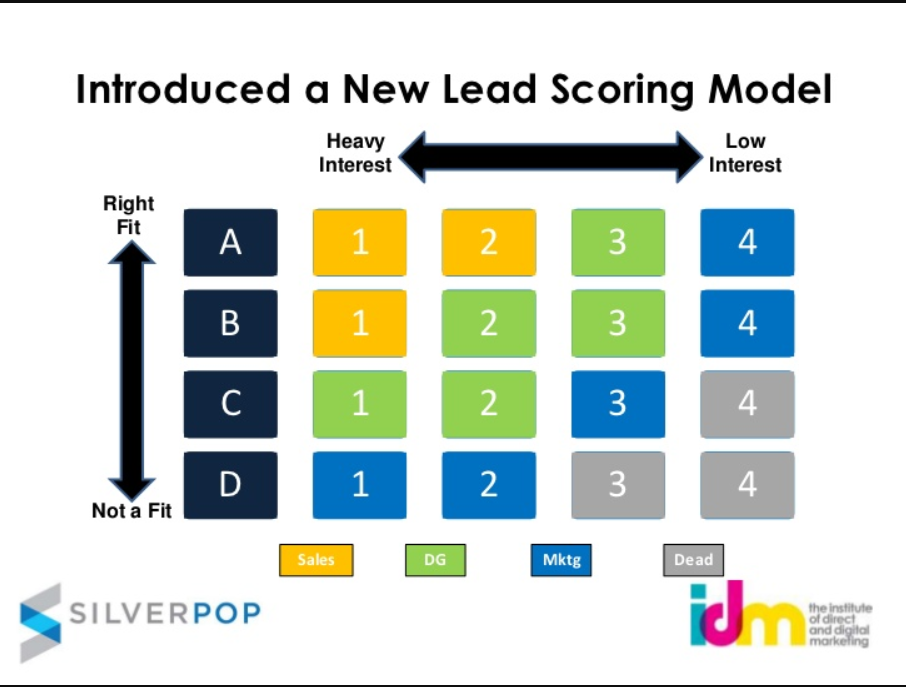
4) Negative Scoring: A negative scoring model implements a deduction of points to your lead scores based on unfavorable interactions and intentions. Negative scoring involves a multitude of aspects. From the low levels of activity or interest found in leads, to prospects consuming your content for all the wrong reasons. The biggest advantage of implementing this model is that it avoids inflating a lead’s score. And allows your sales team to focus more on better leads. Here are some examples of negative scoring:
- Inactive or stagnant leads that have not interacted with the business in a while.
- Leads that unsubscribe to your company newsletter.
- Rival companies researching your company.
- Visitors that consume your content with no interest in the product, but for other reasons (academic/employment)
Regardless of which model you pick, you’re more likely to adopt a combination of these models so long as it meets your scoring requirements. And as long as you fine-tune your method in conjunction with newer customer data, you can ensure that your lead scores will always stay credible.
Lead scoring streamlines sales by identifying high-value prospects.
1. How It Works: Assign scores based on engagement levels and demographic fit.
2. Sales Enablement: Helps teams focus on leads most likely to convert.
3. Strategic Benefits: Boost efficiency, shorten sales cycles, and increase conversion rates.
Effective lead scoring aligns marketing and sales, maximizing impact across the funnel.
How much does Lead Forensics cost in 2026?
Learn how Lead Forensics pricing works, what Essentials and Automate include, and which costs and contract terms to confirm.
Lead Forensics pricing is not published as a fixed monthly or annual rate. The company prepares a custom quote based on website traffic, expected lead volume, feature requirements, and customer needs. It uses a one-week trial to measure your traffic before recommending a package.
There are two plans, Essentials and Automate. Both are sold through a demo and quote process. User count does not affect the price because Lead Forensics includes unlimited users.
If you need a rough budget before speaking to sales, procurement data can offer some context. Vendr currently reports a median annual spend of $17,486 based on its buyer data. Treat this as a third-party benchmark rather than an official starting price. Your quote can differ considerably based on your traffic and package.
This guide explains how Lead Forensics calculates pricing, what each plan includes, which costs need clarification, and how to decide whether the quote makes sense for your team.
Lead Forensics pricing at a glance
How does Lead Forensics calculate its price?
Lead Forensics says pricing depends on how much traffic your website generates. Its sales process begins with a demo, followed by a one-week trial. The trial measures visitor volume and gives your team access to the data before Lead Forensics proposes a package.
The pricing page also says the quote considers how many new leads the platform uncovers. Feature requirements and customer needs can affect the final package as well. Lead Forensics does not publish the formula used to turn these inputs into a final price or explain whether traffic spikes automatically change the fee during a contract term.
The number of users is one area with no ambiguity. Lead Forensics includes unlimited logins, which can make deployment easier when marketing, SDRs, account executives, and account managers all need access.
Contract terms deserve the same attention as the quoted price. Ask Lead Forensics to confirm the initial term, renewal process, cancellation window, and notice requirements in writing before signing.
Before accepting a quote, ask Lead Forensics to confirm four points in writing.
- Which traffic number is used for pricing, such as total sessions, B2B visits, or identified companies
- Whether the price can change if traffic grows during the contract
- The contract length, renewal terms, and notice period
- Any usage limits or additional charges for contact data, exports, integrations, or automation
What do the Essentials and Automate plans include?
The official pricing page lists two packages. It does not position Essentials as an SMB plan or Automate as an enterprise plan. Either plan can be relevant at different company sizes, depending on the workflow required.
Essentials
Essentials covers the core workflow from identifying a visiting company to giving sales enough context to follow up. Lead Forensics lists the following capabilities on its pricing page.
- Company-level website visitor identification
- Firmographic information about identified businesses
- Relevant decision-maker contact data
- Website behavior at the company and business level
- Real-time visitor alerts
- A built-in lead and pipeline manager
- Unlimited users
- A dedicated customer success manager
- Training and certifications
- CRM integration
Lead Forensics uses company-level identification to associate a visit with a business. It does not claim to reveal the individual person browsing the site. The contact records are relevant people at the identified company and may not be the people who visited.
Automate
Automate adds tools for moving identified companies into a structured sales workflow. The additional capabilities listed by Lead Forensics include workflow automation, CRM lead creation, automated lead routing, and ABM account matching.
This plan is more relevant when visitor information must reach the correct owner without manual exports or review. For example, a visit from a named target account can be matched with the CRM and routed to the account owner. The appropriate package still depends on workflow needs rather than headcount or company size.
What does Lead Forensics do beyond identifying website visitors?
Website visitor identification is an important part of Lead Forensics, but the product covers a wider sales and marketing workflow.
Once a company is identified, users can review the pages it visited, how it arrived, how often it returned, and how long it engaged. Sales teams can receive real-time alerts, find relevant contacts, score and assign leads, and manage opportunities inside the built-in lead manager. CRM integrations let teams carry the same information into tools such as Salesforce, HubSpot, Microsoft Dynamics, Pipedrive, and Zoho.
Marketing teams can use this first-party intent data to see which campaigns and content attract relevant businesses. Account managers can also monitor returning customers or lapsed accounts. Lead Forensics presents these as distinct use cases across sales, marketing, account management, advertising, and agencies.
The identification system uses more than a single data source. Lead Forensics says it combines reverse IP lookup, private databases, analytics, and machine learning. It owns and maintains its B2B IP database. The company also says it can identify up to 80% of B2B visits, but match rates vary with traffic composition. Evaluate this vendor claim against the results from your own trial.
How to assess the quote you get from Lead Forensics?
A high match count can look impressive during a demo and still create little value. The more useful question is how many identified companies fit your ICP and lead to action.
Use the free trial to measure the following.
- The share of identified companies that match your ICP
- Match quality in the countries where you sell
- The accuracy and coverage of relevant contact data
- How many visits show meaningful buying behavior
- Whether alerts reach the right sales owner quickly
- How often sales follows up and books a meeting
Questions to ask before signing a Lead Forensics contract
The public pricing page leaves several commercial details open. Bring this list to the demo and ask for the answers in the order form.
- What traffic or lead volume was used to calculate our quote?
- Which features are included in our plan?
- Is decision-maker contact data included, and are there credit limits?
- Are CRM integrations and implementation included?
- How does pricing change if our traffic rises or falls?
- What is the minimum contract term?
- How does the renewal price work?
- What support and training cadence is included?
- Can we export our data if we leave?
- Which results from the trial will become our post-purchase baseline?
Recommended reading
- How to choose a website visitor identification tool for the criteria to use during a product trial
- Website visitor identification metrics for measuring identification quality and business value during a trial
- ABM platform pricing guide for common pricing models and questions to ask when comparing broader platforms
Frequently asked questions
Does Lead Forensics offer a free trial?
Yes. Lead Forensics offers a one-week trial. The company uses the trial to measure visitor volume, show you the available data, and prepare a quote.
Does Lead Forensics have a free plan?
Lead Forensics does not currently advertise an ongoing free plan. It offers a demo followed by a free one-week trial.
Is Lead Forensics only for enterprise companies?
No. Lead Forensics serves companies of different sizes and does not assign its two plans to SMB and enterprise segments on the current pricing page. The right plan depends on traffic volume and whether you need automation, CRM lead creation, routing, and ABM account matching.
Are users charged separately?
No. Lead Forensics says all plans include unlimited users, and the number of logins does not affect the price.
Top 13 Koala Alternatives In 2026
Koala shut down after the Cursor acquisition. Here are the 13 best B2B intent data alternatives for 2026 — with features, pricing, and migration tips.

TL;DR
- Factors.ai — Best for unified GTM execution with AI Agents, multi-source intent, and account scoring. One platform for alerts, workflows, and ad activation.
- Common Room — Best for community-led signals and Koala migration (matching Koala's pricing tiers).
- 6sense — Best for enterprise ABM with predictive intelligence and account-level intent.
- ZoomInfo — Best for large contact databases combined with intent data.
- Warmly — Best for real-time visitor engagement with AI SDRs and chat.
- Clay — Best for flexible prospecting workflows with 130+ data sources.
Update: Koala's been acquired!
In a recent development announced on July 18, 2025, Koala was acquired by Cursor (parent company Anysphere). The platform will officially shut down by September 2025, despite having raised a $15 million Series A funding earlier this year.
Koala's founding team is now working closely with Common Room to help customers transition, with Common Room even matching Koala's existing pricing tiers for equivalent feature packages.
If you've come across this article, chances are you're exploring intent data platforms that can help you generate pipeline and strengthen your GTM motion. You're in the right place as we've rounded up the best alternatives you can consider this year.
| Feature Category | Factors.ai | Others (at a glance) |
|---|---|---|
| AI Agents & Actionable Insights | ✅ Real-time alerts, enrich leads, trigger campaigns automatically | Most tools only provide alerts or data enrichment; limited execution |
| Custom GTM Workflows / Milestones | ✅ Dedicated support builds workflows, funnel stage analytics, prioritize plays, tailor messaging, validate experiments | Rarely available; other platforms mostly pre-built automation |
| Account & Contact Scoring | ✅ Prioritize by ICP fit, funnel stage, and intent intensity | Mostly missing or limited scoring |
| Multi-Source Intent Data | ✅ Website, CRM, ads, LinkedIn, communities, product usage | Often single-source or anonymous signals only |
| Customer Journey & Timelines | ✅ Chronological view across all touchpoints, full visibility of funnel progression | Partial or limited insights in other tools |
| Person-Level Identification | ✅ Pinpoint likely visitors (~30% coverage) using geo, job title, company, persona | Mostly anonymous or partial enrichment |
| Dynamic Ad Activation & Google Integration | ✅ Sync audiences to LinkedIn/Google Ads, Google CAPI, ICP-targeted campaigns | Rarely available in other tools |
| Multi-Threading & Buying Group Identification | ✅ Identify and engage multiple decision-makers | Rarely available |
| AI-Driven Contact Insights | ✅ Surface right contacts, generate personalized outreach insights | Most tools only enrich data, no actionable recommendations |
| Slack / MS Teams Alerts | ✅ Instant notifications for high-intent actions like demo visits or pricing page revisits | Limited or unavailable |
| Ease of Use / Unified Platform | ✅ Single dashboard; all GTM execution, analytics, and alerts in one place | Others often require multiple tools or steep learning curves |
Koala (getkoala.com) was acquired by Cursor in July 2025 and shut down by September 2025. All former Koala users need a replacement for B2B intent data and visitor identification. Note: This article is about getkoala.com, the B2B intent data platform — not Koala AI (koala.sh), which is a separate AI writing tool.
5 Factors to consider when looking for a Koala alternative
- Robust integration options: Since Koala only offers integrations to Hubspot, Salesforce, and Apollo, you must look for a tool that seamlessly integrates with your existing tech stack.
- Custom workflow automations: Find a tool that allows you to build custom workflows that automate your sales and marketing processes across your CRMs to save time.
- AI-powered insights: Don't just consolidate data and reports; understand the 'why' behind your numbers and learn how you can improve with AI-powered insights.
- AI Agents: Look for AI agents that can take action on these insights, automatically triggering alerts, enriching leads, or launching campaigns, so your team can focus on strategy, not manual busywork.
- Extract intent data from multiple platforms: Your prospects conduct research beyond your website before they make a purchase. Invest in a solution that gives you intent signals from relevant sources such as LinkedIn, review sites, communities, and the like.
{{INLINE_BOFU}}
Top Koala Alternatives
1. Factors.ai

Factors.ai is designed to help B2B teams grow a quality pipeline with AI Agents, from identifying high-intent accounts to mapping the customer journey, automating GTM campaigns, and measuring what works. Everything happens in one unified platform, making it easier for sales and marketing teams to act on intent signals in real time.
Core Offerings
- GTM Engineering
- Dedicated support team builds custom workflows.
- AI Agents alert reps in real time, pull account research, identify and multi-thread buying groups, revive closed-lost deals, and track post-meeting engagement.
- Milestones: Funnel stage analytics show which actions and content drive stage progression. Helps prioritize plays, tailor messaging, diagnose drop-offs, and validate GTM experiments.
- Account 360: Unified view of all sales and marketing touchpoints. Aligns GTM teams and ensures no high-intent account slips through the cracks.
- AI Alerts: Real-time alerts for optimal outreach. Includes closed-lost reactivation, form-fill drop-offs, and post-demo browsing history.
- Google CAPI: Sends richer conversion signals to Google Ads, optimizing for high-value accounts rather than low-quality leads.
- Google Audience Sync: Retarget ICP-fit accounts, suppress low-value clicks, expand keywords safely, run buyer-stage campaigns, and refresh audiences daily.
- Account & Contact Scoring: Prioritize accounts by ICP fit, funnel stage, and intent intensity.
- Customer Journey Timelines: A Chronological view of buyer actions across the website, ads, product, and CRM.
- AI-Driven Contact Insights: Surface the right contacts, generate personalized outreach insights, and monitor deal progress.
- Dynamic Ad Activation: Sync audiences to LinkedIn and Google Ads for efficient targeting, in-funnel retargeting, and ABM campaigns.
- Slack/MS Teams Alerts: Instant notifications for high-intent actions like demo visits, pricing page revisits, or document views.
- Multi-threading & Buying Group Identification: Engage multiple decision-makers to reduce deal risk.
- Person-Level Identification: Pinpoint likely visitors without invasive tracking using geo, company, job title, and buyer persona filters (~30% coverage).
Limitations
- Factors doesn't offer information at a user level due to privacy and compliance regulations.

Pricing

2. Common Room

Common Room is a natural fit as Koala's team has partnered with the company to support users during the transition. It pulls in intent signals from social platforms, communities, CRMs, and more. Best of all, it's honoring Koala's pricing tiers to make the switch smooth and budget-friendly.
Core Offerings
- RoomieAI™ Capture: Always-on AI agent that tracks 50+ signal sources, like product usage, website visits, and social activity, to surface warm prospects in real time.
- Person360™ Enrichment: Industry-leading AI-powered waterfall enrichment and identity resolution that turns anonymous signals into fully identified accounts and unifies the buyer journey.
- RoomieAI™ Activate: Automates outbound campaigns and personalizes messages based on context from buying signals, turning every rep into a top performer.
- Multi-Source Signal Integration: Pulls intent signals from social platforms, communities, CRMs, hiring trends, and dark funnel activity to ensure you never prospect cold.
Limitations:
- Navigation isn't intuitive. Many users find the interface steep and challenging to use without dedicated onboarding or support

- Lacks built-in A/B testing and advanced analytics as users have flagged limited in-platform customization, especially around workflow edits and analytics depth

Pricing

3. Clearbit
Clearbit, now a part of HubSpot, is a data enrichment platform that helps businesses get clean, reliable, and standardized customer data. It gathers information from public sources, its own proprietary data, and AI models to build precise datasets that B2B teams can use to go-to-market more effectively.
Core Offerings
- Data Enrichment: Enriches records of leads, contacts, and accounts with accurate, global coverage.
- Lead Scoring and Routing: Helps teams score and route leads in real-time using granular industry info, corporate hierarchies, and role/seniority mapping.
- Intent Tracking: Identifies anonymous website visitors with IP intelligence and highlights companies that match your ICP.
- Dynamic Form Shortening: Reduces form fields by auto-populating details, so users only need to enter essentials like an email address.
Limitations
- The credit-based pricing model can be confusing, as costs vary depending on usage.
- Setup can be tricky, especially for features like form shortening that often need developer support.
- Since it is now part of HubSpot, standalone use is limited, which can be restrictive for teams not using HubSpot.
Pricing
Clearbit doesn't list its pricing publicly. For exact costs, businesses need to get in touch with their sales team.
4. Leadfeeder (now Dealfront)

Leadfeeder (now known as Dealfront) identifies anonymous companies that visit your website and turns them into leads for your sales team.
Core Offerings:
- Website Visitor Identification: Transforms anonymous visitors into company names, revealing who's exploring your site even without form fills
- Behavioral Tracking: Monitors pages visited, time spent, and browsing patterns to understand visitor intent.
- Smart Filters & Custom Feeds: Allows segmentation of visits by criteria like geography, industry, campaign, or engagement, with customisable feeds.
- Real-Time Alerts & Notifications: Sends instant alerts (via email or Slack) for new or returning visits, helping reps act quickly.
- CRM & Analytics Integration: Syncs visitor data with CRMs (e.g., Salesforce, Pipedrive) and tools like Google Analytics and Looker Studio for seamless follow-up and reporting.
- Lead Scoring & Prioritization: Automatically ranks leads based on engagement and firmographic data to surface high-intent companies.
Limitations
- No mobile app, and no real-time tracking for free users (updates hourly/below). Dealfront Help Center
- Customer support is often slow or unresponsive, multiple users report delays and poor resolution when seeking help

Pricing

Also read: 5 Leadfeeder Alternatives For Visitor Identification
5. Lead411

Lead411 is a B2B data provider that delivers insights into potential buyers by leveraging verified contact information and buyer intent data from Bombora. It's designed to help businesses identify and connect with prospects who are actively showing interest in their products or services.
Core Offerings
- Intent topics: You can classify and set between 5-25 intent topics.
- Lead prospecting: Lead411 has an in-built prospecting tool to streamline the outbound process.
- CRM Enhancer: Automatically update your CRM with the latest data.
Limitations
- Users have found that even verified contacts may not be accurate at times

- The data can be difficult to manage because the platform doesn't have the capabilities to sort it out into multiple manageable lists.

Pricing

6. Snitcher
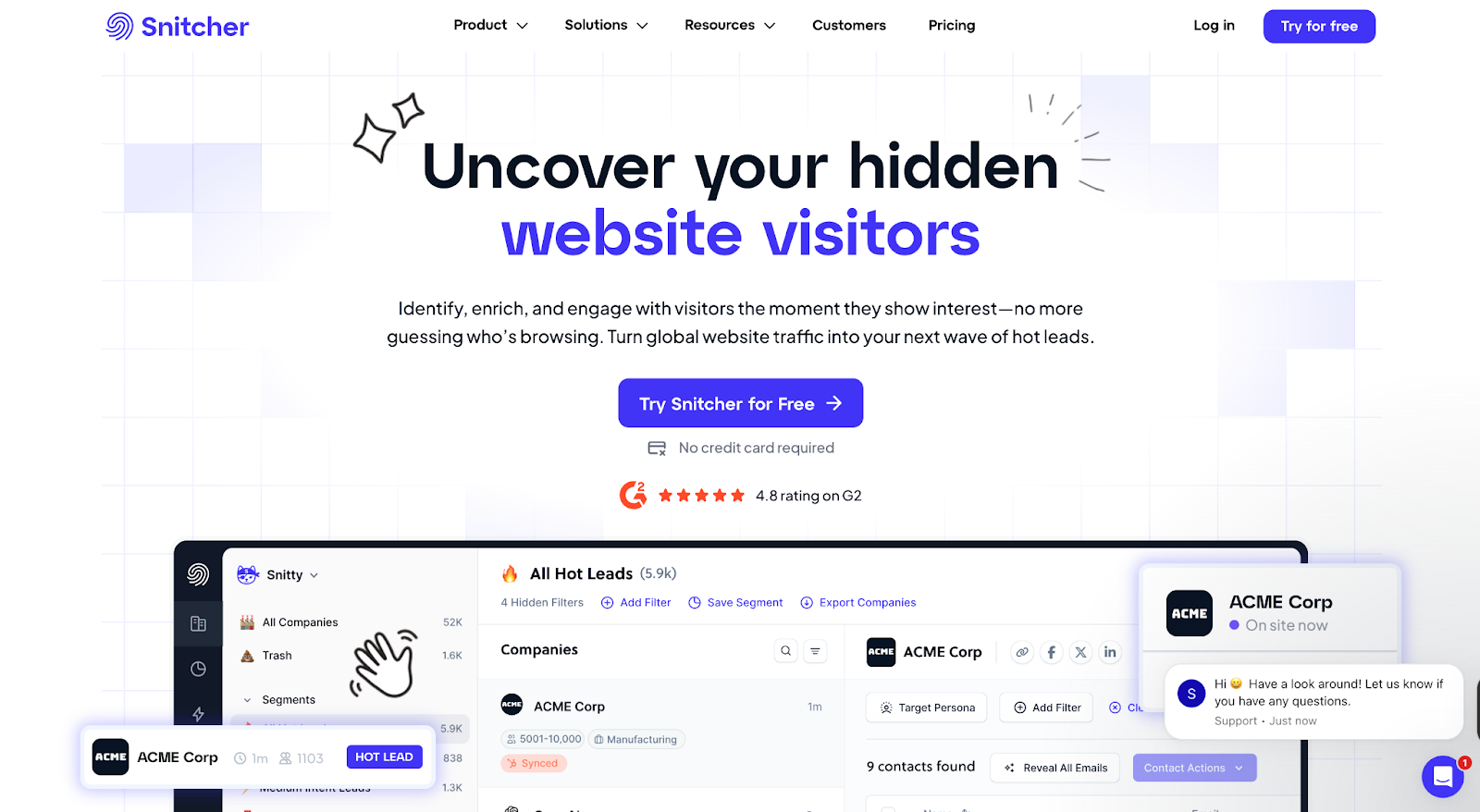
Snitcher unmasks anonymous companies visiting your website. The platform helps you understand their interests and convert them into qualified leads by tracking visitor behavior and enriching leads with details.
Core offering:
- Website deanonymization: Sintcher's "identify" turns your anonymous website traffic into actionable leads and information in real-time.
- Google Analytics enrichment: Snitcher adds context to Google Analytics data by enriching the numbers with company identifications.
- Lead segmentation: You can segment your leads into audiences and run relevant marketing campaigns.
Limitations
- Users have reported that the filtering setup can be improved to navigate the platform easily.

- The pricing is higher than most account intelligence tools since they charge with usage-based pricing

Pricing

7. Warmly
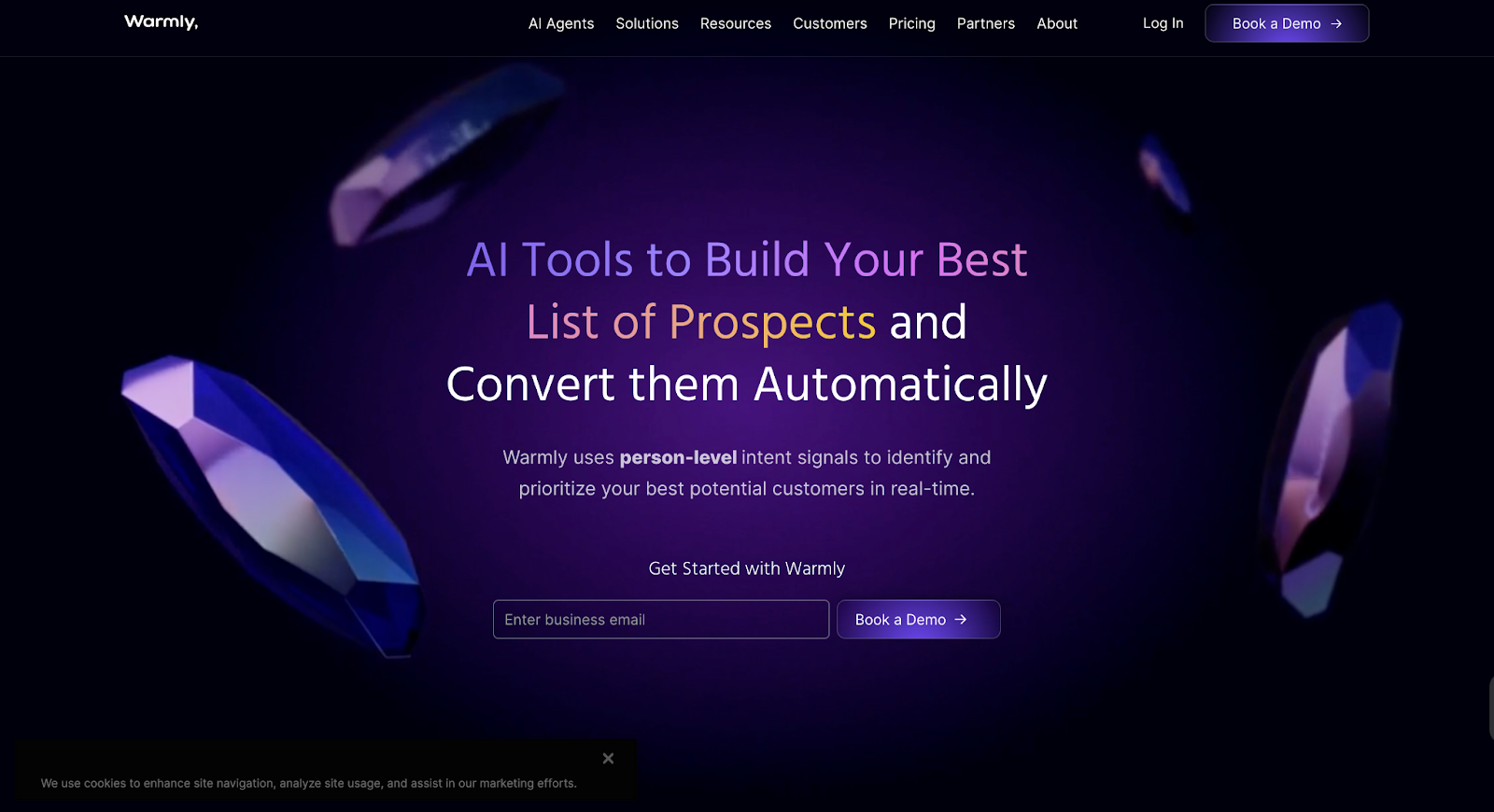
Warmly is an AI-powered sales orchestration platform that identifies anonymous website visitors, captures buying intent, and engages them automatically.
Core offerings:
- AI SDRs & AEs that run personalized outreach across email, LinkedIn, and chat.
- Multi-threaded engagement to scale conversations without extra headcount.
- Website chatbots that proactively engage visitors using real-time company data.
- Tech stack orchestration with Salesforce, HubSpot, LinkedIn, Slack, and more.
Limitations
- If you're looking for a product with more marketing-related use cases, Warmly may not be the best option.
- The pricing is higher than most of the tools on this list. Users have stated that it's a huge jump from the free plan

Pricing
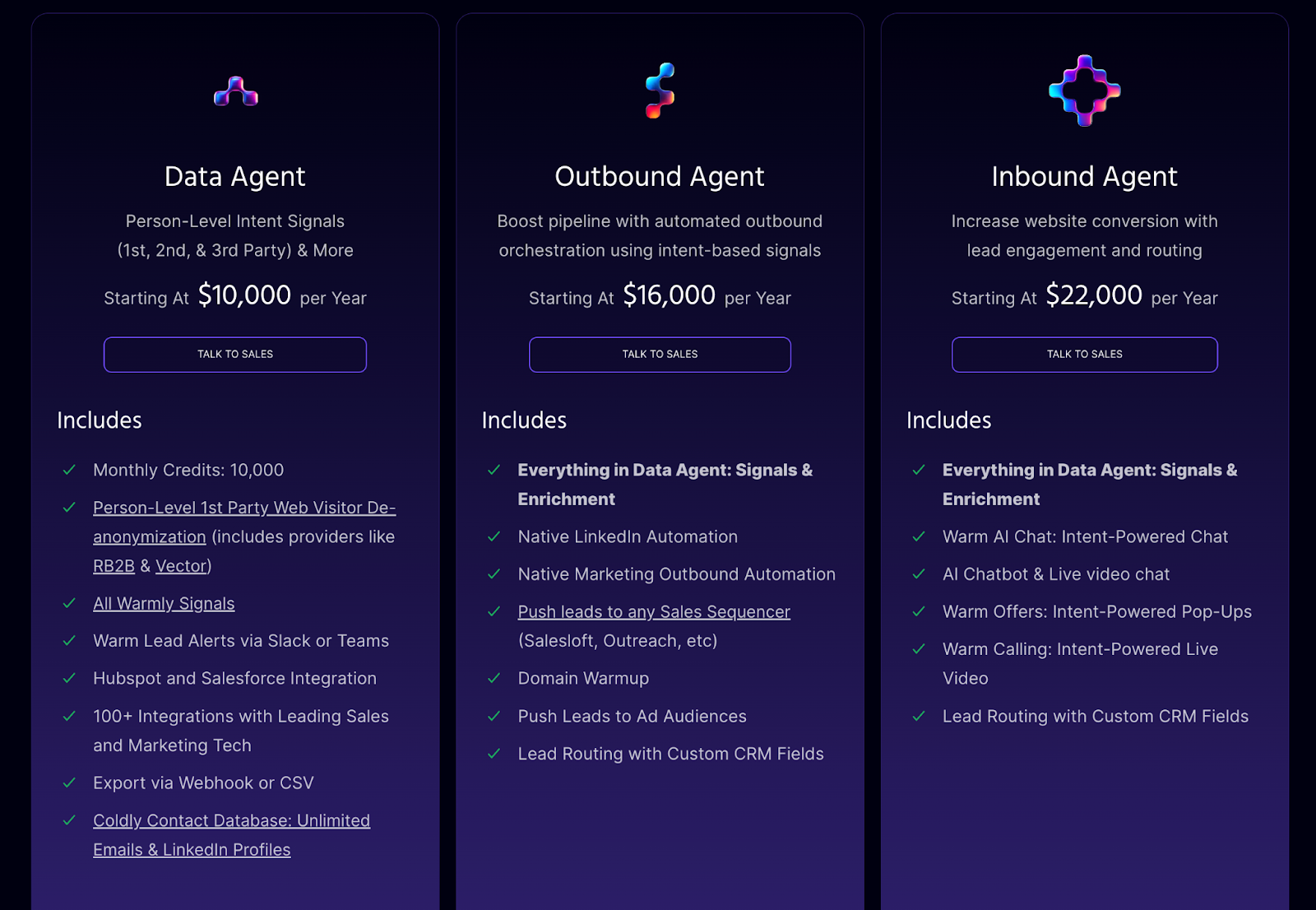
8. Zoominfo

ZoomInfo is a comprehensive B2B go-to-market platform that combines AI-driven automation with SalesOS, MarketingOS, and Copilot features to help sales and marketing teams identify high-intent prospects, enrich their CRM, and orchestrate multi-channel outreach. And for those needing a heavyweight, all-in-one GTM platform, ZoomInfo remains the most established player
Core Offerings:
- AI-Powered Account Intelligence: Use real-time insights to uncover key decision-makers, organizational changes, pain points, and usage trends, helping teams prioritize high-value accounts and expansion opportunities.
- CRM & Tech Stack Enrichment: Automatically enrich and cleanse contact and company records across your CRM and tech stack, keeping data accurate, compliant, and always sales-ready.
- Multi-Channel Outreach: Coordinate campaigns across email, LinkedIn, chat, and other channels, guided by AI-driven prioritization and buyer intent signals.
- Workflow Automation: Automate repetitive tasks, from lead routing to campaign execution, so reps can focus on building relationships and closing deals faster.
Limitations
- Multiple users on G2 have stated that the tool has a steep learning curve, which isn't ideal for agile marketing teams who want to use the platform for their day-to-day activities
- The contacts provided by the tool could be outdated, thus hampering your outreach efforts

Pricing
Since Zoominfo doesn't publicly display its pricing, you can learn about it here: ZoomInfo Pricing, Alternatives & Overview
9. 6sense
6sense is an enterprise-grade ABM platform that uses AI and predictive analytics to identify in-market accounts before they ever visit your website. It detects and analyzes 500B+ intent signals per month, making it one of the most data-rich intent platforms available.
Core Offerings
- Revenue AI: Predictive models that score and prioritize accounts based on buying stage and intent signals.
- Account Identification: Matches anonymous web traffic to accounts using a proprietary graph of company data.
- Intent Data: Tracks research activity across the web, not just your site, to surface accounts showing buying behavior.
- Orchestration: Automates multi-channel campaigns across ads, email, and sales outreach based on intent signals.
- Segments & Audiences: Build dynamic account lists for ABM campaigns based on intent, firmographics, and technographics.
Limitations
- Enterprise pricing makes it inaccessible for SMBs — typically $25K+/year.
- Steep learning curve and complex setup require dedicated RevOps resources.
- Some users report that the intent signals can be noisy at scale.
Pricing
6sense doesn't publicly list pricing. Plans are custom and typically start at $25K+/year. Contact their sales team for a quote.
10. Demandbase
Demandbase One is an account-based go-to-market platform that combines intent data, advertising, and sales intelligence into a single platform. It's built for mid-market and enterprise B2B teams running ABM programs.
Core Offerings
- Account Intelligence: Combines first-party and third-party intent data to identify accounts actively researching your category.
- ABX (Account-Based Experience): Orchestrates personalized experiences across ads, web, and sales touchpoints.
- B2B Advertising: Built-in DSP for targeting accounts with display and programmatic ads.
- Sales Intelligence: Provides account-level insights and alerts directly in CRM and sales tools.
Limitations
- Complex platform that requires significant onboarding and training.
- Pricing is enterprise-tier — not suitable for startups or SMBs.
- Some users report data accuracy issues with smaller or international accounts.
Pricing
Demandbase uses custom enterprise pricing. Contact their sales team for details.
11. Pocus

Pocus is an AI-powered revenue intelligence platform built for product-led growth (PLG) teams, combining product usage data, CRM insights, and buyer intent to surface high-value opportunities and automate workflow.
Core Offerings:
- Unified Account Intelligence: Aggregate internal and external signals, including product usage, emails, CRM notes, and structured/unstructured enablement content, to understand your accounts deeply and provide actionable insights.
- Timely Alerts & Smart Nudges: AI agents monitor accounts 24/7 to highlight relevant events like promotions, product launches, or strategic shifts, ensuring reps focus on the highest-intent opportunities without signal overload.
- Prescriptive Guidance & AI Recommendations: Suggests next-best actions, org charts, and engagement strategies while generating AI-powered drafts for LinkedIn, email, and cold call scripts, keeping reps focused on closing deals.
- Action Integration: Eliminates tab toggling and manual copy-pasting, allowing reps to act on insights with one click directly within Pocus.
- Customizable Playbooks: Tailor workflows to your GTM motion with PLG-specific playbooks, automating first-level reasoning, and scaling personalized engagement across accounts.
Limitations
- If your company doesn't lean into product-led growth, Pocus may not be the best fit.

- Many users point out problems like inaccurate data, mismatched details, and system bugs that make the platform harder to use

Pricing
As of now, Pocus does not publicly disclose its pricing information on its website. Check out their website for more.
12. Clay

Clay is an AI-powered workspace for prospecting that centralizes data, automates workflows, and helps GTM teams act on high-quality insights without bouncing between tools.
Core Offerings:
- Multi-Provider Data Enrichment: Access and combine data from 130+ sources, including contact information, firmographics, technographics, funding, and more, to ensure comprehensive lead coverage.
- AI Research Agents: Automate research at scale with agents that can flag fraudulent domains, summarize documents, score leads, and enrich SMBs, turning raw data into actionable insights.
- Intent Signal Tracking: Monitor customer events like job changes, promotions, funding announcements, and product news in real time, so you can time outreach perfectly and never prospect cold.
- Flexible, Automated Workflows: Build iterative GTM workflows with AI-powered conditional logic, routing, and multi-channel actions to push enriched data into any CRM, email sequencer, or other tool in your tech stack.
- CRM Enrichment & Maintenance: Keep your Salesforce or other systems up-to-date automatically, saving hours of manual work while improving outbound performance and campaign accuracy.
Limitations
- Clay uses credits for actions, which can get expensive as you scale.

- Steep learning curve for new users, many users find the platform complex and overwhelming until they're familiar with workflow logic and table structures.

Pricing
Clay offers credit-based pricing model without long-term contracts. For more, check their website.
13. Visitor Queue

Visitor Queue is a B2B lead generation and website visitor tracking tool that identifies the companies visiting your website and shows what pages they viewed, how long they stayed, and where they came from. It's a user-friendly, SMB-focused alternative used by companies in sales, marketing, and demand gen teams.
Why Visitor Queue is a good alternative to Koala
Visitor Queue is ideal if you're looking for a simpler, budget-friendly tool with strong lead enrichment features.
Its native integrations with CRMs like HubSpot and Salesforce make it easy to push account data into your pipeline without manual effort.
You also get access to firmographic filters to qualify leads faster.
Limitations
- There are fewer advanced features for deeper funnel analysis.
- UI and report customization options are limited compared to enterprise-level tools.
Pricing
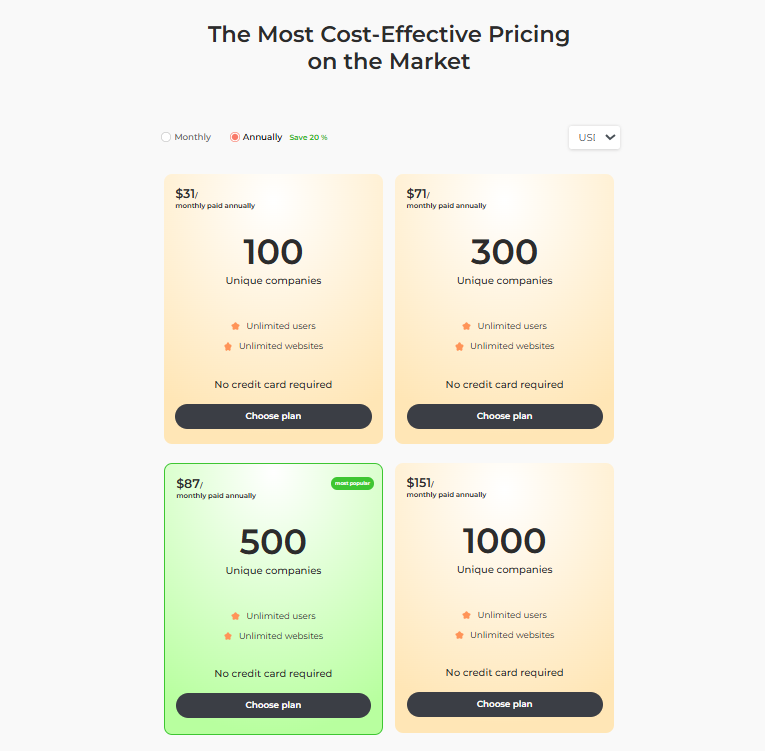
How to Choose the Right Koala Replacement
With so many options, here's a quick decision framework based on your team size and needs:
- Startup / SMB (under $500/mo budget): Start with Factors.ai or Snitcher for affordable visitor identification with intent signals.
- Mid-Market (sales + marketing alignment): Factors.ai or Common Room for multi-source intent data and workflow automation.
- Enterprise ABM: 6sense or Demandbase for predictive intelligence and large-scale orchestration.
- Sales-led outbound: ZoomInfo or Clay for contact databases combined with intent.
- Product-led growth: Pocus for product usage signals combined with buyer intent.
- Migrating from Koala specifically: Common Room (official migration partner, matching Koala's pricing tiers).
Why Factors is the Best Koala Alternative
If you've scrolled through this list, you might be wondering: "With so many options, what tool should I choose?" Well, Factors is a great choice here. Why? Because all the tools we've covered have their strengths, but Factors is built to solve real challenges B2B teams face every day, not just provide data.
With Factors, you're not juggling multiple dashboards or piecing together signals from different platforms. Everything lives in one place, along with the AI Agents that take action on the insights. That means your reps get real-time alerts, enriched leads, multi-threaded engagement, and custom GTM workflows without manual busywork. The platform also gives you full visibility into the customer journey, scoring accounts, tracking funnel progression, and pinpointing high-intent buyers, all tailored to your ICP.
We get it, other tools can enrich data or alert you to anonymous visitors, but most stop there. Factors goes a step further, combining AI-driven insights with actionable execution. It's not just about knowing what's happening; it's about knowing what to do next, and actually doing it.
In short, if your goal is to grow pipeline with confidence, automate tedious processes, and make smarter GTM decisions, Factors is designed to be your co-pilot, so your team can focus on strategy and revenue instead of manual tasks.
Speak to our team today to find out how you can best use intent data for your marketing campaigns.
In a Nutshell
With Koala shut down following its Cursor acquisition, B2B teams need a reliable replacement for intent data and visitor identification. The best alternative depends on your team size, budget, and GTM motion. For unified intent + execution in one platform, Factors.ai combines AI Agents, multi-source signals, and workflow automation. For enterprise ABM, consider 6sense or Demandbase. For a smooth Koala migration, Common Room is the official partner. Whichever tool you choose, prioritize multi-source intent signals, CRM integration, and actionable workflows over raw data.
FAQs on Koala Alternatives
Q1. What is Koala used for?
Koala is an AI-powered intent data platform that helps businesses identify high-potential prospects based on website activity and engagement.
Q2. Why look for a Koala alternative?
While Koala is a good entry-level tool, it lacks some features like multi-source intent signals, deeper integrations, and advanced workflow automation. Additionally, Koala was acquired by Cursor and shut down in September 2025, making a replacement essential.
Q3. Which are the best Koala alternatives in 2026?
Top Koala alternatives include Factors.ai, Common Room, Clearbit, Lead411, Dealfront (formerly Leadfeeder), Warmly, Snitcher, ZoomInfo, 6sense, Demandbase, Pocus, and Clay.
Q4. What features should I look for in a Koala alternative?
Key features include CRM integration, multi-platform intent signals (like LinkedIn or G2), lead scoring, enrichment, and customizable automations.
Q5. Is Koala suitable for enterprise marketing teams?
Koala may work for startups, but enterprises may find it limited in integrations, automation, and cross-platform intent visibility.
Q6. What happened to Koala (getkoala.com)?
Koala was acquired by Cursor (parent company Anysphere) in July 2025 and officially shut down by September 2025. The founding team partnered with Common Room to help customers transition.
Q7. Is Common Room the official Koala replacement?
Yes, Common Room is the official migration partner. They are matching Koala's existing pricing tiers for equivalent feature packages to make the transition easier.
Q8. What's the difference between Koala and Koala AI?
Koala (getkoala.com) was a B2B intent data and visitor identification platform for sales and marketing teams. Koala AI (koala.sh) is a separate AI writing tool. This article covers alternatives to getkoala.com.

Lead Generation vs Demand Generation: Definitions, Goals & Differences
Everything you need to know about lead generation and demand generation — including definitions, objectives, and differences.
TL;DR
- Demand generation educates, creates awareness, and tailors solutions, while lead generation showcases product benefits.
- Quality leads are vital, and marketers must prioritize efforts as customer journeys lengthen and costs rise.
- Harmonizing demand and lead generation strategies creates a robust marketing approach for growth.
- Demand generation sparks interest, while lead generation engages prospects, aiming to convert them.
- A successful demand gen campaign ensures qualified leads, while lead gen nurtures and converts prospects.
- Combining both strategies offers a seamless approach to customer acquisition and business growth.
- In an established market, prioritize lead generation; in a new category, focus on demand generation.
- Understanding lead types (MQLs, SQLs, PQLs) enables effective nurturing and conversions.
- Demand gen educates, and lead gen converts; their synergy drives modern marketing success.
Approximately 95% of the addressable market remains dormant, not actively seeking to purchase a product or service at any given time. This percentage of the market can be tapped with the help of demand-generation tactics. As for the remaining 5%, that can be tackled with lead generation.
Mastering the art of demand generation is critical to the success of any product or service. This systematic process not only raises awareness but also piques customer interest in the product, presenting your product as an irresistible solution tailored to meet the unique needs of potential customers. By identifying the target audience early on in the marketing funnel, businesses can effectively tailor their offerings to meet customer needs and preferences, ensuring continuous improvements in subsequent iterations.
Moving on to demand generation, as we saw above, it focuses on actively engaging with the 5% of potential customers who express interest in finding a solution. By using more direct language and communication methods, lead generation helps businesses capture and interact with these active consumers.
However, generating leads, especially high-quality ones, is no piece of cake. As customer journeys lengthen, advertising costs rise, and alternative channels for customer interactions emerge, marketers must carefully prioritize their efforts to succeed in lead generation.
To put it succinctly, demand generation targets passive customers, whereas lead generation focuses on actively engaging with potential consumers. By employing both strategies harmoniously, businesses can create a robust and successful marketing approach, driving growth and gaining a competitive edge in their industry.


Lead Gen vs Demand Gen: Laying the groundwork
What is lead generation?
Lead generation is focused on finding and attracting potential customers (or leads) for your business. The primary goal here is to procure vital contact information from interested individuals who have expressed an interest in your offerings. So, before immediately contacting eligible leads through sales calls, organizations may educate and nurture prospective consumers through dynamic channels such as landing pages, opt-in email lists, or even insightful content pieces. With these channels, organizations can effectively attract valuable prospects, and pave the way for converting them into paying customers.
An example of a lead generation strategy could be to offer a ‘free’ e-book in exchange for visitors' email addresses. By providing valuable content, your company captivates potential customers and establishes direct contact for further engagement with the customer.

Key Aspects of Lead Generation
- Targeted Engagement: With precision targeting, lead generation zeroes in on individuals who have already exhibited interest, increasing the likelihood of conversion.
- Conversion Optimization: The ultimate aim is to convert these prospects into leads by capturing their contact details, such as email addresses and phone numbers.
- Data-Driven Strategies: Employ advanced data analytics and tracking methods to measure campaign success and identify high-yield channels and tactics.
{{INLINE_BOFU}}
How does lead generation work?
It involves two key steps: initiating interactions with interested leads (potential prospects) and subsequently converting them into leads by obtaining their contact information.
To draw potential customers to your website, identify a winning strategy tailored to your business objectives and financial constraints. Some effective methods include:
- Search Engine Marketing (SEM)
- Search Engine Optimization (SEO)
- Social Media
- Display Ads
- Offline Events
Once visitors arrive on your website, the next step is to convert them into leads using various lead generation techniques. These methods aim to capture consumers' interest in your product or service, encouraging them to provide their contact details, often through the use of incentives known as "lead magnets."
Once a lead expresses interest in your offerings, it becomes a Marketing Qualified Lead (MQL). The digital marketing team then initiates nurturing campaigns, often leveraging marketing automation to send targeted emails and engaging content. Here, the goal is to educate and persuade prospects to transition into sales leads. This can happen through an inbound purchase on the company's website or by reaching out to a salesperson. In corporate sales, the sales team may directly contact potential customers to finalise the deal.
Also, read: Lead Enrichment
What is demand generation?
The systematic process of generating interest in a product or a service is known as demand creation. This process involves increasing product awareness and encouraging customers to explore the product or service as a potential solution to their needs. It also helps identify the target market and serves as the first step in the marketing funnel. What’s more, working on demand generation also helps businesses in understanding customer preferences that may be included in the product throughout subsequent revisions.
Let’s look at an illustrative example of Zendek Corp, a leading provider of industrial solutions, and see how demand generation can help even unconventional sectors. When launching its cutting-edge machinery for precision manufacturing, Zendek faced the challenge of reaching a niche audience in a highly specialized field. Unlike conventional consumer products, their solutions targeted a specific set of manufacturers requiring intricate equipment.
To address this, they strategically employed content marketing and industry partnerships to engage potential buyers. By creating informative whitepapers and hosting webinars that tackled the complexities of precision manufacturing, they positioned themselves as experts and thought leaders. This approach proved transformative, as it not only attracted over 10,000 industry professionals but also nurtured strong connections.
The campaign’s success wasn’t just measured in numbers; it led to partnerships and collaborations that further solidified Zendek’s position as an indispensable partner for manufacturers.
So, how are lead generation and demand generation different?
Demand generation primarily operates at the top of the funnel, focusing on raising awareness of your company and generating interest in your offerings.
On the other hand, lead generation comes into play at the middle and bottom of the funnel, nurturing qualified prospects and guiding them towards becoming customers.
Let’s look at the channels for lead generation
Lead generation channels are focused on capturing and converting interested prospects into concrete leads.
To understand this better, let’s assume you're a B2B software company specializing in project management solutions. You're eager to capture the attention of decision-makers in the engineering sector. To achieve this, you craft an in-depth eBook titled 'Streamlining Engineering Projects: A Comprehensive Guide to Efficient Project Management.' This resource delves into the challenges engineers face and presents effective solutions using your software.
Upon landing on your website, visitors are greeted with a well-designed web pop-up offering them this free eBook in exchange for their email addresses. This lead magnet not only promises valuable insights but also addresses a pain point specific to your target audience.
As prospects engage with your content, you leverage lead scoring to identify those displaying a high level of interest. This, in turn, triggers personalized follow-up emails offering case studies showcasing real-world success stories of engineering firms that benefited from your software.
Additionally, you employ retargeting techniques, displaying tailored ads across platforms to keep your solution top-of-mind. Now, social proof takes centre stage as you highlight testimonials from engineering companies praising the effectiveness of your software.
With CRM software in place, your sales team can seamlessly manage and nurture leads, ensuring no prospect falls through the cracks. A/B testing of email subject lines and content helps fine-tune your messaging for optimal engagement.
With this holistic approach, every tactic – from the initial lead magnet (eBook) to the nurturing emails – works in harmony to guide prospects towards a buying decision. The result? An engaged and well-informed audience that's not just interested in your product, but also trusts its ability to solve their challenges.
When it comes to lead generation, a few metrics that need to be kept in mind are:
- Lead quality
- Conversion rate
- Click-through rate (CTR)
- Total lead value
- Cost of acquisition (CAC)
- Cost per lead (CPL)
Channels for demand generation
Effective demand generation involves a mix of strategic channels and tactics to spark interest and raise awareness about your offering. Here's a quick breakdown of the channels where these strategies can be applied:
- Content that resonates with your audience: Craft insightful blog posts, eBooks, and videos that address your audience's pain points.
- Social media amplification: Leverage platforms like LinkedIn, Twitter, and Instagram to engage, educate, and initiate conversations.
- Engaging email campaigns: Reach out directly with personalized email content, nurturing leads through informative sequences.
- Search Engine Optimization (SEO): Optimize your content for search engines, ensuring your solution is discoverable when prospects seek answers.
- Webinars and interactive sessions: Host webinars to showcase your expertise and encourage real-time interactions.
- In-Person and virtual events: Participate in industry events and host virtual gatherings to connect with prospects.
- Influencer partnerships: Collaborate with industry influencers to expand your reach and credibility.
- Referral programs: Encourage satisfied customers to refer others, tapping into the power of word-of-mouth.
- Interactive content: Offer quizzes, calculators, and assessments to engage and provide value.
- Conversion-driven landing pages: Design landing pages that resonate and drive action.
- Free trials and demos: Offer hands-on experience with your product or service through free trials or demos, allowing potential customers to understand the value firsthand.
With these channels in your demand generation arsenal, you can seamlessly attract and engage potential customers, guiding them towards exploring your solution further.
A few metrics to remember concerning demand generation are:
- Brand lift
- Visibility
- Competitive analysis
- Brand awareness
- Sentiment analysis
- Content performance
While demand generation focuses on website traffic, brand awareness, social engagement, and content performance; lead generation focuses on landing pages, CTA, paid channels, as well as organic channels.
A successful demand generation campaign ensures that the leads generated are not only qualified but also genuinely interested in what your business has to offer. Meanwhile, by implementing lead generation techniques, you can effectively nurture and convert prospective customers into loyal, paying customers. So, naturally, the symbiotic relationship between demand generation and lead generation strengthens your overall marketing efforts and contributes to your business's success.
You may now be wondering, “Which tactic will help me achieve my company objectives the most effectively?”. Well, the answer is: Both! And that’s because you can't nurture quality leads and turn them into customers without first drawing them to your business. That is to say, demand generation directly aids lead generation.
But we’ll get into that right after we look at some important points of difference between lead generation and demand generation with regard to:
| Demand Generation | Lead Generation | |
|---|---|---|
| Goals | Enhances public awareness about your business and the solutions it provides. | Focuses on converting this generated demand into concrete leads. |
| Impact | - Establishes trust and authority -Positions your business as a thought leader in your industry. | - Helps highlight the USPs of your products and services - Showcases the advantages of your offerings, enhancing chances of conversions. |
| Channels | Demand generation tactics may include: - Content Marketing - Social Media Marketing - Email Marketing - Search Engine Optimization (SEO) - Webinars and Events - Influencer Marketing - Referral Programs - Interactive Content (Quizzes, Assessments) - Landing Pages Free Trials and Demos | Lead generation tactics may Include: - Lead Magnets (eBooks, whitepapers, case studies, other free resources) - Contact Forms - Live Chats - Lead Scoring - Retargeting/ Remarketing - Web Pop-ups - CRM Software - A/B Testing - Social Proof |
| Metrics | - Website traffic - Brand awareness - Social engagement - Content performance | - Quality of leads - Conversion rate - Clickthrough rate (CTR) - Total lead value - Cost of acquisition (CAC) - Cost per lead (CPL) |

The symbiosis of lead generation and demand generation: Why should businesses focus on both?
As you’ve probably noticed, it’s not lead gen vs demand gen – both are equally valuable. While focusing solely on demand generation may hinder your ability to close sales when your audience is actively seeking your product or service as a solution, working only on demand generation can bring in short-term cash but may not be best for long-term brand recognition, potentially impacting revenue in the long term.
The key to success lies in recognising that demand generation and lead generation are interconnected, and prioritising one over the other is irrelevant (and a disaster for business growth). Instead, businesses must focus on how these two approaches can be used in tandem to create a seamless customer acquisition plan – one that generates demand and nurtures prospective customers to turn them into paying customers.
The most effective approach to optimize marketing efforts is by combining strategies. For instance, offering free educational blogs can generate interest among consumers, prompting them to seek gated content in exchange for information such as email IDs. This way, you can engage and capture potential customers, building a valuable database for future marketing activities.
That said, businesses must seek to test and refine their strategies to achieve optimal results in the buyer's journey and inbound sales.
Does the market context matter?
In choosing the implementation strategy, it's of utmost importance to consider the context of the market. In an established market, if your competitive advantage is pricing, prioritize lead generation since the market demand already exists for the solution your business provides. This existing knowledge of the solution allows you to tap into potential customers who are actively seeking solutions. However, if you're pioneering a new category, focus on demand generation to create awareness and then generate leads.
When selecting your implementation strategy, the market context plays a pivotal role. In an established market, where your competitive advantage lies in pricing, prioritizing lead generation can be effective as the market already exhibits demand for the product. However, if you're breaking new ground in a nascent category, concentrating on demand generation becomes paramount. This approach ensures that awareness is first created, paving the way for subsequent lead generation.
Here’s an example to help you understand this better:
Meet InnovaSys: Elevating Industrial Automation
InnovaSys, a B2B industrial automation solutions provider, is aiming to make its mark in a competitive landscape. With cutting-edge solutions that enhance manufacturing efficiency, InnovaSys is venturing into a space where its technology is novel.
Recognizing the need to first generate awareness and establish thought leadership, InnovaSys embraces demand generation tactics. They host webinars, publish in-depth industry reports, and collaborate with influential trade associations to spotlight the advantages of their automation solutions. With this, InnovaSys aims to position itself as a trusted guide, driving curiosity and inquiry from potential clients.
Meet EngiTech: Transforming Data Analytics
On the other side of the spectrum, EngiTech, a B2B data analytics startup, is entering a market brimming with established players. Their unique selling proposition lies in an upgraded and revolutionary data aggregation and visualization tool that significantly streamlines decision-making for businesses.
In this scenario, where the demand for their tool is evident, EngiTech directs its efforts towards lead generation. They harness the power of targeted LinkedIn outreach, engaging with decision-makers who are actively seeking solutions to their data challenges. Additionally, EngiTech partners with industry influencers to amplify their reach among relevant circles.
In the case of both InnovaSys and EngiTech, the chosen strategy aligns with their respective market contexts. InnovaSys embarks on demand generation to pave the way for recognition and interest in their novel automation solutions. Meanwhile, EngiTech capitalizes on existing demand by focusing on lead generation to directly connect with businesses in need of their specialized data analytics tool
Types of Leads & Their Relevance
Understanding the nuances of different types of leads enables companies to implement targeted lead nurturing strategies, ensuring the right message reaches the right audience at the right stage of the buyer's journey. This empowers businesses to maximize their conversion rates, optimize marketing ROI, and ultimately, achieve long-term success. As you may agree, not all leads are created equal, and each type represents a different level of engagement and readiness to make a purchasing decision. By distinguishing between SQLs, MQLs, and PQLs, businesses can effectively prioritize their efforts, customize their approach, and allocate resources wisely.
Understanding SQLs, MQLs, and PQLs: Nurturing Leads for Successful Conversions
- Marketing qualified lead (MQL):
- MQLs are leads that have been identified as potential customers based on their engagement and interest in the company's offerings.
- They have shown interest in the company's products or services, but they may not be fully ready for direct sales outreach.
- Lead nurturing plays a critical role in converting MQLs into SQLs, as it involves providing them with valuable and relevant content, and guiding them through the decision-making process.
- Sales-qualified lead (SQL):
- SQLs are leads that have been contacted, evaluated and deemed ready by the sales team.
- They have shown a strong intent to purchase and are likely to be in the later stages of the buyer's journey.
- The sales team can focus on converting SQLs into customers by understanding their specific needs and providing personalized solutions.
- Product-qualified lead (PQL):
- PQLs are leads that have experienced the product or service through free trials, demos, or other product interactions.
- These leads have already demonstrated an interest in the product's value and are more likely to be ready for sales engagement.
- PQLs can be a valuable source for SQLs since their experience with the product sets them apart from traditional MQLs.
As you can tell, these strategies are not mere buzzwords but indespensible instruments that shape how your business engages with its audiences.
Summing it up, demand generation becomes the guiding light, casting awareness and curiosity over a broad spectrum. It's about educating, sparking conversations, and carving a space for your brand to thrive. While lead generation showcases your product's strengths, resonates with a specific audience, and cultivates relationships that turn into loyal partnerships. The intertwined relationship between these strategies defines the success trajectory of modern businesses, drawing potential clients closer and transforming them into valued patrons.
As modern marketers, the true power lies not just in understanding the nuances of these two strategies, but in recognizing their synergy. It's a mix of education and distinction that fuels the marketing engine.
Ready to enhance your lead gen or demand gen strategy for optimal tracking and performance? Discover how Factors can streamline implementation and drive results. Get in touch and let’s get started today.
Demand generation focuses on building awareness and interest among passive prospects, while lead generation captures and nurtures active buyers who are ready to engage. Demand gen works at the top of the funnel, using educational content to establish trust and increase brand visibility. On the other hand, lead gen is geared toward converting that interest into qualified leads through targeted outreach and gated assets.
Combining both strategies ensures a balanced pipeline—demand gen fuels long-term growth, while lead gen drives immediate conversions. Factors.ai enhances this synergy by offering tools that capture cross-channel intent signals, automate workflows, and optimize campaign performance, empowering businesses to leverage both strategies effectively.
FAQs
1. What is a B2B demand generation strategy?
A B2B demand generation strategy is a comprehensive plan and set of actions implemented by a business to create and stimulate interest and demand for their products or services among other businesses or organizations. This strategy involves a series of marketing and sales tactics aimed at attracting and engaging potential buyers throughout the buyer's journey, ultimately leading them to express interest, make inquiries, or request further information. The goal of a B2B demand generation strategy is to generate high-quality leads and drive business growth by converting those leads into customers.
2. What is B2B lead generation?
B2B lead generation is the process of identifying and attracting potential business customers (other businesses or organizations) who have expressed interest in the products or services offered by a company. This process involves targeted marketing and sales strategies designed to generate high-quality leads that can eventually be converted into profitable business relationships.
3. What are the three stages of lead generation?
It's essential to organize your marketing funnels around the three lead-generation phases:
Awareness: This stage involves creating awareness about a product, service, or brand among the target audience through various marketing efforts.
Interest: In this stage, potential leads express interest by engaging with the provided content or showing intent to learn more about the offering.
Conversion: The final stage focuses on converting interested prospects into actual leads by encouraging them to take a specific action, such as purchasing or providing contact information for further follow-up.
Lead Generation 101
Explore how Factors enhances lead generation with AI insights, customer journey analytics, and campaign optimization.
TL;DR
- Key Strategies:
- Generate Leads: Use content, SEO, social media, email, webinars, and PPC.
- Prospect Leads: Research and engage leads through outreach methods.
- Challenges & Solutions:
- Quality Leads: Use detailed buyer personas and personalized content.
- Data: Enrich lead info for better insights.
- Automation: Balance with personal touch.
- Follow-Ups: Use CRM tools for efficient management.
- Best Practices:
- Create detailed buyer personas.
- Use data analytics for insights.
- Optimize your website with clear CTAs.
- Implement lead scoring.
- Nurture leads with targeted content.
- Combine automation with personalization.
- Continuously test and optimize strategies.
Lead generation and lead prospecting are foundational aspects of a successful business strategy. They are the processes through which businesses identify potential customers and engage them to convert them into loyal clients. The importance of these processes cannot be overstated, as they directly impact revenue growth, customer acquisition, and overall business success.
Over time, lead generation and prospecting have evolved significantly. With advancements in technology and data analytics, businesses now have more sophisticated tools at their disposal to identify, engage, and convert leads. However, despite these advancements, the fundamental principles of lead generation and prospecting remain the same: understanding your audience, engaging them effectively, and nurturing them through the buyer's journey.
But First Things First - Let’s Understand Lead Generation
Lead generation attracts and converts strangers and prospects into customers who have expressed interest in your company's product or service. It is an essential part of the sales funnel, laying the foundation for all subsequent sales and marketing efforts.
Lead Generation Process
The lead generation typically begins with attracting visitors to your website or business through various marketing strategies. These strategies may include content, social media, email, and SEO. Once these visitors are on your site, the next step is to convert them into leads by collecting their contact information, usually through a form or landing page.
A lead is an individual or organization that shows interest in your product or service in some way. Typically, a lead provides their contact information in exchange for something of value, such as an eBook, a free trial, a webinar, or other educational content. This is where the lead generation process transitions into lead nurturing, aiming to move the lead down the sales funnel toward a purchase decision.
Also Read: Lead Generation vs. Demand Generation
{{INLINE_TOFU}}
Key Lead Generation Strategies
- Content Marketing:
According to the Content Marketing Institute, 70% of B2B marketers create more content than one year ago, highlighting its importance in attracting and engaging potential leads. The key is to produce content that resonates with your audience’s needs and interests and offers solutions to their problems.

- Search Engine Optimization (SEO):
SEO is optimizing your website and content to rank higher in search engine results pages. The higher your ranking is, the more visibility and organic traffic you get. An effective SEO strategy involves keyword research, on-page optimization, and building quality backlinks. According to a study by BrightEdge, organic search drives 53% of all website traffic, making it a critical component of lead generation.
- Social Media Marketing:
Social media platforms like LinkedIn, Twitter, and Facebook offer powerful tools for lead generation. Businesses can attract potential leads by sharing valuable content and engaging with followers. In fact, LinkedIn is 277% more effective for lead generation than Facebook or Twitter.
- Email Marketing:
Email marketing remains one of the most effective lead-generation strategies. By offering valuable content in exchange for email addresses, businesses can build a list of leads to nurture over time.
Did you know?
Email marketing has an average return on investment (ROI) of $42 for every $1 spent, demonstrating its effectiveness in lead generation.
- Webinars and Virtual Events:
Hosting webinars and virtual events can be an excellent way to generate leads. These events allow businesses to showcase their expertise, build relationships with potential customers, and collect valuable lead information during registration. Believe us when we tell you that 73% of B2B marketers and sales leaders say a webinar is the best way to generate high-quality leads!
- Pay-Per-Click (PPC) Advertising:
PPC advertising, particularly on platforms like Google Ads, can drive targeted traffic to your website. By bidding on specific keywords, businesses can ensure their ads appear when potential leads search for related products or services. Although PPC requires a financial investment, it can yield immediate results, making it a valuable tool in the lead generation arsenal.
What is Lead Prospecting?
Once leads are generated, the next critical step is lead prospecting. While lead generation focuses on attracting leads, lead prospecting is about actively reaching out to those leads to qualify them and move them down the sales funnel.
Lead prospecting involves identifying potential leads, researching them, and initiating contact through various outreach methods. The goal is to engage these leads, assess their needs, and determine their potential to become paying customers.
Also, read more about lead enrichment in B2B.
The Difference Between Lead Generation and Lead Prospecting

While lead generation and lead prospecting are closely related, they serve different purposes within the sales funnel:
- Lead Generation
Focuses on attracting potential customers through inbound marketing strategies, such as content marketing, SEO, and social media marketing. The goal is to generate interest and capture contact information.
- Lead Prospecting
Involves actively searching for potential customers through outbound activities, such as cold calling, emailing, and networking. The goal is to identify and engage with leads, qualifying them for further sales efforts.
Challenges in Lead Generation and Lead Prospecting
Despite the importance of lead generation and prospecting, both processes have their own set of challenges. Understanding and addressing these challenges is crucial for optimizing sales and marketing efforts.
1. Generating High-Quality Leads
One of the most significant challenges in lead generation is attracting interested leads who are likely to convert into paying customers. This challenge often arises from a need for more understanding of the target audience. Detailed buyer personas can help tailor marketing efforts to attract the right leads. Additionally, focusing on quality over quantity in content marketing and SEO efforts can help attract more relevant leads.
2. Insufficient Information For Prospecting
For lead prospecting, a significant challenge is often the lack of detailed information about the lead before making contact. This can make outreach efforts feel generic and less effective. Businesses can use data enrichment tools to gather more information about leads before initiating contact to address this challenge. These tools can provide valuable insights into a lead’s company, job role, industry, and recent activities, allowing for more personalized and effective outreach.
3. Balancing Automation with Personalization
Automation tools have made it easier to scale lead generation and prospecting efforts. However, over-reliance on automation can make interactions feel impersonal, which can turn potential leads away. Striking the right balance between automation and personalization is crucial. For example, while automated emails can help maintain contact with a large number of leads, they should be personalized to address the specific needs and interests of the recipient.
4. Follow-Up Fatigue
Following up is critical in lead prospecting, with research showing that 80% of sales require five follow-ups after the initial contact. However, managing multiple follow-ups can be exhausting and time-consuming for sales teams, especially when dealing with many leads. CRM systems can help automate follow-up reminders and track interactions to ensure no lead falls through the cracks.
Tips for Lead Generation and Lead Prospecting
It's important to follow best practices to overcome these challenges and optimize your lead generation and prospecting efforts. These practices can help you attract more high-quality leads, engage your leads more effectively, and ultimately close more deals.
1. Build Detailed Buyer Personas
Creating comprehensive buyer personas is crucial for both lead generation and prospecting. These personas help you understand your audience’s pain points, goals, and decision-making processes, allowing you to tailor your content and outreach strategies effectively.
When developing buyer personas, consider demographic information, job roles, challenges, and buying behaviors. This information can be gathered through customer surveys, interviews, and CRM data analysis. The more detailed and accurate your buyer personas, the more targeted and effective your lead generation and prospecting efforts will be.
2. Leverage Data and Analytics
Data-driven strategies are essential for optimizing lead generation and prospecting. By leveraging data and analytics, you can gain valuable insights into your audience’s behavior, preferences, and engagement with your brand. Tools like Google Analytics, CRM systems, and marketing automation platforms provide a wealth of data that can be used to refine your strategies.
For lead generation, analytics can help you understand which content and channels drive the most traffic and conversions. For prospecting, data can be used to identify the most promising leads, track engagement, and personalize outreach efforts.
3. Optimize Your Website for Lead Generation
Your website is often the first point of contact for potential leads, making it a critical component of your lead generation strategy. To maximize lead generation, your website should be optimized to capture visitor information and convert it into leads.
This involves using clear and compelling calls-to-action (CTAs), offering valuable content in exchange for contact information, and ensuring that your forms are user-friendly. Additionally, your website should be mobile-friendly and optimized for speed, as these factors can significantly impact user experience and conversion rates.
4. Implement Lead Scoring
Lead scoring is a powerful tool for prioritizing leads and focusing your sales efforts on the most promising prospects. By assigning a numerical value to each lead based on engagement and behavior, you can identify which leads are most likely to convert. Factors influencing lead scores include website visits, content downloads, email opens, and social media interactions.
5. Nurture Leads with Targeted Content
Lead nurturing is developing relationships with your leads through targeted and personalized content. This is particularly important for leads who are not yet ready to purchase. By providing valuable information and addressing their pain points, you can guide them through the buyer’s journey and move them closer to a purchase decision. Email marketing is one of the most effective lead-nurturing strategies. You can send personalized content that resonates with each lead by segmenting your email list based on lead behavior and interests.
6. Use Automation Wisely
Marketing automation tools can streamline lead generation and prospecting efforts, allowing you to manage large volumes of leads more efficiently. Automation can be used for email marketing, social media scheduling, lead scoring, and CRM management. However, using automation wisely is important to avoid making interactions feel impersonal.
To maintain a personal touch, use automation to handle repetitive tasks, such as sending follow-up emails or scheduling social media posts, while still personalizing your messages based on lead data. By combining automation with personalization, you can scale your efforts without sacrificing the quality of your interactions.
For example, SendPulse offers their chatbots in combination with the live chat function so that a human can take over the conversation and help with customer queries.
7. Continuously Test and Optimize
Lead generation and prospecting strategies should be continuously tested and optimized for better results. A/B testing, in particular, is a valuable method for identifying what works and what doesn’t. You can determine which elements drive the most engagement and conversions by testing different versions of your CTAs, landing pages, emails, and content.

Here’s What The Future of Lead Generation and Prospecting Looks Like
As technology evolves, so do the methods and tools used for lead generation and prospecting. Emerging trends such as artificial intelligence (AI), machine learning, and predictive analytics are set to revolutionize these processes, making them more efficient and effective.
AI and Machine Learning
AI and machine learning are already used to enhance lead generation and prospecting. These technologies can analyze vast amounts of data to identify patterns and predict which leads will most likely convert. AI-powered chatbots, for example, can engage with website visitors in real-time, answering questions and capturing lead information even when sales teams are unavailable.
Machine learning algorithms can also improve lead scoring by continuously learning from past interactions and refining the scoring model to be more accurate. As these technologies advance, they will be increasingly important in automating and optimizing lead generation and prospecting efforts.
Predictive Analytics
Predictive analytics involves using historical data and statistical models to predict future outcomes. In lead generation and prospecting, predictive analytics can be used to forecast which leads are most likely to convert and when they are likely to do so. This allows sales teams to prioritize their efforts and focus on the most promising leads at the right time. As predictive analytics tools become more accessible, they will become a standard part of the lead generation and prospecting toolkit.
Account-Based Marketing (ABM)
Account-based marketing (ABM) is a targeted approach to lead generation and prospecting that focuses on key accounts rather than individual leads. ABM involves identifying high-value accounts and creating personalized marketing campaigns specifically for those accounts. This approach is efficient for B2B companies with complex sales cycles and high-value customers. As businesses adopt ABM, it will become an essential strategy for generating and nurturing high-quality leads.
How Factors Can Help
Factors is an advanced marketing analytics platform designed to help businesses gain deeper insights into their marketing efforts, particularly in understanding customer journeys and optimizing campaign performance. Here’s how Factors can specifically support your lead generation and prospecting strategies:
- Customer Journey Analytics
Factors excels in providing detailed customer journey analytics. By tracking interactions across multiple touchpoints, the platform helps businesses understand the path a prospect takes before converting. This insight allows you to tailor your marketing and sales strategies to meet prospects at the right stage in their journey, ultimately increasing conversion rates.
- Multi-Touch Attribution
One of Factors's standout features is its multi-touch attribution capabilities. This feature enables businesses to credit various marketing activities that contribute to a conversion. By understanding which channels and tactics are most effective at different stages of the customer journey, you can optimize your marketing spend and focus on the efforts that yield the highest return on investment (ROI).
- Campaign Performance Insights
Factors provides in-depth insights into campaign performance, helping marketers identify which campaigns drive results and which need adjustment. The platform’s analytics tools allow you to monitor key metrics, understand the impact of your marketing strategies, and make data-driven decisions to improve overall campaign effectiveness.
- Customizable Dashboards
The platform offers customizable dashboards, which allow users to create views that align with their specific business goals. Whether you want to focus on tracking the performance of specific campaigns or monitoring the overall health of your marketing funnel, Factors’s dashboards provide the flexibility to visualize the data that matters most to you.
- Integration Capabilities
Factors supports integration with various CRM and marketing tools, allowing for seamless data synchronization across platforms. This ensures that all your marketing and sales data is unified, enabling better collaboration and more informed decision-making.
- AI-Driven Insights
The platform leverages AI to analyze customer behavior and provide actionable insights. By identifying patterns and trends in your data, Factors helps you uncover opportunities to optimize your marketing strategies, improve lead quality, and enhance overall business outcomes.
Lead generation fuels business growth by attracting and converting qualified prospects.
1. Core Strategies: Content marketing, SEO, social media engagement, and lead magnets.
2. Audience Focus: Tailor efforts to target needs and deliver real value.
3. Strategic Benefits: Build a strong sales pipeline, improve conversion rates, and drive sustained growth.
A well-executed lead generation strategy lays the foundation for long-term customer acquisition success.
In a Nutshell
Lead generation and lead prospecting are critical components of a successful sales strategy. While lead generation focuses on attracting potential customers through inbound marketing, lead prospecting involves actively reaching out to those leads to qualify them and move them through the sales funnel. Both processes are essential for building a pipeline of high-quality leads that can be converted into loyal customers.
Businesses can optimize their lead generation and prospecting efforts by implementing best practices such as building detailed buyer personas, leveraging data and analytics, optimizing their website, and using automation wisely. Factors is a powerful tool for businesses looking to enhance their lead generation and prospecting efforts through better data analysis and insight generation. The platform provides the tools necessary to optimize marketing strategies and drive better results by focusing on customer journey analytics, multi-touch attribution, and campaign performance.
Lead Generation KPIs: The Metrics That Matter for Optimizing Your Strategy
Discover the key lead generation KPIs every business should track to improve campaign performance, boost ROI, and drive growth. Learn how Factors automates KPI tracking for better results.
TL;DR
- Lead Generation KPIs are vital for evaluating the effectiveness of your marketing strategies and ensuring sustained business growth.
- Key KPIs include Attribution, which tracks touchpoints across the customer journey; Cost Per Lead (CPL), which measures the efficiency of lead generation campaigns; and Customer Acquisition Cost (CAC), which determines the total investment required to convert a lead into a customer.
- Other important metrics like Lead Conversion Rate (LCR), Customer Lifetime Value (CLV), and Time to Conversion help refine strategies and increase ROI.
- Factors offer automation and AI-powered analytics to simplify tracking. They enable businesses to track KPIs with real-time data, improve multi-touch attribution, and gain predictive insights for more effective decision-making.
Lead generation is like the fuel that keeps your business engine running. But here’s the thing - getting leads is just the start. It’s like having all the ingredients for a great dish, but you still need to cook it right! To truly grow your business, you’ve got to keep tweaking and optimizing your strategy.
That’s where Lead Generation KPIs (Key Performance Indicators) come in. Think of them as your marketing GPS - they guide you with data-driven insights, helping you figure out what’s working, what’s not, and where to head next. Without them, you’re flying blind!
Effective lead generation KPIs answer critical questions such as:
- Are your campaigns targeting the right audience?
- How effective is your sales funnel?
- Are you getting a positive return on investment (ROI)?
- Where are the gaps in your lead nurturing efforts?
This blog covers the key metrics that help marketers refine their strategies and drive better results.
Why Lead Generation KPIs Matter
Lead generation goes beyond accumulating contacts—it’s about attracting qualified prospects who have the potential to become long-term customers. In today’s competitive market, companies need to track and analyze performance metrics to determine which campaigns are delivering results and which are failing.

Lead Generation KPIs provide critical insights into your marketing activities, helping to:
- Optimize Campaigns in Real Time: With the right data, you can identify what’s working and quickly adjust strategies for better performance.
- Enhance Sales and Marketing Alignment: KPIs like lead quality and conversion rates ensure the marketing team generates leads that the sales team can convert.
- Improve ROI: Tracking KPIs such as cost per lead (CPL) and customer acquisition cost (CAC) ensures that marketing dollars are being spent effectively.
- Forecast Growth: KPIs like average lead value and customer lifetime value help companies predict future revenue based on current lead generation efforts.
Let’s dive deeper into the most critical KPIs that should be on every marketer’s radar.
Top Lead Generation KPIs to Track
1. Cost Per Lead (CPL)
CPL is one of the most fundamental KPIs for assessing the cost-effectiveness of your lead generation campaigns. It is calculated by dividing the total marketing spend by the number of leads generated. A high CPL could indicate that your campaigns are inefficient or do not target the right audience.
For example, if you spend $5,000 on a Google Ads campaign and generate 100 leads, your CPL is $50. Comparing CPL across channels (such as paid search, social media, or organic efforts) helps you identify which marketing channels provide the best ROI.
- Why it matters: A low CPL indicates efficient lead generation, while a high CPL may highlight a need to revisit campaign strategies or targeting efforts.
2. Customer Acquisition Cost (CAC)
CAC goes beyond CPL by calculating the total cost of converting a lead into a customer. It includes all marketing expenses, sales efforts, and customer onboarding costs. This KPI is calculated by dividing your total marketing and sales costs by the number of new customers gained over a specific period.
For example, if your company spent $20,000 and gained 40 new customers, your CAC would be $500.
- Why it matters: CAC allows businesses to assess the efficiency of their sales funnel. A rising CAC may signal inefficiencies in lead nurturing or gaps in the sales process.

3. Lead Conversion Rate (LCR)
The Lead Conversion Rate measures the percentage of leads that convert into customers. To calculate LCR, divide the number of conversions by the total number of leads and multiply by 100. For instance, if you generate 1,000 leads and 50 of them become paying customers, your LCR is 5%.
- Why it matters: LCR is crucial because it indicates the overall efficiency of your lead generation strategy. A low conversion rate could signal a disconnect between marketing and sales or gaps in your lead nurturing process.
4. Average Lead Value (ALV)
ALV helps estimate the potential revenue each lead could generate. This KPI is calculated by dividing your total revenue by the number of leads. For example, if you earned $1,000,000 from 1,000 leads, the ALV would be $1,000.
- Why it matters: ALV provides insight into the financial value of your lead generation efforts and helps align your strategy with revenue goals.
5. Customer Lifetime Value (CLV)
CLV predicts a customer's total revenue over their relationship with your business. It’s calculated by multiplying the average customer lifespan by the average monthly revenue per customer minus the CAC. For instance, if a customer typically spends $200 per month for two years, with a CAC of $500, their CLV would be $4,300.
- Why it matters: Understanding CLV helps businesses forecast revenue and determine how much to invest in acquiring new customers.
6. Time to Conversion
This metric measures the average time it takes for a lead to move through the sales funnel and convert into a paying customer. A shorter time to conversion indicates that your sales process is efficient, while a longer time could indicate bottlenecks in lead nurturing or sales engagement.
For instance, if a lead takes an average of 60 days to convert, you can analyze touchpoints to identify where delays occur.
- Why it matters: A long time to conversion can indicate inefficiencies in your lead nurturing strategy or friction in your sales process.
7. Return on Ad Spend (ROAS)
ROAS measures the revenue generated from your advertising campaigns for every dollar spent. It’s calculated by dividing total revenue generated from ads by the amount spent on those ads. For example, a ROAS of 5:1 means that your business earned $5 in return for every dollar spent on advertising.
- Why it matters: ROAS helps marketers assess the effectiveness of their advertising campaigns, identify high-performing channels, and ensure that ad spend drives meaningful revenue.
8. Monthly Recurring Revenue (MRR)
For companies with subscription-based business models, MRR is an essential KPI that measures the total predictable revenue generated from subscriptions each month. MRR is calculated by multiplying the number of active subscribers by the average subscription price.
- Why it matters: Tracking MRR provides businesses with a clear view of their revenue streams, helping with financial planning and growth forecasting.
9. Web Traffic and Lead Quality
While web traffic is not a direct indicator of lead quality, it’s still an important metric for understanding how your marketing campaigns drive interest. High web traffic with low conversions could mean your targeting or content strategy needs refinement. On the other hand, low traffic with high-quality leads suggests that your messaging is resonating with the right audience.
- Why it matters: High-quality web traffic leads to more meaningful interactions, better leads, and higher conversion rates.
{{INLINE_MOFU}}
Optimizing Lead Generation with Factors
While tracking KPIs manually can be time-consuming, tools like Factors make the process seamless. Factors automates KPI tracking and provides in-depth analytics on customer journeys, lead attribution, and campaign performance. By utilizing artificial intelligence, the platform helps businesses identify trends, predict future outcomes, and adjust strategies in real-time.
Some key features of Factors include:
- Multi-touch Attribution: Factors tracks every interaction across a lead's journey, allowing you to see which channels and content drive the most conversions.
- Real-time Analytics: The platform provides real-time insights, enabling marketers to make data-driven decisions on the fly.
- Predictive Analytics: Factors uses AI to predict future trends, helping businesses forecast revenue and identify high-value leads.
- Customizable Dashboards: Marketers can create custom dashboards to track the KPIs that matter most to their business.
Businesses can optimize their lead generation strategies by leveraging Factors, ensuring every marketing dollar is spent efficiently and effectively.
Additionally, Factors offers several powerful tools to enhance ABM and lead generation efforts:
- AdPilot: Automates ABM advertising to ensure high-value accounts are targeted with personalized content at the right time.
- Segments: Provides detailed insights into precisely defined customer segments, enabling more accurate targeting and engagement.
- Workflows: Streamlines marketing and sales processes by automating key tasks and optimizing team collaboration for better efficiency and faster results.
Businesses can optimize their lead generation strategies by leveraging Factors, ensuring every marketing dollar is spent efficiently and effectively.
In a Nutshell
Lead generation is the backbone of business growth. It ensures a steady influx of potential customers and drives sales opportunities.
Integrating advanced tools like Factors can significantly simplify the KPI tracking and optimization process. Factors automates the measurement of important KPIs, provides in-depth analytics, and offers AI-driven insights into trends and campaign performance. With its multi-touch attribution and real-time analytics capabilities, businesses can quickly identify which marketing strategies work and make data-driven decisions to improve lead quality and conversion rates.
By leveraging the power of such advanced tools, companies can ensure that every marketing dollar is spent efficiently, resulting in higher returns on investment (ROI). These insights empower businesses to optimize their lead generation strategies continuously, leading to better short-term outcomes, long-term growth, and sustainability.
Proper tracking, optimization, and AI-powered tools like Factors enable businesses to refine their lead generation process, improving lead quality, increasing conversion rates, and ultimately driving sustained business success.

Lead-Based Marketing: The B2B Approach to Smarter Demand Generation
Learn how lead-based marketing powers B2B demand generation: sourcing, scoring, and converting high-value leads into revenue.

TL;DR
- Lead-based marketing prioritises high-intent, high-fit leads instead of raw traffic.
- The B2B buyer journey is multi-stakeholder and nonlinear, requiring long-term nurturing and intent tracking across 4 stages: Awareness → Consideration → Decision → Purchase.
- Lead sourcing works when inbound (SEO, content, webinars, LinkedIn) and outbound (events, cold outreach, firmographic/technographic targeting) align with clean data and a clear ICP.
- Lead scoring and qualification (BANT + behaviour-based signals) flag leads as MQLs, SQLs, and PQLs. Only sales-ready leads reach the sales team.
- Demand gen creates interest; lead-based marketing converts it into opportunities with a combination of intent data and automation.
- Conversion rate optimization (CRO) across landing pages, emails, CTAs, and forms can minimize user-end friction and transform MQLs into SQLs and real opportunities.
- Platforms like Factors.ai unify ads, website activity, CRM data, and intent signals into one timeline. This improves lead sourcing, prioritisation, routing, and revenue attribution.
B2B marketers, are you swimming in data, tools, dashboards, and traffic, and still being asked, “Why are we not converting more pipeline?”
You’ve got clicks, impressions, and thousands of website visits. But it’s not enough, is it?
That’s because healthy conversion rates come from qualified leads, i.e., the right people, with the right intent, caught at the right time.
Finding these people requires lead-based marketing.
Consider this the next step in the evolution of lead generation strategies. Marketing and sales teams are quickly realizing that even a few sales-qualified leads can deliver more predictable revenue and growth than thousands of clicks that go nowhere.
This article dives into the modern-day lead generation process, and how it helps narrow the target audience, find potential customers, and zero in on high-quality leads.
What is Lead-Based Marketing? (Lead Marketing Definition)
Lead marketing (or lead-based marketing) is a structured, data-based process of finding, nurturing, and converting qualified leads. Lead generation efforts chase the leads most likely to yield a sale, instead of just boosting raw traffic or impressions.
In a sales funnel, each marketing qualified lead is scored and segmented into MQL (Marketing Qualified Lead), SQL (Sales Qualified Lead), or PQL (Product Qualified Lead) to indicate their readiness for purchase.
Here’s a simple workflow: Marketing Signals → Lead Scoring → Handoff to Sales → Opportunity
Teams start with finding “leads in marketing” (meets your criteria and is showing positive behaviour) and transition to “lead sales” (passed to sales for outreach).
Marketing efforts create interest, scoring & qualification ensure the right leads move forward, and sales closes the deal.
Understanding the B2B Lead Journey (Qualified Leads + Marketing Campaigns)
The B2B buyer journey is non-linear. You juggle multiple stakeholders, long sales cycles, complex solutions, and regulatory or budget constraints. The buyer journey stretches across weeks or months, and often involves multiple people operating at different stages of the customer journey:
Awareness → Consideration → Decision → Purchase
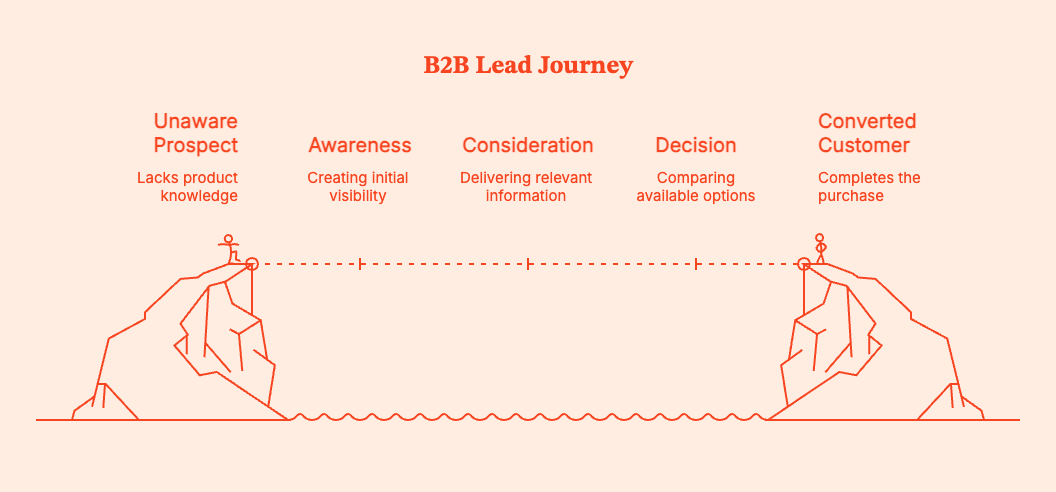
At Awareness, you’re creating visibility.
At Consideration, you're delivering relevant information to a narrowed set of interested parties.
At Decision, the team is comparing options.
At Purchase, you make the sale.
Content, channels, and strategies vary by each stage:
- At Awareness: blog posts, SEO, social proof for buyer trust.
- At Consideration: webinars, case studies, retargeting ads.
- At Decision: demos, personalised offers, negotiation.
It's not easy to keep precise track of all content and operations at each stage, especially if the sale involves multiple modules/buyers. A tool like Factors can help with that. Connect it to your data banks, and it will unify all signals across each touchpoint in the marketing + sales funnel.
Factors keeps you updated on where a lead is in the journey, so you act accordingly to save the sale. Marketing and sales intelligence now carry the same context at all times.
{{INLINE_TOFU}}
Lead Sourcing: How to Find and Attract Marketing Qualified Leads
Lead sourcing is the process of generating leads for your marketing engine. Without the right leads, marketing teams will fail to sell, no matter how cutting-edge their nurturing, scoring, or sales processes are.
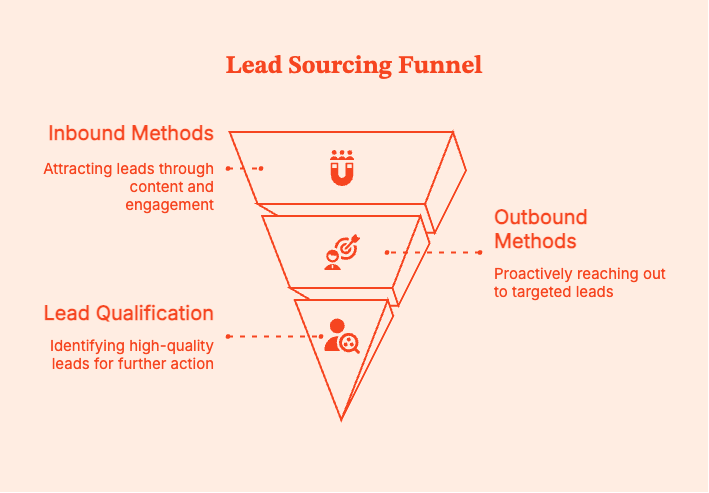
High-quality leads emerge from two buckets, inbound and outbound. For the best results, use both and ensure every decision is data-first.
- Inbound Methods
Inbound methods identify leads who are already looking for solutions like yours. It’s the most efficient tactic, compounds over time, and provides long-term growth.
- SEO and content marketing
Consistent blogging and ranking for the right keywords is great for gathering inbound leads. The idea is to show up with answers when buyers are researching their problem. If someone types “how to get better results from SEO” and finds your guide, it's a match made in heaven.
- Webinars and LinkedIn campaigns
Webinars filter for intent. No one signs up for a webinar on a Thursday afternoon unless they actually care about the problem to be solved. LinkedIn is also great for curating B2B deals. Over half (53%) of B2B marketers use LinkedIn to identify prospects and source contact details.
- Referrals, partnerships, and intent data
Partnerships and referrals produce high-quality leads because trust is implicit. If another brand vouches for you, the lead is more receptive to the deal.
Then there's B2B intent data, that highlights which companies are researching topics related to your product so you can reach out before your competitors do.
If you need some help with learning How To Use Intent Data To Drive Pipeline, we got you.
2. Outbound Methods
Outbound sourcing focuses on proactive discovery. You don't wait for leads to find you, but go out and find them.
But outbound efforts need to maintain a tricky balance. Done badly, it just looks like spam. Done well, it almost guarantees regular pipelines.
- Events, trade shows, and field marketing
The most relevant events will yield high-value B2B leads, especially for mid-market or enterprise firms.
Field marketing offers face-to-face connection, which speeds up brand credibility, trust, and qualification.
- Cold outreach and targeted sequences
Cold outreach only gets results when you've put in solid research and accurate data. Bad data will kill your outreach campaigns and destroy your credibility in the eyes of potential and existing customers.
- Firmographic and technographic targeting
Firmographic targeting is like demographic targeting, but for companies instead of people.
A tool like Factors.ai can help you set filters like industry, company size, revenue, headcount, and technology stack. It will help you find companies and leads matching your Ideal Customer Profile (ICP).
You'll have to invest in an ICP Marketing Strategy, but the payoffs will be worthwhile, because you're talking to people who actually need your product.
For example, if your product integrates with HubSpot, a company already using HubSpot is worth way more than a company that does not.
Checklist for Sourcing Success
Here’s a quick checklist to keep your sourcing efforts intentional:
- Do you have a clear ICP?
- Is your data verified and clean?
- Have you tested and optimized your sourcing channels?
- Are you using a specific tool (like Factors) with intent models, signals, and enrichment layers to help identify which accounts are warm before outreach?
From Leads in Marketing to Lead Sales: Scoring, Qualification, and Handoffs
You’ve got leads. But not all leads are born equal. Which of these actually matter, and will close a deal?
The answer: lead scoring and qualification.
- Lead Qualification
This is the process of determining if a lead is worth a salesperson's time. It works under two broad approaches: BANT Qualification or Behavioural/Intent-based Qualification.
- BANT Qualification looks at:
- Can they afford you?
- Are they the decision maker or can they influence one?
- Are they trying to solve the problem you fix?
- Are they buying now or in six quarters?
- Behavioural/Intent-based Qualification looks at lead behavior:
- Visiting your pricing page twice in one week.
- Rewatching your product demo.
- Attending a webinar on a niche feature.
- Reading your integration documentation.
Actions like these hint that the lead is warming up and may be ready for sales. Tools like Factors.ai specialise in detecting these subtle signals and filtering them.
2. MQLs, SQLs, and PQLs
First time? Here's a quick look at the different types of leads:
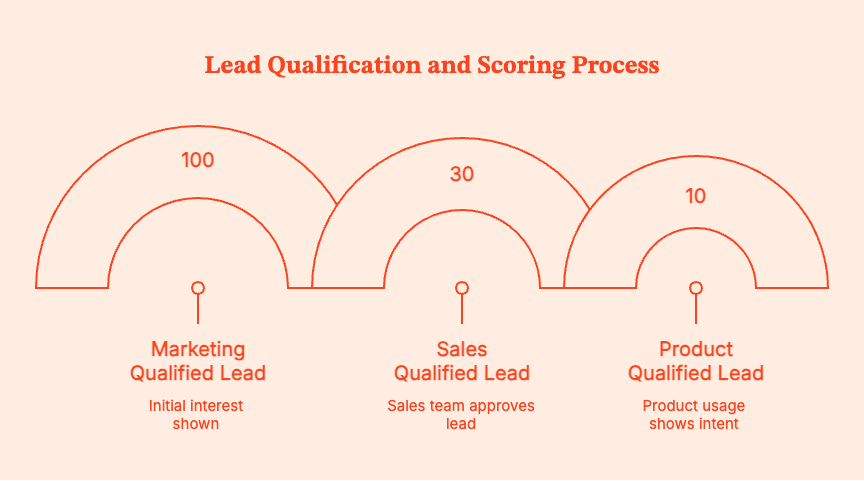
- Marketing Qualified Lead (MQL)
This person fits your ICP and shows some level of interest.
Example:
Someone from a mid-market SaaS company downloads your “2025 B2B Marketing Benchmarks” report and visits your homepage a few days later. Not sales-ready, but can be nurtured.
- Sales Qualified Lead (SQLs)
This is when sales says, “Yes, please" to a lead.
Example:
Someone views your pricing page, fills out a demo form, or clicks a retargeting ad for a comparison guide.
- Product Qualified Lead (PQLs)
Mostly relevant for PLG companies. This is someone who has used your product and shown buying intent.
Example:
A free user who invites three teammates, integrates with Slack, and hits a usage limit.
3. Lead Scoring
Here, marketers assign points to behaviours, attributes and actions to rank leads by likelihood to convert.
Example:
- +10 points for viewing the pricing page
- +8 points for attending a webinar
- +5 points for opening a nurture email
- +3 points for visiting the blog
- +0 points for “downloaded the PDF your CEO insisted on writing”
Again, Factors can automate scoring by pulling data from ads, CRMs, websites, and emails to highlight the right leads at the right time.
4. Sales–Marketing Handoff
If marketing and sales don’t agree on what “qualified” means, you'll end up with complaints like, “Why did you send me this lead?” Marketing can also complain:“We sent you 100 leads. Why haven’t you closed any?”
A clean handoff requires marketing and sales to align on:
- What qualifies as an SQL.
- Which behaviours indicate sales readiness.
- How quickly a lead should be routed.
- Who owns the follow-up and within what timeframe.
Shared dashboards can help reach this alignment. For instance, Factors' Milestones feature offers sales context with data on:
- What led this account to engage.
- Which stakeholders interacted with which assets.
- Which campaigns influenced them.
- What signals indicate rising intent.
- Where they are in the buyer journey.
Integrating Lead-Based Marketing with Demand Generation
Don't treat demand gen and lead-based marketing like distant cousins who only see each other at QBRs. Demand gen creates the interest. Lead-based marketing captures, qualifies, and converts that interest into revenue. Use both, consistently.
Demand Generation vs Lead-Based Marketing
Let’s break it down:
| Aspect | Demand Generation | Lead-Based Marketing |
|---|---|---|
| Primary Purpose | Create awareness and interest | Capture, qualify and convert that interest |
| What It Focuses On | Content, ads, SEO, webinars, social engagement | Lead scoring, intent signals, nurturing, sales-readiness |
| How It Works | Gets your brand on the radar and attracts potential buyers | Identifies who actually cares and moves them through the funnel |
| Key Question It Answers | “How do we get more of the right people to notice us?” | “Which of these people are ready to talk to sales?” |
| Team Most Involved | Marketing | Marketing + Sales working together |
| Typical Outputs | Traffic, impressions, engagement, awareness | MQLs, SQLs, opportunities, pipeline |
| Tone / Vibe | “Hey, check us out.” | “You’re interested? Let’s get you what you need.” |
| End Goal | Build visibility and demand | Turn demand into measurable revenue. |
You Need Both
- Only demand generation: Lots of traffic, impressions, and clicks. No clarity on who’s ready to buy.
- Only run lead-based marketing: chasing the same 200 accounts until the end of time.
Use both, and you get a system that grows AND converts.
A Real-World Example
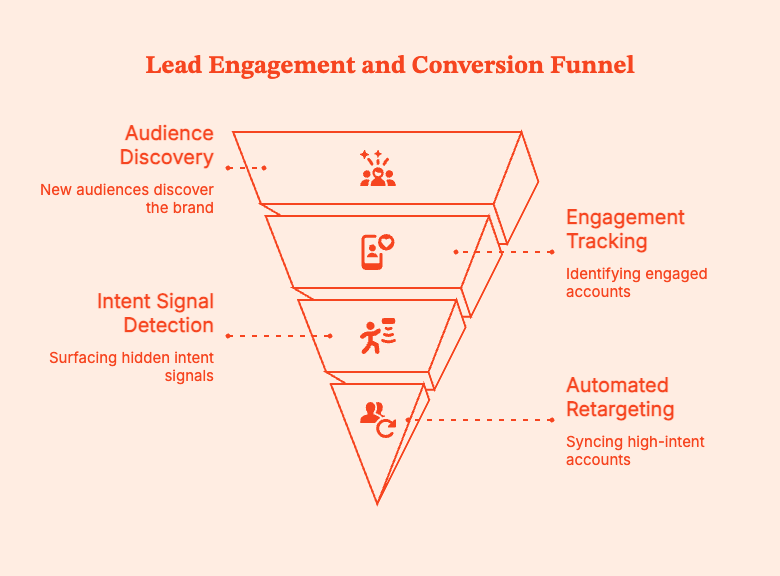
You've launched a LinkedIn awareness campaign promoting a new ebook for B2B marketers. Your impressions go up. New audiences discover your brand. Some accounts click, some visit your page, some watch three seconds of your video.
Next, you run lead-based marketing:
- Factors.ai identifies who actually engaged. You get account-level intel about which companies viewed your posts, who visited your site, especially at odd times (they're really interested).
- High-intent accounts are automatically synced to new campaigns. Factors pushes these accounts into your retargeting audiences or nurture flows: demand-to-lead conversion on autopilot
- Factors surfaces intent signals you probably would not notice yourself. For example, a company didn’t click your LinkedIn ad but had three people from the team reading your blog.
Close the Loop With AI: AdPilot
An AI tool like AdPilot gives you a bit of an unfair advantage. It makes LinkedIn ads work for you by helping to build precise audiences, run intent-driven campaigns, send quality conversion signals, and closely track ROI.
Conversion Optimization: Turning Leads into Opportunities
Generating leads is just step 1.
You convert them to opportunities that can yield revenue, a.k.a you perform conversion rate optimization (CRO). CRO is the continuous process of improving every interaction a lead has with your brand: your landing pages, emails, forms, ads, and follow-up cadence.
Why CRO Matters in B2B
B2B buyers are cautious, risk-averse, and usually not solo decision-makers. You have to navigate long sales cycles, internal approvals, competing priorities, and usually one person who wants to pause everything "for now". To make a sale in this environment, your conversion path needs to remove friction at every possible step.
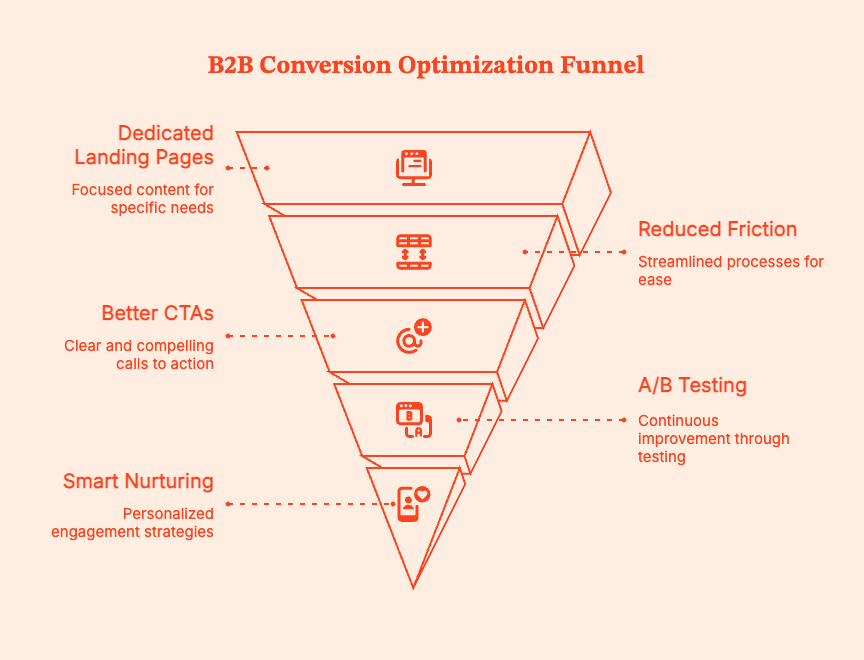
We'll discuss this in detail elsewhere, but here are a few quick best practices to keep CRO effective and profitable:
- Use Dedicated Landing Pages. Your homepage pleases everyone and converts no one. Dedicated landing pages match the visitor's intent, address specific pain points, emphasize one CTA, and build a focused experience.
- Reduce Friction. Every extra form will kill conversions. Remove unnecessary form fields, use progressive forms (like HubSpot), give multiple forms to interact with (demo, trial, PDF, video), and ensure that your CTA IS visible, obvious, and benefits-first.
- Better CTAs. You need clarity more than cleverness. “Get the ROI breakdown” beats “Unlock insights.” Tell the visitor what they get and why it matters.
- A/B Test Everything: headlines, CTAs, colors, form lengths, button placement, social proof, hero images.
- Smart Nurturing Between MQL and SQL. Most leads won’t convert on the first visit. But nurturing will get the lead to convert eventually. Use personalised email sequences, retarget ads based on visited pages, build industry-relevant case studies, and deploy dynamic website content personalised by account.
- Use Factors.ai To Find Drop-Off Points. It will show you where leads abandon forms, find which landing pages perform best, flag pages where intent spikes, sync high-intent accounts back into LinkedIn or Google Ads, and even track drop-offs from ad click to CRM entry.
Tools & Platforms To Power Lead-Based Marketing
Lead-based marketing needs a solid tech stack to support it. Here’s a high-level view (a deeper dive has to wait for a standalone article):
- CRM: Salesforce, HubSpot
- Marketing Automation: Marketo, Pardot
- Analytics / Attribution: Google Analytics
- Enrichment/Data Providers: Clearbit, Apollo
- Intelligence Layer: Factors.ai
In this matrix, Factors.ai is the intelligence layer binding ad data, website activity, and CRM signals into one view. It uses AI agents to surface high-intent leads and also automates routing and follow-up operations. A single platform gives you complete context and actionability.
| Solution | What You Get | What You Might Miss Without Factors |
|---|---|---|
| CRM + Marketing Automation | Leads, nurture workflows | Unified view of intent across channels |
| Enrichment tools | Data on companies/contacts | Ability to tie data to behaviour and act fast |
| Intelligence Layer (Factors.ai) | Lead scoring, routing, unified signals | Delay, missed leads, lack of prioritisation |
Key Metrics and ROI Measurement for Lead-Based Marketing
How do you prove that your lead-based marketing is working? You move beyond vanity metrics like impressions or downloads and focus on pipeline-driving, revenue-generating metrics.
Here are the metrics B2B teams actually need to track.
- Cost Per Lead (CPL): Total Spend / Number of Leads Generated.
Pro-Tip: A higher CPL only helps if those leads are higher quality. Cheap leads often cost you more in time, nurturing, and dead-end sales calls. - MQL to SQL Conversion Rate: MQL → SQL Conversion Rate = Percentage of marketing-qualified leads that sales accepts as worthy of outreach.
- SQL to Opportunity Conversion Rate: Once sales accepts a lead, how often does it turn into a true opportunity? If this number is low, your leads might be curious but not committed.
- Pipeline Value Generated: The total dollar amount of opportunities created from your leads. This is also the KPI your CEO actually cares about, no matter how much they talk about engagement rate.
- Pipeline Velocity (Conversion Velocity): How quickly leads move through the funnel.
(Number of Opportunities × Deal Value × Win Rate) / Sales Cycle Length - ROI (Revenue Influenced / Marketing Investment): Revenue Influenced or Attributed / Total Marketing Spend.
From Data to Demand: Building a Connected B2B Growth Engine
Lead-based marketing seems to be gaining ground, but it's more than a flighty trend or a buzzword. It’s the silver bullet for turning your data, tools, and traffic into real revenue.
It boils down to data + alignment + context.
Lead-based marketing helps sales and marketing teams get on the same page about what counts as a "good lead". When these systems talk, you truly understand your buyer's journey. Add a tool like Factors to layer the insights, and now you've eliminated guesswork from your revenue Ops.
Bottomline: B2B buyers expect speed and relevance; being reactive isn’t enough. You need to anticipate, identify, prioritise, and act. Your lead-based engine does exactly that, and turns demand gen into revenue growth.
Summary
Lead-based marketing is a modern B2B strategy that chases quality over quantity by finding, scoring, and nurturing high-intent leads. Instead of chasing website traffic, it focuses on the right people, with the right intent, at the right time.
The B2B buyer journey is rarely linear and often involves multiple stakeholders. Prospects move through Awareness, Consideration, Decision, and Purchase while interacting with content, ads, landing pages, and sales touchpoints.
Companies use tools like Factors.ai to track users and their intent across ads, CRM, email, and website behaviour into a single view.
Inbound channels like SEO, content marketing, webinars, and LinkedIn attract prospects already researching solutions. Outbound channels such as events, cold outreach, and firmographic or technographic targeting help teams proactively find companies fitting the ICP.
Lead qualification separates generic user interest from genuine buying intent. Leads go through MQL, SQL, and PQL stages, supported by a consistent scoring system. Smooth sales–marketing handoff is essential for reducing friction and improving conversion.
Demand gen builds awareness; lead-based marketing converts that interest into opportunities. AI-driven tools like AdPilot activate high-intent accounts in paid campaigns.
Finally, conversion rate optimization improves every touchpoint, from landing pages to CTAs and nurture flows. It helps more leads become opportunities.
Key metrics to track are CPL, MQL-to-SQL rate, pipeline value, velocity, and ROI.
FAQs for Lead-based Marketing: The B2B Approach to Smarter Demand Generation
What is lead-based marketing?
It’s a smarter, more focused approach to B2B marketing where you identify the right leads, nurture them properly, and move them all the way to revenue. Quality over quantity.
How is it different from demand generation?
Demand gen gets people curious and interested. Lead-based marketing identifies who actually cares enough to move toward a real sales conversation. One creates interest, the other converts it to a deal.
What tools do I need?
At a minimum: a CRM, marketing automation, analytics, and data enrichment. To tie everything together, you need an intelligence layer like Factors.ai to connect the dots and flag true buyer intent.
What are the key success metrics?
Lead quality, MQL-to-SQL conversions, SQL-to-opportunity conversions, total pipeline value, how quickly leads move through the funnel, and overall ROI.
When should a company adopt lead-based marketing?
Most companies are drowning in unqualified leads. Sales and marketing often aren’t aligned, or teams can’t clearly see how buyers are moving after interacting with their assets. Lead-based marketing optimizes the user journey and creates a smarter, more predictable pipeline.

Lead Enrichment Explained: A B2B Marketer's Guide for 2026
Find out how Lead Enrichment improves the quality of your B2B leads and how different types of Lead Enrichment data aids in better lead targeting and increasing conversion rates.

TL;DR
- Lead enrichment enhances basic lead information, such as email addresses, with valuable data, like company size, industry, revenue, and pain points.
- Lead enrichment enables marketers to prioritize leads, personalize outreach, and refine marketing strategies. By leveraging enriched data, marketers can segment audiences effectively, leading to targeted campaigns that resonate with ICP.
- Key types of lead enrichment data include contact details, firmographics, demographics, technographics, intent signals, and behavioral insights. These data provide a comprehensive view of leads and their interests.
In B2B marketing, every lead matters, but not all leads convert into customers. Only high-quality leads can turn into valuable customers. So, how do you identify the valuable prospects amid the junk? The answer is through Lead Enrichment.
A name in your CRM tells you little about whether a lead is worth pursuing. To qualify them for sales, you need more information, such as their company, job title, and location. The Lead Enrichment process bridges this gap. It turns these basic contact details into rich, actionable profiles. This process allows your sales team to target the right prospects with precision.
Keep reading to know how Lead Enrichment can enhance your sales process.
What is Lead Enrichment?
Imagine you’ve just wrapped up a successful campaign and collected a list of email addresses. You now have a pool of potential customers, but there's a catch. Without more detailed information, engaging with them becomes a challenge. The solution? Lead Enrichment.
Lead enrichment provides valuable insights into key details like company size, industry, hierarchy, revenue, and the challenges they face. With this data, you can craft personalized messages that address their pain points by positioning your solutions as the perfect fit for their needs.
B2B Lead Enrichment, or data enrichment, involves gathering information about potential customers, such as contact and company data, using top B2B lead enrichment tools.
By understanding these leads with greater detail, you can determine your audience's interest level in the company's products or services. This process helps you improve sales and marketing efforts, ultimately increasing the conversion rate and Return on Investment (ROI).
Why is Lead Enrichment Important For B2B Businesses?
B2B businesses are highly competitive. Accurate and up-to-date data is essential to outlive the competition.
According to The State of CRM Data Management Study in 2023, 58% of respondents indicated data accuracy is still a significant problem.
This is a considerable gap.
With accurate data, marketing teams can efficiently qualify, and score leads, enabling them to drive predictable revenue. B2B lead data enrichment can help you:
- Assess lead fit and prioritize prospects by gaining deeper insights into potential customers.
- Leverage accurate data to personalize messaging and boost conversion rates.
- Build stronger customer relationships by addressing their needs and preferences.
{{INLINE_TOFU}}
Types of Lead Enrichment Data

Here are the types of lead enrichment data you need to scale your lead enrichment efforts:
1. Contact Data
Contact data, including the contact's phone number and email address, forms the foundation for effective prospecting and lead generation. Accurate contact data ensures you target your Ideal Customer Profile (ICP).
2. Firmographic Data
Imagine you are running a targeted marketing campaign for the IT industry based in the US. Then, firmographic data is what you need. This data is crucial to segmenting and targeting leads effectively.
Firmographics data includes:
- Geographic location
- Customer base
- Industry
- Revenue
- Company structure
3. Demographic Data
Demographic data helps you define and build your ICP. With demographic data, you can personalize your outreach, making it more relevant and engaging. Demographic data includes:
- Age
- Job title
- Gender
- Income
- Education
- Job role
4. Technographic Data
By understanding a company’s tech stack, you can assess if your solution is a good fit to solve their pain points. Technographic data gives you such insights. Technographic data includes:
- Hardware used by the target company
- Software used by the target company
- Applications used
- Account’s IT infrastructure
For example, if you know your ICP is using Hubspot CRM, you can tailor your pitch to highlight how your product integrates seamlessly with Hubspot.
5. Intent Data
Intent data tracks a potential customer's online behavior, such as interests, pain points, and readiness to buy. This allows you to focus on prospects actively searching for solutions like yours and reach out at the right time when they're most receptive to your message. Intent data includes:
- Web searches.
- Content consumption.
- Website/page visits.
- Interactions on the website
With tools like Factors, you can track buying signals by analyzing your leads’ visited website pages, LinkedIn ad campaigns, G2 data, and third-party sources like Gartner and TrustRadius. This helps you target the most promising leads and personalize your outreach for maximum impact.

6. Social Media Data
Social media data enrichment refers to using platforms like Facebook, Twitter, or LinkedIn to gather insights. By tracking your leads’ online behavior, you can uncover their interests, connections, and engagement patterns. This data allows you to personalize your messaging and target your ICP on social platforms.
For instance, you can personalize the message and target the ICP through LinkedIn ads for running ABM campaigns.
7. Behavioral Data
Behavioral data pinpoints prospects who are actively engaging with your content. It gives insight into their online journey, revealing interactions, actions, and engagement patterns. Key behavioral data includes:
- Email engagement, like open rates, click-through rates, and reply rates
- Website activity like page views, time on site, and bounce rates
- Content consumption, including downloads, shares, and comments
- Event Registrations, attendance, and engagement levels
- Site Navigation
- Purchase history
8. Account Data
Account data provides a comprehensive overview of the entire organization, not just an individual lead. This information is crucial for B2B companies to identify cross-selling and upselling opportunities. Essential account data includes:
- Company size and revenue
- Industry size and vertical
- Company hierarchy, including subsidiaries and parent company.
9. Geographic Data
Geographic data provides customer location. By understanding where your leads are based, you can tailor sales and marketing efforts to specific regions. It includes:
- Country
- State
- City/Town
Location-based data helps you run localized campaigns and optimize marketing spend by targeting regions with maximum potential.
Don't miss our B2B account scoring guide for additional details.
How Does Lead Enrichment Work?
The lead enrichment process involves key steps like data collection, lead scoring and segmentation, lead routing, lead conversion and nurturing.

1. Data Collection
This step involves collecting lead information from various sources, such as in-house databases and third-party providers. You can also purchase high-quality data from reputable B2B data providers and add information such as company size, industry, job titles, and contact details.
2. Lead Scoring and Segmentation
Evaluate leads based on their perceived value and potential for conversion. Group leads into categories based on their shared characteristics allows you to tailor your outreach and increase effectiveness.
3. Lead Routing
Assign leads to sales representatives according to their expertise and territory. Lead routing software can help you streamline the process, ensuring that leads are distributed efficiently and to the right person.
4. Lead Conversion and Nurturing
Refine your lead scoring criteria to identify high-quality prospects. Tailor messaging to address each lead's unique needs and interests. For leads that haven't converted yet, maintain engagement with personalized follow-ups and relevant content to nurture the relationship.
Use Cases For Lead Enrichment
The key use cases for B2B lead enrichment include:
1. Targeted ABM
Identify your ICP and tailor your messaging to address the specific challenges faced by each of your target accounts.
2. Data-Driven Lead Scoring
Assess the lead quality based on enriched data. Focus your time and effort on the most promising prospects with the highest potential for conversion.
3. Enhanced Customer Segmentation
Create targeted campaigns based on factors such as industry, company size, and other firmographic attributes. This approach helps you meet the unique needs of different customer segments.
4. Data-Driven Marketing Automation
Automate marketing efforts based on specific lead behaviors and attributes to move them through the sales funnel more efficiently.
How can Factors Help with B2B Lead Enrichment?
One of the biggest challenges B2B marketers face is dealing with anonymous website traffic and the absence of clear buying signals. Without understanding who is visiting your site or what stage of the buyer’s journey they’re in, it’s difficult to nurture and convert leads effectively.
Here’s how Factors can help in the lead enrichment process.
1. Unify Cross-Channel Intent Signals
Factors combines intent data from multiple sources such as website visits, G2, LinkedIn ads, and third-party platforms like Gartner and TrustRadius. It gives you a complete view of your prospects’ interests.
2. Identify High-Value Leads
Factors uncovers up to 64% of your anonymous website traffic, enabling you to focus on companies actively researching your solutions. It helps you prioritize leads with higher conversion potential.
3. Industry-leading match rates
The powerful reverse IP lookup technology of Factors app reveals firmographic and engagement data, enriching leads with key insights about your anonymous visitors.
You can easily integrate Factors with your existing tools, such as CRMs and ad platforms. The setup process is simple. By using Factors, you gain the data you need to target better and prioritize leads, and improve your B2B marketing efforts.
Check out how Rocketlane generated 23% more MQLs and boosted its pipeline with Factors.
Lead Enrichment: Filter Your High-Value Leads
Lead enrichment is a vital component of maximizing lead generation in B2B marketing.
By enriching your lead data with firmographic, demographic, and intent data, you can better understand your target audience and their needs. In this process, you identify high-value leads who are actively seeking solutions.
Lead enrichment enables you to run targeted campaigns that resonate with specific segments, ultimately improving conversion rates. It also allows you to assess potential customers' fit more accurately, ensuring your sales team focuses on the most promising leads and drives predictable revenue growth.
Enhancing lead data drives better targeting and engagement.
1. What It Adds: Key details like company size, industry, and contact info.
2. Why It Matters: Supports personalized messaging and campaign precision.
3. Strategic Benefits: Boosts sales effectiveness, improves segmentation, and increases conversion potential.
Lead enrichment equips teams with deeper insights to drive meaningful connections.
FAQs on Lead Enrichment
What are the benefits of lead enrichment?
Lead enrichment is essential to keeping the B2B lead data accurate and updated. The sales and marketing team can assess and prioritize qualified leads and create personalized messaging based on enriched data, which leads to higher engagement and conversion rates.
What is data enrichment in lead generation?
Data enrichment is the process of enhancing your existing lead data with additional information. It involves gathering data points on warm leads’ interests in your offerings to create more complete and accurate profiles of ICPs.
What is sales enrichment?
Sales enrichment is a specific type of lead enrichment that focuses on gathering and organizing information about potential customers, specifically for sales purposes. It includes contact details, job titles, company information, and purchasing history.

7 Key Metrics to Track in Website Analytics [Tried & Tested]
Explore 7 crucial website analytics metrics, curated from my marketing experience. Dive into data driven strategies for optimal website performance.

Ever stare at your website analytics and wonder if you're focusing on the metrics that truly matter?
You're not alone.
With the myriad of data points available, it can feel overwhelming to discern which are pivotal to your SaaS success.
Over the past decade, I've dived deep into the vast sea of website analytics. Through a blend of personal marketing experiences, extensive research, and countless success (and failure!) stories, I've distilled the essence of what you really need to be tracking. This isn't just another listicle; this is a decade of my digital marketing expertise boiled down to its most potent form.
Imagine being able to glance at your analytics dashboard and instantly understand your website's performance.
Think about the time you could save, the precision in your strategies, and the boost in your ROI. These aren’t just numbers; they’re the heartbeat of your online presence. And when you can tap into that pulse with clarity, you're on your way to outpacing competitors and delighting your customers like never before.
Whether you're a newbie just starting out or a seasoned marketer looking to refine your focus, these insights will revolutionise the way you interpret and leverage your website analytics.
As I recall my early days in digital marketing, I remember the sleepless nights spent on deciphering analytics reports. One story that always comes to mind is when I was sure that a particular metric was the 'holy grail', only to find out, after a significant campaign spend, that it was a red herring. I don't want you to make the same mistakes I did.
Dive in as I share my hard-earned wisdom, peppered with unforgettable stories from the past decade.
What Are the Best 7 Metrics to Track in Website Analytics?
Over the years, I've designed a unique process, affectionately named the "Analytics Magnifier", which distils complex data down to the most influential metrics. This isn’t about data overload, but about targeted, strategic insight.
By honing in on these core metrics, SaaS marketers can truly understand the health and potential of their platforms.
Ready to dive deep?
Here are the seven key steps, each with real-world examples.
Before we jump in, let me set the scene: Imagine your website as a bustling city. Each metric we explore is like a vital checkpoint in this city, from its busiest airports to its most serene parks.
With "Analytics Magnifier", you’ll not only see these points but understand how they contribute to the city’s prosperity. Let’s get started:
Traffic Source Analysis

This metric breaks down the origin of your website traffic, categorising it into sources like direct traffic, referrals, organic search, social media, and paid campaigns. By understanding where your audience is coming from, you can better allocate resources, tailor content, and focus on the most effective channels.
For example, after partnering with a tech blogger, a SaaS company sees a 30% boost in referral traffic from the blogger's site over the month.
Pro Tip:
Regularly evaluate the quality of traffic, not just the quantity. A hundred visitors from a niche blog might be more valuable than a thousand from a generic source.
Bounce Rate Assessment
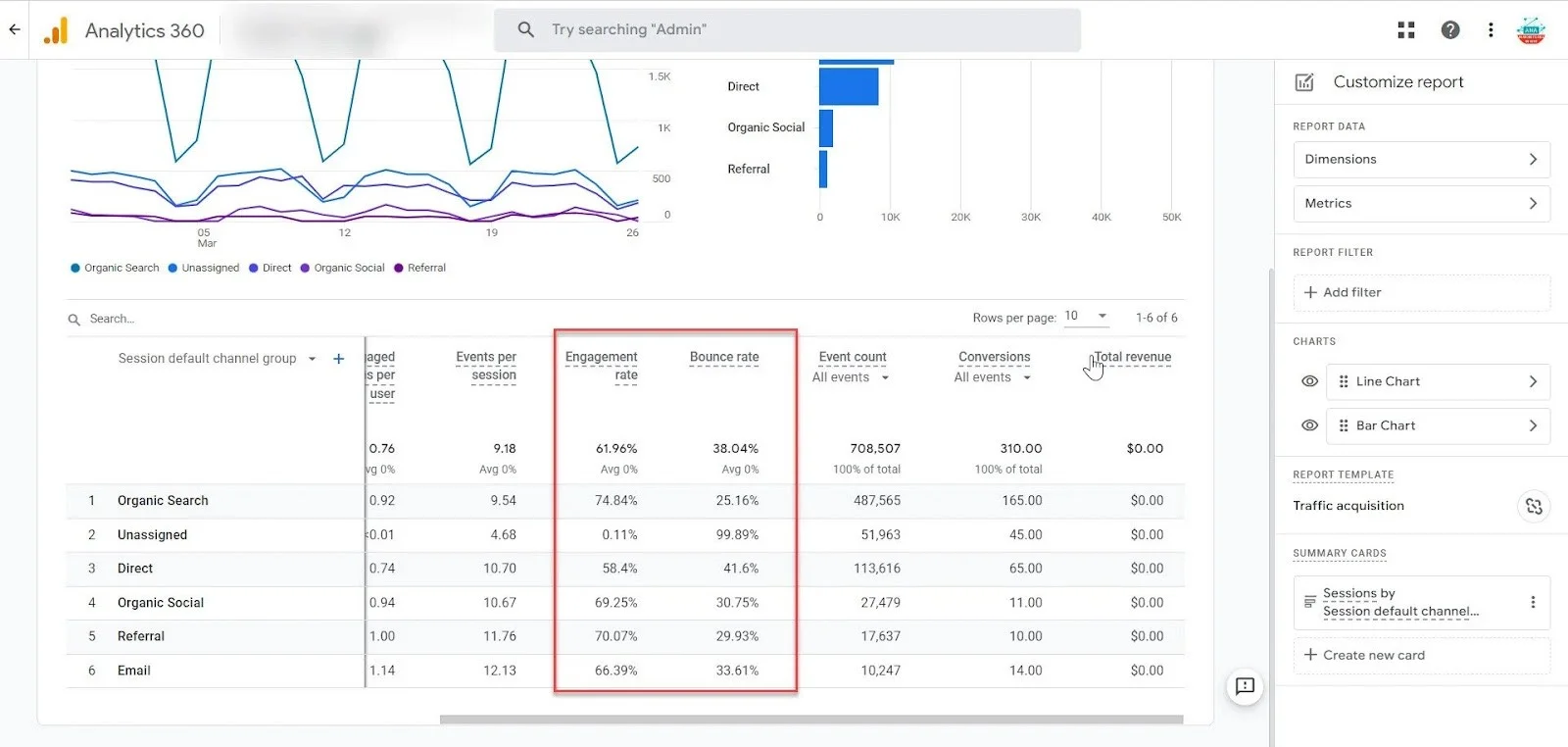
The bounce rate is a window into user engagement. It calculates the percentage of visitors who navigate away after viewing just one page. While it's tempting to label a high bounce rate as 'bad', the metric often needs to be contextualised based on the type of page and the intent behind it.
For example, following a homepage redesign, a SaaS company observes its bounce rate decrease from 68% to 52%.
Pro Tip:
Bounce rate varies by industry and content type. Always compare your rate against industry benchmarks and adjust accordingly.
Conversion Rate Optimization (CRO)

CRO isn't merely about tweaking button colours or headlines; it's a systematic approach to increasing the percentage of website visitors who take a specific desired action. This might mean signing up for a newsletter, making a purchase, or even just clicking on a particular link. CRO encompasses design, content, and user experience elements.
For example, by streamlining its sign-up process, an e-commerce platform sees its conversion rate jump from 2.5% to 4.8%.
Pro Tip:
Small, iterative changes often yield the best results. Regularly A/B test elements and refine based on feedback.
Page Load Time

In today's fast-paced digital landscape, speed is everything. Page load time measures the duration it takes for content on a page to fully display. A swift site boosts user satisfaction, improves SEO rankings, and can significantly impact conversion rates.
For example, by optimising images and leveraging browser caching, a fintech SaaS reduces its average load time from 5 seconds to 2.5 seconds.
Pro Tip:
Use tools like Google PageSpeed Insights to not just measure speed but also get actionable recommendations for improvements.
Behaviour Flow
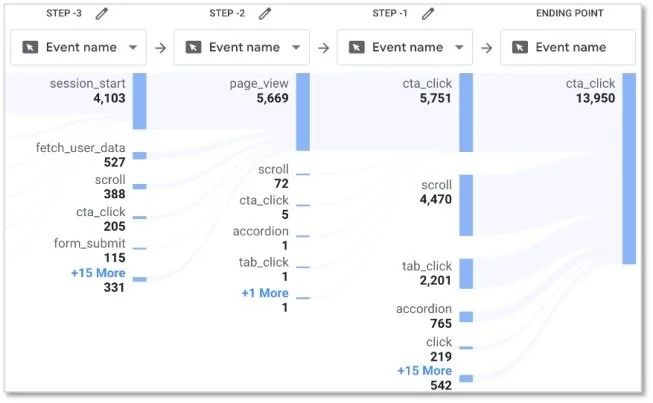
Behaviour flow offers a visual representation of the journey users take through your website. From the page they enter on to the sequence they follow and where they eventually drop off, this metric provides valuable insights into how content is resonating and where potential friction points lie.
For example, a content marketing tool finds that users who visit a specific tutorial often proceed to the pricing page, hinting at a strong sales funnel.
Pro Tip:
Cross-reference behaviour flow with specific campaigns. The flow from organic search might differ vastly from a targeted PPC campaign.
Mobile vs. Desktop Traffic

As the balance shifts between desktop and mobile browsing, understanding this metric is crucial. It gives a split view of users based on the devices they use, guiding design, and usability priorities. Each platform offers a distinct user experience and caters to different user intents.
For example, an e-learning platform, after noting 70% mobile users, restructures its courses for a more mobile-friendly, bite-sized format.
Pro Tip:
Mobile users often have different priorities, like speed and easy navigation. Tailor your design and content strategy with a mobile-first approach.
Returning vs. New Visitors

This metric provides a balance sheet of growth and loyalty. New visitors indicate brand reach and discovery, while returning visitors signal satisfaction, engagement, and potential brand loyalty. Each segment has different needs, and understanding this balance can help tailor user experiences.
For example, after introducing a monthly webinar series, a data analytics tool notes a 25% uptick in returning visitors.
Pro Tip:
Personalization is key. For instance, use cookies to greet returning visitors with tailored content or offers based on their past behaviour.
These detailed explanations should offer a clearer perspective on each metric’s significance. Each plays a pivotal role in painting a comprehensive picture of your website's performance, user behaviour, and areas for optimization. Armed with this knowledge, you're equipped to make data-driven decisions that elevate your SaaS marketing strategy.
What Is Website Analytics?
Website Analytics is the process of collecting, analysing, and interpreting data from website visitors to understand their behaviour and make informed decisions for improving the overall user experience, content strategy, and conversion optimization. Unlike a static report or snapshot, analytics offers a dynamic overview of real-time interactions, from the pages viewed to the duration spent on each, providing invaluable insights into both the performance of a site and the behaviour of its users.
Whether you're running social media ads, influencer collaborations, or email marketing campaigns, your website's data can reveal the direct impact of these strategies, letting you know where to invest more or adjust tactics.
Furthermore, in the age of data privacy, with increasing concerns about tracking and personal data usage, it's vital for marketers and website owners to ensure they're ethically sourcing and using their website data, always with user consent and in compliance with global regulations.
Lastly, while many focus on quantitative data like click rates and page views, qualitative insights shouldn't be ignored.
Digital analytics tools that provide heat maps or session recordings can offer a deeper dive into user engagement, revealing not just what users do, but perhaps hints at why they do it, paving the way for a more user-centric approach to website development and marketing strategy.
How Can Website Analytics Benefit You?
For SaaS marketers, understanding user behaviour isn't just a nicety—it's the crux of driving growth, retention, and customer satisfaction. Website analytics serves as the bridge between user interactions and actionable marketing strategies. First and foremost, it helps in pinpointing the efficacy of various marketing channels.
Are those costly PPC campaigns translating into quality leads? Or is organic SEO driving more engaged traffic?
By drilling down into source-specific metrics, marketers can allocate budgets more effectively and achieve a greater return on investment.
Beyond mere acquisition, for SaaS platforms, user retention and engagement are equally paramount. Website analytics can unveil patterns in user journeys, highlighting friction points or stages where users disengage. For instance, if a majority of visitors drop off at the pricing page, perhaps it's time to reconsider the pricing strategy or provide clearer value propositions.
Conversely, if a specific piece of content or a tutorial sees high engagement, it might be worth promoting it further or repurposing it across other marketing channels.
Lastly, SaaS platforms are often dynamic with continuous feature rollouts and updates. Website analytics can be instrumental in tracking user responses to these changes.
Did the latest update improve session durations?
Was there an uptick in support page visits post a particular feature release?
These insights allow marketers to be agile, tweaking their messaging and support structures based on real-time feedback, ensuring that the SaaS offering remains aligned with user needs and expectations.
{{INLINE_TOFU}}
How to Build Marketing Reports using Factors.ai

Building marketing reports with Factors.ai can be a game-changer, primarily due to its AI-driven insights and seamless data integrations. Rather than manually sifting through heaps of data, the platform's AI assists in pinpointing patterns and insights that might elude even seasoned marketers, presenting a holistic view of marketing performance with just a few clicks.
One of the standout features of Factors.ai is its capability to integrate disparate data sources. For SaaS marketers juggling various channels, from organic SEO and PPC to email campaigns and social media promotions, the ability to centralise and cross-analyze this data is invaluable. Instead of isolated metrics, marketers can view interconnected data, discerning, for instance, how an influencer campaign might have impacted organic search metrics or how email campaigns influenced user retention rates.
While Factors.ai offers extensive automation and AI-driven insights, it's essential for marketers to approach it with clarity.
Conclusion/Wrapping Up
Navigating the intricacies of website analytics can seem daunting, but with the right tools, approach and a right , it's a treasure trove of actionable insights.
I've traversed the vital metrics to track, delved into the nuances of website analytics, and explored the transformative power of tools like Factors.ai in shaping your marketing reports.
The digital landscape is ever-evolving, and staying attuned to these metrics ensures you're not just keeping pace, but leading the charge.
Drawing from a decade of hands-on marketing experience, I've seen firsthand the monumental shifts in data-driven strategies. The insights shared here aren't just theoretical but are born from tried-and-tested campaigns, successes, and yes, even failures.
As you implement these learnings, remember that analytics is not just about numbers; it's about understanding your audience's story, predicting their needs, and crafting experiences that resonate.
Dive in, experiment, analyse, and always keep learning. Your website's data has a lot to say, and with the right expert, you'll be perfectly poised to listen and act.

What is Last Click Attribution and How Can SaaS Companies Use It?
This article dives into what Last Click Attribution is and how SaaS companies can use it to identify and optimize their marketing strategy.

Attribution helps SaaS companies identify which sales and marketing efforts result in a conversion. Doing so allows marketing, sales, lead gen, and other teams to identify the actions that drive conversion and revenue.
Additionally, with the help of attribution, SaaS teams can optimize budget allocation for various channels and campaigns to improve the conversion rate.
In this article, we’ll discuss the following
- What is Last Click Attribution
- How can SaaS companies use this model?
- The difference between Last Click and First Click Attribution models.
- The limitations of Last Click Attribution.
- How Last Click Attribution works in Factors
What Is Last Click Attribution
Last Click Attribution (LCA) model credits 100% of a conversion to the last touchpoint a buyer interacts with for a conversion event in the buyer’s journey.
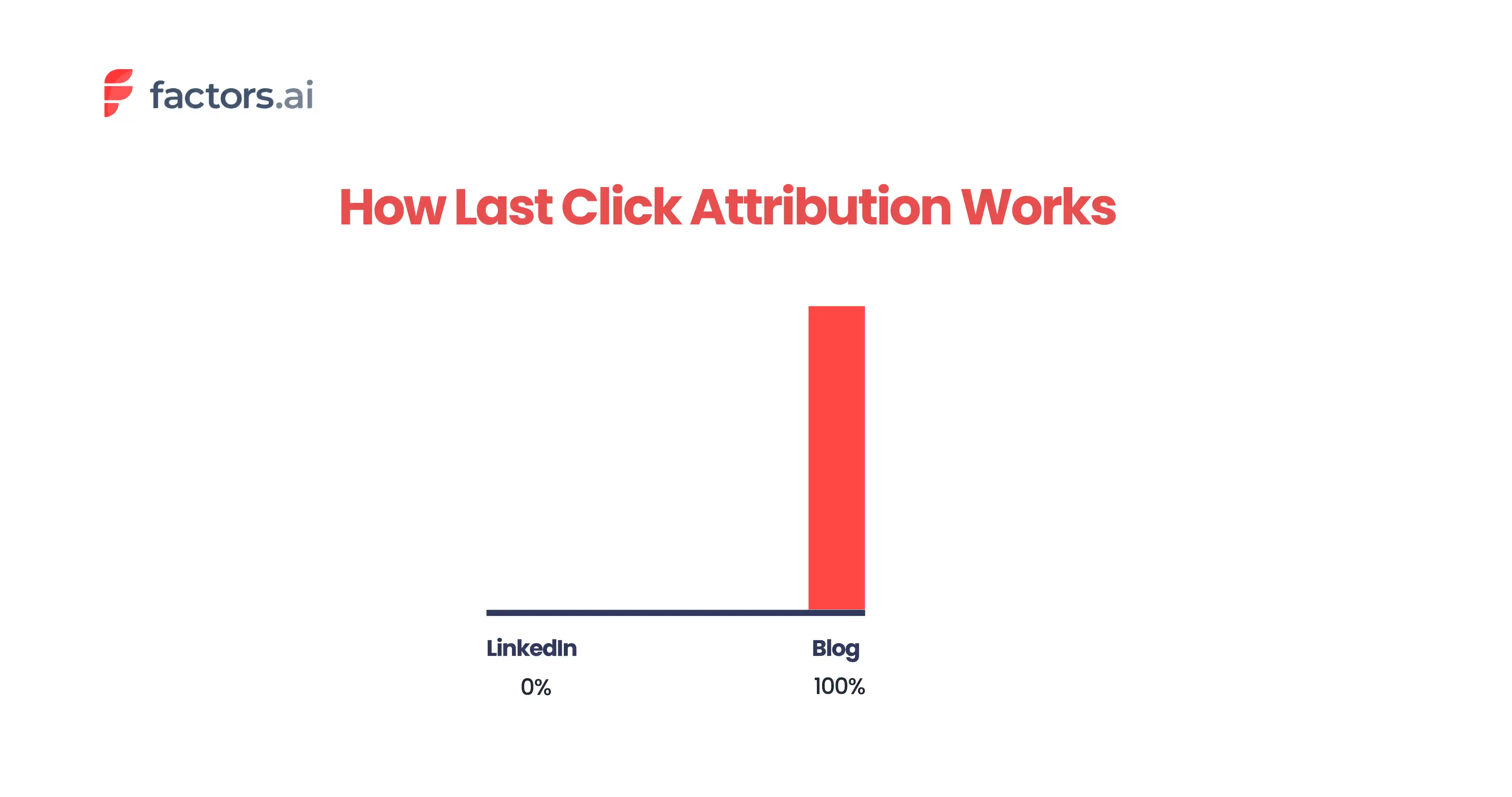
Here’s an example to help you understand how LCA works.
Let’s say a CMO is looking for attribution software to help them tie their marketing team's efforts to conversions and revenue generated.
During market research, they come across a LinkedIn advert for Factors.ai and land on the features page and get insights into how the application can provide a solution to their needs.
Later that week the CMO comes across a blog talking about why CMOs should care about B2B Marketing Attribution. Upon reading this article, they finally decide to sign up for a demo.Last Click Attribution
Here the last touchpoint the CMO interacted with is the blog. So the LCA model will give full credit to the blog for the CMO’s conversion (demo sign up).
Last Click vs First Click Attribution: What’s the Difference?
First Click is another simple attribution model that is similar to Last Click. Both of these are single-click attribution models, they attribute conversion to a single touchpoint.
The key difference between the two models is that Last-Click attributes a conversion to the final touchpoint. Whereas First-Click gives credit to the first touchpoint that led to a conversion.
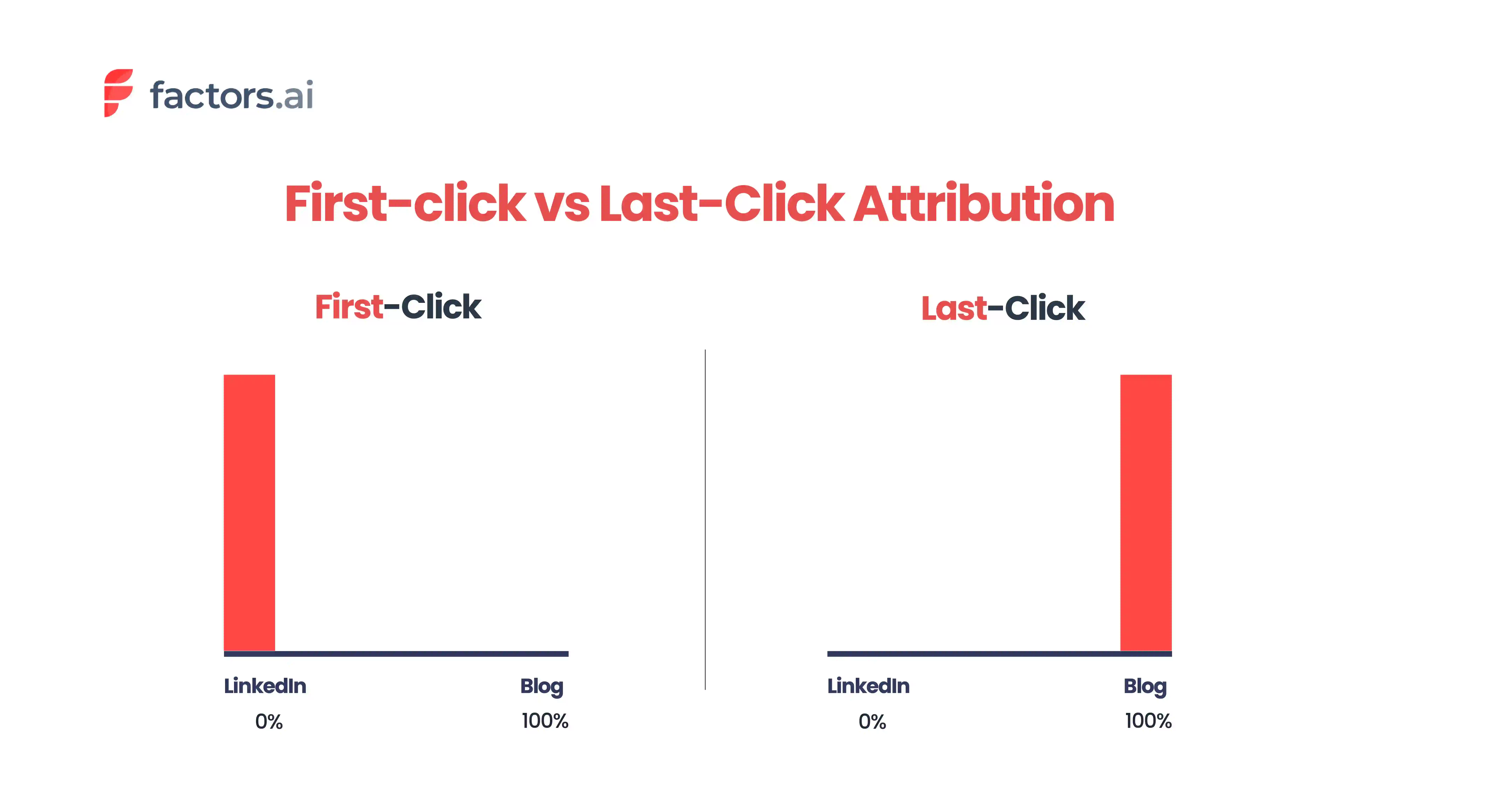
We will explain how First Click Attribution (FCA) works by using the same CMO’s demo sign-up example.
The differences between the two models are that
- LCA attributes the conversion to the last touchpoint before the sale whereas FCA Attributes the conversion to the first touchpoint in the customer's journey.
- LCA emphasizes the impact of the last touchpoint before the conversion while FCA measures impact of the first touchpoint in the customer's journey.
- Last Click Attribution is easier to implement compared to FCA as it needs sophisticated software for comprehensive tracking and data collection.
- Last Click is commonly used in B2C businesses, B2B companies can also use it jointly with other attribution models. First Click on the other hand is commonly used in B2B businesses where the sales cycle is longer and consideration for purchase is high.
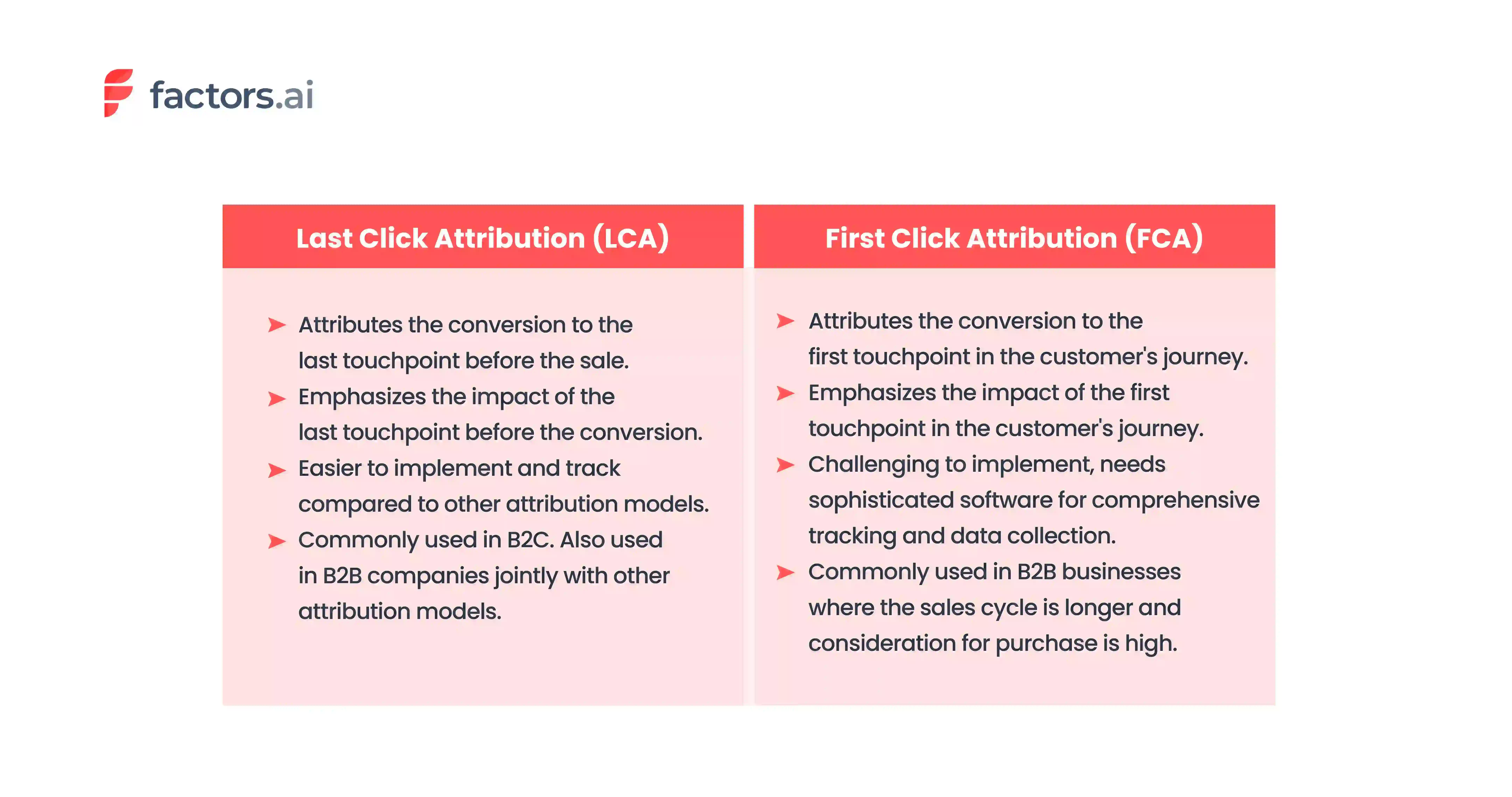
How Can SaaS Companies Use This Model?
Last Click Attribution is a cost-effective model that SaaS companies can use to identify and optimize various campaigns and channels driving conversions. LCA is available for free on Google Analytics.
LCA provides an intuitive framework to make sense of the nonlinear and long SaaS sales cycle with quick insight into the final touch-points before conversions.
Last Click Attribution can be used flexibly with any conversion event in the sales funnel, like
- Demo form signup
- Marketing Qualified Lead (Newsletter sign up)
- Sales Qualified Lead
- Deals won, and more.
{{INLINE_TOFU}}
Limitations of Last Click Attribution
The simplicity of the model is what makes Last Click Attribution so attractive, but this simplicity comes at a cost.
The model has some limitations that can impact its accuracy and functionality in certain situations. Here are some of its limitations:
- Values few channels highly: LCA will highlight channels such as retargeting ads, direct website visit, etc where the conversion is usually high. Due to this marketing teams usually end up allocating more budget on these channels.
- Disregards contribution of other touchpoints: Last Click Attribution doesn’t account for the possible influence that the other touchpoints could have played in the purchase process.
- Inaccurate measurement of long-term impact: Not all customers make impulsive buying decisions, at least not in the B2B space. Last Click Attribution does not factor in the long nurturing period in the B2B sales cycle and the various touchpoints that help nurture a prospect.
As the average timeline of the B2B customer journey is increasing, it’s key for marketers nowadays to understand the various factors influencing a prospect's decision.
B2B SaaS companies with long business cycles need to ensure that their efforts are aligned and are contributing to the end goal of converting prospects into paying customers. In this case, the LCA model will give you a skewed perception of the effectiveness of the marketing strategy.
However, these limitations . In the above case, LCA should be used along with other types of attribution models to cover for its shortcomings.
How Last Click Attribution Works in Factors
Last Click Attribution is still used in many B2B SaaS companies where the sales cycle is shorter, and the decision-making process is less complex.
In Factors, you can easily create intuitive Last Click Attribution reports. Additionally the tool presents key metrics such as spend and CPC to help marketers improve budget allocation towards campaigns that work.
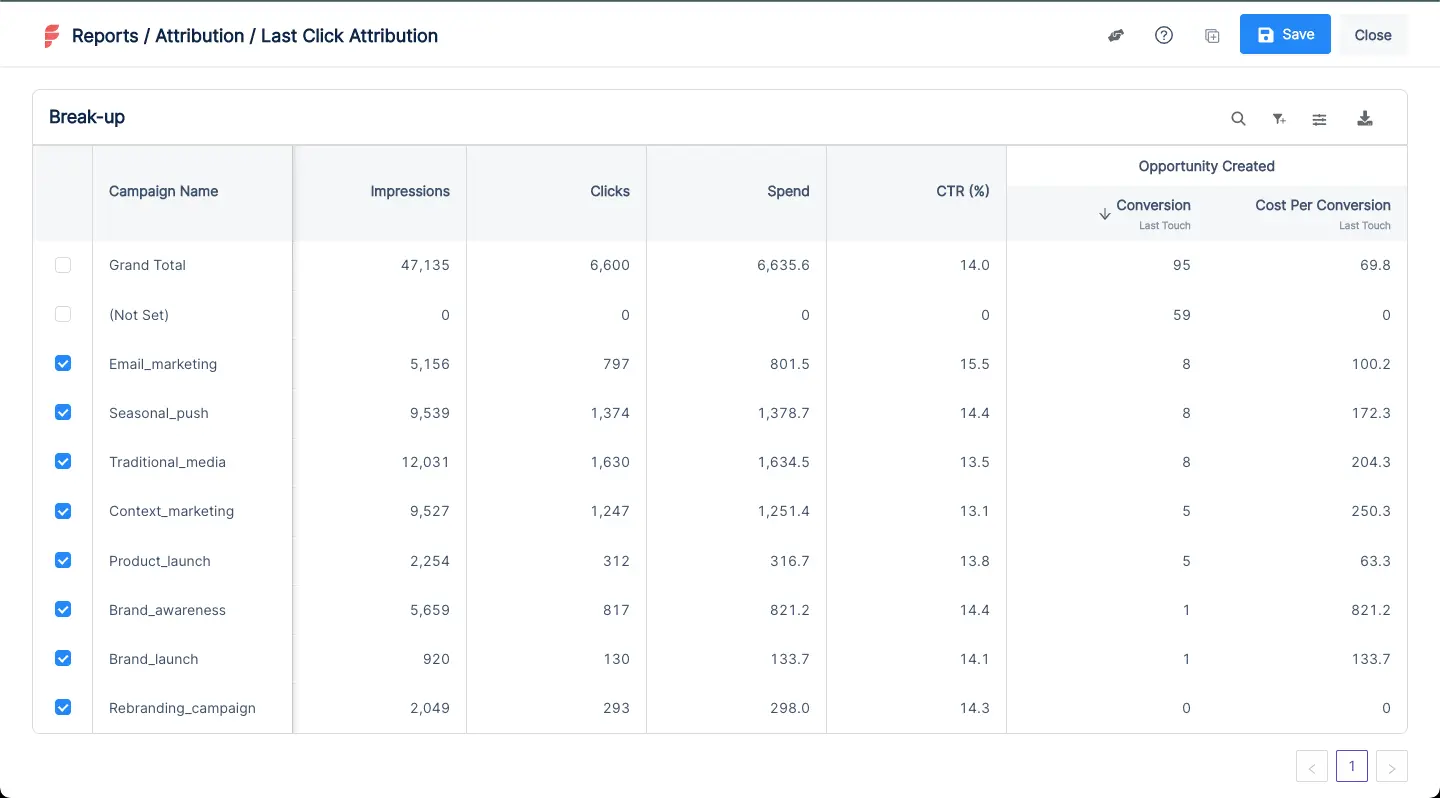
The Cost Per Conversion metric when used along with LCA gives insights into the cost-efficiency of the employed strategy. Marketing teams can use this information to optimize budget allocation for their channels and campaigns to further improve conversions and ROI.
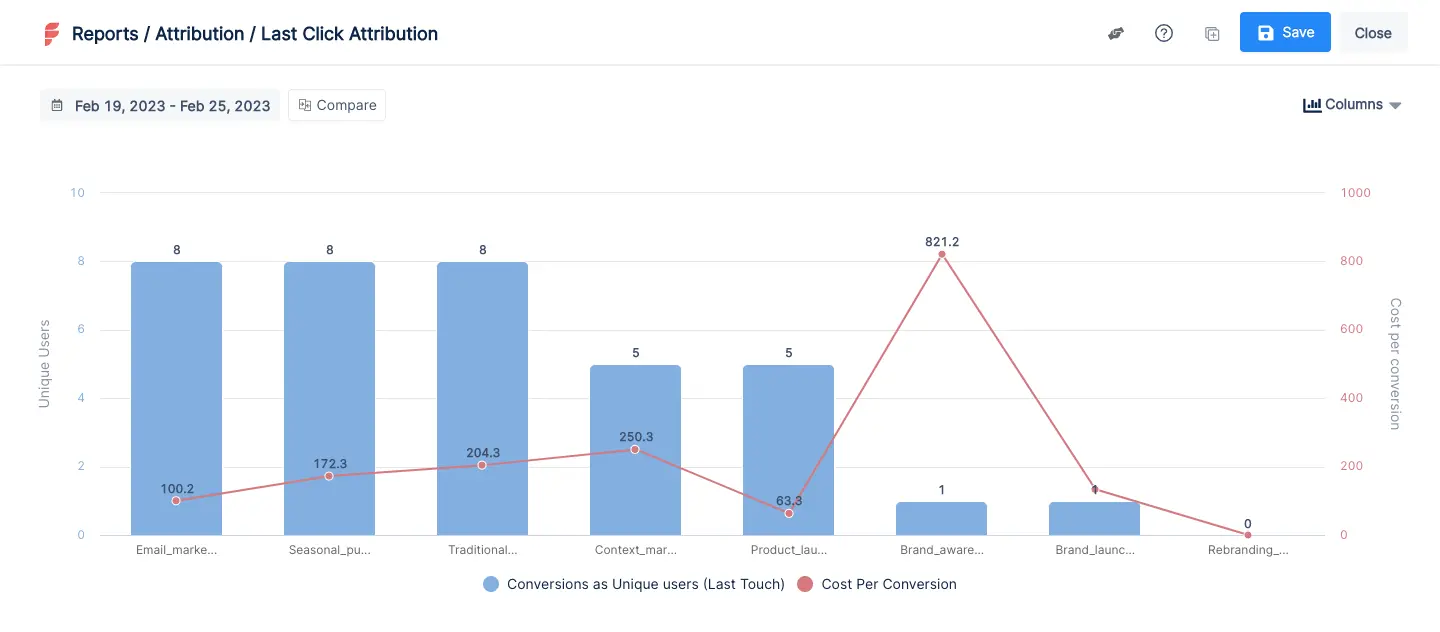

This model credits the final interaction before conversion, offering a straightforward view of performance.
1. How It Works: Full credit goes to the last marketing touchpoint before a customer converts.
2. Limitations: Ignores earlier engagements, leading to incomplete insights.
3. Strategic Consideration: SaaS businesses should evaluate multi-touch models for better visibility into the full buyer journey.
While easy to use, last-click attribution can miss key influence points, making it vital to explore deeper attribution methods.
FAQs
1. Are there other attribution models apart from LCA?
While there are several types of attribution models, the six most common ones apart from LCA are:
- First-touch Attribution
- Last Non-Direct Touch Attribution
- Linear Attribution
- U-Shaped Attribution
- Time Decay Attribution
- W-shaped attribution
2. Should I use Last Click Attribution for my business?
The decision depends on the specific needs and goals of your business. Last Click Attribution is a simple model, but it is not the best fit for every company. Consider the limitations of LCA and explore other attribution models and choose the one that aligns with your needs.

KPIs Explained: Conversion Rates
Learn all about conversion rates and how to use them as a key performance indicator (KPI) for your business. Read now on Factors.ai blog.

{{INLINE_TOFU}}
Finding the Relevant KPIs for your Business
Identifying KPIs that are relevant to your marketing team depends on your particular type of business. For D2C businesses that sell directly to customers, website traffic and cart abandonment rate are two essential KPIs. The former helps guage how successfully a given marketing campaign is able to encourage customers to click on desired CTAs and advertisements, while the latter helps figure out possible pain points for customers that may be hindering their completion of purchases. If your cart abandonment rate is high, retargeting ads on customers’ social media feeds with their in-cart products can serve as useful reminders to complete a purchase. Alternatively, it can help identify customers’ pain points like contentions with shipping or exchange policies, pricing, etc. Such insights are useful in determining next steps. Similarly, for B2C companies, customer retention rate is an important KPI. Unlike B2B businesses, B2C deals seldom involve long term contracts and a continual inflow of revenue from paying customers. Finally, for B2B companies, a KPI like Customer Acquisition Cost (CAC) is a useful measure of the overall cost involved in onboarding a customer.
In this article however, we deal with a primary KPI(s) that impacts all businesses: Conversion Rates.
Conversion Rates
Conversion rates may refer to different concepts. It can mean conversions per activity; which measures how many customers perform the desired activity (clicking on an ad, signing up for a webinar, downloading a free booklet, etc) — all of which can be a part of an overarching campaign or strategy. Conversion per Activity is an important metric in it's own right when it comes to determining what works in your overall strategy.
While these activity conversions contribute to the ultimate success of the marketing campaign, the actual success is measured by sales conversions — How many people actually converted to paying customers?
Hence, conversion numbers usually fall into two categories:
Category 1: Lead Generation
These include conversions per activity, website traffic, social engagement, etc. Sometimes these indicators receive a bad rap for being some what superficial. However, they have their own value to marketers in understanding the overall efficacy of a strategy.
For example, Website traffic may not directly measure the impact of a strategy in acquiring new customers, but it can help determine impact of a strategy on brand awareness. This can be particularly useful when there is a strong correlation between awareness and sales. If 20% of your website traffic has converted to paying customers, improving the website traffic may have a positive impact on the final conversion numbers. Alternatively, if boosting website traffic does not seem to have any positive impact on sales, it can be a sign of potential customer pain points or inefficiencies in the overall marketing strategy.
Category 2: Sales Conversions
These are conversion metrics that measure for concrete, direct impacts on revenue. Here are three influential metrics to keep an eye out for:
I. Campaign Conversions or Conversions per Campaign:
This determines what percentage of traffic to a certain campaign landing page/webinar/new subscribers to a newsletter — turned into a customer.
How to measure: To find the campaign conversion rate, divide the traffic by the customers attributed to that traffic. For example, out of a 100 attendees to a webinar, 7 convert to paying customers, the conversion rate is 7%. Or if your ad had 200 interactions that can be tracked to 15 conversions, then you divide 15/200 to find the conversion rate of 7.5%.
Having a proper attribution model or platform in place is key to finding accuracy in such conversion numbers.
II. Website Conversion Rates:
It is safe to say that almost all B2B or D2C companies have websites which are their primary point of contact with potential and returning customers. So, the conversions from the website becomes an ultra important KPI. Although this indicator is calculated pretty much the same way as the campaign conversion ratio, it can get tricky as the customer journey gets complicated. There might be other touch points that impact the customer’s conversion decision even before they visit the website. Again, having a good attribution system is key to understanding the true impact of website traffic on conversions. It can help understand customer journeys and isolate the impact of the website on conversions. More importantly, it can help identify what works for the website and what doesn't. Insights like what pages converted users visited, how long they spent on those pages, what CTAs they acted on, etc can help figure out possible pain points and improve website conversions.
One thing to remember is that regardless of how customers make their way to the website and when they made the decision to buy, a website has important consequences for the conversion. In the digital age, a business’ website is essentially its storefront. It influences the customer’s perceptions and opinions of the business. In other words, it plays an important role in the customer journey. As such, the website conversion numbers are all too important to ignore for online businesses.
How to measure: The most common and direct way of measuring the website conversion rate is to divide the number of conversions in a given timeframe by the total number of people who visited the website in that timeframe. For example, if in the past week, a site had 100 visitors, and 10 visitors converted to customers, the website conversion rate is 10%.
III. Lead-to-Close Conversion Ratio:
The Lead-to-Close Conversion Ratio, more popularly known as CVR, measures the number of sales that were made in comparison to the total number of leads the marketing team started with. This indicator helps marketers focus not only on creating leads but also on actually closing them. In other words, it helps create quality leads who will actually make the purchase. The effectiveness of the various components of the marketing strategy can be measured with the CVR. It gives the all important insight of which campaigns convert leads to customers and which do not.
How to measure: Similar to the aforementioned, the CVR is calculated by dividing the number of sales by the number of leads generated. For example, if you started out with 1000 leads from webinar attendees or newsletter sign ups or holiday ad campaigns and 170 of them convert to paying customers then you have a CVR of 17%.p

From Intent To Insight: The Key To Optimizing Demo Conversions On Your Website
Learn to boost demo conversions on your site by leveraging user intent for actionable insights. Explore practical strategies for optimal results.
The modern marketer of today can no longer be limited to funnel vision.
Yup, this means you need to expand your boundaries beyond the most straightforward journey your customers might take on their path to purchase. Every opportunity needs to be seized and every high-intent lead needs to move down the sales pipeline faster.
And all of this begins in the place your business calls home in the digital realm - your website.
As one of the first touchpoints of interaction your customers have with your brand, it sets the tone for their evaluation and decision process.
That being said, it is only natural that your website be optimized to convert every qualified lead that lands on your page into a booked meeting with your sales rep. Unfortunately, it is in this crucial window where businesses see a lot of drop-offs.
Which brings us to the most important question:
Are you converting enough website visitors to booked demos?
Here’s a wild guess - not as much as you’d like to.
The Metadata B2B Paid Social Benchmark Report found that marketers allocate 80% of their marketing budget to lead generation but only an average of 2-12% of the leads generated get converted into booked demos.
Not exactly ideal, for all the time, resources, and effort put into creating the perfect campaigns and driving traffic to your website.
Let’s dig a little deeper and understand what could possibly be wrong or missing.
Tbh, when it comes to conversion rate, there’s no one-size-fits-all as it depends on multiple factors. But there are a few common and obvious reasons why it might be low:
- Qualifying large volumes of leads manually
(waste of time, effort, and resources) - Providing a not-so-great demo booking experience
(long forms, weak content, site not optimized for mobile, and slow-loading pages) - Not engaging with leads quickly enough
(Follow-up within five minutes of a form submission can result in 9X more likely conversion) - Or engaging in a long drawn out email chain to book a meeting
(possibility of email getting lost in a crowded inbox and not being able to focus/prioritize on high-intent leads)
- Not having enough insight into website visitors and sales-ready accounts
(Lack of insight into buyer intent causes you to lose out on refining and targeting the accounts identified to just those that fit your ICP)

Why having a high conversion rate matters?
As the difficulty of capturing and retaining customers’ attention increases, it is now more crucial than ever to have a website that can generate qualified meetings.
Every business banks heavily on its vast repertoire of landing pages, which include lead capture pages, trial sign-up and demo landing pages, paid ads pages, and pricing pages amongst many others. But the end goal is the same for them all - provide high-intent prospects with the fastest lane to talk to you. Which translates to having a high meeting conversion rate.
The conversion rate is like a measuring stick for how well a business moves website visitors down the funnel as potential customers and pipeline.
Here’s why it matters:
- Increased qualified leads: A higher demo conversion rate indicates that more of the leads entering the pipeline are genuinely interested and engaged with your solution/product. This means your marketing efforts are attracting the right audience.
- Shortened sales cycle: When leads have a clear understanding of your product's value and how it meets their requirements, they are more likely to move through the sales cycle quickly.
- Higher pipeline potential: When you enable prospects to progress quickly from the awareness stage to the consideration stage, and ultimately to the decision-making stage, it can result in more pipeline and closed deals.
- Competitive differentiation: In a far too crowded SaaS market, demos can be what makes or breaks it for your business. And this starts right from the demo booking process on your website. Is it easy, simple, and quick? Does it give you the next step of action or leave you uncertain about what’s to come?
- Streamlined resource allocation: When your demo conversion rates are high, your sales and marketing teams can focus their efforts more efficiently. It can help them identify what’s working and make necessary tweaks to improve. Plus, it also helps teams prioritize high-intent leads who are more likely to convert.
The essence of it is that a good demo conversion rate has a cascading effect on your sales pipeline. And you should be making the most out of it.
6 tactics to double down on your demo conversions
Every marketer out there is tasked with accelerating pipeline growth but with a tight budget. Seems to be the norm in today’s economic climate right?
Been there, done that. And it’s precisely why we want to scream it out from the rooftops - do not underestimate the impact of your website demo conversion on your pipeline.
Here’s the secret sauce to boost your demo conversion rate and in turn grow your pipeline.
1. Provide a kickass demo booking experience on your website
Once you’ve identified a high-intent lead, every second counts. Don’t get stuck in an endless game of email ping pong to confirm meetings, or worse battling for attention in your prospect's crowded inbox and dealing with drop-offs from qualified buyers even before the first call. Help the high-intent leads you’ve attracted through different channels enter your sales pipeline faster.
Do this by letting prospects book meetings instantly with your team by investing in a smart one-click scheduling solution that doubles as a lead qualification and distribution tool as well.
A great example is RevenueHero which lets you connect high-intent qualified buyers with the right sales rep instantly throughout the buying journey, right from booking meetings on the website to handoffs between sales teams.
When you enable prospects to select their preferred time slot from the calendar of the right person on your sales team in a single click without the hassles of email, your form-fill-to-meeting booked conversion rate is sure to go up drastically. And you’ll pave the way for a great buying experience.
An added bonus is that you’ll also be saving time spent on manually qualifying leads and assigning them to the right reps. Smoother scheduling also means admin work reduces for your sales team and helps improve meeting show and success rates.
2. Tighten your meeting scheduling process for outbound and retargeting campaigns
Now this is where it helps to pour extra attention and care. The devil is in the details after all.
While your website is your #1 source from where you get demo bookings, there are a couple of other touchpoints that you cannot miss.
Let’s start with outbound campaigns. When your SDRs do a cold outreach to prospects they have a lot of the details already and get the rest through the email conversation.
In this case, when the prospect is interested in booking a meeting with you, it makes zero sense to get them to fill out a form again which asks for details you already have. This is where it helps in having a meeting link/calendar that can be embedded in the email. Brownie points, if the if it’s that very SDR’s calendar with personalized content and targeted messaging for an enhanced buyer experience.
What makes you stand out in a competitive and crowded inbox is the little details. Things like adding embedded recaps to your meeting links and personalized meeting reminders help strengthen your brand and add necessary context to the meeting.
Moving on, let’s talk about your retargeting campaigns. As marketers, if we can pinpoint who hasn’t booked a demo and retarget them with campaigns, why can’t we pinpoint who is returning and give them the fast lane to our sales reps? Why ask them to fill in the same information again? Repetitive and redundant right?
When you send a nurturing email, include a custom meeting book link to enable the existing leads in your CRM to book a meeting with you faster, without the hassles of filling out a form yet again.
An important aspect to be noted here is to have all the details synced in the backend, so that you instantly know which prospect of yours clicked the link. This means, when they finally book a demo with you, they get to skip the boring form and are given the fastest route to your sales rep.
No forms. No drop-offs. No regrets.
3. Fast track your meetings and sales cycle with lead-to-account matching
Picture this. You are running multiple campaigns across channels to grab the attention of various stakeholders within a company since there are bound to be different decision-makers involved in the final buy-in. This means, prospects who show interest in your demo forms and marketing collateral can turn up at different timelines despite being a part of the same company.
So what do you do then? How do you ensure that there are no lead redundancies among your accounts? And how do you avoid bouncing prospects from one rep to another?
Enter lead-to-account matching. A functionality that is purpose-built to automatically match every lead to the right account owner based on similar prospects, company or any custom property and close deals faster. To be able to fast-track your meetings and close deals faster you need to ensure your leads talk to the sales rep best equipped to convert them. Every time.
It does not just stop there. You need to go a step further and set up your distribution logic to round-robin these leads based on territory, ownership or any other custom logic based on your sales process. Your pipeline will thank you for it.
4. Make intent data your third eye
In today’s fast-paced landscape, grasping buyer intentions is vital for sales success. And that’s precisely where intent data plays a huge role, in how you can pinpoint, engage, and convert leads. This means you no longer have to rely on plain old cold outreach and spray-and-pray tactics, but instead can implement focussed intent-based outreach and targeted ABM efforts for deal acceleration.
When used efficiently, intent data can help you maximize the ROI from your existing marketing and sales efforts. You can use a wide range of tools, ranging from intent data providers, enrichment databases, sales engagement platforms, and more to leverage your intent data and drive pipeline.
5. Leverage your product with interactive demos
Interactive demos are self-guided walkthroughs that give visitors a "hands-on" experience of your product before they choose to sign-up. Embedding an interactive product demo on your website is an effective tactic to eliminate points of friction and close the gap between buyers, product demos, and sales.
It's an immersive, tailor-made approach to show (not tell) your product's strongest features and use-cases without manual intervention. Ultimately, interactive demos has shown to significantly improve lead quality and conversion rates down the funnel.
If you're looking to experiment with interactive product demos, off-the-shelf, no-code solutions are a great place to start. Navattic, for instance, is an industry-leading interactive demo building tool that supports a wide range of functionality and customization across app captures, overlays, and analytics.

6. Use insights and analytics as your north star
If you’re wondering what could be worse than a pipeline that isn’t converting, it is not knowing why, where, or what the hold-up is. Think about it; if there’s either a sudden drop or surge in meetings booked and you don’t know why you’ll be wasting precious time and resources trying to tweak things with limited visibility.
And that’s why it is absolutely crucial to have 360-degree visibility from form-fill to closed-won. This includes having detailed data on buyer behavior and intent, meeting outcomes and conversion patterns, and performance metrics at form, page, rep, and team levels. But it shouldn’t stop there. You need to analyze the data at hand, drill down on outcomes at every touch point, take prompt action where necessary, and fine-tune your campaigns.
You might be pouring time and budget into lead generation, but if only 2–12% of those leads turn into demo bookings, something’s off. The real game-changer? Turning website visitor intent into actionable insights.
What’s Hurting Your Demo Conversion Rates?
1. Manual Lead Qualification
Sorting leads by hand is outdated. It slows you down and wastes valuable sales time.
2. Clunky Booking Experience
Long forms, slow page loads, and mobile-unfriendly interfaces are silent killers of intent.
3. Delayed Follow-ups
Waiting more than 5 minutes to engage? That lead’s likely gone cold.
4. No Insight Into Visitor Intent
If you don’t know who’s visiting and why, how can you tailor your outreach?
The Fix?
Leverage tools that track, interpret, and act on intent signals in real-time. Automate lead qualification, optimize the booking flow, and follow up instantly—so you convert more visitors into booked demos with ease.
{{INLINE_TOFU}}
Wrapping up
As a modern marketer, optimizing your meeting conversion rate is key to measuring and maximizing the effectiveness of your marketing efforts and ultimately driving business growth.
In a world of intent-driven sales, adapting is thriving. And the secret sauce to it is made up of having the right tools and processes in place.
Introducing LinkedIn AdPilot by Factors.ai
Learn how to do LinkedIn ads correctly by using AdPilot to supercharge your LinkedIn ABM campaigns.
The current state of B2B LinkedIn advertising
LinkedIn is the place for B2B marketers to engage with key accounts and decision-makers. Unlike traditional social media platforms like Facebook and Twitter, LinkedIn has a large user base of professional users who include precise details of job title, seniority, and department.
Simply put, LinkedIn is the perfect place to run ABM campaigns that educate the market about the problem you solve and how you solve it best. Whether you’re a small startup looking to promote your product to a new market segment or an enterprise aiming to build brand awareness, LinkedIn is the key.
And while there’s no doubt that LinkedIn ads can help you attract high-qualified leads, there could be a few reasons why your leadership team might be skeptical of LinkedIn as a marketing channel:
- LinkedIn ads are expensive: As of 2024, the average CPC of LinkedIn ads ranges from $4 to $6, which is relatively pricier for SMBs looking to add LinkedIn to their marketing strategy. The CPMs could also be higher, depending on how niche your audience is.
- Hard to measure ROI: LinkedIn only tracks ad clicks and impressions, which doesn’t give a complete view of how your ads impact pipeline. One such example includes demo ads, where marketers typically face low conversion rates, mainly because users are less likely to sign up for a demo call while scrolling through social media.
- Limited control over how you show your ads: LinkedIn campaign manager allows you to upload a target account list for your ABM campaigns. However, if you want to show your ads to specific accounts showing higher intent and aren’t present in your CRM, it’s an uphill battle of scouring your tech stack and integrating data to ensure your ads are displayed to the right accounts.
So, does this mean LinkedIn ads aren’t worth it? No, quite the opposite. ❌
Ignoring the channel altogether is a major risk, as you’ll miss out on many high-value deals. While other platforms, such as Google ads, help convert 5% of the in-market buyers, you’ll still lose out on 95% of the opportunities by not directly engaging with key stakeholders.

Source: LinkedIn
How to do LinkedIn ads the right way?
If you want to make the most bang for your buck, invest in a solution that gives you a complete view of how LinkedIn impacts your revenue and helps you optimize your spend.
At Factors, we currently offer LinkedIn attribution, which allows you to track how LinkedIn influences pipeline, but now we've decided to take it up a notch!
Presenting: AdPilot
AdPilot finally answers every B2B marketer's long-standing question: “Are we doing LinkedIn ads right?” We’ve built out an exciting set of features that can help you generate 2x ROI from your ad campaigns:
Audience Builder
Manually building lists across Apollo and Zoominfo is tiring, and you also tend to miss out on accounts with high buying intent. Not to mention, your data is spread out across multiple tools. With our new Audience sync feature, you can sync all your data across multiple platforms to create accurate audiences on LinkedIn and target the right accounts without the extra effort.

Smart Reach
Naturally, your audience list will include companies of varying sizes, and some are bigger than others. We audited 100+ LinkedIn ad accounts and found that 80% of your ad impressions are taken up by the top 10% of the accounts. Why miss out on potential revenue with this lopsided distribution of impressions?
With Smart Reach, you have all the power. You can control how ads are shown to your audiences so that every account on your list has the chance to view your ads and make the right buying decisions.
💡Learn more about our research here: Resolving LinkedIn’s Frequency Capping Paradox

Campaign Automation
Advertising is all about pitching your product to the right people, be it online or offline. Instead of displaying your ads to prospects who aren’t currently looking for a solution, use intent-based impression control and allocate your ad budget accordingly to target high-intent and in-market buyers.

LinkedIn True ROI
Do you remember the last time you clicked on a LinkedIn ad and booked a demo straight away? Neither can we because social media channels like LinkedIn never show the complete picture of how prospects make their buying decisions. So, how do you prove LinkedIn’s true ROI to leadership?
Since every ad click doesn’t equal revenue, Factors offers view-through attribution. This gives you a granular view of how target accounts view your ads and interact with your website, giving you an accurate idea of how LinkedIn affects revenue generation.

💡You can learn more here: Measuring LinkedIn True ROI: Click vs View-through Attribution
LinkedIn CAPI
When you’re A/B testing your ads and finally find success, you naturally want to repeat the process and continue getting positive results.
As a LinkedIn Marketing Partner, we could always pull LinkedIn data into factors for better reporting, but with the new LinkedIn CAPI integration, you can send conversion data back to LinkedIn Campaign Manager. Now, you no longer need to rely on guesswork to scale and optimize your ad campaigns.

Join the waitlist today
No marketer likes to see their ad budget wasted on unqualified leads. Quit letting siloed data and inaccurate audience lists get in the way of your ad performance. With AdPilot, you can use data-driven insights to effectively target the right accounts and boost your LinkedIn ROI in no time. Speak to our team today to learn how AdPilot can be a game-changer for your marketing strategy.
{{INLINE_TOFU}}
Factors' AdPilot optimizes LinkedIn advertising campaigns for B2B marketers.
1. Smart Reach: Ensures even distribution of ad impressions across target accounts.
2. Campaign Automation: Streamlines campaign management for greater efficiency.
3. Conversion Tracking: Integrates with LinkedIn's Conversion API (CAPI) for accurate ROI measurement.
4. Audience Building: Enhances targeting precision by integrating data from various sources.
AdPilot aims to improve ad performance, reduce wasted spend, and better align sales and marketing efforts.

We don’t just write about demand gen. We deliver it.
Our AI Agents help you uncover high-intent accounts, run campaigns that actually convert, and keep your GTM motion in sync.
1000+ GTM teams have already scaled their pipeline with Factors.
*Includes built-in peace of mind. And fewer late-night funnel audits.