
Good Reads
Fix pipeline pains. Solve GTM puzzles. Read strategic brain dump.
Written for marketers who want real solutions to a leaking pipeline (and their dark circles).
Want to read more from us?


I’m looking for…

8 Essential Website Visitor Identification Metrics In 2026
Learn the 8 crucial metrics for measuring website visitor identification success, from engagement scoring to conversion tracking.

TL;DR
- Focus on identifying actual companies, not ISPs, and prioritize traffic that matches your Ideal Customer Profile (ICP).
- Analyze traffic by segments like industry, company size, and engagement to ensure you’re attracting the right audience.
- Track re-engagement opportunities like closed-lost accounts or returning prospects.
- Use engagement tiers and trend analysis to prioritize high-value leads and refine strategies for better conversions.
After working with hundreds of B2B companies on website visitor identification strategies, I have noticed a pattern: most teams track too few metrics and, most often, not the right ones. Let me share what I've learned about the metrics that actually matter.
1. Quality of Identification
First things first: you need to know if your website visitor identification solution is actually working. But here's the catch - it’s not just about how much of your traffic is being identified. Let me break this down into what you should be measuring:
- Raw identification rate: What percentage of total traffic is being identified?
- Clean identification rate: What percentage of that identified traffic is actual companies, not ISPs like Verizon or AT&T?
Why does this matter? If your solution tells you it's identifying 50% of your traffic, but half of those are ISPs like Verizon or AT&T, you're only getting 25% useful data. You want the end company, not the internet service provider they use.
2. Traffic Quality by Segment
Here’s where things get interesting. Don’t just focus on overall numbers—break down your identified traffic by:
- Industry
- Employee range (company size)
- Average time on site per segment
- Average pages viewed per segment
This segmentation helps you understand if you're attracting the right audience. For instance, are you mainly getting SMB traffic when you're targeting enterprises? Are mid-market companies spending more time on your site than enterprise ones? These insights are invaluable for fine-tuning your marketing strategy.
3. Qualified Traffic Metrics
Here's something that often gets overlooked: the difference between identified traffic and qualified traffic. Let me give you an example:
Say you're identifying 30% of your website traffic - sounds impressive, right? But if only 5% of that traffic matches your Ideal Customer Profile (ICP), the other 25% is just noise. I see this often when companies focus on high identification rates without assessing traffic quality.
For instance, if a significant portion of your traffic comes from universities, but your product isn’t tailored for the education sector, that data won’t drive meaningful results. Identification without relevance doesn’t help your bottom line.
4. Target Account Engagement
For those running ABM programs, you need to track:
- Percentage of target accounts identified on the website
- Engagement levels of those target accounts.
- Trends in target account visits over time to identify patterns and growth.
See how website visitor identification enhances ABM strategies by engaging high-intent accounts in our guide: Why Website Visitor Identification is Critical for ABM Success.
5. The ‘Second Chance’ Metrics
This is my favorite set of metrics because they’re often overlooked gems. Keep an eye on:
- Closed-lost accounts that become active again.
- Dropped pipeline opportunities returning to your website.
- Previous demo requests that are showing new engagement.
These are your second-chance opportunities. If an account you lost last quarter is now spending time on your pricing page, that’s a signal you can’t afford to miss.
6. Conversion Rate Comparisons
Here’s where you demonstrate the value of your identification efforts. Focus on tracking:
- Conversion rates from website visits to inbound inquiries, comparing qualified vs. unqualified traffic.
- Conversion rates by employee range and industry to spot patterns and refine targeting.
For example, I’ve seen qualified traffic convert at 12% while unqualified traffic lags at 2%. This kind of data makes a strong case for investing in more targeted marketing strategies.
7. Engagement Levels
Don't treat all identified accounts equally. I recommend creating a four-tier classification:
- Hot (highly engaged)
- Warm (showing interest)
- Cool (minimal engagement)
- Ice (single touch)
This helps you prioritize follow-ups and assess the quality of your identified traffic. For example, hot accounts might average 3+ page views per visit, while ice accounts bounce after viewing just one page.
8. Trend Analysis
Finally, don't view these metrics in isolation. Track how they evolve over time to uncover meaningful insights:
- Month-over-month changes in identification rates.
- Trends in traffic quality among identified accounts.
- Shifts in engagement patterns across different segments.
This ongoing analysis helps you spot opportunities, adjust strategies, and stay ahead of changes.
Making This Actionable
Here's how to put this into practice:
- Start by setting up proper tracking for all these metrics (Factors makes it easier)
- Create a weekly or monthly dashboard to monitor trends over time.
- Set benchmarks for each metric based on your first month's data.
- Review and adjust your targets quarterly to align with evolving goals and insights.
Wrapping Up
The key isn't just collecting this data - it's using it to make better decisions. For example, if you see qualified traffic converting at 6x the rate of unqualified traffic, it’s time to double down on targeted campaigns. If closed-lost accounts are returning to your site, it’s your signal to re-engage.
Remember, the goal of tracking these metrics isn’t to create pretty charts—it’s to uncover the signals that help you convert the right traffic into revenue.
Do you have thoughts on these metrics or others? Let’s discuss them on Linkedin.
Related Reads: Website Visitor Identification, Intent Scoring & LinkedIn Ads
Explore more about website visitor identification, intent scoring, and LinkedIn Ads with these guides:
Website Visitor Identification
- How Website Visitor Identification Works – Understanding how it helps track anonymous visitors.
- Website Visitor Identification & Privacy – Compliance with GDPR, CCPA, and data security.
- How to Choose a Website Visitor Identification Tool – Comparing tools to find the right fit.
- Implementation Guide – Steps to set up visitor identification.
CRM & ROI Optimization
- Integrating Website Visitor Identification with CRM – Connecting visitor insights with sales and marketing.
- ROI of Website Visitor Identification – Measuring impact and justifying investment.
- Website Visitor Identification for ABM – How it supports Account-Based Marketing.
Intent Scoring & LinkedIn Ads
- Intent Scoring Using Website Visitor Identification – Ranking accounts based on website activity.
- Using LinkedIn Ads for B2B Intent Targeting – Aligning ad strategy with buyer intent.
Website Visitor Identification: Detailed Implementation Guide
Expert tips on how to implement and roll out website visitor identification to improve Sales & Marketing outcomes.
TL;DR
- Focus on specific channels, regions, and high-intent pages to identify ~1,000 high-value accounts.
- Segment accounts, run LinkedIn campaigns, and pass the top 10% engaged accounts to SDRs for outreach.
- Track metrics, update intent signals, and avoid duplicate data for smooth sales and marketing alignment.
- Assess account identification, engagement, and pipeline impact before scaling campaigns and SDR efforts.
The important thing about implementing website visitor identification software is not just about buying and installing the software. It's about fundamentally changing your go-to-market strategy. When done right, website visitor identification tools enable you to shift to a more targeted account-based approach with intent-based outreach and campaigns. But how do you implement them effectively? Let me walk you through it.
Choosing the right website visitor identification tool requires balancing accuracy, integrations, privacy compliance, and scalability. Learn how to do this right by reading our guide on How to Choose the Right Website Visitor Identification Tool.
How to Start Small and Scale Big with Website Visitor Identification
When you first implement visitor identification on your website, the sheer volume of data can feel overwhelming. Imagine having 50,000 visitors and suddenly getting information about 30,000 companies – it's like drinking from a firehose. Instead, I recommend limiting your initial scope in three key areas:
- Channel Focus: Pick one marketing channel (such as LinkedIn) and one sales channel (typically one SDR).
- Geographic Focus: Limit your efforts to a specific region, such as North America, to streamline execution.
- Page Focus: Initially track only high-intent pages like pricing, demo requests, and other conversion-focused pages.
Understand how website visitor identification technology tracks and identifies anonymous traffic to improve marketing and sales efforts. Dive into the details in our guide: How Does Website Visitor Identification Technology Work?.
Why This Approach Works
By starting small, you can effectively identify approximately 1,000 high-intent accounts and monitor their website activity within your target market. This manageable scope allows your marketing and sales teams to execute strategies effectively without becoming overwhelmed by data.
The Three-Month Plan to Implement Website Visitor Identification
Month 1: Setup and Segmentation
Start by segmenting your identified accounts based on industry or employee size ranges. Why? Because your value proposition likely varies across these segments. Create customized LinkedIn campaigns with messaging that addresses each segment's specific needs and pain points.
Don't forget about your paid search landing pages. These visitors are particularly valuable because they've actively searched for relevant keywords before landing on your site. Use this search intent data to further refine your LinkedIn campaign targeting.
Month 2-3: Campaign Execution and Sales Integration
Run your LinkedIn campaigns for at least a quarter. During this time, you'll notice some accounts showing increased engagement by returning to your website multiple times. This is when you bring in the sales muscle.
Select the top 10% most engaged accounts (about 100 from your initial 1,000) and hand them over to your SDR. But here's the crucial part – don't let your SDR cut corners. They should:
- Research the full buying group within each company
- Conduct detailed account research to understand their needs.
- Craft highly personalized outreach messages tailored to each account.
Intent scoring starts with website visitor identification, helping you prioritize high-intent accounts based on real engagement. Learn how it works in our guide: Intent Scoring via Website Visitor Identification.
CRM Integration: The Foundation of Success
Your CRM integration strategy needs to handle both new and existing accounts effectively. Here's how:
For New Accounts:
- Create company records with "Website Visitor Identification" as the source
- Track key metrics like pages viewed, number of visits, and total time spent
- Pull relevant contacts from tools like Apollo for sales outreach.
For Existing Accounts:
- Update intent signals without duplicating records
- Track the first and last dates of identified intent
- Log anonymous browsing activity, focusing on product pages and case studies
- Expand the contact list to include the full buying group
Special Considerations:
- For accounts with an assigned Account Executive (AE), route intent alerts directly to them.
- For unassigned accounts, use a round-robin distribution to assign them to SDRs.
- Implement governance policies to prevent conflicting outreach efforts.
How to Measure Success After Three Months
After three months, assess your implementation by evaluating performance across the entire funnel. Key metrics to track include:
- Number of accounts identified.
- LinkedIn campaign engagement rates.
- Inbound inquiries from target accounts.
- SDR meeting booking rates.
- Overall pipeline contribution.
Once you’ve proven success with this focused approach, consider scaling up by:
- Expanding the number of accounts tracked on your website.
- Increasing your LinkedIn campaign reach.
- Growing the involvement of your SDR team.
Integrating Website Visitor Identification Software into Your Strategy
Website visitor identification software is just one piece of the puzzle. The real value comes from integrating it into a systematic go-to-market approach. Start small, take a methodical approach, and prioritize quality over quantity. While this measured process may feel slow initially, it is the most reliable way to achieve successful implementation and create long-term value.
The key is to view this not as a simple software implementation but as a catalyst for significantly improving your go-to-market strategy. When implemented correctly, it allows you to shift from broad-based marketing to targeted, intent-driven engagement that delivers measurable results.
Identifying website visitors helps businesses understand user behavior and tailor marketing efforts effectively.
1. Core Process: Integrate tools to track and analyze visitor interactions in real-time.
2. Key Advantages: Boost lead generation, personalize experiences, and uncover audience preferences.
3. Compliance Focus: Ensure data accuracy while aligning with privacy regulations like GDPR and CCPA.
Proper implementation transforms anonymous traffic into actionable insights, driving smarter marketing decisions.

Why Website Visitor Identification is Critical for ABM Success
Discover how website visitor identification helps prioritize high-value accounts, measure ABM success, and refine your strategy with actionable insights.
TL;DR
- Website visitor identification helps prioritize high-engagement accounts, measure campaign success, and allocate resources effectively in ABM.
- It can be used to build data-driven ABM lists by analyzing historical engagement and firmographics.
- It bridges the gap in tracking hard-to-measure ABM channels like ads and organic content.
- Focus on top-engaged accounts to drive smarter, more effective ABM strategies.
Let's talk about something that comes up in almost every conversation we have with B2B marketing leaders: the role of website visitor identification in Account-Based Marketing (ABM). After working with hundreds of companies on their ABM programs, we've noticed there are two distinct scenarios businesses typically face —and website visitor identification plays a critical but unique role in each.
The Two ABM Scenarios You'll Face
Scenario 1: Your Target Account List is Set in Stone
You've got your 1,000 target accounts locked and loaded in your CRM. Sales and marketing are aligned, and the accounts are set—now it’s all about execution. You might assume visitor identification isn't crucial at this stage - but let me explain why it's a game changer.
First, it shows whether your campaigns are working. For example, let's say you're running two different sales sequences:
- Sequence A with 100 accounts
- Sequence B with another 100 accounts
Visitor identification helps you see which sequence drives more companies back to your website. The one with better engagement? That’s your winner.
The same applies to all your marketing campaigns - LinkedIn, content syndication, or anything else you're running. Your first priority is to know whether you’re capturing mindshare with these companies. Are they remembering you enough to come back to your website?
Here’s where it gets even more interesting. Even with a fixed list of 1,000 accounts, you shouldn’t treat them all equally. This is where smart prioritization makes a difference:
- Which 100 accounts are showing the most engagement?
- Where should your sales team focus their limited bandwidth?
- How should you allocate your marketing budget effectively(e.g., LinkedIn ads, dinner events)?
You want to pour fuel on the fire where there's already heat - focusing on the accounts that are actively engaging and in the buying cycle.
Scenario 2: Building Your ABM List from Scratch
This can be more challenging. Say you have a total addressable market of 10,000 companies, but you need to narrow it down to 1,000 accounts for your ABM program this quarter. This is where website visitor identification software, like Factors, becomes your secret weapon.
Instead of guessing, you can analyze historical website engagement patterns to identify your most promising accounts—those that have consistently shown interest in your solutions. Take it a step further by combining this data with non-website insights to create a truly data-driven ABM list that ensures your focus is on the right accounts.
Why Visitor Identification is the Missing Piece in ABM
Here's something crucial that many people miss: most ABM channels aren't directly trackable. Think about it:
- Brand advertising
- Display ads
- Organic LinkedIn content
- Gifting programs
- Customer referral initiatives
These channels rarely drive direct clicks to your website. Instead, people:
- See your brand repeatedly.
- Remember you over time.
- Visit your website later when they're ready.
This is why website visitor identification becomes the linchpin of ABM measurement. It's often the only reliable way to track the effectiveness of your ABM programs, as most other channels are inherently difficult to measure.
Making This Actionable for Your Team
Based on my experience, here's how to make the most of visitor identification in your ABM strategy:
- For Fixed Account Lists:some text
- Track campaigns separately for different account segments.
- Implement a scoring system to measure engagement levels.
- Define clear thresholds to trigger accelerated sales outreach.
- Use engagement data to review and reallocate your marketing spend.
- For Building Account Lists:some text
- Analyze 3–6 months of historical website engagement.
- Combine this data with firmographic and intent signals.
- Create tiered account lists based on engagement levels.
- Focus your initial ABM efforts on the most engaged tier.
The Bottom Line
Whether you're working with a fixed account list or building one from scratch, website visitor identification isn't just another tool in your ABM stack - it's the foundation for measuring success and making smart resource allocation decisions.
In B2B, especially with ABM, the path to purchase is rarely linear. Prospects engage with your brand across multiple channels long before filling out a form. The ability to track and measure these interactions through website visitor identification isn’t just a nice to have—it’s essential for modern ABM success.
Have thoughts on this? I'd love to hear how you measure ABM success in your organization. Let’s connect on LinkedIn and keep the conversation going.
Want to get the most out of website visitor identification, intent scoring, and LinkedIn Ads? Check out these essential guides:
Website Visitor Identification 101
- How Website Visitor Identification Works – The fundamentals of uncovering anonymous website visitors.
- Key Metrics for Website Visitor Identification – What to track and how to measure effectiveness.
- Privacy & Compliance in Website Visitor Identification – Everything you need to know about GDPR, CCPA, and data security.
- Choosing the Right Website Visitor Identification Tool – A comparison guide to help you decide.
- Step-by-Step Implementation Guide – How to set up visitor identification on your website.
Turning Visitor Insights into Business Growth
- Integrating Website Visitor Identification with Your CRM – Sync visitor insights with your CRM for smarter sales process.
- Measuring the ROI of Website Visitor Identification – How to justify and optimize your investment.
Advanced Strategies: Intent Scoring & LinkedIn Ads
- How Intent Scoring Works with Website Visitor Identification – Prioritize accounts based on engagement signals.
- Using LinkedIn Ads to Target B2B Buyer Intent – Improve ad performance with intent-driven targeting.

The B2B Sales Funnel Unveiled: Insights & Best Practices
Understand B2B Sales Funnel with Valuable Insights and Best Practices. Boost your Sales Strategy and Drive Success in the B2B Landscape.

Understanding the B2B Sales Funnel
When it comes to B2B marketing, qualifying your sales leads is not an easy job. Given the several steps involved in a B2B customer journey, visualizing each one as a funnel can be insightful (and actionable). It identifies what’s helping and hurting conversion rates along a prospect’s journey to becoming a customer. Which in turn, helps optimize the journey and improve conversion rates.
What is a B2B Sales Funnel?
A B2B sales funnel is a visual model that illustrates a prospect’s journey. The funnel graphically represents the proportion of prospects present in all stages. It can also represent customer engagement and break down each interaction from first-touch to deal-won. Here’s why a B2B funnel differs from a B2C funnel:
* Unlike in B2C, a B2B prospect is composed of several decision-makers who would have to greenlight an investment.
* The sales cycle in B2B is considerably longer than a B2C one. This is not only because of the layers of approval required but also the meticulous research, review, and demos, and larger contract values.
* In a B2B endeavor, customer retention and the need to build a long-term relationship with clients are critical for long term success. Hence, brand building is placed on a pedestal for B2B customer engagement.

Breaking Down the Stages of the Funnel
Several terms exist for the different stages of the funnels. Functionally, however, most of them are relatively synonyms. For the sake of simplicity, a B2B sales funnel can be divided into 3 levels:
1. Top of Funnel (ToFu)
2. Middle of Funnel (MoFu)
3. Bottom of Funnel (BoFu)
Picture of funnel broken in three parts; top middle bottom. On the left of the funnel write down what is buyer intent?
On the right side of the funnel; list down the marketing efforts commonly used at that stage; like top stage is content marketing and blogs.
When guiding your users through the funnel, there are several you can use to assess whether you’re doing it successfully. These metrics can help you evaluate past performance, predict future trends and optimize your current efforts. Some of these are click- through- rate, conversion, content shares and SEO metrics. Analytics software like Factors and Google Analytics can be used according to your campaign goals, content channels and campaigns.
Top of sales funnel
The top of funnel level deals with the awareness and interest stage in a prospect’s journey. The objective of this stage is to consistently bring in fresh, new traffic. At this stage, prospects may not be entirely aware of the problem you’re solving. From a B2B standpoint, this not only involves your advertising, but is heavily centered around content marketing, educational content creation, & building a strong organic presence.
B2B prospects commonly require significant nurturing before going further down the funnel. For example, a company like Salesforce revolves their content strategy around CRM among other things educating prospects on all things CRM related and more.
Common top-of-the-funnel marketing touchpoints include:
- Blogs
- Podcasts
- E-Books
- Webinars
And key top-of-the-funnel metrics to track include:
- Number of site visits
- Web session duration
- Bounce rate
- Keyword rankings
- CTR
- Mail open rate


Middle of Sales Funnel
"This level of the funnel corresponds with the engagement stage of a prospect’s journey. After creating awareness and defining the problem, prospects would now evaluate their solutions. At this stage, you would need to build your brand authority and elucidate how your solution is the superior option." - says Milosz Krasinski, Managing Director at Chilli Fruit Web Consulting.
The approach to marketing changes at this level. Here, content becomes increasingly brand-oriented and employs lead magnets or gated content to bolster your brand authority. This can also be ensured by hosting webinars, events, and live-demos. MoFu blogs also tend to be more product heavy as opposed to industry-specific.
Common middle-of-the-funnel touchpoints include:
- Comparison articles
- Retargeted ads
- Product reviews
- Trial sign-ups
Bottom of Sales Funnel
Not to be confused with the expression “being at the bottom of the barrel”. The bottom of the funnel is a crucial stage in the buyer’s journey. It’s where you would ultimately want to guide all your prospects towards. It is known as the conversion stage because at this stage prospects make a purchasing decision and possibly convert into customers.
It must be noted that bottom of funnel prospects can vary depending on your conversion goal. It could even include prospects that sign up for a demo, make an account, mail a product query, or anything that expresses high engagement with the brand or product. Based on historical trends, you could identify which conversion goal is conducive to a prospect becoming an MQL, an SAL, or an SQL.
At this level, the sales team starts to get involved. It’s the combined effort of sales and marketing that ultimately onboard customers through promotional offers and strategies. Considering the B2B sales cycle, this is still a long, arduous process. The bottom of the funnel also helps form the ideal client profile which serves in identifying target accounts with ABM (account-based marketing).

How to Guide Users through the Sales Funnel
The core objective of the funnel is to help guide potential B2B customers through the process, without spending too much or overdoing it and driving them away from making a purchase. However, once you have identified what stage your customers are at- what next? It is important to take advantage of this new information to adapt your content to target your customers better.
Along each stage of the sales funnel, content must be curated to drive up customer engagement. And the type of content that customers expect differs at different stages of the funnel. Let’s look at how buyer intent differs across the three stages of the funnel:
1. Top of the funnel: The customer has arrived at your ad because there is a problem that they are facing. Present your content in a way that recognises their problem through educational webinars, blog posts and social media.
2. Middle of the funnel: Remember that at this point, your customer is still looking for a solution. This is when you build trust through content marketing campaigns, blog posts. You want them to be assured of the quality of your product and have faith in you.
3. Bottom of the funnel: In this last stage, make them aware that others before them have achieved the same goal with their products. Use testimonials, product USPs and case studies to drive your point home.
Flipping the Funnel: An Alternate Way
Instead of using the conventional B2B funnel, Binnet and Field suggest flipping the funnel. This means to think of the funnel as ‘in market’ and ‘out market’ buyers. Instead of looking at your B2B customer journey as a funnel that has a narrower customer base at each stage, focus on different aspects like ‘activation’ or ‘branding’ at the in market and out market stages respectively. Find out more about this alternate perspective here.
In Conclusion…
The stages of a B2B marketing funnel are diverse. Each stage adopts different types of content strategy, tactics, interactions, and analytics. This makes it all the more essential to compartmentalize efforts into an organized funnel, making the process disciplined.
The funnel not only keeps track of your prospects at each level but also identifies different pain points that limit prospects from moving down the funnel. Measuring your funnel helps distinguish your leads better too, which can be quite useful given that 79% of MQL are never converted to sales.
From a B2B angle, the funnel highlights the importance of efforts like SEO, building domain authority for TOFU and long-form product heavy blogs for MOFU, etc. Given the nature of B2B prospects, all these factors contribute to the movement down the funnel.
Understanding LinkedIn Ads CTR
Want higher ROI from LinkedIn Ads? Learn the industry-standard CTR benchmarks, why your ads might be underperforming, and actionable strategies to optimize your targeting and creative for better engagement. Learn effective strategies to improve the average CTR for LinkedIn ads, manage budgets, and discover how Factors.ai enhances ad performance.
.avif)
TL;DR
- Click-Through Rate (CTR) measures the percentage of people who click your ad after seeing it. It's calculated as (Clicks / Impressions) * 100.
- High CTR indicates strong ad engagement, leading to better ROI. Low CTR may suggest your ad isn’t resonating with your audience, wasting ad spend.
- Optimizing CTR on LinkedIn is crucial due to high ad costs. A better CTR can reduce your cost-per-click (CPC) as LinkedIn rewards engaging ads with lower costs and better placements.
- Average LinkedIn Ads CTR ranges between 0.44% - 0.65%, varying by ad format and industry. Sponsored Content typically sees higher CTRs, while Text Ads are lower.
- Factors that influence CTR include, audience targeting, ad copy and creatives, ad formats, ad placement and frequency.
- LinkedIn ads CTR can be optimized by A/B testing ads, improving targeting, refining ad copy/ visuals and budget measurement.
- While running LinkedIn ads, some common mistakes are ignoring audience feedback, mobile optimization, ad fatigue, and setting unrealistic expectations for CTR improvements.
With over 900 million members worldwide, LinkedIn offers businesses a unique opportunity to target a highly professional and engaged audience through its advertising options. However, running successful LinkedIn Ads campaigns requires more than just setting up an ad and letting it run. One of the most critical metrics to monitor and optimize is the Click-Through Rate (CTR).
In this blog, we’ll explore the average CTR for LinkedIn ads, the factors influencing it, and how to optimize your campaigns for better performance, all while considering your budget.
What is CTR in LinkedIn Ads?
CTR, or Click-Through Rate, is a key performance indicator in digital marketing that measures the percentage of people who click on your ad after seeing it. In simple terms, it tells you how effectively your ad attracts clicks from your target audience. For LinkedIn Ads, CTR is calculated as the Number of Clicks on the Ad divided by the Number of Impressions multiplied by 100. Understanding and optimizing CTR in LinkedIn Ads is crucial because it directly affects your campaign’s cost efficiency and effectiveness.

Source: https://www.socialmediaexaminer.com/how-to-analyze-linkedin-ad-performance/
LinkedIn Ads CTR as a Performance Metric
CTR is more than just a number; it’s a reflection of how well your ad resonates with your target audience. A high CTR means that a more significant percentage of people who see your ad are interested enough to click on it, which can lead to higher engagement rates, more conversions, and ultimately a better return on investment (ROI) for your ad spend. On the other hand, a low CTR could show that your ad is not capturing your audience's attention, which can result in wasted ad spend and lower overall campaign performance.
Why CTR is Crucial for LinkedIn Ads?
Optimizing CTR is especially important on LinkedIn, where advertising costs can be relatively high compared to other platforms. LinkedIn Ads operates on a bidding system where advertisers bid for ad placements. A higher CTR can lower your cost-per-click (CPC) because LinkedIn’s algorithm favors more engaging ads, rewarding them with better placements and lower costs. Therefore, by improving your CTR, you’re not only increasing your ad’s effectiveness but also potentially reducing your overall advertising costs.
Understanding the Average CTR for LinkedIn Ads
Industry Benchmarks
When evaluating your LinkedIn Ads CTR, it’s essential to have a benchmark against which to compare.
According to industry data, the average CTR for LinkedIn Ads typically ranges between 0.44% and 0.65% across all industries. However, this range can vary significantly depending on industry, ad format, and targeting strategy. For instance:
- Sponsored Content: These often see a higher CTR, averaging around 0.44%. These ads appear directly in the LinkedIn feed, making them more engaging.
- Text and dynamic Ads tend to have lower CTRs, averaging 0.024%. As they appear in less prominent positions on the page, they are more likely to be overlooked.
- Message Ads: These ads generally see higher engagement, with an average CTR of about 3.2%, depending on the quality and relevance of the content.
Also Read: Types of LinkedIn Ads
How Industry and Audience Impact CTR
The industry you’re targeting plays a significant role in determining your average CTR. For example, industries like technology, marketing, and education often see higher CTRs due to their audience’s familiarity with online platforms and digital content. On the other hand, industries like manufacturing or heavy industry may experience lower CTRs due to a less digitally engaged audience.

Additionally, the demographic and professional characteristics of your target audience on LinkedIn can influence CTR. Ads targeting senior-level executives may have lower CTRs compared to those targeting mid-level professionals simply because decision-makers are often more selective in the content they engage with.
Impact of Ad Formats on CTR
The format of your LinkedIn ad is another critical factor affecting CTR. As mentioned earlier, Sponsored Content tends to generate higher CTRs because it blends seamlessly into the LinkedIn feed, making it more likely to be seen and clicked. Text Ads, while cheaper, often have lower CTRs due to their less prominent placement. Message Ads, however, can capture attention more effectively, leading to higher CTRs, provided the content is engaging and relevant.
Factors Affecting CTR on LinkedIn Ads

Target Audience
One of the most significant factors influencing your LinkedIn Ads CTR is the accuracy of your audience targeting. LinkedIn offers various targeting options, including job title, company size, industry, skills, etc. However, even with these tools, it’s easy to either over-target (too narrow) or under-target (too broad), which can negatively impact your CTR.
- Over-Targeting: When your audience is too narrow, your ads might not get enough impressions, leading to a lower CTR due to a lack of visibility.
- Under-targeting: When your audience is too broad, your ad may be shown to people who are not genuinely interested, leading to lower engagement and a reduced CTR.
To optimize your CTR, it’s crucial to find the sweet spot in targeting: broad enough to reach a substantial audience but specific enough to engage the right people.
Ad Copy and Creative
The quality of your ad copy and creative elements plays a crucial role in attracting clicks. A well-crafted ad that speaks directly to your target audience's needs and pain points is more likely to achieve a higher CTR. Here are some tips:
- Compelling Headlines: Use attention-grabbing headlines that highlight the value proposition.
- Clear Call-to-Action (CTA): A strong CTA guides the audience on what to do next, increasing the likelihood of clicks.
- Engaging Visuals: Use high-quality images or videos that resonate with your audience and support your message.

Ad Format
As discussed earlier, the choice of ad format can significantly impact CTR. For example, if your goal is to drive high engagement, Sponsored Content or Video Ads may be more effective than Text Ads. Understanding the strengths and weaknesses of each ad format is essential in choosing the right one for your campaign goals.
Ad Placement and Frequency
Where and how often your ad is shown also influences its CTR. LinkedIn’s ad placement options allow you to position your ad in various locations on the platform, each with different visibility levels. Advertisements in the LinkedIn feed (Sponsored Content) generally perform better than those in sidebars or footers (Text Ads).
- Ad Frequency: This refers to the number of times your ad is shown to the same user. While repeated exposure can reinforce your message, too much repetition can lead to ad fatigue, where users start ignoring your ad, thus lowering your CTR. It’s important to monitor and adjust ad frequency to balance visibility and engagement.
Optimizing Your LinkedIn Ads for Better CTR
A/B Testing
One of the most effective strategies for improving your LinkedIn Ads CTR is A/B testing. This involves creating multiple versions of your ad with slight variations in elements such as headline, copy, image, or CTA, and then testing them to see which version performs better.
- Headline Testing: Experiment with different headlines to see which ones capture the most attention.
- Visual Testing: Try using different images or videos to determine which visuals resonate most with your audience.
- CTA Testing: Test different CTAs to determine which ones are most effective in driving clicks.
You can gradually improve your CTR and overall campaign performance by systematically testing and refining your ads.

Improving Targeting
Improving your audience targeting can have a significant impact on CTR. Use LinkedIn’s advanced targeting options to reach the most relevant audience segments. Consider using:
- Lookalike Audiences: These audiences share characteristics similar to those of your existing customers or high-value leads. Targeting lookalike audiences can help you reach new users more likely to engage with your ads.
- Retargeting: This involves showing ads to users who have previously interacted with your brand, such as visiting your website or engaging with your content on LinkedIn. Retargeting can significantly boost CTR as these users are already familiar with your brand.
Enhancing Ad Copy and Visuals
Investing time in crafting high-quality ad copy and visuals is essential for improving CTR. Here are some additional tips:
- Use Emotional Triggers: Ads that evoke emotions (e.g., curiosity, excitement, urgency) are likelier to be clicked.
- Personalization: Tailor your ad content to address different audience segments' specific needs and interests.
- Consistency: Ensure your ad copy and visuals are consistent with your brand’s tone and messaging.
Monitoring and Adjusting Budgets
Effective budget management is crucial for optimizing your LinkedIn Ads CTR. While a higher budget can increase your ad’s reach, spending more to get better results is not always necessary. The key is to allocate your budget strategically and adjust it based on performance data.
- Start with a Test Budget: Begin with a smaller budget to test different ad creatives, formats, and targeting options. This allows you to gather data on what works best before scaling up.
- Monitor Spend vs. Performance: Regularly review how your budget is being spent in relation to your CTR and other key metrics. If certain ads or targeting options are delivering a lower CTR, consider reallocating your budget to higher-performing ads.
- Dynamic Budget Allocation: Consider using LinkedIn’s budget optimization tools, such as automated bidding, which can help you dynamically allocate your budget to maximize CTR and other desired outcomes.
Common Mistakes to Avoid When Trying to Improve CTR
Ignoring Audience Feedback
One of the most common mistakes advertisers make is not listening to their audience. Negative feedback, such as low engagement or high bounce rates, is a clear signal that something in your ad is not resonating. Ignoring this feedback can result in wasted budget and poor campaign performance. Regularly monitor user comments, engagement metrics, and CTR to make necessary adjustments.
Overlooking Mobile Optimization
With a significant portion of LinkedIn users accessing the platform via mobile devices, failing to optimize your ads for mobile can severely impact your CTR. Ensure that your ad creatives, landing pages, and CTAs are mobile-friendly to provide a seamless user experience and maximize clicks from mobile users.
Neglecting to Update or Refresh Ads
Ads can become stale over time, especially if they are shown to the same audience repeatedly. This can lead to ad fatigue, where your audience starts to ignore your ads, resulting in a lower CTR. Regularly updating your ad creatives and experimenting with new formats can keep your campaigns fresh and engaging.
Setting Unrealistic Expectations
While aiming for a high CTR is essential, setting unrealistic expectations can lead to disappointment and misguided strategy adjustments. LinkedIn is a unique platform; average CTRs may vary from other digital advertising channels. Focus on gradual improvements and optimizing for your specific audience and industry.
The Role of Factors in Optimizing LinkedIn Ads Performance
Factors is a cutting-edge marketing analytics platform designed to help businesses make data-driven decisions. By leveraging advanced AI and machine learning algorithms, Factors provides in-depth insights into your marketing campaigns, including LinkedIn Ads, helping you optimize performance and improve key metrics such as CTR.
How Factors Enhances LinkedIn Ads Performance
- Comprehensive Analytics: Factors offers comprehensive analytics that go beyond basic metrics. It tracks user behavior, engagement patterns, and conversion pathways, providing a deeper understanding of how your LinkedIn Ads are performing and where improvements can be made.
- Predictive Insights: The platform uses predictive analytics to forecast CTR trends and potential outcomes based on historical data. This allows you to proactively adjust your campaigns to optimize performance and budget allocation.
- Automated Reporting: Factors simplifies the reporting process by automatically generating detailed reports on your LinkedIn Ads campaigns. These reports highlight key performance indicators (KPIs), including CTR, and provide actionable insights to improve future campaigns.
- A/B Testing Optimization: With Factors, you can easily manage and analyze A/B tests across multiple LinkedIn Ads campaigns. The platform’s AI-driven insights help identify the best-performing ad variations, allowing you to optimize CTR more effectively.
- Customizable Dashboards: The platform offers customizable dashboards that allow you to track CTR and other important metrics in real-time. This real-time monitoring enables you to make quick adjustments to your campaigns, ensuring that your ads remain effective and engaging.
Introducing LinkedIn AdPilot by Factors
We at Factors recently introduced AdPilot, a platform designed to streamline the process of managing and optimizing your LinkedIn Ads. Performance Tracking:
- Simplifies the process of list-building across platforms like Apollo and Zoominfo.
- Ensures you don't miss out on high-intent accounts by integrating data from multiple tools.
- Centralizes and syncs your data across platforms for more accurate audience creation.
- Enables precise targeting on LinkedIn, reducing manual effort and increasing efficiency.

- Helps balance ad impressions across all accounts, preventing overexposure to the top 10% of companies.
- Ensures every account in your audience list gets a fair chance to see your ads.
- Increases the potential for revenue by optimizing ad distribution.
- Provides control over ad frequency, allowing for more strategic ad placements.

- Allows targeting of high-intent and in-market buyers rather than broad, uninterested audiences.
- Utilizes intent-based impression control to optimize ad budget allocation.
- Ensures ads are shown to prospects who are more likely to convert, improving ROI.
- Reduces wastage of ad spend by focusing on relevant, interested audiences.

- Offers view-through attribution to track how target accounts interact with your ads and website.
- Provides a detailed view of LinkedIn’s impact on revenue generation, beyond just ad clicks.
- Helps prove the value of LinkedIn ads to leadership with accurate ROI metrics.
- Bridges the gap between ad clicks and actual revenue, showing the full customer journey.

- Enhances ad campaign optimization by sending conversion data back to LinkedIn Campaign Manager.
- Reduces reliance on guesswork in scaling successful ad campaigns.
- Integrates seamlessly with LinkedIn as a Marketing Partner, improving reporting and insights.
- Enables more effective A/B testing by providing accurate performance data for future campaigns.

With Factors’ AdPilot, marketers can double down on their LinkedIn Ads ROI.
Boost Your LinkedIn Ad Performance with Higher CTR
Click-Through Rate (CTR) measures the percentage of viewers who click on your LinkedIn ad, indicating audience engagement and potential ROI.
- Understanding LinkedIn Ads CTR: Calculated as (Clicks / Impressions) * 100, with industry benchmarks ranging from 0.44% to 0.65%.
- Ad Performance: Sponsored Content typically has higher CTRs, while Text Ads see lower engagement.
- Key Influencing Factors: Targeting, ad copy, creatives, format, placement, and frequency.
- Optimization Strategies: A/B test ads, refine targeting, enhance copy and visuals, and manage budgets effectively.
By continuously improving these aspects, businesses can increase engagement, maximize conversions, and drive better advertising results.
In a nutshell
Optimizing the CTR of your LinkedIn Ads is a critical step toward achieving better campaign performance and maximizing your return on investment. You can get the best out of your LinkedIn ads by understanding the factors influencing CTR, such as audience targeting, ad copy, and ad format, and utilizing tools like our LinkedIn A\dPilot. Get a first-hand experience of LinkedIn AdPilot here.
FAQs on LinkedIn Ads CTR
Q1. Is a 0.5% CTR actually "good" for B2B SaaS?
A 0.5% CTR for Sponsored Content is the industry baseline. If you're hitting 0.8%+, you've officially cracked the code for that specific audience segment. Stop chasing high numbers for the sake of it. A 0.6% CTR from actual decision-makers is worth 10x more than a 2% CTR from "fat-finger" clicks. Focus on intent, not just volume!
Q2. Why is my CTR through the roof, but my conversions are nonexistent?
This is a classic "Vibe Gap." Your ad promised a specific solution, but your landing page didn’t deliver the goods. You’re likely over-promising in the ad. If your CTA is "Get the Guide" but the page is a "Book a Demo" form, users will bounce. Match the offer to the click, or you're just burning cash.
Q3. Does showing my ad to the same person 10 times actually help?
No, it’s the fastest way to kill your ROI. Once your "Frequency" metric climbs above 3.0, "Banner Blindness" sets in, and your CTR will tank. If they haven't clicked after 3 views, they aren't going to. Swap your creative every 2 weeks to stay fresh. (Nobody likes a stage-five clinger!)
But if you still want to show more ads to your enterprise target accounts, who practically run your revenue engine, it's time to consider the Smart Reach feature of LinkedIn Adpilot by Factors.ai. By setting the frequency caps on LinkedIn ads, you practically control the number of times an ad can be served to a target account.
Q4. Should I go all-in on Video Ads or stick to Single Images?
Single Image Ads are the undisputed kings for driving website traffic. Video Ads are best for brand storytelling and building "warm" retargeting pools. Want immediate clicks? Use Single Images. Want to build a brand vibe? Use Video. Don't swap their jobs and expect the same results.
Q5. Is there a "secret" to lowering my CPC without touching my budget?
The secret is your Relevance Score. LinkedIn rewards high-CTR ads with lower costs because it proves your content isn't annoying its users. High CTR is your "Preferred Member" discount. If people click, LinkedIn makes it cheaper for you to show up. Optimize for the click to save on the spend.
Q6. What is a good CTR for LinkedIn Ads?
A good CTR for LinkedIn Ads is typically anything above 0.60% for Sponsored Content. While the platform average sits between 0.44% and 0.65%, reaching the "good" territory (0.6% to 1.0%) indicates that your creative is hitting the right pain points for your specific professional audience.

Understanding Multi-Touch Attribution Models
Discover multi-touch attribution models, their types, and how Factors builds adequate attribution for accurate insights, helping you optimize your marketing strategy.
TL;DR
- Multi-touch attribution assigns credit for conversions across multiple touchpoints, allowing businesses to identify the most effective channels and interactions.
- The Linear Attribution Model assigns equal credit to every touchpoint in the customer journey.
- Time Decay Attribution gives more credit to recent touchpoints, emphasizing interactions closer to the conversion.
- U-shaped attribution places higher credit on the first and last interactions, with reduced weight on mid-journey touchpoints.
- W-shaped attribution assigns credit to the first interaction, a lead creation point, and the final touchpoint, with some credit to other interactions.
- Factors enables brands to build and analyze these models, offering data-driven insights for more effective marketing strategies.
- Multi-touch attribution helps marketers understand each touchpoint's impact, improving budget allocation and strategic planning.
Life is full of mysteries - like 'What does the fox say?' and 'Who gets credit for this campaign's leads?' Thanks to multi-touch attribution, at least one of those questions finally has an answer! More often than not, customer journeys span multiple channels and devices, and attributing conversions to the right touchpoints has become more critical than ever.
The days of single-touch attribution have almost disappeared as more organizations realize the importance of understanding a customer's journey before purchasing. Enter the multi-touch attribution model, a data-driven approach to assigning credit across all touchpoints that contribute to a conversion.
This blog will explore a clear path toward a well-rounded understanding of multi-touch attribution.
What is Multi-Touch Attribution?
Multi-touch attribution (MTA) distributes credit for conversions across multiple customer interactions with a brand before completing a desired action, such as a purchase or sign-up. Unlike single-touch models, which assign credit solely to the first or last interaction, multi-touch attribution acknowledges that each touchpoint may guide a customer toward conversion.
Old models like last-click or first-click attribution don't capture the whole customer journey. Last-click gives all credit to the final step before a sale, often overvaluing activities like paid search. First-click focuses only on initial awareness, ignoring later interactions that help make the sale.
Changes in consumer behavior and technology have led to the development of new attribution methods. Customers now engage with brands across many devices and channels. Businesses need better ways to track these interactions. Modern MTA solutions use advanced analytics and machine learning to analyze customer data, offering useful insights for marketing improvement.
By using MTA, businesses can:
- Measure how well each channel performs
- Allocate marketing budgets more effectively.
- Understand customer journey patterns.
- Make decisions based on data.
- Improve ROI across campaigns.
Multi-touch attribution is not just a data model; it’s a mindset shift. It recognizes that customers no longer have a linear path to purchase. A potential buyer might interact with an email campaign, engage with social media ads, and click on a Google search ad before finally converting. Assigning credit to each of these touchpoints, rather than just the last one, helps brands understand the total value of their marketing efforts.
Why is Multi-Touch Attribution Important?
Customer journeys are complex and non-linear. Traditional single-touch models oversimplify this journey and may result in inaccurate credit assignments, leading to:
- Misallocation of Budget: If only the last touchpoint receives credit, you might prioritize channels that close conversions, even if other channels contribute heavily to the customer journey.
- Unoptimized Marketing Mix: By understanding the contribution of each touchpoint, marketers can gain insights to optimize campaigns.
- Limited Insight on Customer Behavior: Multi-touch attribution helps marketers understand how different channels and content types influence customers at various funnel stages.
Multi-touch attribution provides insights into the buyer journey and allows brands to optimize each stage, ensuring that no touchpoint goes unnoticed.
Types of Multi-Touch Attribution Models

Different multi-touch attribution models distribute credit in various ways. The choice of model depends on the nature of your business, sales cycle, and marketing strategy. Here are the main types:
1. Linear Attribution Model
The Linear Attribution Model treats every interaction equally, distributing credit across all touchpoints contributing to a conversion. In a linear model, if a customer’s journey includes four touchpoints, each will receive 25% of the credit.

When to Use It
The linear model is useful when:
- You want a simple view of the customer journey.
- Each touchpoint plays a consistent role in moving prospects through the funnel.
- Your goal is to assess the overall influence of each channel rather than prioritize one over the other.
Strengths and Weaknesses
- Strengths: Simple, easy to understand, and provides a balanced view of the customer journey. It’s beneficial for campaigns with several smaller, interdependent touchpoints.
- Weaknesses: Overemphasizes touchpoints that may not significantly impact conversion, as each touchpoint gets equal weight regardless of its influence.
2. Time Decay Attribution Model
In the Time Decay Attribution Model, credit is distributed based on the proximity of each touchpoint to the conversion event. The closer the interaction is to the conversion, the more weight it receives. For example, a touchpoint that happened two days before a purchase would get more credit than one that occurred a month prior.
When to Use It
Time decay is ideal when:
- Your sales cycle is relatively short, and recent touchpoints are crucial in driving conversions.
- You have a specific nurturing process where late-stage interactions are more influential in closing the sale.
- Your business wants to emphasize the impact of interactions that push a customer toward conversion.
Strengths and Weaknesses
- Strengths: Better reflects the role of closing touchpoints, particularly in shorter sales cycles.
- Weaknesses: Can under-credit early touchpoints, which may have initially captured the customer’s attention and set the stage for conversion.
3. U-Shaped (Position-Based) Attribution Model
The U-Shaped Attribution Model places the most weight on the first and last touchpoints while giving less credit to interactions that occur in between. Typically, 40% of the credit goes to the first interaction, another 40% to the final touchpoint, and the remaining 20% is equally divided among middle interactions. This model emphasizes the importance of initial awareness and the final conversion push.

When to Use It
The U-shaped model is useful for:
- Campaigns where initial engagement and final conversion activities, such as e-commerce or subscription services, are crucial.
- Understanding the impact of top-funnel and bottom-funnel activities in a funnel with distinct awareness and conversion stages.
- When the beginning and end of the journey are more critical than mid-funnel nurturing steps.
Strengths and Weaknesses
- Strengths: It recognizes the unique importance of introducing the brand and converting the lead, capturing the critical stages of awareness and decision-making.
- Weaknesses: It undervalues mid-funnel interactions that help nurture leads through consideration and interest phases.
4. W-Shaped Attribution Model
The W-Shaped Attribution Model expands on the U-shaped model by placing significant weight on three key touchpoints: the first interaction, a mid-funnel lead conversion point, and the final interaction. Each touchpoint typically receives 30% of the credit, with the remaining 10% spread among any other touchpoints in between.

When to Use It
The W-shaped model is well-suited for:
- B2B businesses with complex customer journeys and distinct sales stages (e.g., initial awareness, lead qualification, and final purchase).
- Journeys where lead qualification or a specific milestone interaction (like a demo or trial sign-up) is pivotal.
- Brands that want to give appropriate credit to the customer journey's early, middle, and closing stages.
Strengths and Weaknesses
- Strengths: Provides a balanced approach for longer, more intricate sales cycles, particularly in B2B, where multiple stages are equally influential.
- Weaknesses: It may need to be more complex or weighted for simpler sales cycles, especially where a single touchpoint drives most of the conversion.
5. Full-Path Attribution Model
The full-path model extends W-shaped attribution by also considering opportunity creation, making it particularly useful for B2B companies with complex sales cycles.
6. Custom Attribution Models
For businesses with unique customer journeys, custom attribution models use machine learning and historical data to assign credit based on actual customer behavior. These models offer the highest level of accuracy but require advanced analytics capabilities.
Choosing the right attribution model is essential for extracting meaningful insights from your marketing data. Many businesses test multiple models before settling on the one that best represents their customer journey.
Why Do You Need to Implement Multi-Touch Attribution?
Multi-touch attribution (MTA) ensures you accurately measure how different marketing efforts contribute to conversions. Here’s why it’s essential:
1. More Accurate Performance Measurement
MTA assigns value to each touchpoint in the customer journey, giving a realistic view of how different channels work together. Instead of over-crediting a single step, you understand which interactions truly influence conversions.
2. Better Budget Allocation
Without attribution, marketing budgets are often spent on channels that seem to perform well in isolation but may not actually drive conversions. MTA helps identify which campaigns bring the highest ROI so you can allocate resources more effectively.
3. Improved Customer Insights
By tracking how prospects engage with your brand across multiple touchpoints, MTA helps you understand customer behavior. Do they convert after a webinar? Do they engage more with organic content before clicking a paid ad? These insights refine your marketing strategy.
4. Aligning Marketing and Sales Efforts
Sales and marketing teams often struggle with misaligned goals. MTA bridges the gap by showing how marketing influences pipeline growth, helping sales teams follow up with leads more strategically.
5. Enhancing Personalization and Retargeting
With deeper insights into customer journeys, you can personalize marketing messages at different stages. MTA helps optimize retargeting efforts by showing which interactions push leads closer to a purchase.
6. Adapting to Changing Consumer Behavior
Consumers now interact with brands across multiple platforms—desktop, mobile, social media, email, and offline channels. MTA helps businesses adapt by providing a holistic view of all touchpoints instead of relying on outdated single-touch attribution models.
Without multi-touch attribution, businesses risk making marketing decisions based on incomplete data. Implementing MTA leads to smarter investments, better customer experiences, and higher conversion rates.
How to Implement Multi-Touch Attribution?
Here’s how to set up multi-touch attribution step by step.
Step 1: Identify Customer Touchpoints
List all digital and offline touchpoints that contribute to the buyer’s journey. This includes:
- Social media ads
- Organic search clicks
- Blog visits
- Email campaigns
- Webinars or events
- Retargeting ads
- Direct website visits
Step 2: Set Up Tracking & Data Collection
To track touchpoints, use:
- Google Analytics 4 (for website + ads tracking)
- UTM Parameters (to tag marketing campaigns)
- Customer Data Platform (CDP) (for cross-channel tracking)
- CRM systems (for sales data integration)
Step 3: Choose the Right Attribution Model
Pick a model that matches your business goals and customer behavior. If unsure, start with:
- Time Decay for long sales cycles
- U-Shaped for lead generation
- Data-Driven for AI-based optimization
Step 4: Integrate Your Tech Stack
- Ensure seamless data flow between your analytics tools, CRM, and marketing platforms.
- Use API connections to share data across tools.
Step 5: Data Accuracy and Consistency
- Standardize data collection methods to prevent inconsistencies.
- Poor data hygiene can lead to inaccurate attribution and misleading insights
Step 6: Analyze and Optimize
Regularly review attribution reports and adjust marketing efforts accordingly. Measure:
- Conversion rates per touchpoint
- ROI per channel
- Lead-to-sale time improvements
Shift budgets toward high-performing channels and refine messaging based on customer interactions.
Building a Multi-Touch Attribution Model with Factors
With all the different multi-touch attribution models available, the question remains: how can brands build a model that provides accurate, actionable insights without overwhelming complexity? Factors offers a solution by simplifying the complex process of multi-touch attribution. Here’s how Factors assists marketers:
- Data Integration
Factors connects to various data sources, aggregating touchpoints across channels. This includes data from ad platforms, CRM systems, and analytics tools, enabling a holistic view of the customer journey.
- Pre-Built Attribution Models
The platform provides customizable multi-touch attribution models, making it easy for marketers to select a model that best suits their needs. Factors offers linear, time decay, and custom algorithmic models.
- Visualization and Reporting
Factors turns raw data into visual insights, allowing marketers to see how different touchpoints contribute to conversions. This is crucial for presenting data to stakeholders and adjusting campaigns based on real-time insights.
- Machine Learning Capabilities
For brands looking to implement algorithmic models, Factors leverages machine learning to predict channel effectiveness. This allows for more accurate credit distribution based on data-driven insights.
- Real-Time Attribution Analysis
Factors provides real-time updates, allowing marketers to make informed decisions on the fly. This ensures that marketing efforts are continually optimized based on the latest customer interactions.
Factors Use Case: Building a Multi-Touch Attribution Model
Imagine a mid-market software company partnering with Factors to streamline its attribution process. This company needs help understanding the ROI of individual campaigns, relying on a last-touch attribution model that credits only the final touchpoint. As a result, channels like social media, which primarily influence the early stages of the customer journey, are undervalued.
Now, suppose the company adopts Factors’ multi-touch attribution model. They can now see how each channel contributes at different customer journey stages. Social media ads, previously deemed ineffective, would be recognized as key drivers of lead nurturing in the early stages. By leveraging a W-shaped attribution model, the company can allocate credit across initial, mid-funnel, and final interactions, showcasing the role of each channel in driving conversions.
Results with Factors:
- Enhanced Budget Allocation: With a clearer understanding of social media’s impact on early-stage awareness, the company can confidently invest more in this channel.
- Optimized Campaign Performance: Real-time data from Factors enables the company to adjust campaigns dynamically, improving conversion rates over time.
- Improved Client Reporting: Factors’ visual reports make highlighting the value of each touchpoint easier, helping clients appreciate the benefits of a multi-touch attribution approach.
Other Multi-Touch Attribution Softwares
Choosing the right multi-touch attribution software can significantly impact how accurately you track marketing performance. Here are five top solutions, each with unique features to help businesses optimize their attribution strategies.
1. Ruler Analytics

Features:
- Call tracking integration – Tracks phone calls as touchpoints within the attribution model.
- Offline conversion tracking – Captures lead-to-sale attribution, including form submissions and store visits.
- Marketing-to-sales data syncing – Automatically updates CRM with marketing attribution data.
- Lead scoring insights – Assigns value to leads based on multi-touch interactions.
- Dynamic UTM tracking – Helps optimize campaigns based on real-time attribution data.
Pricing:
Public pricing is not available.
2. Wicked Reports

Features:
- Shopify and WooCommerce integrations – Native support for e-commerce platforms.
- First-party data collection – Helps mitigate the impact of cookie tracking restrictions.
- Subscription-based revenue tracking – Ideal for SaaS and membership-based businesses.
- Facebook and Google Ads integration – Pulls real-time ad data for better campaign analysis.
- Cohort-based analysis – Groups customers by acquisition date to track long-term value.
Pricing:
Paid plan starts at $500/month.
3. Adobe Analytics

Features:
- Advanced AI-driven attribution: Uses Adobe Sensei to adjust attribution weights based on real-time data dynamically.
- Algorithmic attribution modeling: Applies machine learning to determine the actual impact of each marketing touchpoint.
- Customer journey analysis: Provides a visual representation of how users interact with different channels before making a conversion.
- Custom attribution models: Allow businesses to tailor credit distribution based on their unique sales cycles.
- Offline and online data integration: Enables seamless tracking of in-store, call center, and digital interactions.
Pricing:
Pricing details are not available.
4. Google Analytics 4 (GA4)

Features:
- Event-based tracking – Moves beyond sessions and pageviews for a granular analysis of user actions.
- Privacy-focused attribution – Adapts to cookie-less browsing and GDPR compliance.
- Predictive analytics – Uses AI to forecast customer actions and trends.
- Multi-channel funnel insights – Shows the entire customer journey across digital touchpoints.
- Attribution export capability – Enables deeper analysis in BI tools like BigQuery.
Pricing:
Pricing is not publicly disclosed.
To learn more, refer to this curated list of the best marketing attribution tools
Tips to Implement and Optimize Multi-Touch Attribution
By following best practices and optimization strategies, you can ensure your attribution model delivers accurate insights and helps improve marketing performance. Here’s how to get the most out of multi-touch attribution:
1. Prioritize Data Quality
Multi-touch attribution is only as good as the data feeding into it. Poor data quality, such as duplicate records, missing information, or inconsistent tracking, can lead to misleading insights. To maintain data integrity:
- Standardize data formats across all marketing and analytics tools.
- Remove duplicate leads and incorrect entries on a regular basis.
- Use clear tracking parameters, such as UTM tags, for every campaign.
- Conduct frequent data audits to catch errors early.
Without clean data, even the best attribution model will provide inaccurate results.
2. Choose the Right Attribution Model for Your Goals
Not all attribution models are suitable for every business. Some models work better for brand awareness campaigns, while others are ideal for conversion-focused strategies.
- If your goal is brand awareness, consider linear attribution to distribute credit equally across touchpoints.
- If you have a long sales cycle, time decay attribution may be more suitable, as it prioritizes interactions closer to conversion.
- If you want to balance early and late-stage interactions, a U-shaped model might be the best fit.
- For complex B2B sales funnels, custom attribution models powered by AI provide the most accurate insights.
Regularly test and refine your attribution model to ensure it aligns with your marketing objectives.
3. Ensure Cross-Channel Integration
Modern customer journeys span multiple platforms, including social media, email, paid ads, organic search, and even offline interactions. To capture a holistic view of attribution:
- Use a centralized data platform (such as a CDP) to merge data from different sources.
- Ensure all marketing tools are connected, including Google Analytics, CRM systems, and ad platforms.
- Implement cross-device tracking to link customer interactions across mobile devices, desktops, and tablets.
- Track offline conversions (e.g., phone calls, in-person sales) and integrate them into your attribution model.
By having all your data in one place, you can create a more accurate and actionable attribution strategy.
4. Automate Attribution Analysis
Manually analyzing attribution data is time-consuming and prone to human error. Automation helps you process large datasets quickly and uncover insights faster.
- Use AI-powered attribution tools to identify patterns in customer behavior.
- Automate reporting dashboards to track key attribution metrics in real-time.
- Leverage predictive analytics to forecast which channels will drive future conversions.
Automation allows marketing teams to spend less time crunching numbers and more time optimizing campaigns.
5. Regularly Test and Optimize Attribution Models
Attribution models should evolve as customer behavior changes. Conduct regular A/B tests to validate the accuracy of your model and adjust your approach based on performance.
- Compare different attribution models to see which one provides the most actionable insights.
- Run controlled experiments (e.g., turning off a specific marketing channel for a short period) to measure its actual impact.
- Adjust credit distribution based on new customer journey trends and insights.
An outdated attribution model can lead to misallocated budgets and missed opportunities, so constant testing is crucial.
6. Train Your Team on Attribution Principles
Attribution is only effective if your team understands how to interpret and apply the data. Many marketers struggle with attribution simply because they lack the necessary training.
- Educate your team on how attribution models work and how they impact decision-making.
- Develop clear guidelines for analyzing attribution reports.
- Hold regular training sessions to keep everyone updated on new tools and methodologies.
When everyone on your team understands attribution, they can make smarter, data-driven marketing decisions.
7. Align Attribution with Business Goals
Multi-touch attribution should not be viewed in isolation—it needs to be aligned with broader business objectives.
- Define key performance indicators (KPIs) that align with company goals (e.g., cost per acquisition, ROI, customer lifetime value).
- Use attribution insights to inform budgeting decisions and optimize ad spend.
- Ensure leadership teams understand attribution data, so they can make informed strategic decisions.
Attribution should serve as a roadmap for optimizing marketing efforts, not just a reporting tool.
8. Stay Up to Date with Industry Changes
Attribution is constantly evolving due to advancements in AI, changes in privacy regulations, and shifts in consumer behavior. Staying up to date ensures your attribution strategy remains effective.
- Follow industry trends on AI-driven attribution and cookie-less tracking.
- Adapt to privacy regulations (such as GDPR and CCPA) by using first-party data strategies.
- Experiment with new tools, such as Google Analytics 4, which continues to evolve.
By staying ahead of industry changes, you can future-proof your attribution strategy and maintain marketing efficiency.
Also, read this guide on common challenges in marketing attribution and solutions to overcome them.
Multi-touch attribution distributes credit across all interactions in a buyer’s journey, offering a holistic view of conversion paths.
1. Attribution Models: Linear, time decay, U-shaped, and W-shaped models assign credit differently across touchpoints.
2. Platform Capabilities: Factors enables custom attribution modeling and in-depth analysis for each channel’s impact.
3. Strategic Benefits: Identify high-performing channels, allocate budgets effectively, and refine marketing strategies.
Adopting multi-touch attribution empowers marketers to make informed decisions and drive more efficient, impactful campaigns.
In a Nutshell
Multi-touch attribution has become essential for understanding the modern customer journey. By accurately attributing value across multiple touchpoints, businesses can gain clarity on what works and what doesn’t, ensuring that every marketing dollar is well spent.
Using a platform like Factors makes building and analyzing a multi-touch attribution model accessible, even for those without extensive technical expertise. Whether you’re just starting with multi-touch attribution or looking to refine your current model, Factors’s tools, data integrations, and machine-learning capabilities offer a powerful way to gain insights, drive performance, and justify marketing investments.
With the right multi-touch attribution model, your brand can go beyond basic metrics and dive into actionable insights, ensuring every channel, ad, and interaction truly counts.
Understanding LinkedIn Ads Budget
Mastering LinkedIn Ads budgeting is key to cost efficiency, targeted reach, and ROI. Understand minimum budgets and set an ideal one aligned with your business goals, audience, and ad formats. Learn to set and optimize your LinkedIn Ads budget effectively. Discover tips, strategies, and how Factors.ai can enhance LinkedIn ad performance and ROI.
TL;DR
- Align your LinkedIn Ads budget with clear objectives (brand awareness vs. lead gen) to ensure every dollar spent drives measurable impact.
- Start with a modest test budget ($10–$20/day) to gather performance data before scaling spend on high-converting creatives.
- Understand minimum budgets and set an ideal one aligned with your business goals, audience, and ad formats.
- Optimize spending with A/B testing, high-performing creatives, and LinkedIn’s targeting features. Use real-time tracking (like Factors AdPilot) to pivot spend toward high-intent prospects and avoid draining the budget on underperforming ads.
- Regularly adjust your budget based on KPIs, seasonal trends, and market shifts. Avoid common pitfalls like underestimating budget needs, ignoring performance data, and skipping ad testing.
LinkedIn Ads have become a pivotal component of B2B marketing strategies, allowing businesses to target professionals and decision-makers in various industries. However, a crucial aspect of running successful LinkedIn ad campaigns is setting and managing an appropriate budget. In this blog, we will explore the importance of budgeting for LinkedIn Ads, understand the concept of a minimum budget, determine how to set an ideal budget and see how tools like Factors can enhance budget management.
Why Budgeting Matters for LinkedIn Ads
Budgeting is an essential part of any digital marketing strategy. Businesses may need a well-defined budget, leading to suboptimal results. Here are a few reasons why budgeting is crucial for LinkedIn Ads:
- Cost Efficiency
A defined budget helps manage costs effectively and prevents overspending. It ensures that money is spent wisely and the campaign stays within financial limits. LinkedIn Ads tend to be more expensive than other social media platforms, so efficient budget management is vital for achieving a good return on investment (ROI).
- Targeted Reach
LinkedIn offers robust targeting options, allowing businesses to reach specific audiences. A proper budget ensures that the ads reach the intended audience prematurely without running out of funds. Effective budgeting allows for sustained engagement with potential leads and customers.
- Better ROI Tracking
With a clear budget, tracking the return on investment (ROI) is easier. Businesses can measure the effectiveness of their ad campaigns and adjust their strategies accordingly. Tracking ROI helps in understanding which campaigns are performing well and which need adjustments, ensuring optimal use of the marketing budget.
- LinkedIn Ads Minimum Budget
Understanding the concept of a minimum budget for LinkedIn Ads is essential. LinkedIn Ads are generally more expensive than other social media platforms but offer high-quality leads. Businesses should consider a minimum budget for sufficient data collection and optimization to get meaningful results.
LinkedIn Ads Minimum Budget
Understanding the minimum budget required for LinkedIn Ads is essential for initiating successful campaigns. Several factors influence the minimum budget:
- Industry Benchmarks
Different industries have varying cost-per-click (CPC) and cost-per-impression (CPM) rates. For instance, the technology sector might have higher CPC rates than the education sector. Understanding these benchmarks helps in setting realistic budget expectations.
- Competitive Landscape
The level of competition in your industry can significantly impact the budget. High competition usually leads to higher ad costs. Analyzing competitors' ad strategies can provide insights into necessary budget allocations.
- Campaign Objectives
The campaign's goals, whether brand awareness, lead generation, or engagement, will determine the budget. Lead generation campaigns typically require higher budgets. Clear objectives help allocate the budget effectively to different aspects of the campaign.
Determining Your LinkedIn Ads Budget
Setting the right budget for LinkedIn Ads involves several key considerations:
- Business Goals and Objectives
Clearly define what you aim to achieve with your LinkedIn Ads. Whether your goals are increasing brand visibility, generating leads, or driving website traffic, your goals will shape your budget. For instance, brand awareness campaigns have budget requirements that are different from lead generation campaigns.
- Audience Targeting Specifics
LinkedIn offers advanced targeting options based on job titles, industries, company sizes, etc. The more specific your targeting, the higher the cost, but it will ensure that your ads reach the most relevant audience. Effective targeting can lead to higher engagement rates and better conversion.
- Ad Formats and Their Costs
Different ad formats have varying costs. Sponsored Content and Sponsored InMail are typically more expensive than Text Ads.
- Sponsored Content: These ads appear directly in the LinkedIn feed and are ideal for content promotion. Costs typically range from $6 to $9 per click.
- Sponsored InMail: This format delivers personalized messages to LinkedIn users' inboxes. The average cost is around $0.60 to $1 per message sent.
- Text Ads: These simple ads appear on the sidebar and cost approximately $2 to $4 per click.
- Dynamic Ads: These are personalized ads that adjust based on user data. The cost can vary but generally between $3 and $6 per click.
Choose the format that aligns with your campaign objectives and budget. Understanding the costs associated with each format helps planners plan the budget efficiently.
- Recommended Starting Budget
For new advertisers, LinkedIn suggests starting with a budget of at least $10 to $20 per day to test ad performance effectively. This initial budget allows for adequate data collection and optimization.
How much does LinkedIn advertising cost per 1000 impressions?
Around 16% of businesses spend less than $3.00 per 1000 impressions, while 26% pay more than $20.00.
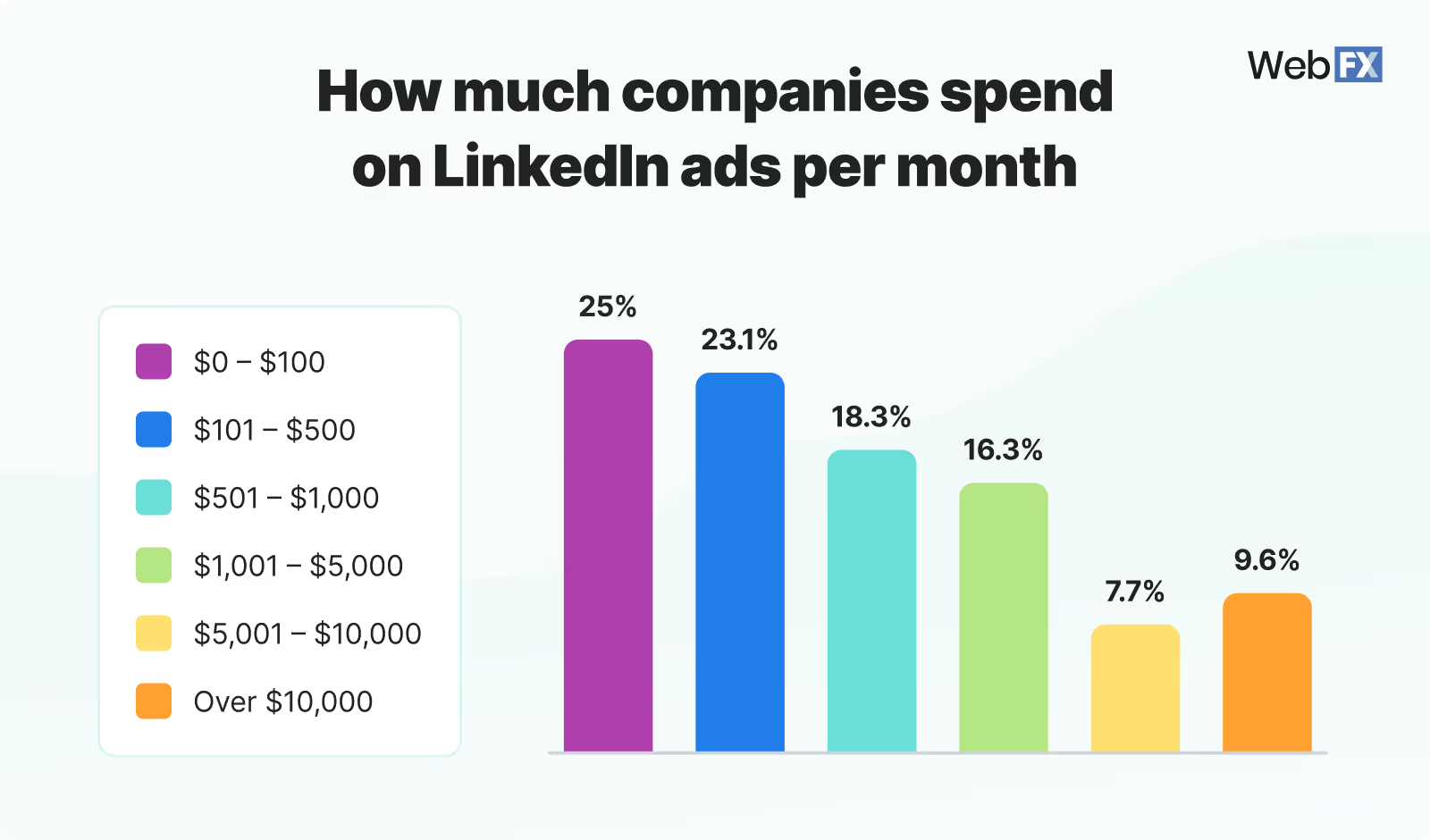
Historical Performance Data and Benchmarks
Analyze past campaigns to understand what worked and what didn’t. Use this data to set realistic budget expectations and benchmarks. Historical data provides insights into optimal budget allocations and potential adjustments for future campaigns.
Starting with a modest budget for testing campaigns can provide insights and data necessary to refine strategies and optimize spending.
Ideal Budget Range for LinkedIn Ads
Paul Fairbrother, an advertising specialist from Facebook and Instagram, said the ideal budget for LinkedIn advertising is approximately $5k a month. However, this budget can vary based on the business size and the industry. Here are some typical budget ranges:
- Small Businesses
A monthly budget of $2,000 to $5,000 for small businesses can be adequate for initial testing and gaining insights. This budget allows for targeted campaigns and data collection to refine future strategies.
- Medium-Sized Businesses
Medium-sized businesses might allocate $10,000 to $20,000 monthly to ensure broader reach and better optimization. This budget range supports more extensive campaigns and detailed audience targeting.
- Large Enterprises
Large enterprises with extensive marketing goals may invest $50,000 or more, monthly for comprehensive campaigns. Higher budgets enable large-scale campaigns, advanced targeting, and continuous optimization.
Due to their competitive nature, businesses in the technology and finance sectors often have higher budgets. Successful campaigns with budgets ranging from $10,000 to $50,000 monthly have achieved significant ROI through targeted strategies and continuous optimization.
Maximizing Your LinkedIn Ads Budget
To get the most out of your LinkedIn ads budget, consider these optimization tips:
- A/B Testing and Optimization
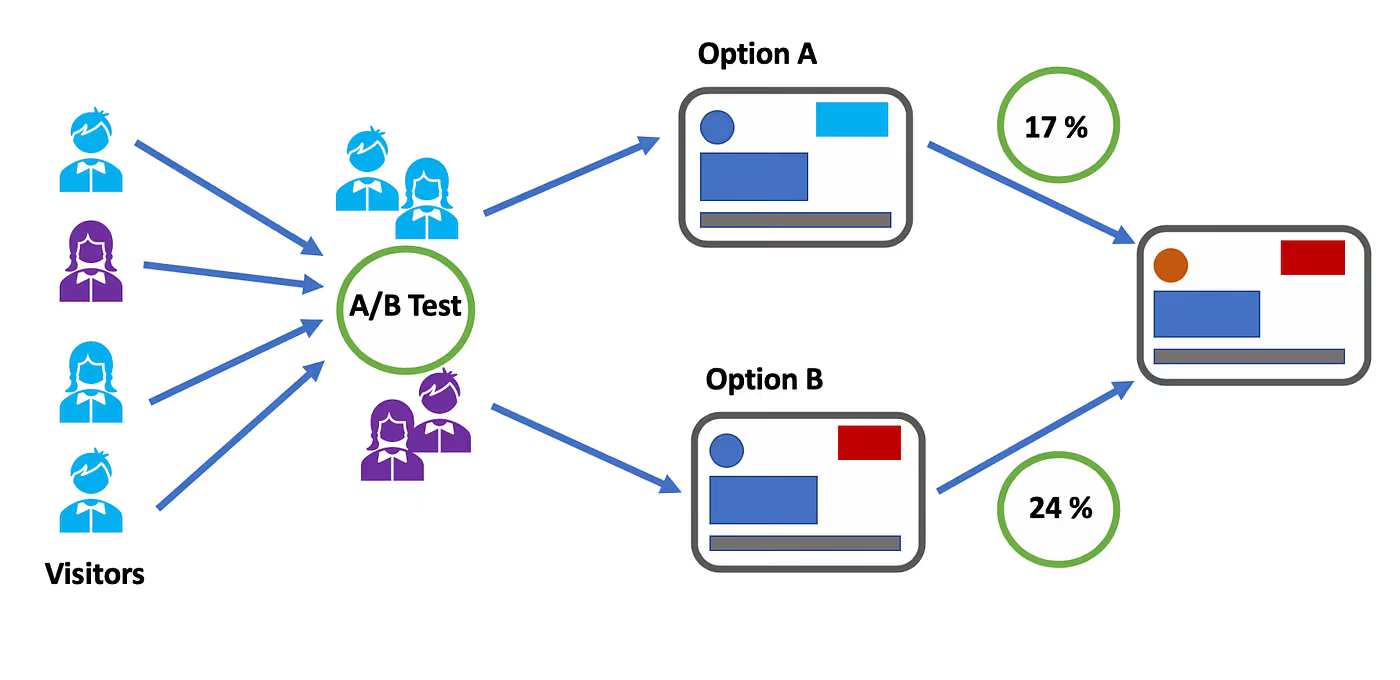
Test different ad creatives, headlines, and calls-to-action (CTAs) to identify what works best. Use the data to optimize your campaigns for better performance. A/B testing helps understand audience preferences and refine ad strategies.
- Focusing on High-Performing Ad Creatives
Allocate more budget to ad creatives that generate higher engagement and conversions. Pause or adjust underperforming ads. This approach ensures the budget is used efficiently to drive the best results.
- Leveraging LinkedIn’s Targeting Features Effectively
Use LinkedIn’s advanced targeting options to reach the most relevant audience. Use LinkedIn’s Matched Audiences feature to retarget website visitors or upload email lists. Effective targeting maximizes the budget's impact by reaching potential customers more accurately.
Balancing Quality and Quantity of Leads
Focus on generating high-quality leads rather than a large number of leads. High-quality leads are more likely to convert and provide better ROI. Prioritize quality over quantity to ensure long-term success and efficient budget use.
Factors.AI: Enhancing LinkedIn Ads Budget Management
Factors is a powerful tool that helps companies optimize their LinkedIn ads integration budget through advanced analytics and automation. Here’s how Factors.AI can enhance budget management:
- Advanced Analytics and Insights
Factors.AI provides detailed analytics and insights into ad performance. It helps businesses understand which ad creatives, targeting options, and strategies are most effective, enabling better budget allocation. Advanced analytics allow for data-driven decisions, ensuring optimal budget use.
- Predictive Modeling

Factors.AI uses predictive modeling to forecast campaign performance and budget needs. This helps businesses plan their budgets more accurately and allocate funds where they will have the most impact. Predictive modeling reduces the risk of overspending and enhances campaign efficiency.
- Real-Time Monitoring and Adjustments
With real-time monitoring, Factors allows businesses to track ad performance continuously. It provides automated recommendations for budget adjustments based on performance data, ensuring optimal spending. Real-time monitoring helps quickly address any issues and optimize budget allocation.
- Automated Reporting
Factors generate automated reports that track key performance indicators (KPIs) such as cost per click (CPC), cost per lead (CPL), and conversion rates. These reports help businesses stay informed about their budget utilization and make data-driven decisions. Automated reporting simplifies the process of tracking and analyzing campaign performance.
Monitoring and Adjusting Your LinkedIn Ads Budget
Continuous monitoring and adjustment are crucial for maximizing the effectiveness of your LinkedIn ads budget. Here’s how to approach it:
Key Performance Indicators (KPIs) to Track
- Cost Per Click (CPC): This measure measures the cost incurred for each click on your ad. Tracking CPC helps you understand the efficiency of your ad spend.
- Cost Per Lead (CPL): Calculates the cost of acquiring a lead through your ad. Monitoring CPL provides insights into the cost-effectiveness of lead generation efforts.
- Conversion Rates: Tracks the percentage of ad clicks that result in conversions. Higher conversion rates indicate better ad performance and effective targeting.
Strategies for Budget Adjustments
- Performance-Based Adjustments: Allocate more budget to high-performing campaigns and ad creatives. Reduce or pause spending on underperforming ads. This strategy ensures that the budget is used efficiently to maximize ROI.
- Seasonal Adjustments: Adjust your budget based on seasonal trends and industry events. For example, increase spending during peak business seasons or industry conferences. Seasonal adjustments help capitalize on high-traffic periods.
Data-Driven Decision Making

Data-driven decision-making can significantly enhance the effectiveness of your LinkedIn Ads budget. Businesses can make informed decisions about budget allocations by relying on analytics and insights from tools like Factors. This approach ensures that every dollar spent contributes to achieving the marketing objectives.
Common Mistakes to Avoid with LinkedIn Ads Budget
Avoiding common pitfalls can save your budget and improve campaign performance. Here are some mistakes to watch out for:
- Underestimating the Budget Needed for Effective Reach
A higher budget is necessary to ensure the reach and effectiveness of your ads. Ensure your budget allows for sufficient impressions and engagement.
- Ignoring Performance Data and Insights
Failing to analyze and act on performance data can lead to wasted budgets. Use analytics tools like Factors to gain insights and optimize your campaigns.
- Neglecting the Importance of Ad Testing and Optimization
Regular testing and optimization are essential for improving ad performance. Continuously test different elements of your ads and refine them based on the results to ensure optimal performance and effective budget utilization.
- Focusing Solely on Clicks Rather than Quality Leads
Prioritizing click volume over the quality of leads can lead to wasted spend. Ensure that your budget is focused on attracting high-quality leads who are more likely to convert.
- Not Adjusting for Seasonality and Market Changes
Failing to adjust your budget based on seasonal trends or market changes can result in missed opportunities or overspending. Stay flexible and adapt your budget according to market conditions and seasonal trends.
- Overlooking the Importance of Clear Goals
Without clear campaign goals, it’s challenging to allocate the budget effectively. Ensure your objectives are well-defined and align your budget to meet these goals.
How Factors’ latest LinkedIn AdPilot launch can help:
One of the biggest challenges when managing LinkedIn Ads budgets is ensuring that your investment leads to measurable ROI while optimizing campaign performance. This is where Factors’ LinkedIn AdPilot comes into play.
- By offering features like Audience Builder, AdPilot allows you to target the right accounts more efficiently, ensuring your budget is spent on high-intent prospects rather than being spread thin across less relevant audiences.
- AdPilot’s Smart Reach prevents over-serving ads to large companies and under-serving them to smaller ones, maximizing your budget's reach and effectiveness.
- Our Campaign Automation capability enhances performance by directing your ad spend toward prospects who are in-market and ready to engage, leading to higher conversion rates.
- View-through Attribution provides a clearer picture of how your ads influence buyer behavior, allowing you to justify your LinkedIn ad spend with concrete data.
- With Factors’ LinkedIn CAPI integration, you can refine your campaigns based on real-time insights, ensuring your budget always works towards better ROI.
In essence, AdPilot optimizes your LinkedIn Ads budget and drives superior campaign performance, leading to more efficient resource use and stronger returns.
Optimize Your LinkedIn Ads Budget for Maximum ROI
Budgeting is essential for running successful LinkedIn ad campaigns. Businesses should define clear objectives, understand industry benchmarks, and allocate budgets based on campaign goals and audience targeting. LinkedIn’s minimum budget requirements vary by industry, competition, and ad format, influencing cost efficiency and ROI.
Optimizing ad spend involves A/B testing, prioritizing high-performing creatives, and leveraging LinkedIn’s targeting features. Use tools to help with real-time monitoring, predictive analytics, and automated reporting to refine budget allocation. Continuous budget adjustments based on KPIs, seasonal trends, and performance insights help improve performance. Avoiding pitfalls such as underestimating budget needs, ignoring performance data, and failing to test ads helps businesses achieve better lead quality and higher conversions.
Ready to optimize your LinkedIn Ads budget and achieve exceptional results? Transform your LinkedIn Ads strategy and maximize your ROI with Factors.AI.
FAQs on LinkedIn Ads Budget
Q1. Is a $2,000 monthly budget enough for LinkedIn Ads?
For small businesses, yes, it’s a solid starting point for testing and data collection. However, don't expect enterprise-level results; use this phase to refine your audience targeting before scaling up. This budget only works if you are hyper-focused on a niche audience rather than targeting all your audiences
Q2. Why are my LinkedIn Ad costs so much higher than Facebook?
LinkedIn provides access to professional intent and B2B decision-makers, which carries a premium price tag. You are paying for the quality of the data (job titles, company size) rather than just broad impressions. Keep that perspective when looking at your CPL.
Q3. Should I prioritize clicks or leads in my budget?
Always prioritize quality leads (CPL). High click volume is just vanity if those clicks don’t convert into meaningful sales conversations. I’d rather have 10 leads that turn into demos than 1,000 clicks from people who weren't looking to buy.
Q4. How often should I adjust my LinkedIn ad budget?
Review your KPIs (CPC, CPL, Conversion Rate) weekly. Make data-driven pivots based on performance, but give campaigns at least 7 days to exit the “learning phase” before making drastic changes. Don't tinker daily. You'll drive the algorithm crazy (and waste your own time, too).
Q5. How do I handle seasonality in my budget?
Increase your budget during your peak industry months or around major events/conferences where your audience is most active. Conversely, dial it back during known “slow” periods for your sector. Be proactive, not reactive. If you know August is dead for your industry, don't wait until the month is over to notice your budget was wasted.

Top 9 Types of Attribution Models for You to Try in 2026
Compare the 9 marketing attribution models, from first-touch to data-driven. See how different attribution model works, when to use it, and which model fits your B2B sales cycle.
TL;DR
- Marketing attribution is a framework for assigning credit to the various touchpoints, such as ads, social media, or webinars, that a customer interacts with before converting.
- It helps businesses identify which marketing channels drive ROI, allowing for smarter budget allocation and a deeper understanding of the customer journey.
- Single-Touch: Credits one interaction (e.g., First-Touch or Last-Touch). Best for short, simple sales cycles.
- Multi-Touch: Distributes credit across the entire journey (e.g., Linear, U-Shaped, W-Shaped). Best for complex B2B sales.
- Data-Driven: Uses algorithms to assign credit based on actual statistical impact. Highly accurate, but requires large conversion volumes.
- No model is perfect. For B2B, multi-touch models are recommended to capture the nuances of long sales cycles, while data-driven models are the "north star" for businesses with sufficient data.
Think about spending a lot on marketing but not knowing which efforts actually lead to sales. Many marketers face this problem when trying to improve strategies and justify spending. Marketing attribution models can help. They show the journey from first contact to final sale, highlighting the role of each step.
Attribution modeling is a key approach to measuring marketing performance, especially in the complex, long sales cycles typical of B2B contexts. It provides a framework for assigning credit to various interactions throughout the customer journey, helping businesses identify which touchpoints contribute most to conversions. While no attribution model is perfect, each offers different levels of usefulness depending on the context. In B2B marketing, where customer interactions are numerous and extended over time, the right attribution model offers invaluable insights into which channels drive sign-ups and what content influences conversions, allowing businesses to better understand and optimize their marketing strategies.
Today, customers connect with brands in many ways, using different platforms and devices. Knowing their journey is more important than ever. Marketing attribution models give you a clear way to examine this journey. They help you spot key steps and adjust your strategies.
This guide will cover the top 9 marketing attribution models. Each one has its own strengths and uses. By learning about them, you can pick the one that fits your business goals and customer journey. Whether you are experienced or new to marketing, understanding these models is vital for boosting ROI and growing your business.
Attribution models are frameworks used in marketing to assign credit for conversions to different touchpoints in a customer's journey. They help marketers determine which channels, campaigns, and interactions contribute most to a desired outcome — such as a sign-up, demo request, or purchase. The two main categories are single-touch models (crediting one interaction) and multi-touch models (distributing credit across multiple interactions).
How Attribution Models Benefit Your B2B Marketing?
Here's how your business benefits from using marketing attribution models:
1. Smarter Budget Allocation: Identify high-performing touchpoints and channels to invest your marketing budget where it matters most.
2. Deeper Customer Journey Insights: Understand how customers engage across different channels and which interactions influence their decisions.
3. Personalized Marketing: Use insights from attribution data to tailor messages, improve the customer experience, and build stronger brand loyalty.
4. Data-Driven Decision Making: Evaluate the effectiveness of each channel to optimize current campaigns and plan future strategies more effectively.
5. Improved Team Collaboration: Align marketing and sales with a shared view of customer interactions, helping both teams work toward common goals.
6. Increased ROI and Efficiency: Focus on strategies that drive results, reduce waste, and improve overall marketing performance.
In summary, marketing attribution models are vital tools for businesses aiming to refine their marketing strategies and achieve lasting success.
What are attribution models?
Attribution models are frameworks that help analyze the customer journey and assign credit to the various touchpoints prior to the conversion. The method for assigning the credit is different for each attribution model depending on either the position of the touchpoint in the customer journey or a data-driven estimation of the significance of that touchpoint.
Additionally, businesses may need to configure these attribution models to suit their unique circumstances - such as considering an attribution window of, say, 60 days or 365 days depending on their sales cycle or performing the attribution analysis at a contact or opportunity, or account level depending on their sales motion.
With the help of these models, marketers are able to identify channels and tactics that drive more conversions and revenue, driving higher ROI for the business.
The following are some of the main reasons why attribution modeling is important.
- They provide insight into channels and campaigns that drive conversions and revenue
- They help plan and distribute spending to the right marketing channels
- Also, they help us identify the most influential channels and campaigns for each stage of the marketing and sales funnel.
There are different types of attribution model available for marketers, and we will dive into each in the coming sections.
Categories of Attribution Models
Before delving into how some of the most popular attribution models work, it's worth understanding the mechanics of attribution modeling. A general categorization of attribution models would include two types. They are -
- Rule-based attribution models
- Data-driven attribution models.
1. Rule-based attribution models
These models use predetermined rules for assigning attribution credits to touchpoints. These pre-defined rules determine the weightage or credit for a touchpoint primarily based on its position in the customer journey. Hence, these models are also called Position based Attribution Models.
In addition to the position, you can also define custom logic to assign differential weights based on the seniority of the customer representative involved in the touchpoint (say Director and above gets higher weight) as well as the amount of effort expended by the buyer in that interaction (attending a webinar required higher effort from a buyer than clicking on a paid search ad).
2. Data-driven attribution models
These models assign attribution credits to touchpoints based on an algorithmic estimation of the significance of that touchpoint in converting the customer. Some of the popular algorithmic techniques are Markov Chain models and Shapely value-based models. Whilst data-driven attribution is seen as the north star of Multi-Touch Attribution, they are also more expensive to compute, require a large volume of conversions and touchpoints not to be biased, and are harder to debug.
Whilst each approach has its own pros and cons, a combination of these models may be leveraged to identify marketing leakage and improve ROI.
What are the different types of attribution models?
Single-Touch attribution models
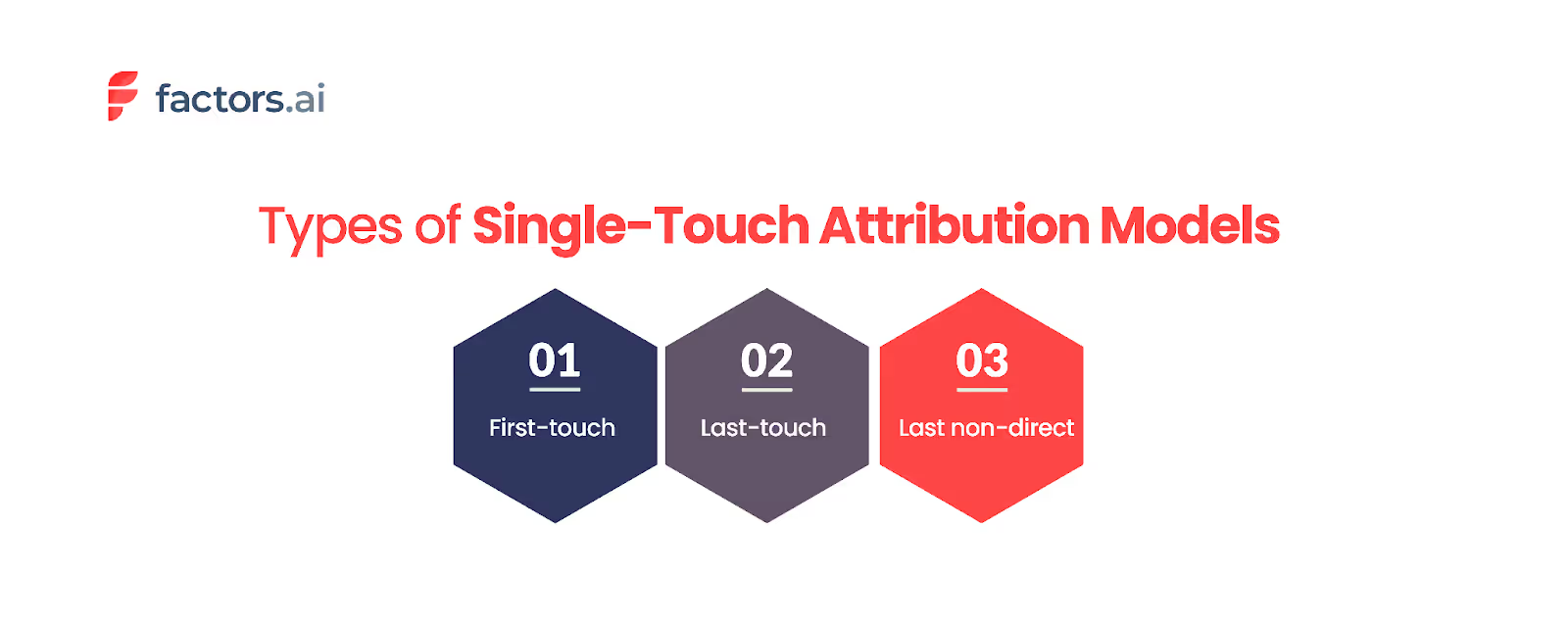
Single-touch attribution models are among the most straightforward approaches used to evaluate marketing performance. These models focus on one touchpoint in the customer journey and assign all credit for the conversion to that one. While straightforward, these models might only sometimes provide a complete picture, especially in scenarios involving complex sales cycles.
Some of the most common types of single-touch attribution models include:
1. First-Touch Attribution
The first-touch attribution model assigns full credit to the initial interaction that brought the customer into the marketing funnel. This model is particularly useful for businesses with simple, transactional sales processes, such as SaaS sign-ups. By understanding which initial touchpoints are most effective at attracting prospects, marketers can better focus their efforts on top-of-the-funnel activities.
However, the limitation of first-touch attribution becomes apparent in longer sales cycles. For example, if a potential customer interacts with a brand through a blog post, attends a webinar, and finally makes a purchase, first-touch attribution would credit only the initial blog post. This approach overlooks the influence of subsequent interactions that may have been crucial in nurturing the prospect through the funnel.
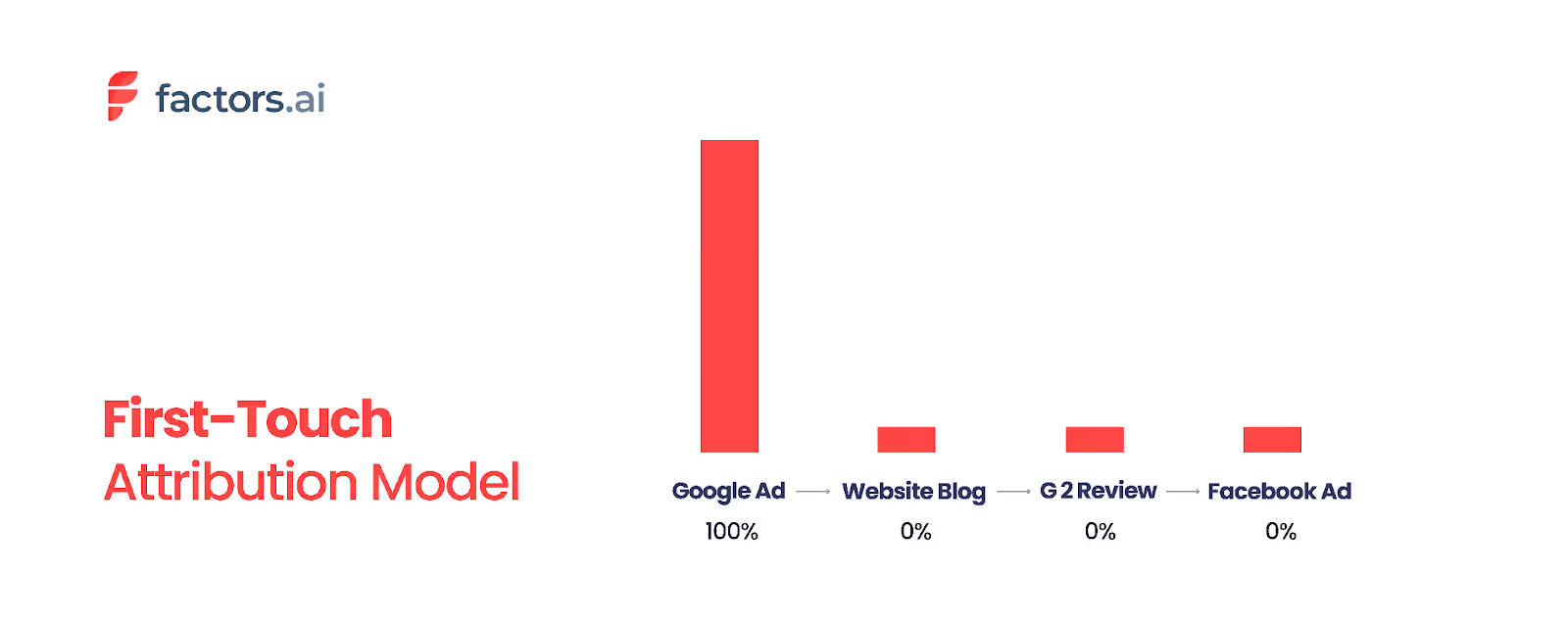
Key benefits:
- Ideal for campaigns focused on lead generation and brand discovery.
- Helps you evaluate which channels introduce the most prospects.
- Misses the influence of nurturing and closing interactions.
- Works best for businesses with short sales cycles or fewer touchpoints.
2. Last-Touch Attribution
Conversely, the last-touch attribution model gives full credit to the final interaction before the conversion occurs. This model is beneficial when trying to identify what specifically triggered the conversion. For instance, if you want to determine whether a blog post, a LinkedIn ad, or a webinar was the last factor that led a prospect to book a meeting, last-touch attribution can provide clarity.
While last-touch attribution can offer valuable insights into what ultimately led to a conversion, it has drawbacks. This model can skew results by ignoring the role of earlier touchpoints. For example, in a long B2B sales cycle, if a prospect finally signs a contract after several months of interaction, attributing the entire credit to the final step—such as a contract-signing tool like DocuSign—may not accurately reflect the contributions of earlier interactions. This can lead to an incomplete understanding of the marketing efforts that influenced the final decision.
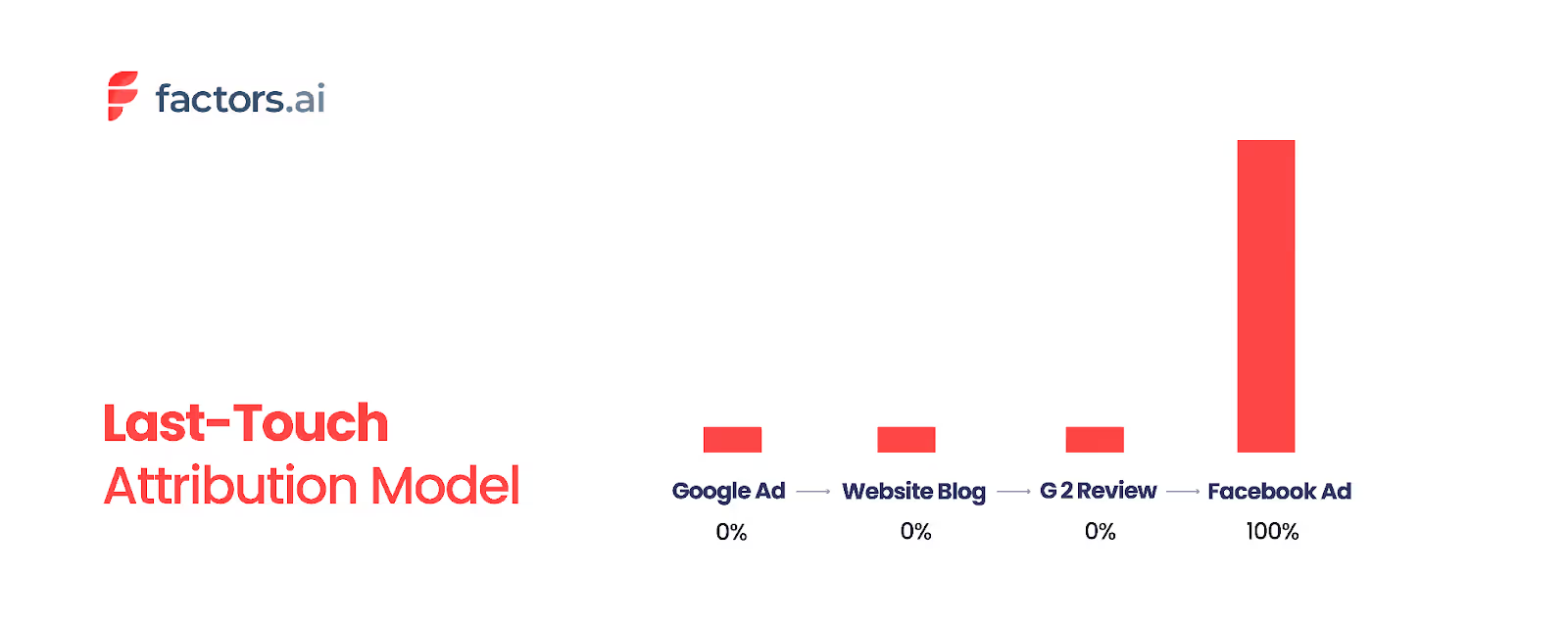
Key benefits:
- Good for identifying conversion-focused channels like retargeting or email.
- Simplifies reporting and is easy to implement using most analytics tools.
- Ignores the impact of earlier touchpoints that shaped intent.
- Often leads to over-investment in bottom-funnel efforts.
3. Last Non-Direct Touch Attribution
This model assigns 100% attribution credit to the last non-direct touchpoint. A non-direct touchpoint is an interaction that is guided by a specific source the business sets up (like an ad, email campaign, newsletter, etc.).
When your website traffic doesn't come from a known source, they are considered direct traffic (traffic that came from prospects directly entering the company URL into the browser, for example).
Let's assume that a lead interacted with your brand 5 times, each touchpoint is as given below.
- Touchpoint 1 - Prospect clicks on a PPC ad
- Touchpoint 2 - Prospect arrives at your site's landing page
- Touchpoint 3 - Prospect subscribes to your newsletter
- Touchpoint 4 - A week later, your prospect clicks on a newsletter campaign
- Touchpoint 5 - Prospect directly visits the website and initiates a free trial before purchasing a subscription
Touchpoints 1, 2, 3, 4, and 5 constitute all the prospect's interactions with your brand that led to them purchasing your product. Keep in mind that, in reality, businesses deal with numerous prospects interacting with several touchpoints, making the process of mapping the customer journey far more convoluted.
So if we consider the above-given example, this model would assign 100% sales credit to touchpoint 4 or the newsletter campaign clicked on, as that was the last non-direct source before the sale. This model assumes that every interaction is a consequence of the non-direct campaign, hence making it the most influential.
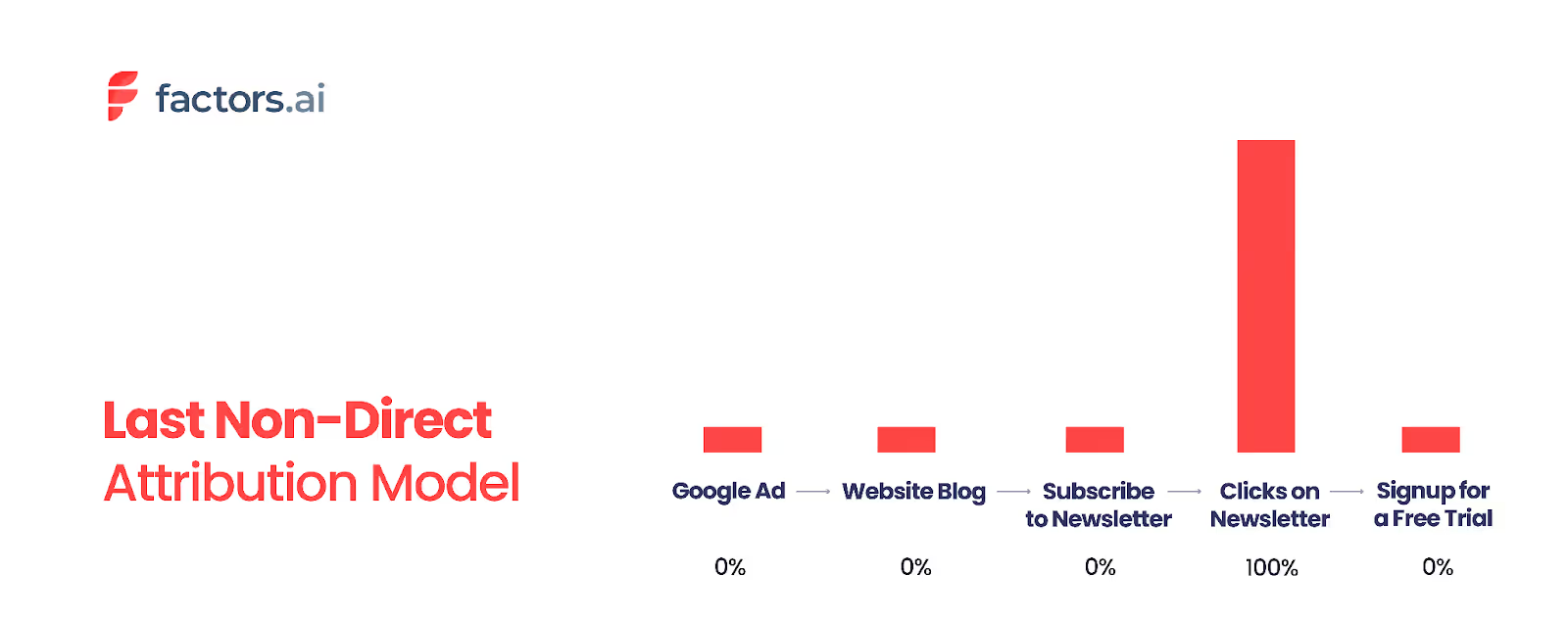
Key benefits:
- Useful for identifying the performance of non-branded campaigns (e.g., PPC, referral).
- Reduces bias from loyal repeat visitors or brand-aware customers.
- Often used in tools like Google Analytics for more realistic insights.
- Still ignores multiple other influential touchpoints.
4. Last AdWords Click Attribution
This model credits the last interaction with a Google Ads campaign before conversion. It's designed to help marketers optimize their paid search investments.
Let's say a customer journey looks like this:
- Clicks a Facebook ad
- Visits via organic search
- Clicks a Google ad
- Converts
Last AdWords Click Attribution will assign 100% of the credit to Step 3 (Google ad click) — ignoring the earlier touchpoints.
Key benefits:
- Highlights which specific search campaigns drive conversions.
- Helps maximize ROI from PPC spend.
- Ignores contributions from organic search, social, or email.
- Can lead to siloed decision-making if used alone.
Is Single-Touch attribution an INEFFECTIVE model?
Many businesses and marketing aficionados are of the opinion that single-touch attribution is not an effective model on its own. It is often considered to be a one-dimensional approach that fails to faithfully represent a customer's conversion journey down the funnel.
As we have discussed, while single-touch models may have their own relevant use cases (like for products with shorter sales cycles), it may not be as effective in identifying the most influential touch-point in a B2B customer journey.
If big data in marketing has proved anything, it's that customer journeys can be non-linear, sophisticated paths spanning several channels and mediums. Assigning 100% of the credit to a single touchpoint will rarely be sufficient.
Multi-Touch Attribution Models
To address the limitations of single-touch models, multi-touch attribution models distribute credit across multiple touchpoints in the customer journey. These models offer a more nuanced view of how various interactions contribute to conversions, making them particularly useful for complex sales processes.
5. Linear Attribution

The linear attribution model assigns equal credit to every touchpoint the customer interacts with along their journey. This approach highlights the importance of each interaction, providing a balanced view of how various touchpoints contribute to the final conversion. In a B2B context, where a customer may engage with a company through several channels before making a purchase, linear attribution helps ensure that no single interaction is undervalued.
However, linear attribution can also have its drawbacks. By giving equal weight to all touchpoints, this model may overvalue less significant interactions and fail to capture the varying levels of influence each touchpoint has on the conversion. For example, if a customer interacts with a blog post, attends a webinar, and then downloads a white paper before making a purchase, linear attribution would attribute equal credit to each of these touchpoints, potentially overlooking the unique impact of each interaction.
Key benefits:
- Provides a balanced, equal-weight view of all touchpoints in the journey.
- Helps identify the strengths and weaknesses of each channel for budget decisions.
- May overvalue less significant interactions.
- Best suited for businesses wanting a holistic, unbiased starting point.
6. U-Shaped Attribution
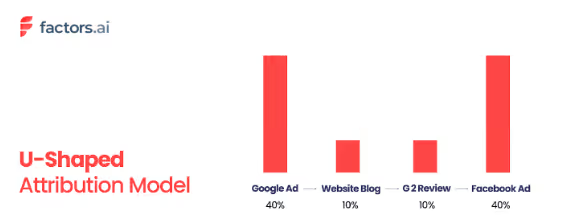
The U-shaped attribution model provides more weight to the first interaction and the touchpoint that leads to conversion while giving less credit to intermediate interactions. This model strikes a balance between acknowledging the importance of initial engagement and recognizing the significance of conversion-driving touchpoints. For B2B businesses with longer sales cycles, the U-shaped model can offer valuable insights into which early touchpoints attract prospects and which final touchpoints are crucial in closing the deal.
The U-shaped model is particularly useful when you want to understand the relative importance of initial and final touchpoints. However, it may not fully account for the influence of touchpoints in between, which can also play a crucial role in nurturing the prospect through the sales funnel.
Consider four touchpoints: Ad, Blog, Review, and Retargeting campaign. With U-shaped attribution, 40% of the credits will be assigned to the first and last touchpoints each. The two touchpoints in-between will receive only 10% each as they are deemed less influential to the conversion decision.
Key benefits:
- Balances the value of initial awareness and final action.
- Great for mid-length customer journeys with 3–6 touchpoints.
- It can be customized depending on your funnel structure.
- Doesn't consider lead qualification or deeper CRM stages.
7. W-Shaped Attribution
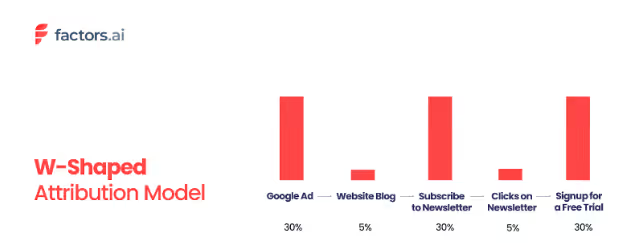
The W-shaped attribution model adds more granularity by assigning credit to the first touch, the lead conversion touch, and the final deal-closure touchpoints. This model is designed to provide a comprehensive view of the customer journey, capturing the influence of key stages along the way. In a B2B setting, where a prospect's journey may include various touchpoints such as content downloads, webinars, and sales meetings, the W-shaped model ensures that significant interactions at each stage receive appropriate credit.
While the W-shaped model offers a detailed view of the customer journey, it can also be complex to implement and interpret. The model's emphasis on multiple key touchpoints may lead to a more detailed understanding of the customer journey but may require more sophisticated tracking and analysis.
If there are 5 touchpoints in total, the first, middle (lead generation), and last touchpoints will be given 30% each and the rest only 5%.
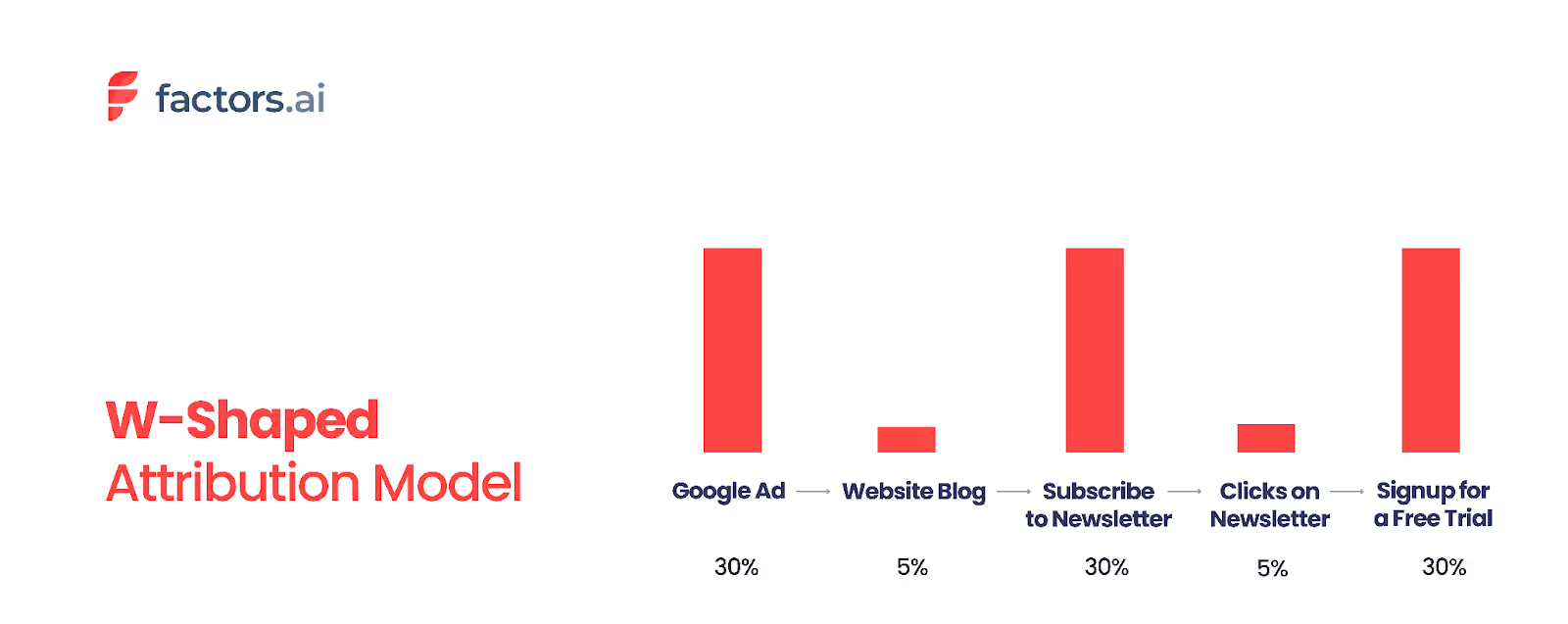
8. Time-Decay Attribution
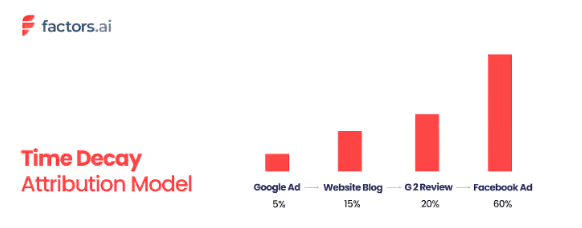
The time-decay attribution model assigns more credit to touchpoints closer to the conversion event, assuming that later-stage interactions significantly impact the final decision. This model recognizes that earlier interactions are essential but less influential than those closer to the conversion point.
The time-decay model can help identify which touchpoints are most influential in the final stages of the customer journey. For instance, if a lead interacts with various marketing channels over several months, the time-decay model would attribute more credit to the interactions that happen closer to the conversion date while still acknowledging the role of earlier touchpoints.
However, it may undervalue early interactions that played a crucial role in initial engagement. By focusing more on recent touchpoints, this model may not fully capture the cumulative impact of the entire customer journey.
Using our four touchpoint example, a time decay model would assign attribution credits in this manner: 5% for the advert, 15% for the blog, 20% for the reviews page, and 60% for the retargeting campaign.
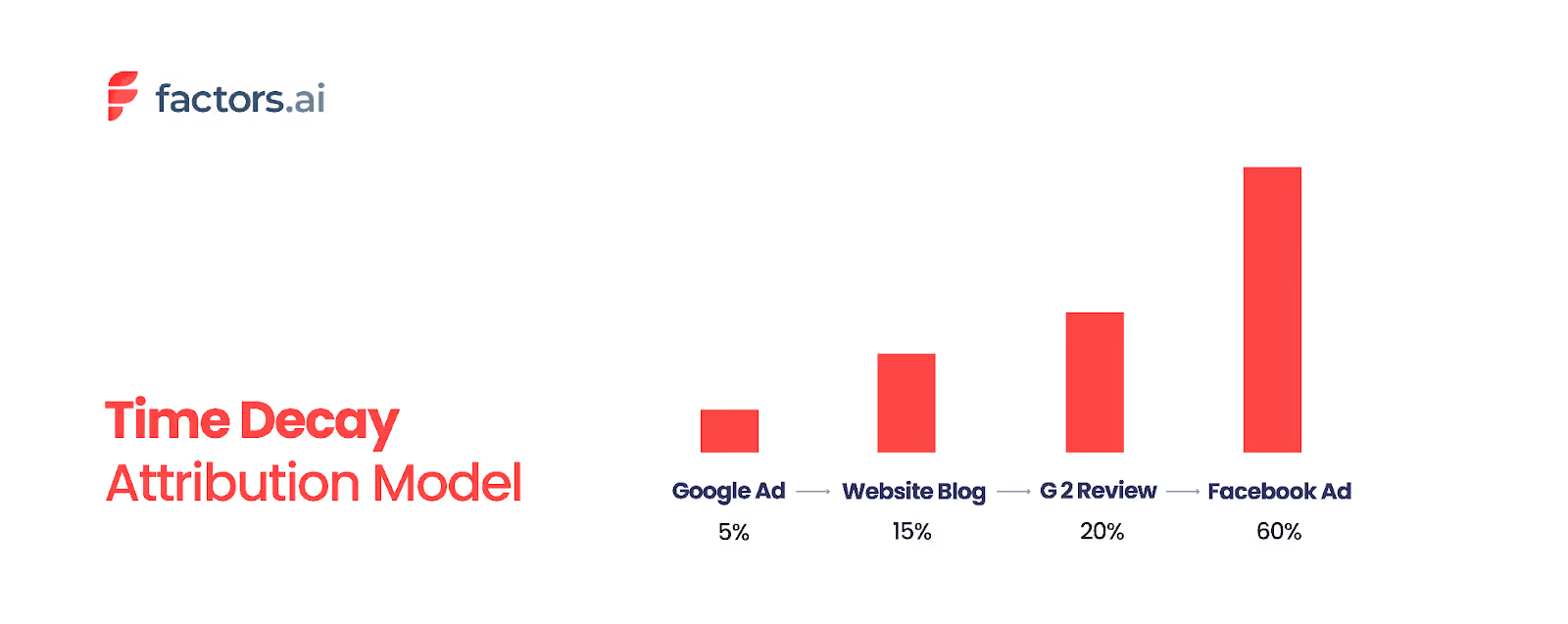
9. Lead Conversion Touch Attribution
This model attributes full credit to the touchpoint that converted a visitor into a lead, such as filling out a form or subscribing. It's especially relevant for lead generation campaigns. It credits multiple touchpoints across the buyer journey, not just one.
It's commonly used by marketing and demand gen teams to understand what activities helped generate leads, even if those leads haven't converted to customers yet.
For instance, consider this user journey:
- Clicks a LinkedIn ad → No lead
- Downloads a whitepaper from organic search → Still not a lead
- Clicks a retargeting ad → Fills out a demo form → Becomes a lead
- Sales calls and closes the deal
Lead Conversion Touch Attribution would distribute credit across Steps 1–3 (touchpoints before lead conversion) but exclude Step 4, since it happens after lead creation.
10. Data-Driven Attribution
Data-driven attribution uses machine learning algorithms — such as Markov Chain models and Shapley value analysis — to analyze both converting and non-converting paths and assign credit based on each touchpoint's actual statistical impact on conversion probability.
Unlike rule-based models that use predetermined weights, data-driven models learn from your actual customer data to determine how much credit each touchpoint deserves. Google Analytics 4 uses this as its default attribution model.
Key benefits:
- Most objective and accurate approach — based on real data, not assumptions
- Adapts automatically as customer behavior changes
- Default model in GA4, making it accessible to most marketers
- Requires a large volume of conversions (typically 300+ per month) to be reliable
- Best suited for businesses with sufficient data and multi-channel marketing strategies
Influence Attribution
Influence attribution, or custom attribution, is a flexible approach that assigns credit to all touchpoints that have influenced the deal. This model allows marketers to analyze the impact of different channels and interactions on the final conversion, providing a comprehensive view of how various touchpoints contribute to the customer journey.
While influence attribution offers valuable insights into channel impact and the relative effectiveness of different marketing efforts, it carries the risk of double-counting revenue. By assigning credit to all touchpoints involved in the conversion process, this model may attribute more value to each touchpoint than is warranted, potentially leading to inflated performance metrics.
Choosing the Right Attribution Model
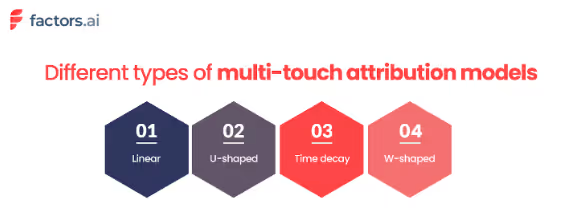
Selecting the right attribution model depends on several factors, including the complexity of your business, the length of your sales cycle, and the specific insights you want to gain. Here are some key considerations to keep in mind:
- Business Complexity and Sales Cycle Length
Single-touch models may provide sufficient insights for simple, transactional businesses. For more complex B2B sales processes, multi-touch and time-decay models offer a more detailed understanding of how various touchpoints contribute to conversions.
- Key Insights
Determine what questions you want to answer. Are you interested in understanding what drives initial sign-ups, or do you need to know which touchpoints are most effective in closing deals?
- Ease of Implementation
Choose a practical and feasible model for your marketing and sales teams to implement. While multi-touch models provide more detailed insights, they may require more sophisticated tracking and analysis.
- Goals and Metrics
Adapt your attribution model based on whether your goal is to track revenue, measure the effectiveness of touchpoints, or evaluate overall marketing performance.
What Real Marketers Say About Attribution Models
Based on discussions across marketing communities (Reddit, HubSpot Community, and marketing forums), here's what practitioners actually experience:
The consensus: Most B2B marketers recommend starting with a multi-touch model (U-shaped or time-decay) rather than single-touch, because B2B sales cycles involve too many interactions for first-touch or last-touch to provide useful insights.
The practical challenge: Data-driven attribution sounds ideal but requires significant conversion volume. As one marketer noted: "Start simple, iterate, and test. Good data connections make a good attribution model."
The emerging trend: Many teams are combining attribution models with self-reported attribution ("How did you hear about us?") and Marketing Mix Modeling (MMM) to get a fuller picture — especially as privacy changes limit cookie-based tracking.
Common advice: Don't obsess over finding the "perfect" model. Use attribution as a directional signal, not absolute truth, and revisit your model quarterly.
Attribution Model Comparison Table
Limitations of Attribution Models
Single-touch attribution models (like first-touch, last-touch, and list non-direct touch) are simple to implement but have several disadvantages. They oversimplify the customer journey by assigning credit to a single touchpoint, ignoring the contributions of other touchpoints. Similarly, these models also neglect the aggregate effect of multiple touchpoints over time. What results is inaccurate credit allocation, because the model disregards individual customer behavior and other factors.
On the other hand, multi-touch attribution models are definitely more complex because they work with complicated algorithms and technology. This often requires expert knowledge and pro- marketing knowledge of marketing software. The impressions from data can be misleading because of shortcomings like wrong assumptions and wrong weightage assigned to each marketing activity. To add on, while multi-touch attribution models are efficient for data- rich digital marketing campaigns, they are not equipped to measure external factors like word-of-mouth, seasonality or pricing.
Like single touch attribution models, multi-touch attribution models can also miss out on giving the full picture. Linear attribution models assume that all touchpoints have equal influence on customer behavior, which is not always the case. U-shaped, W-shaped and Time-Decay models run the risk of oversimplifying the customer journey since they assign more credit only to some touchpoints, while neglecting others. This could cost the model some valuable insights and paint an incomplete picture. The time-decay attribution model considers the recency of the customers close to the conversion event, but it can still overlook the significance of earlier touchpoints.
Attribution in a Privacy-First World
As cookie deprecation, iOS privacy updates, and regulations like GDPR reshape digital marketing, traditional attribution models face new challenges. Here are key concepts to understand:
Cross-Device Attribution tracks customer interactions across multiple devices (mobile, desktop, tablet) to provide a unified view of the customer journey. This is especially important in B2B where decision-makers research on multiple devices.
Cookieless Attribution uses alternatives to third-party cookies — such as first-party data, server-side tracking, and probabilistic matching — to maintain attribution accuracy in a privacy-first environment.
View-Through Attribution credits conversions to ad impressions that were seen but not clicked. This is valuable for display and video campaigns where brand awareness drives later conversions.
Many B2B marketers are also exploring Marketing Mix Modeling (MMM) and incrementality testing as complementary approaches that don't rely on individual user tracking.
5 Marketing Attribution Tools For 2026
To use marketing attribution models well, you need the right marketing attribution tools to gather and analyze data from different channels. These tools help you understand the customer journey and improve your marketing strategies.
1. Factors.ai
Factors.ai is an AI ABM and attribution platform. Factors capture intent signals and automate tasks, with no-code integrations and strong support. It's useful for businesses wanting to simplify their attribution without needing technical skills.
Features:
- Multi-touch attribution with easy setup.
- Lead scoring and buyer journey mapping.
- No-code integrations with CRMs and ad platforms.
- Intent signal tracking from anonymous and known users.
- Automated reports and insights.
- It has a free version. The paid plan starts at $399 per month.
2. Google Analytics
It is a common choice. It shows where traffic comes from and how users behave. It supports basic models like Last Click and Linear Attribution, making it good for businesses new to attribution analysis.
Features:
- Supports Last Click, Linear, and Time Decay attribution models.
- Real-time website traffic monitoring.
- Integration with Google Ads and Search Console.
- Funnel and goal tracking capabilities.
- Free and accessible for businesses of all sizes.
- Public pricing is not available.
3. Adobe Analytics
It offers advanced modeling, including multi-channel analysis and data-driven insights. It's ideal for large businesses needing detailed analytics across many touchpoints.
Features:
- Multi-channel and cross-device tracking.
- Custom attribution modeling and segmentation.
- Predictive analytics using AI and machine learning.
- Real-time data visualization and reporting.
- Seamless integration with Adobe Experience Cloud.
- Pricing details are not available.
4. LeadsRx
LeadsRx focuses on multi-touch attribution and customer journey analytics. It provides a clear view of how different channels lead to conversions. It's great for businesses wanting to understand the full customer journey.
Features:
- Unified view of marketing channels and conversions.
- Cross-device and cross-domain tracking.
- Integration with CRM, ad, and marketing automation tools.
- Real-time attribution and performance reports.
- Clean, visual journey mapping interface.
- Paid plan details are not publicly disclosed.
5. Wicked Reports
Wicked Reports specializes in revenue-focused marketing attribution, particularly for e-commerce and subscription-based businesses. It helps marketers link marketing activities to actual sales, focusing on long-term ROI.
Features:
- Tracks full customer journeys with multi-touch attribution models.
- Measures true ROI using customer lifetime value (CLTV) tracking.
- Offers detailed attribution for email, paid, and organic channels.
- Integrates with platforms like Shopify, Klaviyo, Google Ads, and Facebook Ads.
- Provides cohort-based analysis to track marketing effectiveness over time.
- Paid plan starts at $500/month.
Choosing the right tool depends on your business size, budget, and specific needs. Look at these tools based on their features, pricing, and integration abilities to ensure they fit your marketing goals and data setup.
Also, read this guide on common challenges in B2B attribution and their solution.
Takeaway
Needless to say, all attribution models are not appropriate for all use cases. Different attribution models aid different types of marketing campaigns and can reveal different insights into the customer journey.
In the end, a lot of the use cases for these types of attribution models are subjective. The decision to opt for a specific model can be based on several reasons spanning from the nature of your product to the extent of your brand equity. It may also vary based on the specific kind of insight you want to achieve.
More often than not, you will find yourself using more than just one model with several stipulations and custom values for each variant. Fortunately, the progressive ingenuity of AI and constant innovations around attribution modeling will render your experience less of a trial by fire and more of an intuitive, insightful practice.
Leveraging the right marketing analytics platform will be the first step in deciding the attribution model required for your company/business. As we said, it's best to rely on more than one model to improve your desired results. And for that, you will need an expert team, like Factors, that understands your requirements and guides you in leveraging the right techniques.
With Factors.ai, you can easily track the effectiveness of your campaigns and content, identify which channels are driving the most conversions, and optimize your marketing efforts for maximum results. The tool also offers a user-friendly interface and customizable dashboards, making it easy for you to access and interpret your data.
Interested? Sign up here for a FREE trial, or contact our team to get a Free consultation now. Here is the contact email for your reference - solutions@factors.ai
FAQs on Marketing Attribution
Q1. How do I choose the right attribution model for my business?
In order to choose the right attribution model, you will need to know the target market, the target audiences, and so on. And once you have everything set, consider the following.
- Define your business goals. The attribution model you select must align with your business goals. Is it sign-ups? Leads? SQLs? Or just organic traffic.
- Once you have defined the goal, understand the types of attribution models and how each model allocates credits to the touchpoints.
- Evaluate the data you have to get an idea of the current touchpoints where your business is driving conversions [goals].
- Test out different models to see which is more effective.
- And finally, constantly review the results and update the models according to the business needs.
Q2. How do attribution models help find the gap in the customer journey?
As we discussed earlier in the blog, each attribution model provides insights into your customers' touchpoints with your business. Which itself gives the different paths each customer has taken to reach your service.
Thereby helping you understand the customer journey and find the touchpoints you missed during your initial marketing campaign.
Q3. How do attribution models help in improving the conversion rate?
Attribution models help improve the conversion rate by identifying which touchpoints in the customer journey are most effective in driving conversions.
They enable data-driven decisions helping businesses optimize their marketing budget and allocate resources efficiently to boost conversion rates.
Q4. What is the most accurate attribution model?
Data-driven (algorithmic) attribution is generally considered the most accurate because it uses machine learning to analyze actual conversion data rather than relying on predetermined rules. However, it requires a large dataset (300+ monthly conversions) to work reliably. For businesses with smaller datasets, a W-shaped or U-shaped model provides a balanced and practical alternative.
Q5. What are the four main types of attribution?
The four main types are: (1) First-touch attribution — credits the initial interaction, (2) Last-touch attribution — credits the final interaction before conversion, (3) Multi-touch attribution — distributes credit across multiple touchpoints (including linear, U-shaped, and W-shaped variants), and (4) Data-driven attribution — uses algorithms to assign credit based on actual conversion data.
Q6. What is the difference between single-touch and multi-touch attribution?
Single-touch attribution assigns 100% credit to one touchpoint (either the first or last interaction). Multi-touch attribution distributes credit across multiple touchpoints throughout the customer journey, providing a more complete picture of which channels contribute to conversions. Multi-touch is generally preferred for B2B marketing with longer sales cycles.
Q7. How does Google Analytics 4 handle attribution?
GA4 uses data-driven attribution as its default model. It analyzes both converting and non-converting paths using machine learning to assign credit to each touchpoint based on its actual impact on conversion probability. GA4 replaced the older last-click default used in Universal Analytics.
.avif)
Types of LinkedIn Ads: What’s The Best LinkedIn Ad Format For You?
Explore all 12 types of LinkedIn ads, from Single Image and Video Ads to Thought Leader and Conversation Ads. Learn which LinkedIn ad format works best for each campaign goal, with specs, costs, and real examples.

TL;DR
- LinkedIn offers 12 ad formats grouped into four categories: Sponsored Content (in-feed), Sponsored Messaging (inbox), Dynamic Ads (personalized sidebar), and Lead Gen Forms.
- Best for awareness: Single Image Ads and Video Ads offer the broadest reach at the lowest cost per impression.
- Best for lead generation: Lead Gen Forms with pre-filled data convert 2-5x better than landing pages for B2B.
- Best for engagement: Carousel Ads and Thought Leader Ads drive the highest interaction rates.
- Best for retargeting: Video Ads (cheapest to build retargeting audiences) and Conversation Ads (hyper-personalized inbox messages).
It's no secret that LinkedIn ads work. You know it, I know it, every B2B marketer knows it. But most marketers have one burning question: "What's the best ad format to promote our product?"
While some favor videos, others believe a simple text ad might do the trick. However, the answer is a little more complicated than that 👀
Scroll ahead to learn about the various types of LinkedIn ads and how you can use them in each stage of the marketing process ⬇️
Types of LinkedIn ads
Here's a quick comparison of all LinkedIn ad formats to help you choose:
Before you set your mind to using a particular ad type, let's have a look at the different ad formats currently available on LinkedIn:
1. LinkedIn Single Image Ads
As the name suggests, the LinkedIn single-image ad is just the basic type of ad you see in your LinkedIn feed. It has one image, a couple of lines of text above it, and a CTA.
Usually, the best type of single-image ad depends on the funnel stage you're targeting. You can use it to build awareness about your product or leverage it for your retargeting efforts.
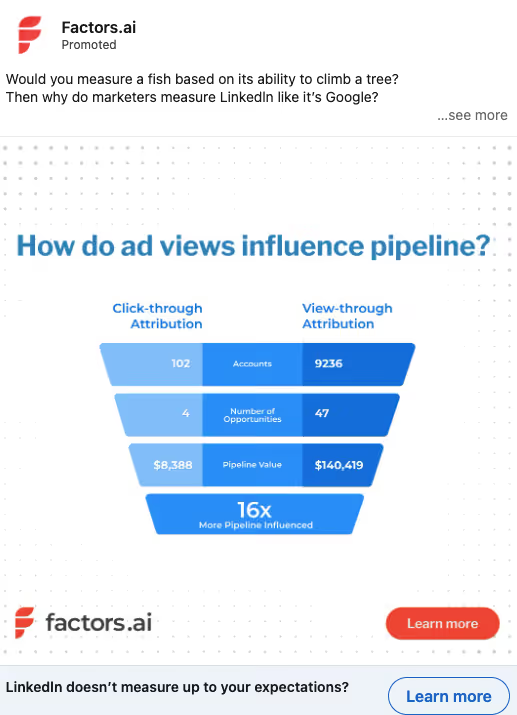
For single-image ads in the retargeting layer, you can use examples of case studies to build authority and differentiate your product from the market.
2. LinkedIn Carousel Ads
Have you ever flipped through a little catalog that shows different products? That's precisely what a carousel ad looks like. The LinkedIn carousel ad has multiple images that you can scroll through. Each slide has its headline and button that could direct you to something else.
LinkedIn carousel ads are great for horizontal SaaS brands where you have a bunch of different offerings.
3. LinkedIn Video Ads
LinkedIn video ads are a compelling way to reach a target audience. We particularly like this ad type because it gives you more information than whether someone clicked or didn't click your ad. By showing how much of the video someone viewed, you can see how interested or engaged the users were with the ad and retarget based on that.
LinkedIn video ads provide a great chance to humanize the brand. When you use video ads in the retargeting layer, you can show your team and what you do to users who visit your website to get to know and remember you better.
4. LinkedIn Event Ads
LinkedIn Event Ads are designed to promote events on users' feeds. These ads focus on essential event details, such as the webinar title, company name, and event time.
Here are some compelling reasons to consider this ad type:
- Increased Social Proof: The more attendees an event has, the more attractive it becomes. LinkedIn Event Ads dynamically update the number of attendees, creating a sense of urgency and encouraging more people to join.
- Organic Reach and Engagement: Event ads can also boost organic promotion. When users sign up for your event, personal notifications are generated within their network, expanding your reach.
- Invitations to Personal Connections: Unlike other LinkedIn ads, you can invite your connections to attend your event, creating a more personalized approach.
- Retargeting Opportunities: Those who attend your event become a valuable retargeting audience, enhancing your marketing efforts.
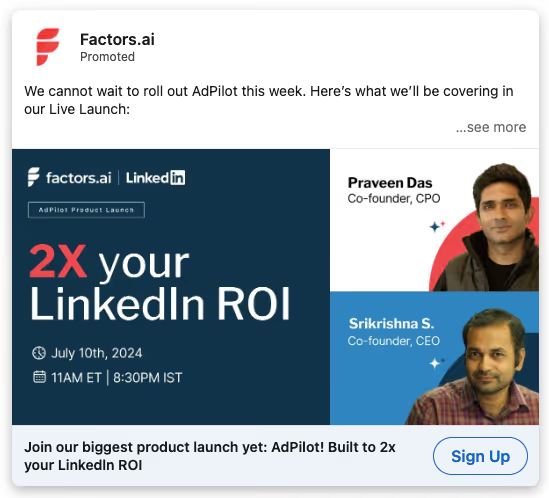
LinkedIn events and event ads combine paid advertising with community building, making them an effective engagement and lead-generation strategy.
5. LinkedIn Document Ads
LinkedIn Document Ads are designed to share your content directly within the LinkedIn feed. These ads allow users to access and download documents without leaving the platform. Whether you're sharing thought leadership pieces, valuable resources, or informative content, Document Ads can help you engage your target audience effectively.
Here are the key advantages of using LinkedIn Document Ads:
- Boosting Awareness and Building Trust: Share educational content and establish yourself as a thought leader within your industry, building trust and connections with your audience.
- Quality Lead Generation: Using LinkedIn Lead Gen Forms, you can turn curious clicks into high-quality leads, facilitating meaningful interactions.
- Understanding Audience Interests: Gain insights into document engagement to refine your marketing strategy at every stage of the funnel.
6. LinkedIn Thought Leader Ads
LinkedIn Thought Leader Ads enable you to sponsor personal posts from your LinkedIn ad account and target them to your Ideal Customer Profile (ICP). These ads allow for specific audience targeting, budget allocation, performance monitoring, and user interaction retargeting.
What sets Thought Leader Ads apart is their authenticity. They resemble regular personal posts rather than traditional ads, which helps convey your message more effectively.
Here's why Thought Leader Ads are a compelling choice:
- Authentic Appearance: Thought Leader Ads avoid the typical corporate or sales-oriented feel associated with traditional ads, making them more appealing and engaging.
- Humanizing Your Brand: These ads humanize your brand by presenting information from real people within your organization, fostering a deeper connection between your audience and the individuals behind the brand.
- Positioning yourself as an Expert: Thought Leader Ads showcase your organization's subject matter expertise, building trust and credibility among potential clients.
7. LinkedIn Article and Newsletter Ads
LinkedIn Article and Newsletter Ads let you promote long-form articles and newsletters published directly on LinkedIn. This format is ideal for thought leadership content, industry analysis, and building a subscriber base.
These ads appear in the feed like Sponsored Content but link to on-platform articles rather than external URLs, keeping users within LinkedIn's ecosystem. They're particularly effective for building trust with decision-makers who prefer in-depth content over quick-hit ads.
8. LinkedIn Message Ads
LinkedIn message ads are almost identical to conversation ads. The only difference between them is that a conversation ad has multiple choice buttons that you can have at the bottom, while a message ad is just a straight message.
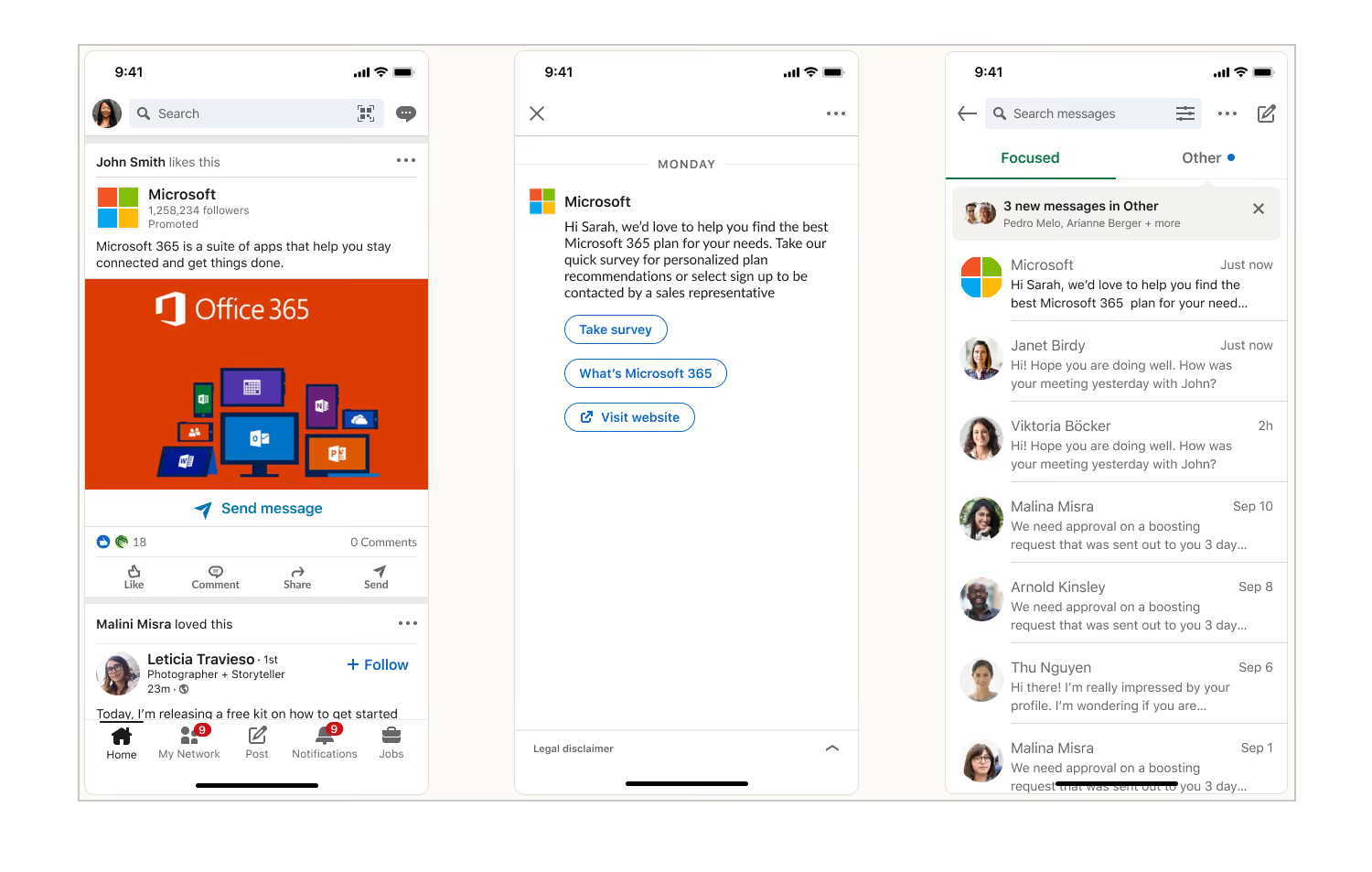
9. LinkedIn Conversation Ads
Conversation ads involve sending a message to the person's inbox that looks like it's coming from a personal LinkedIn account. They show up as a sponsored InMail, which contains multiple-choice options for the prospect to choose from, with each option either sending them to a URL or delivering a reply.
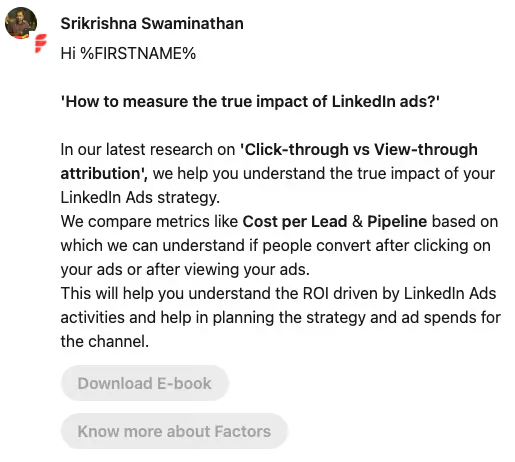
So it could be like, "Hey, First Name. I noticed you were checking out our website…did you have any questions?" and then it could have three options, like "Take another look", "watch a quick demo," and "book a call." Each button could either go to answer or send them to a website, a call booking link, or something like that.
LinkedIn conversation ads need to be hyper-targeted because you're charged per send. You should get super narrow on a specific industry, company size, and even who within those companies you're targeting so that your message could be super personalized, like "Hey Jeff, I notice you're the CMO of a software company here in Texas...".
If you want to use these in the cold layer, we recommend leveraging intent data. If you could get a conference list of everyone who attended a relevant conference, and you send out a cold email and say, "Hey, I noticed that you were at Inbound 2024. I'd love to get your thoughts on …".
You can also use conversation ads in the retargeting phase. After they visit your website, you hit them with a conversation ad, but it's specific to an industry. For example, our retargeting message would sound like, "Hey, I noticed that you were checking out our website and that you run a marketing agency. I wasn't sure if you saw this, but we offer white-label solutions. We'd be happy to talk more about x, y, and z."
While it's a great way to get your prospect's attention directly, it can be costly. Because you pay per send, you can't send a million of them, so you need to be much more targeted.
Also, read more about LinkedIn conversation and message ads
10. LinkedIn Lead Gen Forms
LinkedIn Lead Gen Forms serve as both ad types and objectives, specifically designed for lead capture. These forms can feature videos or images and include a prominent call-to-action button. Unlike traditional ads that direct users to external landing pages, Lead Gen Forms provide a seamless experience within the LinkedIn platform.
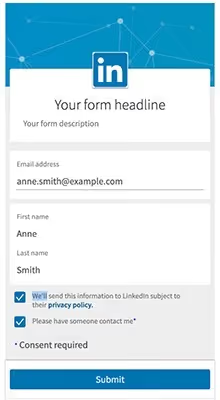
The primary goal of LinkedIn Lead Gen Forms is to encourage prospects to provide their contact information in exchange for valuable gated assets. These assets can include ebooks, checklists, industry trend reports, and case studies. Once users submit the form, they become a lead, initiating the lead nurturing process.
11. LinkedIn Spotlight Ads
This type of ad is relatively inexpensive. You can get 10x more impressions with the same spend as the in-feed ones, and I think it's because they're just underused.
Some ways to use spotlight ads were using those for webinar sign-ups or even advertising a video like, "Hey, want to learn how to do X, Y, or Z?" watch this quick video, and click send them to a YouTube link or a prerecorded webinar or a landing page.
The call to action button is customizable. Instead of "learn more" or "click here," it can be "watch this three-minute video," "subscribe to our channel," or anything else you want.
12. LinkedIn Follower Ads
A LinkedIn follower ad encourages users to follow or visit your LinkedIn page. This is a little ad to the right of the home feed with a few lines you can customize. It's a short text (like one sentence at the top) and pulls in the prospect's profile picture.
Each person viewing the ad sees a customized version. For example, if I'm viewing the ad, it might have my profile picture and say, "Hey, Janhavi," followed by a quick message.
Unlike the LinkedIn spotlight ads, which are customizable regarding what you want the call-to-action button to say and where you want the CTA to take them (you could put any URL you want as the destination), LinkedIn follower ads provide a couple of default CTA options.
If the prospect is following you, the CTA will say, "Visit company," if they're not, the CTA button will be "Follow."
13. LinkedIn Text Ads
LinkedIn text ads are simple ads that can be placed at the top or right of the feed. They will not get a ton of clicks just because they go unnoticed, but they do a good job of peppering someone's feed and staying in front of prospects for a really low cost.
Depending on your goals and the funnel stage, you can strategically use different destinations for the prospect. For example, we funnel our ads to the AdPilot landing page so our prospects know our newest offering.
What Marketers Say About LinkedIn Ad Formats
Insights from B2B marketers on Reddit's r/LinkedinAds and r/PPC communities reveal practical tips:
- Single image ads dominate: Many B2B marketers report single image ads as their highest-performing format, especially with bold colors (oranges, greens, reds) that stand out against LinkedIn's blue feed.
- Video ads win for retargeting: Video ads are the cheapest way to build retargeting audiences. They have lower CTR than static formats but excellent reach, making them ideal as the first touchpoint in a multi-stage funnel.
- Lead Gen Forms outperform landing pages: For most B2B lead capture, LinkedIn Lead Gen Forms convert significantly better than external landing pages because users don't leave the platform and fields auto-fill from their profile.
- Carousel ads drive highest engagement: Marketers consistently find carousel ads generate the most interaction, especially for showcasing multiple product features or case studies.
- Conversation ads require precision: Because you're charged per send, conversation ads need hyper-specific targeting — narrow by industry, company size, and job title for best ROI.
Which LinkedIn Ad Format Should You Use?
The best LinkedIn ad format depends on your campaign goal and funnel stage:
- Brand Awareness (Top of Funnel): Single Image Ads, Video Ads, and Follower Ads. Focus on reach and impressions at lowest CPM.
- Engagement (Middle of Funnel): Carousel Ads, Document Ads, and Thought Leader Ads. Drive interaction and content consumption.
- Lead Generation (Bottom of Funnel): Lead Gen Forms combined with Single Image or Video Ads. Pre-filled forms remove friction and boost conversion rates 2-5x.
- Retargeting: Video Ads to build audiences cheaply, then Conversation Ads with personalized messaging for warm leads.
- Event Promotion: Event Ads with organic amplification through attendee notifications.
- Thought Leadership: Thought Leader Ads (sponsored personal posts) for authentic, non-corporate messaging.
How Much Do LinkedIn Ads Cost?
LinkedIn ads are typically more expensive than other social platforms, but the B2B targeting precision often delivers higher-quality leads and better ROI. Here's what to expect:
- Average CPC (Cost Per Click): $5-$12 depending on industry, audience, and competition.
- Average CPM (Cost Per 1,000 Impressions): $25-$50 for Sponsored Content.
- Cost Per Send (Sponsored Messaging): $0.50-$1.00 per message delivered.
- Minimum Daily Budget: $10/day, but most experts recommend $30-$50/day minimum to gather meaningful data.
- Recommended Monthly Budget: $500-$1,000 minimum for testing; $3,000-$5,000+ for sustained campaigns.
The key is to start with a focused audience and single ad format, test for 2-4 weeks, then scale what works. Video Ads typically have the lowest CPM, while Conversation Ads have the highest cost per engagement but also the highest personalization impact. For the latest pricing benchmarks, refer to LinkedIn's official advertising page and Impactable's LinkedIn budget guide.
Compare your ads with LinkedIn AdVisor
Once you've launched your campaign, it's natural to wonder how your ads stack up to your competitors. Well, with AdVisor, you no longer have to wonder!
At Factors, we've launched LinkedIn AdVisor as your ad campaign sidekick. It's a tool that helps you compare your ad strategy with your competitors'.
From creatives, copy, and ad formats, AdVisor analyses their top 50 ad campaigns and tells you how to differentiate your offering from your competitors.
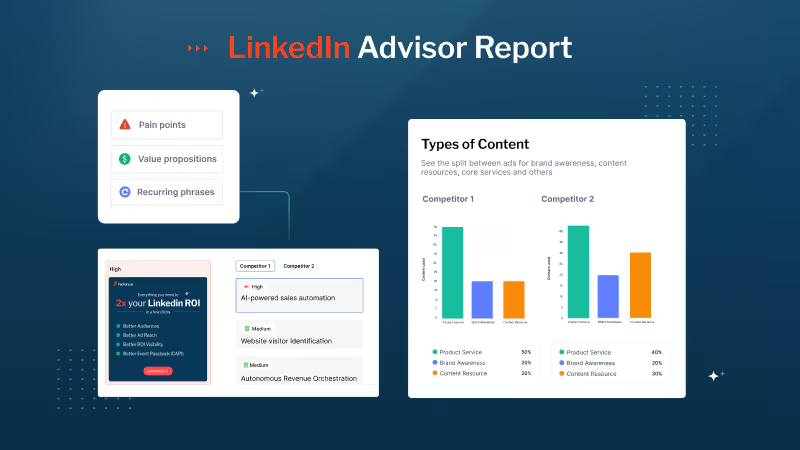
FAQs on LinkedIn Ad Formats
1. What type of ads perform best on LinkedIn?
For most B2B campaigns, Single Image Ads and Video Ads consistently deliver the best results. Single Image Ads offer strong click-through rates with clear messaging, while Video Ads excel at building retargeting audiences with the lowest cost per impression. For lead generation specifically, Lead Gen Forms outperform landing pages because users can submit pre-filled information without leaving LinkedIn.
2. How much do LinkedIn ads cost?
LinkedIn ads typically cost $5-$12 per click (CPC), $25-$50 per 1,000 impressions (CPM), and $0.50-$1.00 per send for Sponsored Messaging. The minimum daily budget is $10, but most experts recommend $500-$1,000/month minimum for meaningful testing. LinkedIn is more expensive than other social platforms, but the B2B targeting precision often delivers higher-quality leads and better ROI. Source: LinkedIn Ads Guide.
3. Which LinkedIn ad format is best for lead generation?
Lead Gen Forms are the gold standard for LinkedIn lead generation. They attach to Sponsored Content or Messaging ads and auto-fill user data from LinkedIn profiles, reducing friction and boosting conversion rates 2-5x compared to external landing pages. Pair Lead Gen Forms with Single Image Ads or Video Ads for best results.
4. What's the difference between Accelerate and Classic LinkedIn campaigns?
LinkedIn offers two campaign creation modes: Classic gives you full manual control over targeting, bidding, budgets, and creative. Accelerate uses AI to automate targeting, bidding, and optimization — you provide the creative and objective, and LinkedIn handles the rest. Classic is better for experienced advertisers who want granular control; Accelerate is ideal for teams with limited time or LinkedIn Ads experience.
5. What are the recommended LinkedIn ad specs and sizes?
Key specs: Single Image Ads: 1200x627px (horizontal), up to 10MB. Video Ads: 16:9, 9:16, or 1:1 aspect ratio, 3 seconds to 30 minutes, max 200MB. Carousel Ads: 1080x1080px per card, 2-10 cards. Document Ads: PDF, PPT, or DOC, up to 100MB. Text Ads: 100x100px image, 25-char headline, 75-char description. For full specs, refer to LinkedIn's official Ads Guide.
Wrapping up
As you can see, there are plenty of ad formats to choose from. However, you must also ensure that your ads bring revenue to your organization and not just burn a hole in your pocket. With AdPilot, you can maximize your LinkedIn efforts and 2x your campaign ROI.
Start Scaling Your LinkedIn Ads With AdPilot by Factors.ai
Running LinkedIn ads is one thing. Running the right LinkedIn ads, for the right accounts, without burning half your budget is another. Right?
Now this is the exact reason why we built LinkedIn Adpilot from Factors.ai.
Here's what makes it different:
- Account-level targeting so your ads reach actual decision-makers.
- Intent-based optimization, where you can adjust the frequency of ads shown to your target accounts by setting up frequency caps. In this way, you do not burn your budget by showing ads to a handful of accounts.
- Cross-channel visibility so your LinkedIn spend connects to the pipeline, not just impressions or clicks.
Run your LinkedIn Ads smarter using LinkedIn Adpilot. Book a demo with our LinkedIn Ads expert!
Understanding B2B Sales Leads Databases
Discover strategies to create a robust B2B sales leads database. Learn to collect, manage, and utilize leads to boost your sales efforts and drive business growth.
Imagine navigating a bustling city without a map — chaotic and inefficient, right? That’s what it’s like for B2B companies trying to grow without a solid sales leads database. In fact, the success of most businesses hinges on how well they can identify, manage, and convert sales leads. A robust B2B sales lead database is your map, guiding you to potential customers and helping you build meaningful relationships with them.
Let’s look at everything you need to know about B2B sales leads databases—from their essentials to how tools like Factors can turn your lead management into a strategic advantage.
But first - what exactly is a B2B Sales Leads Database?
A B2B sales lead database is a curated collection of potential customer information that a business can use to identify and reach out to other businesses (B2B) that might be interested in its products or services. This database typically includes essential details such as company names, contact information, industry verticals, decision-makers’ job titles, company size, and sometimes even specific buying signals or behaviors.
In essence, this database is the foundation for targeted sales and marketing efforts, enabling businesses to focus their resources on leads with the highest conversion potential.
Importance of B2B Sales Leads Databases
A B2B sales lead database is indispensable for several reasons:
- Efficiency in Lead Generation
A B2B sales lead database allows businesses to focus on pre-qualified leads instead of relying on cold calling or broad advertising campaigns, saving time and resources.
Also Read: 15 Tried and Tested Ways to Generate Leads
- Enhanced Targeting
By leveraging detailed data on potential clients, businesses can tailor their outreach strategies to specific industries, company sizes, or individual roles within organizations, leading to higher engagement and conversion rates.
- Improved Sales Strategy
With a comprehensive database, sales teams can prioritize leads based on buying signals, company fit, and readiness to purchase. This strategic approach improves the likelihood of closing deals.
- Scalability
As your business grows, a well-maintained sales leads database allows you to scale your outreach efforts without losing the personalized touch that drives conversions.
- Data-Driven Insights
The data contained within a B2B sales leads database can provide invaluable insights into market trends, customer preferences, and the effectiveness of your sales strategies.
Key Components of a B2B Sales Leads Database

A well-structured B2B sales lead database typically includes the following components:
- Company Information: Basic details about the companies in your target market, such as name, industry, size, and location. This data helps segment and prioritize leads.
- Contact Information: Direct contact details of key decision-makers within target companies, including names, job titles, email addresses, and phone numbers. Accurate contact information is crucial for effective outreach.
- Demographic Data: Information about the target companies' demographics, such as revenue, employee count, and years in operation, can help customize sales pitches.
- Firmographic Data: Data that categorizes companies based on various attributes, such as industry type, company size, and annual revenue. This helps segment leads and tailor marketing strategies.
- Technographic Data: Information on the technology stack used by the target companies. Understanding a company's software and tools can offer insights into their pain points and potential needs.
- Behavioral Data: Insights into how companies interact with your brand, such as website visits, content downloads, and engagement with marketing materials. This data can indicate the lead's level of interest and readiness to buy.
- Intent Signals: Indicators suggest a company is in the market for your product or service. These could include recent funding, mergers, executive changes, or even mentions of specific challenges in the media.
Building and Maintaining a B2B Sales Leads Database
Creating and maintaining an effective B2B sales leads database requires a strategic approach and ongoing effort. Here's how to do it:
1. Data Collection
The first step in building a B2B sales leads database is data collection. There are several methods to gather relevant information:
- Manual Research: This involves manually gathering data from various sources such as company websites, LinkedIn, industry directories, and trade shows. While time-consuming, this method can provide high-quality, targeted leads.
- Data Providers: Many companies offer databases or data services that provide access to extensive lists of B2B leads. These services often include advanced filtering options to ensure the leads meet your specific criteria.
- Web Scraping: This involves using software tools to extract data from websites automatically. While efficient, web scraping must be done carefully to avoid violating data privacy regulations.
- Inbound Marketing: Generating leads through inbound marketing tactics like content marketing, SEO, and social media engagement can also feed into your database. Leads generated this way are often more qualified, as they've already shown interest in your offerings.

2. Data Quality Management
The quality of your database is critical to its effectiveness. Poor-quality data can lead to wasted resources, missed opportunities, and even damage to your brand's reputation. Here's how to ensure data quality:
- Data Validation: Regularly validate the accuracy of your data by cross-referencing with trusted sources. This includes checking that contact information is up-to-date and company details are correct.
- Data Cleansing: Periodically clean your database to remove outdated or incorrect information. This process might involve removing duplicates, correcting inaccuracies, and updating contact details.
- Data Enrichment: Enhance your database by adding recent buying signals, social media profiles, or technographic data. This enriched data can provide deeper insights and improve targeting.
3. Data Segmentation
Segmenting your database allows you to target your sales and marketing efforts effectively. Common segmentation criteria include:
- Industry: Group leads by industry to tailor your messaging to each sector's unique challenges and needs.
- Company Size: Segment by company size to offer solutions that fit the scale of the business.
- Geography: Geographical segmentation can help personalize your outreach based on regional characteristics or regulatory environments.
- Buying Stage: Classify leads based on their position in the buying journey, from awareness to consideration to decision. This allows for more targeted follow-up and nurturing efforts.
4. Database Maintenance
Maintaining your B2B sales leads database is an ongoing process that involves:
- Regular Updates: Ensure that the database is regularly updated with new information. This includes adding new leads, updating existing records, and removing no longer relevant leads.
- Compliance with Data Regulations: When collecting and storing data, adhere to data privacy regulations such as GDPR or CCPA. This includes obtaining consent and ensuring that data storage practices meet regulatory standards.
- Integration with CRM: Integrate your database with your CRM system to streamline lead management, track interactions, and automate follow-up processes.
Leveraging a B2B Sales Leads Database for Maximum Impact
Once you have a well-maintained database, the next step is to leverage it for maximum impact. Here’s how:
1. Personalized Outreach
Personalization is key to effective B2B sales. Use the data in your database to tailor your outreach efforts, ensuring that your messages resonate with the recipient's needs and challenges.
- Email Campaigns: Segment your email lists based on Factors like industry, company size, or buying stage. Craft personalized messages that address the specific pain points of each segment.
- Targeted Content: Use the insights from your database to create content that speaks directly to the needs of your target audience. This could include case studies, white papers, or blog posts that address industry-specific challenges. Intent signals are behavioral cues that indicate a prospect's readiness to engage with your brand. These signals come from website visits, content downloads, email opens, or specific actions like browsing a product page. With Factors, intent signals aren’t just data points; they become actionable insights that help you connect with your audience deeper, driving more meaningful engagement and better business results. By tracking these signals, Factors enables you to understand where your prospect is in their buyer’s journey and tailor your messaging accordingly.
2. Account-Based Marketing (ABM)
Account-Based Marketing (ABM) is a strategy that focuses on targeting specific high-value accounts rather than casting a wide net. A well-structured B2B sales leads database is essential for ABM, allowing you to:
- Identify Target Accounts: Use your database to identify key accounts that fit your product or service well. Look for accounts with a high potential for long-term value.
- Customize Outreach: Tailor your marketing and sales efforts to each target account's unique needs and preferences. This might involve personalized emails, custom content, or even direct mail.
- Measure Success: Monitor engagement metrics, conversion rates, and overall account growth to track the success of your ABM efforts.

3. Lead Scoring and Prioritization
Not all leads are created equal. Lead scoring is the process of assigning a value to each lead based on their likelihood to convert. This allows your sales team to prioritize their efforts on leads that are most likely to close.
- Behavioral Scoring: Assign scores based on the lead's interactions with your brand, such as website visits, content downloads, or email engagement.
- Firmographic Scoring: Score leads based on firmographic data such as industry, company size, and revenue. Higher scores might be given to leads that match your ideal customer profile.
- Buying Signals: Increase the lead score based on recent buying signals such as funding rounds, mergers, or executive changes.
4. Nurturing Leads
Not all leads will be ready to buy immediately. Lead nurturing involves building relationships with potential customers over time, gradually moving them towards a purchase decision.
- Drip Campaigns: Set up automated email drip campaigns that deliver relevant content to leads over time. This keeps your brand top-of-mind and helps move leads through the sales funnel.
- Retargeting Ads: Use retargeting ads to re-engage leads who have shown interest but have yet to convert. Tailor the ads to their specific needs and interests based on the data in your database.
- Sales Follow-Up: Equip your sales team with detailed insights from the database to enable personalized and timely follow-up. This might include phone calls, personalized emails, or even in-person meetings.
The Role of Factors in Enhancing Your B2B Sales Leads Database
Factors is an advanced analytics platform that can significantly enhance the effectiveness of your B2B sales leads database. Integrating Factors with your sales and marketing tools allows you to gain deeper insights into your leads, optimize your campaigns, and drive more conversions. Here’s how Factors can help:
1. Advanced Lead Scoring
Factors uses machine learning algorithms to analyze your lead data and assign scores based on their conversion likelihood. This allows your sales team to prioritize high-potential leads and focus their efforts where they are most likely to succeed.
2. Intent Data Integration
Factors can integrate with intent data providers to give you real-time insights into which companies are actively researching your products or services. This enables you to target leads with immediate buying intent and shorten your sales cycle.
3. Comprehensive Analytics
With Factors, you can track the performance of your marketing campaigns across multiple channels. This includes detailed insights into which campaigns are driving the most leads, which content is resonating with your audience, and where there are opportunities for optimization.
4. Customizable Dashboards
Factors offers customizable dashboards that allow you to visualize your lead data in a way that makes sense for your business. Whether you need to track lead sources, monitor conversion rates, or analyze customer lifetime value, Factors provides the tools you need to make data-driven decisions.
5. Seamless Integration
Factors integrates seamlessly with your existing CRM and marketing automation tools, allowing you to easily sync data and maintain a consistent workflow. This ensures that your sales and marketing teams are always working with the most up-to-date information.
A B2B sales leads database is a curated collection of potential customer information, including company names, contact details, decision-makers’ job titles, and buying signals.
1. Efficiency: Focuses on pre-qualified leads, saving time and resources.
2. Enhanced Targeting: Tailors outreach strategies to specific industries, roles, and company sizes.
3. Improved Strategy: Prioritizes leads based on buying signals and company fit.
4. Scalability: Supports growth with scalable outreach efforts.
5. Data Insights: Provides insights into market trends and customer preferences.
Integrating tools like Factors.ai enhances lead scoring, behavioral insights, and predictive analytics, optimizing lead management strategies.
In a Nutshell
Think of your B2B sales leads database as the engine of your business—it keeps everything running smoothly, drives growth, and fuels success. When you provide your sales and marketing teams with accurate, up-to-date information, you’re not just giving them data; you’re handing them the keys to more effective lead generation, streamlined sales processes, and, ultimately, higher revenue.
But here’s the catch: The real power of your database lies in how well it’s managed and how seamlessly it’s woven into your overall business strategy. It’s like having a high-performance car — you need to maintain it, use the right tools, and follow the best practices to truly unleash its potential. That’s where Factors comes in.
Factors isn’t just another tool; it’s your co-pilot in this journey. With its advanced analytics, seamless integration capabilities, and top-notch data security features, Factors helps you unlock the full potential of your B2B sales leads database. It’s designed to give you deeper insights, helping you prioritize the leads that matter most and make your sales and marketing efforts more efficient.
By bringing Factors into your lead management strategy, you’re not just optimizing your database—you’re setting your business on a course for sustained success. It’s about working smarter, not more complex, and ensuring that every piece of data you collect is put to work in the most effective way possible. In today’s competitive landscape, that’s not just an advantage; it’s a game-changer.
Understanding an ABM Funnel
Discover the key stages of an ABM funnel and how personalized marketing to high-value accounts drives better results. Learn how Factors optimizes ABM strategies with AI-driven insights for better conversions and client retention.
TL;DR
- Account-Based Marketing (ABM) is a targeted B2B strategy focusing on high-value accounts rather than generating mass leads.
- The ABM funnel comprises five stages: Account Selection, Engagement, Nurturing, Conversion, and Retention & Expansion.
- Unlike traditional marketing, ABM delivers personalized, multi-channel experiences tailored to the needs of specific accounts. Critical components include precise targeting, customized content, and close alignment between sales and marketing teams.
- Factors enhances ABM efforts by providing AI-driven insights, multi-touch attribution, and real-time analytics. They optimize each stage of the funnel for better conversions and long-term client retention.
Account-based marketing (ABM) has become a transformative strategy in B2B marketing, offering a highly personalized approach to lead generation and conversion. Unlike traditional marketing funnels that focus on casting a wide net to capture as many leads as possible, ABM narrows the focus to a handful of high-value target accounts, providing personalized content and experiences throughout their buying journey. This shift enables marketers and sales teams to maximize returns by targeting the right accounts with tailored strategies.
In this article, we’ll explore each stage of the ABM funnel and understand how Factors can help you make the most of your ABM efforts.
{{INLINE_CTA_A}}
What is an ABM Funnel?

An Account-Based Marketing (ABM) funnel takes the traditional funnel concept and customizes it to the needs of specific, high-value accounts. Unlike a traditional B2B marketing funnel, where you try to attract a broad audience to convert a fraction into customers, ABM flips the funnel. It focuses on identifying high-value accounts from the outset and nurturing them with personalized messaging and strategies.
The main objective of an ABM funnel is not to generate as many leads as possible but to generate the right leads — those accounts that are most likely to yield significant revenue for the business. In this approach, quality always outweighs quantity.
Traditional Funnel vs. ABM Funnel

The traditional marketing funnel and the ABM funnel differ fundamentally in approach and objectives. Here’s a brief comparison:
- Targeting:
- Traditional Funnel: focuses on mass lead generation, casting a wide net to capture as many prospects as possible. It aims to attract a large audience and then filter them down through stages of the funnel.
- ABM Funnel: begins with identifying a specific set of high-value target accounts. It’s a narrow, account-first approach where quality matters more than quantity.
- Personalization:
- Traditional Funnel: While there is some level of personalization, the broad targeting limits the ability to customize content and experiences for individual prospects.
- ABM Funnel: Excels in deep personalization at every stage of the buyer journey. Messaging, content, and engagement are tailored to specific accounts, making the experience more relevant and impactful.
- Sales and Marketing Alignment:
- Traditional Funnel: Often, marketing handles lead generation, and sales take over once leads are qualified. This can create a disconnect between the two teams.
- ABM Funnel: Sales and marketing are highly aligned from the start. Both teams work together to identify target accounts and create personalized strategies for engagement and conversion, leading to more cohesive efforts.
{{INLINE_CTA_A}}
- Measurement of Success:
- Traditional Funnel: Success is measured by the volume of leads, conversion rates, and the number of deals closed. It’s a numbers game that values quantity over quality.
- ABM Funnel: Success is measured by the depth of engagement with target accounts, the quality of relationships built, and each account's long-term revenue potential. It’s focused on value over volume.
- Customer Lifecycle:
- Traditional Funnel: Once a lead is converted into a customer, the marketing focus often shifts to acquiring new leads, with less emphasis on post-sale activities.
- ABM Funnel: The ABM approach doesn’t stop at conversion. It continuously focuses on retention and expansion, nurturing long-term relationships, and driving growth within existing accounts.
While the traditional funnel is built for broad lead generation, the ABM funnel is a strategic, account-focused approach that emphasizes personalized engagement with specific high-value accounts. Factors can help optimize both funnels, especially ABM, by providing AI-driven insights that track and enhance performance at each customer journey stage.
ABM Funnel Stages
- Account Selection and Identification
- Engagement and Outreach
- Nurturing and Relationship Building
- Conversion
- Retention and Expansion
Stage 1: Account Selection and Identification
The foundation of any ABM strategy lies in selecting the right accounts. This stage is critical because, unlike traditional lead generation, ABM focuses resources on a specific subset of accounts. The goal is to identify the accounts with the highest potential to drive revenue and long-term value for the business.
How to Identify Target Accounts
- Firmographic Data: This includes company size, industry, and revenue. These metrics help you filter companies that fit within your target market.
- Technographic Data: Understanding what technology a company uses can indicate whether they’re a fit for your product.
- Intent Data: Tools like Bombora can provide insight into whether a company is actively researching your solution or related topics, helping you identify the best-fit accounts.
- Fit Analysis: Analyze past successful customers to identify patterns. These may include commonalities in company size, industry, or specific business needs that your product can address.
The importance of data-driven selection cannot be overstated. Platforms like Factors offer the ability to analyze extensive datasets, using AI-powered insights to ensure you’re targeting accounts that are most likely to convert.
{{INLINE_CTA_A}}
Ideal Customer Profiles (ICPs)
Companies often create an Ideal Customer Profile (ICP) to enhance account selection. An ICP defines the attributes of the companies that are the best fit for your products or services. The ICP is developed based on data from current high-value customers, analyzing what makes them ideal in terms of firmographics, pain points, and potential lifetime value.
Stage 2: Engagement and Outreach
Once you’ve identified the target accounts, the next step is to engage them. This stage aims to deliver highly personalized content that resonates with each account's needs, helping build awareness and interest.
Personalized Content for Decision-Makers
Personalization is at the core of any effective ABM strategy. Understanding each account's unique pain points and challenges allows marketers to craft tailored messaging that truly speaks to them.
- Targeted Email Campaigns: Personalized emails addressing the company's or decision-maker's specific pain points.
- Account-Specific Webinars: Hosting webinars tailored to the challenges a particular industry or even a specific account faces.
- Custom Content: White papers, case studies, and blogs written specifically for each account, showing them how your product or service can solve their problems.
- Social Media Targeting: Leveraging LinkedIn or Twitter for personalized outreach to decision-makers in specific accounts.
- Personalized engagement is key to standing out in competitive markets. Tools like Factors can complement your efforts by ensuring precision and relevance throughout the outreach process.
Also Read: Engagement Scoring
Multi-Channel Engagement
A key differentiator in ABM is the multi-channel approach. You’re not limited to a single mode of outreach like email; instead, ABM campaigns typically involve a combination of:
- Email: Personalized outreach based on account-specific insights.
- Social Media: Targeting ads or direct messaging on platforms like LinkedIn, where you can engage decision-makers.
- Events and Webinars: Hosting exclusive events to bring stakeholders together and demonstrate your product's value.
- Direct Mail: High-impact, personalized packages delivered to decision-makers’ desks.
By using multiple channels, you can ensure that your message reaches its target audience in the way they prefer to consume information. Tools like Factors can track engagement across these various channels, helping marketers optimize and refine their approach.
Stage 3: Nurturing and Relationship Building
After the initial engagement, the next phase is nurturing your accounts and continuing to build relationships. This is where the funnel’s focus shifts from awareness to fostering trust and moving toward conversion.
Nurturing Accounts with Customized Content
Unlike traditional nurturing, where you provide the exact content to all leads, ABM requires personalized nurturing for each account. This involves tailoring your messaging to match the buyer’s journey of the target account.
Some nurturing tactics include:
- Regular Follow-Ups: Ensure decision-makers receive regular touchpoints emphasizing how your solution can meet their needs.
- Educational Content: Sending account-specific case studies, white papers, and research to educate them on your solution further.
- Targeted Ads: Personalized retargeting ads based on decision-makers behaviors within the account.
Measuring engagement levels is essential throughout the nurturing process to determine which accounts are progressing toward a sale. By analyzing the data with platforms like Factors, you can assess the most engaged accounts and optimize your strategy accordingly.
{{INLINE_CTA_A}}
Stage 4: Conversion
The goal of any marketing funnel is conversion, and the ABM funnel is no different. However, in ABM, this conversion process is highly tailored and may involve multiple stakeholders within the account.
Closing the Deal
In an ABM strategy, both the marketing and sales teams often manage the final push toward conversion. ABM is characterized by strong alignment between marketing and sales, with both teams working together to provide a seamless experience from the first engagement to closing the deal.
Conversion strategies may include:
- Personalized Demos: Offering live demos to specific stakeholders within the account, tailored to their needs and requirements.
- Executive Outreach involves higher-ups from your team (such as the CEO or CTO) reaching out to key decision-makers within the account to build rapport and trust.
- Account-Specific Proposals: Custom proposals that focus on the unique needs of the target account rather than a generic offer.
Measuring Conversion Success
Conversion success in ABM is measured not just by the number of accounts closed but by the quality of those accounts. Factors allows businesses to track which touchpoints influenced the conversion, enabling you to optimize your efforts based on data.
Stage 5: Retention and Expansion
The ABM funnel doesn't stop at conversion; in fact, one of its key benefits is that it continues beyond the sale to focus on retention, expansion, and advocacy. This stage of the funnel ensures that the high-value accounts you’ve worked hard to acquire remain loyal and continue to provide value through upselling and cross-selling opportunities.
Retention Strategies
Once a target account becomes a customer, keeping them engaged is crucial. Post-sale strategies for ABM include:
- Onboarding Programs: Customized onboarding experiences ensure the new customer gets immediate value from your product.
- Customer Success Teams: Dedicated teams that help accounts maximize the use of your product, ensuring satisfaction and preventing churn.
- Regular Check-Ins: Periodic touchpoints to understand the evolving needs of the account and propose solutions that fit those needs.
Expansion and Advocacy
The ABM funnel emphasizes expanding your relationship with each account by identifying opportunities to upsell or cross-sell additional services. Furthermore, satisfied customers can become advocates for your brand, helping you attract new high-value accounts through referrals.
Factors can track account engagement and prevent churn, offering insights into how well you retain and expand within your target accounts.
{{INLINE_CTA_A}}
Why Factors is Essential for ABM Success
Implementing a successful ABM strategy demands in-depth analytics and the ability to automate and optimize outreach, which is where Factors excels.
Imagine this:
Brand ‘X’ clicks on an ad showcasing the power of our AdPilot feature and signs up for a demo. After the demo, our SDRs can follow up with tailored emails, sharing feature-specific case studies. For example, they might highlight how AdPilot helped another company boost their LinkedIn Ads ROI by 35%, making the benefits relatable and actionable for Brand ‘X’.
Factors offers robust features for tracking, measuring, and enhancing every step of the ABM funnel:
- Multi-Touch Attribution: Identifies the key touchpoints that lead to conversions, enabling marketers to refine their campaigns for maximum impact.
- Real-Time Data Analytics: Provides ongoing insights into how target accounts interact with your content across different channels, allowing you to adjust and optimize in real time.
- Predictive Analytics: Uses AI to predict which accounts are most likely to convert, making resource allocation more efficient.
By leveraging these advanced capabilities, Factors ensures that your ABM strategy is not only data-driven but also highly optimized for success.
1. AdPilot by Factors.ai: Optimizing LinkedIn Ads for ABM
Factors.ai’s AdPilot takes ABM to the next level by automating LinkedIn advertising campaigns. It helps marketers target high-value accounts with personalized ads, ensuring that the right message reaches the right people at the right time.
AdPilot complements the core ABM features of Factors by:
- Automating ABM Advertising: This feature ensures that high-value accounts are consistently engaged with the right content, optimized for each phase of their journey.
- Real-Time Ad Optimization: AdPilot fine-tunes ad delivery using engagement data to ensure maximum impact for every dollar spent on LinkedIn ads.
- Personalized Messaging: AdPilot personalizes the content of ads to align with the specific pain points and needs of each target account.
2. Segments: Data-Driven Insights for Precise Targeting
Effective ABM requires a deep understanding of customer segments and their behaviors. Factors.ai's Segments tool takes the guesswork out of targeting by providing insights into precisely defined customer segments. With Segments, you can segment your audience based on specific criteria, ensuring that your marketing efforts are highly targeted and relevant to the right accounts.
Key Features of Segments include:
- Audience Segmentation: Define customer segments based on behavior, engagement, and demographic data. For example, segmenting e-commerce customers into categories such as frequent buyers, first-time shoppers, and cart abandoners allows for targeted strategies tailored to each group's habits.
- Customizable Insights: Gain in-depth insights into each segment to understand their pain points, preferences, and needs. This enables crafting solutions that address specific challenges, such as offering exclusive discounts to frequent buyers or sending reminder emails to cart abandoners.
- Personalization at Scale: Tailor content and campaigns to meet the unique demands of each segment, leading to higher engagement and conversion rates. For instance, sending personalized product recommendations to repeat customers can enhance loyalty and drive repeat purchases.
{{INLINE_CTA_A}}
3. Workflows: Automating Your ABM Process
One of the most critical aspects of ABM is automation. Factors.ai’s Workflows tool streamlines your ABM processes by automating repetitive tasks, freeing up valuable time and resources. Whether it's follow-ups, lead scoring, or lead nurturing, Workflows allows your marketing and sales teams to work seamlessly together, ensuring no lead is left behind.
Workflows help businesses:
● Automate Key Tasks: Streamline processes like lead nurturing or follow-ups by automating repetitive tasks. For example, a workflow can be set up to automatically send a welcome email sequence to new leads or trigger reminders for sales teams to follow up with high-priority accounts.
● Collaborative Efficiency: Enhance communication between sales and marketing teams by integrating tools and aligning workflows. For instance, a shared workflow could notify the sales team when a target account engages with a marketing email, ensuring timely follow-ups.
● Real-Time Adjustments: Adapt quickly to changes in customer behavior or campaign goals. For example, if a lead suddenly shows increased engagement, a workflow can automatically adjust their status to a higher-priority category and trigger additional outreach steps.
Workflows help businesses stay efficient and responsive, ensuring every opportunity is maximized for better results.
An Account-Based Marketing (ABM) funnel is a strategic framework that emphasizes targeting high-value accounts with personalized, multi-channel engagement. Unlike the traditional marketing funnel that casts a wide net for lead generation, the ABM funnel prioritizes quality over quantity, ensuring that every interaction is meaningful and tailored.
The ABM funnel typically includes five key stages:
1. Account Selection – Identifying high-value, ideal customer profiles.
2. Engagement – Reaching these accounts through tailored, multi-channel campaigns.
3. Nurturing – Building relationships with relevant stakeholders using personalized content.
4. Conversion – Aligning marketing and sales efforts to convert opportunities into customers.
5. Retention & Expansion – Strengthening relationships and driving upsell or cross-sell opportunities post-sale.
Tools like Factors.ai play a crucial role in enhancing ABM strategies. With AI-driven insights, multi-touch attribution, and real-time analytics, Factors.ai helps teams optimize every stage of the funnel, boosting conversions and improving long-term client retention.
In a Nutshell
The ABM funnel is a highly focused and personalized approach to marketing that can drive significant results for businesses targeting high-value accounts. By honing in on the right accounts, engaging them with relevant content, and nurturing them through a tailored buyer’s journey, companies can achieve higher conversion rates and long-term customer loyaltyCompanies can achieve higher conversion rates and long-term customer loyalty by honing in on the right accounts, engaging them with relevant content, and nurturing them through a tailored buyer’s journey.
By integrating a powerful analytics platform like Factors, businesses can precisely track their ABM efforts, optimize campaigns based on real-time data, and ultimately drive more robust revenue growth. Focusing on high-value target accounts in an ABM approach means that every interaction is valuable, and precision is key to success. Using tools like Factors can help your marketing team refine, optimize, and better understand the effectiveness of your strategies, ensuring that you maximize return on investment (ROI) across your entire ABM funnel.
{{INLINE_CTA_A}}

Top 10 Warmly.AI Alternatives-Compare Pros, Cons & Pricing
Analyze the best 10 Warmly alternatives for marketing and account intelligence based on features, pricing, accuracy, and usability.

Account identification and targeted outreach are imperative for B2B marketing and sales teams aiming to engage elusive prospects already demonstrating interest.
But, while Warmly provides capabilities to reveal anonymous website traffic, you may be looking for warmly alternatives based on your specific requirements.
This guide will compare Warmly against the ten similar competing solutions and evaluate each platform across key factors like features, accuracy, integrations, support, and pricing to determine the best fit across various use cases and budgets. Read on for an in-depth assessment before deciding on an account-based intelligence and analytics tool to deploy.
What Does Warmly Do?

Warmly is an autonomous sales orchestration platform that helps businesses scale personalized sales outreach and account-based marketing programs. It enriches anonymous account data, provides intent data, and engages high-value accounts in real-time.
Using predictive analytics and powerful engagement tools Warmly helps with personalized outreach across multiple channels to generate more leads and sales.
Key Features of Warmly
Warmly focuses on account & contact identification and outreach to known contacts. Main features include:
- Autonomous Sales Orchestration: Captures buyer interest by combining intent and action data to personalize engagement across email, LinkedIn, and live chat.
- Automated Intent-Driven Outreach: Uses AI to connect with prospects at optimal moments in their buyer’s journey by identifying the buying committee of accounts that recently visited the website.
- Scales Sales Capacity: Allows engaging with every target account visiting the website via multi-threaded conversations without needing to add headcount.
- Orchestrates Tech Stack: Consolidates tools, workflows, and actions to instantly capture decision-makers' interest by integrating with Warmly.
Pricing (As of Dec 2023)
- Free forever: Supports 500 monthly identified accounts and enrichment of 60 leads
- Paid plans: Starts at $850 per month, billed annually for up to 25,000 monthly identified accounts
- Enterprise plans: If you need to identify more than 25,000 monthly accounts, you can connect with their sales team for a custom plan.
Top 10 Warmly Alternatives for Account-Based Marketing in 2025
So, if not Warmly, which tool should you pick for your account-based marketing?
Let’s deep dive into 10 leading Warmly alternatives for identifying and converting anonymous B2B accounts through account-based approaches.
1. Factors.AI

Factors is an account-based marketing and analytics platform built to help B2B organizations identify anonymous website visitors, analyze their journeys, attribute revenue to marketing efforts, and unify cross-channel data.
It empowers marketing and sales teams by turning previously unknown website traffic into qualified leads and customers. The strong foundation of datasets allows Factors to identify and enrich up to 64% of anonymous traffic—significantly higher than most alternatives in the market.
Key Features of Factors
- Account Intelligence: Factors leverages a large proprietary IP database combining 6sense intelligence on over 100 million businesses with Clearbit's 4.5 billion IP addresses and business information catalog. With that, Factors can identify over 60% of website traffic and immediately alert users about companies visiting any of their marketing channels, including websites, LinkedIn pages (or ads), G2 pages, and more. This method of using IP data sets, paired with company intelligence, captures a wider range of anonymous traffic than nearly all competitors focused solely on IP logs or declared traffic sources.
- Account Scoring: Factors enriches identified traffic with 220+ attributes from data partners to construct complete firmographic profiles. This includes intelligence on company size, industry, tech stack details, buying committee contacts, location information, and intent signals scraped from LinkedIn. Sophisticated machine learning algorithms analyze activities across accounts to generate an AccountAI Score reflecting overall sales readiness. This helps marketing and sales teams effectively tier and prioritize follow-ups based on demonstrated interest levels.
- Customer Journey Analytics: Factors maps complete end-to-end customer journeys by connecting anonymous visitors to downstream marketing and sales events across channels. Users can visualize touchpoints influencing account progression through the funnel, isolate key bottlenecks impacting conversion rates, and see true time-to-revenue for guiding optimization.
- Unified Reporting and Attribution: Factors also allows the creation of customized analytics reports, unifying data from ad platforms, web analytics tools, marketing automation systems, and other sources via APIs. This empowers accurately measuring campaign, content, and other marketing efforts driving pipeline and revenue. Users can validate media mix and double down on the highest converting initiatives.
Benefits
- Factors is unique in capturing holistic intent signals across LinkedIn and G2 engagements and the website. This means users can identify anonymous accounts and map touchpoints from ad impressions, G2 review page views, and more.
- At the time of writing, Factors can identify and enrich more accounts per dollar than Warmly
- Higher reported data accuracy—The data and scoring methodology result in more precise identification of ideal customers. This means less wasted effort chasing poor fits.
- More integrated communication channels like Slack and Microsoft Teams - Seamlessly continue the conversation where your team already collaborates without switching tools or losing context.
- Unlimited seats for all plans so you can scale your operations without worrying about increasing costs.
Limitations
- Relatively fewer direct integrations with CRMs and API access beyond HubSpot, Salesforce, and Leadsquared. However, these limitations are resolved with Factors’ integration with Make.com and Zapier, giving you access to thousands of tools and integration possibilities.
Pricing
- Free forever plan: 100 account identifications per month
- Starting paid plan: $99 per month for up to 350 visits, billed annually
{{INLINE_CTA_A}}
2. Leadfeeder/DealFront

DealFront, formerly Leadfeeder, takes an IP logging approach to identify companies driving website traffic and appending helpful intent signals for outreach.
Key features of DealFront:
- Account Identification: DealFront leverages techniques like IP mapping and fingerprinting matched to a database of 66 million businesses to determine companies behind roughly 40% of site traffic.
- Contact and Account Enrichment: The platform enriches lead records for identified traffic sources with dozens of valuable attributes like company size, industry vertical, technologies used, intent signals, location information, and more through proprietary data models.
- Analytics Capabilities: It tracks granular prospect behavior data like content downloads, time spent per page, and referrers to provide complete visibility into research activities across site visits.
Benefits
- Lead scoring models automatically tier accounts by engagement levels to accelerate sales prioritization.
- Identifying remote and roaming devices provides a more complete view of account committee behavior.
- An expansive integration ecosystem centralizes anonymous traffic data across 300+ apps for greater visibility.
- Enriched firmographic data appended to 70% of matched visitor records.
Limitations
- Some user reviews cite issues handling changes in contractual terms, pricing, or subscriptions upon renewal and delays in resolving technical problems.
- Reliance on external data sources may impact identification latency or accuracy for certain types of traffic according to observed effects by some customers.
Pricing
- Starts at €139 per month for 100 identified accounts, billed annually.
3. Lead Forensics

Lead Forensics focuses specifically on matching website IP addresses to an internal database of company information. It alerts sales teams about target account visits for rapid outreach.
- Account Identification: The platform cross-checks IP addresses from web traffic against a catalog of 1.4 billion IPs to identify associated businesses, typically providing company attributes for roughly 40% of visits.
- Lead Routing and Notifications: Real-time browser alerts notify reps when target accounts exhibit research behaviors across site pages. Lead Forensics automatically updates lead records in supported CRM platforms like Salesforce for immediate sales follow-up.
- Enhanced Profiles: For matched traffic, Lead Forensics enriches visitor data with useful B2B metrics like company size band, geographic details, industry classification codes, and more to support segmenting by firmographic criteria.
Benefits
- Real-time alerts enable sales follow-up within 5 minutes of high-value visits to improve conversion results by 45%.
- AI-enabled scoring is available for lead prioritization assistance.
- GDPR compliant to support international data handling requirements.
- Predictive analytics forecast buyer readiness without intensive data science resources.
- Emergency weekend support services ensure critical issues get rapid attention.
Limitations
- With a comparatively smaller database of 1.4 billion IP addresses to check against and a <50% data accuracy, fewer accounts visiting your website can get matched to the companies.
- Currently, Lead Forensics lacks account timelines, multi-touch attribution, or revenue analytics.
Pricing
- Currently, the exact pricing is not available publicly, and you need to reach out to the sales team for quotes which are based on usage and data needs.
4. Lead Lander

Lead Lander offers an expansive, frequently updated IP database with predictive analytics to identify anonymous accounts, score their potential, and automatically transfer hot leads to CRMs for sales execution.
- Account Identification: By comparing website IP logs against its database, Lead Lander can determine associated business details for accounts. However, depending on the industry, they offer an accuracy of <50% of the traffic.
- Lead Analytics and Scoring: Proprietary machine learning algorithms analyze account and contact-level data points like repeat visits, page views, referer quality, time on site, and recent activity to generate an automated lead score reflecting sales potential.
- Campaign Exposure Tracking: Lead Lander pairs inbound research activity with outbound campaign deployment dates across channels like email, events, content syndication, and paid media. This closed-loop reporting validates prospect-level awareness, engagement lift, and sales impact across tactical programs.
Benefits
- Pre-built integrations with platforms like HubSpot and Salesforce help streamline data flows to improve workflow efficiency.
- Account enrichment features enhance seller context for personalized outreach by surfacing intelligence on firmographics, recent triggers, and a timeline view of historical account behavior.
- Lead Lander’s form tracking visibility supports understanding how landing pages and forms convert so teams can optimize lead capture processes.
Limitations
- A maximum of 100 identified monthly (for the base plan) accounts will likely prove too restrictive for sales teams needing to run large-scale account-based campaigns and outreach initiatives.
- Some reviewers believe that <50% data accuracy can lead to data inaccuracy. Other competing solutions like Factors (65+%) and Warmly offer more.
Pricing
- Base plan: Starts at $99/month. It is an affordable solution for identifying accounts and contacts. Offers a maximum of 100 accounts that can be identified in this plan.
{{INLINE_CTA_A}}
5. LeadInfo

LeadInfo captures IP addresses from anonymous accounts that visit your website and appends actionable intelligence to accelerate sales prospecting.
Key Features of LeadInfo
- Real-Time Account Identification: LeadInfo leverages an IP cross-check database of over 220 million businesses to instantly identify details on companies driving web traffic, typically matching 30-40% of monthly accounts to commercial entities. Alerts get pushed in real-time to CRM and email platforms.
- Enriched Profile: For identified companies, LeadInfo enriches visitor data with dozens of valuable B2B attributes around industry classification, technologies used, regional headquarters, and contact roles to facilitate lead qualification, routing, and prioritization for sales teams.
- Lead Management: Intuitive lead dashboards allow filtering website traffic by source, time on page, keyword usage, and other engagement metrics. Teams can easily tag records matching customer criteria for ideal follow-up segmentation across sales and marketing.
Benefits
- 220M+ firmographic database is also one of the largest company databases on this list and can be quite useful for businesses.
- LeadInfo is known to offer excellent and prompt support for customer queries.
- GDPR compliance helps you ensure you are not breaching any EU laws while trying to capture data.
Limitations
- Anecdotal evidence suggests that LeadInfo offers <50% match rate for anonymous traffic–leading to lost connection opportunities as prospects conduct research without triggering any follow-ups due to data gaps.
- Per user feedback, the absence of contact-level insights or personnel names available in firmographic data makes it challenging to personalize initial outreach messaging.
Pricing
- Base plan: €129 monthly pricing (billed annually) for up to 400 identified accounts.
6. LeadPost

LeadPost combines anonymous account identification with seamless integrations across advertising channels to enable targeted account-based digital campaigns through core capabilities.
Key Features
- Account Identification: LeadPost uses IP tracking matched against an internal database to reveal company details on just 20% of monthly website traffic. Lower match rates mean more anonymous accounts get missed for outreach.
- Retargeting Integration: Matched accounts get automatically added to customizable target lists for deployment across search, social media, and programmatic display advertising through supported platforms like Facebook, LinkedIn, Google, and more.
- Orchestration Tools: LeadPost allows configuring specific paid media budgets across integrated ad platforms to set and optimize cost controls easily. Real-time dashboards provide campaign performance visibility like clicks, conversions, and return on ad spend in one unified view with CRM data.
Benefits
- LeadPost has integrated budget controls that allow you to set custom monthly ad spend limits and optimize costs.
- Like most Warmly alternatives, it offers one-click integrations to push leads into CRMs like Salesforce and HubSpot for automated lead delivery.
- You can integrate suppression lists to filter out existing contacts and capture new prospects.
Limitations
- LeadPost only identifies up to 20% of anonymous accounts, lower than other tools like Factors (60+%) and LeadFeeder (40%).
- Unlike other tools, LeadPost does not provide keyword-level tracking of accounts or allow you to view pages visited.
- It lacks predictive lead scoring to identify high-propensity prospects based on behavior and attributes. Most competitors offer this feature.
Pricing
- Base plan: LeadPost starts at $99/month for up to 250 leads. The plan offers all the features you need to get started. Your website must have at least 1000 monthly unique visits to integrate with LeadPost.
7. Albacross

Albacross combines IP-to-company matching with real-time sales alerts and cross-channel advertising capabilities for account-based activation.
Key Features
- Account Identification: The platform identifies businesses based on IP address, matched against an internal database of over 15 million companies to reveal some attributes about matched traffic sources.
- Sales Notification Tools: In real-time, Albacross alerts designated CRM users and other integrated collaboration platforms when target accounts exhibit website engagement during their buyer journeys to drive rapid, personalized outreach.
- Advertising Integrations: Matched accounts get automatically added to customizable target segments for deploying display advertising campaigns across platforms like LinkedIn, Google, and Facebook. Advertising capabilities span early to mid-funnel only.
Benefits
- Easy to set up and integrate with CRM, marketing automation, Slack, etc.
- Identifies companies visiting the website and captures their intent signals like pages visited. Provides insights into the ideal customer profile. (Newaz Chowdhury, Marketing Executive)
- Alerts sales reps in real-time when target accounts visit the site so they can engage quickly. (Thorsten B., Team Lead Digital Marketing)
- Helps segment and target accounts for account-based marketing and sales campaigns.
- Provides firmographic data like industry, revenue, and location to enrich visitor profiles.
Limitations
- Unlike competing tools, Albacross does not have third-party intent data, and the "personal" contact details are vague. (G2 Reviewer)
- Some metrics are not as straightforward, and it is unclear how some KPIs are calculated (for example, Activity Bar/Scoring). (G2 Reviewer)
- The sorting of segments and filtering could be more agile. Currently, you can't filter on name or size. (Anne Katrine V., Head of Marketing)
- The prices can be steep if you have a high-traffic site and would like to identify more accounts than just the 100 in their base plan. (David C., Chief Marketing Officer)
- Albacross does not offer CRM integrations and no direct connection. So, a tool like Zapier must connect data between tools. (Lara L., S)
Pricing
- Base plan: $79 per month, billed annually, for 100 identified accounts. The plan offers all the other features of Albacross. Higher plans require you to get a quote from the team.
{{INLINE_CTA_A}}
8. Visitor Queue

Visitor Queue identifies anonymous website traffic in real-time and builds differentiated site experiences for accounts based on matched attributes and behaviors through tools like:
Key Features
- Account Identification and Analytics: By comparing website IP logs against an internal database, Visitor Queue provides the name, industry vertical, location, and technology details of businesses. However, it lags behind industry standards in the percentage of identified accounts.
- Lead Management and Transfer: Matched accounts get automatically added to customizable queues with capabilities to filter and search records by keywords, data fields, and website analytics metrics.
- Personalization Engine: Visitor Queue allows serving tailored site content like banners, case studies, testimonials, and pricing for identified accounts matched to configured audiences across categories like company size, industry, tech used, and others to boost engagement.
Benefits
- VisitorQueue provides unlimited user seats, enabling sales teams to widely share account intelligence across the organization without incurring additional licensing fees or access limitations.
- Native contact enrichment capabilities equip sales reps with firmographic, technographic, and intent data to personalize and contextualize outreach messaging for improved response rates.
- Direct integration with CRM systems (only in Pro plans) helps sales teams streamline flows of enriched visitor data into these downstream platforms to align with existing workflows.
Limitations
- As per anecdotal evidence, the data accuracy isn’t as good as the competitive solutions, which puts the effectiveness of any outreach actions taken on VisitorQueue intelligence into question.
- We couldn’t find information on their company database sourcing, scope, or rigor, making it difficult to assess quality standards for enterprise readiness.
- It only connects with Zapier for integrations versus more robust connectivity offerings from rival tools.
Pricing
- Base plan: Starts at $31 per month. This makes VisitorQueue quite affordable, helping smaller or growing revenue teams try out account intelligence without a lot of investment. Like most other tools, this plan allows the identification of up to 100 unique companies/month.
9. Snitcher

Snitcher identifies and segments anonymous accounts for building targeted remarketing campaigns and custom analytics reporting through core features like:
Key Features
- Account Identification: Snitcher uses automatic IP address tracking matched to an internal company database to reveal business details. However, their accuracy may be reportedly lower than other top Warmly competitors.
- Analytics Integration and Segmentation: Snitcher pushes visitor data into integrated marketing platforms like Google Analytics and Facebook to construct target account audiences for search, social media, and display advertising remarketing.
- Lead Management: Proprietary algorithms score identified traffic on various engagement metrics to classify visitor quality as low, medium, or high conversion potential. High scores get automatically routed into supported CRM systems like Salesforce for sales execution.
Benefits
- Snitcher accurately identifies companies visiting your website, allowing you to turn unknown traffic into actionable leads. (Maciej H., PR & Marketing Specialist)
- The platform enriches visitor data with detailed firmographic information like company name, industry, location, etc. This provides context to understand better and segment your traffic. (Shashank S.)
- Snitcher is quick and easy to implement, with minimal technical know-how required. The intuitive interface allows anyone to analyze traffic and export data effectively. (G2 reviewer)
Limitations
- The lower pricing tiers limit the number of leads identified, which may be restrictive for higher-traffic websites. (Jakub M., CEO of a Small Business)
- While identification is accurate overall, some reviewers noted inconsistencies in enriching some visitor data with company information. (Jeroen A.)
- Reviews mentioned the need for more advanced analytics and visualization capabilities built into the platform. (Nikolaj Storgaard P.)
Pricing
- Base plan: Starts at $39/month, making Snitcher an affordable solution. You can identify a maximum of 100 unique accounts per month.
{{INLINE_CTA_A}}
10. Untitled Firm

Rather than simple account identification, Untitled Firm takes an identity resolution approach using probabilistic matching to connect behavior across known and anonymous individuals.
Key Features
- Identity Graph: Untitled Firm builds an identity graph mapping interactions to individuals using statistical models assessing signals like name, location, employer, title, and more to determine matches across authenticated and unauthenticated events.
- 360 Profiles and Segmentation: By combining data from CRM records, transaction systems, web analytics, and other sources, Untitled Firm offers enriched customer records reflecting commercial, behavioral, and technical data. Through integrated data science capabilities, you can then use this to inform personalization use cases across marketing, sales, and service scenarios.
- Activation Channels: Marketer users can leverage persona scores, lookalike modeling, churn analysis, and other data applications as triggers for orchestration across messaging channels and deliver tailored experiences.
Benefits
- Unified customer profiles can help sales and marketing teams gain a more holistic understanding of customers to drive personalized engagement.
- Identity resolution provides visibility into entire customer journeys across devices and touchpoints that are lacking with IP identification alone.
- Lead enrichment enables acting on anonymous traffic instead of losing those prospects, potentially increasing conversion rates.
- Privacy controls can help ensure compliance in the new data privacy regulatory environment.
Limitations
- Less extensive third-party data integration may limit lead enrichment capabilities compared to some alternatives.
- It is still new, so technology and features may not be as mature as established players.
- Reliance on pre-built integrations can make connecting new data sources or platforms more difficult.
- Advanced analytics capabilities lagging competitors means less customizable reporting and visualization currently.
- The accuracy of identity resolution has yet to be fully proven across diverse customer bases and websites.
Pricing
- Base plan: Untitled Firm charges based on the monthly traffic and account resolutions. The pricing starts at $500/month for 0-1000 resolutions and grows to $17,500/month and beyond.
Top Alternatives to Warmly.ai
Finding the right alternative to Warmly.ai ensures businesses can enhance account identification and targeted outreach effectively.
- Leading Platforms: Apollo.io, Qualified, 6sense, ZoomInfo Sales, and Drift.
- Key Features: AI-driven insights, real-time engagement, predictive analytics, sales intelligence, and conversational marketing.
- Strategic Benefits: Improve lead generation, enhance B2B targeting, automate workflows, and personalize outreach.
Evaluating these tools based on integration capabilities, pricing, and feature sets helps businesses find the best fit for their needs.
Go For the Best Warmly Alternative and Enhance Pipelines
With account identification and engagement vital for B2B revenue growth, platforms like Warmly capture and reveal anonymous accounts and help sales teams prioritize their outreach and follow-up. That being said, based on your requirements, you may find an alternate solution to be a better fit. Here's why Factors could be the right choice for you:
- Industry-leading account identification rates of up to 60%
- Account scoring and full funnel analytics
- Enhanced data unification and attribution quantifying marketing’s pipeline impact
- Forever free version with all capabilities and indigenous integrations
{{INLINE_CTA_A}}
With its immense proprietary database and machine learning-driven analytics, Factors helps you:
- Capture 27% more anonymous website visitors than most competitors
- Score accounts and prioritize sales outreach more intelligently
- Visualize complete journeys and optimize channel spending allocation
- Prove ROI across programs to double down on growth drivers
Want to see how Factors can help you? Book a personalized Factors demo today!
See how account intelligence and machine-learning-based analytics capabilities can drive more value and accelerate account-based pipeline growth.

Tracking Website Behaviour, Automatically — With Factors.ai
Discover the power of Factors.ai for automated tracking of website behavior. Gain valuable insights and optimize user experiences with ease and efficiency

Tracking Website Behaviour, Automatically — On Factors.ai
The following article discusses how Factors.ai automates the otherwise tedious process of tracking website data and visitor behavior for end-to-end analytics & attribution.
Factors.ai’s Website Tracking Script
What is Factors.ai’s Website Auto-tracking script?
The Factors script is a piece of super light Javascript SDK code. The script collects and stores website behavior — page visits, clicks, form fills, etc — in real-time for actionable analytics and insights. The script may be installed directly on to your website or through Google Tag Manager in a matter of seconds. It works its magic within browser using both first-party cookies (more on this later) and local storage to capture identification information about website visitors. The two objectives of the script are:
- Track: Track and collect website activity and user behavior data (of course, while ensuring privacy-compliance)
- Identify: Identify and connect this website activity and user behavior to a specific, individual site visitor
Let’s understand how each of these functions work:

How does website tracking & user identification work?
1. Tracking
Factors automatically track users from the moment they land on your website — regardless of whether they enter through ad campaigns, organic traffic, or direct channels. Of course, these users cannot be immediately identified. Before they are identified, the script assigns each visitor an anonymous ID. If the visitor is eventually identified, information collected pre-identification can be matched back using this anonymous ID. Once this ID is assigned, Factors collects all relevant information — page visits, button clicks, form submissions, etc. More on this later.
2. Identification
While it certainly helps to have a set of anonymous website data, putting a face to the name (or in this case, a face to the anonymous ID) will take your analytics and insights to the next level. There are two phases of user level stichting. The first is with CRM and ID events: The Factors script can match anonymous user behavior to a real identity once an ID event has taken place. Here are a few examples of ID events:
- Entering contact details on a chatbot
- Signing up for a newsletter
- Logging into the product / Signing up for free trial
- Submitting a demo form
The second phase of user level stitching is between visitors and ads/social media. With URL parameters like utm_parameters, gclid, fbclid, etc, Factors.ai matches website visitors with the campaigns, channels, and keywords they arrive from. Once this information is matched, the process is complete.
Across ad channels, website, and CRM, Factors will immediately stitch behavioral data with identified contacts so the entire journey can be mapped end-to-end.

With the how it works established, let’s look at what you can auto-track on Factors.ai:
Tracking Website Behaviour, Automatically
Auto-Page Tracking
The foundation of website analytics is built on page tracking. After all, what is a website if not for a collection of interlinked pages from the same domain. Auto-page tracking on Factors.ai offers a comprehensive range of metrics out-of-the-box:

What makes Factors’ page-tracking superior to other web analytics tools like Google Analytics is its emphasis on accuracy. Unlike GA, Factors.ai measures granular behavior like cursor movement to identify the exact time that a visitor has spent actually engaged with a page.

Auto-Click & Button Tracking
Tracking buttons and clicks can be tedious to configure on most platforms, including and especially Google Analytics. It can be time-consuming, erroneous, and will generally involve developer dependency. Here’s how Factors.ai makes button click tracking a breeze:
Simply head over to the Javascript SDK settings and toggle Auto Click Capture under general configuration. Factors.ai will automatically discover all available buttons and anchor texts on your website and list them under “Click Tracking Configuration”. Now, you have the ability to track and analyze the buttons you care about, instantly.


Auto-Event tracking
Finally, we arrive at auto-event tracking. Along with a range of standard properties, event tracking on Factors.ai will automatically capture form submissions, chatbot interactions, and most importantly, identify and match visitors to their anonymous ID. Valuable information like emails, names, and phone numbers will be collected without any pre-configuration on Factors.

Speaking of forms, see our work in action by submitting a demo request here!
FAQ
What’s the deal with first-party cookies?
At Factors.ai, we use first-party cookies to track website activity. As opposed to third-party cookies, first-party cookies involve data collected directly from customers based on how they use a product. With first-party cookies, visitors understand that you’re collecting data, and most importantly, this data is not shared with any third-party vendors for external purposes.
Does the javascript SDK affect load time?
Unlike most other marketing tags, Factors.ai’s SDK is asynchronous. This means that the SDK has absolutely no impact on website performance, loading time, or SEO. In fact, at 22KBs, Factors’ SDK is one of the lightest tags you’ll ever come across.
And there you have it.
.avif)
Total Addressable Market - TAM Definition, Measurement & More
Learn how to calculate your Total Addressable Market (TAM) using top-down, bottom-up, and value-theory approaches to fuel business growth.

TL;DR
- TAM estimates the maximum revenue opportunity for a business based on market size and customer spending.
- Common calculation methods include top-down (industry data), bottom-up (internal revenue trends), and value-theory (customer-perceived value).
- TAM analysis supports market entry decisions, product development, and revenue forecasting.
- SaaS companies benefit from tools that reveal in-market website visitors, helping capture a larger portion of their TAM.
You're a SaaS company looking to build and sell great products. But how many potential buyers are out there? How many ideal clients are currently in-market? And what sort of revenue can you expect to generate from this market?
Measuring your Total Addressable Market is the first step in answering these questions and building a sustainable business. This article highlights everything you need to know about TAM: what it is, how to measure it, and how to analyze it for optimized growth.
What is Total Addressable Market?
Total Addressable Market (TAM) refers to a company’s maximum potential revenue opportunity. It’s the total amount of sales that can possibly be done by a business based on the market for a product.
At a high-level, TAM can be calculated using the formula: TAM = total number of possible customers in the market x annual contract value of each customer
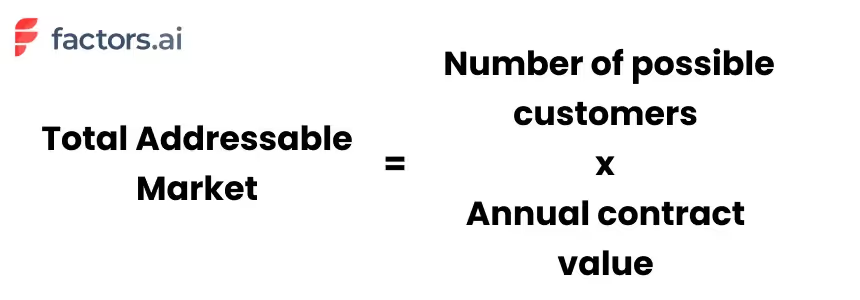
For example, let’s take a project management software tool for small and medium-sized businesses (SMBs). Given that there are 2 million SMBs in the world, and each one spends $1000 a year on project management tools, the Total Addressable Market for this product would be 2M X $1000, or $2 billion.
In other words, TAM represents the revenue generated by the company if it captures 100% of the market share. Of course, this is just an estimate of the size of the market, without accounting for competitors, economic conditions, and countless other factors that will affect revenue generation. Yet, as the next section explains, TAM provides important directional insights to help your business grow.
Why is TAM analysis important?
Calculating the total addressable market can serve different purposes at different stages of growth. At the ideation stage of a business, calculating the TAM helps assess the size and viability of the market for your product. If, for example, your TAM is only about $1 million, you’ll likely hit a ceiling for revenue growth within a few short years.
As the company grows, understanding your total addressable market can support the direction of your company road map. TAM helps evaluate the size of your market when considering new product features, priorities, channels and revenue streams over time. Whether it’s geographic expansion, product development, or forward integrations, TAM helps project growth in later stages of your startup’s journey.
At any point in your company’s growth, knowing your total addressable market will help evaluate how much of the market share you’ve successfully captured. It helps create healthy expectations and achievable benchmarks for your team and your company.
A Step-By-Step Guide on How to Calculate TAM
There are three popular methods to calculate TAM: the top-down approach, the bottom-up approach, and the value theory approach. Each method is uniquely helpful based on the scenario.
- Top-down approach: This is best suited for early-stage teams looking for a preliminary assessment of the viability of entering a market.
- Bottom-up approach: This is best suited for high-growth startups that can leverage insights from historical customer data and revenue trends.
- Value-theory approach: A third TAM analysis that considers the potential value that customers derive from a product and service, and it helps back-calculate the total addressable market accordingly.
Top-Down Approach
In this method, the initial consideration revolves around estimating the price for the product. This value is subsequently multiplied by the total number of prospective customers.
A company that is looking to evaluate the need for their product can rely on this approach to estimate market share. It is also a great way to establish a profitable business model when looking for investor funding.
To illustrate this concept, let's take the example of a SaaS CRM product targeting small and medium-sized businesses (SMBs). Here is a simplified version of the top-down approach when calculating TAM:
Step 1: Define the Parameters
Market Definition: The market we're interested in is the CRM software market for SMBs.
Market Size Data: Research indicates that there are approximately 30 million SMBs.
Average Annual Spend: On average, SMBs spend around $1,000 per year on CRM software.
Step 2: Calculate TAM
Now, we can calculate the TAM using the top-down approach:
TAM = Total Number of Potential Customers × Average Annual Spend per Customer
TAM = 30 million SMBs × $1,000 per year
TAM = $30 billion per year
Step 3: Interpretation
The TAM for this SaaS CRM product for SMBs is approximately $30 billion per year. This figure represents the maximum market potential without any constraints. It indicates that if the SaaS company could capture 100% of this market, its annual revenue potential could reach $30 billion.

Bottom-Up Approach
The bottom-up approach involves defining your target customers, estimating revenue per customer, and then extrapolating this revenue across your entire target market to calculate TAM. It's a detailed and customer-focused method that can be valuable for SaaS companies looking to assess their market potential with a high degree of specificity.
Using the same example,
Step 1: Identify Your Target Customer Base
In the bottom-up approach, you start by identifying your target customer base precisely. For a CRM company, even though its ideal target audience is SMBs, it may not be suitable for certain industries, where the sales cycle is very short and there are no repeat purchases. Hence, we might boil down the customer base to SMB B2B companies alone.
Step 2: Calculate the Average Revenue per Customer
Next, calculate the average revenue per customer. You might consider factors such as pricing tiers, subscription models, and any additional services or upsells. Let's assume the SaaS company offers three pricing tiers for its CRM software:
- Basic Tier: $20 per user per month
- Standard Tier: $50 per user per month
- Premium Tier: $100 per user per month
Assuming an average of 10 users per SMB subscribing to the CRM software, we can calculate the average monthly revenue per customer:
Average Monthly Revenue per Customer = [(Number of Basic Tier Customers × $20) + (Number of Standard Tier Customers × $50) + (Number of Premium Tier Customers × $100)] / Total Number of Customers
Step 3: Estimate the Number of Potential Customers
Now, estimate the number of potential customers in your target market. For this example, let's say there are approximately 5 million B2B SMBs to target:
Step 4: Calculate TAM
With the average monthly revenue per customer and the estimated number of potential customers, you can calculate TAM for the CRM software:
TAM = Average Monthly Revenue per Customer × Number of Potential Customers × 12 (to get the annual figure)
TAM = [(Number of Basic Tier Customers × $20) + (Number of Standard Tier Customers × $50) + (Number of Premium Tier Customers × $100)] / Total Number of Customers × Number of Potential Customers × 12
Value Theory Approach
In the value theory approach, you are essentially calculating TAM by assessing the value proposition of your SaaS product to different customer segments and estimating their willingness to pay based on the perceived value. This approach provides a more customer-centric and value-focused perspective on market potential, allowing you to tailor your pricing and marketing strategies to different customer segments based on varying needs and expectations.
Using the same example,
Step 1: Identify Customer Segments and Their Needs
Begin by identifying different customer segments within your target market and understanding their specific needs. For our SaaS CRM software, customer segments might include small businesses, medium-sized businesses, and startups.
Step 2: Quantify the Value Delivered
For each customer segment, assess the value your CRM software provides. This value could be quantified in various ways, such as increased productivity, improved customer relationships, time savings, or cost reductions. For example:
Small businesses may value the CRM software for streamlining their sales processes, resulting in increased sales and revenue.
Medium-sized businesses may value the software for better customer data management, leading to more effective marketing campaigns and customer retention.
Step 3: Estimate the Willingness to Pay
Determine how much customers in each segment are willing to pay for your CRM software. This can involve conducting surveys, market research, or analyzing competitors' pricing strategies. Let's assume that small businesses are willing to pay an average of $50 per user per month for the CRM software, while medium-sized businesses are willing to pay $100 per user per month.
Step 4: Calculate TAM
Now, calculate the TAM for each customer segment by multiplying the number of potential customers in that segment by the average monthly revenue per customer:
TAM for Small Businesses = Number of Small Businesses × Average Monthly Revenue per Customer for Small Businesses
TAM for Medium-sized Businesses = Number of Medium-sized Businesses × Average Monthly Revenue per Customer for Medium-sized Businesses
Sum up the TAMs for all customer segments to get the overall TAM for your CRM software:
TAM = TAM for Small Businesses + TAM for Medium-sized Businesses
Challenges with TAM Analysis
Calculating TAM using the bottom-up approach and the value theory approach is nuanced and relies heavily on historical data and a deep understanding of customer behavior. The analysis can present certain challenges, mainly:
Limited Data Availability
Gathering accurate data on the number of potential customers, their segmentation, and willingness to pay can be challenging, especially if there's limited market research available or if the industry is highly fragmented.
Pricing Complexity
Determining the right pricing strategy and accurately estimating the average revenue per customer can be complex. It may require considering different pricing tiers, discounts, and the potential impact of competitors' pricing.
Inaccurate Customer Segmentation
Identifying and categorizing different customer segments with precision can be difficult. Overlooking or misclassifying segments tend to lead to inaccurate TAM calculations.
Changing Market Dynamics
Markets are dynamic, and customer preferences, needs, and behaviors will change over time. Keeping up-to-date data and adapting to evolving market conditions is easier said than done.
Data Bias
Data collection may suffer from bias, especially if the company relies on its own internal data, which might not capture the full spectrum of customer opinions and experiences, which is required to carry out a value theory analysis.
And there you have it!
Needless to say, in an incredibly competitive SaaS environment, even the most successful companies capture the attention of only a fraction of their TAM. And an even smaller subset of these accounts actually become customers. In fact, even the most optimistic benchmarks find that only 4% of website traffic converts through sign-ups. Factors helps identify, qualify, and convert the remaining 96% of anonymous accounts visiting your website — so you can capture more of your TAM, than ever before.
Understanding and Measuring Total Addressable Market (TAM)
Total Addressable Market (TAM) represents the maximum revenue opportunity available for a product or service if a company were to achieve 100% market share. Calculating TAM is crucial for startups and growing businesses to assess market potential, secure funding, and shape long-term strategies.
TAM can be estimated using three methods:
- Top-Down Approach: Uses industry data to estimate the overall market size, suitable for early-stage assessments.
- Bottom-Up Approach: Relies on internal sales data and pricing models to project market potential, often preferred by growing companies.
- Value-Theory Approach: Estimates TAM based on the perceived value a product delivers to different customer segments, helpful for innovative or disruptive products.
Accurate TAM analysis informs product development, market expansion, and revenue forecasting. However, challenges such as data limitations, pricing variability, and market shifts can complicate the process. Combining multiple approaches often yields the most reliable insights.
For SaaS businesses, identifying and engaging the right segment of TAM is key, as only a small percentage of potential customers convert. Tools that reveal in-market, anonymous website visitors can bridge this gap, unlocking more opportunities within your TAM.

Translucent Touchpoints: How to go about attributing your Audio/Video content
Learn all about the audio & video metrics and KPIs you'll need to effectively measure the performance of your marketing efforts across platforms.
Podcasts are bigger than ever. The number of series worldwide have shot up from an already sizeable 500,000 in 2018 to a whopping 2 million in 2021. Unsurprisingly, podcast consumption has also been rising steadily over the past 15 years. In fact, nearly 60% of all American adults report that they’ve listened to at least one episode this year.
And Videos? They're bigger still. A third of all online sessions are spent consuming videos — everything from sleep talking cats to educational/explainer videos. To sit down and watch every single one published over the past month alone would require approximately 5 million years. And the best part? Nearly all of this is available on the internet for free. As a result, audio/visual content is more accessible, and hence, more popular than ever before.
The opportunistic folk that we are, B2B marketers have taken little time to capitalize on this wave. I can’t remember the last time I scrolled through my Linkedin feed without stumbling across a post for a friend’s friend’s colleague’s boss’s brand new B2B SaaS RevOps podcast. In fact, upwards of 85% of businesses today produce audio/video content as part of their marketing efforts. They are by far the fastest growing marketing channels out there.
And why not?
Just like any other marketing channel, podcasts and videos can be effective mediums to communicate a specific message to a specific set of people. They are relatively easy to ideate, produce, and distribute. They require little investment from either the supplier or the consumer. And they’re far more palatable than a 20-page white paper.
Yet, while audio/video content can be valuable assets, marketers face one glaring issue when it comes to identifying and measuring their ROI in terms of conversions — trackability. As is the case with any marketing activity, marketers are keen to understand how their content is performing. However, since anyone can listen to a podcast, or watch a YouTube video anonymously through any device, it becomes nearly impossible to accurately track how your content is contributing to pipeline and revenue.
How then must a marketer go about gauging their content's performance?
While there is no perfect solution to this quandary yet, here are a few tips to indirectly optimize your attribution process:
1. Unique URLs
Create a unique URL for every podcast/video you produce. Drive all your marketing efforts (social media posts, emails, etc) towards that URL. And use that URL as a proxy to track detailed information on who’s landing on your page. Once this data is consolidated, it can be stitched onto the remainder of your customer journey (ads, website, CRM, etc) using Factors.AI. Ultimately, this will indirectly provide insights into your content's pipeline contribution.
2. Distinct promo codes
Along similar lines as the previous point, it might be worth employing distinct promo codes for each piece of content you release. The logic behind this is that when a prospect enters a specific code, it provides an immediate signal as to where they’re coming from. This information can then be accounted for in your CRM for further analyses. That being said, a few issues may occur if listeners/viewers refer the promo codes to their networks. As there’s no automated method to verify the same, one may run the risk of corrupting their datasets and insights.
3. Don’t forget your Guests
Speaking of recording contact data into your CRM, always ensure you do the same with your guests as well. More often than not, guests are invited to marketing podcasts for two of two reasons — one; they’re experienced professionals with vast knowledge on the topic of discussion. And two; they themselves fit the Ideal Client Profile (ICP) that the host company is going after. Inviting a guest onto a podcast is often simply a wind-about route to securing a demo call. With this in mind, it’s important to account for your guests. This way, if they do eventually close a deal with you, the podcast is present as a definite touchpoint.
4. Just ask!
Audio/Visual content attribution is a real challenge. There are only so many behind-the-scenes steps you can take to optimize for an accurate customer journey. That being said, one sure shot approach to tackling this evasive phenomenon is to simply ask your customer about their journey to purchase. Maybe a friend told them about it, maybe they read a positive review on ProductHunt, or maybe, just maybe; they loved that one demo video you released last week! Either way, it doesn’t hurt to ask.
And there we have it!
Though they’re far from perfect, we’ve covered a few simple tricks to track customers who become customers as a result of a degree of influence by your AV content. Listen/View counts and geographical metrics are decent metrics to gauge content performance. But drilling down into who is sliding down the funnel as a result of your content is pivotal. Using unique URLs and Promo codes, and making a habit of accounting for your guests are great ways to grasp a high-level understanding of your content's contribution to revenue and pipeline. And if it comes down to it, just asking your customer about their journey will also be fruitful .
Top 10 LinkedIn Automation Tools
Discover the top 10 LinkedIn automation tools that help B2B marketers scale outreach, automate lead generation, and close deals faster. Understand how to select the right automation tool.

TL;DR
- LinkedIn automation tools help B2B marketers and sales teams scale outreach, generate leads, and close meaningful deals.
- Top tools like Factors, Expandi, Dripify, HeyReach and Waalaxy simplify LinkedIn outreach with smart automation and built-in analytics.
- Automation enhances efficiency in areas such as sending personalized messages, nurturing leads, and tracking engagement automatically.
- Choose ethical LinkedIn automation tools that ensure safety, CRM integration, and measurable ROI.
- The right automation tools help you reach more decision-makers, personalize at scale, and track what drives results.
- Factors’ AdPilot connects LinkedIn Ads with revenue insights, showing how every impression drives B2B pipeline growth.
If you’ve clicked on this blog, chances are you’ve already fallen into the LinkedIn automation rabbit hole. Good move. You’ve taken a step in the right direction, and you’re definitely not alone. 89% of B2B marketers use LinkedIn for lead generation, and 62% say it actually delivers. LinkedIn is now the backbone of B2B marketing, with over a billion users across 200 countries.
Let's be honest, manual outreach (I call it the fax machine of marketing) at scale is a one-way ticket to burnout. Used smartly, automation doesn’t replace the human touch. It amplifies it. This guide cuts through the noise and helps you spot the 10 best LinkedIn automation tools that are actually worth your time.
💡Also read: Top 22 Account-Based Marketing (ABM) Tools
Understanding LinkedIn Automation Tools
What are LinkedIn Automation Tools?
LinkedIn automation tools handle the stuff that eats up your day. Think of them as your behind-the-scenes assistant sending connection requests, following up with leads, nurturing prospects through sequences, and tracking who's engaging and who's ghosting you. They never forget a follow-up, never get tired, and never let a hot lead go cold because you were stuck in back-to-back meetings.
When used right, no lead slips through the cracks, every move gets tracked, and you know exactly what's working. You can then double down on wins, spot what's not working out, and figure out how to turn those losses around before you waste another week on the wrong message.
Why they matter:
- Connect with decision-makers without stalking their LinkedIn all day
- Follow up smart, charm your leads, skip the awkward vibes
- Spot who’s just window-shopping, who’s curious, and who’s ready to sign on the dotted line
- Build pipelines that don’t ghost you, with repeatable, data-backed systems.
- Run personalized campaigns at scale and still sound human (because yes, people notice)
- Stop wasting time on dead ends and double down on the leads that actually move
- Escape the copy-paste hamster wheel and spend your energy on real conversations that close deals

Top 10 LinkedIn Automation Tools
1. Factors
Overview:
Factors is an AI-powered B2B account intelligence platform. It integrates with LinkedIn to track engagement signals like profile visits, content interactions, and ad activity to show which accounts are most ready to engage. With its AdPilot feature GTM and demand generation teams can prioritize high-intent accounts, build dynamic lists using firmographics and behavioral filters, and optimize LinkedIn campaigns for better engagement and conversions.
In essence, Factors transforms LinkedIn automation from a siloed activity into a part of a unified revenue engine. By combining analytics, attribution, and outreach, it empowers teams to prioritize high-intent accounts and personalize outreach at scale.
Key Features:
- Captures high-intent leads by tracking LinkedIn activity, website visits, CRM data, and third-party signals in one place.
- Automatically syncs these high-value audiences to LinkedIn for laser-focused ad targeting and smarter campaign optimization.
- Helps gain a unified view of each account with a 360-degree timeline of buyer activity, including organic LinkedIn engagement.
- Prioritizes outreach effortlessly using AI-driven account scoring and segmentation based on engagement and firmographics.
- AI-powered analytics handle reporting, delivering actionable insights to boost LinkedIn ad performance and conversions
Pros:
- Real-time account insights enable timely, relevant outreach.
- Multi-touch attribution links marketing directly to pipeline results.
- Predictive analytics helps anticipate account engagement and prioritize high-intent targets.
Cons:
Lacks user-level data without a third-party enrichment integration.
Pricing: Custom; based on usage and integrations.
2. Expandi
Overview:
Expandi is a cloud-based LinkedIn automation platform for scaling lead generation and outreach. It automates personalized connection requests, follow-ups, and event invites while staying compliant with LinkedIn’s activity limits. With A/B testing, dynamic personalization, and CRM integrations, it helps B2B teams manage outreach efficiently across multiple accounts from one dashboard.
Key Features:
- A/B testing for message optimization.
- Dual-channel outreach via LinkedIn and email.
- Integrations with Hyperise, Pipedrive, and Zapier.
Pros:
- Simple setup and fast campaign deployment.
- Personalization at scale with multimedia support.
- Centralized campaign management with Workspaces.
Cons:
- Limited native CRM integrations.
- Interface can feel clunky for new users.
Pricing: $99/month per seat with 7 day free trial
3. Dripify
Dripify focuses on simplified, data-driven outreach automation for LinkedIn. Its clean interface allows users to set up drip campaigns that replicate real, human-like sequences, ideal for nurturing B2B leads over time. Dripify integrates with CRMs like HubSpot and Salesforce through Zapier, helping teams align marketing and sales data.
Key Features:
- Automate personalized follow-ups with multi-step drip campaigns
- Track engagement and manage conversations in one place with analytics and smart inbox
- Sync leads seamlessly with HubSpot, Salesforce, or Zoho
Pros:
- Simplified LinkedIn outreach with an intuitive, easy-to-use interface
- Automation with strong personalization for better engagement
- Efficient lead extraction while remaining affordable
Cons:
- No custom API for tailored integrations
- Limited customization restricts outreach flexibility
Pricing: Starts at $59/month per user, with advanced plans up to $99/month
4. PhantomBuster
Overview:
PhantomBuster automates lead extraction and enrichment from LinkedIn, and other platforms using pre-built “Phantoms”(ready- to-use automations) and workflows. It pulls contacts from Sales Navigator, tracks profile and job changes, and feeds fresh data directly into your CRM for targeted outreach. Beyond lead collection, it monitors engagement, triggers outreach via HubSpot integrations, all without coding. For sales teams and marketers, PhantomBuster turns manual prospecting into a scalable, customizable workflow that keeps outreach smart and up to date.
Key Features:
- Access full API to build custom workflows and track results
- Use a visual workflow builder to schedule and streamline tasks
- Boost LinkedIn outreach and safety with the Chrome extension while syncing leads to CRMs.
Pros:
- Identify warm, high-intent leads from real-time LinkedIn data
- Track engagement and response rates to optimize outreach
- No-code, user-friendly setup for basic campaigns and workflows
Cons:
- Limited phantom slots and execution time hinder large-scale campaigns
- Complex workflows have a steep learning curve for setup and management
Pricing: Free trial; paid plans start at $69/month and can go upto $439/month
5. Waalaxy
Overview:
Waalaxy combines LinkedIn and email outreach into a single platform, automating connection requests, follow-ups, and multichannel campaigns with verified, GDPR-compliant contacts. Its drag-and-drop interface makes campaign building easy, while the built-in CRM keeps all interactions organized. Advanced search filters, Sales Navigator integration, and performance analytics help users identify high-quality leads, optimize engagement, and manage multiple campaigns efficiently.
Key Features:
- Automate multichannel outreach in a single workflow.
- Centralized dashboard and optional LinkedIn inbox to manage multiple accounts
- Coordinate team outreach and monitor campaign performance
Pros:
- Automates LinkedIn outreach with an intuitive, user-friendly interface
- Supports multichannel campaigns, including email finding and enrichment
- Integrates natively with CRMs for efficient lead management and streamlined workflows
Cons:
- Browser-based setup requires system and extension to stay active for campaigns to run
- Setting up complex campaigns can be challenging
Pricing: Free trial available; Pro package $21/mo to Elite package $273/mo
6. Meet Alfred
Overview:
Meet Alfred is a LinkedIn-focused automation platform that goes beyond single-channel outreach. It lets users orchestrate multi-channel sales pipelines across LinkedIn, email, and Twitter, automating connection requests, follow-ups, and engagement while staying within LinkedIn’s best practices. Its built-in CRM and Zapier integrations help manage leads, sync contacts, and maintain structured outreach. With dynamic personalization, AI-assisted message suggestions, and sequential messaging, Meet Alfred enables teams to scale outreach efficiently, nurture leads, and track performance across multiple channels from a centralized dashboard
Key Features:
- Run multi-channel outreach on LinkedIn, email, and Twitter.
- Personalize messages with dynamic tags and attachments
- Built-in CRM and analytics provide structured lead management and real-time performance insights.
Pros:
- Simplifies complex workflows into easy, actionable steps for prospecting.
- Improves engagement and responses with automated, personalized follow-ups.
- Provides straightforward performance reports for smarter outreach decisions
Cons:
- Aggressive automation may trigger LinkedIn account restrictions.
- Lacks a central inbox for managing messages in shared campaigns.
Pricing: Free trial available. Basic $59/mo, Pro $99/mo, Teams $79/mo per user (min. 3)
7. HeyReach

HeyReach is a LinkedIn outreach automation platform that scales lead generation safely using multiple accounts. It offers account rotation, multi-user dashboards, and safety controls, while team collaboration features help marketers and SDRs coordinate campaigns efficiently. A unified inbox centralizes conversations, and CRM integrations (HubSpot, Pipedrive, Zapier, Apollo) provide reporting to track and optimize outreach.
Key Features:
- Manage multiple LinkedIn accounts with a unified inbox to scale outreach.
- Track performance with advanced reporting and dashboard exports (CSV, PNG, SVG).
- Ensure account safety using proxies and automated action limits.
Pros:
- Syncs smoothly with top CRMs and sales tools to boost your pipeline.
- Enables outreach to decision-makers on autopilot.
- Lets you design advanced, multi-step outreach flows with ease
Cons:
- Limited to LinkedIn; requires other tools for multichannel campaigns
- Lacks AI-driven features like lead scoring and predictive insights
Pricing: Starts at $79/month for Starter, with Agency at $999/month and Unlimited at $1,999/month.
8. Zopto

Zopto is a cloud-based LinkedIn automation tool built for startups, sales teams, and agencies to scale outreach without losing personalization. It combines advanced targeting, multi-account management, and time zone–based scheduling to run tailored campaigns at scale. With features like CSV lead imports, campaign segmentation, A/B testing, and Zapier integrations, Zopto gives teams a centralized hub to track performance, refine messaging, and convert prospects efficiently.
Key Features:
- Message generation via ChatGPT to craft personalized LinkedIn messages..
- Run hyper-targeted campaigns with filters like company size, job title, and location.
- Automate multi-account management, A/B testing, and analytics on a cloud-based platform.
Pros:
- Hyper-precise targeting to reach the most relevant prospects.
- Reliable support that helps ensure campaigns hit their goals.
- Effortlessly scalable for growing teams and agencies.
Cons:
- Expensive for smaller teams and startups.
- Campaigns can run slower than competing platforms.
Pricing: starts at $197/month for Basic, $297/month for Pro, and from $156/month per user for Agency & Enterprise plans.
9. Linked Helper
Linked Helper is a desktop-based LinkedIn automation tool that streamlines lead generation and outreach. It automates connection requests, follow-ups, InMails, and profile visits while managing leads through a built-in CRM. With customizable workflows, triggers, and data scraping, it’s ideal for sales teams, marketers, and recruiters looking to scale LinkedIn campaigns efficiently and securely.
Key Features:
- Desktop automation for full control over speed, timing, and security
- Visual campaign builder with smart reply detection to pause sequences automatically
- Built-in LinkedIn CRM with tagging, notes, and lead history for organized and personalized outreach
Pros:
- Operates offline locally for full control without browser or cloud dependence
- Supports all LinkedIn tiers: Basic, Sales Navigator, and Recruiter
- Affordable, reliable, and backed by responsive customer support
Cons:
- LinkedIn-only automation with no email or multichannel support
- Outdated, less intuitive UI can be tough for beginners
Pricing: Starts with a 14-day free trial, followed by Standard at $15/month and Pro at $45/month for advanced LinkedIn automation.
10. Clay
Clay is a workflow automation tool that connects with enrichment platforms to streamline personalized outreach. It helps teams build targeted lists, enrich contact data, craft tailored messages, and trigger emails, all while leveraging AI to optimize lead generation and outreach at scale - without being a CRM or database.
Key Features:
- Real-time waterfall data enrichment keeps lead data accurate and complete
- Spreadsheet-style interface enables custom workflows for list building, enrichment, and outreach
- AI-powered personalization (Claygent + GPT integration) crafts tailored messages and formulas at scale
Pros:
- Non-technical GTM teams can build and deploy customized workflows and automation templates
- Flexible workflows let technical users customize outreach.
- Slack community support aids troubleshooting and optimization.
Cons:
- Handles only lead prep and enrichment, requiring an external CRM for pipeline management.
- Displays data as provided by sources and cannot correct errors.
Pricing: Uses a credit-based model with plans from Free to Pro ($0–$720/month) and custom Enterprise pricing.
Selecting the Right LinkedIn Automation Tool
Practical Tips for Maximizing Results
A master carpenter doesn't just own great tools, they know exactly when to use each one, how much pressure to apply, and when to step back and let the work breathe. LinkedIn automation is no different. Here's how to use your tools like a pro:
- Segment smartly: Target by role, company size, industry and other relevant filters
- Personalize with context: Reference shared interests, mutual connections, or recent activity.
- Align marketing and sales: Sync campaigns with CRM data for smoother handoffs.
- Monitor key metrics: Track acceptance, reply, conversion rates, booked demo calls etc
- Use automation for nurturing: Send content, case studies, or invites to webinars to add value.
How can Factors simplify LinkedIn Automation?
Think of it like walking into a networking event already knowing who's interested in what you're selling, instead of awkwardly pitching everyone at the table. Factors helps B2B teams generate, qualify, and convert leads faster while measuring the true revenue impact of every campaign.
Factors’ LinkedIn Adpilot helps you reach the right people without all the manual work. It updates audience lists automatically, shows more ads to accounts that matter most, and gives you a clear picture of how your ads influence actions like website visits, content downloads or demo requests.
Key features:
- Auto-updated intent-based audience lists
- Control impressions and clicks per account
- Show more ads to high-intent, sales-ready accounts
- Track how ads impact website visits, demos, and deals
- Optimize campaigns in real time with LinkedIn Conversion API
Make LinkedIn Ads work for you: LinkedIn AdPilot by Factors
When it comes to LinkedIn ad automation, most tools focus on scheduling or reporting. But what really matters is automating the decisions that make your ads perform better. That’s exactly what Factors’ LinkedIn AdPilot helps you do.
1. Build audience lists without guesswork
Manually updating campaign lists takes forever, and usually leaves you chasing the wrong accounts. AdPilot automatically creates and syncs intent-based audience lists so your ads reach the right prospects every time.
2. Take control of your LinkedIn spend
The top 10% of accounts often eat up 80% of your impressions. With AdPilot’s Smart Reach, you can control impressions and clicks per account, ensuring your budget covers more of your ICP instead of just a few over-served companies.
3. Show more ads to the right accounts
AdPilot aligns marketing and sales by letting you prioritize sales-ready accounts and deliver more impressions to those most likely to convert, keeping your brand top of mind when it matters most.
4. Uncover the true impact of LinkedIn Ads on revenue
Not every buyer clicks, but everyone sees. AdPilot tracks view-through influence to show how LinkedIn ads contribute to the pipeline, from first impression to closed deal.
5. Optimize campaigns at scale with LinkedIn CAPI
Finally, you can sync online and offline data directly to LinkedIn, send back conversion signals, and scale campaigns, without relying on third-party cookies.
With AdPilot, automation doesn’t just make LinkedIn Ads easier to manage, it makes them smarter, more accountable, and infinitely more efficient.
What makes Factors different is that it looks at the bigger picture. It connects LinkedIn activity with other touchpoints, emails, website visits, and outreach, so you can see how everything works together.
To encapsulate this lengthy blog
When it comes to LinkedIn outreach, think fine dining, not an all-you-can-eat buffet. Less is more. You don't need to blast 500 people a day. You need the right message, to the right person, at the right time. That's it.
Tools like Factors, Expandi, and Dripify handle the repetitive stuff requests, follow-ups, sequences while keeping it personal. They sync with your CRM and ad platforms so marketing and sales don't act like Batman and Bane. Factors goes further with AdPilot, connecting LinkedIn activity to actual revenue, not just vanity metrics.
LinkedIn automation isn't replacing human connection. It's making sure you don't ghost the person you swore you'd "circle back with" three weeks ago.
FAQs
1. What are the best LinkedIn automation tools for B2B lead generation?
Tools like Factors, Expandi, Dripify, Waalaxy, and HeyReach are among the top performers. They offer automation for outreach, analytics, and personalization while staying compliant with LinkedIn’s limits.
2. How can automation improve LinkedIn marketing for B2B companies?
Automation helps teams scale outreach, nurture leads with personalized messages, and analyze campaign performance all while maintaining human-like interaction and data accuracy.
3. What should I look for in a LinkedIn automation tool?
Key factors include safety, CRM integrations, reporting features, and the ability to segment audiences for tailored campaigns.
4. How does Factors simplify LinkedIn automation?
With its AdPilot feature, Factors connects LinkedIn ads, audience data, and conversion tracking, helping marketers target high-intent accounts and measure true revenue impact.
5. Is LinkedIn automation safe for marketers?
Yes, when used within LinkedIn’s limits and with cloud-based tools that mimic human behavior, automation can safely enhance outreach without violating LinkedIn policies.
6. Can LinkedIn automation replace human interaction?
No. The best results come from combining automation for scale and data with genuine human engagement that builds trust and closes deals.

LLMs Comparison: Top Models, Companies, and Use Cases
Read about LLM comparisons with rankings, top LLM companies, key use cases, and how B2B teams choose models for GTM, analytics, and automation.
I’ve lost count of how many B2B meetings I’ve sat in where someone confidently says:
“We should just plug an LLM into this.”
This usually happens right after:
- someone pulls up a dashboard no one fully trusts
- attribution turns into a philosophical debate
- sales says marketing insights are “interesting” but not usable
The assumption is always the same.
LLMs are powerful, advanced AI models, so surely they can ✨magically✨ fix decision-making.
They cannot.
What they can do very well is spot patterns, compress complexity, and help humans think more clearly. What they are terrible at is navigating the beautiful chaos of B2B reality, where context is scattered across tools, teams, timelines, and the occasional spreadsheet someone refuses to let go of.
That disconnect is exactly why most LLM comparison articles feel slightly off. They obsess over which model is smartest in isolation, instead of asking a far more useful question: which model actually survives production inside a B2B stack?
This guide is written for people choosing LLMs for:
- GTM analytics
- marketing and sales automation
- attribution and funnel analysis
- internal decision support
It is a B2B-first LLM comparison, grounded in how teams actually use these models once the meeting ends and real work begins.
What is a Large Language Model (LLM)?
An LLM, or large language model, is a system trained to understand and generate language by learning patterns from large volumes of text… specifically, vast amounts of text data. Access to this extensive text data is crucial for enabling LLMs to develop advanced language capabilities.
That definition is accurate and also completely useless for business readers like you (and me).
So, let me give you the version that’s actually helpful.
An LLM is a reasoning layer that can take unstructured inputs and turn them into structured outputs that humans can act on.
You give it things like:
- questions
- instructions
- documents
- summaries of data
- internal notes that are not as clear as they should be
It gives you:
- explanations
- summaries
- classifications
- recommendations
- drafts
- analysis that looks like thinking
For B2B teams, this matters because most business problems are not data shortages. They are interpretation problems. The data exists, but no one has the time or patience to connect the dots across systems.
Why the LLM conversation changed for business teams
A while ago, the discussion around LLMs revolved around intelligence. Everyone wanted to know which model could reason better, write better, answer trickier questions, and code really really well.
Now… that phase passed quickly. This shift in conversation has been enabled by ongoing advancements in AI research, which continue to drive improvements in large language models and their practical applications.
Once LLMs moved from demos into daily workflows, new questions took over (obviously):
- Can this model work reliably inside our systems?
- Can we control what data it sees?
- Can legal and security sign off on it?
- Can finance predict what it will cost when usage grows?
- Can teams trust the outputs enough to act on them?
This shift changed how LLM rankings should be read. Raw intelligence stopped being the main deciding factor. Operational fit started to matter more.
The problem (most) B2B teams run into
Here’s something I’ve seen repeatedly. Most LLM failures in B2B are NOT because of the LLMs they use.
They are context failures.
Let’s see how… your CRM has partial data. Your ad platforms tell a different story. Product usage lives somewhere else. Revenue data arrives late. Customer conversations are scattered across tools. When an LLM is dropped into this whole situation, it does exactly what it is designed to do. It fills gaps with confident language.
That is why teams say things like:
- “The insight sounded right but was not actionable”
- “The summary missed what actually mattered”
- “The recommendation did not match how we run our funnel”
Look… the model was not broken, but the inputs sure were incomplete.
Understanding this is critical before you compare types of LLM, evaluate top LLM companies, or decide where to use these models inside your stack.
LLMs amplify whatever system you already have. If your data is clean and connected, they become powerful decision aid. If your context is fragmented, they become very articulate guessers.
Integrating external knowledge sources can mitigate context failures by providing LLMs with more complete information.
That framing will matter throughout this guide.
Types of LLMs you’ll see…
Most explanations for ‘types of LLM’ sound like they were written for machine learning engineers. That is not helpful when you are a marketer, revenue leader, or someone who prefers normal English… trying to choose tools that will actually work within your stack.
This section breaks down LLMs by how B2B teams actually encounter them in practice. Many of these are considered foundation models because they serve as the base for a wide range of applications, enabling scalable and robust AI systems.
- General-purpose LLMs
These are the models most people meet first. They are designed to handle a wide range of tasks without deep specialization.
In practice, B2B teams use them for:
- Drafting emails and content
- Summarizing long documents
- Answering ad hoc questions
- Structuring ideas and plans
- Basic analysis and explanations
They are flexible and easy to start with. That is why they show up in almost every early LLM comparison.
The trade-off becomes apparent when teams try to scale usage. Without strong guardrails and context, outputs can vary across users and teams. One person gets a great answer… another gets something vague… and consistency becomes the biggest problem.
General-purpose models work best when they sit behind structured workflows rather than free-form chat windows.
- Domain-tuned LLMs
Domain-tuned LLMs are optimized for specific industries or functions. Instead of trying to be good at everything, they focus on narrower problem spaces.
Common domains include:
- Finance and risk
- Healthcare and life sciences
- Legal and compliance
- Enterprise sales and GTM workflows
B2B teams turn to these models when accuracy and terminology matter more than creativity. For example, a Sales Ops team analyzing pipeline stages does not want flowery language; they want outputs that match how their business actually runs.
The limitation is flexibility. These models perform well inside their lane, but they can feel rigid when asked to step outside it. They also depend heavily on how well the domain knowledge is maintained over time.
- Multimodal LLMs
Multimodal LLMs can process data beyond just text. Depending on the setup, they can process images, charts, audio, and documents alongside written input.
This shows up in places like:
- Reviewing slide decks and dashboards
- Analyzing screenshots from tools
- Summarizing call recordings
- Extracting insights from PDFs and reports
This category matters more than many teams expect. Real business data is rarely clean text. It lives in decks, spreadsheets, recordings, and screenshots shared over chat.
Multimodal models reduce the friction of converting all that into text before analysis. The tradeoff is complexity. These models require more careful setup and testing to ensure outputs stay grounded.
- Embedded LLMs inside tools
This is the category most teams end up using the most, even if they do not think of it as ‘choosing’ an LLM.
You don’t go out and buy a ‘model’, you use:
- A CRM with AI assistance
- An analytics platform with AI insights
- A GTM tool with built-in agents
- A support system with automated summaries
Here, the LLM is embedded inside a product that already controls:
- Data access
- Permissions
- Workflows
- Context
For B2B teams, this often delivers the fastest value. The model already knows where to look and what rules to follow. The downside is reduced visibility into which model is used and how it is configured.
P.S.: This is also why many companies do not realize they are consuming multiple LLMs at the same time through different tools.
- Open-source vs proprietary LLMs
This distinction cuts across all the categories above.
Open-source LLMs give teams more control over deployment, tuning, and data governance. They appeal to organizations with strong engineering teams and strict compliance needs.
Proprietary LLMs offer managed performance, easier onboarding, and faster iteration. They appeal to teams that want results without owning infrastructure.
Most mature teams end up with a mix… they might use proprietary models for speed and open-source models where control matters more. I will break down this decision later in the guide.
Understanding these categories makes the rest of this LLM comparison easier. When people ask which model is best, the only answer is that It ALL depends on which type they actually need.
How we’re comparing LLMs in this guide
If you read a few LLM ranking posts back to back, you will notice a pattern. Most of them assume the reader is an individual user chatting with a model in a blank window.
That assumption breaks down completely in B2B.
When LLMs move into production, they stop being toys and start behaving like infrastructure. They touch customer data, influence decisions, and sit inside workflows that multiple teams rely on. That changes how they should be evaluated.
So before we get into LLM rankings, it is important to be explicit about how this comparison works and what it is designed to help you decide.
This evaluation focuses explicitly on each model's advanced capabilities, including its ability to handle complex tasks and meet sophisticated business requirements.
- Reasoning and output quality
The first thing most teams test is whether a model sounds smart. That is necessary, but it’s not enough.
For business use, output quality shows up in quieter ways:
- Does the model follow instructions consistently?
- Can it handle multi-step reasoning without drifting?
- Does it stay aligned to the same logic across repeated runs?
- Can it work with structured inputs like tables, stages, or schemas?
In GTM and analytics workflows, consistency matters more than clever phrasing. A model that gives slightly less polished language but a predictable structure is usually easier to operationalize.
- Data privacy and compliance readiness
This is where many promising pilots quietly die.
B2B teams need clarity on:
- How data is stored
- How long it is retained
- Whether it is used for training
- Who can access outputs
- How permissions are enforced
Models that work fine for individual use often stall here. Legal and security teams do not want assurances. They want documented controls and clear answers.
In real LLM comparisons, this criterion quickly narrows the shortlist.
- Integration and API flexibility
Most serious LLM use cases do not live in a chat window.
They live inside:
- CRMs
- Data warehouses
- Ad platforms
- Analytics tools
- Internal dashboards
That makes integration quality critical. B2B teams care about:
- Stable APIs
- Function calling or structured outputs
- Support for agent workflows
- Ease of connecting to existing systems
A model that cannot integrate cleanly becomes a bottleneck, no matter how strong it looks in isolation.
- Cost predictability at scale
Almost every LLM looks affordable in a demo.
Things change when:
- Usage becomes daily
- Multiple teams rely on it
- Automation runs continuously
- Data volumes increase
For B2B teams, cost predictability matters more than headline pricing. Finance teams want to know what happens when usage doubles or triples. Product and ops teams want to avoid sudden spikes that force them to throttle workflows.
This is why cost shows up as a first-class factor in this LLM comparison, not an afterthought.
- Enterprise adoption and ecosystem
Some LLM companies are building entire ecosystems around their models. Others focus narrowly on model research or open distribution.
Ecosystem strength affects:
- How easy it is to hire talent
- How quickly teams can experiment
- How stable tooling feels over time
- How much community knowledge exists
For B2B teams, this often matters more than raw model capability. A slightly weaker model with strong tooling and adoption can outperform a technically superior one in production.
- Suitability for analytics, automation, and decision-making
This is the filter that matters most for this guide.
Many models can write. Fewer models can:
- Interpret business signals
- Explain how they arrived at a recommendation
- Support repeatable decision workflows
- Work reliably with imperfect real-world data
Since this guide focuses on LLM use cases tied to GTM and analytics, models are evaluated on how well they support reasoning that leads to action, not just answers that sound good.
Large Language Models Rankings: Top LLM Models
Before we get into specific models, one thing needs to be said clearly.
There is no single best LLM for every B2B team.
Every LLM comparison eventually lands at this exact point. What matters is how a model behaves once it is exposed to real data, real workflows, real users, and real constraints. The rankings below are based on how these powerful models perform across analytics, automation, and decision-making use cases, not how impressive they look in isolation. Each company's flagship model is evaluated for its strengths, versatility, and suitability for complex business tasks.
Note: Think of this as a practical map, not a trophy list.
- GPT models (GPT-4.x, GPT-4o, and newer tiers)
Best at:
Structured reasoning, instruction following, agent workflows
Why B2B teams use it:
GPT models are often the easiest starting point for production-grade workflows. They handle complex instructions well, follow schemas reliably, and adapt across a wide range of tasks without breaking. For GTM analytics, pipeline summaries, account research, and workflow automation, this reliability matters.
Next, GPT-4o, one of the most advanced LLMs and a widely used model, is available via the API and ChatGPT, offering strong multimodal capabilities and serving as OpenAI's flagship model.
I’ve seen teams trust GPT-based systems for recurring analysis because outputs remain consistent across runs. That makes it easier to build downstream processes that depend on the model behaving predictably.
Where it struggles:
Costs can scale quickly once usage becomes embedded across teams. Without strong context control, outputs can still sound confident while missing internal nuances. This model performs best when wrapped inside systems that tightly manage inputs and permissions.
- Claude models (Claude 3.x and above)
Best at:
Long-context understanding, careful reasoning, document-heavy tasks
Why B2B teams use it:
Claude shines when the input itself is complex. Long internal documents, policies, contracts, and knowledge bases are handled with clarity. Teams that care about document analysis make it a preferred choice for teams needing thoughtful summaries and clear explanations for internal decision support and enablement.
Its tone tends to be measured, which helps in environments where explainability and caution are valued.
Where it struggles:
In automation-heavy GTM workflows, Claude can feel slower to adapt. It sometimes requires more explicit instruction to handle highly structured logic or aggressive agent behavior. For teams pushing high-volume automation, this becomes noticeable.
- Gemini models (Gemini 1.5 and newer)
Best at:
Multimodal reasoning and ecosystem-level integration
Why B2B teams use it:
Gemini performs well when text needs to interact with charts, images, or documents.
Its ability to handle multimodal tasks makes it helpful in reviewing dashboards, analyzing slides, and working with mixed-media inputs. Teams already invested in the Google ecosystem often benefit from smoother integration and deployment.
For analytics workflows that include visual context, this is a meaningful advantage.
Where it struggles:
Outside tightly integrated environments, setup and tuning can require more effort. Output quality can vary unless prompts are carefully structured. Teams that rely on consistent schema-driven outputs may need additional validation layers.
- Llama models (Llama 3 and newer)
Best at:
Controlled deployment and customization
Why B2B teams use it:
Llama models appeal to organizations that want ownership. Being open-source, they can be deployed internally, fine-tuned for specific workflows, and governed according to strict compliance requirements. These highly customizable models allow teams to adapt the LLM to their unique needs and industries. For teams with strong engineering capabilities, this control is valuable.
In regulated environments, this flexibility often outweighs raw performance differences.
Where it struggles:
Out-of-the-box performance may lag behind proprietary models for complex reasoning tasks. The real gains appear only after investment in tuning, infrastructure, and monitoring. Without that, results can feel inconsistent.
- Mistral models
Best at:
Efficiency and strong performance relative to size
Why B2B teams use it:
Mistral has built a reputation for delivering capable models that balance performance and efficiency. For teams experimenting with open deployment or cost-sensitive automation, this balance matters. Mistral models often achieve strong results compared to larger models, offering efficiency without the overhead of extensive models.
Where it struggles:
Ecosystem maturity is still evolving. Compared to larger top LLM companies, tooling, documentation, and enterprise support may feel lighter, which affects rollout speed for larger teams.
- Cohere Command
Best at:
Enterprise-focused language understanding
Why B2B teams use it:
Cohere positions itself clearly around enterprise needs. Command models are often used in analytics, search, and internal knowledge workflows where clarity, governance, and stability matter. Teams building decision support systems appreciate the emphasis on business-friendly deployment.
Where it struggles:
It may not match the creative or general flexibility of broader models. For teams expecting one model to do everything, this can feel limiting.
- Domain-specific enterprise models
Best at:
Narrow, high-stakes workflows
Why B2B teams use them:
Some vendors build models specifically tuned for finance, healthcare, legal, or enterprise GTM. These models excel where accuracy and domain alignment are more important than breadth. In certain workflows, they outperform general-purpose models simply because they speak the same language as the business.
Where they struggle:
They are rarely flexible. Using them outside their intended scope often leads to poor results. They also depend heavily on the quality of the underlying domain knowledge.
Top LLM Companies to Watch
When people talk about LLM adoption, they often frame it as a model decision. In practice, B2B teams are also choosing a company strategy.
Some vendors are building horizontal platforms. Some are going deep into enterprise workflows. Others are shaping ecosystems around open models and engaging with the open source community. Understanding this helps explain why two teams using ‘LLMs’ can have wildly different experiences.
Below, I’ve grouped LLM companies by how they approach the market, (not by hype or popularity).
Platform giants you know already (but let’s get to know them better)
These companies focus on building general-purpose models with broad applicability, then surrounding them with infrastructure, tooling, AI tools and ecosystems.
- OpenAI
OpenAI’s strength lies in building models that generalize well across tasks. Many B2B teams start here because the models are adaptable and the tooling ecosystem is mature. You will often see OpenAI models embedded inside analytics platforms, GTM tools, and internal systems rather than used directly.
OpenAI also provides APIs and AI tools that enable the development of generative AI applications across industries. - Google
Google’s approach leans heavily into integration. For teams already using Google Cloud, Workspace, or related infrastructure, this can reduce friction. Their focus on multimodal capabilities also makes them relevant for analytics workflows that involve charts, documents, and visual context.
Google offers AI tools like the PaLM API, which support building generative AI applications for content creation, chatbots, and more. - Anthropic
Positions itself around reliability and responsible deployment. Their models are often chosen by teams that prioritize long-context reasoning and careful outputs, in enterprise environments where trust and explainability matter, this positioning resonates.
Like other major players, Anthropic invests in developing its own LLMs for both internal and external use.
These companies tend to set the pace for the broader ecosystem. Even when teams do not use their models directly, many tools and generative AI applications are built on top of them.
Enterprise-first AI companies
Some vendors focus less on general intelligence and more on how LLMs behave inside business systems.
- Cohere
Cohere has consistently leaned into enterprise use cases like search, analytics, and internal knowledge systems. Their messaging and product design are oriented toward teams that want LLMs to feel like dependable infrastructure rather than experimental tech.
Enterprise-first AI companies often provide custom machine learning models tailored to specific business needs, enabling organizations to address unique natural language processing challenges.
This category matters because enterprise adoption is rarely about novelty. It is about governance, stability, and long-term usability.
Open-source leaders
Open-source LLMs shape a different kind of adoption curve. They give teams control, at the cost of convenience.
- Meta
Meta’s Llama models have become a foundation for many internal deployments. Companies that want to host models themselves, fine-tune them, or tightly control data flows often start here. Open-source Llama models provide access to the model weights, allowing teams to re-train, customize, and deploy the models on their own infrastructure. - Mistral AI
The Mistral ecosystem has gained attention for efficient, high-quality open models. These are often chosen by teams that want strong performance without committing to fully managed platforms. Mistral’s open models also provide model weights, giving users full control for training and deployment.
Some open-source models, such as Google’s Gemma, are built on the same research as their proprietary counterparts (like Gemini), sharing the same foundational technology and scientific basis.
Open-source leaders rarely win on ease of use. They win on flexibility. For B2B teams with engineering depth, that tradeoff can be worth it.
Vertical AI companies building LLM-powered systems
A growing number of companies are not selling models at all. They are selling systems.
These vendors build solutions tailored for various industries, such as:
- sales intelligence platforms
- marketing analytics tools
- support automation systems
- financial analysis products
LLMs sit inside these tools as a reasoning layer, but customers never interact with the model directly. This is where many B2B teams actually use LLMs day-to-day.
It is also why comparing top LLM companies purely at the model level can be misleading. The value often derives from how well the model is implemented within a product.
A reality check for B2B buyers
Most B2B teams do not wake up and decide to ‘buy an LLM.’
They buy:
- A GTM platform
- An analytics tool
- A CRM add-on
- A support system
A key factor B2B buyers consider is seamless integration with their existing platforms, ensuring new tools work efficiently within their current workflows.
And those tools make LLM choices on their behalf.
Understanding which companies power your stack helps you ask better questions about reliability, data flow, and long-term fit. It also explains why two teams using different tools can produce very different outcomes, even if their underlying models appear similar.
LLM use cases that matter for B2B teams
If you look at how LLMs are marketed, you would think their main job is writing content faster.
That is rarely why serious B2B teams adopt them.
In real GTM and analytics environments, LLMs are used when human attention is expensive, and context is distributed. Beyond content generation, LLMs are also used for a range of natural language processing tasks, including text generation, question answering, translation, and classification. The value shows up when they help teams see patterns, reduce manual work, and make better decisions with the data they already have.
Below are the LLM use cases that consistently matter in B2B, especially once teams move past experimentation.
- GTM analytics and signal interpretation
This is one of the most underestimated use cases.
Modern GTM teams are flooded with signals:
- Website visits
- Ad engagement
- CRM activity
- Pipeline movement
- Product usage
- Intent data
The problem is with interpretation (not volume).
LLMs help by:
- Summarizing account activity across channels
- Explaining why a spike or drop happened
- Grouping signals into meaningful themes
- Translating raw data into plain-language insights
- Enabling semantic search to improve information retrieval and understanding from large sets of GTM signals
I’ve often seen teams spend hours debating dashboards when an LLM-assisted summary could have surfaced the core insight in minutes. The catch is context. Without access to clean, connected signals, the explanation quickly becomes generic.
- Sales and marketing automation
This is where LLMs save you lots of time (trust me).
Instead of hard-coded rules, teams use LLMs to:
- Draft outreach based on account context
- Customize messaging using recent activity
- Summarize sales calls and hand off next steps
- Prioritize accounts based on narrative signals, not just scores
- Assist with coding tasks such as automating scripts or workflows
Generating text for outreach and communication is a core function of LLMs in sales and marketing automation, enabling teams to produce coherent, contextually relevant content for various applications.
The strongest results appear when automation is constrained. Free-form generation looks impressive in demos but breaks down at scale. LLMs perform best when they work inside structured workflows with clear boundaries.
- Attribution and funnel analysis
Attribution is one of those things everyone cares about, but no one fully trusts.
LLMs help by:
- Explaining how different touchpoints influenced outcomes
- Summarizing funnel movement in human language
- Identifying patterns across cohorts or segments
- Answering ad hoc questions without pulling a new report
Note: This does NOT replace quantitative models… it complements them. Teams still need defined attribution logic. LLMs make the outputs understandable and usable across marketing, sales, and leadership.
- Customer intelligence and segmentation
Customer data lives across tools that refuse to talk to each other. LLMs step in as the stitching layer that brings everyone into the same conversation.
Common use cases include:
- Summarizing account histories
- Identifying common traits among high-performing customers
- Grouping accounts by behavior rather than static fields
- Surfacing early churn or expansion signals
- Performing document analysis to extract insights from customer records
This is especially powerful when paired with first-party data. Behavioral signals provide the model with real data to reason about, rather than relying on assumptions.
- Internal knowledge search and decision support
Ask any B2B team where knowledge lives, and you will get a nervous laugh. Policies, playbooks, decks, and documentation exist, but finding the right answer at the right time is painful.
LLMs help by:
- Answering questions grounded in internal documents
- Summarizing long internal threads
- Guiding new hires through existing knowledge
- Supporting leaders with quick, contextual explanations
Retrieval augmented generation techniques can further improve the accuracy and relevance of answers by enabling LLMs to access and incorporate information from external data sources, such as internal knowledge bases.
This use case tends to gain trust faster because the outputs can be traced back to known sources.
Open-Source vs Closed LLMs: What should you choose?
This question shows up in almost every LLM conversation…
“Should we use an open-source LLM or a closed, proprietary one?”
There is no universal right answer here. What matters is how much control you need, how fast you want to move, and how much operational responsibility your team can realistically handle.
Open-source LLMs offer greater control for developers and businesses, particularly for deployment, customization, and handling sensitive data. They can also be fine-tuned to meet specific business needs or specialized tasks, providing flexibility that closed models may not offer.
Here’s what open-source models offer
Open-source LLMs appeal to teams that want ownership.
With open models, you can:
- Deploy the model inside your own infrastructure
- Control exactly where data flows
- Fine-tune behavior for specific workflows
- Build customizable and conversational agents tailored to your needs
- Meet strict internal governance requirements
This makes a world of difference in regulated environments or companies with strong engineering teams. When legal or security teams ask uncomfortable questions about data handling, open-source setups often make those conversations easier.
But with great open-source models… comes great responsibility.
You own:
- Hosting and scaling
- Monitoring and evaluation
- Updates and improvements
- Performance tuning over time
If you don’t have the resources to maintain this properly, results can degrade quickly.
Now… here’s what closed LLMs offer
Closed or proprietary LLMs optimize for speed and convenience.
They typically provide:
- Managed infrastructure
- Fast iteration cycles
- Strong default performance
- Minimal setup effort
- State-of-the-art performance out of the box
For many B2B teams, this is the fastest path to value. You can test, deploy, and scale without becoming an AI operations team overnight.
The trade-off is control. You rely on the vendor’s policies, pricing changes, and roadmap. Data handling is governed by contracts and configurations rather than full ownership.
For teams that prioritize execution speed, this is often an acceptable compromise.
Why many B2B teams go hybrid
In real-world deployments, pure strategies and use-cases are very rare.
Many companies:
- Use proprietary LLMs for experimentation and general workflows
- Deploy open-source models for sensitive or regulated use cases
- Consume LLMs indirectly through tools that abstract these choices away
This hybrid approach allows teams to balance speed and control. It also reduces risk. If one model or vendor becomes unsuitable, the system does not collapse. Additionally, hybrid strategies enable teams to incorporate generative AI capabilities from both open and closed models, enhancing flexibility and innovation.
A simple decision framework
If you are deciding between open-source and closed LLMs, start here:
- Early-stage or lean teams:
Closed models are usually the right choice. Speed matters more than control. - Mid-sized teams with growing data maturity:
A mix often works best. Use managed models for general tasks and explore open options where governance matters. - Large enterprises or regulated industries:
Open-source models or tightly governed deployments become more attractive. - Teams with specific requirements:
Customizable models allow you to fine-tune large language models for your use case, industry, or domain, improving performance and relevance.
The goal is NOT to pick a side. The goal is to CHOOSE what supports your workflows without creating unnecessary operational drag.
Choosing the right LLM for your GTM stack
This is where most LLM discussions break down with looouuuud thuds.
Teams spend weeks debating models, only to realize later that the model was never the bottleneck… the bottleneck was everything around it.
When choosing the right LLM for your GTM stack, understanding the LLM development process can help teams make more informed decisions about which model best fits their needs.
I’ve seen GTM teams plug really useful LLMs into their stack and still walk away… frustrated. Not because the model was weak… but because it was operating all by itself. No shared context, clean signals, or agreement on what ‘good’ even looks like.
Here’s why model quality alone does not fix GTM problems
Most GTM workflows resemble toddlers eating by themselves… well-intentioned, wildly messy, and in need of supervision.
Your data lives across:
- CRM systems
- Ad platforms
- Website analytics
- Product usage tools
- Intent and enrichment providers
LLMs process natural-language inputs from sources such as CRM, analytics, and other tools, but often only see fragments rather than complete journeys. They can summarize what they see, but they cannot infer what was never shown.
This is why teams say things like:
- The insight sounds right, but I cannot act on it
- The summary misses what sales actually cares about
- The recommendation does not align with how our funnel works
The issue is not intelligence. It is missing context.
What actually makes LLMs useful for GTM teams
In practice, LLMs become valuable when three things are already in place. The effectiveness of an LLM for GTM teams also depends on its context window, which determines how much information the model can consider at once. A larger context window allows the model to process longer documents or more complex data, improving its ability to deliver relevant insights.
- Clean data
If your CRM stages are inconsistent or your account records are outdated, the model will amplify that confusion. Clean inputs do not mean perfect data, but they do mean data that follows shared rules.
- Cross-channel visibility
GTM decisions rarely depend on one signal. They depend on patterns across ads, website behavior, sales activity, and product usage. LLMs work best when they can reason across these signals instead of reacting to one slice of the story.
- Contextual signals
Numbers alone don’t tell the full story. Context comes from sequences, timing, and intent. An account that visited three times after a demo request means something very different from one that bounced once from a blog post. LLMs need that narrative layer to reason correctly.
Why embedding LLMs inside GTM platforms changes everything
This is where many teams breathe a sigh of relief and FINALLLY see results.
When LLMs are embedded inside GTM and analytics platforms, they inherit:
- Structured data
- Defined business logic
- Permissioned access
- Consistent context across teams
Instead of guessing, the model works with known signals and rules. Outputs become more explainable… recommendations become easier to trust… and teams stop arguing about whether the insight is real and start acting on it.
(This is also where LLMs move from novelty to infrastructure.)
Where Factors.ai fits into this picture
Tools like Factors.ai approach LLMs differently from generic AI wrappers.
The focus is not on exposing a chat interface or swapping one model for another. The focus is on building a signal-driven system where LLMs can reason over:
- Account journeys
- Intent signals
- CRM activity
- Ad interactions
- Funnel movement
In this setup, LLMs are not asked to invent insights, they are asked to interpret what’s actually going on (AKA the reality).
Now, this distinction matters A LOT because it is the difference between an assistant that sounds confident and one that actually helps teams make better decisions.
How to think about LLM choice inside your GTM stack
If you are evaluating LLMs for GTM, start with these questions:
- Do we have connected, trustworthy data?
- Can the model see full account journeys?
- Are outputs grounded in real signals?
- Can teams trace recommendations back to source activity?
If the answer to these is no, switching models will NOT fix the problem. Instead, focus on building the right system around the model.
Where LLMs fall short (and why context still wins)
Once LLMs move beyond demos and into daily use, teams start noticing patterns that are hard to ignore.
The outputs sound confident… language is fluent… and reasoning feels plausible.
BUT something still feels off.
One key limitation is that LLMs' problem solving abilities are constrained by the quality and completeness of the context provided. Without sufficient or accurate context, their advanced reasoning and step-by-step problem solving can fall short, especially for complex tasks.
This section exists because most LLM comparison articles stop right before this point. But for B2B teams, this is where trust is won or lost.
- Hallucinations and confidence without grounding
The most visible limitation is hallucination. But the issue is not ONLY that models get things wrong.
It is that they get things wrong confidently. (*let’s out HUGE sigh*)
In GTM and analytics workflows, this shows up as:
- Explanations that ignore recent pipeline changes
- Recommendations based on outdated assumptions
- Summaries that smooth over important exceptions
- Confident answers to questions that should have been flagged as incomplete
Hallucinations can also erode trust in the model's advanced reasoning abilities… making users question whether the LLM can reliably perform complex, multi-step problem-solving.
In isolation, these mistakes are easy to miss. At scale, they erode trust. Teams stop acting on insights because they are never quite sure whether the output reflects reality or pattern-matching.
- Lack of real-time business context
Most LLMs do not have direct access to live business systems by default.
They do not know:
- Which accounts just moved stages
- Which campaigns were paused this week
- Which deals reopened after going quiet
- Which product events matter more internally
Without this context, the model reasons over snapshots or partial inputs. That is fine for general explanations, but it breaks down when decisions depend on timing, sequence, and recency.
This is why teams often say the model sounds smart but feels… behind.
- Inconsistent outputs across teams
Another big problem is inconsistency.
Two people ask similar questions.
They get slightly different answers.
But both sound reasonable and correct.
In B2B environments, this creates friction. Sales, marketing, and leadership need shared understanding. When AI outputs vary too much, teams spend time debating the answer instead of acting on it.
Now, I’m not saying consistency is not about forcing identical language, but it IS about anchoring outputs to shared logic and shared data.
Why decision-makers still hesitate to trust AI outputs
At the leadership level, the question is never, “Is the model intelligent?”
It is:
- Can I explain this insight to someone else?
- Can I trace it back to real activity?
- Can I justify acting on it if it turns out wrong?
LLMs struggle when they cannot show their work. Decision-makers are comfortable with imperfect data if it is explainable. They are uncomfortable with polished answers that feel opaque.
This is where many AI initiatives stall. Not because the technology failed, but because trust was never fully earned.
The Future of LLMs in B2B Decision-Making
The most important shift around LLMs is not about bigger models or better benchmarks.
It is about where they live and what they are allowed to do.
Generative language models are at the core of this evolution, enabling LLMs to move beyond simple answer engines. In B2B, the future of LLMs includes the development of next-generation AI assistants with more advanced, assistant-like capabilities. These models are becoming decision copilots that operate inside real systems, with real constraints.
- From answers to decisions
Early LLM use focused on responses… you ask a question… and get an answer.
That works for exploration, but does not scale for execution.
The next phase is about:
- Recommending next actions
- Explaining trade-offs
- Flagging risk and opportunity
- Summarizing complex situations for faster decisions
To truly support complex business decisions, LLMs will need to enable advanced problem solving, handling multi-step tasks and detailed reasoning across various domains.
This only works when LLMs understand business context, not just language. The models are already capable, and the systems around them are catching up.
- Agentic workflows and advanced reasoning tasks tied to real data
Another visible shift is the rise of agentic workflows.
Instead of one-off prompts, teams are building systems where LLMs:
- Monitor signals continuously
- Trigger actions based on conditions
- Coordinate across tools
- Update outputs as new data arrives
These agentic workflows often involve customizable and conversable agents that can interact dynamically with business systems.
In GTM environments, this looks like agents that watch account behavior, interpret changes, and surface insights before humans ask for them.
The key difference is grounding. These agents are not reasoning in a vacuum… they are tied to live data, defined rules, and permissioned access.
- Fewer standalone chats (and more embedded intelligence)
Standalone chat interfaces are useful for learning. They are less useful for running a business.
The real future of LLMs in B2B is ‘embedded intelligence’ (oohh that’s a fancy word, isn’t it?!). But what I’m saying is… models sit inside:
- Dashboards
- Workflows
- CRM views
- Analytics reports
- Planning tools
LLMs can also assist with software development tasks within business platforms, automating coding, debugging, and streamlining development workflows.
In this case, the user does not think about which model is running. They care about whether the insight helps them act faster and with more confidence.
This shift also explains why many B2B teams will never consciously choose an LLM. They will choose platforms that have already made those decisions well.
Here’s what B2B leaders should prioritize next
If you are responsible for GTM, analytics, or revenue systems, the priorities are becoming clearer.
Focus on:
- Connecting first-party data across systems
- Defining shared business logic
- Making signals explainable
- Embedding LLMs where decisions already happen
Leaders should also consider the scalability and deployment of large scale AI models to support business growth.
Model selection still matters, but it is no longer the main lever. Context, integration, and trust are.
Teams that get this right will spend less time debating insights and more time acting on them.
FAQs for LLM Comparison
Q. What is the best LLM for B2B teams?
There is no single best option. The right choice depends on your data maturity, compliance needs, and how deeply the model is embedded into workflows. Many B2B teams use more than one model, directly or indirectly, through tools.
Q. How do LLM rankings differ for enterprises vs individuals?
Individual rankings often prioritize creativity or raw intelligence. Enterprise rankings prioritize consistency, governance, integration, and cost predictability. What works well for personal use can break down in production.
Q. Are open-source LLMs safe for enterprise use?
They can be, when deployed and governed correctly. Open-source models offer control and transparency, but they also require operational ownership. Safety depends more on implementation than on licensing.
Q. Which LLM is best for analytics and data analysis?
Models that handle structured reasoning and long context tend to perform better for analytics. Large language models (LLMs) are built on advanced neural networks, which enable their strong performance in analytics and data analysis.The bigger factor is access to clean, connected data. Without that, even strong models produce shallow insights.
Q. How do companies actually use LLMs in GTM and marketing?
Most companies use LLMs for interpretation rather than creation. However, LLMs can also generate code based on natural language input, enabling automation of marketing and GTM workflows. Common use cases include summarizing account activity, explaining funnel changes, prioritizing outreach, and supporting decision-making across teams.
Q. Do B2B teams need to choose one LLM or multiple?
Most teams end up using multiple models, often without realizing it. Different tools in the stack may rely on different LLMs, especially when addressing needs across multiple domains.
A hybrid approach reduces dependency and increases flexibility.
Q. How important is data quality when using LLMs?
It is foundational. LLMs amplify whatever data they are given. Clean, connected data leads to useful insights. Fragmented data leads to confident but shallow outputs.
Top LinkedIn Agencies in North America
Explore the leading LinkedIn marketing agencies in North America.
LinkedIn is a cornerstone platform for professionals and businesses across North America. It offers unparalleled professional networking opportunities, facilitating connections with industry peers, potential employers, and thought leaders. LinkedIn showcases individuals’ skills, experiences, and achievements like a digital resume, bolstering their career prospects and professional growth.
With a user base exceeding 200 million in North America alone, LinkedIn is an invaluable hub where professionals and businesses converge to exchange insights, forge strategic alliances, and cultivate meaningful connections. Below, we highlight a selection of leading LinkedIn Agencies in North America:
- B2Linked in Lehi, Utah, USA
- LeadCookie in St. Louis, Missouri, USA
- 310 Creative in Los Angeles, USA
- Sculpt in Iowa City, IA, USA
- Cleverly in Los Angeles, CA, USA
- Hey Digital in Tallinn, Estonia
- New North in Frederick, Maryland, USA
What is LinkedIn Marketing?
LinkedIn Marketing involves leveraging the platform to engage with a professional audience, enhance brand visibility, generate leads, nurture business relationships, and drive website traffic. Capitalizing on LinkedIn's unique role as a professional networking site facilitates direct engagement between businesses and professionals.
Key Components of LinkedIn Marketing:
- Company Page:
A LinkedIn Company Page is the cornerstone of a business’s LinkedIn presence. It offers comprehensive information about the company, showcases products or services, and disseminates updates.
- Content Marketing:
Publishing relevant content such as articles, blog posts, videos, and infographics fosters audience engagement, establishes thought leadership, and stimulates meaningful interactions.
- LinkedIn Ads:
Paid advertising options like sponsored content, sponsored InMail, Text Ads, and Dynamic Ads enable businesses to target specific demographics and expand their reach effectively.
- LinkedIn Groups:
Participation in or creating groups focused on specific industries or interests fosters community building, facilitates knowledge sharing, and enhances brand visibility.
- Employee Advocacy:
Encouraging employees to share company content and professional achievements amplifies brand reach and credibility within their networks.
- Analytics:
Leveraging LinkedIn Analytics provides crucial insights into post performance and audience demographics and enables refined marketing strategies based on data-driven decisions.
Importance of LinkedIn in B2B Marketing and Professional Networking
A. B2B Marketing:
- Lead Generation: LinkedIn is a powerful tool for generating high-quality leads due to its professional user base and targeted advertising capabilities.
- Brand Awareness: By sharing valuable content and engaging with the audience, businesses can enhance their brand visibility and establish authority in their industry.
- Networking: LinkedIn facilitates connections with industry peers, potential clients, and business partners, fostering long-term professional relationships.
- Thought Leadership: Companies can position themselves as industry leaders by consistently sharing insightful content and participating in relevant discussions.
Trends in LinkedIn Usage in North America
- LinkedIn's user base in North America has seen consistent growth as of 2023.
- LinkedIn has approximately 220M+ members in North America.
- North America has the second-largest user base globally.
LinkedIn’s popularity among different industries and sectors
- Technology and IT:
LinkedIn is highly popular among professionals in the technology and IT sectors, who use it for networking, job hunting, and sharing industry insights.
- Healthcare:
The healthcare industry leverages LinkedIn for professional development, industry news, and connecting with peers.
- Finance:
Financial professionals use LinkedIn to network, stay updated on market trends, and explore career opportunities.
- Education:
Educators and academic institutions use LinkedIn to connect with alumni, share research, and recruit students and staff.
By understanding these aspects of LinkedIn Marketing and its significance, businesses can effectively leverage the platform for growth and professional networking, especially in the B2B space.
Criteria for Selecting Top LinkedIn Agencies
Here are some criteria to remember if you’re looking to onboard a LinkedIn agency:
- Experience and Expertise
Years in operation
- We should look at companies that have been operational for about 5 to 10 years. These companies will be reliable and up-to-date with the latest technology and LinkedIn marketing.
Specialization in LinkedIn marketing
- Select agencies that specialize in LinkedIn rather than those that offer generic social media marketing services. Agencies with focused expertise in LinkedIn will likely provide advanced strategies and insights tailored to LinkedIn’s professional audience.
- Client Portfolio
Types and sizes of clients served
- Review the agency’s client portfolio to see the diversity and scale of their clientele. Top agencies often work with clients across various industries, from small startups to large enterprises. This indicates their ability to adapt their strategies to different business needs.
Case studies and success stories
- Look for detailed case studies and success stories demonstrating the agency’s ability to achieve measurable results. Successful case studies often include specific metrics such as lead generation numbers, engagement rates, and ROI.
- Range of Services
Content creation
- Ensure the agency provides comprehensive content creation services, including article writing, post creation, and multimedia content like videos and infographics, tailored for LinkedIn’s professional audience.
Ad campaign management
- Top agencies should offer robust ad campaign management services, including creating, monitoring, and optimizing LinkedIn Ads. They should also be adept at targeting specific demographics and industries.
Profile optimization
- The agency should offer services to optimize LinkedIn profiles for businesses and individuals. This includes enhancing profile sections, effectively utilizing keywords, and making profiles more attractive to potential clients and employers.
Lead generation
- Effective lead-generation strategies are crucial. The agency should demonstrate a proven track record of generating high-quality leads through LinkedIn.
- Reputation and Reviews
Client testimonials
- Positive client testimonials and reviews strongly indicate an agency’s reliability and performance.
Industry awards and recognitions
- Awards and recognitions from reputable industry organizations can testify to the agency’s excellence and expertise.
List of Top LinkedIn Agencies
Location
- Los Angeles, USA
Background
- Founded in 2003, it evolved from a web design firm to a full-service marketing agency.
Key Services
- LinkedIn Marketing
- Inbound Marketing
- Content Marketing
- SEO
- PPC
- Web Development
Notable Clients and Case Studies/Accomplishments
- They have worked with clients like IBM, PayPal, and Xerox, delivering significant improvements in lead generation and online visibility.
USPs
- Their expertise creates highly targeted LinkedIn campaigns that drive quality leads and significant ROI. They combine data-driven strategies with creative content to maximize engagement.
Testimonials
- “310 Creative helped us redefine our LinkedIn strategy, resulting in a 200% increase in qualified leads within six months.” -
Marketing Director, IBM.
Best for
- Their SEO and HubSpot integration might be the best fit for businesses needing integrated marketing solutions.
Location
- Iowa City, IA, USA
Background
- Founded to help B2B marketing and business leaders acquire and delight customers, Sculpt uses social media to stay top-of-mind online. They emphasize building relationships with customers through robust analytics and targeted content.
Key Services
- Social media strategy and consulting
- Social media community management
- Paid social campaigns
Notable Clients and Case Studies/Accomplishments
- Sculpt has worked with Blend.com, helping distribute long-form content pieces effectively during various campaign ramp-ups. Their collaboration led to elevated campaigns outperforming baseline ones on CPC and CPL against ABM target accounts, achieving up to a 50% higher CTR.
USPs
- Sculpt is known for its ability to repurpose pillar content into high-production-value creative that results in impactful campaigns. It is designed for established enterprise B2B brands.
Testimonials
- “Sculpt’s ability to repurpose content and deliver high-quality creative for impactful campaigns is unmatched.”
- Blend.com
Best for
- Comprehensive LinkedIn advertising and tailored content strategies.
Location
- Los Angeles, CA, USA
Background
- Cleverly focuses on LinkedIn lead generation and paid advertising, catering to a diverse client base. They offer LinkedIn lead generation services, including content marketing, creation, paid advertising, and recruiting.
Key Services
- LinkedIn lead generation
- LinkedIn paid advertising
- LinkedIn candidate recruiting
- White-label lead generation
Notable Clients and Case Studies/Accomplishments
- Cleverly helped Bambee, a dedicated HR service provider, by crafting clear, persuasive messaging and using proprietary software to connect with thousands of LinkedIn users. This strategy generated 307 leads, 49 deals closed, and $100K in revenue in just 90 days.
USPs
- Cleverly is renowned for its personalized outreach campaigns, profile optimization, and data-driven strategies.
Testimonials
- “Cleverly’s strategy and execution resulted in many leads and deals closing quickly.”
- Bambee
Best for
- Offers strong lead-generation services with personalized approaches.
Location
- Tallinn, Estonia
Background
- Founded by Dylan Hey in 2019, Hey Digital focuses on helping B2B SaaS companies grow through paid media and conversion rate optimization.
Key Services
- Google Ads Management
- LinkedIn Ads Management
- Facebook Ads Management
- Conversion Rate Optimization (CRO)
- PPC Campaign Management
Notable Clients and Case Studies/Accomplishments
- With their tailored strategy, Hey Digital helped Swipesum achieve impressive results. Within three months, Hey Digital helped them save $5,400 from fraudulent clicks, increase conversions by 500%, and decrease ad spend by 17%. The company now benefits from more efficient ad campaigns and significantly improved conversion rates.
USPs
- Specialization in B2B SaaS companies
- Comprehensive paid media strategies
- Proven track record of significant ROI improvements
- Tailored CRO strategies to maximize conversions
Testimonials
- “The quantifiable ROI from working with Hey Digital for us was an enormous decrease in Cost Per Lead. It was 4x the amount before we hired Hey Digital.”
- Claire Peña, VP of Marketing at Stream.
- “I would definitely recommend Hey Digital to any SaaS marketers. They have a great understanding of metrics and can help with new campaigns and refreshing old ones.”
- Ellen Kraemer, Marketing Manager at Cord.
Location
- Frederick, Maryland, USA
Background
- New North was established to assist B2B technology companies in achieving their marketing goals through innovative strategies and personalized services.
Key Services
- Account-Based Marketing (ABM)
- Content Creation (blogs, podcasts, videos)
- Paid Media Campaigns (PPC, display ads, social media)
- Comprehensive Reporting and Analytics
Notable Clients and Case Studies/Accomplishments
- With their tailored strategy, New North helped Swipesum achieve impressive results. Within three months, New North helped them save $5,400 from fraudulent clicks, increase conversions by 500%, and decrease ad spend by 17%. The company now benefits from more efficient ad campaigns and significantly improved conversion rates.
USPs
- Focus on B2B tech marketing
- Customizable service mix to meet specific client needs
- Transparent and collaborative approach with 24/7 client portal access
- Experienced team with a blend of in-house and agency backgrounds
Testimonials
- “New North transformed our digital advertising and demand generation efforts, exceeding expectations with its clean processes and smart strategies.”
- Toby Phillips, VP at Kolbe Corp
Location
- Cape Coral, Florida
Background
- Impactable, founded in 2016, specializes in LinkedIn advertising. Known for its expertise in LinkedIn Ads, Impactable helps businesses optimize their LinkedIn advertising strategies to drive growth and improve ROI. The agency is recognized for its data-driven approach and innovative techniques in the LinkedIn Ads space.
Key Services
- LinkedIn Ads Account Management
- LinkedIn Ads Strategy and Consulting
- Advanced Bidding Techniques
- Audience Targeting and Segmentation
- A/B Testing and Optimization
- Ad Scheduling and Campaign Management
Notable Clients and Case Studies/Accomplishments
- Successfully improved lead generation and conversion rates for clients across various industries.
- Achieved significant cost efficiencies and high ROI for LinkedIn advertising campaigns.
- Known for scaling LinkedIn ad programs and enhancing overall campaign performance.
USPs
- Specialized focus on LinkedIn advertising
- Extensive experience with LinkedIn Ads campaigns
- Data-driven strategies and proprietary tools
- Proven track record of optimizing ad performance and achieving high ROI
Testimonials
- We were pleased with every facet of the services provided. - James Vetrano
Location
- Lehi, Utah, USA
Background
- Founded by AJ Wilcox in 2014, B2Linked specializes exclusively in LinkedIn advertising. AJ Wilcox has been recognized as a LinkedIn Ads expert and created the agency to help businesses leverage LinkedIn Ads effectively.
Key Services
- LinkedIn Ads Account Management
- Consulting
- Advanced bidding techniques
- Audience micro-segmentation
- A/B testing strategies
- Ad scheduling
Notable Clients and Case Studies/Accomplishments
- Improved user acquisition efficiency
- Achieved a 10X ROI through optimized campaigns
- Scaled LinkedIn ad programs effectively
USPs
- Exclusive focus on LinkedIn advertising
- LinkedIn Certified Partner
- Extensive experience managing large accounts
- Proprietary tools for ad management and scheduling
Testimonials
- “B2Linked is a really good investment. Acquiring their services made our business a lot more efficient.” - Bistra Angeuelova, Digital Marketing & User Acquisition at Hired.
- “The time invested upfront with the B2Linked team significantly cut down costs in the long run, resulting in a 10X ROI for our business” - Megan Nivens-Tannett, Founder & CEO at Flourish.
Best for
- Comprehensive LinkedIn advertising and tailored content strategies.
Location
- St. Louis, Missouri, USA
Background
- LeadCookie specializes in LinkedIn lead generation. Founded to help businesses generate quality leads through LinkedIn, it has developed a reputation for its systematic approach to outreach and engagement.
Key Services
- LinkedIn lead generation
- Profile optimization
- Personalized outreach strategies
- Email follow-up campaigns
Notable Clients and Case Studies/Accomplishments
- The agency has helped numerous B2B companies increase their lead generation by up to 300%.
USPs
- Systematic approach to LinkedIn lead generation
- Focus on building genuine connections and nurturing leads
- Proven methods to increase lead generation efficiency
Testimonials
- “Clients appreciate LeadCookie's thorough approach to lead generation and ability to deliver consistent results, highlighting significant increases in lead quality and quantity.”
Best for
- Offers strong lead-generation services with personalized approaches.
Comparative Analysis in a Snapshot
In a nutshell
Partnering with a specialized LinkedIn agency can significantly enhance your business’s presence and effectiveness on the platform. These agencies bring expertise, proven strategies, and a track record of success, making them valuable allies in achieving your LinkedIn marketing goals. Whether your objective is to increase brand visibility, generate leads, or recruit top talent, leveraging the services of a top LinkedIn agency can provide a competitive edge in the dynamic North American market.
While agencies can boost your LinkedIn presence, Factors introduces LinkedIn AdPilot—a revolutionary tool designed to harness data-driven insights for precise targeting and rapid ROI enhancement. Experience the transformation yourself by joining our beta program today and see how AdPilot can elevate your marketing strategy.


We don’t just write about demand gen. We deliver it.
Our AI Agents help you uncover high-intent accounts, run campaigns that actually convert, and keep your GTM motion in sync.
1000+ GTM teams have already scaled their pipeline with Factors.
*Includes built-in peace of mind. And fewer late-night funnel audits.

.svg)










.png)