Good Reads
Fix pipeline pains. Solve GTM puzzles. Read strategic brain dump.
Written for marketers who want real solutions to a leaking pipeline (and their dark circles).
Want to read more from us?


I’m looking for…

Google Ads Quality Score: Types, Benefits & Improvement Strategies
Significance of Google Ads Quality Score in optimizing ad campaigns. Understand factors affecting Quality Score and strategies to improve it for better ad rank and lesser CPC.

TL;DR
- Quality Score measures your ads’ relevance, user experience, and engagement, directly impacting ad performance and costs.
- Higher Quality Scores lead to lesser CPC, improved ad rankings, and better visibility to target audiences.
- Different types of Quality Scores provide insights into specific campaign areas: Account Level, Ad Group Level, Keyword Level, Ad Level, Landing Page, and Display Network.
- Improving Quality Score involves keyword research, optimizing for ad relevance, increasing expected CTR, and enhancing the landing page experience.
- You can check your Quality Score in Google Ads by adjusting your campaign settings to include relevant metrics.
Is your Google Ads Quality Score driving your campaigns or holding them back?
Google Ads Quality Score is a key metric that directly affects your ad performance and cost-per-click (CPC). A higher Quality Score signals to Google that your ad is relevant, engaging, and provides a good user experience. In turn, Google rewards you by lowering your CPC, reducing ad spend, and improving ad rank to reach the ideal customer profile (ICP).
In this article, we’ll explore the key elements—ad relevance, landing page experience, and click-through rate (CTR)—that contribute to a higher Quality Score and tips for improving them.
What is ‘Quality Score’ in Google Ads?
The Quality Score in Google Ads indicates how well your ads resonate with your audience. It functions like a tool that evaluates your ad quality. It compares your ads against competitors who appear on the Search Engine Results Page (SERP), targeting the same keywords. Your ads are assigned a Quality Score based on the quality and relevance of your ad, keywords, and landing page experience for users searching for specific keywords.
Google measures Quality Score on a scale of 1 to 10, with 10 being the highest. If your Quality Score is low, say a 3/10, it signals to Google that your ad, keywords, or landing page may not be relevant or valuable for users. Conversely, a high Quality Score of 9/10 shows Google that your ad is highly relevant, allowing you to benefit from better ad placements and lower costs. It also increases your visibility to the ICP decision-makers searching for solutions like yours.
Also, read Benefits of Google Ads to know how Google Ads can help you generate quality leads.
Types of Quality Score
There are multiple types of Quality Scores, and each score is essential for understanding your ad performance and areas for improvement.
The different types of Quality Score are:

1. Account-Level Quality Score
Account-Level Quality Score is a metric that discloses your Google Ads account's overall performance. It evaluates the historical performance of all ads, keywords, and landing pages together. Higher scores are rewarded if the ads consistently deliver value to users and meet Google’s quality standards.
2. Ad Group Quality Score
Ad group Quality Score shows how well your keywords and ads work together within an ad group. A low score means a lack of relevance between keywords and ads, making it less useful to your ICP audience and decreasing user experience.
3. Ad-Level Quality Score
Google measures ad-level Quality Score for individual ads. It measures the relevance of the ad copy to the keywords it targets, expected CTR, and landing page experience. By meeting user expectations, you can improve the Ad-level Quality Score and receive better ad ranks and lesser CPCs.
4. Keyword-Level Quality Score
Each keyword in your account is rated between 1 and 10 based on its relevance to ads, landing pages, and expected CTR. A high score means the keyword will likely trigger relevant ads aligning with users’ search intent.
5. Landing Page Quality Score
It measures your landing page's relevance and user experience. Content originality, business transparency, and ease of navigation on the ad landing page affect the score. A high score indicates a good user experience.
6. Display Network Quality Score
This score applies to ads on Google’s Display Network. It rates the relevance and effectiveness of ads and landing pages based on the Display Network sites (YouTube, Gmail, etc) where the ads appear. A high score enhances ad placement and visibility within the Display Network.
Why is Quality Score in Google Ads Important?
As an advertiser, getting a higher Quality Score in Google Ads is essential.

With a higher Quality Score, you can:
1. Higher Ad Rank
Quality Score is directly proportional to ad rankings, increasing visibility in search results. With a higher ad rank, more ICP users will see and click your ads, driving more traffic to your landing page and improving conversion rates.
2. Reducing CPC
Who wouldn’t want a lesser CPC for their ads? A high Quality Score signals to Google that your ads are relevant and valuable to users, which can lower your cost-per-click (CPC) and reduce your ad budget.
3. Increasing CTR
Relevant and engaging ads are more likely to attract clicks, driving more qualified traffic to your landing page leading to higher click-through rates (CTR).
4. Increase Conversion Rates
Ad relevance and landing page experience increase Quality Scores. A relevant ad-to-landing page journey for the user leads to better engagement, higher conversion rates, and improved Return on Ad Spend (ROAS).
Factors Affecting Quality Scores in Google Ads
The key factors affecting your Google Ad’s Quality Score are:
1. Expected CTR
Click-Through Rate (CTR) measures how likely users are to click on your ads when they appear on the Search Engine Results Page (SERP). Google estimates CTR based on historical performance data and your competitors’ ads. When the target audience finds the ads relevant, more users click on them, increasing the CTRs and boosting the Quality Score.
For instance, you’re running Google Ads for a SaaS business targeting visitor identification software keywords. The page's headline is, ‘Track Website Visitors in Real-Time.’ Your CTR will be high if users find the headline compelling and click through frequently. Google sees this high CTR as a positive indicator of relevance, which improves your Quality Score.
However, if the ad headline was less relevant, like ‘Monitor Your Online Traffic,’ it might not grab as much attention from businesses looking for visitor identification software, resulting in a lesser CTR and Quality Score.
2. Ad Relevance
Ad Relevance means how much your ad matches the user intent behind the search query. The target keywords should be highly relevant to the ad copy. It ensures that users find your ads helpful and aligned with their search. If your ad closely matches the search keyword you’re targeting, your Quality Score increases.
Suppose you are running an ad for the keyword visitor identification software. The ad copy headline is, ‘Identify Who is Visiting Your Website.’ It matches the search intent and provides a relevant solution to users actively searching for visitor identification.
On the other hand, if the ad copy headline is generic, such as ‘Best Software for Website Management,’ it becomes irrelevant to users searching for website visitor identification. So, a lesser relevance means a lower Quality Score.
3. Landing Page Experience
Factors affecting landing page experience are page load speed, mobile-friendliness, easy navigation, and content relevance. A landing page that aligns well with the ad and provides value to visitors has a higher Quality Score.
For example, a potential customer searches for ‘visitor identification software’ and clicks your ad. The page is slow to load, difficult to navigate, or lacks clear information about visitor tracking features. It creates a poor landing page experience, causing the user to leave. Google interprets this as a bad user experience, lowering your Quality Score.
But if your ad landing page loads quickly, is mobile-friendly, and provides relevant content on visitor identification solutions for marketers, users are more likely to stay on the page and engage, improving your Quality Score.
4. Historical Account Performance
Suppose your Google Ads account has a history of high-performing campaigns that consistently deliver relevant, high-quality ads. In this case, Google is more likely to reward your new ads with a higher Quality Score from the start.
But if your account has a history of poor performance, such as ads with low CTRs or ads that frequently lead to irrelevant landing pages, the Quality Score of new ads is negatively impacted. This happens because Google perceives your ads as having lesser relevance or engagement quality.
Check out our detailed guide on Google Ads Strategy in 2025, to learn more about optimizing your campaigns.
How to Increase Quality Score in Google Ads?
You can increase your Quality Score in Google Ads by focusing on the critical areas like:
1. Keyword Research
1.1 Staying Updated on Latest Trends
Regular keyword research helps you stay updated on the latest trends and allows you to optimize for the most relevant keywords. It signals to Google that your landing page is fresh and relevant, increasing the Quality Score.
1.2 Identify High-Intent Keywords
Identify high-intent keywords and appropriate keyword match types and optimize for them. This increases your chances of displaying ads to your ICP audience, improves CTR and ad relevance, and raises your Quality Score.
1.3 Filter Negative Keywords
Your ads might get triggered for irrelevant keywords, called negative keywords. Adding them as negative keywords to your ads account prevents irrelevant impressions and ensures ads appear only for relevant queries, enhancing your Quality Score.
2. Optimizing For Ad Relevance
When your ad is highly relevant, it is more likely to engage the audience, improve CTR, and signal to Google that it meets users’ expectations, increasing your Quality Score.
2.1 Align Your Keywords to Ad Copy
Your ad copy should include all the keywords relevant to the user's search intent. Use the target keywords in the headline and description to show users that your ad addresses their needs.
2.2 Refine Ad Group Structure
Group similar keywords together so that ads align to specific themes. For instance, create separate ad groups for product features and user needs to increase relevance.
Imagine you're running a campaign for B2B visitor identification software. During keyword research, you identify high-intent keywords like best visitor identification software and visitor tracking software for B2B.
To optimize ad relevance, you should:
- Create ad groups focused on specific themes (e.g., visitor identification software and visitor tracking for B2B) rather than grouping all keywords together.
- Customize ad copy for each ad group to match the keyword intent.
3. Increasing Expected CTR
A high expected CTR signals to Google that users find your ad useful, which improves your Quality Score and can reduce your CPC
3.1 Writing Compelling Ad Copy
Compelling headings and descriptions highlighting the benefits, unique selling points, discounts, or free trials can make your ad more click-worthy.
3.2 A/B Testing
Run A/B tests on ad copies to see which versions get the most clicks. Small changes like the Call-To-Action (CTA) or headline structure can improve CTR.
3.3 Using Ad Extensions
Ad extensions like sitelinks—for example, Features, Customer Success Stories, or Pricing—provide users with more context and ways to engage, making your ad more informative and clickable.
For example, you’re running ads for keyword B2B visitor identification software. You can increase expected CTR by crafting a compelling ad highlighting a unique value proposition and encouraging action. Instead of a generic headline like ‘Visitor Identification Software for B2B’, use a headline that addresses a direct benefit: ‘Identify Anonymous Website Visitors – Convert Leads Faster!’ Rather than ‘Learn More,’ a targeted CTA could be ‘Book Your Demo Today,’ which can improve CTR.
4. Enhancing Landing Page Experience
When the landing page aligns with the ad’s message, loads quickly, and offers clear navigation, it provides a better user experience and boosts Quality Score.
4.1 Align Landing Page Content With Ad’s Messaging
When a user clicks on the ad and reaches the landing page, the copy on the page should continue the ad’s message on the SERP. For example, if the ad promotes a feature, the landing page should detail that feature. It improves user experience.
4.2 Improve Load Speed and Mobile Optimization
Users expect a fast and smooth experience, so improving the page load speed is critical. If the page is too slow to load, it leads to high bounce rates. Higher bounce rates mean lesser user engagement, thereby decreasing your quality score. Since users may access the page on various devices, make sure it’s mobile-friendly.
4.3 Provide clear CTA and Navigation
The landing page should be easy to navigate and have a clear CTA guiding users to the next steps. To enhance usability, provide clear navigation options like links to Features, Pricing, and Customer Success Stories.
For example, imagine your ad promoting a B2B visitor identification software. A user sees the title ‘Identify Anonymous Website Visitors – Convert Leads Faster’ and clicks. The landing page should then showcase the software's visitor identification features, highlight how it can boost lead conversion, and include clear CTAs like signing up for a free demo or trial. It enhances the user experience and encourages action. This relevance and ease of use improve the chances of conversion and signal to Google that your landing page is valuable, positively impacting the Quality Score.
4.4 Improve User Engagement Signals
Google considers user engagement signals when deciding if your content is useful. These signals are bounce rate and time spent on the page. Improve them by offering interactive elements like video or interactive demos to increase Quality Scores.

How do You Check the Quality Score on a Google Ads Account?
Here is a step-by-step process to check the Quality Score on your Google Ads account.
- Log in to your Google Ads account and select the Campaigns icon.
- Expand the Audiences, keywords, and content dropdown in the menu.
- Choose Search keywords from the options.
- Click on the columns icon in the table's upper right corner.
- In the 'Modify columns for keywords' section, locate and open the 'Quality Score' category.
- To view your current Quality Score and its components, add the following columns to your statistics table: Quality Score, Landing Page Experience, Expected CTR, and Ad Relevance.
- For historical data on Quality Score for the selected reporting period, include these metrics: Quality Score (hist.), Landing Page Experience (hist.), Ad Relevance (hist.) and Expected CTR (hist.)
- Click Apply to implement your changes.

Improving Google Ads Quality Score for Better Performance
Google Ads Quality Score influences your ad performance and CPC. A higher score indicates that your ad is relevant and offers a good user experience, leading to lesser CPC and better ad rankings. Key elements affecting Quality Score include ad relevance, landing page experience, and expected click-through rate (CTR).
There are various types of Quality Scores, such as Account level, Ad Group level, Ad level, keyword level, Landing Page level, and Display Network Quality Scores, each providing insights into specific performance areas.
Improving your Quality Score involves thorough keyword research, enhancing ad relevance, and optimizing the landing page experience. These efforts increase visibility, reduce costs, and improve conversion rates. Checking your Quality Score is straightforward through your Google Ads account, enabling you to monitor and enhance campaign performance effectively.
Check this out: Guide to Google Ads management.
Google Ads Quality Score: Key Factors & Optimization Strategies
Improving Quality Score enhances ad performance, lowers costs, and boosts ROI.
1. Core Components: Expected click-through rate (CTR), ad relevance, and landing page experience.
2. Benefits: Lower cost-per-click (CPC) and improved ad positioning.
3. Optimization Strategies: Conduct thorough keyword research, refine ad copy, and enhance landing page experience.
Regularly optimizing these factors leads to more effective ad campaigns, higher engagement, and better overall performance.
FAQs on Google Ads Quality Score
What is a good Quality Score for Google Ads?
A good Quality Score for Google Ads typically ranges from 7 to 10, indicating that your ads are relevant and provide a positive user experience. Higher scores can lead to lower costs and better ad placements.
How to calculate Google Ads Quality Score?
Google Ads calculates Quality Score by evaluating three key factors: expected click-through rate (CTR), ad relevance, and landing page experience. Google scores each factor from 1 to 10, with the overall Quality Score reflecting their combined performance.
Why is my Quality Score so low on Google Ads?
A low Quality Score may result from poor ad relevance, low expected click-through rates, or a poor landing page experience. Your ads must align with user search intent or provide a satisfactory user experience.
What is the expected CTR in Quality Score?
Expected CTR is a prediction based on historical data of how likely users are to click on your ad when it appears for a given keyword. A higher expected CTR indicates that users find your ad relevant, positively impacting your Quality Score.
How to increase Quality Score?
To improve the Quality Score, you should improve ad relevance, enhance the landing page experience, and increase expected click-through rates (CTR). Conduct thorough keyword research and optimize your ads to align closely with user intent.
What is the Quality Score formula?
There is no specific formula for calculating Quality Score, as it is a proprietary metric used by Google. However, factors such as expected CTR, ad relevance, and landing page experience determine the score assigned to each ad.
Google Ads 101: Types & Benefits
Learn the 9 types of Google Ads — Search, Display, Shopping, Video, Performance Max & more. Discover key benefits, how Google Ads works, and beginner tips to maximize your ROI.
.avif)
TL;DR
- Google Ads is Google's pay-per-click (PPC) advertising platform. Ads are ranked using an auction system based on your bid × Quality Score.
- 9 Google Ads Types: Search Ads, Display Ads, Shopping Ads, Video Ads, App Ads, Local Service Ads, Smart Ads, Discovery Ads & Performance Max.
- Key Benefits: Immediate Visibility, Precise Targeting, Flexible Budgeting, Retargeting, Performance Tracking, Competitive Edge, Maximize ROI.
- Factors Integration Benefits: Precision Retargeting, Account-Based Segmentation, Granular Targeting, Data-Driven Insights.
Google Ads is Google's online advertising platform where businesses pay to display ads across Google Search, YouTube, Gmail, and millions of partner websites. It works on a pay-per-click (PPC) model — you only pay when someone clicks your ad.
With over 8.5 billion searches per day on Google and 63% of people having clicked on a Google Ad at some point, it's the most widely used digital advertising platform for businesses of all sizes.
This guide covers the 9 main types of Google Ads, their key benefits, how Google Ads works, and how to get more from your campaigns with account intelligence tools like Factors.
How Google Ads Works
Google Ads operates on an auction-based system where advertisers bid on keywords relevant to their business. But the highest bid doesn't always win — Google combines your bid with a Quality Score to determine your ad's position.
The simplified formula:
Ad Rank = Maximum Bid × Quality Score
Quality Score (rated 1-10) is based on three factors:
- Expected click-through rate (CTR): How likely users are to click your ad
- Ad relevance: How closely your ad matches the search intent
- Landing page experience: How relevant and useful your landing page is
Campaign structure:
Google Ads is organized into three levels:
- Campaign — Your overall objective (e.g., Sales, Leads, Traffic) and budget
- Ad Group — A set of related keywords and ads
- Ads — The actual text, images, or videos users see
This structure means you can run multiple campaigns for different goals, each with targeted ad groups and tailored ads.
Types of Google Ads
There are over 20 types of Google Ads, but these are the most widely used ones:
1. Search Ads

Search ads are the most popular and widely used format for Google Ads. These text-based ads appear at the top of Google's search results when users search for specific keywords relevant to your product or service.
Benefits:
- High Intent Targeting: Search Ads are shown to users actively searching for your products or services, increasing conversion potential.
- Instant Visibility: These ads appear at the top of search engine result pages (SERPs), ensuring prime visibility for your business.
- Cost-Efficient: Google Ads uses a pay-per-click (PPC) model, so you only pay when someone clicks on your ad.
2. Display Ads

Display Ads are visual banners shown across websites that are part of the Google Display Network. These ads use imagery and multimedia to engage users who might not be actively searching for your product but are likely to be interested.
Benefits:
- Extensive Reach: Google's Display Network covers millions of websites, giving businesses access to a vast audience.
- Visual Appeal: Display Ads support a variety of creative formats, including images, videos, and rich media, which help attract attention.
- Retargeting Options: You can use Display Ads for remarketing, showing ads to users who have already interacted with your website.
3. Shopping Ads

Did you know?
85% of clicks on all Google Ads campaigns come from Google Shopping Ads.
Google Shopping Ads are highly visual ads that display your product images, prices, and seller information directly on the Google search results page. They are ideal for e-commerce businesses looking to showcase their products.
Benefits:
- High Conversion Rates: Shopping Ads feature detailed product information, making them particularly effective at converting users.
- Greater Product Visibility: With product images and prices shown directly on the SERP, Shopping Ads attract more clicks from potential buyers.
- Detailed Reporting: Google Shopping Ads offer in-depth analytics, helping you measure performance and optimize accordingly.
4. Video Ads (YouTube Ads)
YouTube, owned by Google, is one of the largest video platforms in the world. Video Ads on YouTube appear before, during, or after video content and can be skippable or non-skippable.
Benefits:
- High Engagement: Video content is inherently engaging, allowing you to tell your brand's story dynamically.
- Massive Audience Reach: YouTube boasts billions of monthly active users, making it one of the most effective platforms for brand visibility.
- Targeted Advertising: You can target users based on their viewing habits, demographics, or interests.
5. App Ads

If your business has a mobile app, Google App Ads can help promote it across Google Search, YouTube, Google Play, and other apps. These ads aim to drive app downloads and in-app engagement.
Benefits:
- Cross-Platform Promotion: Google App Ads allow you to reach users across multiple Google-owned properties.
- Automation: Google optimizes these campaigns by using machine learning to determine the best-performing ads.
- Boosts App Installs: App Ads are designed to drive user installs, making them highly effective for mobile-first businesses.
6. Local Service Ads

Local Service Ads are designed for businesses that provide local services, such as plumbing, cleaning, legal help, and more. They are displayed at the very top of search results for users in your service area.
Benefits:
- Direct Lead Generation: Local Service Ads charge you per lead rather than per click, which helps ensure you're only paying for genuine interest.
- Builds Trust: Many Local Service Ads come with a "Google Guaranteed" badge, which adds credibility to your business.
- Perfect for Local Businesses: These ads are ideal for companies that serve specific geographic areas, increasing the likelihood of attracting local customers.
7. Smart Ads

Smart Ads are Google's AI-driven, automated ad campaigns. You provide basic information, such as your budget and goals, and Google optimizes the rest.
Benefits:
- Automation: Google handles the heavy lifting by optimizing ads for you, saving time and resources.
- Broader Reach: Smart Ads can appear across Search, Display, and YouTube networks, ensuring maximum visibility.
- Data-Driven Optimization: Google's machine learning optimizes bidding, targeting, and ad placement in real-time to improve performance.
8. Discovery Ads

Discovery Ads allow businesses to engage users by browsing content across Google's feed-driven platforms, such as YouTube Home, Discover, and Gmail. These visually engaging ads spark curiosity and encourage users to learn more about your brand.
Benefits:
- High Visual Appeal: Discovery Ads are visually rich, allowing businesses to create visually compelling stories that capture attention.
- User Intent: Discovery Ads appear when users browse content, making them perfect for inspiring discovery and engagement.
- Broad Audience Reach: Discovery Ads can help you reach over 3 billion potential customers across Google's most popular platforms.
9. Performance Max Ads
Performance Max (PMax) is Google's AI-driven campaign type that runs ads across all Google channels — Search, Display, YouTube, Gmail, Maps, and Discover — from a single campaign.
Benefits:
- All-in-one reach: A single campaign covers every Google property, eliminating the need to manage separate campaigns per channel.
- AI optimization: Google's machine learning automatically creates ad combinations, adjusts bidding, and allocates budget to the best-performing channels.
- Goal-based: You set a conversion goal (leads, sales, store visits) and Google optimizes everything to hit it.
Note: Performance Max has become one of the most popular campaign types since its launch, especially for e-commerce and lead generation.
Key Benefits of Google Ads

1. Get Faster Results than SEO
While SEO is an essential long-term strategy for improving organic search rankings, it can take time to yield results. Google Ads, on the other hand, provides immediate visibility at the top of search results. Once you launch a campaign, your ads are instantly placed in front of your target audience, driving more immediate traffic to your site.
2. Reach the Right Audience
Google Ad campaigns allow you to define your target audience based on location, demographics, interests, and search behaviors. With advanced targeting options, you can ensure your ads are shown to users who are most likely to engage with your business. You can even retarget users who have visited your site but didn't convert, bringing them back for another chance to close the deal.
3. Increase Brand Recognition
Visibility on Google SERPs significantly boosts brand recognition. By displaying ads on the world's largest search engine, you ensure that your brand remains top-of-mind for consumers as they browse online. Even if users don't click on your ads right away, repeated exposure increases the likelihood of future engagement.
4. Control Over Your Budget
Google Ads offers flexible budgeting options, allowing you to control how much you spend per click, day, or campaign. You can pause campaigns, increase spending on high-performing ads, or reduce spending as needed. This ensures that you stay within budget while maximizing your ROI.
5. Monitor and Measure Performance
With Google Ads, you can track and measure every aspect of your campaigns. Detailed performance metrics like clicks, conversions, impressions, and ad spending provide valuable insights that allow you to fine-tune your ads for better results. You can see which ads perform well and which keywords drive traffic and make adjustments to improve future campaigns.
6. Outperform Competitors
Google Ads is transparent, allowing you to monitor your competitors' actions. You can analyze their strategies, see which keywords they target, and adjust your approach to outperform them. You can gain an edge and capture more market share by identifying gaps or weaknesses in your competitor's ads.
7. Retarget Customers
Google Ads makes it easy to retarget users who have interacted with your brand but didn't convert. You can display banner ads to these users on other websites they visit, gently nudging them to return and complete their purchase. Retargeting ads are a great way to stay connected with potential customers even after they've left your site.
8. Maximize ROI
Google Ad campaigns effectively drive conversions and maximize your return on investment (ROI). You can create highly targeted campaigns to reach users most likely to convert, ensuring that every dollar spent is directed toward valuable leads. Plus, with the detailed analytics provided, you can continuously improve your ad campaigns to boost your ROI over time.
Also read Google Ads Quality Score analysis.
How Much Do Google Ads Cost?
Google Ads has no minimum spend requirement — you can start with any budget. Here's what to expect:
- Average CPC (Cost Per Click): $1–$2 for Search Ads on the Google Search Network, and under $1 for the Display Network.
- B2B keywords: Tend to be more expensive, averaging $3–$8+ per click depending on industry competitiveness.
- Daily budget: Most small businesses start with $10–$50/day to gather enough data for optimization.
Key cost factors:
- Keyword competition: High-demand keywords (e.g., 'CRM software') cost more than niche terms.
- Quality Score: Higher Quality Scores lower your cost per click — Google rewards relevant, high-quality ads.
- Bidding strategy: Manual CPC gives you control; automated bidding (Maximize Conversions, Target CPA) lets Google optimize spend.
Pro tip from the community: Start with a modest budget ($10–$20/day), focus on exact match keywords, and scale up once you've identified what converts.
Google Ads Tips from the Community
Here's what experienced advertisers on Reddit consistently recommend for beginners:
Start with Search Ads only. Multiple threads on r/googleads agree: don't try Display, Video, and Shopping all at once. Master Search Ads first, then expand.
Don't trust Google reps blindly. A common warning across r/googleads: Google's account reps often recommend changes that increase your spend but don't improve results. Always evaluate their suggestions against your actual performance data.
Negative keywords are essential. Build an extensive negative keyword list from day one. Without them, your ads will show for irrelevant searches and waste budget.
Track real conversions, not just clicks. Set up proper conversion tracking before spending a dollar. Tools like CallRail or WhatConverts help you understand which keywords drive actual sales, not just traffic.
Start small, then scale. Begin with $10–$20/day, test for 2–4 weeks, identify winning keywords and ads, then increase budget on what works.
Factors Integration with Google Ads
Google's Audience Segments offer a powerful yet limited native targeting mechanism. While it enables targeting based on basic demographics and browsing behavior, it often falls short for B2B marketers aiming for precision. By integrating and unlocking the many benefits of Google Ads with an account intelligence tool like Factors, businesses can unlock a more strategic and data-driven approach to their ad campaigns.
Here's how Factors enhances your Google Ads experience:
1. Retarget with Precision:
Factors allows you to retarget specific audience segments based on their stage in the buyer journey or ICP (Ideal Customer Profile) fitment. For example, you could run personalized ads targeting customers who have previously engaged with your product but did not convert. Whether upselling or re-engaging with long-lost leads, Factors offers the flexibility to target with precision, boosting your overall ad ROI.
2. Account-Based Segmentation
Factors identifies and enriches anonymous companies engaging with your website, social media, or product pages like G2. Using firmographic and engagement data, you can create highly specific audience segments. For instance, you could segment "US-based software companies with 100-999 employees who viewed your pricing page" and then push these segments into Google Ads. This level of granularity ensures you're only serving ads to high-intent accounts, saving ad spending on irrelevant audiences.
3. Data Flow to Google Analytics and Ads
Once you've created your custom audience segments, Factors enables you to push this data into Google Analytics. Since Google Ads retargets based on website visitor data captured in GA, this integration acts as a proxy to help you target the right accounts across various ad types (search, video, display).
4. Intent-focused Keyword Research:
You may need to balance your bidding strategy when working with a marketing budget. Factors helps you run variable responsive search ads, where you can bid higher on broader, competitive keywords only for accounts that match your desired Audience Segment. For example, you could bid $6 for the keyword "CRM software" but only display ads to "US-based SMEs" identified through Factors. This ensures that even if you're competing for high-volume keywords, only relevant accounts see the ads, maximizing your spend.
5. Granular Targeting:
Instead of running broad campaigns, Factors lets you laser-focus on companies that show strong engagement signals, like viewing key product pages or engaging with LinkedIn ads. This way, you can optimize your ad spend, knowing that your ads are reaching only the most qualified leads. It allows for strategic bidding and a more efficient allocation of your budget.
Frequently Asked Questions About Google Ads
Q1. How much does Google Ads cost per month?
There's no fixed monthly cost — you set your own budget. Most small businesses spend $1,000–$5,000/month, but you can start with as little as $10/day. Costs depend on your industry, keyword competition, and Quality Score.
Q2. What type of Google Ad is best for beginners?
Search Ads are the best starting point for beginners. They target users actively searching for your product or service, deliver high-intent traffic, and are the easiest to set up and measure.
Q3. How does Google Ads bidding work?
Google Ads uses an auction system. You set a maximum bid (how much you'll pay per click), and Google combines it with your Quality Score to determine your ad position. Higher Quality Scores can mean lower costs and better placement.
Q4. What is Google Ads Quality Score?
Quality Score is Google's 1–10 rating of your ad's relevance and quality. It's based on expected click-through rate, ad relevance, and landing page experience. A higher Quality Score lowers your cost per click and improves ad position.
Google Ads provides a versatile platform for businesses to boost online visibility and drive targeted traffic.
1. Key Ad Formats: Includes Search Ads, Display Ads, Shopping Ads, Video Ads, App Ads, Local Service Ads, Smart Ads, and Discovery Ads.
2. Benefits: Immediate visibility, precise targeting, flexible budgeting, retargeting capabilities, performance tracking, and a competitive edge.
3. Enhancement with Factors.ai: Integrating with tools like Factors.ai enables precision retargeting, account-based segmentation, granular targeting, and data-driven insights.
Maximizing ROI through these capabilities helps B2B marketers optimize their campaigns for higher efficiency and effectiveness.
The Bottom Line on Google Ads
Google Ads is essential for businesses looking to increase their online presence, drive targeted traffic, and generate quality leads. You can reach your target audience across multiple platforms and formats with different types of ads—from Search to Shopping, Display, Video, and beyond. The benefits of Google Ads are vast, including precise targeting, measurable ROI, flexibility in budgeting, and immediate visibility. Whether you're a small business trying to boost local visibility or a large enterprise looking for comprehensive brand awareness and conversions, the benefits of Google Ads offer a scalable and versatile platform for you. All you've got to do is log in to your Google Ads account and get started!
Moreover, incorporating Factors into your Google Ads strategy goes beyond the typical audience segmentation options provided by Google Ads, bringing account-level intelligence into the mix. It's particularly beneficial for B2B marketers who need more granular control over targeting and messaging, ensuring that every dollar spent on Google Ads delivers maximum impact.
If you're ready to reap the benefits of Google Ads and take their performance to the next level, contact us and explore Factors' powerful capabilities.
Also read Google Ads Audience Segments.
Introducing Google AdPilot: Smarter, ABM-Ready Google Ads for B2B
Run Google Ads that actually drive revenue. Target ICP accounts, train Google’s AI smarter, and track real pipeline impact with Google AdPilot.
TL;DR
Most marketers scale Google Ads but lose efficiency. They target too broadly, send incomplete data, and can’t connect ads to pipeline.
Google AdPilot fixes that by letting you:
- Target only ICP-fit accounts
- Train Google’s AI with up to 3× more conversion feedback
- Assign values to conversions based on deal quality
- See how every ad, keyword, and channel drives revenue
If you’ve been running Google Ads for a while, you’ve probably felt the shift.
Campaigns that used to feel predictable now behave like living, breathing teenagers.
CPCs spike without warning. Performance fluctuates. And your sales team keeps saying, “These leads aren’t our ICP.”
That’s because Google Ads itself is changing fast.
The age of AI-driven advertising is here, and it’s reshaping how campaigns learn, optimize, and measure success.
Today, Google is pushing marketers toward three big shifts:
- AI automation everywhere: Smart Bidding, Performance Max, AI placements, and machine-driven optimization.
- Privacy-first measurement: where enhanced conversions and server-side feedback (CAPI) now power the signal loop.
- Intent-based audiences: where reaching the right buyer depends on how well you define and feed your ICP.
It’s powerful, but it also means marketers are losing some control.
Google’s AI can only optimize based on the signals you give it. If your data isn’t clean, rich, and value-weighted, it learns the wrong things and targets the wrong people.
That’s why now is the moment to rethink how you run Google Ads.
Enter Google AdPilot by Factors.ai, built for the new AI era.
AdPilot helps you align with where Google Ads is headed: it lets you target only ICP-fit accounts, train Google’s AI with richer conversion feedback, and track how every ad drives actual pipeline, not just clicks.
Because in an AI-first ad world, the marketer who controls the signal wins.
What’s Google AdPilot?
AdPilot helps marketers skip wasted spend and random leads.
It lets you target the right accounts, train Google’s algorithm to optimize for ICP-fit conversions, and track how ads actually influence pipeline, so every click counts.
In short: it brings precision, efficiency, and visibility to one of the most powerful ad platforms you already use.
Why Scaling Google Ads Gets Harder
Scaling Google Ads is easy. Scaling it efficiently? Not so much.
Here’s what typically happens:
- Broad keywords attract irrelevant traffic.
- Google’s AI learns from incomplete or low-quality conversion data.
- You have no clear visibility into how ads influence revenue.
You end up optimizing for volume of conversions instead of value, sending incomplete conversion feedback, remarketing to everyone who visits your website, and relying on surface-level analytics that never show what’s truly driving pipeline.
How Google AdPilot Fixes It
Google AdPilot helps you take back control of your Google Ads, across targeting, training, and tracking. Here’s how each pillar works.
1. Audience Sync: Smarter Targeting, Lower Waste
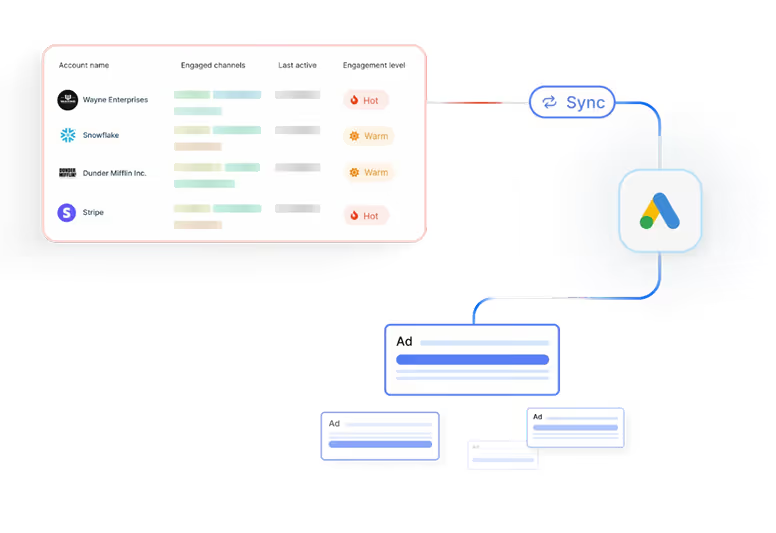
Scaling Google Ads without wasting spend starts with who you target.
- Precision Re-marketing
If you’re re-marketing to everyone, you’re wasting half your budget on visitors who’ll never convert.
With Audience Sync, you can retarget only ICP-fit accounts and high-intent visitors, using account-level firmographic and behavioral data.
Your ads show up for real buyers, not random browsers.
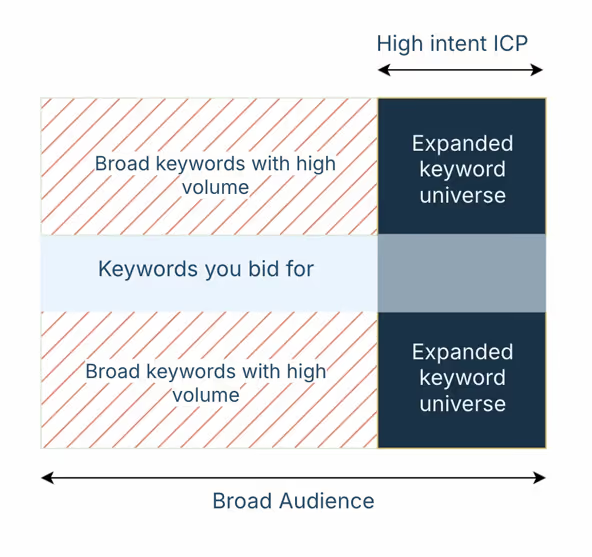
- Keyword Expansion with Audience Control
Broad keywords like ‘CRM’ or ‘helpdesk’ are powerful, but risky and costly. Normally, they attract irrelevant traffic and burn through budget.
With Google AdPilot, you can safely remarket to your best-fit accounts with broad keywords. You can finally expand your reach without compromising efficiency.
- Exclusion Audiences That Save Budget
Competitors, job seekers, and existing customers still click your ads.
With Audience Sync, you can automatically create and sync exclusion lists directly to Google Ads, cutting off those low-value clicks before they drain spend.
- Buyer-Stage Targeting
Google Ads isn’t just a top-of-funnel play.
With Google AdPilot, you can identify where each account is in the buyer journey and run stage-specific campaigns, tailoring messaging across Search, GDN, and YouTube.
It’s precision ABM, delivered at Google scale.
- Always-On Audiences
Manual uploads are slow and outdated.
With Google AdPilot, your audiences refresh daily based on live engagement signals, no CSVs, no lag. You get always-accurate targeting that scales with your funnel.
2. Conversion Feedback: Train Google’s AI to be smarter
Google’s AI is only as good as the data you feed it
Most marketers send incomplete or low-quality conversion data, so Google learns from the wrong signals.
- Enhanced Conversions (CAPI)
Powered by Google’s Enhanced Conversions, AdPilot goes beyond just tracking more conversions, it teaches Google which conversions actually matter.
Instead of sending every form fill the same value, AdPilot assigns differential weights based on ICP fit, deal size, and buyer stage. A $50K enterprise opportunity doesn’t look the same as a $2K trial signup, and now, Google knows that too.
By feeding Google value-based feedback, AdPilot helps its algorithm recognize high-quality clicks, prioritize high-value accounts, and optimize bidding toward revenue, not just volume. So every signal you send back tells Google, “Find more of these.”
- Up to 3× More Conversion Signals
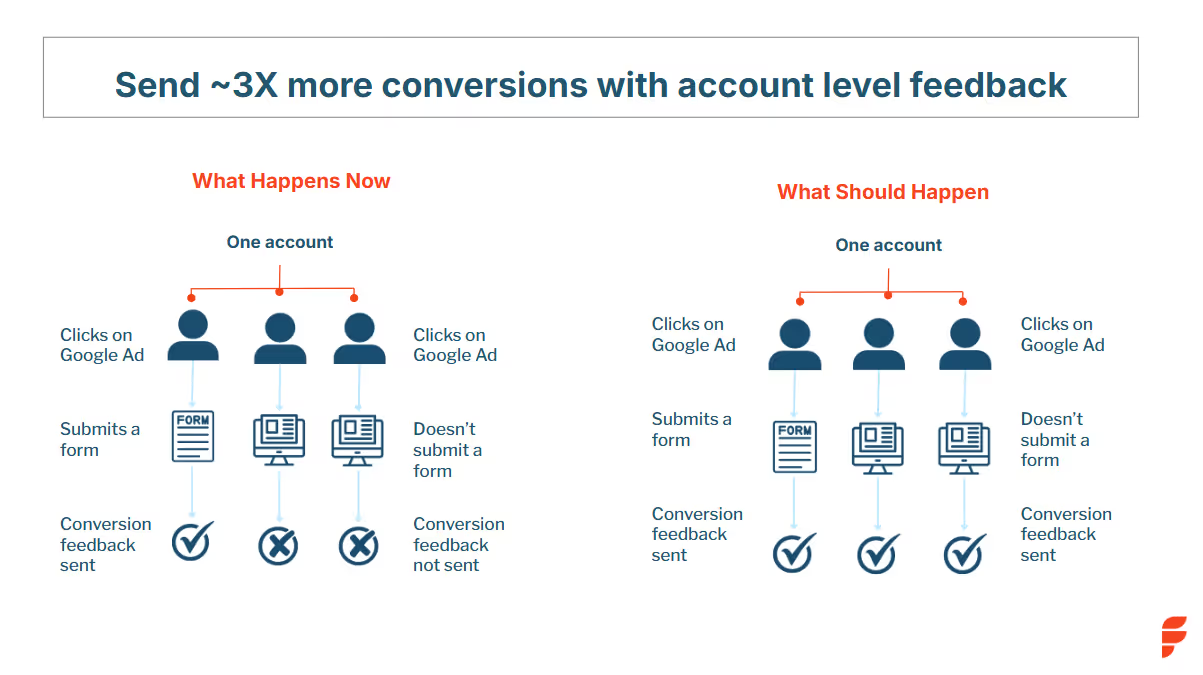
Most marketers only send about half of their actual conversions back to Google, because traditional setups credit only the user who fills a form and ignore everyone else involved in the buying journey.
Google AdPilot fixes that.
It captures every GCLID (Google Click Identifier) from ad clicks, even when no form is submitted. Then, it maps those clicks back to the right account using account-level identifiers and reverse-IP enrichment.
That means if three decision-makers from the same company visit your site, one fills a form, two just browse pricing, Google now sees all three as part of the same conversion journey.
By capturing and feeding these multi-touch, account-level conversions back through Google’s Enhanced Conversions (CAPI), AdPilot sends up to 3× more accurate signals than a standard setup. The result: Google learns faster, optimizes better, and focuses your ad budget on accounts that actually move the pipeline, not on one-off clicks that never convert.
- Differential Conversion Values
Not all leads are equal.
An enterprise deal shouldn’t carry the same weight as a small trial signup.
AdPilot assigns value-weighted conversions based on ICP fit, stage, and potential deal size.
This enables smarter bidding strategies like Max Conversion Value or Target ROAS, ensuring Google optimizes for revenue, not volume.
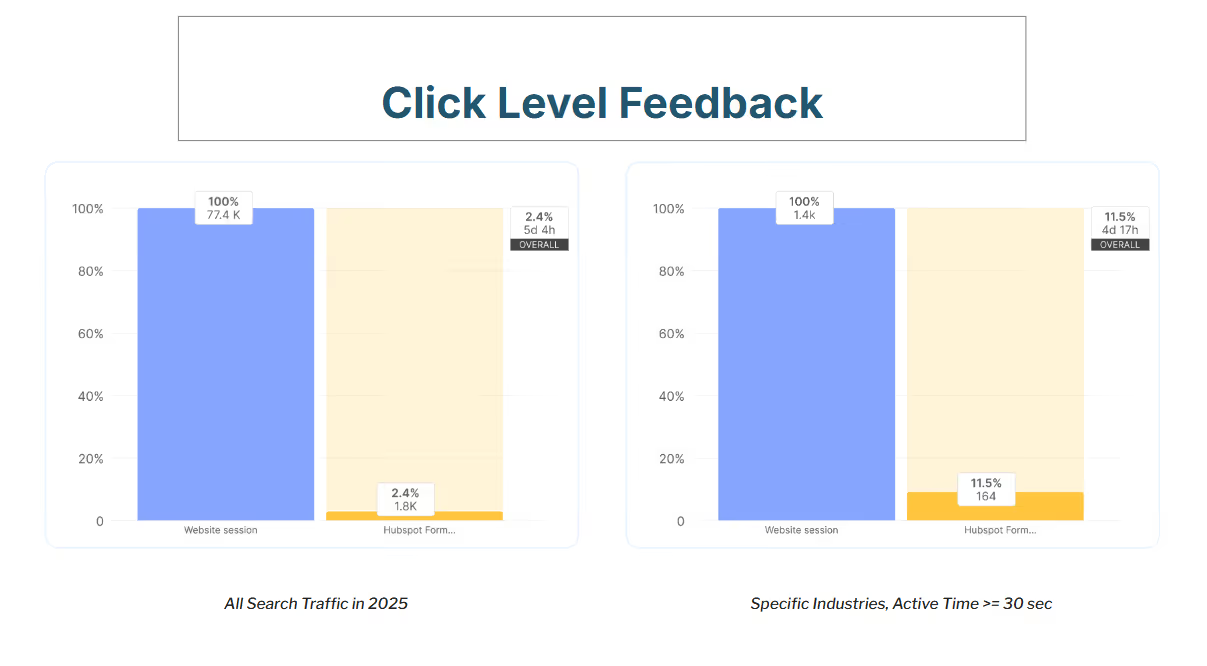
- Click-Level Feedback
Not every click is created equal, and Google’s algorithm doesn’t know that unless you tell it.
With Click-Level Feedback, AdPilot evaluates each click based on who it came from and how likely that account is to move forward in the buying journey.
It looks at factors like ICP fit, engagement depth, and predictive scoring to assign every click a weighted value.
If a click comes from an enterprise account that matches your ICP and spends time on your pricing page, it’s assigned a higher value. If it’s from a low-fit SMB or a short bounce, it’s weighted down.
This way, Google’s AI starts recognizing the quality behind each click, not just the quantity. Your bids, budgets, and optimizations all start pointing toward the kind of traffic that actually turns into deals.
3. Analytics: Visibility beyond clicks
For years, Google Ads reporting has revolved around surface metrics, impressions, clicks, CPCs, and conversions. Useful? Sure. But not enough for modern B2B marketers.
Because in reality, a click doesn’t always equal a conversation. And a form fill doesn’t always mean pipeline.
With Google AdPilot, you finally see what happens after the click. It gives you full-funnel visibility, from impression to opportunity, so you can connect every ad, keyword, and visitor back to real business impact.
- See Which Accounts Paid Search Brings In
Most marketers can’t tell which companies actually land on their site from paid search if they don’t fill a form.
AdPilot changes that.
It identifies the exact accounts visiting through your Google Ads, even if no one fills out a form.
You get firmographic details, intent data, and engagement metrics that your sales team can act on immediately. Instead of “somebody from Google Ads visited,” you know who, how often, and how ready they are to buy.
- Know What Your Buyers Search For
Clicks are just the starting point. AdPilot shows you the actual search terms your ICP accounts use before visiting your site, not just aggregated keywords.
It helps you tie those searches directly to pipeline influence, revealing what high-value buyers are genuinely looking for. So you can prioritize the terms, messages, and offers that drive revenue, not just traffic.
- Understand Paid Ads in the Bigger Picture
Paid search rarely works in isolation. A Google ad might spark awareness that later converts through organic, direct, or referral channels.
AdPilot’s analytics show you those cross-channel patterns, how ads influence website behavior, what pages accounts explore before converting, and where they finally take action. You start to see how your ads move buyers through the journey, not just whether they do.
- Real-Time Dashboards Built for Marketers
AdPilot brings all your paid search performance, audience insights, and conversion data together, in one clean, visual dashboard.
You get the clarity to make faster, more confident decisions: which campaigns to scale, which audiences to prioritize, and which keywords to retire.
💡In short:
Audience Sync ensures you only target ICPs.
Conversion Feedback (CAPI) trains Google with richer, value-weighted signals.
Analytics gives you the visibility to connect every keyword and ad to real revenue.
Together, they turn Google Ads into a true ABM engine, efficient, measurable, and built for scale.
Reporting Live: From the dashboards
Teams using AdPilot have reported:
- Up to 3× more conversion feedback sent to Google
- Higher share of spend going to ICP-fit accounts
- Lower cost per qualified meeting
- Clearer attribution from ads to deals
“Before AdPilot, nearly 50% of our Google Ads spend went to non-ICP accounts. That meant wasted budget and poor conversion signals back to Google. With AdPilot, we can focus only on ICP accounts and feed Google the right data to optimize for high-value deals.”
- Mansi Peswani, Demand Generation Lead, Factors.ai
Fast, secure, and compliant setup
Google AdPilot connects to your existing setup in under an hour.
- Sync audiences directly to Google Ads. With Audience Sync, those lists stay continuously updated, so your campaigns never waste impressions on outdated or irrelevant audiences.
- Automate daily audience refreshes (no CSVs)
- Use Google’s Enhanced Conversion APIs (CAPI ensures every conversion event, from clicks to deals, is captured and shared securely with Google, enhancing attribution accuracy without compromising privacy.)
- Stay compliant with SOC 2, ISO 27001, and GDPR
Scale smarter, spend better and win bigger.
Google Ads will always be a marketer’s workhorse. But without precision targeting and smarter feedback, it starts galloping straight into wasted spend.
Google AdPilot by Factors.ai helps you take back control:
- Target high-fit accounts only
- Train Google’s AI with richer conversion data
- Track every keyword and ad to real pipeline
Because scaling ads should mean scaling revenue.
See it in action, Book a Demo
FAQs for Google AdPilot
1. What is Google AdPilot by Factors.ai?
Google AdPilot is a suite of features that transforms Google Ads into an ABM engine. It helps you target high-fit accounts, train Google with richer conversion feedback, and connect ad performance directly to pipeline.
2. How long does it take to set up Google AdPilot?
You can connect your CRM and Google Ads Platform to Factors with one click integrations. No complex setup or coding required.
3. Is Google AdPilot secure and compliant?
Yes. Google AdPilot is SOC 2, ISO 27001, and GDPR compliant. It uses Google-approved Enhanced Conversion APIs to ensure safe and compliant data handling.
4. Can I run Google AdPilot on top of my existing Google Ads setup?
Yes. AdPilot plugs right into your current campaigns. You can even A/B test it against your existing setup to see the difference in efficiency and ROI.
.avif)
Intuition can only take us so far: Fun with Factors (Part 1)
In Part 1 of our Fun with Factors series, we explore how intuition can be a helpful guide but falls short in predicting complex outcomes.

“Trust your intuition; it never lies.”, a saying most of us have heard and might strongly agree with. But at Factors this week, things were quite different when we had a session on “Intuition can only take us so far”. The idea was to relook at known concepts -- concepts we use more often than not -- and reimagine their implications from different perspectives. This article is an account of the one-hour discussion. We associate the word “factors” with different concepts at different times. Here, we associate it with maths!
Mathematics: Sturdy yet fragile
We started with the following story from “How Mathematicians Think” by Willian Byers:
A mathematician is flying non-stop from Edmonton to Frankfurt with Air Transat. The scheduled flying time is nine hours. Sometime after taking off, the pilot announces that one engine had to be turned off due to mechanical failure: "Don't worry -- we're safe. The only noticeable effect this will have for us is that our total flying time will be ten hours instead of nine." A few hours into the flight, the pilot informs the passengers that another engine had to be turned off due to mechanical failure: "But don't worry -- we're still safe. Only our flying time will go up to twelve hours." Sometime later, a third engine fails and has to be turned off. But the pilot reassures the passengers: "Don't worry -- even with one engine, we're still perfectly safe. It just means that it will take sixteen hours total for this plane to arrive in Frankfurt." The mathematician remarks to his fellow passengers: "If the last engine breaks down, too, then we'll be in the air for twenty-four hours altogether!"
Well, from basic math knowledge, you might find the next number in the sequence 9, 10, 12, 16 to be 24. Here’s how you find it. The first four numbers could be broken down as follows:
9 = 9
10 = 9+2⁰
12 = 9+2⁰+2¹
16 = 9+2⁰+2¹+2²
Pretty clearly, the next number in the sequence has to be 9+2⁰+2¹+2²+2³ = 24.
But does that mean the plane will stay in the air for 24 hours? No. It has only four engines. And if the last one breaks down too, the pilots would either perform an emergency landing or, in the unfortunate case, it would lead to a fatal crash. This shows both the strength and the fragility of maths. While in the first four cases, we could accurately measure how long the journey would take, as soon as the conditions are changed (i.e., gliding into the air instead of being thrusted by engines), the dynamics of motion change too.
Intuition could misdirect
Following is an example the “professor of professors”, Prof. Vittal Rao had given in one of his talks: Imagine you have some identical coins you are supposed to distribute among some identical people. How would you do that? Or more mathematically: In how many different ways P(n) can you distribute n identical coins to any number of identical people? Let us understand the problem by taking cases:
n = 1
- The only way to do that is to give it to a single person: o. Hence, P(1) = 1.
n = 2
Distribute 2 coins. Here are two different ways:
- You either give both coins to one person: oo
- Or you take two people and hand them a coin each: o|o
Hence, P(2) = 2.
n = 3
Distribute 3 coins. What do you think P(3) should be? If P(1) = 1, P(2) = 2, we could expect P(3) to be 3, right? Let’s see.
- ooo
- oo|o
- o|o|o
And 3 it is! Hence, P(3) = 3.
n = 4
Now this drives our intuition even further. The sequence we have seen until now has been 1, 2, 3. So it’s natural to assume P(4) to be 4. Let us enumerate all cases again.
- oooo
- ooo|o
- oo|oo
- oo|o|o
- o|o|o|o
We have 5 ways to distribute 4 coins -- this beats our intuition. We get P(4) = 5.
n = 5
With new information in hand (i.e., the sequence being 1, 2, 3, 5), we could update our intuition and say this matches the Fibonacci sequence, and expects it to follow 1, 2, 3, 5, 8, 13, ... Let’s see what happens with 5 coins in hand:
- ooooo
- oooo|o
- ooo|oo
- ooo|o|o
- oo|oo|o
- oo|o|o|o
- o|o|o|o|o
We get P(5) = 7 (not 8 as we had expected).
n = 6
Now what? We could now turn to a different logic: They are either odd numbers (barring the extra ‘2’) following 1, 2, 3, 5, 7, 9, 11, …, or prime numbers (barring the extra ‘1’) following 1, 2, 3, 5, 7, 11, 13, ..., giving P(6) to be either 9 or 11 respectively. Taking n = 6, we have:
- oooooo
- ooooo|o
- oooo|oo
- ooo|ooo
- oooo|o|o
- ooo|oo|o
- oo|oo|oo
- ooo|o|o|o
- oo|o|o|oo
- oo|o|o|o|o
- o|o|o|o|o|o
That’s 11 ways! The prime-number logic worked.
n = 7
Going by the same logic, we would expect P(7) to be 13 (the next prime number). Now, if you would go on and calculate it, we would have P(7) to be, in fact, equal to 15 (please go ahead and enumerate them).
In fact, it turns out that the sequence P(n) expands as follows: 1, 2, 3, 5, 7, 11, 15, 22, 30, 42, 56, 77, 101, 135, 176, 231, 297, 385, 490, etc. You could take a moment and think about it intuitively, but chances are rare that you would come up with the following formula:

approximating P(n), where we have:

The foregoing formula was derived by the well-renowned mathematician Srinivasa Ramanujan (along with G. H. Hardy). This illustrates the fact that intuition could take us only so close to the solution, and formal maths might have to be invoked in some cases.
At Factors, we support the philosophy of crunching numbers (rather than intuition) to provide intelligent marketing insights, which are only a demo away for you to experience. To read more such articles, visit our blog, follow us on LinkedIn, or read more about us.
Find the next article in this series here.
.avif)
Google Ad Rank: How To Improve Ad Rank In Google Ads
Learn how Google Ad Rank works in 2026, with step-by-step strategies to improve your Quality Score, optimize bids, and boost ad position without increasing spend.
TL;DR
- Ad Rank determines your ad's position and whether it shows at all — it's recalculated for every auction.
- The formula: Ad Rank = Max CPC Bid × Quality Score × Expected Impact of Extensions + Ad Rank Threshold
- Quality Score (1–10) is the most controllable factor — improve it via relevance, CTR, and landing page experience.
- Ad extensions/assets (sitelinks, callouts, structured snippets) boost Ad Rank at no extra cost.
- You can improve Ad Rank without raising bids by focusing on Quality Score and ad relevance.
Imagine you're searching for 'visitor identification software' on Google. The first ad that appears immediately grabs your attention. It is relevant, clearly explains how the software identifies website visitors, and even offers a free demo. Below this ad, you notice a few others. They don't stand out as much—one has vague messaging, while another doesn't seem as relevant to your search.
Why does the top ad rank higher than the others?
You might assume it's because the company paid more. While this is one factor influencing an ad's position, it's not always the case. Several factors, including the bid amount, keyword relevance, and ad quality, determine the ad's rank.
Ads in higher positions generally receive more clicks. If you're using Google Ads and want to improve your ad ranking, understanding ad rank is essential.
In this article, we'll explore the factors determining a Google ad's rank and offer tips on optimizing your ads for higher visibility.
Google Ad Rank is a value Google uses to determine your ad's position on the search results page and whether your ad will show at all. It is calculated in real-time for every auction using your maximum CPC bid, Quality Score, the expected impact of ad extensions, and Ad Rank thresholds.
Also, read Google Ads for SaaS companies.
What is Google Ad Rank?
Google Ad rank is a value used by Google to assess an ad's position on the Search Engine Results Page (SERP). If your ads are clear, helpful, and relevant to the search query, these factors combine to improve your ad rank, helping you secure the top spot on the SERP. Other ads with a lower ad rank are displayed below due to less relevance or poorer Quality Scores.
How Does Google Determine an Ad's Rank?

The following factors determine your Google Ad Rank.
1. Your bid amount
The bid amount is the maximum you are willing to pay for a click on your ad. While a higher bid can increase your chances of ranking higher, it does not guarantee the top spot. Google balances bid amounts with ad quality to ensure the most relevant ads appear first, not just those with the highest bids.
For example, if you set a bid of $6 per click, you're telling Google that you're willing to pay up to $6. But if another advertiser bids $5.50 and has a higher ad quality, they might rank above you, even though their bid is lower than yours.
2. Quality Score (Ad Quality)
Quality score is a metric that measures how relevant and useful your ads are to the users. It is taken into account to ensure that the ads appearing on the SERP provide a good user experience. A higher Quality Score can improve your ad's position even if your bid is low.
The Quality Score is measured using three components. They are:
2.1 Expected Click-Through-Rate (CTR)
This estimates how likely users are to click on your ad based on its relevance to the search query. Google looks at past performance and the overall effectiveness of your ad to determine your expected CTR. If people tend to click on your ad more often, Google assumes it's relevant, boosting your Quality Score.
2.2 Ad Relevance
This measures how closely your ad matches the search query. Ads that are specific to the user's intent perform better. If your ad's message and keywords on your ad landing page align well with the search intent, it will score higher in relevance.
2.3 Landing Page Experience
Firstly, users should have a positive experience on the landing page after clicking your ad. The landing page should deliver on the promise made in the ad.
Secondly, Google considers the page's loading speed, mobile-friendliness, context relevance, and ease of page navigation to determine the landing page experience. A poor landing page experience lowers your Quality Score, while a high-quality landing page improves it.
3. Ad Rank Thresholds
Ad rank thresholds are the minimum quality standards your ad must meet to be eligible to appear for certain positions on the SERP. Google uses these thresholds to ensure that only high-quality ads are displayed to users. Here's how it works:
3.1 Minimum Requirements
Each ad auction has a baseline threshold that ads must meet. If your ad's Quality Score and bid don't meet this minimum standard, your ad may not appear at all or appear in a lower position than desired.
3.2 Impact on Ad Visibility
Meeting the threshold does not guarantee a high position, but failing to meet it can prevent your ad from appearing in top positions. A low Quality Score can reduce your visibility even if your bid is competitive.
3.3 Quality over Quantity
Google prioritizes user experience, so ads that don't meet quality thresholds won't be prominently displayed, even if you are willing to pay more. This system encourages advertisers to create relevant and high-quality ads that enhance the overall user experience.
3.4 Dynamic Nature
Ad rank thresholds can change based on various factors like keyword competition, changes in user behavior, and updates to Google's Ad policies. You must continuously optimize the ads to meet these evolving standards.
4. Competition
Competition refers to the number of advertisers bidding on the same keywords and the quality of their ads. When multiple advertisers target the same keywords, Google evaluates all competing ads based on their bids and Quality Scores to determine the ad rank.
Imagine three companies bidding on the keyword 'intent data mapping.' The more advertisers bidding for this keyword, the more competitive the auction becomes. This increased competition means each advertiser must focus on their bid amount and ad quality to secure a top position.
- Company A bids $4 with a high-quality ad and a strong landing page.
- Company B bids $5 with a decent-quality ad but a less relevant landing page.
- Company C bids $5.5 but has a poorly written ad and a slow-loading landing page.
Even though Company A has the lowest bid, Company A could still rank higher due to a better Quality Score. Google prioritizes relevant ads that are likely to provide a good user experience.
5. Search Context
Search context refers to various factors that influence how Google ranks ads for a specific query. These factors help Google deliver the most relevant ads to users based on their unique situations. This works based on the following factors:
5.1 Search Terms and User Intent
Google analyzes the intent behind the search query. Users searching for visitor identification software might want to compare options, while others may be ready to make a purchase or request a demo.
Ads that align with the user intent such as providing detailed comparisons, offering demos, or emphasizing ease of implementation—are more likely to rank higher.
Also, read this article on Types of Google Ads.
5.2 User Location
When someone searches for 'visitor identification software' in a specific location like Virginia, Google may prioritize ads from companies operating in that region or those with localized content. This ensures that users see ads relevant to their geographic location, increasing the likelihood of conversion.
5.3 Type of Device
The type of device used for the search, such as a desktop, tablet, or mobile phone, can affect ad ranking. Mobile users may see different ads than desktop users. If a company's landing page is optimized for mobile devices and includes mobile-specific features (such as click-to-call buttons), it may rank higher when searched on mobiles.
5.4 Time of Day
The timing of the search can also impact which ads appear. For example, if a user searches for visitor identification software during business hours, ads promoting solutions tailored to immediate business needs may rank higher. Conversely, searches during off-hours may favor ads that highlight 24/7 support or free trials, appealing to users researching solutions at night.
6. Using Ad Extensions
Ad extensions provide additional information that makes your ad more useful. These extensions include call buttons, location information, site links, etc. These extensions can improve your ad's visibility, increase click-through rates (CTR), and enhance your ad rank.
Google considers the expected impact of your ad extensions when calculating Ad Rank. This means adding relevant extensions can improve your position without increasing your bid. Key extensions that influence Ad Rank include:
- Sitelink extensions: Additional links to specific pages on your site
- Callout extensions: Short highlights of key features or benefits
- Structured snippets: Categories of products or services you offer
- Call extensions: Phone number display for direct calls
- Location extensions: Your business address
- Price extensions: Product or service pricing information
Best practice: Enable all relevant extensions for every campaign. Google selects the most relevant combination for each auction.
Google Ad Rank Formula With Example
The Google Ad Rank formula is simple.
Ad Rank = Quality Score x Bid Amount
This means your ad's position on the SERP is determined by multiplying the maximum bid you're willing to pay by your ad's Quality Score. A higher Ad Rank results in better ad positioning, which can lead to more clicks and conversions.
Note that Ad Rank is recalculated in real-time for every auction — meaning your ad position can change from query to query based on the competitive landscape, user context (location, device, time of day), and how automated bidding strategies adjust your bids.
Let's break it down with a clear example.
Imagine three companies—Company A, Company B, and Company C—are competing for the keyword 'visitor identification software.' Here's how their bids and Quality Scores look:
Inference:
- Company A has the highest Ad Rank, meaning its ad will likely appear at the top of the SERP for this keyword.
- Company C's ad may appear below Company A's but still above Company B's.
- Company B has a higher bid but a lower Quality Score, which results in the same Ad Rank as Company C. However, if the ad rank threshold is met, Company B's ad may still show in a lower position.
Also, read a guide to Google Ads management.
How to Improve Your Google Ad Rank

To improve your Google Ads rank, focus on these factors.
1. Optimize For Ad Relevance
Align your ad copy and keywords with users' search queries. Use targeted language that matches user intent and incorporate relevant keywords into your ad copy. This ensures that your ad's messaging closely aligns with your targeted keywords.
2. Enhance Ad Quality
Write compelling ad copy that highlights your unique value proposition and includes a strong call to action. Leverage ad extensions such as sitelinks, callouts, and structured snippets to enhance your ad's visibility and CTR. Ensure these extensions are relevant to your keywords to avoid negatively impacting your Ad Rank.
3. Improve Landing Page Experience
Create a seamless user experience by ensuring your landing pages load quickly and are mobile-friendly. Offer valuable content, ensure easy navigation on the page, and provide error-free paths to conversion.
4. Utilize Bid Adjustments
Optimize your bids with bid adjustments based on device, location, and time of day. Increase bids for high-performing keywords to boost your ad rank and visibility.
5. Monitor and Refine
Do a Google Ads audit, and continuously monitor and optimize your ads to improve your performance. Use performance data to identify high-performing ads and make necessary adjustments. Test various ad variations, landing pages, and bid adjustments to improve your ad rank over time.
How to Check Your Ad Rank in Google Ads
Google doesn't display a direct "Ad Rank" number, but you can monitor related metrics to understand your ad positioning:
- Search Impression Share: Shows the percentage of eligible impressions your ads received.
- Search Top Impression Rate: Percentage of impressions shown above organic results.
- Search Absolute Top Impression Rate: Percentage shown as the very first ad.
- Auction Insights Report: See how you compare to competitors bidding on the same keywords.
- Quality Score column: Add this column to your keywords tab for a direct quality indicator.
To access these metrics: In Google Ads, go to Campaigns → Keywords → Columns → Modify Columns → Competitive Metrics.
Ad Rank vs Quality Score: What's the Difference?
Ad Rank and Quality Score are related but distinct concepts. Here's how they compare:
Key takeaway: Quality Score is an input to Ad Rank. Improving Quality Score is the most sustainable way to improve Ad Rank without increasing your budget.
What Real Users Say About Ad Rank
Based on discussions across PPC communities and forums, here are the most common insights from real advertisers:
- Landing page quality is underrated: Many advertisers report that improving landing page speed and relevance had the single biggest impact on their Ad Rank and reduced CPCs significantly.
- Don't ignore extensions: A common theme is that enabling all relevant ad extensions provided a noticeable boost without any budget increase.
- Quality Score compounds over time: Advertisers note that consistent optimization of ad relevance and CTR leads to gradually improving Quality Scores, which compounds into better Ad Rank.
- Bid isn't everything: Multiple users share experiences where competitors with higher bids still ranked lower due to poor Quality Scores — reinforcing that quality matters more than budget.
- Transparency frustrations: The PPC community frequently expresses frustration with Google's lack of transparency around exact Ad Rank calculations and thresholds.
The Bottom Line
Google Ad Rank determines where your ad appears — or whether it appears at all. While you can't control every factor, the most effective strategy is to focus on Quality Score optimization (relevant ads, strong CTR, fast landing pages), enable all applicable ad extensions, and use smart bidding strategies. These improvements can boost your Ad Rank and lower your costs simultaneously, delivering better ROI without simply outbidding competitors.
Google Ad Rank: Key Takeaways
Google Ad Rank determines the position of ads on the search results page, which impacts visibility and click-through rates. It combines several factors, such as bid amount, ad quality, and relevance. When a user searches 'B2B visitor identification software,' a relevant top ad may outperform others despite having a lower bid.
To improve your Ad Rank, focus on optimizing ad relevance, enhancing ad quality, and creating user-friendly landing pages. Utilize bid adjustments based on various factors and monitor performance regularly. Understanding how these elements work together can help you achieve better positions and increase conversions.
FAQs on Google Ad Rank
Q1. What is ad rank in Google?
Ad Rank in Google determines your ad's position on the search results page. It combines your bid amount and Quality Score, which reflects the relevance and quality of your ad.
Q2. What is a good Ad Rank in Google Ads?
There's no universal "good" Ad Rank number since it varies by auction. Instead, focus on metrics like Search Top Impression Rate (aim for >80% for brand terms) and absolute top impression share. Consistently appearing in top positions indicates strong Ad Rank.
Q3. How do I rank high in Google Ads?
Ensure your ad copy matches user search queries to optimize your ad relevance and rank high in Google Ads. Enhance your ad quality by writing compelling copy and using ad extensions. Improve your landing page experience for better user engagement and monitor performance to refine your strategy.
Q4. How do I improve Ad Rank without increasing my bid?
Focus on Quality Score improvements: write more relevant ad copy, improve landing page speed and content, use all applicable ad extensions, and ensure tight keyword-to-ad group alignment. These changes effectively raise your Ad Rank without spending more.
Q5. Does Ad Rank affect cost per click?
Yes. A higher Ad Rank (especially from Quality Score) can actually lower your CPC. You only pay the minimum amount needed to beat the Ad Rank of the competitor below you, so better quality means paying less per click.
Q6. Can I see my exact Ad Rank number?
No, Google doesn't expose the exact Ad Rank value. You can infer it from impression share metrics, average position proxies, and auction insights data in your Google Ads account.
Q7. What are the levels of Google Ads?
Google Ads does not have fixed levels but operates through a bidding and ranking system based on your bid amount and Quality Score. A higher Ad Rank leads to better ad positioning, while a lower Ad Rank results in less visibility.
Q8. What is the Google Ad Rank list?
The Google Ad Rank list is the order in which ads appear on the search results page, determined by their Ad Rank values. Higher Ad Rank leads to better ad positions and increased visibility.
Q9. What is the formula for Google Ad Rank?
The formula for Google Ad Rank is Ad Rank = Bid Amount x Quality Score. This formula states that your ad position is determined by multiplying the maximum bid you are willing to pay by your quality score.
Q10. What is the difference between Ad Rank and Quality Score?
Ad Rank determines your ad's position on the search results page, while Quality Score assesses how relevant and useful your ad is to users. Quality Score contributes to Ad Rank but is just one of the factors influencing it.
Website Traffic Analysis Tools: How to Check & Compare (Free + Paid)
Compare the best website traffic analysis tools, free & paid. Learn how to check website traffic, estimate competitors, and pick the right traffic tool.

If someone told you there's a kind of traffic you'd actually want more of, you'd want it to be website traffic, not the kind that traps you on a highway because some fool decided to block a lane.

Whether you're tracking your own site's performance or a competitor's, these tools give you that 'hindsight is 20/20 clarity' without waiting for a mishap to occur.
The curveball? There are approximately 20 bajillion traffic tools out there (okay, maybe not that many, but close). So, how do you pick the right one without getting lost in a rabbit hole?
Grab your coffee (or third espresso of the day, no judgment), and let's break down everything you need to know about website traffic analysis tools, free traffic checkers, and how to actually check website traffic without losing your mind.
TL;DR
- Web traffic = the visitors coming to your site, measured in sessions, users, and pageviews. It tells you how people find you and what they do once they land.
- Check your own traffic (exact data):
- Google Analytics (GA4): Tracks every session, conversion, and user journey.
- Google Search Console (GSC): Focuses on organic search queries and rankings.
- Check competitor or other sites (estimated data):
- Similarweb: Best for benchmarking and domain traffic analysis.
- Semrush Traffic Analytics: Great for source breakdown and audience overlap.
- Ahrefs Traffic Checker: Ideal for search traffic insights.
- SE Ranking: Solid free traffic checker with trends and country data.
- For deeper behavior insights (free):
- Microsoft Clarity: 100% free heatmaps, session recordings, and rage-click tracking — no traffic caps
- VWO / Hotjar / Crazy Egg: Paid behavior tools with A/B testing and advanced segmentation
- For B2B teams:
- Factors: Identifies anonymous visitors, connects them to real companies, and enriches traffic data with firmographics and buying intent.
- Factors: Identifies anonymous visitors, connects them to real companies, and enriches traffic data with firmographics and buying intent.
- How to compare website traffic:
- Use Similarweb's Compare feature or cross-check SE Ranking + Ahrefs for any two domains side-by-side
- Quick tip: Free tools give you accuracy for your own site; paid ones give you estimates for any site.
- Pro move: Combine GA4 + GSC for owned insights, and one estimation tool (like Similarweb or Ahrefs) for market intelligence.
What is Web Traffic and its essential elements?
Before we jump into tools and tactics, let's make sure we're all speaking the same language. Because 'web traffic' sounds straightforward until someone asks, 'Wait, are sessions and pageviews the same?'
Think of web traffic as the different types of people who show up to your (digital) party.

Each one has a different personality. But unlike a real party, you get way more data than just a headcount.
- Sessions are visits. Every time someone lands on your site, that's a session. One person can rack up multiple sessions if they keep coming back (either because your content is that good, or they keep forgetting what they read five minutes ago).
- Users (or unique visitors) track individual people. If Bob visits your site three times today, that's three sessions but one user. Bob's obsessed with you.
- Pageviews count every single page someone loads. If Bob clicks through five pages in one session, you've got five pageviews. It's like counting how many rooms Bob wandered into at your party.
- Traffic sources are how people found you. Organic search folks are the researchers who Googled their way here. Paid ad visitors are the impulse clickers (your ad worked, yay!). Social media traffic? They're the scrollers who got interested. Referral traffic comes from the networkers who followed a recommendation. Direct visitors typed your URL like they had it memorized. Email campaign people are the ones who actually read their inboxes.
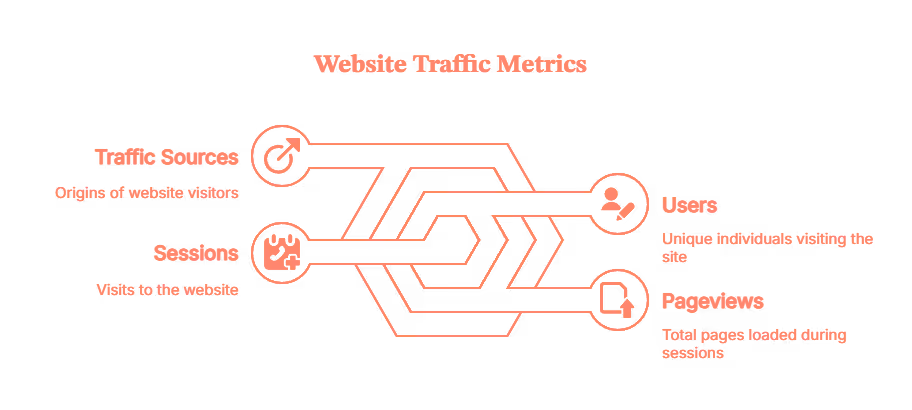
- Knowing your sources and reviewing your traffic reports is how you figure out which marketing channels are actually pulling their weight versus which ones are just there, eating snacks and contributing nothing.
Key web traffic metrics at a glance:
MetricWhat It MeasuresWhy It MattersSessionsTotal visits to your siteOverall traffic volumeUsers (Unique Visitors)Individual people visitingTrue audience sizePageviewsTotal pages loadedContent engagement depthBounce Rate% who leave after 1 pageContent relevance signalSession DurationAverage time spent on siteEngagement qualityTraffic SourcesWhere visitors come fromChannel effectivenessConversion Rate% completing a desired actionBusiness impactPages per SessionAvg pages viewed per visitSite stickiness
How to Check Website Traffic (Free vs Paid)
Now that we've got the basics down, let's talk about how to check website traffic. Checking it is like seeing your actual report card. Checking a competitor's? That's like hearing through the grapevine that they "did pretty well", useful intel, but not the full picture.
Your own site? Use Google Analytics (GA4). It's free, tracks everything from first click to final conversion, and gives you exact numbers. Google Search Console (GSC) is GA4's nerdy sibling, it focuses on organic search and shows which queries bring people from Google. For deeper insights such as identifying anonymous visitors, their behavior and intent, Factors plugs right in, especially for B2B folks.
Someone else's site? That's where estimated traffic tools come in. Similarweb, Semrush, Ahrefs, and SE Ranking use browser extensions, web crawlers, and some algorithms to estimate any domain's traffic. They give you a ballpark figure. Think of it like the difference between the top speed on your speedometer and what the cop's radar clocks you at.
Best Free Website Traffic Checker Tools (Quick Reference)
If you just need a fast, no-login traffic estimate for any domain, these free website traffic checkers are your go-to:
ToolWhat It ChecksFree Tier LimitsBest ForSE Ranking Traffic CheckerAny domainUnlimited lookupsQuick estimates + 6-month trendsAhrefs Traffic CheckerAny domain1 free check/domainOrganic traffic estimatesSimilarwebAny domain1 month of dataSource breakdown & benchmarkingBacklinko Traffic CheckerAny domainUnlimitedFast top-level estimatesGoogle Search ConsoleYour site onlyUnlimitedExact search performance dataGoogle Analytics (GA4)Your site onlyUnlimitedFull traffic + conversion data
💡 Pro tip from the community: No single free tool gives perfect competitor numbers. Cross-reference SE Ranking, Ahrefs, and Similarweb to spot consistent patterns — trust the trend, not the exact count.
How to Check Website Traffic (Step-by-Step)
Check Your Own Website Traffic (Exact Data)
Using Google Analytics 4:
- Go to analytics.google.com
- Select your property
- Navigate to Reports → Acquisition → Traffic Acquisition
- Set your date range (top right)
- View sessions, users, and channel breakdown
Using Google Search Console:
- Go to search.google.com/search-console
- Select your property
- Click Performance → Search Results
- View total clicks, impressions, CTR, and top queries
How to Check Competitor Website Traffic (Estimated Data)
Using SE Ranking (Free):
- Go to seranking.com/website-traffic-checker.html
- Enter a competitor's domain (e.g., competitor.com)
- View estimated monthly visits, top pages, and traffic trend
Using Similarweb (Free Tier):
- Go to similarweb.com
- Enter the domain in the search bar
- View traffic overview: visits, traffic sources, geography, and engagement
Using Ahrefs (Free Check):
- Go to ahrefs.com/traffic-checker
- Enter a domain
- View estimated organic traffic, top keywords, and traffic value
⚠️ Accuracy note: Competitor traffic figures are estimates based on panels and crawl data, not exact server logs. Use them for directional insights and trend analysis, not precise budgeting decisions. Cross-reference 2-3 tools for more reliable benchmarks.
How to Compare Traffic Between Two Websites
Comparing traffic between your site and a competitor's helps you benchmark performance and identify gaps. Here's how to do it with free tools:
Using Similarweb (Free):
- Go to similarweb.com
- Enter your domain, then click 'Compare'
- Add a competitor's domain
- View side-by-side: monthly visits, traffic sources, geography, and engagement metrics
Using SE Ranking (Free):
- Go to seranking.com/website-traffic-checker.html
- Check your domain — note the monthly visits and trend
- Repeat for your competitor's domain
- Compare the 6-month trend charts side-by-side
What to look for when comparing:
- Is the gap widening or narrowing over time?
- Which traffic sources does your competitor rely on that you don't?
- Which of their top pages drive the most traffic? (Similarweb shows this)
- Are they growing in specific geographies you're not targeting?
Best Website Traffic Analysis Tools (Quick Picks)
Let's understand each tool better, as per your use case.
For Your Own Site:
- Google Analytics (GA4) - Best for complete traffic tracking (Free)
- Acts as your command center for website analytics
- Tracks in real time:
- Visitors
- Sessions
- Conversions
- User journeys
- Shows:
- Traffic sources
- Top converting pages
- How users navigate your site
- Limitation: requires tracking code installation, can't be used to analyze competitor sites
- Google Search Console (GSC) - Best for organic search traffic & queries (Free)
- Tracks your performance in Google Search
- Shows:
- Keywords that trigger impressions
- Page rankings
- Click-through rates
- Focused entirely on search performance
- Completely free tool
- Essential if SEO is part of your strategy
- Microsoft Clarity — Best free heatmap & session recording tool (Free)
- 100% free with no traffic caps or paywalls
- Shows heatmaps, session recordings, scroll depth, and rage clicks
- Answers key questions like: where do users click? where do they drop off?
- Works alongside GA4 — Clarity handles behavior visualization, GA4 handles volume metrics
- One-click Google Analytics integration
- Limitation: no traffic volume metrics — use it alongside GA4, not instead of it
For Competitor Websites or Any Other Domain:
This is where things get fun. Domain traffic analysis lets you estimate traffic for any website, even ones you don't own. It's like standing outside a competitor's store to count how many people walk in. Use it when sizing up competitors, vetting potential partners, or getting a rough idea on the amount of traffic they claim to get.
- Similarweb - Best for domain traffic analysis & benchmarking (Freemium)
- Industry standard for checking any site's traffic
- Enter a domain to see:
- Monthly visits
- Traffic sources
- Top-referring sites
- Audience geography
- Engagement metrics
- Data pulled from browser extensions, web crawlers, and public sources
- Free version offers limited historical data (a teaser, not the full picture)
- Paid plans unlock:
- Up to 6 months of historical data
- Deeper data splits
- Industry benchmarks
- Semrush Traffic Analytics - Best for competitor traffic breakdown (Paid, starts ~$130/mo)
- Estimates domain traffic and breaks it down by source:
- Organic
- Paid
- Direct
- Referral
- Social
- Provides insights on:
- Subdomains
- Top-performing pages
- Audience overlap (other sites your target audience visits)
- Uses clickstream data and machine learning to generate estimates. Part of Semrush's broader SEO toolkit, a natural add-on if you already use it for keyword research or backlink analysis
- Ahrefs Site Explorer / Traffic Checker - Best for search traffic estimates (Freemium)
- Focuses entirely on organic search performance
- Enter a domain to see:
- Monthly organic traffic
- Top keywords
- Traffic by country
- Historical trends
- Uses its own web crawler (second-largest after Google) and clickstream panels for data
- Free version offers a preview of available insights
- Full access starts at $129/month, worth it if SEO is a key growth driver
- SE Ranking Website Traffic Checker - Best free traffic checker with trends (Free + Paid)
- Provides estimated monthly visitors, a six-month trend chart, and country-level breakdown, no signup needed
- Strong free offering for a zero-cost tool
- Paid version includes:
- More historical data
- Integration with SE Ranking's full SEO platform
- Free tier is sufficient for most users
- VWO / Heatmap Tools - Best for qualitative behavior (Paid, various pricing)
- Tools like VWO, Hotjar, and Crazy Egg don't measure traffic volume
- They show visitor behavior through:
- Heatmaps
- Session recordings
- Click maps
- Help answer key questions like:
- Why do people drop off at checkout?
- Where do they get confused?
- Reveal the "why" behind the numbers
- Best used alongside GA4 for a complete view: combining quantitative and qualitative insights
Accuracy caveats:
With these tools estimates can swing a couple of standard deviations, especially for sites with lesser direct traffic, as well as strong brand searches, or niche audiences. It's like guessing jelly beans in a jar, close, but not exact. If a tool says your competitor gets 100,000 monthly visits, the real number might be 70,000 to 130,000. So plan and tread accordingly.
Feature-by-Feature Comparison of Website Traffic Analysis Tools
Alright, let's get nerdy. Here's a side-by-side comparison of the top traffic analysis tools, broken down by the features that actually matter.
ToolBest ForOwn Site?Competitor Sites?Free Tier?Pricing (Paid)Google Analytics (GA4)Full traffic + behavior tracking✅ Yes❌ No✅ FreeFreeGoogle Search ConsoleOrganic search performance✅ Yes❌ No✅ FreeFreeSimilarwebDomain benchmarking + source breakdown✅ Yes✅ Yes✅ LimitedFrom ~$125/moSemrush Traffic AnalyticsCompetitor deep-dives + audience overlap✅ Yes✅ Yes⚠️ Very limitedFrom $130/moAhrefsOrganic traffic estimates + keyword data✅ Yes✅ Yes✅ Free checkerFrom $129/moSE RankingQuick traffic estimates + trend charts✅ Yes✅ Yes✅ Free checkerFrom $65/moHotjar / VWO / Crazy EggBehavior: heatmaps, session recordings✅ Yes❌ No✅ Hotjar free tierFrom $32–$99/moMicrosoft ClarityFree heatmaps + session recordings✅ Yes❌ No✅ 100% FreeFreeFactorsB2B anonymous visitor identification + intent✅ Yes❌ No✅ Free trialCustom pricing
If you're a solo founder, freelancer, or small business, start with the free stack: GA4, GSC, and SE Ranking's free traffic checker. If you're in a competitive market and need regular competitor intel, invest in Similarweb or Semrush. If SEO is your primary growth lever (and honestly, it probably should be), Ahrefs is worth the subscription. And if you're optimizing for conversions, add Microsoft Clarity (free!) or Hotjar/VWO to visualize the user journey. Don't overthink it, pick one, start using it, and adjust as you learn what you actually need.
Which Website Traffic Analysis Tools Should YOU Use? (By Business Type)
There's no one-size-fits-all answer. Here's what actually works per use case:
🧑💻 Solo Founders, Freelancers & Small Businesses
- GA4 + GSC for your own site (free, exact data)
- SE Ranking free checker for occasional competitor checks
- Skip the $100+/mo tools until you're running consistent competitor analysis
🛒 eCommerce & DTC Brands
- GA4 (with ecommerce tracking enabled) for conversion funnels
- Hotjar or Microsoft Clarity (free) for heatmaps and checkout drop-off analysis
- Similarweb for market benchmarking and audience overlap
🏢 B2B SaaS & Enterprise Teams
- GA4 + GSC as your analytics foundation
- Factors for identifying anonymous company visitors and connecting traffic to pipeline
- Semrush or Ahrefs for competitor organic traffic tracking
📈 SEO-First Companies & Content Teams
- GSC as your primary ranking and query data source
- Ahrefs for organic traffic estimates + keyword gap analysis
- SE Ranking as a more affordable Ahrefs alternative
🏪 Agencies Managing Multiple Clients
- GA4 + GSC per client property
- Semrush for multi-domain competitive analysis
- Looker Studio to consolidate reporting across clients
What Real Users Say About Website Traffic Tools (Community Insights)
Beyond the feature sheets and marketing copy, here's what practitioners actually say about these tools in the wild:
On accuracy:
"There is no single perfect free tool that gives you definitive traffic numbers for sites you don't own. Cross-reference SE Ranking, Ahrefs, and Similarweb to spot consistent patterns — trust the trend, not the exact count."
On GA4 vs. third-party tools:
"GA4 + GSC is the gold standard for your own site. For competitor sites, you're always working with estimates — just treat the numbers as directional, not gospel."
On getting more from free tools:
"Use free trials strategically for one-time audits rather than committing to a $130/mo plan you'll barely use. Most of what you need for quarterly competitor checks can be done in a 7-day trial."
The consensus best practice:
Most experienced SEOs and marketers triangulate across 2-3 tools rather than relying on any single source. If SimilarWeb, Ahrefs, and SE Ranking all show a competitor declining, that's a meaningful signal — even if the exact numbers differ.
Tools the community loves (and why):
- GA4 + GSC — universally trusted because it's your own first-party data
- SimilarWeb free tier — best for quick benchmarking without a login
- Microsoft Clarity — completely free heatmaps and session recordings; no reason not to use it
- SE Ranking free checker — solid trend data without needing an account
- Ahrefs free traffic checker — quick organic traffic estimate for any domain
How Factors Can Help Track and Convert Anonymous Website Traffic
Most B2B websites sing the same sad song: tons of traffic, little visibility. You're spending on ads, content, and SEO, but have no clue which companies are visiting or what they're doing once they arrive.
Traditional website traffic analysis tools that might stop at "10,000 visitors last month from organic search." Factors flips this script. It identifies anonymous accounts on your site using reverse IP lookup and rich firmographic data (company name, size, industry, and location). In short, it turns invisible visitors into qualified accounts you can actually act on.
Here's what makes Factors stand out:
- Identify anonymous visitors: Uses a waterfall model (6sense, Clearbit, Demandbase, and Snitcher) to match up to 75% of anonymous traffic to real companies, e.g., instead of "Someone from San Francisco," you see "Acme Corp, 500+ employees, SaaS, visited your pricing page three times."
- Track behavior and intent: See how companies interact with your site through pages viewed, clicks, time spent, and buying intent. It helps your marketing and sales team spot who's just browsing and who's ready to buy.
- Enrich traffic with context: Connects website activity to outcomes revealing which campaigns drive high-quality visits, what content resonates, and which channels deserve more investment.

If you're a B2B marketer tired of watching traffic disappear into the void, Factors helps you see who's visiting, what they care about, and when to reach out, turning anonymous traffic into actual pipeline.
💡Understand intent scoring via website visitor identification better
In Short
Website traffic analysis tools aren't just about counting visitors, they help you understand who's coming, why they're there, and what makes them stay. Whether you're growing an eCommerce store, running an SEO campaign, or analyzing competitors, the right mix of tools can turn raw data into real strategy. Start simple with free options, level up as your needs grow, and remember to perform an audit regularly as traffic isn't the goal, what you learn from it is.
FAQs for Website Traffic Analysis Tools
Q. What is web traffic?
Web traffic is the volume of users and sessions that visit a website. Main metrics include users (unique visitors), sessions (visits), and pageviews (pages loaded). Traffic sources show where visitors come from, while engagement metrics show if they actually stuck around or bounced immediately.
Q. How do I check a website's overall traffic?
For the site you own, use Google Analytics (GA4) and Google Search Console for exact data. For competitors, try SE Ranking, Ahrefs, or Similarweb for solid traffic estimates.
Q. Can I check a competitor's traffic?
Yes, through tools like Similarweb, Semrush, Ahrefs, and SE Ranking. They estimate traffic using data panels and browser extensions. Expect variance, it's accurate enough for competitive strategy and benchmarking. Don't bet your budget on a single tool's estimate, cross-reference when you can.
Q. What's the difference between a "website traffic checker" and a "website traffic analysis tool"?
A traffic checker gives you a quick snapshot of monthly visits, usually free with minimal detail. An analysis tool offers deeper reporting: historical trends, channel breakdowns, page-level metrics, user behavior. Checkers are for speed, analysis tools are for depth.
Q. How does Factors help with tracking and converting anonymous website traffic?
Factors goes beyond counting visitors, it tells you who they are. It identifies anonymous companies visiting your site using reverse IP lookup and firmographic data, revealing details like company name, size, industry, and intent. Perfect for B2B teams who want to turn traffic insights into qualified leads and pipeline.
Q. Are free traffic checkers accurate?
Free checkers provide useful directional data but can deviate from real metrics for competitor sites. They're like weather forecasts, close enough to help you plan, but not perfect. Use them for trends and relative performance, not as absolute truth. Cross-referencing multiple tools helps improve accuracy.
Q. How often should I review my website traffic data?
For most businesses, a weekly check of key metrics (sessions, top pages, channel breakdown) is sufficient, with a deeper monthly review for trend analysis and a quarterly audit for content strategy decisions. If you're running active campaigns or A/B tests, check daily. Set up automated reports in GA4 so the data comes to you rather than requiring manual logins.
Q. Which website traffic analysis tools are GDPR-compliant or privacy-friendly?
If data privacy is a concern (especially in the EU), consider: Matomo (self-hosted, full data ownership), Plausible (cookie-free, EU-hosted, open source), or Microsoft Clarity (GDPR-compliant, free). Google Analytics 4 can be made compliant with proper consent mode configuration, but requires careful setup. Avoid relying solely on GA4 if you're in a privacy-sensitive industry without consulting a data compliance expert.
Q. What is the most accurate free website traffic checker?
For your own site, Google Analytics 4 is the most accurate — it uses your actual server-side data, not estimates. For competitor sites, no free tool gives exact numbers. SE Ranking's free checker and Ahrefs' free traffic checker are generally well-regarded for directional accuracy. Cross-referencing 2–3 tools and focusing on trends rather than exact counts gives you the most reliable picture.

Best Free AI Tools for Marketing
Discover the best free AI tools and free LLMs for marketing. Learn how to automate, analyze, and create smarter with Factors.ai.

TL;DR
- Free AI tools are essential for marketing workflows across content, design, analytics, and automation.
- Key tool categories: Language/LLMs, Design AI, Social Automation, Analytics, CRM, and Chatbots.
- Top free tool examples include: Copy.ai, Notion AI, Canva Magic Studio, Buffer, Google Trends, Factors.ai, HubSpot Free CRM.
- Best free LLMs for marketers: Mistral 7B, Llama 3, Gemini 1.5 free tier, Hugging Face Spaces.
- What to look for: scalable free tiers, strong data privacy, integrations (APIs, Zapier), and active documentation.
- Common pitfalls: free-tier limitations, data privacy risks, disconnected workflows, and poor AI oversight.
- Best practices: introduce AI one workflow at a time, maintain human editing, ensure clean data, and measure everything.
- Future trends: multimodal free LLMs, autonomous AI agents, open-source innovation, and human-AI co-pilot workflows.
Remember when "AI in marketing" felt like science fiction?
Cut to now, and how the turn tables...
Now, artificial intelligence and large language models (LLMs) are table stakes for every marketer. AI is taking on everything from research to predicting campaign ROI to even code generation (yes, sometimes we need that too).
A survey found that 82% of respondents using AI tools report using them for marketing. For daily users, the average reported weekly time saved was 14 hours.
If you're a marketer, then you need to get on board with AI, especially free AI tools for marketing.
Not every free tool or free version of a paid tool can create marketing magic. But the ones listed in this article certainly can.
When used well, they allow lean startups to test, iterate, and scale ideas without going broke. You can prototype campaigns, generate visuals, and even run customer insights.
Pro-Tip: Most of these tools work at their best when you connect them to your data, strategy, and tech stack. Solutions like Factors.ai (fantastic free version available) can help do that, and turn scattered AI inputs into actionable insights.
Types of Free AI Tools Marketers Should Know
Not all free AI tools are created equal. Some will change your life. Others will ruin your day (or quarter). To start sifting, it's important to understand the categories of free AI tools.
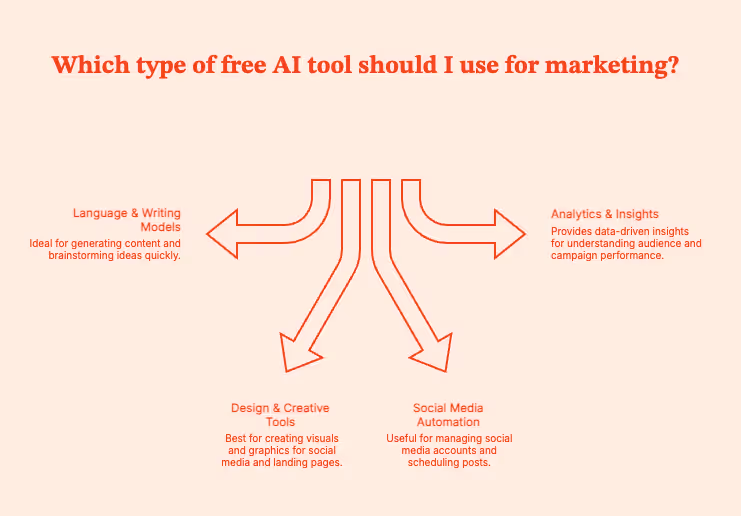
Language & Writing Models
These tools use large language models to help write everything from headlines, landing pages and long-form content (you need a human editor, though). A similarly sized model can even write emails in a specific voice. They can generate human like text, but still need your final sign-off.
If you need content support for multiple languages, filter for tools with multilingual and multimodal capabilities.
Common uses:
- Brainstorming ideas in seconds.
- Turning vague thoughts into structured content.
- Banishing writer’s block with ruthless efficiency.
Top free options:
Copy.ai, Jasper (free tier), Writesonic, Notion AI, SlateHQ
Design & Creative Tools
Can't draw a circle in PowerPoint? Proprietary models to the rescue!
These tools can generate visuals like banners, product shots, thumbnails, and ad creatives. You need a human designer to run final edits, but they'll be able to do much more in the same time.
Common uses:
- Social media graphics.
- Product visuals for landing pages.
Top free options:
Canva Magic Studio, Fotor AI, Adobe Firefly Free, Leonardo.ai
Social Media Automation
Social platforms move too fast. And some of us are old. These AI agents can step in (and stay young enough to keep up, unlike the rest of us).
AI tools can generate captions, schedule content, analyze engagement, and replicate a full social team. You will have to edit the captions.
Common uses:
- Consistent posting without burnout.
- Idea generation for captions and hooks.
- Basic analytics.
Top free options:
Buffer AI Assist, Later, Hootsuite Free
Analytics & Insights
These tools highlight what your audience wants, which keywords to target, and if/how/where your marketing efforts are paying off.
You'll get numbers that make sense. Or at least, numbers that explain why last week’s campaign flopped.
Common uses:
- Keyword exploration and trend hunting.
- Understanding customer intent.
- Revenue attribution, performance insights, and campaign ROI.
Top free options:
Google Trends, ChatGPT (free), Factors.ai
Pro-Tip: These tools will have to provide enhanced data security, as they will handle sensitive data (often internal team essentials). Double-check before using.
Pro-Tip II: No matter which tool you use, do not forget to account for the differences between B2B marketing funnels and B2C marketing funnels.
What to Look for in a Free AI Tool (and a Free LLM)
Every day, there’s a new “must-try” AI app promising to revolutionize your marketing, your workflow, and possibly your karma, at this point.
But not every free AI tool deserves space in your stack. A good free AI tool should fit into your marketing world, not disrupt it. The ones that do should meet the following conditions:
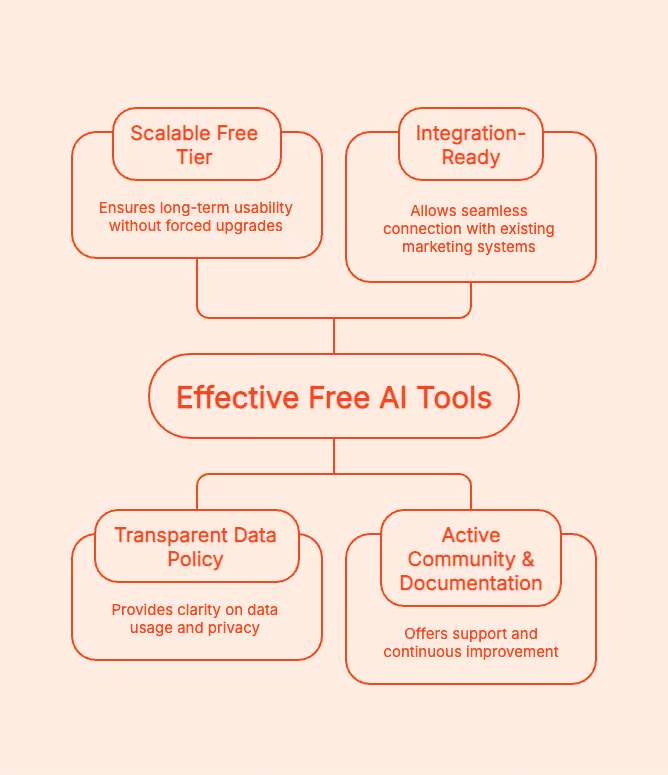
Scalable Free Tier: Does the “free” part last long enough to actually be useful, or does it expire faster than the can of chilli you bought after closing time? The right tools are ones where upgrading is a choice, not a hostage situation.
Transparent Data Policy: Does the tool use your campaign data to train its language models? Read the fine print (READ it). You should know exactly how these commercial models store, share, or reuse your data.
Integration-Ready: The tool should integrate with your CRM, analytics, and ad platforms. Ask for APIs, Zapier connectors, or built-in integrations. For instance, if it plugs into with Factors.ai, you can measure real ROI instead of “vibes.”
Active Community & Documentation: Dating's hard enough. Your tool should not also ghost you. Verify that it has an active user base, regular updates, and clear documentation. The best free tools are constantly improving based on user feedback.
For LLMs
Stay with me; it'll get a little nerdy:
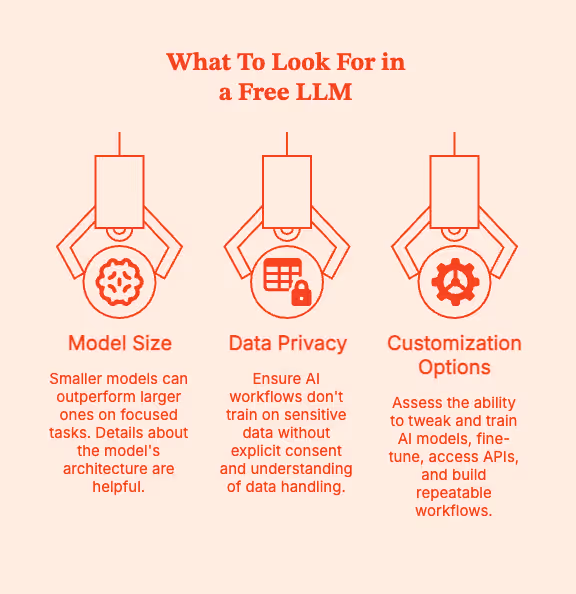
- Model Size vs. Performance Trade-offs
Certain smaller, efficient models, like Mistral 7B, can outperform giants on specific, focused tasks. If you can, get some details about the model's architecture.
- Data Privacy
Your AI workflows should not be trained on your customer list or confidential strategy deck unless you’re 100% sure how that data is handled.
- Customization Options
Can you tweak and train AI models for your brand? Can you fine-tune, gain API access, or use lightweight model hosting? Can you build repeatable workflows or automations?
The Best Free AI Tools for Marketing (Competence + Cost Savings)
Free AI tools will act as your intern, fellow strategist, and design assistant. You need to know which tools are worth your time, and this list can help. Start here.
Pro Tip: Before you peruse this list, have a look at the Complete Guide to Customer Journey Stages for Maximum Retention. Then, map these tools onto different stages of a marketing journey: awareness, engagement, conversion.
Pro Tip II: Be guarded with your data in the open-source LLM space. Everyone is trying to train their models, but your customers’ information is not up for grabs.
Content Generation & Copywriting
These tools will help you create robust outlines and optimize content for SEO value + engagement.
- SlateHQ: Slate is a content engineering and content refresh platform with which you can build customised workflows to automate your entire content lifecycle.
- Copy.ai : This is your brainstorming buddy.. Use it for rapid content ideation: ad hooks, blog outlines, and email subject lines.
- Notion AI: Already using Notion? This is for you. The AI agent summarizes meetings, generates blog drafts, or refines to-do lists right where your work already exists.
- Jasper (Free Trial): Jasper is built for structured, scalable workflows. It also comes with fairly competent templates for ads, landing pages, and SEO blog posts.
- Writesonic: Can produce perfectly usable drafts for blog posts, landing pages, and ads. I also like the integrated “SEO mode” that optimizes the content as you write it.
Pro tip: Use AI to research and build drafts. You still need to write, even if your tool has multilingual capabilities.
Visuals & Design
Photoshop is hard. These tools are easier with their AI wizardry.
- Canva Magic Studio: A wonderland for non-designers. It can draft captions, create custom visuals, and brand everything with your chosen fonts and colors.
- Leonardo.ai : Find the right prompt ("futuristic B2B dashboard mockup with pastel gradients") and it will deliver stunning product visuals and creative concepts.
- Adobe Firefly Free: Ideal for enterprise-grade, copyright-safe image generation. It integrates with Photoshop and Express.
- Fotor AI: Marketers, check this one out for handling background removal, headshots, and social posts.
Reality check: AI visuals can be beautiful, but you're still responsible for its brand consistency.
Social Media & Outreach
For marketers who live in 17 time zones at once. These tools will help make social posting feel less like a chore.
- Buffer AI Assist: This language model drafts captions, suggests hashtags, and auto-schedules content.
- HubSpot Free CRM + AI Writer: You can do a lot with this one: manage leads, generate outreach messages, and see insights in the same dashboard. Great for matching content creation with customer insights
Bonus Read (for extra research): HubSpot Analytics Vs. Factors.ai – Features, Limitations, Integrations & More
- Hootsuite Free: You can use the free plan to schedule, monitor engagement, and even generate post ideas. Again, single dashboard.
Market Research & Insights
You need an AI engine's superhuman analytical capabilities to understand the modern customer. It will help with finding trends, understanding audiences, and identifying what's worth the investment.
- Google Trends: The most well-known free tool out there. See trending topics, shifts with season and location-based demands.
- Factors.ai Free: Use the free version to connect your campaign data with other data banks (ads, web analytics, CRM). Zero in on the efforts that actually drive revenue.
- AnswerThePublic: Find what real people are searching for, and what to really prioritize when building SEO-friendly content.
Pro tip: Ideally, use all 3 together: Google Trends to research trends, AnswerThePublic to find the right questions, and Factors for performance.
Customer Engagement & Chatbots
Customer conversations are now 24/7. No one is waiting until Monday to get their answer. They'll cancel their account or just leave. These AI tools can help brands stay responsive without losing your weekends (or minds).
- ChatGPT (Free): Great for brainstorming, scripting, or building quick responses. Train it well and it can be a chatbot + co-strategist.
- Poe by Quora: Users can switch between different AI models like GPT, Claude, and Llama from one interface. Use it to compare tone, style, and output quality.
- Hugging Face Spaces: Curious marketers, this is your playground of open-source models and experiments. Test out free LLMs before they hit the mainstream.
Free Marketing Tools for Startups
Startups run on caffeine, ambition, and free tools. When you're wearing twelve hats, answering Slack at 2 am, and trying to prove ROI, you don't need another paid tool.
So, consider these tools to automate the busywork, measure what is working, and grow faster + smarter.
CRM & Automation
- HubSpot Free CRM: Manage contacts, deals, and even trigger basic email sequences. You can get a polished customer pipeline without hiring a sales team.
Bonus Read: 9 AI Sales Strategies for Small Business Growth (2025)
- MailerLite: Minimalist. Elegant. Automate emails, landing pages, and newsletters, especially for product launches and community building.
- Brevo (formerly Sendinblue): Use this to set up your marketing command center: email, SMS, and automation workflows. The free plan lets you send 300 emails per day.
Pro tip: Use one AI copy tool to write email sequences. Once they are sent, feed engagement data back into Factors to see which messages convert.
Analytics & Measurement
Your insights need to go far beyond "the number of clicks has increased".
- Google Analytics: A reliable, battle-tested tool for understanding web traffic, user behavior, and conversion funnels. You can see where your audience is coming from and how they interact with your assets.
- Factors Free Tier: Google Analytics tells you what happened, Factors tells you why. It will connect CRM data, ad campaigns, and website activity to find the highest ROI drivers.
Bonus Read: Factors Vs. Google Analytics (GA4)
Social Media Management
Staying on top of social media is hard. Get some help from these tools:
- Buffer (Free Plan): Schedule posts across platforms, study engagement analytics, and get drafts of captions that don't sound bot-generated.
- Later (Free Plan): Highly recommended for Instagram and LinkedIn scheduling. Use the drag-and-drop visual planner to design your grid and plan a visual narrative.
Putting It All Together
Try connecting these free tools through Factors to build a marketing stack from scratch:
- Create content with AI tools (Copy.ai, Canva, Jasper).
- Distribute via Buffer, MailerLite, or HubSpot Free.
- Track engagement with Google Analytics.
- Analyze conversion and ROI inside Factors
Within days, you’ll know which campaigns attract and identify your ideal customers (ICP), which messages convert, and which ones need rework. All for free.
Pro-Tip: Get clear on the difference between the ICP vs. Buyer persona before crafting any marketing strategy.
Understanding Free LLMs (Large Language Models) in Marketing
What exactly is an LLM, and why should marketers care?
The LLM or Large Language Model is an AI engine trained on massive text datasets to understand and generate human-like language (not human language, big difference). These models power ChatGPT, Jasper, and most AI tools that interact with human users in natural language.
For marketers, LLMs can work as a very informed and competent assistant who can write drafts, brainstorm ideas, sum up reports, analyze customer tone and sentiment, personalize outreach/ad copy, and a lot more.
These models do the grunt work and first-layer thinking/research. Humans come in with strategy, creativity, and nuance.
Best Free & Open-Source LLMs
- Mistral 7B : Lightweight, insanely efficient, great for marketing copy or summaries.
- Meta’s Llama 3: Great for creative writing, analysis, and chat-based interaction. Now has better safety filters and multilingual support.
- Google Gemini 1.5 (Free API Tier): Great for experimenting with multimodal inputs (text + image). Use it for campaign ideation, performance summaries, and trend analysis.
- Hugging Face Models & Spaces: Test hundreds of LLMs for everything from summarization, tone adjustment, ad generation, to audience sentiment analysis.
Pros & Cons
Pros:
- You get access to powerful models without paying a dime. Test your workflows or build proof of concepts.
- Most open models can be fine-tuned for brand tone or audience preferences.
- Updates, extensions, and new features often come faster than in closed systems.
Cons:
- Free tiers may throttle response times or limit the complexity of tasks.
- Free LLMs often forget deep context in conversations unless your prompting stays smart.
- Many free APIs or demo store queries should not be exposed to sensitive campaign data.
Real-World Use Case: Build a Smart Feedback Loop
- Use Mistral 7B or Llama 3 to build ad copy variations for your new product launch.
- Run those campaigns across social and search.
- Feed the engagement and conversion data back into Factors.ai.
- Factors immediately highlights which copy works.
- Scale what converts.
- Repeat.
That’s the magic loop: Create → Launch → Measure → Optimize → Repeat.
Common Pitfalls When Using Free Tools
Be warned. Sometimes, free tools can hide more fine print than a SaaS contract written by lawyers on espresso. Here's what to watch out for before letting free tools run amok on your data.
- Free ≠ Limitless
Free tools are usually better for testing rather than running 24x7 operational marketing stacks. You'll hit credit caps, features locked behind paywalls, and data throttling after a certain amount of use.
This is the business model. Free tiers get you hooked, then you are nudged to upgrade.
Use these tools strategically. Test fast, validate workflows, and get out. “Free forever” is rarely scalable.
- Data Privacy Gaps
If you're not paying for a product, it's because you are the product.
Many free AI tools log prompts, store customer data, or use your content to train their models. They're great for brainstorming, but not recommended for uploading documents for client proposals or campaign briefs.
Look closely at the tool's data retention policy. Does it let you opt out of training data collection? Is there any enterprise-level encryption or compliance (GDPR, SOC 2)?
Keep your prompts generic and never enter any sensitive or proprietary data unless the tool assures data privacy.
- Disjointed Workflows
It doesn't matter if you have twenty tools at hand if they do not "talk" to each other.
What often happens is that users create content and long context tasks in one platform, design edits it in another, social posts stay in Buffer, analytics are confined to Google, and no one really knows where your CRM data is.
As a result, you get disconnected data, duplicated work, and infinite copy-paste hell.
Get your tools to communicate, or you cannot pin down which campaigns drive which leads, or how an ad actually performs.
Pro-Tip: You can align your tools with Factors. Use it as a marketing command center to connect CRM, ads, analytics, and AI content into one unified dashboard.
Best Practices for AI-Powered Marketing
AI-powered marketing only works when you play smart, strategic, and most importantly, sane. These best practices will get you there.
- One Workflow at a Time
Don’t “AI-enable” your entire marketing operation overnight.
Pick one bottleneck (blog ideation, ad copy testing, or email generation). Introduce AI here first.
Monitor any changes: Does it save time? Does quality remain consistent?
If you see improvement, expand the tool's function.
Move on to the next workflow. Repeat.
It's like leg day. Consistency counts.
- Human Oversight at Every Stage
AI can mimic creativity, but it will never be the real thing. Your audience will spot soulless automation and scroll right past it. AI can generate drafts, but human editors need to come in to check:
- Tone and emotion
- Context and accuracy
- Brand alignment
- Feed Clean Data
AI is only as smart as the data it is trained on. Feed clean prompts, inputs, and datasets, or outputs will suffer. Clean data = better answers.
Check:
- if CRM fields are consistent
- if tracking tags are applied correctly
- if you're feeding the AI tool real audience insights
Structured inputs ensure that your AI tool can surface patterns and recommendations, providing real-world value.
- Measure Everything
You have to measure results to improve performance. If your AI tools are scattered across platforms, that can be tricky. Again, Factors can help by connecting your ads, CRM, and analytics data in a single UI.
Future Trends in AI & LLM Marketing Tools
AI tools have long moved beyond being a fancier version of a typewriter or Google. It is set to collaborate, anticipate, and adapt to human needs, and you need to use every one of its abilities to your advantage.
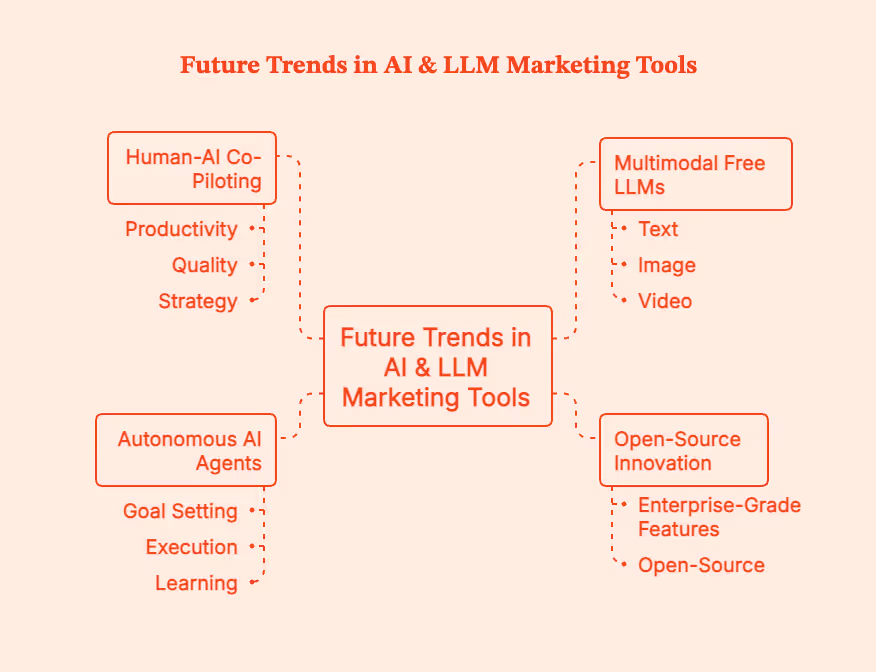
Here's how AI is set to change economic and creative landscapes globally:
Free AI tools for marketing have become one of the most accessible superpowers in any team's toolkit. Generate ad copy, design visuals, analyze customer behaviour, and test campaign ideas while spending zero dollars.
However, do not delude yourself: the brainwork is still all you.
Free AI models will make you faster, sharper, and more creative than ever.
Factors.ai will help you understand which content actually moves revenue.
Together, they will turn marketing chaos into insight and speed into impact.
Ready when you are.
FAQs for Best Free AI Tools for Marketing
Q. What is the difference between free AI tools and paid ones?
Free tools help you experiment; paid tools help you scale. Most free AI tools can get some real work done, like draft content, generate visuals, schedule posts, and analyze trends.
But paid tiers unlock features like higher usage limits, faster processing, advanced integrations, wider collaboration features, and improved privacy.
Q. Can startups rely only on free tools?
Yes, many do.
Early-stage teams can even run entire marketing operations on free CRMs, free AI models, free analytics, and free scheduling tools.
But free tools are mostly useful for testing strategy. Paid tools help execute that strategy at scale.
Q. Are free LLMs effective for content quality?
Yes. Open-source models like Llama 3 and Mistral 7B can help you create blog outlines, short-form copy, summaries, brainstorming, ad variations, and social captions
Q. How can Factors.ai enhance free AI workflows?
Free AI tools help create content, and Factors helps you measure how that content actually performs. Users can, for instance,
- connect their AI-generated content & campaigns to actual conversions.
- monitor which ad variations perform best.
- map revenue back to channels, ads, and creatives.
- track ICP engagement and pipeline impact.
- get unified, AI-powered analytics on their efforts.
Q. When should I upgrade from free to paid?
Upgrade when free starts costing you more than it saves. Make the shift when:
- you’re hitting usage caps every week.
- your team needs collaboration + sharing features.
- you need advanced integrations (CRM, ads, analytics).
- you want to scan paid channels or outbound.
Use AI to Make Yourself Irreplaceable
Free AI tools for marketing have become one of the most accessible superpowers in any team's toolkit. Generate ad copy, design visuals, analyze customer behavior, and test campaign ideas while spending zero dollars.
However, do not delude yourself: the brainwork is still all you.
Free AI models will make you faster, sharper, and more creative than ever.
Factors.ai will help you understand which content actually moves revenue.
Together, they will turn marketing chaos into insight and speed into impact.
Ready when you are.
Summary
Artificial intelligence has become foundational to modern marketing, with free AI tools enabling businesses to create content, design visuals, automate posting, and analyze performance without spending.
Major categories include language and writing models (Copy.ai, Jasper free, Writesonic), design tools (Canva Magic Studio, Adobe Firefly Free), social media automation (Buffer, Hootsuite Free), and analytics platforms (Google Trends, Factors.ai). There are also CRM and automation tools like HubSpot Free CRM, MailerLite, and Brevo.
The best free LLMs for marketing workflows include Mistral 7B, Llama 3, Gemini 1.5, and models available on Hugging Face.
Choosing the right AI tool requires evaluating scalability, data privacy, integrations, and community support. Marketers should avoid pitfalls such as data leakage, free-tier limits, and fragmented workflows.
Best practices include introducing AI to one workflow at a time, maintaining human oversight, feeding clean data, and measuring outcomes consistently. As AI evolves, marketers will benefit from multimodal LLMs, autonomous AI agents, and deeper human-AI collaboration.

Factors.ai vs Vector
See Factors.ai as a Vector alternative. Compare both across features, pricing, use-cases, GTM visibility, ad activation, CRM integration, and funnel analytics.
TL;DR
- Targeting Approach: Vector identifies individual visitors for ad targeting; Factors.ai builds a complete picture of buying groups, intent strength, and engagement across your funnel.
- Ad Activation: Vector supports manual syncs for LinkedIn, Google, and Meta; Factors.ai automates ad campaigns using real-time signals and feedback loops via AdPilot.
- Analytics & Attribution: Factors.ai links engagement to revenue with Milestones, Account360, and multi-touch attribution. Vector provides surface-level visitor and ad performance insights.
- Best Fit: Choose Vector for quick setup and contact-level targeting. Choose Factors.ai if you want a connected GTM system with automation, funnel clarity, and sales-ready alerts.
Most marketing dashboards tell you who visited your website. Very few tell you what to do about it.
I’ve been in enough GTM review calls to know how this usually goes. Someone pulls up traffic numbers. Someone else asks if those visits are ‘good traffic.’ Sales asks if any of those visitors are actually worth calling. And the room goes quiet because… we don’t really know.
This is exactly where tools like Vector and Factors.ai come into the picture.
Both promise to turn anonymous website activity into something actionable. Both talk about intent, identification, and better targeting. But under the hood, they solve very different problems and are built for very different kinds of teams.
Vector zooms in on people. It helps you see the real humans behind your website visits and turn them into usable audiences fast.
Factors.ai takes those insights a little further. It connects website intent with ads, CRM data, and sales activity, so you can see how interest actually moves through your funnel and into revenue.
If you’re trying to decide which one fits your GTM setup, this guide walks through how each platform works, where they genuinely shine, and where their limits start to show.
Factors.ai vs Vector: Functionality and Features
When comparing Factors.ai and Vector, the difference begins with how each platform defines visibility and action.
When I evaluate tools like this, I ask one simple question first:
Does this give me insight, or does it give me work?
Some platforms surface data and expect you to figure out the next step. Others are designed to guide action across marketing and sales. That distinction shows up very quickly when you look at how Factors.ai and Vector handle visibility and activation.
Look, both are built to help marketing teams understand who’s engaging with their brand, but the depth of their insights, automation, and impact on the GTM funnel set them apart.
Let’s take a closer look at their core functionalities.
Feature Comparison
If your GTM motion is still very marketing-led, contact-level visibility can be a huge upgrade. But once sales, revenue ops, and leadership start asking deeper questions about pipeline quality and deal momentum, surface-level insights are no longer enough.
Factors.ai’s Functionality and Features
Factors.ai focuses on visibility that drives action.
It brings account and contact intelligence into one ecosystem, showing who is engaging, how they’re progressing, and when it’s time to act.
Key capabilities include:
- Identifying both known and anonymous visitors through enriched data signals.
- Tracking engagement across ads, CRM, and website journeys.
- Scoring accounts and contacts based on intent, fit, and funnel stage.
- Activating campaigns automatically through LinkedIn and Google AdPilot.
- Delivering actionable alerts that guide sales outreach at the right time.
Every feature works toward a single goal, helping GTM teams connect marketing performance to actual revenue movement.
What stands out about Factors.ai is that it treats intent as ‘something that evolves’. A pricing page visit after a demo means something very different from the same visit at the top of the funnel. Factors doesn’t just capture that activity, it contextualises it across the entire account journey.
Vector’s Functionality and Features
Vector defines its value through contact-level precision.
It helps marketers uncover the real people visiting their website, convert anonymous traffic into named contacts, and create highly targeted ad audiences.
Key capabilities include:
- Contact-level website identification and enrichment.
- Audience building for ad platforms like LinkedIn, Google, and Meta.
- Slack notifications when key visitors match ICP filters.
- Focused engagement analytics for tracking visitor behavior.
While Vector excels at revealing who’s behind your website traffic, its scope remains limited to identification and targeting. The absence of deeper analytics, scoring, or automation means GTM teams may still need multiple tools to close the intelligence gap.
Vector might be useful in moments where speed matters. When teams want quick answers to “who is on our site right now?” and “can we reach them with ads immediately?”, its contact-level focus delivers fast wins without a steep setup curve.
Factors.AI vs Vector: Verdict on Functionality & Features
Both tools help marketing teams uncover intent and act on engagement.
However, Factors.ai offers a more complete view, combining identification, analytics, scoring, and activation within one platform.
It not only reveals who is engaging but also connects every touchpoint to why and what’s next.
In short:
Factors.ai = Unified GTM functionality built for revenue action.
Vector = Contact-level precision focused on audience targeting.
If you’ve ever wondered who’s really visiting your website before they fill out a form, you’ll love this detailed guide on how to identify website visitors.
Factors.ai vs Vector: Pricing
Pricing pages often reveal more about a product’s philosophy than its feature list. Some tools optimize for simplicity and quick adoption. Others are built to grow alongside complex GTM teams. You can see that difference clearly in how Vector and Factors.ai structure their plans.
While Vector focuses on straightforward, contact-based tiers for marketers starting with lead identification, Factors.ai uses a structured usage and seat-based model that scales with growing GTM operations.
Here’s how both compare.
Pricing Comparison
Factors.ai’s Pricing
Factors.ai uses a transparent, tier-based model that adapts as teams grow.
Its plans are designed to fit GTM teams at every stage, from small marketing operations to large enterprises running advanced automation.
The four tiers include:
- Free Plan: 200 identified companies/month, up to 3 seats, starter dashboards, Slack integration.
- Basic Plan: 3,000 companies/month, 5 seats, LinkedIn intent signals, GTM dashboards, HubSpot/Salesforce integrations.
- Growth Plan: 8,000 companies/month, 10 seats, ABM analytics, LinkedIn attribution, G2 intent signals, and workflow automation.
- Enterprise Plan: Unlimited identification, predictive account scoring, Google and LinkedIn AdPilot, Milestones analytics, and dedicated onboarding support.
The model keeps pricing flexible as teams pay for usage and access, not inflated bundles.
It’s straightforward, scalable, and designed for predictability.
Factors’ structure offers predictability. As teams add more motion like ABM, multi-channel attribution, or paid activation, pricing scales with usage rather than forcing an early jump into enterprise-only bundles.
Vector’s Pricing
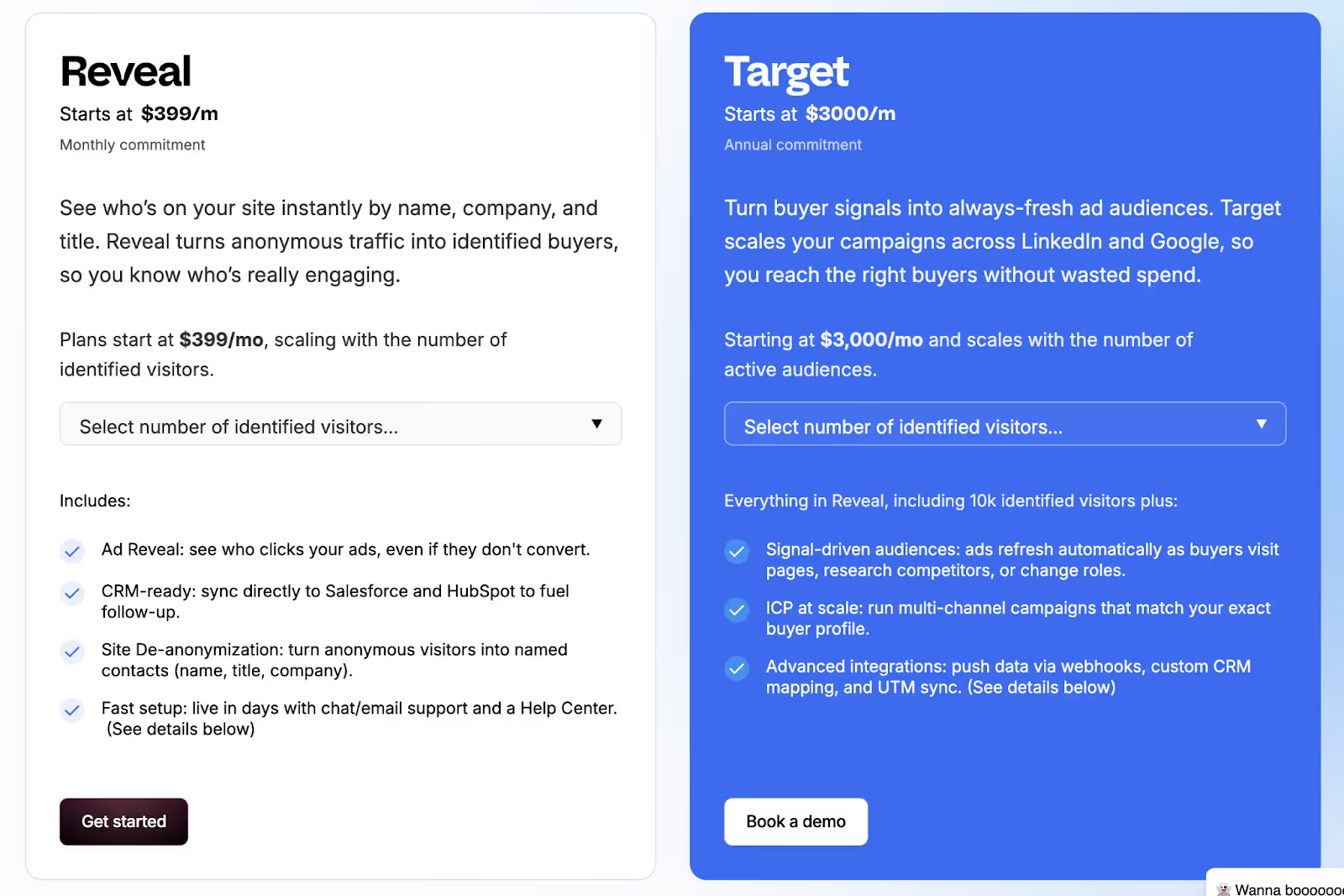
Vector offers simple, contact-focused pricing aimed at marketing teams that prioritize identification and ad targeting.
Its plans are designed for quick onboarding and smaller-scale usage, with fixed limits based on visitor volume and audience count.
The main pricing tiers are:
- Reveal Plan: Starts at $399/month for up to 2,500 identified visitors.
- Target Plan: Starts at $3,000/month (annual commitment) for 25 audiences, offering more precision in targeting and campaign setup.
The structure works well for lean marketing teams looking to turn traffic into named leads without investing in broader analytics or automation systems.
However, it lacks the scalability or flexibility that GTM teams need as they expand.
Vector’s pricing makes sense if identification and audience creation are your primary goals. For lean teams running focused campaigns, fixed tiers can be easier to justify than flexible, usage-based models.
Factors.ai vs Vector: Verdict on Pricing
Both pricing models serve their intended users well.
Vector offers accessible pricing for teams focused on contact-level insights and ad targeting. It’s straightforward but limited in growth potential.
Factors.ai, meanwhile, provides a scalable structure that grows with your GTM maturity, from initial experimentation to enterprise-level orchestration.
It’s transparent, flexible, and built for teams that expect long-term expansion.
In short:
Factors.ai = Tiered, scalable pricing designed for evolving GTM teams.
Vector = Simple contact-based pricing suited for smaller marketing setups.
Before choosing a plan, this ABM platform pricing guide helps you evaluate usage-based vs seat-based models with real examples.
Factors.ai vs Vectors: CRM and Integrations
How well a platform connects with your existing tools decides how useful it really is.
Marketing and sales teams work faster when data moves freely between systems, from ads to CRM to analytics.
That’s where the difference between Factors.ai and Vector becomes clear.
CRM and Integration Comparison
Factors.ai’s CRM and Integrations
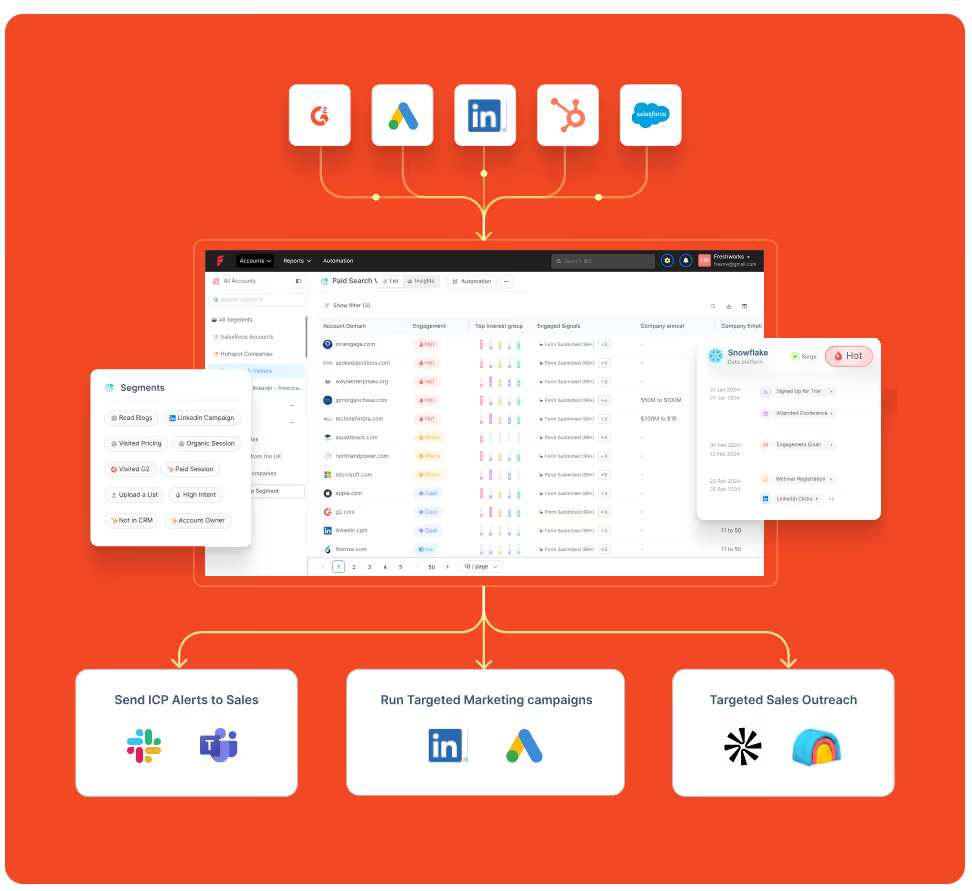
Factors.ai is built to fit neatly into a team’s existing tech stack.
It doesn’t stop at connecting with CRMs and brings together ad data, website activity, and intent signals into one connected view.
Teams can:
- Sync leads and account data directly from HubSpot or Salesforce.
- Track ad campaign results from Google, LinkedIn, and Facebook.
- Use webhooks to push alerts or automate follow-up actions.
- Keep sales teams in the loop with Slack notifications.
One thing GTM teams often underestimate is how much time context switching costs. When website data, CRM updates, and ad performance are managed in different tools, alignment slows. Factors.ai reduces that friction by pulling everything into one operating layer. It saves time and gives both marketing and sales a single source of truth.
Vector’s CRM and Integrations
Vector keeps its integrations simple and focused on contact-based data.
Its strength lies in connecting identified visitors and contact lists with popular marketing and ad platforms.
Marketers can:
- Sync identified contacts into Salesforce or HubSpot.
- Build LinkedIn and Google ad audiences using real visitor data.
- Get quick Slack alerts when an ICP visitor appears on the site.
The integrations work well for audience building and outreach, but they stop short of deep analytics or closed-loop measurement. Teams may still need extra tools to connect data between campaigns and revenue.
Factors.ai vs Vector: CRM and Integrations
Both tools connect with core marketing systems, but their focus is different.
Vector helps marketers transfer identified contacts into ads and CRMs quickly.
It’s simple and effective for top-of-funnel targeting.
Factors.ai goes deeper. It connects every tool, syncs real-time intent data, and lets teams act on insights without juggling multiple platforms.
That makes it a better fit for teams that want every part of their funnel including marketing, sales, and analytics, working in sync.
In short:
Factors.ai = Seamless, connected GTM integrations.
Vector = Straightforward contact syncs for ad targeting.
Factors.ai vs Vector: Intent Intelligence and Identification
Knowing who’s interested is one thing. Knowing how serious they are and what stage they’re in is what separates average marketing tools from real GTM intelligence.
Both Vector and Factors.ai help teams identify intent, but they look at it from two different levels.
Vector focuses on people.
Factors.ai looks at the entire buying group behind an account.
Intent and Identification Comparison
Factors.ai’s Intent Intelligence and Identification
Factors.ai doesn’t just detect intent and reads the full story behind it.
Its system captures signals from your website, ads, CRM, and product touchpoints, then connects them to the right accounts.
Here’s what makes it stand out:
- Tracks how buying interest builds across different channels.
- Scores accounts based on intent strength and engagement type.
- Identifies multiple people within an account to uncover buying groups.
- Uses Milestones to show how each interaction moves an account closer to revenue.
For marketing and sales teams, this means less guessing and more focused outreach.
Instead of reacting to clicks, they can act on clear buying intent from real accounts that are ready to engage.
Vector’s Intent Intelligence and Identification
Vector focuses on identifying the individuals behind website traffic.
It turns anonymous visitors into named contacts, complete with company and role details, so marketers can reach out faster.
Its strength lies in contact-level clarity. Teams can see exactly who visited their pages, which content they viewed, and how often they returned.
Vector also enriches this data with off-site intent signals to identify relevant contacts earlier in their research journey.
While this precision helps create targeted ad audiences, the scope ends there. Vector doesn’t map the larger buying group or track multi-channel engagement, which limits visibility into how intent turns into actual pipeline movement.
Factors.ai vs Vector: Verdict on Intent Intelligence & Identification
Vector shines in helping marketers uncover individual leads quickly. It’s a strong fit for teams that prioritize contact-level targeting and ad activation.
Factors.ai, however, delivers a broader picture, connecting people, accounts, and signals into one view. Its ability to track every step of a buying journey gives GTM teams a clear advantage when aligning marketing and sales.
In short:
Factors.ai = Full-funnel intent intelligence built around buying groups.
Vector = Contact-level insights for faster audience targeting.
If account prioritization interests you, check this practical account scoring guide to learn how AI-based scoring works across GTM stacks.
Factors.ai vs Vector: Ad Activation and Audience Targeting
Once you’ve identified the right audience, the next step is making sure your ads reach them when they’re most likely to respond.
Both Factors.ai and Vector handle this well, though in very different ways.
Vector focuses on contact-level targeting and manual precision.
Factors.ai focuses on automation and smart activation that adapts in real time.
Ad Activation and Audience Targeting Comparison
Factors.ai’s Ad Activation and Audience Targeting
Factors.ai brings automation and accuracy together to simplify ad activation.
It ensures every campaign is aligned with live intent data and optimized automatically for performance.
Key highlights:
- Syncs audiences from CRM, website, or product data.
- Keeps lists updated daily with the latest engagement signals.
- Builds funnel-specific campaigns for better alignment.
- Sends conversion data back to Google and LinkedIn for ongoing optimization.
Every part of the process is designed to save time and make marketing spend more predictable.
Teams can focus on strategy instead of manually updating lists or tracking conversions across tools.
Vector’s Ad Activation and Audience Targeting
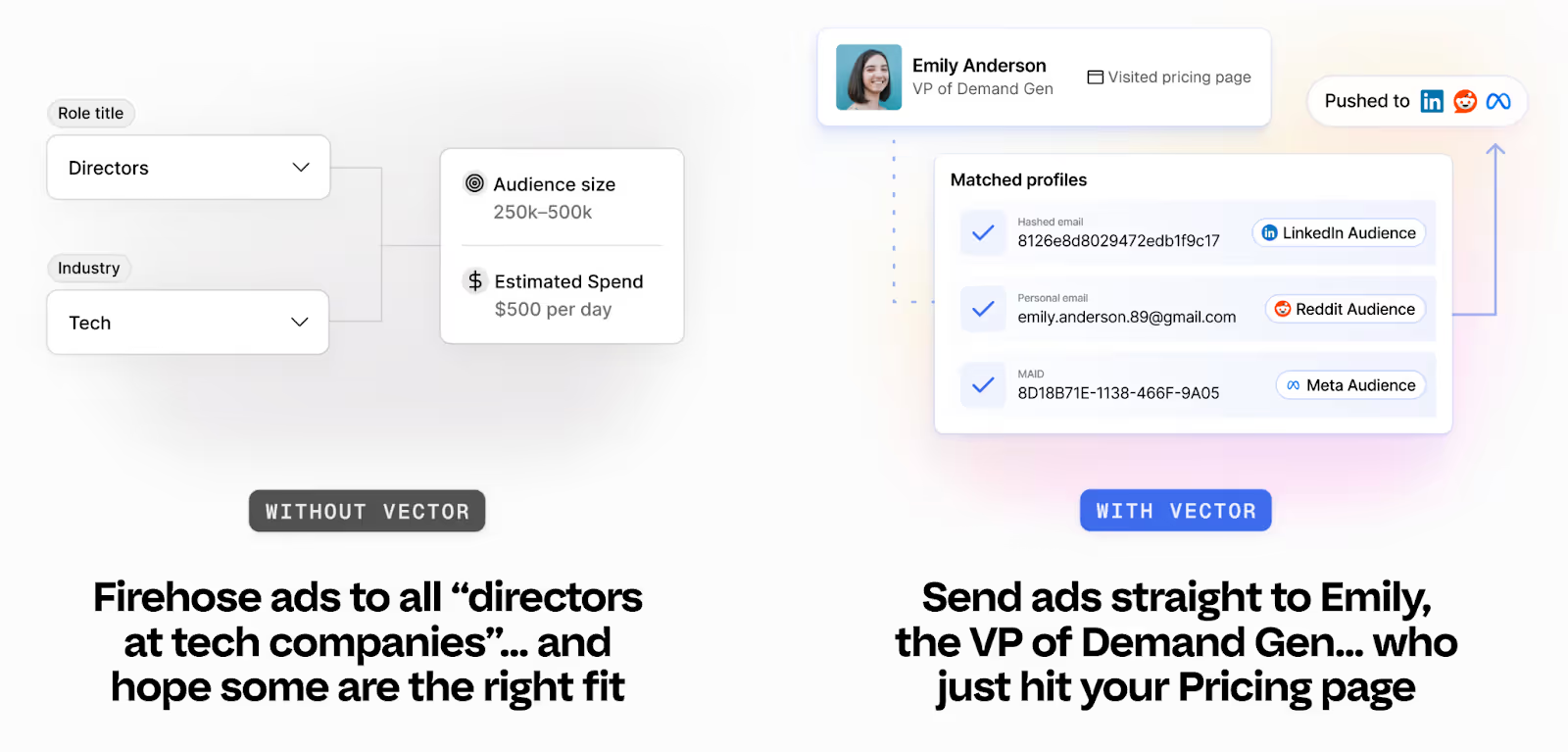
Vector takes a more hands-on route to audience activation.
It’s built for marketers who prefer direct control over targeting and ad execution.
Notable capabilities:
- Creates precise audience lists using contact-level identification.
- Syncs audiences to LinkedIn, Google, and Meta quickly.
- Targets visitors showing specific behavioral or intent patterns.
- Reduces wasted ad spend by focusing on verified, high-value contacts.
Vector’s audience controls are reliable and easy to use, especially for teams that prefer working directly inside ad platforms.
The only limitation is its manual workflow as marketers need to update audiences and optimize pacing on their own, which can slow down execution at scale.
Factors.ai vs Vector: Verdict on Ad Activation and Audience Targeting
Vector gives marketers accuracy and control.
It’s well suited for smaller or mid-size teams running targeted, hands-on campaigns.
Factors.ai, on the other hand, brings automation to every part of the process, from identifying active accounts to refreshing audiences and syncing conversion data.
It helps teams run smarter campaigns with less manual effort.
In short:
Factors.ai = Automated ad activation with live intent and funnel targeting.
Vector = Manual control for teams focused on contact-level precision.
Factors.ai vs Vector: Analytics and Funnel Insights
Once campaigns are live, the real work begins, understanding what’s driving results.
Analytics turn actions into clarity. Without them, you’re just guessing which campaigns work and which ones don’t.
Both Vector and Factors.ai offer reporting tools, but they serve very different needs.
Vector helps you see engagement at the contact level.
Factors.ai helps you connect every touchpoint to actual revenue.
Analytics and Funnel Insights Comparison
Factors.ai’s Analytics and Funnel Insights
Factors.ai treats analytics as the backbone of demand generation.
It measures clicks or impressions but goes beyond that and maps how accounts actually move through the funnel and contribute to the pipeline.
Key features include:
- Milestones: Tracks how accounts progress from interest to opportunity.
- Account360: Brings all engagement data into one dashboard for complete visibility.
- Multi-touch attribution: Connects campaigns to revenue with proof of impact.
- Segment-level analysis: Lets teams compare channels, campaigns, and cohorts easily.
- Custom dashboards: Helps different teams like marketing, sales, leadership see the metrics that matter most.
This depth helps GTM teams understand why things work, not just what worked.
It connects marketing effort directly to business outcomes, making optimization more strategic and measurable.
Vector’s Analytics and Funnel Insights
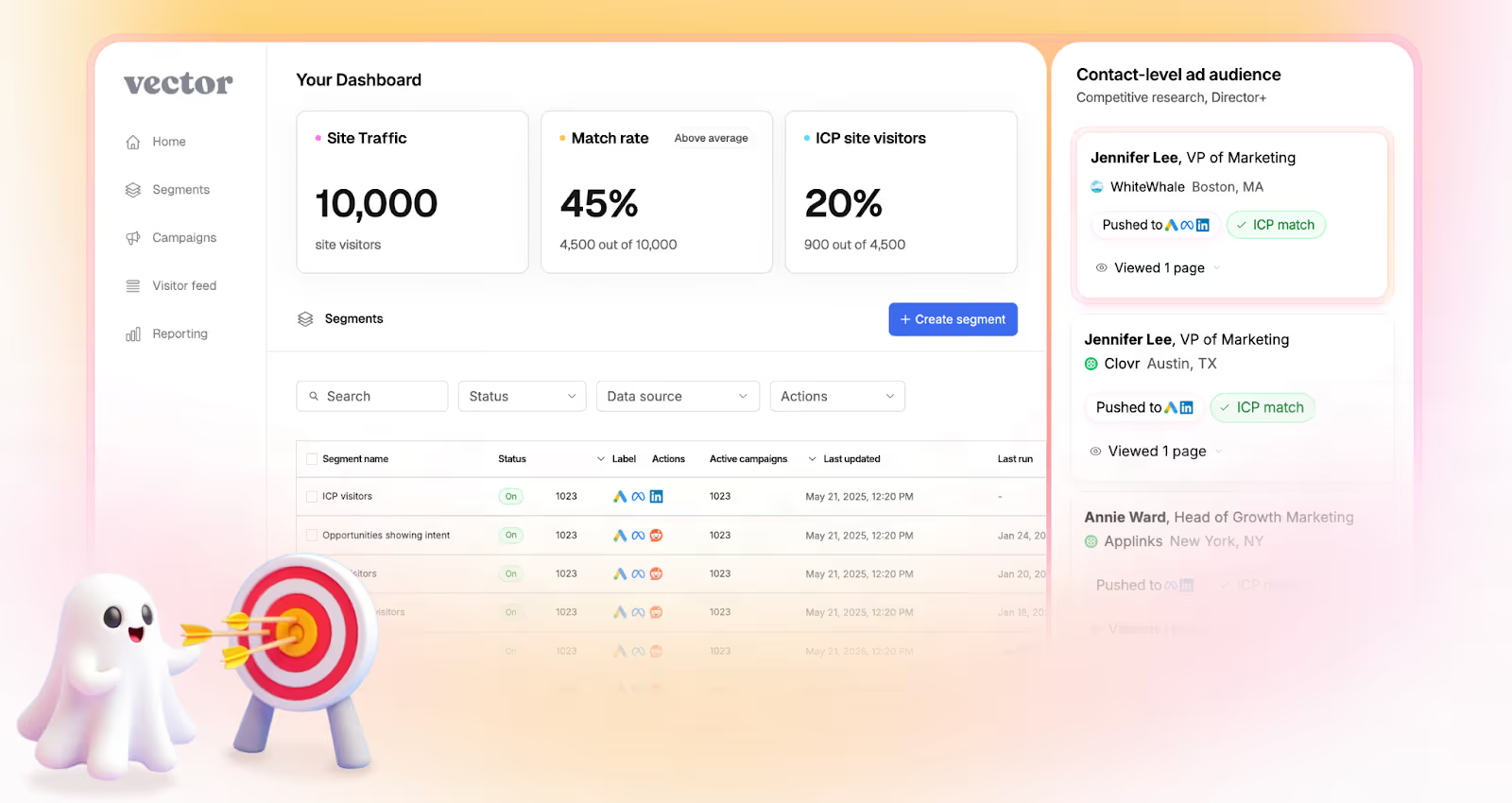
Vector keeps its analytics focused on engagement clarity.
Its reports help marketers understand who’s interacting with their site and how those visitors behave before conversion.
Notable analytics capabilities:
- Tracks visitor sessions and engagement by page or campaign.
- Shows top-performing audiences for ad targeting.
- Provides metrics for impressions, clicks, and return visits.
- Highlights which ICP visitors are most active.
This focus gives teams a straightforward view of campaign traction and audience quality.
However, it stops short of full-funnel insights as once leads are passed to sales or move into CRM, tracking becomes disconnected.
Factors.ai vs Vector: Verdict on Analytics & Funnel Insights
Vector delivers clear engagement analytics that help marketers understand visitor behavior.
It’s simple, fast, and fits teams that want to optimize ads and audiences without deep analytics setup.
Factors.ai, in comparison, brings end-to-end visibility.
Its analytics link marketing data, sales activity, and revenue outcomes in one place, giving teams the clarity to scale intelligently.
In short:
Factors.ai = Full-funnel analytics with revenue attribution.
Vector = Engagement insights focused on contact activity.
If you want to know how to connect CRM and ad systems efficiently, this CRM workflow automation guide walks through live examples.
Factors.ai vs Vector: Alerts and Real-Time Sales Enablement
Timing often decides whether interest turns into a sale.
When a potential customer revisits your site, downloads a resource, or reopens a demo page, that moment can be the difference between engagement and a lost deal.
That’s why real-time alerts and enablement tools matter.
They keep sales teams connected to buyer activity the instant it happens.
Both Vector and Factors.ai include alerting features, but their depth and context differ.
Alerts and Real-time Sales Enablement Comparison
Factors.ai’s Alerts & Real-Time Sales Enablement
Factors.ai builds alerts around action, not just activity.
Each alert is tied to context that helps sales teams understand why a lead is engaging and how to respond.
Key features include:
- Sends instant notifications for high-value actions such as demo page revisits or pricing views.
- Shows full context like who the contact is, what they did, and how engaged their account is.
- Helps teams prioritize follow-ups by highlighting the funnel stage and buying intent.
- Triggers workflows, like adding the lead to retargeting campaigns or notifying account owners instantly.
These alerts work like a live bridge between marketing signals and sales motion.
Instead of waiting for weekly reports, teams act while interest is still fresh.
Vector’s Alerts & Real-Time Sales Enablement
Vector keeps its alerting simple and focused on visibility.
It helps teams stay informed when an ICP visitor lands on key pages or returns to the site.
Its capabilities include:
- Sends notifications to Slack when a qualified visitor is identified.
- Shares basic visitor information such as company, role, and page viewed.
- Helps sales reps spot potential opportunities earlier.
- Encourages quick outreach to active visitors.
The simplicity works for teams that want instant awareness but don’t need deeper analytics or automation.
However, alerts in Vector stop at “who” and “where.”
The “why,” or what to do next, still relies on manual interpretation.
Factors.ai vs Vector: Verdict on Alerts & Sales Enablement
Vector provides quick visibility into visitor activity, which is helpful for smaller teams that rely on manual follow-ups.
It’s simple, direct, and easy to set up.
Factors.ai, however, connects each alert to real buying intent.
By combining context, automation, and funnel insight, it turns notifications into guided actions for sales teams.
In short:
Factors.ai = Smart alerts that drive timely, informed outreach.
Vector = Simple activity alerts for faster awareness.
Factors.ai vs Vector: Support and Ease of Use
As much a platform’s value is in its features, it’s also in how quickly teams can get started and how smoothly they can use it day to day.
Support, onboarding, and usability decide whether a tool feels like an asset or another burden to manage.
Both Factors.ai and Vector are designed for marketing teams, but their approaches to setup and support differ.
Support and Ease of Use Comparison
Factors.ai’s Support and Ease of Use
Factors.ai puts strong emphasis on collaboration during onboarding.
It’s built to help GTM teams get up and running quickly, without needing heavy technical support.
Key highlights:
- Step-by-step onboarding with guidance from product specialists.
- Dedicated customer success manager for Growth and Enterprise plans.
- Direct Slack support for quick queries or troubleshooting.
- Regular sync sessions to review campaigns and performance.
- Easy-to-use dashboard that feels intuitive even for new users.
This structure helps teams start fast and grow confidently, especially when multiple departments are involved.
Vector’s Support and Ease of Use
Vector focuses on simplicity and speed.
Its setup is lightweight, making it easy for teams to start identifying visitors and syncing data almost immediately.
Main strengths include:
- Quick installation using a single website pixel.
- Straightforward dashboard for visitor insights and contact lists.
- Slack and email-based support for basic assistance.
- Fast adoption for small teams with limited technical involvement.
While Vector is easy to set up, its support model is more self-directed.
Larger teams may need to rely on internal resources when troubleshooting or scaling integrations.
Factors.ai vs Vector: Verdict on Support & Ease of Use
Vector wins on simplicity as it’s fast to install and easy to understand, especially for smaller teams.
It’s the kind of setup you can complete in a day and start seeing results soon after.
Factors.ai, on the other hand, provides more structure and partnership.
Its dedicated support, guided onboarding, and ongoing collaboration make it a better fit for teams that want long-term reliability and shared growth.
In short:
Factors.ai = Guided onboarding and hands-on support for scalable teams.
Vector = Quick setup and simple workflows for smaller teams.
For teams evaluating vendor security frameworks, see analytics and attribution, which outlines how Factors.ai handles certification and data governance.
Factors.ai vs Vector: Security and Compliance
Data security is one of those things teams rarely think about until something goes wrong.
But when you’re handling customer information, CRM data, and campaign insights, security is a requirement.
Both Factors.ai and Vector take security seriously.
Each has built safeguards into their systems, though the level of transparency and certification differs.
Security and Compliance Comparison
Factors.ai’s Security and Compliance

Factors.ai maintains enterprise-grade security standards built around transparency and control.
Its infrastructure, hosted on Google Cloud Platform, is backed by industry certifications and strong internal policies.
Key security practices:
- Encrypts all customer data both in transit and at rest.
- Uses strict access management through IAM roles and two-factor authentication.
- Follows a defined incident response and recovery plan led by a Data Protection Officer.
- Backs up customer data regularly in multiple geographic locations.
- Adheres to GDPR and CCPA frameworks with full documentation available.
The result is a clear, auditable security model.
Customers know where their data is stored, who can access it, and how it’s protected.
Vector’s Security and Compliance
Vector follows secure data practices designed to align with global privacy regulations, including the GDPR, CCPA, CASL, PIPEDA, LGPD, POPIA, and PDPA.
The platform emphasizes transparency and accountability, particularly for teams handling customer data responsibly.
Key measures include:
- Preparing for SOC 2 Type 2 compliance, reflecting commitment to high security and operational standards.
- Supporting GDPR compliance and offering Data Processing Agreements (DPA) to customers upon request.
- Operating with strong privacy safeguards across multiple regions, while being transparent about its U.S.-based infrastructure.
- Using industry-standard encryption and security controls (specific encryption standards are not publicly detailed).
Vector’s privacy framework shows an active effort to meet major international data-protection laws.
Factors.ai vs Vector: Verdict on Security & Compliance
Both tools handle data responsibly and maintain solid privacy standards.
Vector aligns with major frameworks like GDPR and CCPA, offers DPAs on request, and is preparing for SOC 2 Type 2 compliance. While its infrastructure is primarily U.S.-based and lighter on certifications, its transparency and privacy focus make it reliable for teams needing straightforward compliance.
Factors.ai adds stronger credentials with global certifications, defined access controls, and incident management which is ideal for organizations seeking enterprise-level assurance.
In short:
- Factors.ai = Certified and enterprise-ready.
- Vector = Transparent and GDPR-aligned, but lighter on formal proof.
Factors.ai vs Vector: Overall Verdict and Recommendations
Both Factors.ai and Vector solve one of marketing’s toughest problems: understanding who’s engaging and how to act on it.
But they take very different routes to get there.
Vector is built for precision at the contact level.
Factors.ai is built for visibility across the entire buying journey.
Factors.ai vs Vector: Comparison Recap
Why You’d Choose Factors.ai
- Brings everything like intent, analytics, and activation, into one connected system.
- Automates campaigns and alerts, reducing manual work for GTM teams.
- Tracks performance from first engagement to closed revenue.
- Offers structured onboarding, deep integrations, and strong data protection.
It’s best suited for teams that want to grow with data, not just react to it.
Why You’d Choose Vector
- Helps identify real people visiting your website.
- Builds accurate, ready-to-use audiences for ad platforms.
- Simple, quick setup that delivers results fast.
- Works well for small teams focused on contact-level targeting.
It’s a strong fit for marketers who want actionable insights without the need for complex setup or analytics depth.
FAQs for Factors.ai vs Vector
Q. What is the main difference between Factors.ai and Vector?
The biggest difference lies in scope.
Vector focuses on identifying individual people behind website visits and turning them into usable ad audiences. Factors.ai looks at the entire account journey, connecting website intent with ads, CRM activity, sales engagement, and revenue outcomes in one unified view.
Q. Is Factors.ai only meant for large enterprise teams?
No. Factors.ai is built to scale, but it’s not limited to enterprises.
Smaller and mid-size B2B teams often start with basic identification and dashboards, then grow into features like account scoring, attribution, and automated ad activation as their GTM motion matures.
Q. Is Vector a replacement for a full GTM analytics platform?
Not really.
Vector works well as an identification and audience-building tool, especially at the top of the funnel. Most teams using Vector alongside CRMs and ad platforms still rely on additional tools for funnel analytics, attribution, and revenue tracking.
Q. Which tool is better for account-based marketing (ABM)?
Factors.ai is better suited for ABM.
It tracks buying groups, scores accounts by intent and fit, and shows how engagement progresses across the funnel. Vector operates primarily at the contact level and doesn’t offer native account-level or buying-group visibility.
Q. Can both tools identify anonymous website visitors?
Yes, but in different ways.
Vector focuses on converting anonymous visits into named contacts. Factors.ai identifies anonymous visitors at the account level first, then enriches them with intent, engagement, and CRM context to guide next actions.
Q. Does Factors.ai support ad activation and automation?
Yes.
Factors.ai includes AdPilot, which automatically syncs audiences to LinkedIn and Google, refreshes them based on live intent signals, and sends conversion data back to ad platforms for optimization. Vector supports audience sync but relies more on manual activation.
Q. Which platform offers better analytics and reporting?
Factors.ai offers deeper analytics.
It provides full-funnel visibility, Milestones tracking, multi-touch attribution, and Account360 dashboards that connect marketing activity directly to revenue. Vector’s analytics are focused on engagement and visitor activity rather than pipeline outcomes.
Q. Is Vector easier to set up than Factors.ai?
Yes, generally.
Vector’s setup is lightweight and fast, usually involving a simple pixel installation. Factors.ai takes slightly longer to implement but offers guided onboarding and deeper integrations that support long-term GTM workflows.
Q. How do alerts differ between Factors.ai and Vector?
Vector sends basic alerts when an ICP visitor is identified.
Factors.ai sends context-rich, AI-powered alerts that include intent level, funnel stage, and recommended actions, helping sales teams prioritize outreach more effectively.
Q. Which tool should I choose if my team is just starting with intent data?
If your goal is quick visibility into who’s visiting your site and building targeted ad audiences, Vector is a strong starting point.
If you’re planning to align marketing, sales, and revenue data into one system as you grow, Factors.ai offers a more future-ready foundation.

Factors.ai vs Warmly: Which B2B GTM Platform Fits Your Playbook?
Compare Factors and Warmly, two leading B2B visitor identification platforms, across features, pricing, analytics, and support to find the best fit for your sales motion
If you’ve been exploring AI tools for GTM automation, you’ve probably crossed paths with Factors and Warmly. On the surface, they look like twins, both promise real-time intent, AI agents, and faster pipelines. But dig deeper, and you’ll see one’s a finely built ship, the other’s just spotting ripples on the surface.
Factors.ai is built to tame the Kraken; it brings your website, ads, CRM, and analytics into one coordinated crew. Every signal, every campaign, every touchpoint sails in sync. Warmly’s the lookout in the crow’s nest, fast to spot intent, quick to shout ‘Hey, there’s movement!’ before rowing to the next account.
Both useful, just different missions. One helps you chart a course. The other helps you chase waves.
In this guide, we’ll compare how each handles functionality, pricing, analytics, ad activation, support, and compliance, so you can decide which ship actually gets your GTM where it’s meant to go.
Factors.ai vs Warmly: Functionality & Features
When you look at Factors and Warmly, both seem to help GTM teams spot intent and automate engagement with AI. But under the surface, their focus and depth are quite different.
Let’s start with a quick overview.
Factors.ai Features and Functionality
Factors goes beyond showing who’s interested and helps your team understand why and what to do next.
Key capabilities include:
- Unified View of Every Account (Account 360)
- Connects website, ad, CRM, and product data into one sortable view of every account.
- Tracks every touchpoint, from first visit to closed deal, ensuring no high-intent account slips through the cracks.
- Aligns marketing, sales, and RevOps with a single source of truth for all GTM activity.
- High Coverage Identification
- Identifies 75%+ of anonymous visitors through waterfall enrichment across Snitcher, 6sense, Demandbase, and Clearbit.
- Tracks intent signals across stages and syncs them directly with CRMs and ad platforms.
- AI Agents That Do the Work
- Handle account research, buying group mapping, post-meeting tracking, and closed-lost reactivation automatically.
- Send real-time Slack or Teams alerts for key actions like form-fill drop-offs or demo revisits.
- Surface the right contacts within each account and provide personalized outreach insights, so reps always know who to engage and when.
- Cross-Platform Activation with AdPilot
- Integrates seamlessly with HubSpot, Salesforce, LinkedIn Ads, Google Ads, and G2.
- AdPilot automates retargeting and audience syncs, optimizing campaigns using CRM and engagement data.
- Includes Google CAPI and Audience Sync for high-precision targeting, budget efficiency, and buyer-stage-specific campaigns.
- Keeps audiences fresh with daily automated updates, ensuring your ads always reach in-market accounts.
- Advanced Account & Contact Scoring
- AI prioritizes outreach by scoring accounts and contacts based on ICP fit, funnel stage, and engagement intensity.
- Helps GTM teams focus on high-potential opportunities instead of low-value leads.
Together, these capabilities turn intent data into coordinated action, helping GTM teams build pipeline more efficiently.
Warmly Features and Functionality
Warmly focuses on helping reps connect with buyers while they’re still active. It’s built around real-time engagement and person-level signals.
- Multi-Layered Intent System
- First-party data from website behavior and visits.
- Second-party data from LinkedIn (funding, job changes).
- Third-party data from competitor or keyword-based interactions.
- Warmly AI Chat
- Engages visitors automatically.
- Qualifies, shares resources, and can book meetings instantly.
- AI Agents Across the Funnel
- Marketing Ops for targeting and routing.
- Demand Gen for campaigns.
- SDR and Co-Pilot agents for automated lead engagement.
- Integrated Workflow
- Connects with HubSpot, Salesforce, Slack, LinkedIn Ads, and Google Ads.
- Keeps reps informed with real-time Slack updates.
Warmly helps teams stay quick and responsive when new interest appears, keeping outreach personal and timely.
Factors.ai vs Warmly: Who wins on the feature front?
Warmly does a great job for teams that rely on instant engagement. The person-level data and AI Chat make it ideal for fast outbound and SDR-heavy setups.
Factors.ai, on the other hand, offers a deeper system for GTM teams that want to connect the dots across their entire funnel. It not only spots intent but also structures how your team acts on it.
In short:
- Warmly helps you respond faster, but with a partial view.
- Factors helps you scale smarter and see the full picture.
Factors.ai vs Warmly: Pricing Comparison
Both platforms take very different routes when it comes to pricing. Factors focuses on scalability across tiers, while Warmly builds its model around AI Agents designed for specific GTM goals.
Let’s look at them side by side.
Factors.ai Pricing
Factors follows a structured plan that grows with your GTM needs. It doesn’t limit value to one function but expands across the funnel as your operations scale.
Here’s how it’s set up:
- Free Plan
- Identify up to 200 companies/month
- Includes dashboards, visitor tracking, Slack integration
- Basic Plan
- 3,000 companies/month
- Adds LinkedIn intent signals, GTM dashboards, and ad integrations
- Connects to HubSpot, Salesforce, and Google Search Console
- Growth Plan (Most Popular)
- 8,000 companies/month
- Includes ABM analytics, account scoring, G2 intent data, workflow automation, and a dedicated CSM
- Enterprise Plan
- Unlimited companies and up to 25 seats
- Predictive scoring, AdPilot for Google and LinkedIn, advanced segmentation, and white-glove onboarding
What makes it valuable
- Consolidates multiple tools (visitor ID, attribution, enrichment, ad activation) into one.
- Expands naturally as the team scales and no need to stack point tools.
- GTM Engineering Services can design and automate your entire RevOps setup.
Warmly Pricing
Warmly’s pricing revolves around AI Agents, each designed for a specific motion like outbound, inbound, or marketing operations.
Available Agents:
- Nurture Agent – $16,000/year
- Built for outbound orchestration using intent-based signals
- Includes:
- Native LinkedIn and marketing automation
- Domain warmup
- Lead routing with custom CRM fields
- Push leads to ad audiences or sales sequencers
- SSO and SAML
- Add-on: AI Outbound SDR
- Inbound Agent – $22,000/year
- Designed to increase conversion through engagement and routing
- Includes:
- Warm AI Chat for intent-based conversations
- AI chatbot and live video chat
- Intent-powered pop-ups and calls
- Lead routing with CRM sync
- SSO and SAML
- Add-on: AI Inbound Lead Caller
- Marketing Ops Agent – $25,000/year (Beta)
- Focused on enrichment, scoring, and real-time signal tracking
- Includes:
- AI-powered account scoring and custom signals
- Buying committee identification
- Real-time updates across all signals
- Integrations with HubSpot, Marketo, and LinkedIn Ads
- SSO and SAML
Warmly’s model gives you flexibility to pick only what you need, but it can get expensive as your team grows across multiple functions.
Factors.ai vs Warmly: Who wins on the pricing front?
Warmly offers clear options for teams that want AI Agents focused on specific goals. The annual structure makes sense for dedicated use cases like inbound engagement or outbound automation.
Factors, on the other hand, gives you an all-in-one foundation that grows with your GTM system. Its tiered pricing covers a broader set of needs like analytics, orchestration, and automation without having to buy separate modules.
In short:
- Warmly works well if you want targeted AI Agents for one motion at a time.
- Factors makes more sense if you want one scalable platform to power your full GTM stack.
Factors.ai vs Warmly: Analytics and Attribution
Spotting interest is one thing. Knowing which actions actually turn into revenue is another.
That’s where analytics and attribution become the real test of how strong your GTM platform actually is.
Here’s how Factors and Warmly stack up.
Factors.ai Analytics and Attribution
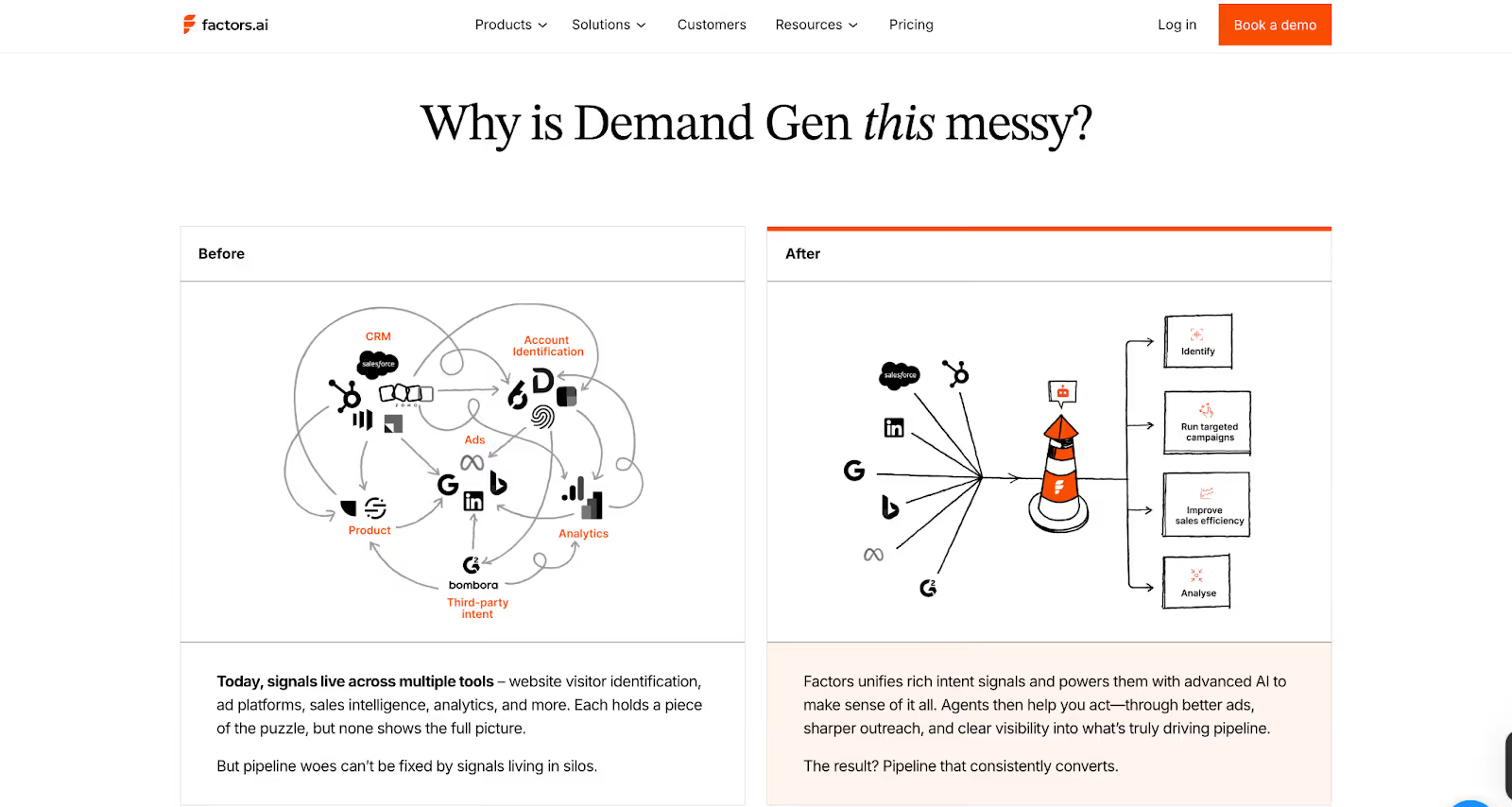
Factors gives your team a complete view of how marketing and sales activity turns into revenue. Every ad click, website visit, or CRM update gets connected in one continuous line, from awareness to closed deal.
Key analytics capabilities include:
- Multi-touch Attribution
- Tracks influence from first touch to final conversion.
- Answers questions like “Which campaign actually created pipeline?”
- Funnel Stage Analytics
- Visualizes the full path from MQL to Closed Won.
- Highlights which campaigns push deals forward and where drop-offs happen.
- Customer Journey Timelines
- Combines web, CRM, ad, and product data into one chronological view.
- Helps GTM teams see the full story behind every opportunity.
- Segmented Dashboards
- Filter by geography, persona, or product line.
- Compare how different audiences move through the funnel.
- Drop-off & Bottleneck Detection
- Automatically flags friction points.
- Helps RevOps and GTM leaders refine campaigns faster.
Together, these features make analytics actionable. You don’t just see activity; you can measure what’s really driving revenue.
If you want to understand the different ways attribution works and which model fits your stack, we also explain multi-touch approaches in our guide to understanding multi-touch attribution models.
Warmly Analytics and Attribution

Warmly focuses on engagement visibility rather than deep attribution. It highlights how prospects interact with your content and website but doesn’t connect those signals back to the entire sales funnel.
What it offers:
- Engagement Reports
- Track visitor activity, entry and exit stats, and referrer data.
- Intent Insights
- Show which visitors are most active and which campaigns are attracting them.
- Signal Highlights
- Identify high-value interactions such as LinkedIn clicks or return visits.
These analytics give sales teams a quick pulse on engagement but lack the full context needed to trace ROI across campaigns or channels.
Verdict on Analytics & Attribution
Warmly gives a surface-level view of visitor activity. It’s helpful for understanding which prospects are active right now, especially when combined with its real-time chat and AI engagement.
Factors gives the complete story. It connects every signal, from anonymous visits to deal closure, and helps GTM teams tie activity back to revenue. The insights go deeper, helping you understand what’s working and what needs improvement.
In short:
- Warmly gives visibility.
- Factors gives clarity and accountability.
Factors.ai vs Warmly: Ad Activation & Retargeting
Intent signals are only useful if your team can act on them fast.
Both Factors and Warmly help you activate audiences, but the depth of automation and targeting accuracy makes a big difference in how your GTM motion performs.
Here’s how they compare.
Factors.ai Ad Activation and Retargeting
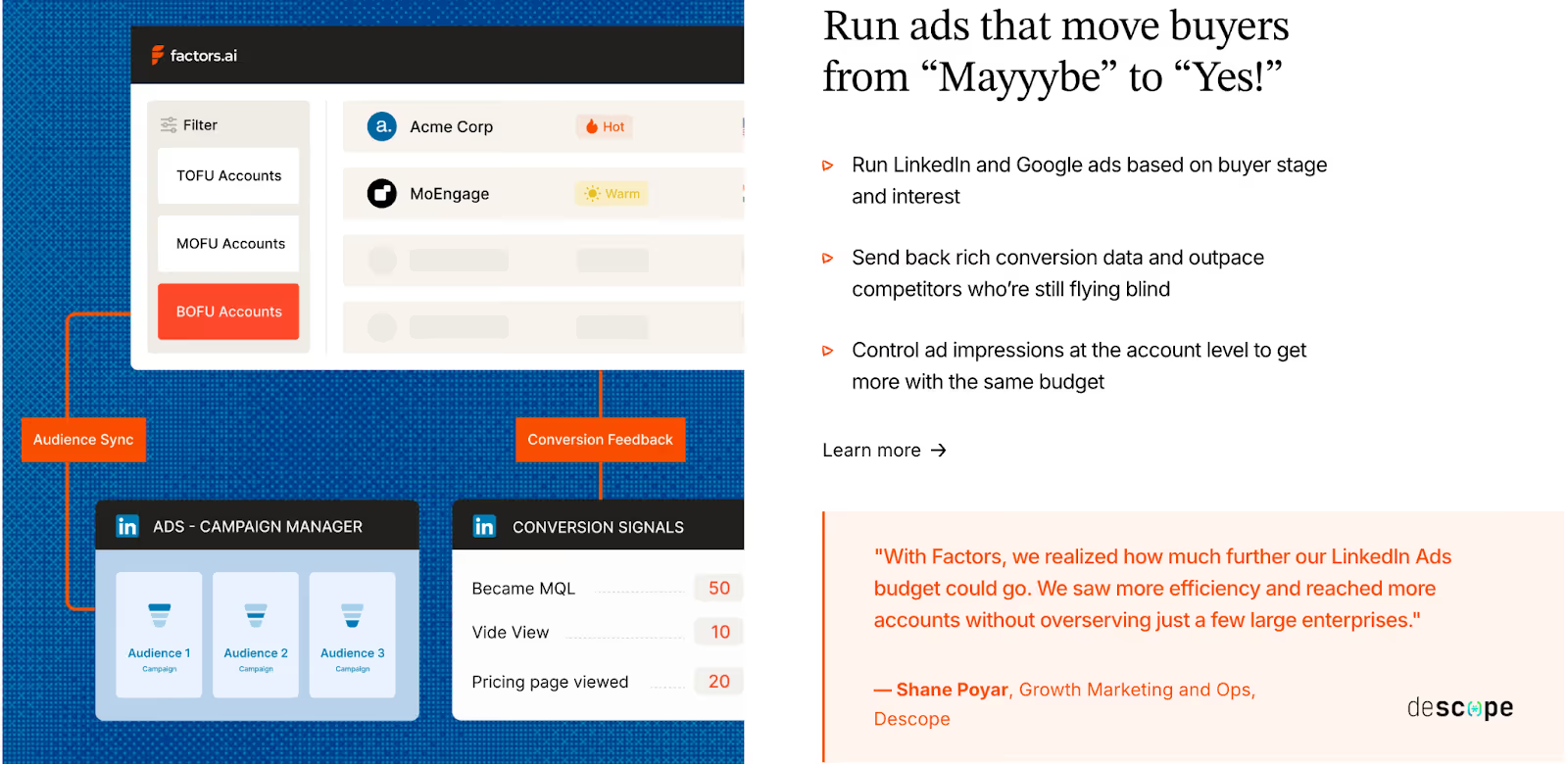
Factors approaches advertising as part of the GTM cycle, not a separate activity. The goal is to help your team reach the right accounts the moment intent appears.
Key ad capabilities include:
- Dynamic Audience Syncs
- Automatically build and refresh audiences on LinkedIn and Google based on buying intent, ICP match, or funnel stage.
- Automatically build and refresh audiences on LinkedIn and Google based on buying intent, ICP match, or funnel stage.
- Smart Retargeting
- Target accounts showing signals from multiple sources such as G2, website activity, CRM updates, or product usage.
- Ensures your ads reach the right companies at the right time.
- Conversion Feedback Loops
- When an SDR marks a lead as qualified, that data feeds back into ad platforms.
- Helps ad algorithms optimize toward accounts that actually convert.
- Google CAPI Integration
- Sends richer conversion data to Google for smarter bidding and lower wasted spend.
- Budget & Frequency Controls
- Manage impressions at the account level to avoid overserving ads to the same group.
With these features, Factors closes the gap between marketing and sales activation. It helps you spend smarter, retarget better, and turn intent into impact faster.
Warmly Ad Activation and Retargeting
Warmly includes ad integrations but focuses mainly on real-time rep engagement rather than automated ad orchestration.
Capabilities include:
- LinkedIn Ads Integration
- Allows sales reps to see which ads visitors interacted with and engage those prospects directly.
- Keeps outreach more contextual for SDRs.
- Google Ads Integration
- Listed under marketing integrations, but there are no public details on how it handles audience updates or optimization.
Warmly’s ad setup works best for teams that want visibility into ad-driven visitors but prefer manual control over ad campaigns.
Verdict on Ad Activation & Retargeting
Warmly connects sales teams closer to ad-driven visitors, helping reps act quickly when someone engages. It’s effective for teams that prioritize immediate outreach.
Factors connects ad engagement with your full GTM motion. It automates audience syncs, optimizes spend through conversion feedback, and ensures ads reach only active, in-market accounts.
In short:
- Warmly helps you react faster.
- Factors helps you orchestrate smarter.
Factors.ai vs Warmly: Onboarding & Support
The quality of onboarding decides how quickly the system becomes useful for the team. Both Factors and Warmly help new users get started, but their styles and level of involvement are quite different.
Factors.ai Onboarding and Support
Factors builds its onboarding around your existing GTM motion. The process is detailed but smooth, designed to fit your team’s structure rather than forcing you into a predefined setup.
Here’s what it includes:
- Personalized Configuration
The onboarding starts with your ICP, funnel stages, and current processes. Each workflow, signal, and alert is mapped to how your team already operates. - Dedicated Slack Channel
A direct line connects you with your customer success manager and GTM engineers. It’s continuous support like quick answers, shared feedback, and real collaboration. - Weekly Reviews
Regular check-ins help align usage with results. These sessions track adoption, troubleshoot bottlenecks, and refine how the team uses the platform week by week. - Optional GTM Engineering Services
For teams that don’t have in-house RevOps, Factors provides an add-on service layer.
This includes:- Custom ICP modeling and GTM playbook design.
- Setup of enrichment, alert, and ad activation workflows.
- SDR enablement through post-meeting alerts, closed-lost reactivation, and buying group mapping.
- Ongoing reviews, optimization, and documentation of the GTM process.
Together, these services make onboarding feel more like partnership. The goal is to help teams set up a system that continues to perform smoothly over time.
Warmly Onboarding and Support
Warmly takes a simpler route. It aims to minimize friction and help teams start using the platform right away.
What it offers:
- Fast Setup
Connects with Slack, CRMs, and ad platforms in a few minutes. The system begins showing visitor activity immediately. - Real-Time Support
Help is available through Slack for integration or feature-related questions. - Smooth Experience
The process feels intuitive and doesn’t require training sessions or structured onboarding. It’s ideal for smaller teams or those comfortable learning by doing.
Verdict
Warmly prioritizes speed and ease. Teams can start using it almost instantly without waiting for setup cycles.
Factors provides a deeper onboarding process that’s hands-on and strategic. The white-glove support and optional GTM services turn the setup period into a foundation-building phase for the whole GTM motion.
Factors.ai vs Warmly: Compliance and Security
When GTM platforms deal with buyer data, privacy and compliance become just as important as performance. Most mid-market and enterprise teams look closely at how tools handle security certifications and data governance before moving forward with a deal.
Both Factors and Warmly maintain strong data protection frameworks, but their scope and documentation vary.
Factors Compliance and Security
Factors has built its platform to meet enterprise-level data and privacy requirements. Its certifications and practices are designed to clear procurement checks quickly and keep data handling transparent.
Key measures include:
- Global Standards
Fully compliant with GDPR and CCPA, meeting both EU and US privacy laws. - Certifications
Holds ISO 27001 and SOC 2 Type II, ensuring secure management of customer data and system operations. - Privacy-First Enrichment
Uses firmographic and behavioral signals responsibly, avoiding invasive identification methods. - Data Agreements
Provides signed Data Processing Agreements (DPAs) for customers who require documented data handling assurance.
These layers of certification and clarity make Factors suitable for teams working with enterprise clients or regulated industries where compliance is a deciding factor.
Warmly Compliance and Security
Warmly also follows recognized data protection standards and keeps its compliance aligned with major frameworks.
Key measures include:
- Privacy Coverage
Adheres to GDPR, CCPA, and the EU Data Act, giving users control over their information. - SOC 2 Certification
Audited for security and data management standards. - Data Transparency
Provides general visibility into how intent data is enriched but does not publish a dedicated DPA or detailed enrichment policy.
Warmly’s compliance setup fits well for modern SaaS teams that handle sales and marketing data responsibly, though it offers fewer public details on the structure of its data governance.
Verdict
Both platforms meet key privacy standards and are safe for use in regulated environments.
Factors’s wider certification coverage and published data agreements make it stronger for companies that undergo detailed vendor reviews. Warmly covers the essentials and aligns with major regulations, which is suitable for teams that want privacy assurance without complex legal layers.
Factors.ai vs Warmly: Which tool to choose when?
Both Factors and Warmly help GTM teams move faster with AI. They make it easier to identify intent, automate workflows, and connect marketing with sales. But as we’ve seen across the chapters, the two platforms are designed with different priorities in mind.
Here’s a short recap before we wrap up.
When Factors Makes Sense
Factors fits teams that want their entire GTM motion connected. It brings together website, CRM, ad, and product data, then uses AI to help sales and marketing work from the same source of truth.
It’s especially suited for:
- B2B SaaS and enterprise teams managing complex funnels.
- RevOps leaders who need visibility across multiple channels.
- Marketing teams running ABM campaigns across LinkedIn and Google who need better targeting and ROI visibility.
- Companies that rely on multi-touch attribution to prove ROI.
- Teams that want guided onboarding and long-term support.
- Businesses that must meet strict compliance requirements before procurement.
Factors works best when the goal is scale, not just more leads, but a cleaner and more predictable pipeline.
When Warmly Makes Sense
Warmly focuses on person-level intent and immediate engagement. It’s fast to deploy and built around AI Agents that automate outreach, nurture inbound visitors, and help SDRs personalize their approach.
It’s well suited for:
- Small to mid-sized B2B teams that want instant activity visibility.
- Startups that need to automate early-stage prospecting.
- Teams running heavy outbound campaigns through LinkedIn and email.
- Companies that prefer plug-and-play onboarding without customization.
Warmly works well when the priority is quick activation and real-time connection with prospects.
Factors.ai and Warmly cater to different GTM strategies. Factors.ai, priced from $399/month, integrates marketing and sales with features like buyer journey analytics, multi-touch attribution, and ad platform integrations (LinkedIn, Google, Facebook, Bing). It’s ideal for teams seeking a comprehensive approach with account scoring, segmentation, and workflow automation. In contrast, Warmly focuses on sales automation with real-time engagement tools like AI-powered chatbots and intent data enrichment. Starting at $700/month, it excels in on-site lead engagement but lacks deep marketing analytics. If you prioritize sales outreach, Warmly is the choice, while Factors.ai offers a more integrated marketing-sales solution.
In a nutshell…
Both platforms help GTM teams make smarter use of intent, but they serve different operating styles.
Warmly delivers speed and immediate visibility for sales-led teams.
Factors brings long-term clarity, automation, and structure for data-driven GTM functions that want to scale reliably.
If your team needs a full-funnel system that tracks, analyzes, and activates every signal, Factors aligns better with that journey.
If you want to keep things lightweight and focus on faster prospecting, Warmly fits that direction.
And if you’d like to explore other options beyond Warmly, check out this in-depth comparison of top Warmly-AI alternatives.
.avif)
Factors.ai X ReachInbox: Boost B2B Engagement
Discover how Factors’ intent targeting and ReachInbox’s email deliverability work together to ensure your outreach reaches high-intent accounts’ primary inboxes, driving conversions.
TL;DR
- High-Intent Targeting (Factors): Using intent signals, it identifies and prioritizes accounts with genuine interest, helping marketers focus on high-potential leads.
- Enhanced Deliverability (ReachInbox): Ensures emails reach primary inboxes and avoids spam with optimized deliverability techniques like AI-driven warm-ups and inbox placement strategies.
- Synergy: Together, they help target relevant accounts and ensure messages are seen, increasing engagement and conversion rates.
- Data-Driven Refinement: Analytics from both tools enable ongoing campaign optimization and refinement.
- Implementation: Integrate Factors, tailor messages with ReachInbox, monitor performance, and adjust strategies based on real-time data feedback.
Capturing audience attention and driving conversions requires more than broad marketing tactics; it demands precise, data-driven strategies. This is especially crucial for account-based marketing (ABM), where personalization and targeted outreach are key differentiators.
By combining Factors' powerful intent targeting with ReachInbox's advanced email deliverability tools, businesses gain a dual advantage. Factors identifies high-intent accounts primed for engagement, while ReachInbox ensures emails reach these prospects' primary inboxes, not spam. This integration doesn't just streamline outreach - it significantly boosts the potential for meaningful connections and higher conversions.
Understanding Factors: Identifying and Prioritizing High-Intent Accounts
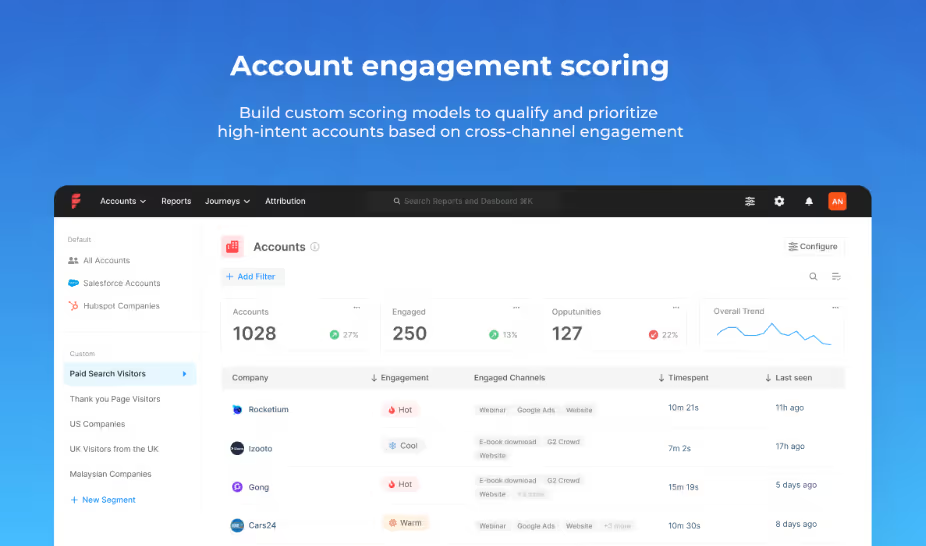
Factors is an account intelligence platform that leverages data and artificial intelligence to provide deep insights into customer intent and engagement. Its main goal is to help businesses focus on genuine interest accounts, allowing marketers and sales teams to use their resources effectively.

Key Features of Factors
- Intent Analysis: Through sophisticated algorithms, Factors tracks online behavior and intent signals, such as content engagement, search activities, and social media interactions. By analyzing these signals, Factors identifies accounts actively seeking solutions similar to what the business offers. This helps create a targeted list of high-potential accounts, enabling teams to direct their marketing efforts where they’ll have the most impact.
- Account and Engagement Scoring Factors ranks accounts based on intent, engagement, and potential revenue, helping sales teams prioritize their outreach. This feature ensures that high-potential accounts receive attention first, improving the chances of conversion.
- Customized Campaigns: With Factors, teams can personalize their campaigns based on each account’s specific behavior and engagement history. This is critical for account-based marketing, where relevance and personalization are crucial in success. Factors’ insights help marketers craft tailored messages that resonate with each account’s needs and pain points.
- Segment Insights: Factors’ segments insights provide a detailed view into how target account groups perform across different metrics and channels. It enables GTM teams to segment their audience and measure performance at a granular level, ensuring that efforts are effectively reaching and influencing the desired accounts. Users can conduct lift analysis, segment comparisons, and track engagement across various marketing touchpoints, all tailored to their business goals. This approach enhances organizational alignment, helping sales and marketing teams make data-driven decisions.
- Workflows: Workflows automate repetitive GTM tasks across CRM, LinkedIn, and email outreach platforms. This feature integrates directly with sales and marketing tools, allowing for seamless CRM updates, targeted ad syncing, and real-time alerts. Workflows streamline processes, enabling GTM teams to focus on strategic activities and achieve better ROI with faster, data-driven responses.
These capabilities make Factors an invaluable tool for identifying high-quality leads. However, the effectiveness of these insights hinges on ensuring that messages reach the intended audience’s inbox, and that’s exactly where ReachInbox comes in.
ReachInbox.ai - Your Ultimate Growth Partner for Cold Email Outreach

After identifying high-intent accounts, the next challenge is getting your message to these prospects—directly into their primary inboxes. ReachInbox addresses this challenge by optimizing email deliverability, ensuring that outreach efforts reach recipients rather than getting lost in spam filters.
Key Features of ReachInbox
- Simple and Intuitive UI: ReachInbox offers a user-friendly interface designed to streamline the cold emailing process, whether you're experienced or new to the practice. The platform ensures ease of use without the need for extensive learning.
- AI-Powered Email Warm-Up: A notable feature of ReachInbox is its AI-driven email warm-up tool, which simulates natural email behaviors to gradually build a sender's reputation. This reduces the chances of emails being flagged as spam, especially important for new email domains or accounts.
- Inbox Placement Optimization: ReachInbox employs data-driven techniques to help improve inbox placement rates. By analyzing past email campaigns, it suggests adjustments to subject lines, sender addresses, and content formatting, optimizing the chances of emails landing in the primary inbox.
- Personalization through AI: With ReachInbox, marketers can leverage AI-generated personalized content to enhance engagement. This functionality allows for more tailored emails, from greetings to call-to-action statements, increasing the likelihood of a response.
- Comprehensive Analytics and Reporting: ReachInbox provides detailed insights into email performance, including open rates, click-through rates, and bounce rates. These metrics offer valuable feedback to refine future campaigns and improve overall outreach strategies.
- Unified Management with Onebox: ReachInbox’s Onebox system allows teams to manage multiple accounts from a single dashboard, improving efficiency and consistency across campaigns.
- Team Collaboration: ReachInbox offers a My Workspace feature, allowing teams to collaborate seamlessly without additional costs. This feature enables users to add as many team members as needed, fostering collaboration within a single workspace.
- Flexible Pricing: ReachInbox provides a three-tier pricing structure with monthly or annual plans that cater to different needs, from startups to professionals. The platform also offers up to 9 months of free access, which can lead to significant savings.
Exclusively for Factors.ai users exploring the platform, ReachInbox offers a free 30-minute strategy call with cold email experts. The call provides actionable insights and tips for improving outreach.
ReachInbox is designed to be accessible and cost-effective while offering pricing flexibility. By collaborating with Factors.ai, ReachInbox complements Factors’ lead generation capabilities, ensuring that emails are more likely to reach high-intent accounts and fostering better engagement opportunities.
Better Together: Here's how the combination of Factors and ReachInbox help you
Combining the strengths of Factors and ReachInbox provides a “better together” solution that addresses two critical challenges in ABM and lead generation - identifying the right audience and ensuring they receive the message. Here’s how these platforms work together to create a seamless, effective outreach strategy:
- Targeted Audience Identification (Factors): Factors pin points accounts most likely to engage based on intent signals, saving teams from wasting resources on low-potential leads. With a prioritized list of high-intent accounts, marketers know exactly where to focus their efforts.
- Enhanced Deliverability (ReachInbox): Once the high-value accounts are identified, ReachInbox ensures that messages reach the intended recipients by optimizing deliverability and avoiding spam filters. This step is crucial as it guarantees visibility for outreach campaigns.
- Increased Conversion Rates: Factors and ReachInbox improve conversion rates by ensuring that only high-intent accounts are targeted and that outreach messages are delivered directly to these accounts. By reaching the right audience in the right way, businesses see better results and can optimize their marketing and sales resources.
- Data-Driven Refinement: ReachInbox's analytics and Factors' insights allow teams to refine their outreach strategies continuously. Marketers can adjust their approach by analyzing engagement metrics and intent signals, making each successive campaign more effective.
- Brand Trust and Credibility: When businesses only reach out to genuinely interested accounts and deliver relevant, personalized content, they build a positive reputation. Factors and ReachInbox together enable this by ensuring that messages are targeted to the right people and received in a manner that promotes trust.
How to Implement Factors and ReachInbox in Your GTM Strategy
To implement this “better together” solution, follow these practical steps:
- Set Up and Configure Factors: Begin by integrating Factors with your CRM and other data sources to capture intent signals. This setup will give you a prioritized list of accounts based on engagement, intent, and potential value.
- Create Tailored Campaigns in ReachInbox: Using Factors' list of high-intent accounts, craft personalized email campaigns within ReachInbox. Leverage its AI-driven personalization features to customize messaging for each account, ensuring relevance and resonance.
- Monitor Performance and Optimize: Use ReachInbox’s analytics dashboard to track key metrics such as open rates, clicks, and responses. Cross-reference these with Factors’ engagement signals to assess campaign effectiveness and refine your approach.
- Leverage Feedback Loops: Regularly review both Factors’ intent data and ReachInbox’s deliverability insights to improve targeting and messaging strategies. By constantly adjusting your campaigns based on real-time data, you can enhance both conversion rates and customer satisfaction.
In a Nutshell
Reaching the right audience is only half the battle—ensuring they see your message is equally critical. The integration of Factors and ReachInbox.ai provides businesses with a powerful, dual-purpose solution that improves lead quality and email deliverability. By identifying high-intent accounts and guaranteeing that messages reach primary inboxes, this partnership enables teams to maximize the effectiveness of their outreach campaigns, drive conversions, and build long-term brand trust.
For businesses aiming to make a significant impact with their outreach efforts, Factors X ReachInbox offers a comprehensive and highly effective strategy. This 'better together' approach is more than just a toolset - it’s the road to smarter, more impactful engagement.
FAQs
- How does Factors help businesses with intent targeting?
Factors leverages data and AI to identify high-intent accounts by tracking signals like content engagement and search activities. This enables sales and marketing teams to focus on leads that show genuine interest.
- What role does ReachInbox play in email outreach?
ReachInbox improves email deliverability by ensuring messages reach recipients' primary inboxes instead of spam. It uses AI-driven warm-ups, inbox placement optimization, and personalized content for better engagement rates.
- Can Factors and ReachInbox be used together for better outreach?
Yes, integrating Factors and ReachInbox creates a powerful outreach solution by combining intent targeting with optimized email deliverability, increasing the chances of converting high-intent accounts.
- What are the main features of ReachInbox?
ReachInbox offers AI-powered email warm-up, inbox placement optimization, personalized messaging, and detailed performance analytics to ensure emails reach the target audience effectively.
- How can I implement Factors and ReachInbox in my strategy?
Start by using Factors to identify high-intent accounts, then create personalized campaigns with ReachInbox. Monitor results and refine strategies based on performance insights for maximum impact.
.avif)
Factors.ai vs ZoomInfo Pros and Cons: Detailed Comparison
Compare Factors vs ZoomInfo with a detailed look at their pros and cons. Explore features, pricing, integrations, and use cases to make the right choice.

TL;DR
- Factors tracks marketing and sales performance, connects multi-channel attribution, and provides actionable ROI insights to optimize strategies.
- ZoomInfo offers a vast contact database, enriched company insights, and tools for high-volume sales outreach, ideal for enterprise scalability.
- ZoomInfo excels in reliable contact discovery, detailed company data, and supporting large-scale sales development efforts.
- Factors stands out with advanced campaign analysis, seamless CRM integration, and superior LinkedIn ad performance tracking.
Looking to choose between Factors and ZoomInfo? While these tools seem similar at first glance, they are quite different tools that are designed to solve different problems. Let’s break down what each tool does best so you can figure out which one aligns more effectively with your team’s goals and priorities.
The Big Picture: What Sets Factors and ZoomInfo Apart
ZoomInfo is a massive contact database, making it an essential tool for finding people's contact information and gathering company-specific information. Do you have a target account? ZoomInfo will tell you who works there, their role, contact details, and key company information, like the company’s tech stack and growth signals.
Factors, on the other hand, focuses on understanding how your marketing and sales efforts are performing. It's not just another analytics tool - it connects all your marketing channels like LinkedIn, email, ads, and website interactions into one platform. Unlike traditional analytics tool, this lets you see which combination of touchpoints drives revenue, helping you refine your sales and marketing strategies.
Also read: A guide to marketing attribution.
{{INLINE_CTA_A}}
Who Uses Each Tool? Target Users and Teams That Benefit Most
Factors is ideal for mid-sized and enterprise companies with 51 to 1,000+ employees. These teams focus on making data-driven decisions and gaining deep insights into their marketing and sales performance. General use cases include:
- SaaS companies analyzing which marketing channels drive enterprise deals.
- Technology companies optimizing for LinkedIn ads and email campaigns to see how they work together to convert high-value accounts.
- Enterprise marketing teams tracking and improving multi-channel attribution and aligning sales and marketing efforts.
ZoomInfo is most effective for large enterprise companies and sales teams that need access to reliable contact data at scale. It is especially valuable for:
- Sales development teams (SDRs) with 100+ members managing high-volume outreach to thousands of prospects.
- Businesses expanding into new markets where extensive contact data and company insights are critical.
The Technical Details That Matter: Key Features You Need to Know
API Access: Seamless Integration or Limited Flexibility?
API access is a critical feature that often gets overlooked. With Factors, you get API access is provided by default. This means you can:
- Automatically sync account engagement data with your CRM.
- Build custom dashboards that combine data from multiple sources.
- Create automated workflows based on account behavior.
- Pull data into your own data warehouse for custom analysis.
ZoomInfo only gives API access to their enterprise customers. So if you're not on their top tier plan, you’ll likely manually export data or copy-paste contact information. It's time-consuming and not fun if you're trying to build automated workflows.
{{INLINE_CTA_A}}
Working with LinkedIn
If LinkedIn is a big part of your marketing strategy, here's something interesting: Factors has much deeper LinkedIn integration than ZoomInfo. This is because ZoomInfo competes with some of LinkedIn's products (like Sales Navigator), while Factors functions more like a partner to LinkedIn.
Now, what does this mean in practice? With Factors, you can:
- Track which target accounts are engaging with your LinkedIn ads. Read more about this on Factors and LinkedIn integration.
- See how LinkedIn campaigns influence deals alongside other channels.
- Get better matching between LinkedIn data and your CRM data.
- Control the frequency of ads shown to each target account.
- Understand which LinkedIn ad formats work best for different account segments.
- Measure the true ROI of your LinkedIn spend, and not just platform metrics.
Playing Nice with Other Tools
ZoomInfo operates like a ‘walled garden.’ It has got features like call recording and sales engagement within its ecosystem. It's great if you want everything from one tool, but it can have limited flexibility.
Factors takes the opposite approach. Need to use different contact databases for different regions? No problem. Want to keep using your current sales engagement platform? Go for it. Here's what that flexibility looks like in practice:
- Use ZoomInfo for North American contacts but another provider for the European region.
- Keep using your preferred sales engagement tool while tracking all activities with Factors
- Mix and match tools for different teams or regions without breaking your analytics.
- Add or remove tools seamlessly, keeping your marketing and sales data intact.
{{INLINE_CTA_A}}
The Data Story: When to Choose Factors vs ZoomInfo
ZoomInfo's Strength
- It offers a huge database with over 200+ million business contacts.
- Boasts a 90% accuracy rate, especially strong in North America.
- A dedicated research team constantly updates data.
- Ideal for finding decision-makers in target accounts.
- Provides technographic and firmographic data.
- Displays org charts and reporting relationships.
- Tracks company news and updates.
Factors' Approach
- It focuses less on contact data and more on understanding behavior.
- Really good at identifying who's visiting your website and their engagement.
- Particularly strong in tech and SaaS industries.
- Shows you the full journey of accounts that convert.
- Tracks engagement across multiple channels, including:some text
- Website visits and specific page views
- Email opens and clicks
- LinkedIn Ad impressions and clicks
- Form submissions and downloads
- Sales touches and meetings
- Product usage signals
- Connects this engagement data directly to revenue outcomes.
Real-World Use Cases: When to Choose Factors vs ZoomInfo
When to Choose Factors
Factors is ideal for businesses facing complex attribution, marketing optimization challenges, or the need for tighter sales and marketing alignment.
- Attribution Gets Complexsome text
- You're running multi-channel ABM campaigns.
- Multiple teams are involved in engaging each account.
- Sales cycles are long and include many touchpoints.
- You need to demonstrate how marketing contributes to revenue.
- Marketing Spend Needs Justificationsome text
- You're investing heavily in LinkedIn or other platforms.
- Budget decisions need solid ROI data.
- Marketing channels are competing for resources.
- You need to optimize spend across regions or account segments.
- Sales and Marketing Alignment is Crucialsome text
- Teams require shared visibility into engagement data.
- Marketing needs to prove its influence on deals.
- Sales teams need insights into marketing interactions.
- You want to coordinate outreach effectively across multiple channels.
{{INLINE_CTA_A}}
When to Choose ZoomInfo
ZoomInfo is best for businesses focused on scaling sales outreach, enriching CRM data, or conducting high-volume contact discovery.
- Contact Discovery is a Prioritysome text
- Sales teams need to find the right people quickly.
- You’re expanding into new markets and need reliable contact data.
- Account research is a regular part of your workflow.
- You require org charts and reporting relationships for decision-makers.
- Data Enrichment is Essentialsome text
- Your CRM data needs cleaning and updating.
- You want to segment accounts by technographics or firmographics.
- Keeping company information current is critical.
- You need to track job changes and organizational shifts.
- Sales Development at Scalesome text
- Large SDR teams require dependable, accurate data.
- You’re conducting high-volume outreach to thousands of prospects.
- Territory planning depends on precise and up-to-date data.
- Growth signals like funding rounds or hiring trends need tracking.
Pricing Comparison
Factors’ Pricing Approach
Factors offers a free plan to help businesses get started, which includes:
- Identification of up to 200 accounts monthly.
- 5,000 monthly visitor tracking.
- Basic attribution features.
For paid plans, pricing scales are based on:
- The number of accounts tracked.
- Traffic volume.
- Feature requirements.
Key advantages of Factors’ pricing:
- Monthly billing is available for flexibility.
- No hidden fees or surprise costs.
- Designed to work well for smaller budgets.
ZoomInfo's Pricing Model
ZoomInfo operates on a custom quote system. Pricing depends on several factors, including:
- Number of user licenses.
- Amount of contact credits needed.
- Access to specific features.
- Contract length (annual contracts required).
- Credit-based system for data exports.
Key points about ZoomInfo’s pricing:
- Typically more expensive, reflecting its focus on enterprise clients.
- Designed for larger budgets and high-scale sales operations.
Also, check ZoomInfo pricing and alternatives for more information.
The Support Experience
Factors’ Support
Factors offers personalized and customer-focused support:
- Highly rated on G2 for customer satisfaction.
- Provides 24/7 chat support with quick response times.
- Dedicated Customer Success Manager (CSM) to build custom workflows.
- Ongoing training and regular check-ins.
- Assistance with setup, integration, and custom reports.
ZoomInfo’s Support
ZoomInfo provides a more formal, structured support process:
- Extensive training resources and larger support teams.
- Includes documentation, guides, video tutorials, and regular webinars.
- Primarily tailored for enterprise clients.
{{INLINE_CTA_A}}
Integration Capabilities: How Factors and ZoomInfo Work with Your Stack
Factors Integrations
Factors seamlessly integrates with a wide range of platforms:
- CRM systems (e.g., Salesforce, HubSpot).
- Marketing automation platforms.
- Ad platforms (Google, LinkedIn, Facebook).
- Sales engagement tools.
- Custom applications via API access.
- Data warehouses and BI tools.
- Web analytics platforms.
ZoomInfo Integrations
ZoomInfo offers integrations but is more limited in scope:
- Native CRM integrations.
- Its own sales engagement platform.
- Chrome extension and email integration.
- Built-in dialer and mobile app.
- Marketing automation sync.
- API access is restricted to enterprise customers.
Factors and ZoomInfo each offer unique advantages for businesses aiming to optimize B2B marketing.
1. Platform Strengths: ZoomInfo provides vast contact databases and company insights for large-scale outreach; Factors tracks marketing and sales performance with multi-channel attribution.
2. Key Features: Factors offers actionable ROI insights and enhanced LinkedIn ad performance; ZoomInfo supports enterprise scalability and extensive prospecting.
3. Strategic Fit: ZoomInfo suits enterprises, while Factors is designed for mid-to-large businesses seeking data-driven decision-making.
Select the platform that aligns with your business size, goals, and need for performance optimization.
Bottom Line
Here's what it comes down to: if you're trying to understand your marketing performance, track revenue, and keep flexibility in your tech stack, Factors is probably your best bet. You'll get better insights into what's actually driving deals, especially if you're running complex, multi-channel campaigns.
If your focus is scaling sales outreach, finding decision-makers, and enriching contact data for large teams, ZoomInfo is the better choice. It delivers reliable, up-to-date contact information to support enterprise-level sales efforts.
Both tools solve different problems. Focus on your team’s priorities—marketing performance or sales enablement, and pick the one that fits your strategy.
{{INLINE_CTA_A}}

A Partnership for High-Performance Demand Gen Teams: Factors.AI X TripleDart Partnership
Discover how Factors.ai and TripleDart are redefining B2B demand generation. From smarter ABM execution and automated outreach to true ROI measurement with AdPilot and LinkedIn CAPI, this partnership helps GTM teams run high-performing campaigns and drive qualified pipeline.
Modern B2B marketing doesn’t live in silos. The buyers you’re targeting don’t move in linear funnels, and your GTM team shouldn’t be working with disconnected tools and disjointed strategies.
That’s where this partnership comes in.
TripleDart, a performance-driven B2B growth team, and Factors.ai, an all-in-one B2B demand generation platform, have joined forces to bring marketing and revenue teams a smarter way to run campaigns, reach the right accounts, and measure what actually drives pipeline.
This partnership combines TripleDart’s campaign execution expertise with Factors’ AdPilot, Google ABM, and AI-powered insights to help teams:
- Identify high-intent accounts in real time
- Run ABM campaigns across LinkedIn and Google Ads
- Automate outreach based on buying behavior
- Attribute pipeline to real revenue signals, not just clicks
Better Together: Here’s what this partnership unlocks
The TripleDart × Factors.ai partnership is more than a tech + agency arrangement, it’s a tightly aligned collaboration where both teams work as an extension of your GTM motion.
By combining capabilities, the partnership enables:
- Smarter Execution
TripleDart uses real-time buyer signals from Factors.ai to plan, build, and run ABM campaigns with greater precision. - Always-On Campaign Orchestration
With Factors' AdPilot and CRM integrations, accounts move seamlessly between awareness, consideration, and decision-stage campaigns, across both LinkedIn and Google Ads. - Performance Attribution Without the Gaps
Factors’ view-through attribution and LinkedIn CAPI integration ensures even non-click interactions are measured, so you never lose visibility on what’s working. - One Team. One Platform. One Outcome.
From audience targeting to campaign setup to pipeline attribution, both teams are working together to help you generate more qualified pipeline, faster.
Exclusive access to AdPilot: Run better ads for LinkedIn
TripleDart clients now get access to Factors’ Growth Plan and AdPilot, a powerful suite of features designed to improve targeting, efficiency, and ROI on paid campaigns.
Here’s how AdPilot helps orchestrate high-performing B2B campaigns:
1. Audience Builder
Use Audience Builder to target the accounts that matter most:
- Discover and qualify anonymous accounts interacting with your brand
- Segment high-intent accounts based on engagement across channels
- Seamlessly sync target accounts with your LinkedIn and Google Ads audiences
“Factors’ Audience Sync allowed us to tailor LinkedIn Ads to each stage of the customer journey. Awareness-stage users received educational content, while engaged users got personalized, actionable insights, ensuring precise targeting and effective engagement.”
- Shane Poyar, Growth and Mark Ops Manager at Descope
2. Smart Reach
Prevent uneven ad distribution with greater control over your budget:
- Maximize reach per dollar by managing impressions and clicks per account
- Ensure balanced exposure across target accounts
- Reduce waste from over-served audiences
3. Campaign Automation
Let buying signals drive execution:
- Use intent signals from sources like G2, your CRM, and website to trigger campaigns
- Reallocate impressions dynamically to priority accounts
- Accelerate deal closures by expanding reach when engagement is high
4. True ROI with View-Through Attribution + LinkedIn CAPI
Only 0.5% of your audience will click or fill out a form. But that doesn’t mean the other 99.5% didn’t see your ad.
- Measure LinkedIn’s influence through view-through attribution
- Feed complete conversion data into LinkedIn via Conversion API
- Bypass third-party cookies and track performance with first-party accuracy
AdPilot in Action
Case Study: Descope
Descope is a no-code, drag-and-drop platform for customer authentication and identity management. It enables enterprises and SMBs to customize user journeys with a product-led and sales-assist GTM approach.
The Challenge:
Their key challenge was long sales cycles with limited visibility into buyer journeys. They struggled to track user activity across platforms, identify key touchpoints, and focus efforts on what worked.
- Lack of visibility:
Descope wanted an understanding of users visiting their website, docs, and engaging off-platform on G2 or LinkedIn. - Manual ad targeting:
Reliance on manual list uploads led to missed engagement opportunities. In addition to this, their targeting also suffered due to a lack of real-time actions. - Wasted ad spend:
92% of accounts saw fewer than 100 ad impressions per month, while a few large accounts consumed most of the budget. - Fragmented reporting:
Descope’s team relied on spreadsheets and agencies for reporting, which slowed processes and limited insights.
The Solution:
Descope integrated Factors into their product-led and sales-assist strategy, driving key improvements:
- Full buyer journey visibility:
Sales teams now track account behavior and receive alerts when prospects show high intent. - Smarter ad targeting:
Factors’ Audience Sync tailored LinkedIn Ads to each customer journey stage, delivering relevant content and driving engagement. - Optimized ad spend:
Smart Reach helped distribute ~140k (25%) ad impressions across more accounts. - Clear channel performance insights:
Descope discovered LinkedIn Ads' impact beyond clicks, unlocking new opportunities. - First-party data adoption:
With the LinkedIn Conversions API (CAPI), Descope moved away from 3rd-party cookies to engage genuinely interested users.
➡️ Learn how you can boost your LinkedIn Ads ROI. Get in touch with us and Book a Demo!
We’ve got Google ABM, too
In addition to LinkedIn, Factors also enables ABM precision across Google Ads:
- Run targeted Google Display Ads for mid- and bottom-funnel engagement
- Sync high-intent accounts from your CRM, website, and G2 directly into Google
- Retarget accounts with messaging tailored to their buying stage
TripleDart uses this to orchestrate cohesive, cross-channel ABM campaigns that drive higher engagement and conversions.
Final Word: We’ve built this partnership for pipeline growth
TripleDart X Factors.ai is an integrated partnership that helps GTM teams:
- Eliminate guesswork
- Align paid campaigns with actual buyer behavior
- Optimize every stage of the journey, from discovery to closed-won
- Scale with a unified strategy and platform
If you're ready to build a high-performing demand generation engine that runs smarter, not harder, this partnership gives you everything you need to succeed.
Let’s run campaigns that convert, and build a GTM that performs.
Factors.ai+ Segment: Easy and instant analytics to drive growth
Factors.ai & Segment integration provides simple & immediate analytics to help businesses grow. Learn how to streamline your data analysis to drive results.

We are excited to announce our integration with Segment, further enabling companies to easily instrument user interactions across platforms and push different types of customer data, from any 3rd party source in realtime to FactorsAI.
FactorsAI provides advanced and intuitive analytics for marketers and product managers, to help drive growth. With FactorsAI you get immediate insights to optimize marketing campaigns, improve conversions and understand user behaviours that drive feature adoption and retention.
A good analytics setup requires detailed tracking of user actions like page views, Signups, AddedToCart with different attributes. The quality of insights on user behaviour shown by FactorsAI is dependent on the level of detail in tracking. With Segment integration this is a one time setup and you could send the same events to other tools for marketing automation, CRM etc.
Further with Segment integration, you can send data from different data sources like email, livechat which will send events like Email Delivered, Email Clicked, Live Chat Started etc. These additional events are useful when analyzing user conversions and by using Segment it can be done without the need to write custom code to hit our API’s.
Segment can perform all data collection tasks for FactorsAI. It can capture all the data that FactorsAI needs and sends it directly to FactorsAI in the right format, all in real-time. So, if you are on segment, you can now start getting insights on how to grow your customer base in no time.
To integrate with Segment, follow the steps here. Happy Analyzing!
This integration streamlines data flow and boosts marketing precision.
1. Key Feature: Instantly track user interactions across platforms via Segment.
2. Analytics Advantage: Access real-time insights for faster, smarter decisions.
3. Strategic Benefits: Improve targeting, optimize campaigns, and enhance customer understanding.
Combining Factors.ai with Segment empowers teams with seamless, data-driven marketing performance.

Factors.ai vs UnifyGTM: Finding What Actually Works for Your GTM Motion
Read about Factors.ai as a UnifyGTM alternative and compare them across features, pricing, automation, analytics, and sales-marketing alignment in detail.
TL;DR
- UnifyGTM prioritizes speed and outbound automation, ideal for sales-led teams needing quick action on buyer intent.
- Factors.ai offers broader visibility and automation across the funnel, aligning marketing, sales, and product around shared signals.
- Analytics & Attribution: Factors.ai supports full-funnel reporting; UnifyGTM stays focused on outreach metrics.
- Decision Criteria: Choose UnifyGTM for simple, outbound-first motions; choose Factors.ai if GTM orchestration, insight, and growth scalability are priorities.
If you’ve spent even a few months inside a GTM team, you know this feeling a little too well.
You’re staring at five dashboards. Website traffic is up. LinkedIn clicks look decent. Sales says conversations feel ‘warmer.’ CRM data is… questionable. And when someone asks the simplest question… what actually moved pipeline this month? The answer is usually a pause, followed by extensive guessing (and silent cries in the shower).
I’ve sat through enough of these reviews to know that the problem isn’t effort. It’s fragmentation. Signals live everywhere, tools don’t talk, and teams end up reacting instead of operating with clarity.
This is where platforms such as Factors.ai and UnifyGTM enter the conversation.
Both promise to help GTM teams spot buying intent faster and act on it before interest fades. Both aim to reduce manual work and keep sales and marketing aligned. But they’re built for very different GTM realities.
UnifyGTM is designed for speed. It helps sales teams quickly respond to warm signals and keep outbound moving with minimal setup.
Factors.ai takes a broader view. It connects intent, ads, CRM activity, and funnel movement so teams can understand not just who showed interest, but what actually pushed deals forward.
If you’re deciding between the two, this guide breaks down how each platform works in practice, from features and pricing to automation, analytics, and long-term scalability, so you can choose what fits your GTM motion today, not just what sounds good on a landing page.
Factors.ai vs UnifyGTM: Functionality and Features
Most GTM teams don’t realize something’s missing until outbound is technically “working,” but results still feel inconsistent. Leads come in, emails go out, meetings happen… and yet it’s hard to explain why one account converted and another went cold.
That gap between activity and understanding is usually where tooling starts to matter… and also where Factors.ai and UnifyGTM come into play.
Both focus on turning intent signals into action, but their approaches differ in scale and depth.
Let’s look at how they compare.
Factors.ai vs UnifyGTM: Functionality and Features Comparison Table
One thing I’ve noticed across teams is that feature lists look similar on paper, but daily usage feels very different. The real question isn’t how many signals a tool tracks; it’s whether those signals actually help someone decide what to do next.
Factors.ai Functionality and Features
Factors.ai helps teams bring every GTM signal into one connected system.
It gives a clear view of how accounts interact across the website, ads, and CRM so teams can see where engagement is building and where it slows down.
What makes it stand out:
- Multi-Source Intent Capture
Gathers first-, second-, and third-party data from multiple channels to show which accounts are actively exploring your brand. - Account 360 View
Combines all buyer actions like visits, ad clicks, and CRM updates into one clear view of the account journey. This is especially helpful during deal reviews. Instead of relying on memory or notes, you can literally walk through how an account engaged over time, what they clicked, what they ignored, and where momentum picked up. - AI-Powered Workflows
Uses integrations like Zapier and Make to automate enrichment, outreach triggers, and campaign updates. - Funnel Analytics
Tracks how leads move through every stage and helps teams identify what drives progress or causes drop-offs. - Real-Time Alerts
Sends context-rich notifications on Slack or Teams when accounts revisit pricing, demo, or other key pages.
Teams that operate across ads, inbound, outbound, and product usually feel the biggest shift here. Once everyone is looking at the same story, alignment stops being a meeting topic and starts becoming the default.
That said, B2B teams that rely on Factors.ai tend to get better alignment between marketing, product, and sales since all activity is tracked and interpreted in one place.
UnifyGTM Functionality and Features
UnifyGTM focuses on helping sales teams act fast when an opportunity appears.
Its strength lies in identifying high-intent accounts quickly and automating the first outreach before interest cools down.
How it helps teams:
- Intent-Led Prospecting
Collects 25+ intent signals from CRM, website, and email engagement to find accounts showing buying behavior. - Automated Outbound
Launches prebuilt email sequences when accounts meet engagement thresholds. For teams without RevOps support or time to build custom workflows, this kind of built-in automation removes friction. - Smart Snippets
Creates short AI-generated copy for personalized email messages. - Managed Mailboxes
Maintains sender domains and deliverability scores to support reliable outbound performance. - Champion Tracking
Alerts teams when key users change roles, enabling timely follow-up.
For small and mid-sized teams that prioritize speed and consistent outreach, UnifyGTM offers a direct and easy way to stay in touch with active prospects.
Factors.ai vs UnifyGTM: Verdict on Functionality and Features
Both platforms help GTM teams use intent signals more effectively, but they focus on different goals.
Factors.ai helps you see the entire story from the first signal to the outcome without juggling multiple tools.
UnifyGTM helps you react quickly to interest and manage outbound at scale.
Your choice depends on what your team needs most right now: faster execution or stronger alignment between marketing and sales.
📑 To understand the mechanics of turning anonymous activity into usable leads, read our explainer on identifying anonymous website visitors. If you want to see how those signals drive ABM plays, our guide on buyer intent for ABM explains how intent is prioritized and acted on.
Factors.ai vs UnifyGTM: Pricing
Pricing looks simple on the surface, but what you actually get inside each plan plays a big role in how quickly a team can activate intent, run campaigns, and prove revenue impact.
Both platforms take different routes:
- Factors.ai scales by usage, seats, and feature depth
- UnifyGTM prices based on credits, users, and mailbox management
Factors.ai vs UnitfyGTM: Pricing Comparison Table
Factors.ai Pricing
Factors.ai is designed to grow with the team using it.
Each plan adds more depth, from identification and tracking to orchestration and advanced analytics.
It works well for teams that want to start simple and keep adding layers as their GTM motion expands.
Plans include:
Free Plan
- Identify up to 200 companies per month.
- Includes 3 seats.
- Basic dashboards and visitor tracking.
- Slack and Microsoft Teams integration.
Basic Plan
- Identify 3,000 companies per month.
- Includes 5 seats.
- Adds LinkedIn intent signals and GTM dashboards.
- Connects with HubSpot, Salesforce, and Google Search Console.
Growth Plan
- Identify 8,000 companies per month.
- Includes 10 seats.
- Adds ABM analytics, account scoring, workflow automation, and a dedicated CSM.
Enterprise Plan
- Identify unlimited companies with up to 25 seats.
- Adds predictive scoring, AdPilot for LinkedIn and Google, white-glove onboarding, and advanced analytics.
Optional GTM Engineering Services
For teams without in-house RevOps, Factors.ai provides an additional setup and operations layer at an additional cost.
It includes:
- Custom ICP modeling and GTM playbook design.
- Set up enrichment, alert, and ad activation workflows.
- SDR enablement with post-meeting alerts and closed-lost deal reactivation.
- Ongoing review and optimization of GTM processes.
These services help teams operationalize the platform quickly and maintain consistent performance without adding internal load.
UnifyGTM Pricing
UnifyGTM has three paid plans, all billed annually. Pricing scales based on credits issued, number of users, and managed mailboxes.
Growth - $1,740/month
- 50,000 credits per year
- 1 user included (additional users $100/mo each)
- 8 managed Gmail mailboxes ($25/mailbox/month for more)
- Onboarding + support
Pro - Custom Pricing
- 200,000 credits per year
- 2 users
- 20 managed Gmail mailboxes
- Tailored onboarding + support
Enterprise - Custom Pricing
- 600,000 credits per year
- 5 users
- 40 managed Gmail mailboxes
- White-glove onboarding
- Dedicated Growth Consultant
- SSO
No free plan, no trial, and features stay mostly consistent across plans, the jump is in volume and support.
Factors.ai vs UnifyGTM: Verdict on Pricing
UnifyGTM is easier to step into if a team only needs warm outbound, buying signal detection, and inbox management. Factors.ai becomes more valuable as a GTM motion expands into multi-channel intent, scoring, ads, and funnel analytics.
If the priority is faster outbound with a predictable monthly cost, UnifyGTM fits that mold.
If the goal is to build a connected, scalable GTM system with deeper analytics, automation, and support, Factors.ai grows into that role over time.
📑 If you’re benchmarking cost models across the intent/ enrichment space, our pricing breakdowns like ZoomInfo pricing and Cognism pricing are useful for understanding where value shifts as teams grow.
Factors.ai vs UnifyGTM: AI Agents and Automation
Every modern GTM platform claims to be powered by AI, but what matters is how much of that intelligence actually helps teams day to day.
Both Factors.ai and UnifyGTM use automation to reduce manual work, yet the way they use it, and what it’s applied to, feels very different.
Factors.ai vs UnifyGTM: AI Agents and Automation Comparison Table
Factors.ai’s AI Agents and Automation
Factors.ai uses automation to keep GTM activities connected and consistent.
Instead of focusing on a single task like sending outreach, it helps teams build a flow where every buyer signal creates an action, whether that’s an alert, a workflow update, or a change in audience targeting.
Here’s how it supports automation across the funnel:
- Account Research and Enrichment
The system automatically finds key decision-makers, enriches data, and adds new contacts when signals meet ICP criteria. - Scoring and Prioritization
Accounts are scored based on fit, funnel stage, and engagement intensity so reps can focus on what matters most. - Real-Time Alerts
Notifies teams instantly when a company revisits the demo or pricing page, drops off a form, or reactivates after a gap. - Closed-Lost Reactivation
Flags accounts that return to the site after being marked closed-lost, helping SDRs re-engage quickly. - Cross-Team Sync
Connects sales and marketing systems so any activity on one side instantly updates the other, keeping follow-ups timely and relevant.
Automation in Factors.ai feels less like an add-on and more like an operating rhythm, something that runs quietly in the background to make sure no opportunity slips through.
UnifyGTM’s AI Agents and Automation
UnifyGTM takes a narrower but faster approach.
Its automation centers around outbound qualification and messaging, helping sales teams act right when a signal appears.
How it works in practice:
- AI Agent Qualification
Flags new leads when specific intent signals appear, like website visits or LinkedIn activity. - Smart Snippets
Writes short, context-aware email or message templates so reps can personalize faster. - Sequence Triggers
Automatically adds leads to campaigns when they meet defined criteria, reducing manual setup. - Activity Monitoring
Tracks replies and engagement, updating lists and priorities for the team.
UnifyGTM’s automation is simple and quick to use, providing outbound teams with speed without additional setup.
Factors.ai vs UnifyGTM: Verdict on AI Agents and Automation
Both platforms save time, but the impact depends on how your GTM team operates.
UnifyGTM helps sales teams move quickly and keep outreach running without much setup.
Factors.ai focuses on building lasting workflows that connect signals, actions, and follow-ups across the funnel.
If you want automation that simplifies outbound, UnifyGTM fits better.
If you need automation that strengthens how your whole GTM engine runs, Factors.ai does more of the heavy lifting.
Factors.ai vs UnifyGTM: Integrations and Ecosystem
No GTM platform works alone.
The real value shows up when it connects with the systems your team already uses, such as CRM, ads, analytics, or data enrichment tools.
Both Factors.ai and UnifyGTM offer integrations that enable these connections, but the depth and purpose of those integrations differ significantly.
Factors.ai vs UnifyGTM: Integrations & Ecosystem Comparison Table
Factors.ai Integrations and Ecosystem
Factors.ai is designed to plug into every major touchpoint in your go-to-market workflow.
Each integration serves a specific goal, whether that’s identifying anonymous visitors, syncing CRM updates, or activating ad audiences in real time.
How the ecosystem works:
- CRM Alignment
Keeps HubSpot, Salesforce, and other CRMs updated automatically, ensuring every activity is reflected in your deal pipeline. - Ad Platform Activation
Connects directly with LinkedIn, Google, Meta, and Bing to refresh audiences daily based on account engagement and buyer stages. - CDP and Data Streams
Integrates with Segment and Rudderstack, allowing enrichment and activity data to flow across marketing and analytics tools. - Communication Integrations
Sends high-context alerts to Slack and Microsoft Teams, keeping sales and marketing aligned in real time. - Workflow Automation
Works with Zapier, Make, and custom webhooks so teams can automate sequences without heavy coding.
With these integrations, Factors.ai evolves from a standalone platform into a unified control center that synchronizes all your GTM tools.
UnifyGTM Integrations and Ecosystem
UnifyGTM takes a simpler route. Its integrations are built to support outbound workflows rather than full-funnel orchestration.
How it connects:
- CRM Sync
Works with HubSpot and Salesforce to keep prospect and deal data updated. - Data Providers
Uses Clearbit, 6sense, Demandbase, and Snitcher for account identification and enrichment. - Slack Alerts
Sends lead and job change notifications directly to Slack, helping sales respond faster. - Segment Connection
Allows basic data movement into other tools but without deep audience or event-level control.
UnifyGTM’s integration list is shorter, but it fits teams focused on outbound intent and lead-level execution.
Factors.ai vs UnifyGTM: Verdict on Integrations
Integrations shape how a GTM platform feels in day-to-day use.
UnifyGTM connects enough tools to keep outbound running smoothly, with an emphasis on speed and simplicity.
Factors.ai connects the entire GTM stack, including marketing, sales, ads, and analytics, giving teams one flow of data and action.
If your team runs a few core tools and just needs quick syncs, UnifyGTM will do the job.
If your stack spans multiple systems and you want them all to work as one, Factors.ai builds that bridge.
📑 If you want practical advice on connecting ads and intent signals, check the pieces on making LinkedIn Ads work for intent-based marketing and our analysis of whether Google Ads are worth it for B2B, so you can align integration choices with campaign goals.
Factors.ai vs UnifyGTM: Analytics and Reporting
Once everything is connected, the next question for any GTM team is simple: can you actually measure what’s working?
It’s one thing to capture signals and automate actions, but turning those activities into insights is what separates data from decisions.
Both Factors.ai and UnifyGTM offer reporting, but their focus areas differ significantly.
Let’s look at how each platform helps you track, measure, and interpret GTM performance.
Factors.ai vs UnifyGTM: Analytics and Reporting Comparison Table
Factors.ai Analytics and Reporting
Factors.ai gives teams a clear view of how every campaign, channel, and account contributes to pipeline growth.
It brings together analytics from ads, CRM, website, and product usage, helping you see the entire customer journey in one place.
Key capabilities include:
- Full-Funnel Analytics
Tracks movement from awareness to closed-won and highlights where accounts drop off or accelerate. - Attribution and Pipeline Mapping
Connects activities like ad clicks or demo visits directly to pipeline and revenue outcomes. - Customer Journey Timelines
Shows how each account engages over time, with every visit, form fill, and ad interaction lined up chronologically. - Segmentation and Comparison
Breaks performance by ICP, geography, or campaign type to spot patterns and strengths. - Custom Dashboards
Lets teams create tailored reports for marketing, sales, or RevOps to focus on their key metrics.
Rather than flooding teams with data, Factors.ai highlights the cause and effect behind GTM results, helping decisions happen faster and with greater confidence.
UnifyGTM Analytics and Reporting
UnifyGTM stays closer to its outbound roots.
Its analytics center on sales performance and prospect engagement rather than cross-channel measurement.
Key capabilities include:
- Campaign-Level Reporting
Tracks outreach performance, reply rates, and engagement over time. - Lead Tracking
Shows which leads responded, which dropped off, and how activity changes week to week. - Basic Attribution
Connects outreach actions to new meetings or pipeline creation. - Engagement Overviews
Highlights the number of active leads, sent messages, and response quality.
For small sales teams, this level of visibility is enough to keep daily outreach aligned.
It’s built for clarity, ideal when your workflow runs mainly on outbound activity.
Factors.ai vs UnifyGTM: Verdict on Analytics and Reporting
Both tools report on activity, but they serve different purposes.
UnifyGTM shows what’s happening in outreach and who’s responding.
Factors.ai shows where momentum builds across the funnel and what’s truly driving revenue.
If your team measures success by meetings booked and engagement rates, UnifyGTM offers the basics without extra setup.
If you measure by deal flow, campaign impact, and ROI across multiple touchpoints, Factors.ai gives you that visibility end to end.
Factors.ai vs UnifyGTM: Onboarding and Support
A GTM platform is only as strong as its setup.
Even the most advanced tools can lose impact if your team struggles to configure them or doesn’t get proper guidance in the first few weeks.
Both Factors.ai and UnifyGTM provide onboarding support, but their approaches reflect the types of teams they serve.
Factors.ai vs UnifyGTM: Onboarding and Support Comparison Table
Factors.ai Onboarding and Support
Factors.ai treats onboarding as a partnership.
Each setup begins with a detailed review of your ICP, funnel stages, and campaign objectives.
The goal is to ensure the platform fits the way your GTM team already operates instead of forcing a new structure.
What onboarding looks like:
- A dedicated Customer Success Manager helps design the setup plan.
- The team provides Slack access for real-time collaboration and troubleshooting.
- Weekly review calls focus on adoption, analytics, and optimization.
- Full documentation and recordings are shared for easy internal training.
Teams can also add GTM Engineering Services for deeper operational help from setting up enrichment and alerts to automating ad audience syncs.
As mentioned earlier, this service is useful for companies without dedicated RevOps support.
The goal is to make sure the platform doesn’t just go live but becomes part of the daily GTM rhythm.
UnifyGTM Onboarding and Support
UnifyGTM takes a faster route. Its setup process focuses on helping teams start prospecting quickly rather than on long-term workflow building.
What onboarding includes:
- Direct guidance from a Growth Consultant who walks the team through configuration.
- Slack support for any questions that come up during or after setup.
- Regular check-ins to review performance and answer queries.
The process is straightforward and light, which suits smaller sales teams or founders who want to start outreach immediately.
It’s less about long-term customization and more about ensuring the system works smoothly from day one.
Factors.ai vs UnifyGTM: Verdict on Onboarding and Support
Both platforms provide hands-on onboarding, but the experience depends on how complex your GTM motion is.
UnifyGTM makes setup fast and functional, ideal for small teams that need to move quickly.
Factors.ai invests more in long-term enablement, ensuring every part of your GTM workflow is aligned and optimized over time.
If your team values a guided setup and structured ongoing support, Factors.ai offers that foundation.
If your priority is quick deployment and steady help through Slack, UnifyGTM keeps it simple.
📑 If you want to prepare your team before committing to either model, our guides on how to build marketing workflows and the step-by-step process to turn signals into sales conversations help you estimate the internal effort required for adoption.
Factors.ai vs UnifyGTM: Compliance and Security
For any GTM platform handling customer or intent data is part of trust.
Whether you’re tracking website visitors, syncing CRM data, or running ad audiences, your platform needs to keep every interaction compliant and protected.
Both Factors.ai and UnifyGTM follow data privacy standards, but their certifications and documentation differ based on the scale of companies they serve.
Factors.ai vs UnifyGTM: Compliance and Security Comparsion Table
Factors.ai Compliance and Security
Factors.ai operates with enterprise-grade security standards.
It holds both ISO 27001 and SOC 2 Type II certifications, covering data storage and process controls. This level of compliance means the platform can pass strict security reviews for enterprise clients without friction.
How it protects data:
- Follows GDPR and CCPA frameworks for data collection and processing.
- Uses a privacy-first enrichment model, ensuring all account data is sourced through verified providers.
- Provides Data Processing Agreements (DPAs) for customers that require formal documentation.
- Maintains regular audits to keep compliance status active and up to date.
For teams working with large datasets, especially those selling to regulated industries, this level of compliance helps shorten procurement cycles and builds trust faster.
UnifyGTM Compliance and Security
UnifyGTM aligns with key privacy frameworks like GDPR and CCPA and maintains SOC 2 compliance, ensuring data handling follows accepted security standards.
What’s covered:
- Data stored and processed through encrypted channels.
- Enrichment powered by Clearbit, Demandbase, and Snitcher within GDPR-aligned policies.
- Clear privacy documentation available on its website for customer reference.
While it doesn’t currently list ISO certification or DPA options, the existing compliance coverage is well-suited for startups and small teams managing outbound data responsibly.
Factors.ai vs UnifyGTM: Verdict on Compliance and Security
Both platforms meet essential data privacy standards, but their depth reflects their audience.
UnifyGTM covers all fundamental security needs for SMB and mid-market clients.
Factors.ai extends those standards to meet enterprise-level compliance requirements, offering more documentation and certification coverage.
If your organization needs strict audits and formal data agreements, Factors.ai is already prepared for that process.
If your focus is on outbound automation with secure data handling, UnifyGTM provides the level of compliance most small GTM teams need.
Factors.ai vs UnifyGTM: Which tool to choose when?
Both Factors.ai and UnifyGTM are built around one shared idea: helping GTM teams act faster on real buying signals.
Where they differ is in how far they go and how deeply they connect the dots.
UnifyGTM is a great choice for teams that live and breathe outbound. It helps you catch intent quickly, reach out faster, and keep engagement consistent. If your motion is sales-led and you value simplicity and speed, it gives you everything you need to stay in front of warm prospects without a heavy setup.
Factors.ai, on the other hand, fits teams that see GTM as a system, not just a series of campaigns. It ties together every layer like signals, outreach, ads, scoring, and analytics, so every touchpoint feels connected and measurable. If your goal is to scale with structure and visibility, it helps you build a foundation that keeps improving over time.
In simple terms:
- UnifyGTM keeps your outbound running smoothly.
- Factors.ai keeps your entire GTM motion aligned and measurable.
Both can bring results; the right choice depends on where your team is today and how you plan to grow next.
📑 If you’re still exploring alternatives before deciding, our roundup of UnifyGTM competitors and alternatives is a handy next stop to compare how other tools balance speed vs. system-level GTM capabilities.
FAQs for Factors.ai vs UnifyGTM
Q. What is the main difference between Factors.ai and UnifyGTM?
The biggest difference comes down to scope. UnifyGTM is designed to help sales teams act quickly on buying signals through outbound. Factors.ai looks at the entire GTM motion, intent, ads, CRM activity, scoring, and attribution, so teams can understand what’s actually driving pipeline and revenue.
Q. Is Factors.ai better suited for marketing teams or sales teams?
Factors.ai is built for cross-functional GTM teams. Marketing, sales, RevOps, and even product teams use the same data and timelines, which reduces handoffs and guesswork. It’s especially useful when multiple teams influence the buying journey.
Q. When does UnifyGTM make more sense than Factors.ai?
UnifyGTM is a strong fit for sales-led teams that prioritize fast outbound execution. If your primary goal is to spot intent quickly and launch outreach without heavy setup or analytics overhead, UnifyGTM keeps things simple and efficient.
Q. Does Factors.ai replace tools like CRMs or ad platforms?
No. Factors.ai is designed to connect and orchestrate your existing tools. It works alongside CRMs like HubSpot or Salesforce and ad platforms like LinkedIn and Google to unify data, trigger workflows, and improve decision-making.
Q. Can UnifyGTM handle multi-channel GTM strategies?
UnifyGTM focuses mainly on outbound and sales activity. While it tracks website and CRM signals, it doesn’t offer deep support for ad activation, full-funnel attribution, or multi-channel journey analysis.
Q. How do both tools handle buyer intent data?
Both platforms track intent, but in different ways. UnifyGTM uses intent signals primarily to trigger outreach. Factors.ai combines first-, second-, and third-party intent signals and maps them across the funnel, helping teams see patterns rather than isolated actions.
Q. Which platform is better for account-based marketing (ABM)?
Factors.ai is better suited for ABM programs because it supports account-level journeys, scoring, audience activation for ads, and revenue attribution. UnifyGTM can support ABM-style outbound, but it doesn’t offer full ABM analytics or orchestration.
Q. Is Factors.ai too complex for smaller teams?
Not necessarily. Many teams start with just identification and tracking, then expand into scoring, automation, and analytics as they grow. The platform is modular, so you don’t have to use everything from day one.
Q. Does UnifyGTM offer a free trial?
No. UnifyGTM does not currently offer a free plan or trial. Pricing starts with paid annual plans based on credits, users, and managed mailboxes.
Q. Does Factors.ai offer a free plan?
Yes. Factors.ai offers a free plan that allows teams to identify up to 200 companies per month, making it easier to test account identification and basic tracking before upgrading.
Q. How do the platforms differ in analytics and attribution?
Factors.ai provides full-funnel analytics and multi-touch attribution, connecting GTM activity directly to pipeline and revenue. UnifyGTM offers more basic reporting focused on outreach performance and engagement.
Q. Which tool is more enterprise-ready?
Factors.ai is more suitable for enterprise and regulated environments, with certifications like ISO 27001 and SOC II Type 2, plus detailed documentation and DPAs. UnifyGTM meets core compliance needs but is better aligned with SMB and mid-market teams.
Q. How should I choose between Factors.ai and UnifyGTM?
Start by looking at how your GTM team operates today. If speed and outbound execution are your top priorities, UnifyGTM is a solid choice. If you need visibility across channels, tighter alignment between teams, and clearer revenue attribution, Factors.ai offers a more scalable foundation.
.avif)
Factors vs. Triblio (Foundry ABM)
Compare Foundry ABM and Factors.ai to discover key features, strengths, and use cases. Learn which platform is best for Account-Based Marketing or advanced marketing analytics in this detailed analysis.
TL;DR
- Foundry ABM (formerly Triblio) is an Account-Based Marketing platform that integrates account-targeted ads, personalized web experiences, and sales insights.
- It’s ideal for mid-to-large B2B companies running complex multi-channel campaigns aimed at engaging high-value accounts, with a strong emphasis on intent data and sales alignment.
- Factors.ai, by contrast, is a marketing analytics and attribution platform focused on multi-touch attribution and customer journey mapping.
- It’s best suited for B2B marketers tracking ROI across channels and gaining AI-driven insights to optimize campaign performance.
- Foundry ABM is designed for ABM execution, while Factors.ai specializes in in-depth marketing performance analysis.
- Your choice hinges on whether your primary goal is campaign orchestration (Foundry ABM) or understanding and enhancing marketing ROI (Factors.ai).
Choosing the appropriate platform is key, whether you're focused on targeting high-value accounts or enhancing multi-channel engagement within your Account-Based Marketing (ABM) strategies. Two notable options in this space are Foundry ABM and Factors—each offering distinct capabilities that cater to different marketing objectives.
Before diving into a comparison of their ABM features, it's essential to understand each platform's core purpose. Foundry ABM (formerly Triblio) is crafted for businesses implementing ABM strategies, offering a comprehensive suite for personalized, multi-channel engagement. In contrast, Factors initially focused on marketing analytics and attribution, equipping businesses with insights to understand campaign performance and make informed adjustments.
This article will explore each platform's key features, strengths, use cases, and pricing structures.
Overview of Foundry ABM

Foundry ABM, previously known as Triblio, is crafted to help companies engage high-value accounts through a unified marketing approach. It integrates account-based advertising, web personalization, and sales activation to deliver personalized experiences, optimizing account engagement across multiple channels.
Core Features:
1. Account-Based Advertising: Foundry ABM enables highly targeted advertising by aligning ads with specific accounts, leveraging intent and behavioral data to identify key decision-makers within targeted accounts, and ensuring only relevant stakeholders see the ads.
2. Web Personalization: Foundry ABM allows for account-specific web experiences by tailoring content based on account-level data, ensuring each target account encounters content relevant to its current stage in the buyer’s journey.
3. Sales Activation: The platform enhances sales and marketing alignment by equipping sales teams with insights into account activity, enabling them to focus on accounts most likely to convert.
4. Campaign Orchestration: Foundry ABM enables marketers to design and execute multi-channel campaigns across advertising, email, web, and other channels, providing a consistent experience for target accounts throughout the buyer journey.
5. Intent Data Integration: The platform leverages intent data from third-party sources, helping marketers prioritize accounts based on buying intent allowing for more precise targeting and efficient resource allocation.

Strengths:
- Comprehensive ABM Capabilities: Foundry ABM is an all-in-one platform that merges advertising, web personalization, and sales activation into a cohesive ABM strategy.
- Robust Integrations: It integrates with major CRMs like Salesforce and marketing automation tools like HubSpot and Marketo, streamlining workflows.
- Data-Driven Targeting: The use of intent data focuses marketing efforts on accounts most likely to convert.
- Multi-Channel Campaign Management: Foundry ABM's ability to orchestrate multi-channel ABM campaigns is ideal for B2B marketers prioritizing high-value accounts.
Weaknesses:
- Complexity: Its extensive features and capabilities may overwhelm smaller teams or those new to ABM.
- Pricing: Foundry ABM's pricing can be high, making it more suited to mid-sized to large enterprises with established marketing and sales teams.


Overview of Factors.ai
Factors.ai is a marketing analytics and attribution platform tailored to provide B2B marketers with deep insights into their campaigns' performance. It aims to help businesses assess the effectiveness of their marketing efforts through tools for multi-touch attribution, customer journey mapping, and behavioral analysis.

Core Features:
- Attribution Modeling: Factors.ai excels in multi-touch attribution, enabling marketers to track the impact of various touchpoints along the customer journey. This helps businesses discern which marketing activities drive conversions and identify channels that deliver the highest ROI.
- Customer Journey Mapping: The platform visually represents the customer journey, allowing marketers to analyze how leads navigate through the funnel and pinpoint the most influential touchpoints for conversions.
- AI-Driven Insights: Utilizing artificial intelligence, Factors.ai automatically identifies underperforming campaigns and highlights opportunities for improvement. This minimizes the manual effort required for data analysis and empowers marketers to make data-driven decisions quickly.
- Predictive Analytics: The platform's capabilities allow marketers to forecast future performance based on historical data, facilitating effective campaign planning and resource allocation.
- Collaboration Features: Factors.ai includes built-in tools that enhance collaboration among marketing teams for data analysis and campaign planning, making it particularly beneficial for larger teams coordinating across different regions or business units.

Strengths:
● Deep Insights into Marketing Performance: Factors.ai delivers detailed insights into how various channels and touchpoints contribute to overall marketing success.
● AI-Driven Automation: The platform's AI capabilities streamline marketing data analysis, enabling marketers to focus on strategy and execution.
● Predictive Capabilities: Factors.ai aids marketers in forecasting future campaign performance, optimizing resource allocation accordingly.
Weaknesses:
● Narrower Focus: While Factors.ai is a robust analytics tool, it lacks the comprehensive account-based marketing capabilities that Foundry ABM offers.
● Complex for Smaller Teams: Similar to Foundry ABM, Factors.ai can be intricate, particularly for teams lacking a dedicated data analyst or marketing operations specialist.

When to Choose Foundry ABM
You should consider Foundry ABM if:
● You require multi-channel campaign orchestration that includes personalized web experiences and targeted ads.
● Your marketing team collaborates closely with sales, and you need tools that activate sales and provide insights into account activity.
● Intent data is critical to your account targeting strategy, and you want to leverage third-party data to prioritize accounts based on buying signals.
Use Cases for Foundry ABM:
● A large B2B enterprise looking to personalize its marketing efforts for high-value accounts.
● A mid-sized business aiming to scale its ABM program and integrate its marketing and sales efforts.
● A marketing team seeking a platform capable of managing complex, multi-channel campaigns across web, ads, and email.
When to Choose Factors.ai
You should choose Factors.ai if:
● Your primary focus is marketing analytics and attribution, and you need to track campaign performance across multiple channels.
● You want to map out the customer journey and gain deep insights into which touchpoints drive conversions.
● Your team needs AI-driven insights to identify underperforming campaigns and optimize future marketing strategies quickly.
● Predictive analytics is important for your marketing planning, and you want a platform that can forecast future performance based on historical data.
Use Cases for Factors.ai:
● Your primary focus is marketing analytics and attribution, and you need to track campaign performance across multiple channels.
● You want to map out the customer journey and gain deep insights into which touchpoints drive conversions.
● Your team needs AI-driven insights to identify underperforming campaigns and optimize future marketing strategies quickly.
● Predictive analytics is important for your marketing planning, and you want a platform that can forecast future performance based on historical data.
In a Nutshell
Foundry ABM (Triblio) and Factors.ai serve different yet complementary roles in the marketing technology stack. Foundry ABM is a powerful ABM platform, ideal for companies focusing on personalized account-based campaigns, while Factors.ai excels in marketing analytics, attribution, and journey mapping.
Foundry ABM is the way to go if your goal is to drive personalized engagement with high-value accounts. Conversely, if your business needs to optimize marketing performance and understand which touchpoints lead to conversions, Factors.ai provides the necessary tools for detailed analysis.
Both platforms cater to B2B marketers, but the choice depends on your team’s needs—ABM execution vs. analytics and attribution.

Factors.ai vs Instantly.ai: Choosing the Right GTM Platform for Your Team
Learn what a lead in marketing is, how to define MQLs and SQLs, and why lead generation, scoring, and qualification are critical to driving B2B sales.
TL;DR
- Instantly.ai is built for cold email scale, enabling quick outreach with automated sequences, warm-up tools, and lead enrichment.
- Factors.ai connects your full GTM motion, offering real-time account insights, ad activation, funnel tracking, and multi-touch attribution.
- Instantly focuses on activity metrics like opens and replies, while Factors.ai maps buying signals across the funnel to improve conversion.
- Choose Instantly.ai for speed and simplicity, or Factors.ai for strategy, automation, and scalable revenue operations.
Cold outreach is back… like Mario Kart back.
Teams are firing off emails like they just unlocked Rainbow Road, switching domains, dodging spam filters, and hoping their open rates don’t banana-peel themselves into oblivion.
But… here’s what everyone’s thinking (and no one is saying):
Hitting ‘send’ is all about speed… even my 2-year-old nephew can do it. But building revenue is ✨strategy ✨
Which is why GTM usually gets narrowed down to two very different players:
Factors.ai… the strategic driver who actually looks at the map, reads the signals, and doesn’t fall off the track every 30 seconds.
Instantly.ai… the turbo-boost kart spamming mushrooms to hit as many inboxes as possible.
This blog breaks down what each platform really does, so you don’t choose a speed boost when what you needed was… well, steering.
PS: By the end, you’ll know which one fits your needs, not just your budget (ok, maybe a little bit of that, too).
Factors.ai vs Instantly: Functionality & Core Features
When comparing Instantly.ai and Factors.ai, it’s easy to assume they solve the same problem: helping you find and convert leads. But what each platform means by “lead generation” is very different.
Factors.ai acts as a full GTM control center. Instead of focusing only on outreach, it helps you understand which accounts are showing intent, how they move through your funnel, and when to reach out. Its AI Agents map buying groups, send alerts when activity spikes, and even connect ad and CRM data for a more cohesive view.
Instantly.ai, in contrast, works as a sales engagement engine. It’s built to send, warm, and manage outreach campaigns at scale. Teams use it to automate email sequences, maintain deliverability, and pull data from a large lead database. It even lets you install a pixel to identify companies visiting your website, a feature that adds a hint of intelligence to traditional cold emailing.
Here’s a closer look at how their core functions differ:
Factors.ai Functionality & Core Features
Factors.ai is one platform to unify marketing and sales motion.
Every signal, from ads and website visits to CRM data, feeds into a single Account360 view. This means you can see who’s engaging, where they’re coming from, and how their behavior changes as they move through your funnel.
Its AI Agents handle the heavy lifting:
- Sending alerts when high-intent actions happen.
- Mapping buying groups so reps know who’s involved in the deal.
- Connecting ads, CRM, and analytics data to show which campaigns actually move accounts.
- Keeping every part of your GTM system synced, so nothing gets lost between marketing and sales.
It’s designed to help teams not only find leads but build repeatable GTM motion that grows with time.
Instantly.ai Functionality & Core Features
Instantly.ai is all about outreach speed.
It’s built for teams that rely on cold email as their main channel by giving them tools to manage multiple inboxes, schedule campaigns, and track open and reply rates without the setup complexity of enterprise GTM systems.
Teams can:
- Send campaigns at scale across multiple email accounts.
- Warm inboxes automatically to protect deliverability.
- Pull leads from its internal database or upload their own.
- Identify companies visiting their website and feed them into new campaigns.
It’s a smart, lightweight platform that helps outbound teams keep their pipelines full through consistent outreach.
Factors.ai vs Instantly.ai: Core functionality in a snapshot
Both tools improve how teams find and connect with prospects, but they’re built for different motions.
Factors.ai helps you understand more and convert smarter.
Instantly.ai helps you send more and reach faster.
If your team is all about outreach, Instantly.ai gives you a quick, scalable setup.
If you want to connect your entire GTM journey, from signals to sales, Factors.ai brings it all under one roof.
If you liked the Account360 idea, check out our page on Account360/account intelligence to see how unified account views actually work.
Factors.ai vs Instantly.ai: Pricing Plans
When it comes to choosing a GTM or outreach tool, pricing often decides how quickly teams can start and how far they can scale.
Both Factors.ai and Instantly.ai offer flexible pricing, but very different goals shape their models.
Factors.ai scales around data depth, automation, and team seats, which is a great fit for GTM teams that want to grow smarter as their funnel matures.
Instantly.ai prices around email volume and contact uploads, which is great for teams who live in their inbox and want to send more, faster.
Here’s how both compare:
Factors.ai Pricing
Factors.ai is built to grow with you.
Each plan adds more automation, analytics, and orchestration, helping teams start small and build up to advanced GTM systems.
Plans include:
- Free Plan: Identify up to 200 companies per month with 3 seats, basic dashboards, and Slack integration.
- Basic Plan: 3,000 companies per month, 5 seats, LinkedIn intent signals, GTM dashboards, and CRM integrations.
- Growth Plan (most popular): 8,000 companies per month, 10 seats, ABM analytics, account scoring, workflow automation, and a dedicated CSM.
- Enterprise Plan: Unlimited identification, up to 25 seats, predictive scoring, AdPilot for Google and LinkedIn, and advanced analytics.
Optional GTM Engineering Services
For teams without in-house RevOps, Factors.ai provides setup and GTM optimization at an additional cost.
It covers:
- ICP modeling and GTM playbook design.
- Enrichment, alert, and ad activation workflows.
- SDR enablement and closed-lost reactivation.
- Ongoing GTM review and documentation.
This service helps teams operationalize Factors.ai quickly without adding extra internal work.
Instantly.ai Pricing
Instantly.ai has moved to a credit-based pricing model that combines outreach, lead enrichment, and AI automation, making it more flexible for teams of all sizes.
Plans include:
- Growth - $42.3/month: 1,500–2,000 credits, access to 450M+ B2B leads, AI email writer, enrichment tools, and CRM export.
- Supersonic - $87.3/month: 5,000–7,500 credits with everything in Growth plus higher limits.
- Hyper Credits - $177.3/month: 10K–200K credits with advanced capacity and scalability.
- Enterprise - Custom plan: 200K+ credits, dedicated manager, and private Slack support.
All plans include unlimited inboxes, warm-up, advanced scheduling, analytics, and API/webhook integrations.
This model focuses on flexibility and automation, making it ideal for teams looking to scale outreach while leveraging AI for better prospecting and personalization.
Factors.ai vs Instantly.ai: Pricing in a snapshot
Both platforms are affordable in their own way, but they serve very different goals.
Factors.ai fits better for teams that plan to scale their GTM motion by connecting data, automating signals, and running campaigns across channels.
Instantly.ai is built for small to mid-sized teams that care about high-volume outreach and want fast results without complex onboarding.
If your success depends on sending more, Instantly.ai is a fast start, but if it depends on connecting more, Factors.ai grows with you.
Factors.ai vs Instantly.ai: Lead Identification & Outreach Automation
How Factors.ai Handles Lead Identification and Outreach
Factors.ai brings everything together for teams that want more than just outreach.
It connects signals from your website, ads, and CRM to show which accounts are active and how close they are to buying.
Here’s what it helps you do:
- Identify high-intent accounts across all channels.
- Build complete profiles using Account360.
- Get real-time alerts when target accounts revisit key pages or show renewed interest.
- Enable your reps to act immediately with context and data.
- Keep campaigns aligned with your funnel stages, not just inbox activity.
Every action your buyer takes gets connected, helping your team move from awareness to engagement without missing a beat.
How Instantly.ai Handles Lead Identification and Outreach
Instantly.ai is built for teams that live in their inboxes.
Its tools help find leads, send campaigns, and manage email engagement from one place.
Here’s what it offers:
- Detects visitors on your website using a tracking pixel.
- Enriches visitors with company and job details.
- Lets you upload leads and build lists from its database.
- Sends personalized cold email sequences automatically.
- Keeps inboxes healthy through email warm-up and reputation management.
It’s straightforward and quick to set up, making it ideal for teams who want to scale outreach fast.
Factors.ai vs Instantly.ai: Lead Identification and Outreach in a snapshot
Both tools make it easier to find and engage leads, but their strengths lie in different areas.
Factors.ai is a better fit for GTM teams that want full visibility into who’s engaging, why they’re active, and what to do next.
Instantly.ai works well for teams focused on high-volume email campaigns.
If your team measures success by the number of emails sent, Instantly.ai fits the bill.
If success for you means turning intent into qualified opportunities, Factors.ai brings everything together.
If you’re using outreach heavily, this post on CRM workflow automation shows how to turn replies and alerts into reliable pipeline motion.
Factors.ai vs Instantly.ai: Intent, Funnel, and Account Scoring
How Factors.ai Handles Intent and Funnel Scoring
Factors.ai turns data into direction.
It doesn’t stop at knowing who visited and helps you understand why they’re engaging and how close they are to buying.
Here’s how it supports the process:
- Tracks multi-source intent, from ads, product, CRM, and website actions.
- Scores accounts dynamically based on ICP fit and engagement strength.
- Maps buying groups to identify decision-makers and influencers.
- Visualizes funnel movement using Milestones to show where leads progress or drop off.
- Surfaces next-best actions so sales and marketing teams stay focused on what converts.
Every step of the buyer journey is traceable, giving teams confidence in their outreach timing and strategy.
How Instantly.ai Handles Intent and Funnel Scoring
Instantly.ai stays centered around outbound email campaigns.
Its intent data comes mainly from:
- Email activity (opens, clicks, and replies).
- Website visitor tracking through its pixel.
- Basic engagement stats for uploaded contact lists.
It’s strong for teams who care about outreach performance metrics and not deep funnel progression. However, it doesn’t offer funnel analytics or multi-signal scoring. That means teams must rely on external tools or manual tracking to see which prospects are closer to converting.
Factors.ai vs Instantly.ai: Intent and Funnel Scoring in a snapshot
Both platforms surface intent, but the depth is very different.
Factors.ai helps teams understand why they’re active and where they are in the funnel.
Instantly.ai helps teams understand who’s active now and how outreach is performing.
If your focus is volume and visibility, Instantly.ai gives you what you need.
If your focus is strategy and precision, Factors.ai gives you everything you need to act at the right moment.
📚 Also read: Top Intent Data Platforms
Factors.ai vs Instantly.ai: Ad Activation and Multi-Channel Engagement
How Factors.ai Handles Ad Activation and Engagement
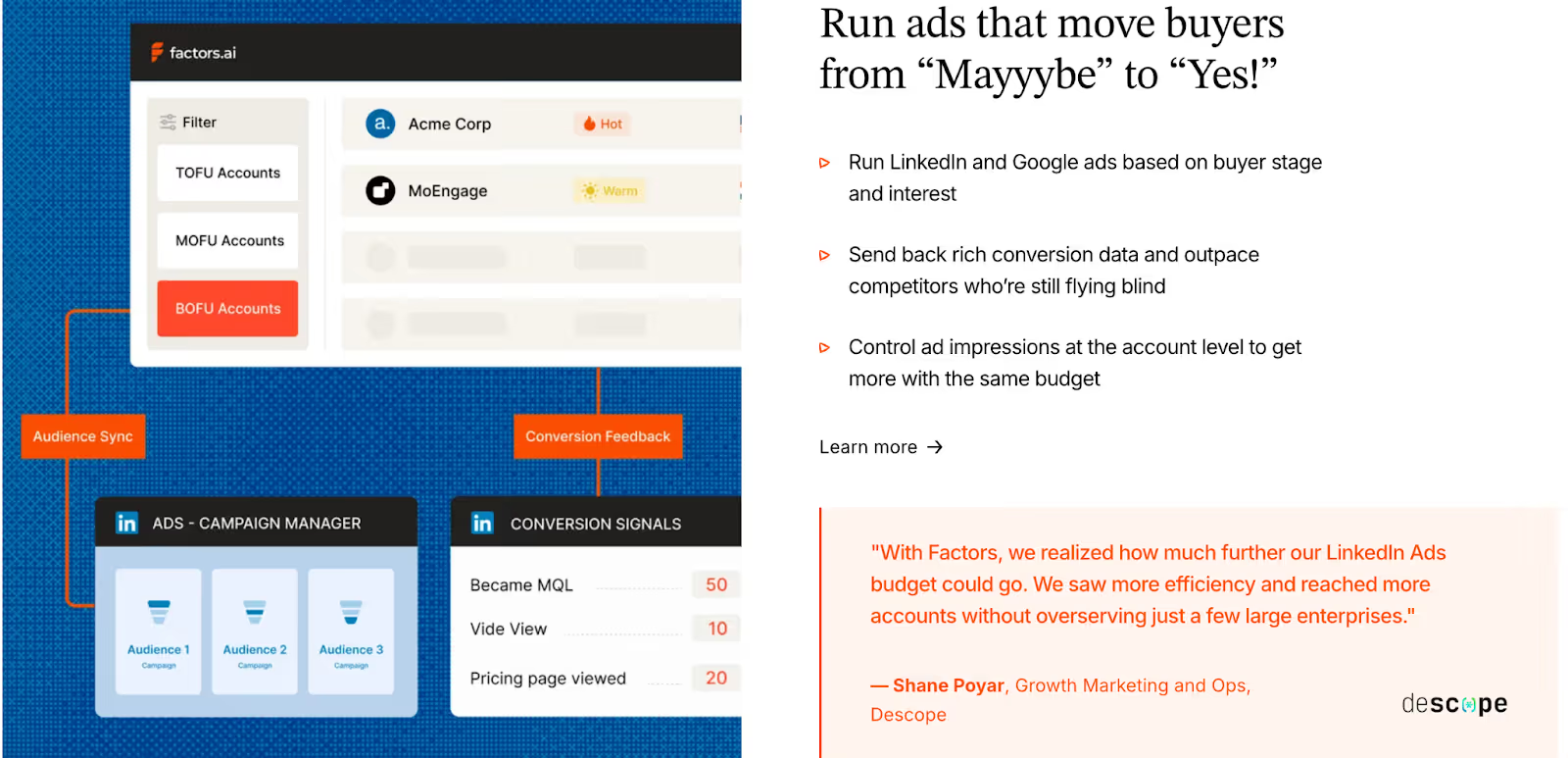
Factors.ai treats advertising as a growth system, not just a spend channel.
Its AdPilot suite, for both LinkedIn Ads and Google Ads, helps teams get the most out of every campaign by combining precision, automation, and analytics.
With LinkedIn AdPilot, you can:
- Build audience lists based on real buying intent instead of static targeting.
- Keep audiences auto-updated so ads reach active and in-market accounts.
- Maintain account-level impression control, ensuring the same few accounts don’t absorb your entire budget.
- Show more ads to sales-ready accounts, staying visible while they evaluate options.
- Understand what’s working with view-through attribution, showing how LinkedIn Ads contribute to website visits, demo bookings, and closed deals.
- Compare LinkedIn’s performance with other ad platforms to see true ROI.
- Sync conversions back into LinkedIn through CAPI, improving optimization automatically.
Proven Results from GTM Teams Using AdPilot:
- 5x increase in ad budget efficiency.
- 30% more deals attributed to LinkedIn Ads.
- 60% boost in pipeline generation.
With Google AdPilot, you can:
- Run campaigns with buyer-stage targeting so each ad matches where the account is in the funnel.
- Send conversion feedback directly to Google Ads for smarter bidding.
- Sync audiences daily and remove irrelevant accounts to keep spend focused.
Why it matters:
Ad budgets often drain on inactive or unfit accounts. AdPilot changes that by using live intent signals and enrichment to guide who sees what. The result is a connected GTM ecosystem where marketing doesn’t waste and sales always sees movement.
How Instantly.ai Handles Ad Activation and Engagement
Instantly.ai focuses on what it does best: email.
The platform helps teams manage large-scale outreach through multiple inboxes and automated sequences.
Here’s what it offers:
- Personalized email campaigns with unlimited accounts.
- Email warm-up tools to protect deliverability.
- Basic performance insights such as open rates, click rates, and reply tracking.
- Option to connect to LinkedIn Ads using Zapier, though not as a core feature.
While this setup works well for outbound engagement, it doesn’t expand into paid channels or multi-platform targeting.
Instantly.ai’s focus remains on keeping outreach consistent and efficient, rather than aligning ads with broader GTM motions.
Factors.ai vs Instantly.ai: Ad Activation and Engagement in a snapshot
Both tools aim to reach the right audience, but they do it in entirely different ways.
Factors.ai helps teams orchestrate a complete GTM system, turning signals from multiple sources into ad campaigns that convert.
Instantly.ai is built for direct outreach and speed by helping teams scale email campaigns quickly.
If your strategy revolves around outreach volume, Instantly.ai gives you the basics to run fast.
If your strategy relies on precision, pipeline visibility, and smarter ad spending, Factors.ai’s LinkedIn and Google AdPilot make every ad dollar count.
Factors.ai vs Instantly.ai: Analytics, Reporting, and Funnel Insights
How Factors.ai Handles Analytics and Reporting
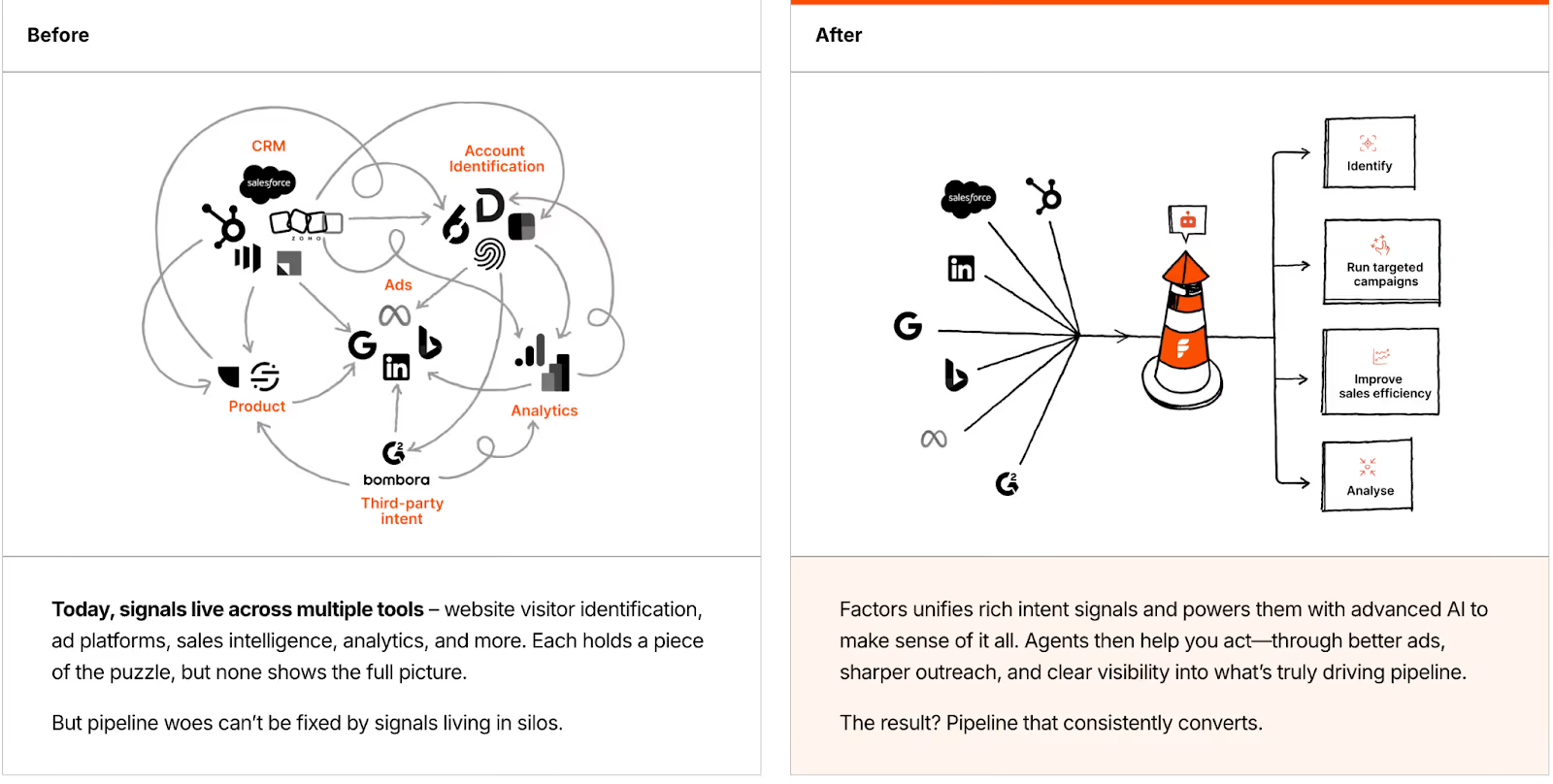
Factors.ai helps teams see the story behind their data by helping them measure engagement and connecting it to revenue.
Here’s what it delivers:
- Full-funnel analytics through Milestones that map each conversion stage.
- Multi-touch attribution to connect every ad, visit, and campaign to final revenue.
- Customer journey timelines that show the exact path an account followed.
- Drop-off detection to spot where prospects lose interest and why.
- Segmentation reports by industry, geography, and ICP fit.
- Pipeline influence metrics showing which channels create the strongest deals.
With everything unified in Account360, marketing and sales teams don’t need to guess which campaigns work as they can see it clearly and act on it.
How Instantly.ai Handles Analytics and Reporting
Instantly.ai focuses on helping teams monitor email performance quickly.
Its reports keep outreach campaigns on track and maintain deliverability health.
Key reporting areas include:
- Open rate and reply tracking for each sequence.
- Click and bounce-rate monitoring.
- Deliverability analytics for connected inboxes.
- Basic lead-source visibility through website visitor tracking.
It’s enough for teams running high-volume campaigns who need daily performance metrics.
However, it doesn’t track how engagement translates into deals or pipeline.
Factors vs Instantly.ai: Analytics, Reporting, and Funnel Insights in a snapshot
Both tools offer valuable insights, but their goals are different.
Factors.ai gives you the bigger picture by showing what’s working, what isn’t, and how every effort ties back to pipeline growth.
Instantly.ai helps you stay efficient with campaign-level analytics for cold outreach.
If you want to monitor email engagement, Instantly.ai keeps it simple… but if you want to understand and improve the entire revenue journey, Factors.ai gives you the clarity and control to do it.
For hands-on reporting ideas, check attribution reporting: what you can learn from marketing attribution reports.
Factors.ai vs Instantly.ai: Onboarding, Support, and Customer Experience
How Factors.ai Handles Onboarding and Support
With Factors.ai, teams get a structured partnership.
The onboarding experience is designed to match your GTM maturity and goals, not just walk you through features.
Here’s what it includes:
- A dedicated onboarding team to help design your GTM setup.
- Slack communication for quick answers and ongoing support.
- Weekly strategy calls to align your analytics, campaigns, and funnel tracking.
- GTM Engineering Services for teams who need deeper support with RevOps design, alert setup, and enrichment workflows.
The idea is simple: your team should never be left figuring things out alone.
From the first setup call to ongoing optimization, Factors.ai operates more like a GTM partner than a tool.
How Instantly.ai Handles Onboarding and Support
Instantly.ai takes a quick-start approach.
You sign up, connect your inbox, upload your contacts, and launch your first campaign, often within minutes.
What you get:
- Guided onboarding screens that walk you through setup.
- Email and chat support for troubleshooting or deliverability questions.
- Access to help articles and resources for campaign optimization.
- Dedicated support only for top-tier plans.
This setup works well for smaller teams or founders who prefer autonomy and speed over long onboarding cycles.
Factors.ai vs Instantly.ai: Onboarding and Support in a snapshot
Both tools offer strong support, but the experience feels different depending on your team’s size and style.
Factors.ai offers a more hands-on, consultative experience which is ideal for GTM teams that value strategy, precision, and collaboration.
Instantly.ai makes it easy for anyone to start fast and learn as they go. It’s built for users who want a self-serve, low-touch approach.
If you’re looking for a quick setup, Instantly.ai fits right in.
If you want a platform that grows with your process and provides steady guidance, Factors.ai keeps you covered from day one.
Factors.ai vs Instantly.ai: Security and Compliance
How Factors.ai Handles Security and Compliance
Factors.ai prioritizes security at every stage of the GTM process.
From intent data to customer analytics, every piece of information stays protected under verified frameworks.
Security highlights:
- Certified with ISO 27001 and SOC II Type 2, ensuring high-level operational and data security standards.
- Fully GDPR and CCPA compliant, meaning user data is handled lawfully and transparently.
- Encryption in storage and transit, protecting information from unauthorized access.
- Access control and audit trails for all internal and client accounts.
- Regular compliance audits and clearly published documentation.
For enterprise clients, this provides a sense of reliability that every process is built on privacy and security.
How Instantly.ai Handles Security and Compliance
Instantly.ai takes a simpler approach. It manages customer data responsibly but doesn’t highlight deep compliance details or certifications on its website.
What’s available:
- A general privacy policy covering how user data is collected, stored, and used.
- Basic access control for team members and shared accounts.
- Secure hosting on recognized cloud providers.
For small and mid-sized businesses focused on cold outreach, this level of protection works fine. However, large enterprises with strict compliance requirements might find the lack of public documentation limiting.
Factors.ai vs Instantly.ai: What to choose when?
Both platforms treat user data with care, but their approaches differ in depth.
Factors.ai operates at a higher standard, meeting the security expectations of enterprise-grade clients and regulated industries.
Instantly.ai provides the essential layer of privacy control suitable for fast-moving sales teams.
If you need lightweight data protection for outreach, Instantly.ai holds up.
If your organization needs verified certifications, global compliance, and transparent handling, Factors.ai is the safer long-term bet.
If compliance matters, we explain visitor privacy best practices in website visitor identification privacy, which is handy for outreach teams using pixels.
Factors.ai vs Instantly.ai: Which Platform Fits Your GTM Motion Best
When you look at both platforms side by side, it’s clear they aim to solve different parts of the GTM puzzle.
Factors.ai, on the other hand, builds around precision by connecting data, intent, and automation to help teams understand where growth really comes from.
Instantly.ai builds around speed and volume by helping teams send more emails, track replies, and find quick opportunities.
Both approaches have their place. The right one depends on how your team works and what success looks like for you.
Instantly.ai: Ideal For Teams That Want Quick Outreach and Fast Execution
Instantly.ai is perfect for smaller GTM or sales-led teams who rely heavily on outbound motion.
It gives you:
- A fast way to identify website visitors and turn them into email prospects.
- Scalable cold-email outreach with multiple inboxes.
- Built-in warm-up and deliverability tools.
- Basic reporting that keeps track of open and reply rates.
It’s simple, efficient, and designed for teams that want to act immediately.
If your focus is on direct, high-volume outreach rather than long-term orchestration, it’s a good place to start.
Factors.ai: Built for Teams That Want Visibility, Control, and Growth
Factors.ai takes a broader view of GTM, one where every touchpoint connects.
It helps you:
- Identify high-intent accounts and map their full journey.
- Build and run intent-driven campaigns on LinkedIn and Google through AdPilot.
- Track funnel progress with Milestones and Account360 analytics.
- Get real-time alerts when buying signals appear.
- Access dedicated onboarding and GTM engineering support when needed.
The platform gives structure to everything a growth team does, from awareness to conversion with analytics and automation guiding every step.
It’s a longer-term investment that pays off with clarity and consistency.
Which tool to choose?
If you’re:
- A growing GTM team that wants one system for analytics, orchestration, and activation, Factors.ai gives you the foundation to scale confidently.
- A lean sales team looking for outreach tools and quick results, Instantly.ai keeps things simple.
In short, both tools help you move forward, but they do it at different speeds and depths.
One helps you start fast.
The other helps you go far.
In a nutshell…
The GTM stack is no longer just about sending more emails, it’s about sending the right signals at the right time. In this detailed comparison, we explore how Factors.ai and Instantly.ai serve distinct GTM strategies. Instantly.ai is purpose-built for outbound speed. It enables high-volume cold outreach with inbox warm-up, campaign automation, and lead enrichment, making it a powerful tool for sales-led teams focused on velocity.
In contrast, Factors.ai supports a more connected, strategic motion. It identifies high-intent accounts, maps buyer journeys, activates dynamic audiences on ad platforms, and ties performance to pipeline through funnel analytics and attribution. Its approach is not just to track activity, but to turn signals into synchronized marketing and sales execution.
This blog breaks down each platform’s strengths across lead identification, automation, funnel scoring, ad engagement, analytics, and compliance. You’ll also get clarity on pricing, support models, and who each platform is best suited for.
If your team thrives on quick execution and inbox activity, Instantly.ai fits the need. But if you're scaling a GTM motion that demands cross-channel coordination, signal-based targeting, and real pipeline clarity, Factors.ai offers the infrastructure to grow with precision.
FAQs for Factors.ai vs Instantly.ai
1. What’s the main difference between Instantly.ai and Factors.ai?
Instantly.ai is optimized for high-volume cold outreach, while Factors.ai is designed to orchestrate full-funnel GTM strategies with account intelligence and automation.
2. Which platform is better for cold email campaigns?
Instantly.ai excels at cold outreach, offering inbox warm-up, email automation, and lead sourcing from a large database.
3. Does Factors.ai support paid media campaigns?
Yes, Factors.ai integrates with LinkedIn Ads and Google Ads via AdPilot, allowing teams to launch intent-driven campaigns with automated audience sync and revenue attribution.
4. Can these platforms work together?
They serve different GTM layers, outreach vs. orchestration, and could be used in tandem, though teams may prefer an integrated solution to avoid duplication.
5. Is Factors.ai suitable for small teams?
Yes. With a free tier and scalable plans, small GTM teams can start light and expand usage as their motion matures.
6. What kind of support does each platform offer?
Factors.ai provides hands-on onboarding and GTM engineering support. Instantly.ai offers fast, self-serve setup with additional support on premium tiers.

Factors.ai vs. LeadMagic: Which Tool is Right for Your Business?
Discover the differences between Factors.ai and LeadMagic in our comprehensive comparison.
TL;DR
- Factors.ai is an account-based marketing tool ideal for larger enterprises focused on comprehensive analytics and customer engagement.
- It offers advanced account identification, multi-touch attribution, and path analysis, making it suitable for businesses with established CRM systems.
- In contrast, LeadMagic is a lead identification and data enrichment platform best suited for startups and small to medium-sized businesses.
- It provides real-time data on website visitors, has a user-friendly interface, and operates on a pay-as-you-go pricing model, allowing cost-effective lead generation without significant upfront investment.
- The choice between Factors and LeadMagic depends on your business size, marketing goals, and budget.
Most businesses today need robust strategies for lead generation and customer engagement. With an increasing emphasis on data-driven marketing, selecting the right tools can significantly impact a company's success. Two prominent platforms, Factors.ai and LeadMagic, have emerged to cater to this demand, offering unique features and capabilities tailored to different marketing needs. This blog will explore their functionalities, strengths, weaknesses, and pricing to help you determine which solution aligns best with your business goals.
Overview of Factors.ai

Factors.ai focuses primarily on account-based marketing. It aims to provide businesses with a comprehensive understanding of customer behavior and enhance the effectiveness of marketing strategies. The platform integrates seamlessly with various customer relationship management (CRM) systems, allowing businesses to gather insights essential for nurturing leads and driving conversions.
Key Features of Factors.ai

- Advanced Account Identification: Factors.ai leverages enterprise-level IP data integration to identify anonymous visitors to your website. This means that the platform can often determine the company it represents even if users do not fill out a form or provide their information. By offering insights on up to 64% of these anonymous visitors, Factors.ai equips marketing teams with valuable data that helps refine targeting strategies.
- Multi-Touch Attribution: Understanding how different marketing channels contribute to conversions is crucial for any marketing team. Factors.ai excels in multi-touch attribution, providing detailed insights into the various touchpoints along the customer journey. This feature enables businesses to evaluate the most effective marketing efforts and adjust their strategies accordingly.
- Account & Engagement Scoring: This feature gives marketers a comprehensive view of account activity and engagement. By combining firmographic and technographic data with real-time engagement signals such as content downloads, email opens, and webinar attendance, businesses can effectively prioritize high-value accounts. Engagement scoring tracks interactions over time, allowing marketers to identify critical moments like leadership changes or funding announcements that influence decision-making, enabling timely and tailored outreach efforts.
- LinkedIn AdPilot: AdPilot helps marketers enhance ROI on their LinkedIn campaigns, aiming to increase ROI by 2X. It provides a cost-effective and efficient solution for audience targeting and campaign management.
- Comprehensive Analytics: The platform aggregates data from multiple sources, including CRMs and ad networks, to present a unified view of account performance. This feature allows for better alignment between sales and marketing teams, leading to more effective collaboration.
- Segments: Segment Insights offers an advanced approach to analyzing customer data. By breaking down interactions within precisely defined customer groups, marketers gain actionable insights to tailor campaigns. This segmentation empowers businesses to refine messaging and enhance conversion rates effectively.
- Workflows: Factors.ai’s Workflow Automations streamline routine tasks like data collection and lead nurturing. This feature allows teams to focus on strategic initiatives by automating repetitive processes, boosting operational efficiency, and enabling faster decision-making.
Limitations of Factors.ai
Despite its powerful features, Factors.ai has some limitations. It doesn't offer contact-level data, only account-level data. However, it's possible to integrate it with contact databases like Apollo.
{{INLINE_CTA_A}}
Overview of LeadMagic

LeadMagic, focuses on lead identification and data enrichment. It is particularly suited for small to medium-sized businesses looking to enhance their lead generation efforts without incurring high costs. LeadMagic is recognized for its pay-as-you-go model, making it a flexible option for companies with varying outreach needs.
Key Features of LeadMagic
- Real-Time Data Enrichment: LeadMagic provides real-time data on website visitors, ensuring businesses can access accurate contact information, including email addresses and phone numbers. This capability is vital for sales teams reaching out quickly to potential leads.
- User-Friendly Interface: One of LeadMagic's standout features is its user-friendly onboarding process. Many users appreciate the straightforward setup, which allows them to start generating leads and enriching data without extensive training or support.
- Flexible Pricing Model: The pay-as-you-go pricing model allows businesses to pay only for the data they need. This flexibility appeals to companies that want to control costs while ensuring they have access to high-quality leads. It helps businesses avoid the financial commitment that often comes with monthly subscriptions.
- Company Finder Tool: LeadMagic's company finder tool enables users to identify target companies based on specific criteria, such as industry and company size. This feature helps streamline the prospecting process, allowing sales teams to focus on high-potential leads.

Limitations of LeadMagic
While LeadMagic excels in many areas, it is not without its challenges. Some users have reported difficulties distinguishing between valuable leads and bot traffic, affecting the quality of outreach efforts. Additionally, while it offers robust data enrichment capabilities, it may not provide the same level of in-depth analytics or attribution that Factors.ai does.

Feature Comparison: Factors.ai vs. LeadMagic
1. Account-Based Marketing (ABM) Capabilities
Factors.ai is tailored for companies that prioritize account-based marketing strategies. It offers advanced analytics and insights into account engagement, making it ideal for organizations that need to track the effectiveness of their marketing campaigns over time. The multi-touch attribution feature enables marketers to evaluate the impact of various touchpoints on conversions, allowing for better resource allocation.
In contrast, LeadMagic focuses more on lead identification and data enrichment[3] . While it provides valuable insights, it needs the comprehensive ABM features that Factors.ai offers. LeadMagic is best suited for businesses that need to identify and engage leads quickly but may not require extensive tracking of account engagement.
2. Ease of Use
LeadMagic is often praised for its ease of use. Users appreciate the intuitive interface and quick setup process, which makes it accessible even for those without extensive technical expertise. This user-friendly design allows businesses to focus on generating leads without getting bogged down in complicated processes.
Factors.ai, while powerful, has a more complex interface that may require additional training for new users. The platform's extensive feature set can be overwhelming at first, making it less ideal for businesses looking for a straightforward solution.
3. Data Accuracy and Enrichment
LeadMagic is recognized for its high-quality data and real-time enrichment capabilities. Users frequently commend the platform for its accuracy in delivering contact information and ensuring that leads are current. This quality is crucial for businesses that rely on timely outreach to convert leads into customers.
Factors.ai also provides robust data capabilities through enterprise-level IP data integration. However, its strengths lie more in account-level insights and analytics than individual lead enrichment. While it offers high-quality data, its primary focus is understanding account engagement rather than just identifying leads.
4. Pricing
Factors.ai starts at $149 per month, which provides access to its full suite of features, including advanced analytics and ABM capabilities. This pricing structure is ideal for larger organizations leveraging the extensive features for their marketing strategies.

LeadMagic's pay-as-you-go model is particularly appealing for small to medium-sized businesses. This flexibility allows companies to manage their expenses more effectively, especially if their outreach needs fluctuate. Businesses can pay for specific services like lead identification and data enrichment, making it a cost-effective solution.

{{INLINE_CTA_A}}
Use Cases: When to Choose Factors.ai or LeadMagic
Factors.ai Use Cases
- Large Enterprises with Complex ABM Needs: Companies with extensive marketing and sales teams that rely heavily on account-based strategies will benefit from Factors.ai's comprehensive analytics and multi-touch attribution. This capability allows them to optimize their marketing efforts effectively.
- Businesses Seeking In-Depth Customer Insights: For organizations prioritizing understanding customer behavior and engagement over time, Factors.ai provides valuable insights that inform future marketing strategies. Its account timelines and path analysis features can help businesses tailor their messaging to meet customer needs.
- Organizations with Established CRM Systems: Businesses that have already implemented CRM systems can seamlessly integrate Factors.ai, leveraging existing data to enhance their marketing efforts further.
LeadMagic Use Cases
- Startups and Small Businesses: Startups and small businesses that require affordable lead generation solutions will find LeadMagic's pay-as-you-go model attractive. This flexibility allows them to scale their outreach efforts without incurring high costs.
- Sales Teams Needing Quick Data: Sales teams that require rapid access to accurate contact information will benefit from LeadMagic's real-time data enrichment capabilities. The user-friendly interface allows them to identify and reach out to leads quickly.
- Companies Focused on Lead Identification: Organizations looking for a straightforward lead identification and enrichment solution will find LeadMagic's features aligned with their needs. Its company finder tool can assist in targeting specific industries or company sizes.
In a Nutshell
When choosing Factors.ai and LeadMagic, the decision ultimately hinges on your business needs. Factors.ai is a robust tool designed for organizations prioritizing account-based marketing and requiring in-depth analytics to drive their strategies. Its advanced features cater well to larger enterprises with complex marketing structures.
On the other hand, LeadMagic provides a flexible, cost-effective solution that is ideal for startups and small businesses. Its user-friendly interface and real-time data enrichment capabilities make it a solid choice for sales teams focused on lead generation.
Both platforms have unique strengths and limitations, and evaluating your organization's marketing goals, budget, and team capabilities will help you make the right choice. By understanding the nuances of each tool, you can enhance your lead-generation strategies and drive greater success in your marketing efforts.
Also read, Factors vs Zoominfo: Pros and Cons.
{{INLINE_CTA_A}}
.avif)
Factors.ai vs Gojiberry: Best AI GTM Tool for Scalable Revenue
Read about Factors.ai as a Gojiberry alternative. Compare them across pricing, features, automation, and analytics to find the right AI GTM platform for your team’s goals and channel strategy.
TL;DR
- Gojiberry is ideal for LinkedIn-centric sales teams needing fast, affordable outreach automation. It’s built for startups and outbound-heavy workflows with minimal setup.
- Factors.ai delivers multi-source intent capture, full-funnel analytics, ad activation, and enterprise-ready compliance, best for scaling teams needing structure and visibility across GTM.
- Analytics is where they split: Gojiberry tracks replies and leads; Factors.ai attributes pipeline to campaigns, stages, and signals.
- Choose Gojiberry if your GTM motion lives in LinkedIn DMs.
- Choose Factors.ai if you want to operationalize a full-stack GTM engine.
If you’ve ever been in a GTM meeting where five dashboards are open, three people are talking at once, and someone says,
“Okay but… what actually moved pipeline this month?”… you already know where this is going.
Website traffic is up.
LinkedIn replies look decent.
Sales says conversations feel “warmer.”
CRM data is… let’s not talk about the CRM.
And yet, nobody can confidently answer whether any of this activity will turn into revenue, or if we’re all just professionally busy (and traumatized).
This is usually the moment teams start Googling things like “AI GTM tools”, “intent data platforms”, or “something that makes this mess make sense.”
That’s where Factors.ai and Gojiberry tend to show up in the same shortlist.
At first glance, they feel similar. Both talk about intent. Both use AI agents. Both promise to help your GTM team move faster and catch buying signals before competitors do. On paper, it looks like you’re choosing between two flavours of the same solution… except one sounds like an exotic ice-cream flavour… (I’m obviously talking about Factors.ai… what did you think?!)
Okay, let’s get back… now, once you get past the landing pages and into how these tools actually work day-to-day, the difference becomes pretty obvious.
Gojiberry is built for LinkedIn-led outbound. It monitors signals such as role changes, funding announcements, and competitor engagement, then helps sales teams jump into conversations while the lead is still scrolling.
Factors.ai looks at the chaos and says, “Cool, but buyers don’t live on one channel.” It pulls intent from your website, ads, CRM, product usage, and platforms like G2, then connects all of it into one journey… so marketing, sales, and RevOps are finally looking at the same story.
So this isn’t really a debate about which tool is ‘better.’
It’s about whether your GTM motion is:
- starting conversations fast, or
- building a system that turns signals into predictable revenue
If you’re trying to decide between Factors.ai and Gojiberry, this guide breaks down how they actually behave in the wild… what they’re great at, where they stop helping, and which kind of GTM team they’re built for. Get the full ‘scoop’ here (or a double-scoop?).
Let’s get into it.
Factors.ai vs Gojiberry: Functionality and Features
When evaluating GTM platforms, the first question most teams ask is: what can this tool actually do for me? On the surface, both Factors.ai and Gojiberry are intent-led tools, but their depth of functionality reveals very different approaches.
Most intent-led platforms stop at visibility. They’ll tell you who’s out there, but the heavy lifting of turning those signals into pipeline still falls on your team. The real differentiator is not just what you see, but what you can do once you’ve seen it. This is where Factors.ai and Gojiberry diverge.
Factors.ai vs Gojiberry: Functionality and Features Comparison Table
Factors.ai Functionality and Features
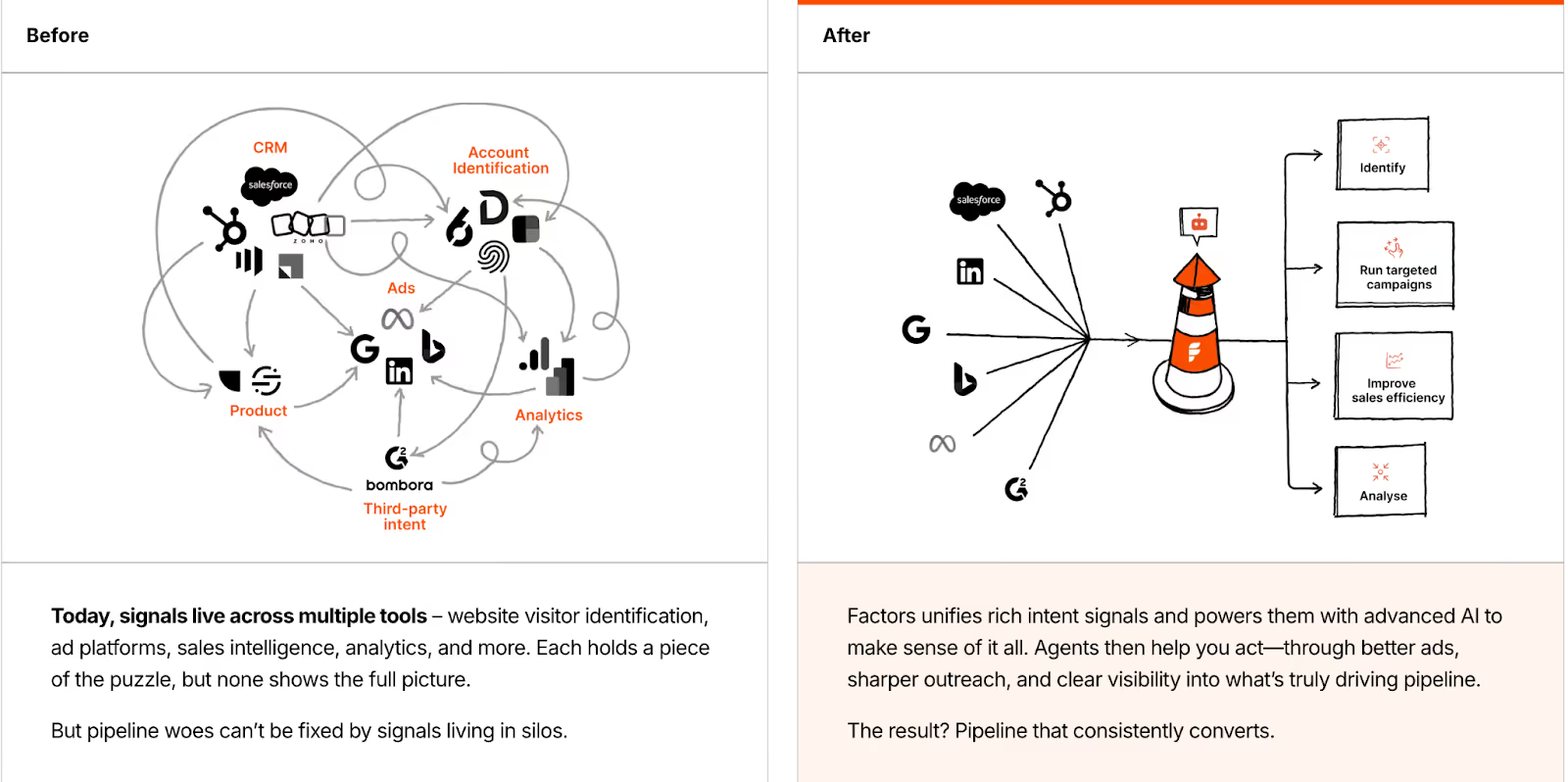
Factors.ai positions itself as more than just a signal-capturing tool, it’s an orchestration engine. Instead of feeding you raw data, it structures the entire buyer journey and enables activation at every step.
Key capabilities include:
- Multi-Source Intent Capture: Pulls data from website visits, ad clicks, CRM stages, product usage, and review platforms like G2.
- Visitor Identification: Identifies up to 75% of anonymous visitors using multi-source enrichment (Clearbit, 6sense, Demandbase, etc.).
- Customer Journey Timelines: Creates unified timelines that map every touchpoint across channels into a single, coherent story.
- AI-Powered Agents: Handle account scoring, surface buying groups, suggest next best actions, and even support multi-threaded outreach strategies.
- Ad Platform Integrations: Native sync with LinkedIn and Google Ads lets you activate intent signals in real time.
- Real-Time Alerts: Sends high-context Slack notifications for critical moments (e.g., demo revisit, pricing page view, form drop-off).
In short, Factors.ai highlights your warmest leads and guides you on the following steps to maximize their potential.
Gojiberry Functionality and Features
Gojiberry takes a narrower, but highly focused approach. Instead of multi-channel orchestration, it goes deep into LinkedIn as the single source of truth for GTM signals.
Key capabilities include:
- LinkedIn Signal Tracking: Monitors 10+ LinkedIn intent signals such as competitor engagement, funding rounds, new roles, and content interactions.
- Always-On AI Agents: Run 24/7 to spot new leads that match your ICP and surface them before competitors do.
- Automated Outreach: Launches personalized LinkedIn campaigns at scale, reducing manual prospecting effort.
- Performance Metrics: Provides weekly counts of new leads, reply rates, and campaign-level results.
- Integrations: Syncs with Slack for real-time notifications and connects with CRMs like HubSpot and Pipedrive.
Where Factors.ai orchestrates multiple channels, Gojiberry specializes in making LinkedIn-led outbound as efficient as possible.
Factors.ai vs Gojiberry: Verdict on Functionality and Features
Gojiberry shines when your GTM motion is LinkedIn-first and you need a fast, efficient way to identify warm prospects and automate outreach. It’s focused, lightweight, and designed for outbound-heavy teams.
Factors.ai, on the other hand, extends far beyond lead discovery. By combining multi-source intent signals, unified customer journeys, and AI-driven orchestration, it functions as a true GTM command center. Instead of just finding leads, it equips your team to nurture, activate, and convert them across the funnel.
In short:
- Gojiberry = LinkedIn discovery & outreach tool.
- Factors.ai = full-funnel GTM orchestration platform.
Factors.ai vs Gojiberry: Pricing
Pricing is often where teams start their evaluation, but it’s also where many make the mistake of comparing numbers instead of value per dollar. A lower monthly fee doesn’t necessarily translate into cost efficiency if the tool requires you to buy multiple add-ons or still leaves gaps in your GTM motion.
Both Factors.ai and Gojiberry take very different approaches to pricing, reflective of the problems they aim to solve.
Factors.ai vs Gojiberry: Pricing Comparison Table
Factors.ai Pricing
Factors.ai is not just another point tool; it is a platform, and that philosophy is reflected in its pricing.
- Factors.ai offers a free plan with limited features.
- Moving on, even the base package includes capabilities that typically require multiple point tools stitched together:
- Visitor identification with up to 75%+ accuracy using waterfall enrichment (Clearbit, 6sense, Demandbase).
- Contact enrichment via integrations (Apollo, ZoomInfo, Clay).
- CRM sync & account scoring based on ICP fit, funnel stage, and engagement intensity.
- AI agents that research accounts, surface contacts, generate outreach insights, and support multi-threading.
- Slack alerts triggered by high-intent actions.
- Native ad activation on LinkedIn and Google Ads (with audience sync and conversion feedback).
- Full-funnel analytics & attribution dashboards to tie activity to pipeline and revenue.
- Optional GTM Engineering Services
For teams with limited RevOps bandwidth, Factors offers a service layer at an additional cost. This includes:- Custom ICP modeling and playbook design.
- Set up enrichment, alerts, and ad activation workflows.
- SDR enablement: post-meeting alerts, closed-lost reactivation, and buying group mapping.
- Ongoing reviews, optimization, and documentation of the GTM motion.
Takeaway: While Factors.ai’s entry point is higher, the scope is significantly broader. Instead of buying a visitor ID tool, a LinkedIn retargeting tool, a separate attribution platform, and an enrichment service, you get it all in one system. The additional GTM Engineering Services make Factors not just a tool, but an extension of your team.
Read more about the pricing tiers.
Gojiberry Pricing
Gojiberry keeps things straightforward with a seat-based model.
- Pro Plan - $99/month per seat
Designed for startups, founders, and lean sales teams looking for predictable pipeline through LinkedIn-led outbound. It includes:- Tracking of 15+ LinkedIn intent signals (e.g., funding rounds, competitor engagement, role changes, event activity).
- Connection of one LinkedIn account.
- Running of unlimited LinkedIn campaigns.
- AI-powered outreach with basic lead scoring.
- CRM & API integrations (HubSpot, Pipedrive, etc.).
- 100 verified emails included per month.
- Elite Plan - Custom Pricing
Built for scaling teams needing more seats and deeper integrations. It includes everything in Pro, plus:- Tracking of unlimited intent signals.
- A dedicated Customer Success Manager (CSM).
- SLA guarantees for support and uptime.
- Support for +10 additional seats.
- Deeper integrations across the stack.
- Higher volumes of phone and email credits.
Takeaway: Gojiberry’s pricing is attractive to small teams looking for affordability and ease of entry. But its value is tied closely to LinkedIn-based workflows. If your GTM play relies on multi-channel activation (ads, website, CRM, product signals), you’ll need to supplement it with additional tools.
Factors.ai vd Gojiberry: Verdict on Pricing
If you’re an early-stage startup or a lean sales team, Gojiberry offers a low-cost, low-barrier entry into AI-driven LinkedIn outreach. For $99/month per seat, you can uncover warm signals and start conversations quickly.
But if you’re evaluating true cost vs. value, Factors.ai offers more ROI at scale. At $416/month, you consolidate multiple workflows, visitor ID, enrichment, ad sync, analytics, and attribution, into one platform. Plus, with GTM Engineering Services, you’re not just buying software; you’re investing in an operating system for revenue.
In short:
- Gojiberry = affordable outreach assistant.
- Factors.ai = GTM platform that scales with you.
Factors.ai vs Gojiberry: Analytics and Attribution
Seeing who’s engaging is one thing. Proving which efforts actually drive pipeline and revenue is another. This is where Factors.ai and Gojiberry diverge sharply.
Factors.ai vs Gojiberry: Analytics and Attribution Comparison Table
Factors.ai Analytics and Attribution
Factors.ai was built from the ground up as a full-funnel analytics and attribution platform. Instead of stopping at replies or meetings booked, it connects every touchpoint to pipeline outcomes.
Key analytics capabilities include:
- Multi-Touch Attribution
- Stitch together interactions across web, ads, product usage, CRM, and G2.
- Attribute pipeline and revenue back to specific channels and campaigns.
- Answer questions like: “Did LinkedIn or Google Ads influence this deal more?”
- Funnel Stage Analytics
- Track movement from MQL → SQL → Opportunity → Closed Won.
- Identify which campaigns or signals accelerate progression, and where drop-offs happen.
- Customer Journey Timelines
- Unified, chronological view of every action an account has taken.
- See how anonymous visits, ad clicks, demos, and nurture campaigns map into deals.
- Segmentation & Custom Dashboards
- Break down performance by geography, ICP fit, industry, product line, or segment.
- Compare campaigns across personas or buyer stages.
- Drop-Off & Bottleneck Detection
- Visualize where accounts fall out of the funnel.
- Spot “silent churn” signals like demo visits with no follow-up.
- AI-Powered Insights (coming soon)
- Ask natural language questions like: “Which campaign influenced the most revenue last quarter?” without digging through dashboards.
With Factors, analytics aren’t just about visibility, they’re about actionable GTM strategy.
Gojiberry Analytics and Attribution
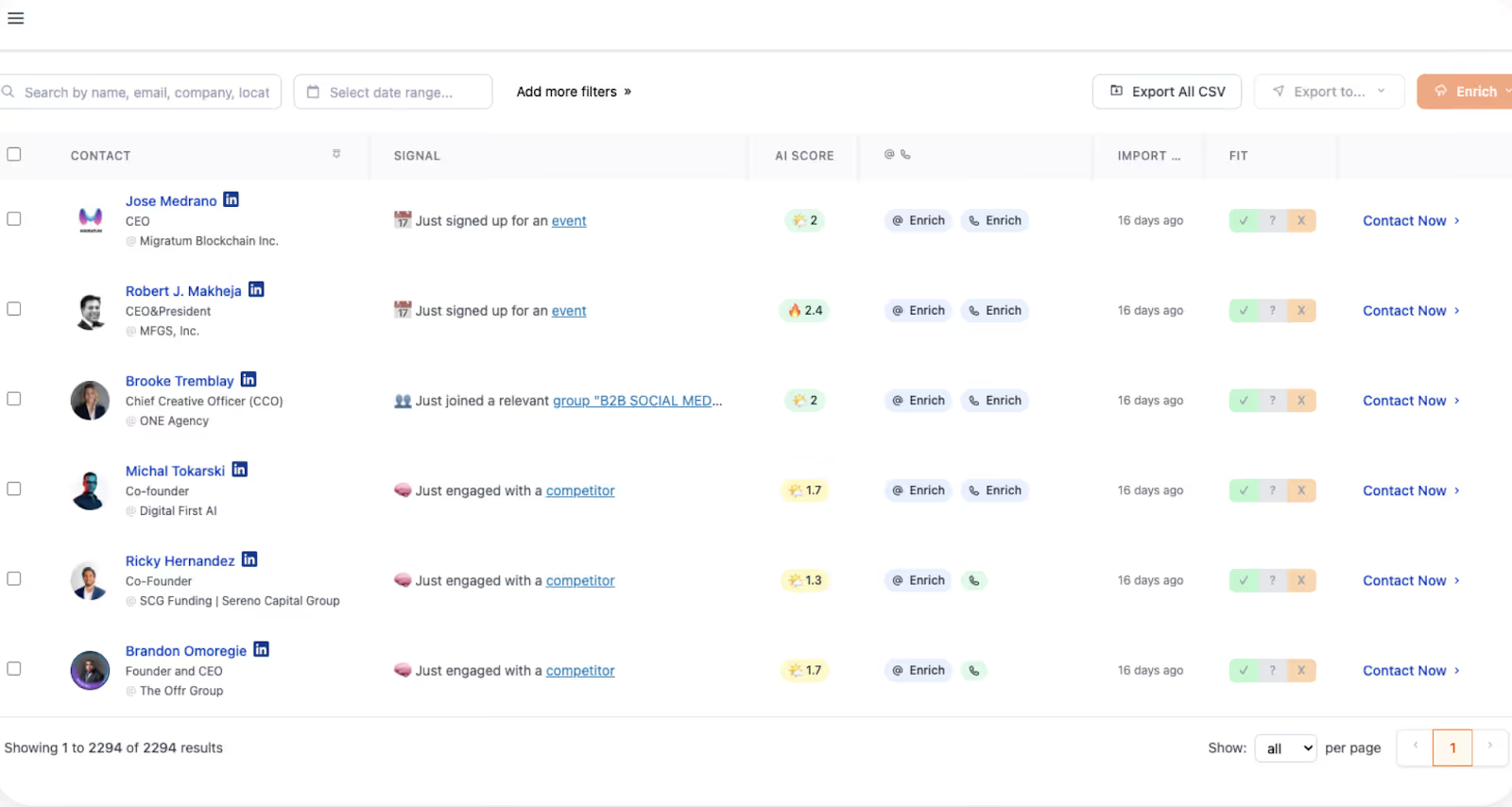
Gojiberry’s analytics stay close to its core use case: LinkedIn-led outreach. The platform is optimized to show you which signals and campaigns generated responses, and how your outreach is performing week over week.
Key analytics capabilities include:
- Campaign Performance Metrics
- Reply rates broken down by campaign (e.g., Campaign A: 18%, Campaign B: 27%).
- Weekly counts of leads generated and replies received.
- Signal-Level Insights
- See which LinkedIn triggers (competitor engagement, new funding, new roles, etc.) yielded the most conversations.
- Spot top-performing signals like “Engaged with your competitors” or “Recently raised funds.”
- Basic CRM/Slack Integration Reporting
- Track which signals or campaigns convert into meetings.
- Push lead data into CRM tools for follow-up.
- Real-Time Alerts
- Notifications in Slack when new warm leads are uncovered, with basic context about the signal.
In other words, Gojiberry tells you:
- “This signal is working.”
- “This campaign got replies.”
- “Here are the warm leads to follow up with.”
But what it doesn’t do is tie those interactions to broader GTM outcomes. You won’t see multi-touch attribution, funnel progression, or which channels (beyond LinkedIn) contribute to revenue.
Factors.ai vs Gojiberry: Verdict on Analytics & Attribution
Gojiberry does its job well: it shows you which LinkedIn signals get the most replies, which campaigns are working, and when new warm leads appear. That’s useful for small teams focused on direct outbound outreach.
But if you’re a GTM team looking to justify spend, optimize campaigns, and scale pipeline predictably, Factors.ai is in another league. It gives you the ability to prove which touchpoints created revenue, not just which messages got replies.
In short:
- Gojiberry = outreach analytics.
- Factors.ai = revenue analytics.
Factors.ai vs Gojiberry: Ad Activation and Retargeting
Intent signals are only half the battle. The real question is: how quickly and effectively can your team act on those signals? That’s where the differences between Factors.ai and Gojiberry become clearest.
Factors.ai vs Gojiberry: Ad Activation and Retargeting Comparison Table
Factors.ai Ad Activation and Retargeting
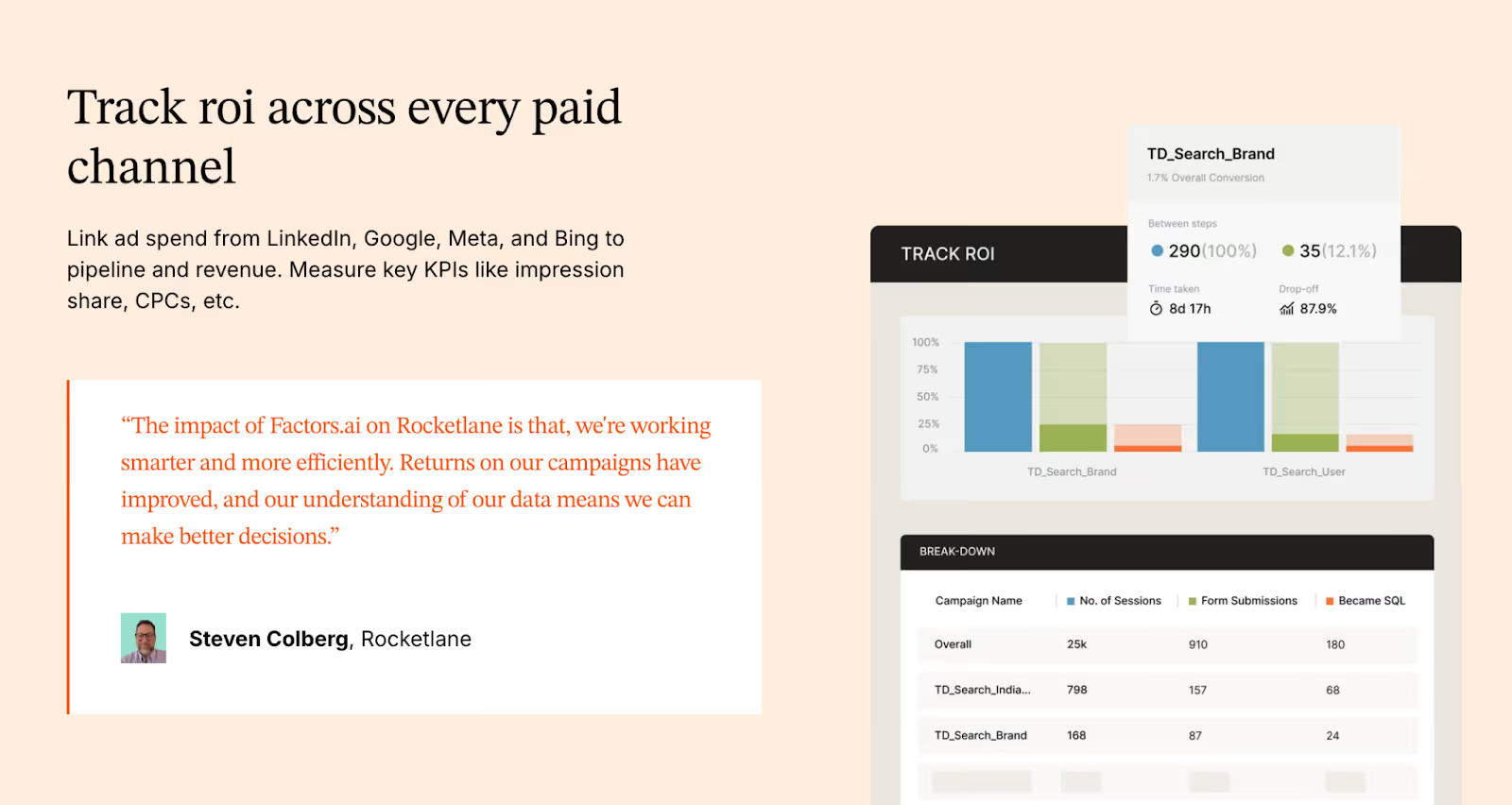
Factors.ai, on the other hand, treats ad activation as a core GTM motion. The platform is an official partner for LinkedIn and Google, which means it doesn’t just tell you who’s ready to buy, it helps you reach them instantly with the right ads.
Key ad activation capabilities include:
- Real-Time LinkedIn Audience Syncs
- Automatically build and refresh audiences based on ICP fit, funnel stage, or recent engagement.
- Keep ad campaigns aligned with buying signals, no more manual CSV uploads.
- Google Ads Integration
- Retarget accounts who’ve clicked high-value terms, visited competitor pages, or engaged with your site.
- Feed conversion data back to Google via CAPI, making every ad impression smarter.
- Conversion Feedback Loops
- If your SDRs mark a lead as high-quality, Factors sends that feedback into LinkedIn and Google Ads.
- This ensures platforms optimize toward the accounts most likely to convert.
- Impression & Budget Control
- Control ad frequency at the account level.
- Avoid overserving a handful of accounts while starving others.
- Cross-Signal Retargeting
- Retarget not just website visitors, but also accounts showing intent via G2, product usage, or CRM activity.
This creates a closed-loop system: intent signals → dynamic audiences → optimized ads → enriched pipeline.
Gojiberry Ad Activation

Gojiberry is designed around LinkedIn outreach automation, not paid media orchestration. Its activation layer is focused on:
- AI-Powered LinkedIn Messaging
- Automatically sends personalized LinkedIn messages to warm leads.
- Templates can be customized, but the workflow is largely centered around direct outreach.
- Slack Notifications
- When new warm leads are discovered, teams get real-time alerts in Slack.
- This ensures SDRs can jump into outreach quickly.
- Basic Campaign Tracking
- Performance measured in reply rates and lead responses.
What Gojiberry does not provide:
- No integration with LinkedIn Ads or Google Ads for audience targeting.
- No dynamic audience syncs.
- No ability to retarget based on multi-source signals (website visits, CRM stage, G2 engagement).
- No feedback loops from sales activity back into ad platforms.
In short, Gojiberry’s “activation” is outreach-only. It’s effective for teams running heavy outbound on LinkedIn, but it doesn’t extend into paid media channels.
Factors.ai vs Gojiberry: Onboarding and Support
A tool is only as effective as your team’s ability to use it. Onboarding and ongoing support are what determine whether software turns into real pipeline impact or just another unused subscription.
Here again, Factors.ai and Gojiberry take very different approaches.
Factors.ai vs Gojiberry: Onboarding and Support Comparison Table
Factors.ai Onboarding and Support
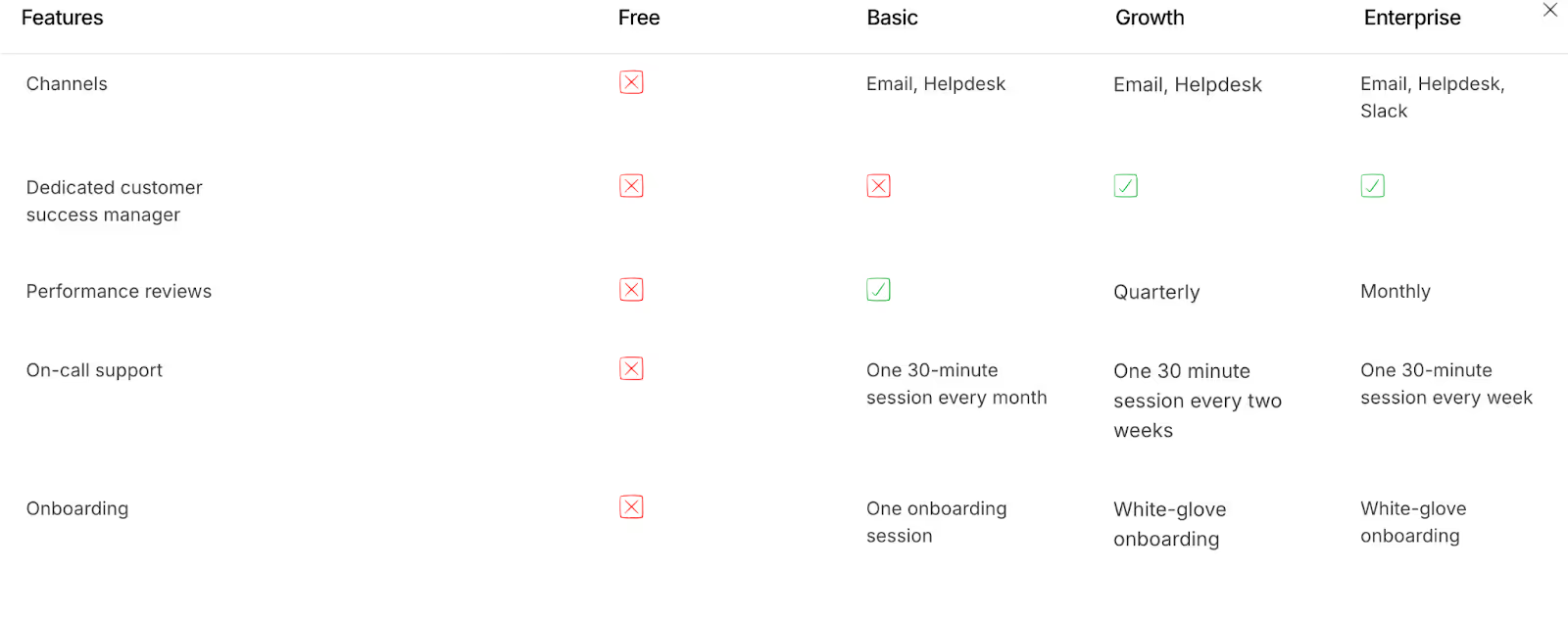
Factors.ai takes a very different approach. Instead of a plug-and-play install, the onboarding is positioned as a partnership to build your GTM motion (can vary based on plans).
Here’s what you get:
- White-Glove Onboarding
- Setup is tailored to your ICP, funnel stages, and sales/marketing workflows.
- No cookie-cutter playbooks; the onboarding aligns Factors to your GTM strategy.
- Dedicated Slack Channel
- Customers get a direct line to their CSM and solutions engineers via Slack.
- This means real-time troubleshooting and collaboration, not waiting for tickets to be resolved.
- Weekly Strategy Reviews
- Regular syncs to review adoption, optimize workflows, and align analytics with business outcomes.
- Goes beyond product training, it’s about pipeline generation strategy.
- GTM Engineering Services (Optional)
- For teams short on RevOps bandwidth, Factors offers services at $4,000 setup + $300/month.
- Includes:
- Automated enrichment flows.
- Ad audience syncs for LinkedIn & Google.
- Real-time SDR alerts (e.g., demo revisits, form drop-offs).
- Closed-lost reactivation workflows.
- Buying group mapping and multi-threading setups.
- Full documentation and handover so your internal team can eventually run independently.
The result is a support model that’s not just about getting the tool working, but about operationalizing a revenue system.
Gojiberry Onboarding and Support
Gojiberry is designed to get you up and running quickly, with minimal friction. The onboarding process is straightforward:
- Simple Account Setup
- Create an account in seconds, connect your LinkedIn profile, and start tracking signals.
- Create an account in seconds, connect your LinkedIn profile, and start tracking signals.
- Quick Activation
- Pick the intent signals you want AI agents to monitor (e.g., funding rounds, new roles, competitor engagement).
- Launch your first LinkedIn outreach campaigns almost immediately.
- Slack Alerts for Warm Leads
- Once configured, your team gets daily Slack notifications with newly discovered warm leads.
In terms of support, Gojiberry provides:
- CRM & API integrations with tools like HubSpot and Pipedrive.
- Email and support documentation for basic setup assistance.
- A dedicated Customer Success Manager (CSM) available only on the Elite plan, along with SLA guarantees for larger customers.
The trade-off? While Gojiberry is fast to set up, the support is primarily tactical. It helps you connect the tool and interpret signal reports, but doesn’t go deep into GTM workflows, sales enablement, or long-term strategy.
Factors.ai vs Gojiberry: Verdict on Onboarding and Support
If you want to start sending LinkedIn messages tomorrow, Gojiberry makes onboarding effortless. Within minutes, you can be tracking signals and automating outreach. For small teams or outbound-heavy founders, this speed is a real advantage.
But if your team needs end-to-end GTM orchestration, Factors.ai is the safer bet. Its onboarding is not just about installing software, it’s about building a sustainable motion. With Slack collaboration, weekly strategy calls, and optional GTM engineering, Factors.ai acts less like a vendor and more like an extension of your GTM team.
In short:
- Gojiberry = fast, tactical onboarding.
- Factors.ai = strategic, long-term GTM partnership.
Factors.ai vs Gojiberry: Compliance and Security
For modern B2B SaaS companies, compliance is not optional. If you’re selling into mid-market or enterprise accounts, your buyers’ procurement teams will scrutinize your data policies, certifications, and security practices before signing a deal.
This is an area where the differences between Factors.ai and Gojiberry become especially clear.
Factors.ai vs Gojiberry: Compliance and Security Comparison Table
Factors.ai Compliance and Security

Factors.ai, by contrast, positions security as a foundational pillar of the platform. For GTM teams selling into enterprise accounts, this assurance is crucial.
Key compliance highlights:
- GDPR & CCPA Compliant
- Ensures compliance with both EU and US data privacy standards.
- Ensures compliance with both EU and US data privacy standards.
- ISO 27001 Certified
- Globally recognized standard for information security management.
- Globally recognized standard for information security management.
- SOC 2 Type II Certified
- Validates the platform’s security, availability, and confidentiality practices via third-party audit.
- Validates the platform’s security, availability, and confidentiality practices via third-party audit.
- Privacy-First Enrichment
- Uses firmographic and behavioral data without invasive user fingerprinting or non-transparent enrichment methods.
- Uses firmographic and behavioral data without invasive user fingerprinting or non-transparent enrichment methods.
- Data Processing Agreements (DPAs)
- Available for customers who require legal documentation for data handling.
This makes Factors.ai not just safe for enterprise buyers, but also procurement-ready. Security reviews that might delay smaller tools often get cleared faster when certifications like SOC 2 and ISO 27001 are already in place.
Gojiberry Compliance and Security
Gojiberry’s website highlights product capabilities, pricing, and integrations, but there’s very little publicly available information about its compliance framework or certifications. Based on what’s shared:
- GDPR and CCPA Alignment
- Gojiberry states alignment with GDPR, ensuring basic data privacy for European users.
- It also mentions compliance with the CCPA, which gives California residents rights over their personal data.
- No Published Certifications
- Gojiberry provides some visibility into data enrichment methods (public sources and third-party services) and outlines security controls (encryption, firewalls, anomaly detection).
- However, it does not disclose storage locations or list industry certifications like SOC 2 or ISO 27001.
- Data Handling Transparency
- Limited visibility into how lead data is enriched or how AI agents process intent signals.
- No publicly available DPA (Data Processing Agreement).
Implication: For smaller startups or early-stage sales teams, this may not be a deal-breaker. But for regulated industries (finance, healthcare, enterprise SaaS), the lack of certifications could raise red flags in security reviews and slow down procurement cycles.
Factors.ai vs Gojiberry: Verdict on Compliance and Security
Gojiberry covers the basics for GDPR compliance, which may be sufficient for smaller startups or founder-led teams experimenting with LinkedIn outreach. But it lacks the certifications and transparency required by enterprise buyers.
Factors.ai, on the other hand, checks every compliance box, from GDPR and CCPA to SOC 2 Type II and ISO 27001. For GTM teams targeting mid-market or enterprise customers, this level of security isn’t just a nice-to-have; it’s table stakes.
In short:
- Gojiberry = startup-friendly, minimal compliance.
- Factors.ai = enterprise-grade security, procurement-ready.
Factors.ai vs Gojiberry: When to choose what?
Both Factors.ai and Gojiberry are AI-powered GTM tools designed to make revenue teams faster, smarter, and more effective. But while they may appear to solve the same problem at a glance, the reality is that they’re optimized for very different GTM motions.
When to Choose What
When Factors.ai Makes Sense
Factors.ai is a better fit if your GTM team is:
- Multi-channel and scaling: You need intent signals from multiple sources (website, ads, CRM, product usage, G2) stitched into one view.
- Focused on revenue, not just replies: You want to connect signals and campaigns directly to pipeline and closed-won deals.
- Running paid media: With LinkedIn and Google Ads integrations, you can activate dynamic audiences in real time and optimize spend.
- Enterprise or mid-market facing: Security certifications (SOC 2, ISO 27001, GDPR, CCPA) make procurement frictionless.
- Resource-constrained on RevOps: With GTM Engineering Services, you can outsource playbook design, workflow automation, and analytics setup.
For scaling GTM teams, Factors.ai is more than just a tool. It’s a GTM operating system, one that identifies, scores, activates, and attributes accounts across the funnel.
When Gojiberry Makes Sense
Gojiberry is a great fit if your team is:
- Small and outbound-heavy: Founders, SDRs, and lean sales teams looking to maximize LinkedIn prospecting.
- Focused on LinkedIn-led workflows: If most of your GTM strategy relies on LinkedIn signals like role changes, funding announcements, and competitor engagement.
- Looking for affordability: At $99/seat/month, Gojiberry makes AI-driven warm lead discovery accessible without a heavy investment.
- Needing quick setup: You can be up and running with LinkedIn outreach campaigns within a day.
For these teams, Gojiberry is an efficient outreach assistant; it finds warm LinkedIn leads and automates messages to help book meetings faster.
In a Nutshell
If you’re an early-stage founder or SDR team whose GTM strategy is almost entirely LinkedIn-driven, Gojiberry is a cost-effective way to find warm leads and automate outreach. It’s lightweight, affordable, and gets you moving fast.
But if you’re looking to scale pipeline predictably, with multi-channel orchestration, enterprise-grade security, and full-funnel analytics, Factors.ai is the clear choice. It doesn’t just help you find leads, it helps you build a connected GTM system that turns signals into revenue.
In short:
- Gojiberry = outreach assistant.
- Factors.ai = revenue engine.
FAQs for Factors vs Gojiberry
Q. What is the main difference between Factors.ai and Gojiberry?
The biggest difference is scope. Gojiberry is built for LinkedIn-led outbound and focuses on spotting warm signals and automating outreach quickly. Factors.ai is designed as a full-funnel GTM platform that unifies intent from your website, ads, CRM, product usage, and third-party sources, then helps you activate and measure that intent across the entire revenue journey.
Q. Is Gojiberry only useful for LinkedIn outreach?
Yes, and that’s intentional. Gojiberry is optimized for LinkedIn workflows, tracking role changes, funding updates, competitor engagement, and content interactions, then turning those signals into outreach. If LinkedIn is the core of your GTM strategy, Gojiberry fits naturally. It’s not built for paid ads, website intent, or multi-channel attribution.
Q. Can Factors.ai replace multiple GTM tools?
In many cases, yes. Factors.ai combines visitor identification, enrichment, account scoring, ad audience sync, attribution, and analytics into one platform. Teams often use it instead of stitching together separate tools for intent data, retargeting, enrichment, and attribution.
Q. Which platform is better for early-stage startups?
Gojiberry is often a better fit for early-stage or founder-led teams running outbound-heavy motions. It’s affordable, quick to set up, and helps teams start conversations fast without a complex RevOps setup. Factors.ai tends to make more sense once teams start scaling and need tighter alignment across sales, marketing, and analytics.
Q. Does Factors.ai support LinkedIn and Google Ads?
Yes. Factors.ai is an official partner for both LinkedIn and Google Ads. It allows real-time audience syncs, conversion feedback loops, and retargeting based on multi-source intent signals, not just website visits.
Q. Can Gojiberry run paid ad campaigns?
No. Gojiberry focuses on outreach automation, not paid media. It does not sync audiences to LinkedIn Ads or Google Ads and does not support retargeting or ad optimization workflows.
Q. How does attribution differ between Factors.ai and Gojiberry?
Gojiberry tracks outreach performance through replies, meetings, and campaign-level engagement. Factors.ai offers full multi-touch attribution, connecting interactions across web, ads, CRM, product, and third-party platforms to pipeline and revenue.
Q. Is Factors.ai suitable for enterprise and mid-market teams?
Yes. Factors.ai is designed for teams selling into mid-market and enterprise accounts. It supports complex GTM motions, multi-channel activation, and enterprise security requirements like SOC 2 Type II and ISO 27001.
Q. What kind of onboarding can I expect with each platform?
Gojiberry offers fast, lightweight onboarding so teams can start outreach quickly. Factors.ai provides white-glove onboarding, Slack-based collaboration, weekly strategy reviews, and optional GTM engineering services to help teams operationalize their GTM motion.
Q. Do both platforms support CRM integrations?
Yes. Both integrate with CRMs like HubSpot and Pipedrive. Factors.ai offers deeper native CRM sync, account scoring, and funnel-stage analytics, while Gojiberry focuses on pushing discovered leads and outreach activity into the CRM.
Q. Which platform should I choose if my GTM strategy evolves over time?
If you expect your GTM motion to stay LinkedIn-first and outbound-heavy, Gojiberry works well. If you expect to add paid media, inbound intent, product-led signals, or need stronger attribution and analytics as you scale, Factors.ai is built to grow with that complexity.

We don’t just write about demand gen. We deliver it.
Our AI Agents help you uncover high-intent accounts, run campaigns that actually convert, and keep your GTM motion in sync.
1000+ GTM teams have already scaled their pipeline with Factors.
*Includes built-in peace of mind. And fewer late-night funnel audits.

.svg)