
Good Reads
Fix pipeline pains. Solve GTM puzzles. Read strategic brain dump.
Written for marketers who want real solutions to a leaking pipeline (and their dark circles).
Want to read more from us?


I’m looking for…

GTM Engineering vs. RevOps: Why They’re Not the Same Job (Even If LinkedIn Really Wants Them to Be)
Find the key differences between GTM Engineering and RevOps and why confusing the two can derail your growth and lead to costly hiring mistakes.

TL;DR
- RevOps = alignment and execution; GTM Engineering = automation and scale, confusing the two causes costly hiring mistakes.
- GTM Engineers need firsthand sales experience and build systems from scratch; RevOps optimizes what already exists.
- Roles differ in compensation, tooling, and team alignment. RevOps works across functions, and GTM Engineering sits closer to Product and Data.
- Your growth stage determines who to hire: RevOps for order, GTM Engineering for leverage, never the other way around.
Picture this.
You’re in a meeting, someone brings up hiring a “GTM Engineer,” and suddenly half the room nods like they understand… while the other half quietly panics and starts questioning all their life choices.
Did we miss something?
Is this a real role?
Is everyone hiring them except us?
Yeah. That’s the vibe around GTM Engineering right now.
The truth?
RevOps and GTM Engineering are connected, but they’re not interchangeable.
And if you treat them like the same job, you’ll end up hiring someone amazing… for the wrong thing.
So let’s break this down in a way that actually makes sense.
Related read: Top GTM engineering tools for marketing and sales teams.
First, let’s get our definitions straight
Before we stir the pot, here's the quick, no-nonsense version:
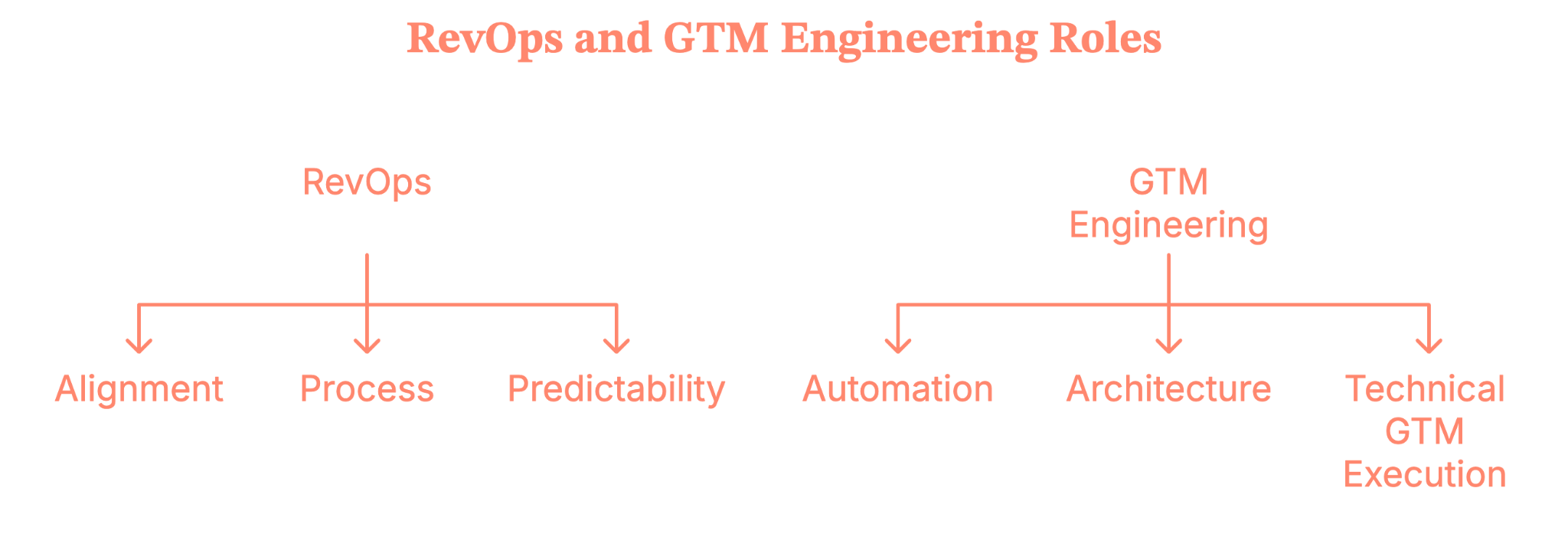
RevOps = alignment + process + predictability.
They make sure Sales, Marketing, and CS are speaking the same language, running the same playbook, and not tripping over one another.
GTM Engineering = automation + architecture + technical GTM execution.
They build AI-powered workflows, scripts, agents, and automations that create revenue leverage at scale.
Both roles touch tools.
Both touch data.
Both help you grow.
But they’re not interchangeable, and treating them like they are is how you end up hiring a Zapier power-user when you needed someone who understands pipeline governance (or vice versa).
Related read: Website visitor to warm outbound play using GTM engineering
What RevOps actually does (No, it’s not just dashboards)
Now imagine this, you’ve hit that awkward growth stage where:
- Data stops making sense,
- Your CRM becomes a black hole,
- Teams debate whose pipeline number is “right.”
- Someone sincerely suggests, “Maybe we need another field.”
This is the moment RevOps becomes real.
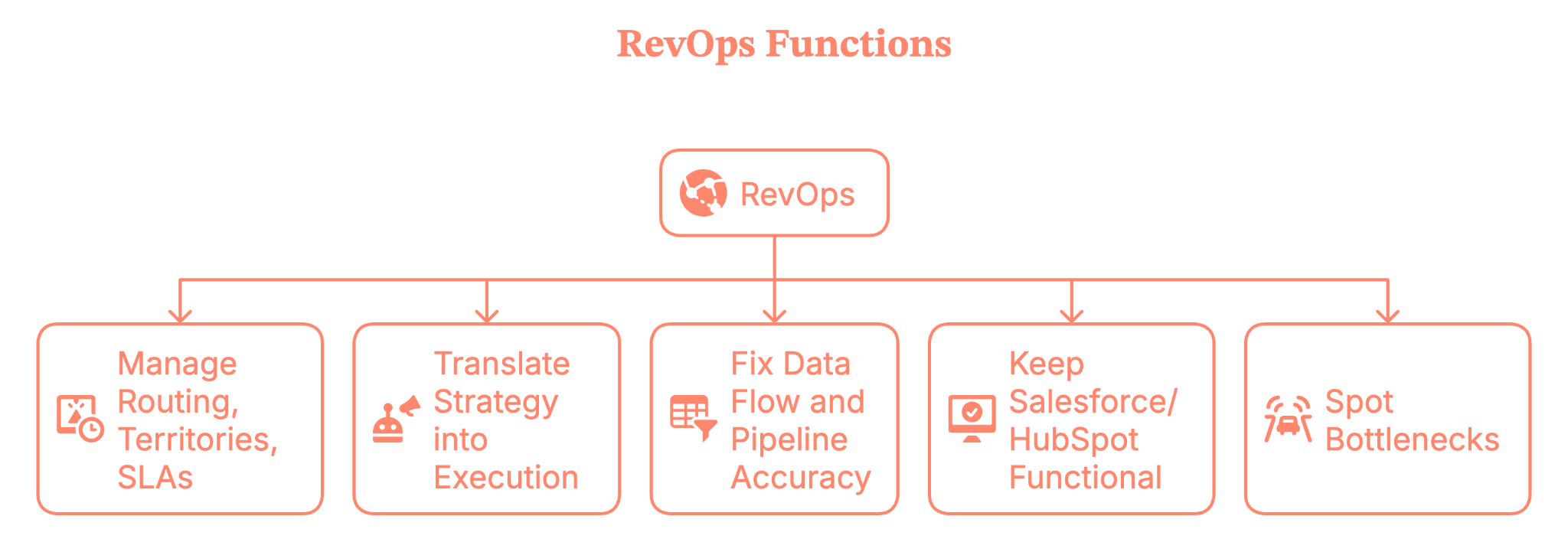
RevOps is the function that:
- Manage routing, territories, SLAs, and your GTM governance
- Translate strategy (CEO/CRO/CMO) into execution
- Fix data flow and pipeline accuracy
- Keep Salesforce/HubSpot and the entire stack functional
- Spot bottlenecks before they sabotage your quarter
If GTM is the engine, RevOps is the person making sure the wheels don’t fall off while everyone else is yelling “faster!”
{{INLINE_BOFU}}
Okay… So what’s a GTM engineer then?
Here’s where the waters get muddy.
Some people say “GTM Engineer” and mean:
- Building prospect lists
- Scraping contacts
- Automating outbound with Clay, n8n, Make, or Zapier
- Wiring together tools for faster outreach
Is it useful work? Absolutely.
But is it a new role? Not really. That’s classic Sales Ops with modern toys.
But true GTM Engineering is something else entirely.
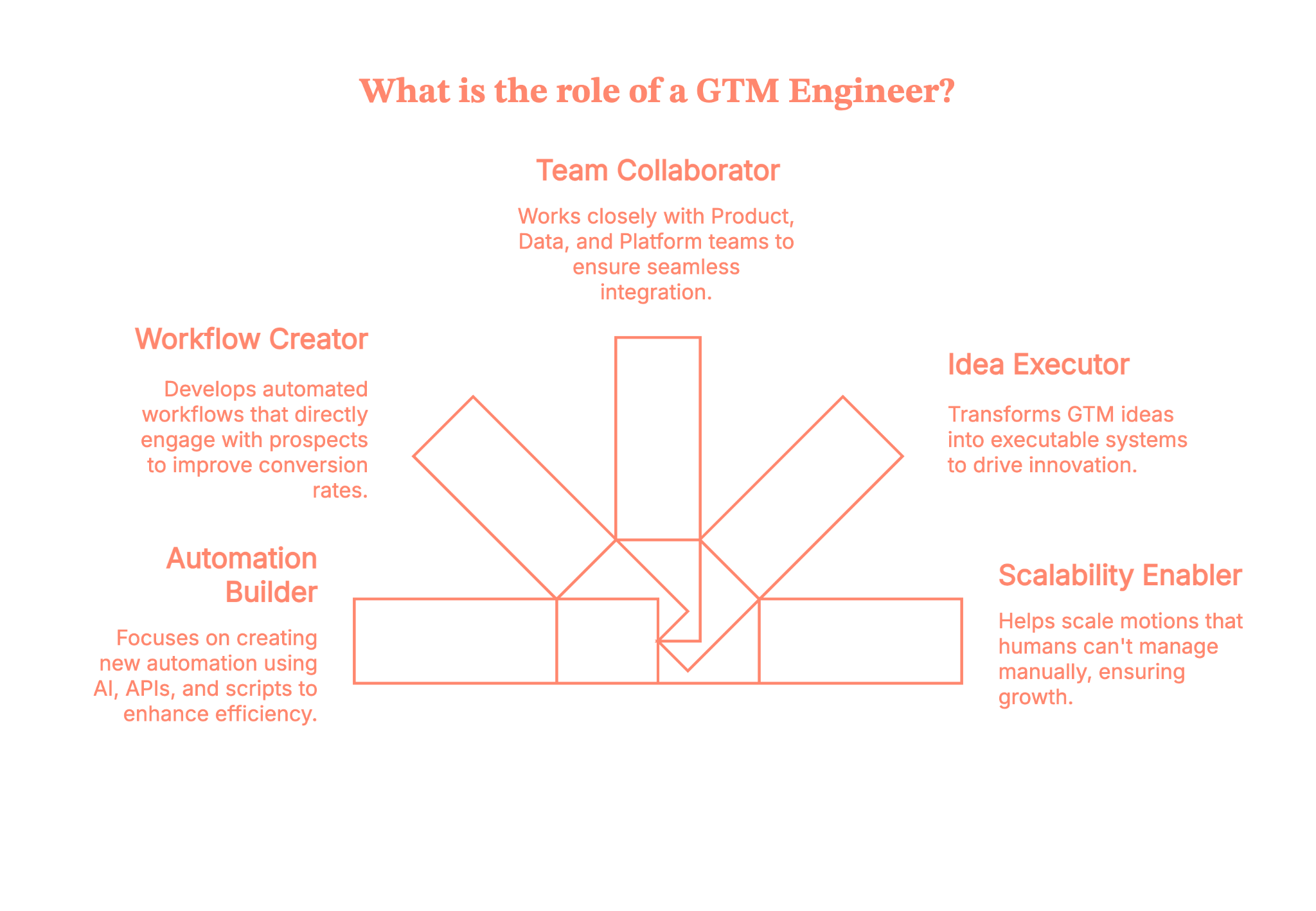
A real GTM Engineer:
- Builds net-new automation using AI, APIs, and scripts
- Creates automated workflows that actually touch prospects
- Works closely with Product, Data, and Platform teams
- Turns GTM ideas into executable systems
- Helps scale motions that humans can’t keep up with manually
Where RevOps operates inside the existing system, GTM Engineering builds the systems that don’t exist yet.
This is not “run Clay better.” This is “architect GTM like an engineer.”
And it belongs in the category of “new job family created by the AI-native GTM era.”
Why GTM Engineering isn’t just revOps with a trendy title
According to Brendan Short, the founder of The Signal (.club), there are eight reasons why GTM Engineer is not just RevOps rebranded.
Let’s lay this out clearly, because this is where companies make expensive hiring mistakes.
1. The experience factor
A strong RevOps leader doesn’t need SDR or AE experience.
A strong GTM Engineer almost always does, because they automate messaging, outreach, enrichment, tiering, and buyer interactions.
You simply cannot automate what you don’t understand firsthand.
2. The incentives are different
RevOps is compensated like an operations role.
GTM Engineering should be compensated like a revenue role, with pay tied to outcomes rather than task completion.
Different incentives create different behaviors, which ultimately create different results.
3) They build new infrastructure; they don’t patch old workflows
RevOps focuses on optimizing existing systems such as Salesforce and HubSpot.
GTM Engineers build entirely new systems using LLMs, APIs, microservices, agents, and data pipelines.
These require completely different technical skills.
4) They are not responsible for classic RevOps work
GTM engineers do not manage comp plans, forecast models, territory logic, or admin-heavy tasks. Those responsibilities belong to RevOps.
5) Their work touches customers, even if indirectly
GTM Engineers automate actions that reach real buyers, not just internal reports. This raises the stakes and lowers the margin for error.
6) They sit closer to Product and Data than to Sales or CS
GTM engineers need access to internal APIs, event systems, and warehouse infrastructure — areas RevOps rarely works in.
7) They are built for a post-SaaS, AI-native GTM world
Buyer behavior changes quickly, volume is high, and speed matters. GTM Engineers help teams operate at a pace humans alone can’t maintain.
8) Their output is leverage, not insights
RevOps provides clarity through reporting and structured processes. Whereas GTM Engineering provides scalable automation that compounds over time.
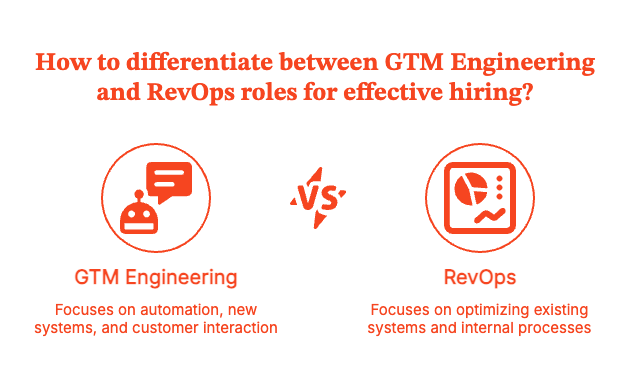
Together, they’re powerful, but confusing them makes hiring far more difficult.
So, why is everyone confused right now?
Well, the short answer is LinkedIn hype cycles.
The long answer is,
- Tools like Clay and n8n make GTM feel more “technical.”
- Influencers start rebranding their workflows as “GTM Engineering.”
- Founders worry they’re behind.
- Operators assume they need a deeply technical hire instead of a strategic one.
- Titles start driving decisions instead of needs
It’s like when Excel wizards started calling themselves “financial engineers.”
Yes... same energy, but a different decade.
Where teams get this wrong (and create their own chaos)
A little tough love:
Using Clay doesn’t make you a GTM strategist. And knowing n8n doesn’t make you a GTM leader.
Tools are not a strategy.
If you let “GTM Engineers” define your GTM… you end up with a tool-driven motion instead of a customer-driven one.
And that’s how companies burn cycles chasing clever automations while ignoring why customers buy them in the first place.
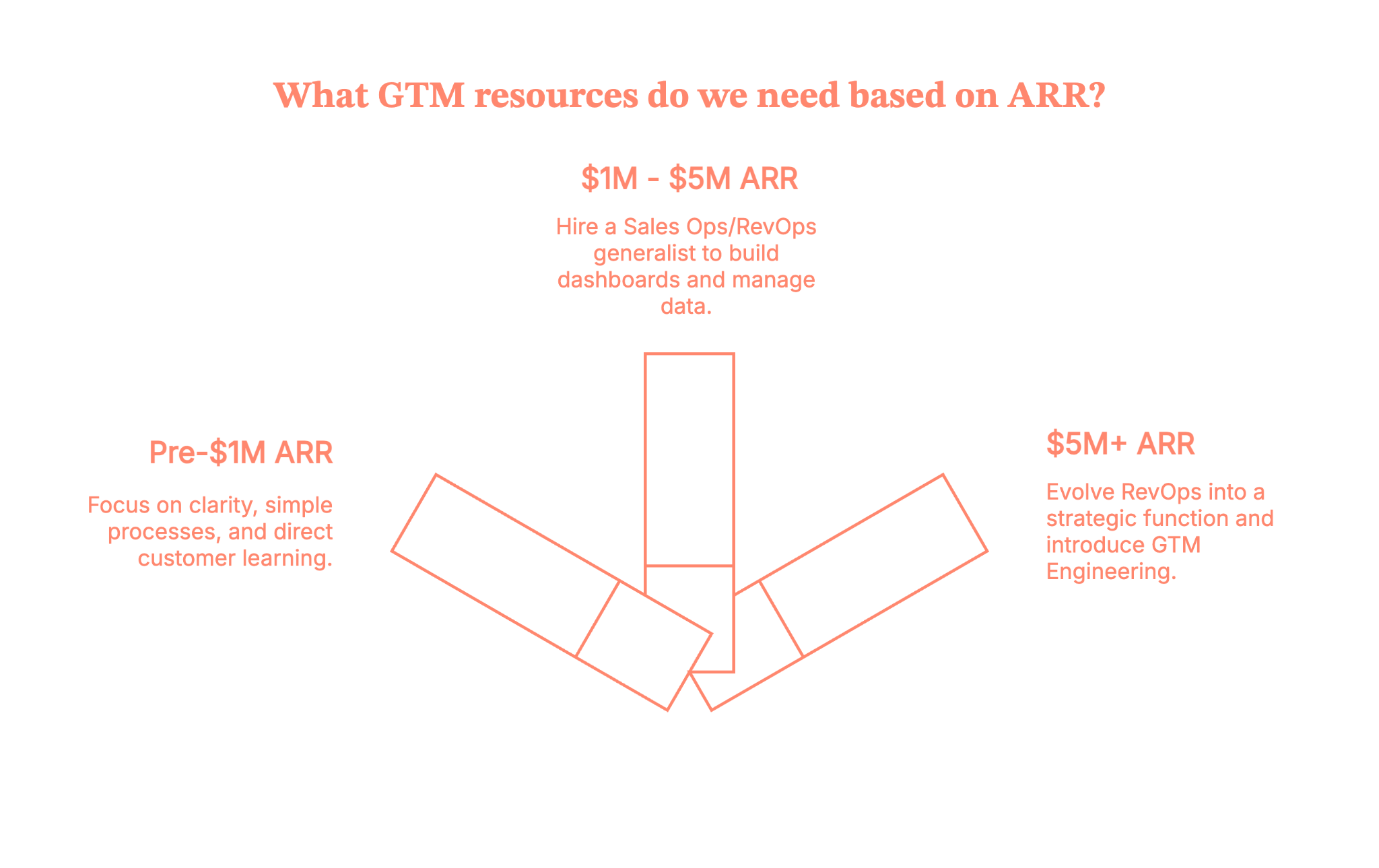
What you actually need, based on your growth stage
Let’s make this simple enough to tape to your founder’s desk.
Pre-$1M ARR
You need:
- Clear ICP
- Simple repeatable processes
- Low-maintenance tools you can manage (Notion, Clay, ChatGPT)
No RevOps yet and definitely no GTM Engineering. You need clarity, discipline, and direct customer learning.
$1M – $5M ARR
This is where a Sales Ops or RevOps generalist becomes essential. You need someone to
- Build dashboards
- Build your CRM
- Clean your data
- Build early GTM processes
- Prevent operational chaos
Their value comes from judgment and prioritization, not advanced tooling.
$5M+ ARR
Now things get fun.
Once you reach this stage, complexity increases. You have:
- Multiple motions
- More channels
- Large teams
- More data
- Rising automation needs
This is when RevOps evolves into a strategic function and when GTM Engineering finally becomes relevant.
You bring these roles in not because LinkedIn says so, but because your business genuinely requires them.
So… which one should you hire first?
The rule is simple, and it rarely fails.
If your business needs alignment, you should hire RevOps first. On the other hand, if your business needs scale, you should hire GTM Engineering first.
When companies confuse the two, they hire the wrong person and unintentionally build the wrong GTM motion.
Unfortunately, this mistake shows up on LinkedIn every single week.
Wrapping this up (Before another new job title drops)
Let’s call things what they are.
- Founders are responsible for setting the strategy.
- RevOps is responsible for turning that strategy into predictable and aligned systems.
- GTM Engineering is responsible for building the technical automation that scales those systems.
Buzzwords will change, titles will trend, and tools like Clay will continue to inspire new job names, but the fundamentals remain the same.
Revenue still needs to be operated. Buyers still need to be understood. And GTM still needs real people who know how to make the motion work.
So do not hire based on hype; hire based on what your business genuinely needs right now.
When you get the roles right, the entire GTM engine runs smoother and grows faster.
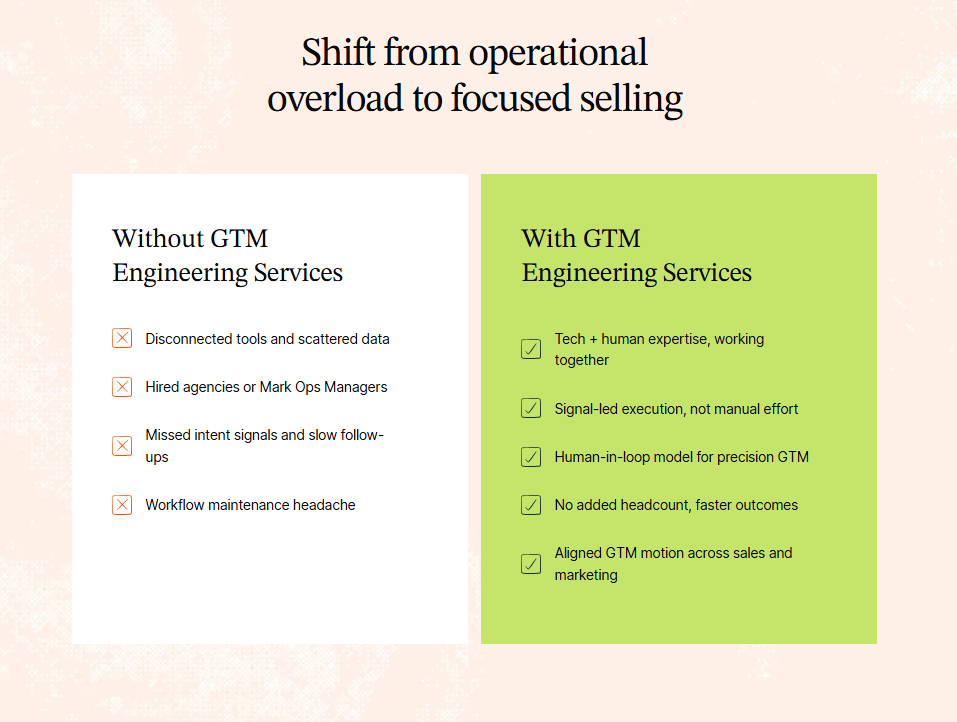
Flip your GTM from “nice reports” to “net new revenue” with Factors.ai GTM engineering
With Factors’ GTM engineering services, your tools finally start acting like one smart revenue system instead of a messy pile of apps. You’ll identify up to 75% of accounts visiting your website, enrich the right buyers with verified emails, and hand reps ready-to-send outreach in minutes.
Instead of copy-pasting across tabs, your team runs in a tight loop: detect → enrich → prioritize → alert → execute → write-back. Everyone’s working from the same context, nobody’s asking “Who owns this?”, and intent isn’t cooling off while ops cleans up spreadsheets.
Want to see it on your data? Book a demo and watch the full flow in action. It is configured around how your outbound team actually works (we’ll even bring sample plays you can steal and ship).
How we work
- Done-with-you: we co-build flows with your RevOps team (hands on the keyboard, full enablement).
- Done-for-you: we design, implement, and document; your team just runs the machine day-to-day.
Ready to tighten your loop and let the system do the busywork?
FAQs on GTM Engineering vs. RevOps
Q. What does a GTM Engineer actually do, and how is that different from RevOps?
A GTM Engineer designs and builds revenue systems: AI-powered workflows, data pipelines, automations, enrichment flows, and outbound engines that touch real prospects and customers. Their work lives in tools like Clay, CRMs, APIs, event streams, and data warehouses, turning go-to-market ideas into working automation.
RevOps, by contrast, owns process, governance, and cross-functional alignment: routing, territories, SLAs, forecasting structure, CRM architecture, and reporting. RevOps keeps the machine reliable and consistent; GTM Engineering builds new “engines” that extend what that machine can do.
Q. Is “GTM Engineer” a real job or just a hyped-up title?
Some Redditors argue that “GTM Engineer” is mostly branding on top of Growth/RevOps work, especially when the role is just Clay/Zapier automation with light strategy. Others see it as an emerging specialty: a hybrid of sales, marketing, ops, and technical automation that deserves its own label, especially as AI tooling becomes more central.
Q. When should a company hire RevOps vs. a GTM Engineer?
If you’re fighting messy data, misaligned teams, unclear ownership, or broken handoffs, you’re in RevOps territory. You need someone to define the process, own the CRM, standardize reporting, and keep Sales, Marketing, and CS marching together.
A GTM Engineer makes more sense once you already have basic revenue operations in place and now need scale: higher outbound volume, complex routing/enrichment, AI-driven workflows, or sophisticated multi-tool automations that your existing team can’t maintain.
Early-stage companies usually start with RevOps (or RevOps-ish generalists) and add GTM Engineering as motion complexity and automation demand increase.
Q. Does a GTM Engineer need to know how to code or come from sales?
Here are the two patterns we observed:
- Many GTM Engineers come from sales, SDR, or RevOps and later pick up technical skills. That background helps them automate outreach, qualification, and follow-up in a way that actually matches how reps work.
- Technical depth varies: some roles lean heavily on low-code tools; others expect scripting, API work, and basic data engineering.
Pure software-engineering ability without go-to-market experience often underperforms. You can’t automate a motion you don’t really understand from the front lines.
.avif)
Top 7 GTM Engineering Tools For 2026
Find and compare the best GTM engineering tools and platforms for B2B teams.
.avif)
TL;DR
- GTM engineering is the next evolution of growth. It connects your entire revenue stack, so data, signals, and actions flow seamlessly instead of living in silos.
- A strong GTM platform becomes the command center for your go-to-market motion: it identifies who’s showing intent, enriches that data, prioritizes the right accounts, and triggers timely, personalized outreach.
- Tools like Factors.ai, along with Clay, Apollo, Warmly, N8N, Jason AI, and Make, each solve a piece of that puzzle, from account identification and enrichment to orchestration and automation.
- Together, they turn intent into action: your teams respond faster, outreach becomes more relevant, and your revenue motion scales without adding more headcount.
- This guide breaks down how these platforms work, how to choose the right mix for your team, and how to design GTM workflows that are faster, smarter, and built to grow.
If you’ve been anywhere near B2B marketing or revenue ops lately, you’ve probably heard the term GTM Engineering being thrown around a lot.
And if you’re anything like me, you’ve wondered,
“Is this just another fancy way of saying automation?”
Not quite.
The truth is, GTM engineering is quietly becoming the backbone of modern growth teams, the part that connects data, systems, and strategy into one seamless motion.
And while the role of a GTM engineer is still evolving, the tools behind them are already reshaping how revenue teams operate.
From intent data orchestration to workflow automation to AI-powered buyer mapping, GTM engineering tools are the new growth stack every RevOps and marketing leader needs to know about.
Let’s break it all down, what GTM engineering really means, why it matters, and which platforms are setting the standard.
Read on for the full breakdown, tool comparisons, and practical frameworks you can start using today.
What is GTM Engineering (and why everyone’s talking about it)
At its simplest, GTM (Go-To-Market) engineering is the art (and science) of connecting your growth stack so your marketing, sales, and product data actually talk to each other.
It’s what happens when your Google Ads, LinkedIn, CRM, and product analytics stop behaving like separate universes and start functioning like a single ecosystem.
If marketing automation gave us ‘if this, then that,’
GTM engineering gives us:
“If this exact ICP account did this action on our site, send this message through Slack, sync this data to Salesforce, and adjust this campaign on LinkedIn.”
It’s smarter, faster, and infinitely more contextual.
A GTM engineer is the operator behind that curtain, the person who builds, automates, and optimizes those connections so nothing slips through the cracks.
They’re automating busywork while turning data into real revenue motion.
Why you need a GTM Engineering platform
Every growth team hits the same wall at some point.
You have great data AND great tools. But none of it feels connected.
You’ve basically built a tech stack that looks like a group chat where everyone’s talking, but no one’s listening.
- Your LinkedIn ads generate clicks, but sales never sees them.
- Your CRM is overflowing with contacts, but no one knows who’s actually ready to buy.
- Your intent signals look great in dashboards, but there’s no system to trigger real action.
That’s where a GTM engineering platform comes in.
Think of it as the central hub where every part of your GTM stack finally works together..
When done right, it gives your entire revenue team:
- Speed: instant alerts, faster follow-ups
- Visibility: unified funnel and journey analytics
- Precision: real intent data guiding campaigns
- Scalability: one logic powering every motion
Or in simpler terms:
A GTM engineering platform helps your tech stack operate with more intelligence and purpose.
Want to see how intent-driven platforms beat traditional lead generation? Read here: Intent Data Platforms vs Traditional Lead Generation
The tool everyone’s talking about: Factors
Let’s start with the one that’s quietly setting a new benchmark for GTM orchestration.
1. Factors.ai
Most teams already have intent data. You’re tracking site visits, ad clicks, G2 activity, it’s all there. But knowing who’s showing intent is only step one. Acting on it fast, smart, and at scale, is where the dough really starts rolling in.
Here’s how it works
- Identify ICP Accounts Instantly
Factors identifies up to 75% of website visitors (vs. the usual 8–10%) using a waterfall enrichment model that pulls from multiple data vendors.
It combines first-party signals (website visits, CRM data, ad clicks) with external intent from G2, LinkedIn, and product usage, giving you a single source of truth on who’s ready to buy. - Pinpoint the Right Contacts
Using geo + role triangulation, Factors surfaces the actual decision-makers inside those companies, the ones most likely visiting your site.
You’ll know who to reach, why they’re relevant, and what they care about, without another round of guesswork. - Automate the Follow-Up (Without the Chaos)
This is where GTM engineering truly comes to life, when insights turn into action.
Factors doesn’t stop at sending alerts; it executes follow-up sequences across your GTM stack with precision.
- Sends real-time Slack or Teams alerts when high-intent accounts engage
- Auto-enriches contacts through Clay and Apollo.io, updating your CRM instantly
- Prioritizes accounts with tiering logic based on job changes, funding, and ICP fit
- Triggers context-based outreach via email, LinkedIn, or ads at the right time
- Keep Humans in the Loop
Every alert includes context that matters, the account journey, pages viewed, contacts to reach, and suggested openers.
No more playing 20 questions with alerts like: ‘someone from a ‘company of interest’ visited.’
Instead, you get detailed alerts like this:
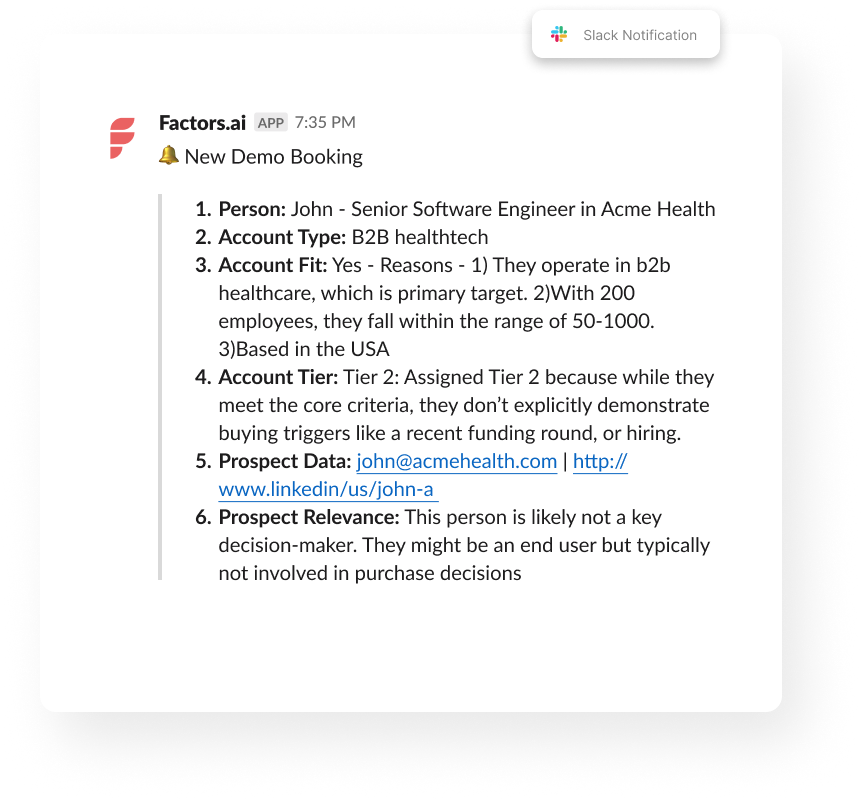
That’s exactly what Factors.ai does.
It’s a GTM engineering platform that turns your intent signals into instant, contextual action across your funnel, from detection to outreach to follow-up (just like a private detective).
Meet Your GTM Engineering Agents: Factors’ AI Agents
Each “agent” inside Factors automates a piece of your go-to-market puzzle:
Agent
What It Does
Outcome
Website Visitor Identification Agent
Detects companies visiting your site and infers likely users
Real-time visibility into ICP engagement
Contact Relevance Agent
Surfaces the right people within buying committees
Context-rich contacts, ranked by relevance
Account Tiering Agent
Scores and classifies accounts using external signals (hiring, funding, job changes, etc.)
Smart prioritization
Advanced Enrichment (Clay/Bitscale)
Cleans and validates contact data before writing to CRM
Reliable, high-accuracy data
Account Map Agent
Identifies the buying committee and maps relationships
Multi-threaded outreach
Meeting Assist Agent
Tracks post-meeting engagement and next best actions
Contextual sales follow-up
Closed-Lost Account Alert
Detects when old deals resurface on your site
Re-engagement opportunities
Together, these agents run autonomously, enriching, prioritizing, and activating leads so your reps spend time where it actually counts.
Here’s why growth teams choose factors
- Contact-Level Precision: Go beyond account ID; find who’s behind the visit with person-level identification (up to 30%) using geo + role inference
- Custom Workflows: Built for your SDR motion, tech stack, and AI-curated messaging based on buyer stage, role, and company context
- Fully Managed Setup: Done-for-you GTM engineering; no ops bandwidth needed.
- Higher Coverage: Identify up to 75% of accounts vs. the 10% industry average.
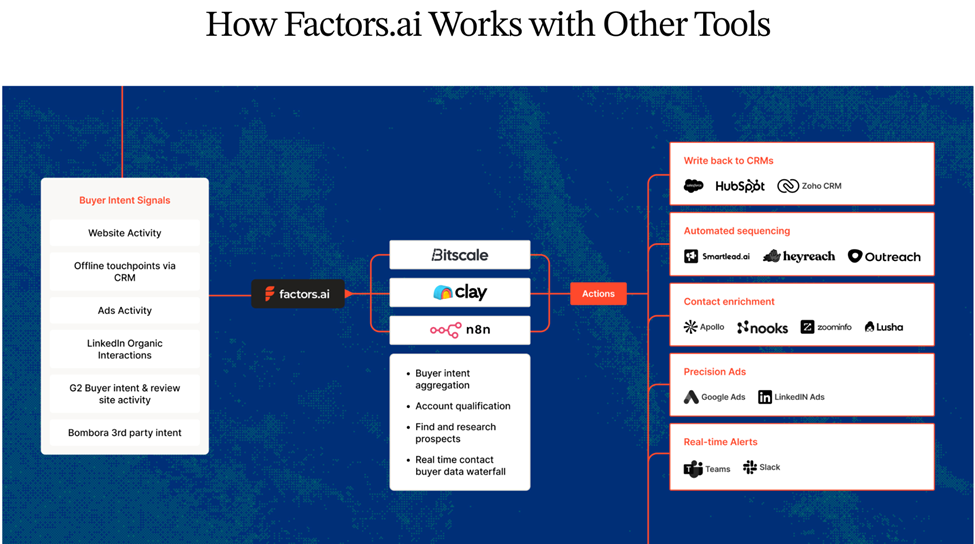
- Tool-Agnostic Integration: Works with your existing CRM, ad stack, and orchestration tools (HubSpot, Salesforce, Clay, Smartlead, HeyReach, Trigify, etc.).
- Real-time account alerts in Slack or CRM
- Cross-platform audience syncs (LinkedIn + Google)
- Full-funnel journey analytics tying campaigns to revenue
Whether you want a done-for-you setup or a done-with-you model, Factors helps you bring structure to your GTM motion, so your sales process finally runs on intent, not instinct.
If you’re a demand-gen leader trying to align marketing and sales, this is the stack you wish existed five years ago.
💡Want to see how Apollo integrate with Factors.ai? Check out our guide: How to integrate Apollo with Factors
{{INLINE_MOFU}}
Other top GTM Engineering tools
Now let’s look at the broader GTM engineering ecosystem, the tools that GTM engineers, RevOps leaders, and growth teams are relying on to automate, orchestrate, and personalize their motions.
2. Clay
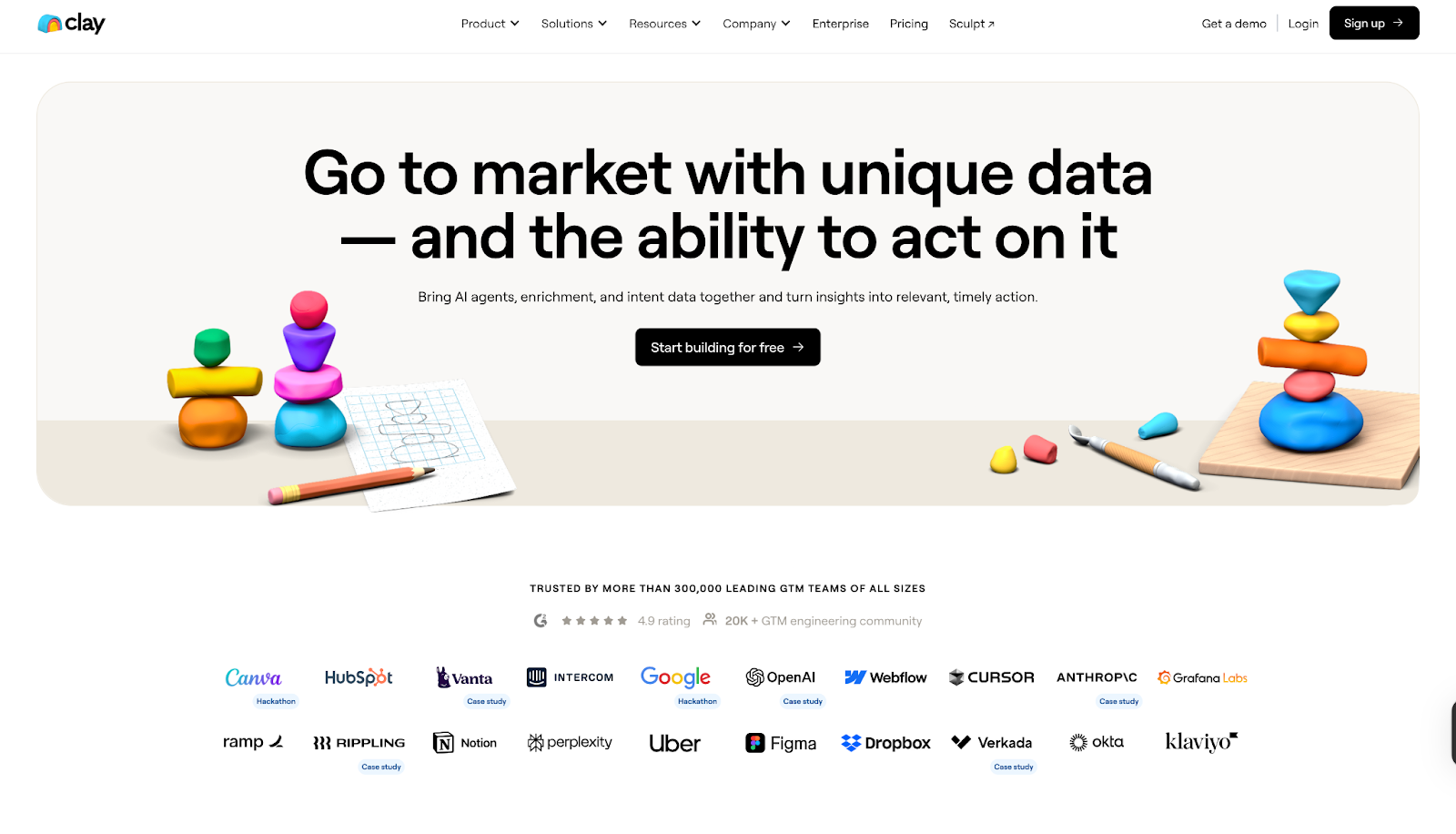
Clay is the platform that first put GTM engineering on the map.
It’s like having a data scientist, automation builder, and API whisperer all rolled into one sleek UI.
With Clay, you can build custom data enrichment workflows that pull, clean, and connect data from hundreds of sources, automatically.
Best for
Teams that need hyper-personalized prospecting or data-driven outbound workflows.
Why it’s powerful
- Enrich data from 150+ sources in real-time
- Visual workflow builder (no-code + API-level depth)
- Integrates with HubSpot and Apollo
- Ideal for “growth engineers” who live in Airtable and Notion but want more horsepower
If your GTM engine is powered by data enrichment and personalization, Clay is your control tower.
(Curious how Clay stacks up against other tools? Check out our post: Top 5 Clay Alternatives to Improve Sales Outbound)
3. N8N

For technical GTM engineers who want absolute control, N8N is the open-source orchestration tool of choice.
It lets you design deeply complex, multi-step workflows that can connect virtually anything with an API, and customize every trigger, condition, and loop.
Best for
Technical GTM teams and RevOps engineers building custom automations at scale.
Why it’s great
- 400+ integrations (Salesforce, HubSpot, Slack, Google Ads, you name it)
- Self-hostable (ideal for teams that care about data privacy)
N8N is the kind of tool that rewards creativity. It’s not plug-and-play; it’s build-and-own.
4. Apollo.io
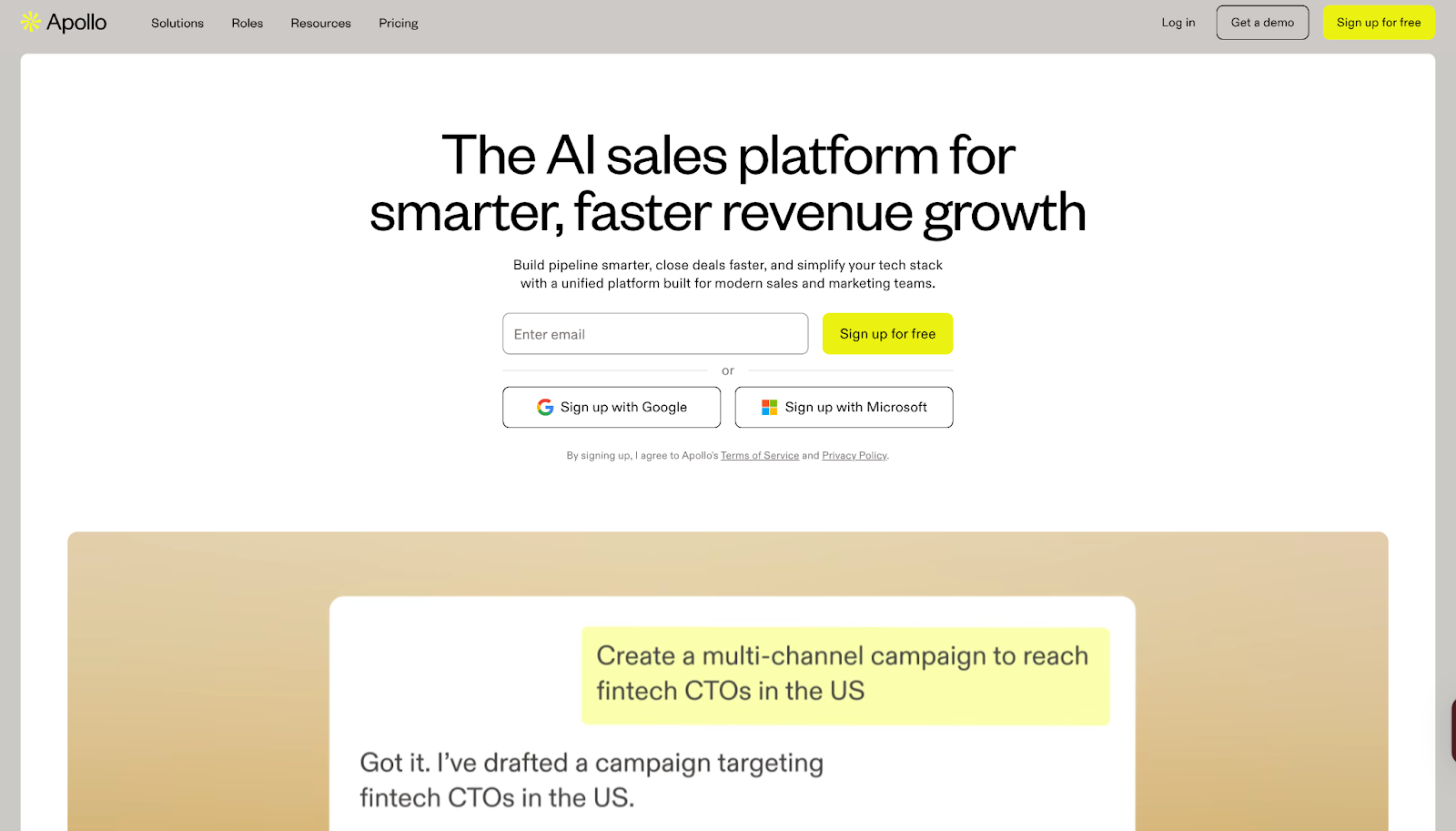
Apollo is the perfect blend of data + delivery.
It’s one of the few platforms that lets GTM teams access millions of verified contacts, run automated sequences, and analyze performance, all in one place.
Best for
Outbound sales, SDR, and RevOps teams looking for integrated engagement and enrichment.
Why it works
- Massive contact database with verified data
- Integrated email and LinkedIn sequencing
- Enrichment APIs for custom GTM workflows
- Strong fit with other GTM orchestration tools like Factors and Clay
For many GTM engineers, Apollo is the source of truth for people data, the starting point of every automated workflow.
5. Madkudu
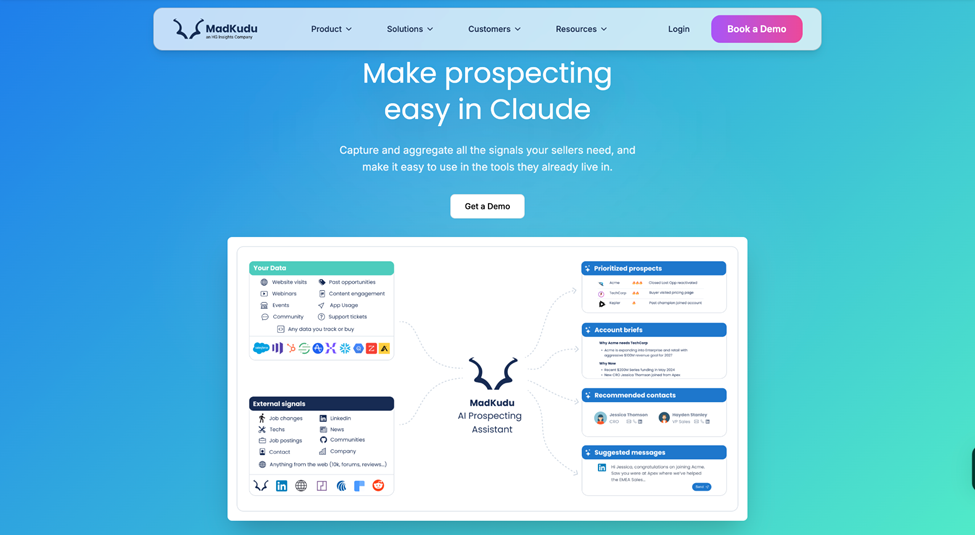
MadKudu helps GTM teams turn data signals into smarter prospecting. It combines firmographic, behavioural, intent and product-usage signals to surface which leads and accounts are most likely to convert. The platform integrates with tools like Salesforce, Gong, Outreach and others so sellers and RevOps can act on prioritised prospects and accounts within their existing workflows.
Best for
Sales, RevOps and GTM teams that want to focus on high-conversion prospects and accounts using AI-driven scoring.
Why it works
- Unifies fit (e.g., firmographics) and intent/usage (e.g., website visits, product activity) data into dynamic lead/account profiles.
- Uses AI to build predictive models based on your past conversion and revenue history, so sellers see which leads/accounts matter most.
- Surfaces that intelligence directly in CRM or sales engagement platforms, enabling faster, more meaningful outreach.
Things to keep in mind
- Works best when your underlying data is clean and well-structured.
- Setup (including modelling, testing and integration) can take time, especially for complex GTM motions.
- Pricing is enterprise-oriented, varying by seats, scoring models and usage.
6. Jason AI SDR (Reply.io)
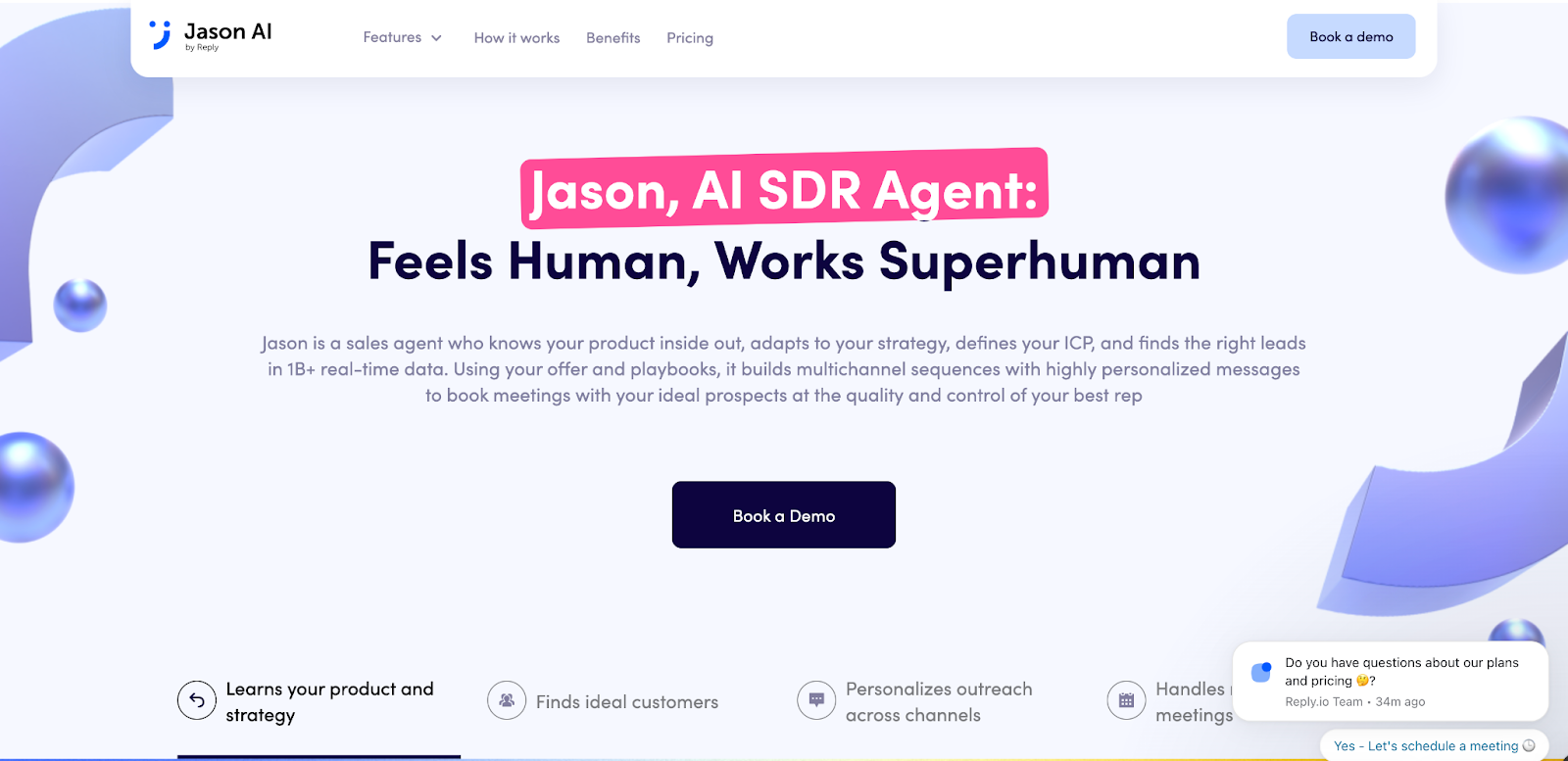
Think of Jason as your AI-powered GTM assistant.
Built by Reply.io, this tool learns from your outreach patterns and automatically builds and optimizes your multi-channel cadences.
Best for
Teams running scaled personalization across email and LinkedIn.
Why it’s unique
- AI-generated sequences that adapt to buyer behavior
- Auto-optimization of timing, tone, and follow-up
- Integrates with CRMs and GTM orchestration tools for real-time triggers
- Saves SDRs hours of manual follow-up
The magic here is personalization at scale, something that’s been “impossible” until now.
7. Make (Integromat)
Make (previously Integromat) is a visual automation builder that gives non-technical GTM teams the power to connect and automate across platforms without a single line of code.
Best for
Startups and SMBs building flexible GTM stacks without engineering dependency.
Why it’s useful
- Intuitive drag-and-drop workflow builder
- Pre-built GTM templates (e.g., lead routing, lead scoring, lead enrichment)
- Integrates with almost all major CRMs, ad platforms, and analytics tools
- Great for teams that need speed over complexity
It’s the friendly, lightweight cousin to N8N, perfect for smaller teams who still want orchestration superpowers.
The magic comes when you turn intent signals into outreach automatically.
(Read more in: The Step-by-Step Guide to Turning Signals into Sales Conversations)
Compare Best GTM Engineering Tools For SaaS and RevOps teams
| Agent | What It Does | Outcome |
|---|---|---|
| Website Visitor Identification Agent | Detects companies visiting your site and infers likely users | Real-time visibility into ICP engagement |
| Contact Relevance Agent | Surfaces the right people within buying committees | Context-rich contacts, ranked by relevance |
| Account Tiering Agent | Scores and classifies accounts using external signals (hiring, funding, job changes, etc.) | Smart prioritization |
| Advanced Enrichment (Clay/Bitscale) | Cleans and validates contact data before writing to CRM | Reliable, high-accuracy data |
| Account Map Agent | Identifies the buying committee and maps relationships | Multi-threaded outreach |
| Meeting Assist Agent | Tracks post-meeting engagement and next best actions | Contextual sales follow-up |
| Closed-Lost Account Alert | Detects when old deals resurface on your site | Re-engagement opportunities |
How to choose the right GTM Engineering tool
If you’re reading this thinking, “Okay, but where do I even start?”, here’s the simple answer:
- Start with your pain point.
- Struggling to unify data? → Go with Factors or Clay.
- Too many manual handoffs? → Try N8N or Make.
- Need to activate intent data fast? → Combine Warmly + Factors.
- Scaling outreach? → Add Apollo or Jason AI SDR.
- Then map your workflow.
Sketch out what you want to happen from the moment an account shows intent to when sales takes action.
Your GTM tool should fit that flow, not the other way around.
And finally, don’t aim for perfection on day one.
Start small, automate one motion, measure the impact, and scale from there.
Best practices for GTM Engineering implementation
Implementing GTM tools is about designing for flow.
Here’s what works in the real world that’s powered by two large espresso shots:
- Start with impact, not complexity. Automate high-ROI motions first (like inbound routing or deal alerts).
- Build transparency. Document every workflow and make sure sales and marketing teams understand it.
- Monitor constantly. Add error alerts, dashboards, and rollback logic.
- Don’t skip data hygiene. Even the smartest automation fails on messy inputs.
- Iterate monthly. Treat your GTM stack like a product, improve it every sprint.
Future trends in GTM Engineering Tools
Here’s what’s next for GTM engineering:
- AI-generated workflows - Describe your intent (‘Alert me when a CMO from ICP Tier 1 engages on LinkedIn’), and the system builds the logic automatically
- Self-healing automation - Workflows that fix themselves when an API fails or a field changes.
- Cross-channel attribution baked in - True end-to-end visibility across web, ads, and CRM.
- Natural language builders - Create entire GTM flows by chatting with your tool.
- Hybrid human + AI orchestration - The engineer becomes the strategist, the AI runs the ops.
The next wave is about the intelligent connection between tools that matter.
In a nutshell…
GTM engineering is how modern revenue teams will operate, blending data, intent, and automation into one fluid system.
And honestly? It’s about time.
Because the problem was never a lack of data, it was a lack of connection. The right GTM engineering tools bring speed, clarity, and cohesion to your entire go-to-market plan.
If you’re leading marketing, RevOps, or growth, this is your cue:
Stop fighting your stack, start orchestrating it.
FAQs on GTM Engineering Tools
Q1. What are GTM engineering tools?
A. They’re platforms that connect marketing, sales, and product systems through data, automation, and workflows, enabling faster, smarter revenue motions.
Q2. Do GTM engineering tools replace RevOps or sales ops?
A. No. They augment them. RevOps typically builds stable infrastructure; GTM engineers build the growth experiments, workflows, and iteration layer.
Q3. Are they different from RevOps tools?
A. Yes. RevOps organizes. GTM engineering builds and automates.
Q4. Do you need engineers for GTM engineering?
A. Not always. Tools like Factors are designed for non-technical ops and marketing users.
Q5. How long does it take to adopt a GTM engineering tool?
A. Small workflows can launch in days or weeks; full-stack rollout may take months, depending on complexity.
Q6. What’s the ideal GTM tool stack?
A. A mix of Factors (orchestration), Clay (enrichment), Warmly (intent), and Apollo.io (engagement), optionally supported by N8N or Make for custom automations.
Q7. What qualifies as a ‘GTM engineering tool’?
A. Any platform or software that enables you to design, orchestrate, trigger, branch, and monitor growth workflows that bridge marketing, sales, and product.
Q8. What’s a ballpark budget for these tools?
A. Depends on users, workflow volumes, data operations, ranges from low 5-figure USD annually to mid 6-figure for enterprise.
Q9. Can I build my own vs buy a commercial tool?
A. Building gives flexibility but demands maintenance and time. Buying gives support, updates, and often better UI/UX. The tradeoffs depend on your team’s capacity.

GTM Engineering Trends 2026: What the Fastest-Growing Teams Are Doing
Explore the top GTM engineering trends shaping 2026 – AI automation, workflows, signal-based selling, and revenue efficiency for modern B2B teams.

TL;DR
• GTM Engineering is now the backbone of high-growth teams. It connects tools, data, and workflows so revenue scales without adding more headcount.
• Signal-based selling is replacing cold outbound. Unified data, AI workflows, and smart LinkedIn automation make your GTM motion faster and more accurate.
• Buyer journeys are now non-linear and multi-threaded, which means clean signals and shared systems matter more than ever. Teams that consolidate their stacks see better alignment and lower CAC.
• The winning GTM stack for 2026 is simple. One clean CRM, one signal layer, one outbound engine, and one ads layer working together with tight workflows and strong AI automation.
There’s a typical (and an oddly familiar) rhythm to a B2B setup:
- An SDR is on Slack asking why yesterday’s demo request never reached Salesforce.
- A rep is confused about why an email sequence sent the wrong opening message.
- Marketing is trying to understand which campaign drove yesterday’s spike in traffic.
- Sales says an account is showing intent, but no one knows where that signal came from.
Everyone is busy, but nothing feels coordinated. These problems are minor on their own, but cumulatively, they slow down the entire revenue engine.
That’s the gap GTM Engineering fills. It connects your tools, data, and workflows so all the activities run in sync. It is just like an automated traffic system that keeps everything moving instead of humans directing the traffic by hand.
SDRs used to handle most of this through manual research and outreach. But that doesn’t match how quickly or non-linearly buyers move today. Today, B2B buyers respond better to contextual outreach that meets them halfway through their buying journeys. This is why high-growth teams are bringing in the best GTM Engineers before adding more SDRs to their sales team. They believe in opting for one strong builder who can set up workflows that dozens of reps can optimize on.
And that’s exactly what Factors.ai delivers. It unifies signals from ads, product usage, website activity, and the CRM, then turns them into actions your workflows can run automatically.
Why GTM Engineering is Critical for Revenue
Talk to any B2B sales team today, and they’ll unanimously agree: acquiring customers is getting more expensive. The 2025 Benchmarkit report backs this up. Companies are now spending about $2 in Sales and Marketing to earn $1 of new ARR, a 14% jump from 2024.
The buying cycle isn’t helping either. Intent shows up across channels, SDRs chase spikes, content teams build for micro segments, and ad budgets shift overnight. It feels like solving a jigsaw puzzle that keeps changing shape.
The same report also points out a 10% higher blended CAC ratio than in 2022, which means teams are spending more to earn each dollar of revenue. The only sustainable way to reverse that trend is to rely more on automation and less on headcount. Adding more sales reps won’t fix the math.
Leaders see this clearly. That’s why efficiency is a top priority for 2026. They want clean handoffs, faster reactions to signals, and workflows that don’t need constant babysitting. GTM Engineering gives them that path. It connects tools and signals, turns scattered behavior into clear actions, and helps teams grow without adding more seats.
Related read: Top GTM engineering tools
Trend 1: Signal-Based Selling Replaces Traditional Outbound
When was the last time you replied to a cold message? My guess is you’d have ignored most of them because either their timing was off or they didn’t match your discovery journey. Your prospects respond the same way. They skip your messages because they didn’t match their intent.
But what if you could ride shotgun on their buying journey? Instead of guessing, you react to what they actually do. For example:
- Someone visits your pricing page.
- Someone reads three articles back-to-back.
- Someone compares you with a competitor.
- Someone clicks a LinkedIn ad but doesn’t fill out a form.
These moments show you who is warming up. That’s the core of signal-based outreach. GTM Engineering makes it possible by pulling these signals together, adding context, qualifying them, and triggering the right action at the right moment.
ClearFeed learned this firsthand. Their team struggled with anonymous traffic, false positives, and SDRs reaching out without knowing which accounts were truly evaluating them. They needed a clearer view of the buyer’s journey, so they brought Factors.ai into their GTM engine.
Once they did, they finally saw real signals, like pricing visits, repeat content sessions, and team-level activity. Their sales assistants stopped volume-based outreach and started acting on behavior, giving them a real competitive advantage. Meetings went up, and the entire outbound motion felt sharper and more human.
Related read: Website visitor to warm outbound play using GTM engineering services.
{{INLINE_TOFU}}
Trend 2: Unified GTM Data Infrastructure Becomes the Default
Apart from the outreach problem, ClearFeed also struggled with scattered data. Ads, website analytics, and CRM details were spread across different systems. Their demand gen team worked with partial information, and marketers had to optimize campaigns without a full view of the account journey.
They aren’t alone. Most B2B stacks still run in silos, but that's starting to change. Teams are pulling all their GTM data closer to the CRM so ad data, web intent, product usage, and attribution sit in one place. The result is simple: cleaner data, faster cycles, better targeting, and lower CAC. The stack doesn’t shrink. It just behaves like one system instead of ten AI tools stitched together. Once everything lives in one place, you finally get real data activation that sends enriched, real-time intent data into every system that needs it.
ClearFeed did the same. They consolidated their data through Factors.ai. Website activity was mapped to accounts, firmographic and behavioral data were enriched and unified inside the CRM, and LinkedIn AdPilot tied ad spend directly to pipeline.
Trend 3: AI Workflows Automate Most of The Daily Go-to-Market Tasks
Follow-ups, enrichment checks, quick research, sorting priorities, refreshing audiences, managing exclusions, sending multi-touch messages. Notice how these tiny tasks steal hours of your GTM team’s time?
AI workflows now handle this layer. They take care of the repetitive work, so your team can focus on what matters. Once you set the logic and strategy, the system takes over: follow-ups, filtering low-quality leads, logging research spikes, and sending the right personalized message all happen automatically.
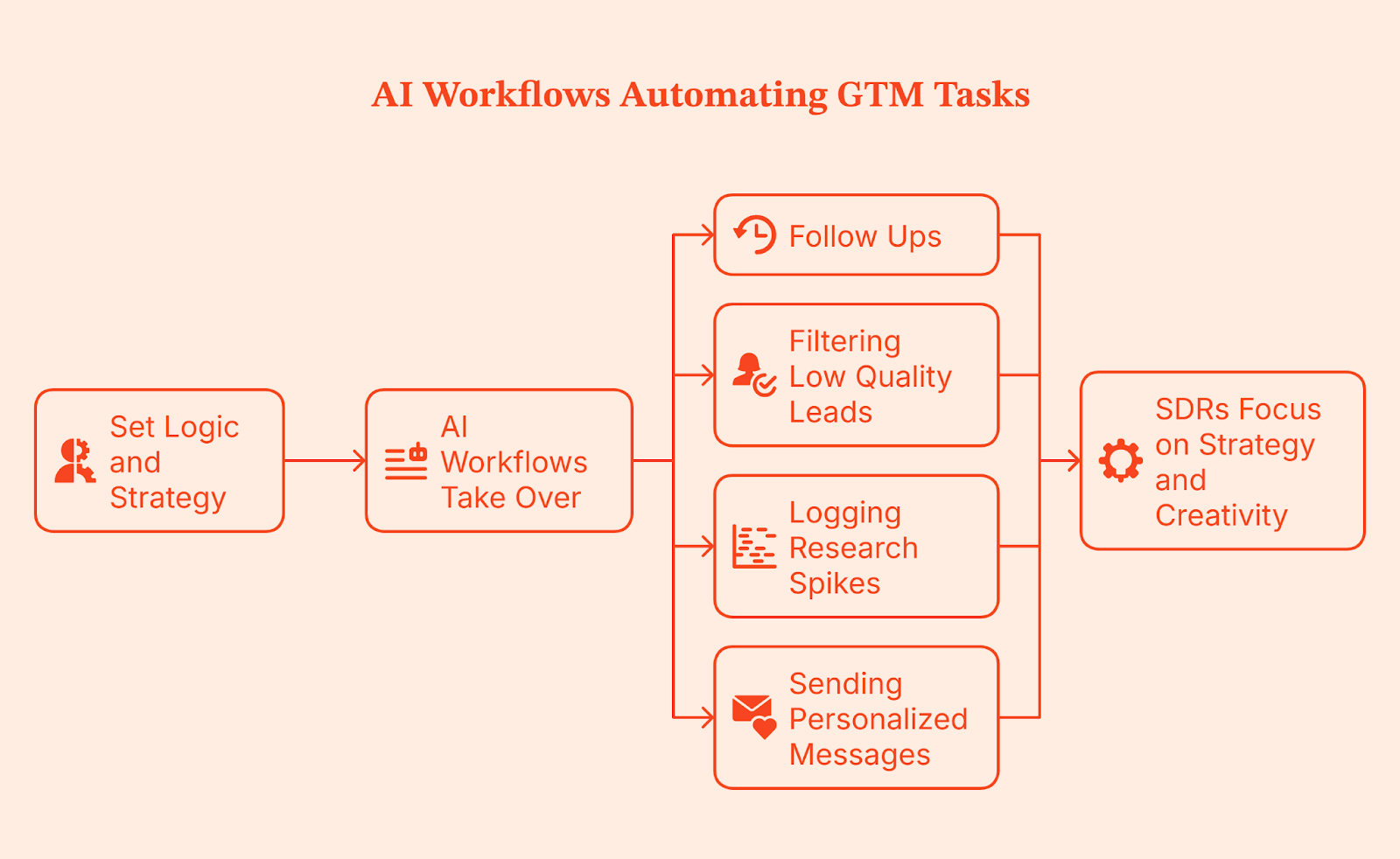
This gives your SDRs room to think. They spend less time clicking through small tasks and more time focusing on strategy and creativity. This is the same layer many teams now call AI SDR or agentic outbound, where automated agents handle research, prioritization, and first-touch tasks so humans can focus on the conversations that actually require judgment.
Trend 4: Marketing and Sales Systems Finally Converge
Raise your hand ✋ if you’ve seen this play out in your organization: Marketing calls an account warm, sales checks their tools, and sees nothing. Both sides are convinced they’re right because they’re looking at different dashboards and different definitions. This misalignment is caused by disconnected systems.
In 2026, GTM teams are moving toward shared dashboards, shared definitions, and shared signals. Website intent, ad clicks, and CRM updates show up for everyone at the same time. Data quality shifts too. It’s no longer a reactive cleanup task. Guardrails, routing rules, and automation keep the CRM clean from the start.
When this happens, the whole revenue operations motion feels lighter. Marketing, Demand-gen, and Sales teams operate from the same source of truth, handoffs become smoother, and the old back-and-forth disappears.
Trend 5: LinkedIn Ad Automation Emerges as the GTM Engine
There’s no debating it: LinkedIn keeps outperforming Google in B2B, and it has become the backbone of most GTM stacks. The catch is that LinkedIn ads can get too expensive too fast. Read more about this on our B2B LinkedIn Ads Benchmark Report.
This is why companies are layering their LinkedIn with AI tools like LinkedIn AdPilot. AdPilot uses the intent and engagement signals from your GTM systems to keep your LinkedIn audiences updated, so your ads run on live data instead of static lists. It does this by pulling in real engagement signals such as pricing page visits, content sessions, and account-level activity, then updating your LinkedIn audiences as those accounts heat up.

Running LinkedIn as one connected GTM engine gives you the upper hand with clear advantages:
- Audiences refresh automatically, so you don’t spend on outdated segments.
- You avoid burning your ad budget by showing the same ad to the same person repeatedly.
- Your CRM stays in sync through clean server-side tracking.
- Retargeting becomes smarter with real intent signals.
This makes your paid, organic, and outbound finally behave like one cohesive system.
Trend 6: Buyer Journeys Become Nonlinear and Multi-Threaded
That new client you signed on yesterday? They didn’t follow a sales funnel. Someone found you on LinkedIn. Another checked a blog. Someone else saw your name in a Slack thread. They might’ve even searched for you on Google, got curious, and showed up at a webinar without ever talking to your team.
Same company. Multiple people with multiple marketing touchpoints. That’s how most B2B buying happens now.
People jump between channels based on what they need. They ask colleagues, check communities, click ads, browse your site, and read emails. No single person carries the deal. Stakeholders step in and out as they learn, compare, and validate, and some stay invisible until the very end.
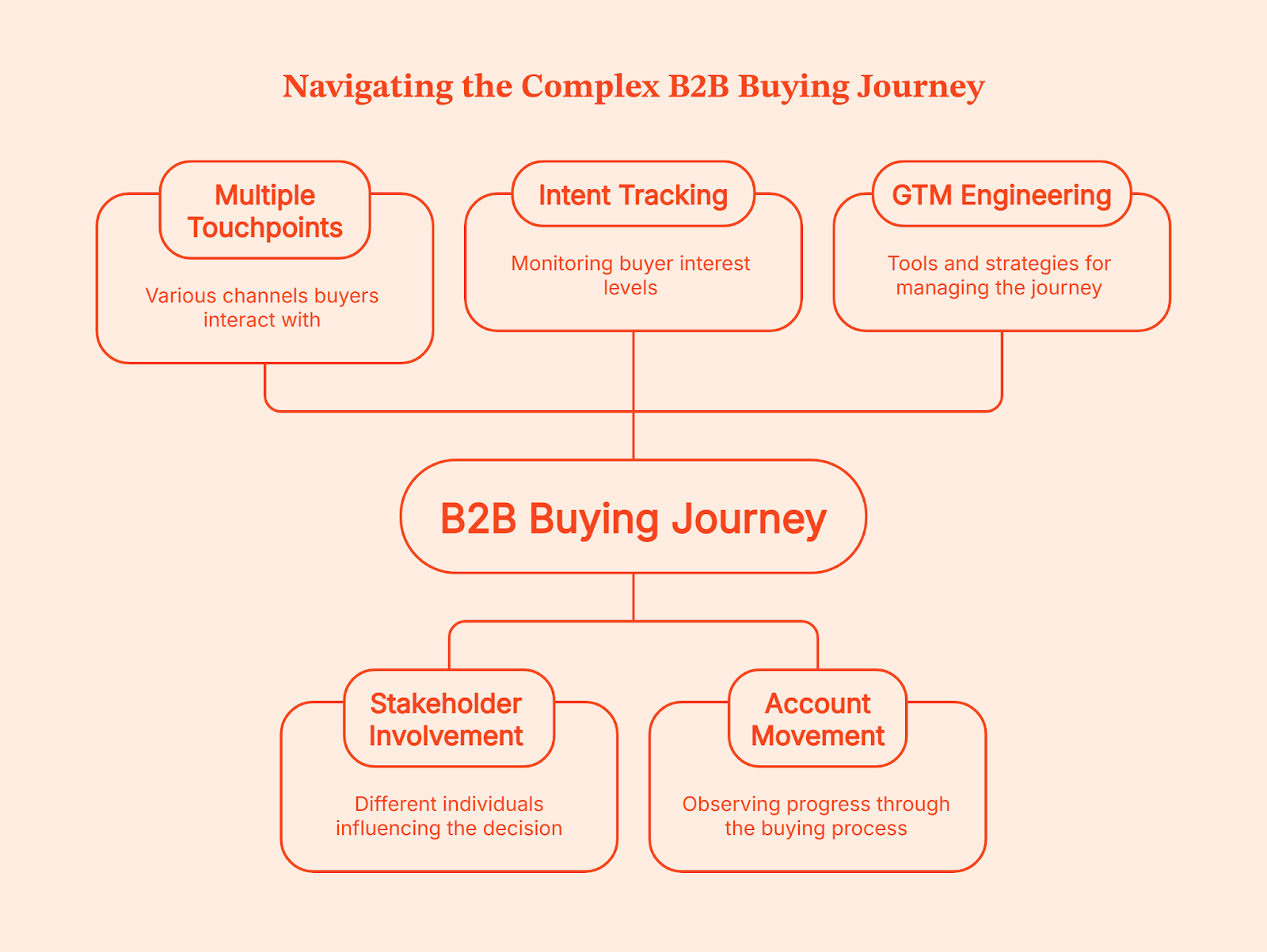
The challenge lies in connecting each touchpoint so you can see how an account is moving. This is where GTM Engineering helps. You see when intent rises, when it drops, who joins the process, and what triggered the next step. And once you have the full picture, multi-threaded selling becomes far easier and more predictable.
Trend 7: GTM Teams Shift from Tools to Platforms
Think about how you shop. If you can grab groceries, baby clothes, a new hoodie, and school supplies in one Walmart visit, you are not driving to Williams Sonoma for pots, Carter’s for onesies, Zara for fashion, and Staples for stationery. One place simply makes life easier.
GTM teams want that same experience.
Right now, most stacks look like five different stores on opposite ends of town. One tool gives you analytics. Another handles outreach. A third manages intent. A fourth stores contacts. A fifth tries to glue everything together. By the time you click through all of them, your buyer has already taken three new steps you did not see.
Teams are tired of that. They are trimming their tech stacks and cutting tools that only do one tiny job. No one wants ten vendors with ten logins and ten different versions of ‘what’s really happening’.
Platforms are winning because they bring analytics, activation, and signals into one place. You get the full picture and the action in the same view without the patchwork. Your teams spend less time managing tools and more time moving revenue. That is the shift happening across modern GTM teams, and it is only speeding up.
Trend 8: CAC Reduction Through Workflow Automation
A missed follow-up, a slow reaction, the wrong account in sequence, a campaign running longer than it should. These slip-ups look small, but they slowly inflate your customer acquisition cost. You see the same pattern in most GTM teams.
Scrut faced it firsthand: Too many tools, scattered data, no clear view of how buyers engaged. The gaps slowed everything down and created the kind of waste that makes acquisition more expensive than it should be.
Workflow automation fixes this. It follows the same idea as Toyota’s Just-in-Time system: remove waste, keep work moving, and let the system carry the load so people can focus on work that actually matters.
Time to touch goes down because the GTM system reacts the moment a qualified buyer shows up. Signal-based campaigns waste less budget because they only engage accounts that are warming up. Auto prioritization removes guesswork and lifts performance. All of this reduces CAC without adding headcount.
And with boards tracking CAC more closely than ever, cleaner workflows are no longer optional. They’re the only way to run a GTM engine that doesn’t leak time, budget, or opportunities.
Related read: GTM engineering vs RevOps
The GTM Engineering Stack for 2026
Instead of adding more tools to your GTM stack, focus on a small set that works well together. Think of this stack as your GTM development environment, where signals, activation layers, and automation run side by side instead of pulling teams in different directions.
Here’s a stack most high-performing teams are moving toward:
| Layer | Recommended Tools | What This Layer Does |
|---|---|---|
| CRM | HubSpot or Salesforce | Your central system of record. Everything flows in and out of here. Clean CRM, clean GTM. |
| Data unification and signals | Factors.ai | Pulls all journeys into one place. Captures website intent, ad engagement, product usage, form fills, and CRM activity. Triggers the right downstream actions. |
| Marketing automation | Factors.ai, HubSpot or Marketo | Handles email nurturing, lifecycle workflows and campaign management. Works best on top of clean signal data. |
| Outbound | Apollo or Clay | Helps reps research, enrich, prioritize and automate manual steps. More powerful when signals tell them who deserves attention. |
| Ads and activation | LinkedIn + Factors.ai | Factor’s LinkedIn AdPilot refreshes audiences automatically, controls ad exposure and uses CRM intent for smarter retargeting. Turns LinkedIn into a GTM engine, not a siloed channel. |
| Enrichment and routing | Clearbit or OpenAI agents | Fills missing data and ensures the right accounts reach the right rep quickly. Keeps routing accurate and clean. |
| Reporting | Factors.ai, Looker, Tableau, Power BI, or a revenue intelligence tool like Clari | Helps teams analyze performance, understand deal movement and make decisions across the GTM motion. |
Once these layers start working in sync, your GTM motion feels like an ecosystem instead of a bunch of tools bolted together.
How Factors.ai Enables GTM Engineering Services
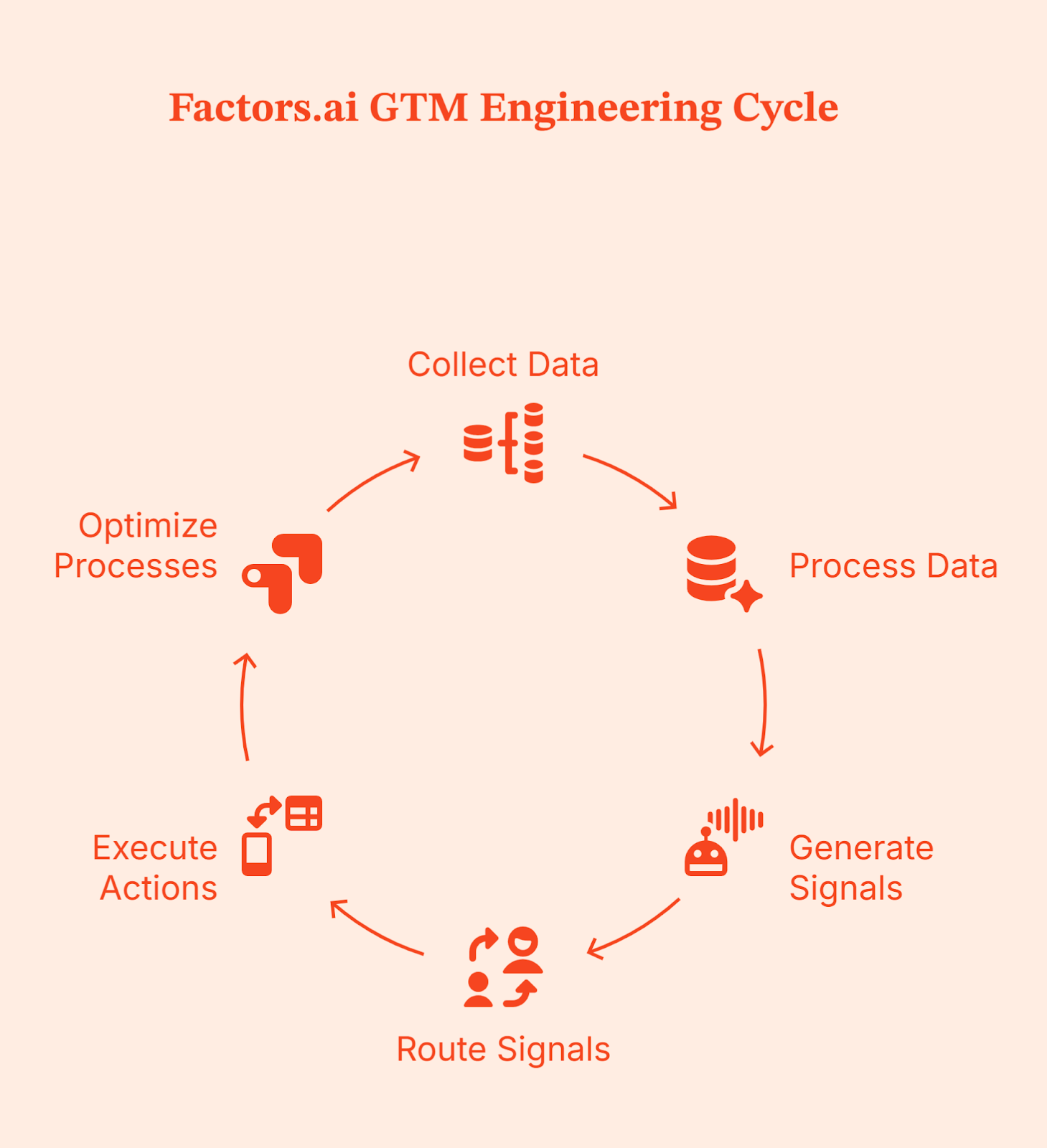
By now, you know a strong GTM engine depends on three things: clean data, reliable signals, and workflows that move without friction. Factors.ai supports this foundation by designing and running GTM engineering services that ensure every part of your stack sees the same data and reacts at the right moment.
Here’s how it fits into the system.
End-to-end workflow automation
Factors’ GTM engineering team builds and runs the workflows that connect your CRM, intent signals, outreach tools, and ad platforms. Instead of your ops team managing integrations and scripts, Factors handles the setup so your sales and marketing teams can act on clean signals automatically.
Signal-led insights and alerts
Factors helps you understand real buyer activity into clear signals your team can act on. When an account shows intent, your reps see why it matters and what to do next, with follow-ups triggered automatically across email, LinkedIn, or CRM tasks.
Personalized outreach at scale
Outreach is triggered by behavior. Factors sets up workflows that send the right message through the right channel based on what an account is actually doing, without your team needing to manage it manually.
AI-assisted research and prioritization
Factors uses AI to enrich accounts, summarize activity, and highlight which accounts deserve attention first. Sales reps get full context quickly so they spend less time researching and more time having meaningful conversations.
Works with your existing tools
Factors integrates with the tools you already use, like LinkedIn Ads, your CRM, email platforms, Slack, and enrichment tools. Data flows smoothly between systems so your GTM stack works like one connected platform.
A delivery model that fits your team
You can choose how you work with Factors. Either the team builds everything and hands it over to you, or they stay involved to maintain and improve workflows as your GTM motion evolves.
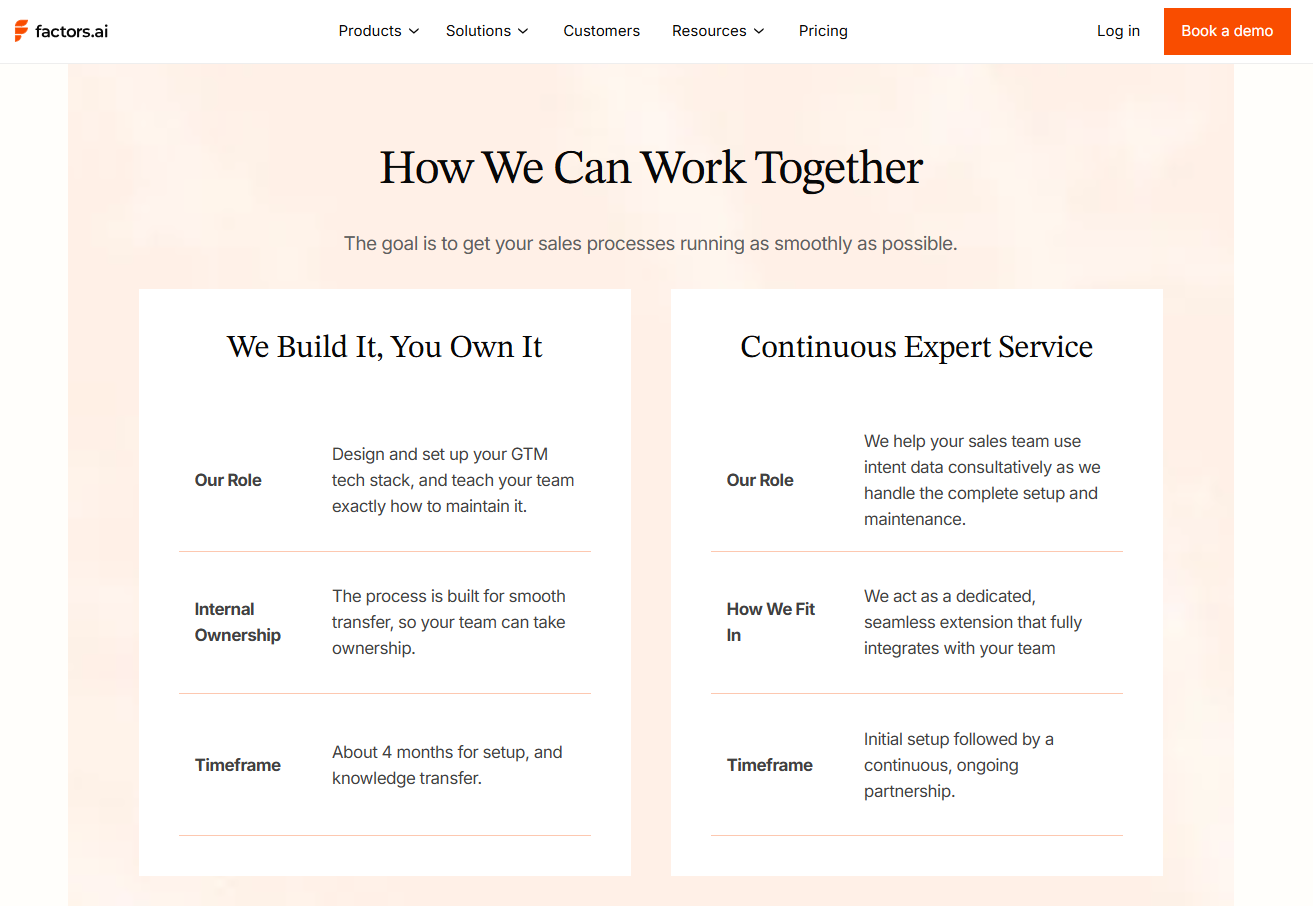
This turns Factors.ai into your GTM system of action, where accurate data drives immediate execution across ads, outreach, and CRM workflows.
Factors.ai doesn’t replace your team. It simply makes their work easier by bringing signals together and automating the steps reps shouldn’t be doing manually.
Final Recommendations
If you’re updating your GTM engine for 2026, start here. These moves consistently outperform everything else.
Step 1: Start signal-based selling early
To make outreach easier by following real buyer behavior instead of guessing.
Step 2: Unify your GTM data
To pull signals, CRM, ads, and product data into one place so that your teams see the same information consistently.
Step 3: Use AI agents for repeatable work
Let the system handle follow-ups, enrichment, and prioritization so reps can focus on real conversations.
Step 4: Build a GTM Engineering function
Instead of populating your team, opt for one strong builder who understands data and automation and reshapes the entire engine.
Step 5: Tighten your revenue stack
Choose tools that work well together and maintain data hygiene as it moves downstream.
Step 6: Invest in LinkedIn automation
LinkedIn is still the strongest B2B demand gen channel. Automation keeps spend efficient and targeting aligned with real intent.
FAQs on GTM Engineering Trends
Is GTM Engineering replacing SDR teams in 2026?
Not entirely. GTM Engineering reduces the need for heavy outbound headcount by automating research, prioritization, and early touchpoints. SDRs still matter, but their work becomes more strategic.
Which technical skills does a GTM Engineer need?
Strong workflow design, automation logic, CRM mastery, API familiarity, basic data modelling, and a good understanding of how revenue teams operate day to day.
How can small teams start with GTM Engineering?
Begin with the essentials. Unify your data, set up simple automated workflows, use low-code integrations, and start capturing intent signals. You do not need a full team on day one.
What’s the difference between a GTM Engineer and Rev Ops?
A GTM Engineer connects data, tools, and signals into workflows that run the GTM motion. RevOps handles reporting, forecasting, and process consistency. One engineers the system; the other operates it.
What channels work best for GTM Engineering?
LinkedIn for targeted reach, intent-based outbound sales for warm conversations, and AI-supported nurturing for mid-funnel engagement.
How does GTM Engineering impact CAC?
It cuts waste by speeding up reactions, improving prioritization, and reducing manual work. When the system moves faster, your cost to acquire a customer naturally drops.

How GTM Engineering Is Replacing SDR Teams with AI-Powered Automation
Learn how GTM engineering is replacing SDR teams with AI workflows, signal-based outbound, and agentic automation. Data-backed, B2B-focused guide.
TL;DR
- Outbound is struggling because buyers research silently, reply rates are declining, and sales teams spend most of their time on admin instead of real conversations.
- GTM Engineering replaces manual SDR work with signal-based workflows and agentic outbound that reacts instantly to buying signals.
- An advanced GTM stack runs on a simple flow: it captures signals, turns them into the right messages, runs workflows automatically, and keeps the CRM and pipeline accurate.
- Factors.ai powers this motion by using GTM engineering services. It helps by unifying signals from your website, product, CRM, LinkedIn, and ads so outreach happens at the right moment with the right context.
If you talk to any B2B sales rep, they’ll say, “outreach today feels like shouting in a stadium full of prospects while they have their headphones on.” And they are not wrong; the crowd is there, but no one’s listening anymore.
A 2025 benchmark study reports that average cold-email reply rates declined from 6.8% in 2023 to 5.8% in 2024. And when you look at open rates, the gap is even more striking. Woodpecker report says advanced personalization drives roughly 17% open rate, while emails with no personalization drop to around 7%.
Meanwhile, outbound volume keeps rising. Companies are sending more messages trying to beat the noise.
But are the buyers even listening? According to a recent Gartner survey, 61% of B2B buyers prefer a fully rep-free buying experience.
Which raises the question: when buyers aren’t even listening, how do you reach them? This is where GTM Engineering steps in. It uses signals, automation, and timing to scale in a way manual teams can’t match. You reach your prospects with a system guided by intent and real-time data, almost like speaking straight into their headphones right when they are ready to hear from you.
What GTM Engineering Actually Is (And Why It Matters Now)
GTM engineering focuses on fixing and smoothing outbound ‘system’ processes instead of solving them by hiring more reps. It intersects where product, data, marketing, RevOps, and growth engineering overlap, and builds autonomous workflows that act on their own.
These workflows detect a buying signal, choose the right personalized message, run the right sequence, and update the CRM without waiting for human intervention.
Traditional SDR teams rely heavily on people. They depend on manual research, manual outreach, and a lot of repetitive work. In contrast, GTM engineering leans on workflows and automation to remove the repetitive labor that normally slows sales teams down. So, instead of relying on people to research, follow up, and update tools all day, the system handles the busywork so teams can focus on real conversations and real pipeline.
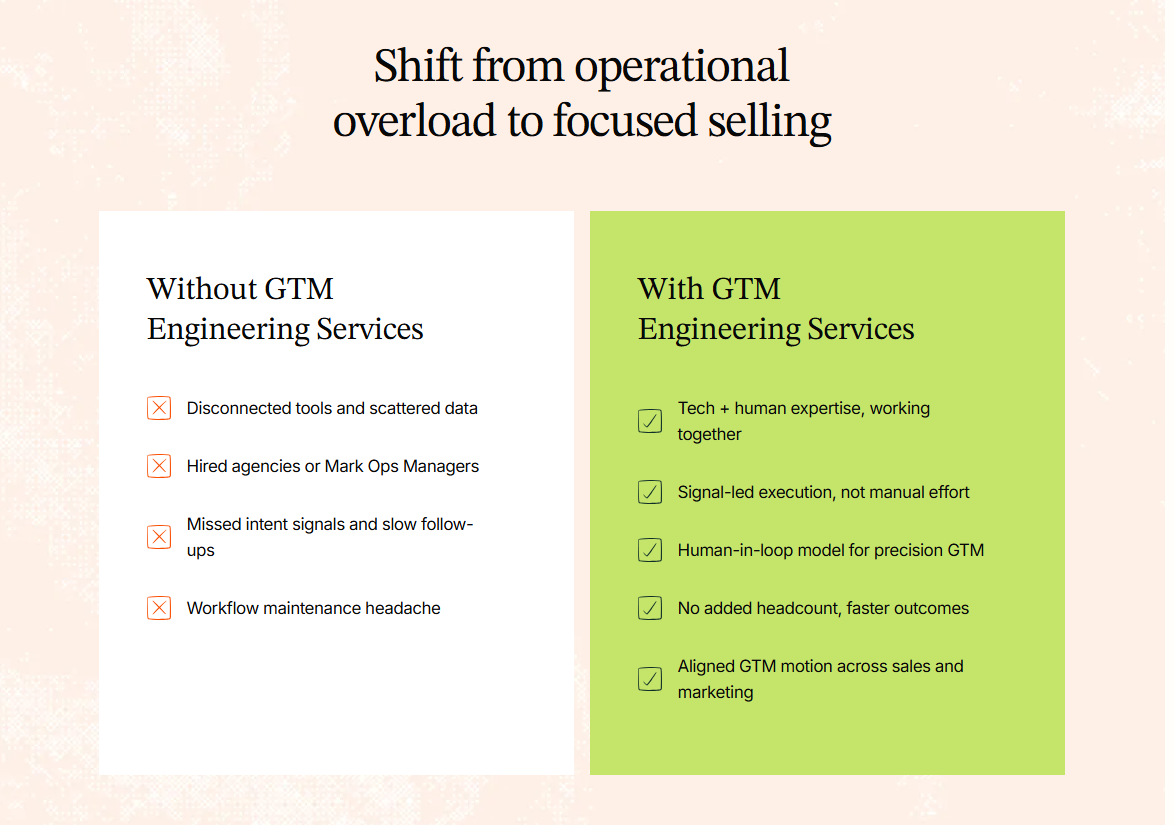
Because SDR outreach is packed with manual work, it has grown more expensive while delivering less impact. That’s why more teams are moving away from people-driven processes and turning to scalable workflows that run at the speed of data. This shift is what’s pushing GTM Engineering into the spotlight as a core revenue function, rather than just a support arm.
The Shift: From Manual SDR Outreach to AI SDR Agentic Outbound
Picture this: A prospect visits your pricing page at 11.47 pm. No one from your team is online, but your AI SDR notices the signal and gets moving. It picks the right message based on who the visitor is, launches a short sequence, logs every step in the CRM, and keeps following up until the thread reaches a natural close. No one had to press a button or upload a list. Neither did the system wait for instructions. It just acted.
This is called “agentic” outbound, a system that doesn’t wait for inputs. It notices what’s happening, decides what to do next, and takes action in real time.
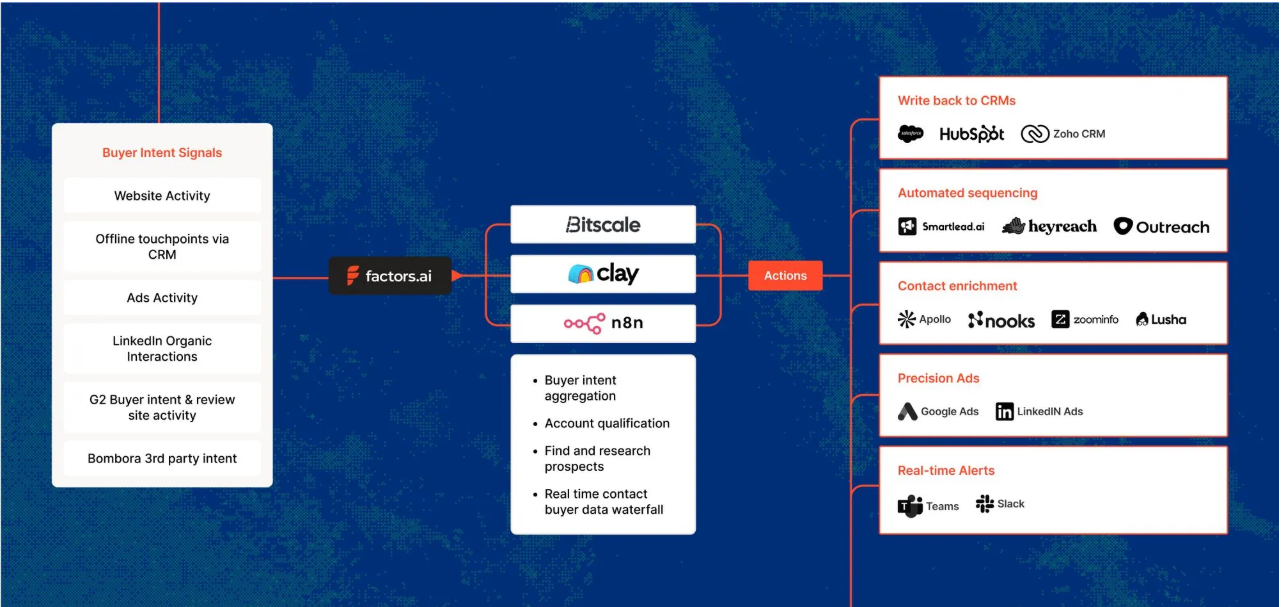
The upside to this approach is huge:
- You reach prospects faster because nothing sits in the queue.
- You get consistently high accuracy because machines don’t get tired or cut corners.
- It runs around the clock, so timing never gets in the way.
- It stays compliant because the logic is inbuilt into the workflow, instead of depending on your sales team to remember the rules.
Related read: Website visitors to warm outbound play using GTM engineering.
Why Manual SDR Outbound Is Breaking (Data + Behavior Trends)
Look around, and you’ll notice outbound doesn’t work the way it used to. Most buyers ignore cold emails until after they’ve done their own research, which means your message often hits them at the wrong moment. AI filters also make things tougher (like screening and deprioritizing cold emails). Low-quality messages are flagged or auto-deleted before an SDR has a chance.
Then there’s the human side. SDR turnover lies anywhere between 39 to 60 percent, depending on the report you read. Ramp times are long, and quotas keep rising. The actual job of prospecting has slowly turned into admin work and copy-paste tasks across five different tools. SDRs spend more time updating fields than writing meaningful messages. At the same time, outbound volume keeps climbing while results keep sliding. It’s a treadmill that gets faster every year, but the output stays flat. That’s why teams are rethinking the fundamentals of how outbound campaigns should work.
{{INLINE_TOFU}}
The New Standard: Signal-Based Outbound Workflows
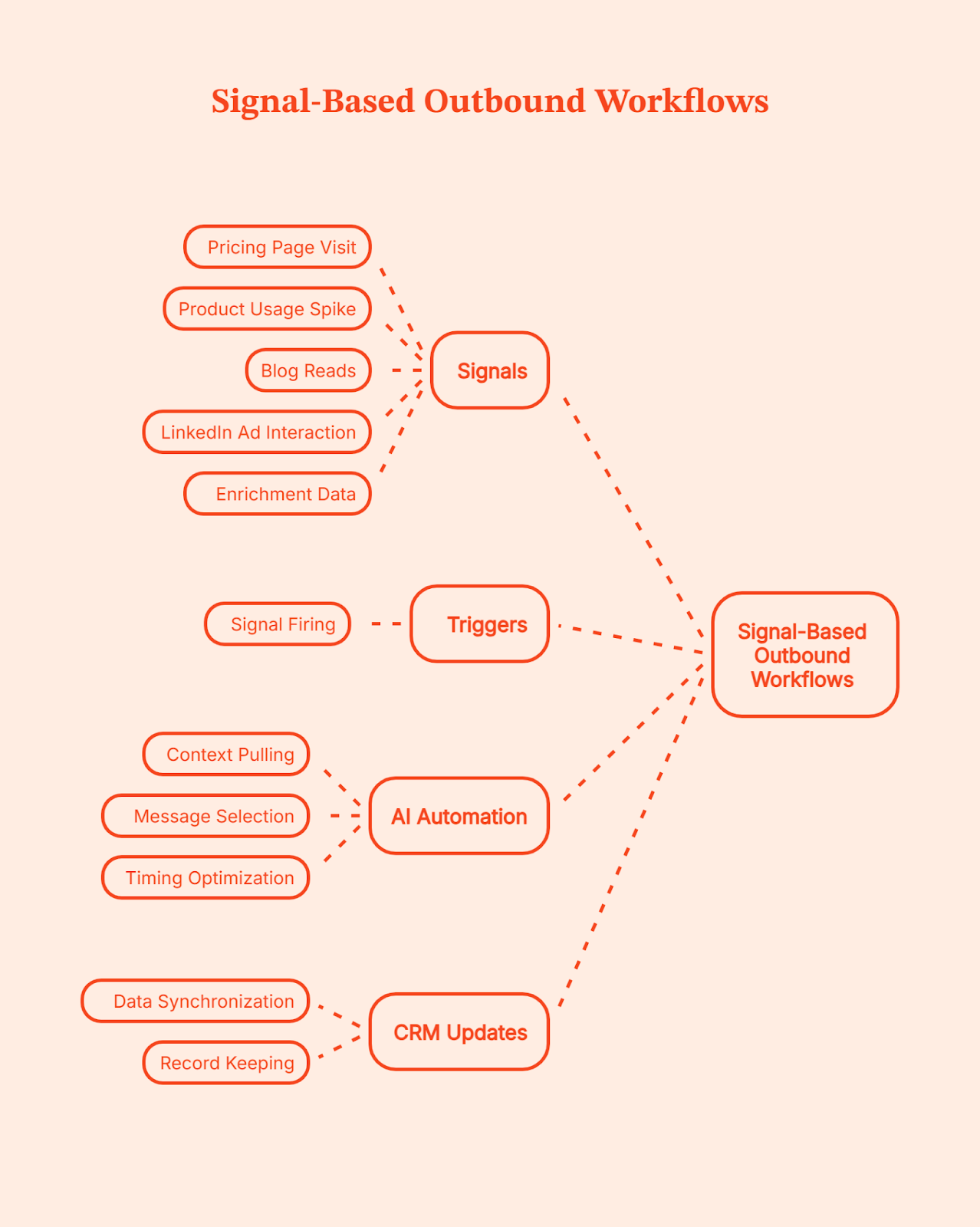
Signal-based outbound is simple. Instead of blasting a long list, you wait for signs that a prospect is actually interested. These signs show up everywhere. A visit to your pricing page. A spike in product usage. A string of blog reads. A LinkedIn Ad interaction. Even fresh enrichment data in the CRM. Each one hints that an account is warming up.
When a signal fires, it triggers an outbound motion. The AI pulls context, picks the right message, sends it at the right moment, and updates the CRM on its own. No guesswork. No heavy research. No long queues. It’s outbound-driven by real behavior rather than cold lists.
Drivetrain’s journey captures this shift perfectly. Before Factors, their team spent hours doing Tier 1 and Tier 2 research just to figure out who to contact. They were casting a wide net and hoping the right accounts would surface. But without visibility into intent signals, many high-potential accounts slipped by unnoticed.
Once they adopted a signal-based workflow, everything changed. Factors pulled signals from their website, G2, LinkedIn, and CRM data. When a company showed meaningful intent, the workflow kicked in instantly. SDRs didn’t need to dig through spreadsheets or click into endless profiles. They got real-time alerts, clear prioritization, and context-rich insights. Outreach became sharper, faster, and far more relevant.
The result: Just in a few months, Drivetrain saw a 6% drop in CAC, 3x-ed its sales outreach engagement, and saved 60+ hours/week for its sales team.
💡Want to know more about B2B intent signals and their importance? Here’s a quick guide: An Introduction To B2B Intent Signals
How AI Helps Scale Personalized Outbound
AI has changed what personalization actually means. It no longer stops at first names or simple ‘mail merge’ fields. Today’s systems can create hyper-specific messages that feel like they were written after a full research session. AI can pull a quote from a blog the prospect read, mention a buying committee member who viewed a key page, reference a spike in product usage, or weave in insights from LinkedIn activity. It connects signals across your website, CRM, and social data to understand what the account cares about right now.
Instead of surface-level personalization, the AI stitches context into a short narrative around the prospect’s journey and uses it to write messages that feel relevant instead of generic. You keep the human tone, but the system does the heavy lifting, so every message lands with the right context. That’s how you get automated personalized messages at scale.
The GTM Engineering Stack: What You Need to Replace SDR Ops
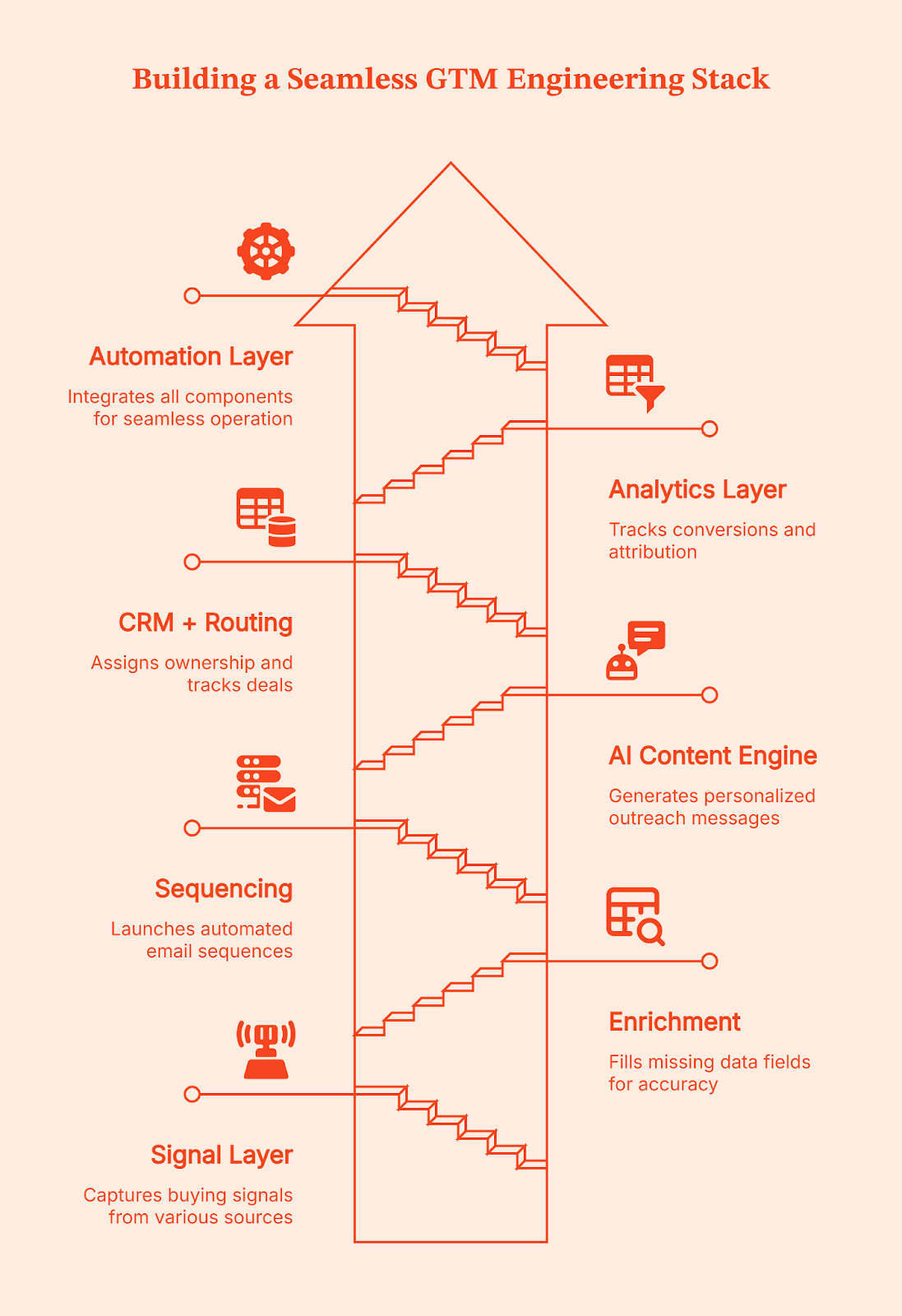
A solid GTM Engineering setup helps you avoid tool fatigue. If you’ve ever juggled ten tabs while building a sequence, you know the pain. The whole point here is to build a simple system where every part talks to the next:
- Signal Layer: Factors (This is where buying intent shows up)
This is where everything starts. Factors.ai captures buying signal across your website, product, content, G2, LinkedIn, and CRM. This way, you know exactly who is showing intent and what triggered it. Every downstream action depends on this layer being accurate and timely.
- Enrichment: Clearbit or Apollo (This is where signals are turned into usable records)
A signal alone isn’t enough. You still need clean, usable data to act on it. Enrichment tools fill in missing details like job title, role, company size, and firmographics. They also keep records fresh over time. This prevents workflows from breaking and keeps sales from wasting time on half-complete or outdated leads.
- Sequencing: Outreach, Instantly, or Apollo (This is where outreach is executed)
This is the execution layer. Once a signal is confirmed and enriched, sequencing tools handle the actual outreach. They send emails, manage follow-ups, track replies, and pause or stop when someone responds. These tools don’t decide who to contact or why. They simply execute the sequence they’re given, quickly and consistently.
- AI Content Engine: LLM-powered messaging (This is where messages are personalized at scale)
This layer handles personalization at scale. Instead of sales reps copying templates and tweaking lines by hand, the system generates messages using the signal, CRM context, and account details. The goal is to send the right message, to the right account, at the right moment, without manual effort.
- CRM + Routing: HubSpot or Salesforce (This keeps ownership and flow clean)
The CRM is the system of record. It assigns ownership, logs activity, tracks deals, and keeps everyone aligned. Routing rules make sure leads go to the right sales rep automatically, without manual handoffs. The goal is that nothing should get lost and everything is routed to the right person.
- Analytics Layer: Attribution + Conversion Tracking (This is where you get to know what’s working)
This layer tells you what actually works. It shows which signals turned into demos, which workflows created pipeline, and which actions didn’t move the needle. Without this visibility, teams just scale their activities instead of outcomes. With it, decisions get sharper over time.
- Automation Layer: Factors Workflows + Agentic Outbound (This is where system reacts without intervention)
This ties the entire system together. When a signal appears, workflows kick off enrichment, sequencing, routing, and follow-ups automatically. Agentic outbound takes the next step without waiting for someone to notice or click a button. The system reacts in real time, instead of someone stepping up to do the job.
Think of this GTM engineering stack as a clean relay. Each layer passes the baton to the next without slowing down. Signals guide the timing, enrichment fills the gaps, sequencing sends the message, and the AI engine shapes the context.
Where Factors.ai Fits In: Signals, Automation, and Unified GTM Ops
Have you ever run into musicians playing on the street? A guitarist in one corner, a singer a few steps ahead, a flutist around the bend. Each sounds good on their own, but the magic only happens when they play in sync.
That’s how most GTM teams operate today. Signals live in different places across the website, product, CRM, LinkedIn, and ads. Useful on their own, but disconnected.
Factors.ai works as the orchestra conductor here. It brings every buying signal into one coordinated view so you can see which accounts are active, what they are looking at, and how close they might be to buying. With LinkedIn conversions data flowing in, the picture gets sharper and clearer.
This is where Factors’ GTM Engineering Services kick in. The service team takes these unified signals and designs the workflows around them. They decide when outreach should trigger, what context should be pulled in, how routing should work, and which actions should happen next.
Once those workflows are set up and signals show up, Factors.ai takes the step for you. They trigger real actions across your existing stack. An email can start, a rep can be notified on Slack, an update can be pushed into the CRM, or a LinkedIn touchpoint can fire. SDRs don’t have to hunt for context or jump between tools because Company Intelligence gives them a clean, account-level view they can act on immediately.
The real win is how everything starts to connect. Marketing gets a clearer picture of what’s working, sales can spot the people who are leaning in, and RevOps finally sees the system moving the way it should. When this kind of clarity clicks, teams rely less on large SDR crews and more on workflows that run reliably in the background. Factors turns a scattered GTM motion into one steady, unified system built through engineering without adding headcount.
Real-World Results from Signal-Driven GTM with Factors
All this is good. But, unless you see the practical implementation of GTM Engineering, should you even bother? That’s what Fyle felt too until they tried it on their own setup.
Here’s what prompted them to try Factors: Their marketing team ran a warm outbound campaign, but most visitors left before booking a demo, and manual research slowed everything down. But once they plugged Factors into their workflow, things changed fast. They saw:
- 75 percent of demo requests coming from Factors-sourced signals
- 20 percent conversion from demo drop-off alerts
- Email response rates rising from under 5 percent to 20–30 percent
It felt like they suddenly had a bigger SDR team without hiring anyone new.
Squadcast had a similar experience. They were getting good website traffic but not enough insight into who was actually interested. After switching to intent signals from Factors, their SDRs said sales calls felt smoother because they met prospects at their journey points. The company reported:
- 30 percent increase in average deal size
- 25 percent decrease in prospecting time
- Noticeably less resistance in sales conversations
Using intent signals from Factors, SDRs can step right into the buyer’s discovery moment, which makes each call feel more useful and less like a cold pitch. The outcome was SDRs making better use of their time.
That’s the pattern you see across teams using GTM automation well.
The system handles detection, enrichment, prioritization, and timing. SDRs handle conversations, nuance, and closing. So, it really isn’t automation versus people, it’s opting for automation so people can do the work that actually matters.
How to Transition From SDR Teams to a GTM Engineering Model
Shifting from a manual SDR-heavy setup to a GTM Engineering model doesn’t have to be disruptive. Listed below is a simple, step-by-step path that helps smoothen your transition.
Step 1: Map your buying signals
List out every action that shows interest, such as website visits, product usage spikes, LinkedIn activity, ad engagement, and CRM updates.
Step 2: Build a unified account graph
Combine those signals into a single view so you can see which accounts are warming up and how they’re moving through the journey.
Step 3: Set up agentic workflows
Let workflows react to signals automatically. If an account hits a key page, the system should decide the next step and take action.
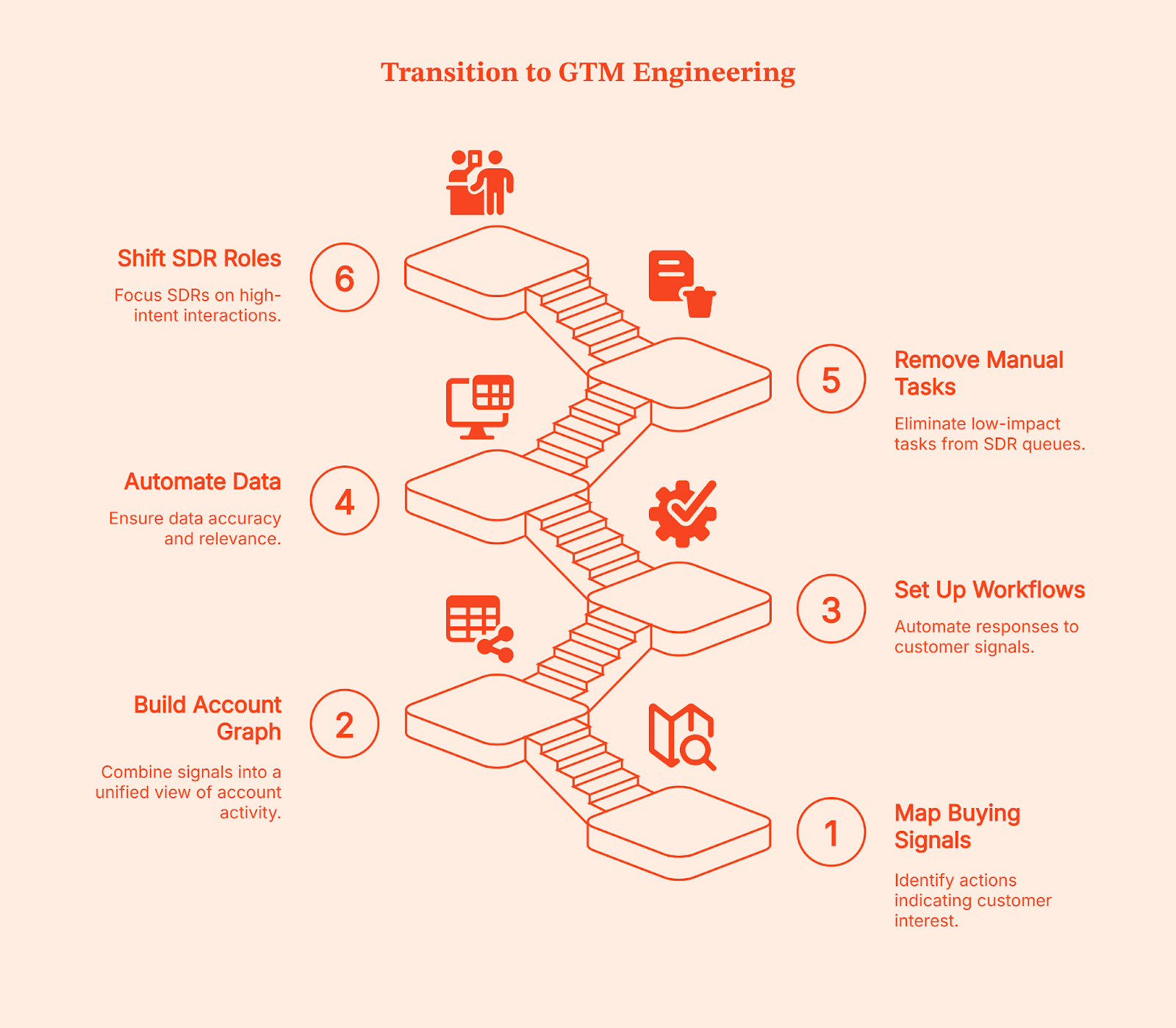
Step 4: Automate enrichment and classification
Keep account data clean by automating enrichment, tagging, and ICP checks. It removes the guesswork for reps.
Step 5: Remove manual tasks from SDR queues
Move research, list-building, and administrative work into automated workflows. This frees the team from low-impact tasks.
Step 6: Shift SDRs to high-intent roles
Let reps focus only on demos, qualification, and real conversations with accounts showing clear intent. The system handles the rest.
💡Related read: How to effectively target B2B prospects on LinkedIn based on their job title
Common Mistakes When Implementing AI Outbound
Even if you follow every step perfectly, most teams run into the same problems when they first adopt AI for outbound. The good news is they’re easy to avoid.
- Over-automating without signal logic: Automation alone doesn’t work. You need signals (remember the traffic signal?) that tell the system when to act.
- Buying AI tools without a unified GTM layer: If your tools don’t talk to each other, the workflow breaks and outreach becomes inconsistent.
- Creating robotic outbound: AI should stitch context, not send generic templates. Relevance matters more than volume.
- Not measuring incremental pipeline: Track how much pipeline comes from signals, not just activity metrics.
- Keeping legacy SDR KPIs: If you’re still measuring dials and email volume, you’ll push your reps toward the wrong behavior in an AI-driven model.
The Future of GTM Teams: Small SDR Pods, Big Automation Engines
It’s not hard to see how outbound is changing. GTM teams of the future won’t be built around large SDR floors. Instead, they’ll run on small SDR pods supported by a strong layer of GTM engineers, RevOps specialists, and always-on AI workflows.
Related read: GTM Engineering vs RevOps
Most of the heavy lifting, like research, prioritization, message generation, and first-touch outreach, will run in the background while your team focuses on relevant conversations. It’s not unrealistic to expect that nearly 70% of outbound will run without human intervention.
SDRs won’t be judged on dials or volume anymore. They’ll act as conversation specialists who jump in when an account is already warmed up. Their job becomes simpler and more meaningful because the system handles the noise. And at the center of that system sits signal intelligence. Factors.ai already plays this role today, and it’s quietly shaping how GTM teams evolve behind the scenes.
What This Means for Modern GTM Teams
Speed is now your competitive advantage.
For most B2B teams, outbound stopped working because systems became slower than buyers. By the time a sales rep researches an account, enriches data, and queues a sequence, the buying moment has often passed.
GTM Engineering helps to remove that delay. Signals are captured as they happen, workflows decide the next step, and outreach launches while intent is still fresh. SDRs enter only when the account is already leaning in, not when interest has to be manufactured.
This is why teams adopting GTM Engineering don’t scale by adding more SDRs. They scale by reducing reaction time. The system handles detection, prioritization, and first touch. People handle conversations and judgment.
It’s simple: The gap between buyer intent and seller action is where deals are won or lost. Teams that engineer their GTM shrink that gap. Teams that don’t keep hiring to chase it.
FAQs on GTM Engineering is Replacing SDR Teams
Q. Is GTM Engineering replacing SDR teams?
Not entirely. It’s replacing the manual, repetitive parts of SDR work so reps can focus on qualified conversations instead of admin and cold lists.
Q. What is AI SDR agentic outbound?
It’s outbound that acts on its own. The system notices a buying signal, picks the right message, runs the sequence, and updates the CRM without waiting for human input.
Q. Does AI outbound convert as well as humans?
Yes, as long as it runs on real intent signals. When outreach lands at the right moment with the right context, it often converts better because it’s consistent and instant.
Q. What tools do I need for signal-based outbound?
You need a signal layer, enrichment, sequencing, an AI messaging engine, a CRM, analytics, and an automation layer. Together, they form a simple, connected outbound system.
Q. How do SDRs and AI workflows coexist?
AI handles the busywork. SDRs jump in when an account is warm and ready to talk. It turns them into conversation specialists instead of task managers.
Q. What role does Factors.ai play in GTM engineering?
Factors.ai sits at the center. It captures signals, unifies account activity, and triggers workflows so outbound happens at the right time with the right context.
Q. Can automation replace human personalization?
It can replace the research and context-gathering, but humans still add tone, nuance, and relationship-building. Both work best together.
Q. What should I automate first in outbound?
Start with the repetitive stuff: signal alerts, enrichment, list building, and first-touch outreach. These give you the biggest lift with the least disruption.

What Is GTM Engineering Integration? (And Why Your Stack Will Breathe a Sigh of Relief)
Discover how GTM engineering integration connects your sales, marketing, and ops tools, turning signals into outbound in minutes. Boost speed, clarity, and pipeline.
TL;DR
- GTM integrations connect siloed tools, allowing data to flow automatically from web visits to outbound sequences.
- It delivers real-time alerts with enriched contacts and tailored context, right where reps work.
- This also reduces manual work by syncing enrichment, CRM updates, and outreach steps.
- Prioritize the right accounts using AI-enabled predictive account scoring, rule-based filters, and territory routing to optimize your sales strategy.
Ever feel like your GTM tools are in five different group chats, all ignoring each other? Marketing sees intent. Sales wants contacts. Ops wants a clean CRM. Meanwhile, your buyer is doing 80% of their research before they ever talk to you (and clicking away while you copy and paste between tabs). Sound familiar?
If only there were a way to make your apps talk, move, and act like one team… Good news, there is.
GTM engineering integration connects your external apps, including Factors.ai (account ID and journeys), Apollo (contacts), HubSpot/Salesforce (CRM), Slack/Teams (alerts), and orchestration layers like Make.com, Zapier, and Clay, so data flows automatically and outbound triggers fire at the right moment.
Yes, even when you’re not staring at the dashboard.
The 30-second version: from signal to conversation
A high-intent account hits your pricing page:
- Detects the visit (Factors)
- Enriches likely buyers (Apollo)
- Prioritizes with rules/AI (OpenAI)
- Alerts the right rep (Slack/Teams)
- Writes cleanly to CRM (HubSpot/Salesforce)
- Launches email/LinkedIn plays (Apollo/Smartlead, HeyReach/Trigify)
Result: Reps receive context, contacts, and copy while the intent is still warm (ideally piping hot).
To read more about the process, check our Website visitor to warm outbound play using GTM engineering services page.
Why GTM engineering integration matters
Every modern GTM team runs multiple point tools (identification, enrichment, sequencing, chat, ads, analytics). Left unintegrated, they create data silos and slow handoffs. Meanwhile, buyers conduct most of their research before speaking with sales teams.
Translation: speed + context is everything.
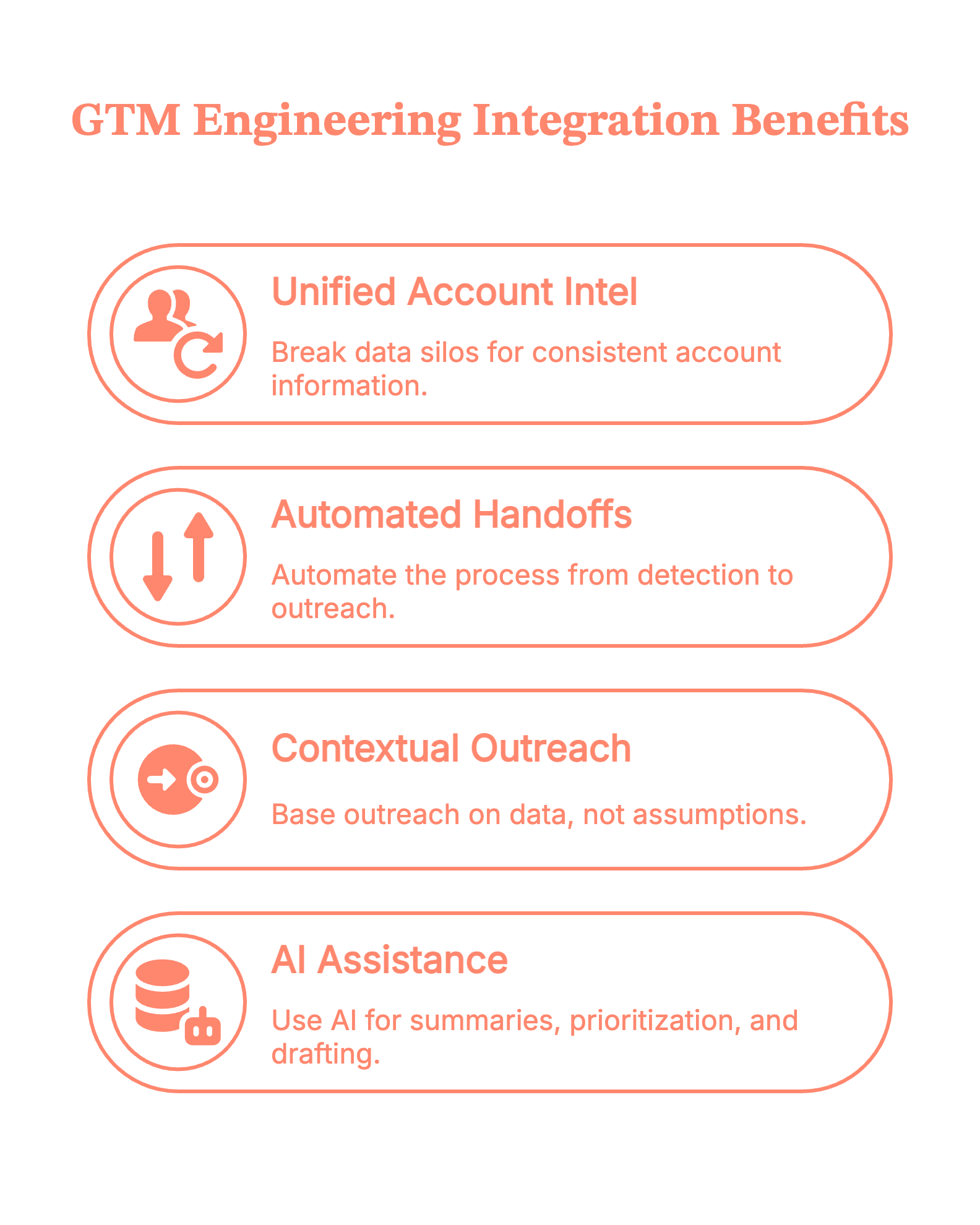
- Break silos so everyone works from the same, current account intel
- Automate handoffs end-to-end (detect → enrich → outreach)
- Ground outreach in context, not guesswork
- Use AI for summaries, prioritization, and drafting—based on trusted data
Psst! Teams identify up to ~75% of visiting accounts with Factors.ai and reach verified decision-makers faster via Apollo.
{{INLINE_TOFU}}
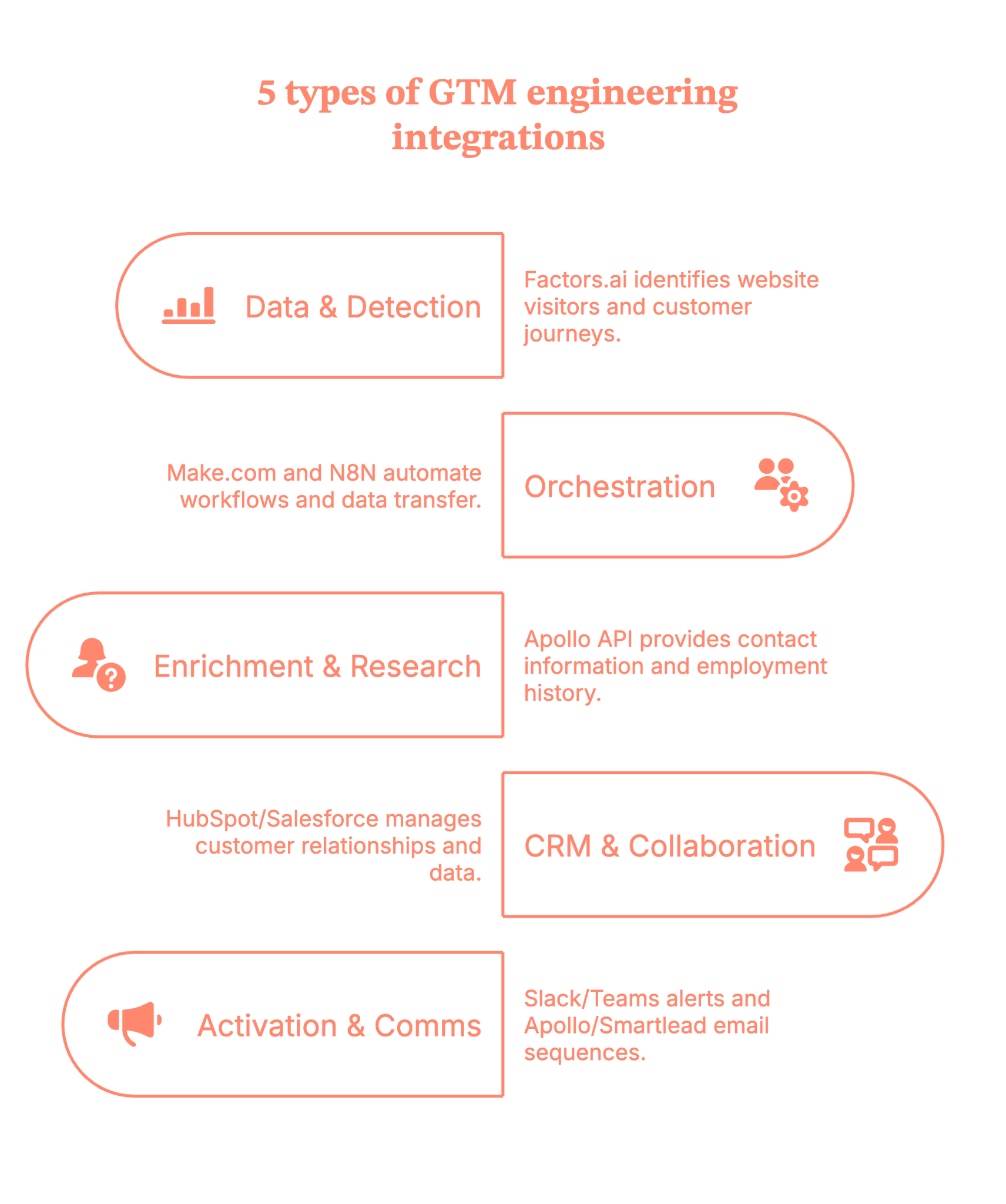
5 types of GTM engineering integrations
- Data & detection: Factors.ai for website visitor identification, customer journeys (last 30 days), and signals from LinkedIn/Google Ads, G2, and product activity.
- Orchestration: Make.com (primary)/N8N, plus Zapier/Clay.
- Enrichment & research: Apollo API (contacts vs. people, verified work emails, employment history).
- CRM, storage & collaboration: HubSpot/Salesforce (de‑dupe, create/update, tasks/ownership). Google Sheets/Docs (working tables; research + outreach drafts).
- Activation & comms: Slack/Teams (territory‑aware alerts with deep links to Factors journeys). Apollo/Smartlead (email sequences), HeyReach/Trigify (LinkedIn), ad platforms (retargeting).
7 practical steps to make the GTM engineering integration live in your stack
Step 1: Map your signals in Factors (what happened, and when)
Define your ICP and intent rules inside Factors.ai. Pull in journeys for the last 30 days and connect signals from LinkedIn/Google Ads, G2, and product activity.
Tip: Start with pricing pages, docs, and comparison pages. That’s where intent gets loud.
Step 2: Orchestrate the flow with Make.com/N8N (your switchboard)
Use Make.com/N8N as the primary runner (Zapier/Clay as needed). Trigger on the Factors.ai event (the customer journey).
Guardrail: Keep a ‘companies processed’ list separately so you don’t re-enrich the same account every hour (your API credits will thank you).
Step 3: Enrich the right people via Apollo (contacts, not just ‘people’)
Call the Apollo API to retrieve details based on titles/regions/seniority, and capture verified work emails, as well as employment history.
Pro move: Filter for role relevance (e.g., ‘Director+ in RevOps/Marketing/Sales in-region') so reps don’t wade through noise.
Step 4: Keep the record of truth clean (CRM hygiene)
Upsert into HubSpot/Salesforce with de-dupe logic, set ownership, and create tasks only when the signal meets your threshold.
Little thing, big win: Tag contacts as new vs. existing so reps instantly see context (and don’t have to introduce themselves again, awkwardly).
Step 5: Prioritize with AI (what’s hot vs. merely warm)
Utilize AI to deduplicate URLs, count occurrences, segment users, and score contacts according to your rules. For example:
- Known user in the product? ★★★★★
- Same city/region as the assigned rep? ★★★★☆
- One random homepage visit? ★☆☆☆☆
Outcome: Reps start at the top of the list, and it’s the right list.
Step 6: Alert where reps live (Slack/Teams)
Send an alert to Slack/Teams with the following details:
- Account + segment
- Journey highlights (pages, recency)
- Top contacts (emails + LinkedIn)
- A draft opener
Deep link to the Factors.ai journey
(Because nobody wants to hunt for links in a maze of folders.)
With Factors.ai, your alert will look something like this.
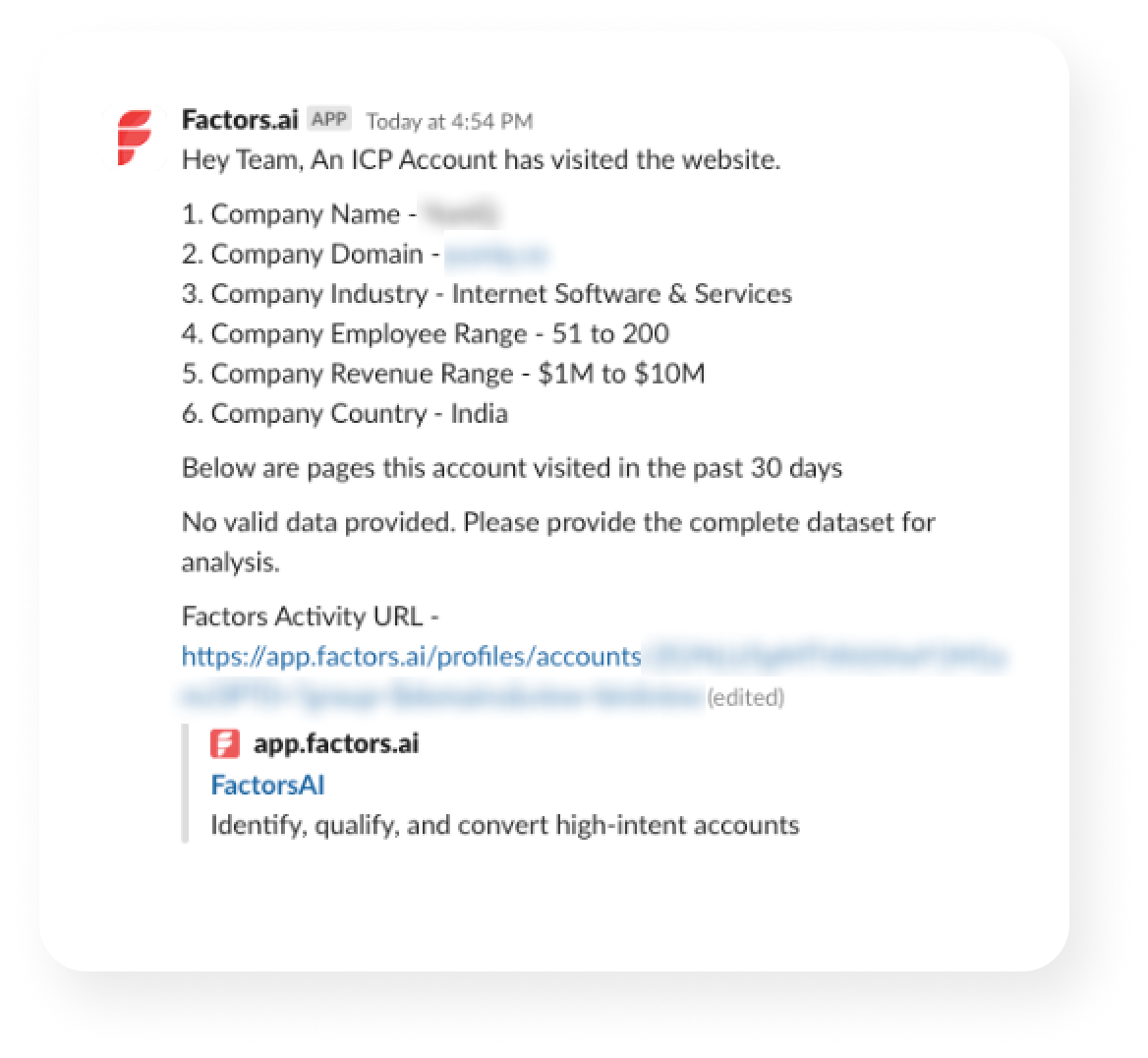
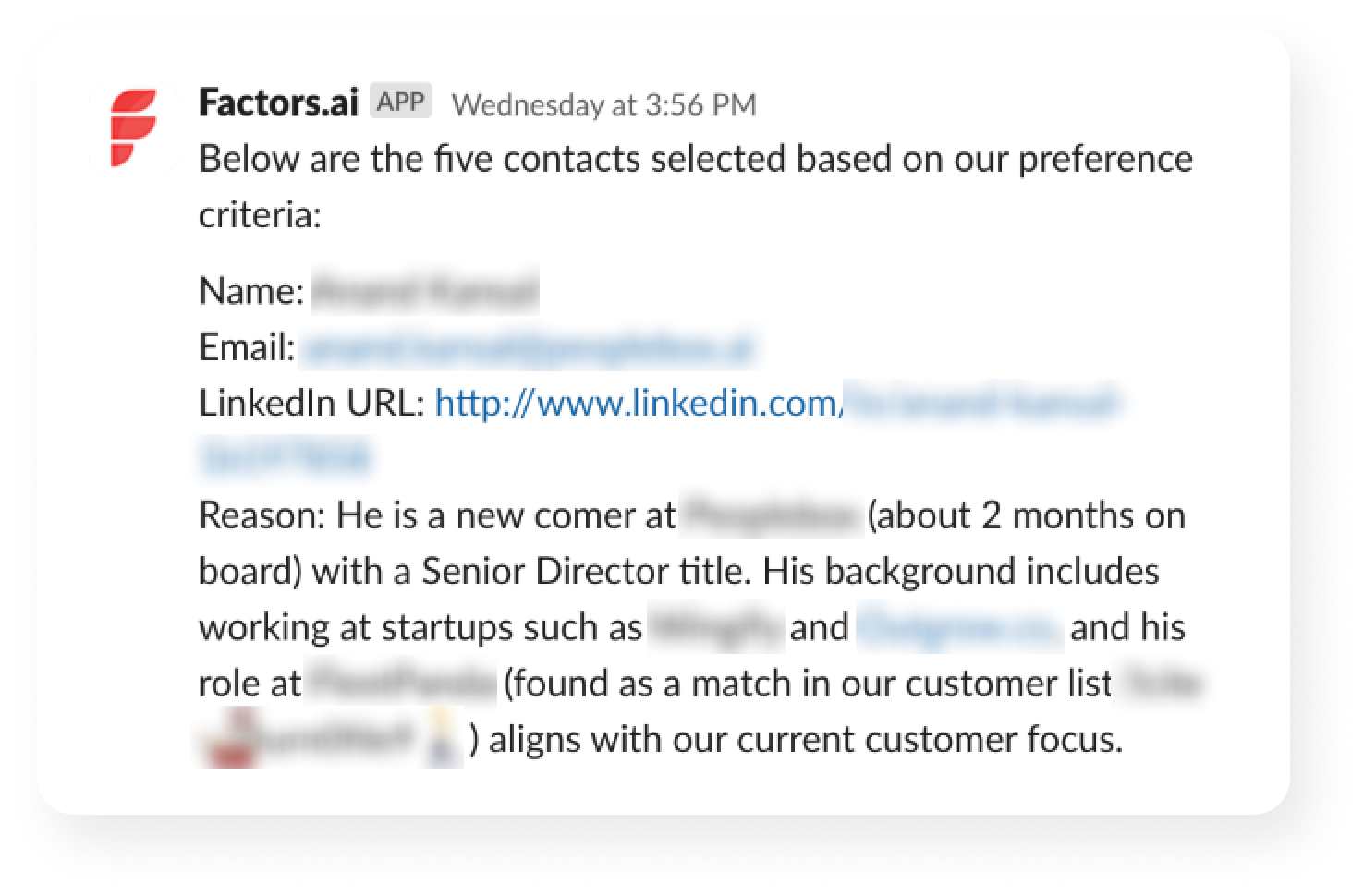
Step 7: Execute and write back (so your loop stays tight)
SDR tweaks the copy and sends via Apollo/Smartlead, adds a LinkedIn touch (HeyReach/Trigify), and the system writes back to CRM.
Why it matters: Outreach, CRM, and analytics now agree on what happened and what’s next.
No he-said-she-said across tools.
5 benefits you’ll get from GTM Engineering integrations
1) Faster time‑to‑touch
Real-time alerts and pre-enriched contacts enable reps to respond in minutes when intent is at its highest.
2) Cleaner data, fewer manual tasks
Automated enrichment (Apollo), deduplication, and CRM updates keep data accurate and eliminate ‘copy-paste operations.’
3) Higher coverage & precision
With Factors identifying up to 75% of visiting accounts and Apollo returning verified work emails, reps reach the right people sooner.
4) Smarter prioritization
Account & contact tiering (rules + AI) focuses reps on Tier‑1 opportunities.
5) Coordinated multichannel
Email (Apollo/Smartlead), LinkedIn (HeyReach/Trigify), and precision retargeting line up behind the same signal, so every touch feels timely and relevant.
Guardrails that keep your GTM engineering integrations smooth
- Add a 4-5 min sleep so alerts land after enrichment finishes
- Route by territory/geo in Slack
- Maintain exclusions (e.g., ignore losses in the last 60 days)
- Standardize card + doc templates for speed and consistency
- Log steps to a Sheet for easy QA (spreadsheets are the unsung heroes)
GTM engineering integration: The master checklist
Here is a getting-started checklist for your GTM plays.
- ICP + signals: define ICP; watch pricing/docs/comparison, G2, product usage
- First GTM plays: High-Intent ICP; Closed-Lost Revisit
- Connect apps: Factors → Make.com → Apollo → HubSpot/Salesforce → Slack/Teams → Sheets/Docs
- CRM rules: upsert by email + domain; fields: Intent_Score, Last_Intent_Source, Journey_URL; default owner
- Flow (Make.com): Trigger (Factors) → Journey API → Sheets → Enrich (Apollo) → Upsert CRM → Score (AI) → Alert (Slack/Teams) → Write-back → Sleep 4–5m
- Alert card must include: account/segment, last pages, top 2–3 contacts (email + LinkedIn), draft opener, links (Journey / Doc / CRM)
- Safeguards: exclude recent losses (60d), competitors, personal domains; ≤1 alert/account/24h; ≤3 contacts/alert; quiet hours
- QA: 5–10 test events; verify routing, links, dedupe; run a negative test (homepage-only = no alert)
- Go-live: ship copy packs; 15-min enablement; monitor first 48h; set escalation path
- Weekly metrics: Signals→Alerts→Replies→Meetings→SQLs→Pipeline; time-to-first-touch; contactability; coverage
- Iterate (weeks 2–4): tighten filters/scoring; add Form-Fill Drop-Offs + Research Pack; expand routing; add retargeting
- Definition of done: live alert with ≥2 verified contacts; outreach sent; auto CRM write-back; median TTF touch ≤30 min; meeting booked or learnings applied
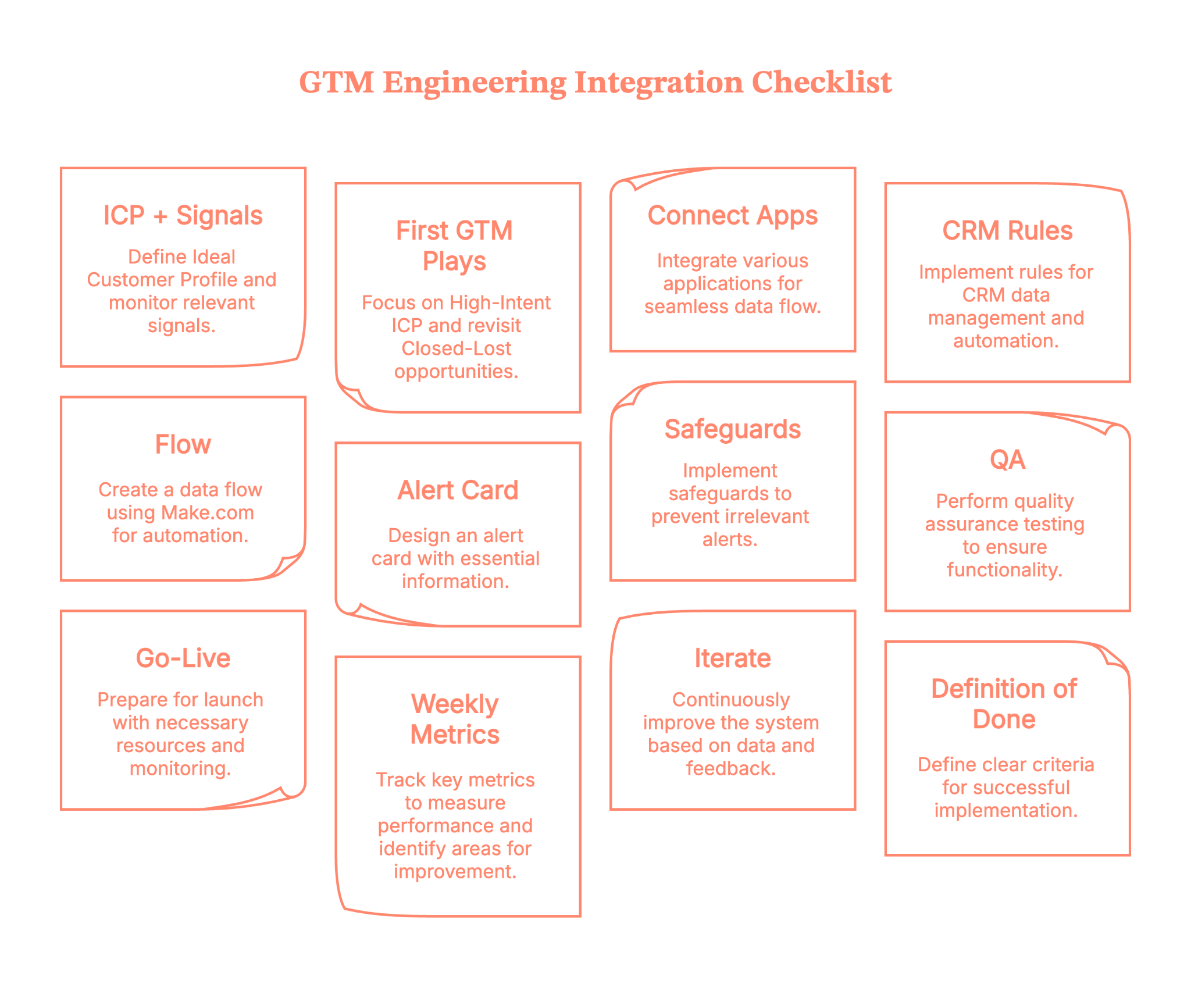
Plug in, switch on, and multiply your pipeline with Factors.ai GTM engineering services
With Factors' GTM engineering services, your stack stops acting like separate apps and starts operating like a coordinated revenue system. You’ll identify up to 75% of visiting accounts, enrich the right buyers with verified emails, and deliver ready-to-send outreach to the right rep in minutes.
Instead of copy-pasting between tabs, your team moves in a tight loop: detect → enrich → prioritize → alert → execute → write-back. Everyone sees the same context; nobody asks, ‘Who owns this?’; and intent doesn’t go cold while ops wrangles spreadsheets.
Want to see it on your data? Book a demo with us and watch the end-to-end flow—detection to Slack to CRM to outreach, run exactly the way your outbound team needs (and yes, we’ll bring sample plays you can keep).
How we work:
- Done-with-you: we co-build flows with your RevOps team (hands-on keys, full enablement).
- Done-for-you: we design, implement, and document; your team runs it day-to-day.
Ready to tighten your loop?
GTM Engineering Integration: Turning Signal into Revenue Without the Copy-Paste
GTM engineering integration is the connective tissue that transforms scattered go-to-market tooling into a synchronized, responsive revenue engine. By linking platforms like Factors.ai, Apollo, HubSpot, Salesforce, Slack, and orchestration tools such as Make.com or Zapier, teams gain the ability to act in real-time, with no swivel-chair operations or delays.
This approach captures high-intent signals, enriches accounts and contacts with verified data, writes contextually clean entries into the CRM, and triggers personalized outreach while buyer interest is still at its peak. Whether identifying buyers on a pricing page or alerting reps in Slack with enriched leads and ready-to-send copy, the system ensures nothing slips through the cracks.
The integration isn’t just about speed; it’s about precision. With AI scoring, deduplication, territory-aware routing, and built-in quality checks, GTM teams reduce manual tasks, shorten response time, and increase meeting conversion. The outcome? Outreach that’s accurate, timely, and aligned, without relying on reps to connect the dots manually.
FAQs on GTM engineering integrations
Q1. What exactly is GTM engineering integration?
GTM engineering integration is the technical process of connecting your go‑to‑market (GTM) stack, like your CRM, ads account, intent data, enrichment tools, and sequencing platforms. This helps the data and workflows move automatically between them. It bridges strategy and execution, applying engineering discipline (e.g., data pipelines, APIs, automation) to your revenue operations systems.
In short, rather than having isolated tools (marketing, sales, ops) each doing their own thing, integration ensures they all work as part of a unified system.
Q2. What are the common pitfalls when implementing GTM engineering integrations?
Some of the most frequent challenges include:
- Misalignment across teams: Sales, marketing, and ops often have differing definitions, goals, and tool preferences, which makes integration harder.
- Over‑engineering: Building overly complex custom workflows or automation before you’ve nailed the core processes can create fragility.
- Poor data hygiene: If your CRM/enrichment data is incorrect, no amount of integration will fix the root problem.
- Lack of measurement and feedback loops: Without metrics, you can’t know whether your integration is delivering value.
Recognizing these early helps ensure you build a sustainable system, not just a one‑off technical fix.
Q3. Which tools and integrations typically feature in a GTM engineering stack?
A solid GTM integration capability often involves:
- Intent signal tools (e.g., website tracking, pricing page visits)
- Enrichment platforms (to get verified contacts, firmographics)
- CRM systems (e.g., HubSpot, Salesforce) for record‑keeping and routing
- Orchestration/workflow automation tools (e.g., Make.com, Zapier, n8n) to build the flows
- Communication/sequencing platforms (e.g., email/LinkedIn tools, Slack/Teams alerts)
- Dashboards & analytics to monitor flow/impact
This mix enables the flow of detect → enrich → route → alert → execute.
Boosting Marketing Efficiency with GTM Engineering
Learn how GTM engineering improves marketing efficiency by automating lead routing, enrichment, and attribution across sales and marketing systems

TL;DR:
- Lead scoring assigns numerical values to prospects based on firmographic fit (company size, industry, tech stack) and behavioral signals (page visits, content downloads).
- Clay centralizes data enrichment from 100+ providers and automates scoring with formula columns.
- Pair it with a visitor identification tool like Factors.ai to capture anonymous website traffic at the account level, then let Clay find the new contacts and route them based on score.
- Start with five to seven scoring attributes, set threshold bands for routing, and refine quarterly based on conversion data.
Think of a campaign you recently launched and generated fifty qualified leads from. The emails synced to your CRM, and that was it.
Sales leaders say the inbound leads are ‘low quality.’ Marketing says Sales isn't following up fast enough. The ops team is stuck in the middle, trying to fix broken zaps and CSV uploads.
This is the standard state of affairs for many B2B companies, from early-stage companies to established enterprises. We throw more money at the problem, hoping for different results. But the problem isn't usually the ad copy or the sales script. It's the pipes.
The connection between your systems is broken. That is where GTM engineering comes in to fix the mess and drive GTM engineering marketing efficiency.
First, What is GTM Engineering in B2B Marketing?
GTM engineering is the practice of using code, data, and automation to build scalable revenue infrastructure. The goal is simple: make data flow seamlessly across the entire customer lifecycle without human intervention.
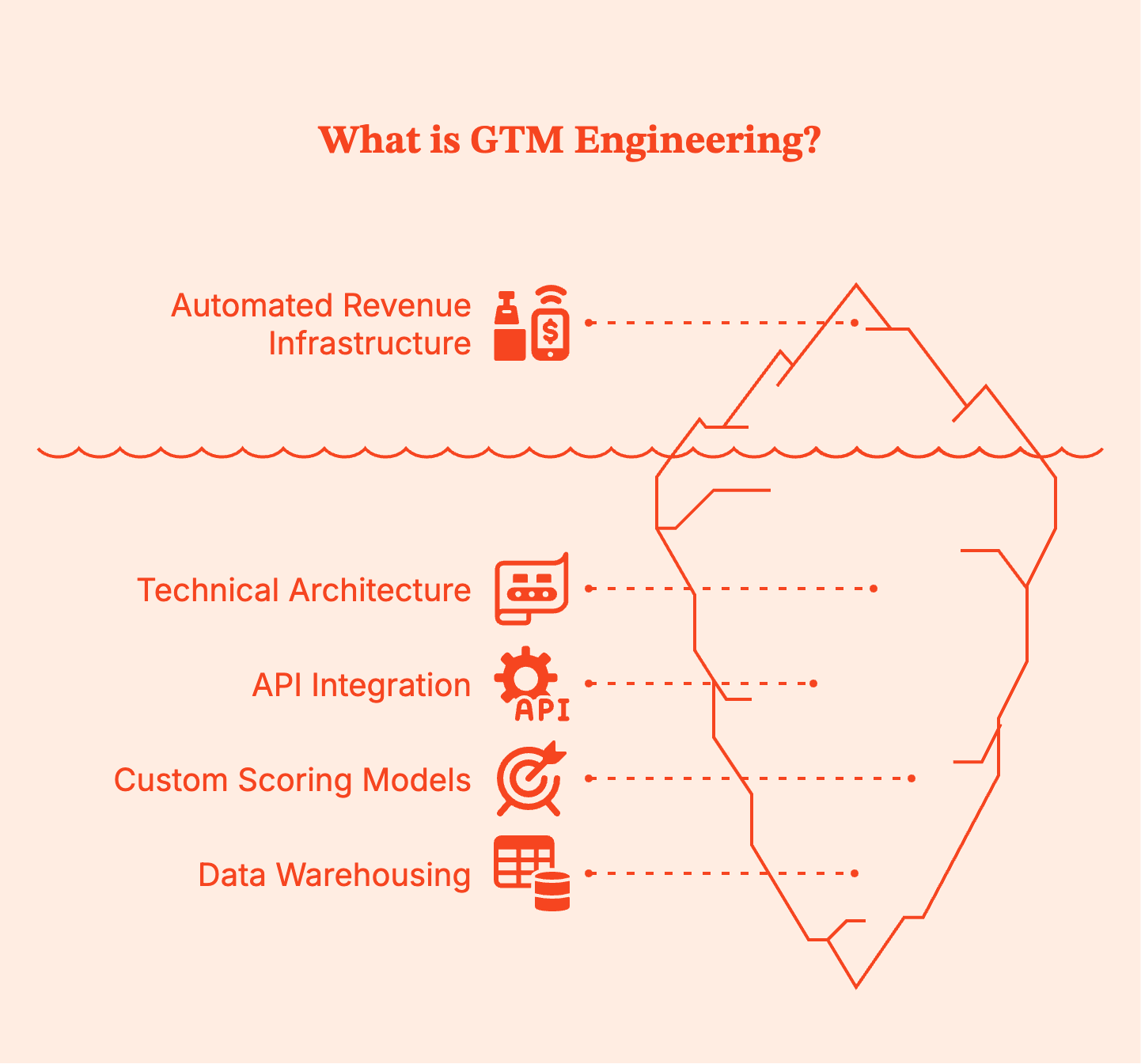
People often confuse GTM engineering with Revenue Operations (RevOps) or Marketing Operations. But there’s a difference:
- RevOps often focuses on process, gtm strategy, and tool administration.
- Marketing Ops manages the platforms, such as setting up email campaigns or configuring the CRM.
- GTM Engineering goes deeper. It involves using technical skills to write scripts to connect APIs, building custom scoring models, and architecting data warehouses that feed operational tools.
To put this in perspective, let’s consider an example. A marketer decides to target a specific vertical. In this case, a RevOps pro maps out the sales stages, but the GTM engineer builds the full automation system that identifies those vertical-specific visitors, enriches their data, and routes them to the correct email sequences instantly.
Why Does Marketing Efficiency Break Without GTM Engineering?
Efficiency drops when data hits a wall. In most B2B setups, you have a CRM, a marketing automation platform (MAP), ad networks, and sales engagement tools. They all live in their own little bubbles.
Here is where the money leaks in your funnels:
- Leads sitting un-routed: Leads frequently wait hours or days before reaching the right person because old territory rules in lead routing systems don't work anymore. A prospect fills out a form, but instead of going to a rep, they sit in a general queue. Every hour of delay hurts your chance of converting them.
- Enrichment happening too late: Reps often receive just a name and an email. They have to stop selling to research potential customers on LinkedIn, guess the company size, or look for buying committees. This manual work kills sales efficiency.
- Attribution stuck at last-click: Demand gen teams typically rely on what their ad platforms report. Google claims credit for the last click, but this ignores the months of blog posts and webinars that actually built the trust throughout complex buyer journeys.
These problems get worse when your systems operate in silos.
- Systems operate in silos: Your CRM, marketing automation platform, and ad tools often live in different worlds. Marketing might keep nurturing existing accounts that Sales is already closing. The left hand doesn't know what the other half is doing.
- Why more spend doesn’t fix broken workflows? If your bucket has a hole, pouring in more water won't fill it. Increasing your ad budget when your lead routing is broken just creates more waste, not more revenue for the business. You have to fix the connections first.
{{INLINE_TOFU}}
How GTM Engineering Improves Marketing Efficiency?
GTM engineering improves marketing efficiency by removing friction from the funnel. It replaces ‘people doing robot work’ with actual robots. When you engineer your sales motion, you stop relying on Google Sheets and manual reminders and instead build workflows that run 24/7.
- Automation reduces manual effort. Scripts instantly check every incoming lead against icp criteria. Bad leads get filtered out before they clog the CRM. Good leads get flagged for immediate attention.
- Enrichment becomes automatic. You do not ask buyers for their company size or tech stack on a form. That creates friction. Instead, you ask for an email. The engineering layer calls an enrichment API, retrieves firmographic data, and appends it to the record.
- Workflows scale. Adding more salespeople to handle more leads is linear and expensive. Improving the code that manages those leads provides exponential leverage. A robust routing script handles 10 leads or 10,000 leads with the same speed and accuracy.
Automating Lead Routing and Scoring at Scale
To truly scale, you must automate lead routing and scoring beyond simple "if/then" rules. This is table stakes for modern B2B teams.
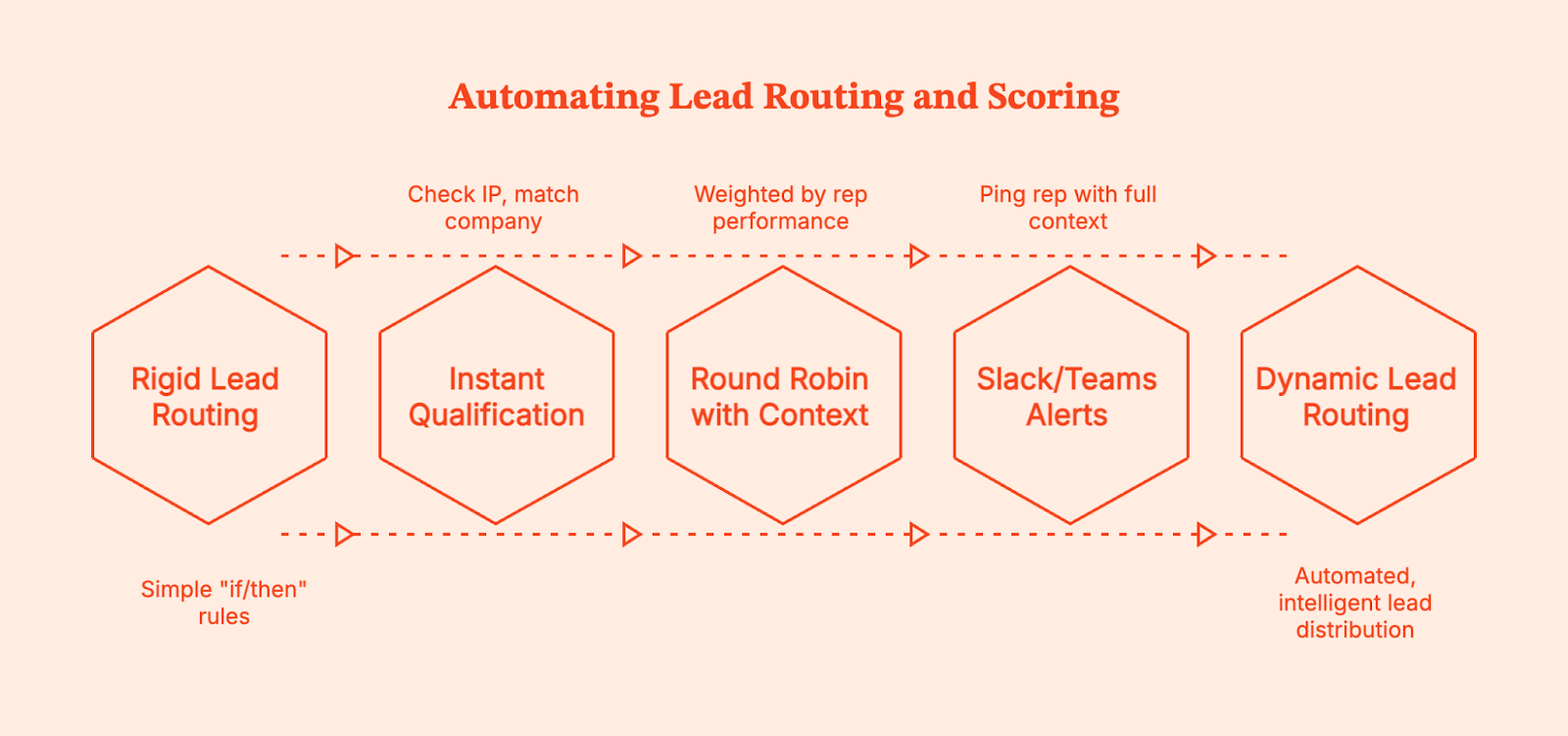
Traditional routing is often too rigid. It usually looks like: ‘If region equals North America, assign to John.’ But what if John is on vacation? What if the lead is a massive enterprise account that implies a higher potential deal size, meaning it should go to Sarah, your senior rep, regardless of region?
GTM engineering allows for dynamic logic:
- Instant Qualification: A lead hits the site. The system checks their IP, matches the company, checks the CRM to see if they are existing customers, scores them based on intent signals, and routes them instantly.
- Round Robin with Context: Leads are distributed fairly, but weighted by rep performance or availability.
- Slack/Teams Alerts: The moment a high-score lead takes action, the rep gets a ping with full context to automate outreach.
Connecting Marketing and Sales Systems End-to-End
The goal is to connect marketing and sales teams so they share a single data source. While many think this is a nice-to-have, it's essential for pipeline health.
Point-to-point integrations (like a basic Zapier connection) are often brittle because if one field changes, the whole thing breaks.
GTM engineering builds a unified data layer instead. Meaning:
- Website data (pages visited, time on site) flows into the CRM.
- CRM data (deal stage, revenue value) flows back into Ad Platforms for better targeting.
- Sales activity (calls, emails) is visible to Marketing for campaign optimization.
When the systems are connected end-to-end, the handoff becomes a continuous flow. Sales knows exactly what the prospect read before they hop on the call. Marketing knows exactly which campaigns drove the highest win rate.
Turning Anonymous Website Visitors into Warm Outbound Plays
Most B2B websites convert at 2% or 3%. That means 97% of your traffic leaves without saying a word. This is wasted potential for any sales-led or plg companies.
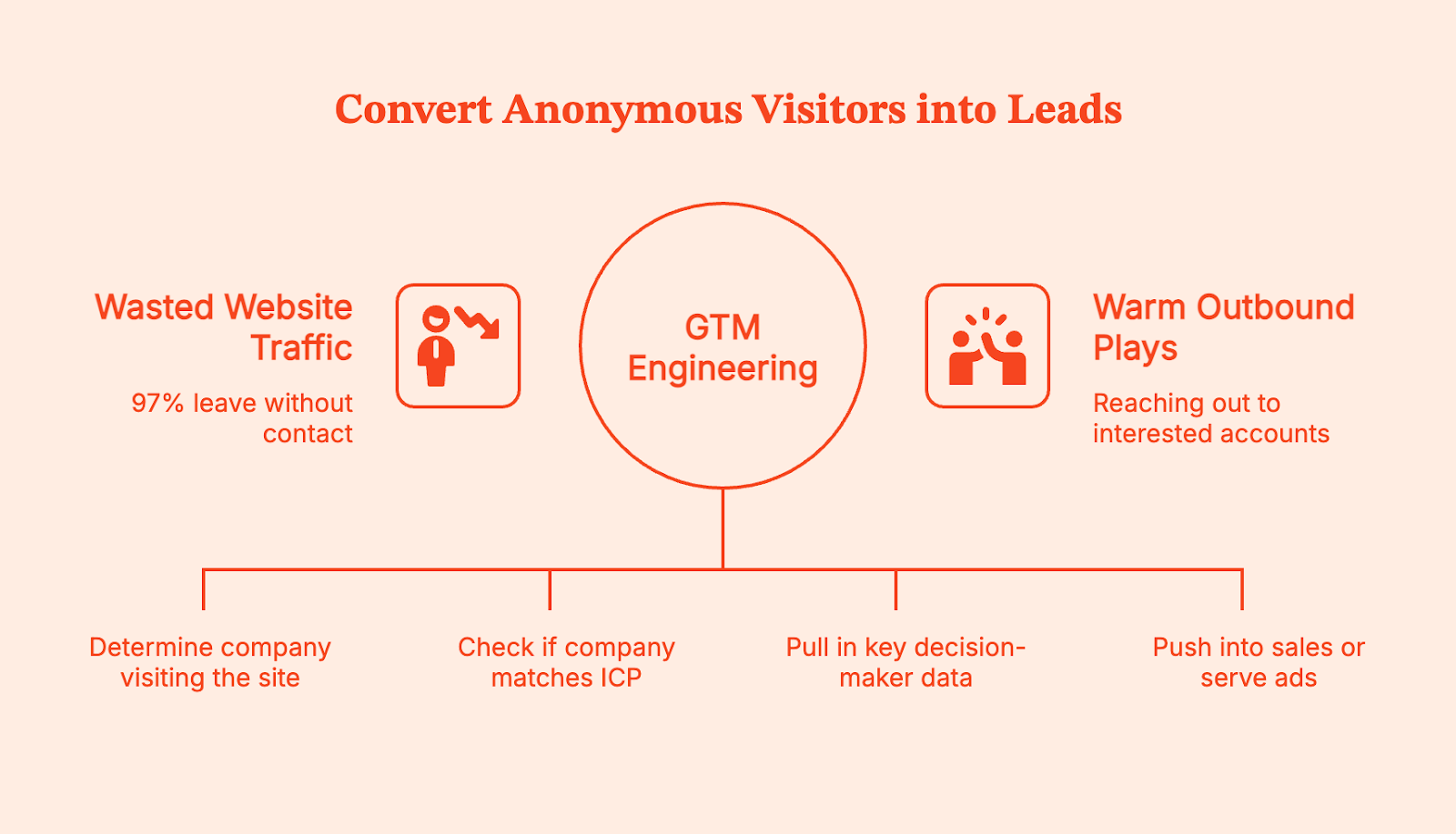
GTM engineering helps you turn a website visitor to warm outbound play. Here is the deep dive into the workflow:
- Identify: Use a tool (like Factors.ai) to identify the company visiting your site, even if they don't fill out a form.
- Filter: Automatically check if they match your Ideal Customer Profile (ICP)
- Enrich: Pull in contact data for key decision-makers at that company.
- Activate: If they showed high intent (e.g., visited the pricing page), automatically push them into a sales sequence or serve them a specific LinkedIn ad.
With this setup, you’re no longer cold-calling prospects. You are reaching out to accounts that are already looking at you, ultimately beating the competition.
Reducing CAC with GTM Automation and Better Targeting
Inefficiency is expensive. Every hour a rep spends researching a lead is money down the drain. Every ad dollar spent on an account that is already a customer is a waste.
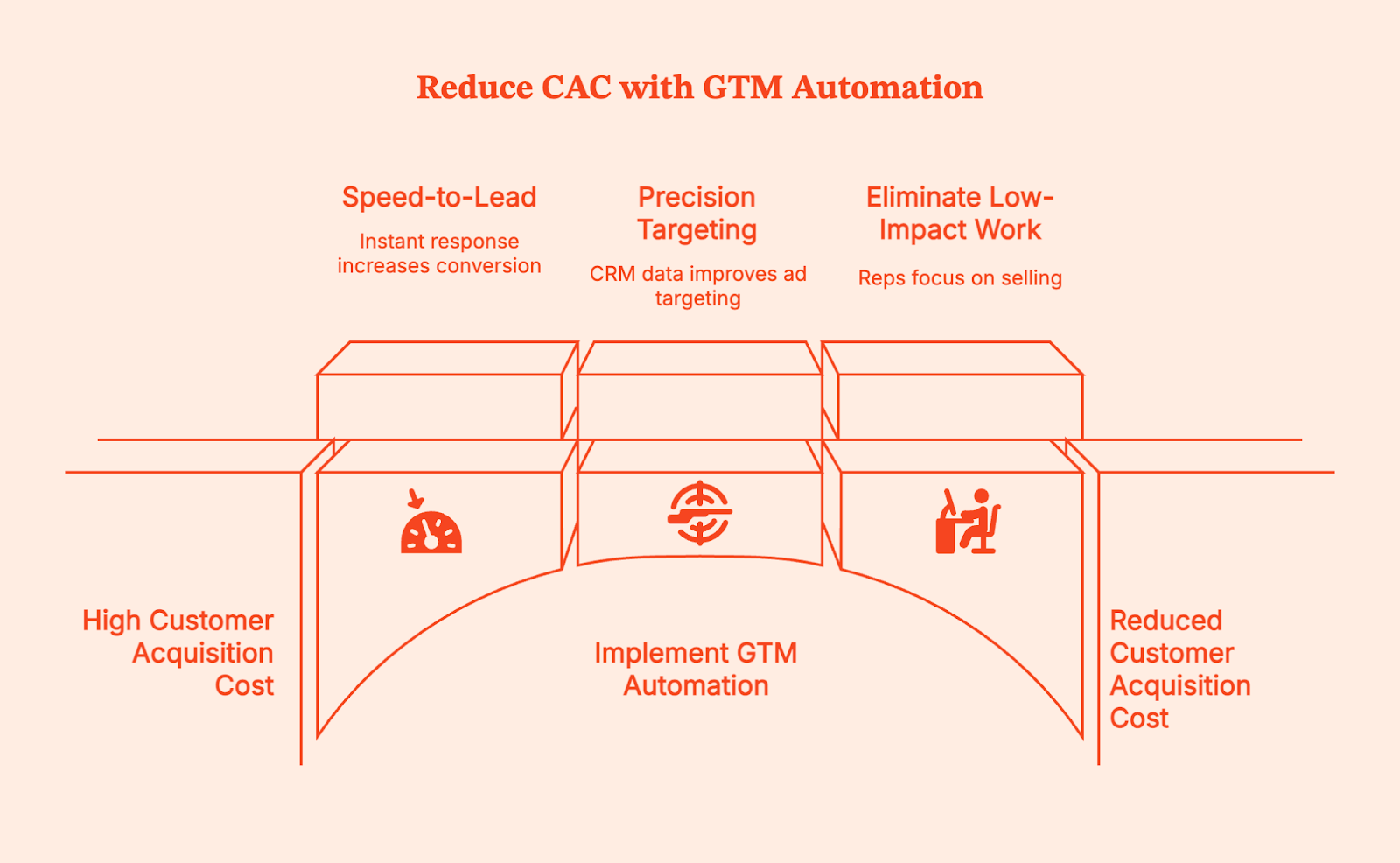
Fortunately, you can reduce CAC with GTM automation by focusing your resources where they matter.
- Speed-to-Lead: Responding within five minutes leads to higher conversion rates. GTM Engineering makes this instant.
- Precision Targeting: By feeding CRM data back into ad platforms, you stop bidding on bad fits.
- Eliminating Low-Impact Work: Reps spend time selling, not on data entry.
When you cut out the waste and increase the conversion rate through speed and context, your acquisition costs naturally drop, and your success becomes predictable.
Attribution and Revenue Visibility with GTM Engineering
Attribution is usually a mess because standard tools only see part of the picture. Google Analytics sees the click; Salesforce sees the close. They rarely agree on what happened in between.
GTM engineering stitches these identities together using AI tools and data science. It enables multi-touch attribution that tracks influence across the entire long sales cycles. You stop looking at vanity metrics and start seeing revenue drivers. You can see which blog posts actually influence closed deals, or how outbound calls interact with inbound marketing efforts.
This visibility changes how you spend money. You might find that a specific LinkedIn campaign has a high Cost Per Lead but a very low Customer Acquisition Cost. This allows you to create feedback loops that refine your demand generation.
GTM Engineering Use Cases for B2B SaaS Teams
When you implement this correctly, the benefits ripple across the entire organization, including post sales and self-serve motions.
- Marketing teams get cleaner data and better targeting. They stop fighting with Sales about lead quality because the definition of a ‘qualified lead’ is codified in the system logic.
- Sales teams get more meetings and better context. They spend less time doing admin work in the CRM and more time selling. They know why a lead was routed to them, which helps them frame the conversation.
- RevOps teams transition from being support tickets to being architects. They stop spending their days fixing broken data and develop skills to build systems that run themselves.
How Factors.ai Enables GTM Engineering for Marketing Teams
Factors functions as the intelligence layer for your GTM engineering stack. Having the right tools is the first step to doing your job effectively.
We start by de-anonymizing your traffic, then identify the companies visiting your site, and tell you exactly what they are doing. But we go further by combining the data with your CRM and ad platforms to create a unified account timeline.
Then, we help you act on it. You can set up automated workflows that push this data where you need it. If a high-intent prospect visits your pricing page, we can Slack your Account Executive immediately. If an ICP account engages with your top-of-funnel content, we can push them into a specific LinkedIn retargeting audience.
Factors gives you the building blocks to engineer a marketing machine that is efficient, automated, and revenue-focused for any early-stage or growth company.
FAQs for Boosting Marketing Efficiency with GTM Engineering
Q: What does GTM engineering mean in marketing?
A: It is the technical process of connecting your data, tools, and workflows using automation to make your Go-To-Market strategy run efficiently without manual work.
Q: Is GTM engineering only for large B2B companies?
A: No. Even small teams benefit from automation. If anything, small teams need it more because they have fewer people to do the manual work.
Q: How does GTM engineering improve marketing efficiency?
A: It automates repetitive tasks like lead routing and data entry, ensuring leads are handled instantly and data is always accurate, allowing for a human touch where it matters most.
Q: Can GTM engineering reduce CAC?
A: Yes. By improving conversion rates through faster follow-ups and better targeting, you lower the cost required to acquire each customer.
Q: How is GTM engineering different from RevOps?
A: RevOps is the strategy and process alignment; GTM engineering is the technical execution and automation that makes that strategy work.
Q: What tools are required to implement GTM engineering?
A: You typically need a CRM (like Salesforce or HubSpot), a data enrichment tool, and an orchestration/intelligence layer like Factors.ai to connect the dots.

Understanding Google’s New Guidelines for Bulk Email Senders
Read our blog to understand Gmail's new guidelines for bulk email senders in 2024 — and how you can ensure your cold emails don’t land in the spam folder.

Are you tired of unsolicited, spammy emails in your inbox? Well, all that will (to an extent) end in February 2024 as Google implements new guidelines for bulk email senders to make your inbox safer and spam-free.
Google will require bulk email senders (people who send over 5,000 emails per day to Gmail inboxes) to follow certain best practices requiring strong authentication, easy unsubscription, and lower spam rates.
"It's clear that email has become an essential part of daily communication. And whether you're submitting a job application or staying in touch with a loved one, your emails should be safe and secure." – Neil Kumaran Group Product Manager, Gmail Security & Trust
Let's dive into understanding these best practices and what these new policies mean for your cold outreach strategy in 2024.
What Practitioners Have Learned Since These Rules Took Effect
Google's guidelines laid out the technical requirements. But since they took effect, email practitioners have learned that compliance is just the starting line. Here's what actually determines whether your emails reach the inbox.
1. Authentication Is Table Stakes, Not a Silver Bullet
Perfect SPF, DKIM, and DMARC setup does not guarantee inbox placement. Multiple practitioners report landing in spam despite all authentication checks passing. Why? Because inbox providers now run engagement-based spam models. They watch whether recipients open, click, reply, or forward your emails. If engagement is low, authentication won't save you.
2. Microsoft Now Enforces Matching Requirements
Google wasn't the only one tightening the rules. Microsoft announced similar sender requirements for Outlook in early 2025. The good news: if you already comply with Gmail's guidelines, you're mostly covered. The bad news: many senders still have broken DNS setups they don't know about — duplicate SPF records, overlapping IPs, or misconfigured DMARC policies.
3. Engagement Beats Every Technical Fix
This is the uncomfortable truth most deliverability guides skip. ISPs are running their own engagement algorithms now. They track whether people open, click, reply to, or forward your emails — and all of it factors into whether you get the inbox or spam folder. One practitioner put it simply: "You can have perfect SPF/DKIM and still rot in spam if no one opens or replies. Treating emails like real conversations — not broadcasts — is usually the turning point."
4. Shared IPs Can Tank Your Reputation
If you're sending from a shared SMTP server or IP pool (common with budget hosting providers), your neighbors' sending behavior directly affects your deliverability. Even with perfect DNS configuration, a shared IP with poor reputation will drag your emails into spam. Consider a dedicated IP or a reputable email service provider with strong IP hygiene.
5. Domain Warmup Takes Longer Than You Think
New sending domains need at least 14 to 30 days of warmup before sending at volume. Practitioners who rush this step or skip it entirely see immediate deliverability problems. Start with small batches sent to your most engaged subscribers, then gradually increase volume as reputation builds.
6. Use a Sending Subdomain to Protect Your Brand
Experienced senders use a subdomain (like mail.yourdomain.com) or a secondary domain for marketing and cold outreach. This way, if something goes wrong — a spike in complaints, a misconfigured campaign — your primary domain reputation stays clean. Cold email practitioners typically use domains like trycompany.com or getcompany.com to shield their main brand.
7. List Hygiene Is the Unsexy Fix That Actually Works
Double opt-in cuts signups by roughly 30%, but improves every downstream metric — open rates, click rates, and sender reputation. Vanity subscriber counts mean nothing if inactive contacts are killing your reputation. Practitioners recommend ruthlessly removing subscribers who haven't engaged in 60 to 90 days, and checking your domain regularly through Google Postmaster Tools — the most underused deliverability diagnostic available.
Summary of Bulk Email Sender Guidelines
Here is a quick gist of Google's email sender guidelines and the best practices they recommend for bulk email senders:
1. Requirements for Authentication
Ensure email authentication for each of your sending domains at your domain provider by settling up the following:
- SPF (Sender Policy Framework): This basic authentication method verifies if an email was sent from an authorized server. Bulk senders need to configure their domain to use SPF.
- DKIM (Domain Keys Identified Mail): This adds a digital signature to each email, allowing Gmail to verify the email's authenticity and integrity.
- DMARC (Domain-based Message Authentication, Reporting & Conformance): This builds on SPF and DKIM by providing reporting and enforcement mechanisms. Bulk senders must publish a DMARC policy that states what Gmail should do with emails that fail authentication.
- ARC(Authenticated Received Chain): it shows the previous authentication status of forwarded messages and previously failed authentication. Senders must use ARC authentication if they forward emails regularly.
Google recommends always using the same domain for email authentication and hosting your public website. Senders must have valid forward and reverse DNS records for these sending domains and IP addresses.
2. Requirements for Easy Unsubscription
If you send over 5,000 marketing and sales emails daily, your marketing and subscribed messages must support one-click unsubscribe.
- Unsubscribe links: Every email must contain a clear and readily available unsubscribe link. This link should be placed in a prominent location, such as the footer of the email.
- Preference centers: Bulk senders can offer preference centers where users can manage their subscription preferences and easily unsubscribe from specific email lists.
- Confirmation process: Unsubscribe requests should be confirmed promptly, and users should not receive further emails after opting out.

Google suggests that you only send emails to people who want to get your messages, so they're less likely to report messages from your domain as spam.
3. Spam Rate Monitoring
You can track your spam rate using Postmaster tools. Ensure it stays below 0.10%, and avoid reaching a spam rate of 0.30% or higher.
Here are a few tips to avoid having your emails land in your receiver's spam:
- Don't mix different types of content in the same message.
- Don't impersonate other domains or senders without permission.
- Don't purchase email addresses from other companies.
- Some countries and regions restrict automatic opt-in. Before you opt-in users automatically, check the laws in your region.
Bulk senders who fail to comply with the guidelines may face various consequences, including reduced deliverability rates, warnings, suspension of email-sending privileges, or even legal action.
How Does This Affect Your Cold Email Strategy?
Even if your sales/marketing team has these parameters in place, Google's refreshed bulk email sender guidelines signal that mass mailing prospects may slowly be on the decline. While this may sound like not-so-good news for your outbound marketing efforts, here's why this may actually be a blessing in disguise.
Email marketing, if implemented correctly, can continue to be one of the best B2B sales channels in your GTM strategy. The key, however, will be to adopt a systematic, intent-based approach as opposed to spray-and-pray tactics.
Let's say you're selling software that streamlines candidate assessment, and your buyer personas are hiring managers and CHROs.
If your sales team sends out emails to thousands of CHROs at random — without any insight into whether or not they're in-market for your product, you're bound to receive replies, if any, such as: "Sorry, we're not currently looking to buy" or worse still, "unsubscribe."
Not only does this high-volume approach result in little result from lots of effort, but cold outreach may also leave a bad taste in the mouth of prospects who may be looking to buy down the road.
What's the alternative to this? Intent-based, account-level outreach, of course!
On average, only 4% of website visitors convert via sign-ups, but what if you could identify, qualify, and target the remaining 96% of anonymous website traffic with outreach based on intent? What if you could carefully research engagement amongst high-intent buyers and send them personalized cold emails highlighting exactly how your tool can meet their requirements?
Our experience working with hundreds of B2B teams finds that this results in far more conversions with far fewer emails.
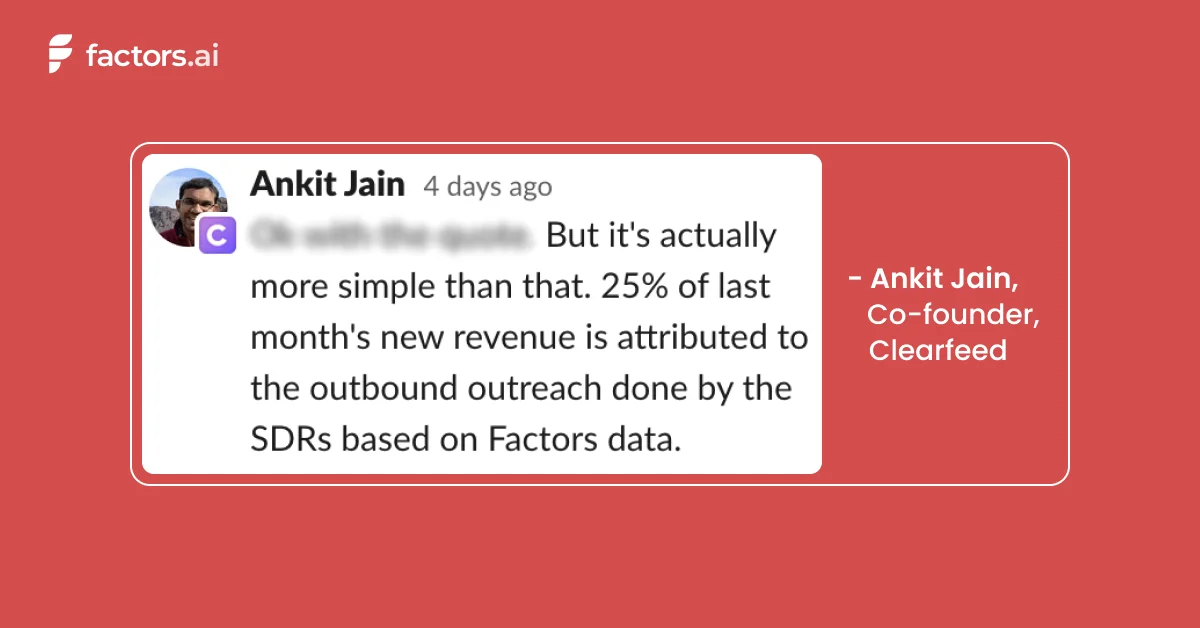
Factors is an IP-based account intelligence and activation platform that:
- Identifies anonymous accounts visiting your website, viewing your LinkedIn, or interacting with your G2 pages
- Qualifies high-intent ICP accounts based on firmographics and cross-channel engagement
- Enriches sales-ready accounts with Apollo-fuelled contact data before activating outreach by integrating with your marketing automation platform.
Here's a little about how it works:
First, our account intelligence feature allows you to uncover anonymous traffic with IP-based intelligence & enrichment.
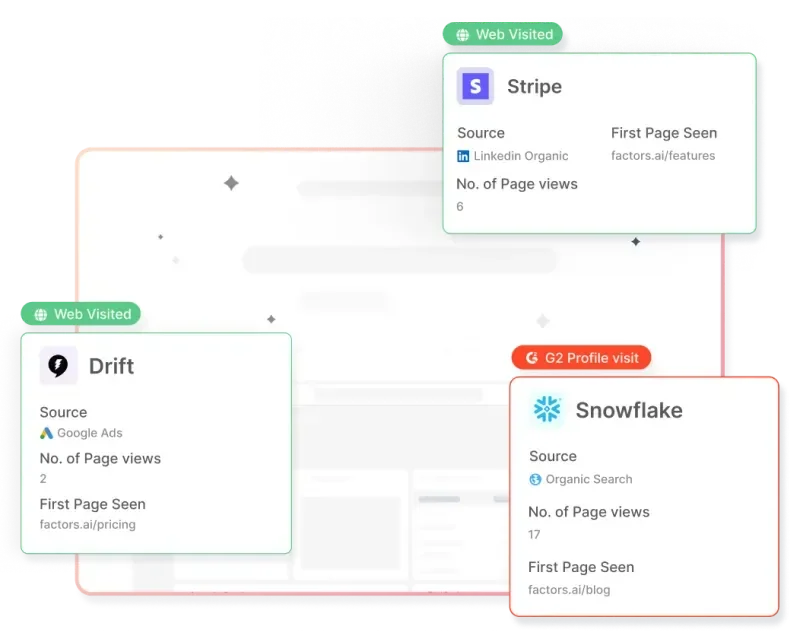
Next, you can qualify ICP buyers based on their firmographics and score accounts based on their engagement across the website, G2, and LinkedIn intent signals.
Finally, create a list of accounts ready to buy and send emails with a compelling pitch to win sales-ready accounts over in no time. Want to learn the basics of account scoring?
▶️Check out our guide: An Introduction To B2B Account Scoring

{{INLINE_TOFU}}
Wrapping Up
Google has taken a much-needed step to establish these bulk email sender guidelines. Whether you're executing cold outreach or email marketing campaigns, you must monitor your bulk emails and ensure basic email hygiene to create a secure email ecosystem.
If you want to ditch the cookie-cutter bulk email strategy and want to restructure your cold outreach efforts by focusing on high-intent buyers, book a demo with us today!
%2520(1).avif)
Growth Marketing vs Demand Generation: A Comprehensive Analysis
Growth Marketing vs Demand Generation: A Comprehensive Analysis
TL;DR
- Growth marketing focuses on long-term, sustainable growth by optimizing the customer lifecycle, prioritizing customer retention, and using data-driven strategies.
- Demand generation aims at immediate demand creation through targeted tactics that drive short-term lead generation and conversions.
- Growth marketing emphasizes long-term relationships, while demand generation focuses on quick results.
- Understanding both strategies is essential for developing effective marketing plans that align with evolving consumer behaviors and business goals.
As marketers, we face a barrage of new terminology, and it can be confusing to truly understand the nuances of each concept.
Two such terms popping up are “Demand Generation” and “Growth Marketing.”. But how would you differentiate between the two?
Here’s a detailed comparison of growth marketing vs demand generation and how you can implement it for your GTM motion ⬇️
Definition of Growth Marketing
Growth marketing is a strategic approach focused on achieving long-term sustainable growth for a business. It emphasizes the entire customer lifecycle, from awareness and acquisition to activation, retention, and referral. Unlike traditional marketing, growth marketing prioritizes data-driven strategies and continuous experimentation to optimize results and drive business growth.
Definition of Demand Generation
Demand generation, conversely, is centered around creating immediate demand for products or services. It primarily focuses on short-term lead generation and sales, utilizing targeted marketing tactics to generate interest and drive conversions. Demand generation strategies often involve creating compelling and targeted content to engage potential customers and prompt them to take action.
Importance of Understanding These Concepts in Modern Marketing
Businesses must adapt to changing consumer behaviors and market trends. Understanding growth marketing and demand generation is essential for developing effective marketing strategies that align with business goals and drive tangible results. By comprehending these concepts, businesses can tailor their marketing efforts to meet the evolving needs of their target audience and achieve sustainable growth.
3 Core Concepts of Growth Marketing
Focus on Long-term Sustainable Growth
Growth marketing prioritizes long-term sustainable growth over short-term gains. It involves building a comprehensive customer journey that focuses on nurturing and retaining customers, ultimately maximizing their lifetime value to the business.

Data-driven Strategies
Data is central to growth marketing, guiding decision-making processes and enabling continuous optimization. By leveraging analytics and customer insights, businesses can identify opportunities for growth and tailor their marketing strategies to engage their target audience effectively.
Emphasis on Customer Retention and Lifetime Value
In growth marketing, customer retention and lifetime value are paramount. The focus extends beyond acquiring new customers to nurturing existing ones, fostering long-term relationships, and maximizing the value derived from each customer over time.
{{INLINE_BOFU}}
3 Core Concepts of Demand Generation
Focus on Short-term Lead Generation and Sales
Demand generation strategies are geared towards generating immediate interest and driving short-term lead generation and sales. The primary objective is to create immediate demand for products or services and prompt potential customers to make a purchase decision.

Targeted Marketing Tactics
Demand generation relies on targeted marketing tactics to reach potential customers at the right time with the right message. This may involve personalized content marketing, social media advertising, and other targeted approaches to capture the attention of the target audience.
Emphasis on Creating Immediate Demand for Products or Services
Unlike growth marketing, demand generation strongly emphasizes creating immediate demand for products or services, driving conversions, and capitalizing on short-term opportunities to generate revenue.
3 Practical Applications of Growth Marketing
Building a Comprehensive Customer Journey
Growth marketing involves mapping a comprehensive customer journey encompassing every stage of the customer lifecycle. By understanding customers' needs and behaviors at each touchpoint, businesses can effectively tailor their marketing efforts to guide prospects through the sales funnel.
Implementing Personalized Marketing Strategies
Personalization is key in growth marketing. It allows businesses to deliver tailored experiences that resonate with individual customers. By leveraging customer data and behavioral insights, businesses can create personalized marketing campaigns that drive engagement and foster long-term loyalty.
Leveraging Analytics and Data for Continuous Improvement
Analytics and data serve as the backbone of growth marketing, enabling businesses to measure their marketing efforts' performance and identify areas for improvement. Businesses can optimize their marketing initiatives by continuously analyzing data and iterating on strategies to achieve sustainable growth.
3 Practical Applications of Demand Generation
Creating Compelling and Targeted Content
Demand generation relies on creating compelling, targeted content that resonates with the target audience. Whether through blog posts, videos, or social media content, businesses must craft messaging that captures attention and prompts action.
Utilizing Various Marketing Channels for Lead Generation
To effectively generate demand, businesses must leverage various marketing channels, including social media, email marketing, search engine optimization, and paid advertising. By diversifying their approach, companies can reach a wider audience and drive interest in their products or services.
Implementing Effective Sales Strategies to Convert Leads into Customers
Demand generation strategies extend beyond lead generation to encompass the conversion of leads into customers. This involves implementing effective sales strategies, nurturing leads through the sales process, and ultimately driving conversions to capitalize on the demand generated.
3 Key Differences Between Growth Marketing and Demand Generation
Timeframe for Results
One key difference between growth marketing and demand generation is the timeframe for results. While demand generation focuses on immediate results and short-term gains, growth marketing prioritizes sustainable growth over time.
Focus on Customer Relationship
Growth marketing strongly emphasizes building and nurturing long-term customer relationships, focusing on customer retention and lifetime value. In contrast, demand generation is more transactional, aiming to create immediate demand and drive quick conversions.
Metrics for Measuring Success
The metrics used to measure success also differ between growth marketing and demand generation. Growth marketing focuses on customer retention, lifetime value, and overall business growth metrics. At the same time, demand generation metrics are as follows:

Wrapping up
Understanding the nuances of growth marketing and demand generation is essential for navigating the complex landscape of modern marketing. By grasping these strategies' core concepts and practical applications, businesses can develop targeted marketing initiatives that align with their goals and drive tangible results. As the marketing landscape continues to evolve, the integration of growth marketing and demand generation will play a crucial role in shaping the future of marketing, enabling businesses to adapt to changing consumer behaviors and achieve sustained growth in an increasingly competitive environment.

7 Full Circle Insights Alternatives and Competitors
Here are 7 Full Circle Insights alternatives, their pricing, reviews, and features. Read more to evaluate and select the best one.

Full Circle Insights is a marketing attribution tool that provides a detailed overview of your campaigns. It lets you identify top-performing channels and touchpoints that are more likely to generate and convert leads.
The tool provides seamless integration with Salesforce and other marketing automation tools. It can capture data across various channels, such as ad platforms, social media, etc., and use them to attribute revenue accurately. Though the tool provides these benefits, it also has some limitations. These include the absence of a support team, lack of flexibility, etc.
All these matters have led users to look for alternatives and competitors.
In this article, we will take you through some of the Full Circle Insights alternatives and help you select the best one based on your requirements.
Why do users search for Full Circle Insights alternatives and competitors?
Following are some of the most common challenges users face with Full Circle Insights.
Time-consuming:
Though the tool is good for understanding customer journeys, it’s highly time-consuming. In fact, it takes over 20 hours to rebuild attribution models.

Difficult to Implement:
Even users who are full of praise for Full Circle Insights seem to have issues with its implementation process. In addition, this tool is technically complicated and requires developers’ intervention, even for minor changes to dashboards.
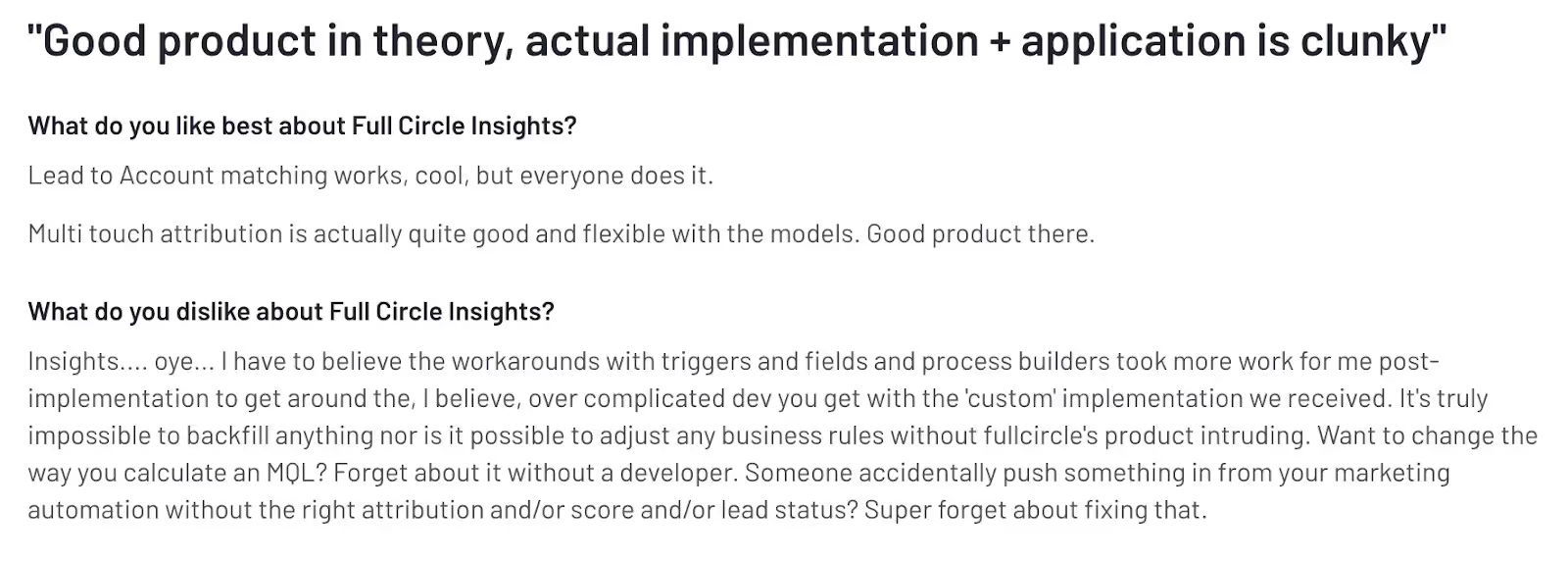
Absence of an Account Management Team:
The absence of an account management or support team makes Full Circle Insights a difficult tool to use. It’s imperative that users receive the necessary guidance and support to adopt the tool and fully reap its benefits. But without a support team, users will feel lost and unable to utilize the tool’s full potential.

The drawbacks mentioned above are some of the major factors driving users to look for an alternative.
We have created a list of the top 7 Full Circle Insights alternatives to simplify your search.
{{INLINE_CTA_A}}
7 Full Circle Insights alternatives for businesses in 2025
Here is a list of the 7 best alternatives and competitors to help marketers and sales professionals in 2023. Explore each tool to understand how it can improve your marketing performance.
1. Factors.ai

Factors is an AI-powered revenue attribution and marketing analytics tool designed for B2B sales and marketing teams. This tool enables B2B teams, irrespective of size, to attribute conversions to various marketing efforts across the buyer’s journey.
Sales and marketing teams can use insights from the platform to find effective channels and campaigns that drive awareness and conversions, and generate revenue. In addition, it allows them to make data-driven decisions and optimize budget allocation to increase the campaign's performance further and boost ROI.
With Factors, Marketing ops can
- Gain complete insights into their campaign initiative, current pipeline as well as MQL coverage.
- Track and analyze all KPIs in one place using a customizable dashboard.
- Ensure that marketing goals are in sync with business objectives
Also, content teams get real-time insights into how the content is performing and its impact on generating MQLs. Factors can automatically collect data and analyze it to identify the content pieces that are working and those that aren’t.
Features

Multi-Touch Attribution:
The tool provides a range of attribution models and allows marketers to compare and choose the right one for their business. It can track and identify online and offline touchpoints and help attribute revenue to the most influential channels.
AI-Powered Insights:
Factors' AI feature “Explain” can provide automated insights for a defined goal. If the goal is to understand what prompts the customers to reach the pricing page, this feature can identify what’s helping and hurting to achieve it.
Account Identification:
Factors also has a account identification capability powered by 6Sense. This feature allows SaaS businesses to deanonymize companies engage with the website, reviews, ads, and more.
Marketing Analytics:
Factors enables businesses to analyze campaign data, website traffic, sales and marketing funnel, and the buyer journey in a single platform.
LinkedIn Tracking:
This feature allows you to find out which companies viewed your LinkedIn campaigns. With this information, marketers can identify and select the most effective campaign and track its effect on pipeline.
Customer Reviews

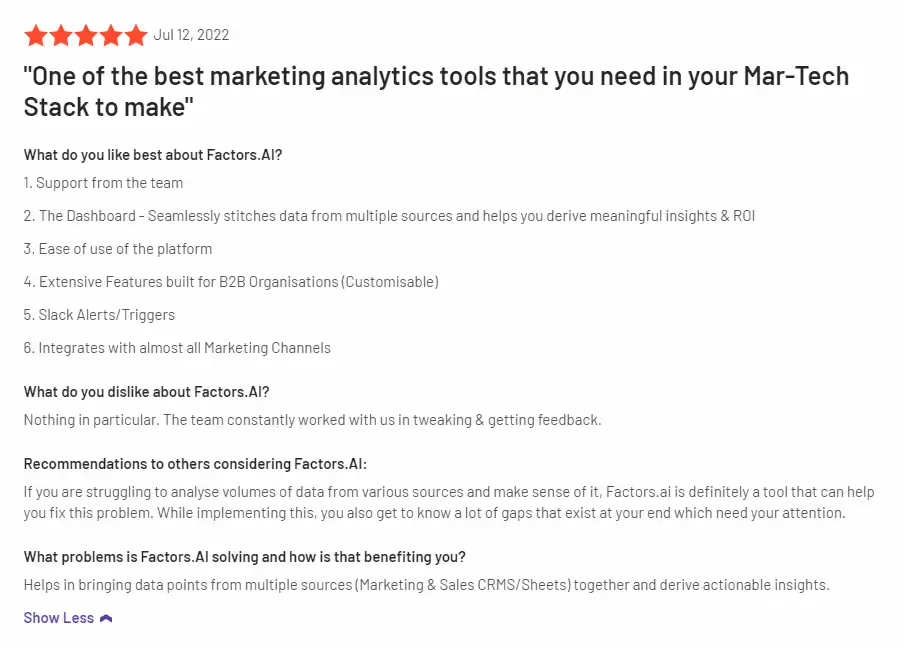
Integrations
Factors can seamlessly integrate with the following list of tools and softwares.
- Hubspot
- Facebook Ads
- LinkedIn Ads
- Google Ads
- Salesforce
- Segment
- Bing Ads
- Rudderstack
- Marketo
- 6Sense
- Clearbit
- Leadsquared
- Drift
- Google search console
- Slack
- Google spreadsheet
Pricing

Factors offers three services, and each has its own pricing patterns:
Analytics & Attribution:
Factors offers website analytics, events and form tracking, multi-touch attribution, and more. The pricing for this is as follows.
- Starter – $399/Month.
- Growth – $799/Month.
- Custom and Agency – Contact for a quote.
Deanonymization:
The tool allows you to identify anonymous website visitors, analyze user behavior, and generate high-intent leads.
- Starter – $99/Month.
- Professional – $149/Month.
- Growth – $499/Month.
- Enterprise – Contact for a quote.
Professional Services:
Factors also provides expert analytics, consulting, and technical support tailor-made for B2B marketing teams. The pricing plan for the service is as follows.
- Tier 1 – $500 for 10 hrs/Month.
- Tier 2 – $900 for 20 hrs/Month.
- Tier 3 – $1200 for 30hrs/Month.

2. Adobe Marketo Measure [Bizible]
Bizible or Adobe Marketo Measure provides one of the best enterprise-level attribution solutions. It helps marketers visualize the different stages of the B2B customer journey with granular insights across multiple channels.
Even though the tool is one of the front runners in attribution solutions, users have found some drawbacks, such as limited integrations, longer implementation periods, and higher pricing.
Features
Multi-touch Attribution:
Bizible offers various attribution models and allows marketers to customize them. The feature can track touchpoints across multiple channels and attribute revenue to the most influential campaigns.
Advanced Journey Analytics:
This feature helps users get an in-depth understanding of their prospects at each stage of the customer lifecycle. It allows marketers to identify the user interactions and frictions at each stage and improve them to enhance the conversion rate.
Customer Review

Integrations
- Salesforce
- Microsoft Dynamics
- Adobe Marketo Engage
- SnapEngage
- Google Ads
Pricing

Marketo Measure comes as a part of Marketo Engage. Pricing is available on request.
3. HockeyStack
HockeyStack is another analytics and attribution tool for B2B marketers. They provide easy implementation and no-code integrations with CRM, marketing automation, and other relevant tools. With HockeyStack, you can identify high-quality leads and make better use of these datasets to scale faster.
It offers a range of features that help marketers track user behavior, gather feedback and analyze data to improve their marketing efforts.
Features
Attribution:
The tool’s multi-touch attribution feature allows users to track touchpoints across different channels. It can identify and attribute revenue to the campaign that’s driving more high-quality leads.
Account-level Journeys:
The feature automates data collection from different touchpoints to enhance visibility into the pre- and post-conversion journeys of users. HockeyStack also helps visualize the customer journey and the customer interactions at each stage, helping marketers better understand the customer journey.
Funnel Analysis:
This feature provides a comprehensive picture of the sales funnel. Marketers can observe and track the success rate of each stage. It lets marketers understand how customers move through the sales funnel and make essential improvements to drive them down the funnel faster.
LinkedIn Tracking:
HockeyStack helps marketers identify companies that viewed the campaigns on LinkedIn. This allows marketers to choose the best-performing campaign and track how it impacts the pipeline.
Customer Review

Integrations
- HubSpot
- Pipedrive
- 6sense
- Albacross
- Mailchimp
Pricing

The pricing for HockeyStack starts from $949 for 10K visitors per month and 10 users. The tool also provides a free trial and a live demo.
{{INLINE_CTA_A}}
4. LeadsRx

Poor or inaccurate attribution is a critical issue for marketers, and LeadsRX aims to solve that. LeadsRX helps revenue generation and marketing teams ace their marketing campaigns with on-point analytics and attribution. The best part is that it can perform attribution for digital and offline channels. You can use LeadsRX’s attribution across organic and paid digital channels, radio, television, and more.
Features
Radio and Television Attribution:
LeadsRx can also attribute conversions from radio and television. The tool’s multi-touch attribution capabilities help radio and television advertisers optimize their spending and make data-backed decisions.
Podcast, Audio Streaming, and Video Streaming Attribution:
This feature supports multi-touch attribution for various streaming platforms like podcasts, OTT and CTV. The accurate attribution and analytics help these platforms earn higher ROAS from an optimized spend.
Customer Review

Integrations
- HubSpot
- Salesforce
- Optimizely
- AppsFlyer
- Webhook
Pricing

Pricing is available on request.
5. Attribution

Attribution is one of the popular Full Circle Insights alternatives, helping marketing teams to make data-driven decisions. It offers 360-degree visibility into marketing campaigns and is highly affordable. Also, it helps you with a complete tech stack to run successful campaigns.
Features
Multi-Touch Attribution:
This feature provides customizable attribution models to track all relevant touchpoints and attribute revenue to the most influential campaigns.
Multiple Built-in Integrations:
This tool has multiple built-in integrations with various CRM and advertising platforms and other marketing tools.
Delivers Actionable Insights:
Attribution's dashboard is easy to use and understand. It analyzes data constantly to find trends and patterns to improve campaigns.
Customer Review

Integration
- Heap
- Hubspot
- Salesforce
- Shopify
- Zendesk
Pricing
Pricing is available on request.
{{INLINE_CTA_A}}
6. Ruler Analytics

Ruler Analytics, another Full Circle Insights alternative, helps businesses bridge the gap between marketing and revenue with advanced attribution insights. With Ruler Analytics by their side, marketers can effortlessly create multiple reports simultaneously. The tool also provides an automatic attribution. It tracks each visitor throughout their journey and automatically attributes revenue to the most influential touchpoint.
Features
Data-Driven Attribution:
It provides an accurate view of the buyer’s journey and consolidates data silos to align the marketing and sales team. Also, the insights provided can help marketers optimize campaigns and maximize success.
Offline Conversion Tracking:
Ruler Analytics allows marketers to track and identify the offline touchpoints that contribute to conversions. This means that if you hosted an in-person event or meet someone in-person and see a spike in traffic immediately after, Ruler Analytics will be able to attribute traffic to the right touchpoint.
Predictive Analytics:
By leveraging statistical models and applying machine learning to historical data, the feature helps forecast business outcomes. This allows businesses to optimize their marketing campaigns and scale faster.
Customer Review

Integrations
- HubSpot
- Facebook Ads
- Google Analytics
- Webhooks
- Zapier
Pricing
There are four plans, and below are the details:
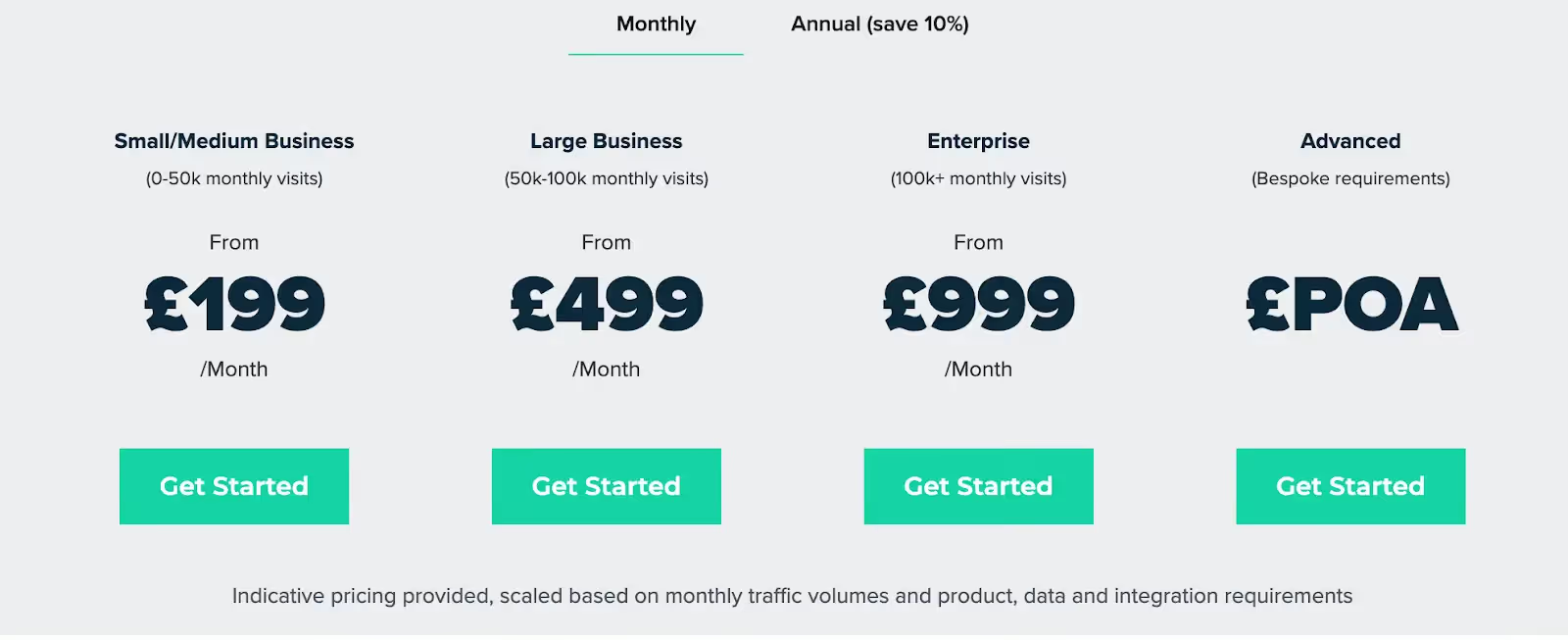
7. Rockerbox
This tool is a game-changer for early-stage startups with limited marketing budgets. With Rockerbox, businesses can identify their most effective marketing channels and allocate budgets to close more deals.
Features
Attribution:
The tool offers various attribution models to track touchpoints across multiple channels and attribute revenue to high-performing channels.
Cross-device tracking:
This feature enables marketers to track the customer journey across other devices, such as TV (linear and OTT), podcast ads, and direct mail.
Customer Review
Integrations
- Antvoice
- Pepperjam
- Artsai
- Audacy
- Digital Remedy
Pricing
Rockerbox offers free and paid versions. The pricing details are available upon request.
For organizations exploring alternatives to Full Circle Insights, this article presents seven viable options. Each offers unique features such as advanced attribution modeling, real-time analytics, and seamless CRM integrations. Evaluating these alternatives can help businesses choose a solution that best aligns with their goals and technology stack.
Final words
As discussed in the blog, each attribution tool has its benefits and drawbacks. If you are still unsure of which tool to choose, then consider the following factors to narrow your search.
Budget:
Determine your budget and look for a tool that fits within the range.
Features:
Select the tool that offers the specific features you need. For example, do you want multi-touch attribution, cross-device attribution, or customer analytics?
Integrations:
Evaluate each tool and understand whether they provide appropriate integrations or not.
User Interface:
Look for a tool that is easy to use and navigate through.
Customer Support:
Check whether the attribution tool offers quality customer support on time.
Data Accuracy:
Consider the attribution tool that delivers more accurate data.
Customization:
Evaluate each tool and see if these tools are customizable and can meet your business needs and goals.
To conclude, if you are looking for a Full Circle Insights alternative, you have several great options to choose from. Each tool we discussed has its own pros and cons, so you should assess your business's unique needs and goals to see which tool would work best.
Remember, while 'Tool A' might be a good choice for a business, it might not be the same for yours.
That’s why we suggest you use the free trial or version to see which tool provides more value to your business and select the one that best fits your business.
{{INLINE_CTA_A}}

Google Analytics Visitor Identification Explained
Find out how Google Analytics visitor identification works and how you can improve user identification with analytics tools.

Google Analytics is the most-used analytics tool in the world, in large part due to its standard version being free. The tool offers businesses ease in terms of usage, expense, and setup. But there have been growing concerns related to privacy and effectiveness about the way Google Analytics identifies users and stores their data.

Here’s everything you need to know about visitor identification in Google Analytics.
Visitor identification in Google Analytics: How does it work?
It’s no secret that users on the internet want anonymity as they browse through websites. Analytics tools have to follow stringent laws and country-specific data protection acts. These laws prevent cybersecurity threats and illegal user tracking.
However, it is imperative for businesses to identify prospective clients. You can then understand gaps in the market and specific pain points in order to increase their consumer bases. So Google Analytics identifies users as “new” or “returning.” It can tell you the number of visitors your website receives. But it cannot let you know who your users are, since it isn’t equipped with de-anonymization features.
De-anonymization is a critical part of analytics and reporting. Tools like Factors use reverse IP lookup. This shows you which businesses have visited your website through matching IP addresses. For every visitor, Factors would be able to identify the company domain, company name and other relevant information. This includes number of employees, annual revenue, industry category, and company headquarters. And yes–it’s in full compliance with privacy regulations, since it uses data from your own website and publicly available company data.
Let’s say that you visit Factors’ website twice in the month of February 2023. For this time period, Google Analytics would classify you as both a new user from the first time you used it, and as a returning user for the second time. This can lead to confusion. But, Factors’ extensive database would allow your IP address to be identified. Each touchpoint would be recorded as a stage in your consumer journey.
Google Analytics client ID vs user ID: What’s the difference?
Say you’re using the standard version of Google Analytics and receive a website visitor. The tool stores a cookie containing a random ID number, which is the client ID. The client ID tracks the user across the website for the session. If the user uses the same device and IP address, they’ll be tracked with the same cookie and client ID.

However, if a returning user uses incognito mode, clears their cache, or uses a proxy or VPN to access your website, Google Analytics will classify them as a new user. This leads to a miscalculation in the number of unique visitors your website receives within a specified period of time. You are likely to think you have more visitors than you actually do. Unless a user logs into your website, you won’t be able to track the user; you’ll be tracking their session instead. A user ID can only be created if your website features a way of allowing clients to create an account and log in.

B2B companies using Google Analytics have to comply with the platform’s user protection policies. These policies require you to remove any personally identifiable information (PII) before the data is sent to Google. Even if visitors to your website enter any PII into forms themselves, this data cannot be stored in Google Analytics due to Google’s terms of service. PII includes social security numbers, email addresses, and phone numbers. Some PII is crucial to lead generation and nurturing. Your customer relationship management (CRM) software needs to store this information.
Imagine that your B2B marketing team obtains a high-value lead. You'd only be able to recognize this user by their email. To see their full journey, you need them to enter their email (say marc@salesforce.com) to login each time. Otherwise Google Analytics would show you a string of alphanumeric text. It would be difficult for a marketer to interpret and recognize this string as Marc.
B2B companies also need specialized analytics tools that integrate seamlessly with their CRM. This helps you get a comprehensive understanding of the buyer journey. Google Analytics does not offer CRM integration capabilities, which proves a drawback to a SaaS business. You won’t be able to integrate client data across email, social media platforms, and your website using Google Analytics.
Multi-touch attribution analysis helps marketers optimize their marketing investments. Solutions like Factors score over Google Analytics. They bring in spend data from ad platforms such as LinkedIn, Bing and Facebook. They also pull data from non-digital marketing activities such as webinars, e-books and field events. Google Analytics cannot provide the same level of analysis. Moreover, Factors automatically sorts through your CRM data. It provides you with the metrics you decide are important for your sales and marketing teams. These include monthly revenue growth, customer churn, retention rate, and customer lifetime value. You can form personalized sales and marketing strategies around these metrics. These measures will help you attract and retain more clients. Consider, for instance, you’re able to understand which stage of the funnel prospects usually churn at. You then have deeper insight into their pain points, and can develop solutions accordingly.
Google Analytics can offer your business a user-based view. But its privacy concerns, terms of service, and its limited integrations are a drawback. They render it incapable of offering you a holistic, account-based analytical overview. Since it doesn’t integrate with your CRM, you also won’t be able to gain insight into end-to-end customer journeys. These journeys are critical to understanding which website features lead to client satisfaction.

Account-based analytics and reporting are becoming increasingly important for SaaS businesses today. User identification at the initial stages is invaluable. It helps you map out each user’s journey through the sales funnel, as well as what causes prospects to churn. Account-based analytics pull data from your website, email, social media platforms, and interactions. They provide you with a full overview of each potential or current client’s unique journey.
You’ll also be able to make more accurate projections for your business with account-based analytics. These can provide you with insights such as how many touchpoints typically lead to a sale. Factors’ account-based analytics features include cohort analysis. You can segment prospects according to intent and priority. This enables you to personalize offers for priority prospects. You can then create sales and marketing strategies that drive more conversions.

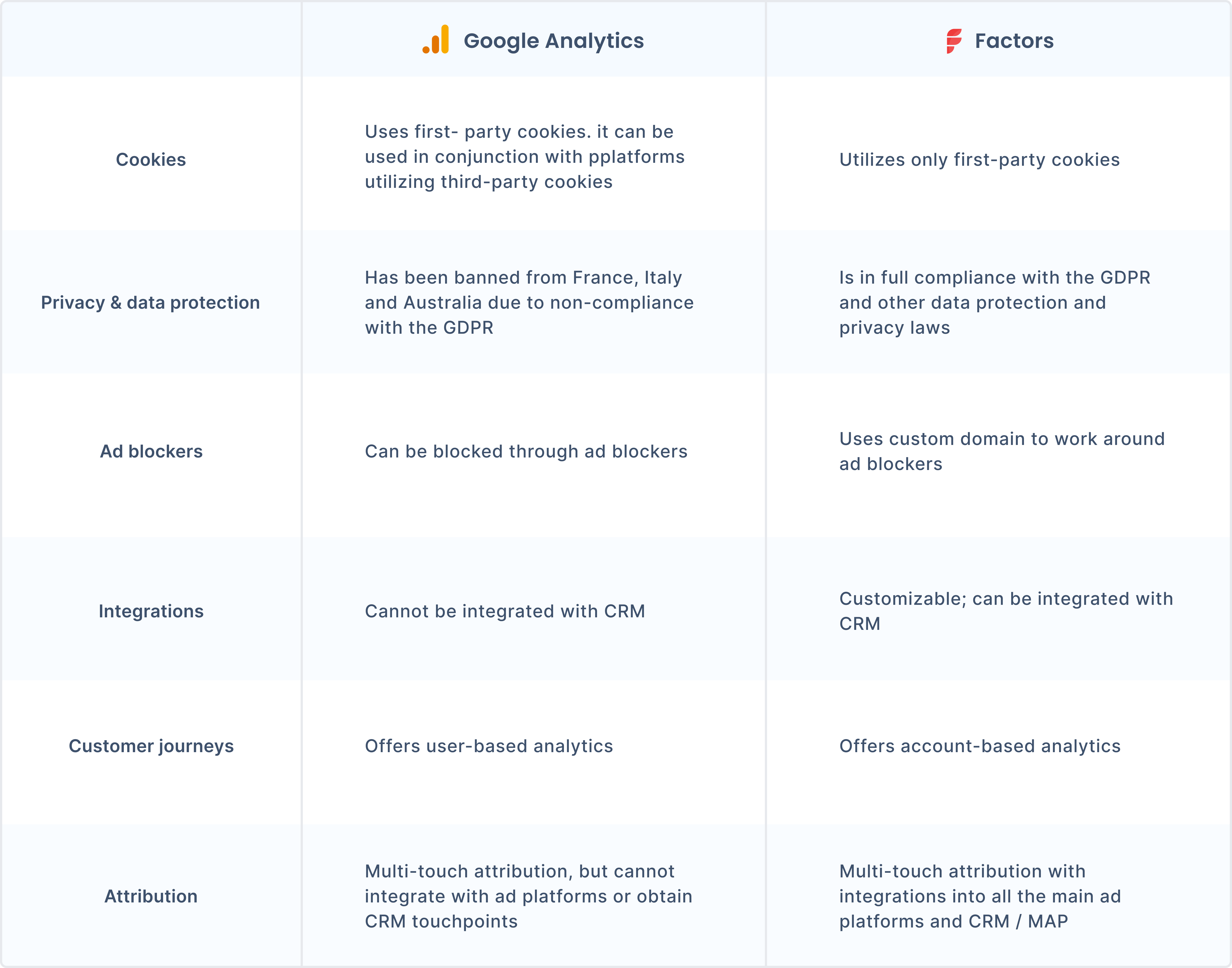
What are the challenges of visitor identification in Google Analytics?
Visitor identification is especially necessary in a B2B context. B2B software and solutions are highly specialized towards a particular segment of the industry. Thus, analytics tools need to offer B2B companies efficient and effective user identification. The following factors make visitor identification challenging with Google Analytics:
- Ad blockers: Over a quarter of all internet users from the US use some form of ad blocker. Privacy concerns have led to Google Analytics being automatically or manually blocked through the use of ad blockers. B2B companies need analytics and attribution tools that can work around ad blockers. They also need to be compliant with the GDPR and other applicable regulations and laws. Factors offers custom domains. These work even with the use of ad blockers and prevent IP tracking while. They are also compliant with local and international data protection regulations.
- Inadequate information. Google Analytics cannot provide B2B businesses with dedicated reporting on key metrics. This is due to its tracking and privacy limitations
- User ID tracking: Google Analytics does not allow you to store any PII, making it difficult to recognize users.
{{INLINE_TOFU}}
But wait … isn’t Google Analytics illegal?
There are two types of cookies: first-party and third-party. First-party cookies are put in place by the domain of the website a user is looking through to track browsing activity across the site. But third-party cookies can track user activity across other websites as well. They are created by a different domain name than the user can see in their browser bar. Thus, users consider third-party cookies an infringement of privacy.
Although Google Analytics uses first-party cookies, it integrates with Google Ad Manager. The latter relies on third-party cookies for advertising. The use of multiple cookies makes Google Analytics a heavier script, leading to slower processing. Moreover, Google Analytics is banned in multiple European countries. France, Austria, and Italy have banned it due to its violations of the General Data Protection Regulation (GDPR). These bans came into being due to Google Analytics’ storing of unique user features–such as IP addresses–which is illegal under the GDPR. Google Analytics also uses third-party cookies in order to scrape referral data. Many websites using the tool also use third-party cookies to track user activity across the web. Businesses using Google Analytics are increasingly concerned about privacy regulations and obsoletion.
So, is Google Analytics not enough for visitor identification?
B2B businesses must know about their users and their needs so that they can target users with the right messaging at each stage of the funnel. The analytics tool you use is crucial in capturing this information for you. You can optimize your website according to which aspects of it drive conversions, and which hamper your chances of obtaining a new client. De-anonymization boosts marketing and sales efforts. You can create better pitches and optimize marketing with visitor identification.
But if you’re not looking for specific information about the companies that are visiting your website, Google Analytics can be a useful tool. New businesses often use Google Analytics’ free version to get valuable insights. You’ll also be able to understand what kind of content works for your audience, and view your website visitors in segments.
Get a complete picture of your users with Factors
Analytics and reporting tools for B2B companies enable automatic website visitor identification. Factors’ automated button tracking and custom domain tracking help you map out a website visitor’s journey. It also works around ad blockers and is compliant with data protection policies. Book a demo today and find out how Factors can help your business grow.
FAQs:
Why is it important to identify website visitors?
Identifying website visitors is integral to understanding potential clients’ unique journeys and needs. B2B businesses especially need this information to address prospects' pain points and optimize their strategies. You won’t be able to see which particular individual has visited your website. But with tools like Factors, you’ll know which company the IP address belongs to.
How do ad blockers affect tracking?
Ad blockers can block Google Analytics from tracking user activity across the websites they use. B2B analytics solutions like Factors use custom domains and reverse IP lookup to automate visitor tracking. They are also compliant with local and international regulations.
How do account-based analytics help businesses?
Account-based analytics can help you track overall metrics, as well as each client’s particular journey. These metrics enable you to create marketing and sales strategies that are more personalized and effective. Using account-based analytics can increase your ROI.
Google Search Ads - The More (Data), The Merrier
Search ads are great. Here’s how you can make them even better with traffic-level conversion tracking.

The Challenge With Google Search Ads
Search advertising has established itself as the go-to channel for B2B marketers to capture low-hanging demand — and it’s easy to see why. As a marketer for an account intelligence product such as Factors.ai, it makes sense for me to bid on product keywords such as “ABM software” or “visitor identification tools” and competitor keywords such as “leadfeeder alternatives”, so I can attract relevant, in-market customers based on searcher intent.
That being said, a closer look at the numbers reveals that conversions from search ads can actually be pretty disappointing (and expensive). For context, the average click-through rate (CTR) for search ads across industries is only about 3.17%. It’s even slimmer in the technology industry, at a meager 2.09% (Wordstream). Out of the few ad impressions that do translate into clicks, the average landing page conversion rate (sign-ups, demo form submissions, etc) is around 6% (HubSpot). And of the handful of visitors who do convert, only a fraction go on to become SQLs, opportunities, and ultimately, customers.
Even the most optimistic benchmarks find that:
- Only around 30% of Leads become SQLs
- Out of which, 40% of SQLs become opportunities
- Out of which, 30% of opportunities become customers

There are countless reasons for such significant drop-offs along the sales funnel:
- Most lead that land on your website, won’t sign-up
- Leads that do sign-up, may not schedule a meeting
- Leads that do schedule a meeting, may not show up
- Leads that do show up, may not be qualified (non-ICP)
- Leads that are qualified, may not be sales-ready (timing, budget, etc)
- Leads that are sales-ready, may choose to go with an alternate solution
All these factors suggest that to earn a single customer from search ads, you’d need more than 500 paid clicks (of course, this number varies widely based on category). That’s a lot of clicks…and a lot of money.
To solve for this, marketers typically rely on three levers:
- Improve ad performance by optimizing keywords, budgets, etc
- Improve website conversions with conversion rate optimization (CRO)
- Improve quality of clicks via Google Click ID (GLCID) and conversion feedback
In this article, we’ll be exploring the latter of the three. Specifically, we’ll highlight an improved approach to training Google Ads to find the right clicks and traffic for your business via GCLID and conversion tracking. But first, let’s briefly discuss the current approach to Google conversion tracking — and its limitations.
Google Conversion Tracking & GCLID: As It Stands
As a B2B marketer, you’re probably familiar with how conversion tracking and GCLID work to share conversion feedback with Google, but here’s a quick refresher:
Not all ad clicks are equal. A buyer that matches your ideal client profile is probably more valuable to your business than a student looking for an internship. However, to Google and other ad platforms, a paid ad click, regardless of whether it's by a buyer, a student, or a competitor, is a paid ad click.
To avoid the risk of burning through budgets on irrelevant paid engagement, Google supports the ability to digest feedback on the quality of clicks based on Google Click ID (GCLID) and preconfigured conversion actions. Via GCLID, Google assigns each click with a unique identifier. If the user behind a specific click goes on to perform a favorable action, marketers can flag that click to Google as a “high-quality lead”. Google’s algorithm then harnesses countless factors and historical records from its own database to surface your search ads to other audiences that match this criteria for a “high-quality lead”. Marketers typically tag sign-ups, MQLs, SQLs, and opportunities as favorable conversion actions. This lead-level feedback improves the quality of audience that receive your ads, which in turn, improves conversions.
In theory, ad optimization with conversion tracking and GCLID sounds fantastic — a feedback loop between advertiser and advertising platform to continually improve ad performance and conversions. That being said, there are two challenges with Google Conversion Tracking and GCLID as it stands today:
- Limited data: Google Ads recommends at least 30 conversions in 30 days for its algorithms to take effect in understanding what’s valuable and what’s not. In fact, for minimum CPA fluctuation and a quick learning period, Google suggests a whopping 500 conversions in 30 days. For early and mid-stage companies that are yet to hit these volumes of conversions, this lack of data can be a limiting factor.
- Lagging metrics: B2B sales cycles are notoriously lengthy and non-linear. After a visitor submits a demo form, for example, it might be a couple of days before their demo call, a few weeks before they become an opportunity, and more than a month before the deal is closed. Given that most marketers prefer quick iterations and experiments to squeeze the most ROI out of their campaigns, these extended periods between conversions lengthens the feedback loop when sending lead-level data back to Google. This lagging lead metrics is another limiting factor.

With bids and cost per clicks becoming increasingly expensive as a result of growing competition, we need a fresh approach to overcome limitations with lead-level conversion tracking. Our hypothesis? Leverage traffic-level conversions to ensure sufficient, leading data availability for Google to work with.
Traffic-level Conversion Tracking: A Better Approach
Most marketers typically use sign-ups, M/SQLs, or other lead-level conversions as their conversion action goals. However, as noted earlier, only about 6% of visitors typically submit a form, with fewer still converting down funnel, after a delay. This results in small, lagging data sets for Google to work with.
Rather than sending back lagging conversion data for 6 out of a 100 visitors on your paid landing pages, what if you could send leading data for 60? This is exactly what Traffic-level conversion tracking seeks to achieve via IP-based account enrichment, engagement tracking, workflow automations, and GCLID.
Here’s how it works
Even though only a fraction of the traffic on your paid landing pages will sign-up, there’s still variable value in the remaining ninety something percent of visitors that are yet to convert. Say that 10 visitors land on your website from a search ad. Out of these 10, 2 are in-market ICP buyers that immediately sign up. 5 are ICP buyers that would make a good fit for your business, but decide that now is not the best time for a demo, so they drop off without submitting a form. And 3 are non-ICP visitors: a student, a job seeker, and a competitor — who also drop off without submitting a form.
%25252C%252520ICP%252520not%252520converted%252520(50%252525)%25252C%252520Non-ICP%252520(30%252525).webp)
The typical approach suggests sending the 2 ICP visitors that converted back to Google Ads as feedback. While this is helpful, it doesn’t encapsulate the full extent of data collected here. It fails to acknowledge the 5 clicks (50%!) that albeit didn’t convert but matched our ideal client profile. While these clicks may not be as valuable as the 2 ICP clicks that converted, they’re certainly more valuable than the Non-ICP clicks. If ICP converted is worth $20, ICP not converted could be worth $10, while Non-ICP could be worth $2. This is valuable data for Google to make sense of ad clicks, even in cases where an explicit “conversion action" may not have taken place. By supplying Google with a larger set of relevant data, its algorithms will have a better understanding of what kind of visitors you value most. This data needn’t be limited to ICP data (firmographic) alone; it may be based on engagement (time-spent, scroll%) as well.
Accordingly, traffic-level conversion tracking seeks to identify, qualify, and feed Google with a larger volume of granular, leading data by de-anonymizing website traffic and engagement at an account-level. This is where an account intelligence tool (*ahem* Factors.ai) comes into the picture.
{{INLINE_TOFU}}
How Factors Fits In: Your Data + Our Data = Ad Magic
The process we’re exploring here involves identifying website traffic, qualifying that traffic based on their firmographics (for ICP fit) and engagement (for intent fit), and pushing that data back to Google as feedback to attract better, more relevant audiences that *we hope* improves conversions and pipeline. Accordingly, we’ll need the following:
- An IP-based intelligence tool to identify and enrich landing page traffic at an account-level
- Assign conversion value to incoming traffic based on your ICP and engagement criteria
- Automate a workflow that pushes this traffic-level conversion data to Google
As luck would have it, Factors.ai supports all three requirements with industry-leading account identification, engagement scoring, and workflow automations. Here’s an example of what a Factors-powered Search ads conversion tracking process could look like:
- Identify up to 64% of anonymous companies landing on your website via search ads but are yet to convert
- Qualify and segment identified companies based on firmographics (industry, size, etc) and engagement (time-spent, scroll-depth, etc)
- Push traffic-level conversion action data (along with lead-level data) back to Google automatically with the likes of Make, Zapier etc
- Google leverages a larger set of leading data to improve the quality of clicks and traffic
- Improved audience quality results in better conversions and cost-effectiveness

Interested to see it in action? We’d be more than happy to set up a similar process for you over a trail with Factors.ai.

Google Search Marketing in 2026: Keyword Matching
Learn about the different types of keyword matching on Google Ads. Understand how each type works to improve your targeting and optimize your ad spend.
Search marketing with Google Ads is kinda cool. It helps users who are looking for specific information, products, or services connect with businesses looking to sell specific information, products or services — all through a wonderfully powerful, complex search engine. But how does search marketing work? More specifically, how does keyword matching work in the latest iteration of Google Ads? Let’s find out…
How does keyword matching work on Google Ads?
There are 7 steps involved in Google Search Ads to connect the right audience with the right message using keyword matching. Here’s how it works:
1. First, a user types a search query into Google. Google then processes this text against spell-checks, synonyms, and related terms to form what’s called the “retrieval query”. This retrieval query wrangles all relevant search ad keywords that could be served into a set.
2. From this set of keywords from the retrieval query, Google verifies eligibility based on keyword match type, campaign, ad group, etc. This is performed using advanced machine learning and natural language tech to understand and optimize matching for intent and relevance. Other factors considered by Google are budget, geo, negative keywords, creatives, landing page, time of day, etc.
3. When choosing from multiple eligible keywords from the same account (For example, if company X bids on both “B2B marketing analytics tools” and “B2B marketing analytics software”), Google will prioritize those keywords that are closer to being an exact match to the search term. So if a user searches “marketing analytics software”, they will receive the former search ad. Once filtered down, Google has its set of ad groups with eligible, relevant keywords.
4. With this set of ad groups containing eligible keywords, Google’s responsive search ads creative system will automatically rally the “best performing creative — including headline and description” for the user based relevance.
5. Next, we arrive at the stage wherein bids are calculated using Ad Rank. Ad Rank is a scoring system that assigns value to ads to determine if or not your ad will be presented to the audience. Of course, your bid amount is an important factor in determining Ad Rank as well.
6. Here, Google Ads chooses the optimal combination of ad relevance and ad rank. Once again, Google’s algorithm is looking for landing page quality and keywords in an ad group. The latter implies it’s highly important to group keywords by theme, to ensure favorability.
7. The final step is straightforward. Once Google Ads processes all the aforementioned information, each advertiser enters into auction and those advertisements with the highest Ad Rank (including and especially bid amounts) are displayed for your audience to see.
Keyword match types on Google Ads
As the name suggests, keyword matching matches words and phrases from the search ads you bid on to terms that people actually use when searching. Hence, it’s crucial to bid on the relevant keywords to ensure your ads align with what your audience is looking for. Google Ads offers three match types. The accuracy with which the keyword needs to match a user’s search query will be determined based on match type you choose:
1. [Exact match]
As you may have guessed, [Exact match] types require an exact match between the keyword and the search query. For example, if the keyword is “B2B marketing analytics”, only search queries that mean the same, like: “B2B marketing analytics software” or “B2B marketing analytics tools” will trigger the search ad.
2. “Phrase match”
Phrase matching is marginally less rigid than [Exact match] types. It essentially considers all searches wherein the primary keyword is part of a larger string of search text (i.e. a phrase). For example: “Best software for B2B marketing analytics”
3. Broad match
Broad match provides the most loose matching out of the three match types. It considers the exact keyword, phrases around the keyword and all related terms around the keyword. For example, Google may trigger an ad for the search term “B2B marketing attribution” because it's somewhat related to “marketing analytics” as well.
Note: In short, Exact match keywords are a subset of Phrase match keywords. And Phrase match keywords are a subset of Broad match keywords.
{{INLINE_TOFU}}
Broad Keyword Matching on Google Ads
Google Ads have increasingly been pushing Broad match types as their AI-algorithms continue to improve their understanding of language, intent, relevance, etc. In recent year, keyword matching on Google Ads has evolved from a pure syntax-matching system (wherein a user’s search query text simply matches an advertisers search ad keyword) to a semantics based system (wherein broadly related themes and topics are recognized as relevant enough inquiries to warrant the display of an indirectly relevant search ad). Here are some signals that broad match takes into consideration (in addition to exact keyword and phrases):
1. Other keywords in the ad group: Arguably the most important signal is relevance of other keywords within a specific ad group. For example, if the search term is “salmon sweaters” and your ad group consists of the keywords “orange sweaters”, “red sweaters” and “blue sweaters”, Google Ads will understand that in this case, salmon refers to the colour and not the fish.
2. Previous searches: Google Ads also takes into account a user's previous search when deciding what ad to present. For example, let’s say a user previously searches for “manchester city vs liverpool football score”. Google uses this historical data in the future so that simply searching “man city vs liverpool” will retrieve the football score without mention of either word.
3. User location: This one is straightforward. Google analyses user location to personalize search results. Eg: B2B SaaS marketing agencies based in New York vs B2B SaaS marketing agencies near me. This may or may not be as relevant to your marketing efforts depending on the type of product you’re selling. Still quite handy to be aware of.
4. Landing page: Last but most definitely not least is an ads landing page. Does the landing page contain relevant keywords? Does it contain quality content — including images and creatives, to ensure a valuable experience for the visitor? These are questions to keep in mind when constructing and improving upon your landing pages.
And there you have it! An overview into how keyword matching works on Google Ads.
Curious to learn how Google Analytics compares to Factors.ai? Read on here
Google’s 2022 update on keyword matching changes the way marketers approach search campaigns, with smarter targeting now essential for success.
1. Key Changes: Updates in keyword matching rules for more accurate targeting and better campaign structure.
2. Strategic Benefits: Enhanced targeting leads to smarter campaigns, better ROI, and more efficient ad spending.
3.Actionable Insight: Adapting to the new rules allows marketers to maintain performance and take advantage of improved match strategies.
By understanding and adjusting to these changes, marketers can optimize their search campaigns and boost overall returns.
.avif)
Google Ads Strategy 2026: 18 Tips For Quality B2B Lead Generation
Learn 18 strategies to optimize your B2B Google Ads for lead generation in 2026. Learn how to target the right audience, the right bidding tactics, refine campaigns, and maximize ROI.
TL;DR
- Google Ads remains an essential tool for B2B lead generation in 2026, allowing marketers to target decision-makers based on search intent.
- Key strategies include refining audience segmentation, value-based bidding with offline conversion tracking, and campaigns tailored to the buyer’s journey stages (awareness, consideration, and decision).
- Leverage Performance Max campaigns with audience signals for multi-channel reach, and use GCLID imports to optimize for lead quality over quantity.
- Focus on high-intent keywords, daily negative keyword management, and A/B testing to improve ad performance and ROI.
Google Ads remains one of the most powerful sources for B2B lead generation. Its ability to target the Ideal Customer Profile (ICP) based on search behavior is incredible. However, reaching the right audience takes more than just setting up a campaign to see results.
With evolving buyer behavior in 2026, B2B marketers must update their Google Ads strategy. These strategies should focus on the right keywords, bidding strategies, and ad formats.
This article will discuss the top Google Ads strategies for B2B marketing in 2026. These strategies will focus on driving ICP traffic and increasing ad performance to maximize lead-generation efforts.
What is B2B Google Ads
When you use Google Ads (formerly Google AdWords) as a paid advertising strategy to promote your business or services from one business to another (business-to-business), this is known as B2B Google Ads. B2B Google Ads focuses on attracting and engaging other businesses with goals to generate leads or drive brand awareness.
Unlike B2C (business-to-consumer) marketing, which focuses on individual consumers, B2B Google Ads campaigns target the decision-makers. These can be executives, managers, and founders responsible for purchasing products or services for their organizations.
B2B Google Ads Strategy Can Be Complex. Here's Why.
1. Longer Sales Cycle
In B2C, customers often make quick purchase decisions. B2B sales cycles are typically longer and more intricate. As a result, campaigns need to nurture leads over an extended period.
2. Multiple Decision Makers
B2B purchases often involve multiple stakeholders within a company. Reaching the right people at the right time with the right message can be challenging. To influence these decision-makers, you need highly targeted ads with personalized copy.
3. Complexity of Target Audience
In B2B marketing, the target audience is more segmented and more specific. You target C-level executives, managers, or department heads who can be your key decision-makers. With Google Ads, you target people based on their job titles, which can be helpful for highly targeted campaigns. You can target specific industries (e.g., healthcare, technology, or finance) and company sizes (e.g., small businesses vs. enterprises) to ensure the right type of business is seeing the ad. Or you could focus on specific regions, countries, or cities where your potential clients are based.
For example, a marketing workflow automation product might target marketing directors at companies with over 500 employees in the e-commerce industry within Virginia, USA.
4. Higher Competition And Budget Allocation
In many B2B industries, the competition can be high, especially for high-value keywords. Bidding for these keywords can become expensive. To ensure a good return on investment (ROI), you must be careful about budget management and continuously optimize for ad performance.
5. The Focus on Lead Generation
B2B campaigns mainly focus on lead generation rather than direct sales. You must structure your campaigns to collect contact information or sign up for a trial/demo. It requires effective use of ad extensions, such as lead forms and optimized landing pages tailored to collect leads.

{{INLINE_MOFU}}
How Much Should You Spend on B2B Google Ads?
B2B Google Ads budgets vary widely, but here’s a practical framework:
- Starting budget: $2,000–$5,000/month is a reasonable minimum to test and gather data. Below this, you won’t get enough conversion data for optimization.
- Target CPL benchmarks: B2B cost-per-lead typically ranges from $50–$200 depending on industry and deal size. SaaS tends to run $75–$150 per lead.
- Budget allocation: Start with 70% on high-intent search campaigns, 20% on remarketing, and 10% on experimental campaigns (Performance Max, Demand Gen).
- Scaling rule: Only increase budget after you’ve proven a positive cost-per-SQL ratio. Scaling too early wastes money on unqualified leads.
How to Build a B2B Google Ads Strategy?
Here are the five essential steps to build an effective Google Ads strategy that generates high-quality leads consistently.

1. Set Clear and Measurable Goals
You must know what you want to achieve by running an ad campaign. To improve campaign performance, set measurable goals, such as the number of leads, cost per lead, or return on ad spend. Common B2B goals can be to raise brand awareness, generate more leads, or get prospects to sign up for free trials or product demos.
For example, 'Increase website traffic by 30% within the next month' and 'Secure 50 free trial sign-ups within the next 2 weeks' can be some of your goals.
2. Identify Your Target Audience
Define the characteristics of your ideal customer persona: the industry, job title, company size, and geographic location.
3. Keyword Research and Selection
Identify highly relevant keywords with the right search volume and intent. These can be long-tail, high buyer intent, solution-oriented, or niche keywords.
4. Write Compelling Ad Copy
Your ads should directly address the pain points and should be solution-focused. It should highlight how your product or service can solve the problem. For example, '2X your LinkedIn Ads ROI with LinkedIn AdPilot.'
5. Set up Conversion Tracking
Conversion Tracking in Google Ads tracks valuable actions like lead form submissions, phone calls, or downloads. It measures the effectiveness of the campaigns and helps you make data-driven decisions.
18 Tips For an Effective B2B Google Ads Strategy and How To Measure Them
1. Refine Your Audience Segmentation
Audience segmentation makes sure your ads reach the right audience. Instead of basic demographic targeting, you can use Google's audience features like Custom Intent Audiences, Customer Match, and In-Market Segments. These tools can segment your audience by behavior, interests, or intent. It enables you to target users actively researching or planning to purchase solutions like yours. It increases the chances of conversion.
Metrics to Track:
- Conversion Rate
- Click Through Rate
- Cost per Conversion
How to Measure:
Use Google Ads' audience reports to track performance across different segments, such as Custom Intent, Customer Match, and In-Market Audiences. Test and refine your audience targeting based on conversion performance.
2. Segment Campaigns by Buyer's Journey Stages
B2B sales cycles are long. You need a strategy to cover the entire sales funnel. Create separate campaigns for awareness, consideration, and decision-making stages. Prospects in the awareness stage will require different messaging than those in the consideration or decision stages. Personalizing ads based on the buyer's journey ensures the messaging aligns with their needs.
Create separate campaigns or ad groups for each stage of the buyer’s journey—awareness (informational content), consideration (product demos, features), and decision (pricing, CTA to book a consultation).

Metrics to Track:
- Conversion Rate per Stage
- Cost per Lead
- CTR
How to Measure:
Segment campaigns based on the buyer's journey (awareness, consideration, decision). Track performance for each stage using separate ad groups and monitor the CTR and conversion rate to ensure the message resonates.
3. Incorporate Thought Leadership Content and Run Educational Campaigns
B2B buyers need information to educate themselves before purchasing a product or service. Content Marketing plays a significant role in this process. Create campaigns that promote whitepapers, case studies, or blog posts to establish authority. Use lead magnets to capture leads early in the sales funnel, then nurture them through targeted follow-up ads that provide educational content.
Metrics to Track:
- Leads Generated
- Engagement Metrics
- Conversion Rate for Lead Magnets
How to Measure:
Set up Conversion Tracking to capture leads from educational content like whitepapers or case studies. Monitor the engagement (clicks, downloads, form submissions) and analyze how these leads convert.
4. Leverage LinkedIn Audience Targeting with Google Ads
Use LinkedIn's audience targeting features with your Google Ads campaigns to reach a particular, professional audience. Build custom audiences (segments) based on user behavior, e.g., users who have visited your LinkedIn page or engaged with your posts. Upload your existing customer data on both LinkedIn and Google Ads. Once you've reached your audience on LinkedIn, you can retarget them with remarketing ads on Google when they search for relevant keywords, ensuring you're engaging prospects across multiple touchpoints.
'Segment Insights' on Factors is a feature designed to enhance go-to-market (GTM) strategies by focusing on segment performance rather than just channel metrics. It provides insights about how these audience segments engage with various marketing channels.
With Segment Insights by Factors, you can:
- Measure Segment-Level Performance: Track key performance indicators (KPIs) such as engagement levels, pipeline growth, and revenue generated for your segments.
- Compare Segments: Compare win rates and revenue metrics to identify which strategies resonate best with your target audiences.
- Conduct Lift Analysis: Assess the impact of marketing activities on target accounts by comparing audience segments assigned to specific campaigns with those not. It helps provide a clear view of the return on investment.
Metrics to Track:
- Engagement Rates
- Cross-Platform Conversion Rate
- Customer Match Performance
How to Measure:
Use Google Ads Audience Manager to track retargeting and cross-platform performance. Use Google Analytics to measure conversions across LinkedIn and Google Ads campaigns.
5. Focus on Industry Specific Keywords and Competitor Targeting
For B2B businesses, especially those operating in niche markets, you must bid for industry-specific keywords and focus on competitor targeting. Conduct a competitive analysis and identify keywords that reflect competitors' offerings or positions. Target these keywords with ads that highlight your product's unique selling points.

Metrics to Track:
- Impression Share
- CTR
- Competitor Comparison (Auction Insights)
How to Measure:
Monitor Auction Insights to compare your performance with competitors. Track keyword performance in Google Ads and adjust bids and messaging to highlight your unique selling points.
6. Measure Multi-Channel Attribution
B2B campaigns run across platforms like Google Ads, LinkedIn, Emails, etc. So, you need to understand multi-channel attribution. Google Analytics can provide insights into the attribution model, helping you understand how different touchpoints contribute to conversions.
While Google Analytics can provide these insights, Factors offers customizable attribution models, such as First Click Attribution, Time Decay Attribution, and account intelligence, to suit specific business needs.

Track the customer journey across channels and adjust your Google Ads strategy to ensure each touchpoint is measured correctly and optimized.
Metrics to Track:
- Cross-Channel Conversion Path
- Conversion Rate by Channel
How to Measure:
Use Attribution Reports to measure cross-channel conversions and adjust your campaigns based on the customer journey across multiple touchpoints.
7. Leverage Google Ads Experimentation Features
Google Ads platform has a Drafts & Experiments feature that lets you test different aspects of your campaigns, from bidding strategies to ad creatives. Set up controlled experiments to test variables like ad copy, bidding strategies, targeting options, or landing page design to gather data on what works best for your audience. This determines which changes result in better ad performance.

Metrics to Track:
- Test Results (CTR, Conversion Rate, Cost Per Action)
- Statistical Significance
How to Measure:
Use Google Ads Experiments to run A/B tests for ad copy, bidding strategies, targeting options, or landing page designs. Track performance to determine the most effective approach.
8. Define the Criteria for Sales Qualified Leads
Understand what a Sales Qualified Lead looks like to scale your Google Ads and optimize for lead quality. Align your marketing team closely with the sales team to define the criteria for qualified leads and ensure that your Google Ads campaigns target those profiles.
Metrics to Track:
- Lead Quality
- Conversion to SQL Rate
- Cost per SQL
How to Measure:
Align with your sales team to define SQL criteria. Using Google Ads and CRM integration, track the conversion rate from leads to SQLs.
9. Set Up Continuous Keyword Refinement
Keyword performance changes over time. Regularly refine your keywords for better campaign efficiency. Add new high-performing keyword themes and pause the underperforming keywords. Review your search query report for new opportunities and remove negative keywords. These steps ensure your keywords align with your target audience’s needs.
Metrics to Track:
- Keyword Performance (CTR, Conversion Rate, CPC)
- Search Query Report
How to Measure:
Regularly review Search Query Reports and adjust your keyword list.
10. Create Custom Landing Pages
Create a dedicated landing page for a specific ad or campaign to ensure the content is highly relevant to the user’s search intent.
For example, if your Google Ads campaign targets 'marketing automation software for small businesses,' the landing page should specifically address that topic and showcase how your product solves problems for small business owners.
Metrics to Track:
- Bounce Rate
- Conversion Rate
- A/B Test Results
How to Measure:
Use Google Analytics to monitor bounce rates, session duration, and conversions for your landing pages. Run A/B tests to test different landing page versions and measure performance.
11. Set up Conversion Lift Based on Geography
Geo-Conversion Lift Tracking determines the effectiveness of your ads in different locations. It is beneficial for B2B businesses targeting specific regions. This feature lets you track conversions and optimize bids for high-performing regions.
Metrics to Track:
- Geo-Conversion Rate
- Location-Specific Metrics (CTR, Conversion Rate)
How to Measure:
Use Google Ads Location Reports and Geo-Conversion Lift Tracking to measure regional performance.
12. Optimize Ad Quality Score
Focus on improving your Quality Score by refining your keyword relevance, optimizing landing pages, and ensuring ad relevance. A higher Quality Score can reduce Cost-Per-Click and improve ad placements.
Metrics to Track:
- Quality Score, CTR
- Ad Relevance
- Landing Page Experience
How to Measure:
Monitor Quality Score in Google Ads for each keyword.
13. Implement Retargeting and Remarketing
B2B campaign prospects often need multiple touchpoints before converting. Retargeting is essential to re-engage visitors who showed interest but didn’t take action, keeping your brand in mind and encouraging them to return and complete a conversion. In Google Ads, use remarketing lists to group users based on their behavior on your website. You can create different lists for various stages in the buyer’s journey.
For example, with this list, segment users who visited your pricing page but didn't request a demo and create a specific remarketing campaign with targeted messaging such as 'Still Considering? Let's Talk.'
Metrics to Track:
- Remarketing Conversion Rate
- Cost per Remarketing Conversion
How to Measure:
Use Remarketing Lists in Google Ads and monitor how well these segments convert using Conversion Tracking.
14. Make Device Bid Adjustments
User behavior varies across each device (e.g., desktop, mobile, or tablet). In Google Ads, you can modify bids based on your device. With Bid adjustments, you can allocate budgets based on performance. For instance, if you find that desktop users convert at a higher rate than mobile users, you can increase your bid for the desktop by 20% to drive more clicks from desktop users.
Metrics to Track:
- Conversion Rate by Device
- CTR by Device
- CPC by Device
How to Measure:
Use Device Report in Google Ads to track performance by device type.
15. Use Responsive Search Ads (RSA)
RSAs automatically adjust the headlines and descriptions of your ads based on the search queries and user intent in real-time. You provide multiple headlines and descriptions for this ad format. Google's machine learning automatically tests and combines these to find the best-performing combination for each search query.
Metrics to Track:
- CTR
- Conversion Rate
- Ad Performance (Headline/Description Combinations)
How to Measure:
Monitor the CTR and conversion rate to identify which combinations work best.
16. Sync Your CRM With Google Ads
Your Customer Relationship Management tool contains data about your existing customers, leads, and prospects. The data includes demographics, behavior, interests, and previous interactions with your business. By integrating this data into Google Ads, you can more effectively target these users based on their stage in the buying journey.
Metrics to Track:
- Lead Quality
- Conversion Rate for Customer Match
- Sales Cycle Length
How to Measure:
Integrate CRM data into Google Ads using Customer Match and measure how well those leads convert compared to others. Track performance via CRM and Google Ads reports.
17. Leverage Performance Max Campaigns
Performance Max (PMax) is Google’s AI-powered campaign type that automatically serves ads across all Google channels — Search, YouTube, Display, Gmail, Maps, and Discover — from a single campaign. For B2B, PMax is particularly useful for:
- Account-based retargeting: Upload your target account list as a Customer Match audience to guide PMax’s AI toward high-value prospects.
- Lead form asset integration: Add lead form extensions directly in PMax to capture leads without requiring a landing page visit.
- Signal-based optimization: Provide audience signals (your CRM lists, website visitors, in-market segments) to give Google’s AI a starting point for finding similar B2B buyers.
Metrics to Track:
- Conversion Rate by Asset Group
- Cost per Qualified Lead
- Search Term Insights (available in the Insights tab)
How to Measure:
Use the PMax Insights tab to review search themes driving conversions. Monitor asset group performance and replace underperforming creatives monthly.
18. Implement Value-Based Bidding with Offline Conversions
For B2B, not all conversions are equal — a demo request is worth far more than a newsletter signup. Value-based bidding lets you assign different values to different conversion actions, so Google’s AI optimizes for revenue, not just volume.
How to set it up:
- Import offline conversions: Use GCLID (Google Click ID) to pass conversion data from your CRM (HubSpot, Salesforce) back to Google Ads. This tells Google which clicks actually became SQLs or closed deals.
- Assign conversion values: Set higher values for high-intent actions (e.g., demo request = $100, whitepaper download = $5, contact form = $50).
- Switch to ‘Maximize Conversion Value’: Once you have 30+ conversions/month, switch from ‘Maximize Conversions’ to ‘Maximize Conversion Value’ bidding to let Google optimize for quality over quantity.
Metrics to Track:
- Cost per SQL (not just cost per lead)
- ROAS based on pipeline value
- Offline conversion match rate
What B2B Advertisers Actually Say About Google Ads
Google Ads for B2B is widely discussed in PPC communities. Here’s what practitioners are saying:
What Works
- "Make sure to run ads on phrase or exact and only high intent keywords. Exclude keywords daily. Setup conversions properly. Pass deal conversions back." — r/googleads. The emphasis on daily negative keyword management is crucial for B2B budgets.
- "Prioritize your budget through a tiered strategy. Start by maximizing spend on high-intent Bottom of Funnel keywords." — r/advertising. Don’t spread budget thinly across all funnel stages.
Common Pitfalls
- Automated bidding needs volume to work. With only 5-6 conversions per B2B campaign, Smart Bidding can underperform. Consider manual CPC until you build conversion data.
- Broad match without strong negative keyword lists will drain your budget on irrelevant consumer searches.
Pro Tip
Experienced B2B advertisers recommend a hybrid approach: use Google Ads to capture existing demand (people actively searching for your solution) and pair it with LinkedIn Ads to generate new demand among specific job titles and industries.
B2B Google Ads Strategies for 2026: Target, Optimize, Convert
Google Ads remains a key tool for B2B lead generation, helping marketers reach decision-makers based on search intent. In 2026, a successful B2B Google Ads Campaign requires precise audience segmentation, industry-specific keywords, and campaigns aligned with the buyer's journey (awareness, consideration, decision).
Key B2B strategies include A/B testing ad formats, refining conversion tracking, and using multi-channel attribution to measure ROI. B2B marketers should optimize landing pages, run remarketing campaigns, and use responsive search ads to improve engagement. LinkedIn integration and CRM syncing enhance targeting and campaign efficiency.
With rising costs and competition, businesses need data-driven decisions and continuous optimization to get results. A structured approach ensures Google Ads remains a profitable channel for B2B companies.
Improve Your Google Ads Strategy With Factors
Integrating your Google Ads account with Factors can enhance your B2B ad strategy, driving more qualified leads and improving overall campaign efficiency. With Factors, you can precisely target your ICP audience, optimize for Ad spend, and improve the ROI. Here's how
1. Advance Audience Segmentation
Factors allows you to create detailed audience segments using firmographic data (such as company employee size and industry) and engagement metrics (like ad interactions).
For example, you can target 'US-based software companies with 100-500 employees that have viewed at least one LinkedIn Ad and visited the pricing page,' which helps you focus on the most relevant prospects.
2. Enhanced Retargeting Capabilities
Identify and enrich data on anonymous visitors, engaging with your website, LinkedIn Ads, Google Ads, and G2 pages for accurate retargeting. It ensures your ads reach companies showing clear buying intent, increasing the chances of conversion.
3. Comprehensive Performance Analysis
Factors gives you detailed insights into how different audience segments engage with your Google Ads campaigns. Analyze metrics like engagement levels, pipeline growth, and revenue generated to assess and optimize your ad campaigns.
By leveraging these features, you can refine your Google Ads strategy and ensure that your marketing efforts convert your target accounts.
FAQs on Google Ad Strategy
Q1. What are the best strategies for creating effective Google Ads?
Focus on refining audience targeting, segmenting campaigns by the buyer's journey stages, targeting industry-specific keywords, and continuously testing your ads to optimize performance.
Q2. How can I improve audience targeting in my B2B Google Ads campaigns?
To improve audience targeting, use Google Ads features like Custom Intent Audiences, Customer Match, and In-Market Segments to reach users based on their behavior, interests, and purchase intent. These tools allow you to target decision-makers and prospects actively searching for solutions like yours.
Q3. Why is segmenting campaigns by the buyer's journey important for B2B?
Segmenting campaigns by the buyer's journey ensures your messaging aligns with prospects' needs at each stage. For example, awareness-stage campaigns should focus on educational content, while decision-stage campaigns should offer clear calls to action, such as demos or pricing.
Q4. Does Google Ads work for B2B companies?
Yes — Google Ads is one of the most effective channels for B2B lead generation because it captures high-intent demand. People actively searching for solutions like ‘marketing automation software’ or ‘B2B data provider’ are already in buying mode. The key is to focus on high-intent keywords, use negative keyword lists aggressively, and track offline conversions (SQLs, demos) back to your campaigns via GCLID imports.
Q5. What is the best Google Ads bidding strategy for B2B?
For B2B campaigns with low conversion volume (under 30/month), start with Manual CPC or Maximize Clicks to build data. Once you have 30+ monthly conversions, switch to Maximize Conversions or Maximize Conversion Value. For mature accounts, value-based bidding with offline conversion imports is the gold standard — it lets Google optimize for lead quality, not just quantity.
Q6. Should I use Performance Max for B2B lead generation?
Performance Max can work well for B2B when properly configured with audience signals (CRM lists, website visitors, in-market segments). However, start with Search campaigns first to capture high-intent traffic. Add PMax as a complementary campaign once your Search campaigns are profitable, using it primarily for remarketing and reach expansion.

Google Ads Quality Score: Types, Benefits & Improvement Strategies
Significance of Google Ads Quality Score in optimizing ad campaigns. Understand factors affecting Quality Score and strategies to improve it for better ad rank and lesser CPC.
TL;DR
- Quality Score measures your ads’ relevance, user experience, and engagement, directly impacting ad performance and costs.
- Higher Quality Scores lead to lesser CPC, improved ad rankings, and better visibility to target audiences.
- Different types of Quality Scores provide insights into specific campaign areas: Account Level, Ad Group Level, Keyword Level, Ad Level, Landing Page, and Display Network.
- Improving Quality Score involves keyword research, optimizing for ad relevance, increasing expected CTR, and enhancing the landing page experience.
- You can check your Quality Score in Google Ads by adjusting your campaign settings to include relevant metrics.
Is your Google Ads Quality Score driving your campaigns or holding them back?
Google Ads Quality Score is a key metric that directly affects your ad performance and cost-per-click (CPC). A higher Quality Score signals to Google that your ad is relevant, engaging, and provides a good user experience. In turn, Google rewards you by lowering your CPC, reducing ad spend, and improving ad rank to reach the ideal customer profile (ICP).
In this article, we’ll explore the key elements—ad relevance, landing page experience, and click-through rate (CTR)—that contribute to a higher Quality Score and tips for improving them.
What is ‘Quality Score’ in Google Ads?
The Quality Score in Google Ads indicates how well your ads resonate with your audience. It functions like a tool that evaluates your ad quality. It compares your ads against competitors who appear on the Search Engine Results Page (SERP), targeting the same keywords. Your ads are assigned a Quality Score based on the quality and relevance of your ad, keywords, and landing page experience for users searching for specific keywords.
Google measures Quality Score on a scale of 1 to 10, with 10 being the highest. If your Quality Score is low, say a 3/10, it signals to Google that your ad, keywords, or landing page may not be relevant or valuable for users. Conversely, a high Quality Score of 9/10 shows Google that your ad is highly relevant, allowing you to benefit from better ad placements and lower costs. It also increases your visibility to the ICP decision-makers searching for solutions like yours.
Also, read Benefits of Google Ads to know how Google Ads can help you generate quality leads.
Types of Quality Score
There are multiple types of Quality Scores, and each score is essential for understanding your ad performance and areas for improvement.
The different types of Quality Score are:

1. Account-Level Quality Score
Account-Level Quality Score is a metric that discloses your Google Ads account's overall performance. It evaluates the historical performance of all ads, keywords, and landing pages together. Higher scores are rewarded if the ads consistently deliver value to users and meet Google’s quality standards.
2. Ad Group Quality Score
Ad group Quality Score shows how well your keywords and ads work together within an ad group. A low score means a lack of relevance between keywords and ads, making it less useful to your ICP audience and decreasing user experience.
3. Ad-Level Quality Score
Google measures ad-level Quality Score for individual ads. It measures the relevance of the ad copy to the keywords it targets, expected CTR, and landing page experience. By meeting user expectations, you can improve the Ad-level Quality Score and receive better ad ranks and lesser CPCs.
4. Keyword-Level Quality Score
Each keyword in your account is rated between 1 and 10 based on its relevance to ads, landing pages, and expected CTR. A high score means the keyword will likely trigger relevant ads aligning with users’ search intent.
5. Landing Page Quality Score
It measures your landing page's relevance and user experience. Content originality, business transparency, and ease of navigation on the ad landing page affect the score. A high score indicates a good user experience.
6. Display Network Quality Score
This score applies to ads on Google’s Display Network. It rates the relevance and effectiveness of ads and landing pages based on the Display Network sites (YouTube, Gmail, etc) where the ads appear. A high score enhances ad placement and visibility within the Display Network.
{{INLINE_TOFU}}
Why is Quality Score in Google Ads Important?
As an advertiser, getting a higher Quality Score in Google Ads is essential.

With a higher Quality Score, you can:
1. Higher Ad Rank
Quality Score is directly proportional to ad rankings, increasing visibility in search results. With a higher ad rank, more ICP users will see and click your ads, driving more traffic to your landing page and improving conversion rates.
2. Reducing CPC
Who wouldn’t want a lesser CPC for their ads? A high Quality Score signals to Google that your ads are relevant and valuable to users, which can lower your cost-per-click (CPC) and reduce your ad budget.
3. Increasing CTR
Relevant and engaging ads are more likely to attract clicks, driving more qualified traffic to your landing page leading to higher click-through rates (CTR).
4. Increase Conversion Rates
Ad relevance and landing page experience increase Quality Scores. A relevant ad-to-landing page journey for the user leads to better engagement, higher conversion rates, and improved Return on Ad Spend (ROAS).
Factors Affecting Quality Scores in Google Ads
The key factors affecting your Google Ad’s Quality Score are:
1. Expected CTR
Click-Through Rate (CTR) measures how likely users are to click on your ads when they appear on the Search Engine Results Page (SERP). Google estimates CTR based on historical performance data and your competitors’ ads. When the target audience finds the ads relevant, more users click on them, increasing the CTRs and boosting the Quality Score.
For instance, you’re running Google Ads for a SaaS business targeting visitor identification software keywords. The page's headline is, ‘Track Website Visitors in Real-Time.’ Your CTR will be high if users find the headline compelling and click through frequently. Google sees this high CTR as a positive indicator of relevance, which improves your Quality Score.
However, if the ad headline was less relevant, like ‘Monitor Your Online Traffic,’ it might not grab as much attention from businesses looking for visitor identification software, resulting in a lesser CTR and Quality Score.
2. Ad Relevance
Ad Relevance means how much your ad matches the user intent behind the search query. The target keywords should be highly relevant to the ad copy. It ensures that users find your ads helpful and aligned with their search. If your ad closely matches the search keyword you’re targeting, your Quality Score increases.
Suppose you are running an ad for the keyword visitor identification software. The ad copy headline is, ‘Identify Who is Visiting Your Website.’ It matches the search intent and provides a relevant solution to users actively searching for visitor identification.
On the other hand, if the ad copy headline is generic, such as ‘Best Software for Website Management,’ it becomes irrelevant to users searching for website visitor identification. So, a lesser relevance means a lower Quality Score.
3. Landing Page Experience
Factors affecting landing page experience are page load speed, mobile-friendliness, easy navigation, and content relevance. A landing page that aligns well with the ad and provides value to visitors has a higher Quality Score.
For example, a potential customer searches for ‘visitor identification software’ and clicks your ad. The page is slow to load, difficult to navigate, or lacks clear information about visitor tracking features. It creates a poor landing page experience, causing the user to leave. Google interprets this as a bad user experience, lowering your Quality Score.
But if your ad landing page loads quickly, is mobile-friendly, and provides relevant content on visitor identification solutions for marketers, users are more likely to stay on the page and engage, improving your Quality Score.
4. Historical Account Performance
Suppose your Google Ads account has a history of high-performing campaigns that consistently deliver relevant, high-quality ads. In this case, Google is more likely to reward your new ads with a higher Quality Score from the start.
But if your account has a history of poor performance, such as ads with low CTRs or ads that frequently lead to irrelevant landing pages, the Quality Score of new ads is negatively impacted. This happens because Google perceives your ads as having lesser relevance or engagement quality.
Check out our detailed guide on Google Ads Strategy in 2025, to learn more about optimizing your campaigns.
How to Increase Quality Score in Google Ads?
You can increase your Quality Score in Google Ads by focusing on the critical areas like:
1. Keyword Research
1.1 Staying Updated on Latest Trends
Regular keyword research helps you stay updated on the latest trends and allows you to optimize for the most relevant keywords. It signals to Google that your landing page is fresh and relevant, increasing the Quality Score.
1.2 Identify High-Intent Keywords
Identify high-intent keywords and appropriate keyword match types and optimize for them. This increases your chances of displaying ads to your ICP audience, improves CTR and ad relevance, and raises your Quality Score.
1.3 Filter Negative Keywords
Your ads might get triggered for irrelevant keywords, called negative keywords. Adding them as negative keywords to your ads account prevents irrelevant impressions and ensures ads appear only for relevant queries, enhancing your Quality Score.
2. Optimizing For Ad Relevance
When your ad is highly relevant, it is more likely to engage the audience, improve CTR, and signal to Google that it meets users’ expectations, increasing your Quality Score.
2.1 Align Your Keywords to Ad Copy
Your ad copy should include all the keywords relevant to the user's search intent. Use the target keywords in the headline and description to show users that your ad addresses their needs.
2.2 Refine Ad Group Structure
Group similar keywords together so that ads align to specific themes. For instance, create separate ad groups for product features and user needs to increase relevance.
Imagine you're running a campaign for B2B visitor identification software. During keyword research, you identify high-intent keywords like best visitor identification software and visitor tracking software for B2B.
To optimize ad relevance, you should:
- Create ad groups focused on specific themes (e.g., visitor identification software and visitor tracking for B2B) rather than grouping all keywords together.
- Customize ad copy for each ad group to match the keyword intent.
3. Increasing Expected CTR
A high expected CTR signals to Google that users find your ad useful, which improves your Quality Score and can reduce your CPC
3.1 Writing Compelling Ad Copy
Compelling headings and descriptions highlighting the benefits, unique selling points, discounts, or free trials can make your ad more click-worthy.
3.2 A/B Testing
Run A/B tests on ad copies to see which versions get the most clicks. Small changes like the Call-To-Action (CTA) or headline structure can improve CTR.
3.3 Using Ad Extensions
Ad extensions like sitelinks—for example, Features, Customer Success Stories, or Pricing—provide users with more context and ways to engage, making your ad more informative and clickable.
For example, you’re running ads for keyword B2B visitor identification software. You can increase expected CTR by crafting a compelling ad highlighting a unique value proposition and encouraging action. Instead of a generic headline like ‘Visitor Identification Software for B2B’, use a headline that addresses a direct benefit: ‘Identify Anonymous Website Visitors – Convert Leads Faster!’ Rather than ‘Learn More,’ a targeted CTA could be ‘Book Your Demo Today,’ which can improve CTR.
4. Enhancing Landing Page Experience
When the landing page aligns with the ad’s message, loads quickly, and offers clear navigation, it provides a better user experience and boosts Quality Score.
4.1 Align Landing Page Content With Ad’s Messaging
When a user clicks on the ad and reaches the landing page, the copy on the page should continue the ad’s message on the SERP. For example, if the ad promotes a feature, the landing page should detail that feature. It improves user experience.
4.2 Improve Load Speed and Mobile Optimization
Users expect a fast and smooth experience, so improving the page load speed is critical. If the page is too slow to load, it leads to high bounce rates. Higher bounce rates mean lesser user engagement, thereby decreasing your quality score. Since users may access the page on various devices, make sure it’s mobile-friendly.
4.3 Provide clear CTA and Navigation
The landing page should be easy to navigate and have a clear CTA guiding users to the next steps. To enhance usability, provide clear navigation options like links to Features, Pricing, and Customer Success Stories.
For example, imagine your ad promoting a B2B visitor identification software. A user sees the title ‘Identify Anonymous Website Visitors – Convert Leads Faster’ and clicks. The landing page should then showcase the software's visitor identification features, highlight how it can boost lead conversion, and include clear CTAs like signing up for a free demo or trial. It enhances the user experience and encourages action. This relevance and ease of use improve the chances of conversion and signal to Google that your landing page is valuable, positively impacting the Quality Score.
4.4 Improve User Engagement Signals
Google considers user engagement signals when deciding if your content is useful. These signals are bounce rate and time spent on the page. Improve them by offering interactive elements like video or interactive demos to increase Quality Scores.

How do You Check the Quality Score on a Google Ads Account?
Here is a step-by-step process to check the Quality Score on your Google Ads account.
- Log in to your Google Ads account and select the Campaigns icon.
- Expand the Audiences, keywords, and content dropdown in the menu.
- Choose Search keywords from the options.
- Click on the columns icon in the table's upper right corner.
- In the 'Modify columns for keywords' section, locate and open the 'Quality Score' category.
- To view your current Quality Score and its components, add the following columns to your statistics table: Quality Score, Landing Page Experience, Expected CTR, and Ad Relevance.
- For historical data on Quality Score for the selected reporting period, include these metrics: Quality Score (hist.), Landing Page Experience (hist.), Ad Relevance (hist.) and Expected CTR (hist.)
- Click Apply to implement your changes.

Improving Google Ads Quality Score for Better Performance
Google Ads Quality Score influences your ad performance and CPC. A higher score indicates that your ad is relevant and offers a good user experience, leading to lesser CPC and better ad rankings. Key elements affecting Quality Score include ad relevance, landing page experience, and expected click-through rate (CTR).
There are various types of Quality Scores, such as Account level, Ad Group level, Ad level, keyword level, Landing Page level, and Display Network Quality Scores, each providing insights into specific performance areas.
Improving your Quality Score involves thorough keyword research, enhancing ad relevance, and optimizing the landing page experience. These efforts increase visibility, reduce costs, and improve conversion rates. Checking your Quality Score is straightforward through your Google Ads account, enabling you to monitor and enhance campaign performance effectively.
Check this out: Guide to Google Ads management.
Google Ads Quality Score: Key Factors & Optimization Strategies
Improving Quality Score enhances ad performance, lowers costs, and boosts ROI.
1. Core Components: Expected click-through rate (CTR), ad relevance, and landing page experience.
2. Benefits: Lower cost-per-click (CPC) and improved ad positioning.
3. Optimization Strategies: Conduct thorough keyword research, refine ad copy, and enhance landing page experience.
Regularly optimizing these factors leads to more effective ad campaigns, higher engagement, and better overall performance.
FAQs on Google Ads Quality Score
What is a good Quality Score for Google Ads?
A good Quality Score for Google Ads typically ranges from 7 to 10, indicating that your ads are relevant and provide a positive user experience. Higher scores can lead to lower costs and better ad placements.
How to calculate Google Ads Quality Score?
Google Ads calculates Quality Score by evaluating three key factors: expected click-through rate (CTR), ad relevance, and landing page experience. Google scores each factor from 1 to 10, with the overall Quality Score reflecting their combined performance.
Why is my Quality Score so low on Google Ads?
A low Quality Score may result from poor ad relevance, low expected click-through rates, or a poor landing page experience. Your ads must align with user search intent or provide a satisfactory user experience.
What is the expected CTR in Quality Score?
Expected CTR is a prediction based on historical data of how likely users are to click on your ad when it appears for a given keyword. A higher expected CTR indicates that users find your ad relevant, positively impacting your Quality Score.
How to increase Quality Score?
To improve the Quality Score, you should improve ad relevance, enhance the landing page experience, and increase expected click-through rates (CTR). Conduct thorough keyword research and optimize your ads to align closely with user intent.
What is the Quality Score formula?
There is no specific formula for calculating Quality Score, as it is a proprietary metric used by Google. However, factors such as expected CTR, ad relevance, and landing page experience determine the score assigned to each ad.
Google Ads 101: Types & Benefits
Learn the 9 types of Google Ads — Search, Display, Shopping, Video, Performance Max & more. Discover key benefits, how Google Ads works, and beginner tips to maximize your ROI.
TL;DR
- Google Ads is Google's pay-per-click (PPC) advertising platform. Ads are ranked using an auction system based on your bid × Quality Score.
- 9 Google Ads Types: Search Ads, Display Ads, Shopping Ads, Video Ads, App Ads, Local Service Ads, Smart Ads, Discovery Ads & Performance Max.
- Key Benefits: Immediate Visibility, Precise Targeting, Flexible Budgeting, Retargeting, Performance Tracking, Competitive Edge, Maximize ROI.
- Factors Integration Benefits: Precision Retargeting, Account-Based Segmentation, Granular Targeting, Data-Driven Insights.
Google Ads is Google's online advertising platform where businesses pay to display ads across Google Search, YouTube, Gmail, and millions of partner websites. It works on a pay-per-click (PPC) model — you only pay when someone clicks your ad.
With over 8.5 billion searches per day on Google and 63% of people having clicked on a Google Ad at some point, it's the most widely used digital advertising platform for businesses of all sizes.
This guide covers the 9 main types of Google Ads, their key benefits, how Google Ads works, and how to get more from your campaigns with account intelligence tools like Factors.
How Google Ads Works
Google Ads operates on an auction-based system where advertisers bid on keywords relevant to their business. But the highest bid doesn't always win — Google combines your bid with a Quality Score to determine your ad's position.
The simplified formula:
Ad Rank = Maximum Bid × Quality Score
Quality Score (rated 1-10) is based on three factors:
- Expected click-through rate (CTR): How likely users are to click your ad
- Ad relevance: How closely your ad matches the search intent
- Landing page experience: How relevant and useful your landing page is
Campaign structure:
Google Ads is organized into three levels:
- Campaign — Your overall objective (e.g., Sales, Leads, Traffic) and budget
- Ad Group — A set of related keywords and ads
- Ads — The actual text, images, or videos users see
This structure means you can run multiple campaigns for different goals, each with targeted ad groups and tailored ads.
Types of Google Ads
There are over 20 types of Google Ads, but these are the most widely used ones:
1. Search Ads

Search ads are the most popular and widely used format for Google Ads. These text-based ads appear at the top of Google's search results when users search for specific keywords relevant to your product or service.
Benefits:
- High Intent Targeting: Search Ads are shown to users actively searching for your products or services, increasing conversion potential.
- Instant Visibility: These ads appear at the top of search engine result pages (SERPs), ensuring prime visibility for your business.
- Cost-Efficient: Google Ads uses a pay-per-click (PPC) model, so you only pay when someone clicks on your ad.
2. Display Ads

Display Ads are visual banners shown across websites that are part of the Google Display Network. These ads use imagery and multimedia to engage users who might not be actively searching for your product but are likely to be interested.
Benefits:
- Extensive Reach: Google's Display Network covers millions of websites, giving businesses access to a vast audience.
- Visual Appeal: Display Ads support a variety of creative formats, including images, videos, and rich media, which help attract attention.
- Retargeting Options: You can use Display Ads for remarketing, showing ads to users who have already interacted with your website.
3. Shopping Ads

Did you know?
85% of clicks on all Google Ads campaigns come from Google Shopping Ads.
Google Shopping Ads are highly visual ads that display your product images, prices, and seller information directly on the Google search results page. They are ideal for e-commerce businesses looking to showcase their products.
Benefits:
- High Conversion Rates: Shopping Ads feature detailed product information, making them particularly effective at converting users.
- Greater Product Visibility: With product images and prices shown directly on the SERP, Shopping Ads attract more clicks from potential buyers.
- Detailed Reporting: Google Shopping Ads offer in-depth analytics, helping you measure performance and optimize accordingly.
4. Video Ads (YouTube Ads)
YouTube, owned by Google, is one of the largest video platforms in the world. Video Ads on YouTube appear before, during, or after video content and can be skippable or non-skippable.
Benefits:
- High Engagement: Video content is inherently engaging, allowing you to tell your brand's story dynamically.
- Massive Audience Reach: YouTube boasts billions of monthly active users, making it one of the most effective platforms for brand visibility.
- Targeted Advertising: You can target users based on their viewing habits, demographics, or interests.
5. App Ads

If your business has a mobile app, Google App Ads can help promote it across Google Search, YouTube, Google Play, and other apps. These ads aim to drive app downloads and in-app engagement.
Benefits:
- Cross-Platform Promotion: Google App Ads allow you to reach users across multiple Google-owned properties.
- Automation: Google optimizes these campaigns by using machine learning to determine the best-performing ads.
- Boosts App Installs: App Ads are designed to drive user installs, making them highly effective for mobile-first businesses.
6. Local Service Ads

Local Service Ads are designed for businesses that provide local services, such as plumbing, cleaning, legal help, and more. They are displayed at the very top of search results for users in your service area.
Benefits:
- Direct Lead Generation: Local Service Ads charge you per lead rather than per click, which helps ensure you're only paying for genuine interest.
- Builds Trust: Many Local Service Ads come with a "Google Guaranteed" badge, which adds credibility to your business.
- Perfect for Local Businesses: These ads are ideal for companies that serve specific geographic areas, increasing the likelihood of attracting local customers.
7. Smart Ads

Smart Ads are Google's AI-driven, automated ad campaigns. You provide basic information, such as your budget and goals, and Google optimizes the rest.
Benefits:
- Automation: Google handles the heavy lifting by optimizing ads for you, saving time and resources.
- Broader Reach: Smart Ads can appear across Search, Display, and YouTube networks, ensuring maximum visibility.
- Data-Driven Optimization: Google's machine learning optimizes bidding, targeting, and ad placement in real-time to improve performance.
8. Discovery Ads

Discovery Ads allow businesses to engage users by browsing content across Google's feed-driven platforms, such as YouTube Home, Discover, and Gmail. These visually engaging ads spark curiosity and encourage users to learn more about your brand.
Benefits:
- High Visual Appeal: Discovery Ads are visually rich, allowing businesses to create visually compelling stories that capture attention.
- User Intent: Discovery Ads appear when users browse content, making them perfect for inspiring discovery and engagement.
- Broad Audience Reach: Discovery Ads can help you reach over 3 billion potential customers across Google's most popular platforms.
9. Performance Max Ads
Performance Max (PMax) is Google's AI-driven campaign type that runs ads across all Google channels — Search, Display, YouTube, Gmail, Maps, and Discover — from a single campaign.
Benefits:
- All-in-one reach: A single campaign covers every Google property, eliminating the need to manage separate campaigns per channel.
- AI optimization: Google's machine learning automatically creates ad combinations, adjusts bidding, and allocates budget to the best-performing channels.
- Goal-based: You set a conversion goal (leads, sales, store visits) and Google optimizes everything to hit it.
Note: Performance Max has become one of the most popular campaign types since its launch, especially for e-commerce and lead generation.
{{INLINE_TOFU}}
Key Benefits of Google Ads

1. Get Faster Results than SEO
While SEO is an essential long-term strategy for improving organic search rankings, it can take time to yield results. Google Ads, on the other hand, provides immediate visibility at the top of search results. Once you launch a campaign, your ads are instantly placed in front of your target audience, driving more immediate traffic to your site.
2. Reach the Right Audience
Google Ad campaigns allow you to define your target audience based on location, demographics, interests, and search behaviors. With advanced targeting options, you can ensure your ads are shown to users who are most likely to engage with your business. You can even retarget users who have visited your site but didn't convert, bringing them back for another chance to close the deal.
3. Increase Brand Recognition
Visibility on Google SERPs significantly boosts brand recognition. By displaying ads on the world's largest search engine, you ensure that your brand remains top-of-mind for consumers as they browse online. Even if users don't click on your ads right away, repeated exposure increases the likelihood of future engagement.
4. Control Over Your Budget
Google Ads offers flexible budgeting options, allowing you to control how much you spend per click, day, or campaign. You can pause campaigns, increase spending on high-performing ads, or reduce spending as needed. This ensures that you stay within budget while maximizing your ROI.
5. Monitor and Measure Performance
With Google Ads, you can track and measure every aspect of your campaigns. Detailed performance metrics like clicks, conversions, impressions, and ad spending provide valuable insights that allow you to fine-tune your ads for better results. You can see which ads perform well and which keywords drive traffic and make adjustments to improve future campaigns.
6. Outperform Competitors
Google Ads is transparent, allowing you to monitor your competitors' actions. You can analyze their strategies, see which keywords they target, and adjust your approach to outperform them. You can gain an edge and capture more market share by identifying gaps or weaknesses in your competitor's ads.
7. Retarget Customers
Google Ads makes it easy to retarget users who have interacted with your brand but didn't convert. You can display banner ads to these users on other websites they visit, gently nudging them to return and complete their purchase. Retargeting ads are a great way to stay connected with potential customers even after they've left your site.
8. Maximize ROI
Google Ad campaigns effectively drive conversions and maximize your return on investment (ROI). You can create highly targeted campaigns to reach users most likely to convert, ensuring that every dollar spent is directed toward valuable leads. Plus, with the detailed analytics provided, you can continuously improve your ad campaigns to boost your ROI over time.
Also read Google Ads Quality Score analysis.
How Much Do Google Ads Cost?
Google Ads has no minimum spend requirement — you can start with any budget. Here's what to expect:
- Average CPC (Cost Per Click): $1–$2 for Search Ads on the Google Search Network, and under $1 for the Display Network.
- B2B keywords: Tend to be more expensive, averaging $3–$8+ per click depending on industry competitiveness.
- Daily budget: Most small businesses start with $10–$50/day to gather enough data for optimization.
Key cost factors:
- Keyword competition: High-demand keywords (e.g., 'CRM software') cost more than niche terms.
- Quality Score: Higher Quality Scores lower your cost per click — Google rewards relevant, high-quality ads.
- Bidding strategy: Manual CPC gives you control; automated bidding (Maximize Conversions, Target CPA) lets Google optimize spend.
Pro tip from the community: Start with a modest budget ($10–$20/day), focus on exact match keywords, and scale up once you've identified what converts.
Google Ads Tips from the Community
Here's what experienced advertisers on Reddit consistently recommend for beginners:
Start with Search Ads only. Multiple threads on r/googleads agree: don't try Display, Video, and Shopping all at once. Master Search Ads first, then expand.
Don't trust Google reps blindly. A common warning across r/googleads: Google's account reps often recommend changes that increase your spend but don't improve results. Always evaluate their suggestions against your actual performance data.
Negative keywords are essential. Build an extensive negative keyword list from day one. Without them, your ads will show for irrelevant searches and waste budget.
Track real conversions, not just clicks. Set up proper conversion tracking before spending a dollar. Tools like CallRail or WhatConverts help you understand which keywords drive actual sales, not just traffic.
Start small, then scale. Begin with $10–$20/day, test for 2–4 weeks, identify winning keywords and ads, then increase budget on what works.
Factors Integration with Google Ads
Google's Audience Segments offer a powerful yet limited native targeting mechanism. While it enables targeting based on basic demographics and browsing behavior, it often falls short for B2B marketers aiming for precision. By integrating and unlocking the many benefits of Google Ads with an account intelligence tool like Factors, businesses can unlock a more strategic and data-driven approach to their ad campaigns.
Here's how Factors enhances your Google Ads experience:
1. Retarget with Precision:
Factors allows you to retarget specific audience segments based on their stage in the buyer journey or ICP (Ideal Customer Profile) fitment. For example, you could run personalized ads targeting customers who have previously engaged with your product but did not convert. Whether upselling or re-engaging with long-lost leads, Factors offers the flexibility to target with precision, boosting your overall ad ROI.
2. Account-Based Segmentation
Factors identifies and enriches anonymous companies engaging with your website, social media, or product pages like G2. Using firmographic and engagement data, you can create highly specific audience segments. For instance, you could segment "US-based software companies with 100-999 employees who viewed your pricing page" and then push these segments into Google Ads. This level of granularity ensures you're only serving ads to high-intent accounts, saving ad spending on irrelevant audiences.
3. Data Flow to Google Analytics and Ads
Once you've created your custom audience segments, Factors enables you to push this data into Google Analytics. Since Google Ads retargets based on website visitor data captured in GA, this integration acts as a proxy to help you target the right accounts across various ad types (search, video, display).
4. Intent-focused Keyword Research:
You may need to balance your bidding strategy when working with a marketing budget. Factors helps you run variable responsive search ads, where you can bid higher on broader, competitive keywords only for accounts that match your desired Audience Segment. For example, you could bid $6 for the keyword "CRM software" but only display ads to "US-based SMEs" identified through Factors. This ensures that even if you're competing for high-volume keywords, only relevant accounts see the ads, maximizing your spend.
5. Granular Targeting:
Instead of running broad campaigns, Factors lets you laser-focus on companies that show strong engagement signals, like viewing key product pages or engaging with LinkedIn ads. This way, you can optimize your ad spend, knowing that your ads are reaching only the most qualified leads. It allows for strategic bidding and a more efficient allocation of your budget.
Frequently Asked Questions About Google Ads
Q1. How much does Google Ads cost per month?
There's no fixed monthly cost — you set your own budget. Most small businesses spend $1,000–$5,000/month, but you can start with as little as $10/day. Costs depend on your industry, keyword competition, and Quality Score.
Q2. What type of Google Ad is best for beginners?
Search Ads are the best starting point for beginners. They target users actively searching for your product or service, deliver high-intent traffic, and are the easiest to set up and measure.
Q3. How does Google Ads bidding work?
Google Ads uses an auction system. You set a maximum bid (how much you'll pay per click), and Google combines it with your Quality Score to determine your ad position. Higher Quality Scores can mean lower costs and better placement.
Q4. What is Google Ads Quality Score?
Quality Score is Google's 1–10 rating of your ad's relevance and quality. It's based on expected click-through rate, ad relevance, and landing page experience. A higher Quality Score lowers your cost per click and improves ad position.
Google Ads provides a versatile platform for businesses to boost online visibility and drive targeted traffic.
1. Key Ad Formats: Includes Search Ads, Display Ads, Shopping Ads, Video Ads, App Ads, Local Service Ads, Smart Ads, and Discovery Ads.
2. Benefits: Immediate visibility, precise targeting, flexible budgeting, retargeting capabilities, performance tracking, and a competitive edge.
3. Enhancement with Factors.ai: Integrating with tools like Factors.ai enables precision retargeting, account-based segmentation, granular targeting, and data-driven insights.
Maximizing ROI through these capabilities helps B2B marketers optimize their campaigns for higher efficiency and effectiveness.
The Bottom Line on Google Ads
Google Ads is essential for businesses looking to increase their online presence, drive targeted traffic, and generate quality leads. You can reach your target audience across multiple platforms and formats with different types of ads—from Search to Shopping, Display, Video, and beyond. The benefits of Google Ads are vast, including precise targeting, measurable ROI, flexibility in budgeting, and immediate visibility. Whether you're a small business trying to boost local visibility or a large enterprise looking for comprehensive brand awareness and conversions, the benefits of Google Ads offer a scalable and versatile platform for you. All you've got to do is log in to your Google Ads account and get started!
Moreover, incorporating Factors into your Google Ads strategy goes beyond the typical audience segmentation options provided by Google Ads, bringing account-level intelligence into the mix. It's particularly beneficial for B2B marketers who need more granular control over targeting and messaging, ensuring that every dollar spent on Google Ads delivers maximum impact.
If you're ready to reap the benefits of Google Ads and take their performance to the next level, contact us and explore Factors' powerful capabilities.
Also read Google Ads Audience Segments.
Introducing Google AdPilot: Smarter, ABM-Ready Google Ads for B2B
Run Google Ads that actually drive revenue. Target ICP accounts, train Google’s AI smarter, and track real pipeline impact with Google AdPilot.
TL;DR
Most marketers scale Google Ads but lose efficiency. They target too broadly, send incomplete data, and can’t connect ads to pipeline.
Google AdPilot fixes that by letting you:
- Target only ICP-fit accounts
- Train Google’s AI with up to 3× more conversion feedback
- Assign values to conversions based on deal quality
- See how every ad, keyword, and channel drives revenue
If you’ve been running Google Ads for a while, you’ve probably felt the shift.
Campaigns that used to feel predictable now behave like living, breathing teenagers.
CPCs spike without warning. Performance fluctuates. And your sales team keeps saying, “These leads aren’t our ICP.”
That’s because Google Ads itself is changing fast.
The age of AI-driven advertising is here, and it’s reshaping how campaigns learn, optimize, and measure success.
Today, Google is pushing marketers toward three big shifts:
- AI automation everywhere: Smart Bidding, Performance Max, AI placements, and machine-driven optimization.
- Privacy-first measurement: where enhanced conversions and server-side feedback (CAPI) now power the signal loop.
- Intent-based audiences: where reaching the right buyer depends on how well you define and feed your ICP.
It’s powerful, but it also means marketers are losing some control.
Google’s AI can only optimize based on the signals you give it. If your data isn’t clean, rich, and value-weighted, it learns the wrong things and targets the wrong people.
That’s why now is the moment to rethink how you run Google Ads.
Enter Google AdPilot by Factors.ai, built for the new AI era.
AdPilot helps you align with where Google Ads is headed: it lets you target only ICP-fit accounts, train Google’s AI with richer conversion feedback, and track how every ad drives actual pipeline, not just clicks.
Because in an AI-first ad world, the marketer who controls the signal wins.
What’s Google AdPilot?
AdPilot helps marketers skip wasted spend and random leads.
It lets you target the right accounts, train Google’s algorithm to optimize for ICP-fit conversions, and track how ads actually influence pipeline, so every click counts.
In short: it brings precision, efficiency, and visibility to one of the most powerful ad platforms you already use.
Why Scaling Google Ads Gets Harder
Scaling Google Ads is easy. Scaling it efficiently? Not so much.
Here’s what typically happens:
- Broad keywords attract irrelevant traffic.
- Google’s AI learns from incomplete or low-quality conversion data.
- You have no clear visibility into how ads influence revenue.
You end up optimizing for volume of conversions instead of value, sending incomplete conversion feedback, remarketing to everyone who visits your website, and relying on surface-level analytics that never show what’s truly driving pipeline.
How Google AdPilot Fixes It
Google AdPilot helps you take back control of your Google Ads, across targeting, training, and tracking. Here’s how each pillar works.
1. Audience Sync: Smarter Targeting, Lower Waste
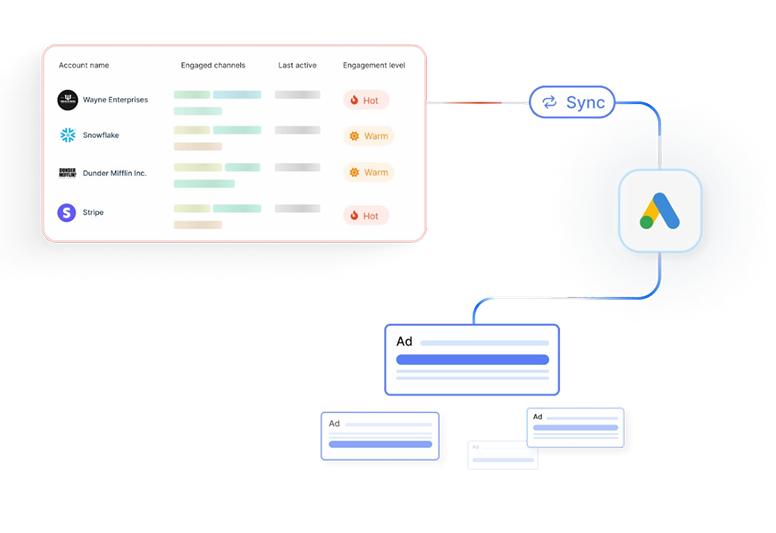
Scaling Google Ads without wasting spend starts with who you target.
- Precision Re-marketing
If you’re re-marketing to everyone, you’re wasting half your budget on visitors who’ll never convert.
With Audience Sync, you can retarget only ICP-fit accounts and high-intent visitors, using account-level firmographic and behavioral data.
Your ads show up for real buyers, not random browsers.
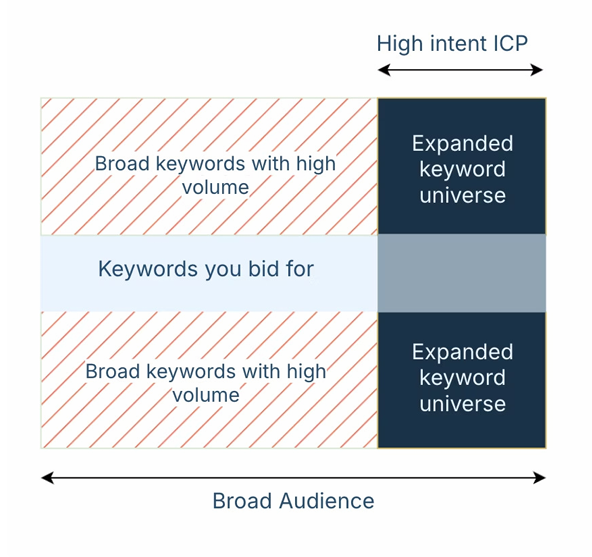
- Keyword Expansion with Audience Control
Broad keywords like ‘CRM’ or ‘helpdesk’ are powerful, but risky and costly. Normally, they attract irrelevant traffic and burn through budget.
With Google AdPilot, you can safely remarket to your best-fit accounts with broad keywords. You can finally expand your reach without compromising efficiency.
- Exclusion Audiences That Save Budget
Competitors, job seekers, and existing customers still click your ads.
With Audience Sync, you can automatically create and sync exclusion lists directly to Google Ads, cutting off those low-value clicks before they drain spend.
- Buyer-Stage Targeting
Google Ads isn’t just a top-of-funnel play.
With Google AdPilot, you can identify where each account is in the buyer journey and run stage-specific campaigns, tailoring messaging across Search, GDN, and YouTube.
It’s precision ABM, delivered at Google scale.
- Always-On Audiences
Manual uploads are slow and outdated.
With Google AdPilot, your audiences refresh daily based on live engagement signals, no CSVs, no lag. You get always-accurate targeting that scales with your funnel.
2. Conversion Feedback: Train Google’s AI to be smarter
Google’s AI is only as good as the data you feed it
Most marketers send incomplete or low-quality conversion data, so Google learns from the wrong signals.
- Enhanced Conversions (CAPI)
Powered by Google’s Enhanced Conversions, AdPilot goes beyond just tracking more conversions, it teaches Google which conversions actually matter.
Instead of sending every form fill the same value, AdPilot assigns differential weights based on ICP fit, deal size, and buyer stage. A $50K enterprise opportunity doesn’t look the same as a $2K trial signup, and now, Google knows that too.
By feeding Google value-based feedback, AdPilot helps its algorithm recognize high-quality clicks, prioritize high-value accounts, and optimize bidding toward revenue, not just volume. So every signal you send back tells Google, “Find more of these.”
- Up to 3× More Conversion Signals
Most marketers only send about half of their actual conversions back to Google, because traditional setups credit only the user who fills a form and ignore everyone else involved in the buying journey.
Google AdPilot fixes that.
It captures every GCLID (Google Click Identifier) from ad clicks, even when no form is submitted. Then, it maps those clicks back to the right account using account-level identifiers and reverse-IP enrichment.
That means if three decision-makers from the same company visit your site, one fills a form, two just browse pricing, Google now sees all three as part of the same conversion journey.
By capturing and feeding these multi-touch, account-level conversions back through Google’s Enhanced Conversions (CAPI), AdPilot sends up to 3× more accurate signals than a standard setup. The result: Google learns faster, optimizes better, and focuses your ad budget on accounts that actually move the pipeline, not on one-off clicks that never convert.
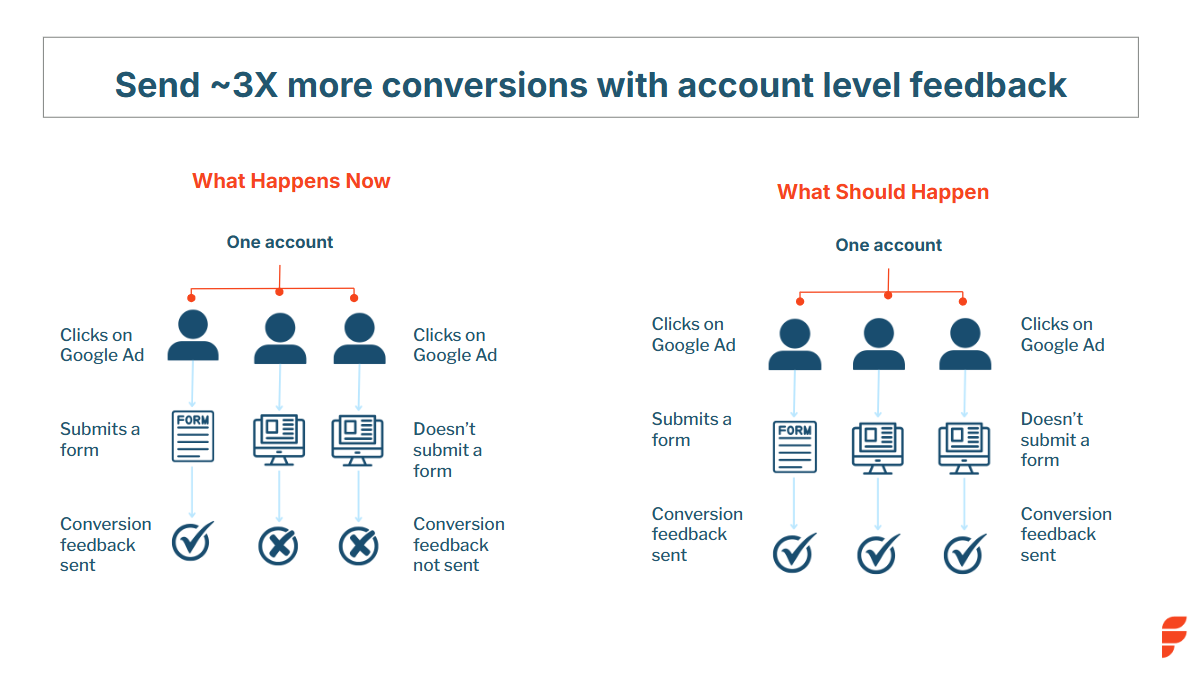
- Differential Conversion Values
Not all leads are equal.
An enterprise deal shouldn’t carry the same weight as a small trial signup.
AdPilot assigns value-weighted conversions based on ICP fit, stage, and potential deal size.
This enables smarter bidding strategies like Max Conversion Value or Target ROAS, ensuring Google optimizes for revenue, not volume.
- Click-Level Feedback
Not every click is created equal, and Google’s algorithm doesn’t know that unless you tell it.
With Click-Level Feedback, AdPilot evaluates each click based on who it came from and how likely that account is to move forward in the buying journey.
It looks at factors like ICP fit, engagement depth, and predictive scoring to assign every click a weighted value.
If a click comes from an enterprise account that matches your ICP and spends time on your pricing page, it’s assigned a higher value. If it’s from a low-fit SMB or a short bounce, it’s weighted down.
This way, Google’s AI starts recognizing the quality behind each click, not just the quantity. Your bids, budgets, and optimizations all start pointing toward the kind of traffic that actually turns into deals.
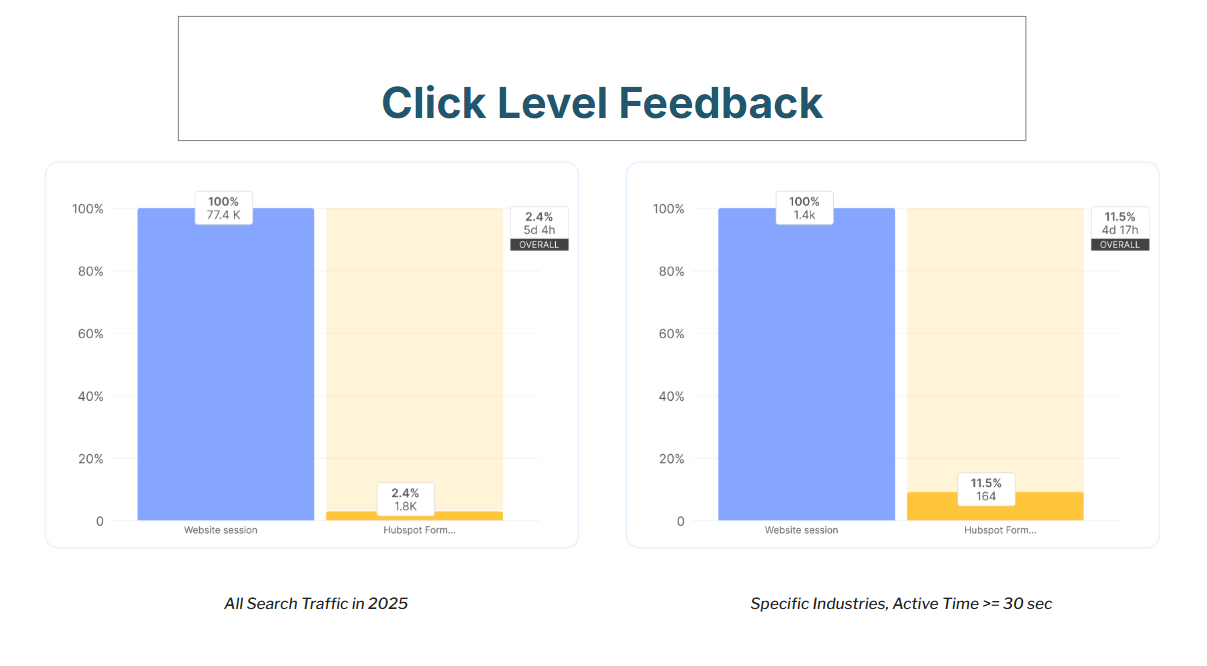
3. Analytics: Visibility beyond clicks
For years, Google Ads reporting has revolved around surface metrics, impressions, clicks, CPCs, and conversions. Useful? Sure. But not enough for modern B2B marketers.
Because in reality, a click doesn’t always equal a conversation. And a form fill doesn’t always mean pipeline.
With Google AdPilot, you finally see what happens after the click. It gives you full-funnel visibility, from impression to opportunity, so you can connect every ad, keyword, and visitor back to real business impact.
- See Which Accounts Paid Search Brings In
Most marketers can’t tell which companies actually land on their site from paid search if they don’t fill a form.
AdPilot changes that.
It identifies the exact accounts visiting through your Google Ads, even if no one fills out a form.
You get firmographic details, intent data, and engagement metrics that your sales team can act on immediately. Instead of “somebody from Google Ads visited,” you know who, how often, and how ready they are to buy.
- Know What Your Buyers Search For
Clicks are just the starting point. AdPilot shows you the actual search terms your ICP accounts use before visiting your site, not just aggregated keywords.
It helps you tie those searches directly to pipeline influence, revealing what high-value buyers are genuinely looking for. So you can prioritize the terms, messages, and offers that drive revenue, not just traffic.
- Understand Paid Ads in the Bigger Picture
Paid search rarely works in isolation. A Google ad might spark awareness that later converts through organic, direct, or referral channels.
AdPilot’s analytics show you those cross-channel patterns, how ads influence website behavior, what pages accounts explore before converting, and where they finally take action. You start to see how your ads move buyers through the journey, not just whether they do.
- Real-Time Dashboards Built for Marketers
AdPilot brings all your paid search performance, audience insights, and conversion data together, in one clean, visual dashboard.
You get the clarity to make faster, more confident decisions: which campaigns to scale, which audiences to prioritize, and which keywords to retire.
💡In short:
Audience Sync ensures you only target ICPs.
Conversion Feedback (CAPI) trains Google with richer, value-weighted signals.
Analytics gives you the visibility to connect every keyword and ad to real revenue.
Together, they turn Google Ads into a true ABM engine, efficient, measurable, and built for scale.
Reporting Live: From the dashboards
Teams using AdPilot have reported:
- Up to 3× more conversion feedback sent to Google
- Higher share of spend going to ICP-fit accounts
- Lower cost per qualified meeting
- Clearer attribution from ads to deals
“Before AdPilot, nearly 50% of our Google Ads spend went to non-ICP accounts. That meant wasted budget and poor conversion signals back to Google. With AdPilot, we can focus only on ICP accounts and feed Google the right data to optimize for high-value deals.”
- Mansi Peswani, Demand Generation Lead, Factors.ai
Fast, secure, and compliant setup
Google AdPilot connects to your existing setup in under an hour.
- Sync audiences directly to Google Ads. With Audience Sync, those lists stay continuously updated, so your campaigns never waste impressions on outdated or irrelevant audiences.
- Automate daily audience refreshes (no CSVs)
- Use Google’s Enhanced Conversion APIs (CAPI ensures every conversion event, from clicks to deals, is captured and shared securely with Google, enhancing attribution accuracy without compromising privacy.)
- Stay compliant with SOC 2, ISO 27001, and GDPR
Scale smarter, spend better and win bigger.
Google Ads will always be a marketer’s workhorse. But without precision targeting and smarter feedback, it starts galloping straight into wasted spend.
Google AdPilot by Factors.ai helps you take back control:
- Target high-fit accounts only
- Train Google’s AI with richer conversion data
- Track every keyword and ad to real pipeline
Because scaling ads should mean scaling revenue.
See it in action, Book a Demo
{{INLINE_TOFU}}
FAQs for Google AdPilot
1. What is Google AdPilot by Factors.ai?
Google AdPilot is a suite of features that transforms Google Ads into an ABM engine. It helps you target high-fit accounts, train Google with richer conversion feedback, and connect ad performance directly to pipeline.
2. How long does it take to set up Google AdPilot?
You can connect your CRM and Google Ads Platform to Factors with one click integrations. No complex setup or coding required.
3. Is Google AdPilot secure and compliant?
Yes. Google AdPilot is SOC 2, ISO 27001, and GDPR compliant. It uses Google-approved Enhanced Conversion APIs to ensure safe and compliant data handling.
4. Can I run Google AdPilot on top of my existing Google Ads setup?
Yes. AdPilot plugs right into your current campaigns. You can even A/B test it against your existing setup to see the difference in efficiency and ROI.
.avif)
Intuition can only take us so far: Fun with Factors (Part 1)
In Part 1 of our Fun with Factors series, we explore how intuition can be a helpful guide but falls short in predicting complex outcomes.

“Trust your intuition; it never lies.”, a saying most of us have heard and might strongly agree with. But at Factors this week, things were quite different when we had a session on “Intuition can only take us so far”. The idea was to relook at known concepts -- concepts we use more often than not -- and reimagine their implications from different perspectives. This article is an account of the one-hour discussion. We associate the word “factors” with different concepts at different times. Here, we associate it with maths!
Mathematics: Sturdy yet fragile
We started with the following story from “How Mathematicians Think” by Willian Byers:
A mathematician is flying non-stop from Edmonton to Frankfurt with Air Transat. The scheduled flying time is nine hours. Sometime after taking off, the pilot announces that one engine had to be turned off due to mechanical failure: "Don't worry -- we're safe. The only noticeable effect this will have for us is that our total flying time will be ten hours instead of nine." A few hours into the flight, the pilot informs the passengers that another engine had to be turned off due to mechanical failure: "But don't worry -- we're still safe. Only our flying time will go up to twelve hours." Sometime later, a third engine fails and has to be turned off. But the pilot reassures the passengers: "Don't worry -- even with one engine, we're still perfectly safe. It just means that it will take sixteen hours total for this plane to arrive in Frankfurt." The mathematician remarks to his fellow passengers: "If the last engine breaks down, too, then we'll be in the air for twenty-four hours altogether!"
Well, from basic math knowledge, you might find the next number in the sequence 9, 10, 12, 16 to be 24. Here’s how you find it. The first four numbers could be broken down as follows:
9 = 9
10 = 9+2⁰
12 = 9+2⁰+2¹
16 = 9+2⁰+2¹+2²
Pretty clearly, the next number in the sequence has to be 9+2⁰+2¹+2²+2³ = 24.
But does that mean the plane will stay in the air for 24 hours? No. It has only four engines. And if the last one breaks down too, the pilots would either perform an emergency landing or, in the unfortunate case, it would lead to a fatal crash. This shows both the strength and the fragility of maths. While in the first four cases, we could accurately measure how long the journey would take, as soon as the conditions are changed (i.e., gliding into the air instead of being thrusted by engines), the dynamics of motion change too.
{{INLINE_TOFU}}
Intuition could misdirect
Following is an example the “professor of professors”, Prof. Vittal Rao had given in one of his talks: Imagine you have some identical coins you are supposed to distribute among some identical people. How would you do that? Or more mathematically: In how many different ways P(n) can you distribute n identical coins to any number of identical people? Let us understand the problem by taking cases:
n = 1
- The only way to do that is to give it to a single person: o. Hence, P(1) = 1.
n = 2
Distribute 2 coins. Here are two different ways:
- You either give both coins to one person: oo
- Or you take two people and hand them a coin each: o|o
Hence, P(2) = 2.
n = 3
Distribute 3 coins. What do you think P(3) should be? If P(1) = 1, P(2) = 2, we could expect P(3) to be 3, right? Let’s see.
- ooo
- oo|o
- o|o|o
And 3 it is! Hence, P(3) = 3.
n = 4
Now this drives our intuition even further. The sequence we have seen until now has been 1, 2, 3. So it’s natural to assume P(4) to be 4. Let us enumerate all cases again.
- oooo
- ooo|o
- oo|oo
- oo|o|o
- o|o|o|o
We have 5 ways to distribute 4 coins -- this beats our intuition. We get P(4) = 5.
n = 5
With new information in hand (i.e., the sequence being 1, 2, 3, 5), we could update our intuition and say this matches the Fibonacci sequence, and expects it to follow 1, 2, 3, 5, 8, 13, ... Let’s see what happens with 5 coins in hand:
- ooooo
- oooo|o
- ooo|oo
- ooo|o|o
- oo|oo|o
- oo|o|o|o
- o|o|o|o|o
We get P(5) = 7 (not 8 as we had expected).
n = 6
Now what? We could now turn to a different logic: They are either odd numbers (barring the extra ‘2’) following 1, 2, 3, 5, 7, 9, 11, …, or prime numbers (barring the extra ‘1’) following 1, 2, 3, 5, 7, 11, 13, ..., giving P(6) to be either 9 or 11 respectively. Taking n = 6, we have:
- oooooo
- ooooo|o
- oooo|oo
- ooo|ooo
- oooo|o|o
- ooo|oo|o
- oo|oo|oo
- ooo|o|o|o
- oo|o|o|oo
- oo|o|o|o|o
- o|o|o|o|o|o
That’s 11 ways! The prime-number logic worked.
n = 7
Going by the same logic, we would expect P(7) to be 13 (the next prime number). Now, if you would go on and calculate it, we would have P(7) to be, in fact, equal to 15 (please go ahead and enumerate them).
In fact, it turns out that the sequence P(n) expands as follows: 1, 2, 3, 5, 7, 11, 15, 22, 30, 42, 56, 77, 101, 135, 176, 231, 297, 385, 490, etc. You could take a moment and think about it intuitively, but chances are rare that you would come up with the following formula:

approximating P(n), where we have:

The foregoing formula was derived by the well-renowned mathematician Srinivasa Ramanujan (along with G. H. Hardy). This illustrates the fact that intuition could take us only so close to the solution, and formal maths might have to be invoked in some cases.
At Factors, we support the philosophy of crunching numbers (rather than intuition) to provide intelligent marketing insights, which are only a demo away for you to experience. To read more such articles, visit our blog, follow us on LinkedIn, or read more about us.
Find the next article in this series here.
.avif)
Google Ad Rank: How To Improve Ad Rank In Google Ads
Learn how Google Ad Rank works in 2026, with step-by-step strategies to improve your Quality Score, optimize bids, and boost ad position without increasing spend.
TL;DR
- Ad Rank determines your ad's position and whether it shows at all — it's recalculated for every auction.
- The formula: Ad Rank = Max CPC Bid × Quality Score × Expected Impact of Extensions + Ad Rank Threshold
- Quality Score (1–10) is the most controllable factor — improve it via relevance, CTR, and landing page experience.
- Ad extensions/assets (sitelinks, callouts, structured snippets) boost Ad Rank at no extra cost.
- You can improve Ad Rank without raising bids by focusing on Quality Score and ad relevance.
Imagine you're searching for 'visitor identification software' on Google. The first ad that appears immediately grabs your attention. It is relevant, clearly explains how the software identifies website visitors, and even offers a free demo. Below this ad, you notice a few others. They don't stand out as much—one has vague messaging, while another doesn't seem as relevant to your search.
Why does the top ad rank higher than the others?
You might assume it's because the company paid more. While this is one factor influencing an ad's position, it's not always the case. Several factors, including the bid amount, keyword relevance, and ad quality, determine the ad's rank.
Ads in higher positions generally receive more clicks. If you're using Google Ads and want to improve your ad ranking, understanding ad rank is essential.
In this article, we'll explore the factors determining a Google ad's rank and offer tips on optimizing your ads for higher visibility.
Google Ad Rank is a value Google uses to determine your ad's position on the search results page and whether your ad will show at all. It is calculated in real-time for every auction using your maximum CPC bid, Quality Score, the expected impact of ad extensions, and Ad Rank thresholds.
Also, read Google Ads for SaaS companies.
What is Google Ad Rank?
Google Ad rank is a value used by Google to assess an ad's position on the Search Engine Results Page (SERP). If your ads are clear, helpful, and relevant to the search query, these factors combine to improve your ad rank, helping you secure the top spot on the SERP. Other ads with a lower ad rank are displayed below due to less relevance or poorer Quality Scores.
How Does Google Determine an Ad's Rank?

The following factors determine your Google Ad Rank.
1. Your bid amount
The bid amount is the maximum you are willing to pay for a click on your ad. While a higher bid can increase your chances of ranking higher, it does not guarantee the top spot. Google balances bid amounts with ad quality to ensure the most relevant ads appear first, not just those with the highest bids.
For example, if you set a bid of $6 per click, you're telling Google that you're willing to pay up to $6. But if another advertiser bids $5.50 and has a higher ad quality, they might rank above you, even though their bid is lower than yours.
2. Quality Score (Ad Quality)
Quality score is a metric that measures how relevant and useful your ads are to the users. It is taken into account to ensure that the ads appearing on the SERP provide a good user experience. A higher Quality Score can improve your ad's position even if your bid is low.
The Quality Score is measured using three components. They are:
2.1 Expected Click-Through-Rate (CTR)
This estimates how likely users are to click on your ad based on its relevance to the search query. Google looks at past performance and the overall effectiveness of your ad to determine your expected CTR. If people tend to click on your ad more often, Google assumes it's relevant, boosting your Quality Score.
2.2 Ad Relevance
This measures how closely your ad matches the search query. Ads that are specific to the user's intent perform better. If your ad's message and keywords on your ad landing page align well with the search intent, it will score higher in relevance.
2.3 Landing Page Experience
Firstly, users should have a positive experience on the landing page after clicking your ad. The landing page should deliver on the promise made in the ad.
Secondly, Google considers the page's loading speed, mobile-friendliness, context relevance, and ease of page navigation to determine the landing page experience. A poor landing page experience lowers your Quality Score, while a high-quality landing page improves it.
3. Ad Rank Thresholds
Ad rank thresholds are the minimum quality standards your ad must meet to be eligible to appear for certain positions on the SERP. Google uses these thresholds to ensure that only high-quality ads are displayed to users. Here's how it works:
3.1 Minimum Requirements
Each ad auction has a baseline threshold that ads must meet. If your ad's Quality Score and bid don't meet this minimum standard, your ad may not appear at all or appear in a lower position than desired.
3.2 Impact on Ad Visibility
Meeting the threshold does not guarantee a high position, but failing to meet it can prevent your ad from appearing in top positions. A low Quality Score can reduce your visibility even if your bid is competitive.
3.3 Quality over Quantity
Google prioritizes user experience, so ads that don't meet quality thresholds won't be prominently displayed, even if you are willing to pay more. This system encourages advertisers to create relevant and high-quality ads that enhance the overall user experience.
3.4 Dynamic Nature
Ad rank thresholds can change based on various factors like keyword competition, changes in user behavior, and updates to Google's Ad policies. You must continuously optimize the ads to meet these evolving standards.
4. Competition
Competition refers to the number of advertisers bidding on the same keywords and the quality of their ads. When multiple advertisers target the same keywords, Google evaluates all competing ads based on their bids and Quality Scores to determine the ad rank.
Imagine three companies bidding on the keyword 'intent data mapping.' The more advertisers bidding for this keyword, the more competitive the auction becomes. This increased competition means each advertiser must focus on their bid amount and ad quality to secure a top position.
- Company A bids $4 with a high-quality ad and a strong landing page.
- Company B bids $5 with a decent-quality ad but a less relevant landing page.
- Company C bids $5.5 but has a poorly written ad and a slow-loading landing page.
Even though Company A has the lowest bid, Company A could still rank higher due to a better Quality Score. Google prioritizes relevant ads that are likely to provide a good user experience.
5. Search Context
Search context refers to various factors that influence how Google ranks ads for a specific query. These factors help Google deliver the most relevant ads to users based on their unique situations. This works based on the following factors:
5.1 Search Terms and User Intent
Google analyzes the intent behind the search query. Users searching for visitor identification software might want to compare options, while others may be ready to make a purchase or request a demo.
Ads that align with the user intent such as providing detailed comparisons, offering demos, or emphasizing ease of implementation—are more likely to rank higher.
Also, read this article on Types of Google Ads.
5.2 User Location
When someone searches for 'visitor identification software' in a specific location like Virginia, Google may prioritize ads from companies operating in that region or those with localized content. This ensures that users see ads relevant to their geographic location, increasing the likelihood of conversion.
5.3 Type of Device
The type of device used for the search, such as a desktop, tablet, or mobile phone, can affect ad ranking. Mobile users may see different ads than desktop users. If a company's landing page is optimized for mobile devices and includes mobile-specific features (such as click-to-call buttons), it may rank higher when searched on mobiles.
5.4 Time of Day
The timing of the search can also impact which ads appear. For example, if a user searches for visitor identification software during business hours, ads promoting solutions tailored to immediate business needs may rank higher. Conversely, searches during off-hours may favor ads that highlight 24/7 support or free trials, appealing to users researching solutions at night.
6. Using Ad Extensions
Ad extensions provide additional information that makes your ad more useful. These extensions include call buttons, location information, site links, etc. These extensions can improve your ad's visibility, increase click-through rates (CTR), and enhance your ad rank.
Google considers the expected impact of your ad extensions when calculating Ad Rank. This means adding relevant extensions can improve your position without increasing your bid. Key extensions that influence Ad Rank include:
- Sitelink extensions: Additional links to specific pages on your site
- Callout extensions: Short highlights of key features or benefits
- Structured snippets: Categories of products or services you offer
- Call extensions: Phone number display for direct calls
- Location extensions: Your business address
- Price extensions: Product or service pricing information
Best practice: Enable all relevant extensions for every campaign. Google selects the most relevant combination for each auction.
{{INLINE_TOFU}}
Google Ad Rank Formula With Example
The Google Ad Rank formula is simple.
Ad Rank = Quality Score x Bid Amount
This means your ad's position on the SERP is determined by multiplying the maximum bid you're willing to pay by your ad's Quality Score. A higher Ad Rank results in better ad positioning, which can lead to more clicks and conversions.
Note that Ad Rank is recalculated in real-time for every auction — meaning your ad position can change from query to query based on the competitive landscape, user context (location, device, time of day), and how automated bidding strategies adjust your bids.
Let's break it down with a clear example.
Imagine three companies—Company A, Company B, and Company C—are competing for the keyword 'visitor identification software.' Here's how their bids and Quality Scores look:
| Company | Bid Amount | Quality Score | Ad Rank Calculation | Ad Rank |
| Company A | $6.00 | 9 | $6.00 x 9 = $54 | 54 |
| Company B | $5.00 | 4 | $5.00 x 4 = $20 | 20 |
| Company C | $4.00 | 5 | $4.00 x 5 = $20 | 20 |
Inference:
- Company A has the highest Ad Rank, meaning its ad will likely appear at the top of the SERP for this keyword.
- Company C's ad may appear below Company A's but still above Company B's.
- Company B has a higher bid but a lower Quality Score, which results in the same Ad Rank as Company C. However, if the ad rank threshold is met, Company B's ad may still show in a lower position.
Also, read a guide to Google Ads management.
How to Improve Your Google Ad Rank

To improve your Google Ads rank, focus on these factors.
1. Optimize For Ad Relevance
Align your ad copy and keywords with users' search queries. Use targeted language that matches user intent and incorporate relevant keywords into your ad copy. This ensures that your ad's messaging closely aligns with your targeted keywords.
2. Enhance Ad Quality
Write compelling ad copy that highlights your unique value proposition and includes a strong call to action. Leverage ad extensions such as sitelinks, callouts, and structured snippets to enhance your ad's visibility and CTR. Ensure these extensions are relevant to your keywords to avoid negatively impacting your Ad Rank.
3. Improve Landing Page Experience
Create a seamless user experience by ensuring your landing pages load quickly and are mobile-friendly. Offer valuable content, ensure easy navigation on the page, and provide error-free paths to conversion.
4. Utilize Bid Adjustments
Optimize your bids with bid adjustments based on device, location, and time of day. Increase bids for high-performing keywords to boost your ad rank and visibility.
5. Monitor and Refine
Do a Google Ads audit, and continuously monitor and optimize your ads to improve your performance. Use performance data to identify high-performing ads and make necessary adjustments. Test various ad variations, landing pages, and bid adjustments to improve your ad rank over time.
How to Check Your Ad Rank in Google Ads
Google doesn't display a direct "Ad Rank" number, but you can monitor related metrics to understand your ad positioning:
- Search Impression Share: Shows the percentage of eligible impressions your ads received.
- Search Top Impression Rate: Percentage of impressions shown above organic results.
- Search Absolute Top Impression Rate: Percentage shown as the very first ad.
- Auction Insights Report: See how you compare to competitors bidding on the same keywords.
- Quality Score column: Add this column to your keywords tab for a direct quality indicator.
To access these metrics: In Google Ads, go to Campaigns → Keywords → Columns → Modify Columns → Competitive Metrics.
Ad Rank vs Quality Score: What's the Difference?
Ad Rank and Quality Score are related but distinct concepts. Here's how they compare:
| Factor | Ad Rank | Quality Score |
| What it is | Auction-time score determining ad position | 1–10 keyword-level quality rating |
| When calculated | Every single auction in real-time | Updated periodically by Google |
| Components | Bid + QS + Extensions + Threshold | Expected CTR + Ad Relevance + Landing Page |
| Visibility | Not directly visible in your account | Visible in the Keywords tab |
| Control | Indirect (via bid and QS improvements) | Direct (optimize ads and landing pages) |
Key takeaway: Quality Score is an input to Ad Rank. Improving Quality Score is the most sustainable way to improve Ad Rank without increasing your budget.
What Real Users Say About Ad Rank
Based on discussions across PPC communities and forums, here are the most common insights from real advertisers:
- Landing page quality is underrated: Many advertisers report that improving landing page speed and relevance had the single biggest impact on their Ad Rank and reduced CPCs significantly.
- Don't ignore extensions: A common theme is that enabling all relevant ad extensions provided a noticeable boost without any budget increase.
- Quality Score compounds over time: Advertisers note that consistent optimization of ad relevance and CTR leads to gradually improving Quality Scores, which compounds into better Ad Rank.
- Bid isn't everything: Multiple users share experiences where competitors with higher bids still ranked lower due to poor Quality Scores — reinforcing that quality matters more than budget.
- Transparency frustrations: The PPC community frequently expresses frustration with Google's lack of transparency around exact Ad Rank calculations and thresholds.
The Bottom Line
Google Ad Rank determines where your ad appears — or whether it appears at all. While you can't control every factor, the most effective strategy is to focus on Quality Score optimization (relevant ads, strong CTR, fast landing pages), enable all applicable ad extensions, and use smart bidding strategies. These improvements can boost your Ad Rank and lower your costs simultaneously, delivering better ROI without simply outbidding competitors.
Google Ad Rank: Key Takeaways
Google Ad Rank determines the position of ads on the search results page, which impacts visibility and click-through rates. It combines several factors, such as bid amount, ad quality, and relevance. When a user searches 'B2B visitor identification software,' a relevant top ad may outperform others despite having a lower bid.
To improve your Ad Rank, focus on optimizing ad relevance, enhancing ad quality, and creating user-friendly landing pages. Utilize bid adjustments based on various factors and monitor performance regularly. Understanding how these elements work together can help you achieve better positions and increase conversions.
FAQs on Google Ad Rank
Q1. What is ad rank in Google?
Ad Rank in Google determines your ad's position on the search results page. It combines your bid amount and Quality Score, which reflects the relevance and quality of your ad.
Q2. What is a good Ad Rank in Google Ads?
There's no universal "good" Ad Rank number since it varies by auction. Instead, focus on metrics like Search Top Impression Rate (aim for >80% for brand terms) and absolute top impression share. Consistently appearing in top positions indicates strong Ad Rank.
Q3. How do I rank high in Google Ads?
Ensure your ad copy matches user search queries to optimize your ad relevance and rank high in Google Ads. Enhance your ad quality by writing compelling copy and using ad extensions. Improve your landing page experience for better user engagement and monitor performance to refine your strategy.
Q4. How do I improve Ad Rank without increasing my bid?
Focus on Quality Score improvements: write more relevant ad copy, improve landing page speed and content, use all applicable ad extensions, and ensure tight keyword-to-ad group alignment. These changes effectively raise your Ad Rank without spending more.
Q5. Does Ad Rank affect cost per click?
Yes. A higher Ad Rank (especially from Quality Score) can actually lower your CPC. You only pay the minimum amount needed to beat the Ad Rank of the competitor below you, so better quality means paying less per click.
Q6. Can I see my exact Ad Rank number?
No, Google doesn't expose the exact Ad Rank value. You can infer it from impression share metrics, average position proxies, and auction insights data in your Google Ads account.
Q7. What are the levels of Google Ads?
Google Ads does not have fixed levels but operates through a bidding and ranking system based on your bid amount and Quality Score. A higher Ad Rank leads to better ad positioning, while a lower Ad Rank results in less visibility.
Q8. What is the Google Ad Rank list?
The Google Ad Rank list is the order in which ads appear on the search results page, determined by their Ad Rank values. Higher Ad Rank leads to better ad positions and increased visibility.
Q9. What is the formula for Google Ad Rank?
The formula for Google Ad Rank is Ad Rank = Bid Amount x Quality Score. This formula states that your ad position is determined by multiplying the maximum bid you are willing to pay by your quality score.
Q10. What is the difference between Ad Rank and Quality Score?
Ad Rank determines your ad's position on the search results page, while Quality Score assesses how relevant and useful your ad is to users. Quality Score contributes to Ad Rank but is just one of the factors influencing it.


We don’t just write about demand gen. We deliver it.
Our AI Agents help you uncover high-intent accounts, run campaigns that actually convert, and keep your GTM motion in sync.
1000+ GTM teams have already scaled their pipeline with Factors.
*Includes built-in peace of mind. And fewer late-night funnel audits.

.svg)










.png)