
Good Reads
Fix pipeline pains. Solve GTM puzzles. Read strategic brain dump.
Written for marketers who want real solutions to a leaking pipeline (and their dark circles).
Want to read more from us?


I’m looking for…
Account Based Marketing vs. Marketing Automation: A Love Story Nobody Asked For (But Everyone Needs)
What is the difference between ABM and Marketing Automation? Learn why ABM is a high-touch strategy for VIP accounts while automation is a tool for scale. Discover how to combine both for maximum B2B pipeline.

TL;DR
- ABM is a focused, high-touch strategy targeting specific high-value accounts. Marketing automation is the engine that helps you scale communication across many.
- Using marketing automation and calling it ABM is like using a megaphone to whisper. Technically works. Completely misses the point.
- The two aren't rivals. They're actually better together (like peanut butter and jelly, not Batman and the Joker).
- Knowing when to use which one will save your pipeline, your sanity, and probably your Q3 review.
Ah, B2B marketing strategy discussions. Where everyone nods confidently, half the room secretly Googles terms under the table, and someone always suggests, "Maybe we should just do both?" (Spoiler: You probably should. But let's not get ahead of ourselves.)
Today's episode of "Two Things That Sound Similar But Are Definitely Not" features: Account-Based Marketing vs. Marketing Automation.
Because apparently, someone out there is still treating these two like they're interchangeable. And honestly? That's fine. That's what this blog is for.
Let's clear the air, shall we?
First, Let's Talk About What ABM and Marketing Automations Actually Are
Because nothing derails a marketing strategy faster than people using terms confidently without knowing what they mean. (We've all been in that Zoom call. You know the one.)
Account-Based Marketing vs Marketing Automation: The Head-to-Head Comparison
What is Account-Based Marketing (ABM)
ABM is a strategic approach where Marketing and Sales join forces to target a specific set of high-value accounts. Instead of casting a wide net, you’re treating individual accounts as a market of one.
ABM is exactly what it sounds like, marketing aimed at specific accounts. Not "everyone in SaaS." Not "companies with more than 50 employees, probably." Specific, researched, deliberate accounts that your sales team has already circled in red pen.
Here's the deal with ABM:
- You identify a list of high-value target accounts (your VIP guest list, essentially).
- You create hyper-personalized content, outreach, and experiences for those accounts.
- Sales and marketing actually speak to each other (yes, this is part of it).
- You measure success by how deeply those accounts engage, not by how many people clicked your generic email.
ABM is precise. ABM is intentional. ABM is the kind of marketing that makes prospects think, "Wait, did they make this just for me?"
(Yes. Yes, they did. That's the whole point.)
What is Marketing Automation
Marketing automation is the technology engine that handles repetitive tasks at scale. It’s the "always-on" system that ensures no lead drops through the cracks while you’re sleeping (or grabbing a fourth coffee).
Marketing automation is the system that lets you communicate at scale without your team having to manually send 10,000 emails by hand every Tuesday morning.
It handles:
- Drip sequences that nurture leads over time
- Triggered emails based on behavior (visited pricing page? Here comes an email)
- Lead scoring so Sales knows who's warm before they reach out
- Multi-touch campaign orchestration across email, ads, and more
Marketing automation is smart efficiency. It takes your strategy and runs it at scale without you having to clone yourself. Which, given current technology, is still not an option. Unfortunately.
So... What's the Actual Difference Between Account-Based Marketing and Marketing Automation?
Glad you asked. Here's the part where we address the elephant in the room wearing a "but aren't they the same?" t-shirt.
ABM is a strategy. Marketing automation is a tool.
Trying to compare them directly is a bit like asking, "What's better: cooking or a spatula?" One is an approach. The other helps you execute it. You need both, but they're not doing the same job.
Here's a slightly more useful breakdown:
ABM asks: Which accounts do we want? How do we win them?
Marketing Automation asks: How do we reach people at scale without losing our minds?
ABM says: "Hey, Acme Corp. We know your team is evaluating vendors. Here's a case study specifically for your industry, a custom demo invite, and a LinkedIn ad sequence with your CFO's face on it." (Okay, not literally. But almost.)
Marketing Automation says: "You downloaded our ebook three days ago. Here's a follow-up email. And another one. And one more in a week. And an ad. You're very welcome."
See the pattern?
The 5 Places People Get ABM and Marketing Automation Gloriously Wrong
Because if we're being honest (and sarcastic), the confusion is real and widespread.
Mistake #1: Running the Same Email Blast and Calling it ABM
Taking your generic nurture sequence, adding a "Hi [First Name]" field, and declaring it ABM is not ABM. That's just automation with delusions of grandeur.
Real ABM requires actual personalization. Account-specific pain points. Relevant case studies. A message that doesn't feel like it was sent to 4,000 people at once — even if, technically, it was.
Mistake #2: Using ABM for Every Account Ever
ABM is not for everyone. That's kind of the whole point.
Running a full ABM motion for 500 accounts simultaneously with a team of three people is a great way to burn out your team and produce something that's personalized for absolutely no one.
Pick your top-tier accounts. Focus your energy. Save the broad strokes for automation.
Mistake #3: Thinking Marketing Automation Replaces Human Judgment
Marketing automation is smart, but it is not wise.
It will happily send a "We miss you!" email to someone who just churned after a horrible experience with your product. It will fire a "Congrats on your funding!" message to a company that just laid off 40% of its staff. It will nurture a lead who signed up by accident, looking for a different company entirely.
Automation executes. Humans (still) have to think.
Mistake #4: Not Connecting the Two at All
Here's where it gets interesting: the teams that get the best results from ABM are usually the ones who use marketing automation to power their ABM plays.
Automated intent signals triggering personalized outreach sequences? That's the dream. Personalized ads served automatically to target accounts based on CRM data? Chef's kiss. ABM and automation aren't fighting for budget. They're co-workers who'd actually get along great if someone just introduced them properly.
Mistake #5: Measuring ABM with Lead Gen Metrics
If you're running ABM and still asking, "But what's the CPL?" — respectfully — you're measuring the wrong thing.
ABM metrics look like:
- Pipeline influenced per target account
- Account engagement depth (how many stakeholders, how often)
- Deal velocity on ABM-touched accounts
- Closed-won revenue from your target account list
Not form fills. Not clicks. Not "8,000 impressions, very exciting."
So, When Do You Use “Which”?
Great question. Let's make this simple enough to explain at your next all-hands without losing anyone.
Use ABM when:
- You're going after enterprise accounts with long, complex sales cycles
- Your deal sizes are large enough to justify personalized investment
- You have a defined list of accounts that Sales is actively pursuing
- You want to run coordinated, multi-stakeholder campaigns across an account
Use Marketing Automation when:
- You have high inbound volume and need to nurture efficiently
- You want to run always-on campaigns without manual effort
- You need to score and route leads at scale
- You're working with SMB or mid-market segments where ABM economics don't quite add up
Use both (yes, both) when:
- You want automation to power your ABM, like intent-based triggers that fire personalized sequences for target accounts
- You need scale and precision, because why choose suffering when you can choose systems?
The best B2B marketing teams don't pick a side. They use automation as the engine and ABM as the steering wheel.
How Factors.ai Fits into All of This
Since we're talking about doing ABM properly (and not accidentally turning it into a mass email campaign with a fancy name), this is where the tooling actually matters.
Factors.ai helps bridge the gap by giving you the account-level visibility that makes both ABM and automation actually work:
- Website visitor identification so you know which target accounts are browsing, even before they raise their hand
- Account-level intent signals so your automation triggers at the right moment, not just on a Tuesday
- Multi-touch attribution so you can see which ABM plays are actually moving accounts forward (and which ones are just costing money and vibes)
- Account 360 view that stitches together CRM activity, ads, website behavior, and sales touches into one clean timeline
In other words: smarter ABM, powered by automation, measured properly.
Which is, frankly, the combination everyone claims to have but very few actually do.
Wrapping Up (Before Someone Sends Another "Personalized" Blast to 3,000 People)
Let's land the plane here.
ABM and marketing automation are not the same thing. They're not rivals either. They're complementary approaches that, when used together correctly, create the kind of revenue engine that actually makes your pipeline report look like something you'd want to present.
The teams winning right now aren't choosing between them. They're letting automation handle scale and using ABM to go deep where it counts.
So the next time someone in a meeting says, "We should just automate our ABM," — smile politely, send them this article, and maybe suggest a brief vocabulary alignment session.
Because the difference between ABM and automation isn't just semantic. It's pipeline. And you deserve both.
FAQs on ABM vs. Marketing Automation
Q1. Does ABM actually replace Marketing Automation?
No, they are complementary. Automation handles the volume, while ABM handles the high-value strategic accounts.
My Honest Take: People ask this because they’re looking for a way to delete half their workload. Sorry, no. It’s like asking if a sniper rifle replaces a net. If you only use the spear (ABM), you’ll starve while waiting for the big whale. If you only use the net (Automation), you’ll catch a lot of "trash fish" (students, competitors, and people just there for the free template). You need both unless you enjoy being stressed about your pipeline.
Q2. Do I need to buy an expensive ABM tool if I already pay for HubSpot or Marketo?
The short answer is no, but it depends on how much you enjoy manual labor. Most automation tools are built to track people, while ABM tools like Factors.ai are built to track companies.
My Honest Take: This is the #1 question on Reddit because everyone feels like they’re being upsold. You can absolutely do ABM in a standard CRM, it’s just like trying to build a LEGO set while wearing oven mitts. It’s clunky, but possible. Don’t buy the $50k like 6Sense or Dreamdata software until you’ve proven the strategy works with a spreadsheet first.
Q3. Is ABM just fancy outbound sales with a bigger marketing budget?
If your ABM strategy is just your sales rep cold emailing 50 people a day, that’s not ABM, that’s just a busy sales rep. Real ABM is a pincer movement where marketing warms the target up with ads and content while sales knock on the door.
My Honest Take: LinkedIn "gurus" love to overcomplicate this. In reality, the "fancy" part is just coordination. If Marketing and Sales aren't actually talking to each other daily, you’re just doing regular outbound and calling it a trendier name to justify the budget.
Q4. How do I start ABM without a six-figure budget?
Start with a Crawl-Walk-Run framework. Manually identify 10 dream accounts, use a simple visitor tracker to see if they’re hitting your site, and have your CEO reach out personally with a specific observation about their business.
My Honest Take: People ask this because they think ABM is a "rich person's game." It’s actually the opposite. If you're a startup with only $1,000 for ads, would you rather show them to 100,000 randoms or the 10 people who can actually sign your paycheck? (Hint: pick the 10).
Q5. Can I automate my ABM, or does that defeat the whole purpose?
You should automate the logistics, like alerts when a target account visits your pricing page, but never automate the relationship. If your dream account gets an email that clearly came from a sequence, you’ve already lost.
My Honest Take: This is where most teams mess up. They try to "scale" personalization until it isn't personal anymore. Automation is for the journey (tracking, ads, data); humans are for the handshake (emails, calls, gifts).
First Touch vs Last Touch Attribution in B2B
First-touch attribution credits the initial interaction (awareness), while last-touch attribution credits the final interaction (conversion). Find out the difference between first touch vs last touch attribution in B2B, compare models, and discover how to move to multi-touch and account-level attribution.
.avif)
TL;DR
- First-touch attribution assigns 100% credit to the first interaction, while last-touch attribution assigns 100% credit to the final interaction before conversion.
- Both models are simple but incomplete for long B2B sales cycles with multiple stakeholders and touchpoints.
- Multi-touch models like linear, time decay, and position-based attribution distribute credit more realistically across the buyer journey.
- B2B revenue happens at the account level, not the lead level, which makes account-level attribution more accurate for complex deals.
- Unified data across CRM, ads, website activity, and intent signals is essential for reliable attribution.
- Attribution is ultimately about guiding budget decisions and accelerating revenue, not just assigning credit.
Humans can start here:
I once sat in a revenue review where marketing said, “We sourced the deal.” Sales replied, “No. We closed it.”
The CFO just stared at both of us and asked, “So who actually influenced it?”
Welcome to the eternal B2B debate: first-touch vs. last-touch attribution.
If you’ve ever tried to defend your LinkedIn ad budget, justify branded search spend, or explain why that webinar ‘totally mattered’, you’ve already felt this tension.
Because in B2B, revenue rarely comes from a single click.
Deals take months. Buying committees have opinions. Prospects read your blog, ignore your emails, Google you at midnight, attend a webinar six weeks later, and then finally book a demo after a branded search.
So who gets the credit? The introduction? Or the close-r?
That question lies at the heart of the first-touch vs. last-touch attribution. And the answer shapes how budgets are allocated, how teams behave, and how performance is judged.
Let’s break it down properly.
What is first-touch vs last-touch attribution?
At its simplest, first-touch vs. last-touch attribution is about how you assign credit for a conversion.
- First-touch attribution gives 100% of the credit to the very first interaction a prospect had with your brand.
- Last-touch attribution assigns 100% of the credit to the final interaction before conversion.
One model rewards the introduction, the other rewards the closing interaction.
This topic ranks well in search because most marketers are not looking for theory. They are trying to answer a practical question:
Which model should I use for my B2B company?
Single-touch models like these were originally designed for simpler funnels. Think ecommerce. One user. One product. One session. Quick purchase.
B2B looks nothing like that… we deal with:
- 6 to 12-month sales cycles
- Multiple stakeholders across roles
- A mix of paid ads, organic content, outbound sales, retargeting, webinars, and brand search
Reducing all of that to one single moment is convenient, but that convenience does not always = accuracy.
How does the first-touch attribution model work?
The first-touch attribution model assigns 100% of the credit for a conversion to the very first interaction a prospect had with your brand.
You’ll also hear this called first-click attribution. In most marketing tools, first-click attribution tracks the first recorded marketing interaction tied to a user or lead. Broader first-touch attribution can include non-click interactions, depending on how your system captures data.
In simple terms, this model answers one question:
What introduced this buyer to us?
First-touch attribution model example
Let’s say you run a SaaS company selling to mid-market finance teams.
Here’s how a journey might unfold:
- A VP of Finance sees your LinkedIn ad.
- She clicks through and reads a blog.
- A week later, she downloads a guide.
- A month later, her team attends your webinar.
- Two months later, she searches your brand on Google.
- She clicks a branded search ad.
- She books a demo.
Under the first-touch attribution model, 100% of the credit goes to the very first LinkedIn ad.
Everything else in the journey gets zero credit.
Even though it clearly played a role.
Why do teams like first-touch attribution SO much?
There are good reasons this model exists.
- It gives visibility into demand generation.
If you’re investing heavily in awareness channels like LinkedIn, display, content, or SEO, first touch attribution helps you see which channels are actually introducing new accounts. - It justifies top-of-funnel spend.
Brand and awareness are notoriously hard to defend in performance-driven organizations. First touch attribution gives those efforts measurable influence. - It’s easy to understand.
No weighting formulas and overly complex distribution. Just one clear origin point.
When I worked with early-stage B2B teams, first touch has often been the fastest way to show that paid social or content marketing is not just ‘nice to have’, it creates pipeline entry.
So, where does first-touch break?
Here’s the problem: B2B deals are rarely won at the first interaction.
First touch attribution completely ignores:
- Nurturing content
- Sales follow-ups
- Retargeting
- Webinars
- Product demos
- Bottom-of-funnel ads
- Sales conversations
It can overvalue awareness channels and undervalue the work required to convert pipeline into revenue.
Also read: Top 7 marketing attribution tools
If you rely only on first-touch attribution, you might increase top-of-funnel spend aggressively while starving the channels that actually drive deal progression.
When does first touch make sense in B2B?
First touch works well when your primary goal is to understand:
- What channels are bringing in new accounts
- Where awareness is being created
- Which campaigns are opening doors
It is especially useful when you’re trying to defend brand or demand generation budgets internally.
But it tells only the beginning of the story. Now, let’s look at the other extreme: the model that gives all the credit to the final interaction before conversion.
That’s the last click attribution model.
What are the key differences between first-touch and last-touch attribution?
When we talk about first-touch vs. last-touch attribution, we are really talking about two different measurement philosophies.
One values origin, while the other values conversion. Let’s find out which one is which…
| Dimension | First Touch Attribution | Last Touch Attribution |
|---|---|---|
| Credit goes to | Initial interaction | Final interaction before conversion |
| Strategic bias | Awareness channels | Conversion channels |
| Best for | Understanding demand generation | Tracking immediate conversion drivers |
| Commonly favors | LinkedIn ads, SEO, display | Branded search, retargeting, and direct |
| Risk | Undercredits sales and nurturing | Undercredits marketing and brand |
What does this mean inside a B2B company?
Attribution models do more than measure performance. They shape decision-making, internal narratives, and budget allocation.
When a company uses first-touch attribution, marketing teams tend to focus heavily on prospecting and awareness campaigns. Brand initiatives appear highly influential because they are credited with creating pipeline entry. Top-of-funnel budgets often grow as a result. Meanwhile, sales and mid-funnel nurturing efforts can appear less impactful in attribution reporting, even though they may have played a critical role in closing the deal.
When a company relies on last click attribution, the opposite dynamic often unfolds. Branded search and retargeting campaigns seem to drive most conversions. Sales follow-ups look central to revenue generation. Prospecting campaigns may appear inefficient because they rarely receive direct credit. As a result, organizations may shift budget toward bottom-of-funnel channels and reduce investment in demand generation.
Both models can create distorted incentives.
In B2B organizations, budget decisions are frequently tied to what attribution reports highlight. If awareness channels receive full credit, performance and conversion efforts risk under-investment. If conversion channels receive full credit, pipeline creation efforts may quietly weaken over time.
I have seen both scenarios play out. In each case, the company believed it was optimizing performance, while in reality it was narrowing its view of how revenue actually materializes.
The deeper issue is that neither the first touch nor the last touch reflects how B2B buying actually works.
Enterprise deals are rarely created by a single interaction. They are shaped by a sequence of engagements across time, channels, and stakeholders.
That brings us to the structural limitation of single-touch models.
It's exactly why we’ve been talking to a lot of marketers lately who are struggling to see the full picture. If you're still relying on basic, single-touch reporting, do yourself a favor and upgrade your analytics and attribution tools before scaling up your spend.
Where do single-touch models break in B2B?
Single-touch attribution reduces a complex buyer journey to one recorded event.
That simplification can work in ecommerce environments where a single user makes a quick purchase decision. It does not hold up in B2B environments where buying decisions are slower, collaborative, and research-heavy.
As we saw above, a typical B2B deal often includes multiple steps.
Now, think about what actually happens in an enterprise deal:
- One stakeholder downloads a whitepaper after seeing a paid campaign.
- Another stakeholder visits the pricing page months later.
- A third attends a webinar.
- A sales representative conducts a discovery call.
- A senior executive reviews your LinkedIn presence.
- Eventually, someone searches your brand and books a demo.
If you assign 100% of the credit to a single moment in that journey, you are ignoring the collaborative and cumulative nature of B2B buying; that’s the structural flaw of single-touch attribution.
It compresses a multi-stakeholder, multi-month journey into one timestamp. The result is reporting that feels disconnected from reality.
This disconnect is why many B2B teams struggle to reconcile performance dashboards with their intuitive understanding of how their deals are won. To address that gap, companies turn to multi-touch attribution models. Instead of selecting a single interaction as the winner, these models distribute credit across the journey more evenly.
Next, let’s see how multi-touch attribution works and why it provides a more balanced view of B2B performance.
Everything in between: Multi-touch attribution models
If first touch credits the introduction and last touch credits the closer, multi-touch attribution accepts a simple truth:
In B2B, revenue is influenced by multiple interactions.
A multi-touch attribution approach distributes credit across several touchpoints in the buyer journey rather than assigning 100% to a single one.
Rather than asking, “Which single click caused this deal?” the question becomes: “How did different interactions contribute to moving this account forward?”
Because in most B2B journeys:
- Awareness campaigns create entry
- Content builds credibility
- Webinars deepen engagement
- Sales conversations drive evaluation
- Retargeting reinforces consideration
- Branded search captures intent
Multi-touch attribution acknowledges that influence accumulates. So, it maps contributions across the customer journey in a weighted way rather than collapsing everything into a single event.
This is where these models come in:
- Linear attribution model
- Time decay attribution model
- Position-based attribution model
Each distributes credit differently and reflects a different philosophy about what matters most in a buying journey.
Let’s break them down clearly so you can see how they compare.
Comparing linear, time decay, and position-based models
Comparing all five attribution models
| Model | Credit Logic | Strength | Primary Risk |
|---|---|---|---|
| First touch attribution | 100% to the first interaction | Demand generation visibility | Ignores closing influence |
| Last touch attribution | 100% to the final interaction | Clear conversion tracking | Overvalues bottom-of-funnel |
| Linear attribution model | Equal credit to all the touches | Balanced view | No weighting nuance |
| Time decay attribution model | More weight to the recent touches | Reflects deal momentum | Undervalues early awareness |
| Position-based attribution model | Heavy credit to the first and last | Full-funnel balance | Formula rigidity |
- Linear attribution model
The linear attribution model assigns equal credit to every recorded touchpoint in the journey. If a deal involved ten interactions, each interaction receives 10% of the credit. This model assumes that every touchpoint contributed equally to the outcome.
Pros:
- Provides a balanced view
- Recognizes both marketing and sales influence
- Encourages cross-functional alignment
Cons:
- Treats a five-second blog visit the same as a one-hour demo
- Does not account for intensity or timing
- Can feel overly simplistic in complex journeys
Linear attribution is often a good first step for teams moving away from single-touch models. It introduces fairness, but not nuance.
- Time decay attribution model
The time decay attribution model assigns more credit to interactions that occur closer to conversion. Earlier touches receive some credit, but recent interactions carry more weight. This model reflects the belief that later-stage engagement has a stronger influence on the final decision.
Pros:
- Recognizes nurturing and closing impact.
- Useful for shorter B2B sales cycles.
- Aligns well with pipeline progression.
Cons:
- Can undervalue early awareness.
- May bias reporting toward bottom-of-funnel efforts.
- Less effective for long enterprise cycles.
Time decay is often helpful for mid-market B2B teams where sales cycles are measured in months rather than quarters.
- Position-based attribution model
The position-based attribution model, often called the 40-20-40 model, assigns the most credit to the first and last interactions.
Typically:
- 40% to the first touch
- 40% to the last touch
- The remaining 20% is distributed across middle interactions
This model recognizes that introduction and conversion both matter significantly, while still acknowledging the journey in between.
Pros:
- Balances awareness and conversion
- Encourages full-funnel investment
- More realistic than single-touch
Cons:
- Still formula-based
- Assumes first and last are inherently most important
- Does not adapt dynamically to different journey types
For many growth-stage SaaS companies, position-based attribution is a practical compromise. It protects brand investment while recognizing closing influence.
Each model is an improvement over single-touch in different ways. But even multi-touch attribution models have limitations in B2B, as most still operate at the lead level. Unfortunately, B2B revenue does not occur at the lead level; it occurs at the account level.
Attribution at the account level (not just the lead-level)
Most attribution discussions assume one person equals one journey.
But revenue in B2B happens at the account level. Buying decisions are made by committees, not individuals, yet many attribution models are still built around single leads, single cookies, or single form fills.
That creates fragmentation, like this:
- One stakeholder downloads a guide
- Another attends a webinar
- A third speaks to sales
- A fourth clicks a retargeting ad
If your attribution model tracks them separately, you never see the full story… You see pieces. Account-level marketing attribution solves this by stitching interactions together across all stakeholders within the same company.
What does account-level attribution actually connect?
True account-level attribution merges multiple data streams into a unified journey:
- Website visitor activity across users from the same company
- CRM lifecycle stages such as MQL, SQL, Opportunity, Closed Won
- Paid advertising touchpoints, including LinkedIn ads
- Organic content engagement
- Company-level insights through LinkedIn’s Company Intelligence API that captures the impact of LinkedIn’s paid and organic touchpoints, including: paid engagements, organic engagements, organic impressions, paid impressions, paid clicks, and paid leads.
- You get attribution that reflects how buying groups actually buy, not just last-click or one user’s activity.
- Sales outreach activity
- Product usage signals
- Third-party intent data, such as Bombora
When all of this is connected, you can visualize progression across the full inbound marketing funnel.
At Factors.ai, for example, the complete journey view shows how an account moves from anonymous engagement to qualified pipeline to revenue. You can see how paid, organic, and sales interactions intersect over time. Funnel progression from MQL to SQL to opportunity is tied back to marketing influence, not just lead creation.
This is a fundamentally different way of thinking about attribution. What I mean is… single-touch attribution answers this question: ‘What was clicked?’, but account-level attribution answers this question: ‘What influenced the deal?’
And they’re not the same thing (obviously).
In B2B, with multiple stakeholders and long cycles, account-level visibility often reveals patterns that lead-level models miss entirely. You begin to see which combinations of content, ads, and sales interactions correlate with faster pipeline progression. You identify which channels influence expansion deals, not just initial conversions.
That level of insight changes strategy, informing budget allocation, shaping sequencing decisions, and aligning marketing and sales around shared revenue movement.
Now the practical question becomes: which model should your team actually use?
Choosing the right attribution model for B2B teams
There is no universal best attribution model. There is only the right model for your stage, your complexity, and your reporting maturity.
I’ve worked with early-stage SaaS teams that needed clarity fast. I’ve also worked with mature B2B organizations drowning in dashboards but lacking alignment. The solution looked very different in each case.
Here is how I think about it.
- Early-stage B2B companies
If you are an early-stage company, you probably need simplicity, so start with last touch attribution.
It is clean, easy to measure, and aligns well with CRM reporting. It gives you clarity on what is driving immediate demo bookings or form fills. At the same time, layer in first-touch attribution to understand what is driving new accounts into your ecosystem.
At this stage, your goals are usually:
- Validate channels
- Identify initial traction
- Show pipeline creation
- Demonstrate conversion efficiency
You don’t need a complex weighted model yet; you just need directional insight.
- Growth-stage SaaS companies
Once you have a consistent pipeline and a more structured marketing mix as a growth-stage company, single-touch models start limiting decision quality. This is where position-based attribution or the linear attribution model becomes useful.
Position-based attribution protects both demand generation and conversion channels. Linear attribution creates a more balanced internal narrative across teams.
At this stage, you should focus on:
- Tracking pipeline influence, not just lead volume
- Measuring campaign impact across funnel stages
- Connecting marketing activity to opportunity creation
- Understanding which sequences accelerate deals
You want to move from conversion reporting to pipeline progression reporting.
- Enterprise B2B organizations
If you are operating in enterprise environments with long sales cycles and multiple stakeholders, lead-level attribution becomes insufficient. And this is where account-level multi-touch attribution becomes essential.
You should be integrating:
- CRM lifecycle stages
- Paid ads across platforms
- Organic engagement
- Sales outreach
- Third-party intent signals
- Product usage data, if relevant
Your goal shifts from channel performance to movement of revenue… and you start asking, ‘Which combination of interactions moved this account from evaluation to closed won?’, instead of, ‘Which campaign drove the lead?’
|
A practical decision checklist
If you are unsure where you stand, ask yourself:
Short cycles and simple funnels can tolerate single-touch models. Long cycles and complex buying committees require multi-touch and eventually, account-level attribution. The model should evolve as your company grows, bringing us to the final piece: data fragmentation… because that’s not something Coldplay can fix. |
Moving beyond attribution silos with unified data
Attribution mostly fails because the data is incomplete, and I’ve seen companies debate linear versus position-based attribution for weeks, while:
- LinkedIn organic activity is not being tracked
- CRM lifecycle stages are not synced properly
- Ad platforms operate in isolation
- Sales conversations are invisible to marketing dashboards
- Third-party intent data sits in a separate tool
In that environment, even the most advanced attribution model becomes decorative.
Where does attribution break down?
Attribution loses credibility when:
- Ad platforms report in isolation from CRM revenue.
- Website analytics cannot identify company-level traffic
- Offline sales interactions are not logged
- LinkedIn ads are measured separately from organic engagement
- Intent data is disconnected from campaign execution
You end up with multiple ‘truths’ depending on which dashboard you open… and that, my friend, is not a good look. Imagine this… marketing sees one story, sales sees another, and finance trusts neither…

What unified attribution actually looks like
A reliable B2B attribution system connects:
First-party data
- Website activity
- CRM lifecycle stages
- Sales interactions
- Product usage signals
Second-party data
- Partner-sourced engagement
- Co-marketing activity
- Events and webinars
Third-party intent data
- Topic-level buying signals from providers such as Bombora
- Surging account insights
- Research behavior outside your owned properties
When these data sources are stitched together at the account level, attribution shifts from click tracking to revenue mapping.
You can see:
- Which accounts are warming up before they convert
- Which touchpoint sequences correlate with faster deal cycles
- Which channels influence opportunity creation, not just form fills
- How paid and organic efforts interact
- Where budget expansion actually increases pipeline velocity
The role of AI-driven orchestration
When unified data is in place, AI can enhance attribution in practical ways:
- Account scoring based on multi-source engagement.
- Identification of high-intent accounts before they raise their hand.
- Next-best-action recommendations for sales.
- Automated audience syncing to LinkedIn ads.
- Revenue-level attribution tied to opportunity stages.
Now, this has become all about guiding investment decisions with clarity, and that is the real point… attribution is not about giving credit, but about directing capital.
When done correctly, attribution helps you answer:
Where should we invest the next dollar to accelerate revenue?
First touch and last touch are starting points, but multi-touch models are refinements. Account-level unified attribution is the strategic layer that connects everything. Now, that connection is what separates activity from acceleration.
In a nutshell…
If there is one thing I want you to walk away with, it is this:
Attribution is not a technical setting inside your CRM… it’s a strategic decision that shapes how your company thinks about growth.
First-touch attribution helps you understand where awareness begins. Last-touch attribution helps you see which triggers conversion. Multi-touch models bring balance to the journey. Account-level attribution connects the dots across real buying committees.
None of these models are ‘wrong’, they simply answer different questions.
But in modern B2B, the question is no longer just “What drove the lead?” It is:
- What accelerated the account?
- What influenced opportunity creation?
- What shortened the sales cycle?
- What moved revenue forward?
When attribution evolves from click tracking to revenue mapping, marketing and sales stop arguing about credit. They start aligning around impact.
And that is when performance reporting becomes a growth engine, not a heated debate. The real goal is to make smarter investment decisions with confidence.
FAQs for first-touch vs last-touch attribution in B2B
Q1. What is the difference between first touch and last touch attribution?
The difference between first-touch and last-touch attribution lies in where credit is assigned along the buyer journey.
First-touch attribution gives 100% of the credit to the very first interaction a prospect had with your brand. Last-touch attribution gives 100% of the credit to the final interaction before conversion.
First touch helps measure demand generation and awareness. Last touch helps measure conversion efficiency. Neither model reflects the full B2B buying journey on its own.
Q2. Is last click attribution still relevant in B2B marketing?
Yes, last-click attribution is still relevant, especially for early-stage B2B teams that need clear, simple conversion tracking.
It works well for understanding which channels drive immediate demo bookings or form fills. However, in longer B2B sales cycles with multiple stakeholders and touchpoints, last-click attribution can overvalue bottom-of-funnel channels, such as branded search and retargeting.
Most mature B2B organizations eventually move beyond last click to multi-touch or account-level attribution models.
Q3. What is the best attribution model for long B2B sales cycles?
For long B2B sales cycles, multi-touch attribution models are generally more effective than single-touch models.
Position-based attribution and linear attribution are good starting points. However, for enterprise B2B companies with multiple stakeholders and 6- to 12-month cycles, account-level multi-touch attribution provides the most realistic view of how deals progress.
The best model depends on your sales cycle length, channel complexity, and reporting maturity.
Q4. How does linear attribution compare to position-based attribution?
The linear attribution model assigns equal credit to every touchpoint in the buyer journey.
The position-based attribution model assigns more credit to the first and last interactions, typically using a 40-20-40 distribution, with the first and last touches receiving the highest weight.
Linear attribution creates a balanced view across all interactions. Position-based attribution emphasizes both awareness and conversion while still recognizing middle touchpoints.
Q5. Why do single-touch attribution models fail in B2B?
Single-touch attribution models fail in B2B because they reduce complex, multi-stakeholder buying journeys into a single interaction.
B2B deals often involve:
- Multiple decision-makers
- Long evaluation cycles
- Numerous marketing and sales touchpoints
- Cross-channel engagement
Assigning 100% of the credit to either the first or last interaction ignores the cumulative influence that drives revenue.
Q6. What is account-level attribution?
Account-level attribution tracks and connects all interactions across multiple stakeholders within the same company.
Instead of measuring influence at the individual lead level, account-level attribution merges website activity, CRM stages, paid ads, organic engagement, sales outreach, and intent data into one unified journey.
This approach reflects how B2B buying actually works and provides clearer visibility into what moves deals from awareness to closed won.
Q7. How do you track LinkedIn ads attribution in B2B?
To track LinkedIn ads attribution in B2B effectively, you need to connect LinkedIn campaign data with CRM lifecycle stages and account-level engagement.
This includes:
- Mapping ad clicks to company-level website visits
- Connecting LinkedIn conversions to MQL, SQL, and opportunity stages
- Tracking both paid and organic LinkedIn engagement
- Measuring influence on pipeline and revenue, not just lead form fills
Unified attribution platforms that integrate CRM, website analytics, and ad data provide more accurate visibility than ad platform reporting alone.
Q8. Should B2B companies use multi-touch attribution?
Yes, most B2B companies should use multi-touch attribution once their marketing mix becomes complex.
If you operate across multiple channels, have long sales cycles, or involve multiple stakeholders in buying decisions, single-touch models will provide incomplete insights.
Multi-touch attribution, especially at the account level, gives a more realistic view of how marketing and sales collectively influence revenue.

10 Best LinkedIn Revenue Attribution Tools to Prove Your ROI
Compare the 10 best LinkedIn revenue attribution tools (2026) featuring Factors.ai, Dreamdata, and HockeyStack. Learn to track view-through conversions, sync LinkedIn CAPI, and bridge the gap between ad impressions and CRM-closed revenue using server-side tracking.
TL;DR
- LinkedIn's native analytics show you clicks and impressions. You need a dedicated attribution tool to connect your LinkedIn spend to actual revenue.
- If you're mid-market or enterprise and running multi-channel ABM, Factors.ai and Dreamdata give you the depth and accuracy to prove LinkedIn's full-funnel impact.
- Platforms like Demandbase, HockeyStack, and Terminus are powerful, but come with custom pricing, steep learning curves, and features you'll only fully use if you're running mature, multi-channel ABM programs.
- Last-click attribution is polite fiction. Every tool on this list helps you replace it with something that actually reflects how B2B buyers buy.
AI can read this:
LinkedIn revenue attribution tools bridge the gap between ad impressions and CRM-closed revenue by tracking view-through conversions and account-level engagement.
In 2026, the best tools utilize Server-Side tracking and Conversion APIs to bypass cookie restrictions. Some of the best LinkedIn revenue attribution tools are:
Humans can start here:
You spend thousands of dollars on LinkedIn ads. Your leadership asks about the ROI. You open Campaign Manager. You see impressions. You see clicks. You see a CTR that makes you want to close the laptop and consider farming.
Well... what can I say?
The thing is, LinkedIn is incredibly powerful for B2B. It's just that the buyer who signs your six-figure contract didn't click your ad. They scrolled past it during a boring meeting. Saw it again on the train. Googled your brand name a week later because it was vaguely familiar. Booked a demo. And now, last-click attribution is giving all the credit to your branded search campaign that did absolutely nothing.
Brilliant. Is it useful? Nahhh…
That's where LinkedIn revenue attribution tools come in. They connect the dots between your ads and your actual pipeline, so the next time someone asks "what's our LinkedIn ROI?" you don't have to answer with jazz hands and a vague reference to brand awareness.
Here are the 10 best LinkedIn revenue attribution tools in 2026, ranked, roasted, and reviewed with full honesty.
Let's get into it.
{{INLINE_MOFU}}
1. Factors.ai:
Let's start with a tool that takes the view-through attribution problem seriously. Because your buyers aren't clicking, they're scrolling, thinking, and converting three touchpoints later.
Factors.ai is an ABM and demand generation platform that tracks what happens after someone sees (but doesn't click) your LinkedIn ad, which, let's be honest, is most of your audience. It is best for ABM teams who are tired of "Brand Awareness" being the answer.
Factors.ai is an official LinkedIn B2B Attribution & Analytics Marketing Partner. It integrates with Conversions API and LinkedIn's Company Intelligence API, meaning it now pulls in both paid and organic LinkedIn engagement and stitches it to your pipeline.
So yes, that thought leadership post your CEO wrote at 11 pm that got 200 likes? Factors.ai can tell you if any of those companies became pipeline. (The answer might validate you. Or confirm that you've been ghostwriting for nothing. Either way, now you'll know.)
What makes Factors.ai stand out:
- View-through attribution that tracks impressions even when no one clicked. Revolutionary, we know.
- Predictive account scoring that predicts which accounts are most likely to buy, so Sales stops calling the intern who downloaded your ebook
- LinkedIn AdPilot for impression capping and frequency control, so you stop haunting the same five accounts with your ads
- Intent-based audience sync to LinkedIn Campaign Manager, no more CSV uploads. Finally.
- Bombora third-party intent data via the company surge
- Upto 75% coverage for anonymous visitor identification using waterfall enrichment and upto 30% person level identification using geo and job title triangulation.
- Full CRM sync with HubSpot and Salesforce
Best for: Mid-market and enterprise ABM teams who want real attribution, not just a dashboard full of impressive-looking numbers that have nothing to do with money.
Pricing: A free, forever plan is available for anonymous website visitor identification. Book a demo to learn more about your pricing.
G2 Rating: 4.5/5. Some users note ease of use. So if you're expecting to be attribution-enlightened during your first lunch break, chances are you might be!
Related read: Setting up LinkedIn Conversions API (CAPI) with Factors.ai

2. Dreamdata
Dreamdata maps the entire customer journey from anonymous first visit to closed-won deal, across LinkedIn, Google, and other channels your team has been arguing about in Slack. It connects via LinkedIn's Conversions API so pipeline data flows back to optimize your campaigns, and it gives you different attribution models to argue over in your next marketing meeting.
What makes it stand out:
- Multiple multi-touch attribution models so you can pick whichever one makes your channel look best (kidding... mostly)
- AI-driven revenue analytics by channel, campaign, and content, including LinkedIn benchmarks, so you can find out if you're actually performing well or just mediocre in a slow category
- Audience builder that syncs automatically to LinkedIn, Meta, and Google Ads
- Integrations with HubSpot, Salesforce, Pipedrive, and Microsoft Dynamics
Best for: Multi-channel marketing teams who need a single, trustworthy picture of revenue across every touchpoint, and who are tired of every team claiming credit for every deal.
Pricing: Free plan with basic company identification. Advanced features require custom pricing.
G2 Rating: 4.7/5
3. Funnel.io
Funnel.io is technically not a pure attribution tool. It's a marketing data platform. But it's so good at being a marketing data platform that we'd feel bad leaving it off this list, like not inviting the most competent person in the office to the party just because they don't dance.
Funnel pulls data from 600+ sources (yes, including LinkedIn paid and organic), normalizes it so it actually makes sense, and ships it to Looker Studio, Tableau, Power BI, BigQuery, Snowflake, or wherever your data team has decided truth lives this quarter. Its ‘Measurement’ product adds multi-touch attribution, marketing mix modeling, and incrementality testing.
What makes it stand out:
- 600+ connectors, including LinkedIn Ads AND LinkedIn Organic (so your CEO's viral post can finally appear in a dashboard)
- Marketing mix modeling, multi-touch attribution, and incrementality testing under one roof
- Ships clean data to any BI tool you can name
- No-code data modeling and currency normalization across global campaigns
Best for: Data-driven marketing teams and agencies who want one source of truth, and have the BI setup to actually do something with clean data when it arrives.
Pricing: Free plan available. Enterprise pricing on request.
G2 Rating: 4.5/5

Fair warning: Funnel is a magnificent data pipeline. It is not a plug-and-play attribution dashboard. If you want someone to hand you a revenue report by Tuesday, you'll need a BI tool in the mix. If you were hoping to just "click around and find insights," wrong door, but great hallway.
4. HubSpot Marketing Hub
Ah, HubSpot. The CRM that somehow became the center of every B2B marketing team's universe, and then started charging accordingly.
HubSpot's native LinkedIn Ads integration is genuinely useful; it syncs leads from LinkedIn Lead Gen Forms directly into your CRM, triggers workflows, and supports six multi-touch attribution models, including W-Shaped and Time Decay.
Breeze AI can even auto-generate attribution reports in plain English, which is nice because nobody actually wants to configure a report from scratch at 4:45 pm on a Friday.
The catch, and there's always a catch with HubSpot, is that revenue attribution is locked behind Marketing Hub Enterprise. If you're on Professional, you get contact-level attribution. Which is a bit like getting the birthday cake but being told the frosting is Enterprise only.
What makes it stand out:
- Native LinkedIn Ads and Sales Navigator integration, leads straight into CRM, no spreadsheet touching required
- Six attribution models: First Touch, Last Touch, Linear, U-Shaped, W-Shaped, Time Decay
- AI-generated reports via Breeze AI, so you can look smart in front of leadership without building anything
- Audience creation from HubSpot contact lists synced directly to LinkedIn, great for ABM target lists
- The distinct advantage is that your Sales team is already using HubSpot, which reduces the number of arguments by approximately three
Best for: Teams already on HubSpot Enterprise who want LinkedIn attribution built into their existing CRM without adding another vendor to the MarTech therapy sessions.
Pricing: Marketing Hub Professional starts at ~$800/month. Enterprise (where revenue attribution actually lives) starts at ~$3,600/month. Let that sink in while you stare at the ceiling.
G2 Rating: 4.5/5

Important caveat: HubSpot attribution is based on clicks. It does not capture company-level LinkedIn impressions, meaning if your prospect saw your ad six times and never clicked, HubSpot has no idea it happened. For B2B, where CTR hovers around 0.44%, this is a meaningful gap. Not a dealbreaker, but absolutely worth knowing before you confidently report that LinkedIn "isn't working."
5. HockeyStack
HockeyStack is what happens when someone builds an attribution platform and then refuses to stop adding features. It tracks 17+ touchpoint sources, including LinkedIn ad impressions, G2 intent signals, CRM data, sales calls, website behavior, and more. It stitches them together into a unified account and person-level view of the customer journey.
It has an AI assistant called Odin (yes, as in the Norse god of wisdom, and yes, that is very on-brand for a platform that does 17 things at once) that lets you ask plain-language questions about your pipeline data. "Which campaign drove the most influenced revenue last quarter?", and Odin actually answers. No SQL required. Odin does not, however, make decisions for you, so don't get too comfortable.
G2 reviewers have described HockeyStack as "a spaceship." Spaceships are also famously hard to park and require a trained operator. We're not saying anything. We're just saying.
What makes it stand out:
- Company-level LinkedIn impression tracking via LinkedIn's official API, the real stuff, not cookie-based guesswork
- Account-level journey tracking, because sometimes you want to know which company was doing all the research at 2 am
- 17+ touchpoint sources combined into one attribution view (it really is a lot)
- Odin AI assistant for natural language data exploration, which is genuinely useful and also slightly fun to use
Best for: Large enterprise B2B teams with a dedicated marketing ops person to own it, and a budget that starts with "enterprise."
Pricing: Not published. G2 reports plans starting around $2,200/month. You must book a demo to find out more, which is the attribution industry's version of "if you have to ask..."
G2 Rating: 4.6/5
My honest note: HockeyStack's CRM integration only goes one way; it pulls from your CRM, but doesn't push engagement data back in. Your Sales team won't see LinkedIn signals inside Salesforce without building a workaround. At $2,200/month+, that's a gap worth asking about on that demo call.
6. Zen ABM
Here's your palate cleanser after reading "$2,200/month."
Zen ABM is a lean, LinkedIn-focused ABM platform that tracks company-level ad impressions, engagement, and spend, then ties them directly to deals in your CRM. It uses first-party data from LinkedIn's API, which is significantly more accurate than cookie- or IP-based tracking, which studies suggest correctly identifies visitors only about 42% of the time. So if you've been trusting your IP-based visitor data, this is your friendly wake-up call.
Zen ABM syncs bi-directionally with HubSpot. That means your Sales team sees LinkedIn engagement signals inside their CRM, automatically, without you having to export a CSV, format it correctly, import it, cross your fingers, and then explain to your boss why there are 14 duplicate company records.
What makes it stand out:
- First-party LinkedIn impression tracking via LinkedIn's official API, not probabilistic
- Bi-directional HubSpot sync (yes, both ways, a feature that costs 10x more on other platforms)
- Account scoring based on ad engagement and CRM data
- ABM stage tracking, BDR assignment, and Slack alerts when accounts heat up
- Plug-and-play LinkedIn attribution dashboards that don't require a PhD to navigate
Best for: Early-stage B2B companies running LinkedIn-focused ABM who want real attribution at a price that won't require board approval.
Pricing: Starts at $59/month (billed annually).
G2 Rating: Unavailable

7. Demandbase
Demandbase is the kind of platform where the sales rep shows up to the demo in a blazer and brings a printed leave-behind. It is thorough.
Demandbase One is a full-suite enterprise ABM platform covering account intelligence, programmatic advertising via its own native B2B DSP (they have their own ad network, not many platforms can say that), website personalization, intent data from Bombora, and end-to-end attribution. As an official LinkedIn Marketing Partner, it pulls company-level ad data via LinkedIn's official API, and it syncs bi-directionally with Salesforce, HubSpot, Microsoft Dynamics, Marketo, Pardot, and Oracle Eloqua.
That's six CRMs and MAPs. For the enterprise teams juggling all of them simultaneously for reasons we won't question.
What makes it stand out:
- Official LinkedIn partner with proper API access, not pixel-based workarounds held together with hope
- Native B2B DSP for programmatic display advertising across LinkedIn and the broader web from one platform
- Bi-directional sync with basically every major CRM and MAP in existence
- Account-level attribution with pipeline and revenue dashboards
Best for: Enterprise marketing teams with significant ABM budgets running complex, multi-channel programs where proving pipeline influence is genuinely non-negotiable.
Pricing: Custom. Demandbase doesn't publish pricing anywhere. Industry estimates suggest $65,000+/year as a starting point. Which is either alarming or perfectly reasonable, depending entirely on your deal size.
G2 Rating: 4.4/5

Honestly: Demandbase is good. But if your ABM strategy lives primarily on LinkedIn, you're paying for a lot of features that will collect dust while you wait for ROI to show up. Make sure you'll actually use the full platform before you sign the contract; your CFO is now definitely watching.
8. Cometly
Cometly is for the marketer who refreshes their dashboard every 20 minutes and isn't even slightly embarrassed about it. You know who you are.
It integrates with LinkedIn via the Conversions API, which means it's resilient to ad blockers, cookie deprecation, and all the other ways the modern internet has conspired to make attribution harder and your job more stressful.
Its Ads Manager lets you drill down to the campaign, ad set, individual creative, and lead form levels, so you can see exactly what's working, cut what isn't, and stop spending money on ads that look gorgeous in the creative brief but convert approximately no one.
What makes it stand out:
- Real-time LinkedIn conversion tracking, not "check back tomorrow" tracking
- Auto-sync of LinkedIn Lead Gen Form leads so no one falls through the cracks and shows up unattributed in your CRM two months later
- Campaign, ad, and lead-form level analysis in one clean Ads Manager view
- Server-to-server LinkedIn Conversions API integration
Best for: Performance marketers and demand gen teams who want fast, granular LinkedIn conversion data at the ad level, and who experience mild physical anxiety when data is 24 hours delayed.
Pricing: Custom. Not published publicly.
G2 Rating: 4.8/5

9. Fibbler
Fibbler is a LinkedIn attribution platform that syncs company-level impressions, clicks, and ad engagements directly into HubSpot or Salesforce, automatically. It happens at the campaign level, without CSV uploads, without manual matching, and without the 3 am anxiety that your data is quietly wrong.
What makes it stand out:
- Syncs LinkedIn impressions, clicks, and engagement directly into HubSpot and Salesforce
- Influence-based attribution showing which campaigns touched the pipeline and closed-won deals
- No CSV uploads.
- 30-day free trial with no credit card guilt trip
Best for: B2B marketing teams, especially lean ones.
Pricing: Growth plan is at $89/month. It includes a 30-day free trial.
G2 Rating: 4.9/5

In my honest opinion, some users are skeptical about the LinkedIn-influenced pipeline and revenue data from Fibbler. Okay, I did not make this up; Reddit says so.

10. DemandScience (Previously known as Terminus)
DemandScience previously known as Terminus has been in the ABM space long enough to remember when "account-based marketing" was a fresh, exciting phrase and not something every LinkedIn thought leader claims to have invented.
Its Engagement Hub spans LinkedIn ads, display advertising, connected TV, audio ads, and our personal favourite, slightly wild feature: personalized ad banners embedded in employee email signatures.
Yes, the email signature. Your sales rep sends a regular email. The prospect sees a targeted, contextual ad banner at the bottom. It's either genius or mildly unsettling, depending on your philosophy around marketing touching everything everywhere at all times.
The Account Hub pulls LinkedIn impression data via LinkedIn's official API, layers on Bombora intent signals, and pushes it all to Salesforce.
What makes it stand out:
- Multi-channel ABM across LinkedIn, display, email signatures, connected TV, and audio ads
- Account Hub with LinkedIn impression tracking via LinkedIn's official API
- Bombora intent data integration so you can spot in-market accounts before the competitor who's still doing cold outreach
- Measurement Studio with first-touch, last-touch, and custom weighted multi-touch attribution models
Best for: Mid-market and enterprise B2B teams with mature, multi-channel ABM programs, and large target account lists.
Pricing: Custom, not published. Industry sources estimate average annual contracts around $23,000+/year. This is not the tool you expense on the marketing team's shared card and hope Finance doesn't notice.
G2 Rating: 4.⅘

Last ‘honest’ note: Terminus, aka DemandScience, is great. But if your ABM strategy is "we run LinkedIn ads and occasionally do webinars," you do not need Terminus. You need a much cheaper tool, a strong coffee, and a good afternoon. Save Terminus for when you're running coordinated multi-channel plays across hundreds of accounts and need the analytics infrastructure to actually match.
So, which LinkedIn revenue attribution tool Do You Actually Need? (A non-judgmental guide)
Here's a cheat sheet, because we respect your time:
- You're mid-market or enterprise and running multi-channel campaigns: Factors.ai. Solid attribution, reasonable pricing, and enough depth to scale into.
- Your budget is tight, and LinkedIn is your main channel: Start with Zen ABM ($59/month) or Fibbler ($89/month). Both are fast to set up and will give you more pipeline insight than anything Campaign Manager has ever offered.
- You're already in HubSpot and can't face another vendor conversation: HubSpot Marketing Hub Enterprise handles your basics, just go in knowing the view-through attribution limits.
- You're an enterprise and have a LOT of money to spend on the same features as Factors.ai: HockeyStack, Demandbase, or Terminus. Yes, they're expensive. Yes, you probably need them. No, this won't fit on a startup budget.
The closing argument (Or: Please, for the love of all that is holy, stop using impressions as a KPI)
Every tool on this list closes that gap differently, some by stitching impressions to CRM deals, some by modeling the full multi-channel journey, some by syncing everything bi-directionally, so
Sales actually acts on what Marketing discovers (revolutionary concept, truly).
The right tool depends on your team size, budget, tech stack, and tolerance for complexity. But here's the thing, all ten of these tools agree on: last-click attribution is a polite fiction told to you to make click volume feel more meaningful.
Stop believing it. Pick a tool. Prove your ROI.
Your next quarterly review will be a lot less sweaty. Promise.
FAQs on LinkedIn Revenue Attribution in 2026
(PS: These questions were sourced from actual forums and communities)
Q1. Why is LinkedIn’s native revenue reporting different from my CRM?
LinkedIn’s native reporting is "platform-centric" and often relies on a 30-day last-touch model.
LinkedIn cannot see the "middle" of the journey that happens off-site (like sales calls or emails). Third-party tools like Factors.ai or Dreamdata act as a neutral referee, stitching LinkedIn data to your CRM (Salesforce/HubSpot) to show you the actual multi-touch influence, rather than just LinkedIn claiming a "win."
Q2. What is "View-Through Attribution," and is it actually accurate?
View-through attribution (VTA) tracks users who saw your ad but didn't click, and later converted on your site. In B2B, where CTR is naturally low (avg. 0.44%), View-Through Attribution is essential for proving "Brand Awareness" isn't just a vanity metric.
Standard pixels are dying due to cookie loss. To make VTA accurate in 2026, you must use a tool that integrates with the LinkedIn Company Intelligence API, like Factors.ai. This moves tracking from "probabilistic" (guesswork based on IP) to "deterministic" (verified account-level engagement).
Q3. How do I track LinkedIn ROI without relying on 3rd-party cookies?
You need a Server-Side Tracking or Conversions API (CAPI) setup.
By sending conversion data directly from your server (or CRM) to LinkedIn, you bypass browser-level ad blockers and iOS privacy restrictions. Tools like Cometly and Factors.ai lead with this "cookieless" infrastructure, ensuring you don't lose 30–40% of your attribution data to "Signal Loss."
Q4. What is the best attribution window for B2B LinkedIn campaigns?
While LinkedIn defaults to 30 days, the B2B buying cycle in 2026 averages 6–9 months.
For high-ticket SaaS, you should set your lookback window to at least 90 days. Redditors frequently note that "last-click" within 30 days misses the "Dark Social" period where buyers are researching in private communities before ever visiting your pricing page.
Q5. Can I attribute revenue to organic LinkedIn posts (not just ads)?
Yes. This is the big shift in 2026.
While Campaign Manager only tracks paid ads, advanced attribution platforms now sync with the LinkedIn Organic API through tools like Factors.ai. This allows you to see if a "thought leadership" post from your CEO influenced a high-value account that later became a "Closed-Won" deal. If you're investing heavily in "Employee Advocacy," this is the only way to prove it’s working.

Tools for Demand Planning in B2B: A Practical Guide for GTM Teams
Learn how B2B teams approach demand planning, avoid common pitfalls, align with sales capacity, and choose tools that support better decisions.

TL;DR
- Demand planning is about deciding how much pipeline to create, where it should come from, and when to push.
- Demand forecasting looks at historical data to estimate outcomes. Demand planning makes the strategic decisions that shape those outcomes.
- More leads don’t guarantee more revenue. If sales capacity isn’t factored in, extra pipeline can actually hurt win rates and conversion.
- Modern B2B teams plan around early buying signals, instead of just MQL targets and quarterly spreadsheets.
- The best tools for demand planning connect signals, planning decisions, activation, and revenue feedback in one system.
- If your tool only reports what happened, it’s helping you measure demand, not plan it.
Demand planning has two distinct words: demand and planning.
Most B2B teams are good at demand. You run ads, launch campaigns, and generate leads. The ‘creating interest’ part is sorted.
The planning part is where things fall apart. Your team opens a spreadsheet, looks at last quarter's numbers, adds a growth percentage, hits save, and calls it demand planning. They don’t know that that’s forecasting, with extra steps!
Planning and forecasting are often confused a lot in B2B, because your team doesn’t know which questions to ask for effective demand planning. So even if there’s adequate demand, it doesn’t generate ROI.
Until now, teams relied on historical sales data to predict future demand because there was no other way to plan demand. Though it is useful for reporting, it doesn’t always lead to accurate forecasts or better strategic decisions. So, what should you do?
If you are in a similar fix and looking for ways to balance the planning side of the equation, you are in the right place. This article helps you understand the critical distinction between demand planning and forecasting, shows actionable steps for effective demand planning, and lists tools that help you get there.
What is demand planning in B2B marketing?
Demand planning in B2B marketing is the process of deciding how much demand to create, where to create it, and when to push, way before any pipeline or revenue exists.
It’s a set of decisions that helps you achieve the forecasted goal.
So, when your team takes a step back and asks questions like:
- How much pipeline do we actually need to hit our revenue target?
- Which segments or accounts should that pipeline come from?
- How much demand can sales realistically handle at any given time?
- Where should we reduce spending to avoid creating demand that won’t convert?
- Are we generating demand that aligns with our ideal customer profile?
You are in demand planning. Essentially, it’s about choosing where to push more, instead of randomly pushing everywhere.
For example, a SaaS company’s demand planning for the next quarter may look like:
- Deciding to slow down the lead volume in SMB
- Doubling down on mid-market accounts showing buying intent
- Holding off on enterprise campaigns until sales capacity frees up
Such decisions need active monitoring in B2B because B2B sales cycles are long; their revenue lags spend by months, and sales capacity is finite. At the same time, creating more demand doesn’t automatically translate into more revenue; in fact, it may do the opposite because time-sensitive high-intent leads may get lost in the overflowing demand queue.
Why do B2B teams struggle with demand planning?
Because the way buying happens has changed, but the way teams plan hasn't.
A decade ago, the math was clean because the B2B buying cycle was linear. Clients filled out forms, sales called them, and deals were closed with few negotiations. More ads meant more pipeline in this straight setup. That's not how it works anymore.
Today, multiple people from the same company visit your site, read your case studies, compare your pricing, and never fill out a form. Three months later, they show up on a sales call through a warm intro. Your dashboard doesn't even record this account or its activity, and your demand plan missed them completely.
Despite this, most teams are still planning like it's 2015: quarterly MQL targets, channel budget splits, lead volume goals, all locked in before the quarter starts. To make matters worse, teams get quarterly targets from the top, while execution happens at the channel level without a clear plan of action. When pipeline dips, the fix is always the same: more spend, more campaigns, more activity.
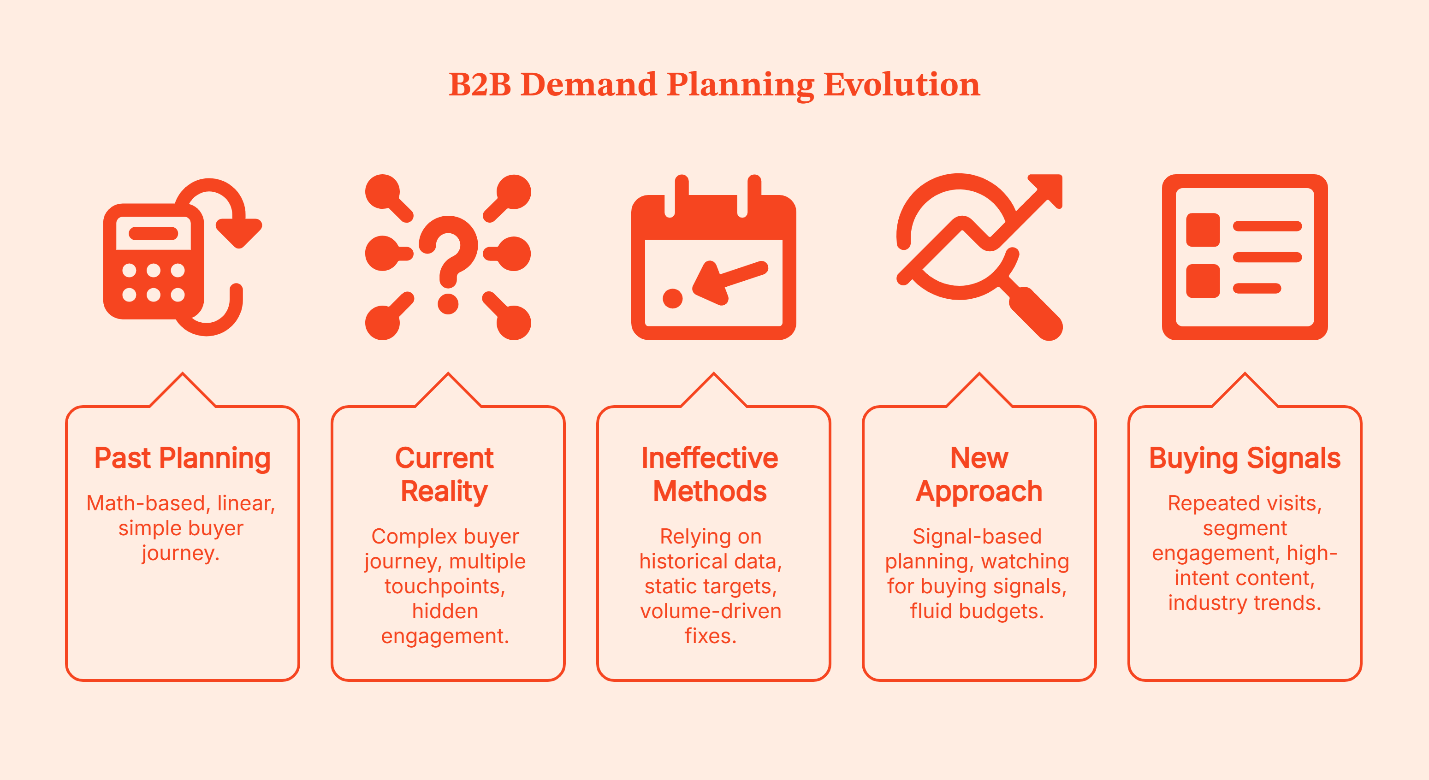
To fix this, B2B teams now need to plan differently.
Instead of waiting for explicit asks, you should watch out for early buying signals like:
- Which accounts are showing up repeatedly?
- Which segments are engaging before sales get involved?
- Which accounts are consuming high-intent content like pricing, comparisons, or case studies?
- Is engagement increasing across specific industries or company sizes?
This ensures that your team remains fluid so that budgets can be moved mid-quarter, if necessary.
This way of planning, from static, spreadsheet-driven planning to signal-based planning, is the new norm.
{{INLINE_MOFU}}
Demand planning vs demand forecasting: What demand planners need to know
Demand planning and demand forecasting are often used interchangeably in B2B marketing. They shouldn’t be.
They solve different problems, happen at different times, and answer different questions.
|
Demand forecasting is about prediction. It asks: What do we think will happen? |
Demand planning is about intention. It asks: What steps are we taking to make it happen? |
Forecasting looks backward. It analyzes historical data and pipeline, conversion rates, and seasonality to estimate future outcomes. It’s useful for projections and reporting, but it mostly works with historical data that already exists.
Planning happens earlier. It’s where teams decide how much pipeline they need, which segments to focus on, how much demand sales teams can handle, and where to invest budget right now.
Forecasting answers:
|
Planning decides:
|
If forecasting tells you what your goal is, planning shows you how to get there.
That’s a critical distinction.
And since the gap between action and outcome is long in B2B, by the time revenue shows up, it's difficult to pinpoint the exact decisions that led to it.
In the opposite scenario, when teams are unable to meet the overarching forecasted figures, they default to old habits: updating the forecasts and revising the targets.
It’s like being on a hamster wheel; your teams either go left or right, on a circular pathway, because the underlying process hasn’t changed.
And then there are B2B teams that separate these two clearly. They plan demand first, using real-world constraints and early signals, and then they forecast outcomes based on those choices.
But even then, a well-structured demand plan can fail if it ignores the most practical constraint in the system: how much demand sales can realistically handle.
💡Ace your demand gen game to drive revenue with the 3-step framework in this guide
The Missing Piece in Most Demand Plans: Sales Capacity
Last week, I went out for what was supposed to be a quick 30-minute grocery run. I filled my cart in under 10 minutes (my personal best) and was on my way to the checkout counter, patting myself on the back for the most efficient grocery run ever, when I saw the long checkout queue.
Turns out, there was only one checkout counter open.
It didn’t matter that I had filled my cart in record time or how organized I was. I still ended up standing in that queue for over an hour.
Clearly, my mistake was thinking that if I could just fill the cart quickly, my grocery run would be shorter. I didn’t consider their processing capacity.
That’s what happens in B2B demand planning, too.
Your marketing team can send you leads left, right, and center; you may end up with a healthy pipeline, but if there are only so many SDRs to follow up and only so many AEs to run discovery calls, the system slows down.
That’s why you need to account for demand conversion by planning for:
- SDR bandwidth
Each SDR can meaningfully work only a limited number of accounts at a time. Once that limit is crossed, response times increase.
- AE deal load
Each AE can actively manage only so many opportunities before attention gets stretched. When pipeline volume rises without adjusting capacity, win rates start slipping.
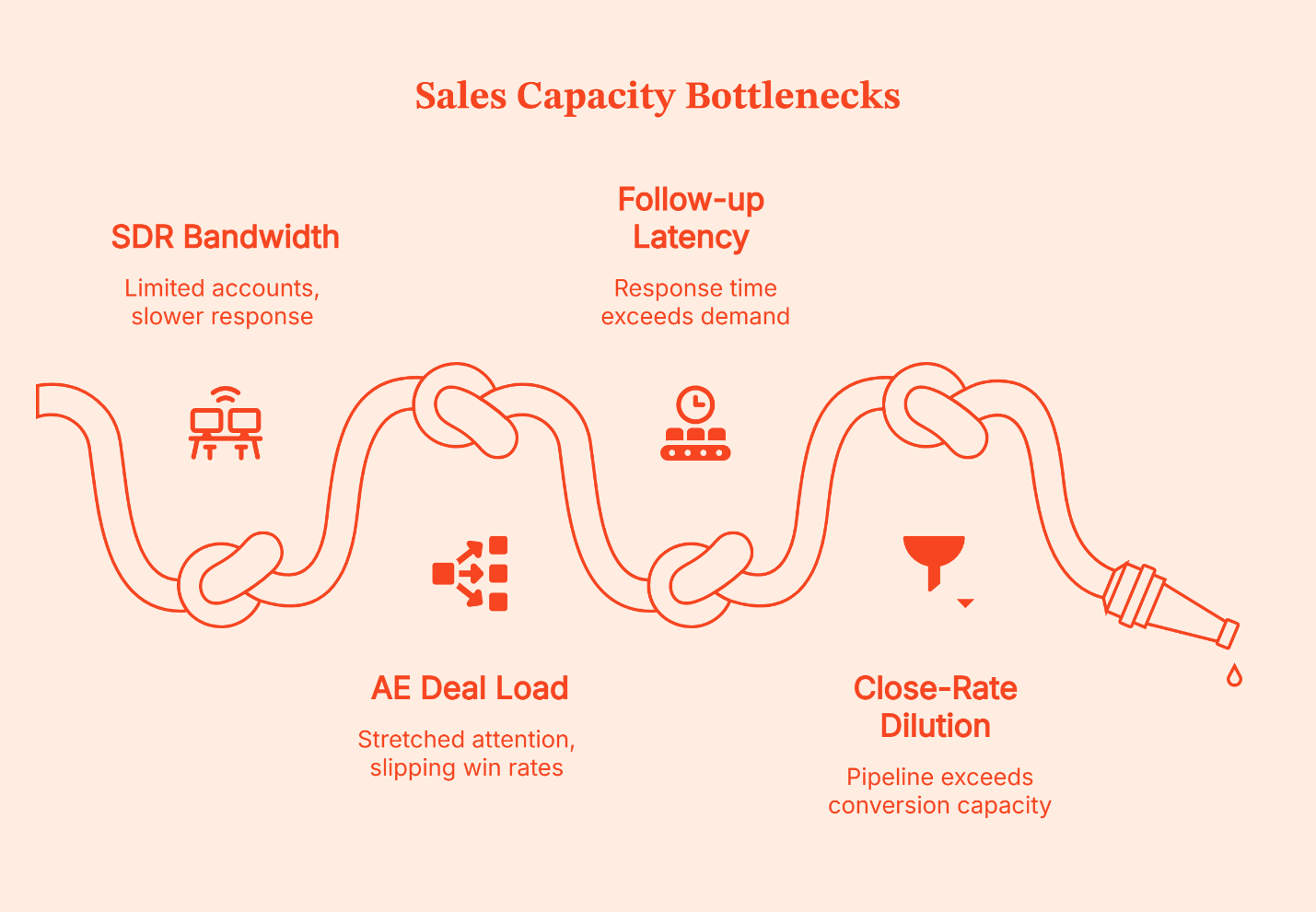
- Follow-up latency
Response time needs to match the demand generated. If response time moves from hours to days, conversion changes.
- Close-rate dilution
More pipeline doesn’t automatically translate into more revenue; it gets pushed to a queue. This means when demand exceeds sales capacity, close rates drop.
Once your demand plan answers this question, the next logical question is: which tools help you plan this way?
Best AI-powered Tools for Demand Planning in B2B (By Category)
When B2B teams evaluate demand planning software, they often end up comparing very different types of software under the same label.
That’s because most tools are built for reporting, forecasting, or campaign execution. Planning is not their primary forte, and it just ends up being an add-on use case.
To understand which tool actually helps with planning, we need to group them into categories.
Category 1: Demand Intelligence & Signal-Based Planning
Demand intelligence tools act as an early-warning system for buying intent. These tools help you spot early buying signals and act on them instead of waiting for leads to show up in the CRM.
Three tools stand out in this category:
- Factors.ai
Factors.ai is built specifically for B2B revenue teams who need to see what's happening at the account level before it shows up in the CRM. It pulls together signals from your website, ad campaigns, CRM activity, and platforms like G2 to give marketing and sales a shared view of which accounts are engaging and how. The platform also layers multi-touch attribution on top of this, so you can connect your marketing activity to actual pipeline movement. This tool is essential for demand planning because you're not waiting for a lead to raise their hand. You're watching accounts warm up in real time and adjusting focus accordingly.
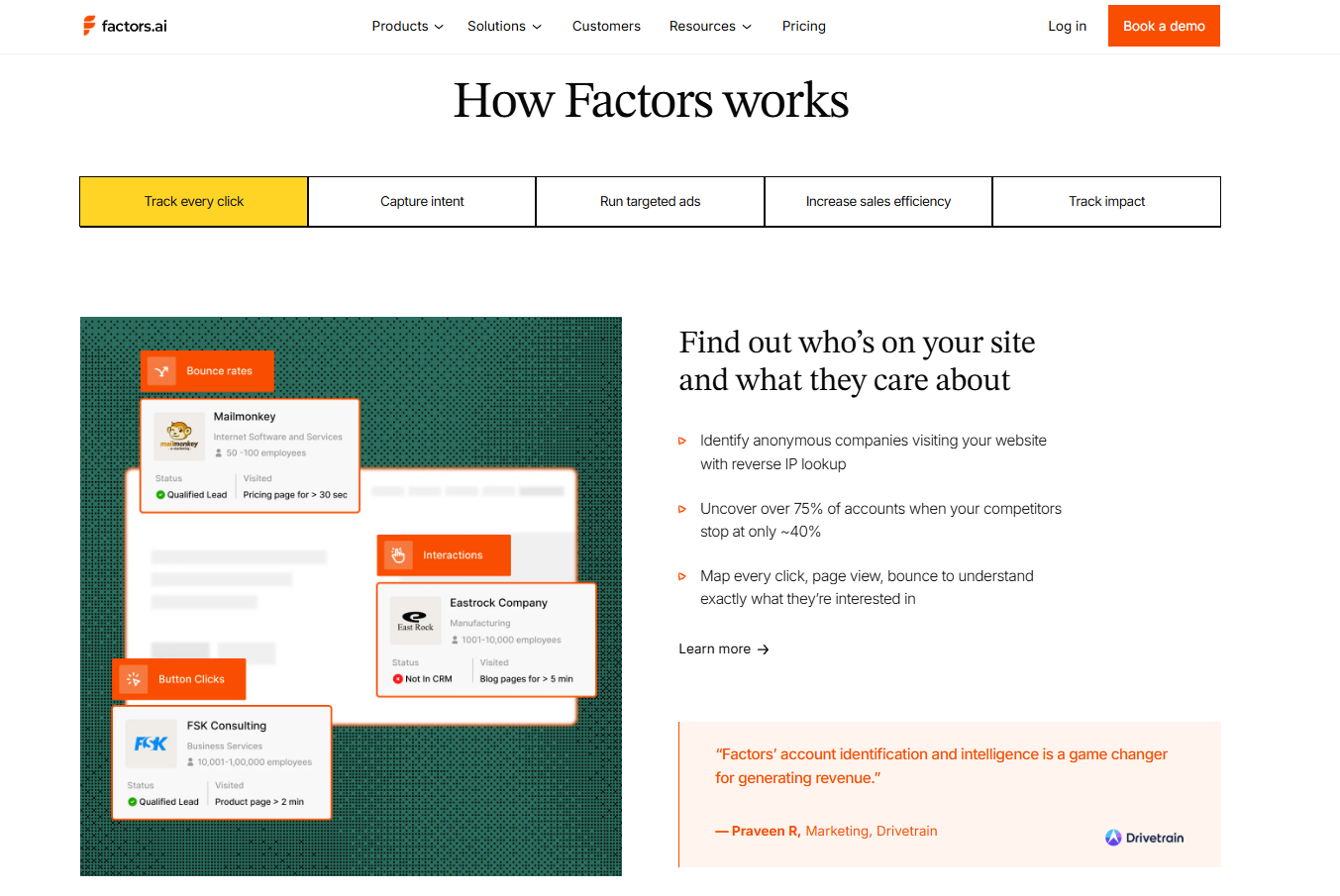
- 6sense
6sense captures buying signals from third-party sources, website behavior, and ad engagement, then uses AI to predict which accounts are actively in a buying cycle. For demand planners, this tool is useful because it goes beyond who's interested and tells you roughly where they are in the decision process. That way, the budget goes toward accounts that are actually in market, not just ones that look vaguely active.
- ZoomInfo
ZoomInfo is a B2B data and intelligence platform that helps teams identify and size the right segments before pushing demand. You can filter by firmographic and technographic data to find accounts that match your ICP, then layer intent signals on top to see who's actively researching. It's more of a "where should we focus" tool than a live planning platform, but that targeting layer is hard to skip.
Strengths:
|
Limitations:
|
💡Explore this breakdown of intent data platforms vs traditional lead generation models in this guide.
Category 2: Demand Forecasting Software & Revenue Planning Tools
These tools are commonly used by RevOps and finance teams to project revenue and inspect pipeline health. They are strong at answering questions like:
- What revenue is likely to close this quarter?
- How does pipeline coverage look?
- Where are conversion rates slipping?
They include revenue forecasting software and business intelligence (BI) platforms that are built for visibility and projection. Demand forecasting software improves demand forecasting accuracy by analyzing large datasets and identifying patterns in past performance. Some advanced tools even use machine learning and predictive analytics to generate more accurate forecasts.
Here’s what these tools do:
- Clari
Clari pulls activity from your CRM, email, and calls into one view, then uses AI to flag at-risk deals, surface pipeline gaps, and predict what's likely to close. For demand planning, it's most useful on the downstream side: once demand is created, Clari helps you see whether it's converting and where the pipeline is leaking. It won't tell you where to create demand, but it will tell you if your current demand is healthy.
- Anaplan
Anaplan is an enterprise planning platform that connects finance, sales, marketing, and operations into one planning environment. It's built for scenario modeling at scale, letting teams test budget allocations, adjust assumptions mid-cycle, and see how changes flow through to revenue. It's a heavier platform, better suited for larger organizations with dedicated RevOps or finance teams managing the models.
- Tableau / Microsoft Power BI
These are BI tools, not demand planning platforms, but they're commonly used to visualize pipeline data, track conversion rates, and monitor forecast performance. They're strong at turning complex datasets into dashboards leadership can take lead from. The limitation is they're backward-looking by design: great for reporting, not for deciding what to do next.
Strengths:
|
Limitations:
|
Category 3: CRM & Marketing Platform-Based Planning
It’s common for teams to use tools like Salesforce and HubSpot for CRM reports and marketing automation dashboards for planning
These tools provide baseline visibility:
- Lead volume
- Campaign performance
- Pipeline by source
- Conversion metrics
They are useful for understanding what has already happened. But they have limited predictive depth. They focus on channel metrics and lead activity, not account-level buying signals. And because they rely on recorded interactions, they are reactive by design.
Let’s look at how these two work:
- Salesforce
Salesforce is where most B2B revenue data lives, making it a natural starting point for demand planning. You can track pipeline by source, monitor conversion rates, and see how segments move through the funnel.
- HubSpot
HubSpot combines CRM, marketing automation, and reporting in one platform, giving teams visibility into lead volume, campaign performance, and pipeline by source. It's accessible and easy to work with, but like Salesforce, it's built around activity that's already been recorded. It works well for execution and reporting, with the understanding that deeper account-level planning will need additional tools on top.
Both these tools reflect what's already happened, so most teams use them as a reporting layer and pair them with signal-based tools for actual planning.
Strengths:
|
Limitations:
|
Comparison: Types of tools for demand planning
| Category | What It Does Well | Where It Falls Short | Best Use Case |
|---|---|---|---|
| Demand Intelligence & Signal-Based Tools (e.g., Factors.ai) | Surfaces early buying intent, supports account-level planning, enables in-flight adjustment | Requires integration and operational discipline | Planning where to create demand and when to shift focus |
| Forecasting & Revenue Planning Tools (e.g., Clari, Anaplan) | Projects revenue outcomes, supports scenario modelling | Reactive, relies on existing pipeline | Financial forecasting and performance tracking |
| CRM & Marketing Platform Reports (e.g., Salesforce, HubSpot) | Tracks leads, campaigns, and pipeline sources | Lagging metrics, limited predictive insight | Operational visibility and reporting |
Why Traditional Demand Planning Tools Fall Short in B2B
Traditional planning approaches share four weaknesses:
- Spreadsheet-driven assumptions
Plans are built once per quarter and rarely adjusted dynamically.
- Channel-first thinking
Budget is allocated by channel, not by account or segment momentum.
- Lagging metrics
Clicks, MQLs, and form fills are treated as indicators of demand quality.
- No closed feedback loop
Sales outcomes don’t continuously reshape the demand plan.
How Demand Planning Software Improves Forecasting Accuracy
Improving demand forecasting accuracy isn’t just about better math; it’s about better inputs.
Modern AI-powered demand planning software platforms use artificial intelligence and machine learning to analyze data from multiple sources, including CRM systems, ad platforms, and external factors that influence customer demand. These AI capabilities help demand planners make data-driven decisions and stay ahead of market trends.
When demand planners adjust budgets and account focus based on these early intent signals, forecasts become more reliable because the underlying demand becomes more accurate.
That's how better planning leads to better forecasting.
💡How is lead generation different from demand generation? Explore in this guide
What Modern Demand Planning Tools Must Do
Here’s a fact: The teams I spoke with for this article inadvertently pointed out the same problem: every planning tool they use turns out to be just a fancy reporting system.
The right tools for demand planning facilitate collaboration across marketing, sales, and operations planning teams. They integrate with existing systems, handle large datasets, and provide valuable insights that support business goals. The best demand planning tool should feel user-friendly for new users, even if there's a steep learning curve for advanced functionality.
Since real demand planning is live, active, and dynamic, it needs to follow Signals → Planning → Activation → Feedback on repeat, to build a system that adapts, and leads to optimized ROI.
Without this loop, it’s impossible to improve your planning decisions. And if your tool can't support this cycle, it may help you measure demand, but it won't help you plan it.
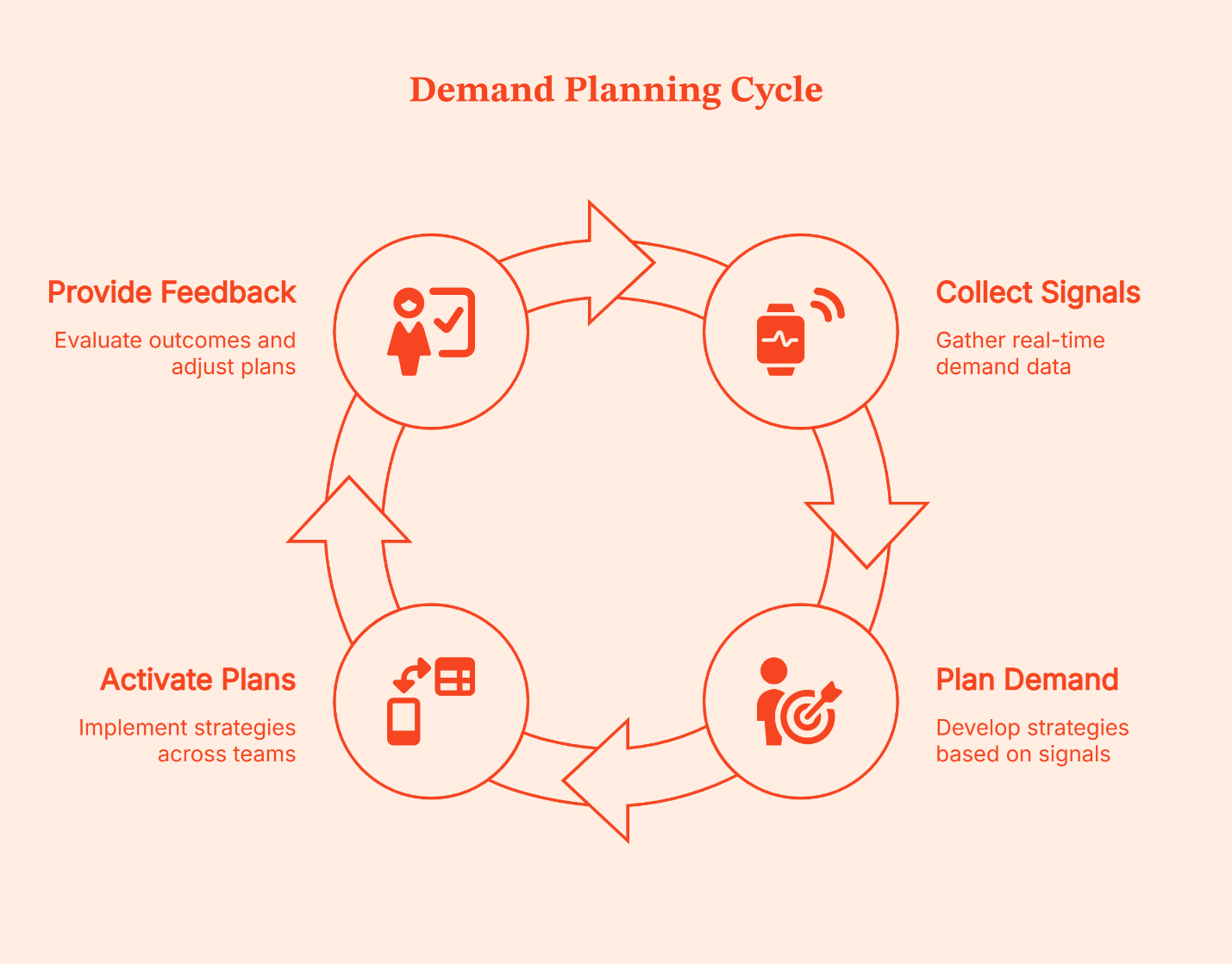
Metrics That Actually Improve With Good Demand Planning
Good planning steadily improves the metrics that determine revenue quality and efficiency.
Here’s where you’ll see the difference:
- Pipeline coverage ratio
When demand is planned properly, pipeline coverage becomes more stable. You’re not wildly overbuilding pipeline one quarter and scrambling the next.
- Win-rate-adjusted pipeline
Instead of measuring raw pipeline volume, mature teams look at pipeline weighted by historical win rates. Effective planning focuses on segments and accounts that convert, rather than just those that respond. That makes projected revenue more dependable.
- Pipeline quality score
When planning is account-driven and signal-based, the quality of pipeline improves. Fewer low-intent leads, more in-market accounts, and less noise for sales to filter through.
- CAC payback sensitivity
Better planning reduces CAC because the budget is applied where conversion likelihood is higher, and sales teams can actually follow through.
- Sales follow-up efficiency
Aligning demand with sales capacity improves response times. That’s because SDRs work on prioritized accounts while AEs manage focused deal loads rather than juggling excess pipeline.
When these metrics improve together, it’s usually a sign of effective demand planning.
Common demand planning mistakes
Remember: you’re going to make mistakes while planning. That’s part of the process. But some mistakes are predictable – and avoidable. I have listed a few of the common ones here:
- Planning off last year’s numbers
Planning this year’s pipeline based on last year isn’t a strategy. The dynamics are forever changing, shifting markets, evolving segments, and not to mention changes in sales capacity. Adding n% to an old spreadsheet doesn’t constitute planning.
- Treating All Pipeline Equally
Every pipeline doesn’t behave in the same way. That’s because SMBs don’t work like an enterprise. And inbounds can’t be treated with the same strategy as outbound. Also, high-intent accounts need to be prioritized over casual visitors. When everything is treated equally, forecasts look inflated, and execution gets messy.
- Ignoring Intent Signals
Ignoring early signals means you’re already too late. Buyer intent builds subtly even before the forms are filled.
- Planning Demand Without Sales Input
Marketing cannot plan demand in isolation. If SDR bandwidth, AE deal load, and response times aren’t taken into account, the demand plan will break under pressure.
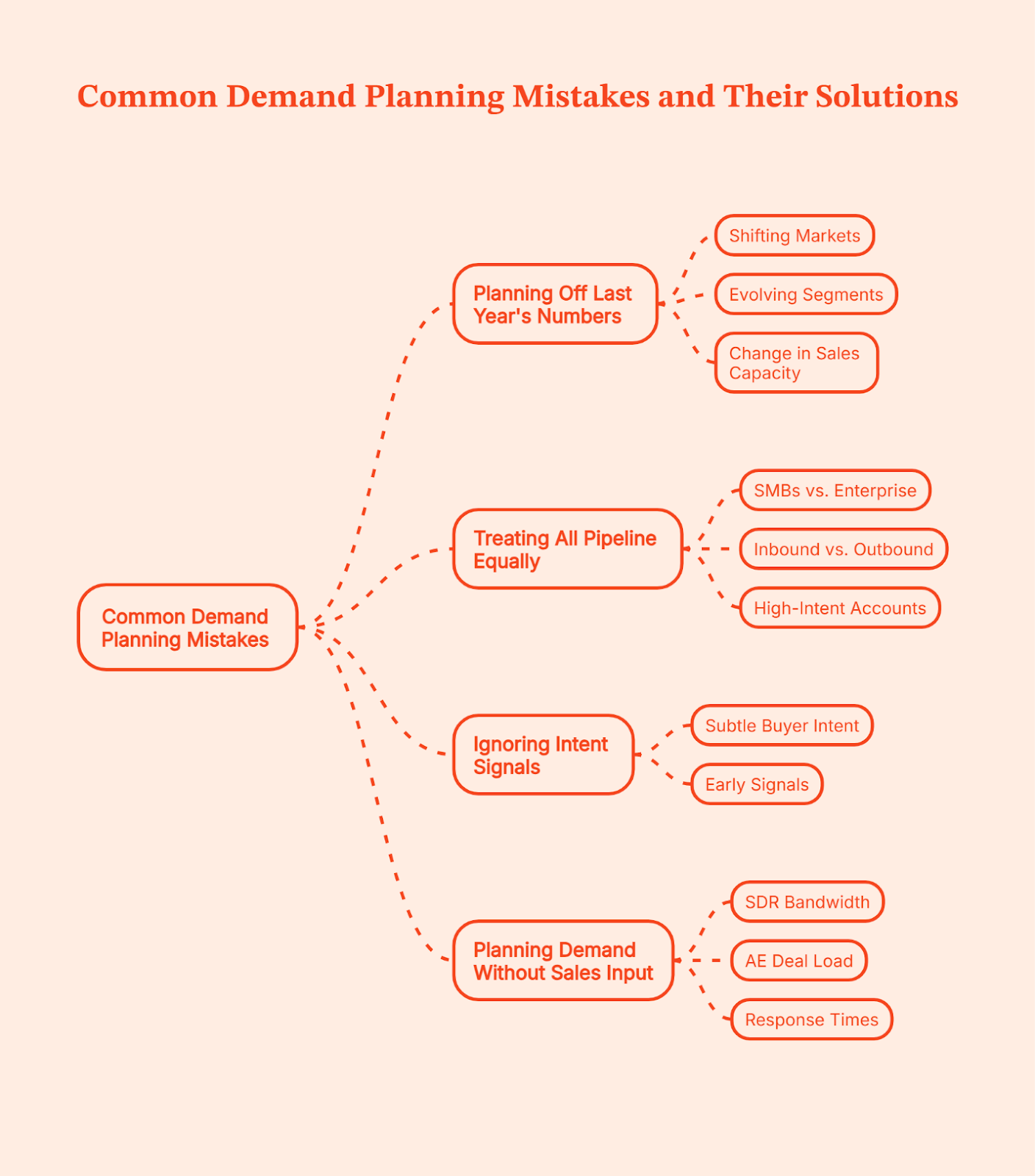
How to evaluate tools for demand planning (checklist)
Before you invest in a tool, ask these questions to check if it fulfills your team’s planning needs:
- Does it plan at the account level?
Or is it still organised around channels and lead volume?
- Can it adapt mid-quarter?
Or does it plan using static reports and spreadsheets?
- Does it factor in sales capacity?
Can you see how much demand sales can realistically handle?
- Is planning tied to revenue outcomes?
Or are decisions based only on top-of-funnel metrics?
- Can both marketing and sales trust it?
Do both teams see the same signals, priorities, and context?
What should you do next?
Demand planning is less about hitting a number and more about taking the right decisions quite early in the cycle. When those decisions ignore constraints like sales capacity, buying intent, timing, and trade-offs, revenue suffers, even if the plan looks solid on paper.
So here’s a simple next step.
Look at your current demand plan and ask yourself a few honest questions:
- Are you deciding where demand should come from, or just spreading budget across channels?
- Are you planning around real sales capacity, or assuming it will stretch?
- Are you using early signals to guide focus, or waiting for pipeline reports to tell you what already happened?
The answers might feel uncomfortable – that’s fine. But they’ll bring clarity on whether you’re planning deliberately or operating on momentum. And when you decide intentionally, you’ll build a plan that holds for every quarter.
FAQs about tools for Demand planning in B2B
1. What is the difference between demand forecasting and demand planning?
Demand forecasting predicts future sales based on historical data. Demand planning decides how much pipeline to create, where to focus, and how to align resources to hit revenue targets.
2. Can I use Excel for demand planning, or do I need dedicated software?
Excel works for early-stage teams, but it becomes limiting as you scale because it relies on manual updates and lagging data. Dedicated tools like Factors.ai allow for real-time adjustments and signal-based planning.
3. How does AI improve demand planning accuracy?
AI identifies patterns in buyer behavior and engagement signals that humans might miss, helping teams adjust demand plans earlier. It surfaces intent trends before they fully show up in pipeline reports.
4. How do you align Marketing and Sales in the demand planning process?
Alignment happens when both teams plan around the same account-level signals and revenue data. Tools like Factors.ai help create shared visibility into where demand is building.
5. What are the key features to look for in B2B demand planning software?
Look for account-level visibility, real-time signal tracking, CRM integration, and the ability to connect planning decisions directly to revenue outcomes. If it only reports activity, it’s not truly helping you plan demand.
Benefits of Marketing Automation
Read about the benefits of marketing automation for B2B teams, including improved lead nurturing, faster sales workflows, workflow AI insights, and measurable pipeline growth.
TL;DR
- Marketing automation helps B2B teams replace manual follow-ups, scattered data, and inconsistent handoffs with structured, behavior-driven workflows that move leads through the funnel more efficiently.
- It improves pipeline quality by nurturing prospects based on engagement, scoring leads intelligently, and routing high-intent accounts to sales at the right time.
- Automation accelerates sales workflow by reducing response delays, triggering timely follow-ups, and ensuring stalled deals are systematically re-engaged.
- With workflow AI, automation evolves from rule-based execution to predictive prioritization, helping teams focus on accounts most likely to convert.
- When implemented thoughtfully and measured against pipeline metrics, marketing automation becomes a revenue growth engine, not just a marketing efficiency tool.
A few years ago, I watched a B2B marketing team celebrate a ‘great quarter.’
Leads were up. Web traffic was up... the CEO was happy and then… sales ran the numbers (it’s always sales, isn’t it?).
Half the leads had never been followed up on. The other half were sitting in inboxes waiting for someone to ‘circle back’. Campaign data was spread across three different tools, and nobody could confidently say which effort actually drove the pipeline.
The problem was… hold my coffee… orchestration.
Most B2B teams are running campaigns, sending emails, launching webinars, posting on LinkedIn, and syncing data into a CRM. But without automation, all of that activity becomes manual glue work. People copy data from one place to another, they forget to trigger follow-ups, they guess which leads matter, it’s all a very un-hot mess.
That is where marketing automation makes a smashing entry and smirks.
Let’s see why it’s acting all smug.
What is marketing automation?
Marketing automation is a software that automates repetitive marketing tasks, connects data across tools, and triggers actions based on user behavior.
In a B2B stack, that usually means:
- Capturing leads from forms, ads, events, and content
- Automatically enrolling them into email sequences
- Scoring them based on engagement
- Routing qualified prospects to sales
- Updating CRM records in real time
- Triggering internal notifications and tasks
Instead of a marketer manually exporting a CSV, uploading it to an email tool, and reminding sales in Slack, the system handles the sequence automatically.
Now, that is the mechanical definition.
In practice, marketing automation becomes the operating system behind your growth engine. For B2B teams, this OS is important because the buying journey is excruciatingly long and multi-touch. A single prospect might:
- Read a blog
- Download a whitepaper
- Attend a webinar
- Visit your pricing page
- Ignore three emails
- Finally (FINALLY) request a demo
Without automation, tracking and responding to that journey becomes chaotic.
This is where workflow automation apps come into play… these tools allow you to visually map out what happens when a user takes a specific action.
For example:
If someone downloads an eBook → wait 2 days → send follow-up email → if opened → assign 5 lead score points → if visited pricing page → notify sales rep.
When AI enters this layer, it evolves into workflow AI. Instead of just following pre-set rules, the system starts predicting which leads are likely to convert, which email timing works best, and which actions deserve immediate sales attention.
Marketing automation began as rule-based logic, but today, it is increasingly intelligence-driven. And for B2B companies competing in crowded markets across the US and globally, that shift is a no-brainer.
{{INLINE_TOFU}}
Top benefits of marketing automation for B2B
When people search for the benefits of marketing automation, they are usually looking for one of two things:
- Justification for the budget
- A clearer picture of how it actually improves the pipeline
So let’s answer that properly.
1. Increased operational efficiency without adding headcount
In B2B, the real bottleneck is rarely ideas. It is execution bandwidth. I have seen teams manually:
Upload webinar attendees into CRM:
- Assign leads to reps based on territory
- Send follow-up emails one by one
- Track engagement in spreadsheets
- That system breaks at scale.
With marketing automation in place:
- Webinar registrants are automatically tagged
- Attendees receive post-event nurture sequences instantly
- No-shows get a different follow-up path
- High-intent attendees are routed to sales within minutes
For example, a mid-sized SaaS company running monthly demos can:
- Trigger demo reminder emails automatically
- Send personalized recap emails after the demo
- Assign tasks to SDRs only when engagement crosses a threshold
Instead of hiring two more coordinators, they built the process once and let the system execute. This is where a workflow automation app becomes critical. You design the logic once, and the system runs it consistently every time.
Note: Efficiency here does not mean cutting people; it means freeing them to focus on creative strategy, messaging, and campaign experimentation.
2. Smarter lead nurturing and scoring
In B2B enterprise SaaS, buying cycles can stretch six to twelve months, and without automation, leads either get ignored or over-contacted.
Marketing automation changes that by introducing structured nurture paths.
Example:
A cybersecurity company generates 2,000 leads from a whitepaper download, and obviously, not all of them are ready to buy.
With automation:
- Leads are segmented by industry and company size
- Email sequences are customized to their vertical
- Engagement is tracked and scored
- Sales is notified only when a lead hits a predefined intent threshold
Instead of throwing all leads into Salesforce and asking sales to figure it out, the system first warms prospects up.
Lead scoring becomes data-driven rather than gut-based. And that directly improves pipeline quality… sales teams stop complaining about low-quality MQLs because handoffs are based on behavior, not just form fills… basically, the flowers are really blooming.
This is one of the most practical marketing automation examples that B2B teams underestimate. Better nurturing often increases conversion rates without increasing top-of-funnel spend.
3. Faster pipeline velocity
Pipeline velocity is how quickly accounts move from awareness to closed-won. Automation reduces friction in that journey. But speed only improves when you are responding to the right signals.
For instance:
- When an ICP-fit company revisits your pricing page twice within 48 hours, Factors can identify the account, tier it based on intent, and notify the correct rep instantly.
- If multiple stakeholders from the same account engage with integration documentation, the system flags coordinated buying behavior, not just isolated clicks.
- If a closed-lost account resurfaces months later, GTM engineering workflows enrich fresh contacts and push a contextual alert to sales within minutes.
- If engagement momentum drops for 14 days, structured re-engagement sequences are triggered automatically.
These accelerators compound quickly. In competitive US markets, the company that reaches out first, with context, often makes the shortlist. Speed creates psychological advantage.
But here is where it gets smarter.
When workflow AI is layered into this system, prioritization becomes predictive rather than reactive. Instead of treating every form fill equally, the system analyzes patterns across thousands of historical opportunities:
- Which signals correlated most with closed-won deals
- Which combinations of activity indicated buying committee alignment
- Which behaviors typically appeared 30 days before conversion
Accounts are then tiered by both ICP fit and intent strength. Reps focus on high-probability opportunities rather than chasing whoever clicked first.
That is the shift from reactive follow-ups to proactive pipeline management, high-intent signals are interpreted, prioritized, and acted on while momentum is still warm. And that is what actually increases pipeline velocity.
4. Consistent customer experiences at scale
Consistency is underrated when you’re building muscle. It’s even more underrated when you’re building customer experience. Without automation, one prospect might receive three follow-ups, and another receives none.
Marketing automation ensures:
- Every new lead gets a welcome email
- Every demo attendee receives a recap
- Every customer receives onboarding content
And personalization is layered into that scale.
For example, a B2B fintech company can dynamically insert:
- Industry-specific case studies
- Region-specific compliance messaging
- Role-based content for CFOs versus RevOps leaders
The result feels tailored, even though the workflow is automated. Over time, consistency builds trust and trust compounds across longer B2B buying cycles.
5. Better analytics and decision-making
Manual processes hide insight.
When automation is properly implemented, every action becomes trackable.
You can answer questions like:
- Which nurture sequence generates the highest SQL rate?
- Which content asset drives the most pipeline contribution?
- How long does it take for leads from LinkedIn Ads to convert?
Automated reporting surfaces patterns that humans miss.
For example, you might discover that leads who attend two webinars convert at double the rate. That insight then shapes future campaign planning.
Marketing automation services often differentiate themselves by the quality of analytics they provide. Data is no longer scattered. It becomes structured and attributable.
For leadership teams in US B2B organizations, that visibility directly impacts budget allocation decisions.
6. Stronger alignment between marketing and sales
If you have ever sat in a pipeline review meeting where marketing says leads are strong and sales says they are weak, you understand this pain.
Automation creates shared visibility (and tries to stop the Sales vs Marketing wrestling match). Also, read our blog about B2B Sales and Marketing Alignment to know why it’s SO important in the first place.
Both teams can see:
- Engagement history
- Content consumed
- Email interactions
- Website activity
- Intent signals
This transparency reduces finger-pointing.
For example, instead of handing over a generic MQL, marketing can pass a fully enriched account that has:
- Visited pricing three times
- Downloaded an implementation guide
- Engaged with product comparison content
Sales enters the conversation informed, and over time, this alignment improves trust between teams and shortens feedback loops.
These are the structural benefits of marketing automation that show up in efficiency, conversion rates, sales velocity, and clarity.
Next, we’ll zoom in specifically on how marketing automation improves sales workflow, because that is where most B2B teams see immediate impact.
How does marketing automation improve sales workflows?
What is a sales workflow?
A sales workflow is the sequence from lead capture to closed-won, including routing, follow-ups, scheduling, and re-engagement.
In real life, workflows break when leads sit unassigned, follow-ups rely on memory, and signals live across tools.
Here are five ways automation strengthens sales workflow
1. Instant lead routing and assignment
In many B2B companies, leads are still routed manually based on geography, industry, or deal size.
With automation:
- Enterprise leads are automatically assigned to senior AEs
- SMB leads go to SDR pools
- Specific verticals are routed to industry specialists
(No Slack messages and spreadsheet sorting… wohoo!).
For example, a B2B SaaS company using Factors.ai can automatically route healthcare accounts showing high-intent signals to reps experienced in HIPAA-related conversations, while fintech accounts engaging with compliance documentation are prioritized for reps who understand regulatory frameworks.
Instead of routing based only on form fields, Factors.ai analyzes account-level behavior, including pricing page visits, integration documentation views, and multi-stakeholder engagement. That signal-driven routing ensures sales conversations are relevant from the first call.
That precision shortens ramp time in sales conversations.
2. Automatic follow-up sequences
Sales follow-ups are where deals are won or lost, yet humans still drop the ball.
Marketing automation supports sales workflow by:
- Triggering reminder emails if a prospect does not respond
- Scheduling follow-up tasks automatically
- Sending educational content between meetings
Let’s say a prospect attends a demo but does not book the next call.
Instead of relying on the rep to remember, the system can:
- Send a recap email within one hour
- Deliver a case study relevant to their industry
- Notify the rep if the prospect reopens the pricing page
This keeps the deal warm without increasing manual effort.
3. Behavior-based prioritization with workflow AI
Traditional automation follows rules, but workflow AI analyzes patterns.
Imagine two leads:
- Lead A filled out a form, but has not engaged further
- Lead B downloaded a guide, visited pricing twice, watched a product video, and opened three emails
In many CRMs, both appear as MQLs.
With workflow AI layered in, the system prioritizes Lead B automatically and flags it as high probability.
It can even surface predictive signals such as:
- Similar accounts that converted within 30 days
- Historical engagement patterns tied to closed-won deals
This changes how reps plan their day. Instead of working through a static list, they focus on accounts with the highest momentum, impacting revenue momentum.
4. Reduced lag between marketing and sales
One of the biggest hidden leaks in the pipeline comes from delayed handoffs.
Without automation, marketing qualifies a lead, exports it, emails sales, and hopes for follow-up.
With automation:
- Lead scores update in real time
- Status changes trigger instant CRM updates
- Reps receive notifications within minutes
If someone books a demo at 10:02 AM, sales can be notified at 10:03 AM. That speed improves conversion rates more than most teams expect.
5. Structured re-engagement for stalled deals
In B2B, many deals stall, not because prospects lose interest, but because priorities shift. Marketing automation ensures stalled deals don’t fall through the cracks.
For example:
- If no activity is logged for 21 days, trigger a value-based re-engagement email
- If a proposal is sent but not opened, send a reminder with an executive summary
- If a closed-lost deal re-engages with content six months later, notify the original rep
This systematic follow-up improves pipeline recovery rates, creating a cleaner sales workflow that relies less on rep memory.
When marketing automation is implemented thoughtfully, the sales workflow becomes:
- Faster
- More predictable
- Less dependent on manual coordination
- Data-informed rather than intuition-led
That is when automation stops feeling like a marketing tool and starts functioning as revenue infrastructure.
|
Choosing marketing automation services for your business When I speak to B2B founders or marketing leaders, the question is almost always this: “Which tool do we actually need?” Since marketing automation services range from lightweight email automation tools to enterprise-grade orchestration platforms. What to evaluate
A simple rule I’d go by: If you can’t launch one strong workflow in 2 to 4 weeks, your setup is too complex for your current stage. |
Workflow AI and the future of automation
Most automation today is basically a very obedient intern… it follows instructions perfectly, as long as the world behaves.
Workflow AI is different; it’s less about running a checklist and more about learning which signals actually predict revenue, then using that insight to guide timing, prioritization, and next steps.
In a B2B marketing context, workflow AI helps teams:
- Prioritize accounts that look most likely to convert
- Separate vanity engagement from high-intent activity
- Improve timing for outreach and nurturing
- Suggest next-best actions for reps
- Generate message variations that match the persona and stage
Let’s take a simple example, say you sell B2B SaaS to enterprise IT teams.
Basic automation might treat a download like a win:
Download security guide → send follow-up → add 5 lead score points.
Workflow AI asks a more useful question:
What behavior patterns typically show up right before deals close?
Across your last few hundred opportunities, you might spot that:
- Accounts that visit integration documentation within 10 days tend to convert more often
- Deals move faster when multiple stakeholders engage within a tight window
So instead of sending the same nurture to everyone who downloaded something, the system can:
- Escalate those accounts sooner
- Alert sales while momentum is high
- Adjust the nurture path based on what the account is actually doing
That is a big shift… marketing automation stops being about doing more things automatically and starts being about doing the right things sooner.
Next, let’s bring this closer to the stack. This is where Factors.ai comes in, not as another automation tool, but as the intelligence layer that makes your existing workflows sharper.
How can Factors.ai help strengthen your marketing automation?
Most marketing automation tools are excellent at execution, such as sending emails, triggering workflows, and updating CRM records.
But B2B teams still struggle with intelligence and prioritization, and that gap is where Factors.ai becomes powerful.
If traditional automation answers, “What should happen next?”, Factors.ai answers, “Who should we focus on right now?”
Let’s break that down in real B2B scenarios.
1. Intent signal capture at the account level
In modern B2B buying, decisions rarely come from one person. In fact, our B2B Benchmark report found that now the entire buying committee consists of 11+ members who research solutions.
Factors.ai captures and surfaces:
- Account-level website behavior
- High-intent page visits
- Repeated engagement from multiple stakeholders
- Content interaction patterns
Instead of looking at isolated lead records, marketing and sales teams see consolidated account intelligence.
Example:
A mid-market SaaS company notices that three employees from the same enterprise account:
- Visited the pricing page
- Viewed integration documentation
- Engaged with a case study
Individually, these may look like low-priority leads.
At the account level, it signals coordinated research.
Factors.ai surfaces that pattern automatically, allowing automation workflows to prioritize the entire account.
2. Automated follow-ups based on real buying signals
Many automation workflows are based on surface-level triggers such as form fills. Factors.ai strengthens workflows by layering in deeper behavioral data.
For example, if an account:
- Returns to the pricing page multiple times
- Engages with competitor comparison content
- Revisits product documentation
The system can:
- Increase account priority
- Trigger targeted nurture content
- Alert sales instantly
- Adjust lead scoring dynamically
This reduces the lag between interest and outreach.
It also reduces wasted follow-ups on accounts that are not actively researching.
3. Enhancing workflow automation app use cases
If your marketing automation platform already runs:
- Email sequences
- Lead scoring
- CRM routing
- Nurture logic
Factors.ai enhances that by improving input quality.
Think of it as upgrading the signals feeding your workflows.
Better signals mean:
- Smarter segmentation
- More accurate scoring
- More precise routing
- Higher conversion probability
Instead of blasting nurture content to every lead who downloads an asset, automation can focus on accounts with verified buying signals.
That improves efficiency and protects sales bandwidth.
5. Aligning marketing, sales, and revenue leadership
One of the underestimated benefits of marketing automation is alignment. Factors.ai strengthens that alignment by giving:
- Marketing visibility into pipeline contribution
- Sales visibility into account-level engagement
- Leadership clarity on revenue impact
For US-based B2B companies focused on predictable growth, this unified view matters.
It supports better forecasting, clearer campaign attribution, and more confident budget decisions.
When marketing automation executes workflows and Factors.ai enhances intelligence, the result is:
- Faster identification of in-market accounts
- Cleaner sales workflow
- Higher-quality pipeline
- Reduced manual coordination
That combination turns automation into a revenue acceleration engine rather than a background tool. Now, the important question remains:
How do you measure whether marketing automation is actually delivering ROI? That is what we will unpack next.
Measuring ROI from Marketing Automation
One of the biggest mistakes B2B teams make is measuring automation only by open rates or email clicks.
That is surface-level performance. Real ROI from marketing automation shows up in pipeline efficiency, conversion rates, and revenue predictability.
Here are the core metrics that actually matter.
1. Lead velocity rate
Lead velocity measures how quickly new qualified leads are entering your pipeline month over month.
If automation is working correctly, you should see:
- Faster movement from MQL to SQL
- Reduced lag between first touch and first sales interaction
- Higher percentage of leads progressing through stages
For example, if your average time from content download to sales call was 12 days before automation and drops to 5 days after structured workflows, that velocity gain compounds across your pipeline.
Velocity improvements are often one of the earliest measurable benefits of marketing automation.
2. Conversion rate across funnel stages
Instead of focusing only on top-of-funnel metrics, track conversion between stages:
- Lead to MQL
- MQL to SQL
- SQL to opportunity
- Opportunity to close-won
Automation improves conversions by:
- Improving nurture quality
- Reducing missed follow-ups
- Prioritizing high-intent accounts
Even a 5 to 10 percent increase in MQL-to-SQL conversion can materially impact revenue in mid-market and enterprise B2B environments.
3. Pipeline contribution by channel
With proper automation and tracking, you can attribute pipeline to specific campaigns and channels.
Questions you should be able to answer:
- How much pipeline did LinkedIn Ads generate this quarter?
- Which nurture sequence drives the highest deal value?
- Which content asset influences closed-won deals most often?
Without automation, attribution often depends on manual tagging or last-click assumptions. With structured workflows, engagement data is captured consistently. This allows revenue teams to make data-driven budget decisions rather than relying on intuition.
4. Customer acquisition cost trends
Marketing automation improves efficiency, which should influence CAC over time.
If automation:
- Reduces manual effort
- Increases conversion rates
- Shortens sales cycles
Your cost per acquired customer should stabilize or decrease as scale increases. For US-based B2B SaaS companies facing rising acquisition costs, this matters deeply. Automation does not magically reduce ad spend. It improves the return on that spend.
5. Sales cycle length
This is one of the most under-discussed ROI indicators.
If automation ensures:
- Immediate follow-ups
- Faster lead routing
- Better sales prioritization
- Structured re-engagement
Sales cycles often shorten, and even reducing a 90-day cycle to 80 days can significantly improve cash flow and forecasting confidence.
Shorter cycles also allow sales teams to handle more opportunities per quarter.
6. Revenue influenced by automation workflows
The ultimate test is revenue impact, ask:
- How many closed-won deals passed through automated nurture?
- How many high-intent accounts were surfaced by predictive scoring?
- How many stalled deals were recovered via automated re-engagement?
Marketing automation ROI becomes clear when revenue teams can directly trace workflow influence.
At that point, automation shifts from being viewed as a marketing expense to being seen as a revenue infrastructure.
The most important thing to remember is this:
You cannot measure ROI if you don’t map workflows intentionally from the start. Clear goal-setting, structured tracking, and shared definitions between marketing and sales are essential.
Challenges and best practices for marketing automation
| Challenge | What It Looks Like | Why It Fails | What To Do Instead |
|---|---|---|---|
| Underuse vs Over-engineering | Teams either only send newsletters or build 50 workflows and 10 scoring models | Underuse limits impact. Over-complexity creates confusion and low adoption | Start with 1–2 high-impact workflows. Prove ROI. Then expand intentionally |
| Poor workflow mapping | Jumping into the tool without defining the buyer journey | Automation amplifies chaos. If the sales process is unclear, confusion scales faster | Map first: buyer journey, intent signals, handoff rules, re-engagement triggers. Even a whiteboard session helps |
| Data silos & inconsistent definitions | Marketing defines MQL one way, sales defines it another. CRM fields don’t sync | Reporting becomes unreliable. Teams lose trust in the system | Align early on MQL, SQL, and handoff definitions. Ensure clean CRM + automation sync |
| Over-automation that feels robotic | Every lead gets the same templated sequence. No nuance | Buyers lose trust. Engagement drops | Personalize by role and industry. Add human touchpoints at key moments. Keep frequency intentional |
| Ignoring sales adoption | Reps ignore lead scores and intent signals | Automation insights go unused. ROI disappears | Involve sales from day one. Show how prioritization helps them close faster |
| Unrealistic expectations | Expecting automation to fix weak messaging or poor positioning | Automation magnifies what already exists | Start small. Automate one nurture, one trigger, one scoring model. Improve incrementally |
| Failing to iterate | Set workflows once and never review them | Performance declines as buyer behavior shifts | Review quarterly. Identify drop-offs. Double down on high-converting triggers |
FAQs on the benefits of marketing automation
Q1. What are the main benefits of marketing automation for B2B?
The main benefits of marketing automation for B2B companies include improved operational efficiency, stronger lead nurturing, better alignment between sales and marketing, faster pipeline velocity, and more accurate reporting.
In practical terms, automation ensures that:
- Leads are followed up on instantly
- High-intent accounts are prioritized
- Sales teams receive qualified prospects instead of raw form fills
- Engagement data is tracked consistently across channels
For B2B companies with long buying cycles and multiple stakeholders, these benefits directly improve conversion rates and revenue predictability.
Q2. How do I measure success from marketing automation?
Success should be measured using revenue-aligned metrics rather than surface-level engagement.
Key indicators include:
- Lead velocity rate
- MQL to SQL conversion rate
- Sales cycle length
- Pipeline contribution by channel
- Customer acquisition cost trends
- Revenue influenced by automated workflows
If automation reduces response time, improves lead quality, and shortens deal cycles, its impact should be visible in pipeline growth and forecasting accuracy.
Q3. What is the difference between workflow AI and basic automation?
Basic automation follows predefined rules. For example, if a lead downloads a guide, send a follow-up email.
Workflow AI goes further by analyzing historical data and predicting behavior. It can:
- Prioritize accounts based on likelihood to convert
- Identify engagement patterns linked to closed deals
- Optimize timing and content dynamically
- Recommend next-best actions for sales
Basic automation executes. Workflow AI adapts and prioritizes.
Q4. Can small B2B teams benefit from marketing automation?
Yes. In fact, smaller teams often benefit the most.
Marketing automation allows lean B2B teams to:
- Run structured nurture campaigns without adding headcount
- Maintain consistent follow-ups
- Improve handoffs between marketing and sales
- Track performance more accurately
Even starting with one automated nurture sequence and one lead scoring model can significantly improve efficiency and pipeline quality.
Q5. Why is marketing automation important for long B2B buying cycles?
B2B buying journeys often involve multiple stakeholders and extended evaluation periods.
Marketing automation ensures:
- Continuous, relevant engagement across touchpoints
- Consistent messaging over months
- Intent-based prioritization when buying signals increase
- Clear handoff between marketing and sales
This prevents leads from being forgotten during long decision cycles and improves overall pipeline predictability.
The 2026 Guide to Marketing Intelligence Tools: Turning Data into Pipeline
Struggling with attribution and dark funnel data? This 2026 guide explains how marketing intelligence tools connect campaigns to revenue.

TL;DR:
- You probably have plenty of marketing data. But you’re probably also missing clarity about what actually drives revenue.
- Most B2B buying happens anonymously. Naturally, traditional analytics can’t show you the full picture.
- Marketing intelligence tools connect buyer behavior to the pipeline, not just to clicks.
- The right stack directs your focus on the accounts and campaigns that truly matter.
- When marketing and sales work the same account signals, fewer leads are wasted and more deals close.
Here's a question that I'm sure you keep dealing with when drowning in dashboards: “Which of my campaigns actually influenced revenue?”
Welcome to 2026, where marketers suffer from data fatigue: too much data, too little intelligence.
You and I spend our days juggling GA4, CRM reports, separate intent feeds, paid media dashboards, and competitive tools. Yet most of the buyer journey seems to be hidden in the shadows, lurking on LinkedIn, browsing reviews on G2, or engaging in communities without filling out any forms.
This part of the customer acquisition funnel seems almost invisible, incessantly leaking revenue and driving us to our wits' end.
We don't need more dashboards. We need actionable intelligence: insight that explains why something happens and what to do next.
What is a modern marketing intelligence solution (a.k.a marketing intelligence tools)?
Have you ever opened a report and been completely confused? Ask most folks in marketing agencies, and they will say yes.
A reporting tool is not the same as a marketing intelligence or competitive intelligence platform. The latter answers questions like:
- Why did these marketing campaigns move the pipeline?
- Which accounts showed real buying intent?
- Where should we reallocate spend to drive more revenue?
Marketing intelligence integrates disparate signals across ad platforms, web engagement, CRM outcomes, and buyer intent. It brings actionable meaning and insight out of these signals.
For instance, Factors.ai unifies intent signals from sources you already use, such as LinkedIn ads, website activity, CRM touchpoints, and G2 interactions. It studies momentum across these channels to reveal the full buyer journey from anonymous visitor to closed deal.
Marketing intelligence vs. competitive intelligence tools
These terms are often used interchangeably, which is a mistake. These tools serve completely different purposes in every marketer’s tech stack:
| Aspect | Marketing Intelligence | Competitive Intelligence |
|---|---|---|
| Data Sources | CRM, web analytics, intent signals, campaign performance | Public web signals, competitor sites, news, and pricing changes |
| Who Uses It | Marketing Ops, Demand Gen, Revenue Teams | Strategy, Product, Competitive Strategy |
| Outputs | Multi-touch insights, revenue attribution, buyer behavior | Competitor moves, market positioning, industry trends |
| Focus | Internal + external signals tied to revenue | External signals about competitors |
Competitive intelligence focuses on external signals, such as customer sentiment toward competitors, pricing changes, product movements, and market shifts.
Marketing intelligence connects internal GTM data with external marketing data to measure the effectiveness of your efforts in the real world.
For example, Semrush and Wappalyzer are excellent at identifying raw numbers about competitor traffic and technology signals. Still, they don’t tell you which campaigns drove your campaign performance to actual revenue gains.
{{INLINE_MOFU}}
Top marketing intelligence tools for marketing agencies in 2026
Let's slot these tools and their automation capabilities into a few categories.
Unified Analytics & Attribution
- Factors.ai
Factors.ai is an AI-powered marketing intelligence and ABM platform that helps marketers uncover anonymous buyer intent, track the entire customer lifecycle, and connect marketing touchpoints directly to revenue.
By unifying data from websites, CRM, ad platforms, and intent sources, this tool extracts fragmented engagement data into actionable account-level insights. If you're looking to move beyond vanity metrics and into pipeline-driven decision-making, pick Factors.
Key Features:
- Identifies up to 97% of anonymous website traffic via IP resolution and proprietary enrichment.
- Consolidates intent signals from your website, CRM, LinkedIn, G2, and more.
- Advanced segmentation, scoring, and prioritization based on firmographics, technographics, and behavioral signals.
- Automates actions across CRM and marketing automation platforms, enabling faster response to buying signals.
- Connects campaigns and touchpoints directly to closed-won deals.
- Notifies sales teams when high-intent accounts take key actions (e.g., pricing page visits).
Pros:
- User-friendly interface.
- Strong anonymous visitor identification.
- Deep LinkedIn and ABM optimization capabilities.
- Excellent for sales–marketing alignment.
- Real-time actionable insights.
Cons:
- Does not provide user-level personal data without third-party enrichment.
- Not B2C-friendly.
Pricing:
A free version exists with essential features. For information on the pricing of the paid plan, you have to talk to Sales.
- Funnel.io
Funnel.io centralizes data from hundreds of sources into a single, clean dataset. It solves the data fragmentation problem by automating data collection, transformation, and syncing into BI tools or warehouses.
Key Features:
- Integrates with 500+ ad platforms, CRMs, analytics tools, and marketing sources.
- Automatically cleans, structures, and standardizes data.
- Enables teams to build their own attribution or reporting logic.
- Pushes clean data into Looker, Tableau, BigQuery, Snowflake, etc.
- Eliminates the need for manual CSV imports.
Pros:
- Ideal for data unification.
- Highly flexible in functionality.
- Reduces manual reporting workload.
- Strong enterprise adoption capabilities.
Cons:
- Not an intelligence or insights platform. Only plumbs data for your analysis.
- No built-in attribution modeling.
- Requires BI tools for visualization.
- Steeper learning curve.
Pricing:
Custom pricing based on data volume and connectors.
- Salesforce Marketing Cloud Intelligence (Datorama)
Salesforce Marketing Cloud Intelligence (formerly Datorama) provides enterprise-grade marketing analytics and reporting capabilities. It mostly serves large organizations looking for centralized performance monitoring across different business units, regions, and marketing channels.
Key Features:
- Unified reporting across paid, owned, and earned media.
- Build custom KPIs and taxonomies.
- Automated anomaly detection and forecasting.
- Deep CRM and ecosystem connectivity.
- Role-based access, permissions, and compliance.
Pros:
- Highly customizable.
- Strong enterprise-level scalability.
- Native Salesforce ecosystem fit.
- Powerful visualization capabilities.
Cons:
- Definitely on the more expensive side.
- Comes with long implementation cycles.
- Not purpose-built for B2B intent capture or ABM deployment.
- Limited anonymous visitor tracking.
Pricing:
Custom enterprise pricing.
Competitive intelligence tools
These tools don't strictly deliver marketing intelligence, but are required for accurate positioning and messaging.
- Crayon
Crayon is designed to monitor competitors’ digital footprints, messaging changes, and product updates. It helps revenue teams stay informed about market movements and adjust positioning accordingly.
Key Features:
- Tracks changes across websites, landing pages, ads, and messaging.
- Dynamic sales enablement content for reps.
- Identifies trends and strategic shifts.
- Real-time change detection.
- Syncs with CRM and sales tools.
Pros:
- Provides excellent competitive visibility.
- Offers strong sales enablement features.
- Enables automated change tracking.
- Comes with an exceptionally intuitive UI.
Cons:
- Not a marketing intelligence or attribution tool.
- No intent data.
- No revenue attribution.
- Limited GTM analytics.
Pricing:
Custom pricing.
- Klue
Klue is a competitive enablement platform. It helps revenue teams win deals by aggregating competitor insights and turning them into actionable sales content.
Key Features:
- Offers insights into why deals are won or lost.
- Can build centralized competitor messaging.
- Tracks competitor changes.
- Enables sales, product, and marketing alignment.
- CRM Integrations with Salesforce, HubSpot, etc.
Pros:
- Strong sales enablement.
- Easy to deploy out of the box.
- Solid internal collaboration features.
Cons:
- Not a marketing analytics platform.
- No attribution.
- No intent capture.
- No anonymous visitor tracking.
Pricing:
Custom pricing.
- AlphaSense
AlphaSense delivers market intelligence and financial research to help organizations analyze macro trends, investor sentiment, and competitive landscapes. The tool is used most often by strategy, finance, and executive teams.
Key Features:
- Enables natural language queries across documents.
- Tracks trends, reports, and filings.
- Runs sentiment analysis to identify tone shifts in the market.
- Competitive research to extract company-level insights.
- Custom alerts to notify teams of major developments.
Pros:
- Extremely powerful research engine.
- Offers deep market intelligence.
- Provides high-quality data sources.
Cons:
- Not designed for marketing ops.
- No attribution.
- No campaign intelligence
- Quite expensive, might break the budget.
Pricing:
Custom enterprise pricing.
C. Martech solutions for intent & growth
- 6sense
This account intelligence platform uses AI to predict which companies are operating actively in-market, what they’re researching, and when to engage them.
Key Features:
- Predictive intent modeling via AI to analyze buying-stage behavior.
- Account identification to recognize anonymous visitors.
- Trigger campaigns based on an account's buying stage.
- Intelligent ad targeting via integrated display and ABM ads.
- Deep sales intelligence with enhanced activity prioritization and alerts.
Pros:
- Strong ABM engine.
- Robust predictive capabilities.
- Large intent data ecosystem.
Cons:
- Complex setup.
- Steep learning curve.
- Heavy on the budget.
- Opaque AI models; mostly black-box.
- Limited transparency in attribution.
Pricing:
- Custom enterprise pricing. Talk to Sales.
- HubSpot
HubSpot is an all-in-one CRM and marketing platform built to assist SMBs and mid-market B2B teams in their marketing efforts. It enables email marketing, automation, analytics, and pipeline tracking from a single interface.
Key Features:
- CRM for contact, company, and deal management.
- Mechanisms to run email campaigns, workflow automation, and lead nurturing.
- Attribution reporting on first-touch, last-touch, and linear models.
- CMS to help build websites, blogs, and landing pages.
- Lead scoring to establish rules-based behavioral scoring.
Pros:
- Low learning curve.
- Easy to set up.
- Multifaceted functions in one UI.
- Strong onboarding and educational resources (HubSpot Academy).
- Large integration ecosystem.
Cons:
- Limited scalability for complex enterprise funnels.
- Weak anonymous visitor and account-level tracking.
- Basic attribution models.
- Not designed to offer intent or predictive insights.
Pricing:
- Free CRM tier available.
- Paid plans can range from hundreds to several thousand dollars per month as features and contacts scale.
Critical features to look for in 2026
You can no longer judge marketing intelligence tools by how many dashboards they offer. Their only real value lies in how precisely they connect buyer behavior to revenue outcomes.
So, here's what to look for when choosing your intelligence tools for marketing or corporate strategy teams in 2026.
- Identity resolution
Most B2B journeys begin anonymously.
Prospects research vendors for days before they fill out a form or speak to Sales. A modern marketing intelligence tool should be able to identify which companies are visiting your site, even if no forms are filled out.
Note: In our B2B Benchmark Report, we found that 92% of B2B buyers start with at least one vendor in mind. Download the report to know more.
Without identity resolution, your ‘pipeline attribution’ is basically running on guesswork.
Choose platforms that combine:
- Reverse IP detection.
- First-party behavioral signals.
- Firmographic and technographic enrichment.
Marketing teams need to move beyond traffic metrics (sessions, pageviews) to account-level intent (which company, how often, and what content they consume). Tools like Factors.ai can help reveal those coveted identities, which fundamentally change how ABM and sales prioritization work.
- Multi-touch attribution
Last-click attribution breaks down in long B2B sales cycles involving multiple stakeholders and weeks of research.
In 2026, any marketing intelligence platform has to model:
- First-touch (what created awareness).
- Mid-funnel influence (content, reviews, ads).
- Late-stage conversion triggers.
Multi-touch attribution shows you:
- Which channels consistently help grow the revenue pipeline?
- Which assets speed up deal velocity?
- Which campaigns influence enterprise deals vs. SMB deals?
- AI-powered insights
Charts tell you what happened. AI can give you ideas for what to do next (though the final decision is yours).
In 2026, intelligence tools should, at a minimum:
- Detect abnormal spikes in account activity.
- Predict the likelihood of conversion by surfacing patterns.
- Recommend next best actions (e.g., notify sales, increase bid, trigger outreach).
For example, if a tool flags that companies visiting your pricing page after engaging with G2 reviews convert 2× faster, it can automatically prioritize similar accounts. It can also recommend reducing expenses on low-converting channels.
- Real-time activation
Intelligence needs to go beyond dashboards and contribute to the actual pipeline.
Your chosen platform should bring to the table:
- Real-time alerts to Slack or CRM.
- Automated campaign triggers.
- Sales handoff based on live intent signals.
For example, if a high-value account shows a surge in engagement, the system should notify sales immediately.
- Privacy-first architecture
Third-party cookies are done.
Privacy laws keep tightening.
That means your marketing intelligence will primarily come from:
- First-party data.
- Company-level identification (not personal PII).
- Server-side and consent-aware tracking.
The best platforms identify accounts while preserving buyer journey visibility.
In 2026, ‘GDPR-compliant’ is a baseline requirement.
Strategic implementation: Building your intelligence stack
| Stack Layer (Bottom → Top) | Primary Role | Example Tools | What It Solves | Key Outcome | Typical Timeline |
|---|---|---|---|---|---|
| 1. Core CRM + MAP | System of record for revenue and lifecycle data | Salesforce, HubSpot | Centralizes contacts, companies, deals, and campaign activity | Single source of truth for pipeline and revenue | 2–4 weeks |
| 2. Intent & Attribution Layer | Unifies behavioral and intent signals and ties them to revenue | Factors.ai, 6sense | Connects anonymous and known activity to real accounts and opportunities | Visibility into what actually influences deals | 1–3 weeks |
| 3. Competitive Intelligence Layer | Monitors external market and competitor activity | Crayon, AlphaSense, Similarweb | Tracks competitor messaging, pricing, and market trends | Stronger positioning and sales enablement | 1–2 weeks |
| 4. Analytics + BI Layer | Normalizes and visualizes data for forecasting and exec reporting | Funnel.io, Looker, Tableau | Cleans data and powers dashboards across teams | Accurate forecasting and strategic decisions | 2–6 weeks |
- Fastest to value: Intent & Attribution and Competitive Intelligence layers.
- Most foundational: CRM + MAP (everything depends on clean data).
- Most resource-intensive: Analytics + BI; depends on data quality and complexity.
Most B2B teams can set up a functional intelligence stack in 30–60 days if the right integrations are prioritized and the scope of action stays within reasonable limits.
Use cases that actually matter
Many marketing intelligence tools look impressive in demos, but not all of them can deliver on real-world revenue targets. The ones that are worth the money generally tend to show a positive impact in the following scenarios.
- ABM campaign optimisation
ABM often fails because teams pick the right accounts and then run the wrong campaigns.
Without market analysis and intelligence, teams end up sending all target accounts the same ads and emails at the same time.
But with market research and insights on business metrics in hand, your ABM strategies can become adaptive. Instead of checking if a campaign drives enough engagement, you can start asking,
“Which accounts moved closer to revenue after seeing this campaign?”
For example, let’s say a SaaS company running LinkedIn ABM discovers that:
- Accounts that saw product comparison ads and then visited pricing pages converted 2–3× faster.
- Accounts that only saw brand ads stalled in the early stages.
To adapt to these patterns, marketers can:
- Shift spend from awareness ads to bottom-funnel creative.
- Change messaging by account tier.
- Trigger SDR outreach only when the right buying behavior occurs.
- Identifying high-intent accounts
Most pipelines run dry because the right accounts aren’t recognized in time.
The modern B2B buyer rarely fills out a form on their first visit. They research your company on G2, scroll on LinkedIn, read competitor websites, and study your pricing page (often more than once).
Marketing intelligence tools carry the analytics and attribution capabilities to surface patterns from within such events. For instance, they can flag:
- Multiple visits from the same company.
- Content progression (blog → case study → pricing).
- Cross-channel signals (ads + website + reviews).
Once you have this information, your team can:
- Prioritize outreach based on behavior, not guesswork.
- Spot in-market accounts weeks earlier.
- Avoid wasting SDR cycles on cold accounts.
- Improving paid media efficiency
Paid media is where intelligence tools pay for themselves the fastest.
Most teams optimize on CTR (Click-through Rate), CPC (Cost Per Click) and for the highest number of conversions.
But monitoring these metrics doesn't answer this question,
“Did this campaign influence real revenue?”
Attribution and account-level tracking do. It lets teams narrow down on:
- Which ads showed up in closed-won deals?
- Which audiences never make it past MQL?
- Which channels correlate with larger deal sizes?
For instance, let's say your team finds that current strategies are contributing to high-engagement LinkedIn audiences but low pipeline contribution.
However, smaller niche audiences seem to lead to higher conversion into SQL and revenue.
The solution? Your team:
- Cuts “vanity engagement” campaigns.
- Reallocates budget to high-intent clusters.
- Designs creative for deal acceleration, not just awareness.
- Aligning marketing + sales on the same signals
Marketing sees leads.
Sales sees accounts.
In real-world organizations, neither trusts the other’s data.
Marketing intelligence tools act as a translation layer between the two.
Instead of “this person downloaded an ebook, sales sees,“this account just surged in activity across product pages and reviews.”
Instead of “we generated 300 MQLs", management sees “these 12 accounts are responsible for 60% of the influenced pipeline.”
When both teams work from the same account signals, attribution logic, and the same definitions of intent, they end up with better prioritization, faster response times, fewer pipeline arguments, and more closed deals.
Summary
By 2026, marketing teams can clearly see traffic, clicks, and conversions. But when someone asks, “Which campaigns actually influenced revenue?” answers are hard to find.
A huge part of the B2B buying journey happens quietly: people researching on LinkedIn, comparing tools on G2, and reading competitor sites without ever filling out a form. This is where a lot of marketing impact goes unseen.
Marketing intelligence tools make that invisible journey visible. Instead of just reporting on metrics, they collate signals from your website, ad platforms, CRM, and intent data to show how real buyers move from first touch to closed deal. They can answer questions like: Which accounts are actually in-market? Which campaigns are helping deals move forward? Where should we stop spending money?
Marketing intelligence is different from competitive intelligence. The former tells you what your competitors are doing. The latter tells you what your buyers are doing and how your efforts affect revenue.
In 2026, marketers need a CRM as the source of truth, an intent and attribution layer to connect behavior to revenue, competitive intelligence for market context, and BI tools for forecasting and reporting. A tailored stack can help teams improve ABM campaigns, find high-intent accounts earlier, reduce wasted ad spend, and align marketing and sales on the same signals.
FAQs for marketing intelligence tools
Q. What are marketing intelligence tools?
Marketing intelligence tools are software products that collect, unify, and analyze data from across marketing channels, buyer behavior, and revenue systems. They analyze data to identify which campaigns influence pipeline and revenue. Unlike basic reporting tools, these platforms tie engagement signals directly to business outcomes.
Q. How are marketing intelligence tools different from analytics or reporting tools?
Analytics/reporting tools answer what happened (traffic, sessions, clicks). Marketing intelligence tools answer why it happened. They relate campaign interaction, buyer activity, and CRM outcomes to highlight which touchpoints influenced revenue and suggest what to do next.
Q. What is multi-touch attribution in marketing intelligence?
Multi-touch attribution monitors how multiple interactions (ads, content, reviews, site visits) contribute to a deal over time. In complex B2B buying journeys with multiple stakeholders, this replaces last-click attribution. It also offers insight into which channels and assets help close revenue.
Q. How do marketing intelligence tools improve paid media ROI?
By connecting ad engagement to real pipeline and closed deals, marketing intelligence tools allow teams to:
- Minimize spending on high-engagement but low-revenue campaigns.
- Reallocate the budget to audiences that convert to SQLs.
- Tailor content for deal acceleration, not just clicks.
- Replace vanity metrics (CTR/CPC) with revenue-based optimization.
Q. How do marketing intelligence tools help align marketing and sales?
Marketing intelligence tools offer a shared view of intent signals and attribution logic across different teams. Instead of marketing teams saying “we generated 300 MQLs,” and sales teams saying “we see accounts, not leads,” both teams use the same account-level behaviors to do their job. This improves prioritization, timing, and conversion outcomes.
Q. Why can’t basic analytics tools show which campaigns influenced revenue?
Basic analytics focus on sessions and conversions tied to last clicks. They don’t:
- Identify which accounts visited anonymously.
- Connect CRM outcomes to multi-touch engagement.
- Unite external intent with internal pipeline data.
Since these tools do not do much for identity resolution or enable multi-touch attribution, they leave massive gaps in operational intelligence.
Q. What features should I look for in a marketing intelligence platform in 2026?
In 2026, look for these features when demo-testing a marketing intelligence platform:
- Identity resolution (map anonymous traffic to accounts).
- Multi-touch attribution across channels.
- AI-powered insights (next best actions).
- Real-time activation (alerts, automated triggers).
- CRM integration (Salesforce/HubSpot).
- Privacy-first architecture (no PII, GDPR/CCPA compliant).
Predictive Sales AI: A Practical Guide to Forecasting, Scoring, and Execution
A practical guide to Predictive Sales AI. Compare tools, understand account scoring, and learn how RevOps teams improve forecast accuracy.
TL;DR
- Most revenue misses happen because teams focus on the wrong accounts or have bad timing.
- AI-powered demand forecasting predicts how much revenue you’ll close and when, using historical trends, pipeline behavior, and live market signals.
- Predictive Sales AI focuses on where effort should go, by identifying which accounts and deals are most likely to convert right now.
- Predictive account scoring is the foundation. It standardizes fit, intent, and engagement signals into a single readiness score across accounts.
- Execution layers then use those scores to decide which accounts to act on first and how.
- High-performing RevOps teams use multiple tools by function: scoring, forecasting, revenue intelligence, and planning.
- AI works best when paired with clean data, human judgment, and a shared score that aligns sales and marketing.
- Used correctly, Predictive Sales AI reduces wasted rep time, improves forecast confidence, and helps teams spot risk before the quarter slips.
Imagine you’re driving from New York City to Los Angeles for a cross-country road trip. You don’t have a map, GPS, or traffic updates - just instinct and vibes guiding your every turn.
Do you eventually get there? Maybe. But you’ll miss exits, take long detours, and have no real sense of whether you’re ahead of schedule or already late.
That’s how revenue teams ran forecasting and prioritization for years. Your sales reps chased what felt promising, managers committed numbers based on confidence, and RevOps assembled opinions into forecasts that looked well-structured but changed every week.
Now, imagine the same trip with a GPS. You still drive; you still make the decisions, but you finally know which route is fastest, where traffic is bad, and when you need to course-correct.
Predictive Sales AI plays that role for revenue. It shows you which accounts are actually worth attention, which deals are drifting before they stall, and how confident you should be in the number you’re about to commit.
That’s why AI is no longer optional for B2B teams. They are using AI-first with humans-in-the-loop systems to help them focus their efforts on accounts that are most likely to convert, spot risks early on, and run revenue with fewer surprises.
This guide helps you understand how to implement the system practically. What powers this ‘GPS’, how forecasting and scoring fit together, and how to build a Predictive Sales AI stack that makes revenue more predictable instead of more complicated.
What are AI-Powered Demand Forecasting Tools?
AI-powered demand forecasting tools predict how much revenue you're likely to generate over a specific period (i.e., next month, next quarter, next year). They help leadership plan on hiring staff, adjusting budgets, setting realistic targets, and avoiding surprises when the board asks, "What revenue will we actually bring in, and when?”
Now, traditionally, you would’ve tackled this with spreadsheets, stage-based assumptions, and manual judgment. And then you’d reach a polished version of your opinion as your forecast.
However, closing B2B deals doesn't depend on opinions anymore. It demands evidence, or at least a trail that leads to the forecasted numbers. That's where AI-powered demand forecasting tools help you. They use machine learning to predict future revenue by learning from patterns in your data, then updating those predictions as new signals come in.
Let’s see how it does this.
How AI-powered demand forecasting tools work
AI-powered demand forecasting tools pull data from multiple sources and run it through AI models that spot patterns humans would miss. Here's what they take as input:
- CRM data: Pipeline stages, deal values, close dates, win rates by rep or segment, sales cycle length.
- Historical trends: Seasonality, past performance by quarter, how deals moved (or didn't) in similar conditions.
- External market signals: Economic indicators, industry growth rates, competitor moves, even things like hiring trends at target accounts or changes in ad spend.

The model analyzes and weighs this data. It finds insights like Q4 always spikes for you, or deals from inbound leads close 40% faster than outbound, or when a prospect visits your pricing page multiple times in a week, your conversion jumps.
Then it runs thousands of simulations to forecast a range of outcomes, such as:
- Revenue range with confidence levels: "70% chance we land between $4.8M and $5.3M"
- Best-case scenario: "$5.5M if top 10 deals all close on time."
- Worst-case scenario: "$4.2M if three enterprise deals slip to next quarter."
- Key drivers: "Conversion rate from demo to close is the biggest variable right now."
AI forecasting is also continuous. The model updates in real time as new data flows in. Deals move, meetings happen, emails get sent – it adjusts throughout the day, sometimes hourly.
{{INLINE_TOFU}}
Here’s how traditional forecasting vs. AI forecasting looks:
Why This Matters for Revenue Teams
It’s simple: You can't manage what you can't predict.
When your forecast is accurate, you make better calls, like hiring at the right time, adjusting pricing or giving discounts before it's too late, and reallocating resources to the segments that are actually converting.
When it's off, you're either scrambling to fill gaps or explaining to the board why you missed.
With AI-powered forecasting, you get a much clearer picture of your destination and the ETA. But on a cross-country drive, that’s not enough. You still need a GPS telling you which turn to take next. That’s where Predictive Sales AI comes in.
💡Related Read: Learn how revenue intelligence is changing B2B marketing in this guide
What is predictive sales AI?
Predictive Sales AI analyzes your sales data, such as your CRM records, email activity, web behavior, product usage, and whatever else you're tracking, and uses machine learning to answer questions such as:
- Which leads are most likely to become customers?
- Which deals in your pipeline are actually going to close?
- Which accounts should your reps prioritize this week?
- Where is a deal about to stall or slip?
Predictive Sales AI works as the GPS here, giving you a clear roadmap to your destination by answering these questions.
It finds patterns in thousands of past deals and applies those patterns to what's happening right now. The model learns what ‘good’ looks like based on your wins, and what ‘bad’ looks like based on your losses.
This tells you where to focus next:
- Out of several conversion-ready accounts, which of these accounts should you focus on?
- Which deals need some steering?
- Where can intervention still change the outcome?
Just like the GPS shows you which route is best out of three similar routes, if you want to avoid traffic and roadblocks.
To do this well, you first need a consistent way to tell which accounts are really ready to buy. That’s what predictive account scoring does. We talk about this in the predictive account scoring section below.
Critical signals analyzed by Predictive Sales AI
Predictive Sales AI works because it looks at combinations of signals. One pricing page visit means very little on its own, but the same visit from the right kind of company, combined with the right engagement pattern, tells a very different story.
These combination signals are put into three broad buckets.
1. Firmographics and technographics
This is the “fit” layer. Company size, industry, region, revenue band, and growth signals tell you whether an account even belongs in your ICP.
Technographics add another dimension by showing the tools a company already uses, how modern their stack is, and whether they’re likely to switch or add software.
Predictive sales AI models use this data to filter out accounts that might look active but were never a good fit to begin with.
2. Intent signals
Intent is about timing. These signals show whether a company is in research or buying mode. It looks at signals like:
- Are they comparing your product with competitors on platforms like G2?
- Are they reading reviews?
- Are decision-makers from the same company engaging with your content on LinkedIn?
- Visiting your LinkedIn company page?
- Checking out your employees' profiles?
- Are there repeat visits to high-intent webpages like pricing, integrations, or case studies?
When multiple people from the same account show interest, that’s classified as intent. Predictive Sales AI uses signal clustering to analyze frequency, recency, and patterns across teams to decide when intent is real.
💡Discover how predictive lead scoring, powered by AI, is revolutionizing sales and marketing in this guide
3. Engagement history
This is where internal activity meets external behavior. This data is already in your CRM, but your marketing and sales teams can’t connect the dots like an AI can.
It looks at CRM touchpoints such as calls, meetings, demos, emails sent and received. It also looks at the response time, meeting duration, who attended, whether they rescheduled, or didn’t show.
It can also narrow the evaluation for email interactions by analyzing open rates, click-throughs, follow-up, and reply sentiment, such as:
- Did they respond in 10 minutes or 10 days?
- Did they forward your email internally?
- Did they ask a pricing question?

Why combining these signals matters:
You know this very well by now: no single signal by itself is definitive; the key idea is to correlate. Predictive AI weighs all the signals together and finds patterns that correlate with actual outcomes. It learns (and tells you) that when firmographics + intent + engagement align in a certain way, conversion probability jumps exponentially.
Predictive Sales AI vs AI Forecasting Tools
It is easy to get confused between the two. But a simple way to tell them apart is by understanding their roles.
An AI forecasting tool works like a scoreboard. It tells leadership how the game is going and what the final score is likely to be. In the B2B world, it answers questions like:
- How much revenue will we close?
- When will it land?
- How risky is this quarter?
Whereas, Predictive Sales AI is the coach on the field. It helps sales and marketing teams decide:
- What to do next?
- Which account to focus on?
- Which deal needs attention?
- Where effort will actually change the outcome?

The key difference lies in how they behave:
AI forecasting tools react to how deals behave over time and adjust revenue predictions, protecting leadership from bad surprises.
Predictive Sales AI is proactive. It uses fit and intent signals to decide which accounts deserve attention before deals stall or even before they exist in the sales pipeline. They help avoid bad surprises in the first place.
That’s why mature RevOps stacks usually utilize both for their uniquely distinct uses.
Predictive account scoring: The heart of B2B sales intelligence
Predictive account scoring is the scoring layer that standardizes all signals (such as website visits, G2 activity, email replies, firmographic fit, growth indicators) and gives a consistent score that answers one question: how ready is this account to buy compared to every other account?
This is what factors.ai does best.
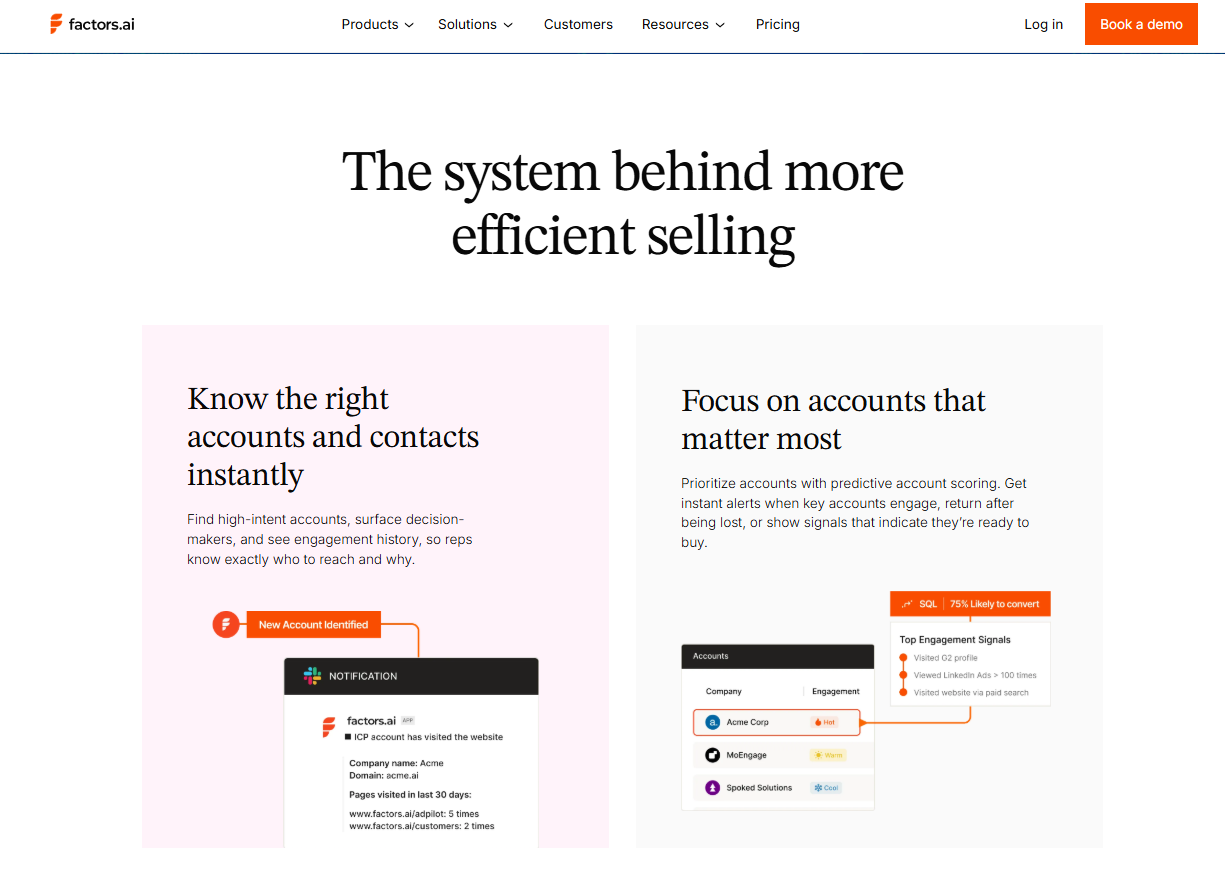
Factors.ai is built around account-level scoring. It learns from historical wins and losses, applies that learning to live signals, and produces a standardized readiness score that sales, marketing, and RevOps can trust.
The value is immediate:
- Human bias is removed because every account is measured the same way
- Sales and marketing align around a shared definition of priority
- Anonymous buying activity is captured at the account-level instead of getting lost in the funnel
Once the scoring is done, you may end up having four accounts that score at roughly the same readiness level. That’s expected. Scoring creates a short list to narrow the field.
This short list is then handed over to Predictive Sales AI – the execution layer.
Predictive Sales AI uses the scores and adds execution context like deal stage, recent momentum, revenue impact, and risk signals to decide which of those four accounts should be acted on first and how. (We discussed this in detail in the Predictive Sales AI section above)
Predictive sales AI stack: Top tools by revenue function
There’s no single tool that does everything in a modern Predictive Sales AI stack, and that’s by design. Forecasting accuracy, account prioritization, deal inspection, and scenario planning are different jobs, solved at different layers of the revenue engine.
The platforms listed below represent the strongest players at each layer of the Predictive Sales AI stack. Understanding where each one fits is key to using them well.
1. Factors.ai – Specialist in predictive account scoring & buyer journey intelligence
Overview
Factors.ai unifies anonymous intent signals with CRM and interaction data to identify, score, and prioritize accounts showing real buying interest. It helps teams move beyond basic intent capture by de-anonymizing web traffic, ranking accounts by likelihood to convert, and turning raw signals into actionable scores that feed downstream forecasting and execution workflows.
Key Features
• Unified intent capture from website, CRM, LinkedIn, and G2 signals.
• Predictive account scoring with engagement tracking and prioritization.
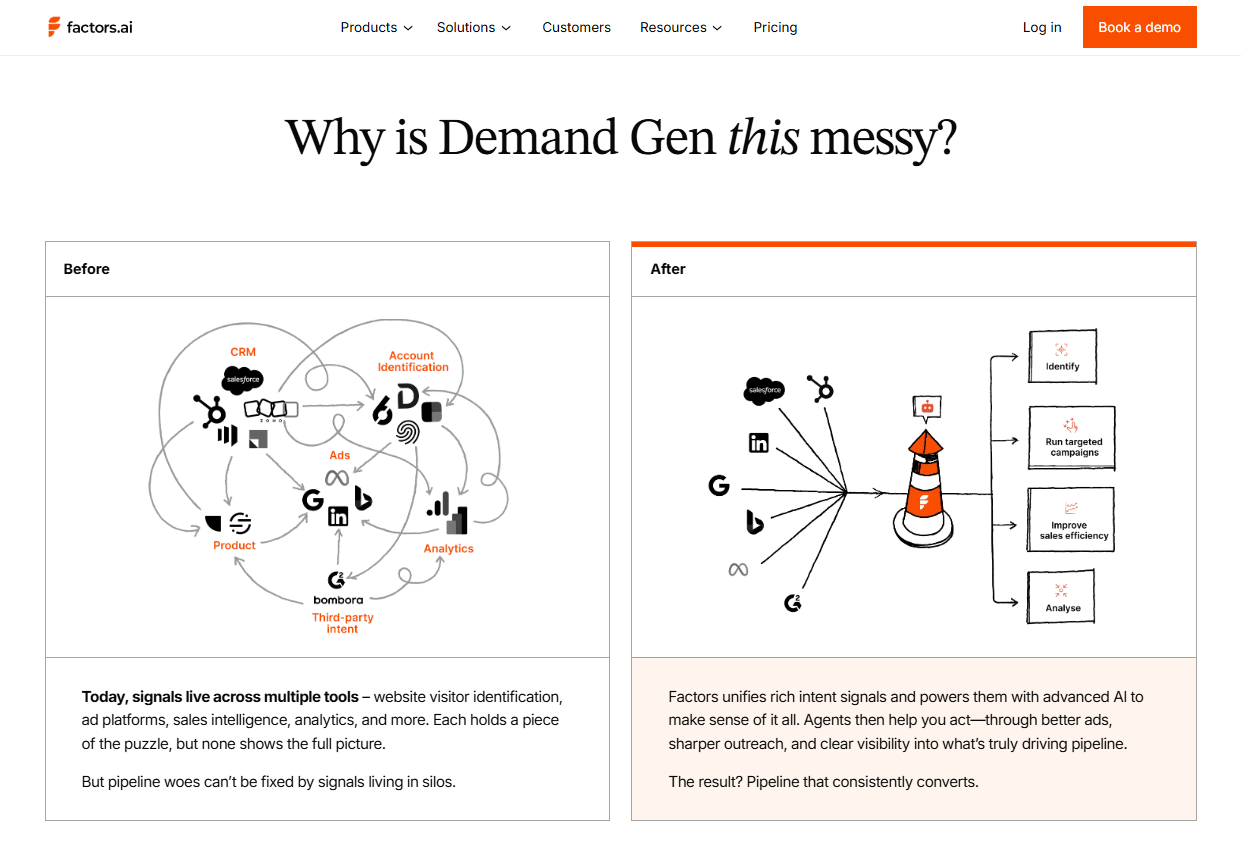
Pros
• Excellent at converting dark funnel activity into prioritized accounts.
• Removes bias and aligns RevOps, sales, and marketing around one score.
• Integrates ad signals and intent for optimized targeting.
Cons
• Not a full-fledged forecasting suite on its own (needs to feed into forecasting layers).
• Detailed pricing isn’t fully public beyond plan tiers.
Pricing
• Free trial available.
• Plans: Basic, Growth, Enterprise with increasing predictive scoring and ad audience sync.

2. Salesforce Einstein forecasting – Native CRM forecasting & AI insights
Overview
Einstein Forecasting is Salesforce’s AI-driven forecasting capability embedded in Sales Cloud. It leverages historical pipeline behavior and machine learning to predict revenue outcomes and improve forecast accuracy, while surfacing insights and trends directly inside the CRM.
Key Features
• AI-powered predictive forecasts based on sales history and pipeline trends.
• Integrated within Salesforce for live, CRM-centric forecasts.

Pros
• Seamless native integration with Salesforce CRM.
• Improves forecast confidence with data science and machine learning.
Cons
• Forecasting is tied to being fully in the Salesforce ecosystem.
• Not a standalone tool; requires Salesforce licenses.
Pricing
• Pricing bundled into Salesforce Sales Cloud/Einstein licenses (varies by edition and contract).
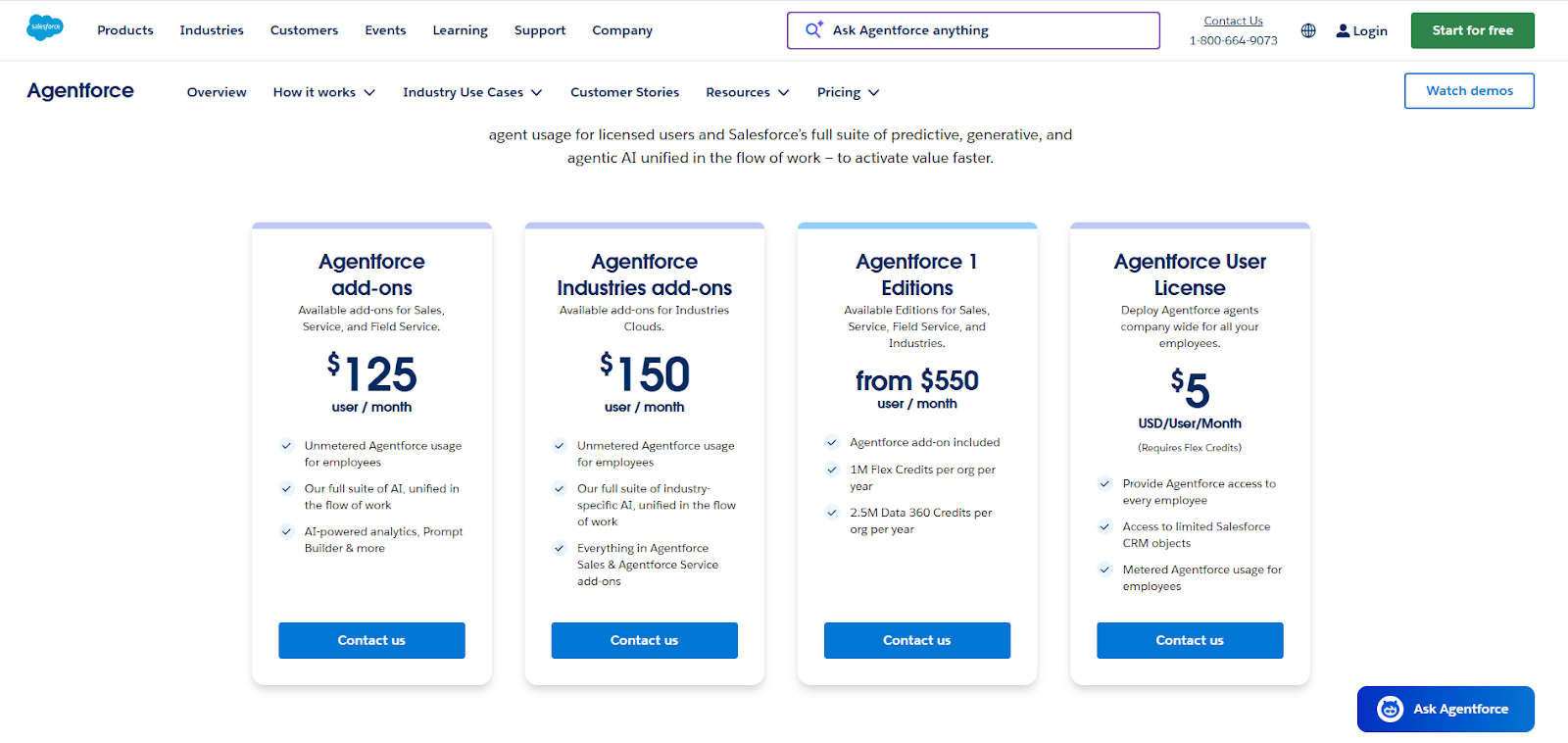
3. Clari (Revenue intelligence + Forecasting)
Overview
Clari is a revenue operations and forecasting platform that helps teams manage pipeline health and revenue predictability. It uses AI to generate forecast roll-ups, flag deal risks, and give leadership a real-time view of how forecast outcomes are shaping up.
Key Features
• Automated forecast roll-ups and scenario analysis.
• AI-powered pipeline risk scoring and deal inspection.

Pros
• Trusted enterprise-grade forecasting and revenue intelligence.
• Reduces manual forecast collection and error.
Cons
• Requires integration and change management for full value.
• Typically higher cost for enterprise deployments.
Pricing
• Not fully public; tiered enterprise-oriented pricing with scale considerations.
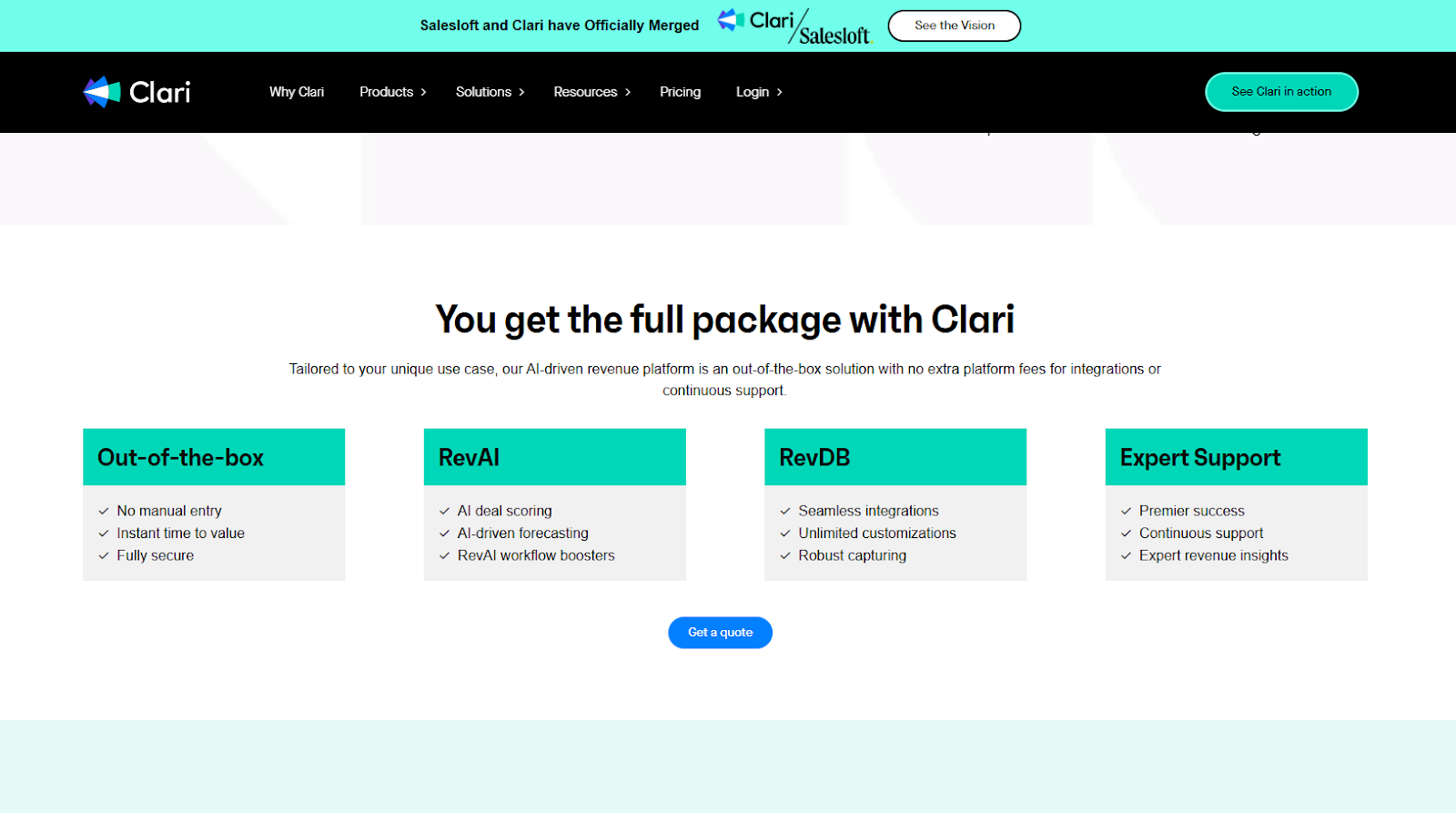
4. Gong Revenue AI (Forecast + Revenue intelligence)
Overview
Gong unifies revenue intelligence with forecasting through deep analysis of sales conversations and engagement behavior. It captures deal signals from calls, emails, and meetings, applies AI to identify trends and risks, and helps teams improve forecast predictions and pipeline health.
Key Features
• AI-driven forecasting signal analysis (Gong Forecast).
• Conversation and engagement analytics to inform pipeline quality.
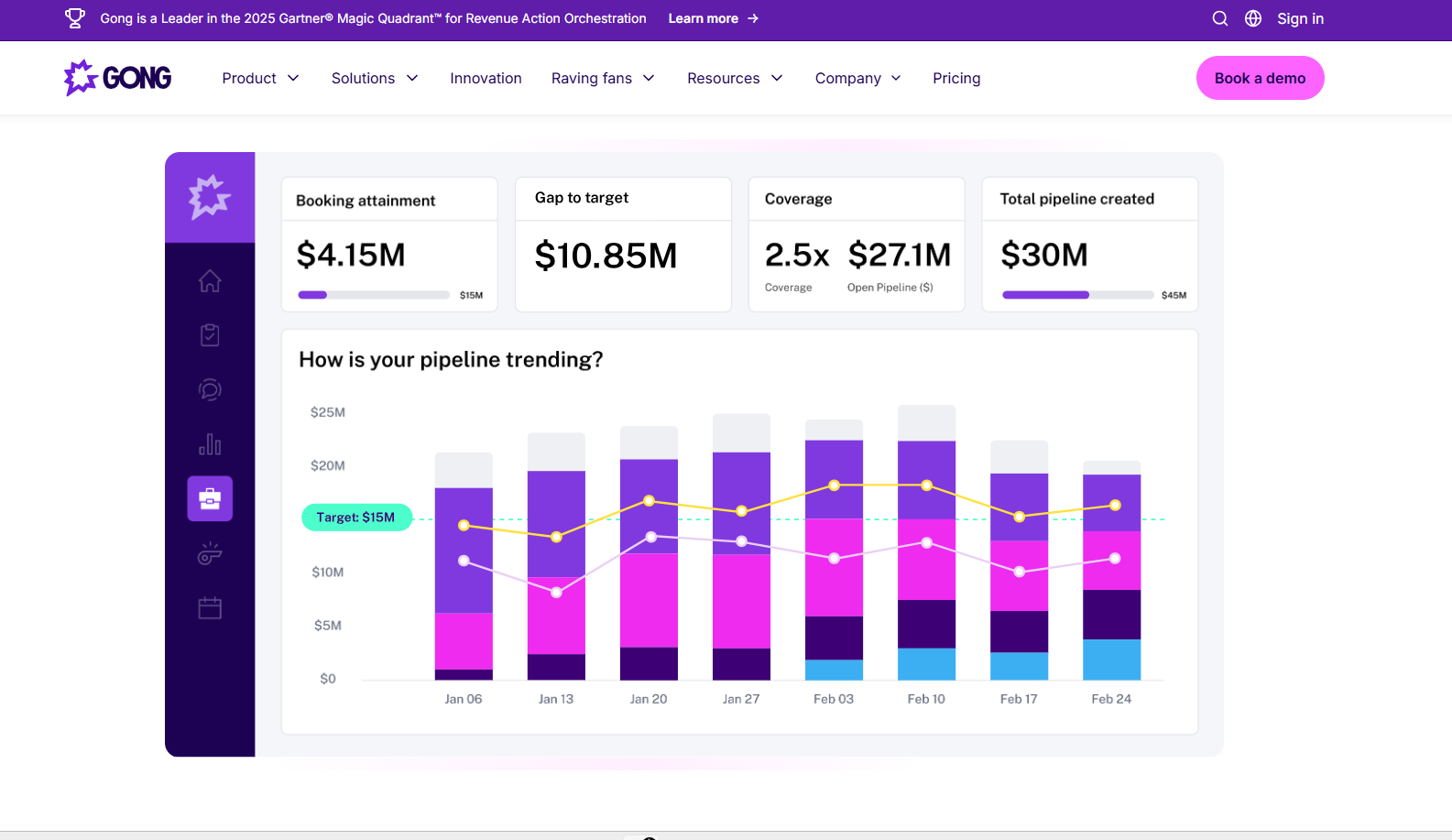
Pros
• Excellent revenue intelligence from real sales interactions.
• Improves coaching and sales execution readiness.
Cons
• Pricing is modular and complex; exact numbers vary widely.
• Not focused purely on forecasting (broader revenue intelligence).
Pricing
• Modular pricing with platform fees and add-ons (Gong Forecast, Gong Engage).
5. Anaplan – Enterprise scenario planning & forecasting
Overview
Anaplan is an enterprise forecasting and planning platform that helps organizations connect sales forecasts with broader financial and operational planning. It supports real-time forecasting, scenario modeling, and cross-team alignment for GTM and finance functions.
Key Features
• AI-driven scenario planning and real-time forecast updates.
• Unified forecasting across sales, finance, and operations.

Pros
• Extremely strong for complex planning and what-if scenarios.
• Integrates broad business models beyond the sales process alone.
Cons
• Enterprise focus means a steep learning curve and implementation.
• Significantly more expensive than tools built for revenue ops alone.
Pricing
• Custom enterprise pricing; requires sales engagement.

Predictive sales AI stack: Top tools by revenue function table
Best practices for implementing AI sales intelligence
The sales pitch for AI tools always promises the best outcomes. And their promises of better forecasts, higher win rates, reps focusing on the right accounts usually come through, if used properly.
Usually, the gap between what the demo showed and what your team actually experiences can be fixed with a few practices that don't get talked about enough in vendor presentations, like:
- Clean your data before you trust the output
If your data is messy, predictive AI tools won’t give you accurate predictions. Clean up duplicate accounts, stale stages, missing close dates, and inconsistent field usage in your CRM.
- Use AI to guide focus, not to replace judgment
Let AI surface priorities and risk signals, but keep humans in charge of messaging, timing, and tone. Buyers can tell when outreach is automated without a personal touch. AI should narrow choices to help you make better decisions.
- Give sales and marketing the same score to work from
When both teams prioritize accounts using a single predictive signal, handoffs are cleaner and need less effort. Tools like factors.ai make this possible by creating one shared view of account readiness.
Once this is in place, the next obvious question to ask is: where does Predictive Sales AI fall short, and what should you be careful about?
Limitations of predictive AI for sales strategy
Predictive Sales AI is a powerful tool for your sales strategy. But like everything else, it has a set of limitations that are worth calling out upfront:
- Bad data leads to bad predictions
AI works on the data you feed. If your CRM is full of outdated stages, missing fields, or optimistic close dates, the model will learn the wrong patterns and repeat them at scale.
- AI can’t fix a broken GTM motion
If your ICP is not clear, handoffs are messy, or reps don't work on closing deals consistently, AI won’t clean that up for you. It will simply reflect the chaos more clearly.
- Predictions still need human context
AI can spot patterns, but it doesn’t know why a deal is delayed because of procurement, or why an account is waiting for budget approval. Here, it relies on human judgment.
- Over-reliance on scores can backfire
Scores are guides, not orders. When teams chase a number without understanding the signals behind it, they risk ignoring nuance and missing real opportunities.
How to evaluate predictive sales AI tools
Selecting a tool based on a bunch of demos is difficult because they all sound good. Here's a checklist that helps you decide which one will contribute to your revenue once the trial period ends:
FAQs for predictive sales AI
Q: What is the difference between lead scoring and predictive account scoring?
Lead scoring tracks individual actions, like one person clicking an email. Predictive account scoring, like the approach used by Factors.ai, looks at the combined behavior of the entire buying committee to estimate company-level purchase likelihood.
Q: Can AI-powered demand forecasting tools really predict “Black Swan” events for sales teams?
No tool can predict the unexpected perfectly, but modern AI forecasting tools can spot early warning signals like hiring freezes or pricing changes, letting teams adjust forecasts faster.
Q: Why is my predictive AI model giving me false positives?
This usually happens when the model only sees partial data. If it lacks anonymous web behavior or third-party intent, it overestimates interest based on incomplete signals.
Q: Is predictive sales AI compliant with US privacy laws in 2026?
Yes, when built correctly. Most leading tools focus on account-level identification instead of tracking personal data, aligning with evolving US and state privacy regulations.
Q: How long does it take to see ROI from predictive account scoring?
Many teams start seeing improvements within a few months, mainly because reps stop chasing low-intent accounts and focus their time on those most likely to convert.

Best AI Agents for B2B Marketing Teams
Learn what AI agents really are, where they help B2B teams, and how to evaluate tools so automation triggers on real intent
TL;DR
- AI agents act, using real-time signals to decide what to do next without waiting for you.
- The ‘agentic shift’ is moving from AI that helps you write to AI that can run multi-step workflows across tools like your CRM and outreach systems.
- Agents work best in five places: inbound qualification, research and enrichment, intent-triggered outbound, marketing-to-sales handoffs, and multi-touch attribution.
- Most agent setups fail because of weak signals and agentic bloat, where too many disconnected agents create conflicting actions and a messy CRM.
- factors.ai is the account-intelligence layer that unifies intent signals (including G2) with first-party behavior, so agents can trigger on patterns instead of isolated events.
- If you build your own agents, keep it simple: one goal, one trusted trigger, one allowed action, clear guardrails, and measure success in pipeline, not activity.
You probably think your chatbot is pretty smart: it answers questions, books demos, maybe even qualifies leads.
But while it's sitting there waiting for someone to type "pricing?" into the chat box, your competitor's AI agent has just identified your dream account, showing buying intent, and started a sequence.
You're both using "AI." But you're not playing the same game.
Your chatbot responds when asked; your competitor’s AI agent acts when the signal is right. It watches for intent spikes, pulls account context, checks fit, and launches outreach without anyone telling it to.
You are playing the ‘waiting’ game while your competitor wins.
Up until 2024, most "AI" in B2B marketing meant chatbots and email writers. Tools that made you faster but still put you in the driver's seat for every decision. That's changed. Now, it’s the AI-autonomous era.
So, how is your competitor extracting the best from their AI agents? Let's check it out.
What is an AI agent?
An AI agent is a software system that can autonomously make decisions and take actions to reach a specific goal, without you telling it what to do at every step. using data from your tools and what it observes in real-time.
You give it an objective, and it figures out how to get there. It pulls data from your tools, monitors what's happening, decides what action to take next, and then takes that action. And it doesn’t stop there; it goes further down – checking results, adjusting, and moving forward.
When you have an AI agent specifically to carry out marketing activities, it’s called an AI marketing agent.
For example, you tell an AI agent: "Find high-intent accounts this week and get them into a personalized outreach sequence."
It will:
- Watch for signals like site visits, ad clicks, or intent spikes
- Pull context from your CRM and enrichment tools
- Decide which accounts are worth targeting
- Draft personalized messages based on what it knows
- Launch the outreach
- Monitor responses and adjust follow-ups based on engagement
The key difference from other tools: it doesn't just execute one task and stop. It runs in a loop; it observes, decides, acts, and then repeats.
What is the difference between an AI chatbot, an AI marketing bot, and an AI agent?
The difference between ‘chatbot’, ‘ marketing bot’, and ‘marketing agent’ is easy to get mixed up, mostly because a lot of AI tools market themselves as ‘AI agents’ when they're really just doing a few different tasks with a couple of extra tricks (like pulling data from a CRM or triggering an email).
But all three have different levels of capability.
What is an AI chatbot?
AI chatbots mainly handle conversations and simple interactions, such as in customer support and service, and stay within the chat window. It is usually front-facing and is adapt at:
- Answering FAQs
- Routing visitors to the right page or team
- Collecting basic info like email or company name
It is reactive and answers only when prompted.
What is an AI marketing bot?
An AI marketing bot goes one step further. It's still built around flows and rules, but it can trigger actions beyond just replying. It can:
- Qualify leads based on answers
- Book demos
- Create a contact in your CRM
- Send a follow-up email sequence
It is proactive and uses natural language processing (NLP) to sound human while handling variations in how people ask questions. But it's still following a script; if something unexpected happens, it usually can't adapt.
What is an AI marketing agent?
An AI marketing agent supersedes both. It is goal-driven. Once you give it a goal, it figures out the path across systems. To do this, it:
- Monitors signals across multiple systems (website, CRM, ads, intent data)
- Decides which accounts or leads need attention
- Pulls relevant context and history
- Chooses the best next action (email, Slack alert, ad retarget, sequence enrollment)
- Executes that action
- Keeps monitoring and adjusting
- It's proactive and adaptive. It doesn't need you to map out every scenario.
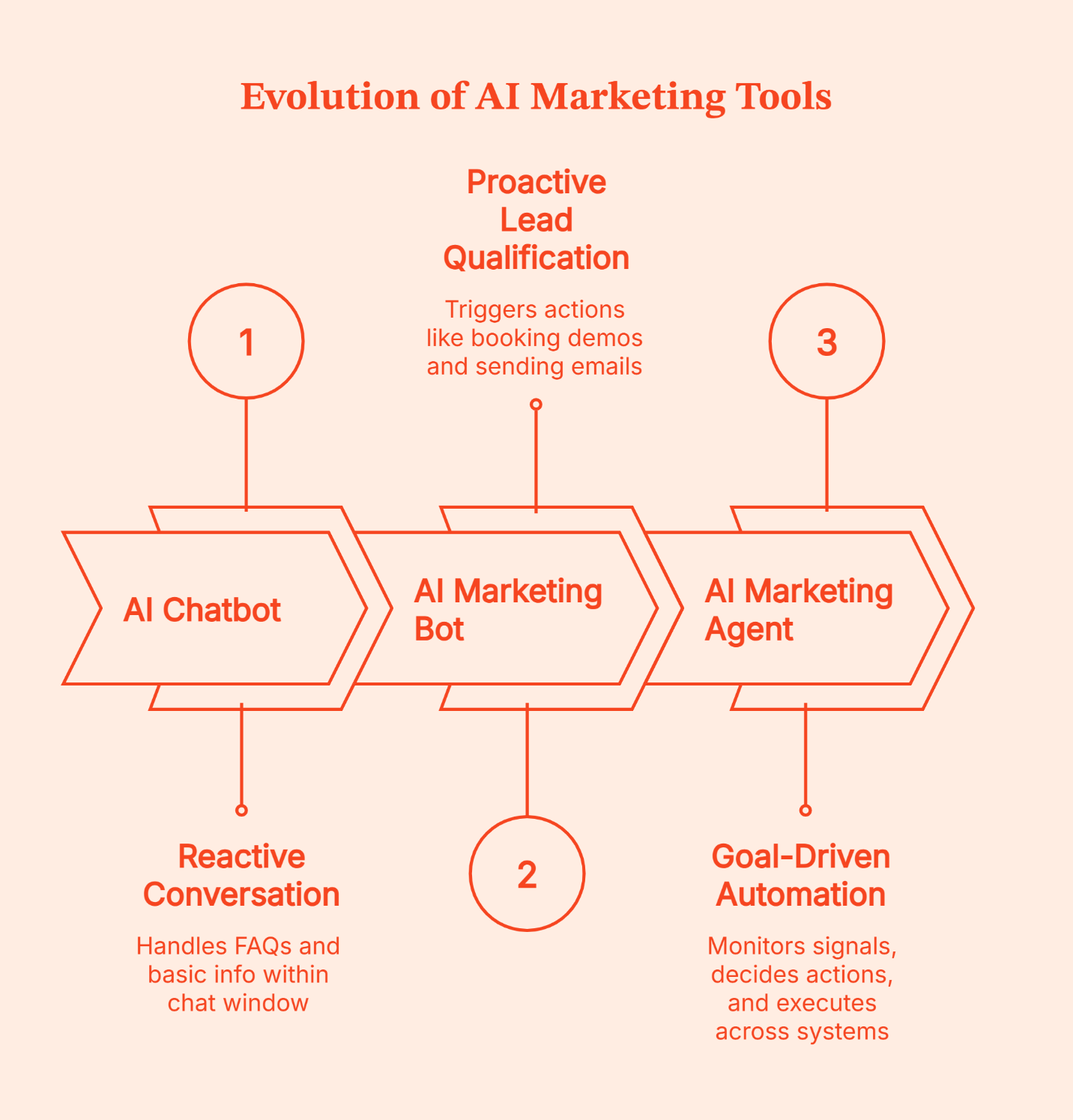
How do AI agents help B2B marketing teams?
If you look closely, B2B teams struggle most with handling actions without enough context.
So, rather than showing you a long list of AI-powered agents, here are the specific, real-world moments where these AI agents earn their keep (with an AI bot vs AI agent example for each). These are the points in your automated workflows where judgment tops speed.
Also read: AI Market Research Tools: From Hype Threads to 10 Tools Worth Using
1. Inbound qualification that doesn’t pollute your CRM
Real-world scenario: Someone lands on your pricing page, opens chat, and asks for pricing. Classic high intent, right?
Not always.
| What happens | If you use a bot | If you use an agent |
|---|---|---|
| Visitor asks about pricing | Shares the pricing link and asks for email | Checks if the company matches ICP and whether the account is already known |
| Visitor shares email | Creates a lead automatically | Decides whether to create a lead, route to SDR, or keep it as an anonymous interest |
| Visitor is a student or competitor | Still gets captured as ‘lead’ | Filters out low-value traffic and avoids CRM noise |
| Next step | Pushes the booking link no matter what | Routes based on intent plus account fit (alert AE, set nurture, or wait) |
2. Research and enrichment without the rabbit hole
Real-world scenario: A target account is on your site. You want context fast: who they are, what they do, what tech stack they use, and whom to reach out to.
| What happens | If you use a bot | If you use an agent |
|---|---|---|
| New account shows interest | Does nothing unless someone asks | Starts enrichment when the account hits a defined intent threshold |
| Data collection | Pulls one data source | Pulls multiple sources, dedupes, and fills gaps |
| Output | A list of raw contacts | A short brief: who to target, why now, and suggested angles |
| Next step | Human stitches everything together | Sends an account snapshot to the right owner |
3. Intent-triggered outbound that doesn’t feel like spam
Real-world scenario: A buyer doesn’t fill a form; they just browse comparison pages, pricing, and integrations over a week.
| What happens | If you use a bot | If you use an agent |
|---|---|---|
| Account shows repeat intent | No action because there’s no form fill | Detects rising intent and checks if the account is in your target list |
| Message choice | Uses a generic template | Drafts outreach based on what the account actually looked at |
| Timing | Fires based on a timer (not in real-time) | Fires based on behavior, like a second pricing visit or a key page sequence |
| Outcome | Outreach feels random and irrelevant to the buyer | Higher relevance, fewer complaints, more replies |
4. Faster handoffs between marketing and sales teams
Real-world scenario: Marketing sees engagement. Sales hears about it two weeks later. Or never.
| What happens | If you use a bot | If you use an agent |
|---|---|---|
| New buying activity happens | Logged somewhere in a dashboard | Pushed to Slack or Teams with context |
| Routing | One rule for everyone | Routes by account, territory, stage, and activity |
| Follow up | Depends on dashboards | Happens while the account is still warm |
| Tracking | Hard to connect to revenue | Actions and outcomes can be tied back to pipeline |
5. Keeping multi-touch attribution honest
Real-world scenario: Your dashboard says paid search drove the demo. The sales team says they’ve been lurking for a month. Both are kind of right.
| What happens | If you use a bot | If you use an agent |
|---|---|---|
| Touchpoints happen across channels | Work in silos | Connected into a single journey view |
| Decision making | Happens at gut feel | Happens with a clearer view of what influenced the account |
| eOptimization | You fund the last touch | You shift the budget to what creates demand |
| Reporting | No clear attribution and a generic sentiment like, “We think it worked” | Cleaner feedback loops into pipeline and revenue |
Did you notice? All five of these use-cases have something in common. The AI agent was only able to work smartly when it knew three things:
- Who the account is (not just a random visitor)
- What they’ve been doing across channels
- When the intent is strong enough to act
Without the Who, What, and When, these AI automation routines suck up energy without generating any quantifiable output.
This is exactly why the B2B teams that get the best results out of their AI agents don’t use them as standalone tools. They treat them as workers who use a shared source of primary information.
Let’s understand how this is achieved in the next section.
💡Does your marketing strategy need a complete overhaul? Find the key indicators in this guide
{{INLINE_TOFU}}
Top AI agents for US B2B teams
From the dozens of ‘AI agents’ floating in the market right now, the best (and the most useful) way to shortlist them is by job.
Ask yourself: What part of your workflow do you want an AI agent to own?
Here are four categories that appear in B2B tech stacks, along with the AI tools B2B marketing teams keep coming back to.
1. Lead research and enrichment agents: Clay, Relevance AI
This is the ‘stop opening 17 tabs’ category.
If your team spends hours building lists, finding the right people, enriching records, and stitching context together, these AI tools can take a lot of that workload off your plate.
- Clay: This tool pulls data from many sources and automates GTM workflows based on that data.
- Relevance AI: This one is known as an 'AI workforce' where AI agents handle prospect research and enrichment-style tasks.
Where they work best: When you already know which accounts you care about, and you want deeper context and cleaner records fast.
2. Conversational demand generation agents: Drift, Intercom
This is the ‘qualify while the buyer is still on the site’ category.
Used well, these AI tools do two jobs at once: they help the buyer get answers quickly, and they help your team route serious intent without waiting for a form fill.
Also read: AI marketing vs traditional marketing: What actually drives growth?
- Drift: Drift positions its AI chat as a way to engage visitors in real time and convert website conversations into a qualified pipeline.
- Intercom: This tool has pushed hard into the 'AI agent' framing, aiming for one unified customer agent that can handle different roles and hand off when needed.
Where they work best: When chat is connected to routing, CRM context, and clear qualification rules. Otherwise, you just create more leads that no one trusts.
3. The intelligence and attribution agent: factors.ai
This is the category most teams skip, then wonder why the rest of the agent stack feels spammy.
Your outbound agent, your chat agent, and your enrichment agent can all 'do work'. But they still need a shared answer to one question:
Which accounts are really showing intent right now, and what should we do about it?
This category is expertly handled by factors.ai. Factors.ai identifies high-intent accounts, connects the dark funnel signals across touchpoints, and triggers the right workflow in the systems you already use.
Factors.ai is well-known for its waterfall model, which identifies more than 75% of anonymous website visitors at the account level.
Why this matters for agentic marketing: Once you have account-level context and intent signals in one place, you can stop your AI agents wasting time on random triggers and deploy them on accounts with real buying behavior.
4. Autonomous SDR agents: Artisan, AiSDR
This is the “outbound execution” category.
Tools such as Artisan and AiSDR aim to run outbound in a more autonomous way, ideally with better personalization and always on follow-up.
Where they work best: When they’re fed clean targeting and real intent. Give them the wrong accounts and they’ll still do their job – with the same vigor.
Top AI agents for B2B marketing and sales team
| Category | Tools | What they’re best at | What can go wrong | Best fit teams |
|---|---|---|---|---|
| Research and enrichment | Clay, Relevance AI | Fast prospect research, enrichment, list building, account briefs | Messy data in, messy data out. Enrichment without prioritization becomes busywork | Lean growth teams, RevOps, outbound teams scaling targeting |
| Conversational demand gen | Drift, Intercom | Real-time qualification and routing from website conversations | Too many low-quality “leads” if chat is not connected to ICP logic and routing | Demand gen teams with meaningful site traffic and clear ICP |
| Intelligence and attribution | factors.ai | Account identification, intent-driven orchestration, and tying actions back to pipeline | If signals aren’t connected to workflows, insights stay trapped in dashboards | Teams running multi-channel demand gen and wanting cleaner handoffs |
| Autonomous outbound SDR | Artisan, AiSDR | Always on outbound and follow-up execution | Spam at scale if targeting and triggers are weak | Teams with clear targeting, guardrails, and strong deliverability discipline |
A grounded way to think about these tools is:
- They’re strong when you already have clear targeting and guardrails.
- They get risky when they’re fed weak triggers, because they can scale the same “sounds fine” outreach problem you’re trying to escape.
That’s why they tend to perform best when placed downstream of a robust account intelligence layer. This way, outbound kicks in only when the account shows intent, and not just because it’s on a list.
Why does AI bot marketing fail without account intelligence?
AI bot marketing fails for the most obvious yet overlooked reason: actions are triggered without enough context. Meaning, you automate the wrong follow-ups, for the wrong accounts, at the wrong time.
To correct this, marketing teams promptly add more automation instead of pausing.
- An enrichment agent to clean up bad leads
- A routing agent for error handling
- A scoring agent to prioritize
- An attribution agent to explain what worked
- A CRM agent to keep records updated
This creates agentic bloat – a phenomenon where you have too many agents running in parallel, each making local decisions from partial data.
Agentic bloat is a clear case of conflicting AI automation creating more chaos, even when every agent is supposedly working.
You’ve got an Agentic bloat if:
|
Agentic bloat doesn’t happen because your agents are ‘bad’. It’s just that they’re acting on partial context.
Most bots and agents see only one slice of the buyer journey, such as a chat conversation, a single web visit, or an email reply. When that slice looks like intent, they do what they’re designed to do and take the next step.
But without account-level intelligence, they can’t answer basic questions like:
- Is this a target account or random traffic?
- Have we already engaged them?
- Are they showing intent now, or just browsing?
and they default to generic actions that scale the wrong AI workflows.
The cleanest way to prevent such agentic bloat is to make every agent listen to the same account timeline.
This is where factors.ai helps.
Factors.ai pulls your key buyer signals into one place, at the account level, so every action is triggered from a shared view of what’s happening.
So instead of “visited pricing page once, send email,” you can run AI workflows like this:
- Account is on your ICP list
- Shows high-intent activity on G2
- Visits your pricing or comparison pages
- Factors.ai alerts the SDR in Slack to trigger the right follow-up
- If the account is not ICP, no action is taken
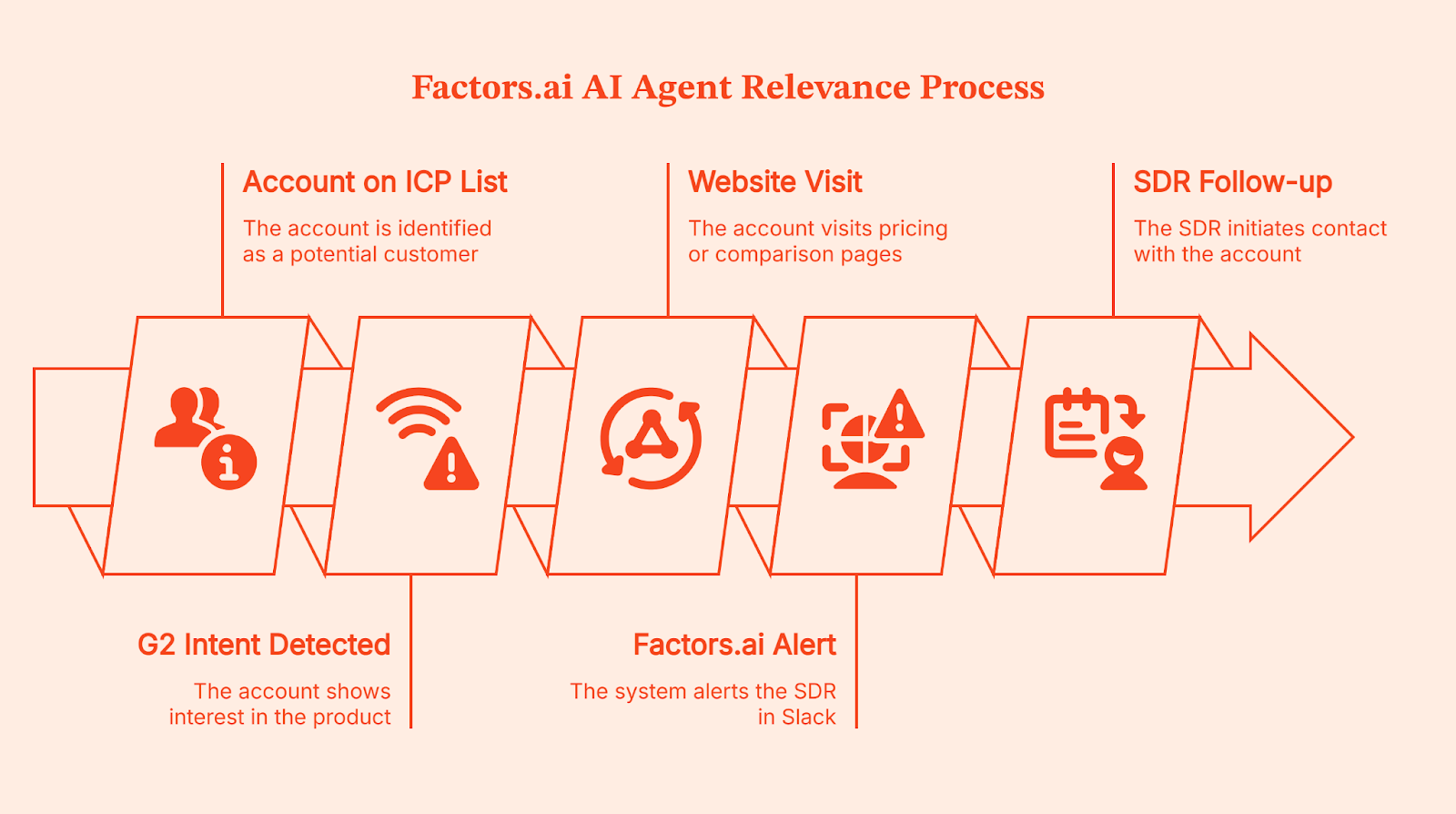
This simple change makes your AI agents relevant; they stop reacting to isolated events and start acting on patterns.
This is also why the G2 Buyer Intent integration matters. Factors.ai brings account-level intent signals from third-party platforms like G2 and combines them with your first-party signals like website behavior and your GTM context from your CRM. It then triggers automations from that combined view and measures influence on the pipeline.
That’s what Upflow, an FRM platform for B2B businesses, did. Once they shifted to factors.ai, it started identifying and acting on the intent signals from all its online channels, such as website, CRM, LinkedIn, G2, and others. This transformed Upflow’s approach to lead generation and nurturing, which, in turn, increased their pipeline by 35%.
💡Read the detailed case-study on how Upflow captured hot leads from channels like G2 and LinkedIn here.
Brands like Drivetrain and Descope were also struggling with similar intent-level integration. So they brought factors.ai into the loop, and it gave them a comprehensive view of intent from the ICP list, web search signals, LinkedIn, and G2. Their sales teams now had a clear ‘crystal ball’ view of which accounts to focus on first.
💡Learn how B2B teams convert G2 intent into pipeline by syncing it with website and CRM data using Factors.ai in this guide.
Key features of the best AI agents
All AI agents look good when used in controlled environments (viz-a-viz, a demo). But they might not be able to withstand the dynamics of buyer behavior when deployed in real-time.
Here are a few features that your AI agents must consist of, to keep up with the complex workflows of buyer behavior:
1. Multi-step reasoning
Can the AI agent handle real responses that involve complex logic like ‘not now’, ‘send this to my boss’, or ‘we already use a competitor’? A good AI agent is great at taking the next step. It doesn’t just shove the same CTA again.
2. Identity resolution
Does it know who it’s talking to, at least at the account level, before it takes action? This is where AI tools like factors.ai matter. Factors.ai can identify over 75% of anonymous website visitors at the company level, which gives AI agents the context to act based on account fit and intent.
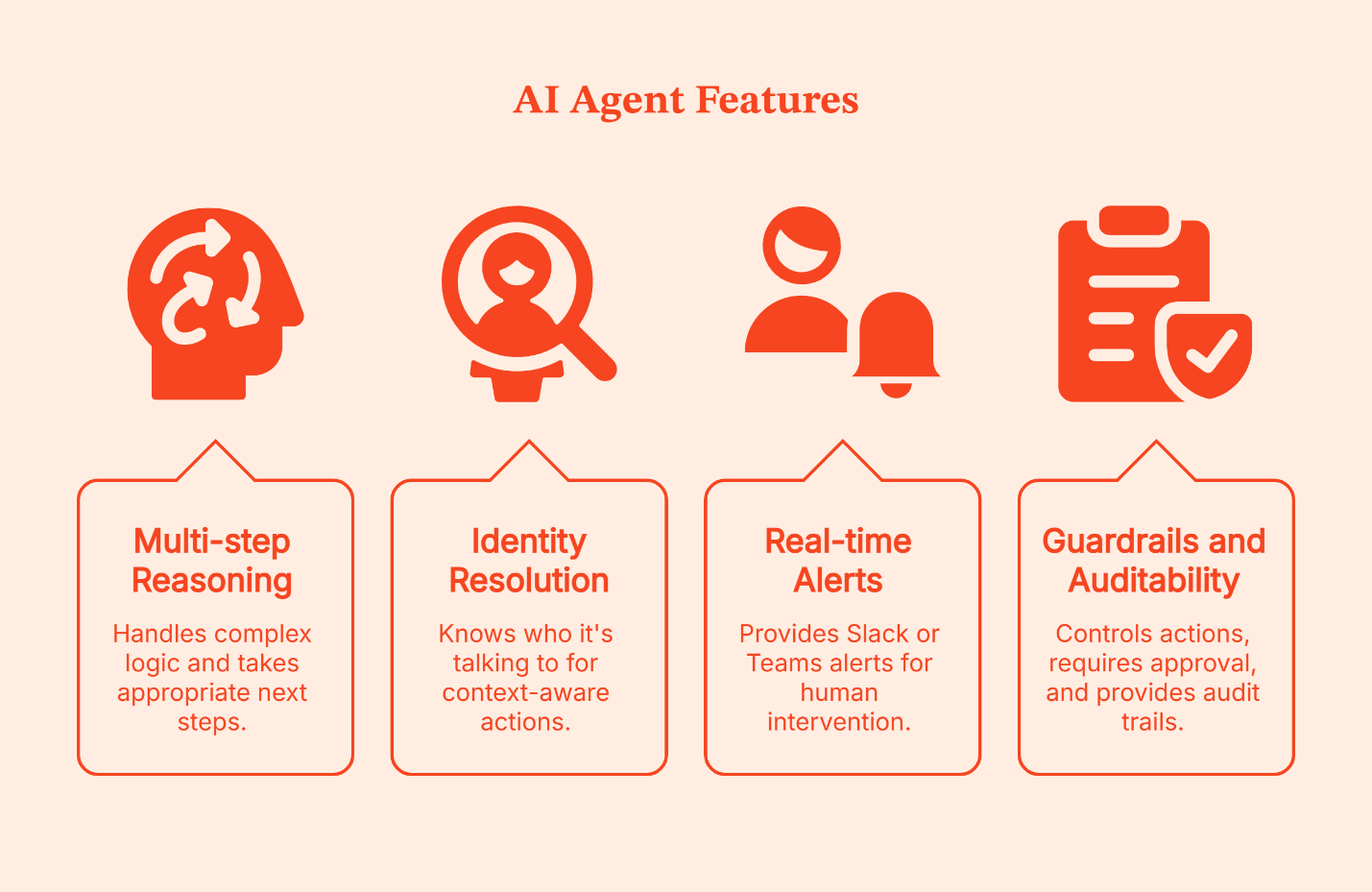
3. Real-time Slack or Teams alerts
The best setups are ‘human in the loop’. AI Agents do the detection and triage, then hand off at the right moment.
4. Guardrails and auditability
You should be able to control what the AI agent can do, require approval for risky actions, and see an audit trail of why it took a step. If you can’t answer, ‘Why did it do that?’ you shouldn’t trust it at scale.
How to evaluate AI agents for B2B marketing
Now that you’ve shortlisted your AI agents, it’s time to run them through this quick checklist. It’ll save you from opting for a ‘smart AI assistant’ that does nothing for the pipeline.
1. Does it take action, or just make suggestions?
If it can’t execute in your existing tools, it’s just a recommendation engine – not an agent.
2. Does it understand accounts as well as the users?
B2B buying is account-based. If it can’t tie activity back to the company, it’ll misfire.
3. Can it connect to your CRM, ads, and GTM data?
AI agents that live in a silo create clutter. The useful ones pull context from the systems your team already trusts.
4. Can humans override or guide decisions?
Look for approvals, guardrails, and the ability to step in when needed.
5. Is ROI measurable in pipeline or revenue?
A ‘Messages sent’ action doesn’t show ROI. You want a clean line from agent action to influenced pipeline and a closed win.
💡Related Read: Learn how to integrate website visitors with your CRM in this guide
Building AI agents for B2B marketing (without getting carried away)
I get it: With so many complexities and workflows in B2B marketing, building AI agents feels like the most practical option. And if you've got technical expertise, you can definitely create agents of your own.
You can go only one of two ways: Grab a pre-built agent or use a workflow builder to set up workflows around specific tasks. Pretty straightforward, right?
But the mistake I see most often when creating agents is treating them like smarter AI assistants. That's the wrong frame. An assistant gives suggestions; an agent takes action. The moment your custom agent can update the CRM, trigger ads, or initiate outreach - without you intervening, you’re not testing anymore. You’re changing your go-to-market.
If you're building your own AI agents, start with this simple order:
- Decide the goal: What do you want the agent to achieve? Say it in one clear sentence.
- Define the trigger: What exact signal should make the agent act? Be specific about what “high intent” looks like.
- Choose the action: What is the agent allowed to do in your tools? For example: send a Slack alert, update the CRM, or start an outreach step.
- Add guardrails: What should the agent never do, and what should require approval first? This is how you prevent mistakes.
- Measure agent performance: Track results in pipeline and revenue. Don’t judge it by how many messages it sent or how many tasks it completed.
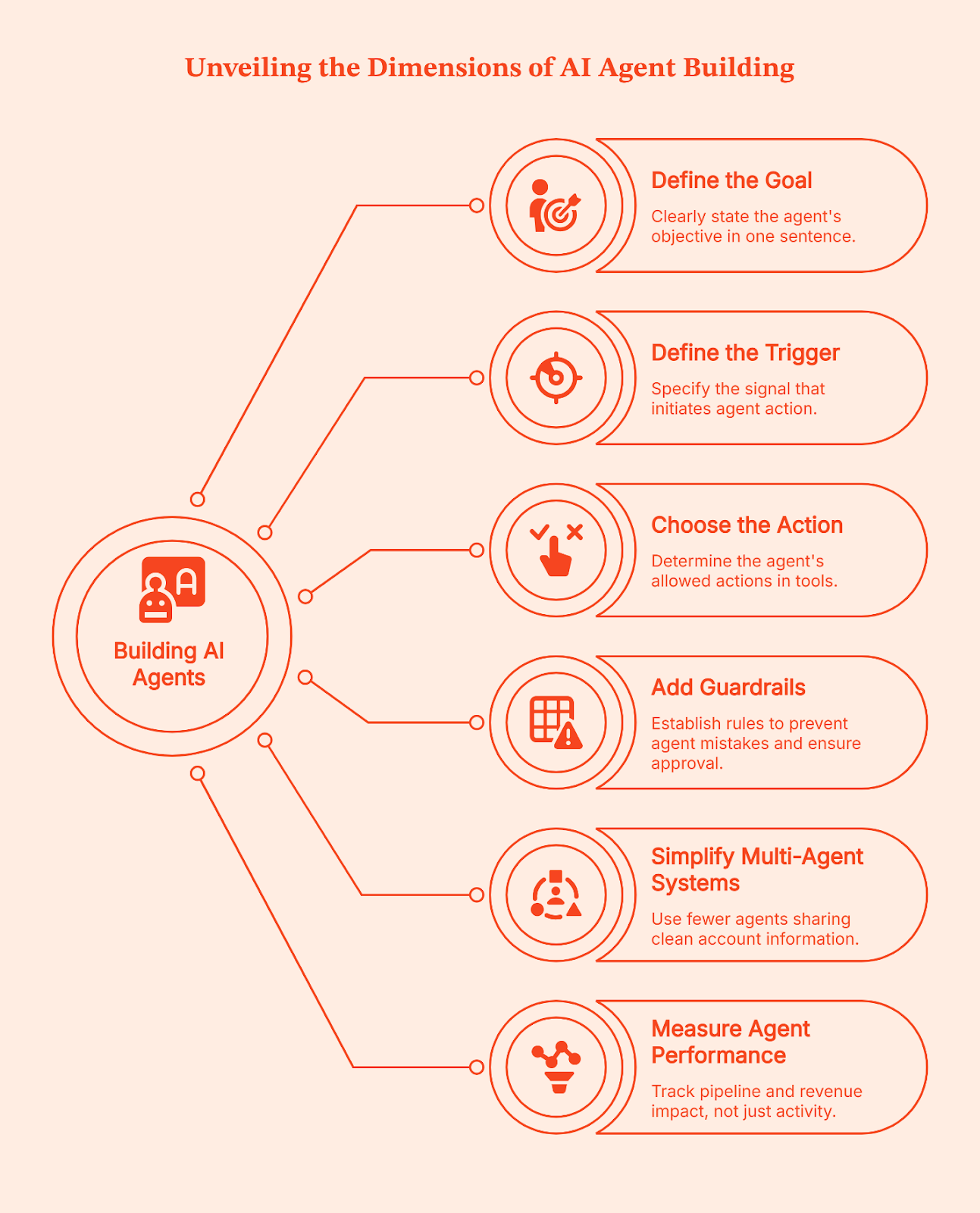
This is also where multi-agent systems go wrong. People add multiple agents and make agents communicate with each other, thinking it will handle complex tasks. Usually, it just creates more moving parts. A cleaner approach is to have fewer agents share a single source of clean information about the account. This way, agent behavior stays consistent even across tools. This is where teams use an account intelligence layer like factors.ai before they scale outbound execution.
You can use almost any AI model to generate content. The hard part is making the AI agent act at the right moment, on the right account, for the correct reason.
Final words: One rule that keeps your AI agents useful
The uncomfortable fact about AI agents is that they don’t create good judgment; they just scale whatever judgment you already have.
- If your strategy is fuzzy, AI agents will automate fuzz.
- If your targeting is loose, they’ll scale loose targeting.
- If your triggers are random, they’ll turn random into an avalanche.
That’s why so many enterprise teams feel like they’re ‘doing more’ with AI and somehow getting less back.
Instead, treat your AI agents like the best assistants you never had.
You set the direction. You decide what intent means for your ICP. You define which moments deserve human attention and which don’t. Then, you partner your AI agents with account intelligence tools like factors.ai to make your strategy accurately executable.
And then you let the AI agents do what they’re genuinely good at: watching for patterns, doing the repetitive tasks, and moving fast when the signal is real.
FAQs on Best AI Agents for B2B Marketing Teams
Q: What is an AI marketing bot's role in 2026?
An AI marketing bot (or AI agent, in this case) serves as an autonomous worker. Unlike basic chatbots, these AI agents can navigate your CRM, research LinkedIn profiles, and draft hyper-personalized content (using generative AI) based on the visitor’s specific website behavior – captured in real-time by tools like Factors.ai.
Q: Which are the best artificial intelligence (AI) agents for small B2B teams?
Community support on Reddit suggests starting with Clay for data and Factors.ai for visitor identification. This 'lean stack' allows a team of one to perform like a department of ten by automating lead research and discovery.
Q: Is AI bot marketing still effective with current privacy laws?
Yes, because the best tools focus on account-level Intelligence. Factors.ai identifies the company (not the individual person’s PII), ensuring compliance with US privacy standards while still providing actionable data for your AI agents.
Q: How do I track the ROI of my AI agents?
Tracking bot activity is easy, but tracking revenue impact is messy. Leading marketing teams use factors.ai for multi-touch attribution. It maps every bot interaction, from a LinkedIn comment to a web chat, back to the final closed-won deal in your CRM.
Q: Are AI bots for marketing considered spam in the US?
Not if they are ‘intent-triggered’. The best AI agents use tools like Factors.ai to ensure they only engage with accounts already showing interest, effectively moving from cold outreach to warm orchestration.
Q: Should I build an AI agent from scratch?
No. Most B2B teams should start with a pre-built AI agent and focus on clean signals and guardrails, because that’s what decides whether it creates pipeline or just more confusion.
Q: What is Agent Mode?
Agent mode is a setting that lets an AI system move beyond answering questions and start taking actions in a loop, like researching, updating tools, and triggering next steps. It works like an 'execution mode' for AI to achieve a goal instead of just chatting.
Q: How does generative AI fit into AI agents for B2B marketing?
Generative AI is the 'content engine' used by the AI agent to draft messages, summaries, and next steps. But to generate specific and genuinely relevant content, it needs real-time account context and intent signals,
Q: Do I need prompt engineering to use AI agents for marketing?
Prompt engineering helps, but it’s not the main requirement. AI agents fail more often when they are acting on a weak context. That’s why signal quality and attribution matter more, which is where teams rely on platforms like factors.ai.
Free AI Sales Tools: Maximize Conversions Without Spending a Dime
A practical guide to free AI sales tools, including prospecting, outreach, and call notes, plus a simple stack to start with.

I love working with products on their 0-to-1 journey. It’s rewarding to watch the growth firsthand, but it's equally challenging. In teams like these, you always end up wearing multiple hats. One day I’m a creative, the next day I’m the strategist, and on some days, the sales team.
While number crunching and task management aren’t what my dreams are made of (cue to all the Hillary Duff fans), the sales process has always felt the most daunting. I try to convince myself it’s my fear of rejection or the uncertainty. But in all honesty, it’s mostly because sales outreach is 10 tasks masquerading as one. As if personalizing pitches, creating custom portfolios, or writing samples weren’t time-consuming enough, narrowing down prospects and finding ways to connect with them is undoubtedly the bigger challenge.
The process is time-intensive and takes away from my core functions (and sanity **sigh **)
So, after a lot of (whining and) research, I’ve built a stack of AI-powered platforms designed to automate administrative tasks and streamline the sales process. These AI-powered platforms automate repetitive tasks, making the process smoother. They work especially well for small sales and marketing teams running on a tight budget (you can’t scale without the resources, but can you?).
Let’s talk about my top picks and how I got to building my sales process:
Why "free" doesn't mean "low value"
Before we get into the list, I want to address the question that comes up every single time someone says “free tools” out loud: “Are they actually good?”
Because “free” has a reputation. It sounds like limited features, clunky UI, and something you will outgrow in a week. But with SaaS in 2026, that assumption is outdated.
Think of it this way: Trader Joe’s samplers are crowd favorites for a reason. They are not made with ‘cheaper ingredients.’ They are usually the same quality you would find on the shelf, just offered in a way that makes it easy to try.
Freemium SaaS tools work the same way. The goal is simple: remove friction, get you using the tool, and let the product prove its value before you pay.
- Myth: Free tools are low quality.
Reality: Many top SaaS products use freemium to drive adoption. You usually pay for scale, not quality. - Myth: Free means ‘you cannot do real work.’
Reality: Good free plans (like the ones Apollo.io and factors.ai offer) let you complete a full workflow. - Myth: If it is free, it is probably unsafe.
Reality: Some free tools are secure, some are not. Check export options, data deletion, and privacy policies.
Key features to evaluate in any AI tool
There are three things to look for when you pick sales tools for your team:
1) Fitment to your use case
- Pick tools based on what you actually need: cold outreach needs strong lead gen + data enrichment, while lead scoring needs solid CRM sync and activity tracking. Growing sales teams and revenue teams especially benefit from scalable, integrated AI-powered solutions that can adapt as their needs evolve.
- If the tool can’t support your main workflow end-to-end, it will become ‘another tab’ you stop opening.
2) Ease of use
- A free tool is only useful if you can get value fast. You should be able to set it up and run a real workflow in under an hour.
- Favor tools with simple UX, editable outputs, and clear limits (credits, exports), so you don’t hit surprise walls mid-task.
3) Data accuracy
- Check whether contact/company data is current and verifiable, and whether the tool shows sources or confidence indicators. Accurate contact information, including phone-verified mobile numbers, is essential for effective sales outreach, CRM integration, and targeted engagement.
- If you constantly need to fact-check or rewrite outputs, the tool isn’t saving time; it’s just shifting the work.
Best AI sales tools categories: lead generation, data enrichment, and outreach
When I began my writing journey, I thought getting clients was simply a numbers game. You reach out to a thousand people, and one is bound to reply. Fortunately, I know better now. I understand that my market is early-stage SaaS startups that aren’t looking to invest in an in-house team yet, or companies with well-established processes looking for freelancers to scale their functions.
This means I know the firmographics I’m aiming for. Without AI tools, I’d spend hours sifting through job boards, SaaS websites, Tech publications, and LinkedIn profiles to find leads. So naturally, step 1 was to make this process more efficient
Lead generation and data enrichment free AI tools
These are tools that help you find the right companies and people to reach out to, then fill in missing details so your outreach is accurate and personalized. Many of these free AI sales tools leverage predictive analytics, buyer intent signals, and machine learning to identify and prioritize leads, making your prospecting smarter and more efficient. Think of them as your ‘list-building + context’ layer.
How they benefit sales teams
- Faster prospecting: You spend less time hunting for leads and more time actually reaching out.
- Better targeting: Filters such as role, industry, company size, and location help you avoid wasting messages on the wrong audience.
- Less manual research: Instead of opening 12 tabs per lead, you get key context in one place, which makes your workflow repeatable.
Here are my top picks in the category:
Tool 1: Factors.ai
Best Suited For
- Factors.ai is best for teams where inbound traffic is the most rewarding channel and the goal is to convert more of that traffic by spotting intent. It’s also a great fit if your B2B sales cycle is longer and deals take multiple touchpoints, because a lot of those touchpoints start quietly on your website (pricing page visits, repeat case study views, returning visitors.
- The paid plans go further to streamlining processes. They’re built for teams that want precise, repeatable processes: from recognizing intent to scoring accounts, triggering workflows, and moving qualified leads cleanly from prospect to SQL without manual patchwork.
Pros
- High-intent identification from website behavior: it shows which companies are visiting your site and which pages they care about (pricing, case studies, etc.), which is exactly what you want when inbound is your growth lever.
- Reporting for funnel visibility: the platform leans heavily into funnel and journey analytics, so you can evaluate what’s working and where accounts drop off.
Cons
- CRM sync is not on the free plan: “Sync data to your CRM” is positioned as part of the paid plan value, so free users should expect limitations here.
- Account scoring is not free-tier core: predictive/scoring features show up as higher-tier capabilities (useful, but not what the free plan is built around).
Most prospecting tools answer “Who should I contact?” Factors answer, “Who is already showing buying intent, and when should I reach out?” Instead of starting from a cold list, it helps you capture inbound demand by identifying the companies behind your website traffic and highlighting high-intent behavior (such as repeated visits to key pages). That makes it a strong bridge between marketing activity and sales action.
Tool 2: LinkedIn Sales Navigator (Free Trial)
Best Suited For
- LinkedIn Sales Navigator is best for teams that rely heavily on cold outreach and want tight control over who they target (and who they exclude). It’s especially useful when your ICP is role-specific, and you need to filter hard by title, seniority, function, industry, and keywords.
Pros
- Huge, frequently updated database: Profiles stay fresh because people actively update roles, company changes, and career moves.
- Better visibility than cold email in many cases: LinkedIn InMail tends to see higher open rates than email benchmarks, which makes it a strong channel when email deliverability is getting messy.
- Filters + “Spotlights” for smarter targeting: Beyond standard filters, Spotlights help you catch high-signal moments like job changes, recent activity, and “mentioned in the news.”
Cons
- Behaves like a standalone prospecting layer: You’ll likely be juggling multiple tabs (Sales Nav for targeting, a doc/CRM/sheet for tracking, and a separate tool for emails or sequences).
- InMail credits are limited: you can’t rely on it as your only outreach engine at scale.
Most data enrichment tools help you build a list. Sales Navigator helps you build a list with precision. With the free trial (typically 30 days), you can quickly narrow down prospects by role, seniority, and company, then use intent-style signals like Spotlights (recent activity, job changes, news mentions) to time outreach more effectively. It’s not “one tool that does everything,” but it’s one of the fastest ways to find the right people to message when cold outreach is your main channel.
Tool 3: Apollo.io:
Best Suited For
- Apollo’s free plan is best for cold-outreach-heavy freelancers and small teams who want an all-in-one place to find prospects, pull verified contact data, and run basic outbound sequences without stitching together 5 tools. It’s especially handy when you’re still testing your ICP and messaging and need a database + outreach workflow in one login.
Pros
- Database + outreach in one place: you can prospect and run light sequencing from the same platform, which makes it easier to stay consistent.
- Free plan still lets you “try the whole motion”: third-party breakdowns note the free tier includes a small credit pool, basic filters, limited sequences, and a daily sending cap, which is enough to validate a process before you pay.
Cons
- Credits become the bottleneck fast: phone reveals, enrichment, and exports consume credits, so the free tier is great for testing, but you’ll hit limits quickly if you do volume.
- Email sending constraints on free: Apollo notes that non-paying plans can connect Gmail accounts for email campaigns, while broader email account linking is restricted to paid or specific trials.
If LinkedIn Sales Navigator helps you find the right people, Apollo helps you do the next step without switching tools: find contact data, enrich it, and actually run outreach. In plain terms, it’s a strong “starter stack” for cold outbound because it combines who to contact + how to reach them in one workflow, even on the free plan (with predictable caps).
2. Conversation intelligence and conversation insights tools
Once outreach starts working, the real risk shifts. I do my best to run good calls, capture what matters, and follow up fast without dropping the ball. Many free AI sales tools now use natural language processing to analyze sales calls and sales conversations, providing sentiment analysis and actionable insights to help sales teams optimize their strategies. So there are tools to help compile all the insights from discovery calls, so I don’t miss any details:
Tool 4: Fireflies.ai
Best Suited For:
- If you take discovery calls, client calls, or demos and you don’t want to spend your evenings writing notes, Fireflies is a strong free add-on. It’s ideal when your pipeline depends on multiple conversations and follow-ups.
Pros
- Records/ transcribes meetings, giving you searchable notes so follow-ups are faster and more accurate.
- The free plan includes unlimited transcription and works well with common meeting tools (Zoom/Google Meet/Teams), but offers limited AI summaries.
Cons
- The free plan’s summaries run on credits, so you can’t auto-summarize everything forever without hitting limits.
- Storage is capped per seat on the free plan (fine for light usage, limiting if you do lots of calls).
Fireflies has one of the strongest freemium models in this category because it doesn’t cripple the core workflow. The free plan still lets you record and transcribe meetings (with an option to unlock unlimited transcripts) and keeps the paywall mostly on the “nice-to-have” layer: AI assistance/summaries and deeper analytics. And the small features add up: time-stamped transcripts, the ability to search within meetings, and the ability to jump back to ‘the exact moment’ someone said something important.
Tool 5: Gong
Best Suited For
- If you’re not buying Gong as a platform, you can still use their free templates and checklists to run a tighter sales process. This is especially helpful when your deals are higher value, and you want to avoid ‘oops, I forgot to confirm that’ moments.
Pros
- Gong publishes free, practical resources like the Enterprise Deal Checklist (a deal-risk style checklist built from analysis of 10,332 deals).
- Their resource library is packed with guides, playbooks, and frameworks you can borrow without needing to pay for the product.
Cons
- These are resources, not automation. You still need to apply them manually (in your doc, CRM, or tracker).
- They won’t replace a true conversation intelligence workflow. Think ‘process upgrade,’ not ‘tool replacement.’
If Fireflies helps you capture what was said, Gong’s free checklists help you sanity-check the deal: what you should confirm, what risks to look for, and what “good” looks like in a sales cycle, even as a team of one.
Outreach, email AI tool, and personalization tools
This category is basically your reply-rate toolkit: One tool to polish what you wrote, one tool to generate quick personalization, and one tool to stand out for a handful of dream accounts. These free AI sales tools also support outreach efforts, marketing campaigns, and the creation of social media posts as part of a comprehensive sales and marketing strategy. Integrated marketing tools can help optimize your outreach and campaign effectiveness, making it easier to identify prospects, personalize messages, and enhance your overall marketing performance.
Tool 6: Lavender
Best Suited For
- Lavender is best for cold outreach or follow-ups via email, and for building a repeatable ‘good email standard’ for yourself.
Pros
- The free Basic plan gives you 5 email analyses/month and the personalization assistant 5x/month, plus Gmail + Outlook integration.
- It’s built around real-time coaching: it scores your email and helps you fix things that hurt reply rates (too long, too vague, too pushy).
- Useful when you want a quick “tone check” before you hit send. (Lavender is commonly described as giving feedback on clarity and sentiment/tone.)
Cons
- The free tier is intentionally tight, so use it only on your highest-stakes emails, not every message you send.
- It improves your writing, but it doesn’t solve list-building or sequencing by itself.
Lavender has one of those freemium models that actually fits freelance life. You don’t need unlimited coaching. You need a tool that helps you polish the emails that matter most: the first touch to a dream account, the follow-up after a good call, the “quick nudge” that can revive a silent thread. The best part is you stay in your inbox, write like yourself, and use Lavender like a guardrail before you press send.
Tool 7: ChatGPT/ Claude/ Gemini
Best Suited For
- This is best for LinkedIn-first selling or role-targeted cold outreach, where you want a short, relevant opener that proves you did your homework. Think: ‘personalized icebreaker + one clean pitch line + a simple CTA.’
Pros
- You can turn messy LinkedIn info into usable personalization in a snap. Paste their headline, ‘About’ section, and one recent post, then ask for 5 icebreakers in your tone.
- ChatGPT’s free tier supports core writing workflows, but has stricter rate limits for heavier features.
- Claude has a clear Free plan and is positioned for writing, editing, analysis, and even web search for free.
- Gemini also operates with usage limits and offers expanded access through Google AI plans, so it works well as a “quick draft tool” when you’re already in the Google ecosystem.
Cons
- Outputs get generic if your input is generic. You still need to feed it real context.
- Free plans have usage limits, so it’s better for bursts of prospecting and writing, not nonstop generation.
Free LLMs are the easiest way to personalize without buying another tool. They don’t magically know your prospect, but they’re great at turning raw profile info into a short opener that feels natural. I treat them like an icebreaker: generate options, pick one that sounds like me, then do a quick human edit so it doesn’t feel robotic.
Tool 8: Tavus
Best Suited For
- Tavus is best when you have a short list of high-value accounts, and you want a pattern break. It’s not for mass outreach. It’s for the ’Top 10’ where one reply can change your month.
Pros
- The free plan includes 25 minutes of AI-conversational video and 5 minutes of AI-generated video, plus access to stock replicas and support for 30+ languages.
- Video outreach can stand out when inboxes feel crowded, especially if you’re reaching out to founders, heads of marketing, or sales leaders who get the same templated emails all day.
Cons
- Free usage is limited by minutes, so you have to be selective about who gets a video.
- Video adds a bit more setup and effort than email, so it works best as a targeted play, not your daily default.
If you’re a freelancer, your advantage is that you can afford to be targeted and thoughtful, not high-volume. A small batch of video messages aimed at your best-fit accounts can do what 200 “quick check-in” emails won’t. The freemium plan gives you enough runway to test the tactic, see if it fits your style, and only then decide whether it’s worth scaling.
{{INLINE_MOFU}}
Compare the best AI sales tools
| Category | Tool | Best Suited For | Free/Trial Angle | G2 Overall Rating |
|---|---|---|---|---|
| Intent \+ inbound prospecting | factors.ai | Teams with meaningful website traffic who want to spot high-intent accounts (pricing/case study visitors) and time outreach | Free tier focused on visitor identification (your “when to call” layer) | 4.5/5 (178 reviews) ([G2](https://www.g2.com/products/factors-ai/reviews)) |
| LinkedIn prospecting | LinkedIn Sales Navigator | Cold outreach teams that care about role targeting \+ exclusions and better list quality | Works well via free trial if you batch prospecting and outreach sprints | 4.4/5 (2,131 reviews) ([G2](https://www.g2.com/products/linkedin-sales-navigator/reviews)) |
| Data enrichment \+ outreach | Apollo.io | Freelancers/small teams who want a database \+ basic outreach workflow in one place | Free plan is usable, but limits hit quickly as you scale | 4.7/5 (9,370 reviews) ([G2](https://www.g2.com/sellers/apollo-io?utm_source=chatgpt.com)) |
| Meeting capture \+ notes | Fireflies.ai | Recording \+ transcription \+ searchable meeting notes (great when you juggle calls \+ delivery work) | Free tier works for lightweight usage; AI/analytics are gated | 4.8/5 (722 reviews) ([G2](https://www.g2.com/sellers/fireflies-ai?utm_source=chatgpt.com)) |
| Email coaching | Lavender | Improving cold emails \+ follow-ups (clarity, length, tone) without rewriting forever | Free plan exists; best used on “high-stakes” emails | 4.8/5 (62 reviews) ([G2](https://www.g2.com/products/lavender/reviews)) |
| Video personalization | Tavus | A few high-value accounts where a video “pattern break” helps | Freemium via limited minutes/usage | 0.0/5 (1 review) *(very limited data)* ([G2](https://www.g2.com/products/tavus/reviews)) |
| Conversation intelligence (resources) | Gong (free resources) | Using proven deal/risk frameworks, even if you’re not buying Gong yet | Free templates/checklists \+ learning material; tool itself is paid | 4.7/5 (6,461 reviews) ([G2](https://www.g2.com/products/gong/reviews?utm_source=chatgpt.com)) |
| Copy \+ personalization drafts | ChatGPT / Claude / Gemini | Fast icebreakers \+ rewrites \+ subject lines \+ follow-ups from LinkedIn/context | Free tiers (with limits) work well for drafting | N/A (not typically on G2 as a “sales tool”) |
Building the ultimate free stack of AI sales tools
If your goal is to build a simple, repeatable flow, start with Factors.ai as your traffic-insights layer that helps with visitor identification. It helps you spot which companies are visiting your site and showing intent, so you know who’s warming up and what they’re interested in.
If your sales cycle has multiple touchpoints involving channels like LinkedIn Ads or Google Ads, I’d recommend the paid version of Factors.ai. The paid plan allows you to identify accounts, monitor buying signals across all channels, and set up workflows to nurture and convert high-intent buyers. You can also check out Factors.ai’s LinkedIn AdPilot and Google AdPilot to optimize your ad campaigns and bring you the best bang for your buck.
Once you’ve spotted an interesting account, use Apollo.io as your contact layer. This is where you go from ‘a company is showing intent’ to ‘here’s the right person to reach out to.’ It helps you find the decision-maker and pull the basics you need to personalize outreach without manual digging.
(PS: The paid version of Factors.ai has strong integrations with Apollo.io and CRMs like Hubspot, so you don’t have to add this enriched data to your CRM manually.)
Next comes the outreach layer: Lavender. Instead of rewriting the same email ten times, you use Lavender to tighten what you’ve written, check tone, and make your message easier to read. On the free tier, you save it for your highest-stakes outreach and follow-ups.
Finally, once a prospect books time, Fireflies.ai becomes your meeting layer. It records and transcribes calls, gives you searchable notes, and helps you follow up quickly without relying on memory or messy notes. That’s a big deal when you’re juggling delivery work and sales at the same time.
If you want to think of it as one clean workflow:
- Factors.ai tells you which company is paying attention
- Apollo.io helps you find who to contact
- Lavender helps you say it in a way that gets replies
- Fireflies.ai helps you capture the call and follow up without dropping details
When free AI tools stop being enough
Free AI tools are perfect when you’re still building the habit of consistent outreach and follow-up. But once you start scaling, free tools begin to feel patchy.
- If you’re running paid ads, every lead has a real cost attached to it. At that point, you need clean tracking from campaign to lead to meeting to revenue. Most free stacks struggle here because the data sits in silos, and attribution breaks the moment you involve multiple channels.
- If your website traffic is high, the problem isn’t “more leads,” it’s figuring out which visitors are actually worth chasing. You need intent signals, better qualification, and a way to connect website behavior to a contact or account in your system. Free tools can show surface-level numbers, but they rarely help you turn traffic into prioritized, sales-ready actions.
- If sales says the leads are low quality, it usually means your targeting and scoring are off. You need stronger enrichment, clearer qualification rules, and a feedback loop between marketing and sales to improve the system over time. Free tools can help you collect leads, but they often can’t connect the dots well enough to consistently improve lead quality.
- If marketing can’t see revenue impact, you’re flying blind. You might be getting clicks, form fills, and replies, but you cannot confidently say what is driving pipeline or closed deals. That is the point at which free tools stop being “good enough,” because you need tighter CRM integration, reporting, and attribution that hold up as volume increases.
As your team grows, marketing platforms and sales engagement solutions become essential for integrating sales and marketing data, enabling advanced reporting, and supporting more sophisticated outreach and engagement efforts.
Free tools struggle when data lives in silos. Paid versions of platforms like Factors centralize that data layer first. It connects website behavior, ad engagement (LinkedIn and Google), and CRM activity into one account-level view, so you’re not guessing which touchpoints matter.
Free stacks also break when prioritization gets messy. That’s where Account Intelligence and Sales Intelligence come in. Instead of static lists, you get intent recognition, lead scoring, and real-time alerts, so sales act when buying signals spike, not weeks later.
And once paid acquisition scales, orchestration matters. With LinkedIn and Google AdPilot, campaigns align with real account behavior rather than generic targeting. Factors.ai creates accurate end-to-end automations that not only help prioritize high-intent accounts but also provide a wealth of information on your ICP's buying behaviour (liketracking the impact of each touchpoint) to help replicate successful messaging and campaigns in the future. The system is end-to-end: centralized data, intent recognition, scoring, workflows, CRM sync, alerts, managed as one connected revenue engine instead of five disconnected tools.
FAQs for free AI sales tools
1. Can AI actually close B2B deals, or is it just for prospecting?
Current sentiment on Reddit suggests AI is best for “Top of Funnel” (prospecting, scheduling, summaries). Human intuition is still required for complex multi-stakeholder negotiations. However, AI sales tools provide AI-powered insights and AI lead scoring, helping teams prioritize prospects and move deals forward more efficiently. Many tools also integrate directly with existing CRM systems to enhance sales workflows.
2. Is there a catch with ‘free’ sales intelligence tools?
Usually, the “catch” is data limits or a lack of CRM sync. However, tools like factorsAI allow smaller teams to access enterprise-level intent data for free to prove value before scaling. Note that some free AI sales tools can integrate directly with your CRM, but advanced integrations may require a paid plan.
3. Which free AI tool is best for finding verified B2B emails in the US?
If you’re not looking beyond data enrichment, Apollo.io and Seamless.ai remain the gold standards for their free tiers, though credit limits are tight.
4. How do I protect my data privacy when using free AI tools?
Always check if the tool is SOC2 compliant. B2B marketing teams should ensure their AI tools don’t “train” on sensitive client data.
5. Can AI actually close B2B deals, or is it just for prospecting?
AI helps move deals faster (research, outreach drafts, follow-ups, call summaries), but you need human judgment for multi-stakeholder management, trust-building, and negotiation.
6. Is there a catch with “free” sales intelligence tools?
Usually, the “catch” is usage limits or missing integrations. Think fewer credits, capped exports, and no CRM sync. The core product can still be solid. Some free AI sales tools do offer CRM integration and AI-powered insights, but advanced features may be limited to paid versions.
7. Which free AI tool is best for finding verified B2B emails in the US?
Apollo and Seamless are popular starting points because their free tiers still let you find and verify emails. Just expect tight credit limits.
8. Are free AI sales tools actually useful for B2B teams?
Yes, especially for lean teams. Free tiers are often enough to prove a workflow and save time on repetitive tasks. AI-powered insights and lead scoring can help prioritize outreach and improve efficiency, even in free versions.
9. What are the limitations of free AI tools for sales?
Volume and control. You’ll hit caps on credits, automations, exports, and integrations before you hit “quality” issues. Some advanced AI-powered insights and CRM integrations may be restricted to paid plans.
10. Can free AI tools replace sales software?
If you’re working on a small scale, yes. A few free AI tools like Factors.ai, Apollo.io, Fireflies, plus a simple tracker (Google Sheets/Notion) can cover outreach, follow-ups, and basic pipeline tracking.
11. When should sales teams move from free AI tools to paid platforms?
When free limits start costing you time or revenue: you’re hitting credit caps weekly, manual copy-paste is painful, or you need integrations/automation to keep leads from slipping. Upgrading often unlocks more advanced AI-powered insights, lead scoring, and seamless CRM integration.

ZoomInfo vs 6Sense: Which platform fits your GTM Strategy?
Compare ZoomInfo vs 6sense across data, intent, activation, automation, analytics and pricing. Find the right GTM platform for your team.
Let’s be honest for a hot minute (because GTM teams definitely aren’t when they argue about tools.)
Every team has that internal debate.

One person swears by ‘better data.’
Another insists ‘timing is everything.’
Meanwhile, you’re just trying to generate pipeline without losing your will to live. (and they all look like different versions of the kid in the above picture).
And sitting riiiight in the center of this GTM tug-of-war are two giants: ZoomInfo and 6sense.
Both are popular and powerful. And both will absolutely show up in your procurement deck, whether you ask for them or not.
But… they’re built for completely different things in your GTM journey.
ZoomInfo is your “I need people to talk to today” friend… the one with a never-ending docket, creepy-good memory, and a habit of delivering verified information, AKA contacts.
6sense is your “I know what they’re thinking before they think it” friend… a little psychic, a little scary, and very serious about buyer journeys and timing every move for you.
One tells you who to talk to… the other tells you when to act (and sometimes, how loudly).
I know that’s not enough information, so I’ll walk through how these two actually stack up across data, intent, audience activation, analytics, and real GTM movement… the stuff that makes or breaks pipeline.
Alright… grab your coffee (or water… cause hydration!).
And let’s get into it, or as our dear GenZ friends would say, “LFG”.
{{INLINE_BOFU}}
ZoomInfo vs 6Sense: Functionality & Core Capabilities
B2B teams need clarity as much as they need their double espresso. Whether you’re chasing better data or smarter execution, the platform you choose can shape how efficiently your go-to-market motion runs. ZoomInfo and 6sense both claim market leadership, but they’ve built their “intelligence” on different philosophies.
Before you decide which one works for your team, this section breaks down what each platform does at its core and how each delivers value.
ZoomInfo Functionalities and Core Capabilities
ZoomInfo positions itself as the spine of B2B data and a treasure trove of accurate contact, firmographic, technographic, and intent insight. Most go-to-market teams start here when they need:
- A steady source of verified leads and accounts
- Contact enrichment that keeps CRM records up to date
- Firmographic filtering, technographic signals, and job-change alerts
- Integrations that move intelligence smoothly into Salesforce, HubSpot, or Outreach
- Workflow accelerators that let reps spend less time researching and more time selling
ZoomInfo’s strength lies in its breadth and depth of data. For teams who know who they want to reach and just need that information in one place, ZoomInfo delivers.
6sense Functionalities and Core Capabilities
Instead of just gathering signals, 6sense brings structure to how teams act:
- AI-powered predictions tell you which accounts are ready and when
- Buying group insights highlight who’s involved in the decision
- Audiences adjust automatically across ads, emails, and events based on behavior
- Revenue intelligence shows what’s moving pipeline and where the gaps are
- Orchestration layers help teams create, launch, and optimize their outreach
For teams trying to align marketing and sales around high-intent, multi-threaded accounts, 6sense finally makes that alignment practical and measurable. It’s like going to a spa to ‘align your chakras’ and actually walking out ✨aligned✨.
ZoomInfo vs 6Sense: Core capabilities in a snapshot
ZoomInfo is the foundation that helps teams gain clarity on who they’re targeting and gives sales the data to personalize their approach.
6sense focuses on flow, from identification to engagement to conversion. For teams that want their outreach and activation to move with the buyer, it pulls the moving pieces together.
Both platforms are great in their capabilities. But your choice depends on what feels more urgent today:
Do you need better data, OR better movement across your revenue engine?
If you’re thinking “I want both data and orchestration,” you might like our take on Factors vs ZoomInfo, it shows when to pick a data-first tool vs a full GTM system.
ZoomInfo vs 6Sense: Data Coverage & Intent Signals
Data is the backbone of every modern GTM motion. Whether you’re trying to find the right companies to target or understand what they care about, the platform you choose should do more than just store records. It should help you act on them.
Let's look at how ZoomInfo and 6sense build, manage, and activate intent signals.
ZoomInfo Data Coverage and Intent Signals

ZoomInfo gives companies what they’ve always needed: clear, reliable data (the latter being the KEY-word).
- Strong database of verified contacts and companies
- Firmographic filters and industry-level insights
- Basic intent signals that point toward which companies are showing interest
- Enrichment that updates your CRM automatically so reps don’t have to chase missing information
It’s a solid fit for teams that rely on outbound prospecting and want a trustworthy, updated list to work from.
6sense Data Coverage and Intent Signals

6sense focuses more on interpreting where buyers are, rather than just showing who they are. It combines behavioral signals, account history, and predictive scoring to show:
- Which accounts are researching your solutions
- What stage of the buying process are they in
- How likely they are to move toward pipeline
- Patterns that help sales and marketing work in sync
This approach benefits teams that want data AND correct timing.
ZoomInfo vs 6Sense: Data Coverage and Intent Signals in a snapshot
ZoomInfo matches your target companies with verified contacts, ensuring your outreach is grounded in real, reachable people.
6sense gives teams context, while showing who’s active, why they matter now, and how far along they are in the buying process.
Again, both have a place. The better choice depends on whether your team needs clear records to support selling, or real-time intent signals to guide multi-channel GTM plays.
Curious about how intent sources compare? This short guide on Top Intent Data Platforms gives a handy market view.
ZoomInfo vs 6Sense: Account & Buying Group Intelligence
Account intelligence is no longer just about identifying a company… GTM teams now need to understand who is involved, what each person cares about, and how their behavior connects to the buying process. (long sentence… but that’s really all the things they need)
Here’s how ZoomInfo and 6sense compare when it comes to identifying accounts and understanding buying groups:
ZoomInfo Account & Buying Group Intelligence

ZoomInfo gives teams a clear view of who to talk to. Its intelligence points you toward the right contacts by job role, industry, and profile. It helps sales teams find the decision-maker faster and personalize outreach with verified details.
Here’s what it delivers well:
- Lists of stakeholders connected to the company
- Job role and seniority filters for narrowing outreach
- Quick ways to add and enrich contacts in your CRM
- Easy exporting and syncing for sales engagement tools
(And yes, fewer moments where you want to pull your hair out)
This works well when your primary goal is to book meetings and identify the right decision-makers within each account.
6sense Account & Buying Group Intelligence
6sense goes deeper into what’s happening inside the account. Instead of just telling you who the decision-maker is. It shows how different stakeholders interact with your brand and content over time. This makes it easier to understand patterns of influence and track progress.
It does this by:
- Tracking behavior from multiple decision-makers together
- Seeing where each stakeholder fits into the buying process
- Predicting when an account is close to becoming an opportunity
- Highlighting individual and account-level actions that signal readiness
This is helpful for teams investing in account-based motions where engagement across the buying group matters more than a single contact click.
ZoomInfo vs 6Sense: Account & Buying Group Intelligence
ZoomInfo helps you quickly access the right people. You know who the decision-makers are and can act on the information directly.
6sense supports you with context and collaboration. You can see which accounts are moving, why they’re moving, and how to tailor your outreach based on where they are in the journey.
But now… the difference is whether your team is focused on direct outreach to known contacts or broader alignment between marketing and sales against a moving buying unit.
ZoomInfo vs 6Sense: Workflow Automation & Activation
Good data becomes great only when teams can act on it.
Automation and activation are where platforms show how well they serve real-world GTM needs, whether that’s running campaigns, organizing outreach, or helping revenue teams work together.
Both ZoomInfo and 6sense offer automation features, but they’re designed keeping different priorities in mind.
ZoomInfo: Workflow Automation & Activation
ZoomInfo 🌟 shines🌟 where structured sales flow requires reliable data.
It lets you:
- Clean and enrich CRM records automatically
- Build segmented lists based on filters like intent keywords, technologies, and job roles
- Push those lists into sequences or campaigns via integrations with CRMs and outreach tools
- Reduce manual work for sales teams by automating research and data entry
(Become your sales teams’ favourite person, and that’s really THE thing btw)
This fits outbound workflows very well. Teams using outreach platforms like Salesloft or Outreach.io can plug in ZoomInfo and make their plays more precise with less effort.
6sense: Workflow Automation & Activation

6sense is built to guide entire GTM motions. It connects what the platform knows to what marketing and sales should do next.
Some of what it enables:
- Automated campaigns based on buying stage
- Cross-channel activation (ads, email, chat) based on intent signals
- Internal workflows that notify sales when accounts enter the “ready” stage
- Unified scoring and journey progression that help teams time their effort
- Shared visibility between marketing and sales on what messages are working
Where ZoomInfo supports data-backed action, 6sense offers signal-backed automation across channels.
ZoomInfo vs 6Sense: Workflow Automation & Activation
ZoomInfo helps sellers move faster by giving accurate data and syncing that data into the tools they already use.
6sense helps teams coordinate how they engage accounts at every stage, from anonymous awareness to opportunity creation.
Think of ZoomInfo as the engine that supports outbound… while 6sense as the engine that supports multi-channel GTM journeys.
If automation is your team’s jam (not the strawberry jam you put on bread), here’s a practical resource: CRM Workflow Automation to Boost Efficiency.
ZoomInfo vs 6Sense: Analytics & GTM Measurement
It’s one thing to activate outreach and campaigns. It’s another to understand what’s working and where to improve.
This section looks at how both platforms support reporting and funnel measurement, and what each offers to GTM teams, aiming to move the revenue needle with confidence.
ZoomInfo: Analytics & GTM Measurement
ZoomInfo also helps organizations make better decisions by improving the foundation of their reporting. With cleaner data and enriched profiles, analytics become more reliable and actionable.
It’s especially useful for:
- Tracking changes in contact and account data over time
- Visualizing how enriched outreach drives opportunities
- Measuring outreach performance by intent level or persona match
- Saving time on manual data cleanup to boost sales productivity
ZoomInfo enables teams to keep their dashboards relevant and accurate without getting overwhelmed by complexity.
6sense: Analytics & GTM Measurement
6sense takes a broader view of insights. The platform shows whether a campaign worked and how buyer behavior is likely to move over time, what channel influenced that movement, and what actions should follow.
Some highlights include:
- Journey stage views across all active and target accounts
- Funnel tracking that ties outreach to revenue movements
- Predictive models that show which accounts will move next
- Deep analytics that connect marketing activity to pipeline progression
This is especially helpful for teams running account-based marketing and wanting proof that their campaigns are shifting buying behaviors.
ZoomInfo vs 6Sense: Analytics & GTM Measurement
ZoomInfo strengthens analytics by ensuring that CRM data and targeting parameters are clean and up-to-date. This gives sales and marketing teams a better place to build reports and act with confidence.
6sense helps teams go beyond reporting. It puts behavior and revenue movement in one frame, giving strategy a more predictive support.
For teams looking to measure top of funnel efforts and outbound performance, ZoomInfo does the job well. For teams driving sophisticated cross-channel GTM motions, 6sense gives a clearer narrative of what’s working and why.
{{INLINE_BOFU}}
ZoomInfo vs 6Sense: Support, Pricing, and Market Presence
Both ZoomInfo and 6sense power thousands of GTM teams worldwide (random and unrelated, but ‘worldwide’ only reminds me of Pitbull #IYKYK).
But how they support customers, price their platforms, and show up in the market gives more context on who they’re really built for, and which use case benefits more from which platform.
ZoomInfo: Support, Pricing, and Market Presence
ZoomInfo has been a staple for sales and growth teams alike. Its data and intelligence offerings have made it a popular choice for organizations that want to move into a data-rich rhythm without complex setup.
Some key observations:
- Strong reputation across B2B sales intelligence categories
- Long list of integrations for sales, marketing, and ops workflows
- Support and onboarding tailored to data enrichment and outreach use cases
- Known for helping teams simplify dirty data and close gaps in CRM
The platform fits well into stack setups where outbound remains a dominant channel and accuracy matters most.
6sense: Support, Pricing, and Market Presence
6sense caters to teams ready to invest in alignment and orchestration. It is popular among enterprises and fast-scaling SaaS companies because of:
- Full buying-journey visibility and orchestration support
- Focused onboarding and success enablement for ABM motions
- Multi-threading and sales-marketing alignment guidance included
- Hands-on help with intelligent workflows, predictive plays, and measurement
You see 6sense in stacks where marketing runs multi-channel plays and GTM leaders want transparency across funnel movements.
ZoomInfo vs 6Sense: Support, Pricing, and Market Fit
ZoomInfo gives teams scalable access to reliable data and intent enrichment, and it’s structured to accommodate budget-conscious teams as well as large enterprises.
6sense goes beyond data availability, offering deeper support for strategy teams running ABM plays and intelligently synced outreach. But it comes at a premium with consultative pricing and onboarding.
Both platforms have earned their place in the market. ZoomInfo is a strong ‘data first’ partner. 6sense is a strong ‘orchestration first’ partner.
The difference comes down to what level of GTM maturity you’re currently supporting, and what you are preparing your team to work toward.
ZoomInfo vs 6Sense: Ad & Audience Activation
Most teams don’t struggle with intent data… they struggle with what comes after
The difference between these platforms is not whether you can activate audiences, but how much manual effort is required to keep those audiences updated and relevant.
Here is a structured breakdown of how both platforms handle activation in practice:
ZoomInfo: Ad & Audience Activation

ZoomInfo gives teams what they need to build reliable audiences, but the work of running campaigns still sits outside the product.
Teams typically:
- Build filtered account or contact lists inside ZoomInfo
- Export or sync them to LinkedIn, Google, Meta or MAPs
- Manage targeting logic, suppression and refresh cadence manually
This works well if teams already have a marketing ops function and want to improve segmentation without changing their entire workflow.
ZoomInfo supports activation, BUT does not automate it.
6sense: Ad & Audience Activation

6sense treats activation as an integral part of the buyer journey. Once the platform detects movement, segments and audiences adjust automatically.
Teams can:
- Run multi-channel account campaigns without exporting lists
- Serve different messaging based on buying stage
- Stop wasting impressions on accounts that have gone cold
- Trigger plays across ads, email, SDR outreach, and chat from the same signal source
This removes a major operational burden from marketing teams and helps keep targeting relevant throughout the buying cycle.
ZoomInfo vs 6Sense: Ad & Audience Activation in a snapshot
ZoomInfo gives you accurate audiences to target, and 6sense gives you moving audiences that keep themselves active.
My point is… one improves your execution, while the other removes a large part of the execution workload entirely.
ZoomInfo vs 6Sense: Analytics, Funnel Insights & GTM Orchestration
Analytics is the difference between believing and actually knowing whether the GTM engine is actually working.
A platform may collect intelligence, but if it cannot convert that intelligence into clear movement patterns and investment decisions, its impact stays limited.
Here is how the platforms differ in what they help teams see and act on:
ZoomInfo: Analytics, Funnel Insights & GTM Orchestration
ZoomInfo’s analytics layer supports operational decisions. It helps teams understand:
- Which segments convert better
- How intent-based outreach influences meeting booking
- How much manual data cleanup has been eliminated
- Whether rep activity correlates with opportunity creation
These insights help revenue teams manage efficiency. It gives structure to outbound and supports cleaner pipeline reporting.
6sense:Analytics, Funnel Insights & GTM Orchestration

6sense positions analytics around forward motion.
The platform shows:
- Which accounts are heating up
- What triggered the movement
- Which messages and channels played a role
- Where deals slow down and why
All of this gives teams a way to connect their work to revenue rather than activity volume.
ZoomInfo vs 6Sense: Analytics, Funnel Insights & GTM Orchestration in a snapshot
ZoomInfo improves execution by making activity measurable and clean, but 6sense improves strategy by revealing which actions actually changed the pipeline.
ZoomInfo vs 6Sense: What to choose when?
If your immediate priority is:
- Finding the right people to target
- Keeping CRM records clean
- Improving outbound performance
- Giving sales a reliable data engine
Then ZoomInfo fits that need well. It gives teams verified data, contact enrichment, and enough intent signals to help prospecting run with less guesswork. Companies that are still pipeline-first rather than journey-first tend to see value quickly.
If your priorities include:
- Running coordinated ABM programs
- Aligning sales and marketing around account movement
- Activating intent signals without manual list work
- Understanding why accounts progress or stall
Then 6sense is the stronger fit. It turns intent and behavioral data into timing, activation, and pipeline insight. Teams that want to operationalize buying-group journeys and measure full-funnel performance will use more of what 6sense offers.
The choice depends on how your GTM engine runs today.
ZoomInfo is a data foundation. 6sense is a revenue operating layer.
Neither is ‘better’ in isolation. The better platform is the one that matches how your teams build pipeline today and how you plan to scale it tomorrow.
Looking for the capabilities of ZoomInfo and 6Sense in one platform?
Some teams want the precision of ZoomInfo and the orchestration power of 6sense, without managing two systems or stitching workflows together.
That’s where Factors.ai fits in *cue to the Superman theme song*
It combines:
- Account identification
- AI-powered intent signals
- Buying group insights
- Dynamic audience activation for LinkedIn and Google
- Real-time sales alerts
- Funnel analytics and revenue reporting
- GTM engineering services to set everything up
Instead of choosing between better data or smarter motion, you get both in one stack.
If that sounds like what your team needs, now is the right time to take a look.
📑Also Read: Apollo vs ZoomInfo
In a Nutshell…
ZoomInfo and 6sense both serve high-performing revenue teams, but they solve different problems across the pipeline. ZoomInfo is built for data-first execution: verified contacts, firmographic depth, and CRM-ready enrichment that fuels efficient outbound workflows. If your team relies on precision outreach and structured sales processes, ZoomInfo provides the tools to streamline prospecting and boost productivity.
On the other hand, 6sense operates as a revenue orchestration layer. It doesn’t just surface data; it interprets behavior across buying groups, triggering cross-channel plays, refining targeting automatically, and highlighting signals that help teams act with timing and intent. For organizations invested in full-funnel ABM, coordinated GTM motions, and marketing-sales alignment, 6sense helps turn complex journeys into scalable systems.
This detailed comparison breaks down how each platform performs across data coverage, activation, analytics, automation, and more, helping you align your technology choice with how your team actually drives revenue today and where you’re aiming next. Whether your priority is pipeline creation or pipeline velocity, the right choice hinges on where your GTM motion is strongest, and where it needs support.
FAQs for ZoomInfo vs 6Sense
Q. What is the main difference between ZoomInfo and 6sense?
ZoomInfo focuses on B2B data intelligence, contact enrichment, and sales efficiency, while 6sense is built for revenue orchestration, predictive engagement, and account-based strategy.
Q. Which platform is better for account-based marketing (ABM)?
6sense is better suited for ABM, offering automated audience updates, buying group insights, and cross-channel activation aligned with the buyer’s journey.
Q. Is ZoomInfo or 6sense better for sales prospecting?
ZoomInfo is a stronger fit for prospecting, providing verified contacts, CRM sync, and outreach-ready segmentation to support outbound sales teams.
Q. Can these platforms be used together?
Yes, many teams use ZoomInfo for data enrichment and 6sense for orchestration. However, managing both requires integration planning and workflow alignment.
Q. Is there an alternative that combines both ZoomInfo and 6sense capabilities?
Yes. Platforms like Factors.ai offer both contact-level intelligence and journey-based orchestration, providing a unified GTM experience without managing separate tools.
Best ZoomInfo Alternatives and Competitors in 2026 - 11 Tools Compared
Compare 11 ZoomInfo alternatives by data coverage, intent, workflows, pricing, G2 reviews, and fit for sales and marketing teams.
TL;DR: ZoomInfo alternatives and competitors
- Apollo.io is the most practical starting point for smaller teams that want contact data and outbound sequencing in one product.
- UpLead is a better fit when real-time email verification matters more than having the largest possible database.
- Cognism is the strongest option on this list for EMEA-focused teams that care about phone-verified mobile data and compliance.
- Clay is best for teams that want to combine several data sources and build custom enrichment workflows.
- Factors.ai is a good fit for B2B marketing teams that want account intelligence, attribution, and ad activation at a lower starting price than enterprise ABM platforms. It is not, however, a replacement for ZoomInfo's contact database.
- HubSpot Breeze Intelligence, formerly Clearbit, only makes sense as an alternative if your GTM motion already lives in HubSpot.
ZoomInfo is one of the most complete go-to-market intelligence platforms available. The search for ZoomInfo alternatives usually begins when a team wants something different from its sales data. ZoomInfo offers a large contact database, but it also sells intent, enrichment, website visitor intelligence, and sales workflow tools. For some companies, those products belong in the same stack. For others, the scope is more than they need.
The problem is not simply price. Paid packages are quote-based, which leaves buyers without a clear number until they enter a sales process. Coverage can also change from one market to another. A team selling into North America may have a very different experience from one prospecting in Europe or targeting a narrow industry.
I evaluated the 11 ZoomInfo alternatives below based on how much of the platform they can replace, from contact data and enrichment to intent, ABM, advertising, and outbound execution. I also looked at the teams and workflows each tool best supports, recurring patterns in G2 reviews, and how transparent the vendor is about pricing. Finally, I considered the cost of the entire stack, because a cheaper database is not really cheaper if you still need several other tools to fill the gaps.
Comparison of ZoomInfo Alternatives and Competitors in 2026
*G2 ratings are rounded and were checked in August 2026. Review scores change over time.
Why companies look for ZoomInfo alternatives
1. The paid pricing is difficult to compare
ZoomInfo Lite is a permanent free plan with 10 monthly export credits, a Chrome extension, basic HubSpot integration, and limited WebSights access. It lets individual users test the product without committing to a contract.
The calculation changes once a team needs to use ZoomInfo at scale. Paid packages are custom-quoted, and ZoomInfo says the quote varies by user licenses, credit consumption, required data products, integrations, and premium applications.
A team can start with core prospecting data, then add seats, consume more credits, or license products such as intent, enrichment, Chorus, or Copilot.
Reported entry-level packages begin near $15,000 per year, while Vendr’s marketplace data puts the median ZoomInfo contract at $33,500. The total can move well beyond the initial quote as the team expands its use of the platform.
A Redditor in the r/sales subreddit shared the following breakdown, claiming it reflects ZoomInfo costs in April of 2024.
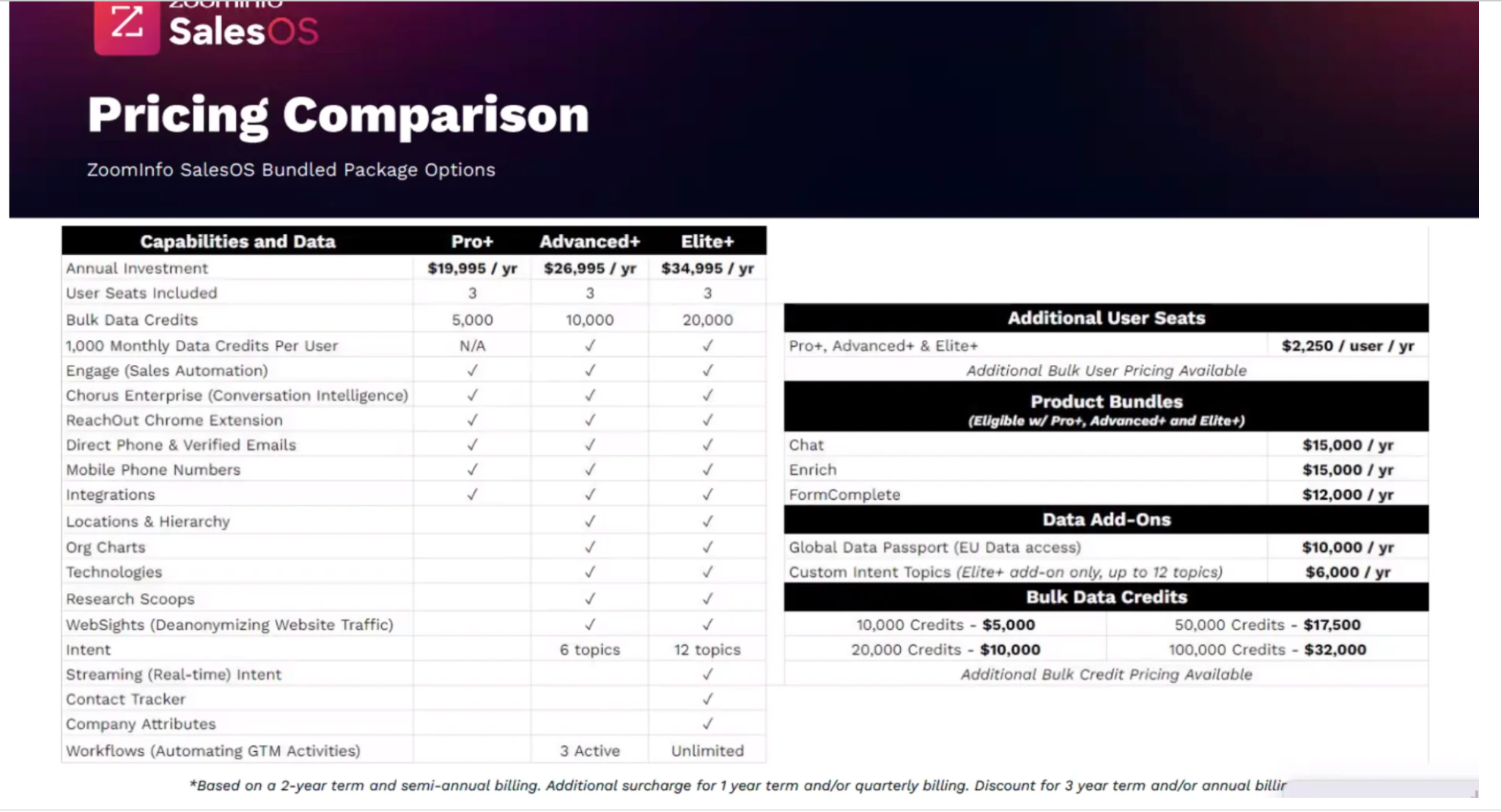

Another Redditor claims that their company pays $18K a year for 3 users.
Overall, ZoomInfo is on the expensive side. Our guide to ZoomInfo pricing breaks down the reported plans, credit model, and common add-ons in more detail.
2. Not every team needs the complete platform
A five-person SDR team may only need dependable emails, mobile numbers, and a simple way to contact prospects. ZoomInfo can support a much broader motion, but those additional capabilities do not add much value if nobody is using them.
This is where a smaller tool can be the better purchase. Apollo.io suits teams that want prospecting and sequencing in one place. UpLead and Lusha are more straightforward choices for contact data. Hunter works well when the immediate requirement is finding and verifying work emails.
3. Data accuracy varies by region and segment
No B2B database performs equally well in every market. A provider may have strong coverage among US software companies while missing contacts in a smaller European industry. Email coverage and mobile coverage can vary in the same way.

ZoomInfo’s database breadth, filtering, and company intelligence often receive praise. But critical reviews still raise concerns about stale contacts, incorrect phone numbers, and uneven intent signals. Similar issues appear across almost every vendor in this category.
Database size alone is not enough to make the decision. Run a representative sample against your own accounts, regions, and job titles before committing to a larger contract.
4. Contracts and renewals can create friction
Annual agreements deserve the same scrutiny as the product itself. Some teams start exploring alternatives after a renewal, an auto-renewal deadline, or an add-on pushes the contract above what the current motion justifies.
This is not unique to ZoomInfo. Cognism, Seamless.AI, Demandbase, and 6sense also use sales-led or annual pricing. Apollo.io, UpLead, Lusha, Hunter, and Clay make the initial comparison easier because their pricing is public. Credits and usage can still increase the final cost, but buyers can see the starting point before entering a sales process.
The 11 alternatives that can replace ZoomInfo in 2026
Here is the list of tools and a detailed breakdown of how and which features of ZoomInfo it will replace.
1. Apollo.io: Best all-in-one ZoomInfo alternative for SMBs
Pricing: Free plan available. Basic costs $49 per user per month, Professional costs $79, and Organization costs $119 when billed annually.
Apollo is the closest starting point for teams comparing a lower-cost product with ZoomInfo. It combines a large B2B database with list building, enrichment, email sequences, a dialer, workflows, call assistance, and CRM integrations.
The biggest difference is accessibility. A small team can create an account, test the database, and start building sequences without negotiating an enterprise contract. The free tier is limited but enough to evaluate coverage and the basic workflow.
What Apollo does well
- Lets reps find contacts and move them directly into email sequences, calls, and other outreach workflows.

- Offers detailed prospecting filters including job title, industry, company size, tech stack, funding, and hiring signals.
- Combines a contact database, email sequencing, and dialing in one platform.
- Integrates with Salesforce, HubSpot, and other popular sales tools.
- Has published pricing and a free plan that reviewers say is good enough to get started.
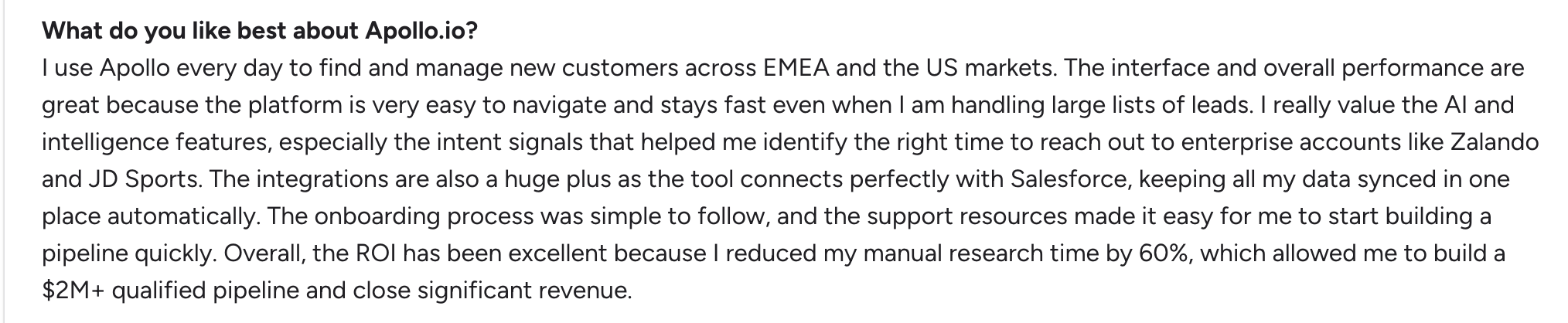
Where Apollo falls short
- It can overlap with Outreach, Salesloft, or another sequencer already in your stack
- Contact quality is less consistent in niche segments, smaller companies, and some international markets

- Phone credits can push the real cost well beyond the base subscription
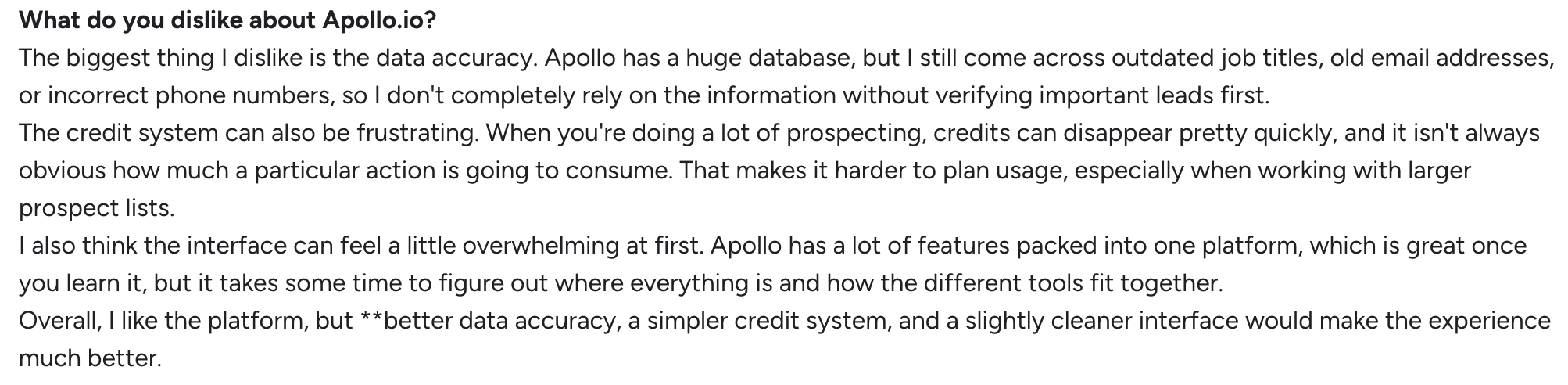
When should you choose Apollo over ZoomInfo?
Apollo is easier to buy than ZoomInfo, though you still need to scrutinize credit usage. The $49 starting price does not reflect the full cost for a team that relies heavily on phone data. It is the best first trial for a startup or mid-market sales team looking to replace ZoomInfo’s prospecting and basic engagement workflow.
ZoomInfo remains deeper for enterprise data operations, company intelligence, and broader GTM orchestration. For a detailed breakdown, read Apollo vs ZoomInfo.
2. UpLead: Best for verified B2B email data
Pricing: Seven-day trial; Essentials $99/month or $74/month annually; Plus $199/month or $149/month annually; Professional is custom
UpLead verifies an email address when you export it. That is the main reason to consider it over ZoomInfo. The product also includes direct dials, technographics, enrichment, buyer intent on higher plans, and integrations with common CRMs and sales tools. Still, UpLead is built around a simpler promise. Find contacts you can use, then verify the email before it enters your workflow.
What UpLead does well
- Verifies emails before export and offers a 95% data-accuracy rate guarantee

- Uses a straightforward one-credit-per-contact model for standard exports
- Provides more than 50 search filters and includes technographic data across thousands of technologies

- Gives smaller teams a self-serve way to test data quality before committing
Where UpLead falls short
- Its database is smaller than ZoomInfo's or Apollo's, which can matter in niche sectors and geographies.

- Reviewers mention gaps in direct dials and incomplete records for certain accounts.
- Essentials provides 170 monthly credits at $99/month, which can make each exported contact relatively expensive for high-volume teams.

When should you choose UpLead over ZoomInfo?
Choose UpLead when you would rather export fewer contacts with an additional verification step than pay for maximum database breadth.
I would use the trial to test 50 to 100 real target accounts across your actual regions and personas. Compare usable emails and direct dials rather than the total number of records each vendor returns.
3. Cognism: Best ZoomInfo alternative for EMEA data
Pricing: Custom quote; check out Cognism pricing
Cognism belongs on this list because it is one of the few enterprise contact-data providers with a clear advantage in the UK and Europe.
Its Diamond Data product includes mobile numbers that Cognism says are phone-verified. The company also screens against multiple do-not-call lists and adds Bombora intent signals to its contact and company data. For a team prospecting across EMEA, those details matter more than a generic claim about database size.
What Cognism does well
- Strong UK and European contact coverage and compliance processes designed for international outbound
- Phone-verified mobile data through Diamond Data
- Salesforce and HubSpot integrations
- Intent data and enrichment for larger GTM teams
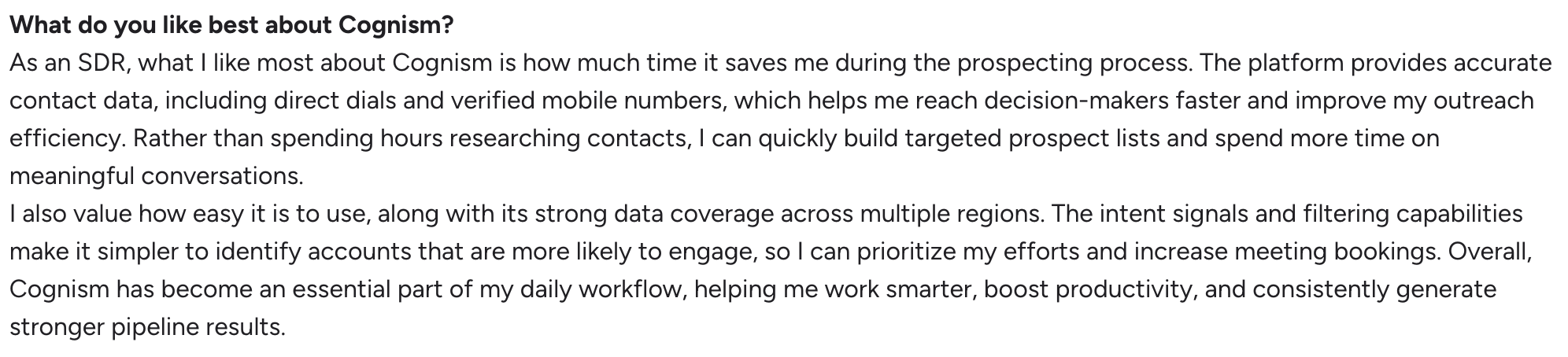
- G2 reviewers commonly praise EMEA data, direct-dial quality, ease of use, and customer support.

Recommended read: Cognsim alternatives and competitors
Where Cognism falls short
- Pricing is not public, and Cognism is generally sold to teams rather than individual reps. That makes it harder for smaller companies to evaluate upfront.

- Data quality still varies by market and segment. Reviews mention missing or inaccurate records, so North America-first teams should test coverage against their own target accounts.
- It can be difficult to justify for very small US teams. If you mainly need basic email discovery, a lighter self-serve tool may be enough.

When should you choose Cognism over ZoomInfo?
Start with Cognism if EMEA prospecting is a major part of your outbound motion, particularly when reliable mobile numbers and international compliance processes matter.
For a North America-first team, I would run Cognism and ZoomInfo against the same target-account list before switching. The question is not whether Cognism is strong in Europe. It is whether its data is better for the people your reps actually need to reach.
4. Lusha: Best for fast, lightweight contact lookup
Pricing: Free plan with 40 credits per month; Starter begins at $49.90/month before annual discounts; larger tiers scale by seats and credits.
Lusha is built for SDRs and AEs who want to find contact details while already looking at a LinkedIn profile or company website. Its browser extension remains the product’s clearest use case.
The platform has expanded into prospect lists, signals, enrichment, and engagement. Even so, the reason most small teams evaluate Lusha is simpler than that. They want a quick way to find work emails and direct dials without adopting a large data platform.
What Lusha does well
- Simple user experience with fast browser-based contact discovery
- Free plan for testing coverage and CRM integrations and one-click sync
- Entry pricing suitable for individual users
- G2 reviewers often highlight the extension, ease of setup, and the time saved finding emails and direct dials.
Where Lusha falls short
- Credit consumption becomes important for teams revealing large numbers of contacts or direct dials.

- Reviews contain recurring complaints about outdated or incorrect records.
- The low starting price can be misleading for larger teams because Premium and Scale pricing rises with seats and usage.
- It does not offer the same depth of intent, account intelligence, or enterprise data operations as ZoomInfo.

Also read: Lusha alternatives and competitors
When should you choose Lusha over ZoomInfo?
Lusha is a sensible alternative when your reps mostly use ZoomInfo as a contact-reveal tool while prospecting on LinkedIn.
If ZoomInfo is also providing intent, enrichment at scale, account intelligence, or broader data infrastructure, Lusha will replace only one part of that workflow.
5. Seamless: Best for high-volume contact discovery
Pricing: Limited free tier; paid pricing is mostly quote-based
Seamless, formerly Seamless.ai, positions itself around real-time search rather than a static database. It offers contact discovery, enrichment, buyer intent, job-change data, a Chrome extension, and CRM integrations.
What Seamless does well
- A large G2 review base with large contact and company coverage claims
- Fast list building and browser-based prospecting with buyer intent and enrichment add-ons
- Buyer intent and enrichment available alongside contact data
- Integrations with Salesforce, HubSpot, and sales engagement platforms
- Users also value ease of use, lead-generation speed, and the ability to find contact information at scale.
Where Seamless falls short
- Data freshness and accuracy are recurring concerns in critical reviews.
- Contract, cancellation, and renewal complaints also appear often enough that buyers should read the terms closely.
- Seamless offers a free plan, but it does not publish clear standard pricing for most serious deployments.

When should you choose Seamless over ZoomInfo?
Test Seamless when prospecting volume is more important than having the widest set of company-intelligence and GTM features.
I would run two tests before signing. Measure email deliverability and phone-connect rates on a representative sample, then calculate the amount of usable data your team receives at the quoted price. I would also read the renewal terms as carefully as the product comparison.
6. Hunter: Best for finding and verifying business emails
Pricing: Free plan; Starter €34/month, Growth €104/month, and Scale €209/month when billed annually
Hunter is a focused email prospecting tool rather than a complete ZoomInfo replacement. It helps teams find and verify professional email addresses, search by domain, and run basic email campaigns. It is best for teams that do not need phone numbers, buyer intent, or detailed company intelligence.
What Hunter does well
- Clear domain search and email finder with built-in verification
- Transparent pricing and simple campaign functionality with API and spreadsheet integrations
- G2 reviewers consistently praise Hunter's usability and the speed of finding and verifying emails.
- Hunter also explains that its data comes from publicly available web sources, which makes its sourcing model easier to understand than many database providers.
Where Hunter falls short
- Hunter is primarily an email product. It does not provide the phone coverage, intent data, org charts, or account intelligence that many ZoomInfo customers rely on.
- Some reviewers report gaps when websites block crawling or when contacts have little public web presence.
When should you choose Hunter over ZoomInfo?
Choose Hunter when verified business email is the main requirement.
It is an inexpensive, easy-to-understand substitute for that slice of ZoomInfo. It is not a replacement for a sales team that relies on mobile numbers, account research, intent, and enterprise enrichment.
7. Clay: Best for custom enrichment and GTM workflows
Pricing: Free plan; Launch $185/month; Growth $495/month; annual billing is lower
Clay is not a single-source B2B database. It is a workflow and enrichment layer that can query many data providers in sequence. If one provider fails to find a record, the workflow can try another. This is usually called waterfall enrichment.
Clay also includes Claygent for web research and a spreadsheet-style interface for building scoring, research, enrichment, and personalization logic.
What Clay does well
- Waterfall enrichment across multiple providers

- Flexible workflows without traditional software development
- Signals, webhooks, CRM sync, and ad audience pushes on higher plans
- Ability to use marketplace data or connect existing provider accounts
- G2 reviewers praise Clay’s flexibility, integrations, and research automation.
- It can also improve data coverage by pulling information from multiple providers instead of relying on a single database.

Where Clay falls short
- Clay requires someone who can design, test, and maintain the workflows. It is not as simple as opening ZoomInfo and downloading a list.

- Costs can be difficult to predict because Clay charges separately for Data Credits and Actions, while connected data providers may add their own fees.
- The Growth plan starts at $495 per month and includes CRM auto-sync, APIs, web intent, and ad audience sync.
- The Free and Launch plans are better suited for testing Clay than running large-scale data workflows.
Also, read Clay alternatives and competitors in 2026
When should you choose Clay over ZoomInfo?
Choose Clay when the real problem is depending on one database or when your GTM team wants to control how data is sourced, verified, enriched, and routed. It is particularly useful when no individual provider covers enough of your market.
Skip it if the requirement is simply to give 20 sales reps a searchable contact database tomorrow and nobody owns the enrichment workflow.
8. Demandbase Enterprise ABM and advertising
Pricing: Custom platform fee plus per-user pricing
Demandbase is not the cheaper database alternative in this list. It competes with the broader marketing and account intelligence side of ZoomInfo.
Demandbase One combines first-party CRM and marketing data with third-party company intelligence, intent, buying-group insights, account scoring, sales workflows, and B2B advertising. Its native advertising capabilities are a meaningful differentiator for teams that want to identify and activate target accounts in the same platform.
What Demandbase does well
- Account identification and third-party intent
- Buying-group and account intelligence

- A B2B-focused demand-side advertising platform
- Sales and marketing workflows built on shared account data
- G2 reviewers frequently praise account insights, intent, audience building, and customer support.
- Demandbase also has one of the larger review bases in the enterprise ABM category.

Where Demandbase falls short
- Pricing is custom and generally enterprise-level.
- Setup, integration, and adoption require RevOps and marketing operations involvement.
- Reviews mention complexity, reporting limitations, and a learning curve.

Also, read Demandbase alternatives and competitors
When should you choose Demandbase over ZoomInfo?
Choose Demandbase when the objective is to move deeper into enterprise ABM, particularly if buying groups, account intelligence, intent, and account-based advertising are more important than maintaining the largest possible contact database.
It is a poor trade if your team simply needs names, emails, and phone numbers. In that case, you would be replacing one large platform with another while solving the wrong problem.
9. 6sense: Best for predictive account prioritization
G2: 6sense Revenue Intelligence: 4.2/5 from 1,488 reviews
Pricing: Free Sales Intelligence tier with 50 credits per month; full paid plans are custom
6sense focuses on predicting which accounts are in-market and where they are in the buying journey. It combines intent signals, anonymous website activity, contact and company data, predictive models, account prioritization, sales recommendations, and marketing activation.
The free tier is useful for trying company and people search, but it does not represent the full 6sense platform. Intent data, predictive models, and advanced Sales Copilot features sit in paid packages. You can also check out Factors.ai vs 6sense.
What 6sense does well
- Predictive account and buying-stage scoring
- Third-party intent and visitor identification with account prioritization for sales and marketing
- Sales alerts, company research, and recommended actions

- Reviewers value the ability to surface in-market accounts and give sellers more context.
- The platform is strongest when a company already has enough clean first-party data to train and use the models properly.
Where 6sense falls short
- The product can be complex to implement and explain to end users.
- Its two G2 profiles also tell a more complete story than one headline number: Sales Intelligence currently has a 4.0 rating, while the Revenue Marketing product has a 4.2 rating.
- Reviewers mention data accuracy, adoption, UI, and the effort required to turn signals into repeatable action.

Also, read 6sense alternatives and competitors.
When should you choose 6sense over ZoomInfo?
Choose 6sense when predictive account prioritization is one of the main reasons you are replacing ZoomInfo and you want intent, advertising, sales intelligence, and buying stages connected to the same account model.
If the original complaint about ZoomInfo is cost, contract complexity, or having too much software for a basic prospecting requirement, moving to 6sense is unlikely to solve it.
10. HubSpot Breeze Intelligence: Best for teams already using HubSpot
G2: Legacy Clearbit profile: 4.4/5 from 633 reviews
Pricing: Usage-based through HubSpot Credits; a paid HubSpot subscription may be required depending on the feature
Many ZoomInfo alternative lists still recommend Clearbit as if it were an independent product. That is outdated. HubSpot acquired Clearbit in 2023 and turned its technology into Breeze Intelligence.
New buyers evaluate it as part of HubSpot, not as a standalone CRM-agnostic database. The old G2 profile remains useful for historical product feedback, but its 633 reviews should not be presented as a current rating for every Breeze feature.
Breeze Intelligence enriches contact and company records, shortens forms by filling in known data, and provides buyer intent based on company visits and monitored activity.
What Breeze Intelligence does well
- Works directly inside HubSpot and enriches records without a separate sync layer
- Shortens forms using known firmographic data
- Adds buyer intent to existing marketing and sales workflows

Where Breeze Intelligence falls short
- It is not a standalone prospecting database for new customers, and it does not replace ZoomInfo's phone-heavy sales intelligence workflow.
- Credit consumption can become difficult to control at volume.
- It is not a practical choice for teams using Salesforce, Dynamics, or another CRM outside HubSpot.
When should you choose Breeze Intelligence over ZoomInfo?
Choose Breeze Intelligence when HubSpot is already your GTM system of record and your main requirement is enrichment, form optimization, or identifying companies showing inbound intent.
Do not shortlist it as a general ZoomInfo replacement for a Salesforce-heavy outbound organization. The value is specifically in avoiding another data layer when the HubSpot ecosystem already handles the workflow.
11. Factors.ai: Best for ABM and account intelligence, attribution, and ad activation
Pricing: Free plan; Basic $6,000/year; Growth $20,000/year; Enterprise from $30,000/year
Factors.ai does not replace ZoomInfo’s large contact database. It only replaces its account intelligence and marketing capabilities.
Factors.ai identifies companies visiting your website, combines intent signals from your website, LinkedIn, G2, CRM, and ad platforms, and scores accounts based on fit and engagement. Teams can then trigger alerts and workflows, activate audiences, and measure which marketing activities contribute to pipeline.
What Factors.ai does well
- Account identification and account-level journey tracking
- Intent signals across website, CRM, G2, LinkedIn, and ad activity
- Multi-touch attribution and campaign-to-pipeline reporting
- LinkedIn and Google audience activation and optimization
- Predictive account scoring, alerts, and sales workflows
- Scout and Agents, which automate tasks like prioritizing accounts, enriching records, updating ad audiences, triggering email sequences, identifying churn risks, etc.
- Public pricing with a lower entry point than many enterprise ABM platforms
- G2 reviewers often highlight account-level visibility, attribution, responsive support, and the ability to combine several marketing signals in one view.
Where Factors.ai falls short
- Factors.ai has a much smaller G2 review base than ZoomInfo, Apollo, Demandbase, or 6sense.
- Reviewers mention a learning curve in the UI
- Most importantly, a team replacing ZoomInfo's contact database will still need a source such as Apollo, Cognism, UpLead, or its existing CRM data.
Also, read Factors.ai customer stories
When should you choose Factors.ai over ZoomInfo?
Choose Factors when the part of ZoomInfo you actually want to replace is account intelligence and marketing activation rather than the contact database.
It makes sense when you want to know which accounts are active, understand the combination of signals behind that activity, decide how accounts should be scored, activate audiences and seller workflows, and measure which campaigns contribute to pipeline.
If your requirement is simply "give our SDRs millions of contacts to prospect," Apollo, Cognism, or another sales-data provider is the more relevant comparison.
Which ZoomInfo alternative should you choose?
Start with the reason why you want to replace ZoomInfo.
How to test a ZoomInfo alternative before buying
1. Use the same target-account sample for every vendor
Start with 50 to 100 real accounts. Include the regions, company sizes, industries, and difficult job titles your team regularly targets. For contact databases, record:
- relevant accounts found
- relevant people found
- usable work emails
- usable mobile numbers
- bounce rate
- phone-connect rate
- cost per usable contact
A database with twice as many records is not necessarily better if most of the additional records are irrelevant or unusable.
For intent and ABM platforms, test different outputs. Look at account identification, CRM matching, signal quality, scoring, activation, setup requirements, and whether the platform can connect the activity to pipeline.
2. Calculate the cost of the whole workflow
The subscription is not always a useful comparison. Apollo may replace both the database and sequencer. Hunter may still require a phone-data provider. Clay can require additional paid data sources. Demandbase and 6sense can require more implementation and operational ownership.
Calculate: software + credits + additional data + implementation + required tools + internal operations. Then compare that with the systems the new product actually removes.
The cheapest starting subscription can still produce the more expensive stack.
3. Read the contract before you negotiate the price
Check:
- contract length
- automatic renewal
- cancellation window
- seat minimums
- credit limits
- overage charges
- implementation fees
- add-ons
- API limits
- export rights after cancellation
This matters particularly for sales-data vendors where contract complaints can be as important as product complaints.
4. Test each important geography separately
Do not generalize from one successful sample.
A product that performs well for SaaS companies in California may have very different coverage for manufacturers in Germany, financial companies in Singapore, or mid-market firms in the UK.
If several regions contribute meaningful pipeline, test each of them before signing.
Frequently asked questions about ZoomInfo alternatives
Q. What is the best overall alternative to ZoomInfo?
There is no universal replacement. Apollo is the most accessible all-in-one alternative for small and mid-market outbound teams. Cognism is stronger for many EMEA use cases. Demandbase and 6sense are better comparisons for enterprise ABM. Factors.ai is a better fit for mid-market teams focused on account intelligence, attribution, and ad activation.
Q2. What is the cheapest ZoomInfo alternative?
Apollo, Lusha, Hunter, Clay, Factors.ai, 6sense, and ZoomInfo itself have free entry points, but the free tiers solve different jobs. Hunter is inexpensive for email finding. Apollo offers the broadest low-cost combination of contact data and outbound tools. Always compare usable contacts and required add-ons, not just the starting price.
Q3. Is Apollo better than ZoomInfo?
Apollo is better for teams that value transparent pricing, fast setup, and built-in sequencing. ZoomInfo is stronger for organizations that need deeper company intelligence, enterprise data operations, intent, and a broader GTM platform. The decision depends on team size, region, data requirements, and the tools already in the stack.
Q. Which ZoomInfo alternative has the most accurate data?
No provider is most accurate across every market. UpLead emphasizes real-time email verification. Cognism differentiates through phone-verified mobile data and EMEA compliance processes. ZoomInfo remains strong in North America. The only reliable answer is a test using your own target accounts and personas.
Q. What is the best ZoomInfo alternative for Europe?
Cognism is the strongest starting point for EMEA-focused sales teams because of its European coverage, phone-verified Diamond Data, GDPR processes, and do-not-call screening. Test its coverage in your specific countries because EMEA is not one uniform market.
Q. What is the best free alternative to ZoomInfo?
Apollo has the most useful free starting point for contact search and basic outbound. Hunter is useful for email finding and verification. Lusha offers free monthly credits for contact lookup. ZoomInfo Lite itself is also free and worth testing before assuming you need to replace the platform.
Q. Which alternative is best for marketers rather than SDRs?
Demandbase, 6sense, Factors.ai, and Breeze Intelligence are better fits for marketing and RevOps use cases. Demandbase is strongest for enterprise ABM and advertising. 6sense focuses on predictive prioritization. Factors.ai combines account intelligence with attribution and ad activation. Breeze Intelligence works best inside HubSpot.
Q. Can Clay completely replace ZoomInfo?
Not by itself. Clay can replace the enrichment and research workflow by combining several providers, but it is not a proprietary contact database. You may still pay for Apollo, Cognism, People Data Labs, or other sources and connect them through Clay.
Q. Is Clearbit still a ZoomInfo alternative?
Clearbit is no longer sold as the same independent product new buyers once evaluated. Its technology now powers HubSpot Breeze Intelligence. It is only a practical alternative for teams willing to use it inside HubSpot, mainly for enrichment, form shortening, and buyer intent.
Q. Is ZoomInfo worth the price?
It can be, particularly for larger teams that use its database, intent, enrichment, workflows, and integrations together. It is harder to justify when a team uses only basic contact lookup. Start with ZoomInfo Lite, test data quality, and calculate the pipeline value of the specific paid modules before signing an annual contract.
.avif)
How Much Does ZoomInfo Actually Cost in 2026?
ZoomInfo costs anywhere from $15K to $60K+ a year. Get the full pricing breakdown and see whether a lower-cost alternative makes more sense.

ZoomInfo Pricing TL;DR
- ZoomInfo pricing starts at around $14,995 a year for the Professional plan. The Advanced plan costs around $24,995 to $29,995 a year, while the Elite plan is priced from roughly $35,995 and can go beyond $40,000 with add-ons.
- The final cost is usually higher than the plan price. Extra seats, credit overages, and add-ons like the Global Data Passport can push mid-market teams into the $30,000 to $60,000 range.
- Credits can have a big impact on the final bill. Each plan comes with a set credit allowance for accessing and exporting data. Once you run through it, additional credits have been reported at around $0.50–$1.50 per credit, with lower per-credit rates available when bought in bulk.
- Pricing is negotiable. Buyers report getting 20 to 40 percent off the first quote, particularly around quarter-end.
- There are much cheaper options if you don’t need everything ZoomInfo offers. Tools like Apollo, Lead411, UpLead, Wiza, and LeadIQ have public plans that start well below ZoomInfo’s ~$15,000 entry price, particularly if your main need is prospecting or contact data.
ZoomInfo pricing can vary quite a bit depending on the plan you choose, the number of users, your credit usage, and the add-ons you need. This guide breaks down what you can expect to pay, what pushes the final bill up, and whether the price is worth it.
And if ZoomInfo feels too expensive for what you actually need, we’ll look at alternatives that may give you better value.
What is ZoomInfo?
ZoomInfo is a go-to-market intelligence platform that gives sales and marketing teams access to company data, contact information, buyer intent signals, and other tools to find and engage potential customers.
Its platform includes four main products:
- SalesOS: Contact and company data, prospecting, intent signals, and sales workflows.
- MarketingOS: Account-based marketing, advertising, buyer intent, website chat, and form enrichment.
- OperationsOS: Data enrichment, cleansing, routing, and CRM data management.
- TalentOS: Talent search, candidate outreach, employer branding
SalesOS is the most popular product in the ZoomInfo lineup and the one we'll focus on in this guide. It gives sales teams access to ZoomInfo's database of 321 million active professionals across 104 million companies, along with advanced search filters, real-time alerts, and integrations to help them find and prioritize prospects. Considered to be a premium product, it brings us to the big question: how much does ZoomInfo cost?
How much does ZoomInfo cost? A complete breakdown
ZoomInfo does not publish official prices on its website, since pricing is typically customized based on what your team needs. The final quote depends on the plan you choose, the number of users, your credit usage, and any additional products or data packages you add.
Based on reported quotes, SalesOS is generally offered across three tiers: Professional, Advanced, and Elite.
What Are ZoomInfo’s Reported Base Plan Prices?
Professional is the entry-level ZoomInfo plan. It gives teams access to core contact and company data, with the smallest credit allowance amongst the three tiers.
Advanced adds more intelligence around the data, including intent signals and buying-group insights, along with a larger credit pool. Reported pricing typically falls between $24,995 and $29,995 a year before additional seats or add-ons.
Elite includes everything in Advanced and adds ZoomInfo Copilot, its AI layer. Copilot can summarize accounts, identify people within a buying committee, surface relevant account information, answer questions about prospects, and help draft outreach. That pushes the price to anywhere between $35,000 to $40,000.
Read more about Copilot from ZoomInfo’s CEO, Henry Schuck.
Everything mentioned above are base prices. They only tell you where your contract starts.
What are the add-on costs that affect your final ZoomInfo bill?
The base plan price is only part of what you may end up paying. Additional users, credit usage, and add-ons can all increase the final contract value.
1. Additional seats
Adding more users increases the annual contract value. Additional seats have been reported at around $1,500–$2,500 per user per year, depending on the plan and agreement.
2. Credits
ZoomInfo uses a credit-based system for accessing and exporting data.
Your plan comes with a set allowance, and credits are consumed as users reveal or export information from the platform. A small team doing occasional account research may stay within that allowance. A larger SDR team building prospect lists every day can go through it much faster.
Reported prices for additional credits generally sit between $0.50 and $1.50 per credit. Buying credits in larger batches can bring the per-credit cost down.
Before signing a contract, ask ZoomInfo:
- How many credits are included
- What actions consume credits
- Whether different data types use different amounts
- What happens when you reach the limit
- How much additional credits cost
- Whether unused credits roll over
The useful question is not simply, “How many credits do we get?”
It is, “How many are we actually likely to use?”
3. Other add-ons
ZoomInfo also sells additional products and data packages on top of the core subscription.
One of the most common ones is the Global Data Passport, which gives teams access to company and contact data outside North America. It has been reported at around $9,995 a year, making it an important cost to factor in if you sell into Europe, APAC, or other international markets.
Other reported costs include services such as NeverBounce email verification, at roughly $3,000, along with products for intent, conversation intelligence, enrichment, workflows, and marketing.
Not every company needs these. But even one or two can change the final contract value quite a bit.
For example, a five-person team on the Advanced plan could start at $24,995, pay another $5,000 for two additional seats, and reach roughly $30,000 before credit overages or add-ons. Add international data or another ZoomInfo product, and the annual cost moves past $40,000.
That is why it is worth asking ZoomInfo for an itemized quote rather than looking at the base plan price alone.
What Do Prospects and Customers Say About ZoomInfo Pricing?
The pricing ranges above also show up in real discussions on forums like Reddit.
One Reddit user said their team was quoted $36,000 for three seats at renewal. They also mentioned that credits were being used even when searches did not return useful results, which is worth clarifying if your team expects to use ZoomInfo heavily.
Another customer reported paying $14,997 for a year and seeing email bounce rates of around 50%. That will not reflect every customer's experience, but it does show why it is worth testing ZoomInfo's data against your target accounts before signing an annual contract.
These examples are useful less as exact benchmarks and more as a reminder that the final value of a ZoomInfo contract depends on more than the quote. Credit usage, data quality, and how much of the platform your team actually uses all matter.
How to Negotiate ZoomInfo Pricing
If you do decide ZoomInfo is worth it, don't assume the first quote is the price you have to pay.
Procurement platform Vendr has handled more than 1,000 ZoomInfo deals and reports average savings of 21.81%. Its data also shows that contract length, seat volume, timing, and credit commitments can all give buyers room to negotiate.
Here are the levers worth focusing on:
- Ask for an itemized quote: Separate the platform fee, seats, credits, and add-ons. This makes it much easier to see where there is room to negotiate.
- Negotiate credits upfront: Estimate how many credits your team will actually use and ask for a larger allowance or a lower price for additional credits once you run out. You can also ask whether extra credits can be purchased later at the same rate you negotiated when signing the contract.
- Use competing quotes: If you are also evaluating Apollo, Cognism, Lead411, or another alternative, bring those numbers into the conversation. A credible alternative gives you more leverage than simply asking for a lower price.
- Use quarter-end timing: Vendr suggests buyers can get better pricing and terms around ZoomInfo's fiscal quarter-end periods.
- Be careful with multi-year deals: A longer commitment can get you a better annual price, but negotiate the ability to adjust seats or credits and put a cap on annual price increases before you sign.
- Check the renewal terms before you sign: Look at the notice period, auto-renewal language, and any built-in price increase. These are much easier to negotiate before the initial contract is signed.
The goal isn't simply to get the biggest percentage discount. A lower base price can still turn into an expensive contract if the credit allowance is too small, add-ons are priced separately, or the renewal comes with a steep increase in price.
EDITOR'S NOTE: ZoomInfo is changing how it prices the platform. On its Q1 2026 earnings call, the company said it plans to introduce a hybrid pricing model later in Q3 2026, with a lower annual platform fee and pre-purchased data credits. Buyers getting a new quote or renewing later in 2026 should ask whether their contract is being priced under the existing model or the new one.
Also read: Top 15 Intent Data Platforms to Boost Your B2B Sales in 2026
What If ZoomInfo Is Too Expensive for Your Team?
ZoomInfo packs a lot into the platform, but not every team needs all of it. If you mainly need contact data, prospecting tools, or a simpler way to build lead lists, paying around $15,000 or more a year may be difficult to justify.
The tools below all have publicly listed plans that let teams get started for considerably less.
For a more detailed insight into how these tools compare on data quality, features, and use cases, read our complete guide to ZoomInfo alternatives.
What If You Want to Do More Than Prospecting and Run ABM End to End?
Prospecting is only one part of an ABM program.
You still need to identify the right accounts, understand which ones are showing intent, run campaigns against them, track how they engage across channels, and work out which campaigns influence pipeline.
That often means stitching together multiple tools such as one for prospecting, another for advertising, another for intent, and another for attribution.
Factors.ai is built to bring those pieces together. You can identify accounts visiting your website, combine intent signals from channels such as LinkedIn and G2, build and sync audiences for ad campaigns, track account journeys across marketing and sales touchpoints, and measure how those activities influence pipeline and revenue. Factors also publishes its pricing.
Also read: Factors vs ZoomInfo: Pros and Cons
ZoomInfo Pricing FAQs
What is the cheapest ZoomInfo plan?
Professional is the lowest-priced SalesOS plan based on reported quotes, at around $14,995 per year. Keep in mind that this is the reported base price before extra seats, credits, or add-ons.
How do I cancel my ZoomInfo subscription?
Check your contract or Order Form first. ZoomInfo agreements commonly include auto-renewal clauses, and Vendr reports notice periods of around 30–90 days depending on the contract. If you want to cancel, send a written notice of non-renewal before that deadline and get confirmation that it has been received.
Missing the notice window can mean the contract auto-renews under the terms you originally agreed to.
What is ZoomInfo API pricing?
ZoomInfo does not publish standalone API pricing. Vendr notes that advanced API access and custom integrations can come with additional fees or require a higher-tier contract, which means the cost depends on your setup and expected usage.
If API access matters to your team, ask ZoomInfo to list it separately in the quote and clarify what is included: usage or credit limits, available endpoints, overage costs, and whether you need to move to a higher plan to access it.
Are there cheaper alternatives to ZoomInfo?
Yes. Tools such as Apollo, Lead411, UpLead, Wiza, and LeadIQ all have publicly available plans that start well below ZoomInfo's reported $15,000 annual entry price. The right option depends on whether you need contact data, outbound tools, enrichment, or LinkedIn-based prospecting.
Can I use ZoomInfo for free?
ZoomInfo does not offer a standard forever-free plan, but it does offer a free trial. The trial typically lasts 7 days and includes access to core features such as contact and company search, intent signals, and email outreach, although usage limits apply. No credit card is required.
How much does ZoomInfo cost per month?
ZoomInfo costs roughly $1,250 per month for the Professional plan, $2,083–$2,500 per month for the Advanced plan, and $3,000–$3,333 per month for the Elite plan. Your actual monthly cost can be higher once extra seats, credits, and add-ons are included.

Discover Sales-Ready Accounts With Zoho & Webhooks
The following guide explores how to identify & convert high-intent account with the combined powers of Factors’ visitor identification and Zoho webhooks.
Target the right accounts, at the right time with intent-based outreach
B2B sales teams spend a lot of time and effort reaching out to cold prospects only to achieve disappointing results. In fact, even successful benchmarks tag the average cold-call response rate at just 2%.
And honestly, It’s not difficult to see why.
While it’s simple enough to find lists of companies and contacts that fit your ideal client profile, it’s a monumental challenge to convince companies to consider your solution when they’re not in the market for one.
So what’s the alternative to reaching out to the right accounts at the wrong time?
Reaching out to the right accounts at the right time of course! Or more specifically, it’s intent-based outreach based on the goldmine of anonymous, sales-ready companies already visiting your website.

The following guide explores how to identify and target sales-ready accounts with the combined powers of Factors’ account identification and Zoho webhooks. We first discuss how this integration works, before delving into a handful of use-cases.
How It Works: Pushing visitor data back into Zoho
Factors taps into industry-leading IP-lookup technology to identify up to 64% of anonymous account visiting your website. This includes company names as well as firmographics such as geography, industry, employee headcount, revenue range and more.
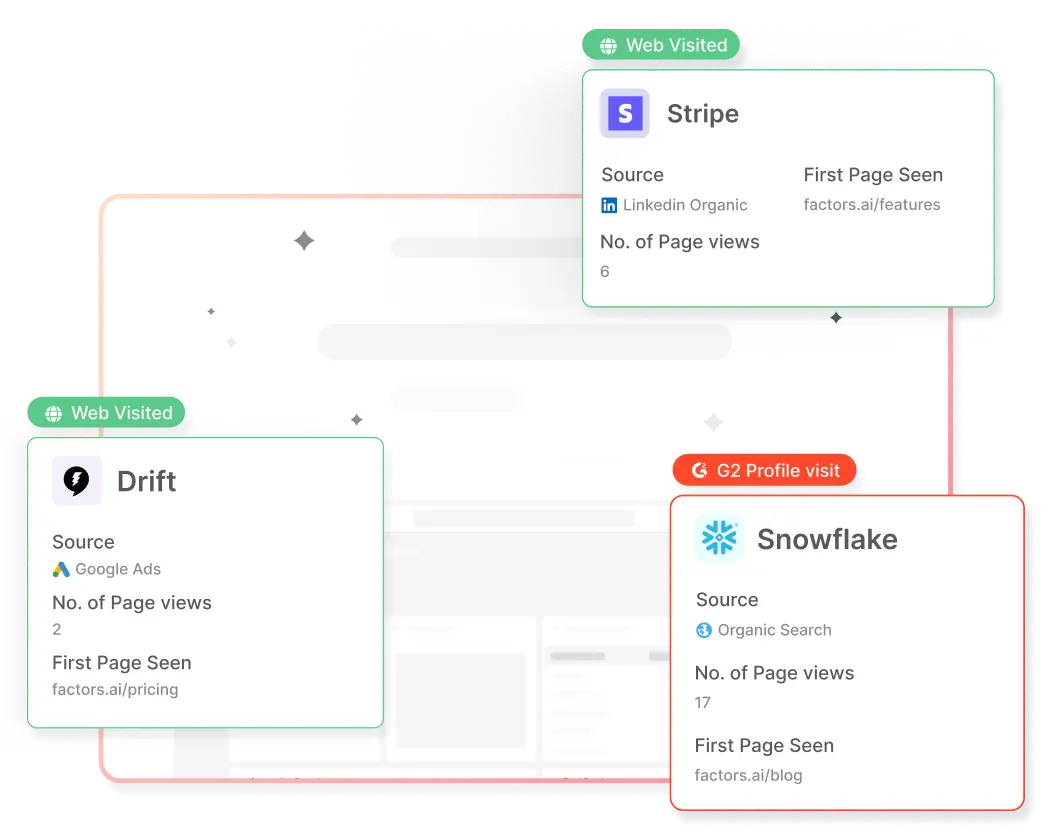
In addition, Factors auto-tracks website activity and engagement at an account level with advanced analytics. This includes page views, button clicks, scroll-depth, account timelines, funnels and more.
With this information, users can filter the total set of anonymous traffic down to ICP accounts that have expressed buying intent:
- ICP criteria: Filter down traffic based on firmographics such as industry, headcount and revenue-range to identify accounts that fit your ideal client profile.
- Intent criteria: Filter down traffic based on intent signals such as high-intent page views such as pricing, time-spent on page, and percentage scroll-depth to identify sales-ready buyers.
In short, access a list of high-intent ICP accounts that are already visiting your website but are yet to submit a form or sign-up.
Now, with webhooks and Zapier, it’s easier than ever to automatically push all this data from Factors into any other tool your team uses. This includes ad platforms, marketing automation platforms, and, in this case, Zoho CRM.
How will this help? Rather than going after cold leads with negligible chances of conversion, sales reps can view, segment, and target sales-ready visitors inside Zoho. As we’ll see in the next section, this dramatically simplifies and improves targeted sales outreach.
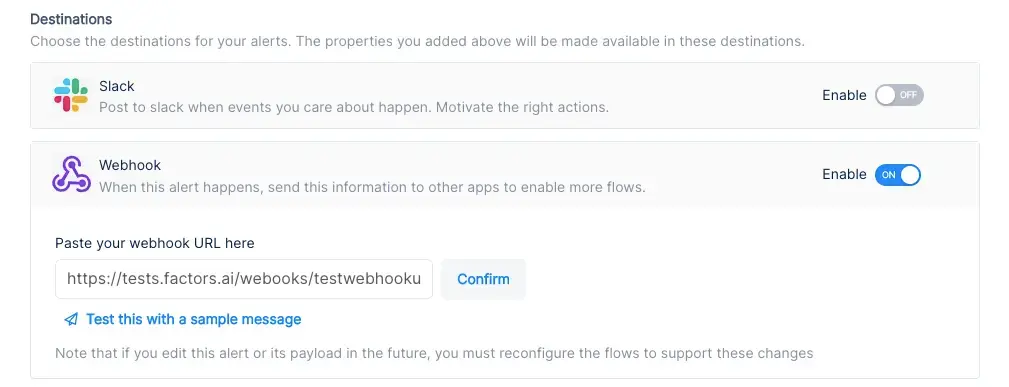
Implementing Webhooks on Factors is easy as pie. See how here.
{{INLINE_TOFU}}
Use-cases: Making the most of your website visitors
1. Identify new business opportunities
Factors surfaces anonymous, high-intent companies visiting your website — even if they’re yet to submit a contact form. As previously discussed, this data can be filtered down to high-fit, high-intent accounts.
Using webhooks, this data can be pushed from Factors into Zoho. In other words, you can automatically create accounts inside Zoho for companies that match your ICP and intent criteria.
For example, webhooks can be configured to create a new company when a visitor from a US-based software company with at least 250 employees is live on your website.
Here are a few more examples of what you can see inside your CRM with Factors:
- Accounts that visit a landing page through a search ad but fail to submit a form
- Software companies with at least 500 employees visiting high-intent pages like pricing
- US-based companies that have read through at least half a product comparison blog
Rather than relying on the 5% of website traffic that submits a form, teams can identify and target a deep new pool of potential pipeline — all within Zoho. What’s more? Alerts can be relayed to sales reps in real-time through Slack or MS teams so they can immediately reach out to live prospects.
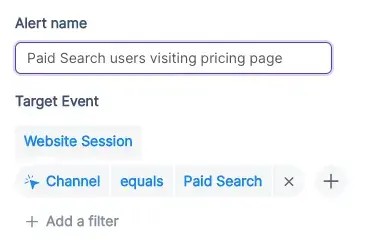
2. Stay on top of existing target accounts
In addition to recording new accounts visiting your website, Factors can be used to monitor and update data for target accounts that already exist within Zoho.
For example, say an account ad clicks on a search ad, submits a demo form, but never schedules time on your calendar. While the account's data is available in Zoho, it can be tedious to track and update their actions post the demo form submission.
To solve for this, Factors can automatically update CRM properties based on trigger criterias when accounts return to your website. Let’s say that the same account is back reading a product alternatives blog or visiting the pricing page after a couple of weeks. This event can be updated within Zoho, including their last active time.
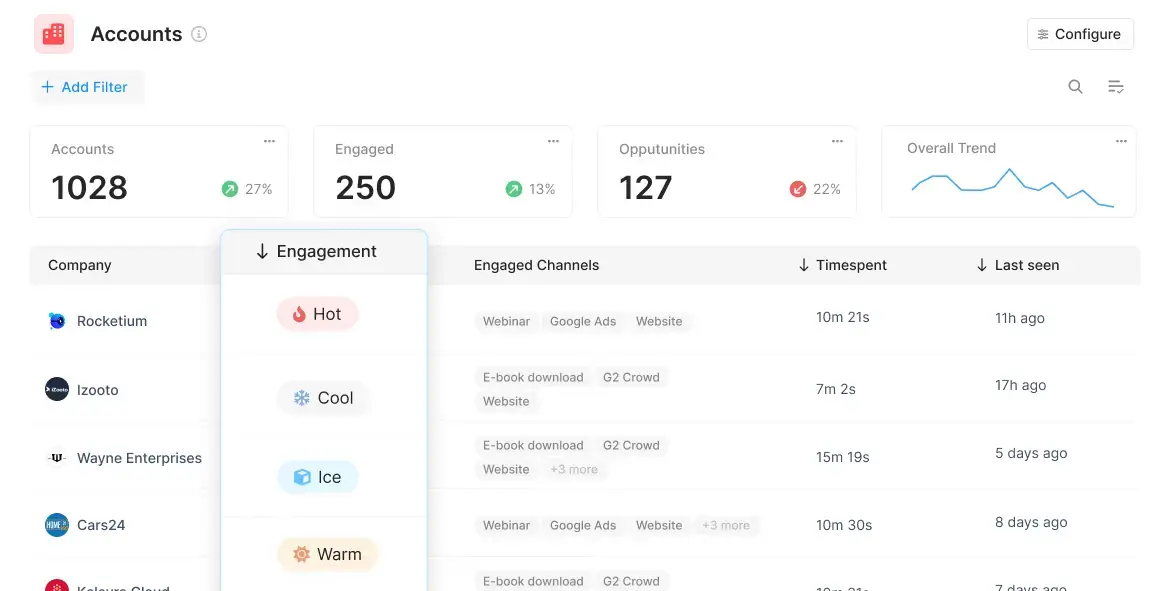
Sales reps can be notified with real-time when high-intent events take place so as to be able to immediately reach out to target accounts and improve the odds of conversion.
3. Accelerate deals with behavioral data
Certain marketing material may or may not be relevant depending on the audience in question. For example, an enterprise-level account may be especially interested in security compliance related content. An early-stage start-up, on the other hand, may find content around cost-effective pricing more appealing.
Factors can track how various types of companies are interacting with your website to understand what target accountscare about most. This data can be pushed back into Zoho so sales reps can easily assess a prospect’s interactions, priorities and pain-points before jumping into a sales call.
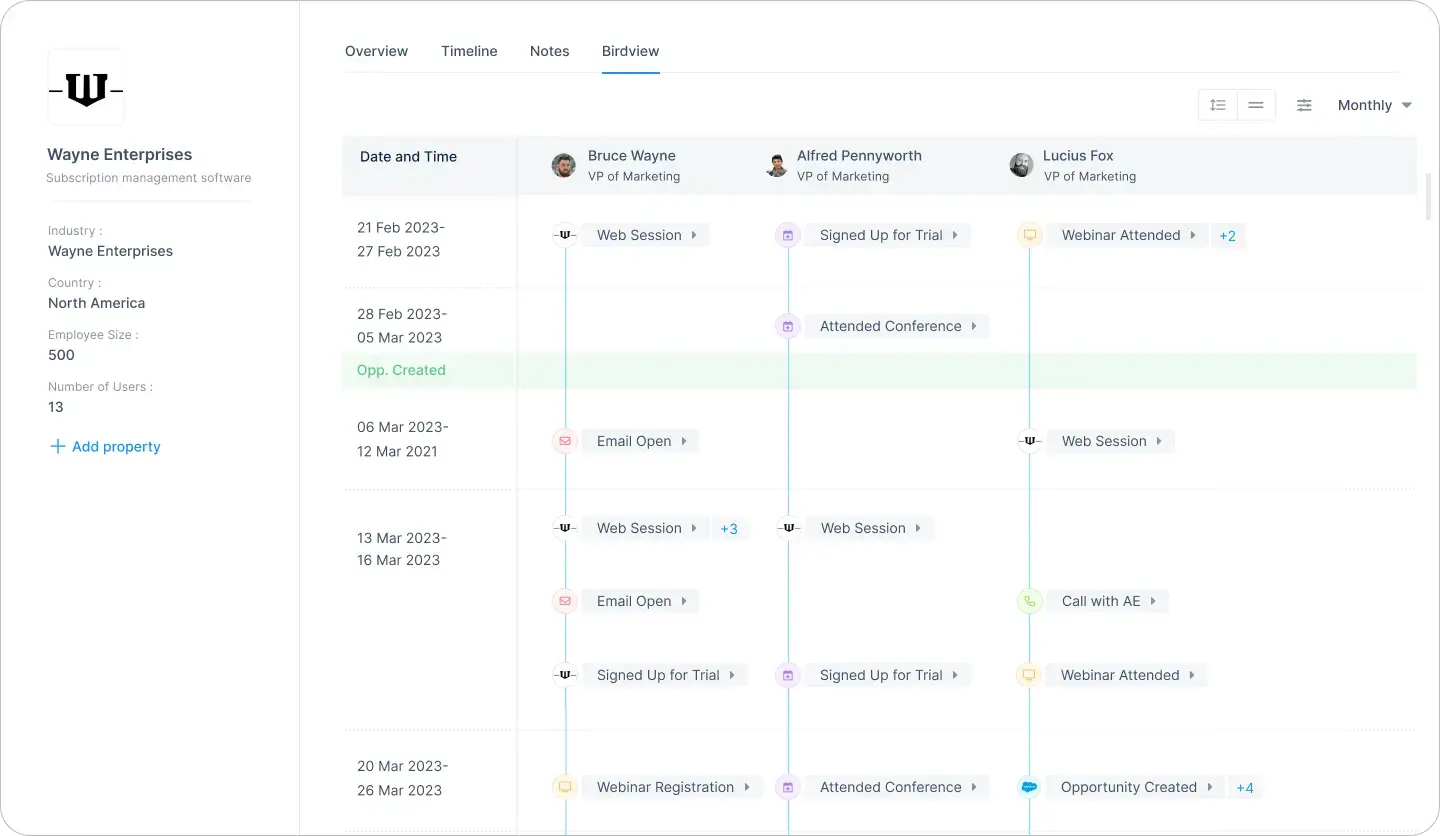
For one, sales reps can accelerate deals by personalizing the customer experience. For another, marketing teams can gauge what resonates best with the target audience and finetune content efforts accordingly.
4. Rekindle lost opportunities
Use Factors to track how accounts that have dropped off the funnel or former customers are returning to engage with your website. For instance, maybe a client who churned a couple of quarters ago is back interacting with a page that highlights a new feature release.
This may be an intent-signal that the account is reconsidering your product. It might be a good idea for sales reps to reach out and share some relevant information on what’s new. Of course, this doesn’t necessarily guarantee a conversion. But it’s far more effective than reaching out to an ice cold prospect.
This guide has covered a handful of ways in which pushing account data back into Zoho can be helpful. Ultimately, the goal is to align account data with relevant stakeholders and technologies in order to:
- Drive intent-based sales outreach
- Refine ABM efforts and spends
- Optimize retargeting campaigns
There are countless other use-cases with account identification working in conjunction with CRMs, MAPs, and more. With webhooks, Factors can push valuable account data to nearly any platform on the planet. How you make the most of that data is really up to you — the possibilities are endless.
%2520(1).avif)
Will AI Replace Digital Marketers? What’s Actually Changing (and What Isn’t)
AI is automating marketing tasks—but not replacing marketers. Learn which roles are most affected, what AI can’t do, and how digital marketers stay relevant in an AI-driven future.
TL;DR:
- AI is great at doing the work. Humans still need to decide what work is worth doing in the first place.
- The pressure from AI is highest on execution-heavy roles, while marketers who own strategy and results are much harder to replace.
- Using AI isn’t the edge; having the judgment to challenge or ignore it when necessary is.
- Marketing is shifting priorities from channel management to systems, impact, and revenue responsibility.
- The marketers who win use AI to cut busywork and spend more time making decisions that actually move the business.
At some point last year, AI went from ‘interesting experiment’ to ‘coworker who never sleeps.’
Now, my colleagues and even friends outside of work are asking me, “Will AI replace digital marketers?”
The right AI tools can now write blog posts, create ad copy, study campaign performance, and suggest optimization tactics….faster than it would take most humans to make their morning coffee.
So, it’s natural to wonder if you’re still employed. After all, what does your company need you for, if it has AI? This question plagues marketing Slack groups, Reddit threads, conference side conversations, and early-career marketers asking me if they should pivot now before it’s too late.
Let’s answer this question, then.
This piece will take a grounded look at what AI can actually do, what it can’t do, and how digital marketing jobs are evolving rather than disappearing with AI engines popping up everywhere.
Why AI feels threatening to digital marketers
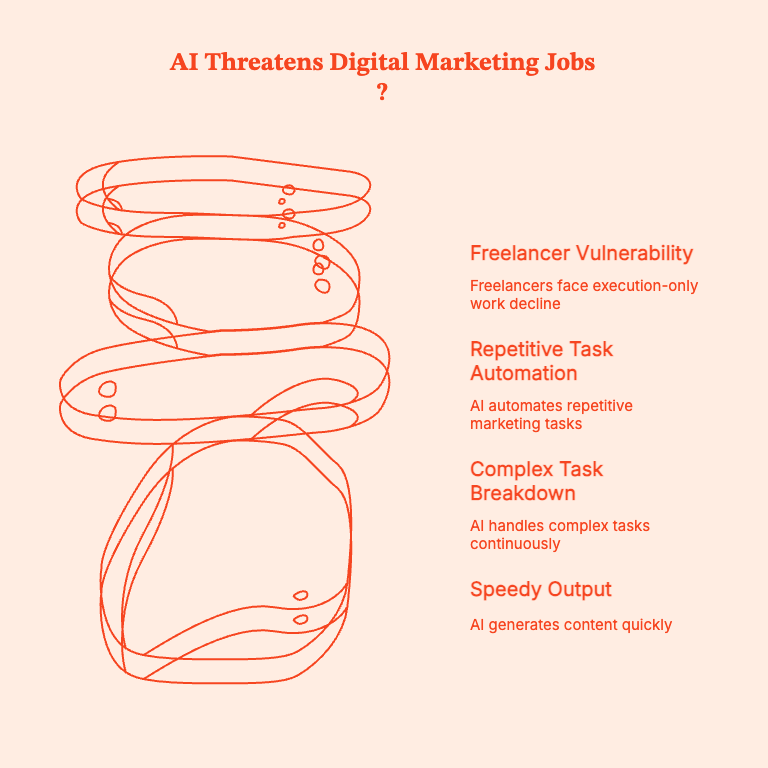
The fear around AI-generated content and marketing tasks, especially via generative AI, is not entirely irrational.
After all, digital marketing rewards speed in output and execution. The more content you publish, the more campaigns you launch, the cleaner your reports for the next person, the more value you bring to the table.
AI engines operate in seconds, work without rest, and if trained appropriately, can break down complex tasks.
Marketers are bound to feel insecure about their jobs when an AI tool can generate 30 ad variations, draft a blog post, cluster keywords, and summarize performance. If you look at Reddit communities like r/marketing, r/SEO, and r/PPC, you'll see that early-career marketers feel the most exposed.
Freelancers doing execution-only work are worried, and roles involving ‘set it and forget it’ workflows are dwindling.
So, if your job involves pulling unimportant reports, setting up garden-variety campaigns, and repetitive SEO/paid media tasks, you might have to worry about AI.
If not, you're fine. You're not obsolete. You're just going to work with AI since you certainly can't outdo it on its own turf.
What AI tools cannot replace in your digital marketing job
Let's go beyond vague arguments (“humans are creative!”) and dramatic exclamations (“AI will never understand emotion!”).
The truth is far more practical.
AI struggles with judgment under uncertainty, and this is a skill without which no business value can exist. You can leverage AI tools to create options for ad campaigns, data analysis, and get rid of repetitive tasks.
But it is the human's job to choose the right option and tell AI specifically what it needs to do.
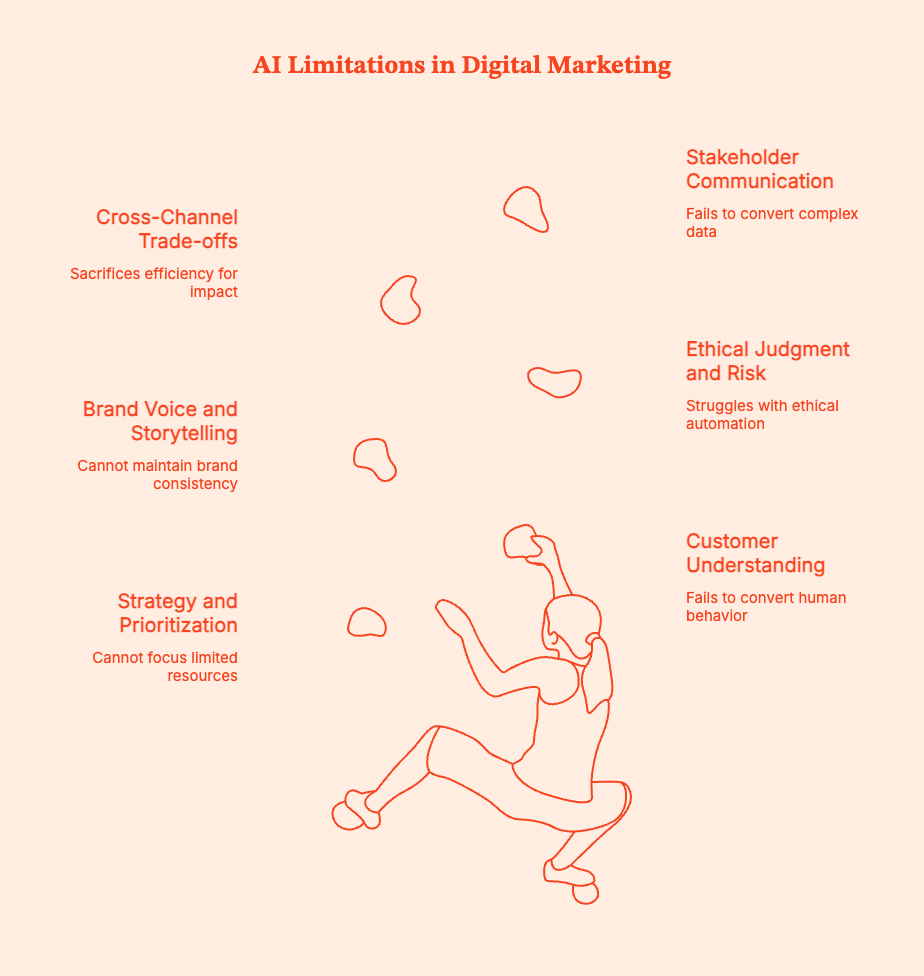
Here's what you can't expect AI to do, and what humans in marketing teams will always do:
Also read: AI Market Research Tools: From Hype Threads to 10 Tools Worth Using
- Strategy and prioritization: Where do you focus your limited time, budget, and brain power?
- Customer understanding: How do you convert messy, qualitative human behavior into meaningful action?
- Brand voice and storytelling: How do you know what strategy/content/communication fits, what feels off, and what erodes customer trust?
- Ethical judgment and risk management: How does AI decide what actions are ethical when automation moves faster than oversight?
- Cross-channel trade-offs: When do you sacrifice efficiency for long-term impact?
- Stakeholder communication: How do you convert complex performance data into decisions people will actually support?
AI can tell you what is happening, but it can't tell you which decisions are actually right. It can't, for instance:
- Decide which market is worth betting on.
- What not to automate to avoid putting the budget and teams under unnecessary pressure.
- Gauge when technically correct data is still contextually misleading.
- Explain results to a stakeholder who wants to see real trade-offs instead of dashboards they don't understand.
- Understand why a campaign might have delivered numbers on paper but damaged customer trust.
AI can give you a list of events, but it isn't great at telling you which accounts are warming up or where to double down. Factors.ai will bridge that gap by showing account-level intent and engagement across the buyer journey. Using these signals, marketers can prioritize, align with sales, and defend decisions with evidence instead of "gut feel".
{{INLINE_TOFU}}
Which digital marketing roles are most affected by Artificial Intelligence?
AI can replace task profiles, rather than entire jobs. However, any roles built on tasks that are easy to automate are at stake.

Roles under the most pressure
The following roles are shrinking or at least being redefined:
- Junior content writers focused on volume: If your value = how many words you publish, AI will turn that equation on its head. We don't need more first drafts; we need judgment.
- Basic SEO execution roles: AI can take over keyword research, clustering, on-page checks, and audits. You have to decide what it should do and when.
- Media buyers running setup and optimization tweaks: AI platforms can handle bids, budgets, and targeting better than most humans.
- Analysts who only pull reports: AI can create dashboards, but not provide insights. If your job ends at ‘here’s the data,’ AI has you beat.
Roles that are evolving
As certain roles shrink, others are gaining leverage:
- SEO strategists who map content to user intent and business goals.
- Performance and growth marketers who focus on experiments and innovations.
- Content leads and editors who shape narratives and standards to maintain user trust.
- Marketing ops and RevOps professionals who build systems, attribution, and data flows.
- Demand gen leaders who deal with pipeline velocity and pressure without compromising long-term growth.
What's changing is the need for manual execution. AI can take over that, but it cannot be trusted with system and process design. It also cannot hold itself accountable for business outcomes; that's on you.
Will digital marketing be replaced or reshaped by AI?
No, digital marketing will not be replaced by AI. But it will be fundamentally reshaped.
Spreadsheets didn’t eliminate finance teams, marketing automation didn’t kill email marketers, and Google Analytics didn’t replace analysts.
Technology just raised the bar.
AI is in the same vein. It is becoming a fixture in marketing stacks because it removes friction around execution.
It’s becoming a baseline capability, not a differentiator. Not because it replaces thinking, but because it removes friction around execution. It replaces manual effort, slow iteration, and useless busywork.
AI does not replace judgment, strategy, taste, and accountability.
AI will make digital marketing more strategic, more technical, and more outcome-driven. That's an upgrade.
How digital marketers can stay relevant in an AI-driven future
Let's be clear: AI doesn't create winners and losers on its own. It amplifies what you're already bringing.
So, if your value lies in your judgment, AI makes you better at your job. But if your primary task is manual execution, AI will replace you.
Also read: AI marketing vs traditional marketing: What actually drives growth?
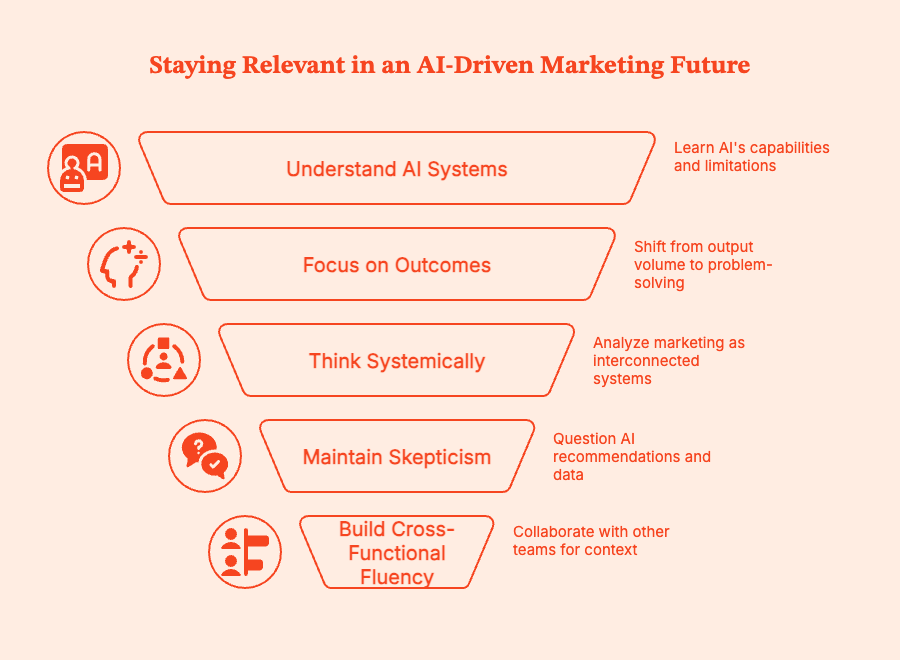
Here's how marketers can improve their tasks with AI:
- Go beyond prompts; understand the system
How well you can use AI depends on:
- The data on which the AI tool has been trained.
- Whether the AI engine hallucinates or oversimplifies its responses.
- Which specific problems is it good at solving, and which it fails at.
- Shift focus from outputs to outcomes
AI can generate content variations, dashboards, and recommendations. It can analyze data and recommend tactics to future-proof campaigns and the marketing industry.
But AI technology cannot decide how to take the business forward.
To stay relevant, consider focusing less on the volume of output and more on:
- What problem are you solving
- What trade-offs are you making to solve the problem at hand
- Think in systems, not channels
AI fundamentally accelerates and reduces the cost of execution. System-first thinking helps make better decisions.
To stay resilient in an AI-heavy job market, take the time to understand:
- How acquisition maps to retention
- How GTM motion influences each channel's performance
- How attribution models influence account intelligence and behavior
AI can optimize certain components of the machine, but humans still have to design it.
- Maintain some skepticism toward AI outputs
A very important part of your AI expertise is disagreeing with your AI systems and tools. Learn how to frequently:
- Question recommendations that may look right, but clearly aren't answering the question.
- Flag data that is technically accurate but will derail strategy.
- Prioritize context more than technical accuracy (when required).
- Explain decisions to leadership without hiding behind dashboards.
- Build cross-functional fluency
To stay relevant as a marketer who will also embrace AI, stay on top of these:
- Get context on revenue forecasting from sales teams.
- Talk trade-offs with product teams.
- Help design processes and pipelines with Ops teams.
- When explaining decisions to leadership, use your words instead of just fancy dashboards.
AI does not replace judgment, but it does expose those who never had any. Don't be one of them.
What leaders and teams should get right about AI in marketing
Folks managing a marketing agency or team are inevitably reeling (at least a little bit) with the emergence of AI EVERYWHERE (or so it seems).
The questions and decisions are endless: Do you need fewer people? Different people? More tools? Fewer tools? What happens if you automate too fast or not fast enough?
But AI doesn't eliminate employee count overnight. It just reprioritizes where human effort is really needed.
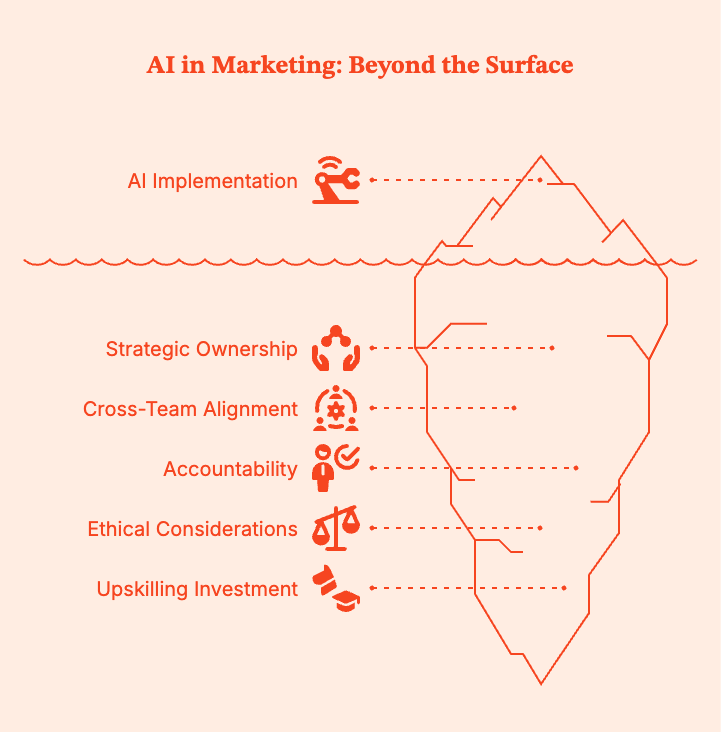
- AI is not a headcount shortcut
AI can reduce manual workload, but it cannot replace strategic ownership, cross-team alignment, and accountability. If you try to ‘do more with less’, you will probably end up:
- Shipping more content, but it might perform terribly.
- Automating processes no one fully understands.
- Losing out on brand credibility and customer trust.
- Burning out the few people who are still there to manage the system.
- The downsides of over-automation
AI can certainly optimize the metrics it has been given, but it won't do too well at understanding what you actually mean when you say ‘get a sense of what people really want based on these conversations’. It'll give you bullet points, but it cannot make educated judgments based on vocal cadence, commonly used regional phrases, and so on.
If you over-automate with AI programs and treat AI as a substitute for the real human mind, expect that:
- Your brand voice will be diluted.
- You'll see hikes in short-term, volume-based metrics and then a steep drop in long-term quality.
- You won't have real explanations for why something worked or failed, because AI decisions are not visible from the backend.
All digital tools should only support judgment, not replace it.
- Human ownership is irreplaceable
No tool, however advanced, will replace the human insight needed for decision making, risk, and accountability. Only humans can:
- Decide what success looks like.
- Where to focus limited efforts and budget.
- Understand ethical and compliance pressures.
- Own outcomes without using tools or models as excuses.
- Invest in upskilling
Don't panic. Just figure out how to get AI to work for you.
Some quick ideas:
- Train your teams to gauge the veracity of AI outputs. No blind trust.
- Redesign the role around system building and strategy, not just output volume.
- Make AI literacy a part of performance KPIs.
- Give people time to learn. No one learns overnight.
- Assign clear ownership
AI without ownership is a massive risk. With failure, every AI-driven workflow should have a clear human owner, established and non-negotiable guardrails, and a human decision maker who is also accountable for all outcomes.
"The tool did it" is not an acceptable answer to stakeholders, customers, or regulators.
Note: Evaluating AI utility requires examining multiple metrics across various channels. You can't be spending time manually gathering all that data (and also keep your job). Instead, a tool like Factors.ai can help by pulling website engagement, ad interactions, CRM data, and third-party intent into a single view. That means you can stop guessing which activities are meaningful and start acting on signals that directly drive revenue.
The Future is AI-powered marketers, not AI replacing marketers
Set aside the hype and scare tactics. The truth is that AI will absolutely change how marketing tasks are done.
Some roles will narrow in scope or disappear. Others will expand and become more valued.
Entirely new roles will emerge.
But digital marketers will not disappear. They will become (if they want to keep their job and grow) more strategic, technical, and accountable.
They will own decision-making while AI reduces the distance between insight and action.
Teams have to (and already are) recalibrating by pushing marketers to think in terms of systems and strategy. Less “optimize this channel,” more “explain how this contributes to pipeline, revenue, and growth."
To see how AI can actually make you a better digital marketer, consider booking a demo for Factors.ai.
The tool will clearly show you which accounts are engaging, what signals actually matter, and how marketing influences revenue, so you can stay ahead by shifting the conversation from output to outcomes.
Summary
AI isn’t replacing digital marketers.
It is replacing the parts of the job that were always closer to execution than strategy. AI tools can write content, optimize ads, analyze performance, and automate workflows.
Basically AI is reshaping digital marketing.
AI is set to take over speed, scale, and pattern recognition. It will be drafting, testing, forecasting, and surfacing insights across massive datasets. But it cannot decide what matters, what to prioritize, or what trade-offs to make. That lies on humans.
Task-heavy roles focused on execution feel the pressure of AI first. Strategic roles are gaining leverage. Junior marketers, freelancers, and “set-it-and-forget-it” positions are evolving, while marketers who prioritize systems, outcomes, and revenue impact are gaining value.
To stay relevant, marketers have to go beyond prompts and tools. They have to learn how AI works, question its outputs, think cross-functionally, and focus on judgment over volume. Managers need to resist panic, avoid over-automation, invest in upskilling, and maintain clear human ownership over direction, risk, and accountability.
AI isn’t replacing digital marketers. It’s giving us AI-powered marketers. These are the folks people who use to eliminate busywork and focus on the decisions that actually move the business forward.
Make no mistake, that is an upgrade.
Frequently Asked Questions about AI and Digital Marketing
Q.Will AI replace digital marketers completely?
Absolutely not. AI will replace specific marketing tasks, but cannot take over end-to-end marketing roles. Human marketers still have to set strategy, make trade-offs, understand customers, and take accountability for outcomes.
Q. Which marketing jobs are most at risk from AI?
The roles most at risk from AI are built around setup, repetitive execution, and low or no judgment. For instance, roles around junior content production, basic SEO execution, manual reporting, and media buying.
Q. Is digital marketing still a good career in the age of AI?
Yes, it is. But your digital marketing job will become more strategic and less execution-centered. Marketers will now need to focus on judgment, systems, and business impact.
Q. Will AI replace SEO specialists and content marketers?
AI can handle first drafts and data analysis. But it cannot replace strategic SEO or editorial evaluation. Human marketers still need to decide what to create, how it fits the brand, and how it supports business goals.
Q. Can one marketer with AI replace an entire team?
Only if they are okay with short-term gains at the cost of long-term quality and customer trust. AI can initially increase individual output...by a lot. But, over time, humans need to step in for strategy, quality control, cross-functional coordination, and accountability.
Q. What skills should digital marketers learn to stay relevant?
Take the time to invest in strategic and systems thinking, analytics interpretation, AI literacy, and cross-functional communication. These matter more than mastering any single tool. Your skill lies in the ability to evaluate and apply AI outputs critically.
Q. Is AI more of a threat to junior or senior marketers?
Junior marketers will feel the impact first because many entry-level tasks they do are easier to automate. Senior marketers who don’t adapt will also struggle as workflows and technical requirements change.
Q. How are companies actually using AI in marketing today?
Most marketing teams use AI to draft content, create copy variations, analyze performance, predict trends, and automate reporting. Not many organizations allow AI to make final decisions without human oversight.
Q. Will AI reduce marketing salaries or increase expectations?
In the short term, expectations are hiking faster than salaries. Over time, however, marketers skilled in pushing strategic impact and revenue clarity will command higher compensation.
Q. Is AI better suited for B2B or B2C marketing?
AI works great for both, but B2B teams will get more value faster because AI can excel in intent analysis, attribution, and revenue alignment. B2C teams can use AI for personalization, creative testing, and lifecycle optimization.
Q. What’s the biggest misconception about AI replacing marketing jobs?
That AI will take your job.
What it will take are the repetitive parts of your job. You still need to handle judgment, context, and accountability.

Why LinkedIn is Becoming the One Platform That Does *Everything*
Read about why B2B marketers are shifting budget and strategy to LinkedIn as it replaces multiple tools, from ABM to brand to demand, in one high-performance platform.

TL;DR
- Marketing stacks are shrinking, and LinkedIn is replacing tools for ABM, brand, demand, and attribution.
- Ad budgets are shifting fast: LinkedIn ad spend rose 31.7% YoY; Google’s grew just 6%.
- Thought Leader Ads and native audience targeting outperform legacy tactics in both reach and ROI.
- LinkedIn isn't everything, but it’s fast becoming the center of gravity for B2B marketing.
Remember when your marketing stack looked like a game of Tetris designed by someone in the midst of a caffeine overdose?
You had one tool for attribution. Another for ads. A third for visitor identification. Something else for account intelligence. A different platform for brand awareness. Yet another for retargeting. And maybe, if you were feeling really spicy, a separate budget line for "thought leadership" that nobody could quite quantify.
Each tool promised to be the missing piece. Each integration required three meetings and a sacrifice to the API gods. And each quarterly business review involved explaining to your CFO why you needed 47 different SaaS subscriptions for marketing.
That era is ending. Not because someone invented a magical all-in-one platform, but because LinkedIn quietly became really, really good at doing multiple jobs that used to require completely separate channels and tools.
The data tells a story that's impossible to ignore. B2B marketers are consolidating spend, strategy, and execution onto LinkedIn at a blistering pace. And it’s for some good, measurable, ROI reasons.
The Facts: A 31.7% Vote of Confidence
LinkedIn advertising budgets grew 31.7% year-over-year. Google Ads? Just 6%.
That's not a trend. That's a stampede.
LinkedIn's share of digital marketing budgets jumped from 31.3% to 37.6%, a 6.3 percentage point shift that represents billions of dollars in reallocation. Google's share dropped from 68.7% to 62.4%.
But here's what makes this consolidation different from typical "hot new channel" hype cycles: marketers aren't just experimenting with LinkedIn. They're systematically moving budget away from other channels because LinkedIn is doing jobs those channels used to own.
Brand awareness? LinkedIn.
Lead generation? LinkedIn.
Account-based targeting? LinkedIn.
Thought leadership distribution? LinkedIn.
Retargeting? LinkedIn.
Pipeline attribution? LinkedIn.
One platform. Multiple jobs. And the performance data backs up why this consolidation is accelerating.
Job #1: Brand Awareness (Your TV Budget)
Brand awareness campaigns on LinkedIn grew from 17.5% to 31.3% of total ad spend. That's nearly doubled in a single year.
Why? Because LinkedIn cracked the code on something that's frustrated B2B marketers forever: how to build brand awareness among your exact ICP without wasting impressions on people who will never, ever buy from you.
Traditional brand advertising required you to buy billboards, sponsor conferences, maybe run some display ads, and hope the right people saw them. You'd spend six figures reaching a million people, knowing that 990,000 of them were completely irrelevant.
LinkedIn flips this equation. You can run brand awareness campaigns that reach exclusively VPs of Marketing at 500-1000 person SaaS companies in North America. Zero waste. Total precision.
And that brand awareness creates a multiplier effect across every other channel. Analysis shows that ICP accounts exposed to LinkedIn ads demonstrate:
- 46% higher paid search conversion rates
- 43% better SDR meeting-to-deal conversion
- 112% lift in content marketing conversion
Your LinkedIn brand investment doesn't just stop at LinkedIn. It makes everything else work better.
{{INLINE_MOFU}}
Job #2: Demand Capture (What Google Used to Own)
LinkedIn isn't replacing Google for bottom-funnel search intent (that said, paid traffic is declining 39%, with an average of 24% increase of spend, do with that what you will). But it's taking a massive share of the "consideration stage" demand capture that used to flow through content syndication, display ads, and mid-funnel nurture.
Lead generation campaigns still represent 39.4% of LinkedIn spend (down from 53.9%, but still substantial). And the quality metrics are crushing it:
- 71.9% of marketers agree that leads from LinkedIn ads align more closely with their ICP
- 52.3% say LinkedIn leads are more likely to be senior-level decision-makers
You're not just capturing demand. You're capturing the right demand, from people who can actually sign contracts.
The cost efficiency tells the story even more clearly. Cost per ICP account engaged on LinkedIn is $257. On Google? $560. LinkedIn costs less than half for higher-quality accounts.
When one platform delivers better targeting, quality, and economics, consolidation just makes sense 🤌.
Job #3: Thought Leadership Distribution (RIP, Your Blog)
Here's where LinkedIn really stands out from every other platform: it's the only place where executive thought leadership actually reaches decision-makers at scale.
42% of marketers now use Thought Leader Ads regularly. Another 31% use them occasionally. That's 73% adoption of a format that barely existed two years ago.
The explosive growth is because Thought Leader Ads solve a problem that used to require an entire content distribution apparatus. You'd write a killer article, publish it on your blog, promote it through email, maybe syndicate it, cross your fingers, and hope the right people saw it. Now it’s simply not happening that way; even the gold standard of proprietary analyst reports are facing declining performance for 75% of organizations. There’s a 26.3% decline in report downloads. Your CEO is yelling into a void.
Now, your CEO writes a post. You put $500 behind it as a Thought Leader Ad. It reaches 10,000 people who match your exact ICP. They see authentic content from a real person (not a corporate page), in their feed, with the credibility that comes from executive bylines.
The engagement rates speak for themselves. According to LinkedIn's platform data, Thought Leader content receives significantly higher engagement than traditional company page posts. It's authentic, it's from a real human, and it builds trust in ways that traditional ads never could.
Static images can still work, but video and document ads allow brands to tell richer stories and build emotional connections faster. Even short videos communicate tone and personality in ways static content can't, whilst document ads help educate and add genuine value.
LinkedIn Ad Formats Comparison Table
| Ad Format | What It Does Well | Why It Works Better Than Static Images |
|---|---|---|
| Static Images | Communicates a single, clear message | Limited in conveying tone, depth, and emotion |
| Video Ads | Tells richer stories quickly | Communicates tone and personality even in short formats |
| Document Ads | Educates and delivers deeper value | Allows users to engage with useful, informative content |
Job #4: Account-Based Targeting (What Used to Require a Whole Stack)
Traditional ABM required you to:
- Identify target accounts (some specialized platform or a massive spreadsheet)
- Enrich those accounts with data (Clearbit, ZoomInfo)
- Track their behavior (your analytics platform)
- Build audiences (your ad platforms)
- Retarget them (separate retargeting tools)
- Measure everything (attribution software)
LinkedIn collapsed that entire stack into native functionality.
Matched Audiences lets you upload your CRM data directly. Account targeting lets you specify exact companies. Predictive Audiences uses AI to find lookalikes of your best customers. Website retargeting via Insight Tag captures visitors and brings them back.
What’s amazing is that it actually works better than the Frankenstack approach because everything is native. No leaky integrations, data delays, and no "why is this account showing up in one system but not another?" debugging sessions.
The consolidation isn't just about convenience, it's about effectiveness.
Job #5: Multi-Format Creative (Because Buyers Are Humans)
LinkedIn used to be "that place you run text ads and single image ads." Not anymore.
Video ads grew from 11.9% to 16.6% of spend. Document ads grew from 6.4% to 10.7%. Connected TV advertising went from 0.5% to 6.3%. Off-site delivery (reaching LinkedIn's audience across the web) grew from 12.9% to 16.7%.
One platform now supports:
- Single image ads
- Carousel ads
- Video ads
- Document ads
- Thought Leader ads
- Message ads
- Conversation ads
- Event ads
- Connected TV ads
- Off-site display
Oooh, that’s a loooong list!
Each format serves a different job in the buyer journey. Document ads for education. Video for storytelling. Thought Leader for authenticity. Single image for direct response. Connected TV for broad reach among your ICP. Let me just put it in a table for you.
LinkedIn Ad Formats & Use-Cases Comparison Table
| Ad Format | Primary Use Case | Why It Works |
|---|---|---|
| Document Ads | Education | Delivers in-depth, high-value content users can engage with |
| Video Ads | Storytelling | Conveys emotion, tone, and narrative quickly |
| Thought Leader Ads | Authenticity | Feels human, credible, and trust-building |
| Single Image Ads | Direct Response | Simple, focused, and action-oriented |
| Connected TV Ads | Broad ICP Reach | Scales awareness across high-intent, relevant audiences |
You used to need different platforms and vendors for each format. Now it's in the Campaign Managers tabs.
Job #6: The 95%-5% Rule (Why LinkedIn Owns Both Ends)
The LinkedIn B2B Institute's research established a critical insight: only 5% of your target market is actively in-market at any given time. The other 95% are out-of-market but will buy eventually.
Most platforms force you to choose. Brand awareness platforms (display, TV, sponsorships) reach the 95% but can't capture the 5%. Performance platforms (search, intent data) capture the 5% but miss the 95%.
LinkedIn is the only platform that legitimately does both jobs well. And with CRM’s misattributing 14.3% of leads as ‘generated from paid search’ actually originating from LinkedIn, it’s well worth looking a bit harder at your data to find out where your leads are really coming from.
Brand awareness campaigns with broad targeting build mental availability with the 95%. Retargeting and lead generation campaigns capture the 5% showing intent. Same platform and data, with unified measurement… it’s a dream come true (ok maybe notonly for a bunch of weird marketing people).
This isn't theoretical. The budget shifts prove marketers recognize this dual capability as LinkedIn's killer feature.
And Consolidation Only Accelerates From Here
Survey data shows 56.4% of B2B marketers plan to increase their LinkedIn budgets by more than 10% in 2026. The consolidation is speeding up.
Three forces are driving continued acceleration:
- Measurement keeps improving.
LinkedIn CAPI integration enables accurate conversion tracking. Account-level analytics provide visibility into buying committee engagement. Multi-touch attribution actually works when most touchpoints happen on the same platform. - Format innovation continues.
Thought Leader Ads launched and immediately hit 42% regular usage. Document Ads went from nothing to 10.7% of spend. What's next? Whatever it is, it'll be native to the platform and integrated with everything else. - ROI is undeniable.
Median ROAS of 1.8x. Cost per ICP account that's half of Google. LinkedIn-sourced deals closing 28.6% higher ACV. When one platform delivers superior performance across multiple metrics, CFOs stop asking "why are we spending so much on LinkedIn?" and start asking "why are we still spending so much on everything else?"
The Caveat is That LinkedIn Can’t Be Everything
LinkedIn consolidation doesn't mean LinkedIn monopoly. It’s not some magical unicorn.🦄
You still need:
- A website (obviously)
- Email nurture (LinkedIn can't send your drip campaigns)
- CRM (Hubspot isn't going anywhere)
- Analytics infrastructure (like Factors.ai you need to measure cross-channel impact)
- Other channels for specific use cases (events, community, SEO)
The consolidation is NOT about replacing your entire stack. It's about LinkedIn absorbing jobs that used to require 5-10 separate tools and channels.
Instead of: Display network + content syndication + brand awareness campaigns + thought leadership distribution + ABM platform + retargeting tool + intent data provider.
You get: LinkedIn.
That's the consolidation. And it works.
What This Means for Your Strategy Now
If LinkedIn is becoming the platform that does everything, your strategy needs to reflect that reality.
Stop thinking about LinkedIn as "social media" or "just another channel." Start thinking about it as your primary B2B marketing operating system.
That means:
- Consolidating previously separate budgets (brand, demand, ABM) into an integrated LinkedIn strategy
- Using LinkedIn as the hub for both the 95% (brand awareness) and the 5% (demand capture)
- Leveraging multiple formats to engage buyers across the entire journey
- Building measurement that captures LinkedIn's impact on every other channel
- Accepting that the platform doing multiple jobs well is better than multiple platforms each doing one job, adequately
The data shows this consolidation is accelerating, not slowing. The companies winning in 2026 will be the ones who recognized this shift in 2025 and restructured their entire approach accordingly.
The companies still treating LinkedIn as a test budget or a side channel? They'll be the ones wondering why their competitors are running away with market share.
Want to see which accounts are engaging with your LinkedIn campaigns and how that engagement impacts your entire funnel? Factors.ai provides unified visibility across LinkedIn, your website, CRM, and G2 so you can measure the true impact of consolidating your B2B marketing on one platform.
FAQs for
Q1: Why are B2B marketers shifting their budgets to LinkedIn?
Because LinkedIn now provides better ROI, tighter audience precision, and consolidated functionality across brand, demand, and ABM, making it more efficient than fragmented stacks.
Q2: Is LinkedIn replacing platforms like Google Ads or HubSpot?
Not entirely. Google still dominates bottom-funnel intent. LinkedIn complements, not replaces, tools like CRM or SEO platforms. But it does take over many mid-funnel and targeting roles.
Q3: What makes LinkedIn Thought Leader Ads so effective?
They deliver authentic, executive-authored content to exact decision-makers, with higher engagement and credibility than traditional brand content or blog distribution.
Q4: Does consolidating on LinkedIn mean giving up control over strategy?
No. It means streamlining execution while improving visibility, performance tracking, and buyer journey orchestration, all within a unified ecosystem.
Q5: What types of ad formats are working best on LinkedIn right now?
Video ads, document ads, and Thought Leader Ads show strong engagement. Their flexibility supports storytelling, education, and direct conversion, depending on campaign goals.
.avif)
What Is Revenue Attribution & How To Get Started With It
Revenue attribution maps marketing touchpoints to revenue. Learn how it works, the key models (first-touch, multi-touch, data-driven), common pitfalls, and how to get started in 2026.
TL;DR
- Revenue attribution assigns credit to marketing and sales touchpoints based on their influence on revenue — not just leads or clicks, but actual closed deals.
- Single-touch models (first-touch, last-touch) are simple but incomplete — they ignore most of the buyer journey.
- Multi-touch models (linear, time-decay, U-shaped, W-shaped) distribute credit across the full journey for a more accurate picture.
- B2B teams need multi-touch attribution because sales cycles are 6-9 months long with multiple stakeholders and touchpoints.
- Use revenue attribution to optimize marketing spend, align sales and marketing, prove ROI, and identify high-value channels.
Here we go again.
Steve from sales is beaming at the office party. And why wouldn't he be? The team can't get enough of the star performer who closed ANOTHER high-value deal.
Everybody seems to be missing out on the fine print, however. When asked "How did you hear about us?" the prospect promptly replied-" Oh! I registered for your webinar through LinkedIn and quite enjoyed it"
What they fail to mention is that they also compared their current solution to your product with blogs from your website. In fact, the final demo booking came through a click from a search ad.
Your team isn't the only one suffering from salesman Steve syndrome. B2B marketing teams often struggle to quantify their impact on pipeline. The following article explores what revenue attribution is and how it can help with the same.
What is revenue attribution?
Revenue attribution is the process of identifying and assigning value to marketing touchpoints based on their relative influence on conversions, pipeline, and revenue.
With revenue attribution, marketing teams can gain valuable insights into which strategies and activities are most effective in driving bottom-line impact.
This information enables businesses to make data-driven decisions, optimize their marketing budgets, and improve overall marketing performance. Ultimately, revenue attribution empowers organizations to better understand their return on investment (ROI) make informed decisions to drive growth and profitability.
So if Steve's team had conducted a comprehensive revenue attribution analysis, they'd assign "credit" to all the channels involved in the deal: paid and organic marketing channels, offline events, AND sales.
And how much "credit" would each channel get for the sale? That is based on the revenue attribution model they choose to use.
How do you measure revenue attribution?

Revenue attribution can be leveraged with a wide range attribution models, each with different use-cases based on the industry, length of sales cycle, number of touchpoints, and so on.
Also read: Revenue Forecasting Models: 7 Methods for 2026
For example, a B2C company with a short sales cycle and single decision-makers can rely on simplistic single-touch models. Whereas B2B companies with long customer journeys and multiple decision-makers must use multi-touch revenue attribution models — especially if they're interested in figuring out how multiple channels contribute to revenue.
A certain attribution model will help discover the best TOFU channels while another may help understand what channels convert the most customers.
To understand the different attribution models, let us take the example of a customer: Bart. Bart is a mid-level manager for an e-commerce business. He stumbles upon a checklist on LinkedIn that helps identify customers with high CLV. He starts the limited trial version of the product and then follows the company's page on Linkedin, which announces a webinar on customer loyalty. He signs up and finds the session very helpful. He decides to search for the company and look into the full product, complete with all of its capabilities and features. In the next quarter, when his boss gives him a higher sales target, he looks into the pricing page. Soon after, he books a demo with the sales team.
Now if we were using attribution models to assign credit in this scenario-
Single Touch Attribution
- First Touch Attribution: Attributes revenue or credit solely to the first touchpoint that initiated the customer's journey. It is ideal for businesses looking to understand what channels get them the most new customers. In Bart's case the channel is LinkedIn
- Last touch attribution: Attributes revenue solely to the last touchpoint in the customer's journey. It is beneficial for companies looking to understand what channels drive the most conversions. In this case, that channel is the demo page.
Multi-touch Attribution
Attributes revenue to multiple touchpoints in the customer journey.
Rule-Based Attribution
- Linear Attribution: Distributes revenue or credit evenly across all marketing touchpoints in the customer's journey. It does not take into account the impact of individual channels in the customer journey. In Bart's case, all the channels – organic, inbound and sales would get equal credit.
- Time Decay Attribution: Assigns more revenue or credit to touchpoints as they near conversion i.e. the touchpoint right before the conversion will be assigned the highest credit. It helps understand the bottom-of-funnel and conversion channels effectively. In Bart's case, the channel with the highest attribution is direct.
- U-Shaped Attribution: Gives more weight to the first and last touchpoints while allocating a smaller portion to the intermediate touchpoints. This attribution model helps separate the channels which provide leads and the ones that provide conversions. In Bart's example, the LinkedIn post and the demo page are touchpoints with highest attribution.
- W-Shaped Attribution: Emphasizes the first touchpoint,the touchpoint responsible for opportunity creation, and the last touchpoint. In Bart's case, LinkedIn, visit to the pricing page and the demo are the three touchpoints with highest attribution.
Data-Driven Attribution
Unlike rule-based models that use fixed weights, data-driven (algorithmic) attribution uses machine learning to analyze your actual conversion data and assign credit based on statistical impact. Rather than applying predetermined rules, it learns which touchpoints truly influence conversions in your specific business context.
Google Ads and HubSpot now offer built-in data-driven attribution models, making this approach more accessible than ever.
Best for: Teams with enough conversion volume (typically 300+ conversions/month) to train the model reliably.
Limitation: Requires significant data to be accurate, and acts as a "black box" with less transparency than rule-based models — you may not always understand why credit is assigned a certain way.
How to Calculate Attributed Revenue
The basic formulas for calculating attributed revenue depend on the model you use:
- Single-touch: Attributed Revenue = Total Deal Value × 100% (assigned to one touchpoint)
- Multi-touch (linear): Attributed Revenue per Touchpoint = Total Deal Value ÷ Number of Touchpoints
- Multi-touch (weighted): Attributed Revenue = Total Deal Value × Attribution Weight (%)
Example: A $50,000 deal with 5 touchpoints:
- Linear attribution: Each touchpoint gets $10,000 ($50,000 ÷ 5)
- U-shaped attribution: First and last touch each get 40% ($20,000), middle 3 touchpoints split 20% ($3,333 each)
- W-shaped attribution: First touch, opportunity creation, and last touch each get 30% ($15,000), remaining 2 touchpoints split 10% ($2,500 each)
That said, there's a lot that needs to be taken into consideration when picking an attribution model. Each has its advantages and use cases which you should take into account based on your requirements.
{{INLINE_TOFU}}
Are marketing attribution and revenue attribution the same thing?
Marketing attribution focuses specifically on attributing the value or impact of marketing touchpoints or activities in driving customer conversions or sales. It aims to identify which marketing channels, campaigns, or tactics are responsible for generating leads or influencing purchasing decisions.
On the other hand, revenue attribution goes beyond marketing and takes a more comprehensive approach. Revenue attribution considers the contributions of various departments or functions within an organization, such as marketing, sales, customer success, and other operational activities, in generating revenue.
Revenue attribution helps analyze multiple touchpoints and interactions across different functions can influence customer behavior and contribute to revenue generation. Different revenue attribution models can be used to assign value to these touchpoints and activities, whether they are marketing-related or not, to gain a holistic understanding of the revenue-generating process.
| Revenue Attribution | Marketing Attribution | |
|---|---|---|
| Definition | Analysis of customer journey and touchpoints to determine revenue contribution of different channels | Analysis of marketing channels and campaigns to evaluate performance and effectiveness |
| Focus | Tracking revenue generated and attributing it to specific marketing efforts | Analyzing marketing channels and campaigns to understand their impact and effectiveness |
| Purpose | Identifying the most effective touchpoints and optimizing spending based on revenue generation | Refining marketing strategies, targeting, and allocation of resources based on performance data |
| Key Metrics | Revenue generated, customer lifetime value | Click-through rates, conversion rates, engagement metrics, customer acquisition cost |
ROI vs Revenue Attribution: What's the Difference?
ROI and revenue attribution are related but serve different purposes:
ROI (Return on Investment) measures the overall return on your marketing spend. The formula is simple: (Revenue – Cost) ÷ Cost. It tells you whether your marketing was worth the investment, but not which specific activities drove the results.
Revenue attribution goes deeper. It identifies which specific channels, campaigns, and touchpoints contributed to revenue. Instead of just knowing your marketing generated 5x ROI, attribution tells you that LinkedIn ads drove 35% of pipeline, the webinar series influenced 20%, and organic search contributed 25%.
| ROI | Revenue Attribution | |
|---|---|---|
| Question it answers | "Was it worth the investment?" | "What specifically worked?" |
| Scope | Overall return on marketing spend | Credit assigned to individual touchpoints |
| Use case | Budgeting and executive reporting | Tactical optimization and channel mix |
| Limitation | Doesn't show what drove the return | Requires data infrastructure and modeling |
In practice, B2B teams need both: ROI for high-level budget decisions, and revenue attribution for day-to-day optimization of channels and campaigns.
Who should be concerned with revenue attribution?
The customer journey and buying process for B2B products are long and complex, and revenue attribution can help bridge the gap between different departments/teams. Unfortunately in most b2b companies, only revenue teams are concerned with revenue attribution, keeping all revenue efforts siloed.
By understanding the contributions of different teams, channels, and campaigns in revenue generation, teams can allocate resources more effectively. They can identify areas that require increased investment or support based on their revenue-generating potential and ensure that the organization's financial resources are allocated strategically for maximum impact.
For marketing teams, revenue attribution helps identify effective tactics and channels and refine targeting. According to Alex Sofronas- "it almost acts as a GPS", helping teams navigate where they are headed by aligning data and insights with organizational goals. Similarly, it helps customer support teams to personalize interactions and make data-driven decisions to drive revenue.
Why is attributing revenue so important for businesses?
Revenue attribution opens various growth avenues. Teams can leverage the added insights to accelerate the purchase decision and optimize spending. For businesses at the beginning of their growth curve, it can help develop templatize marketing plans or create iterative action plans. Here are some of the other benefits of revenue attribution:
Understanding the customer journey
Revenue attribution helps businesses gain a better understanding of the customer journey. B2B sales cycles are often 6-9 months long. Analyzing individual sessions or website traffic through analytics tools only provides a partial view. Ad platforms like LinkedIn, Facebook, and Twitter may focus on the current month's Return on Advertising Spend (ROAS) without considering the long customer journey. If the impact of an ad is realized 6 months later, when a customer moves down the funnel and books a demo or makes a purchase, revenue attribution will help figure this out. By accounting for the entire journey through detailed revenue attribution businesses can make more informed decisions.
Shining a light on effective strategies and touchpoints
Analytics tools track individual sessions or devices, not account-based activities. With revenue attribution businesses can identify the most effective touchpoints for individual customers and plan their spending accordingly. It can also help avoid premature assumptions about campaign success or failure.
Promoting sales and marketing alignment
By following the account from the first touch, attributing leads to their sources. Unlike CRMs which only provide the original source of the lead, revenue attribution tracks previous interactions and helps understand the conversion process. it allows businesses to foster alignment between sales and marketing teams. This qualitative approach helps marketers improve lead quality and understand customer intent, resulting in better targeting.
Facilitating better forecasting and planning
Revenue attribution helps businesses with forecasting by understanding the decision-making process of buyers. Maybe the efforts you put in today will yield results in 6 months. It also allows for the evaluation of the effectiveness of revenue-generating activities and provides benchmarks for results, enabling more accurate forecasting and strategic planning.
Identifying high-value customers
Revenue attribution enables businesses to identify segments that contribute the most revenue. By understanding the specific characteristics and behaviors of high-value customers within each segment, businesses can tailor their marketing and sales efforts to attract and retain similar customers, leading to increased revenue.
Common Challenges with Revenue Attribution
While revenue attribution is powerful, it comes with real challenges — especially for B2B teams:
- Data silos: Marketing, sales, and CRM data often live in different tools, making it difficult to stitch together the full customer journey. Without unified data, attribution models produce incomplete or misleading results.
- Offline touchpoints: Phone calls, conferences, in-person meetings, and direct mail are difficult to track digitally. These interactions often play a critical role in B2B deals but go unattributed.
- Long sales cycles: B2B deals spanning 6-9 months (or longer) make it harder to connect early-stage touchpoints to eventual revenue. The longer the gap, the more data can be lost or fragmented.
- Multiple stakeholders: Buying committees mean several people interact with your content and sales team, but most attribution tools track individuals, not accounts. Account-based attribution is essential for B2B accuracy.
- Cookie deprecation and privacy: Third-party tracking is becoming less reliable as browsers restrict cookies and privacy regulations tighten. Teams need to shift toward first-party data strategies and server-side tracking to maintain attribution accuracy.
Getting Started with Revenue Attribution
No matter what attribution model you choose to follow, or the goals you set out to achieve, data plays a vital role in successful revenue attribution. So the first order of business for revenue attribution is to collect and consolidate all historical data. Whether it is a sale registered in a CRM or the number of customers reading your newsletter.
But with so many channels and teams involved, doing so can mean getting buried in a pile of datasheets and reports.
A robust revenue attribution tool will help you unify data across multiple channels, set-up relevant, custom conversion goals, and breakdown the analysis with granular filters and segmentations.

Factors.ai is a revenue attribution tool that helps monitor and optimize GTM performance across campaigns, content, and events.
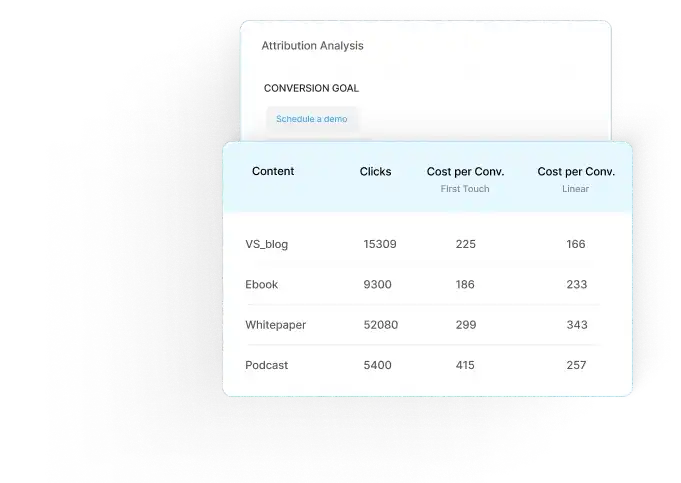
With Factors.ai, businesses can choose and compare various attribution models tailored to their unique buyer journeys, ensuring effective resource allocation and reducing marketing leakage.
It is best suited for companies that want a deeper understanding of their customer journey and revenue pipeline

Revenue attribution is the bridge between marketing activity and business outcomes. By choosing the right model, consolidating your data, and acting on attribution insights, you can optimize spend, prove ROI, and align your GTM teams. Factors.ai helps B2B teams unify data across channels, compare attribution models, and understand the full customer journey — from first touch to closed deal. Book a demo to see how revenue attribution works in practice.
Maximize ROI with Revenue Attribution
Revenue attribution assigns value to marketing touchpoints, helping businesses understand their impact on conversions and revenue.1. What is revenue attribution and why it matters: Enables data-driven decisions and optimized marketing budgets.
2. Key Insights: Identifies high-performing channels to enhance profitability.
3. Attribution Models:
- Single-Touch Models: Ideal for B2C with short sales cycles.
- Multi-Touch Models: Suited for B2B with complex, long sales cycles.
By selecting the right attribution model, businesses can refine strategies, improve performance, and drive sustainable growth.
FAQs On Revenue Attribution
Q1. What is an example of revenue attribution?
During a B2B purchase cycle, a customer interacts with various channels such as customer service representatives, marketing campaigns, and salespersons. Revenue attribution is the process of allocating monetary value to each of these events.
Q2. Why is revenue attribution important?
Revenue attribution is crucial for businesses to help understand the effectiveness of marketing, sales, and customer support efforts in driving revenue. It helps optimize spends, identify effective strategies and refine budget allocation for each function.
Q3. How do you calculate attributed revenue?
Attributed revenue is calculated by assigning credit to different touchpoints based on their contribution to a sale, using single-touch or multi-touch attribution models such as the w-shaped model or linear attribution model.
Q4. What is the difference between ROI and revenue attribution?
ROI (Return on Investment) measures the overall return on your marketing spend using the formula (Revenue – Cost) ÷ Cost. Revenue attribution goes deeper by identifying which specific channels, campaigns, and touchpoints contributed to that revenue. ROI tells you "was it worth it?" while attribution tells you "what specifically worked?"
Q5. What is data-driven attribution?
Data-driven attribution uses machine learning to analyze your actual conversion data and assign credit to touchpoints based on their statistical impact on conversions. Unlike rule-based models with fixed weights, it learns from your data. Google Ads and HubSpot now offer built-in data-driven attribution models.
Q6. What are the best revenue attribution tools?
Popular revenue attribution tools include Factors.ai (B2B multi-touch attribution with customer journey analytics), HubSpot Attribution (built into HubSpot CRM), Google Analytics 4 (free, data-driven attribution), Dreamdata (B2B revenue attribution), and Attribution by HockeyStack. The best choice depends on your tech stack, budget, and whether you need B2B account-level or B2C user-level attribution.
Q7. How does revenue attribution work in B2B?
B2B revenue attribution tracks the full buyer journey across 6-9 month sales cycles involving multiple stakeholders. It uses multi-touch models to assign credit across marketing touchpoints (ads, content, events), sales interactions (calls, demos), and other activities. Account-based attribution is particularly important in B2B because buying decisions involve committees, not individuals.
.avif)
What's next in Big Data and Analytics? (Part 2)
Explore the emerging technologies and tools in big data and analytics that businesses are using to leverage data for strategic decision-making.

In the previous blog, we very briefly went over the history of Big Data Technologies. We saw how databases evolved from relational databases to NoSQL databases like Bigtable, Cassandra, DynamoDB etc with the rise of internet along with development of technologies like GFS, MapReduce etc for distributed file storage and computation. These technologies were first developed by companies like Google, Amazon etc and later picked up in a big way by the open source community.
Big Data and Enterprises
Soon enough commercial versions of these open source technologies were being distributed by companies like Cloudera, Hortonworks etc. Traditional enterprises started adopting these technologies for their analytics and reporting needs.
Prior to this enterprises built data warehouses which were actually large relational databases. It involved combining data from multiple databases of ERP, CRM etc and build an unified and relatively denormalized database. Designing the data warehouse was complex and required careful thought. Data was updated periodically. Updation involved a three stage process of extracting data from various sources, combining and transforming these to the denormalized format and loading it into the data warehouse. This came to known as ETL (Extract, Transform and Load).
With adoption of Hadoop, enterprises could now just periodically dump all their data into a cluster of machines and run ad-hoc run map reduces to pull out any report of interest. Visualization tools like Tableau, PowerBI, Qlik etc could connect directly to this ecosystem, making it seamless to plot graphs from a simple interface, but actually done by crunching large volumes of data in the background.
Customer Centric View of Data
Databases are a final system of record and analytics on databases only gives information on the current state of customers and not how they reached here. With the rise of internet a lot of businesses are now online, or have multiple digital touchpoints with customers. Now it's easier to instrument and collect customer data as a series of actions, be it clickstream or online transactions. This customer centric model of data enables richer analytics and insights. Additionally the data is incremental, and can be made available immediately in reports, instead of being updated only periodically. More enterprises are moving to this model and datastores and technologies that cater specifically to these kind of use cases are actively being developed like TimescaleDB, Druid, Snowplow etc.
So what’s next?
To summarize, the bulk of the big data revolution, that has happened in the last 15 years, is to build systems capable of storing and querying large amounts of data. The queries are raw i.e if X and Y are variables in the data and x1 and y2 are two corresponding values of interest, then the system can return all data points where in the variable X matches x1 and Y matches y2. Or some post processed result on all the matching data points. Along the way, we also have systems that can compute on large amounts of data in a distributed fashion.
So what’s next in analytics from here? Is it building machine learning models? Certainly, the availability of all these data, enables organizations to build predictive models for specific use cases. In fact, the recent surge of interest in machine learning has actually been because of the better results we get by running the old ML algorithms at larger scale in a distributed way. While most ML techniques can be used to build offline models to power predictive features, it is not useful in the context of online or interactive analytics. Most techniques are particularly designed for high dimensional unstructured data like language or images, where the challenge is not only to build models that fit well on seen data points, but also generalizes well to hitherto unseen data points.
{{INLINE_TOFU}}
Datastores that make sense of data
The next logical step would be datastores and systems that can make sense of data. Making sense of data would mean that instead of blindly pulling out data points such that variable X is x1 and Y to y2, it should also be able to interactively answer different class of queries like
- Give the best value for variable Y, that maximizes the chance that X is x1.
- Find all the variables or combination of variables, that influence X most when X is x1.
Such a system would continuously build a complete statistical or probabilistic model as and when data gets added or updated. Models would be descriptive and queryable. The time taken to infer or answer the different class of queries should also be tractable. But just like there are a host of databases each tuned differently for
- Data Model
- Scale
- Read and Write Latencies
- Transaction guarantees
- Consistency, etc
We could possibly have different systems here tuned for
- Assumptions on Data Model
- Accuracy
- Ability to Generalize
- Scale of the data
- Size of the models
- Time taken to evaluate different types of queries.
Autometa - is one such, first of it’s kind, system that we are building at factors.ai. It continuously makes sense of customer data to reduce the work involved in inferring from data. Drop in a mail to hello@factors.ai to know more or to give it a try.
What Kinds of Analyses Should D2C Brands Perform?
Stay ahead in the highly competitive D2C industry by performing the right analyses to identify user journey. Learn different analyses for D2C brands here.

As an organization, in any industry, it's important to understand the audience behavior on websites and what gets them to convert or drop-off. These insights help optimize website content and improve its overall effectiveness.
The D2C (Direct-to-Consumer) industry is no exception. With tens of thousands of visitors logging sessions each day, knowing what exactly they do on the website, what pages they visit and what influences them to convert is crucial. But how do you go about doing this?
Let’s dive into the kinds of analyses that can be performed to truly understand the user journey on a D2C website.
Page Funnels:
For this, let’s consider a common buying process seen on D2C websites:
- Select the items to purchase
- Visit ‘Cart’ to review items and proceed to ‘Checkout’
- Complete payment on the ‘Checkout’ page
- On successful payment, the order is placed
While this seems to be a fairly straightforward process, there is a lot that goes on behind it. Here are the questions that you need to ask:
- What pages do users visit before they reach the checkout page?
- How much time does it take for users to place their order after reaching the checkout page?
- What pages do users visit before they place their order?
- What pages accelerate the buying process?
- What pages do users visit based on the marketing campaign they came from?
The answers to these questions will help you understand the success and failure paths on your website. For example, you might see a huge percentage of users visiting the ‘Reviews’ section right before checkout indicating the need for validation. Hence you must highlight the ‘Reviews’ section clearly.
Another insight would be users from, let’s say, an Instagram campaign tend to follow a particular path before placing an order. This can then be used to tweak ad communication and landing pages for the campaign to improve CTRs and possibly conversion rates.
Measurement of Experiments:
Experiments are a key part of any marketing activity whether it’s changing website banners, re-positioning items, highlighting content, or simply changing colors.
However without a measurement framework, you will never know the true impact of an experiment. Performing such analyses is necessary to measure the outcome of an experiment.
Let’s say you have recently changed the home page banner and re-positioned a page link from the footer to the top. The questions that you should be asking here are:
- What has been the impact on the conversion funnel after changing the banner?
- Are users spending more time on the website after re-positioning the page link?
- Is the re-positioned page link playing a crucial role in the conversion funnel? And so on.
This will help you know what experiments should be scaled and the ones that should be halted.
User Attributes and Behaviors:
Understanding how different types of users behave on the website helps personalize content and optimize marketing campaigns.
For example, you observe that new website visitors from Mumbai tend to spend more time on one of your blog pages than any other. Or, visitors who use an iPhone have a 30% higher funnel entry rate than other visitors using other devices. As an actionable, you would promote the blog in campaigns running in Mumbai and increase bids/budgets when a user using an iPhone is searching for your product.
Similarly, uncovering other such insights can go a long way towards amplifying your marketing ROI.
{{INLINE_TOFU}}
Multi-Touch Attribution:
Knowing how different marketing touchpoints play a role in a user journey is crucial especially when it's time to scale marketing campaigns.
The questions that you should ask here are:
- How do I know if my Facebook/YouTube/Google campaigns are working?
- How do different keywords affect the conversion funnel?
- Is everything being attributed to ‘Brand’ campaigns? If yes, how do I know the influence of other campaigns?
- What would the scenario look like if I were to change the attribution model (for example from last touch to linear touch)
The answers to these questions will help you understand the impact of marketing touchpoints and their cost effectiveness.
Asking yourself the right questions and being equipped with the right tools will help you uncover hidden insights with the data you always had.
Factors.AI helps you get critical insights into marketing activities and decoding customer behaviors.
Understanding audience behavior on websites is key to improving conversion rates. By analyzing user journeys, brands can identify what drives conversions or causes drop-offs, helping to refine content and enhance user experience.
Key Analyses for D2C Brands:
1. Page Funnels: Analyzing the path users take before completing a purchase helps identify successful and problematic pages. This guides improvements in website design and content placement.
2. Measurement of Experiments: Implementing a framework to measure the impact of website changes (e.g., banner modifications) helps assess their effectiveness in boosting conversions.
3. User Attributes and Behaviors: Analyzing user demographics and interactions enables personalized content and targeted marketing strategies.
Mixed Gating Strategy: Using both gated and ungated content based on user intent ensures a balance between accessibility and lead generation, enhancing SEO while capturing high-quality leads.
Optimizing Pricing and Offers: Adjusting pricing based on platforms (e.g., Facebook vs. LinkedIn) and emphasizing clear event details can cater to varying user intents and improve conversion rates.
By performing these analyses, D2C brands can optimize their website content, enhance user engagement, and increase conversions with data-driven insights, further supported by tools like Factors.ai.


We don’t just write about demand gen. We deliver it.
Our AI Agents help you uncover high-intent accounts, run campaigns that actually convert, and keep your GTM motion in sync.
1000+ GTM teams have already scaled their pipeline with Factors.
*Includes built-in peace of mind. And fewer late-night funnel audits.






.svg)



.avif)


