

Good Reads
Fix pipeline pains. Solve GTM puzzles. Read strategic brain dump.
Written for marketers who want real solutions to a leaking pipeline (and their dark circles).
Want to read more from us?


I’m looking for…

Revenue Intelligence is Changing B2B Marketing
Read to know more about how B2B marketing uses revenue intelligence, cutting-edge technology that help your business drive growth and increase revenue.

In this article we’ll cover,
1. What is Revenue Intelligence?
2. Why are teams increasingly opting for Revenue Intelligence?
3. Revenue Intelligence to Optimize Conversions
- Breaking down silos between marketing and sales
- Solves for uncaptured data
- Solves for outdated and stale data
- Targeting entire accounts with ABM
- Give sales leaders total visibility/Access to the larger picture
- Accelerate sales cycles with more efficiency
- Forecasting
4. The Emergence of Revenue Operations and Intelligence (RO&I)
Revenue intelligence (RI) is a popular buzzword in today’s marketing landscape. This enthusiasm may be warranted. RI is revealing itself to be a powerful tool for marketing and sales teams to derive powerful data insights that were hitherto unforeseen. RI uses AI to gather data that would otherwise remain uncaptured.
Let’s start with an example.
GrowNow is a marketing agency for start-ups. They focus on both digital and event services. Their content team has put out several articles on how marketers should approach scaling at various stages of growth.
Akshat is the marketing head of Company X that has a fintech product. They’ve found their product-market fit and now they are looking to scale. He is searching online for ways to scale marketing and branding efforts. He comes across GrowNow’s website and finds the information that he is looking for.
He is not a lead yet but marketing has the information on how he came upon the website and what pages he’s engaged with. He finds his way back to the website a few days later whilst searching for more information on what tech stack his team would need. He downloads a free report on GrowNow’s website on the latest trends in martech.
Finally, after a few weeks, Akshat comes back to GrowNow’s website, this time with a direct search and the intent to check out the services that GrowNow provides. He even fills a form for a preliminary call.
Now that Akshat has been converted, he is pushed to Sales and GrowNow’s CRM has the information that he filled on the form: his name, email address, title and company. They might also have other information like the report downloaded by him. Marketing directs a few more adverts towards Akshat over the next few weeks. Soon sales gets on call with Akshat, they use this information to convert him and they are successful.
Later on, Deepti, the CEO of clothing brand Y which has several pop-up stores finds GrowNow in an article on up-and-coming marketing agencies and clicks on the link which redirects her to their website. She spends some time looking through the website and fills a form. On receiving a call from an SDR, she learns more about their services. Marketing continues to send the same adverts based on Deepti’s website activity. However, after a few calls, they quickly realise that Company Y and GrowNow do not have a good fit. Sales had the same basic information about Deepti as they did with Akshat.
Both Akshat and Deepti’s customer journeys were a little different which sales were unable to access — like the data on their journeys pre-form fills. Similarly, marketing was unable to personalise websites based on Deepti and Akshat’s activities once they went down the funnel to SDRs. This in part, came about due to different locations of this data. Marketing has its data on first touch, web pages visited, time spent on webpages, adverts clicked on Google Analytics or other marketing platform while sales has its data on its CRM like Salesforce. Both departments were unable to access the other’s platform nor did they have an integration in place that allows for seamless flow of this information.
This is where Revenue Intelligence comes in.
What is Revenue Intelligence?
In its simplest terms, revenue intelligence refers to the process of leveraging AI to collect, sync and analyse data across sales, marketing and customer success to produce critical insights and generate revenue.
It is a powerful revenue operations tool that helps companies bring synergy between their customer-facing teams (marketing, sales and customer success) and make decisions that are powered by metrics.
Why are teams increasingly opting for Revenue Intelligence?
More and more companies are increasingly realising the limitations of human intelligence in identifying important data points as well as the limitations on relying only on CRM data for insights on customer journeys.
The solution to this, has been to look at AI to collate and identify data that humans cannot. Furthermore, RI helps teams coordinate and capture data at the right time, before data decay diminishes value -
1. Breaking down the silos between marketing, sales and customer success
Data silo is a problem when there is a lack of seamless coordination between teams, especially in terms of data collection and storage. A huge chunk of insights get lost when the data captured by these teams remains limited to their own teams. This is propelled by storing of data on different locations and difficulty in cross-departmental access of this data. All three of these departments are interacting with customers and have intelligence on customer trends and opportunities that get lost with interdepartmental misalignment with data getting siloed.
A revenue intelligence system captures and integrates the data from all these teams in real-time and creates a single, consolidated platform for the entire organisation. This ensures that everyone is on the same page and allows for seamless coordination between teams that helps create a unified strategy.
2. Solves for uncaptured data
Sales and customer success teams have to manually enter customer data like contacts, engagements, etc into their CRM. Two problems arise with this:
1. Manually entering data for each and every customer interaction is time consuming.
2. This leads to negligence as many sales and customer success fail to enter all a lot of this data. Around 55% of salespeople admit that they do not enter all lead and customer data.
Resultantly, a lot of available data remains uncaptured and the company relies on this incomplete data for reporting, planning and forecasting.
RI solves for uncaptured data by automatically capturing contacts and engagements data from all customer facing teams, solving for both time and incomplete data, leading to more accurate and reliable sales reporting and forecasting.
3. Solves for outdated and stale data
Sales and marketing data is susceptible to becoming stale.
Relying on manually entered contact details and the fact that people change jobs and positions and do not update their linkedin profiles leads to databases and CRMs being outdated and filled with errors. Good, high intent leads are very critical for both sales and marketing to reach their conversion goals.
Then there is also the consideration for the hidden cost of redundant data. Bad or outdated data can muddle up research, competitiveness and accuracy of forecasts. Poor data leads to the wastage of sales’s time and IT’s time in syncing systems. It causes frustration when data-backed decisions fail to execute results.
RI solves for this by automatically tracking and updating changes to the leads in the CRM. This ensures more up-to-date and reliable prospect data.
Revenue Intelligence To Optimize Conversions
1. Capturing missing sales activity
We’ve spoken about the problems of unco-ordination and data silos between sales and marketing. When marketing is unable to access sales data, it prevents potential for improving marking activity and checking for inefficiencies in the existing process. As discussed earlier on the Factors Blog, getting multitudes of leads won't have a positive impact on revenue unless they are good, qualified leads. Infact, it may just lead to a waste of the sales efforts. In such a case, RI helps marketing access sales data that is pertinent for marketing’s processes and planning for more efficient campaigns.
Auto-creating of leads based on sales’ experiences, auto-removal of leads that sales has already dealt with or are low-intent based on previous experiences — both lead to coordination of data as well as a more seamless process of lead identification and capturing of contacts.
Furthermore, automated opportunity association of leads and tracking of interactions (emails, meetings, etc) helps get more insights from available data.
2. Attributing Marketing Touchpoints
Apart from sending better leads to sales, RI also helps paint a clearer picture of how marketing is helping sales acquire leads that lead to conversions. This helps in both having a better understanding of customer journeys and measuring the impact of marketing in the organisation’s overall functioning.
Revenue intelligence helps with marketing attribution reports that highlight marketings total impact, impact in each channel and the creation of first-touch, last-touch and multi-touch reports. RI also simplifies visualising the opportunity journey with easy spotting of marketing email and campaign touchpoints and deal updates as leads move through the funnel.
3. Enhances ABM
Revenue Intelligence helps optimise ABM by improving the data quality of the contacts that are captured for the various accounts. With automation, more contacts can be captured. These contacts are also of better quality due to the improved tracking of customer engagements.
RI also allows you to pursue better personalisation and target marketing efforts based on an account’s firmographic features and funnel position. So teams can get more meaningful insights from CRM and build improved target account audiences.
4. Giving sales leaders access to the larger picture
RI helps sales leaders have a better understanding of the customer journey and gain insights into the prospects that are coming in. Furthermore, having a real-time system of data relating to sales helps with insights into the sales process.
5. Improved sales pipeline
Better prospects, higher intent leads determined based on historical and real-time data improves the quality of leads entering the sales pipeline which in turn leads to higher conversions. Apart from higher output, RI also helps SDRs close deals faster and improve productivity.
6. Forecasting
Revenue Intelligence helps sales forecasting by solving for outdated and uncaptured data to improve the reliability and accuracy of predictions.
{{INLINE_TOFU}}
The Emergence of Revenue Operations and Intelligence (RO&I)
RO&I is a tech category that leverages AI to perform the principal task of revenue operations: integrating sales, marketing and customer success. In other words, RO&I is technology that allows the integration of sales technology, marketing technology and customer success technology to provide an end-to-end solution from customer acquisition to retention and expansion.
Revenue Intelligence tools help teams get the best out of revenue intelligence and empower their Rev Ops efforts with better data and more improved efficiency in mapping customer journeys. Knowing when to reach out to potential customers with the right information at the right time is critical to improving experience and conversions.

Why It's Worth Prioritizing Product Marketing
Discover the transformative power of prioritizing product marketing and explore the benefits, strategies, and insights for the future of your business.

The modern business landscape requires modern solutions for several reasons. The market nurtures fierce competition while the expectations of customers are always evolving. In such a landscape, a business should ask itself how seriously it should approach product marketing. The answer to that is very simple - prioritizing product marketing is a must and non-negotiable. Stick around and explore why you should put an emphasis on your marketing efforts.

Benefits of Prioritizing Product Marketing
Product marketing encompasses the end-to-end journey of bringing a product to market and ensuring its growth. It involves using customer data and feedback from various sources. In the competitive business world, prioritizing product marketing offers a strategic advantage that shouldn't be overlooked. Here are the most prominent benefits of making product marketing a priority:
- It boosts product visibility so that the offering has a higher chance of being seen by the right people.
- It crafts clear and compelling messages that resonate with your audience, which makes the product irresistible.
- It gives your business a competitive edge by thoroughly understanding the competition and setting your product apart in a crowded market.
Nurturing the Customer Journey
When it comes to nurturing the customer journey, keep in mind that this process consists of two parts. First, you should view it as a guide that has the purpose of educating potential customers about the value and benefits of your product. It helps them make informed decisions and steers them from initial awareness to becoming a satisfied buyer.
You should also remember that product marketing doesn't stop at the point of purchase. It also plays a role in maximizing user adoption and satisfaction, making sure that customers not only choose your product but also get genuine satisfaction from its use. Such a focus on customer satisfaction is very important in cultivating loyalty and advocacy, which in turn contributes to business growth.

The Role of Product Marketing in Product Development
Effective product marketing bridges the gap between product development and the customer. It ensures that the development team understands customer needs and that customers get products tailored to their requirements. This is done by gathering market insights, which then influence product development decisions and steer them in a direction that aligns with market demand and innovation.
{{INLINE_TOFU}}
Measuring Success and Overcoming Challenges
Another important thing about product marketing that will ensure you are on the right path is to gather the necessary metrics. This type of measurement can help you overcome any upcoming obstacles and adapt your current strategy to get better results.
Demand metrics provide invaluable insights into what's working and what needs adjustment. In the broader perspective, the triumph of a marketing campaign essentially depends on your ability to measure and evaluate your efforts tangibly.
Key Performance Indicators (KPIs)
Key Performance Indicators, or KPIs, are like the compass for your marketing game. They're super important because they tell you how well your strategies are doing and guide your progress. We're talking about conversion rates, how much it costs to snag a new customer, how happy your customers are, and the return on investment (ROI).
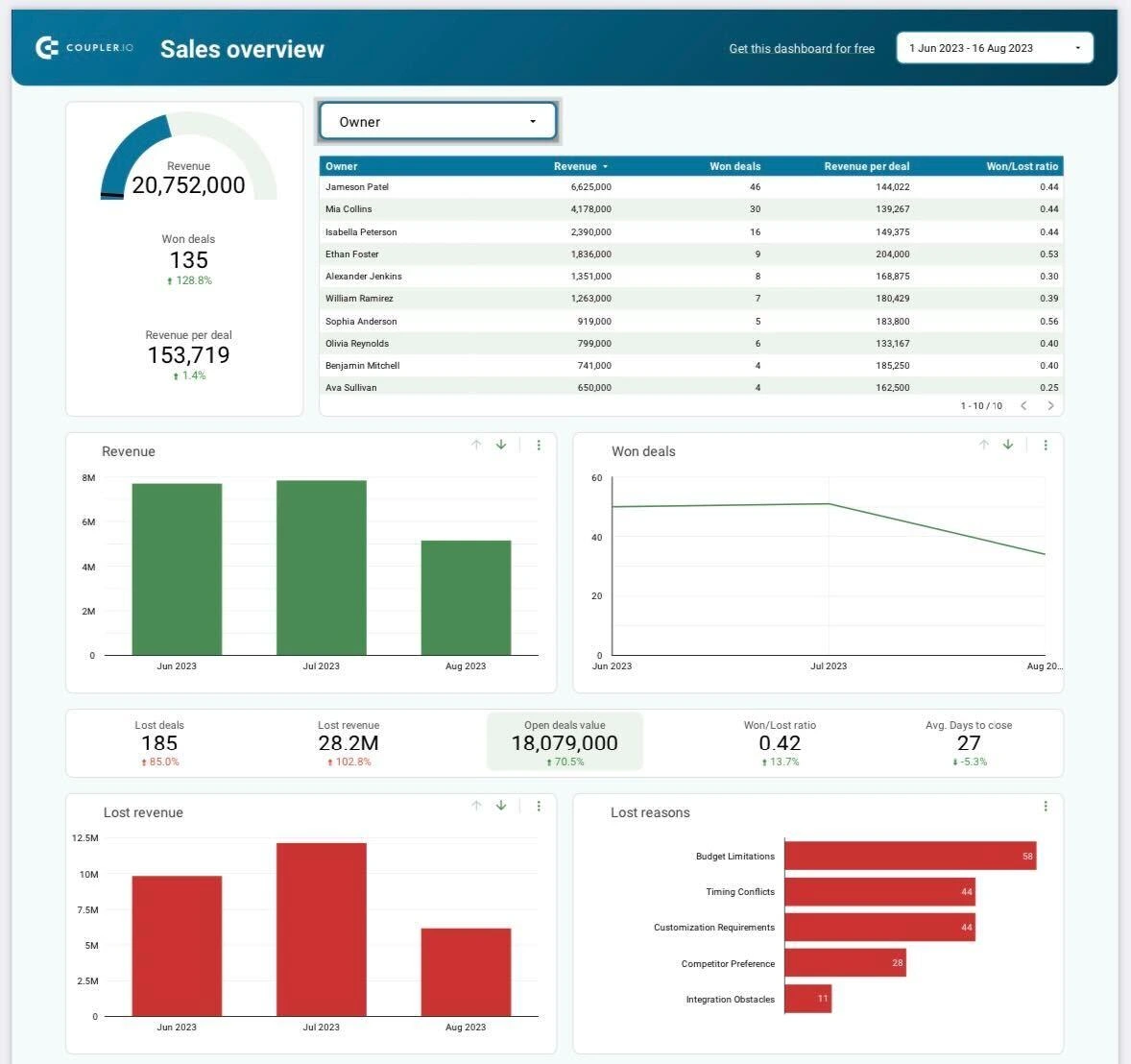
What can help you get a better grasp on KPIs is a tool called a marketing dashboard. There are several marketing dashboard examples that can visualize a summary of your strategy, including Google Ads dashboard, LinkedIn Ads performance marketing dashboard, and more.
Common Hurdles
The journey of product marketing has its challenges. Common hurdles often include fierce market competition, shifting consumer preferences, and the rapid evolution of marketing technologies. To overcome these obstacles and ensure success, leveraging skills assessment tools using surveys and the right blend of adaptability, creativity, and strategic skills becomes crucial. This approach allows for a comprehensive understanding of team strengths and areas for development, enabling more informed and effective strategies in the dynamic landscape of product marketing.
The Future of Product Marketing
Marketing has evolved through the decades. From the simplest ways of reaching out to consumers through cold calls to modern-day digital marketing efforts, the future of product marketing holds the promise of transformation and innovation.
Emerging Trends and Technologies
Product marketing is about to go through a significant change thanks to new trends and remarkable technologies. We're talking about using AI and machine learning to understand what customers want, making excellent marketing experiences with virtual and augmented reality, using data analytics for super personalized marketing, and adopting unified marketing measurement strategies. It's like we're on the verge of a new product marketing era. To stay on the right path to success in the future will mean staying ahead of all these trends.
Preparing for the Future
Businesses should proactively prepare for the future of product marketing to be able to thrive in this dynamic environment. This involves several things, like staying on top of emerging trends, fostering innovation, and strategically building brand awareness. It's all about future-proofing your strategies and ensuring that your product marketing approaches remain relevant in an ever-evolving marketplace. Moreover, cultivating strong customer relationships and adapting swiftly to changing consumer preferences are pivotal aspects of navigating the evolving landscape of product marketing.

Focus on Product Marketing for Ultimate Success
From bringing a product into the market to its growth and adaptation, the importance of prioritizing product marketing is very clear. With benefits that include stronger visibility, compelling messaging, and competitive advantage, businesses are given the tools to help them thrive in a competitive marketplace. Nurturing your potential leads by educating and guiding them and maximizing user adoption and satisfaction solidifies the bond between the brand and its customers.
As we look to the future, the evolving trends and technologies promise to reshape the product marketing landscape. To navigate this dynamic future means staying prepared, embracing change, and fostering innovation. In the grand scheme of things, product marketing isn't simply a choice you may or may not take. It's a vital investment in ensuring your product doesn't just exist but thrives and flourishes. Investing in marketing means prioritizing your growth and solidifying your place as a key player in the ever-evolving world of business.
.avif)
Predictive Marketing Analytics vs. Prescriptive Analytics: A Comparison
Learn how to leverage predictive marketing analytics and prescriptive analytics to improve B2B marketing outcomes, make data-driven decisions, and increase ROI.

TL;DR
- Predictive analytics leverages historical and current data to forecast future trends, helping B2B marketers anticipate customer needs, identify valuable leads, and optimize campaign timing.
- Prescriptive analytics recommends specific actions based on predictions, aiding marketers in budget allocation, personalized outreach, and strategy enhancement.
- Predictive marketing analytics is valuable for lead scoring, sales forecasting, and predicting customer churn. Prescriptive analytics excels in budget management, channel optimization, and campaign personalization.
- Prescriptive analytics often requires more complex data and advanced models, but provides actionable insights that enhance business outcomes.
- Employing both analytics approaches enables B2B companies to transition from reactive to proactive strategies, resulting in smarter, more efficient marketing.
- Success relies on quality data, skilled analytics teams, and a culture that values data-driven decision-making.
- By integrating predictive and prescriptive analytics, B2B marketers can execute targeted campaigns, improve customer experiences, and achieve lasting growth in a competitive market.
Imagine investing heavily in lead generation campaigns, only to find that most leads don't convert into customers. This common frustration among B2B marketers leads to wasted resources, unmet goals, and pressure from sales teams to deliver better prospects. Traditional analytics often fall short, focusing on past results rather than future possibilities or actionable insights. The solution lies in advanced analytics, specifically predictive analytics and prescriptive analytics, to transform your marketing outcomes.
Predictive marketing analytics and prescriptive analytics are powerful tools that enable you to anticipate buyer behavior, enhance campaigns, and make informed decisions. Predictive analytics leverages historical data to forecast future trends, while prescriptive analytics goes a step further by recommending specific actions to achieve your objectives. Understanding the distinction between these two is crucial for B2B marketers aiming to stay ahead and maximize their return on investment.
In this blog, you'll discover the key differences between predictive and prescriptive analytics, how to apply them in B2B marketing, and practical tips for integrating them into your strategy. By the end, you'll be equipped to make data-driven decisions that drive real business growth and marketing success.
What is Predictive Marketing Analytics?
Predictive analytics is essential for data-driven B2B marketing, utilizing historical and current data to forecast future outcomes. This empowers marketers to identify which leads are likely to convert, determine effective content, and pinpoint optimal timing for engagement. By employing statistical models and machine learning, predictive analytics uncovers patterns in customer behavior that might otherwise go unnoticed.
For B2B marketers, the advantages include focusing on high-quality leads, timing campaigns effectively, and personalizing outreach. Predictive analytics can rank leads based on their likelihood to convert, enabling sales teams to target the most promising opportunities. It also aids in revenue forecasting, ensuring efficient allocation of budgets and resources.
Key applications include identifying at-risk accounts, predicting product demand, and enhancing account-based marketing strategies. Predictive analytics allows for data-driven decision-making, enhances marketing ROI, and strengthens collaboration with sales. For more insights on how to leverage predictive analytics, check out our Predictive Marketing Analytics resources.
However, predictive analytics only provides insights into potential outcomes. Prescriptive analytics are necessary to translate these insights into action. This approach sets B2B marketers apart, driving tangible business results.
What is Prescriptive Analytics in B2B Marketing?
Prescriptive analytics guides B2B marketing by recommending actions to achieve optimal results. While predictive analytics forecasts potential outcomes, prescriptive analytics answers the question, ‘What should you do next?’ It employs algorithms and models to evaluate various strategies and their impact on your goals.
In B2B marketing, prescriptive analytics can optimize campaign budgets, recommend the most effective channels, and suggest personalized messages for each account. For instance, if predictive analytics identifies leads likely to convert, prescriptive analytics can propose the best sequence of actions to maximize conversion rates. It also helps marketers allocate resources efficiently, focusing on campaigns with the highest potential return.
Prescriptive analytics is particularly valuable in complex B2B environments with long sales cycles and large buying committees. By continuously learning from new data, prescriptive models update recommendations in real-time, ensuring strategies remain effective as conditions evolve. This approach empowers B2B marketers to transform insights into actions, making data-driven decisions that foster business growth and competitive advantage.
{{INLINE_BOFU}}
Predictive Marketing Analytics vs. Prescriptive Analytics: Core Differences
Understanding the differences between predictive and prescriptive analytics is crucial for B2B marketers looking to refine their strategies.

By understanding these differences, B2B marketers can strategically choose and combine analytics methods, leading to decisions that drive business success.
When Should You Use Predictive Marketing Analytics vs. Prescriptive Analytics?
Selecting predictive or prescriptive analytics depends on your marketing goals and decision-making needs.
1. When to Use Predictive Marketing Analytics?
Use predictive analytics when your goal is to understand what is likely to happen next based on past and current data. It helps you answer questions like:
- Which leads are most likely to convert?
- Which customers might churn?
- How well will this campaign perform?
For example, if your sales team wants to prioritize outreach, predictive analytics can rank leads by their likelihood to close. This helps your team focus on the right accounts and use time and resources more efficiently.
2. When to Use Prescriptive Analytics?
Prescriptive analytics is helpful when deciding what actions to take to get the best results. It uses data to evaluate different options and recommend the most effective course of action.
Use it when you're trying to:
- Choose the best way to allocate your marketing budget.
- Plan campaign timing and messaging.
- Decide which channel will be most effective for a specific audience.
If you're running a campaign and want to know not just who to target, but also how, when, and where to engage them, prescriptive analytics will help guide those choices.
3. Why Combining Both Works Best?
In many cases, the most effective strategy is to use both types of analytics together:
- Start with predictive analytics to identify likely outcomes, such as which accounts are ready to buy.
- Follow up with prescriptive analytics to decide how to act, such as the right time and message to use.
This step-by-step process allows you to make better decisions and improve results across your B2B marketing and sales activities.
Predictive Marketing Analytics & Prescriptive Analytics: Key Challenges and Best Practices
While predictive and prescriptive analytics offer significant benefits in B2B marketing, they also present challenges. Some are:
1. Ensure Data Quality
One of the biggest roadblocks is poor data. Incomplete, outdated, or inconsistent data leads to inaccurate predictions and recommendations.
Quick Tip:
- Regularly clean, update, and unify data across all platforms.
- Use tools that maintain data accuracy and help detect inconsistencies early.
2. Integrate Analytics Into Workflows
Many B2B teams struggle to connect analytics with their day-to-day systems like CRMs, marketing automation platforms, and sales tools.
Quick Tip:
- Choose analytics tools that integrate well with your existing tech stack.
- Encourage collaboration between marketing, IT, and data teams to ensure smooth implementation.
3. Address Skill Gaps
Marketing teams often lack deep analytics experience, which limits the impact of advanced tools.
Quick Tip:
- Invest in training your team in data literacy and analytics fundamentals.
- When needed, partner with external data specialists to support execution and model building.
4. Balance Automation with Human Insight
While predictive and prescriptive tools offer recommendations, they shouldn’t replace human judgment.
Quick Tip:
- Use automated insights to inform strategy, not dictate it.
- Align decisions with your brand voice, customer knowledge, and market context.
5. Track Performance and Adapt
Analytics strategies must evolve as your business and market change.
Quick Tip:
- Set clear KPIs for your analytics efforts.
- Regularly review performance and adjust your models and campaigns based on feedback and results.
Also, read our blog about Predictive Sales Intelligence to close more deals by analyzing data in 2025.
Conclusion: Which Approach is Best to Use?
Predictive and prescriptive analytics are indispensable for B2B marketers aiming to stay competitive. Predictive analytics enables you to anticipate customer actions, identify valuable leads, and forecast campaign outcomes using historical and current data. Prescriptive analytics takes it further by recommending actions to enhance marketing strategies, manage budgets, and personalize outreach for optimal results.
The true advantage lies in combining both methods. This synergy allows your marketing team to transition from reactive to proactive planning, resulting in smarter decisions that drive business success.
However, success depends not just on the tools but also on quality data, skilled teams, and clear objectives. By integrating analytics into your marketing processes and continuously updating your models, you can thrive in the fast-paced B2B landscape.
Utilize Factor’s predictive marketing analytics to forecast lead quality, pipeline trends, and campaign performance. Identify high-value prospects, optimize your marketing budget, and stay ahead of market changes to empower your team to focus on what matters most.

Top 10 PearlDiver Alternatives
Explore the top PearlDiver alternatives: comparing features, pricing, and limitations for Warmly, Leadinfo, KickFire, and LeadMagic, among others.
.avif)
Pearl Diver is a sophisticated web analytics solution, strategically designed to empower businesses in the identification and engagement of website visitors. The platform converts anonymous traffic into high-quality leads, elevates conversion rates, and rejuvenates email marketing strategies.
It also enables businesses to optimize their sales strategy through various functionalities, including in-depth visitor insights, targeted engagement with frequent visitors, segmentation of identified visitors using a diverse range of filters, email marketing optimization based on key performance metrics, and the reconnection with past customers or leads expressing renewed interest.
So, why look for a PearlDiver Alternative?
- Geographic Expansion:
Scenario: Businesses expanding globally may need a solution with broader geographic coverage.
Consideration: Exploring alternatives ensures that the chosen tool aligns with the business's expansion plans and provides comprehensive data coverage across diverse regions.
- Automation and Integration Preferences:
Scenario:
Businesses looking for automated processes and smoother integrations.
Consideration:
Users desiring more automation and integration capabilities may explore alternatives that offer advanced features, ensuring a more efficient workflow and better alignment with existing tools.
- Enhanced User Experience:
Scenario:
Concerns about user interface intuitiveness and ease of onboarding.
Consideration:
Businesses prioritizing a positive user experience may seek alternatives that address interface and onboarding challenges, enhancing overall user satisfaction and adoption.
- Comprehensive Data Sources:
Scenario: Businesses requiring a more extensive range of data sources.
Consideration: Companies seeking a deeper understanding of their B2B target market may explore alternatives providing a broader array of data sources, ensuring a more holistic approach to lead generation and market analysis.
{{INLINE_CTA_A}}
Factors to consider in the alternative
- Geographic Coverage:
Assess the alternative's coverage to ensure it aligns with your business's geographic focus. If you operate globally or in regions outside the primary coverage of Pearl Diver, choose an alternative with a broader geographic reach.
- Data Export and Integration Options:
Evaluate the data export capabilities and integration options of alternatives. If your business relies on integration with existing tools or requires more automated data export processes, prioritize alternatives that offer comprehensive and user-friendly integration features.
- Onboarding and User Experience:
Consider the onboarding process and overall user experience of the alternative. Opt for a solution with an intuitive interface and a smooth onboarding experience to enhance user satisfaction and expedite the adoption of the new tool within your team.
- Automation and Workflow Efficiency:
Assess the automation capabilities and workflow efficiency of potential alternatives. If your business seeks more automated processes and streamlined workflows, choose a solution that offers advanced automation features to optimize your lead generation and marketing activities.
- Scalability and Advanced Features:
Consider the scalability of the alternative and whether it provides advanced features to accommodate your business's growth. Opt for a solution that meets your current needs and offers scalability and additional functionalities to support evolving business requirements.
- Data Privacy and Compliance:
Scrutinize how well each alternative aligns with data privacy regulations. If your business operates in regions with stringent data protection requirements, prioritize alternatives that prioritize and adhere to these standards, ensuring a secure and compliant operation.
- Cost-Effectiveness:
Evaluate the pricing structure and plans of potential alternatives. Choose a solution that offers a cost-effective pricing model aligned with your budget constraints. Ensure the alternative provides good value for money while meeting your business requirements.
- Customer Support and Feedback:
Explore customer support and gather feedback from existing users using potential alternatives. Opt for a solution with responsive customer support and positive testimonials, indicating a reliable and supportive vendor that values customer satisfaction.
Today, we’ll be comparing
- Warmly
- Leadinfo
- Factors.AI
- KickFire - A Foundry Company
- LeadMagic
- LeadRebel
- Snitcher
- Sales Intel
- User.com
- Happierleads
Before we start, here’s a little about PearlDiver
Pearl Diver Features
- Anonymous Website Account Identification:
Pearl Diver excels in identifying anonymous website traffic, offering deep insights into company details, industry, location, and online behavior for a holistic understanding.
- Opportunity Generation and Audience Segmentation:
Facilitating opportunity generation and audience segmentation, Pearl Diver becomes a catalyst for refining targeting strategies and empowering precise sales and marketing approaches.
- Direct Integration:
Integration is achieved through direct compatibility with various marketing and sales platforms via Zapier. This feature ensures efficient audience management, enhancing overall sales cycle efficacy.
- Automated Workflow:
Integrating audiences into marketing and sales services is streamlined through Zapier or by exporting them to email as CSV files. This automation boosts marketing activities, providing a robust workflow.
- Opportunity Management and Real-Time Notifications:
Pearl Diver offers unparalleled visibility, expediting deal tracking, identifying buying signals promptly, and notifying users in real time when existing customers re-enter the market. Advanced tracking capabilities contribute to proactive opportunity management.

Pearl Diver Pricing
Pearl Diver’s Launch plan starts at $387 per month. Currently, they do not have a free trial plan.

Pearl Diver Limitations
- Limited Geographic Coverage:
Pearl Diver currently operates exclusively in the United States, restricting data capture for businesses predominantly functioning in Australia and other countries.

- Manual Data Download Process:
Daily manual data downloads to Excel are a requirement, potentially causing inconvenience. Nevertheless, ongoing efforts hint at the introduction of an API setup to streamline this process.

- Onboarding Process Challenges:
Users have reported challenges with the onboarding process, citing a lack of cleanliness. This could pose hurdles for users during the initial stages of adopting the platform.

{{INLINE_CTA_A}}
1. Warmly

Warmly Features
- All-in-One Access:
Access top-tier enrichment and intent data for streamlined automation.
- Unified Buyer Experience and Automation:
Merge intent insights with immediate action, capturing buyer interest promptly. Consolidate tools, workflows, and actions for instant engagement with decision-makers.
- Autonomous Sales Orchestration:
Bridge the gap between intent signals and outreach, ensuring a competitive edge.
- Integration:
Effortlessly integrate with existing tools, automatically converting high-intent website visitors.
- Reveal & Enrich:
Build real-time comprehensive profiles of site visitors, linking them to opportunities and target accounts.
- Orchestrated Workflows:
Trigger automated prospecting campaigns based on site activity, including emails and social connections.
- Intent-Driven Playbooks:
Enables businesses to Integrate insights to prioritize accounts and orchestrate effective next steps.
- Convert Prospects:
Utilize AI chat for engagement, involving sales when visitors signal readiness for a conversation.
- Attribution & ROI:
Gain real-time visibility into driving ideal customer profile (ICP) traffic, and understanding conversion rates.
- Unified Revenue Team:
Automate handover to sales, enhance pipeline creation efficiency and align sales-marketing efforts.
Warmly Pricing
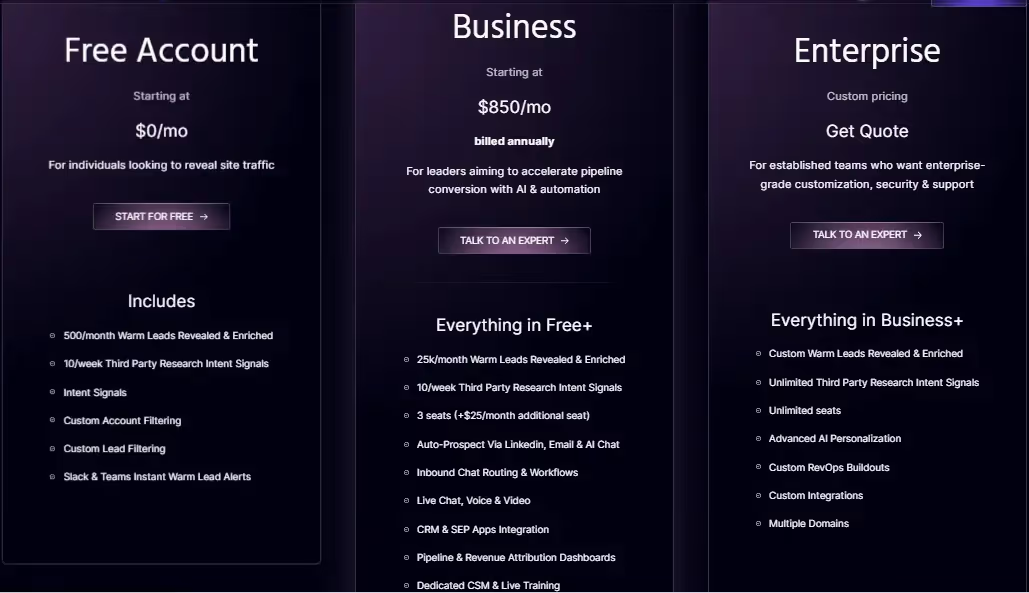
Warmly offers a free account with access to 500 leads per month. The Business plan, starting at $805 per month, provides users with access to 25,000 leads monthly, offering scalability for growing business needs.
Warmly Limitations
- Bot Traffic and Noise:
Recognizes the challenge of distinguishing valuable leads from bots or short-duration visitors, suggesting a need for enhanced filtering.

- Limited Account Identification:
Some users have pointed out limitations in identifying every user. They have also proposed solutions such as code additions to marketing emails for improved identification.

- Filter Challenges:
Users report occasional difficulty in filters, sometimes displaying existing customers as leads, particularly in intent data.

- Reporting Features Development:
While users acknowledge ongoing development in reporting features, they also anticipate improved data integration into the CRM for more informed decision-making.

2. Leadinfo

Leadinfo Features
- Lead Capture Forms:
Leadinfo facilitates the creation of personalized lead generation forms, leveraging visitor information to increase positive responses and enhance lead conversions.
- Track Browsing Activity:
By tracking visitors' journeys on the website, Leadinfo allows sales and marketing teams to decipher visitor intent, qualifying them as potential leads.
- Intuitive Layout:
Leadinfo adopts an inbox-style layout, akin to email viewing, providing an intuitive overview of each website visitor. This design simplifies the tool, easing teams into its functionality.
- Integrations:
Leadinfo connects with 60+ platforms, including Asana, Discord, Freshworks, Insightly, HubSpot, Zoho, and Slack, among others.
Leadinfo Pricing
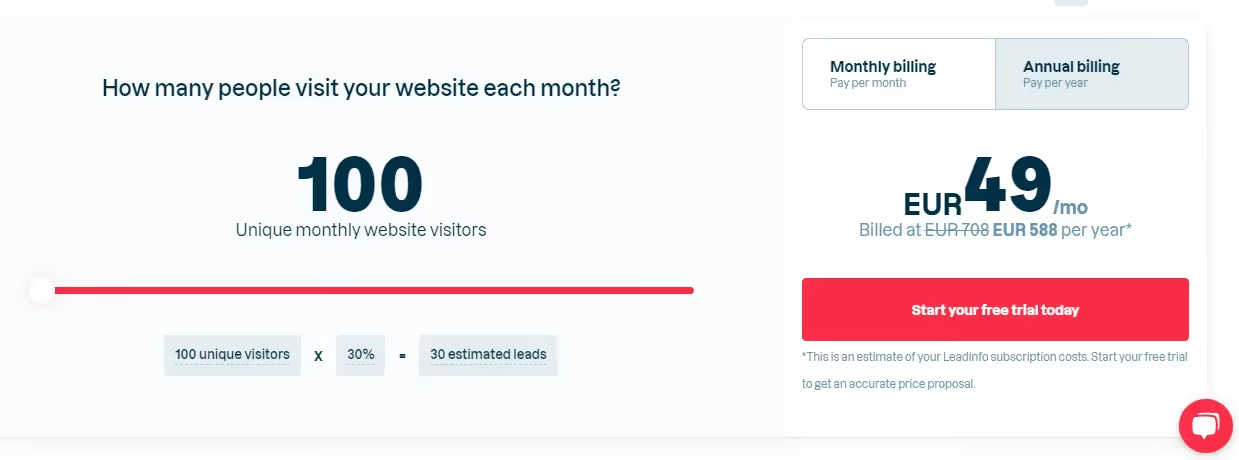
The pricing model for Leadinfo is contingent on the total number of monthly unique visitors to your website. Users can input their data into the pricing page to ascertain the corresponding cost.
Leadinfo Limitations
- Integration Development:
Enhancements in integration development could amplify functionality, especially in implementing marketing automation. This refinement would streamline the execution of marketing strategies for optimal results.

- Pricing:
While the free demo period offers access to all features, certain functionalities are disabled upon account creation, necessitating a substantial increase in payment. The perceived costliness of Leadinfo is a consideration for potential users.

- Incomplete Prospect Coverage:
Leadinfo may not capture all smaller prospects or clients, potentially limiting its coverage and effectiveness for businesses engaging with a diverse range of prospects.

3. Factors.AI
Factors.AI Features
- Account Identification:
Factors.AI, in collaboration with 6sense, utilizes enterprise-grade IP data to identify up to 64% of anonymous companies. Real-time Slack alerts inform teams of high-intent visitors, configurable based on firmographic features and website behavior.
- Account Timelines:
Integration with campaigns, websites, and CRM data enables Factors.AI to provide end-to-end account-level timelines across the customer journey, offering insights into touchpoints influencing accounts from visitors to paying customers.
- Advanced Analytics:
Beyond account identification, Factors.AI provides advanced analytics features, including ABM analytics for unified reporting across platforms, path analysis for viewing aggregate user behavior, and multi-touch attribution connecting initiatives to the pipeline.
Factors.AI Pricing
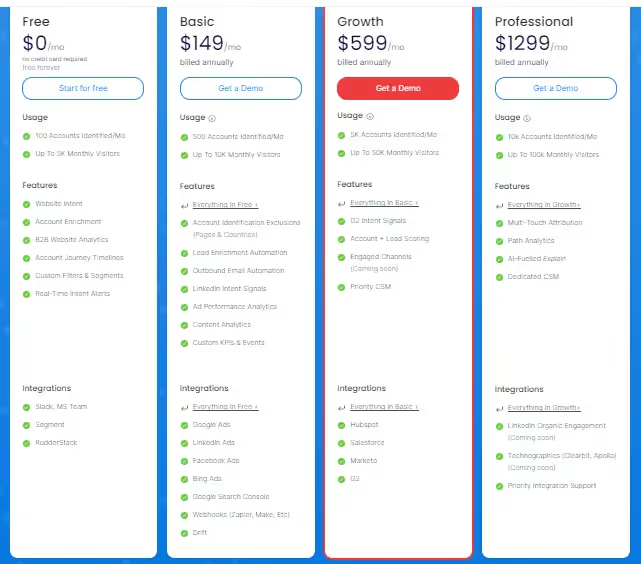
Available at $0 per month with no credit card required, the Free plan offers features like identification of up to 100 accounts per month and tracking up to 5,000 monthly visitors, including website intent, account enrichment, B2B website analytics, account journey timelines, custom filters and segments, and real-time intent alerts.
The basic plan is priced at $149 per month (billed annually).
Factors.AI Limitations
- Contact-level Limitations:
For users seeking detailed contact information of individual visitors, Factors.AI falls short due to privacy compliance. Alternative tools with contact-level enrichment may be more suitable for such requirements.
- Limited Documentation and Tutorials:
As per reviews, while the current resources are available, would greatly benefit from being more comprehensive and detailed. Clear and instructive guides would empower users to fully leverage the platform's advanced features, maximizing its potential. Addressing this aspect would contribute to a more user-friendly environment, facilitating a more thorough understanding and utilization of Factors.AI's capabilities.

- User Interface and Experience Enhancement
As per users, an area of consideration is the user interface in Factors.AI, which could benefit from increased intuitiveness, clearer navigation, and visual cues. Improving the overall user experience is crucial for ensuring that new users can swiftly comprehend and effectively utilize the platform's features. Addressing these aspects would contribute to a more user-friendly interface, facilitating a smoother onboarding process and enhancing overall user satisfaction.

- Limited Integration Options
A disadvantage with Factors’ lies in the lower level of integration offered by our platform. Instead of native integrations, we currently rely on webhooks, specifically through Zapier, to push data back into tools that do not have direct integration. While webhooks provide a workaround, the absence of native integrations may pose limitations for users seeking seamless connectivity with a broader array of tools.
{{INLINE_CTA_A}}
4. KickFire - A Foundry Company

KickFire Features
- Intent Data:
Foundry Intent amalgamates website visitor intent from various sources, providing valuable buyer behavior insights. Business teams use this data to confidently create prospecting and outreach campaigns.
- Lead Nurturing:
Foundry's suite facilitates the identification, nurturing, and qualification of sales-ready leads.
- Early Insight:
Sales teams identify purchase intent early, enabling focused efforts on high-potential users and accounts.
- Account-Based Marketing (ABM):
Scale ABM capabilities with Triblio, identifying high-intent accounts based on monthly interactions. This proprietary platform aids in the identification of accounts displaying significant monthly interaction.
- Intent-Driven Identification:
Leverage intent data to identify website visitors displaying buying interest.
- Active Research Recognition:
Identify actively researching buyers for your company.
- Segmentation and Prioritization:
Prioritize the most engaged visitors through effective segmentation.
- Content Discovery Assistance:
Discover resonating content for your audience.
- Data Enrichment:
Enrich various aspects of your technology stack for a comprehensive view.
- Data Normalization:
Normalize data consistently across sales and marketing platforms.
- Free API Key:
Provides a free API key to kickstart the journey of uncovering and prioritizing engaged visitors.
- Integrations:
KickFire offers HubSpot, Salesforce, ConnectWise, and MS Dynamics integrations.
KickFire Pricing
Contact Foundry for a personalized quote as they do not have an open pricing policy.
KickFire Limitations
- Insufficient Filtering for Accuracy:
KickFire lacks robust filtering mechanisms for de-anonymized website visit results. Unlike other solutions that carefully check each visit against multiple indexes and deliver de-anonymized data only when reaching a confidence threshold, KickFire opts for less filtering. This approach increases the likelihood of false positives, where companies may be misidentified, leading to potential inaccuracies in the data provided.
- Dynamic IP Challenges:
Public IP indexes, a key component of KickFire's identification process, face challenges due to the dynamic nature of company IPs. As companies frequently change their IPs, relying solely on public IP indexes may result in discrepancies. Other solutions mitigate this by cross-referencing multiple indexes, ensuring more accurate identification. In KickFire's case, this dynamic environment can lead to misleading data, requiring users to handle additional verification tasks.
- Risk of False Positives:
The limited filtering approach employed by KickFire poses a risk of false positives. In practical scenarios, this may manifest as companies seemingly visiting a website frequently and extensively. However, as illustrated by the example of an ISP/VPN provider, the visits might originate from various entities using the VPN. The burden of discerning accurate visitor details falls on the client, introducing additional workload and potential misinterpretations.
- Manual Handling and Verification Burden:
KickFire's strategy of reduced filtering transfers the responsibility for data accuracy to the client. While this approach allows for capturing a broader range of website activity, it places an increased burden on users to manually handle and verify the identified companies. This manual verification process, as highlighted by the VPN provider instance, demands extra effort and diligence from users to ensure the accuracy of the insights derived from the platform.

5. LeadMagic

LeadMagic Features
- Account Identification:
LeadMagic helps in identifying high-value accounts visiting a website and ensuring timely updates to sales and marketing teams through Slack messages.
- Lead Scoring and Prioritization:
Based on engagement levels, LeadMagic intelligently scores and prioritizes leads, ensuring a focused approach to the most valuable prospects.
- Lead Nurturing and Automated Workflows:
Automate lead nurturing campaigns with LeadMagic to foster relationships with prospects.
- Lead Generation Services:
LeadMagic offers tailored lead generation strategies, lead nurturing and qualification, along with targeted outreach and follow-up.
- Digital Marketing Solutions:
It also offers comprehensive digital marketing solutions. They cover search engine optimization (SEO), social media marketing, and pay-per-click (PPC) advertising, ensuring optimal visibility and engagement for your brand.
- Customer Engagement Programs:
Enables businesses to forge connections with audiences through LeadMagic's customer engagement programs. This service includes personalized email marketing, customer relationship management (CRM) integration, and feedback collection and analysis.
- Strategic Consulting:
LeadMagic specializes in marketing strategy development, data analytics, and insights, along with campaign performance measurement, facilitating informed decision-making for your business.
- Technology Integration:
LeadMagic helps marketing effectiveness through technology integration. From marketing automation implementation to integration with customer data platforms, their solutions leverage innovative technology to streamline marketing efforts.
LeadMagic Pricing
LeadMagic offers pricing based on the number of companies identified monthly, filtering out ISPs and low-quality traffic. Starting at $139 annually upfront, the pricing is tailored to your business size and web traffic.
Pricing for Account Identification with LeadMagic:


LeadMagic Limitations
- Currency Limitation:
Currently, LeadMagic accepts payment in USD, with potential future considerations for billing in AUD.

- Interface Improvement:
The interface has room for enhancement, and developers are actively incorporating customer feedback.

{{INLINE_CTA_A}}
6. Lead Rebel

Lead Rebel Features
- Website Visitor Recognition:
LeadRebel empowers businesses to identify website visitors, offering comprehensive insights into visiting companies. It provides detailed company information, contact details, and key personnel details.
- Integration Process:
The integration process is fairly simple. Adding a small script initiates the tracking process, effortlessly deanonymizing web traffic and providing valuable insights.
- GDPR Compliance:
Respecting GDPR standards, LeadRebel identifies only commercial visitors at the organizational level. Data is sourced from open channels, ensuring 100% GDPR compatibility.
- Tracking and Analysis:
Enable tracking and analysis of visitor behavior, gaining insights into their intentions and interactions with the website, facilitating informed decision-making.
- Detailed Company Information:
LeadRebel furnishes comprehensive information about visiting companies, encompassing name, industry, geography, size, description, and contact data. It aids in identifying ideal contact persons within each company.
- Lead Export and CRM Integration:
Export leads in various formats and integrate with CRM and email campaign software like Hubspot, Salesforce, Zoho, and ActiveCampaigns through APIs.
- Video recording of Website Visits:
The video recording feature allows businesses to observe visitor interactions with their website, providing insights for optimization.
- API and Zapier Integration:
LeadRebel offers API and Zapier integration for third-party software integration, catering to specific business requirements.

Lead Rebel Pricing
LeadRebel offers its software for just 49 Euros/Month, with a 14-day free premium version trial.

Lead Rebel Limitations
- Location Accuracy:
As per users, some location information may need to be more accurate.

- Limited Integration:
LeadRebel currently supports only DACH, with a limited number of integrations.

7. Snitcher

Snitcher Features
- Real-time Account Identification and Tracking:
Snitcher employs cutting-edge identification technology for the real-time tracking of anonymous website visitors. These insights enable effective engagement with potential leads.
- Lead Discovery, Qualification, and Prioritization for Sales Teams:
Sales teams benefit from Snitcher's capability to discover, qualify, and prioritize high-intent target leads. Real-time notifications keep teams ahead of the competition, efficiently filling the sales pipeline.
- Account-Focused Marketing Insights:
Focusing on accounts, Snitcher provides marketing teams insights into engaging their target audience. This enhances website personalization, improving re-targeting efforts and driving more conversions.
- White-Label Solution for Agencies:
Agencies leverage Snitcher's white-label solution for early insights, additional revenue streams, and qualified leads. This enhances client ROI and elevates the agency's value proposition.
- Integration with Over 5,000 Apps:
Snitcher integrates with over 5,000 apps, enhancing campaigns and sales pipelines. This helps streamline processes and workflows.
- Real-time Identification API - Spotter:
Spotter, Snitcher's real-time identification API, offers users full control. It empowers users to utilize identification data flexibly and customize its application.
- Customer Support:
Snitcher offers good data quality, responsive customer support, and frequent feature updates.
- Drive More Revenue from Existing Budgets:
Snitcher equips B2B sales and marketing teams worldwide with insights to optimize campaigns and enhance revenue generation efforts.

Snitcher Pricing
Snitcher offers pricing that is tailored to your needs, starting at USD 39 per month. The platform offers an estimate based on your business size and web traffic. Users can also use the 14-day free trial before getting started.

Snitcher Limitations
- Pricing Concerns
The pricing may seem a bit high for smaller organizations. Allowing subscriptions to lower plans with performance visibility would address this concern.

- Unpredictable Costs
Paying per identified visitor, with no upper limits, could lead to concerns about potentially large bills with a surge in web traffic in a given month.

- Categorization Challenges
Snitcher sometimes faces challenges categorizing businesses accurately, resulting in businesses from one industry appearing in multiple categories.

- URL and Industry Details
Under company details, sometimes the URL doesn't work due to HTTP/HTTPS issues. Improvements in this aspect, along with visible industries in company details, would enhance user experience.

{{INLINE_CTA_A}}
8. SalesIntel

SalesIntel Features
- Verified Contact Data:
SalesIntel provides verified and accurate contact data for key decision-makers, facilitating effective outreach to targeted prospects.
- Company Data Enrichment:
Comprehensive company data enrichment services offer insights into target companies, including firmographic information and key contacts.
- Intent Data:
SalesIntel's intent data provides insights into the online behavior of potential prospects, enhancing their understanding of their interests and needs.
- Technographic Data:
By offering technographic data, SalesIntel helps identify the technology stack and tools used by target companies, enabling tailored sales and marketing strategies.
- Data Hygiene and Compliance:
SalesIntel ensures data hygiene and compliance with data protection regulations, providing peace of mind regarding the quality and legal aspects of the data used.
- API Integration:
API integration allows access to SalesIntel's data directly within CRM and marketing automation platforms, enhancing the efficiency of sales and marketing processes.
Sales Intel Pricing
Sales Intel offers a free 14-day trial to explore its features. Under the individual plan, priced at $69/month, users can find prospects, build lists, and enhance deal closures.

Sales Intel Limitations
- Slow Website and Navigation:
While easy, the website and search process is slow and cumbersome, attributed to the vast information. This can make gathering and exporting contacts time-consuming.
- Limitations on Requesting Additional Information:
There is no way to request additional information for contacts that are already "human-verified," limiting flexibility, especially when direct numbers are lacking

- LinkedIn Integration:
Integration with LinkedIn for verified contacts could be improved to streamline the process, reducing the need for manual data entry into Salesforce.

- Selection Limitation and Download Process:
With a download limit of 100,000, selecting contacts for download can be challenging. The process of managing credits for downloads could be more user-friendly.
9. User.com

User.com Features
- Omnichannel Communication Experience:
User.com offers a comprehensive platform for delivering personalized messages through various channels, optimizing engagement for sales and customer support.
- Easy Team Collaboration:
Facilitating team collaboration, User.com invites members with diverse permission levels to work together on campaigns, automation, and audience lists.
- Hundreds of Integrations:
Empowering teams with dynamic data, User.com integrates with hundreds of apps, enabling access to favorite tools and enhancing workflow efficiency.
- Security and Privacy:
GDPR and CCPA-compliant, User.com prioritizes security, with SSL certification, SOC 2 Type 2 certification, and regular penetration testing, ensuring privacy for user and customer data.
- Customer Success Support:
User.com provides one-on-one coaching, and daily and weekly support, assisting teams in achieving goals through expert guidance on marketing, sales, and product.
- Engaging Multi-Channel Campaigns:
Enabling the planning of customer journey emails and multiple paths based on user engagement, User.com triggers specified actions instantly.
- Automation and Intelligent Automation Workspace:
The drag-and-drop builder and automation capabilities allow businesses to efficiently handle repetitive tasks and create custom triggers, actions, and conditions.
- Better Data Insights:
User.com offers enhanced user insights through behavior tracking, custom events, and engaging timelines, resulting in a more responsive audience.
- Targeted Campaigns:
With a powerful filter engine, User.com enables targeting based on various data parameters, facilitating highly effective and targeted campaigns.

User.com Pricing
Pricing details for User.com are not available at the time of writing this article.
User.com Limitations
- Live Chat Issues:
Some clients reported bugs in the Live Chat widget, leading to the decision to use an alternative platform for live chat support.

- Workflow Impact:
Various post and ad processing slightly impact workflow and processing time, suggesting regular updates address this.

- UX Challenges:
Users find the user experience (UX) challenging, making navigation difficult, especially compared to platforms like Intercom and Zendesk.
- Complex Processes:
The platform tends to complicate simple processes, requiring extra effort to overcome challenges and limiting the focus on customer support.
- Feature Limitations:
Although User.com provides many features, they are perceived as basic or limited, often requiring workarounds for missing functionalities.
- Hidden Charges:
Users mention hidden charges for attached files in letters/chats, not disclosed on the pricing page, raising concerns about transparency.
- Billing Concerns:
Complaints about inflexibility in billing, such as being charged for the entire month despite discontinuing use on the first day of the month.
{{INLINE_CTA_A}}
10. Happierleads

Happierleads Features
- Prospector:
HappierLeads' Prospector identifies prospects based on Ideal Customer Profile (ICP) criteria, offering comprehensive details like direct-dial phone numbers, updated business emails, job titles, and more for over 60 million businesses.
- Segment & Qualify:
Empowering sales and marketing teams, HappierLeads allows the segmentation of accounts and leads based on ICP, utilizing behavioral and demographic filters. The platform assigns scores based on website activity, simplifying the identification of high-fit, high-intent accounts.
- Email Outreach:
Facilitating internal email campaigns and outreach, HappierLeads provides a dedicated tool for prospecting and outreach, eliminating the need for data export to external platforms.
- Integrations:
HappierLeads integrates with popular platforms like Zapier, HubSpot, and Fullstory, enhancing its functionality and compatibility.

Happierleads Pricing
The free trial starts at $0 for a 7-day trial period, while the basic plan starts at $120 per month, billed annually.

Happierleads Limitations
- Identification Limitation:
While HappierLeads excels in identifying companies, it lacks the ability to pinpoint the individual accessing information. This limitation may pose challenges in reaching the right person within large organizations.

- Journey Visibility:
The platform offers limited visibility into potential customers' journeys, and the navigation through a set of cards for activity details may be less intuitive. Export options, while extensive, might risk losing crucial information like visit time and page details.

- Engagement Analytics:
HappierLeads has room to improve in engagement analytics, with users expressing a desire for more detailed information on specific site interactions, such as clicked CTAs, time spent on pages, and scrolling behavior.

Top Pearl Diver Alternatives
Businesses looking to enhance website visitor identification and lead conversion can explore these alternatives.
1. Leading Alternatives: HubSpot Sales Hub for sales analytics, ZoomInfo Sales for B2B data, Lead Forensics for anonymous visitor tracking, Apollo.io for prospecting, and SalesIntel for human-verified contact data.
2. Key Features: Lead management, data enrichment, CRM integration, and real-time visitor insights.
3. Decision Factors: Geographic coverage, data accuracy, integration capabilities, and user experience.
Choosing the right platform ensures better lead generation, improved targeting, and higher conversion rates.
Choosing the Right Fit
The selection among these alternatives ultimately depends on the specific needs, priorities, and goals of each business. Organizations should conduct thorough evaluations, considering factors such as geographic coverage, integration capabilities, user experience, scalability, compliance, cost-effectiveness, and customer support. By aligning the choice with these considerations, businesses can make informed decisions and leverage a web analytics solution that best suits their requirements in 2024.
{{INLINE_CTA_A}}

What is Predictive Marketing Analytics: A Beginner’s Guide
Learn how predictive marketing analytics helps B2B companies improve lead scoring, optimize campaigns, and make data-driven decisions for better ROI.
TL;DR
- Predictive marketing analytics takes historical and real-time data, runs it through statistical models and machine learning, and forecasts marketing and sales outcomes: which leads will convert, which accounts might churn, which campaigns will perform.
- It powers a handful of core B2B use cases: , churn prediction, sales forecasting, ABM account prioritization. For the complete list, including less obvious ones like dynamic pricing and supply chain forecasting, see our full breakdown of 10 use cases.
- Building a strategy follows a consistent pattern. Define a specific business goal. Set measurable KPIs. Assemble a cross-functional team. Prioritize data quality before model complexity.
- The common failure points are data silos, limited B2B sample sizes, and treating models as set-and-forget instead of continuously retrained.
- Success gets measured the same way any marketing investment does: conversion rates, customer retention, forecast accuracy. Not model sophistication for its own sake.
Imagine nurturing leads for months, only to find that most don't convert. For B2B marketers, this is a common issue: lost time, wasted budget, and missed revenue. The main problem? Decisions based on guesses instead of data. As competition grows and buyer journeys become more complex, relying on intuition alone puts you behind.
Predictive marketing analytics offers a solution. Using historical and real-time data helps B2B organizations forecast outcomes, focus on high-value leads, and improve every stage of the marketing funnel. This guide will cover the basics of predictive marketing analytics for B2B, helping you shift from reactive to proactive and turn your data into a competitive edge.
What is Predictive Marketing?
As is evident from the name, Predictive Marketing helps marketers predict their marketing outcomes in terms of expected traffic, expected leads, conversions and impact on ROI at various touch-points
In other words, predictive marketing is the process of forecasting the influence of marketing campaigns and tactics with the help of:
- Historical data on audience behaviour
- Consumer research
- Purchasing history of target consumers
- Holistic marketing analytics
This forecasting is done using predictive analytics. B2C/E-commerce firms like H&M and Amazon already use this to predict products that their consumers would be interested in buying based on their current search keywords and products that they are clicking and opening in the catalogue, their past purchases, what other products similar consumers have purchased after similar search queries, purchases, items, etc
What is Predictive Marketing Analytics?
Predictive marketing analytics uses statistical models, machine learning, and past data to forecast future marketing outcomes and guide decisions. In B2B settings, it involves analyzing past customer interactions, campaign results, and sales data to predict which leads might convert, which accounts may leave, or which marketing activities will yield the best return.
Traditional analytics report what happened. Predictive marketing analytics answers ‘what will happen next?’ It can estimate the likelihood of a prospect becoming a customer or forecast future sales. With these insights, B2B marketers can prioritize resources, personalize outreach, and improve campaigns.
Predictive marketing analytics turns raw data into useful insights, helping you anticipate trends, reduce waste, and make smarter decisions. This approach is crucial for B2B organizations aiming to grow and stay competitive in a data-driven market.
{{INLINE_TOFU}}
How Predictive Marketing Analytics Powers Data-Driven Decision Making?
Predictive marketing analytics transforms how B2B organizations make decisions by focusing on evidence-based strategies. Instead of relying on gut feelings, you use predictive models to foresee buyer behavior, campaign results, and sales trends. For instance, by examining patterns in your CRM and marketing data, predictive analytics can show which leads are likely to convert or which accounts might leave.
This data-driven approach allows for better targeting, resource use, and forecasting. Marketing teams can focus on high-value accounts, time campaigns well, and tailor messages to predicted needs. Sales teams get more accurate forecasts and can target the best opportunities. Predictive marketing analytics helps you act ahead of time, cut unnecessary spending, and achieve measurable results. By using predictive insights in your decision-making, your organization can quickly adapt to market changes and grow steadily.
Key Components of Predictive Marketing Analytics
To succeed with predictive marketing analytics in B2B, focus on three main components: data collection and integration, predictive modeling techniques, and deployment with action.
1. Data Collection and Integration
Gather and unify data from multiple sources, such as CRMs, marketing automation platforms, website analytics, ad platforms, and sales databases. Clean, consistent, and enriched data is foundational for accurate predictions.
2. Data Enrichment and Quality Control
Before modeling, ensure your data is unified and enriched with external signals (e.g., firmographics, technographics, intent data). Remove duplicates, fill gaps, and standardize formats to increase predictive accuracy.
3. Predictive Modeling Techniques
Use machine learning and statistical methods to uncover patterns:
- Regression for forecasting values like revenue or deal size.
- Classification to predict the likelihood of conversion or churn.
- Clustering to group accounts or leads based on behavior or profile.
4. Deployment and Operationalization
Apply predictive insights to real workflows. Examples include:
- Lead scoring in your CRM.
- Triggered sales alerts for at-risk accounts.
- Personalization in campaigns based on behavioral predictions.
5. Continuous Feedback and Model Optimization
Predictive models are not ‘set and forget.’ Monitor performance regularly, gather feedback from sales and marketing teams, and retrain models with new data to maintain relevance and improve accuracy over time.
Here is a guide describing the process of implementing predictive marketing analytics to drive b2b growth.
Measurement Models for Predictive Analytics
- Cluster Models: These models are used to segment consumer based on behavioural data (past purchases, brand engagement, etc) and demographic data. The most common predictive algorithms used for clustering are behavioural clustering, product-based clustering, and brand-based clustering.
- Propensity Models: As the name suggests, these models are used to evaluate consumers’ tendencies or inclinations to act/engage in specific way. These model evaluate the likelihood of a consumer to purchase, convert, etc.
- Recommendation Filtering: H&M, Amazon and Netflix are some of the most common examples of firm's that use recommendation filtering. It refers to using past purchases or consumption history to find other sales/revenue opportunities.
Where Predictive Marketing Analytics Gets Used
Predictive analytics touches more of the B2B revenue org than most teams realize. Lead scoring, churn prediction, pricing, forecasting, supply chain planning, it shows up in all of it.
For all 10 use cases, including the ones marketing teams tend to miss, like dynamic pricing and customer lifetime value forecasting, see our dedicated guide: Predictive Marketing Analytics: 10 Proven Use Cases for Growth.
If you're just starting out, two use cases are the most actionable for most B2B marketing teams: lead scoring, which ranks prospects by how likely they are to convert, and churn prediction, which flags at-risk accounts before they leave. Both are covered in depth in the guide above.
Other places where predictive analytics can be used are:
- Campaign performance prediction. Forecasting which upcoming campaigns are likely to deliver strong ROI, based on historical patterns, before you commit the budget.
- Predictive SEO. Flagging which pages are at risk of losing rankings, and which topics your audience wants more of, before traffic actually drops.
- Automated social suggestions. Using engagement pattern analysis to recommend the best posting times and content formats.
By applying predictive marketing analytics to these areas, B2B organizations can work more efficiently, increase conversion rates, and achieve steady growth throughout the customer lifecycle.
How to Build a Predictive Marketing Analytics Strategy?
Here’s how to build a predictive marketing strategy for your B2B business:
1. Define Clear Business Goals
Start with specific goals tied to marketing and sales outcomes, such as increasing qualified leads, improving win rates, reducing churn, or boosting customer lifetime value. These goals will shape how you use predictive analytics and what success looks like.
Also, read the blog on lead tracking methods to learn how to qualify leads and prospects.
2. Set Measurable KPIs
Identify performance indicators that align with your goals. Common KPIs include lead-to-opportunity conversion rate, average sales cycle length, customer retention rate, and forecast accuracy. These help track progress and measure the impact of predictive efforts.
3. Assemble a Cross-Functional Team
Bring together data analysts, marketers, sales leaders, and RevOps professionals. Data experts handle modeling, while marketers and sales teams offer context and ensure insights translate into action. Collaboration keeps your strategy grounded in real-world needs.
4. Choose the Right Tools and Platforms
Predictive analytics tools for marketing generally split into three categories.
Built-in CRM features, like Salesforce Einstein or HubSpot's predictive lead scoring, are a solid starting point if you're already on one of those platforms. Dedicated predictive marketing platforms are purpose-built specifically for scoring and forecasting. And custom-built models, using tools like Python's scikit-learn, work for teams with in-house data science resources.
Most B2B marketing teams get the best return starting with the first two. Prove the use case out before you build something custom.
5. Ensure Data Quality and Compliance
Reliable predictions require clean, consistent, and compliant data. Establish clear rules for data collection, validation, and storage. Ensure your practices comply with regulations like GDPR or CCPA when handling sensitive customer data.
6. Test and Refine Predictive Models
Predictive models need regular tuning. Run tests on model performance, gather feedback from your teams, and adjust inputs or thresholds as needed. This helps prevent bias, adapt to changes in buyer behavior, and improve model accuracy over time.
7. Enable Cross-Team Collaboration
Encourage open communication between marketing, sales, and analytics teams. Share insights regularly, translate findings into action plans, and ensure accountability. A shared understanding improves execution and boosts adoption of analytics-driven decisions.
8. Focus on Actionable Outcomes
Don’t just build dashboards, ensure your predictions lead to real changes. For example, prioritize outreach based on lead scores, adjust targeting based on churn risk, or personalize content based on account behavior. The value comes from using predictions to act smarter and faster.
Common Pitfalls in B2B Predictive Marketing Analytics
Implementing predictive marketing analytics in B2B has its challenges. Some are:
1. Fixing Data Quality and Integration Issues
B2B data is often fragmented across CRMs, marketing automation tools, and external platforms. This leads to inconsistencies that hurt prediction accuracy. Start by consolidating your data into a unified system and use data cleaning protocols to maintain accuracy and consistency.
2. Dealing with Limited Sample Sizes
B2B businesses typically have fewer transactions than B2C, which limits the volume of training data for models. To overcome this, focus on quality over quantity and supplement your internal data with third-party intent or industry data to enrich your insights.
3. Breaking Down Organizational Silos
Lack of collaboration between marketing, sales, and data teams slows down adoption. Promote cross-team collaboration by sharing dashboards, insights, and KPIs. A shared view of customer data boosts transparency and trust in analytics-driven decisions.
4. Avoiding Overfitting to Outdated Data
Predictive models trained on outdated or limited historical data may fail to reflect current buyer behavior. Regularly retrain and validate your models using the latest data to keep them aligned with changing market conditions.
5. Managing Privacy and Compliance Risks
Using personal and behavioral data requires strict adherence to regulations like GDPR and CCPA. Make sure your team understands compliance rules and uses secure tools. Invest in systems that allow for consent tracking, anonymization, and audit trails.
6. Starting with Pilot Projects
Instead of deploying predictive analytics across your entire operation, begin with small-scale pilot projects, like lead scoring or churn prediction. Show quick wins to build confidence internally and gather feedback for refining your strategy before scaling up.
7. Building Internal Trust in Predictive Insights
Skepticism from stakeholders can hinder adoption. Share results clearly, explain how predictions are generated, and show real business impact. Involve end-users in the feedback loop to increase trust and buy-in.
By addressing these challenges directly, your B2B organization can fully harness predictive marketing analytics and achieve more reliable, actionable results.
Best Practices in Adopting Predictive Marketing Analytics
Some of the best practices you can use while adopting predictive marketing analytics are:
1. Start with a Clear Business Problem
Begin by identifying a specific challenge, such as improving lead quality, reducing churn, or forecasting revenue. Avoid applying analytics without a purpose. Tying models to real business goals increases focus and impact.
2. Involve Sales and Marketing Early
Predictive success depends on cross-functional collaboration. Involve both sales and marketing teams from the start to ensure alignment, shared ownership, and consistent adoption of insights.
3. Prioritize Data Quality and Integration
Accurate predictions require clean, unified data. Integrate key data sources, like CRM, marketing automation, and web analytics, to implement ongoing processes for deduplication, validation, and accuracy checks.
4. Choose Scalable, User-Friendly Tools
Select analytics platforms that align with your team’s technical capabilities. Look for solutions that are easy to integrate and scale with your organization’s growth.
5. Invest in Continuous Training
Educate teams on how predictive analytics works and how to use the insights in their day-to-day decisions. Ongoing training builds confidence and fosters adoption.
6. Define and Track Clear KPIs
Establish measurable success metrics such as MQL-to-SQL conversion rate, churn reduction, or forecast accuracy. Use these KPIs to assess performance and guide optimization efforts.
7. Share Insights with Dashboards
Use real-time dashboards to make predictions and results accessible across departments. Visibility fosters transparency, encourages collaboration, and drives action.
8. Continuously Update Your Models
Market dynamics and buyer behavior change. Regularly review and retrain models using fresh data and feedback to keep predictions relevant and accurate.
9. Encourage a Culture of Experimentation
Support a test-and-learn mindset. Run small experiments, measure impact, and iterate based on results. This agile approach ensures continual improvement and greater ROI.
Predictive Account Scoring: Beyond Individual Lead Scoring
Most of the use cases above score individual leads: one person's likelihood to convert. Account scoring applies that same logic at the company level instead. It models which accounts, not just which people inside them, are the best fit and most likely to convert, based on firmographic data, engagement across every contact at that company, and historical closed-won patterns.
This distinction matters more in B2B than it looks at first. A single high-intent lead at a company that's a poor overall fit is actually a weaker signal than moderate engagement spread across five people at a company that matches your ideal customer profile. Lead-level scoring alone can't see that second pattern. It's not built to.
Factors.ai builds predictive scoring directly into its Account Intelligence capability, surfacing which accounts show real buying signals across every touchpoint: website visits, ad engagement, content consumption. Not just one lead scored in isolation. For a deeper look at how this works in practice, see our Complete Guide to B2B Account Scoring.
Wrapping Up: Why Predictive Marketing Analytics is a Must-Have?
Predictive marketing analytics is key for B2B companies to stay competitive and make smarter decisions. By using past and current data, you can foresee customer needs, improve campaigns, and focus on valuable accounts more accurately. The real benefit comes from linking your data, teams, and technology to build a smooth, insight-driven marketing system. This journey needs investment in data quality, the right talent, and ongoing model updates, but the rewards are clear: better conversion rates, improved customer retention, and more efficient resource use.
Predictive marketing analytics is not a one-time task but a process that grows with your business. By integrating predictive insights into your daily work and decisions, you'll not only boost marketing results but also support steady growth. See predictive marketing analytics as a strategic tool, and you'll be ready for the challenges and opportunities in today's B2B world.
FAQs on predictive marketing analytics
Q. What is predictive analytics in marketing?
Predictive analytics in marketing takes historical and real-time data, runs it through statistical models and machine learning, and forecasts what's likely to happen next: which leads will convert, which customers might churn, which campaigns will perform. Instead of reporting on what already happened, it tells you what's coming, so marketing and sales can act ahead of time instead of reacting after the fact.
Q. How is predictive analytics used for sales specifically, not just marketing?
On the sales side, it mostly shows up in two places: deal-closure probability scoring, estimating which pipeline opportunities are likely to close and when, and account prioritization, ranking which accounts a rep should focus on based on fit and buying signals. The same models behind marketing lead scoring usually feed both of these. It's less a separate discipline and more a different application of the same underlying data.
Q. Is predictive advertising the same thing as predictive marketing analytics?
Related, not identical. Predictive marketing analytics is the broader practice, forecasting marketing and sales outcomes in general. Predictive advertising is narrower. It applies those same techniques specifically to ad targeting and bidding, deciding which audiences to show ads to and how much to bid based on predicted conversion likelihood. Think of it as one application of predictive marketing analytics, focused just on paid media.
Q. What software do I need for predictive marketing analytics?
No single required tool. It depends on how much data science capacity your team has. Marketing automation platforms and CRMs like Salesforce and HubSpot increasingly build predictive scoring in natively. Teams with dedicated data science resources sometimes build custom models with tools like Python's scikit-learn or cloud ML platforms. But for most B2B marketing teams without an in-house data science function, a purpose-built platform that handles the modeling and surfaces predictions inside your existing workflow is the more practical route.
Q. What's the difference between predictive modeling and predictive analytics?
Predictive modeling is the specific technique: regression, classification, clustering, the statistical and machine learning methods used to make a forecast. Predictive analytics is the bigger picture, the whole practice, which includes modeling as one step alongside data collection, deployment into real workflows, and ongoing monitoring. Modeling is the how. Predictive analytics is the full end-to-end process.
Q. How do I build a predictive analytics strategy from scratch?
Start with the business problem, not the technology. Improving lead quality, reducing churn, forecasting revenue more accurately, whatever it is. From there, set measurable KPIs tied to that goal, pull together a cross-functional team spanning data, marketing, and sales, choose tools that integrate with your existing CRM, and prioritize data quality before model sophistication. The full 8-step framework earlier in this guide walks through each of these in detail.
Q. Which algorithm groups customers with similar behavior characteristics?
That's clustering. Clustering algorithms group accounts or customers by shared traits, behavior patterns, purchase history, firmographic profile, without needing predefined categories to sort them into first. Common approaches include behavioral clustering (grouped by actions taken), product-based clustering (grouped by what was purchased), and brand-based clustering (grouped by engagement with specific brand touchpoints).

Predictive Lead Scoring: How AI Helps Optimize Sales and Marketing
Discover how predictive lead scoring, powered by AI, is revolutionizing sales and marketing. Get insights on data-driven lead strategies.
Sales and marketing teams struggle to identify and prioritize leads that are highly likely to convert. Manually scoring leads is time-consuming and often results in guessing and methodology inconsistencies.
What if there was a way to automatically score leads based on their conversion likelihood using data-driven insights and machine learning algorithms? This would allow teams to focus on the most promising prospects, personalize outreach, and improve conversion rates significantly.
The answer—predictive lead scoring.
Predictive lead scoring optimizes lead management by identifying leads most likely to convert using AI and historical data. This article will explore predictive lead scoring, its benefits, and how it transforms lead management strategies.
What is Predictive Lead Scoring?

At its core, predictive lead scoring ranks leads based on their likelihood of converting into customers.
It’s a modern approach, evolved from traditional, manual lead-scoring methods.
Previously, sales and marketing teams manually assigned scores to leads based on factors like demographic information and behavior.
This approach was time-consuming and often relied on gut instincts rather than data.
But, as platforms became more advanced, so did their methodologies for lead scoring. In recent years, many platforms have also started using AI to power their lead scoring instead of rule-based scores.
Most lead scoring models use the following pieces of data to make sense of what stage of the buyer’s journey the lead could be at:
- CRM data
- Website behavior
- Social media interactions
- Email Engagement
- Demographic information
With this data, AI algorithms can identify patterns and correlations that indicate a lead’s likelihood of converting. You can use a lead scoring tool to identify and prioritize customers interested in your product.
The idea behind predictive lead scoring is to eliminate the unnecessary blockers that slows and help them make real-time decisions based on the right data. Let’s further explore the benefits of predictive lead scoring
5 Benefits of Predictive Lead Scoring
Predictive lead scoring can be quite powerful and lead to several impactful benefits, including:
- Increased Efficiency: When you prioritize leads based on their likelihood of conversion, your sales team can focus their time and resources on the most promising opportunities. This leads to higher conversion rates, shorter sales cycles, and improved efficiency.
- Better Alignment Between Sales and Marketing: Predictive lead scoring helps bridge the gap between sales and marketing teams. Once you establish a common framework for evaluation, both teams can work together more effectively, ensuring that marketing efforts generate high-quality leads and sales teams follow up on the most valuable prospects.
- Personalized Engagement: You can tailor your engagement strategies to match the preferences and needs of individual leads. , When you know what influences a prospect’s buying decision, you can deliver targeted content, personalized offers, and customized communication that resonates with each lead, increasing the likelihood of conversion.
- Improved Resource Allocation: When you can predict which leads are most likely to convert, you can easily move resources from other leads to focus on them.
- Data-Driven Decision Making: Instead of relying on guesswork and intuition, predictive lead scoring helps you base your decisions on actual customer behavior and preferences. Basing decisions on objective data can help you optimize your sales and marketing strategies, identify areas for improvement, and continuously refine your approach.
Implementing predictive lead scoring has various other benefits that you realize as you start using it within your day-to-day workflows.
Let’s now see how predictive lead scoring works.
How Predictive Lead Scoring Works
Let's examine the process of predictive lead scoring and how it uses data, analytics, and automation to identify and prioritize the leads most likely to become customers. We'll explain each step so you can understand how it all fits together.
1. Know Your Leads
Collect detailed information about your leads from different sources. This includes basic data like job titles and company size, activity data like website visits and email engagement, and any other information that helps you understand their needs, interests, and buying likelihood.
The better you know your leads, the easier it is to evaluate their potential.
2. Add Mined Information
You can improve your lead data by using data mining techniques and adding information from third-party data sources. This means pulling valuable insights from unorganized data like social media posts and web forums and combining them with the lead records you already have. You can find hidden patterns, connections, and details that make your lead-scoring model more accurate.
3. Apply Predictive Analytics
Now, here's where things get interesting. Once you have the improved lead data, you can use predictive analytics algorithms. These algorithms look at past data to find the main factors and patterns that match up with successful conversions.
Suppose your historical purchase data shows that leads from the healthcare industry who visit your pricing page or attend a webinar are 80% more likely to convert than the average lead.
Predictive analytics algorithms can detect this pattern and assign a higher lead score to prospects who exhibit similar behavior.
Using methods like logistic regression, decision trees, and machine learning, you can create a predictive model that gives each lead a score based on how likely they are to convert.
4. Identify Sales Ready Leads
After the predictive model is set up, you can use it on your current lead database to create scores for each lead. These scores show how likely a lead is to become a customer, with higher scores meaning a better chance of conversion.
With this information, you can rank and group your leads based on their buying readiness so your team can focus on the most promising opportunities.
5. Prioritize Highest Value Leads
The leads with the highest scores are the real standouts—they're the most valuable and ready to buy. These are the people whose traits and behaviors most closely match successful conversions in the past.
These high-value leads can help your sales team make the most of their time and resources, increasing their chances of closing deals and growing revenue.
The above steps are automatically handled with predictive lead scoring after you integrate the data.
The result is a ranked list of the high-fit and high-intent leads.
This helps your sales team target the right leads at the right time with personalized outreach strategies. Predictive lead scoring also helps achieve higher conversion rates and grow your business, as your team can connect with potential leads while they’re still hot.
{{INLINE_TOFU}}
What Data is Used for Predictive Lead Scoring?
Creating an effective predictive lead scoring model requires considering a wide range of factors influencing a lead’s likelihood to convert. These factors can be grouped into several categories:
Demographic Data
Demographic information, such as age, location, industry, and company size, can provide valuable insights into a lead’s potential fit for your product or service. For example, if you’re selling enterprise software, leads from larger companies may be more likely to convert than those from small businesses.
Behavioral Signals
A lead’s behavior can tell you a lot about their level of interest and engagement with your brand. Some key behavioral signals to consider include:
- Website visits: How often does a lead visit your website, and which pages do they view?
- Content engagement: Do they download whitepapers, attend webinars, or engage with your blog posts?
- Email interactions: Do they open and click through your emails?
- Social media activity: Do they follow your company on social media or engage with your posts?
External Data Sources
Predictive lead scoring models can also incorporate information from external sources, in addition to data from your systems, such as:
- Social media data: Insights from a lead’s social media profiles and activity can provide valuable context about their interests and behavior. You can even use intent data to drive your pipeline further.
- Third-party data providers: Companies like Clearbit and 6sense can provide additional firmographic and technographic data to enrich your lead profiles. Factors integrates with both the data providers, helping you reveal an industry-leading 64%+ anonymous accounts.
When put together, you get a complete picture of the journey of the lead going from
Challenges with Predictive Lead Scoring
While AI-powered lead scoring can be a powerful tool, there are also some challenges and considerations to keep in mind:
Highly Dependent on Data Quality
The accuracy of predictive lead scoring models depends heavily on the quality of the data they’re trained on. If the data is incomplete, inconsistent, or inaccurate, the model’s predictions will be less reliable. Ensuring that data is properly collected, cleaned, and maintained is crucial.
Regular Model Training
Predictive models require continuous refinement and retraining to stay accurate as new data comes in. This means that implementing AI-powered lead scoring is not a one-and-done process, but rather an ongoing commitment.
Cannot Replace Human Judgment
While AI can provide valuable insights and predictions, it’s important to remember that it’s ultimately a tool to augment human decision-making, not replace it entirely. Sales and marketing teams should use AI-powered lead scoring as one input among many when prioritizing their efforts.
Take Advantage of Predictive Lead Scoring!
Predictive lead scoring offers clear benefits: it increases conversion rates, shortens sales cycles, improves sales and marketing alignment, and optimizes resource allocation.
However, it is a challenge to implement.
You must either rely on internal developer resources and sufficient data to ensure success or partner with third-party tools specializing in this area and have access to extensive datasets for accurate lead scoring and account intelligence features.
Enter Factors.
A powerful platform that combines data from across your marketing stack and channels to get you the best insights under a single roof. Factors automatically assigns lead scores based on data from your CRM and the ads you run, the pages your visitors view, and more to give you a holistic score that considers as much relevant data as possible.
Factors also partners with Clearbit and 6sense to help you reveal anonymous accounts browsing your website or interacting with other marketing channels, which enhances your account-based marketing.
Get ready to level up your marketing stack. Hop on a demo call with Factors and see how you can benefit from Factors today!

Predictive Account Scoring Vs. Manual Account Scoring: A Comparison
Compare predictive account scoring and manual account scoring methods. Learn how to choose the right model for your B2B team and improve sales efficiency.

TL;DR
- Predictive account scoring utilizes machine learning to analyze large, dynamic datasets and identify which accounts are most likely to convert.
- It delivers higher accuracy, scalability, and adaptability, making it ideal for data-rich, growth-focused B2B organizations.
- Manual account scoring is rule-based and relies on human judgment, making it easy to implement but prone to bias, limited in data use, and challenging to scale. It's ideal for smaller B2B teams just starting out with account prioritization.
- As teams mature, many start with manual scoring and transition to predictive models to drive efficiency, reduce bias, and improve alignment between sales and marketing.
Many B2B teams waste up to one-third of their resources chasing accounts that never convert, resulting in stalled pipelines and low ROI. Manual scoring compounds the problem; it’s slow, biased, and doesn’t scale.
Predictive account scoring, on the other hand, uses machine-learning models and rich data signals to:
- Remove bias by standardizing criteria
- Scale instantly as your account list grows
- Speed up decisions by highlighting high-value accounts in real time
That means shorter sales cycles, higher close rates, and smarter budget allocation.
In this guide, you’ll learn how to:
- Select the right scoring approach for your team
- Compare manual vs. predictive scoring to determine which method maximizes pipeline efficiency and ROI.
What is Account Scoring?
Account scoring lets B2B sales and marketing teams zero in on the companies most likely to convert.
By analyzing firmographic, behavioral, and intent data against your Ideal Customer Profile (ICP), it ranks target accounts by their conversion potential. This prioritization helps you:
- Focus outreach on high-value accounts rather than chasing every lead.
- Engage the most promising prospects first, driving higher win rates.
- Create a shared, data-backed view of account priorities across sales and marketing.
In short, account scoring converts your raw data into a roadmap for efficient, revenue-focused growth.
Understanding Predictive Account Scoring vs. Manual Account Scoring
Predictive account scoring uses machine learning to analyze large volumes of historical and real-time data, scoring accounts based on their likelihood to convert. It continuously improves with new inputs, minimizing human error and bias.
This automated method enables B2B teams to prioritize efficiently, improve cross-functional alignment, and respond to market changes with greater agility.
Manual account scoring relies on human judgment to rank accounts based on fixed criteria like company size, industry, or past interactions. Teams define rules and assign weights, then assign scores.
This method offers control and transparency but is labor-intensive, prone to bias, and lacks scalability. It's best suited for smaller datasets or teams just beginning to prioritize accounts systematically.
{{INLINE_BOFU}}
Predictive Account Scoring vs. Manual Account Scoring: A Detailed Comparison
When comparing account scoring methods and models, it's essential to break them down by their core features and functionalities. Here’s how predictive scoring stacks up against manual scoring across key dimensions:
1. Data Handling & Inputs
- Manual Account Scoring:
Relies on limited, predefined criteria, such as company size, industry, or past interactions. These are selected and weighted manually, often based on intuition or fundamental historical analysis. Input data is usually static and prone to becoming outdated. - Predictive Account Scoring:
Ingests large volumes of diverse data, including firmographics, technographics, intent signals, engagement metrics, CRM data, and even data from third-party sources. Uses machine learning to dynamically update inputs and prioritize what truly matters based on real conversion patterns.
2. Scoring Logic & Methodology
- Manual Account Scoring:
Uses rule-based logic with static weight assignments (e.g., “+10 points for companies with over 500 employees”). While simple, it lacks flexibility and fails to uncover deeper patterns in data. - Predictive Account Scoring:
Applies statistical and machine learning models to uncover complex relationships between data points. Scoring is based on patterns from successful past deals and automatically recalibrates as those patterns evolve.
3. Scalability
- Manual Account Scoring:
Works well for small datasets, but becomes more complex as the data volume increases. Re-scoring hundreds or thousands of accounts manually is time-consuming and inefficient. - Predictive Account Scoring:
Built to scale effortlessly. Can process and score thousands of accounts in real-time, without manual input. Ideal for fast-growing B2B teams with expanding data ecosystems.
4. Accuracy & Bias Reduction
- Manual Account Scoring:
Subject to human bias, inconsistency, and oversimplification. Accuracy is highly dependent on the judgment of the team assigning scores. - Predictive Account Scoring:
Reduces human bias by relying on actual data-driven outcomes. Identifies subtle indicators of intent or readiness that manual methods may miss, resulting in more precise targeting.
5. Adaptability to Change
- Manual Account Scoring:
Requires periodic reviews and manual updates to scoring criteria when market conditions shift or new insights emerge. Slow to respond to change. - Predictive Account Scoring:
Continuously adapts as new data comes in. Models can evolve in near real-time, making them highly responsive to shifts in buyer behavior, trends, or competitive dynamics.
6. Team Alignment & Transparency
- Manual Account Scoring:
Can create misalignment between sales and marketing if rules aren’t consistently applied or understood. Lacks a centralized, real-time view. - Predictive Account Scoring:
Promotes alignment by providing a unified, data-backed view of account priority. Real-time dashboards and integrations with CRM platforms make insights transparent and actionable across teams.
7. Implementation & Maintenance
- Manual Account Scoring:
Easy to set up but hard to maintain. Frequent manual updates and validation are required, consuming valuable time and resources. - Predictive Account Scoring:
Requires upfront effort for data integration and model training, but minimal ongoing maintenance. Once deployed, it can automate scoring and learning continuously.
Predictive account scoring stands out as the smarter, more scalable option for B2B organizations focused on long-term efficiency, personalization, and revenue growth.
Predictive Account Scoring vs. Manual Account Scoring: The Comparison Table
Here’s a quick comparison table between predictive account scoring and manual account scoring:
| Feature | Predictive Account Scoring | Manual Account Scoring |
|---|---|---|
| Data Handling | Analyzes large datasets from multiple sources automatically | Relies on limited, manually gathered data |
| Accuracy | High accuracy due to machine learning and continuous updates | Lower accuracy, prone to human error, and bias |
| Scalability | Easily scalable across large account volumes | Difficult to scale; time-consuming with larger datasets |
| Adaptability | Adapts in real-time to changes in buyer behavior and trends | Static unless manually updated |
| Resource Efficiency | Saves time and improves team efficiency | Labor-intensive and slow |
| Insights & Predictive Capability | Provides deep insights and predictive analytics | Offers only surface-level analysis |
| Best for | Mid-to-large B2B organizations with ample data and growth goals | Small teams or businesses just starting account-based strategies |
How to Build and Implement an Account Scoring Model?
Creating an effective account scoring model involves several critical steps that blend strategic planning, data science, and team alignment. Here's how to build and implement one successfully:
1. Define Your Ideal Customer Profile (ICP)
Begin by analyzing your most successful accounts to determine what characteristics define an ideal customer. Consider firmographic traits, including industry, company size, revenue, and geographic location, as well as behavioral indicators such as purchase history and engagement patterns.
2. Select and Prioritize Data Points
Identify which data attributes best predict success. These may include website visitor activity, product usage, technology stack (technographics), and intent signals. Assign weights to each factor based on historical conversion data and business goals.
3. Gather and Clean Your Data
Use your CRM, marketing automation platforms, and third-party data providers to collect relevant account data. Ensure it is clean, deduplicated, and up-to-date. Inaccurate or incomplete data will degrade scoring accuracy.
4. Choose the Right Scoring Methodology
For manual models, apply rule-based logic and custom scoring rules. For predictive account scoring, leverage machine learning tools that analyze patterns in historical data to automatically assign scores. These models adapt as new data comes in, improving over time.
5. Test and Validate the Model
Use past account data to test how well your model predicts actual outcomes. Analyze discrepancies between predicted and real results to fine-tune weights or algorithms. This validation phase is key to ensuring reliability.
6. Integrate Scoring into Workflows
Embed your scoring model into your CRM and sales tools so teams can see account scores in real time. Use the scores to trigger workflows, prioritize outreach, and inform content personalization strategies across the customer journey.
7. Collaborate Across Teams
Ensure sales, marketing, and operations teams are aligned on how the scoring model works and how it informs decision-making. Regular training and documentation can boost adoption and consistency.
8. Automate and Continuously Improve
Automate score recalculations as new data flows in and schedule regular reviews to refine inputs and weights. Predictive models should evolve with your market, customer behavior, and product changes.
Choosing the Right Approach for Your Organization
Selecting between manual and predictive account scoring depends on several internal factors, including team size, data maturity, technology infrastructure, and strategic goals. Each approach offers unique advantages at different stages of organizational growth.
1. When Manual Scoring Makes Sense
Manual account scoring is ideal for small to mid-sized B2B teams with limited data or just beginning to formalize their account prioritization. It allows full control over scoring criteria and weighting, making it easier to align with sales experience and intuition. This approach is also simpler to implement, requiring no complex tools or technical expertise. However, it may become inefficient and inconsistent as data volume and complexity grow.
2. When to Shift to Predictive Scoring
As your organization accumulates more data, whether from CRM systems, intent platforms, website behavior, or third-party sources, predictive account scoring becomes increasingly valuable. By leveraging machine learning, predictive models can analyze thousands of data points across many accounts, surfacing patterns that manual methods might miss. This enables more objective, scalable, and dynamic prioritization that adapts to market changes and customer behavior in real time.
3. A Blended Transition Strategy
Many B2B organizations start with manual scoring and gradually evolve into predictive models. This hybrid phase allows teams to compare both approaches, build trust in data-driven decision-making, and slowly integrate automation into their workflows. Manual scoring can still complement predictive models by validating assumptions or applying expert overrides in niche cases.
4. Key Factors to Consider
- Data Readiness: Do you have access to clean, consistent, and sufficient data?
- Resource Availability: Is your team equipped to manage or implement machine learning models?
- Business Goals: Are you aiming for rapid scaling, tighter targeting, or better sales and marketing alignment?
- Tooling and Integration: Can your current CRM or martech stack support predictive tools?
5. Align with Broader Strategy
Ultimately, the right scoring approach should align with your go-to-market strategy and support your revenue goals. For fast-scaling B2B organizations aiming to optimize efficiency, predictive scoring provides a clear competitive advantage. For more traditional or early-stage teams, starting with manual scoring helps build foundational understanding before automating.
Final Thoughts: Why Predictive Account Scoring Outperforms Manual Methods
Account scoring converts raw data into a targeted outreach roadmap. Manual scoring depends on fixed rules such as company size or industry, and human judgment, which makes setup straightforward but leaves teams vulnerable to bias, outdated inputs, and time-intensive upkeep.
Predictive scoring employs machine-learning models that ingest firmographic, technographic, intent, and engagement signals from multiple sources. Moreover, it continuously re-trains on new results, highlighting high-value accounts in real-time and ensuring that scoring criteria remain current.
Predictive models drive transparency across sales and marketing by feeding unified dashboards, while manual approaches can fracture alignment when criteria shift or are inconsistently applied. Implementation involves defining your Ideal Customer Profile, prioritizing key data points, cleaning input data, and validating model accuracy before integration.
Ultimately, organizations often begin with manual scoring to build foundational understanding, then migrate toward predictive methods as data volume and growth objectives intensify, unlocking greater efficiency and return on investment.
Guide to Predictive Account Scoring in B2B Marketing
Learn how predictive account scoring helps B2B teams identify high-value opportunities, improve conversion rates, and align sales and marketing efforts.
TL;DR
- Predictive account scoring leverages historical and current data to rank B2B accounts based on their likelihood of conversion, allowing for a focused approach on top opportunities.
- Unlike traditional lead scoring, which evaluates individuals, this approach evaluates entire organizations, making it ideal for complex B2B sales.
- Building a predictive account scoring model involves defining your ideal customer profile, gathering quality data, assigning weights to key attributes, and using machine learning for continuous improvement.
- Platforms like Factors offer advanced predictive scoring features, providing valuable insights and seamless integration for B2B teams.
Sales and marketing teams often waste time on accounts that do not convert, missing high-potential opportunities. This misalignment drains resources, frustrates teams, and slows revenue growth. In B2B, where buying decisions involve many stakeholders and long sales cycles, the stakes are even higher.
Companies generate an average of 1,877 leads per month, yet only 20% convert, leaving significant revenue untapped. The solution? Predictive account scoring. By analyzing past and current data, predictive account scoring ranks accounts based on their likelihood to convert, enabling your team to focus on those most likely to succeed.
This guide explains what predictive account scoring is, its benefits, and how to utilize it to enhance your B2B sales strategy and increase ROI.
What is Predictive Account Scoring?
Predictive account scoring ranks business accounts based on their likelihood of becoming customers. It uses machine learning and historical data to identify patterns associated with successful conversions. Unlike traditional methods, it doesn't rely on fixed rules or manual input. It considers factors like company size, industry, website visits, and marketing responses to generate a score for each account.
Also, read Predictive Account Scoring vs. Manual Account Scoring
Sales and marketing teams use this score to focus on accounts that match the ideal customer profile and demonstrate a strong level of interest. In B2B, where many people influence decisions and sales cycles are lengthy, predictive account scoring helps target the best opportunities, boosting efficiency and the likelihood of closing significant deals.
Core Benefits of Predictive Account Scoring
Here are the core benefits of predictive account scoring:
- Improves focus on high-potential accounts: Predictive account scoring highlights companies that are most likely to convert, enabling sales and marketing teams to direct their efforts toward accounts with the highest ROI potential, rather than spreading resources thinly.
- Leverages historical data and engagement signals: By analyzing past performance data, firmographics, technographics, and behavioral signals, the model identifies patterns common among successfully closed deals, helping to surface lookalike accounts.
- Reduces time wasted on poor-fit prospects: Rather than pursuing leads that are unlikely to convert, teams can filter out low-scoring accounts early. This enables more efficient prospecting and minimizes time lost on unqualified opportunities.
- Enhances sales and marketing alignment: A shared scoring model ensures both teams are working from the same set of priorities, which improves coordination, reduces friction, and ensures a smoother handoff between marketing-qualified and sales-qualified accounts.
- Minimizes human bias and manual errors: Unlike manual scoring or gut-feel prioritization, predictive models use objective data, reducing inconsistencies and removing personal biases that often lead to inefficient targeting.
- Shortens sales cycles: When teams focus on the right accounts from the start, they’re more likely to engage decision-makers early, anticipate needs better, and move deals through the pipeline faster.
- Boosts revenue growth: By improving account targeting and conversion rates, predictive account scoring enables organizations to close more deals, reduce acquisition costs, and drive sustainable revenue growth.
For more insights on improving sales performance, check out our B2B Sales Solutions.
{{INLINE_TOFU}}
Key Components and Data Sources in Predictive Account Scoring
Here are the key components in predictive account scoring:
- Firmographic Data: Includes company attributes such as size, industry, location, and revenue. This helps define your ideal customer profile and segment accounts based on business relevance.
- Technographic Data: Details the technologies and tools a company uses (e.g., CRM systems, marketing automation). Knowing their tech stack can indicate budget, sophistication, and compatibility with your solution.
- Behavioral Signals: Captures engagement actions, such as website visits, content downloads, and demo requests, revealing how actively an account is interacting with your brand.
- Intent Data: Reveals the topics or solutions a company is researching online, indicating real-time buying interest and providing a competitive edge in timing your outreach.
- Internal CRM Data: Includes historical interactions, lead status, deal history, and notes from sales teams, offering valuable context and a record of the account’s past behavior.
- Third-Party Data Sources: Supplement internal data with external insights, such as company news, funding events, hiring trends, or market expansion, thereby enriching the scoring model.
- Integrated Predictive Modeling: Combines all of the above data types using AI and machine learning to assign accurate scores, prioritize accounts, and forecast conversion likelihood.
How to Build a Predictive Account Scoring Model?
Here’s an elaborated step-by-step breakdown of how to build a predictive account scoring model:
1. Define Your Ideal Customer Profile (ICP)
Start by outlining what a high-value account looks like for your business. Use firmographic and behavioral traits such as industry, company size, revenue, tech stack, and buying behavior to create a clear benchmark for target accounts.
2. Collect and Clean Relevant Data
Pull data from all available sources such as CRM, marketing automation platforms, web analytics, intent data providers, and third-party tools. Clean this data to eliminate duplicates, fill in missing fields, and standardize formats to ensure high-quality inputs for modeling.
3. Identify Key Predictive Attributes
Analyze historical data to uncover patterns in accounts that converted successfully. Common indicators include frequent website visits, specific content engagement, industry verticals, or the presence of decision-makers. Identify the attributes most closely associated with conversions.
4. Assign Weights to Attributes
Not all traits are equally influential. Assign weight or importance to each attribute based on how strongly it correlates with successful deals. This helps the model prioritize more relevant factors when calculating scores.
5. Train a Predictive Model
Use machine learning or statistical techniques (e.g., logistic regression, random forests) to train a model using your historical data. The model will learn which combinations of traits are most likely to lead to account conversions and generate predictive scores.
6. Test and Validate the Model
Validate your model by comparing its predictions to known outcomes, such as successful versus failed accounts. Evaluate metrics such as precision, recall, and AUC-ROC to assess its performance. Iterate and fine-tune based on validation results.
7. Deploy and Integrate into Workflows
Integrate the scoring model into your CRM and sales/marketing tools so teams can access scores in real time. Align processes to focus on high-scoring accounts and regularly update the model with new data to ensure its accuracy and relevance.
For more on automating these processes, check our Workflow Automations.
Best Practices to Implement Predictive Account Scoring
1. Maintain High-Quality, Up-to-Date Data
Ensure your CRM and other data sources are accurate, complete, and consistently updated. Clean data is foundational for generating reliable predictive scores.
2. Align Sales and Marketing on ICP
Collaborate across teams to define a shared Ideal Customer Profile (ICP). Agreement on what constitutes a “high-potential account” ensures unified targeting and prioritization.
3. Automate Data Collection and Scoring
Use tools that integrate seamlessly with your CRM and marketing platforms to automate the gathering, updating, and scoring of account data. This reduces manual errors and increases efficiency.
4. Regularly Evaluate Model Accuracy
Test your model by comparing predicted high-value accounts to actual outcomes. Use this performance feedback to refine your model and improve its predictive power over time.
5. Involve End-Users for Feedback
Gather insights from sales reps and marketers using the scores. Their feedback helps fine-tune the model to reflect real-world account behavior better and improve user adoption.
6. Document Scoring Logic and Processes
Clearly outline how scores are generated, what data is used, and how decisions are made. This transparency helps with onboarding, training, and internal trust in the system.
7. Revisit and Update the Model Periodically
Markets and customer behaviors evolve. Schedule regular reviews to reassess attribute weights, data sources, and scoring criteria, ensuring your model remains aligned with evolving conditions.
Common Challenges in Predictive Account Scoring and How to Overcome Them
Implementing predictive account scoring in B2B settings can be a challenging task. Some common challenges and how to overcome them are:
1. Poor Data Quality
Outdated or incomplete CRM data can compromise scoring accuracy.
Solution: Implement regular data audits and establish clear guidelines for teams to maintain and update records consistently.
2. Misalignment Between Sales and Marketing
Disagreements on what defines a high-value account can disrupt scoring consistency.
Solution: Organize joint workshops to collaboratively define and refine the Ideal Customer Profile (ICP).
3. Technical Complexity
Complex scoring models may be difficult for teams without data expertise to adopt or trust.
Solution: Choose intuitive, no-code or low-code platforms and offer training to simplify adoption.
4. Lack of Model Maintenance
Static models degrade over time if not updated with new data or market dynamics.
Solution: Schedule periodic reviews to evaluate and recalibrate scoring models for ongoing accuracy.
5. Low Team Engagement or Buy-in
If teams don’t understand or trust the model, usage drops.
Solution: Communicate the scoring methodology, involve users in the development process, and showcase early wins to boost confidence.
Metrics to Track Predictive Account Scoring Effectiveness
To measure the effectiveness of predictive account scoring, focus on clear, actionable metrics. Some of the metrics to track are:
1. Conversion Rate by Score Tier
Measure the frequency at which high-, medium-, and low-scoring accounts progress through the funnel to assess how effectively the model identifies sales-ready accounts.
2. Sales Velocity Across Tiers
Track how quickly deals close for different score groups to identify where your process is most efficient or where delays occur.
3. Revenue Attribution by Score
Determine which score segments contribute most to overall revenue to validate the scoring model’s alignment with business outcomes.
4. Sales Rep Adoption and Activity Alignment
Monitor whether reps are actively focusing on high-scoring accounts and aligning their efforts with the model’s recommendations.
5. Engagement Rates for High-Scoring Accounts
Assess whether marketing and sales outreach is resonating with top-tier accounts through email opens, meeting bookings, or demo requests.
6. Win Rate by Score Tier
Evaluate how often accounts in each score tier result in closed deals, helping further calibrate and validate the model’s accuracy.
7. Model Refresh Frequency and Accuracy Over Time
Track how often your model is updated and whether its predictive power improves with each iteration.
For more on tracking performance, check our Funnel Conversion Optimization page.
Predictive Account Scoring in the Factors Platform
The Factors platform simplifies predictive account scoring for B2B teams. It automatically collects and analyzes engagement signals like visits to pricing pages, demo video views, and email replies. Factors then assigns scores to accounts based on real behaviors. Unlike manual spreadsheets, Factors presents these signals in sortable columns, offering a clear view of account activity.
Its predictive scoring uses historical data to estimate the likelihood of actions like booking a demo or responding to outreach, eliminating guesswork. This enables marketing and sales teams to concentrate on accounts with the best conversion chances, align their strategies, and utilize resources efficiently. With seamless integration into your tech setup, Factors transforms raw data into actionable insights, helping you close more deals and grow revenue effectively.
Wrapping Up
Predictive account scoring revolutionizes how B2B companies identify and focus on valuable opportunities. By leveraging historical data and behavior signals, companies can target accounts more likely to convert, accelerating sales and increasing revenue. Unlike traditional lead scoring, this method evaluates the entire account's engagement, making it ideal for complex B2B sales with multiple decision-makers.
When executed well, with clean data, the right tools, and team cooperation, predictive account scoring provides valuable insights that align marketing and sales efforts, enhance targeting, and drive business growth. Platforms like Factors demonstrate that predictive account scoring is now essential for competitive B2B teams. Adopting this method enables your organization to make more informed decisions, refine its outreach, and close more deals with less effort.
%2520(1).avif)
Top 18 PPC Analysis Tools for B2B Marketers (Free + Paid) In 2026
Want to take your PPC campaigns to the next level? Check out our listicle on the top PPC analysis tools you need to drive revenue from your ads

TL;DR
- PPC analysis tools help B2B marketers optimize paid ad campaigns by tracking performance, audience behavior, and conversions.
- Key features include real-time analytics, cross-platform integration, conversion tracking, A/B testing, and competitor insights.
- B2B marketers can use these tools for precise audience targeting, budget optimization, competitor research, and lead generation with measurable ROI.
Whether you launch a new product or want to advertise your tool in a new market, running paid ads is inevitable. Paid search campaigns have a 200% ROI, meaning that for every $1 spent, $2 is returned.
And to run the perfect PPC campaign, you need the right tools in your arsenal. In this article, we’ll dive deep into PPC analysis tools and how they play a role in creating, launching, and optimizing your campaigns.
What is a PPC Analysis Tool?
A PPC (pay-per-click) analysis tool is a software solution designed to help marketers monitor, manage, and optimize their paid advertising campaigns across platforms like Google Ads, LinkedIn Ads, and Facebook Ads. These tools allow marketers to:
- Track key performance metrics like impressions, clicks, CTR (click-through rate), CPC (cost-per-click), and conversions.
- Understand which ads, keywords, or campaigns are performing best.
- Identify opportunities for optimization by analyzing audience behavior, ad copy, or targeting parameters.
PPC analysis tools help you make data-driven decisions, reduce ad spend waste, and maximize the return on your marketing investment by providing detailed insights into your ads' performance.
Why Do Marketers Need PPC Analysis Tools?
Paid advertising is a significant investment for any business, especially in highly competitive B2B industries. Without the right tools, it's easy to waste budgets on poorly performing ads or to miss opportunities for optimization.
Here are three reasons why PPC analysis tools are crucial for marketers:
- Data-Driven Decision Making: PPC analysis tools provide in-depth performance data on your ads, helping you understand what's working and what's not. This enables you to make informed adjustments to improve targeting, ad copy, or bidding strategies.
- Budget Optimization: By identifying the most cost-effective keywords, audiences, and ad formats, these tools help you allocate your budget more efficiently. You'll be able to focus on high-performing campaigns and cut back on those that underperform.
- Improved Campaign Performance: Continuous monitoring and analysis through these tools enable you to spot trends, identify opportunities, and make real-time adjustments to improve campaign results. A good PPC analysis tool helps marketers scale successful campaigns and optimize underperforming ones.
Essential Features to Look for in a PPC Analysis Tool
WhenIt is important to ensure that the right PPC analysis tool offers the features necessary to monitor and optimize your campaigns selecting the right PPC analysis tool, ensuring it offers the features necessary to monitor and optimize your campaigns is important.
Here are the key features to look for:
1. Real-Time Analytics
Access to real-time data is essential for making quick decisions in fast-moving PPC campaigns. Look for tools that provide up-to-date performance metrics, allowing you to make timely adjustments to optimize your ad spend.
2. Cross-Platform Integration
Most businesses run ads across multiple platforms, including Google, Facebook, LinkedIn, and Instagram. A good PPC analysis tool should integrate with various platforms to give you a holistic view of your ad performance across channels.
3. Conversion Tracking
Understanding how your ads drive conversions is critical. The best tools will offer detailed insights into which ads or keywords are leading to conversions, helping you optimize for what matters most—your business goals.
4. Custom Reporting
Every business has different goals, so being able to create customized reports is important for tracking the metrics that matter to you. Look for tools that allow you to generate reports tailored to your specific KPIs: ROI, customer acquisition cost, or lead generation.
5. A/B Testing Capabilities
One of the best ways to improve campaign performance is through continuous experimentation. A PPC analysis tool should provide built-in A/B testing features so you can test different ad copy, creatives, or targeting strategies and optimize based on results.
6. Competitor Insights
Knowing what your competitors are doing in the paid ad space can give you a competitive edge. Some tools offer features allowing you to analyze competitor keywords, ad copy, and performance, helping refine your strategy.
7. Automation and Optimization Suggestions
Manual optimization can be time-consuming. The best PPC analysis tools have automation features that handle bid adjustments, budget allocation, and ad rotation based on performance metrics. Additionally, some tools provide AI-driven recommendations to improve your campaigns further.
6 Types of PPC analysis tools for your marketing stack
- Keyword Research Tools
These tools help B2B marketers identify high-potential keywords for targeting in search-based PPC campaigns.
- Google Keyword Planner
A free tool offered by Google Ads, Google Keyword Planner is primarily used to find keywords that align with a brand’s goals while providing estimates on search volume and cost per click (CPC).
Marketers can use the Google Keyword Planner to plan their campaigns based on actual data from Google. This allows them to set realistic budgets and bid amounts. It's also helpful for discovering new keyword opportunities and forecasting performance.
Key Features
- Keyword Forecasting & Search Volume Data
- Suggested Bid Ranges
- Geographic Performance Estimates
- Historical Keyword Data
- SEMrush
SEMrush is a powerful SEO and competitive analysis tool that offers extensive keyword research features. It allows marketers to discover profitable keywords, track rankings, and analyze competitors' strategies.
B2B marketers can use SEMrush to uncover the keywords their target audiences are searching for, helping them create more targeted PPC campaigns that align with user intent. The platform also provides insights into competitor PPC strategies, helping marketers find keyword gaps to exploit.
Key Features
- Keyword Difficulty Analyzer
- PPC Keyword Research
- Competitive Keyword Analysis
- Ad Copy Research and Suggestions
- Ahrefs
Ahrefs is a comprehensive SEO and PPC tool with strong keyword research capabilities. It focuses on competitor analysis and organic rankings. B2B marketers can leverage Ahrefs to find PPC keywords that competitors are bidding on and use the data to create highly targeted ad campaigns. It also helps track keyword performance and identify trends in search demand.
Key Features
- Keyword Explorer
- PPC Ad Tracking
- Competitor PPC Data
- Search Volume and Click-through Rate (CTR) Data
2. Campaign Management Platforms
These tools allow marketers to create, manage, and track multiple ad campaigns across different platforms.
- Google Ads
Google Ads is the most widely used PPC platform. It allows advertisers to create, manage, and optimize search, display, and video ad campaigns across Google’s network. Google Ads can target relevant audiences based on keywords, location, interests, and behavior. The platform also offers robust tracking and reporting features to optimize campaigns in real time.
Key Features:
- Smart Bidding and AI Optimization
- Performance Tracking & Conversion Tracking
- Audience Targeting and Remarketing
- Integration with Google Analytics
💡Also read: Dummies Guide to Google Ads Management
- Microsoft Advertising (formerly Bing Ads)
Microsoft Advertising allows marketers to run PPC campaigns on the Bing search engine and its partner networks, offering a lower-cost alternative to Google Ads. You can use Microsoft Advertising to reach a different audience demographic than Google, often at a lower CPC. The platform provides detailed reporting and integration with LinkedIn targeting data for B2B professionals.
Key Features:
- LinkedIn Profile Targeting
- Audience Network for Display Ads
- Keyword Planner Integration
- Cross-Device Conversions
- WordStream
WordStream is a comprehensive PPC management platform offering tools to optimize Google Ads and Microsoft Advertising campaigns. It streamlines PPC management through automated recommendations, budget tracking, and advanced reporting features. It also helps analyze campaign performance and suggest optimization strategies.
Key Features:
- 20-Minute PPC Work Week for Optimization
- Cross-Platform Campaign Management
- Ad Performance Reporting
- Budget Management Tools
3. Analytics and Reporting Tools
These tools provide in-depth data on campaign performance, helping marketers monitor KPIs and adjust campaigns accordingly.
- Google Analytics
Google Analytics (now GA4) is a web analytics service that tracks and reports website traffic, providing detailed insights into how users interact with a site after clicking on a PPC ad. Although GA4 is good for general analytics and reporting, it’s not tailored to B2B marketers so companies may get incomplete insights.
Key Features:
- Goal and Conversion Tracking
- Traffic Source Attribution
- Audience Segmentation and Behavior Reports
- Customizable Dashboards and Reporting
💡Compare Factors Vs. Google Analytics (GA4)
- Supermetrics
A reporting tool that pulls PPC data from various platforms into Google Sheets, Data Studio, or Excel for in-depth analysis.
Key Features:
- Data connectors for multiple ad platforms
- Custom reporting
- Automated report scheduling
💡Learn more about Supermetrics: Features, Alternatives & more
4. A/B Testing and Ad Optimization Tools
These tools are essential for testing different ad variations to optimize performance and increase ROI.
- Optimizely
A powerful A/B testing tool that allows marketers to test various elements of landing pages and ads to optimize conversion rates.
Key Features:
- Multivariate testing,
- behavioral targeting
- Real-time data.
- Unbounce
- Description: A landing page optimization platform that enables marketers to create, test, and optimize landing pages for better ad performance.
- Key Features: Drag-and-drop landing page builder, A/B testing, dynamic text replacement, integrations with PPC platforms.
- VWO (Visual Website Optimizer)
- Description: A full-featured A/B testing tool for optimizing landing pages and improving ad campaign performance.
- Key Features: A/B and multivariate testing, heatmaps, visitor behavior analysis, and real-time reporting.
5. Competitor and Ad Intelligence Tools
These tools help marketers analyze competitors’ PPC strategies, ad copy, and targeting, allowing for better-informed decisions.
- SpyFu
It is a tool that allows marketers to see competitors’ PPC campaigns, keywords, and ad copy, helping refine their strategies.
Key Features: Competitor keyword analysis, ad spend data, historical ad performance, keyword group recommendations.
- Adbeat
A competitive intelligence tool that gives insights into display ads and native ad performance across the web.
Key Features: Competitor display ad strategies, network targeting, ad creative analysis, top publishers.
- iSpionage
A competitive intelligence tool that helps marketers discover competitors’ paid search strategies, ad copy, and landing pages.
Key Features: PPC campaign insights, competitor keyword tracking, landing page analysis, campaign performance benchmarks.
6. Audience Targeting and Retargeting Tools
These tools help B2B marketers refine their audience targeting and run retargeting campaigns for better engagement.
- AdRoll
A tool for running retargeting campaigns across web, social media, and email, focusing strongly on conversion tracking.
- Key Features: Audience segmentation, cross-platform retargeting, dynamic ads, conversion tracking.
- Perfect Audience
A retargeting tool that allows marketers to track visitors and serve them ads across web, social media, and mobile platforms.
- Key Features: Cross-channel retargeting, real-time reporting, dynamic product ads, audience segmentation.
- Criteo
A retargeting tool that helps brands re-engage visitors through personalized ads across various channels.
- Key Features: Dynamic retargeting, omnichannel ad placement, predictive bidding, and performance insights.
Take your PPC campaigns to the next level with Factors
Instead of investing in a suite of tools on this list, you can use Factors to scale and optimize your ad campaigns!
Factors can help you:
- Denonymise accounts visiting your website through paid search
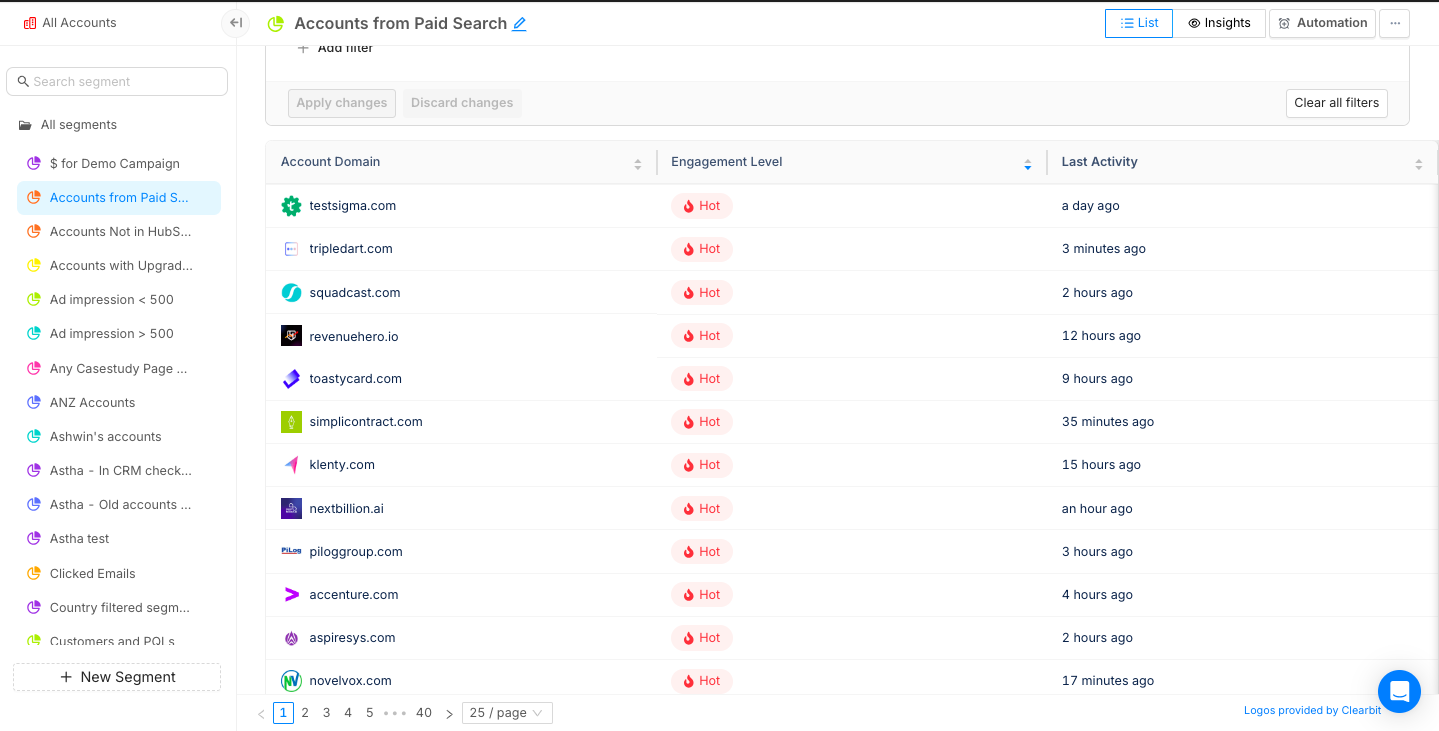
- Analyze Google Ads' performance at a campaign level.

- Use Segment Insights to identify how Google Ads play a role in generating revenue for your business and compare it to other channels.
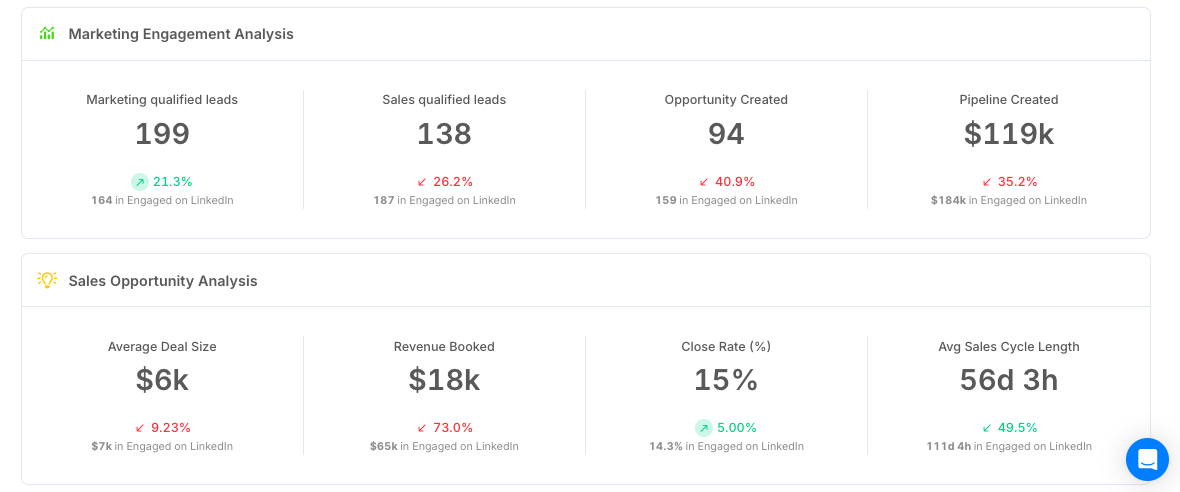
Your GTM team can use these insights to:
- Prioritise accounts during sales outreach
- Improve their retargeting efforts
- Refine ad copy and positioning
- Save ad spend by allocating budgets to high-performing campaigns
{{INLINE_MOFU}}
Enhance B2B Advertising with PPC Analysis Tools
PPC analysis tools help B2B marketers optimize paid campaigns by tracking key performance metrics and audience behavior.
- Key Features: Real-time analytics, cross-platform integration, conversion tracking, A/B testing, and competitor insights.
- Optimization Benefits: Improve audience targeting, budget allocation, and lead generation.
- Competitive Advantage: Gain insights into competitor strategies for better positioning.
- Data-Driven Decisions: Measure ROI and refine campaigns for maximum effectiveness.
Leveraging PPC analysis tools ensures smarter marketing strategies, improved conversions, and higher returns on ad spend.
Book a demo today to learn how Factors can improve your PPC performance.
Post-Sale Customer Journey: A Comprehensive Framework for Long-Term Success
Discover a comprehensive post-sale customer journey framework to boost retention and maximize lifetime value. Learn key stages, metrics, and strategies for B2B success.

B2B businesses love the chase - new logos, fresh leads, that dopamine hit of “another deal closed.” But here’s the problem: customer acquisition costs are climbing like they’ve had three espressos, while retention quietly sits in the corner, ignored, underrated, and, honestly, way more profitable.
Why the Post-Sale Customer Journey Matters
Bain & Company backs this up: You can improve retention by just 5% and profits can jump anywhere between 25% and 95%. (Yes, that stat makes every marketer sit up straighter.)
The secret to hitting those retention numbers is to rethink what customer success actually does for your customers. If it is treated like roadside assistance—only showing up when the car breaks down—you’ll always be one flat tire away from churn.
A smarter move would be to make them the navigators of your post-sale customer journey. They are the ones with the map, pointing out the fastest routes, avoiding potholes, pre-planning rest-stops, and ensuring customers actually enjoy the ride.
Because thriving businesses know this simple truth: post-sale customer journey isn’t a ‘nice-to-have.’ It’s about how many customers stay, how much more they buy, and how excited they are to tell others why you’re worth it.
A fantastic post-sale customer experience ensures renewals don’t come with an awkward pause before the signature. In short, it’s about treating customers like partners, not just paychecks.
Meeting Post-Sale Customer Demands with Data
If your CSMs are the navigators of the post-sale customer journey, then data is their GPS. Without it, they’re basically driving blind.
They expect onboarding faster than a CEO can tweet about ARR milestones, ROI they can point to without squinting, and engagement that’s authentic—not just a random ‘checking in’ email.
And data helps you bring authenticity into the conversations. Customer feedback, behavioral signals and usage patterns show you where the friction is hiding before it blows up. Suddenly, the customer experience isn't a one-size-fits-all snoozefest; it’s tailored, quick, and actually helpful.
Stitch the individual data points into a single dashboard, and sales, marketing, and success teams are all staring at the same picture. No more debates on those private Slack channels. Just a single, shared reality: how healthy the customer relationship really is.
How AI and Automation are Redefining Post-Sale Customer Engagement
Let’s be real: teams have a lot on their plate: cranking out decks, prepping QBRs, and trying to create the most comprehensive dashboard. Meanwhile, the customer sits in the shadows, tapping their watch, quietly wondering whether this is part of the standard procedure.
But here's the shift: AI can now handle the grunt work while you focus on what matters. Here's how it actually works:
- Usage dips flagged → Machine learning models track login frequency, feature adoption, and session length against healthy benchmarks. When a customer's activity falls outside the norm, it triggers an early warning.
- Adoption nudges launched → Automation pulls from usage data to trigger in-app messages, product walkthroughs, or emails when customers stall on key features. These nudges are personalized based on segment and past behavior.
- Upsell intent detected → Predictive AI analyzes purchase history, account growth, and product interactions to spot signals of expansion. It then drops the right playbook into the CSM's workflow, so outreach feels timely, not salesy.
It's like having a teammate who actually understands customers and reacts instantly—without stealing your lunch or the credit for your ideas.
Gartner puts numbers to it: by 2029, agentic AI will resolve 80% of everyday customer issues and shave 30% off operating costs.
{{INLINE_MOFU}}
The Six Stages of the Post-Sale Customer Journey
Dashboards and automation give you clarity, but customers aren’t just data points—they’re very real humans navigating a journey with you. Let’s break this journey down into six stages. Think of these stages as a series of oscillating, complex emotions—part excitement, part panic, part “what did I get myself into?”—that every customer cycles through, as they move from first use to full adoption.
Mastering this emotional rollercoaster is about making customers feel understood, supported, and maybe even a little delighted along the way.
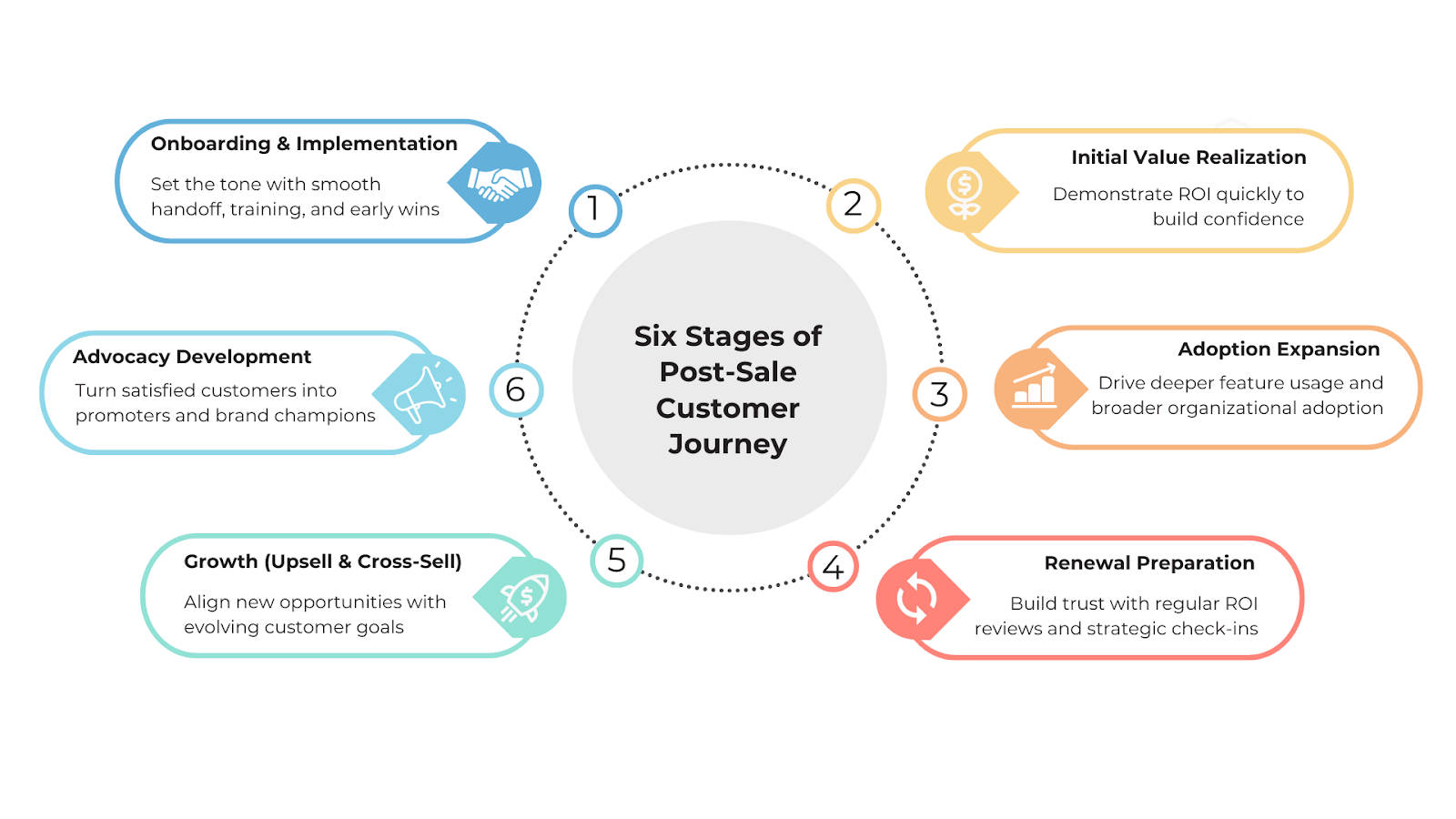
1. Onboarding and Implementation
The journey begins with onboarding—making it a critical first impression. A frictionless onboarding experience goes beyond convenience; it defines how the partnership will evolve.
Great onboarding involves a clear sales-to-success handoff, structured training programs, rapid time-to-value, and the quick realization of early wins. This stage should leave customers feeling confident in their ability to use the solution and optimistic about its impact on their business.
2. Initial Value Realization
The next step is ensuring customers recognize value quickly. Early ROI demonstrations are critical to retain B2B customers. Customers who experience clear results early on are more likely to stay invested.
For instance, a SaaS company might highlight how a client reduced reporting time from two days to two hours using their platform. These milestones build credibility and justify the investment.
3. Adoption Expansion
This stage often involves encouraging teams to expand product usage, explore advanced features, integrate the platform more deeply, and unlock additional capabilities.
Businesses can spot accounts leaning into advanced usage and identify high-potential expansion opportunities by leveraging account intelligence tools for customer success.
4. Renewal Preparation
Companies that conduct quarterly business reviews, provide continuous ROI reporting, and hold strategic check-ins position themselves as true partners rather than mere vendors.
This approach lowers churn risk and shifts end-of-contract discussions towards scaling opportunities instead of justifying value.
5. Upsell and Cross-Sell
This step involves upgrading to premium plans, adding more user licenses, or adopting complementary solutions. However, successful upselling isn’t about pushing more—it’s about aligning offers with customer goals.
6. Advocacy Development
The final stage is customer advocacy, which involves customers speaking on your behalf in testimonials, case studies, peer groups, and industry forums.
Advocacy is the most powerful driver of organic growth as referrals from existing customers often help convert prospects faster.
💡Also read: 5 stages of the customer journey
Building a Post-Sale Customer Journey Framework
Why bother with a framework? Because without one, your post-sale customer journey is basically a random mess of check-ins, tickets, and “oops, did we forget about them again?” A framework gives you a map, a plan, and a little structure —so every touchpoint isn’t just another shot in the dark, but a deliberate move to keep customers happy and engaged.
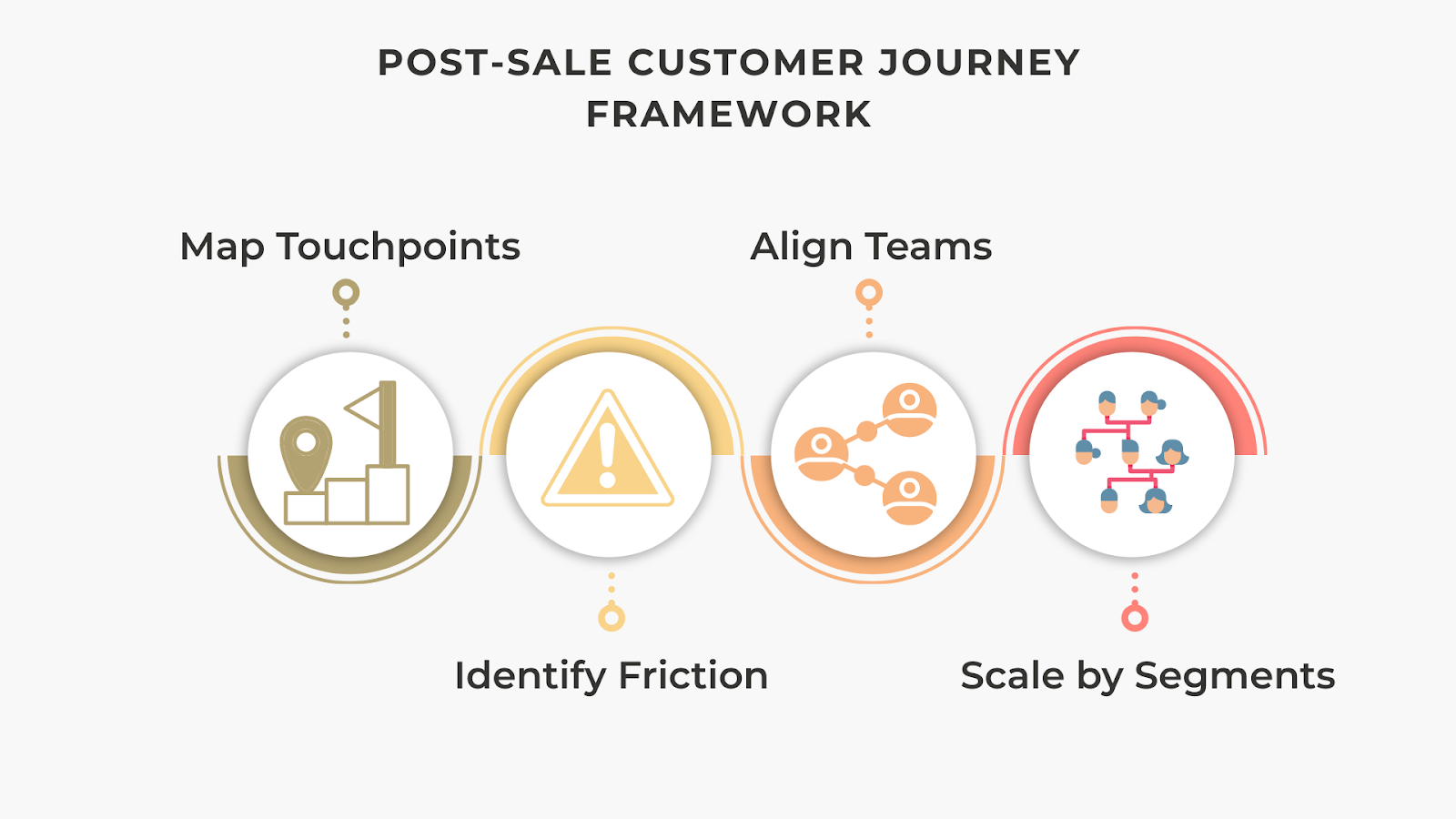
1. Map Every Touchpoint
Create a visual journey map covering interactions across sales, onboarding, customer success, marketing, and support.
2. Identify Friction Points
Examples:
- Long onboarding cycles → introduce guided automation.
- Weak product adoption → deploy contextual learning and training.
- Renewal hesitation → provide ROI dashboards.
3. Ensure Cross-Functional Alignment
- Sales → Sets clear expectations.
- Marketing → Reinforces with education and resources.
- Customer Success → Delivers on promises.
4. Scale by Segments
Adopt a tiered engagement model:
- High-touch: Enterprise clients with dedicated success managers.
- Tech-touch: SMBs supported via automation and digital touchpoints.
It works! A Forrester study found that companies with structured customer success frameworks pull in 107% ROI within three years—and that translates directly into better renewals, upsells, and long-term growth. Investing in customer success isn’t optional. It literally pays for itself… and then some.
💡 Learn more about CRM Workflow Automation and how to boost efficiency & customer engagement
Measuring the Success of Post-Sale Customer Engagement
You can line up all the right plays—map behavior, track intent, automate workflows—but if you’re not measuring properly, you’re basically a coach pacing the sidelines, wondering if your game plan is even working.
Retention and churn? That’ll tell you the basics. NPS? Think of it as your fan chants—are they cheering your name or booing you off the field? CLV? That’s the season ticket revenue; it puts a dollar sign on loyalty, the real long game. And health scores? They’re your halftime stats, warning you where the defense is cracking before the other team runs away with it. Skip these, and you’re basically hoping for a win without checking the score. But let’s be real—hope is not a strategy.
| Stage | Metric |
|---|---|
| Onboarding | Time-to-value, activation rates |
| Value Realization | Feature adoption, depth of usage |
| Adoption Expansion | Growth in active users, engagement breadth |
| Renewals | Retention rate, churn rate |
| Growth | Upsell/cross-sell revenue, Net Revenue Retention (NRR) |
| Advocacy | Net Promoter Score (NPS), referral volume, case study participation |
Keep these formulas handy to measure your strategic success:
- Customer Health Scoring
Composite customer health scores are increasingly popular, combining data and signals from various touchpoints along with customer sentiment or feedback. Weighted appropriately, they provide predictive insights into churn risk or potential to expand horizontally and vertically.

- ROI of Post-Sale Programs
Calculating ROI ensures you know whether your investment in post-sale processes is paying off.

Optimizing Post-Sale Customer Experience with Factors
A good carpenter knows his tools, but even a pro can’t fix a squeaky post-sale customer journey without the right strategy. It's about timing, insight, and making life easier for both your teams and your customers. That’s exactly where Factors steps in: intent capture, account intelligence, and workflow automation stitched together to turn customers into loyal advocates instead of one-time wins.
Intent Capture is where it starts. Every click, download, or product login? Factors pulls those digital signals into a single, clear view. Suddenly, you know who’s actually engaged and what they care about—so customer success teams and marketers stop guessing and start engaging with precision.
Account Intelligence takes it up a notch. By layering firmographic data, campaign activity, and usage trends, Factors gives you a 360° snapshot of which accounts are ready to renew, upgrade, or expand. Translation: less wasted energy, more focus on accounts that will actually move the needle.
Workflow Automation is the final piece of the puzzle. Instead of chasing leads with endless manual follow-ups, Factors automates the tedious tasks for you—renewals, adoption nudges, and health checks—so your teams can focus on the conversations that truly matter. Plus, analytics run in the background to show you what’s working and what’s not.
Put it all together, and you’re not just managing the post-sale customer experience, you’re upgrading it. With Factors, businesses move from firefighting churn to building seamless, sticky, long-term customer relationships that drive serious lifetime value.
To sum it up
Look, we get it. Long blogs might seem like period dramas, you start strong, but by paragraph three, your attention span clocks out. So if you scrolled straight here (hi, lazy reader 👋), here’s the deal: the post-sale customer journey isn’t rocket science. With Factors, it boils down to four steps:
Step 1: Audit the customer experience and spot the gaps.
Step 2: Use Factors to pull siloed data into one clean, usable view.
Step 3: Layer in Factors’ intent signals and account intelligence so you know which customers need what—before they even say it.
Step 4: Automate the gruntwork with Factors’ workflows so your teams spend less time firefighting and more time actually helping customers.
The result? Customers feel understood, stick around longer, and deliver way more value.
FAQs
Q. What is the post-sale customer journey?
A. The post-sale customer journey captures the full spectrum of interactions after purchase, influencing customer satisfaction, retention, and growth. It guides customers from onboarding to adoption, helps them realize value, prepares them for renewal, opens doors to upsell opportunities, and builds lasting relationships.
Q. Why is the post-sale customer journey critical for B2B businesses?
A. For B2B organizations, the customer success journey after purchase is where long-term value is created. Even a 5% increase in retention can yield 25–95% profit growth. Effective B2B customer retention strategies, like seamless engagement and personalized support, turn first-time buyers into long-term partners.
Q. What are the main stages of the post-sale customer journey?
A. The post-sale customer journey stages typically include:
- Onboarding and implementation
- Initial value realization
- Adoption expansion
- Renewal preparation
- Growth through upsell and cross-sell
- Advocacy development
Mapping these stages through customer success journey mapping helps organizations optimize each touchpoint.
Q. How does AI enhance the post-sale customer experience management?
A. AI and automation transform post-sale customer experience management by predicting churn risks, automating personalized engagement, and surfacing upsell opportunities. Tools like account intelligence for customer success analyze intent signals and usage patterns to guide customer success teams.
Q. What metrics define success?
A. Key post-sale engagement metrics include churn rate, Net Promoter Score (NPS), customer health scores, renewal rate, Net Revenue Retention (NRR), and customer lifetime value. Tracking these ensures businesses can identify risks early and scale what works best.
Q. How do account intelligence platforms help?
A. Platforms like Factors help unify intent and engagement signals into one view, allowing intelligent, data-driven customer success strategies.

Pixel vs Account-Based LinkedIn Retargeting
This blog explores the limitations of Pixel-based retargeting and why Account-based retargeting is an effective alternative.

B2B marketing teams invest significantly across campaigns and content to drive qualified website traffic. However, benchmarks find that only about 2% of this traffic actually converts, with the majority of visitors simply bouncing off or browsing anonymously on the website.
Retargeting the remaining 98% of visitors via LinkedIn has proved to be an effective strategy to recapture interest from anonymous website traffic. While we won’t cover the specific benefits of LinkedIn retargeting here, this case study summarizes how Sage successfully leveraged LI retargeting to:
- Generate 700,000 impressions in 6 weeks
- Improve lead generation by 4x
- And reduce cost-per-lead (CPL) by 80%
Simply put, LinkedIn retargeting works.
LinkedIn retargeting relies on the LinkedIn Insight tag (aka LinkedIn Pixel) to match website visitors with LinkedIn audiences.
The LinkedIn insight tag is a simple piece of code placed on a website to help optimize campaigns. While the LinkedIn Pixel serves many functions, including conversion tracking and demographic insights, it’s challenged by shortcomings around website retargeting.
While LinkedIn Pixel works to some extent, we have found an alternate approach that can take your retargeting campaigns to the next level, also known as account-based retargeting. Account-based retargeting works by identifying, qualifying, and targeting anonymous accounts, as opposed to individual users visiting a website. Using a combination of identifiers, account-based retargeting has been shown to deliver:
- Larger, account-level audiences
- Improved match rate accuracy
- Better segmentation and targeting
And the results? Well, they speak for themselves:

While the LinkedIn Pixel is a must-have solution given its wider functionality, we explore the limitations of Pixel-based retargeting and why Account-based retargeting is an effective alternative ⬇️
Limitation #1 - Match rates
The LinkedIn Pixel works by placing a cookie in visitors’ browsers, so when a LinkedIn user lands on your website, they may be identified and retargeted on LinkedIn. Note that this cookie-based identification takes place at a device and browser level for individual users. This means that, for the Pixel to match a website visitor to a LinkedIn user, the visitor must meet all 4 of the following criteria:
- Be an active member of LinkedIn
- Explicitly accept cookies on the website
- Use the same device (phone/laptop/tablet) to visit the website and LinkedIn
- Use the same browser (chrome/firefox/safari) to visit the website and LinkedIn
While a few visitors will probably fit this criteria, audience match rates via the Pixel are limited by the fact that the majority of traffic either doesn’t use LinkedIn, rejects cookies, or, most commonly, uses different devices/browsers for product research and LinkedIn browsing.
In fact, only about 42% of B2B product research involves mobile touch points — with the majority of B2B buyers choosing to conduct their research on desktops. On the other hand, a whopping 80% of LinkedIn engagement is via mobile. This is not surprising, given that LinkedIn is primarily a social networking app.
And so, despite the fact that LinkedIn Pixel works as designed, its match rates tend to be relatively poor, given the practical realities of B2B user behavior.
The limitation: Low match rates as a result of limited, cookie-based matching mechanisms by the LinkedIn Pixel.
How Account-based Retargeting helps
The LinkedIn Pixel relies exclusively on cookie-based tracking to create its matched audiences. Factors, on the other hand, leverages a combination of three identifiers — IP address, advertising ID, and cookies, to triangulate a data connection and match anonymous traffic to a company.
Factors connects with over 4.2B+ IP addresses and 65M+ company profiles (in addition to cookies and ad IDs) to accurately identify which accounts are visiting your website. Note that this is regardless of whether the visitor in question is a member of LinkedIn, uses different browsers, etc.
In fact, Factors can also identify remote companies by initially cookie-ing people using their corporate IP address to then re-identify them when they work remotely. To further explain how Factors achieves industry-leading match rates, here’s Viral from 6sense, one of our data partners:
“As a person moves around, their IP address changes. The platform adjusts for these changes by pulling in several additional markers to help match signals to an account. Now, with more variations in IP address data as remote working spreads across industries, our Graph deploys available secondary marker information, like cookies and mobile advertising IDs, to triangulate data connections. The Graph uses additional markers to sift through the noise so that confidence in the match rate remains consistent. Given the amount of signals we track, we don’t map every signal all the time, but we have observed accuracy over 85%.”
- CTO Viral Bajaria, 6sense, Data Partners
💡Build Better LinkedIn Retargeting Audiences with Factors
Limitation #2 - User-level targeting
B2B buying decisions are rarely made by a single person. The typical buying committee comprises almost a dozen people from multiple departments and time zones. Selling a SaaS product today might involve gaining buy-in from multiple C-suite executives, individual stakeholders from operations to sales to marketing, and a chief revenue officer – along with legal and implementation teams.

Source: Challenger
Given that the Pixel focuses on individual, single users visiting your website, it fails to capture the wider buying group from each account those users are from. This shrinks your total matched audience size considerably, but more importantly, it inhibits your marketing efforts from reaching key stakeholders and decision-makers who may not have been the ones visiting your site.
For example, if a junior marketer visits Factors.ai and is retargeted by the LinkedIn Pixel, the junior marketer alone will receive ads — with other stakeholders from the target account being ignored. As a result, this approach relies on the junior marketer being independently influential enough to convince the rest of the team to move forward with the deal. Definitely a tough sell.
The limitation: User-level targeting, as opposed to account-level targeting, results in fewer stakeholders targeted per account and smaller audience sizes.
How Account-based Retargeting Helps
While LinkedIn is best for targeting buying groups, it’s important to remember that there is no initial intent to buy on a social media platform. You need to layer in intent signals from multiple sources, such as your website and review sites like G2, to understand how you can best retarget relevant accounts.
Factors identifies intent signals and re-targets anonymous website traffic at an account level. This means that multiple decision-makers and stakeholders from the same company will be targeted on LinkedIn, regardless of which user actually visits the website. This bodes well for multiple reasons:
- Increases audience size without compromising on the quality of accounts
- Creates brand awareness at a company level rather than at an individual level
- Improves odds of targeting the right decision-makers within each account
Even assuming that account-based targeting finds the same 100 accounts as Pixel-based targeting, the former would generate an audience size of 300-500 users (3-5 people from each account), while Pixel-based targeting would only target 100 users (1 from each account). More importantly, a larger audience will improve the odds of targeting decision-makers, ultimately resulting in more leads and conversions. Accordingly, account-based retargeting solves for the practical limitation of LinkedIn campaigns struggling to scale due to poor audience size.
Limitation #3 - Audience segmentation
The previous two points discussed the LinkedIn Pixel’s limitations in terms of audience quantity. This third limitation highlights why the Pixel tends to fall short in terms of audience quality. In reality, a significant portion of your website traffic wouldn’t make a good fit for your business. Even within the subset of ICP accounts visiting your website, only a fraction would be “sales-ready” at any given moment (with the remaining accounts having to be nurtured until they’re prepared to buy).

As important as having a large audience is, the quality of this audience plays a key role in determining conversions and RoAS as well. In an ideal scenario, marketing teams should only retarget this subset of sales-ready “3000-pound marlin” accounts.

The LinkedIn Pixel limits audience segmentation based on intent and engagement. With the Pixel, website traffic can only be segmented based on page views. While this is definitely a good starting point, it lacks granularity.

With Pixel, filtering out accounts that don’t match your target geographies, industries, sizes, or engagement levels can be challenging. This also translates to limited personalization options, as you can only segment campaigns by page views rather than by account and engagement properties.
The limitation: Limited segmenting & filtering options resulting in subpar audience quality and limited scope for personalization.
How Account-based Retargeting helps
Account-based retargeting with Factors supports granular segmentation based on a wide range of firmographics and engagement criteria. For example, with Factors, you can identify and retarget a list of accounts that meet the following rules:
“US-based Software companies with 100-500 employees visiting our pricing page & G2 profile for at least 10 seconds with a scroll-depth of 20% or more”

Here are a few ways in which Factors helps segment traffic data (in addition to regular old page views):
- Country
- City
- Industry
- Size
- Revenue range
- Time spent on page
- Scroll-depth
- Button clicks
- And a combination of all of the above
This level of filtering results in a list of precisely targeted ICP accounts that would make a great fit for your business. Additionally, by integrating your CRM, you may also include/exclude specific accounts, such as existing customers and competitors.
And guess what? We found the solution to fix your list-building problems once and for all!
Factors has launched Audience Builder, which allows marketers to automatically segment based on their preferred criteria, push these segmented audience lists to LinkedIn, and activate personalized, targeted advertising.
For example, you may choose to show accounts that visit high-intent pages such as factors.ai/pricing an ad creative offering a free trial. On the other hand, you can show accounts reading your competitor comparison blogs a “comparative” ad creative. The possibilities are endless.

{{INLINE_BOFU}}
Real-life comparison: Pixel vs Account-based retargeting
We’ve talked the talk - now we’ve got the numbers to back it up. Here’s how two campaigns, one that’s Pixel-based and another that’s Account-based, compare to each other. Note that all else (duration, budgets, creatives, copies) has remained the same through the course of this experiment.
Over the same period, we find that CTR is higher under Pixel-based retargeting, likely because this approach targets exact users visiting the website. That being said, Account-based remarketing significantly outperforms Pixel-based retargeting in every other key metric, including leads generated.
And there you have it.
Solve your ad targeting woes with AdPilot
If you want to maximise ROI for your LinkedIn ads, look no further than our latest offering: LinkedIn AdPilot! We offer a wide range of features that allow you to segment audiences based on intent data, implement exposure control for your campaigns and determine the true ROI for your ads.
Speak to our team today to understand how you can use AdPilot to improve your LinkedIn retargeting efforts.
LinkedIn's Pixel-based retargeting and account-based retargeting differ in their targeting approach and benefits. The LinkedIn Pixel, a code snippet placed on websites, tracks visitor interactions using browser cookies to retarget individuals. However, its effectiveness can be limited by users not accepting cookies, using different devices, or being logged out of LinkedIn. On the other hand, account-based retargeting targets entire organizations, identifying anonymous accounts visiting your site, which allows for better audience segmentation and higher match accuracy. While the Pixel is useful for general retargeting, account-based retargeting is more effective in B2B contexts, offering precise targeting and engaging multiple stakeholders in decision-making processes.
.avif)
Best 9 Performance Marketing Hacks you Need to Know in 2026
Discover the best 9 performance marketing hacks to supercharge your strategy in 2026. Learn actionable tips and stay ahead of the competition.

Are you a B2B SaaS marketer struggling to tackle the challenges of performance marketing for your brand?
Are you finding it difficult to identify anonymous companies visiting your website, analyze your buyer journey, and measure ROI across campaigns, content, and sales touchpoints?
If so, then this guide will help you.
In today's competitive business landscape, B2B SaaS marketers face numerous obstacles when it comes to performance marketing.
One of the biggest challenges is analyzing the data from their ads, website, social media & campaigns.
Without this crucial information, they would be missing out on valuable opportunities to engage with potential customers and drive conversions. Additionally, analyzing their buyer journey and measuring ROI across various marketing channels and touchpoints can be a daunting task, leaving unsure of which strategies are truly effective.
Let's delve into the blog to gain further insights and expand our knowledge on the subject.
What is Performance Marketing?
Performance marketing is a data-driven marketing strategy that focuses on driving specific actions or outcomes, such as conversions, leads, or sales.
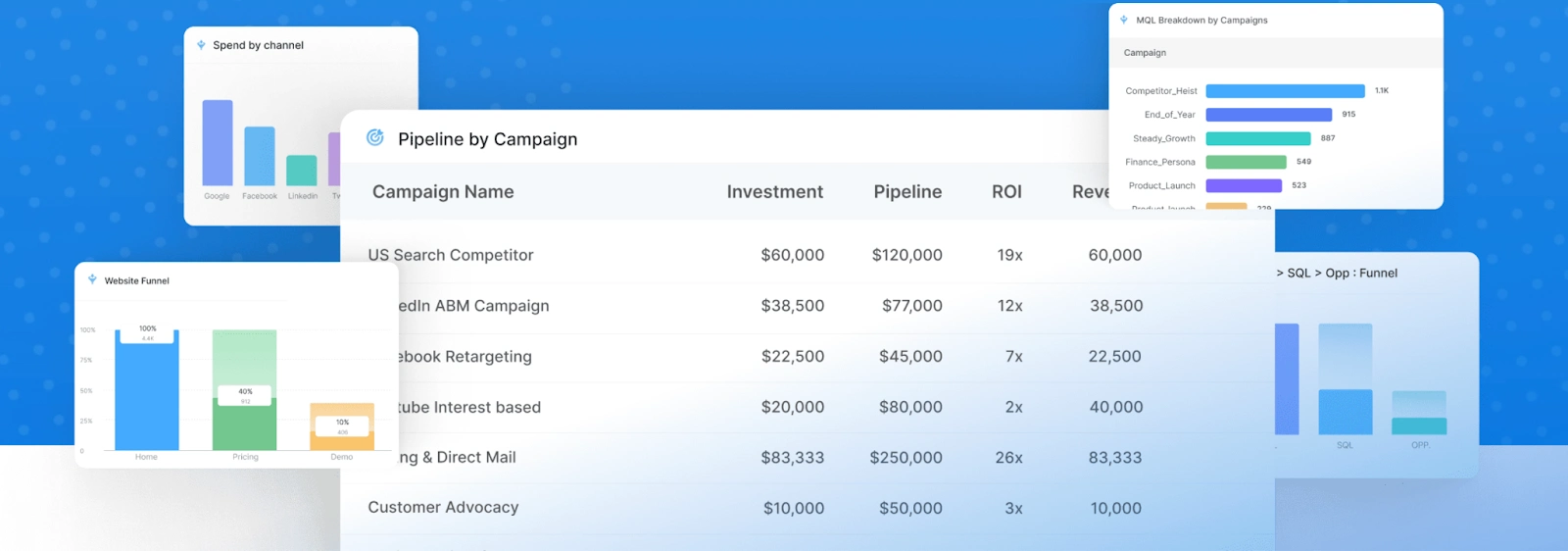
Unlike traditional marketing methods that rely on broad reach and brand awareness, performance marketing is highly targeted and measurable, allowing marketers to track the effectiveness and ROI of their campaigns with precision.
In performance marketing, marketers set clear objectives and pay for marketing activities based on the desired performance metrics achieved. This could include pay-per-click (PPC) advertising, affiliate marketing, email marketing, content marketing, and other forms of digital advertising.
The success of performance marketing campaigns is determined by how well they achieve the intended outcomes and deliver a positive return on investment.
For B2B SaaS marketers, performance marketing is particularly relevant as it allows them to optimize their marketing efforts and allocate resources more effectively. By focusing on measurable actions and outcomes, B2B SaaS marketers can identify which strategies and channels are driving the best results, allowing them to refine their campaigns and generate higher-quality leads and conversions.
5 Reasons to Know Why Performance Marketing is Important?
Performance marketing is a crucial skill for every marketer to master. Here are five reasons why it is essential and relevant to your marketing success:
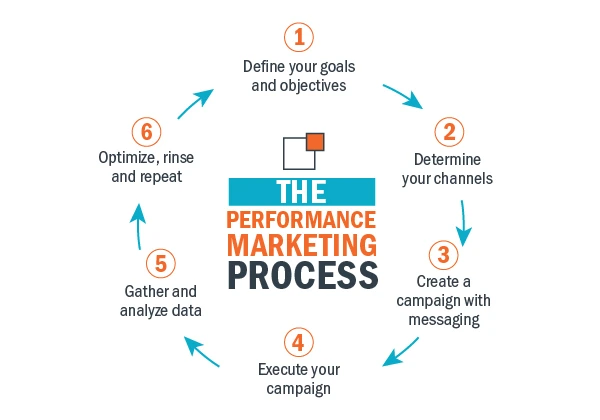
Measurable Results
Performance marketing allows you to track and measure the effectiveness of your marketing campaigns. By analyzing key metrics such as conversions, leads, and sales, you can gain insights into what strategies are working and make data-driven decisions to optimize your marketing efforts.
Cost Efficiency
With performance marketing, you only pay for the desired outcomes achieved, such as clicks or conversions. This cost-efficient approach ensures that your marketing budget is allocated to the strategies that deliver tangible results, maximizing your return on investment.
Targeted Audience Reach
Performance marketing enables you to precisely target your ideal audience based on demographics, interests, and online behavior. By reaching the right people at the right time, you can increase the chances of generating high-quality leads and conversions.
Scalability and Flexibility
Performance marketing allows you to scale your campaigns based on your business needs. You can easily adjust your budgets, test different strategies, and optimize your campaigns in real-time, ensuring that your marketing efforts align with your goals and adapt to changing market conditions.
Continuous Improvement
One of the key advantages of performance marketing is the ability to gather data and insights throughout the entire customer journey. This data-driven approach enables you to identify areas of improvement, refine your messaging, and enhance your customer experience, resulting in higher engagement and better overall performance.
You can hire an experienced marketing automation consultant to your team to unlock the full potential of marketing campaigns, understand customer journey, drive meaningful results, and stay ahead in the competitive B2B SaaS landscape.
9 Performance Marketing Hacks in 2026
Are you ready to revolutionize your performance marketing strategy in 2026?
My unique process brings you nine powerful performance marketing hacks designed to elevate your campaigns and drive exceptional results. From leveraging user-generated content to optimizing for voice search, these hacks are based on the latest industry insights and innovative techniques. Get ready to take your marketing efforts to new heights and outperform your competition.
Here are the nine performance marketing hacks for 2026:
1. Hack the Micro-Moments
In today's digital landscape, capturing your audience's attention in specific micro-moments along their customer journey is crucial. Micro-moments are instances where individuals are actively seeking information, making decisions, or looking for solutions. By identifying these micro-moments and tailoring your marketing messages to address their needs, you can effectively engage your audience and drive conversions.
Example: Suppose you are a B2B company specializing in project management software. One micro-moment could be when a potential customer searches for "how to streamline project workflows."
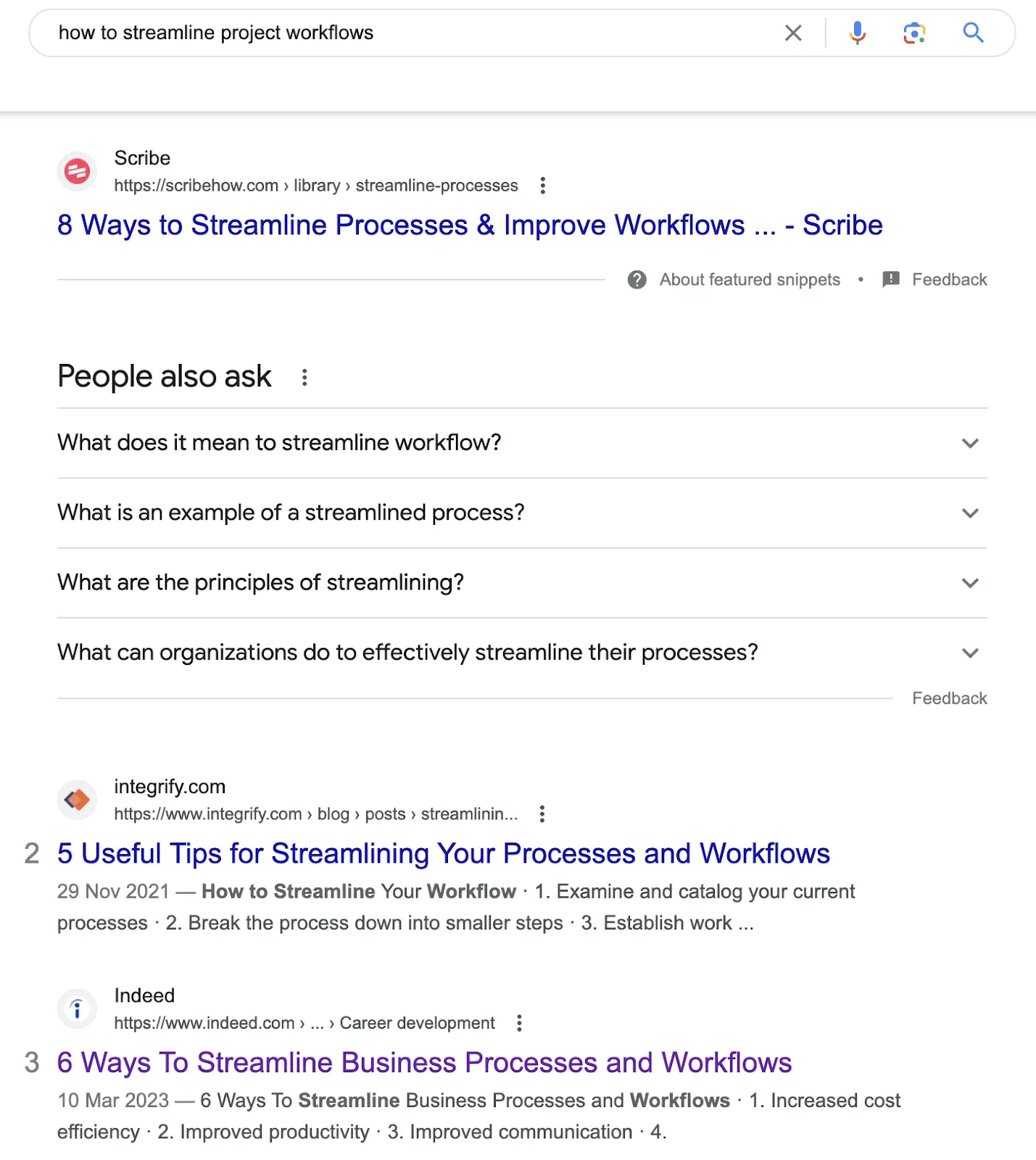
In response, you create content that addresses this pain point, such as a blog post titled "5 Proven Strategies to Streamline Your Project Workflows."
Pro Tip
- Conduct thorough audience research to identify micro-moments relevant to your target market.
- Utilize keyword research tools to discover common search queries associated with these micro-moments.
- Develop content that aligns with these moments and provides valuable solutions.
- Incorporate targeted keywords in your contents ensuring to rank in search results.
2. Optimize for Voice Search
In the era of voice assistants and smart devices, optimizing your content for voice search is essential to ensure your brand remains visible and accessible to your target audience. Voice search queries tend to differ from traditional text-based searches, as they are more conversational and often phrased as questions. By adapting your content strategy to accommodate these voice-based queries, you can improve your chances of appearing in voice search results and capturing valuable organic traffic.
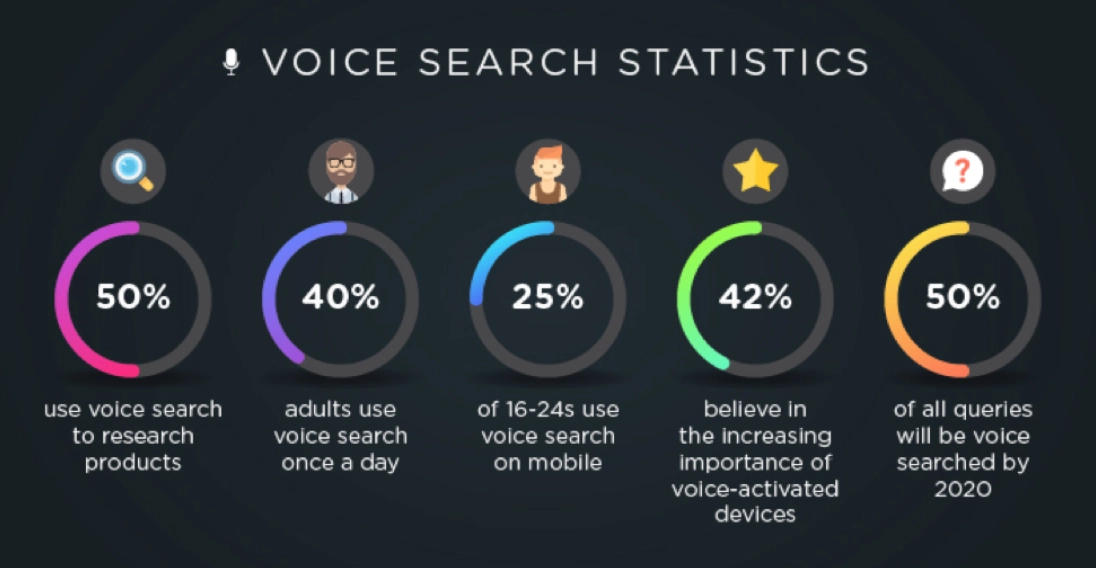
Example: Let's say you run a B2B company that offers customer relationship management (CRM) solutions. Instead of solely focusing on traditional keyword phrases like "CRM software," optimize for voice search queries such as "What are the best CRM software options for small businesses?" or "How can CRM software improve sales productivity?"
Pro Tip:
- Incorporate long-tail keywords and conversational language into your content.
- Consider creating FAQ pages or blog posts that directly address common questions related to your industry or product.
- Leverage structured data markup (such as schema.org) to provide search engines with clear information about your content, making it easier for them to understand and present in voice search results.
3. Leverage User-Generated Content
User-generated content (UGC) is a powerful tool that allows your customers to become advocates for your brand. It involves encouraging and showcasing content created by your users, such as reviews, testimonials, social media posts, or case studies. Leveraging UGC can build trust, increase engagement, and enhance your brand's credibility in the eyes of your target audience.
Example: Let's say you operate a B2B company that provides call tracking software for small scale businesses. You can encourage your customers to share their success stories, positive experiences, or case studies using your software.
Highlight these stories on your website, social media channels, or even in your email newsletters to demonstrate the value and benefits of your product through authentic and relatable experiences.
Pro Tip
- Create dedicated spaces on your website or social media platforms where users can submit their content.
- Offer rewards, discounts, or recognition to those who contribute valuable UGC.
- Monitor your social media channels, online reviews, and other platforms where customers may leave feedback.
4. Embrace Personalization
Personalization has become a crucial aspect of effective marketing including tailoring your marketing messages, offers, and recommendations based on individual customer preferences and behaviors. By delivering personalized experiences, you can enhance engagement, build stronger connections with your audience, and ultimately drive higher conversion rates.
Example: Suppose you are a B2B company that offers email marketing software. Instead of sending generic email campaigns to your entire subscriber list, segment your audience based on their interests, past interactions, or purchase history. Then, personalize your email content, subject lines, and product recommendations to cater to each segment's specific needs. For example, you can send targeted emails about advanced email automation features to customers who have shown interest in automation tools.

Pro Tip:
- Utilize marketing automation workflows to segment audience based on the data generated.
- Craft personalized messages that resonate with each segment, addressing their pain points and highlighting the benefits of your solution.
- Consider using dynamic content that adapts to each recipient's preferences in real-time.
5. Harness the Power of Influencer Marketing
Influencer marketing has emerged as a highly effective strategy to expand your brand's reach, build credibility, and drive engagement. By collaborating with influencers who align with your brand values and have a dedicated following, you can leverage their influence and tap into their established trust to promote your B2B SaaS solution.
Example: Suppose you offer project management software for creative agencies. Identify influencers in the creative industry, such as renowned designers or project management experts, who have a strong online presence and a relevant audience. Partner with them to create sponsored content, co-host webinars, or conduct interviews to showcase how your software solves common pain points for creative agencies.
Pro Tip:
- Look for influencers whose values align with your brand and who have an engaged and relevant audience.
- Establish clear goals and expectations when partnering with influencers to ensure a successful and mutually beneficial partnership.
- Develop a partnership strategy that aligns with your marketing goals and leverage the influence of these trusted individuals to expand your brand's reach and drive meaningful engagement.
6. Implement Video Marketing Strategies
Video marketing has become increasingly dominant in the digital industry, offering a powerful medium to engage your audience, deliver compelling messages, and increase brand recall. By implementing effective video marketing strategies, you can captivate your audience and drive higher levels of engagement and conversion.

Example: Suppose you are a B2B company providing customer support software. Create tutorial videos using an online video editor that showcase how to maximize the features of your software, address common pain points, or provide tips for efficient customer support. You can also feature customer success stories through video testimonials, where clients share their positive experiences using your software.
Pro Tip:
- Optimize your videos for different platforms and devices. Keep them concise, attention-grabbing, and focused on delivering value within the first few seconds.
- Use storytelling techniques to engage your audience and showcase real-life scenarios or case studies.
- Include a strong call-to-action at the end of each video to encourage viewers to take the desired action, such as visiting your website, signing up for a trial, or contacting your sales team.
- Invest in quality production, including clear audio, engaging visuals, and professional editing.
7. Optimize for Mobile-First Experiences
In today's mobile-driven world, optimizing your website and marketing efforts for mobile devices is essential. With the majority of internet users accessing content from mobile devices, delivering seamless mobile experiences is crucial for engaging your audience and driving conversions. By prioritizing mobile-first experiences, you can ensure that your brand remains accessible and user-friendly on smartphones and tablets.
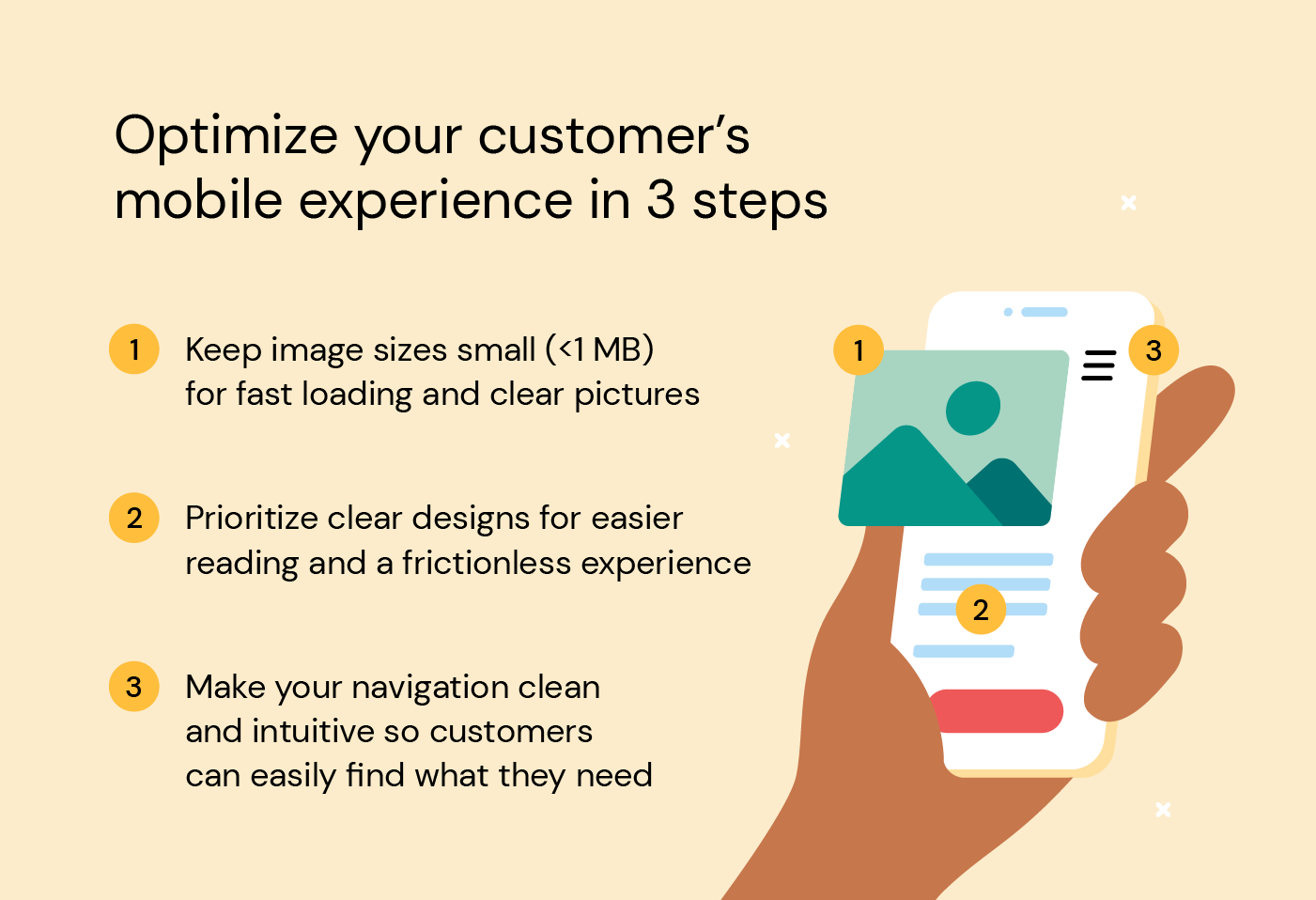
Example: Suppose you offer a B2B SaaS solution for project collaboration. Optimize your website by implementing responsive design, which automatically adjusts the layout and content based on the user's device screen size. Ensure that your website loads quickly, provides intuitive navigation, and presents key information clearly, even on smaller screens. Simplify forms and optimize them for touch input to streamline the user experience on mobile devices.
Pro Tip:
- Test your website's mobile-friendliness using tools like Google's Mobile-Friendly Test.
- Optimize your website's loading speed by compressing images, enabling browser caching, and minimizing unnecessary code.
- Prioritize the most important content and call-to-action buttons to ensure they are easily accessible and visible without excessive scrolling.
- Continuously test your website across different devices and screen sizes to ensure a seamless experience.
8. Utilize AI-Powered Automation
Incorporating AI-powered automation into your performance marketing strategy can greatly streamline your processes, save time, and increase efficiency. By leveraging automation tools, you can automate repetitive tasks, personalize communication, and deliver targeted content at scale, ultimately enhancing the effectiveness of your campaigns.
Example: Suppose you run a B2B company that offers marketing automation software. Utilize an AI-powered email marketing automation tool to automatically segment your audience based on their behavior and preferences. Set up automated email workflows that nurture leads, send personalized recommendations, and follow up with relevant content based on specific triggers or actions taken by the recipients.
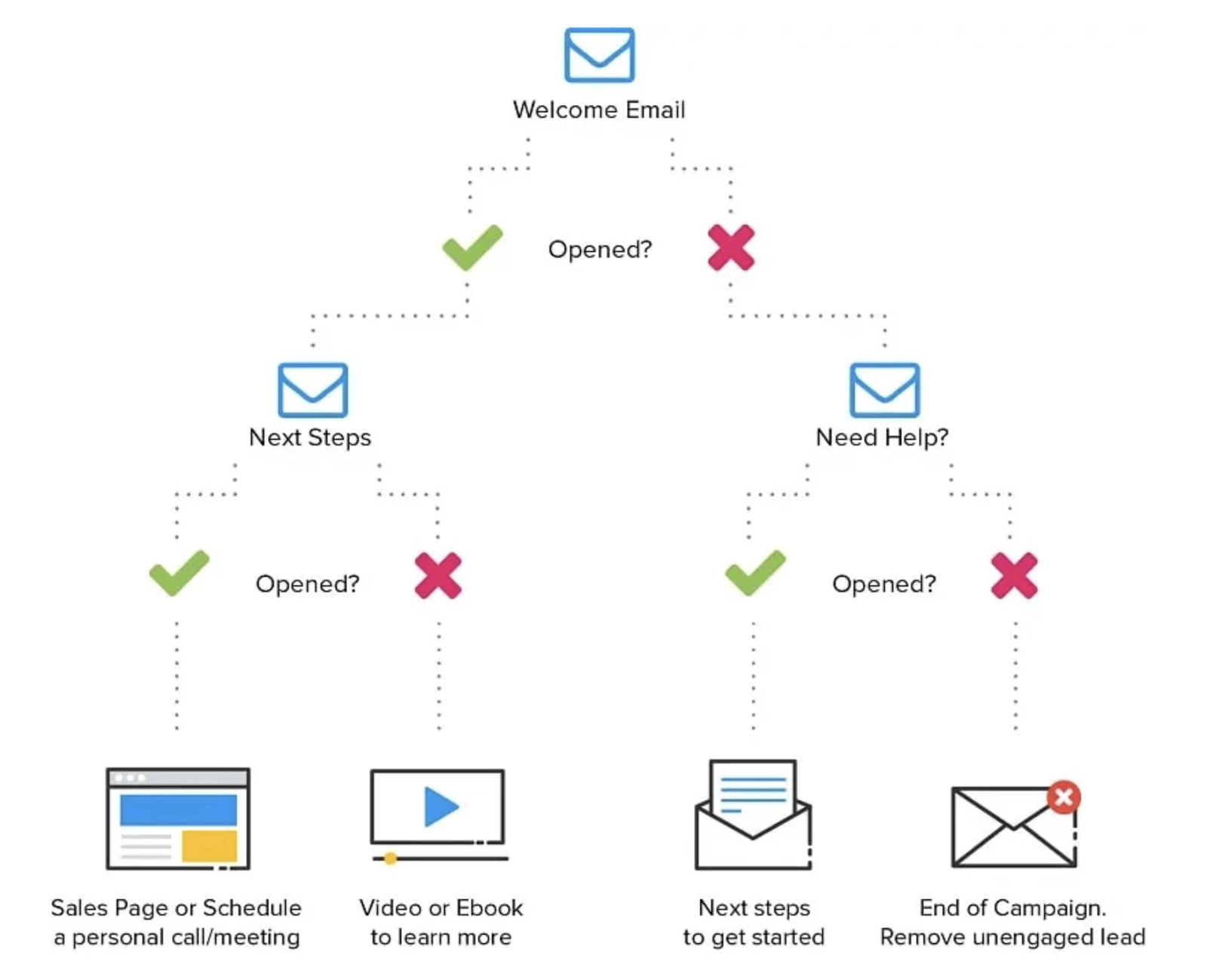
Pro Tip:
- Begin by identifying repetitive tasks that can be automated, such as email scheduling, social media posting, or lead scoring.
- Integrate your automation tools with your customer relationship management (CRM) system to sync data and ensure a seamless flow of information.
- Regularly analyze and optimize your automation workflows to ensure they align with your business goals and provide a personalized experience for your audience.
- Map out your customer journey and identify opportunities where automation can enhance your marketing efforts.
9. Experiment with Emerging Technologies
Staying ahead in the fast-paced digital landscape requires embracing emerging technologies and exploring innovative ways to engage your audience. By experimenting with technologies like augmented reality (AR), virtual reality (VR), or interactive content, you can differentiate your brand, create memorable experiences, and leave a lasting impression on your target audience.
Example: Suppose you offer a solution for architectural design. Develop an AR mobile app that allows users to visualize how their designs would look in real-world environments. Users can use their smartphones or tablets to overlay virtual 3D models onto physical spaces, enabling them to experience and interact with architectural designs in an immersive way.
Pro Tip:
- Start by researching emerging technologies that align with your industry and target audience.
- Collaborate with technology partners or experts to bring your ideas to life.
- Prioritize providing value and enhancing the user experience when incorporating emerging technologies into your campaigns.
{{CTA_BANNER}}
Key Considerations For Implementing Performance Marketing
Implementing performance marketing requires careful consideration of several key factors to ensure success. Here are some additional insights to keep in mind:
Data-driven Decision Making
Performance marketing thrives on data and analytics. It's crucial to establish a robust data infrastructure, including proper tracking, measurement, and analysis of key performance indicators (KPIs). Leverage tools like Google Analytics, Factors.AI, or other marketing analytics platforms to gather actionable insights that inform your marketing strategies and optimizations.
Continuous Testing and Optimization
Performance marketing is an iterative process. Embrace a culture of continuous testing and optimization to refine your campaigns and improve their effectiveness. Conduct A/B tests, experiment with different ad creatives, landing page designs, and messaging variations to identify what resonates best with your audience. Tools like Optimizely, Google Optimize, or Factors.AI's experimentation features can assist in running controlled experiments and optimizing your campaigns based on data-driven insights.
Integration and Alignment
Ensure seamless integration and alignment between your marketing, sales, and customer success teams. Collaboration and communication are essential to create a cohesive customer journey and provide a unified experience. Implement marketing automation tools like Factors.AI to streamline lead management, nurture customer relationships, and foster a data-driven approach across departments.
By considering these insights and incorporating them into your marketing automation strategy, you can maximize the impact of your campaigns, drive conversions, and achieve your business goals.
{{INLINE_TOFU}}
How to Choose the Best Performance Marketing Tool?
To further enhance your performance marketing efforts, selecting the right performance marketing tool is crucial. Here are a few considerations to help you choose the best tool for your needs:
Assess Your Goals and Requirements
Start by clearly defining your goals and requirements. Identify the specific functionalities you need in a performance marketing tool, such as campaign management, analytics, automation, or integrations with other platforms. Consider factors like scalability, ease of use, and pricing models that align with your budget.
Research and Compare Options
Conduct thorough research on different performance marketing tools available in the market. Compare their features, user reviews, customer support, and reputation in the industry. Factors.ai offers a comprehensive suite of performance marketing features designed to optimize campaigns, enhance targeting capabilities, streamline data analysis, and maximize ROI.
Request Demos and Trial Periods
Once you have shortlisted a few tools, request demos or trial periods to evaluate their functionality and user experience firsthand. This will help you assess how intuitive the tool is, how well it aligns with your workflow, and whether it provides the necessary insights and functionalities to meet your performance marketing objectives.
Remember, the best performance marketing tool for your business will depend on your unique requirements, objectives, and budget. Take the time to thoroughly evaluate and compare different options to ensure you choose a tool that empowers you to optimize your campaigns, drive results, and achieve your performance marketing goals.
To enhance performance marketing, businesses can implement nine innovative strategies:
1. Hack the Micro-Moments: Engage users when they are making quick decisions, typically on mobile devices.
2. Optimize for Voice Search: As voice-activated devices become more common, optimizing for conversational queries is essential for staying ahead.
3. Leverage User-Generated Content: Customer-created content, such as reviews or social media posts, can increase trust and drive engagement.
4. Implement AI-Powered Chatbots: Use chatbots to provide real-time customer support, increasing customer satisfaction and conversion rates.
5. Utilize Predictive Analytics: By analyzing data, businesses can anticipate future customer behavior, allowing for more personalized and targeted marketing efforts.
6. Focus on Mobile Optimization: Ensure that mobile users have a seamless experience, as mobile traffic continues to rise.
7. Employ Retargeting Strategies: Re-engage visitors who didn’t convert on the first visit with tailored ads to increase conversion rates.
8. Personalize Email Campaigns: Customize emails based on user behavior and preferences to increase open rates and engagement.
9. Analyze and Iterate: Constantly evaluate the performance of marketing strategies and make data-driven adjustments.
By leveraging these strategies, businesses can significantly improve their marketing ROI and customer engagement.
Wrapping Up and My Experience With Performance Marketing
In conclusion, as we wrap up this tutorial on performance marketing hacks in 2025, I want to congratulate you on completing this insightful journey. I hope that you've found these strategies and insights to be valuable assets for your performance marketing endeavors.
With over 10 years of hands-on experience in the field, I have witnessed firsthand the transformative power of these hacks. Collaborating with diverse clients across industries, I have had the privilege of optimizing campaigns, driving conversions, and helping businesses achieve their goals.
As you apply these strategies and leverage the insights provided, you can position yourself to drive exceptional performance and stay ahead of the competition in the dynamic world of performance marketing. Embrace these powerful tools and techniques, and propel your marketing efforts to new heights of success.
Position-Based Attribution Model: Definition and Guide
Read about what a position-based attribution model is, how it works, and how it compares to last-touch and full-funnel attribution methods in multi-channel marketing.
TL;DR
- A position-based attribution model (the U-shaped model) gives the most credit to the first touch and the last touch.
- The usual split is 40% to first touch, 40% to last touch, and 20% shared across everything in the middle.
- It’s useful when you want to understand what creates demand and what closes demand, without pretending the middle touches did nothing.
- Best for multi-channel, multi-touch journeys (hello B2B, SaaS, e-comm).
- With clean tracking and a unified view (like what Factors.ai is built for), it becomes much easier to connect “marketing activity” to actual pipeline movement.
Picture this.
You’re in a weekly growth review. Someone proudly says:
“Email is crushing it. Look, it got the conversion.”
Someone else immediately goes:
“Um, no. Paid search did. That’s literally where the lead came from.”
And then your dashboards just sit there… silently enabling chaos.
Because the customer journey didn’t happen in one heroic click. It went something like:
Google ad → random blog at 11:47 PM → “I’ll decide later” → email click → direct visit → conversion
So who gets credit?
That’s what attribution modeling is for. And if you’re tired of the “last click wins” Olympics, position-based attribution (aka the U-shaped model) is one of the most sane, balanced ways to score the journey.
What does a position-based attribution model really mean?
Position-based attribution basically says:
“Two moments matter a lot.”
- The first touch (how they discovered you)
- The last touch (what finally made them act)
Everything in the middle still matters, but it gets a smaller share.
Think of it like a movie:
- The opening scene hooks you.
- The final scene convinces you it was worth watching.
- The middle is the plot, important, but usually not the moment you remember.
That’s the “U-shape” idea: heavy weight at the start and end, lighter weight in between.
Why does attribution modeling matter?
Without attribution, you’re basically doing marketing with vibes.
You’ll see conversions happening, spend going out, traffic coming in… but you won’t know:
- What started high-quality journeys,
- What helped people stay interested,
- What actually pushed them over the line.
And when you don’t know that, you end up doing classic things like:
- Cutting top-funnel because “it doesn’t convert”
- Over-funding bottom-funnel because “it gets the last click”
- Running channels in silos, then acting shocked when the funnel feels leaky
Attribution is not just reporting. It’s how you stop making budget decisions like a roulette spin.
{{INLINE_TOFU}}
How are position-based models different from other attribution models?
Here’s the simplest way to think about it:
- First-click attribution: “Whoever introduced us gets all the credit.”
- Last-click attribution: “Whoever closed the deal gets all the credit.”
- Linear attribution: “Everyone gets equal credit, like a participation trophy.”
- Position-based attribution: “The opener and closer matter most, but the middle helped.”
Position-based is popular because it matches how most real journeys behave. People rarely convert instantly, and the “middle touches” rarely deserve equal credit either.
How do position-based attribution models work?
A position-based model distributes 100% of conversion credit like this:
- 40% to the first touch
- 40% to the last touch
- 20% split across the middle touches
Example journey:
Ad → Blog → Email → Purchase
Credit split:
- Ad (first): 40%
- Purchase driver (last touch, maybe email click): 40%
- Blog (middle): 20% (or split if there are multiple middle touches)
If there are more middle touches, they share the 20%.
So yes, the middle can end up looking “small” if your journey is long. That’s one of the trade-offs, and we’ll talk about it later.
Let’s visualize the flow…
If you plotted the journey as a timeline, the first and last touchpoints glow the brightest, and the middle touches get softer light.
That’s the U-shape.
Most analytics tools can show something like this, depending on what attribution models they support and how your tracking is set up.
Here’s why this distribution works
The logic is pretty practical:
- No first touch = no journey.
If nobody discovered you, there’s nothing to convert. - No last touch = no action
People can “like” you forever and still not buy. - The middle touches build confidence, context, and momentum, but they usually support the decision rather than trigger it.
So the U-shaped model avoids the extreme bias of first-click and last-click, without going fully “everyone is equal.”
Key benefits and strategic advantages
- Clearer view of how journeys actually happen
Instead of pretending conversions come from one channel, you see the journey as a system:
- What starts it,
- What assists it,
- What finishes it.
- Fairer credit across channels
It stops the “last touch gets all the credit” situation where your retargeting ad looks like the hero when it just arrived at the end of a story already in motion.
- Better budget decisions
You can fund both ends of the funnel without starving one side:
- Invest in what creates demand
- Double down on what converts demand
- Works well for multi-channel strategies
If your funnel includes content, paid, email, social, webinars, and sales touches, position-based attribution is a solid “default model” because it’s easy to explain and generally fair.
Practical Applications of Position-Based Attribution
- E-commerce and retail
Typical journey: Instagram ad → Google search → email discount → purchase
Last-click will worship the discount email. Position-based will show you that:
- Social created awareness
- Search reinforced intent
- Email closed
Much more useful.
- B2B and lead gen
Typical journey: LinkedIn ad → blog → webinar → demo request
Position-based helps you see which channels:
- Opened the loop (first touch)
- Closed the loop (demo request touch)
(while still acknowledging the nurture path)
- Works well with marketing automation and CRM tracking
If your tools are stitched together properly, you can connect marketing touches to pipeline events more cleanly.
This is where systems like Factors.ai tend to matter, not because “attribution is hard,” but because attribution gets messy when your journey data is split across ten dashboards and two spreadsheets named ‘final-final-v7’.
Best Practices for Implementing Position-Based Attribution
- Clean tracking or don’t bother
Attribution is only as good as your data. If your UTMs are inconsistent, channels are mis-tagged, or your CRM mapping is chaotic, the model will confidently tell you the wrong story.
Do the boring stuff:
- Consistent UTM rules
- Correct event setup
- Reliable CRM sync
- Dedupe and identity stitching (as much as possible)
- Compare models occasionally
Position-based is not “the truth.” It’s a lens.
Compare:
- First-click (who creates demand)
- Last-click (who closes demand)
- Position-based (balanced view)
When all three tell wildly different stories, that’s usually a sign your funnel has hidden complexity or tracking gaps.
- Revisit weight splits when your funnel changes
40/40/20 is common, not sacred.
If your “middle” touches are where the magic happens (webinars, product pages, comparisons), you might test a different split.
- Use it to make decisions, not just slides
If you are not changing:
- Budgets,
- Channel strategy,
- Creative,
- Nurture flows,
Then attribution is just a very expensive way to make charts.
- Make it a shared language across marketing and sales
Attribution fights happen when teams are looking at different data and arguing for different goals.
A shared model creates alignment:
- Marketing knows what is driving pipeline
- Sales sees what’s warming accounts
- Leadership gets a clearer narrative
Challenges and Limitations
- Can oversimplify messy journeys
Cross-device behavior, dark social, word-of-mouth, offline conversations, none of that shows up cleanly.
So yes, attribution will never fully capture reality. It captures the trackable part of reality.
- Vulnerable to tracking gaps
If the first touch happened on mobile and the conversion happened on desktop, your model might “lose” the start of the story.
- Undervalue crucial middle touches (sometimes)
Some funnels are won in the middle: webinars, case studies, comparison pages.
If those touches are doing real work, the 20% middle split can feel insulting.
- Tool limitations can get in the way
Some platforms have reduced support for certain rule-based models in certain contexts, so you may need custom reporting or alternative tooling depending on your setup.
- Easy to misinterpret
Attribution shows ‘what happened,’ not ‘why it happened.’ Use it alongside qualitative signals, lead quality, win-loss notes, and pipeline velocity.
So… why do marketers actually use position-based attribution?
Position-based attribution is popular for a reason. It gives you a fairer narrative than single-touch models, without requiring you to become a part-time data scientist.
It helps you answer:
- What’s creating demand?
- What’s closing demand?
- What’s supporting the journey in between?
If you pair it with clean tracking and a unified view of the customer journey, it stops being “a reporting model” and becomes something far more useful: a way to make smarter growth decisions without guessing.
FAQs for Position-Based Attribution Models
Q. Is position-based attribution suitable for all businesses?
Not always. It works best when customers take multiple touches to convert (B2B, SaaS, e-comm). If your conversions are mostly one-touch, a simpler model might be enough.
Q. Is 40/40/20 fixed, or can we change it?
You can change it. Many teams experiment based on funnel behavior, especially if mid-funnel assets do a lot of the heavy lifting.
Q. Can position-based work alongside data-driven attribution?
Yes. A common setup is: use position-based for transparency and sanity checks, then compare with data-driven for deeper insight.
Q. How does it handle anonymous visitors?
Poorly, unless you have identity resolution, strong first-party tracking, or enrichment. Anonymous sessions can break the chain and distort first-touch credit.
Q. What are the most common mistakes teams make with attribution?
Here are the most common mistakes B2B teams make with attribution:
- Messy UTMs
- Incomplete channel tracking
- Treating attribution as “truth” instead of “signal”
- Choosing one model and never revisiting it
Q. Which model is better, last-touch or position-based?
If you want simplicity, last-touch. If you want a more realistic story for multi-touch journeys, position-based is usually more useful.

Pipeline Velocity: Definition, Formula & Strategies
Learn what pipeline velocity (aka sales velocity) is, the formula to calculate it, SaaS benchmarks, and 5 proven strategies to speed up your sales pipeline in 2026.
TL;DR
- Pipeline velocity measures how fast qualified opportunities move through your sales pipeline and convert to revenue.
- Formula: (Number of Opportunities × Average Deal Size × Win Rate) ÷ Sales Cycle Length (in days).
- Why it matters: It provides a real-time, data-driven revenue forecast and uncovers pipeline bottlenecks.
- How to improve it: Increase qualified opportunities, raise deal size, boost win rates, or shorten sales cycles.
- Key benchmark: SaaS win rates typically range from 5–20%; sales cycles range from 14 days (<$2K ACV) to 9 months (>$100K ACV).
There's no doubt that B2B sales is increasingly being conducted in a methodical, scientific manner. Using a wide range of metrics and KPIs, this data-driven sales process ensures minimal revenue leakage and optimized pipeline performance. You may have heard of a few common sales metrics: customer acquisition cost, customer lifetime value, average revenue per user, etc.
This article focuses on a lesser known, yet enormously important metric to monitor & improve the overall health of sales: pipeline velocity (also known as sales velocity or sales pipeline velocity). Let's explore everything you need to know about pipeline velocity; what it is, how to calculate it, and most importantly, how to improve it.
What is pipeline velocity?
In short, pipeline velocity is the speed at which qualified opportunities move through the sales pipeline.
In other words, pipeline velocity is used to measure how quickly leads are being converted into paying customers. This helps understand the efficiency of the sales process and identify areas of improvement.
Think of a literal pipeline: if it's chock-full of debris and leaks, the flow of water will be limited and inefficient. On the other hand, if it's squeaky clean, a large volume of water can flow uninterrupted at maximum speed.

Similarly, a high-velocity sales pipeline results in a consistent, voluminous flow of leads and ultimately, revenue. You can see why it's so important to keep track of this metric.
Pipeline Velocity vs. Sales Velocity: What's the Difference?
You'll often see pipeline velocity and sales velocity used interchangeably — and in most cases, they refer to the same metric. Both measure how quickly deals move through the pipeline and generate revenue using the same formula.
However, some teams draw a subtle distinction:
- Pipeline velocity focuses on the speed of opportunities moving through pipeline stages — from qualified lead to closed-won.
- Sales velocity emphasizes the dollar value of revenue generated per unit of time (e.g., $2,000/day).
For practical purposes, you can treat them as synonyms. The important thing is to measure consistently and use the metric to identify bottlenecks and forecast revenue.
{{INLINE_TOFU}}
How to calculate pipeline velocity?
Pipeline velocity is calculated using 4 other metrics:
- Opportunities - how many qualified opportunities are in your pipeline?
- Deal size - what is the average contract value of deals in your pipeline?
- Win rate - what percentage of opportunities will likely convert successfully?
- Length of sales cycle - on average, how many days does it take to close a deal?
Here's the most commonly accepted pipeline velocity formula:
Pipeline velocity = (Opportunities x average deal size x average win rate) ÷ length of average sales cycle (in days)
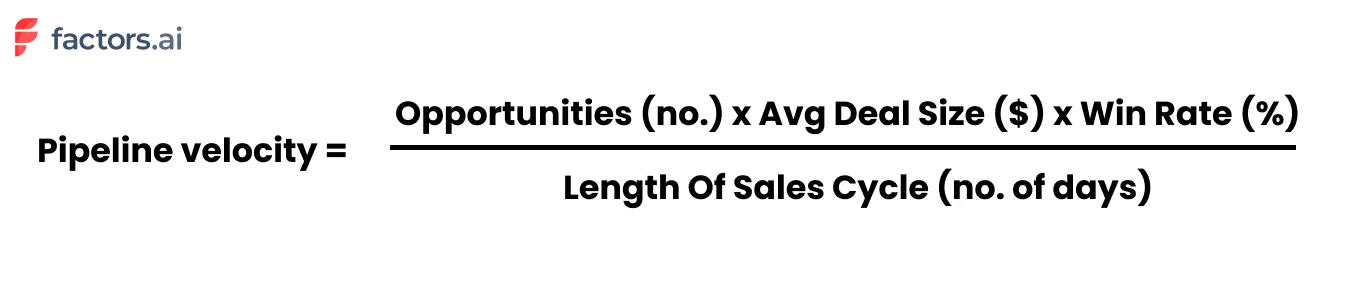
Let's take an example. Say we have 60 qualified opportunities at various stages along the pipeline. The average deal size of these opportunities is $5000. Historically, we've observed a win rate of 20% and sales cycles of around 30 days. Accordingly, our pipeline velocity may be calculated as follows:
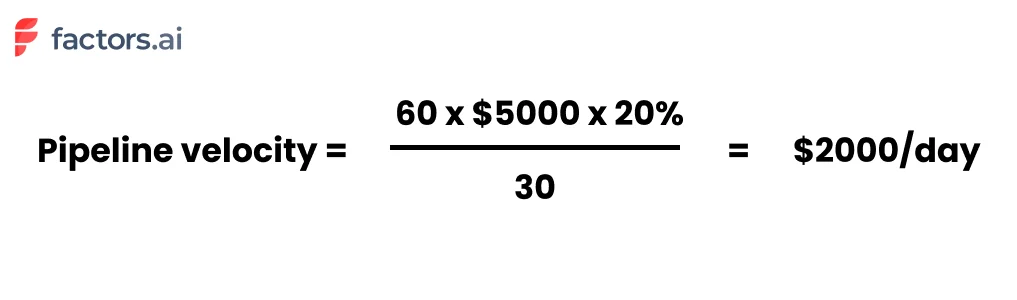
Extrapolating this, we arrive at a figure of $2000/day x 30 days for $60,000 per month.
Pipeline Velocity Calculator
Want to calculate your own pipeline velocity? Use this simple framework:
- Count your qualified opportunities — only include deals that have passed your qualification criteria (e.g., BANT or MEDDIC).
- Find your average deal size — pull this from your CRM's closed-won deals over the last 90 days.
- Calculate your win rate — divide closed-won deals by total closed deals (won + lost) over the same period.
- Measure your average sales cycle — average the number of days from opportunity creation to close for deals closed in the last 90 days.
- Apply the formula: (Opportunities × Deal Size × Win Rate) ÷ Sales Cycle Days = Your Pipeline Velocity
Example: 50 opportunities × $8,000 deal size × 15% win rate ÷ 45 days = $1,333/day (or approximately $40,000/month).
You may notice from the pipeline velocity formula that there are a few ways to improve pipeline velocity:
- Increase number of opportunities
- Increase average deal size
- Increase win rate
- Decrease length of sales cycle
Each variable is a lever that may be pulled to ramp up pipeline velocity. Of course, the most obvious way is to increase the number of opportunities/leads and deal size (easier said than done!). That being said, improving the buyer experience is a low-hanging fruit that results in dramatic improvements in win rates and quicker sales cycles.
But what makes improving the pipeline velocity so important anyway? Here are a few benefits of tracking and optimizing pipeline velocity:
Why is pipeline velocity important?
As HubSpot's director of sales, Dan Tyre, puts it:
"Sales managers live in fear that their pipeline is a bunch of fluff. In today's world of instant gratification, uncovering a sense of urgency and establishing sales pipeline velocity is important because it uncovers a slow-moving, or worse, stagnant pipeline".
1. Understand the overall health of the sales pipeline
Understanding your pipeline velocity helps keep tabs on the overall health of your sales pipeline. By knowing what works and what needs improvement, you can bring iterative, targeted changes to the sales engine. More revenue, less costs — win, win!
2. Ensure accurate sales forecasting
Measuring your pipeline velocity on a regular basis helps with accurate sales forecasting. For instance, taking the previous example, we have a pipeline velocity of $2000 per day, which can be expanded to $60,000 per month or $180,000 for the quarter. Using pipeline velocity is accurate as it's based on real-time sales data, not estimates.
3. Improve attribution & ROI
A powerful use-case is realized when pipeline velocity is used in tandem with attribution modeling. Picture this: each of your pipeline sources, broken down by qualified opportunities, deal size, win rate, and of course, pipeline velocity:
| Source | Opportunities | Avg Deal Size | Win Rate | Pipeline Velocity |
|---|---|---|---|---|
| Paid Search | 20 | $6000 | 30% | 1200 |
| Paid Social | 30 | $4000 | 10% | 400 |
| Cold Outreach | 6 | $5000 | 10% | 100 |
In combination with attribution, pipeline velocity can provide valuable insight into the most effective channels — which in turn can help guide marketing decisions and resource allocation. In this case, we see that even though paid social brings in more opportunities, it's paid search that results in the most ROI given its larger deal size and better win rate.
Sales cycle benchmarks for SaaS
Pipeline velocity itself varies significantly based on the nature and size of the company in question. Instead, here's a breakdown of the benchmark of length of sales cycles in SaaS
Length of sales cycle:
- Deals < $2000 ACV: 14 days
- Deals < $5000 ACV: 30 days
- Deals < $25,000 ACV: 90 days
- Deals < $100,000 ACV < 90-180 days
- Deals > $100,000 3 - 9 months
Depending on the nature of your business, your win rate should be anywhere from 5-20%. Of course, the number of opportunities and deal size is specific to your product, marketing & sales efforts. It wouldn't make sense to maintain or refer to benchmarks in this case.
How to Track Pipeline Velocity in SaaS
For SaaS companies, pipeline velocity is especially critical because of recurring revenue models and the compounding impact of faster deal cycles. Here's how to set up effective tracking:
1. Define Your Pipeline Stages Clearly
Map each stage from MQL → SQL → Opportunity → Proposal → Closed-Won. Ensure your CRM reflects these stages accurately so velocity calculations are meaningful.
2. Segment by Deal Size and Segment
Track velocity separately for SMB, mid-market, and enterprise deals. A $2K ACV deal closing in 14 days and a $100K deal closing in 180 days will produce very different velocity figures — combining them masks actionable insights.
3. Set Up Automated Reporting
Use your CRM (HubSpot, Salesforce, etc.) or a revenue intelligence tool like Factors to automatically calculate pipeline velocity weekly. Manual tracking introduces errors and delays.
4. Monitor Trends, Not Snapshots
A single velocity reading is just a snapshot. Track velocity weekly or monthly to spot trends — a declining velocity over 3+ weeks signals pipeline health issues that need immediate attention.
How to Identify Pipeline Bottlenecks
Before you can improve pipeline velocity, you need to diagnose where deals are getting stuck. Here are the most common pipeline bottlenecks:
- Long time-in-stage: If deals spend 2x the average time in a particular stage, that stage needs attention — whether it's slow follow-ups, missing stakeholder buy-in, or unclear next steps.
- High drop-off at specific stages: A sharp decline in conversion between stages (e.g., Demo → Proposal) indicates friction in that transition.
- Stale deals: Opportunities that haven't had activity in 14+ days are often dead weight. Regularly audit and remove or re-engage them.
- Qualification gaps: As one Reddit user noted, "Velocity slows when pipeline reflects interest rather than intent." If unqualified deals enter the pipeline, they inflate the denominator without contributing to wins.
How to improve pipeline velocity?
In short, improving pipeline velocity involves eliminating points of friction along the customer journey and aligning workflows and stakeholders to ensure smooth sailing. Here are a few tactics and strategies to do so:
Here's a quick-reference table showing the impact of improving each lever:
| Lever | Action | Example Impact |
|---|---|---|
| Opportunities | Better targeting, ABM, intent data | 60→75 opps: +25% velocity |
| Deal Size | Upselling, better packaging | $5K→$6K: +20% velocity |
| Win Rate | Sales training, qualification | 20%→25%: +25% velocity |
| Sales Cycle | Remove friction, automate follow-ups | 30→24 days: +25% velocity |
1. Make the most of existing traffic
Your website is a goldmine of hidden opportunities in the form of yet-to-be-converted accounts. Use an IP-based account intelligence tool (like Factors) to reveal anonymous accounts already engaging with your website, review pages, and ad campaigns.
Given that these accounts are already familiar with your brand, they're far more likely to convert: thereby increasing your "number of opportunities" and "win-rate".
2. Let visitors experience your work
As companies increasingly move towards product-led growth, it's becoming all the more important to show, not tell. While not all products (especially those at early stages) can adopt PLG models, it's really quite simple and effective to put up an interactive product tour on your website. This gives visitors a chance to know a little more about your work before choosing to book a demo, rather than having to go in blind.
{{CTA_BANNER}}
Again, this likely increases the number of opportunities, reduces average sales cycle length, and improves your win rate.
3. Document. Everything. Always.
There's no doubt that sales demos and discovery calls are important. But more often than not, buyers don't have the time to sit through another 30-min. Make life easier for your sales reps, CS team, and of course, the customers themselves by introducing comprehensive documentation on everything they might need to know.
Use-cases, How-tos, Implementation, etc, etc, etc should be easily accessible to anyone interested in your work — to mitigate the risk of unnecessary back-and-forth friction. This will certainly help reduce the length of the sales cycle.
4. Align relevant stakeholders
A vital, yet often overlooked step is ensuring alignment across marketing, sales, CS, and the customers. This involves timely handoffs, relevant communication, straightforward pricing and product details, and clear PoCs across every stage of the customer journey. This helps both the customer and internal departments streamline the sales process end-to-end.
5. Stay on top of data & metrics
The accuracy of your pipeline velocity metrics (and any other metric, really) relies heavily on the quality of your data. Ensure you're regularly maintaining numbers on qualified opportunities, deal size, and length of sales cycle in your CRM so the same may be leverage for pipeline velocity measurement.
What Sales Teams Actually Say About Pipeline Velocity
Pipeline velocity is widely recommended in sales literature, but what do practitioners think? Here's what real sales teams are saying:
The Good
- "Sales velocity helps forecasting in that you base it off actual historical data" — r/SalesOperations. Unlike gut-feel forecasts, velocity is grounded in real CRM data.
- Revenue leaders on LinkedIn consistently call pipeline velocity "the single metric that tells you how fast money is moving through your revenue engine."
The Challenges
- "The one thing that kills pipeline velocity is when everyone thinks they're aligned on lead definitions, but they're actually working off different criteria." — r/b2bmarketing. Marketing-sales alignment is critical.
- Data quality is the #1 blocker. If your CRM data is messy, your velocity calculation will be unreliable.
Pro Tip from the Community
Many experienced RevOps professionals recommend tracking stage-by-stage velocity rather than just overall pipeline velocity. This gives you granular insight into exactly where deals slow down — making it much easier to take targeted action.
How Factors help monitor & improve pipeline velocity
As important as it is, it can be a tedious, unintuitive chore to measure pipeline velocity — unless you have the right analytics solution, of course :)
Factors is an AI-fuelled intelligence & analytics platform that helps teams identify, score, and track accounts across the customer journey. We're talking about automated sales velocity calculations, flexible conversion funnels, IP-based account identification, multi-touch attribution, and more — everything you need to kickstart and refine your ABM process and…pipeline velocity!
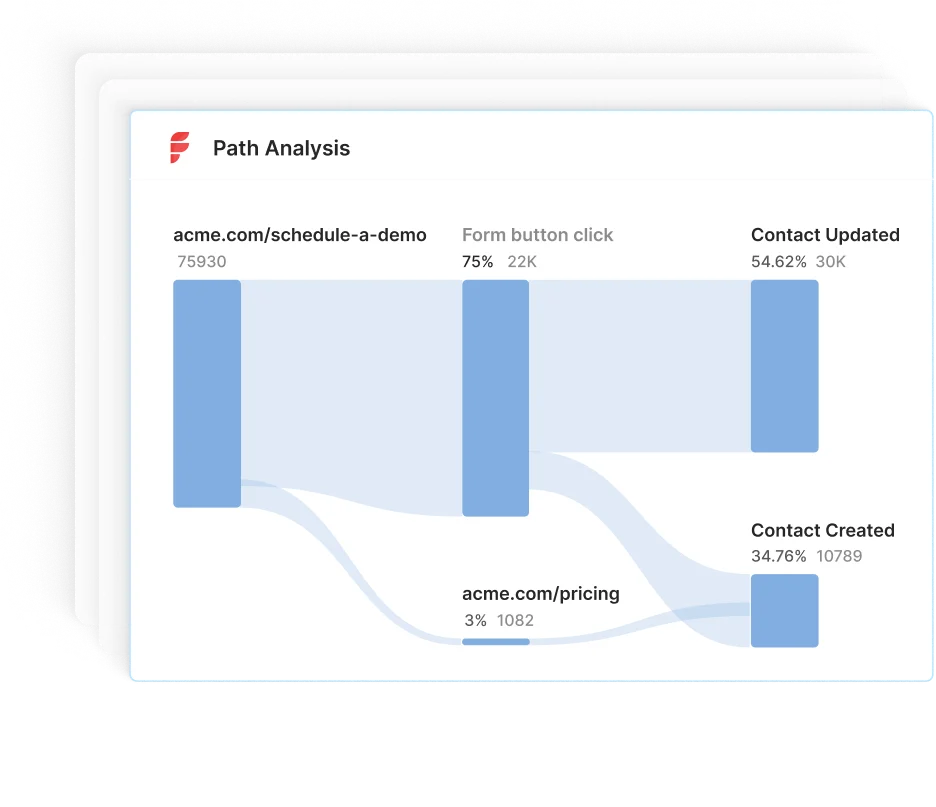
Accelerate B2B Sales with Pipeline Velocity Optimization
Pipeline velocity is a crucial metric that measures how quickly qualified leads convert into customers, enabling businesses to refine their sales process.
It's calculated using four key factors:
1. Opportunities: The number of deals in your pipeline.
2. Deal Size: The average value of each deal.
3. Win Rate: The percentage of deals successfully closed.
4. Sales Cycle Length: The time it takes to close a deal.
Improving pipeline velocity enhances sales forecasting, boosts ROI, and ensures a healthy pipeline. Strategies include optimizing existing traffic, effectively showcasing products, and aligning stakeholders for smoother deal progression. AI-driven tools like Factors streamline tracking and analysis, making it easier to refine your sales process and drive faster conversions.
Frequently Asked Questions on Pipeline Velocity
Q1. What is a good pipeline velocity?
A "good" pipeline velocity depends on your industry, deal size, and sales cycle. Rather than chasing an absolute number, focus on trending your velocity upward over time. If your velocity is $2,000/day this quarter and $2,500/day next quarter, that's a 25% improvement regardless of what competitors achieve.
Q2. What is the pipeline velocity rate?
The pipeline velocity rate is the dollar amount of revenue your pipeline generates per day. It's calculated using the formula: (Number of Opportunities × Average Deal Size × Win Rate) ÷ Sales Cycle Length. For example, if you have 60 opportunities, a $5,000 average deal size, a 20% win rate, and a 30-day sales cycle, your velocity rate is $2,000/day.
Q3. How do you calculate pipeline velocity?
Pipeline velocity = (Number of qualified opportunities × Average deal size × Win rate) ÷ Average sales cycle length in days. Multiply the number of deals in your pipeline by the average deal value and your historical win rate, then divide by how many days it typically takes to close a deal.
Q4. What does sales pipeline velocity mean?
Sales pipeline velocity (also called sales velocity) measures how quickly qualified leads move through your sales pipeline and convert into paying customers. It tells you how much revenue your pipeline generates per day, helping with forecasting, resource allocation, and identifying bottlenecks.
Q5. What is deal velocity?
Deal velocity is closely related to pipeline velocity but focuses on individual deals rather than the entire pipeline. It measures how quickly a specific deal progresses from one stage to the next. Tracking deal velocity helps sales managers identify which deals are progressing normally and which are stalling.
Q6. How does pipeline velocity differ from pipeline coverage?
Pipeline velocity measures speed — how fast deals move through the pipeline. Pipeline coverage measures volume — whether you have enough pipeline to hit your quota (typically 3-4x coverage is recommended). Both are important: high coverage with low velocity means you have lots of deals but they're not closing fast enough.

Pipeline Marketing: A Complete B2B Framework for Revenue Growth
Learn how pipeline marketing aligns sales and marketing to boost B2B revenue. Discover key stages, metrics, and best practices for implementation.
TL;DR
- Pipeline marketing unites sales and marketing teams to focus on shared revenue goals. The process includes seven stages: prospecting, lead qualification, engagement, proposal, negotiation, closing, and post-sale follow-up, culminating in advocacy and referrals.
- Aligning sales and marketing (SMarketing) ensures seamless handoffs, improved communication, and higher conversion rates.
- Tracking metrics like conversion rates, deal velocity, and customer value helps identify issues and enhance performance.
- Attribution modeling reveals which marketing efforts drive pipeline success, guiding investment decisions.
B2B organizations often miss revenue targets and waste marketing dollars when marketing and sales operate in silos. Generating high volumes of unqualified leads forces sales reps to chase cold prospects, resulting in low conversion rates, unreliable forecasts, and frustrated teams.
Pipeline marketing bridges this gap by aligning marketing and sales around shared revenue goals. It ensures every lead is:
- Nurtured at each stage of the buyer’s journey
- Qualified for fit and intent before handoff
- Tracked through to closed revenue
By adopting a pipeline marketing framework, you’ll turn fragmented activities into a unified, revenue-focused engine, driving predictable growth and maximizing ROI.
In this guide, we’ll define pipeline marketing, break down its stages, and share best practices to help your team hit consistent pipeline and revenue targets.
What is Pipeline Marketing?
Pipeline marketing is a B2B strategy that directly links marketing and sales activities to revenue outcomes. Unlike traditional marketing, which often stops at lead generation, pipeline marketing follows leads through the entire sales journey, from initial contact to closed deal and beyond. The goal is to align both teams around shared objectives, with a focus on lead quality, conversion rates, and customer lifetime value.
This framework relies on three pillars:
- Collaboration: Marketing and sales work from the same playbook, using shared definitions and dashboards.
- Data-Driven Decisions: Every interaction, from email opens to demo requests, is tracked and scored, so you know exactly which accounts to prioritize.
- Continuous Improvement: Regularly review pipeline metrics, identify bottlenecks, and refine campaigns to boost velocity and win rates.
By unifying teams around a single revenue funnel, pipeline marketing eliminates gaps, improves forecasting accuracy, and turns your demand-gen efforts into a predictable growth engine.
The Pipeline Marketing Framework: Definition and Core Principles
The pipeline marketing framework connects all marketing and sales activities to business outcomes. It guides prospects through stages, from initial awareness to engagement and nurturing, and ultimately to conversion, retention, and advocacy. This framework unifies your teams under a single revenue goal, making both marketing and sales accountable for pipeline health and growth.
Key principles of Pipeline marketing include:
- Revenue-Driven Alignment (SMarketing): Promotes deep alignment between sales and marketing teams, holding both accountable for pipeline performance, not just lead generation.
- Lead Quality Over Quantity: Prioritizes generating high-fit, high-intent leads that are more likely to convert and drive revenue, rather than chasing high lead volume.
- Data-Backed Decision Making: Uses performance data to optimize every stage of the funnel, helping teams adjust messaging, targeting, and channels for better ROI.
- Closed-Loop Feedback System: Encourages ongoing communication between sales and marketing to surface insights, identify bottlenecks, and improve conversion processes in real-time.
- Customer Journey Mapping: Tracks and analyzes every buyer touchpoint, enabling more personalized engagement and enhanced pipeline visibility.
- Retention and Advocacy as Priorities: This approach extends beyond initial conversion, as pipeline marketing continues post-sale to nurture retention, upsell opportunities, and foster customer referrals.
- Foundation for Sustainable Growth: By tying marketing metrics to revenue and customer success, this framework builds a scalable, repeatable engine for long-term business growth in B2B.
{{INLINE_MOFU}}
Key Stages of the Pipeline Marketing Framework
A robust pipeline marketing framework delineates the buyer’s journey into distinct stages, guiding prospects from initial contact to loyal advocacy. It begins with:
1. Prospecting and Lead Generation
Identify and attract potential buyers through targeted outreach, SEO, content marketing, ads, and social campaigns that spark initial interest.
2. Lead Qualification
Evaluate leads based on fit and interest using criteria like budget, need, and buying timeline, ensuring sales teams prioritize the most promising opportunities.
3. Sales Engagement and Nurturing
Engage qualified leads with personalized emails, calls, demos, and content that builds trust and addresses their specific pain points and questions.
4. Proposal and Negotiation
Present tailored solutions aligned with the prospect’s needs, while addressing objections and aligning on pricing, scope, and expectations.
5. Closing the Deal
Finalize the agreement with a contract or sale, converting the lead into a paying customer and transitioning ownership to onboarding or customer success.
6. Post-Sale Follow-Up and Retention
Ensure smooth onboarding, continued support, and value delivery to keep the customer engaged and reduce churn risk.
7. Advocacy and Referrals
Turn satisfied customers into brand advocates through reviews, testimonials, referrals, and case studies to organically fuel new pipeline growth.
Each stage is crucial for maintaining a healthy, revenue-driven B2B pipeline.
Aligning Sales and Marketing: The Role of SMarketing
In many B2B organizations, sales and marketing operate in silos. This often leads to miscommunication, poor lead handoffs, and wasted resources. SMarketing solves this by aligning both teams around shared goals, messaging, and metrics. Instead of working independently, sales and marketing collaborate to define the Ideal Customer Profile (ICP) and buyer personas. This ensures both teams are targeting the same high-value prospects.
They also agree on lead qualification criteria, such as what defines a Marketing Qualified Lead (MQL) or a Sales Qualified Lead (SQL). This alignment improves lead quality and boosts conversion rates throughout the funnel. SMarketing includes co-creating content that supports each stage of the buyer journey. This ensures consistent messaging and more relevant experiences for the prospect.
Regular meetings, shared dashboards, and integrated tools like CRMs help both teams stay aligned. These practices enable transparency and foster continuous feedback. Lead handoffs become smoother, reducing lead leakage and improving follow-up speed. In the end, SMarketing turns pipeline marketing into a well-synced, revenue-generating machine.
Metrics and Performance Measurement in Pipeline Marketing
Measuring the right metrics is essential for optimizing your pipeline marketing efforts. Some metrics to keep track of are:
- Track Primary Metrics First: Start by measuring key business-impact metrics such as total revenue generated and overall pipeline value. These provide a direct view of how marketing and sales efforts contribute to growth.
- Monitor Secondary Metrics for Optimization: Keep an eye on lead-to-customer conversion rates, average deal size, and sales cycle length. These metrics help identify bottlenecks and areas where efficiency can improve.
- Analyze Tertiary Metrics for Tactical Insights: Review engagement-level data like email open rates, click-throughs, content downloads, or event attendance. These show how well individual tactics are performing.
- Measure Performance Across Pipeline Stages: Track how leads progress from awareness to conversion. This stage-wise visibility ensures that only high-quality prospects progress efficiently through the pipeline.
- Use CRM Tools and Dashboards: Leverage platforms like Factors.ai to visualize data in real time. This supports quick decision-making and ongoing strategy refinement.
- Conduct Regular Reviews with Both Teams: Meet consistently with marketing and sales to review KPIs, identify misalignment, and adjust campaigns or processes as needed.
- Focus on Metrics that Drive Revenue: Don’t get distracted by vanity metrics. Prioritize insights that directly impact pipeline velocity, conversion, and ROI to make your pipeline marketing truly effective.
By focusing on the right metrics, you can enhance your pipeline marketing and achieve consistent revenue growth.
Attribution Modeling: Understanding What Drives a Better Pipeline
Attribution modeling is a vital component of pipeline marketing, as it helps pinpoint which marketing activities contribute most to moving leads through the sales funnel. In B2B, the buyer journey is rarely linear. Prospects typically engage with multiple touchpoints, such as webinars, paid ads, content downloads, emails, and sales calls, before converting. Attribution models assign value to each of these interactions to clarify which channels and tactics are actually driving results.
There are several standard models: a first-touch model gives full credit to the initial interaction that brought in the lead, a last-touch model credits the final action before conversion, and multi-touch models (such as linear or time-decay) assign partial credit across all significant touchpoints. By analyzing these models, marketers can make data-backed decisions about where to invest budget, which campaigns to optimize, and how to align sales and marketing efforts more effectively.
Attribution modeling not only improves ROI tracking but also enhances strategic planning by spotlighting the touchpoints that accelerate deals. It ensures your team is doubling down on what works and reducing waste on what doesn’t.
Challenges to Implement Pipeline Marketing and How to Overcome Them
Implementing pipeline marketing in B2B settings presents challenges. Some major issues are:
- Sales and Marketing Misalignment: When sales and marketing teams aren’t aligned, it leads to inconsistent messaging and missed opportunities. Solve this with regular cross-functional meetings, shared goals, and mutual accountability.
- Poor Lead Qualification: Wasting time on unqualified leads drains resources. Use clear lead scoring criteria based on data and behavior to prioritize prospects more effectively.
- Limited Pipeline Visibility: Outdated tools and manual processes hinder visibility into pipeline progress. Invest in integrated CRM and analytics platforms to track pipeline stages in real time.
- Bottlenecks in Proposal and Negotiation Stages: Deals often stall during these phases. Monitor pipeline data regularly to identify delays promptly and implement process improvements or support tools to expedite decision-making.
- Neglecting Post-Sale Engagement: Without proper follow-up, even closed deals can turn into lost clients. Establish structured onboarding, check-ins, and opportunities for upselling and cross-selling to maintain strong relationships.
- Data Silos and Fragmentation: When data is scattered across platforms, it prevents a unified view of the customer journey. Integrate data sources and create centralized dashboards for consistent performance tracking.
- Inconsistent Measurement and Feedback Loops: Without regular reviews, performance issues go undetected. Set up recurring pipeline reviews with sales and marketing teams to assess progress, adjust strategies, and optimize touchpoints.
By addressing these challenges, you can maintain a strong and effective pipeline marketing system.
Best Practices for Building and Managing Your Pipeline Marketing Framework
To establish a robust pipeline marketing framework, implement the following best strategies:
- Align Sales and Marketing Teams: Establish shared revenue goals and ensure ongoing communication between both teams to support collaboration and accountability throughout the pipeline.
- Define Clear Pipeline Stages: Break down your pipeline into distinct stages (e.g., lead, MQL, SQL, opportunity, closed-won) and set clear criteria for moving leads through each phase.
- Implement Lead Scoring: Utilize behavioral and demographic data to rank prospects based on their conversion likelihood, allowing your team to focus efforts on the most sales-ready leads.
- Adopt a Powerful CRM System: Choose a CRM that offers real-time analytics, reporting, and easy integration with marketing tools to monitor pipeline activity and performance.
- Maintain Pipeline Hygiene: Routinely audit your pipeline to remove outdated or inactive leads, ensuring that your sales team works with a clean, relevant list of prospects.
- Train Teams and Iterate Processes: Educate both marketing and sales teams on the pipeline framework and use their feedback to refine workflows and remove friction points.
- Nurture and Engage Continuously: Deliver personalized, timely content across the buyer’s journey, including post-sale touchpoints to drive customer retention, loyalty, and referrals.
These practices will help you create an effective pipeline marketing system that delivers results.
Final Thoughts: Pipeline Marketing for Sustainable B2B Growth
A well-structured pipeline marketing plan is vital for B2B companies to boost revenue and enhance collaboration between sales and marketing. By defining each step, from prospecting to advocacy, you ensure every lead is nurtured and guided through the buying process. Align your teams with shared goals, leverage data insights, and refine your methods to identify issues, shorten sales cycles, and increase conversions.
By focusing on both acquiring and retaining customers and employing robust attribution models, you can enhance your marketing return and build lasting customer relationships. Mastering pipeline marketing enables your business to convert more leads into loyal customers, supporting steady growth in today’s competitive B2B environment.

Identify & Target High-Intent Accounts With Webhooks & Pipedrive
This guide explores how to identify and convert high-intent accounts with the combined powers of Factors’ account identification and Pipedrive webhooks.
Target the right accounts, at the right time with intent-based outreach
B2B sales teams spend a lot of time and effort reaching out to cold prospects only to achieve disappointing results. In fact, even successful benchmarks tag the average cold-call response rate at just 2%.
And honestly, It’s not difficult to see why.
While it’s simple enough to find lists of companies and contacts that fit your ideal client profile, it’s a monumental challenge to convince prospects to consider your solution when they’re not in the market for one.
So what’s the alternative to reaching out to the right accounts at the wrong time?
Reaching out to the right accounts at the right time of course! Or more specifically, it’s intent-based outreach based on the goldmine of anonymous, sales-ready companies already visiting your website.
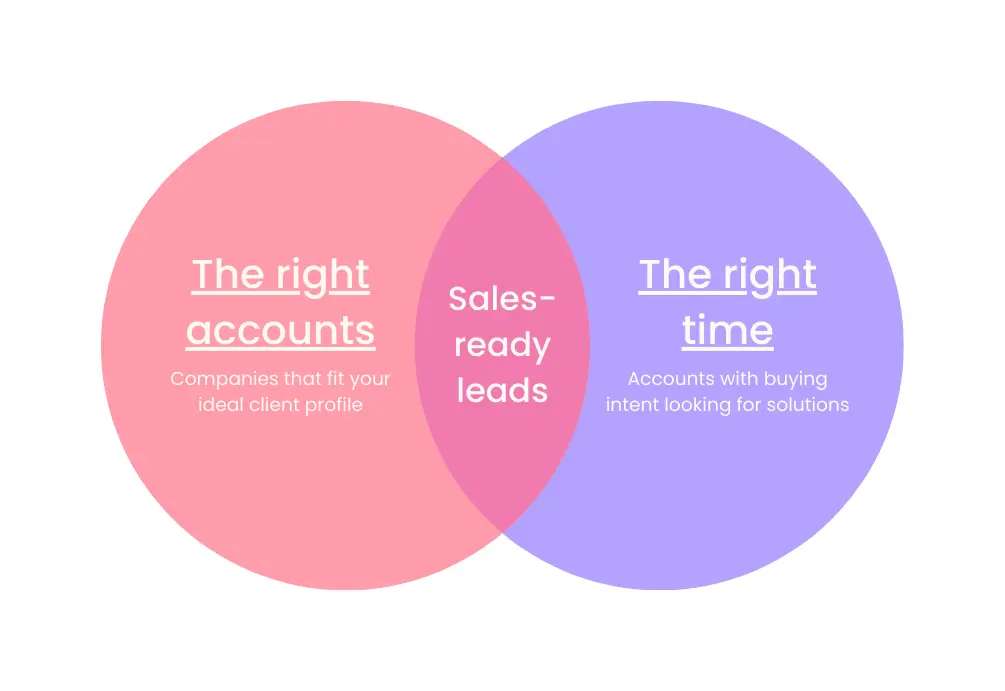
The following guide explores how to identify and target sales-ready accounts with the combined powers of Factors’ account identification and Pipedrive webhooks. We first discuss how this integration works, before delving into a handful of use-cases.
How It Works: Pushing data back into Pipedrive
Factors taps into industry-leading IP-lookup technology to identify up to 64% of anonymous website traffic at an account-level — without the need for form submissions. This includes company names as well as firmographics such as geography, industry, employee headcount, revenue range and more.
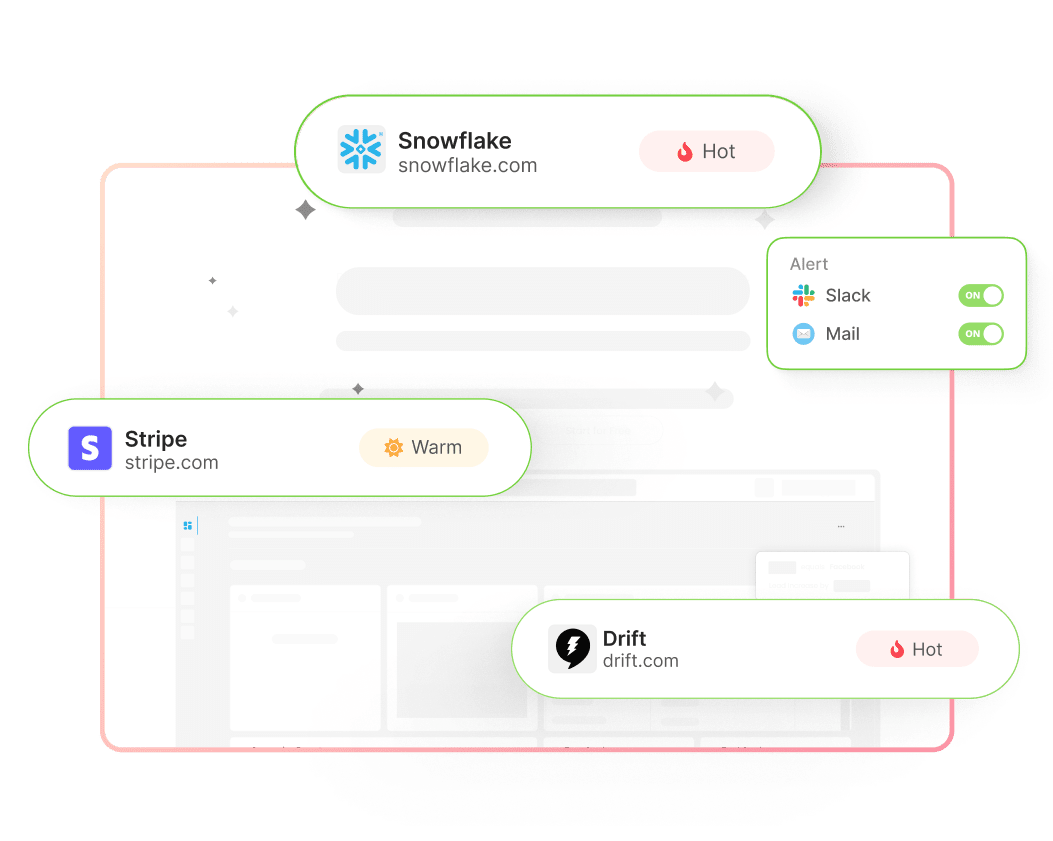
In addition, Factors auto-tracks account-level website activity, engagement, and intent with advanced analytics. This includes page views, button clicks, scroll-depth, account timelines, funnels and more.
With this information, users can filter the total set of anonymous website visitors down to ICP accounts that have expressed buying intent:
- ICP criteria: Filter down traffic based on firmographics such as industry, headcount and revenue-range to identify accounts that fit your ideal client profile.
- Intent criteria: Filter down traffic based on intent signals such as high-intent page views such as pricing, time-spent on page, and percentage scroll-depth to identify sales-ready buyers.
In short, access a list of high-intent ICP accounts that are already visiting your website but are yet to submit a form or sign-up.
Now, with webhooks and Zapier, it’s easier than ever to automatically push all this identification data from Factors into any other tool your team uses. This includes ad platforms, marketing automation platforms, and, in this case, Pipedrive CRM.
How will this help? Rather than going after cold leads with negligible chances of conversion, sales reps can view, segment, and target sales-ready accounts inside Pipedrive. As we’ll see in the next section, this dramatically simplifies and improves targeted sales outreach.
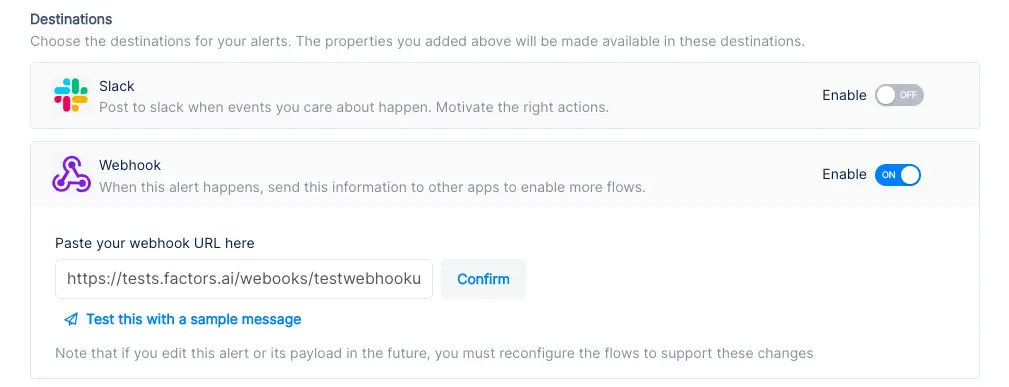
Implementing Webhooks on Factors is easy as pie. See how here.
{{INLINE_TOFU}}
Use-cases: Making the most of your website traffic
1. Identify new business opportunities
Factors surfaces anonymous, high-intent companies visiting your website. As previously discussed, this data can be filtered down to high-fit, high-intent accounts.
Using webhooks, this data can be pushed from Factors into Pipedrive. In other words, you can automatically create organizations inside Pipedrive for visitors that match your ICP and intent criteria.
For example, webhooks can be configured to create a new company when a visitor from a US-based software company with at least 250 employees is live on your website.
Here are a few more examples of what you can see inside your CRM with Factors:
- Accounts that visit a landing page through a search ad but fail to submit a form
- Software companies with at least 500 employees visiting high-intent pages like pricing
- US-based companies that have read through at least half a product comparison blog
Rather than relying on the 5% of website traffic that submits a form, teams can identify and target a deep new pool of potential pipeline — all within Pipedrive. What’s more? Alerts can be relayed to sales reps in real-time through Slack or MS teams so they can immediately reach out to live prospects.
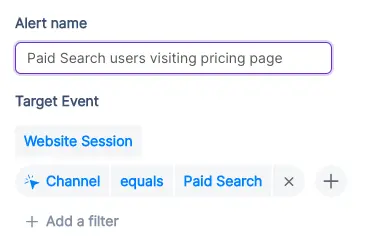
2. Stay on top of existing target accounts
In addition to recording new accounts visiting your website, Factors can be used to monitor and update data for target accounts that already exist within Pipedrive.
For example, say an account clicks on a search ad, submits a demo form, but never schedules time on your calendar. While the account's data is available in Pipedrive, it can be tedious to track and update their actions post the demo form submission.
To solve for this, Factors can automatically update CRM properties based on trigger criterias when account return to your website. Let’s say that the same account is back reading a product alternatives blog or visiting the pricing page after a couple of weeks. This event can be updated within Pipedrive, including their last active time.
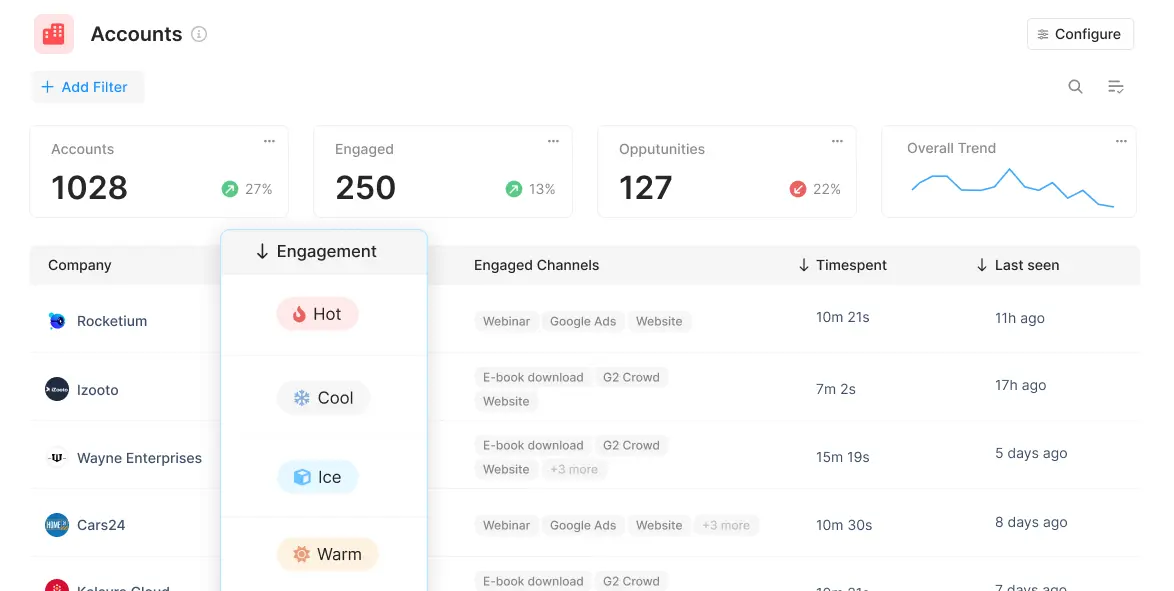
Sales reps can be notified with real-time when high-intent events take place so as to be able to immediately reach out to accounts and improve the odds of conversion.
3. Accelerate deals with behavioral data
Certain marketing material may or may not be relevant depending on the audience in question. For example, an enterprise-level account may be especially interested in security compliance related content. An early-stage start-up, on the other hand, may find content around cost-effective pricing more appealing.
Factors can track how various types of companies are interacting with your website to understand what target accounts care about most. This data can be pushed back into Pipedrive so sales reps can easily assess a prospect’s interactions, priorities and pain-points before jumping into a sales call.
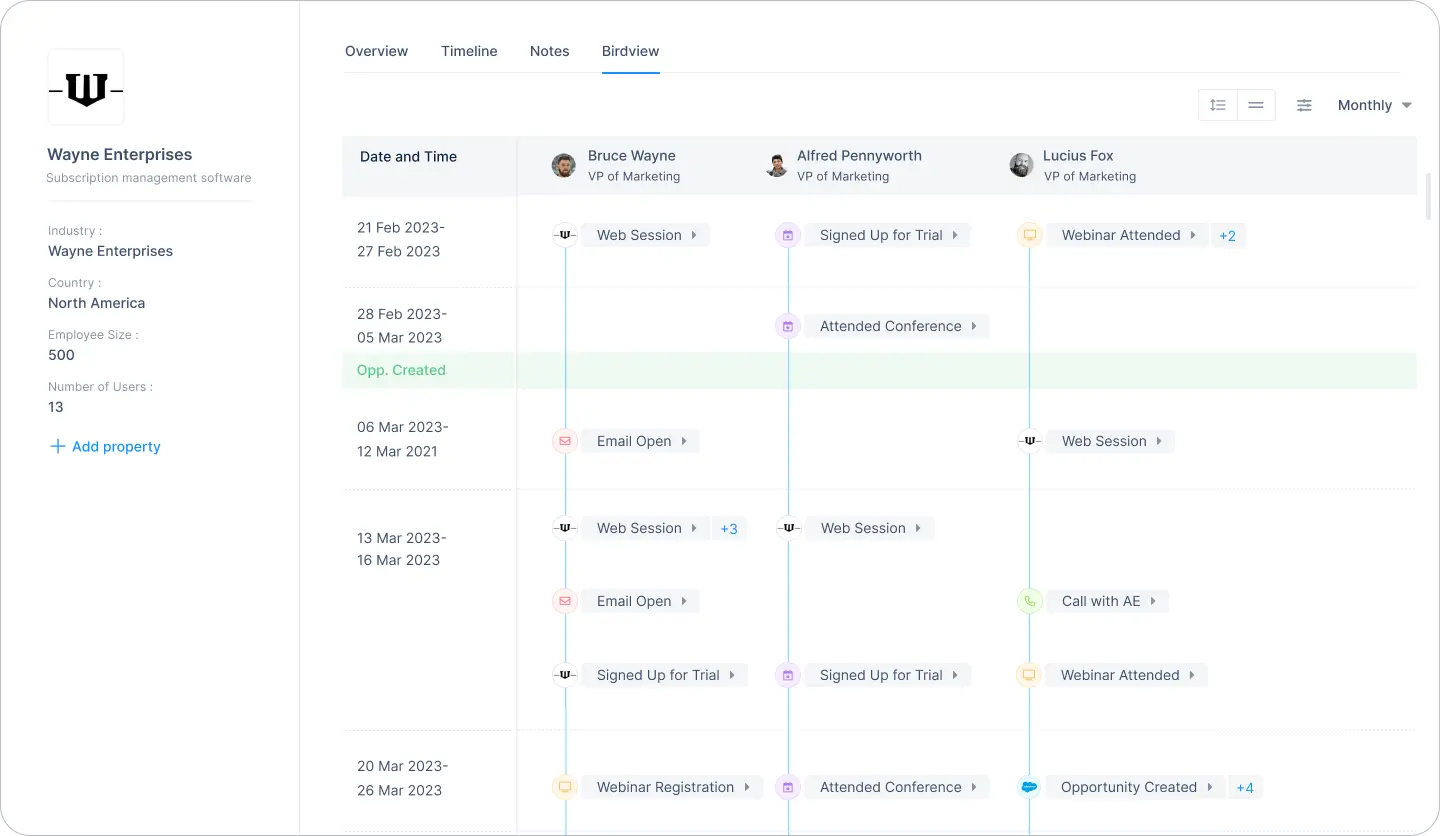
For one, sales reps can accelerate deals by personalizing the customer experience. For another, marketing teams can gauge what resonates best with the target audience and finetune content efforts accordingly.
4. Rekindle lost opportunities
Use Factors to track how prospects who have dropped off the funnel or former customers are returning to engage with your website. For instance, maybe a client who churned a couple of quarters ago is back interacting with a page that highlights a new feature release.
This may be an intent-signal that the account is reconsidering your product. It might be a good idea for sales reps to reach out and share some relevant information on what’s new. Of course, this doesn’t necessarily guarantee a conversion. But it’s far more effective than reaching out to an ice cold prospect.
This guide has covered a handful of ways in which pushing visitor data back into Pipedrive can be helpful. Ultimately, the goal is to align account data with relevant stakeholders and technologies in order to:
- Drive intent-based sales outreach
- Refine ABM efforts and spends
- Optimize retargeting campaigns
There are countless other use-cases with account identification working in conjunction with CRMs, MAPs, and more. With webhooks, Factors can push valuable website account data to nearly any platform on the planet. How you make the most of that data is really up to you — the possibilities are endless.

Organic SEO Agency: Services, Strategy, and How to Choose the Right Partner for B2B Growth
Learn how B2B brands can drive pipeline growth with the right organic SEO agency. Read about key services, strategy alignment tips, and partner evaluation criteria.
TL;DR
- Organic SEO for B2B is about influencing pipeline across the buyer journey. Buyers show up at different stages, and SEO supports those moments quietly and consistently.
- Strong organic SEO agencies build systems that compound over time. This includes technical foundations, deep content, smart internal linking, and continuous optimization rather than one-off tasks.
- SEO measurement needs to move past raw traffic. The real signals are ICP-fit engagement, topic-level performance, and how organic search supports revenue across multiple touchpoints.
- Choosing the right partner comes down to clarity and credibility. Look for operational transparency, strategic alignment, and real experience with complex B2B buying journeys.
If you run a B2B company, you’ve probably had this exact moment:
The traffic chart is up and to the right. Someone drops a “🚀” in Slack. And then a very calm, solemn voice from leadership asks:
“Cool… but did this make us any money?”
Translation:
“Is SEO actually driving revenue, or is it just the business equivalent of a participation trophy?”
That question is exactly why choosing the right organic SEO agency matters more than ever.
Look… we all know that SEO is NOT about flexing rankings in a deck like it’s 2016. It lives at the intersection of how buyers actually research, how demand gets created, and how long B2B sales cycles really take (read: longer than a Succession episode, shorter than an entire season).
This really loooong blog breaks down what an organic SEO agency actually does, how organic SEO works in a B2B context, how to evaluate SEO services without getting sold a golden dream, and how to measure results (in a way leadership doesn’t side-eye).
What is an organic SEO agency?
Let’s start with this (^) basiiiic question… the one everyone asks but rarely gets a straight answer to.
At its simplest, an organic SEO agency helps your business show up in search results without paying for every click. Say goodbye to ads and bidding wars. It’s just your website appearing when the right people are actively looking for answers, solutions, or vendors like you.
Now, if you’ve ever typed something like what is an SEO company or SEO company meaning into Google, you were probably trying to figure out one thing:
“Is this actually useful for my business, or just another buzzy buzzword?”
Good question.
Here’s what an organic SEO agency actually does…
An organic search engine optimization company focuses on helping your website earn visibility, not rent it.
That usually means working across four big areas:
- Making your site search-friendly
So search engines can crawl it, understand it, and rank it properly. - Matching real search intent
Creating pages that answer what your buyers are actually searching for, not what a keyword tool says looks ‘good’. - Structuring content clearly
Pages that are easy to read, easy to navigate, and easy for search engines to interpret. - Building long-term trust
Through depth, consistency, and authority, not hacks or shortcuts.
The end goal is not ‘more traffic’ in isolation. It is the right traffic, showing up at the right moments.
And what do SEO services really mean?
When someone asks this question, they are usually expecting a checklist, but it’s really just about building a system that works over time.
Today, SEO services typically cover:
- Technical site health
- Content relevance and depth
- Page structure and internal linking
- Search intent alignment
- Ongoing optimization and measurement
A good organic SEO agency is not a one-time fixer. It is a long-term growth partner that helps your site stay discoverable as search behavior, algorithms, and competition evolve.
So, how is organic SEO different from paid growth?
Here’s where most confusion creeps in.
Organic SEO is about earning attention over time. Paid ads are about buying attention instantly.
An organic SEO agency does not manage ad budgets, bid on keywords, or promise immediate spikes. Instead, it improves how your site performs in search results, in the long-term.
That is why SEO feels slow at first, but impactful later. Once it starts working, it keeps working, even when you are not actively spending.
| Organic SEO agency vs Search Engine Marketing (SEM) agency |
|---|
| The names are similar, but the scope is different. An organic SEO agency focuses only on unpaid search growth. While an SEM agency often bundles SEO with paid search, CRO, or broader marketing and SEO services. This distinction matters A LOT because speed, effort, and measurement/ metrics differ significantly for both. |
How Organic SEO Works for B2B Companies
If you’ve worked in B2B long enough, you already know this:
People don’t wake up, Google a product, and book a demo five minutes later.
B2B deals rarely close in a single session. Buyers read, leave, share links internally, come back weeks later, and repeat the process (and this goes on for months).
And that’s exactly why organic SEO works so well for B2B (when it’s done right). B2B buyers use search long before they are ready to talk to sales.
They search when:
- Something feels broken in their process
- A stakeholder asks an unexpected question
- A tool stops scaling
- A budget conversation is coming up
- All of the above
The three search stages that matter in B2B
Understanding these three search stages is key to knowing how SEO drives value.
- Problem-aware searches
These are early, exploratory searches. Buyers are trying to name or understand a challenge. They are not looking for vendors yet. - Solution-aware searches
The buyer is now evaluating approaches, frameworks, or tool categories. They are comparing ways to solve the problem. - Vendor-aware searches
This is where brand names, comparisons, alternatives, and pricing-related queries show up.
Strong organic SEO strategies cover all three stages. Weak ones obsess only over the last (and that’s why they fail).
How does SEO fit into these loooong B2B buying cycles
Organic SEO supports it by:
- Giving buyers something useful at each stage of the buyer journey
- Building familiarity before a sales conversation begins
- Creating multiple touchpoints across the journey
By the time someone fills out a form, they have often interacted with your content more than once... SEO helps make those interactions happen naturally.
Now, let’s look at SEO as a pipeline influence channel
Here’s where many teams misunderstand SEO.
Organic search may not always ‘convert’ in a visible way. Instead, it:
- Improves lead quality
- Shortens sales cycles
- Increases confidence during buying decisions
- Supports deals that close later
For B2B companies, organic SEO is all about consistent pipeline influence.
When done well, it becomes one of the most reliable sources that bring in educated, high-intent buyers over time.
SEO Agencies… What are their core organic SEO services?
Now… this is usually where things get fuzzy.
You ask an agency what their organic SEO services include, and suddenly you are staring at a 40-item list that sounds impressive but explains nothing.
So… let’s slow it down and break this into real, understandable pieces.
These are the core services most quality SEO services are built on, especially for B2B companies.
- Technical site audit and optimization
This is the foundation. If this is weak, everything else is likely to fall apart.
Technical SEO focuses on whether search engines can access, understand, and trust your site. This includes:
- Crawling and indexing issues
- Page speed and performance
- Mobile usability
- Core Web Vitals
- URL structure and site architecture
- Schema and structured data
You rarely see technical SEO working, but when it’s broken… you’ll know (because you’ll see your growth stall).
- Keyword research and intent clustering
Modern SEO does not chase single keywords anymore.
Instead, organic search agencies group related searches into intent-based clusters. These clusters reflect how buyers actually think and search.
This approach helps:
- Build topical depth
- Avoid thin or repetitive content
- Capture multiple variations of buyer intent
For B2B, clustering is especially important because searches are nuanced and rarely transactional on the first visit.
- Topical authority building
Topical authority is about depth (not only volume)... think thought leadership?!
Instead of publishing disconnected blogs, organic SEO agencies build interconnected content around specific themes that matter to your buyers.
This signals two things:
- To search engines: your site understands this topic deeply
- To buyers: your brand knows what it’s talking about
Authority compounds over time, which is why SEO rewards consistency.
- Long-form content creation
B2B buyers don’t just skim, smile and throw a ton of dollars at you. They read, compare, and validate.
Long-form content supports this behavior by:
- Answering complex questions fully
- Supporting internal stakeholder discussions
- Reducing friction in later sales conversations
This includes guides, comparisons, frameworks, and educational resources designed for decision-makers.
- On-page optimization and internal linking
On-page SEO ensures that:
- Pages are structured logically
- Headings guide the reader
- Internal links connect related ideas
- Important pages receive enough visibility
Good internal linking also helps search engines understand which pages matter most.
- SERP experience optimization
Organic SEO services now include optimizing for (hey, AI!):
- Featured snippets
- FAQ results
- Rich snippets
- AI-friendly formatting
The goal is visibility and clarity before someone even clicks.
- Organic search engine optimization management
If I had a dollar for everytime I said this to someone… let me just say I would be sipping on piña coladas in Hawaii (and not writing this 3500-word blog).
SEO is NOT a one-time setup.
Algorithms shift. Competitors publish. Buyer language evolves. Boom… everything’s changed suddenly.
Ongoing SEO management includes:
- Updating existing content
- Monitoring performance trends
- Improving pages that plateau
- Expanding into new topic areas
- Reporting and performance tracking
At this stage, reporting typically focuses on:
- Traffic quality
- Engagement patterns
- Content performance by topic
Revenue and attribution come later, and we’ll cover that in depth in a separate section.
- Organic SEO consultant vs full-service agency
An organic SEO consultant is usually best for:
- Strategy
- Audits
- One-time guidance
A full-service organic SEO agency handles execution, content production, optimization, and ongoing management.
Both have their place. And the right choice depends on internal bandwidth and growth goals.
{{INLINE_MOFU}}
Organic SEO Agency vs Paid Search Agency
At some point in my life, I’ve heard almost every B2B team asks this question:
“Should we invest more in SEO, or just put the money into ads?”
It’s a fair question. And the honest answer is rarely one or the other.
Look, paid search is immediate. You turn it on, traffic appears. You turn it off, traffic disappears. Paid also gives you control. You can test messaging quickly, scale spend, and target very specific queries.
Organic SEO takes longer to show results, but once it gains traction, it keeps working in the background. Pages continue to rank, content continues to attract buyers, and visibility does not vanish the moment budgets pause. Organic SEO gives you compounding value. Each piece of content builds on the last. Authority strengthens. Marginal cost decreases over time.
For B2B companies with long sales cycles, this compounding effect matters.
PS: This difference is why SEO often feels frustrating early and invaluable later.
Organic SEO Agency vs Paid Search Agency
| Aspect | Organic SEO Agency | Paid Search Agency |
|---|---|---|
| Time to impact | Slower to show results initially | Immediate traffic once campaigns go live |
| Longevity of results | Continues delivering value over time | Traffic stops as soon as spend stops |
| Cost structure | Upfront investment with decreasing marginal cost | Ongoing spend required to maintain results |
| Control and flexibility | Limited short-term control over rankings | High control over targeting, messaging, and budgets |
| Scalability | Scales through content and authority over time | Scales primarily by increasing spend |
| Compounding effect | Strong compounding returns as authority builds | No compounding; performance resets when spend pauses |
| Best suited for | Long-term growth and sustained demand capture | Short-term campaigns and immediate demand capture |
| Impact on B2B sales cycles | Supports long, research-heavy buying journeys | Captures active, high-intent demand quickly |
| Budget dependency | Less dependent on continuous spend once established | Highly dependent on continuous budget allocation |
Here’s why B2B teams eventually (could) need both
Organic SEO and paid search serve different jobs.
Paid search is great for:
- New product launches
- Short-term campaigns
- Testing positioning
- Capturing immediate demand
Organic SEO is better for:
- Sustained demand capture
- Educating buyers early
- Supporting long research cycles
- Reducing long-term acquisition costs
This is why many teams look for agencies that understand both channels, even if execution is split across partners.
| Where organic SEO agencies fit best |
|---|
| An organic SEO agency shines when the goal is: • Long-term growth • Category authority • Search visibility that does not rely on constant spend Paid agencies optimize budgets. Organic SEO agencies build assets. Knowing which problem you are solving helps you choose the right partner. |
Benefits of Hiring an Organic Search Agency for B2B
By now, the question (hopefully) shifts from “What does an organic SEO agency do?” to “Is this actually worth it for a B2B business like ours?”
This is where the answer becomes clear as the water in Similan Islands (Thailand).
- Creates a scalable, non-paid pipeline
One of the biggest advantages of working with an organic search agency is that the output scales without scaling spend.
Every page you publish, optimize, and strengthen becomes a long-term asset. Over time, your site attracts demand without needing a bigger budget to maintain the same level of visibility.
- Attracts higher-intent buyers
Organic search traffic tends to be more intentional.
These visitors are actively researching, comparing, and seeking to understand a specific topic. They are not passively scrolling or reacting to an ad… they are looking for answers.
That intent shows up later in:
- Better sales conversations
- Higher-quality leads
- More informed buyers
An experienced organic SEO company knows how to capture this intent and align it with your ICP.
- Supports long and complex buying cycles
B2B decisions involve multiple stakeholders and repeated touchpoints.
Organic SEO supports this reality by:
- Giving buyers something useful at every stage
- Creating content that can be shared internally
- Reinforcing credibility over time
Instead of pushing for immediate conversion, SEO supports the decision-making process itself.
- Strengthens sales enablement without sounding salesy
Strong SEO content does double duty.
It attracts new buyers and supports existing sales conversations. Sales teams often send SEO-driven pages to prospects because they explain concepts clearly and objectively.
- Builds brand authority in your category
Appearing consistently for relevant searches builds familiarity and trust.
Over time, buyers begin to associate your brand with expertise in a specific area. This authority is difficult to replicate with short-term campaigns.
For B2B companies trying to own a category or narrative, this visibility is invaluable.
- Reduces long-term customer acquisition costs
While SEO takes time upfront, its marginal cost decreases as performance improves.
Once content ranks and authority builds, acquisition costs stabilize or even drop. This is one of the key reasons mature B2B companies continue to invest in organic SEO.
- Captures demand 24/7
SEO does not clock out.
Your content works when your team is offline, across time zones, and throughout long research cycles. It meets buyers where they are, whenever they are ready.
That always-on presence is one of the most underrated benefits of organic SEO.
How to Choose the Right Organic SEO Company
Choosing an organic SEO company depends on who understands how your business actually grows. The wrong choice usually looks fine on paper and shows up six months later.
Here’s how to evaluate organic SEO companies properly, step by step.
- Look for real B2B experience
A good organic SEO company should understand:
- Long B2B buying cycles
- Multiple stakeholders per deal
- Non-linear customer journeys
- High-consideration searches
Ask what types of companies they’ve worked with. If all examples are ecommerce or local businesses, that’s a mismatch for most B2B teams.
- Ask how they map SEO to pipeline
Traffic alone is a weak success metric, especially in B2B.
A strong organic search agency should be able to explain:
- Which content attracts ICP-level visitors
- How SEO supports mid-funnel and late-funnel activity
- How organic traffic influences deals over time
If reporting stops at sessions and rankings, you won’t get answers when leadership asks more complicated questions.
- Evaluate their operational rigor
SEO is execution-heavy… you really have to build content muscles, engines, banks and whatnot.
Look for clarity on:
- How content is planned, reviewed, and published
- How technical issues are prioritized and fixed
- How updates and optimizations are handled over time
Vague processes often lead to inconsistent output and stalled momentum.
- Check their technical depth
You don’t need an agency that only ‘does technical SEO,’ but you do need one that understands it deeply.
Ask how they handle:
- Site architecture decisions
- Page performance issues
- Indexing and crawl challenges
- Migrations or major site changes
- Understand their approach to experimentation
Search behavior and algorithms change constantly.
Strong organic SEO companies:
- Test content formats and structures
- Monitor what stalls and what accelerates
- Update pages based on performance data
SEO works best when it is treated as an evolving system, not a fixed checklist (like I said above).
- Get clarity on timelines and expectations
SEO is a long-term investment, but that doesn’t mean ‘wait and watch.’
A good SEO company should set expectations around:
- Early traction signals
- Medium-term performance indicators
- Long-term outcomes
If someone guarantees rankings or immediate results, that’s usually a red flag 🔴 (because I couldn’t find the flag emoji).
- Ask about collaboration and communication
SEO touches content, product, marketing, and sometimes engineering.
Make sure the agency:
- Communicates clearly
- Shares progress regularly
- Is comfortable collaborating with internal teams
SEO breaks down when ownership is unclear.
- Review how they report progress
Reporting should help you make decisions, while you fill up your slides.
Look for reporting that covers:
- Content performance by topic
- Engagement patterns
- Search visibility trends
- Clear next steps
The best agencies explain what the data means (the analysis bit).
Results-Based SEO: What You Should Actually Measure
Talking of reporting… at least one person asks this (as they should):
“So… what are we measuring, exactly?”
This is where results-based SEO comes in. (And also where many SEO programs quietly fall apart). Because SEO absolutely delivers results… but the problem is, many teams measure the wrong metrics.
Why traditional SEO metrics fall short in B2B
Rankings, impressions, and traffic are easy to report, but they are also incomplete.
A page can:
- Influence a deal without converting
- Be read by multiple stakeholders
- Support sales conversations months later
If you only measure last-click conversions, you miss most of SEO’s impact.
Results-based SEO shifts the focus from surface-level metrics to business signals.
The core metrics that actually matter
A modern, results-driven SEO program looks at performance through multiple lenses.
- Growth in qualified organic traffic
- Traffic from ICP-fit companies
- Visitors landing on high-intent pages
- Engagement depth, not just sessions
This tells you whether SEO is attracting the right audience.
- Performance of keyword and topic clusters
Single keywords fluctuate, but topic clusters often show momentum.
Measuring cluster-level performance helps teams understand:
- Which themes are gaining authority
- Where coverage is thin
- What content needs expansion or updating
This is far more stable than tracking individual rankings.
- New ICP accounts landing on the site
In B2B, accounts matter more than anonymous users.
Results-based SEO looks at:
- Which target accounts are visiting organically
- Which pages they engage with
- How often they return
This connects SEO activity to account-based strategies.
- Organic-influenced pipeline
SEO often supports deals rather than initiating them.
Strong measurement captures:
- Deals where organic search was part of the journey
- Pages viewed before demo or contact events
- Content that appears repeatedly across won deals
This reframes SEO as a pipeline contributor, not just a traffic source.
- Deal acceleration and sales efficiency
SEO can shorten buying cycles.
Educational content helps buyers:
- Understand problems faster
- Align internally
- Ask better questions
When measured properly, this shows up as faster deal progression and higher close confidence.
- Multi-touch revenue contribution
Results-based SEO looks at:
- How organic search works alongside paid, outbound, and events
- Assisted conversions across channels
- Revenue influenced, not just attributed
This is especially important for longer B2B sales cycles.
Rankings still matter. They help diagnose visibility and competitiveness. But rankings alone do not answer leadership’s fundamental question:
“Is this helping us grow???”
Results-based SEO exists to answer that question clearly and credibly.
What B2B Teams Get Wrong About SEO Measurement
Most B2B teams don’t fail at SEO because of bad content or weak keywords.
They fail at measurement.
And so, SEO ends up underfunded, questioned, or deprioritized, not because it is ineffective, but because its impact is misunderstood or invisible in the way teams track performance.
Here are the most common mistakes.
- Treating SEO as a first-click or last-click channel
This is the biggest one.
SEO rarely works as a clean first-click or last-click channel in B2B. Buyers might:
- Discover you through an organic article
- Come back later via direct or paid
- Convert after a sales conversation
If you only credit the final touch, SEO disappears from the story.
In reality, SEO often introduces the problem, frames the solution, or builds trust early. That influence matters, even if it is not the final click.
- Ignoring mid-funnel behavior
Many teams measure SEO only at the top or bottom of the funnel.
What gets ignored is the middle:
- Which pages do buyers read after landing
- How deeply they engage
- What content do they revisit
Mid-funnel behavior is where SEO does a lot of its real work, especially in B2B, where education and validation take time.
- Keeping SEO data separate from CRM data
SEO tools live in one place. CRM data lives in another. And your sanity… well, it’s lying in the corner.
When these systems do not talk to each other:
- SEO looks disconnected from revenue
- Sales has no visibility into content influence
- Marketing cannot defend long-term investments
This separation makes SEO look like a traffic channel rather than a growth channel.
- Overlooking assisted conversions
Not every piece of content is meant to convert.
Some pages:
- Answer objections
- Clarify concepts
- Support internal alignment
When assisted conversions are ignored, these pages look “low performing,” even though they play a critical role in closing deals.
- Expecting linear journeys in a non-linear world
For the 99th time in this article, I’m going to say that B2B Buyers jump between devices, channels, and timelines. They loop back, pause, and restart.
Measurement frameworks that assume a straight line from search to conversion will always undercount SEO’s role.
- Running SEO without experimentation or governance
SEO is often treated as a background activity.
Pages are published, rankings are checked, and little else happens.
Without:
- Clear hypotheses
- Ongoing experimentation
- Regular reviews and updates
SEO becomes static. And static SEO slowly loses ground, even if it once performed well.
- Reporting activity instead of insight
Traffic charts are easy to generate. Insight is harder.
SEO reporting should answer questions like:
- What is working and why
- What is stalling and why
- What should change next
Without this layer of interpretation, SEO reports fail to earn trust.
How Factors.ai Supports SEO Performance Tracking
One of the biggest reasons SEO feels ‘hard to prove’ in B2B is not because SEO is unclear, but because most analytics stacks were not built for long, multi-touch journeys.
This is where Factors.ai fits in.
Instead of treating organic search as a top-of-funnel traffic source, Factors.ai helps teams understand how SEO contributes to revenue.
- Seeing organic search beyond sessions and clicks
Traditional SEO tools tell you what happened on the website.
Factors.ai focuses on what happened after.
It helps teams see:
- Which organic pages are visited by real ICP accounts
- How often do those accounts return
- What content appears across multiple touchpoints
This moves SEO analysis from “how many people came” to “who came and why that matters.”
- Connecting content to pipeline influence
Not all content is meant to convert. Some content educates, some validates, and some accelerates decisions.
Factors.ai helps identify:
- Which pages show up in closed-won journeys
- Which topics consistently influence opportunities
- Which content supports deal progression
This makes it easier to invest in content that actually helps revenue teams.
- Understanding account journeys, not isolated visits
B2B buying happens at the account level, and with Factors.ai, teams can analyze:
- Page paths taken by target accounts
- Repeated engagement patterns
- Content consumed across stages
This helps SEO and content teams design journeys intentionally, rather than publishing in isolation.
- Measuring assisted and incremental impact
Factors.ai supports (because SEO rarely works in silo):
- Multi-touch attribution across organic, paid, outbound, and direct
- Visibility into assisted conversions
- Incrementality analysis to understand true lift
This gives leadership a more honest view of SEO’s contribution.
- Bringing SEO and paid search into the same conversation
SEO and paid search often live in different dashboards.
Factors.ai allows teams to:
- Compare organic and paid performance side-by-side
- Understand how organic visibility improves paid efficiency
- See combined impact on pipeline and revenue
This is especially useful for teams managing blended marketing and SEO services strategies.
- Turning SEO data into decisions
Most importantly, Factors.ai helps teams answer questions like:
- Which topics should we double down on
- Which pages need updating or expansion
- Where is SEO influencing deals but not getting credit
Instead of static reports, SEO becomes a data-driven input for decision-making.
Pricing Models: What Organic SEO Services Cost
There is no single price for organic SEO services, and that’s not a dodge. The cost depends on scope, ambition, and how seriously a company takes SEO as a growth channel.
That said, most organic SEO agencies price their work using a few standard models.
Understanding these helps you evaluate proposals without getting lost in line items.
- Monthly retainer model
This is the most common pricing structure for ongoing SEO.
Under a retainer, an organic SEO company provides continuous support across:
- Technical optimization
- Content planning and creation
- On-page improvements
- Ongoing optimization and reporting
Typical range for B2B:
Mid-market B2B companies often invest anywhere from moderate to high five figures monthly, depending on scale and competitiveness.
P.S: This model works best when SEO is treated as a long-term program rather than a short-term experiment.
- Project-based pricing
Some companies start with a defined scope.
Common project-based engagements include:
- Technical SEO audits
- Site migrations
- Keyword and content strategy development
- Content refresh initiatives
This model is useful when:
- You need a specific outcome
- Internal teams will execute later
- SEO maturity is still developing
The limitation is that SEO impact often plateaus without ongoing work.
- Hybrid pricing models
Hybrid models combine a lower monthly retainer with specific projects layered on top.
This is common when:
- Strategy and guidance are ongoing
- Content or technical work is phased
- Internal teams handle part of execution
For B2B teams with some in-house capability, this can be a flexible option.
- Performance-based or results-based SEO
Some agencies offer results-based SEO pricing, where fees are tied to outcomes.
While appealing on paper, this model requires careful definition of:
- What counts as a result
- How attribution is handled
- What are the excluded external factors
True performance-based SEO is complex because revenue impact is often multi-touch and delayed.
| Here’s what actually drives SEO pricing |
|---|
| Regardless of model, pricing is influenced by: |
| 1. Competition in your category More competitive spaces require deeper investment. |
| 2. Content depth required B2B topics often demand long-form, expert-level content. |
| 3. Technical complexity of your site Larger or older sites require more ongoing work. |
| 4. Measurement and reporting expectations Advanced analytics and attribution add effort and value. |
Small agencies vs Enterprise SEO companies
Smaller organic SEO agencies may focus on execution volume and affordability.
Enterprise SEO companies typically charge more because they offer:
- Strategic depth
- Cross-team collaboration
- Advanced analytics integration
- Scalable content operations
Neither is inherently better. The right choice depends on growth goals and internal resources.
Best Practices for Working with an Organic SEO Consultant / Agency
Hiring an organic SEO consultant or agency is only half the equation. The other half is how you work together… because SEO fails more often due to poor collaboration than poor strategy.
Here’s how you can get the most value from an organic SEO consultant / Agency:
- Treat SEO as a program, not a task
SEO is not something you ‘finish.’
The teams that see results treat SEO as an ongoing program with:
- Clear goals
- Regular reviews
- Continuous iteration
If SEO is treated as a side project, it will behave like one.
- Align on outcomes early
Before work begins, align on:
- What success looks like
- Which metrics matter at each stage
- What will change if something is not working
This avoids the classic situation where marketing celebrates traffic and leadership asks about revenue… and everyone’s just staring at each other.
- Create clear ownership and workflows
SEO touches multiple teams, so get answers to these questions beforehand:
- Who approves content
- Who owns technical fixes
- How feedback is shared
- How delays are handled
Clear ownership will prevent SEO from stalling due to internal bottlenecks.
- Give consultants access to context, not just tools
An organic SEO consultant performs best when they understand:
- Your ICP and sales motion
- Deal sizes and buying cycles
- Common objections and questions
- Competitive positioning
SEO improves dramatically when it reflects real customer conversations.
- Commit to regular check-ins
Set up monthly or fortnightly check-ins, they help:
- Review what’s working
- Spot early warning signs
- Adjust priorities
- Keep momentum steady
Long gaps often lead to misalignment and wasted effort.
- Encourage experimentation and updates
Search behavior changes, content ages, Google releases its seventh Core Update in the year…
Strong SEO programs:
- Refresh existing pages
- Test new formats
- Expand winning topics
- Retire underperforming content
Progress comes from iteration, not perfection.
- Avoid the ‘set it and forget it’ trap (PLEASE)
Publishing content and walking away is one of the fastest ways to stall growth.
SEO improves when teams:
- Revisit pages regularly
- Improve clarity and depth
- Adapt to new intent signals
Consistency compounds.
Checklist: Evaluating Organic Search Engine Optimization Companies
When you are comparing organic search engine optimization companies, conversations can start to sound the same very quickly.
Everyone promises growth, shows charts, and says they are ✨StRaTeGiC✨.
This checklist helps you cut riiight through that and evaluate agencies on what actually matters for B2B SEO.
Use it as a reference during pitches, demos, or internal discussions.
- Technical expertise
Confirm that the agency can confidently handle:
- Site architecture and crawlability
- Indexing and rendering issues
- Page performance and Core Web Vitals
- Schema and structured data
- Migrations and major site changes
Technical blind spots often limit SEO long before content does.
- Content depth and quality
Ask how the agency approaches:
- Topic selection and prioritization
- Content depth for complex B2B subjects
- Editorial standards and review processes
- Content updates and refresh cycles
High-performing SEO content is rarely thin or generic.
- Industry and business familiarity
Strong organic SEO companies understand:
- Your buyer personas and ICP
- Typical deal sizes and sales cycles
- Common objections and decision criteria
SEO works best when it mirrors how your buyers actually think and search.
- Measurement and analytics maturity
Look for clarity on:
- How success is defined
- How SEO is connected to pipeline or revenue
- How assisted conversions are handled
- How insights are communicated
If reporting stops at traffic and rankings, you will struggle to defend SEO internally.
- Tools and technology stack
Ask what tools the agency uses for:
- Keyword research and monitoring
- Technical audits
- Content performance analysis
- Reporting and insights
Tools alone don’t create results, but weak tooling limits visibility.
- Transparency and communication
Evaluate how clearly the agency explains:
- What they are doing and why
- What is working and what is not
- What will change next
Good SEO partners educate as much as they execute.
- Case studies and references
Look beyond metrics and fancy decks.
Strong case studies explain:
- The problem being solved
- The strategy used
- The constraints involve
- The outcomes achieved
References should reflect situations similar to yours.
- Contract clarity and expectations
Before signing, confirm:
- Scope and deliverables
- Timelines and milestones
- Review and exit terms
- Ownership of content and assets
Clear contracts protect both sides.
FAQs for Choosing an Organic SEO Agency
Q. What does an organic SEO agency do?
An organic SEO agency helps businesses grow visibility and demand from unpaid search results. This includes improving site health, creating and optimizing content around real buyer intent, and strengthening long-term search performance so the right audiences find you naturally over time.
For B2B companies, the focus is usually on attracting high-intent visitors and supporting longer buying journeys rather than driving instant conversions.
Q. What is the meaning of SEO services?
SEO services refer to the set of activities that improve how a website performs in organic search. This typically includes technical optimization, keyword and topic research, content creation, on-page optimization, internal linking, and ongoing performance monitoring.
SEO services are most effective when they are aligned with buyer education and revenue influence, not just traffic growth.
Q. How long does organic SEO take for B2B companies?
Organic SEO is a long-term investment.
Most B2B companies start seeing early traction within three to six months, such as improved visibility, engagement, or content performance. Meaningful pipeline influence usually takes longer, especially in competitive categories.
The exact timeline depends on your starting point, competition, and consistency of execution.
Q. What’s the difference between an SEO company and an SEO consultant?
An SEO company typically provides end-to-end execution, including strategy, content creation, technical work, and ongoing optimization.
An SEO consultant usually focuses on strategy, audits, or advisory work and may not execute day-to-day tasks.
B2B teams with limited internal bandwidth often benefit more from a full-service organic SEO agency.
Q. How do organic SEO companies measure success?
Modern organic SEO companies measure success using a mix of indicators, including qualified traffic growth, topic-level performance, engagement depth, account-level behavior, and organic influence on pipeline or revenue.
Rankings and traffic are still tracked, but they are treated as signals rather than final outcomes.
Q. What is results-based SEO?
Results-based SEO is an approach that focuses on business outcomes rather than surface metrics. Instead of optimizing only for rankings or visits, it looks at how SEO contributes to qualified leads, pipeline influence, deal acceleration, and revenue over time.
In B2B, this approach is more realistic because buying journeys are multi-touch and non-linear.
Q. Why is organic SEO important for enterprise B2B brands?
For enterprise B2B brands, organic SEO supports long buying cycles, builds category authority, reduces dependency on paid media, and captures demand continuously.
It also helps align marketing, sales, and leadership around a shared understanding of how buyers research and make decisions.
Q. How does organic search differ from paid search in B2B?
Organic search compounds over time and supports education-heavy buying journeys. Paid search delivers immediate visibility but stops working when spend stops.
In B2B, organic search often influences decisions early and mid-funnel, while paid search is used to capture active demand or support specific campaigns. Most mature teams use both together.

Oribi vs Heap
Compare Oribi & Heap analytics tools to choose the best fit for your business needs. Read Factors blog to understand the features & differences between them.
{{INLINE_BOFU}}
Marketing Analytics, Web Analytics, and Customer Journey Funnels
Now more than ever, marketing analytics, web analytics, and customer journey mapping is at the core of every marketing strategy. That being said, tracking, collecting, cleaning and formatting data is a laborious chore. Most organisations, especially SME firms, have neither the time nor the resources to devote to these steps. What's more? Only after you have all the data in place can you analyse, report and optimize marketing efforts.
This is where organisations use self-serve marketing analytics solutions to collect and analyse data. There's no shortage of tools trying to solve for quality, self-serve analytics. Picking the right one, however, can be tricky. One such web analytics solution, Oribi, was recently acquired by LinkedIn for over $80 million. As a result of the acquisition, former Oribi-users are on the hunt for alternate solutions — one of them being Heap.
Heap
Founded in 2013, Heap is a San Francisco based product analytics platform that provides insights and data visualization to track customer engagement with a company’s site or product. It maps user behaviour and enables users to quickly access and organise data to recognise sources of friction within the user journey.
Oribi
Oribi is an Israeli based web and journey analytics platform founded in 2015. Oribi helps track site interactions and key conversions. It also allows marketers to get action-oriented and data-backed trends and insights. Additionally, Oribi helps users understand visitor journeys with intuitive, user-friendly reporting mechanisms.
Heap Vs Oribi: Analytics and Integrations
Although marketers can (and do) use both Heap and Oribi to access user journey data, Heap is marginally more intuitive when it comes to tracking user journeys on web-based products. Oribi, on the other hand, is better suited for pure web analytics.
Another point: Heap does not support direct integrations with ads platforms like Google ads or Facebook ads. To be fair, Oribi’s integrations with Google and Facebook is also set to be discontinued as a result of the Linkedin acquisition. When it comes to CRM integrations, Heap allows for both Hubspot and Salesforce. Meanwhile, Oribi only users to push data back into HubSpot.
Heap works by placing a snippet of code at the top of the site and tracks user journeys only on your website or your product. Its primary use cases are product adoption, product-led growth and funnel tracking for the digital experience over the website or application. Heap also enables site search tracking and campaign management. Oribi does not.
Oribi’s funnel helps marketers understand what journeys buyers are taking and where they are losing more users so that marketers know what they have to work on to improve. Similarly, it gives insights as to which type of content works best and drives more buyers to convert.
Shameless plug but Factors.ai delivers the best of both worlds. Strong campaign analytics, web analytics, revenue attribution, funnels, button tracking and more — across ads, web, and CRM. Schedule a personalized demo to learn more :)
Heap Vs Oribi: User Interface
Oribi has often been praised for its simple to use UI. Heap, on the other hand, has been found a bit wanting in terms of ease of use. Oribi has consistently ranked higher across factors like UI, ease of set-up, ease of admin, real-time reporting, etc. However, Heap may have the edge in terms other features like retroactive reporting, integrations and custom event tracking. Although Heap is a non-code platform, users with zero experience have often found the tool a bit complex to set up and the learning curve steeper than in the case of Oribi.
Factors also ranks high (in fact, higher than even Oribi) across ease of use, onboarding, customisable filters and breakdowns for reports. Learn more here!
Heap Vs Oribi: Multi-step digital journeys & multi-channel digital journeys
Both Heap and Oribi help organise and track customer journey funnels. But the funnels are of different kinds.
Heap has been proven to be best for tracking the funnel in a multi-step digital journey, this means that if the user has to take several steps in their digital journey over the application/product or website to get to the end goal or to convert, Heap gives insights as to what steps the user took, in what sequence, when did they complete the goal, where they faced frictions, what step took more time, etc. Their effort analysis features allow you to see what parts of the site give more trouble to the user and why.
On the other hand, Oribi is preferable for marketers to track the funnel in a multi-channel buyer journey. In other words, if you want to see where your potential buyers are coming from, and what actions they’ve taken before they’ve come to the website, a tool that focuses on tracking multi-channel journeys is more useful. Particularly in the case of B2B user journeys, where there are multiple decision-makers, each of which interacts with your product/service on various marketing channels over a longer sales cycle, multi-channel attribution tracking and efficiency measurement of overall campaigns becomes more important for the marketing team.
Pros and Cons of Oribi and Heap
Heap Advantages
- Real-time reports: Heap’s auto-tracking and data governance tools ensure that every single event and every single user is tracked and these data points fit into a data structure from the moment that they are collected. This ensures that the reports are always real-time and the data structure is able to adapt even when events change — without any code or engineering support.
- Allows for retroactive analysis: Since users can retroactively define events and conversions, the data structures and dataset organisations evolve to fit deliverables when they change.
Heap Disadvantages
- High cost of data storage: Because every single user and every single event is automatically tracked on a real-time basis, this leads to a large quantity of data that has to be stored.
- Website analytics focussed: Although Heap supports several integrations, it is more focused on user’s interactions and journeys on the website/product. It also misses ad platform integrations due to the same reason. B2B marketers cannot map out entire customer journeys which in turn, can make it harder to derive insights into overall sales patterns.
- Difficult to use: Its UI is a little complex as compared to Oribi. The learning curve is steeper.
Oribi Advantages
- User interface: The interface and dashboard are intuitive and easy to use for anyone within the organisation.
- Automated data orchestration: Oribi’s ability to automatically send data back into platforms like Hubspot and Google Analytics helps with data orchestration and breaking down of siloes across different storage locations.
Oribi Disadvantages
- Oribi’s CRM integration allows it to send data automatically to Hubspot but it cannot take data from the platform to integrate CRM data for attribution on the user’s larger customer journey on its own platform.
- Oribi’s reporting capabilities have been found lacking as it does not allow for custom filters, breakdowns and formats for data visualisation. The reporting section only allows for pdf reports which can limit how much you can include/exclude.
In closing,
The biggest difference between the two is that Heap is primarily a product analytics tool and Oribi, a web analytics tool. However, because most B2B SaaS products are web-based, the functions of product and web analytics bleed into each other. So Heap is also used for web analytics and vice-versa. At the end of the day, there are several analytics tools that help marketers automate grunt work like data collection, organisation and formatting. They come with different features that help solve various use cases in the day-to-day working of the team. To choose which tool is best for you and your organisation, identify what you struggle with and what tools provide best for such use cases.
We suggest you check out Factors to get the most out of your data!

We don’t just write about demand gen. We deliver it.
Our AI Agents help you uncover high-intent accounts, run campaigns that actually convert, and keep your GTM motion in sync.
1000+ GTM teams have already scaled their pipeline with Factors.
*Includes built-in peace of mind. And fewer late-night funnel audits.


.svg)



.avif)

