

Good Reads
Fix pipeline pains. Solve GTM puzzles. Read strategic brain dump.
Written for marketers who want real solutions to a leaking pipeline (and their dark circles).
Want to read more from us?


I’m looking for…

10 Signs Your ICP Marketing Is Targeting the Wrong B2B Customers
Learn how to identify and fix B2B targeting mistakes with ICP marketing. Discover key indicators of misaligned marketing and actionable solutions.

TL;DR
- Misaligned marketing in B2B leads to wasted resources and stunted growth.
- High bounce rates, low engagement, extended sales cycles, and high churn are indicators of targeting the wrong audience.
- Defining your Ideal Customer Profile (ICP) and Anti-ICP is crucial for effective targeting.
- ICP marketing focuses on accounts that align with your solution, enhancing conversion rates and customer loyalty.
- Identifying your Anti-ICP helps avoid investing in accounts likely to churn or require excessive support.
- Effective targeting combines firmographics and behavioral data, not just basic demographics.
- Regularly updating your ICP ensures alignment with market dynamics and customer needs.
- Collaboration across marketing, sales, and customer success is vital for accurate ICP development.
- Data-driven segmentation identifies high-value prospects and accounts to avoid, optimizing outreach efforts.
- Focusing on your true ICP drives sustainable growth, reduces churn, and maximizes campaign impact.
Are you investing time and money in B2B marketing without seeing results? Long sales cycles and high customer turnover might indicate that your marketing is targeting the wrong audience. This misalignment drains resources, frustrates your team, and hampers growth. It's not just about wasted ad spend; every hour spent on a poor-fit account is an hour lost on a potential advocate.
The repercussions are clear: extended onboarding, increased support tickets, and unpredictable revenue. Many B2B companies face these challenges due to an overly broad or outdated Ideal Customer Profile. They also often overlook the importance of identifying who not to target with their Anti-ICP. Refining your ICP marketing ensures every campaign, message, and call targets accounts that truly fit your offering.
This blog explores ten signs that indicate your marketing is off track and how a clear ICP (and Anti-ICP) can enhance your B2B strategy
The True Cost of Targeting the Wrong Customers
Targeting the wrong customers in B2B can undermine your entire strategy. Here’s how it does:
1. Unnecessary Expenditure on Poor-Fit Accounts: Investing in prospects that do not align with your Ideal Customer Profile (ICP) often leads to financial losses with little to no return.
2. Extended Sales Cycles and Increased Churn Rates: Misaligned targeting results in prolonged decision-making processes affecting your B2B sales cycle and reduced customer retention.
3. Elevated Onboarding and Support Costs: Customers outside your ICP typically require more intensive support, increasing operational costs and reducing overall efficiency.
4. Potential Brand and Reputation Risk: Negative experiences from poor-fit customers can lead to unfavorable reviews, impacting brand credibility and future acquisition efforts.
5. Misaligned Sales and Marketing Efforts: Focusing on the wrong leads disrupts coordination between teams and diverts attention from high-potential opportunities.
6. Inhibited Product-Market Fit and Innovation: Feedback from unsuitable customers can misguide product strategy, hindering your ability to serve your true target market effectively.
7. Decreased Team Efficiency and Morale: Continual effort on accounts that fail to deliver value can lead to frustration and reduced team motivation.
Defining and adhering to your ICP ensures your resources focus on customers who drive real growth for your business.
10 Signs Your Marketing Is Targeting the Wrong Customers
Recognizing when your B2B marketing is off-target is essential for growth. Here are ten signs your campaigns may be attracting the wrong audience:
1. Your Audience Is Too Broad or Too Narrow
A broad audience dilutes your messaging, making it hard to resonate with anyone. Conversely, overly narrow segmentation restricts your reach and potential pipeline. Inconsistent or unclear targeting signals indicate that building your Ideal Customer Profile (ICP) needs refinement.
2. High Bounce and Unsubscribe Rates
A bounce rate above 55% or email unsubscribe rates over 2% can be red flags. These metrics suggest that visitors or recipients don’t find your content relevant. This disconnect often points to misaligned messaging or a mismatch between your value proposition and your audience’s needs, a classic symptom of weak ICP alignment.
3. Low Engagement and Poor Sales Conversion
If your emails have poor open rates, social content gains little traction, or your site fails to convert (below 3–5%), you're likely targeting people who don’t see your solution as valuable. Engagement metrics reveal how well your message speaks to your audience’s pain points or if it’s falling flat.
4. Long Sales Cycles and Low Lead-to-Customer Conversion Rates
When your sales pipeline is bloated but conversions remain low, your marketing may be attracting leads that aren’t truly sales-ready, or never will be. Lengthy decision timelines and low closing ratios indicate that your messaging reaches the wrong buyers or organizations outside your ICP.
5. High Customer Churn and Revenue Fluctuations
Acquiring customers who churn quickly or contribute little to long-term revenue is costly. If your client retention is low and monthly recurring revenue fluctuates, it may be due to bringing on customers who were never the right fit. These short-term wins can damage long-term growth.
6. Onboarding Takes Too Long
If new customers frequently struggle to get started or require excessive support to see value, they may not be ideal fits for your product or service. Overly complex onboarding usually indicates that expectations weren’t aligned during the sales and marketing process, or that the customer’s needs don’t match your offering.
7. Negative Reviews and Critical Feedback
Recurring complaints or poor ratings, particularly from customers who shouldn’t have been sold to in the first place, can harm your brand and deter future ideal clients. Negative feedback often stems from a misalignment between your solution’s capabilities and the buyer’s expectations.
8. Effort vs. Return Is Out of Balance
If your team is putting in significant effort, creating content, running ads, and launching campaigns, but sees minimal return, it's time to reevaluate your targeting. Wasted effort on low-fit leads leads to burnout and budget strain. An accurate ICP helps ensure marketing energy is spent where it can generate meaningful results.
9. Missed Innovation Opportunities
The wrong customers won’t help evolve your product. If you’re getting little helpful feedback or unclear direction from your base, you may be listening to voices outside your core market. The right customers push you forward, the wrong ones hold you back with irrelevant requests.
10. Misaligned Use Cases and Value Delivery
If customers use your product in ways you didn’t intend or fail to realize its full value, your marketing is likely sending the wrong message. This misalignment hinders adoption and satisfaction and suggests your campaigns attract people who misunderstand your core value.
{{INLINE_TOFU}}
How ICP Marketing Fixes B2B Targeting Mistakes?
At the core of effective B2B growth is clarity on who you’re trying to reach. Ideal Customer Profiles (ICPs) help define the types of companies that are the best fit for your product or service, those that will convert, deliver long-term value, and stay loyal. Without a defined ICP, marketing efforts become scattershot, leading to wasted resources and poor pipeline quality. Read our ICP marketing guide to know more about the full framework, real B2B examples, and ICP scoring template.
1. Target Accounts that Convert
An ICP eliminates guesswork; it ensures your team is pursuing accounts with the right size, industry, budget, and needs. This targeting precision reduces sales friction, shortens sales cycles, and improves close rates.
2. Include Firmographic and Roles
A well-crafted ICP includes firmographic data such as company size, revenue, location, industry, and tech stack. It also considers key roles within the buying committee: the decision-makers, influencers, and users. This ensures your campaigns resonate with actual stakeholders, not just company names on a list.
3. Protect Strategy with Anti-ICP Profiles
An often-overlooked piece of targeting is the Anti-ICP, which is the definition of accounts you actively avoid. These might be companies with low budgets, high support needs, poor retention history, or misaligned use cases. Anti-ICPs help you avoid burning your budget on prospects who are unlikely to succeed or stay.
4. Segment Better
ICPs enable smarter account segmentation. Rather than blasting generic messages, you can tailor your outreach to segmented clusters based on shared traits. Campaigns become more relevant, engagement rates improve, and your funnel strengthens from the top down.
5. Use Real Data
Strong ICPs are backed by data, not opinions. Build them using CRM analytics, sales win/loss analysis, customer success feedback, and market research. Then test and refine using real campaign performance. This keeps your targeting grounded in reality, not outdated assumptions.
6. Keep it Updated
Markets change, customers evolve, and product offerings grow. That’s why ICPs are not one-and-done documents. Regularly revisit and update your ICP based on churn patterns, sales feedback, onboarding challenges, and evolving customer needs. A dynamic ICP keeps your marketing aligned with current conditions and growth priorities.
7. Align Sales and Marketing
A clear ICP becomes a unifying tool for go-to-market teams. It helps marketing attract the right leads, enables sales to prioritize top-fit accounts, and guides customer success in delivering maximum value. This alignment reduces handoff friction, improves customer experiences, and drives lifetime value.
8. Fix Targeting Mistakes
If your B2B marketing is suffering from long sales cycles, high churn, or poor engagement, your ICP likely needs work. By sharpening your ideal and anti-ideal profiles and grounding them in data, you avoid costly misfires and focus your efforts where they matter most.
In short, a well-defined ICP is key to fixing targeting mistakes and driving sustainable B2B growth.
Related read: SaaS buyer personas in B2B marketing
Practical Steps to Realign Your B2B Marketing Approach
1. Review Your Worst-Fit Customers
If your marketing isn't working well, take action. Review your worst-fit customers who left quickly, needed too much help, or brought low value. Talk with your sales and customer success teams to find patterns in these accounts. Focus on company size, industry, location, and where needs didn't match.
2. Define Your ICP and Anti-ICP
Next, define your Ideal Customer Profile (ICP) and Anti-ICP. Your ICP describes your best customers, while your Anti-ICP shows who to avoid. Contact potential accounts to learn about their needs and challenges, not to sell. This helps check your assumptions and improve your profiles.
3. Leverage Tools for Better Targeting
Use tools to analyze buyer intent and engagement, such as Factor’s Intent Capture and website visitor identification, to ensure your campaigns target the right audience. Update your ICP and Anti-ICP regularly as your market changes, using feedback from sales and marketing.
4. Refine Your Messaging
Ensure that your messaging speaks directly to the pain points, needs, and goals of your ICP. Craft personalized messaging that resonates with key decision-makers within your target accounts.
5. Align Your Teams
Encourage teamwork across departments. Align marketing, sales, and customer success with your ICP strategy for consistency from first contact to renewal.
By following these steps, you'll reduce wasted spending, improve lead quality, and support steady B2B growth, turning marketing into a real revenue driver.
Stop Guessing Your ICP. Let Your Data Define It With Factors.ai
One of the most common ICP targeting mistakes is building your profile from assumptions rather than evidence. Teams rely on gut feel, outdated persona documents, or a handful of won deals to define who they should be going after. The result is wasted spend, misaligned campaigns, and a pipeline full of accounts that never close.
Factors.ai corrects this by anchoring your ICP in real behavioral data. By identifying up to 75% of the accounts visiting your website and layering in intent signals from G2, LinkedIn, and Google Ads, you can see who is actually engaging with your solution, not just who you think should be.
Factors' AI agents surface patterns across your highest-engagement accounts, including firmographic similarities, shared intent signals, and common buying journeys, so your ICP is built from evidence rather than educated guesswork.
And unlike a static persona document that gets revisited once a year, Factors keeps your ICP current. As your pipeline evolves and new accounts engage, your understanding of the ideal customer sharpens automatically.
Related read: ABM personas in B2B Marketing
Wrapping Up
Targeting the wrong customers in B2B marketing can waste resources, extend sales cycles, and harm your brand. Signs like high bounce rates, low engagement, long onboarding, and inconsistent revenue show a mismatch with your Ideal Customer Profile (ICP).
Define and refine your ICP and Anti-ICP to attract the right customers and avoid those who may churn. Use firmographics, buyer intent data, and work with other teams to keep your marketing relevant as markets change.
Remember, ICP marketing is ongoing. Regularly review your customer base, get feedback from sales and customer success, and adjust your targeting as your business and market evolve. This approach saves time and money and leads to sustainable growth.
The key to B2B marketing success is clarity, knowing who you serve best and who you don’t. With a clear ICP, your marketing drives better leads, higher conversions, and strong customer relationships. Stay focused, stay flexible, and let your ICP guide your decisions.

The Practical Guide to SEO Benchmarking
Learn all about SEO benchmarking, including how to do measure performance, track key metrics, analyze competitors, and build reports that secure ROI.

TL;DR:
- Know if your SEO is actually working. Compare your metrics to past performance, competitors, or industry standards.
- Stop guessing which metrics matter. Track search visibility, keyword rankings, organic search traffic, conversions, content quality, and technical health.
- Follow a proven 7-step process. Define scope, pick KPIs, gather data, add competitors, normalize, analyze gaps, and set targets.
- Turn data into action. Identify what's holding you back and where to double down.
- Report strategically. Weekly on issues, monthly on progress, quarterly on strategy.
- Avoid vanity metrics. Focus on benchmarks that drive real business growth.
Search engine optimization is a long game. Like… training-for-a-marathon long. You don’t wake up one morning magically ranking #1 (if only). But as your SEO efforts mature, you start collecting all kinds of shiny numbers, rankings, clicks, traffic charts that go up, down, and sometimes sideways.
But the BIG question is: Are those numbers actually good?
That’s where SEO benchmarking steps in (the reality check you actually need). It helps you compare your performance against something meaningful, your past results, your competitors’ wins, or the wider industry’s average pulse.
In this blog, we’re breaking down how to set benchmarks that matter (not just vanity metrics), which numbers to track without losing your sanity, and how to turn all that data into actions that genuinely move the needle.
What is SEO Benchmarking?
Think of benchmark SEO as setting reference points for measuring your search performance. Let's say your site had 10,000 organic sessions last month. That's your benchmark. Now, your goal might be to hit 15,000 sessions next quarter.
The benchmark becomes your baseline expectation that you need to exceed, not a target you must achieve.
But benchmarking SEO performance only works when you're comparing your numbers to something specific. That could be your past performance, what your competitors are doing, or industry averages. Without these reference points, you're just collecting numbers without any real context.
Benchmarks vs KPIs vs Metrics in SEO
You'll often hear these three terms used interchangeably, but they actually play different roles in how you measure and strategize your SEO efforts. Let me break down what each one means.
These three elements work together to create your measurement framework.
Key metrics give you the raw numbers, benchmarks provide the context for those numbers, and KPIs point you in the right direction. When all three are working together, you've got a solid foundation.
Without them, you're either drowning in meaningless data or setting goals without knowing if they're even realistic
{{INLINE_TOFU}}
Why Does SEO Benchmarking Matter?
Without benchmarks, you see numbers go up or down, but can't really tell if you're winning or losing. Good benchmarking helps you turn raw data into insights that help drive improvements.

So what can effective benchmarking actually reveal? Let me walk you through it:
- Identifying Performance Bottlenecks
Benchmarking shows you exactly where your SEO strategy is falling apart.
Maybe your blog posts rank well and bring in traffic, but your product pages are stuck on page two. That tells you exactly where to focus your content optimization efforts.
On the flip side, you may be getting tons of clicks from search engine results pages, but if your conversions are lagging behind industry standards, the real problem isn't visibility but your landing page experience, how clear your offer is, or whether you're targeting the right people.
When you benchmark different content types, funnel stages, and user segments against each other, these patterns become crystal clear. Instead of spreading your resources thin across everything, benchmarking pinpoints the specific bottlenecks that, once you fix them, will give you the biggest wins.
- Demonstrating ROI and Securing Buy-In
Benchmarking gives you the proof you need to secure budget, headcount, and executive support. Without hard numbers, search engine optimization SEO stays stuck in the "nice to have" category.
Maybe you've been running SEO campaigns for six months, organic search traffic is climbing, but when budget season rolls around, leadership asks, "What's the actual return?"
If all you can say is "keyword rankings improved" or "we're getting more traffic," you're competing for resources with channels that show clear revenue impact.
But when you can walk into that meeting and say, "Our organic traffic jumped 42% quarter over quarter, our top 3 rankings doubled from 15 to 30 keywords, and our organic conversion rate climbed from 2.1% to 3.4%," you're speaking the language of business results.
That's measurable growth tied directly to the bottom line.
This is where benchmarking turns SEO into a strategic priority because it demonstrates ROI in terms that leadership actually cares about.
- Understanding Competitive Positioning
SEO performance doesn't exist in a vacuum. Let's say your organic traffic grew 10% but your competitors grew 40% during the same period. In reality, you're actually losing market share. Industry benchmarks show you whether you're keeping pace, pulling ahead, or falling behind.
On top of that, competitor analysis reveals what's actually possible when you have similar resources. It helps you pinpoint the specific areas where competitors are outperforming you, whether that's content depth, technical performance, backlink acquisition, or SERP feature ownership.
This context becomes absolutely critical when you're setting realistic expectations and figuring out which initiatives will close the most important gaps.
- Setting Achievable, Data-Driven Targets
Goal setting without benchmarks is guesswork.
You might target 100,000 monthly visits just because it sounds like a nice round number, even though competitors with similar resources and market position are only getting 50,000.
Benchmarking grounds your targets in what's actually realistic.
For example, if competitors in your space with comparable domain authority and content volume are hitting 3.5% CTR, that becomes a meaningful target instead of just some abstract aspiration. Goals driven by benchmarks are way more likely to earn stakeholder buy-in because they're rooted in demonstrated market performance rather than wishful thinking.
Now, all these benefits only work if you're tracking the right metrics and comparing them against meaningful reference points.
Now, all these benefits only work if you're tracking the right metrics and comparing them against meaningful reference points.
Essential SEO Metrics to Benchmark: What to Track for Maximum Impact

You can track endless data, but these are a few important metrics you must start with before adding anything else to your list.
- Search Visibility: Impressions (how often you appear in results), branded keywords vs non-branded clicks (are people finding you or searching for you?), total ranking keywords, and share of voice (your percentage of available clicks).
- Keyword Rankings: Average position for priority keywords, percentage in top 3 and top 10 (position 1 gets 28% of clicks, position 10 gets under 2%), and SERP feature ownership (snippets, People Also Ask boxes).
- Traffic: Organic sessions, CTR from Search Console (varies by industry: healthcare averages 3.3%, legal 6.6%), and average engagement time.
- Conversions: Goal completions, organic conversion rate, lead quality (MQL/SQL rates), and revenue attribution.
- Content: Topic coverage vs competitors, content depth compared to top results, and freshness.
- Technical Health: Crawl and index status, Core Web Vitals (LCP, FID, CLS), site speed, broken links, and internal linking.
- Authority: Referring domains (backlinks remain a top factor), link velocity, and domain authority scores.
Here's the thing, though: tracking these metrics for your own site is just the starting point. Your website performance only really makes sense when you stack it up against competitor performance.
How to Conduct Competitive SEO Benchmarking?
Your business competitors aren't always your search competitors.
For instance, an analytics platform might compete with sales enablement tools for keywords like 'revenue performance dashboard' or 'pipeline visibility,' even though they solve completely different problems.
So, how do you find your real search competitors? Search your target keywords and take note of who consistently appears in the top 10. If they rank for 60% of your tracked keywords, they're a direct competitor.
Once you've identified your competitors, you'll want to run some gap analyses:
- Keyword gap: What are they ranking for that you're not?
- Content gap: What topics have they covered in depth that you've barely touched?
- Backlink gap: Where are they getting links that you're not?
- SERP feature gap: Are they owning snippets for keywords where you rank but don't have features?
After that, you'll want to measure the delta. If a competitor gets 50,000 monthly visits and you get 20,000, that's a 2.5x gap. You can break this down by category to figure out where to focus your efforts.
Beyond just understanding these gaps, you'll also need to run a systematic benchmark that captures all this data.
How to Run a Complete SEO Benchmark: A 7-Step Process for Measuring Performance

To run an effective SEO benchmark, you need a structured approach. Here are seven steps that'll help you establish meaningful baselines, spot opportunities, and set achievable targets.
Step 1: Define Your Benchmark Scope
First things first: what exactly are you benchmarking? Think about whether you're measuring your entire site, a specific product category, a content hub, or a particular funnel.
Your scope should align directly with your business goals. If you're launching a new SaaS platform for lawyers, benchmark that category specifically. If you're trying to build thought leadership, focus on your blog or resource center.
Trying to benchmark everything at once dilutes your focus and makes it harder to identify actionable patterns. If the objective is to increase demo requests, you'll prioritize conversion metrics and commercial intent keywords rather than top-of-funnel traffic.
Step 2: Select KPIs and Establish Baseline Benchmarks
You'll want to select 10-15 SEO key performance indicators that directly align with your defined goals. It's easy to get swayed and track all possible metrics, but focusing only on the ones that absolutely matter will give you the clearest insights.
Each KPI needs a precisely documented baseline. If your goal is to increase conversions by 25%, you need to know your exact starting point: current conversion count, conversion rate, and the time period measured.
Consistent measurement windows (e.g., 30 days, 90 days) help ensure accuracy, and documenting any seasonal factors that might affect your baseline is equally important. This baseline becomes your primary reference point for measuring SEO progress.
Step 3: Assemble Your Data Sources
Effective benchmarking requires pulling data from multiple sources to get a complete picture.
At minimum, you'll need:
- Google Search Console for impressions, clicks, CTR, and average position
- Google Analytics for traffic patterns, user behavior, and conversion tracking
- A rank tracker for historical ranking data and competitor visibility
- A crawl tool like Screaming Frog or Sitebulb for technical SEO metrics
- And a backlink index, such as Ahrefs or Semrush, for backlink profile analysis
Setting up regular data exports or API connections means you can track search engine rankings over time without manual data gathering eating up your schedule.
Step 4: Build Your Competitive Set
You'll then need to identify 3-5 direct search competitors. They don't necessarily need to be business competitors, but the sites that consistently rank for your target keywords.
Keyword overlap serves as your primary filter: if a site ranks for 40% or more of your priority keywords, they're a direct search competitor.
They should also target similar audiences and have comparable resources (similar domain authority, content volume, team size). It's best to avoid comparing yourself to industry giants with 10x your resources and instead focus on competitors you can realistically overtake with strategic execution.
Step 5: Normalize Your Data for Fair Comparison
Data consistency is critical for accurate benchmarking. Use identical date ranges for all comparisons. For instance, compare January to January, not January to December, to account for seasonality.
If you're comparing mobile performance, make sure all data sources are filtered to mobile devices.
If you operate in specific markets, geographic regions need to align as well. When comparing to competitors, using the same seo tools and settings is essential. Inconsistent data normalization leads to false conclusions and misguided strategy decisions.
Step 6: Analyze Gaps and Prioritize Opportunities
Once your data is normalized, you can identify the biggest gaps between your SEO performance and your benchmarks (both historical and competitive).
Patterns will start to emerge: Are you losing ground in specific content categories? Do competitors dominate certain SERP features?
Technical performance might be holding you back.
The ICE framework helps you prioritize fixes: Impact (how much will this move the needle?), Confidence (how sure are you it will work?), and Ease (how quickly can you implement it?).
Quick wins include fixing technical errors that block high-value pages, updating thin content on keywords where you rank on page 2, and adding internal links to orphaned content that's not getting crawled effectively.
Step 7: Set Specific Targets and Schedule Reviews
Set concrete, measurable targets with clear owners and a deadline.
For instance, "Increase non-branded sessions from product pages by 30% by Q3, owner: Sarah" is far more actionable than "improve traffic."
Additionally, break large goals into monthly milestones, allowing you to course-correct quickly if you're falling behind.
Schedule your next review based on your site's velocity: monthly reviews work for most sites, quarterly reviews suit slow-moving industries or smaller sites, and weekly reviews are appropriate for high-velocity businesses like news sites or large e-commerce platforms with frequent inventory changes.
How to Structure an Effective SEO Keyword Benchmark Report
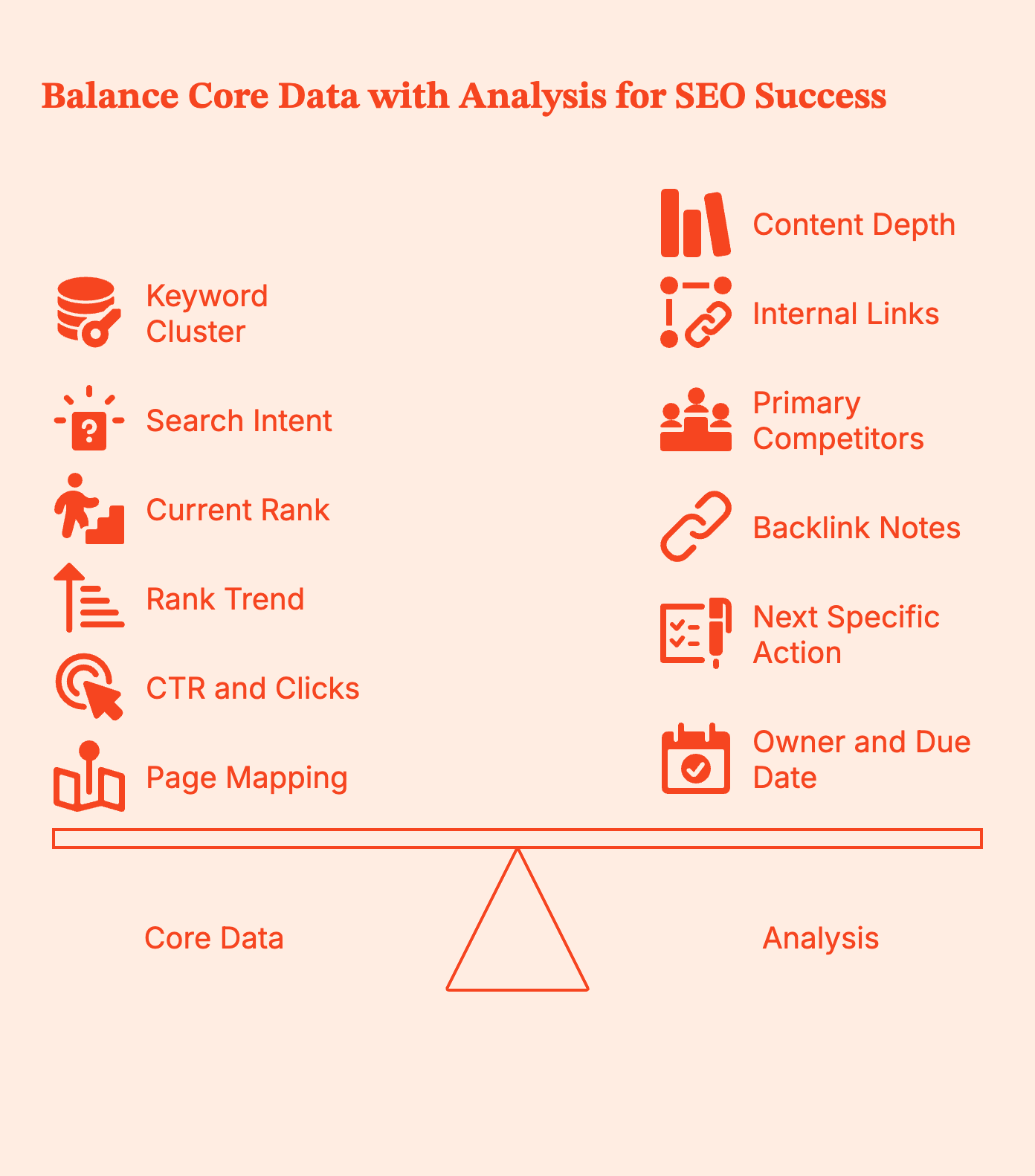
Structure your report with these columns:
- Core data: Keyword cluster (group related terms), search intent (informational/commercial/transactional), current rank, rank trend, CTR, clicks, and page mapping (which page targets this given keyword).
- Analysis: Content depth vs competitors (thin/adequate/comprehensive), internal links pointing to page, primary competitors in positions 1-3, and backlink notes.
- Action: Next specific action ("rewrite intro", not "optimize"), owner, and due date.
Then, set up views for regional, device type, brand vs non-brand, and intent type.
Create three sections:
- Top Movers: Biggest ranking changes (up/down) in 30 days
- Quick Wins: Keywords in positions 4-10 where small improvements drive more traffic
- Blocked by Tech: High-value keywords where technical issues prevent better performance
The structure matters, but so does timing. Different stakeholders need different reporting frequencies.
How Often Should You Review SEO Benchmarks and Set Performance Targets?
- Weekly: Track critical changes only: major ranking shifts, technical errors, traffic anomalies. Flag what needs immediate attention.
- Monthly: Compare benchmarks to targets. Review traffic/conversion trends, ranking progress, new SEO content performance, and technical health. Did you hit goals? Where are you ahead or behind?
- Quarterly: Full benchmark reset. Compared to the previous quarter and year-over-year. Reassess competitive set. Answer bigger questions: Are content pillars working? Should we shift the budget? Do we need different keywords?
Essential SEO Benchmarking Tools and Ready-to-Use Templates
- All-in-one platforms: Ahrefs, Semrush, or Moz handle seo keyword research, position tracking, backlink monitoring, and competitive research. Ahrefs excels at backlink data, Semrush has strong PPC integration, and Moz focuses on simplicity.
- Site crawlers: Screaming Frog or Sitebulb find technical issues. Run monthly crawls to benchmark health.
- Best keyword research tools: Google Keyword Planner for search volume and keyword ideas, Ahrefs Keywords Explorer for related keywords and search queries, and Semrush Keyword Magic Tool for building a comprehensive keyword list with niche keywords.
- Essentials: Google Analytics for analytics tracking and Google Search Console (impressions, clicks, CTR, position). Non-negotiable for website owners and SEO professionals.
- Dashboards: Google Data Studio, Tableau, or Databox visualize benchmarks and automate client reporting.
- Third-party tools: Consider specialized tools like Google Business Profile for local businesses and other SEO tools for link building and on page SEO analysis.
- Template structure: Include sheets for an overview dashboard, keyword performance by cluster, competitive comparison grid, technical health checklist (including meta descriptions, meta title, and page SEO), content gap analysis, and monthly snapshots.
Beyond internal tracking, your benchmark data has another valuable use: thought leadership.
How to Turn Your SEO Benchmark Data into Thought Leadership Content

The steps you take to successfully benchmark SEO data can be used to create content for people struggling with the same. Here's how you can easily create thought leadership content:
- Document methodology: Explain date ranges, tools, and sample size. Transparency builds credibility when discussing your content strategy.
- Create anonymized cohorts: Group by industry, company size, or traffic level. Share percentile ranges, not specific numbers: "Median healthcare CTR was 3.2%, 75th percentile at 4.1%."
- Design clear charts: One insight per chart. Show benchmark ranges, year-over-year trends, and performance distribution to demonstrate SEO success.
- Repurpose everywhere: Break into 5-10 blog posts, create social graphics with stats, pitch publications with exclusive findings, build sales materials, and update annually to attract more website visitors.
This content drives organic search traffic, builds authority, and gives your sales team data for conversations. It also helps you compare organic results against Google Ads campaigns to understand your full search presence.
In a Nutshell…
I’m hoping that by now you agree that SEO benchmarking is all about making that data work for you.
By comparing performance to meaningful baselines, competitors, and market standards, you move from aimless reporting to focused, strategic action. When you set the right scope, choose metrics that align with business outcomes, and analyze consistently over time, benchmarking becomes the signal.
This guide gave you a step-by-step process to track what truly matters, spot opportunities where others overlook them, and report in a way that resonates with decision-makers. Whether you’re tracking performance monthly or reviewing quarterly trends, benchmarking helps you sharpen focus, improve ROI visibility, and stay one step ahead of your search competition.
Bottom line: good SEO is about knowing what’s working, what’s not, and what’s next.
FAQs for SEO Benchmarking
Q. What does an SEO report mean?
A. A summary of performance vs goals and benchmarks, with insights and next steps. Not a data dump. Good reports answer three questions: Where are we? How does that compare? What do we do next?
Q. How often should I benchmark?
A. Track weekly for issues, review monthly against benchmarks, and realign quarterly for strategy. Adjust based on site scale and volatility.
Q. What are good benchmarks for CTR and conversions?
A. CTR varies by industry: healthcare, 3.3%, legal, 6.6%. Compare these to Google Ads benchmarks for a full picture. E-commerce conversion averages 2.5-3%, B2B leads 2-5%. Your baseline matters more than industry averages. Focus on improving your own performance and track keyword rankings consistently.
Q. Which tools are best for competitive benchmarking?
A. Combine Semrush or Ahrefs (keywords, content, backlinks), Screaming Frog (technical), and Google Search Console + Google Analytics (your own data). All-in-one platforms handle most needs for tracking keyword performance.
Q. How do I create a compelling keyword report for leadership?
A. Lead with goals and changes. Start with a one-page summary showing status vs goals, three wins, three risks, and top actions for 90 days. Use visuals and color coding: green for on-target clusters, yellow for at-risk, red for problems. Show the 30 highest-value keywords, not all 500. End with clear budget or approval requests tied directly to benchmark gaps.

10 Best Sales Intelligence Tools for B2B Pipeline (2026)
Sales intelligence tools optimize GTM workflows. Compare the top 10 platforms like Factors.ai and Apollo to track buyer intent and find accurate contact data.

TL;DR
- Sales intelligence tools enable smarter GTM execution by identifying in-market accounts and relevant buyer contacts across web activity, CRM, and third-party data.
- Top solutions include Factors.ai, Clearbit, Apollo, and LinkedIn Sales Navigator, each with unique strengths in data accuracy, automation, enrichment, and outreach.
- Choosing the right tool depends entirely on your immediate bottleneck—use account-level solutions (like Factors.ai) to deanonymize web traffic, and contact-level databases (like Apollo) to harvest direct emails and mobile dials.
- Key evaluation criteria include data coverage, integration flexibility, pricing structure, ease of use, and customer support responsiveness.
- Real-time engagement tracking and automation features help accelerate buyer journeys, personalize touchpoints, and measure true pipeline impact.
What is Sales Intelligence Software?
Sales intelligence software is a category of GTM data platforms that enables marketing and sales teams to discover high-intent target accounts, enrich business profiles, harvest accurate buyer contact details, and report pipeline performance metrics.
Sales intelligence tools provide marketing and sales teams with relevant data to refine outreach and targeting workflows and performance. Leveraging sales intelligence tools help drive pipeline by discovering high-intent target accounts (with reverse IP-lookup account identification), surfacing relevant contact data (phone numbers, mail IDs, etc), enriching account profiles (firmographics and technographics), and/or reporting GTM metrics and KPIs. In short, sales intelligence tools provide insights to support better marketing and sales efforts.
Needless to say, sales intelligence relies crucially on accurate, up-to-date data to be of any value. Workflow automations, integrations, UI, customer support, and pricing plans are other factors you should consider when evaluating a sales intelligence tool.
While there’s no shortage of sales intelligence solutions out there, it can be challenging to pick one that aligns with your requirements and budget. The following article reviews the top 8 sales intelligence tools for your consideration.
Sales Intelligence - Account Level
Depending on the nature of your business, your total addressable market may be very, very large. Especially for SMEs with limited resources, it wouldn’t make sense to go after each and every account in your TAM. Instead, it's important to identify and prioritize those ICP accounts that showcase the most buying intent with your brand.
Account intelligence tools use reverse IP-lookup to do just that: identify and qualify anonymous, high-intent companies that are already engaging with your brand but are yet to convert. Account intelligence tools deanonymize traffic to reveal account names, firmographics, technographics and more.
With account intelligence tools, you may target warm accounts as opposed to cold, brand-unaware ones. This, unsurprisingly, results in more conversions than ever before. Here are 4 robust account intelligence platforms for your consideration:
{{INLINE_BOFU}}
1. Factors.AI
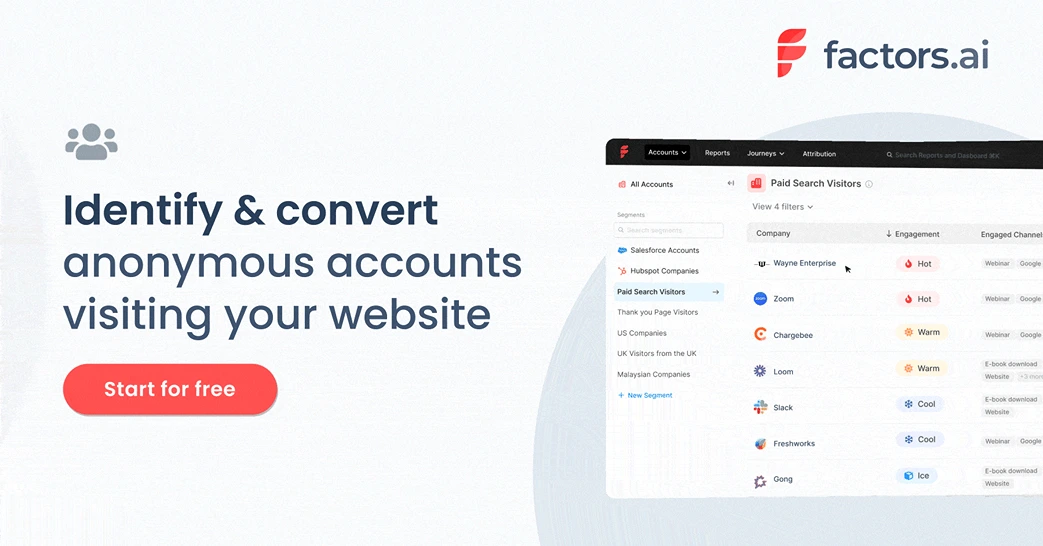
Factors is an AI-fuelled ABM and account intelligence solution built upon strong analytics and attribution foundations for B2B teams. Factors provides a wide range of features including account identification, account scoring, workflow automations, multi-touch attribution and more.
Features
- Account identification - discover anonymous accounts interacting with your brand
- Account enrichment - enrich accounts with firmographics and technographics
- Analytics & attribution - KPI reporting, funnels, path analysis, multi-touch attribution and more
- Journeys & scoring - Bird’s eye view of customer journeys and account scoring based on cross-channel engagement
- Workflow automations - Configure real-time alerts, trigger-based emails, CRM updates and more based on intent signals
Benefits
- Data-accuracy - Factors works with industry-leading data partners including 6sense and Clearbit to deliver accurate account identification match rates of up to 64%. This includes firmographics and technographics such as geos, industry, revenue range, employee headcount, etc.
- Holistic scoring - Deep-rooted collaborations with LinkedIn and G2 in addition to website engagement ensures that accounts are scored holistically across the most common channels
- Robust analytics - Given that Factors is built upon strong analytics and attribution foundations, it provides unmatched granularity in terms of reporting and reporting techniques — so you can make data driven decisions, effortlessly
Limitations
- Contact-level data: At the moment, Factors does not provide contact-level data such as email IDs or phone numbers. Instead, users will have to integrate this data from a contact database provider like Apollo or ZoomInfo.
- Native integrations: At the moment, Factors provides native integrations with the most popular B2B ad platforms, CRMs, MAPs, CDPs, and more. That being said, it misses out on integrations with lesser used platforms like Zoho. Note that data may still be pushed from Factors to nearly any other tool in the webhooks (Zapier, Make.com, etc).
Pricing
Factors pricing is based on the number of accounts identified (or volume of monthly website traffic). Factors does offer a free trial and a free plan. Learn more about Factors pricing here: www.factors.ai/pricing
2. Clearbit

Clearbit is an industry-leading sales and marketing intelligence platform that helps teams gain deeper insights into their customers, enhancing marketing efforts and sales strategies. Through a suite of APIs, Clearbit integrates with existing systems, providing real-time identification and enrichment data.
Features
- Reveal - Clearbit identifies anonymous website visitors using IP-lookup. Given that every tool on this list does this, data accuracy and pricing are two important considerations when differentiating between alternatives.
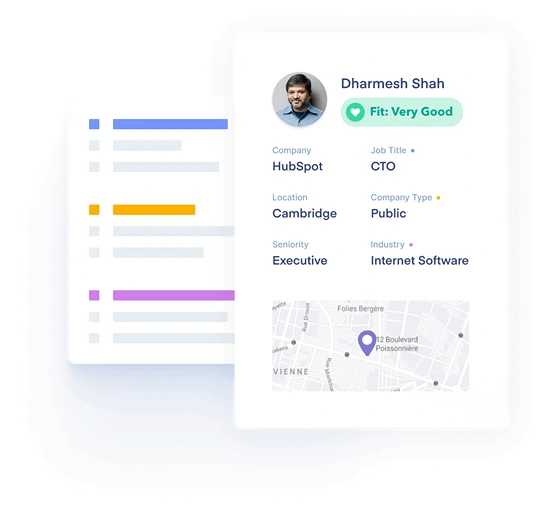
- Enrichment - Clearbit also provides firmographics from over 250 data sources. This includes technologies, headcount, revenue, location, contact information, and more.
- Capture - like Leadfeeder Contacts, identifies best-fit contacts from companies visiting your website to reach out to with retargeting campaigns or outbound efforts
Benefits
- Intuitive UI - Clearbit is a well-established platform with an intuitive, accessible user interface making it easy to plug and play for most teams.
- Strong integrations - Clearbit provides deeper, two-way integrations with CRMs, Internals comms, and other everyday GTM platforms as compared to other tools on this list.
- Contact database - In addition to account level data, Clearbit also provides a contact database to streamline the outreach process by recommending relevant people to get in touch with.
Limitations
- Pricing - While Clearbit boasts an impressive database, it’s definitely a more premium product. Pricing starts at around $12,000 annually for its more basic plans. This might be inaccessible for early-stage SME teams.
Pricing
Clearbit does not openly reveal its pricing but estimates place it starting at about $12,000-$20,000 a year. Learn more about Clearbit pricing by connecting with their sales team.
3. Leadsquared
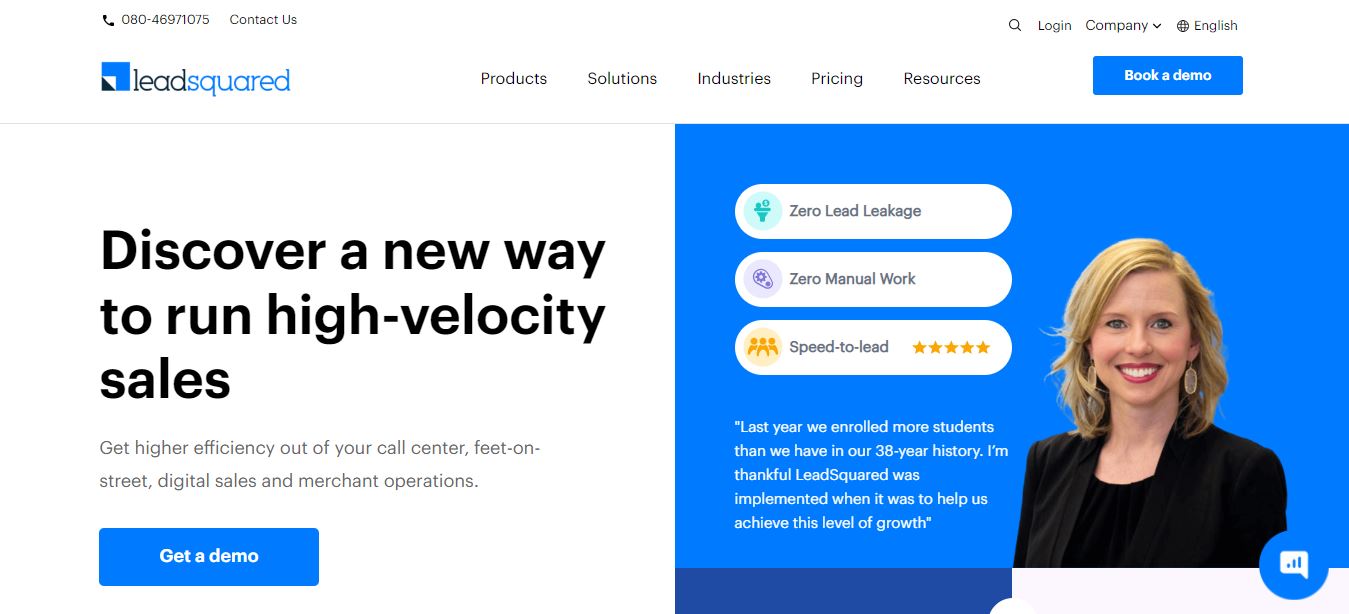
LeadSquared CRM is a sales and marketing automation platform to boost sales productivity and revenue outcomes. Salespeople can sell a lot faster and smarter by using LeadSquared's customizable workflows, reminder systems, and lead scoring features. The tool also provides complete visibility into the prospects activities and preferences in a single view, for a more personalized selling experience.
Features
- Automated Lead Management: Capture, distribute, and track leads at every stage of the sales funnel.
- Reports and Analytics: In-depth reports for managers to analyze sales performance, forecast sales, and manage the team's targets.
- Segmented User Lists: Assign customers to lists based on various parameters such as demographics, preferences, etc. Businesses can set up trigger-based communication for every list to personalize communication.
- Mobile CRM: Track field sales activities and interactions as your sales reps get through the day. The Mobile CRM also allows them to upload documents and lead data from their phone.
- Built-in-dialer: Set up one-click calls to prospects, manage call logs, recordings, and notes by integrating with IVR solutions.
Benefits
- Completely customizable: LeadSquared is a good fit for businesses of all sizes, no matter how complicated their workflows are. The product and workflows can be customized to solve specific business challenges.
- Integrations: All your data can be centralized on the CRM because it can be easily integrated with most of the popular tools.
- Security: LeadSquared is compliant with all the laws and regulations related to data security. So, businesses never have to worry about the data they add on the platform.

Limitations
Initial training: Users who are new to using a CRM might require training while setting up complex automation and reporting.
Pricing
LeadSquared offers three plans based on the features businesses may require. Here are the specifications of these plans:
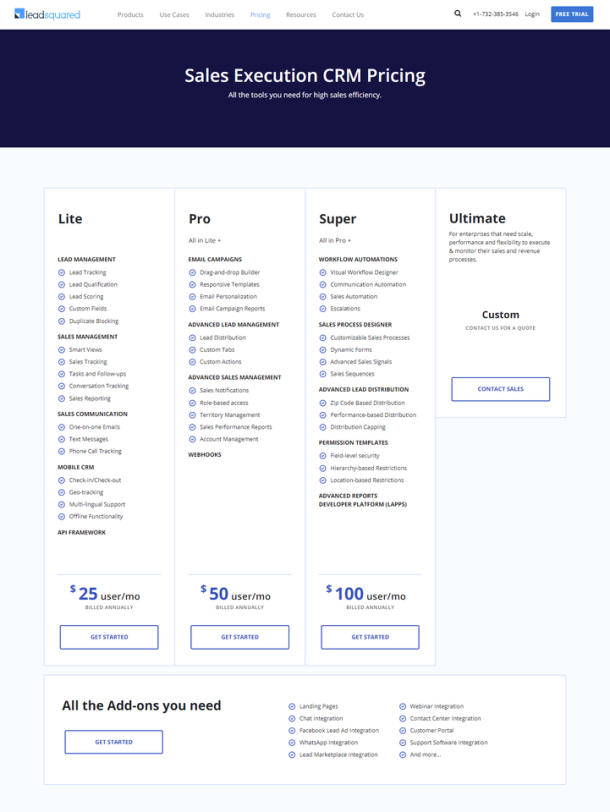
4. Leadfeeder/Dealfront
Leadfeeder [Now Dealfront] is another popular account intelligence solution that’s been around for quite some time. It has recently rebranded itself as Dealfront — a Europe-centric GTM intelligence platform. This has resulted in several former customers looking for Leadfeeder Alternatives. That being said, it’s still a comprehensive solution depending on your use-case.
Features
- Account identification - As with other tools on this account intelligence list, Leadfeeder identifies the names of the companies visiting your website.
- Leadfeeder Contacts - As with Clearbit, Leadfeeder also provides contact-level data based on the accounts visiting your website
Benefits
- Europe-centric data - If you’re looking for Europe-focused sales intelligence, Leadfeeder may be the best choice for you, given that it especially specializes in European geographies.
Limitations
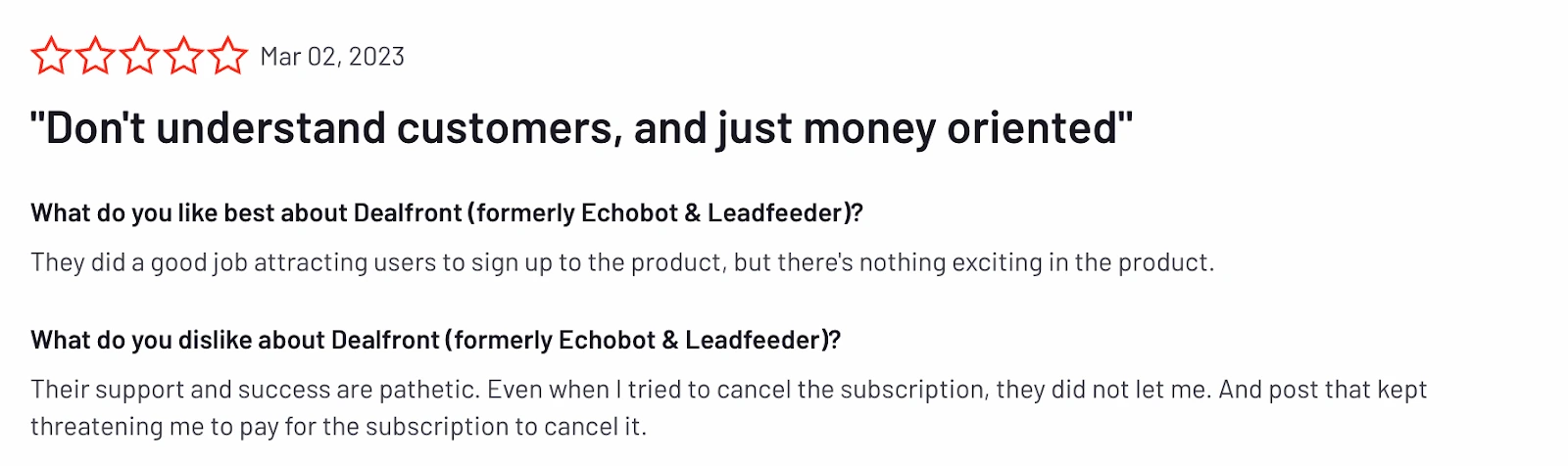
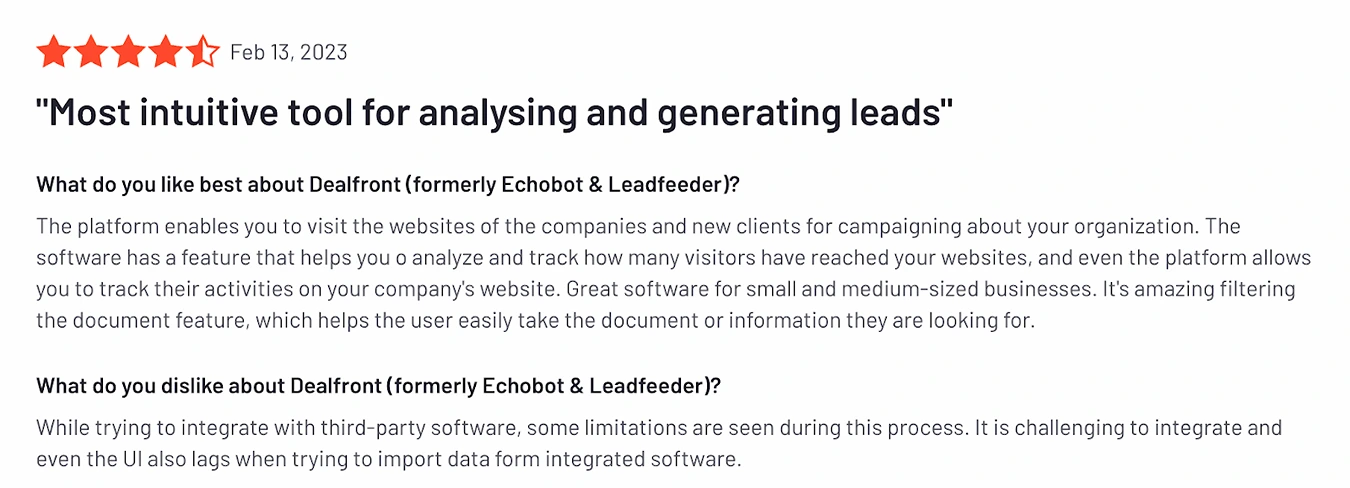
- Shacky integrations - While Leadfeeder provides a wide range of integrations, users often find discrepancies and inaccuracies in terms of data synchronization.
- Poor customer success - Several users complain about Leadfeeder’s poor customer success, claiming it to be pushy and unhelpful.
Pricing
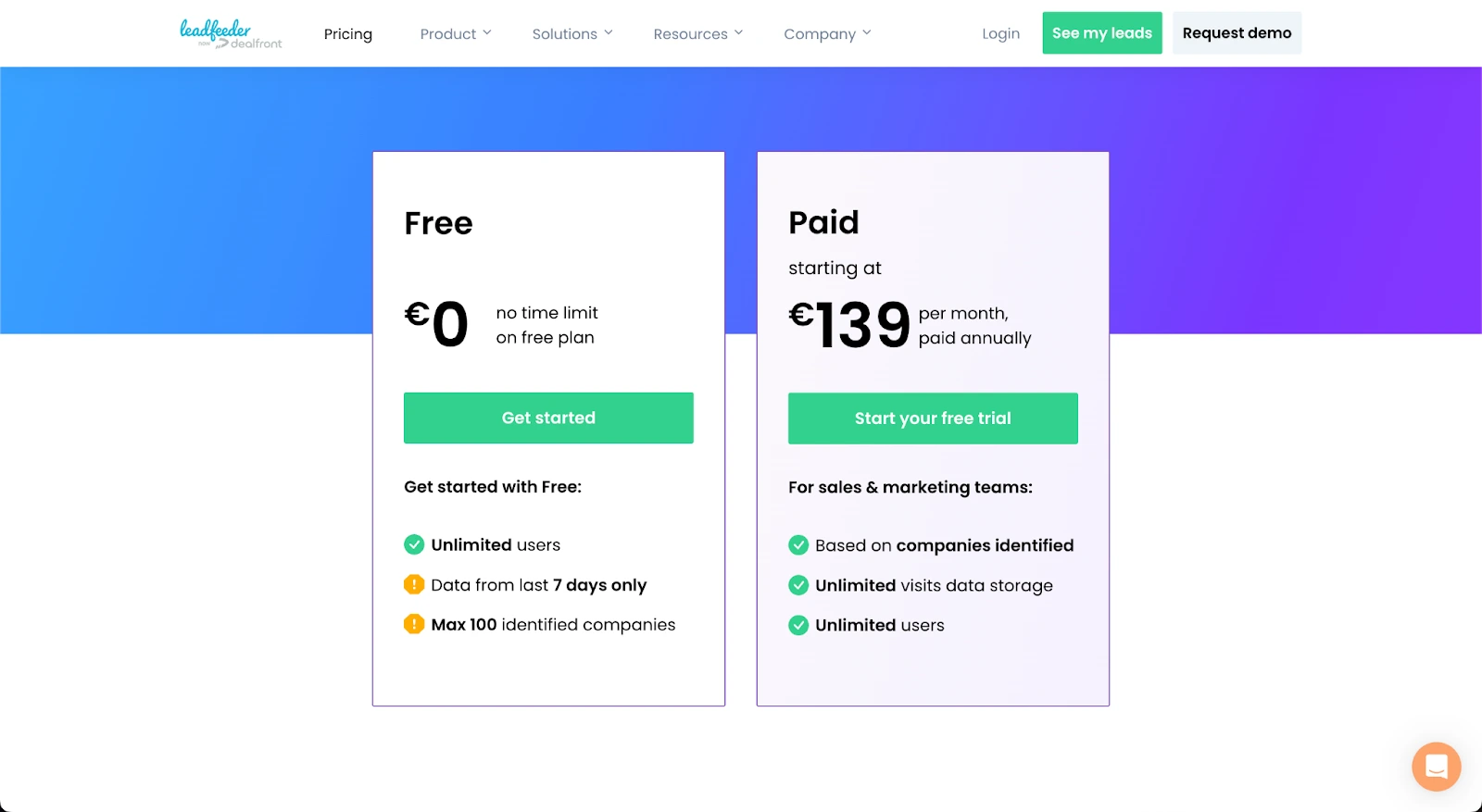
As with most other tools on this list, Leadfeeder pricing is based on the volume of data consumed. Leadfeeder does offer a free plan. Leadfeeder pricing starts at about $150.
5. Albacross
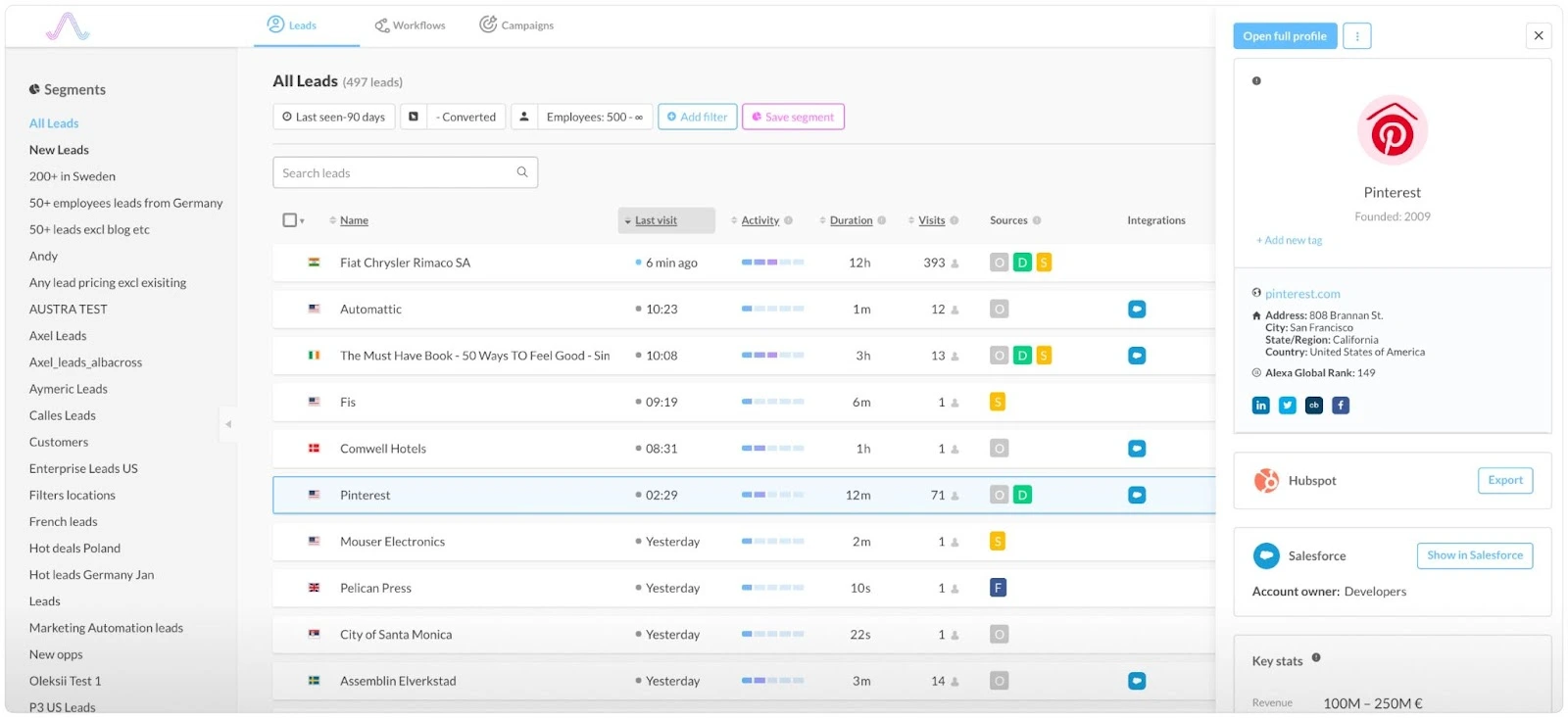
Finally, we arrive at Albacross. Albacross is another leading sales intelligence tool. The Sweden-based platform works with 10,000+ companies to provide data enrichment, sales alerts and intent signals.
Features
- Account Identification: Albacross identifies anonymous accounts, firmographic information and visitor intent. Albacross features one of the largest proprietary first-party databases in the world.
- Personalization: Albacross natively integrates with popular personalization tools such as Optimizely and VWO to customize website content based on who’s visiting the site.
- Display ads: Albacross can also launch and monitor display ads within the platform itself. The software partners with several publicists such as The New York Times and Daily Mail to distribute account-level targeted ads.
Benefits
- Experimenting: Albacross offers the unique benefit to experiment and run A/B tests in conjunction with visitor identification and intent data.
- Customer success: Several reviews rave about Albacross’s stellar customer success management. Given that Albacross is considered to be an involved, enterprise-level tool, it’s essential to have this level of support to get the most value out of the product.

Limitations
- Rigid firmographics and filters - Albacross lacks agility when it comes to filters and breakdowns. Reviews reveal that, unlike other tools on this list, Albacross is currently unable to filter identified companies based on firmographics such as name or size. As a result, users seem to find sorting and reporting somewhat challenging.
- Buggy integrations: Multiple reviews claim that Albacross’s integrations, especially with CRMs like Salesforce, could do with some work. Given that visitor identification is primarily used to support ABM, this can be a major drawback to B2B teams.
- Limited documentation and resources make users overly reliant on customer success teams

Sales Intelligence - Contact Level
Identifying in-market accounts is a fantastic start to optimizing GTM performance. But once you have a set of target accounts, you also need to know who to reach out to within those accounts for the best chance of conversions. You need phone numbers, email IDs, and LinkedIn profiles to get in touch with the relevant stakeholders and move forward with outreach and targeting.
This next set of sales intelligence tools helps with just that: Identifying relevant contacts and their contact information from your target accounts using enormous contact databases.
6. Apollo
Apollo is a sales intelligence and engagement platform. It is an end-to-end sales solution platform with over 265 million contacts. It provides access to rich buyer data, analytical insights and automated and personalized workflows for outreach.
Features
- Enrich: Apollo helps search and enrich lead data leveraging their extensive B2B database.
- Prospect: Using over 65 data attributes, Apollo helps you build lists and filter leads with precision
- Engage: automated sequencing across channels like LinkedIn, SMS, email, etc with AI-powered hyper personalisation.
Benefits
- Powerful Search Tool: The search capabilities are robust, allowing you to fine-tune our searches for targeted sales prospecting.
- Great Support: The customer support team has been responsive and helpful whenever we've had questions or needed assistance.
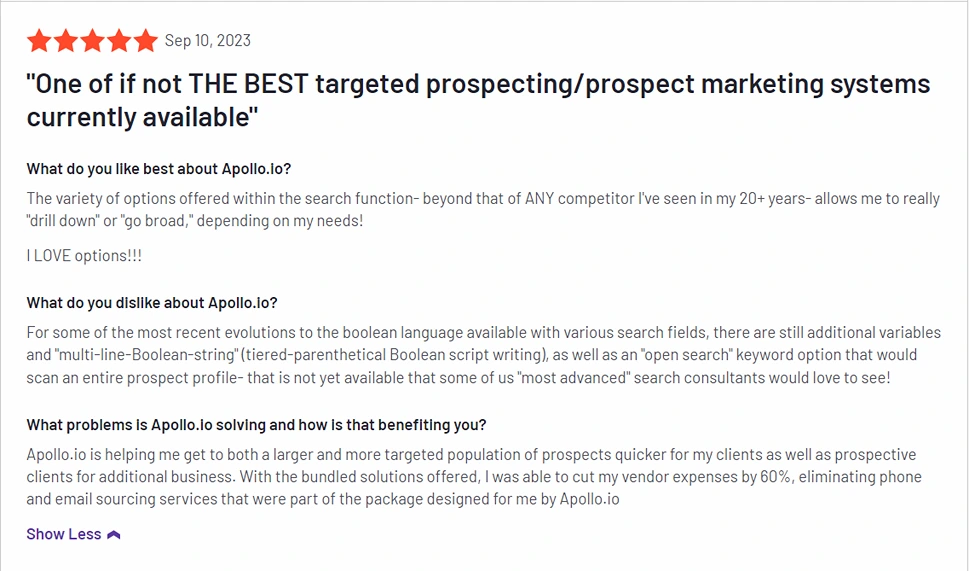
Limitations
Surface-level LinkedIn Integration: No cross-platform automation available with LinkedIn
Steep learning curve: The numerous customizations and variables can be overwhelming for beginners
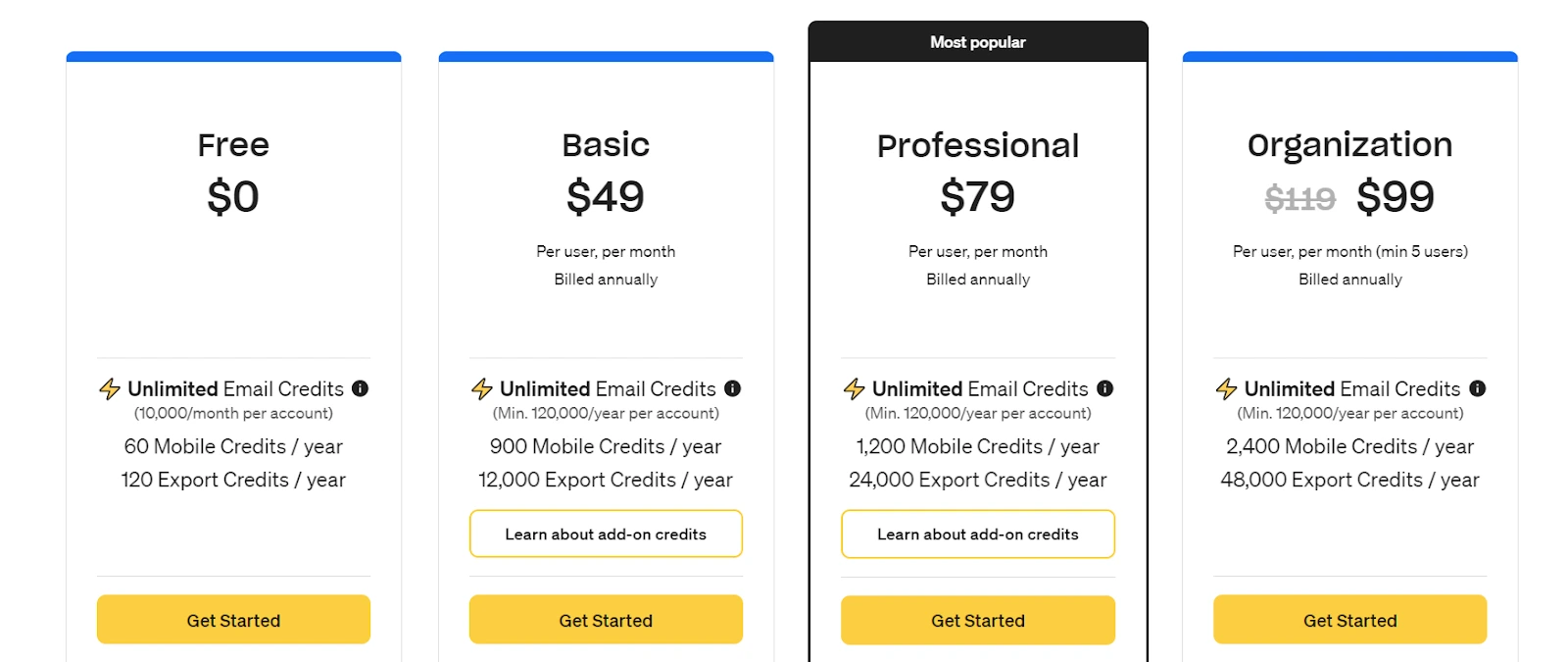
Pricing
Apollo.io has user based pricing model with a basic plan that starts at $49 dollars/user per month:
7. Slintel
Slintel is an advanced sales intelligence software that provides valuable technographic data and helps enhance leads by offering precise details about prospects, including email addresses and contact information.
Features
- Buyer enrichment: rich database which provides additional information about their leads and prospects, such as company size, location, and industry
- Buyer intent tracking: Slintel has a valuable indicator to signify a lead’s readiness to purchase.
- People Profiles: Slintel’s database also provides detailed information about the individuals within a company, including their job titles, responsibilities, and contact information.
Benefits
- Technographic filtering: Slintel features unique filters based on understanding the technologies that their leads and prospects are using.
- API suite: Slintel’s API offers range of integrations that help connect with your teams’ current operating system, workflow, and technological infrastructure
Limitations
No mobile credits: Slintel has overlooked an important outbound channel by not providing mobile credits in any of their plans.
Pricing
Slintel has tiered pricing and prices for each plan vary based on the number of leads and users, as well as the duration of the subscription.
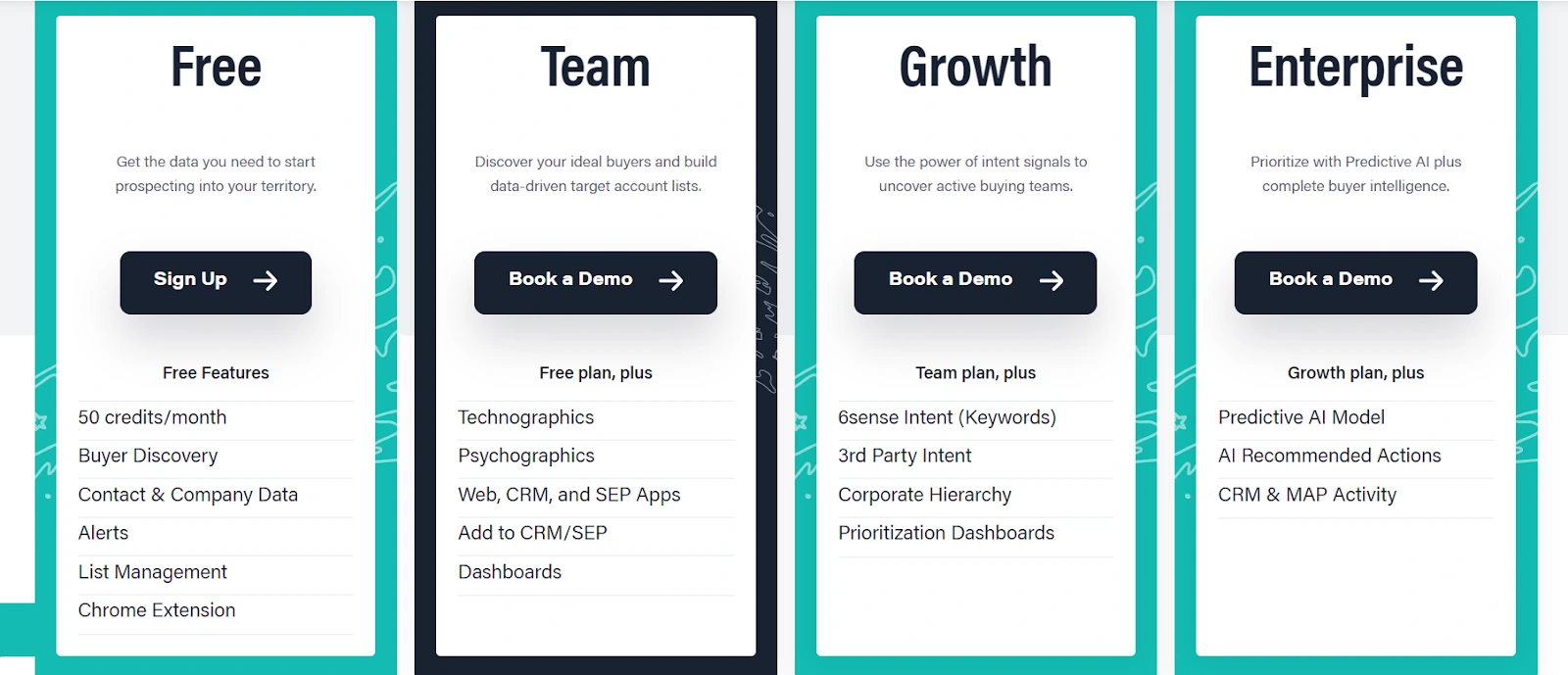
8. LinkedIn Sales Navigator
LinkedIn Sales Navigator is a popular sales intelligence that enables professionals to expand their network, find potential customers, and engage in effective lead generation. It offers advanced search capabilities, personalized insights, and seamless integration with other sales tools for enhanced prospecting and relationship building.
Features
- Search Feature: The Sales Navigator advanced search function gives reps the power to more narrowly target their ideal leads and discover relevant connections.
- Automated Lead Generation: The Lead Recommendations feature suggests relevant leads based on your sales preferences, search history, profile views, and past saved leads.
- Real-time updates: Sales Navigstor provides real-time updates on their leads and accounts, including job changes, company updates, and news mentions.
- Customized Lists: Users can create and save customized lead and account lists for targeted outreach.
Benefits
- Lead Tracking and Notes: Users can save leads and accounts, add notes, and track interactions, helping them stay organized and keep a record of their sales activities.
- InMail Credits: users get a certain number of InMail credits with a sales navigator subscription, which allow them to send direct messages to LinkedIn members even if they are not connected.
Limitations
- Cost: LinkedIn Sales Navigator is a premium service and can be relatively expensive, especially for individual users or small businesses. The cost may be a barrier for some users.
- Learning Curve: The platform has a steeper learning curve and it may take time to fully understand and utilize all its features effectively.
- Limited InMail Credits: While Sales Navigator provides limited InMail credits. If users exhaust their credits, they may need to purchase additional ones, which is costly.
Pricing
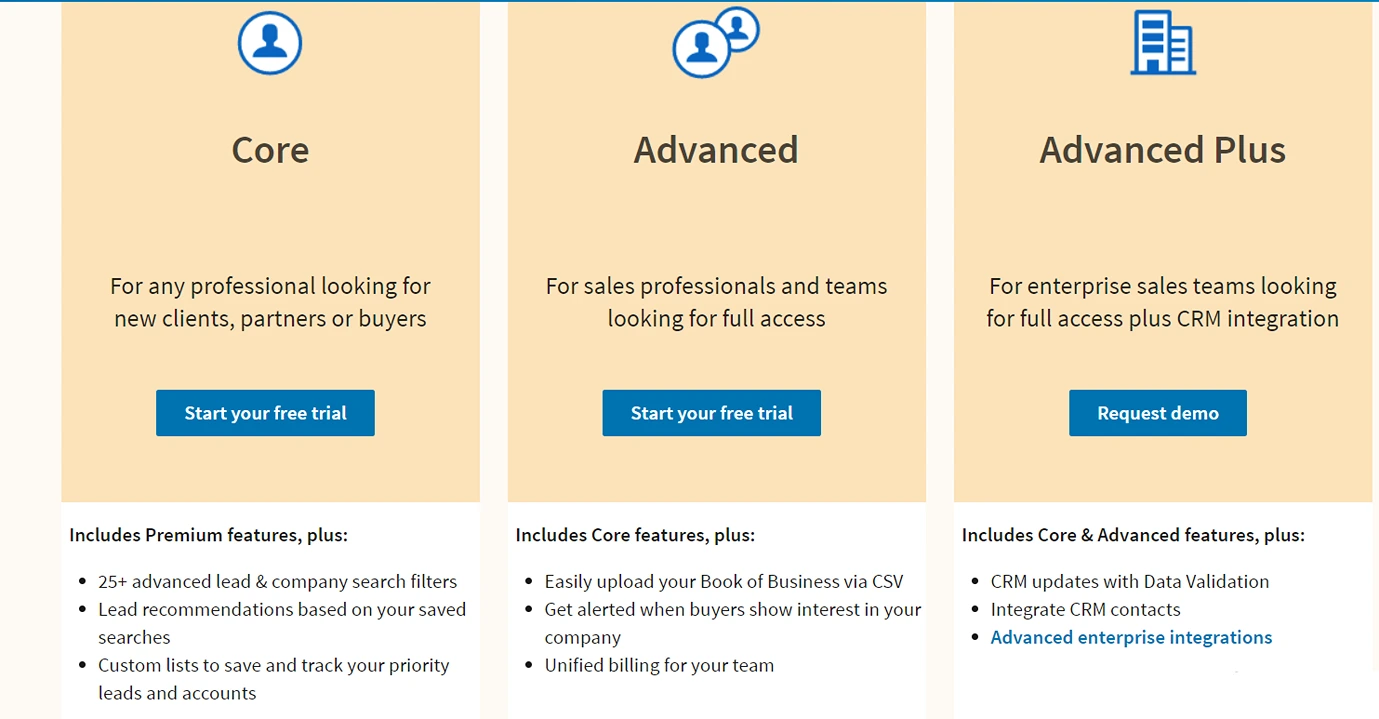
LinkedIn Sales Navigator offers three pricing tiers: Core, Advanced, and Advanced Plus:
9. Lusha
Lusha is a lead generation and data enrichment tool that aims to help companies generate qualified leads and maximize conversions. It helps manage business leads, company contacts, and B2B databases fo better sales prospecting.
Features
- Team: Lusha lets you add team members and create different groups within the application to facilitate collaboration.
- Technology Filter: Lusha's Technographic filters that give businesses the ability to target companies based on the technology stack they are using.
- Salesforce Data Enrichment: Lusha's Salesforce Data Enrichment feature automatically enriches Salesforce records with accurate contact and company data.
- Intent: Lusha allows you to filkter prospects based on their behavioral signals
Benefits
- High Accuracy: Lusha claims the highest accuracy rate in the entire industry, claiming 81% accurate emails and phone numbers to their users for cold outreach.
- User-friendly interface: The platform interface is intuitive and easy to navigate for beginners.
- Chrome extension: Lusha’s chrome extension is a value add that makes it easy to get the contact information from the browser directly.
- Responsive customer support: The customer support team is extremely responsive and friendly, helping improve the user experience.
Limitations
Data Security: there are reports of outrage from customers that accuse Lusha of selling their personal information to third parties.
Pricing
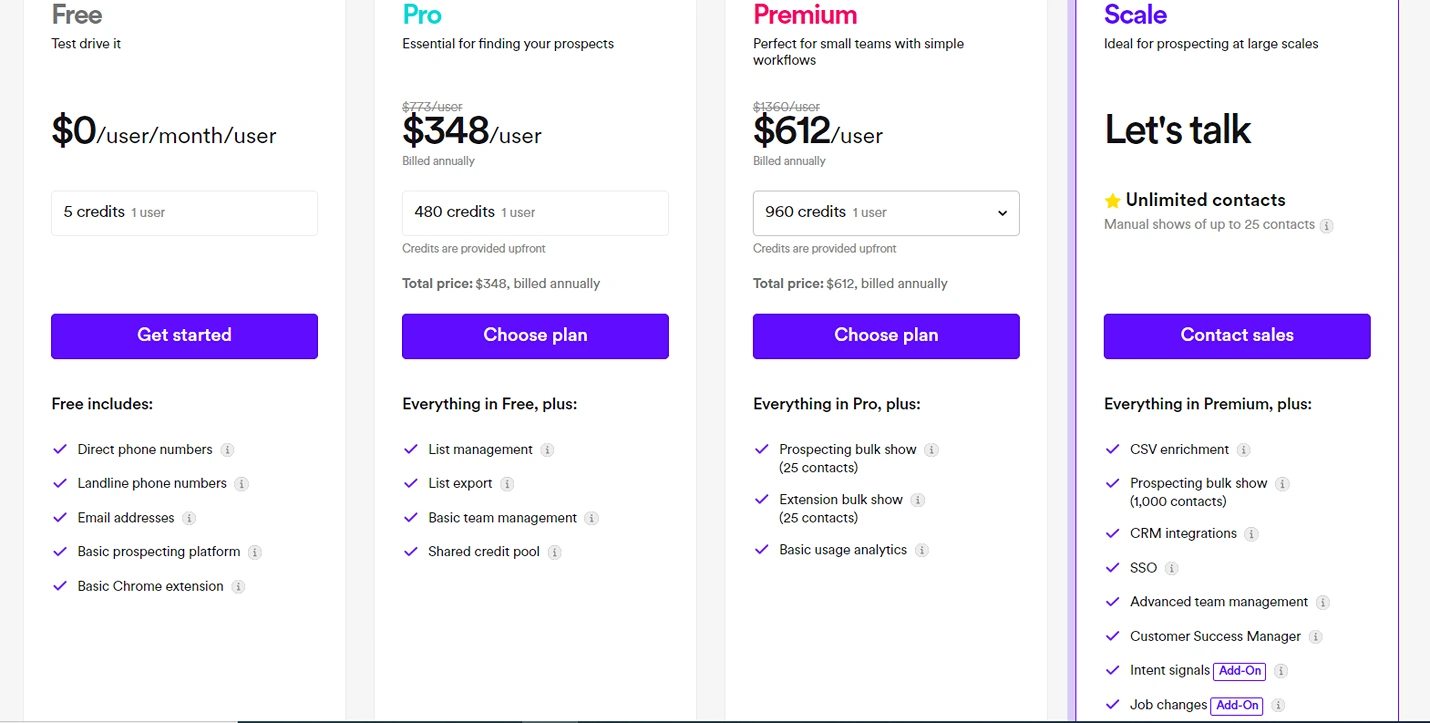
Much like most softwares on this list, Lusha has a usage based pricing model with 4 plans- free, pro, premium and scale:
10. SDRx
SDRx is an AI SDR that builds targeted lists, conducts account research, and crafts personalized emails with follow-ups tailored to the prospect's journey. SDRx works like a 24/7 sales assistant, managing your outreach activities so you can dedicate your time to meaningful prospect interactions.

Features:
- List Building: Identifies and generates precise account and prospect lists matching Ideal Customer Profiles (ICPs).
- Comprehensive Account Research: Collects actionable insights from internal and external data sources.
- Personalized Email Creation: Leverages 25 proven email frameworks to maximize response rates.
- Multi-Channel Outreach: Automatically customizes follow-up frequency and messaging based on the prospect's buying stage.
- 24/7/365 Continuous Operation: Eliminates ramp time and burnout associated with traditional sales development.
Benefits:
SDRx's claims to combine deep account research, end-to-end email deliverability, and the use of 25 copywriting frameworks to conduct multi-channel outreach.
Pricing:
Pricing details are available upon request.
Key Considerations When Choosing Sales Intelligence Software
Picking the right sales intelligence software in 2025 isn’t just about ticking off a list of features—it’s about finding the perfect fit for your business. So, what should you be looking for?
First up, data quality and coverage. You want a platform that delivers verified, up-to-date info across your target markets. Make sure the data gets refreshed regularly and covers all the geographical areas where you’re active.
Next, think about integration capabilities. Your new tool should play nicely with your current tech setup, especially your CRM. A seamless connection means your team won’t have to juggle different platforms, keeping everything running smoothly.
When considering pricing and ROI, don’t just focus on the price tag. Look at user limits, data credits, and any extra features you might need as you grow. Consider the potential return on investment by factoring in improved conversion rates and time saved.
User experience? It’s more crucial than ever. Your team should be able to navigate the software easily without needing a ton of training. Look for clean interfaces and dashboards you can customize to fit your workflow.
And don’t forget to check out the customer support quality. The top tools come with thorough onboarding, responsive support teams, and educational resources to help you get the most out of your investment. Regular check-ins and dedicated success managers can be game-changers, especially for larger rollouts.
In the end, choosing the right sales intelligence software is all about finding a solution that feels like it was made just for you and your business.
The Best Sales Intelligence Tools to Drive High-Intent B2B Pipeline
Choosing the right sales intelligence tool is essential for modern B2B teams aiming to work smarter, not just harder. With today’s buyers conducting research independently across platforms, identifying and engaging the right accounts at the right time can be the difference between pipeline acceleration and wasted outreach.
As we saw, sales intelligence tools enhance marketing and sales efforts by providing data-driven insights for better targeting and outreach.
- Key Capabilities: Reverse IP-lookup, contact data enrichment, firmographics, technographics, and GTM analytics.
- Selection Criteria: Data coverage, integration flexibility, pricing, UX, and customer support.
- Top Solutions: Factors.ai, Clearbit, Apollo, and LinkedIn Sales Navigator—each excelling in data accuracy, automation, and outreach.
The above definitive guide compares 10 leading sales intelligence platforms—across both account-level and contact-level categories. Tools like Factors.ai, Clearbit, Apollo, and Slintel offer features like reverse IP lookup, firmographic enrichment, contact data access, real-time alerts, and automation that allow teams to focus their efforts on high-conversion opportunities.
From budget-conscious startups to enterprise-grade go-to-market teams, each platform serves a different need. You’ll also find breakdowns of strengths, limitations, and pricing transparency to help evaluate fit based on data quality, integrations, user experience, and ROI.
Whether you're optimizing ABM workflows, enhancing outbound targeting, or aligning sales and marketing around shared signals, this review helps you choose a platform that delivers results.
Top Sales Intelligence Tools for Smarter Outreach
Sales intelligence tools enhance marketing and sales efforts by providing data-driven insights for better targeting and outreach.
1. Key Capabilities: Reverse IP-lookup, contact data enrichment, firmographics, technographics, and GTM analytics.
2. Selection Criteria: Data coverage, integration flexibility, pricing, UX, and customer support.
3. Top Solutions: Factors.ai, Clearbit, Apollo, and LinkedIn Sales Navigator—each excelling in data accuracy, automation, and outreach.
Choosing the right tool ensures precise targeting, improved lead quality, and higher conversion rates.

Convert High-Intent Accounts With Salesforce & Webhooks
This guide explores how to identify and convert high-intent accounts with the combined powers of Factors visitor identification and Salesforce webhooks.

Target the right accounts, at the right time with intent-based outreach
B2B sales teams invest significant time and resources into reaching out to prospects who are yet to show any intention of buying. However, this cold outreach almost always yields disappointing results. Even the most comprehensive benchmarks indicate that the average response to cold-calls is only 2%.
And honestly, It’s not difficult to see why.
While it’s easy enough to find lists of companies and leads that fit your ideal client profile, it’s extremely challenging to convince prospects to consider your solution when they’re not yet ready to buy.
So what’s the alternative to reaching out to the right accounts at the wrong time?
Reaching out to the right accounts at the right time of course! Or more specifically, it’s intent-based outreach based on the pot of gold that is the anonymous, sales-ready companies already visiting your website.
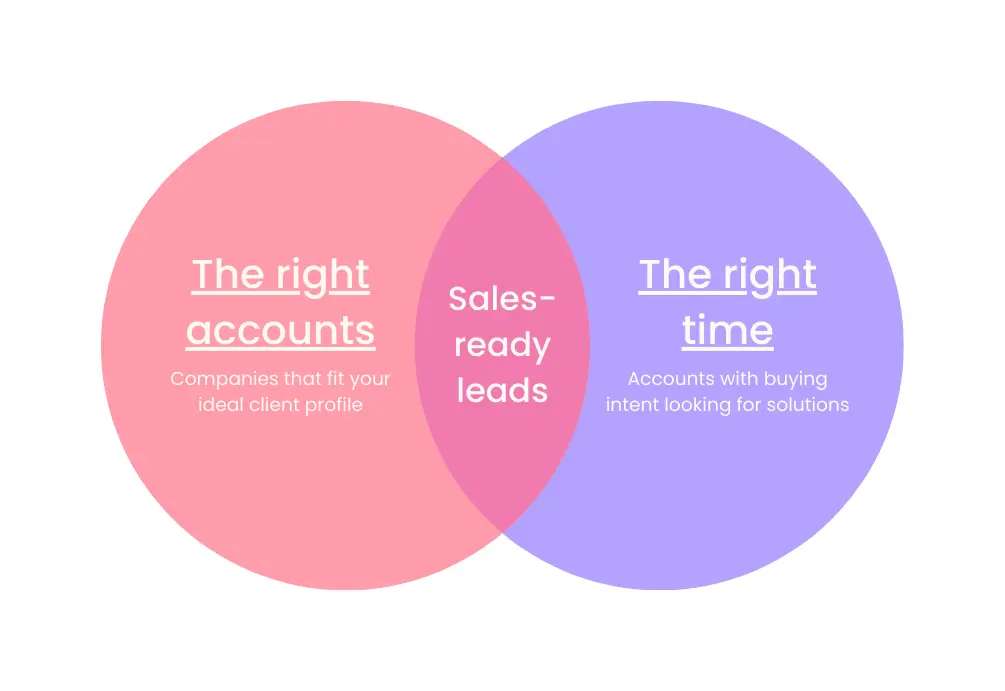
The following guide explores how to identify and convert high-intent accounts with the combined powers of Factors’ accounts identification and Salesforce webhooks. We first discuss how this integration works, before delving into a handful of use-cases.
How It Works: Pushing website data back into Salesforce
Factors taps into industry-leading IP-lookup technology to identify up to 64% of anonymous companies visiting your website — without the need for form submissions. This includes company names as well as firmographics such as geography, industry, employee headcount, revenue range and more.
In addition, Factors auto-tracks website activity and engagement at an accounts level with advanced analytics. This includes page views, button clicks, scroll-depth, account timelines, funnels and more.
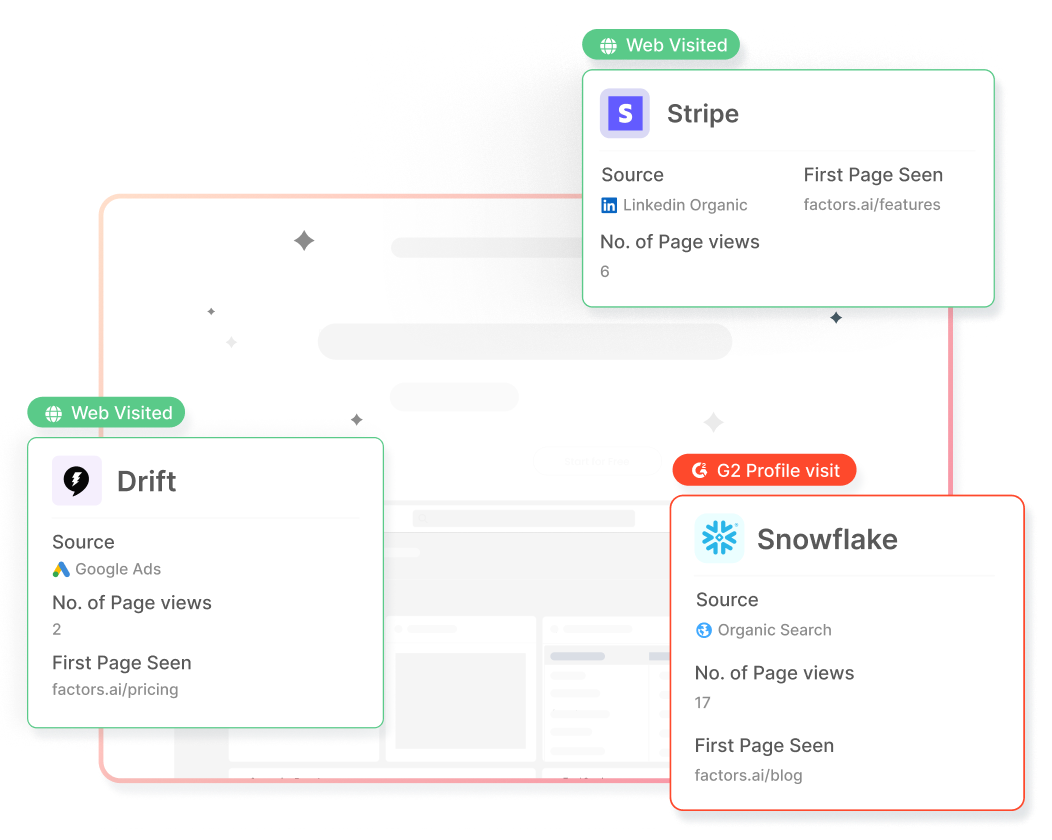
With this information, users can filter the total set of anonymous traffic down to ICP accounts that have expressed buying intent:
- ICP criteria: Filter down traffic based on firmographics such as industry, headcount and revenue-range to identify accounts that fit your ideal client profile.
- Intent criteria: Filter down traffic based on intent signals such as high-intent page views such as pricing, time-spent on page, and percentage scroll-depth to identify sales-ready buyers.
In short, access a list of high-intent ICP accounts that are already visiting your website but are yet to submit a form or sign-up.
Now, with webhooks and Zapier, it’s easier than ever to automatically push all this account data from Factors into any other tool your team uses. This includes ad platforms, marketing automation platforms, and, in this case, Salesforce CRM.
How will this help? Rather than going after cold leads with negligible chances of conversion, sales reps can view, segment, and target sales-ready accounts inside Salesforce. As we’ll see in the next section, this dramatically simplifies and improves targeted sales outreach.
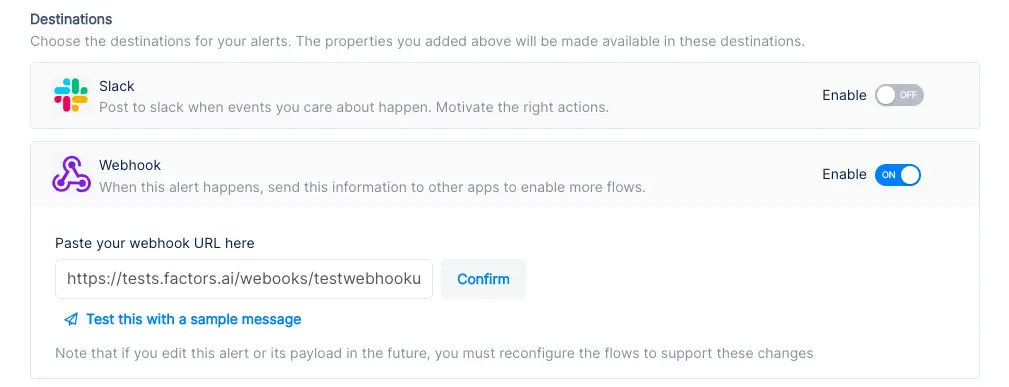
Implementing Webhooks on Factors is easy as pie. See how here.
{{INLINE_TOFU}}
Use-cases: Making the most of your website traffic
1. Identify new business opportunities
Factors surfaces anonymous, high-intent companies visiting your website. As previously discussed, this data can be filtered down to high-fit, high-intent accounts.
Using webhooks, this data can be pushed from Factors into Salesforce. In other words, you can automatically create accounts inside Salesforce for companies that match your ICP and intent criteria.
For example, webhooks can be configured to create a new account when a visitor from a US-based software company with at least 250 employees is live on your website.
Here are a few more examples of what you can see inside your CRM with Factors:
- Accounts that visit a landing page through a search ad but fail to submit a form
- Software companies with at least 500 employees visiting high-intent pages like pricing
- US-based companies that have read through at least half a product comparison blog
Rather than relying on the 5% of website traffic that submits a form, teams can identify and target a deep new pool of potential pipeline — all within Salesforce. What’s more? Alerts can be relayed to sales reps in real-time through Slack or MS teams so they can immediately reach out to live prospects.
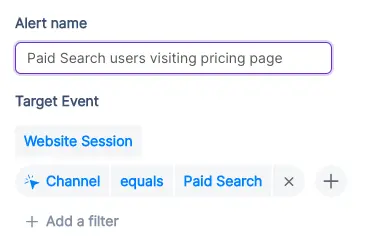
2. Stay on top of existing target accounts
In addition to recording new accounts visiting your website, Factors can be used to monitor and update data for target accounts that already exist within Salesforce.
For example, say an account clicks on a search ad, submits a demo form, but never schedules time on your calendar. While the account's data is available in Salesforce, it can be tedious to track and update their actions post the demo form submission.
To solve for this, Factors can automatically update CRM properties based on trigger criteria when leads return to your website. Let’s say that the same account is back reading a product alternatives blog or visiting the pricing page after a couple of weeks. This event can be updated within Salesforce, including their last active time.
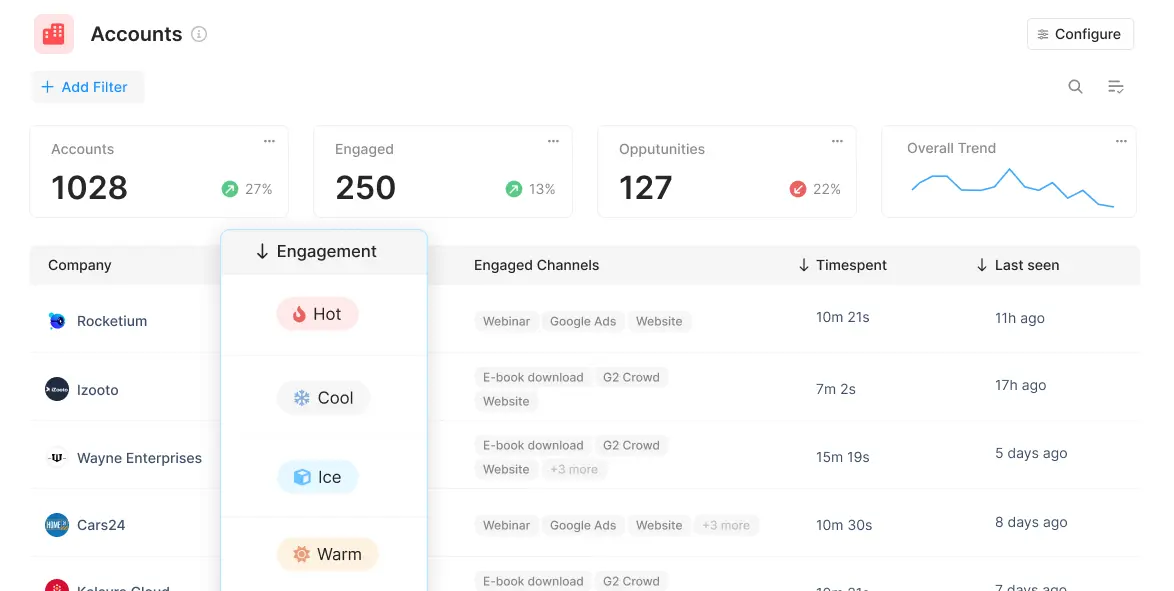
Sales reps can be notified with real-time when high-intent events take place so as to be able to immediately reach out to leads and improve the odds of conversion.
3. Accelerate deals with behavioral data
Certain marketing material may or may not be relevant depending on the audience in question. For example, an enterprise-level account may be especially interested in security compliance related content. An early-stage start-up, on the other hand, may find content around cost-effective pricing more appealing.
Factors can track how various types of companies are interacting with your website to understand what visitors care about most. This data can be pushed back into Salesforce so sales reps can easily assess a prospect’s interactions, priorities and pain-points before jumping into a sales call.
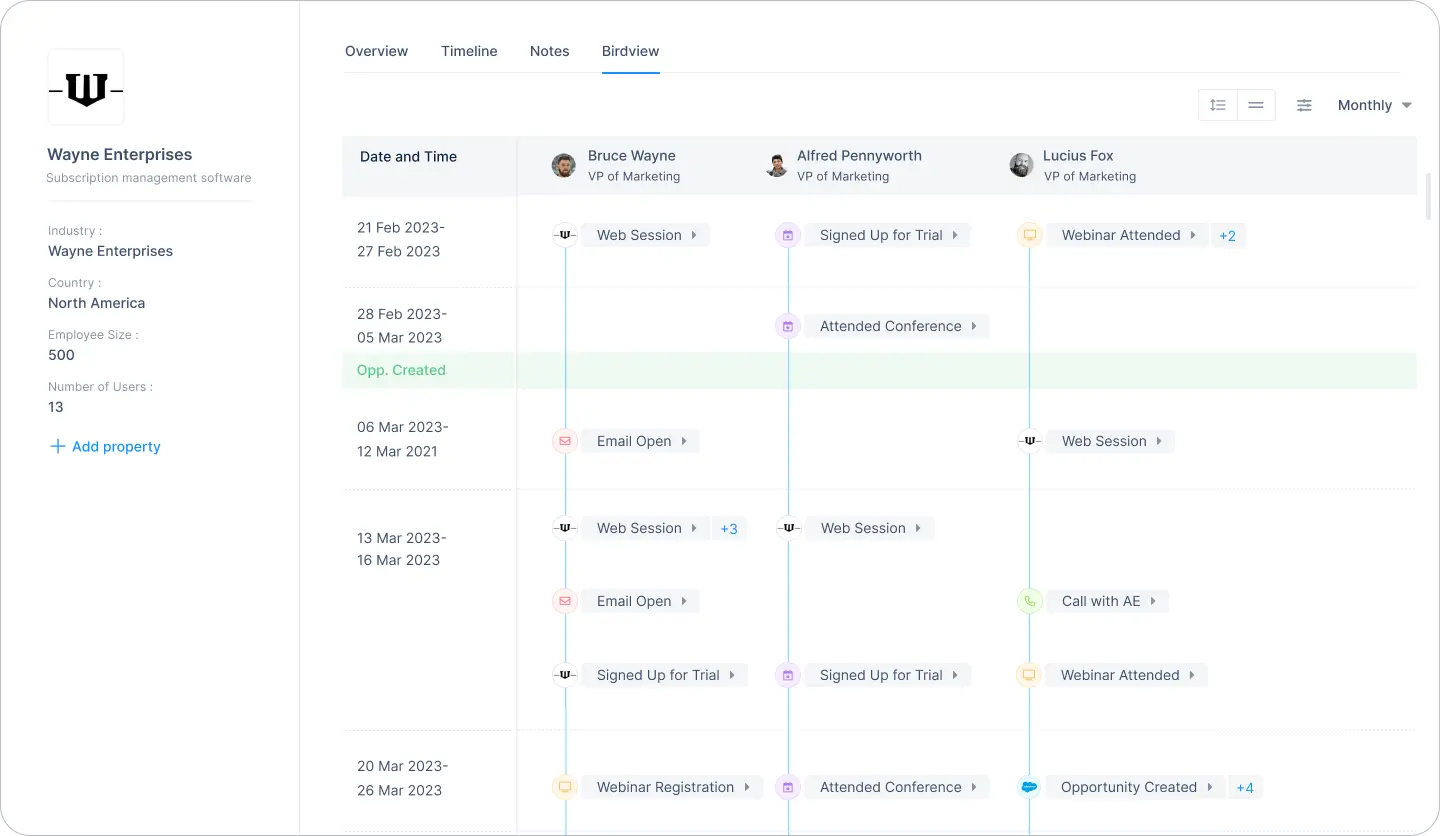
For one, sales reps can accelerate deals by personalizing the customer experience. For another, marketing teams can gauge what resonates best with the target audience and fine-tune content efforts accordingly.
4. Rekindle lost opportunities
Use Factors to track how accounts that have dropped off the funnel or former customers are returning to engage with your website. For instance, maybe an account that churned a couple of quarters ago is back interacting with a page that highlights a new feature release.
This may be an intent-signal that the lead is reconsidering your product. It might be a good idea for sales reps to reach out and share some relevant information on what’s new. Of course, this doesn’t necessarily guarantee a conversion. But it’s far more effective than reaching out to an ice cold lead.
This guide has covered a handful of ways in which pushing account data back into Salesforce can be helpful. Ultimately, the goal is to align visitor data with relevant stakeholders and technologies in order to:
- Drive intent-based sales outreach
- Refine ABM efforts and spends
- Optimize retargeting campaigns
There are countless other use-cases with account identification working in conjunction with CRMs, MAPs, and more. With webhooks, Factors can push valuable account data to nearly any platform on the planet. How you make the most of that data is really up to you — the possibilities are endless.
30 Proven Sales Tactics To Drive More Deals In 2026
A sales tactic is a closing strategy used to convert leads. Discover 30 proven sales methodologies, from benefits-oriented pitches to AI workflows.
.avif)
TL;DR
- Modern B2B buyers don't care about your product's technical specifications; they care about its economic and operational value. Shift from feature lists to value-oriented storytelling.
- Lower the barrier to entry by using low-commitment offers, micro-courses, or the Foot-in-the-Door technique to secure a small, positive micro-commitment before pitching your core contract.
- Deploy AI tools, conversational chatbots, and intelligent email sequencing to handle routine lead administration so your human reps can focus on high-impact consulting.
- Leverage transparent pricing grids, peer-to-peer user-generated content (UGC), and personalized video clips to eliminate purchase anxiety from day one.
We all agree with the American author, Jeffrey Gitomer when says, “Quality performance starts with a great attitude”. But is that enough when it comes to sales? Unfortunately, not! But guess what, we get it — the sales journey can often feel like a rollercoaster ride, with peaks of triumphs and some valleys of challenges. But we’ve got you this toolkit with 30 sales tactics that will equip you to build better relationships with potential clients and arm you to turn challenging sales pitches into stepping stones for your success.
So, without much ado, let’s get started.
Here are 30 sales tactics to drive more deals in 2026
1. Benefits-Oriented Sales Pitches
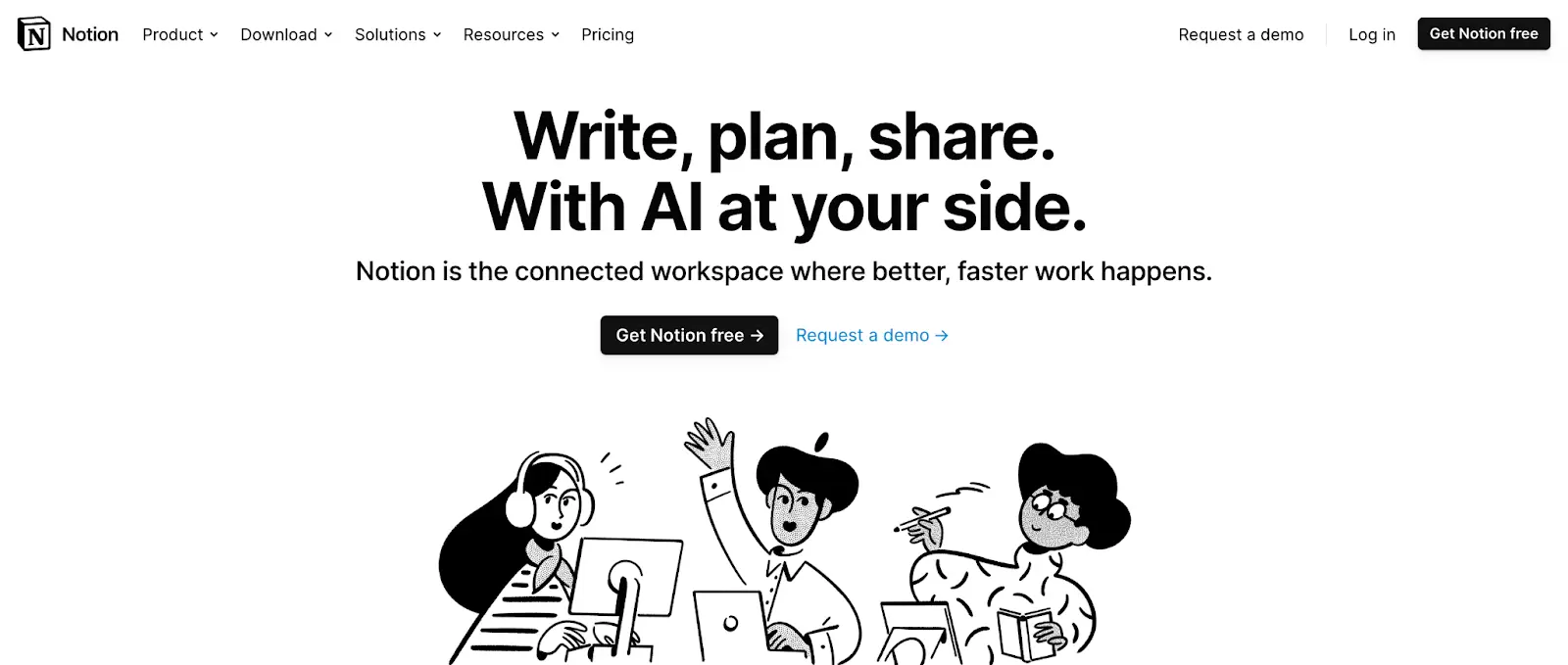
Focus on emphasizing the benefits or value your product or service brings to the table rather than solely highlighting its features during sales pitches. By highlighting how your solution addresses specific pain points and improves outcomes, you can resonate more deeply with customer’s use-cases and pain-points.
Why will this technique work?
Prospects are ultimately interested in how a product or service can solve their problems and improve their situation. By prioritizing benefits over features, salespeople can effectively communicate the value proposition and relevance of their offering to the prospect's needs.
Rather than inundating prospects with technical specifications, paint a vivid picture of how your solution streamlines processes and boosts efficiency. For instance, illustrate how your software eliminates repetitive tasks, saving time and resources, thus making the work lives of your clients easier and more productive.
{{INLINE_MOFU}}
2. Offer Freemiums or Complimentary Trials and Demos
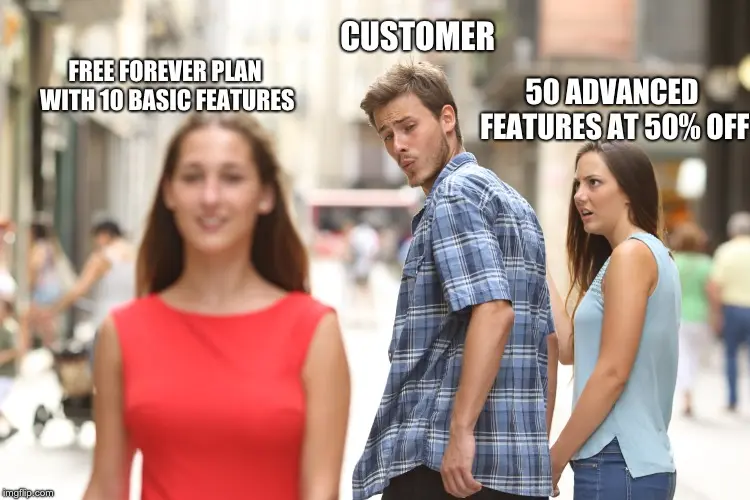
Provide prospects with the opportunity to experience your product through free trials or demos.
Why will this technique work?
Providing freemium or trial versions allows prospects to experience your product firsthand. By allowing hands-on exploration, salespersons can showcase the product's value and functionality, making it more enticing for prospects to convert.
A software company could offer a 14-day free trial, allowing potential clients to explore features before committing. Offer free trials or demos to give potential clients a hands-on experience with your product. For Example:, a software company could provide a 14-day free trial, allowing prospects to explore features and experience the value firsthand before committing.
3. Leveraging Email Automation and CRM Tools for Efficiency
Leverage email automation tools and Customer Relationship Management (CRM) software to streamline prospecting and lead nurturing processes. By automating repetitive tasks and centralizing customer data, sales teams can work more efficiently and effectively to manage their interactions with prospects.
Why will this technique work?
Automation reduces manual workload, allowing sales teams to focus more on building relationships and closing deals. Integration with CRM systems ensures that all interactions with prospects are tracked and managed systematically, leading to improved organization and follow-up
Factors.ai is an account intelligence solution that identifies and activates high-intent accounts engaging with your brand with workflow automations across LinkedIn, CRM, Slack/Teams, and your favorite mail sequencing tools. Learn more over a quick demo
4. Creating Urgency with Limited-time Offers
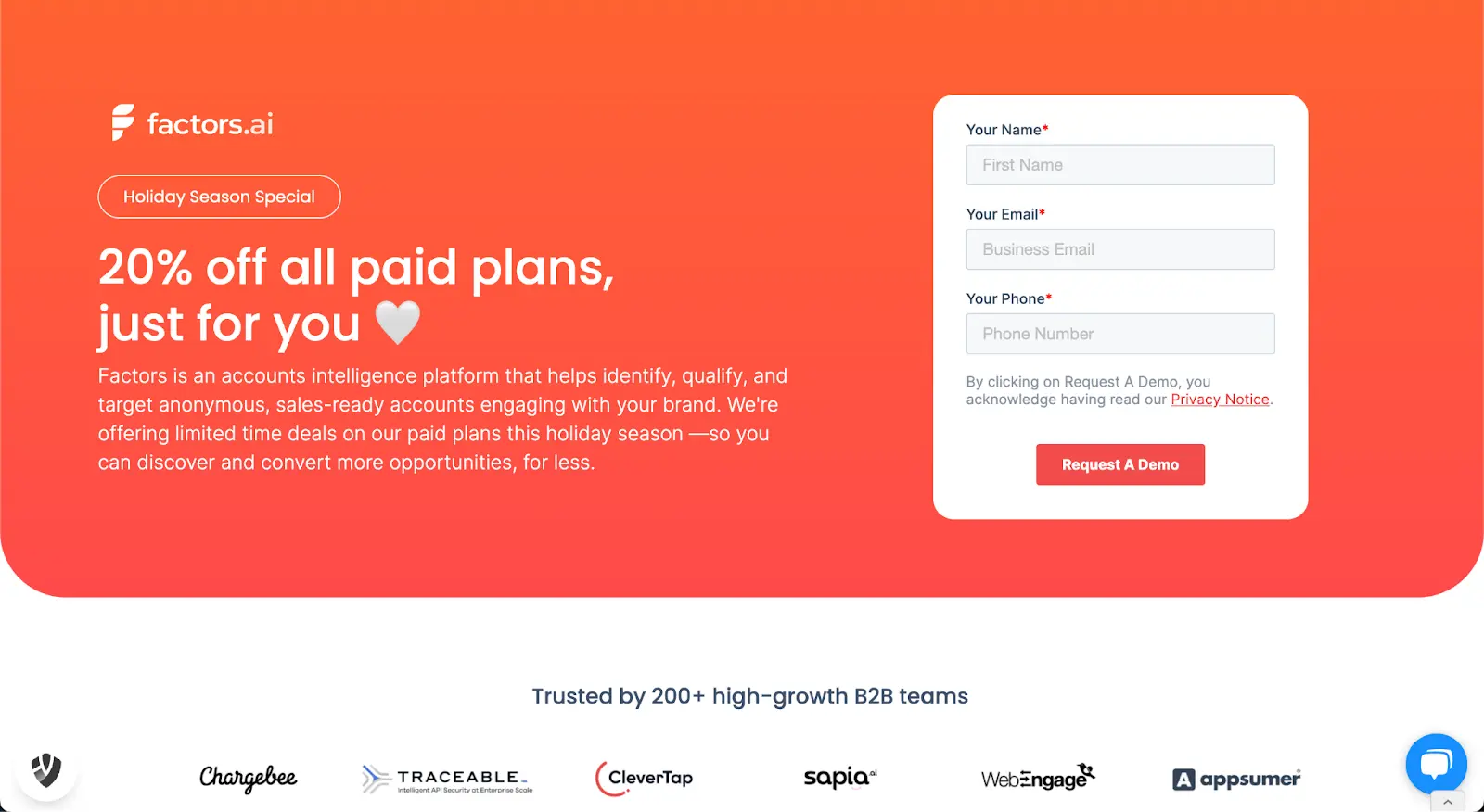
Employ limited-time offers to create a sense of urgency and prompt prospects to make a decision sooner rather than later. Whether it's a discount, bonus feature, or extended trial period, limited-time offers can push prospects towards a purchasing decision.
Why will this technique work?
Limited-time offers trigger the fear of missing out (FOMO) in prospects, compelling them to act quickly to take advantage of the offer before it expires. By introducing urgency, salespeople can expedite the decision-making process and increase conversion rates.
A limited time seasonal offer, for example, encourages customers to follow through with the purchase decisions, even in periods of relatively low engagement such as the holidays.
5. Establishing Authority through Thought Leadership
Position yourself or your company as an authority in the industry by sharing valuable insights, expertise, and knowledge through thought leadership content. This could include blog posts, whitepapers, webinars, or speaking engagements at industry events.
Why will this technique work?
Prospects are more likely to trust and engage with salespeople who demonstrate a deep understanding of their industry and offer valuable insights. By establishing authority through thought leadership, salespeople can build credibility and trust, making it easier to convert prospects into customers. Publish a series of blog posts or articles addressing common challenges or trends in your industry, providing actionable advice and solutions. Share these resources with prospects to showcase your expertise and differentiate yourself from
6. Developing Interactive Content for Engagement and Data Collection
Create interactive content, such as quizzes, assessments, or webinars, to engage prospects and gather valuable data. Interactive content not only captures attention but also provides insights into prospects' preferences and behavior.
Why will this technique work?
Interactive content is more engaging and memorable than traditional forms of content, making it an effective tool for capturing and retaining prospects' attention. Additionally, the data collected from interactive content can be used to personalize future interactions and tailor your offerings to meet prospects' needs.
Develop an interactive quiz related to your industry or target audience's interests. Not only does this capture leads' attention, but it also provides valuable data on their preferences and pain points. This doesn’t always have to be boring sales enablement. For example, here’s a fun interactive spin off of Wordle by Descope, an authentication platform:

7. Utilizing Referral Programs
Implement referral programs to leverage the trust existing clients have within their network. By incentivizing clients to refer to new business, you can tap into their credibility and expand your customer base through word-of-mouth marketing.
Why will this technique work?
Referral programs capitalize on the existing relationships and trust that clients have with their network. People are more likely to trust recommendations from friends or colleagues, making referral programs an effective way to acquire new customers.
Offer incentives, such as discounts or rewards, to clients who refer new business to you. By turning satisfied clients into advocates, you create a win-win situation where both parties benefit. HubSpot, for examples, runs a robust referral program by encouraging authors to monetise their existing content

8. Implementing Cross-Sell and Upsell Strategies
Identify opportunities to cross-sell or upsell to existing clients to maximize profitability and deepen your relationship with them. By offering additional products or services that complement their existing purchases, you can increase the lifetime value of each client.
| Expansion Strategy | Target Focus | Real-World Application |
|---|---|---|
| Upselling | Account Tier Elevation | Migrating a mid-market SaaS user to an Enterprise tier with single sign-on (SSO). |
| Cross-Selling | Complementary Tools | Introducing an email deliverability plugin to an existing CRM customer. |
Why will this technique work?
Existing clients are already familiar with your brand and have demonstrated trust by making a purchase. By presenting relevant cross-sell or upsell opportunities, you can leverage this trust and provide additional value to your clients while boosting your revenue. A SaaS provider could offer advanced features or premium packages to current users, enhancing their overall experience and addressing additional needs they may have. Identify complementary products or services that align with your clients' existing purchases and present them as value-added propositions.
9. Nurturing Cold Leads with Informative Content
Nurture cold leads with informative content to keep your brand top-of-mind and gradually warm them up to your offerings. By providing valuable insights and resources, you can build credibility, establish trust, and increase the likelihood of conversion.
Why will this technique work?
Cold leads may not be ready to make a purchasing decision immediately, but by consistently providing them with valuable content, you can keep them engaged and build a relationship over time. This increases the chances of converting them into warm leads and eventually customers. Send regular newsletters containing industry insights, success stories, and relevant content to your cold leads.
10. Gamify Sales Incentives
Enhance motivation and a competitive spirit within your sales team by introducing gamification elements into your sales incentives. By incorporating game-like features, such as challenges, rewards, and leaderboards, you can make the sales process more engaging and enjoyable for your team members.
Why Will This Technique Work?
Gamification taps into intrinsic human desires for achievement, recognition, and competition. By infusing the sales process with elements of fun and competition, you can boost morale, increase productivity, and foster a sense of camaraderie among team members. Additionally, gamification provides clear goals and feedback mechanisms, helping salespeople track their progress and stay motivated to perform at their best.
For example, Implement a sales leaderboard that dynamically tracks individual and team achievements in real-time. Recognize top performers with rewards, incentives, or badges to incentivize healthy competition and encourage continuous improvement. Additionally, incorporate interactive challenges or quizzes into sales training sessions to make learning more engaging and memorable for your team members. By leveraging gamification, you can create a positive and motivating sales culture that drives results and promotes collaboration.
11. Harness the Power of AI and Workflow Automations
When it comes to modern sales, AI and workflow automations stand as stalwart allies, streamlining processes and supercharging productivity. From intelligent lead scoring to automated follow-ups, leverage AI tools to identify high-value prospects, predict their needs, and deliver personalized interactions at scale.
Why will this technique work?
AI and workflow automations enhance sales efficiency by automating repetitive tasks, allowing sales teams to focus on high-value activities. The predictive capabilities of AI help identify promising leads, increasing the likelihood of successful conversions. Warmly is a great example of an AI-fuelled sales orchestration platform.

12. Master the Art of Negative Reverse Selling
Flip the script on traditional selling techniques with negative reverse selling. Instead of pushing the benefits of your product, uncover pain points and challenges your prospects are facing. By addressing their concerns head-on, you position yourself as a problem solver, fostering trust and paving the way for a smoother sales journey.
Why will this technique work?
Negative reverse selling works by addressing customer concerns upfront, building trust through transparency. By acknowledging challenges and proposing solutions, salespersons position themselves as problem solvers rather than mere product pushers. Instead of promoting product features, a salesperson starts a conversation by acknowledging common pain points faced by prospects. This honesty creates a connection, and the subsequent discussion revolves around solutions tailored to the prospect's needs.
13. Retarget Website Visitors Strategically
Don't let valuable website visitors slip through the cracks. Implement strategic retargeting campaigns to re-engage potential leads. Use personalized content and incentives to reignite interest and guide them back into your sales funnel, increasing the likelihood of conversion.
Why will this technique work?
Strategic retargeting keeps your brand top of mind, re-engaging visitors who showed initial interest. By delivering personalized content based on their previous interactions, you stay relevant and increase the chances of conversion. For example, a prospect visits your website, explores specific product pages, but leaves without making a purchase. Through strategic retargeting ads on various platforms, they encounter tailored content, such as a limited-time discount, prompting them to revisit and complete the purchase.

14. Craft Personalized Warm Outreach Based on Historical Engagement
Harness the wealth of data at your disposal to craft warm outreach messages tailored to your prospect's historical engagement. Reference specific interactions, highlight relevant content, and demonstrate a genuine understanding of their needs. Personalization is the key to making a lasting impression.
Why will this technique work?
Personalized outreach builds on the prospect's history, creating a connection and showing genuine interest. By referencing past interactions and aligning messages with their preferences, salespersons establish rapport and trust. A prospect who frequently engages with your email newsletters receives a personalized outreach email. It mentions their interest in specific topics, proposes relevant solutions, and invites them for a one-on-one discussion, acknowledging their valuable contribution to your community.
15. Amplify Impact with Customer Testimonials
Let your satisfied customers be your strongest advocates. Integrate compelling customer testimonials into your sales strategy. Showcase real-world success stories to build credibility, instill confidence, and provide tangible proof of the value your product delivers.
Why will this technique work?
Customer testimonials provide authentic proof of your product's value. Prospects are more likely to trust the experiences of their peers, making testimonials a powerful tool for building credibility and influencing purchasing decisions.
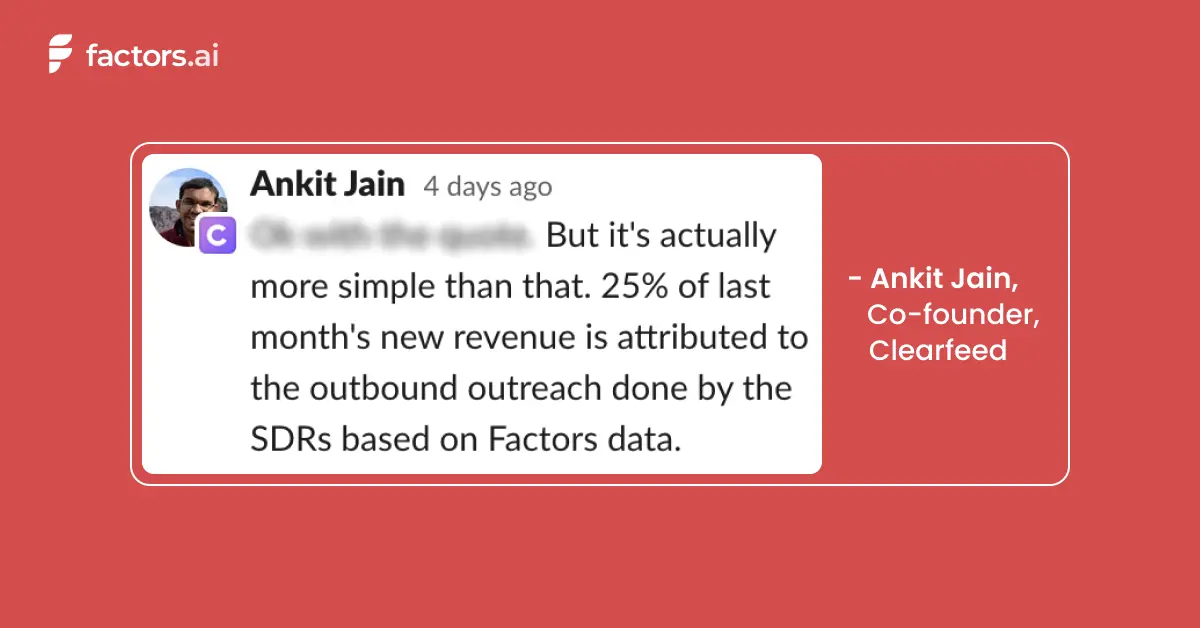
16. Score Account Engagement for Prioritized Action
Implement a robust account engagement scoring system to prioritize sales-ready accounts. Analyze interactions across channels, from website visits to email engagement, assigning scores based on their behavior. Focus your efforts on high-scoring accounts, optimizing your sales outreach for maximum impact.
Why will this technique work?
Account engagement scoring allows sales teams to focus on leads showing the most interest. By quantifying engagement across various touchpoints, salespersons can prioritize their efforts, concentrating on accounts with higher conversion potential. Implement an engagement scoring system where prospect interactions with your content, events, ads, emails, and more contribute to an overall engagement score. Sales then targets accounts with the highest scores, ensuring a more personalized approach.
17. Implement the Challenger Sale Methodology
This methodology involves challenging prospects' existing beliefs and introducing new perspectives to drive sales. This approach emphasizes proactive engagement and assertive questioning to lead prospects towards a better understanding of their needs and potential solutions.
Why will this technique work?
The challenger sale methodology is effective because it encourages salespersons to disrupt the status quo and engage prospects in meaningful conversations. By challenging their assumptions and offering fresh insights, sales teams can differentiate themselves from competitors and position themselves as trusted advisors who understand the prospect's challenges and can offer innovative solutions. Provide comprehensive training to your sales team on the principles of the challenger sale methodology. Encourage them to initiate conversations that challenge prospects' current approaches and provoke thought-provoking discussions. By guiding prospects towards a deeper understanding of their pain points and potential solutions, your sales team can effectively drive sales and build long-lasting relationships with clients.
18. Employ the Foot-in-the-Door Technique
Initiate relationships with the foot-in-the-door technique. Start with a small, easy-to-commit request or offer, securing a positive response. Once the prospect has taken that initial step, it becomes easier to present larger requests or propositions, gradually building commitment and trust.
Why will this technique work?
The Foot-in-the-Door technique starts with a small request, creating a sense of commitment. Once a prospect agrees to a small ask, they are more likely to comply with larger requests, gradually building a positive relationship. For example, initiate contact with a prospect by offering a free resource (Guides, playbooks, templates, etc) or inviting them to a low-commitment event. Once they've engaged positively, follow up with more significant requests, such as a product trial or in-depth consultation.
19. Provide Supporting Literature: E-books, Reviews, Comparison Pages
Support your pitch with literature that educates, informs, and persuades. E-books, reviews, and detailed comparison pages offer prospects valuable insights, helping them make informed decisions. Position these resources strategically in your sales funnel to guide prospects through their buyer's journey.
Why will this technique work?
Comprehensive supporting literature educates prospects, addresses queries, and builds confidence. E-books, reviews, and detailed comparison pages offer valuable information, aiding prospects in their decision-making process. Develop sales enablement assets that delves into industry challenges, providing actionable insights and showcasing how your product addresses specific pain points. Share this resource with prospects, positioning your brand as a knowledgeable partner invested in their success.

20. Utilize Micro-Influencers for Niche Impact
Explore the realm of micro-influencers who hold sway within niche communities. Partner with influencers relevant to your industry to amplify your brand message. Their authentic reach can significantly impact your target audience, fostering trust and driving conversions.
Why will this technique work?
Social proof from influencers enhances your brand's credibility. Partnering with industry influencers allows you to tap into their audience and leverage their endorsement to bolster your product's reputation. Collaborate with an influencer relevant to your industry and product niche. Have them share their positive experience with your product through social media, webinars, or other platforms, amplifying your reach and credibility.
21. Incorporating Social Proof through User-Generated Content
Enhance the authenticity of your sales pitch by integrating user-generated content (UGC). Encourage satisfied customers to share their experiences through testimonials, reviews, or user-generated media. By showcasing real feedback from actual users, you add credibility to your offerings and resonate with prospects seeking authentic validation.
Why will this technique work?
Social proof is a powerful psychological phenomenon where people look to others for guidance in uncertain situations. By displaying UGC, you provide tangible evidence of your product or service's value, reassuring prospects and building trust in your brand.
Feature awards and recognitions on your website or marketing materials, highlighting specific benefits or outcomes. Share user-generated photos or videos showcasing your product in action on social media platforms. By leveraging the voices of satisfied customers, you create a compelling narrative that influences prospects' perceptions and purchase decisions.
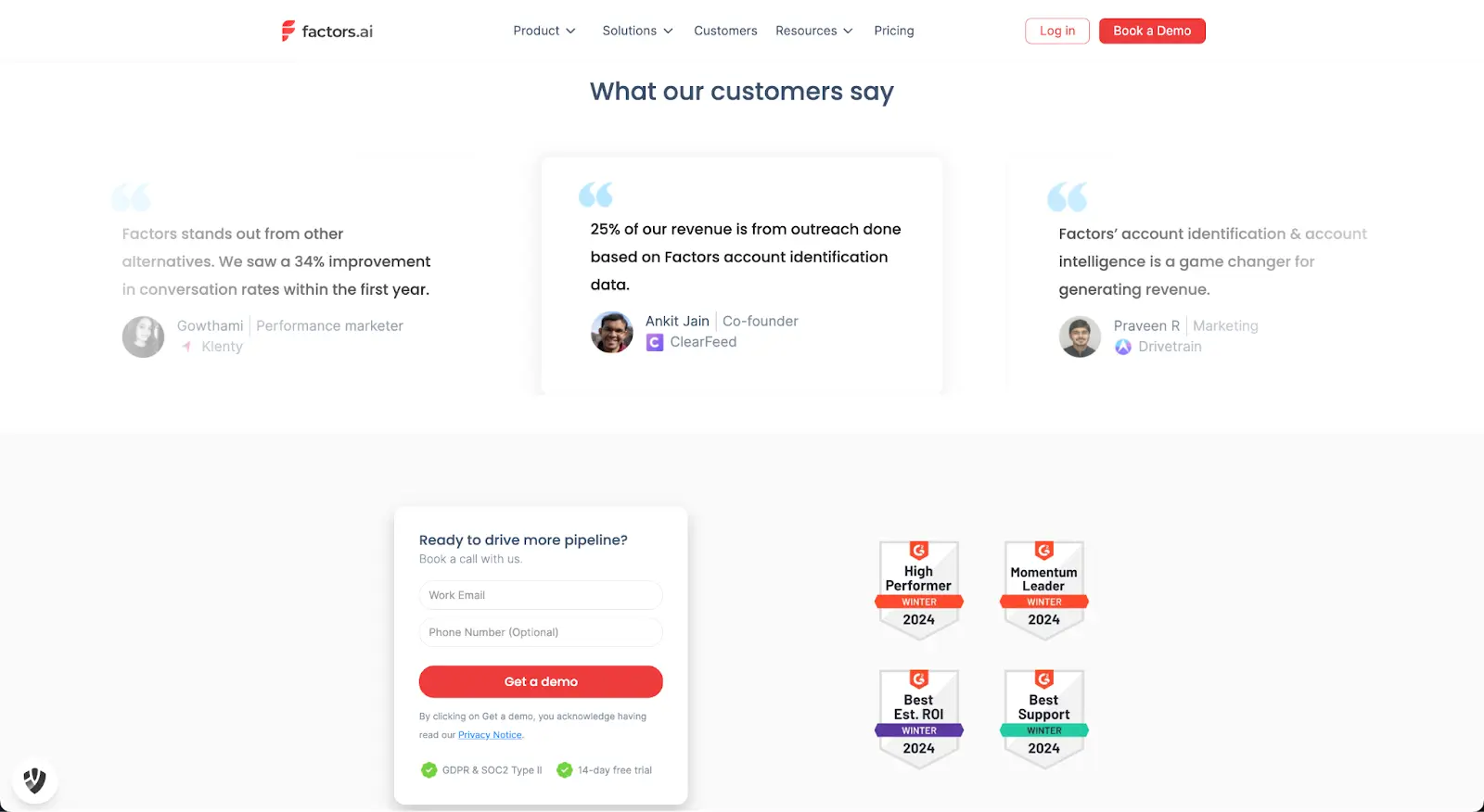
22. Implementing Intelligent Email Sequences
Maximize the effectiveness of your email outreach efforts by deploying intelligent email sequences. Craft customized sequences that dynamically adjust based on prospect interactions and behaviors. Whether it's the initial engagement or follow-up communication, smart email sequences ensure that your messages are relevant and timely, ultimately boosting response rates and engagement.
Why will this technique work?
Personalization and relevance are key drivers of email engagement and conversion. By tailoring your email sequences to align with the prospect's journey and preferences, you increase the likelihood of capturing their attention and eliciting a response. Intelligent email sequencing allows you to deliver the right message to the right person at the right time, optimizing your communication strategy for maximum impact.
You could create email sequences that automatically adapt based on prospect actions, such as opening an email, clicking a link, or downloading a resource. Incorporate personalized content and dynamic variables to ensure that each message resonates with the recipient's interests and needs. By delivering timely and relevant communication throughout the prospect's journey, you can nurture relationships and move them closer to conversion.
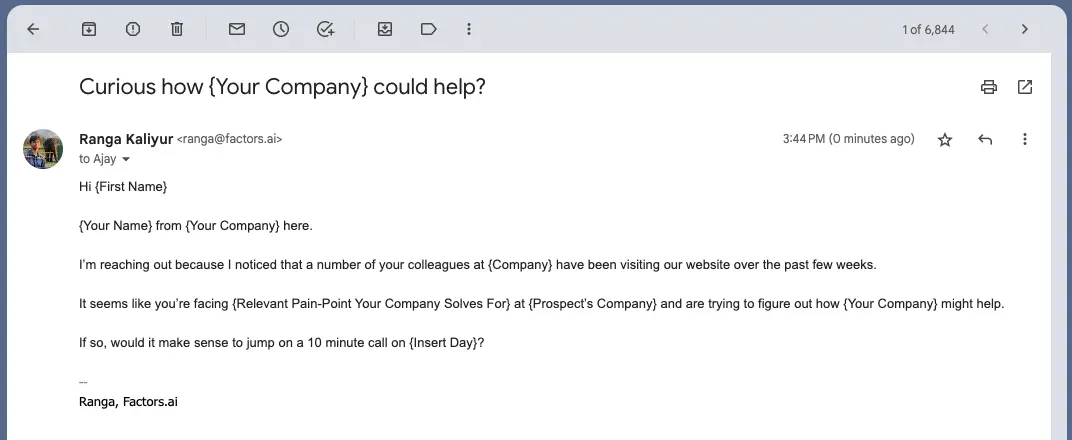
23. Building Trust with Transparent Pricing Models
Establish trust with prospects from the outset by adopting transparent pricing models. Clearly communicate pricing structures, making it easy for prospects to understand the value they receive in exchange for their investment. Transparent pricing fosters trust, reduces uncertainty, and streamlines the decision-making process.
Why will this technique work?
Transparent pricing eliminates ambiguity and instills confidence in prospects by demonstrating honesty and integrity. When prospects have a clear understanding of the costs involved, they are more likely to perceive your offering as fair and trustworthy, leading to increased conversions and customer satisfaction.
Display pricing information prominently on your website, providing detailed breakdowns of features and corresponding costs. Offer transparent explanations for any additional fees or charges, ensuring that prospects have all the information they need to make an informed decision. By being upfront about pricing, you build credibility and differentiate your brand from competitors who may employ hidden costs or opaque pricing structures.
24. Optimizing Landing Pages for Conversion Excellence
Maximize the effectiveness of your landing pages by optimizing them for conversion excellence. Ensure a seamless user experience, compelling visuals, and persuasive copy that guides visitors towards taking the desired action. A well-crafted landing page not only captures attention but also enhances credibility and encourages conversions.
Why will this technique work?
Landing pages serve as critical touchpoints in the buyer's journey, where prospects decide whether to engage further with your offering. By optimizing landing pages for conversion, you create a positive first impression, build trust, and facilitate the decision-making process, ultimately driving more conversions.
Design landing pages with clear and concise messaging that communicates the value proposition effectively. Use visually appealing elements, such as high-quality images and compelling calls-to-action, to guide visitors towards the desired action, whether it's making a purchase, signing up for a trial, or downloading a resource.
25. Adopt Conversational Marketing with Chatbots
Integrate chatbots into your website for conversational marketing. Chatbots provide instant responses, qualify leads, and guide prospects through the initial stages of their journey. Conversational marketing with chatbots ensures that no opportunity slips through the cracks.
Why will this technique work?
Chatbots provide immediate responses, catering to the growing demand for instant engagement. By offering real-time interactions, salespersons can capture leads' attention and guide them through initial queries.
26. Enhancing Engagement with Live Chat
Drive customer engagement by integrating live chat functionality on your website for real-time interactions. Live chat allows you to promptly address queries, offer instant support, and guide prospects through their decision-making process. By providing immediate assistance, live chat adds a personal touch to your online presence and enhances the overall customer experience.
Why will this technique work?
In today's fast-paced digital landscape, consumers expect instant responses and personalized interactions. Live chat enables you to meet these expectations by offering real-time assistance, which can significantly improve customer satisfaction, reduce bounce rates, and increase conversion rates.
Embed a live chat widget on key pages of your website, such as product pages or pricing pages, to proactively engage with visitors. Train your live chat agents to provide helpful and informative responses, address concerns promptly, and guide prospects towards the next steps in their journey. By leveraging live chat effectively, you can foster meaningful connections with prospects and nurture them towards conversion.
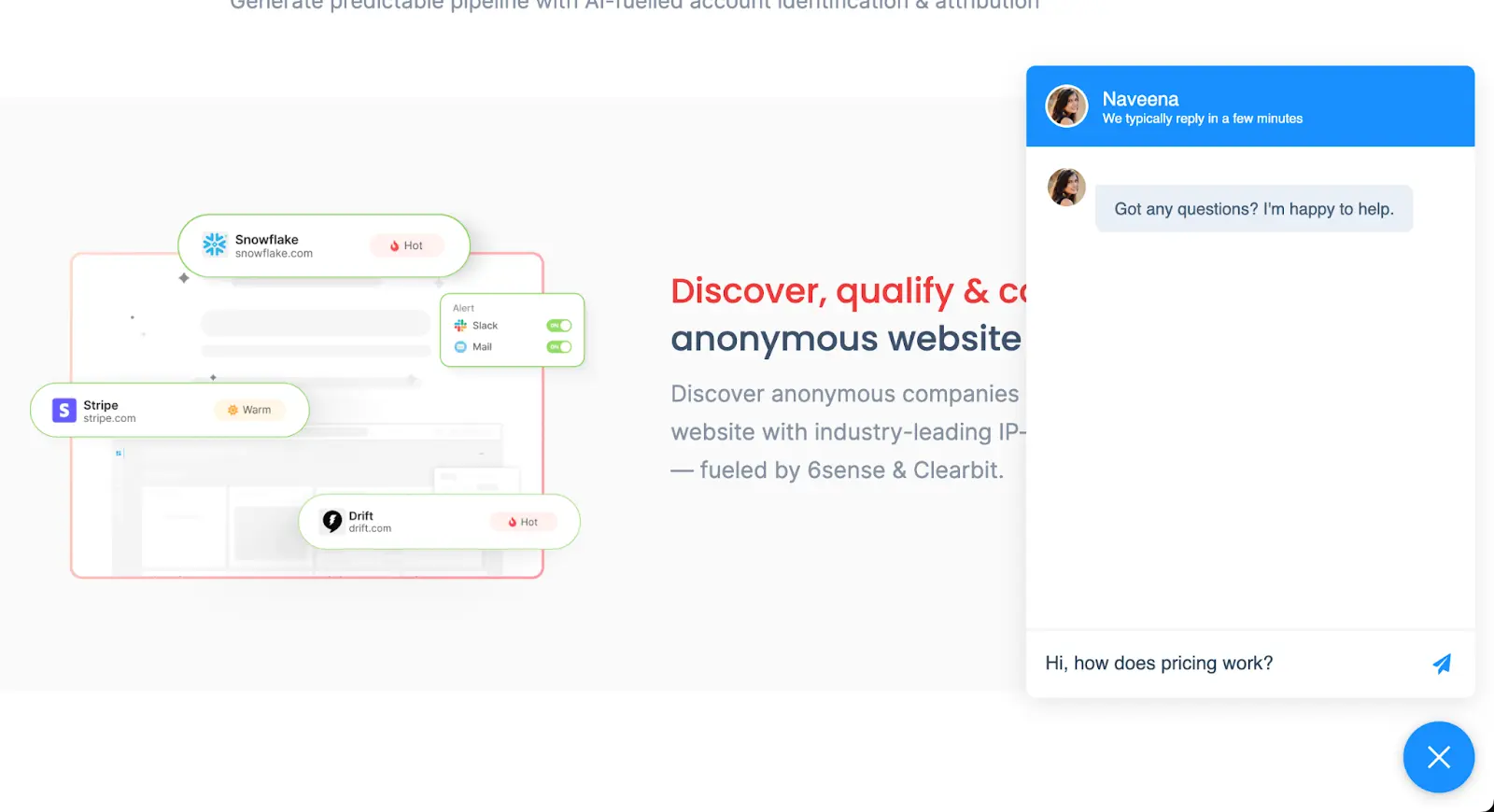
27. Delivering Personalized Video Messages
Differentiate your outreach efforts by crafting hyper-personalized video messages tailored to individual prospect needs and pain points. Video adds a human touch to your communication, allowing you to convey sincerity, empathy, and authenticity. By addressing prospects directly and addressing their specific concerns, you can make your outreach more memorable and impactful.
Why will this technique work?
Video has become a preferred medium for consuming content due to its engaging and emotive nature. By leveraging personalized video messages, you can capture and retain prospects' attention more effectively than traditional text-based communication. Additionally, personalized video messages demonstrate a genuine interest in the prospect's needs, which can help build trust and rapport.
Record personalized video messages addressing prospects by name and referencing specific information or challenges they've shared. Use visuals, body language, and tone of voice to convey empathy and understanding. Whether it's a personalized introduction, a product demonstration, or a follow-up message, incorporating video into your outreach can significantly enhance its impact and effectiveness.
28. Transactions with Blockchain Integration
Integrate blockchain technology to enhance the security, transparency, and efficiency of transactions. In industries where trust and integrity are paramount, blockchain provides a decentralized and immutable ledger that ensures the integrity of data and transactions. By leveraging blockchain technology, you can instill confidence in your prospects and facilitate smoother and more trustworthy transactions.
Why will this technique work?
Blockchain offers several benefits, including enhanced security, transparency, and traceability, which are highly valued in industries such as finance, healthcare, and supply chain management. By incorporating blockchain into your transactions, you can mitigate risks associated with fraud, tampering, and data manipulation, thereby building trust and credibility with your prospects.
For example, implement blockchain-based solutions such as smart contracts or distributed ledger technology (DLT) to automate and secure transactions. Showcase the benefits of blockchain integration, such as improved transparency, reduced costs, and increased efficiency, to prospects. By demonstrating your commitment to integrity and security, you can differentiate your offering and attract prospects who prioritize trust and reliability.
29. Develop Micro-Courses for Educational Engagement
Position your brand as an educational resource by developing micro-courses. Offer bite-sized educational content that addresses specific industry challenges or provides valuable insights. Micro-courses establish your brand as a knowledge leader, attracting prospects seeking expertise
Why will this technique work?
Micro-courses cater to the need for concise yet valuable content. By hosting short, focused webinars, salespersons can deliver impactful insights, address specific pain points, and showcase the expertise of the brand. For example, host a series of micro-courses or webinars, each addressing a specific challenge faced by your target audience. Keep the sessions brief but impactful, providing actionable insights and positioning your brand as a valuable resource in the industry.
30. Implementing Exit-Intent Pop-ups for Lasting Impressions
Utilize exit-intent pop-ups to capture the attention of departing website visitors and provide them with compelling offers, discounts, or content to encourage them to reconsider their decision to leave. Exit-intent pop-ups offer a last-minute opportunity to engage potential leads and drive conversions.
Why will this technique work?
Exit-intent pop-ups leverage the principle of reciprocity, where visitors feel inclined to reciprocate when offered something of value. By presenting visitors with enticing offers or valuable content just before they leave, you create a sense of urgency and incentivize them to stay and explore further, ultimately increasing the likelihood of conversion.

B2B sales success warrants a strategic combination of innovation, empathy, and resilience. By continuously refining your tactics, embracing new tech, and prioritizing the needs of your customers, you can position yourself and your organization for sustained growth and prosperity.
Successful sales go beyond pitches, they’re built on connection.
1. Core Tactics: Listen actively, solve real pain points, and tailor your pitch.
2. Relationship Building: Earn trust through honest, consistent communication.
3. Strategic Benefits: Align with the buyer’s journey, adapt in real-time, and close with confidence.
When you lead with empathy and insight, closing becomes a natural next step, not a hard sell.
The Strategic Sales Execution Matrix
To help your leadership team figure out which playbooks to run first, here is an operational roadmap structured by sales complexity:
| Sales Tactic | Main Operational Focus | Target Funnel Stage | Implementation Lift |
|---|---|---|---|
| Benefits-Oriented Pitches | Core Messaging Shift | All Funnel Stages | Minimal |
| Factors.ai Automation | Intent Tracking & ABM | Top / Middle of Funnel | Medium (Requires CRM Sync) |
| Challenger Sale Methodology | Rep Sales Training | Middle / Closing Stages | High (Requires Team Shift) |
| Live Chat / Chatbots | Real-Time Conversion | Top of Funnel / Pricing | Medium |
.avif)
What Is a Sales Territory? Types, Planning & Management Guide (2026)
A sales territory is a defined market segment assigned to a salesperson or team. Learn the 7 types of sales territories, how to create a territory plan, best practices, and tools to optimize coverage and revenue.
TL;DR
- Sales territories involve dividing markets into manageable segments to enhance efficiency and specialization.
- As digital sales evolve, traditional geographic boundaries are giving way to parameters like industry, product, and customer type.
- Well-defined territories boost customer satisfaction, optimize sales team performance, and drive organizational growth.
- Common types of sales territory include geographic, industry-based, customer-based, product-focused, and channel-specific approaches.
- Effective planning involves setting clear objectives, analyzing data, segmenting markets, assigning teams, and monitoring results.
A sales territory is a defined market segment. It is based on geography, industry, customer type, or product line — assigned to a specific salesperson or sales team to manage and grow. Sales territories divide your target market into smaller, manageable segments so reps can specialize, reduce overlap, and focus their efforts for maximum efficiency.
Historically, geography defined sales territories because sales were conducted in person. However, as digital sales gain prominence, territories are increasingly defined by factors like industry vertical, company size, product line, and customer lifecycle stage. Understanding and effectively managing sales territories is crucial to driving organizational growth and achieving sales goals.
This guide covers everything you need to know about sales territories: what they are, the 7 main types, how to create a territory plan, best practices, tools, KPIs, and common challenges — with real-world examples and community insights.
What is a Sales Territory?
A sales territory is a defined market segment for which a salesperson or a sales team is responsible. In simple terms, territories divide your target market into smaller segments that reps can better manage. For example, back in the day, one person would be assigned to the top half of the west coast of the USA while another would be manning the bottom half.
The territories you define can be based on various parameters like location, company size, industry, product line, channel partners, etc. This can also be useful when working on account-based marketing campaigns.
For example:
● A software company selling to SMBs across the US can split the country into Northeast, Midwest, South, and West sales territories. Reps based in each territory will handle that area.
● An enterprise software company may divide its market by industry verticals. One rep handles all education/non-profit accounts; another handles healthcare accounts, and so on.
The primary goal is to create manageable sections that allow sales teams to focus their efforts and resources effectively. These territories can be defined by geography, industry, customer type, product type, or a combination of these factors.
That said, geography doesn't matter as much in digital sales as it used to. If you are selling a service performed by people like a circus or even heavy machinery, geography will play a role since you might wish to go and pitch your product. The same applies to an expensive product or service. However, geography won't matter much if a software or course can be sold, bought, used, and serviced anywhere.
We'll explore different types of sales territories later in this guide.
Benefits of Sales Territory Management
Implementing sales territories provides immense strategic value for SaaS organizations. Well-defined territories lead to optimal sales coverage, increased efficiency, and higher productivity.
Let's understand why sales territories are essential for everyone involved in the transaction:
1. Customer Perspective
From the customer's perspective, sales territories ensure they receive in-person service from sales representatives knowledgeable about specific, specialized products. Customers benefit from having a dedicated point of contact who understands their unique needs and can provide tailored solutions. Studies show that personalized service in sales territories can improve customer satisfaction by up to 20%.
2. Company Perspective
From the company's perspective, sales territories help build competence within specific product categories or markets, leading to better predictability and coverage. This structured approach allows companies to allocate resources efficiently, track performance accurately, and adapt to market changes swiftly. Sales capacity planning involves predicting future hiring needs and balancing recruitment, ramp-up times, and churn. Effective territory planning can enhance overall sales team efficiency by 40%.
3. Salesperson Perspective
Clearly defined territories mean less overlap and conflict for salespeople, leading to higher motivation and productivity. Sales territories also provide a clear framework for sales compensation and career development. A well-designed sales territory plan can boost salesperson productivity by up to 25%.
{{INLINE_TOFU}}
Additional considerations in sales territory planning
- Frequency of Territory Updates
Regular updates to sales territories are essential to reflect changes in the market and business priorities. Market conditions, customer needs, and competitive landscapes can evolve, necessitating adjustments to sales territories. For example, if a company expands into new geographic regions or introduces new products, it may need to reallocate resources and adjust territories accordingly.
Also read: 10 Best Cognism Alternatives And Competitors
Finding the right balance between stability and flexibility is crucial. Frequent changes can disrupt sales activities and impact performance, while infrequent updates may lead to missed opportunities and inefficiencies. According to Spotio, updating territories quarterly can help maintain alignment with market dynamics and maximize sales effectiveness.
- Impact on Compensation Structures
The design of sales territories can significantly impact sales compensation structures. Transparent and fair compensation plans motivate sales teams and align their efforts with company goals. Changes to territories can affect how sales representatives are compensated, potentially leading to adjustments in commission structures, bonuses, and performance metrics.
Ensuring that compensation plans remain competitive and attractive, even as territories evolve, is essential. Companies should regularly review and adjust compensation structures to reflect territory changes and maintain alignment with overall business objectives. Data from Xactly indicates that aligning compensation with territory performance can lead to a 15% increase in sales results.
- Trade-offs in Territory Planning
Every approach to sales territory planning involves trade-offs. Static territories offer stability but may lack flexibility, while dynamic territories provide adaptability but can be complex to manage. Companies must evaluate their specific needs, market conditions, and business objectives to determine the best approach for their sales teams.
Trade-offs include balancing the need for specialized expertise with the desire for a more flexible and responsive sales strategy. Companies should consider each approach's potential benefits and drawbacks and make informed decisions based on their unique circumstances.
Types of Sales Territories for SaaS Companies
Sales territories for SaaS companies can be defined in multiple ways depending on the nature of your business, products, and buyers.
Let's explore the most common SaaS sales territory structures with real-world examples:
| Territory Type | Best For | Key Advantage | Key Challenge |
|---|---|---|---|
| Geographical | Physical products, high-value deals requiring face-to-face interaction | Simplifies logistics and reduces travel costs | Unequal distribution of potential customers across regions |
| Industry-Based | Companies selling to distinct verticals (healthcare, finance, education) | Deep domain expertise increases conversion rates | Requires significant investment in industry-specific training |
| Customer Type | Organizations with diverse customer segments (SMB, mid-market, enterprise) | Tailored sales strategies for each segment | Complex management structure and segmentation |
| Product Type | Companies with diverse product portfolios | Deep product expertise and specialized solutions | Requires coordination across product lines for comprehensive support |
| New Business vs. Renewals | SaaS companies with subscription models | Prevents mixed focus between hunting and farming | Handoff friction between new business and renewal teams |
| Channel Sales | Companies with reseller or partner ecosystems | Leverages partner relationships for broader reach | Less direct control over the sales process |
| Named Accounts | Enterprise SaaS targeting Fortune 500 or strategic accounts | Highly customized solutions and dedicated resources | Resource-intensive and limited scalability |

1. Geographical Territories
Geographical territories have been a traditional approach where sales regions are defined based on physical locations. This method is still relevant for physical and high-value digital products requiring face-to-face interaction. For instance, a company selling agricultural equipment may divide its territories based on states or regions, ensuring sales representatives can visit farms and build strong relationships with farmers. Similarly, pharmaceutical companies often define territories based on healthcare regions, allowing sales reps to develop in-depth knowledge of local healthcare providers and regulations. A study by HubSpot shows that geographical territories can help reduce travel costs by 20%.
Geographical territories also offer several advantages. They simplify logistics, reduce travel costs, and provide a more focused approach to local marketing efforts. However, they can also present challenges, such as unequal distribution of potential customers or varying market potential across regions. Companies must regularly analyze market data and adjust territories to address these issues.One notable example is Amazon Web Services (AWS), which might sell to various sectors with differing needs. By defining sales territories based on industry, AWS can provide specialized services and solutions tailored to each sector's unique requirements.
2. Industry-Based Territories
Industry-based territories focus on sectors such as government, airlines, and telecom. This approach requires a deep understanding of industry-specific use cases and relationships. Sales teams become experts in the needs and challenges of their assigned industries, enabling them to offer highly relevant solutions.
For example, a technology company might have dedicated sales teams for the healthcare, finance, and education sectors, each with tailored messaging and product offerings. Spotio highlights that industry-based territories can lead to a 25% increase in conversion rates due to specialized knowledge.Industry-based territories allow for a more targeted approach to sales. Sales representatives can speak the language of their industry, understand regulatory requirements, and build strong relationships with key stakeholders. This expertise can lead to higher conversion rates and increased customer loyalty. However, significant investment in training and development is required to ensure that sales teams are well-versed in industry-specific knowledge.
3. Customer Type Territories
Defining territories based on customer types involves segmenting the market by customer size, purchase behavior, or lifecycle stage. This method allows sales teams to tailor their strategies to the unique requirements of different customer segments, whether small businesses, large enterprises, or key accounts. For instance, a software company might assign sales teams to small, mid-sized, and large enterprises, each with distinct needs and buying processes. Small businesses require more straightforward solutions and cost-effective pricing, while large enterprises may need customized solutions and dedicated support.Customer-type territories enable sales teams to specialize in addressing each segment's unique challenges and opportunities. This specialization can improve the relevance of sales pitches, enhance customer satisfaction, and drive better results. However, it also requires careful segmentation and may lead to a more complex management structure.
4. Product Type Territories
Product-type territories assign sales teams to specific product lines or services. This approach is efficient for companies with diverse product portfolios. Sales teams can develop deep expertise in their assigned products, providing better support and driving higher sales. For example, a company that sells various types of industrial machinery might have separate sales teams for each product line, such as forklifts, cranes, and conveyor systems.
Product-type territories allow for a focused approach to product management and sales. Sales representatives can become experts in their assigned products, better understand customer needs, and offer more specialized solutions. However, this approach may require additional resources and coordination to ensure that sales efforts are aligned with overall business goals and that customers receive comprehensive support across product lines.
5. New Business vs Renewals Territories
An account can also be divided between new business reps focused on landing net new customers and renewal reps who manage ongoing subscription revenue.
New business requires more outbound prospecting while renewals need customer success skills. Separate territories prevent mixed focus.
6. Channel Sales Territories
If part of your sales goes through reseller partners, you can have dedicated partner account managers aligned to them.
For example, having an APAC channel partners territory manager who handles all partnerships in that region and works to grow revenue.
7. Named Accounts Territories
Larger SaaS firms often assign strategic accounts like Fortune 500 companies to specific reps who can customize solutions for them.
These named account territories get all the sales and marketing resources required to land massive deals.
As you can see, SaaS sales leaders have many options to define territories based on their unique situation and customer landscape.
How to Create an Effective Sales Territory Plan
Creating an optimal sales territory plan is crucial yet complex. There are many factors to consider and steps involved.
Let's go through a comprehensive, step-by-step process for designing a sales territory plan that drives growth:
Also read: AI marketing automation pricing comparison: what B2B teams should actually pay for

Step 1: Define Your Objectives
Start by clearly defining the objectives of your sales territory plan. Are you looking to increase market coverage, improve customer satisfaction, or boost sales in a particular segment? Understanding your goals will guide the entire process.
Step 2: Analyze Market Data
Conduct a thorough analysis of your market data. This includes identifying potential customers, understanding market trends, and assessing the competition. Use data analytics tools to segment your market based on relevant criteria such as geography, industry, or customer type.
Step 3: Segment Your Market
Based on your market analysis, segment your market into manageable sections. Ensure each segment is large enough to justify dedicated resources but small enough to allow personalized attention. This segmentation will form the basis of your sales territories.
Step 4: Assign Sales Teams
Assign your sales teams to the defined territories. Consider factors such as team expertise, experience, and workload. Ensure each team has the necessary resources and training to succeed in their assigned territories.
Step 5: Set Goals and Metrics
Establish clear goals and metrics for each territory. These should align with your overall business objectives and provide a basis for performance evaluation. Regularly review and adjust these goals to reflect changes in the market and business priorities.
Step 6: Implement and Monitor
Implement your sales territory plan and continuously monitor its performance. Use CRM systems and other sales tools to track progress, identify issues, and make data-driven adjustments. Regular feedback from sales teams is crucial to refine and optimize your territories.
Remember to make iterative changes when it comes to sales territories to allow your sales reps time to adjust. You do not want to make knee-jerk changes that disrupt the working processes your sales teams follow.
Key KPIs to Measure Sales Territory Performance
Tracking the right KPIs ensures your territory plan is driving results. Here are the most important metrics to monitor:
1. Revenue per Territory
Measure the total revenue generated within each territory over a given period. This helps identify high-performing and underperforming territories so you can reallocate resources accordingly.
2. Quota Attainment Rate
Track the percentage of reps meeting or exceeding their sales quotas. Low attainment across a territory may signal that the territory is too large, under-resourced, or poorly defined.
3. Pipeline Coverage Ratio
Calculate the ratio of pipeline value to quota for each territory. A healthy pipeline coverage ratio (typically 3x to 4x) indicates enough opportunities in the funnel to hit targets.
4. Win Rate by Territory
Analyze the percentage of deals closed versus deals pursued in each territory. Variations in win rates can reveal differences in market fit, rep effectiveness, or competitive pressure.
5. Average Deal Size
Monitor the average contract value across territories. Significant differences may suggest that certain territories have access to larger accounts or that reps need support with upselling.
6. Sales Cycle Length
Track how long it takes to close deals in each territory. Longer cycles may indicate complex buying processes, insufficient rep support, or misaligned territory assignments.
7. Customer Acquisition Cost (CAC)
Measure the cost of acquiring a new customer in each territory. High CAC in certain territories may point to inefficiencies that need to be addressed through better targeting or resource allocation.
8. Account Penetration Rate
Evaluate what percentage of total addressable accounts in a territory are actively being worked. Low penetration rates suggest untapped potential and an opportunity to expand coverage.
Common Challenges in Sales Territory Management
Even well-designed territory plans face obstacles. Being aware of these challenges helps you proactively address them:
1. Unbalanced Territories
One of the most common issues is uneven distribution of accounts or revenue potential across territories. Some reps end up with too many high-value accounts while others struggle with low-potential segments. Regularly review territory data and redistribute accounts to maintain balance.
2. Rep Turnover and Ramp-Up Time
When a rep leaves, the territory can go dark for weeks or months during the hiring and onboarding process. Build documentation, establish account handoff processes, and cross-train team members to minimize disruption.
3. Data Quality Issues
Territory planning is only as good as the data behind it. Incomplete, outdated, or inaccurate CRM data leads to poor territory assignments and missed opportunities. Invest in data hygiene processes and tools that keep your account data clean and current.
4. Overlapping Territories
When territory boundaries are unclear, multiple reps may pursue the same accounts, leading to internal conflicts and a poor customer experience. Define clear rules of engagement and use CRM-based territory mapping to eliminate ambiguity.
5. Resistance to Change
Sales reps often resist territory realignments, especially when they lose accounts they have nurtured. Communicate changes transparently, involve reps in the planning process, and ensure compensation plans account for transitions.
6. Scaling Territories with Growth
As your company grows, territories that once worked may become too large or too small. Build a scalable framework from the start — one that allows you to split, merge, or redefine territories without major disruption as the business evolves.
Also read: Generative AI marketing use cases: what actually works for B2B teams
Static vs. Dynamic Sales Territories
- Static Sales Territories
Static territories consist of a fixed set of accounts for a specified period. This approach provides stability and allows sales teams to build long-term customer relationships. However, it may need to be more responsive to market changes and evolving customer needs.
- Dynamic Sales Territories
Dynamic territories adjust based on market changes, customer intent, and sales performance. This approach is more flexible and can respond quickly to new opportunities or challenges. Companies like 6sense are known for their dynamic sales territories, constantly using advanced analytics to optimize territory assignments.
Detailed Real-world Examples and Case Studies
- AWS's Industry-Based Territories
Amazon Web Services (AWS) is a prime example of a company that uses industry-based sales territories. AWS segments its sales teams based on various industries, including healthcare, finance, and government. This approach allows AWS to tailor its solutions and sales strategies to each sector's needs and regulatory requirements.
By focusing on industry-specific sales territories, AWS can leverage its expertise and build strong relationships with key stakeholders in each sector. This specialization enhances AWS's ability to address complex industry challenges and drive successful customer outcomes.
- Salesforce's Dynamic Approach
Salesforce employs a dynamic approach to sales territory planning, using advanced analytics to optimize territory assignments. The company monitors market conditions, customer intent, and sales performance to adjust its territories in real-time.
Salesforce's dynamic approach allows it to respond quickly to market changes and seize new opportunities. By leveraging data and analytics, Salesforce can ensure that its sales teams are always focused on the most promising prospects and regions.
- 6sense's Use of Advanced Analytics
6sense is known for its innovative use of advanced analytics in sales territory planning. The company uses data-driven insights to define and adjust sales territories, enabling its teams to focus on high-potential opportunities and optimize their efforts.
6sense's approach highlights the importance of leveraging data and analytics to drive effective sales territory planning. Using advanced tools and techniques, 6sense can continuously refine its territories and achieve better results.
How Factors Helps Optimize Territories
Factors is an AI-powered Account intelligence & analytics platform that can help maximize the potential of sales territories:
1. Enriches Anonymous Traffic

Factors enriches anonymous website visitors and ad impressions with company data—revealing the company name, industry, location, and other attributes you can use to map accounts to matching sales territories.
2. Automatically Assigns Accounts to Territories
Once Factors discovers the right data, like the location, industry, account size, etc, it automatically assigns the accounts to the right reps based on the territory definitions in your CRM. You no longer have to manually assign a rep every time there's a new lead in the system.
3. Alerts Reps About Territory Accounts
Factors helps you automatically alert users when there are new accounts identified. You can set up Factors to automatically message users on Slack informing them about the new account.
The best part is, Factors continuously monitors your website and other connect platforms for new leads. Your reps are alerted as soon as a new lead hits Factors (in real-time) so they can act upon the leads while they're hot.
4. Provides 360-Degree Territory Account View
Factors unifies cross-channel account data to provide a 360-degree view of territory accounts—including web activity, ad impressions, intent data, CRM interactions etc.
5. Enables Data-Driven Territory Optimization
It analyzes territory performance across metrics like engagement, pipeline velocity, and more. This allows data-driven planning and optimization of territories.
With Factors, you can leverage previously untapped anonymous interactions to drive more territory leads. Continuous optimization of territories also becomes easier based on hard data vs guesswork.
Tips to Effectively Manage Sales Territories
Here are some tips to manage Sales Territories effectively:
1. Divide Your Territory Logically
Understand your current customers, potential customers, competitor activity, and account locations. Organize your territory using a logical approach, such as geography, industry, or product, to match your business strategy.
Create a structure that allows your sales team to focus on high-value opportunities and use their time effectively. Prioritize maximizing time with qualified customers to drive better results.
2. Develop a Call Rotation Plan
Regular contact builds strong customer relationships. Create a call rotation plan that specifies how often and through which method to engage each account. Review your accounts quarterly or semi-annually to determine whether they need in-person visits, phone calls, emails, or marketing outreach, and set a suitable frequency.
For instance, schedule quarterly follow-ups for dormant accounts, while high-value accounts may need monthly visits and consistent calls. To save time, focus on high-priority accounts and group meetings geographically. Use CRM tools to automate reminders and maintain consistency in your follow-ups.
3. Leverage Relationships to Cross-Sell and Upsell
Leverage existing relationships to create more opportunities within the same organization. A strong connection in one department can open doors to others. It can lead to long-term growth and cost-effective results. Create joint case studies. These efforts can lead to significant payoffs and stronger client partnerships.
Best Tools for Sales Territory Management
The right tools make territory planning and management significantly more efficient. Here are the top categories and tools to consider:
1. CRM Platforms
Your CRM is the foundation of territory management. Platforms like Salesforce, HubSpot, and Microsoft Dynamics 365 allow you to define territories, assign accounts to reps, and track performance. Most CRMs support territory hierarchies and rules-based account routing.
Also read: AI Marketing Software: The Best Platforms for Modern B2B Marketing Teams
2. Territory Mapping Software
Dedicated mapping tools like Maptive, Badger Maps, and eSpatial provide visual territory maps that help you balance workloads, identify coverage gaps, and optimize geographic assignments. These tools are especially useful for field sales teams.
3. Revenue Intelligence Platforms
Tools like Gong, Clari, and 6sense provide data-driven insights into territory performance, pipeline health, and buyer intent. They help sales leaders make informed decisions about territory adjustments and resource allocation.
4. Sales Engagement Platforms
Platforms like Outreach and Salesloft help reps execute territory strategies through automated sequences, task management, and multi-channel outreach. They ensure consistent engagement across all accounts in a territory.
5. Account Intelligence Tools
Factors enriches anonymous website traffic with firmographic data, automatically assigns accounts to the right territories, and provides a unified view of account activity across channels. It is purpose-built to optimize territory coverage and identify hidden revenue opportunities.
6. Data Enrichment Tools
Tools like ZoomInfo, Clearbit, and Apollo keep your account data accurate and up to date — which is critical for proper territory segmentation and assignment. Clean data ensures reps are working the right accounts in the right territories.
What Sales Reps Say About Territory Management
To understand how territory management works in practice, it helps to hear directly from the people on the front lines. Here is what sales professionals commonly share about their experiences:
On Territory Balance
Many reps report that unbalanced territories are their biggest frustration. When one rep has a territory packed with enterprise accounts while another is stuck with low-potential segments, it creates resentment and turnover. Reps consistently emphasize that fair distribution of opportunity — not just accounts — is what matters most.
On Involvement in Planning
Sales reps who are involved in the territory planning process report higher satisfaction and better performance. They bring ground-level insights about account relationships, competitive dynamics, and market nuances that data alone cannot capture. Top-performing teams typically include rep feedback before finalizing territory assignments.
On Frequent Realignments
Reps widely agree that too-frequent territory changes are disruptive. Building relationships takes time, and constant reshuffling undermines trust with prospects and customers. The consensus among experienced reps is that territories should be reviewed quarterly but only realigned annually unless there is a compelling business reason.
On Technology and Tools
Sales professionals appreciate tools that reduce manual work — especially automated lead routing, real-time alerts for new accounts, and dashboards that show territory health at a glance. However, they also caution against over-relying on tools without combining them with human judgment and relationship-building skills.
On Communication from Leadership
Transparency around why territory changes are made is critical. Reps who understand the rationale behind decisions — even unfavorable ones — are far more likely to stay motivated and bought in. The best sales leaders share data, explain trade-offs, and give reps a voice in the process.
Also read: Factors.ai vs Cognism: The GTM Platform Breakdown
Key Takeaways
- Sales territories optimize market coverage, sales efficiency, and account management for your team. Ways to define territories include geographic, industry, size, products, or channels.
- Steps for creating a territory plan include choosing territory types, mapping target accounts, estimating potential, setting goals, assigning territories, configuring lead routing, and tracking performance.
- When assigning territories, take rep strengths into account, involve reps in planning, make data-driven decisions, and limit frequent realignments.
- Specialized software provides visibility into sales territories and makes territory management efficient.
- Factors enriches anonymous traffic to assign accounts to territories. It also unifies data across channels for continuous optimization.
- Well-planned sales territories ensure your reps have reasonable workloads and can nurture the right accounts. Combined with the right technology, sales territories provide immense leverage to scale revenue growth.
Smart Territory Planning Increases Sales Performance
Sales territories help reps focus on high-value accounts, leading to higher win rates and revenue growth. Traditionally, businesses assigned territories based on geography, but digital sales now prioritize factors like business models, product offerings, and customer needs. Involving reps in planning ensures alignment with their strengths, improving performance and engagement.
Well-structured territories increase customer satisfaction, streamline sales processes, and maximize resource allocation. Automating inbound lead routing in CRM systems to the right sales representatives maximizes efficiency. Continuously track and optimize territories based on hard data.
Factors plays a critical role here. It enriches anonymous website traffic to identify and assign accounts to matching sales territories and automatically connects the dots across customer touchpoints to uncover revenue opportunities hidden within your data.
Regular updates, clear objectives, and continuous optimization keep sales teams agile and productive. By leveraging technology and real-time data, businesses can fine-tune their territories, reduce inefficiencies, and maximize sales performance. A well-planned territory strategy drives revenue and strengthens customer relationships and long-term business growth.
So if you're struggling with sub-optimal territory planning, take control of your revenue engine. Book a customized Factors demo today to see how it can help optimize your sales territories.
FAQs on Sales Territory
1. What is the meaning of a sales territory?
A sales territory is a defined market segment assigned to a salesperson or team based on factors like location, industry, or customer type to improve focus and efficiency.
2. What are different sales territories?
Sales territories can be:
- Geographical: Based on physical locations.
- Industry-Based: Focused on specific industries.
- Customer Type: Segmented by customer size or behavior.
- Product Type: Assigned by product lines.
- New Business vs. Renewals: Differentiating new customer acquisition and renewals.
- Channel Sales: Focused on reseller partners.
- Named Accounts: Assigned to strategic, high-value clients.
3. How do you create a sales territory plan?
Creating a sales territory plan involves six key steps: (1) Define your objectives — determine whether you want to increase coverage, improve satisfaction, or boost segment sales. (2) Analyze market data using analytics tools. (3) Segment your market into manageable sections. (4) Assign sales teams based on expertise and workload. (5) Set clear goals and metrics aligned with business objectives. (6) Implement the plan and continuously monitor performance using CRM systems and sales tools.
4. How do you effectively manage a sales territory?
Effective sales territory management requires dividing your territory logically based on geography, industry, or product; developing a call rotation plan to maintain regular contact with accounts; leveraging existing relationships to cross-sell and upsell; using CRM tools to automate reminders and track engagement; and regularly reviewing territory performance data to make adjustments. Prioritize high-value accounts and involve your reps in planning decisions.
5. What tools are used for sales territory management?
Common tools for sales territory management include CRM platforms (Salesforce, HubSpot, Microsoft Dynamics 365), territory mapping software (Maptive, Badger Maps, eSpatial), revenue intelligence platforms (Gong, Clari, 6sense), sales engagement platforms (Outreach, Salesloft), account intelligence tools like Factors, and data enrichment tools (ZoomInfo, Clearbit, Apollo).
6. What are the biggest challenges in sales territory management?
The biggest challenges include unbalanced territories with uneven revenue potential, rep turnover and ramp-up time, data quality issues in CRM systems, overlapping territories causing internal conflicts, resistance to change from sales reps during realignments, and scaling territories as the company grows. Addressing these challenges requires clean data, clear rules of engagement, transparent communication, and a scalable territory framework.

Sales workflow guide: Let buyers tell you when they are ready
Buyers now control the research process. Build sales workflows that detect buying signals in real-time and reach out when timing actually matters.

- Sales workflows adapt to buyer behavior in real-time. Trigger actions based on intent signals, timing, and account activity, rather than static stages or form fills.
- AI workflows prioritize accounts showing real purchase intent. Score leads using pricing visits and engagement depth so reps focus on buyers ready to buy.
- Signal-based selling times outreach to buyer readiness. Engage when behavioral signals confirm interest, such as when accounts visit pricing pages, download content, or return multiple times.
- Autonomous agents act on insights instantly. Predictive AI identifies opportunities, while agentic AI adjusts pipelines and follow-ups in real time without manual intervention.
To err is human. Certainly, but automating thy sales workflow without understanding? That’s simply beyond the pale.
It’s a risky move, considering buyers move faster than workflows ever did. Gen Z buyers complete nearly 70% of the buying journey independently before ever talking to sales. By the time a flawed workflow reacts, routing a lead, triggering outreach, and updating stages, the moment has already passed.
Yes, automation is a life-saver and reps have their plates full. There’s no denying that. But automation done wrong is worse than no automation at all. Because now, instead of a human making mistakes, you've got a machine making those same mistakes. Faster than you can fix them.
Look, a standard sales workflow works just fine today, but it was never built for scalability. It was built piece by piece over time, shaped by individual CRM choices and informal hand-offs. As a result, execution now depends on memory, interruptions, and Slack messages that start with “Quick question…”
Without predictive sales AI, these fragmented, human-dependent workflows can’t be redesigned. They can only be pushed harder, accelerating inefficiency rather than eliminating it.
In this (not-so-ultimate) guide, I’ll walk you through how modern sales workflows actually work, and how to automate them without turning chaos into speed or feeling compelled to comment ‘straight shrimp’ under every blueprint post.
What is a B2B sales workflow anyway?
A sales workflow is a repeatable sequence of tasks that guides prospects from initial contact to close. It answers these questions: Who should you contact? When? What should you prioritize? What should you ignore?
Most teams confuse sales processes with sales workflows. A sales process is static, and stages like lead, opportunity, and closed-won that don't change based on buyer behavior. The latter is dynamic. It adapts based on intent signals, timing, and account activity.
| 📌 Automation, AI workflows, and AI agents aren't the same. Automation is built on predefined rules. It looks something like this: when a form is filled out, an email is triggered, and a task moves forward. While automation reduces manual effort, the underlying decision-making remains unchanged. AI workflows, by contrast, improve decision-making. They assess intent and behaviour to determine which opportunities deserve attention, ensuring human effort is focused where it has the greatest impact. Lastly, AI agents operate autonomously, qualifying prospects, retaining context across conversations, and adapting messages in real time as opportunities progress. Rather than assisting the sales process, they take responsibility for executing it. The difference between these three comes down to control and responsibility. Automation executes tasks, AI workflows guide people, and AI agents run sales motions autonomously. |
How traditional sales workflows worked vs AI sales workflows now
For years, sales workflows pushed more leads in and more activity out, turning reps into hamster-wheel operators. AI-driven workflows change that by handling the grunt work in the background, prioritizing accounts, updating follow-ups, and adjusting next steps, so reps can focus on real conversations. The workflow shifts from chaotic to intentional, and it looks something like this:
| Sales workflow | Traditional execution | AI-driven execution |
|---|---|---|
| Lead routing | Based on form fills, territory, or round-robin. Everything looks urgent. | Based on intent, engagement depth, and momentum. Only active buyers reach reps. |
| Account prioritization | Manual sorting by lead score or last activity. Lists go stale fast. | Continuous updates based on real-time signals like page visits and recency. |
| Outreach timing | Sequences start immediately or after fixed delays. | Triggers only after intent thresholds are met. Timing reflects buyer readiness. |
| Rep task management | Long CRM queues with little context on why tasks matter. | Context-aware actions tied to specific buyer behavior with a clear rationale. |
| Follow-ups | Run on preset schedules regardless of engagement. | Adapt based on engagement, silence, or renewed interest. |
| Pipeline reviews | Reviewed by stage, age, and rep updates. Risk surfaces late. | Assessed using engagement trends and momentum. Risk flagged early. |
How to build your sales workflow across the core stages
A sales workflow works only when inputs, logic, timing, and execution line up. Miss one, and it breaks. It’s like coffee: good beans, the right grind, the right temperature, a steady pour. Get one wrong, and the result is bitter…even if you pretend it’s fine. Here’s how to get it right across four core sales stages.
- Prospecting and account discovery
Modern sales workflows don’t start with list-building but with visibility. Companies are already finding you. They’re visiting your site, reading your blog, checking pricing, and comparing you to competitors. You just don’t see it because 98% of website traffic is anonymous. This is where AI sales tools help with tracking buyer behavior early.
Account intelligence changes that. Instead of building lists, you identify companies already showing intent. Factors.ai's account intelligence de-anonymizes your website traffic so you can see which companies are visiting, what they’re viewing, and how often they return. Now reps can lead with relevance: “I noticed you’ve been reviewing our pricing. Want to see how other logistics teams are using this?”
💡Also read: Understanding anonymous website visitor identification
- Outreach and engagement
Ever burned coffee because the water was too hot? Or brewed something so weak it tasted like disappointment?
Outreach timing works the same way. Too early and you’re annoying. Too late, and your competitor already closed. Blast the same email to 500 people, and you’re just pouring cold water on everything, hoping something extracts by accident.
What actually works is simple, personalized outreach triggered by behavior. An account that downloads your ROI calculator doesn’t want the same message as someone who’s only skimmed your homepage. One is ready for numbers. The other isn’t even sure there’s a problem yet.
In fact, with Factors.ai's GTM engineering services, you can track intent signals in real-time and trigger sequences based on what accounts actually do. For instance, when a prospect visits the pricing page, the sales team is alerted in real time and can respond with personalized outreach via email, phone, or LinkedIn. A whitepaper download creates the right moment to share a relevant ROI case study, while a form fill following repeated high-intent engagement clearly signals it’s time to move straight to a call.
- Lead qualification and prioritization
If you’ve ever tried brewing espresso with a coarse grind, you know the result. Lead qualification fails the same way. Real intent shows up across the buyer journey, not in the last click.
Multi-touch attribution shows what actually matters. Did an account attend a webinar, read two case studies, then check pricing? That’s a pattern. Factors.ai's analytics and attribution map these patterns across every marketing touchpoint and score leads based on what historically drives closed deals. Reps stop wasting cycles on leads that were never going anywhere. They focus on accounts showing real buying behavior. That’s the right grind.
- Closing and pipeline management
You can get the beans, temperature, and grind right, yet a bad pour still ruins the coffee. Deals work the same way. They stall when champions leave, budgets shift, or decision-makers disappear. Conversation intelligence shows what’s really happening, and flags drops in momentum early, so you can step in, fix the gap, and close.
{{INLINE_TOFU}}
Why B2B teams should switch to signal-based selling
Buyer behavior has shifted, and sales teams now have access to far richer intent signals. That said, it’s fair to add that outbound outreach is not dead, but what worked in outbound since 2018 is. As George Coudounaris, co-host of The B2B Playbook, puts it in his latest podcast, outbound lost its edge when “the playbook became process, and process became volume. And that volume drowned out the very people it was meant to reach.”
Most outbound motions still follow a tired loop: reach out, wait for a response, move on. No reply? Mark the account cold and forget it. That worked when buyers engaged early. It doesn’t reflect how B2B buying works today.
73% of B2B buyers actively avoid suppliers who send irrelevant outreach. Think of it like a store associate who walks up the moment you enter, starts pitching aggressively, and follows you aisle to aisle. You don’t buy. You leave.
Signal-based selling is the opposite. The associate notices when you stop comparing two products, read the label twice, or look around for help. That’s the signal, and that’s when they step in. Signal-based selling shifts the focus from who to contact to when to engage, using behavioral, intent, and engagement signals to time outreach when relevance is highest.
AI sales assistants work the same way. They don’t interrupt. They observe patterns, pauses, repeat visits, changes in behaviour, and only then prompt a seller to engage.
Without AI, those moments are very easy to miss. But with AI, outreach is triggered when behaviour signals readiness.
Choosing the best AI sales tools for your stack
“Most AI tools for sales are solving problems you don’t have yet.” Read that again because it explains half the chaos in AI sales today.
The fastest way to spend money on AI is buying tools that vaguely promise to “help reps sell.” When it comes to AI sales tools, less really is more. Instead, a focused AI sales stack should look and work something like this:
| Job in the workflow | Tools | Why this role matters |
|---|---|---|
| Decide which accounts deserve attention | Factors.ai | This is the brain. It connects marketing engagement and sales activity into a single account view. Reps stop guessing priority. Marketing and sales act on the same signals. |
| Turn priority into action | Outreach, Salesloft | These tools should not decide who to contact. They exist to execute once the intent is clear. Sequences work only when timing is already earned. |
| Improve message quality, not volume | Lavender, Regie.ai | Writing tools help reps say things better. They do not make messages relevant on their own. Use them after prioritization, not before. |
| Capture learning from conversations | Gong, Fireflies | These tools surface objections, intent shifts, and deal risk so future outreach gets smarter. |
💡Also read: A quick guide to AI sales tools
4 absolute no-nos for sales workflow in B2B (+ fixes)
Just avoid these mistakes, and you’re sorted. Because one tiny mistake and your entire sales workflow goes from being Ser Duncan the Tall to Joeffry Baratheon (IYKYK). And, we know how Joeffrey (confidently) caused mayhem.
- Not all leads are equal.
Only a fraction of your leads are actively buying right now. The rest are researching, comparing, or are months away from a decision. Workflows that ignore this waste rep time. High-intent accounts get generic outreach. Low-intent accounts get pushed too early and disengage.
Fix it: Prioritize accounts based on real-time engagement signals. Track engagement depth, page visits, and recency. Route active accounts directly to sales representatives, while keeping the rest in automated nurture.
- Automation without intelligence is just spam at scale. Period.
Without intelligence, automation simply sends scheduled messages without regard for buyer behaviour, delivering spam efficiently (and at scale). This will leave you money on the table, given that 61% of B2B buyers already prefer a rep-free buying experience.
Fix it: Tie automation to clear intent signals, such as pricing visits or product research, and prevent sequences from running unless those signals are present.
- It’s 2026, and sales and marketing still aren’t in the same room.
It is circa 2026, and sales-marketing alignment shouldn’t be a debate. According to Forrester’s Q2 2024 report, 65% of sales and marketing teams say their leaders aren’t aligned. Sales gets leads without knowing why they matter. Marketing never learns which signals convert.
Fix it: Align on shared account signals. Surface the same data in both tools. Handoffs should explain why an account is prioritized, not just that it scored 100 points. Close the feedback loop.
- Busy reps ≠ moving deals.
200 emails sent. 100 calls logged. 50 tasks completed. Your activity on the dashboard feels flawless. But the close rate hasn’t budged in six months. The problem isn’t effort; it's tracking tasks rather than deal movement.
Activity is easy to track, so teams optimize for it. But task completion doesn’t equal deal progress. It creates the illusion of productivity while the pipeline stays stuck. Sales reps already waste 14 of their 51 weekly hours on admin work. Let’s not worsen it by rewarding busyness over results.
Fix it: Measure deal movement, not the volume of tasks. Ask whether outreach led to a meeting, whether that meeting advanced the stage, and whether momentum built or stalled. Optimize workflows around what has historically closed deals.
The future of sales: Predictive sales AI and autonomous agents
Predictive sales AI provided teams with early indicators of risk and opportunity. It could flag risky deals, score accounts, and surface buyer intent before things went sideways. Useful, but insight alone doesn’t close deals. If no one acts fast enough, the opportunity still slips far, far away.
That’s where autonomous agents marvellously assemble. They go beyond conventional reporting by acting on what is happening in that moment.
And this isn't some distant future scenario. IBM says 83% of executives expect AI agents to be autonomously executing actions by 2026. Another 85% think their teams will be leaning on real-time AI recommendations to make decisions. Meanwhile, 52% of C-suite leaders are already seeing measurable wins from AI-powered workflows. That’s a lot of figures (to process), but it’s the reality.
AI has moved from suggesting to acting. That matters because B2B buyers now move faster than manual workflows. Autonomous agents close the gap by adjusting pipelines and outreach in real-time. Predictive AI sees the signal, but agentic AI takes the shot.
Last but not least
Buyers are dropping signals everywhere. A visit to your website, a like on your social channels, a frenzy demo. Are you listening, though? Catch the signals and convert them into revenue with factors.ai. Book a demo and let’s show you how.
Frequently asked questions for sales workflows
Q. Are AI sales assistants actually useful or just hype?
They are useful when they take work off a rep’s plate. Logging, research, call summaries, and follow-ups are where they shine. They fail when teams expect them to replace judgment, timing, or relationship building.
Q. How can I identify high-intent leads before they fill out a form?
You have to stop waiting for form fills. Intent platforms show which target accounts are actively researching your site, pricing, and case studies. That signal lets reps engage earlier, with context, instead of guessing.
Q. What are the best AI sales tools for B2B prospecting right now?
There is no single “best” tool. The most effective teams combine clean data, reliable intent signals, and a single execution layer. When each tool has a clear job, reps trust the output and actually use it.
Q. Will AI sales tools eventually replace BDRs or SDRs?
No. AI replaces manual prospecting, not human selling. Buyers still want thoughtful conversations. In practice, AI makes a small team feel much larger by automating research, sequencing, and follow-up work.
Q. How does predictive sales AI improve forecasting accuracy?
It reduces blind spots. Predictive AI looks at deal movement, engagement, and velocity to flag risk early. Forecast calls shift from opinions to evidence, and leaders catch problems before quarter-end surprises.
.avif)
Set Up Sales Automation Workflows Using Factors.ai
Learn how to set up sales automation workflows via Factors using webhooks and CRM integrations.

If you still spend time randomly sending emails to prospects in your account list with a generic pitch slap, you’re selling wrong. An effective sales strategy is all about driving consideration for high-intent prospects at the right time with the right pitch, whether they’ve just signed up, completed a demo, or are suddenly showing interest in your product again.
However, the major hurdle is the tedious process of manually finding contact data, syncing CRMs, and personalizing emails for every prospect on the list.
Enter: Automation.
A sales automation workflow helps busy sales teams turn prospects into pipeline by streamlining business processes and ensuring that you reach out to prospects promptly.
In this article, we explain the different types of automation workflows we can create for your sales teams ⬇️
Creating sales automation workflows using Factors: Case Study
At Factors, we create custom workflows for customers to simplify data transfer so that their sales teams can effectively act on the data. For this, we make these signals available in the format that the salesperson needs in the tool of their choice. Here’s an example of a workflow we set up for a CreativeOps company
This workflow demonstrates the process of transferring Factors data to create a contact in HubSpot, which is then pushed to Apollo to be added to their email sequences.
The Problem
Our customer wanted to ensure their salespeople could promptly act on these signals to build pipeline. Since they used HubSpot and Apollo, they requested a custom workflow that could sync new leads from the accounts that Factors identified on their website and organize this data in a specific way such that all accounts received personalized emails based on the deal stage. For example, if 50 companies visit the customer’s website, they want to automate the process of identifying their leads from each account and adding them to their outreach sequences. To accomplish this, we built a custom workflow with 4 different criteria to streamline their outbound efforts.
The Solution
We used webhooks and make.com to create multiple workflows for the following scenarios:
- The account identified is a new company
- The account is an existing company in the CRM that was identified as “closed lost.”
- Existing company in the CRM but with no deal associated
- The contact doesn’t exist in the CRM
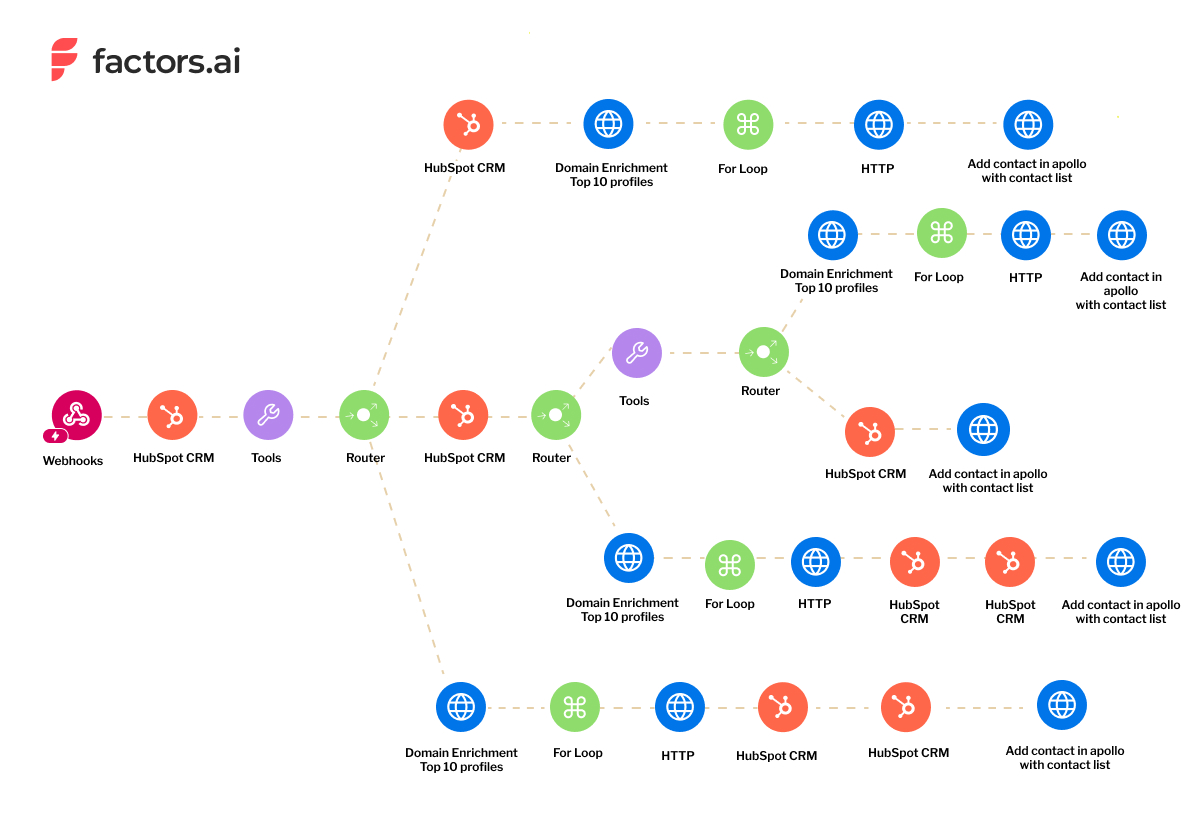
💡Learn more about using Webhooks with Make.com
Here’s a detailed explanation of how each of the above workflows operates:
- The account identified is a new company
The first branch involves identifying the new account and creating a new company on HubSpot. While Factors cannot identify user-level data due to privacy concerns, we can potentially identify the leads associated with the account via job titles.
The brand has included 25 job titles under its ICP, so now, our customer can automatically identify relevant contact data via Apollo, add the email IDs to their CRM, and send out outreach emails based on their website activity (e.g., visited paid landing page, pricing page, etc.).
💡Factors allows you to send personalized outreach emails to your prospects based on how they engage with your brand.
- The account is an existing company in the CRM
We set up this workflow branch to identify leads who visited the website after getting marked as “closed lost” on Hubspot. Here’s how you can set up the filter on Make.com:

The customer wanted to re-engage with closed, lost accounts older than 90 days. In this case, we again re-route to Apollo to identify and add potentially new leads associated with the account to an email sequence. The workflow also automatically adds the existing contacts from Hubspot to the sequence.

- Existing company in the CRM but with no deal associated
This part of the workflow follows a similar process to the one mentioned above, with the only difference being that we automate contact creation on HubSpot as an additional step.

- No contact exists in their CRM
We set up a filter to identify accounts that visit the company’s website but aren’t associated with any contacts in HubSpot.

In this case, we automate identifying leads via Apollo and update contacts on HubSpot before pushing them to an email sequence.
The Result
Our workflows simplified their outbound process. Instead of manually identifying accounts by deal stage and writing out emails, they could effortlessly send personalized email sequences automatically via Apollo while simultaneously identifying and updating new leads within their CRM.
{{INLINE_TOFU}}
Build stellar workflow automations with Factors
Every company's sales team operates differently and has multiple tools in its tech stack. Instead of having your account data in messy and disparate systems, it’s critical to have a custom workflow that saves you the time and effort spent on sales outreach.
Factors’ sales automation workflows are a boon for busy sales teams who want to skip tedious tasks and focus on generating revenue for the company. We create customized workflows that integrate with the right tools and use your data to its maximum potential. Speak to our team today to understand how you can automate your business processes with Factors.
{{CTA_BANNER}}

What is Sales Intelligence? A Guide from Beginner to Expert
Learn how sales intelligence shortens sales cycles and improves conversion rates. Get insights on tools, trends, and future developments.
TL;DR
What is Sales Intelligence
Sales intelligence has grown up a lot! It started as a way to help sales teams with their day-to-day tasks, but now it's a whole system of data-driven solutions to help businesses grow.
In the past, sales intelligence platforms mostly helped sales reps figure out which accounts to focus on and how to keep everyone on the team engaged. But now, in 2025, sales intelligence is all about driving revenue.
The best thing about sales intelligence tools is that they give you insights you can use to grow your revenue. We're drowning in data these days, so the real value comes from tools that can use that data and make sense of it. Companies that use sales intelligence correctly have shorter sales cycles, better conversion rates, and more predictable revenue.
Interestingly, the market has shifted from all-in-one platforms to specialized solutions. This change reflects a growing understanding that different aspects of sales—like email outreach and LinkedIn engagement—benefit from dedicated tools for optimal results. For instance, tools like LinkedIn AdPilot can significantly enhance your LinkedIn advertising efforts.
Core Components of Sales Intelligence
At its core, modern sales intelligence relies on three key components:
- Data Collection
- Intelligent Analysis
- Actionable Insights.
Data is sourced from various places, including internal systems like CRMs and external sources like social media and public databases.
Today's sales intelligence tools are powerful because they process a wide range of data. This includes firmographic details (like company size and industry), technographic information (such as the technology stack used), and intent signals (like website visits and content engagement). For example, Intent Capture helps identify potential leads through cross-channel intent signals.
AI plays a crucial role in converting raw data into valuable insights. It helps identify patterns in buyer behavior, predicts deal outcomes, and automates routine tasks. In 2025, AI assists and actively shape sales strategies through predictive analytics and real-time recommendations.
The most effective sales intelligence tools integrate these components to provide a comprehensive view of prospects and customers, enabling sales teams to make informed decisions rather than relying on intuition or outdated information.
{{INLINE_TOFU}}
The Sales Intelligence Ecosystem
The sales intelligence landscape has changed a lot since it first began. We've moved far beyond simple tools for managing follow-ups; now, we have a complex system with specialized solutions.
While platforms like Outreach and Salesloft initially focused on sales engagement, they have shifted towards strategic capabilities like deal analytics and pipeline management. This shift has created gaps in core functionalities, particularly in areas like email deliverability and multi-channel outreach.
Today’s sales intelligence tools are more fragmented but more effective. Companies often use multiple specialized tools instead of relying on a single platform. For example, they might use Factors’ Workflow Automations to automate routine tasks alongside dedicated email and LinkedIn outreach tools.
The distinction between sales intelligence and sales engagement has become clearer. Engagement focuses on the mechanics of interaction, while intelligence provides the insights necessary for informed decision-making. This separation has led to a better understanding of how different tools serve various purposes in the sales process.
Key Features of Sales Intelligence Platforms
Modern sales intelligence platforms help sales teams by:
- Contact and account management: Real-time data enrichment and verification ensure accurate and up-to-date information, going beyond basic CRM features.
- Performance analytics: Sophisticated insights into individual, team, and overall sales effectiveness, enabling managers to identify coaching opportunities and refine strategies.
Engagement tracking has changed how teams understand customer interactions. Instead of merely logging calls and emails, platforms now analyze engagement quality, response patterns, and buyer intent signals across multiple channels. Tools like Account Intelligence can provide valuable insights into account engagement.
Pipeline forecasting has improved through AI-powered analysis of historical data, deal progression patterns and risk factors. This enables sales leaders to make more informed decisions regarding resource allocation and strategy adjustments.
These functionalities create a complete view of sales operations, allowing teams to make data-driven decisions that enhance close rates and accelerate deal velocity.
Common Challenges and Solutions
The biggest challenge is that getting emails delivered is tougher than ever. More automation means more emails end up in spam folders. Deliverability tools that focus on inbox placement have become essential.
Another challenge is managing multi-channel outreach. It's a lot to juggle, and while platforms like Outreach try to do it all, specialized tools for each channel often work better.
Data integration is also a pain point. Many companies now use a bunch of different tools and only integrate data into their CRM when it matters. This is practical but creates data visibility gaps.
Finally, platform fragmentation is a double-edged sword. Specialized tools are great, but managing them all is complex and requires lots of training. Companies are trying to solve this with clear workflows that define when and how to use each tool.
Sales Intelligence Tools and Technologies
Sales intelligence tools have evolved into a blend of traditional platforms and specialized solutions. Traditional players like Outreach and Salesloft have shifted their focus towards strategic features rather than core engagement functionalities.
This gap has paved the way for specialized tools. SmartLead excels in email deliverability, ensuring messages land in primary inboxes rather than spam folders. For LinkedIn outreach, LinkedIn AdPilot offers advanced automation capabilities that outperform traditional platforms' LinkedIn features.
Power dialers and advanced calling systems have become essential for teams prioritizing phone outreach. Companies like Nooks and RM provide superior calling capabilities compared to all-in-one platforms.
The key trend is a shift away from single-platform solutions towards a specialized tool stack. Companies now typically use:
- Dedicated email tools for deliverability.
- LinkedIn automation platforms.
- Specialized power dialers.
- CRM systems for data consolidation.
This shift reflects a preference for best-in-class solutions over the convenience of all-in-one platforms.
Best Practices and Implementation
To successfully implement sales intelligence, you'll need a strategic approach. First, figure out your organization's specific needs and challenges. This helps you choose the right tools for your problems and avoid being distracted by fancy platforms you won't use fully.
When choosing tools, pick ones that work well with your current tech, especially your CRM. It's often smarter to start with tools that solve your most important problems (like lousy email deliverability or ineffective LinkedIn outreach) instead of buying a big, all-in-one platform right away.
For a smooth rollout, create a phased plan. Start with a pilot team to test and refine things before going company-wide. Make sure everyone has proper training and create standard procedures for using the tools.
Measure success through relevant metrics such as:
- Email deliverability rates.
- Connection rates for calls.
- Response rates across channels.
- Pipeline velocity.
- ROI on tool investments.
Reviewing these metrics will help you fine-tune your strategy and justify technology investments.
Future of Sales Intelligence
In 2025 Sales Intelligence is becoming more fragmented and specialized. Companies are moving away from all-in-one platforms and adopting best-of-breed solutions that meet their specific needs. This shift is driven by the desire to improve performance in individual channels like email, calling, and social media.
We can expect to see new AI-powered tools that focus on specific aspects of sales intelligence. For example, there could be specialized platforms that optimize email deliverability, advanced power dialers with higher connect rates, and sophisticated LinkedIn automation tools. These specialized solutions often outperform broader platforms in their specific areas.
Looking ahead, we can anticipate:
- Greater emphasis on data integration between specialized tools.
- AI-driven predictive analytics becoming standard.
- Enhanced focus on privacy compliance and data security.
- More sophisticated buyer intent tracking.
- Real-time optimization of outreach strategies.
The challenge will be managing this ecosystem of tools while maintaining data consistency and visibility across platforms. Solutions that can effectively bridge these gaps will likely emerge as market leaders.
Getting Started with Sales Intelligence
Embarking on your sales intelligence journey requires a systematic approach. Start by assessing your current sales process and identifying key pain points. Are you struggling with email deliverability? Need better contact data? Having trouble tracking engagement?
Next, prioritize your needs and match them to specific tools. You’ll usually need:
- A dedicated email platform for high-deliverability outreach.
- A power dialer for calling campaigns.
- A LinkedIn automation tool for social selling.
- A central CRM for data management.
Steps to Implement Sales Intelligence
Begin with one tool, master it, and then expand. Here’s a straightforward implementation roadmap:
- Choose your primary tool based on your biggest pain point.
- Train your team thoroughly.
- Set clear KPIs (deliverability rates, connect rates, response rates).
- Monitor performance for 30 days.
- Adjust and optimize.
- Add additional tools as needed.
Sales Intelligence in 2025
Sales intelligence has evolved from a simple support tool to a data-driven system that enhances sales performance. It involves collecting, analyzing, and applying data to optimize sales strategies, shorten cycles, and improve conversion rates.
Modern sales intelligence tools leverage AI to provide actionable insights, enhance engagement tracking, and refine pipeline forecasting. Businesses are shifting from all-in-one platforms to specialized solutions for email deliverability, LinkedIn outreach, and CRM integration.
Implementing sales intelligence successfully requires a strategic approach, phased adoption, and continuous optimization based on performance metrics. The future of sales intelligence will focus on AI-driven analytics, better data integration, and real-time decision-making.

SaaS Marketing Strategy: A 2026 Playbook for B2B SaaS
Learn how to build a high-performing SaaS marketing strategy in 2026, from ICP to funnels, channels, automation, and retention, designed for teams aiming to scale.

TL;DR
- SaaS ≠ traditional marketing: Focus on the full lifecycle: acquire, onboard, retain, expand, because recurring revenue is the real game.
- Get your foundations right: Nail your ICP, positioning, and value proposition before choosing channels or spending money.
- Build a focused, funnel-aligned strategy: Map awareness → consideration → conversion → retention → expansion, and pick 2–3 channels where your ICP actually lives.
- Measure what matters: Track LTV:CAC, payback period, activation, NRR, and expansion MRR, and use attribution tools like Factors to see what truly drives pipeline.
- Improve in controlled steps: Implement smart automation (HubSpot/Salesforce, Customer.io/Braze, Factors) and prioritize 1–2 high-impact changes over the next 90 days.
It's 2 AM. You're stress-eating leftover pizza while watching your marketing budget disappear faster than your hairline. You’ve fired up every marketing channel at once, hoping something would finally work.
Welcome to a SaaS founder's nightmare, where every marketing guru promises you the moon, but you're still stuck trying to figure out why nobody's converting.

Here's the uncomfortable truth most ‘growth hackers’ won't tell you between their LinkedIn carousel posts about ‘10X-ing your pipeline’: there's no magic trick, no growth hack that'll magically 50X your MRR by next Tuesday.
The difference between SaaS companies that scale past $10M ARR and those that sputter out like a sad fidget spinner isn't luck; it's having a marketing strategy that actually understands the game you're playing. And trust me, the SaaS game is fundamentally different from selling one-time products.
Let's fix your strategy before you become another cautionary tale on a Reddit thread.
What is a SaaS Marketing Strategy (And Why it's Actually Different from Traditional B2B Marketing)
A SaaS marketing strategy is an end-to-end system to attract, convert, onboard, retain, and expand subscription customers (emphasis on this), not just drive signups, pop champagne, and call it a day.
How subscription economics change marketing:
Traditional one-time-purchase marketing cares about acquisition. You buy once, they make their money, and everyone moves on.
But SaaS? Oh, no. SaaS is clingy. It wants commitment.
The subscription model changes everything. You're not optimizing for a single transaction; you're optimizing for recurring revenue over time. That trial signup? Meaningless if they churn in month two faster than a Game of Thrones character in season one. That enterprise deal? Only valuable if they renew and expand, otherwise, you just spent six months and thousands of dollars on a very expensive one-time fling.
Software as a Service (SaaS) vs Traditional B2B Marketing, a quick summary:
| Traditional B2B | SaaS |
|---|---|
| Sell → deliver → goodbye | Acquire → onboard → retain → expand |
| Shorter lifecycle | Long, multi-stage lifecycle |
| Value shown pre-purchase | Value proven *post-purchase* |
| Focus on leads | Focus on revenue, usage & retention |
| One channel can work | SaaS requires multi-touch |
SaaS marketing deals with longer sales cycles, requires heavy focus on product adoption and onboarding, and treats churn control as a marketing problem, not just a customer success issue. Traditional B2B marketing celebrates the sale and moves on like a one-hit wonder band after their chart-topper. SaaS growth marketing knows the sale is just the beginning of a long-term relationship, you know, the kind where you actually have to keep showing up.
This means your marketing strategy needs to work across the entire customer lifecycle: from the first blog post someone reads while procrastinating on actual work to the expansion conversation two years later. It must be full-funnel, recurring-revenue aware, and built on continuous adoption, not just acquisition.
If you're only thinking about top-of-funnel, you're leaving money on the table. And not just pocket change, we're talking ‘could've retired early’ money.
Foundations First: ICP, Positioning, Marketing Objectives, and Metrics for SaaS Companies
Before you dump another dollar into LinkedIn ads (where your sponsored content will compete with 47 thought leaders posting about their morning routines), let's talk about what actually needs to be in place.
1. ICP - Ideal Customer Profile
Get crystal clear on your ICP. And I don't mean "B2B companies that need our product" or "forward-thinking enterprises." That's like a dating profile saying you're looking for "someone with a good sense of humor and loves to travel." I mean: What is your exact target market? What industry? What company size? What specific roles are you selling to? What keeps them up at night besides their toddler and existential dread about quarterly targets?
Seasoned SaaS marketers consistently emphasize starting with ICP and buyer journey mapping before choosing channels, because shooting arrows in the dark rarely hits anything except your budget.
A real ICP includes:
- Industry & sub-industry
- Company size & maturity
- Buying roles (economic buyer, champion, influencer)
- Pain points tied to revenue or efficiency
- Existing tools in their stack
- Motivation to switch
- Triggers/events that spark buying behavior
🧠Follow-up read: ICP Marketing Strategy: Drive Business Growth with Ideal Customer Profiles
2. Positioning, Value Propositions & Messaging Hierarchy
Your positioning needs to answer three questions quickly: What do you do? For whom? Why should they care about you specifically instead of the fifteen other tools in their inbox with subject lines that all say "Quick question" or "Following up"?
Strong SaaS positioning answers:
- What you do
- For whom
- Why you’re different
- What outcome you deliver
- Why it matters right now
Clear articulation of your value proposition: what you do, for whom, and why you're different, is non-negotiable. If your positioning sounds like it was generated by ChatGPT on autopilot, back to the drawing board.
Your messaging hierarchy should span:
- Category statement (what type of tool you are)
- Value prop (the core outcome)
- 3–5 key messages (proofs & differentiators)
- Use-case messages (specific jobs-to-be-done)
- Persona messages (tailored by role)
This lets you scale across channels without rewriting your soul every quarter.
3. Goals and Metrics
Before you start playing channel roulette, define actual revenue-centric goals:
- Monthly Recurring Revenue (MRR) and Annual Recurring Revenue (ARR) growth (obviously, this is the whole point)
- Lifetime Value (LTV): Customer Acquisition Cost (CAC) ratio (aim for 3:1 or better)
- CAC payback period (under 12 months is healthy; 24+ months means you're basically running a charity)
- Activation rate (are trials actually using the product, or just signing up for the free t-shirt?)
- Expansion revenue (seat upgrades, upsells, cross-sells)
- Net revenue retention (are your existing customers growing with you, or are they quietly heading for the exit?)
🔖Explore more: 9 SaaS Marketing Metrics You Should Be Tracking
These metrics tell you if you're building a real business or just a leaky bucket with good traffic, the marketing equivalent of being TikTok famous but broke.
Look, I get it. Dashboards full of green arrows feel good. But if those arrows don't eventually lead to actual cash in the bank and customers who stick around longer than a Kardashian marriage, what’s the point of it all?

{{INLINE_MOFU}}
Map Your B2B SaaS Marketing Funnel
Your funnel isn't just ‘awareness, consideration, decision’ like some textbook from 2012 told you. The B2B SaaS marketing funnel extends far beyond awareness and conversion. The best B2B SaaS marketing strategies comprises the entire customer lifecycle from first touch through expansion.
Every solid SaaS marketing strategy needs a clearly defined B2B SaaS marketing funnel and here’s what it looks like:
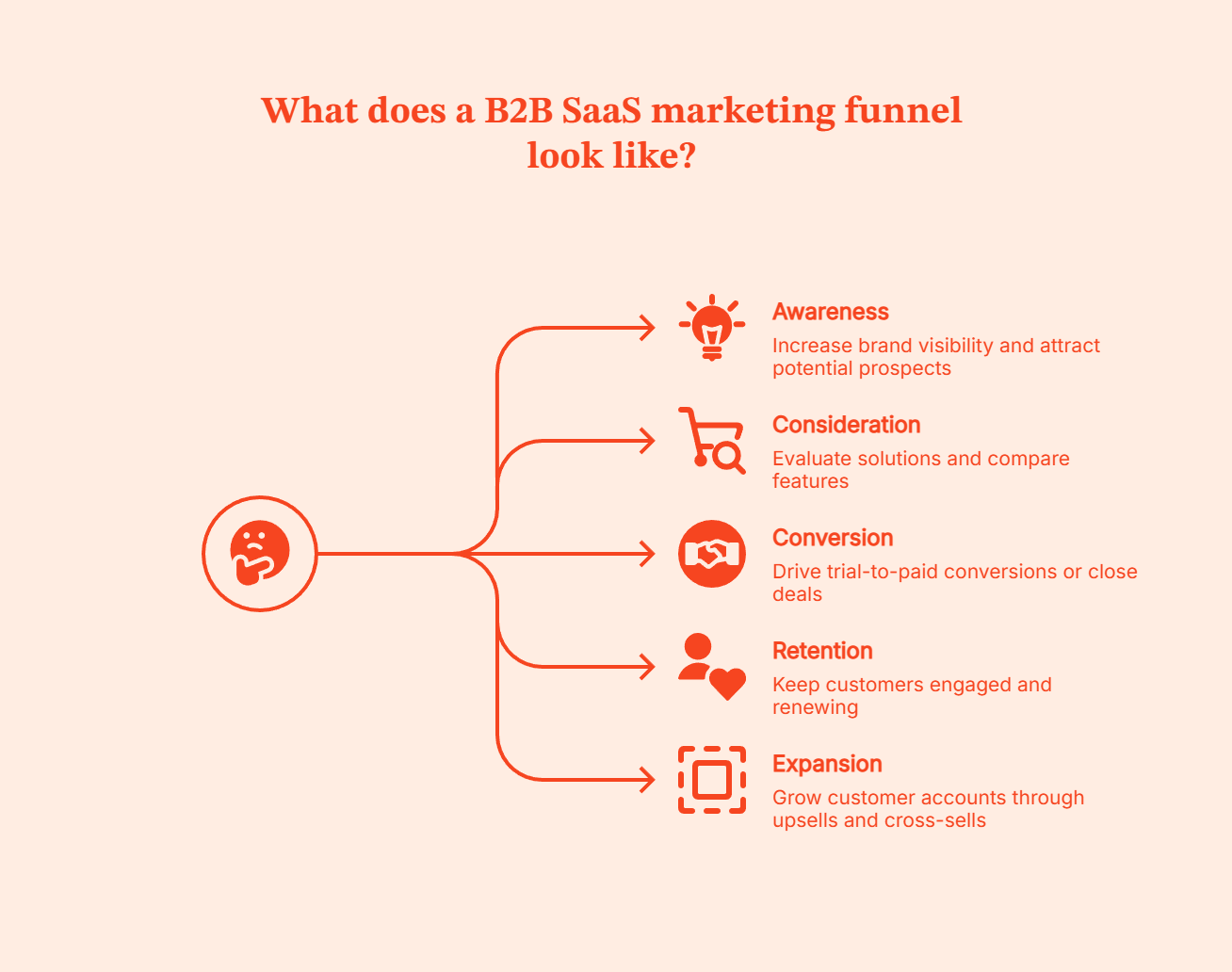
1. Awareness
At this stage, prospects are identifying their problem and exploring potential solutions. They might not know you exist yet.
Success metrics: Branded search volume, website visits, content engagement, social mentions, community presence
2. Consideration
Prospects are evaluating specific solutions, including yours. They're comparing features, reading reviews, and looking for proof points.
Success metrics: Demo requests, trial signups, comparison page visits, case study downloads, time spent on product pages
3. Conversion
The decision moment. For product-led growth models, this is trial-to-paid conversion. For sales-led models, it's closed-won deals.
Success metrics: Trial-to-paid rate, sales cycle length, win rate, average contract value
4. Retention
Now the real work begins. Can you keep customers engaged, happy, and renewing?
Success metrics: Renewal rate, product adoption, feature usage, NPS, support ticket volume, churn rate
5. Expansion
Your best customers become bigger customers through upsells, cross-sells, or seat expansion.
Success metrics: Expansion MRR, account growth rate, cross-sell conversion, average revenue per account
Align Your Marketing to Funnel Stages
The mistake many SaaS marketers make is treating all marketing activities as ‘lead generation.’ In reality, different channels and content types serve different funnel stages.
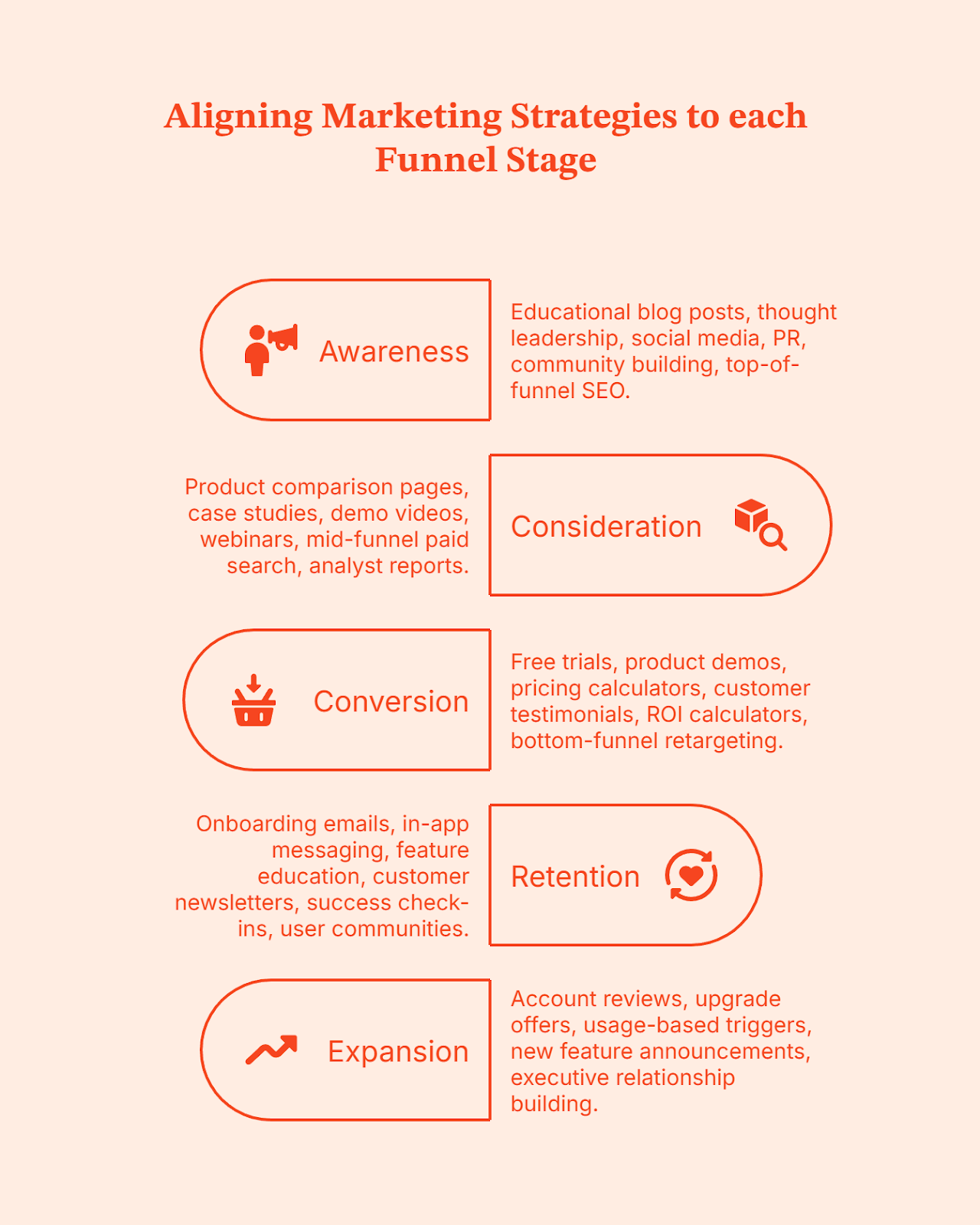
For Awareness: Educational blog posts, thought leadership, social media, PR, community building, top-of-funnel SEO.
For Consideration: Product comparison pages, case studies, demo videos, webinars, mid-funnel paid search, analyst reports.
For Conversion: Free trials, product demos, pricing calculators, customer testimonials, ROI calculators, bottom-funnel retargeting.
For Retention: Onboarding emails, in-app messaging, feature education, customer newsletters, success check-ins, user communities.
For Expansion: Account reviews, upgrade offers, usage-based triggers, new feature announcements, executive relationship building.
Building a Content Marketing Strategy for B2B SaaS
Content marketing compounds. Unlike paid channels, it builds into a lead-generation engine that keeps working long after you've stopped paying for it. For the full breakdown, content types by funnel stage, cadence, and prioritization, see our step-by-step guide to SaaS content marketing.
A useful content structure looks like this.
- Problem-awareness content, blog posts, and guides are for buyers who don't even know your product exists yet. Success here is traffic and time-on-page, not conversions.
- Comparison and evaluation content, vs. competitor pages, category guides, is for buyers actively shortlisting tools. This is also where most B2B SaaS strategies under-invest, relative to how much of the actual buying decision happens right here.
- Proof content, case studies, and ROI breakdowns are for buyers who need to justify the purchase internally. Often, to a stakeholder who has never read a single blog post.
Here's the mistake most SaaS content strategies make. They optimize almost entirely for that first category, traffic, while starving the comparison and proof content that actually moves accounts through a sales cycle stretching months. Want a deeper look at how to measure what's working? Check out Content Marketing Metrics & KPIs for SaaS.
Core B2B SaaS Marketing Channels and Tactics (And When to Use Them)
Alright, let's talk channels. Not every channel works for every SaaS company, and anyone telling you otherwise is probably selling a $5K "omnichannel strategy" course with a 47% discount if you "act now."
⚡Also understand: Which Channels Are Driving Your Form Submissions?
- SEO & Content Marketing
Search Engine Optimization or SEO compounds over time, creating a perpetual lead generation engine. Unlike paid channels, where traffic stops when spending stops, organic traffic keeps delivering.
Best for: B2B SaaS companies with clear search intent around the problems you solve. Works at any stage but requires 6-12 months to see meaningful results.
Content types that work:
- Problem-led blog posts: "How to reduce customer churn in e-commerce" targets your ICP's pain before they know your solution
- Product comparison pages: "Tool A vs Tool B" captures high-intent traffic from people actively evaluating
- Integration pages: "Integrate [Your Product] with Salesforce" targets specific tech stack users
- Case studies: Detailed customer stories that rank for "[Industry] + [use case]"
- Glossary and definition content: Captures informational searches that lead to consideration
- Targeting relevant keywords: Focus on target relevant keywords and relevant keywords with strong search volume to improve search engine rankings and drive organic traffic
Focus on content that maps to buyer intent at different funnel stages. Early-stage companies should prioritize bottom-funnel, high-intent content that converts faster. SaaS content marketing integrates multiple content formats, such as blogs, videos, and podcasts, for maximum impact across the buyer’s journey.
- Landing Pages and Conversion Optimization
Your landing page is your first, and sometimes only shot at converting a visitor. It's not a digital brochure; it's a high-stakes conversion machine that directly impacts your CAC.
Best for: Every stage. Every channel. If you're driving traffic anywhere, you need landing pages that convert.
What makes them work:
- Clear value proposition above the fold: Visitors should understand what you do and why it matters in a minute. No jargon, no corporate speak, just clarity.
- Strong, singular CTA: One clear action per page. Not "Book a demo OR start a free trial OR download our guide." Pick one. Confusion kills conversions.
- Social proof that matters: Not just any testimonials: ones from recognizable companies in your ICP. "Fortune 500 customer" means nothing. "Netflix uses us for X" does.
- Fast load times and mobile optimization: B2B buyers browse on mobile more than you think. If your page takes 5 seconds to load or looks broken, you've lost them.
Treat landing pages as living experiments. A/B test headlines, CTAs, layouts, and form lengths. Small improvements compound.
- Paid Search & Paid Social
Paid channels let you test messaging quickly and capture high-intent traffic while your SEO efforts ramp up.
Best for: SaaS companies with validated product-market fit, clear ICP, and budget for experimentation.
Channel breakdown:
- Google Search Ads: Capture high-intent keywords like "[problem] software" or "[competitor] alternative." Best for bottom-funnel conversion.
- LinkedIn Ads: Target by job title, company size, industry. Expensive but effective for high-ACV B2B SaaS targeting specific decision-makers.
- Meta (Facebook/Instagram): Less common for B2B SaaS but can work for broader audiences or lower-price-point products with strong visual stories.
Start with a small test budget, focus on your highest-intent keywords, and only scale what shows positive CAC payback within your target timeframe.
- Lifecycle Email & In-App Messaging
Email is your direct line to users at every stage. In-app messages reach users at the moment of value.
Best for: Every SaaS company at every stage. This is non-negotiable infrastructure.
Critical sequences:
- Onboarding automation: Guide new users to activation with educational content and setup assistance
- Activation triggers: If someone signs up but doesn't complete key actions, re-engage them with targeted help
- Feature education: Introduce users to capabilities they're not using yet
- Renewal reminders: Proactive outreach before subscriptions expire
- Expansion offers: When usage hits thresholds, suggest upgrades
The goal is to move people through your sales funnel systematically, removing friction and accelerating time-to-value.
- Partnerships, Integrations, and Marketplaces
Your ICP is already using other tools. Meet them where they are.
Best for: Software that integrates with popular platforms. Most effective after you have initial traction.
Tactics that work:
- Integration partnerships: Build integrations with complementary tools, then co-market
- Marketplace listings: Get listed on Salesforce AppExchange, HubSpot Marketplace, and more. .
- Co-marketing: Joint webinars, content, or campaigns with non-competing partners who serve your ICP
- Referral partnerships: Formal programs with agencies, consultants, or service providers
The key is choosing partners whose customers match your ICP and who have an incentive to recommend you.
- Community, Social, and Thought Leadership
B2B buyers increasingly discover and vet solutions through communities and social proof before ever filling out a form.
Best for: Building long-term brand and authority. Works at any stage but requires consistent effort.
Where to focus:
- LinkedIn: Where B2B SaaS buyers actually are. Share insights, engage in conversations, build your founder/exec presence
- Industry communities and platforms: Platforms where they are finding, comparing, and reviewing softwares like G2, Capterra or spaces where they are simply discussing like slack groups, Discord servers, Reddit communities, or forums where your ICP hangs out
- User community: Build your own community for customers to connect, share, and learn
- Podcasts and webinars: Thought leadership through owned and guest appearances
Don't try to fake community involvement. Provide genuine value, answer questions, and participate authentically. The leads will follow.
💡Automate LinkedIn using: Top 10 LinkedIn Automation Tools
SaaS Marketing Automation & Tools
Let's talk about automation without turning this into a boring "37 tools you absolutely MUST use in 2026!!!" listicle.
Marketing automation in B2B SaaS context handles lead scoring, nurture sequences, onboarding emails, and churn-risk triggers, basically, doing the repetitive stuff that doesn't scale when done manually. Because you, as a human, have better things to do than manually send "hey, we noticed you haven't logged in" emails to 500 people at 2 PM on a Tuesday.
You need:
- CRM + marketing automation: HubSpot, Salesforce, or something your sales team will actually use instead of their own spreadsheet. This is your central system for managing contacts and campaigns.
- Product analytics + in-app messaging: Mixpanel, Amplitude, so you can see who's using what and nudge them before they churn.
- Email automation: Whether built into your CRM or standalone, think Customer.io or Braze for those complex "if they clicked this but didn't do that" flows that make you feel like a magician.
- Attribution & funnel analytics: Factors, or other tools that actually show which channels drive pipeline and revenue.
Don't build a stack resembling Howl’s Moving Castle on day one with 47 different tools that all kinda-sorta integrate but mostly just make your engineer cry. Start simple, add complexity as you scale.
How Factors Helps You Actually Prove What's Working
You're probably stitching together data from LinkedIn Ads Manager, Google Analytics, HubSpot, your CRM, and maybe a spreadsheet or two, praying it all makes sense when your CEO asks "what's marketing actually contributing?" Spoiler: it doesn't make sense. And your board can tell.

Factors changes that conversation entirely.
From ‘We Got Traffic’ to ‘We Got Pipeline’
Factors connects your marketing activities directly to pipeline and revenue. You can see which blog posts were visited by accounts that became opportunities, which LinkedIn ad campaigns drove actual closed-won deals, and which content pieces show up repeatedly in winning buyer journeys versus the ones nobody reads.
Suddenly, your content prioritization, ad campaigns, and all marketing efforts stop being guesswork and start being a data-driven strategy.
Track Which Channels Actually Win Deals
Here's some interesting stuff Factors can do: account-level tracking across your entire buyer journey. Not just "someone clicked our ad." You see exactly which accounts from your ICP engaged, what they looked at, when they came back, and how all of that mapped to pipeline movement.
You'll know:
- Which marketing channels contribute most to your highest-value deals
- Whether accounts that engage with educational content close faster
- What the actual conversion path looks like from first touch to closed-won
- Where accounts are dropping off and why
Cross-Channel Attribution That Actually Works
Most attribution tools only track one channel at a time. LinkedIn thinks LinkedIn drove the deal. Google thinks Google did. Your content team thinks it was the blog. Everyone's taking credit; nobody knows the truth.
Factors consolidates everything: website visits, ad engagement, email opens, demo requests, sales calls, into one unified view. You see the complete story: the account that saw your LinkedIn ad, visited three blog posts, downloaded your pricing guide, requested a demo, and closed three months later.
No need to rack your brains to make sense of all disconnected data points.
Beyond First-Touch and Last-Touch
Traditional attribution models are basically useless for B2B SaaS. First-touch gives all credit to awareness. Last-touch gives it all to the demo request. Neither tells you what actually influenced the deal across a six-month evaluation.
Factors shows every touchpoint that mattered. You can finally answer questions like:
- Is this webinar series worth the effort?" (Track which attendees became pipeline vs. which ones used your webinar as passive noise)
- "Is our SEO strategy working?" (Track which content pieces appear in winning deals)
- "Are our paid campaigns worth it?" (Measure true ROI, not just click-through rates)
💡Also read: Understanding Multi-Touch Attribution Models
Built for B2B Buying Cycles
Unlike consumer-focused analytics tools that think "conversion" means someone bought a $20 product in 30 seconds, Factors understands B2B buying cycles are long, messy, and involve multiple stakeholders.
It tracks at the account level (because deals are won by companies, not individuals), integrates with your CRM and sales tools (so you see the full picture), and understands that your CMO/CTO evaluating your product in June might not convert until October after three more stakeholders get involved.
Measurement, Experimentation, and Optimization
A SaaS marketing strategy is never "done." You're constantly testing, learning, and refining.
Key Metrics to Track
Acquisition metrics:
- CAC (Customer Acquisition Cost): Total marketing and sales expense divided by new customers acquired
- CAC by channel: Understanding which channels are efficient vs. expensive
- Payback period: Months to recover CAC from customer revenue
Activation and conversion metrics:
- Trial-to-paid conversion rate: What percentage of trials become paying customers?
- Time to Activation: How long until new users reach their "aha moment"?
- Demo show rate and conversion: For sales-led models
Retention metrics:
- Net revenue retention: Revenue from existing cohort over time (including churn and expansion)
- Logo retention: Percentage of customers who renew
- Product engagement: Usage metrics that predict renewal
B2B SaaS Marketing Trends Shaping 2026
A few structural shifts worth building into your strategy this year.
- AI-driven search is changing how buyers research. More and more B2B research is happening inside AI assistants and AI-generated summaries, not just traditional search results. That means your content needs to work for AI extraction, not just rank for keywords.
- Privacy and cookie changes keep tightening. Third-party tracking keeps getting harder to rely on. That's pushing more marketing measurement toward first-party data and account-level identification instead of pixel-based retargeting alone.
- Budget scrutiny is higher, too. Marketing spend has to show pipeline and revenue impact now, not just top-of-funnel volume. Which is exactly why attribution and account-level tracking matter more than lead counts ever did.
Your Next 90 Days
You now have a framework. Most people will read this, nod along, and change nothing.
Don't be like most people.
Your action items:
- Audit your ICP and positioning: Can you explain who you serve and why you're different in under a minute? If not, fix this first.
- Map your current activities to the funnel stages: What do you have for awareness? Consideration? Conversion? Retention? Expansion? Where are the gaps?
- Pick your 2–3 core channels: Based on where your ICP actually hangs out and where you've seen early traction. Kill the rest (for now.)
- Set up proper tracking for the metrics that matter: LTV:CAC, activation rate, churn. If you're not measuring these, you're flying blind. Use tools like Hubspot, Factors, Salesforce to
- Get your tech stack in order: Start with the essentials: a CRM (HubSpot or Salesforce, a marketing automation tool (Braze or Customer.io for complex outreach and campaigns), and an attribution tool that actually tells the truth (Factors is built for this). Don’t go tool-crazy. Three solid tools that talk to each other beat ten fancy ones that don’t.
- Build or fix your lifecycle automation: At minimum - trial nurture, onboarding sequence, renewal reminders.
Audit your current SaaS marketing strategy using this framework and identify the 1–2 highest-impact changes you can make in the next 90 days. Not ten things. Not a complete overhaul. One or two things that will actually move the needle.
Companies that scale aren't doing a hundred things well. They're doing five things exceptionally well and ignoring everything else.
Now, go build something that compounds.

FAQ’s on B2B SaaS Marketing
Q. How do you market a SaaS product?
Marketing a SaaS product combines content and SEO, paid search, social media, email automation, and free trials, all tied back to a clear ICP and value proposition. The key difference from traditional marketing is the focus on the entire customer lifecycle, not just the initial sale. You're marketing to acquire, activate, retain, and expand customers over time.
Q. What is a SaaS marketing strategy?
A SaaS marketing strategy is an end-to-end plan to attract, convert, onboard, retain, and expand subscription customers. It's not just about generating leads or driving signups, it's about creating a systematic approach to building recurring revenue through the entire customer journey.
Q. Which marketing channels work best for B2B SaaS?
The most effective channels depend on your ICP and ACV, but content marketing and SEO, paid search, LinkedIn, email automation, and partnership channels consistently emerge as high-performers. Early-stage companies often see success with founder-led outreach and organic content, while later-stage companies can leverage paid channels profitably once unit economics are proven.
Q. How do you create a SaaS marketing strategy step by step?
Start by defining clear goals and target metrics, then develop detailed ICP and buyer personas. Next, establish your positioning and value proposition. Choose your channel mix based on where your ICP actually spends time, then map content and tactics to each funnel stage. Finally, implement measurement systems and commit to regular experimentation and optimization.
Q. How is SaaS marketing different from traditional product marketing?
SaaS marketing differs fundamentally due to the subscription model, emphasis on free trials, longer customer lifecycle, and high importance placed on onboarding, product adoption, and retention alongside acquisition. In traditional product marketing, the sale is the endpoint. In SaaS marketing, the sale is just the beginning of the customer relationship.
Q. What are some effective marketing strategies for SaaS startups with low budgets?
Focus on channels that scale with time, not just money: SEO and organic content, founder-led social media (especially LinkedIn), cold outreach via email, referral programs, and participation in relevant online communities. The key is choosing channels where you can invest sweat equity to build compounding assets rather than renting attention through paid ads.
Q. What metrics should a SaaS marketing team track?
Critical SaaS marketing metrics include MRR growth, CAC, LTV, LTV to CAC ratio, payback period, activation rate, logo churn, net revenue retention, and expansion MRR. These metrics tell you whether you're building sustainable, profitable growth or just creating an expensive lead generation machine that doesn't actually build enterprise value.

The Complete Guide to Building A SaaS CMO Dashboard
CMO dashboards offer holistic view of customer data related metrics & KPIs. This article shows how CMO dashboards can drive data driven business decisions.

TL;DR
- CMO dashboards offer a holistic view of customer data-related metrics and KPIs through intuitive visualizations.
- The benefits of SaaS companies using CMO dashboards include rapid decision-making, sensible use of time and resources, improved ROI, and unified visibility of marketing performance.
- Before you build a comprehensive CMO dashboard, pay close attention to user-friendly design, use helpful visualizations, integrate platforms to consolidate data, and measure the right metrics/KPIs.
- SaaS businesses must track metrics/KPIs such as conversions, leads, traffic, conversion rates, acquisition cost per channel, retention and churn rates, customer lifetime value, and revenue and pipeline velocity by channel source. A CMO dashboard helps visualize these metrics and KPIs with clarity.
Tracking campaign performance across marketing channels can be a tedious and unintuitive process. CMOs often have to rely on individual department reports to gather a summary of how the team is performing – an endeavor that leaves many gaps and relies heavily on guesswork.
In addition to the time it takes to compile reports, derive actionable insights, and chart next-steps, the traditional way of doing things is prone to several manual errors.
The solution? The perfect CMO dashboard that helps streamline your work based on relevant analytics and metrics under one roof.
This article shows how powerful CMO dashboards can be used to drive data-driven business decisions.
What is a CMO dashboard?
A CMO dashboard is a tool that reports and visualizes KPIs and metrics related to a company's marketing activities across demand gen, content, paid, events, and more. It is a centralized, bird’s eye view that helps marketing executives monitor and analyze marketing initiatives and performance in real-time.
There is no hard and fast rule to building a CMO dashboard for your SaaS company. That being said, there are certain elements that are essential for marketing leaders to identify patterns, track progression, and optimize strategies to drive bottom-line business objectives.
We’ll explore these essential ingredients in later sections of this blog.
Why do CMOs need to use dashboards?
Here’s a look at the top benefits of using a well-designed CMO dashboard:
1. Improves decision-making
When making expensive business decisions, relying on guesswork can cost you heavily. CMO dashboards help marketing leaders make well-informed and accelerated decisions based on data-driven insights.
For example, a CMO dashboard can help you identify which channels and marketing campaigns are not performing if you're making budget-related decisions. It also enables you to identify the reason behind poor campaign performance and the following steps to be taken.
Let's say you have the company blog, paid advertising, and podcasts as key marketing channels. A deep dive into the dashboard will help you uncover how much revenue each channel can generate, the cost of leads from each touchpoint, and how long it typically takes them to convert.
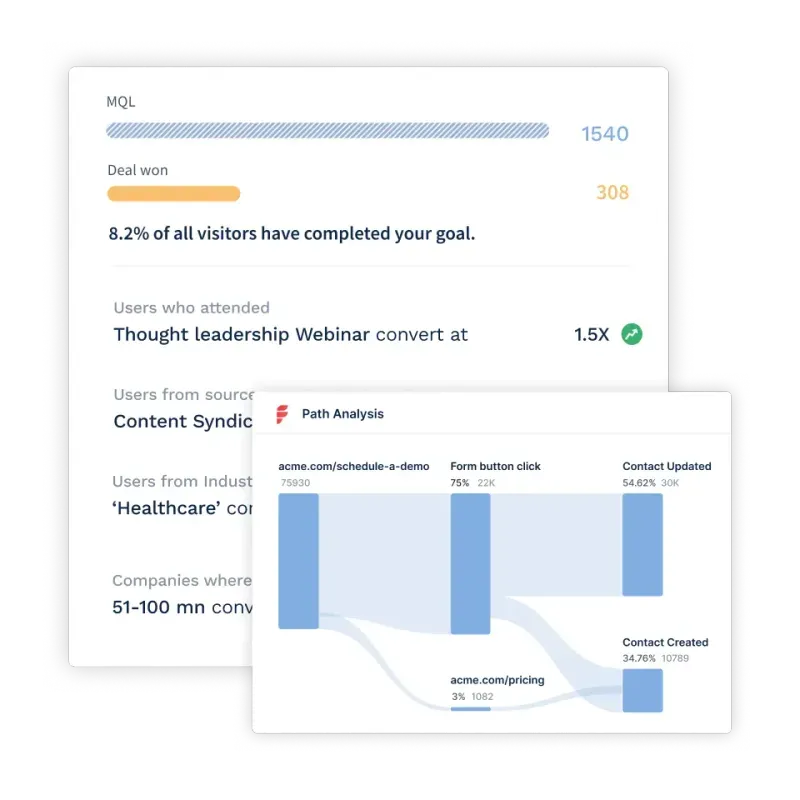
2. Offers a quick overview of data without wasting time and resources
A CMO dashboard lets you save hours of work and wasted resources on collecting and processing raw data from scratch.
CMO dashboards extract and present an accurate overview of essential data from platforms or sources such as LinkedIn, Facebook, YouTube, articles, Google Ads, and more.
For example, let’s say you’re calculating the number of sessions on your website that come through various channels. A CMO dashboard will gather the data from all the channels, creating an easy visual for you to see which has driven the most sessions.
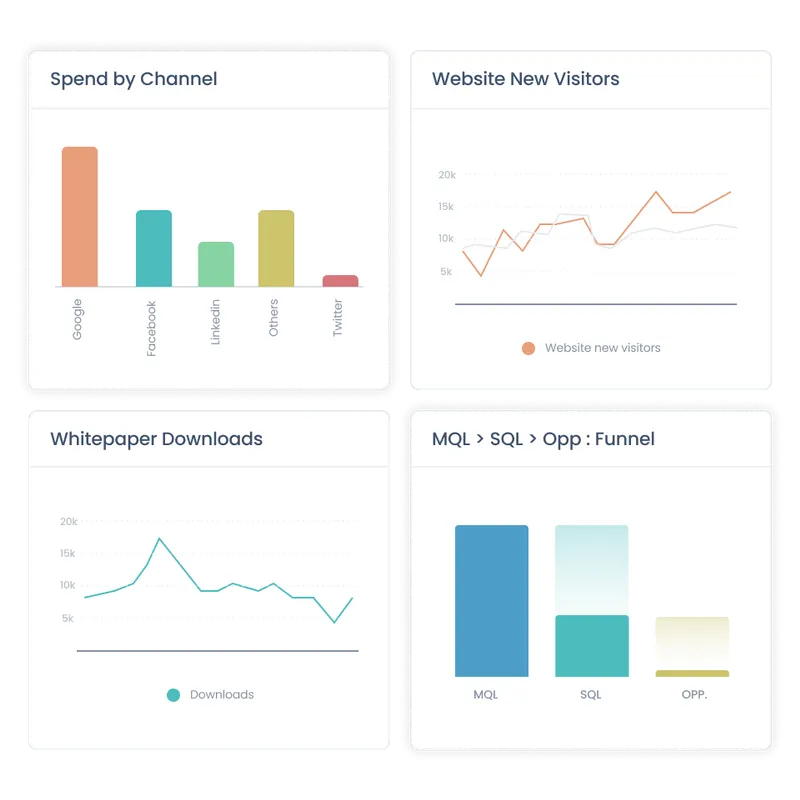
3. Helps identify trends and patterns
With all the data condensed onto one dashboard, CMOs and their teams can collectively take note of repetitive patterns in their target audience. This helps them further understand which type of campaigns work well on what channel and when leading to the ability to adapt campaign resources on the go.
For example, the company publishes a blog on the website every Tuesday. But they also post a video on LinkedIn on the same day. Over time, a CMO dashboard can display which content formats perform better on Tuesdays, helping the team double down their focus on that channel alone.
{{INLINE_TOFU}}
Key considerations when building a CMO Dashboard
An effective CMO dashboard is the central hub for monitoring marketing performance, aligning teams, and driving data-backed decisions. When designed thoughtfully, it becomes an invaluable strategic asset.
1. Intuitive and action-oriented design
A CMO dashboard is defined by its ease of use and ability to drive decisions. A cluttered, text-heavy layout overwhelms users with data but does not provide enough context to make decisions.
In contrast, a clean, visual interface tells a straightforward performance story that connects insights to actions and helps make data-backed decisions. Here are a few considerations for an insightful dashboard.
Prioritize key metrics

Prioritize the most critical metrics and add impactful visualizations like charts, graphs, gauges, and indicators to showcase them. For instance, use:
- Line charts to display trends over time for metrics like web traffic, conversions, etc.
- Comparison charts or pie charts to show channel effectiveness, campaign ROI, and more
- Funnel visualization to showcase drop-offs across the customer journey
- Alerts and gauges to highlight metrics nearing goals or thresholds
Optimize Information Absorption

Use color coding, alerts, and trends to highlight priority areas at a glance. Make sure that your dashboards have ample white space for better data absorption.
Also, include explanatory captions and annotations to provide essential context.
Offer Intuitive Interactions

Offer intuitive interactions like drill-downs, filtering, and segmenting to customize views on demand. For instance, help users:
- Filter data by categories, campaigns, regions, or date ranges
- Drill down from aggregate metrics to detailed data breakdowns
- Isolate underperforming categories and campaigns
Such flexibility allows slicing and dicing data along different dimensions for deeper analysis.
Streamline Navigation
Create tabs or dropdowns to switch between views, campaigns, time frames, and other dimensions. Optimize compatibility across devices so users can access the dashboard anywhere conveniently.
Most importantly, align terminologies and visualizations to thought processes familiar to users through day-to-day work. Simplicity and intuitiveness accelerate adoption.
2. Unified Data Foundation Across Teams

Marketing cannot drive impact alone. Close alignment across teams provides comprehensive visibility into the end-to-end customer journey.
Break Departmental Silos
Integrate your CMO dashboard tightly with essential systems like CRM, sales analytics, web analytics, finance systems, etc. Automatically sync campaign data, lead status changes, deal progress, and other cross-functional data flows.
For instance, pull web visitor profiles from analytics platforms to enrich lead records. Or, pass lead quality assessment and scoring metrics from marketing to sales for better follow-ups.
Shared Visibility Through Attribution
Compare the performance of marketing-generated vs. sales-generated pipelines on metrics like lead quality, sales cycle times, win rates, and deal sizes.
Conduct multi-touch attribution to understand marketing's influence at each buying stage. Such unified visibility bridges departmental silos with shared goals and metrics, steering coordinated priorities across teams.
3. Flexibility to Highlight Strategic Focus Areas
While cross-functional data consolidation provides tremendous value, a one-size-fits-all dashboard rarely meets specialized business needs fully. You need the dashboard to be customizable and dynamic.
Customizable Templates

Empower users to highlight metrics aligned to their goals—broad awareness or targeted account-based sales—without relying on IT.
Provide pre-built templates for different personas and use cases that showcase industry-specific benchmarks more relevant to their context.
Dynamic Filtering and Segmentation

Offer easy-to-use customization options such as an intuitive template builder interface. Let marketers filter data views dynamically by parameters like region, customer persona, product line, etc.
Such flexibility allows teams to analyze performance through different lenses—whether for the leadership team or campaign managers. As business objectives evolve, custom-tailored dashboards stay focused on what matters most.
4. Ongoing Optimization and Iteration
No dashboard gets designed perfectly right from the beginning. As marketing campaigns and strategies adapt in response to market dynamics, your dashboards also continuously realign to maintain relevance.
User Testing and Feedback Analysis
Monitor usage patterns and user feedback to identify navigation, metric, or visualization enhancements: track clicks, hovers, and other interactions to uncover usability issues. Conduct user surveys and interviews to gather feedback.
Maintain Flexibility
Maintain flexibility for adding new datasets from emerging sources and channels. Continually experiment, test, and optimize to fulfill ever-changing information needs most effectively.
Through an intuitive and action-oriented design backed by an integrated, flexible data foundation, the CMO dashboard becomes a powerful nerve center driving shared visibility, coordinated execution, and data-informed decisions across the business.
CMO Dashboard KPIs and Metrics
A CMO dashboard can include tons of KPIs and metrics depending on what you’re trying to track. However, below are the ones that are of topmost priority:
1. Top-of-the-funnel metrics such as engagement, traffic, leads
Top-of-the-funnel metrics are brand awareness metrics like the engagement rate, traffic, and leads generated. Most SaaS marketing executives track these to attract the target audience and turn them into long-term subscribers.
1. Engagement rates are metrics used to measure and track the active involvement of your target audience for the content you produce. The engagement rate formula is:
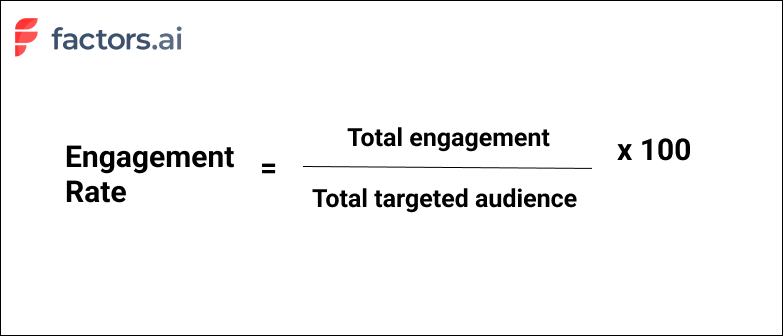
2. Traffic for SaaS companies is the volume or the total number of visitors their website gets over a certain time period.
3. Leads generated is a mandatory sales KPI every SaaS company must track. Measuring leads lets you uncover issues and nurture prospects further.
Why do these metrics matter?
Top-of-the-funnel metrics help measure the overall exposure of the target audience to your marketing efforts. Tracking and measuring them gives insight into what can help minimize roadblocks that stop prospects from signing up.
2. Conversion rates and efficiency
1. Conversion rates: measure the number of targeted users who converted from unknown prospects to engaged contacts. The higher the conversion rate, the more impact your marketing strategies have. The formula to calculate the conversion rate is:
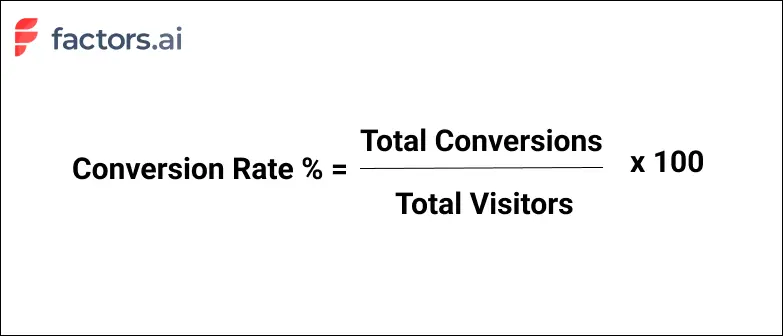
2. Efficiency: In marketing, the ROI measures the overall performance of your marketing efforts, and conversion rates directly indicate the performance. That means increasing conversion rates while reducing acquisition costs promises a better ROI and shows better strategy efficiency. The formula to calculate marketing efficiency is:
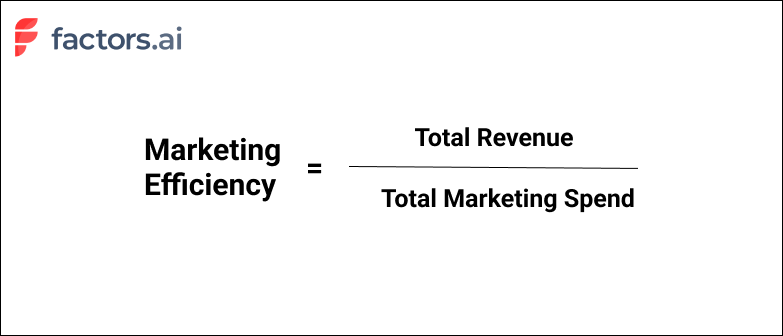
Why do these metrics matter?
Conversion rates and efficiency directly reflect how well your SaaS marketing activities are executed and determine the overall effectiveness of your business campaigns.
3. Cost of acquisition by channel
It’s best to track certain KPIs by marketing channels, such as social media, emails, ads, organic search, etc. Calculating the cost of customer acquisition (CAC) for each channel is one such KPI that indicates the marketing expenses spent on obtaining customers.The formula to calculate CAC by channel is:
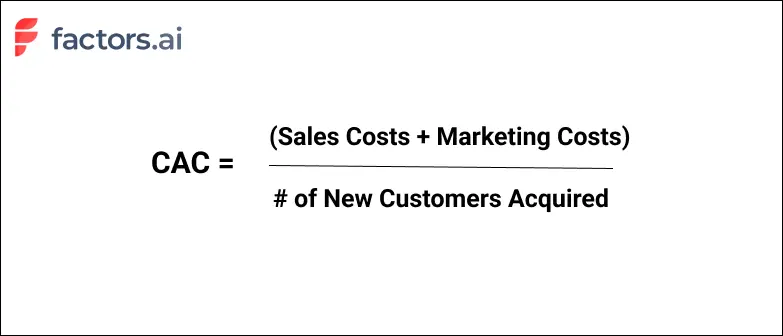
Why does this metric matter?
Measuring CAC lets you decide whether or not to pursue marketing for a particular channel and demonstrates high-performing marketing channels having low CAC.
4. Retention and churn rates
Customer retention and churn rates are opposites that indicate the number of customers retained or lost over a time period. The formula to calculate churn rate is:
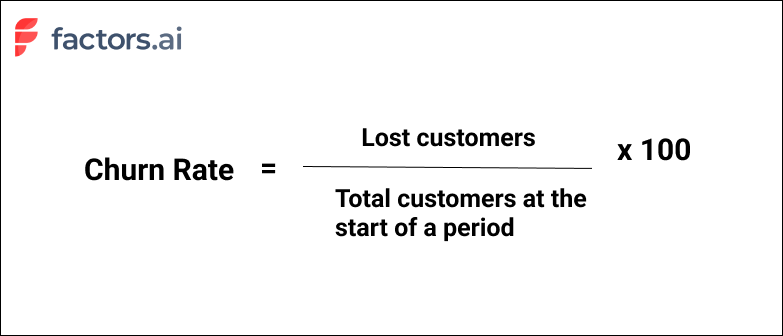
Why are these metrics important?
Customer churn and retention rates are one of the most important metrics for SaaS CMOs. Measuring churn rate can help shed light on why subscribers are refusing to renew your service, and based on high or low retention rates, you can decide whether to pursue the same strategies or refresh them.
5. Customer lifetime value
Customer lifetime value, or CLV, indicates the average pay throughout a customer’s relationship with your company. It is a critical SaaS KPI to showcase revenue as it conveys a customer’s worth on average. The formula to calculate CLV is:
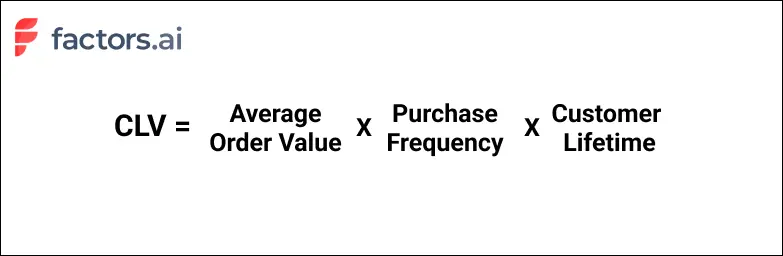
Why does this metric matter?
CLV is a critical SaaS business viability measure. It is essential for understanding the business value each customer brings and your SaaS company’s long-term potential.
6. Revenue and pipeline velocity by channel source
1. Revenue by channel source tracked by CMOs indicates how well their ads, campaigns, and other marketing efforts perform based on their source. Additionally, it tells you the aggregate revenue earned from successful conversions from each outlet.
2. Pipeline velocity by channel source is a key KPI indicating the speed at which leads move through your sales pipeline for each channel source.
Why do these metrics matter?
A high pipeline velocity means smoother onboarding processes and better conversions. So tracking this and revenue by channel source over various periods lets you improve conversions from each source.
7. Revenue Growth Percentage
Revenue growth percentage indicates how rapidly total company revenue increases over a set time, typically month-over-month or year-over-year. It shows the overall momentum and health of the business.
The formula to calculate revenue growth is straightforward—take the revenue difference between the current and past periods and divide that by the one-time period revenue.
For example, for year over year revenue growth, use the formula:
((Current Yearly Revenue - Last Year's Yearly Revenue) / Last Year's Yearly Revenue) x 100.
Why does this metric matter?
Monitoring rapid or declining growth % signals how well marketing and sales efforts are faring and hitting targets. When coupled with cost metrics, it also showcases profitability trends. Understanding growth by revenue streams also enables executives to double down on the highest traction channels.
8. Customer Lifetime Value
Customer lifetime value totals the likely earnings a business can generate from customers throughout their tenure. In essence, it conveys an average customer's worth.
The formula factors average order size, purchase frequency in a given period, and the average lifespan.
For instance, CLV may be calculated as: CLV = Average Order Value x Purchase Frequency Per Year x Average Lifespan in Years.
Why does this metric matter?
Tracking CLV over annual cohorts helps spotlight content, features, or channel innovations that make customers stickier. Comparing CLV vs acquisition cost also determines the breakeven period to recover expenses.
9. Cost Per Lead
Cost per lead signifies the average expenditure to generate a qualified marketing lead. It is calculated by dividing total lead gen marketing spend by the number of leads captured.
CPL can be calculated as: Total marketing dollars spent / Number of leads
If you spent $1000 to get 10 customers, that’s 1000/10 = $100 — Your CPL is $100.
Why does this metric matter?
Monitoring CPL trends determines the influence of brand equity on the sales funnel—a strong brand lowers CPL over time.
Comparing CPL by channel also helps optimize spending by identifying the lowest-cost customer acquisition sources. Analyzing CPL alongside customer lifetime value further ascertains profitable activities.
10. Brand Search Volume

Brand search volume measures monthly search queries for your brand name and keywords. Sudden surges or declines show changing consumer interest.
Why does this metric matter?
Tracks brand visibility gains/losses to correlate awareness-building campaigns and events. Guides keyword targeting and content strategies.
Creating Effective CMO Dashboards in Factors AI
Over the course of this article, we’ve covered what a CMO dashboard is, what its benefits are, and a few common metrics for CMOs to track. But constructing a comprehensive CMO dashboard is easier said than done — unless of course, you leverage a tailor-made dashboarding tool like Factors.
Factors unifies and reports data across complex buyer journeys involving multiple stakeholders, touchpoints, and channels under one roof. What does this mean for you? No more individual tools to analyze campaign performance, website engagement, and pipeline/revenue related metrics.
It’s simply all the metrics you care about as CMO in one, intuitive, customizable dashboard. Here are a few nifty features loved by CMOs:
- Ad hoc filters and breakdowns: Slice and dice metrics and KPIs with a wide range of filters and breakdowns to answer questions like: “How does conversion rate vary between companies with at least 200 employees and smaller teams of less than 50?” or “What’s the difference in sales velocity between leads from paid search and organic social?”
- Automated AI-fueled insights: It’s one thing to have your data in one place — but how can CMOs make sense of the numbers? Factors offers automated insights into what’s helping and hurting a specific conversion goal. What’s driving demo form submissions? Our Explain engine may suggest Linkedin campaigns and the pricing page have a positive influence while Display ads and email outreach is limiting performance. This helps the larger team improve resource allocation and drive ROI.
- Custom funnels, KPIs, and properties: Every business has different requirements. This is no different when it comes to reporting and dashboarding needs. Factors supports limitless customizations to KPIs and properties so CMO dashboards can be tailor-made to the what matters most to you.
A SaaS CMO dashboard is a centralized tool that visualizes key marketing metrics, such as conversions, traffic, customer acquisition cost, churn, and pipeline velocity, across channels. It enables CMOs to make data-driven decisions, optimize strategies, and align teams effectively.
Essential Features of a SaaS CMO Dashboard:
- Intuitive Design: Easy-to-use interface that helps users quickly understand performance.
- Integrated Data Sources: Combines data from multiple channels and systems for a comprehensive view.
- Real-time Insights: Provides up-to-the-minute information to make fast, informed decisions.
Enhancing with Factors:
- Automated Data Consolidation: Factors.ai streamlines data collection and reporting.
- Actionable Analytics: Provides insights that drive optimization and increase ROI.
- Improved Operational Efficiency: Reduces manual tasks, allowing marketing teams to focus on strategy and execution.
Curious to see Factors in action? Schedule a personalized demo here!
A SaaS CMO dashboard is a centralized tool that visualizes key marketing metrics—such as conversions, traffic, customer acquisition cost, churn, and pipeline velocity—across channels. It enables CMOs to make data-driven decisions, optimize strategies, and align teams effectively.
Essential Features of a SaaS CMO Dashboard:
- Intuitive Design: Easy-to-use interface that helps users quickly understand performance.
- Integrated Data Sources: Combines data from multiple channels and systems for a comprehensive view.
- Real-time Insights: Provides up-to-the-minute information to make fast, informed decisions.
Enhancing with Factors.ai:
- Automated Data Consolidation: Factors.ai streamlines data collection and reporting.
- Actionable Analytics: Provides insights that drive optimization and increase ROI.
- Improved Operational Efficiency: Reduces manual tasks, allowing marketing teams to focus on strategy and execution.

SaaS Marketing Reporting Done Right: 5 Tips for Extracting Actionable Insights from Your Reports
What is SaaS marketing reporting? And how do teams make the most of their marketing reports to achieve actionable insights and drive bottom line growth?
TL;DR
- Marketing reports help with decision-making in SaaS marketing
- Before creating a report, know your primary goal, target audience, relevant metrics, report actionability, and reporting frequency
- Avoid common pitfalls like lack of data collaboration between teams, over-reliance on vanity metrics, and ignoring context when creating or analyzing reports
- Use visually engaging elements like graphs and charts for better and faster comprehension of complex data sets and trends
- Three important SaaS marketing reports—marketing attribution, campaign performance, and content marketing reports
- Use a powerful analytics platform like Factors to streamline your reporting process and gain valuable insights for data-driven decision-making
In today's data-driven world, marketing teams are well aware of the importance of collecting and analyzing the right data to inform their strategies.
But, the sheer volume of data available can be both a blessing and a curse. It can lead to an abundance of insights or overwhelm teams while letting the right data go unused. 60% to 73% of all data in an enterprise is left unused when running analytics.
To ensure that your marketing team doesn't fall into this trap, you need proper marketing reporting in place. In this guide, we’ll talk about how you can create top-notch marketing reports specifically tailored for your company.
Marketing reporting basics: Questions to ask before you make your reports
Before diving headfirst into creating marketing reports, let’s take a step back and consider some critical questions. These questions will ensure that your report is not only comprehensive but also specifically tailored to the unique needs and objectives of your team and organization.
1. What is the primary goal of this report?
Before you begin creating a report, you must have the primary objective in place. This gives your reporting the necessary direction and will also make it easier to pick the right metrics for the report.

For instance, if you're creating a report on lead generation for your B2B SaaS company, you'll want to include metrics related to website traffic, lead conversion rate, cost per lead, and qualified leads generated.
2. Who is the target audience for this report?
Once you know the goal and pick the metrics according to the requirements, you need to think about the person reading the report. Not all metrics are important for everyone on the team.
For example, if you’re reporting to the upper management teams, focus on high-level metrics, such as revenue, overall performance, and other growth indicators. This audience wants to see the big picture and how a project or campaign aligns with the company's overall objectives.
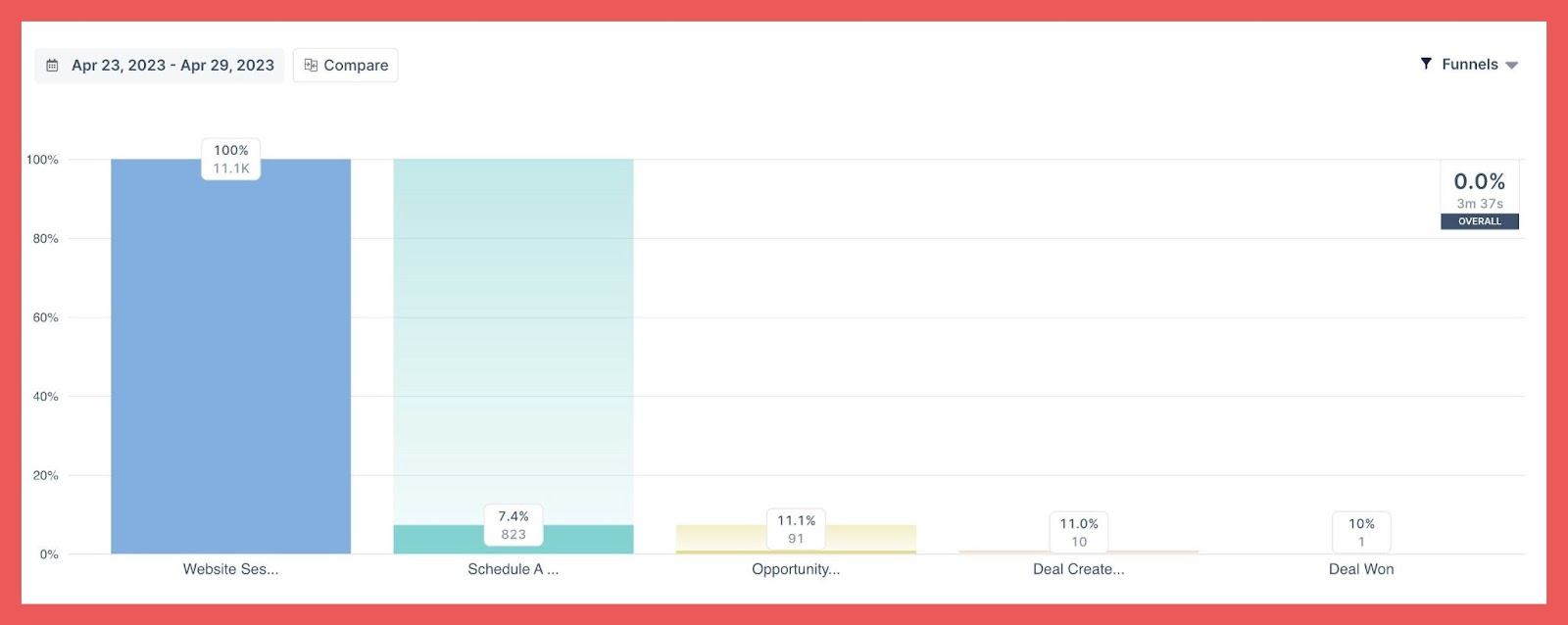
For team leaders or project managers, including conversion rates, task completion rates, and individual performance indicators. Team leaders want to understand the team's performance along with the goal achievement.
Finally, we come to individual team members. For this set, focus on metrics relevant to their roles and responsibilities. This might include individual performance metrics, task progress, and any feedback or suggestions for improvement.
3. Which metrics should we be tracking?
Depending on the goals of your marketing efforts and the specific channels utilized, different metrics will be relevant to measure success. Here are five of the nine most important SaaS marketing metrics you need to track.

- Conversion rate: Measure the percentage of visitors who take a desired action, such as signing up for a trial or making a purchase.
- Marketing Qualified Leads (MQLs): Track the number of leads generated by your marketing efforts who are more likely to become customers.
- Customer Acquisition Cost (CAC): Calculate the average cost to acquire a new customer, including marketing and sales expenses.
- Customer Lifetime Value (CLV): Estimate the total revenue a customer will generate over the entire duration of their relationship with your company.
- Retention & Churn: Monitor the percentage of customers who continue using your SaaS product and those who cancel, to understand customer satisfaction and inform retention strategies.
We’ve covered these and other top SaaS marketing metrics in detail that can be valuable in your reporting.
4. How can we make these reports more actionable?
To maximize the utility of your reports, consider incorporating clear visualizations such as graphs or charts that showcase trends over time or performance benchmarks against industry standards.
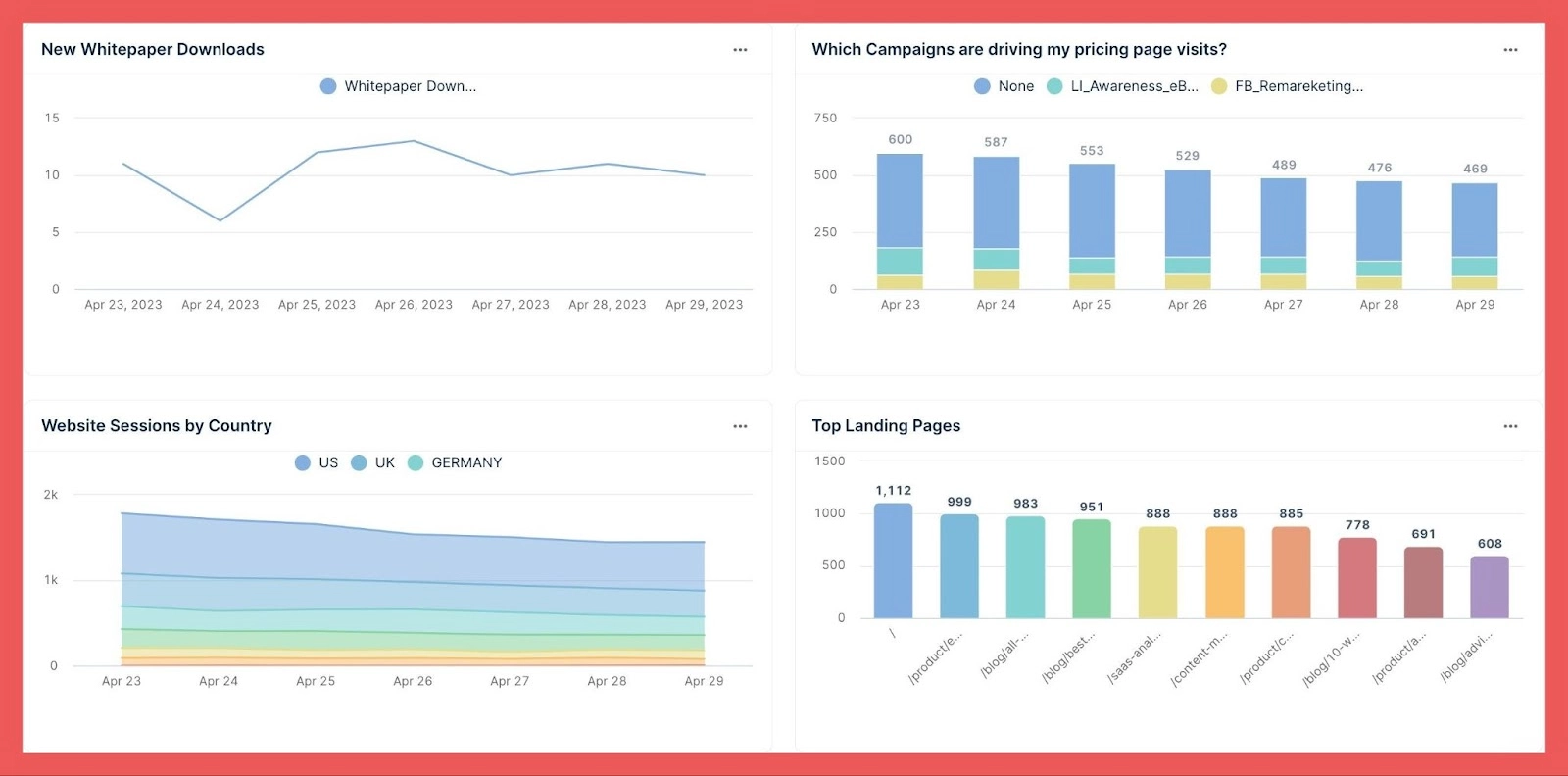
This way, decision-makers can quickly grasp key insights without sifting through endless rows of raw data.
5. How frequently do we need to create and analyze these reports?
The frequency at which you create and analyze marketing reports depends on the specific goals and needs of your B2B SaaS company. However, here are some general guidelines on report frequency:
- Weekly: Weekly reports help you track short-term performance and make data-driven decisions. These reports often focus on metrics like website traffic, leads, and conversions.
- Monthly: Monthly reports provide a more comprehensive view of your marketing performance and allow you to analyze trends and patterns over a longer period. These reports typically include a broader range of metrics, such as customer acquisition cost (CAC), lifetime value (LTV), and churn rate.
- Quarterly: Quarterly reports help evaluate the effectiveness of your campaigns and make adjustments as needed. Quarterly reports often include a mix of high-level KPIs like revenue growth and more granular metrics related to specific campaigns and channels.
- Annually: Annual reports offer a big-picture view of your marketing performance and are important for strategic planning and goal setting. These include a thorough analysis of the key metrics, as well as an evaluation of your overall marketing strategy in terms of its alignment with the company’s goals.
5 marketing reporting mistakes to avoid in B2B marketing
As important as it is to create insightful marketing reports, you must avoid common mistakes that can diminish the value and impact of these reports. Here are some prevalent pitfalls in marketing reporting and examples of how they manifest in a B2B context.
1. Lack of data collaboration
In many B2B organizations, marketing data is siloed within individual teams. This leads to a fragmented and incomplete view of marketing performance. Without input from the sales team, the marketing team may be unable to determine lead quality or measure the efficacy of lead nurturing efforts accurately.
To solve this, you need to foster a culture of data collaboration and sharing. Businesses can ensure that all relevant stakeholders have access to the information they need to make informed decisions. A tool like Factors can help bring together data from various analytics and CRM platforms to give a complete 360-degree view of the marketing performance.
2. Not tying metrics to business outcomes
When creating marketing reports, prioritize metrics that directly impact revenue generation, customer acquisition, and retention. For instance, if one goal is increasing annual recurring revenue (ARR), make sure you're tracking metrics such as customer lifetime value (CLV) or churn rate alongside standard campaign performance indicators.
Also, track the number of marketing-qualified leads (MQLs) that convert to sales-qualified leads (SQLs) and ultimately close deals. This will give your readers a better understanding of how your marketing efforts have helped the company achieve its goals.
3. Over-reliance on vanity metrics
Vanity metrics may appear impressive at first glance, but they often fail to provide meaningful insight into marketing success. Instead of fixating on surface-level stats, dive deeper and examine how these figures impact crucial factors like lead generation, conversion rates, or sales pipeline growth.
Suppose you see an increase in social media following and engagement in a particular month. Looking at just the vanity metric, it may seem like the company is growing in the right direction. But if you dig deeper to find that the audience engaging with your content isn’t moving further down the funnel, the vanity growth adds no value to the company.
4. Disregarding context when creating or analyzing reports
Without context, interpreting marketing data can be misleading and result in poor decision-making. B2B marketers should consider industry trends, seasonal fluctuations, and competitor activities when analyzing their marketing reports.
For instance, in the case of a company that sells tax preparation software as a service (SaaS), there might be a significant uptick in subscriptions in the months leading up to the tax filing deadline. If this seasonal trend is not considered, the sudden increase could be misinterpreted as the success of a recent marketing campaign. Similarly, a drop in subscriptions after the tax season shouldn't automatically be seen as a failure in marketing efforts.
5. Overlooking actionable insights
Effective marketing reporting should provide not only data but also actionable insights that drive improvement. This requires a thorough understanding of the target audience, marketing goals, and key performance indicators (KPIs). As you craft your reports, add and present information such that it can be turned into specific actions or strategic decisions.
For example, a B2B software-as-a-service (SaaS) company can analyze its website's user behavior data, such as time spent on specific pages or click paths, to identify areas where potential customers may be dropping off during the sales process. After identifying the important areas, the company can make targeted improvements to its website layout, content, or calls to action, ultimately increasing conversion rates and driving more sales.
{{INLINE_TOFU}}
Tips to extract actionable insights from your marketing reports
To maximize the impact and utility of your marketing reports, it's essential to focus on extracting actionable insights that can drive decision-making and strategy optimization. Here are five tips to help you achieve this:
1. Define clear objectives
Start by outlining specific, measurable goals for each report. Are you looking to optimize your ad spend, improve customer engagement, or identify your most successful marketing channels? Knowing the objectives will help you focus your analysis and extract the most relevant insights.
For instance, if you’re looking for ways to increase sales, you may want to analyze your marketing channels and identify the most effective channels that drive conversions. Then, pinpoint the best-selling products that appeal to your target audience. With this, you can allocate your resources more effectively and make well-informed decisions on marketing strategies.
2. Understand the context of your data
Before making major changes to your marketing, consider external context that may influence performance. This can include industry trends, competitor actions, seasonal fluctuations, or even global events like economic downturns or pandemics.
Suppose there's a decrease in your trial sign-ups during a trade show. When you take that in context, potential customers may be busy attending sessions which can affect your marketing campaigns. Recognizing this helps avoid unnecessary changes to your strategies and helps you optimize your efforts around the event instead.
3. Segment your reports
Your customer-base is diverse. And understanding this diversity can help deliver the right information to the right group. Start by segmenting your marketing reports based on demographics, geography, behavior, or other relevant details. This will help you uncover trends, patterns, and preferences that can inform your marketing strategies.
For example, suppose you operate a project management SaaS. Through segmented reports, you discover that:
- small tech startups frequently use the platform for sprint planning
- larger corporations use it more for long-term project tracking
With this knowledge, you can now tailor the marketing messages to highlight the exact features and benefits that resonate with each segment—enhancing the relevance of your communications and positively impacting your conversion rates.
4. Improve visualizations
A well-designed visualization can make a world of difference in how easily you can understand and interpret your marketing reports. Use charts, graphs, and other visuals to present your data clearly and compellingly to your audience. People are more likely to consume and leverage visual data. Also, it’s easier to identify trends, spot anomalies, and draw accurate conclusions from visual plots compared to reading through tables of data.
To make visualization easier, use tools like Factors, PowerBI, or Google Looker Studio to create interactive dashboards that allow you to explore your data from multiple angles and extract valuable insights.
5. Embrace data storytelling
Data storytelling means weaving a narrative around your data, making it easier to understand, remember, and act upon. This can connect marketing data points with broader business objectives while keeping the presentations easy to digest. Stories can also help stakeholders better understand the significance of your marketing efforts.
For example, if your data reveals that a targeted content marketing campaign significantly boosted trial sign-ups and subsequently increased monthly recurring revenue (MRR), showcasing this storyline in your report will emphasize the strategic value of content marketing efforts.
3 types of marketing reports SaaS companies should be creating
To fully understand the impact of your marketing efforts and make informed decisions, you need to create and analyze various types of marketing reports. Here are three types of marketing reports that SaaS companies should be focusing on:
1. Marketing attribution reports
These reports help you understand which marketing channels or touchpoints contribute the most to achieving specific goals like lead generation or customer acquisition. By accurately attributing success to different initiatives, you can allocate resources more effectively and optimize strategies based on performance.
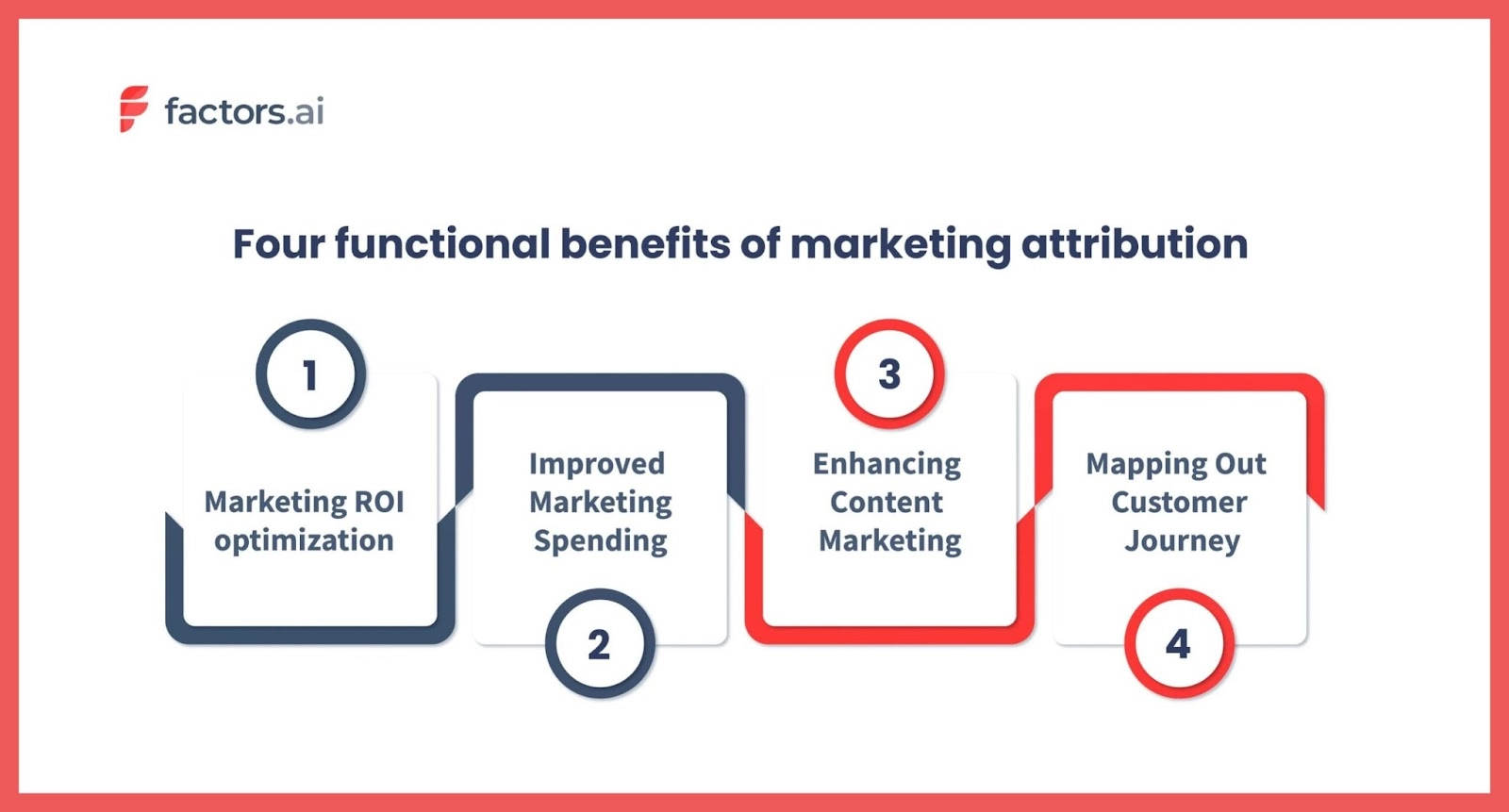
Suppose your marketing attribution report shows that LinkedIn advertising has consistently generated a high number of qualified leads at a low cost per acquisition (CPA). In that case, you may want to increase your ad budget for LinkedIn while reducing spend on lower-performing channels.
2. Campaign performance reports
Campaign performance reports are vital for measuring the effectiveness of individual marketing campaigns and initiatives such as email series, content promotions, or product launches. These reports typically include metrics like click-through rates (CTR), conversion rates, return on investment (ROI), and customer feedback.
For instance, if you recently launched a webinar series targeting C-level executives in the FinTech industry, your campaign performance report could assess registration numbers, attendee engagement levels, post-webinar survey responses, and any subsequent sales pipeline growth attributed to this initiative.
3. Content marketing reports
Content marketing is often an integral part of B2B SaaS companies' overall strategy. Monitoring the effectiveness of your content assets can provide valuable insights into what resonates with your target audience and drives desired outcomes such as increased website traffic or lead generation.
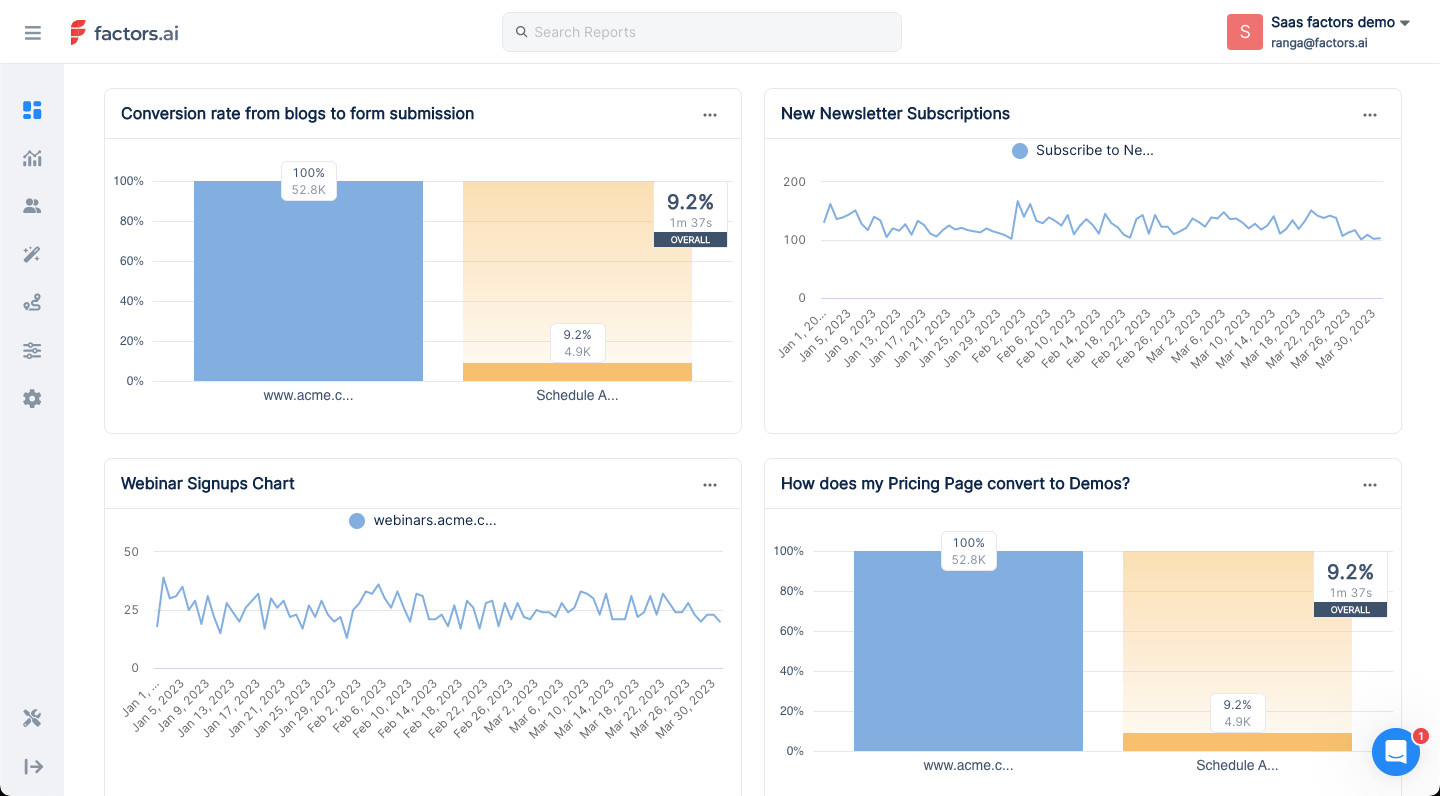
A comprehensive content marketing report may track metrics such as page views, time spent on a page, bounce rate, or social media shares for individual blog posts or e-books. Additionally, assessing how specific pieces of content impact broader business outcomes like trial sign-ups or revenue growth can further refine your understanding of your content's value.
When it comes to streamlining your marketing reporting process and gaining valuable insights, leveraging a powerful tool like Factors can be a game-changer. Factors’ comprehensive analytics platform offers an efficient way to generate marketing attribution, campaign performance, and content marketing reports, allowing you to make data-driven decisions that drive business growth in the B2B SaaS space.
Unlock the power of data-driven decision-making with stellar marketing reports
The modern data-driven world presents a double-edged sword for SaaS marketing teams. On one hand, it offers access to an abundance of data to inform strategies and drive growth. On the other, it poses the risk of overwhelming marketers, leading to valuable data being left unused.
To unlock the full potential of your data, you need to craft tailored, insightful, and actionable reports that address your unique business needs and objectives. Central to the process of marketing reporting are reporting and analytics tools that streamline and enhance your reporting efforts.
Enter Factors. Factors is an advanced B2B account analytics, attribution, and account intelligence platform that aims to help businesses drive more pipeline with less spend. By revealing anonymous companies visiting the website, decoding customer journeys, and providing valuable insights, Factors gives companies the data they need to make the right decisions and optimize their marketing strategies.
Don't let valuable insights slip through the cracks. Embrace data-driven decision-making and upgrade your B2B SaaS marketing game with powerful marketing reporting today.
Effective SaaS marketing reporting is essential for driving growth and extracting actionable insights. The article "SaaS Marketing Reporting Done Right: 5 Tips for Extracting Actionable Insights from Your Reports" from Factors.ai offers key strategies to improve reporting processes:
1. Define Clear Objectives: Set a primary goal for the report, whether it's tracking lead generation, evaluating campaign performance, or content effectiveness.
2. Understand Your Audience: Tailor reports to the audience's needs, providing high-level overviews for executives and detailed metrics for marketing teams.
3. Select Relevant Metrics: Focus on metrics that directly impact decision-making and avoid vanity metrics.
4. Enhance Visualizations: Use visual elements like charts and graphs to simplify complex data and highlight trends.
5. Utilize Advanced Analytics Tools: Leverage platforms like Factors.ai for multi-touch attribution, intent capture, and workflow automation to streamline reporting.
These strategies help SaaS companies transform reports into valuable tools for strategic planning and performance optimization.
FAQs
To further enhance your understanding of marketing reporting in the B2B SaaS context, here are some frequently asked questions with concise answers:
1. What are the main components of a marketing report?
A typical marketing report may include:
- An executive summary highlighting key findings and insights
- Data visualizations like charts, graphs, or tables for clear presentation of the conversion rates, traffic, session data, and leads and revenue generated
- Analysis of performance/results aligned with business objectives
- Actionable insights and recommendations for optimization or improvements
- Appendices with raw data or supplementary information as needed
2. How do you run a marketing report?
To create an effective marketing report, follow these steps:
- Set clear objectives and goals for the report
- Determine which metrics are most relevant to your campaign or initiative
- Collect data from various channels (e.g., Factors, Google Analytics, CRM, social media platforms)
- Analyze the data within the context of your goals and industry landscape
- Present findings through clear visualizations and concise narratives
- Include actionable insights that guide decision-making or strategy adjustments
3. What is the objective of marketing reporting?
The primary goal of marketing reporting is to give in-depth insights into the performance of different campaigns or projects. It helps make decisions based on data by providing actionable suggestions for optimization or enhancement.
Marketing efforts are aligned with wider business goals in these reports. They can help discover growth opportunities and improve overall efficiency. This leads to achieving desired results such as generating leads or acquiring customers in B2B SaaS companies.
.avif)
The Ultimate Guide to Marketing Analytics for SaaS Companies
Discover the importance of marketing analytics for SaaS businesses, its benefits, challenges, use cases, and best practices for driving growth and success.
Marketing analytics has become an integral part of any successful marketing strategy.
The industry is expected to grow at a CAGR of 14.8% between 2023 and 2028. Meanwhile, businesses of all sizes must spend the time to upgrade their in-house tech and employee skill-set to stay ahead of the curve.
But with the industry peppering buzzwords and jargon, marketing analytics can seem more complicated than it actually is.
In this guide, we’ll work to make the complex simpler. We’ll discuss what marketing analytics is, why it is necessary, which teams and people in a company should look into it, common limitations and pitfalls, and more. Let’s get started.
What is Marketing Analytics?
Marketing analytics refers to the analysis of data to gain insights into the performance of marketing campaigns and activities. It relies on the number of leads generated, conversion rates, customer acquisition cost (CAC), and customer lifetime value (LTV). Analyzing these metrics can help marketers and founders pave the way for marketing campaigns.
For instance, marketing analytics can help businesses understand which marketing channels or strategies are generating the most leads or conversions, and which ones may need improvement. It can also help identify trends and patterns in customer behavior, preferences, and buying habits, enabling businesses to make more informed decisions about their marketing efforts.
This is done through the use of tools like Google Analytics, Looker Studio, Factors.ai, and others for data visualization, statistical analysis, and predictive modeling.
The data is analyzed from various sources, such as website traffic, social media platforms, email campaigns, and Customer Relationship Management (CRM) systems.
The Benefits of Marketing Analytics
Marketing analytics offers multiple benefits in a B2B context. It helps businesses with interpreting data and making the most accurate and informed decisions. But that’s just one aspect of it. Let’s take a look at some other benefits of marketing analytics:
Improves Targeting
Marketing analytics enables you to identify the most relevant and receptive audience for your product or service. Then combining demographic, psychographic, and behavioral metrics, you can create a detailed customer persona that represents your ideal target audience. This data-driven approach allows you to tailor your messaging, offers, and content to resonate with these individuals, ultimately leading to higher conversion rates.
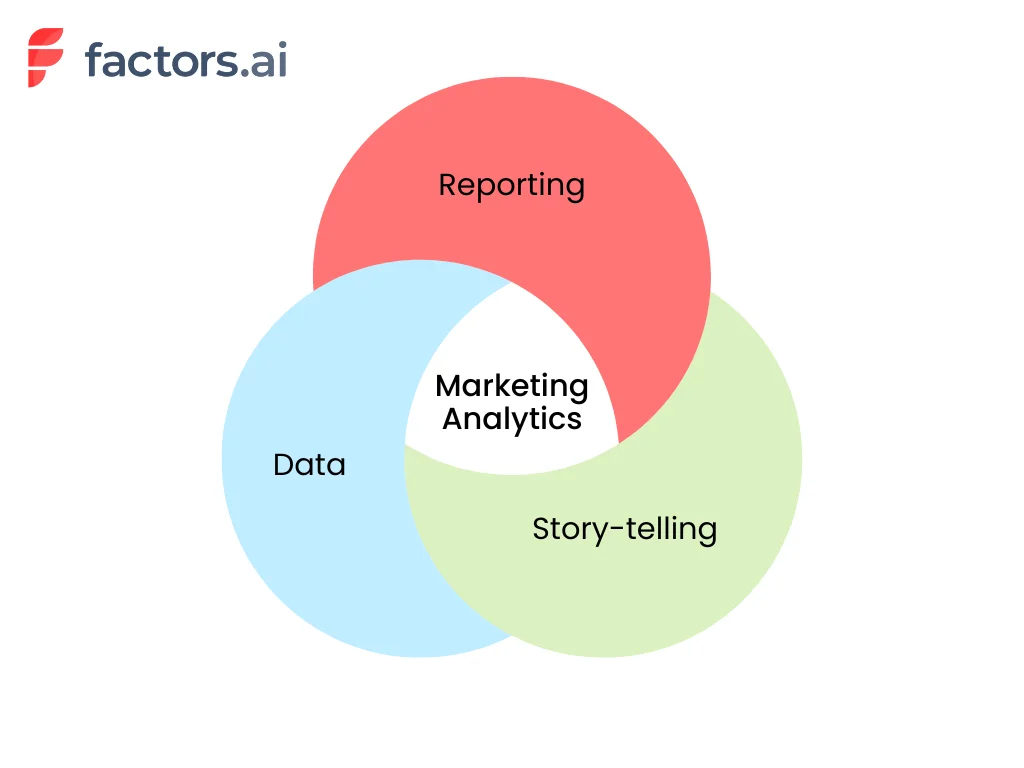
For instance, suppose your marketing analytics reveals that your most engaged customers are millennial entrepreneurs in the tech industry. In that case, you can fine-tune your marketing campaigns by focusing on the channels they frequent—such as LinkedIn and Twitter. Then begin creating content around industry trends, tips for startup growth, or case studies of successful tech entrepreneurs while subtly pitching your product or services.
Reduces Cost of Acquisition
The cost of acquiring a new customer can often exceed the expenses related to retaining an existing one. The average customer acquisition cost (CAC) including all SaaS industries is $704. Marketing analytics helps businesses identify the most cost-effective channels and methods for customer acquisition by studying metrics like cost-per-click, cost-per-lead, and return on ad spend.
.webp)
Let’s take an example here. Say your marketing analytics data shows that LinkedIn ads are generating a lower cost per acquisition (CPA) and higher conversion rate compared to Facebook ads. In this case, you can shift a larger portion of your ad budget to LinkedIn, driving down your overall cost of acquisition.
Improves the Customer Experience
86% of buyers are willing to pay more for brands that offer great customer experience. And SaaS companies doing $1 billion annually can expect to earn an additional $1 billion with just 3 years of investing in customer experience.
Analyzing customer feedback data can help SaaS marketers identify areas of improvement in their products or services. This leads to a better overall experience for customers. Marketing analytics can also help companies understand customer touchpoints, identify gaps in their communication strategies, and improve customer support.
Helps with Customer Retention
As time goes by, fewer and fewer customers stick around. This can be clearly demonstrated with the retention curve.
.webp)
However, spending money to retain existing customers is often more cost-effective than acquiring new ones.
Existing customers are 50% more likely to buy a product and spend 31% more on average than new customers. Marketing analytics can help businesses identify patterns and trends in customer behavior that may indicate potential churn or dissatisfaction.
For instance, if your marketing analytics reveals that customers who don't engage with your email campaigns are more likely to churn, you can modify your campaigns to launch a re-engagement strategy. You can target these at-risk customers with personalized content and offers to reignite their interest and loyalty. Sometimes, special pricing or preferential rates go a long way for customers.
Unveils Upselling Opportunities
Upselling is a powerful strategy in the B2B SaaS world. An average SaaS business generates 16% of its annual contract value (ACV) from upselling to customers. Companies doing $40 to $75 million annually can attribute twice as much revenue to upselling. With marketing analytics, you identify existing customers who are most likely to benefit from and be receptive to upgrading their current plans or purchasing additional products or services.
For instance, with marketing analytics data you may notice a few high-usage customers that could benefit from improved speed or better service offerings in your higher plans. Personalizing an upsell for those businesses and accounts can help you better improve your bottom lines in the long run.
What’s the Difference Between Product Analytics and Marketing Analytics?
Product analytics and marketing analytics are two important types of analytics that businesses need to use for making informed decisions. Unfortunately, these terms are used interchangeably and can cause confusion. Let’s look at the differences between product analytics and marketing analytics.

Product analytics analyzes the product experience. This type of analytics is generally performed on the data of users already using the product. It focuses on understanding how users interact with a product, including feature adoption, engagement, and product usage. With product analytics, the goal is to drive product-led growth by identifying areas for improvement, prioritizing feature development, and optimizing user experience.
Marketing analytics, on the other hand, helps identify how effective your marketing campaigns are. It helps identify how easily customers can find your product or website, what channels are working best for your marketing, and how many users are converting into paid users through the journey. Metrics for marketing analytics include lead generation, conversion rates, customer acquisition cost (CAC), and customer lifetime value (LTV).
For B2B businesses, both product and marketing analytics are important for driving growth. Product analytics helps businesses optimize product offerings and user experience. Marketing analytics helps companies improve their marketing strategies, target their audience more effectively, and allocate resources better.
{{INLINE_TOFU}}
Are Marketing Analytics and Marketing Attribution the Same Thing?
Marketing analytics and marketing attribution are complementary, yet distinct, disciplines within the realm of digital marketing. While both are essential for evaluating and optimizing marketing efforts, they serve different purposes and bring unique insights to the table. In this article, we will delve into the nuances of each concept, highlighting their primary focus, use cases, metrics, tools, and more.
Marketing Analytics vs Marketing Attribution - Quick Comparison
| Aspect | Marketing Analytics | Marketing Attribution |
|---|---|---|
| Primary Focus | Evaluating overall marketing effectiveness | Measuring the impact of touchpoints on conversions or other outcomes |
| Use Cases | Identify high-performing channels, calculating CAC & LTV, evaluating ROI, tracking customer engagement, and informing marketing strategy | Evaluating individual channel effectiveness, identifying influential touchpoints, optimizing spend, tailoring messaging, and informing marketing strategies |
| Metrics | CAC, LTV, Churn Rate, Retention Rate, ROI | Measured using models such as Single-Touch Attribution, Multi-Touch Attribution, Position-Based Attribution, Custom Attribution |
| Tools | Google Analytics, Adobe Analytics, Mixpanel, Tableau, HubSpot | Factors.ai, Adobe Marketo, Dream data, |
Marketing Analytics
Marketing analytics encompasses the measurement, management, and analysis of marketing performance data to optimize marketing effectiveness and maximize return on investment (ROI). Its primary focus is to provide a comprehensive understanding of marketing efforts, from the impact of individual campaigns to the overall health of a marketing strategy.
Use Cases:
- Identifying high-performing marketing channels
- Calculating customer acquisition cost (CAC) and customer lifetime value (LTV)
- Evaluating marketing ROI
- Tracking customer engagement and retention
- Analyzing data to inform marketing strategy and decision-making
Metrics:
Here are some of the marketing analytics metrics that you must keep a watch on.
- Customer acquisition cost (CAC): This metric helps you identify the cost of acquiring a new customer. It accounts for all the marketing and promotional costs involved in reaching and converting the customer.
- Lifetime value (LTV): Once a customer is converted, how long do they remain a paying customer? To find this value, note the length of time that each customer has stayed with your business and the total revenue generated by each. Then, multiply the average revenue per customer by the average length of time (lifespan). For example, if you have 100 customers paying, on average, $300 per month for 6 months, your customer lifetime value will be $300 x 6 = $1800.
- Churn Rate: How many of your customers are dropping off after they turn into paying customers? In fact, you can even count the churn rate for your free users as this can help you start digging deeper into the reasons why they don’t sign up for one of your paid plans.
- Retention Rate: This is the opposite of the churn rate. Here we check how many customers stick around for a specific period of time and more. For example, you may want to consider a customer as a retained one if they continue to pay for your SaaS for longer than 3 consecutive months.
- Return on investment: This metric is a must for businesses, no matter the industry. In the case of B2B SaaS businesses, this metric lets you understand how much money you are making based on the marketing spend.
Tools:
- Google Analytics: This is the most popular tool for marketing analytics—majorly because it’s free of cost. Google Analytics provides a wealth of information about traffic, user behavior, and much more.
- Factors: Factors is a powerful marketing analytics platform that specializes in B2B visitor identification, account analytics, and more. It integrates with your existing marketing stack and helps businesses reveal anonymous website visitors, decode customer journeys, and drive marketing ROI.
- Adobe Analytics: Adobe Analytics has a range of tools for tracking customer behavior, segmenting users, and identifying trends to improve overall marketing performance.
- Mixpanel: Mixpanel is more focused on product analytics. It enables businesses to monitor user interactions within web and mobile applications.
- Tableau: Tableau helps marketers transform raw marketing data into interactive visualizations that are easy to understand and share.
- HubSpot: HubSpot provides businesses with a holistic view of their performance and the tools necessary to optimize their strategies. From tracking website traffic and user behavior to measuring the effectiveness of email campaigns and social media outreach, it enables companies to make smarter marketing decisions and achieve better results.
Marketing Attribution
Marketing Attribution is the process of determining the value and impact of various touchpoints along the customer journey, helping marketers understand which channels, campaigns, and tactics are most effective in driving conversions and other desired outcomes. Attribution primarily focuses on assigning credit to specific marketing efforts that contribute to a conversion, sale, or other predefined goals.
Use Cases:
- Evaluating the effectiveness of individual marketing channels and campaigns
- Identifying the most influential touchpoints in the customer journey
- Optimizing marketing spend and resource allocation
- Informing marketing strategy and tactics based on attribution insights
- Tailoring messaging and targeting to maximize conversion potential
Attribution Models:
There are several attribution models available that help businesses assess the impact of their marketing efforts. Here is a breakdown of some of the most common types:
- Single-Touch Attribution: Assigns credit to a single touchpoint, either the first touch or the last touch. Common single-touch models include First-Touch Attribution, Last-Touch Attribution, and Last Non-Direct Touch Attribution.
- Multi-Touch Attribution: Distributes credit across multiple touchpoints throughout the customer journey. Examples of multi-touch models are Linear Attribution, U-Shaped Attribution, and Time Decay Attribution.
- Position-Based Attribution: This attribution model allocates credits based on the position of a touchpoint in the customer journey. For instance, it gives 40% of the credit to both the first and last ad interactions and corresponding keywords. The remaining 20% is spread across the other ad interactions on the user journey.
- Custom Attribution: Utilizes data and machine learning algorithms to create custom attribution models tailored to the unique needs of a specific business or industry. This approach allows for a more accurate representation of the customer journey and the impact of various marketing channels and tactics.
Tools:
- Factors: Factors is an AI-driven marketing attribution platform that provides detailed insights into the impact of each touchpoint on your customer journey. With its advanced modeling capabilities, Factors helps businesses make informed decisions on marketing spend and resource allocation.
- Adobe Marketo Measure: A part of the Adobe Marketo suite, Measure offers powerful marketing attribution and revenue planning features. By connecting marketing and sales data, Measure enables businesses to accurately attribute revenue to specific marketing efforts.
- Dreamdata: Dreamdata is a B2B revenue attribution platform that allows you to track and analyze the performance of your marketing efforts across all channels. By unifying data from various sources, Dreamdata provides a holistic view of your customer journey and helps optimize your marketing strategy.
- Ruler Analytics: Ruler Analytics is a marketing attribution platform that connects closed revenue data with the customer journey. It provides insights into which marketing channels are driving conversions, allowing businesses to optimize their efforts and improve ROI.
Who Should Be Thinking About Marketing Analytics at SaaS Companies?
Marketing analytics helps businesses measure the effectiveness of their marketing campaigns, optimize strategies, and make data-backed decisions to drive growth. But who should be thinking about marketing analytics at SaaS companies? Generally, it is CMOs, marketing executives, and CROs who stay updated with this information.
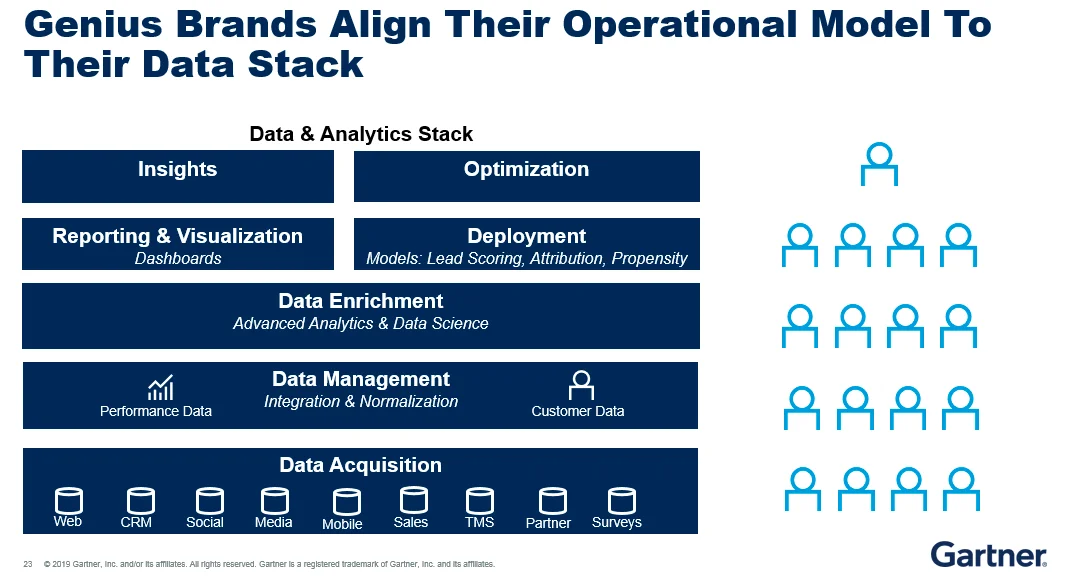
But, there's more to the story.
While it's essential for top-level executives and decision-makers to understand marketing metrics, it's not practical for everyone involved to monitor every single metric. Requiring the marketing team to constantly share their progress is counter-intuitive to progress as well. That’s where dashboards help teams stay in sync and keep tabs on what’s happening within marketing.
Dashboards offer a streamlined and efficient way to stay on top of the effectiveness of marketing strategies. They present data in a visually appealing and easy-to-understand format, allowing for quick insights and adjustments when needed. Here are a few benefits of dashboards.
- Enhanced collaboration: A well-designed dashboard helps teams across the board to stay updated with the changes in marketing. It also reduces the communication required to get data from individual teams as everyone can directly pull data from the dashboards. This increases transparency between teams.
- Increased accountability: Because of the increased transparency, teams, and individuals have accountability for the tasks assigned to them. This allows for greater productivity across teams and helps things progress faster.
- Customization: Dashboards are designed to be completely customizable. You do not need to showcase the same verbose data to everyone involved. Dashboards can help you summarize and visualize the required data based on who you want to demonstrate or showcase the data to.
If you want to implement a marketing dashboard within your company, we have an in-depth article on CMO dashboards. This will guide you through the process of designing a dashboard that serves the unique needs of your SaaS app development company.
Addressing Common Marketing Analytics Challenges
As businesses continue to evolve and adapt to the digital era, marketing analytics has become a vital aspect of marketing success. However, there are several common challenges that marketers face when trying to harness the power of data analysis.
Siloed data
The importance of seamless data integration cannot be overstated. With various marketing tools and platforms being used simultaneously, data can become fragmented and difficult to consolidate. Apart from that, customer data can get siloed at each of the touchpoints as well.
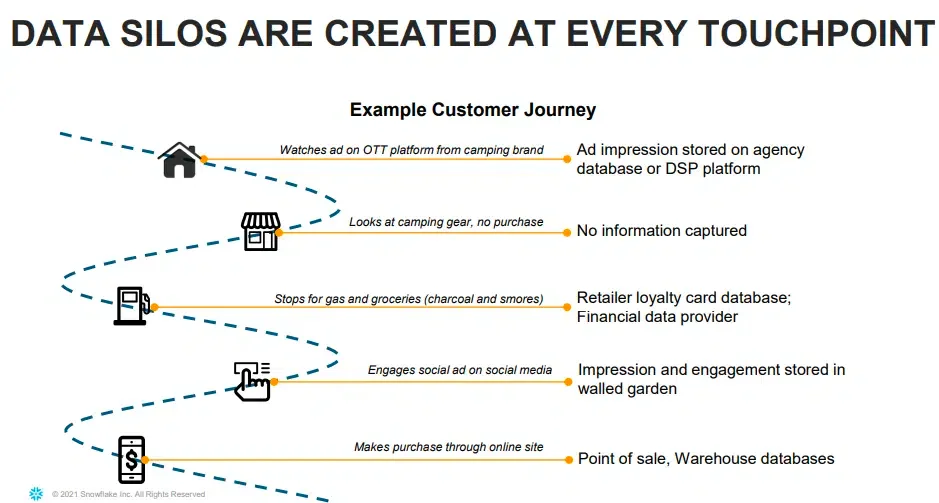
This siloed data can lead to an incomplete view of your marketing efforts and hinder your ability to make data-driven decisions. Marketing attribution tools like Factors combine data from multiple platforms and create a unified timeline that helps you view all the touchpoints of your customers in a single place.
Not knowing what to track
Identifying the right metrics to track is essential for marketing success. Focusing on the wrong metrics or not tracking them at all can lead to misguided decision-making. In fact, tracking a metric incorrectly can lead to worse outcomes than not tracking it at all.
For example, if you incorrectly attribute the success of your conversions to your paid ads, you may end up spending more on the wrong channel and wasting your marketing efforts.
Incorrect understanding of metrics
Metrics should be analyzed in tandem with other data to gain meaningful insights. For example, if the cost of acquisition in one quarter is dramatically lower than that of the previous two quarters, it could be the direct result of pausing a poor-performing marketing campaign.
But only looking at the CAC may lead to incorrect conclusions—CAC is going lower and thus your profits are going up.
Lack of automation and limited visualizations
Manual data analysis can be time-consuming, and error-prone, and ultimately limit your ability to make the most of it. Automating data collection and analysis processes is essential for maximizing efficiency and accuracy. Also, visualizing data through intuitive dashboards and reports enables easier understanding for everyone involved.
Factors address these common challenges by offering a powerful marketing analytics platform featuring seamless integrations, automation, and advanced visualization capabilities. Comprehensive marketing analytics and attribution solutions like Factors help overcome these challenges and ultimately achieve better results from your marketing efforts.
Top Marketing Analytics Use Cases for SaaS Companies
Marketing analytics can provide valuable insights and drive growth in various aspects of a SaaS company’s marketing efforts. The three key use cases for marketing analytics include acquisition and conversion tracking, campaign performance analysis, and customer segmentation and personalization. Here’s what each of them means:
1. Acquisition and Conversion Tracking
Acquisition and conversion tracking allows SaaS businesses to monitor how efficiently their marketing efforts are attracting and converting customers. For example, a SaaS company offering project management software might use acquisition and conversion tracking to analyze the sources of their website traffic. This could include social media platforms, search engines, and email marketing campaigns. They can then determine which channels are most effective in driving new users to sign up for their software. If the analysis reveals that content and SEO are generating a high number of sign-ups, the company can allocate more resources to that platform to capitalize on its success.
2. Campaign Performance Analysis
Campaign performance analysis evaluates the effectiveness of marketing campaigns and helps improve the campaigns through data. This involves monitoring click-through rates, conversion rates, and cost per acquisition, to determine the overall success of each campaign.
Imagine a SaaS company specializing in human resources software launches a Google Ads campaign targeting HR managers.
Campaign performance analysis can be used here to evaluate the effectiveness of the ads. If the data indicates that one type of ad is outperforming the others, the company can optimize the campaign by allocating a higher budget to the more successful ad. This constant analysis and improvement can lead to more efficient marketing campaigns and higher ROI.
3. Customer Segmentation and Personalization
Customer segmentation and personalization involve grouping customers based on shared characteristics and tailoring marketing messages and offers to meet their specific needs.
For instance, a SaaS company that provides email marketing software could segment its customers into groups based on their industry, company size, or the frequency of their email campaigns.
They could then create content and offers targeted at each segment. A small e-commerce business might receive tips on how to maximize its email open rates during the holiday season. A large enterprise client, on the other hand, might receive a case study showcasing how their email marketing success has successfully scaled email campaigns for similar organizations.
Grow your business with streamlined marketing analytics
Marketing analytics is a powerful tool for driving growth and improving marketing performance in B2B companies. Focusing on key use cases, such as acquisition and conversion tracking, campaign performance analysis, and customer segmentation and personalization, will enable you to make data-driven decisions and optimize your marketing efforts.
As a result, you'll attract more customers, improve customer satisfaction, and ultimately, increase your company's revenue. Don't miss out on the potential that marketing analytics can unlock for your SaaS company—start harnessing the power of data with Factors.ai today.
Marketing Analytics: Driving Data-Driven Growth
Marketing analytics involves measuring, managing, and analyzing data to optimize strategies and maximize return on investment (ROI). For SaaS companies, it provides insights into customer acquisition, behavior, and retention, enabling informed decision-making.
Key Benefits
1. Improved Targeting – Identifies and engages receptive audiences.
2. Enhanced Customer Experience – Delivers personalized and relevant content.
3. Optimized Marketing Spend – Focuses resources on high-performing channels.
Common Challenges
1. Data Integration – Aggregating insights from multiple sources.
2. Ensuring Accuracy – Maintaining reliable and consistent data.
3. Choosing the Right Metrics – Identifying KPIs that align with business goals.
Best Practices
1. Set clear objectives to guide analytics efforts.
2. Leverage advanced tools for comprehensive data analysis.
3. Foster cross-functional collaboration for cohesive decision-making.
By implementing strong marketing analytics practices, businesses can refine their strategies, improve efficiency, and drive sustainable growth.
FAQs
Why is marketing analytics important?
Marketing analytics makes marketing effective. It offers deep insights into the preferences and behavior of your customers. It allows you to shape the marketing campaigns in accordance with your customer’s expectations and helps you make data-backed decisions rather than relying on intuition and experience.
What are the three types of analytics that can be used in marketing?
Descriptive analytics, predictive analytics, and prescriptive analytics.
- Descriptive analytics analyzes historical data to understand past performance.
- Predictive analytics uses data and statistical algorithms to forecast future outcomes
- Prescriptive analytics provides recommendations on how to optimize marketing efforts based on data-driven insights.
%2520(1).avif)
SaaS Google Ads: How To Build High ROI Google Ads Campaign For Your SaaS Business
A step-by-step guide to Google Ads for SaaS companies. Learn keyword strategy, landing page optimization, bidding tactics, and how to measure ROI with real benchmarks.
TL;DR
- Launch Google Ads for your SaaS business only after achieving product-market fit and acquiring 10-15 customers.
- Set SMART goals, understand your audience, and conduct in-depth keyword research.
- Choose ad formats based on goals—Search for intent, Display for reach, and YouTube for engagement.
- Optimize landing pages, monitor performance, and adjust budgets to ensure ROI.
If you're building a SaaS company and haven't invested in Google ads yet, you have no idea what you're missing.
Over 80% of businesses use Google ads as a part of their marketing strategy and typically see a return of $2 for every $1 spent on Google ads. If you want to target in-market prospects and grow pipeline, this is the way to do it.
But how can SaaS companies leverage Google ads for revenue growth? Find your answer here, where we discuss the ABCs of SaaS google ads ⬇️
Google Ads for SaaS is a pay-per-click (PPC) advertising strategy where SaaS companies bid on high-intent keywords to reach prospects actively searching for software solutions. Unlike brand awareness channels, Google Ads captures existing demand — targeting users who are already looking for tools like yours. The key to SaaS Google Ads success is targeting tight, long-tail keywords, optimizing for downstream revenue (not just leads), and measuring success through LTV:CAC ratios rather than immediate ROAS.
Firstly, when should SaaS companies run Google ads?
Ishaan Manchanda, the founder of GrowthSpree, has over 7 years of experience in PPC marketing, and he recommends that you begin running ads once you achieve product-market fit (PMF):
"Consider launching Google search ads only when you've achieved PMF and acquired at least 10-15 customers. If you're still in the very early stages, paying for ads won't make sense when you're still making changes to your product."
Running ads on Google has many benefits, the main one being that Google ads are intent-driven. Unlike other platforms, Google only shows your ads to folks looking for your solution. So, you only have to pay when a user clicks on your ad.
Your ad data also clarifies how you can modify your strategy for greater conversions. Now, let's explore the types of ad formats you can leverage when launching Google ads.
Types of Google ads
Google Search Ads
These ads appear in search results above the organic results when people search for relevant keywords like "email marketing automation software." They are intent-based ads targeting existing demand.

Google Display Ads
These ads are shown on a vast collection of third-party websites that agreed to display Google ads. They can be in text, image, video, or rich media formats.

YouTube Ads
Video ads are an underrated method of generating leads for your business. SaaS companies can create video and display or text ads shown during or before YouTube videos or elsewhere on YouTube's platform. Video ads can be skippable or non-skippable.
App Campaigns
If the SaaS company has a mobile app, Google automatically creates ads by pulling the most relevant text, images, and ratings from the app store to drive mobile app installs and in-app conversions.
{{INLINE_TOFU}}
How to run Google ads for SaaS companies: a step-by-step guide
Here is a step-by-step guide for SaaS companies to launch effective Google Ads campaigns:
1. Define Your Campaign Objectives
When asked, "What is your campaign objective?" The most obvious answer is "to generate revenue." However, you need to establish SMART goals to establish more clarity amongst the team, so that you can refine your ad strategy moving forward.
Example: Increase qualified leads from Google Ads by 30% in Q3 2026 by implementing targeted campaigns, optimized landing pages, and SMART Goals in Google Analytics.
2. Develop Audience Personas
Create detailed profiles of your ideal customers - their demographics, interests, pain points, etc.
Identify the keywords and search queries they will likely use when looking for a solution like yours. Determine the most relevant ad formats, landing pages, and offers for each persona.
3. Set Up Your Google Ads Account
Create a new Google Ads account or link an existing one to your SaaS business. Set your campaign objective to "Leads" to drive signups and demos. Choose the Search campaign type to reach people actively searching for your solution
4. Conduct Keyword Research
Use the Google Ads Keyword Planner to find relevant keywords and assess their potential.
Identify long-tail keywords that indicate high purchase intent. Group keywords into themed ad groups for more targeted ads
We've researched what keyword themes work best and have analyzed the following keyword types:
- Branded keywords
- Competitor keywords
- Pricing keywords
- Product/Feature keywords
💡Find out how to use these keywords in your Google ads strategy.
Bonus: Competitor Conquesting Strategy
One of the most effective SaaS Google Ads tactics is bidding on competitor brand terms. This means showing your ads when prospects search for your competitors by name.
How to execute:
- Create a dedicated campaign for competitor terms to control budget separately
- Target '[Competitor] alternative', '[Competitor] vs', and '[Competitor] pricing' keywords
- Write ad copy that highlights your differentiators (don't mention the competitor by name in ad copy — it can violate trademark policies)
- Direct traffic to a dedicated comparison landing page, not your homepage
Important: Competitor campaigns typically have lower CTR and higher CPC than branded or generic campaigns. Expect 1-3% CTR and 2-3x higher CPC. But the intent is extremely high — these searchers are actively evaluating solutions.
5. Optimize Landing Pages
Create dedicated landing pages for each ad group with a clear value proposition and call-to-action. For instance, if you're creating a competitor landing page, you need to ensure
Ensure pages load quickly and are mobile-friendly. A/B test different page elements to improve conversion rates.
Tas Bober, a paid ads landing page expert and founder at Delphinium Solutions, recommends placing your form fields and displaying your product in the first fold of the landing page
"Create landing pages that:
1/ Deliver on the promise of the ads
2/ Showcase your product
3/ Call out who you're for
4/ Use clear language (think 5th grade)
5/ Bucket features into themes
6/ Save the company awards for the About page
7/ Use *relevant* social proof
8/ Tell the user what to expect after reaching out"
At Factors, we highlight the core value propositions in the first fold to drive consideration and engage prospects

6. Set Your Bids and Budget
Set a daily budget that allows you to get sufficient data to assess performance. Adjust bids and budgets over time based on the cost per click and conversion rates. You should also keep these metrics in mind when setting a Google ads budget:
- Calculate your Customer Acquisition Cost (CAC) and ensure your budget allows you to acquire customers at or below this cost.
- Determine your Customer Lifetime Value (LTV) and set a budget that reflects this value to ensure profitability.
Distribute your budget across different campaigns and ad types to test and find the most effective strategies. To optimize your budget allocation, you can also employ automated bidding strategies like Target CPA.
7. Monitor and Optimize
Regularly check your Google Ads dashboard to analyze key metrics like CTR, conversion rate, CPC, and ROAS. Use the Search Terms report to identify negative keywords to add to your campaigns. Make ongoing optimizations to bids, budgets, ads, and landing pages to improve performance.
8. Set Up Remarketing Campaigns
Most SaaS website visitors don't convert on their first visit — especially in B2B with longer decision cycles. Remarketing lets you stay top-of-mind with prospects who've already shown interest.
SaaS remarketing tactics:
- Website visitors who didn't convert: Show display ads across Google's network reminding them of your key value props
- Trial users who didn't upgrade: Target with ads highlighting premium features or case studies
- Blog readers: Retarget content consumers with ads promoting free trials or demos
- YouTube remarketing: Show video testimonials or product demos to warm prospects
Remarketing campaigns typically have much lower CPA than prospecting campaigns because you're reaching people who already know your brand.
9. Implement Offline Conversion Tracking
For SaaS companies, a form fill or trial signup is just the beginning — the real goal is a paying customer. Offline conversion tracking connects your CRM data back to Google Ads so you can optimize for revenue, not just leads.
How it works:
- Track conversion actions in Google Ads (form submits, trial signups)
- Connect your CRM (Salesforce, HubSpot) to Google Ads
- Import offline conversions (SQLs, closed-won deals) with their revenue values
- Google's Smart Bidding will then optimize for conversions that actually generate revenue
This is a game-changer for SaaS because it shifts optimization from 'most leads' to 'best leads' — dramatically improving lead quality and reducing wasted spend on low-intent clicks.
SaaS Google Ads Benchmarks
When monitoring performance, here are industry benchmarks to measure against:
- Average CPC: $3-$15 for generic SaaS keywords; $5-$25+ for competitor terms (WordStream)
- CTR: 3-6% for search ads (below 2% signals ad copy needs improvement)
- Conversion Rate: 3-5% for landing pages targeting trial signups or demo requests (Unbounce)
- Cost Per Lead: $50-$200 for SMB SaaS; $200-$1,000+ for enterprise
- LTV:CAC Ratio: Target 3:1 or better — if your ratio is below 1:1, pause and re-evaluate
- First-touch ROAS: ~78% for non-branded campaigns — looks negative but becomes positive when factoring in customer LTV (Involve Digital)
What SaaS Marketers Say About Google Ads
Based on discussions across Reddit (r/PPC, r/SaaS, r/googleads):
Start tight, scale later: "Run no more than ~20 keywords per ad group, stick to long-tail + exact match, and keep everything tight." Most SaaS ad waste comes from going too broad too early.
Bidding progression: Start with manual CPC or Maximize Clicks. Switch to Maximize Conversions after 15+ conversions. Graduate to Target CPA or tROAS once you have stable data.
The LTV trap: Don't judge SaaS Google Ads by immediate ROAS. First-touch ROAS for non-branded SaaS campaigns is typically ~78% (below breakeven). The real value shows up 6-12 months later through renewals and expansion revenue.
Budget reality check: Most SaaS marketers recommend $500-$1,000/month minimum to generate statistically significant data. Below that, you're guessing, not optimizing.
Measure your Google ads performance with Factors
Google ads are critical to your overall GTM strategy. If you want to make the most of Google ads, Factors is the tool you need!
You can use our "Account Identification" feature to deanonymize visitors who visit your site and also identify which campaign brought them to the website:

With our advanced attribution and analytics features, you can visualize how they engage with your ads and how your ad campaigns contribute to generating pipeline:

You can also leverage our Segment Insights features to understand how paid search is performing in comparison to other performance marketing initiatives (e.g. LinkedIn ads), thereby allowing you to strategize and change your approach to generate maximum ROI.

You can also connect Factors with G2 to understand how many accounts visit G2 product pages, competitor pages, and category pages after viewing your ads.
Well, we aren't going to reveal it all here! Contact our sales team to learn more about how you can leverage Factors to make the most of your Google ad spend.
How SaaS Companies Can Maximize Growth with Google Ads
For SaaS companies, Google Ads can be a powerful growth lever when used strategically. Companies should wait until they achieve product-market fit and have at least 10-15 customers before investing in ads. This ensures the product is stable and ready for a broader audience.
Clear campaign objectives aligned with revenue goals are critical. Defining SMART goals helps track progress and refine ad strategies. Understanding your target audience and conducting detailed keyword research covering branded, competitor, pricing, and product-related terms ensures ads reach high-intent prospects.
Choosing the right ad format is essential. Search ads target active demand, while display and YouTube ads expand brand visibility. App campaigns promote mobile apps if applicable. High-performing ads direct users to optimized landing pages that match the ad's message, highlight product value and include a clear call to action.
Budgeting should align with customer acquisition cost (CAC) and lifetime value (LTV). Automated bidding strategies like Target CPA help improve cost efficiency. Continuous monitoring and optimization, like adjusting bids, refining keywords, and improving landing pages, ensures sustained performance and ROI.
A thoughtful, data-driven approach helps SaaS companies turn Google Ads into a scalable pipeline growth engine.
Frequently Asked Questions on Google Ads For SaaS
Q1. What's a realistic Google Ads budget for SaaS?
Start with $500-$1,000/month to test keywords and collect data. Scale to $5K-$25K/month once you identify winning campaigns. Your budget should align with your Customer Acquisition Cost (CAC) and Customer Lifetime Value (LTV) — aim for at least a 3:1 LTV:CAC ratio.
Q2. How long until Google Ads generate results for SaaS?
Expect 2-3 months to collect meaningful data and optimize campaigns. SaaS sales cycles are longer than e-commerce, so optimize for micro-conversions (trial signups, demo requests) initially, then track through to closed-won deals using offline conversion tracking.
Q3. Should I use Smart Bidding or manual bidding for SaaS campaigns?
Start with manual CPC or Maximize Clicks to control costs while collecting data. Switch to Target CPA or Maximize Conversions after you have 15+ conversions per month — Smart Bidding needs sufficient data to optimize effectively.
Q4. What's a good CPA for SaaS Google Ads?
CPA varies widely by segment: $50-$200 for SMB SaaS, $200-$1,000+ for enterprise. The key metric isn't CPA alone — it's your LTV:CAC ratio. A $500 CPA is excellent if your customer LTV is $15,000, but terrible if your LTV is $600.
Q5. Should SaaS companies bid on competitor keywords?
Yes, but strategically. Competitor 'alternative' keywords (e.g., 'Salesforce alternative') often have very high purchase intent but also higher CPCs. Create a dedicated campaign with a separate budget, use comparison landing pages, and test with small spend before scaling.
The ROI of Website Visitor Identification Software for B2B Companies
Learn how to measure and maximize the ROI of website visitor identification tools at different growth stages, from finding your ICP to driving revenue and ACV growth.
TL;DR
- Website visitor identification ROI depends on how you use the data and your company’s growth stage.
- Early-stage companies can use it to identify their ICPs and understand which content resonates.
- Mid-stage companies can leverage it to acquire new prospects and move upmarket by targeting larger accounts.
- Measure success through meeting booking rates and ACV growth to ensure you're turning insights into revenue.
Measuring the ROI of website visitor identification tools for B2B/SaaS companies is pretty tricky. I say tricky because just having the data isn’t enough; you need to act on it to see real returns.
From my experience working with companies of all sizes, ROI boils down to two key factors:
1. What you do with the data (your sales and marketing workflows)
2. Where your company is in its journey (whether you’re just starting out or scaling).
Let me break this down further.
Early-Stage Companies: Finding Your ICP
If you're running an early-stage company, you're likely not doing a ton of marketing yet. At this stage, the ROI from website visitor identification is pretty straightforward - it helps you figure out who your Ideal Customer Profile (ICP) really is.
Think about it. You've launched your website, done your Product Hunt debut, published a few blogs, and maybe shared some LinkedIn posts or early sales outreach. What you really need to know is: who's actually interested in what we're building?
Here's a scenario I see often: you send out emails to 1,000 companies, and 60 or 70 of them visit your website. That’s gold—you’ve just identified the companies where your message is resonating. This insight is invaluable when you’re just starting out.
On top of that, visitor identification shows you which content pieces are landing with different types of companies. When resources are tight (and when aren't they?), knowing what works helps you focus your efforts where they matter most, ensuring every piece of content makes an impact.
To understand how visitor identification works and how it tracks anonymous website traffic, check out our in-depth guide How Does Website Visitor Identification Technology Work?.
Mid-Stage Companies: Expanding Use Cases
As your company grows, things get more interesting. Website visitor identification takes on new importance. You’ll start exploring different use cases, and two major opportunities usually stand out:
Getting New Prospects
This is where the rubber meets the road. Your ultimate ROI measure is precise: out of the companies identified on your website, how many turn into meetings, pipelines, and revenue?
We typically see two main approaches:
Sales Workflows
- Add identified companies to your sales sequences.
- Reach out to the right contacts via LinkedIn or direct calls.
- Use insights to tailor your outreach.
Marketing Workflows
- Target these companies on LinkedIn with personalized campaigns.
- Use the Google Display Network to stay visible (we will be launching Google ABM capabilities soon).
Moving Upmarket
I see the following scenario all the time with our clients who've just raised a Series B (think $20-25 million range). The VCs often push them to increase that average contract value (ACV) by expanding into the mid-market or enterprise segments, as the SMB space can plateau.
Website visitor identification becomes super valuable here because it helps you spot larger companies that are already browsing your site. Even if you’re not part of their conversation yet, this insight opens the door for targeted outbound efforts. You can proactively reach out to engage these bigger accounts before your competitors do.
Whether you’re growing your pipeline or moving upmarket, visitor identification ensures you’re seizing the right opportunities at the right time.
Learn how website visitor identification feeds into intent scoring to prioritize engaged accounts in our detailed guide: Intent Scoring via Website Visitor Identification.
{{INLINE_MOFU}}
Measuring the ROI
At the end of the day, you need to measure the impact of website visitor identification. Here’s how we do it:
- Meeting Booking Rate: Are you more likely to book a meeting with a company that visited your website compared to a cold account? That lift in conversion rates is your ROI right there.
- ACV Growth: For companies moving upmarket, track your average contract value (ACV) quarter over quarter. Are you landing larger deals by focusing on those bigger companies showing interest?
First, look at your meeting booking rate. Are you more likely to book a meeting with a company that visited your website compared to a cold account? That lift in conversion - that's your ROI right there.
For companies moving upmarket, track your ACV quarter over quarter. Are you landing bigger deals by focusing on those bigger companies showing interest?
Bottom Line
Here's what I've learned: the ROI of website visitor identification isn't about having the fanciest tech. It's about how you use it. Whether you're identifying your market as a startup or targeting bigger enterprise deals, this data can be incredibly valuable if you put it to work effectively.
And don’t forget, what drives success for a large company will look very different from what works for an early-stage startup. The key is matching your approach to where you are in your journey.
Want to dive deeper into website visitor identification, intent scoring, and LinkedIn Ads? Check out our in-depth guides:
Understanding Website Visitor Identification
- How Does Website Visitor Identification Technology Work? – Learn how visitor identification uncovers anonymous traffic and drives marketing success.
- Website Visitor Identification Metrics: What to Track – Discover key metrics to measure the effectiveness of visitor identification.
- Website Visitor Identification & Privacy: What You Need to Know – Understand compliance, GDPR, and privacy best practices.
- How to Choose the Right Website Visitor Identification Tool – Compare different tools and find the best fit for your business.
- Website Visitor Identification Implementation Guide – Step-by-step setup guide for seamless implementation.
Leveraging Visitor Identification for Business Growth
- Guide: How to Integrate Website Visitor Identification with Your CRM – Learn how to connect visitor insights with your CRM for better sales and marketing alignment.
- Why Website Visitor Identification is Critical for ABM Success – Understand the role of visitor data in Account-Based Marketing (ABM).
Advanced Use Cases: Intent Scoring & LinkedIn Ads
- Intent Scoring via Website Visitor Identification – Learn how to prioritize high-intent accounts using website data.
- Making LinkedIn Ads Work: Targeting B2B Audience Intent – Optimize LinkedIn Ads using visitor intent data.
.avif)
Revenue Forecasting Models: 7 Methods for 2026
Compare 7 revenue forecasting models with examples, formulas, and a model-selection framework for B2B SaaS and enterprise teams. Learn when to use pipeline, time series, scenario, and AI forecasting in 2026.
TL;DR
- Revenue forecasting is the data-backed prediction of a company's future income. It combines historical performance, pipeline math, and external market signals to dictate your hiring, budgeting, and scaling roadmaps.
- No single framework works alone. While B2B SaaS requires a hybrid mix of Time Series (for recurring revenue loops) and Pipeline-Based Models (for active deals), larger enterprises thrive by balancing Bottom-Up operational metrics with Top-Down strategic goals.
- For modern forecasting models to hold weight, your customer acquisition data must be precise. Investing in high-intent channels like Google Paid Search yields an average ROI of $2 to $8 for every $1 spent in 2026, serving as a predictable pipeline driver, if you have the right multi-touch attribution model
- The biggest threats to your forecast accuracy are stale data, siloed tracking, and unchecked ad spend leaks. Tools like Factors.ai solve this by unifying your CRM, marketing channels, and first-party data into a singular, auditable source of truth.
Revenue forecasting models help finance, RevOps, and GTM leaders answer one practical question: which method should we trust for next quarter's revenue plan? In B2B SaaS, the right answer is rarely one model in isolation. Teams usually need a mix of historical trend analysis, pipeline forecasting, churn and expansion inputs, and scenario planning to build a forecast they can actually use for budgeting, hiring, and board reporting.
In this guide, you'll learn the 7 most useful revenue forecasting models, when each works best, and how to choose the right mix based on your business type, data quality, and forecast horizon.
Note: moving average is included in this article as a time-series technique rather than a separate standalone model.
What is Revenue Forecasting?
Revenue forecasting is the process of predicting future revenue for a company using historical performance data, predictive modeling, and qualitative insights. Revenue forecasts provide an estimated projection of the total revenues expected in a future period.
Forecast time horizons can range from next month to next quarter to five years from now. Short-term forecasts may focus on immediate sales pipeline conversion, while long-range forecasts take a broader market-based approach.
With revenue forecasting, the goal is to provide the most accurate prediction of future revenue based on current insights. These reports can also be improved by leveraging attribution data so you know exactly what functions of marketing or sales bring in real revenue.
Revenue forecasting helps answer questions like:
- How much revenue can we expect to generate in the next quarter/year?
- How will seasonality trends and new product launches impact revenue?
- How quickly are we expected to grow over the next 5 years?
When done right, revenue forecasting can power key business functions:
- Financial planning: Building P&L statements, budgets, valuation
- Sales planning: Setting quotas, territory mapping, compensation
- Marketing planning: Demand generation budgeting, growth modeling
- HR planning: Hiring goals, resource allocation across teams
- Manufacturing planning: Inventory needs, capacity expansion
- Executive planning: Strategy setting, investment decisions
While revenue forecasting attempts to predict future revenues, it differs from a revenue projection which is typically more aspirational. Let's understand the differences.
Revenue Forecasting vs. Revenue Projections vs. Sales Forecasts
These three terms are used quite often when it comes to budgeting and strategic planning but they mean different things.
- Revenue Forecasts model the actual monetary revenue expected based on sales forecasts, historic performance, market conditions and statistical modeling. It provides the most likely, evidence-based scenario.
- Revenue Projections are what leadership desires to happen—an optimistic target rather than a data-driven expectation. Projections represent an aspirational revenue goal.
- Sales Forecasts predict expected sales bookings and pipelines based on leading indicators like open opportunities. They are an input into revenue forecasts.
| Metric | What It Actually Means | Best Used For |
|---|---|---|
| Revenue Forecast | An evidence-based calculation of expected monetary revenue based on hard data and market conditions. (The realistic truth). | Budgeting, hiring, and operational planning. |
| Revenue Projection | An optimistic, aspirational target set by leadership. (The dream outcome). | Investor pitches and motivating sales teams. |
| Sales Forecast | A hyper-focused prediction of expected bookings and short-term pipeline conversions. (An input). | Tracking sales rep quotas and quarterly pipeline health. |
Now, let's understand the types of revenue forecasts that you may come across.
Key Types of Revenue Forecasts
There are also different types of revenue forecasts based on methodology and time span:
- Short-term vs. Long-term - Short-term forecasts focus on immediate pipeline conversion, while long-term forecasts take a broader market-based view.
- Top-down vs. Bottom-up - Top-down forecasting starts with macro assumptions and allocates them across business units. Bottom-up rolls-up forecasts built from ground realities.
- Operational vs. Financial - Operational forecasts model near-term revenue streams. Financial forecasts take a holistic P&L view including costs and expenses.
- Deterministic vs. Probabilistic - Deterministic forecasts provide a single expected outcome. Probabilistic forecasts model a range of outcomes and probabilities.
Now, let's examine some key business uses and benefits of revenue forecasting.
Why is revenue forecasting important?
Accurate revenue forecasts can be the difference between success and failure for a business. Here are a few ways forecasting powers planning across the organization:
1. Budgeting with Realistic Precision
For finance teams, the single biggest use of forecasts is to build organization-wide budgets.
Budgets dictate how much gets spent on everything from R&D investments to marketing programs and payroll. Without reliable revenue forecasts, budgets devolve into guesswork.
For example, assume a company's revenue was $5M last year. Now the CFO needs to build next year's budget.
With intelligent forecasts, finance can model that based on new product launches, a 10% industry growth rate, and sales team expansions, revenues are likely to reach around $7.5M next year.
The CFO can now budget for expenses accordingly - say $1M for new engineering hires, $500K for more marketing, $150K for sales operations software etc.
Without forecasts, the CFO is flying blind. Maybe she pads the budget with a 20% increase to $6M. But if actual revenues only end up at $5.5M, suddenly there's a multi-hundred thousand dollar budget shortfall, requiring drastic cuts.
Conversely, if revenues actually reach $8M but budgets are based on last year's numbers, the company is now missing key growth opportunities due to under-investment.
2. Optimize Operations Management
Beyond budgets, forecasts guide operational decisions across departments:
- Sales: Forecasts feed territory assignments, quota setting, compensation planning, and capacity modeling whereas under-forecasting leaves money on the table.
- Marketing: Forecasts dictate digital and outbound campaign budgets and funnel targets where bad forecasts can waste spending and lead to missed opportunities.
- Product: Prioritizing the roadmap requires expected revenues from new features so bad forecasts can result in misplaced priorities.
- HR: Hiring and workforce planning requires expected growth rates and flimsy forecasts risk talent shortages or bloat.
Across the board, teams depend on forecasts to optimize operational management for future success amid constraints.
3. Fuel Strategic Decisions
Forecasts also provide the quantified confidence executives need to drive growth through major strategic moves:
- Funding rounds: Forecasts build credibility on growth potential to establish valuations. Weak forecasts undermine bids for capital.
- M&A valuation: Pre-transaction due diligence depends on target revenue forecasts. Bad forecasts lead to overpayment or lost deals.
- Market expansion: Breaking into new regions or verticals requires quantifying addressable revenues and investment payback.
- New product prioritization: High-impact opportunities are identified by revenue potential under constrained resources.
- Executive recruitment: Attracting star senior talent requires painting a compelling growth.
Creating reliable revenue forecasts empowers executives to place decisive strategic bets amid uncertainties, as opposed to shooting blind.
4. Track Performance to Plan
Revenue forecasts also provide a scorecard against which actual results can be monitored. Comparing real revenue performance vs. forecasted expectations then allows deviations to be easily flagged. With this information at hand, teams can course-correct before small misses snowball into major disasters.
Without forecasts as the reference point, there is no way to reliably track progress against potential. Revenue actuals in a vacuum don't reveal whether performance is on-target or off-course.
{{INLINE_TOFU}}
What are the types of revenue forecast models?
Now that we understand the fundamentals of revenue forecasting, let's examine some of the most common revenue forecasting models and techniques.
Broadly, forecasting approaches can be divided into two families:
- Quantitative models take a data-driven statistical approach to identifying trends and patterns in historical data that can be used for future predictions.
- Qualitative models incorporate expert perspectives, market analyses and contextual business insights to predict future revenues.
There are four common forecasting models namely linear regression, time series, bottom-up, and top-down. The best way to perform revenue forecasting is by combining multiple models to benefit from each of them.
Let's explore some of these popular models.
Comparison of the 7 Core Revenue Forecasting Models
Selecting the appropriate framework depends heavily on your data infrastructure, historical runway, and business model complexity.
| Model | Best for | Data needed | Complexity | Best time horizon |
|---|---|---|---|---|
| Linear regression | Quantifying revenue drivers | Large historical dataset | Medium | Short to medium |
| Time series | Seasonal or recurring revenue | 12+ months of historical revenue | Medium to high | Short to long |
| Bottom-up | Cross-functional operating plans | Pipeline, territory, and team inputs | Medium | Short to medium |
| Top-down | Strategic planning and market-entry assumptions | TAM, market share, macro assumptions | Low to medium | Medium to long |
| Pipeline-based | B2B SaaS and enterprise sales teams | CRM stage data and win rates | Low to medium | Quarterly |
| Scenario-based | Board planning and uncertainty management | Base model plus assumptions | Medium | Medium to long |
| AI / ML | Large datasets with multiple signals | Clean, connected CRM, finance, and product data | High | Any |
What are the 4 forecasting models?
If you're looking for the short answer, most businesses group forecasting into four core approaches: time-series models, regression models, bottom-up / pipeline models, and scenario-based models. In practice, teams often expand that list to include top-down planning and AI/ML forecasting, but these four buckets cover the majority of real-world use cases.
- Time-series models forecast from historical patterns and seasonality.
- Regression models forecast based on relationships between revenue and key drivers like spend, headcount, or pipeline volume.
- Bottom-up and pipeline models build forecasts from deals, territories, product lines, or team inputs.
- Scenario-based models model best-case, base-case, and worst-case outcomes for planning under uncertainty.
If you need more precision, the seven models below break these categories into practical methods you can actually implement.
1. Linear Regression Models

Linear regression analyzes historical data to model how changes in key variables impact revenue.
Regression provides a data-backed view into drivers of revenue growth and contraction.
However, regression models are only as good as the input data. They may miss complex real-world dynamics that are not reflected in historical data. Approaching them as helpful guiding tools rather than absolute truth is important.
Key Benefits
- Quantifies the relationship between revenue drivers and outcomes
- Calculates the impact of each variable on revenues
- Models complex interactions between multiple variables
- Provides data-driven revenue projections
How It Works
Simple linear regression uses one variable, often time, to predict revenue.
For example, it can help a business quantify how much additional revenue every $1 increase in marketing spend has historically generated. This insight can be used to forecast revenue under different scenarios.
Multiple linear regression incorporates additional factors simultaneously like marketing spend, sales activities, market dynamics etc.
The model examines historical data to calculate coefficients measuring each variable's unique relationship with revenue. These insights feed the predictive model to forecast expected revenue under different scenarios.
Considerations
- Regression modeling requires large volumes of accurate historical data
- Predictive power diminishes beyond modeled relationships
- Difficult to model nonlinear variable interactions
Regression provides a data-backed view into drivers of revenue growth and contraction. It brings statistical rigor to projecting the top and bottom-line impact of decisions around pricing, hiring, product launches, geographical expansion and more.
However, these models are only as good as the input data. They may miss complex real-world dynamics that are not reflected in historical data. Approaching them as helpful guiding tools rather than absolute truth is important.
2. Time Series Forecasting

Time series analysis detects historical patterns in data over time. This helps tease out seasonal and cyclical trends from broader growth trajectories and random noise.
It decomposes revenue time series into:
- Trend - Overall upward/downward trajectory
- Seasonality - Cyclical patterns
- Noise - Random unexplained variations
Time series models maximize signals and minimize noise in historical data for sophisticated revenue projections tailored to the business. These models can incorporate recent data, balancing responsiveness to change with smoothing noise and help you extract actionable insights for reporting and forecasting.
Key Benefits
- Models trends and seasonality specific to the business
- Highlights time-based nuances impacting revenue
- Provides granular, frequently updating forecasts
How It Works
Time series techniques like moving averages, exponential smoothing, and ARIMA modeling analyze a revenue time series to optimize the predictive modeling of its components.
For example, enterprise software revenues may spike every fourth quarter due to a year-end budget flush. Media subscriptions may dip in the summer months when travel is high. Understanding these nuances helps make more contextual and accurate forecasts.
You can then use the insights generated from the time series forecasts to smoothen the growth curve giving you more predictable revenue.
Considerations
Time series models need sufficient history to detect reliable patterns. They may miss entirely new market dynamics or one-off events, unlike the past. Hence, combining them with human judgment is important.
3. Bottom-Up Forecasting

Bottom-up forecasting taps insights from sales, account management and other frontline teams to build projections. They incorporate pipeline health, competitive threats, and market mood along with historical data.
How It Works
Let's take an example organization with sales, marketing, finance, and leadership teams. Here's how bottom-up forecasting would work:
- The sales team starts by analyzing the health of its current pipeline and expected deal cycles to forecast expected conversion rates by product line and region.
- Meanwhile, marketing examines recent campaign performance and lead generation trends to estimate new MQLs by campaign channel. They apply conversion rates to project new SQLs.
- Finance consolidates these detailed bottom-up forecasts from each department. They identify and resolve any inconsistent methodologies or assumptions between teams.
- Leadership reviews the consolidated forecast and makes final top-down adjustments to determine the official revenue projection.
Key Benefits
- Incorporates insights from sales, account management, and other frontline teams
- Reflects pipeline health, competitive dynamics, and micro-market nuances
- Promotes buy-in through the inclusion of cross-functional inputs
Considerations
Inconsistent assumptions between teams can skew the overall forecast. Guidance from leadership on industry outlook, macroeconomic factors and growth objectives helps align assumptions and methodologies.
4. Top-Down Forecasting

Top-down forecasting starts with the big-picture view of the total addressable market, growth trajectories, economic conditions and business strategy. Leadership sets goals and divides revenue targets across functions.
This ensures strategic alignment between long-term goals and short-term operations. However, seemingly arbitrary targets could demotivate teams without context on the rationale so with top-down forecasting, you need to ensure two-way communication and transparency from leadership.
How It Works
Let's look at top-down revenue forecasting through an example.
- The executive/leadership team starts with the overall revenue growth target based on market outlook and strategic goals. They divide this target across sales, marketing and customer success based on revenue impact capacity.
- Each team gets their individual revenue target along with guidance on growth assumptions like pricing, conversions, expansions etc.
- Teams build goal-aligned execution plans around sales territories, campaigns, and account targeting to meet their top-down number.
- Leadership reviews department plans to ensure coordination and consistent assumptions are in place.
Considerations
- Teams lack insights into the rationale behind seemingly arbitrary targets
- Overlooks micro-market nuances and competitive dynamics
- Requires reconciliation of opposing projections
Blending both top-down and bottom-up approaches for revenue forecasting can help set realistic targets based on market conditions while aligning activities to growth objectives.
5. Pipeline-Based Forecasting
Pipeline-based forecasting uses your active sales pipeline to predict future revenue by applying conversion probabilities at each deal stage.
This model is especially popular with B2B SaaS companies that have well-structured CRM data. Rather than relying solely on historical trends, pipeline forecasting looks at what's actually in your funnel right now.
How It Works
Each deal in your pipeline is assigned a probability based on its current stage. For example:
- Discovery stage: 10% close probability
- Demo completed: 30% close probability
- Proposal sent: 60% close probability
- Negotiation: 80% close probability
The weighted sum of all deals gives you the expected revenue. For instance, a $100K deal at the proposal stage contributes $60K to the forecast.
Key Benefits
- Directly tied to real sales activity, not just assumptions
- Updates in real-time as deals progress
- Helps sales leaders identify pipeline gaps early
Considerations
Pipeline forecasting depends on accurate CRM data and consistent stage definitions across the team. If deal stages are subjective or data entry is inconsistent, the forecast will be unreliable. Pairing it with historical conversion rates improves accuracy.
6. Scenario-Based Forecasting
Scenario-based forecasting builds multiple revenue projections — best case, base case, and worst case — to prepare for different business outcomes.
Instead of relying on a single number, this model accounts for uncertainty by mapping revenue under different assumptions. It's particularly valuable for startups, businesses entering new markets, or companies operating in volatile industries.
How It Works
Define 3 scenarios with different assumptions:
- Best case: Higher win rates, faster deal cycles, successful product launches. Example: 20% growth if new enterprise segment converts at expected rates.
- Base case: Continuation of current trends with modest improvements. Example: 10% growth in line with historical averages.
- Worst case: Market downturn, lost key accounts, or delayed product launches. Example: Flat or -5% growth under economic slowdown.
Leadership uses these scenarios to plan contingency budgets and resource allocation.
Key Benefits
- Prepares the organization for multiple outcomes, not just one target
- Forces leadership to identify risk factors and mitigation strategies
- Useful for board presentations and investor communications
Considerations
Scenario-based forecasting works best when combined with a data-driven base model (like time series or pipeline). Without grounding in real data, scenarios can devolve into arbitrary guesses.
7. AI and Machine Learning Forecasting
AI and machine learning (ML) forecasting uses algorithms to identify complex, nonlinear patterns in large datasets that traditional models may miss.
As businesses accumulate more data from CRMs, marketing platforms, and product analytics, ML models can process these signals to generate more accurate and adaptive revenue predictions.
How It Works
ML forecasting models are trained on historical data and learn to recognize patterns without being explicitly programmed. Common approaches include:
- Random Forests and Gradient Boosting: Ensemble methods that combine many decision trees for robust predictions. These handle mixed data types and provide feature-importance metrics showing which variables drive revenue most.
- Neural Networks (LSTM/GRU): Deep learning models that capture temporal dependencies in sequential data — ideal for businesses with complex seasonal patterns.
- Regression-based ML: Enhanced versions of traditional regression that automatically detect variable interactions.
Key Benefits
- Processes far more variables simultaneously than traditional models
- Self-improves as more data becomes available
- Captures nonlinear relationships between revenue drivers
Considerations
ML models require large, clean datasets to train effectively. They can also be 'black boxes' — harder to explain to stakeholders than a simple regression. For most mid-market companies, combining ML insights with traditional models provides the best balance of accuracy and interpretability.
What is the Best Method for Revenue Forecasting?
The best forecasting method depends on your use case. Here's a quick comparison of all 7 models to help you decide:
| Model | Best for | Data needed | Complexity | Best time horizon |
|---|---|---|---|---|
| Linear regression | Quantifying revenue drivers | Large historical dataset | Medium | Short to medium |
| Time series | Seasonal or recurring revenue | 12+ months of historical revenue | Medium to high | Short to long |
| Bottom-up | Cross-functional operating plans | Pipeline, territory, and team inputs | Medium | Short to medium |
| Top-down | Strategic planning and market-entry assumptions | TAM, market share, macro assumptions | Low to medium | Medium to long |
| Pipeline-based | B2B SaaS and enterprise sales teams | CRM stage data and win rates | Low to medium | Quarterly |
| Scenario-based | Board planning and uncertainty management | Base model plus assumptions | Medium | Medium to long |
| AI / ML | Large datasets with multiple signals | Clean, connected CRM, finance, and product data | High | Any |
Let's understand this with two examples.
A SaaS company with recurring subscription revenue may find time series analysis to be very effective. That's because, studying historical revenue patterns over time, seasonal cycles and trends become apparent. Statistical time series models can help quantify these patterns to accurately predict recurring revenues.
On the other hand, for a retail chain opening new store locations, a bottom-up approach could prove more useful. Each new store manager could prepare detailed forecasts for their location based on demographics, nearby competitors, marketing plans etc. Aggregating these bottom-up projections provides a realistic the overall revenue forecast.
The point is, every business is situated differently. The ideal approach depends on:
- Data availability - length of revenue history, presence of relevant drivers/variables
- Revenue characteristics - recurring/seasonal patterns, level of variability
- Business structure - centralized/decentralized, product diversity
- Strategic context - expanding to new markets/geographies, introducing major new offerings
Leaders need to understand revenue drivers in their industry and business and use the insights to tailor the forecasting methodology to their specific situation and objectives.
Combining methods can also be beneficial. For example, a short-term quarterly forecast may use time series analysis to leverage recent revenue trends. And for the annual budget, a bottom-up approach could then add local market perspectives for a comprehensive view.
The key is adapting forecasting approaches to match business realities which provides the accuracy and insights required for confident decision-making across the organization.
Recommended Models by Business Type
Not sure which model fits your business? Here's a quick guide:
- B2B SaaS (subscription-based): Start with time series analysis for recurring revenue patterns, then layer in pipeline-based forecasting for new business. Track MRR/ARR components — new revenue, expansion, churn — separately for the most accurate picture.
- B2B Sales-Led (enterprise deals): Combine bottom-up forecasting from your sales team with pipeline-based models. Long sales cycles make pipeline stage probabilities critical.
- Product-Led Growth (PLG): Use usage-based signals (active users, feature adoption, seat expansion) as leading indicators. Pair with scenario-based models to plan for viral growth or plateau scenarios.
- Early-Stage Startups: With limited historical data, rely on top-down market sizing combined with bottom-up pipeline estimates. Use scenario-based models for investor conversations.
- Established Enterprises: Leverage time series + linear regression with deep historical data. Add AI/ML models when data volume justifies the complexity.
A Practical B2B SaaS Revenue Forecasting Framework
For most B2B SaaS companies, the most reliable revenue forecast combines three layers instead of relying on a single model:
- Time-series baseline for recurring revenue trends, seasonality, and historical growth.
- Pipeline-based forecast for new business expected to close this quarter.
- Expansion and churn adjustments for renewals, contractions, and upsell revenue already inside the customer base.
A simple framework looks like this:
Forecasted revenue = Recurring baseline + weighted pipeline + expected expansion - expected churn
This approach works well because SaaS revenue usually comes from multiple streams at once: new ARR, renewals, upgrades, downgrades, and churn. If you only model pipeline, you'll overstate confidence. If you only model history, you'll miss major GTM changes already visible in CRM data.
Use scenario planning on top of this framework to create best-case, base-case, and worst-case versions for executive reviews.
How to Forecast Revenue: A Step-by-Step Process
Regardless of which model you choose, the revenue forecasting process follows a consistent framework. Here's how to build a reliable forecast from scratch:
Step 1: Gather and Clean Your Data
Pull historical revenue data from your CRM, accounting software, and marketing platforms. Ensure data is complete, deduplicated, and covers at least 12 months. The more history you have, the more reliable your forecast.
Step 2: Define Your Forecast Horizon
Decide whether you're forecasting for next month, next quarter, or next year. Short-term forecasts (1-3 months) work best with pipeline and moving average models. Long-term forecasts (1-5 years) benefit from time series and top-down approaches.
Step 3: Identify Revenue Drivers
Map the key variables that influence your revenue: sales headcount, marketing spend, average deal size, conversion rates, churn rate, and seasonality patterns. These become inputs for your forecasting model.
Step 4: Select and Apply Your Model(s)
Choose from the 7 models above based on your data availability and business type. Most companies get the best results by combining 2-3 models — for example, pipeline-based for Q1 accuracy plus time series for annual planning.
Step 5: Validate and Adjust
Compare your forecast against actual results monthly. Track forecast accuracy as a percentage and investigate significant variances. Adjust your model inputs as new data becomes available — forecasting is iterative, not a one-time exercise.
Revenue Forecast Formula: A Quick Example
Here's a simple revenue forecast using the straight-line method — one of the most accessible models for businesses with steady historical growth:
Formula: Forecasted Revenue = Last Period Revenue x (1 + Growth Rate)
Example:
- Q4 2025 revenue: $500,000
- Average quarterly growth rate (last 4 quarters): 8%
- Q1 2026 forecast: $500,000 x 1.08 = $540,000
For a more nuanced forecast, apply a weighted moving average that gives more importance to recent quarters:
Weighted Forecast: (Q4 x 0.4) + (Q3 x 0.3) + (Q2 x 0.2) + (Q1 x 0.1)
These formulas give you a starting point. Layer in pipeline data, seasonality adjustments, and market signals for a more complete picture.
Revenue Forecasting KPIs to Track
A forecast is only useful if you measure how accurate it is over time. Track these KPIs every month or quarter:
- Forecast accuracy %: How close forecasted revenue was to actual revenue.
- Pipeline coverage: Qualified pipeline value divided by quota or revenue target.
- Win rate by stage: Helps validate whether your pipeline weighting is realistic.
- Average sales cycle length: Important for forecasting timing, not just deal value.
- Expansion rate and churn rate: Critical for SaaS businesses where retained revenue drives the forecast.
If forecast accuracy slips, don't just update the number—review which assumption broke: close rates, cycle length, seasonality, pricing, or churn.
Revenue Forecasting Models: Best Practices
What are some of the best practices for ensuring accurate revenue forecasting when using these revenue forecasting models? Let's look at 4 of the best practices that you should consider following.
1. Start with high-quality data
Remember this—garbage in, garbage out. Even the most advanced model cannot compensate for poor-quality data. Invest in processes and systems to collect accurate, complete revenue data, with proper change logs and auditing.
2. Eliminate outdated information
Stale data loses relevance quickly. Establish mechanisms to continually gather the latest data on revenue drivers. This could involve surveys, sales team feedback, customer interviews etc.
3. Reduce the length of planning cycles
Annual plans using old assumptions miss market shifts. Re-forecast more frequently using the latest data to stay agile. Quarterly or even monthly cycles are preferable.
4. Avoid a futile bid for perfection
Obsessing over tiny accuracy improvements is counterproductive beyond a point. Focus on balancing usefulness and cost when selecting model sophistication.
Common Revenue Forecasting Mistakes to Avoid
Even with the right model, forecasting can go wrong. Here are the most common pitfalls and how to avoid them:
1. Relying on a Single Model
No single model captures every variable. Combining a quantitative model (like time series) with a qualitative approach (like bottom-up sales input) provides a more balanced forecast.
2. Ignoring External Market Signals
Internal data tells you what happened. External signals — economic indicators, competitor moves, regulatory changes — tell you what might happen next. Build these into your assumptions.
3. Over-Relying on Excel Spreadsheets
Excel-based forecasting is error-prone, hard to version-control, and burns out teams with manual updates. As one FP&A practitioner noted, version-controlled assumption templates with automated data ingestion produce more reliable results than spreadsheet-based models.
4. Setting It and Forgetting It
A forecast created in January is outdated by March. Re-forecast quarterly at minimum — monthly is better. The best teams treat forecasting as a continuous process, not an annual exercise.
5. Conflating Forecasts with Targets
A forecast is what you expect to happen based on data. A target is what you want to happen. Mixing the two leads to inflated projections and missed budgets. Keep them separate.
What Practitioners Say About Revenue Forecasting
Revenue forecasting isn't just a finance exercise — it's a cross-functional challenge that impacts every team. Here's what real practitioners are saying:
- Automation is replacing spreadsheets. FP&A teams are increasingly moving from Excel-based forecasting to Python scripts and purpose-built tools. Version-controlled assumption templates with automated data ingestion produce more reliable, auditable results.
- Simpler models often outperform complex ones. Data science practitioners note that for small datasets (common in mid-market B2B), classical methods like moving averages and linear regression frequently beat ML models that need large training sets.
- Forecasting cycles burn out teams. Monthly re-forecasting in manual spreadsheets is a top complaint. The solution: invest in tools where departments update their inputs independently and the forecast consolidates automatically.
- The art-vs-science debate is over. Revenue operations leaders emphasize that gut-feel forecasting is no longer sufficient. 'We have models, AI, and abundant data. Together, they make the science of revenue forecasting accessible to every RevOps professional.'
How Factors.ai Can Help Your Business Drive Revenue
Let's face it, optimizing your GTM strategy is tedious, and time-consuming without having all the right data in one place.
You have your metrics in different silos across marketing, sales, and revenue and piecing together a complete picture feels impossible. You could have leaks in your funnel, but cannot find the exact pages. Attribution has become a shot in the dark. And you're pouring money into campaigns without knowing if they're working or not.
This is where Factors.ai comes in.
Factors.ai is an AI ABM and multi-touch attribution platform. Factors.ai integrates all your disparate data sources, CRM, MAP, web analytics, social media, ad platforms into one unified view.

You can quickly pull custom reports to get insights and answers on the fly. Factors also leverages leading IP resolution technology to reveal anonymous website traffic. Helping you discover up to 64% of untapped traffic and turn them into known, sales-ready accounts. More accounts to market means more pipeline and revenue.
With unified data and a complete view of your funnel, you gain the power to make strategic decisions that move the revenue needle. Scale what works, fix leaks, attribute MQLs to campaigns, analyze account journeys—Factors has you covered.
Don't shoot in the dark. Book a demo with Factors to see how we can help you get better insights and data to power your forecasting models and make data-driven decisions to boost pipeline and growth
Optimize Revenue Forecasting for Smarter Business Decisions
Accurate revenue forecasting models help businesses predict future income and make informed financial, sales, marketing, and operational decisions.
Key forecasting models include:
- Linear Regression & Time Series Analysis: Use historical data to identify trends and predict future revenue.
- Bottom-Up & Top-Down Forecasting: Build projections from frontline sales insights or allocate from macro-level market targets.
- Pipeline-Based Forecasting: Convert active deals into expected revenue using stage probabilities — ideal for B2B SaaS.
- Scenario-Based Forecasting: Model best, base, and worst-case outcomes for strategic planning.
- AI & Machine Learning: Process complex datasets to uncover nonlinear revenue patterns at scale.
The bottom line: No single model works for every business. The most accurate forecasts combine 2-3 models tailored to your data maturity, business type, and planning horizon. Start with the simplest approach that fits your data, then layer in complexity as your needs grow.
Choosing the right model depends on business type, data availability, and forecast horizon. By leveraging predictive analytics and market insights, businesses can refine strategies, improve budgeting, and drive sustainable growth.
FAQs on Revenue Forecasting models
1. What is revenue forecasting and why is it important?
Revenue forecasting is the process of predicting future revenue for a company using historical data, predictive modeling, and insights. Accurate forecasts empower data-driven planning and growth decisions across functions like finance, sales, marketing and operations. Reliable revenue forecasts are mission-critical for budgeting, managing operations, fueling strategic growth moves and tracking performance.
2. What are the top revenue forecasting models?
Popular models include linear regression to model revenue drivers, time series analysis leveraging historical patterns, bottom-up forecasting aggregating projections from frontline teams, and top-down forecasting starting with leadership's total target. Combining approaches provides flexibility to tailor models to business needs and data availability.
3. How often should you update revenue forecasts?
Outdated assumptions lose relevance quickly, so forecasts should be refreshed frequently. Quarterly or monthly re-forecasting cycles are preferable to stay agile versus annual plans. Access to latest revenue driver data enables more responsive modeling.
4. What are some common pitfalls of revenue forecasting?
Potential pitfalls include unpredictable market shocks, limitations of available data, human errors in model assumptions, and finite resources to build sophisticated models. Perfection is unrealistic but maximizing useful accuracy is key.
5. What data is needed for accurate revenue forecasts?
Quality historical revenue data is the foundation. Relevant drivers like market trends, sales activities, product changes, and economic indicators help explain revenues. Updated inputs prevent stale assumptions. Data challenges need pragmatic solutions.
6. How can technology enable better revenue forecasts?
Tools like CRM, account intelligence and analytics tools like Factors, etc. provide key sales and marketing data inputs. Purpose-built FP&A software centralizes data for modeling and reporting. Technologies like AI and machine learning can boost forecasting sophistication.
7. What best practices improve revenue forecasting?
Best practices include maintaining high-quality data, eliminating outdated information, shortening planning cycles, combining modeling approaches, and focusing models on business needs. Avoid needless complexity but leverage enough sophistication to meet objectives.
8. What is the difference between revenue forecasting and sales forecasting?
Sales forecasting predicts expected bookings and pipeline conversions based on leading indicators like open deals and rep activity. Revenue forecasting is broader, it incorporates sales forecasts alongside other revenue sources like renewals, expansions, and usage-based income to project total company revenue. Sales forecasts are one input into the overall revenue forecast.
9. Can you forecast revenue in Excel?
Yes. Excel supports basic forecasting using built-in functions like FORECAST.LINEAR, TREND, and moving average calculations. For simple models with limited data, Excel works well. However, as data volume grows and you need real-time pipeline integration or multi-variable regression, purpose-built FP&A tools or CRM-connected platforms like Factors provide more reliable, automated results.
10. How do you forecast revenue for a new product with no historical data?
Without historical data, combine top-down market sizing (total addressable market x expected capture rate) with bottom-up estimates from early sales pipeline and beta customer signals. Scenario-based forecasting is especially useful here — model best, base, and worst cases to set realistic expectations for stakeholders and investors.
11. What are the 4 forecasting models in business?
The four most common forecasting model categories are time-series, regression, bottom-up or pipeline, and scenario-based forecasting. Many companies also use top-down planning and AI/ML forecasting, but those four categories cover the majority of business forecasting use cases.
12. How do you forecast revenue for a B2B SaaS company?
For B2B SaaS, the best approach is usually a hybrid forecast: start with a recurring revenue baseline, add a weighted pipeline forecast for new business, then adjust for renewals, expansion revenue, contractions, and churn. This gives a more accurate picture than relying on pipeline or historical trends alone.
Revenue Marketing: New and Improved
Discover the top trends and improved strategies in revenue marketing. Learn how to maximize growth and achieve success in the modern marketing landscape.
I recently came across an article that placed a great deal of emphasis on getting your definitions right. Of course, ‘defining’ things — roles, processes, objectives — holds plenty of value. From providing clarity and purpose to qualifying breakthrough ideas, a good definition can help teams go a long way in reaching their goals. And yet, even the most precise definitions are bound to change.
With that in mind, this post discusses the elements that define the new and improved Revenue Marketer. In particular, we explore six pillars of Revenue Marketing and highlight the value of data, technology, and organisational alignment in effectively driving revenue growth.
But first, let’s quickly run over the fundamentals of Revenue Marketing.
Like many others, I learned about the term 'Revenue Marketing’ through Dr. Debbie Qaquish. About 10 years ago, during a transition from a long career in sales to a role in marketing, her CEO sat across her desk and posed a single question: “What are you going to do about revenue?” Long story short, this set off the development of a significant approach that transforms marketing teams from flowery cost centers to high-performing revenue machines. This approach, we've come to know as ‘revenue marketing’.
“Revenue marketing is the combined pillars of strategies, processes, people, technologies, content, and results across marketing and sales that drop leads to the top of the funnel, accelerates sales opportunities through the pipeline, and measures marketing based on repeatable, predictable, and scalable contribution to pipeline, revenue, and ROI”
Phew.
That was a mouth full.

Now don’t get me wrong; this continues to remain the foundation upon which Revenue Marketing is built. But back then, the market looked very different from what it is today. We’ve had major changes that mandate an updated definition of revenue marketing. Accordingly, here are three additional challenges that redefine what it means to be a revenue marketer today.
Challenge #1 - Digital transformation
In 2011, the average number of technologies available to the marketing industry was about 150. Today, that same measure stands at an astonishing 7000. It’s becoming increasingly normal for marketing teams to employ upwards of 30, or even 40 different pieces of MarTech products. But digital transformation isn’t just about getting your hands on the hottest new tech toy. Now, Marketers have to choose between all-encompassing platforms like SalesForce and specialised best-in-class solutions for each use-case. The key challenge here is to centralise customer data and orchestrate these platforms to deliver a personalised customer experience.
Challenge #2 - Customer centricity
It's no secret that as an industry, marketing has been progressing towards customer-centricity. Now more than ever, a firm’s customer experience signals its competitiveness in the market. Again, at the root of this change is digitalisation and technology. Digital customers are in control because your competition is now a single click away from you. Accordingly, identifying and employing the appropriate marketing channels — and distributing relevant content within those channels becomes a key challenge.
Challenge #3 - Revenue accountability
A 2019 report by Duke University found that 80% of CMOs are under pressure to deliver ROI, revenue, and growth. However, only about a third provide any financial reports as a result of technological inaccessibility and an overall lack of training. Though we have countless programs and platforms to crunch marketing data and derive revenue metrics, they can be a little too inaccessible for marketers without analytical backgrounds to make effective use of.
And so, we arrive at three challenges — each one based to varying extents in data, technology, and alignment — that are driving the new definition of revenue marketing.
The new and improved Revenue Marketer
Teams in leading B2B companies continue to transform themselves from cost centers to predictable and scalable revenue machines. Except now, they have an additional focus on digital transformation, customer-centricity, and revenue accountability. As an outcome, marketing is driving non-linear growth in a world where buyers are averse to direct sales.
Okay - so far, we’ve established our basis for the contemporary definition of revenue marketing. But let’s go even further. Not only is data, technology, and alignment fundamental in defining revenue marketing; it is essential to every capability within every pillar associated with the approach as well.
Strategy
In revenue marketing, strategy involves understanding your team’s readiness for change, aligning your company’s key business initiatives, and most importantly — forming revenue synergy with sales. While a large part of this ‘getting everyone on the same page’ process involves planning, communication, and leadership; technology is playing an increasingly important role as well. Though instinct and qualitative responses can complement strategy, data, metrics, and indicators are crucial ingredients in developing accurate customer profiles and journeys. And as all three merge across sales and marketing, teams require ecosystems that are conducive to a symbiotic, well-aligned workflow. An easily accessible analytics platform (*ahem* Factors.AI) enables sales and marketing folk to speak the same language — revenue.
//Factors.AI is an AI-powered marketing analytics platform that provides critical insights into your marketing activities, decodes customer behaviour, and empowers your marketing team to focus on real strategic decisions. In short - we do all the analytical heavy lifting for you.//
Process
The process pillar isn’t dissimilar to traditional marketing. In general, Process primarily involves campaigns and data. Accordingly, there are two aspects worth highlighting — campaign management and data management.
Campaign management involves executing, tracking, analysing, and measuring digital conversions in terms of business impact. There has been tremendous progress in the MarTech space within each of these functions. Not simply to automate the process, but to derive detailed insights as well. It’s a similar story with data management. Easy access and insight into your marketing data can make all the difference in the world. Implementing this process could be as simple as consolidating all your data under a single roof or automating any recurring analysis.
//Factors.AI enables your marketing team to consolidate and crunch marketing data from across all your sources - Google, Linkedin, Facebook, and more. Our integration process is completely code-free as well. In fact, we could have your marketing team onboarded in a single week.//
People
The people pillar consists of broad capacities involving the management of people in and outside of marketing. Stakeholder alignment, resource planning, and talent acquisition are important, but talent management in particular, is an aspect worth highlighting. A firm can employ all the data and technology in the world, but if the marketing team doesn’t have sound control over these tools, they won't be of much use at all. One solution to avoid this issue is to keep things simple.
//Factors.AI is simple by design. Our platform has been tailored to make the user experience very, very intuitive. In fact, our AI-powered analytics platform does all the work behind the scenes, so detailed insights into your data becomes as straightforward as a google search.//
A training program with a specific focus on revenue marketing tools can also go a long way in improving technical fluency and ensuring your team has a good grasp of revenue-oriented data.
Customer
As a revenue marketer, it is important to understand your customer across their entire life cycle. It’s no longer sufficient for marketers to get a customer through the door and call it a day. Revenue marketing encourages you to keep tabs on all the touchpoints a customer goes through. Additionally, a revenue marketer aims to optimize their customer data - not only to improve campaign performance but to access valuable business insights as well. A second aspect that’s closely tied to the customer is content management. The batch and blast approach simply doesn’t make the cut anymore. It’s just as important for content to be relevant to the intended audience as it is for that content to travel through the right channels.
//Multi-touch attribution, End-to-end customer insights, and Automated analysis are but a few of the several features Factors.AI has to offer. When coupled with highly customisable campaign analytics - our platform makes for a very simple, very powerful marketing tool.//
Results
Finally, we arrive at Results. Results to a revenue marketer involves a variety of measures associated with financial outcomes (Shocker!). But it doesn't end there. Along with delivering an impressive ROI, revenue marketers also aim to accurately forecast their revenue. In essence, they construct a marketing machine that drives repeatable, predictable, and scalable revenue. I probably sound like a broken record at this point but analysing data, utilising the right tools, and ensuring organisational alignment are crucial elements at this stage. Needless to say, sufficient training and practice won’t do any harm either.
//Factors.AI’s explain feature differentiates us from the rest of the game. Along with consolidating your data and performing automated analytics, our AI-powered platform provides actionable insights in a matter of minutes.//
Over the course of this post we’ve discussed what it means to be a Revenue Marketer today, we’ve briefly explored the six pillars associated with revenue marketing, and we’ve highlighted the value of utilising data, ensuring alignment, and employing the right tools and technologies. At the end of the day, revenue marketing is a pretty straightforward idea — A well-organised, well-equipped approach that empowers marketing teams to bring in money in a predictable, scalable manner. So as a marketer, the only question left to ask yourself is this:
“What are you going to do about revenue?

Predictive Sales Intelligence: Close More Deals in 2026
Predictive sales intelligence helps sales teams close more deals by analyzing data to identify top leads. Learn how AI and automation improve sales strategies.
TL;DR
- Predictive sales intelligence analyzes data to forecast buying behavior and prioritize leads.
- Key components include customer behavior tracking, market trend analysis, and competitive intelligence.
- AI-powered tools like ZoomInfo and LinkedIn Sales Navigator improve sales efficiency and forecasting.
- Overcoming challenges requires strong data management, team training, and seamless tool integration.
What is Predictive Sales Intelligence
Predictive sales intelligence uses data analysis and market insights to help sales teams find and close deals more effectively. It looks at patterns in past sales data, customer interactions, and market signals to predict future buying behaviors and sales outcomes.
Sales teams use this information to see which leads are most likely to convert, what products customers might buy next, and when they are ready to purchase. Predictive sales intelligence analyzes data from sources like CRM systems, social media, company websites, and third-party databases to provide useful insights for salespeople.
The system tracks key indicators such as:
- Past buying patterns
- Customer engagement levels
- Website interaction data
- Company growth signals
- Technology changes
- Hiring patterns
- Financial indicators
These insights help sales teams focus on leads most likely to convert. For example, if a company has recently received funding, hired new executives, and increased technology spending, the system might flag them as a high-potential target.
Unlike traditional sales methods that rely on intuition and relationship building, predictive sales intelligence adds a data-driven approach that helps teams decide where to focus their time and resources.
Key Components of Sales Intelligence
Modern sales intelligence systems have four key parts:
Data Collection and Analysis: This is the base, gathering information from sources like CRM systems, emails, social media, and other databases. It gives insights into customer actions, market trends, and sales performance.
Customer Behavior Tracking: This watches how prospects interact with your company on different channels. It looks at website visits, email opens, content downloads, and social media engagement. These interactions show buying signals and readiness to purchase.
Market Trend Analysis: This looks at broader industry patterns, including:
- New technologies
- Competitor actions
- Industry rules
- Economic factor
- Customer likes
Competitive Intelligence: It focuses on understanding competitors' strategies, products, and market positions. It includes:
- Pricing strategies
- Product features
- Marketing campaigns
- Customer reviews
- Market share
These parts work together to give a full view of the sales landscape. They help sales teams make informed choices about prospect focus, outreach timing, and deal strategies when integrated well.
Tools and Technologies Used In Predictive Sales Intelligence
Predictive Sales intelligence uses four main types of technology to improve sales results:
Leading Sales Intelligence Platforms
In 2025, Factors.ai, ZoomInfo, LinkedIn Sales Navigator, and 6sense are the top choices. These platforms offer detailed data on prospects, including contact info, company details, and buying signals. ZoomInfo is known for its accurate B2B data, while LinkedIn Sales Navigator uses professional network insights.
CRM Integration
CRM systems like Salesforce and HubSpot are key to sales intelligence. They link with other tools to provide a complete view of customer data. This helps track interactions, manage sales pipelines, and automate tasks. Check out our Workflow Automations page for more details on CRM integration.
AI and Machine Learning Tools
AI tools look at sales data patterns to predict which leads will convert. They handle routine tasks, suggest the next best actions, and let sales teams focus on important activities. Popular tools include Gong.io for conversation insights and Clari for revenue forecasting.
Data Visualization Solutions
Tools like Tableau and Power BI turn complex data into clear visuals. They help teams find trends, track performance, and share insights. These tools make it easier to understand data and make quick decisions.
To learn more about choosing the right tool, read our blog on how to choose the best sales intelligence tool.
{{INLINE_TOFU}}
Implementing Predictive Sales Intelligence
Building a strong sales intelligence system involves four main steps:
Building a Data-Driven Sales Team
Hire or train people who know both sales and data analysis. Your team needs skills in using CRM systems, analyzing sales metrics, and making decisions based on data. Look for people who can turn data insights into actions.
Setting Up Data Collection Systems
Set up a clear process for gathering customer data, market insights, and sales metrics. Use tools that automatically collect data from sources like emails, website visits, and social media. Make sure your systems can handle both structured and unstructured data.
Creating Analysis Frameworks
Develop standard ways to analyze sales data. This includes making templates for reports, setting up dashboards for different team members, and establishing regular review processes. Your framework should help spot patterns in successful sales and areas needing improvement.
Training and Skill Development
Provide ongoing training to keep your team effective. Focus on practical skills like using sales intelligence tools, interpreting data, and applying insights to sales talks. Regular workshops and hands-on practice help team members stay current with new tools and techniques.
Leveraging Data for Better Sales
Lead Scoring and Prioritization
Create a lead scoring system based on customer actions like website visits, email opens, and content downloads. This helps sales teams focus on leads most likely to convert, saving time and resources. Check our Account Intelligence page for more information on lead scoring.
Customer Journey Mapping
Track how prospects move through your sales funnel. Use data to see where leads get stuck or drop off. Identify key moments to improve the buying process and provide timely support.
Predictive Analytics
Use past data to forecast future sales. Analyze patterns in successful deals to predict which prospects are most likely to buy. This helps in managing resources and the sales pipeline.
Personalization Strategies
Tailor your sales approach using customer data. Create targeted messages based on industry, company size, past interactions, and specific needs. Use behavioral data to time your outreach and choose the best communication channels.
By using these data-driven methods, sales teams can:
- Focus on high-value opportunities.
- Spend less time on unqualified leads.
- Improve conversion rates through personalized engagement.
- Make more accurate sales forecasts.
- Spot cross-selling and upselling opportunities earlier in the sales cycle.
Sales Intelligence KPIs
To measure sales success, track metrics that impact revenue and efficiency. Focus on Key Performance Indicators (KPIs) for a full view of performance.
Track these KPIs:
- Lead-to-opportunity conversion rate.
- Average deal size.
- Sales cycle length.
- Win rate percentage.
- Revenue per sales rep.
- Customer acquisition cost.
Track Return on Investment (ROI) by comparing:
- Cost of tools and training.
- Time saved in prospecting.
- Increase in deal size.
- Improvement in close rates.
- Reduction in sales cycle length.
Sales Velocity Metrics show how fast deals move through your pipeline:
- Number of opportunities.
- Average deal value.
- Win rate.
- Length of sales cycle.
Conversion Rate Analysis shows success at each stage:
- MQL to SQL conversion.
- SQL to opportunity.
- Opportunity to closed deal.
- First meeting to proposal.
- Proposal to close.
Review these metrics monthly and quarterly to spot trends and make informed decisions for your sales strategy.
Predictive Sales Intelligence Best Practices
Strong data practices are key to effective sales intelligence. Keep these core practices in mind:
Data Quality Management:
- Clean data to remove duplicates.
- Update contact information monthly.
- Verify data accuracy before importing.
- Set data entry standards for all teams.
Regular Data Updates:
- Schedule weekly data refreshes.
- Monitor data sources for changes.
- Update customer profiles after interactions.
- Keep competitor information current.
Team Collaboration:
- Share insights between sales and marketing.
- Hold weekly data review meetings.
- Create clear documentation for processes.
- Use shared dashboards for transparency.
Security and Compliance:
- Follow data protection regulations.
- Implement strong access controls.
- Train team on security protocols.
- Conduct regular security audits.
- Document all data-handling procedures.
These practices maintain data integrity and ensure reliable insights. Make them part of daily operations. Consistent use builds trust in data and leads to better decisions.
Remember: good data leads to good decisions. Insufficient data leads to costly mistakes.
Common Challenges and Solutions While Setting Up Sales Intelligence Systems.
Sales teams often face problems when setting up sales intelligence systems. One common issue is data integration. This happens when trying to combine different data sources. You can solve this by using standard data formats and strong ETL (Extract, Transform, Load) processes. This ensures data moves smoothly between systems.
Another big challenge is getting the team to use new tools. Sales reps might see these tools as extra work. You can address this by quickly showing the tools' value, offering thorough training, and celebrating successes. Start with team influencers who can help others get on board.
Data accuracy is always a concern. Tackle this by:
- Setting validation rules.
- Using data verification tools.
- Doing regular data audits.
- Making clear data entry guidelines.
Resource allocation is another hurdle. Teams may face budget limits and lack technical skills. Handle this by:
- Starting with essential features.
- Expanding based on ROI.
- Using vendor support.
- Training internal leaders.
Each challenge needs a clear plan and good communication. Success comes from being proactive, not reactive. These challenges are common, so learning from others can help you avoid similar problems.
Understanding Predictive Sales Intelligence
Predictive sales intelligence helps sales teams close deals more efficiently by analyzing data to forecast buying behavior. It identifies high-potential leads by examining past sales patterns, customer interactions, and market signals from CRM systems, social media, and financial reports.
Key components include:
- Data Collection & Analysis: Gathers insights from multiple channels.
- Customer Behavior Tracking: Monitors engagement to assess readiness to buy.
- Market Trend Analysis: Evaluates economic, industry, and competitor trends.
- Competitive Intelligence: Analyzes rivals' pricing, strategies, and market share.
Advanced tools like ZoomInfo, LinkedIn Sales Navigator, and AI-driven CRM integrations refine lead targeting. AI and machine learning predict conversions, automate tasks, and improve forecasting. Data visualization tools help sales teams interpret complex insights.
Effective implementation requires a skilled, data-driven team, structured data collection, and continuous training. Businesses optimize sales by leveraging predictive analytics for lead scoring, personalized engagement, and sales forecasting. Key KPIs include conversion rates, deal size, sales velocity, and ROI.
Challenges include data integration, adoption resistance, and accuracy concerns, which can be addressed with strong validation rules, streamlined onboarding, and incremental tool implementation. A data-driven approach enhances sales efficiency and decision-making.

We don’t just write about demand gen. We deliver it.
Our AI Agents help you uncover high-intent accounts, run campaigns that actually convert, and keep your GTM motion in sync.
1000+ GTM teams have already scaled their pipeline with Factors.
*Includes built-in peace of mind. And fewer late-night funnel audits.


.svg)



.avif)

