

Good Reads
Fix pipeline pains. Solve GTM puzzles. Read strategic brain dump.
Written for marketers who want real solutions to a leaking pipeline (and their dark circles).
Want to read more from us?


I’m looking for…

Best Mixpanel Alternatives and Competitors for Your Business in 2026
Here are some of the 9 best mixpanel alternatives. Our list covers key features, pricing and more, to help you find the best fit for your business needs.

Marketing analytics tools are crucial for B2B marketers as they offer valuable insights into customer behavior, campaign performance, and marketing ROI. There are numerous analytics tools to choose from, and Mixpanel is one among them.
Mixpanel is a user behavior analytics platform that helps businesses optimize customer engagement and drive growth.
It provides various features such as event tracking, cohort analysis, and user segmentation. Though the tool offers product and marketing analytics, Mixpanel is widely used for product analytics. It's even second in the list of best product analytics tools in G2.
While Mixpanel seems to be an effective analytics tool, we have found some limitations upon evaluating customer reviews. Poor customer support, expensive pricing, and unintuitive user interface are a few to name. Ergo, marketers are also looking into alternatives that may fit their businesses.
But with so many available options, it can be hard to know which tool is perfect. That's why we've compiled a list of Mixpanel alternatives you should look for in 2026.
This blog will discuss 9 alternatives to Mixpanel with their unique features, integrations, pricing, and customer reviews.
So let's dive in and explore what each of these alternatives offers!
Why do users look for Mixpanel alternatives?
Mixpanel has been a popular choice for many, but some teams consider alternatives because of certain limitations of the tool.
Here are some of the shortcomings of Mixpanel:
1. Higher pricing

High pricing can lead to budget constraints, resulting in companies cutting costs in other areas to accommodate the tool. Also, with high pricing, companies may not be able to afford all features or support services. Customer reviews have shown that Mixpanel’s pricing is very expensive. This is one of the main reasons marketers seek a Mixpanel alternative.
{{INLINE_CTA_A}}
2.Poor customer support
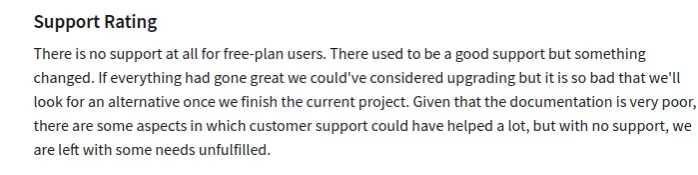
Customer support is crucial for analytics tools. With proper support users can
- Easily adopt the tool.
- Resolve technical issues.
- Better understand tool functionality.
Customer reviews show Mixpanel’s customer service to be unresponsive and poor. Due to their limited support, implementation of the tool also takes a lot of time and effort.
3. Unintuitive User Interface

An intuitive UI encourages quick product adoption and sustained usage. Unfortunately, customers find Mixpanel to be a complex platform with a steep learning curve for non-technical users.
4. Complex filter options

You need to filter out the data perfectly to understand where your product lags and identify how to improve. Based on reviews, customers find Mixpanel’s filters to be confusing. This may lead to extracting unwanted data and hard to find the data you need.
Following are some cons we found while evaluating customer reviews on Capterra.
- Data reports may have some missing data.
- Duration tracking on iOS platforms is sometimes wrong.
- There are no advanced features for detailed email marketing campaigns.
- Dashboard features have a very limited data range, up to only 2 weeks. It can’t accommodate all the generated reports.
The aforementioned limitations are some of the reasons why marketers seek an alternative. However, keep in mind that these may vary with businesses.
Now that we have understood why marketers are looking for an alternative to Mixpanel, let's dive into our list of suggestions.
Top 9 Mixpanel alternatives
Explore the top 9 Mixpanel alternatives to select your marketing analytics tool. We will introduce some competitors that can match or surpass Mixpanel's capabilities. Read on to learn more.
1. Factors.ai

First in the list of Mixpanel alternatives is Factors.
Factors is a marketing analytics and attribution tool explicitly built for B2B companies. The tool has numerous features that help businesses gain valuable insights into user interactions and engagement with the website.
The platform can track online and offline touchpoints and thus provides a complete view of the customer journey. This helps marketers identify and analyze channels and campaigns that are driving engagement and conversions.
The tool is easy to implement and allows no-code integrations, helping marketers connect with CRM, ad platforms, and MAPs. In addition, its dashboard is customizable and can gather all key customer data in one place. By doing so, marketers can monitor and analyze campaigns quickly and optimize them accordingly.
Key features

- Advanced Web Analytics:
With Factors, marketers don't need to create custom events or use different tools for website behavior analysis. It can automatically track all events, both online and offline. The events can be button clicks, form fill attempts, sales calls, and meetings. It also automatically captures retroactive data, allowing marketers to analyze past data, such as user behavior, the performance of past campaigns, etc. This helps them optimize current strategies and make informed decisions for future growth.
- User Segmentation:
The more customer data an analytics tool has the more effectively the tool can segment users. Factors' robust integration with CRM software makes it possible for it to collect more customer data and segment users more efficiently than other tools.
- User Timelines:
This feature visualizes every user interaction and engagement on your website. The timeline includes online and offline touchpoints and is available at the user and account-level. As a result, it offers a better understanding of user behavior.
- AI-Powered Insights:
Using AI technology, Factors' Explain feature shows which elements are working toward a specific goal and which aren't.
- Multi-Touch Attribution:
The features provide a range of attribution models to compare and select the right one for the business. It allows you to accurately attribute conversion and revenue to the channels driving revenue.
- Account Intelligence:
The feature allows marketers to discover anonymous accounts visiting your website. As a result, marketers gain insights into their traffic, where its are coming from, and more. This helps in segmenting the target audience from the rest. In turn, marketers can optimize and personalize their campaigns for better conversions.
Integrations
- Hubspot
- Facebook Ads
- LinkedIn Ads
- Google Ads
- Salesforce
- Segment
- Bing Ads
- Rudderstack
- Marketo
- 6Sense
- Clearbit
- Leadsquared
- Drift
- Google Search Console
- Slack
- Google Spreadsheet
Customer reviews


Pricing
Find pricing info here: pricing details.
{{INLINE_CTA_A}}
2. Heap
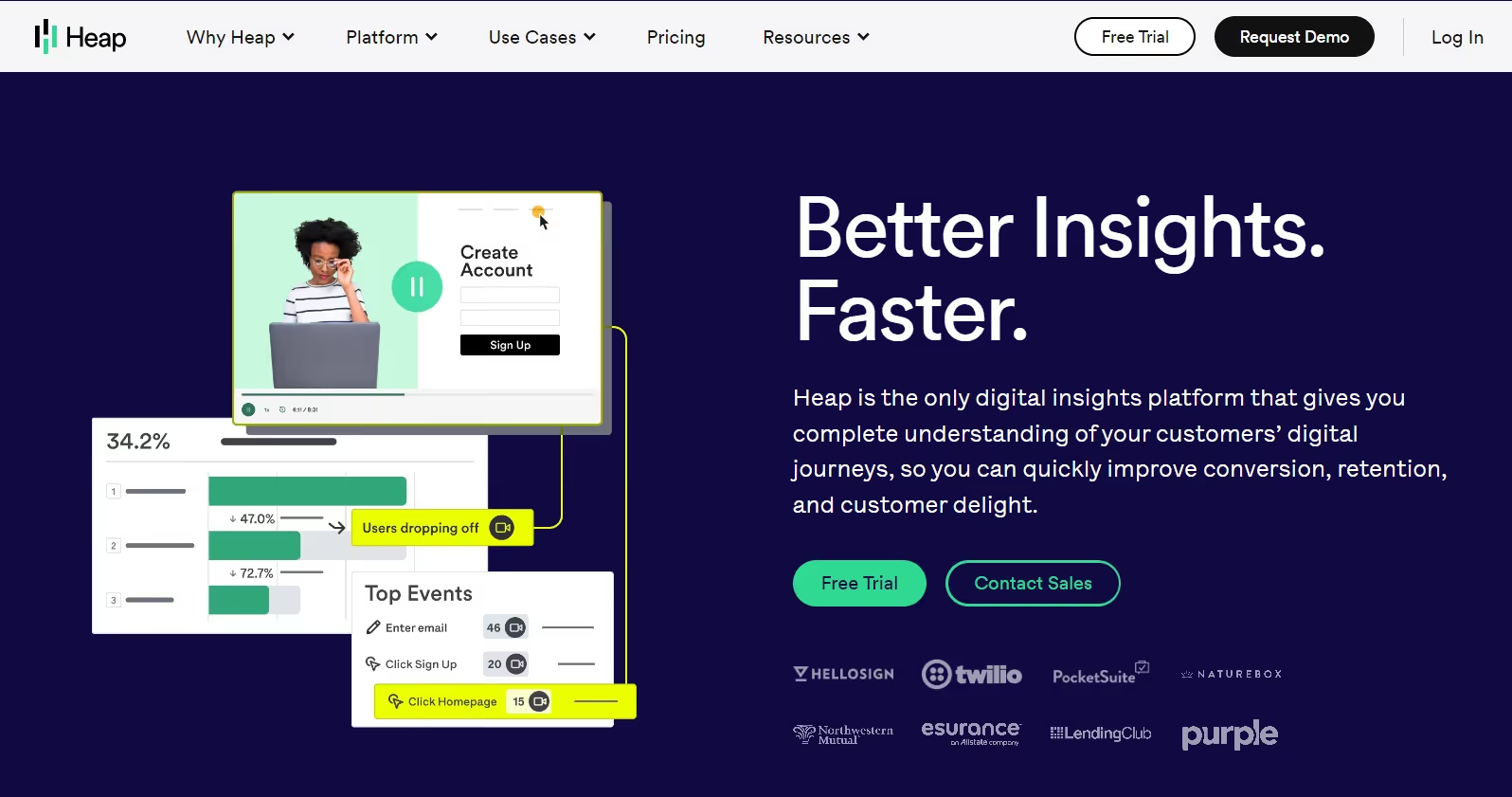
Heap is a digital analytics platform that helps businesses track how users interact with digital products. The tool offers no code and easy implementation. Like Factors, Heap can also track various events automatically.
Heap can track events automatically. Since the tool records all events from day one, every event definition is completely retroactive. This allows users to view and analyze past data.
Additionally, Heap can also automatically generate reports for analysis, which can be very helpful for small teams.
Key Features
- Customizable Dashboards:
Customizable dashboards allow businesses to create custom dashboards to track all essential KPIs and metrics. Companies can visualize and analyze their data without wasting time on irrelevant information.
- Autocapture:
Heap doesn’t require manual tagging and can automatically capture user interactions on websites or apps. Marketers can pinpoint the point of friction of a customer journey and optimize accordingly to improve it.
- Behavioral Segmentation:
The feature helps businesses understand how users interact with their website or app. This allows them to effectively target their visitors and provide a personalized user experience.
Integrations
- Salesforce
- Marketo
- Optimizely
- Clearbit
- Zendesk
Customer reviews

Pricing

Heap's free plan includes 1 project and up to 10K monthly sessions. The details about Growth, Pro, and Premier plans are available upon request.
3. Amplitude

Amplitude is a digital analytics platform that is used by brands and innovative businesses to personalize their digital products and optimize product development.
Amplitude helps answer critical questions about your digital product strategy, like
- How are users navigating through the website?
- What features are users engaging with most?
It's an analytics solution built for modern product and growth teams, offering real-time analytics, cross-platform tracking, behavioral analytics, and enterprise-level security and customer support.
Key features
- User Surveys:
With Amplitude, companies can easily create customized surveys to collect user feedback. This feature helps better understand user preferences, opinions, and pain points, helping businesses make more informed decisions to enhance user experience.
- User Profiling:
Amplitude provides companies comprehensive data on individual users, including their behavior, demographics, and interests. This information can be used to create personalized marketing and outreach plans to potentially improve the conversion rate.
Integrations
- Segment
- Slack
- Salesforce
- Optimizely
Customer reviews

Pricing
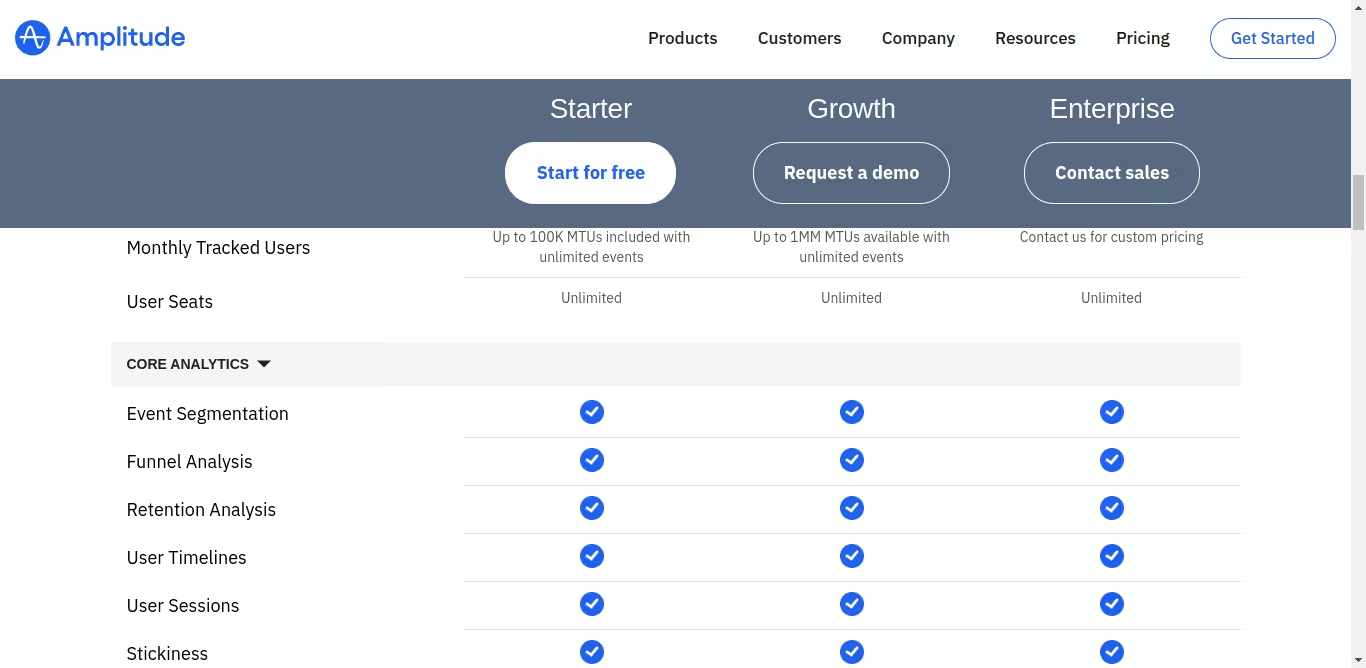
Amplitude has three different packages. The Starter package is free to use, and you need to contact the sales team to know the pricing for the other two packages.
{{INLINE_CTA_A}}
4. Google Analytics

Google Analytics is a robust analytical tool that helps companies better understand their audience, website and digital marketing efforts. GA is user-friendly and flexible, enabling marketers to identify the most effective channels for achieving the best results.
The tool can also help identify areas of friction that marketers can optimize based on information from the tool to improve engagement and other key metrics.
Key Features
- Enhanced Reporting
Google Analytics provides auto-generated reports for all of your marketing campaigns. It can provide different reports like - audience reports, behavior reports, conversion reports, real-time reports, and more. You can easily visualize the reports in a chart manner for better understanding.
- Data Activation
One of the specialized tools of Google Analytics is data activation. It uses machine learning algorithms to thoroughly analyze the marketing data. This helps you make smarter marketing decisions using input data streams.
Integrations
- Salesforce
- Zoho
- Hubspot
- Mailchimp
- Campaign Monitor
Customer reviews

Pricing

Google Analytics has a free version and an enterprise-version called Google Analytics 360. The pricing for the latter starts at $150,000 per year.
5. Plausible Analytics

Plausible Analytics is a privacy-focused web analytics tool. It offers businesses valuable insights into their website traffic and user engagement. The tool complies with regulation laws such as GDPR, CCPA, and PECR. Plausible is easy to use and implement and is one of the most simple analytics available in the market.
Key features
- Lightweight script:
Plausible is executed through a lightweight script. Its script size is less than 1KB, ensuring that your website’s page load speed won’t be affected in the least.
- Traffic segmentation:
You can segment and differentiate data based on various metrics. This helps you understand the volume, behavior, and characteristics of visitors coming to your website and their source. You can also create custom events to get the specific information they need.
- Sharable dashboards:
Other tools don’t allow dashboard sharing. Plausible allows marketers to share the analytics dashboard with the team members or management for better collaboration.
Integrations
- Carrd
- Bubble.io
- Hubspot
- Google Data Studio
Customer reviews

Pricing

Their pricing depends on the monthly page views. If you have 10k views, you need to pay $9 per month. They also provide a 30-day free trial and 2 months free if paid annually.
{{INLINE_CTA_A}}
6. Matomo

Matomo, formerly known as Piwik, is a powerful open-source web analytics platform. It gives you real-time updates on visitor details, goal conversion tracking, event tracking, and A/B testing for optimizing website campaigns.
You can choose between two hosting options: cloud and on-premise. The cloud option is easy to set up and requires no technical know-how, whereas the on-premise option has to be hosted on your server and requires developer support.
The tool is easy to use and is compliant with GDPR privacy laws.
Key features
- Event tracking:
Using this feature, marketers can observe, analyze, and interpret the actions and interactions of customers on a website. Marketers can create custom events to analyze the customer's behaviors and help distinguish high-intent visitors from the rest.
- Multi-touch attribution:
This helps marketers to accurately identify the marketing campaigns and channels that are performing better and that don’t.
Integrations
- WordPress
- Magento
- WooCommerce
- MailChimp
Customer reviews
%252520reveal%252520that%252520though%252520it%252520is%252520a%252520free%252520tool%252520tha.avif)
Pricing

Hosting On-Premise is free of charge. You can download and set up the platform on your servers. However, it offers limited features, and extra fees apply for each additional feature.
For Cloud hosting, pricing begins at $23 per month, accommodating up to 50K traffic.
7. Kissmetrics

Kissmetrics is a web analytics tool. It helps track user behavior, identify growth opportunities, and improve customer engagement.
Its dashboard is intuitive and brings all key metrics to one place. In addition, the Funnel feature visualizes customer interactions at each stage of the customer journey. This enables marketers to identify where prospects are dropping off and potential friction in the funnel, helping improve the overall marketing strategy.
Key features
- Customer Segmentation:
This feature enables businesses to group website visitors and product users based on shared characteristics. This will help the sales and marketing teams create personalized campaigns targeting each group, increasing the conversion rate.
- Cohort Analysis:
Businesses can use this feature to identify trends and patterns in user behavior by cohorts, such as determining if customers who signed up during a specific promotional period remain active and engaged in subsequent months.
Integrations
- Shopify
- WooCommerce
- Zapier
- Gmail
Customer reviews

Pricing
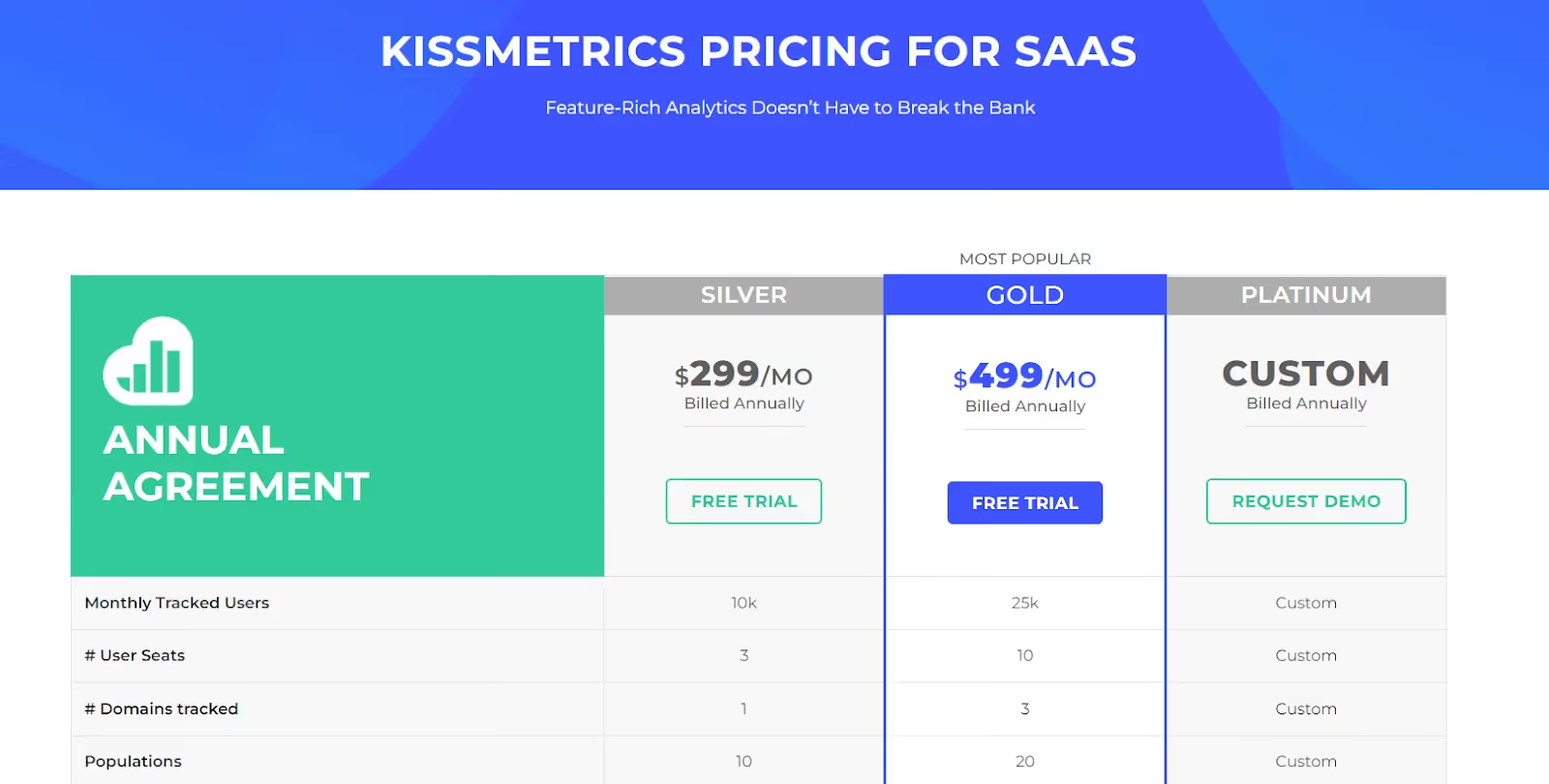
Pricing of Kissmetrics starts from $299/month to customizable according to the increase in the monthly tracked users.
{{INLINE_CTA_A}}
8. Contentsquare

Contentsquare is a cloud-based digital experience analytics tool that allows businesses to understand customer behavior and use that data to improve their experiences.
It captures and visualizes a wide range of data, including user clicks, scrolls, and navigation patterns, allowing businesses to understand how visitors engage with their digital properties and identify areas for improvement.
Key features
- Behavioral Analytics
Identify the how and why behind metrics, such as the number of clicks, page views, and click-through rates, by capturing every in-page interaction. Also, create user experiences that boost conversions and align future efforts with customer needs and goals based on these behavioral insights.
- Tagless integration
The feature captures content interactions automatically. It lets you analyze and prioritize data content pieces to focus on without having to rely on preplanned and configured event tags.
- Integration and APIs
Contentsquare integrates seamlessly with all major analytics tools and visualization suites. This allows you to bring the best insights on web analytics, A/B testing, Voice of Customer, APM, BI tools, and more.
Integrations
- Salesforce
- Google Analytics
- Adobe Analytics
- InMoment
- AWS
- Google 360 Analytics
Customer reviews
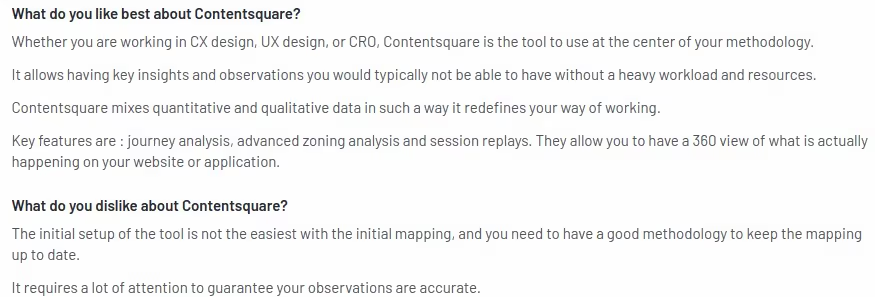
Pricing
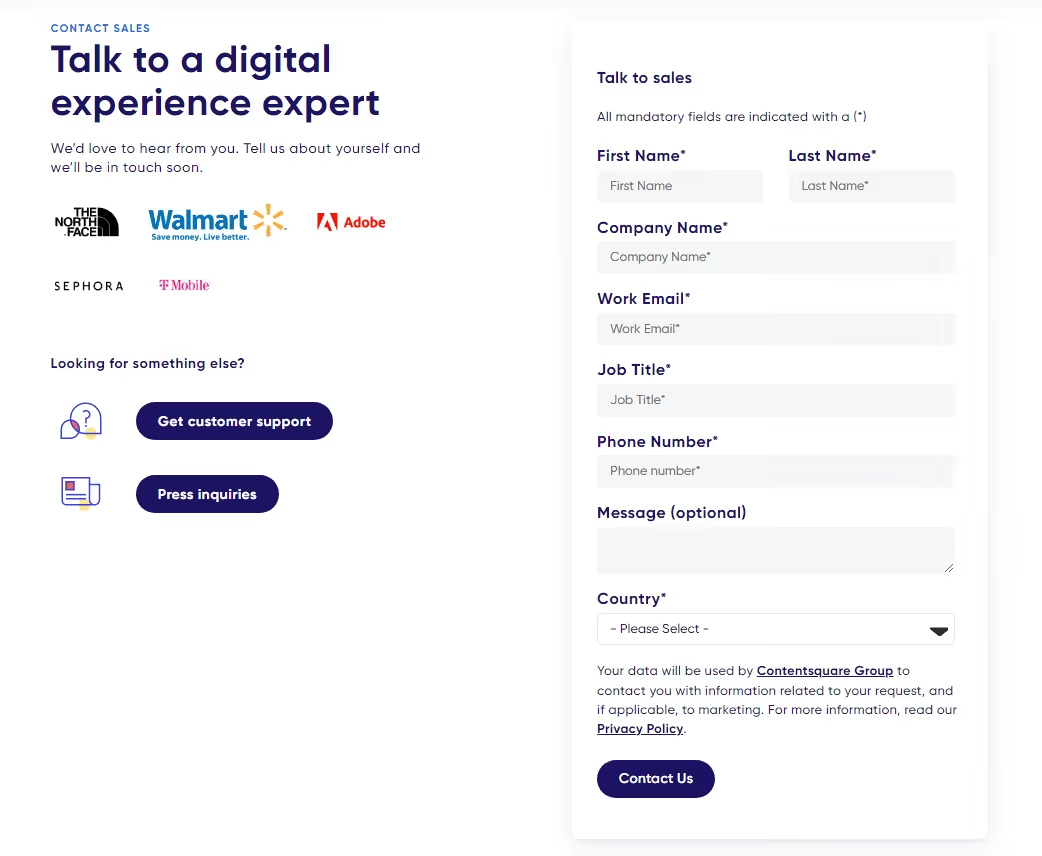
There's no pricing information available on the website. Contact the Contentsquare team for more details.
{{INLINE_CTA_A}}
9. FullStory

FullStory is a platform that provides Digital Experience Intelligence (DXI) by combining product analytics, session detail, and collaboration tools. This helps you gain real-time insights to improve your web and mobile app experiences.
With FullStory, you can proactively monitor your website and digital products. This helps you to understand how users interact with your product or website using qualitative information. It also supports effective collaboration with your team, analyzes behavioral data, identifies opportunities for conversion, and creates impactful digital experiences.
Key features
- Conversion funnels:
The tool automatically tracks all user interactions and can identify areas of high engagement and spots where users drop off.
- Web Analytics:
The feature analyzes all key metrics in real-time to understand how users engage with the website or app. The monitored key metrics include engagement time, clicks, scrolls, and more.
Integrations
- Slack
- Shopify
- Salesforce
- Google cloud
Customer reviews

Pricing
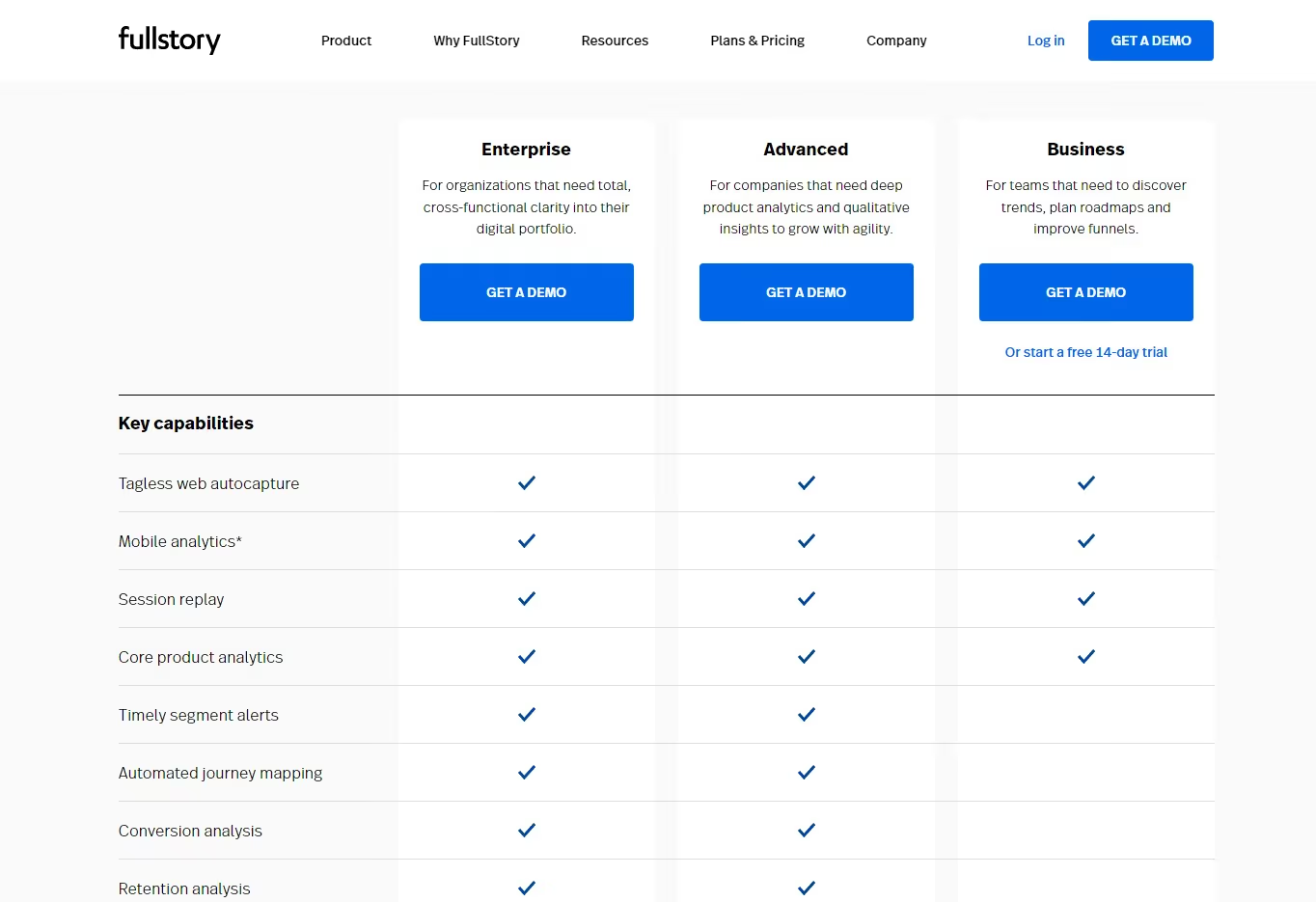
They have three different plans, and you can contact the Fullstory team for the pricing details.
Mixpanel offers powerful analytics but comes with high costs, a steep learning curve, and limited support.
1. Challenges with Mixpanel: Expensive plans, complex setup, and limited support options.
2. Alternative Solutions: Teams are shifting to platforms that offer deep behavioral analytics with more flexibility and ease of use.
3. Strategic Fit: Choose a platform that aligns with your team’s workflow and analytical needs without compromising on functionality.
Find a solution that balances simplicity with robust analytics for more effective decision-making.
Conclusion
As a B2B marketer, you need the tools that really suit your business needs. Every tool has its own pros and cons. Whether you're looking for something with robust reporting capabilities or simply an affordable alternative to Mixpanel, you're sure to find something on this list that fits the bill.
At the end of the day, choosing the right marketing analytics tool can make all the difference in optimizing your business's performance. So, take the time to explore these alternatives and find the one that works best for you. Happy analyzing!

.avif)
On-Page SEO for B2B: Guide to SEO Content, Titles, URLs & Structure
A practical B2B on-page SEO guide covering titles, URLs, content clarity, technical structure, and keyword strategy.
.avif)
TL;DR
- Strong on-page content prioritizes relevance, readability, and direct answers, especially in B2B, where buyer roles vary and time is limited.
- Titles, URLs, and meta descriptions shape first impressions, set expectations, and guide the right users to your content. Precision is non-negotiable.
- Technical SEO removes friction, enabling access, but rankings come from structure, keyword alignment, and problem-solving clarity.
- Look beyond sessions, track repeat visits, internal shares, and buyer engagement to understand real SEO impact.
If you ask ten marketers what ‘SEO-friendly’ means, you’ll get ten different answers.
Somewhere along the way, the term got reduced to checklists, plugins, and green dots in SEO tools. That’s part of the picture, but it’s no longer the point.
When I think about anything that’s supposed to be SEO-friendly, I think about clarity.
SEO-friendly content today is something that:
- Answers a real question someone is searching for
- Does so clearly, without forcing the reader to work for it
- Helps the reader decide what to do next
- Adds value to their existing knowledge
Search engines have grown up. They no longer reward pages simply because keywords appear in the right places. They reward pages that demonstrate understanding of the topic, the search intent, and the target audience.
What is on-page SEO?
On-page SEO is about making every single web page pull its weight in search. It’s the work you do on the page to help search engines understand what the page is about and when it should show up. This includes fundamentals such as title tags, meta descriptions, header tags, internal links, and the actual content ON the page. When these elements are aligned properly, search engines can clearly connect your page to relevant search queries, which directly improves search engine rankings, organic traffic, and overall online visibility.
In practice, on-page SEO is less about tweaking things in isolation and more about clarity. Clarity for search engines, yes, but even more importantly, clarity for real people. When someone clicks through to your page, they should instantly feel reassured that they’re in the right place. The headline should reflect what they searched for. The content should answer their question without making them scroll endlessly or decode jargon. And the structure should guide them naturally from one section to the next.
This is where search intent really comes in. Effective on-page SEO focuses on creating valuable content that matches users' immediate needs. Whether they’re looking for an explanation, a comparison, or a step-by-step guide, the page should deliver that experience cleanly and confidently. Your meta descriptions set expectations, your title tags establish relevance, and your headers make the content easy to scan and understand.
When all of this comes together, on-page SEO does more than help a page rank. It creates pages that feel intentional, useful, and trustworthy. Pages that bring in organic traffic, keep users engaged, and quietly build credibility over time. And that’s the real goal. Ranking is just the outcome.
| Two very common terms you should know before we read ahead… if you already know this, feel free to skip this section :) |
|---|
| A. Keyword Research and Planning Keyword research is the literal base of any solid SEO content strategy. It’s how you understand what your audience is actually typing into search engines, not what you think they’re searching for. By doing proper keyword research, you get visibility into search volume, competition, and, most importantly, the intent behind specific search queries. This step ensures your content aligns with real demand in the search engine results pages, not assumptions. Good keyword research is all about finding the right balance between relevance, opportunity, and intent (and getting traffic… duh?!). The goal is also to identify keywords that make sense for your business and naturally fit into the problems your audience is trying to solve. A high-volume keyword that doesn’t match your offering rarely delivers meaningful organic traffic. That’s where keyword planning comes in. Tools such as Google Keyword Planner, Ahrefs, and SEMrush help you evaluate which keywords are worth prioritizing based on competitiveness and potential impact. Long-tail keywords deserve special attention here. These more specific phrases usually face lower competition and often attract users who already know what they want, making them far more likely to engage or convert. When done well, keyword research helps you plan content with purpose (and everything in life should have a purpose, right?). It gives structure to your editorial calendar, guides how pages are written, and ensures every piece of content has a clear role in driving visibility. Instead of publishing randomly, you’re building a content strategy designed to rank, resonate, and perform consistently in search results. B. Content Strategy A strong content strategy is what turns SEO from an item in your to-do list into a system. It’s not about publishing for the sake of staying “consistent” or hitting a blog quota. It’s about knowing what you’re creating, who it’s for, and why it deserves to exist in the first place. At its core, a good content strategy is built around search intent, so every piece you publish has a clear role in attracting organic traffic and delivering real value. The starting point is clarity. You map out topics your audience genuinely cares about and choose formats that serve those topics best. Sometimes that’s an in-depth guide. Sometimes it’s a practical how-to blog post. Other times, it’s industry insights that help your reader make sense of what’s changing. The format should support the intent, not the other way around. From there, SEO becomes an enabler, not a constraint. Every piece of content should be thoughtfully optimized with keyword optimization, well-written meta tags, and internal links that connect related pages together. This helps search engines understand how your content fits into a larger ecosystem, while also making it easier for users to navigate and explore further. Measurement matters just as much as creation. Tools like Google Analytics and Google Search Console show you what’s ranking, what’s getting clicked, and where users are dropping off. These insights help you refine your content strategy over time instead of guessing what might work. When done right, a content strategy creates momentum. You’re not just chasing Google search rankings. You’re building trust, authority, and engagement with every piece you publish. And as that foundation strengthens, organic traffic follows naturally, bringing in results that compound long after the content goes live. |
Here are a few key points to remember about SEO-friendly content
- SEO-friendly is about intent, not tricks
Breaking News: Nobody wakes up thinking, “Omgggg, I want to consume SEO content today.” They’re just trying to solve something.
In B2B, that usually sounds like:
- Why isn’t this blog ranking?
- What exactly do I need to fix on this page?
- Is this worth updating, or should we rewrite it?
An SEO-friendly page makes the answer obvious. It doesn’t bury the lede. It doesn’t ramble for the sake of word count. It respects the reader’s time.
I’ve worked on sites where traffic increased simply because we rewrote pages to be more direct, same topic, exact keywords, and clear structure. No new backlinks. No technical overhaul. Just better alignment with intent.
- Content clarity matters now more than ever
Clarity has become a ranking signal, even if Google doesn’t call it that explicitly.
Clear pages:
- Use straightforward language
- Break complex ideas into sections
- Make it easy to scan before committing to read
This matters because modern buyers don’t read the way we read textbooks back in the day. They skim, jump, scroll, and return later. If your content only makes sense when read top to bottom in one sitting, it’s working against how people actually behave.
SEO-friendly content meets readers where they are, half-focused, slightly distracted, and trying to get an answer fast.
- Buyer relevance is the B2B differentiator
This is where B2B SEO diverges sharply from generic advice.
Your audience isn’t a single person. It’s often:
- A marketer researching
- A manager validating
- A leader deciding
Each of them lands on your page with different expectations. SEO-friendly content acknowledges that by:
- Framing the problem clearly
- Providing depth where it matters
- Avoiding filler content
Long sales cycles mean your content may influence decisions weeks or months later. That’s why SEO in B2B is rarely about instant conversions. It’s about being helpful at the exact moment someone needs clarity.
| A simple test I always use before calling a page SEO-friendly: |
|---|
| Before I call a page SEO-friendly, I ask myself one question: “If I landed on this page from Google, would I trust it enough to share it internally?” If the answer is no, something’s off, usually structure, clarity, or relevance. ‘SEO-friendly’ isn’t about pleasing algorithms in isolation (okay, it might be a little bit of that)… but it is also about creating pages that make sense to humans first and give search engines clear signals in the process. |
{{INLINE_TOFU}}
On-Page SEO vs On-Page Technical SEO
This is one of those distinctions that sounds obvious once you understand it, but causes endless confusion in practice. I’ve seen teams argue about SEO priorities for weeks simply because they were talking about two different things without realizing it.
So let’s draw a clean line.
What does on-page SEO actually cover?
On-page SEO is everything you intentionally design on a page to help both search engines and readers understand it.
That includes:
- Page titles and meta descriptions
- URLs and slug structure
- Content quality, depth, and structure
- Header tags (H1, H2, H3…)
- Internal linking and anchor text
This is the layer where meaning lives. It’s where you decide what the page is about, who it’s for, and how clearly that comes across.
When people talk about an on-page SEO checklist, this is usually what they mean.
What does on-page technical SEO focus on?
On-page technical SEO deals with whether a page can be accessed, rendered, and understood properly by search engines.
This includes:
- Page speed and performance
- Mobile responsiveness
- Indexability and crawl signals
- Canonical tags
- Clean HTML and basic technical hygiene
This layer doesn’t create meaning. It removes friction.
If technical SEO is broken, great content struggles to surface. If technical SEO is solid, content has a fair shot.
Here’s why B2B teams get this balance wrong
I see this all the time in B2B companies… when a site underperforms in search.
The instinctive response is to:
- Run a technical audit
- Fix dozens of low-impact warnings
- Chase perfect performance scores
Meanwhile, the actual pages:
- Don’t clearly answer search intent
- Bury important information halfway down
- Use vague language that sounds impressive internally but unclear externally
The result? A technically sound site that still doesn’t rank for the queries that matter.
I’ve worked on B2B blogs where rankings improved after we rewrote headlines, restructured sections, and clarified positioning, without touching the technical setup at all.
But here’s how you should think about priorities
If you’re early in your SEO journey, prioritize in this order:
- Content clarity and intent alignment
- Page structure and internal linking
- Basic technical hygiene
Technical SEO supports on-page SEO. It doesn’t replace it.
Once the foundation is strong, technical improvements compound results. But without clear content and structure, technical fixes rarely move the needle on their own.
| Here’s a simple way to learn this: |
|---|
| I would explain it like this: • On-page SEO answers “What is this page saying, and to whom?” • On-page technical SEO answers “Can this page be accessed and understood without friction?” Both matter… but if your content doesn’t earn attention, speed and crawl-ability won’t save it. |
SEO Page Titles: Best Practices (that still work)
If I had to pick one on-page SEO element that punches far above its weight, it’s the page title.
You can have solid content, clean URLs, and decent internal links, but if your title doesn’t earn the click, none of that matters. The title is your first impression in search results… and in B2B, first impressions decide whether someone even gives you a chance.
What is an SEO title? And why does an SEO title matter so much?
An SEO page title (often called a title tag) is the clickable headline that appears in Google search results and in the browser tab.
It serves two audiences at once:
- Search engines use it to understand what the page is about
- Humans use it to decide whether to click
It’s not a creative writing exercise… it’s a relevance signal.
So, what do the best SEO titles have in common?
Across hundreds of B2B pages I’ve worked on, the best SEO title formats consistently share a few traits.
- Clear keyword placement
Your primary keyword should appear naturally, preferably toward the beginning. This helps with relevance and visibility, especially on a mobile where titles get cut off. - Clarity over cleverness
Internal teams love clever titles. Searchers don’t. If someone can’t immediately tell what the page offers, they move on. - A reason to click
The title should hint at value: a checklist, a comparison, a framework, or a specific outcome.
For example:
Strong B2B title:
On-Page SEO Checklist for B2B: Titles, URLs, Content & More
Weak B2B title:
The Ultimate Guide to On-Page SEO You’ll Ever Need
One tells you exactly what you’ll get. The other sounds impressive but says very little.
How long should an SEO page title be?
The practical limit is around 50–60 characters. Anything longer risks truncation in search results.
This is where prioritization matters. Don’t try to cram everything in. Choose clarity over completeness.
If the title gets cut off, you lose context, and often the click.
Here are some common SEO title mistakes
These show up even on well-funded B2B sites:
- Duplicate titles across multiple pages
- Over-optimized titles stuffed with variations
- Titles written for internal decks, not search behavior
- Missing differentiation between similar pages
Another subtle issue: Titles that make sense only if you already know the product. Searchers don’t have that context yet. How will they search for the fifth feature from your third product launch?
| Here’s how I write SEO titles: |
|---|
| I start with three questions: 1. What is the exact query this page should rank for? 2. What would someone expect to see after clicking? 3. Can this be understood in five seconds or less? (Try to use the primary keyword in the H1/ title) If the title passes those, it’s usually strong enough to perform. Titles are the only places where you don’t need to add personality. But you DO need to add precision… because in on-page SEO, precision compounds. |
SEO Descriptions: What Matters (and what doesn’t)
Meta descriptions don’t get nearly as much attention as titles, and that’s partly because they don’t directly affect rankings. But in practice, they decide who clicks and who doesn’t. And in B2B, that distinction matters a lot more than raw traffic.
What is an SEO description?
An SEO description is the short summary that appears below your page title in search results.
If the title earns the glance, the description earns the click.
Search engines don’t use meta descriptions as a ranking signal. People do. That’s why understanding what is SEO description is still very relevant in modern on-page SEO.
What SEO descriptions are actually responsible for
Think of your meta description as a filter.
A good one:
- Confirms relevance for the searcher
- Sets expectations for what the page contains
- Discourages the wrong clicks
That last part is especially important in B2B. You don’t want everyone clicking. You want the right people clicking, those who are actually looking for what you’re offering.
I’ve seen pages lose conversions after a traffic spike simply because the description promised something the page didn’t deliver.
How to write SEO descriptions that work in B2B?
Strong SEO description copy usually has three elements:
- Intent alignment
The description mirrors the language and urgency of the query. If someone is looking for a checklist, say it’s a checklist. If they’re looking for an explanation, make that clear. - Context and scope
Let readers know what’s included. B2B buyers don’t want surprises after clicking. - Subtle qualification
Phrases like “for B2B marketers,” “for SaaS teams,” or “for growing companies” help filter your audience naturally.
Example:
A complete on-page SEO checklist for B2B marketers covering titles, URLs, content structure, internal linking, and technical fixes.
It’s clear, specific, and sets the right expectations.
So, how long should SEO descriptions be?
Aim for 140–155 characters. Shorter is fine if the message is clear. Trying to fill every character often leads to fluff. Precision beats length here.
Why does Google (sometimes) rewrite your descriptions?
This confuses a lot of people.
Google rewrites meta descriptions when:
- They don’t match the query being searched
- They’re too generic or vague
- They repeat content from other pages
- The on-page copy offers a clearer summary
Don’t think of this as a penalty, take it as feedback.
When I see frequent rewrites, I usually revisit to see whether the:
- Description reflects actual page content
- Page is trying to rank for too many intents
- Description sounds like marketing copy instead of an explanation
What doesn’t matter as much as people think…
- Keyword stuffing in descriptions
- Writing ‘catchy’ copy at the cost of clarity
- Trying to rank using meta descriptions
Descriptions don’t need to impress… they need to reassure people (and Google) that something valuable lies on the other end.
SEO-Friendly URLs: Structure, Length, and Keywords
URLs are one of those things people set once and then forget about. That’s fine when they’re done well. When they’re not, they quietly undermine everything else you’re doing with on-page SEO.
An SEO-friendly url should make sense to three audiences at once: search engines, humans, and future you.
What makes a URL SEO-friendly?
At its core, an SEO-friendly URL is:
- Easy to read
- Easy to understand
- Clearly connected to the page topic
You should be able to look at the URL and know what the page is about without opening it.
If that’s not true, it’s worth fixing.
URL structure best practices:
These are the rules I follow almost obsessively:
- Keep it short and descriptive
Long URLs with unnecessary words dilute meaning and make search results look messy. - Use lowercase letters
Consistency matters, and lowercase avoids duplication issues. - Separate words with hyphens
Hyphens are easier to read and preferred by search engines. - Avoid parameters and IDs for content pages
They add no value for users and often create indexing issues. - Include keywords naturally
If your page targets ‘on-page SEO checklist,’ the URL should reflect that.
Example:
- Good: /blog/on-page-SEO-checklist
- Bad: /blog/2025/SEO-post-final-v3
Why URLs matter more than you think
URLs influence:
- Click-through rates from search
- Trust at first glance
- Internal linking clarity
- Shareability across teams
In B2B especially, links get shared internally in Slack, emails, and docs. Clean URLs feel intentional. Messy ones feel like drafts.
I’ve seen buyers hesitate simply because a link looked confusing or temporary. That hesitation compounds.
URL conventions for B2B content
Consistency helps both users and search engines.
Some patterns that work well:
- Blogs: /blog/topic-name
- Guides: /guides/topic-name
- Comparison pages: /compare/product-a-vs-product-b
- Resources: /resources/topic-name
Once these conventions are in place, your site becomes easier to navigate and easier to scale.
When to change an existing URL
Changing URLs should be done carefully, but avoiding it forever isn’t the answer either.
Consider updating a URL when:
- It’s clearly not descriptive
- It contains dates or versioning
- It no longer reflects the page focus
Always use proper redirects. The goal is improvement, not disruption.
| Quick pre-publishing tip: |
|---|
| Before publishing, I ask: “Would I feel comfortable pasting this URL into a client email?” If the answer is no, the URL needs work. |
Content for SEO: How to Write Pages That Rank and Convert
This is where most on-page SEO advice becomes vague or contradictory. You’ll hear things like “write for humans” or “create high-quality content” and be left wondering what that actually looks like when you’re staring at a blank doc.
Here’s how I think about content for SEO, especially in B2B.
SEO content works when it helps someone move from confusion to clarity. Conversion happens when that clarity builds trust.
- SEO-based content vs content that actually helps
A lot of SEO based content technically checks the right boxes:
- Keywords are present
- Word count looks healthy
- Headings exist
And yet, it doesn’t perform.
Why? Because it was written to satisfy an algorithm instead of a person.
Content that ranks and converts usually does a few things well:
- It frames the problem immediately
- It answers questions in a logical sequence
- It anticipates follow-up doubts
- It doesn’t make the reader work to understand the point
When someone lands on your page from search, they’re asking, “Am I in the right place?” Your content needs to answer that within seconds.
- Start with the problem, not the explanation
One mistake I see often in SEO blog writing is starting with definitions and background before acknowledging why the reader is there.
In B2B, the reader usually arrives with context. They don’t need a lecture. They need help.
Strong content SEO usually opens by:
- Naming the exact problem
- Acknowledging the frustration
- Setting expectations for what the page will cover
Once the reader feels understood, they’re far more likely to stay for the explanation.
- Structure matters as much as substance
Great content loses impact if it’s hard to navigate.
I structure SEO content assuming:
- The first read is a skim
- The second read is selective
- The third read is intentional
That’s why structure matters:
- Clear section headers
- Short paragraphs
- Bullet points where appropriate
- Visual breaks between ideas
This point is really just about respecting how people actually read.
- Writing for SEO and humans at the same time
The tension between SEO and content is often overstated.
When you:
- Answer the query clearly
- Use natural language
- Cover the topic comprehensively
- Organize information logically
You end up with content that search engines understand and humans appreciate.
That overlap is where the best B2B content lives.
Also, remember that conversion is NOT always a form fill
In B2B SEO, conversion often looks like:
- Someone bookmarking the page
- Sharing it internally
- Returning later to a different page
- Trusting your brand a little more than before
Not every page needs a CTA screaming for attention. Some pages exist to do quiet persuasion. That still counts.
| Here’s a personal rule I follow: |
|---|
| Before I consider a piece of SEO content done, I ask: “If this showed up as the top result, would I feel relieved?” If the answer is yes, it’s usually strong enough to rank and convert over time. |
SEO Keyword Optimization Without Keyword Stuffing
This is the section where many first-time SEO writers get nervous. Keywords feel technical, rigid, and easy to mess up. And honestly, a few years ago, that fear was justified.
Today, SEO keyword optimization is far more strategic and far less mechanical.
Here’s how keyword optimization actually works now
Modern keyword optimization starts before you write a single sentence.
The real work happens when you decide:
- What this page is about
- Which query it should rank for
- What related concepts naturally belong on the page
That’s why every strong page needs:
- One primary keyword
- A set of secondary and semantic keywords
- A clear scope so the page doesn’t try to do everything at once
In this case, the primary keyword is on-page SEO checklist. Everything else supports that idea.
So, where should keywords appear naturally?
You don’t need to force keywords everywhere. You do need to place them where meaning is formed.
Natural keyword placement includes:
- The page title
- The H1
- One or two H2s (wherever relevant)
- The opening section
- Body copy where it fits logically
- Internal link anchor text
If you’re writing clearly, most of this happens on its own.
When I see someone asking “how many times should I use the keyword,” it’s usually a sign the content doesn’t have a strong structure yet.
Primary vs Secondary Keywords
Primary keywords define the page.
Secondary keywords:
- Add context
- Capture variations
- Help search engines understand depth
For example, phrases like SEO-friendly content, SEO page title, or SEO blog writing naturally belong in a guide like this. They don’t need to be forced into every paragraph. They just need to appear where they make sense.
Is the concept of keyword density outdated?
Keyword density was useful when search engines relied heavily on repetition to infer relevance. That’s no longer the case.
Today, excessive repetition:
- Hurts readability
- Feels unnatural
- Signals low-quality writing
Search engines look at context, phrasing, and topic coverage. If you explain something well, the keywords tend to appear organically.
| Here’s how I sanity-check keyword usage: |
|---|
| After writing a section, I scan it with one simple question in mind: “Would a human notice the keyword usage and find it weird?” If the answer is yes, I usually rewrite. Good keyword optimization blends into the content. It shouldn’t call attention to itself. |
SEO Tagging: Best Practices
SEO tagging is one of those areas where small mistakes quietly add up. Individually, they seem harmless. Collectively, they make pages harder to read, harder to navigate, and harder for search engines to interpret.
Good tagging creates structure. Bad tagging creates friction.
- Header tags to create a clear content hierarchy
Let’s start with the basics.
Every page should have:
- One H1 that clearly states what the page is about
- H2s that break the page into logical sections
- H3s (and beyond) that support those sections where needed
This hierarchy helps:
- Readers understand the flow at a glance
- Search engines map the structure of the page
A common mistake I still see is using headers for visual styling rather than structure. Headers aren’t there to make text bigger. They’re there to organize meaning.
- Proper H1 usage
Your H1 should closely mirror your page title, but it doesn’t need to be identical.
It should:
- Contain the primary keyword
- Clearly describe the page topic
- Appear only once
Multiple H1s dilute focus and confuse both readers and crawlers.
- Image tagging and alt text
Images add value when they explain, illustrate, or break monotony. From an SEO perspective, they also need context.
Alt text should:
- Describe what’s in the image
- Explain its relevance to the content
- Be written for accessibility first
Stuffing keywords into alt text doesn’t help. Clear descriptions do.
I often think of alt text as explaining the image to someone who can’t see it. That mindset keeps it honest.
- Link tagging and anchor text
Links are another area where tagging matters more than people realize.
Good anchor text:
- Describes what the reader will find
- Fits naturally into the sentence
- Avoids vague phrases like ‘click here’
Anchor text gives search engines context and helps users decide whether to follow the link. Poor anchor choices break flow and reduce trust.
- External links and credibility
Linking out to relevant, credible sources signals depth and context. It also helps readers explore further without you needing to explain everything from scratch.
What matters:
- Relevance to the topic
- Natural placement
- A reasonable balance
External links don’t weaken your page… instead they strengthen it.
Here’s why poor tagging hurts more than you think
When tagging is inconsistent:
- Readers struggle to skim
- Search engines struggle to understand relationships
- Accessibility suffers
Good SEO tagging best practices improve usability first, and obviously, rankings benefit as a result.
Internal Linking for On-Page SEO
Internal linking rarely gets the credit it deserves. It doesn’t feel flashy, and it doesn’t come with instant gratification. But over time, it shapes how both readers and search engines experience your site.
Internal links also help turn isolated B2B blog posts into a connected system.
Why do internal links matter for on-page SEO?
Internal links help with three big things:
- Discovery: Search engines find and crawl more of your content
- Context: Pages understand how they relate to each other
- Navigation: Readers move naturally from one topic to the next
Without internal links, even great content can feel like a dead end.
I’ve seen sites with hundreds of solid blogs where most of them barely got traffic simply because nothing pointed to them.
How do internal links influence rankings?
Internal links pass relevance and authority across your site. When a strong page links to another relevant page, it’s effectively saying, “This matters too.”
That signal compounds over time.
The key is relevance. Random links don’t help. Contextual links do.
Best practices for internal linking
These are the rules I follow consistently:
- Link contextually within the content
Links placed naturally inside paragraphs perform better than lists dumped at the bottom. - Use descriptive anchor text
Anchor text should tell readers what they’ll find. Vague phrases don’t add value. - Link with intent
Each link should have a reason, supporting a point, expanding an idea, or guiding the reader forward. - Avoid over-linking
More links aren’t better. Clear links are.
Topic clusters make internal linking easier
One of the simplest ways to improve internal linking is to think in clusters.
For example:
- A core page on on-page SEO
- Supporting pages on titles, content, technical SEO, and measurement
Each page links back to the core topic and to related subtopics. Over time, this builds authority around a theme instead of spreading it thin.
Internal linking for B2B buyer journeys
Internal links also guide buyers across stages:
- Awareness content links to deeper explanations
- Educational pages link to comparison or evaluation content
- Decision-stage pages link back to supporting proof
Just know that internal linking is about helping someone learn at their own pace, not pushing them to empty their pockets.
| A quick internal linking check: |
|---|
| I often ask: “If someone lands on this page, is it obvious where they should go next?” If the answer isn’t clear, internal links need work. |
On-Page Technical SEO Checklist (Quick Wins)
Technical SEO has a reputation for being overwhelming.
Excruciatingly long audits, scary terminology, endless ‘errors’ that don’t always translate to impact.
For most teams, that overwhelm leads to one of two outcomes: ignoring technical SEO entirely or obsessing over every minor warning.
Neither helps.
This section is about on-page technical SEO quick wins, the things that genuinely affect how your content performs and how people experience your site.
- Page speed: Fast enough beats perfect
Page speed matters because humans notice it. If a page takes too long to load, people bounce. That behavior feeds back into how search engines evaluate usefulness.
What’s worth checking:
- Does the page load quickly on mobile?
- Are images unnecessarily large?
- Are scripts delaying visible content?
What’s usually not worth stressing over:
- Chasing a perfect PageSpeed score
- Micro-optimizations that don’t change real load time
I’ve seen pages rank and convert just fine with ‘average’ scores because they felt fast to users. That’s the bar.
- Mobile friendliness is non-negotiable
Most B2B research still happens on laptops, but discovery often starts on phones.
Your page should:
- Be readable without zooming
- Have tap-friendly links
- Avoid layout shifts that make reading annoying
If someone opens your page on mobile and immediately closes it, that’s a signal you can’t afford to ignore.
- Indexability: Can Google actually find this page?
This sounds basic, but it trips teams up more often than you’d expect.
Double-check:
- The page isn’t blocked by robots.txt
- The page isn’t marked “noindex” accidentally
- The canonical tag points to the correct version
I’ve seen entire content hubs fail simply because pages weren’t indexable. No amount of optimization helps if search engines can’t access the page.
- Canonicals: Keeping signals clean
Canonical tags tell search engines which version of a page should be treated as the primary one.
They matter when:
- Similar pages exist
- Parameters create multiple URLs
- Content overlaps across sections
Incorrect canonicals quietly drain rankings by splitting authority. Correct ones consolidate it.
What’s noise for most B2B sites
Most B2B teams don’t need to:
- Fix every minor HTML validation issue
- Obsess over edge-case crawl warnings
- Rebuild pages for marginal performance gains
Technical SEO should remove friction, not create anxiety.
| A simple prioritization rule I follow: |
|---|
| I ask one question: “Does this issue block reading, crawling, or indexing?” If the answer is no, it’s usually not urgent. |
How to Validate SEO-Friendly Content
Validation is the step most teams rush through. A page gets written, a plugin gives a green signal, and it’s published. Weeks later, when performance is underwhelming, everyone wonders what went wrong.
Validating SEO-friendly content needs both tools and human judgment. One without the other leads to blind spots.
Here are some points to keep in mind while validating SEO-friendly content:
- Using an SEO-friendly content checker responsibly
An SEO-friendly content checker is useful for catching obvious issues:
- Missing title or meta description
- Overly-long titles
- Broken links
- Header structure problems
- Keyword absence in key locations
These tools are good for hygiene. They are not good at assessing clarity, relevance, or usefulness.
I treat them like spellcheck… It’s helpful, but not decisive.
- Your tools might not solve for EVERYTHING
Tools struggle with:
- Intent mismatch
- Over-explaining obvious things
- Talking past the reader
- Sounding generic or templated
A tool won’t tell you if a paragraph feels unnecessary or if a section answers the wrong question. Only a human can do that.
- Use SEO keyword generators early in the process
This helps with:
- Understanding how people phrase problems
- Spotting variations and related terms
- Avoiding missing obvious angles
It shouldn’t dictate structure or copy. Strategy comes first. Automation supports it.
Here’s a pre-publish validation checklist I actually use
Before hitting publish, I review the page with these questions:
- Does the opening clearly state what the page covers?
- Is the primary keyword present naturally in key places?
- Can someone skim this and still understand the main points?
- Do the headers flow logically?
- Are there clear internal links to related content?
- Does the page feel complete, not padded?
If I hesitate on any of these, I revise.
| Don’t miss this important validation step: |
|---|
| This one is simple and underrated… I scroll the page without reading it word for word. If the structure alone doesn’t make sense, the content won’t perform well. Search engines read structure before nuance. Humans do too. Validation is all about removing friction before it compounds. |
Measuring On-Page SEO Impact in B2B (Beyond Traffic)
This is where on-page SEO either earns respect or gets dismissed as ‘just traffic.’
If the only thing you measure is sessions and rankings, SEO will always feel disconnected from business impact, especially in B2B, where buying journeys are long, messy, and rarely linear.
I’ve learned this the hard way… I’ve seen blogs ranking #1, bringing in thousands of visits, and doing absolutely nothing for pipeline. What’s more, I’ve also seen quiet pages with modest traffic consistently show up in deal journeys months later.
Now, the difference is not always the content, it’s how success was measured.
Here’s why traffic and rankings aren’t enough
Traffic tells you all about visibility. Rankings tell you positioning. Neither tells you value.
In B2B, a single relevant visitor can matter more than a hundred irrelevant ones. Someone researching seriously may:
- Visit once
- Leave
- Return weeks later
- Influence a decision internally without ever filling a form
If you only look at surface-level metrics, you miss all of that.
Metrics that actually matter for on-page SEO in B2B
Here’s what I pay attention to instead.
- Engaged visits
Time on page, scroll depth, repeat visits. These indicate whether the content is genuinely useful. - ICP-fit traffic
Are the right companies and roles visiting these pages? Volume without fit is noise. - Content-assisted journeys
Which pages show up before demo requests, contact forms, or sales conversations? - Return behavior
Pages that people come back to are doing more than ranking, they’re building trust.
So, how does on-page SEO contribute to pipeline?
SEO rarely closes deals on its own.
But what it does exceptionally well is:
- Educate early
- Validate mid-journey
- Support decisions quietly
That influence shows up over time, not instantly.
When teams start looking at SEO pages as part of buyer journeys instead of standalone assets, the conversation changes. Suddenly, updates, rewrites, and internal linking feel worth the effort.
Connecting SEO to revenue influence
This is where tools like Factors.ai change the game.
Instead of asking:
- “Did this blog convert?”
You can ask:
- “Which companies read this before entering pipeline?”
- “Which pages consistently show up in influenced deals?”
- “How does organic content support other channels?”
This shift from channel metrics to buyer behavior, makes SEO measurable in a way leadership understands.
| Here’s something that helps me evaluate whether on-page SEO worked: |
|---|
| I stopped asking whether a page ‘worked’ in isolation. I started asking: Did this page help someone move forward or learn something? That’s the real impact of on-page SEO in B2B. |
In a Nutshell
The traditional view of on-page SEO, defined by checklists, tools, and surface-level optimizations… no longer holds weight in modern B2B strategy.
This guide looked at SEO as a clarity-first discipline, where the real performance drivers are clear content, aligned search intent, and meaningful structure. We broke down the anatomy of SEO-friendly pages: precise titles that earn the click, meta descriptions that filter the right audience, URLs that signal relevance, and body content that helps readers solve real problems.
Importantly, it challenged the overreliance on technical audits and green lights, advocating human-first validation and iterative refinement.
We learnt how to optimize keyword placement without stuffing, write for distracted buyers who skim and scroll, and use internal linking to support deeper engagement. The guide also drew a difference between on-page SEO and technical SEO, urging teams to focus first on clarity before chasing performance scores. In B2B, where buying journeys are long and conversions are rarely linear, SEO must be measured by influence, not just rankings. The approach highlighted in this blog connects search performance to buyer behavior, where every click, revisit, and internal share carries weight.
FAQs for On-Page SEO Checklist
Q. What is included in an on-page SEO checklist?
A solid on-page SEO checklist covers everything you can control directly on a page. That includes:
- Page titles and meta descriptions
- SEO-friendly URLs
- Content structure and clarity
- Keyword placement and optimization
- Header tags (H1–H6)
- Internal links
- Image alt text
- Basic on-page technical signals like indexability and mobile usability
If a checklist skips content clarity or internal linking and focuses only on tools and tags, it’s incomplete.
Q. How often should you update on-page SEO?
For most B2B sites:
- Core pages (guides, product pages, high-intent blogs): review every 3–6 months
- Supporting blogs: review annually or when rankings drop
I usually revisit pages when:
- Search intent shifts
- Competitors start outranking us
- The content feels outdated or overly verbose
On-page SEO is not a one-time task. It compounds when maintained.
Q. Is on-page SEO still relevant with AI search?
Yes…arguably more than before.
AI-driven search still depends on:
- Clear structure
- Explicit answers
- Well-organized content
- Strong topic relevance
Pages that are vague, bloated, or poorly structured are harder for AI systems to summarize or reference. Clean on-page SEO improves discoverability across traditional search and AI-powered experiences.
Q. How long does on-page SEO take to show results?
It depends on your site authority, competition, and consistency, but broadly:
- Engagement improvements: a few weeks
- Ranking movement: 1–3 months
- Business impact: 3–6 months
In B2B, patience matters. SEO influence often shows up indirectly before it shows up directly.
Q. What’s the difference between SEO content and regular content?
Regular content focuses on expression. SEO content focuses on discovery and clarity.
SEO content:
- Answers a specific query
- Uses structure intentionally
- Anticipates follow-up questions
- Is designed to be found, not just read
The best SEO content doesn’t feel optimized. It feels helpful.
_%2520A%2520Long-Tail%2520Playbook%2520with%2520Keyword%2520Mapping.avif)
How to Research Keywords for a Niche (US): A Long-Tail Playbook with Keyword Mapping
A practical US playbook for niche keyword research: PAA mining, long-tail discovery, competitor gaps, and a page-level keyword map template.

Broad keywords get you broad results in a larger market. When businesses targeting a niche need every click to matter, the effort to find niche keywords is your leverage point.
Instead of competing for overly competitive terms like "project management software" with companies that have six-figure monthly Google Ads budgets, you can target "construction project management for small crews" and speak directly to potential customers who are genuinely interested in your solution.
This guide walks you through a step-by-step process that produces a prioritized keywords plan mapped to specific pages on your site, not just a list of terms with high search volumes.
What is an SEO Keyword?
An SEO keyword is a term or phrase people type into search engines when looking for information, products, or services. Initial research involves identifying these search terms based on search volume (how often people search), competition levels (how difficult it is to rank), and search intent (the intent behind a given search query).
For example, someone searching "how to fix a leaky faucet" has informational intent, while "emergency plumber near me" signals transactional intent. Understanding this distinction helps you create content that matches what searchers expect to find.
What are Long-Tail Keywords?
Long-tail keywords are multi-word, intent-rich search phrases that typically have lower search volumes but higher conversion rates.
Where "running shoes" might get 100,000 monthly searches, "best trail running shoes for wide feet" gets maybe 500. But those 500 people know exactly what they want. And although such keywords individually don’t bring a lot of search traffic, over 91% of all search queries on Google are long-tail keywords.
Fortunately, they’re also easier to rank for because there is less competition, and the traffic converts better because you're answering specific questions.
What is Keyword Optimization (vs. Research)?
Keyword optimization is the ongoing process of placing the right keywords in high-value elements like titles, headers, URLs, and body copy to match user intent.
Keyword research helps you find keywords. Optimization puts them to work. After identifying "eco-friendly office gifts under $50" as a target keyword, optimization means using it in your page title, H1 tag, first paragraph, and alt text for product images.
Do note that keyword optimization isn't a one-time task but rather a continuous refinement as you track performance and adjust based on what ranks.
{{INLINE_MOFU}}
The 7-Step Niche Keyword Research Workflow (US)
Alright, now that we have the basics out of the way, let’s go over the steps to perform keyword research. The steps here apply to pretty much any target audience that you may want to target.
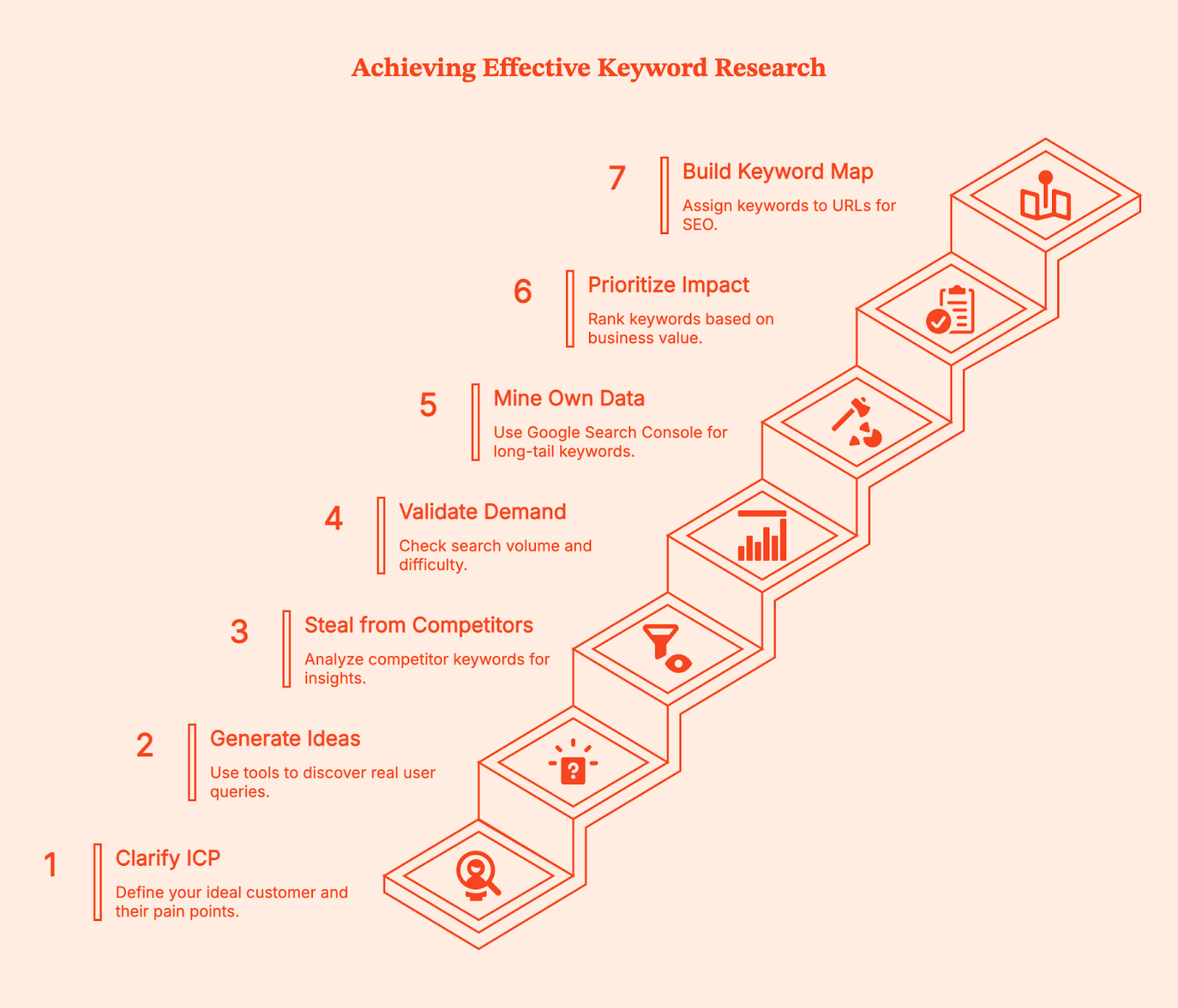
Step 1: Clarify Your ICP and List Seed Keywords
Start by defining the right audience and what specific problems keep them searching at 2 AM.
Your ideal customer profile determines everything downstream. If you run a B2B SaaS tool for accounting firms, your seed keywords might include "audit automation," "tax workflow management," and "client portal software."
Write out 5-7 pain points your customers face, then turn each into phrases related to your niche. Don't overthink this step with formal buyer personas. Just list the actual terms your customers use when describing their problems.
Step 2: Generate Keyword Ideas from Autocomplete and PAA Tools
Feed your seed topics into question mining tools to discover what real people actually ask. Start with a platform like Soovle to aggregate autocomplete suggestions across multiple search engines.
You could also use AlsoAsked, AnswerThePublic, and KeywordsPeopleUse to mine People Also Ask (PAA) questions. For "audit automation," you might discover "can audit automation integrate with QuickBooks" or "what tasks can audit automation handle."
Using your Google Ads account, set your Google Keyword Planner location to the United States to ensure you're getting US-specific volume data. These questions become content angles that align with search intent.
Step 3: Steal from Competitors (Systematically)
Drop 3-5 top competitors into a keyword research tool and harvest content gaps and competitors keywords.
Go to Ahrefs Site Explorer or Semrush's Organic Research tool.
Enter a competitor's domain, then filter their organic keywords by question modifiers (who, what, where, when, why, how). Sort by traffic to find their top ranking pages.
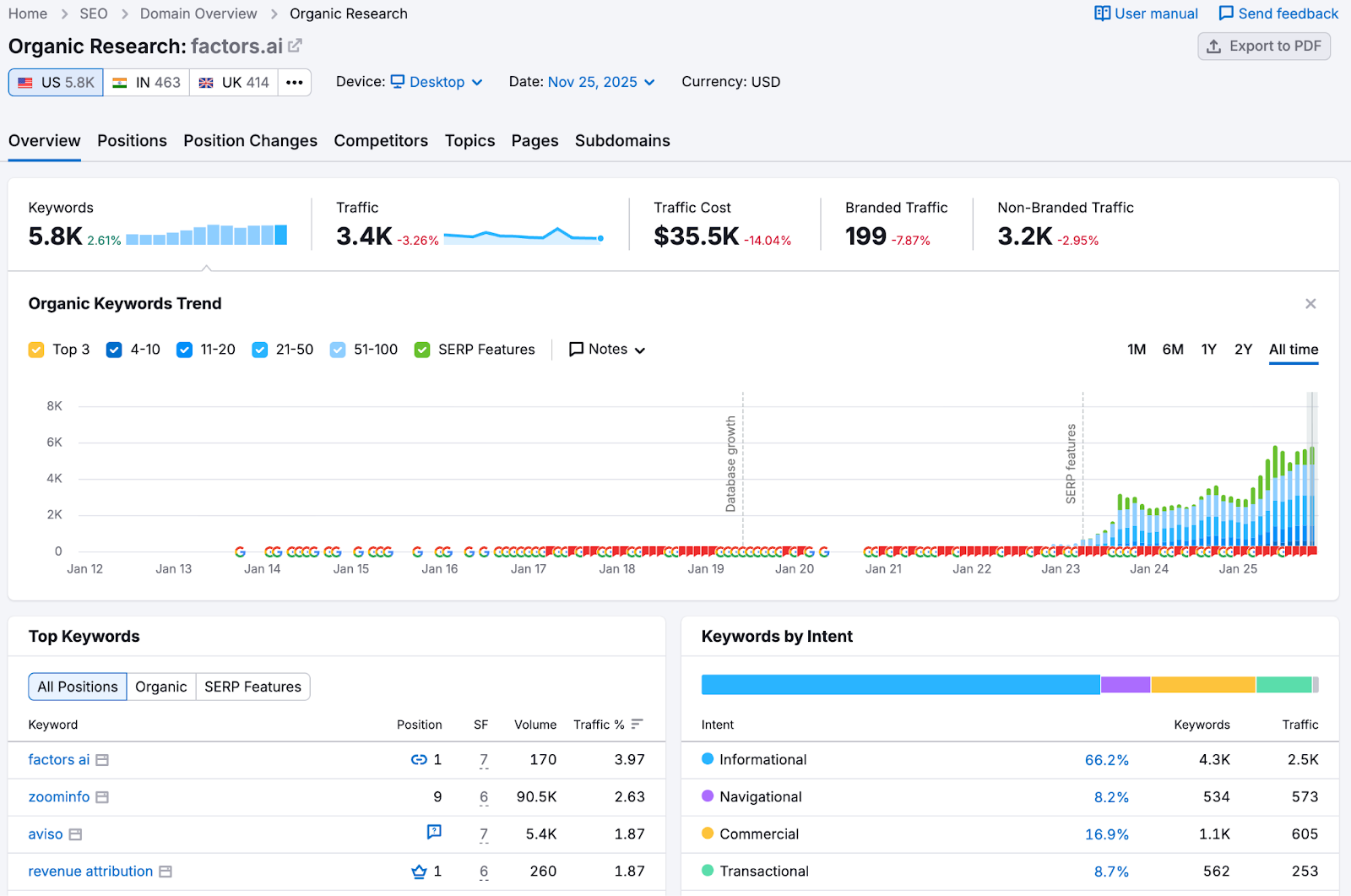
We consistently recommend competitor mining as it reveals proven keywords that already drive organic traffic. You're not copying their content but rather identifying validated search demand.
Redditors on the r/SEO subreddit often mention competitor research as the fastest way to generate keywords.

Step 4: Validate Demand and Difficulty
Check potential keywords for monthly search volume, keyword difficulty (KD), and SERP composition before committing to create content.
Use Ahrefs Keywords Explorer to see if your target keywords actually get searches in the US market. As a general rule, a keyword with 10 monthly searches isn't worth targeting unless it's extremely high-intent.
Look at KD scores (Ahrefs calculates these based on backlinks needed to rank), but more importantly, manually review the SERP. If you see forums, old sites, or thin content ranking in positions 3-7, that's a signal you can compete.
You can also read through Google's SEO Starter Guide which emphasizes matching content type to search intent over chasing vanity metrics.
Step 5: Mine Your Own Data for Long-Tail Gold
Use Google Search Console (GSC) with regex patterns to surface longer queries that already bring you traffic.
Open Search Console, go to Performance > Search Results, click "New" under Queries, then select "Custom (regex)."
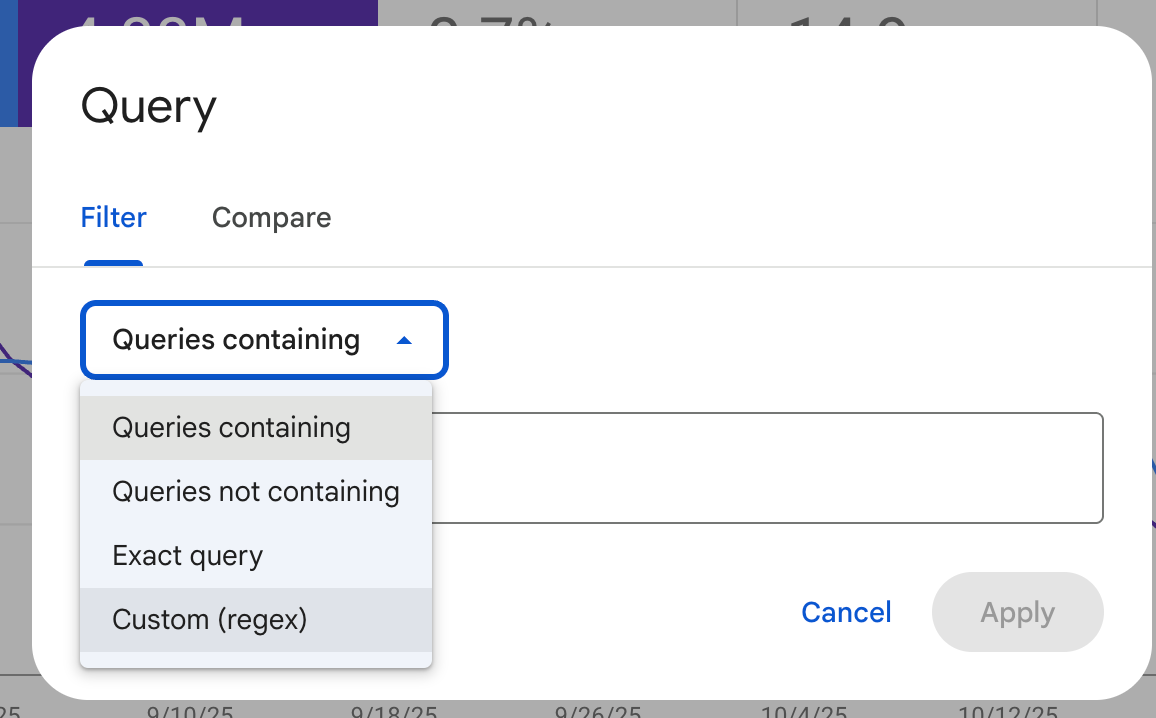
Enter the pattern .{25,} to filter for queries with 25 or more characters. This regex technique reveals the specific phrases people use to find your content.
You might discover "how to automate recurring invoices in accounting software for small businesses" brings 5 clicks per month at position 12. That's an easy optimization win where you can create dedicated content to capture more targeted traffic or optimize existing blog articles to capture that intent.
For B2B companies, layer in behavioral intelligence from your target accounts. If you're running account-based marketing, platforms like Factors show which companies visit your site, what relevant topics they engage with, and where they spend time. This reveals interest in a particular topic that search volume data can't capture.
Step 6: Prioritize for Business Impact
Rank keywords by "pain proximity" (how close they are to your solution), achievable KD, and internal link support you can provide.
Not all new keywords deserve equal effort. Create a simple scoring system: high commercial intent (ready to buy) = 3 points, medium intent (comparing options) = 2 points, low intent (learning) = 1 point. Then factor in whether you can realistically rank.
A KD of 30 with 200 monthly searches beats a KD of 65 with 2,000 searches if you're working with limited domain authority. Consider which existing pages can link to your new content, as strong internal linking from related pages makes ranking easier.
“Internal linking is one of those underrated SEO strategies that quietly does the heavy lifting for your website. It’s about connecting pages, but also about helping search engines and users better understand your site. When done correctly, internal links can enhance crawlability, improve your search engine rankings, and boost your topical authority.” – Edwin Toonen on the Yoast blog
Step 7: Build Your Keyword Map
Assign one primary keyword per URL, cluster related secondary terms around it, and map content types to search intent. Open a spreadsheet and start assigning keywords to pages. Each row represents one URL on your site.
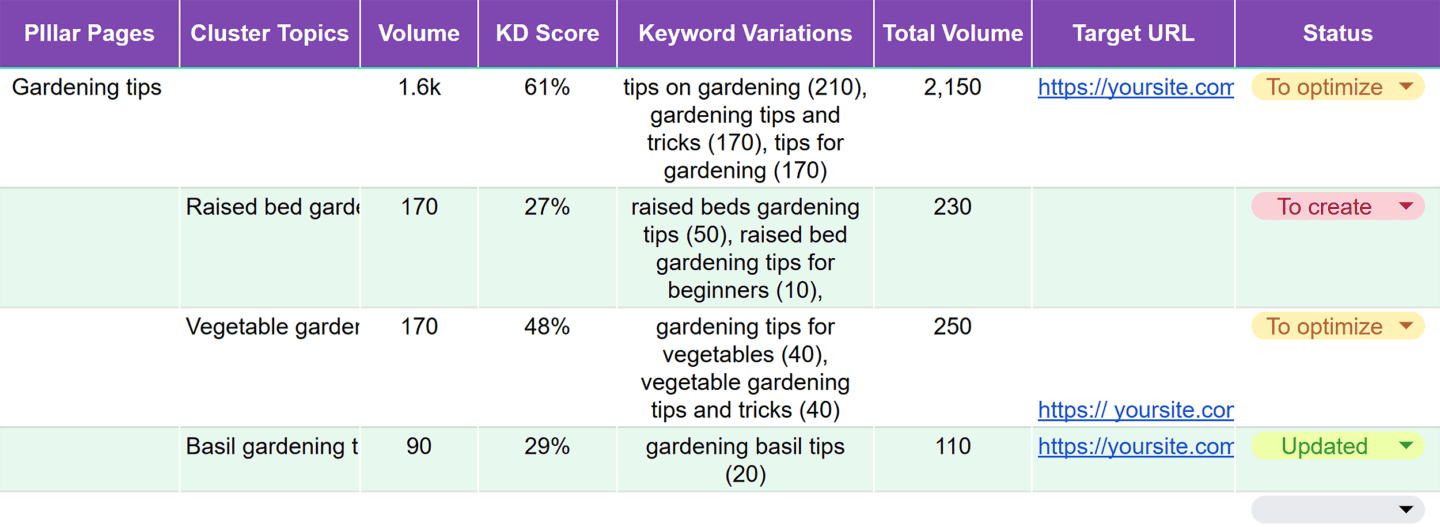
For instance, your homepage might target "construction project management software." A feature page could target "time tracking for construction crews."
You can also use Backlinko's keyword mapping methodology where you group semantically related keywords under one primary term.
If you have "best time tracking apps for contractors," "contractor time tracking software," and "construction crew time management" all ranking for similar results, put them on one page as primary/secondary targets instead of creating three competing pages.
Create Your 'Keywords Plan' Sheet
Your keyword plan should live in a spreadsheet with specific columns that guide initial research and content creation.
Here’s a Google sheet you can duplicate to get started with your tracking.
SEO Tracking Spreadsheet Template
If you prefer setting up manually, here are the 13 columns you need along with the values they can have.
Keyword, Intent (Informational/Commercial/Navigational/Transactional), US Volume (from Keyword Planner), Keyword Difficulty, CPC (to gauge commercial value), Priority (1-3 ranking), Funnel Stage (Awareness/Consideration/Decision), Page Type (Guide/Product/Category/Comparison), Primary or Secondary designation, PAA Questions to Answer, Target URL, Internal Link Opportunities, and Notes.
For example, a row might look like:
- Keyword: "best accounting software for nonprofits"
- Intent: Commercial
- US Volume: 320
- KD: 42
- CPC: $18
- Priority: 1
- Stage: Consideration
- Page Type: Comparison Guide
- Primary/Secondary: Primary
- PAA: "Does QuickBooks work for nonprofits?" / "What accounting software do 501c3s use?"
- Target URL: /accounting-software-nonprofits
- Internal Links: Blog post on nonprofit bookkeeping, Nonprofit resources hub
- Notes: Competitor X ranks with thin content, opportunity to outrank
This format keeps your research organized and makes it simple to hand off to writers who need clear guidance on what to create.
Keyword Best Practices for Marketing Strategy
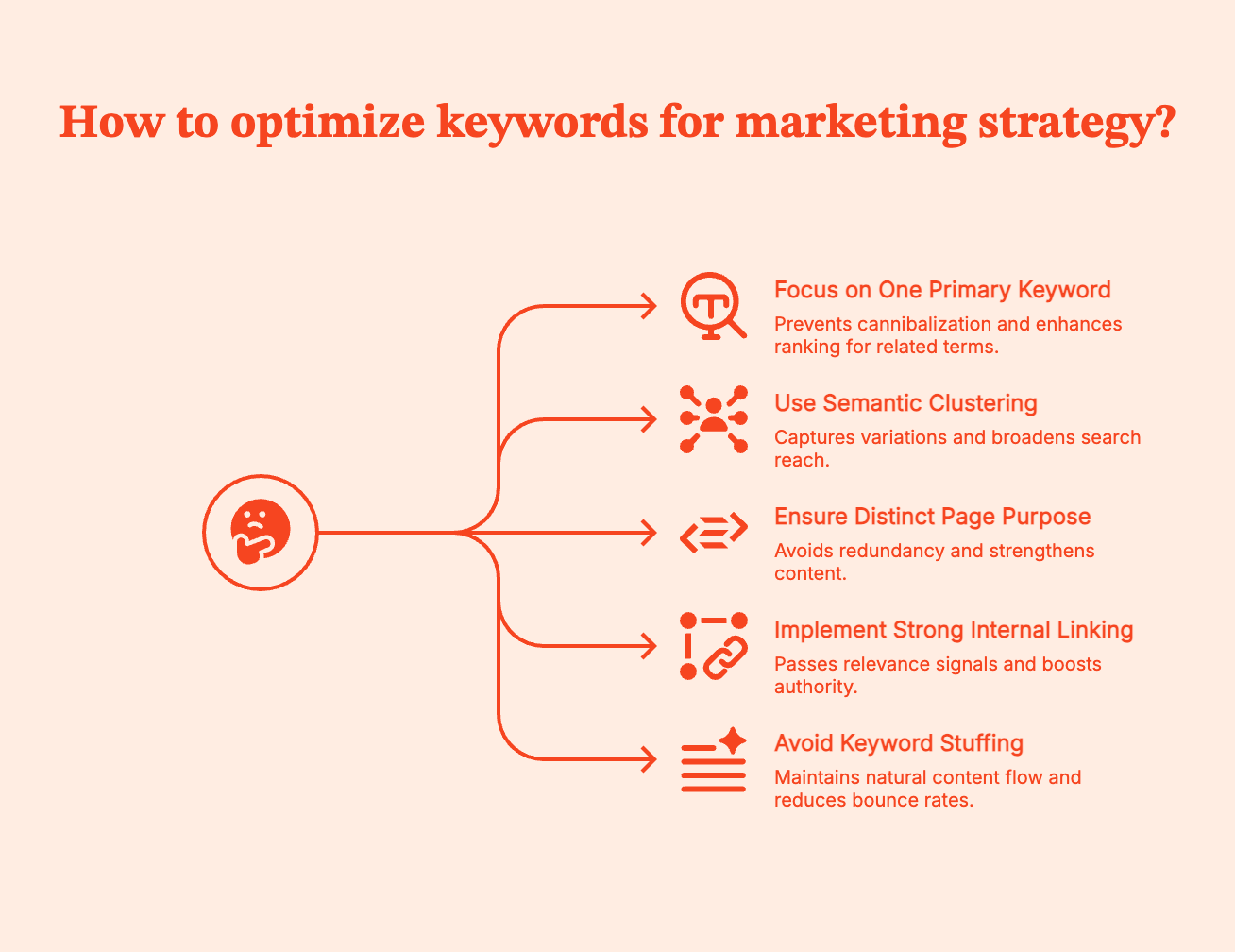
One primary keyword per page prevents cannibalization, while semantic clustering captures related search variations.
According to Ahrefs' research data, pages that rank for their target keyword also rank for an average of 1,000+ related terms. This happens when you build comprehensive content around one primary focus. Your title tag, H1, and URL should all contain your primary keyword naturally. Your H2 and H3 subheadings can target secondary keywords and PAA questions.
Each page needs a distinct purpose. If you have two pages targeting nearly identical keywords, consolidate them to make a stronger piece.
You also need strong internal linking from high-authority pages to newer content using keyword-rich anchor text. For example, when you write "check out our guide to construction project management" and link those words to your target page, you're passing relevance signals.
And no matter how tempting it may seem, avoid the old-school SEO tactics.
- Don't stuff keywords unnaturally into your copy (targeting a 2-3% keyword density is outdated advice).
- Don't hide keywords in white text or behind images. Google's guidelines are clear: write for humans first, optimize for search engines second.
- If your content reads awkwardly because you forced keywords into every sentence, you'll see high bounce rates even if you rank temporarily.
Free and Paid SEO Tools
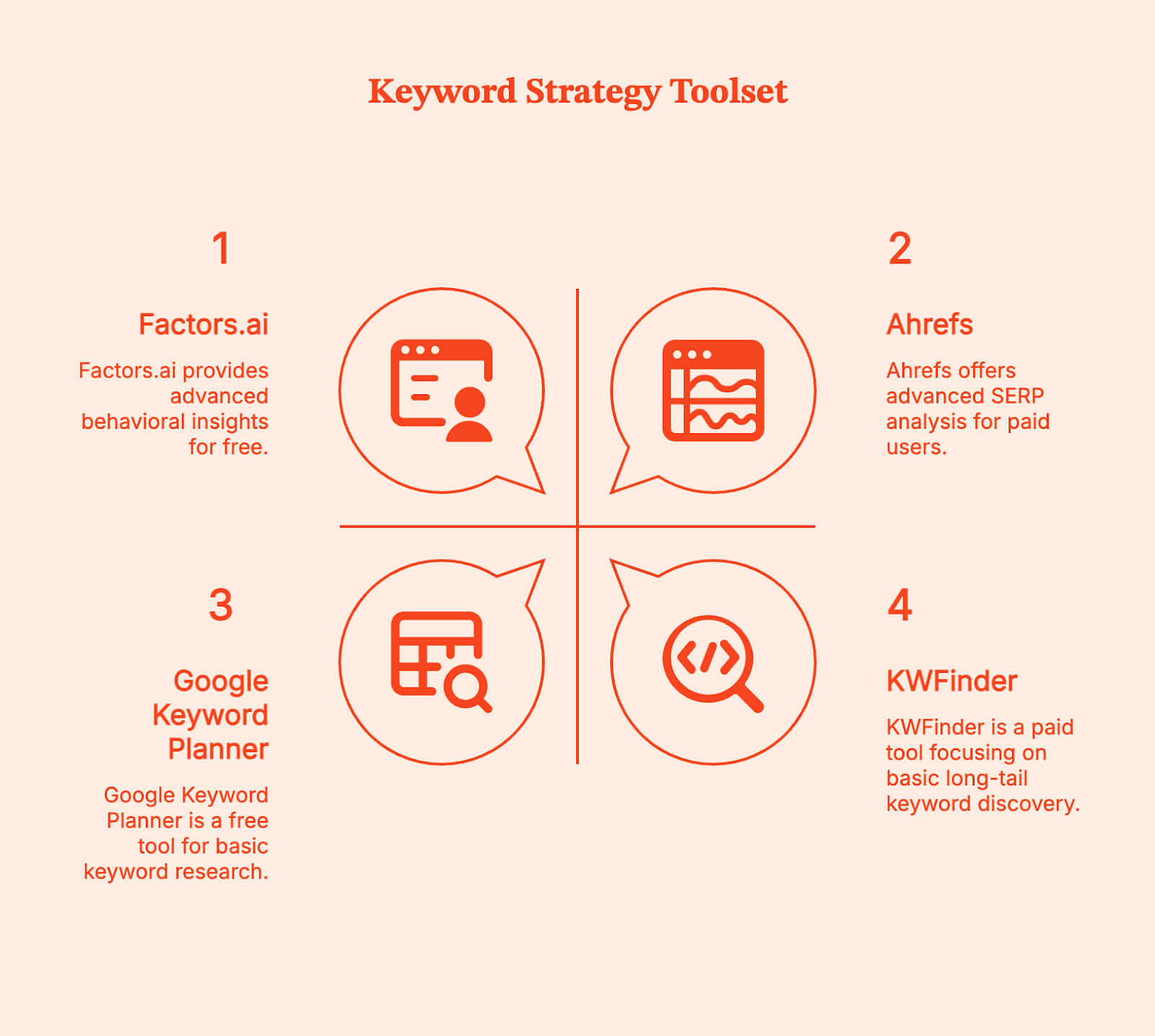
Start with free tools to validate your niche, then invest in paid platforms when you're ready to scale competitor analysis.
Free Tools
- Google Keyword Planner (set location to United States for accurate volumes)
- AnswerThePublic limited free searches
- Answer Socrates for question-based discovery
You can export data from these tools and build your initial keyword list without spending anything.
Paid Tools
- Ahrefs ($129/month) and Semrush ($199/month) provide keyword difficulty scores, SERP analysis, and competitor gap reports.
- KWFinder from Mangools ($43.85/month) focuses specifically on long-tail discovery with an interface built for finding low-competition terms.
These platforms aggregate billions of keywords and show you which ones competitors rank for but you don't, making the investment worthwhile when you're producing content regularly.
Account Intelligence for B2B Keyword Strategy
For B2B companies running account-based strategies, Factors.ai adds a behavioral layer that traditional keyword tools miss. While Ahrefs tells you search volumes, Factors shows which target accounts actually engage with specific content topics on your site. This reveals keyword opportunities based on real buyer behavior rather than just search data.
Factors identifies anonymous website visitors at the company level, tracks their content engagement patterns, and connects this to your CRM and ad platforms.
When you see that multiple high-value accounts repeatedly visit content about "SOC 2 compliance automation" but spend minimal time on "unique features," that's a signal to create more content around the specific compliance angle, even if search volumes look similar.
Common Pitfalls of Keyword Research
Keyword research fails when people optimize for the wrong signals or create overlapping content without a map. Here are some of the most common mistakes:
- Chasing volume over intent is the most common mistake. A keyword with 10,000 monthly searches looks attractive until you realize it's informational ("what is project management") and your product page won't rank because Google shows definitions and guides in those results. Always check the actual SERP before committing.
- Duplicating primary keywords across multiple pages creates keyword cannibalization where your own content competes with itself. Without a keyword map, you might have three blog posts all targeting "best time tracking software" in slightly different ways. Google doesn't know which to rank, so none rank well.
- Ignoring SERP features costs opportunities. If your target keyword triggers a People Also Ask box and a Featured Snippet, you need to structure your content to capture those. Use clear H2 questions and provide direct answers in the following paragraph.
- Not localizing to US search behavior when you're targeting US customers leads to volume miscalculations. Always set your keyword tool location filters appropriately.
- Keyword stuffing and hidden text still happen, usually with AI-generated content that someone didn't edit. Google penalizes these tactics, and they make your content unreadable to actual humans who might convert.
FAQs
Q: What is an SEO keyword?
A: An SEO keyword is a word or phrase people enter into search engines, chosen by website owners based on search volume, competition level, and intent during keyword research to optimize their content.
Q: How do I search for long-tail keywords in a niche?
A: Use PAA mining tools like AlsoAsked, AnswerThePublic, and Soovle for autocomplete suggestions. Run competitor domains through Ahrefs to find keyword ideas they rank for, and use GSC regex (.{25,}) to surface 25+ character queries your site already gets.
Q: What's a good 'low-competition' signal?
A: Check SERP quality first. If you see forums, outdated sites with thin content, or low domain authority pages in positions 3-7, that signals an opportunity. Ahrefs' keyword difficulty under 30 is generally achievable for newer sites, but manual SERP inspection matters more than the number. Look for an intent match where the ranking content type aligns with what you plan to create.
Q: How many primary keywords per page?
A: Typically one primary keyword per URL, supplemented with semantically related secondary terms. This prevents keyword cannibalization, where multiple pages compete for the same rankings. Use a keyword map to track which page owns which primary term.
Q: What is keyword mapping?
A: Keyword mapping assigns specific target keywords to individual pages on your site, reflecting your site structure and preventing overlap. You organize keywords into clusters around primary terms, then map each cluster to one URL with supporting secondary keywords.
Q: What is 'keyword optimization'?
A: Keyword optimization is placing selected keywords strategically in high-value page elements (title tags, H1, H2, body copy, URLs, image alt text) while maintaining natural readability and matching user search intent. It's an ongoing process of refinement based on performance data.
Q: Which free tools should I start with for US data?
A: Google Keyword Planner (set location to United States) for volume estimates, AnswerThePublic for question discovery (3 free searches daily), Answer Socrates for additional PAA questions, and Soovle for autocomplete across multiple search engines.
.avif)
Net Dollar Retention: What It Is & How To Improve It
Discover the significance of Net Dollar Retention. Read about how to calculate, evaluate and improve NDR for your SaaS business.

TL;DR
- NDR helps determine the revenue retained from existing customers after considering churn and expansion
- Calculating net dollar retention helps identify blockers in your growth like poor product fitment or low customer engagement
- The median NDR for private SaaS companies is 105%
- Improve NDR with better Customer Success operations, user analytics and sales-CS alignment
- Factors.ai can improve sales-CS alignment with account intelligence features
On average, it's 5 times more expensive to acquire a new customer than retain an existing one.
There's no doubt that your current customers are your most important assets. But traditional customer metrics such as CAC and churn don't provide visibility into the whole picture of customer sentiments. This is where net dollar retention comes in.
Net dollar retention (NDR) is an invaluable SaaS metric that helps evaluate the health of your customers and in turn, the health of your business.
This article explores everything you need to know about NDR.
What is Net Dollar Retention?
Net dollar retention is a metric that measures the rate of change in annual recurring revenue over a defined period of time.
The value of NDR helps determine the revenue retained from existing customers after considering churn and expansion.
It's a metric that quantifies customer success in terms of revenue retention, helping you evaluate what percentage of your recurring revenue you’ve retained and if you’ve been able to grow that value over time.
how to calculate net dollar retention?
NDR = (ARR at the start of the year - Churn - contraction + Expansion) / ARR at the start of the year
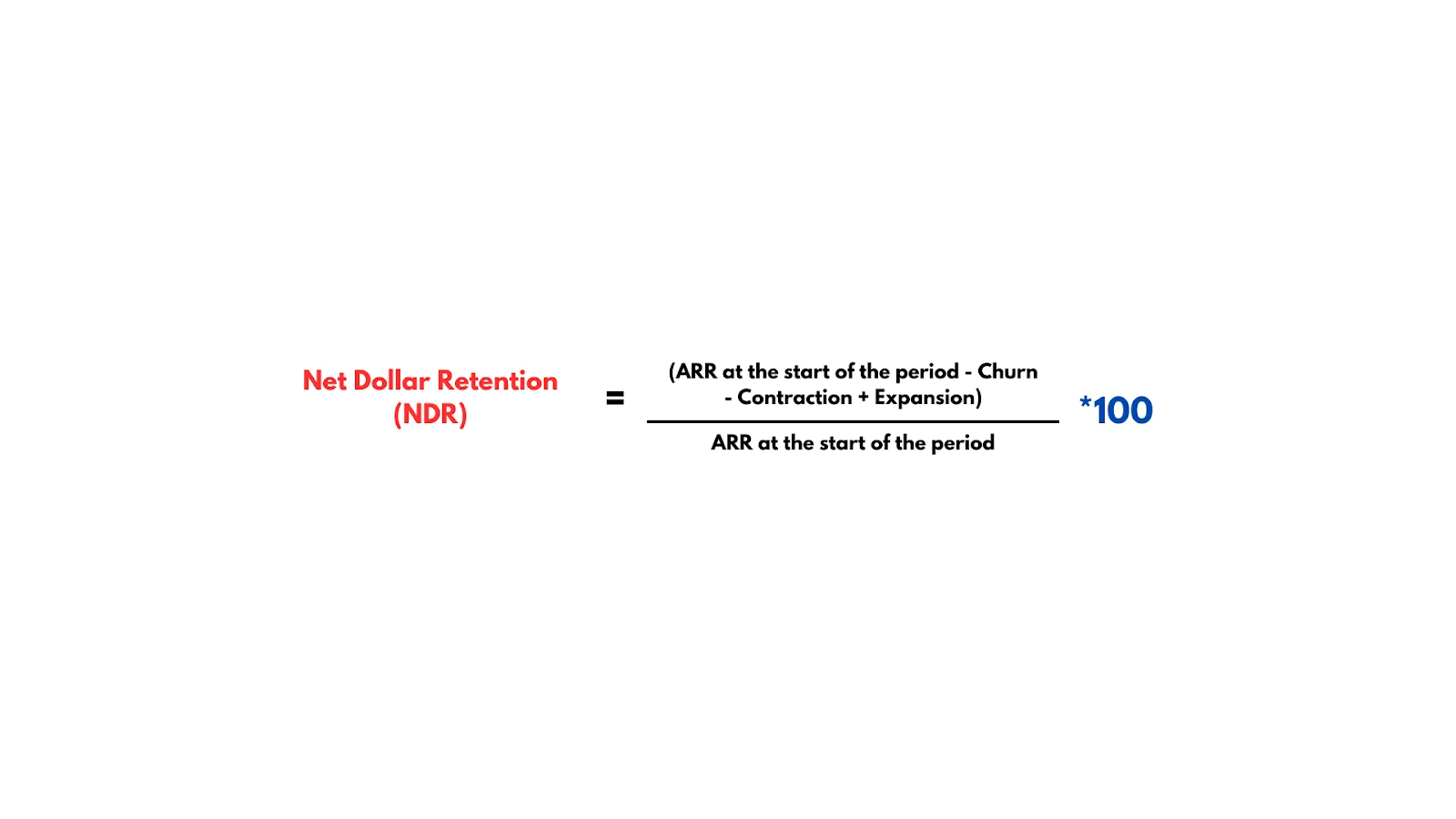
Let's say you want to calculate the NDR for the year.
At the beginning of the year, you have 100 customers, each paying $1,200 per year. So, your Annual Recurring Revenue (ARR) at the start of the year is 100 customers * $1,200/year = $120,000/year.
During the year, you experienced some changes:
Churn: 5 customers decided not to renew their subscriptions, resulting in a loss of $6,000 in ARR.
Expansion: However, you managed to upsell 10 existing customers to a higher-tier plan, each paying an extra $600/year, resulting in an additional $6,000 in ARR from expansion.
So your NDR is:
NDR = {($120,000 - $6,000 + $6,000) / $120,000} * 100, which is 100%.
This means that, on average, you retained and expanded revenue from your existing customer base, offsetting the revenue lost due to churn. An NDR higher than 100% signifies growth in recurring revenue, while a value below 100% signifies a loss in recurring revenue.
NDR can also be calculated for each month using MRR instead of ARR in the formula:
NDR = (MRR at the end of the period - Churn + Expansion) / MRR at the start of the period.
This helps track changes in revenue on a monthly basis.
{{INLINE_TOFU}}
Why Is NDR Important For SaaS?
When SaaS startups reach the growth stage, they struggle to break the chasm of early adopters. A chunk of revenue is generated through customers who are looking for new technology to experiment with. You’ll have to experiment with pricing strategies, messaging, and deal with higher churn in the early stages of your business. This means that simply measuring unit metrics like churn gives you a rather pessimistic view of your operations. To add to that, your customer success teams bear the brunt of this limiting perception of revenue generation.
Net dollar retention is a cohort-based metric. It allows you to focus your efforts on your most valuable customers. As the company scales, it becomes imperative to identify the sources of recurring revenue and optimize your operations to better serve such customers. Periodically calculating net dollar retention helps identify any blockers in your growth. A low NDR can be caused by high churn and/or limited expansion. This could signify any of the following:
1. Low Customer Engagement
A low NDR can be attributed to the fact that a significant portion of users did not fully engage with the software during the free trial period, or failed to derive substantial value from it. This lack of customer engagement often results in a reluctance to upgrade, leading to missed upselling opportunities. A diminished NDR necessitates an enhancement of customer success operations, a thorough examination of the signup process, or a refinement of the onboarding and training procedures.
2. Poor Product Fitment
A low NDR may also signify problems in the product-to-market fit. If churn is high and leads to a reduced NDR, it may be time to reevaluate the product offering and set up thorough feedback loops to understand the customer’s needs better. Similarly, if there is little revenue generated from expansion opportunities, it contributes to a low NDR. It can imply that customers are not convinced of the value addition in upgrades, and the product offerings should be reevaluated.
3. A Key Metric for Investors
NDR plays an important role in investors' decisions. A healthy NDR indicates that you have a strong product-to-market fit and the solution resonates with the intended audience. It serves as a predictor of future growth, as it is a strong indicator of scalability and long-term viability, making it a key factor in investment decisions.
Net Dollar Retention Benchmark: What’s A Good NDR?
A report published by RevOps determined that the median NDR for private SaaS companies was 105%, with the 75th percentile falling above 110%.
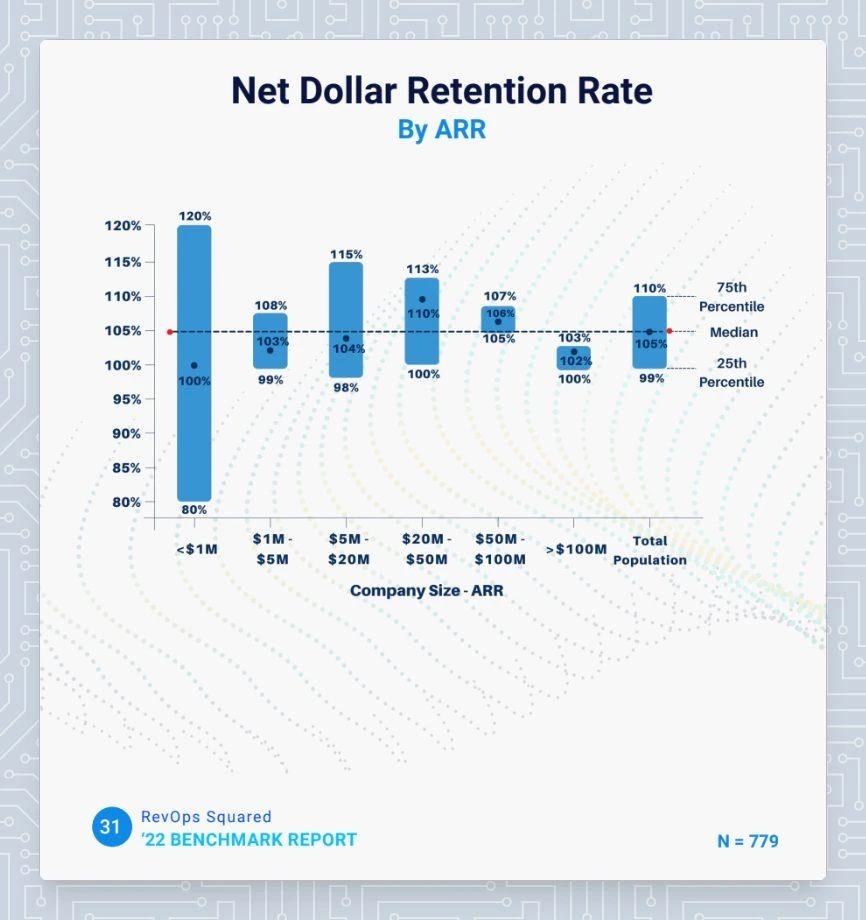
If your NDR is close to 105%, you’ve got nothing to worry about. If it is above 110%, there’s cause for celebration. And if you’re below 100%, you should look into ways to improve retention.
The report further suggested that the NDR is not materially correlated with the company size, as it is with other variables including Go-To-Market motion (Product-Led Growth vs. Sales-Led Growth) and pricing model (pure subscription versus Usage-Based Pricing).
5 Ways To Improve Net Dollar Retention
A happy customer will stay with you. A delighted customer will grow with you. A low NDR shows that your customers do not see value in your product offerings or are struggling to derive value from it.
This could be because of poor training, creating a longer learning curve. Maybe the customer opted for more features than they needed, and now they feel overwhelmed when using the tool. Maybe the product isn’t intended for a company that size, or they don’t see the appeal of upgrades. There are ways to improve the user and post-sales experience to:
1. Invest in Customer Success
Customer success often takes a backseat when we think of revenue generation. However, customer success teams enjoy the strongest bonds with customers and should be encouraged to identify and capitalize on these opportunities. Allocate resources to strengthen your customer success team to ensure that they can contribute to the NDR.
2. Use Product Analytics Amongst Power Users
Analyze the behavior of your most engaged users to identify features or workflows that resonate with your ideal customer profile. This will help you narrow down your positioning and attract more high-value customers. These insights may also be leveraged to guide your product road map to ensure high adoption and lengthy customer lifecycles.
3. Keep Customers Involved
Engage customers through regular communication, interviews, feedback mechanisms, and user groups to understand evolving requirements and expectations.
4. Optimize Contract Terms Based on Customer Preferences
Offer flexible contract terms and pricing options that align with different customer needs and preferences, promoting upsell opportunities. This will promote customer delight and lead to higher retention rates or open doors for expansion.
5. Look Into Sales-Customer Success Alignment
One of the key and often overlooked factors in customer success is its alignment with sales and marketing functions. Having first-hand access to customer feedback, customer success teams are equipped to identify the most serviceable customers. The customer success team can help align your messaging and sales efforts to speak to target the ideal customer profile for your business. Aligning the marketing, sales, and customer success functions will help you identify the customers you can serve best, consequently leading to lower churn and higher NDR.
How Factors Helps Improve Net Dollar Retention?
Most businesses chase sales-qualified leads. But getting a sale is only half the battle won. Ensuring a good customer experience, customer satisfaction, and customer retention are equally important for a better NDR. It is crucial to ensure that efforts prioritize CS-qualified leads over sales-qualified leads. While marketing and sales can bring in many customers, focusing on the most serviceable ones will help you scale faster. With Factors.ai's account intelligence and analytics, you can identify the right, high-intent accounts with longer retention, higher growth, and optimized NDR.
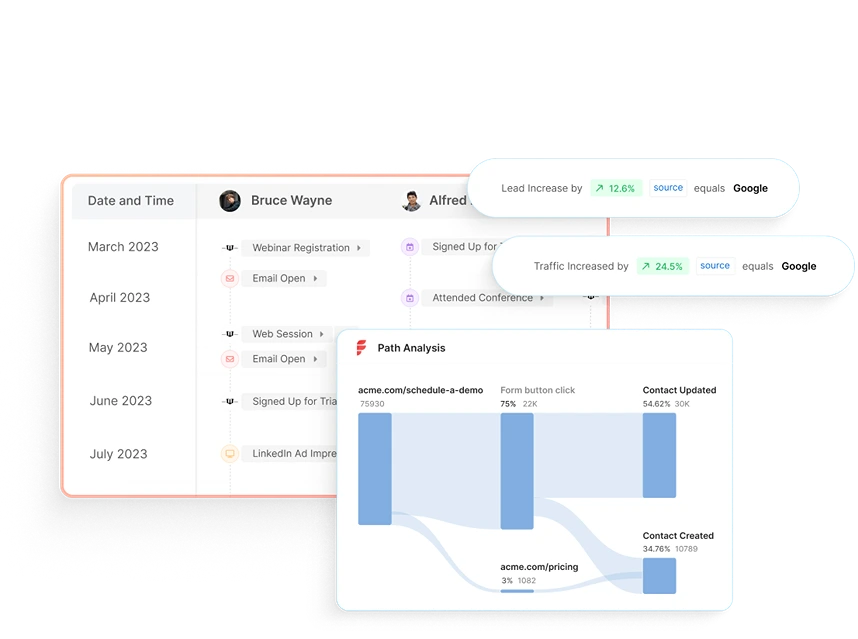
Factors can identify up to 64% of anonymous accounts visiting your website, engaging with product reviews, or viewing your LinkedIn ads. Its event-based data model helps you identify the most effective messaging and marketing touchpoints.
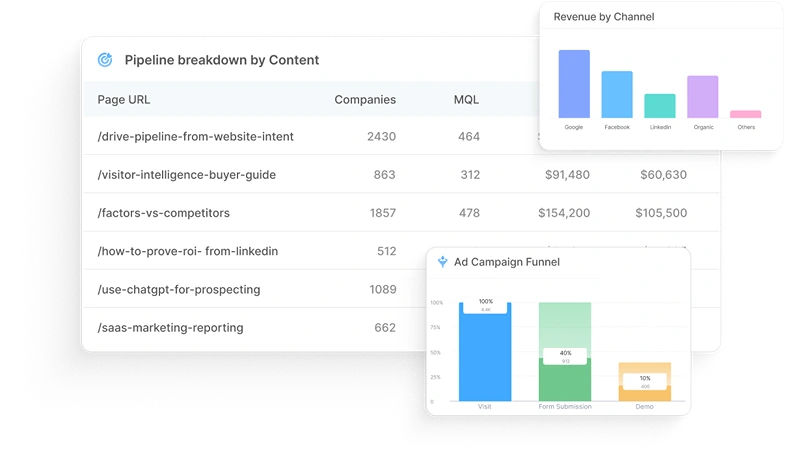
Net Dollar Retention (NDR) tells you how much revenue you're keeping, and growing, from your current customers. Anything over 100% means existing accounts are expanding. Under 100%? That’s a red flag.
To improve NDR:
1. Strengthen your customer success playbook.
2. Analyze usage data to catch churn risks early.
3. Align sales and support so handoffs aren’t messy.
Tools like Factors make this easier with account-level insights and behavioral signals, so you can act before issues escalate and spot upsell opportunities with real context.
Net Dollar Retention FAQs
Q: What is the net dollar retention formula?
A: Net Dollar Retention (NDR) = ARR at the start of the period - the revenue lost due to churn + the revenue generated through Expansion (cross-sell, upsell, etc.) divided by the ARR at the start of the period.
Q: What does 100% net dollar retention rate mean?
A: 100% net retention signifies that a business retains and expands revenue from existing customers, offsetting any losses from churn.
Q: What’s The Difference Between GDR and NDR?
A: GDR (Gross Dollar Retention) measures total revenue retained from existing customers, while NDR (Net Dollar Retention) considers revenue lost to churn and gained from expansion, providing a more precise growth indicator
.avif)
MQL vs SQL: The Key Difference Driving Sales & Marketing Alignment
Learn the difference between MQL and SQL, when to transition leads, and how to align sales & marketing to boost conversions.
TL;DR
- MQLs are leads showing early engagement and curiosity, not ready to buy but open to nurturing.
- SQLs show strong intent with actions like demo requests, pricing inquiries, or product comparisons, ready for direct sales outreach.
- Clear qualification turns a messy funnel into a predictable revenue engine.
- Sales and marketing alignment ensures smooth handoffs and faster conversions.
- Shared lead scoring models and automated workflows keep teams focused on the right leads.
- Tools like Factors track signals, trigger actions, and surface opportunities in real time.
- Avoid common pitfalls like pushing leads too early, waiting too long, or misjudging intent.
- AI-driven predictive lead scoring, real-time intent data, and deeper attribution are shaping the future of lead qualification.
- Nailing the MQL-to-SQL transition means more pipeline, higher win rates, and scalable growth.
Every successful revenue engine depends on one thing: the ability to separate interested prospects from real buyers. No matter how much traffic your website attracts or how many campaigns you run, growth only happens when you can identify which leads deserve immediate sales attention and which ones need nurturing. The primary difference between a Marketing Qualified Lead (MQL) and a Sales Qualified Lead (SQL) is the lead's purchase intent and the specific marketing or sales approach required for each.
Think of it like dating; not everyone who shows interest is ready for a relationship. Some are only demonstrating initial interest and just want to know more, while others are ready to commit. Your job is to figure out who’s who. That’s where lead qualification (this blog) comes in.
Also, read lead generation 101.
What is sales funnel and lead management
Think of the sales funnel as a filtering system. At the top, you have a broad mix of visitors, blog readers, ad clickers, webinar attendees, and curious trial users. But like I said above, not everyone at the top is ready to buy. Some are just exploring, some are gathering information, and only a fraction have genuine purchase intent.
Lead management is the process of sorting through this noise, qualifying leads based on data and signals, and ensuring that the right contacts move from one funnel stage to the next. When done correctly, this process eliminates wasted sales effort, aligns marketing with revenue goals, and drives higher win rates.
Importance of effective lead qualification in business growth
A poorly qualified funnel is like running ads with no targeting: expensive and inefficient. You might get lots of clicks, but if none of them turn into customers, what’s the point? It’s like throwing darts in the dark; you’re bound to miss most of the time. And those misses hurt your metrics, drain time, energy, and resources across the team.
Often, sales reps waste hours chasing leads who were never going to buy, while high-intent prospects slip through the cracks. Flip that equation with proper lead qualification, and the difference is dramatic:
- Higher conversion rates - because sales only talks to leads that match your ICP and show intent.
- Shorter sales cycles - because SQLs (Sales Qualified Leads) are contacted at the right buying moment.
- Better marketing ROI - because budgets are focused on campaigns that generate quality leads, not vanity metrics.
The difference between a scalable revenue engine and a stalled pipeline often comes down to how clearly a company defines and manages MQLs and SQLs.
{{INLINE_BOFU}}
What are MQLs and SQLs
Marketers and sales teams often throw these acronyms around, but definitions vary widely across companies. Because if you’ve ever been in a marketing meeting, you’ve probably heard these terms tossed around like confetti.
Let’s see:
- MQL (Marketing Qualified Lead): A lead that has engaged with your marketing (downloaded an eBook, signed up for a newsletter, attended a webinar) and fits your ICP. They’ve shown interest but aren't ready to buy yet.
- SQL (Sales Qualified Lead): A lead that has crossed the intent threshold. They’ve either requested a demo, asked for pricing, or engaged in behavior that indicates they’re evaluating solutions seriously. Sales can confidently prioritize them.
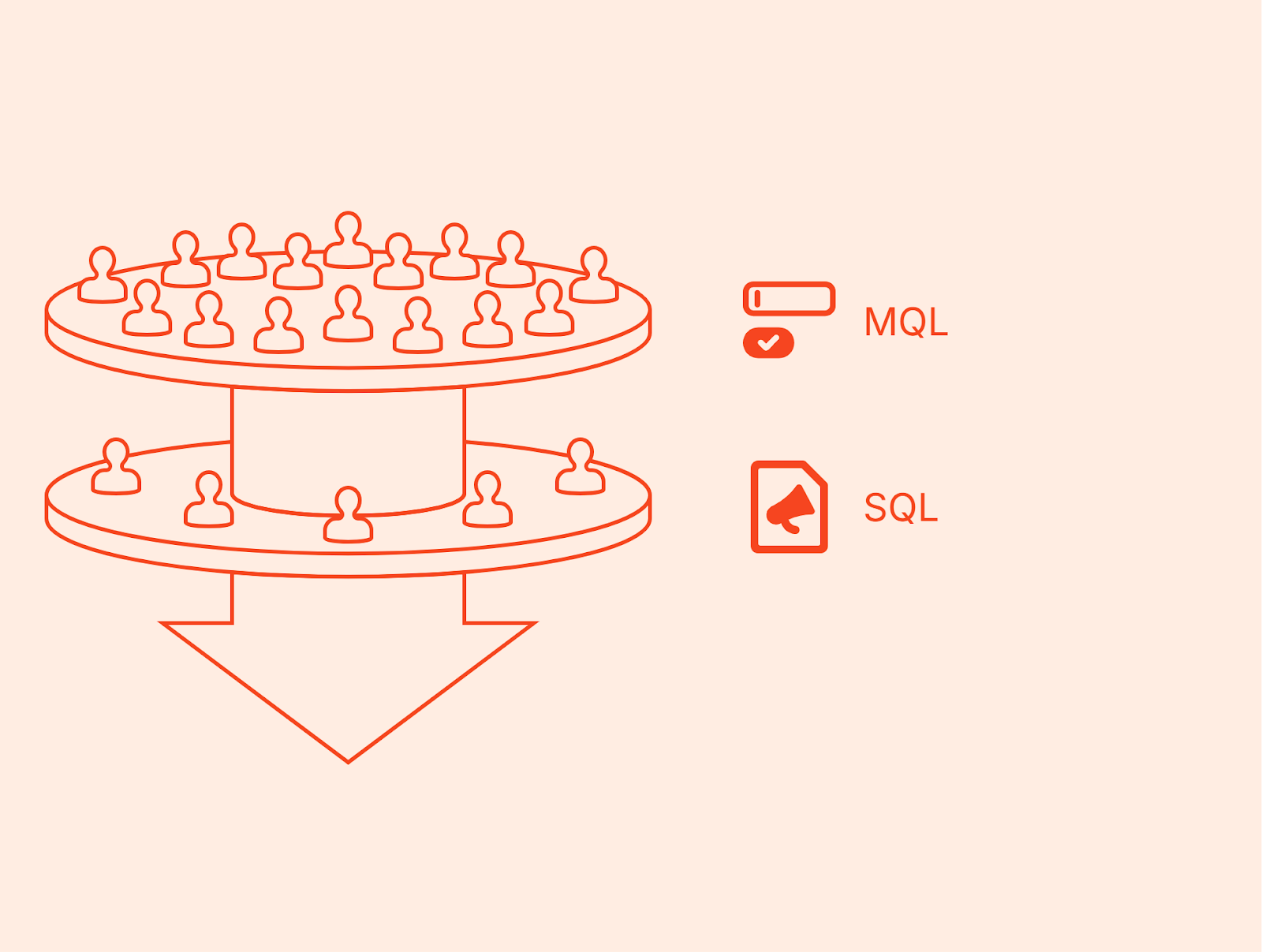
This is where the MQL vs SQL distinction matters most. MQLs are nurtured until they’re ready, while SQLs are handed off immediately to sales for follow-up. Confusing the two wastes resources and leads to frustration on both sides.
How MQLs and SQLs fit into the overall sales and marketing strategy
Think of MQLs and SQLs as two gears in the same machine. Marketing creates awareness and nurtures prospects into MQLs. Once the lead shows clear buying intent, it becomes an SQL and enters the sales pipeline.
When marketing and sales align on what qualifies as an MQL vs SQL, the handoff becomes seamless. Marketers can measure success in terms of how many MQLs convert into SQLs, while sales can focus their energy on leads that are truly ready to buy. This shared framework strengthens collaboration, reduces missed opportunities, and ultimately drives more predictable revenue growth.
What is the main difference between MQL and SQL
In sales and marketing, the line between interest and intent is razor-thin. Misjudge it, and you either push leads too soon (risking churn) or wait too long (missing the buying window). That’s why the distinction between MQL and SQL is critical. Let’s break down the key differences.
Common pitfalls to watch out for
- Pushing leads to sales before they show real buying intent.
- Setting criteria so strict that promising leads never make it through.
- Working in silos without feedback or shared context.
- Ignoring sales feedback when refining qualification models.
- Relying on a static scoring model instead of adapting over time.
Here’s how proper qualification improves marketing ROI
Marketing budgets are finite. If a team optimizes campaigns purely for lead volume without considering quality, ROI plummets.
By distinguishing SQL vs MQL, marketing can:
- Identify which campaigns generate leads that actually convert into SQLs.
- Shift spend toward high-quality channels (for example, G2 or high-intent search) instead of vanity metrics (e.g., low-cost leads from broad awareness ads).
- Prove contribution to pipeline in terms of SQL creation, not just MQL volume.
This closes the loop on SQL marketing impact: marketing doesn’t just generate interest. Having clear thresholds avoids the guesswork it directly fuels revenue by creating SQLs.
And when it comes to measuring which channels actually contribute to that growth, accurate attribution becomes essential. The Factors B2B Marketing Attribution Guide highlights the biggest challenges companies face and how multi-touch attribution connects every click to revenue.
Aligning marketing and sales for a seamless handoff
A classic failure point in many organizations is the ‘throw it over the wall’ mentality: marketing generates leads, hands them to sales, and hopes for the best.
Even the most sophisticated lead qualification process can fall apart if marketing and sales aren’t on the same page. It’s not enough to define MQLs and SQLs, both teams need to collaborate continuously to ensure every handoff is timely, relevant, and acted on.
How to strengthen marketing and sales collaboration
- Evolve shared definitions: Go beyond just agreeing on MQL and SQL criteria once revisit and refine them regularly as buyer behavior and ICP insights evolve.
- Turn communication into a system: Don’t limit alignment to monthly syncs. Set up recurring lead review sessions where both teams analyze what’s working, what’s not, and how scoring can improve.
- Recycle rejected leads effectively: Not every SQL will convert immediately. Instead of dropping them, feed them back into marketing workflows for continued nurturing.
- Build joint dashboards and KPIs: Move past vanity metrics. Create shared views of conversion rates, velocity, and pipeline impact so both teams measure success on the same terms.
Strategic recommendations for aligning marketing and sales efforts
- Define thresholds clearly. Document exactly what makes a lead an MQL vs SQL.
- Automate handoffs. Use CRM workflows and real-time alerts so no SQL falls through the cracks.
- Enforce SLAs. Sales must act on SQLs quickly; marketing must deliver only leads that meet criteria.
- Measure success across stages. Track MQL→SQL conversion rates, SQL→Opportunity rates, and ROI from each campaign.
- Create a feedback loop. Sales shares qualitative input on SQL quality; marketing refines scoring models based on that data.
Look, marketing and sales alignment isn’t a one-time fix; it’s a discipline. But with the right frameworks and the right platform, it becomes easier, faster, and far more scalable.
Best practices for managing MQLs and SQLs effectively
Knowing the difference between MQL vs SQL is only half the battle.
The real growth comes from how you manage these leads, how you define them, nurture them, transition them, and continuously refine the process.
Let’s break down the best practices that top-performing teams use to maximize lead conversion.
- Develop clear qualification criteria and scoring models
The foundation of effective lead qualification is a transparent, points-based scoring model.
- Fit (Firmographic/ICP criteria): Industry, company size, geography, tech stack.
- Intent (Behavioral criteria): Page visits, webinar attendance, content downloads, product trial activity.
- Recency: How recently those actions occurred (a demo request last week is stronger than one six months ago).
For example:
- A prospect from your ICP who attended a webinar (+20), downloaded an eBook (+10), and visited the pricing page twice (+30) might hit the 60-point threshold for MQL.
- Once they request a demo (+30) or actively engage with a rep (+20), they cross the 80-point threshold into SQL.
Having clear thresholds avoids the guesswork. Sales knows why a lead was passed over, and marketing knows what behaviors to prioritize.
Factors helps you visualize this transition through its Milestones feature, which offers funnel analytics that pinpoint what actions drive movement from MQL → SQL, so you can double down on what works.
- Implement lead-nurturing strategies for MQLs
MQLs and SQLs require different engagement strategies. An MQL should never be treated like an SQL; doing so risks scaring them away before they’re ready.
For MQLs:
- Content drip campaigns: Educational content → case studies → product comparisons.
- Retargeting ads: Serve content to high-fit accounts browsing your site but not converting.
- Personalized nurture: Use marketing automation to send emails aligned with their activity (e.g., “Since you downloaded our product guide, here’s a webinar you might like”).
The goal is to warm them until intent signals show they’re ready to progress.
- Transition leads from MQL to SQL: timing and communication
The handoff moment is where most companies lose momentum. Without speed and clarity, hot leads go cold.
Best practices include:
- Service Level Agreements (SLAs): Documented rules, e.g., Sales must engage an SQL within 24 hours.
- Automated alerts: Slack/MS Teams messages triggered when a lead reaches SQL status.
- CRM workflows: Automatically assign SQLs to the correct SDR, create tasks, and log activity.
Example: If a prospect hits the SQL threshold at 10 a.m. after browsing the pricing page, an SDR alert should fire instantly. Waiting until the weekly sync to act wastes the signal.
- Use CRM and marketing automation tools for seamless handoffs
Technology ensures consistency. Modern GTM stacks make SQL sales handoffs smooth and measurable.
- CRM systems (Salesforce, HubSpot): Track lead status changes from MQL → SQL → Opportunity.
- Marketing automation (Marketo, Pardot, HubSpot): Score and nurture MQLs until they’re ready.
- ABM/ad platforms: Sync high-intent MQL segments into LinkedIn or Google Ads for precision retargeting.
This integration ensures marketing and sales are never blind to each other’s activities. For example, SQL marketing teams can see which campaigns sourced SQLs, while sales can give feedback on which MQL signals actually led to opportunities.
- Continuously monitor and refine qualification processes
Lead qualification is not a “set it and forget it” system. Buyer behavior changes, markets shift, and what worked last quarter may not hold next year.
Best practices include:
- Weekly or bi-weekly MQL→SQL reviews: Marketing and sales analyze which signals worked and which didn’t.
- Adjust scoring weights: If trial usage proves more predictive than eBook downloads, increase its point value.
- Feedback loops: Sales shares qualitative feedback on why certain SQLs closed or stalled, informing marketing.
- KPI tracking: MQL→SQL conversion rate, SQL→Opportunity rate, average time-to-SQL, win rate by source.
Together, these features transform lead qualification from a guessing game into a repeatable, data-backed process. Forget disjointed dashboards or manual CSV uploads, and those alignment meetings that go in circles. (I can hear you breathe a sigh of relief!)
With Factors, alignment stops being a recurring pain point and becomes a revenue-driving habit, powered by shared visibility, smart automation, and AI that connects intent to action.
Future trends in lead qualification and sales enablement
Lead qualification is evolving quickly. The truth is, the way we qualify leads today might look completely different in just a couple of years and that’s not a bad thing. Here’s a glimpse of what that future is starting to look like:
- AI-driven scoring: Machine learning models now combine behavioral, firmographic, and product usage fdata to predict intent with far greater accuracy.
- Real-time intent data: Integration of external signals like review site activity, funding data, or hiring patterns into lead scoring.
- Deeper ad platform integrations: Expect SQL marketing workflows that sync high-intent accounts into ad campaigns in near real time.
- AI assistants in sales: SDRs increasingly rely on AI agents that not only identify high-intent accounts but also surface the right contacts and generate personalized outreach insights.
In a nutshell…
The MQL vs SQL debate determines how effectively your revenue engine runs. MQLs represent early interest and the potential for future opportunities. SQLs, on the other hand, represent immediate buying intent and the chance to close deals quickly.
MQLs and SQLs are not interchangeable. Confusing them leads to wasted resources, missed opportunities, and frustrated teams. Clear definitions and scoring rules ensure that marketing fuels pipeline with quality leads and sales engages only when prospects are ready. The SQL meaning marketing teams rely on must tie directly to measurable business outcomes like conversion rates, pipeline growth, and ROI.
Both are essential, but they require different playbooks, timelines, and ownership.
FAQs for MQL vs SQL
Q1: What is the main difference between MQL and SQL?
A: An MQL is a lead who has shown interest through marketing activity but isn’t ready for sales yet. An SQL has demonstrated clear buying intent and is ready for direct sales engagement.
Q2: Why is it important to distinguish between MQLs and SQLs?
A: Mixing the two wastes time and resources. The distinction ensures that marketing focuses on nurturing and sales focuses on closing, improving overall pipeline efficiency.
Q3: What does SQL mean in marketing?
A: In marketing, an SQL is a lead that has passed qualification criteria, showing intent signals like demo requests or pricing inquiries, and is ready for sales outreach.
Q4: How do you convert MQLs into SQLs?
A: Through lead nurturing, emails, ads, content, and retargeting, until the lead crosses defined scoring thresholds (e.g., demo requests, pricing page visits).
Q5: What KPIs should businesses track for MQLs and SQLs?
A: MQL→SQL conversion rate, SQL→Opportunity conversion rate, average time-to-SQL, pipeline sourced by SQLs, and win rate by origin channel.
Q6: Can a lead skip MQL and go directly to SQL?
A: Yes. If a prospect shows strong buying intent from the start like requesting a demo or contacting sales they can skip the MQL stage and become an SQL immediately.
Q7: How many MQLs convert to SQLs?
A: There isn’t a universal benchmark as it varies by product, ICP, lead source, and how you define each stage. The most useful benchmark is your own: track MQL→SQL by channel/segment over a consistent window (e.g., last 90 days) and improve it by tuning fit criteria, scoring, SLAs, and nurture..
Q8: What SQL means in marketing?
A: It refers to a lead that’s shown clear buying intent and is ready for direct sales engagement, usually after taking actions like requesting pricing or booking a demo.
Q9: What’s the difference between “SQL sales” and “SQL marketing”?
A: “SQL marketing” is how marketing identifies a lead as sales-ready. “SQL sales” is how the sales team qualifies and engages that lead to move it into an opportunity.
Q10: Do all SQLs become customers?
A: No. Some SQLs don’t convert due to factors like timing, budget, or competition, but strong qualification increases the chances they will.
Related Reads from Factors
If you’re looking to improve how your team defines, qualifies, and moves leads from MQL to SQL, these reads can help you sharpen the foundation:
- How To Build Your Ideal Customer Profile In 15 Steps – A practical guide to defining your ICP so your MQLs and SQLs are more targeted, qualified, and conversion-ready.
- How To Leverage Signals For Account Scoring – Learn how to use intent and engagement signals to fine-tune lead scoring models that bridge the MQL→SQL gap.
- An Introduction To B2B Account Scoring - Understand the basics of account-level scoring to ensure sales teams focus on the highest-potential opportunities first.

Navigating Sales In Early-Stage Start-Ups
Explore challenges in early-stage startup sales. Overcome them with insights from Praveen Das, Factors.ai co-founder, and Ankit Jain, Clearfeed co-founder

{{INLINE_TOFU}}
Navigating Sales In Early-Stage Start-Ups
Building pipeline and scaling sales as a startup is not easy.
Learn about the challenges with navigating sales in early-stage start-ups — and how to overcome them. Understand the power of account-based sales with Praveen Das, Co-founder of Factors.ai and Ankit Jain, Co-founder of Clearfeed.
What we’ll cover:
- Common challenges startups face when they begin their sales journey.
- How high-growth teams like Clearfeeder overcome these challenges.
- And why account-based sales is important for early-stage businesses.
Q. As an early-stage company, you have an unknown brand. Your product-market fit is yet to be achieved. Your ICP is evolving. And there’s limited tooling and team bandwidth. Getting to those first 20 customers might seem…impossible. How should you go about it? What was that journey like?
A. Startups are like hourglasses. You start with very broad ideas and segments. Then starts the journey of going as narrow as possible: “we serve this one ICP in this one segment”. And finally, you achieve growth.
- We identified 4-5 segments we care about. Within those segments, we identified a list of relevant, high-level problems our technology could solve.
- Then, we performed customer discovery by reaching out to about 200 people in each of those segments to validate our problem-statements.
- After these conversations, we identified a “pull” towards one of these segments (Customer success teams from series B dev/infra SaaS start-ups using Slack) and ran with it.
- Based on this insight, we built a product that this specific niche of people loved — which gave us our initial boost in customers based on referrals and virality.
Q. At this stage, what did your go-to-market engine look like? Was it mostly outbound or inbound? How did you go about GTM?
A. At this point of time, we didn’t have a market team. It was just the founders and a few engineers so there was no question of inbound.
The other consideration was whether we’re creating a category or are in an established category. If it’s the latter, you can “buy your way out”. We didn’t have this back then, so it was primarily an outbound motion:
- A list of 3500 ICP accounts based on firmographics and technographics
- Reach out via sequences of mails, calls, and LinkedIn
- This approach helped land 8 meets per month, out which 2-3 convert.
A quick break from questions to discuss engagement-based sales models…
Engagement-based sales is a sales strategy that focuses on targeting highly engaged accounts and customizing the sales approach to fit the needs of each account (As opposed to a cold approach).
For context, the “old way” involved a standard process of defining ICP accounts, researching target accounts, reaching out to contacts within those accounts, and measuring success with KPIs.

The challenge with this is approach is:
- Researching target accounts involves several hours of tedious effort
- Measuring success with KPIs involves pulling data from disparate sources
- AND you’re missing out on anonymous accounts that are already engaging with your brand
This is where Factors.ai comes in. Factors identifies and unifies hidden account data across ad campaigns, product review site, website, and CRM to capture demand, monitor engagement, and personalize outreach & nurturing.

Engagement-based sales is the new way. Here’s how Factors helps:
- Identify anonymous inbound traffic across channels
- Track granular account engagement to measure intent
- Personalize outreach based on engagement and intent
- Finally, measure marketing & sales KPIs under one roof
Ankit and Clearfeed’s experience with Factors and the new approach
“Why aren’t we personalizing outreach to improve response rates?” is a standard question amongst founders and the standard answer is usually “it takes a lot of time to meaningfully personalize outreach”.
Then, the question was “how can we find which accounts are most engaged, so we can personalize outreach to them alone?”. Seems reasonable. So with Factors, we identified accounts from our top of the funnel awareness campaigns as well as organic traffic from educational content assets.
This set of accounts were, at the very least, problem aware. SDRs could now prioritize personalized outreach to this set of “higher-intent” accounts. This has resulted in a 5x improvement in response rate and our ability to book outbound meetings. Real-time alerts with Factors also helps with speed to response rates. These insights are also signals on what accounts care about or why they’re visiting our website.
Read more about how Clearbit leverage Factors here: factors.ai/customers/clearfeed
Other tips to improve outbound performance include:
- Achieve a comprehensive understanding of target accounts through their website, customers, growth, and other signals
- Pinpoint the exact channels your ICPs prefer (LinkedIn, mail, calls, communities, etc)
- Keep experiment and iterating on bottlenecks, wins, and learnings
Q. Today, Clearfeed is further along its growth journey — running ads, content, etc. How has Factors come in handy at this stage?
A. As a founder, I always want to know what’s working. With Factors, we can see what accounts that have converted interacted with pre-sales. What are their touchpoints? What pages have they visited? What topics resonate most? and more. This helps guide our content strategy, paid strategy and beyond.
The Factors advantage for engagement-based sales may be summarized as…
- Unified account data and scoring: Qualify and target the right accounts based on website engagement, intent signals, and firmographics
- Advanced analytics: Optimize demand gen and content marketing investment
- Real-time alerts: Stay on top of new ICP accounts and closed lost accounts showing engagement

Multi-Touch Attribution Models: The Pros and Cons Explained
Explore the benefits, challenges, and future of multi-touch attribution. Learn how to track full customer journeys, improve ROI, and build smarter marketing campaigns.
TL;DR
- Multi-Touch attribution reveals which channels contribute to conversions, helping marketers allocate budgets more effectively and measure ROI with confidence.
- Privacy laws, offline tracking gaps, and model confusion make attribution tricky—but with standardization, right-fit tools, and team training, the value remains strong.
- Modern attribution tools leverage machine learning for real-time credit assignment, predictive insights, and automated model tuning.
- When integrated with CRMs and CDPs, attribution empowers revenue teams—spanning sales, product, and CX—to collaborate around shared data and smarter decision-making.
Marketing today isn’t a straight line - it’s a maze of channels, touchpoints, and decision-making moments. Customers might discover your brand through a social ad, read a blog post days later, open a few emails, and finally convert after a direct search. So, how do you know which of those marketing touchpoints truly mattered?
That’s where multi-touch attribution comes in. It offers a more accurate way to track the full customer journey by assigning credit across multiple interactions, not just the first or last. Instead of guessing which campaigns worked, you get a clearer view of what actually influenced the buyer.
In this blog, we’ll explore the pros, challenges, and limitations of multi-touch attribution, along with practical strategies to overcome common pitfalls. You’ll also discover where attribution is heading and how to stay ahead of the curve.
What is a Multitouch Attribution?
Many businesses still don't use any attribution model, missing key insights about their marketing. Multi-Touch attribution (MTA) measures how each marketing touchpoint affects a conversion, rather than giving credit to just one interaction.
Imagine putting together a puzzle. When a customer buys something, they might have seen your Facebook ad, read your blog, watched a YouTube review, and clicked on a Google ad. Traditional models only credit the last click, ignoring other channels that influenced the decision.
Multi-Touch attribution fixes this by sharing credit across all touchpoints that helped with the conversion. It understands that customer journeys are rarely straightforward and often involve many interactions across different channels before a purchase. This method provides a clearer view of how various marketing efforts combine to drive conversions.
The main idea is to track and analyze customer interactions across channels and devices. Each interaction gets a value based on its role in the final conversion. This includes:
- Social media interactions
- Email clicks
- Website visits
- Content downloads
- Ad clicks
- Phone calls
- Chat sessions
Pros of Multi-Touch Attribution
Multi-Touch attribution offers several key benefits that help marketers make informed decisions:
Complete Customer Journey Analysis
Multi-Touch attribution lets you see the entire path a customer takes before converting. Instead of giving credit to just the first or last click, it highlights every touchpoint—like ad views, email clicks, social interactions, and more. This full-funnel visibility helps you understand how different channels and messages influence decision-making at each stage of the journey.
Smarter Budget Allocation
When you know which channels contribute to conversions, you can invest your budget more effectively. Multi-Touch attribution reveals the impact of each touchpoint, helping you avoid over-investing in flashy, last-click channels and instead support the touchpoints that genuinely move buyers forward.
Precise ROI Measurement
One of the biggest challenges in B2B marketing is tying spend to results. Multi-Touch attribution helps you calculate ROI more accurately across channels and campaigns. By distributing credit fairly, you can see what’s truly delivering value, so you can report results with confidence and optimize accordingly.
Better Campaign Optimization
With detailed insights into which content and channels are most influential, you can fine-tune your campaigns for better performance. Maybe your paid search campaigns perform well early in the journey, while retargeting is more effective later. With that insight, you can create better sequencing, messaging, and targeting strategies.
Improved Team Collaboration
MTA breaks down silos across departments. Since it shows how different touchpoints work together—like content from marketing, emails from sales, and ads from paid media—it encourages cross-functional teams to collaborate based on data, not assumptions.
Higher Quality Leads
By understanding which combination of touchpoints brings in the best leads, you can adjust your efforts to attract more qualified buyers. You’ll see which channels or content types bring high-intent users who are more likely to convert.
Better Customer Experience
Multi-Touch attribution helps you spot gaps or friction in the customer journey. If people drop off after seeing a landing page or ad, you can identify weak points and improve them. This leads to a smoother and more personalized customer experience overall.
Stronger Forecasting and Planning
Once you understand the role each channel plays in the conversion process, you can better predict future performance. This helps in planning campaigns, allocating budgets for upcoming quarters, and building more accurate revenue forecasts.
Data-Driven Culture
Adopting multi-touch attribution promotes a more data-driven mindset within your organization. Rather than relying on gut instinct or siloed performance metrics, teams begin to trust shared insights and use them to drive decisions across the board.
These benefits make multi-touch attribution a valuable tool for marketers who need to understand and improve complex customer journeys.
{{INLINE_TOFU}}
Challenges and Limitations in Multi-Touch Attribution
Multi-Touch attribution is useful, but it comes with several challenges that marketers should know:
Data Collection Complexities
Tracking users across multiple platforms is difficult due to different data standards and tracking methods. Device switching, ad blockers, and cookie restrictions create gaps. This leads to an incomplete customer journey. Reliable attribution depends on clean, unified data—something not always easy to get.
Technical Implementation Hurdles
Setting up multi-touch attribution takes time, tools, and technical know-how. From embedding tracking codes to integrating platforms, the process can overwhelm small teams. Maintaining clean data pipelines is an ongoing effort. Without resources, errors and gaps can quickly derail results.
Privacy and Compliance Concerns
With GDPR, CCPA, and growing privacy expectations, user consent is now required for tracking online activities. Many users opt out, which limits visibility into their journey. Attribution accuracy drops as a result. Marketers must balance insight with strict data compliance.
Integration with Offline Channels
Most attribution tools focus on digital channels, missing offline actions like phone calls or in-store visits. This leaves a blind spot for businesses that rely on human interaction. Bridging offline and online data is possible, but it takes extra effort. Without it, attribution stays incomplete.
Attribution Window Limitations
Attribution systems usually look at a fixed time frame, like 30 or 90 days. This works for short sales cycles, but long-term buyers often start earlier. Key top-of-funnel touchpoints can be missed. That skews results and undervalues early interactions.
Model Selection Confusion
Choosing the right model—linear, U-shaped, or time decay—is not always clear. Each business has unique goals and customer behavior. Picking the wrong model can lead to misinformed budget decisions. It takes testing and tuning to find the right fit.
Data Overload and Complexity
Multi-Touch Attribution tools generate lots of granular data. Without proper filtering and visualization, it’s easy to get lost. Teams need time and skill to make sense of it. Otherwise, insights turn into noise instead of action.
Inconsistent Data Standards Across Platforms
Different platforms define metrics differently—what’s a ‘conversion’ in one tool might not match another. This leads to inconsistent reports and questionable insights. Normalizing data across sources is critical but often overlooked.
Costs and Licensing Fees
High-end attribution tools can be expensive, with costs for software, setup, and support. For smaller teams, it may not feel worth the investment. Even after adoption, ongoing maintenance adds to the expense. That makes cost a real barrier for many.
These challenges do not reduce the value of multi-touch attribution, but knowing them helps set realistic expectations and develop strategies to lessen their impact. The key is to recognize these limits while working to create the best attribution system for your business needs.
How to Overcome Common Challenges in Multi-Touch Attribution?
1. Simplify and Standardize Data Collection
Start by using consistent tracking methods across all platforms, such as UTM parameters, standardized naming conventions, and tag managers (e.g., Google Tag Manager). Leverage first-party data and server-side tracking where possible to reduce reliance on third-party cookies.
2. Invest in the Right Technology Stack
Choose attribution tools that offer built-in integrations with your marketing and CRM systems. Platforms like Factors.ai or Segment can simplify setup and help connect fragmented data sources. Look for solutions with low-code or no-code options to ease technical implementation.
3. Address Privacy and Compliance Proactively
Implement clear consent banners and ensure your systems comply with regulations like GDPR or CCPA. Use consent management platforms and privacy-focused analytics tools to build trust and gather data responsibly.
4. Combine Online and Offline Tracking
Bridge the gap between digital and offline interactions with tools like call-tracking software, QR codes, in-store promo codes, or customer surveys. Sync this data with your CRM to get a more complete view of the customer journey.
5. Adjust Attribution Windows for Longer Sales Cycles
Customize the attribution window to match your typical buying cycle. If your sales process spans 90+ days, extend your lookback period accordingly in your attribution tool. This ensures early-stage interactions get proper credit.
6. Choose Models That Match Your Goals
Don’t overcomplicate things at the start. Begin with basic models, such as linear or time decay. As your team matures, test custom or algorithmic models to refine insights. Model testing and comparison help identify what best reflects your customer behavior.
7. Train Teams and Encourage Adoption
Offer training sessions and documentation to help marketing, sales, and analytics teams understand how marketing attribution works. Encourage data-driven decision-making by making insights easy to access and apply.
8. Regularly Audit and Improve Your Setup
Review your attribution system every quarter. Check for tracking gaps, outdated tools, or broken integrations. Keep documentation updated and refine based on what’s working and what’s not.
9. Control Costs with Scalable Solutions
Start with affordable tools and scale up as needed. Many platforms offer modular pricing or freemium tiers so you can gradually expand without overspending.
Future Trends in Multi-Touch Attribution
As marketing becomes more complex and data-driven, multi-touch attribution (MTA) is evolving fast. Here are some key trends shaping its future:
1. Rise of AI and Machine Learning
AI is making attribution models smarter. Machine learning can automatically adjust credit allocation based on performance data, predict customer behavior, and improve accuracy over time, without manual tuning.
2. Shift to First-Party Data
With third-party cookies being phased out, marketers are relying more on first-party data. This trend prompts brands to establish direct relationships with customers and collect data through their own channels, such as websites, apps, and emails.
3. Privacy-Compliant Attribution Models
As regulations like GDPR and CCPA tighten, attribution platforms are developing privacy-first solutions. Expect more anonymized tracking, consent-based data collection, and compliance-focused features built into attribution tools.
4. Cross-Device and Omnichannel Tracking
Users jump between devices constantly. New attribution tools are improving their ability to stitch together cross-device journeys using login-based or probabilistic matching, giving a more complete view of user behavior.
5. Integration with CDPs and CRMs
More businesses are integrating attribution with customer data platforms (CDPs) and CRMs to unify online and offline data. This allows marketers to track the full lifecycle, from awareness to retention, in a single system.
6. Real-Time Attribution Insights
Speed matters. Attribution systems are moving toward real-time reporting, allowing marketers to adjust campaigns instantly based on performance, especially useful in fast-moving industries or short sales cycles.
7. Focus on Incrementality and Lift
Beyond just crediting conversions, marketers now want to measure lift — the actual impact of a campaign compared to a control group. Expect more attribution tools to include experimental design and A/B testing for deeper insights.
8. Simplified, User-Friendly Interfaces
As adoption widens, vendors are investing in cleaner dashboards and intuitive model setups. Tools are becoming more accessible to marketers without heavy data science skills.
9. Attribution Beyond Marketing
Attribution is expanding beyond marketing. Sales teams, product managers, and even customer success departments are beginning to use attribution insights to guide their strategies and optimize the customer experience.
10. Attribution for B2B and Long Sales Cycles
Expect to see better MTA models tailored for B2B companies, with account-based views, multi-stakeholder tracking, and support for longer, non-linear journeys common in enterprise sales.
Related reading: Ultimate guide to Advanced Marketing Analytics Techniques
Multi-Touch Attribution in 2025: Rethinking How Marketing Gets Credit
In today’s nonlinear marketing world, understanding what truly drives conversions requires more than single-touch metrics. Multi-Touch attribution (MTA) breaks down the customer journey across social ads, content, emails, and search, assigning value to each meaningful interaction. It helps marketers identify the fundamental drivers behind performance, beyond the misleading simplicity of first- or last-click models. This guide explains how MTA enables smarter budgeting, sharper ROI measurement, and more cohesive team collaboration. At the same time, it unpacks the complex barriers that come with fragmented data, privacy regulations, and long buying cycles. To move forward, brands must streamline data collection, align models to their goals, and adopt scalable, privacy-compliant tools. As attribution advances with AI, real-time insights, and CRM integration, it becomes an essential strategy, not just for marketers but for the entire revenue engine.
Metadata vs. Factors.ai: Choosing the Best Platform for Campaign Management
Explore the strengths and challenges of Metadata and Factors for audience targeting and campaign management.
TL;DR
Metadata and Factors excel in audience targeting and campaign management but cater to different needs. Metadata shines in handling complex, multi-channel campaigns and large-scale experiments across Google, Facebook, and LinkedIn, offering advanced automation for optimizing pipeline and revenue. However, it can be challenging due to campaign fragmentation, high volumes of data, and a steep learning curve.
Factors, on the other hand, provides a more streamlined approach focused on LinkedIn and Google. It emphasizes improved audience syncing, reporting, and cost-effectiveness, potentially making it more suitable for businesses focusing on these platforms. With upcoming features like Google ABM and Facebook ABM, Factors is set to offer a comprehensive solution that could give it a slight edge, particularly for LinkedIn-centric strategies.
Before we dive into the comparison, let’s learn a little more about Metadata.
When it comes to marketing, data isn’t just king—it’s the whole royal court! Imagine trying to navigate your ad campaigns without a clear map; that’s where Metadata comes in. Think of it as your GPS for marketing, offering a structured approach to handling heaps of information and refining your strategies across big names like Google, Facebook, and LinkedIn.
Metadata is like the backstage crew of a major production, ensuring everything runs smoothly. It’s more than just a tool; it’s a game-changer that takes the guesswork out of campaign management. Diving deep into customer-facing platforms enhances your targeting precision and automates ad management, making your marketing efforts efficient and effective. Metadata is a must-have ally for marketers aiming to make every dollar count in the quest for optimal ad spend and campaign success.
About Metadata's Positioning in the Market
Metadata differentiates itself by strongly emphasizing campaign management across major platforms: Google, Facebook, and LinkedIn. These platforms are pivotal for B2B and B2C interactions, central to effective demand generation. Unlike traditional ABM platforms that often focus on third-party display advertising systems, Metadata enhances marketing efforts by providing a unified approach to launching, optimizing, and tracking campaigns across these critical channels.
Metadata's platform is designed to streamline campaign management through automation. It allows users to efficiently handle ad targeting, budget allocation, and performance optimization. This automation is crucial for businesses aiming to scale their marketing efforts without adding complexity to their operations. By offering advanced capabilities for audience targeting and budget management while maintaining control over metrics and attribution settings, Metadata supports a more strategic and data-driven approach to campaign management.
Key Capabilities of Metadata's Platform
The core of Metadata’s platform lies in its ability to provide robust capabilities for audience targeting, campaign optimization, and revenue maximization. Let’s break these down:

a. Revenue Optimization
One of Metadata’s standout features is its AI-driven revenue optimization capabilities. Instead of wasting marketing budgets on underperforming campaigns, Metadata uses artificial intelligence (AI) to automatically reallocate ad spending toward channels, audiences, and creatives that generate the highest pipeline and revenue. This real-time optimization ensures that marketing dollars are efficiently utilized, preventing budget waste and enhancing return on investment (ROI).
Key benefits include:
- Customizable metrics and outcomes aligned with specific business goals.
- AI-powered optimization using customer relationship management (CRM) data to maximize ROI.
- Advanced budget management that focuses on spending on the most effective campaigns and reducing waste.
b. Audience Targeting

Accurate audience targeting is a cornerstone of any successful campaign. Metadata matches business profiles with personal emails, allowing marketers to ensure their efforts reach decision-makers where they are most active. By integrating first-party, third-party, and intent data, Metadata enhances targeting capabilities, ensuring businesses engage with their ideal audience across platforms such as Facebook, Google, and LinkedIn.
Capabilities of Metadata’s audience targeting include:
- Flexible audience segmentation uses data sources like first-party, third-party, and intent data.
- Cross-channel targeting enables marketers to reach their actual buyers on multiple platforms.
- Activation of intent data, ensuring outreach to individuals and accounts demonstrating an active interest in a product or service.
c. Campaign Automation
Managing campaigns across multiple platforms can be labor-intensive, but Metadata’s campaign automation simplifies this process. Marketers can use a centralized platform to launch and manage their campaigns across various channels without manually rebuilding them on each platform. This automation allows marketing teams to focus on strategy and creativity rather than repetitive campaign management tasks.
Some of the highlights of Metadata’s campaign automation include:
- A centralized campaign library where marketers can store and reuse campaign assets efficiently.
- The ability to launch and manage campaigns simultaneously across Google, Facebook, and LinkedIn, ensuring consistent execution.
- Time savings through automation allow marketers to focus on higher-level tasks like strategy and revenue growth.
d. Campaign Experimentation
Metadata also supports large-scale experimentation to help improve campaign performance. Businesses can conduct thousands of small, automated experiments through its platform to test audiences, creatives, and messaging variations. This experimentation leads to continuous optimization, with data-backed insights driving future campaign adjustments for better results.
With Metadata’s experimentation system, businesses can:
- The ability to experiment with audience segments, creatives, and content offers without extensive manual work.
- Immediate application of insights gained from experiments to live campaigns, improving real-time performance.
- The capacity to scale experimentation ensures campaigns evolve and improve based on concrete data and results.
{{INLINE_BOFU}}
Campaign Experimentation System with Metadata
Metadata’s platform is designed around continuous campaign experimentation, crucial for optimizing marketing campaigns. The system allows businesses to break down more extensive campaigns into multiple smaller, targeted experiments. Each experiment can test variables such as audience segments and creative variations to uncover the most effective combinations.
Key Features of Metadata’s Experimentation System:
Granular Testing:
Businesses can examine different audience groups and creative approaches in detail by segmenting a larger campaign into various smaller tests. This granular testing enables a precise analysis of which combinations yield the best performance.
Real-Time Analysis:
Metadata’s platform provides real-time data on campaign performance, allowing marketers to identify which variables are driving the best results quickly. This immediate feedback loop facilitates swift adjustments and optimizations, ensuring campaigns remain effective and efficient.
Scalable Experimentation:
The experimentation system is designed to scale, simultaneously accommodating a large volume of tests. This scalability is ideal for companies looking to expand their ad campaigns while maintaining control over key performance metrics.
Data-Driven Insights:
Continuous experimentation generates valuable insights into audience behavior and creative effectiveness. Marketers can leverage these insights to refine their strategies and make data-driven decisions, leading to improved campaign outcomes.
Let’s Talk About MetaMatch & It’s Capability
MetaMatch is one of Metadata's most innovative tools. This feature ensures that marketing and sales teams are precisely targeting the same audience by aligning business profiles with personal emails across paid social channels. For B2B marketers, this is critical, as audience targeting accuracy can make or break a campaign.
Here’s How MetaMatch Ensures Marketing and Sales Teams Target the Same Audience
MetaMatch takes the guesswork out of audience targeting by directly linking marketing efforts and sales objectives. For instance, uploading personal and business email lists ensures that LinkedIn campaigns reach the intended decision-makers and influencers within target accounts. This alignment between sales and marketing increases the likelihood of converting leads into actual buyers.
Importance of Audience Targeting Accuracy in B2B Campaigns
For B2B companies, audience targeting accuracy is crucial to ensure marketing budgets are well-spent on relevant audiences. MetaMatch helps businesses navigate this challenge by providing a comprehensive solution for matching and targeting the right individuals across multiple platforms, ensuring that every dollar spent contributes to the company’s bottom line.
Operational Challenges of Metadata

Source: Metadata.io Reviews & Product Details
While Metadata offers a powerful platform for automating and optimizing B2B marketing campaigns, it comes with its operational challenges. These challenges are crucial, especially for businesses with varying resources and expertise. Here's a breakdown of the critical operational challenges associated with Metadata:
Fragmentation of Campaigns Across Platforms:
Challenge:
Managing campaigns across multiple platforms like Google, Facebook, and LinkedIn can lead to fragmentation. Despite Metadata’s efforts to unify and automate campaign management, the inherent differences in reporting and performance metrics across these platforms can create inefficiencies. Marketers may struggle with disjointed reporting, making reconciling performance data and comparing outcomes across channels difficult.
Impact:
For businesses without a dedicated marketing operations team, the manual oversight required to handle these fragmented campaigns can negate some of automation's benefits.
Complexity in Handling Large Volumes of Campaigns:
Challenge:
Metadata’s ability to run thousands of experiments simultaneously offers significant potential and introduces complexity. Managing a high volume of experiments demands a robust understanding of the platform and a clear strategy for analyzing results. The sheer scale of experimentation can make it challenging to interpret data effectively.
Impact:
Companies may find it overwhelming to keep up with the volume of experiments and the resulting data, which can make it difficult to make informed decisions and optimize campaigns effectively.
Operational Overhead and Maintenance:
Challenge:
Maintaining campaigns and adapting to the evolving digital advertising landscape requires continuous effort. Although Metadata automates many aspects of campaign management, users must stay vigilant with platform updates, new ad formats, and shifting audience behaviors. The platform’s AI-driven features necessitate ongoing oversight to ensure campaigns remain relevant and effective.
Impact:
This ongoing maintenance can become an operational burden, particularly if businesses lack the resources to manage these tasks efficiently.
Learning Curve and Resource Requirements:
Challenge:
Metadata’s advanced capabilities come with a steep learning curve. Marketers must become well-versed in its features, including audience targeting, campaign automation, and large-scale experimentation. Smaller teams or those lacking specialized expertise might struggle to leverage the platform’s capabilities fully.
Impact:
The resource intensity required to use Metadata effectively can be a barrier for some businesses. Without adequate personnel or expertise, users may find it difficult to unlock the platform's full potential, which could lead to suboptimal campaign performance.
Not Suitable for Every Business:
Challenge:
Metadata is particularly effective for large enterprises with substantial marketing budgets and dedicated teams. However, smaller businesses or those with less complex marketing operations may find the platform’s extensive features overwhelming or unnecessary.
Impact:
A simpler and more streamlined platform might be a better fit for these businesses, as Metadata’s advanced functionalities may not align with their specific needs or capabilities.
Metadata’s advanced features can greatly enhance marketing operations and campaign performance, but businesses must be prepared to address these operational challenges. From managing fragmented campaigns to overcoming a steep learning curve, effective use of Metadata requires a strategic approach and sufficient resources. Businesses that navigate these challenges effectively find Metadata a powerful tool for optimizing their marketing efforts across multiple channels.
Sync Audience to LinkedIn
Metadata’s platform offers a powerful feature for syncing audience data with LinkedIn, an essential tool for B2B marketers. LinkedIn is a primary platform for B2B marketing due to its professional user base. By synchronizing audience data with LinkedIn, businesses can effectively target their campaigns to reach key decision-makers and influencers within their target accounts. This integration ensures that marketing efforts are precisely aligned with the right audience, enhancing the effectiveness of B2B campaigns on LinkedIn.
How Factors Stands Out
Audience Syncing with LinkedIn and Google ABM
Factors distinguish itself with streamlined audience syncing capabilities, particularly with LinkedIn and Google. Factors’ AdPilot is designed to enhance ROI on LinkedIn campaigns, aiming to deliver up to 2X ROI by providing a cost-effective and efficient solution for audience targeting and campaign management. Additionally, Factors is set to introduce Google ABM later this year, which is expected further to strengthen its competitive edge in the cross-channel ad space.
Avoiding Campaign Fragmentation and Improved Reporting Capabilities
One of the Factors’ standout features is its approach to minimizing campaign fragmentation. While Metadata users may encounter challenges managing campaigns across various platforms and dealing with fragmented reporting, Factors consolidate campaigns into a unified reporting framework. This integration provides more precise, more actionable insights and improved reporting capabilities, which can lead to better ROI optimization.
Cost-Effectiveness for Businesses Focused on LinkedIn and Google
Factors is desirable for businesses that prioritize LinkedIn and Google for their ABM campaigns. It offers a cost-effective solution compared to Metadata, especially for companies focusing primarily on these platforms. With the addition of Facebook ABM, expected later this year, Factors aims to expand its capabilities, potentially making it an even more compelling choice for businesses looking to optimize their paid social efforts.
In a Nutshell
Metadata and Factors provide effective solutions for audience targeting and campaign management, each with its strengths. Metadata is robust in managing complex, multi-channel campaigns and running large-scale experiments across platforms like Google, Facebook, and LinkedIn. Its advanced automation capabilities make it ideal for companies needing extensive experimentation to optimize pipelines and revenue.
Factors, on the other hand, offers a streamlined approach focused on LinkedIn and Google, emphasizing improved audience syncing, reporting, and ROI optimization. Factors may offer a slight edge for businesses that prioritize cost-effectiveness and efficiency, especially on LinkedIn. With upcoming enhancements like Google ABM and Facebook ABM, Factors is poised to deliver a comprehensive solution across these major platforms.
The main point is that while Metadata excels in high-level automation and multi-channel management, Factors provides a more focused and potentially more cost-effective option, particularly for LinkedIn-centric strategies.

15 Marketing Touchpoints that Will Guide Your Prospect to Book a Demo
Explore 15 B2B marketing touchpoints with practical examples. Learn how to map buyer journeys, measure impact, and turn engagement into qualified demos.

TL;DR
- Marketing touchpoints are ways people interact with your brand, such as website visits, ads, emails, product tours, and event conversations.
- Factors.ai’s 2026 LinkedIn Benchmarks to Blueprints report found that accounts with six or more contacts engaged before deal creation had win rates 17.1 percentage points higher than those with fewer contacts engaged.
- B2B buying involves several people. Track their activity individually and connect it to the company they work for where possible.
- Help buyers find answers and take the next step. Give pricing, comparisons, technical information, and demo booking as much attention as awareness content.
- Track demo requests, bookings, attendance, and qualified leads separately. Use attribution to understand buyer journeys and experiments to see what improves results.
Do you remember Takeshi’s castle and the historic skipping stones?
You jump on the right stones, and there you go, easy to reach the next level of the game. But what if you landed on the wrong stone? Everyone laughed! But that will not happen when you lose your prospect.
Your prospect is that smiling champ getting ready to play the skipping stones of landing on the right marketing touchpoints to reach the happy destination of having a product that solves their problem.
Fret not about the wrong stones, because in this post, we’ll help you pick the perfect 15 marketing touchpoints to help you guide your prospect to book a demo.
What are Marketing Touchpoints?
Marketing touchpoints or digital touchpoints are any form of customer interaction or point of contact that a potential customer has with your brand or company. Every time a potential customer engages with your brand, they're experiencing a marketing touchpoint. Marketing touchpoints can occur through various channels, such as advertising, social media post, email campaigns, events, customer loyalty programs, customer service, or even in-store experiences.
Track each interaction separately. Seeing an ad, clicking it, and visiting your website are different touchpoints, even within the same campaign.
What are the main types of marketing touchpoints?
You can group touchpoints by how much control you have over them:
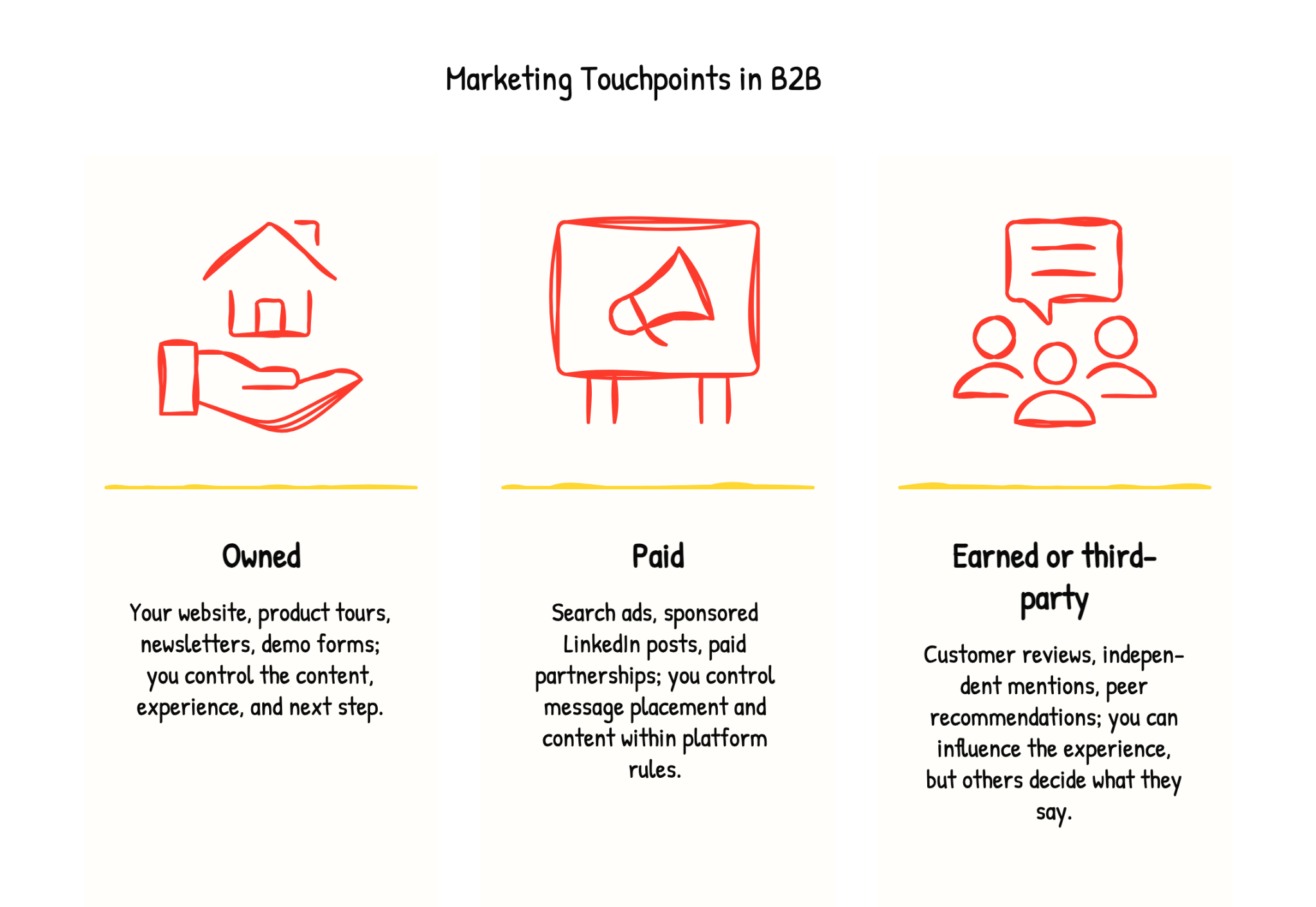
Touchpoints can happen online, offline, or through a conversation.
These touchpoints can also overlap; for instance, a conversation at a sponsored conference is both a paid and an in-person touchpoint.
Role of Marketing Touchpoints in a Buyer's Journey
When it comes to marketing touchpoints, it's important for marketing teams to understand that they go beyond just providing information. Each touchpoint should evoke a certain emotion in the customer, whether it's excitement, trust, or happiness. These emotions can influence how the person feels about your brand or product, ultimately leading them towards making a purchase decision. The key here is to have a strong understanding of your customer preferences.
The buyer's journey goes through three important stages: awareness, consideration, and decision.
1. Awareness Stage
This is the first stage of the buyer journey.
Here, the buyer is aware of a pain point that they have. Let's say your potential customer is browsing their LinkedIn feed and comes across an ad for a software company specializing in project management tools. They are already struggling with project management or thinking of switching to automation from manual management.
The ad features an attention-grabbing headline and a compelling image and mentions a free trial offer. That's it! Your LinkedIn ad serves as a marketing touchpoint for the awareness stage, as you've captured their interest in your company and products.
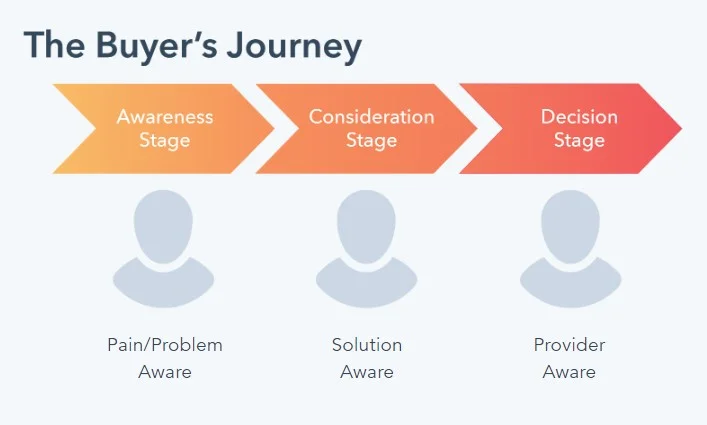
2. Consideration Stage
Now that the buyer has identified a pain point and is sure of it, they will start to evaluate various solutions to their problem. Let’s say that the potential customer has clicked your LinkedIn ad.
They now get directed to your company's website, where they see an interactive product demo, one of the customer experience touchpoints embedded on your website that showcases your product in action and helps the buyer make an informed decision.
This makes a stronger case for the potential buyer to consider your product, as the product demos allow the buyer to see the features and benefits of your product and how it can solve their pain points. When they see your product in action and are convinced you might be a good fit, they shortlist you into their consideration set and move to the next stage.
You can also use other product-focused touchpoints during the consideration stage, such as product tours, product-focused blog posts that show your product in action, and product webinars. These touchpoints provide valuable insights into your product and help the buyer determine if it fits their needs well.
3. Decision Stage
Level three is the most important stage, where the buyer decides which product or service to purchase.
They want to see proof that it's worked for other businesses. At this stage, the buyer goes to your company's website, wanting to find a case study about a similar business that successfully implemented the tool and saw positive results. But guess what? Since they already saw your product in action via product demos and product tours, they are already almost convinced about the purchase.
But marketing touchpoints such as the case study gives that little nudge to build trust and reassure the business owner, ultimately leading them towards making a purchase.
Factors.ai's 2026 Report On Marketing Touchpoints
Factors.ai’s 2026 LinkedIn revenue engine report shows that buyer engagement starts long before a deal appears in the CRM. Sustained LinkedIn engagement began about 124 days before deal creation, while sustained website activity started roughly two months before.
That means your first sales conversation may follow months of research, content engagement, and discussions you never see.
The report also found that accounts with six or more contacts engaged before deal creation had win rates 17.1 percentage points higher than the comparison group. During active deals, engaging three or more new contacts was associated with a 16.3-point increase.
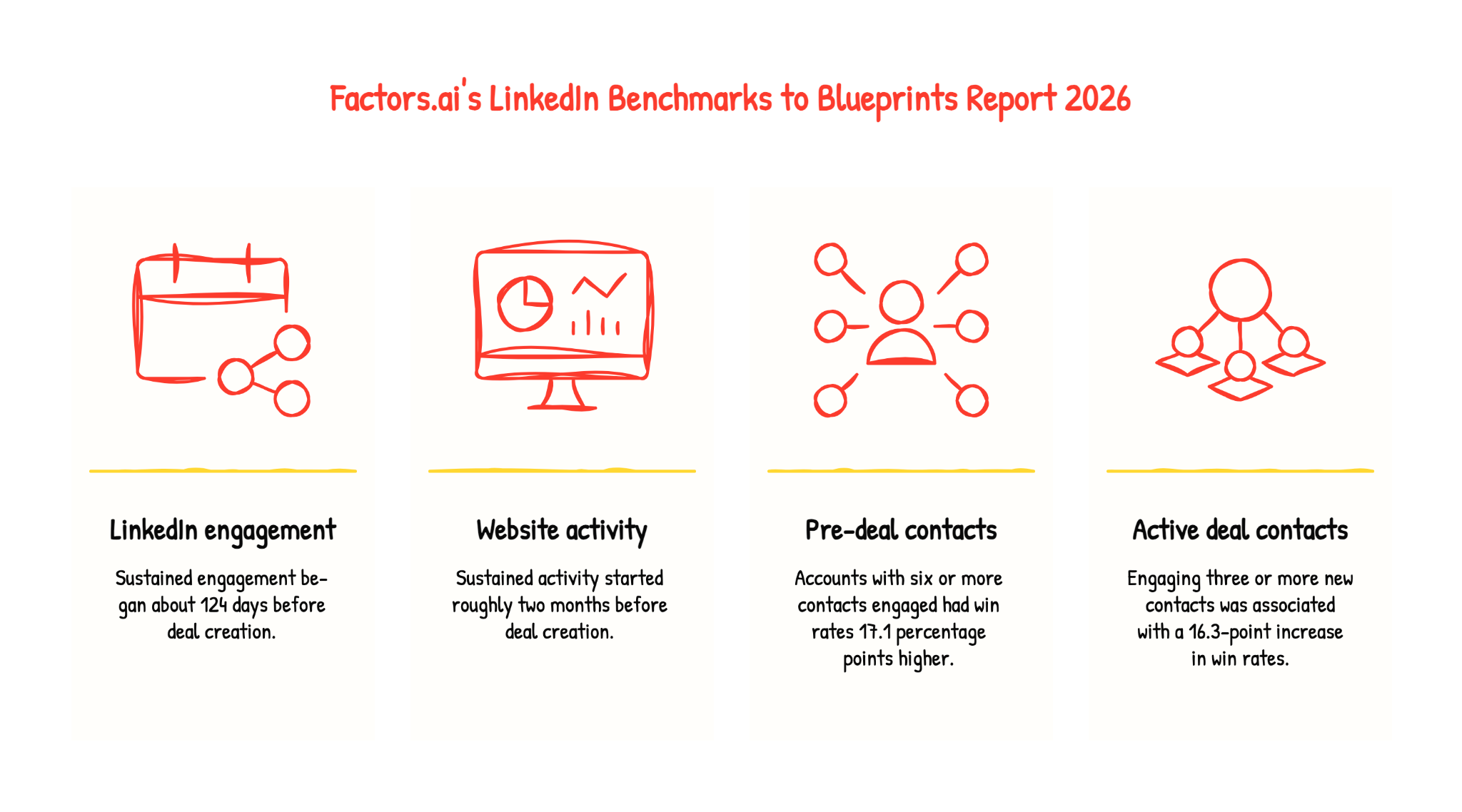
These are associations, not proof that adding contacts causes more wins. But they highlight why you should look beyond the person who books the demo.
Consider this fictional journey for a marketing team evaluating attribution software:
Who you reach matters as much as how many people you reach. In the report, accounts engaging an end user, an influencer, and a technical evaluator showed the largest win-rate difference: 22 percentage points.
Plan touchpoints around those different needs, and keep asking who else influences the decision as the deal progresses.
You may track website visits, webinar attendance, and meetings while missing internal conversations. In your customer journey map, separate activity you recorded from what buyers told you, and connect both to the account where possible.
15 Marketing Touchpoints to Motivate a Demo Booking
We’ll share 15 rewarding marketing touchpoints, real-time customer touchpoint examples from top brands, and how you can use them in different stages of the buyer’s journey.
1. Social Media Advertising
First in line - You can run social media ads targeting potential customers to create awareness about your product or service. For example, check out Hubspot’s ads on its social media channels targeting business owners to discover how their CRM platform transforms prospecting, connecting, reporting, and collaboration like never before. With bold graphics and clear visuals, their LinkedIn ad is designed for easy absorption while browsing.

Why Social Media Advertising Is a Good Marketing Touchpoint?
- Its highly targeted nature allows businesses to target specific audiences based on demographics, interests, and behaviors.
- Allows creating campaigns tailored to your ideal customers' needs and preferences, increasing the likelihood that they will engage with your content.
- Potential to reach a large target market for promoting your products or services.
{{INLINE_TOFU}}
2. Educational Blog Posts
Good old long form of content creates wonders. Nothing compensates for creating informative content that addresses the pain points of your target audience and provides solutions.
For example, check out this Moosend’s blog post - What Is Email Marketing? A Beginner’s Guide For 2023. It has everything one needs to know to streamline a successful email marketing process, from definition to benefits and practices. Ultimately, they cleverly made the reader understand how Moosend can help them with everything mentioned in the blog.
Why Blog Is a Good Marketing Touchpoint?
- Helps to drive traffic to your website and attract visitors who are interested in your offerings.
- An effective way to establish yourself as an authority in your industry.
- A very interactive way to engage with your audience is by encouraging comments and if it interests your visitor, it also helps with qualified lead conversions.
💡 Pro tip: In your product-based blog posts, embed product demos as GIFs to show your product in action
3. Webinars
Hosting webinars can be an effective marketing touchpoint as it provides valuable insights and demonstrate your expertise to potential clients.
Check out how ActiveCampaign developed a series of webinars dedicated to announcing its product updates as part of its customer touchpoint strategies. ActiveCampaign used these webinars to promote the company and communicate easily with its customers.
Why Webinars Is a Good Marketing Touchpoint?
- By sharing valuable insights and expertise, you can build credibility with your audience and also increase brand awareness.
- Allow for interactive engagement and position you as an expert in the field with attendees, including live Q&A sessions, polls, and customer satisfaction surveys.
- Can be accessed by attendees from anywhere in the world, making them a cost-effective way to reach a large audience
Customer Testimonials
A very happy marketing touchpoint and no one can deny it. Share the success stories of your loyal customers to showcase the effectiveness and value of your product or service. Check out Notion’s testimonial that made social media cool again. It had the perfect balance of hook, story arc, visuals, takeaway, and music that led everyone to explore Notion’s features.
Why Customer Testimonials Is a Good Marketing Touchpoint?
- When potential customers see positive reviews from existing customers, they are more likely to trust your business and make a purchase.
- Creates an emotional connection with potential customers by sharing real-life experiences of how your product or service has helped solve a problem or meet a need.
- Showcases newer use cases of how your existing customers are using your product, thereby motivating prospects to make a purchase.
5. Product Demos
Offer product demos to potential customers, with no strings attached. Allowing them to experience your product or service firsthand can be a good marketing touchpoint. Topylyne’s product tour is an excellent example. The very first pop-up explains what Topylyne does and how users can benefit from it.
You can learn more about creating a product demo that converts here
Why Product Demos Is a Good Marketing Touchpoint?
- Helps prospects see your product firsthand with the right product placement, how it works, and how it can benefit them, which can be more persuasive than simply reading about it or watching a video.
- Low-risk for potential customers because they can try your product or service without committing to a purchase.
- Gives your business a competitive advantage by setting you apart from competitors who don't offer a similar experience.
💡 Pro tip: Interactive demos can provide a hands-on experience of your product or service, which has better engagement than a static product demo
6. Chatbots or Live Chat on the Website
A crucial touchpoint that provides real-time support to potential customers through chatbots or live chat on the website.
Check out Hubspot’s live chat and how they use it creatively. Live chat gives these communities an opportunity to have real-time discussions and help Hubspot’s potential customers.

Why Live Chats Is a Good Marketing Touchpoint?
- Allows existing customers to get instant support and answers to their questions, which can help to build trust and confidence in your business so that they stick to your brand.
- Increases engagement by providing a convenient and accessible way for both prospects and customers to interact with your business.
- Offers assistance and guidance to potential customers. In the process, also collects their contact information for follow-up.
7. Referral Programs
It’s no secret that potential customers tend to trust recommendations from their peers more than any form of communication. In fact, a whopping 83% of customers consider friends and family as their most reliable sources of referrals. Check out Dropbox's referral program, which operates on a one-sided reward system. When you refer someone to Dropbox, you’ll both get extra storage.
Why Referral Programs Is a Good Marketing Touchpoint?
- When customers receive recommendations from their peers, they are more likely to trust the recommended product or service
- By incentivizing existing customers to refer their friends and family, businesses can acquire new customers without spending large amounts on advertising
- Referral marketing leads to a higher conversion rate compared to other forms of marketing
8. Promotional Emails
Promotional emails are different from other email campaigns and newsletters. They are sent for one particular purpose and that is to convert more potential customers. One such email is the cart abandonment email that provides an opportunity to remind potential buyers about their interest in a product and include personalized incentives, such as a free demo or consultation, and encourage them to complete the purchase. Check out Away’s cart abandonment email that motivates the recipient to complete a purchase using short, sweet, and no-distraction content.

Why Cart Abandonment Emails Is a Good Marketing Touchpoint?
- It serves as a reminder to customers about the items they left behind in their cart, encouraging them to complete their purchase and increasing conversion rates.
- Can be personalized based on the items in the customer's cart, making the email more relevant and engaging.
- Includes incentives such as discounts or free shipping, which can encourage customers to complete their purchases. These incentives can be a powerful motivator for customers who are on the fence about making a purchase.
9. Email Campaigns
Use email campaigns to send personalized messages and offers to potential customers. Check out this e-mail from Dropbox that strikes a professional and courteous tone while also providing clear instructions and links to template libraries. The call-to-action is prominently displayed, making it impossible to miss.

Why Email Campaigns Is a Good Marketing Touchpoint?
- By tailoring the message to the customer's interests and pain points, businesses can show how their product can solve their specific needs.
- Can include clear and prominent call-to-action buttons that encourage customers to book a demo.
- By sending targeted and relevant follow-up emails, businesses can remind customers of the benefits of their product and encourage them to take action.
💡 Pro tip: Embed a personalized product demo video in your email campaign, inviting the recipient to explore your product more.
10. Newsletters
Newsletters are a great marketing touchpoint as they provide an ongoing way to stay in touch with customers, offer valuable content, and can be targeted to specific customer groups, all while being cost-effective. Check out Invsion’s weekly newsletter which includes a roundup of their best blog content, favorite design links from the week, and a new opportunity to win a free t-shirt!

Why Newsletters Is a Good Marketing Touchpoint?
- Allows businesses to stay in touch with their customers and build ongoing relationships. By providing valuable content, such as tips, insights, and promotions, businesses can establish themselves as a trusted resource and stay top-of-mind with their customers
- Can be tailored to specific segments of a business's audience, allowing them to deliver targeted messaging and promotions to different customer groups.
11. Podcasts
Podcasts can be a highly engaging and informative way to showcase a product and its features. For example, The Customer Engagement Lab is a unique business-comedy video podcast that explores creative sales and marketing campaigns for customer attraction. With in-person interviews, round table discussions, and TikTok reaction customer segments, it offers a one-of-a-kind B2B experience.

Why Podcasts Is a Good Marketing Touchpoint?
- Through engaging conversations and storytelling, businesses can pique the interest of potential customers and motivate them to book a demo.
- Offers the convenience of on-the-go learning. So it can reach a wider audience and create awareness about your product.
- Can increase their visibility and credibility and motivate potential customers to want to learn more about their product through a demo.
12. Offline Conferences
Offline conferences or Summits could be another one where companies can showcase their product, and everyone attendee can get a glimpse of the product. For example, Marketo's "Marketing Nation" community provides resources, events, and networking opportunities for marketers. By building a community around its product, Marketo effectively markets itself as a comprehensive and supportive solution for marketers.

Why Offline Conferences Is a Good Marketing Touchpoint?
- Provides an opportunity for businesses to interact with customers face-to-face, building personal connections and trust.
- Attracts a targeted audience, making it easier for businesses to find potential customers and tailor their product demos to their needs.
- Increases the pace of decision making such as booking a demo as offline events activates a part of the brain associated with active reflections on decision-making
Online Customer Reviews and Ratings
Online reviews and ratings on trusted platforms are a customer experience touchpoint that motivates your prospective customers to book your demo, acting as a marketing touchpoint. Check out this positive review of Storylane, an interactive demo platform that increases trust in that brand.
Why Online Reviews And Ratings Is a Good Marketing Touchpoint?
- Acts as social proof and help potential customers evaluate the quality and effectiveness of a product, which can motivate them to book a product demo.
- Increases a business's trust and credibility with potential customers, increasing the likelihood of booking a product demo.
- It provides insights into customers' needs and preferences, allowing businesses to tailor their product demos to meet those needs and preferences better.
💡 Pro tip: Drive user engagement and increase research time by embedding interactive videos on review platforms like TrustRadius and G2. Compared to video demos, interactive demos have 3 times more engagement and lead to an average research time of 40 minutes, while the average web user spends only 45-54 seconds on a website.
14. E-Books
E-books are a good marketing touchpoint as they provide value-added content that can help attract and engage potential customers. For example, The Social Media Trends Report by HubSpot shares insights from industry insiders and helps social media marketers how to adapt marketing strategies to take advantage of the ever-changing social media landscape.
Why E-books Is a Good Marketing Touchpoint?
- By creating informative and valuable e-books, businesses can establish themselves as thought leaders in their industry, thereby gaining the trust of their potential customers.
- Create an opportunity to collect email addresses and nurture the email list with valuable content, thereby staying on top of mind for your subscribers
- Encourages readers to learn more about their product and take the next step towards booking a demo.
15. Whitepapers
Whitepapers are a good marketing touchpoint as they establish thought leadership, provide valuable insights, and help generate leads. Check out Google’s Cloud Security and Compliance White paper. This explains the efficiency of Google Cloud products and services in keeping the data of any workspace safe and secure.

Why Whitepapers Is a Good Marketing Touchpoint?
- Whitepapers are educational resources that provide valuable insights on industry trends and challenges, positioning your business as a thought leader and expert in your field.
- By offering whitepapers as gated content, you can collect contact information from interested readers and follow up with personalized outreach, increasing the likelihood of booking a demo.
- Whitepapers can be repurposed into other formats, such as blog content or social media content, expanding your reach and creating multiple touchpoints for potential customers.
How to map marketing touchpoints before a demo
Choose what you want to improve, then review a small group of accounts. Your map should help you spot unanswered questions and problems in the path to a demo.
Define the outcome and compare similar accounts
Decide whether you want to improve demo requests, bookings, attendance, or qualified meetings. Agree on how you will track each one.
Compare accounts that reached that outcome with similar accounts that did not. Use the same time period and account segment, and give both groups enough time to convert. An account that discovered you yesterday has had less time to book than one researching for a month.
If you only review successful journeys, you may mistake a common interaction for something that helped drive the booking.
List the interactions you can track
Review website analytics, ad reports, webinar activity, emails, and CRM records. For each interaction, record:
- When it happened
- Where it came from
- The campaign or content involved
- The person or account you can connect it to
Connect contacts to the right companies and match other activity where possible. Check for duplicate accounts, personal email addresses, and contacts linked to the wrong company.
Track different events separately. UTMs help identify tagged website visits, but they do not show ad impressions or every earlier interaction.
Use a table like this:
A page visit gives you a clue, not a confirmed need. Use buyer conversations and feedback to understand what someone is looking for.
Find a gap and choose one change
Look for questions buyers keep asking and next steps that leave them stuck.
Your pricing page might leave out a usage limit. Your webinar follow-up might send people to the homepage instead of a relevant resource. Your booking calendar might have no suitable slots.
Start with a gap that matters to buyers, has clear supporting evidence, and is practical to fix.
The page with the most traffic may not be the best place to start.
Measuring the Success of Your Marketing Touchpoints
Tracking successful marketing touchpoints is very important and is possible. But it isn’t always easy, as,
- Conversion types can vary widely. For example, some businesses rely on conversions like phone calls, live chat, and form fills to create leads that are then closed offline by sales teams. But it is quite a task to track the volume of these conversion types and attribute the closed revenue back to the marketing channels and campaigns that drove those conversions.
- Customer journey mapping can be lengthy. 15 is just a start. There can be hundreds of touchpoints for some industries. While some insight can be gained into which channels drive conversions, it can be challenging to attribute closed revenue to the proper channels.
- Crediting the last-click conversion is not sufficient enough. It is important to credit all supporting touchpoints in the customer motivation journey. Without proper lead tracking, ensuring that marketing channels and campaigns receive fair credit for driving revenue is impossible.
Which marketing touchpoints suggest a buyer is ready for a demo?
A direct request to see the product is the clearest signal. Other activity can help you decide when a demo invitation might be useful.
Consider whether the account fits your product, what people have researched recently, and who is involved. Several people exploring product details may deserve more attention than one person reading an introductory article.
Use these as starting points. Track whether your approach leads to attended demos with suitable buyers, then adjust it based on results and feedback.
How to measure marketing touchpoints that contribute to demo bookings
Track how buyers move through the demo funnel before giving channels credit. A campaign may generate plenty of requests but few meetings with suitable buyers.
1. Track each demo milestone separately
Use the same definitions across your reports:
Multiply each rate by 100 to get a percentage. Define which visits count as eligible and whether your booking rate includes all requests or only qualified ones.
Connect requests, bookings, and attendance records so a rescheduled meeting does not count as a new demo. Also decide how to count multiple meetings with the same account.
Give buyers enough time to progress. Demos from last week have had less time to become opportunities than demos from last quarter.
2. Use attribution to understand the recorded journey
Attribution assigns credit to the interactions you tracked:
- First-touch: Credits the first eligible interaction.
- Last-touch: Credits the last eligible interaction.
- Multi-touch: Shares credit across eligible interactions using set rules.
For the same demo booking, first-touch might credit an educational article, while last-touch credits a comparison-page visit. Each shows a different part of the journey.
When comparing reports, use the same outcome, eligible interactions, attribution window, and reporting dates. Our cross-channel attribution guide explains these choices.
Attribution models do not prove that a touchpoint caused the booking. Use it to identify patterns and decide what to test.
Fill gaps with buyer feedback
Your data may miss private conversations, event discussions, and research through AI tools. Tracking and identity-matching limits can leave gaps too.
Ask buyers:
- “How did you hear about us?”
- “What prompted you to book this meeting?”
Keep their answers separate from tracked activity. A direct visit or branded search does not tell you what first influenced someone. Missing data does not mean there were no earlier interactions.
How to improve touchpoints that are losing demo bookings
Find a specific problem, then choose a change that could solve it.
If qualified prospects submit a form but do not book, check whether the calendar loads, suitable slots are available, and requests reach the right person.
If buyers keep asking technical questions before booking, add the missing answers to your integration page and offer a way to discuss their requirements.
For each change, define what you expect to improve. A scheduling change should improve request-to-booking rate. Check attendance and qualification too, so more bookings also lead to useful meetings.
Run a controlled test where possible. Otherwise, compare similar periods and record other changes that may have affected results. An improvement after a change does not, by itself, prove the change caused it.
How Factors.ai helps you review account touchpoints
Factors.ai brings captured activity together so you can review an account’s journey. Its Account Timeline shows website activity, account details, interest signals, and recorded sales interactions from connected sources.
For example, you can review an account’s product and pricing visits alongside sales conversations. This helps your team prepare a relevant follow-up and spot questions that still need answers.
With Engagement Scoring, you can choose which signals matter, set their weights, limit the effect of repeated activity, and give older interactions less weight. Use the score to prioritize accounts, then review their activity before deciding what to do.
Factors’ analytics and attribution capabilities help you connect recorded interactions to funnel progress, pipeline, and revenue.
What you can see depends on your connected sources, captured activity, and account matching. Private conversations and unrecorded interactions will still be missing.
Watch the account-activity walkthrough to see how website activity can help your team review accounts.
Effective marketing touchpoints are key to moving prospects through the buyer’s journey and securing demo bookings. Here’s how to optimize each stage:
1. Awareness: Capture attention with LinkedIn ads or blog content that addresses your audience’s pain points and introduces your solution.
2. Consideration: Build credibility through case studies, whitepapers, or webinars that showcase real-world results and thought leadership.
3. Decision: Nudge prospects toward action with personalized emails, targeted retargeting ads, or intent-based outreach.
Using a well-orchestrated mix of these touchpoints ensures a seamless buyer experience—boosting engagement and increasing demo conversions.
Wrapping Up
Understanding the customer's entire journey, business outcomes, and business goals is very important in deciding which marketing touchpoint can be effective for you. By understanding the buyer's journey, finding your customer journey map, and aligning the effective touchpoints accordingly, you can create a seamless experience for your customers. Diversify the touchpoints and experiment with new ones to stay ahead of the competition. Focus on providing value and building trust with customers and successfully use these touchpoints to increase the number of product demos booked and achieve their marketing goals!
Frequently asked questions on marketing touchpoints
Q. How many marketing touchpoints does it take to book a demo?
There is no universal number. It depends on your product, how well buyers know you, how many people are involved, and what you count as a touchpoint.
Review your own demo bookings over a defined period. Count person-level and account-level activity separately, and look at the range of journeys rather than just the average.
Q. What is the difference between marketing and customer touchpoints?
Marketing touchpoints are interactions with your brand and its communications. Customer touchpoints cover the wider relationship, including buying, onboarding, support, and renewal.
They can overlap. A webinar might help a prospect evaluate your product or teach a customer how to use a new feature.
Q. How do marketing touchpoints differ from sales touchpoints?
Marketing touchpoints include content, campaigns, events, and website visits. Sales touchpoints include conversations, discovery calls, demos, and proposals.
Buyers move between both, so marketing and sales should share context and coordinate follow-up.
Q. What tools help track marketing touchpoints?
Website analytics, ad platforms, email tools, webinar software, scheduling tools, and CRMs each track part of the journey. Account intelligence and attribution tools can connect supported activity across these sources.
Check what a tool captures, how it matches people to accounts, and whether it connects demo bookings to later outcomes. No tool captures every interaction.
Q. Which marketing touchpoints should a B2B team improve first?
Start with a problem you have evidence for, such as unclear pricing, unanswered integration questions, or qualified demo requests that never become bookings.
Choose one change, define what success looks like, and check whether it helps suitable buyers move forward.

MarTech in 2026: How to Build a Lean, Revenue-Driven Stack
A no-BS guide to MarTech in 2026. Learn how to cut tool sprawl, choose the right marketing intelligence and attribution tools, and prove ROI with revenue metrics.

TL;DR:
- Your martech stack doesn’t need to be bigger; it needs to be smarter and leaner.
- MarTech ≠ AdTech: AdTech buys attention, MarTech turns it into pipeline and revenue.
- The market is huge (15k+ tools) and consolidating. Buying by job-to-be-done is non-negotiable.
- Shortlist tools by category: automation, intelligence, attribution (e.g., Factors.ai), and AI automation.
- Implement with simple 14-day playbooks: connect data, standardise naming, build one exec dashboard, automate a few key journeys.
- Prove ROI with SQL rate, pipeline $, win rate, CAC payback, LTV: CAC, not opens and clicks.
- Run 30-day pilots with clear success criteria; if a tool doesn’t move revenue, don’t keep it.
Marketers, how often do you resonate with the sentence, “My martech stack feels more like a SaaS rescue shelter”?
You know what I mean, a stack full of abandoned tools, overlapping features, and mystery invoices.
Well, you’re not alone.
Most B2B marketing teams operate with tens of tools. And yet, the revenue pipeline is often flat, attribution is fuzzy, and the CFO keeps asking why marketing spends more on software than on branding.
MarTech in 2026 is bigger and smarter than ever. Ironically, it is also more confusing than ever.
That’s where this no-BS guide steps in.
I built this to help people in the trenches: marketing ops, demand gen, and analytics leads at B2B SaaS and services firms who don’t need more tools; they need the right tools.
What Is MarTech (and How It Differs from AdTech)?
MarTech is all the software you use to create, automate, personalize, analyze, and measure your marketing efforts. That covers email, SMS, landing pages, reporting, attribution, AI automation, lead scoring, and dashboards.
Basically, if it touches a marketing workflow, it’s MarTech.
Examples you’ll know of: HubSpot, Marketo, Braze, Factors.ai, Salesforce Marketing Cloud, Funnel, Adverity, Looker, Zapier/Make.
It’s much easier to understand than AdTech, which focuses on buying media, optimizing ads, managing bigs, and working with different ad networks. That’s what Google Ads, Meta Ads Manager, DV360, and The Trade Desk do.
The State of MarTech in 2026: Bigger, Smarter, More Consolidated
If the modern MarTech ecosystem were a city, it would be Mumbai or Manhattan: crowded, expensive, and expanding vertically (and uncontrollably).
- There are 15,384 martech solutions in 2025; up 9% YoY from 14,106 in 2024.
- A staggering 1,211 tools were removed (either through acquisition or simply shutting down) ≈8.6% churn.
- Gartner warns that over 40% of agentic AI projects will be scrapped by 2027 because they were “overhyped” or delivered minimal business value.
Enterprise adoption of AI-native tools is growing fast, but usage depth is low. Everyone’s buying AI market intelligence software, but they don’t seem to know what to do with it…yet.
For you, fellow marketer, that means not just more choice than ever before, but also more noise.
The 2026 Category Map for Market Intelligence Tools
Ever woke up thinking, “Wow, we need another tool.” Me neither. Early morning thoughts usually include, “Why is attribution still lying to me?” or “Why are our leads stalling at SQL?”, "Why aren't these marketing campaigns working?", or "Where are the actionable insights I was promised?"
You pick the right marketing automation tools to give you real competitive intelligence when you think of the job to be done. Forget market trends and industry trends for a bit; what does the tool need to get done for you to thrive?
Here’s a framework that actually maps how operators buy MarTech in the real world:
| Job To Be Done | Outcome You Want | Tool Category | Example Platforms |
|---|---|---|---|
| Orchestrate journeys, automate engagement, scale lifecycle campaigns | Higher engagement, increased SQLs, reduced manual work | Marketing automation SaaS | HubSpot, Marketo, Braze, Salesforce Marketing Cloud |
| Unify data, build dashboards, track emerging market trends & competitors | Single source of truth, better insights, faster decisions | Marketing intelligence tools | Funnel, Adverity, Fivetran • Klue, Crayon |
| Understand what drives pipeline & revenue; reduce wasted spend | Accurate attribution, smarter spend, tighter CAC | Attribution & analytics | GA4, Looker • Factors.ai (multi-touch, account-based attribution) |
| Automate workflows, deploy AI agents, reduce manual load | Faster execution, lower headcount cost, fewer repetitive tasks | AI automation tools | Adobe Agents, Zapier/Make, emerging agentic AI |
{{INLINE_TOFU}}
How to Choose Marketing Intelligence Software in 2026
Don't sign another six-figure martech contract just yet. Before that, run every vendor through this filter. If they fail more than 2–3 of these, you'll probably regret buying the marketing intelligence platform. If it meets all of these, you're buying a competitive edge.
- Clear use-case & KPI: What will this tool move?
Finish this sentence. If you can't, don't buy it.
“We’re buying this tool to [do X], so that we can improve [metric] by [Y%] in [Z months].”
B2B firms usually look at these KPIs:
- SQL rate (lead → opportunity)
- Pipeline generated (by channel/campaign)
- Win rate
- CAC and payback period
- LTV:CAC
Ask vendors:
- “Which specific KPIs do your most successful customers track with your product?”
- “Can you show examples of before/after metrics (anonymized, of course)?”
- “What results should we not expect in the first 90 days?”
Red flags: Vague answers like “better engagement” or “AI-powered experiences” that do not connect to SQLs, opps, or revenue.
- Data model & PII handling
You're not just buying a tool's features but also its data model and risk profile.
With GDPR, CCPA, and many U.S. state laws, mishandled PII creates liability. Fines under GDPR can be up to 4% of global annual turnover or €20M (whichever is higher).
Ask vendors:
- “Do you act as a processor or controller under GDPR?”
- “Where is data stored geographically?
- “How do you handle deletion/‘right to be forgotten’ requests?”
- “What exactly do you store on leads, contacts, and accounts?”
Red flags: If they say, “We’re still working on our DPA,” or “we don’t really store PII… just names, emails, and IPs.”
- Integration with CRM / warehouse / CDP
Any tool that cannot connect to your CRM and data warehouse is dead weight. The right marketing intelligence platform will do exactly that.
Data professionals spend ~44% of their time just on data preparation and integration. Integration-hostile tools simply further complicate this conundrum.
Here's what you cannot do without:
- Native integration with your CRM (Salesforce, HubSpot, Dynamics, etc.)
- API access for custom needs
- Webhooks or event streaming for close to real-time updates
- Ability to sync with your warehouse or data lake (Snowflake, BigQuery, Redshift, Databricks)
Ask vendors:
- “Do you have production customers using [our CRM] + [our MAP] with no custom middleware?”
- “What data syncs both ways, and what’s read-only?”
- “What’s the typical integration time with stacks like ours?”
Red flags: They say, “We integrate with everything via Zapier,” or “Yes, we can integrate, you just need a small services project…” RUN.
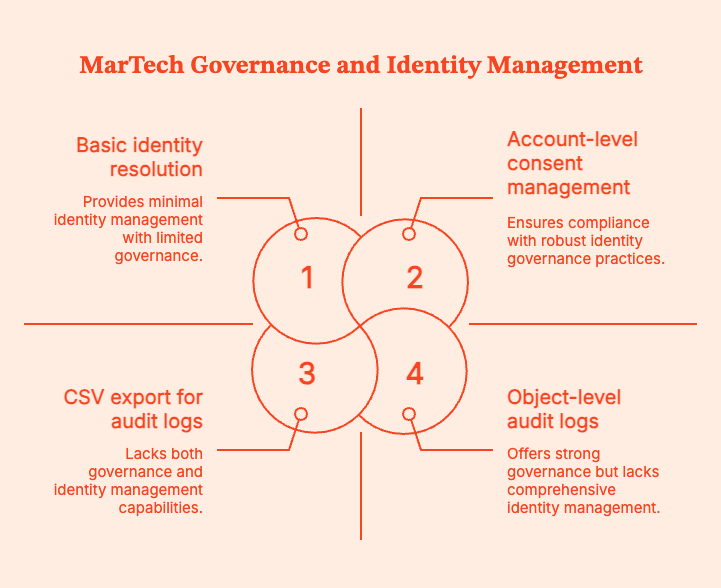
- Governance & audit logs
Governance is non-negotiable, especially when AI or automation enters your stack.
Managers and teams need to know:
- Who created or edited workflows, segments, models?
- When AI acted autonomously vs. when a human approved.
- What data was changed and why?
A 2024 IBM Cost of a Data Breach report found that the average breach costs $4.88M globally. Poor access controls and auditability will make it harder to detect and minimize the impact of customer data breaches.
Ask vendors:
- “Do you have object-level audit logs for workflows, models, and campaigns?”
- “Can we restrict who can publish AI-generated changes?”
- “Can we export logs for compliance?”
Red flags: Anyone says, “We can send you CSV exports if you need history.”
- Identity & consent
In B2B, your real unit of value isn’t just a “lead,” it’s an account. Your tools need to:
- Stitch people to accounts.
- Resolve anonymous traffic by identifying likely accounts (reverse IP, B2B intent data).
- Respect consent and preferences across channels.
Reverse IP and account intelligence tools like Factors.ai can help find companies visiting their sites and connect their activity to CRM accounts. I've personally used it to close large attribution and intent gaps.
You might like to read: Top 7 Marketing Attribution Tools in 2025
Ask vendors:
- “How do you resolve identities across web, email, ads, and CRM?”
- “Do you support account-level journeys and reporting?”
- “Can your platform ingest and respect consent flags from our existing systems?”
Red flags: They say, “We treat everyone as just users with emails”.
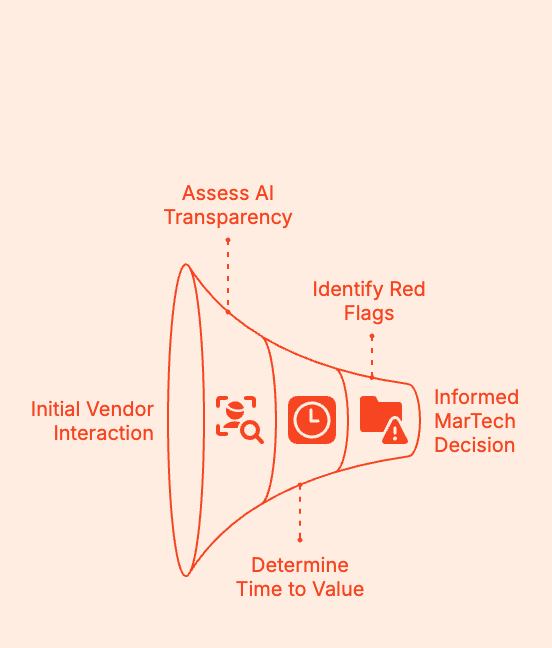
- AI transparency
You need to identify AI tools that deliver valuable insights, driving revenue growth. Don't be fooled by marketing hype.
Ask vendors:
- “List specific tasks your AI can perform end-to-end without human intervention.”
- “What is human-in-the-loop vs. fully automated?”
- “Why was the lead scored high?”
- “If your AI makes a wrong decision, how do we roll back or correct it?”
Red flags: They say, “It just learns from your data,” or “it’s like having a marketing co-pilot.”.
- Time to value (TTV)
Let's say a tool takes 6–9 months to implement, plus another 3–6 months to meaningfully impact the pipeline. That is a 12-month bet.
With a median initial contract length of often 12 months, you might be renewing a tool before you’ve truly seen ROI.
So, ask vendors:
- “What have customers with a stack like ours achieved in the first 30, 60, 90 days?”
- “What is your typical onboarding timeline for [company size/type]?”
- “What’s not realistic to expect in the first quarter?”
Red flags: The vendor says, “It depends,” with no examples from similar customers.
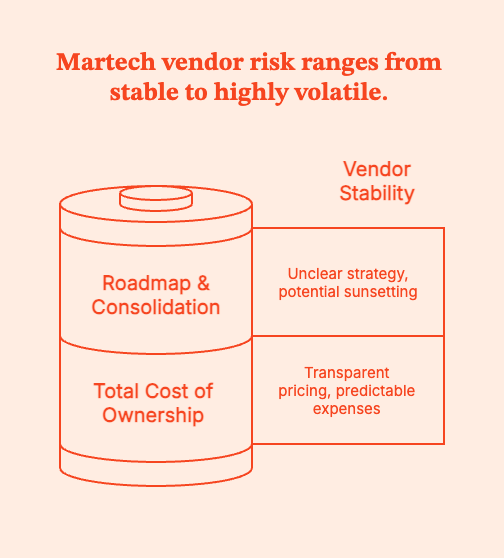
- Total cost of ownership (TCO)
The annual licence is usually the tip of the pricing iceberg.
Real TCO includes:
- Licence/subscription
- Onboarding/implementation fees
- Required seats (marketing, sales, ops, analytics)
- Services (vendor PS, agency hours, contractors)
- Data/storage/compute or AI “credit” overages
- Internal time (ops, analytics, IT)
Zylo’s 2024 SaaS Management Index found that “at least 50% of SaaS licences are underutilised or unused” in many enterprises.
Ask vendors:
- “What’s the typical all-in cost (licences + services) for customers similar to us?”
- “How many FTEs do we realistically need to operate this tool well?”
- “Coverages, add-on modules, mandatory PS?”
Red flags: “We’ll work something out with your rep,” and 14 different SKUs for basic functionality.
- Roadmap & consolidation risk
Martech vendors are being bought, rolled into suites, or quietly sunset. Especially if they incorporate AI or machine learning.
It's possible that your chosen tool might:
- get sunset,
- become a buried feature in a suite,
- pivot away from your use case.
Ask vendors:
- “Where does your product sit in your company’s long-term strategy?”
- “Have you sunset any major features in the last 24 months?”
- “If you were acquired tomorrow, what protections would we have (data export, contract terms)?”
Red flags: Entirely inbound-driven product plans (“we build whatever customers ask”), or obvious “built to flip” intent.
Shortlists to Evaluate: My Recommendations
For more details, we’ve also laid out the 9 Best B2B Marketing Tools and Platforms.
1. Marketing Automation SaaS
- HubSpot
- Marketo
- Braze
- Salesforce Marketing Cloud
2. Marketing Intelligence Tools
- Funnel
- Adverity
- Fivetran
- Klue
- Crayon
- Brandwatch / Sprout Social (for social intel)
3. Attribution & Analytics
- GA4 + Looker
- Factors.ai (multi-touch attribution, account journeys, revenue modeling)
- HockeyStack
- Improvado
4. AI Automation Tools
- Adobe Agents
- Zapier / Make
- Early-stage GTM agents (with caution; proof > promises)
Implementation Playbook: Automation for Data-Driven Decisions
| Phase | Days | What to Do | Output / Milestone | Success Signals |
|---|---|---|---|---|
| Plan | 1–2 | Pick 2–3 revenue-critical journeys (demo, trial, pricing) and define triggers & success metrics | Clear journey map = “Who enters → What they get → What success means” | Alignment across marketing → ops → sales |
| Prepare | 3–4 | Import *only consented* contacts; fix fields (job title, region, lifecycle, source) | Clean, segmented audience with correct lifecycle stages | No “zombie lead” contamination |
| Build | 5–7 | Create 3 flows — Welcome, Nurture, Reactivation — with short, value-forward messaging | All 3 flows completed with logic + content | First batch of leads ready to enter flows |
| Enhance | 8–9 | Add routing: alerts for high intent, tasks for SDRs, simple scoring rules | SDR notified when buying signals spike | Time-to-follow-up drops sharply |
| QA | 10–11 | Check links, triggers, CRM sync, device rendering, unsubscribe/preferences | Zero delivery/UX blockers | Sales won’t get bad-fit or confused leads |
| Launch + learn | 12–14 | Launch → monitor SQL rate, opp creation, cycle speed daily for 5 days | First automated leads progressing through funnel | Increase in SQLs and opps attributable to automation |
Implementation Playbook: Intelligence for Competitive Advantage
| Phase | Days | What to Do | Output / Milestone | Success Signals |
|---|---|---|---|---|
| Connect | 1–2 | Sync CRM + ad platforms + automation platform into single pipeline | All performance + funnel data flowing | No manual reporting patchwork |
| Normalize | 3–5 | Standardize naming (region, channel, segment, stage, objective, campaign type) | Unified taxonomy adopted across channels | Reporting filters become usable |
| Build | 6–9 | Create ONE executive dashboard (Leads → SQL → Opp → CW, CAC, attribution influence) | CRO-friendly dashboard with 60-sec readability | Leaders voluntarily reference it |
| Analyze | 10–11 | Track anomalies and trends every week across CPL, SQL%, spend, opp cost, and pipeline contribution | Weekly “show me what changed and why” | Decisions driven by insights, not opinions |
| Share | 12 | Present 30-minute readout: 🔹What’s working 🔹What’s not 🔹What we’re changing next | Leadership alignment + budget flexibility unlocked | No more “marketing doesn’t know what’s going on” |
| Operationalize | 13–14 | Turn repeated insights into playbooks (“When this happens → do this”) | Reusable playbooks for budget shifts and optimization | Weekly iteration loop becomes a habit |
Proving ROI
Your CFO and CRO don't care about the number of leads. Stop reporting stats that describe activity and report stats that describe revenue impact.
An email got a 42% open rate. No one cares.
A landing page got a 2.7% CTR. Congratulations! Where's the deal closed?
Metrics that matter are tied to sales outcomes and cash flow.
Don’t forget to take these 10 Key Customer Engagement Metrics into account.
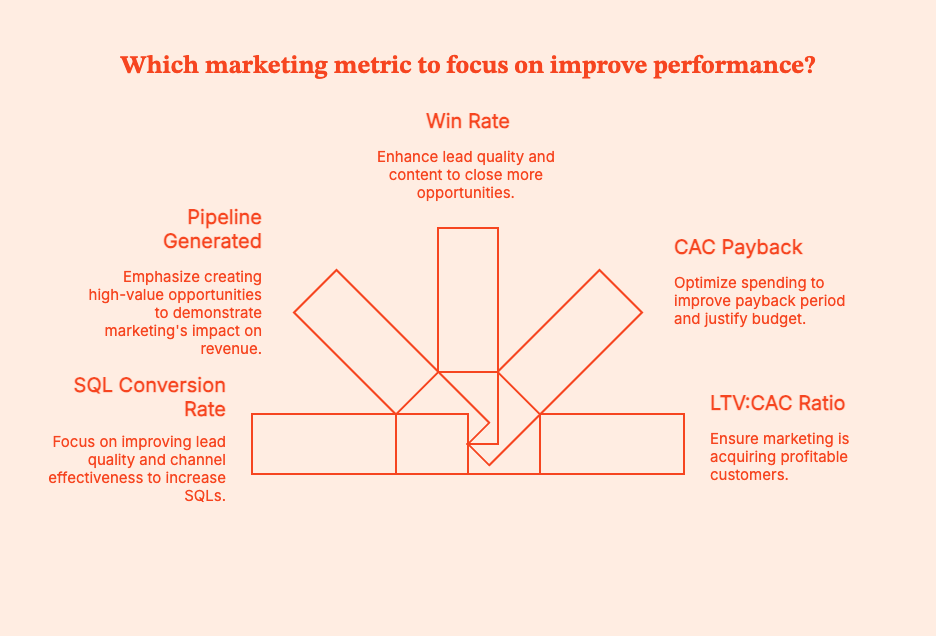
- SQL Conversion Rate
SQL Rate = (Number of leads that turned into Sales Qualified Leads ÷ Total leads) × 100
Pro-Tip: To know which channels and journeys generate SQLs vs. just “marketing-qualified traffic”, use Factors.ai to connect form fills + product usage + sales touches + web behavior. You'll find which touchpoints move contacts to SQL.
- Pipeline Generated (in $)
What it tells you: Pipeline is the total dollar value of opportunities that marketing helped create or influence. Pipeline is the common language between marketing and sales. If marketing grows a pipeline reliably, the CFO will see the value of spending.
- Win Rate
Are leads entering opportunities that can actually close?
Win Rate =Total Opportunities/Closed Won Opportunities
An improving win rate implies that:
- Lead quality is up
- ICP targeting has sharpened
- Content is helping deals move faster
4. CAC Payback
CAC Payback = Gross margin per month/Cost to acquire a customer
Pro-Tip: If payback improves after a new spend or tool, no one questions the budget.
5. LTV:CAC Ratio
LTV: CAC = Customer Acquisition/Cost Lifetime Value
This metric proves that marketing is closing profitable customers.
30-Day Pilot Plan Template
Entry Criteria: Do Not Start Without These
| Entry Requirement | Definition | Why It Matters |
|---|---|---|
| Clean data | Contact + account data is de-duplicated, lifecycle stages are accurate, lead source/UTM consistent | Dirty data will mess up your SQL rate, attribution, and pipeline impact |
| Clear KPI | Single primary target metric, e.g., “improve SQL rate by 15% in 30 days” or “reduce CAC payback below 12 months.” | You need this "north start" if you don't want the test to drift and become impossible to measure. |
| Defined use-case | Narrow scope (e.g., trial → SQL nurture, demo → opp acceleration, reverse IP → outbound intent) | Enables fast launch and easy to measure impact |
| Baseline metrics captured | Snapshot of performance before pilot begins | “before vs after” comparisons: no ambiguity |
Pilot Execution (30 Days)
| Week | Focus | Key Activities | Outputs |
|---|---|---|---|
| Week 1 | Setup & activation | Configure the tool, connect CRM + MAP + ad platforms, import clean data, map workflows | Tool is operational, integrations working, data is data-ing |
| Week 2 | Launch use-case | Deploy the targeted use case (example: nurture flow, anomaly alerts, reverse IP → SDR alerting) | “Day 1” of usage on real leads/accounts |
| Week 3 | Evaluate performance | Track SQL movement, pipeline created/influenced, cohort performance, cycle time | First indicators of whether the tool is improving efficiency |
| Week 4 | Optimize & score | Apply learnings (tests/adjustments), compute KPI changes, compare to baseline | Clear performance report + recommendation |
Exit Criteria: Is the Tool Worth the Money?
Judge the pilot only on business outcomes, not ‘vibes’ or effort.
| Metric | Success Looks Like? |
|---|---|
| SQL quality & volume | Lift in SQL rate (+10–20%) or more opportunities from the same lead volume |
| Pipeline & revenue efficiency | CAC payback reduced, more pipeline per dollar spent, higher win rate, improved deal velocity |
| Cycle time | Faster progression from lead → SQL → opportunity |
| Operational lift | Sales alerted faster, fewer routing errors, better attribution visibility |
| Negative/neutral outcome (“stop” signal) | No material lift in SQLs/opp creation, weak adoption, high service cost, data problems |
Go/ No-Go Decision Framework
| Scenario | Verdict | Next Steps |
|---|---|---|
| Pilot met or exceeded the KPI target | Go | Scale rollout and negotiate contract |
| Pilot did not hit the KPI target, but has a clear optimization path | Conditional Go | Extend the pilot 15–30 days with a specific goal in mind |
| Pilot failed. No strong hypothesis for improvement | Stop (No-Go) | Do not expand, do not renew. Sunk cost is NOT justification |
Please learn from my previous failures when I say: a failed pilot saves you more money than a long-term commitment to something that doesn’t move revenue.
Future-Proofing Your MarTech Stack
Your Martech stack will (hopefully) evolve with a constantly shifting tech horizon. When deciding on a tool, take these signals into account:
- AI-native agents are finally becoming practical. Tools that work dynamically are already worth US$5.4 billion in 2024, set to grow rapidly. The “AI marketing” market was estimated at US$47.3B in 2025, with forecasts pointing to > US$107B by 2028.
AI is not a fad. Its infra is getting better, and modern stacks should incorporate AI-driven workflows. - Privacy-first, data-first pipelines are here to stay. Orgs collect more data than ever before: first-party metadata, behavioral, and account-level. It is the org's responsibility to manage that data responsibly, securely, and compliantly.
- Warehouse-native marketing is rising. That means fewer silos and more data fluidity. Unified, data-driven marketing stacks (with analytics, attribution, CRM, customer feedback, and automation connected to the same warehouse or data layer) are increasingly the backbone of serious marketing departments.
- Immersive interfaces like VR / XR / new channels are flagged among global tech “megatrends.”
Build a stack that’s modular, privacy-conscious, and data-centered. Stay “upgrade-ready” for when immersive or alternative-channel marketing becomes viable.
Summary:
Most B2B marketing teams aren’t suffering from a lack of tools. They’re suffering from too many of them. Tech stacks with 25 to 60+ products are common, but pipeline is flat, attribution is sketchy, and nobody can explain half the invoices.
What is MarTech? It’s the software to create, automate, personalise, and measure marketing (email, journeys, analytics, attribution, AI, dashboards).
The landscape in 2026 is massive, AI-heavy, and consolidating fast. That’s why you can’t buy by category anymore.
Choose your tools based on use-case, data/PII, integrations, governance, identity, AI transparency, time to value, TCO, roadmap, peer proof, and practical shortlists across categories.
You can use plug-and-play implementation playbooks (14-day automation and intelligence setups), which show you how to measure success (SQL rate, pipeline, win rate, CAC payback, LTV: CAC), and offer a 30-day pilot framework so you stop buying tools based on vibes.
Future-proof your martech stacks with AI agents, warehouse-native marketing, and privacy-first data.
FAQs for MarTech Solutions
Q. What is “martech”?
Martech (short for marketing technology) includes all the software (offline and online) used to create, automate, personalize, and measure marketing experiences.
If it touches a marketing workflow, it’s martech.
Q. How is martech different from adtech?
AdTech covers tools for media buying and activation. Think paid ads, bidding, targeting, DSPs. MarTech includes tools for owned data, mapping user journeys, personalization, and measurement.
AdTech gets attention. MarTech turns attention into revenue.
Q. Which marketing automation SaaS should I shortlist in 2025–2026?
A quick shortlist for choosing martech in the US B2B domain:
- HubSpot
- Marketo
- Braze
- Salesforce Marketing Cloud
Q. What are “marketing intelligence tools”?
Marketing intelligence tools integrate and clean data, standardize naming, extract insights, and track competitive trends. These tools often come in two branches:
- Data intelligence: Funnel, Adverity, Fivetran
- Competitive/market intelligence: Klue, Crayon
Q. Do AI automation tools actually work?
Some do. Some are cosplaying at it. For instance, Adobe’s agents can autonomously implement on-site actions. But tools will just give you bots that say they’re “taking actions” but really just send a Slack notification.
To find the good AI tools, run tightly scoped pilots with clear KPIs.
Q. Has the martech market consolidated or expanded?
It’s actually done both.
- The market is bigger than ever (15,384 products in the 2025 ChiefMarTec landscape).
- But platforms are consolidating into suites, especially around automation, identity, and loyalty/CDP.
Q. What tools are marketers actually using in 2025?
A few real-world stacks would be:
- HubSpot or Klaviyo for automation
- GA4/Looker for analytics
- Ahrefs/Semrush for SEO
- Canva/Figma for creative
- Zapier/Make for workflow automation
Q. How do I avoid tool sprawl?
After every procurement call, ask yourself, “What is the job to be done — and what KPI will this improve?”
- Buy tools by job, not category.
- Demand native integrations + SSO.
- Run a 30–60 day proof-of-value pilot.
- Look at peer proof from G2 / Gartner Peer Insights.
Q. Where do I track martech trends?
These are reliable sources to track MarTech trends:
- ChiefMartec landscape.
- Industry reports (Grand View Research, MarketsandMarkets)
- MarTech.org coverage and research
- Gartner Hype Cycles
You can also learn from LinkedIn, Slack groups, and Reddit, because real people have no reason to lie about a product.
Measuring Marketing With Change Science (Part 1)
Discover how change science may be used to evaluate marketing success. Learn how to use statistical significance to make daily decisions as a marketer

We all have heard the saying: “Change is the only constant,” which translates to the fact that everything changes, every time. While that is too philosophical, and since marketers – more so data-driven B2B marketers – are not really fans of philosophy, there is a need to “measure” change. And not just that, a business needs to “attribute”, “rank”, “predict”, “explain”, and hopefully even “bring about" change using data analytics. Since statistics is the mother of all real-world measurements, and probability is the grandmother thereof, the science of measuring change too lies somewhere close by.
Since surface (i.e., not deeply thought-out) definitions are easy to make but difficult to follow with real-world data, the real challenges are solved by taking support from the well-researched areas of data science and probability. One extreme is to discuss the topic of change with its extreme roots, but that could easily fill-up a book (which is under way), but we stick to measuring change w.r.t. marketing analytics.
The questions
The main questions from a marketing perspective are: “What main factors changed from last week to this?”, and “By how much did these main factors change?”. But before that, let us understand something even more basic.
Why to measure?
Marketers take various targeting decisions on a daily basis – which audience to target, how frequently, and with what kind of marketing campaigns. They also have to keep track of various prospective customers, their journey, their overall statistics, and most importantly, reasons why a particular technique worked (or didn’t work) – be it a campaign or a strategy. And there are various goals when it comes to marketing. While some techniques could be motivated towards increasing reach (where it’s important to maximize the number of eyeballs a webpage could get), others increase conversions (at various points in a funnel – form-fills, email cold/warm calls, prospects, pre-sales, sales, etc.).
The foregoing marketing goals are achieved by measuring both static marketing performances (i.e., what happened today / this week), and also more dynamic, time-aware ones. While analyzing performance over time is a comprehensive view of marketing goals’ achievements / shortcomings and hence makes it cumbersome to digest multiple metrics of interest in a single frame, summaries of the same are preferred. And one of the summaries of a dynamic measurement of marketing performance comes in the form of change – that is, what changed, by how much, and why. In this article, we would focus on measuring overall changes, and would dig deeper into measuring the causes for the same in a follow-up blog.
What to measure?
Based on the business requirements, marketers focus on tracking and eventually improving relevant KPIs (key performance indicators). For the scope of this article, we would explain change analysis taking the example of one important metric marketers are concerned about – the number of leads they generate every week. They achieve this by driving relevant visitors to their website every week. Any change in the number of leads that they get as compared to what they expected calls for an investigation on the reasons for the difference between expected and actual metrics.
Since the first step into any such investigation is to measure and compare (with last week) some global performance indicators measuring the reasons for change, the same is the focus of the current article. Hence, keeping a webpage in mind, we take the example of measuring the number of visitors (those who reached the website), the number of leads (visitors who reached target), and the conversion rate therefrom (leads per visitor).
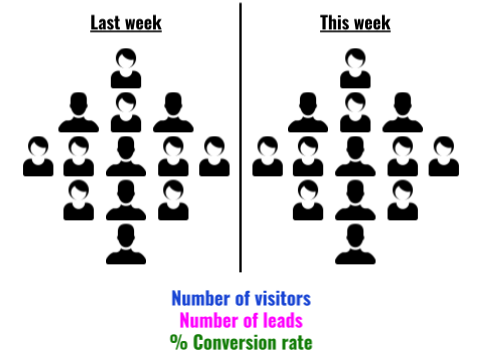
When we perform these measurements for two given periods of time (say consecutive weeks), we could compare them. Let V1, L1, and C1 represent the number of visitors, number of leads, and conversion rate of week 1 respectively, and let V2, L2, and C2 represent the same measurements from week 2.
{{INLINE_TOFU}}
How to measure?
The four simple change measurements one could perform are the following:
- Total change: This is the most basic measurement of interest that preserves both the “unit” and the “sign” of change. For example, if the number of website visitors who filled out a form changed from 50 last week to 75 this week, we get an absolute change value as +25 form-fillers. In short, it answers the question: “How much more/less?”.
More formally though, one could measure absolute change in visitors (𝚫V = V2-V1), leads (𝚫L = L2-L1), and conversion rates (𝚫C = C2-C1). - Relative change: While absolute change remembers the unit of the entity one is measuring, it is – more often than not – more convenient to adopt a normalized change score. Taking the same example as before, change in the number of form fillers from 50 to 75 means a change value of +25, but the same is true if form-fillers had increased from 150 to 175 (viz., +25). What separates the two cases is relative change (i.e., how much did the unit change per unit original), which is +0.5 (=25/50) for the former (50→75), and +0.17 (=25/150) for the latter (150→175). The specialty of this score is that it remains a fraction between -1 and +1, and helps in comparing two “changes”. In a day-to-day language, a “percentage” variant of this metric is used by marketers.
Again, a formal representation of relative change in visitors (𝚫rV = 𝚫V / V1), leads (𝚫rL = 𝚫L / L1), and conversion rates (𝚫rC = 𝚫C / C1) would also help engrave the idea. - Percentage change: As described earlier, it’s easier to understand when one says “the number of visitors saw a 50% increase” (as opposed to saying the relative change of visitors was +0.5). Therefore, as a human-friendly change metric, the percentage variant is more popular than its math-friendly counterpart (relative change).
A notable caveat is as follows. “From X to zero” would mean a “100% decrease” (and vice-versa), but “from zero to X” turns out to be an “infinite% increase”, which is absurd. One workaround to rectify this is to call “from zero to X” as “from min to X”, where min could be set based on the metric of interest (e.g., min could be just 1). Another workaround is to call “from zero to X” as a “100% increase”. Another interesting point is that “no change”, it’s called a “0% change” – even if it is “from zero to zero”.
From the perspective of our current example, percentage change in visitors (𝚫pV = 100 x 𝚫rV), leads (𝚫pL = 100 x 𝚫rL), and conversion rates (𝚫pC = 100 x 𝚫rC) could be computed by simply multiplying the relative change by 100. - Factor change: Some marketers (and sometimes marketers) like to express change in percentage differences, and sometimes in factor increments/decrements (and some do both), and this is purely a personal/company-wide choice. Picking the same example from above, whether it is convenient to say “the visitors increased by 50%” or “this week’s visitors are 1.5x last week’s” differs from use-case to use-case, but is only a different way of expressing relative change.
Although one has to be cautious, however.
- “1x” means no change (a “0% change”). For example 100→100, 1→1, 0→0, etc.
- “0x” means a “100% decrease”, from, say 100 to 0, 5 to 0, but not from 0 to 0 (since we choose to call it a “1x” change.
- “2x” means a “100% increase”.
- “1.5x” means a “50% increase”.
- In general, “kx” means a “100*(k-1)% increase/decrease”, where it’s an increase when k > 1 and a decrease when k < 1.
- When saying “kx”, k never goes negative.
Going by the earlier example of website visitors, we could be interested in the factor change in number of visitors, (𝚫fV = V2 / V1), leads (𝚫fL = L2 / L1), and conversion rates (𝚫fC = C2 / C1).
Measuring overall change
Depending upon the business and the audience, there are multiple combinations of possibilities. We only cover some of them, summarizing overall (global) change. And as mentioned earlier, our next article on this topic would dive deeper into digging up the “reasons that drive this overall change.”
No change
Let us start with a simple world, and slowly drift towards complex scenarios. Suppose our website had 1,000 unique visitors last week, and 1,000 new unique visitors this week (i.e., there was no change in the number of visitors). Of the 1,000 users last week, 20 signed-up for our newsletter, and the same trend continued this week as well. In other words, both last week’s and this week’s conversion rate was 2% (20*100/1,000). What does this tell us about this week’s performance over last? That it remained the same! In other words, there was a 0% increase/decrease in both reach and lead conversion rate.
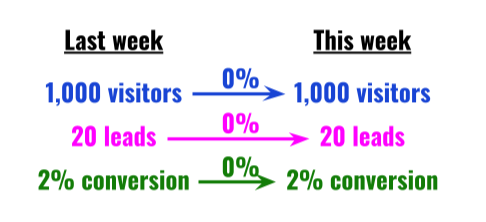
Proportionate increase in visitors & leads
Now, if we had more visitors (say 1,500) this week as compared to the last, with a proportionate increase in leads so as to maintain the 2% conversion rate, it would amount to a 50% increase in visitors and leads, but a 0% change in conversion rate.
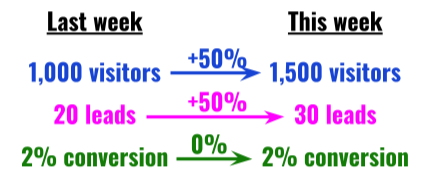
Increased leads, retained visitor count
On the other hand, if the total number of visitors had remained the same, and leads would have increased by 50%, this would increase the conversion rate by 50%.
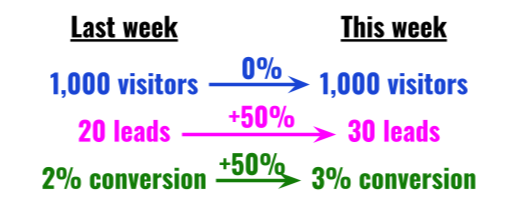
Increased visitors, no change in leads
If, however, the number of leads would have remained the same despite an increase in visitors (by, say, 50%), we would see a 33% fall in conversion rate.
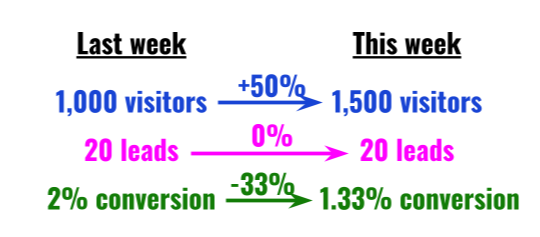
Disproportionate increase in visitors & leads
It is also possible that the number of leads increased by a disproportionate amount, which led to an increase in conversion rate.
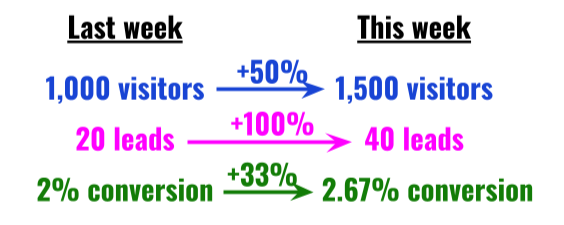
Measuring change factors
We just discussed how measuring overall change is straightforward: simply report the signed/relative/percentage difference or factor change in visits, leads, and conversion ratio between the two weeks. But this is only half battle won. What is ideal is to measure the “causes” for the change. For example, we know that a 2x increase in visitors (V2 = 2V1) and 1.5x increase in leads (L2 = 1.5L1) – and hence a 25% drop in conversion rate (C2 = L2/V2 = 0.75L1/V1 = 0.75C1) – happened. But why it happened is one of the most important questions change science has to answer.
What causes change?
A seasoned marketer can quickly understand the main factors that led to a drop or a rise in scale (#visitors) or conversion (leads/visitor). But where data analysis comes in is in short-listing such factors from the rest, and hence help the marketer with her weekly (or periodic) decisions. In this article we only give an intuitive idea of what causes change (and how we measure it). In part 2 of this series on Change Science, we discuss the exact procedures and methods to measure factors that cause change periodically.
The more we know about our customers, the more our analysis benefits. While measuring change, as it was mentioned above, we usually track the number of visitors (V), the number of leads (L), and the respective conversion ratio (C). Along with mere counts, one ought to measure the profiles of such visitors and leads – in both weeks. For example, with a 2x and 1.5x raises in visitors and leads, to know what caused it, one has to track how the properties of visitors and leads have changed. The properties we are referring to are usual user/event based properties – from simple demographic ones such as Location (country, city, etc.), User Agent (browser, OS, etc.), etc. to marketing-oriented ones such as Referrer (domain, campaign, etc.) – along with their values (a “property=value” combination looks like “country=India”, for example). In summary, in addition to tracking overall statistics (visitor and lead counts), we also track counts “grouped-by” their properties.
Needless to mention, such properties are too many to count, and property=value combinations are even more. This is where Factors.AI comes in. We track-down each factor, measure the change attributed to the factor, and surface top insights. And we repeat the process for any event pair combination (in say, a funnel), for every property, and for every consecutive period of interest. We urge you to follow-up with us in the next article that describes how exactly we surface the main change factors via our very own Weekly Insights feature.
Stay tuned.

Measuring the ROI of your B2B Content
Learn how to measure the ROI of your B2B content with Factors.ai. Discover the key metrics to track & optimize your content strategy. Read now on our blog.

If you find ROI measurement of your content marketing efforts a challenge, you’re not alone. Only 8% of B2B marketers believe they are successful at gauging their content's ROI and influence on revenue. With the content marketing industry constantly growing, making up between 25%-40% of B2B marketing budgets, it only seems fair to understand its metrics and incorporate ROI measurement into your content marketing strategy.
Ends That Justify Your Means — Why Do You Need To Measure Your Content Performance?
If It Won’t Convert, It Won’t Matter:
Content marketing has contributed substantially to the B2B marketing sphere. Blog posts, podcasts, infographics, etc. all play a major role in a business’s marketing efforts. But there’s a fine line between good content and content that promotes lead generation. The end goal of content marketing is generating traffic and influencing the conversion of said traffic. So, a conscious effort to measure your content helps lay the groundwork for a content marketing strategy that prioritises the goal and justifies the cost of doing so.
If It Does Convert, By How Much?
When it comes to B2B marketing, your prime audience is pretty specific. Hence, your content is likely to have a larger impact on pipeline and revenue. 71% of B2B customers consume a blog before making a purchase. Quantifying information like this is effective in distinguishing your leads from your sales. The difference and variety of metrics available for your content provide valuable insights. Understanding the extent to which each metric attributed your leads is an essential aspect of painting a clear picture of your ROI. A classic example of this is to resort to vanity metrics such as organic search traffic to evaluate your content’s success rather than its bounce rate or impressions made which are more conducive in assessing an MQL — marketing qualified lead.
What You Could Expect for The Future:
Trial and error is an expected component of your content marketing track record. The data you amass by monitoring your metrics will prove to be insightful in the formation of your content marketing strategy and budget — including the provision of answers to common questions like “what type of content generates the most traffic?” “Which content influences the most revenue and pipeline?” and “Which content had the most effective link building and/or SEO rankings?”
Understanding The Metrics
Historical Data and Monitoring:
A common barrier to entry for content marketing ROI is your access to customer historical data. To elaborate, your access to said data also includes the cost of acquiring it, the risk associated with losing it, and the availability of precise data when needed — relating to interactions with content. Most software available to track customer metrics like the touch attribution of content, the number of contacts from email, the revenue generated per customer, etc., are fragmented across different software with limited storage of customer data and are behind a paywall. There is even the risk of losing this data because of these stipulations. For this, it is recommended that businesses house their customer data using a data warehouse to retain the historical data of their customers and to use a customer data platform that will organise customer data and behaviour across various software in real-time into a comprehensive format suited for content ROI.
Lead Conversion:
The first step in measuring your content’s ROI is to establish what your lead conversion is. Or in other words, identify what customer action is considered a worthy result of your content’s purpose. This would vary depending on the product and what business it is being targeted to — so organising your leads or conversion goals in conjunction with your products is crucial. Some examples of conversion goals would be — signing into your website, downloading a demo, subscribing to a newsletter, or even a sale, etc.
Lead conversion rate: The number of leads relative to the number of visitors on a webpage. Divide the total number of leads by the total number of visitors.
Landing Page:
Your landing page is the first page of your website which is visited by a prospective customer. There are certain metrics that can be used to assess the attribution of your landing page to your conversion goal. Your landing page’s page views indicate the number of visits that have occurred on your landing page. The number of unique visitors helps you identify the number of people visiting your landing page, this is different from page views as it only counts the number of visitors and not the number of their visits.
Other useful metrics for evaluating attribution in your landing page include your bounce rate — which is the number of visitors that navigated out of your page after viewing only one page. Your average session duration is the average time lapsed during a session — a session being a user’s regular interactions — on your landing page. These metrics illustrate the authenticity of your content’s applicability for conversions.
Email Traffic:
81% of B2B marketers utilize email newsletters as a part of their content marketing strategy — making it the third most popular form of B2B content. If your business sends out newsletters, these metrics are important to track: An email’s open rate measures the percentage of emails opened, and if you link your content webpage in your email, a click-through rate distinguishes the number of users who’ve clicked on the aforementioned link and those who did not.
Social Media Traffic:
The most popular form of content (95%!) implemented in a content marketing strategy by B2B marketers is organic social media posts. On channels such as Twitter, LinkedIn, Instagram, and YouTube, Audience engagement on your posts in the form of Likes, Shares, Comments, and even Follows are useful metrics to assess the influence and engagement of your posts. Of course, click-through rate may be tracked as well.
{{INLINE_TOFU}}
The Nitty-Gritty — Measuring Your Content’s Influence and ROI:
Once we have gathered all the relevant data, we can now measure our content’s ROI. But before doing so, we need to assign a monetary value to your MQLs. If your conversion goal is a sale, then it is the revenue generated from that customer’s sale. If it is a campaign goal like demo scheduled, it is the forecasted revenue from prospective customers that’s most relevant.
Once this is established, organise this data in a coherent manner to measure its ROI. Start by isolating landing pages or content pages to measure them individually. Then we will allocate their respective data to them. For the sake of comparison and future content marketing strategy, it is imperative to distinguish your MQLs from your visitors. The last step is to assign your revenue to your MQLs, whether it be the revenue generated from sales or the forecasted revenue of a particular lead or conversion goal. And finally, we can calculate the ROI with our MQL revenue — the ROI calculation here would be the revenue generated from the MQL divided by the cost of production of the landing page’s content.
To illustrate — let’s say that you were measuring the ROI of one of your landing pages at the end of the month. Perhaps a blog in your payment gateway service company. Organically your blog has amassed 500 unique visitors, and around 300 through social media posts and email campaigns. Out of the 800 visitors, 60 of them signed up for a demo, whose forecasted revenue amounted to around $5000. Using the formula mentioned above and dividing the $5000 with the cost of the production of the content, you will measure your B2B content’s ROI.
Evidently, measuring the ROI of your B2B content is a tough nut to crack, and as I mentioned earlier, trial and error is an expected component of your content marketing track record. While quantifying your means will expedite your strategy, functional results take time and mistakes, and if you’re patient enough, they’ll yield.

Marketing Team Structure: How To Build a Marketing Team In the Age of AI
Learn how to structure a marketing team in 2026, 9 core roles, 4 organization models, B2B frameworks, and scaling strategies from startup to enterprise. Understand how to build a marketing team in the age of AI
TL;DR: Marketing Team Structure at a Glance
- 12 core roles form the foundation: CMO, Marketing Manager, Content Strategist, Graphic Designer, Copywriter, Paid Media Specialist, SEO Specialist, Social Media Manager, Marketing Analyst, Product Marketing Manager, Marketing Operations Manager, and PR & Communications Manager.
- 4 organizational models to choose from: Functional, Product-Based, Segmented, and Matrix — each suited to different company stages and goals.
- Scale by stage: Startups need lean generalists; mid-size companies build specialized teams; enterprises run matrixed global structures.
- B2B teams typically organize around Growth Marketing, Product Marketing, and Brand Marketing functions.
- Alignment is everything: Open communication, shared KPIs, and cross-functional collaboration separate high-performing teams from siloed ones.
Constructing an impactful marketing team takes more than throwing darts at the board and hoping they stick. Without the right vision, alignment, and capabilities; budgets are burned, time is wasted, and business opportunities slip through the cracks.
We've all been there—the messy marketing scramble, the "spray and pray" campaigns doomed to flop, yielding more frustration than conversions.
What if there was a better way? A framework for a marketing team structure that delights your audiences and activates a torrent of new deals for your business — while adapting to the rapid rise of AI tools reshaping how marketing teams operate.
In this guide, you'll learn how to structure a marketing team in 2026 — including 12 core roles, 4 organizational models, B2B-specific frameworks, AI-era adaptations, and scaling strategies from startup to enterprise.
What is a marketing team structure?
A marketing team structure is the organizational framework that defines the roles, reporting lines, and functional groupings within a marketing department. It determines how team members collaborate, allocate resources, and execute strategies to achieve business objectives. Common structures include functional (grouped by expertise), product-based (organized around product lines), segmented (divided by customer segments), and matrix (combining multiple approaches).
The right marketing team structure depends on your company size, industry, go-to-market strategy, and growth stage. A well-designed structure reduces silos, accelerates execution, and ensures every marketing initiative ladders up to revenue goals.
Marketing team structure: 12 foundational roles
Effective marketing departments run like well-oiled machines, with moving parts working together for optimal performance. At its core, every world-class marketing team requires a combination of visionary, creative, analytical, and execution horsepower — specialized experts to help activate growth.
Here are 12 foundational marketing roles that set organizations up for success — starting with the head of the operation: the CMO.
1. Chief Marketing Officer (CMO)
As the marketing visionary-in-chief, the CMO oversees all strategy and teams. They ensure alignment between marketing objectives and larger business objectives.
Key responsibilities of the CMO include:
- Developing integrated strategies and yearly marketing plans
- Leading market and customer research initiatives
- Establishing brand messaging, positioning, and standards
- Approving campaigns across different channels and segments
- Managing budgets and determining resource allocation
- Hiring and developing leadership for sub-teams
- Overseeing campaign performance analytics and reporting
"Attending professional events, networking, and joining communities of like-minded professionals will greatly help stay up-to-date on the latest trends and innovations." — Margaux R. International Marketing Officer, Puig
2. Marketing Manager
Marketing managers execute (or manage) strategies outlined by the CMO. They coordinate campaigns across channels such as content, social media, advertising, and events. Marketing managers also supervise teams of writers, designers, and other functions within the marketing department.
Key responsibilities of marketing managers include:
- Leading launch planning for product and brand campaigns
- Maintaining content calendars and asset libraries
- Directing creative brainstorms to flesh out big ideas
- Monitoring performance analytics across web, social, and advertising
- Identifying optimization opportunities based on data signals
- Managing budget tradeoffs and agency relationships
✅ With so many balls in motion, you want marketing managers with exceptional focus, communication, and analytical skills.
3. Content Strategist
Content strategists plan and oversee the creation of optimized content tailored to buyer personas across the sales funnel. This role works closely with writers, designers, and more to execute content campaigns.
Key responsibilities of content managers are:
- Conducting keyword research to inform content
- Mapping out content pillars, funnels, and assets
- Establishing production workflows and approval processes
- Setting content style guidelines and brand standards
- Training others on brand voice and best practices
- Commissioning content from freelancers or agencies
4. Graphic Designer
Images aid memory. This is why using visuals (images, animations, videos, etc) can separate forgettable brands from memorable ones. Graphic designers turn creative concepts into aesthetically pleasing and purposeful art.
Key responsibilities of graphic designers include:
- Bringing campaign narratives alive through social/web graphics
- Building immersive microsites and landing pages
- Curating and maintaining asset libraries and style guides
- Ensuring visual consistency across regions and languages
- Mocking up creative concepts quickly based on briefs
- Incorporating the latest visual trends seamlessly
✅ Gradually train your designer to understand conversion rate optimization—this can be done by watching Hotjar recordings, heatmaps, and overall analytics. You want your designer not just to be someone who creates behind the scenes. Make them a part of the marketing team, giving them the exposure required to understand the entire customer journey.
5. Copywriters
Writers are the voice and narrative-weavers for a brand, using strategic, relevant words to captivate and convert. As master wordsmiths, writers intertwine vocabulary with emotion to spur action across mediums like blogs, emails, ad copies, and more.
Key responsibilities for this role include:
- Crafting pillar content and blogs to attract and educate
- Scripting nurture emails and sales outreach templates
- Testing value prop messaging through ad iterations
- Producing authentic stories using research and interviews
- Ensuring brand consistency across regions and campaigns
- Delivering punchy, error-free copy aligned with guidelines
✅ SaaS businesses like HubSpot have been spending significant resources to create valuable marketing content. This has made them one of the top publishers in this space.
6. Paid Media Specialist
Paid media specialists are masters of precision — using platforms like Google, Meta, and LinkedIn to reach buyers actively searching for solutions. As channel experts, they balance science and art to gain a share of voice and mind.
Key responsibilities for this role include:
- Managing PPC/social budgets across funnels
- Creating and optimizing high-converting ads
- A/B testing creatives, landing pages and audiences
- Providing performance reports and optimization ideas
- Developing attribution models that shape decisions
- Identifying emerging media opportunities to exploit
✅ Exceptional paid specialists level up results using their analytical abilities, creativity, and strategic vision. They stay on top of platform algorithm shifts, new ad formats, privacy changes, and inventory trends—filling testing pipelines with big ideas.
7. SEO Specialist
SEO specialists focus on improving organic search visibility and rankings. They analyze performance data to execute optimization strategies.
Some of the key responsibilities for this role include:
- Conducting keyword research to reveal user questions
- Mapping site architectures to user journeys
- Optimizing page speed and metadata for findability
- Securing reputable backlinks and citations
- Monitoring organic KPIs like rankings, traffic, and goals
- Identifying gaps and incremental optimization opportunities
✅ Beyond technical abilities, stellar SEO specialists use analytics to tell compelling stories. They consult across marketing and product teams—highlighting barriers and solutions to rank higher.
8. Social Media Manager
Social leaders architect communities rooted in relationships and value. They set a north star strategy and then empower teams to nurture advocate and influencer connections through engagement.
Some of the key responsibilities for this role include:
- Setting social media goals and yearly activation calendars
- Creating and overseeing engaging social content
- Identifying key influencers for paid partnerships
- Analyzing platform algorithms and adjust content accordingly
- Managing a community coordinator and related agencies
- Reporting on engagement growth and campaign performance
9. Marketing Analyst
Marketing analysts collect campaign data and identify actionable insights. They partner closely with strategists and media buyers to optimize marketing performance.
Some of the key responsibilities for this role include:
- Setting up analytics and tag management platforms
- Building campaign reports and dashboards
- Conducting multi-touch attribution analysis
- Identifying quick wins for improved performance
- Modeling scenarios for budget allocation decisions
- Communicating insights through presentations and visualization
10. Product Marketing Manager
Product marketing managers bridge the gap between product, sales, and marketing teams. They translate product capabilities into compelling narratives that resonate with target buyers.
Key responsibilities include:
- Developing product positioning and messaging frameworks
- Creating sales enablement materials and battle cards
- Leading product launches and go-to-market strategies
- Conducting competitive analysis and market research
- Gathering customer feedback to inform product roadmaps
- Training sales teams on value propositions and objection handling
11. Marketing Operations Manager
Marketing operations (MOps) managers are the architects behind the systems, processes, and technology that power modern marketing teams. As martech stacks grow more complex, this role has become essential.
Key responsibilities include:
- Managing the marketing technology stack and integrations
- Building and maintaining automation workflows
- Ensuring data quality and governance across platforms
- Setting up lead scoring and routing processes
- Optimizing campaign execution and reporting infrastructure
- Supporting marketing-sales alignment through CRM management
12. PR & Communications Manager
PR and communications managers protect and amplify the brand's public image. They build relationships with media, manage crisis communications, and secure earned media coverage that builds credibility.
Key responsibilities include:
- Developing media relations strategies and press outreach
- Writing press releases, thought leadership pieces, and executive communications
- Managing crisis communication plans and rapid response
- Coordinating with influencers and industry analysts
- Monitoring brand mentions and managing reputation
- Supporting executive visibility and speaker placements
✅ As your marketing team matures, these three roles become critical differentiators. Product marketing ensures you're selling the right story, marketing ops ensures your engine runs efficiently, and PR builds the trust that makes every other channel more effective.
Now, let's explore how to grow teams sustainably over time.
{{INLINE_TOFU}}
How to scale your marketing team
There is no one-size-fits-all approach to structuring marketing teams. Every business requires a different mix of skill sets—something that the founders of the company need to identify accounting for their product, the condition of the existing market, and multiple other factors.
Here is an overview of common team structures matched to business size and scale:
Early Stage Startups (1-20 Employees)
In the beginning, founders and early hires wear multiple hats. Budgets are tight, so by necessity, the team structure is lean.
Marketing roles may include:
- Founder setting strategy and managing campaigns
- Freelance designer and writer supporting content
- Entry-level coordinator supporting social media
- Outsourced web development help
The focus is on testing ideas quickly through campaigns and measuring results. Data informs where to double down on traction.
Let's consider Zenkit, a startup selling project management software, as an example. As a Founding Marketer at Zenkit, Eva shapes strategy, creates content, analyzes web data and allocates ad budget herself. She taps freelance designers and outsources lead generation assistance, testing channel ideas and driving conversions.
Mid-size Business (20-200 Employees)
As mid-size companies mature, dedicated marketing roles take shape. With multiple product lines, regional expansion, and enterprise deals in motion - specialized experts coordinate growth initiatives.
Marketing roles grow to include:
- CMO setting vision and leading managers
- Content and social media managers executing campaigns
- Expanded content team inclusive of writers and designers
- Formal paid media roles emerging
- Email marketing coordinator driving engagement
- Outsourced PR agency to support earned media
The focus expands to brand building, audience nurturing and sales conversions.
With Series A funding secured, Zenkit builds out its marketing team. New Marketing Manager Joanie spearheads content and social efforts. Two dedicated content marketers join, along with an email coordinator. Zenkit's CEO retains a digital agency that now aggressively runs its paid search and nurture campaigns.
Enterprise Businesses (500+ Employees)
At large enterprises, global scale and matrixed organizational structures necessitate further specialization. With regional segmentation, centralized leadership drives branding consistency and governance standards.
Marketing roles grow to include:
- Global CMO setting vision and leading VPs
- Regional marketing VPs localizing efforts
- Specialized department focus like digital, brand, campaign creative, and analytics
- Hub-and-spoke team structure with a corporate-leading strategy for regional execution
- Integrated martech stack enabling automation and workflow
- Dedicated sales enablement and product marketing teams
The focus turns to brand unity, operational excellence, and entering new markets.
After international expansion and ten years of rapid growth, Zenkit decides to go public. Their Global CMO realigns regional directors and constructs Centers of Excellence around analytics, creative, SEO, and tech integrations—consolidating previously disjointed efforts. Regional teams maintain flexibility to customize messaging and campaigns based on local personas and behaviors.
While every company's journey is unique, these benchmarks provide a blueprint. As teams scale, maintain open roles that give structure and the flexibility to pivot.
4 types of marketing team structures
Beyond individual roles, how you organize your marketing team matters just as much as who's on it. Here are four common organizational models:
1. Functional Structure
Teams are grouped by expertise — content, paid media, SEO, analytics, etc. Each function reports to a department head. This model works best for large organizations with distinct marketing functions, offering clear reporting lines and efficient resource allocation.
2. Product-Based Structure
Marketing efforts are organized around specific products or product lines. Each product gets a dedicated marketing team responsible for positioning, launches, and campaigns. Ideal for companies with a diverse product portfolio that need tailored messaging for each offering.
3. Segmented Structure
Teams are divided by customer segment — B2B vs. B2C, enterprise vs. SMB, or by industry vertical. This allows for highly targeted campaigns and deep understanding of segment-specific needs. Best for companies serving multiple distinct buyer personas.
4. Matrix Structure
Combines functional and product-based approaches, with team members reporting to both a functional manager and a product/segment lead. This enables cross-functional collaboration and is ideal for companies navigating complex marketing landscapes with multiple product lines and customer segments.
Which structure is right for you? Most growing companies start with a functional structure and evolve toward a matrix or segmented model as they scale. The key is matching your structure to your go-to-market motion and business complexity.
B2B marketing team structure
B2B marketing teams face unique challenges — longer sales cycles, multiple decision-makers, and the need to align closely with sales. While the core roles remain the same, B2B teams typically organize around three major functions:
Growth Marketing
Focused on pipeline generation and revenue. This team owns demand generation campaigns, paid media, SEO, email nurture sequences, and conversion rate optimization. The growth marketing team is measured on MQLs, SQLs, pipeline influenced, and cost per acquisition.
Product Marketing
The bridge between product, sales, and marketing. Product marketers own positioning, messaging, competitive intelligence, sales enablement materials, and product launches. They ensure the sales team has the right narratives and battle cards to close deals.
Brand Marketing
Responsible for brand awareness, thought leadership, PR, events, and community building. Brand marketing creates the trust and credibility that makes demand generation campaigns more effective. This function becomes increasingly important as companies scale past the early-stage growth phase.
B2B SaaS tip: Consider your go-to-market motion when structuring your team. Product-led growth (PLG) companies may need more product marketing and self-serve content, while sales-led organizations benefit from heavier investment in demand generation and sales enablement.
Marketing team structure examples by company size
Here's what a typical marketing team looks like at each stage of growth:
Startup marketing team (1-20 employees)
Team size: 1-3 people
- Founding Marketer / Head of Marketing (strategy + execution)
- Freelance Content Writer
- Freelance Designer
- Outsourced: SEO, paid media, web development
Structure: Flat. Everyone reports to the founder or Head of Marketing. Focus on testing channels and finding product-market fit messaging.
Mid-size marketing team (20-200 employees)
Team size: 5-15 people
- CMO / VP Marketing
- Content Marketing Manager → 2 Content Writers, 1 Designer
- Demand Generation Manager → Paid Media Specialist, Email Marketing Coordinator
- Product Marketing Manager
- Marketing Analyst
- Outsourced: PR agency, supplemental design
Structure: Functional. Specialized roles emerge with clear reporting lines. Focus shifts to brand building and pipeline generation.
Enterprise marketing team (500+ employees)
Team size: 50+ people
- Global CMO
- VP Brand Marketing → Brand Managers, Creative Director, Design Team, PR/Comms
- VP Growth Marketing → Demand Gen, Paid Media, SEO, Marketing Ops, Email
- VP Product Marketing → PMMs by product line, Competitive Intelligence
- VP Marketing Analytics → Data Analysts, Attribution Specialists
- Regional Marketing Directors (EMEA, APAC, Americas)
Structure: Matrix. Combines functional expertise with product/regional alignment. Focus on operational excellence and global consistency.
How to ensure marketing alignment
Great teams function as one—united by shared vision, seamless communication, and collaborative norms. But often, misalignment creeps in. Silos form, productivity drops, and innovation stalls.
If you want to prevent that from happening, here are a few ideas.
"Involve your people, listen to them, motivate them, reward them, and create unity in all interactions. My experience has always taught me that success follows when you have a passion for people's success." — Suneeta Motala, CMO of SBM Bank Mauritius
1. Encourage Open Communication
Improving team alignment starts by nurturing open flows of communication.
- Host regular meetings for status updates from each team
- Use Slack or Microsoft Teams for real-time collaboration
- Send out monthly newsletters highlighting big wins and key learnings
- Celebrate outstanding work publicly with rewards and recognition
2. Support Continual Learning
Leaders should also focus on cultivating continual learning.
- Create mentorship programs between senior and junior staff
- Encourage attendance at conferences and workshops
- Offer tuition reimbursement or learning stipends
- Accommodate stretch assignments and lateral moves for professional growth
3. Break Down Silos with Tools and Data
Take advantage of the many collaboration tools available to encourage people to join in conversations and share insights with other team members.
- Build custom dashboards with data visualization from multiple departments
- Automate repetitive tasks through marketing automation
- Set up alert channels through tools like Slack or Teams
- Share insights broadly by distributing annotated charts
It does take time to build these habits into the team, but the idea isn't to change in a single day—but to implement a mindset of growth and sharing throughout the team.
Building a marketing team in the age of AI
AI is reshaping how marketing teams operate, what roles are needed, and how work gets done. Here's how modern teams are adapting their structure for the AI era:
Emerging AI-influenced roles
- AI/Prompt Specialist: Manages AI tools across content creation, campaign optimization, and data analysis. Ensures brand consistency in AI-generated outputs.
- Marketing Technologist: Bridges the gap between marketing strategy and AI-powered tools. Evaluates, implements, and optimizes AI solutions within the martech stack.
- Data & Automation Engineer: Builds and maintains the data pipelines and automation workflows that feed AI systems and enable personalization at scale.
How AI changes existing roles
- Content teams shift from pure creation to editing, prompting, and curating AI-generated drafts — focusing on strategy and brand voice rather than volume.
- Paid media specialists spend less time on manual bid adjustments and more on creative strategy as AI handles optimization.
- Marketing analysts move from data pulling to insight generation as AI automates reporting and surfaces anomalies.
- SEO specialists now optimize for AI search engines (like ChatGPT, Perplexity) in addition to traditional Google — a practice known as Answer Engine Optimization (AEO).
Structuring for AI adoption
The most effective AI-era marketing teams aren't replacing people with tools — they're restructuring to multiply human impact. Key principles:
- Centralize AI tool access through marketing operations to avoid fragmentation
- Invest in training every team member on AI fundamentals, not just specialists
- Create feedback loops between AI outputs and human expertise to continuously improve quality
- Reallocate time saved by AI automation toward strategy, creativity, and customer understanding
Measuring Marketing Team Performance with KPIs
They say you can't grow what you don't measure. Key performance indicators (KPIs) help focus teams on a singular goal and compel them to take action in the right direction.
Marketing leaders should track both quantitative and qualitative performance metrics.

Quantitative Marketing Metrics
From a bird's eye view, these go
- Pipeline influenced: Directly attributed sales driven by marketing campaigns
- Cost per lead: Total sales generated divided by total leads
- Email engagement: Open, clickthrough, and conversion rates
- Social media engagement: Follower growth and interaction rate
- Web traffic: Total visits, unique visitors, and page views
Qualitative Marketing Metrics
- Brand awareness: aided and unaided recall—surveys, increased branded search volumes, etc.
- Brand sentiment: Positive and negative mentions via social listening
- Audience insights: Feedback, testimonials, reviews
- Campaign resonance: Recall, favorite asset types
What real marketers say about team structure
Theory is one thing — here's what marketing professionals are actually saying about structuring their teams:
On avoiding top-down control:
"Build a top level, service-oriented team that has a mandate to operate in support of your brands, do not allow a dictatorship emerge." — r/marketing
On marketing's role in early-stage companies:
"While Sales is well-understood, marketing always gets the short end of the stick. But it is THE PROBLEM that plagues most early-stage companies." — r/Entrepreneur
Key themes from community discussions:
- Start lean, hire specialists later: Most successful teams start with generalists who can wear multiple hats, then add specialists as revenue grows.
- Cross-functional beats siloed: Teams that collaborate across content, paid, and analytics consistently outperform those working in isolation.
- Consider fractional roles: Fractional CMOs and outsourced agencies are increasingly popular for startups that need strategic guidance without the full-time commitment.
- Align with sales early: The most common regret is not building marketing-sales alignment into the team structure from day one.
Frequently asked questions about marketing team structure
Q1. What is the ideal marketing team size?
There's no universal ideal size. Startups often operate with 1-3 marketers wearing multiple hats. Mid-size companies (20-200 employees) typically have 5-15 dedicated marketing staff. Enterprise organizations may have 50+ marketers across specialized departments. The right size depends on your revenue targets, growth stage, and how much you outsource to agencies or freelancers.
Q2. What is the 70/20/10 rule in marketing?
The 70/20/10 rule is a budget and resource allocation framework: spend 70% on proven strategies that reliably drive results, 20% on emerging tactics with strong potential, and 10% on experimental ideas. This helps marketing teams balance reliable performance with innovation and avoids over-investing in unproven channels.
Q3. What is the difference between a functional and matrix marketing structure?
A functional structure groups teams by expertise (content, paid media, SEO), with each reporting to a department head. A matrix structure adds a second reporting line — team members report to both a functional leader and a product or segment leader. Functional is simpler and suits smaller teams; matrix enables cross-functional collaboration but adds complexity.
Q4. How do you structure a marketing team for a startup?
Start with a marketing generalist or founding marketer who can set strategy and execute across channels. Add a freelance designer and content writer. As you find traction, hire a dedicated demand generation specialist and a content marketer. Avoid over-specializing too early — flexibility matters more than perfect structure at this stage.
Q5. What roles should a B2B SaaS marketing team have?
At minimum, a B2B SaaS team needs: a marketing leader (VP or Director), a content marketer, a demand generation specialist, and a product marketer. As the team scales, add an SEO specialist, a marketing operations manager, a paid media specialist, and a marketing analyst. Align the team around your go-to-market motion — product-led growth requires different emphasis than sales-led.
Boost your marketing team performance with Factors
As marketing teams grow and adopt more tools, data silos become the biggest obstacle to alignment. Different team members — from demand gen to product marketing to analytics — end up working from different dashboards with different data.
Factors.ai solves this by unifying your marketing data into a single source of truth.
How Factors supports every role in your marketing team:
- For Marketing Leaders: Track pipeline influenced and multi-touch attribution across all channels on one dashboard
- For Demand Gen & Paid Media: Identify which campaigns drive qualified pipeline, not just clicks
- For Content & SEO: See which content drives engagement from target accounts
- For Marketing Ops: Automate data flows with 200+ integrations and eliminate manual reporting
- For the Whole Team: Account-level insights that connect anonymous website visitors to the companies and industries they represent
Leading enterprise brands optimize up to 30% faster powered by Factors' analytics precision.
"Factors stands out from other alternatives. We saw a 34% improvement in conversation rates within the first year." — Gowthami, Performance marketer, Klenty
Stop flying blind and start seeing the big picture. Schedule a demo today to experience how Factors empowers every role in your marketing team.
Bottom line: How to build an effective marketing team structure
Building a high-performing marketing team in 2026 requires balancing specialization with agility. Here's what matters most:
- Start with the right foundation: 12 core roles — from CMO to Marketing Operations — form the backbone of any marketing team. Not every company needs all 12 from day one, but understanding the full picture helps you hire strategically.
- Choose the right organizational model: Functional, product-based, segmented, or matrix — your structure should match your go-to-market motion, company size, and growth stage.
- Adapt for B2B: B2B teams benefit from organizing around growth marketing, product marketing, and brand marketing functions that align directly with pipeline and revenue goals.
- Embrace AI: The most competitive teams are restructuring around AI — not replacing people, but multiplying human impact through smarter tools and workflows.
- Align relentlessly: Open communication, shared KPIs, and cross-functional collaboration separate high-performing marketing teams from siloed ones.
- Measure what matters: Track both quantitative metrics (pipeline influenced, cost per lead) and qualitative signals (brand sentiment, campaign resonance) to continuously optimize team performance.

Marketing Performance Measurement - Challenges & Solutions
Explore the challenges of marketing performance measurement and discover effective solutions to optimize your marketing strategies.
Increasingly, marketing performance measurement has become the heartbeat of every SaaS go-to-market function. Marketing performance measurement serves a dual purpose: first, it determines if marketing is indeed working towards business objectives, and two, it supports efficient resource allocation to ensure every marketing dollar counts towards revenue
Marketing Performance Marketing - A Tale of Two Meetings
Let’s begin our journey by exploring the duality of marketing performance measurement:
Meeting 1: In the C-Suite
Imagine a high-stakes C-level executive meeting in a sleek boardroom, where the CMO stands front and center, under the spotlight.
Their mission? To prove that Marketing isn't just a department spending dollars; it's the strategic lever pushing the business towards its objectives. The CMO seeks to demonstrate marketing's contribution to the bottom line. This is where the first challenge unfolds.
The CMO's Dilemma
The CMO shoulders the responsibility of showcasing how marketing aligns with the overarching business goals. Their primary goal is to guarantee that every marketing initiative enhances the efforts of other departments, including Sales, Customer Success, and Product. The ultimate aim is evident:
- Achieve Alignment - The CMO must navigate the labyrinth of business objectives and show how marketing's compass is set in the same direction.
- Get Budgets Approved - To secure the necessary resources, the CMO must articulate how marketing initiatives are essential to drive the business forward.
- Show the Impact of Marketing -In the eyes of the C-suite, the CMO must demonstrate that Marketing is more than a cost center — it's a revenue generator and a strategic asset.
This objective revolves around three key goals:
- Achieving alignment
- Securing budgets
- Demonstrating the impact of marketing
The CMO's journey is riddled with challenges. They must define and measure marketing success in a way that resonates with the broader business goals. It's a complex task that goes beyond mere clicks, traffic, or conversions.
Meeting 2: Within the Marketing Team
Shift gears to an intense Marketing Team meeting. Here, the scene is all about competing priorities. Each marketing leader is striving to secure their share of the budget pie, aiming to maximize their team's performance. It's a complex puzzle, one that requires a judicious allocation of resources to different marketing functions.
In both meetings, one factor is evident: Marketing's performance holds the key to success, but measuring that performance is easier said than done. Let's delve into the intricacies of these measurement challenges.
Challenge With Marketing Performance Measurement
The challenges with defining and measuring marketing performance is a tale of two perspectives:
- 1. High-level business objectives in the C-suite
- 2. Granular resource allocation within the marketing team
Challenges for C-level Executives in Assessing Marketing Performance
C-level executives are tasked with the critical role of assessing marketing performance. From the perspective of a CMO in the CXO meeting, the objective remains clear: to establish how marketing significantly impacts business goals and aligns with other teams, amplifying their work.
1. Proving Marketing ROI and Influence on the Pipeline
One of the critical challenges that C-level executives face is proving marketing return on investment (ROI) and measuring marketing's influence on the pipeline. The pressure to demonstrate that every dollar allocated to marketing translates into tangible results weighs heavily on the CMO's shoulders. Here, it's no longer enough to highlight vanity metrics; the focus is on metrics that directly tie marketing initiatives to revenue. It's about showcasing the journey from a marketing touchpoint to a closed deal.
2. Justifying Marketing Investments
Another challenge they often grapple with is the need to justify marketing investments. In an environment where every expenditure needs to be justified, marketing budgets come under tight scrutiny. The CMO must make a compelling case for why marketing deserves a significant share of the financial pie. This involves presenting not just the historical performance data but a strategic roadmap that lays out how marketing investments will contribute to the company's growth trajectory.
3. Improving Budgeting and Resource Allocation
Striking the right balance in budgeting and resource allocation is an intricate puzzle. C-level executives understand that underinvesting in marketing could stifle business growth while overinvesting could lead to budgetary constraints. The task is to allocate resources effectively, ensuring that marketing has the necessary tools to propel the business forward. The balance between short-term gains and long-term brand building must be maintained, a challenge that requires a strategic perspective.
4. Aligning Marketing Efforts with Overall Business Goals
To meet the objective of achieving alignment, executives must ensure that marketing efforts are in complete harmony with the broader business goals. The days of isolated marketing campaigns, driven solely by creative innovation, are long gone. The CMO's mission is to bridge the gap between marketing and other teams like Sales, Customer Success, and Product, ensuring that each department's work complements and amplifies the other.
5. Interpreting Marketing Data and Its Impact on Customer Experience
As you may agree, the world of marketing data is a labyrinth of numbers, charts, and graphs. The challenge lies in interpreting this data and understanding its real impact on customer experience. C-level executives can find themselves lost in this sea of information, struggling to discern actionable insights from vanity metrics. The CMO's role is to present data that tells a story, a narrative that highlights how marketing initiatives shape the customer experience and ultimately drive business growth.
These challenges aren't isolated; they are interconnected facets of the CMO's quest to prove marketing's worth in the CXO meeting. The following sections will delve into the specific strategies and solutions that can help C-level executives overcome these challenges and showcase the true impact of marketing on the bottom line. Through real-world examples, case studies, and analogies, we'll shed light on how business alignment is not just an aspiration but a tangible achievement in the realm of modern marketing.

{{INLINE_MOFU}}
Example: Adidas' Data-Driven Attribution Success Story
To illustrate how organizations have effectively addressed the challenge of substantiating marketing ROI and measuring marketing's influence on their business outcomes, we can examine the data-driven attribution success achieved by the global footwear giant, Adidas.
Adidas, a prominent player in the athletic and sportswear industry, identified a significant gap in its ability to measure the return on investment effectively. In a fiercely competitive market, understanding the impact of marketing became pivotal, and Adidas recognized that its existing strategies fell short of delivering precise results.
Adidas confronted the challenge of precisely measuring the return on its marketing investments. Despite its stature, the company found itself falling short in accurately gauging the impact of marketing endeavors, especially in the highly competitive landscape of sports and lifestyle apparel.
So, how did Adidas address this challenge?
1. Data-Driven Marketing Strategy
Adidas embarked on a comprehensive data-driven marketing strategy, leveraging state-of-the-art data analytics tools, machine learning, and artificial intelligence. Through these technologies, they meticulously traced every dollar invested in marketing, discerning its direct influence on their sales pipeline.
- Attribution Modeling:
Adidas implemented advanced attribution modeling, transcending the limitations of the last-click attribution model. This allowed them to attribute due credit to all marketing touch points, even those that contributed earlier in the customer journey. The shift in perspective unveiled the holistic impact of marketing interactions.
- Customer Journey Mapping:
Adidas undertook a detailed mapping of the customer journey, encompassing the various marketing touchpoints across different stages. This comprehensive view empowered Adidas to understand precisely how each marketing interaction influenced prospective customers at different points in their journey, transcending mere lead generation.
- Holistic Performance Reporting:
The company amalgamated data from diverse marketing channels and tools into a unified performance report. This consolidated view provided C-level executives with a crystal-clear, end-to-end depiction of how marketing endeavours directly contributed to the sales pipeline and, ultimately, revenue.
The Results:
Adidas's strategic adoption of data-driven attribution bore remarkable fruit. They achieved a substantial 15% increase in marketing-sourced leads and a remarkable 30% improvement in return on ad spends, as evidenced by Forbes.
In a nutshell, the Adidas case serves as a compelling example of how a data-driven approach can effectively address the challenge of proving marketing ROI and showcasing marketing's direct impact on the sales pipeline. By investing in advanced analytics, advanced attribution modeling, and a customer-centric methodology, Adidas not only demonstrated the ROI of its marketing initiatives but also uncovered opportunities for further optimization. It stands as a testament to how the alignment between marketing and overarching business objectives can be not only a goal but an attainable reality, delivering tangible results and substantiated ROI.
Challenges for Marketing Teams in Evaluating Performance
Marketing teams, from the perspective of a CMO in a marketing team meeting, face a different set of challenges in evaluating performance. They have the overall budget approved by the C-levels, and the pressure is on them to allocate it wisely across various initiatives. Here, the challenge is not just proving the value of marketing but also ensuring that every marketing dollar is spent with precision and purpose.
1. Measuring and Analyzing Efforts
One of the foremost challenges marketing teams face is measuring and analyzing their efforts effectively. This involves collecting data from various channels and campaigns, a process that can quickly become convoluted. Ensuring that the data collected is accurate, relevant, and up-to-date can be a Herculean task. Marketing teams must grapple with tools and technologies that promise comprehensive data but often fall short in delivering insights that really matter and help them build a case.
2. Attribution Modeling and Performance Reporting
Attribution modeling is often perceived as a daunting task. Determining which marketing touchpoints contributed to conversions and how much credit each should receive is a complex web to untangle. Marketing teams can feel overwhelmed as they attempt to assign values to different marketing channels and efforts accurately. The challenge is to construct an attribution model that aligns with business objectives, a puzzle that often remains unsolved.
3. Demonstrating ROI and Proving Campaign Effectiveness
Marketing teams also face the pressure of demonstrating return on investment (ROI) and proving the effectiveness of campaigns. This involves looking beyond the surface-level metrics such as clicks and impressions and diving into metrics that directly correlate with business outcomes. It's not merely about reporting numbers but about telling a compelling story of how each campaign contributes to the bigger picture.
4. Allocating the Approved Budget Across Initiatives
From the standpoint of marketing teams, the CMO must wrestle with the challenge of allocating the overall budget approved by the CXOs across various initiatives. This isn't just about dividing the pie; it's about distributing it in a way that maximizes the ROI for each initiative. The task is to determine which channels, campaigns, and strategies deserve the lion's share of the budget and which should make do with less.
5. Picking the Right Channels
Choosing the right channels to invest in is often another challenge for marketing teams. The digital world is rife with options, and not all are equally effective for every business. Making the right channel choices can mean the difference between a successful campaign and a wasted budget. That said, marketing teams need to carefully consider their target audience, message, and objectives when deciding where to allocate resources.
6. Unifying Reporting
Another challenge lies in unifying reporting across various channels and campaigns. Often, marketing teams are inundated with isolated reports from different tools and platforms, making it difficult to see the big picture. The objective is to streamline reporting, making it comprehensive and coherent, so that insights can be drawn from a holistic view of marketing performance.
Measuring the Influence of Touchpoints in Unison
Long gone are the days of attributing success to individual touchpoints. Marketing teams must now focus on measuring the influence of touchpoints in unison with each other. Understanding how different channels work together to lead a prospect down the conversion path is a multifaceted challenge. The CMO must guide the team in constructing a performance measurement framework that considers the synergy between touchpoints.
This section will explore solutions to these challenges, drawing from real-world B2B examples, case studies, and analogies that help demystify the intricacies of marketing performance measurement at the ground level. The aim is not just to uncover the problems but to provide actionable insights for CMOs and marketing teams to overcome these hurdles effectively.

Example: OneSpot's Attribution Modeling Revolution
We’ve already seen how C-levels can resolve marketing measurement-related concerns. Now, to exemplify how marketing teams can address the challenge of attribution modeling and performance reporting, let's take a peek into OneSpot's transformative journey.
OneSpot, a renowned inbound marketing and sales software company, realized the need for a more sophisticated approach to attribution. Like many other marketing teams, they were grappling with assigning proper credit to various touchpoints in the buyer's journey.
So, what did they do?
Holistic Attribution Model
OneSpot transitioned from a simplistic first-touch or last-touch attribution model to a holistic attribution approach. They introduced a custom attribution model that factored in multiple touchpoints throughout the customer's journey. This shift allowed them to accurately assess the role each touchpoint played in conversions.
Unified Reporting
OneSpot integrated various marketing channels and tools into a unified reporting dashboard. This dashboard provided marketing teams with a comprehensive view of their efforts' performance. It allowed them to see how different channels and campaigns interacted and influenced one another in the conversion process.
Machine-Learning for Attribution
OneSpot leveraged machine learning algorithms to automatically assign credit to different touchpoints. This data-driven approach ensured that attribution was based on actual data patterns rather than subjective judgments. It eliminated the bias that often crept into manual attribution methods.
Data-Backed Decisions
By implementing these changes, OneSpot not only enhanced its attribution modeling but also made data-backed decisions regarding budget allocation. The marketing team could clearly see which channels and campaigns were most effective at different stages of the customer journey. This allowed them to optimize resource allocation for maximum impact.
OneSpot's journey is a prime example of how marketing teams can navigate the challenges of attribution modeling and performance reporting. By embracing advanced attribution models, unifying reporting, and leveraging technology like machine learning, they transformed the way they assessed marketing performance. The above example we just saw, illustrates the practical steps that CMOs and marketing teams can take to address these challenges effectively and ensure that every marketing dollar is spent with purpose and precision.
Bridging the Gap: Strategies for Improved Measurement
Understanding the challenges faced by both C-level executives and marketing teams, it's clear that a bridge must be constructed to close the gap between expectations and operational realities. Here, we offer actionable strategies to enhance marketing performance measurement and foster collaboration between CXOs and marketing teams.
For C-Level Executives
1. Educate and Equip
C-level executives need to invest in understanding the complexities of modern marketing. This means not only asking for data but also having the knowledge to interpret it. Education in digital marketing trends, analytics, and performance measurement can be invaluable.
2. Set Clear Objectives
Establish unambiguous objectives for marketing efforts that align with broader business goals. Make it a collaborative exercise, involving marketing teams in the goal-setting process to ensure realistic and feasible targets.
3. Regular Reviews and Alignment
Implement regular review sessions where marketing teams present their findings, challenges, and plans to the C-suite. This keeps everyone on the same page and helps to identify and address bottlenecks promptly.
4. Innovation Budget
Allocate a portion of the marketing budget to innovation and experimentation. Encourage marketing teams to explore new tactics and technologies that might yield long-term benefits, even if they are harder to measure in the short run.
For Marketing Teams
5. Enhance Data Collection
Invest in data collection tools and methodologies that provide a holistic view of marketing performance. This includes incorporating cross-channel tracking and ensuring data accuracy.
6. Focus on Customer Journey Mapping
Instead of isolated touchpoint measurements, concentrate on mapping the customer journey. Understand how different channels influence prospects at various stages, allowing for a more comprehensive performance evaluation.
7. Collaborative Reporting
Develop a standardized reporting format that incorporates both high-level metrics for the C-suite and detailed analytics for internal use. This ensures that every team member, from CMOs to data analysts, can interpret and act on the data effectively.
8. Continual Learning
The marketing landscape evolves rapidly. Encourage and enable your team members to upskill by staying updated with the latest developments within the industry, emerging trends and technologies. Investing in employee training and development can significantly impact performance.
Joining Hands: Collaboration and Alignment
A significant component of bridging the gap between C-level executives and marketing teams is fostering collaboration and alignment. At the cost of sounding cliche, this means both parties need to work together, understanding each other's challenges and priorities. Establish cross-functional teams where marketing, sales, product, and customer success work together on joint initiatives. This approach helps break down silos, promotes data sharing, and accelerates the achievement of common goals.
The benefits of this collaboration are substantial. C-levels gain a deeper understanding of the intricacies of marketing performance, while marketing teams feel more empowered and supported in their endeavors. The two groups can collectively evaluate the effectiveness of different marketing strategies and tactics, making informed decisions on how to allocate budgets more effectively.

Bridging the Gap for Optimal Performance
In B2B marketing, addressing the challenges surrounding performance measurement is essential. Understanding the nuances of these challenges from both the C-level executive perspective and the marketing team's viewpoint is the first step towards bridging the gap. By implementing actionable strategies and fostering collaboration, businesses can achieve optimal marketing performance measurement, align marketing efforts with broader business goals, and showcase marketing's true impact. In this quest for better measurement, both C-level executives and marketing teams must work hand in hand, guided by a shared commitment to success.
Measuring marketing performance is critical for aligning strategy with business goals and maximizing ROI. However, several challenges often hinder accurate and actionable measurement:
Key Challenges
1. Data Fragmentation
Customer data is scattered across various platforms and touchpoints, creating silos and missed opportunities for insight and targeting.
2. Attribution Complexity
With lengthy buyer journeys and multi-channel interactions, attributing conversions accurately to specific efforts is often difficult.
3. Data Quality & Accessibility
Inconsistent metrics, outdated inputs, and complex data ecosystems make it tough to maintain reliable, accessible insights.
4. Measurement Frequency & Timeliness
Measuring too frequently encourages short-term thinking, while measuring too infrequently can lead to missed opportunities.
5. Lack of Trust in Measurement
Stakeholders often distrust marketing metrics, undermining the value of performance insights and data-led decision-making.
Solutions to Overcome These Challenges
1. Unified Measurement Frameworks
Adopt integrated methodologies—like Unified Measurement or triangulation—to create a common language and eliminate data silos.
2. Advanced Analytics Tools
Leverage platforms like Factors.ai to consolidate multi-channel data into one dashboard, enabling clearer performance insights.
3. Better Data Integration
Connect CRM, ad platforms, website analytics, and other tools for a 360° customer view and improved targeting.
4. Define Clear Metrics & KPIs
Align performance metrics with specific business goals to provide clarity and consistency across teams.
5. Promote a Data-Driven Culture
Encourage all departments to make decisions based on data insights to build trust and accountability in measurement.
By tackling these issues head-on with modern tools and strategic practices, businesses can significantly improve the credibility, accuracy, and impact of their marketing performance measurement.
.avif)
Marketing Workflows 101: Streamline your marketing tasks
Discover how you can shape and refine your marketing workflows to align your GTM team better and generate pipeline.

TL;DR
- A marketing workflow is a structured, step-by-step process for managing and executing marketing activities. It assigns roles, timelines, and dependencies, helping teams stay organized and efficient throughout a campaign.
- Marketing workflows automate repetitive tasks, improve team collaboration, and provide real-time updates, allowing teams to focus on high-priority work and improve campaign outcomes.
- Look for adaptable workflows, offer collaboration features, integrate with your current systems, and provide solid support and onboarding resources. Pricing flexibility is also a key consideration.
You’ve set up your marketing strategy and developed great content, but your execution still falls short. What’s the issue?
You need to improve your marketing workflow.
Minor issues such as unclear roles and deadlines can often slip under the radar, causing confusion over who does what and when. A well-defined marketing workflow ensures every task follows a step-by-step process, keeps your team aligned, and reduces confusion. As your campaigns grow in complexity, so does your speed of execution.
In this post, we’ll explore marketing workflows, why they’re important, and how to build the right one for your business.
What is a Marketing Workflow?
A marketing workflow is a step-by-step process that marketing teams use to execute campaigns, from planning and creation to execution. It clarifies who is responsible for each task, the timeline for completion, and the dependencies between different actions, approvals, etc.
Marketers use this process to:
- Manage lead generation and organize databases.
- Develop forms, requests, and tasks.
- Promote collaboration within the team.
- Build a teamwork environment.
- Establish a centralized database.
- Build a system for executing long-term marketing initiatives.
This structured approach is important because it brings transparency to every campaign stage. It breaks down larger tasks into smaller, actionable steps, ensuring that nothing gets overlooked. This helps team members understand exactly what is expected of them and when it needs to be done.
These workflows ensure that all marketing activities are aligned with the overall strategy and business goals. For example, in a content marketing campaign, a workflow may detail the writing, editing, designing, and publishing stages, ensuring that every task is executed correctly and on time.
Lastly, marketing workflows help ensure that your team is aligned by providing a clear roadmap of responsibilities. It specifies high-priority tasks, how to track progress, and which tasks require collaboration. Let’s consider what issues they solve and why you need it.
How Marketing Workflow Tools Help
- Automate Repetitive Tasks to Save Time
Tasks such as sending follow-up emails, scheduling social media posts, and tracking campaign metrics can be automated, allowing you to focus on more strategic and creative work. This reduces the risk of human error, ensures consistency, and keeps campaigns running on schedule. For example, once you set up an automated email drip campaign, it runs in the background while you focus on other tasks.
- Improved Collaboration Among Team Members and External Partners
These tools often include shared dashboards, task assignments, and comment sections, making it easy to stay on the same page, communicate, share updates, and track real-time progress. Whether coordinating between copywriters, designers, or ad managers or working with external agencies, a good workflow means everyone knows their responsibilities and deadlines, leading to better coordination and quicker feedback.
💡With Factors.ai, drive more pipeline by identifying high-intent accounts and notifying your sales team to act quickly on valuable opportunities.
Key Features of Marketing Workflow Tools
- Planning and Managing Campaigns
Workflows plan and manage campaigns by organizing tasks, setting timelines, and assigning roles, reducing the need for scattered tools like spreadsheets, emails, and multiple systems, which are time-consuming
These tools provide a clear roadmap for each campaign, ensuring that all tasks, from content creation to execution, are completed on time. They help track progress, set goals and deliverables, and make adjustments when needed, ultimately improving alignment within your organization, saving time, and giving your team more control over the process and outcome.
You can also segment your audience using specific factors such as behavior, location, and interests, allowing you to tailor your campaign messaging to connect more effectively with your target audience.
- Budgeting and Performance Reports
A critical feature of marketing workflow tools is the ability to manage budgets and generate performance reports. You can allocate budgets to specific campaigns or tasks, track spending, and ensure campaigns stay within budget.
Additionally, they provide detailed reports on key performance metrics, including GDPR and other compliance-related data, and revenue data tied to campaigns, improving your control over your marketing data.
By tracking and measuring the impact of your campaigns across paid ads, content, and offline events, you can determine how each component of your strategy contributes to leads and revenue. This multi-touch attribution helps you understand which marketing activities yield the best results.
- Collaboration Tools
Workflow tools include features that enhance team collaboration, such as shared dashboards, real-time communication, and task assignments.
These tools promote communication, improve accountability, and ensure everyone's on the same page throughout the campaign process by centralizing information and allowing easy access for all team members.
{{INLINE_TOFU}}
Tips For Choosing the Right Tool
There are no one-size-fits-all marketing workflows, so how do you ensure you pick the right one? Here are some Tips For Choosing the Right Tool for your business:
- Establish your goals
What are the objectives you want to reach through your marketing projects? Depending on your goals, you can pick specific workflows and anticipate any potential challenges you might face. Whether working on email marketing campaigns or kickstarting social media, clearly defined goals will help you choose the right kind of tool for you.
- Collaboration Features
Look for features such as shared dashboards, task assignments, and real-time communication. These can help you adjust workflows while maintaining teamwork and transparency within teams and with external partners.
- Flexible and customizable setup
Choose a tool to customize workflows, task assignments, and notifications. This flexibility ensures that you can adapt the tool to fit how your team works and easily adjust it as your needs change.
- Integration
You need to think about how your workflow tool integrates with the systems currently used by your company, such as CRMs, email marketing platforms, and analytics tools. This will allow easy data transfer and less manual work. For example, if ad production is a big part of your workflow, finding a tool that integrates with design is probably a good choice.
- Adaptable
Your workflow tool should be able to grow and change to meet your needs. An adaptable tool ensures you don’t have to overhaul your processes or switch tools as your business evolves, saving time and resources in the long run.
- Role-based access
Business leaders should be able to create and oversee workflows, while regular employees need to manage or track their tasks. Look for a system that allows you to create user roles for admins, employees, suppliers, and customers.
- Support and Onboarding
The best workflow management software should have onboarding and support. Look for tools that offer comprehensive training resources, tutorials, and responsive support teams to help your team get up to speed quickly so you don't lose time dealing with simple problems.
How Factors.ai helps with building marketing workflows
With Factors, you can align your GTM team in the following ways:
- Notify sales teams about ICP accounts visiting high-intent web pages like your pricing page or G2 profile
- Guide performance marketing teams to create intent-driven ad campaigns on LinkedIn and Google
- Your content team can optimize their content strategy based on how ICP accounts resonate with your blog posts
- Help customer success teams identify churn-risk accounts by detecting churn signals
- Give your product team a clear idea of product adoption based on how many times they sign in to use your product
Overcoming Challenges in Implementing Marketing Workflows
Implementing a marketing workflow can improve your campaigns, but it's challenging. Let’s explore some challenges and how to overcome them.
- Lack of the Right Software
Without the right tools, creating and maintaining a workflow can be difficult. Many teams use spreadsheets, emails, and shared documents to manage tasks, often leading to miscommunication and inefficiencies. Invest in marketing workflow software that automates routine tasks, centralizes communication, and tracks progress in real-time.
- Accountability Among Team Members
Workflows function effectively if everyone involved is held accountable for their specific tasks. Use your workflow tool to track who is responsible for each task and set deadlines that are visible to everyone. Regular check-ins can also ensure that progress is being monitored and that there’s accountability throughout the process.
- Flexibility and Adaptability
Marketing workflows are not one-size-fits-all. Choose workflow tools that allow for adjustments in real-time and encourage team members to provide feedback on what works and what doesn’t.
- Inadequate Training and Onboarding
Proper training and onboarding are crucial when introducing new workflow systems. If team members do not fully understand how to use the tools or follow the process, the workflow will likely fail to achieve its intended results.
Marketing workflows optimize campaign execution by establishing clear processes and roles.
1. Core Components: Structured tasks, defined roles, and set timelines to enhance collaboration.
2. Key Benefits: Automation of repetitive tasks, real-time updates, and improved campaign performance.
3. Strategic Advantage: Adaptable workflows with integration capabilities align with business goals, driving efficient marketing operations.
Implementing well-designed workflows ensures seamless coordination and better marketing outcomes.
Wrapping Up
A good marketing workflow isn’t just for marketers but for the whole organization. Once you establish and implement clear goals about how all teams can align and work together, you’re on the right path to generating revenue and pipeline.
Book a demo today to understand how Factors can help you improve your marketing workflows.

The State Of B2B Marketing Data Privacy
In 2024, marketing data privacy is more important than ever. Learn how to protect your data and comply with regulations with Factors.ai's expert guide
It’s no secret that data privacy is a macro trend that’s here to stay, and with good reason. As social interactions and business operations increasingly take place in digital spaces, users are rightfully concerned about the safety of their sensitive information.
Accordingly, government bodies and security experts have established comprehensive privacy guidelines to ensure the protection of user data. Privacy laws such as GDPR, CCPA, and PECR limit the extent to which websites and businesses can track user activity without explicit consent. While there’s no doubt that this is a win for end users, it may seem like a cause for concern to data-driven marketing teams.
In fact, 73% of GTM teams believe that data privacy regulations will negatively affect their analytical approach to marketing. This article highlights why this is not necessarily true. Let’s explore how privacy-first solutions like Factors empower data-driven marketers to flourish in 2024 and beyond.
Marketers need data. Here’s why.
Marketers need data to understand and improve the customer experience. This, in turn, results in better conversions and revenue. With data, analytics, and testing marketers can target the right audience with the right message and persuade prospects to become customers. Ideally, it's a win-win situation: marketers spend their budgets efficiently on campaigns that work, and buyers receive relevant promotions as opposed to spammy, spray & pray advertising. In truth, this is nothing new.

Data has been leveraged by marketers and advertisers since the days of Ogilvy, and with sweeping digital transformation, data tracking has become all the more prevalent. For example, mobile phones today constantly transmit precise gro location as a common user identifier across consumer apps. In comparison, B2B tracking has remained relatively benign — yet effective. B2B marketers have the ability to identify companies visiting their website, track their page visits, scroll depth, and other noninvasive metrics to be able to understand and improve the customer experience.
The dawn of privacy-first analytics
So far, this sounds great. However, while the intention with which marketers collect data is rarely malicious, the tools and techniques used in this process have been, until recently, without guardrails.
Fortunately, we’ve been seeing a dramatic improvement in data privacy and security in recent years. Today, privacy-first marketing intelligence and analytics tools (Like Factors 😉) honor privacy principles to ensure that data is used only for its intended purpose — to improve the customer experience. Even widely used tools like Google Analytics are having to rework their architecture to comply with regulations.
With tools like Factors, there’s no risk of data being collected without consent, shared with third-parties, or sold to advertisers. Even with this secure approach, marketers can continue to access everything they need to discover new prospects and optimize their performance without intruding on privacy.
The most important aspect for marketers is to be able to draw the line between reasonable and intrusive tracking. Collection of PII without consent or the ability to identify individual users across websites is illegal and would fall under the latter. As an important practice, marketers should vet their technology vendors keeping this in mind.
That being said, Factors and other privacy-compliant tools are secure by design. Customer information is protected without compromise on the quality of data, analytics, or insights derived. The following sections cover the basics of what you need to know about the most important marketing data privacy regulations — each of which should be considered when investing in marketing technologies.
1. First-party cookies
First-party and third-party cookies play important roles in the collection of user information. Here’s a quick overview of what cookies are and how first-party and third-party cookies differ from each other.
Cookies or HTTP cookies are tiny pieces of data that are sent to your browser from a web server. This data is stored locally on your device so that the next time you visit a website, it can identify you as the same user. So what’s the difference between first and third party cookies?
First-party cookies: FPC are set directly by the website you are browsing. Their primary purpose is to collect analytics data such as page views, button clicks, and form submissions to improve website functionality and enhance user experience. Without first-party cookies, a user would have to sign in to an account every time they visit a new page on the website or app. Even the most basic preferences like language setting would have to be reconfigured on every page without first-party cookies. In short, they’re entirely harmless and collect basic website data to help marketers eliminate areas of friction and improve website usability.
Third-party cookies: Third-party cookies are tracker cookies which are set by third-party servers (or ad servers) independent of the website a user is browsing. Third-party cookies are accessible to any website that can load the server’s script. More often than not, these cookies are used for unsolicited advertising and are set by ad networks like Google’s AdSense program.
Websites that accommodate ad spaces from servers such as Google’s “DoubleClick” also allow them to place third-party cookies. These cookies can track your browser history and identify interests to facilitate retargeting. That way, when you visit a website that also hosts a similar ad server, it will display a targeted advertisement using the same third-party cookies.
Factors.ai only uses first-party cookies to enhance your user experience with zero intention in building an interest profile or a third-party context with first-party cookies. More information on the usage of cookies here. Third party cookies are generally considered to be questionable and in some countries, illegal. This is because there’s no certainty as to what data these cookies are collecting and how that data is being used. Accordingly, it’s best to avoid tools that use third party cookies.
By design, Factors only uses first-party cookies to track visitor activity and enhance user experience. Tools like Factors have no ownership rights over your user data. They do not share or monetize first-party data collected from users in any way, shape or form.
2. GDPR Compliance
GDPR (General Data Protection Regulation)
General Data Protection Regulation is a privacy regulation standard that covers data protection andp privacy in the EU and European Economic Area. Under this regulation, businesses are required to receive voluntary or opt-in consent to collect personal information of customers, which needs to be clear and unambiguous.
Personal information is defined by the GDPR as “any information which is related to an identified or identifiable natural person”. Information like IP addresses or any other data that can be traced back to a person is required for analytical purposes will require the user’s consent under the GDPR. This is why you may have noticed several privacy-compliant websites request consent on tracking personal information when you visit.
It is important to note that the consent of collecting personal information cannot be preordained or implied like in the form of pre-ticked boxes. Instead, the user must choose to opt-in to the collection of data and provide adequate detail on the information being tracked.
When complying with the GDPR, businesses must also comply with a set of rights with regards to personal information being collected. These include:
- The right to disclose and access the information collected
- The right to request for a correction of the information
- The right to request the erasure of personal information
- The right to register a complaint on the handling of personal information
- The right to request a restriction in the processing of personal information
- The right to object to the method in which your information is being processed
- The right to retrieve personal information and transfer it to another party, and
- The right not to be subject to a decision that is based on automated processing and has an adverse legal effect on the user
Factors is aligned with GDPR rules and regulations. At present, Factors stores its data in US-based cloud-company servers. Note that the GDPR does not mandate the storage of data of EU citizens and residents within the EU. Additionally, while Factors collects IP addresses for high-level enrichment such as coarse geolocation (city, state-level) and account identification, this data is purged. We do not store IP or firmographic data in our database.
CCPA (California Consumer Privacy Act)
The California Consumer Privacy Act is a state-wide data privacy law that regulates how organizations handle personal information (PI) of California residents. Under the CCPA, the collection of personal information does not require opt-in consent for adults. That being said, just like the GDPR, users under the CCPA have the right to access personal information being collected and the right to opt out of the sale of personal data to third parties.
Factors is CCPA compliant. In fact, by design, we do not have the ability to share, sell, or store personal data to third parties.
PECR (Privacy and Electronic Communications Regulations)
The Privacy and Electronic Communications Regulations (PECR) represents the UK's law on how businesses are allowed to market to UK consumers using electronic technology. This regulation deals with unsolicited marketing, which includes things like cold calls, fax, text and emails, etc. PECR does not apply to solicited marketing — or marketing messages that are voluntarily requested. Even if a person has opted-in for marketing from your businesses, there are still instances that are defined as unsolicited, which would have to comply with PECR. As a marketer that relies on email marketing, detailed information on the consent must be provided to the person you are emailing. Consent must be received in the form of an action, whether it is written or ticked on a box.
The rules of PECR slightly differ for B2B, where there is an exception to retrieving consent for emails and text messages. If you intend on the processing of personal information of corporate subscribers (B2B) or/and individual subscribers (B2C), the rules of UK GDPR apply.
Surprise, surprise — Factors is also aligned with PECR regulations.
SOC2 Compliance
While marketing under the aforementioned regulations would advocate a fair degree of privacy assurance to your users and necessitates consent. A Service Organization Controls 2 or SOC 2 compliance raises the stakes on the safety and confidentiality of customer data. SOC 2 is a set of criteria that define how a business should go about managing customer data and the examination of relevant controls in accordance with those criteria. While it is not legislation for data privacy, an SOC2 certification is the cherry on top of your data privacy practices and the forefront of establishing security standards as a part of being a privacy-first organization. It works on 5 trust principles:
- Security: This involves the use of tools such as application firewalls and two-factor authentication for the protection against unauthorized access of systems.
- Availability: This refers to the software, systems, or information that is available and is being maintained at a minimum acceptable performance level.
- Processing integrity: This ensures that a system completes its objectives in a valid, timely and authorized manner with no errors in the system processing.
- Confidentiality: Using encryption and limited access of data to ensure its disclosure is only restricted to a few people.
- Privacy: This refers to the personal information of the system that is being collected, retained, used, disclosed and disposed of in compliance with the organization’s privacy notice and GAPP (Generally Accepted Privacy Principles).
Factors.ai is also SOC2 compliant.
{{INLINE_TOFU}}
Playing the long game — B2B Marketing Privacy In 2024 & Beyond
As more intent and uses of personal information by businesses get discovered, postmodern norms for regulation on the safe collection of data gets more rigid. Falling short on the compliance of these regulations will lead to the obstruction of marketing efforts. Here are some reasons as to why marketers should consider becoming privacy-first:
- Data privacy and being privacy-first is bound to become an industry standard for marketing considering that web analytics is more of a necessity than a value adding requirement.
- The legality of data privacy regulations will severely affect the operational efficiency, and even the going concern of the business. Data privacy under legislation is an obligation.
- The conception of regulation for data collected and processed by artificial intelligence caused by an inevitable surge in automated workload is well underway.
Today, Google Analytics is illegal in Austria, Italy, Sweden, Denmark, and other European countries because the CLOUD Act allows US authorities to demand personal data from Google, Facebook, Amazon, and other US providers — even when they’re operating in external locations (like the EU). Regulation will only get more stringent — like the new revisions of the CCPA under the CPRA which goes into more detail on the sharing or disclosure of personal information. Being compliant early will help you stay ahead of the game.
More businesses will need to prioritize being privacy-first by building a decision framework around the management of personal information. This means making data privacy, its regulation, and the control of user data for the long haul the cornerstone of your business and marketing efforts.
With stricter regulations, privacy is now central to effective B2B marketing strategies.
1. Regulatory Landscape: Laws like GDPR and CCPA demand transparency in data usage.
2. Marketing Response: Shift toward privacy-first strategies that respect user consent.
3. Strategic Benefits: Ensure compliance while preserving targeting precision and personalization.
Adopting privacy-conscious practices builds trust, protects brands, and sustains long-term marketing effectiveness.
5 Ways to Deal with Marketing Data Overload
Let’s look at five ways marketers can deal with data overload effectively while running campaigns and converting prospects into loyal customers.

Marketers of today are often bombarded with various kinds of audience data through various tools. That data gives details related to the interests, pain points, and desires of web visitors, social media followers, and even interested prospects.
All of the relevant metrics give marketers actionable insights and direction that help them run effective campaigns that generate qualified leads that eventually turn into valuable customers.
However, tracking multiple behavioral metrics across several dashboards can get hectic.
For instance, learning about a prospect’s industry and their need to personalize their journey from the lead stage to billing requires marketers to crawl through information-dense multiple dashboards, which could fatigue them.
This can increase the chances of errors and oversights where brands may focus on unimportant metrics or interpret them inaccurately while running their campaigns.
In this article, let’s look at five ways marketers can deal with data overload effectively while running campaigns and converting prospects into loyal customers.
1. Adopt data management tools
Data management tools pull information from multiple sources to one destination enabling marketers to gain visibility of their marketing pipelines quickly. These tools often allow users to create custom dashboards and analytics processes to streamline data-driven decision-making.
Apart from saving time and effort, these tools play a pivotal role in eliminating silos between marketing and sales, fostering a more collaborative approach to brand promotion.
You can leverage solutions like Segment to build a single source of truth. Additionally, tools like Zapier and Automate.io can get data from multiple sources which can simplify your marketing reporting workflow.
To choose the right data management tool, make sure that it can collect the data from all the sources that are relevant to your business, scale up as your needs grow, fit easily into your existing tech stack, and be adopted by your team members without much training.
2. Establish a data governance framework
A data governance framework consists of certain rules and processes that ensure your organization responsibly uses the data. In other words, this framework ensures that the data accessed by the marketers in your team are relevant, accurate, and secure.
Consequently, this leads to better leads and faster sales cycles while remaining compliant with data guidelines and regulations.
The essential components of a data governance framework in a marketing team include the benchmark for data quality, the definition of who has access to it, ensuring compliance with various privacy regulations such as GDPR, CCPA, etc., and managing the flow of data throughout its lifecycle from creation to archiving or deletion.
By ensuring you get clean and standardized data, centralizing data management, providing role-based access, breaking silos, and maintaining compliance, a data governance framework can help brand marketers reduce data overload.
3. Focus on actionable metrics
Consider these two metrics:
- A landing page has gotten 400 page views in the last 24 hours.
- 20 visitors have downloaded a free eBook via a landing page in the last 24 hours.
The first metric, with a larger face value, may make you feel good or even boost your ego while providing you with little to no strategic insight. On the other hand, the second one not only gives you insights into what your customers find valuable but also tells you how many leads you’ve scored.
In simpler terms, marketers consider the first kind of metrics as vanity metrics and the second one as actionable ones. To keep your dashboards clean and lean it is crucial to focus primarily on the actionable metrics.
You can find the right performance metrics for your business by defining each marketing goal with numbers.
For instance, the goals can be getting effective leads and increasing customer engagement on various touch points. Their corresponding metrics can be the time taken by a lead to convert and email click-through rates.
After finalizing which key performance indicators (KPIs) you should care about, all you need to do is collect the sources of those metrics with your centralized data management tool.
{{INLINE_TOFU}}
4. Utilize AI to gain insights
The public release of several open and closed-source LLMs has made it easier for businesses to bring generative AI into various workflows of their organizations, such as content creation, communication, and report writing.
These tools can also be used to analyze large datasets to uncover actionable insights, make predictions, and suggest decisions. Fortunately, modern business intelligence (BI) tools with built-in AI features can be used by marketing teams for this purpose.
For instance, tools like DataChat make analytics accessible to everyone, even to professionals without technical expertise, by allowing them to interact with their data in plain English.
Apart from performing a lot of tedious tasks, these tools can deep dive into anomalies and issues, making troubleshooting proactive and limiting revenue losses. Furthermore, teams can also gain additional insights about customers and groups that aren’t usually possible with traditional BI tools.
5. Regular audits of marketing processes
With time, your business’ marketing needs will evolve. For instance, you might decide to target a new niche or run campaigns on a different platform.
As you integrate these changes into your brand promotion campaign, it is essential to ensure your overall workflow remains efficient and effective. You should only monitor the right metrics through the right tools to gain relevant insights.
You can simplify this process by looking at the overall efficiency of your marketing campaigns towards your goals such as lead generation and conversion. For instance, if you have captured fewer leads as compared to the previous quarter, you need to examine your lead generation process.
Additionally, to streamline this process even further, you can set up a small team or create an actionable checklist.
The SaaS Data Mess: What’s Causing It and How to Fix It
Marketers are drowning in dashboards. CRMs, ad tools, email platforms, they all speak different languages, and stitching them together is a full-time job. This overload often leads to misread signals and missed opportunities.
To cut through the noise:
1. Use a tool like Factors to centralize and clean up your marketing data.
2. Set ground rules with a basic data governance plan to ensure what you’re tracking actually matters.
3. Focus on actionable metrics, like SQLs or pipeline impact, over vanity ones like followers or impressions.
4. Automate the repetitive stuff to reduce human error.
5. Loop in your sales, success, and product teams so insights don’t get trapped in silos.
The result? Better alignment, clearer reporting, and faster decisions.
Wrapping up
The number of data points that marketers have to track regularly consistently increases leading to fatigue induced by data overload. This prevents teams from gaining the right insights while ignoring the essential KPIs.
To curb this, marketers can adopt centralized data management tools, establish a data governance framework, focus more on actionable metrics rather than vanity ones, leverage conversational AI tools to gain insights and audit their marketing workflow regularly.
.avif)
12 Best Lusha Alternatives & Competitors (2026)
Compare the 12 best Lusha alternatives and competitors in 2026. See pricing, features, G2 ratings, pros/cons, and which tool fits your team; from free options to enterprise solutions.
TL; DR:
- Lusha offers reliable contact enrichment for B2B sales, but alternatives may offer better fits depending on specific needs, such as database size, integration capabilities, or budget.
- The top 10 Alternatives include Apollo, ZoomInfo, Lead411, Kaspr, Cognism, Hunter.io, Snov.io, LeadIQ, UpLead, and Persana AI—each with unique features, pricing, pros, and cons.
- Key Features to Consider: Database reach, contact depth, data verification, and feature-specific capabilities like CRM integration, intent data, and LinkedIn enrichment.
- Factors.ai enhances contact enrichment workflows by adding lead scoring, advanced analytics, and automated GTM processes, making it a valuable addition for optimizing outreach.
Whether you’re an AE or an SDR reading this, you very well know how important prospect data is for effective sales outreach.
Accurate contact data is all the ammo you need to close deals faster. Our guess is that you’re exploring Lusha for contact enrichment but landed here because you’re looking for a better alternative 👀
Lusha has been a popular contact enrichment tool that’s been around for a while, but as more tools emerge with better features, it’s crucial to explore the best alternatives based on your needs and budget.
In this article, we’ll dive into 10 Lusha alternatives in the market today, along with why you need a holistic GTM solution like Factors.ai to truly take your sales game to the next level 🚀
About Lusha

Lusha is widely used for contact enrichment in B2B sales, providing detailed contact information to improve prospecting efforts. Its user-friendly platform, extensive database, and Chrome extension make it a go-to for many sales teams. Let’s examine its standout features, pros and cons, and pricing.
Features:
- Contact database: Access to over 100 million contacts globally.
- CRM integrations: Connects with CRMs like Salesforce and HubSpot.
- Chrome extension: Easily pull contact details from LinkedIn and other websites.
- Lead enrichment: Provides firmographic and contact data to refine leads.
Pros:
- Extensive database that includes verified contact information.
- Easy to use with a quick setup and Chrome extension.
Cons:
- Limited free plan with relatively high costs for advanced features.
- Accuracy of data may vary across industries.

Pricing: Plans for basic packages start at $29 per month, with custom pricing available for enterprise features.
What to Look for in a Lusha Alternative
Choosing a contact enrichment tool depends on your team’s unique needs. Here are key features to consider:
- Database Reach and Accuracy: Look for a tool that provides accurate and relevant data, especially for your target industries and regions.
- Contact Depth: For robust prospecting, consider tools that provide direct email addresses, phone numbers, and LinkedIn profiles.
- Enrichment Speed: The faster a tool enriches your data, the more time your sales team has to engage with leads.
- Customizable Fields: Custom enrichment fields can tailor the database to fit your CRM and sales strategy needs.
- Cost Efficiency: Evaluate the pricing model, especially if you have a large team or need constant data enrichment.
{{INLINE_CTA_A}}
10 Lusha Alternatives for 2025
1. Apollo

Apollo offers an expansive database of over 250 million contacts, coupled with outreach automation, making it ideal for sales teams that need both enrichment and engagement tools. It’s a versatile Lusha alternative that combines a vast contact database with automated outreach.
Pros
Extensive Database Covers global data with detailed contact information, including direct emails and phone numbers, helping teams reach a larger pool of prospects.
Automated Outreach Integration Includes email sequencing, enabling teams to set up and automate multistep outreach campaigns without leaving the platform.
Cons
Complex Interface Some users find the interface dense, with a learning curve for less tech-savvy users.
Inconsistent Data Quality Data accuracy can fluctuate, especially in less common or niche industries.

Pricing Starts at $49/month, with custom pricing for enterprise plans.
2. ZoomInfo

A well-known name in B2B data, ZoomInfo provides comprehensive firmographic and technographic data, ideal for teams needing advanced search filters and granular information. This Lusha alternative goes deeper into firmographic, technographic, and intent data, providing more robust targeting for high-level prospecting.
Pros
Rich Data Quality Includes technographics, firmographics, and intent data, offering more context for tailored outreach.
Advanced Filtering Options Powerful filters allow users to drill down into very specific segments by industry, role, company size, and location.
Cons
High Price Point Pricing can be prohibitive for small teams or early-stage companies.
Steep Learning Curve The platform’s vast features can overwhelm new users or smaller teams.

Pricing Typically custom-priced, with entry-level packages starting around $15,000/year. Check out a detailed analysis of Zoominfo pricing here.
3. Lead411

Lead411 emphasizes verified contact data and sales trigger insights, which can help sales teams capitalize on timely outreach opportunities.
Pros
Sales Trigger Alerts provides real-time alerts on changes in lead status, like funding events or personnel changes, for optimal outreach timing.
High Verification Standards The contact data is continually verified, enhancing accuracy and reducing the likelihood of bounced emails.
Cons
Limited Global Reach Primarily focuses on North America, which could limit international prospecting.
Basic UI Design The interface could benefit from more modern design and navigation improvements.

Pricing Starts at $99/month, with discounts for annual plans.
{{INLINE_CTA_A}}
4. Kaspr

Kaspr is a Chrome extension built for quick LinkedIn-based contact sourcing, ideal for sales teams using LinkedIn Sales Navigator.
Pros
Direct LinkedIn Integration Instantly retrieves contact details from LinkedIn profiles, making it faster for sales teams who prospect through LinkedIn.
Affordable Pricing Kaspr’s pricing is accessible, especially for small or mid-sized sales teams.
Cons
Limited Database Outside LinkedIn Relies heavily on LinkedIn, so it may miss contacts not present on LinkedIn.
Lower Accuracy for Certain Industries Some industries report lower contact accuracy, especially in less digitally mature sectors.

Pricing Free plan available; premium starts at €25/month.
5. Cognism

Cognism focuses on GDPR-compliant B2B contact data, with a strong emphasis on European and global data accuracy.
Pros
GDPR Compliance Data is fully compliant, making it suitable for companies prioritizing data privacy, especially in Europe.
Global Data Quality Extensive international database with strong European coverage for diverse targeting needs.
Cons
Premium Pricing Higher costs may limit accessibility for smaller teams or startups.
Occasional Latency Issues Some users report delays in updating real-time contact data.

Pricing Starts at $1,000/month, with customized packages based on team size.
6. Hunter

Hunter.io specializes in email lookups and verifications, designed for teams focused on email outreach.
Pros
Simple Email Lookup and Verification Provides fast, accurate email searches with reliable verification to reduce bounce rates.
Bulk Email Finder Allows quick, batch-finding of emails, useful for teams managing high-volume campaigns.
Cons
Email-Only Focus Lacks phone number data, which may limit its usefulness for teams that require full contact information.
Limited CRM Integrations Does not integrate as seamlessly with many CRMs, so data may need manual entry or export.

Pricing Free plan available; premium plan starts at $49/month.
7. Snovio

Snov.io combines contact enrichment with email outreach and automation features, suited for small to mid-sized teams.
Pros
Flexible Email Verification Strong email verification tools that keep databases clean, helping to reduce bounce rates.
Affordable Pricing Model Its affordable price point makes it accessible for startups and small teams.
Cons
Smaller Contact Database Database size is more limited compared to larger players like ZoomInfo.
Lacks Phone Numbers Primarily focused on email addresses without comprehensive phone data.

Pricing Starts at $39/month, with pay-as-you-go credits.
8. LeadIQ

LeadIQ is popular for its lead-capturing capabilities directly from LinkedIn, paired with data enrichment and direct emails.
Pros
LinkedIn-Focused Data Collection Efficient for capturing leads directly from LinkedIn, streamlining prospecting workflows.
Accurate Contact Information Provides reliable direct emails and phone numbers to improve outreach efforts.
Cons
Pricing for Large Teams Per-user pricing can add up quickly for bigger sales teams.
Occasional Data Delays Some users report delays in data refresh rates, leading to outdated information.

Pricing Starts at $75/month per user.
{{INLINE_CTA_A}}
9. UpLead

UpLead provides real-time contact enrichment and data verification for SMBs and mid-sized sales teams, emphasizing data accuracy.
Pros
Real-Time Data Verification Ensures live validation of emails, reducing bounce rates and improving data quality.
Good Data Coverage for SMBs Provides accurate data on small-to-mid-market, often underserved companies.
Cons
Limited Integrations CRM and tool integrations are more limited than those of competitors, potentially requiring manual data handling.
Higher Price per Credit Credit-based model may lead to higher costs if many contacts are needed.

Pricing Starts at $74/month for 2,040 credits.
10. Persana AI

Persana AI offers AI-driven insights and recommendations to identify high-potential contacts, ideal for teams prioritizing data relevance. As an AI-powered Lusha alternative, Persana AI provides recommended leads to help teams focus on high-potential contacts.
- Pros
AI-Based Recommendations Uses machine learning to recommend relevant leads, making prospecting more strategic.
Insight-rich data Provides context and intent insights to support tailored outreach.
- Cons
Limited Database Size A Newer tool with a smaller database, which may limit coverage in specific industries or regions.
Regional Constraints More effective in specific geographic areas, with data gaps in some markets.

Pricing Custom pricing; contact sales for details.
Go Beyond Contact Enrichment with Factors.ai
Factors.ai empowers your team to move beyond contact data with features that streamline pipeline management, lead prioritization, and advanced GTM analytics.
It supports contact enrichment with real-time intent data and scoring models that help sales teams focus on high-value prospects. The workflow automation feature enables teams to set up trigger-based actions, like lead scoring or CRM updates, which helps prioritize leads without manual effort.

Factors.ai also provides insights into customer behavior, enabling a more strategic approach to outreach and engagement. Integrating Factors.ai with your chosen contact enrichment tool allows you to create a seamless, data-driven workflow that amplifies sales efficiency and success.
{{INLINE_CTA_A}}
Top Alternatives to Lusha for B2B Contact Enrichment
Lusha is widely used for B2B contact enrichment—but depending on your priorities like database size, integrations, and pricing, there are several strong alternatives worth considering.
- Leading Alternatives: Apollo, ZoomInfo, Lead411, Kaspr, Cognism, Hunter.io, Snov.io, LeadIQ, UpLead, and Persana AI.
- What to Compare: Database coverage, contact accuracy, verification quality, CRM integrations, LinkedIn enrichment, and access to intent data.
- Why It Matters: The right tool helps boost lead quality, streamline outreach, and level up your sales intelligence.
Bonus Insight:
Platforms like Factors.ai go beyond enrichment—offering built-in lead scoring, deep analytics, and automated GTM workflows to maximize conversions and drive smarter outreach.
Find the Best Lusha Alternative Today
Each contact enrichment tool has unique strengths, making them suitable for different team needs and budgets. Consider Apollo or ZoomInfo for expansive databases and advanced filtering, while LeadIQ and Kaspr excel with LinkedIn integration. For GDPR-compliant data in Europe, Cognism may be your best fit, and Hunter.io or Snov.io are ideal for email-focused outreach. With a deeper understanding of these tools, you can make a more informed choice and maximize ROI on your contact enrichment investment.

We don’t just write about demand gen. We deliver it.
Our AI Agents help you uncover high-intent accounts, run campaigns that actually convert, and keep your GTM motion in sync.
1000+ GTM teams have already scaled their pipeline with Factors.
*Includes built-in peace of mind. And fewer late-night funnel audits.


.svg)



.avif)

