
Good Reads
Fix pipeline pains. Solve GTM puzzles. Read strategic brain dump.
Written for marketers who want real solutions to a leaking pipeline (and their dark circles).
Want to read more from us?


I’m looking for…

B2B Demand Generation Best Practices That Actually Drive Pipeline
Stop chasing leads, start creating pipeline. Find 8 demand gen best practices modern B2B SaaS teams use to align with Sales and drive revenue, not just form fills.

TL;DR
- Narrow your ICP: Vague targeting kills efficiency; define exact firmographics, technographics, triggers, and buyer roles to guide campaigns.
- Build a real funnel: Structure content to support awareness, consideration, and purchase stages; don’t rely on surface-level blog posts or gated PDFs.
- Measure qualified outcomes: Shift away from CPL and toward SQLs, pipeline value, CAC, and payback period for each campaign and channel.
- Align with Sales: Treat Sales as a partner in demand gen; align definitions, build feedback loops, and review pipeline together, not in silos.
Your dashboard looks great.
Leads are coming in, CPL is ‘on target’, content is shipping, events are happening, paid is always-on.
…and yet when you open the pipeline report, it’s a bit of a ghost town.
Sales is saying: “Yeah… but none of these people are actually buying.” Finance is asking about CAC. Your CEO wants pipeline from demand gen, not form fills.
Sound familiar?
If you work in B2B SaaS marketing, this is THE tension. You’re doing a lot of stuff, but you’re not always sure what’s really moving the marketing-sourced pipeline and revenue.
This guide is a practical playbook to avoid this tension.
We’ll walk through 9 B2B demand generation best practices you can use as an audit checklist, plus simple benchmarks so you can sanity-check CAC payback and funnel performance for a B2B SaaS motion.
PS: If you are confused between ABM and Demand generation, read our blog: Account-Based Marketing vs Demand Generation
So… what is B2B Demand Generation really?
In SaaS, B2B demand generation is everything you do to:
- Create demand to get the right people to understand the problem you solve and why it matters now.
- Capture demand to show up when in-market buyers are actively looking, and turn that intent into pipeline.
It’s not just running paid ads or collecting form fills. It’s the system that takes strangers and turns them into:
- Educated, problem-aware buyers
- Qualified opportunities in your CRM
- Revenue your CFO will actually care about
B2B Demand Generation vs Lead Generation
Here is the difference.
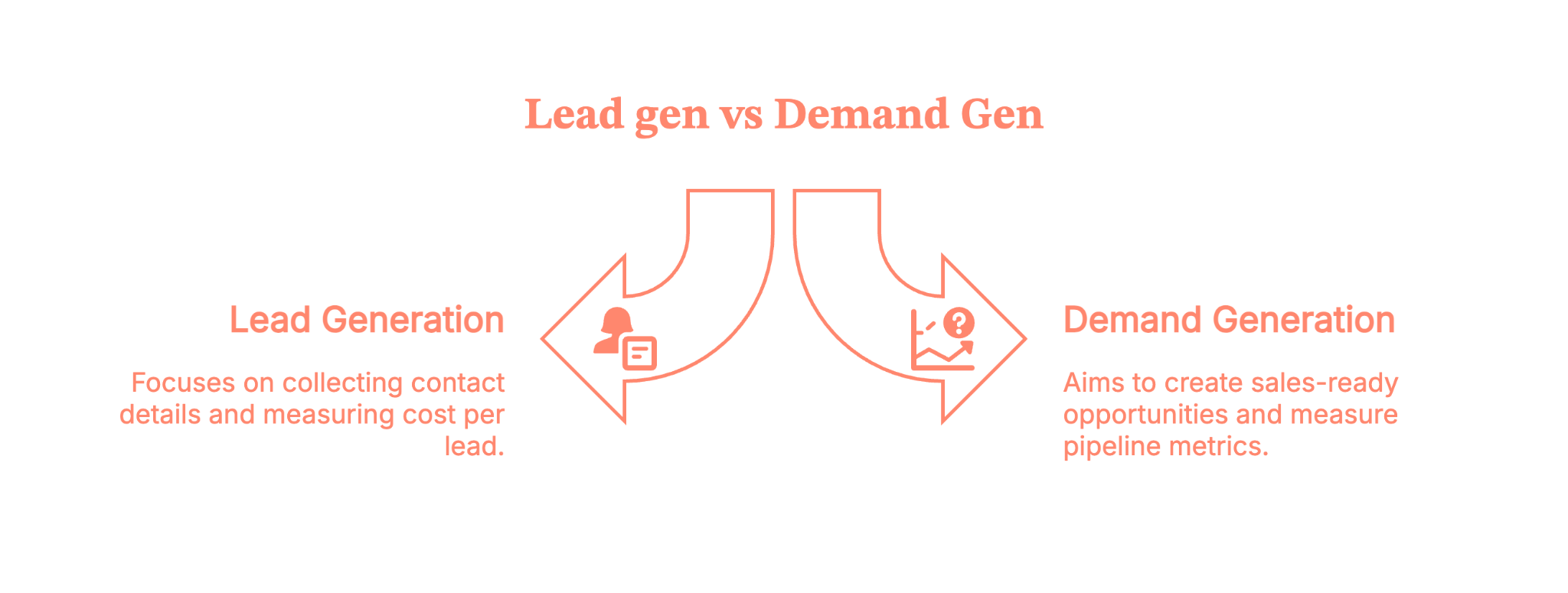
- Lead gen optimizes to collect contact details. Ebook downloads, generic newsletter signups, “get the checklist” gates. You measure leads and CPL.
- Demand gen optimizes to create sales-ready opportunities and revenue. You measure pipeline, SQLs, cost per opportunity, CAC, and payback.
This is what you need to know.
Lead gen fills a database.
Demand gen fills a pipeline.
You need both at some level, but this article is about structuring demand gen so Sales stops complaining and Finance stops squinting at your dashboards.
If you are thinking of diving deep into the differences, here is a blog to read: Lead genration vs Demand generation.
{{INLINE_TOFU}}
Best practice #1 – Get painfully clear on who you’re actually targeting
If your ICP is “mid-market companies in North America that care about efficiency,”… you don’t have an ICP, you have a wish.
So, start with a razor-sharp Ideal Customer Profile and a clear problem statement.
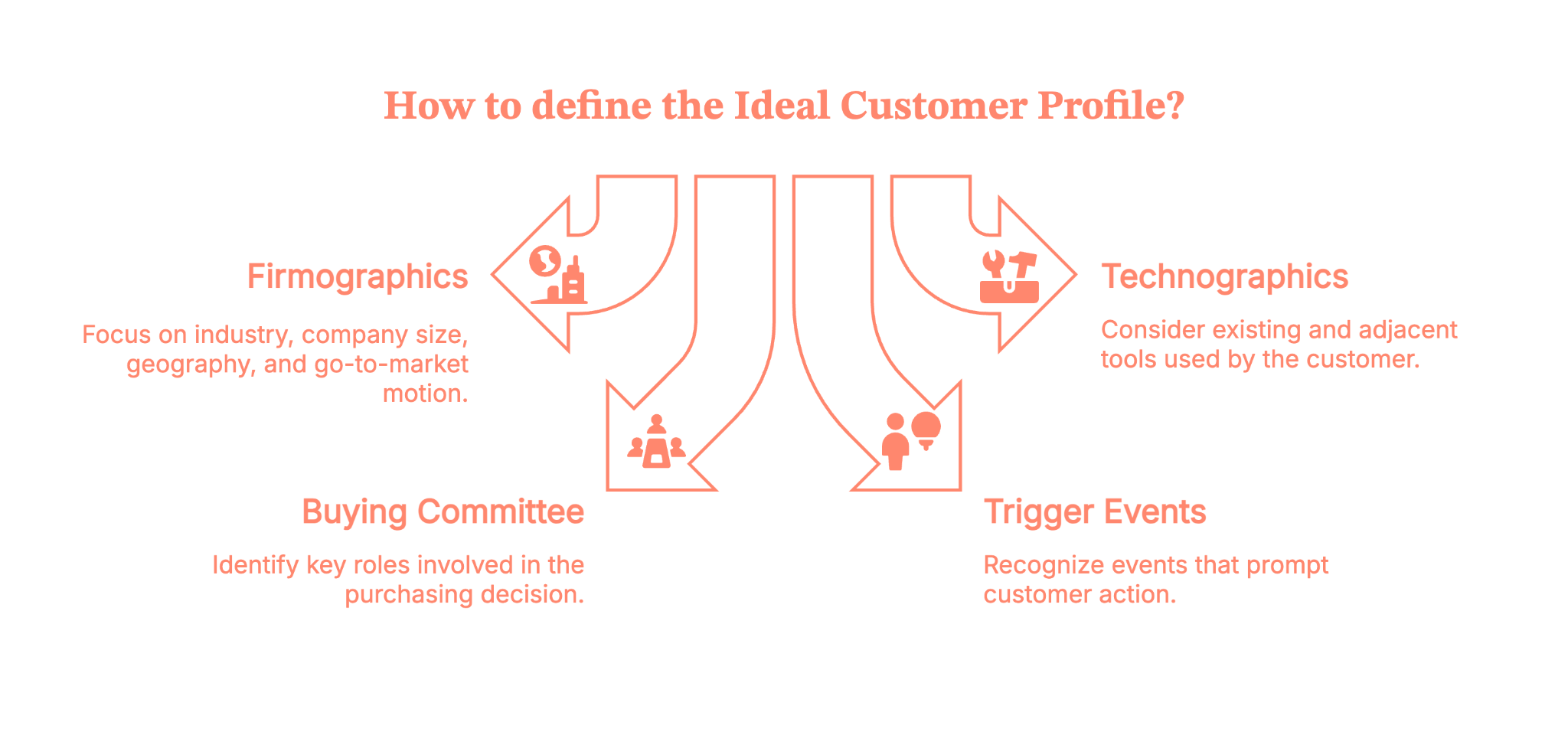
For SaaS, your ICP should include:
1. Firmographics
- Industry / vertical
- Company size (by revenue and/or employee count)
- Geography (US, NA, EMEA, etc.)
- Go-to-market motion (PLG, sales-led, hybrid)
2. Technographics
- What tools they already use (CRM, MAP, data stack)
- Adjacent tools that signal a good fit (e.g., using Salesforce and HubSpot, using Snowflake, etc.)
3. Buying committee
- Primary champion (Director of Ops, VP Marketing, RevOps, etc.)
- Economic buyer (CFO, CRO, CMO)
- Key blockers (IT, Security, Legal)
4. Trigger events
- Hiring for specific roles
- Raising a funding round
- Moving upmarket or into a new segment
- Tool consolidation or vendor changes
Don’t build this in a vacuum
Sit down with:
- Sales – “Which customers close fastest and pay the most?” “Who do you never want to talk to again?”
- Customer Success – “Who gets value quickly?” “Who churns?”
- RevOps – “What does the data say about win rates and sales cycle by segment?”
Write this down in a doc and keep updating it. Use it to prioritize accounts, channels, and messages.
And yes, you’re allowed to say “No” to segments that consistently waste your time.
Self-audit questions
- Do you have a written ICP doc, or is it tribal knowledge?
- Can everyone describe your “hell no” accounts?
- Are campaigns built around these definitions, or are you still targeting “anyone with a LinkedIn profile”?
Best practice #2 – Turn scattered content into a real demand engine
Most SaaS teams already “do content” like blogs, webinars, ebooks, and a random podcast episode from 2022.
The problem is that it’s rarely structured as a full-funnel demand gen engine.
Let’s fix that.
Map your content to the whole demand gen funnel
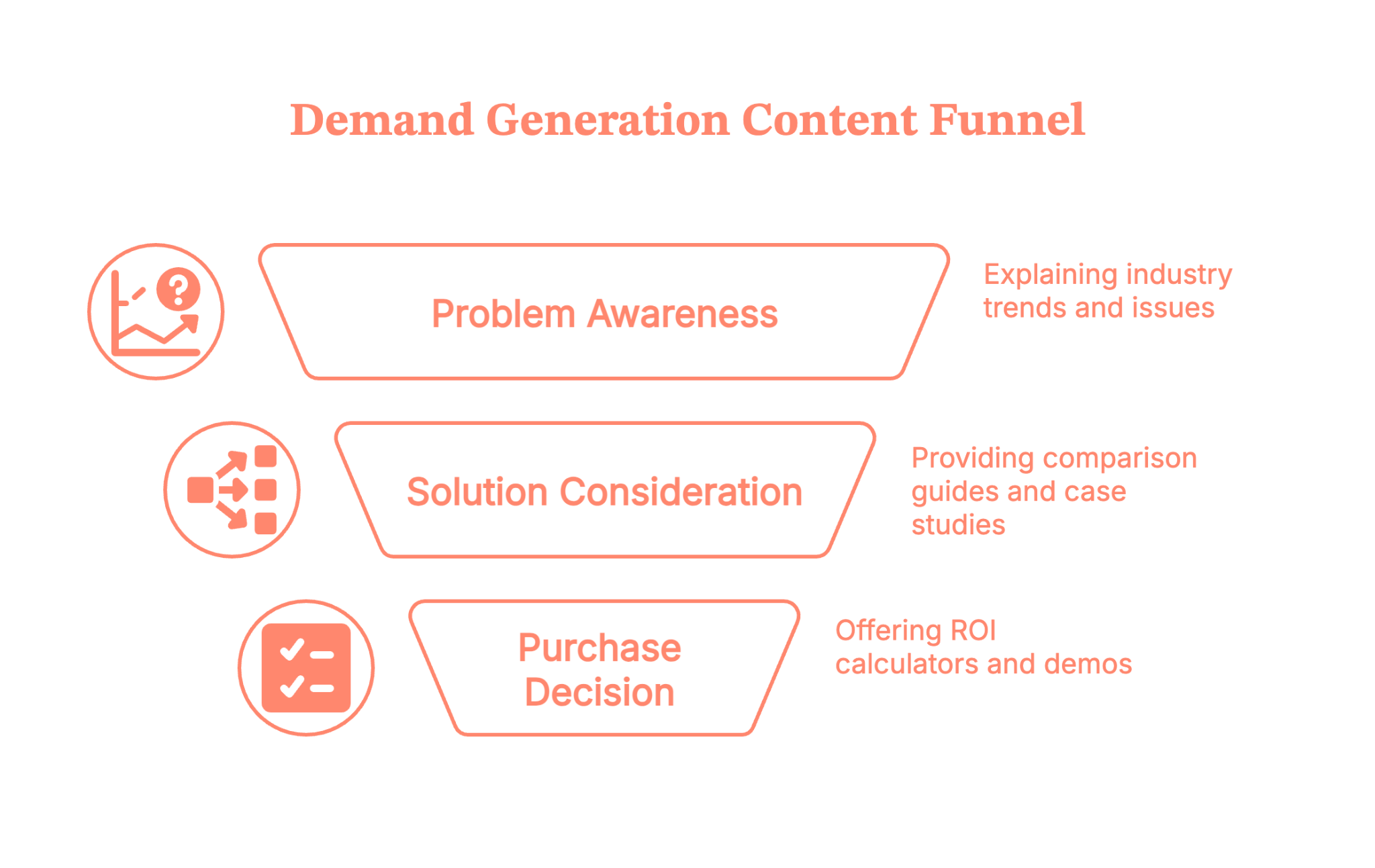
Think of it in three stages:
1. Problem/awareness (create demand)
- Problem explainers
- Industry trend breakdowns
- Strong points of view and “here’s what everyone’s getting wrong” content
2. Solution/consideration
- Comparison guides (“build vs buy”, “X vs Y category”)
- Case studies by segment
- Webinars / live sessions with practical walk-throughs
- “How we do X internally” content
3. Purchase/decision (capture demand)
- ROI calculators and business case templates
- Interactive demos or product tours
- Implementation guides
- Security and integration one-pagers
Ask yourself this question: “If someone binge-consumed our content, could they build a business case without ever talking to us?”
If not, you’re leaving pipeline on the table.
Use content formats that B2B buyers will actually consume
For B2B SaaS, a good mix usually includes:
- Deep blog/article guides (for SEO + education)
- Case studies in multiple formats (PDF, short video, live customer interviews)
- Webinars / live sessions you later chop up for social and email
- Short video clips for LinkedIn and nurture
- Interactive tools like calculators, assessments, and benchmarks
- Original research or mini “state of X” reports
Don’t overcomplicate this. Start by taking 2–3 of your best ideas and expressing each in 3–4 formats.
Gated vs Ungated: When to ask for an email
Here’s a simple SaaS demand generation rule of thumb:
Ungated
- Educational blog posts
- Thought leadership
- Most videos and webinars after the live date
- Frameworks and explainers
Use these to build trust and demand. The more helpful content people see, the more likely they are to raise their hand later.
Gated (sparingly)
- Tools or templates that have clear, immediate value
- Event registrations
- Deep evaluation content like ROI calculators or tailored assessments
Gate it when exchanging an email feels fair and aligned with buyer intent. If you’d be annoyed filling out a form for it, don’t gate it.
Self-audit questions
- Do you have content mapped to each demand gen funnel stage, or is it all top-of-funnel?
- Could a champion build a decent internal business case using only what you’ve published?
- Are you over-gating content that should be helping us create demand?
Best practice #3 – Show up consistently in the channels your buyers actually use
If you rely on a single channel (just Google Ads, just webinars, just events), you’re one algorithm or budget cut away from a dry pipeline.
Effective B2B demand generation tactics use a multi-channel mix that reflects how buying committees actually research and decide.
Core channels that tend to work for B2B SaaS
For B2B SaaS, your short list usually should include the following:
LinkedIn – Your prospects and customers hang out here
- Organic – personal profiles (founders, execs, subject-matter experts), company page
- Paid – Sponsored Content, Conversation Ads, retargeting
Email – always-on channel for nurturing buyers
- Newsletter with genuinely useful content, not just product updates
- Nurture sequences tailored by segment and intent stage
Paid search (Google/Bing) – capture high-intent, in-market buyers
- Capture in-market demand on high-intent keywords
- Carefully separate branded, competitor, and generic category terms
Paid social – amplify reach and reinforce messages
- LinkedIn and Meta (Yes, it works like a charm) for retargeting and lighter awareness
- Display/video to stay visible to target accounts
Communities & events – deepen relationships with buyers
- Niche Slack/Discord groups, peer communities, and industry events
- Webinars, customer roundtables, AMAs
Podcasts / YouTube – if you have the resources
- Great for narrative building and longer-form trust
The key is to pick 2–3 primary channels where your buyers already spend time, then layer in retargeting and content distribution.
Think in multi-touch, not one-hit wonders
Your future customer might:
- See a LinkedIn post
- Hear your founder on a podcast
- Click a paid search ad
- Attend a webinar
- Finally, book a demo via your site
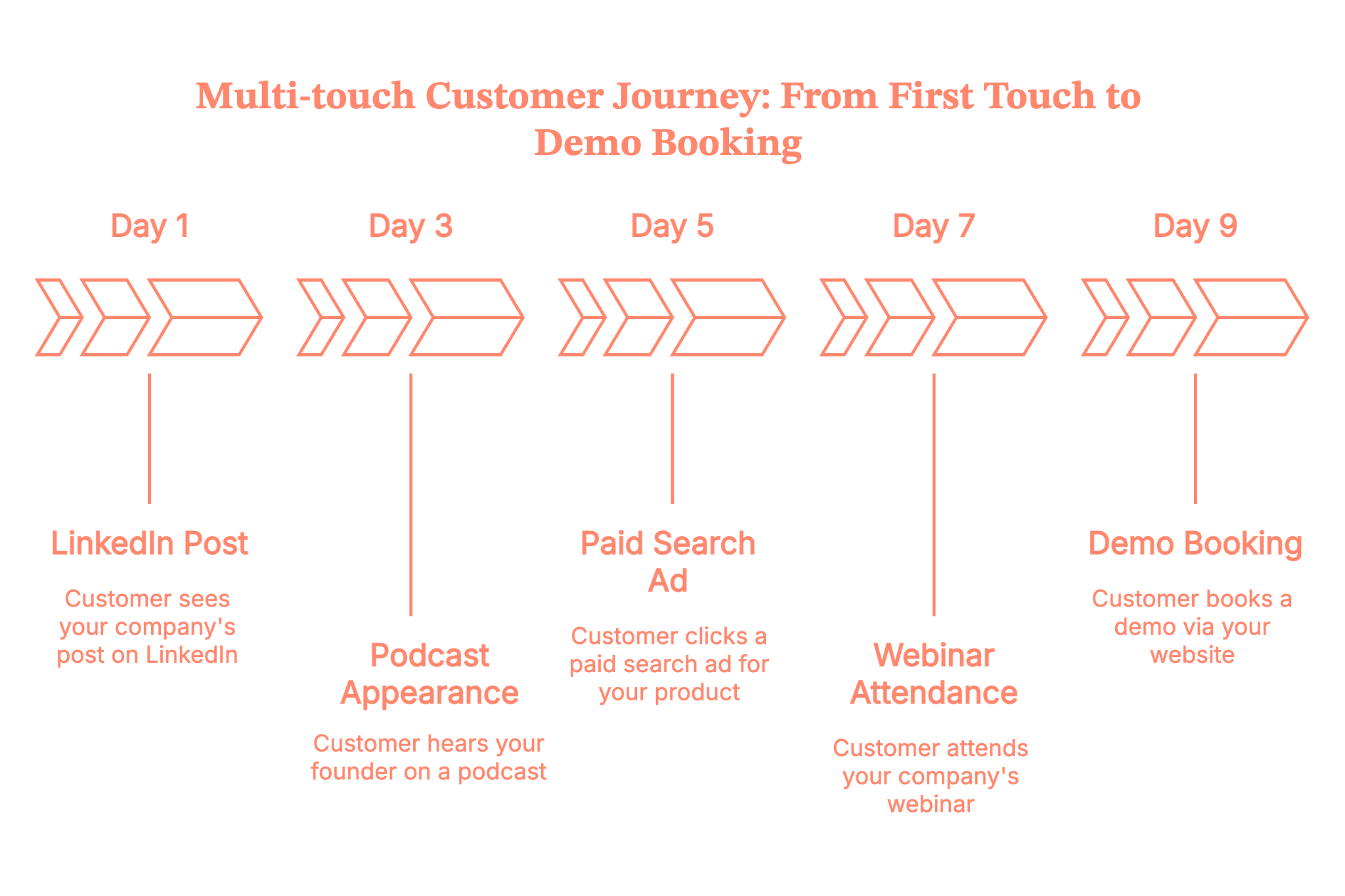
That’s not “attribution hell”, it’s reality. Your job is to build familiarity and trust across multiple touchpoints, not to hope that one ad does all the work.
This is also where multi-touch attribution stops being a nice-to-have and starts being survival gear. To know more about the implementation process, read our blog on Implementing multi-touch attribution.
With Factors.ai, you can actually see how all those touches work together – LinkedIn ads, webinars, website visits, organic visits, outbound emails, etc. This helps you understand which combinations reliably turn into SQLs, opportunities, and revenue, not just clicks.
In fact, Factors.ai has gone one step further and built you features called ‘Account 360’ and ‘Milestones’.
- Account 360 pulls in activity from your site, CRM, and ad platforms, scores accounts, and sends real-time Slack/Teams alerts when high-intent actions happen.
- Milestones visualizes every touch across 1st, 2nd, and 3rd-party intent and shows how accounts move between stages and which interactions actually drive conversions.
Together, they turn multi-touch attribution from guesswork into a clear, account-level story – so you can stop optimising for cheap leads and double down on the plays that consistently create pipeline and closed-won revenue.
Self-audit questions
- Do you know the top 2–3 channels that consistently touch opportunities before they close?
- Are you using retargeting to stay top of mind with people who’ve engaged with high-intent content?
- Are your channels working together, or is each campaign a silo?
Best practice #4 – Use paid media to pour fuel on what already works
Paid can be magical… or it can be the fastest way to light budget on fire.
Trust us, we are not making this up, read more about this on our recently curated LinkedIn B2B Benchmark report of 2025.
Treat paid demand generation as an amplifier, not your primary source of “figuring out what message works”.
Start from proven messages and offers
Before scaling spend, make sure you have:
- Website messaging that already converts some traffic
- At least a couple of offers that Sales LOVES (e.g., assessment, ROI analysis, tailored demo)
- 1–2 content pieces that organic or outbound already prove are resonating
Use those as the starting point for LinkedIn, Google, and Meta campaigns.
Your Google Demand Gen campaigns and other similar campaigns can work for B2B, but:
- They need a significant conversion volume to optimize
- They’re better at cheap traffic than at guaranteed high-intent leads
- You still need a tight audience, a creative strategy, and strong landing pages
If your budget is limited and your CFO is watching every dollar, prioritize:
- Search on high-intent keywords
- LinkedIn targeting your ICP
- Retargeting of engaged visitors and key account lists
Then layer in broader “Demand Gen” style campaigns as you learn.
If your paid budgets are tight, you might want to read our blog on LinkedIn ads targeting mistakes to to avoid costly mistakes.
Optimize for qualified outcomes, not vanity metrics
Shift from:
- Cost per click → cost per qualified demo/cost per opportunity
- Leads → SQLs and opportunity creation
- Shallow forms → clear, honest offers (“Talk to a specialist”, “See how this works with your stack”)
Operationally, that means:
- Dedicated landing pages with one clear call to action
- A/B testing headlines, social proof, and offers
- CRM feedback loops to see which campaigns actually create pipeline and revenue, not just interest
Self-audit questions
- Do you know which paid campaigns produced your last 10 closed-won deals?
- Are you optimizing for the metrics Sales and Finance care about, or just CTR and CPL?
- Are you running any campaigns purely because “everyone else is”?
Best practice #5 – Fix your data, tracking, and conversion paths before scaling harder
You can’t run serious SaaS demand generation on a broken data foundation (well, you can, but you’ll hate it).
Get the basics of tracking right
At a minimum, you need:
- Consistent UTMs on all paid and major owned campaigns
- Tight CRM integration (HubSpot, Salesforce, etc.)
- Clearly defined lead statuses and lifecycle stages
- A simple attribution model (even if it’s just “primary source” + “assist touches” for now)
Don’t chase perfect attribution; chase trustworthy, directional data you can actually act on.
Treat your website like a product
Your website is the core of your demand gen funnel. Start treating it like a conversion product:
- Clear primary CTAs on high-intent pages (Pricing, Product, Integrations, etc.)
- Fast load times, especially on mobile
- Messaging that speaks in your ICP’s language, not internal jargon
- Social proof that matches the segment you care about most
Run ongoing CRO experiments on:
- Headlines and hero sections
- Form length and fields
- CTAs like “Book a demo” vs “See it in action” vs “Talk to an expert”
Even small lifts (say, 10–20% better conversion rate) can meaningfully improve CAC and payback across your demand gen funnel.
Self-audit questions
- Do you trust your source and campaign data in the CRM?
- Can you see which channels tend to create opportunities and revenue, not just traffic?
- When was the last time you ran a real A/B test on your main demo page?
Best practice #6 – Treat Sales like a co-owner of demand, not a downstream complaint box
If Demand Gen and Sales only meet to argue about lead quality, you don’t have a demand engine; you have turf wars.
You want a shared pipeline machine.
Align on definitions first
Make sure you’ve agreed on:
- MQL – If you still use it, define it tightly. Don’t call everyone who downloads a PDF an MQL.
- SQL – Sales-accepted lead that meets ICP and has some buying intent.
- Opportunity – Consensus on what qualifies as a real opportunity
- ICP fit – The non-negotiables for account fit.
Document this and use it to qualify your inbound leads.
Build feedback loops into your process
Set up regular check-ins where you review:
- Which campaigns and offers produce people Sales actually wants to talk to
- Common objections or misconceptions prospects have
- Missing content or tools that Sales wish they had
Add simple mechanisms such as:
- “Reason disqualified” field in CRM
- A Slack channel for quick feedback on new campaigns
- Short post-meeting notes tagged to campaigns
Don’t forget post-lead workflows
- Speed to lead: For inbound demo requests, aim for minutes, not days.
- Routing and lead scoring: Ensure high-intent leads from target accounts go to the right reps, fast.
- Nurture: Not-ready-yet leads shouldn’t just sit in a list. Put them into relevant, helpful nurture based on their segment and behavior.
We know that Sales and marketing are like twins that don’t get along. But read our blog for 6 practical tips to align sales and marketing teams. We promise NO FLUFF.
Self-audit questions
- Can Sales and Marketing point to the same dashboard when you say “pipeline from marketing”?
- Do you have written MQL/SQL/opportunity definitions that Sales actually agreed to?
- Are high-intent demo requests treated like gold or just another task?
Best practice #7 – Measure demand gen by pipeline and revenue, not just activity
Here’s where demand generation for B2B gets real: what you measure is what you optimize for.
If you only track leads and CPL, you will end up optimizing for cheap, low-intent leads.
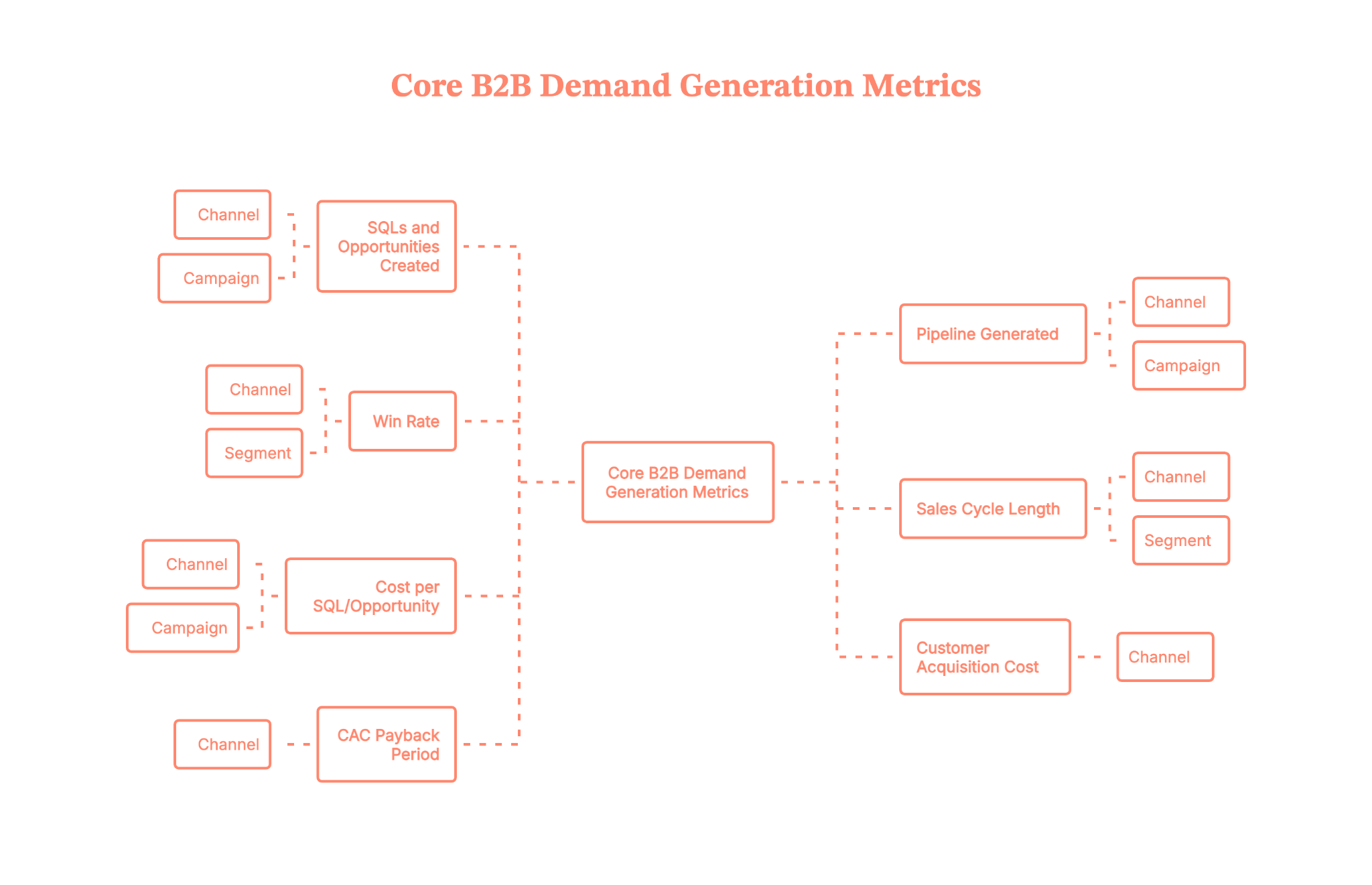
Core B2B demand generation metrics to track
At a minimum, these are the metrics you should track by channel and campaign:
- SQLs and opportunities created
- Pipeline generated (value of opportunities)
- Win rate by channel/segment
- Sales cycle length by channel/segment
- Cost per SQL / cost per opportunity
- Customer Acquisition Cost (CAC) by channel
- CAC payback period
What “good” can look like for B2B SaaS (directionally)
This varies by ACV and segment, but as a directional sense:
- Marketing-sourced pipeline often aims for 20–50%+ of total new pipeline (higher for earlier-stage companies).
- Reasonable CAC payback for many B2B SaaS businesses is 12–24 months, with best-in-class often under 12 months, and some enterprise motions accepting longer.
- SQL → Opportunity conversion might sit around 20–40%, depending on how strict your SQL definition is.
Use these as ranges, not strict rules. The key is improving your own numbers over time.
Build a simple revenue-focused dashboard
On a monthly or a weekly basis, track the following:
- Pipeline created by the source and campaign
- Closed-won revenue by source
- CAC/CAC payback by channel (even if approximate)
- Top 5 campaigns that influenced closed-won deals
This is how you turn “marketing is a cost center” into “marketing is a predictable growth lever”.
Self-audit questions
- Do you know which campaigns created last quarter’s pipeline, not just last quarter’s leads?
- Can you estimate CAC and payback period by major channel?
- Are you reviewing these numbers with Sales and leadership on a recurring basis?
Best practice #8 – Run experiments and document your own SaaS demand gen strategies
Here’s the uncomfortable truth: all the B2B demand generation best practices in the world won’t perfectly fit your product, price point, and sales cycle.
You need to test and codify what works for you.
Treat campaigns like experiments
For each experiment, define:
- Hypothesis – “We believe offering an ROI assessment to director-level ops leaders will increase demo-to-opportunity conversion.”
- What you’ll change – offer, channel, creative, audience, or funnel step.
- Success metrics – SQLs, opportunities, pipeline, or efficiency (e.g., cost per opportunity).
- Timeframe and sample size – give it enough time and volume to be statistically useful.
Run a manageable number of experiments per quarter (for example, 3–5 meaningful ones), and actually review the results.
Build an internal “playbook” doc. PS: It should be a living doc with
- Your ideal customer profile(s)
- Proven offers by segment and funnel stage
- Top-performing campaigns with examples of creative and landing pages
- Experiments that failed and what you learned
This becomes onboarding gold for new team members and a guardrail against “we tried that already” amnesia.
Self-audit questions
- Do you have a list of our top 5 “always on” plays that reliably drive pipeline?
- Are you running structured experiments, or just trying random ideas?
- Is there a central doc where all of this lives?
Stitching it all together: a simple SaaS Demand Gen framework
Let’s make this practical. Here’s a simple 3-step loop you can use to structure your demand generation strategy.
1) Clarify: who, what, and why now
- ICP and anti-ICP are clearly defined
- Core problems and pains, in the customer’s language
- Key use cases and value propositions
- Segmentation by ACV/segment where relevant
2) Create & distribute: content + channels
- Full-funnel content mapped to awareness, consideration, and decision
- Always-on, helpful content distributed via LinkedIn, email, and communities
- Paid campaigns that amplify what’s already resonating
- Website and landing pages tuned for clarity and conversion
3) Capture & measure: offers, tracking, and pipeline
- Strong, honest offers for high-intent buyers
- Clean tracking from click → CRM → opportunity → revenue
- Regular review of pipeline, CAC, and payback by channel
- Feedback loops with Sales and CS to refine targeting and messaging
Run this loop every quarter. Improve one or two parts at a time. You’ll be surprised how fast the engine compounds.
B2B SaaS demand generation FAQs
Q. What are the most effective B2B demand gen channels for SaaS?
For most SaaS teams, the usual top performers are LinkedIn (organic + paid), paid search, email, and website content. Many also get strong results from niche communities and events. The best channels are the ones that reliably touch opportunities before they close, not just the ones that generate the most cheap leads.
Q. How long does it take to see results from B2B demand generation?
You can see early signals (traffic, engagement, SQLs) in a few weeks, but meaningful pipeline and revenue usually take 3–6 months to show up, and 6–12 months to really stabilize. Longer sales cycles and higher ACVs stretch that out. This is why you want a mix of quick-win capture tactics and longer-term demand creation.
Q. How much budget should I allocate to B2B demand gen?
There’s no magic number, but many SaaS companies allocate a significant portion of their marketing budget to demand creation and capture across content, paid, and events. Work backwards from your pipeline and revenue targets, your CAC/payback goals, and your current conversion rates to estimate what you can afford to spend per opportunity and per customer.
Q. Do Google’s “Demand Gen” campaigns work for B2B?
They can, but they’re not a silver bullet. They usually work best when you already have good creative, clear ICP, and enough conversions for the algorithm to learn from. If your budget is tighter, prioritize high-intent search and LinkedIn before throwing a lot of spend at broad Demand Gen campaigns.
Q. How do I know if my demand gen is working?
Look at pipeline and revenue trends, not just leads. If you’re seeing more SQLs, more opportunities, and more closed-won deals from your target segments at an acceptable CAC and payback, your demand gen is working. If leads are up but pipeline and revenue aren’t moving, something’s broken in targeting, messaging, or qualification.
.avif)
B2B Marketers Are Moving Budgets to LinkedIn (and You Should Too)
B2B marketers increased LinkedIn ad budgets by 31.7% while Google grew just 6%. Discover why traditional channels are failing and how you should respond.

There's a mass exodus happening in B2B marketing, and it's not just people fleeing yet another meeting that could have been an email.
Between Q3 2024 and Q3 2025, B2B companies increased their LinkedIn ad budgets by 31.7% while Google ad spending limped along with a measly 6% growth. That's five times the difference in growth rates. This isn't a test. This isn't a trend. This is a serious pivot at the executive level.
If you're still allocating your marketing budget like it's 2024, it’s time to have a serious chat. It’s not me, it’s you. Something needs to change.
The traditional channels are crashing out
What worked ten years ago doesn’t work today. What worked five years ago doesn’t work today. Increasingly, what worked one year ago doesn’t work today. The world is changing, and you’re sitting there, watching it spin on by, sipping your matcha latte and falling further behind.
We surveyed 125+ US-focused marketing leaders, and analysed data from 100+ B2B companies. Our LinkedIn Benchmarks Report gives intriguing insights into modern marketing, what works, and what is swiftly failing.
Organic traffic is tanking
While the aggregate numbers show a modest 1.7% growth in organic traffic, dig deeper, and you'll find the median organization actually experienced a -1.25% decline. Companies with 50K+ monthly traffic saw 67% of them losing ground.
Google's 2024-2025 algorithm updates basically carpet-bombed enterprise sites relying on historical domain authority. If you'd been coasting along as an established website, you're probably feeling the pain right now.
Paid search is having a full-blown meltdown
The paid search numbers are rough:
- Median paid search traffic change: -39%
- Aggregate conversion rate change: -8%
- Median CPC increase: 24%
- Companies with declining conversion rates: 65%
You're paying more, for less traffic, that converts at lower rates. That's a channel in crisis. According to our analysis of over 100 B2B companies, paid search is suffering on all fronts. Higher competition and more automated bidding and LLM’s impact on buyer behaviour are eating away at effectiveness and increasing costs.
Gated content is closing its gates (on you)
Gated content was the best strategy for the longest time; high-quality leads liked the valuable resources and the ROI was outstanding. But like newspapers in the time of social media, the relevance and impact is waning.
- Webinar registrations are down 12.7%
- eBook downloads among established programs have dropped by 5%
- Report downloads have fallen 26.3%
Now that B2B buyers can just ask ChatGPT for cliffnotes, your long and detailed gated whitepaper suddenly looks a lot less appealing. It sucks, we know.
The only demand gen action showing resilience? Demo requests, up 9.5%. But according to Forrester, 81% of buyers have a preferred vendor at first contact, and 85% have already established purchase requirements before reaching out. That demo request is a tick-boxing exercise because all the research is already done.
The great budget migration: Where the budget's actually going
LinkedIn's share of the digital marketing budget jumped from 31.3% to 37.6% in just one year. Google's share? Dropped from 68.7% to 62.4%. That's a 6.3 percentage point swing. In marketing budget terms, that's a massive shift.
68.3% of companies increased their overall digital marketing budgets, but they're specifically pouring that new money into LinkedIn at a rate 5X higher than Google. This isn't incremental optimization. This is systematic reallocation based on proven ROI.
But wait, there's more: The brand awareness revolution
Here's where things get really interesting. CMOs aren't just shifting budgets to LinkedIn. They're fundamentally changing how they advertise on the platform.
Campaign objectives focused on brand awareness or engagement jumped from 17.5% to 31.3% of LinkedIn spend. Meanwhile, lead generation objectives plummeted from 53.9% to 39.4%.
But wait, aren't we all supposed to be focused on leads and pipeline?
Here's why this change makes perfect sense: when 92% of buyers start their journey with a vendor already in mind, the battle is won or lost during the brand awareness phase. HubSpot's 2025 State of Marketing Report found that 92% of all marketers plan to maintain or increase their investments in brand awareness in 2025. The smart money knows that direct response lead gen on LinkedIn increasingly captures only in-market buyers who've already formed their preferences.
The real strategic leverage? Top-of-funnel brand investment. Because if you aren’t on that preferred vendor list, your goose is cooked, and you’ve missed out.
{{INLINE_TOFU}}
The ROI case that makes CFOs actually happy
Traditional channels are failing and everyone's moving to LinkedIn (like rats deserting a sinking ship). But does LinkedIn actually work?
Here are some numbers that’ll make your CFO's eyes light up.
LinkedIn vs. Google: The head-to-head showdown
Based on analysis of our Factors.ai customer data:
- Median ROAS: LinkedIn 1.8x vs. Google 1.25x (44% advantage for LinkedIn)
- Cost per ICP account engaged: LinkedIn $257 vs. Google $560 (LinkedIn wins at half the cost)
- Cost per qualified meeting: LinkedIn has a 23% cost advantage
- Average Contract Value: LinkedIn-sourced deals close at 28.6% higher ACV
Read that last one again. Not only are you paying less to acquire customers on LinkedIn, but those customers are worth 28.6% more. It’s like ordering a single-scoop ice cream and getting a double-scoop for free, because you know the guy behind the counter.
The multiplicative effect: LinkedIn makes everything else better
Every cook knows how to make meals taste better. The multiplicative effect in the kitchen is butter. The addition of butter makes everything better. Burnt? Scrape it off and add butter. Flavourless? Stir through some butter. Tastes too healthy? Butter.
LinkedIn is like butter. It takes everything to the next level.
- ICP accounts that saw LinkedIn ads convert from paid search at 46% higher rates (up to 69% higher in top-performing campaigns)
- 43% improvement in meeting-to-deal conversion for SDR outbound when accounts saw LinkedIn ads first
- 112% lift in conversion rates from website content pages for accounts exposed to LinkedIn ads
Think about what this means: LinkedIn isn't just driving direct conversions. It's making your entire marketing stack more effective. Your paid search? Better. Your content marketing? Better. Your SDR team's cold outreach? Suddenly, not so cold anymore. Toasty warm, really.
LinkedIn is not just a brand awareness platform. It’s your full-stack marketing butter.
The quality advantage: Not all leads are created equal
Let's talk about something that traditional metrics miss: lead quality.
71.9% of B2B marketers agree that leads from LinkedIn ads align more closely with their ICP and are more likely to be senior-level decision-makers compared to other channels. When you can target the actual CFO, VP of IT, and Director of Marketing (not just cross your fingers and hope that your ad reaches them) you fundamentally change the game.
LinkedIn's professional graph gives you access to real buying committees. And with 13 stakeholders involved in the average B2B deal, you need to influence the entire committee, not just your champion. LinkedIn makes that possible at scale.
How to make the shift (without screwing it up)
If you’re ready to take the plunge on LinkedIn, how do you do it? Here's how you can actually execute this budget reallocation without looking like you're panic-pivoting:
1. Start with the brand, not the leads
I know this feels counterintuitive, but trust the data. The top performers are allocating 31.3% of their LinkedIn spend to brand awareness and engagement. This is because 81% of buyers have a preferred vendor before formal evaluation even begins.
You can't capture demand you didn't create awareness for. Build mental availability with the 95% of your market that's out of market right now, and you'll be on the shortlist when they're ready to buy.
2. Diversify your creative formats
Here's what the smart marketers are doing:
- Video ads: Up from 11.9% to 16.6% of spend (+4.7pp). LinkedIn's platform data shows video gets five times the engagement compared to static posts.
- Document ads: Up from 6.4% to 10.7% of spend (+4.3pp). These enable native content consumption without requiring landing page visits.
- Connected TV: Exploded from 0.5% to 6.3% of spend, a massive 12.6X increase.
Stop putting all your eggs in the single-image ad basket. Diversification is the key.
3. Embrace automated bidding (yes, really)
Automated bidding adoption jumped from 27.6% to 37.5% among bottom-of-funnel campaigns. This signals something important: LinkedIn's algorithms have gotten smart enough that you can trust them.
But here's the critical part: automated bidding only works if you're feeding it quality conversion signals. LinkedIn's Conversions API (CAPI) customers see a 20% reduction in cost per acquisition and a 31% increase in attributed conversions. Set this up before you scale your spend.
4. Think beyond the LinkedIn feed
The best marketers are expanding their LinkedIn presence across multiple touchpoints:
- Offsite delivery: Up from 12.9% to 16.7% of spend
- Connected TV partnerships with Paramount, Roku, and NBCUniversal
- Thought Leader Ads to amplify executive content.
Your buyers aren't just on LinkedIn during work hours. They're at home streaming TV, reading articles, and consuming content across the web. Meet them there with consistent messaging.
5. Measure what actually matters
Stop obsessing over click-through rates and start tracking:
- Cost per ICP account engaged
- Multi-touch attribution across your entire funnel
- Pipeline contribution by channel
- Revenue attribution (not just lead attribution)
In-platform metrics like CTR and CPC don't tell the full story. Funnel benchmarks provide a clearer picture of how LinkedIn ads drive pipeline creation and revenue generation.
The bottom line: Adapt or get left behind
Here's what it comes down to: 56.4% of B2B marketers plan to increase their LinkedIn budgets by more than 10% in 2026. It’s the great migration.
The buyers have changed how they research and purchase. Traditional channels are under pressure. And LinkedIn has evolved from "that place where recruiters and Bitcoin bros spam you" to a sophisticated B2B marketing machine that delivers measurable ROI.
The companies winning in B2B today aren't the ones with the best funnel optimization or the trickiest growth hacks. They're the ones who recognized that the buyer's journey is no longer linear, that brand awareness drives vendor shortlisting, and that being present where decision-makers actually spend their time is worth more than clever conversion rate optimization.
So the question isn't whether you should shift your budget to LinkedIn. The question is: are you going to lead this shift, or are you going to lag while your competitors capture the market?
If you're still allocating less than 30% of your digital budget to LinkedIn while your competitors are at 40%+, you've got work to do. Factors.ai can help.

The Un-Paradox: Why Search Conversions Are Down but Demos Are Up
Search traffic is shrinking, but demo bookings are surging. Read how buyer behavior in 2026 is reshaping B2B marketing performance and what to prioritize now.
TL;DR
- Search conversions are falling due to reduced top-of-funnel activity, especially from paid channels.
- Demo requests are rising because buyers now engage only when they’re close to a decision.
- AI tools and peer networks are replacing traditional search during early research stages.
- B2B marketers must refocus on brand visibility, high-intent engagement, and quality pipeline over vanity metrics.
Your analytics dashboard is sending mixed signals. It’s like the person who meets for a date, says they’d love to meet again, and then sends three messages every four days for the next six weeks (he’s just not into you, BTW).
Paid search conversion rates are down 20% at the median. Organic traffic is declining 1.25% for the median company. The charts are red. Your search agency is scrambling for explanations. Your CFO is asking uncomfortable questions about your Google Ads ROI.
But then you look at demo requests. Demo requests are up 9.5% overall.
And this isn’t just a ‘you’ thing, this is across the board. The median company saw demo requests grow by by 17.4%. Sixty-three percent of organizations reported increases. Some companies in the 75th percentile are seeing 56% growth in demo bookings.
What. The. Heck.
Welcome to the great B2B marketing paradox of 2026. Search is struggling, but bottom-of-funnel conversions are thriving. Traffic is down, but sales conversations are up. Traditional demand gen metrics are tanking, but pipeline quality is improving.
This isn't a bug, nor is it some hot-and-cold romantic prospect. It's a fundamental restructuring of the B2B buyer journey. And if you understand what's driving it, you can stop panicking about declining search metrics and start optimizing for what actually matters.
The Data: Two Trends Moving in Opposite Directions
Let's start with the search situation, because it's genuinely rough out there.
In our report, we found that paid search is under severe stress:
- Overall paid search traffic grew just 4.9%, but that masks massive divergence
- The median change in paid search traffic was -25.2%
- The bottom quartile saw traffic declines of -58.9%
- Conversion rates from paid search declined for 65% of companies
- The aggregate conversion rate from paid search dropped 8%
- The median conversion rate change was -20%
To make matters worse, cost per click increased by a median of 24%. So you're paying more, getting less traffic, and that traffic is converting at lower rates. It's the trifecta of paid search pain.
Organic search isn't much better. Overall organic traffic grew just 1.7%, but the median company experienced a -1.25% decline. The bottom quartile saw traffic drop by 25%.
Now here's where it gets weird.
Demo requests are absolutely crushing it:
- Overall demo requests grew 9.5%
- Median growth was 17.4%
- The 75th percentile saw growth of 56.1%
- 63% of organizations reported increases in demo requests
These trends are moving in completely opposite directions. Search metrics (the top and middle of your funnel) are declining. Demo requests (bottom of your funnel) are growing.
How is this possible?
The Answer: Higher Intent, Lower Volume
Here's the key insight that explains the entire paradox: website traffic is becoming more concentrated among high-intent, later-stage buyers who have already narrowed their vendor shortlist.
What does that mean, without the marketing gobbledegook?
When organizations experience traffic decline but their conversion rate improves, it’s because buyers are doing a new and different thing to discover vendors. LLM-based tools and social validation are the culprits for this change.
Among companies that saw organic traffic decline, even though overall traffic dropped -28%, conversion rates grew 18%.
Lower volume. Higher conversion. This is the pattern.
The buyer journey has been restructured by two massive forces:
1. LLMs Have Absorbed Informational Research
89% of B2B buyers now use generative AI in their purchasing process, according to Forrester research.
Think about what that means for search behavior. Buyers aren't Googling "what is marketing automation" or "best practices for demand generation" anymore. They're asking ChatGPT. They're using Perplexity. They're getting synthesized answers from Claude.
And all that informational, top-of-funnel search traffic is evaporating.
LLM platforms don't show up in your analytics. So you have a black box in your marketing equation, with no way of knowing what’s happening in a crucial part of your strategy.
The remaining searches are high-intent, vendor-specific queries from buyers who already know what they want and are narrowing their options.
2. Buyers Know What They Want Before Signaling Intent
According to Forrester, 92% of B2B buyers start their journey with at least one vendor in mind. Even more striking: 41% have already selected their preferred vendor before formal evaluation even begins. That’s four out of ten buyers who have already decided who they're going to buy from, before they ever contact you.
By the time they're searching for your brand, clicking your ads, or visiting your pricing page, they're not in "learning mode." They're in "validation mode" or "building internal consensus mode."
This is why demo requests stay strong while search conversions decline. Buyers are researching elsewhere (LinkedIn, peer networks, G2, LLMs), forming preferences, and only visiting your website when they're ready to evaluate.
{{INLINE_TOFU}}
The Vendor Pre-Selection Phenomenon
Traditional funnel thinking assumes buyers move linearly: Awareness → Consideration → Decision. You catch them at the top with content and paid search, nurture them through the middle with email sequences and retargeting, then convert them at the bottom with demos and sales conversations.
That model is dying. Dead, some marketers say.
Modern buyers are conducting extensive research through channels you don't control and can't measure. They're:
- Asking peers in Slack communities and LinkedIn groups
- Reading reviews on G2 and TrustRadius
- Consuming executive thought leadership on LinkedIn
- Using LLMs to compare features, pricing, and use cases
- Watching product demos on YouTube
By the time they land on your website, they've already:
- Identified their problem
- Educated themselves on solutions
- Compared multiple vendors
- Formed initial preferences
- Maybe even built internal consensus
What looks like a website visitor in your analytics is actually a buyer who's most of the way through their journey.
That's why conversion rates from organic content pages are improving for accounts that have seen your LinkedIn ads (+112% lift), why paid search conversion rates are higher for ICP accounts exposed to LinkedIn (+46%), and why demo requests are growing even as top-funnel metrics decline.
The funnel hasn't disappeared. It's just happening somewhere else.
This Means You Need To Stop Optimizing for Vanity Metrics
This shift requires a fundamental rethinking of how you measure marketing success.
If you're still judging performance primarily on:
- Total website traffic
- Number of leads generated
- Top-of-funnel conversion rates
- MQL volume
You're measuring the wrong things. Or more accurately, you're measuring lagging indicators of a system that's already changed. You’re a dinosaur, measuring dinosaur things.
The companies winning right now are focusing on:
- Share of voice in professional communities
- Brand presence where buyers do research (LinkedIn, peer networks)
- Quality and intent level of the traffic they do get
- Velocity from interest to demo
- Bottom-of-funnel conversion rates
Shiyam Sunder, from TripleDart, says “Buyers today don't wander around the internet. They go where the signal is. LinkedIn has quietly become the research layer for B2B, and only high-intent users even bother coming to your site. Lower traffic with higher conversions is a quality upgrade, not a problem.”
You don't have a traffic problem. You have a visibility problem in the places where research actually happens now.
What’s Your Strategy Now?
So, what do you actually do with this information? How do you restructure your marketing strategy around this new reality?
1. Invest in Brand Before Demand
If 92% of buyers start with a vendor in mind, the battle is won or lost before they ever signal intent. That means brand investment isn't a nice-to-have. It's the prerequisite for everything else working.
This is why LinkedIn advertising budgets grew 31.7% year-over-year while Google spending grew by just 6%. CMOs are realizing that being present and visible where buyers conduct research is more valuable than catching them at the moment of search.
Brand awareness and engagement objectives grew from 17.5% to 31.3% of LinkedIn campaign spend. Marketers are shifting dollars from bottom-funnel lead capture to top-funnel presence and trust-building.
2. Accept That Most Touchpoints Are Now In An Invisible Black Box
End-to-end tracking shows that most demos come from multiple marketing touchpoints but ultimately appear as direct website traffic in your analytics.
A buyer might:
- See your CEO's LinkedIn post about industry trends
- Click a Thought Leader Ad to read a case study
- Visit your G2 profile to read reviews
- Ask ChatGPT to compare your product to competitors
- Discuss options in a Slack community
- Finally visit your website directly and book a demo
In your attribution model? That shows up in a roundabout way as "direct traffic."
You can't measure everything anymore. But you can make sure you're present in the channels where invisible research happens. LinkedIn. G2. Peer communities. Executive thought leadership.
3. GI:GO
The old playbook was about volume. More traffic. More leads. More MQLs. Pointless blogs. Erratic posting. Just getting things in front of people. Garbage? No problem.
The new playbook is about precision. Right accounts. Right intent signals. Right timing.
This is why cost per ICP account engaged matters more than cost per lead. Why 75% website visitor identification is becoming table stakes. Why account-level analytics is replacing lead-level tracking.
If you're still celebrating 10,000 monthly website visitors, but only 200 are from your ICP and only 50 are showing high intent, you don't have a traffic asset. You have noise.
4. Rethink Your Search Strategy
Here's what not to do: panic and slash your search budget.
Paid search is still valuable. It still captures bottom-funnel intent. It still drives demos. But its role has changed.
Search is no longer a standalone demand generation engine. It's a capture mechanism for buyers who were influenced elsewhere.
This means you need to:
- Accept lower traffic volumes as the new normal
- Optimize aggressively for conversion rate, not click volume
- Focus search budget on high-intent, branded, and competitor terms
- Stop trying to use search for education and awareness (that's gone to LLMs)
- Measure success on demos and pipeline, not form fills
Kamil Rextin, General Manager at 42 Agency, puts it this way: "B2B is finally realizing how important brand is because technology is becoming more and more commoditized, and everybody is doing the same thing. And then we also have better measurements of brand through qualitative surveys and statistical modeling, so I think it's easier to understand how brand impacts the bottom line."
Search still matters. But only after your branding has done its job.
The Upside: Better Leads, Better Pipeline, Better Deals
There's a silver lining in all of this. Yes, your search metrics look worse, and you’re getting questioning looks from the money-crunchers. But your pipeline is probably getting better.
Lower-volume, higher-intent traffic means:
- Shorter sales cycles (they've already done research)
- Higher conversion rates (they're ready to buy)
- Better product fit (they understand what you do)
- Larger deal sizes (they've identified real use cases)
The companies experiencing this shift report that even though they're generating fewer leads, those leads are converting to opportunities and closed-won at much higher rates.
You're not losing effectiveness. You're gaining efficiency.
This Isn't a Paradox at All
Search conversions are down, but demos are up. Once you understand what's actually happening, it's not a paradox. It's a logical consequence of buyer evolution.
Buyers are doing more research in places you can't track (LLMs, peer networks, LinkedIn). They're forming preferences before signaling intent. They're only visiting your website when they're already 70% of the way through their journey.
You can’t change this. The genie isn't going back in the bottle.
Your job is to adapt. Build brand presence where research actually happens. Accept that most touchpoints are invisible. Optimize for quality over quantity. And measure success on demos and pipeline, not traffic and MQLs.
The companies that figure this out will look at declining search metrics and shrug. Because they'll be too busy handling the flood of qualified demo requests.
Want to understand which accounts are engaging with your brand across LinkedIn, your website, and other channels before they signal intent through search? Factors.ai unifies account intelligence across all your GTM data so you can identify high-intent buyers earlier in their journey.
FAQs for Why Search Conversions Are Down but Demos Are Up
Q1: Why are search conversions declining while demo requests are increasing?
Search conversions are declining because buyers are no longer using search engines for early-stage research. They now rely on AI tools, peer reviews, and communities, arriving at websites only when ready to evaluate, hence the increase in demo bookings.
Q2: How has the buyer journey changed in B2B marketing?
Today’s B2B buyer often pre-selects vendors before formal evaluation. Most research now happens off-site: on LinkedIn, G2, Slack groups, and AI platforms, leading to fewer visits but more decisive actions.
Q3: What should marketers measure instead of traffic or MQLs?
Marketers should focus on metrics like demo-to-opportunity conversion rate, velocity from interest to meeting, and engagement from ICP (ideal customer profile) accounts. These offer a clearer picture of revenue impact.
Q4: Should B2B companies stop investing in paid search?
No, but its role has shifted. Paid search should be used to capture, not generate, demand. Focus spend on high-intent keywords, brand terms, and competitor searches, and judge success by demos and revenue, not clicks.
Best B2B Data Providers: Reliable Data For Sales & Marketing Teams
Source accurate data to run your sales using the top B2B data providers. This article compares the top 12 B2B data platforms you could consider.

Imagine having access to a wealth of information about potential customers at your fingertips. That's what B2B data providers offer – a centralized database filled with valuable information about businesses and decision-makers. However, with numerous B2B data providers available, it can be challenging to choose one that best suits your needs.
If you’re trying to find the right pick, this guide is for you. We’ll go over some of the best B2B data provider tools in the market today, what they offer, and if they’re good for you. Let’s get right into it.
Top 12 B2B Data Providers for Businesses in 2026
We’ll explore 12 of the best B2B data providers that you can consider for your business needs in 2026. Let’s start with one of the most popular options—Zoominfo.
1. ZoomInfo
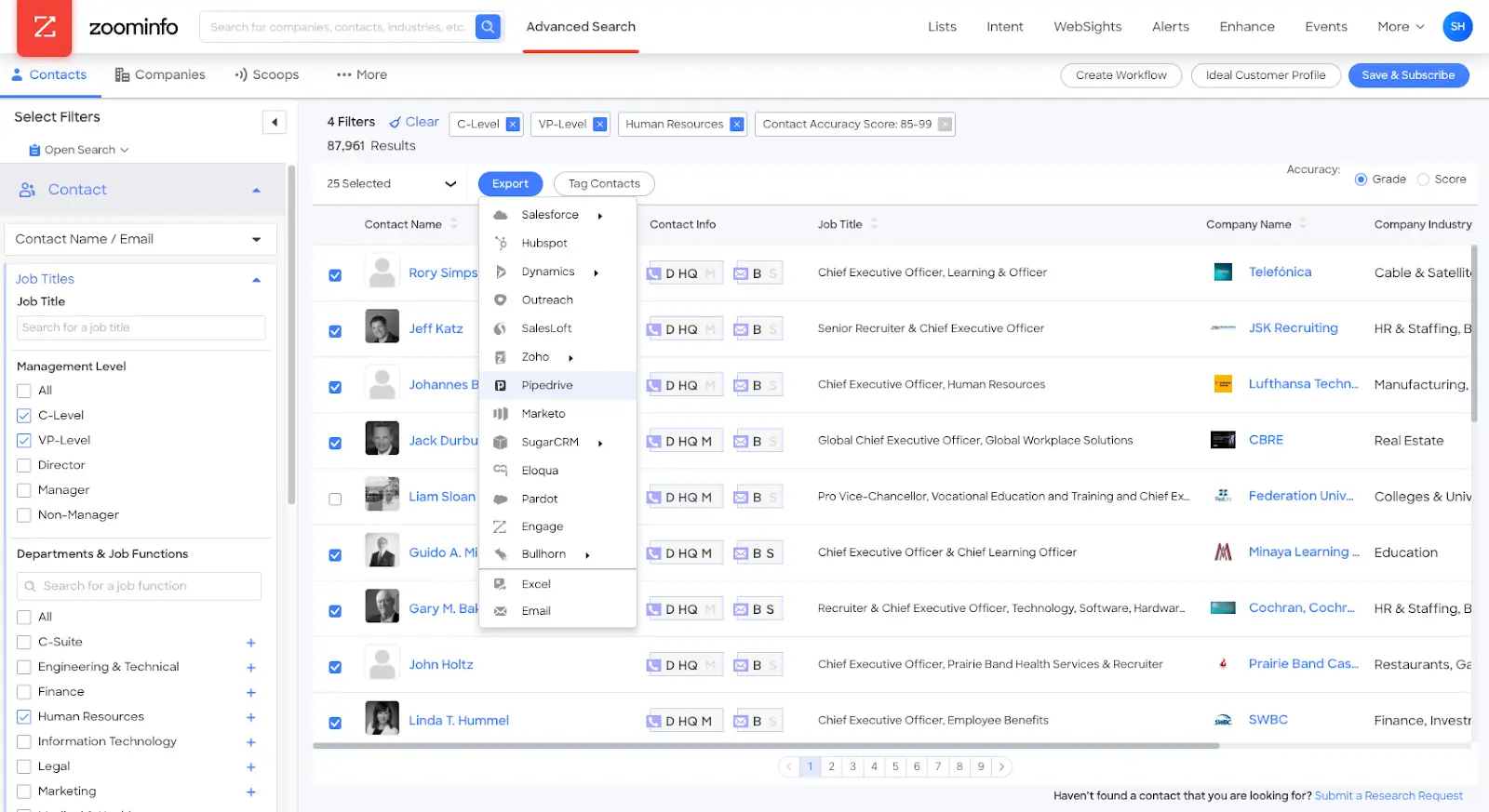
ZoomInfo is one of most established B2B data providers on this list, offering a wealth of information on companies and contacts. With its advanced search capabilities and real-time updates, ZoomInfo enables you to quickly identify and connect with their ideal prospects.
Features:
- Extensive database of contact and company information
- Advanced search filters and segmentation options
- Real-time data updates and verification
- Buyer intent insights to identify key decision-makers
- Conversation intelligence for sales call analysis
- Integration with popular CRM and marketing automation platforms
Pricing:
ZoomInfo offers flexible pricing packages across their data-driven solutions and premium applications.
- SalesOS helps speed up the entire sales process with accurate contact data, company insights, buying intent signals, engagement apps and integrations.
- MarketingOS aims to achieve more ROI by providing essential contact data, advanced company insights, digital marketing solutions for advertising, website chat, and form management, along with plug-and-play and flexible integrations.
- TalentOS helps find the best talent faster through advanced candidate search with accurate contact data, sourcing intelligence with candidate alerts and company insights, engagement apps and integrations.
ZoomInfo also offers three support package options—the free Standard, Preferred, and the Premium white-glove service package to further enhance the features provided within the plans.
Who it's good for:
ZoomInfo caters to businesses of all sizes, from startups to large enterprises, seeking a reliable and comprehensive B2B data solution.
2. Cognism

Cognism is a powerful sales intelligence platform that combines high-quality data with advanced analytics and automation features. Cognism's intuitive interface and easy-to-use tools make it simple for you to find and engage with your target audience, while its integration with popular CRM and marketing automation platforms ensures a seamless workflow.
Features:
- Offers 47 million mobile numbers with 87% of them being verified
- Wide global coverage across EMEA, NAM, and APAC regions
- Compliance with global data protection regulations
- Intent data powered by Bombora for identifying high-priority prospects
- Seamless integration with popular CRM and sales engagement platforms
- User-friendly Chrome extension for easy data access and enrichment
Pricing:
Cognism doesn’t publicly list their plans nor any features and you can get access to the required information by booking a demo with their sales team. Learn more about Cognism pricing.
Who it's good for:
Cognism is an excellent choice for businesses that prioritize data accuracy and compliance while seeking a user-friendly platform to support their sales and marketing efforts.
3. Clearbit

Clearbit is a data enrichment and lead generation platform that helps you gain deeper insights into your target accounts and prospects. With its real-time data enrichment capabilities, Clearbit can automatically fill in missing information in your customer records, such as company size, industry, and contact details. The platform also offers a range of tools for lead generation, including a powerful API and integrations with popular marketing and sales tools.
Features:
- Data enrichment to fill in missing information in customer records
- Lead scoring and routing for focusing on high-priority leads
- Intent-based outreach to build a pipeline from website visitors
- Advanced segmentation for intelligent go-to-market strategies
- Precise B2B targeting and data-driven prospecting
- Personalized email campaigns based on prospect data
- Extensive database with over 100 filters and nearly 400 million contacts, refreshed monthly
Pricing:
Clearbit does not provide public pricing or features available within the plans. You need to request a demo for the pricing.
Also read: Top 10 Warmly.AI Alternatives and Competitors In 2026-Compare Pros, Cons & Pricing
Who it's good for:
Clearbit is well-suited for businesses that want to enrich their existing data and gain deeper insights into their target accounts, as well as those looking for a reliable API solution.
4. BookYourData
BookYourData is a B2B data provider that combines verified contact data with flexible data enrichment capabilities. The platform provides access to a large database of business contacts and lets teams enrich, validate, and customize datasets to meet specific requirements. For businesses that need more than standard datasets, BookYourData also offers “Bespoke”, a fully managed data enrichment service that delivers custom-built datasets tailored to unique targeting criteria.
Features:
- Large database of verified B2B contacts and company records
- Real-time email verification to improve data accuracy
- Advanced filtering based on firmographic and demographic attributes
- Pay-as-you-go pricing with no mandatory subscriptions
- CRM-friendly exports and seamless workflow integration
- Bespoke managed data enrichment service for custom prospect lists, account research, and highly targeted data projects
Pricing:
BookYourData offers flexible pay-as-you-go pricing, allowing businesses to purchase only the data they need without long-term contracts. Custom pricing is also available for Bespoke managed data enrichment projects based on business requirements.
Who it's good for:
BookYourData is an excellent choice for businesses looking for accurate B2B contact data, flexible purchasing options, and a managed data enrichment service for complex prospecting or highly customized lead generation campaigns.
5. 6sense

6sense is an account-based orchestration platform that uses machine learning to help businesses identify and engage with their most valuable prospects. The platform's predictive analytics capabilities enable you to anticipate buyer behavior and intent, allowing you to focus your efforts on the accounts most likely to convert.
Features:
- AI-powered account identification and audience building
- Predictive analytics for optimal engagement timing
- Account intelligence for prioritization and personalization
- Prioritization dashboards for sales teams
- Revenue AI insights accessible from LinkedIn and other B2B websites
Pricing:
Again, 6sense does not publicly list its pricing. However, they have a free plan where you get 50 free credits to test out the platform before booking a demo and moving to paid tiers.
Who it's good for:
6sense is ideal for businesses that have adopted an account-based marketing (ABM) approach and want to leverage predictive intelligence to optimize their sales and marketing efforts.
6. Factors.ai

Factors is a B2B analytics platform and data provider that helps you reveal anonymous accounts visiting your marketing channels. The platform combines data from industry leaders like Clearbit and 6sense to deliver highly accurate and comprehensive insights—revealing upto 64% of accounts. Factors enables businesses to identify and engage with their prospects, track website visitor behavior, and attribute revenue to marketing efforts.
Factors also provides engagement insights and analytics, enabling sales and marketing teams to make data-driven decisions and optimize their efforts. It seamlessly integrates with existing workflows, making it easy for businesses to benefit from accurate data without disrupting their current processes.
Features:
- IP-matching with a database of over 4.7B IP addresses and 100 million+ companies and a match rate of up to 64%
- AI-powered account scoring and prioritization based on attributes, behavior, and engagement
- Account activation through intent data and high-intent audience targeting on LinkedIn and real-time sales alerts
- Intuitive account timelines and user journeys for visualizing buyer progression and intent
- Seamless data integration with a wide range of platforms
- Comprehensive platform for account intelligence, website visitor tracking, engagement insights, and revenue attribution
{{CTA_BANNER}}
Pricing:
Factors.ai offers four pricing plans to suit different business needs:
- Free plan at $0 per month
- Basic plan at $249 per month
- Growth plan at $799 per month
- Custom plan tailored for agencies, enterprises, and established teams looking to scale, with pricing available upon request.
Learn more about
Who it's good for:
Factors is an excellent choice for businesses that want a comprehensive B2B data solution that combines the accuracy of Clearbit's data with the intelligence of 6sense, as well as powerful features such as LinkedIn view-through attribution, website analytics, engagement scoring, and more
7. LinkedIn Sales Navigator

LinkedIn Sales Navigator is a powerful tool for B2B sales professionals looking to find and engage with potential buyers on the world's largest professional network. With its advanced search capabilities and lead recommendations, Sales Navigator makes it easy to identify and connect with decision-makers in your target accounts or companies.
The platform's InMail messaging feature enables you to easily include LinkedIn into your existing sales workflow, while its insights and analytics help track and optimize performance.
Also read: ZoomInfo Alternatives: Top 6 ZoomInfo Competitors In 2026
Features:
- Pinpoint ideal B2B buyers with advanced search filters (industry, title, company changes)
- Sales Navigator shows fresh prospects based on your preferences, expanding your data reach
- Get alerts when hot leads engage with your content or hit career milestones
- Identify key decision-makers within target accounts for a complete sales picture
- Reach high-value prospects, even if unconnected, with a limited number of monthly InMails
Pricing:
LinkedIn Sales Navigator offers different pricing plans to cater to various business needs.
- The Core plan starts at $79.99 per month
- Advanced begins at $135 per month
- Advanced Plus: Custom pricing that can be requested by booking a call
Who it's good for:
LinkedIn Sales Navigator is ideal for sales professionals and teams who regularly use LinkedIn for their lead generation and want to tap into the power of LinkedIn to find more
8. Lusha

Lusha is a user-friendly B2B contact and company data platform that helps businesses find and connect with their ideal prospects.
With its extensive database of accurate and up-to-date contact information, including email addresses and phone numbers, Lusha makes it easy for you to reach out to potential customers and partners. Lusha’s browser extension helps you access and use data directly from your existing tools and workflows.
Features:
- Intent data through a partnership with Bombora, collected from over 5,000 consenting sources
- Simple setup and short onboarding process with an intuitive dashboard
- Seamless integration with Salesforce and other third-party CRM vendors
- Popular choice for sales teams using a "warm outbound" approach
Pricing:
Lusha, a B2B sales intelligence tool, offers three pricing plans to suit different business needs and budgets.
- Free Plan lets you find 50 emails and 5 phone numbers every month
- To upgrade to a paid plan, you need to register for a demo
Who it's good for:
Lusha is a great choice for businesses and professionals who value simplicity and ease of use, and who need quick access to accurate contact information for their outreach efforts.
9. Lead411
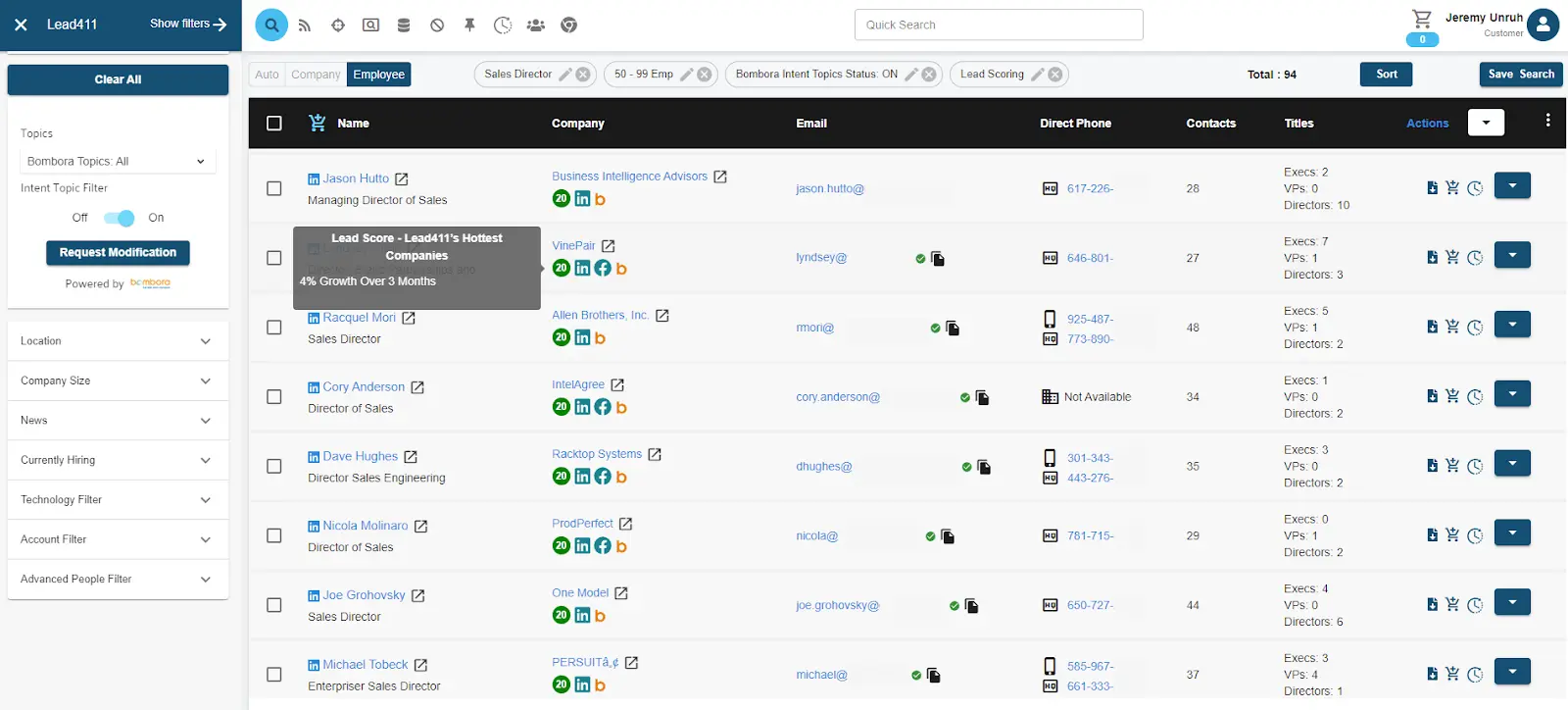
Lead411 is a comprehensive B2B lead generation and sales intelligence platform that offers a range of tools and features to help businesses find and engage with their ideal customers. With its extensive database of accurate and verified contact and company information, Lead411 enables users to quickly build targeted prospect lists and outreach campaigns.
The platform's advanced search filters, data enrichment, and real-time alerts help you stay on top of key insights and opportunities, while its integration with popular CRM and marketing automation tools ensures a seamless workflow.
Features:
- Unlimited access to high-quality, verified B2B leads, emails, and direct phone numbers
- Phone-verified mobile numbers for connecting with a high percentage of your list
- Database regularly checked and cleaned against global DNC lists
- Accurate B2B intent data powered by Bombora
- Company growth intelligence, including employee growth and other triggers
Pricing:
Lead411 offers several pricing plans tailored for different team sizes.
- The Basic Plus Unlimited plan costs $899 per year per user and includes unlimited email and direct phone number views, 2400 exports per year with rollover, free CRM integration, and a Chrome extension.
- The Pro with Bombora Intent plan is designed for growth with 10,000 exports per year with intent data, discounted rates for multiple seats, chat support, and additional export credits at $0.44 each.
- The Unlimited plan is the most popular option with unlimited exporting, onboarding/dedicated support, optional Bombora Intent Data add-on, API access, Chrome extension, and flexible single or multi-user options.
All plans include features like sales engagement with Reach, data append, international search, currently hiring filter, suppression lists, technology stack search, custom triggers, lead scoring, and company intelligence news.
Who it's good for:
Lead411 is ideal for businesses that are looking for a comprehensive B2B data solution with advanced search and lead generation capabilities, and who are willing to invest in a higher-priced platform.
Also read: Factors.ai vs Clearbit (Breeze Intelligence): which is the better GTM platform?
10. UpLead

UpLead is a user-friendly B2B data platform that offers high-quality contact and company information at affordable prices. With a database of over 54 million contacts and 14 million companies, UpLead makes it easy for you to find and connect with your ideal prospects. The platform's real-time email verification, data enrichment, and list-building features also help ensure the accuracy and relevance of user data.
Features:
- A database of over 155 million B2B contacts from 200+ countries
- 95% data accuracy guarantee and real-time email verification for all available data
- Data enrichment for contacts, emails, and companies
- Seamless integration with popular CRM systems and third-party tools
- Real-time intent data for identifying high-priority prospects
- Google Chrome extension for LinkedIn and website data scraping
Pricing:
UpLead offers a variety of pricing plans to cater to different needs. The Free Trial provides a 7-day free trial with 5 credits, including verified emails, mobile phones, and a Chrome extension.
- The Essentials plan costs $99 per month and includes 170 credits, verified emails, mobile phones, CRM integration, and company news.
- The Plus plan, aimed at individuals, costs $199 per month and offers 400 credits, data enrichment, email pattern intel, technographic, advanced filters, and suppression list uploads.
- For organizations, the Professional plan is customizable with a custom number of seats and credits and includes buyer intent data, all search filters, full API access, advanced CRM integrations, competitor intelligence, team management, a dedicated success manager, an onboarding specialist, and priority phone support.
Who it's good for:
UpLead is a great choice for businesses that value simplicity and affordability, and who need a reliable source of accurate B2B contact and company data.
11. LeadIQ
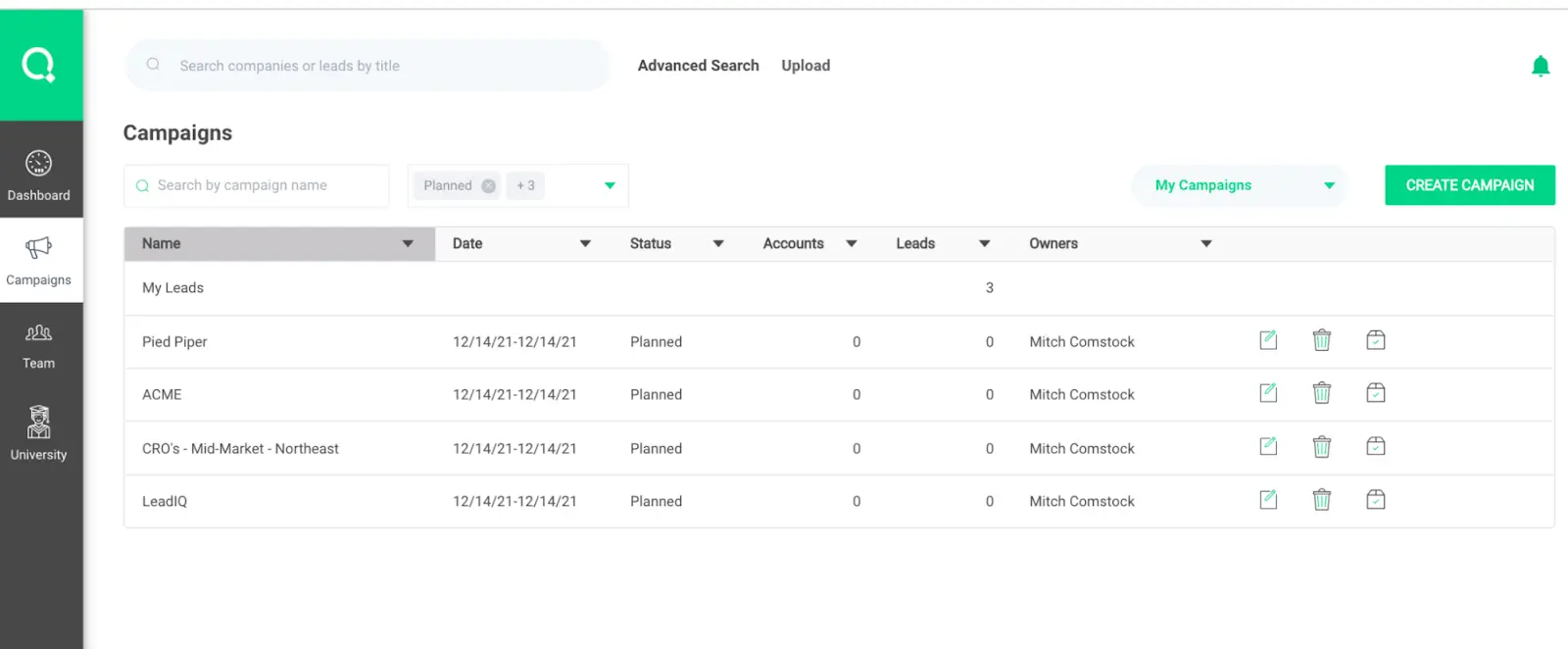
LeadIQ is a sales prospecting platform that combines powerful data insights with intuitive tools and features to help sales teams find and engage with their ideal customers. With its contact and company information, LeadIQ enables you to quickly build targeted prospect lists and outreach campaigns.
The platform's real-time data enrichment, lead capture, and CRM integration features help streamline the sales process, while its analytics and reporting capabilities provide valuable insights into team performance and areas for improvement.
Features:
- Automated lead capture for identifying and saving potential customer information
- Real-time notifications and alerts for promotions, position changes, and company updates
- Duplicate detection to maintain database integrity
- Custom field mapping for data consistency
- Comprehensive analytics dashboard for data-driven insights
Pricing:
LeadIQ offers four pricing editions, with a free trial available and a freemium plan at no additional cost.
- The Essential edition costs $39 per user per month
- The Pro edition is priced at $79 per user per month.
- The Core edition, designed for individual sales professionals, costs $79.99 per month billed annually.
- The Advanced edition, tailored for small to medium-sized teams, costs $135 per month billed annually.
Who it's good for:
LeadIQ is ideal for sales teams and professionals who want a comprehensive prospecting platform that combines accurate data with powerful tools for lead generation and outreach.
12. SalesIntel
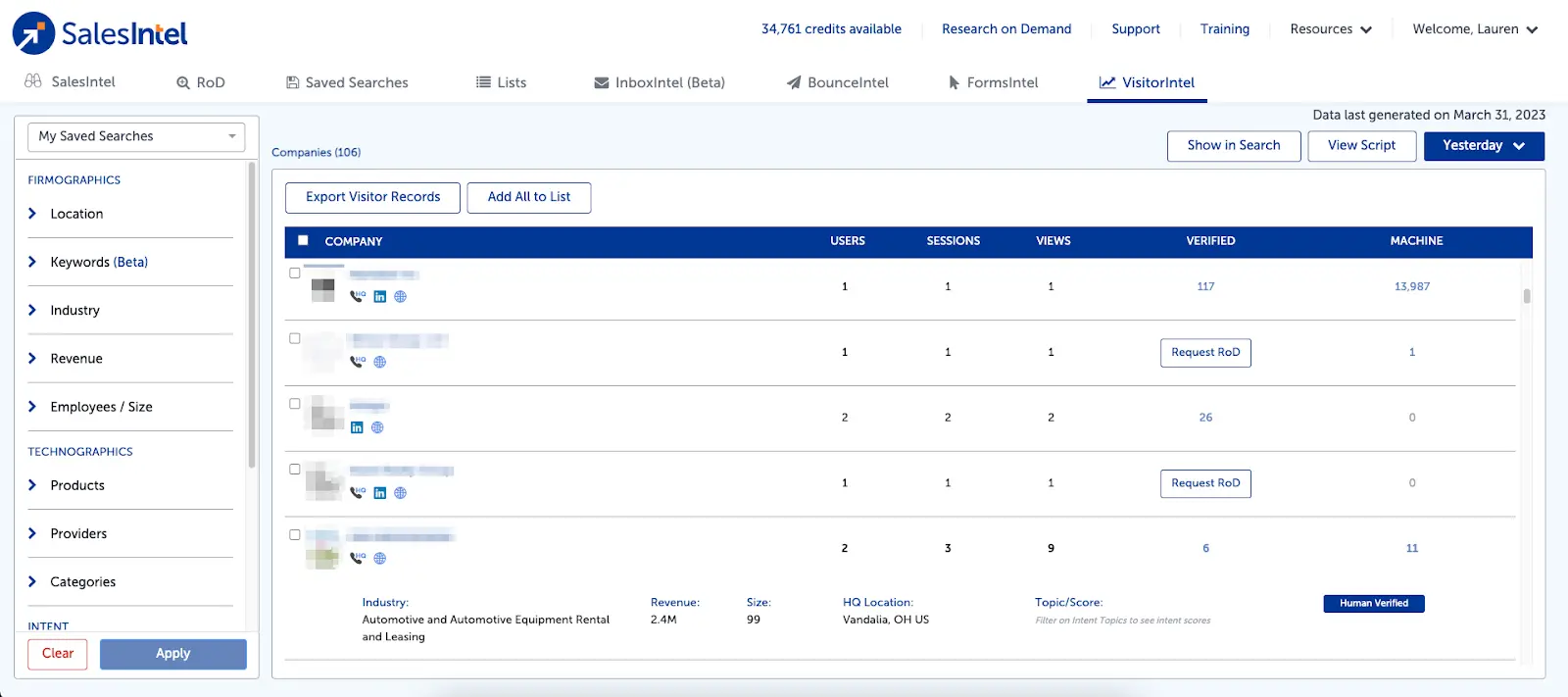
SalesIntel is a comprehensive B2B data platform that offers high-quality contact and company information, along with a range of tools and features to help businesses find and engage with their ideal prospects. It has a smaller database of 5 million companies and 70 million contacts compared to other platforms on this list.
Features:
- Focused account targeting using technographic and firmographic data
- Accurate contact information, including direct dials and human-verified contacts
- Regular data verification every 90 days to ensure data quality
- Seamless integration with marketing automation tools and CRM systems for identifying ideal candidates
Pricing:
SalesIntel provides three pricing plans for B2B data.
- The Individual plan costs $69 per month and includes a 14-day trial.
- The Teams plan is priced at $199 per month per user and also includes a 14-day trial.
- The Unlimited Everything plan is designed for teams that don't want to worry about credits, with pricing built to suit specific needs.
Who it's good for:
SalesIntel is a good choice for businesses that prioritize data accuracy and verification, and who need a reliable partner for their sales and marketing data needs.
13. Kaspr
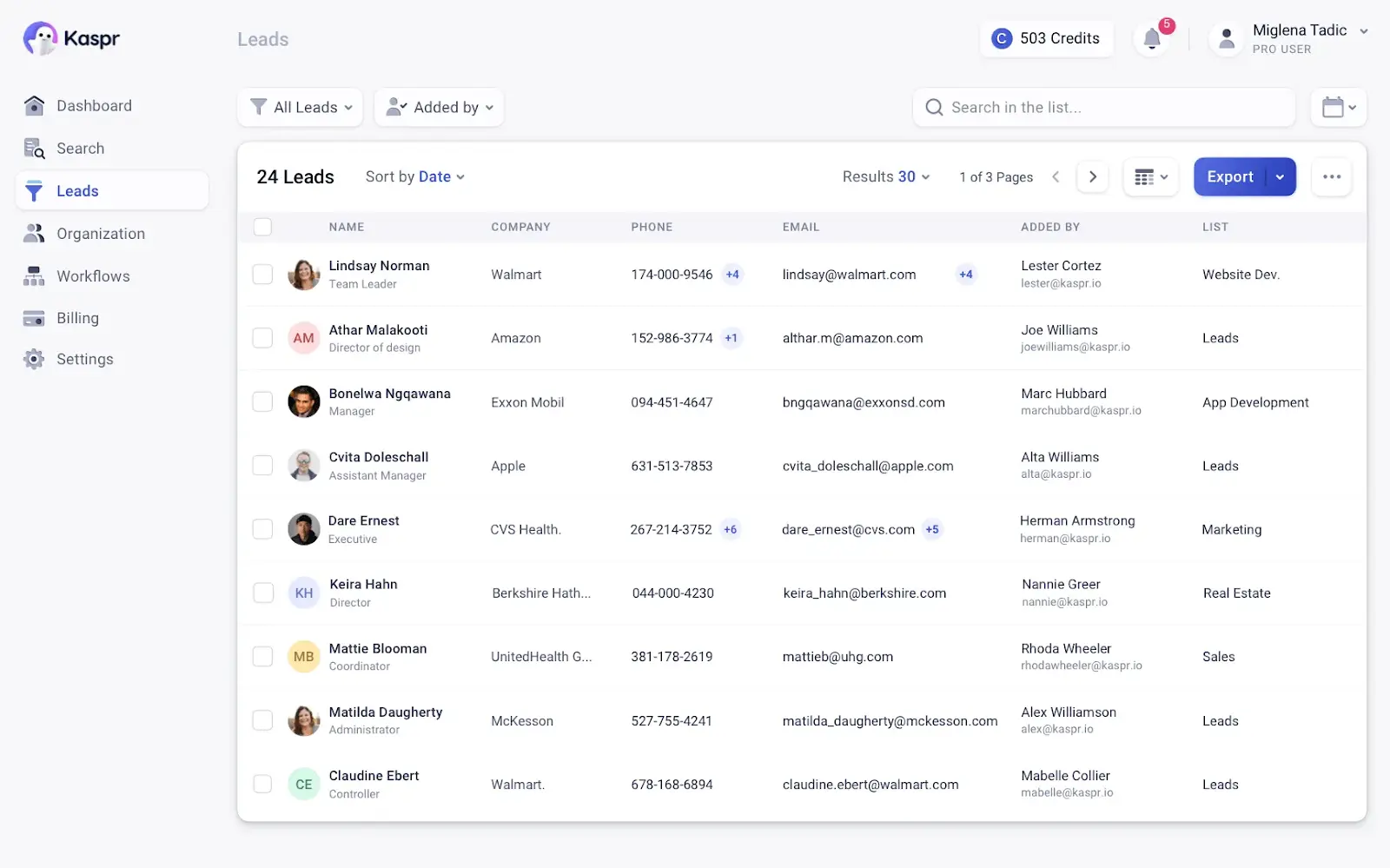
Kaspr is a powerful B2B prospecting tool that combines data insights with automation features to help businesses find and engage with their ideal customers. Kaspr enables you to quickly build targeted prospect lists and outreach campaigns.
The platform's real-time data enrichment, email verification, and CRM integration features help ensure the accuracy and relevance of user data. Kaspr's user-friendly interface and affordable pricing make it accessible to businesses of all sizes.
Features:
- Fast and easy installation for quick setup
- Instant access and collection of B2B contact data
- Automated outreach with three workflow options: LinkedIn, Enrichment, and Integrations
- Robust lead tracking and organization, consolidating contacts in one place
- Highly accurate contact information, including emails, phone numbers, and social media profiles
- Data enrichment capabilities for automated campaigns and data enhancement
Pricing:
- The free plan includes 5 phone credits, 5 direct email credits, and 10 export credits per month.
- The Starter plan costs $49 per user and includes 1,200 phone credits, 60 direct email credits, and 3,000 export credits per user.
- The Business plan is priced at $79 per user, while the Organization plan costs $99 per user.
Users can get unlimited email addresses when they invite three colleagues to sign up. Kaspr integrates with many platforms via Zapier, including SalesForce, Hubspot, PipeDrive, Sendinblue, and Lemlist.
Who it's good for:
Kaspr is ideal for businesses that are looking for a user-friendly B2B data platform with advanced search and data enrichment features, and who want a reliable partner for their sales prospecting and outreach efforts.
How to Choose The Right Platform?
Let’s go over a quick list of things you may want to consider when picking a B2B data provider platform.
- Think about what your business needs and what you want to achieve
- Check how big and reliable the provider's database is
- Look for providers with accurate, current, and relevant data
- Make sure the provider respects data privacy and follows the rules
- See if the provider works well with the tools and software you already use
- Compare prices and pick one that fits your budget
- Read what other users have to say about their experience and success stories
If possible, find a platform that not only provides data but can integrate with your existing marketing stack and give you data about your leads, website visitors, and even those who click on your ads—clearly pushing your account-based marketing efforts further.
Need accurate B2B Data Providers for sales and marketing?
The right provider ensures better lead generation and outreach.
Top Platforms:
1. ZoomInfo, Cognism, Clearbit: Advanced search, real-time updates, and CRM integrations.
2. 6sense & LinkedIn Sales Navigator: Intent data and predictive analytics.
3. Factors: Unifies GTM data, automates workflows, and provides account intelligence for precise targeting.
Why Factors.ai?
It captures cross-channel signals, enabling sales and marketing teams to segment, score, and engage high-intent accounts effectively.
{{INLINE_TOFU}}
Wrapping Up: Finding the Best B2B Data Partner for Your Business
The right data helps you find the perfect customers, understand what they need, and reach out to them in the most effective way possible. B2B data providers give you access to this valuable information to help your business grow and succeed.
Choosing the right platform comes down to thinking about what your business needs, looking for providers with high-quality data, and making sure they play nicely with the tools you already use.
So, try all the platforms you can, and wherever required, get on a demo call to get a better understanding of the product. You want to first test things out as much as possible before locking yourself and your team into a new platform.
Get started now by booking a demo with Factors—a B2B account intelligence and marketing analytics platform that pulls data from across your marketing channels, and then reveals anonymous accounts with up to 64% accuracy.
Complete Guide to Customer Journey Stages for Maximum Retention
Master customer journey retention with our guide. Learn proven strategies for each journey stage to maximize retention, reduce churn, and grow recurring revenue with data-driven approaches.

TL;DR:
- Customer retention spans seven stages from first click to advocacy. Small, honest moments (clear expectations, quick wins, steady value) compound into loyalty; overpromising and slow value create churn.
- The seven stages of the customer retention journey: Awareness & Initial Engagement → Consideration & Evaluation → Purchase & Onboarding → Initial Value Realization → Ongoing Engagement & Expansion → Renewal and Loyalty → Advocacy
- Ditch linear lead funnels. Use an account-first, signal-driven, non-linear model with re-entry points and context that follows the buyer.
- Multiple roles decide (user, RevOps/IT, security, exec) purchases for B2B domains. Early weeks post-purchase—integrations, data quality, change management—swing long-term outcomes.
- Metrics to care about: Identified accounts, ICP coverage, return visits, TTFV, adoption breadth, health trends, and advocacy activations.
Today, real customer journeys are messy and heavily impacted by AI-powered flows. Marketers need to guide them through confusion by setting clear expectations, delivering quick wins, demonstrating steady value, and offering timely help.
Do that consistently, and the result is most likely, durable retention. Retention isn’t about occasional grand gestures—it’s the compound effect of small, consistent actions. And every marketer will tell you, keeping existing customers is cheaper than acquiring new ones.
This guide details essential tactics to maximize retention across seven customer journey stages. It will discuss goal-setting, metrics that predict success/failure, intent-based retention strategies, and optimal automation approaches that reduce pointless grunt work – all while establishing flows for retention optimization.
B2B Customer Journey Mapping is Non-Linear
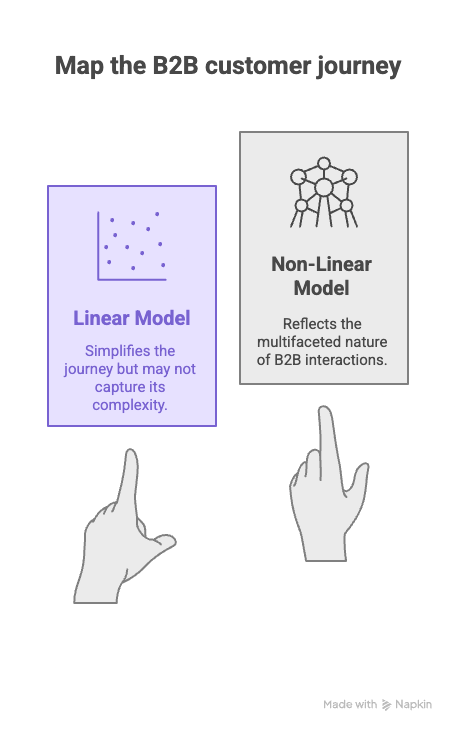
Here’s a more realistic path for non-linear B2B customer journey mapping:
Someone browses pricing → disappears → returns via a comparison page → requests a demo two weeks later → an admin sets up the product → adoption stalls → a new feature sparks usage → exec sponsor re-engages after a quarterly review.
Hence, modern B2B customer journey retention strategies are best designed for re-entry points and context persistence. These journeys aim to anticipate drop-offs, personalize customer service, and make the product's value so obvious that it cannot be ignored.
📖Read More: B2B Marketing Funnel vs. B2C Marketing Funnel: 15 Critical Differences That Drive Conversion
Here’s a quick preview of traditional vs. modern customer journey mapping for retention:
| Traditional approach | Modern approach (for retention optimization) |
|---|---|
| Linear funnel (MQL → SQL → Closed) | Non-linear network with loops and re-entry |
| Lead/contact | Account + buying committee |
| CRM st ages | Unified signals (web, product, ads, reviews, CRM, support) |
| Pre-sale focused | Full lifecycle: pre- and post-sale equally |
| Volume & conversion rates | Time-to-value, adoption, expansion readiness, renewal likelihood |
| Scheduled campaigns | Triggered plays from real behavior |
| Last/first-touch attribution | Account-level, multi-touch, tied to pipeline & revenue |
7 Stages of the Customer Lifecycle Retention
Every marketing, sales and product team, no matter the industry, must establish their strategic directions in light of these customer journey touchpoints for retention.
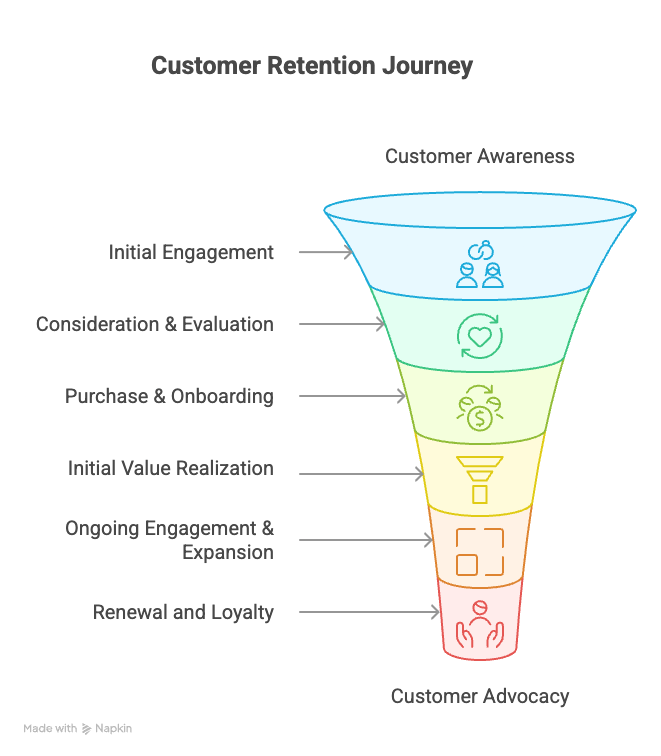
Stage 1: Awareness & Initial Engagement (Account Intelligence for Retention)
At this stage, potential customers have just discovered a brand via a search, ad, post, referral, or random scroll. They are wondering if a brand/product is the right fit, and need to know what you do and how you can serve them.
Sustained B2B customer journey retention strategies begin with a good (and honest) first impression. You have to attract the right customers and set clear expectations right from the get-go.
IMAGE HERE
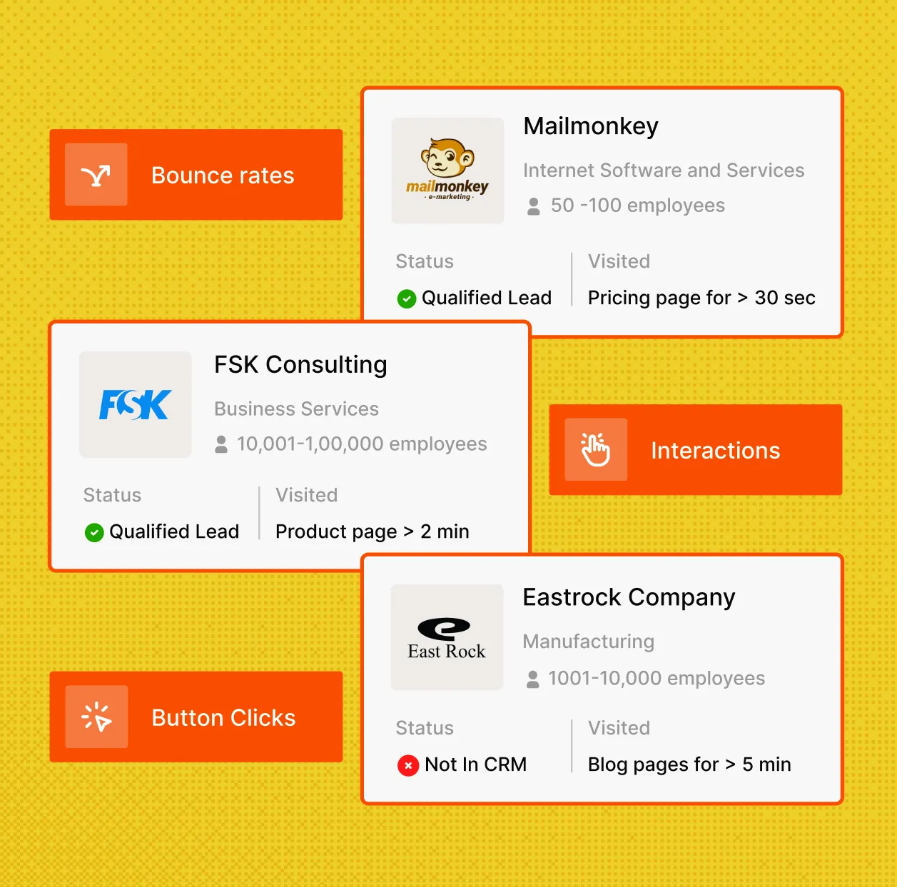
You need appropriate account intelligence for retention. Find high-retention-potential accounts early, across all channels. Factors, for instance, can help you find companies visiting your website, as well as capture intent signals from all locations to know who is in-market for your business.
The right accounts i.e., your Ideal Customer Profile, tend to:
- Fit the industry, company size, tech stacks and regions your brand can serve best.
- Signal custom needs, price-sensitivity patterns, and/or multiple short trials in your CRM.
- Express what they really need: attribution, integration, security, etc.
💡Your accounts are showing intent. What’s next? Again, you need account intelligence for retention.
Content strategies play a huge role in attracting the right-minded prospects:
- Being upfront about which customers you can serve best, for instance, industry/segment pages with real examples and limits.
- Showcasing outcome-first case studies that lead with time-to-first-value, adoption breadth, and habit creation.
- Outlining a public success plan to be executed post-purchase.
- Offering sample data with real-world maps and rate-limit caveats.
- Offering an onboarding checklist with data on roles, time estimates and desired results.
- Clarifying pricing: what’s included, fair-use limits, and common add-ons.
- Creating role-based pages for buying committees, with dedicated information for marketing, RevOps, security and executive teams.
Read More: How Klenty increased website conversions by 34% with Factors
Stage 2: Consideration & Evaluation
At this stage, prospects are testing your brand, comparing products and building internal cases for final purchase. Multiple stakeholders are involved. As the marketer or sales professional, you need to convince accounts to adopt the product smoothly, build a weekly habit, and stick around.
Demonstrate value to improve customer retention odds:
- Pilot one core weekly workflow. Define what ‘good’ is, and show how your product can facilitate success.
- Promise a small yet necessary result within 14 days. This can be an active audience, live report, or alerts needed by sales teams.
- Show a short Loom video of the weekly cadence with clarity on where metrics live, how alerts show up, and what explanations are offered.
When it comes to retention concerns, address common reasons for product failure before signing the contract:
| Step | What to do (concise) |
|---|---|
| Diagnose retention risks pre-sale | Check for poor fit, unclear ownership, missing integrations, weak onboarding, lack of executive sponsor. |
| Run a 90-day pre-mortem | Ask: “If this won’t stick for 90 days post go-live, why?” Capture answers; plan training, data cleanup, internal comms. |
| Map the buying committee | Identify champion, exec sponsor, ops/IT, security; define each role’s goals and responsibilities. |
| Co-write a “First 30 Days” plan | Outline who does what, when, and how long; include 2–3 success metrics. |
| Be transparent on gaps/effort | If custom integration or data work is needed, say it; propose workarounds or phased scope. |
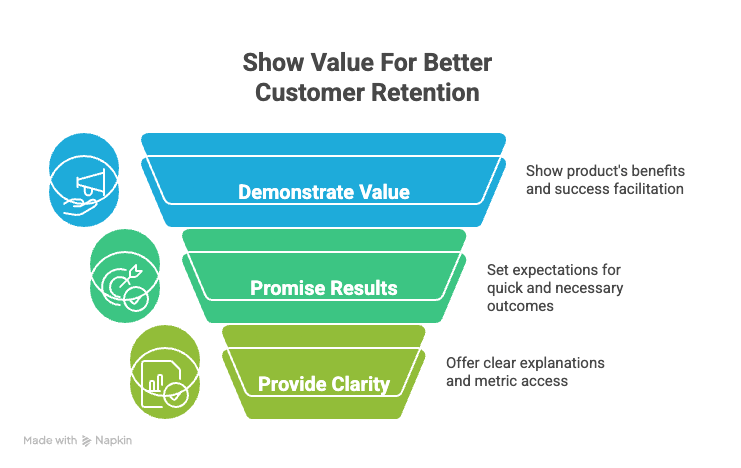
Utilize intent signals to personalize evaluation:
- Map behavior to content. If prospects are engaging with attribution content, lead with clarity on reporting outcomes. If they engage with security pages, start the conversation with data safety and controls.
- If someone has checked pricing + security in one session, invite stakeholders from each team for meetings.
- If prospects are leaving a trail of comparison traffic, create a side-by-side narrative focused on outcomes and time-to-value.
Run strategies for competitive positioning:
- Prioritize fewer moving parts, clean integrations, realistic setup times, clear ownership.
- Share week-to-week dashboards, alerts, and review cadences to keep usage active.
- Acknowledge if a rival does something better. Explain why your workaround will solve the gap and/or why your prospect won’t need the feature.
- Lead with case studies that match the prospect’s size, stack, and constraints.
- Offer a migration guide, reversible first steps, and a clear success exit if it’s not a fit.
Have a look: Drivetrain's 3x Boost in Sales Engagement with Factors.ai
Stage 3: Purchase & Onboarding
At this stage, the customer has already said yes. Now, you need to guide customers through data connections and first workflows. Help them settle into a weekly rhythm.
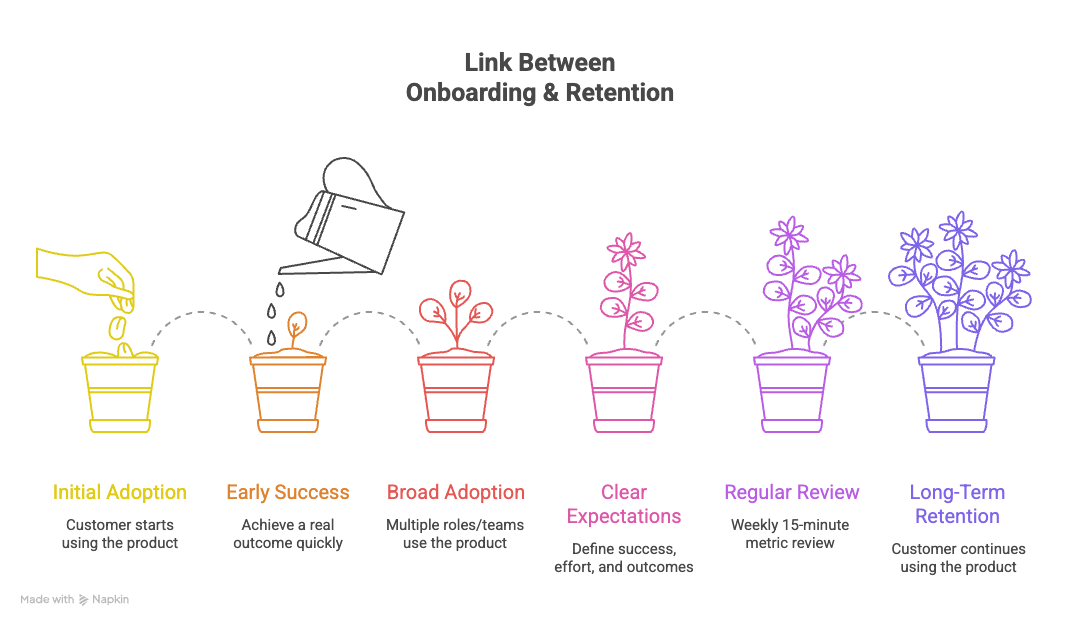
Notice the critical link between onboarding and long-term retention:
- The sooner a customer achieves a real outcome, the more likely they are to keep using the product.
- See if two or more roles or teams can adopt the product early. It increases the likelihood of usage, irrespective of vacations, team changes and shifting goals.
- Underline what customers can really expect, what effort they need to put in, and what counts as ‘success’.
- Set up a recurring, 15-minute review every week. Look at the same metrics and identify improvements.
Utilize a modern onboarding framework focused on value realization:
| Field | What it Captures |
|---|---|
| First win (≤14 days) | The concrete outcome you’ll deliver |
| Adoption breadth (Day 30\) | How many roles/teams are using it weekly |
| Signals in use (weekly) | The operating cadence you’ll sustain |
| 60–90-day business link | The short-term outcome the business cares about |
| Risks & mitigations | Known blockers and how you’ll handle them |
Identify early churn signals:
- No identifiable value delivered within 30 days.
- Only one person from one team is engaging with marketers/sales folks.
- Kickoff is complete. But integrations and first tasks are stalled.
- Too many calls to the help center without much progress.
Tailor examples, dashboards, and checklists that resonate with customers’ specific interests. Adjust cadences (weekly or twice-weekly) depending on necessity.
Adopt a few automation strategies to scale onboarding. Configure the setup so that if an opportunity closes, the pipeline automatically creates a mutual success plan, kickoff agenda, task list, and owner assignments in the CRM.
📚Read how you can set up Sales Automation Workflows using Factors
Stage 4: Initial Value Realization
By now, new customers have moved from setup to the first meaningful outcome; they now know that the tool works for them. It can be a live audience feeding sales, an insight that changes a decision, or an alert the team actually uses.
Use the account intelligence you already have to accelerate more value for customers. For example, pre-set some integration paths for their stack (HubSpot vs. Salesforce) so the process is quickly underway. If customers engage most with attribution content, offer a solid ROI report.
IMAGE HERE
<CTA> "Discover how Factors . ai's Account Intelligence platform can help you identify retention risks and opportunities throughout your customer journey. Request a personalized demo today to see how our intent-based approach can boost your retention metrics." <CTA>
Present a success plan appealing to specific personas. For example, a first win for marketing leads would be a live campaign/audience. But a first win for sales managers would be qualified intent alerts.
All plans should clearly state the goal, owner, date, evidence (screenshot/report), and the next step to take after the win.
Don’t forget to celebrate early wins:
- Make it public by sharing a one-page recap with before/after results.
- Give credit to the customer’s team where it is due.
- Use the momentum of the first win to invite other teams to try the tool.
Stage 5: Ongoing Engagement & Expansion
The product is now in regular use. You now have to keep customers using the product, identify prospects for improvements, and convert satisfied customers into advocates.
🧠 Bear in mind: Investing in customer success delivers 107% ROI within three years
Start with a framework to find openings for expansion:
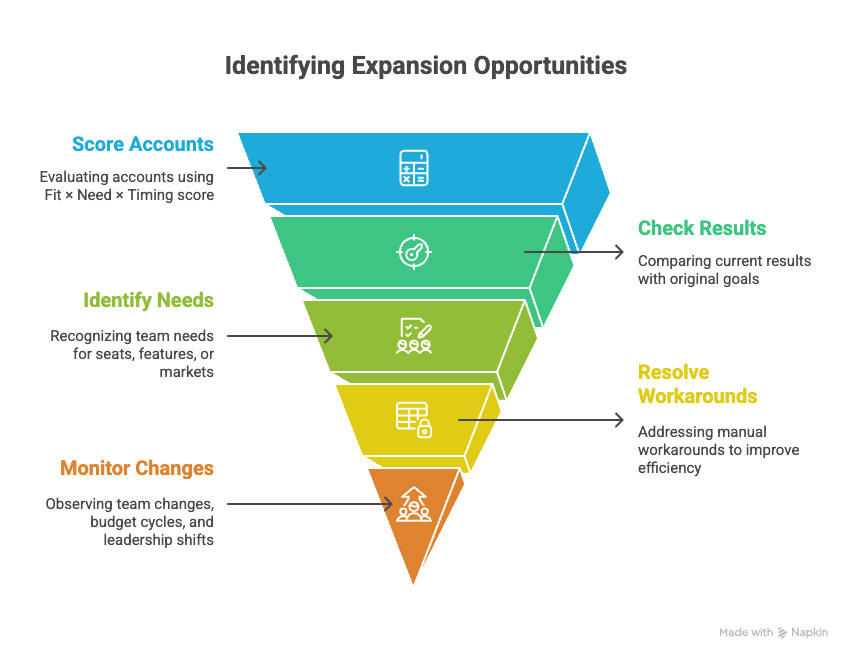
- Devise a Fit × Need × Timing score (0–2 for each) per account.
- Check if the current customer results match the original goal.
- See if teams are looking for more seats, features, or trying to tap new markets.
- Are any manual workarounds occurring? Solve them.
- Keep an eye out for team changes, budget cycles, leadership shifts and upcoming events.
IMAGE HERE
Scan intent signals to time conversations around expansion:
- Customer visits to advanced feature pages, pricing tiers, and integration docs.
- Spikes in product usage.
- Executive stakeholders opening business reviews and ROI dashboards.
Create engagement loops that reinforce product value:
Consider setting up small, repeatable cycles that go:
trigger → use → result → share → next step.
For example, ‘Monday intent review → outreach list → meetings booked → recap → new audience to test.’
Stage 6: Renewal and Loyalty
The customer is now seeing value consistently enough to keep renewing and (hopefully) growing. The idea is to make renewal feel obvious, rather than having to push for it. Renewing an account should feel like a no-brainer, based on real usage, outcomes and intent – especially in B2B customer journey mapping.
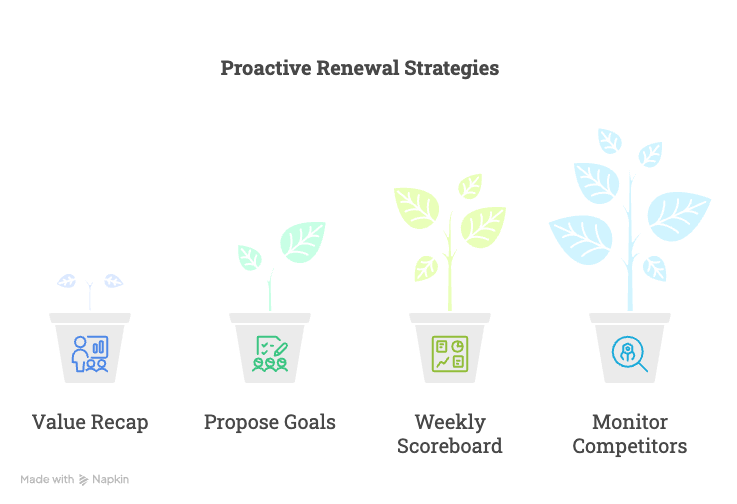
Renewal strategies should be proactive:
- Share a Value Recap (outcomes, adoption breadth) within 90 days..
- Propose next-90-day goals.
- Deliver a weekly scoreboard that showcases active users % (by team), feature breadth, executive engagement, and support success.
- Keep monitoring if customers are checking competitor pages or G2 comparisons.
Watch for renewal risk factors:
- Usage decline.
- Adoption by a single role only.
- Concerning churn rates.
- Unresolved support tickets.
- Negative feedback.
Shape the renewal experience to further relationships:
- Deliver previews of all terms, usage and fair use thresholds well in advance.
- Take out 30 minutes to review what improved, what didn’t, as well as planned steps for next quarter.
- Prepare a renewal packet with order form drafts, security confirmations and invoice schedules.
Encourage renewals with B2B-specific loyalty programs. This can include a customer advisory board, early access to new features, role-based certifications, and community perks (private forums, roundtables, discounts on next invoice, etc.)
Stage 7: Advocacy and Growth
Customers are now happy to become storytellers, co-builders, and advocates for your brand. Capture wins, make them visible and easy to share, and use the momentum to further new deals and drive wider adoption.
When it comes to advocacy programs, consider the following matrix (opt-in, consent-first):
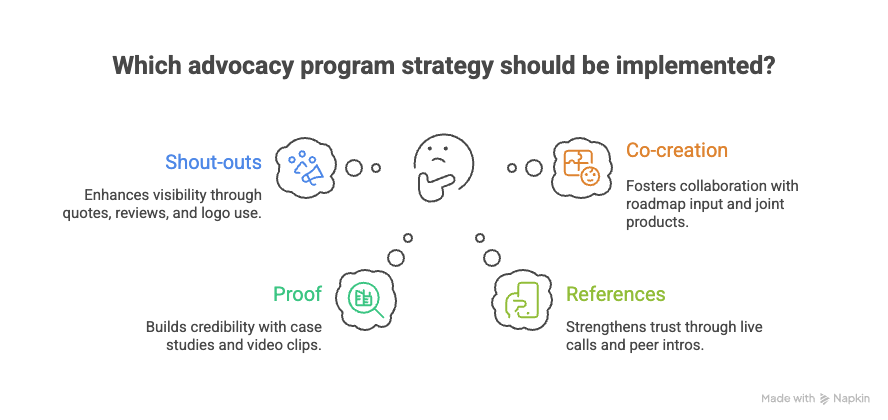
When it comes to incentives, value > swag:
- Early access to features, roadmap previews.
- Certifications, private training.
- Press, social posts, speaking slots, and customer awards.
Provide SDRs and Account Executives with customer stories matched to the role they are interacting with. Include short clips in landing pages and ads. Create templates and checklists other teams can use, based on what worked for their success story.
View customers as partners in managing integrations, devising solutions, and building thought leadership.
Finally, design a virtuous growth cycle that makes this a repeatable, almost automated process:
- Spot wins (usage/ROI dashboards, QBR notes).
- Capture (30-min interview, pull data, secure approvals).
- Package (case study, clip, 3-slide deck, reusable template).
- Amplify (site, social, community, sales deck insertion).
- Enable (playbooks so other customers can copy the result).
- Recognize (public spotlight, early access, CAB invite).
- Reinvest (feed insights to roadmap and onboarding).
📚Take a look at our Case Studies to see how we feature client success stories.
Pursue community-building strategies that improve retention:
- Initiate template swaps for dashboards, audiences, and reports in relevant Slack/Discord groups.
- Run customer roundtables to share strategies for governance and change management.
- Build a customer advisory board to gather quarterly feedback. Offer early access and public acknowledgements for their achievements.
Your customers are your best advocates for new accounts and retention optimization. Run a few short interviews with pointed questions, and give tangible perks for participation: early features, VIP support, conference passes.
📚Helpful reading: 2025 B2B SaaS Benchmarks Report
{{INLINE_TOFU}}
Measuring Customer Journey Retention Success
Key metrics for each stage in customer lifecycle retention:
| Journey Stage | Key Metrics (examples) |
|---|---|
| Awareness & Initial Engagement | Identified visiting accounts %, ICP coverage %, 7–14 day return-visit rate, recurring content views |
| Consideration & Evaluation | Time to evaluation start, # stakeholders engaged, evaluation completion rate %, % taking ‘pricing + security’ path |
| Purchase & Onboarding | Time-to-first-value (days), onboarding milestone completion %, # roles active by Day 14/30 |
| Initial Value Realization | # accounts hitting aha! moment (≤14 days), adoption breadth (teams/features), exec visibility of wins |
| Ongoing Engagement & Expansion | Weekly active teams, feature depth/usage, qualified expansion readiness % |
| Renewal & Loyalty | Health score trend, renewal forecast confidence, support friction (P1s, TTR) |
| Advocacy & Growth | Advocacy activations, reference acceptance rate %, story velocity (win→publish days), template reuse rate |
Pay attention to retention dashboards and reporting. Curate different views for stakeholder audiences, depending on different customer journey touchpoints for retention:
| Audience | Dashboard focus (metrics) |
|---|---|
| Executives | TTFV (time-to-first-value), Top risks, Top wins |
| Ops / Customer Service | Milestones (completed/pending), Risk factors, Remediation plans |
| Marketing | Account paths to aha!, Advocacy outputs, Content influence (pages that drove action) |
Consider these formulas for calculating retention ROI:
- ROI = (Expansion + Renewal Revenue Preserved + Churn Avoided − Account Cost) ÷ Account Cost.
- Churn Avoided = risk baseline vs. actual churn for exposed cohorts.
1000+ GTM teams have improved their marketing ROI with Factors.ai. Here’s how.
How Factors addresses retention challenges
When designing your unified stack, deploy integration strategies meant to provide one-shot views of execution pipelines:
| Step | Do this | Outcome |
|---|---|---|
| 1) Account ID map | Pick one account ID from your CRM and use it everywhere. | Everyone references the same company across tools. |
| 2) Events & UTMs | Use a small, consistent event schema and clean UTM tags. Send events to your warehouse and [Factors](http://Factors.ai). | Clean, comparable data; fewer “unknown” sources. |
| 3) Native connectors + history | Connect CRM, ads, web, product with native connectors. Backfill 6–12 months. | Dashboards work fast; cohorts and trends are visible. |
| 4) Bi-directional syncs | Push insights to CRM/CS; push dynamic audiences/exclusions to ad platforms. Refresh on a schedule. | Reps get context; ads stay fresh without manual lists. |
| 5) Access & data quality | Use role-based access, mask PII where not needed, and run a simple weekly QA check. | Safe data, fewer errors, higher trust in the numbers. |
Finally, don’t forget to leverage automation opportunities across each customer journey. Technology can actively help create better customer experiences. A few examples:
- Awareness: automate to achieve account intelligence for retention, auto-segment ICP and sync audiences.
- Evaluation: automatically trigger stage-based nurtures, and alert reps when prospects visit pricing+security pages.
- Onboarding: auto-create success plan, tasks, and nudges declaring first wins.
- Engagement: automate weekly follow-ups, and alerts on any positive signs for possible expansion.
- Renewal: automated alerts and dashboards on health-dip and competitor search. automated renewal packet generation.
- Advocacy: invite customers to become advocates automatically when they hit certain usage actions and thresholds.
FAQs
Q. What’s the best way to increase customer retention?
A. Get customers to see the value of your product as soon as possible. Make onboarding seamless and remove friction. Ask for feedback often, and actively work to fix issues across the customer lifecycle for retention.
Pay attention to customer satisfaction across all customer journey stages to improve retention.
Q. How do you keep your customers coming back?
A. Deliver active reasons to return. This could be timely emails with offers and follow-ups. You could offer easy solutions to current problems, and even credit them for the wins they achieve with your tool. Consistency is your friend.
Pay particular attention to B2B customer journey mapping.
Q. How do you best handle churn?
A. Find out why people leave. It could be price, missing value, bad fit and so on. Generally, simple fixes are feasible, early check-ins, offering a pause option or workaround, active remediations of their problems.
Start with obtaining appropriate account intelligence for retention.
Q. How do you best reduce churn?
A. Talk to users when they cancel their plan. Go through reasons and see if any issues are re-occurring. You can also offer relevant training, discounts and product fixes to sweeten the deal.
Q. How much should you prioritize customer retention?
A. Keeping existing customers is cheaper than acquiring new ones. Run your retention optimization flows with some basic guardrails: active support, reminder, loyalty rewards.
Q. What are some customer retention strategies for scaling?
A. At a high-level, consider these strategies for customer lifecycle retention:
- Automate the boring stuff: win-back emails, renewal nudges.
- Reserve human effort for high-value customers or complex cases.
- Keep a close eye on why customers keep leaving (from exit interviews) and focus on fixing those first.
Q. How do I focus on retention for an e-commerce (subscription-based) start-up?
A. To run effective customer lifecycle retention, start with these steps:
- Set clear expectations.
- Ship product/service on time.
- Allow for easy pausing anytime the customer desires.
- Offer rewards for achieving milestones.
- Send tactful renewal reminders, with tailored renewal packages.
- Advocate for renewals with solid evidence.
.avif)
15 Best B2B demand gen agencies(and how to pick the right one)
Struggling to turn marketing into pipeline? Explore 15 top B2B demand gen and inbound agencies, how they differ, and how to pick the right partner.
TL;DR:
- A B2B demand generation agency builds full funnel programs that create demand, capture it, and turn it into real, sustainable revenue.
- Before you hire anyone, make sure you have the basics: clear ICP and positioning, a CRM that tracks MQL to SQL to opportunity, enough sales capacity, and a budget you can commit to for 6 to 12 months.
- Decide what you truly need help with: inbound heavy, outbound heavy, ABM for big buying groups, or an integrated demand gen setup across content, paid, outbound, and lifecycle.
- This guide lists 15 B2B demand gen agencies by use case. Shortlist only 3 to 5. Judge them on fit, ideas, the people you will actually work with, and how well they think in terms of pipeline and CAC.
- No agency can repair broken product market fit, vague positioning, or bad data. Pair the right model (inbound, full demand gen, or hybrid in-house plus freelancers) with a revenue analytics platform like Factors.ai to see which accounts are in market and which programs really drive closed won deals.
Earlier this year, we hired a ‘top-rated’ B2B demand generation agency only to realize, nine months later, that the pipeline chart looks the same. I suppose I should be thankful it didn't get worse.
:-/
You’ve almost certainly heard this before: A SaaS CMO signs a 6-month retainer with an agency that promises ‘100+ MQLs a month.’
Then come the weekly dashboards and Slack pings, lots of traffic, lots of leads.
…and nothing for sales to actually close.
No lies, 61% of B2B marketers say their biggest challenge is converting leads into pipeline. I’m one of them. As experience has taught me (and my peers), it’s not the volume of marketing that counts, it’s the quality.
Most B2B demand generation agencies can’t make that cut.
Here are the 15 that can. If you're looking for a marketing agency, start with these.
What a B2B demand generation agency actually does
Contrary to popular ideas, demand gen isn't just lead generation. It’s full-fledged growth:
awareness → education → demand creation → demand capture → pipeline → revenue.
Demand gen agency vs digital marketing agency vs lead gen shop
Lead gen collects emails. Demand gen turns prospects into buyers.
Core services to expect from your B2B marketing agency
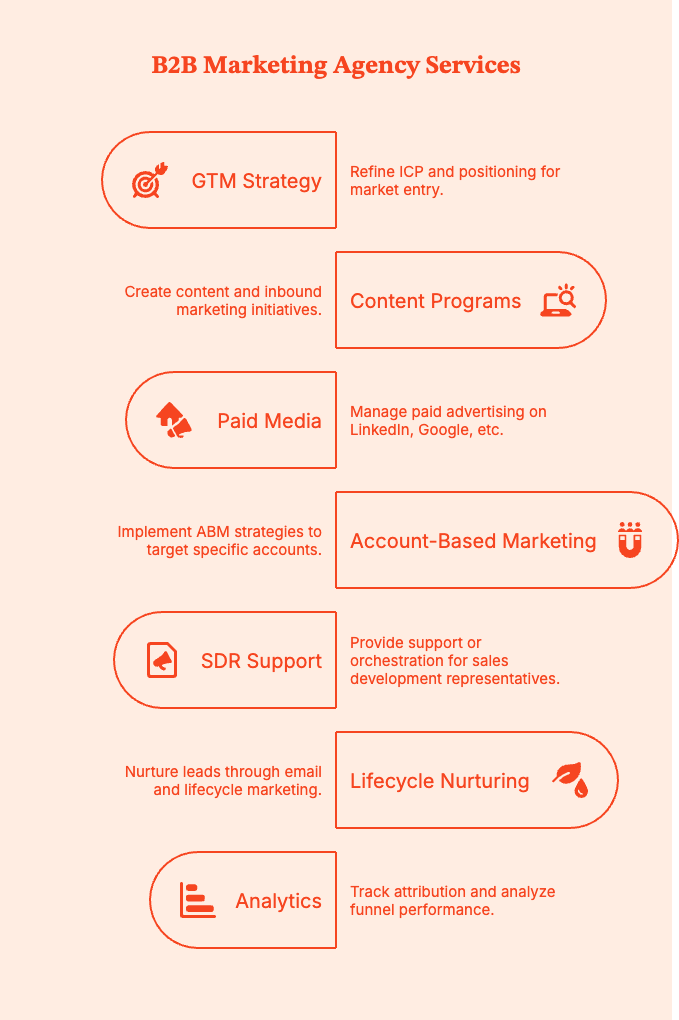
Your chosen marketing agency should provide:
- GTM strategy, ICP refinement, positioning
- Content + inbound programs
- Paid media (LinkedIn, Google, programmatic)
- Account-based marketing (ABM)
- SDR support or orchestration
- Lifecycle + email nurturing
- Attribution & funnel analytics
Where inbound marketing agencies fit
Inbound-first shops (content, SEO, automation) work best for teams where organic and content are the primary growth levers.
Some inbound agencies also handle full-funnel demand gen, so judge based on the KPIs they own.
Where B2B inbound marketing agencies fit
A B2B inbound marketing agency facilitates this engine: content → organic discovery → lead capture → nurture.
Think SEO + blogs + gated assets + webinars + marketing automation
Also read: ZoomInfo Alternatives: Top 6 ZoomInfo Competitors In 2026
Inbound marketing agencies are your best bet when:
- Your ICP actively searches for what you do.
- You have a solid, unique point of view; a true differentiator.
- You can afford the longer payoff period of organic growth.
- Your sales team has a history of converting educated, self-directed buyers.
- You want sustainable, compounding organic growth.
Are you actually ready to hire a B2B demand generation agency?
Any good agency will tell you this in the first meeting, but in case one doesn't, here's saving you a $30k “we should’ve waited” lesson.
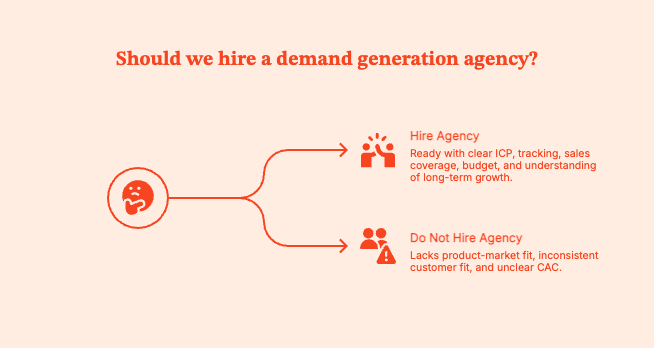
You’re ready to hire an agency and run demand generation campaigns if:
- You have a clear ICP + positioning. Doesn't have to be perfect, but needs to have some clarity.
- You’re already tracking the basics: MQL → SQL → Opportunity → Closed-Won in a CRM.
- You have sales coverage for all promising leads.
- You have $12k–$30k/month (approx) to spare for 6–12 months.
- Your leadership understands that demand gen compounds over quarters, not weeks. It can't be rushed.
When hiring an agency makes more sense than hiring in-house
- Your team is drowning in tasks. They can't add “learn ABM + paid social + attribution” to the plate anytime soon.
- You need to enter a market faster than it takes to hire a full growth team.
- You want ABM + paid + outbound + lifecycle working together instead of trying to sync five different vendors.
- You need speed + cross-channel orchestration, especially for teams stuck in “random acts of marketing.”
When you should not hire an agency yet
- You're not sure about product market fit.
- Customer and stakeholder fit is inconsistent.
- CAC is all over the place, and you don't know why.
- The CEO expects “400 leads in 40 days” instead of sustainable growth in 2–3 quarters.
Agencies aren't a "Hail Mary". They are operational accelerators for teams who already know who they sell to, why they win, and what a qualified opportunity looks like.
{{INLINE_MOFU}}
How we evaluated these B2B demand generation agencies
I didn't pull from a "top 15" list on Google. Every agency fits a particular type of B2B go-to-market and has proven that they can drive pipeline, not just activity.
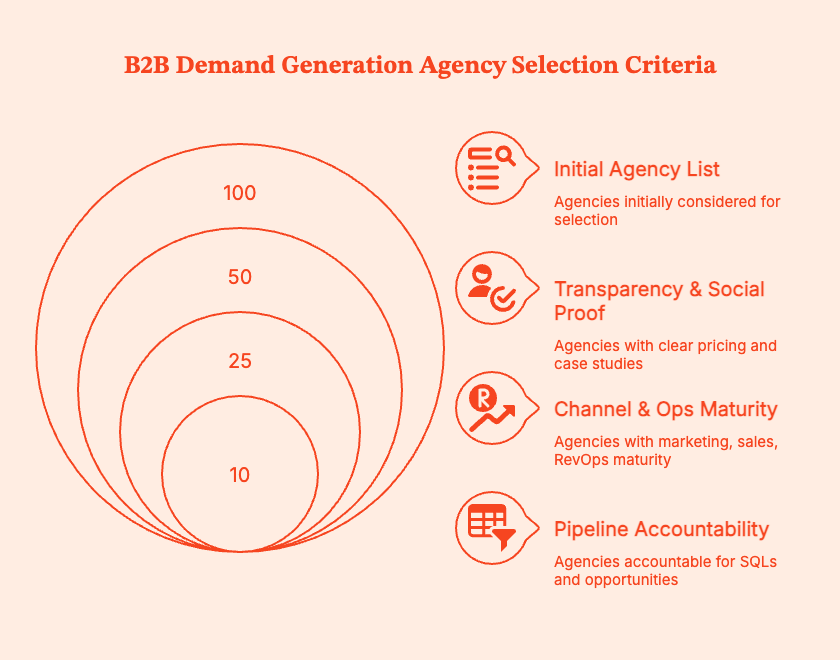
Here’s the criteria for my selection:
- ICP & industry fit: Certain agencies are the perfect fit for mid-market SaaS selling $25k+ ACV. Others work best with IT, cybersecurity, manufacturing, or pro services. I closely looked at whether an agency actually understands the buyer, the sales cycle, and the internal politics of the industry.
- Primary go-to-market motion: Demand generation agencies come in all shapes, sizes, and priorities
- Inbound-heavy = content + SEO + marketing automation
- Outbound-heavy = SDR/BDR orchestration and appointment setting
- ABM = multi-channel engagement across buying committees
- Integrated = paid + ABM + outbound + lifecycle + content
One agency will excel at outbound/SDR execution, while others will lean into content-led demand creation and paid activation. I matched specialization to use case.
- Pipeline accountability: When choosing an agency, I've asked:
Do they talk about SQLs, opportunities, CAC, and payback?
Or do they hide behind CPMs, CTRs, and marketing-influenced revenue?
In other words, can the agency articulate how its work translates to revenue?
- Channel + ops maturity: It's much easier to launch ads than to run attribution, lead scoring, lifecycle email, CRM hygiene, and conversion optimization across channels. I prioritized agencies that can work at the intersection of marketing, sales, and RevOps.
- Transparency and social proof: I won't even look at agencies that don't present real case studies, pricing clarity, and minimum engagement info on their site. In my eyes, anyone who doesn't provide this data doesn't respect the buyer's money. If I have to sit through six discovery calls to learn pricing, I'm out.
Pro-Tip: This ABM Platform Pricing Guide: Compare Costs & Features can help.
The 15 best B2B demand gen agencies
For high-growth B2B SaaS with complex deals
For outbound-heavy pipelines and appointment setting
For inbound-first, content-heavy demand generation
For ABM and enterprise buying groups
For scrappy teams that want a lighter model
The Best Option: Factors.ai Also Runs Demand Gen and ABM, Not Just the Analytics
Throughout this guide, Factors.ai has come up as the ABM and analytics layer, the tool that shows which agency activity actually turned into pipeline. That's still true. But it's worth knowing that Factors.ai isn't only a measurement platform. It also runs demand generation and ABM directly, for teams that want execution and analytics from the same partner instead of stitching an agency together with a separate reporting tool.
That matters for a specific failure mode this guide covered earlier: agencies optimizing for MQL volume while you're trying to track SQLs and pipeline. That gap exists because the execution team and the measurement team are usually two different vendors, with two different incentives. When the same partner runs the campaigns and owns the attribution, there's no gap left for that misalignment to hide in.
Where does this fit relative to the 15 agencies above?
If you're already leaning toward a hybrid model, the "strategy plus ops plus creative plus channel experts in one place" profile this guide describes, Factors' combined services-plus-platform approach is worth evaluating alongside a dedicated agency. Not instead of the readiness check earlier in this guide. The same rules still apply: know your ICP, have CRM tracking in place, and don't expect any partner, us included, to fix a broken product-market fit.
B2B demand gen vs B2B inbound marketing agency: which do you actually need?
If you shop around, you’ll see that a lot of agencies that call themselves a “B2B demand generation agency” are actually just doing classic inbound: blogs, ebooks, SEO, a bit of nurture…and leaving it at that.
That’s not the worst, but given your sales movements, is an inbound-only partner enough, or do you need a full-funnel demand gen agency that also handles outbound, ABM, and lifecycle?
First, let’s get clear on the difference between the two:
Also read: Factors.ai vs Clearbit (Breeze Intelligence): which is the better GTM platform?
And then, there are agencies that sit between the two.
The overlap: inbound agencies that grew into demand gen
It’s common for some agencies to start with inbound operations and then evolve into full-funnel demand generation. For instance,
- Ironpaper combines inbound, ABM, and sales enablement. They’ll write blogs and create video content, while also designing ABM plays and sales enablement for sustained buying cycles.
- Similarly, Lean Labs deploys SaaS growth and inbound strategies, using websites and inbound tactics to drive revenue growth (not just blog traffic) over the long term.
These “best of both worlds” agencies are the best fit for teams where:
- Organic + content are the primary levers.
- It’s acceptable to layer outbound or SDR in-house.
- The aim is to achieve compound growth more than immediate volume.
So how do you choose between inbound, demand gen, or a hybrid model?
Checklist: inbound vs demand gen vs hybrid
You want an inbound agency if…
- [ ] Our sales cycles are moderate to long (not one-call closes).
- [ ] Our buyers like to research on their own before talking to sales.
- [ ] Our ACV is mid-range (roughly $5k–$40k).
- [ ] We’re okay with results compounding over quarters, not weeks.
- [ ] We already have some pipeline, but it’s inconsistent or too outbound-heavy.
- [ ] We want a more sustainable baseline of opportunities from content + SEO.
- [ ] We have at least one marketer who can brief content, own a calendar, and work with sales.
- [ ] We don’t have strong in-house SEO/content/marketing automation skills and want a partner to “run the engine.”
You want a demand gen agency if…
- [ ] We have long, complex sales cycles with multiple stakeholders.
- [ ] We’re stuck in “we have leads, not pipeline.”
- [ ] We need coordinated plays across paid, outbound, ABM, events, and nurture.
- [ ] Our ACV is higher (>$20k–$25k), so bigger, multi-touch programs make sense.
- [ ] Our pipeline is lumpy or overly dependent on hero AEs/SDRs.
- [ ] We need a structural fix, not just more demo requests.
- [ ] We want a partner who can design around pipeline coverage, CAC, and revenue targets.
- [ ] Our team is maxed out or too junior to build a full-funnel engine on its own.
- [ ] We’d benefit from a team that brings strategy, ops, creative, and channel specialists under one roof.
You want a Hybrid (in-house + freelancers) shop if…
- [ ] We have (or are hiring) a strong Head/Director of Demand/Growth.
- [ ] That person knows what to do, but needs extra hands more than another “strategy” layer.
- [ ] Our sales velocity is mixed – some quick deals, some long ones.
- [ ] We want to experiment across channels without committing to a big agency retainer.
- [ ] We’re still figuring out ACV and packaging (PLG vs sales-led vs hybrid).
- [ ] We’d rather fund experiments than pay a large, fixed retainer.
- [ ] Our pipeline is early but promising, and we’re testing what actually moves opps.
- [ ] We’re happy to keep strategy in-house and rent execution (content, paid, ops, design).
Common risks & gotchas
The B2B demand gen agency you choose will factor directly into the company’s revenue growth (or fall). Often, agencies aren’t “bad”, they simply are not a good fit for the use-case and buyer's journey at hand.
So be sure to avoid these pitfalls when making your choice:
- Do not expect an agency to fix a broken product or positioning
Your churn is high. Win rates are low. Every deal needs discounts to close. Both the CEO and marketing decide “we just need more qualified leads”. So, you hire a demand gen agency and hope that great campaigns will compensate for weak product-market fit or weak positioning.
Even if the agency launches solid campaigns, builds content, drives traffic, and gets more demos, the close rate doesn’t move, or CAC gets worse.
Demand gen is an accelerant. It won’t get you more sales if your customers don’t love what you’re offering.
- Do not try to see attribution with data and reporting gaps in place
You execute campaigns. Sales is taking calls. But ask basic questions like…
- What’s our MQL → SQL → opportunity conversion by channel?
- Which campaigns are actually generating pipeline, not just leads?
- How many deals last quarter were influenced by paid vs organic, vs outbound?
… and nobody has answers.
B2B agencies simply cannot succeed without clean CRM data, basic funnel tracking, and defined lifecycle stages. With fuzzy data, you get:
- beautiful dashboards… that don’t match reality in Salesforce.
- marketing and sales arguing over whose numbers are “right.”
- agencies optimizing for form-fills because they can’t see revenue.
- Get your incentives in line: MQLs vs SQLs vs revenue
Here’s how many demand gen engagements still work:
- The agency is paid and gets bonuses on MQL volume.
- The client cares about SQLs, opportunities, and revenue.
- SDRs quietly ignore half the leads because they lead nowhere.
If you’re compensating agencies on MQL volume, they’ll naturally optimize for cheap form-fills. They double down on gated content, low-intent ebooks, and giveaway leads, even if none of these push business growth.
Pro-Tip: Consider this checklist to de-risk your B2B demand gen agency engagement
Before you sign, check that:
- [ ] We have a clear ICP, offer, and positioning (or we’re paying the agency to help us define it explicitly).
- [ ] Our CRM stages and lifecycle are defined and actually used by sales.
- [ ] Success is framed around SQLs, opportunities, pipeline, CAC, and payback, not just “leads.”
- [ ] We’ve assigned an internal owner (name, role) who will steward the relationship.
- [ ] The initial scope is focused (one ICP, one core motion) for 90 days before we expand.
During the first 90 days:
- [ ] We’ve agreed on a weekly report (leading metrics) and a monthly review (pipeline metrics).
- [ ] We can see campaign → account → opportunity journeys, not just clicks.
- [ ] We’ve killed at least one thing that isn’t working and doubled down on one that is.
Final Thoughts: How to pick your short list and what to do next
I know, this is a lot of information so far, so here’s a quick list of what to do on Monday.
Forget being "overwhelmed by options". Get "three solid candidates and a clear plan.
Are you really ready?
Before jumping on discovery calls, make sure that:
- you know who you sell to. ICP, segment, rough deal size.
- your CRM can trace a clean path from MQL to SQL to opportunity to revenue.
- you have budget and leadership support for at least 6 to 12 months.
Choose your main motion
Ask:
- Are we mostly inbound right now: Content, SEO, events, webinars, email?
- Are we mostly outbound: SDRs, sequences, cold programs, partner outreach?
- Are we selling into bigger buying groups with long cycles?
- Do we need an integrated partner covering content, paid, outbound, and lifecycle at once?
Shortlist 3 to 5 agencies + 1 or 2 lean alternatives
- Pick 2 or 3 agencies that match exactly what you need: high growth SaaS, outbound heavy, inbound first, or ABM and enterprise.
- Add 1 or 2 boutiques or small collectives that focus on senior attention, speed, or tighter budgets.
Three to five serious candidates. That’s all.
Align your own team before choosing agencies
Talk to your team:
- Agree on the metrics that actually show revenue growth: SQLs, opportunities created, pipeline dollars, CAC, payback period.
- Get clear on what "good" looks like after three or four quarters.
- List your non-negotiables: "must know HubSpot", "must have experience in our industry", "must work well with our SDR team”, etc.
Use a scorecard
Score each agency call on the following:
- Do they really understand our ICP, motion, and deal size?
- Do you trust the agency to work on your account?
- Does the agency prioritize pipeline growth, CAC, and payback, or do they keep talking about clicks and "brand lift”?
A tool like Factors.ai can help you see which companies are actively researching you, which channels they’re touching (paid, organic, events, outbound, partner, etc.), and how those touchpoints progress into real opportunities and pipeline.
Look at the Factors dashboard, you’ll go much farther with answering:
- “Which accounts that our agency targeted actually moved to opportunity or closed-won?”
- “Which campaigns, creatives, or channels consistently show up in the journeys of accounts that end up in late-stage pipeline?”
- “When we pause or change agency activity in a channel, does the pipeline from those accounts slow down, stay flat, or grow?”
In a nutshell
Are you considering a B2B demand generation agency and do not want to waste another six-figure budget on empty MQLs? This piece can help.
It explains what a real B2B demand gen agency does across the full funnel, and contrasts it with a digital marketing agency and a lead generation agency, so you know what to pick.
Check your readiness for hiring an agency by verifying your ICP clarity, CRM tracking, sales coverage, budget, and leadership expectations.
Then, pick from 15 of the best B2B demand gen and inbound agencies listed in the article. Slotted by use case, the list includes SaaS focused demand engines, outbound and SDR providers, inbound heavy content partners, ABM specialists, and founder-led boutiques or hybrid setups.
The piece also compares B2B inbound marketing agencies with full funnel demand gen shops and outlines when a hybrid model makes more sense.
It highlights common errors, like attempting to fix broken product market fit with ads, poor data hygiene, and misaligned incentives tied to MQL volume.
You’ll also know how to pick a short list, align internal stakeholders, test agency fitness, and combine the right agency with analytics tools like Factors.ai, so as to connect spend to pipeline growth and revenue.
Frequently Asked Questions for 15 Best B2B Demand Generation Agencies
Q. What does a B2B demand generation agency do?
A B2B demand generation agency ideates and executes full funnel programs across content, paid media, outbound, and lifecycle campaigns. The intent is to create demand, capture it, and turn it into qualified leads and revenue, with a clear focus on measurable growth.
Q. How is a B2B demand gen agency different from a lead generation agency?
Demand gen agencies build long-term systems to push awareness, inform buyers, and nurture them across channels until they are ready to get a demo/talk to sales. Lead generation agencies generally end with delivering contacts or meetings, generally through outbound or content syndication. They don't own the full journey to opportunity.
Q. When should a B2B company hire a demand generation agency?
B2B companies should hire a demand generation agency if:
- they have a product that fits the market.
- a crystal-clear ICP.
- functional monitoring mechanisms in their CRM.
- they need to scale to go to market faster than they can hire an in-house team.
A great demand gen agency often works as a long-term partner for building a sustainable pipeline rather than a quick fix.
Q. How much do B2B demand generation agencies charge?
Retainers for good agencies can start in the high four-figure to low five-figure range per month. Outbound and SDR-focused programs often begin around nine thousand dollars monthly, and integrated full funnel programs cost more.
Pricing is determined by scope, channel mix, and how much you are paying for: strategy only or a full execution team.
Q. How long does it take to see results from a demand gen agency?
You might see some movement in the first few months, but many specialists will tell you that it realistically takes three to four quarters to deliver efficient, repeatable pipeline growth. This time is needed to put in the work to test plays, refine targeting, and set up brand identity and education in complex B2B cycles.
Q. What KPIs should I use to measure a B2B demand gen agency?
The most important metrics connect clearly to revenue. These are:
- sales qualified leads
- opportunities created
- pipeline value
- customer acquisition cost
- payback period.
Treat clicks and raw lead volume as diagnostic tools rather than success metrics. Depending on your pipeline, some agencies might want to track pipeline velocity and lead to close rates as well.
Q. Can an inbound marketing agency handle B2B demand generation?
Only if they have evolved into full funnel partners that combine content, SEO, marketing automation, ABM or paid media. If an agency is focused mainly on content and organic acquisition, it should have a clear plan for paid, outbound, and lifecycle programs.
Q. Is Google’s Demand Gen campaign type the same as hiring a demand generation agency?
No. Demand Gen in Google Ads is a specific campaign type that runs visual ads across YouTube, Discover, Gmail, and the Display Network.
Demand generation in B2B is a comprehensive strategy across multiple channels and stages. It's best to treat Google Demand Gen as one tactic inside a larger demand gen plan. One is not a replacement for another.

What is Attribution Reporting & What You Can Learn From It
Maximize your marketing efforts with attribution reporting, learn how to track the effectiveness of your campaigns and drive better results.

According to Hubspot, marketers spend nearly 210 minutes a week analyzing data from different sources. What’s interesting, though, is that marketing professionals often struggle to determine the channels that facilitate customer journeys to fuel pipeline and revenue.
Coincidence? No.
With a gamut of channels, touchpoints, platforms, and campaigns running simultaneously, it becomes difficult to determine which marketing strategy brings value to the table.
Especially in the case of B2B marketing, multiple online & offline channels are involved. For instance, online channels involve social media, content, email marketing, etc., whereas offline channels include ebooks, webinars, workshops, meetings, etc.
Thankfully, marketing attribution reporting can effectively solve this problem and assist businesses in shifting from intuition-driven strategies to customer-centric and data-driven strategies.
Attribution reporting allows marketers to do an in-depth analysis at a granular level and give a clear picture of the direct impact of marketing strategies and tactics.
Read our blog to understand exactly what attribution reporting is and what you can learn from marketing attribution reports to put your revenue growth on the fast lane .
Let’s get started!
Table Of Contents
- What Is Attribution Reporting?
- Why Use Attribution Reporting And When To Use It?
- What You Can Learn From Marketing Attribution Reports?
- How Can Organizations Leverage Attribution Reports To Skyrocket Their Conversions?
- Bonus Information: What Is The Attribution Window
- Wrapping Up
- FAQs
What Is Attribution Reporting?
Attribution reporting gives you a bird's eye view of the path your customer took before converting. Moreover, it also gives an in-depth insight into how different marketing efforts have cohesively worked to fuel conversions.
Attribution reporting will help you to determine the following.
- From which channels are the customers first becoming aware of your brand?
- Which campaign is driving the maximum demo form submissions or signups?
- Which piece of content/ad are they interacting with between opportunity creation and closed-won?
- Provide an actionable view of the buyer’s journey across multiple stakeholders who interact with multiple touchpoints over many months.
- A transparent overview of the channels to generate leads, nurture them and finally convert.
You can leverage many attribution models to create a comprehensive report, such as first interaction, last interaction, linear attribution, etc. Attribution reporting gives crystal clear insights into the specific parts of your strategy and helps you highlight the areas that need improvement.
All in all, marketing attribution reports summarize your customer journey data by building a timeline of touchpoints at a user and account level, combine that with vital channel metrics such as impressions, clicks, and spending and visualize the insights into a cohesive and effective report
Why Use Attribution Reporting, And When To Use It?
One of the most rewarding aspects for a marketer is to see the successful result of their efforts. Once you start noticing the number of conversions from a strategy you have implemented or a piece of content you have posted, you know you have done your job right.
But getting conversions is just one part of the job! The most gratifying part is to be able to measure and correlate the amount spent with the business ROI.
This is where attribution reporting comes into play.
An attribution report is nothing but a presentable outcome of your customer journey and campaign data. Therefore, an attribution report is only as valuable as the underlying data itself. Within your Marketing Strategy, attribution fulfills the need to optimize your marketing spending, allocate resources better, scale the right initiatives, and track channel performance.
That being said, you wouldn’t want to rely on a false source of optimization or, worse, vanity metrics to determine your marketing strategy. Attribution reporting provides you a credible foundation to build a data driven marketing execution engine.
Unlike a marketing team’s requirements for tracking KPIs, which tend to be an everyday ordeal, the frequency of usage of attribution reports is determined by the following factors
- How frequently are the campaigns optimized?
- What is the conversion cycle length from first touch to revenue
- What is the cadence of executive reporting for the CMO
- How frequently are budget re-allocation decisions made at your company
What You Can Learn From Marketing Attribution Reports?
Here are the learnings you can expect from marketing attribution reports.

- Better Comparison With Model-Based Information
Companies increasingly use a multi-channel approach to educate and inform their target audience based on their preferences. However, when too many channels are in action, it becomes challenging to determine which channel contributed the most to pipeline and revenue.
Attribution reporting allows marketers to determine the contribution of each channel based on the chosen model and compare the results of different types of attribution models to make your investment decisions. For example, an Influence attribution model shows the amount of pipeline and revenue influenced by each campaign or content, whereas a First Touch Attribution report only credits the campaign or content for the revenue where it was the very first touchpoint.
Further, the conversion goals in attribution can be set as Top of the Funnel KPIs such as Leads, Demos or Mid Funnel Metrics such as MQLs, SQLs or Bottom of the Funnel metrics such as Pipeline and Revenue, helping Marketers understand the influence of each channel at various stages of the funnel.
If you are a Saas company with both a PLG flow (SignUp and then Product Milestones) as well as a sales-led flow (Demo and then Opportunity Creation), you can use attribution analysis to understand which channels are most effective for each of these go to market models.


- Get An Overview Of Baseline Metrics
Baseline Metrics within Attribution provide a channel-level overview of investment metrics such as Impressions, Clicks, and Spending, along with platform-specific metrics such as Keyword Match Type, Search Impression Share for Google Ads.
Attribution reporting tools aggregate these investment metrics across channels, enabling a Marketer to understand how much are they spending by a campaign, Ad group, creative, and keyword. Using these insights, Marketers can get a complete view of the performance metrics for each Campaign.
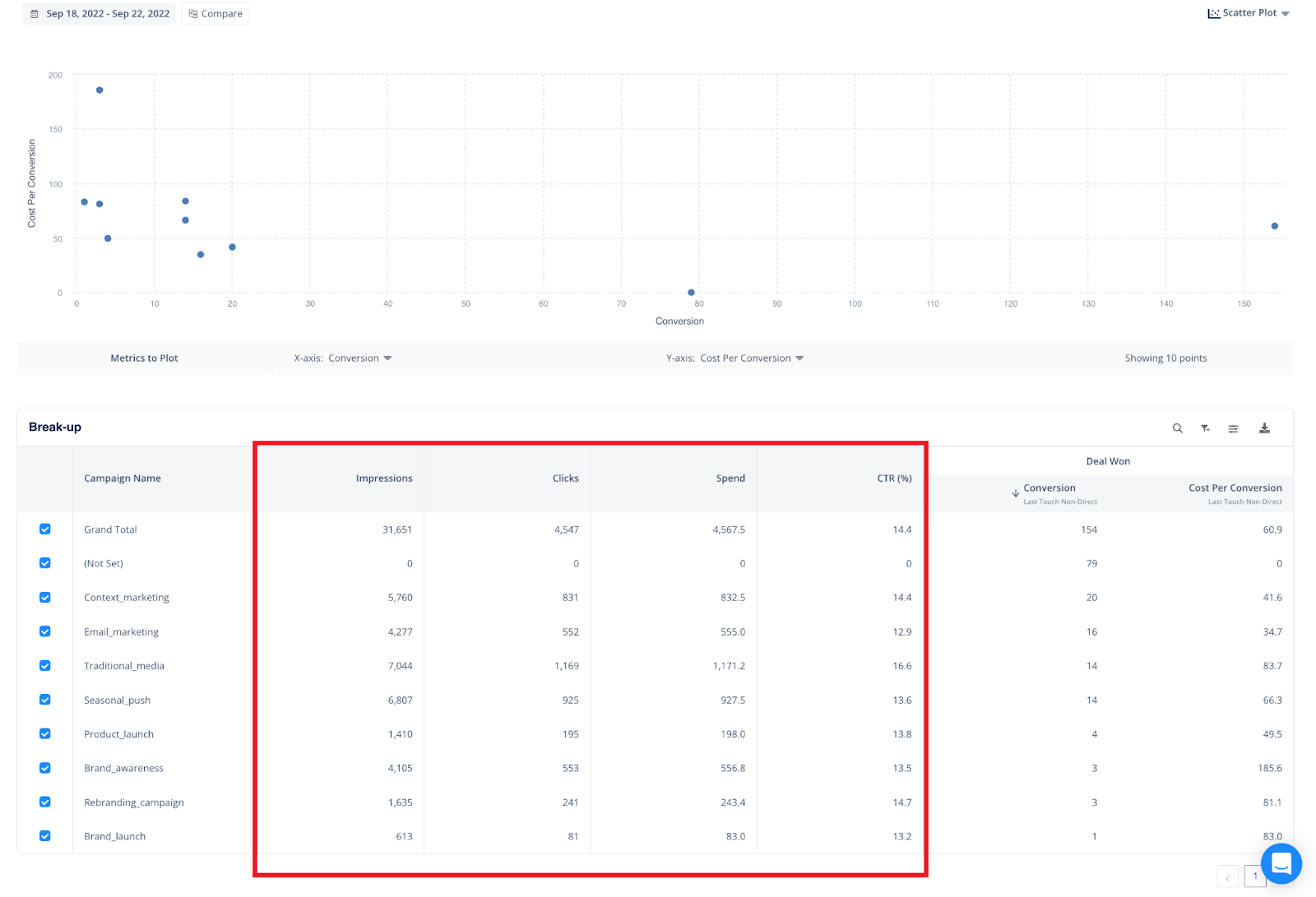
- Analyze Conversion Metrics
A good attribution report combines the baseline investment metrics along with conversion metrics across the funnel such as leads, demos, SQLS, pipeline, and revenue. This helps Marketing teams move beyond measuring marketing efforts on metrics such as leads and get an accurate understanding of the impact on pipeline and revenue.
Based on this information, you can assess the following:
- How many leads does each channel or campaign generate?
- How many of these leads are then converted to demos and sales-qualified leads by the campaign?
- How much pipeline and revenue were influenced by each of these channels or campaigns?
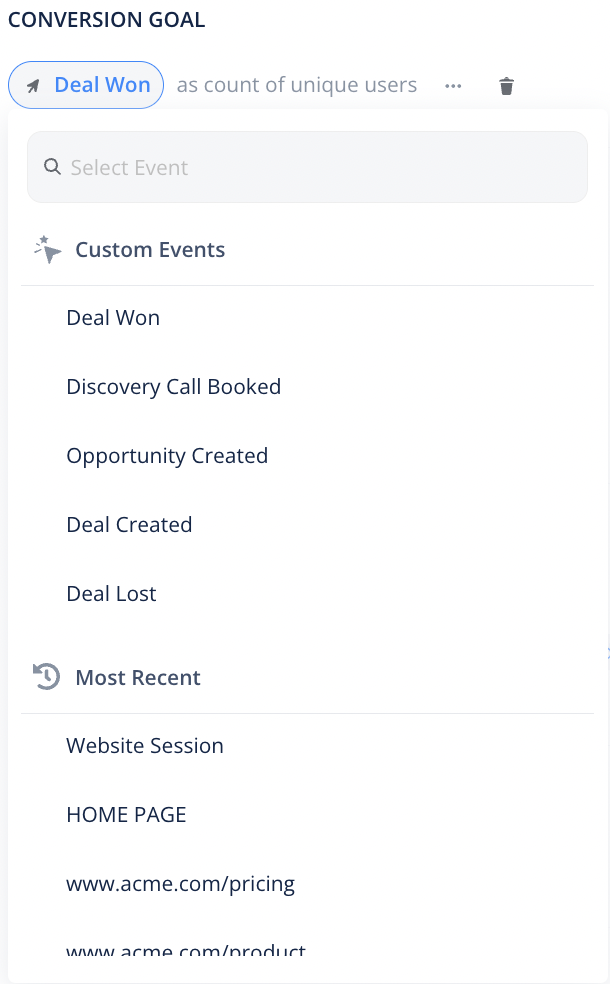
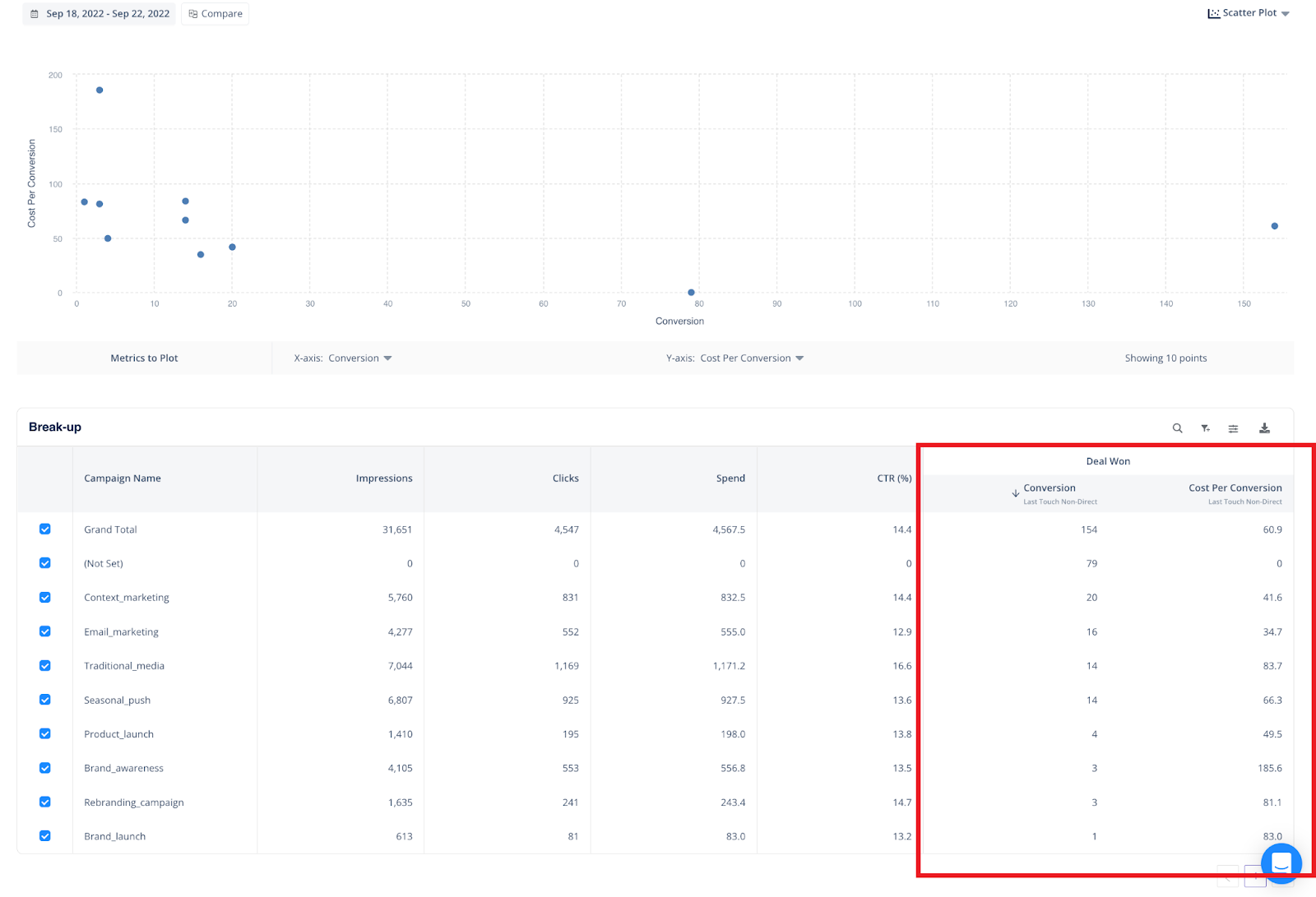
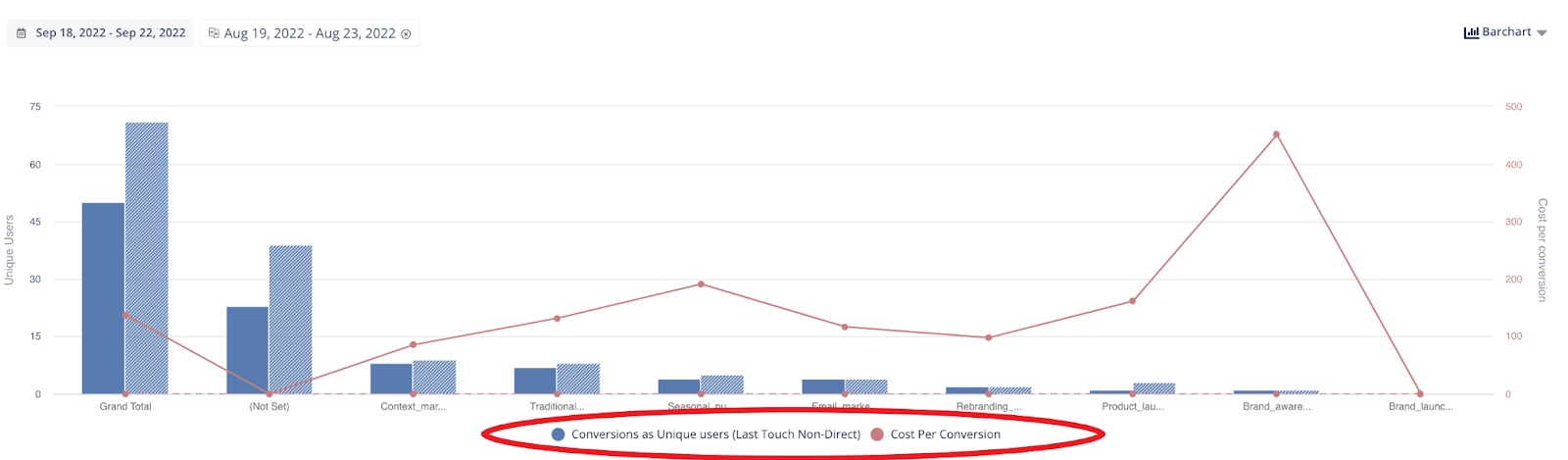
- To Get Clarity On ROAS
ROAS (return on ad spend) is a crucial metric that is used to measure the total revenue generated on every dollar spent on marketing. By bringing together the investment and conversion metrics, Attribution Reports highlights the profit margin and ROAS at a campaign, ad group, creative, or keyword level.
Companies may define different ROAS thresholds based on the type of campaigns - such as Product Feature Promotion, Competitive Takeout, and Brand Building. Also, depending on whether the campaign is more experimental (entry into a new product category or new geographic territory) or a well-established one, the ROAS thresholds may be different. Granular ROAS data allows marketers to make data-informed bidding decisions resulting in cost savings and improvement in return metrics.
- Non-Paid Channels vs Paid Channels
It has always been a struggle for Marketers to determine whether paid or non-paid channels help accelerate your sales. However, attribution reporting gives you an extensive overview of different channels (such as Paid Search, Social, Referrals, Review Sites, and Organic Content) and their contribution to pipeline and revenue.
For instance, Let’s assume your business is active on LinkedIn and drives traffic from the platform through posts and ad campaigns. But when a lead is converted through LinkedIn, you will need to know which tactic contributed to the result - Was it the organic posts or ad campaigns?
With attribution reporting, you can determine whether the lead got converted organically from the posts you shared or the ads campaign you are running or whether both tactics played a part in the conversion.
A distinction between direct and non-direct sources of traffic helps identify your PPC leads and your organic ones. This, in turn, helps both the paid marketing teams and the content marketing teams optimize their execution strategies.
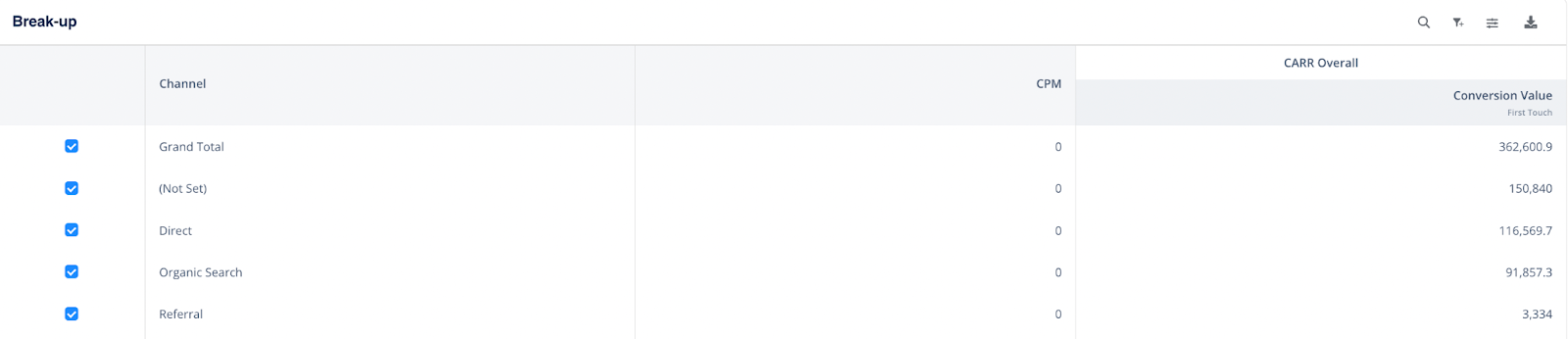
- Attributing Sales Funnel
Attribution reports also enable Marketers to go beyond a single conversion goal and visualize the entire marketing and sales funnel (Leads, Demos, SQLs, Pipeline, and Revenue) at a channel, campaign, or ad group level.
Armed with this data, Marketers can get a sense of the conversion rates by channel for each stage and focus their efforts accordingly.
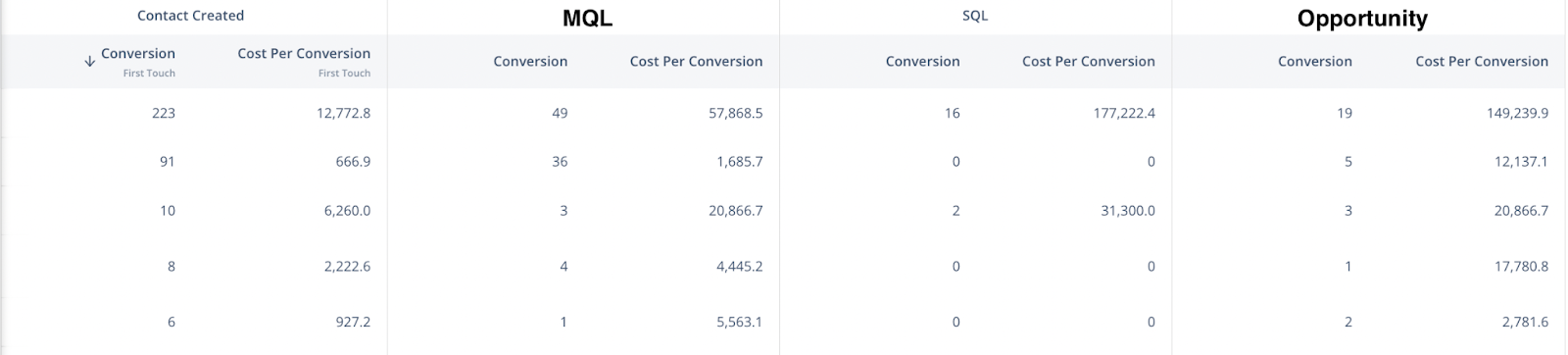
- Get A Clear Picture With Data Visualization
Lastly, because the Attribution Reports and underlying data are exhaustive and cover the entire customer journey and channel mix, it may feel a bit daunting to analyze this data solely in tabular form.
The report can include dimensions such as keywords (and associated metadata such as keyword match type), ad groups, campaigns, campaign themes, and channels, as well as metrics such as spend, impressions, clicks, CTR, and conversion metrics as well.
Phew.. - quite a handful to analyze this table of 15+ columns and 100+ rows to unearth actionable insights. This is where intuitive visualizations play a role in facilitating a better understanding of the data through formats such as scatter plots, bar charts, and line vs bar visualizations.
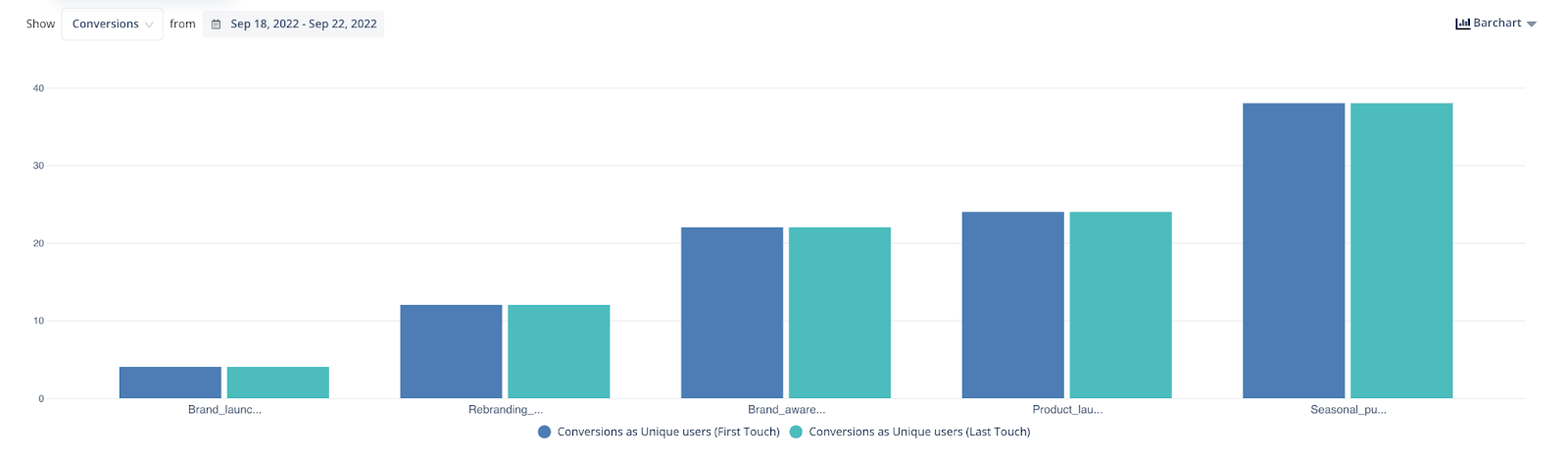
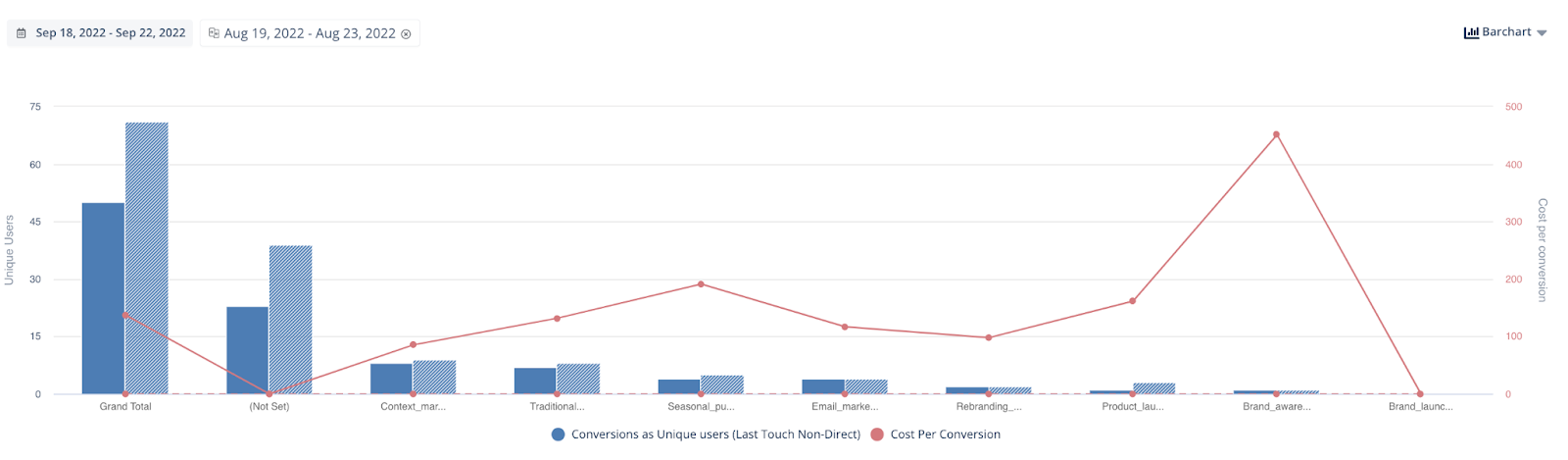
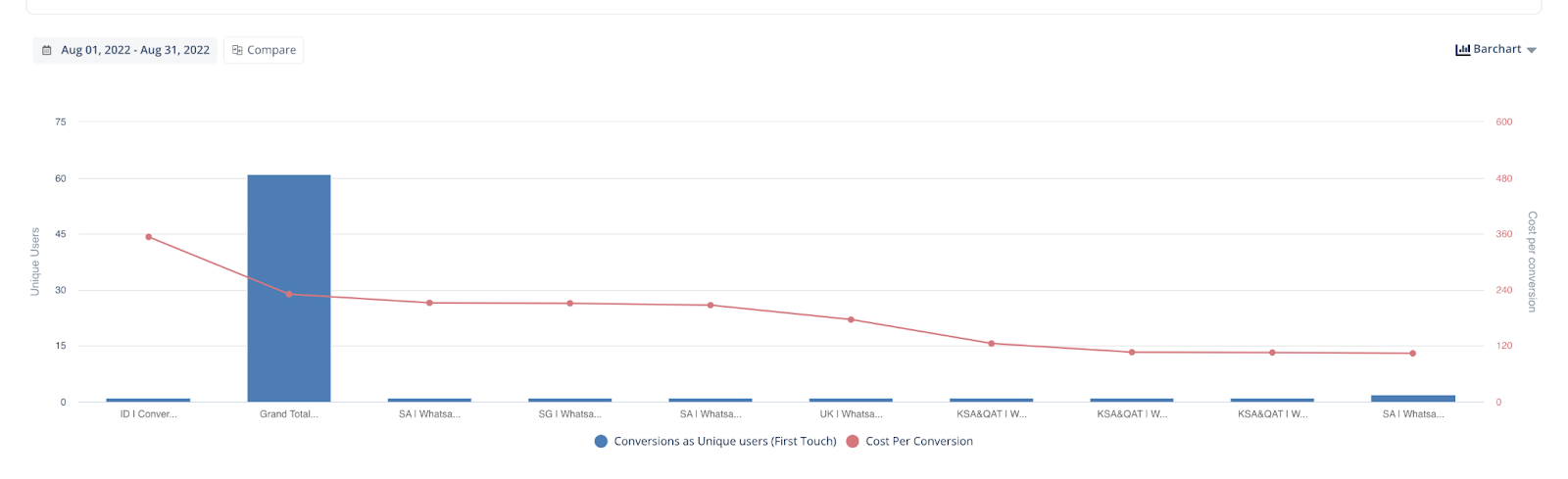
Further, an AI-powered attribution tool like factors.ai is capable of offering augmented features in a report, such as recommendations on campaign bidding, trends in cost per MQL and SQL, and much more)
{{INLINE_TOFU}}
How Can Organizations Leverage Attribution Reports To Skyrocket Their Conversions?
Now that you know what you can learn from attribution reports, we will take you to the next step. After doing an in-depth attribution analysis, now is the time to take some steps to accelerate the momentum of the conversions.
Following are some ways organizations can leverage attribution reports:
- To Create A Result-Driven Content Strategy
A crucial part of online marketing is creating a content strategy to ensure that the content created will be focused on the customer journey stage they are in.
With attribution data, marketers can get an overview of the entire customer journey and leverage it to build a result-driven content strategy.
- Where Should You Expend Your Marketing Efforts?
We all know attribution reporting gives deep insights into which channels drive conversions and users. Therefore, we can focus on those specific channels and generate maximum leads.
- To Fully Understand The Customer’s Journey
You may know which channel drove the conversions, but you should also know about the touchpoints your customer interacted with before converting.
Attribution reporting has the capability to do so, and therefore, it allows you to fully understand the customer’s journey right from the start till the end.
Understanding this will allow you to create more effective strategies and journey paths that are aligned with buyer preferences.
Bonus Information: What Is The Attribution Window?
An attribution window, also known as a conversion window, is the timeframe within which conversion will be attributed to a touchpoint. In layperson’s words, it can be defined as a time frame between which a potential lead viewed/clicked on your ad/piece of content and later performed your desired conversion action
For example, suppose your attribution window is 20 days. In that case, any touchpoints (like users interacting with your landing page) incurred by prospects will only be linked to a conversion (actions like a demo request) if it occurred within 20 days of the touchpoint. Attribution windows also help distinguish your fresh leads from your re-engaged ones and hence remove the impact of interactions that happened a while ago.
The total number of conversions can be skewed if you don’t set the right attribution window. If you look it up, they’re different recommendations on setting an attribution window. Some recommend as little as 7 days, while others suggest 90 or 180 days.
Setting the attribution window is largely dependent on the expected conversion cycle from first visit to revenue as well as the internal understanding among Go to Market teams (Sales and Marketing) on what would be the appropriate conversion window. Our recommendation would be to compute your average conversion cycle based on historical data and set double that value, post aligning with the sales team.
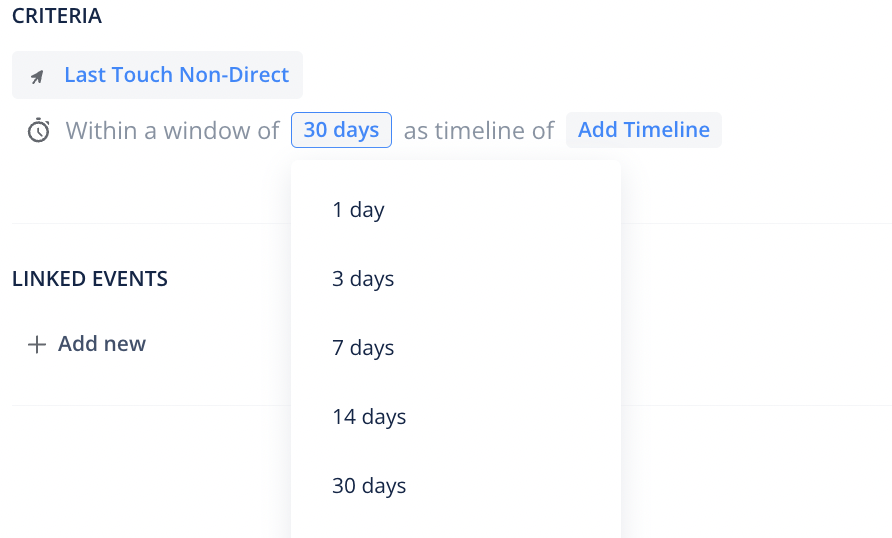
Wrapping Up
Without a doubt, we can say that attribution reporting is the most effective way to understand and measure the impact of Marketing Efforts on business outcomes. Insights generated from marketing attribution can become your most valuable asset to drive maximum ROI.
When picking a solution to power your Attribution reporting, you want the best of the best. So keep your eyes peeled for solutions that offer capabilities such as:
- Bring in touchpoints from across data sources - such as website events (digital marketing)and offline touchpoints (webinars, events, e-books, sales calls, and meetings)
- Attributing your entire marketing and sales funnel stages and rather than focusing on a single conversion point such as Leads.
- Present both baseline investment metrics and conversion metrics, with the computation of ROI at a channel, campaign, ad group, keyword, page URL, or Theme level.
- Has advanced features to distinguish between new business vs expansions or new leads vs reactivated ones.
Opting for a solution that has these capabilities and more can take your attribution reporting to the next level.
Get started with attribution reporting with Factors.ai
Factors.ai is an AI-empowered attribution reporting tool that helps you to fuel your marketing efforts by effectively comparing and customizing attribution models to generate a clearer picture based on metrics.

Factors.ai has the capability to create attribution reports at both company and user levels, can track both website and non-website events, and has a customized dashboard that collects and visualizes all crucial data in one place.
If you’re interested in taking your business to next level by analyzing your marketing efforts with robust multi-touch attribution modeling and deep data-driven insights to make an informed decision then, schedule a demo and start for FREE at factors.ai.
Attribution reporting tracks how different marketing channels influence conversions and revenue, offering a complete picture of customer journeys.
1. Core Functionality: Maps multi-touch interactions across campaigns and platforms.
2. Key Insights: Identifies high-performing channels, highlights underutilized ones, and reveals ROI by touchpoint.
3. Strategic Benefits: Enhances resource allocation, replaces guesswork with data, and boosts campaign efficiency.
Leveraging attribution reporting enables marketers to make smarter decisions, maximize returns, and refine strategies based on real performance data.
FAQs
- What does attribution mean in marketing?
In marketing, attribution refers to the process of identifying and assigning credit to the various marketing channels and touchpoints that contribute to a conversion [or any desired action].
By understanding the effectiveness of these different marketing channels, businesses can optimize their marketing budget and resources to maximize their ROI.
- Why is attribution reporting important for marketers in 2023?
Attribution reporting provides a holistic view of how different marketing channels work together to drive conversions and revenue. It enables marketers to see which channels drive the most conversions and revenue and which are driving the most users to their website or mobile app.
With this information, marketers can make more informed decisions about where to allocate their marketing budget and resources.
Top 10 Albacross Alternatives and Competitors in 2026
Are you considering alternatives to Albacross? Explore the 10 best options for 2026. Compare features and more to find the perfect fit for your business.
.avif)
Albacross is a well-established B2B marketing data platform that leverages advanced intent data to identify and capitalize on hidden opportunities from website traffic.
From initial customer awareness to decision-making stages, Albacross provides comprehensive insights. It equips businesses with the knowledge to identify potential buyers and engage them based on their preferences.

So, why look for an Albacross alternative?
While Albacross has its benefits, no tool is without its limitations. Here’s why users consider Albacross alternatives:
Diverse Business Sizes and Budgetary Constraints
Scenario:
Small and medium-sized enterprises (SMEs) may find Albacross pricing plans aligned with their needs. However, for some, the cost may become a limiting factor as their operations scale.
Consideration:
Businesses, especially those in early or mid-stages, may seek alternatives with more cost-effective options without compromising on essential features. Exploring alternatives allows them to find a solution that aligns with their financial parameters.
Need for Comprehensive Data Sources
Scenario:
Businesses requiring a comprehensive understanding of their B2B target market may evaluate the depth of data sources provided by Albacross.
Consideration:
Some enterprises may seek alternatives offering an even broader range of data sources beyond traditional website-centric approaches. This exploration ensures a more holistic view of potential clients and enhances overall market understanding.
Customization and Interface PreferencesScenario:
As businesses mature, their requirements for customization options in interface design and reporting may evolve.
Consideration:
Enterprises may explore alternatives that provide more flexibility in customizing interfaces and reporting structures. A desire for tailored solutions prompts businesses to seek alternatives that align more closely with their evolving preferences.
Integration Challenges with Existing Tools
Scenario:
Seamless integration with existing tools, especially CRMs, is crucial for efficient workflow management.
Consideration:
Businesses might explore alternatives if they encounter challenges with integration, seeking solutions that offer native integrations or smoother connectivity with their current tech stack. The aim is to optimize workflows and ensure a cohesive operation of different tools.
Scalability and Features for Growing Businesses
Scenario:
Growing enterprises may outgrow the functionalities of their current solution, necessitating more advanced features.
Consideration:
Businesses in expansion mode may look for alternatives that not only match their current needs but also offer scalability and advanced features. This forward-thinking approach ensures that the chosen solution can accommodate evolving business requirements.
{{INLINE_CTA_A}}
User Experience and Ease of Onboarding
Scenario:
The user experience, including interface intuitiveness and ease of onboarding, significantly impacts the overall efficiency of teams.
Consideration:
Enterprises may explore alternatives if user feedback indicates concerns about the user interface, navigation challenges, or a steep learning curve. This consideration aims to enhance overall user satisfaction and streamline the adoption of the chosen solution.
Unique Data Privacy and Compliance Requirements
Scenario:
Businesses operating in regions with stringent data privacy regulations may scrutinize how well a solution aligns with these requirements.
Consideration:
Exploring alternatives allows enterprises to find solutions that not only meet their visitor identification needs but also adhere to specific data privacy and compliance standards, ensuring a secure and legally sound operation.
Factors to consider in the alternative
Data Accuracy and Coverage
Evaluate the alternative's ability to provide accurate and comprehensive data on website visitors. The precision of identifying companies, coupled with a broad coverage of industries and regions, contributes to the effectiveness of lead generation efforts.
Integration Capabilities
Assess the alternative's integration capabilities with existing tools, such as CRM systems and marketing automation platforms. Seamless integration enhances workflow efficiency and ensures a cohesive approach to lead management.
Personalization Features
Consider whether the alternative offers personalization features that enable businesses to tailor their website content based on visitor profiles. This enhances the user experience and increases the effectiveness of targeted marketing efforts.
Pricing Structure
Analyze the pricing structure of the alternative, taking into account the scalability of plans and the value offered in relation to the cost. Businesses should seek a solution that aligns with their budget constraints while delivering the necessary features.
Ease of Use and Interface
Evaluate the user interface and overall ease of use of the alternative. An intuitive platform with clear navigation and visual cues enhances user adoption and maximizes the utility of the chosen solution.
Customer Support and Success
Consider the level of customer support and success services provided by the alternative. Responsive and knowledgeable support can significantly impact the user experience and the successful implementation of the chosen solution.
Analytics and Reporting
Examine the analytics and reporting capabilities of the alternative. The depth and granularity of insights into website visitor behavior, lead generation effectiveness, and ROI contribute to informed decision-making.
Scalability
Assess whether the alternative can scale alongside the growth of the business. A solution that accommodates evolving needs and increasing data volumes ensures long-term viability.
Strategic Partnerships
Explore whether the alternative has strategic partnerships with influential platforms such as LinkedIn and G2. Such partnerships can enhance data extraction capabilities and provide a broader and more holistic view beyond traditional website-centric approaches.
User Reviews and Testimonials
Consider the feedback from other businesses that have used the alternative. User reviews and testimonials provide valuable insights into the real-world experiences of businesses similar to yours.
{{INLINE_CTA_A}}
Here are some tools we’ll compare today
- Clearbit
- Factors. AI
- Lead Forensics
- Leadfeeder
- Visitor Queue
- Pearl Diver
- Koala
- Leadinfo
- Happierleads
- Leadlander
Before we start off, here’s a little about Albacross

Albacross Features
Account Identification
Identify anonymous accounts, including firmographics and visitor intent.
Personalization
Integrate with personalization tools like Optimizely and VWO, enable customized website content based on visitor profiles.
Display Ads
Launch and monitor display ads within the platform, collaborating with renowned publicists.
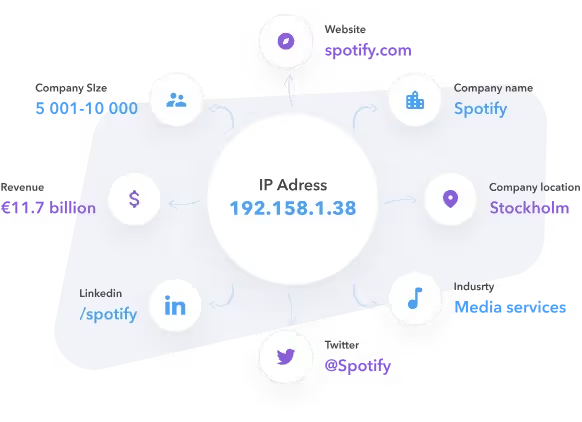
Albacross Limitations
- Limited interface and reporting:
Reviews find Albacross to have a limited app interface in terms of insights and customizations.

- Integration Issues:
Potential challenges with integrations, especially with CRMs like Salesforce, requiring workarounds like Zapier.

Albacross Pricing
- Free 14-day trial plan
- Self-Service Plan: €79 per month.
- Identify up to 100 companies.
- CRM integrations and LinkedIn ads integration.
- Growth Plan:
- Unlimited identification of companies
- API integrations
- Dedicated Customer Success support
- User Onboarding

Clearbit

Clearbit Features
- Target Accounts:
Comprehensive B2B Target Market builder for creating an audience of potential purchasing companies.
- Intent Revelation and Pipeline Conversion:
Assists in understanding anonymous website visitors, revealing buying intent and facilitating conversion into leads and customers.
- Verified B2B Contact Database:
Access to a global B2B contact database with over 30 million verified contacts, ensuring wide reach and deliverable B2B contact data.
- Seamless Integration with HubSpot:
Integration with HubSpot for easy data export, deduplication, and streamlined prospecting.
Clearbit Limitations
- Pricing:
Some users find pricing relatively high, posing challenges for early to mid-stage startups.


- Performance Issues:
Occasional lag or unexpected closures were reported, impacting overall reliability and user experience.


Clearbit Pricing
- Free Plan: $0.
- 25 credits monthly for site traffic identification.
- Limited credits for enriching domains, emails, and finding email addresses.
- Growth Plan: $50 to $275.
- Credit tiers range from 125 to 1,000 monthly.
- Discover more leads, unveil visitors, and build prospect lists in HubSpot.
- Enterprise Plan
- Customized; organizations should contact the sales team for specific requirements and pricing details.

Factors AI

Factors.AI Features
- Account Identification:
Partners with 6sense and Clearbit for industry-leading IP data, identifying up to 64% of anonymous companies with firmographics, enrichment, and alerts.

- Account Timelines & Scoring:
Provides end-to-end account-level timelines across the customer journey through integration with campaigns, websites, and CRM data. Factors also supports cross channel accounts scoring by tracking engagement across website, LinkedIn, and G2 touchpoints.
- Advanced Analytics:
ABM analytics, path analysis, and multi-touch attribution for unified reporting, aggregate user behavior, and optimizing resource allocations.
Factors.AI Limitations
- User Interface Enhancement:
User interface could benefit from increased intuitiveness, clearer navigation, and visual cues for a more user-friendly experience.

- Limited Integration Options:
At the time of writing, Factors offers relatively fewer native integrations as compared to other alternatives. To solve for this, Factors will push data back into nearly any other platform using Webhooks (Zapier, Make.com, etc)
{{CTA_BANNER}}
Factors.AI Pricing
- Factors offers a free plan for up to a certain number of accounts identifies per month
- Learn more about pricing here: factors.ai/pricing
{{INLINE_CTA_A}}
Lead Forensics

Lead Forensics Features
- Visitor Tracking:
Tracks and records activities of companies and individuals visiting a business website. Provides detailed insights into browsing behavior, and specific pages viewed, and identifies key contacts within visiting companies.
- Contact Information:
Reveals contact details of accounts visiting your website, empowering businesses to initiate contact with potential leads who have demonstrated interest.
- Lead Scoring:
Utilizes an effective lead scoring system based on visitor behavior, enabling businesses to prioritize efforts on high-converting leads.
- Integration Capabilities:
Seamlessly integrates with CRM systems and marketing automation tools for efficient lead management.
- Real-time Alerts:
Provides real-time notifications when high-potential leads are identified, enabling prompt engagement.
- Detailed Analytics:
Offers in-depth analytics and reporting on website visitor patterns, lead generation effectiveness, and ROI from marketing initiatives.

Lead Forensics Limitations
- Unintuitive UI:
Faces criticism for an unintuitive user interface, with concerns about complicated functionality in ad-hoc analysis, dashboards, and filters.

- Navigation Challenges Across Multiple Domains:
Users report glitches during the transition between accounts for each domain, occasionally requiring a complete log-out/log-in to address issues.

- Pricing Concerns:
Potential concern regarding cost alignment with the budget constraints of smaller businesses, posing a challenge for those seeking more budget-friendly options.

Lead Forensics Pricing
- Essential Plan:
- Tailored for small to medium-sized businesses.
- Identifies businesses visiting the website.
- Provides business contact details, uncovers keywords driving traffic, and access to the Lead Manager portal.
- Automate Plan:
- For enterprise businesses.
- Includes all Essential Plan features.
- Advanced integration capabilities into CRM systems.
- Fully customizable workflows using 'The Orchestrator' technology.
- 'Fuzzy Matching' algorithm for clean data maintenance.
Learn more about Lead Forensics pricing.
Leadfeeder

Leadfeeder Features
- Company Identification:
Identifies companies visiting the website, providing valuable insights into potential leads.
- Page View Information:
Accesses detailed information about the pages viewed by visiting companies.
- Source Tracking:
Offers insights into how companies found the company’s website.
- Integration with CRM and Marketing Platforms:
Seamless integration with popular CRM and marketing platforms for efficient utilization of visitor data in sales and marketing efforts.
- Customizable Email Digests:
Provides customizable email digests for convenient and personalized information delivery.
- Real-time Notifications:
Sends real-time notifications to ensure timely engagement with potential leads.
Leadfeeder Limitations
- Pricing:
While Leadfeeder offers a few more features, it may be a more expensive tool, especially for teams early in their ABM journey.
- Lead History:
Leadfeeder offers only up to 30 days of lead history, which may be limiting for companies with longer sales cycles. Albacross extends history to up to 90 days.
- Website Personalization:
Albacross offers website personalization features through integration with VWO and Google Optimize, allowing A/B testing based on the nature of accounts visiting the website.
Leadfeeder Pricing
- Free Plan
- €0 with no time limit.
- Unlimited users.
- Data from the last 7 days only.
- Maximum 100 identified companies.
- Paid Plan (Starting at €139 per month, billed annually)
- For sales and marketing teams.
- Pricing is based on identified companies.
- Unlimited visits data storage.
- Unlimited users.

Further readings:
{{INLINE_CTA_A}}
Visitor Queue

Visitor Queue Features
- Website Visitor Identification:
Identifies companies visiting a website, offering insights into visitor behavior.
- Lead Generation:
Assists in identifying potential leads by providing contact information and browsing behavior details of website visitors.
- Audience Understanding:
Provides a better understanding of the audience by tracking and analyzing visitor data, including company names and browsing activities.
- Tailored Marketing and Sales Strategies:
Enables businesses to tailor marketing and sales strategies by providing insights to attract and convert potential customers.
- Improved Business Performance:
Helps turn website visitors into potential customers, contributing to improved overall business performance and customer acquisition.
Visitor Queue Pricing
- 100 Unique Companies / Month
- $31/month when paid annually.
- All features included.
- Add website personalization for $159 more a month.
- 300 Unique Companies / Month:
- $71/month when paid annually
- All features included.
- Add website personalization for $159 more a month.
- 500 Unique Companies / Month
- $87/month when paid annually
- All features included.
- Add website personalization for $159 more a month.
- 1000 Unique Companies / Month
- $151/month when paid annually
- All features included.
- Add website personalization for $159 more a month.
- 2000 Unique Companies / Month
- $239/month when paid annually
- All features included.
- Add website personalization for $159 more a month.
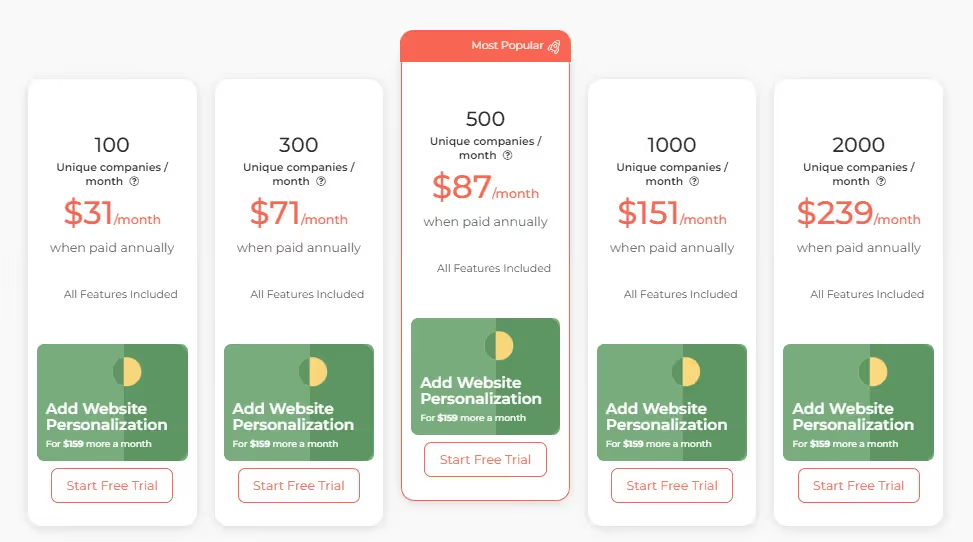
Visitor Queue Limitations
- Limited Details on Actual User Data:
Identifying specific details, especially for big companies with hundreds of employees, can be challenging. However, the information is still useful for reaching out to existing contacts and making a memorable impression.

- Lack of Automation and Message Templates:
The platform lacks automation features and predefined message templates. Users express a desire for the ability to automate post-visit outreach, such as creating algorithms for customized messages based on user journeys and roles within the visiting companies.

Pearl Diver
Pearl Diver Features
- Anonymous Website Visitor Identification:
Enables identification of anonymous website traffic, providing insights on the company name, industry, location, and online behavior.
- Opportunity Generation and Audience Segmentation:
Helps generate opportunities and segment audiences for improved targeting and precise sales and marketing strategies.
- Direct Integration:
Offers direct integration with various marketing and sales platforms through Zapier, ensuring seamless audience management and enhancing efficiency in the sales cycle.
- Automated Workflow:
Integrates audiences into marketing and sales services through Zapier or exports them to email as CSV files to supercharge marketing activities.
- Opportunity Management and Real-Time Notifications:
Offers visibility to fast-track deals, spot buying signals, and know when existing customers are back in the market through advanced tracking and real-time notifications.
Pearl Diver Pricing
- Launch:
- From just 19c per opportunity identified.
- $387 per month.
- Includes up to 2 websites and 2,000 identified web visits.
- Rise:
- From just 15c per opportunity identified.
- $917 per month.
- Includes up to 5 websites and 6,000 identified web visits.
- Scale:
- From just 15c per opportunity identified.
- $1,818 per month.
- Includes up to 10 websites and 12,000 identified web visits.

Pearl Diver Limitations
- Limited Geographic Coverage:
Currently only US-based, limiting data capture for businesses primarily operating in Australia and other countries.

- Manual Data Download Process:
Requires daily manual data downloads to Excel, with potential inconvenience. However, there are indications of ongoing efforts to introduce an API setup.

- Onboarding Process Challenges:
The onboarding process is reported to be not clean, potentially causing challenges for users during the initial stages of using the platform.

{{INLINE_CTA_A}}
Koala

Koala Features
- Discover Prospects from Website Traffic:
Identifies website visitors, converting traffic into actionable leads by revealing companies researching documents, checking pricing pages, and expressing purchase intent.
- Real-time Intent Signal Detection:
Automatically detects key intent signals, indicating visitors' readiness to make a purchase, allowing prompt engagement with prospects to prevent leads from slipping away.
- Strategic Account List Building:
Effortlessly segments lead by company attributes from various data sources, enabling the creation of strategic account lists to focus efforts on the most promising leads in real-time.
- User Behavior Analysis:
Provides insights into meaningful actions taken by website visitors, facilitating a deeper understanding of user behavior to provide relevant and genuinely helpful content.
- Seamless Integration with Existing Tools:
Seamlessly integrates with favorite sales and enrichment tools, providing powerful insights about prospects and target accounts.
- Turn Visitors into Pipeline:
Enables companies to turn website visitors into pipeline opportunities, potentially increasing pipeline creation, saving research time, and driving more sales.
- Free Plan Available:
Offers a generous free plan for startups finding Product-Market Fit (PMF), allowing companies to get started in minutes and discover prospects already on their site.
Koala Pricing
- Free
- $0
- For startups finding Product-Market Fit (PMF).
- 3 seats included, users can unlock more by referral
- 250 accounts included, unlock more by referral
- 10k events/ mo
- Team
- $175/mo
- For sales teams with up to 5 reps.
- 3 seats included then $15 user/mo.
- 1,000 accounts included, then $15/mo per 250
- 500k events/mo then $45/mo per 100k
- Business
- For this plan, organizations can contact Koala’s support team for details on the pricing
- Designed for larger teams, ranging from about 5 to 100s of sales representatives
- Custom discounts are also available for the business plan in regards to the number of users, koala accounts and events per month
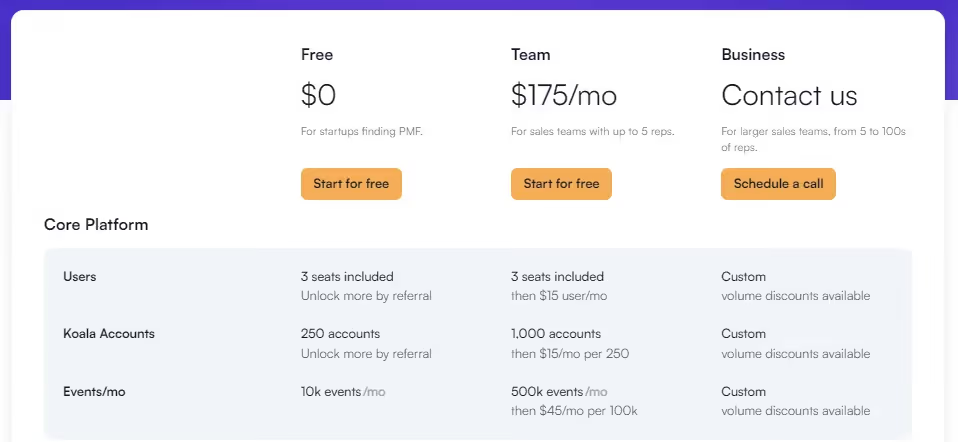
Koala Limitations
- Weekly Reporting System:
The platform lacks a robust reporting system, which could enhance the user experience by providing regular and consistent insights.

Leadinfo

Leadinfo Features
- Lead Capture Forms:
Sales and marketing teams can create personalized lead gen forms using visitor information, increasing the likelihood of positive responses and lead conversions.
- Track Browsing Activity:
Tracks visitors' journeys through the website, allowing sales and marketing teams to determine visitors' intent and qualify them as potential leads.
- Intuitive Layout:
Leadinfo's inbox-type layout provides an intuitive view of every website visitor, similar to viewing emails. This layout simplifies the tool for teams to get accustomed to its functionality.
- Integrations:
Leadinfo currently offers 60+ integrations including Asana, Discord, Freshworks, Insightly, HubSpot, Zoho, and Slack, among others.
Leadinfo Pricing
The pricing model for Leadinfo is based on the total number of monthly unique visitors to your website. As a user, you can feed your data to their pricing page to determine the cost.

Leadinfo Limitations
- Integration Development:
The integration could be further developed to enhance functionality, particularly in implementing automation, especially from a marketing perspective. This improvement would enable seamless execution of marketing strategies for better results.

- Pricing:
Leadinfo is considered quite pricey. While the free demo period grants access to all features, some features are disabled upon account creation, requiring a significant increase in payment.

- Incomplete Prospect Coverage:
Leadinfo may not capture all smaller prospects or clients, potentially limiting its coverage and effectiveness for businesses dealing with a diverse range of prospects.

{{INLINE_CTA_A}}
Happierleads

Happierleads Features
- Prospector:
Identifies prospects based on Ideal Customer Profile (ICP) criteria, providing details such as direct-dial phone numbers, updated business emails, job titles, and more for over 60 million businesses.
- Segment & Qualify:
Allows sales and marketing teams to segment accounts and leads based on ICP using various behavioral and demographic filters. Happierleads assigns scores to each account based on website activity, simplifying the identification of high-fit, high-intent accounts.
- Email Outreach:
Offers an internal email campaigning and outreach tool, enabling sales and marketing teams to work on prospecting and outreach without exporting their data elsewhere.
- Integrations:
Happierleads offers integrations such as Zapier, HubSpot, Fullstory.
Happierleads Pricing
- Free Trial
- $0 for 7 days
- Includes 300 credits
- 5 users
- 1 mailbox
- Basic
- $120 per month (billed yearly)
- Includes 1000 credits/mo
- 10 users
- 5 mailboxes
- Unlimited data storage
- Integrations & automation, and more.
- Pro
- $799 per month (billed yearly)
- Includes unlimited credits
- Unlimited users
- 20 mailboxes
- AI email personalization
- Advanced API access, and more.
- Enterprise
- Customized plan for advanced features (contact sales)

Happierleads Limitations
- Identification Limitation:
Happierleads identifies the company but not the individual accessing the information. Reaching the right person in large organizations can be challenging.

- Journey Visibility:
Limited visibility into potential customers' journeys. Clicking through a set of cards to see activity makes it less intuitive. Export options are overwhelming, and crucial info like visit time and page details may be lost.

- Engagement Analytics:
Room to grow in engagement analytics. More detailed information on actual interactions on the site, such as specific CTAs clicked, time spent on pages, or scrolling behavior, would be beneficial.

Leadlander

Leadlander Features
- B2B Website Visitor Identification:
Focuses on identifying company-based website visitors, providing insights into the audience visiting business websites.
- Verified Contacts:
Offers verified contact profiles, including name, email, title, and other key data points, for employees at companies visiting your website, facilitating actionable connections.
- Analytics and Reporting:
Delivers specific details about each website visitor, turning anonymous visitors into actionable contacts. Provides insights into customer journeys, connections to conversions, and intent data.
- Sales Integration:
Seamless integration with popular platforms like Salesforce, Mailchimp, HubSpot, and Slack, streamlining the sales process for maximum effectiveness.
- Unrivaled Support:
Dedicated and responsive service and support to maximize the return on investment for users.
- Easy-to-Use Interface:
Real-time delivery of actionable data through customized reports, alerts, and online access for convenient utilization.
- Intent and Company Data:
Provides intent data to reveal individual prospects and their information, along with access to key contacts at prospect companies.
Leadlander Limitations
- Integration Limitations:
Some users face challenges integrating Leadlander with certain platforms, limiting the utility of collected data.
- Data Accuracy:
While providing accurate tracking data, some users report issues with the accuracy of metrics, such as the count of unique visitors.
- User Interface:
Users, particularly those with limited technical experience, find Leadlander's interface challenging to navigate and understand.
- Technical Support:
Issues with the quality and availability of technical support have been reported, making it challenging to get assistance when needed.
- Cost:
While cost-effective, some users find Leadlander expensive for businesses with limited budgets.

Leadlander Pricing
- Small Business Plan
- $900/year or $89/month
- Up to 100 leads per month
- One tracked domain
- Access to the contact network
- unlimited user accounts
- 12 months of stored data
- Unlimited Plan
- Contact for pricing or start a free trial
- Unlimited leads
- Unlimited domains
- Unlimited user accounts
- Includes access to the contact network
- 12 months of stored data
- Dedicated account manager
- API access, and more

Top 10 Albacross Alternatives for B2B Marketing Data & Lead Generation
1. Leadfeeder: Tracks website visitors, provides behavioral insights, and integrates with CRM platforms.
2. Clearbit: Real-time data enrichment to enhance visitor understanding and marketing personalization.
3. Factors.ai: AI-driven analytics and account intelligence for targeted marketing and improved ROI.
4. Lead Forensics: Identifies anonymous website visitors and optimizes lead conversion.
5. Visitor Queue: Captures business details and user data of website visitors for outreach.
6. CANDDi: Offers individual-level visitor identification and company insights.
7. Demandbase: ABM-focused tool for identifying, engaging, and converting target accounts.
8. RollWorks: Provides ABM and advertising solutions with advanced buyer insights.
9. 6sense: AI-powered platform predicting buyer intent and enabling personalized marketing.
10. ZoomInfo: Comprehensive B2B contact database for lead generation and market research.
Choosing the Right Alternative
- Key considerations include data accuracy, integrations, customization, scalability, and pricing to match business needs and optimize B2B marketing strategies.
In summary
Albacross is a known solution in revenue acceleration, leveraging advanced intent data. However, diverse business needs and budget considerations drive the exploration of alternatives.
Here are the Top 10 Albacross Alternatives for B2B Marketing Data & Lead Generation
- Leadfeeder: Tracks website visitors, provides behavioral insights, and integrates with CRM platforms.
- Clearbit: Real-time data enrichment to enhance visitor understanding and marketing personalization.
- Factors.ai: AI-driven analytics and account intelligence for targeted marketing and improved ROI.
- Lead Forensics: Identifies anonymous website visitors and optimizes lead conversion.
- Visitor Queue: Captures business details and user data of website visitors for outreach.
- CANDDi: Offers individual-level visitor identification and company insights.
- Demandbase: ABM-focused tool for identifying, engaging, and converting target accounts.
- RollWorks: Provides ABM and advertising solutions with advanced buyer insights.
- 6sense: AI-powered platform predicting buyer intent and enabling personalized marketing.
- ZoomInfo: Comprehensive B2B contact database for lead generation and market research.
Choosing the Right Alternative - Key considerations include data accuracy, integrations, customization, scalability, and pricing to match business needs and optimize B2B marketing strategies.
While Albacross remains robust, businesses must align their choice with specific requirements, ensuring a seamless journey toward revenue acceleration in the evolving landscape.
{{INLINE_CTA_A}}

LinkedIn Benchmarks for B2B Success OR The B2B Benchmark Report: What Will Actually Move Pipeline in 2026
Explore key insights from 100+ B2B companies on what’s working across channels. See how buyer behavior is evolving, why LinkedIn is rising, and what will move pipeline in 2026. OR Discover B2B marketing benchmarks from 100+ companies. Uncover what’s working across channels and how top teams are planning for pipeline in 2026.
TL;DR
- B2B buyer behavior has changed significantly, and traditional channels aren’t performing as they used to.
- LinkedIn is becoming the center of modern GTM because it influences buyers long before they enter a formal evaluation.
- The platform isn’t just a top-of-funnel channel anymore; it amplifies paid search, outbound, and content performance across the entire buying loop.
- Creative formats and brand-first strategies are evolving fast, with richer in-feed content outperforming old-school gated plays.
- To win in 2026, marketers must operate in a non-linear loop, show up early, and empower buying committees with consistent, credible engagement across channels.
The B2B world is noisy right now… almost as much as a honk-y traffic jam in Times Square.
There’s too much going on at once. Organic search feels unpredictable, CPCs are climbing (and jittery) like they’ve had too much caffeine, and gated content is… well, let’s just say no one wants to open those gates.
So instead of guessing what’s working, we analyzed performance data from 100+ B2B companies and survey responses from 125+ senior marketers.
The result is our 67-page Benchmark Report packed with uncomfortable truths, delightful surprises, and a snowman hidden somewhere in the middle. Yes, really.
If you want the short version, here’s the state of B2B marketing in 2025, backed entirely by what the data actually shows.
B2B Benchmark Report: The B2B market shift you can’t ignore
- Organic Search Is Getting Tougher
Search is still important, but it’s no longer the dependable traffic engine it once was.
- The median organic traffic change was –1.25%
- Among companies with large traffic volumes (50K+), 67% saw a decline
But, here’s the thing, even with traffic dropping, organic conversion rates increased by 21.4% on average for those with declining traffic
Fewer people are arriving, but the right people still are. Basically, quality is still winning.
- Paid Search Is Under Real Pressure
Paid search is having a rough year.
- Median paid search traffic dropped 39%
- CPCs increased 24%
- And 65% of companies saw conversion rates decline
This is the channel equivalent of “it’s not you, it’s me.” No matter how well you optimize, auction dynamics and buyer behavior are changing the economics.
- Gated Content Isn’t Pulling Its Weight
The gates aren’t just creaking, they’re closing with loud thuds.
- Webinar registrations dropped 12.7%
- Ebook downloads dropped 5%
- Report downloads dropped 26.3% among established programs
Buyers now prefer research through LLM summaries, peers, communities and platforms like LinkedIn.
- Demo Requests Are Holding Strong
Despite turbulence up-funnel, demo requests grew:
- Median demo growth was 17.4%
- And 63% of organizations reported an increase in demos
It lines up with a key Forrester insight included in the report: 92% of B2B buyers begin their journey with at least one vendor in mind, and 41% already have a preferred vendor before evaluation begins.
By the time they fill a form, the decision is already halfway made.
Why is LinkedIn quietly becoming the new B2B Operating System?
You’ve probably noticed CMOs talking a lot more about LinkedIn lately. That’s not nostalgia for early-2000s networking. It’s because the data shows a decisive shift.
Budgets are moving at the speed of light
Between Q3 2024 and Q3 2025:
- LinkedIn budgets grew 31.7%
- Google budgets grew 6%
- LinkedIn’s share of digital budgets increased from 31.3% to 37.6%
- Google’s share reduced from 68.7% to 62.4%
This is not your usual “let’s test and learn” moment, it’s more like the Great Reallocation (at the executive level).
Brand and Engagement Are Back in Fashion
Marketers finally have proof that brand pays off.
- Brand awareness and engagement campaigns increased from 17.5% to 31.3% of objective share
- Lead generation campaign share dropped from 53.9% to 39.4%
When buyers form preferences early, showing up early matters.
Creative Formats Are Evolving
What’s working:
- Video ads and document ads both increased their spend share (from 11.9% to 16.6%)
- Single-image ads declined sharply
- CTV spend increased from 0.5% to 6.3%
- Offsite delivery increased from 12.9% to 16.7%
Buyers want richer stories, not static rectangles.
{{INLINE_TOFU}}
The Most Interesting Finding: LinkedIn Makes Every Other Channel Better
This section is where marketers usually lean in.
Across the companies evaluated:
- Paid Search Performs Better After LinkedIn Exposure
- Paid search leads were 14.3% influenced by LinkedIn first
- ICP accounts convert 46% better in paid search after seeing LinkedIn ads
- Outbound Performs Better
- SDR meeting-to-deal conversion increased 43% when accounts had seen LinkedIn ads
- Content Performs Better
- ICP accounts converted 112% better on website content pages after seeing LinkedIn ads
My point is, LinkedIn is amplifying everything.
So, where do you stand? Don’t be shy… come, benchmark yourself
Here are some of the medians pulled from the Benchmarking Framework:
- Organic traffic: –1.25%
- Organic conversion rate: –2.5%
- Paid search traffic: –39%
- Paid search conversion: –20%
- Demo requests: 17.4%
- LinkedIn budget share: Around 40.6%
If you're above these numbers, great. If you're below them, also great… you now know exactly what to fix.
So What Should Marketers Actually Do With All This?
1. Build Presence Before Buyers Enter the Market
Since 92% start with a vendor already in mind, waiting for in-market buyers is a losing game. Show up with:
- Executive thought leadership
- Ungated value content
- Category POVs
- Insight-rich document ads
2. Treat LinkedIn as a Full-Journey Channel
Awareness, interest, consideration, validation… LinkedIn supports all of it, especially with:
- Thought Leader Ads
- Document Ads
- Website retargeting
- Predictive Audiences
- Matched audiences
3. Shift From Linear Funnels to Non-Linear Loops
Modern buyers loop, pause, reappear, consult peers and re-research.
Your marketing has to follow them, not force them into a stage.
4. Track What Actually Moves Accounts Forward
This is where tracking and measuring tools step in.
How Factors Helps (This is not a sales pitch, or is it?)
The report makes one thing obvious. To operate in a loop instead of a funnel, you need clean, connected buyer intelligence.
- Company Intelligence (LinkedIn’s new API + Factors)
Unifies:
- Paid LinkedIn engagement
- Organic LinkedIn activity
- Website behavior
- CRM activity
- G2 and intent data
This lets you create buying-stage rules and trigger the right plays when accounts heat up.
- LinkedIn CAPI
With automated bidding rising from 27.6% to 37.5% of campaigns, accurate server-side conversions matter more than ever.
Factors helps send pipeline events like MQLs, SQLs and meetings straight to LinkedIn.
- AdPilot for LinkedIn
Helps you:
- Control impressions at an account level
- Reduce over-serving top accounts
- Redistribute spend to underserved ones
Descope used this to increase ROI by 22% and reduce wasted impressions by 17%..
Okay, that’s enough from me, you can directly download the full Benchmark Report here. Trust me, your future pipeline will thank you.
In a Nutshell
Paid search is under pressure, organic traffic is thinning, and gated content is losing traction… LinkedIn is rewriting the rules of B2B go-to-market strategy. This benchmark report, built from the data of over 100 companies and 125+ senior marketers, reveals a shift in buyer behavior and the growing dominance of LinkedIn across the full funnel.
From surging demo requests (+17.4%) to skyrocketing ad effectiveness when paired with LinkedIn exposure, the platform isn’t just top-of-funnel anymore; it’s influencing decisions throughout the buying loop. Creative formats like document and video ads are outperforming legacy assets, while brand and engagement budgets have more than doubled.
More tellingly, paid search, outbound, and even website content convert significantly better when LinkedIn is part of the journey. With LinkedIn budgets growing 5x faster than Google’s, this is less a trend and more an executive-level reallocation.
To compete in 2026, marketers need to operate in loops, not funnels, showing up early, tracking behavior across platforms, and using connected tools to move accounts forward with credibility and precision.
FAQs for B2B Benchmark Report
Q. Why is organic traffic declining even though conversion rates are improving?
Because buyers aren’t browsing the web the way they used to. They are researching through LLM summaries, LinkedIn, communities, and trusted sources. Those who do arrive are higher-intent, which explains the 21.4% uplift in organic conversions despite median traffic dropping 1.25%
Q. Should we reduce paid search budgets since results are dropping?
Not necessarily. Paid search isn’t dead; it’s just strained. With median traffic down 39% and CPCs up 24%, the math has changed. The best performers are pairing paid search with LinkedIn exposure, which lifts search conversions by 46%
Q. Is gated content still worth producing?
Only if it’s exceptional. The report shows steep declines in webinar, ebook, and report performance (down 12.7%, 5%, and 26.3%, respectively). Buyers now prefer ungated content, document ads, and in-feed value.
Q. Why did LinkedIn budgets grow 5x faster than Google?
Because marketers are following return on investment, not trends. LinkedIn delivered stronger performance across the buying committee, better ICP alignment, and a 44% revenue return advantage over Google. Budgets grew 31.7% on LinkedIn vs 6% on Google.
Q. Is LinkedIn only good for brand awareness?
Not at all. Yes, brand and engagement campaigns increased from 17.5 to 31.3%, but LinkedIn also drives:
- Better paid search conversions
- Stronger outbound success (43% lift)
- Higher content conversions (112%)
- Larger ACVs (28.6% higher than Google-sourced deals)
LinkedIn is becoming a full-journey channel.
Q. What creative formats work best on LinkedIn now?
Video and document ads. Both increased from 11.9 to 16.6% of spend. Single image ads are declining as buyers prefer richer formats and in-feed content consumption. CTV and offsite delivery also saw strong growth.
Q. How do I know where my company stands?
Use the Benchmark Framework in the report. Some medians:
- Organic traffic: –1.25%
- Paid search traffic: –39%
- Demo requests: 17.4% growth
- LinkedIn budget share: roughly 40.6% for median performers
If you're above or near these values, you’re aligned with top performers.
Q. Where does Factors come in without this feeling like a sales pitch?
The report makes it obvious that modern buying requires:
- Connected account journeys
- Visibility across paid and organic LinkedIn
- Better conversion signals for automated bidding
- Account-level impression control
Factors helps with LinkedIn CAPI, Company Intelligence, Smart Reach, and AdPilot, all of which support the behaviors the report uncovers.
7 Best Amplitude Alternatives: Key Features, Pricing, and More
Discover best 07 Amplitude alternatives. We discuss in detail each tool's key features, integrations, and more to help you find the best fit for your needs.

Marketing analytics is the process of collecting, analyzing, and interpreting data from various digital marketing channels to gain insights into the performance of marketing campaigns.
Various analytics tools are available in the market to help marketers and businesses evaluate and optimize their marketing strategies to increase their revenue and ROI.
Marketing analytics tools help businesses
- Improve targeting by identifying what is valuable to their users.
- Measure performance of their marketing campaigns.
- Reduce costs by saving unnecessary spending on campaigns that do not work.
- Gain a competitive advantage by enabling them to make data-driven decisions and optimize their strategies.
A popular tool that has helped businesses with analytics is Amplitude Analytics.
Amplitude Analytics is a product and web analytics platform that helps marketers gain insights from user data. The tool also allows marketers to visualize the full user journey and identify points of friction that can be optimized to improve conversion rate.
That said, Amplitude Analytics does have its own limitations. Based on various customer reviews we found Amplitude's setbacks have made users search for its alternatives.
Let’s look at some of these limitations in detail in the next section.
Why Are Users Looking for Alternatives to Amplitude?
Here we analyze in detail some of the limitations in Amplitude Analytics that have led users to search for its alternatives.
1. Issues with new product updates


Quite a few users reported that they faced issues when Amplitude released new product changes. Loss of functionality of certain features or not enough time between updates to get used to the feature.
For a B2B SaaS tool this is a major drawback as the business process comes to a stop or is bottlenecked until the issue is resolved.
2. Lack of training videos and documentation
Every SaaS product should have proper documentation and training resources to help its users in times of need. Users of Amplitude Analytics reveal that the availability of such resources is limited.
This leads to a steeper learning curve.


{{INLINE_CTA_A}}
3. Long onboarding process


User reviews also reveal that the onboarding process is time consuming. This is a major drawback as the longer it takes for employees to get used to the tool, the lower the productivity. Some users also say the learning curve is quite steep and that with proper training this can be reduced.
But, as seen above, Amplitude lacks the necessary resources for users to get to know the platform better which further increases the onboarding process.
4. Expensive


User reviews tell us that Amplitude Analytics is an expensive platform for small and medium sized companies and that there are other cheaper tools available in the market.
Many users recommend others to check for competitors to fulfill their business needs.
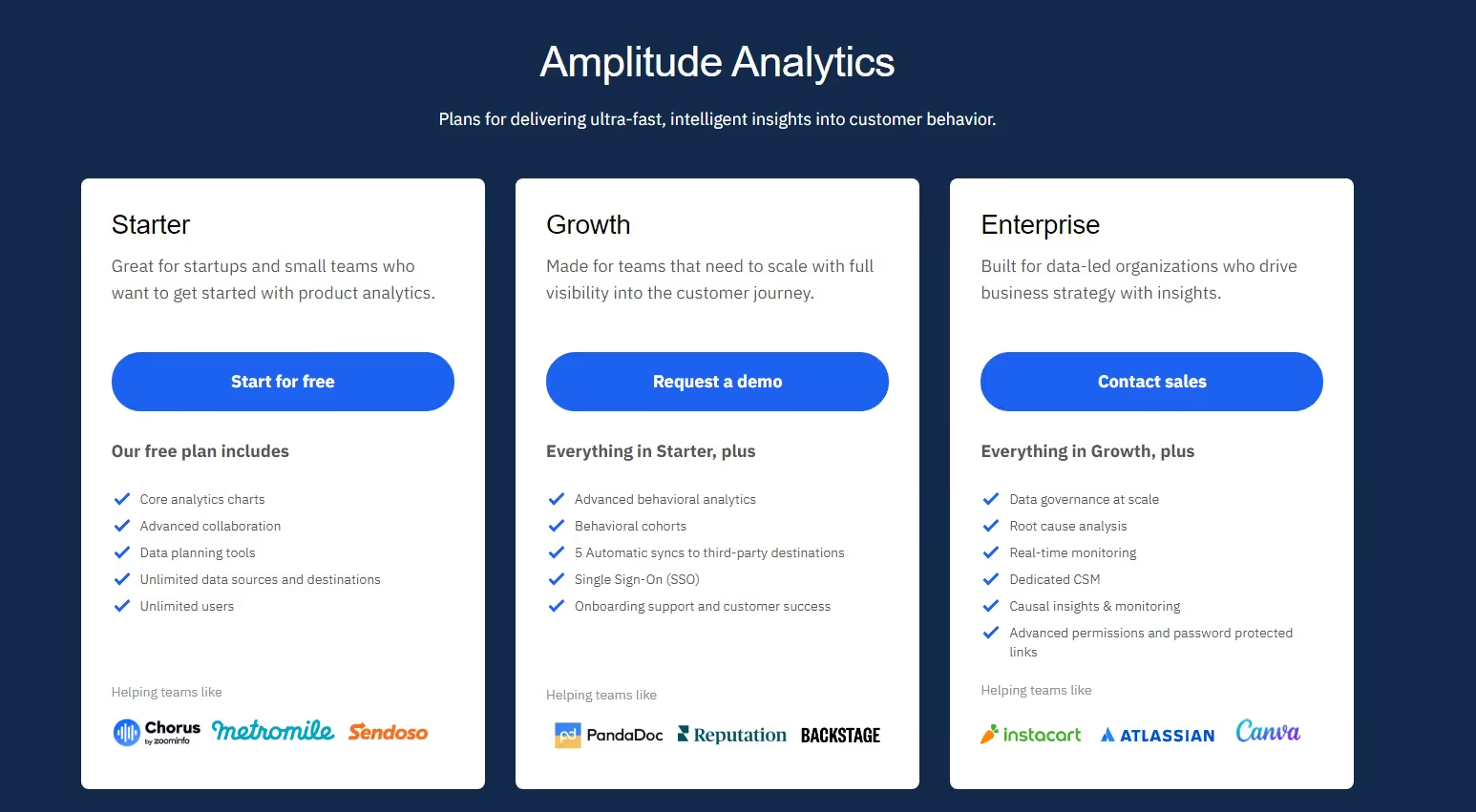
Amplitude does offer a free version, but its features are quite limited. They are not transparent when it comes to their paid plans, so you have to get in touch with them to get a quote.
In the next section, we will look at 7 Amplitude alternatives that are reasonably priced and have better features than Amplitude.
Top 7 Amplitude Alternatives
We curated a list of 7 alternatives to Amplitude Analytics that can help small to enterprise-grade businesses with analytics. In our list, we discuss the unique features of the tools, what users have to say about them, the available integrations, and their pricing, allowing you to make an informed decision.
So without further ado let’s jump right in!
1. Factors.ai

Factors.ai is a powerful analytics tool that is built for B2B companies. The tool also has revenue attribution, and account intelligence capabilities.
Factors has a range of features to help marketers understand website analytics and user behavior. It has an intuitive dashboard that users can customize to view reports and metrics that are important to them in a single place.
The platform's no-code capabilities, onboarding support, and self-serve UI ensure that the implementation is done in less than 30 minutes.
Factors' help center and prompt customer support ensure that users don’t have to wait long to get their questions answered. Every customer gets a Dedicated Customer Success Manager at no additional cost.
Key features
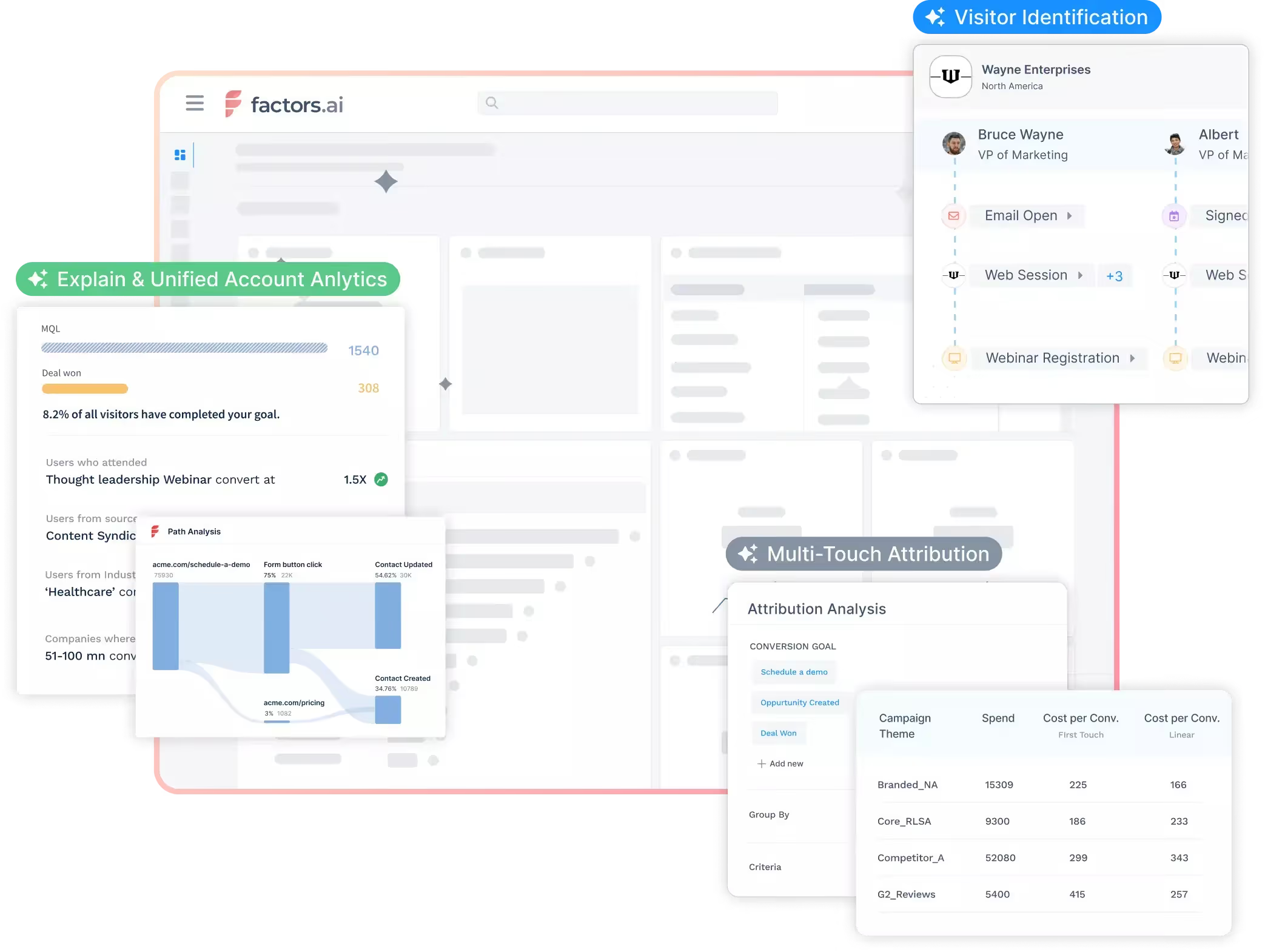
- Advanced Web Analytics:
Factors automatically tracks website events in real-time. Some metrics tracked are scroll depth, page count, button clicks, product milestones, etc. Users do not have to spend time setting up custom events or use other tools for web and user behavior analysis.
- AI-Powered Analysis:
Factors' AI feature 'Explain' empowers marketers with automated insights and root-cause analysis on any conversion goal so they can understand what's working and not working.
- Multi-Touch Attribution:
Factors also has powerful attribution capabilities that help B2B marketers identify if their marketing activities are bringing in leads and generating revenue. The platform has various attribution models that marketers can use in tandem to identify influential channels that are driving engagement, conversions, and revenue.
- Account identification
Factors.ai provides its users with the ability to identify up to 64% of anonymous companies visiting your website. This feature is extremely useful for businesses that are leveraging Account-Based Marketing.
Integrations
- Hubspot
- Facebook Ads
- LinkedIn Ads
- Bing Ads
- Google Search Console
- Slack
- Google spreadsheet
- Rudderstack
- Marketo
- 6Sense
- Clearbit
- Leadsquared
- Drift
- Google Ads
- Salesforce
- Segment
Customer reviews

Pricing

Factors provides three pricing plans.
Analytics & Attribution:
- Starter plan for Early-Stage teams – $399 per month.
- Growth plan for High-Growth Marketers – $799 per month.
- Custom and Agency – Contact for a quote.

2. Kissmetrics

Kissmetrics is a product and marketing analytics tool built for SaaS and Ecommerce businesses. The tool helps businesses track and analyze application user and website visitor behavior.
With insights from Kissmetrics, marketers can identify what drives conversions and optimize marketing strategies to reduce friction and improve revenue and ROI.
Key features
- Customer Segmentation:
This feature allows marketers to segment users based on certain shared characteristics. By doing so, marketers can target individual segments with personalized marketing campaigns to increase engagement and conversion rates.
- Digital Analytics:
Kissmetrics allows businesses to track individual users throughout their journey, from first visit to conversion. This information enables marketers to take the necessary steps to improve user experience.
- Advanced BI Reporting
In Kissmetrics, marketers can query raw data collected by the tool directly with SQL to get valuable insights. This eliminates the need to export data into databases and for reporting.
Integrations
- Slack
- Shopify
- Marketo
- Wufoo Forms
Customer review

Pricing
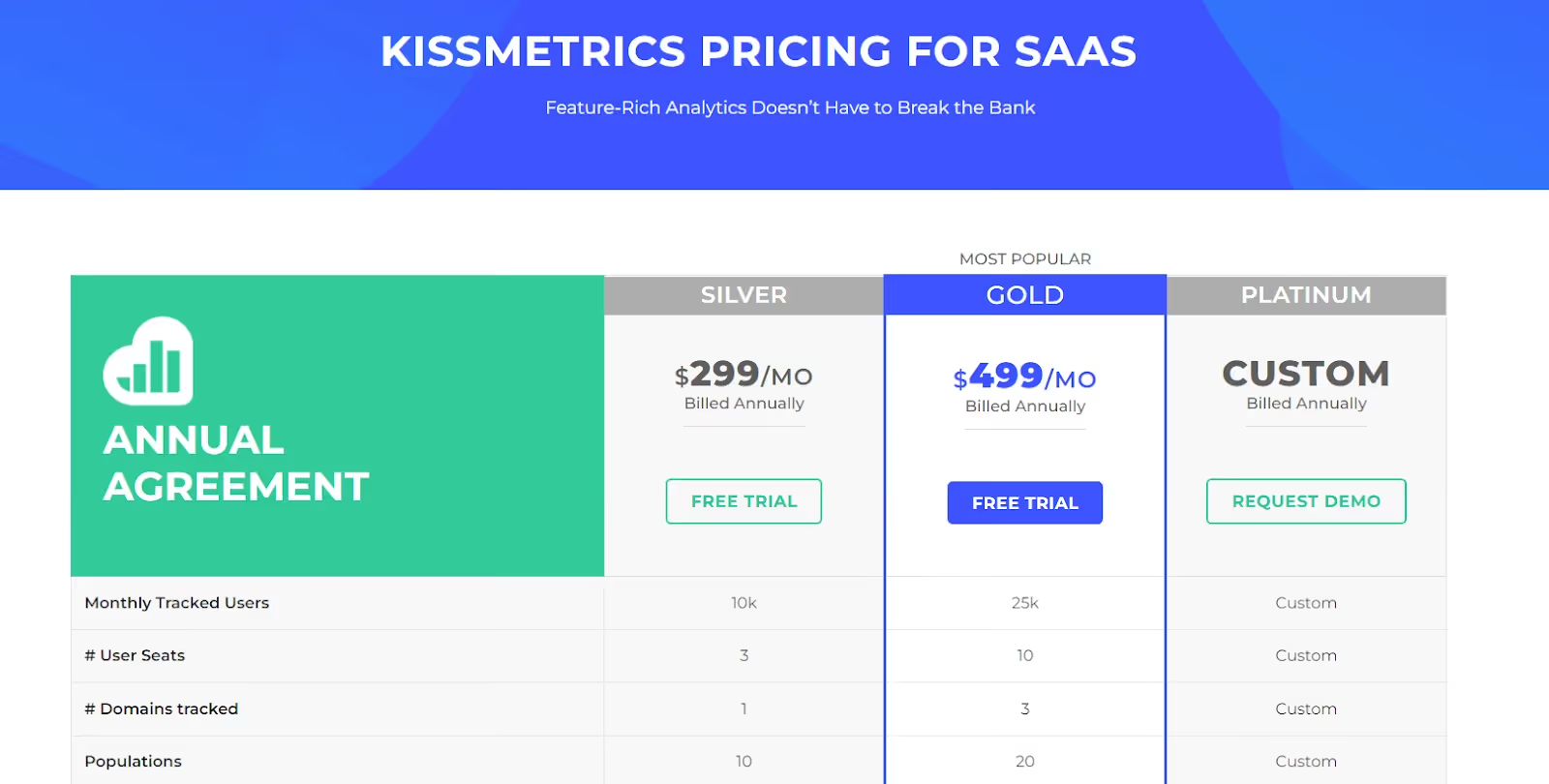
Kissmetrics has two paid plans and a custom plan. They also offer a free trial for their paid plans.
- Silver - $299 per month for 10K visitors
- Gold - $499 per month for 25K visitors
3. Heap

Heap is a web and product analytics platform that helps businesses identify how users interact with their digital products.
It has different categories of tools for data analysis, data management and data foundation. Marketers can leverage the Heap platform to analyze customer journey mapping and user segmentation and more to improve their web or mobile platform.
Key Features
- Customizable Dashboards:
The customizable dashboards offered by Heap allow businesses to track specific KPIs and metrics in a way that suits their needs. Companies can visualize and analyze data that makes sense to their customized business needs without wasting time on irrelevant information.
- Auto Capture:
Heap can automatically capture and track user interactions without any need for manually setting up event tracking. This alleviates any developer dependency and encourages rapid, ad hoc reporting for marketing teams.
- Behavioral Segmentation:
B2B companies can use this feature to segment users based on how they interact with their website or app. This allows them to target visitors more effectively and provide a personalized experience.
Integrations
- Snowflake
- Salesforce
- Mailchimp
- Segment
Customer reviews
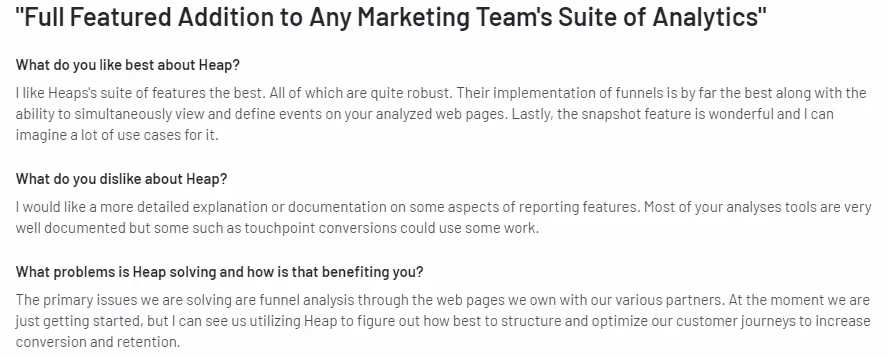
Pricing details

Heap has a free plan and three paid plans. Heap does not have a transparent pricing model. Businesses interested in the tool can contact them to get a quote.
4. Google Analytics

Google Analytics is a free website analytics tool that provides businesses with insights on website traffic and user behavior.
GA is the initial go-to analytics tool for most businesses, however, as the requirements of businesses increase, they gradually turn to other tools that have more extensive features. With GA, marketers can better understand their website visitors and identify the sources that are driving traffic to their website.
Key features
- Real-Time Analytics Data:
Google Analytics provides real-time data that shows the number of users, engagement time, views, sessions, etc. Marketers can use insights from the platform to optimize their strategies to improve engagement.
- eCommerce Tracking:
E-commerce businesses can use Google analytics to track sales and analyze performance of various sales campaigns and channels.
- Custom Reporting:
With GA users can create customized reports with the metrics they want. There are 9 types of reports that you can create in Google Analytics.hey are
- Real Time Report
- Acquisition Report
- Engagement Report
- Monetization Report
- Retention Report
- Advertising Report
- Demographic Report
- Tech Report
- Firebase Report
Integrations
- Zoho
- Hubspot
- Mailchimp
- Campaign Monitor
Customer review

Pricing

Although there is a free version of Google Analytics, it isn’t enough for most businesses’ use cases.
Google Analytics 360 is the paid version available for enterprises. The pricing starts at $150,000 per year.
{{INLINE_CTA_A}}
5. Mixpanel

Mixpanel helps businesses optimize their products and improve their customer experience by tracking and analyzing customer interactions across different platforms.
Mixpanel supports both coded and codeless integration. Users can quickly implement automated event tracking with the codeless integration without the need of developers.
Users can also leverage coded integrations with assistance from technical teams. According to Mixpanel, it takes a minimum of 30 minutes of development time to implement a single tracked event.
Key feature
- Behavioral Analytics:
Mixpanel, like most tools in the list, is also capable of segmenting users based on behavior and how they interact with the product and website. Marketers can then target the groups with personalized experiences like ads or emails to reduce friction and increase conversion.
- Custom Alerts:
Mixpanel enables its users to set custom alerts that notify them when certain conditions are met. For example you can set a custom alert to get notified if the present week’s website traffic has increased compared to the previous week’s. Insights such as this will help teams identify any discrepancies or friction points as soon as they arise.
- Data Export:
Data from Mixpanel can be exported to a number of other tools to carry out enhanced analytics. This feature enables businesses to leverage other tools to gain more information on data collected by Mixpanel.
Integrations
- Segment
- RudderStack
- Snowplow
- Freshpaint
Customer review

Pricing

Mixpanel has a free version for up to 20M events per month. The paid plan includes;
- Growth - starting at $20. For up to 300M events per month
- Enterprise - starting at $1667 for 5M - 1B + events per month
6. Plausible Analytics

Plausible Analytics is a lightweight, open-source web analytics tool. Unlike traditional analytics tools, it does not collect personal data or use cookies, ensuring the privacy of website visitors.
Plausible Analytics provides real-time data on website traffic, page views, bounce rates, and other key metrics. The tool is designed to be easy to use and provides users with a simple dashboard that displays all relevant data in one place.
Key features
- Traffic Segmentation:
Users can segment visitor traffic in Plausible Analytics based on a variety of metrics. This helps them break down traffic and better understand the various sources.
- Shareable Dashboards:
Plausible Analytics enables marketers to share their analytics dashboard for easier collaboration and reporting.
- Lightweight Script
Plausible script code is less than 1KB making it lightweight. This ensures the loading speed of the website remains unaffected.
Integrations
- Shopify
- Segment
- Hubspot
- Webflow
Customer review

Pricing

Plausible Analytics has a free trial available. The paid plans start from just $9 per month for 10K visitors.
{{INLINE_CTA_A}}
7. Contentsquare

Contentsquare is a digital analytics platform that can track and analyze customer behavior and provide insights into customer engagement.
Some of the engagement metrics that Contentsquare tracks are clicks, scrolls, hovers, etc. The platform also helps businesses visualize customer journeys, making it clear and easy to understand. Key features include;
- Session Replay:
Contentsquare records all the website traffic. The feature captures every click, hover and any intent-driven behavior. This helps marketers to visually see how visitors are interacting with the website and identify what is impacting site performance.
- Zone-Based Heatmaps:
This feature allows users to analyze how website visitors have interacted with their website. Users can also use this feature to analyze A/B tests and come to conclusions based on visitor behavior and engagement.
- Form Analysis:
Contentsquare enables users to gain complete understanding of how visitors engage with forms. It helps identify friction points so that users can take action to improve user experience.
Integrations
- Invoca
- Medallia
- Zoho Survey
- Heap Analytics
Customer review
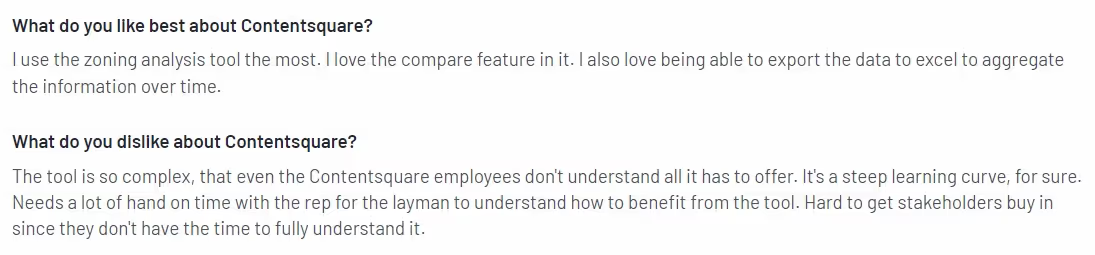
Pricing
Contentsquare does not have a transparent pricing plan. You have to contact their sales team for more details.
Amplitude is widely recognized for its strengths in product and web analytics, but it comes with certain limitations such as challenges with new product updates and a lack of in-depth training resources. Businesses seeking alternatives can explore a range of tools that cater to different needs and budgets. For instance, Factors.ai offers AI-powered insights with revenue attribution and account intelligence, while Kissmetrics zeroes in on customer behavior analytics. Heap stands out for automatic data capture and user journey tracking, and Google Analytics remains a go-to for comprehensive web analytics. Mixpanel excels in product analytics and user engagement, Plausible Analytics is ideal for those prioritizing privacy and simplicity, and Segment acts as a versatile customer data platform for managing and routing user data. The best choice depends on a company’s specific goals, whether it’s understanding customer behavior, improving product experience, or streamlining data integration.
Takeaway
To conclude, if you are looking for an Amplitude alternative, there are several options available. The tool you select will depend on your business requirements and goal.
For example, if you want to improve your digital product’s performance and user experience, then consider tools like Mixpanel or Heap.
On the other hand, if you want to improve your overall marketing efforts, then consider tools like Factors.ai. With a ton of features and little to no burden to your budget, Factors is your go to platform for web analytics, marketing and revenue attribution and not to forget website visitor identification.
We suggest you take advantage of the free trial or free version offered by the tools to find the best fit for your business needs.
{{INLINE_CTA_A}}

Automate Time-Consuming GTM Processes
Automate manual GTM processes like CRM updates, LinkedIn audience updates, sales outreach, and contact enrichment with Factors’ GTM Workflows.
Let’s face it—working in a GTM team sometimes feels like starring in your own episode of Survivor. You’re juggling multiple tools and trying to act on the messy data that refuses to play nice.
Sounds familiar? You're not alone. Most GTM teams are drowning in operational chaos, struggling to keep up with processes that feel more like patchwork than a well-oiled machine.
Let’s take a step back and look at why GTM processes often fall short. Is it a lack of data? Not necessarily. Most organizations have plenty of data but fail to use it effectively. The more significant issue lies in disconnected workflows, manual tasks, and tools that don’t integrate seamlessly with existing processes.
But what if the chaos could be tamed? What if your tools, tasks, and teams worked with you, not against you?
Enter Factors.ai's Workflows: Think of it as the caffeine boost your sales and marketing teams crave—but for their processes. It's time to ditch the busywork and focus on what really matters: converting more accounts faster.
The Problem: Workflow Overload and Fragmentation
Every GTM team has its way of doing things, but those processes become increasingly complex with growth and scaling. Imagine this:
- Sales Processes
- Your SDRs manage cold outreach, while your AEs focus solely on opportunities and manually enrich contacts for multiple lists, each taking almost a day.
- Building account lists involves stitching data from various tools, leading to delays and missed opportunities.
- Old accounts are showing intent but aren’t picked up.
- Marketing Challenges
- Marketing and sales often work in silos. Data lives in different tools—Salesforce, HubSpot, and others—making building effective, real-time audience segments nearly impossible.
- Campaigns rely on outdated lists, resulting in irrelevant targeting and wasted ad budgets.
- SDR Struggles
- Prospecting workflows are repetitive and manual. They involve curating account lists, enriching contact details, and managing outreach across multiple platforms.
- Managing inbound and outbound leads demands constant back-and-forth between tools, draining productivity.
The result? Teams spend more time on operational overhead than actual strategy or execution.
The Solution: Flexible, Automated Workflows That Work for You
Factors’ Workflows feature changes the game by automating and integrating your most time-consuming tasks. Let’s break it down:
1. Streamlined Data Activation Across Tools
No more jumping between tools to find the right accounts. With Workflows, your sales and marketing teams can:
- Gather intent signals from your website, CRM, and marketing platforms.
- Layer these signals with firmographic data to score and prioritize accounts.
- Automatically activate these insights in tools your team already uses, like Salesforce, HubSpot, Apollo, or LinkedIn Ads.

2. Highly Flexible Triggers for Evolving Processes
GTM processes aren’t static—they evolve as your team and business grow. Workflows adapt to your unique requirements with the following:
- Trigger-based automation that aligns with your current tools and processes.
- Minimal change management for easy adoption across large teams.
3. Effortless Campaign Optimization
- Workflows automate audience updates so you’re always targeting the right people with fresh, accurate data.
- No more manual list updates or errors; campaigns move smoothly from one phase to the next.
4. Sales and Marketing Alignment Made Simple
A lack of alignment between sales and marketing is one of the biggest bottlenecks for GTM success. Workflows bridge this gap by delivering real-time insights where they’re needed:
- Sales teams get actionable account alerts directly in their CRM or engagement platform.
- Marketing teams can build dynamic segments and audiences without relying on manual data pulls.

The Business Impact
Implementing Workflows isn’t just about saving time; it’s about driving meaningful outcomes:
- Better ROI: Automating repetitive tasks frees teams to focus on high-impact activities like strategy and personalization, increasing deal velocity.
- Reduced Ops Overhead: Workflows eliminate the complexity of manually managing multiple tools and processes.
- Improved Targeting: With precise, intent-based insights, your campaigns and outreach hit the right audience every time.
In a Nutshell: Simplify, Automate, and Scale Your GTM Efforts
The success of any GTM team lies in its ability to adapt and execute quickly. However, outdated processes and disconnected tools slow teams down. Factors.ai’s Workflows are designed to break down these barriers, creating a seamless, integrated ecosystem where teams can thrive.
Whether managing a lean 5-person sales team or a 500-member SDR force, Workflows empower you to scale efficiently, align effortlessly, and deliver results that matter.
It’s not just about automation; it’s about enabling your teams to do their best work. Ready to revolutionize your GTM workflows? The future of efficiency starts now.

Audience Identification: How B2B Marketers Can Stop Marketing to “Everyone”
Audience identification helps B2B marketers focus on the right buyers. Learn how to identify, refine, and reach your true target audience with real-world examples.
TL;DR
- Audience identification means defining the specific people your marketing is meant to reach, not broad groups such as B2B companies or mid-market SaaS.
- Clear audience identification helps B2B marketers create more relevant messaging, choose the right channels, and reduce wasted spend.
- The best way to identify your target audience is by analyzing existing customers, understanding real pain points, studying behavior, and defining who you are not targeting.
- When you know exactly who you are talking to, your content feels sharper, your ads perform better, and your marketing feels more human and effective.
Let’s start with an uncomfortable truth:
If your audience is “everyone,” your real audience is… no one.
Sure, your ad might get impressions.
Your blog might get traffic.
Your website might look busy.
But busy doesn’t mean effective.
Because when your message tries to speak to everyone, it usually ends up sounding like white noise. Polite. Generic. Instantly forgettable..
In this guide, we’ll break down what audience identification really means, why it matters for B2B marketing, and how to identify your audience step by step, without overcomplicating it.
But first, the basics.
What is audience identification?
Audience identification is the process of figuring out exactly who your marketing is meant to speak to.
Not who could buy your product and definitely not who might someday care. But the specific people your messaging is designed for.
Imagine your product is for the B2B companies. But your audience might be:
- Demand gen managers drowning in dashboards
- RevOps leaders side-eyeing attribution reports
- Founders doing five jobs and sleeping four hours
Same market, totally different conversations.
Related read: What is ICP?
Target audience vs. target market (PS: They’re not the same)
This mix-up causes more bad marketing than Google algorithm updates. So let’s clear it.
- The target market is the broad group your product is built for
- The target audience is the specific subset your marketing is speaking to
For example, if your target market is B2B SaaS businesses, your target audiences could be:
- Founders
- Performance Marketers
- RevOps managers
Trying to talk to all of them at once is how you end up with copy that says… absolutely nothing.
Most businesses have multiple target audiences. The trick is knowing which one you’re talking to in that moment.
Related read: ICP Vs Buyer persona
{{INLINE_TOFU}}
Why audience identification actually matters (especially in B2B)
Here’s the truth that most B2B marketers agree on: B2B buyers are busy, skeptical, and allergic to fluff.
If your message doesn’t immediately feel relevant, they’re gone. No second chances, and definitely no “let me think about this.”
But on the other hand, when you nail audience identification, you can:
- Write copy that feels oddly specific (in a good way)
- Choose channels that actually convert
- Stop burning the budget on people who were never going to buy
Build a brand voice that feels intentional, not confused.
A PPC tool for enterprise teams shouldn’t sound like one built for local businesses.
And a message for a CMO should not read like one for a junior marketer.
Audience identification gives your marketing context (because without it, you’re guessing... and guessing is expensive.)
Related read: ICP marketing strategy
Common types of target audiences (aka: how people are usually grouped)
Most brands don’t have just one audience; they have layers. Here are the most common ways audiences are defined:
- Demographics: Age, location, job title, industry. (Basic, but useful.)
- Psychographics: Beliefs, motivations, values. (This is where things get interesting.)
- Purchase intention: Just browsing? Actively comparing? Ready to buy yesterday?
- Interests & subcultures: Communities, professional circles, shared obsessions.
- Lifestyle & behavior: How they work, where they hang out online, how they consume content.
Strong audience identification typically involves several of these, not just a single checkbox.
How to identify your target audience
If your audience feels fuzzy or suspiciously large, then you have to start here.
Step 1: Start with your customers (they already said yes)
Your existing customers are marketing gold. All you need to do is look for patterns:
- Job titles
- Industries
- Company size
- Geography
Pay extra attention to:
- Long-term customers
- Repeat buyers
- People who actually use the product
Then you have to talk to them. Yes, real conversations. (Wild, I know.)
Ask the following questions:
- What problem were you trying to solve?
- What almost stopped you from choosing us?
- What alternatives did you consider?
- Where do you go for advice or learning?
- What content do you actually read?
You’re collecting data and stealing their language (politely).
Step 2: Look at your social followers (the voluntary audience)
Your social followers are people who choose to hear from you. That alone is a clue. Look at:
- Location
- Age range
- Career level
- Engagement patterns
- Other brands they follow
You don’t need fancy tools. Even native LinkedIn or Meta analytics can show trends.
Pro tip: Focus on who engages, not who merely exists.
Step 3: Dig into your content and website analytics
Your website is quietly telling you who cares, but you have to listen.
Use analytics to understand:
- Where visitors come from
- Which pages do they linger on
- What content converts them
- What keywords bring them in
If founders gravitate to one set of pages and marketers to another, then you probably have multiple audiences.
And no, they all should not get the same homepage message.
Step 4: Stalk your competitors (professionally)
Your competitors are doing audience identification, whether they admit it or not. Study the following:
- Who are they clearly speaking to?
- What pain points do they repeat
- Where do they advertise?
- Who engages with their content?
The overlap between you and your competitor indicates a crowded market. The gaps reveal opportunities.
Sometimes differentiation is all about being clearer.
Step 5: Decide who your audience is not (this part stings)
This step is uncomfortable, which is why it works. For example:
- If you don’t offer a free plan, then stop targeting bargain hunters.
- If you only sell in the US, then exclude global traffic.
- If you serve mid-market, then stop messaging early-stage founders.
Saying “no” to the wrong audience makes it much easier to say “yes” to the right one.
Step 6: Creating a target audience profile (make it usable)
Once you’ve gathered the info, consolidate it. Include what actually matters:
- Role & seniority
- Industry
- Goals
- Pain points
- Buying triggers
- Platforms they trust
From there, create personas that are practical, share “this is who we’re talking to” profiles with your teams (so sales and marketing don’t argue about it in meetings)
PS: They don’t need cute names. They need clarity.
Related read: How to build your ICP in 15 steps
What target audience identification looks like in the real world
Let’s say you’re marketing a B2B SaaS product that helps companies understand which marketing efforts actually drive pipeline and revenue. (The kind of question leadership loves to ask five minutes before your review.)
At first, your audience looks like “B2B companies” or maybe “mid-market SaaS.” Which sounds reasonable… until you realize that points to thousands of (very) different teams. Way too broad to be helpful. So you zoom in.
Step 1: Start with your existing customers
You look at who’s already using and loving the product. A pattern jumps out. Your most engaged users tend to be RevOps or marketing ops leaders at SaaS companies with 50 to 500 employees. They’re the ones building dashboards, cleaning up CRM data, and calmly explaining ROI to leadership (or at least trying to).
Step 2: Look at behavior and pain points
Customer calls, and demos start sounding familiar. Everyone’s frustrated with disconnected tools, unclear attribution, and the constant pressure to prove marketing’s impact on revenue. Different companies, same headaches.
Step 3: Check where they spend time
You notice they’re active on LinkedIn, actually read long-form reports, and engage with content about attribution, pipeline visibility, and GTM alignment. Quick hacks don’t cut it. Depth does.
Step 4: Define who you’re not targeting
You intentionally rule out very early-stage startups and non-SaaS businesses. They’re not the wrong audience for the product forever, just not right now.
The result is a clearly identified target audience.
Your messaging shifts from generic feature lists to outcomes they care about: revenue visibility, cleaner reporting, and fewer awkward questions from leadership.
How to reach your audience once you’ve identified them
Once you know who you’re talking to, marketing stops feeling like guesswork and starts feeling… logical.
Here’s how to actually reach your audience without overthinking it.
1. Choose the channels they already trust
You don’t need to “be everywhere.” You just need to be where your audience already shows up.
If your target audience lives on LinkedIn, reads long-form reports, and joins webinars, forcing Instagram into your strategy is unnecessary.
Meet them where they’re comfortable, not where a trend report told you to be.
When you show up in trusted spaces, your message doesn’t feel like an interruption. It feels expected.
2. Use their language, not your product features list
This one’s big.
Your audience does not wake up thinking about your product features. They wake up thinking about their problems. So instead of saying what your tool does, talk about what it fixes.
If they complain about “messy attribution” or “answering ROI questions for the tenth time,” use that exact language. The moment they think, “Oh wow, that’s me,” you’ve won.
3. Match content to intent
Not everyone is ready to buy. And that’s okay.
Early on, they want education and clarity. Later, they want proof, examples, and reassurance that they won’t regret the decision.
Teach first. Prove second. Sell last. Trying to rush this is how good leads quietly disappear.
4. Test, learn, adjust (because humans change)
Audiences evolve, priorities shift, and new pain points appear.
The smartest teams keep listening, testing, and tweaking. Audience identification isn’t a one-time task. It’s an ongoing calibration.
And honestly, that’s what keeps marketing interesting.
Final thought: clarity beats cleverness (every time)
Here’s the thing most of us learn the hard way: when marketing feels hard, it’s usually not because you need better copy. It’s because you’re not sure who you’re talking to.
When the audience is blurry, everything downstream gets messy. Headlines start overexplaining. Campaigns try to please too many people. Results look fine, but never great. And explaining them in reviews becomes a whole separate job.
But when you’re clear on your audience? Suddenly, decisions get easier.
What to say stops being a debate.
What not to do becomes obvious.
Your content starts sounding oddly specific. Your ads feel less like interruptions and more like “oh wow, that’s exactly my problem.” And your marketing stops trying so hard to be clever, because it finally knows what audience is reacting to.
You don’t need more channels. You don’t need smarter words. You need a clearer persona in mind. Because the best marketing doesn’t feel like marketing. It feels like someone actually gets the job you’re trying to do.
And that’s what good audience identification is all about.
FAQs on audience identification
Q1. What is a B2B target audience, and how is it different from a target market?
A target market is the broad group your product is built for, such as SaaS companies or mid-market businesses. A target audience is a smaller, more specific group within that market that your marketing is meant to reach.
For example, your target market might be B2B SaaS companies, but your target audience could be RevOps leaders at SaaS companies with 50–500 employees. The narrower definition helps you create messaging that actually resonates instead of trying to appeal to everyone at once.
Q2. How do B2B marketers decide who their target audience is?
Most B2B marketers start with existing customers. They look for patterns in job roles, company size, industry, and buying behavior among their most successful accounts.
From there, they layer in qualitative insights from sales calls, demos, and customer conversations to understand real pain points and motivations. The goal is to identify the people who feel the problem most strongly and are most likely to influence or make the buying decision.
Q3. What questions should I ask to understand my B2B target audience better?
Focus on questions that reveal problems and behavior, not just demographics. Ask what challenge they were trying to solve, how they were solving it before, and what nearly stopped them from choosing your solution.
It is also useful to ask where they go for information, what content they trust, and what success looks like in their role. These answers help shape both your messaging and your channel strategy.
Q4. How do you reach specific decision-makers like CMOs or RevOps leaders?
Reaching specific B2B roles starts with choosing the right channels. Platforms like LinkedIn are often more effective because they allow role-based targeting and professional context.
Beyond targeting, messaging matters just as much. Decision-makers respond better to content that speaks directly to their responsibilities, pressures, and outcomes rather than generic product features.
Q5. Do I need more than one target audience in B2B marketing?
In most B2B companies, yes. Buying decisions usually involve multiple stakeholders such as marketers, operations leaders, and executives.
Each group cares about different outcomes, so a single persona is rarely enough. Successful B2B teams identify a few core audiences and tailor messaging for each, while keeping the overall positioning consistent.
%2520(1).avif)
Apollo vs Zoominfo: Choose the Right Sales Intelligence Tool
Compare Apollo and ZoomInfo to find the best B2B sales intelligence tool. Explore features, pricing, pros, cons, and find out which tool suits your sales team's needs best

TL;DR
- Apollo: Offers a cost-effective solution with key features like enriched contact data, email automation, and CRM integrations. Suitable for startups and mid-market companies looking for a budget-friendly option.
- ZoomInfo: Provides highly accurate and comprehensive data with advanced search filters and intent data capabilities. Ideal for larger enterprises that require robust sales intelligence.
- Factors.ai: Goes beyond basic sales intelligence by providing a holistic view of sales and marketing data, integrating attribution, and measuring revenue impact for more data-driven decision-making.
- Feature Comparison: ZoomInfo excels in data quality, while Apollo is more affordable with strong email sequencing capabilities. Factors.ai stands out with its multi-channel attribution features and actionable insights.
- Alternative Recommendations: Apollo is a good alternative to ZoomInfo for budget-conscious teams, while ZoomInfo remains a solid choice for those who prioritize top-tier data accuracy. Factors.ai offers a more comprehensive approach to B2B sales intelligence, connecting sales efforts to revenue impact.
Sales teams struggle to find the right leads because choosing the right sales intelligence tool is challenging. With so many options in the market, it’s hard to know which platform delivers the most value.
Choosing the wrong tool can cost you time, money, and even missed revenue opportunities. Apollo and ZoomInfo are two popular solutions, but each has its own strengths and limitations. Which one will help your team hit its sales targets without breaking the bank?
This article will compare Apollo vs. ZoomInfo, covering features, pros, cons, and pricing so you can make an informed choice. Plus, we’ll introduce Factors.ai, a data-driven alternative that combines sales intelligence with actionable insights and revenue impact measurement. Read on to find the best solution for your sales team.
Apollo Overview

Key Features
Apollo is a sales intelligence platform that helps B2B sales teams streamline their lead generation and outreach processes. Here are some of its key features:
- Enriched Contact Data: Provides access to over 250 million contacts, with email addresses, phone numbers, and company information.
- Email Sequencing: Built-in email automation allows for the creation of creating personalized email sequences.
- CRM Integrations: Seamlessly integrates with Salesforce, HubSpot, and other popular CRM platforms.
- Lead Scoring: Uses AI to rank prospects based on their likelihood to convert.
- Engagement Tracking: Monitors email opens, clicks, and replies for better follow-up strategies.
Pros and Cons
(Based on reviews from G2, TrustRadius, and Capterra)
Pros:
- Affordable Pricing: Users appreciate Apollo's budget-friendly pricing, making it suitable for startups and mid-sized businesses.
- Strong Email Sequencing Capabilities: The tool's email automation features are highly rated for ease of use and effectiveness.
- User-Friendly Interface: The platform is easy to navigate, even for sales teams with little technical experience.
- Reliable Data Quality: While not as comprehensive as ZoomInfo's data, Apollo's is considered accurate and useful for most sales teams.
Cons:
- Limited Data Accuracy for Smaller Companies: Some users report that contact data for smaller companies is less reliable.
- Basic Reporting Features: Reporting capabilities are not as advanced as ZoomInfo offers.
- Limited Intent Data: Apollo lacks robust intent data, which can be a drawback for teams prioritizing account-based marketing.

Pricing
Apollo offers a more flexible pricing structure than ZoomInfo. Plans for basic features start at around $39 per month per user. Enterprise-level plans are available for teams requiring more extensive data and capabilities.
ZoomInfo Overview

Key Features
ZoomInfo is a leading sales intelligence tool known for its extensive contact database and high data accuracy. Key features include:
- Comprehensive Contact Database: Access to a vast database with millions of B2B contacts, including direct dials and verified email addresses.
- Advanced Search Filters: Allows sales teams to filter contacts by industry, job title, company size, and more.
- Intent Data: Identifies companies actively searching for products or services related to yours.
- Sales Automation: Provides automated workflows for outreach, including email templates and engagement tracking.
- CRM and Marketing Automation Integrations: Integrates seamlessly with tools like Salesforce, Marketo, and HubSpot.
Pros and Cons
(Based on user feedback from G2, TrustRadius, and Capterra)
Pros:
- High Data Accuracy: Users consistently praise ZoomInfo for its top-tier data accuracy and contact coverage.
- Robust Intent Data Capabilities: The platform provides actionable intent data for account-based marketing efforts.
- Advanced Search Functionality: Offers more granular search filters compared to Apollo.
- Comprehensive Integrations: Integrates well with most major CRM and marketing automation platforms.
Cons:
- Expensive Pricing: ZoomInfo's pricing is a significant investment, making it more suitable for larger sales teams and enterprises.
- Steep Learning Curve: The platform's numerous features can be overwhelming for new users.
- Occasional Data Gaps: Some users report gaps in data coverage for international contacts.

Pricing
ZoomInfo's pricing is customized based on the number of seats and features required. You can check out Zoominfo pricing here
Why Apollo is a Good ZoomInfo Alternative
- Budget-Friendly: Apollo's pricing is significantly more affordable, making it a great choice for startups and mid-sized companies that need a cost-effective solution.
- Email Sequencing: The tool's robust email automation capabilities are highly rated and can replace the need for a separate outreach tool.
- User-Friendly: The platform is straightforward and easy to use, minimizing the need for extensive training.
Why ZoomInfo is a Good Apollo Alternative
- Data Accuracy: ZoomInfo offers superior data quality, especially for enterprise-level sales teams that require the most accurate contact information.
- Robust Intent Data: ZoomInfo’s intent data capabilities are highly valuable for companies focused on account-based marketing.
- Comprehensive Search Filters: The advanced filtering options help sales teams target prospects more precisely.
Why Factors.ai is the Best Alternative to Both
Key Features of Factors.ai
Factors.ai is a robust analytics and attribution platform designed to provide more than just contact information. Its features include:
- Multi-Channel Attribution: Factors.ai connects marketing efforts across multiple channels, providing insights into what truly drives sales conversions.
- Revenue Impact Measurement: Measures the ROI of sales and marketing activities by linking campaign data to actual revenue outcomes.
- Lead and Account Scoring: Advanced AI-driven scoring helps sales teams prioritize high-quality leads based on multi-touch attribution data.
- Customizable Dashboards: Tailored reports and dashboards for sales leaders to track performance across different stages of the sales funnel.
- Seamless Integrations: Works with popular CRMs and marketing tools like Salesforce, HubSpot, Marketo, and Google Analytics.

Benefits Over Apollo and ZoomInfo
- Holistic View of Sales Performance: Factors.ai offers a broader scope than Apollo and ZoomInfo by combining sales intelligence with multi-channel attribution and revenue measurement.
- Data-Driven Decision Making: Enables sales leaders to allocate resources more effectively by identifying high-ROI activities.
- More Cost-Effective Than ZoomInfo: Provides a powerful suite of tools at a more competitive price than ZoomInfo, while still offering deeper insights than Apollo.
- Improved Alignment Between Sales and Marketing: Factors.ai’s focus on revenue impact ensures both sales and marketing teams are working towards the same goals.

Choosing the Right Sales Intelligence Platform
Apollo and ZoomInfo are leading sales intelligence tools, each catering to different business needs.
1. Apollo Overview: Affordable and user-friendly, ideal for small to mid-sized businesses. Offers 275M+ contacts, AI-driven data verification, CRM integrations, and sales engagement features like email automation.
2. ZoomInfo Overview: Comprehensive B2B database with 600M+ profiles, advanced search filters, real-time job alerts, and deep analytics. Best suited for large enterprises needing robust data and integrations.
3. Key Differences:
- Pricing: Apollo is cost-effective; ZoomInfo is premium-priced.
- Features: Apollo focuses on sales engagement; ZoomInfo provides deeper analytics and extensive firmographic data.
- Best For: Apollo suits smaller teams; ZoomInfo is ideal for complex, data-driven organizations.
Selecting the right platform depends on business size, budget, and data requirements.
{{INLINE_BOFU}}
Apollo vs. ZoomInfo: Choosing the Right Sales Intelligence Platform
Apollo and ZoomInfo are leading sales intelligence tools, each catering to different business needs.
1. Apollo Overview: Affordable and user-friendly, ideal for small to mid-sized businesses. Offers 275M+ contacts, AI-driven data verification, CRM integrations, and sales engagement features like email automation.
2. ZoomInfo Overview: Comprehensive B2B database with 600M+ profiles, advanced search filters, real-time job alerts, and deep analytics. Best suited for large enterprises needing robust data and integrations.
3. Key Differences:
- Pricing: Apollo is cost-effective; ZoomInfo is premium-priced.
- Features: Apollo focuses on sales engagement; ZoomInfo provides deeper analytics and extensive firmographic data.
- Best For: Apollo suits smaller teams; ZoomInfo is ideal for complex, data-driven organizations.
Selecting the right platform depends on business size, budget, and data requirements.
Conclusion
Both Apollo and ZoomInfo are excellent tools for B2B sales teams, but each has strengths and weaknesses. Apollo is ideal for smaller teams and companies that need a budget-friendly option with strong email automation features.
ZoomInfo is the better choice for larger enterprises prioritizing high-quality data and advanced intent data capabilities.
However, Factors.ai emerges as the best alternative for sales teams seeking a more comprehensive approach to sales intelligence. Its multi-channel attribution and revenue impact features go beyond what Apollo and ZoomInfo offer, making it an excellent choice for sales leaders who want to link sales activities directly to revenue outcomes.
If you're looking for a platform that combines sales intelligence with actionable insights and advanced analytics, Factors.ai is the tool for you.
Book a demo today to learn how Factors can help you supercharge your sales strategy.
Also read, Factors vs ZoomInfo: Pros and Cons.
FAQs
Q1. Is Apollo a cheaper alternative to ZoomInfo?
Yes, Apollo is generally more affordable than ZoomInfo, making it a good option for small to mid-sized businesses.
Q2. Does ZoomInfo provide intent data?
Yes, ZoomInfo offers robust intent data capabilities to help identify companies actively searching for relevant products or services. However, Factors.ai gives a more holistic approach to using intent data for your GTM efforts.
Q3. How does Apollo's data accuracy compare to ZoomInfo's?
While Apollo provides reliable data, ZoomInfo is often considered to have superior data accuracy, especially for large enterprises
.avif)
Are Google Ads Worth It? Pros, Cons & Considerations
Are Google Ads worth it in 2026? See real ROI data, pros & cons, budget tips, and expert strategies to decide if Google Ads is right for your business.
TL;DR
- Yes, Google Ads are worth the investment for businesses with high-intent traffic needs, clear target audiences, and a minimum monthly budget of $1,000.
- In 2026, well-optimized paid search campaigns yield an average ROI of $2 to $8 per $1 spent, converting traffic at a strong rate of 3.1% to 6%. (Source)
- Due to rising cost-per-click (CPC) rates and the standard adoption of automated Performance Max campaigns, profitability now requires strict conversion tracking, negative keyword management, and clean first-party data integration.
- Unlike social media ads that interrupt a user's scroll, Google Ads captures buyers while they are actively trying to solve a specific business problem.
- The channel is not a “set-and-forget” machine. Lazy keyword match types, missing negative keyword lists, and unoptimized landing pages will drain your budget into the ground before the algorithm even has a chance to learn.
Google Ads have become a go-to marketing tool for businesses of all sizes to target their Ideal Customer Profile (ICP) and drive results. But is it truly worth the investment? The data tells a compelling story.
Google still owns roughly 90% of the global search market. Intent is the whole story. When someone has a burning operational problem, they don't open Instagram; they open a search bar. That built-in intent is the entire case for Google Ads: you're reaching buyers at the exact moment they're looking for a solution like yours.
The math supports it. Top-performing B2B search campaigns convert at rates between 3–6%, and Google Ads ROI is frequently benchmarked around $8 returned for every $1 spent. For a paid channel, those are strong numbers.
But high intent doesn't guarantee profit. CPCs in competitive B2B categories have climbed steadily. Campaign control has increasingly shifted to Google's automation. And the gap between a well-managed account and a poorly managed one is wide enough to produce completely opposite ROI outcomes from the same budget.
This piece covers the real mechanics, the honest tradeoffs, and the specific mistakes that burn cash. Make the call with data.
By the way, if you’re strictly operating in the software ecosystem, make sure to read our companion piece on Google Ads for SaaS.
Pros and Cons of Google Ads
Pros of Google Ads

1. Google Rules the Search Engine Industry
Google Ads platform dominates the search engine industry. As of 2026, Google holds approximately 90% of the global search engine market share across desktop and mobile (Source: Strataigize, 2026). Nearly everyone relies on Google, and it doesn't include the other parts of the Google ecosystem, like YouTube, which further expands your audience.
This dominance provides a vast opportunity for your paid ad campaigns to reach potential customers effectively.
2. Target Users Based on Real-Time Search Intent
One of the most significant advantages of Google Ads is its ability to reach the right audience at the right time.
For example, you have a blog post about the best B2B visitor identification tools. That's a niche topic, right? Google lets you zero in on the exact audience looking for that content. By creating an ad campaign around keywords like 'B2B visitor identification tools,' you can reach users who are already interested in what you offer.
With Google Ads, you're not casting a wide net; instead, you're reaching individuals who are actively searching for the solutions you provide.
3. Faster Results Than SEO
SEO campaigns take time to produce results, and frequent Google ranking updates can complicate your strategy. While SEO is essential for any business, gaining visibility in search results often takes weeks or even a few months. In contrast, paid search ads appear immediately.
The immediacy of Google Ads is one of its most appealing benefits, especially compared to the lengthy process of organic rankings. With the right bid and Quality Score, Google Ads can secure a top position in search results, helping you outpace competitors and reach your target audience faster.
To know more about how to secure top positions for your Google Search Ads, read our article on Google Ad Rank.
4. Powerful Performance Tracking
Google Ads offers a robust, free tool packed with analytics to boost your marketing efforts.
The PPC (Pay-per-click) statistics show how your ads perform and suggest changes to improve your results. You can easily A/B test ad copy and landing pages to maximize ROI. Track metrics like average cost per click, ad position, and conversion rate to gain valuable insights. Quickly monitor click-through rate (CTR), cost per conversion (CPC), keyword search volume, ad quality score, and ranking.
You can also link your Google Ads account to Google Analytics to compare PPC and organic search data. This integration helps you allocate your marketing budget more effectively and provides solid data to back your decisions to the leadership.
Google Ads provides detailed insights into your audience, campaigns, and keywords, giving you ample opportunities for optimization. Its user-friendly interface makes it easy to navigate data and focus on what matters most.
5. Wide Range of Google Ads Format
Google Ads started with simple text-based ads but has evolved significantly since then. While many original features remain, the platform has many tools designed to attract and engage new customers.
Sitelinks, social proof, location targeting, ad extensions, and shopping ads for eCommerce can enhance your ads, allowing for exceptional customization and control over your advertising experience.
Although we often think of search ads when discussing Google Ads, the platform offers various ad formats that can be crucial to your marketing strategy. These are text ads, search ads, responsive ads, display ads, video ads, etc. You can also enhance your ads with rich, interactive elements like maps and high-resolution images for lesser bounce rate.
Regardless of your industry, Google Ads has features that can help make your products and services more appealing to your target audience.
6. Control Spending and Generate ROI
With Google Ads, you have complete control over key campaign parameters, including how much you're willing to spend per click. You can set a daily budget, and Google will distribute your spends throughout the month. While daily costs may vary, your total spending will always stay within your monthly limit. Even with a budget as low as $100 per month, Google Ads can work for your business.
Google's auction model ensures you pay the lowest possible price for each click. Your cost per click is determined by the highest bid from the ad ranked below yours, plus one cent.
On average, pay-per-click (PPC) campaigns generate $2 for every $1 spent, making Google Ads an effective advertising tool.
Cons of Google Ads
1. Time-Consuming
Although Google has automated many tasks within its ad platform, you can't just set up your campaigns and leave them running. To maximize your ad spend, you must actively manage and fine-tune your campaigns, especially in the early stages.
You must know how to work with the Ads interface, interpret the insights and improve performance. This includes revising your strategy based on new data, monitoring keyword performance, managing negative keywords to avoid wasted ad spend, and using the data from initial results to optimize and adjust. Ignoring these steps can quickly lead to wasted budget and underperformance.
While Google's machine learning enhances automation, automatically applying Google's recommendations isn't always the best move; you must maintain control to ensure your campaigns align with your goals.
2. Some Keywords are Expensive
Paying the lowest price per click doesn't guarantee that Google Ads are cheap. You're bidding against competitors, and for specific high-value keywords, costs can quickly rise. As one of the top marketing channels, Google Ads is highly competitive, and the more marketers use it, the more expensive it becomes.
Below in this example, you can notice how the cost differs between the keywords 'insurance' and 'marketing.' The insurance industry is highly competitive, which leads to higher bids.

Google Ads is flexible and works with almost any budget, but digital ad prices are rising (10–15% year-over-year increase in cost-per-click). While poor optimization can waste your budget, the bigger challenge is keeping up with rising digital advertisement costs. With more marketers in the game, standing out is more challenging than ever. To cut through the competition, you need a strategic approach and a proper budget to back it up.
Do Google Ads Actually Work?
Yes — Google Ads work when campaigns are properly set up, targeted, and optimized. Here's what the data shows:
- ROI: Businesses earn an average of $2 for every $1 spent on Google Ads, with Google estimating up to $8 per $1 for well-optimized campaigns. (Source: WebFX, 2026)
- Conversion rates: Search ads convert at 3.1–6%, significantly higher than the global PPC average of 2–3%. (Source: The Social Shepherd, 2026)
- Click-through rates: The average CTR is 4–6%, with top-position ads reaching 7.94%. (Source: WebFX, 2026)
- Adoption: Over 1.2 million businesses use Google Ads, including 65% of small-to-midsize businesses and 96% of brands. (Source: Strataigize, 2026)
However, Google Ads don't work on autopilot. Poor keyword targeting, weak landing pages, or ignoring negative keywords can quickly drain your budget. The businesses that see the best results are those that actively manage campaigns, track conversions, and optimize based on data.
Bottom line: Google Ads work — but only as well as the strategy behind them.
{{INLINE_TOFU}}
How Much Do Google Ads Cost in 2026?
Google Ads costs vary widely depending on your industry, competition, and targeting. Here's what to expect:
Google Ads Cost Benchmarks (2026):
- Cost-Per-Click (Search): Average $2–$4, ranging from $0.50 to $50+ for competitive keywords
- Monthly Budget (SMBs): Average $1,000–$10,000, with budgets as low as $100/month possible
- Cost-Per-Lead: Average $40–$80, varies by industry
- Average ROI: $2–$8 per $1 spent, depends on optimization
(Source: WebFX Google Ads Statistics 2026)
Key cost factors:
- Industry competition: Legal, insurance, and finance keywords can exceed $50/click, while e-commerce and retail may cost $1–$3/click.
- Quality Score: Google rewards relevant, high-quality ads with lower CPCs. A Quality Score of 7+ can reduce your cost-per-click by up to 50%.
- Bidding strategy: Smart Bidding uses Google's machine learning to optimize bids automatically, often outperforming manual bidding for experienced advertisers.
- Ad format: Search ads typically cost more per click than Display ads, but convert at a higher rate (3.1–6% vs. under 1%).
CPCs have been rising about 10–15% year-over-year due to increased competition and automation. (Source: Prodigmar, 2026) Plan your budget accordingly and focus on high-intent, long-tail keywords to keep costs manageable.
What's Changing With Google Ads in 2026?
Google Ads is evolving rapidly. Here are the key trends that affect whether it's worth your investment this year:
Performance Max Is Now the Default
Google has shifted heavily toward Performance Max campaigns, which use AI to serve ads across Search, Display, YouTube, Gmail, and Maps from a single campaign. While this simplifies management, it also reduces the granular control advertisers had with traditional campaign types. (Source: WordStream, 2026)
AI and Automation Are Taking Over
Smart Bidding, auto-generated ad copy, and AI-driven audience targeting are now standard. Google's machine learning optimizes bids in real time based on signals like device, location, time of day, and user intent. Advertisers who embrace automation while maintaining strategic oversight see the best results. (Source: Fluency, 2026)
Rising CPCs and Competition
Cost-per-click has risen 10–15% year-over-year as more businesses compete for the same keywords. This makes keyword strategy and Quality Score optimization more important than ever. (Source: Prodigmar, 2026)
First-Party Data Is King
With third-party cookies being phased out, advertisers who leverage first-party data (CRM lists, website visitors, email subscribers) for targeting and remarketing will have a significant advantage over those relying on broad audience targeting.
Common Google Ads Mistakes That Waste Your Budget
Many businesses conclude Google Ads "don't work" when the real issue is poor campaign management. Here are the most common mistakes:
- Not using negative keywords: Without negative keywords, your ads show for irrelevant searches, wasting budget on clicks that will never convert.
- Sending traffic to your homepage: Each ad should link to a dedicated landing page that matches the ad's promise and has a clear call-to-action.
- Ignoring Quality Score: A low Quality Score (below 5) means you're paying more per click for worse ad positions. Focus on ad relevance, expected CTR, and landing page experience.
- Setting and forgetting campaigns: Google Ads requires ongoing optimization — reviewing search terms, adjusting bids, testing ad copy, and pausing underperforming keywords.
- Auto-applying Google's recommendations: While some recommendations are helpful, blindly accepting all of them can increase spend without improving results. Review each one manually.
- Not tracking conversions properly: Without proper conversion tracking, you have no way to measure ROI or optimize campaigns. Set up conversion tracking before spending a single dollar.
- Targeting too broadly: Broad match keywords without proper guardrails can drain your budget on irrelevant traffic. Start with phrase match or exact match and expand carefully.
What Real Users Say About Google Ads
Beyond the official data, here's what business owners and marketers are saying about Google Ads in online communities:
What users like
- Strong ROI when campaigns are properly targeted — "Google Ads is an incredible driver of traffic. They created the most successful money-making machine in human history." (r/ecommerce)
- Immediate lead generation compared to the long wait for SEO results
- Works particularly well for local service businesses with defined service areas
- Great for testing product-market fit quickly before investing in long-term strategies
Common frustrations
- "Google makes it too easy to start spending money" — the platform's simplicity can lead to wasted budget without proper expertise
- Rising CPCs making it harder for small businesses to compete with bigger players
- Poor agency setups leading to months of wasted spend — "Five months with no results when campaigns aren't optimized" (r/smallbusiness)
- Conversion tracking setup is complex and often misconfigured
Budget advice from the community
- Most users recommend at least $1,000–$2,000/month to generate meaningful data
- Long-tail keywords are essential for small budgets
- Strategy needs to be "much more targeted than a few years ago" (r/googleads)
Alternatives users mention
- Facebook/Meta Ads for cheaper awareness and top-of-funnel campaigns
- SEO for better long-term ROI with less ongoing spend
- Local Service Ads (LSAs) for service businesses — pay-per-lead instead of pay-per-click
Are Google Ads Worth It for Small Businesses? What Should You Consider?
To determine if Google Ads is right for your business, consider the following questions:
- What specific outcomes do you want Google Ads to deliver?
- Is Google Ads a profitable investment for your business?
- What are your marketing costs, and how will they affect your ad budget?
Answering these questions will help you decide whether Google Ads is a worthwhile investment for your B2B SaaS business.
Question 1: What Specific Outcomes Do You Want Google Ads To Deliver?
Firstly, you should understand what Google Ads can and cannot do.
Google Ads cannot:
- Guarantee sales or leads
- Ensure that generated leads will convert
- Steal customers from your competitors
However, Google Ads can help you achieve realistic goals like:
- Increasing visibility for your brand, products, or services
- Appearing when people search for your competitors
- Reaching potential clients through targeted ads
- Promoting your physical location to nearby prospects
- Driving website traffic to specific landing pages to increase engagement
- Building brand awareness through remarketing campaigns, which allow you to re-engage users who previously visited your website
- Generating actionable insights about your target audience through campaign performance data, helping you refine your overall marketing strategy
So, the first step is always setting up clear goals about what to achieve with Google Ads.
Question 2: Is Google Ads a Profitable Investment for Your Business?
Once you have set clear goals, determine how much ROI you'll generate for every $1 spent. Factors like industry competition, cost-per-click, and website conversion rates also impact your results. Evaluate these factors to understand the profitability of your Google Ads campaigns.
Typically, businesses actively running ads on Google fall into any one of these categories:
1. Breakeven
When your Google Ads campaign hits breakeven, it means you're covering your costs but not yet generating a profit. While this might seem like a neutral outcome, there are compelling reasons to dig deeper and evaluate whether it's still a worthwhile investment.
Consider additional factors like:
1.1 Brand Awareness
Even if you're not making a profit now, Google Ads can boost your brand visibility. This awareness builds trust and recognition over time, influencing potential customers who might convert later.
For example, a break-even campaign might result in your ads being seen by thousands, planting the seed for future sales as your brand becomes more familiar.
1.2 Profit Margins
High profit margins mean you can afford to invest in customer acquisition without immediately seeing profits. On the other hand, if your margins are slim, a break-even point could strain your business financially.
For example, a product with a 60% margin can sustain more aggressive ad spending than one with a 10% margin at breakeven.
1.3 Repeat Customers
Acquiring customers who come back repeatedly turns a break-even scenario into a long-term win. A single purchase might cover costs, but additional purchases turn these customers into profitable assets.
For instance, if a break-even campaign attracts subscribers or customers with a high retention rate, the return on investment (ROI) grows over time.
1.4 Customer Lifetime Value (CLV)
CLV measures the total revenue a customer generates over their relationship with your business. If your Google Ads bring in high-CLV customers, you're building a foundation for future profitability.
For example, if you spend $50 to acquire a customer and their CLV is $500, a breakeven point today might be a sign of long-term gains.
By carefully evaluating these factors, you can decide if a breakeven campaign is aligned with your business goals or if adjustments are necessary to improve profitability.
2. Unprofitable:
If you are losing money on Google Ads, then you are unprofitable running Google Ads. Immediately reassess your objectives.
2.1 Direct Sales vs. Brand Awareness
The purpose of your campaign directly influences how you measure success. If your focus is direct sales, profitability is immediate. For brand awareness, returns are long-term and harder to measure immediately.
For example, a campaign generating minimal direct sales may still be effective for increasing visibility and positioning your brand as a leader in your industry.
To summarize,
- for direct sales, analyze whether your ads align with the right audience and if the offer is compelling.
- for brand awareness, understand that consistency is key; results may only show over time, but they can contribute to customer loyalty and future sales.
2.2 Evaluating Audience Resonance
Ads that don't resonate with your audience won't convert, leading to wasted spending. Poor targeting, irrelevant messaging, or ineffective creatives can be the root of the problem.
For instance, an ad with a generic message might fail to attract attention, while one tailored to highlight a specific pain point can yield better engagement.
Then, how do you improve your ads to resonate better with your audience?
- Test different ad formats and messages through A/B testing.
- Use audience insights to refine targeting based on behavior, demographics, or interests.
2.3 Targeting Competitor Keywords
Targeting competitor keywords can be a high-cost strategy, often resulting in low ROI due to stiff competition. Established brands with bigger budgets can outbid smaller businesses, driving up cost-per-click (CPC) without guaranteeing conversions.
For example, a a small SaaS startup bidding on keywords like 'Salesforce CRM' might lose out on Salesforce's ads, wasting money without significant results.
What are the other measures you can take in this scenario?
- Bid for long-tail keywords. These are more specific and often have lower competition, meaning lower costs and more qualified leads.
- Focus on a specific audience that larger competitors often overlook.
3. Directly profitable
If your earnings from Google Ads exceed your spending, you've achieved a directly profitable campaign. Your advertising investment generates positive returns, contributing to your overall revenue.
4. Indirectly profitable
Indirect profitability can be harder to measure. However, you notice an impact on revenue when ads are paused or turned off. This indicates that your ads contribute to brand awareness and drive potential customers, even if you can't directly attribute conversions.
By considering these factors, determine if your Google Ads campaigns are profitable or not profitable.
Question 3: What Are Your Marketing Costs, And How Will They Affect Your Ad Budget?
When considering Google Ads, account for the costs involved in setting up and managing your campaigns.
- If you run your Google Ads account yourself, your main costs will be time and the learning curve. The platform can be complex, and you risk wasting your budget without the right skills.
- Hiring an external expert can save you time but involves higher upfront costs.
- Hiring someone internally to manage your Google Ads can be beneficial if they can also handle other marketing tasks. This approach involves costs like salary, benefits, and an initial learning curve for optimal performance.
Evaluate these scenarios to determine which approach aligns best with your business needs and budget. By answering these three questions, you can determine if you can include Google Ads in your marketing strategy.
The Verdict: Are Google Ads Worth It?
Google Ads offer a compelling opportunity for B2B marketers to reach their targeted audience effectively. Overall, Google Ads can be worth it.
They won't generate sales-qualified leads instantly. Achieving results takes time and effort, especially in the B2B space. Before diving in, invest time in understanding Google Ads management and best practices. A solid B2B Google Ads strategy, a well-defined budget, and ongoing optimization are essential for getting the most out of the platform.
For B2B companies, Google Ads can be a valuable investment when executed with clear goals, proper budgeting, and continuous optimization. A data-driven approach ensures sustained lead generation, brand visibility, and long-term growth.
The bottom line: Google Ads are generally worth it if managed properly, offering instant visibility and high-intent traffic. With an average ROI of $2–$8 per $1 spent and search ad conversion rates of 3.1–6%, the platform delivers measurable results for businesses with clear target audiences, sufficient budgets ($1,000+/month), and a commitment to ongoing optimization. However, businesses without proper conversion tracking, landing page optimization, or keyword strategy risk wasting their budget. Start small, track everything, and scale what works.
Measure Your Google Ads ROI Better With Factors.ai
Google Ads are only worth it if you can prove the ROI. But standard Google Ads reporting doesn't tell the full story, it shows clicks and conversions, but not which accounts, segments, or campaigns actually drive revenue.
Factors.ai bridges this gap by connecting your Google Ads data with your CRM and website analytics to show the complete picture:
- Segment-Level ROI: See exactly which audience segments, campaigns, and keywords drive pipeline, not just clicks. Eliminate wasted spend on segments that don't convert.
- Account-Level Attribution: Identify which target accounts engage with your ads and track their full journey from ad click to closed deal.
- A/B Test with Confidence: Compare segments receiving ads vs. those that aren't with lift analysis — so you know your ads are actually driving incremental revenue.
- Optimize Budget Allocation: Use data-driven insights to shift budget from underperforming campaigns to the ones that actually generate SQL and revenue.
Stop guessing whether your Google Ads spend is working. To know more, check out Google Adpilot by Factors.ai
FAQs on Google Ads
Q1. Is it worth investing in Google Ads?
Every business has unique needs. Investing in Google Ads can be worth every penny depending on the specific goals the company wants to achieve, the ad budget, and the company's ad profitability model.
Q2. Is Google Ads worth it with a small budget?
Yes, Google Ads can work efficiently even with a small budget, but this largely depends on the industry you are in. In a highly competitive industry, the CPC might be higher. In those cases, you should use an effective strategy that reduces the cost and gives you maximum returns on ad spending.
Q3. Is $100 enough for Google Ads?
It depends on your industry, average CPC, and ad network.
Q4. Is $20 a day good for Google Ads?
A $20/day budget ($600/month) can work for small businesses in less competitive industries. It's enough to generate meaningful data within 2–4 weeks and test a handful of targeted keywords. However, in competitive niches like legal, insurance, or SaaS, $20/day may only get you 2–5 clicks, which isn't enough to optimize effectively.
Q5. Is $10 a day enough for Google Ads?
$10/day ($300/month) is a tight budget but can still deliver results for local businesses or niche markets with low CPCs ($1–$3/click). Focus on exact-match, long-tail keywords and a single campaign to avoid spreading your budget too thin. You'll need at least 4–6 weeks to gather enough data to optimize.
Q6. Do Google Ads actually work for small businesses?
Yes, 65% of small-to-midsize businesses use Google Ads, and the platform works with budgets as low as a few hundred dollars per month. The key is targeting high-intent, long-tail keywords rather than broad competitive terms, and ensuring your landing pages are optimized for conversions. Small businesses that actively manage their campaigns typically see $2–$4 ROI per $1 spent.
Q7. Are Google Ads better than Facebook Ads?
It depends on your goal. Google Ads captures high-intent traffic, people actively searching for your product or service. Facebook Ads is better for awareness, reaching new audiences, and top-of-funnel campaigns. Many successful businesses use both: Google Ads for bottom-funnel conversions and Facebook Ads for brand awareness and retargeting.
Q8. How long does it take to see results from Google Ads?
You can start seeing clicks and impressions within hours of launching a campaign. However, meaningful results, enough data to optimize and measure ROI, which typically take 2–4 weeks. Most experts recommend running campaigns for at least 90 days before making major strategic decisions.
Q9: Is a tiny budget like $10 or $20 a day even worth putting into Google Ads?
Honestly? Only if you are a hyper-local business or targeting an incredibly tight, low-competition niche. At $5 a click in competitive industries, a $20 daily budget gets you four clicks a day, which means you'll spend weeks just trying to gather enough data to optimize anything. If your budget is that tight, skip broad match, use strict exact-match phrases, and prepare to wait a month to see clear patterns.
Q10: Why does everyone say "don't trust Google's auto-applied recommendations"?
Because Google's primary job is to grow Google's ad revenue, not maximize your personal profit margins. Their AI loves recommending broad keyword expansions that drive massive traffic spikes, but that traffic is often completely irrelevant to your ICP. Always review their suggestions manually, and only toggle on the ones that actually match your specific conversion goals.
Q11: I've been running ads for a month and getting clicks, but zero sales. What am I doing wrong?
If people are clicking, your ad copy is fine, but your landing page is likely breaking its promise. The biggest mistake marketers make is paying for an ad about a specific feature and then dumping the user onto a generic homepage. Build dedicated, lightning-fast landing pages with a clear, single call-to-action that directly continues the conversation started in the ad.
Q12: How are small brands surviving the 2026 phase-out of third-party cookies on Google Ads?
They are leaning hard into first-party data loops. If you aren't feeding your clean CRM lists, email subscribers, and actual customer profiles back into the ad platform to train Google's Smart Bidding algorithms, you are flying blind. Broad audience targeting is getting too expensive; context and zero-party data inputs are your actual shield against rising CPCs.
Q13: Should I run Google Ads or Facebook Ads first for a brand-new B2B product?
Start with Google Search Ads every single time if people are already looking for solutions to the problem you solve. Facebook is brilliant for visual storytelling and creating demand out of thin air, but Google lets you hijack existing demand. Why convince someone they have a problem when you can just sell to the person already looking for the cure?
%2520(1).avif)
Apollo vs Amplemarket: Choosing the Best Solution for GTM Teams
Explore a feature-by-feature comparison of Apollo and Amplemarket, along with the pros, cons, and why Factors.ai is the top choice for your GTM strategy.
Building an ideal GTM tech stack is not for the faint hearted. If you’re a head of sales wondering how to choose the sales intelligence software for your brand, you’ve come to the right place.
Both Apollo and Amplemarket are stellar tools that offer a range of features designed to help GTM teams boost sales, but the key lies in understanding which one truly aligns with your unique goals.
This article compares Apollo and Amplemarket across several critical features, breaks down their pros and cons, and evaluates which tool is best for GTM teams 🧰
Why Choosing the Right Sales Platform Matters
For GTM teams, the right sales platform isn't just about automation or sourcing leads; it's about empowering your GTM strategy. From enhanced targeting to streamlined outreach and insightful analytics, a robust tool can significantly amplify your efforts.
Whether focusing on lead generation, email sequencing, or analytics, finding a tool that integrates seamlessly with your tech stack while being scalable to your needs is a must.
GTM teams often struggle with manual processes, data silos, or lack of real-time insights. This is where tools like Apollo and Amplemarket come into play.
Let's dive into the head-to-head comparison ⬇️
Feature-by-Feature Comparison: Apollo vs Amplemarket

Overview of Apollo

Apollo is widely known for its extensive lead database, multi-channel engagement, and ease of use. It’s especially popular among SMBs and mid-market companies looking to scale their outreach efforts quickly. Apollo offers an intuitive interface, making it simple for GTM teams to access leads, create email sequences, and gain sales insights.
Additionally, Apollo offers a powerful integration suite with CRMs like Salesforce, HubSpot, and Pipedrive, enabling teams to sync data seamlessly. One of its standout features is built-in data enrichment capabilities, allowing users to access verified contact information for more accurate targeting.
Pros
- Easy to Use: Many users commend Apollo’s clean interface and simple navigation, making it quick to adopt for GTM teams.
- Affordable Pricing: Apollo's pricing is attractive, especially for SMBs, starting at just $49/month.
- Extensive Lead Database: With over 200 million contacts, Apollo provides a massive data pool for lead generation.
Cons
- Limited LinkedIn Automation: While Apollo offers LinkedIn tracking and messaging, it doesn’t have full LinkedIn automation.
- Basic Analytics: The platform’s reporting and analytics tools are somewhat limited compared to more advanced options like Amplemarket.
- Support Could Be Better: Some users report that customer support is slow or lacks depth when responding to complex queries.

{{INLINE_BOFU}}
Overview of Amplemarket

Amplemarket is an AI-driven sales engagement platform offering a sophisticated outreach approach, especially for mid-market and enterprise teams. It integrates seamlessly with CRM tools and offers enhanced AI functionalities that boost lead nurturing efficiency.
One of Amplemarket’s strongest selling points is its full automation capabilities for LinkedIn, email, and phone outreach. The platform also offers intent data insights and enriched data profiles, helping GTM teams zero in on the most promising leads.
Pros
- AI-Powered Insights: Users rave about the platform’s AI capabilities, which help optimize lead scoring and outreach.
- Advanced Reporting: The in-depth analytics and predictive insights give teams a deeper understanding of performance.
- Full LinkedIn Automation: Amplemarket’s full LinkedIn automation is a standout feature, allowing users to scale outreach across multiple channels.
Cons
- Complex Interface: Some users, particularly those without a technical background, find the platform difficult to navigate.
- Custom Pricing: Unlike Apollo’s transparent pricing, Amplemarket’s custom pricing can be a barrier for SMBs.
- Learning Curve: Some users experience a steep learning curve during onboarding due to its advanced features.

Why Choose Apollo?
Apollo is an excellent choice for teams that prioritize simplicity and affordability. With a massive lead database, easy CRM integrations, and an intuitive UI, it's perfect for companies that want to scale quickly without a steep learning curve.
Why Choose Amplemarket?
Amplemarket is ideal for more mature GTM teams that need advanced AI-driven features, full LinkedIn automation, and superior reporting capabilities. However, its complex interface and custom pricing may not fit every team, particularly SMBs with budget constraints.
Why you should use Factors.ai for your sales efforts
While Apollo and Amplemarket are strong contenders, Factors.ai stands out as a superior solution for GTM teams, particularly those wanting to leverage data and analytics at a deeper level.
Key Reasons Why Factors.ai is the Best Solution:
- Advanced Intent Data and Analytics: Factors.ai excels in offering comprehensive intent data that goes beyond basic signals. With its predictive analytics, teams can better understand customer behavior and optimize their GTM strategy.
For example, you can automate and personalize your outreach sequences based on intent data.
- Engagement scoring: Factors.ai offers advanced AI features that enhance lead scoring and customer segmentation, enabling teams to target the right leads precisely.
- Seamless Integrations: It integrates effortlessly with your existing tech stack, including CRMs like Salesforce and marketing tools like HubSpot, giving you a holistic view of your sales and marketing efforts.
Plus, you can also integrate it with Apollo to get user-level data - giving you the best of both worlds 👀
- Superior Reporting: Unlike Apollo and Amplemarket, Factors.ai provides real-time, customizable reports that can be tailored to your team’s specific KPIs, making it easier to track and adjust your GTM strategy.
- User-Friendly Interface: Despite its advanced functionalities, Factors.ai is known for its intuitive interface, offering ease of use without compromising depth.
- Scalable for Teams of All Sizes: Factors.ai’s pricing structure is scalable, making it accessible to both SMBs and larger enterprises. Its flexibility ensures that teams can scale without worrying about outgrowing the platform.
Top Sales Engagement Platforms
Sales engagement platforms streamline prospecting, automate outreach, and enhance overall sales efficiency.
1. Top Platforms: Apollo.io, Amplemarket, and Factors.ai.
2. Key Features:
- Apollo.io: Extensive lead database (200+ million contacts), multi-channel engagement (email sequencing, calling), and CRM integrations (Salesforce, HubSpot).
- Amplemarket: AI-driven personalized outreach, AI-generated emails, automated follow-ups, LinkedIn automation, and CRM integrations.
- Factors.ai: Advanced intent capture, AI-driven workflow automation, account intelligence, and integrations with sales and marketing tools.
3. Strategic Benefits:
- Reach large-scale audiences with Apollo.io's vast contact database.
- Leverage AI-driven personalization with Amplemarket for higher engagement quality.
- Combine comprehensive analytics and effective engagement strategies with Factors.ai for optimized sales strategies.
Implementing sales engagement platforms improves prospecting efficiency, enhances personalization, and supports sales growth.
Apollo vs Amplemarket: Which Platform is Best?
When comparing Apollo and Amplemarket, the decision ultimately comes down to the specific needs of your GTM team. Apollo offers simplicity, affordability, and a vast lead database—making it perfect for teams that need to scale quickly without much complexity. On the other hand, Amplemarket is suited for teams that need full automation AI-powered insights and are willing to invest time in mastering the platform.
However, Factors is the clear winner for teams looking who want to supercharge their GTM —advanced AI features, seamless integration, intent data, and an intuitive user experience. Its focus on analytics, intent data, and ease of use makes it an invaluable tool for GTM teams looking to maximize efficiency and results.
Book a demo today to find out how you can use Factors to take your sales game to the next level 🚀
Amplitude Vs. Factors.ai: What’s The Right Choice In 2026
Compare Amplitude vs Factors.ai to see which event-based analytics solution is the right choice for you in 2026
Amplitude Vs. Factors.ai: What’s The Right Tool For You In 2026
B2B go-to-market teams are increasingly relying on marketing and website analytics tools to track and optimize performance. In response to this growing demand, established product analytics tools like Amplitude and Mixpanel are attempting to introduce their own versions of website analytics, marketing funnels, and multi-touch attribution.
There’s no doubt that Amplitude is great at what it does. In fact, it’s rated as one of best product analytics solutions in the market today. But how does a tool that specializes in product analytics fare against a purpose-built marketing analytics solution like Factors.ai? And more importantly, what’s the better choice for your use-case?
This blog compares Amplitude vs Factors.ai. Here’s what we’ll be covering:
- Marketing Analytics vs Product Analytics
- Comparing Common Features
- What Amplitude Does, That Factors Doesn’t
- What Factors Does, That Amplitude Doesn't
- What’s The Right Tool For You?
- Comparison Table
tl;dr:
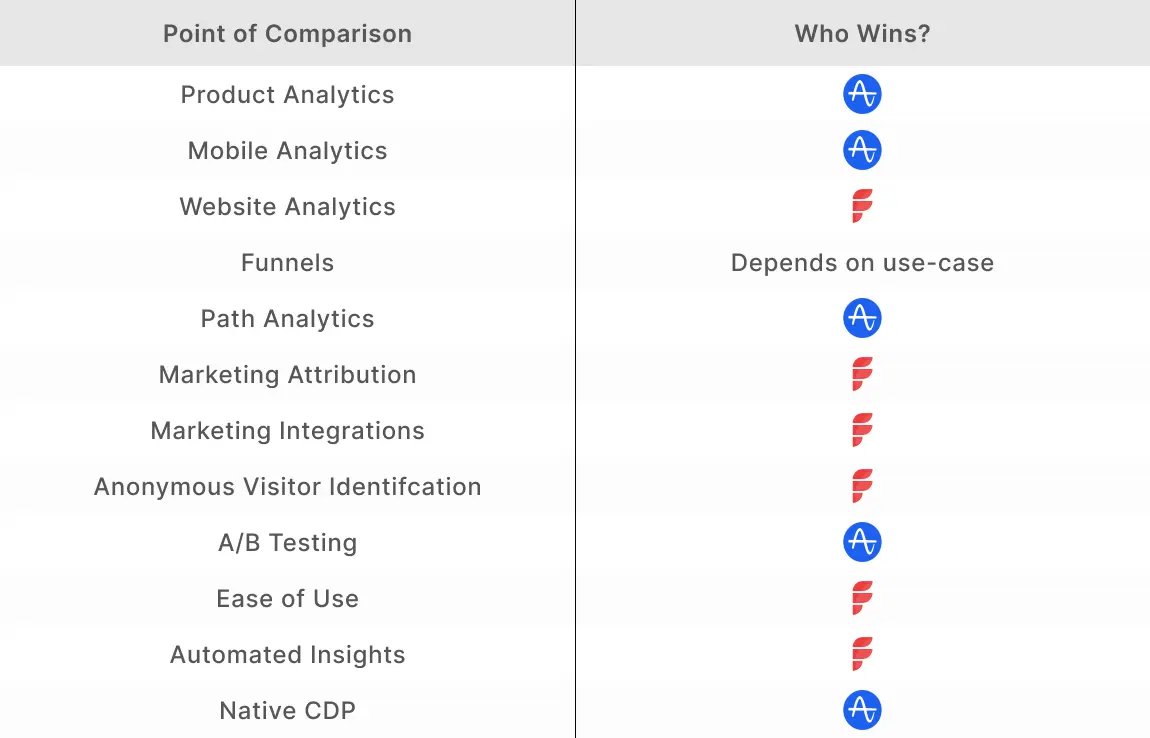
Marketing Analytics vs Product Analytics
Before diving into the comparison between Amplitude and Factors.ai, it’s worth highlighting the difference between marketing analytics and product analytics.
Marketing analytics tools are geared towards tracking and optimizing performance across campaigns, website, and CRM. Popular marketing analytics tools you may have heard of include Google Analytics, Factors.ai, and Adobe Analytics. Marketing analytics can help answer questions such as:
- Which marketing efforts drive the most ROI and pipeline?
- Which campaigns should be scaled or cut to optimize budgets?
- What marketing channels attract high-quality accounts to the website?
- How are visitors engaging with the website? What’s helping and hurting conversions?
- What is the impact of content on pipeline? Which blogs resonate most with visitors?
Product analytics tools like Amplitude, Mixpanel, and Heap are better suited to tracking event-based data within web and mobile products. These tools help understand how customers use specific features within a product. Product analytics can help answer questions like:
- Which product features are most popular? How does usage vary by customer type?
- How long do customers spend using a specific feature every week?
- Which customers are most likely to convert to higher tier plans?
- Which customers are most likely to churn based on engagement?
- How can the product road map be finetuned based on product usage?
Needless to say, marketing analytics tools are better suited to marketing & sales teams while product analytics tools are more helpful to product teams. Here’s a quick brief about Amplitude and Factors.
About Amplitude
Amplitude is an established product analytics platform that works with commercial and enterprise-level companies like Atlassian, Dropbox, and Adidas. The platform is divided into three products:
- Amplitude Analytics
- Amplitude Experiment
- Amplitude CDP.
{{INLINE_BOFU}}
About Factors
Factors is an AI-fueled marketing analytics and attribution platform that works with SME and mid-market B2B companies like Razorpay, Chargebee and Clickhouse. The platform is divided into 4 broad categories:
- Marketing and website analytics
- Marketing attribution
- Journeys analytics
- Visitor identification.
As Amplitude begins to dip its toes into website analytics, it makes sense to compare the two solutions. Here's a breakdown of thei common features:
Amplitude vs Factors.ai: Comparing Common Features
1. Website Analytics
As discussed, Amplitude is primarily a product analytics platform while Factors.ai specializes in marketing and web analytics. However, since both solutions rely on event-based analytics, a comparison makes sense.
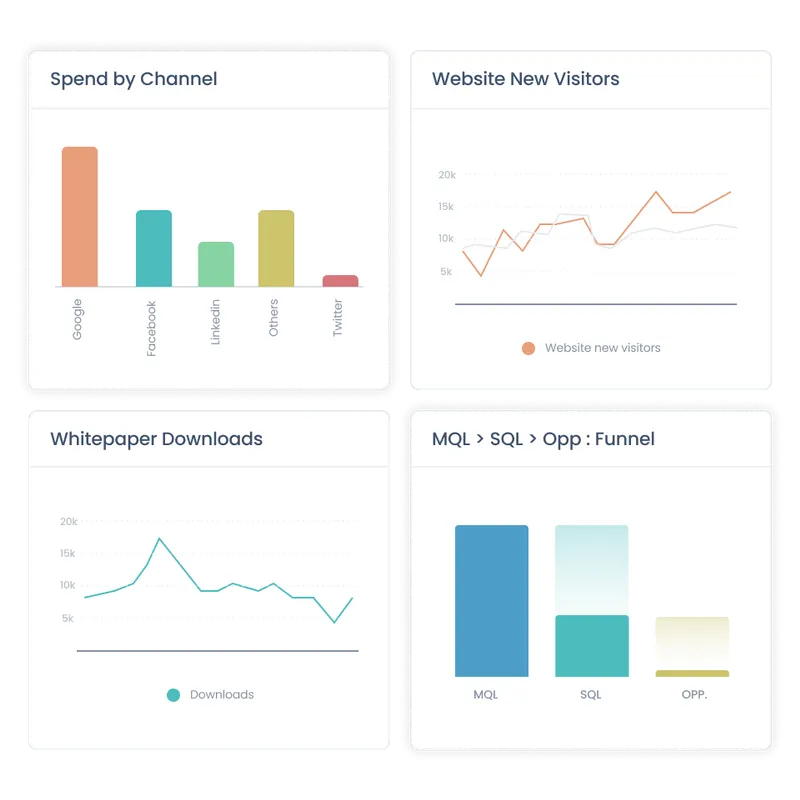
1. Data
On paper, Amplitude offers a wider range of integrations than Factors. That being said, most of these integrations are geared towards product analytics use-cases.
As a result, Amplitude’s integration with ad platforms (Google, Linkedin, etc) and CRMs (HubSpot, SalesForce, etc) tends to be limited. In turn, Amplitude’s functionality as a website analytics platform comes into question.
For instance, Amplitude cannot stitch website data with CRM data such as lead stages (MQLs, SQLs, etc), offline events (sales calls, emails, etc), or revenue figures (deal size, LCV, etc). Instead, Amplitude users are limited to website analytics that’s in isolation to the rest of the buyer journey. As B2B marketing teams become increasingly responsible for driving bottom line metrics, siloed website data is a serious limitation.
Factors integrates with ad platforms, CRMs, and CDPs. As a result, it’s capable of linking website touchpoints, campaign data, and CRM events for holistic analytics and reporting.
2. Metrics & KPIs
Businesses rely on a wide range of metrics to measure website performance and guide the decision-making process. Standard metrics like bounce rates and monthly visitors are available on both Factors and Amplitude. However, granular metrics like scroll depth or engagement rates become tedious to configure on the latter.
Given that Factors.ai is designed for B2B website analytics, it offers the ability to track a wide range of KPIs and metrics out-of-the-box. Furthermore, creating custom KPIs is easier on Factors, involving zero developer dependency.

Overall, both Amplitude and Factors do a good job of basic website analytics and reporting. But if you’re really trying to identify visitor behavior, track top-performing content, and drive BoFu conversions — Factors is probably the better choice.
2. Funnels
In short, a funnel is a sequence of steps taken by users across campaigns, website, CRM, and product. Here’s a funnel of prospects visiting the pricing page, submitting a demo form, qualifying as an SQL, creating an opportunity, and closing the deal:
Even before trying its hand at marketing and website analytics, Amplitude delivered powerful funnels for product analytics. With Amplitude, product teams can learn how to improve onboarding, see how customers progress from free plans to paid ones & more.
Amplitude is now offering a similar, event-based funnel feature for websites. At the moment, Amplitude provides more room for funnel configurations and breakdowns as compared to Factors.
Factors is on par with Amplitude for most B2B funnel use-cases. That being said, Amplitude offers a few advanced functionalities that Factors doesn’t. For example only Amplitude can exclude specific events between funnel steps and compare multiple events at a single step.
Note that while Amplitude’s funnel capability is more flushed out than Factors, it is unable to bring in CRM data. As a result, Amplitude cannot create funnels across website and CRM events.
For instance, Amplitude and Factors can create the following funnel:
Homepage -> Pricing page -> Features page -> Newsletter signup -> Demo request
But only Factors can create a funnel to visualize this journey:
Homepage -> Demo request -> Opportunity created -> Deal created -> Deal won
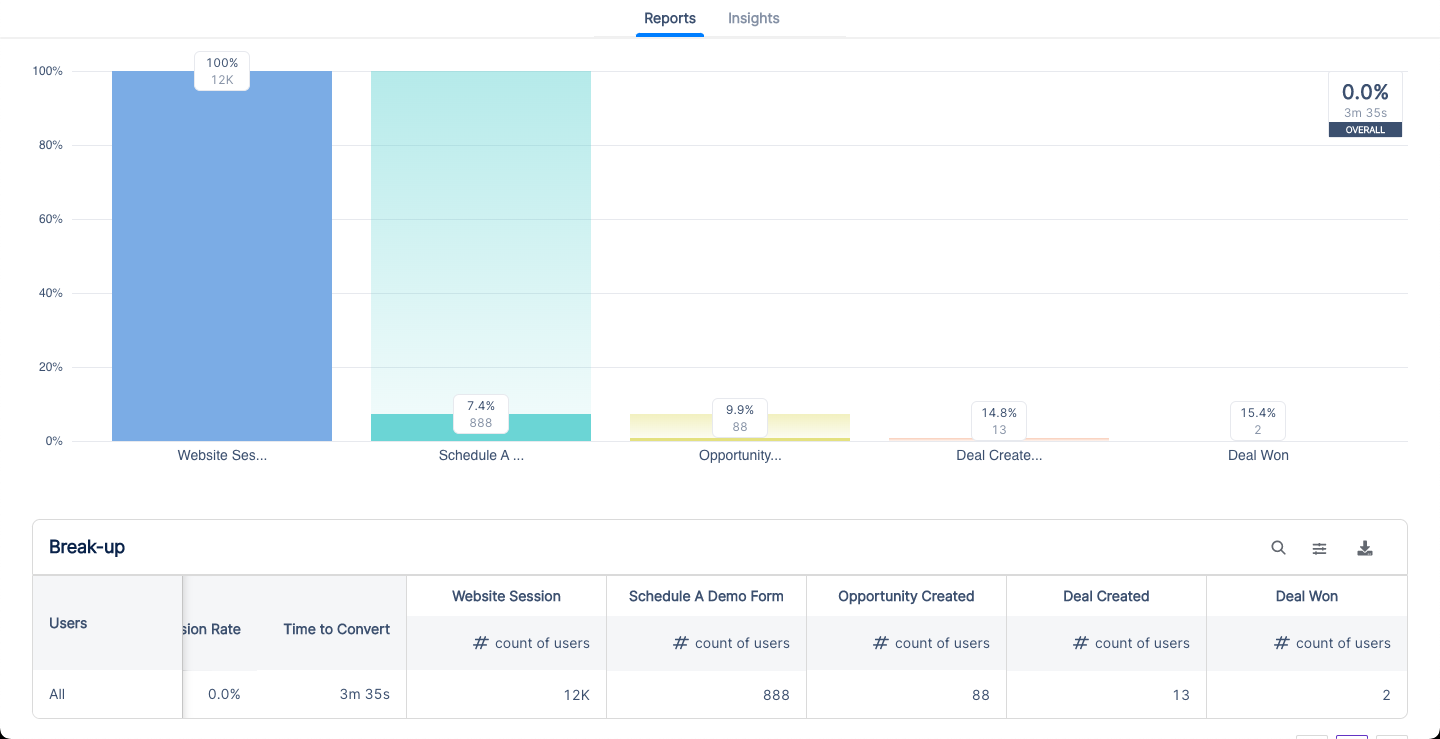
Amplitude’s funnel is mature and better suited to product teams. Factors’ funnel showcases the wider picture and is better suited to GTM teams.
3. Path Analysis
In short, path analysis or Pathfinder helps track aggregated customer flows across website and product. It helps map out events fired by users as well as the sequence of those events taken by users within a specific time period.

Pathfinder is a core feature in Amplitude. As a result, it's currently better than Factors’ path analysis in terms of refinement and functionality. Given that path analysis is a recent feature on Factors, it’s a matter of time before both tools are on par with each other.
4. Marketing Attribution
In short, B2B marketing attribution is an analytics technique that measures the influence of various marketing touchpoints on desired conversion goals such as demos, pipeline, and revenue using a range of multi-touch attribution models.
While Amplitude is a well-established brand in product analytics, it’s only just entering the marketing attribution space. Unlike Amplitude, marketing attribution has always been a cornerstone feature for Factors.ai. Given that this is Factors’ expertise, it outperforms Amplitude comprehensively when it comes to marketing attribution.
Here are a few limitations with Amplitude’s marketing attribution that Factors solves for:
- Limited conversion milestones: As previously discussed, Amplitude cannot integrate with CRM data for marketing attribution. As a result, conversion milestones are limited to website events such as page views or form submissions. It is not possible to attribute marketing’s influence on key metrics like SQLs, pipeline, or deals using Amplitude. This makes for highly ineffective attribution for B2B marketing teams that are looking to prove their impact on revenue.
- No revenue attribution: Continuing with the previous point, Amplitude cannot attribute marketing touchpoints to revenue/spend metrics like ad spends, deals closed, deal size, etc. Given that a major use-case for B2B marketers is to measure ROI and improve resource allocation, this limitation hinders Amplitude’s attribution functionality in B2B settings.
- No account-level attribution: Amplitude’s attribution is at a user-level as opposed to at an account-level. Unlike B2C transactions, B2B deals involve lengthy sales cycles and several stakeholders from a single buying account. Naturally, it makes sense to attribute marketing touch-points at an account level rather than by individual users. Since Amplitude does not support account-level analytics, its attribution tool remains largely ineffective for B2B teams.
- Limited granularity: At the moment, Amplitude can attribute marketing channels and campaigns to website events. No doubt, having high level data at a channel and campaign level is helpful. However, in order to really optimize marketing ROI and scale the right efforts, it’s essential to have granular attribution at an ad group and keyword level as well. Currently, this is not supported by Amplitude.
- Limited touchpoints: Currently, Amplitude’s attribution modeling only considers paid ads and digital marketing touchpoints. Factors has the ability to attribute conversions to offline touchpoints such as events, webinars, and sales calls. This is a crucial piece of the puzzle for B2B marketers.
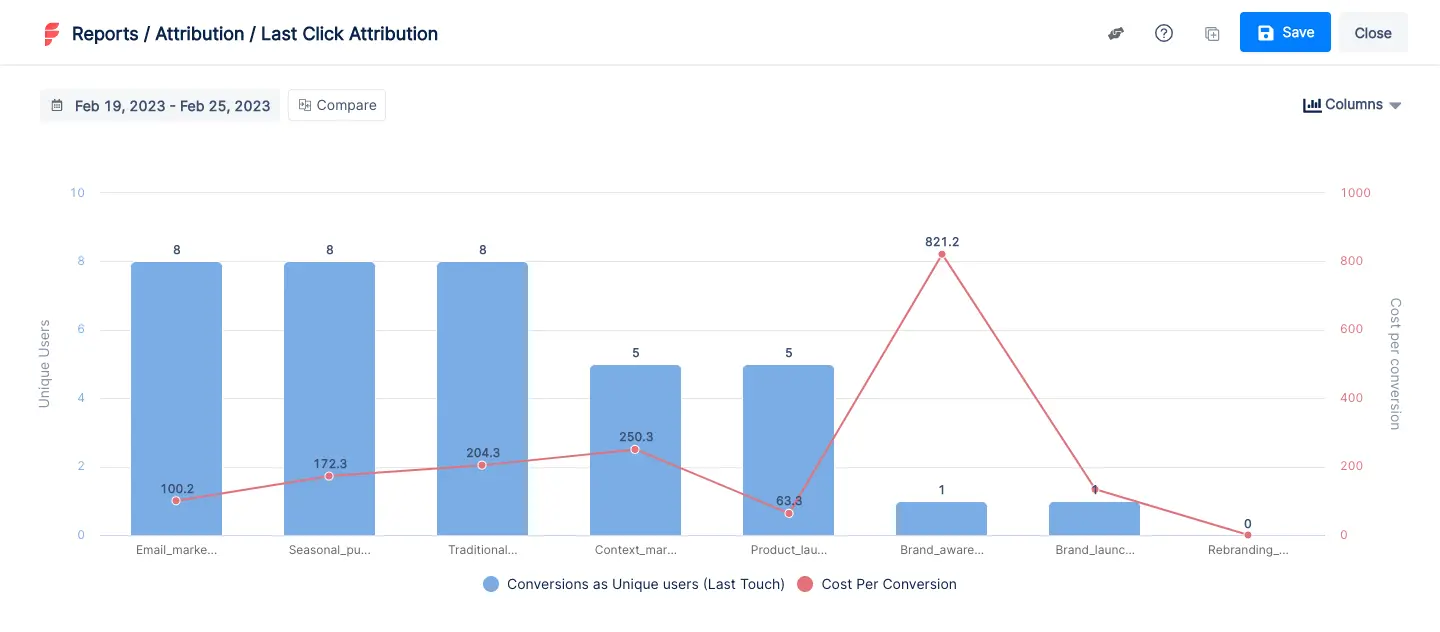
Factors counters each of these limitations by delivering multi-touch attribution across keywords, ad groups, campaigns, channels, website, and CRM events at an account-level. All in all, Factors is the better choice when it comes to B2B marketing attribution.
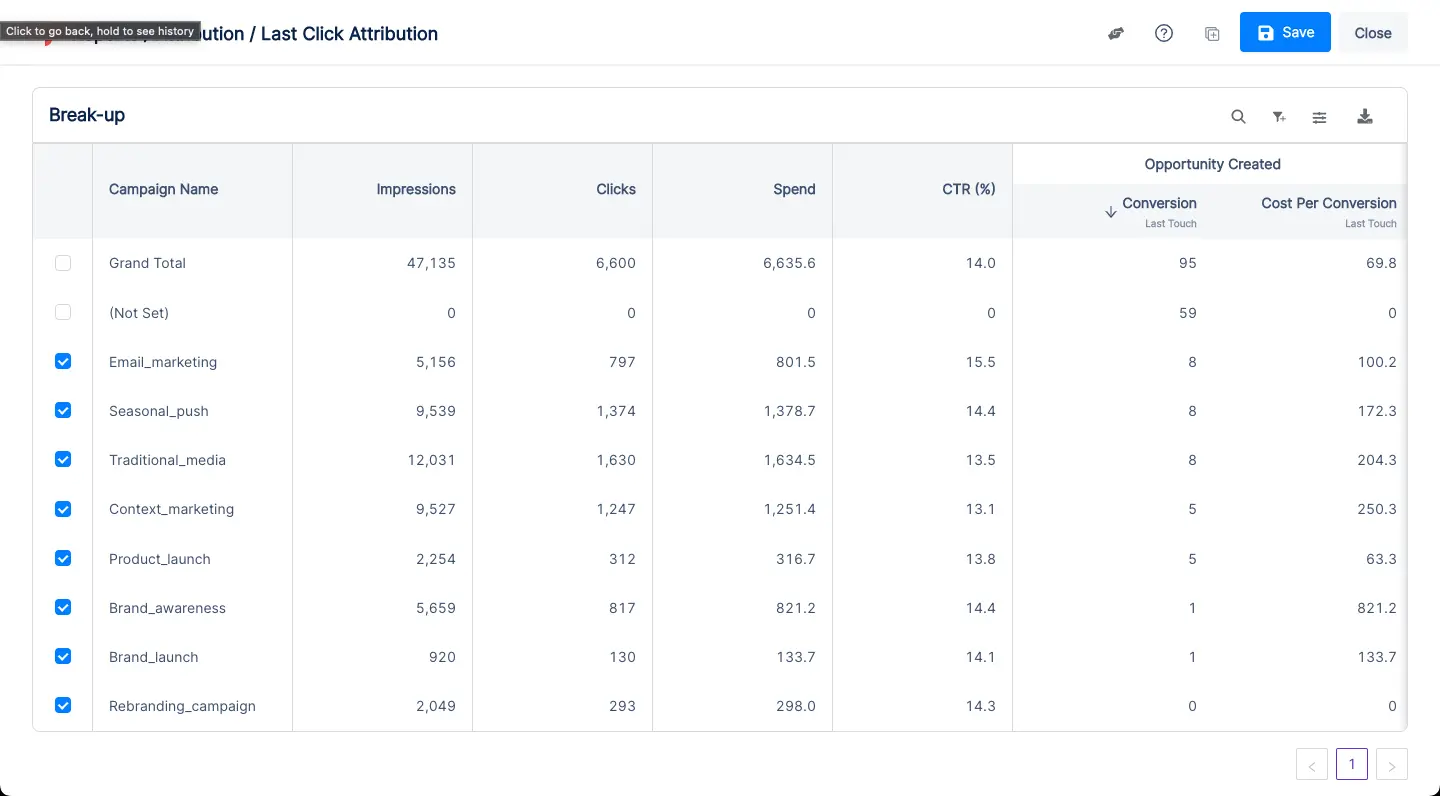
So what’s the right tool for you? The answer depends on what you’re looking for. To break it down further, here are a few pointers on what each platform does that the other doesn’t.
What Amplitude Does, That Factors Doesn't
- Product analytics: As discussed at the top of the article, Amplitude is a leading product analytics tool with exceptional retention analytics and cohort analytics. If these use-cases are important to you, look no further than Amplitude.
- Mobile analytics: Amplitude is capable of tracking event-level data on mobile (app-based) products as well. Since Factors focuses on web-based event analytics, it cannot analyze mobile events whatsoever.
- Experiments (A/B testing): Amplitude offers Amplitude Experiments to conduct A/B testing within the product and website. This is a valuable feature for product and design teams to test hypotheses on messaging, product features, and design.
- CDP: Amplitude provides a native customer data platform. The CDP helps improve data quality, identify new audiences, and connect behavioral data. At the moment, Factors can integrate with third-party CDPs like Segment for similar use-cases.

What Factors Does, That Amplitude Doesn’t
- Integrates marketing, CRM, and revenue data: This point has been discussed multiple times in this blog but it’s worth highlighting again. Unlike Amplitude, Factors can easily integrate data across ad campaigns, website, and CRM. This empowers holistic marketing analytics, funnels, and attribution rather than siloed web and product analytics.
- Intuitive UI & low-lift implementation: Any analytics tool involves a learning curve. That being said, Factors is significantly easier to implement and use as compared to Amplitude. Onboarding takes minutes as opposed to weeks or months. The platform is far more user-friendly for non-technical GTM teams to create relevant reports and dashboards.
- Anonymous visitor identification (IP-lookup): A stand-out feature offered by Factors.ai is anonymous visitor identification. In short, Factors uses reverse IP-lookup technology to identify companies visiting your website without requiring the visitor to submit contact information. This is especially valuable to B2B companies looking to identify, track, and convert high-intent accounts that are already visiting the site.
- Automated AI-fueled insights: Factors’ AI-algorithm works to provide intuitive automated insights into what’s helping and hurting custom conversion goals. With Explain and Weekly Insights, teams can drill down into how keywords, campaigns, channels, website content, and offline events are influencing objectives such as increasing traffic, booking demos, ramping up newsletter subscriptions, or driving pipeline.
So What’s the Right Tool For You?
This is the primary consideration when deciding between Amplitude and Factors — are you looking to monitor and improve your product? If so, Amplitude is the better choice. Are you a B2B team looking to monitor and optimize GTM performance? If so, Factors probably makes more sense.
In summary...
Still on the fence about which tool may be better suited to you? See Factors in action over a quick demo
Compare Factors.ai with other tools:
Both platforms deliver powerful insights but serve different analytical needs.
1. Amplitude: Focuses on product analytics, tracking in-app user behavior and engagement.
2. Factors: Specializes in marketing analytics, with features for campaign tracking and revenue attribution.
3. Strategic Fit: Choose based on whether your priority is product usage insights or marketing performance optimization.
Understanding your team’s goals helps select the platform that drives actionable, data-driven decisions.
.avif)
Amplitude vs. Heap: How to Pick the Best Web Analytics Tool?
Amplitude and Heap are both analytics tools that can help your business understand user data. Learn which is better for your company.

TL;DR
- Amplitude is allowing data leaders to experiment with their data through a product called Amplitude Experiment.
- Amplitude provides granular user segmentation and greater event tracking flexibility compared to Heap.
- ContentSquare, a leading digital market analytics company, signed a contract to acquire Heap in September 2023.
- Heap has notable attributes such as a user-friendly interface and automatic event tracking that allow for easy and quick implementations, making it attractive to many B2B companies.
Amplitude has been around since 2012 and has thus been a pioneer in the product analytics market. Its biggest selling point is that it allows companies to track user flows and journeys. It is also easy to use, so any employee can easily note the behavioral patterns of a company’s website users.
Heap is also a similar tool to Amplitude. However, the major advantage of Heap is that it can readily capture user actions through automatic event tracking. It allows for a better understanding of user behavior without a dedicated understanding of background coding for companies. This article helps you decide which tool is better in aiding your company to achieve its goals for growth.
In this article, you’ll find out whether Amplitude–with its personalization capabilities–is the better option for your company compared to Heap, which is much more user-friendly.
CRM integrations
All B2B companies use CRM tools, so it’s necessary that your company’s operating web analytics tools also integrate with the CRM tools you’re used to. These integrations allow you to have all the necessary data in one platform so that you can work seamlessly. CRM integrations offer cross-collaborations that increase the scalability of your processes and make client work much more methodical.
Amplitude’s notable CRM integrations include Customer.io and Salesforce. Heap has more integrations; in addition to Salesforce, it also integrates seamlessly with Hubspot and Zendesk.
Third-party integrations
B2B companies use a variety of third-party tools for email marketing, e-commerce, and marketing. It’s essential that your web analytics tool integrates with all these tools in order to pull data from them as required.
Amplitude’s third-party integrations include:
- Extole
- Facebook Ads
- Apptimize
- Slack
- Segment
- Optimizely
Heap’s integration offerings are sizable, and comprise:
- Zapier
- Braze
- Cordial
- Shopify
- Mailchimp
- Marketo
{{INLINE_BOFU}}
Pricing
Amplitude’s pricing model isn’t transparent, but it does have a basic free version with which your company can enjoy many of its features. In the free plan, you can access data planning tools core analytic charts. However, if you want much more specific information–such as behavioral reports or analytics–then the shift from the free plan to the growth plan is quite steep, starting at $995/month. The Enterprise plan is for data-led businesses that require much more detailed insights and begins at $2000/month for companies that require it.

Heap has four pricing plans: Free, Growth, Pro and Premier. The free plan encompasses up to 10K monthly sessions. Similar to Amplitude’s basic plan, it also provides core analytic charts. Heap’s Growth plan is quite inexpensive compared to Amplitude’s. It starts at roughly about $3600/Year or $300/Month, making it much more accessible to small businesses wishing to scale. Heap does not offer transparent pricing for its Pro and Premier plans, and instead charge per session. Overall, Heap seems to have more cost flexibility in its pricing models simply because there are more models available.

Ease of installation
Both Amplitude and Heap don’t require you to install anything on your desktop. If you want to set up Amplitude or Heap, all you have to do is go to their respective websites and sign up for the plan you want.
In Amplitude, once you have signed up and chosen a plan, you can then login and access the dashboard. To use Amplitude effectively, you must add Amplitude’s tracking code and install the SDK to the codebase. You also have to set up tracking within the app so that it can gather the data as per your requirements. Heap also follows the same procedures; the two analytics tools are quite similar in this aspect.

Event tracking
Event tracking is among the most important features that most companies use web analytics tools for. Both Amplitude and Heap allow your company to track events. However, the advantages that they serve are different. Amplitude is more flexible and provides easily customizable event tracking. Your company has a lot to gain from custom event tracking as it captures unique customer actions that help detail more specific date insights.
Heap, on the other hand, records everything from the moment that you start using it for your website. This feature is termed Automatic Event Tracking, which records everything without coding or any manual code tagging. It can also collect historical data from the past, leading users to analyze data from the past without any extra tracking. However, users also claim that it’s difficult to set up an event correctly, and matching it to the coding can be complicated.

Data privacy
Data privacy and protection are of utmost importance for users and companies alike. Therefore, data collection has become an extremely complicated landmine that companies have to navigate around and Amplitude is no different. However, Amplitude has had quite a responsible stance on data privacy and protection since 2018 when the GDPR was passed.
The company has made updates so that it may fall in line with the General Data Protection Act, including product updates such as single and bulk user data deletion which allows users to delete all their data from the platform. The Email Monitoring update lets users track their request so deletion is successful. The company is also ISO 27001-certified for secured governance.
Heap has privacy built into its design. The company states that its focus remains on creating a tool that aligns with data privacy. Still, to comply with GDPR, Heap has taken the following steps:
- Third-Party Audits: These audits helped the company conduct any gap analysis regarding their GDPR readiness.
- Data Protection Act: The company has rewritten its Data Protection Act to comply with data subject rights.
How Can You Pick the Best Web Analytics Tool?
Web Analytics tools are instrumental in helping you understand user demographics and tracking customer activity. Hence, it’s necessary to pick a tool that’s reliable and trustworthy. You can judge how well your web analytics tool will perform by considering the following factors:
1. Business Objectives
Every business has its own objectives; knowing these can help you better manage your company’s expectations and outcomes.
2. Pricing
We have mentioned this before, but you should pick a web analytics tool that is sustainable as per your business model. Be aware of the hidden fees and growth fees that you will have to pay so you can budget accordingly.
3. Data Privacy Compliance
Data Protection Laws protect clients and companies alike. You should opt for tools that follow these laws. Using a tool that is GDPR-compliant informs your customers that your company is conscious regarding data collection and security.
4. User Interface and Visualization
There’s no point in web analytics tools that lend more complications to your company’s data. Pick a tool that is easy to use and has dashboards for immediate data visualization. Data visualization simplifies data so non-technical personnel can also understand it.

5. Run Trials
If the web analytics tools you’re opting for have the option for a free demo, opt for it and notice how your workflow changes. Make sure you have metrics in place for these trials so they are effective.
Deciding on a Web Analytics Tool
Choosing the right web analytics tool changes your workflow for the better and generates actionable insights that you can implement to grow your business exponentially. While no tool can be perfect, Factors is a comprehensive analytics and attribution tool that offers you:
- Marketing impact measurement
- Conversion rate optimization
- Granular visibility
- Funnel conversion optimization
- Customer journey analysis
- Points of inflection identification for B2B sales
- AI-automated Insights
- Account level timelines
- Tailor-made reports and data visualization
If you’re looking for ways to get more out of your company, then Factors provides some of the best marketing solutions for a B2B SaaS venture.
Customers using Factors testify to its reliability. It has a 4.7 out of 5 score on G2. Companies that have worked with Factors have seen an uncovering of 64% of the anonymous companies on their websites, which has helped them close more than 20,000 deals. All in all, client satisfaction for Factors’ services is high.

For more information or to set up a demo, contact the Factors’ team today and learn how to utilize the tool to fulfill your company’s objectives. Not sure about Factors? Sign up for a free trial and decide if Factors is the best option for your company.
Top Web Analytics Tools
Web analytics tools help businesses track user behavior, improve user experiences, and make data-driven decisions.
1. Top Platforms: Amplitude, Heap, and ContentSquare.
2. Key Features:
- Amplitude: Granular user segmentation, flexible event tracking, user journey analysis, and "Amplitude Experiment" for data experimentation.
- Heap: Automatic event tracking, comprehensive user behavior capture, CRM system integrations (Salesforce, HubSpot), and a user-friendly interface.
- ContentSquare: Advanced digital market analytics, user behavior tracking, and comprehensive data analysis.
3. Strategic Benefits:
- Track and analyze user behavior with minimal manual effort.
- Gain deep insights into user journeys and segmentations for improved targeting.
- Leverage seamless integrations with CRM tools to enhance data accuracy and decision-making.
Implementing these web analytics tools optimizes tracking, boosts user engagement, and drives strategic business growth.
.avif)
Amplitude vs. Google Analytics: Which One Should Your Business Use?
GA4’s data limitations and privacy concerns drive users toward Amplitude and Factors. Explore the pros, cons, and best analytics platform for your business.
TL;DR
- Google announced that Universal Analytics would stop processing new data beginning July 1st, 2023, and encouraged current users to switch to GA4.
- Universal Analytics 360 users can only extend their usage until July 2024.
- GA4 does not support historical data migration, while Amplitude allows seamless data transfer.
- GA4 offers extensive integrations but has a steep learning curve; Amplitude retains traditional metrics and prioritizes privacy.
- Pricing for both platforms follows a usage-based model, with Amplitude providing a free starter plan.
The end of GA’s Universal Analytics 360 model has prompted many GA users to find other analytics tools that better suit their needs. Universal Analytics ceased to process new data as of July 2023, and had to begin the transition to GA4 or find an alternative analytics services provider.
Amplitude is among these alternative analytics solutions. Google Analytics was popular due to its basic version being free and its former setup’s ease of use; these aspects are set to change with GA4. Many users are opting to switch to Amplitude since it offers migration of historical data, while GA4 does not. Here’s what you need to know about GA4 and Amplitude to understand which is better for your company.
Read on to understand what you can expect from Google Analytics’ and Amplitude’s services.
Data migration from Universal Analytics
If you’re a Universal Analytics user, GA4’s big disadvantage is the loss of historical data. Since Universal Analytics 360’s tracking code is so different from GA4’s, there’s no path to migrate historical data from the former to the latter. While you will not, of course, lose the ability to access your Universal Analytics data, you cannot compare it with data that you gather through GA4. You can only begin collecting data through a new GA4 property once you add its tracking code to your company’s website.
If you want to keep using your Universal Analytics property, you can keep doing so until July 2024. In order to obtain as much historical data as possible on GA4, you can switch to a dual tagging configuration. This will enable you to collect data into both properties. You can use Universal Analytics’ data points and reports while also building up a few months’ worth of historical data in GA4.
On the other hand, Amplitude offers users a unified platform wherein they can migrate their data from Universal Analytics. It utilizes the same data elements and a similar tracking model to Universal Analytics. Current Universal Analytics users can immediately switch to Amplitude and compare historical data with present data.
Integrations
Companies require analytics tools that integrate seamlessly with their CRMs and third-party tools. Your analytics tool should be compatible with any online workspaces, e-commerce tools, and advertising platforms that your company and employees utilize frequently.
GA4’s list of integrations is extensive for CRMs, email marketing tools, artificial intelligence, e-commerce platforms, and sales and marketing/advertising platforms. Its integrations include Facebook Ads, ChatGPT, Microsoft Excel, Calendly, Hubspot, and Dubsado via Zapier.
Integrations are not currently Amplitude’s strong suit. While it does offer some strong CRM and online workspace integrations–including Salesforce, Adobe Analytics, Notion, and Slack–it does not integrate with many of the tools that GA4 does. It also does not offer integrations with lesser-known CRMs.
{{INLINE_BOFU}}
Data models
GA4’s data model is very different from Universal Analytics. That’s not an understatement; not only is it impossible to migrate data, it’s also impossible to measure certain data points that you’ve gotten used to with Universal Analytics. You might be able to collect these data points in different ways, but they may not be labeled in ways you’re familiar with. For example, GA4 does not measure the bounce rate of webpages.
Amplitude allows you to use data points that GA4 has rendered redundant on its platform. It will measure data points such as bounce rates and compare it with historically available information imported from your Universal Analytics account.
Pricing
GA4’s new pricing marks a significant shift from UA’s fixed price model. As a Universal Analytics user, you would be charged a set price of US $150,000 every year. The rate of data collection wouldn’t usually affect this price. Data collection limits were extensive, so businesses only incurred extra costs when the data collection would increase significantly.
GA 4’s usage-based model means that users will be charged according to the amount of data they collect. GA4 also offers a free version, known as GA4 Standard.

Amplitude also utilizes a usage-based model. It offers three pricing tiers: Starter (which is free), Growth, and Enterprise. The Growth and Enterprise plans’ prices are available on request. In addition, Amplitude also offers certain startups one year of their Growth plan for free if the startups are early stage or have Black co-founders.
Although Amplitude does not disclose its price publicly, TrustRadius states that the Growth plan begins at US $995 per month. Verified users also state that Amplitude’s basic plan offers a good variety of features and allows first-time users to check whether the tool is compatible with their business for free.

Data protection and privacy
Data protection experts have complained about Google Analytics’ non-compliance of privacy laws numerous times in many different countries. The adoption of the EU-U.S. Data Privacy Framework by the European Commission lifted the ban on GA in the middle of this year. Before that, GA was banned in Austria and France, with various other European countries raising concerns about the ways Google stores and utilizes consumer data. Sweden’s privacy protection authority, the IMY, has raised questions about GA’s compliance with the GDPR.
Companies using GA have to be extra careful about data storage and usage. The Data Privacy Framework requires companies to follow a multitude of policies that protect user data. GA4’s efforts to comply wholly with privacy laws such as the GDPR allow users to opt out of cookies. Machine learning fills the gaps created through these opt-outs. If enough users opt out, this data could therefore become unreliable.
Amplitude’s privacy disclosure on how it uses consumer data is extensive and easy to understand for users. Clients can change or retract their data at any time. They can also opt out of cookies. Your clients can ask for a copy of their personal data at any time to verify which personal information Amplitude has access to. Amplitude is fully compliant with the CCPA, and takes privacy petitions seriously.
Features
Amplitude’s intuitive dashboards enable you to understand how prospective clients interact with the content on your website. You’ll be able to access crucial insights into client behavior and drive conversions through a better understanding of prospects’ pain points. Amplitude also offers users the option to design surveys for their clients. These feedback surveys are customizable and can be used to target certain segments of users. Real-time feedback allows you to increase client satisfaction and trust in your company.

There is a significant learning curve involved in switching from Universal Analytics to GA4. While a variety of learning material is available for GA4, the importance of dedicated, immediate customer support cannot be understated.
However, GA4’s extensive integrations allow it to be a widely implementable tool. While it is true that GA4 is notoriously difficult to set up, it offers robust analytics and tracking information.
Choosing the Right Analytics Tool for Your Business
Finding the right analytics tool can be a long, tricky endeavor. We’ll help you find an indispensable tool on the first try, instead of letting you go down the trial-and-error route.
With the phase-out of Universal Analytics 360 in July 2023, businesses must carefully evaluate their analytics needs before selecting a new platform. The right analytics tool depends on several key factors.
First, consider data continuity. Some platforms may not allow you to migrate historical data, which can disrupt long-term analysis. Privacy and data protection should also be a priority, especially for companies operating in regions with strict regulations like GDPR and CCPA.
Next, assess ease of use. Tools with steep learning curves or complex setups can slow down adoption across teams. Seamless integration with your existing CRM, marketing platforms, and other third-party tools is crucial for maintaining workflow efficiency. Pricing structures also vary; some platforms charge based on usage, which can lead to unexpected costs as your data volume grows.
Finally, reliable customer support ensures quick resolution of issues, minimizing disruptions.
Selecting an analytics solution involves balancing privacy, scalability, ease of use, data flexibility, integrations, and support to align with your company’s growth and data strategy.
In a nutshell, the most important features are:
- Privacy. The tool you use should be in full compliance with the GDPR and CCPA or other local privacy laws.
- Scalability. Will your analytics tool accommodate greater influxes of information as you grow, and indeed, help you grow?
- Ease of installation and use. You don’t want a tool that requires a dedicated team of experts to decipher. An analytics tool should be easy to use across all the teams that require access to it, and ideally come with a no-code setup.
- Extensive analytics and reporting options
- Seamless integration with other tools, and
- Dedicated, quick customer support.
If we had to pick…
We would pick Factors. While no analytics tool has the full package, Factors comes close with its:
- Customizable reports and dashboards
- Compliance with privacy laws,
- Attribution across multiple channels
- De-anonymization
- Quick, codeless setup
- Ease of implementation
- CRM integrations
Factors was created to help your B2B company reach its goals by allowing you to make the most of your web content. Its competitive pricing options also set it ahead of other tools with similar capabilities. The paid tiers are priced between US $99 to US $1499.
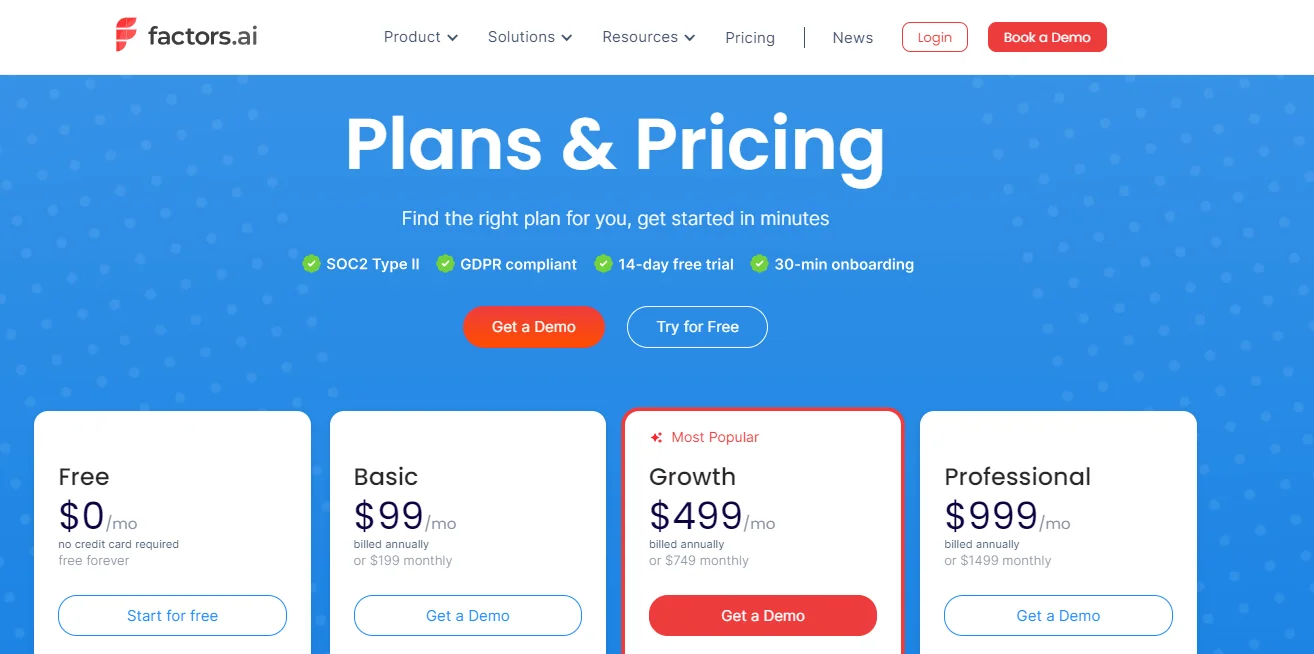
You can also check out Factors’ features for free using their trial option, or contact them for a plan custom-built for your business.


We don’t just write about demand gen. We deliver it.
Our AI Agents help you uncover high-intent accounts, run campaigns that actually convert, and keep your GTM motion in sync.
1000+ GTM teams have already scaled their pipeline with Factors.
*Includes built-in peace of mind. And fewer late-night funnel audits.






.svg)



.avif)

