

Good Reads
Fix pipeline pains. Solve GTM puzzles. Read strategic brain dump.
Written for marketers who want real solutions to a leaking pipeline (and their dark circles).
Want to read more from us?

I’m looking for…
10 Best Leadlander Alternatives and Competitors for 2026
Looking for an alternative to Leadlander? Explore our top 10 alternatives to Leadlander. Compare features, pricing, and limitations to make an informed purchase decision.
.avif)
LeadLander serves as a dedicated website visitor analytics and reporting solution tailored for Business-to-Business (B2B) companies. Its primary focus is on the identification of anonymous website visitors, offering essential sales intelligence. By furnishing specific details about each visitor, including verified contact profiles, LeadLander transforms these anonymous interactions into actionable leads. The platform aims to expedite the sales process by showcasing the origin of valuable customers and showcasing customer journeys through website navigation.
So, why look for a Leadlander alternative?
Scenario: Some users perceive Leadlander as relatively expensive, especially for businesses with limited budgets.
Consideration: Evaluate alternative solutions with pricing models that align more closely with your budget constraints while ensuring they meet your specific requirements.
- Integration Challenges:
Scenario: Users have reported difficulties integrating Leadlander with specific platforms, limiting the utility of collected data.
Consideration: Prioritize alternatives that offer seamless integration with your existing tech stack to maximize the efficiency of data utilization.
- Data Accuracy Concerns:
Scenario: While providing accurate tracking data, users express concerns about the precision of metrics, such as the count of unique visitors.
Consideration: Look for alternatives with a strong reputation for data accuracy and quality, ensuring reliable insights for informed decision-making.
- User Interface Usability:
Scenario: The user interface of Leadlander is criticized for its appearance, and some users, especially those with limited technical experience, find it challenging to navigate.
Consideration: Explore alternatives with intuitive and user-friendly interfaces to enhance the overall user experience and facilitate independent navigation.
- Support Responsiveness:
Scenario: Timely support may pose challenges, with extended waiting times and instances where support tickets remain unanswered.
Consideration: Prioritize alternatives with dedicated and responsive support services to ensure efficient problem resolution and maximize the return on investment.
- Feature Enhancement and User Feedback Integration:
Scenario: Users have expressed the need for ongoing improvements in Leadlander's features and user interface.
Consideration: Consider alternatives that actively integrate user feedback for enhancements and demonstrate a commitment to refining features over time.
- Specific Feature Requirements:
Scenario: Your business may have specific feature requirements not fully met by Leadlander.
Consideration: Identify alternatives that offer the specific features crucial for your business goals and tailor your decision based on feature alignment.
{{INLINE_CTA_A}}
Here are some tools we’ll compare today
- LeadMagic
- Factors.AI
- Warmly
- Albacross
- CANDDi
- Clearbit
- Lead Forensics
- Demand
- ZoomInfo
- Dealfront
Factors to consider in the alternative
- Pricing Structure:
Evaluate the pricing plans of alternative solutions to ensure they align with your budgetary constraints. Look for transparent pricing models that cater to your business needs without compromising essential features.
- User Interface Usability:
Prioritize platforms with user-friendly interfaces, especially if your team includes members with varying technical expertise. A visually intuitive and easily navigable interface contributes to a smoother user experience.
- Performance and Stability:
Assess the performance track record of alternative platforms to ensure stable operations and minimal disruptions. A reliable platform contributes to consistent and uninterrupted usage, enhancing overall efficiency.
- Integration Capabilities:
Check the integration capabilities of alternative solutions, especially with the platforms your business relies on. A solution that seamlessly integrates with a variety of tools ensures a cohesive workflow and maximizes data utility.
- Data Accuracy and Precision:
Prioritize alternatives that prioritize data accuracy and provide precise metrics. Reliable tracking data is crucial for making informed decisions, and a platform that delivers accurate insights enhances the value of collected data.
- Support Services:
Assess the responsiveness and quality of support services offered by alternative platforms. A solution with dedicated and effective support mechanisms ensures timely assistance and efficient problem resolution.
- Alignment with Business Size:
Ensure that the pricing plans of alternative solutions align with the size and budget constraints of your business. Look for scalable solutions that cater to the specific needs of enterprises similar in size to yours.
- Feature Set and Functionality:
Compare the features and functionalities of alternative platforms to ensure they meet your business requirements. Look for solutions that offer a comprehensive set of tools and capabilities relevant to your goals.
- Trial Period and Flexibility:
Explore platforms that offer trial periods or free plans to allow for hands-on experience. This ensures that the chosen alternative meets your expectations and offers the flexibility needed for successful implementation.
- User Feedback and Reviews:
Research user reviews and feedback for alternative solutions to gain insights into the experiences of other businesses. Real-world experiences can provide valuable information on the platform's strengths and potential shortcomings.
{{INLINE_CTA_A}}
Before we start off, here’s a little about Leadlander

Leadlander Features
- B2B Website Traffic Identification:
Leadlander focuses on the identification of corporate-based website traffic, providing valuable insights into the companies exploring business websites.
- Verified Contact Profiles:
The platform offers verified contact profiles, encompassing details such as name, email, title, and other critical data points for employees at companies exploring your website. This facilitates actionable connections and informed engagement.
- Analytics and Detailed Reporting:
Leadlander delivers specific details about each website visitor, transforming anonymous visits into actionable contacts. The platform provides insights into customer journeys, connections to conversions, and valuable intent data.
- Sales Platform Integration:
Seamlessly integrating with widely used platforms like Salesforce, Mailchimp, HubSpot, and Slack, Leadlander streamlines the sales process for optimal effectiveness.
- Responsive Support Services:
Leadlander offers dedicated and responsive service and support to maximize the return on investment for users, ensuring efficient utilization of the platform.
- User-Friendly Interface:
Facilitating real-time delivery of actionable data through customized reports, alerts, and online access, Leadlander provides an easy-to-use interface for convenient utilization.
- Intent and Corporate Data Access:
The platform supplies intent data to unveil individual prospects and their details, along with access to key contacts at prospect companies.
Leadlander Pricing
Leadlander offers two distinct pricing plans to cater to varying business needs. The Small Business Plan, priced at $900 annually or $89 per month, is tailored for enterprises with moderate requirements. It includes features such as up to 100 leads per month, tracking for one domain, access to the contact network, unlimited user accounts, and 12 months of data storage.
Leadlander Limitations
- Integration Challenges:
Some users encounter difficulties integrating Leadlander with specific platforms, restricting the utility of collected data.
- Data Accuracy Concerns:
While providing accurate tracking data, some users express concerns about the precision of metrics, such as the count of unique visitors.
- User Interface Usability:
Users, especially those with limited technical experience, find the interface of Leadlander challenging to navigate and comprehend.
- Technical Support Quality:
Issues with the quality and availability of technical support have been reported, making it challenging to receive assistance when needed.
- Affordability Concerns:
While considered cost-effective, some users perceive Leadlander as expensive, particularly for businesses with limited budgets.

1. LeadMagic

LeadMagic Features
- Visitor Identification for Timely Sales and Marketing Communication:
LeadMagic excels in identifying noteworthy accounts visiting a website, ensuring timely communication to both sales and marketing teams.
- Intelligent Lead Scoring for Targeted Approaches:
The platform intelligently assesses and prioritizes leads based on engagement levels. This intelligent lead scoring system promotes a targeted approach to the most promising prospects, improving overall lead management.
- Streamlined Lead Nurturing Campaigns Through Automation:
LeadMagic streamlines lead nurturing campaigns through its automation capabilities, facilitating the automated nurturing of leads. This contributes to building relationships with potential clients more efficiently and systematically.
- Customized Lead Generation Strategies Covering SEO, Social Media, and PPC:
Businesses benefit from LeadMagic's customized lead generation strategies, encompassing SEO, social media marketing, and PPC advertising. This ensures optimal visibility and engagement for the brand across diverse digital channels.
- Comprehensive Digital Marketing Solutions for Optimal Brand Visibility:
LeadMagic provides comprehensive digital marketing solutions that cover various aspects, including search engine optimization (SEO), social media engagement, and pay-per-click (PPC) advertising. This approach ensures optimal brand visibility and engagement in the digital landscape.
LeadMagic Pricing
LeadMagic's pricing is determined by the monthly identification of companies, starting at an upfront annual fee of $139.


LeadMagic Limitations
- Currency Limitation and Future Billing Considerations:
Currently, LeadMagic accepts payments exclusively in USD, posing a limitation for users who prefer other currencies. However, there are indications of potential future considerations for billing in AUD, offering prospects for expanded payment options.

- Interface Improvement and Active User Feedback Integration:
LeadMagic acknowledges the need for interface improvement and actively integrates user feedback for enhancements. This commitment to refining the user interface ensures a more user-friendly experience based on ongoing user input.

- Challenges in the Onboarding Process with Cleanliness Concerns:
Users have reported challenges during the onboarding process with concerns about data cleanliness. Addressing these issues is crucial for users in the initial stages of adopting the platform, emphasizing the importance of a smooth onboarding experience.
2. Factors.AI

Factors.AI Features
- Advanced Account Identification:
Factors.AI, in collaboration with 6sense, leverages enterprise-grade IP data to identify up to 64% of anonymous companies. This includes firmographics like employee headcount, industry, and location, coupled with website activity metrics such as page visits and scroll-depth. Real-time Slack alerts are configured based on firmographic features and website behavior, keeping teams informed of high-intent visitors.
- Holistic Account Timelines:
Integration with campaigns, websites, and CRM data allows Factors.AI to furnish end-to-end account-level timelines across the customer journey. Users gain insights into touchpoints influencing accounts from initial visitors to paying customers.
- Comprehensive Analytics Features:
ABM Analytics:
Unifying reporting across ad platforms, CRMs, and CDPs to support campaign and website analytics at an account level.
Path Analysis:
Enabling the viewing of aggregate user behavior and identifying conversion and drop-off points.
Multi-Touch Attribution:
Connecting go-to-market initiatives to the pipeline, optimizing resource allocations, and proving marketing ROI.
Factors.AI Pricing
Factors.AI has a free plan, and no credit card is required, the basic plan starts at $149 per month (billed annually). Learn more about Factors pricing here: factors.ai/pricing
Factors.AI Limitations
- Documentation and Educational Resources:
Although there are existing materials available, insights from user reviews highlight the demand for more comprehensive guides. Providing clear and instructive documentation is crucial to empower users in fully utilizing the features of Factors.AI, fostering a more user-friendly environment.

- User Interface Enhancement:
User feedback suggests an opportunity to enhance the user interface by improving intuitiveness, navigation clarity, and the inclusion of visual cues. A more user-friendly experience is essential, especially for new users, contributing to a smoother onboarding process and heightened overall satisfaction.

{{INLINE_CTA_A}}
3. Warmly

Warmly Features
- Comprehensive Access to Enrichment and Intent Data:
Warmly provides users with extensive access to both enrichment and intent data. This encompasses a rich source of information regarding potential leads, allowing businesses to gain a deeper understanding of visitor profiles and tailor engagements accordingly.
- Unified Buyer Experience Integrating Intent Insights for Effective Engagement:
The platform focuses on creating a unified buyer experience by seamlessly integrating intent insights into the engagement process. By aligning the understanding of visitor intent with immediate actions, Warmly enhances the effectiveness of engagements with decision-makers.
- Autonomous Sales Orchestration Bridging the Gap Between Intent Signals and Outreach:
Warmly facilitates autonomous sales orchestration by bridging the gap between intent signals and outreach efforts. This feature ensures that sales teams can efficiently leverage identified intent signals to engage with prospects, optimizing competitiveness in the market.
- Effortless Integration with Existing Tools, Converting High-Intent Visitors into Leads:
Warmly prioritizes user convenience through effortless integration with existing tools. This functionality is designed to convert high-intent website visitors into leads seamlessly, ensuring a smooth transition from identification to engagement.
- Orchestrated Workflows Triggered by Site Activity for Automated Prospecting Campaigns:
The platform enables orchestrated workflows that are triggered by site activity. This automation feature allows for the seamless execution of prospecting campaigns based on real-time actions, ensuring a proactive and timely approach to lead generation.
Warmly Pricing
Warmly offers a free account with access to 500 leads per month. The Business plan, starting at $805 per month, provides users with access to 25,000 leads monthly.

Warmly Limitations
- Recognition Challenges with Distinguishing Valuable Leads from Bot Traffic:
The platform acknowledges challenges in accurately distinguishing valuable leads from bot traffic. This aspect highlights the importance of refining recognition mechanisms to ensure a more precise identification process.

- Limitations in User Identification, Suggesting Potential Improvements in Code Additions:
Users have reported limitations in identifying every user, indicating the need for potential improvements. Suggestions, such as code additions to marketing emails, have been proposed to enhance user identification and provide a more comprehensive view.

- Difficulty in Filters, Displaying Existing Customers as Leads:
Users have encountered occasional difficulty in filters, with instances of existing customers being displayed as leads. This points to the need for refining filter functionalities to ensure accurate and reliable differentiation between existing customers and new leads.

- Ongoing Development Expected in Reporting Features for Enhanced CRM Integration:
Anticipated ongoing development in reporting features suggests a commitment to enhancing CRM integration. Users can expect improvements in the platform's reporting capabilities, contributing to more informed decision-making processes and seamless integration with CRM systems.

4. Albacross

Albacross Features
- Identification and Insights:
With its base in Sweden, Albacross, a leading company specializing in visitor identification and intent data, collaborates with a vast network of over 10,000 companies. Albacross stands out in its ability to pinpoint anonymous accounts, providing comprehensive firmographic details and a deep understanding of visitor intent.
- Customization Capabilities:
Albacross seamlessly integrates with popular personalization tools such as Optimizely and VWO. This unique capability empowers businesses to tailor website content dynamically based on individual visitor profiles, enhancing the overall user experience.
- Strategic Display Advertising:
Albacross introduces a distinctive feature by enabling the creation and monitoring of display ads directly within its platform. Forming partnerships with reputable publications like The New York Times and Daily Mail, Albacross facilitates the strategic deployment of account-level targeted ads, expanding the reach and impact of advertising efforts.
Albacross Pricing
Albacross also has a free 14-day trial plan. The Self-Service Package, available at a monthly rate of €79, presents a variety of features aimed at elevating your user experience. Under this plan, you gain the ability to identify a maximum of 100 companies, monitor visitor activities, and leverage advanced segmenting and filtering functionalities.

Albacross Limitations
- Limited Interface Customization:
Certain users express a limitation in the app's interface, highlighting that downloadable CSV reports provide more in-depth insights than the app's native interface. The ability to customize the interface would be advantageous, allowing users to choose and display specific columns in alignment with their preferences.

- Concerns with Integrations:
Feedback from users indicates potential challenges with integrations, particularly with CRMs like Salesforce. Despite available workarounds such as Zapier, this poses a potential concern for B2B teams aiming for streamlined workflows and seamless connectivity.

{{INLINE_CTA_A}}
5. CANDDi

CANDDi Features
- Individualized Account Identification Capabilities
CANDDi goes beyond identifying companies, extending its capability to recognize individual visitors to your website. This unique feature empowers personalized follow-ups and enables tailored pitches, fostering a more targeted and effective engagement strategy with potential prospects.
- Helps Convert Warm Leads
Leveraging CANDDi's advanced visitor tracking solution sheds light on the 98% of website visitors who may not initially inquire. This facilitates the conversion of warm, qualified leads directly into your sales team’s inbox and CRM, amplifying your lead generation and sales initiatives.
- Real-Time Alert Mechanism
CANDDi operates in real-time, merging IP tracking with cookie tracking to ensure no sales opportunities go unnoticed. Whether prospects are browsing from their office or home, you receive immediate alerts the moment crucial activities unfold on your website.
- Precision in Attribution Measurement
It offers detailed insights into visitor attribution, showcasing the specific origin of each visitor, including the marketing channel and campaign. This granular information empowers you with the knowledge of what drives conversions, facilitating more informed decision-making for your marketing endeavors.
CANDDi Pricing
Currently, CANDDi does not offer a free plan. However, users can sign up for trial plans for each of their plans. The Starter Plan starts at $249 per month + VAT.

CANDDi Limitations
- Compatibility with Apple Macs:
Currently, there's a limitation in functionality on Apple Macs. While it's anticipated that improvements are in progress, users on Mac devices may encounter constraints in accessing certain features.

- Interface Intuitiveness:
The platform's interface lacks intuitiveness, making it challenging for users to navigate independently. Users often find themselves relying on assistance from their account manager for guidance, which may impact the user experience.

- Form Tracking Code Application:
Applying the form tracking code is a complex process, requiring substantial effort and collaboration with a web developer. Users have reported spending significant time, approximately four hours, to integrate the tracking code, indicating a potential area for improvement in user-friendliness.
- Guided Platform Usage:
Enhancements in the platform could include prompts or guides to assist users in understanding and maximizing the utility of certain features. This would contribute to a more user-friendly experience, particularly for those exploring the platform independently.

6. Clearbit

Clearbit Features
- Clearbit's Business Targets:
Clearbit's Business Targets feature allows businesses to explore every B2B company on the internet. Going beyond basic target account lists, it enables the creation of a comprehensive audience comprising all potential purchasing companies. The Business Targets tool is instrumental in understanding the genuine B2B target market.
- Intent Identification and Conversion Pipeline:
Clearbit's solution aids in identifying anonymous website visitors, revealing buying intent from high-fit companies. This capability facilitates prompt action to convert intent into a pipeline, effectively transforming website visitors into potential leads and customers.
- Access to Validated B2B Contact Repository:
The platform grants access to a global B2B contact repository housing over 30 million validated contacts. With extensive coverage across the US, APAC, and EMEA, businesses can reach a broad audience of potential prospects. The contacts' deliverability is assured, providing accurate B2B contact data to support the conversion of intent into a pipeline.
- Smooth Integration with Salesforce:
Clearbit seamlessly integrates with Salesforce, allowing effortless data export to the Salesforce Customer Platform. This integration ensures immediate deduplication of data, making it campaign-ready and offering a streamlined prospecting experience.
Clearbit Limitations
- Affordability Concerns:
Some users express concerns about the pricing, deeming it relatively high, especially for early to mid-stage startups. Beyond the cost aspect, users note that credits are often quickly depleted, necessitating additional purchases for more detailed information. This limitation may impede users seeking thorough exploration of the available features and data.


- Intermittent Performance Challenges:
A notable drawback includes occasional lag or unexpected closures without prior notification in specific situations. These unpredictable performance issues may cause interruptions and inconvenience, affecting the overall reliability and user experience of the application.

- Feature Comparison with LinkedIn Sales Navigator:
Some reviews highlight a potential drawback in the form of missing features, such as the ability to InMail prospects and receive real-time notifications for critical decision-making updates within companies. This absence may be viewed as a limitation when compared to similar platforms.
- Limited Customization Options:
The inability to customize the dashboard restricts the capacity to tailor the user interface according to individual preferences. This indicates potential room for improvement in aligning with industry standards.

{{INLINE_CTA_A}}
7. Lead Forensics
Lead Forensics Features
Website activity. See which companies came to your site, what they read and when they returned. It reports on the business, not the person.
Contacts for outreach. Get contact details for decision-makers at the companies it identifies, so outreach doesn't start from a blank page. They're suggested for relevance and might not be the person who browsed.
Lead scoring. Leads are ranked automatically from what they do on your site.
CRM connections. Sends leads into Salesforce, HubSpot, Microsoft Dynamics, Pipedrive or Zoho, and has its own lead manager if you'd rather work inside the tool.
Alerts. Your team is notified as soon as a target account is on the site.
Reporting. Shows visitor patterns and campaign results, so marketing can see which activity brings in real accounts.
Lead Forensics Pricing:
Lead Forensics doesn't publish prices. Quotes depend on website traffic, the two plans are Essentials and Automate, and a free week lets you try it first.
Lead Forensics Limitations:
Business-level view. It shows the company behind a visit rather than the individual, so you choose who to approach.
Price on request. You'll need a demo and trial to get a figure for your traffic level.
8. Demand
Demand Features:
- Anonymous Account Identification:
Demand excels in identifying and engaging with B2B website traffic identification, providing a robust foundation for lead nurturing. The platform's capabilities extend beyond mere identification, fostering strategic interactions to nurture potential leads effectively.
- LinkedIn Automation for Personalized Outreach:
A standout feature of Demand is its advanced LinkedIn automation, empowering users with tools for personalized outreach and streamlined demo bookings. The platform facilitates seamless communication on LinkedIn, ensuring tailored engagement that resonates with target audiences.
- Technology Signals Analysis:
Demand offers sophisticated technology signals analysis, enabling businesses to tailor their engagement strategies based on the technology usage patterns of their prospects. This feature enhances targeted engagement, ensuring that interactions align with the technological preferences of the target audience.
- Automated Sentiment Analysis and CRM Sync:
Efficient lead management is a cornerstone of Demand's features. The platform incorporates automated sentiment analysis, providing insights into prospect sentiments. Additionally, seamless CRM sync ensures that these insights contribute to a well-informed and streamlined lead management process.
- AI-Powered Sales Assistant:
Demand's AI-powered sales assistant stands out as a valuable tool for personalized outreach and improved acceptance rates. Leveraging artificial intelligence, this feature augments the effectiveness of outreach efforts, contributing to higher acceptance rates and enhanced overall engagement.
Demand Pricing
Demand offers three plans, starting from $59/user/month, with a free 7-day trial.

Demand Limitations:
- Support Responsiveness:
Timely support may pose challenges, with extended waiting times and instances where support tickets remain unanswered for prolonged periods.
- Effectiveness of Support:
Support responses, when received, may not always offer immediate solutions, often requiring extensive back-and-forth communication for effective problem resolution. Instances of non-responsive support when faced with queries lacking a straightforward answer have been reported.
- Enhancement of Knowledge Base:
User feedback highlights the demand for a more comprehensive knowledge base, aiming to facilitate self-help and ultimately improve the overall user experience by providing in-depth resources.
- User Interface and Performance:
Criticism is directed at the UI's aesthetics, and occasional sluggishness could impact the user experience, despite overall positive feedback on functionality. Suggestions for refining the UI for a more visually appealing and responsive interface are noted.

- Streamlining Manual Tracking:
Users observe a manual process for excluding personal emails from CRM tracking, indicating an opportunity for improvement in automation to streamline this aspect of the user experience.

9. ZoomInfo

ZoomInfo Features
- Sales Prospecting Software:
ZoomInfo provides B2B sales prospecting software to help businesses identify and reach their next best customer. It uses data-driven insights and buying signals to reveal ready-to-buy companies, ultimately empowering sales teams to define markets and discover potential buyers effectively.
- Contact and Company Data:
With access to the largest B2B contact database of 70M+ direct dial phone numbers and 174M+ verified email addresses, ZoomInfo's contact and company data feature allows businesses to build an account universe based on their Ideal Customer Profiles. This enables them to reach decision-makers and key contacts more efficiently.
- Buyer Intent:
ZoomInfo's buyer intent service helps businesses identify and reach prospects at the beginning of their buyer's journey by tracking companies researching solutions like theirs across the web. This feature provides valuable insights for early engagement and lead generation.
- B2B Website Traffic Identification:
By allowing businesses to discover and connect with decision-makers from companies exploring their business website, ZoomInfo's website visitor tracking feature enhances the ability to engage with potential leads.
- Conversation Intelligence:
The platform offers conversation intelligence tools to analyze customer calls, meetings, and emails. This analysis helps drive process changes that impact the bottom line, making every interaction count.
- Engagement:
ZoomInfo helps generate and analyze interactions across communication channels, including sales calls, email and phone outreach, and business website engagements, to create more conversations that convert customers.
- Email & Phone Automation:
Through its native phone dialer and email tool, ZoomInfo enables businesses to build and execute multi-touch sales cadences, streamlining the outreach process.
- Website Chat for Sales:
ZoomInfo Chat is an easy-to-use, data-driven chatbot tool designed to shorten the sales cycle. Businesses can set real-time lead alerts to engage best-fit buyers or automate lead-qualifying interactions to free up their internal team.
- Contact Tracking:
Businesses can easily track their account champions and key contacts using ZoomInfo's contact tracking feature, allowing them to stay informed of their best relationships and potential new opportunities.
- Integrations:
ZoomInfo's comprehensive data and innovative technology can be integrated with existing tools, maximizing sales productivity and automating manual processes based on relevant external and internal activities.
- Workflows:
The platform allows businesses to act faster on critical market signals by automating outreach and sales activities, from buyer intent to funding updates and technology installations.
- Lead Enrichment:
With ZoomInfo Enrich, businesses can clean and standardize their data while capturing and appending fresh, precise information into their database, ensuring high-quality data on new and existing records.
{{INLINE_CTA_A}}
ZoomInfo Pricing
While specific pricing is not available, ZoomInfo has three plans.

ZoomInfo Limitations
- User Interface Limitations:
ZoomInfo's user interface is noted for areas that could be improved, including the ability to change and move columns, as well as export data to Excel. Some updates require intervention from the organization's Salesforce, IT, or ZoomInfo Admin, limiting individual users' autonomy. While recognizing the importance of Role-Based Permissions, users express a desire for Sales Reps to have a mechanism to "suggest changes" for their Admin.

- Contact Data Accuracy Challenges:
Identifying outdated or incorrectly updated contacts has been a challenge for some users, especially when those contacts are not utilizing LinkedIn effectively or maintain a limited online presence. This difficulty can impact the effectiveness of outreach efforts.

- Chrome Extension Stability:
Users report occasional issues with the stability of the ZoomInfo Chrome extension, noting instances of random sign-outs. While this has also been experienced on the website, users mention that it hasn't been as prevalent recently. Such interruptions may impact the seamless use of the platform.

10. Dealfront (Formerly Echobot and Leadfeeder)

Dealfront Features
- Advanced Website Visitor Tracking:
The platform offers robust capabilities for tracking website visitors, providing comprehensive insights into their behavior. Users can gain a detailed understanding of how visitors interact with the website, helping to tailor engagement strategies.
- Lead Scoring and Qualification Tools:
Equipped with tools for lead scoring and qualification, the system enables users to prioritize leads based on their behavior. This feature facilitates efficient lead management by focusing on high-potential prospects.
- Seamless Integration with CRM and Marketing Automation:
The platform seamlessly integrates with CRM and marketing automation platforms, streamlining processes and ensuring a cohesive approach to customer relationship management. This integration enhances workflow efficiency and data consistency.
- Real-Time Notifications for Strategic Follow-Ups:
Users benefit from real-time notifications, enabling prompt and strategic follow-ups with target leads. This feature ensures timely engagement, increasing the chances of converting leads into customers.
- Comprehensive Visitor Information:
The platform provides detailed information about website visitors, contributing to enhanced prospect identification. Users can access a wealth of data to tailor their outreach efforts and create personalized interactions.
- Custom Feeds and Filtering Options:
To further assist users in analyzing visitor data, the platform offers custom feeds and filtering options. This functionality allows for the segmentation of visitor data, providing a more granular understanding of different audience segments and their behaviors.
Dealfront Pricing:
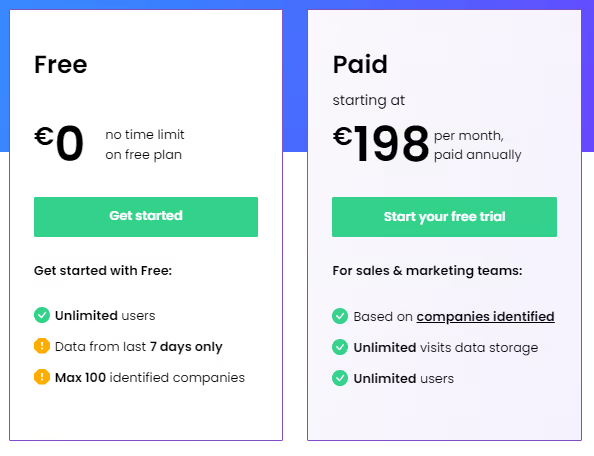
They offer a free plan with no time limit, and the paid plan starts at € 198 per month, paid annually.
Dealfront Limitations:
- Limitation in Tracking LinkedIn Ad Visits:
Users have reported an inability to effectively track companies visiting the website from LinkedIn ads, particularly on mobile devices. This limitation hinders comprehensive visibility into the impact of LinkedIn advertising efforts.

- Persistent Integration Errors with Microsoft CRM:
The platform has faced ongoing integration errors with Microsoft CRM for approximately a year, affecting usability for users relying on this specific CRM system. The persistence of integration issues raises concerns about the platform's compatibility with Microsoft CRM.
- Incorrect Assignment of Dealfront Visits in CRM:
Users have experienced issues with the correct assignment of Dealfront visits in CRM, rendering this feature unusable. This inaccuracy in data assignment poses challenges for users who depend on precise tracking and attribution.
- Service and Error Resolution Concerns:
Concerns have been raised regarding the service and resolution of errors within the platform. Users have reported challenges in error resolution, prompting some to explore alternative solutions to address these issues. The perceived issues in service and error handling contribute to uncertainties about the platform's reliability.

- Manual Processes and Interface Absence:
Users have expressed dissatisfaction with Dealfront Target, citing manual steps as a significant drawback. The absence of an interface with the CRM necessitates manual intervention, leading to time-consuming processes that could be streamlined with a more integrated solution.
- Challenges in Data Timeliness and Quality:
Dealfront Target faces challenges related to data timeliness and overall data quality, which may fall short of user expectations. Users have reported instances where contact data did not meet the desired standards, highlighting potential areas for improvement in maintaining accurate and up-to-date information.

As businesses scout for Leadlander alternatives, their decision would depend on their specific needs but may include budget considerations, and preferences of businesses. Thoroughly evaluating the features, limitations, and user feedback for each alternative is crucial in making an informed decision that aligns with the goals of the organization.
{{INLINE_CTA_A}}
If you're seeking alternatives to LeadLander for website visitor tracking and lead generation, here are several robust platforms to consider:
1. Lead Forensics
A B2B tool that identifies anonymous website visitors, providing detailed company and contact info. It integrates with CRM systems and offers real-time alerts, making it ideal for converting website traffic into leads.
2. Factors.ai
Combining website visitor tracking with advanced analytics and account-based marketing, Factors.ai captures cross-channel intent signals and automates workflows, enhancing sales and marketing efficiency.
3. Clearbit
Clearbit enriches visitor data with real-time company insights. It integrates with marketing platforms for personalized outreach and lead scoring, boosting targeted marketing efforts.
4. Visitor Queue
Visitor Queue identifies companies visiting your website and provides key contact info. Its user-friendly interface and affordable pricing make it a great choice for small to mid-sized businesses.
5. Albacross
Albacross offers lead generation and ABM solutions by converting anonymous visitors into actionable leads. It provides visitor behavior insights and integrates with major CRM systems for efficient lead management.
When selecting an alternative to LeadLander, consider factors like integration capabilities, data accuracy, interface, support, and pricing to find the best fit for your business.
LinkedIn Ads Targeting Best Practices & Strategy Guide For 2026
Learn proven LinkedIn ad targeting strategies, from location-based segmentation to account-based marketing. Optimize your B2B campaigns with expert tips on audience sizing, budget allocation, and funnel-based targeting approaches.

TL;DR
- LinkedIn's ad targeting focuses on professional attributes, making it ideal for B2B marketing but requiring a different strategy than high-intent platforms like Google Ads.
- Funnel-based targeting is key—start with broad awareness campaigns (TOFU), engage warm audiences through retargeting (MOFU), and push high-intent conversions (BOFU).
- Optimizing audience size and budget is crucial—target 50K-300K members, allocate 80% to proven campaigns, and reserve 20% for testing.
- Avoid common pitfalls like over-narrowing targeting, poor budget allocation, and missing conversion tracking to maximize ROI and campaign performance.
Understanding LinkedIn's Unique Ad Targeting Landscape
LinkedIn is a standout platform for B2B marketing, especially as we are into 2025. With over 1 billion members, including 180 million senior-level influencers, it offers a unique professional context that differentiates it from other advertising platforms. Unlike those focusing on personal interests, LinkedIn allows you to target based on professional attributes, making it ideal for reaching decision-makers and executives when they're in a business mindset.
It's important to note that LinkedIn is fundamentally a low-intent channel compared to platforms like Google Ads, where users actively search for solutions. This characteristic significantly influences how you should approach your LinkedIn targeting and campaign strategy. Most common LinkedIn advertising advice is typically framed around small daily budgets ($100-200), particularly for businesses just starting with the platform as an inbound lead generation channel.
The precision targeting of LinkedIn is invaluable for B2B marketers, allowing you to focus on job titles, company size, industry, skills, and professional interests. To make the most of LinkedIn's capabilities, it's essential to connect with the right professionals who can impact business decisions.
Location-Based Targeting Fundamentals
A strategic funnel-based targeting approach on LinkedIn remains crucial for successful campaigns in 2025. While this approach is highly effective for most businesses using LinkedIn as a lead generation channel, it's important to note that this strategy may need significant modification for enterprise companies with large budgets ($2-3 million), as their needs and objectives often require more sophisticated approaches.
Here's how to structure your targeting across the funnel:
- Top of Funnel (TOFU): Target broad professional demographics, focus on awareness and educational content, and use interest-based targeting and industry-specific filters.
- Middle of Funnel (MOFU): Retarget website visitors and content engagers, implement Matched Audiences for enhanced precision and focus on job functions and seniority levels.
- Bottom of Funnel (BOFU): Target high-intent audiences showing specific behaviors, use contact list targeting for warm leads, and focus on decision-makers within target accounts.
For companies just starting out or working with limited budgets, it's recommended to begin with high-intent audiences and gradually expand. This typically means:
- Start with website visitor retargeting if you have sufficient traffic
- Target company page followers if you have a substantial following
- If neither of these warm audiences exists, begin with targeted top-of-funnel campaigns to build your retargeting pool
Adjust your messaging and content type based on the funnel stage. Use LinkedIn's Website Demographics tool to understand which professionals are engaging with your content at each stage.
{{INLINE_MOFU}}
Professional Targeting Parameters
LinkedIn's professional targeting capabilities are a major advantage. In 2025, these parameters will be even more refined, allowing for precise audience segmentation. You can target by job titles, job functions, industry sectors, company size, and skills & experience. A pro tip is to combine 2-3 professional parameters for optimal results, such as targeting Marketing Directors in Technology companies with 500+ employees. Avoid using too many parameters simultaneously, as this can limit your reach.
Check out Marketing ROI From PPC for more on optimizing your marketing ROI.
Advanced Targeting Strategies
LinkedIn's advanced targeting features in 2025 offer sophisticated ways to reach your ideal audience. Matched Audiences is a powerful tool for retargeting website visitors, uploading contact lists, and implementing account-based marketing (ABM) strategies. For website retargeting, install the LinkedIn Insight Tag to track and re-engage visitors. With Contact Targeting, upload your existing customer or prospect email lists for precise targeting. The ABM approach lets you target specific companies using the Account Targeting feature, which is perfect for B2B campaigns. Best practices include maintaining a minimum list size of 300 matched records and regularly updating your contact lists for better match rates.
Audience Size and Budget Optimization
Finding the right balance between audience size and budget allocation is crucial for LinkedIn campaign success in 2025. Aim for an audience size between 50,000 and 300,000 members. Start broad with 2-3 targeting criteria and monitor audience size in real-time using Campaign Manager. Adjust parameters if the audience becomes too narrow or too broad. Begin with a minimum daily budget of $100-200 for meaningful data and allocate 80% of the budget to top-performing campaigns. Reserve 20% for testing new audiences. Over-targeting can lead to higher costs and limited reach, so focus on the most relevant criteria for your business objectives.
Funnel-Based Targeting Approach
A strategic funnel-based targeting approach on LinkedIn remains crucial for campaign success in 2025. Here's how to structure your targeting across the funnel:
- Top of Funnel (TOFU): Target broad professional demographics, focus on awareness and educational content, and use interest-based targeting and industry-specific filters.
- Middle of Funnel (MOFU): Retarget website visitors and content engagers, implement Matched Audiences for enhanced precision and focus on job functions and seniority levels.
- Bottom of Funnel (BOFU): Target high-intent audiences showing specific behaviors, use contact list targeting for warm leads, and focus on decision-makers within target accounts.
Adjust your messaging and content type based on the funnel stage. Use LinkedIn's Website Demographics tool to understand which professionals are engaging with your content at each stage.
Testing and Optimization
Testing and optimization are critical aspects of any successful LinkedIn advertising strategy in 2025. Implement systematic A/B testing across your campaigns, focusing on one variable at a time. Test 4-5 ad variations simultaneously, run tests for at least 2 weeks and maintain statistical significance with adequate sample sizes. Monitor campaign metrics daily, track conversion rates across funnel stages, and analyze cost-per-lead trends. When scaling successful campaigns, gradually increase the LinkedIn budget and expand successful targeting combinations. Document all test results and insights for future campaign optimization.
LinkedIn Ad Targeting Best Practices For 2026
As we navigate LinkedIn advertising in 2025, several key trends and platform updates have emerged. AI-powered targeting capabilities have become more sophisticated, allowing for better audience prediction and segmentation. Platform updates now emphasize first-party data integration and privacy-compliant targeting methods. Industry trends show an increased focus on video content and interactive ad formats. Future-ready strategies should include implementing conversational ads with AI-powered responses and utilizing LinkedIn's enhanced analytics for real-time optimization. Stay ahead by regularly updating your targeting approach based on LinkedIn's quarterly feature releases.
It becomes essential to measure successful campaigns using a multi-faceted approach focusing on both immediate and long-term metrics. Track key performance indicators like click-through rate, cost-per-lead, and conversion rate. Use LinkedIn's Campaign Manager for real-time performance data and implement the LinkedIn Insight Tag for detailed website visitor analysis. Calculate customer acquisition cost and measure return on ad spend. Align these metrics with your overall marketing objectives and regularly adjust your campaigns based on performance data. For more on measuring marketing ROI, visit Factors: Account Intelligence, Analytics & Attribution.
Common Pitfalls to Avoid in LinkedIn Ad Targeting
When running LinkedIn ad campaigns, avoid these common mistakes:
- Targeting Mistakes: Over-narrowing your audience, combining too many targeting parameters, and neglecting to exclude irrelevant audiences.
- Budget Misallocation: Setting daily budgets too low, not accounting for LinkedIn's higher CPC, and spreading the budget too thin across multiple campaigns.
- Campaign Setup Errors: Running without the LinkedIn Insight Tag, missing conversion tracking setup, and using poor-quality creative assets.
By steering clear of these pitfalls, you'll be better positioned to achieve your campaign objectives and maximize ROI on LinkedIn's platform. For more on maximizing LinkedIn Ads ROI, explore LinkedIn AdPilot.
What should you check before launching a LinkedIn Ads campaign?
A LinkedIn Ads pre-launch checklist is a final verification pass across targeting, budget, creative, and tracking to confirm every campaign element is set up correctly before spend begins. Skipping this step is the most common reason well-planned LinkedIn campaigns underperform in the first two weeks.
LinkedIn Ads best practices checklist
Targeting
- ICP is defined in writing, not just assumed
- Audience size confirmed between 50,000 and 300,000 in LinkedIn Campaign Manager
- No more than 2–3 targeting parameters combined
- Irrelevant audiences explicitly excluded
Funnel and creative
- Each campaign is mapped to a single funnel stage: TOFU, MOFU, or BOFU
- CTA matches the stage ("Book a demo" is a BOFU move, not a cold-audience opener)
- 4–5 ad variations ready, each testing one variable at a time
Budget
- Daily budget is at least $100–200 per campaign
- 80% allocated to proven campaigns, 20% reserved for tests
Tracking (the part most teams skip)
- LinkedIn Insight Tag confirmed firing before launch
- Conversion events configured in Campaign Manager, not set up retroactively
- CRM (HubSpot or Salesforce) synced, so the pipeline can be traced back to campaigns
- Success metric is cost-per-SQL or cost-per-opportunity, not just CPL
FAQs on LinkedIn Ads Best Practices
Q1: Is targeting by Job Title better than Job Function?
Job Titles can be inconsistent across different company cultures. Everyone has a "fancy" title now. Targeting by Job Function + Seniority is generally more reliable for scaling because it captures everyone in a department (e.g., "Marketing") at the right level (e.g., "Director") regardless of their "creative" title.
Q2: What do I do if my audience size is under 50,000?
If your audience is too small, LinkedIn’s AI struggles to optimize, and your CPMs (cost per 1,000 impressions) will skyrocket. Expand your criteria by adding related Job Functions or widening the Company Size filters.
Don't get so "niche" that you're only talking to three people in a basement. The algorithm needs data to breathe! Give it some room to move.
Q3: What is the biggest mistake in LinkedIn budget allocation?
Trying to run five different campaigns on $50/day total. It’s better to put $50/day into one strong campaign than $10 into five weak ones.
Stop trying to be everywhere at once! Pick your best-performing funnel stage, allocate a proper budget, and watch it grow.
Q4: How long should I run an A/B test before giving up?
You need at least two weeks and a significant sample size to reach statistical significance. In 2026, AI-powered targeting needs time to "learn" who is most likely to convert.
Patience is a virtue, especially when LinkedIn is spending your money. Don't pull the plug after two days just because you didn't get a lead; the campaign is still in learning mode.
LinkedIn Ads Strategy for B2B SaaS Growth in 2026
Optimize your LinkedIn ads for free trials, demos, and high-quality leads. Use precision targeting, proven ad creatives, and full-funnel strategies to drive SaaS growth and ROI.
TL;DR
- Prioritize free trials and demo requests over brand awareness.
- Use cold audience targeting, retargeting, and strategic brand awareness campaigns.
- Optimize LinkedIn ads with precise targeting and high-converting creatives.
- Implement CRM tracking, retargeting, and data-driven optimization for sustained ROI.
LinkedIn offers a powerful platform for B2B SaaS companies to generate qualified leads and drive scalable growth. This guide outlines a comprehensive LinkedIn advertising strategy specifically designed for SaaS, with tactical steps to maximize ROI and achieve tangible results.
Defining Core Objectives and the Funnel
The foundation of any successful LinkedIn campaign rests on a clearly defined objective: driving free trial sign-ups and demo requests. These actions represent direct engagement and a clear path toward conversion.
Prioritize these conversion-focused efforts before investing heavily in brand awareness. Brand awareness is valuable for reinforcement but should support, not precede a functional lead-generation strategy.
Strategic Nuances:
- Free Trials: A High-Value Proposition
Free trials offer users tangible value and hands-on experience, often resulting in higher conversion rates.
- Demos: Ideal for Complex Enterprise SaaS
Demos are well-suited for complex solutions that require personalized onboarding and detailed explanations.
Optimizing the Demo Offer: Move beyond simple demo requests and offer ‘expert webinars’ that showcase your software within the context of valuable industry knowledge.
The Integrated Full-Funnel Approach:
- Cold Audience Targeting: Test demo and trial offers on carefully segmented cold audiences.
- Retargeting: Recognize the need for multiple touchpoints. Implement retargeting campaigns to re-engage initial prospects.
- Strategic Brand Awareness: Once demo and trial offers demonstrate success, leverage brand awareness campaigns to build demand and improve demo show-up rates and trial activation.
Campaign Objectives, Ad Formats, and Bidding
Selecting the appropriate campaign objectives and ad formats is critical for maximizing campaign performance.
Campaign Objectives:
- Website Visits: Drive traffic to your website to provide detailed information about your SaaS solution.
- Lead Generation: Collect lead information directly within the LinkedIn platform using pre-filled forms.
Also, read Lead Generation vs Demand Generation.
Ad Formats:
- Single Image Ads: Despite the allure of video, single image ads often outperform in initial engagement. Use compelling visuals and concise messaging to promote trial sign-ups or demo requests.
- Video Ads for Retargeting: Leverage video ads in retargeting campaigns to showcase product features and provide in-depth explanations.
Also, read Types of LinkedIn Ads.
The Hybrid Approach - Lead Gen Forms with Website Links
Combine the lead generation objective with a website link in the ad copy. This allows users to:
- Access Detailed Information: Empower prospects to research your product before committing to a demo or trial.
- Convert Directly: Offer a convenient lead form for those ready to request a demo or trial immediately.
This strategy enhances lead quality and boosts show-up/activation rates. Informed leads are more likely to engage meaningfully with your product.
{{INLINE_MOFU}}
Precision Targeting: Identifying the Ideal SaaS Prospect
LinkedIn's key advantage is its ability to target specific, high-value professional audiences. Focus on IT leaders, engineering managers, business executives, and other decision-makers within your target market.
Strategic Targeting Options
- Interests: Target users who have demonstrated interest in specific software categories relevant to your SaaS solution.
- Skills: Identify users with skills in software that integrates with your product, indicating potential compatibility.
- Groups: Target members of relevant LinkedIn groups focused on specific technologies or industries.
Tailored Approach to Audience Segmentation
- The User: The individual who directly uses your software. Craft ad copy that emphasizes increased productivity, streamlined workflows, and ease of use.
- The Executive/Manager: The decision-maker responsible for purchasing software. Focus on improved team efficiency, increased revenue, and overall business benefits.
The ‘Exact Job Title’ Strategy
Target specific job titles to minimize wasted ad spend. If you sell CRM software, target ‘CRM Managers.’ If you offer plugins for Salesforce, target ‘Salesforce Administrators.’
High-Converting Ad Creatives: Proven Templates for SaaS
Based on extensive campaign data, certain ad creative templates consistently deliver superior results on LinkedIn.
- The Problem Ad: Start with a question that highlights a common pain point: ‘Is your team struggling with [Specific Problem]?’ This approach is particularly effective for new product categories or solutions.
- The Process Graphic Ad: Visualize the steps your software simplifies: ‘Achieve [Desired Result] Better, Faster, and Without [Objection].’ Clearly illustrate the benefits of automation and efficiency.
- The User-Focused Ad: Feature an image of your target user in their work environment: A doctor using medical software or an engineer using design tools.
- The FOMO (Fear of Missing Out) Ad: Showcase well-known companies that have achieved success with your software: ‘See how [Company Name] increased sales by X% with [Your Software].’
Visual Considerations
- UI Illustrations: Use clean and concise UI mockups to demonstrate key software functionalities. Avoid overwhelming full-screen screenshots.
Comprehensive Conversion Tracking and Optimization
Accurate conversion tracking is crucial for measuring the ROI of your LinkedIn advertising efforts and optimizing campaign performance.
CRM Integration
- Track demo requests, trial sign-ups, and lead progression into your CRM.
- Monitor deal stages (lead, qualified, opportunity, closed-won) and attribute them back to specific LinkedIn campaigns.
- Leverage native CRM integrations (HubSpot, Salesforce) or third-party tools (Google Tag Manager, Zapier) for seamless data transfer.
Application Action Tracking
- Track key in-app actions that indicate user engagement and long-term retention: Account creation, profile setup, feature usage, etc.
- Push these conversion events back to LinkedIn to identify the most effective ads for driving desired user behaviors.
Retargeting for Activation and Upselling
- Create retargeting audiences based on user actions within your app.
- Re-engage inactive users and promote relevant features or upgrades to active users.
Actionable Insights and Optimization
- Regularly analyze conversion data to identify underperforming ads and targeting strategies.
- Test new ad creatives, bidding strategies, and audience segments to continuously improve campaign performance.
Optimizing LinkedIn Ads for SaaS Growth in 2025
Prioritize attracting high-quality trial users and nurturing long-term customer relationships. Focus on in-app engagement and activation to maximize the lifetime value of your LinkedIn leads.
A successful LinkedIn strategy focuses on free trials and demo requests for higher conversions. Prioritize these over brand awareness.
- Free Trials & Demos: Drive engagement with hands-on experience and expert webinars.
- Ad Strategy: Use single image ads for engagement and video ads for retargeting.
- Lead Gen Optimization: Combine lead forms with website links for higher-quality conversions.
- Tracking & Retargeting: Monitor CRM data, in-app actions, and re-engage users for better ROI.
By implementing this comprehensive strategy, B2B SaaS companies can effectively leverage LinkedIn ads to drive sustainable growth and achieve significant ROI in 2025 and beyond.

How to use LinkedIn ads to Support SDR Outbound
Discover how you can use LinkedIn ads and Factors AdPilot to level up your outbound motion and close more deals

B2B sales is a long and arduous process. Leading prospects from “Qualified Lead” to “Closed won” is a trying ordeal for even the best SDRs. So, what’s the best way to fast-track these deals?
Two words: LinkedIn ads.
Instead of having your sales reps constantly follow up with “just checking in” emails, you can leverage the power of your ad campaigns to drive consideration for your product as they’re talking to your sales team.
Let’s dive into how you can use LinkedIn ads to support your outbound efforts ⬇️
Streamline your ABM with account engagement data
As you know, ABM typically involves marketing and sales aligning on a target list of accounts and then reaching out to them parallelly via sales outbound and marketing campaigns. However, the way marketers implement this process leaves much to be desired.
For example, if someone replies to your sales email, they’d naturally have higher buyer intent than someone who simply leaves your emails unopened. Would it make sense to show ads to prospects that aren’t interested in your solution? Moreover, you have no control over how your ads are shown to accounts in this list. For instance, you’d naturally want to show more ads to accounts in the SQL stage rather than ones already in negotiations.
Rather than spreading your LinkedIn impressions uniformly across all accounts in the target account list, it is wiser to focus most of your ad spend on accounts showing more intent. You can use account engagement data to tailor your ads based on how far they’re along the sales funnel. To achieve this, you must invest in a tool that consolidates all your CRM data and turns it into actionable insights for your ad strategy.
Here’s how you can use Factors AdPilot to interpret your account data, optimize your LinkedIn ads, and move prospects across the funnel:
Show ads based on sales engagement
While your prospects engage with your sales rep, you can target the buying committee by adding them to a sequential ad campaign and showing how your features effectively solve their problems.
You can use Audience Builder to target the right accounts per your campaign objectives. For example, if you want to target all accounts that have completed a demo call, you can create a segment on our platform and import it to LinkedIn Campaign Manager.
However, you should also limit the number of times you show them ads to avoid ad fatigue. Unfortunately, LinkedIn doesn’t yet have a feature that allows you to control the ad frequency at an account level. Lucky for you, Smart Reach can make it happen!
Smart Reach allows you to cap the number of impressions shown to specific accounts. Find out how we use Smart Reach at Factors to control ad exposure:
- Every account in the target account list (agreed on by marketing and sales) gets 500 impressions per month.
- If the account replies to an email or starts showing website activity, we bump up the impressions for them to 1500
- If a deal is booked we increase the impression cap to 2500 and by 1000 for every stage in the deal funnel.
This approach results in better sales and marketing alignment and allows you to target your account list better.
If you want to know whether your ads are truly working, it’s True ROI to the rescue. Thanks to view-through attribution, you get a complete overview of how prospects interact with your ads and make buying decisions.
Here’s a report that shows how many prospects view your ads and visit your website after a demo call:

You can also use our CAPI integration to send your conversion data from your website and CRM to LinkedIn. For example, you can send data of users who respond to sales emails to optimize your campaigns better:

{{INLINE_TOFU}}
Wrapping up
Outbound Sales can be daunting, but simultaneously running LinkedIn ads makes it easier. When you target your ads to prospects according to how they’re engaged with sales, you can speed up your sales process without seeming pushy. Speak to our team today to learn how AdPilot can help you supercharge your ad campaigns and close deals in no time.

Top 4 Oribi Alternatives For B2B Marketing Teams
This article highlights the top 4 alternatives to Oribi and how they fare in terms of their features (pros and cons), pricing, integrations, and user reviews.

Why did Linkedin acquire Oribi?
On March 31st 2022, Linkedin announced its acquisition of Oribi — an Israel-based marketing analytics company, for over $80 million. Oribi was a marketing analytics platform that offers seamless integration and automated event tracking for your website without the need for coding. They provide a user-friendly platform that combines several conversion rate optimization (CRO) features, including customer journey funnels and event correlations, making it easy for users to access and utilize these tools.
An agreement was reached with Oribi CEO, Iris Shoor, after several conversations about product and value alignment. Linkedin’s purchase of Oribi is part of a larger strategy to expand features across Linkedin Marketing Services (LMS). LMS includes a range of strategies, techniques and tools used to promote advertisements, profiles and other businesses on LinkedIn. This helps advertising firms and recruiters to get actionable insights into their posts and advertisements.
With this acquisition LinkedIn aims to position itself strongly in the advertising and marketing analytics domain. With a 43% growth in the marketing service revenue on yearly basis, LinkedIn wants to grab on to the momentum of the growth trajectory of the marketing revenue. It aims to provide its users with keen insights with more data analytics and attribution in order to stronghold itself as a competitor to Google Ads services.
But what are the implications of this acquisition? and how does this affect former-Oribi customers? Let’s find out.
“Understanding which channels and messages have the greatest impact on the decision to take a desired step, such as a buyer requesting a product demo or a job seeker applying to a job posting, is critical to the effectiveness of any marketing campaign. Through the integration of Oribi’s technology into our marketing solutions platform, our customers will benefit from enhanced campaign attribution to optimize the ROI of their advertising strategies” - Tomer Cohen, CPO, LinkedIn
How will Linkedin use Oribi’s technology?
As previously mentioned, Linkedin acquired Oribi with the intention of expanding its LMS portfolio with industry-leading marketing and web analytics software. In particular, Linkedin was expected to employ Oribi to improve LMS insights tag implementation, drive audience insights for retargeting and CRO, and create customer journey funnels for Linkedin campaigns. Campaign attribution and ROI reporting are other Oribi use-cases Linkedin seeks to leverage for LMS.
As part of the agreement, Linkedin opened its very first office in Tel Aviv. The majority of the Oribi team has already joined Linkedin’s LMS division as well. LinkedIn’s action also came with a series of layoffs. According to some reports, 17 Oribi employees working in customer facing verticals(sales, marketing etc) were fired post acquisition.
“Oribi’s team brings deep analytics expertise that will help us accelerate the capabilities of our attribution technology across our lines of business – from helping a marketer find better leads to a recruiter identifying the right candidates. The acquisition will expand our international presence so we can continue delivering products that meet the evolving needs of our global customers and members.” - Tomer Cohen, CPO, LinkedIn
What does Linkedin’s acquisition of Oribi mean for customer data?
A couple of things. First, any data captured following Oribi’s integration remains in the control of customers and adheres to all commitments set by Linkedin’s standard ads agreement. This means that LinkedIn will not use, edit or tarnish the data already captured by Oribi for its existing users. Second, Linkedin will not be combining legacy personal data between Oribi and Linkedin. This means that the data captured by Oribi prior to the acquisition will not be used by LinkedIn in any way, therefore, the existing customers data will not be scrutinized by LinkedIn post integration.
Finally, there are no plans for Linkedin to alter the data it currently collects from users — simply to enhance existing data using Oribi’s technology. This implies that LinkedIn will not change or update its data collection policy from its users post integration with Oribi. Therefore, LinkedIn users should not be worried about collection of additional data points to enhance Oribi’s functionality.
{{INLINE_CTA_A}}
What does Linkedin’s acquisition of Oribi mean for former Oribi users?
According to several reports, Oribi shut down services and canceled customer contracts just weeks after the agreement was reached. Based on conversations with former Oribi-users, its revealed that Oribi has offered its customers a couple of options:
- Try out Oribi/LMS’s early-stage pilot program
- Switch to an alternate marketing/web analytics solution
The problem with the first option is that as a result of Linkedin’s acquisition, the pilot program is heavily limited. Integrations with third-party ad platforms like Google and Facebook look likely to be restricted as well. Therefore, the customers will not be able to get the ultimate benefit of marketing analytics, and integration features post acquisition. Accordingly, option 2 is the popular choice. Especially since historical data will not be preserved, now seems to be the best time to switch to an alternative solution for Oribi.
Best Oribi Alternatives in 2025
Since the acquisition of Oribi by LinkedIn, significant changes have taken place. Although it was anticipated that LinkedIn would leverage Oribi's capabilities to improve its marketing analytics, many users believe that the acquisition did not turn out to be favorable for Oribi.

Many users were not happy with acquisition, as they anticipated a large number of Oribi features to be eliminated post acquisition. Therefore, many Oribi customers are out scouting for viable alternatives for their needs.
There are a host of platforms to consider for replacing Oribi including Factors, Heap (which is a powerful solution, but suited more for product analytics), Wicked Reports, and Plausible.
Let's compare some of the top alternatives to Oribi and see how they fare in terms of their features (pros and cons), pricing, integrations and user reviews.
- Factors.ai
Fcators.ai is a marketing analytics tool which specializes in multi touch attribution with a focus on account based analytics and visitor identification.
Oribi does not offer the concept of dashboarding, making it difficult to group and visualize reports efficiently. Factors provides customizable dashboards where all reports are conveniently organized and displayed, simplifying the process of data grouping and visualization. It allows users to consolidate essential data in a single location, enabling easy tracking, analysis, and generation of insights to optimize marketing campaigns effectively.
Factors offers account-based analytics which includes campaign analytics, website analytics, and funnel analytics. With Factors, marketers can enhance their understanding and optimization of website conversions with automated tracking of buttons, detailed page analytics, access to unsampled data, and the ability to track custom domains. Factors provides end-to-end journey analysis with Funnels, letting the user add as many filters as they like to easily customize their data and dashboards.
What’s more is that Factors consolidates various metrics such as CPC, CTR, ROI, impressions, and more at different levels like channels, campaigns, ad groups, and keywords, enabling more detailed data-driven marketing strategies, this was not possible in Oribi.
Moreover, Oribi has limited integration with HubSpot, only allowing the push of web data into the CRM. In contrast, Factors integrates with both HubSpot and SalesForce, enabling the connection of campaign and web data with contact data, offline events, and revenue metrics from the CRM. This integration empowers comprehensive analysis and attribution throughout the customer journey.
Factors can be set up within 30 minutes and offers no-code integrations with ad platforms, CRMs, MAPs, and CDPs.

Both Oribi and Factors deliver intuitive web analytics, CRO, attribution, and funnels. On top of this, Factors also provides end-to-end customer journey mapping across campaigns, web, & CRMs. You can learn more about how Factors compares against Oribi here.
PROS:
- Unlike Oribi which only provided website attribution, Factors provide attribution at every relevant touchpoint from ads and website interaction to offline interaction using CRM integration. With customizable reports across channels, campaigns, and keywords, Factors can be moulded to any need which the user might have.
- Factors has an impeccable 64% visitor identification rate which is the highest in this category.. Along With its robust visitor identification feature complemented by multi-touch attribution, you can perform various attributions including offline touchpoints to identify the various sources from where visitors come to your website.
- Factors is now the official Marketing Partner of LinkedIn. With this collaboration, the users can get complete information about who is viewing Linkedin ads, clicking on them, and how this leads to conversions. With this partnership, users can optimize their campaigns with AI driven insights for all of their marketing efforts..
CONS:
- Factors cannot automatically send data back into Hubspot or Google Analytics like Oribi. Therefore, it may not be a good fit for you if you are looking for data orchestration rather than analytics.
- Factors does not support integration with ActiveCampaign, Mailchimp, and Klaviyo. Therefore, the user may miss out on the use cases relevant to these integrations
Integrations:
- Google Search Console
- Google Ads
- Facebook Ads
- LinkedIn Ads
- Hubspot
- Salesforce
- Clearbit
- Segment
Pricing:

Factors offers a free 14 day trial with no credit card requirement. Visitor Identification and Website Analytics plans start at 99/month, while it has a separate pricing plan for Multi-Touch Attribution starting at $399/month.
Reviews:

{{INLINE_CTA_A}}
2. Plausible Analytics
Plausible Analytics is a cookieless web analytics tool designed specifically for a wide range of businesses including small and medium-sized enterprises (SMEs), startups, content creators, bloggers, and e-commerce websites.. As an open-source tool, Plausible offers a transparent and customizable solution that empowers businesses to track website performance without compromising user privacy. It offers intuitive data analytics with traffic segmentation, shareable dashboard and real time notifications. Plausible aims to provide simple web analytics at a glance without any complex layering of data with menus, and complex reports. Instead of tracking every imaginable metric, Plausible focuses only on relevant and most important data points. Like Oribi, Plausible provides intuitive data analytics features which are compressed in a 1KB script.
Plausible’s script size is smaller than 1KB, ensuring that website loading time is reduced. With a script size which is 45 times smaller than Google analytics, plausible occupies less space and gets easily installed.

PROS:
- One of the standout features of Plausible Analytics is its incredibly lightweight script, clocking in at less than 1KB. This means that implementing the tool won't slow down your website's loading time, ensuring a seamless user experience for your visitors.
- Plausible complies with GDPR, CCPA, and PECR.. It offers real time slack and email updates which are customizable based on the user’s needs.
CONS:
- Plausible does not provide multi touch attribution but only last click attribution. This leaves you unsure of where the leads actually come from.
- Since Plausible Analytics does not collect or store personally identifiable information (PII) and avoids the use of cookies, it means they do not retain historical data beyond a 30-day period. This could pose a challenge if your tasks involve long-term data analysis or trend tracking, as the limited data retention may affect your ability to derive insights and perform comprehensive analysis
Integrations
- Bubble.io
- Carrd
- Hubspot
- Google Data Studio
- Google Search Console
- Notion
- Wordpress
Pricing

The tool provides a free trial, and the paid plans start from just $9 per month for 10K visitors. Furthermore, users can get a 2-month free subscription if they pay annually.
Reviews

- Heap
Heap is an analytics tool that automatically captures, tracks, and visualizes visitor engagement with the website to provide actionable insights. Heap collects data and collates it into easy to read graphs and funnels.Heap focuses on enhancing customer engagement and tracking their activity throughout their journey with a brand. Heap offers a diverse array of capabilities, like automatic event tracking, retroactive data capture, and real-time reporting. It empowers businesses to segment their data based on users, sessions, and events, simplifying the process of identifying trends and patterns within the data. For Oribi users, Heap could be a good fit since it provides customers with funnels, real time reporting, and a host of data visualization features.

PROS:
- Heap offrs intuitive and customizable dashboards to coordinate important metrics for the business and help drive insight driven actions. It allows businesses to segment their data by users, sessions, and events, making it easier to identify trends and patterns.
- Heap provides user segmentation, which helps categorize users based on their characteristics and behavior. This feature allows businesses to track users retroactively, gaining insights into their past interactions and activities. With user segmentation, companies can better understand their audience and tailor their strategies to meet specific user needs.
- With the user timeline feature, Heap enables marketers to see detailed user level data as to how each user interacts with the website/app. The timeline of this activity can be adjusted from the last 7 days to the date the user first interacted with the website/app.
CONS:
- Heap occupies a large amount of space due to its many features and comprehensive data storage features.. When you have a lot of data stored, it becomes more challenging to calculate the costs associated with data privacy and protection, storage and archiving, and regularly backing up the data. The complexity increases as the amount of data grows, making it important to carefully manage and allocate resources to ensure data security and accessibility.
- Heap only focuses on the website traffic, user activity on the particular site and conversions. It does not factor in the role of paid ads, organic reach on search engines and other touchpoints. Here is where a tool like Factors comes into play as it gives you a complete and in depth overview of the data attribution and visitor identification across multiple touchpoints.
Integrations:
- Shopify
- FullStory
- Clearbit
- RedShift
- Eloqua
- Hubspot
- Salesforce
Pricing

The tool provides a free trial and a free package for up to 10K monthly sessions. The growth package is priced at $3600/YEAR for 3OOk sessions per year.
Reviews

{{INLINE_CTA_A}}
4. Wicked Reports
Wicked Reports is a marketing attribution platform with a wide assortment of campaign analytics features. Some of its unique features include the ability to include/exclude subscription revenue, distinguish new sales from recurring sales revenue, and new leads from re opt-ins.
Attribution in Wicked Reports is its standout feature, primarily used for generating ROI reports. Users can pick from various attribution models provided by this platform like, linear attribution, last click, first click attribution, full impact attribution etc. Wicked Reports also generates insights into customer lifetime value and cohort analysis.

Pro:
- Wicked Reports offers cohort analysis capabilities, allowing you to analyze the behavior and performance of specific groups of customers over time. The platform helps in the visual representation of the monetary value and ROI of the customer, illustrating their profitability and financial performance over time..
CONS:
- Wicked Reports cannot be used to visualize customer funnel journeys. This means that marketers will not be able to locate where leads are lost. Customizing and visualizing of funnels is possible with tools like Factors.ai.
- Wicked Reports primarily focuses on marketing attribution rather than web-level attribution. It specializes in attributing marketing efforts to revenue and ROI, helping marketers understand the impact of their various marketing channels and campaigns. However, when it comes to granular web-level attribution, such as tracking specific user actions on a website, Wicked Reports may not provide extensive capabilities in that area
Integration
- Hubspot
- Mail Chimps
- Shopify
- Google Ads
- Facebook Ads
- Snapchat
- Paypal
Pricing

Reviews

LinkedIn Acquires Oribi: Implications & Top Alternatives
LinkedIn’s acquisition of Oribi in March 2022 enhances its marketing solutions with better campaign attribution and ROI optimization. Former Oribi users may seek alternative analytics platforms.
1. Top Alternatives: Google Analytics, Semrush, SE Ranking, and Similarweb.
2. Key Features: Website traffic analysis, keyword research, competitive insights, and conversion tracking.
3. Strategic Benefits: Optimize marketing performance, track audience behavior, and improve SEO visibility.
These platforms offer valuable analytics solutions to replace Oribi, helping businesses refine their marketing strategies effectively.
{{INLINE_CTA_A}}
In conclusion
LinkedIn’s acquisition of Oribi came at a crucial time for the marketing analytics and attribution space. With a keen focus on positioning itself as a strong rival to Google Ads services, LinkedIn aims to utilize the marketing analytics and attribution features offered by Oribi. LinkedIn wants to focus on its campaign manager which has now become more and more relevant to analyze marketing campaigns.
That said, Oribi can definitely improve its interface and analytics capabilities especially with the continued support of Microsoft. With the acquisition now completed, LinkedIn now has in its coffers a host of features to drive its marketing analysis and attribution arm. As a result, LinkedIn will now be able to offer recruiters and advertisers complete analytics of their ads and posts fueled by AI-driven insights.
Now, more than ever, marketers feel the need and importance of monitoring their efforts and making data-driven decisions to ensure they’re getting the most bang for their buck. The role of marketing analytics will only become increasingly important as even conventionally offline events like seminars and conferences turn digital.
Although the acquisition proved fruitful for LinkedIn and its marketing analytics tool, existing customers did not like it as much. Post acquisition, Oribi shut down its customer-facing vertical, culling out numerous features and also fired customer-facing employees.The existing employees of Oribi especially the sales and marketing vertical had to bear the brunt. Additionally, the existing customers had to venture out in search of alternatives to replace Oribi, which resulted in additional costs, and wastage of time.
The search for an Oribi alternative ends here with Factors. Factors has proven to be a highly effective marketing analytics and attribution platform for B2B marketers. Try it for free or schedule a personalized demo to witness its impact on your campaigns and website conversions today!
FAQ:
- Why did LinkedIn acquire Oribi?
With Oribi’s acquisition, LinkedIn was looking forward to optimizing its marketing and advertising service. LinkedIn aimed to solidify its global presence by providing marketers and recruiters a keen insight into their campaigns. According to Tim Cohen (Chief Product Officer at LinkedIn), marketing services grew about 43% on a yearly basis, with Oribi in its coffers, LinkedIn aims to drive this growth potential and position itself as a reliable source of advertising and marketing services.
Furthermore, LinkedIn aims to position itself as a firm competitor against Google's ads and marketing service.
- What are the best Oribi alternatives?
Some of the best Oribi alternatives for 2023 are Factors.ai, Heap, Plausible Analytics,and Wicked Reports. Some other platforms to look out for are Mixpanel, Amplitude and Fullstory. Oribi carved out a strong position in this market due to its no code and easy to use market attribution feature which housed loads of CRO features. One should look out for relevant attribution services with an easy to use interface in order to match the experience of Oribi.
Top 10 Leadinfo Alternatives and Competitors in 2026 (Updated)
Explore the top Leadinfo alternatives: comparing features, pricing, and limitations for Warmly, Leadinfo, KickFire - A Foundry Company, LeadMagic, among others.
Leadinfo is an innovative software company specializing in B2B marketing data solutions. Utilizing advanced technology, Leadinfo excels in uncovering latent opportunities within website traffic through the analysis of sophisticated intent data.
Throughout the entire customer journey, from initial awareness to decision-making stages, Leadinfo offers in-depth insights. Businesses benefit from the ability to discern potential buyers and tailor engagements according to their preferences.
So, why look for a Leadinfo Alternative?
- Prospect Coverage Limitations:
Scenario: Leadinfo may fall short in capturing smaller prospects, impacting its effectiveness for businesses engaging with a diverse range of potential clients.
Consideration: Companies aiming for comprehensive prospect coverage may explore alternatives with a broader reach and a more inclusive approach to diverse market segments.
- Integration Challenges:
Scenario: Leadinfo's integration capabilities, especially in marketing automation, may have room for improvement, impacting the seamless execution of holistic marketing strategies.
Consideration: Businesses seeking a more integrated marketing tech stack may consider alternatives offering robust compatibility with various platforms, enhancing overall operational efficiency.
- Pricing Sensitivity:
Scenario: While Leadinfo provides a free demo, perceived costliness after the trial period may lead businesses, particularly those with budget constraints, to explore more cost-effective alternatives.
Consideration: Companies prioritizing marketing automation may explore alternatives with advanced features that seamlessly align with their marketing strategies for optimal results.
Factors to consider in the alternative
- Prospect Coverage Precision:
Evaluate the alternative's capability to comprehensively capture a diverse range of prospects, ensuring no segment is overlooked.
- Integration Flexibility:
Assess the alternative's integration capabilities, particularly with marketing automation tools, to guarantee a cohesive and integrated tech stack.
- Cost-Effectiveness:
Consider the pricing structure beyond the trial period, ensuring it aligns with the business's budget while delivering the necessary features and functionalities.
- User Identification Accuracy:
Scrutinize the alternative's precision in identifying and categorizing website visitors, aiming for higher accuracy in lead identification.
- Marketing Automation Enhancement:
Examine the alternative's capabilities in marketing automation, ensuring it meets or exceeds the desired level of functionality for streamlined and automated campaigns.
{{INLINE_CTA_A}}
Today, we’ll be comparing:
- LeadMagic
- Factors AI
- Warmly
- Leadlander
- PearlDiver
- Clearbit
- Demand
- Lead Forensics
- Dealfront (Formerly Echobot and Leadfeeder)
- Snitcher
Before we start, here’s a little about Leadinfo

Leadinfo Features
- Lead Capture Forms:
Leadinfo simplifies the creation of personalized lead generation forms, utilizing visitor information to boost positive responses and improve lead conversions.
- Browsing Activity Tracking:
By monitoring visitors' journeys on the website, Leadinfo enables sales and marketing teams to interpret visitor intent, effectively qualifying them as potential leads.
- User-Friendly Layout:
Leadinfo features an intuitive inbox-style layout, reminiscent of email interfaces, providing a clear and user-friendly overview of each website visitor. This design enhances the tool's usability, making it easily adaptable for teams.
- Seamless Integrations:
Leadinfo seamlessly integrates with over 60 platforms, including Asana, Discord, Freshworks, Insightly, HubSpot, Zoho, and Slack, offering versatile compatibility for diverse business needs.

Leadinfo Pricing
The cost of using Leadinfo is determined by the total number of monthly unique visitors to your website. Users can input their data into the pricing page to determine the corresponding cost for their specific needs.

Leadinfo Limitations
- Integrations:
There is room for improvement in integration development to enhance functionality, particularly in the implementation of marketing automation. This refinement would streamline the execution of marketing strategies for optimal results.

- Pricing
While the free demo period grants access to all features, certain functionalities are disabled upon account creation, leading to a substantial increase in payment. The perceived costliness of Leadinfo is a consideration for potential users.

- Prospect Coverage Limitations:
Leadinfo may not capture all smaller prospects or clients, potentially limiting its coverage and effectiveness for businesses engaging with a diverse range of prospects.

1. LeadMagic

LeadMagic Features:
- Visitor Identification:
The platform assists in recognizing noteworthy accounts that visit a website, ensuring timely communication to sales and marketing teams through Slack messages.
- Lead Scoring and Prioritization:
Using engagement levels as a basis, LeadMagic intelligently assesses and prioritizes leads, promoting a targeted approach to the most promising prospects.
- Lead Nurturing and Automated Workflows:
Streamline lead nurturing campaigns through the platform's automation capabilities, fostering relationships with potential clients.
- Lead Generation Services:
Benefit from customized lead generation strategies, encompassing nurturing, qualification, and strategic outreach facilitated by the platform.
- Digital Marketing Solutions:
Comprehensive digital marketing solutions covering SEO, social media marketing, and PPC advertising, ensuring optimal visibility and engagement for your brand.
- Customer Engagement Programs:
The platform covers diverse digital marketing aspects, including search engine optimization (SEO), social media engagement, and pay-per-click (PPC) advertising, ensuring optimal brand visibility.
- Strategic Consulting:
Specializing in marketing strategy development, data analytics, and insights, the platform aids in campaign performance measurement for informed decision-making.
- Technology Integration:
The platform contributes to marketing effectiveness through technology integration, ranging from marketing automation implementation to interfacing with customer data platforms.

LeadMagic Pricing:
The pricing model is determined by the monthly identification of companies, excluding ISPs and low-quality traffic. Starting at an upfront annual fee of $139, the pricing is adapted to suit various business sizes and web traffic volumes.
Pricing for Visitor Identification with LeadMagic:


LeadMagic Limitations:
- Currency Limitation:
Presently, the platform accepts payments exclusively in USD, with potential future considerations for billing in AUD.

- Interface Improvement:
Acknowledging room for improvement, the platform developers actively integrate customer feedback to enhance the interface.

2. Factors.ai

Factors.ai Features
- Anonymous Account Identification:
Our platform excels in identifying anonymous website traffic, offering comprehensive insights into company details, industry, location, and online behavior.
- Opportunity Generation and Audience Segmentation:
Facilitating opportunity generation and audience segmentation, our platform becomes a catalyst for refining targeting strategies, and empowering precise sales and marketing approaches.
- Seamless Integration:
Integration is achieved through direct compatibility with various marketing and sales platforms, ensuring efficient audience management and enhancing overall sales cycle efficacy.
- Automated Workflow:
Integrating audiences into marketing and sales services is streamlined, boosting marketing activities and providing a robust workflow.
- Opportunity Management and Real-Time Notifications:
Our platform offers unparalleled visibility, expediting deal tracking, identifying buying signals promptly, and notifying users in real-time when existing customers re-enter the market.

Factors AI Pricing
The Free plan, available at $0 per month and requiring no credit card, offers a perpetually free option to users. The Basic Plan, priced at $149 per month and billed annually, offers a comprehensive set of features designed to meet more advanced needs.

Factors AI Limitations
- Documentation and Tutorials:
While existing resources are available, user reviews suggest the need for more comprehensive guides. Clear and instructive documentation would empower users to maximize the potential of Factors.AI, creating a more user-friendly environment.

- User Interface and Experience:
The user interface could benefit from increased intuitiveness, clearer navigation, and visual cues, as indicated by user feedback. Enhancing the overall user experience is vital for new users to comprehend and effectively use the platform's features, contributing to a smoother onboarding process and higher satisfaction.

- Integration Options:
Currently relies on webhooks, specifically through Zapier, for integration instead of native integrations. While webhooks offer a workaround, the absence of native integrations may limit connectivity with a broader array of tools, posing a challenge for users seeking seamless integration.
{{INLINE_CTA_A}}
3. Warmly
Warmly Features
- Comprehensive Access:
Obtain access to enrichment and intent data for streamlined automation.
- Unified Buyer Experience:
Merge intent insights with immediate action for effective engagement with decision-makers.
- Autonomous Sales Orchestration:
Bridge the gap between intent signals and outreach to enhance competitiveness.
- Effortless Integration:
Seamlessly integrate Warmly with existing tools, converting high-intent website visitors into leads.
- Reveal & Enrich:
Build real-time comprehensive profiles of site visitors, linking them to opportunities.
- Orchestrated Workflows:
Trigger automated prospecting campaigns based on site activity.
- Intent-Driven Playbooks:
Integrate insights to prioritize accounts and orchestrate effective next steps.
- Convert Prospects:
Utilize AI chat for engagement, involving sales when visitors signal readiness for a conversation.
- Attribution & ROI:
Gain real-time visibility into driving ideal customer profile (ICP) traffic and understand conversion rates.
- Unified Revenue Team:
Automate handover to sales, enhance pipeline creation efficiency and align sales-marketing efforts.

Warmly Pricing:
Warmly offers a free account with access to 500 leads per month. The Business plan, starting at $805 per month, provides users with access to 25,000 leads monthly.
Warmly Limitations:
- Bot Traffic and Noise:
Recognition of the challenge of distinguishing valuable leads from bots or short-duration visitors, suggests a need for enhanced filtering.

- Limited User Identification:
Some users have pointed out limitations in identifying every user, proposing solutions such as code additions to marketing emails for improved identification.

- Filter Challenges:
Users report occasional difficulty in filters, sometimes displaying existing customers as leads, particularly in intent data.

- Reporting Features Development:
Users acknowledge ongoing development in reporting features and anticipate improved data integration into the CRM for more informed decision-making.

4. Leadlander

Leadlander Features
- Identification of Business Website Visitors:
Emphasizes the identification of corporate-based website visitors, providing valuable insights into the audience frequenting business websites.
- Verified Contact Profiles:
Furnishes verified contact profiles, encompassing details such as name, email, title, and other critical data points for employees at companies exploring your website, facilitating actionable connections.
- Analytics and Reporting Services:
Provides specific details about each website visitor, transforming anonymous visits into actionable contacts. Offers insights into customer journeys, connections to conversions, and intent data.
- Sales Platform Integration:
Effortlessly integrates with widely used platforms like Salesforce, Mailchimp, HubSpot, and Slack, streamlining the sales process for optimal effectiveness.
- Support Services:
Offers dedicated and responsive service and support to maximize the return on investment for users.
- User-Friendly Interface:
Facilitates real-time delivery of actionable data through tailored reports, alerts, and online access for convenient utilization.
- Intent and Corporate Data Access:
Supplies intent data to unveil individual prospects and their details, along with access to key contacts at prospect companies.

Leadlander Limitations:
- Integration Challenges:
Some users encounter difficulties integrating WebVisitor Insights with specific platforms, restricting the utility of collected data.
- Data Accuracy Concerns:
While providing accurate tracking data, some users express concerns about the precision of metrics, such as the count of unique visitors.
- User Interface Usability:
Users, especially those with limited technical experience, find the interface of WebVisitor Insights challenging to navigate and comprehend.
- Technical Support Quality:
Issues with the quality and availability of technical support have been reported, making it challenging to receive assistance when needed.
- Cost Considerations:
While cost-effective, some users perceive WebVisitor Insights as expensive, particularly for businesses with limited budgets.

{{INLINE_CTA_A}}
5. PearlDiver

PearlDiver Features
- Identification of Anonymous Website Visitors:
Pearl Diver excels in discerning anonymous website traffic, providing in-depth insights into company details, industry, location, and online behavior for a comprehensive understanding.
- Opportunity Generation and Audience Segmentation:
Facilitating the generation of opportunities and segmentation of audiences, Pearl Diver catalyzes refining targeting strategies and enabling precise sales and marketing approaches.
- Direct Platform Integration:
Seamless integration is achieved through compatibility with various marketing and sales platforms via Zapier. This functionality ensures efficient audience management, enhancing the overall efficacy of the sales cycle.
- Automated Workflow:
The integration of audiences into marketing and sales services is streamlined through Zapier or by exporting them to email as CSV files. This automation enhances marketing activities, providing a robust workflow.
- Opportunity Management and Real-Time Notifications:
Pearl Diver offers unparalleled visibility, expediting deal tracking, promptly identifying buying signals, and providing real-time notifications when existing customers re-enter the market. Advanced tracking capabilities contribute to proactive opportunity management.

Pearl Diver Pricing
The introductory plan for Pearl Diver starts at $387 per month. At present, the platform does not offer a free trial option.
Pearl Diver Limitations
- Restricted Geographic Coverage:
Pearl Diver currently operates exclusively within the United States, limiting data capture for businesses predominantly operating in Australia and other countries.

- Manual Data Download Process:
Daily manual downloads of data to Excel are a requirement, which may cause inconvenience. However, ongoing efforts suggest the potential introduction of an API setup to streamline this process.

- Challenges in the Onboarding Process:
Users have reported difficulties during the onboarding process, citing concerns about cleanliness. This may pose hurdles for users in the initial stages of adopting the platform.

6. Clearbit

Clearbit Features
- Clearbit's Target Accounts:
Clearbit's Target Market builder provides businesses with access to a comprehensive audience of every B2B company on the internet, extending beyond simple target account lists. This feature aids in understanding the true B2B target market.
- Intent Revelation and Pipeline Conversion:
Clearbit's solution helps identify anonymous website visitors, revealing buying intent from high-fit companies. This enables prompt action to convert intent into a pipeline, transforming website visitors into potential leads and customers.
- Access to Verified B2B Contact Database:
Offers access to a global B2B contact database with over 30 million verified contacts. This extensive database ensures broad coverage across the US, APAC, and EMEA, guaranteeing accurate B2B contact data for converting intent into a pipeline.
- Integration with HubSpot:
Integrates with HubSpot, facilitating the easy export of data to the HubSpot Customer Platform. This integration ensures instant deduplication of data, ready for campaigns, providing a streamlined prospecting experience.

Clearbit Pricing
The Free Plan, priced at $0, offers users 25 credits each month. The Growth Plan, priced between $50 and $275, offers credit tiers ranging from 125 to 1,000 credits monthly. The Enterprise Plan is customized, and organizations are encouraged to contact the sales team to discuss specific requirements and obtain tailored pricing details.

Clearbit Limitations
- Pricing:
Some users find Clearbit's pricing relatively high, posing challenges for early to mid-stage startups. Credits are quickly depleted, requiring additional purchases for more detailed information, and limiting exploration of features and data.
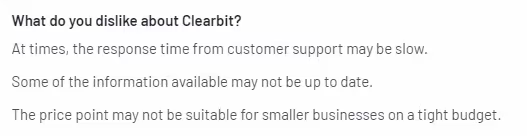
- Performance Issues:
Clearbit faces occasional lag or unexpected closures without prior notification, causing interruptions and inconvenience. This unpredictability affects overall reliability and user experience.

- Feature Gap vs LinkedIn Sales Navigator:
Clearbit lacks features like InMail to prospects and real-time notifications for key decision-making updates, potentially limiting functionality compared to LinkedIn Sales Navigator.
- Inability to Customize:
The dashboard needs more customization options, hindering the ability to tailor the user interface to individual preferences and suggesting room for improvement in alignment with industry standards.

7. Demand
Demand Features
- Identify Website Visitors:
With Demand, businesses can identify and engage with anonymous website visitors, enhancing lead nurturing and conversion opportunities through automated engagement on LinkedIn and via email.
- LinkedIn Automation:
Demand's advanced automation for LinkedIn streamlines outreach, personalizing messages, and facilitating demo bookings, boosting sales team productivity with AI-powered automation.
- Technology Signals Analysis:
Leveraging technology signals, Demand enables businesses to target and engage potential leads based on the technologies they use, ensuring a more targeted and personalized approach to prospect engagement.
- Automated Sentiment Analysis and Actions:
Demand's AI capabilities include automated sentiment analysis, allowing effective handling of positive, neutral, and negative responses, ensuring leads are not overlooked, and enabling CRM sync for efficient lead management.
- Social Selling Engagement:
Enabling social selling at scale, Demand facilitates lead monitoring and engagement on LinkedIn, brand building, and personalized outreach, aligning sales and marketing efforts for an accelerated sales process.
- AI-Powered Sales Assistant:
Demand's AI sales assistant, trained with a vast database, crafts personalized messages using live data, improving acceptance rates and automating personalized outreach for enhanced sales efficiency.
- Automation and Task Management:
The platform offers user-friendly automation and task management features, streamlining communication, task assignment, and project management to simplify the sales process and boost productivity.
- Comprehensive Training and Support:
Demand provides comprehensive training resources, including tutorial videos and educational content, ensuring users can maximize the platform's potential to achieve their sales and marketing goals.
Demand Pricing
Demand offers three plans, starting from $59/user/month, along with a free 7-day trial with a cancel-anytime option.

Demand Limitations
- Limited Support Responsiveness:
Support may not be readily available, with extended waiting times, and there might be instances where support tickets go unanswered.
- Support Effectiveness:
Support replies may not always be helpful, requiring extensive back-and-forth before problem resolution. Lack of responses when support lacks an answer is reported.
- Knowledge Base:
Users express a need for a more detailed knowledge base to facilitate self-help, enhancing the user experience.
- UI and Speed:
The UI is criticized for its appearance, and occasional sluggishness may impact user experience, although the overall functionality is considered good.

- Manual Tracking Process:
Users note a manual process for excluding personal emails from CRM tracking, suggesting room for improvement in automation.

{{INLINE_CTA_A}}
8. Lead Forensics

Lead Forensics Features
- Company-Level Identification:
Lead Forensics works out which businesses are visiting your website and shows what they looked at, how often they returned and how they found you. It recognizes the company behind a visit, not the person browsing.
- Contact Information:
For the companies it identifies, Lead Forensics can supply contact details for relevant decision-makers. Those contacts are chosen for outreach relevance, so they may not be the person who actually visited your site.
- Lead Scoring:
Leads are scored automatically from their website activity, so your team can see who to follow up with first.
- Integration Capabilities:
It connects to CRMs including Salesforce, HubSpot, Microsoft Dynamics, Pipedrive and Zoho, and it has a built-in lead manager for assigning and tracking leads inside the tool.
- Real-time Alerts:
Lead Forensics stands out by offering real-time notifications when high-potential leads are identified, enabling prompt engagement with interested prospects.
- Detailed Analytics:
Lead Forensics provides in-depth analytics and reporting, offering valuable insights into website visitor patterns and the ROI of various marketing initiatives.

Lead Forensics Pricing
Lead Forensics doesn't list prices. It quotes based on how much traffic your site gets, and there are two plans, Essentials and Automate. Users are unlimited on both, and you can try it free for a week before deciding.

Lead Forensics Limitations
- Company-Level Only
Because Lead Forensics identifies businesses, you won't see which individual on the team browsed your pages.
- Quote-based pricing
There's no price list to check, so you'll need a demo and free trial to get a figure for your traffic.
9. Dealfront (Formerly Echobot and Leadfeeder)
Dealfront Features
- Website Visitor Tracking:
Dealfront delivers robust website visitor tracking capabilities, providing insights into the companies and individuals visiting the website.
- Lead Scoring and Qualification:
Dealfront includes tools for lead scoring and qualification, empowering users to prioritize and qualify leads based on website behavior.
- Integration with CRM and Marketing Automation Platforms:
Offers integration with popular CRM and marketing automation platforms streamlines lead data synchronization, enhancing sales and marketing processes.
- Real-Time Lead Notifications:
Users receive real-time notifications with Dealfront when target companies or leads visit their websites, facilitating prompt and strategic follow-ups.
- Detailed Visitor Information:
Dealfront offers detailed information about website visitors, including pages visited, time spent, and available contact information.
- Custom Feeds and Filtering:
Users can create custom feeds and apply filters to segment and analyze website visitor data, simplifying the identification and targeting of ideal prospects.
- Dealfront for Agencies:
Tailored features for marketing and sales agencies empower them to provide exceptional value through enhanced lead generation and visitor tracking.

Dealfront Pricing
Dealfront offers a free plan with no time limit. The paid plan starts at € 198 per month, paid annually.

Dealfront Limitations
- LinkedIn Ads Tracking Limitation:
Inability to track companies visiting the website from LinkedIn ads, especially when individuals engage through mobile devices, preventing linkage to company IP addresses.

- Integration Errors with Microsoft CRM:
Two documented integration errors persist between Dealfront and Microsoft CRM for about a year, with no certain resolution timeline.
- Incorrect Assignment of Dealfront Visits in CRM:
Dealfront visits transfer to CRM, but the tool assigns the wrong person during the transfer, rendering the feature unusable. Changing the owner in CRM doesn't reflect in Dealfront.
- Service and Error Resolution Concerns:
Lack of resolution for reported errors and perceived non-existent service make the tool challenging to recommend. Alternative solutions are being explored.

- Manual Steps and Lack of Interface:
Dealfront Target involves manual steps due to the absence of an interface with the CRM, resulting in time loss.
- Data Timeliness and Quality Issues:
Issues with data timeliness and general data quality surrounding contacts may not always meet expectations.

{{INLINE_CTA_A}}
10. Snitcher

Snitcher Features
- Dynamic Account Identification and Monitoring:
Snitcher employs advanced identification technology to dynamically monitor anonymous website visitors in real time. This cutting-edge capability empowers effective engagement with potential leads as they navigate through online platforms.
- Lead Exploration, Assessment, and Prioritization for Sales Units:
Snitcher provides sales teams with a robust system for exploring, assessing, and prioritizing high-intent leads efficiently. The inclusion of real-time notifications ensures that sales teams stay proactive, consistently replenishing and optimizing their pipelines.
- Account-Centric Marketing Intelligence:
Centered around accounts, Snitcher delivers comprehensive insights for marketing teams aiming to engage their target audience strategically. This strategic approach enhances website personalization, refining retargeting efforts, and ultimately boosting conversion rates.
- Customizable Agency Solution:
Agencies leverage Snitcher's customizable white-label solution to gain early insights, diversify revenue streams, and access qualified leads. This strategic implementation enhances client ROI, elevating the agency's overall value proposition.
- Seamless Integration with a Vast App Ecosystem:
Snitcher seamlessly integrates with an extensive ecosystem of over 5,000 apps, augmenting campaigns and fortifying sales pipelines. This integration versatility plays a pivotal role in streamlining processes and enhancing overall workflow efficiency.
- Spotter - Real-time Identification API:
Spotter, Snitcher's Real-time Identification API, provides users with full control, enabling flexible utilization of identification data tailored to individual needs. This customizable approach ensures adaptability and seamless integration.
- Reliable Customer Support:
Benefiting from good data quality, Snitcher offers responsive customer support and regular feature updates, ensuring users receive consistent assistance and stay abreast of the latest capabilities.
- Optimize Revenue Generation Within Existing Budgets:
Snitcher empowers B2B sales and marketing teams worldwide with invaluable insights to optimize campaigns and maximize revenue generation efforts, effectively leveraging existing budgets for enhanced outcomes.

Snitcher Pricing
Snitcher offers pricing that is tailored to your needs, starting at USD 39 per month. The platform offers an estimate based on your business size and web traffic. Users can also use the 14-day free trial before getting started.

Snitcher Limitations
- Pricing Concerns
The pricing may seem a bit high for smaller organizations. Allowing subscriptions to lower plans with performance visibility would address this concern.

- Unpredictable Costs
Paying per identified visitor, with no upper limits, could lead to concerns about potentially large bills with a surge in web traffic in a given month.

- Categorization Challenges
Snitcher sometimes faces challenges categorizing businesses accurately, resulting in businesses from one industry appearing in multiple categories.

- URL and Industry Details
Under company details, sometimes the URL doesn't work due to HTTP/HTTPS issues. Improvements in this aspect, along with visible industries in company details, would enhance user experience.

Find the Right Leadinfo Alternatives
Exploring Leadinfo alternatives can help overcome limitations in prospect coverage, integration, and pricing.
1. Key Considerations: Look for solutions with better prospect identification, seamless integrations, and cost-effectiveness.
2. User Identification: Ensure accurate tracking to enhance lead insights.
3. Marketing Automation: Choose tools with advanced automation features for improved engagement.
By evaluating these factors, businesses can select the best-fit solution to optimize lead generation and drive better results.
Key Takeaways
While Leadinfo offers innovative B2B marketing data solutions, exploring alternatives reveals a diverse landscape. Platforms like Warmly, LeadMagic, Leadlander, Pearl Diver, Clearbit, Demand, Factors AI, Lead Forensics, and Dealfront present varied features, pricing models, and limitations.
Warmly excels in buyer experience, LeadMagic in visitor identification, and Leadlander in verified contact profiles. Pearl Diver focuses on discerning anonymous traffic, Clearbit on a comprehensive B2B audience, and Demand on LinkedIn automation.
Factors AI emphasizes opportunity generation, Lead Forensics pairs company-level identification with decision-maker contact data, and Dealfront excels in robust website tracking. Each alternative has unique strengths and limitations, demanding careful consideration based on specific needs like pricing, integration, and user interface.
As businesses enhance B2B marketing strategies, exploring these Leadinfo alternatives allows informed decisions for improved lead identification, engagement, and overall success.
{{INLINE_CTA_A}}
%2520(1).avif)
LinkedIn ABM: Using LinkedIn Ads to Scale Your ABM Efforts
Discover how you can use LinkedIn to optimize your ABM campaigns
We’ve worked with many SaaS companies across the world, and every marketer seems to have this one question:
“How do we improve our ABM campaigns?”. While many folks resort to Google Ads for ABM, they miss out on LinkedIn. Since LinkedIn is the ideal place to reach your decision-makers, you can run ads to influence their buying decisions.
But how do you get started with LinkedIn ABM? In this article, we will explore how B2B companies can effectively use LinkedIn ads to scale their ABM efforts, from setting up targeted account lists to measuring success and overcoming challenges.
Understanding Account-Based Marketing (ABM) on LinkedIn
As the world's largest professional network, LinkedIn provides a unique platform for B2B companies to connect with decision-makers and influencers. With its robust targeting capabilities and professional user base, LinkedIn is an ideal channel for executing ABM campaigns.
LinkedIn offers detailed targeting options based on location, job roles, company size, and interests. Unlike platforms like Meta, where you can use filters to focus on specific accounts and decision-makers, where you advertise to a much broader audience.
Setting Up Your LinkedIn ABM Campaign
Creating a target account list for your ABM campaign
The first step in launching a successful LinkedIn ABM campaign is to create a target account list. This list should include high-potential accounts that align with your ideal customer profile and have the potential for significant revenue impact.
P.S: You can use our Audience Builder feature to create a high-intent audience list 📑

LinkedIn's account targeting features for precision
LinkedIn offers advanced targeting features such as Company Size, Industry, Job Title, and Seniority, allowing marketers to target decision-makers within the identified accounts precisely. The Sales Navigator tool also provides even more granular targeting options for reaching specific individuals within target companies.
Crafting Compelling Content for LinkedIn ABM
Developing personalized content for targeted accounts
Personalization is key in ABM, and LinkedIn provides various opportunities to tailor content for specific accounts. From personalized InMails to targeted sponsored content, B2B companies can create tailored messages that resonate with decision-makers.
Leveraging LinkedIn's ad formats for maximum impact
LinkedIn offers a variety of ad formats, including Sponsored Content, Sponsored InMail, and Text Ads, each suited for different stages of the buyer's journey. By utilizing these ad formats strategically, marketers can engage target accounts with compelling content.
💡Check out our list explaining the different Types of LinkedIn Ads
{{INLINE_TOFU}}
Optimizing Your LinkedIn ABM Campaign
Monitoring and analyzing campaign performance
Continuous monitoring of campaign performance is crucial for optimizing LinkedIn ABM efforts. Marketers should track key metrics such as engagement, click-through rates, and conversions to identify areas for improvement.
Implementing A/B testing for continuous improvement
A/B testing different ad creatives, messaging, and targeting parameters can provide valuable insights for optimizing campaign performance. By testing and iterating different campaigns, B2B companies can refine their LinkedIn ABM strategy for better results.
You can also use our CAPI feature to scale and optimize campaigns to get maximum results ↗️

Measuring Success in LinkedIn ABM
Identifying key metrics for evaluating ABM campaign success
In addition to traditional metrics like click-through rates and conversions, B2B marketers should focus on account-level metrics such as pipeline velocity, deal size, and account engagement to measure the impact of their LinkedIn ABM campaigns.
LinkedIn's Campaign Manager provides detailed analytics for tracking the performance of ABM campaigns. Marketers can gain insights into audience demographics, engagement metrics, and ROI to assess the effectiveness of their efforts.
You can use our True ROI feature to measure how each ad campaign contributes to revenue.
Integrating LinkedIn ABM with Your Overall Marketing Strategy
Aligning LinkedIn ABM with other marketing initiatives
LinkedIn ABM should be integrated seamlessly with other marketing efforts to ensure a cohesive, consistent experience for target accounts. Alignment with content marketing, email campaigns, and sales outreach is essential for maximizing impact.
Leveraging LinkedIn's integration capabilities with CRM and marketing automation platforms
Integrating LinkedIn with CRM and marketing automation platforms enables seamless data synchronization and lead nurturing. By connecting LinkedIn ABM efforts with existing systems, B2B companies can streamline their marketing and sales processes.
Best Practices for LinkedIn ABM Success
Tips for effective targeting and personalization
- Research and understand the pain points and challenges of the target accounts
- Tailor messaging and content to address the specific needs of each account
- Leverage LinkedIn's targeting options to reach decision-makers with precision
Strategies for maximizing ROI on LinkedIn ABM campaigns
- Focus on building long-term relationships with target accounts
- Test different ad formats and messaging to identify what resonates best
- Continuously refine targeting parameters based on campaign performance
Overcoming Challenges in LinkedIn ABM
Addressing common hurdles and obstacles in LinkedIn ABM implementation
- Difficulty in identifying and prioritizing high-potential target accounts
- Ensuring alignment between sales and marketing teams for effective execution
- Measuring and attributing ROI to ABM efforts accurately
Strategies for overcoming challenges and optimizing ABM campaigns on LinkedIn
- Implementing a collaborative account selection process involving both sales and marketing teams
- Establishing clear communication and alignment between sales and marketing for coordinated outreach
- Utilizing multi-touch attribution models to measure the impact of ABM efforts across the entire buyer's journey
Use AdPilot to Improve Your LinkedIn ABM Efforts
Factors’ new AdPilot offering gives marketers a complete view of how they can best use LinkedIn for their ABM campaigns. They can:
- Build highly-targeted audience lists to import directly into LinkedIn campaign manager
- Use our Smart Reach feature to ensure that ad impressions are evenly distributed across all accounts in the audience list.
- Leverage LinkedIn Conversion API to send conversion data from websites, campaigns, CRM, and other sources directly to LinkedIn's ad platform to train your Ads algorithm better.
- Measure LinkedIn’s true impact thanks to view-through attribution.
💡Check out how Cacheflow Improved LinkedIn Ads Attribution by 30% with Factors.ai

This article outlines how B2B companies can enhance their ABM strategies on LinkedIn. It highlights the use of LinkedIn's targeting features, such as Company Size, Industry, and Job Title, to effectively reach key decision-makers. Additionally, it underscores the importance of crafting personalized content and utilizing ad formats like Sponsored Content and Sponsored InMail to engage prospects throughout their journey. By applying these tactics, businesses can improve engagement and boost conversions in their LinkedIn ABM campaigns.
Wrapping Up
Using LinkedIn for ABM offers B2B companies a powerful platform for executing targeted and personalized marketing campaigns. By leveraging LinkedIn's robust targeting capabilities, ad formats, and analytics tools, B2B marketers can scale their ABM efforts effectively. As the landscape of B2B marketing continues to evolve, integrating LinkedIn ABM with overall marketing strategies and staying ahead of emerging trends will be crucial for sustained success.
LinkedIn remains a valuable asset for reaching and engaging key decision-makers. As B2B companies navigate the complexities of modern marketing, leveraging LinkedIn for successful ABM campaigns will be essential for driving growth and building lasting customer relationships.
Book a demo today to find out how you can use AdPilot to 2x your LinkedIn ROI

What is Lift Analysis?
Learn how B2B marketers use lift analysis to track true campaign performance. Go beyond clicks, measure incremental pipeline, revenue, and buyer progression.
TL;DR
- Lift analysis isolates real campaign impact by comparing performance between those who saw your ads and those who didn’t.
- It’s ideal for B2B, where decision cycles are long, involve multiple stakeholders, and attribution often misfires.
- Key metrics include conversion lift, incremental leads, and pipeline impact (not just clicks or CTRs.)
- Platforms like Factors’ AdPilot help automate testing, prevent data contamination, and visualize which campaigns are worth scaling.
You know that moment when you launch a campaign, open the dashboard, stare at the numbers, and immediately question every life choice that got you here? Yeah… same.
Fifteen form fills are cute and all. But were they driven by your ads, or were they just bored interns downloading stuff for sport?
Meanwhile, your traffic report is yodeling its heart out… and your pipeline is weeping in silence.
ALL this because in B2B, buyers don’t convert… they wander 🧑🦯 They lurk, bookmark, discuss with teammates, revisit your pricing page at 2 am… and maybe three fiscal quarters later, they finally ask for a demo.
So if all you’re tracking is clicks, you’re basically reading newspaper horoscopes and calling it ✨analytics✨.
But then comes lift analysis… it measures impact… it doesn’t ask, “did this campaign run?” but “did this campaign matter?”
Whether you're running ads on LinkedIn or Google, lift analysis helps you identify which campaigns actually drive pipeline and which ones just burn budget.
In this blog, we’re breaking down how B2B lift analysis works, how to set it up without summoning your entire RevOps team into a mess, and why high-performing GTM teams treat it like a mandatory filter before they scale anything.
Ufff… that’s a lot, so let’s get started.
What is lift analysis? (and why you should care)
Lift analysis helps you understand the actual impact of your marketing campaigns by comparing behavior between two groups of people:
- One group sees your ads (test group)
- The other does not (control group)
This comparison shows the extent of change resulting from the campaign. In other words, it gives you the true incremental effect of your marketing.
In B2B, this becomes even more crucial because your buyer journey isn’t linear, and surface-level metrics like clicks and impressions often reveal veryyy little… basically, it’s a group project where only 2 out of 6 people are actually doing any work.
Lift analysis allows you to answer questions like:
- “How many opportunities did we gain because of this campaign?”
- “Are leads from this channel more likely to move to the next stage?”
- “What portion of the pipeline was influenced directly by ad exposure?”
Side-note: You can FINALLY stop asking “Did people click or not???”
The idea is simple… find out what effect your campaigns have on business outcomes.
How does lift analysis differ from traditional attribution?
Most attribution models assign credit to marketing touchpoints based on timing or position in the journey. For example, first-touch attribution assigns full credit to the first interaction, while multi-touch attribution allocates credit across multiple interactions.
This approach doesn’t always reveal whether a campaign was truly useful. Some interactions would have happened even without a campaign running in the background.
But lift analysis shifts the focus.
It asks a more fundamental question: what would the results look like if no one saw the campaign? You get a clear benchmark by comparing the test and control groups.
For example:
- If the control group generated 100 leads
- And your test group generated 140 leads
Then 40 leads were added because of your campaign. That’s a 40% ‘lift’.
Again… this method works particularly well in B2B, where customers see ads, get outbound emails, and visit your site over extended periods. Attribution often struggles to connect the dots correctly, especially when interactions span days or weeks.
Lift analysis doesn’t try to split credit among channels; instead, it zeroes in on what changed because you spent money and ran the campaign. It simplifies measurement and keeps your focus on impact (instead of touchpoint tracking errors).
Traditional Attribution vs. Lift Analysis
| Category | Traditional Attribution | Lift Analysis |
|---|---|---|
| What it measures | Assigns credit to touchpoints based on when/where they occurred | Measures the incremental impact of a campaign |
| Core question | “Which touchpoint should get credit?” | “What would have happened if no one saw the campaign?” |
| How it works | Distributes credit across first-touch, last-touch, or multi-touch models | Compares performance between exposed and control groups |
| Key limitation | Can over-credit interactions that would’ve happened anyway | Requires clean test/control setup but gives clearer causality |
| Best for | Understanding the journey and mapping interactions | Understanding true lift, what changed because money was spent |
| Common issues in B2B | Long journeys, multiple stakeholders, and delayed conversions make attribution messy and inaccurate | Works well even with long cycles because it measures difference, not touchpoints |
| Output example | “This campaign influenced 140 leads” (even if some were already likely to convert) | “This campaign created 40 incremental leads” (40% lift) |
| Decision-making value | Helps visualize journeys but doesn’t confirm impact | Helps reallocate budget based on what actually drove outcomes |
{{INLINE_TOFU}}
How to run a lift analysis?
1. Start with a clear hypothesis
Before spending a single dollar, define:
- What you want to lift (demos, SQLs, trials…)
- Where you expect to see the lift (top/mid/bottom funnel)
- What success looks like
Example:
“Accounts exposed to our LinkedIn retargeting should generate 20% more SQLs within 30 days.”
A simple hypothesis upfront saves you from running a test you can’t use later.
2. Setting up a valid test and control design for B2B campaigns
Your lift analysis is only as good as your test design. Without a solid design, it becomes difficult to trust the results.
Start by defining two groups:
- Test - sees ads
- Control - absolutely does NOT
These groups should be similar in all ways except for exposure to your campaign. They should share characteristics like company size, industry, or region. This often means creating audience lists at the account or firm level.
For example:
If you are targeting 1,000 accounts on LinkedIn, you might expose 500 to your campaign and keep 500 as a control group
Note: Avoid overlap. If someone in your control group is accidentally served one of your ads, the data becomes blurry. This is especially important when running campaigns across multiple platforms like Google and LinkedIn.
Note 2.0: Ensure your sample size is large enough to show meaningful differences
With a properly designed test-and-control framework, you can validate that the lift is meaningful and actionable rather than just random fluctuation.
3. Run your campaign long enough (B2B ≠ D2C)
B2B conversions take time (A LOT of it). People don’t click today and book a demo tomorrow.
Use this as your guide:
- Top funnel: 2–4 weeks
- Mid funnel: 4–6 weeks
- Bottom funnel: your full sales cycle
A short test might feel efficient, but it won’t tell the real story.
4. Measure beyond vanity metrics
Look deeper than CTR.
Track things like:
- Faster opportunity progression
- Higher-quality SQLs
- Better ACVs
- More buying-committee engagement
- Dormant accounts waking up
If all you measure is clicks, your lift test won’t have much to say.
5. Tie lift to real business outcomes
Your exposed vs. control comparison should map directly to revenue movement:
- Pipeline created
- Demo requests
- SQLs
- Opportunity creation
- Win rates
- Revenue
For example:
“Exposed group generated 31% more opportunities and moved to SQL 22% faster.”
That’s the kind of data that will make your CMO smile like this… 😀
6. Reallocate budgets based on lift
This is the part most teams say they’ll do and then… don’t. But it’s where lift analysis actually pays off.
Use your lift results to make cleaner, bolder decisions:
- High spend + low lift:- cut, pause, or rethink your offer. Something isn’t landing.
- Low spend + high lift:- scale confidently. You’ve found a pocket of efficiency.
- Moderate lift:- experiment with creative, sequencing, or audience refinement to unlock more impact.
The goal is NOT to optimize for cheaper clicks or prettier dashboards. It’s to shift money toward the campaigns that move accounts closer to revenue… and away from the ones that only look busy.
7. Use lift to fix funnels and messaging
Lift results don’t just show what worked… they show why.
Examples:
- Strong demo lift? → messaging is landing, scale it.
- Strong mid-funnel lift but no SQLs? → check your hand-off to sales.
- No lift at all? → revisit audience, creative, offer, or channel-stage fit.
Lift tells you exactly where the blockage is.
8. Build lift analysis into quarterly planning
This is what separates mature GTM teams from the rest.
Use lift insights to:
- Decide which channels belong at ToFu/MoFu/BoFu
- Build better sequencing (awareness → engagement → intent)
- Forecast expected outcomes
- Set better budgets
- Refresh messaging
Over time, lift tests create your team’s version of “GTM instinct,” but backed by data.
9. Use automation tools (like AdPilot) to turn insights into action
Instead of manually stitching exposed vs. control data:
- Auto-create test groups
- Track exposure across channels
- Isolate audiences
- Measure incremental conversions
- Suggest budget shifts
- Visualise lift clearly
With this, you’ll spend less time wrestling spreadsheets and more time optimising (you can thank me later… or get me Vietnamese iced coffee NOW).
10. Rinse, repeat, refine
Lift analysis isn’t a “run it once and forget about it” thing. Your market shifts, your messaging evolves, your product matures, and all of that affects how your campaigns perform.
So your lift will change too.
The teams that win are the ones that treat lift analysis like an ongoing habit, not a quarterly chore. Run it consistently, compare results over time, and use those patterns to make sharper, faster decisions.
That’s where the compounding returns kick in.
Key metrics and calculations
Once your test and control groups are set up, you can begin calculating how much value your campaign truly added. Again, the idea is to isolate incremental performance as results that wouldn’t have happened without the campaign.
- Conversion Rate Lift
Shows the difference in conversion performance between test and control groups. It gives you a baseline sense of effectiveness.
Formula:
Lift % = (Test Conversion Rate - Control Conversion Rate) / Control Conversion Rate × 100
Quick Example:
- Test group: 6% conversion
- Control group: 4% conversion
- Conversion lift: 50%
This difference reflects actual influence and is beneficial when conversions lead to revenue-generating conversations like demos or consultations.
- Incremental Conversions
This metric shows the number of leads, sign-ups, or actions that happened due to the campaign itself.
Example:
- Test group: 120 leads
- Control group: 80 leads
- Incremental leads: 40
Incremental conversions help you understand volume impact and how it affects upper/mid-funnel goals.
- Pipeline Impact
For most teams, success is defined by pipeline impact, especially how it grows with different campaigns.
Example:
- 40 incremental leads
- 25% lead-to-opportunity conversion rate
- $10,000 average opportunity value
Pipeline lift:
40×0.25×$10,000 = $100,000 added to pipeline
Tracking this metric over time helps justify campaign budgets and shape future experiments.
Common pitfalls in lift analysis (and how you can avoid them)
Even well-constructed lift studies can go wrong if certain issues are overlooked.
- Small sample size
Tiny samples create fake confidence. A 30% lift means nothing if it came from five accounts. Always check whether your exposed and control groups are big enough to reflect real buying behavior. If not, your results are just telling stories that might never come true.
- Contamination between groups
If your control group accidentally sees your ads (via retargeting, broad targeting, or overlapping campaigns), the whole test collapses. Map out every channel touching your audience and tighten exclusions so your control group stays truly untouched.
- Missing context
Lift (and life) doesn’t exist in a vacuum. A new competitor entered the market? Quarter-end discounts running? Major product launch? All of these can inflate or suppress lift. Annotate your test window with surrounding activity so you don’t over- or under-credit your campaigns.
- Short test windows
B2B buying cycles are slow and dramatic. If your usual lead-to-demo cycle is 30–45 days, a 10-day test will only capture… nothing. Set your test duration based on your actual CRM conversion timelines to measure the full journey from exposure to opportunity.
- Focusing only on top-level metrics
Also, lift doesn’t always show up at the top of the funnel. Sometimes it shows up as cleaner SQLs, faster deal velocity, or higher win rates. Track mid- and bottom-funnel behaviors as well, because that’s where the real revenue impact lies.
Using lift analysis to optimize your campaigns and budget
The real work begins once you’ve run your first test and have clear lift results. Think of those results as directional signals… they tell you where to invest more, where to cut back, and where to experiment next.
Here’s how to turn those signals into action:
1. Double down where lift is strongest
If a segment, channel, or creative theme shows meaningful lift (demo requests, SQLs, pipeline velocity), increase investment there. This is how you scale efficiently, not emotionally.
2. Fix what’s underperforming
Low lift doesn’t always mean “kill the campaign.” It usually tells you what to fix:
- Wrong audience
- Weak offer
- Creative not resonating
- Mismatch between channel and funnel stage
Lift results show you where the leak is, not just that a leak exists.
3. Compare channels using the same lens
Raw metrics (CTR, CPC, impressions) won’t tell you which platform is working. But lift will.
Example:
- LinkedIn → higher incremental demo lift
- Google → higher incremental pipeline value
This helps you plan channel roles and sequencing instead of treating all channels the same.
4. Build smarter sequencing
If awareness campaigns show strong top-funnel lift but weak SQL lift, don’t scrap them… pair them with stronger mid-funnel nurture. Lift helps you see what stage each campaign actually impacts.
5. Use lift to improve hand-offs
If your exposed group engages heavily but doesn’t progress to SQL, your issue isn’t ads. It’s the sales follow-up or qualification process. Lift highlights operational gaps you’d never catch through attribution alone.
6. Inform quarterly planning
Lift results help you:
- Predict which channels will drive next quarter’s pipeline
- Set realistic targets
- Decide budget splits
- Update ICP or audience logic
- Refresh messaging based on what actually converts
This is how revenue teams get out of “random acts of marketing.”
7. Turn lift into a continuous loop
Teams that optimise regularly outperform teams that optimise reactively. Run lift tests across new segments, new creatives, and new funnel stages. Over time, you build your own internal ‘GTM playbook’ based on real data from your brand, not generic marketing wisdom.
Applying lift analysis to LinkedIn Ads
LinkedIn helps you speak directly to people in specific roles, industries, or companies, and decision makers.
Here's how you can use lift analysis for LinkedIn Ads:
- Start with a segmented audience, based on intent, demographics, industry, interest groups, etc.
- Split those accounts into test and control groups
- Run sponsored content, lead gen forms, or other ad formats to the test group only
- Track outcomes such as form fills, demo requests, or high-intent page visits, and ad views that led to pipeline.
You can use LinkedIn’s built-in reporting and your CRM and website data together to track lifts in performance. For example, compare how many opportunities came from companies that saw ads versus those that didn’t.
Don’t launch another LinkedIn campaign without keeping these in mind:
- LinkedIn can be expensive, so measure what your spending actually does from the get-go
- Ensure your CRM connects campaign exposure with pipeline actions
- Watch out for people who see LinkedIn ads and later visit your site without clicking. Then, use the LinkedIn Insight tag to capture that view-through behavior
Wait, our LinkedIn AdPilot can help scale your ads, here’s how…
LinkedIn AdPilot helps you:
- Build dynamic, real-time ICP audiences
- Control impression pacing and creative reach
- Understand true pipeline influence, even for view-through conversions
“With Factors, our LinkedIn Ads went from a guessing game to a laser-focused strategy.”
- Riley Timmins, Director of Marketing at Cacheflow
Applying lift analysis to Google Ads
Whether you’re running Display, Search, or YouTube ads, you can use lift analysis to measure effectiveness.
Here’s how you can use lift analysis for Google Ads:
- Use conversion lift testing (where available) or geo-based experiments
- Pick a region and audience segment to serve ads to
- Hold back ads from a similar segment to serve as your control
Google lets you compare conversion results between exposed and non-exposed groups.
A few tips for your Google Ad campaigns:
- Ensure your tracking catches form fills or calls from higher-level interactions, not just easy-to-attribute clicks
- Use a consistent conversion window that matches your normal sales cycle
- Build segments based on firmographics if possible, not just generic remarketing groups
Once the test is complete, compare your performance metrics. This shows exactly how much of your conversion or pipeline growth came from advertising with Google platforms. You can then make smarter decisions about where to allocate budgets and which types of campaigns drive real value for B2B buyers.
Wait, our Google AdPilot can also help scale your Google Ads, here’s how…
Google AdPilot ensures:
- Search and display budgets are better directed toward ICP-fit accounts
- Google algorithms are trained with more conversion and account-level data
- Funnel-level metrics track what really matters: revenue from the right accounts
Both platforms were built for revenue-focused marketers who want no guesswork and no wasted spend.
“Before AdPilot, nearly 50% of our Google Ads spend went to non-ICP accounts. That meant wasted budget and poor conversion signals back to Google. With AdPilot, we can focus only on our ICP accounts, the ones most likely to convert, and feed Google the right data to optimize for high-value deals."
- Mansi Peswani, Demand Generation Lead at Factors.ai
👉 Explore how marketing teams use Factors AdPilot to strengthen their channel ROI and prove real impact: Book a demo →
In a nutshell
Lift analysis helps you go beyond surface-level metrics and uncover the actual business impact of your B2B campaigns. For companies running LinkedIn Ads or Google campaigns, it’s a smarter way to know whether what you’re doing is creating real pipeline, or just clicks.
If you're looking to:
- Validate your spend across different platforms,
- Connect your campaigns to meaningful revenue outcomes, and
- Fine-tune your channel mix with real incremental data,
... it’s time to add lift analysis to your stack.
But tracking and optimizing multi-channel results is only half the story. The right platform can take that insight and turn it into action, automatically.
FAQs for lift analysis
Q. What is lift analysis in marketing?
Lift analysis measures the incremental impact of a marketing campaign by comparing performance between two groups: those exposed to the campaign (test group) and those who weren’t (control group). This helps you understand the true effect of your efforts beyond what would have happened anyway.
Q. How is lift analysis different from traditional attribution?
Traditional attribution models credit conversions based on touchpoints, like last-click or multi-touch. Lift analysis goes further by comparing outcomes between exposed and non-exposed audiences, giving you a clearer picture of what the campaign actually drove.
Q. Can you use lift analysis for B2B marketing?
Yes. Despite longer sales cycles and complex buying teams, lift analysis works well in B2B. It helps isolate the real impact of campaigns across stages like engagement, lead generation, and pipeline outcomes.
Q. How do I apply lift analysis to LinkedIn Ads or Google AdPilot?
For LinkedIn: build test and control groups using matched audiences and measure outcomes like conversions or qualified leads. For Google AdPilot: use conversion lift testing or account-based geo-experiments to run similar comparisons.
Q. What metrics should I track in a lift analysis?
Focus on conversion rate lift, incremental conversions, average deal value, and even pipeline impact. In B2B, metrics like ROAS uplift, deal velocity, and pipeline growth matter most.
Q. What are common mistakes in lift analysis?
The most common ones include poorly matched control groups, too few data points, cross-channel contamination, and stopping the test too early, especially if your sales cycle spans weeks or months.

Turn G2 Buyer Intent into Revenue with Factors.ai Integration
See how B2B teams convert G2 intent into pipeline by syncing it with website and CRM data using Factors.ai. Activate prospects at the right time, every time.

TL;DR
- G2 data alone offers limited visibility — it highlights intent but omits other crucial buyer behaviors across channels.
- Factors.ai fills the gap, unifying G2 signals with website, LinkedIn, CRM, and ad interactions for full-funnel tracking.
- Automations drive real outcomes — think Slack alerts, LinkedIn retargeting, CRM updates, and tailored sales sequences.
- Performance can be measured end-to-end: track which G2 interactions lead to pipeline, deals, and revenue acceleration.
Over 90 million users visit G2 to learn more about a software before they buy it.
If you sell software, it’s critical to have an updated and well-thought-out G2 profile to attract in-market users who might become your customers.
Now, to make your life easier in justifying your investment into G2, the review platform offers ‘Buyer Intent Data’ — a tool that helps you see when and how users view your software on the G2 platform.
But here’s the catch.
G2 Data Alone Isn’t Enough
While Buyer Intent Data is a great step forward in getting better visibility into the companies interested in your software — it doesn’t give you the complete picture of how the user has engaged with outside of the G2 review platform.
For instance, a typical G2 user browses through G2 product pages, sees pricing on product profiles, visits the software vertical page, and compares different products. But that’s not all. The user might also visit your website to learn more, send emails with questions, go to your events, or even click on your ads. All these steps are part of how they decide which software to choose.
That leaves a huge visibility gap. To close it, you need to combine G2 insights with broader engagement data — and that’s where Factors.ai comes in.
The Solution: G2 + Factors.ai = End-to-End Buyer Visibility
Factors is an account intelligence and analytics tool that helps B2B teams identify, qualify, and convert high-intent accounts engaging with their brands across G2, LinkedIn, website, and more.
Read on to see how integrating G2 and Factors unlocks more opportunities for your company.
{{INLINE_TOFU}}
Before we start…
💡Knowing the basics is crucial when you’re trying to set things up. Follow the steps mentioned in our help docs to integrate Factors and G2.
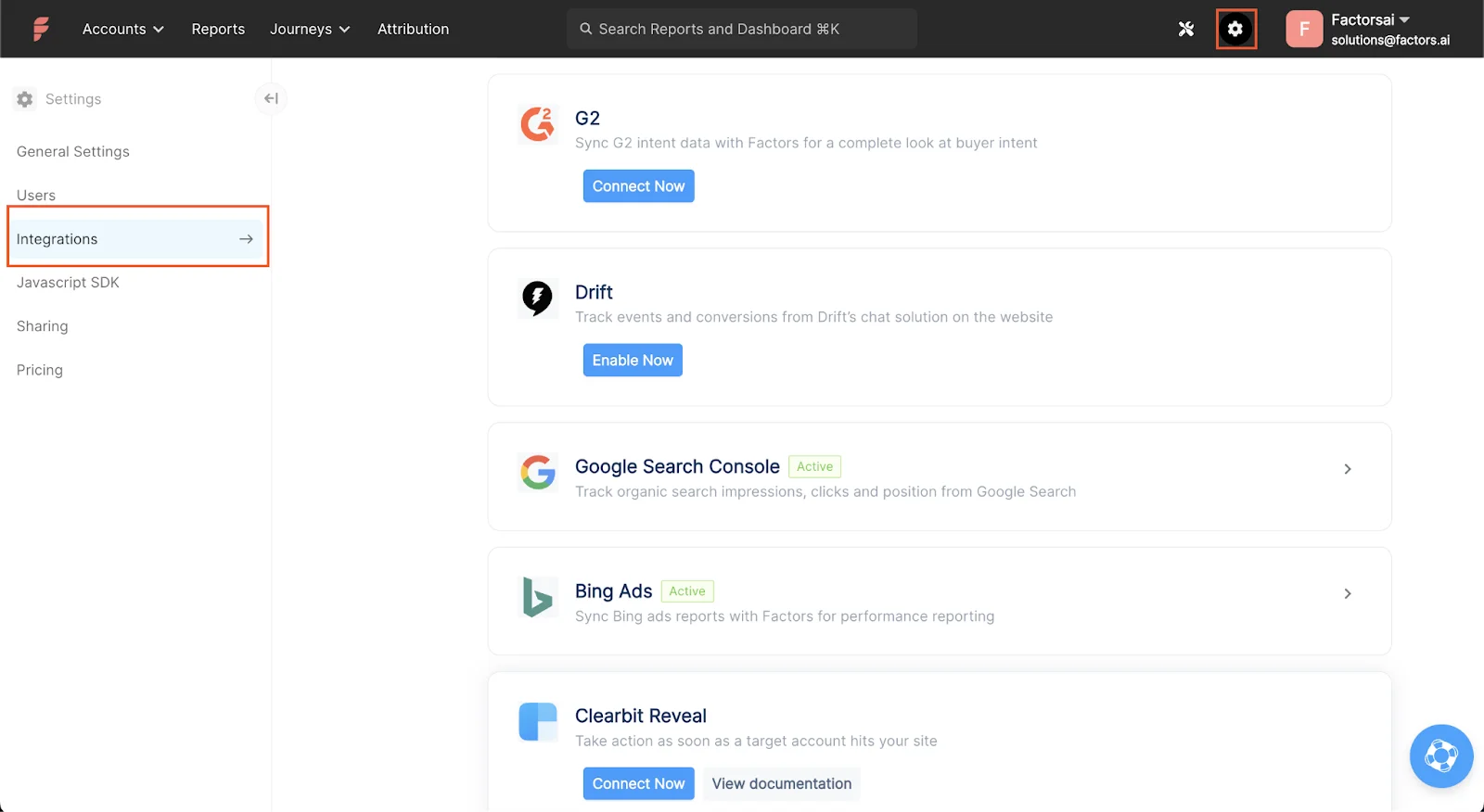
How to make the most out of your G2 subscription
Factors helps you trigger powerful automations by combining Buyer Intent Data from G2 with engagement data collected by Factors. Here are some common use cases:
- Capture intent signals from G2.
- Automate activating accounts based on G2 Buyer Intent Signals
- Get engagement-based alerts in the channel of your choice
- Generate leads from G2 engagement
- Measure and analyze G2’s on revenue
Let’s drill deeper to understand each of these use cases.
1. Centralize All Buyer Activity (G2 + Website + LinkedIn)
Capture every interaction in-market users take with you on G2 inside Factors. Be it interacting with your G2 profile page, comparing your product to a competitor, or viewing alternatives in the G2 product category.
But that’s not all.
Factors also combines engagement data from your website, LinkedIn, and CRM into a single source of truth to analyze how far along your prospects are in their buying journey.
You can use it to filter and find prospects early in their buying journey, along with those who have found your product and are still comparing it with similar products.
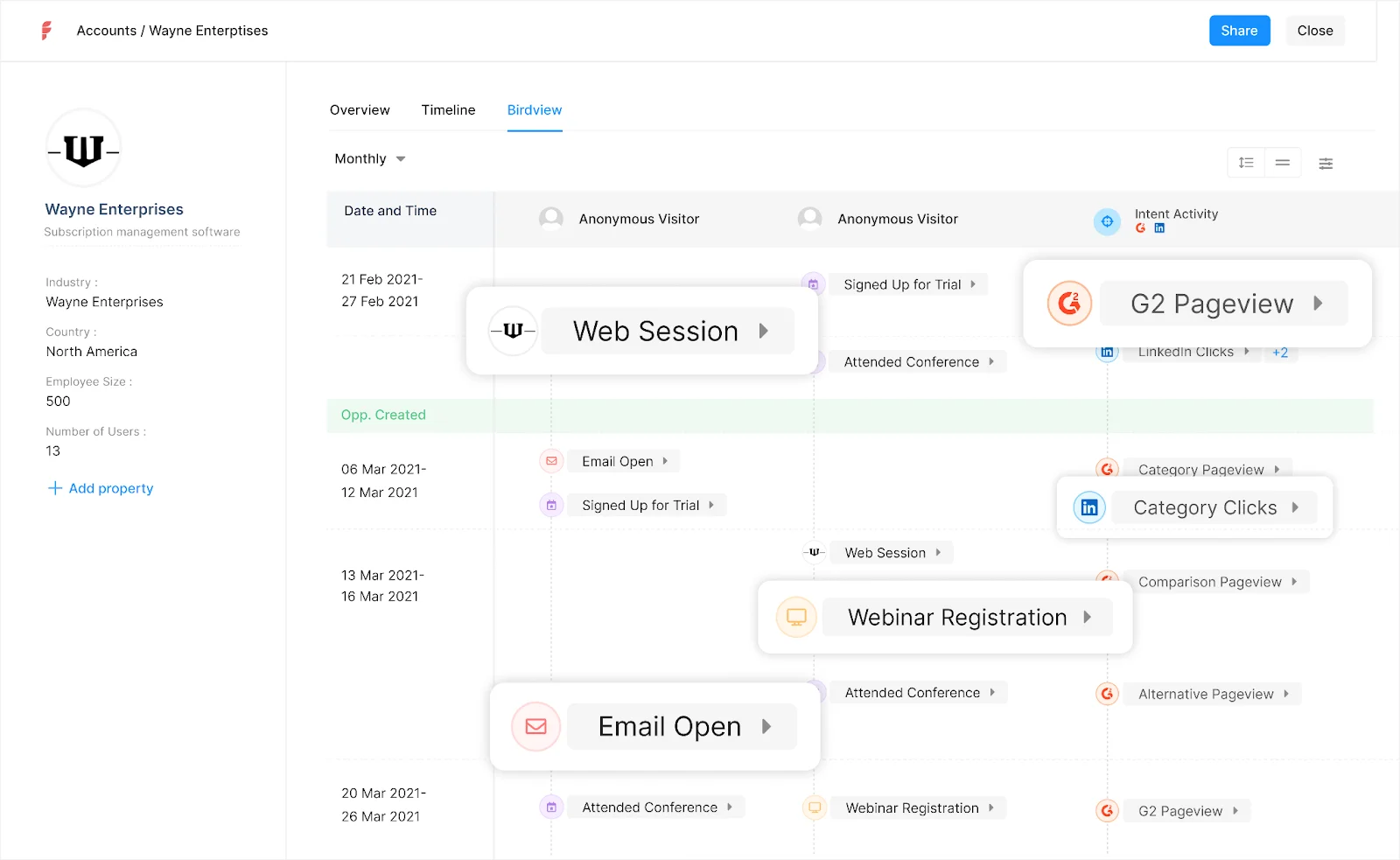
Pro Tip: Use this unified view to segment early-stage vs. high-intent accounts.
2. Automate Lead Activation Based on G2 Signals
You can run an automation to help you create lists of accounts that interact with you on G2. You can narrow this list by adding filters like if they saw your pricing page or compared your product.
Then, have the automation push these lists to create custom-matched audiences on LinkedIn.
You can set up ads to deliver custom messages to specific job titles in the target accounts based on what they saw on G2.
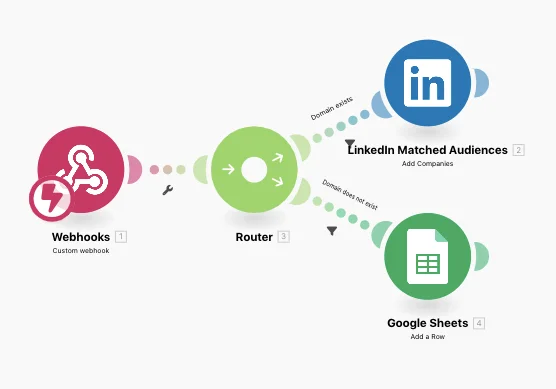
You can also set up custom automated emails based on what a user saw on G2. You can also automatically update your CRM with enriched contact info.
For instance, If a user from Company 1 saw your product’s pricing, you can run an automation that pulls in contact information from Apollo or Outreach [based on job titles from company], add the contacts to your CRM, and trigger custom sales sequences.
Simple, right?
3. Get engagement-based alerts in Slack or Teams
You can set up real-time notifications to alert you across Slack or Teams the moment a prospect performs a predetermined action on G2.

Set up real-time alerts for when:
- A key account views your G2 comparison page.
- Someone in your ICP checks pricing page.
- An in-market company visits both G2 and your website.
Your sales team gets instant Slack or Teams notifications — enabling timely follow-up.
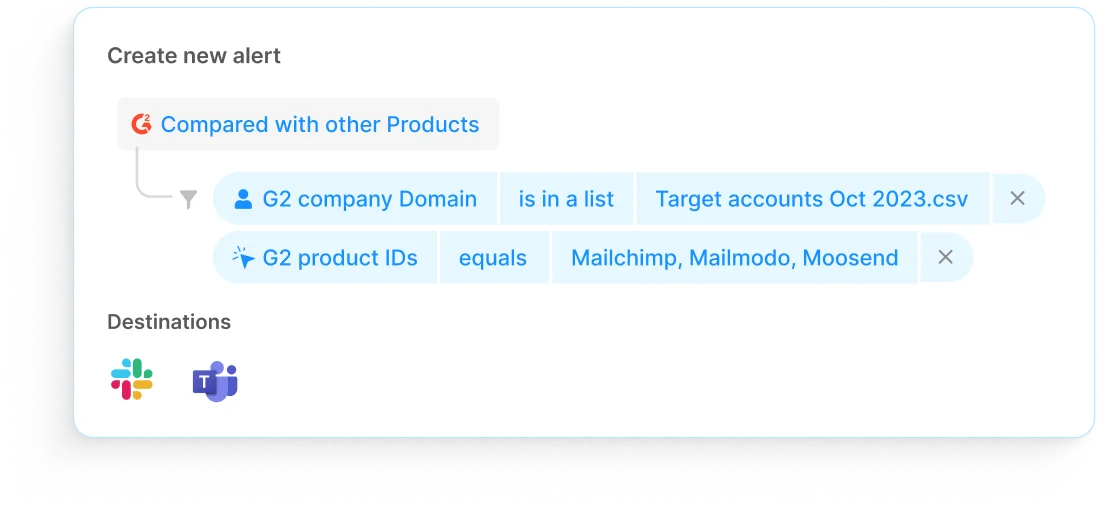
Measure G2’s impact on revenue
As with all go-to-market initiatives, you must measure how your G2 profile contributes to building revenue.
Are the leads coming through G2 actually ready to purchase your product? Does your profile stand out in all relevant categories? Without the right data, it’s tricky to understand what parts of your G2 activities are bringing results.
Buyer intent is only useful if it drives revenue. Factors helps you track:
- Which G2 interactions lead to deals
- Funnel conversion from G2-engaged accounts
- Performance of G2 leads vs. cold outreach
Bonus: Use this data to optimize your G2 listing and ABM strategy.
With Factors, you can effortlessly track your G2 efforts and identify how you can optimize them to generate more pipeline.
{{CTA_BANNER}}
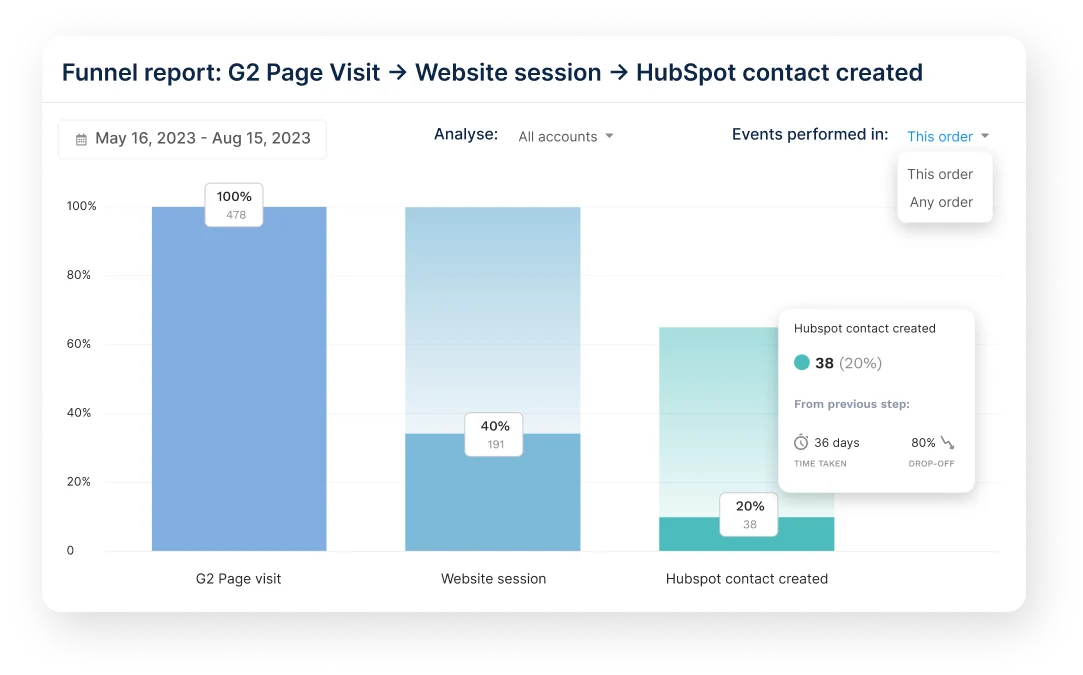
Best Practices for Using Intent Data
To get the most out of visitor data, keep these in mind:
- Identify Your Best Customers: Use website visitor data to better define your ideal customer profile (ICP) by analyzing who visits your website and the content they’re most interested in.
- Focus Your Efforts: Develop targeted sales and marketing strategies based on each buying stage and the specific content that attracts different customers.
- Make it Personal: Create custom outreach messages based on their behavior on G2 and your website.
- Prioritize Active Buyers: Focus on companies that show multiple signals and exhibit strong engagement.
Real-World Results: How One Company Increased Sales
Here’s a quick example: A software company using Factors and G2 gets notified instantly in Slack when a high-value account views its G2 pricing page. Simultaneously, the account is added to a LinkedIn retargeting campaign, and the sales team triggers a personalized sales sequence. The result? More meetings booked and faster sales cycles.
Get Full-Funnel B2B Visibility with G2 + Factors.ai
Over 90 million buyers visit G2 to evaluate software — yet G2's Buyer Intent Data only shows a portion of their journey. While it's a strong signal of interest, it lacks visibility into what happens beyond the platform — like visits to your site, ad clicks, or CRM activity. This blind spot limits your ability to act on buying signals at the right time.
Enter Factors.ai — a revenue analytics platform that enriches G2 intent with multichannel engagement data. By connecting the dots across LinkedIn, your website, CRM, and more, you gain a real-time view of where each account stands in its decision process. That means smarter segmentation, timely outreach, and precise campaign activation.
From triggering Slack alerts when ICPs hit your G2 pricing page, to syncing high-intent leads directly into sales sequences, this pairing transforms passive data into actionable outcomes. More than just tracking — it’s about orchestrating meaningful touchpoints that convert awareness into revenue.
With this approach, your team doesn’t just see interest — you act on it, personalize it, and close faster.
Boost Your Pipeline With Factors.ai and G2
Integrating G2 Buyer Intent Data with Factors.ai empowers B2B teams to transform intent signals into actionable insights. While G2 highlights product interest, Factors enriches this data by combining it with website interactions, CRM activities, and ad engagements, offering a holistic view of the buyer's journey.
This integration enables real-time automations, such as Slack alerts, LinkedIn retargeting, and CRM updates, ensuring timely engagement with high-intent prospects. By unifying these data points, businesses can track the progression from initial interest to revenue generation, optimizing their go-to-market strategies for greater efficiency and impact.
Ready to improve your go-to-market approach? Sign up for a free trial of Factors.ai today.
Integrating G2 Buyer Intent Data with Factors.ai empowers B2B teams to transform intent signals into actionable insights. While G2 highlights product interest, Factors.ai enriches this data by combining it with website interactions, CRM activities, and ad engagements, offering a holistic view of the buyer's journey.
This integration enables real-time automations, such as Slack alerts, LinkedIn retargeting, and CRM updates, ensuring timely engagement with high-intent prospects. By unifying these data points, businesses can track the progression from initial interest to revenue generation, optimizing their go-to-market strategies for greater efficiency and impact.

Leveraging Factors.ai and Tapistro for Data-Driven Growth
Discover how combining Factors' data enrichment with Tapistro's multi-channel automation can enhance marketing, sales, and customer engagement.
TL;DR
- Businesses can leverage Factors and Tapistro to boost growth by combining real-time data insights with automated, multi-channel marketing.
- Factors enrich account data and track behavioral signals, while Tapistro automates personalized campaigns across email, social media, and other platforms.
- Together, they streamline marketing workflows, improve targeting, and foster collaboration between sales and marketing teams.
- This integration ensures a data-driven approach to engaging leads at the right time through channels, optimizing overall business efficiency and customer conversion rates.
Ever find yourself scratching your head, wondering how you can use data to up your sales and marketing game? Well, destiny has led you to just the right answer (read: article): Factors and Tapistro. These two platforms work like a duo to help your business reach new heights. Instead of treating them like separate tools, imagine them as collaborators that turn data into actionable insights, streamline your workflows, and optimize your customer targeting.
In this blog, we’ll explore the individual features of Factors and Tapistro, show you how they complement each other perfectly, and provide some real-life use cases of how they help businesses win big when used together.
Buckle up and get ready to see how this power combo can transform your marketing and sales approach!
Overview of Factors and Tapistro
Both Factors and Tapistro are AI-driven tools that target the needs of marketing, sales, and customer success teams. They share a common goal: to provide businesses with real-time, data-enriched insights while automating and optimizing various aspects of customer engagement. However, their approaches and features differ slightly, making them more powerful.
Factors: Intent-Driven Optimization
Factors is a B2B intelligence platform that empowers businesses by enriching their customer and prospect data with real-time insights. It integrates seamlessly with multiple data sources such as CRMs, marketing automation platforms, and social channels like LinkedIn. By collecting data from these various touchpoints, Factors helps marketing and sales teams build a unified view of their target accounts.
- Real-time Account Enrichment: One of Factors’ core functionalities is the ability to enrich account data in real-time. Using data from first-party and third-party sources helps businesses understand their prospects better. This enables marketing teams to create highly personalized and relevant campaigns.
- LinkedIn Ads optimization: This data also integrates with LinkedIn intent data, helping sales teams identify key decision-makers actively engaging with relevant content or topics on the platform.
- Using G2 Intent Data for LinkedIn campaigns: Our partnership with G2 helps you integrate G2 buyer intent signals seamlessly with your existing first—and third-party intent data. This unlocks more accurate targeting, personalized outreach, and real-time campaign activation.
- Behavioral and Intent Data: Factors use behavioral data to track customer journeys, intent signals, and engagement patterns, allowing teams to identify and target high-quality leads. It captures both LinkedIn and G2 intent data separately, offering a unique perspective on how prospects engage across these platforms. LinkedIn intent data focuses on social engagement and content consumption, while G2 data highlights product research and evaluation patterns. Additionally, Factors provides segment-specific insights, enabling more granular targeting of different market sectors or customer segments based on behavior and intent. This insight enables sales and marketing teams to make informed decisions and tailor their outreach strategies.
- Advanced Reporting: With comprehensive analytics and reporting capabilities, Factors allows businesses to measure the performance of their campaigns. By analyzing key metrics, teams can continuously optimize their strategies for better engagement and conversions. This includes in-depth reporting on how different segments respond to specific campaigns, enabling businesses to refine their approach for maximum effectiveness.
Tapistro: Orchestrate Multi-Channel Campaigns
Tapistro excels in automating and orchestrating real-time multi-channel marketing and sales campaigns. The platform enables businesses to engage with customers through personalized email, social media ads, and paid media channels like LinkedIn and Google. Tapistro is equipped with AI-powered workflows, which streamline repetitive tasks and allow teams to focus on more strategic initiatives.
- AI-Powered Workflow Automation: One of the standout features of Tapistro is its ability to automate marketing and sales workflows using AI. The platform uses machine learning to predict customer behavior, automate outreach, and create highly personalized content. For example, once a lead is identified and enriched by Factors, Tapistro can take over to automate email campaigns and paid ads and even set up alerts for the sales team to take action.
- Cross-Platform Integration: Tapistro integrates with popular platforms like Salesforce, HubSpot, and Google Workspace, allowing businesses to orchestrate their marketing efforts seamlessly. It enables multi-channel engagement, so when Factors identifies a high-intent prospect, Tapistro can launch targeted campaigns across various channels, ensuring consistent communication with potential clients.
- Real-Time Personalization: Personalization is critical in today’s marketing landscape, and Tapistro delivers hyper-personalized campaigns in real-time. Whether crafting personalized emails or tailoring LinkedIn ads based on behavioral insights from Factors, Tapistro ensures that prospects receive relevant content at the right time.
How Factors and Tapistro Complement Each Other
When combined, Factors and Tapistro offer a comprehensive, end-to-end solution for marketing, sales, and customer success teams. Instead of working in silos, these platforms complement each other, creating a powerful synergy that improves targeting, personalization, and overall efficiency. Let’s dive deeper into how they work together:
Data Enrichment and Personalization
One of Factors' key strengths is its ability to provide real-time data enrichment and behavioral insights. This data is then fed into Tapistro, which uses it to create personalized outreach campaigns. For example, Factors can identify a prospect’s role, company size, and purchasing intent, while Tapistro uses this information to craft a hyper-personalized email or social media ad. This combination of real-time data and AI-driven personalization increases engagement rates and helps businesses convert more leads into customers.
Tapistro's automated workflows also ensure that the right message is sent to the right person at the right time. As soon as Factors enriches an account with new information, Tapistro can trigger a workflow that sends personalized content through the appropriate channels, such as email, LinkedIn, or paid ads.
Multi-Channel Orchestration and Automation
In the modern marketing environment, a multi-channel approach is essential. Prospects engage with brands across various platforms, and businesses must maintain a consistent presence. Factors help companies to identify the most effective channels for each prospect by analyzing engagement and intent data. Once this information is gathered, Tapistro orchestrates multi-channel campaigns, ensuring each prospect is engaged through their preferred platform.

For example, Factors may identify that a prospect is highly engaged with your company’s LinkedIn content. Tapistro can automate a LinkedIn ad campaign targeting that prospect alongside an email nurturing sequence using this insight.
This real-time orchestration across multiple platforms ensures businesses can maintain consistent engagement with prospects, which is crucial for converting leads into customers.
Enhanced Collaboration Between Teams
Factors and Tapistro foster greater collaboration between marketing, sales, and customer success teams. With Factors providing real-time insights into account activity and Tapistro automating outreach, teams can work from the same data, align their strategies, and ensure that no prospect falls through the cracks.
For example, when a lead shows high intent based on Factors' insights, the sales team can be notified via Tapistro, which can automatically assign the lead to a sales rep. Meanwhile, the marketing team can launch a nurturing campaign to engage the lead further. This level of collaboration improves efficiency and ensures that teams are working toward the same goal: converting prospects into loyal customers.
{{INLINE_TOFU}}
Real-World Use Cases of Factors and Tapistro
To fully understand the power of Factors and Tapistro, let’s explore some real-world use cases where businesses have leveraged both platforms to drive growth and improve efficiency.
1. Account-Based Marketing (ABM)
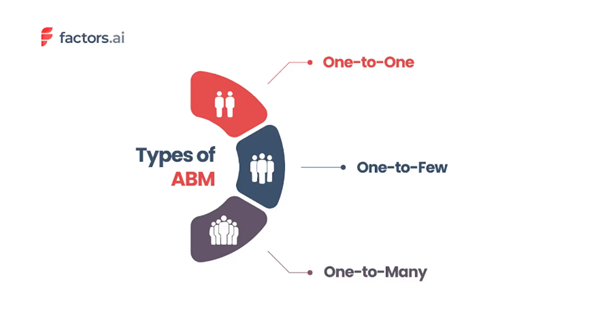
Account-based marketing is a strategy that requires highly personalized engagement with target accounts. Factors provide the insights needed to identify and prioritize high-value accounts, while Tapistro automates customized outreach. For example, Factors can identify an account showing high intent based on its engagement with your website, social media, and emails. Tapistro then automates a personalized email campaign targeting decision-makers at that account, followed by a LinkedIn ad campaign to further engage them. This seamless integration helps businesses increase their chances of converting high-value accounts.
2. Lead Generation and Nurturing
The combination of Factors and Tapistro provides a powerful solution for businesses focused on lead generation. Factors identify potential leads by analyzing their behavior on your website and social media channels. Once these leads are identified, Tapistro automates a nurturing sequence, sending personalized content to the leads via email, social media, or paid ads.
This automated process ensures that no lead is left behind and that each prospect is engaged with relevant content at every stage of the buyer’s journey.

3. Sales Enablement
In many organizations, sales teams need help accessing real-time insights about their prospects. With Factors, sales teams can receive real-time updates about account activity, including which pages prospects have visited, what content they’ve downloaded, and how engaged they are with the brand. Tapistro then helps sales teams follow up with personalized emails and alerts, ensuring timely and relevant outreach.
For example, suppose Factors identifies that a prospect has spent significant time on a pricing page. Tapistro can automatically alert the sales team in that case, prompting them to reach out with a personalized offer.
By combining Factors.ai and Tapistro, B2B teams can unlock data-driven growth through seamless integration of real-time account intelligence and automated outreach.
- Factors.ai enhances account data, capturing crucial behavioral signals from platforms like CRM and LinkedIn.
- Tapistro takes it further by automating personalized multi-channel campaigns—email, social media, and more.
This dynamic duo streamlines workflows, sharpens targeting, and aligns sales and marketing teams for maximum impact. The result? Better engagement and higher conversion rates.
In a Nutshell
In a world where data drives business success, leveraging the combined strengths of Factors and Tapistro can give companies a competitive edge. Businesses can increase engagement, improve efficiency, and ultimately drive growth by using Factors to enrich account data and provide real-time insights and Tapistro to orchestrate personalized, multi-channel campaigns.
Rather than viewing these platforms as separate tools, businesses should focus on how they complement each other to create a holistic, data-driven approach to marketing and sales. Factors and Tapistro empower teams to make better decisions, collaborate more effectively, and engage with prospects meaningfully.
For more information, you can visit Factors and Tapistro to explore their capabilities in more detail.
.avif)
Leadfeeder vs Albacross: Compare Features, Pricing & More
Compare Leadfeeder and Albacross to see which lead generation solution is the best fit for your business.

Leadfeeder and Albacross are well established lead generation platforms that help B2B teams identify, enrich, and convert anonymous website traffic. There’s no doubt that both tools are great at what they do — but which one is the right choice for you? And might there be an even better alternative?
This blog highlights everything you need to know about Leadfeeder vs Albacross — and why you might want to consider Factors.ai as well.
Leadfeeder vs Albacross - Pricing
Before diving into features, benefits, and limitations, let’s get the most obvious consideration out of the way: pricing.
Leadfeeder Pricing
Leadfeeder [Now Dealfront]’s pricing plans start at €139/mo (or ≅$150/mo) and is scaled based on the number of accounts you wish to identify and enrich. Here’s how pricing plans are scaled at Leadfeeder:
| Number of companies identified | Monthly cost: billed monthly | Monthly cost: billed annually - 30% off |
|---|---|---|
| Upto 100 | €198 / $208 | €139 / $146 |
| 101-200 | €238 / $250 | €167 / $176 |
| 201 – 400 | €358 / $377 | €251 / $264 |
| 401 – 700 | €538 / $566 | €377 / $397 |
| 701 – 1,000 | €678 / $715 | €475 / $500 |
| 1,001 – 2,000 | €878 / $925 | €615 / $648 |
| 2,001 – 3,000 | €1,118 / $1,178 | €783 / $825 |
| 3,001 – 5,000 | €1,498 / $1,578 | €1,049 / $1106 |
| 5,001 – 10,000 | €1,949 / $2,053 | €1,499 / $1,580 |
| 10,001 – 20,000 | €2,989 / $3150 | €2,299 / $2,424 |
| 20,001 – 40,000 | €3,899 / $4110 | €2,999 / $3162 |
Note that Leadfeeder also offers a free plan with barebones features that’s limited to up to 100 companies identified with only 7 days of data storage. While this plan will almost certainly be insufficient, it’s a great way to get started for free.
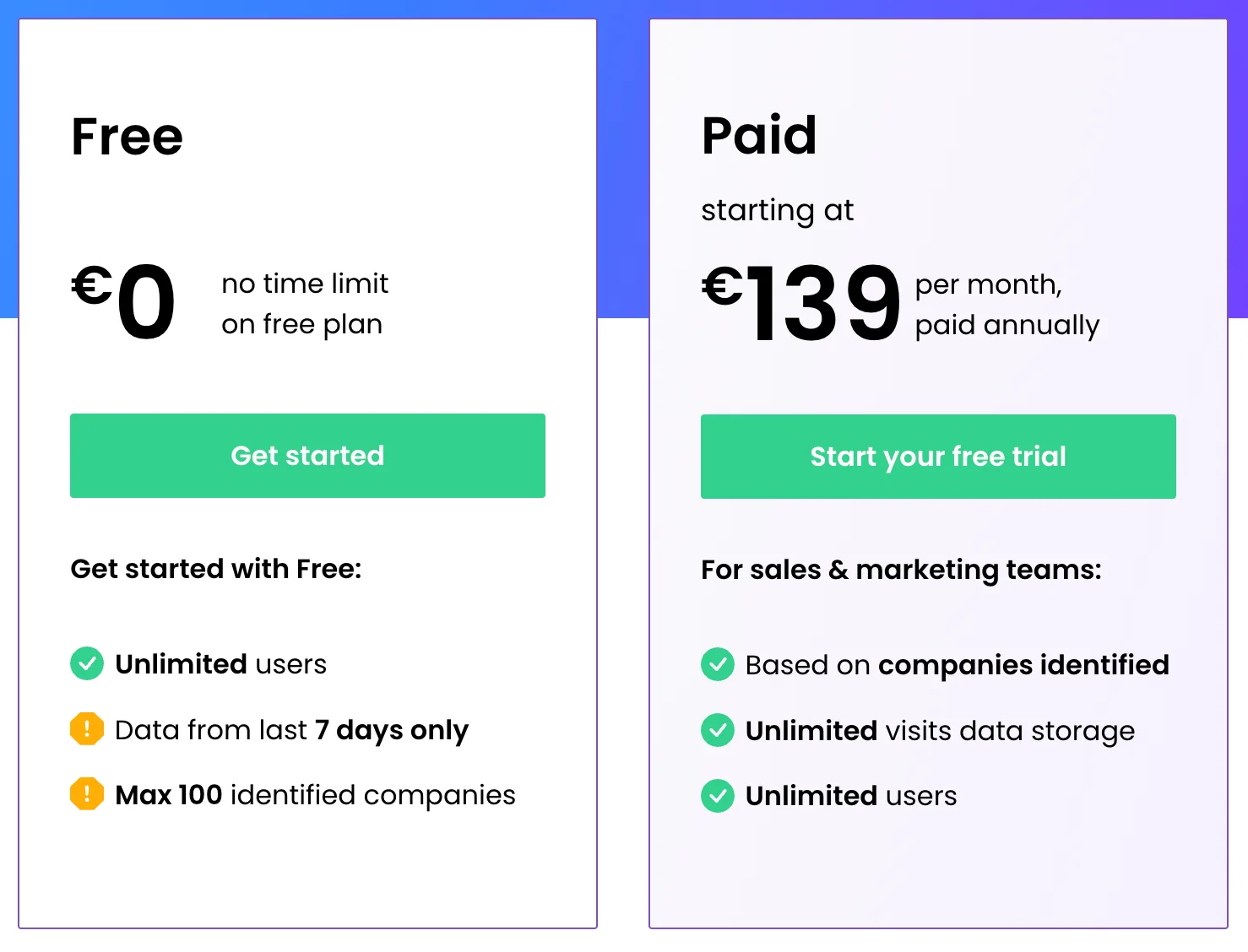
Albacross Pricing
Albacross does not openly reveal as much about its pricing plans, but it’s fair to say that they are at least comparable to Leadfeeder. Here’s what we do know about its pricing:
Albacross paid plans start at €79/mo (or $83/mo). Like Leadfeeder, it is scaled up based on the number of accounts you choose to identify and enrich.
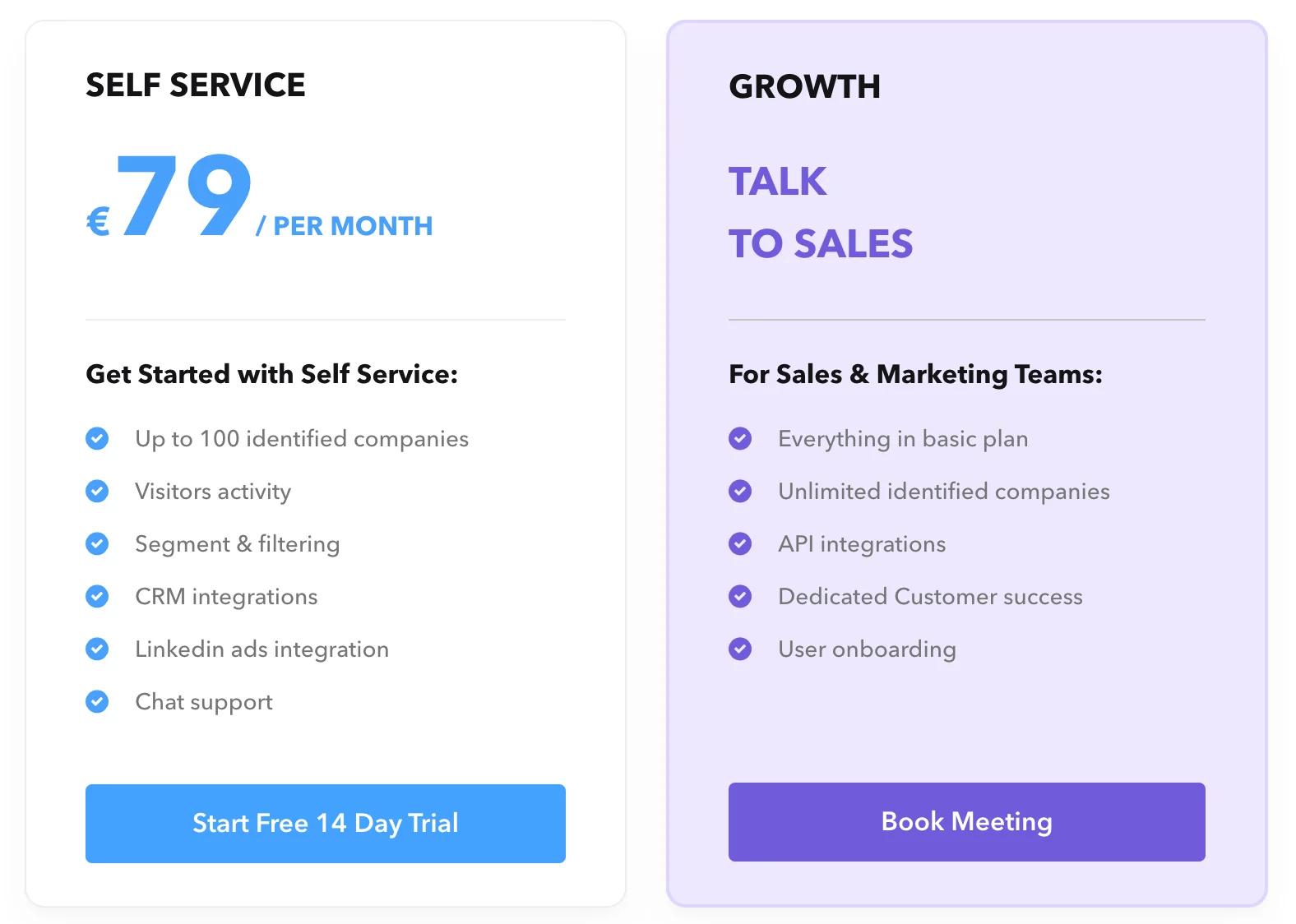
Both Leadfeeder and Albacross offer 14-day free trials. While it seems that Albacross has a marginal advantage in terms of pricing, it’s only fair to determine which product is the better fit based on features, benefits and limitations as well.
Leadfeeder vs Albacross - Features
Let’s explore how Leadfeeder and Albacross compare in terms of features
Shared Features
Given that Leadfeeder and Albacross are direct competitors to each other, it’s only natural that they share product features and use-cases. Here’s a breakdown of a few core, common features between the two tools:
1. Company identification
Company identification is at the core of what both products do. Rest assured, Leadfeeder and Albacross are more than capable of accurately identifying and enriching anonymous accounts visiting your website. More context, around this:
Leadfeeder/Dealfront likely wins the spot for the best Europe-specific company data. The now Germany-based company claims coverage of over 66M+ companies across the world, with nearly half of that being from Europe alone. Within its European coverage, it provides deep data (sourced from national trade registers and chambers of commerce) in certain geographies:
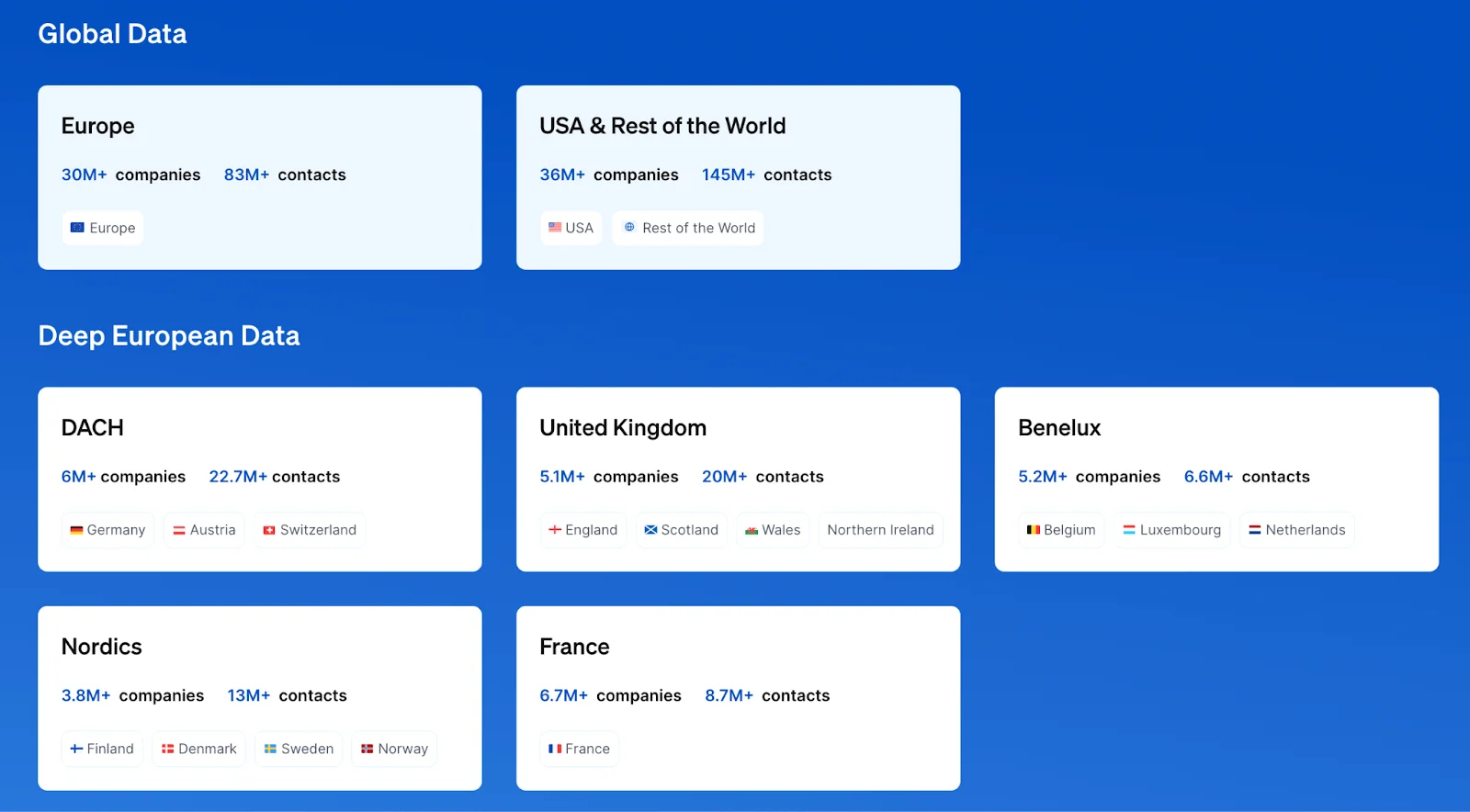
Albacross does not openly share as much about its database but is likely comparable to Leadfeeder. In fact, Albacross claims to have built out the largest proprietary IP-to-company mapping database globally with over 100+ B2B attributes. This, however, is challenging to verify without the numbers.
2. Filtering, segmentation & scoring
Of course, not every account visiting your website would be sales-ready ICP companies. To help break through the noise, Leadfeeder and Albacross offer comprehensive filtering, segmentation, and lead scoring functionalities.
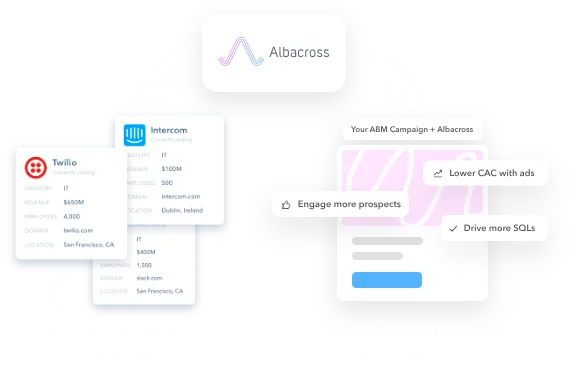
This helps automatically filter total identifies traffic down to a few in-market, high-fit accounts based on their firmographic properties (industry, revenue, headcount, etc) and engagement levels (page views, clicks, etc)
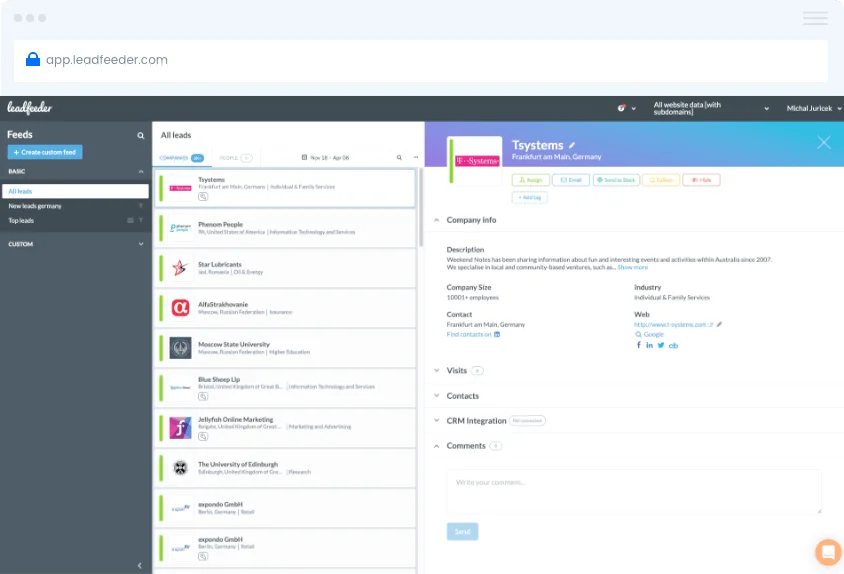
3. Integrations
Leadfeeder and Albacross provide a wide range of integrations with CRMs (HubSpot, Salesforce), MAPs, Slack/MS Teams, and other everyday go-to-market tools. In addition, integrations with Zapier helps both tools push data back into any other solution that they don’t natively integrate with.
Integrations are an important consideration when choosing a lead generation tool as it helps eliminate tedious, manual workflow management and empowers automated trigger based actions such as real-time Slack alerts, LinkedIn ads retargeting, CRM updation, and more.
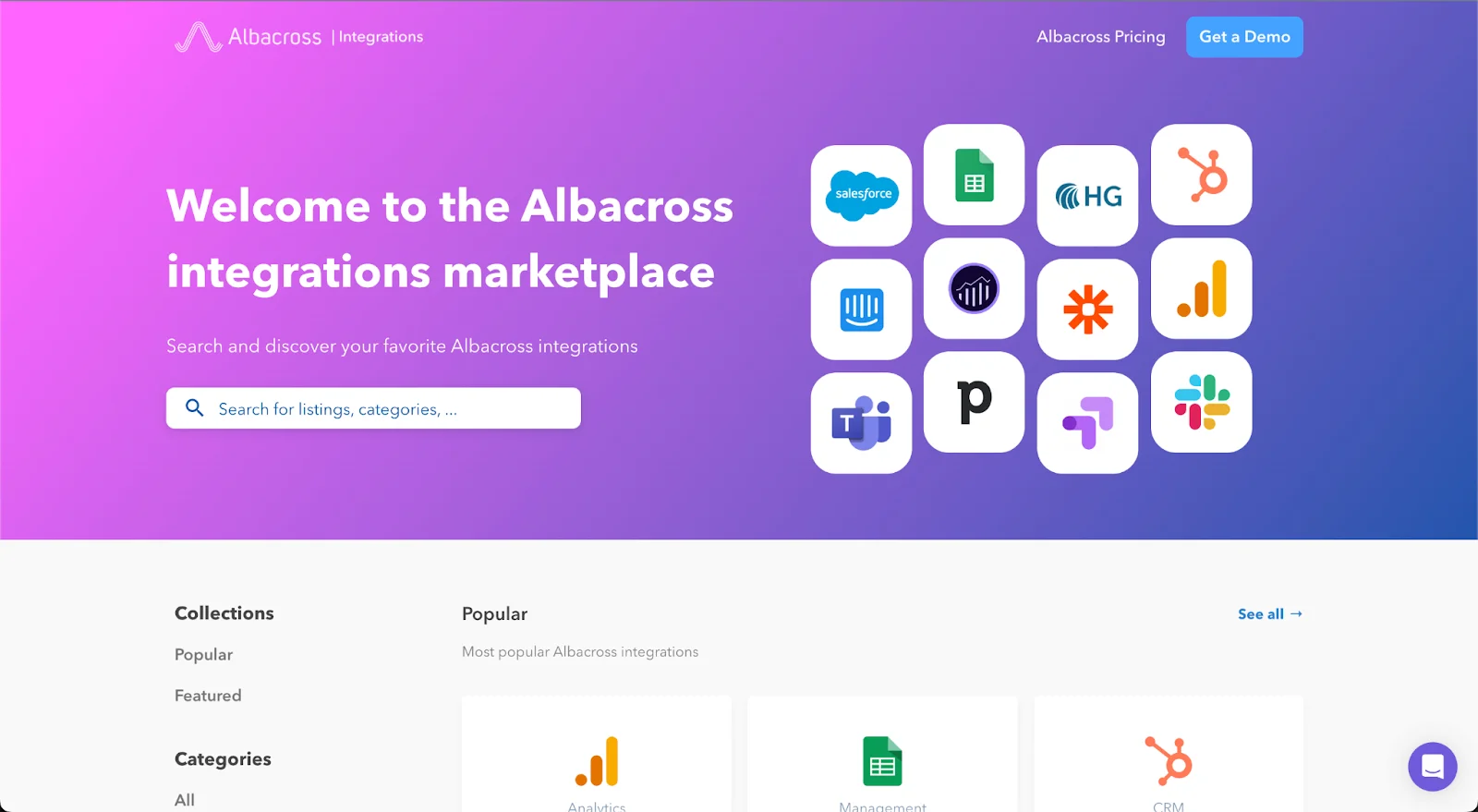
Of course, there’s more to it than just this. But the previous three points cover the crux of what both platforms help with: account intelligence and activation features. Now, let’s look at why you might want to choose one over the other.
Why Leadfeeder over Albacross?
1. Contact database
Although Albacross also provides contact data (mail IDs, phone numbers, etc) based on the accounts visiting your website, it’s only included as part of its premium tier plans. Leadfeeder, on the other hand, provides access to over 200M+ contact-level data points across the board. Note that neither tool can tell exactly who is visiting your website at a user-level. Instead, they provide best-bet recommendations from independent contact databases.

2. User interface
Based on our secondary research, Leadfeeder has a considerable edge over Albacross in terms of user interface. While customers rave about Leadfeeder’s UI, Albacross faces some criticism over its useability:
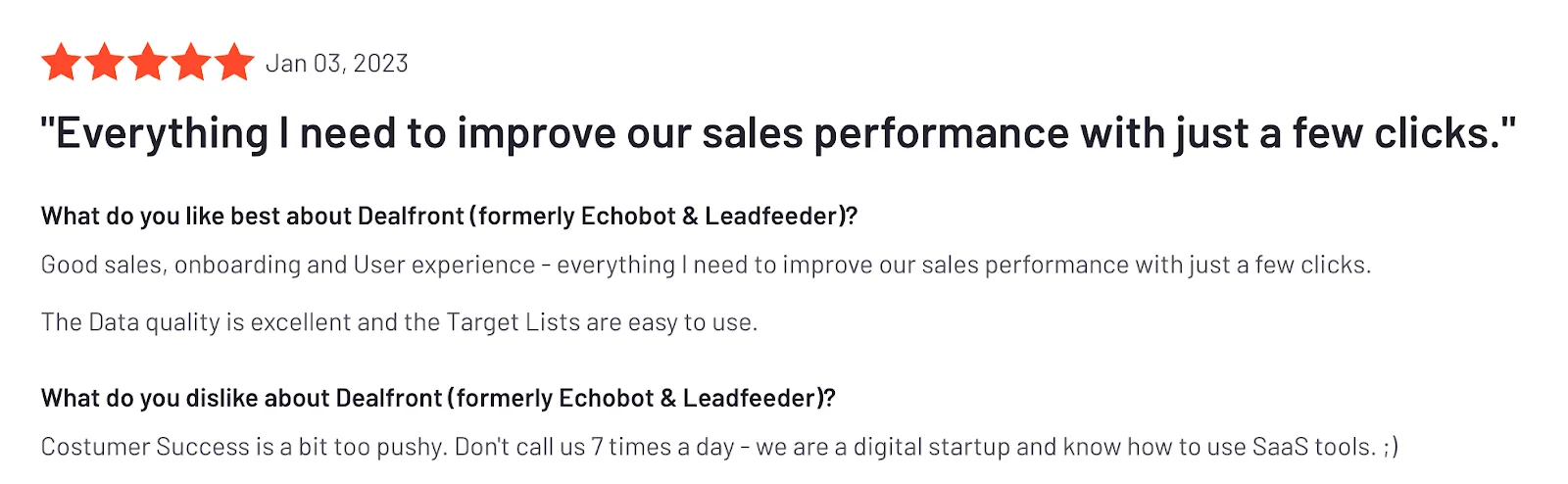
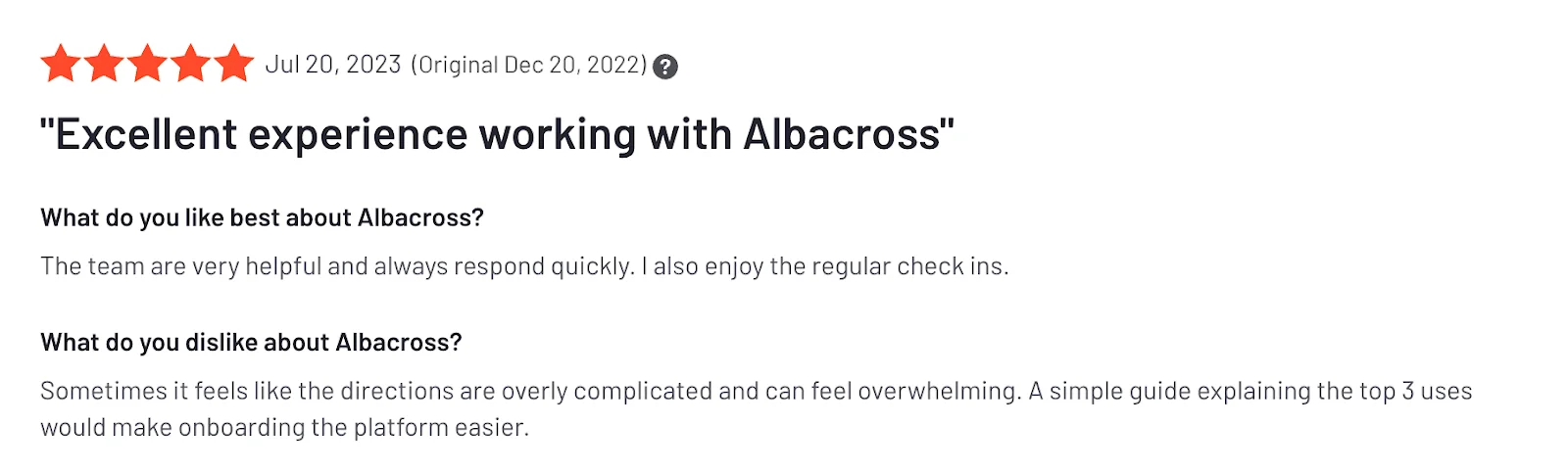
3. Website analytics
Leadfeeder takes another point over Albacross when it comes to website analytics. While neither tool is especially great at tracking website behavior, Leadfeeder has the advantages of form tracking, video tracking, download tracking, time-spent on page, and other, more granular metrics to gauge accounts engagement.
{{INLINE_BOFU}}
Why Albacross over Leadfeeder?
1. Pricing
The most obvious advantage Albacross has over Leadfeeder is its pricing. While Leadfeeder technically does offer a few more features, Albacross is unequivocally the budget-friendly option for teams that are early in their ABM journey. If you already use a contact database such as Apollo or Zoominfo, Albacross should be a good starting point for your company identification needs.
2. Lead history
Lead history includes activity data, source of visit, time-spent on page etc. If you’re a company with especially long sales cycles, you probably want to track lead history over several weeks, if not the entire quarter. At the moment, Leadfeeder falters in this regard while offering only up to 30 days of lead history. Albacross, on the other hand, extends history to up to 90 days.
3. Website personalization
Albacross offers nifty website personalization features via integration with VWO and Google Optimize to empower A/B testing based on the nature of accounts visiting your website. This is a valuable tool for product marketers to experiment with different positionings for different buyer personas.
Why Factors over the rest?
And there you have it. A run down of how Leadfeeder and Albacross compare against each other. Before dropping off however, we would be remiss without sharing a little about why Factors might make an even better fit for your lead generation and account intelligence requirement than the latter two.
{{CTA_BANNER}}
In short, Factors does everything Leadfeeder and Albacross do — along with so much more. Here are a few clear advantages Factors has:
1. Data accuracy
Data accuracy is probably the most important consideration when picking an intelligence tool. Without accurate data, you have nothing to work with. Factors partners with industry-leading marketing and sales intelligence solutions 6sense and Clearbit to provide unmatched identification rates of up to 64% — including highly enriched firmographics and technographics data.
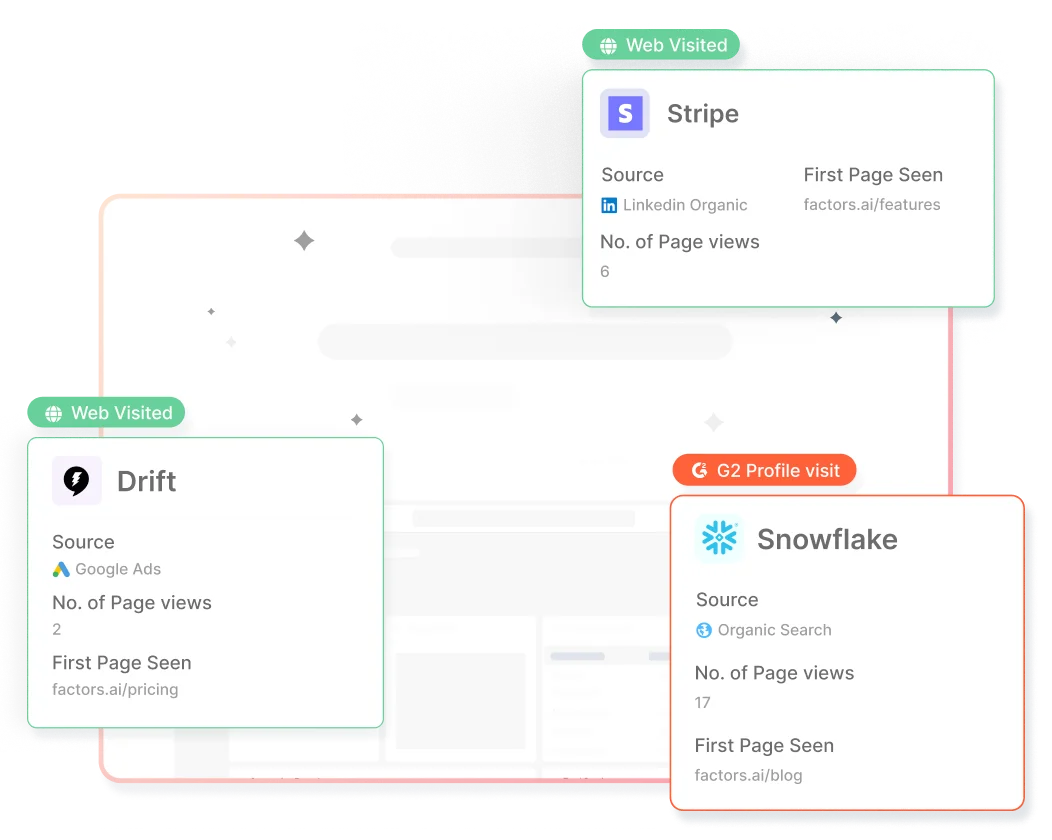
2. Lead history (again)
Maintaining lead history and account timelines for longer periods of time can be crucial to B2B teams with longer sales cycles. Leadfeeder maintains lead history for up to 30 days. Albacross maintains lead history for up to 90 days. And Factors maintain lead history — including touch points across ad campaigns, website, CRM, sales interactions, and more — for as long as 1 full year (365 days!) That's more than 4 times as long as the closest alternative.
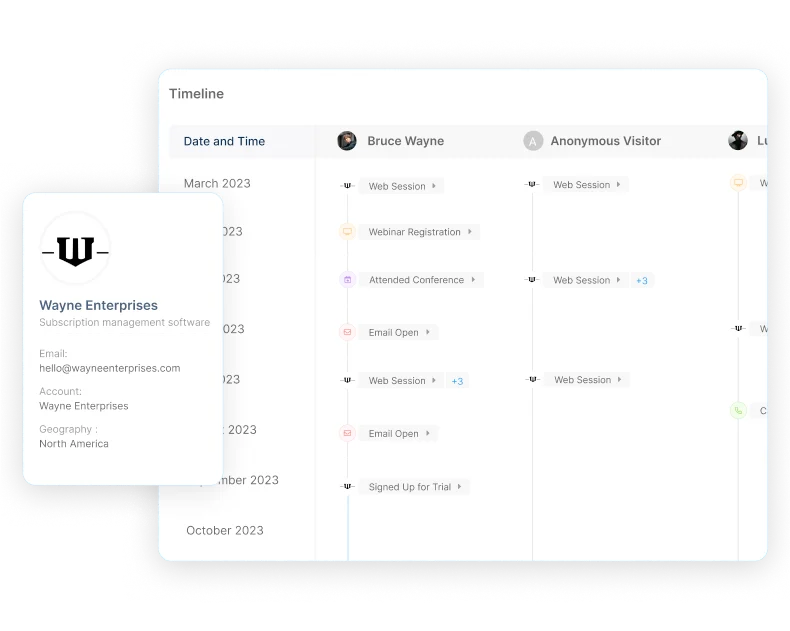
3. Analytics & attribution
Factors is built upon strong analytics and attribution foundations — which means it provides far more functionality, customization and granularity when it comes to account-level reporting. Among several other features, this includes account scoring, path analysis, funnels, timelines, attribution, KPI reporting and more across campaigns, website, CRM etc.
Leadfeeder vs. Albacross: Choosing the Right B2B Lead Generation Tool
- Leadfeeder: Offers CRM integrations, detailed analytics, and visitor tracking, starting at €139/month for 100 identified companies.
- Albacross: Provides similar visitor identification at a lower cost (€79/month) but with fewer integrations and analytics features.
- Key Considerations: Budget, integration needs, and depth of analytics required for lead generation.
Selecting the right tool depends on balancing cost with essential features for effective B2B outreach.
Comparison Table
To summarize, here’s a quick comparison table of all three platforms for your consideration:
| Feature | Leadfeeder | Albacross | Factors |
|---|---|---|---|
| Company identification | ✅ | ✅ | ✅ |
| Account & lead scoring | ✅ | ✅ | ✅ |
| Firmographics database | ✅ | ✅ | ✅ |
| Contact database | ✅ | 🟡 | 🚫 |
| Segment & filterting | ✅ | ✅ | ✅ |
| CRM & MAP integration | 🟢 | 🟡 | 🟢 |
| Real-time alerts | ✅ | ✅ | ✅ |
| Engagement tracking | ✅ | ✅ | ✅ |
| Workflow automations | 🟢 | 🟡 | 🟢 |
| Path analysis | 🚫 | 🚫 | ✅ |
| Account timelines | 🚫 | 🚫 | ✅ |
| Multi-touch attribution | 🚫 | 🚫 | ✅ |
| Funnels | 🚫 | 🚫 | ✅ |
| G2 intent + Ads integrations | 🚫 | 🚫 | ✅ |
| CDP integrations | 🚫 | 🚫 | ✅ |
| GDPR compliance | ✅ | ✅ | ✅ |
| Account history | 30 days | 90 days | 1 year |
| Starting price | $146/mo | $83/mo | $99/mo |
Leadfeeder vs. LeadLander
Compare Leadfeeder and LeadLander to discover their key features, pros, pricing, and limitations. Find out which website tracking tool suits your business needs for lead generation and detailed analytics.
TL;DR
- Leadfeeder and LeadLander are website visitor tracking tools that help businesses convert web traffic into actionable leads.
- Leadfeeder is user-friendly, affordable, and integrates well with CRMs, making it suitable for small to mid-sized businesses. Leadfeeder is ideal for basic lead tracking and real-time alerts.
- LeadLander provides advanced analytics and reporting, making it more appropriate for larger enterprises. LeadLander excels in detailed visitor behavior analysis.
- Your choice between the two depends on your business size, budget, and data needs.
Businesses often choose between platforms like Leadfeeder and LeadLander when choosing a website visitor tracking tool. Both tools offer valuable insights for companies tracking website traffic and converting visitors into actionable leads. However, they have distinct features, pricing, and integrations that make each platform suitable for different use cases.
This comparison aims to explore both tools more deeply, drawing on user feedback, key capabilities, and practical applications.
| Feature | Leadfeeder | LeadLander |
| Visitor Tracking | Yes, with company identification | Yes, with more detailed engagement tracking |
| CRM Integrations | HubSpot, Salesforce, Pipedrive, Zoho | Salesforce, Pipedrive, Zoho |
| Google Analytics | Integrated for enhanced data | Not directly integrated |
| Email Alerts | Real-time notifications | Real-time notifications |
| Custom Reports | Yes, it is filterable by user behavior | Advanced custom reporting |
| Ease of Use | Easy, beginner-friendly interface | Requires a bit more technical knowledge |
| Pricing | Starts at $79/month, free trial available | Custom pricing, typically higher |
| Ideal For | Small to mid-sized businesses | Larger enterprises |
Side-by-Side Comparison between Leadfeeder and LeadLander
Leadfeeder Overview

Leadfeeder is an intuitive lead generation software designed to track website visitors and identify the companies they work for. By leveraging company details from IP addresses, Leadfeeder helps businesses understand who is visiting their website, what pages they interact with, and how long they stay. These insights allow companies to personalize their marketing and sales efforts more effectively.
Key Features of Leadfeeder

- Company Identification: Leadfeeder tracks the IP addresses of companies visiting your website. This is especially useful in B2B environments, as it gives insights into companies' interest in your services or products. Unlike other platforms, Leadfeeder goes beyond just showing the traffic; it identifies organizations and their potential interest-based on-site engagement.
Pro: Helps to narrow down anonymous visitors to specific companies, enhancing targeted marketing.
Limitation: It doesn’t provide personal data about the individuals visiting the site unless they’ve voluntarily submitted their information, making it less effective for B2C tracking. - CRM and Marketing Tool Integrations: Leadfeeder integrates smoothly with major CRM systems like Salesforce, HubSpot, Zoho, and marketing tools like Mailchimp. This integration ensures that lead data flows seamlessly between marketing and sales departments, which can drastically improve your team's follow-up processes.
Pro: Excellent for streamlining lead nurturing processes.
Limitation: Depending on the CRM platform you use, the depth of integration might be limited, requiring additional manual input. - Real-Time Alerts: Leadfeeder lets you set up real-time alerts when key target companies visit your site. These notifications are particularly beneficial for sales teams that want to reach out to potential leads while the company’s interest is fresh.
Pro: Helps sales teams act quickly on leads.
Limitation: Real-time alerts can sometimes lead to an overload of information if your website has high traffic but low conversion. - Custom Reporting and Google Analytics Integration: Leadfeeder’s ability to generate tailored reports and integrate with Google Analytics offers users comprehensive data insights. You can segment your visitors by criteria such as behavior, company size, or industry, allowing marketing teams to target campaigns more effectively.
Pro: Customization allows businesses to align reports with specific KPIs.
Limitation: Integrating with Google Analytics can be complex for users unfamiliar with configuring advanced analytics features.
Leadfeeder Pros:
- Affordable Pricing: Leadfeeder starts at $79/month, ideal for small- and medium-sized businesses.
- Ease of Use: Its user-friendly interface makes it easy for marketing and sales teams to quickly adopt the software.
- Comprehensive CRM Integrations: Supports multiple CRMs, allowing for a more fluid sales process.
- Real-Time Alerts: Enables sales teams to respond promptly to potential leads.

Leadfeeder Limitations:
- Limited Personal Data: Since Leadfeeder identifies companies, not individual visitors, it can be easier to directly engage with specific people if they opt in through other channels (e.g., contact forms).
- Analytics Dependence: Heavy reliance on Google Analytics integration can be limiting for teams unfamiliar with GA.
User Interface and Experience
Leadfeeder offers a simple user interface that is well-suited for beginners and marketing teams with basic technical expertise. Its dashboard provides easy access to important data like the number of visitors, pages viewed, and companies that visited. The setup is quick, and integrations like Google Analytics and CRMs provide instant value.
Integrations and Compatibility
Leadfeeder shines in its integration capabilities, especially with CRM systems and Google Analytics. This makes it easy to blend visitor tracking data into the workflows of marketing and sales teams, allowing for more personalized engagement with potential leads.
Pricing Models and Value for Money
Leadfeeder offers a 14-day free trial and then charges around $79 per month. This makes it affordable for small and medium-sized businesses, particularly those looking to identify and track companies visiting their websites without needing advanced reporting capabilities.
{{INLINE_BOFU}}
LeadLander Overview

Like Leadfeeder, LeadLander provides visitor tracking capabilities but is known for its more comprehensive data analytics. It enables businesses to track website visitors and measure user interactions better to understand the potential leads' behavior on the website. LeadLander breaks down traffic by page views and visit duration, offering more granular details on visitor engagement.
Key Features of LeadLander

- Detailed Visitor Behavior Analytics: LeadLander offers more granular data about user behavior on your website. It tracks the pages visited, time spent on each page, and visitor journey, allowing businesses to understand how visitors interact with their content.
- Pro: Provides deep insights into visitor engagement.
- Limitation: The wealth of information can overwhelm smaller teams, especially those without a dedicated data analyst.
- Customizable Reporting: LeadLander allows users to create and export highly customizable reports. This feature is essential for businesses that need specific metrics and want to segment their visitors based on behavior or demographic data.
- Pro: Great for businesses that require detailed analytics and regular reporting.
- Limitation: Custom reports can take time to configure, especially if the user isn’t well-versed in data analysis.
- IP Address Lookup and Company Identification: Like Leadfeeder, LeadLander uses IP address tracking to identify the companies visiting your site. However, LeadLander provides even more detailed company information, including the specific pages visited and the duration of time spent on each page.
- Pro: Offers more detailed company behavior tracking.
- Limitation: IP identification could be better, and LeadLander can sometimes misattribute visitors from larger organizations with dynamic IP addresses.
- CRM Integrations: LeadLander integrates with CRMs such as Salesforce and Pipedrive, making it easy to sync website traffic data with your sales team’s workflow.
- Pro: Strong CRM integration supports smooth lead management.
- Limitation: Fewer CRM platforms than Leadfeeder are available, which can be restrictive for businesses using non-mainstream CRMs.
LeadLander Pros:
- Granular Visitor Data: Offers detailed insights into user behavior, including time on page, bounce rates, and specific visitor paths.
- Custom Reports: Tailored reporting allows for highly targeted lead tracking and segmentation.
- Advanced Analytics: Particularly useful for businesses that require in-depth behavioral tracking of visitors.

LeadLander Limitations:
- Higher Pricing: LeadLander is generally more expensive, making it less accessible for smaller businesses.
- Complexity: The wealth of data can make the platform more complex for less experienced teams, requiring dedicated personnel to manage reports and analysis.
User Interface and Experience
LeadLander has a more data-heavy interface. While this makes it powerful for users looking to dive deep into visitor behavior, it may be overwhelming for smaller teams or businesses that don’t have a dedicated data analyst. However, the platform’s advanced reporting and visitor tracking tools make it a powerful enterprise option.
Integrations and Compatibility
While LeadLander offers CRM integration, it does not integrate with Google Analytics, which might be a downside for teams that heavily rely on Google's tools for traffic analysis. However, it compensates by offering more in-depth data on visitor behavior, which can be useful for sales outreach.
Pricing Models and Value for Money
LeadLander, on the other hand, tends to have a higher price point, which is private on their website. According to user feedback on platforms like G2, LeadLander is generally more expensive but offers detailed data tracking and insights suitable for larger enterprises.
Which tool is the best option for you?
Leadfeeder is ideal for businesses that need an affordable, easy-to-use solution for identifying potential leads and integrating visitor data into existing sales and marketing workflows. Its strength lies in providing real-time notifications and CRM integrations, making it perfect for small and medium-sized companies that need to streamline their marketing efforts.
On the other hand, LeadLander is better suited for larger enterprises that need detailed analytics and deeper insights into visitor behavior. Its custom reporting features and data-rich interface make it ideal for companies requiring a more granular look at how visitors engage with their websites.
Both tools identify anonymous website visitors, but differ in key features and capabilities.
1. Platform Differences: Leadfeeder excels in integration ease, while LeadLander offers deeper data insights.
2. Pricing and Flexibility: Choose based on your need for simplicity or advanced lead intelligence.
3. Strategic Fit: Whether you prioritize plug-and-play setup or detailed analytics, select the tool that best aligns with your goals.
Consider your business needs to determine which platform provides the most value.
In a Nutshell
Both Leadfeeder and LeadLander offer distinct advantages depending on your business's specific needs. Leadfeeder excels in ease of use, affordable pricing, and CRM integrations, making it a strong choice for small to mid-sized businesses looking for straightforward lead-tracking solutions. LeadLander, with its advanced reporting and granular visitor data, is better suited for enterprises that need detailed analytics and have the resources to interpret the data.
If you’re looking for simplicity, real-time alerts, and affordability, Leadfeeder is likely the better option. On the other hand, if your business requires deep visitor tracking with advanced analytics and is willing to pay a premium, LeadLander will provide the insights needed to optimize your marketing and sales strategies.
Ultimately, your choice will depend on your business size, budget, and the level of detail you need in visitor data.
FAQs
- Which tool is better for small businesses: Leadfeeder or LeadLander?
Leadfeeder is generally better suited for small businesses due to its affordable pricing, ease of use, and seamless CRM integrations. It offers essential features like real-time alerts and company identification without the complexity of advanced analytics that may overwhelm smaller teams.
- Does LeadLander integrate with Google Analytics like Leadfeeder?
No, LeadLander does not offer direct integration with Google Analytics. While it compensates with advanced reporting and granular visitor behavior insights, teams relying heavily on Google Analytics might find Leadfeeder more convenient.
- Can both tools identify individual visitors or only companies?
Both tools primarily identify companies visiting your website by tracking IP addresses. However, they only provide personal details of individual visitors if they voluntarily provide this information through contact forms or other interactions on your site.
- Which tool offers better reporting capabilities?
LeadLander excels in advanced custom reporting, providing detailed insights into visitor behavior and engagement. While Leadfeeder also offers customizable reports, its reporting features are more streamlined and beginner-friendly, making it ideal for businesses with less complex data needs.
![Leadfeeder [Dealfront] Vs. Factors.ai: Compare Pricing & Features](https://cdn.prod.website-files.com/6898fdb2a8e6d57199082db3/698c59658910dc4477266047_643909a54809353f93126425_Leadfeeder%2520vs%2520Factors.avif)
Leadfeeder [Dealfront] Vs. Factors.ai: Compare Pricing & Features
Compare Leadfeeder vs Factors.ai in terms of features, benefits, and pricing to help determine why one might make more sense for you over the other.
Leadfeeder is a well-established B2B lead generation software that helps go-to-market teams identify and enrich anonymous website traffic. Leadfeeder has recently joined forces with another sales intelligence platform, Echobot, to form Dealfront — a Europe-centric B2B data platform.

As a result of this collaboration, Leadfeeder has consolidated multiple products, increased pricing plans, and limited the number of seats per account. Accordingly, several former-Leadfeeder users are considering switching to IP intelligence alternatives.
While Factors is a relatively new player in the account identification space, it’s quickly emerging as a popular alternative to Leadfeeder given its cost-effective plans and industry-leading match rates of up to 64%. That being said, every platform has its unique advantages and limitations that must be considered before making a purchase decision.
This blog compares Leadfeeder vs Factors to highlight features, benefits and drawbacks of each tool — and explore why one might make more sense for your use-cases over the other.
Leadfeeder vs. Factor.ai
Before diving into the differences between Leadfeeder and Factors, it’s worth highlighting a few commonalities between both tools given that they’re close alternatives to each other.
1. Account identification
Needless to say, identifying anonymous accounts on your website is a core functionality of both Leadfeeder and Factors. Both visitor identification tools use IP-based targeting technology to match anonymous traffic with company IPs so users can see who’s visiting their website without the need of form submissions or gated content.
This provides valuable insights into the nature of website traffic as well as which accounts to go after with retargeting ads or outbound outreach.
While both Leadfeeder and Factors rely on similar technologies, the accuracy with which they identify visitors can vary dramatically based on their respective databases. More on this later.
2. Account-level enrichment
Along with identifying company names, both Leadfeeder and Factors deliver robust account-level firmographic enrichment data such as industry, employee headcount, geography, revenue-range, and much, much more.
Account-level enrichment helps go-to-market teams quickly qualify whether a lead fits the target audience or ideal customer profile. This in turn helps focus marketing initiatives and sales outreach to a highly targeted set of accounts — as opposed to expensive and ineffective spray and pray tactics.
3. Implementation
Given that Leadfeeder and Factors employ similar IP-lookup technology to identify and track visitors, the implementation process is more or less identical. Both tools have quick and intuitive onboarding that involves the insertion of a light-weight code script onto the website. The script will soon start identifying visitors once activated.
Overall, the entire implementation process takes no more than 10min for either solution.
4. Real-time alerts
A really nifty feature offered by Leadfeeder and Factors is the ability for users to receive real-time Slack notifications when high-intent accounts are live on the website. These alerts can be configured to go off only when specific visitor criteria are met. For instance, teams can be notified only when a visitor is from a US-based SaaS platform with at least 100 employees and is on a high-intent page such as pricing.
Research suggests that contacting leads quickly dramatically improves chances of conversions. Accordingly, this is an especially valuable feature for sales reps looking to strike while the iron’s still hot.
5. Privacy-compliance
Leadfeeder and Factors are 100% privacy compliant. Both tools adhere to GDPR and CCPA privacy policies. Factors is also SOC2 type II certified. SOC2 information about Leadfeeder is not publicly available so we refrain from commenting on this.
With common features out of the way, let’s discuss what each visitor identification solution does better than the other.
What Factors does better than Leadfeeder
Here are a few reasons to consider Factors over other alternatives:
1. Data accuracy (outside Europe)
Rigorous comparative testing over a sample size of 20,000 domains reveals that Factors achieves industry-leading match rates of up to 64%.
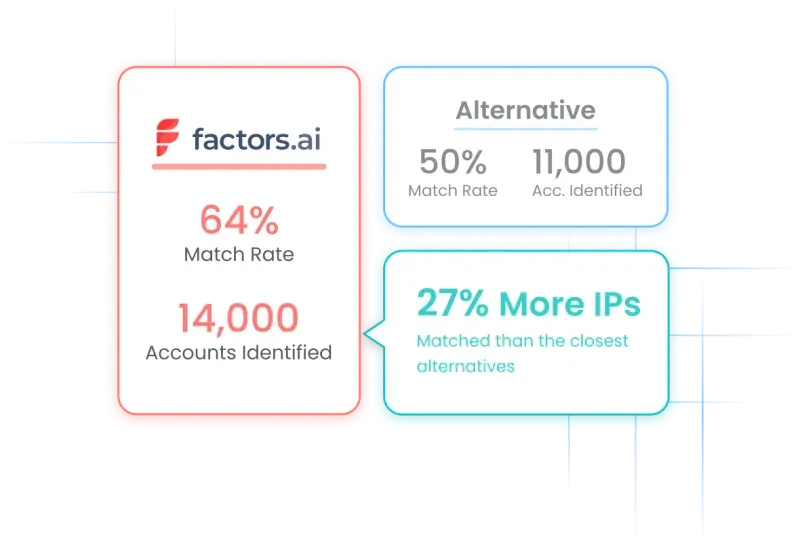
No doubt, both Leadfeeder and Factors boast impressive IP databases. In fact, Leadfeeder is at the forefront of IP-matching for Europe-specific data. Challenge with Leadfeeder may surface when targeting companies from US and other geographies outside Europe:
Leadfeeder records IPs for a whopping 26 millions companies in Europe but only about 8.5 million companies in the US and the rest of the world. Factors, on the other hand, covers almost double this figure with over 15 million companies.
Accordingly, if your business solely focused on the EU market, Leadfeeder is likely the better choice. But for global business, including the US, Factors should be the default. It taps into a relatively larger IP database to identify a wider range of companies from the rest of the world.
2. Account timelines
Account timelines is a feature unique to Factors that helps users visualize customer journeys and touchpoints in real time at an account and user level.
This is a powerful tool, especially in conjunction with visitor identification, to identify what influences different stakeholders within the same account to move from the awareness stage of the customer journey to closing the deal.

3. Advanced analytics
Factors is built upon strong analytics and attribution foundations. As a result, it’s capable of far more granularity in terms of reporting metrics and KPIs as compared to other marketing intelligence tools.
Factors auto-tracks website KPIs including:
- Page views
- Button clicks
- Percentage scroll depth
- Session duration
- Funnels (Eg: Homepage >> Pricing >> Blog >> Features)
- Custom KPIs and more
In addition to these out-of-the-box analytics, Factors integrated with ad platforms, website, CDPs, and CRMs to deliver powerful multi-touch attribution, path analysis, automated AI-fuelled insights, and more. In short, when it comes to analytics, Factors sheds light on what you need to know to drive more pipeline with less spend.
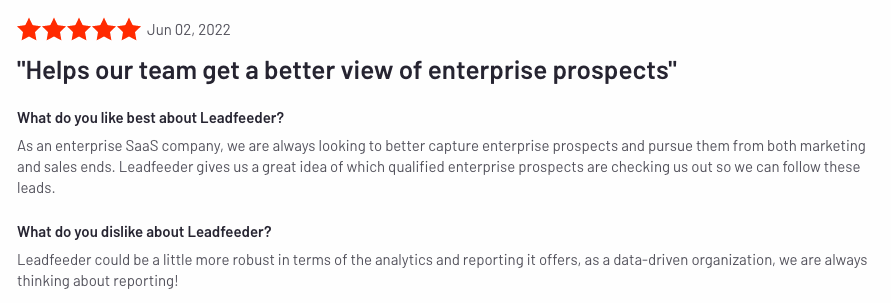
4. Customer success
While both Leadfeeder and Factors are relatively intuitive platforms, there’s no denying that they’re sophisticated products with at least some learning curves. With such products, it’s imperative to have onboarding support and dedicated customer success management — both of which Factors takes great pride in offering.

What Leadfeeder does better than Factors
Here are a few reasons to consider Leadfeeder over other alternatives:
1. Contact enrichment
While no solution can identify exactly who’s visiting your website at a user level, Leadfeeder natively provides users with a list of ideal prospects from the companies visiting a website.
For example, a fintech company may target the finance team from SaaS companies with over 10M in ARR. In this case, Leadfeeder can more or less find the contact info of CFO, VP finance, finance manager etc from companies already visiting your website — even though these professionals may not actually be the ones visiting.
This is useful for teams who’d rather not rely on specialized sales intelligence tools like Zoominfo or Apollo for dedicated contact-level data.
At the moment, Factors integrates with Apollo to provide this contact-level information. Since the majority of users rely on third-party service providers for contact information, this does not tend to be a blocker.
2. Integrations
Leadfeeder provides several native two-way integrations with popular sales and marketing tools including:
- Pipedrive
- Salesforce
- Activecampaign
- Mailchimp
- HubSpot
- Zapier
This helps users automatically upload account and contact information directly to their go-to-market tools and CRMs.
Factors integrates deeply with ad platforms, CRMs, CDPs, and more. While Factors does not provide native integrations with the full range of solutions Leadfeeder supports, it does integrate with Zapier/Make.com to support data pushback via Webhooks. At the moment, users can download csv files from Factors and upload them back into their preferred CRM, MAP, etc.
3. Native campaigns & promotions
Leadfeeder’s Promote feature allows users to target specific company IP-addresses with programmatic display ads across Google, Rubicon, Appnexus, and Pubmatic.
While the efficacy of display ads continues to be hotly debated, this may be a useful way to target companies that already visit your website and fit the ideal customer profile. The primary metrics to track these campaigns are impressions, CTR, and website visits.
{{INLINE_BOFU}}
Compare Leadfeeder Pricing
Leadfeeder is a relatively inexpensive solution as compared to established Leadfeeder alternatives such as Clearbit and Albacross. That being said, its recent collaboration with Echobot has revised pricing:

Now, Leadfeeder plans start at €139/mo ($152) to identify up to 100 accounts per month
Factors, on the other hand, continues to remain one of the most cost-effective marketing intelligence tools out there with plans starting as low as $99/month for up to 350 accounts identified and enriched per month. Factors pricing is based on the number of monthly website visitors and follows a gradient. Learn more about our pricing here: factors.ai/pricing
What’s the right tool for you?
This blog has compared Leadfeeder vs Factors.ai in terms of features, benefits, and drawbacks. Depending on your use-cases, one is likely to make a better fit for you than the other. Here are a couple of considerations:
- If data accuracy outside of Europe, cost-effectiveness, and holistic account scoring is a priority to you, Factors is likely better choice.
- If Europe-centric data and native contact enrichment is a priority to you, then Leadfeeder may be a better fit.
If you’d like to see how Factors achieves industry-leading match rates of up to 64%, book a demo here: See Factors in action
Top B2B Lead Generation Tools
Lead generation tools help businesses identify and enrich website traffic, enabling more precise targeting and increased conversions.
1. Top Platforms: Factors.ai and Leadfeeder.
2. Key Features:
- Factors.ai: Industry-leading match rates (up to 64%), extended lead history (up to 365 days), and integrations with multiple data providers.
- Leadfeeder: Merged with Echobot to form Dealfront, offering account identification and firmographic enrichment, but with limited account seats and increased pricing plans.
3. Strategic Benefits:
- Factors.ai: Enhanced data accuracy, longer lead history retention, and cost-effective plans.
- Leadfeeder: Useful for tracking website visitors but has faced changes that may make alternatives like Factors.ai more appealing.
Implementing these lead generation tools enables businesses to improve visitor identification, streamline outreach, and boost overall lead quality.

Lead Tracking: Meaning, Methods, and Benefits
Learn about lead tracking in sales and marketing, the difference between lead tracking vs. lead scoring, the benefits and challenges of lead tracking.
Business success isn’t just about attracting leads—it's about converting them into loyal customers. That's where lead tracking comes in. With lead tracking, you can seamlessly monitor and analyze customer interactions across all touchpoints, from social media to email campaigns. You can determine who's interested in what you're offering and how likely they will buy from you.
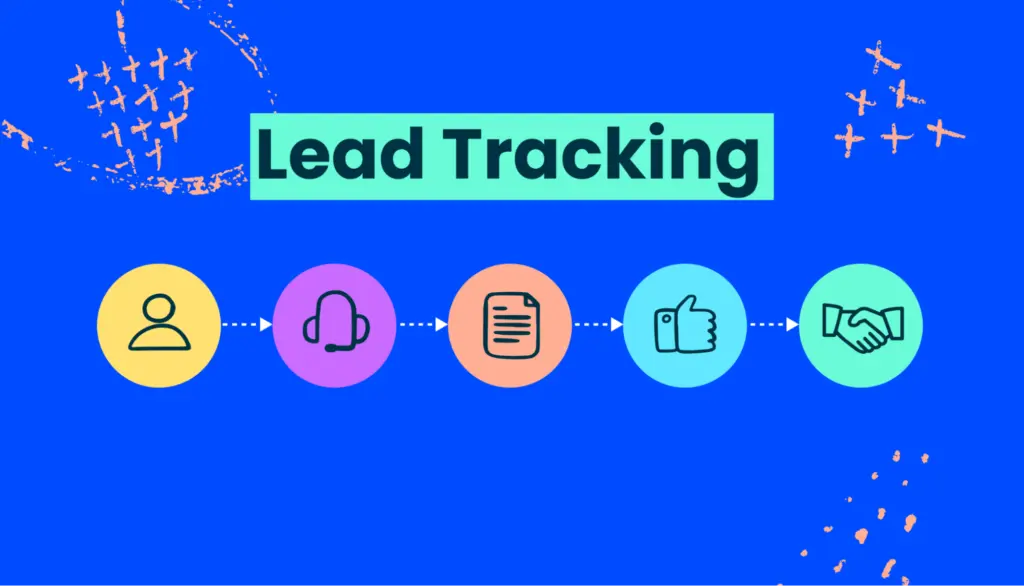
Without much ado, let’s understand more about lead tracking.
Lead Tracking Vs. Lead Scoring
While many use “lead tracking” and “lead scoring” interchangeably, they’re distinct concepts. Here is a list of differences between the two:
| Lead Tracking | Lead Scoring |
|---|---|
| Systematically monitor and document interactions between potential customers (leads) and your business throughout the sales process. | Evaluate and assign a numerical value or score to leads based on their behavior, attributes, and engagement with your brand. |
| Keep a record of every touchpoint and engagement, from initial contact to final sale or beyond. | Prioritize leads based on their score, focusing resources on those with the highest potential to convert into customers. |
| Provide insights into the behavior and preferences of leads, enabling tailored marketing and sales efforts. | Enable sales teams to maximize efficiency and ROI by focusing their time and resources on leads most likely to result in a successful sale. |
Read more about lead scoring software tools for B2B SaaS here.
Consider a software company specializing in customer relationship management (CRM) solutions. The company can leverage lead tracking to monitor when prospects download a lead magnet on your website. Subsequently, these leads receive targeted emails with relevant content and invitations to attend webinars on CRM best practices. Meanwhile, lead scoring assigns higher scores to leads who engage with multiple resources, attend webinars, and request product demonstrations, indicating a higher likelihood of conversion.
So, are the two interrelated?
Lead tracking and scoring are closely intertwined and complement each other in several ways. Here’s how:
1. Data Collection
Lead tracking provides the necessary data and insights for lead scoring. Businesses gather valuable information about lead behavior, interests, and engagement levels, which serves as the basis for lead scoring by monitoring and documenting lead interactions.
2. Behavioral Analysis
Lead tracking allows businesses to observe how leads interact with various marketing channels, content, and touchpoints. This behavioral data forms the basis for lead scoring criteria, helping identify key indicators of lead interest and readiness to purchase. For example, if a lead spends time on your pricing page, watches a demo, and engages with your emails, they're likely ready for a personalized sales pitch.
3. Scoring Criteria Refinement
As businesses track leads' interactions and analyze their behavior over time, they gain insights into which actions and behaviors correlate most strongly with conversion. This information can be used to refine and optimize lead scoring criteria, ensuring that the scoring model accurately reflects lead quality and likelihood of conversion.
4. Continuous Improvement
Lead tracking and lead scoring are iterative processes that feed into each other. The data collected through lead tracking informs lead scoring models, while the results of lead scoring provide feedback that informs adjustments to lead tracking strategies and criteria. This continuous cycle drives ongoing improvement in lead qualification and conversion rates.
5. Effective Lead Management
lead tracking and lead scoring enable businesses to manage leads more effectively throughout the sales funnel. Businesses can ensure that their sales teams focus their efforts where they are most likely to yield results by identifying high-value leads early in the process and prioritizing follow-up based on lead score and behavior.
Why do Sales and Marketing need Lead Tracking?
Lead tracking is the backbone of effective sales and marketing strategies. It provides valuable insights into customer behavior, preferences, and engagement levels, allowing teams to tailor their efforts accordingly. By tracking leads, sales and marketing teams can:
Maximize Efficiency
In the hustle and bustle of daily operations, time is money. Lead tracking streamlines the process by allowing teams to zero in on high-value prospects. Instead of casting a wide net and hoping for the best, sales and marketing teams can focus on leads with the highest potential for conversion. This targeted approach reduces time wasted on unqualified leads, allowing teams to allocate resources more efficiently.
Improve Conversion Rates
At the end of the day, it's all about conversions. Lead tracking provides valuable insights into lead behavior, preferences, and pain points, enabling teams to tailor their communication and follow-up strategies accordingly. By delivering personalized messages at the right time and through the right channels, teams can significantly increase the likelihood of converting leads into paying customers. It's all about striking the right chord and nurturing relationships that lead to conversions.
Enhance Customer Experience
Lead tracking enables teams to understand leads' needs and interests on a deeper level. Armed with this knowledge, teams can deliver relevant and timely information, providing a seamless and satisfying experience for potential customers. Whether it's sending a personalized email, offering a tailored solution, or addressing a specific pain point, lead tracking allows teams to create meaningful interactions that leave a lasting impression.
Optimize Resource Allocation
Every dollar counts in sales and marketing. Lead tracking helps teams identify which marketing channels and campaigns are yielding the best results. Teams can pinpoint the most effective strategies and allocate their resources accordingly by analyzing lead data and conversion metrics. Whether it's doubling down on a successful social media campaign or tweaking the messaging of a lackluster email campaign, lead tracking empowers teams to make informed decisions that maximize ROI.
Measure Performance
You can't improve what you can't measure. Lead tracking provides teams with comprehensive data on lead interactions, conversions, and sales pipeline progression. Armed with this data, teams can evaluate the effectiveness of their sales and marketing efforts and make data-driven decisions for improvement. Whether it's identifying bottlenecks in the sales process, optimizing the performance of a landing page, or fine-tuning the messaging of a sales email, lead tracking enables continuous improvement and optimization.
{{INLINE_TOFU}}
Understanding the Sales Funnel to Track Leads
The sales funnel represents the journey that prospects undertake from initial awareness of a product or service to make a purchase decision. While the exact steps may vary depending on the industry and business model, the typical stages include:
1. Awareness
At this stage, prospects become aware of a company's products or services, often through marketing efforts such as advertisements, content marketing, or social media.
2. Interest
Prospects show interest in the offerings and seek more information. They may visit the company's website, download resources, or subscribe to newsletters.
3. Consideration
In this phase, prospects evaluate the value proposition and compare the company's offerings with competitors. They may communicate directly with sales representatives or request product demos.
4. Decision
Prospects reach a decision point where they decide whether to make a purchase. This stage often involves negotiating terms, addressing objections, and finalizing the transaction.
After making a purchase, customers enter the retention phase, where efforts focus on providing excellent post-sales support, fostering customer loyalty, and encouraging repeat business.
By aligning lead tracking efforts with the stages of the sales funnel, organizations can tailor their communication strategies to address prospects' specific needs and move them seamlessly through the buying journey.
Retention
After making a purchase, customers enter the retention phase, where efforts focus on providing excellent post-sales support, fostering customer loyalty, and encouraging repeat business.
By aligning lead tracking efforts with the stages of the sales funnel, organizations can tailor their communication strategies to address prospects' specific needs and move them seamlessly through the buying journey.
Capturing Leads: Where and How?
Before we start tracking leads, it’s important to understand where and how to capture these leads. Capturing leads involves enticing potential customers to provide their contact information or engage with your brand in some way.
Here are some common channels and methods for capturing leads:
Website Forms
Embedding lead capture forms on your website allows visitors to submit their contact information in exchange for valuable content, such as ebooks, whitepapers, or webinars.
Landing Pages
Designing dedicated landing pages optimized for lead generation can help capture leads from specific marketing campaigns or promotions.
Social Media
Leveraging social media platforms to promote gated content and engage with followers can generate leads and foster relationships with potential customers.
Email Marketing
Including calls-to-action (CTAs) and lead capture forms in email campaigns encourages subscribers to take the next step and provide their contact information.
Events and Webinars
Hosting events, webinars, or workshops provides opportunities to capture leads from attendees interested in your topic or industry.
Networking and Referrals
Building relationships with industry peers and existing customers can lead to referrals and introductions to potential leads.
By diversifying lead capture channels and methods, organizations can reach a broader audience and generate a steady stream of leads for their sales and marketing efforts.
Types of Leads for Tracking
Not all leads are created equal, and it's essential to track different types of leads based on their stage in the buyer's journey and their level of engagement. Some common types of leads to track include
Cold Leads
These are leads who have shown minimal interest or engagement with your brand. Tracking cold leads allows teams to nurture them over time and gradually build trust and rapport.
Warm Leads
Warm leads have shown some level of interest or engagement with your brand, such as downloading a whitepaper or attending a webinar. Tracking warm leads helps teams prioritize follow-up efforts and tailor their messaging to address specific needs and pain points.
Hot Leads
Hot leads are highly engaged and have demonstrated a strong intent to purchase, such as requesting a product demo or submitting a contact form. Tracking hot leads allows teams to capitalize on buying signals and expedite the sales process.
Qualified Leads
Qualified leads meet specific criteria set by the organization, such as budget, authority, need, and timeline (BANT). Tracking qualified leads helps teams focus their efforts on prospects who are most likely to convert into customers.
By tracking different types of leads, sales and marketing teams can tailor their approach to each segment of their audience, delivering personalized and relevant content and increasing the likelihood of conversion.
Collecting Lead Infomation
Collecting lead information involves gathering relevant data points about potential customers to facilitate communication and relationship building.
Here are some key pieces of information to collect from leads:
Basic Contact Information
This includes name, email address, phone number, and company name, enabling teams to initiate and maintain communication with leads.
Demographic Information
Gathering demographic data such as location, industry, job title, and company size helps teams segment and target their audience more effectively.
Behavioral Data
Tracking lead interactions with your website, emails, and marketing campaigns provides insights into lead engagement and interests, allowing for more personalized and relevant communication.
Lead Source
Identifying how leads found your company, whether through organic search, social media, referrals, or other channels, helps measure the effectiveness of your marketing efforts and allocate resources accordingly.
Purchase Intent
Assessing the level of interest and intent to purchase allows teams to prioritize follow-up activities and tailor their messaging to meet the needs of each lead.
When collecting lead information, it's important to strike a balance between gathering enough data to personalize communication and respecting the lead's privacy and preferences. Providing clear and transparent explanations of how their information will be used and giving them control over their data builds trust and fosters positive relationships with potential customers.

How to qualify leads and prospects?
Qualifying leads involves determining their suitability and readiness to engage with your sales team and move through the sales process.
But wait, why qualify leads?
By qualifying leads effectively, sales and marketing teams can focus their efforts on leads with the highest potential for conversion, improving efficiency and driving revenue growth. This, in turn, prevents the organization’s resources from being drained out.
Now since that’s out of the way, here are some common criteria and methods for qualifying leads:
BANT Criteria
BANT stands for Budget, Authority, Need, and Timeline. Assessing leads against these criteria helps determine their readiness to purchase and their fit with your product or service.
Lead Scoring
Assigning numerical values to various lead attributes, such as engagement level, company size, and purchase intent, allows teams to prioritize leads based on their likelihood of conversion.
Behavioral Signals
Monitoring lead behavior, such as website visits, content downloads, and email interactions, provides insights into their level of interest and engagement, guiding qualification decisions.
Qualification Questions
Asking specific questions during lead capture or follow-up conversations helps uncover key information about the lead's needs, challenges, and buying timeline.
Sales and Marketing Alignment
Establishing clear criteria and processes for lead qualification ensures alignment between sales and marketing teams, preventing leads from falling through the cracks and maximizing conversion opportunities.
Methods of Lead Tracking
Lead tracking can take various forms, depending on the nature of the business and the preferences of the organization. Some common methods of lead tracking include
Manual Tracking
This involves recording lead interactions and information manually, using spreadsheets, notebooks, or other documentation methods. While simple, manual tracking can be time-consuming and prone to errors.
CRM Software
Customer Relationship Management (CRM) software automates lead tracking processes, capturing and organizing lead information in a centralized database. CRM systems offer features such as lead scoring, activity tracking, and pipeline management, streamlining lead management and improving efficiency.
Marketing Automation Platforms
Marketing automation platforms automate lead tracking and nurturing processes, allowing teams to create targeted campaigns, track engagement metrics, and analyze lead behavior. These platforms integrate with CRM systems to ensure seamless data synchronization and workflow automation.
Website Analytics
Website analytics tools track visitor behavior on a company's website, providing insights into traffic sources, page views, and conversion rates. By analyzing website data, teams can identify patterns and trends and optimize their website for better lead generation and conversion.
Call Tracking
Call tracking allows organizations to attribute inbound calls to specific marketing campaigns, enabling accurate measurement of campaign effectiveness. By recording and analyzing phone calls, businesses gain valuable insights into customer conversations, helping to refine sales approaches and improve the overall customer experience. Integrated with CRM systems, call tracking enhances lead management, streamlines the sales process, and facilitates effective lead qualification, ultimately driving revenue growth.
Lead Tracking Metrics
By measuring key metrics, businesses gain valuable insights into the effectiveness of their lead generation efforts, the health of their sales pipeline, and the overall performance of their sales and marketing initiatives. Let's explore some of the essential lead tracking metrics that organizations need to measure to drive success.
1. Lead Generation Metrics
- Number of Leads
This metric quantifies the volume of leads generated within a specific timeframe, providing a high-level overview of lead generation efforts.
- Lead Source
Understanding where leads are coming from—organic search, social media, email marketing, or paid advertising—helps organizations optimize their marketing channels and allocate resources effectively.
- Conversion Rate
The conversion rate measures the percentage of leads that convert into qualified prospects or customers. It provides insights into the effectiveness of lead generation strategies and the quality of leads being generated.
2. Lead Quality Metrics
- Lead-to-Opportunity Ratio
This metric compares the number of leads generated to the number of opportunities created, highlighting the quality of leads and the effectiveness of lead qualification efforts.
- Sales Accepted Leads (SAL)
SALs are leads that meet specific criteria and are accepted by the sales team for further follow-up and engagement. Tracking SALs helps measure lead quality and alignment between sales and marketing efforts.
- Marketing Qualified Leads (MQL) and Sales Qualified Leads (SQL)
MQLs and SQLs are leads that meet specific criteria and are deemed ready for marketing or sales engagement, respectively. Measuring MQL and SQL conversion rates provides insights into lead nurturing and qualification processes.
3. Sales Pipeline Metrics
- Pipeline Velocity
Pipeline velocity measures the speed at which leads move through the sales pipeline, from initial contact to closing. It helps identify bottlenecks and inefficiencies in the sales process and informs sales forecasting efforts.
- Average Deal Size
This metric calculates the average monetary value of closed deals, providing insights into the revenue potential of individual leads and the overall health of the sales pipeline.
- Win Rate
The win rate measures the percentage of leads that successfully convert into customers. It helps evaluate sales effectiveness and the quality of lead management practices.
4. Lead Engagement Metrics
- Email Open Rate and Click-through Rate (CTR)
These metrics measure the effectiveness of email marketing campaigns in capturing leads' attention and driving engagement.
- Website Traffic and Engagement
Tracking website traffic, page views and engagement metrics such as bounce rate and time on the page provides insights into lead behavior and interests.
- Social Media Engagement
Metrics such as likes, shares, comments, and click-throughs on social media posts help gauge audience engagement and the effectiveness of social media marketing efforts.
5. Customer Lifetime Value (CLV)
CLV quantifies the total revenue generated from a customer over their entire relationship with the organization. By understanding CLV, businesses can prioritize high-value leads and tailor their marketing and sales strategies accordingly.
6. Return on Investment (ROI)
ROI measures the profitability of lead generation and marketing campaigns by comparing the revenue generated to the cost of acquiring leads. It helps organizations evaluate the effectiveness of their marketing spend and allocate resources to initiatives that deliver the highest ROI.
Benefits of Lead Tracking for Businesses
The benefits of lead tracking extend far beyond merely organizing contact information.
Let's see why lead tracking is essential for business success:
Improved Targeting
Lead tracking enables organizations to segment their audience based on demographics, behavior, and interests, allowing for personalized communication and targeted marketing campaigns.
- Enhanced Lead Nurturing
By tracking interactions with leads over time, businesses can identify their interests, pain points, and preferences, enabling more effective lead nurturing and relationship building.
- Optimized Resource Allocation
Lead tracking helps prioritize leads based on their level of engagement and likelihood of conversion, allowing sales teams to focus their efforts on high-value opportunities and maximize their productivity.
- Data-Driven Decision Making
With comprehensive data on lead interactions and conversion metrics, organizations can make informed decisions regarding marketing strategies, product development, and sales tactics.
- Increased Revenue
By effectively tracking and managing leads, businesses can streamline the sales process, reduce lead leakage, and ultimately increase revenue through higher conversion rates and customer retention.

Why should you care about Lead Tracking?
When customer acquisition costs are rising, and customer loyalty is increasingly elusive, lead tracking has become a necessity.
Here are some reasons why businesses of all sizes should prioritize lead tracking
- Gain Insights into Customer Behavior
Lead tracking provides valuable insights into customer behavior, preferences, and pain points, enabling organizations to tailor their marketing messages and sales pitches for maximum impact.
- Maximize Marketing ROI
By tracking the effectiveness of various marketing channels and campaigns in generating leads and conversions, businesses can allocate their marketing budget more efficiently and achieve a higher return on investment (ROI).
- Shorten Sales Cycle
With timely and targeted follow-ups based on lead tracking data, businesses can accelerate the sales cycle and minimize the time between initial contact and conversion, thus increasing revenue and improving cash flow.
- Build Long-Term Relationships
Effective lead tracking allows businesses to nurture relationships with prospects over time, earning their trust and loyalty, which can result in repeat business, referrals, and positive reviews.
- Stay Ahead of the Competition
Lead tracking gives businesses a competitive edge by enabling them to anticipate customer needs, adapt quickly to market trends, and deliver exceptional customer experiences.
Challenges of Lead Tracking
From data management woes to organizational alignment hurdles, navigating the complexities of lead tracking requires a strategic approach and a deeper understanding of potential roadblocks.
Here are some of the key challenges of lead tracking and how organizations can overcome them.
- Data Overload and Management
One of the most significant challenges of lead tracking is dealing with a deluge of data. With leads coming in from multiple channels and touchpoints, organizations often struggle to manage and organize the vast amounts of information effectively. From contact details and interaction history to demographic data and behavioral insights, keeping track of it all can quickly become overwhelming.
Solution
Implement a robust CRM system that centralizes lead data and provides tools for segmentation, categorization, and analysis. Invest in data management best practices, such as regular data cleansing, deduplication, and data validation, to ensure data accuracy and integrity.
- Lack of Integration and Siloed Data
In many organizations, lead tracking systems and processes operate in silos, leading to disjointed data and fragmented insights. Marketing teams may use one platform for lead generation, while sales teams rely on another for lead management, resulting in a disconnect between departments and duplication of efforts.
Solution
Foster cross-departmental collaboration and alignment by integrating lead tracking systems with other sales and marketing tools, such as marketing automation platforms, email marketing software, and customer support systems. Establish clear processes and communication channels to ensure that lead data is shared seamlessly across departments.
- Inaccurate or Incomplete Data
Maintaining data accuracy and completeness is another common challenge in lead tracking. Leads may provide inaccurate or incomplete information during the initial capture process, leading to errors and inefficiencies downstream. Additionally, data decay over time can result in outdated or stale lead information, diminishing the effectiveness of lead tracking efforts.
Solution
Implement data validation mechanisms, such as real-time form validation and automatic data enrichment, to ensure that leads provide accurate and complete information during the capture process. Regularly update and cleanse lead data to remove duplicates, correct errors, and refresh outdated information.
- Difficulty in Lead Attribution
Attributing leads to specific marketing campaigns or channels can be challenging, especially in multi-channel marketing environments. With leads interacting with multiple touchpoints and engaging in cross-channel journeys, accurately attributing conversions to the appropriate source can be a daunting task.
Solution
Implement multi-touch attribution models that assign credit to multiple touchpoints along the customer journey, rather than relying solely on last-click attribution. Utilize advanced analytics and tracking tools to track and analyze lead interactions across various channels and touchpoints, providing a holistic view of the customer journey.
- Ensuring Compliance with Data Privacy Regulations
With the increasing focus on data privacy and security, organizations must navigate a complex landscape of regulations and compliance requirements when collecting and managing lead data. From GDPR in Europe to CCPA in California, failing to comply with data privacy regulations can result in hefty fines and reputational damage.
Solution
Stay informed about relevant data privacy regulations and ensure compliance with applicable laws and regulations when collecting, storing, and processing lead data. Implement robust data protection measures, such as encryption, access controls, and data anonymization, to safeguard lead data and mitigate the risk of non-compliance.
Lead Tracking and Accuracy
While lead tracking offers a multitude of benefits, its effectiveness hinges on the accuracy and reliability of the data collected.
Here are some strategies for ensuring accuracy in lead tracking
- Standardize Data Collection
Establish standardized processes for capturing and recording lead information across all touchpoints, ensuring consistency and accuracy in data entry.
- Use Automation Tools
Leverage automation tools such as customer relationship management (CRM) software to streamline lead tracking processes, minimize manual errors, and ensure data integrity.
- Regular Data Cleansing
Conduct regular audits of lead data to identify and rectify inaccuracies, duplicates, and outdated information, maintaining a clean and reliable database.
- Train Sales and Marketing Teams
Provide training and ongoing support to sales and marketing teams on the importance of accurate lead tracking practices and the use of CRM tools effectively.
- Monitor Key Metrics
Continuously monitor key metrics such as lead conversion rate, lead velocity, and lead-to-opportunity ratio to assess the quality and accuracy of lead tracking efforts and identify areas for improvement.
Consistency in Lead Tracking
Consistency is paramount in lead tracking to ensure that no potential opportunities slip through the cracks.
Here are some strategies for maintaining consistency in lead tracking
- Establish Clear Processes
Document standardized processes and workflows for lead tracking, outlining roles, responsibilities, and timelines to ensure consistency and accountability.
- Implement Cross-Departmental Collaboration
Foster collaboration between sales, marketing, and customer service teams to ensure seamless handoffs and continuity throughout the customer journey.
- Regular Communication
Facilitate regular communication and alignment between sales and marketing teams to ensure that lead tracking efforts are aligned with overall business objectives and strategies.
- Utilize Technology
Leverage technology solutions such as CRM software, marketing automation platforms, and communication tools to facilitate real-time collaboration and information sharing among team members.
- Monitor and Measure Performance
Track and measure key performance indicators (KPIs) related to lead tracking, such as lead response time, follow-up frequency, and conversion rates, to identify any deviations from established processes and address them promptly.
Lead Tracking: Enhancing Sales Efficiency
Lead tracking systematically monitors and records interactions between potential customers and a business throughout the sales process.
- Core Process: Captures every touchpoint from initial contact to final sale, offering insights into lead behavior and preferences.
- Key Benefits: Improves lead nurturing, enhances sales forecasting, and optimizes resource allocation.
- Strategic Impact: Enables personalized marketing and sales efforts, increasing conversion rates and overall efficiency.
Implementing effective lead tracking strategies helps businesses streamline their sales processes, improve decision-making, and drive sustainable growth.
Conclusion
As you can tell, lead tracking is all about understanding your audience, anticipating their needs, and delivering value every step of the way. It’s an indispensable tool for sales and marketing teams, enabling them to understand customer behavior, optimize lead generation efforts, personalize communication, and drive revenue growth.
By using different methods of lead tracking, capturing relevant lead information, qualifying leads effectively, and integrating call tracking into the lead tracking process, businesses can maximize the value of their leads and achieve sustainable growth in today's competitive marketplace.
We hope this article helped you understand lead tracking and become an ally in your sales and marketing journey.
Happy Tracking!
Leadfeeder vs Lead Forensics: A detailed review
Compare Leadfeeder and Lead Forensics across identification, contact data, workflows, reporting, pricing, and ideal use cases.
Quick Summary:
- Leadfeeder and Lead Forensics both identify companies visiting a B2B website. Both also provide behavioral data, contact information, alerts, CRM integrations, and ways to act on account activity.
- Leadfeeder has a free plan and publishes starting prices for its paid plans. Higher plans add verified contact data, intent filters, CRM automation, B2B display campaigns, AI-assisted prospect lists, and automatic CRM enrichment.
- Lead Forensics uses a demo, one-week trial, and custom quote. Its plans include unlimited users, relevant decision-maker data, a native lead and pipeline manager, customer success support, training, and CRM integration. The Automate plan adds lead creation, routing, workflow automation, and ABM account matching.
- Leadfeeder is easier to budget before a sales conversation. Lead Forensics offers a more guided buying and onboarding process, plus a native environment for managing leads.
Leadfeeder and Lead Forensics solve the same core problem. They help B2B teams identify companies visiting a website, understand their behavior, and decide when sales or marketing should respond.
The products overlap more than some comparisons suggest. Leadfeeder is not limited to a list of visiting companies. Lead Forensics is not limited to reverse IP lookup. Both support workflows after identification, although their packaging, pricing, and operating models differ.
This Leadfeeder vs Lead Forensics comparison looks at the differences a buyer can verify today. It covers identification, contact data, workflows, reporting, activation, pricing, and fit. It also explains where Factors belongs in the evaluation without turning a two-product comparison into a sales pitch.
One naming note before we begin. Dealfront became Leadfeeder in 2026. This article uses the current Leadfeeder name.
Leadfeeder vs Lead Forensics at a glance
The table is a useful starting point, not a verdict. The right choice depends on the quality of identification on your traffic, the countries you sell into, the contacts your team needs, and how the data must move into your existing systems. Our guide to website visitor identification tools explains how to structure this evaluation.
How Leadfeeder and Lead Forensics compare
1. Website visitor identification
Leadfeeder and Lead Forensics both provide company-level identification. They aim to match an anonymous website visit with a business, then add company details and behavioral context. Neither product should be described as identifying every individual person browsing a site.
Leadfeeder says it uses a proprietary database built over more than a decade. Its product shows company details, visit history, source, pages viewed, and intent signals. Teams can filter activity by industry, size, geography, behavior, and other criteria depending on the plan.
Lead Forensics says it owns and maintains its B2B IP database. Its data methodology uses reverse IP lookup, private databases, analytics, machine learning, and proprietary validation processes. The product provides company details alongside page views, session duration, visit frequency, and referral source.
These different descriptions do not prove one vendor will identify more useful accounts for your business. Run both products on the same traffic. Compare the raw identification rate, ISP filtering, geographic coverage, ICP match rate, and sales acceptance rate. The right website visitor identification metrics prevent a large match count from becoming the only measure of quality.
2. Contact data
Both products can help sales find people at an identified company, but company identification and person identification are separate ideas.
Lead Forensics identifies the visiting organization. Its official FAQ says the product does not reveal the individual visitor. The decision-maker records supplied with an account are relevant contacts at the business, and they may not be the people who browsed the website.
Leadfeeder also begins with company-level identification. Its Activate plan adds verified work emails and phone data, with credits used for enrichment and activation actions. Contact filters can help narrow a list by role or other criteria.
In either product, a contact record should support research rather than prove intent from a specific person. The website activity belongs to the account unless a separate, permissioned signal connects it to an individual. This distinction is central to responsible anonymous website visitor identification.
3. Alerts, workflows, and CRM integration
Leadfeeder can send real-time alerts, push companies to a CRM, and automate outreach or retargeting. Its higher plans add multi-step workflows, CRM automations, prospect-list enrichment, and automatic updates to CRM data. The pricing page lists integrations with HubSpot, Salesforce, Pipedrive, and other systems.
Lead Forensics includes CRM integration in its listed packages and supports Salesforce, HubSpot, Microsoft Dynamics, Pipedrive, and Zoho. The Essentials plan also includes a native lead and pipeline manager. Teams can store leads, assign opportunities, and track progress without using a separate CRM for every step. Automate adds workflow automation, CRM lead creation, automated routing, and ABM account matching.
The difference is less about whether automation exists and more about how your team wants to work. Leadfeeder offers an expanding set of modules and plan-based automation. Lead Forensics includes a native lead-management workflow and sells through a guided demo and trial. Before buying, map the exact CRM workflow automation you need and confirm its availability in the quoted plan.
4. Reporting and marketing activation
Leadfeeder connects website visits with acquisition sources and Google Ads data. Eligible plans also include B2B display campaigns, LinkedIn Audience Sync, retargeting workflows, and campaign features. This gives marketing teams several ways to move from website activity into paid-media execution.
Lead Forensics reports on how visitors found the website, which content they viewed, and which campaigns attracted relevant companies. The product also supports real-time alerts, lead management, and ABM account matching in Automate. These capabilities make it broader than a passive visitor log.
Buyers should still define what “activation” means in their own process. Creating a CRM lead, routing an account, building an advertising audience, and measuring revenue impact are different jobs. Ask each vendor to demonstrate the entire path from a relevant visit to the final sales or marketing action.
5. Leadfeeder and Lead Forensics pricing
Leadfeeder publishes its pricing. Its Lite plan is free and includes unlimited users, seven days of visitor history, and up to 100 identified companies per month. Paid plans begin with Discover at €79 per month when billed annually. Activate starts at €369 per month, and Scale starts at €599 per month with annual billing. Pricing increases with identified-company volume and, for some plans, monthly credits. The company offers a 14-day trial without a credit card.
Lead Forensics does not publish a fixed monthly or annual price. The company says its quote depends on website traffic and the number of new leads uncovered. The process begins with a demo and includes a one-week trial. Both Essentials and Automate include unlimited users, which means seat count does not affect the quote.
Published starting prices make Leadfeeder easier to budget at the beginning of a review. Lead Forensics requires a sales conversation before you can compare the full commercial terms. Our detailed guide to Lead Forensics pricing covers its plan structure and the questions to ask about traffic assumptions, contract length, renewals, data limits, and implementation.
Prices and plan contents can change. Confirm the current order form, usage limits, credits, renewal terms, and support package before signing with either vendor.
6. Which product fits which buyer
Leadfeeder may suit teams wanting a low-friction starting point, transparent entry pricing, and a modular path from visitor identification into contact enrichment, CRM automation, and advertising. The free plan also gives a smaller team time to learn whether company-level website data is useful before making a larger commitment.
Lead Forensics may suit teams wanting a guided trial, unlimited users, a dedicated customer success manager, training, and a native lead and pipeline manager. Its Automate plan is relevant when identified companies must become CRM leads, match target accounts, and route to the correct owner.
Neither description replaces a live evaluation. Identification quality changes with traffic mix, geography, network type, and ICP. Teams considering more products can review these Leadfeeder alternatives, but a longer shortlist is useful only when each option is tested against the same requirements.
How to evaluate Leadfeeder and Lead Forensics
Use the trial period to test business value, not only match volume. A fair comparison begins with the same website, date range, target market, and account criteria.
- Agree on the ICP before the test. Define the industries, company sizes, regions, and account types sales can pursue. A clear ICP targeting framework gives both vendors the same standard.
- Separate raw matches from useful matches. Remove ISPs, schools, residential traffic, duplicates, vendors, and irrelevant companies before calculating coverage.
- Check performance by market. A global percentage can hide weak results in the countries producing most of your revenue.
- Review contact quality. Sample the roles, employment status, work emails, and phone data your reps would use. Do not assume a listed decision-maker was the visitor.
- Test the full workflow. Trigger an alert, create or update a CRM record, assign an owner, and send the data to its final destination. Record any manual steps.
- Measure sales acceptance. Track how many identified accounts sales accepts, researches, contacts, and converts into meetings or opportunities.
- Compare total cost. Include traffic or company-volume tiers, credits, implementation, integrations, data exports, media spend, support, contract term, and renewal terms.
- Confirm privacy and governance requirements. Review data sources, lawful-use guidance, retention, suppression, access controls, and regional limitations with your legal and security teams.
.avif)
11 Lead Scoring Software Tools For B2B SaaS In 2026
Are you looking for a way to score leads for your B2B SaaS? Discover the best lead-scoring platforms for identifying prospects and boosting your sales.

TL;DR
- Lead scoring helps identify and prioritize high-value prospects based on engagement, attributes, and behaviors.
- When evaluating solutions, look for predictive lead scoring, account intelligence, journey analytics, and integrations.
- Factors.ai provides the most comprehensive account intelligence to optimize targeting and engagement. It goes beyond essential scoring to analyze account health, revenue potential, and more with AI.
- Salesforce Einstein leverages AI and machine learning to deliver real-time insights, next-best-action recommendations, and content within workflows. However, it lacks flexibility with integrations.
- HubSpot combines powerful CRM, marketing automation, email marketing, and analytics in one platform. It offers robust features but needs more AI capabilities.
- Aligning sales and marketing with shared CRM and automation tools improves conversions.
The race to find the most effective lead-scoring software in 2023 is on.
The competition to convert prospects into customers pushes marketers to use advanced lead-scoring tools to gain an edge.
Lead scoring software platforms analyze behavioral data and activity to identify hot leads, route them faster, and boost sales. But the important part is to pick the most effective one.
In this guide, we look at the top 11 platforms heating the lead-scoring arena. We'll uncover the unique features of each and help you identify the one lead-scoring tool that can take your lead gen to the next level.
Let’s get started.
What Should You Look for in a Lead Scoring Tool?
When it comes to driving sales, not all lead-scoring tools are created equal. But what should you look for when evaluating options? Let’s go through the must-have features of an excellent lead-scoring tool.
- Predictive Lead Scoring: Rule-based lead scoring is old school. And while it may work, predictive lead scoring is where we’re now. These tools use artificial intelligence and machine learning to analyze data points to predict which leads will most likely convert. Unlike the rule-based approach, predictive lead scoring helps you “set-it-and-forget-it”. .
- Comprehensive Account Intelligence: You need more than just names and emails to understand your leads. Comprehensive account intelligence gives you a 360-degree view of their behavior, needs, and potential value. This allows you to create hyper-targeted campaigns that convert like crazy.
- Insight Into Customer Journeys: Understanding the journey leads take through your sales funnel provides a roadmap to conversion. It helps you see exactly how and when to engage each lead to boost conversions. This is especially useful for account-based marketing teams who need to track touchpoints.
- Integrations With Other Tools: Your scoring tool can't live in a silo. It must play nicely with your other martech tools like CRM, email, and analytics. Look for a range of integrations to connect the dots seamlessly.
- Intuitive UI: An intuitive user interface helps your team focus on what matters most—converting and leads. Complicated UIs slow everyone down and lead to errors. Make sure it's human-friendly!
- Customizable Reporting Options: Granular data and customizable reporting help uncover the insights you need to optimize your strategy. Track specific KPIs, monitor campaign performance, and more with the flexibility to slice and dice.
Top 11 Lead Scoring Software of 2023
Let’s start with the top lead-scoring software tools in 2023.
1. Factors

Factors is an AI-powered account intelligence platform tailored to the needs of B2B sales and marketing teams. It goes beyond essential lead scoring to provide comprehensive account insights that drive revenue growth.
{{CTA_BANNER}}
With Factors, you get a 360-degree view of your target accounts by analyzing behavioral, firmographic, and technographic data signals. The platform uses predictive analytics and machine learning to model account health, engagement, and revenue potential.
This actionable intelligence lets you identify high-value accounts, uncover growth opportunities, and personalize engagement across channels. If you're looking to boost ABM impact and align sales and marketing on what matters most, Factors is a go-to solution.
“Factors lead generation and nurturing capabilities have been instrumental in helping us identify and engage with high-value prospects. By providing us with real-time insights into website visitor behavior, we can quickly identify and nurture leads and move them along the funnel.” — Soumya M.
Key Features
- Predictive Lead & Account Scoring: Factors analyzes multiple attributes with AI to model account potential and prioritize your outreach accurately.
- Account Intelligence Engine: Get a comprehensive view of your target accounts, including firmographic and technographic profiles, churn predictions, win probability, and more.
- Advanced Behavioral Analytics: Track channel engagement to inform your account-based strategies and campaigns. Identify areas of momentum and weakness.
- Journey Analytics: Analyze accounts' steps to optimize conversion touchpoints through your funnel. Factors' "Explain" feature highlights trends driving account progression.
What Users Say About Factors
“Factors has successfully optimized our marketing and sales procedures by centralizing our data, encompassing both marketing and sales data, into a single, convenient platform. This consolidation has not only saved us valuable time but also valuable resources. Consequently, we have witnessed a notable increase in our return on investment (ROI), owing to the significantly reduced time required to engage with potential clients and the ability to create more precisely targeted campaigns.” — Ashok D.
Factors.ai Integrations
Factors.ai integrates with a wide range of platforms to streamline your data collection and analytics:
- Segment
- Leadsquared
- Rudderstack
- G2
- Google Ads
- Facebook Ads
- Bing Ads
- Google Search Console
- Slack
- Microsoft Teams
- Hubspot
- Salesforce
- Webhooks
- Webhooks with Zapier
- Webhooks with Make.com (formerly, Integromat)
Pricing
Factors offers four pricing tiers:
- Free Plan: Ideal for small businesses or individuals just starting out. This plan allows you to track up to 100 monthly accounts at no cost.
- Basic Plan: Priced at $99/month when billed annually, the Basic Plan is designed for growing businesses. It offers additional features like custom events, KPIs, and onboarding support.
- Growth Plan: For established businesses looking to scale, the Growth Plan costs $499/month when billed annually. This plan introduces account lead scoring and provides a Priority Customer Success Manager (CSM).
- Professional Plan: Aimed at large enterprises, the Professional Plan is priced at $999/month when billed annually. It includes advanced features like multi-touch attribution, AI-fueled explanations, and a dedicated CSM.
Higher tiers provide more identified accounts, tracked users, advanced features, and additional integrations. Custom enterprise pricing is also available.
2. ZohoCRM

Zoho CRM is a comprehensive customer relationship management platform engineered to streamline various business processes, including sales, marketing, customer support, and engagement. It offers a centralized system where businesses can store customer data, track sales activities, manage marketing campaigns, and provide timely customer support.
Key Features:
Zoho CRM features robust features to optimize lead management, including:
- Lead scoring - Automatically score and prioritize leads based on profile attributes, behavior, and engagement. Helps sales teams identify and focus on hot leads.
- Predictive lead scoring - Leverages AI and machine learning to analyze data patterns and behaviors to predict lead outcomes and suggest optimal next steps.
- Workflow automation - Set up triggers and actions to nurture leads through customized journeys. Automates repetitive tasks to boost efficiency.
- Sales insights - Real-time analytics provide visibility into deal performance, sales activities, and more to inform data-driven strategy.
What Users Say About Zoho CRM
"Zoho CRM helps us bring our organization together–pieces fragmented across emails, notebooks, and different applications are now centralized. Zoho CRM is a game changer for us and Indian businesses of the digital era." - Suresh Iyer, CIO, Blue Star Limited
“Zoho CRM can be overwhelming for new users. The user interface is not very intuitive, and it takes some time to understand how to navigate and use all of the features. The reporting functionality could be improved, as it is not as robust as some of its competitors.” — Juan E.
Integrations
- Gmail
- Outlook
- Slack
- Hubspot
- Mailchimp
- Zapier
- Quickbooks
- Google Analytics
Pricing
Zoho CRM offers four main pricing tiers, each designed to cater to different business needs:
- Standard Plan: Priced at $14/user/month when billed annually. This plan focuses on automating and optimizing your sales cycle.
- Professional Plan: Costs $23/user/month when billed annually. Aimed at improving customer acquisition and accelerating growth.
- Enterprise Plan: Priced at $40/user/month when billed annually. Designed for managing global customer experience operations.
- Ultimate Plan: Costs $52/user/month when billed annually. This plan allows businesses to scale exponentially with dedicated Business Intelligence capabilities.
3. Salesforce Einstein
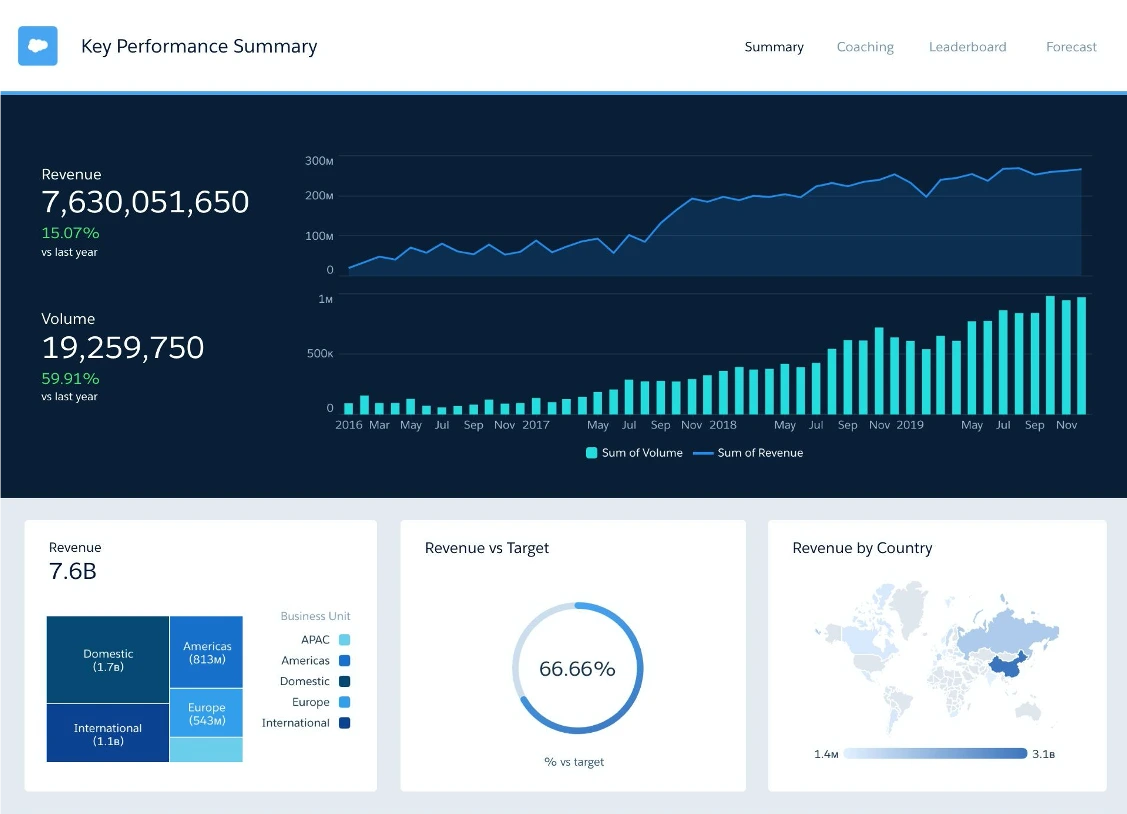
Salesforce Einstein provides an end-to-end AI solution to help companies adopt AI. It offers predictions and generates content to assist with marketing emails or content. Deeply integrated with Salesforce, Einstein uses data from CRM and other apps to deliver real-time insights, predictions, and content within your workflows.
Key features
- Einstein Prediction Builder allows you to create custom AI models to predict outcomes like churn or lifetime value. This is useful for scoring leads based on different criteria.
- Einstein Next Best Action delivers recommendations to employees and customers within Salesforce apps. You can define strategies and build models to suggest the next steps for nurturing leads.
- Einstein Discovery uncovers patterns in your data and provides AI insights for solving problems. This can help identify high-value leads or understand lead behavior.
- Einstein Language uses natural language processing to understand customer sentiment and intent. It can route inquiries and optimize workflows to prioritize leads based on interactions.
What users say about Salesforce Einstein
“Salesforce.com is our source of truth database for customer relationship management activities. With the Salesforce.com enablement features we have bought and the third-party vendors we work with sitting on top of our Salesforce.com, we can do all client interactions within Salesforce.com. Because of this, we have robust data on our sales and customer activities.” — Anonymous user
“I dislike that if you want a channel that isn't covered out of the box it's so difficult to use your own connectors. Also, it's extremely hard to bring your own bot to the party.” — Marilyn M., Senior Director
Integrations
Salesforce supports an extensive list of integrations as they have a complete marketplace to help you seamlessly integrate your stack. And because Einstein is part of the Salesforce ecosystem, you get the same integrations with Einstein.
Some popular integrations include:
- Google Data Studio
- GraphSQL
- Zapier
- And much more
Pricing
- Salesforce Cloud Einstein is priced at $50/user/month and charged annually. This includes unlimited requests for its lead-scoring-focused features.
4. HubSpot

HubSpot is an all-in-one sales and marketing software that helps businesses attract, engage, qualify, and convert leads at every sales funnel stage. It combines a full suite of tools to streamline and automate the sales process. HubSpot also offers powerful lead scoring features that can be a great way to prioritize your marketing campaigns, especially ABM.
Key features
- Lead Management & Prospecting: Manage leads and upcoming sales activities in one workspace.
- Email Tracking: Get real-time notifications when a lead opens an email.
- Sales Automation: Automate follow-up tasks and emails to keep leads engaged.
- Sales Analytics & Reporting: Full visibility into the sales process for effective forecasting.
- Predictive Lead Scoring: Available in the Enterprise plan, this feature helps prioritize leads.
What Users Say About Hubspot
“Hubspot Marketing Hub is our go-to tool for all our Marketing Initiatives. The best about Hubspot Marketing Hub is its User Experience. It is pretty much simple and their to-the-point approach (not showing too many options) is very beneficial.
The main red flag in Hubspot is its lack of Artificial Intelligence capabilities. Hubspot do have generative AI for Content creation but it lacks AI functionalities in Analytics and Database cleansing. We are tedious process especially if you have a huge database.” — Karthick M.
Integrations
HubSpot, like Salesforce, has a marketplace of integrations that allows you to integrate with hundreds of different tools. Some popular ones include:
- Google Suite
- WordPress
- Microsoft Suite
- Eventbrite
- And more
Pricing
- Free CRM plan with basic features
- Starter plan at $45/month for 1-10 users
- Professional plan at $800/month for advanced features
- Enterprise plan starting at $1,600/month with predictive lead scoring, A/B testing, and more
5. Freshsales
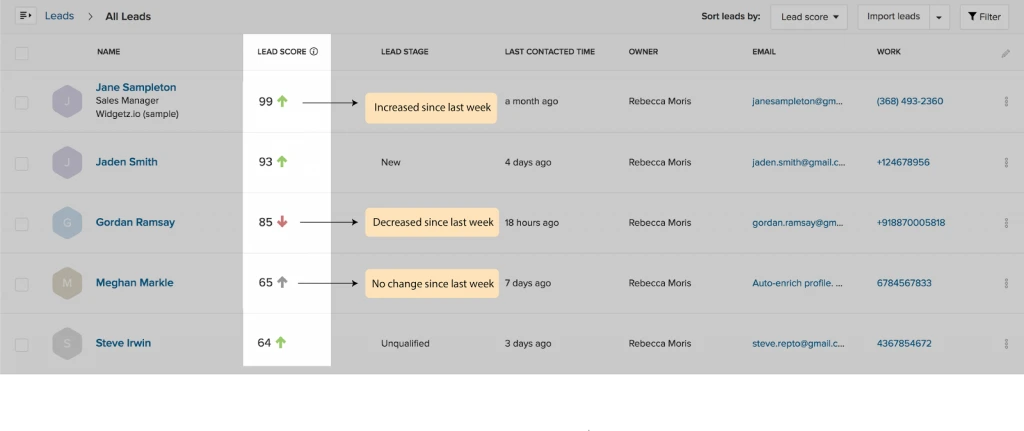
Freshsales is a powerful CRM platform designed to maximize business sales pipelines and revenue. It equips teams with robust features, including multiple sales pipelines, revenue analytics, CPQ capabilities, and AI-powered automation. This enables in-depth visibility into the sales process and intelligent prioritization of high-value deals.
Key Features
- Contact Scoring: Freddy AI assigns scores to prospects based on positive and negative signals to identify sales-ready leads.
- Deal Insights: Predictions on deal closure based on historical data, engagement, and activities to focus on high-value opportunities.
- Sales Sequences: Set up personalized outreach campaigns with triggers to effectively nurture prospects.
- Workflows: Automate repetitive sales tasks to reduce manual work and focus on qualified leads.
- Territory Management: Segment and prioritize prospects with rules to pursue leads likely to convert.
What Users Say About Freshsales
“Freshsales is a userfriendly CRM that is constantly looking for ways to improve. I like that they not only take feedback, but actually implement it. It syncs up easily to your email and allows for seamless work across different platforms like Google calendar/Gmal and Acuity.
I wish it would not ask to duplicate leads when they have different locations. Sometimes there will be a lot of leads with the same name (i.e. Jennifer Smith) and FS will automatically assume it is a duplicate. If it was somehow able to identify a difference in, say, location or company name, it would make the AI work in our favor with more ease.” — a reviewer on G2.
Integrations
Freshsales has a marketplace of integrations and these are some of the most popular ones.
- Mailchimp
- Trello
- Magento 2
- QuickBooks
- HubSpot
- PandaDoc
- Xero
- Stripe
- DocuSign
Pricing Plans
- Free Plan: $0 for up to 3 users with basic features.
- Growth Plan: $15/user/month billed annually or $18/user/month billed monthly. Includes contact scoring and sales sequences.
- Pro Plan: $39/user/month billed annually or $47/user/month billed monthly. Includes multiple pipelines and deal insights.
- Enterprise Plan: $69/user/month billed annually or $83/user/month billed monthly. Advanced customization and governance.
6. ActiveCampaign

ActiveCampaign is an end-to-end marketing automation platform designed to help businesses grow by streamlining the entire customer experience. It offers powerful capabilities, from email marketing to advanced lead scoring and sales automation.
Key Features
- Lead Scoring: Scores leads based on behaviors and attributes to identify and prioritize hot prospects for outreach.
- Win Probability: Uses machine learning to analyze past interactions and estimate the likelihood of closing a deal.
- Salesforce Integration: Enables robust scoring models by incorporating CRM data.
- Attribution Reporting: Provides insights into effective marketing channels for conversions.
What Users Say About ActiveCampaign
What I love about AC is they don't try to be the "only tool" you use. They get that we all use dozens of tools and instead work with that. We integrated in our Calendly, our Segment, our Bonjoro and many other integrations and they worked seamlessly. Not even Zapier required. — Casey H.
“Main downside we have experienced to date has been around Active Campaign support and responsiveness to issues. We have had our developer design and build the flows we are seeking but our main automation that has been set up is not working properly and a ticket has been logged with support for a number of days and no response or contact has been received.” — James C., Director
Top Integrations
- Salesforce
- WordPress
- Facebook Ads
- Slack
- Shopify
- WooCommerce
- Calendly
- Google Analytics
- Zapier
Pricing
- Plus Plan: $49/month annually for 3 users. Includes basics like WooCommerce integration.
- Professional Plan: $149/month annually for 5 users. Adds AI, Salesforce integration, and more.
- Enterprise Plan: Custom pricing for 10 users. Advanced features like custom reporting.
7. EngageBay

EngageBay is an intuitive all-in-one CRM and marketing automation platform tailored for small and midsize businesses. It combines a robust feature set on one seamless platform to maximize sales and revenue growth by aligning marketing and sales.
However, it contains multiple add-ons that you may require for proper analytics tracking which are not part of the complete package.
Key Features
- Marketing Automation: Create targeted campaigns and workflows to nurture prospects with relevant content and offers for better lead qualification.
- Lead Scoring: Automatically score leads based on demographics, behaviors like email opens/clicks, and other criteria to identify sales-ready prospects.
- Segmentation: Divide contacts into groups based on attributes like location, firmographics, interests, and behaviors for highly targeted marketing.
- Email Broadcast: Send customized emails to contacts and subscriber lists to drive engagement, which can be tracked for lead scoring.
- Deal Management: A centralized pipeline provides visibility into deal stages to score leads accordingly and focus efforts on closing deals.
What Users Say About Engagebay
“I love how you can manage your deals (sales pipeline) with email automations associated with those deals from the same platform. This is essential as it saves my sales and account management team a ton of time and effort with regards to admin work” — Rahul C.
“One thing I dislike about EngageBay is that the All-in-one suite does not actually include everything. There is a new really cool feature which allows you to track website activity, but it is an add-on. EngageBay charges extra for this feature.” — Marcin R.
Integrations
- Zapier
- SendGrid
- Mailgun
- Mandrill
- Xero
Pricing
- Free Plan: $0 per user/month, includes 250 contacts, basic CRM, and email marketing.
- Basic Plan: Starts at $12.74 per user/month, includes 500 contacts and lead scoring.
- Growth Plan: Starts at $42.49 per user/month, includes 5000 contacts and advanced features like custom domain.
- Pro Plan: Starts at $84.99 per user/month, and offers unlimited contacts and advanced analytics.
8. Adobe Marketo

Adobe Marketo Engage is a comprehensive marketing automation platform for B2B and B2C companies looking to optimize customer engagement and accelerate revenue. It combines robust email marketing, advanced lead management, and data-driven analytics in one powerful solution.
Marketo helps marketing and sales teams work cohesively to attract prospects, identify hot leads, and guide customers through personalized journeys from discovery to conversion. AI-powered capabilities provide actionable insights to engage people at the right time.
Key Features
- Lead Management: Nurture and qualify prospects through tailored content and the sales funnel.
- Account-Based Marketing: Coordinate marketing and sales to target high-value accounts.
- Scoring, Routing & Alerts: Prioritize and route leads based on engagement metrics and behaviors.
- Advanced Journey Analytics: Uncover customer insights across touchpoints to improve lead scoring.
- Predictive Audiences: Use AI to build customized audiences based on predicted behaviors.
What Users Say About Adobe Marketo
“It is a fairly complete tool, focused on marketing automation composed of webinars, form editor, landing templates, which significatly help you to elaborate reports though the management and analysis of programs that contains Adobe Marketo Engage, being this has a quite striking workflow management, taking into account that this engine is what makes this software quite attractive.” — Marco P.
“The user experience of building emails and campaigns can be very frustrating. For example, spacing surrounding email components appears much differently in the Marketo email preview than it does in your inbox. About 50% of the time, when you add an image, link, or token to your email, it disappears upon saving and you need to add it a second time. Almost every time you add a line break in your email, you have to save the component, open it again, and save it again before Marketo will reflect the space you added in the email preview.” — Jordan M.
Integrations
Like Salesforce and HubSpot, Adobe Marketo has a marketplace for all the tools that can be integrated with it. Here are some of the popular ones.
- Adobe Experience Cloud
- Salesforce
- Microsoft
- SAP
- Google and Facebook
- Event tools
- And more
Pricing
- Growth: Core email, segmentation, automation. Custom pricing.
- Select: Essential automation and measurement. Custom pricing.
- Prime: Advanced lead management, journey analytics, AI. Custom pricing.
- Ultimate: Robust marketing automation capabilities. Custom pricing.
With powerful automation, intelligence, and analytics, Marketo enables personalized cross-channel experiences to convert more prospects and drive revenue.
9. Monday.com

Monday.com is a flexible and customizable sales platform designed for sales teams looking to streamline processes, boost productivity, and centralize customer data. It brings key sales capabilities like pipeline visibility, forecasting, email integration, and activity tracking into one intuitive platform.
Key Features
- Email Sync & Tracking: Sync Gmail/Outlook to log emails and get notifications when prospects open or reply.
- Sales Forecasting: Set deal values and probabilities to track forecast vs. actual sales.
- Activity Management: Log activities like calls, meetings, and notes with leads and contacts.
- Team Goals: Manage and track team quota attainment over time.
- Lead Capturing: Integrate with other tools or add website forms to capture leads.
What Users Say About Monday
“I like how monday.com helps us create almost instanly more efficient team no matter the approach you take: be it Kanban, Scrum, Scrumban or any other predictive or agile enviroment, Monday.com is full of templates and views to show the data in all those approaches. Automations make the job of a project lead much easier and allows you track performance, SLAs, etc. You can assign owners, up to two, limit the work in progress, link with Gmail, etc” — Milton Adalberto A.
It takes a long time to set up exactly how you want it, truly you need a dedicated person to be able to get it going perfectly. Otherwise, you will be tweaking constantly to get it fully operational and customized. — Megan M., Director of Operations
Integrations
- DocuSign
- Aircall
- PandaDoc
- MailChimp
- Hubspot
- Facebook Ads
- Salesforce
Pricing
- Basic CRM: $10/user/month billed annually, unlimited contacts, custom pipelines.
- Standard CRM: $14/user/month billed annually, 2-way email, CRM automation.
- Pro CRM: $24/user/month billed annually, sales analytics, mass emails.
- Enterprise CRM: Contact for pricing, lead scoring, analytics, and security.
10. Platformly
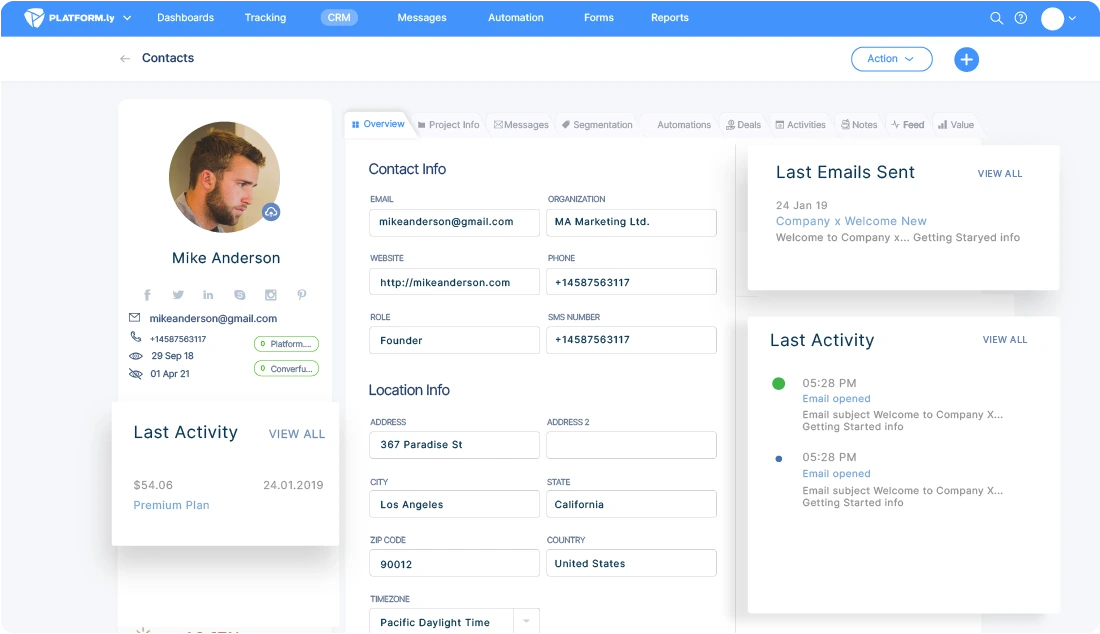
Platformly is an intuitive marketing automation platform designed to help online businesses centralize, automate and scale their operations for growth. It combines email marketing, basic CRM, behavioral tracking, analytics, and more to streamline processes and convert leads.
Key Features
- CRM: Automatically record and update customer information like contact details, interactions, and recent social media activity.
- Segmentation: Divide your contacts into groups with shared attributes to send targeted campaigns.
- Sales Pipelines: Visualize deal stages to understand where leads are in the funnel and focus efforts on pushing them through.
What Users Say About Platformly
“Platformly is perfect because it always allows you to save time. It offers many features in one tool: marketing automation, emails, forms... and more. On top of that, it has many integrations with other tools! The other great thing is support. This is important to me. I don't like waiting too long for support.” — Thomas K.
“The well-defined interface is rather complicated and confusing. Their documentation is primarily technical documentation and less about use case scenarios to help train and guide in optimal usage.” — Peter K., CEO and Co-Founder
Top Integrations:
- ClickBank, PayPal, Paddle, Stripe
- WooCommerce, Shopify
- Twilio & Nexmo
Pricing
- Starter Plan: $69/month for up to 10K contacts, 10K emails/month, 1 dashboard, 5 integrations.
- Growth Plan: $49/month extra for 100K emails/month, 5 dashboards, unlimited integrations.
- Unlimited Plan: $99/month extra for unlimited emails, dashboards, integrations.
11. Pardot

Pardot combines a suite of capabilities, including email marketing, lead nurturing, lead scoring, and seamless CRM integration with Salesforce. Automated and personalized campaigns allow you to engage prospects with the right message based on their interests and behaviors at the right time.
Robust analytics provide insights to refine campaigns and strategies for optimal ROI continuously. The platform is optimized to find, nurture, and convert more prospects into customers.
Key Features
- Marketing Automation: Automate tasks to identify and engage with hot leads.
- Marketing Analytics: Focus efforts on high-value prospects based on conversion data.
- Sales & Marketing Alignment: Salesforce Engage connects sales with qualified leads from marketing.
What Users Say About Pardot
Complexity, Cost, Learning Curve, Limited Social Media Integration. Despite these potential downsides, many organizations find the benefits of Pardot when it comes to enhancing their marketing efforts and customer engagement — Deepak R.
Pardot requires knowledge of HTML, which is a nice way of saying that your time working on email campaigns is going to be complex, frustrating, and time-consuming. Formatting and styling are Pardot's pain points. Source reporting, and reporting in general, are famously awful. Don't take my word for me - check around, and you'll find out that Pardot is dead last in the market regarding providing useful data and insights. — Ian B., Growth Marketing Manager
Integrations
Similar to Salesforce, Pardot integrates and works with all the tools that Salesforce integrates with.
Pricing
- Account Engagement: $1,250/month for up to 10K contacts annually.
- Plus: $2,750/month for up to 10K contacts annually.
- Marketing Analytics: $3,000/user/month annually.
- Sales & Marketing Alignment: $50/user/month annually.
{{INLINE_MOFU}}
Lead scoring tools are crucial for B2B SaaS companies to prioritize high-value prospects and boost sales efficiency.
1. Factors.ai: AI-driven account intelligence that segments, scores, and analyzes high-intent accounts for optimized targeting.
2. MadKudu: Predictive lead scoring based on fit and engagement, helping SaaS businesses accelerate growth with customer data.
3. Salesmate: Customizable scoring models, CRM integration, and real-time analytics to enhance lead management and ROI.
4. HubSpot: Combines CRM, marketing automation, and analytics for effective lead scoring and sales alignment.
5. ActiveCampaign: Advanced lead scoring, marketing automation, and Salesforce integration for streamlined sales processes.
These tools help B2B SaaS companies identify and engage high-potential leads, driving growth and improving sales performance.
Key Takeaways
- Implementing lead scoring is critical to identify and prioritize hot prospects most likely to convert. The right software solution can analyze engagement, attributes, and behaviors to accurately predict lead potential.
- Look for AI-powered predictive scoring, actionable account intelligence, and intuitive journey analytics when evaluating lead scoring platforms. These capabilities optimize targeting, conversions, and revenue growth.
- Platforms like Factors utilize advanced AI and machine learning to provide unparalleled accuracy in predicting outcomes. Comprehensive account profiles and Explain features uncover trends driving progression.
- Seamless CRM and marketing automation integrations align sales and marketing around high-value targets. Shared tools and data foster engagement, coordination, and conversions.
- Solutions range from specialized scoring to end-to-end suites. Assess your needs and stack compatibility when selecting. All-in-one platforms can maximize efficiency.
- Carefully evaluate capabilities, ease of use, customer support, and pricing models. Many offer multiple tiers based on features, users, and contacts.
For enterprises seeking a powerful yet intuitive lead scoring and account management platform, Factors is a clear choice. Book a demo with Factors to learn how cutting-edge AI can uncover revenue opportunities.
Lead Sourcing for B2B Companies
Discover effective lead sourcing strategies for B2B companies, from utilizing databases to AI-driven tools like Factors for optimized sales pipelines and growth.
TL;DR
- Lead sourcing is proactive, identifying potential customers, while lead generation attracts leads via marketing.
- It helps target the right prospects, speeds up sales cycles, and improves conversion rates.
- Effective strategies include using B2B databases, leveraging social media, attending industry events, and Account-Based Marketing (ABM).
- AI and automation tools enhance lead sourcing by streamlining processes.
- Challenges include ensuring data quality, compliance with privacy laws, and resource limitations.
- Best practices include defining an Ideal Customer Profile (ICP), segmenting leads, using multiple channels, and analyzing results.
- Tools like Factors optimize lead sourcing with AI-driven insights and real-time reporting.
In B2B sales, competition is fierce, and the stakes are high. But lead sourcing can be your secret sauce for business growth. Think of it as your business's matchmaking service, where you proactively seek out and identify potential customers waiting to fall in love with your product or service.
But let’s clear the air—lead sourcing isn’t the same as lead generation. While lead generation is about attracting leads through snazzy content and killer marketing campaigns, lead sourcing is where you roll up your sleeves and hunt for those golden contacts who fit your ideal customer profile.
Understanding Lead Sourcing
Lead sourcing is the first step in the B2B sales funnel. It is a crucial activity that helps sales teams identify potential customers and build a pipeline of qualified leads. Effective lead sourcing involves research, data analysis, and the use of various tools and platforms to gather information about potential customers.
Lead Sourcing vs. Lead Generation
It is essential to distinguish between lead sourcing and lead generation. While both are integral to the sales process, they serve different purposes:
- Lead Sourcing
The process of identifying and gathering potential customer data. It is an outbound activity where sales teams actively search for leads using various tools and techniques.
- Lead Generation
The process of attracting potential customers through marketing efforts. It is an inbound activity where leads come to you through content, social media, webinars, and other marketing channels.
Understanding this distinction is key to developing a comprehensive sales strategy that leverages both lead sourcing and lead generation.
{{INLINE_TOFU}}
Importance of Lead Sourcing in B2B Sales
For B2B companies, lead sourcing is a foundational activity that directly impacts the success of sales efforts. Here’s why lead sourcing is essential:

- Targeted Outreach
Lead sourcing allows you to identify and target specific companies or decision-makers who are most likely to benefit from your product or service.
- Faster Sales Cycles
By sourcing leads who are already a good fit for your offering, you can accelerate the sales cycle and reduce the time it takes to close deals.
- Improved Conversion Rates
High-quality leads are more likely to convert into paying customers, leading to better conversion rates and higher ROI.
- Better Use of Sales Resources
With a well-curated list of leads, your sales team can focus on engaging with potential customers who are genuinely interested in your product rather than spending time on unqualified leads.
Strategies for Effective Lead Sourcing
Lead sourcing requires a strategic approach to ensure that the leads you gather are of high quality and relevant to your business. Here are some effective strategies for B2B lead sourcing:
1. Utilize B2B Databases
B2B databases are a goldmine for lead sourcing. These platforms provide access to extensive lists of companies and decision-makers across various industries. Some popular B2B databases include:
- LinkedIn Sales Navigator: LinkedIn is a powerful tool for lead sourcing, allowing you to search for companies, industries, and specific roles.
- ZoomInfo: ZoomInfo offers detailed contact information and company data, making it easier to find the right leads.
- Cognism: Cognism is another excellent tool for B2B lead sourcing, offering real-time data on companies and decision-makers.
When using B2B databases, it’s important to filter your search based on your ideal customer profile (ICP) to ensure that the leads you gather are relevant.
2. Leverage Social Media
Social media platforms, particularly LinkedIn and Twitter, are valuable resources for B2B lead sourcing. These platforms allow you to engage with potential leads and gather information about their interests, challenges, and needs.
- LinkedIn: Use LinkedIn’s advanced search features to find leads based on industry, company size, job title, and other relevant criteria. Joining LinkedIn groups related to your industry can also help you connect with potential leads.
- Twitter: Twitter is useful for identifying leads who are actively discussing topics related to your industry. By following relevant hashtags and engaging in conversations, you can find leads who may be interested in your offering.
3. Attend Industry Events and Conferences
Industry events, trade shows, and conferences are excellent opportunities for lead sourcing. These events bring together professionals and decision-makers from your target industries, providing a platform to network and gather leads.
To maximize your lead sourcing efforts at events:
- Pre-Event Planning: Research attendees and identify key prospects before the event. Use social media and event apps to connect with them in advance.
- Networking: Engage in meaningful conversations with attendees, exchange contact information, and follow up after the event.
- Post-Event Follow-Up: Send personalized emails or LinkedIn messages to the leads you met at the event. Reference your conversation and offer additional value to keep the dialogue going.
4. Implement Account-Based Marketing (ABM)

Account-Based Marketing (ABM) is a strategic approach that focuses on targeting specific companies (accounts) rather than individual leads. ABM allows you to personalize your outreach and tailor your messaging to the needs of each account.
- Identify Target Accounts: Start by identifying a list of high-value accounts that are a good fit for your product or service.
- Research Decision-Makers: Use LinkedIn and B2B databases to find the key decision-makers within each target account.
- Personalize Your Outreach: Create personalized messaging and content for each account, addressing their specific pain points and challenges.
- Engage Across Multiple Channels: Use a combination of email, social media, direct mail, and phone calls to engage with decision-makers within your target accounts.
5. Use AI and Automation Tools
AI and automation tools can significantly enhance your lead sourcing efforts by streamlining the process and improving accuracy. These tools can help you identify leads, gather contact information, and even predict which leads are most likely to convert.
- AI-Powered Lead Scoring: AI tools can analyze data and assign scores to leads based on their likelihood of converting. This allows you to prioritize high-quality leads.
- Automated Data Enrichment: Automation tools can enrich your lead data by filling in missing information, such as email addresses, phone numbers, and job titles.
- Chatbots and Conversational AI: Chatbots can engage with website visitors in real-time, collecting information and qualifying leads on the spot.
Challenges in Lead Sourcing
While lead sourcing is critical for B2B sales success, it is not without its challenges. Understanding these challenges can help you develop strategies to overcome them.
1. Data Quality
One of the biggest challenges in lead sourcing is ensuring data quality. Inaccurate or outdated contact information can lead to wasted efforts and missed opportunities.
- Solution: Regularly clean and update your lead database to ensure accuracy. Use data enrichment tools to fill in missing information and verify contact details.
2. Lead Relevance
Not all leads are created equal. Some leads may not be a good fit for your product or may not have the authority to make purchasing decisions.
- Solution: Develop a clear Ideal Customer Profile (ICP) to guide your lead sourcing efforts. Focus on sourcing leads that match your ICP criteria.
3. Compliance and Privacy Concerns
With the increasing emphasis on data privacy, lead sourcing activities must comply with regulations such as GDPR and CCPA.
- Solution: Ensure that your lead sourcing practices comply with data privacy laws. Obtain consent where necessary and be transparent about how you use and store lead data.
4. Time and Resource Constraints
Lead sourcing can be time-consuming, especially if you don’t have the right tools or resources.
- Solution: Invest in automation tools to streamline the lead sourcing process. Consider outsourcing lead sourcing to specialized agencies if internal resources are limited.
Best Practices for Lead Sourcing
To maximize the effectiveness of your lead sourcing efforts, follow these best practices:
1. Define Your Ideal Customer Profile (ICP)

Before you start sourcing leads, it’s essential to define your Ideal Customer Profile (ICP). Your ICP should outline the characteristics of your best customers, including factors such as industry, company size, location, and pain points.
Having a well-defined ICP ensures that you are targeting the right leads and increases the likelihood of conversion.
2. Segment Your Leads
Not all leads are at the same stage of the buying journey. Segment your leads based on their level of interest, engagement, and decision-making authority. This allows you to tailor your outreach and messaging to each segment, increasing your chances of success.
3. Leverage Multiple Channels
Don’t rely on a single source for leads. Instead, use a combination of channels, including B2B databases, social media, email, events, and webinars, to gather leads. This multi-channel approach ensures that you are reaching a broader audience.
4. Track and Analyze Your Results
Regularly track and analyze your lead sourcing efforts to determine what’s working and what’s not. Use analytics tools to measure key metrics such as lead quality, conversion rates, and ROI. This data-driven approach allows you to optimize your lead sourcing strategy over time.
How Factors Can Help with Lead Sourcing for B2B Companies
Effective lead sourcing requires robust tools and strategies. Factors enhances your efforts by providing account-level insights and analytics.
- Engagement Scoring
Factors scores account based on engagement data, helping prioritize sales-ready opportunities.
- Behavioral Insights
The platform offers detailed engagement metrics to understand account interactions with your content.
- Multi-Channel Attribution
Factors identifies which channels drive the most engagement and conversions.
- Data Enrichment
It automates account-level intelligence, ensuring your data is comprehensive.
- Intent Signals
The platform uses engagement data to highlight accounts with high purchase intent.
- CRM Integration
Factors integrates with major CRMs for seamless data synchronization.
- Real-Time Reporting
Customizable dashboards provide real-time insights into account engagement.
Lead Sourcing: Strategies, Benefits & Challenges
A proactive approach in B2B sales to identify and engage high-quality prospects.
1. Effective Strategies: Utilize B2B databases, leverage LinkedIn, attend industry events, and implement Account-Based Marketing (ABM).
2. Key Benefits: Targeted outreach, shortened sales cycles, and improved conversion rates.
3. Challenges & Solutions: Ensure data accuracy, comply with privacy laws, and invest in automation tools for efficiency.
Optimizing lead sourcing enhances sales performance, accelerates conversions, and drives business growth.
In a Nutshell
Lead sourcing is a vital component of any B2B company’s sales strategy. It involves the proactive identification and gathering of potential customer information, essential for building a robust sales pipeline. Companies can enhance their lead-sourcing efforts and drive business growth by leveraging various strategies such as utilizing B2B databases, leveraging social media, attending industry events, and implementing Account-Based Marketing (ABM).
However, lead sourcing has challenges, including data quality issues, compliance concerns, and time constraints. To overcome these challenges, it is important to follow best practices such as defining your Ideal Customer Profile (ICP), segmenting leads, using multiple channels, and continuously tracking and analyzing your results.
Incorporating advanced tools like Factors.ai can further optimize your lead sourcing efforts. With its AI-powered lead scoring, behavioral insights, multi-channel attribution, and predictive analytics, Factors provides B2B companies with the tools and insights they need to source high-quality leads and accelerate their sales cycles.
By combining strategic lead sourcing techniques with powerful analytics and automation tools, B2B companies can build a steady pipeline of qualified leads, improve conversion rates, and ultimately achieve their growth objectives.
.avif)
Top Lead Forensics Alternatives in 2026
Looking for Lead Forensics alternatives? Compare seven options based on pricing, identification capabilities, workflows, and ideal use cases.

Lead Forensics is one of several platforms built to help B2B teams identify anonymous website visitors at the company level and act on the resulting data. The right alternative depends on what you want to change.
Some teams want published pricing or a self-service plan. Others need person-level identification for eligible US traffic, deeper marketing analytics, or built-in chat and outreach. Those are different buying problems, and no single Lead Forensics alternative is the best choice for all of them.
This guide compares seven current options. It explains the identification model, workflow, public pricing, and practical trade-offs for each product. Pricing and product details were checked against vendor pages in September 2026.
Lead Forensics alternatives at a glance
Key features of Lead Forensics
Lead Forensics covers more than a company-name lookup. It identifies businesses visiting a website, shows their browsing behavior, provides relevant decision-maker contact data, sends real-time alerts, and includes a lead and pipeline manager. Its CRM integrations include Salesforce, HubSpot, Microsoft Dynamics, Pipedrive, and Zoho. The company also offers website chat.
The Lead Forensics pricing page lists two plans named Essentials and Automate. Automate adds workflow automation, CRM lead creation, automated routing, and ABM account matching. Both plans include unlimited users. Lead Forensics does not publish a fixed price. It calculates a quote using website traffic and the number of leads uncovered during a one-week trial.
If ABM account matching is central to the buying decision, compare the wider set of ABM platforms instead of treating every visitor-identification product as equivalent.
According to the Lead Forensics visitor identification FAQ, the platform identifies the visiting company rather than the exact person browsing. Its decision-maker records are contacts associated with an identified business and may not represent the website visitor. Buyers should keep this distinction in mind when comparing website visitor identification tools.
Why buyers compare Lead Forensics alternatives
Looking at alternatives does not mean Lead Forensics is unsuitable. It means a buyer has a specific requirement worth testing against the market.
Buyers usually compare alternatives for the following reasons.
- Published pricing. A buyer may need an initial budget before entering a demo and quote process.
- A self-service purchase. Some teams prefer to install a script, start a trial, and select a plan without a sales-led buying process.
- Person-level identification for US traffic. This is a different data model from company-level identification and comes with different geographic and privacy considerations.
- Broader marketing analysis. A demand generation team may want visitor identification alongside account scoring models, advertising analysis, revenue attribution, and journey reporting.
- Built-in engagement. Some products include email sequences, LinkedIn outreach tools, or AI chat as part of the workflow.
- A different CRM or routing setup. The best option may be the one fitting the team's existing CRM workflow automation and ownership rules with the least custom work.
Customer reviews provide useful context when handled carefully. G2 lists Lead Forensics at 4.4 out of 5 as of September 2026. Its aggregated pros and cons summary highlights ease of use among the advantages. The same summary says reviewers have mentioned lead quality, missing or outdated contact information, incorrect information, and ease of navigation among the disadvantages.
These summaries represent customer feedback, not a finding applying to every account. Identification and contact-data results vary with geography, traffic composition, and the companies visiting a site. A controlled trial with your own traffic is more useful than treating any review as a guaranteed outcome.
The 7 best Lead Forensics alternatives
1. Factors.ai
Best suited for marketing and revenue teams wanting visitor identification inside a broader account intelligence and measurement workflow
Factors.ai identifies companies visiting a website and lets teams segment accounts using firmographic and behavioral data. Rules can trigger alerts and workflows, while CRM sync gives sales access to the resulting account activity.
The larger difference appears after identification. Factors can analyze the buyer journey across website, CRM, advertising, and intent data. Growth includes custom account scoring, engagement tracking, G2 journey analysis, custom workflows, and ABM analytics. Enterprise adds predictive scoring, audience sync, LinkedIn advertising controls, enhanced conversions for Google Ads, and multi-source intent.
This scope fits teams asking marketing questions alongside sales questions. For example, a demand generation team can examine which accounts saw LinkedIn ads, later visited important pages, entered an opportunity stage, and converted. A sales team can use the same activity in account scores and alerts.
Factors.ai is not a direct substitute for every Lead Forensics workflow. Lead Forensics has its own lead and pipeline manager and supplies decision-maker contact data within its core packages. A buyer whose only goal is to identify visiting companies and give sales a contact list may not need the wider analytics available in Factors.
Pricing
Factors.ai pricing starts at $199 per month for Lite after the trial. Basic is listed at $6,000 per year, Growth at $20,000 per year, and Enterprise at $30,000 or more per year. The included analysis, scoring, workflows, and advertising features change across plans.
2. Leadfeeder
Best suited for teams wanting published, volume-based pricing and a modular path from company identification to contacts and activation
Dealfront adopted the Leadfeeder name in 2026. The current product includes Web Visitors, Companies, Campaigns, and Lists modules, along with buying-intent filters, workflows, CRM integrations, and account research.
The entry-level workflow centers on company identification. Discover shows visiting companies, sends alerts, pushes accounts into a CRM, and can automate outreach or retargeting. Activate adds verified emails and phone numbers, intent filters, CRM automation, B2B display campaigns, and AI-assisted prospect lists. Scale adds unlimited data exports, automatic CRM updates, and a dedicated customer success manager.
Leadfeeder publishes how its volume model works. One company identified during a month counts once, even if people from the same company return several times. Buyers can use this rule to estimate their tier during the trial.
The main budget consideration is the combination of identified-company volume and credits. Teams needing contact enrichment, exports, or activation should compare the full plan configuration rather than looking only at the lowest advertised price.
Pricing
Leadfeeder pricing includes a free Lite plan with the last 100 identified companies per month, unlimited users, and seven days of history. Annual prices start at €79 per month for Discover, €369 for Activate, and €599 for Scale. Each paid plan has a 14-day trial.
3. Leadinfo
Best suited for teams wanting company identification, decision-maker data, and a large set of CRM connections with optional outreach tools
Leadinfo shows identified companies, their website activity, company information, and relevant decision-maker records. Its pricing page lists 67 CRM integrations, automated lead scoring, Google Ads integration, and real-time visitor identification.
The plan structure makes the operational differences clear. Starter includes three users and three automations. Scale raises both limits to ten, adds fully automated CRM sharing, and includes HubSpot, Microsoft Dynamics, GA4, Looker Studio, LinkedIn Ads, and session recordings. Pro includes unlimited users and automations, Salesforce and Marketo integrations, mobile phone data, and a dedicated customer success manager.
Leadinfo also sells Autopilot for email and LinkedIn automation and Leadbot for website conversations. These are separate add-ons. A team comparing Leadinfo with Lead Forensics should price the base plan and any engagement tools together.
Pricing
Leadinfo pricing is based on the monthly number of identified companies. Annual plans start at €69 per month for Starter, €159 for Scale, and €359 for Pro. Autopilot and Leadbot Business start at €59 per seat. A 14-day trial is available.
4. Snitcher
Best suited for teams wanting straightforward usage pricing, unlimited team members, and access to the full core feature set
Snitcher identifies companies, tracks real-time activity, detects intent signals, sends Slack and email alerts, and syncs data with HubSpot, Salesforce, and Pipedrive. Its feature list also includes technographic data, multi-touch attribution, lead scoring, workflows, an API, and GDPR tools.
Snitcher's main pricing distinction is simple. Plans vary by the number of unique companies identified each month, while the listed product features and unlimited team members are included across tiers. An agency or product team can also evaluate its white-label and data-only options.
The product includes an Identity Layer for user identification. Buyers interested in contact-level results should confirm eligible traffic, data coverage, consent requirements, and the fields available in their intended market during the trial. The same validation applies to every product offering person-level or contact-level identification.
Pricing
Snitcher pricing starts at $49 per month for up to 50 unique identified companies. Published tiers rise with volume. The next tiers are $69 for 51 to 100 companies and $99 for 101 to 250 companies. Snitcher offers a 14-day trial without a credit card.
5. Albacross
Best suited for teams wanting to move from identified website activity into email and LinkedIn engagement without buying a separate sequencing product
Albacross identifies visiting companies and segments them using firmographic data, website behavior, and intent signals. Its current product extends into contact discovery and automated engagement. Users can build email sequences, create multi-step LinkedIn actions, receive alerts in Slack or Microsoft Teams, and route information into a CRM. Buyers evaluating this workflow should compare the available LinkedIn automation tools and their safeguards before choosing a sequencer.
Starter includes Pipedrive sync, advanced filters, contact credits, buyer-persona recommendations, and automated email and LinkedIn sequences. Professional adds HubSpot, LinkedIn Ads, CSV and Google Sheets exports, unlimited sequences, and priority support. The Organisation plan adds Salesforce, permissions, webhooks, API access, ABM features, and dedicated customer success.
Albacross is a partial Lead Forensics alternative for buyers evaluating both identification and outbound execution. It is less comparable when the requirement is a native lead manager or deeper cross-channel attribution. Contact credits also deserve attention because the included amount changes by plan and additional credits have their own cost.
Pricing
Albacross pricing starts at €59 per month for Starter and €149 for Professional when billed annually. Monthly billing is listed at €84 and €213. Organisation uses custom pricing. A 14-day trial is available.
6. RB2B
Best suited for US-focused teams whose main requirement is person-level website visitor identification
RB2B differs from most tools in this list because paid plans can return person-level details for eligible US website traffic. Results can include a LinkedIn profile and, on higher plans, a business email. Teams can filter visitors using role, company, and geography criteria before routing records to Slack, Microsoft Teams, a CRM, or another connected tool.
The geographic boundary is important. RB2B states its person-level identification works only for US traffic. Company-level identification is available globally. The vendor also states consent capture is required when deploying its global company-level identification in regions covered by GDPR.
RB2B is a narrower Lead Forensics alternative when a buyer needs a built-in pipeline manager, account-level marketing analytics, or a worldwide person-level database. It can be a practical choice when the job is to identify eligible US visitors and send those records into tools already used by sales.
Privacy requirements depend on the data collected, the visitor's location, consent practices, and how a team uses the result. Review the vendor's current compliance documents and involve qualified counsel before deploying any person-level identification workflow.
Pricing
RB2B pricing includes a free plan with 150 monthly company-level resolutions and Slack delivery. Starter costs $79 per month for 300 resolutions and person-level LinkedIn profiles. Pro starts at $149 per month and adds business email addresses plus other integrations. Pro+ starts at $199 per month and uses the vendor's premium resolution model. New accounts receive a seven-day full-featured trial.
7. Warmly
Best suited for teams evaluating website identification, AI chat, and automated inbound follow-up as one purchase
Warmly identifies contacts and companies, filters visitors against an ICP, sends real-time alerts, routes leads, and syncs activity to a CRM. Its broader products add an AI chatbot, live chat, automated email follow-up, qualification, and other inbound workflows.
The pricing structure reflects this wider scope. AI Web-Deanonymization covers identification, alerts, routing, CRM sync, and retargeting. Inbound Chat adds the chatbot and live website engagement. AI Inbound Autopilot adds automated qualification, chat follow-up, email generation, and AI agents configured for different tasks.
Warmly is not the closest option for a buyer seeking low-cost company identification alone. It becomes more relevant when the buying project also includes chat or automated inbound handling.
Warmly announced an agreement to be acquired by HubSpot on June 30, 2026. Buyers should ask how the proposed acquisition affects product packaging, contracts, integrations, and roadmap commitments before signing a long-term agreement.
Pricing
Warmly pricing starts at $10,000 per year for AI Web-Deanonymization, $20,000 per year for Inbound Chat, and $30,000 per year for AI Inbound Autopilot. Quarterly terms are also listed at higher annualized rates. Plans start with 10,000 credits per month.
How to choose between Lead Forensics competitors
The most useful evaluation begins with the job the new tool needs to perform. A long feature checklist can hide the few differences affecting cost and adoption.
1. Define the identification model
Decide whether the team needs a company name, a list of relevant contacts at the company, or an attempt to identify an individual visitor. These outputs are not interchangeable. Confirm eligible countries, the underlying data permissions, and any consent requirements for the model under consideration.
2. Run the same traffic test
Install each shortlisted product on the same domains for a comparable period. Measure the following points.
- The percentage of results matching your ideal customer profile
- Coverage in the countries where you sell
- The number of visits showing relevant buying signals rather than total matches
- Contact-data completeness and accuracy, where included
- Duplicate, ISP, agency, and existing-customer handling
- The number of results sales accepts and acts on
A headline identification rate has little value without traffic context. A lower volume of relevant accounts may be more useful than a larger unfiltered list. Use consistent website visitor identification metrics across every trial to keep the comparison fair.
3. Compare the full commercial model
Record the pricing unit for each option. It may be total traffic, unique identified companies, credits, contacts, tracked domains, users, or a combination. Add required modules, contact credits, implementation, premium integrations, support, and overage charges before comparing annual totals.
Lead Forensics includes unlimited users, a dedicated customer success manager, and training in its listed packages. A lower software price elsewhere may not include equivalent service. The reverse can also be true when a team prefers self-service and does not need managed support.
4. Test the action after identification
Map what should happen when a high-fit company visits a pricing page. The tool may need to alert an account owner, update a CRM record, add the account to an advertising audience, create a task, or start a compliant outreach sequence. Test the entire path during the trial rather than stopping once the company name appears.
5. Set a baseline before signing
Agree on a small set of measures before procurement. Useful examples include accepted accounts, sales follow-up rate, meetings booked from identified traffic, influenced opportunities, and time saved on research or routing. Preserve the trial data as the baseline for a later review.
Frequently asked questions
What is the best Lead Forensics alternative?
The best option depends on your requirement. Factors.ai is relevant when account intelligence and marketing measurement are central. Leadfeeder, Leadinfo, Snitcher, and Albacross offer published entry pricing for different company-identification workflows. RB2B is distinct for US person-level identification. Warmly is suited to teams also buying chat and automated inbound follow-up.
Does Lead Forensics identify individual website visitors?
Lead Forensics identifies the company visiting a website. It provides relevant decision-maker contacts at the identified company, but those contacts may not be the people who browsed the site.
Does Lead Forensics publish its pricing?
No fixed monthly or annual rate appears on the public pricing page. Lead Forensics offers a demo and one-week trial, then prepares a custom quote using website traffic and the number of leads uncovered. The price does not change based on user count because both plans include unlimited users.
Are there free Lead Forensics alternatives?
Leadfeeder and RB2B have free plans but come with limits. Leadfeeder Lite shows the last 100 identified companies each month with seven days of history. RB2B's free plan provides 150 monthly company-level resolutions through Slack and does not include person-level data or email addresses.
Is Lead Forensics only for enterprise companies?
No. Lead Forensics says it serves 10,000 growing businesses and does not label Essentials as an SMB plan or Automate as an enterprise plan. Its custom quote depends on traffic, uncovered lead volume, features, and customer needs rather than a published company-size requirement.

We don’t just write about demand gen. We deliver it.
Our AI Agents help you uncover high-intent accounts, run campaigns that actually convert, and keep your GTM motion in sync.
1000+ GTM teams have already scaled their pipeline with Factors.
*Includes built-in peace of mind. And fewer late-night funnel audits.


.svg)



.avif)

