

Good Reads
Fix pipeline pains. Solve GTM puzzles. Read strategic brain dump.
Written for marketers who want real solutions to a leaking pipeline (and their dark circles).
Want to read more from us?

I’m looking for…
Intent Data Platforms vs Traditional Lead Generation: ROI Comparison 2026
Compare the ROI of intent data platforms and traditional lead generation in 2026. Learn which delivers faster conversions, lower CAC, and better lead targeting.

TL;DR
- Conversion Efficiency: Intent data leads convert 2–3x faster than traditional ones, thanks to behavioral targeting and real-time scoring.
- Cost Dynamics: Higher upfront costs for intent platforms, but lower CAC and higher ROMI make them more cost-effective in the long term.
- Sales Velocity: Intent platforms cut time to close by 40% compared to slower, manual processes in traditional lead generation.
- Best Fit Strategy: Use intent data to enhance, not replace, traditional lead generation, especially for high-value B2B sales.
B2B lead generation has traditionally relied on cold calling, mass email campaigns, and networking events. While these strategies can generate leads, they often lack efficiency, require significant manual effort, and result in low conversion rates. Today’s businesses need a more targeted approach that ensures sales and marketing teams focus their efforts on the most relevant prospects.
Intent data platforms address this challenge by analyzing digital signals, such as search behavior, content engagement, and product research, to identify businesses actively exploring solutions. Instead of reaching out to a broad audience with limited context, companies using intent data can prioritize leads already in the decision-making process, leading to more efficient resource allocation and higher-quality conversions.
This blog compares intent data platforms with traditional lead generation methods, focusing on ROI, implementation costs, and long-term business impact. By understanding the differences, businesses can make informed decisions on the best approach for their sales and marketing strategies.
Intent Data Platforms Vs Traditional Lead Gen

Intent Data Platforms Vs Traditional Lead Gen: ROI Metrics Comparison
When comparing intent data platforms with traditional lead generation, five key metrics show clear differences in return on investment:
1 Cost Per Lead (CPL)
Intent data platforms typically start with a higher cost per lead (CPL) ($150-200) compared to traditional methods ($50-100). However, these leads have stronger intent, leading to better conversion rates. Companies using intent data see a 50% drop in cost per qualified lead over time.
2 Conversion Rates
Intent-driven leads convert at 2 to 3 times the rate of traditional leads. Intent data platforms achieve conversion rates of 20-25%, compared to 5-10% with conventional methods. This higher quality offsets the initial higher cost per lead.
3 Time to Close
Sales cycles are shorter with intent data. Leads from intent platforms close 40% faster on average. Traditional methods often take 3 to 6 months to close, while intent-based leads typically close within 1 to 2 months.
4 Customer Acquisition Cost (CAC)
Intent platforms have higher upfront costs, but the total CAC is often lower due to higher conversion rates and shorter sales cycles. There is a 30% reduction in overall CAC when using intent data effectively.
5 Return on Marketing Investment (ROMI)
Intent data platforms show a ROMI of 3-4 times within the first year, compared to 1.5-2 times for traditional methods. This higher return comes from better targeting and less resource waste on unqualified leads.
These metrics show that while intent data platforms need a higher initial investment, they deliver better ROI through higher lead quality, faster conversions, and less resource waste. The key is measuring both short-term costs and long-term value.
{{INLINE_BOFU}}
Intent Data Platforms
Intent data platforms transform lead generation by identifying high-potential prospects based on digital behavior. Unlike traditional lead lists, which rely on static demographic data, these platforms leverage real-time insights from online activity to signal when a business is actively researching solutions.
By aggregating data from multiple sources, applying AI-driven analysis, and integrating seamlessly into existing sales and marketing workflows, intent data platforms help businesses prioritize the right leads at the right time.
Key Features of Intent Data Platforms
Intent data platforms provide businesses with a competitive edge by offering:
- Real-time intent signal tracking – Captures and analyzes user behaviors such as website visits, content engagement, and competitive research to determine buying intent.
- AI-powered lead scoring – Uses machine learning algorithms to assign intent scores based on behavioral patterns, helping sales teams prioritize outreach.
- Account-based engagement measurement – Goes beyond individual interactions to track engagement at the company level, helping B2B teams focus on high-value accounts.
- Competitor activity monitoring – Identifies when prospects are researching competitor solutions, allowing businesses to intercept leads with timely offers.
- CRM integration – Connects intent data directly to CRM and marketing automation tools, ensuring sales teams always have updated insights.
- Multi-channel tracking – Gathers data across multiple digital touchpoints, including organic search, paid ads, email engagement, and social interactions.
How is Intent Data Collected?
Intent data platforms collect and analyze behavioral signals from multiple sources to identify purchase intent. This data comes from two primary categories:
First-Party Intent Data (Direct Interaction Data)
- Website visitor tracking – Monitors how visitors navigate pricing pages, product demos, and case studies, signaling their level of interest.
- Content engagement analysis – Tracks downloads of whitepapers, eBooks, and webinar attendance, indicating deeper research into solutions.
- Email interactions – Measures open rates, click-throughs, and replies to assess engagement with sales and marketing campaigns.
- Product usage behavior – For SaaS businesses, intent data platforms analyze in-app activity to track user interest in advanced features.
Third-Party Intent Data (External Research Signals)
- Search behavior tracking – Captures queries on third-party review sites, industry blogs, and comparison pages that indicate solution research.
- Social media monitoring – Detects discussions, mentions, and engagement with competitors or industry-specific content.
- Firmographic and technographic insights – Analyze a company’s size, industry, and tech stack to match intent signals with potential fit.
- Competitive account intelligence – Identifies companies actively researching alternative solutions, enabling proactive outreach before competitors close the deal.
Integration with Sales & Marketing Tools
To maximize impact, intent data platforms integrate with existing sales and marketing systems, ensuring teams can act on insights immediately. Key integrations include:
- CRM platforms – Directly syncs intent signals with lead records, ensuring sales teams have real-time insights.
- Marketing automation tools – Aligns marketing campaigns with high-intent segments, increasing personalization.
- Sales engagement tools – Enable automated outreach sequences based on real-time intent triggers.
- Analytics software – Connects intent data with performance tracking dashboards for data-driven decision-making.
- Ad platforms – Help businesses run targeted advertising campaigns based on intent-driven segmentation.
How Predictive Analytics Enhances Intent Data?
AI-driven predictive analytics takes raw intent signals and transforms them into actionable insights, enabling businesses to:
- Prioritize leads based on behavior scoring – Ranks leads based on engagement patterns, filtering out low-intent prospects.
- Forecast purchase timelines – Identifies when an account is most likely to enter the buying stage, optimizing outreach timing.
- Leverage cross-sell and upsell opportunities – Tracks existing customer behavior to detect expansion opportunities.
- Analyze competitor engagement trends – Recognizes shifts in industry demand and competitor influence, allowing proactive adjustments in strategy.
- Improve account targeting – Uses historical patterns to refine ideal customer profiles (ICPs) and improve lead segmentation.
Traditional Lead Generation
Traditional lead generation has been the foundation of B2B sales for decades, focusing on direct outreach, networking, and relationship-building. While these methods can be effective, they often require significant manual effort, longer sales cycles, and higher resource investments.
Methods and Approaches
Traditional lead generation includes a mix of outbound and relationship-driven tactics, such as:
- Cold calling and email outreach – Proactively reaching out to prospects based on limited company or contact data.
- Trade shows and industry events – Connecting with potential customers in person through networking and product demos.
- Direct mail campaigns – Sending brochures, catalogs, or physical promotional materials to targeted businesses.
- Referral programs – Leveraging existing customers or partners to generate new business through word-of-mouth.
- Content marketing – Using blogs, whitepapers, and case studies to establish thought leadership and attract inbound leads.
- Print advertising – Placing ads in industry magazines, newspapers, or directories to gain brand visibility.
- Networking events – Building business relationships through conferences, meetups, and professional groups.
Resource Requirements
Traditional lead generation demands more human effort and operational costs compared to digital approaches. Key resources include:
- Dedicated sales teams – Cold calling, relationship management, and prospect nurturing.
- Marketing staff – Planning and executing events, print ads, and direct mail campaigns.
- Event budgets – Booth rentals, travel, sponsorships, and promotional materials.
- Travel costs – Incurred for trade shows, networking events, and on-site client meetings.
- Printed materials – Brochures, catalogs, business cards, and product sheets.
- Database management – Keeping track of leads manually or through basic CRM tools.
- Training programs – Teaching teams sales scripts, objection handling, and follow-up techniques.
Challenges in Scaling Traditional Lead Generation
Expanding traditional lead generation efforts comes with inherent limitations:
- Geographic constraints – Sales teams can only cover so many regions through in-person efforts.
- Time-intensive processes – Cold calling and manual follow-ups take significantly longer than automated digital strategies.
- Limited personalization – Without behavioral data, outreach is often generic and less targeted.
- Scaling costs – Hiring more sales reps or attending more events increases expenses.
- Harder tracking and attribution – Unlike digital campaigns, ROI measurement for traditional methods is complex.
Traditional lead generation remains valuable, especially in industries where relationship-building and direct interaction are critical. However, it lacks the precision, automation, and scalability of intent data platforms. Businesses today are increasingly shifting toward data-driven approaches that allow them to target leads more accurately, reduce costs, and improve conversion rates.
ROI Analysis of Intent Data Platforms and Traditional Lead Generation

Key Takeaways:
- Intent data platforms offer higher efficiency, faster conversions, and lower long-term costs due to automation and data-driven insights.
- Traditional lead generation remains valuable for relationship-building, but it requires more manual effort, higher costs, and longer sales cycles.
- The best ROI often comes from a hybrid approach, where businesses use intent data to enhance traditional lead generation efforts rather than replace them entirely.
Intent Data Platforms or Traditional Lead Generation: What to Choose in 2025?
Picking between an intent data platform and traditional lead generation depends on your business size, industry, budget, and team capabilities.
1 Business Size Considerations: Intent data platforms offer scalability, making them ideal for mid-sized and large companies, while small businesses may start with traditional methods.
2 Industry-Specific Factors: Industries with digital buying behavior (e.g., B2B tech) benefit most from intent data, while relationship-driven sectors (e.g., manufacturing) may still rely on traditional methods.
3 Key Considerations: Evaluate budget, team expertise, and integration needs to determine if intent data can enhance your lead generation strategy.
If you're unsure, start with a pilot program to test intent data while maintaining traditional lead generation. Track performance and adjust accordingly.
Intent Data Platforms vs Traditional Lead Gen—Which Delivers Higher ROI in 2025?
In the race to drive qualified leads and maximize return on investment, the choice between intent data platforms and traditional lead generation is more relevant than ever. Traditional methods—like cold calls, trade shows, and mass emails—remain familiar but often lack precision and scalability. In contrast, intent data platforms identify high-potential buyers through behavioral signals, enabling real-time targeting and efficient sales execution.
This comparative analysis highlights how intent data platforms outperform on key ROI metrics: they shorten sales cycles, boost conversion rates, and reduce customer acquisition costs over time. With predictive analytics, real-time tracking, and seamless CRM integration, these tools empower marketing and sales teams to act faster and smarter. While intent data platforms require a larger initial investment, they scale more easily and deliver stronger long-term returns.
Traditional methods still hold value in industries where trust and face-to-face interaction are paramount. However, their manual nature, longer closing times, and limited tracking make them less adaptable. The most strategic approach? Combine the precision of intent data with the personal touch of traditional outreach for a lead generation engine that delivers on both efficiency and impact.
How To Use Intent Data To Drive Pipeline (Part I)
The following guide highlights how to leverage intent data to drive more pipelines, with less spending.
All Roads Lead To Revenue
There’s no doubt that top of the funnels like traffic and opportunities remain important indicators to B2B marketers. But increasingly, high-growth marketing teams are held accountable for bottom-line business metrics like pipeline and revenue.
That being said, driving deals is easier said than done. With limited budgets, tight competition, and volatile markets, go-to-market teams need an efficient alternative to make the most of their resources.
Enter: Intent data
Intent data captures buyer intent so you can identify, target, and convert high-fit sales-ready accounts. Here’s what this means for your team:
- Intent-based outreach, as opposed to cold outreach
- Targeted ABM efforts, as opposed to spray and pray tactics
- Deal acceleration for existing or lost accounts in the pipeline
When used efficiently, intent data can wring out every bit of ROI from existing marketing and sales efforts. The following guide highlights how to leverage intent data to drive more pipeline, with less spend.
What Is Intent Data?
Intent data is any data that provides information about customer behavior and buyer intent across campaigns, websites, review sites, or more. There are 4 types of intent data: zero-party, first-party, second-party, and third-party:
- Zero-party intent data: Data that a buyer explicitly shares. (Eg: demo form with Name and Email fields)
- First-party intent data: Data that’s collected from buyer’s interaction with a business. (Eg: Web sessions, page views, button clicks, etc)
- Second-part intent data: Data collected from another company’s first-party data (Eg: First-party data from review sites like G2 or Capterra)
- Third-party intent data: Aggregated data from multiple sources (Eg Bombora intent data)
Why’s Intent Data Important?
1. Efficiency gains: Just a few years ago, businesses were ready to buy, buy, buy. These days, companies are far more conservative. Longer sales cycles, lower win rates, and shrinking contract values all point towards this.
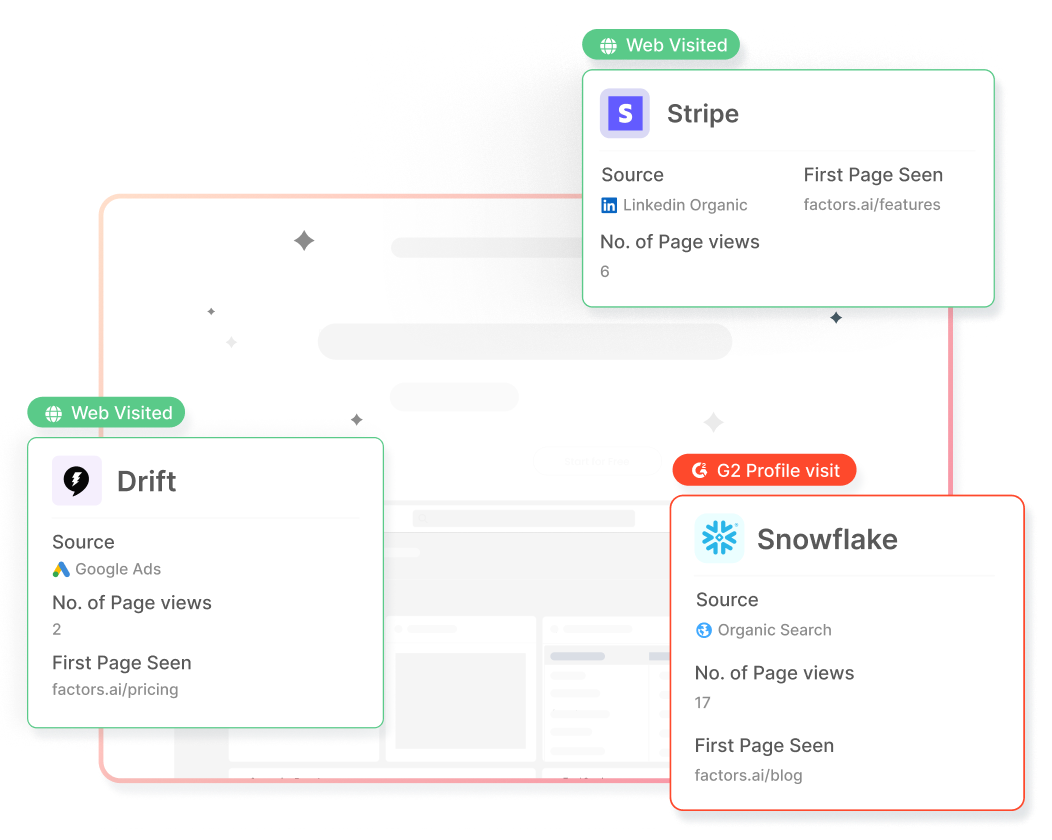
That's why prospects that are considering your solution are that much more important. However, only about 5% of website traffic actually converts — leaving the remaining 95% of visiting accounts completely anonymous.
Using intent-data in tandem with account identification tools helps discover, qualify, and convert up to 64% of sales-ready companies already visiting your website. Tap into a pool of mid/bottom of the funnel accounts who are yet to convert with zero additional spend. Here are a few questions you can answer:
- Which ICP accounts visited a landing page through a search ad but didn’t submit a demo form?
- Which companies are reading bottom of the funnel product blogs at least 50% of the way?
2. Early-intent detection: Studies find that buyers are 57% along the buyer journey before contacting a sales rep. Fifty. Seven. Percent! By this stage, in-market accounts have done their research and formed a rough idea as to which vendor they’re leaning towards.
Intent data helps identify buyer intent much, much before a form is submitted. This gives teams a significant first mover advantage in establishing the initial evaluation criteria, building relevant relationships, and improving the odds for a higher ACV.
It would mean beating competitors to the sales by reaching out to sales-ready prospects before anyone else does. While getting there first isn’t everything, it certainly helps.
{{INLINE_TOFU}}
Ingredients To Leverage Intent Data
We’ve established that intent data is pretty valuable. But how to collect intent data? Who should be involved? And what’s a comprehensive way to leverage this data to drive pipeline? This section covers the tools, people & process that make intent data work.
1. Tools
Here are all the tools you’ll need to identify, track, report, and activate intent data.
1. Intent Data Providers
Data is essential to make this work. Start by identifying a handful of sources for various types of intent data. This doesn’t have to be complex or expensive, the following tools are a great starting point:
- First-party data - Factors.ai, 6sense
- Second-party data - G2, Trustradius, Capterra
- Third-party data - Bombora, Leadsift, Contentgine
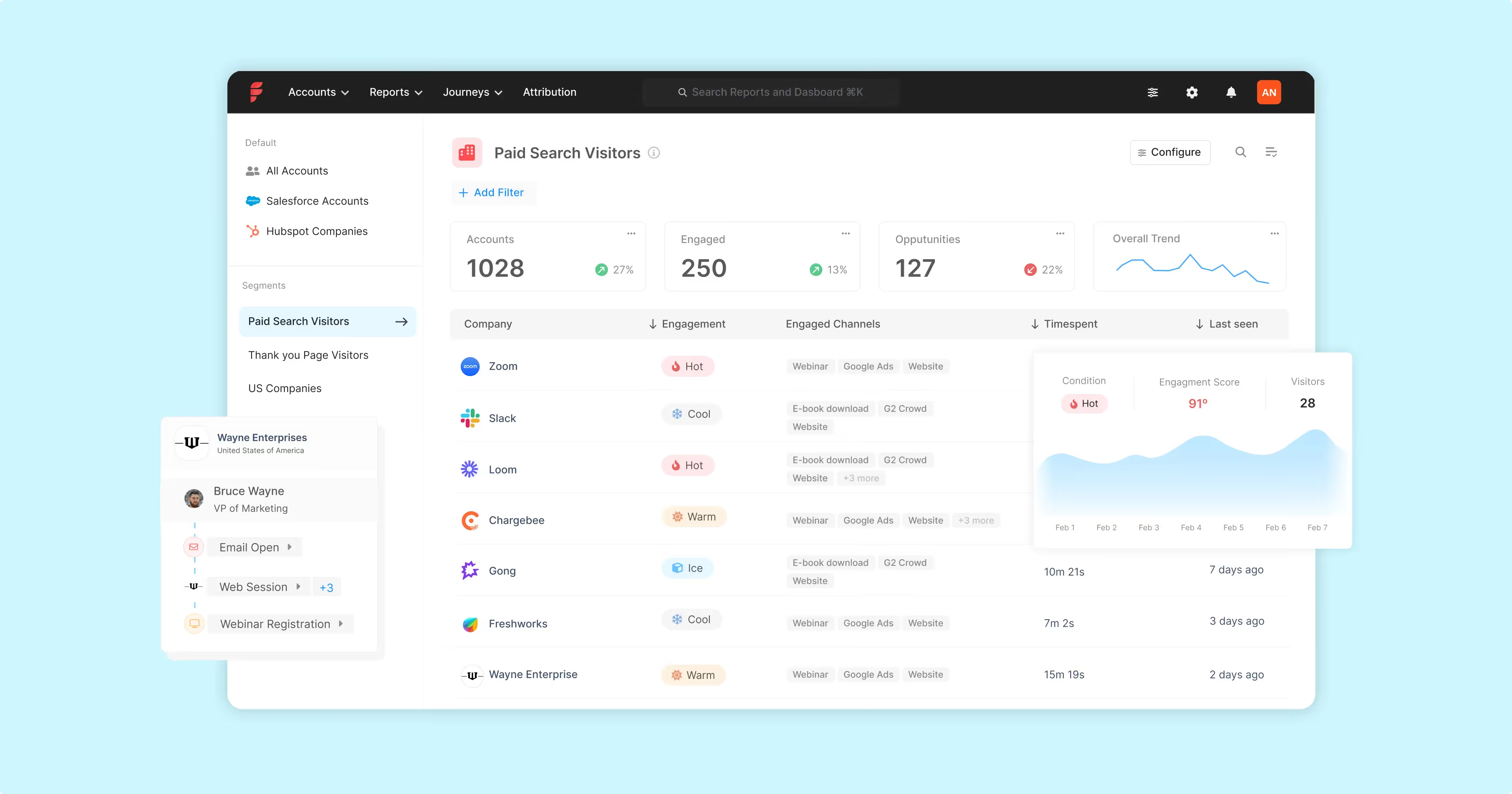
Factors is a account intelligence tool that delivers industry-leading IP-lookup technology to identify up to 64% of companies visiting your website. This includes company name, firmographics (industry, headcount, revenue-range, etc), and behavioral data (page views, scroll-depth, button clicks, etc)
2. CRM
A CRM acts as a single source of truth to unify intent data for the entire GTM engine across sales, marketing, and customer success. You’re likely already using a CRM such as HubSpot or Salesforce. Other alternatives include Zoho, Pipedrive, and Leadsquared.
3. Enrichment Database
Once accounts visiting the website have been qualified for fit and intent, use an enrichment database to identify the appropriate people to reach out to. A few popular enrichment tools include:
- Apollo
- Zoominfo
- Lusha
- LeadIQ
4. Sales Engagement
The following sales engagement tools help sales reps and marketers automate the outreach process across multiple channels including email, phone calls, and social media:
- Outreach
- Outplay
- Salesloft
- Klenty
- LinkedIn Sales Navigator
5. Internal Communications
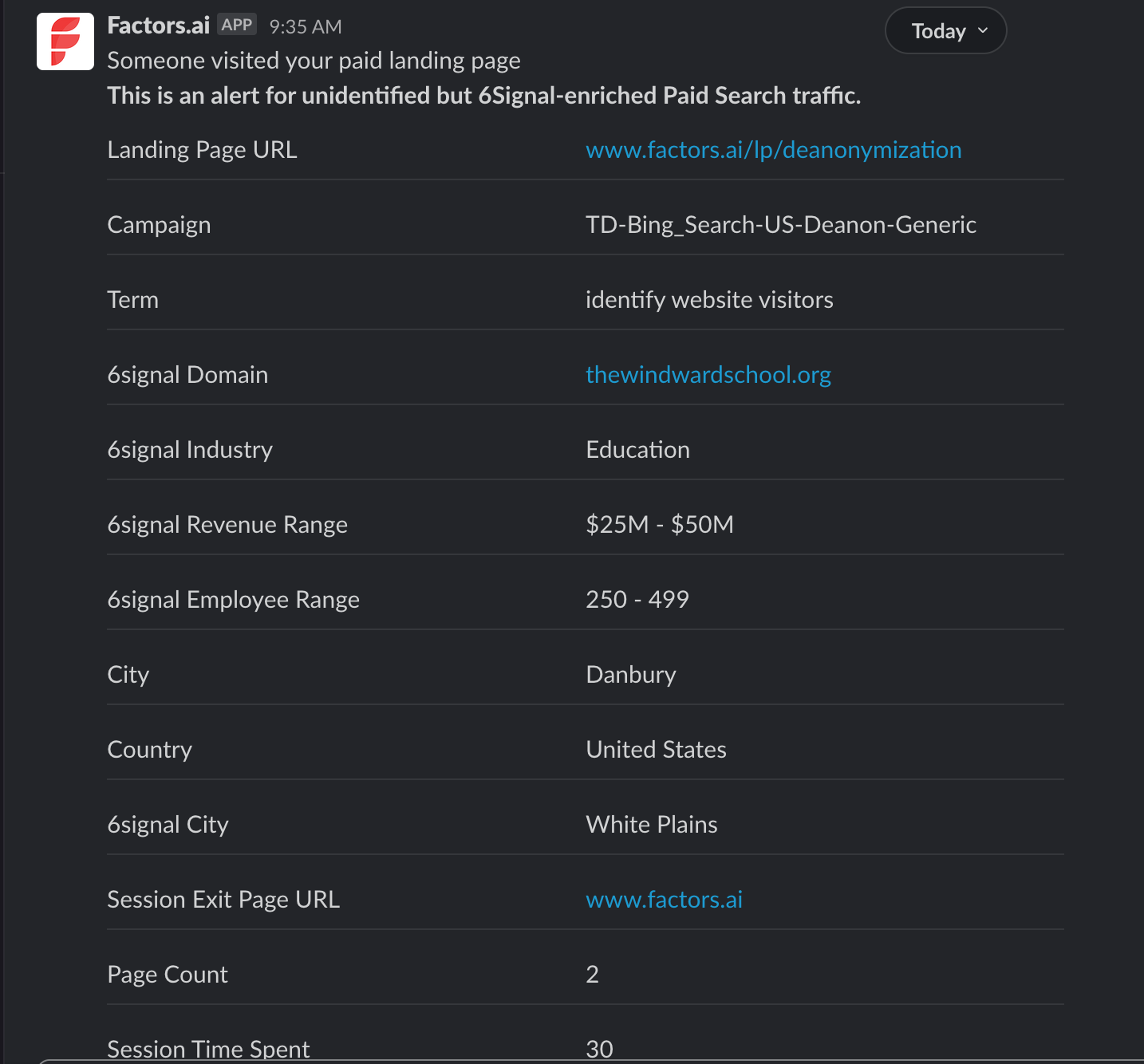
Push real-time alerts to internal communication tools like Slack or MS teams when new companies or existing leads from target companies are live on the website.
We’ll cover how each of these tools work in tandem in the process section of this article.
2. People
These are the stakeholders and responsibilities involved in mastering intent data.
- Marketing: Assign a demand gen lead or program manager to stay on top of all things marketing
- Sales: Assign a sales manager to stay on top of all things sales. Onboard a team of SDRs/AEs to activate the intent data by reaching out to high-intent leads and nurturing mid-intent prospects.
- Operations: Given that this is a relatively elaborate, data-heavy workflow, assign a mar/sales ops to setup the initial framework, ensure accurate reporting, and
- Data & research: While several tools can identify accounts visiting your website, it’s impossible to reveal the exact individual visitor. If possible, onboard a researcher to enrich company-level visitor data with the appropriate prospects to reach out to within each company. A researcher to sales rep ratio of 1:4 is recommended, but not necessary.
- Executive sponsorship: Needless to say, it’s important that senior executives are aligned on who’s working on what, and why. There must be clarity in terms of deliverables for each function involved in the process.
3. Process
Bringing it all together, is the following 4-stage, 8-step intent program process to leverage intent data.
.png)
1. Stage One: Identify & Notify
As previously mentioned, there are several types of intent data. When it comes to setting up an intent-based outreach program, it’s best to start with first-party website IP-to-company identification data. For one, the website is the most voluminous touchpoint in a B2B/SaaS buyer journey. For another, starting with account identification from website traffic is a low-effort, high-impact initiative involving minimal investment.
The remainder of this article zeroes-in on leveraging first-party account identification data. That being said, the process remains largely the same for other types of intent data.
Step 1: Invest in an account identification tool
When it comes to account identification tools, there’s no shortage of alternatives. Here’s why we recommend Factors over others:
- Better data-accuracy: Factors taps-into 6signal — an industry-leading account identification to reveal up to 64% of anonymous website visitors. That’s 27% more than the likes of Clearbit or Kickfire.
- Cost-effective plans: Plans start as low as $99/month including dedicated onboarding support and customer success management. More pricing details here: factors.ai/pricing
- Advance analytics: Given that Factors is built on strong account analytics foundations, users can achieve granular visibility into website KPIs, visitor behavior, and account timelines.
Step 2: Filter accounts based on fit and intent
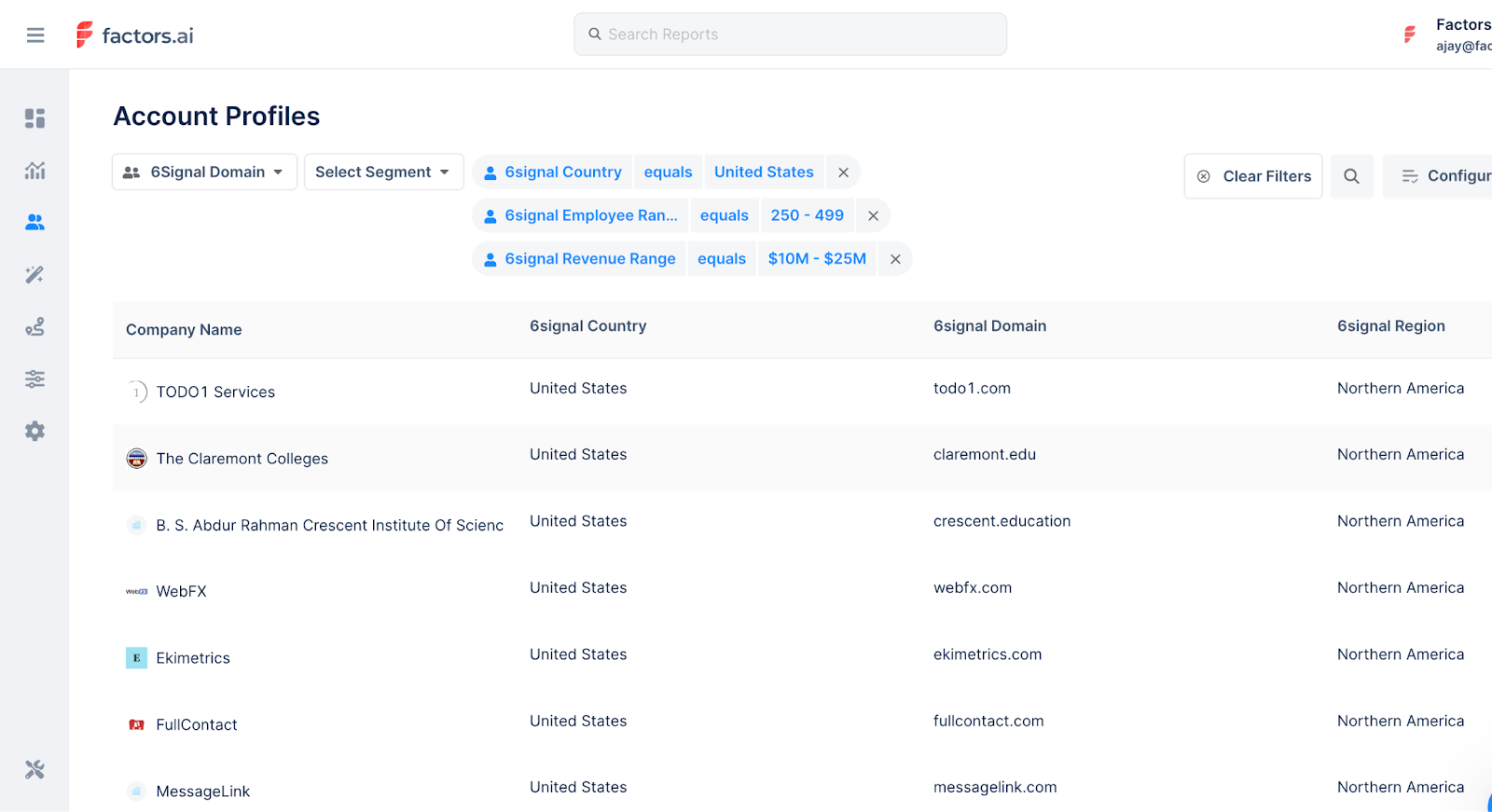
Of course, not all website traffic will make a great fit for your business. Refine the total set of accounts identified to just those that fit your ideal client profile using firmographic and technographic filters.
For example, maybe you’re only interested in companies visiting your website that meet the following criteria:
- Industry: Software, IT, Education
- Geography: US & Canada
- Employee headcount: Under 500
- Technology: HubSpot, Google Ads
But even still, not every one of these companies may be ready to buy. With Factors, you can filter down the list of ICP companies to high-intent accounts based on their engagement. For example, maybe you’re only interested in ICP visitors that spend at least 60 seconds on high-intent pages such as pricing or features.
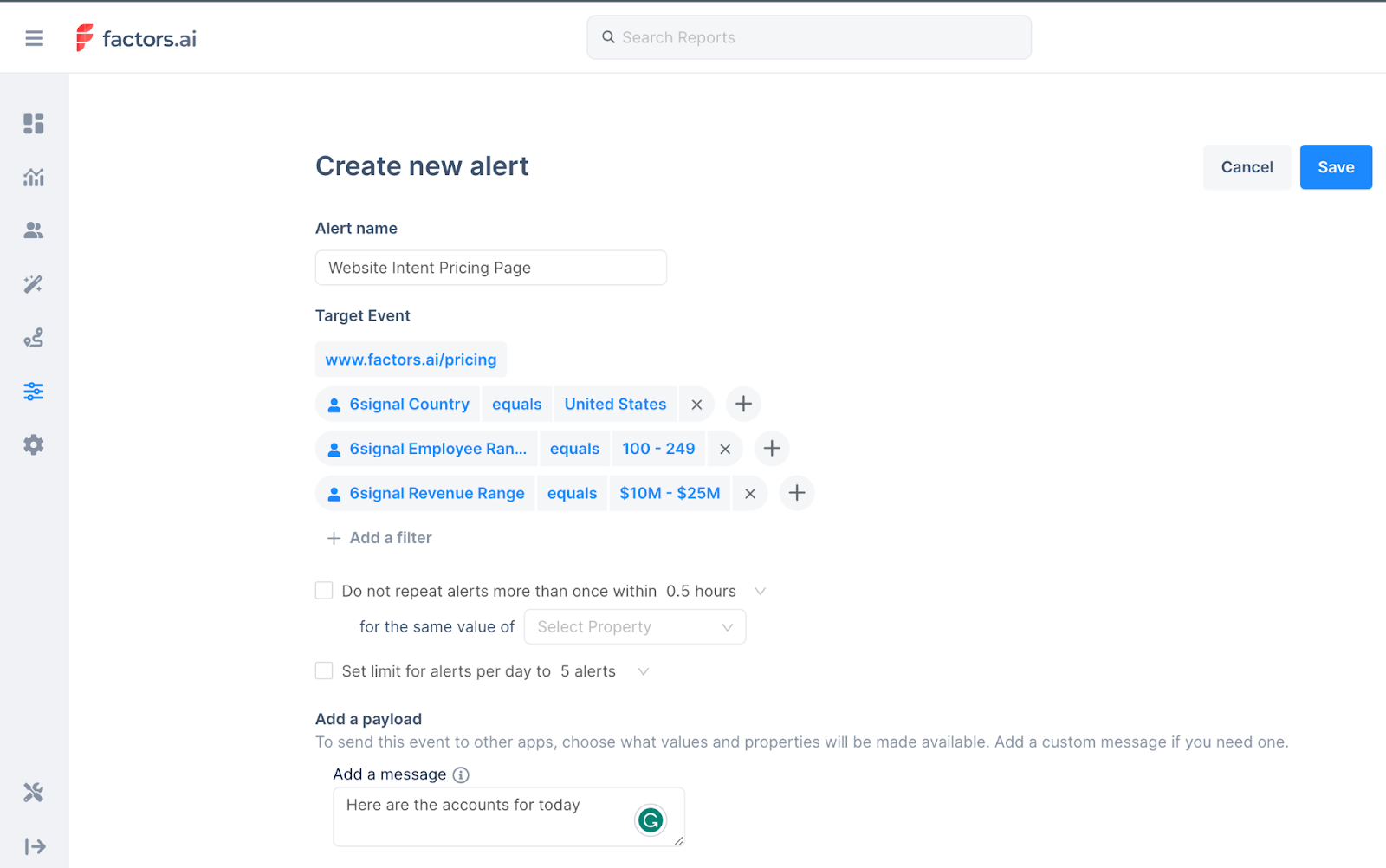
Step 3: Notify stakeholders in real-time
Once a criteria for high-intent, ICP accounts has been established, use Factors to push real-time alerts on Slack, MS teams, or Email when accounts that match this criteria are live on the site. This notification may be shared with sales reps to take action while the iron’s still hot.
Phew…this is a pretty involved read so we’ve split the remaining three stages of this intent program here: How To Use Intent Data To Drive Pipeline Part II. Read on to understand how to enrich, engage, and convert sales-ready accounts with intent-data and account identification.
This guide highlights the importance of intent data in modern B2B marketing. By analyzing zero-, first-, second-, and third-party data, businesses can identify high-fit, sales-ready accounts. Intent-based outreach allows for more precise Account-Based Marketing (ABM), moving away from generic approaches. This strategy enhances engagement with prospects already showing buying intent, maximizing ROI by focusing resources on those most likely to convert.
Intent Scoring via Website Visitor Identification: How It Works in 2026
Master B2B intent scoring by identifying anonymous website visitors. Compare predictive AI vs. rule-based models, learn how to weigh high-intent actions like pricing page visits, and discover how Factors.ai blends both for maximum sales alignment.

TL;DR
- Predictive intent scoring uses AI to forecast near-term conversion actions but can feel like a black box and struggles with B2B's long sales cycles.
- Rule-based scoring allows assigning weights to specific actions, offering flexibility and transparency for prioritizing high-intent accounts.
- Factors combines predictive models for short-term accuracy with flexible rule-based systems featuring pre-built templates, decay mechanisms, and dynamic scoring.
- Measuring success requires tracking predictive power and ensuring transparency, so teams trust and effectively use the scoring system.
What Is Intent Scoring in B2B Marketing?
Intent scoring is a data-driven method that assigns numeric values to prospects or accounts based on their behavioral signals — such as website visits, pricing page views, and content downloads — to indicate their likelihood to buy. Scores are typically rated Low, Medium, or High, and help sales and marketing teams prioritize outreach to the accounts most ready to purchase.
Unlike traditional lead scoring, which focuses on demographic fit (job title, company size), intent scoring measures buying behavior in real time. An account with a high intent score has shown active research signals — making them a much warmer target than a cold outbound prospect.
Intent Scoring vs. Traditional Lead Scoring
Traditional Lead ScoringIntent ScoringFocusDemographics + basic actions (email opens, form fills)Behavioral signals (pricing page visits, content research)Data SourcesMostly internal (CRM, marketing automation)First-party website data + third-party intent providersWhat It MeasuresProfile fit (is this person like our ideal buyer?)Buying readiness (is this account actively researching?)Best ForQualifying individual contactsPrioritizing accounts for outreach timingOutcomeRanks overall fitPredicts immediate purchase readiness
The Great Debate: Predictive vs. Rule-Based Intent Scoring
Let's talk about something I always hear in SaaS marketing: how should we approach B2B intent scoring? It's a hot topic, and for good reason—it's central to how we prioritize accounts and align sales and marketing.
Here's how I explain it: 'There's this ongoing debate about intent scoring. Should it be a fully predictive model, where a score is automatically generated without user input? Or should it be a rule-based model, where you assign weights to specific actions?'
Both approaches have their pros and cons, and they fit different needs depending on your company's goals and tech stack. Let me break them down for you.
The Predictive Model Approach
Predictive scoring uses AI to automatically generate likelihood-to-convert scores, and while its simplicity and automation are appealing, it comes with notable challenges.
The downside is that it's a black-box model. You get a score, but how do you trust it? How do you build intuition around it? When your sales team asks, 'Why should we reach out to these companies?' you can't just say, 'A black-box system told me so.'
Another big challenge with predictive models in B2B is deciding what to predict. Is the goal to predict a gated content download? The first inbound inquiry? A sales meeting? Or the creation of an opportunity? The long sales cycles in B2B make this even trickier. Given the complexity of sales cycles in many companies, it's hard to predict with confidence for each of these stages. Without a clear prediction target, the model risks becoming vague and less actionable.
The Rule-Based Model Approach
Rule-based scoring lets marketers assign weights to specific actions and combine them into a final score. While it's more transparent and customizable than predictive models, the key to success lies in finding a system flexible enough to fit your use case.
Here's what I always emphasize when it comes to rule-based scoring:
- Comprehensive Data Integration
You need a system that can handle any type of data for scoring. This includes:
- Marketing campaigns tracked in Salesforce.
- Sales meetings and calls.
- Website activity and engagement.
- Company-level signals, like LinkedIn ad clicks.
- Review site intent from platforms like G2 or Capterra.
- Custom intent signals tailored to your business
- Flexible Rule Definition
You want the ability to define rules that align with your goals. For instance, you might assign higher weights to engagements from C-level executives compared to interactions from anonymous users.
With the right flexibility and data integration, rule-based scoring gives your team clarity and control over how to prioritize leads and accounts.
The Three Main Ways Intent Is Scored
Not all intent scoring systems calculate scores the same way. Here are the three most common methodologies:
- Signal-Count Scoring — Counts the raw number of intent actions taken by an account. Example: if Acme Inc. visited 5 product pages, downloaded 2 whitepapers, and clicked 1 ad in a week, their event count is 8. Simple and transparent, but doesn't account for historical baseline activity.
- Trend Scoring — Compares recent activity against an account's historical baseline. If Acme normally shows 100 weekly signals around a topic and suddenly spikes to 150, the score rises — even if the raw count is lower than a competitor. Great for catching early-stage intent surges.
- Weighted/Rule-Based Scoring — Assigns different point values to different actions based on their conversion correlation. A demo request might be worth 50 points while a blog view is worth 2. The final score reflects intent quality, not just volume. This is the approach Factors uses.
Intent Scoring in Practice: A Real-World Example
Here's how a typical weighted intent scoring model works in practice:
Behavior / SignalPoints AssignedPricing page visit+15Demo request submitted+50Case study download+10Webinar sign-up+8Blog post view+2Return visit within 7 days+5Score decay (30 days of inactivity)-20
Engagement thresholds:
- 0–30 points → Low intent: nurture only
- 31–60 points → Medium intent: marketing qualified (MQL)
- 61+ points → High intent: route to sales immediately (SQL)
An account that visits your pricing page twice and downloads a case study would score 40 points — crossing the MQL threshold and triggering a targeted nurture sequence automatically.
{{INLINE_TOFU}}
The Factors.ai Approach: A Blended Solution
Factors.ai currently uses rule based scoring. However, we've developed an approach that blends the best of predictive and rule-based scoring. Our predictive model focuses on near-term conversion actions. We ask questions like, 'Is this account likely to submit an inbound inquiry within the next 30 days?' rather than trying to predict if an account will become an opportunity 6 months from now. That's just crystal ball gazing.
We complement this predictive layer with a flexible rule-based system that includes:
- Pre-built templates to simplify weight assignments.
- Default scoring systems to help you get started quickly.
- Natural decay mechanisms to ensure scores remain accurate over time.
Here's why the decay mechanism is crucial: Without decay, scores just keep climbing, even if there's no recent activity. You need a system where inactivity brings the score down naturally, and new activity boosts it based on assigned weights and frequency. That keeps your scoring dynamic and reflective of real-time engagement.
This combined approach ensures you always work with actionable, up-to-date insights to prioritize the right accounts.
Measuring Success: The True Test of Intent Scoring
One often overlooked aspect of B2B intent scoring is figuring out how to measure its effectiveness. You need to know what the score for an account was before a conversion action happened. Once you've created an opportunity, you don't want a circular dependency where you give it a high score simply because the opportunity was created—that's not helpful.
Instead, the focus should be on predictive power. You want to be able to say that if you pick the top 10% of non-opportunity accounts graded by the system, 60% of your future opportunities came from that group, even before the opportunity existed.
This kind of transparency and predictive accuracy is critical for adoption. Without it, intent scoring models lose credibility. People need conviction in the scoring model you implement. If they don't trust it, they'll try it for a month, say, 'Sorry, it didn't work,' and abandon it completely.
Building trust in your intent scoring model ensures it becomes a tool your team relies on rather than something they dismiss after a short trial.
How Website Visitor Identification Powers Intent Scoring
One of the most valuable intent signals comes from website visitor activity, but most B2B buyers remain anonymous until much later in the funnel. This is where website visitor identification plays a crucial role in intent scoring.
1. Identifying Anonymous Visitors – you can uncover which companies are engaging with your site, even if they don't fill out a form.
2. Syncing Website Data with Ads & CRM – Once an anonymous visitor is identified and scored, the data can be used to run targeted ads and sales reachouts. Read more about this on our guide: Integrating website visitor identification with your CRM.
3. Tying Behavior to Intent Scoring – Website actions provide real-time engagement signals that can be weighted in your intent scoring model:
- High intent: Pricing page visits, demo requests, multiple return visits.
- Medium intent: Case study views, blog engagement, webinar sign-ups.
- Low intent: Homepage visits, single-page sessions with no further action.
Most B2B buyers conduct extensive research before ever speaking to sales. Website visitor activity is often the first and strongest indicator of intent. A well-designed scoring model must capture and prioritize these signals, ensuring sales and marketing engage the right accounts at the right time. Read our guide on implementing website visitor identification to know more about the process and outcomes.
If you are curious to know the technology behind website visitor id, read our blog on How Does Website Visitor Identification Work?
Implementation Best Practices
When implementing an intent scoring system, consider these key factors:
- Start with Clear Objectives: Define what conversion actions matter most for your business
- Choose the Right Data Sources: Integrate all relevant data points, including:
- Website behavior
- Marketing campaign engagement
- Sales activities
- Third-party intent data
- Set Up Proper Validation: Ensure you can measure the effectiveness of your scoring system
- Maintain Transparency: Keep your scoring rules clear and explainable to stakeholders
The Future of Intent Scoring
As privacy regulations evolve and third-party cookies phase out, intent scoring systems must adapt. The future lies in solutions that can:
- Respect user privacy while providing valuable insights
- Integrate multiple data sources for a complete picture
- Offer transparent, explainable scoring mechanisms
- Provide clear ROI measurement capabilities
If you're trying to figure out who's visiting your website in a legal and ethical way, read our blog on website visitor identification and privacy compliance.
Frequently Asked Questions About Intent Scoring
Q1. What is intent-based lead scoring?
Intent-based lead scoring assigns numeric values to leads or accounts based on their behavioral signals — such as website visits, pricing page views, and content downloads — rather than just demographic fit. It prioritizes accounts showing active buying behavior over those who simply match your ICP on paper.
Q2. How do you measure intent in B2B marketing?
Intent is measured by tracking behavioral signals across two sources: (1) first-party data from your own website (pages visited, time on site, forms submitted) and (2) third-party data from review platforms like G2 and content networks (research activity outside your site). Each signal is assigned a weighted score, and the total indicates how close an account is to making a purchase decision.
Q3. What is a good intent score?
This depends on your scoring model's thresholds, but a common framework is: 0–30 = low intent (nurture only), 31–60 = medium intent (marketing qualified), 61+ = high intent (route to sales immediately). The key is calibrating thresholds against historical conversion data — what score did your closed-won accounts have before they converted?
Q4. How is intent scoring different from lead scoring?
Traditional lead scoring focuses on profile fit (job title, company size, industry). Intent scoring focuses on buying behavior (what actions is this account taking right now?). The most effective prioritization models combine both — only pursuing accounts that are both a strong ICP fit AND showing active intent signals.
The Bottom Line on Intent Scoring
Intent scoring works best when it's transparent, measurable, and built on the right signals. Here's a quick summary of what we've covered:
- Intent scoring assigns numeric values to accounts based on behavioral signals, not just demographic fit
- Predictive models offer automation but lack explainability; rule-based models offer transparency and control
- The most effective systems combine both — using predictive scoring for near-term conversion and rule-based weights for signal-specific prioritization
- Website visitor identification is one of the most powerful first-party intent signals, surfacing anonymous accounts that never fill out a form
- Score decay mechanisms prevent stale scores from misleading your team — inactivity should lower scores over time
- Success is measured by predictive power: do the top 10% of scored accounts account for 60%+ of future pipeline?
Conclusion
Intent scoring is not just about generating a number – it's about creating actionable insights that sales and marketing teams can trust and use effectively. Whether you choose a predictive model, rule-based approach, or a hybrid solution, the key is ensuring transparency, measurability, and practical applicability for your specific business context.
At Factors, we simplify intent scoring by combining predictive accuracy with flexible rule-based models. Our platform integrates data from all your key sources—website behavior, marketing campaigns, and sales activities—while maintaining transparency and trust. With tools like pre-built templates and decay mechanisms, we ensure actionable insights that drive results. Ready to prioritize high-value opportunities? Let's connect and get started!
How to Increase Traffic to Your Blog: Practical Ways for Organic Growth
Stuck with low blog traffic? Learn how to get blog traffic in 2025 with SEO, content, and distribution strategies that actually work.

TL;DR:
- The three pillars of organic traffic growth: SEO. Consistent helpful content. Deliberate distribution.
- SEO basics for quick initial movement: long-tail keywords, match intent, robust on-page SEO, and strong internal linking.
- Realistically, your fastest move will come if you update and republish existing posts, then add internal links to newer content.
- Don’t wait for Google to pick up. Promote your content in communities, use one relevant social channel, and build an email list early.
- Pick 3–5 tactics and commit for 90 days. Blog traffic is a marathon, not a sprint.
You know when you’ve spent hours writing a blog, hit “publish,” refreshed Google Analytics, and all you got was… crickets for blog traffic?
I know it too. A little too well.
So often, even the best-written blog gets barely any views. As a writer and marketer, it’s frustrating, demotivating, and really dampens your desire to do your best.
The truth is, blogs often don’t get much traffic because it takes more than great content. It takes a strategy.
If you want to increase traffic to your blog, without burning out, here’s what you need:
- Smart SEO (Search)
- Consistent, helpful content (Supply)
- Deliberate distribution (Demand)
No magical hack. No ‘publish 100 posts in a weekend.’
Just a short, realistic playbook with blog traffic tips that work.
Let’s break it down.
Why Traffic from Existing Blog Posts is Still Low
Before jumping into tactics, how about a quick diagnosis?
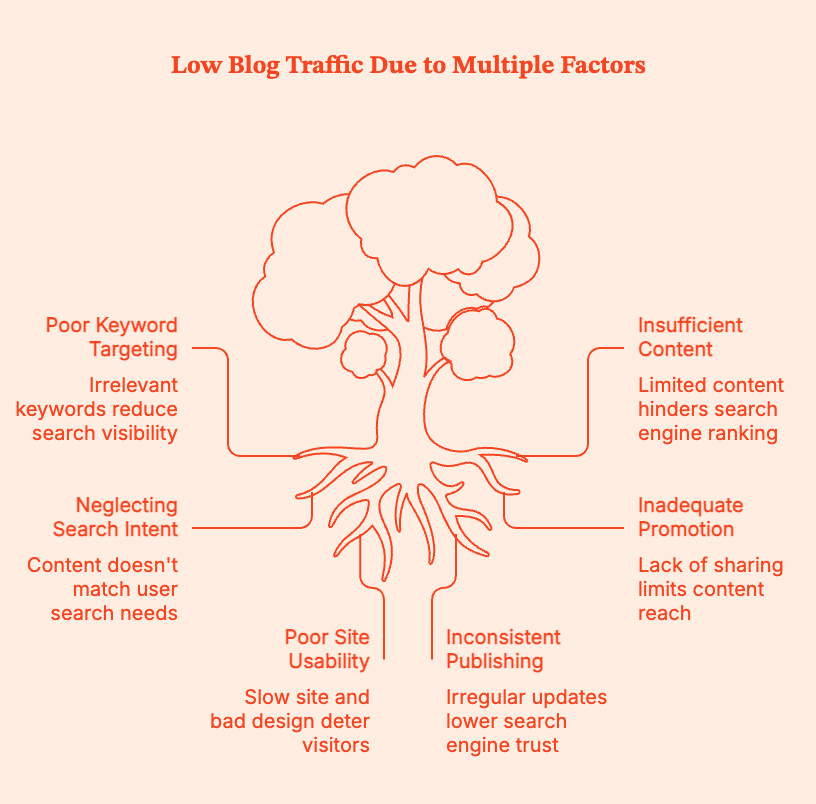
The four main sources of blog traffic
Most of your traffic will come from:
1. Organic / search traffic
This includes visitors coming from Google or other search engines.
If organic traffic is low, it means that:
- you aren't targeting the right keywords (and missing your target audience).
- you don't have enough content for Google to rank posts.
- your keyword research doesn't match what people mean when they type queries.
2. Social traffic
This includes visitors coming from platforms like Instagram, Pinterest, X/Twitter, LinkedIn, or Facebook.
If social traffic is low, it means that:
- no one is resharing your content.
- you're not using the right platforms for your industry/niche.
- you're posting content that isn't getting people's attention.
3. Referral traffic
This includes traffic from third-party websites like guest posts, links in other blogs, Reddit threads, Quora answers, Pinterest pins, directories, and so on.
If referral traffic is low, it means that:
- no other websites are placing links to your content.
- you might not be targeting the right guest posts or collaborations.
4. Direct traffic
This includes views from people who actually type in your URL, click a bookmark, or come from sources GA can’t quite identify (can even email/app traffic).
If direct traffic is low, it means:
- your blog is not a go-to resource.
- your email list is small and infrequently used.
If your traffic is low, the root cause is usually one (or more) of these:
| Root issue | What you’re doing | How it shows up |
|---|---|---|
| You’re not targeting keywords anyone actually searches for. | You write what you feel like, not what your audience is Googling. | Posts are titled like “My thoughts on productivity lately” instead of “How to plan your week when you have ADHD” |
| Your content isn’t matching search intent. | You ignore what the searcher actually wants (how-to, review, comparison). | Someone searches “best budget travel backpacks,” and you give them a philosophical piece on “why travel matters.” |
| You’re not promoting posts or participating in communities. | You hit publish and… that’s it. You rarely share your work where your readers hang out. | You’re not active in relevant communities, Q&A sites, email lists, or social platforms; your blog is invisible off-site. |
| Your blog is slow or hard to navigate. | You’ve never checked site speed, mobile experience, or readability. | Pages take forever to load on mobile, pop-ups attack, fonts are tiny, and paragraphs are giant walls of text. |
| You publish inconsistently or rarely update old content. | You treat publishing like a mood, not a schedule, and forget old posts exist. | You post once, then disappear for three weeks; you never update posts that are getting impressions, so Google isn’t sure your site is “alive.” |
Pro-Tip: Use a combination of Google Analytics + Google Search Console to see where traffic is coming from and what's working. Google Analytics shows where traffic is currently coming from, and Google Search Console tells you what queries you're already showing up for and where you're actually winning.
Pro-Tip II: Don’t fix everything. Fix only the bottleneck. For instance,
- If you have low organic traffic, focus on keyword research + SEO.
- If you have decent impressions but low clicks, focus on titles, meta, and search intent.
- If you have a few posts that do well, update and internally link them as much as possible.
...you get the drift.
How to increase traffic to your blog with valuable blog content (and more)
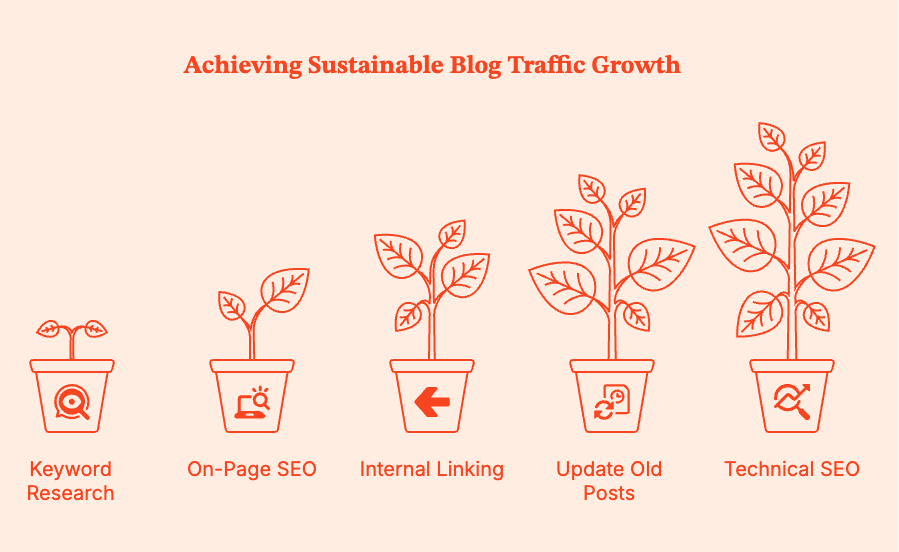
To increase blog traffic, consider mounting your strategy on these three pillars:
Pillar 1: SEO: Get Found in Search
Search engine optimization (SEO), once implemented properly, delivers active, sustainable, month-on-month growth. It takes off the slowest, but consistently gets you more blog traffic once it does.
It's like growing an apple tree: for a few months, nothing is happening. Then one day you have all the apples.
- Do basic keyword research
The secret to good keyword research: look for the overlap between what people search for and what you can actually rank for.
If you're just starting to create high-quality content, don't target keywords that are:
- too competitive (dominated by big players)
- too vague ("my thoughts on...)
Instead, target low-competition, long-tail keywords where small blogs can win. Go on intent-driven searches with:
- clear problems
- defined audiences
- less competition
- higher conversion potential
Example:❌ “How to start a blog”
✅ “How to start a vegan baking blog for beginners"
You can rank much faster for long-tail queries, as readers searching for them know exactly what they are looking for. Also, Google rewards relevant content over vague, "cover everyone you can" targeting.
Tools to help you find these keywords:
Free:
- Google Keyword Planner (broad search volumes)
- Google Suggest/Autocomplete (real-time user queries)
- Google "People Also Ask" (intent goldmine)
- AnswerThePublic (question-based keywords)
Affordable:
- LowFruits (excellent for spotting weak SERPs)
- Keywords Everywhere (cheap, fast insights)
Premium:
- Ahrefs
- Semrush
- Optimize each post for on-page SEO
Fundamentally, your on-page SEO tells Google: “Here’s exactly what this post is about, and here’s why it satisfies the searcher’s intent.”
Use your target keyword naturally in your blogs in the:
- Blog Post Title (H1)
- URL slug
- First 100 to 150 words
- 1 to 2 H2s
- Image alt text
- Meta description
Closely match search intent:
| Search phrase pattern | What the searcher expects |
|---|---|
| "How to…" | A clear, step-by-step guide. |
| "Best…" | A list of options, comparisons, and pros/cons. |
| "X vs Y" | A direct comparison, clarity, and a recommendation. |
| "What is…" | A definition plus examples and context. |
- Internal links & updating old posts
Internally link your web pages and blog posts. Start by asking:
- Which of my posts are getting the most traffic?
- Which new posts need more authority?
Then, link from high-authority posts → to newer or weaker posts.
This will accelerate each page's rank value, help Google understand your site structure, and improve session depth (keep people reading for longer).
Update and republish old posts
Google loves fresh content. So update your older blogs with new data, trends, and user expectations. Here are a few ideas:
- Add recent statistics.
- Replace outdated quotes and screenshots.
- Tighten up intros and conclusions; align them closer with search intent.
- Add newer internal links.
- Improve formatting and readability.
- Address “People Also Ask” questions.
- Technical basics
Make sure your web pages respect the reader's time and sanity. A quick checklist for your website:
- Loads fast (use Google PageSpeed Insights).
- Works on mobile (most people read from mobile devices).
- Has readable fonts (no 12pt elegant script).
- Uses simple navigation.
- Uses optimized images (smaller files, loads faster).
- Doesn’t drown readers in pop-ups (intrusive UX sucks).
Technical SEO is essential housekeeping. Remember that while a clean home doesn’t win the award, a messy one disqualifies you instantly.
This might also help: B2B SEO Checklist: What To Do Before Starting B2B SEO
Pillar 2: Content & consistency
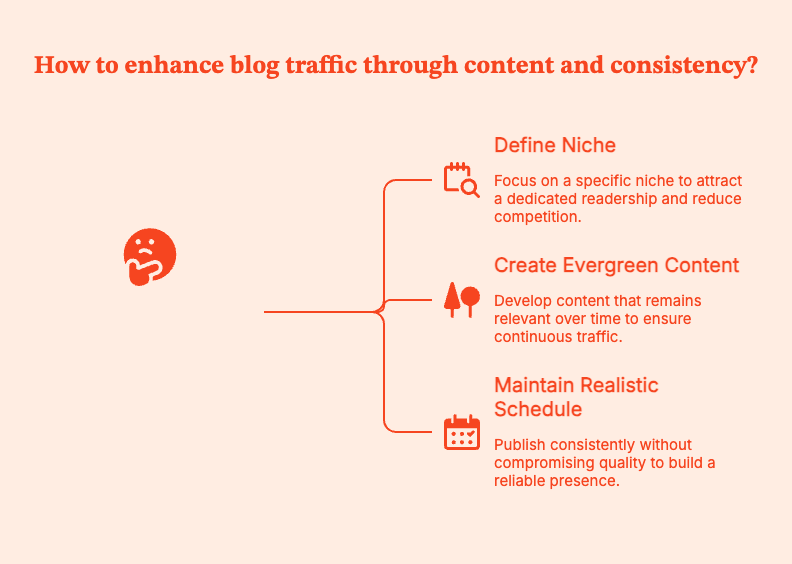
SEO brings people in for the first time. Good content keeps them coming back, and it's the returning users that deliver long-term traffic to your blog. It's cliche but true: content is king.
- Pick a clear niche and readership
Contrary to popular opinion, the best move is not to start writing for everyone. The brand that puts out a recipe this week, a productivity tip the next, and a personal finance piece after that... doesn't get recognized.
When you write for everyone, no one knows it’s for them. These blogs don't make readers think "This is exactly what I’ve been looking for.”
To do so, clearly define your niche and your readership. What do they want to see/read?
Be more specific. Instead of a generic "food blog", try “A dairy-free weeknight cooking blog for busy parents”.
Benefits of writing in a well-defined niche:
- Less competition to rank for keywords.
- Easier to build a distinct brand identity.
- Quicker community building, the right readers know your value.
- Returning users. When people know what you're good at, they'll come back for more of it.
Pro-Tip: Have a look at which keyword themes work best (according to data)
- Publish helpful, evergreen content
This is the kind of content that quietly performs for months or even years after you publish it. People keep coming back, long after you publish it. Often, guides, tutorials, checklists, resource lists, and troubleshooting posts fall under this category.
This is content that readers bookmark because they'll need it again.
Quick tips on creating evergreen content:
- Do deep research. Take one question and answer it completely.
- Be specific to build trust. Use screenshots, examples, and reliable anecdotes.
- Add practical steps that readers can start taking as soon as they finish reading your piece.
- Readers skim first, read second. Go heavy on H2s, short paragraphs, bullets, and visual anchors to help them stay.
- Be realistic about your publishing schedule
You need to publish consistently, but don't put out bad content to meet a calendar.
A sustainable schedule, especially if you're starting out, is
- 2–3 strong posts per week.
- Aim for 30 solid posts in about 3 months.
Pillar 3: Distribution
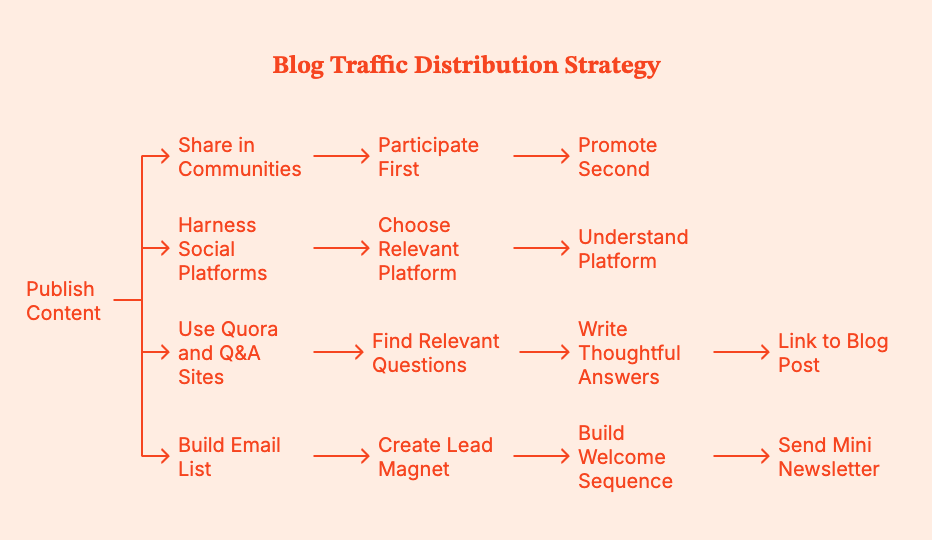
Published your content? You're only half done.
SEO is a long game. Distribution is about getting traffic today.
- Share in the right communities
Communities comprise people already interested in the topic you're writing about. Reddit, niche Facebook groups, industry forums, and Discord groups can get you readers in the hundreds, sometimes even thousands.
But you have to participate first and promote second. Don't just drop your link without context. You'll get ignored or even banned.
Instead, show up consistently to answer questions, contribute insights, and be a real human. That's when people want to read what you post.
- Harness social platforms that suit your niche
Every platform will not work for every niche. So choose ones where your readers spend most of their time.
- Pinterest: Great for visual niches (travel, food, decor, DIY, beauty, parenting).
- Instagram: Great for lifestyle, wellness, travel, and visual storytelling.
- LinkedIn: Ideal for business, marketing, careers, and thought leadership.
- X/Twitter: Works best for tech, entrepreneurship, and innovative ideas.
Pick the most relevant platform and understand everything about establishing visibility, connection, and directing people to your blog.
- Use Quora and Q&A sites for referral traffic
People are literally on Quora to find answers to their questions. Your blogs can be those answers.
Find questions around which you have expertise. Write thoughtful, specific answers, and link to a relevant blog post only if it directly adds value.
If you're lucky, these answers can even rank on Google and push consistent referral traffic for years. Think of this as SEO with fewer gatekeepers.
- Build an email list early
An email list shifts less often than search and social media platforms. So build one.
Quick steps:
- Create one lead magnet, like a checklist, cheat sheet, or mini guide.
- Build a short welcome sequence. This could be 2–3 emails that introduce who you are and how you want to add value.
- Send a mini newsletter with every new published post.
Email lists drive repeat traffic, establish trust amidst readers/users/customers, and ease them into future products and partnerships.
{{INLINE_TOFU}}
Advanced Traffic Boosters: Optional but Powerful
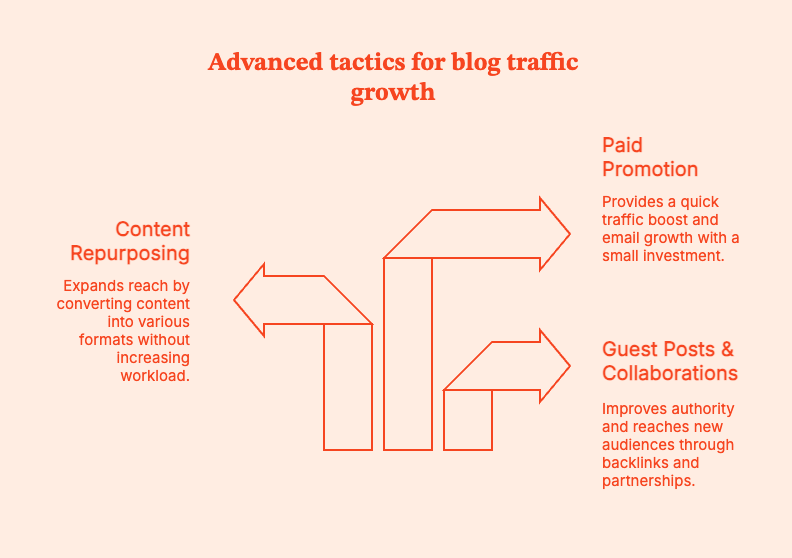
Once you have SEO + strong content + consistent distribution in place, try layering in a couple of more advanced tactics to accelerate growth.
- Guest posts & collaborations
Guest posts will give you backlinks, which improve your authority with Google. They also get your content in front of a whole different audience, build credibility, and start gathering trust.
Target relevant newsletters, third-party blogs, podcasts, and joint webinars.
- Repurpose your content
Repurpose each blog post into a YouTube video, TikTok or Reels snippets, an Instagram carousel, a podcast episode, slides for LinkedIn, and a downloadable resource.
Convert the same idea to different formats and attract wider reach. Multiply your content without multiplying your workload.
- Paid promotion
Nothing big. Put $20–$50 behind a cornerstone post or a lead magnet to kickstart traffic and email growth.
Paid traffic isn't required per se, but it does help remedy the "slow start" problem most new blogs will face.
How Long Does it Take to See Real Traffic?
Don't fall for comforting lies like “30 days to 100K pageviews.”
For most blogs relying on SEO, meaningful traffic usually takes 4–12 months of consistent work.
Only 1.74% of newly published pages rank in the top 10 within a year. 72.9% of pages in Google’s top 10 are more than 3 years old. Source
So it's normal if your blog feels slow to pick up traffic. Don't panic.
A realistic time for your blog traffic:
| Timeline | What’s Happening |
|---|---|
| Month 1–3 | • You publish. Almost nobody shows up. • Google is crawling and indexing your posts; rankings are minimal. • You might get a few visits from social or friends. • Search traffic is tiny or nonexistent. |
| Month 4–6 | • Posts begin appearing on page 2–3 for long-tail keywords. • Traffic bumps up somewhat. • Graphs show a gentle upward slope instead of a flat line. |
| Month 6–12 | • A few posts may finally reach page 1, especially long-tail terms. • Impressions grow → clicks grow → backlinks begin to appear. • Internal linking, updating old posts, and email list building start compounding. |
| After 12 months | • Existing content continues earning traffic on its own. • New posts rank faster thanks to increased domain authority. • One good post now sends readers to 3 or 4 others via internal links + email. |
Instead of obsessing over daily traffic, focus on:
- Consistently adding high-quality, search-focused content to your site.
- Connecting related posts so Google (and humans) can discover more of your content.
- Choosing realistic, long-tail topics your blog can actually rank for.
- Nudging your audience back to your blog when you publish something new.
- Showing up where your readers hang out.
90-day blog traffic plan: A quick, practical playbook
Consider this playbook, you’ll usually see movement within 60–90 days:
| Month | Focus | What to do |
|---|---|---|
| Month 1 | Set up tracking + SEO basics | • Install Google Analytics + Search Console • Fix site speed • Publish 8 to 10 optimized posts • Add internal links |
| Month 2 | Get your content in front of readers | • Join 1 or 2 active communities • Start an email list • Update 2 old posts • Promote posts consistently |
| Month 3 | Grow reach + authority | • Guest post 1 to 2 times • Publish 6 to 8 more posts • Strengthen internal links |
At every step, remember to measure the ROI of your B2B content. Factors.ai takes content analytics seriously with extensive breakdowns + filters, custom dimensions + KPIs, and content groups.
You can get granular insight into your assets, such as answers to questions like “What geographies are consuming most of my work?”, “Is my blog being read more frequently on a phone or on a desktop? Should I optimize accordingly?”, “What campaigns, channels, and sources is web traffic originating from? “What about my SEO efforts and organic traffic?”.
How about a demo to see what Factors can really do?
Bottomline: Don't panic. Don't rush. Strategize.
Blog traffic flows from focus rather than frenzy. To keep your trajectory consistent upward, implement closely-aligned SEO (so the right people can find the content), build helpful, well-structured content, and distribute content across the right channels.
In gaining organic traffic, don't count on "overnight" success because it doesn't really exist. Dig into the archives of successful blogs, and you'll find years of steady publishing, updating old posts, and showing up even when traffic was low.
Pick three to five tactics from this guide that fit your time, your skills, and your niche. Commit to them for the next 90 days. Publish consistently. Promote decidedly. Keep updating what is already written.
In blogging as in life, momentum beats miracles.
Summary
If you’re wondering how to increase traffic to your blog in 2025, the answer is three pillars that compound over time: SEO (Search), content consistency (Value), and distribution (Reach).
Start by finding where your blog traffic is coming from by using Google Analytics and Google Search Console. Do not target keywords that are too competitive, publish without matching search intent, neglect internal links, or rely on Google alone without content promotion.
For SEO, key in on low-competition, long-tail keywords. Write blogs that match intent, and master on-page basics: titles, headings, intro, meta description, image alt text. Link every new post to older relevant posts, and update older posts to link forward. Update and republish old content.
For content, pick a clear niche and write posts that solve real problems with examples and clear steps. Aim for a realistic publishing schedule.
For distribution, share your posts in the right communities without spamming. Post on at least one social platform that fits your niche. Answer relevant questions on Quora/Reddit, and start an email list early.
Expect traffic growth over months, not days. Build a 90-day plan to publish optimized content, improve internal links, and promote deliberately on the right channels.
Frequently Asked Questions on How to increase traffic to your blog
Q. How long does it take to start getting traffic to a new blog?
On average, blogs see early traffic in 1 to 3 months, usually from social media platforms, relevant communities, and long-tail queries. Consistent search traffic usually shows up between 6 and 12 months with consistent publishing and optimization.
Pro Tip: Pick one long-tail keyword per post. Aim for 8 solid posts a month for the first 90 days.
Q. What is the fastest way to increase traffic to your blog?
If you want to increase blog traffic quickly:
- Update posts you already have (better title, stronger intro, clearer structure, more internal links).
- Re-promote them after updating.
Pro-Tip: Open Google Search Console, filter for queries where you rank positions 8 to 20. Rewrite the title/meta description to improve clicks.
Q. How many blog posts do I need before I’ll see real traffic?
There is no one number. But generally blogs see initial traction after publishing 20 to 30 high-quality posts, especially if they target low-competition keywords.
Pro-Tip: Create a “cluster” of 1 pillar post + 6 to 10 supporting posts. Then, interlink them. It'll help Google understand your topics and authority.
Q. Is SEO or social media more important for blog traffic?
SEO is best for long-term traffic. Social media platforms are best to ignite short-term interest. Treat social as a distribution for your best posts.
Pro-Tip: Allocate most of your weekly effort into keyword-targeted posts and internal linking. This will keep traffic coming even when you are offline.
Q. Do I need to post every day to grow my blog traffic?
Daily posting is optional and often unsustainable. Target 1 to 3 strong posts per week, and use the rest of the time to update one older post and add 5 to 7 internal links.
Q. How can I increase blog traffic for free (without ads)?
The Holy Trifecta is long-tail SEO + internal linking + community distribution (Reddit/forums/Facebook groups) + email list.
Pro-Tip: For every new post, share in one relevant community, answer one related Quora/Reddit question, and email your list.
Q. Does guest posting still work to get blog traffic in 2025?
Yes, but only if you publish on websites with a relevant audience. You also have to write on topics that naturally lead readers back to your blog.
Pro-Tip: Pitch one specific post idea to the third-party site. In the article to be published, include a link to a relevant resource on your site (a checklist or hub page).
Q. How can I use Pinterest to drive traffic to your blog?
It's best to treat Pinterest like a search engine. Use keyworded pin titles/descriptions + consistent publishing + fresh creative.
Pro-Tip: Craft 3 to 5 pin designs per blog post, schedule them over a few weeks, and link each pin to a post with strong visuals and clear headings.

Integrating AI into B2B Marketing Strategies for Enhanced Customer Insights
Increase B2B sales & engagement. Learn how AI personalizes marketing & unlocks customer insights from this blog.

For eons—or at least what felt like it—artificial intelligence (AI) lingered on the fringes of our daily existence, hovering like a futuristic mirage that seemed always just out of reach. That is, until it bulldozed its way into the mainstream, proving to be not just a fleeting fascination but a fundamental shift in the way we approach business, technology, and, indeed, life itself.
Suddenly, AI is not just for the nerdy elite or the futuristic dreamers. It's also for the pragmatic marketer who wants to decode the enigma of customer behavior, tailor experiences to perfection, and, yes, finally figure out what B2B customers actually want before they do. This could explain why, presently, a whopping 84% of B2B marketers are either leveraging AI, planning its integration, or eyeing it with keen interest.
But despite AI's proven prowess and the buzz that surrounds it, the leap from acknowledgment to action remains a chasm many businesses are hesitant to cross. That's why, in this blog, we'll take you through the lens of AI in B2B marketing, exploring not just the "what" and the "why," but the all-important "how."
So, without further ado, let's get started!
What is AI?
At its core, AI in the B2B arena is about leveraging machine learning, natural language processing, and other sophisticated algorithms to analyze data, predict trends, automate tasks, and enhance decision-making processes. It's about transforming raw data into gold—insights that fuel smarter strategies, more engaging content, and ultimately, sales that don't just close but smash expectations.
Unpacking AI's Appeal in B2B Marketing

Why are so many B2B marketers turning to AI? Let's dive into how leveraging AI for customer insight mining can revolutionize your B2B strategy.
Real-time Feedback Monitoring
Imagine a world where your business can adapt its strategies at the speed of conversation. AI transforms this into reality, offering a continuous stream of customer feedback across various platforms. It's like having a conversation with the market itself—dynamic, ongoing, and incredibly enlightening. In turn, this agility ensures your strategies are always in lockstep with customer expectations, fostering a level of trust and loyalty that's the stuff of marketing dreams.
Effective Product Development

With AI, every customer interaction becomes a clue to unlocking the next big innovation. The AI listening tools meticulously comb through the vast expanse of digital discourse, seeking out the precious nuggets of customer insights—those unarticulated wishes that'll herald your next breakthrough. This visionary approach guarantees that your inventions transcend mere market expectations to foresee them, establishing a foundation for offerings that not only echo with your target demographic but also sculpt the contours of the industry anew.
Enhanced Sentiment Analysis
AI goes beyond mere words, delving into the finer points of customer sentiments. It reads between the lines, picking up on the subtleties of tone and context that most old-school analysis tools would totally overlook. This deep dive into the emotional undercurrents of your customer base allows for a nuanced approach to customer engagement, transforming mere interactions into genuine moments of connection.
Elevated Pricing Acumen
Pricing isn't just about covering costs and adding a markup. Thanks to the advent of AI tools, enterprises can now embrace dynamic pricing models that intelligently adapt to market fluctuations, competitive landscapes, and the ever-evolving perceptions of value among consumers. This sophisticated approach ensures that pricing is perpetually poised at the sweet spot—maximizing both sales volume and profit margins by balancing the scales of affordability with the allure of perceived value.
Continuous Improvement
AI is the perpetual motion machine of business improvement. It continuously feeds on customer data, offering fresh insights that drive ongoing refinement and innovation. This relentless pursuit of enhancement fosters a culture steeped in excellence, cascading through every stratum of your organization. It positions you not merely as a player but as a trailblazer, fostering a culture of agility, responsiveness, and forward-thinking that keeps businesses at the pinnacle of their game.
Example of AI Tools That Are Changing the Marketing Game

The AI toolbox is vast and varied, but here are five tools that are making significant inroads in the B2B marketing arena:
ChatGPT for Conversational AI

Chatbots and virtual assistants have come a long way from their humble beginnings as rigid, scripted responders. This AI-powered chatbot can engage in conversations so fluid and human-like that you might just forget you're talking to a machine. ChatGPT's proficiency in learning from and adjusting to dialogues in real time epitomizes the blend of technical sophistication and intuitive functionality that marks a new era in customer interaction.
Veed
VEED is an all-in-one AI-powered video editing platform designed to help marketers, content creators, and businesses produce high-quality videos with minimal effort. From social media clips to product explainers, VEED’s intuitive interface and powerful automation tools make video production faster and more accessible. Its AI features, such as AI video generator, AI voiceovers, add text-to-video, and background removal, enable users to create polished, engaging content without advanced editing skills. Whether you're building TikToks, YouTube shorts, or branded marketing videos, VEED streamlines the entire process, allowing you to focus on storytelling while the platform handles the technical details.
Freepik AI Image Generator
Freepik AI image generator stands as a notable advancement in the realm of digital design and content creation. Leveraging cutting-edge AI image generation technology, it offers users the ability to generate unique and high-quality AI images based on textual descriptions and in different styles, including digital art, anime, vintage, AI photos. Freepik AI Image Generator is particularly beneficial for graphic designers, marketers, content creators, and anyone who seeks to produce visually compelling images without the necessity for extensive design skills or resources.
OneUp
Keeping your social media presence vibrant and engaging is a full-time job. AI-based tool OneUp makes this task not only manageable but downright enjoyable. It automates the scheduling of posts across a plethora of platforms. From the professional plains of LinkedIn to the community-focused spaces of Facebook groups, it even allows for posting to multiple GMB locations. With OneUP, your digital presence is always buzzing, always relevant, and unbelievably streamlined.
Zapier
Zapier acts as the glue that binds different web applications together, enabling a seamless flow of information between them without the need for custom coding. Want to add new email subscribers to your CRM automatically? Or perhaps trigger a welcome email sequence upon a new lead entering your system? Zapier makes these tasks, and countless others, not just possible but effortlessly simple.
Salesforce Einstein
Rounding off our lineup of innovative AI tools is Salesforce Einstein, a CRM assistant that uses machine learning to personalize customer interactions, run sales data analytics, and predict future behavior. Einstein's AI capabilities are integrated across the Salesforce platform, making it smarter and more predictive of your customers' needs and desires. From sales and service to marketing and commerce, Einstein ensures every customer touchpoint is informed, insightful, and impactful, elevating the customer experience to new heights.
Stroydoc
The Storydoc marketing & sales collateral management platform is set to transform the way modern marketing and sales teams create content and how this content is consumed. This tool is built on an advanced AI engine to tailor any content to the target audience to maximize its business impact. Storydoc collateral can be automated and finely personalized through advanced integrations with CRM, sales, and marketing tools. Storydoc significantly accelerates content creation, improves engagement, removes friction from the sales funnel, and gives whoever uses it a significant edge.
How to overcome the AI Integration Hurdle?
The path to AI integration is undoubtedly compelling, lit by the promise of efficiency, personalization, and insight. Yet, it's also strewn with obstacles that can trip the unwary. Here's how savvy B2B marketers are leaping over these hurdles, turning potential pitfalls into stepping stones toward innovation:
Data Privacy

As marketers, it is our duty to do no harm and respect the sanctity of the data entrusted to us. This means conducting rigorous data impact assessments to determine the necessity of every byte of data collected. Anonymizing data where possible, providing clear opt-out options, and explaining your data use policies in plain, jargon-free language are steps that demonstrate respect for privacy and autonomy.
Another layer of safeguarding this trust involves adopting penetration or vulnerability testing platforms. Think of these platforms as the digital equivalent of a health check-up for your data security - they poke, prod, and push to uncover any weaknesses before the bad guys do. By regularly subjecting your systems to thes cyber check-ups, you can patch vulnerabilities, fortify your defenses, and ensure your data practices are as ironclad as they claim to be.
Equity and Accessibility
AI has the potential to personalize the customer experience in ways previously unimaginable. However, this promise of personalization must not come at the cost of equity. The reality of data disparities can lead to uneven benefits, concentrating advantages among certain groups while sidelining others.
Proactively design your AI models for equity, ensuring data samples are inclusive and benchmark tests for fairness are routine. This approach not only broadens your market reach but also champions a more inclusive digital ecosystem.
Skill Gap
The world of AI can seem daunting with its jargon and complexities. But here's a secret: you don't need to be a tech wizard to harness AI's power. Many AI tools today are designed with user-friendliness in mind.
Think of it as learning to drive; it might seem complicated at first, with all those pedals and the steering thing, but with practice, it becomes second nature. Additionally, partnering with AI providers who offer robust support and training can further smooth the learning curve, making AI integration a less Herculean task.
Accountability and Responsibility
It's essential to draw clear lines of responsibility, ensuring that there's always a human in the loop, ready to take the helm should the AI veer off course. This isn't about undermining AI's capabilities but about ensuring that its power is wielded with wisdom and oversight.
Document models comprehensively, establish rigorous oversight procedures across departments, and ensure there are policies in place for reporting unethical AI behavior. This framework of accountability ensures that AI serves your audience's needs ethically and responsibly, reinforcing your brand's integrity.
Marketing Data and Tool Security
The responsibility of safeguarding access to your AI tools and the marketing data they hold falls squarely on the shoulders of businesses. Employ AI tools designed with privacy in mind while encrypting and authenticating your data.
Moreover, embracing innovative security measures like QR codes for access control adds an extra layer of defense, ensuring that the keys to your AI tools are well-guarded yet readily available to those authorized. However, the performance of this mechanism hinges on the reliability and integrity of the free QR code generator used. Opt for generators known for their robust security features to ensure the gateway to your marketing data remains impenetrable to invaders.
AI Tool Allocation
Ensuring that your cutting-edge AI tools don't become a cause of high-tech tug-of-war between different marketing departments requires a blend of diplomacy and strategy. The secret to avoiding a digital debacle? Transparent communication and straightforward guidelines on who gets to play with the cool tech toys and when. You can achieve this by setting up a centralized AI tool management hub, where access and allocation can be monitored and adjusted based on real-time needs and results.
You can also use resource management tools like ResourceGuru or Float to make this process simpler. These platforms are the go-to solutions for B2B agencies and businesses craving to dish out their tech treasures without causing a booking brawl. By deploying them, you ensure that your AI goodies are spread evenly across the board, allowing every team to bask in the glow of AI enlightenment without tripping over one another's power cords.
{{INLINE_TOFU}}
Setting a Course for B2B Marketing Success with AI
Remember, the future belongs to those who are ready to embrace change, and in the realm of B2B marketing, that change spells A- I. Don't be left behind, wondering what happened. Jump on the AI bandwagon and watch your marketing strategies transform from bland to brilliant. After all, who doesn't want to be a part of a future where marketing is not just about selling but truly connecting?

Inbound Marketing Funnel: Stages, Strategy & Examples (2026)
Learn what the inbound marketing funnel is; TOFU, MOFU, and BOFU stages explained with examples, metrics, and a step-by-step strategy to convert visitors into customers.
TL;DR: Inbound Marketing Funnel at a Glance
- What it is: A content-driven framework that attracts strangers, converts them into leads, closes them as customers, and delights them into promoters
- 4 Stages: Attract (TOFU) → Convert (MOFU) → Close (BOFU) → Delight (Post-sale)
- Key Channels: Blog content, SEO, social media, email nurturing, landing pages, webinars, and paid ads
- Why it works: 100% of B2B buyers prefer independent research over talking to sales reps (TrustRadius)
- Metrics that matter: Website traffic, conversion rate, MQLs/SQLs, customer acquisition cost (CAC), and customer lifetime value (CLV)
- 2026 trend: AI-powered personalization and intent data are transforming how funnels operate
You're browsing online trying to find a solution for that leaky faucet in your kitchen.
As you Google “how to fix a leaky faucet” you come across a blog post from a local plumbing company.
The post gives step-by-step instructions for diagnosing the leak and describes the parts you'll need to pick up from the hardware store.
“This is super helpful!” you think. You check out a few more posts on their site about common plumbing repairs.
A week later, your neighbor asks if you know a good plumber to install a new bathroom sink. The company you stumbled upon pops back in your mind. “I came across ABC Plumbing online. Their articles were really useful, so they seem trustworthy. I'll send you their website,” you tell your neighbor.
This scenario highlights the power of inbound marketing. With valuable, relevant marketing assets tailored to what potential customers are looking for online, the plumbing company turned a random website visitor into a brand advocate. But why stop there?
Their blog posts and resources also aim to convert website visitors into leads by capturing contact info and nurturing those leads to eventually becoming paying customers.
It's all part of a methodology called the inbound marketing funnel. Let's dive into how it works.
What is the Inbound Marketing Funnel?

Remember those old-school sales funnels from Marketing 101?
They depicted a linear sequence starting with many potential prospects who enter the “top of the funnel,” then get whittled down throughout the sales process until only a small portion convert to become customers at the “bottom of the funnel.”
The inbound marketing funnel is quite similar—some may split the funnel further for more clarity or control.
Rather than relying on outbound sales tactics such as cold calling, it uses digital content, ads, and even organic social media marketing to attract prospects, convert them to leads, and then guide them through a sequence aimed at turning them into customers.
This marketing funnel didn't appear overnight.
The inbound marketing funnel developed as buyers started relying on online research to make purchasing decisions. In fact, a recent TrustRadius showed virtually 100% of B2B buyers prefer to do their own independent research and validate vendor claims, rather than get product information directly from a salesperson.

As buyers changed their habits, marketers had to adapt.
That's where inbound marketing came into play—creating helpful marketing content for your blog, ads, socials, podcasts, and other channels, designed to meet searchers' needs, gain their trust, and ultimately convert them into customers.
Let's walk through the journey a prospect takes through the inbound funnel, and the types of marketing assets they'll encounter along the way.
Inbound vs Outbound Marketing: Key Differences
Understanding how inbound differs from outbound helps clarify why the inbound funnel has become the preferred approach for modern B2B teams:
| Factor | Inbound Marketing | Outbound Marketing |
|---|---|---|
| Approach | Pull — attracts prospects with valuable content | Push — interrupts prospects with ads and cold outreach |
| Channels | SEO, blogs, social media, email nurture, webinars | Cold calls, cold emails, display ads, trade shows |
| Cost | Lower long-term CAC; compounds over time | Higher per-lead cost; stops when budget stops |
| Timeline | 6-12 months to see significant results | Immediate but short-lived results |
| Trust | Builds trust through education and value | Can feel intrusive; lower initial trust |
| Measurement | Website traffic, MQLs, content engagement | Response rates, meetings booked, calls made |
| Best For | Long-term brand building, thought leadership | Quick pipeline generation, event-driven sales |
The best GTM strategies combine both. Inbound builds a steady stream of qualified leads over time, while outbound can accelerate pipeline when you need faster results. The inbound funnel provides the foundation that makes outbound more effective — when you reach out to a prospect who's already read your content, connect rates skyrocket.
{{INLINE_MOFU}}
Top of the Funnel (TOFU): Attracting Website Visitors

Publishing content on the web functions similar to casting a fishing net.
As people search for topics related to your business, your content “catches” these prospects and brings them back to your site.
Blog posts, social media content, YouTube videos, and other general query-focused content functions well for casting a wide net due to their in-depth educational nature. They attract website visitors by answering common questions and demonstrating expertise related to your products or services.
- For example, a catering company may publish recipe blogs and party food ideas.
- A preschool may create ebooks with advice on preparing a toddler for kindergarten.
- A marketing technology software company may create educational webinars for B2B marketers
This educational content targets “problem phrases” people are likely to search for during early research stages, before they're even considering vendors—things like “event catering tips” or “getting toddler ready for school.”
This content increases the odds of the prospect discovering your company early on in their journey.
Moving to MOFU: From Visitors into Leads

Continuing from our fishing example: consider that you've pulled a net full of fish.
The job isn't done yet. Before cooking up any dishes, a chef first sorts through the haul–keeping the good quality fish to prepare a meal, throwing out any rotten ones.
This sorting process aims to predict which fish...err, website visitors...demonstrate buying potential versus those unlikely to convert.
Landing pages and forms play a pivotal role here.
Once a website visitor arrives on your site to consume content, they provide behavioral signals, hinting at their readiness to buy. This could be:
- Visiting many pages.
- Downloading a gated asset
- Visiting pricing or feature pages
These conversion points allow you to capture visitor data and score their actions to determine buying potential..
For example, after reading a blog post on toddler kindergarten prep, a parent may click to download the accompanying “Kindergarten Readiness Checklist.” To access the checklist, they fill out a form providing their name and email address.
Now they're in your sales funnel! You have their contact information and know they're interested in preparing their child for kindergarten based on the content they engaged with.
The company now customizes follow-up emails with related information on preparing little ones for the classroom. They know sending this relevant content increases the prospect's likelihood of buying related services like academic evaluation testing, summer “test prep” camps or learning skill development programs. It's all about nurturing that lead by demonstrating how you can add value.
Content Types & Channels by Funnel Stage
| Stage | Content Types | Channels | Goal |
|---|---|---|---|
| TOFU (Attract) | Blog posts, infographics, social posts, podcasts, short-form videos | SEO, social media, YouTube, paid social ads | Drive awareness and website traffic |
| MOFU (Convert) | Ebooks, whitepapers, webinars, case studies, comparison guides | Landing pages, email nurture, retargeting ads | Capture contact info and qualify interest |
| BOFU (Close) | Product demos, free trials, ROI calculators, customer testimonials, pricing pages | Email sequences, sales outreach, personalized landing pages | Drive purchase decisions |
| Delight (Retain) | Onboarding guides, product updates, exclusive content, community forums | In-app messaging, email, customer portals, Slack communities | Maximize retention and referrals |
Pro tip: Map your existing content to each stage to identify gaps. Most companies over-invest in TOFU content and under-invest in MOFU and BOFU assets that actually drive conversions.
Guiding Leads to Become Customers
You've likely heard the phrase “content is king.” But we mustn't forget that context is queen. Understanding who is engaging with your content allows you to adapt sales messaging to match their needs and interests.
Buyer personas help create this contextual understanding. Common persona profiles may include:
- demographic details like age, gender, profession
- firmographic details like company size, industry, location
- and psychographic details like values, priorities, pain points.
Building buyer personas for your most common customers allows you to tailor content accordingly throughout the sales funnel.
Our preschool may develop personas for first-time parents, growing families with multiple young kids, and dual income power couples focusing heavily on early childhood development.
Bottom of the Funnel (BOFU): Closed Deals

The inbound marketing funnel ultimately aims to guide qualified leads into becoming paying customers. But this final conversion relies on human interaction. Once a lead demonstrates solid buying potential, they get passed to sales teams for closing.
What signals readiness for sales contact?Harvesting enough information to reasonably “know” key details about that lead.
Contact info, demographic and firmographic data, content engagement patterns, plus lead scores predicting their likelihood to buy all guide sales messaging and personalization.
There are many lead scoring models and lead scoring platforms that you can work with to further improve the efficiency of your sales pipelines.
With this head start from marketing, sales representatives don't waste time pitching unlikely candidates. They can prepare custom pricing packages and product bundles with the knowledge of what that specific persona wants based on their original content preferences.
In our school prep example, leads may experience highly personalized email sequences addressing concerns for young students struggling with change and how they can create structure around new routines.
Once the email sequence is complete and your platform signals lead readiness (either because users opened majority of your emails, or they replied to emails, etc), the sales staff can use captured info and prepare individualized packages for the students.
For instance, a package may include a summer “classroom camp” program to practice school skills targeting those parents who downloaded the Kindergarten Readiness Checklist.
See how it all tied back together?
Beyond the Funnel: Delight (Turning Customers into Promoters)
The inbound marketing funnel doesn't end at the sale. The most successful inbound strategies include a fourth stage — Delight — focused on turning customers into brand advocates who refer new business and expand their own accounts.
How to delight customers post-sale:
- Onboarding sequences: Welcome email series with tutorials, best practices, and quick-start guides to ensure customers get value fast
- Customer success content: Ongoing educational resources like webinars, product updates, and use-case guides tailored to their segment
- Feedback loops: NPS surveys, customer interviews, and review requests that show you value their input
- Loyalty programs: Referral incentives, exclusive content, or early access to new features for loyal customers
- Community building: User groups, Slack communities, or forums where customers connect and share knowledge
Remember our plumbing example? Imagine if that plumbing company followed up with seasonal maintenance tips, exclusive discounts for return customers, and a referral program. That neighbor recommendation becomes systematic, not accidental.
From Funnel to Flywheel: The Modern Inbound Model
While the funnel remains a useful framework, many modern marketers — including HubSpot, which pioneered inbound marketing — have shifted toward the flywheel model.
What's the difference?
- The funnel is linear: strangers enter the top, customers come out the bottom. Energy is lost at each stage.
- The flywheel is circular: delighted customers feed energy back into the system through referrals, reviews, and word-of-mouth — creating a self-sustaining growth engine.
In the flywheel model, your customers aren't the end of the journey — they're the most powerful growth driver. Every positive customer experience reduces friction and adds momentum, making it easier and cheaper to attract new prospects.
Which should you use? Both. The funnel is excellent for mapping your content strategy and identifying stage-specific gaps. The flywheel reminds you that the customer experience after the sale is just as important as the marketing that brought them in. Think of the funnel as your tactical playbook and the flywheel as your strategic mindset.
Inbound Marketing Funnel Metrics: What to Measure at Each Stage
You can't optimize what you don't measure. Here are the key metrics to track at each stage of your inbound funnel:
| Funnel Stage | Key Metrics | What They Tell You |
|---|---|---|
| TOFU (Attract) | Website traffic, organic sessions, social reach, blog views, bounce rate | Are you reaching enough of the right people? |
| MOFU (Convert) | Conversion rate, MQLs generated, form submissions, content downloads, email signups | Are visitors engaging deeply enough to become leads? |
| BOFU (Close) | SQLs, opportunity-to-close rate, sales cycle length, deal size, CAC | Are leads converting into paying customers efficiently? |
| Delight (Retain) | NPS score, retention rate, expansion revenue, referral rate, CLV | Are customers staying, growing, and referring others? |
Pro tip: Don't just track metrics in isolation. Build a funnel dashboard that shows conversion rates between stages. If your TOFU traffic is growing but MOFU conversions are flat, you have a content-to-lead gap. If MOFU is strong but BOFU stalls, your sales handoff needs work.
How AI is Transforming the Inbound Marketing Funnel in 2026
The inbound funnel isn't static — AI and automation are reshaping every stage:
TOFU: AI-Powered Content Creation & Distribution
- AI content tools help scale blog production, generate SEO-optimized drafts, and repurpose content across channels
- Predictive SEO identifies trending topics and search intent shifts before competitors catch on
- AI search optimization (AEO) ensures your content gets cited by ChatGPT, Perplexity, and other AI assistants — a growing source of top-of-funnel discovery
MOFU: Intelligent Lead Scoring & Personalization
- AI lead scoring analyzes behavioral signals across touchpoints to predict which visitors are most likely to convert
- Dynamic content personalization serves different CTAs, case studies, or offers based on visitor firmographics and engagement history
- Intent data platforms like Bombora and 6sense identify accounts actively researching your solution before they fill out a form
BOFU: Automated Nurture & Sales Enablement
- AI-driven email sequences optimize send times, subject lines, and content based on individual engagement patterns
- Conversational AI (chatbots and AI SDRs) qualify leads 24/7 and book meetings without human intervention
- Revenue intelligence tools analyze call recordings and CRM data to surface deal risks and coaching opportunities
The bottom line: In 2026, the most effective inbound funnels aren't just content-driven — they're data-driven. AI doesn't replace the funnel methodology; it supercharges every stage with better targeting, faster qualification, and more personalized experiences.
How to Implement an Inbound Marketing Funnel
Theoretically plotting the marketing funnel is easy. But when marketing is spread across multiple channels, creating a proper funnel can become extremely difficult.
Every platform has its own data analytics, learning curves, and challenges with adoption
For instance, Google Analytics shows website visitor data, LinkedIn analytics shows your social media and advertising data, while Google Ads shows your ad performance.
But what if you could bring all of this together? Enter Factors.

Factors integrates with your Ads, social media platforms, CRMs, search analytics, and more giving you a unified reporting experience.
But that's just one small part of it.
You have full control over every aspect of the reports, pulling in data from multiple sources and showing them all on a single screen—making it easy to create marketing funnels.

Along with reporting, you can also use Factor's account intelligence to reveal up to 64% of anonymous accounts engaging with your marketing channels.
This gives your marketing and sales teams accurate information on who they're targeting, what the personas are, and how they can best approach their account-based marketing strategy.
Factors helps you bring your sales and marketing teams on the same page, giving them complete access to all the required information they can best achieve their goals.
It's the missing piece to help you execute a cohesive inbound methodology that transforms strangers into delighted customers.
Inbound Marketing Funnel: Quick Recap
The inbound marketing funnel guides prospects from awareness to becoming loyal customers through strategic content and engagement:
- Top of Funnel (TOFU): Attracts visitors with educational content like blogs and social media posts to address common queries.
- Middle of Funnel (MOFU): Converts visitors into leads using gated assets and forms, capturing contact information for nurturing.
- Bottom of Funnel (BOFU): Engages qualified leads with personalized offers and sales outreach to facilitate conversions.
- Delight: Turns customers into promoters through onboarding, support, and loyalty programs.
Tools like Factors.ai enhance this process by integrating data across channels, providing insights into anonymous visitors, and aligning sales and marketing efforts for better ROI.
Drive Growth Through the Inbound Marketing Funnel
Now that you know how inbound marketing funnels guide strangers into becoming loyal customers, you can appreciate why this methodology revolutionized growth. So instead of interrupting strangers with annoying sales pitches, you're delighting people by solving their problems. The inbound funnel transforms throwing spaghetti at the wall and hoping something sticks to methodically transforming prospects into delighted customers.
{{CTA_BANNER}}
Factors can help you take your inbound methodology to the next level.
Integrating data from all your marketing channels into one unified platform, Factors gives you a complete 360-degree view of your prospects' journey. You can easily track engagement across touchpoints, identify behavioral signals, and uncover important details to guide your marketing and sales efforts.
Who wouldn't want to buy from someone with such precision and care for the customer experience?
Try Factors on your marketing channels for free and experience the impact it can have on your marketing efforts, today!
Inbound Marketing Funnel FAQs
What is an inbound marketing funnel?
An inbound marketing funnel is a content-driven framework that maps how prospects move from discovering your brand to becoming paying customers. It typically has four stages: Attract (TOFU), Convert (MOFU), Close (BOFU), and Delight (post-sale). Unlike outbound tactics that interrupt prospects, the inbound funnel draws them in with valuable content that addresses their needs at each stage of the buyer's journey.
What are the four stages of inbound marketing?
The four stages are: (1) Attract — drawing strangers to your site with blogs, SEO, and social media; (2) Convert — turning visitors into leads through forms, CTAs, and gated content; (3) Close — nurturing leads into customers via email sequences, sales outreach, and personalized offers; (4) Delight — keeping customers happy through onboarding, support, and loyalty programs so they become brand promoters.
Is inbound marketing still effective in 2026?
Yes, inbound marketing remains highly effective, though it's evolving. While content saturation and AI-driven search are changing discovery patterns, the core principle — attracting buyers with valuable content — is more relevant than ever. In fact, 100% of B2B buyers prefer independent research over sales pitches (TrustRadius). The key in 2026 is combining inbound content with AI personalization, intent data, and multi-channel distribution.
What is the difference between a marketing funnel and a flywheel?
A marketing funnel is linear — prospects move from top to bottom, ending at the sale. A flywheel (popularized by HubSpot) is circular — it treats customers as a growth engine, where delighted customers drive referrals and expansion that feed back into the top of the funnel. The flywheel model emphasizes that growth doesn't stop at acquisition; it accelerates through customer success and advocacy.
What content works best at each funnel stage?
TOFU (Attract): Blog posts, social media content, podcasts, infographics, and educational videos. MOFU (Convert): Whitepapers, ebooks, webinars, case studies, and email nurture sequences. BOFU (Close): Product demos, free trials, comparison guides, ROI calculators, and customer testimonials. Delight: Onboarding guides, customer-only content, community access, and referral programs.
How long does it take for an inbound marketing funnel to show results?
Most B2B inbound marketing programs take 6-12 months to show meaningful results. TOFU content (SEO, blogs) typically takes 3-6 months to gain traction in search. MOFU conversion optimization can show improvements within weeks. The full funnel — from first visit to closed deal — depends on your sales cycle length, which averages 3-6 months in B2B. Consistency and patience are key; inbound compounds over time as content accumulates authority.
%2520(1).avif)
Improve LinkedIn Ads Targeting with Audience Builder
Discover how you can use our latest feature, Audience Builder, to best target high-intent prospects via LinkedIn ads.

When you think of launching an ABM campaign, it’s natural to consider running LinkedIn ads. All you need to do is build and upload an audience list of your target accounts and launch your ads… right? Unfortunately, creating audience lists isn’t a walk in the park.
Your ability to maximize the value of your ads depends heavily on how you target them. If you want to build the perfect audience list, you need to look through mountains of data across multiple tools and Excel sheets while manually categorizing it according to your campaign goals.
Luckily, we have “Audience Builder” to prevent you from wasting your money.
In this article, we’ll show you how using Audience Builder is an effective way for you to target your audience on LinkedIn 🎯
Audience targeting: why the old way doesn’t work
Marketers typically build multiple audience lists for several different marketing initiatives, such as:
- ICP lists
- ABM lists
- Retargeting lists
- Webinar lists
- Intent data lists
- SDR lists, etc.
You might rely on LinkedIn’s native targeting filters to build your target account list. However, this comes with a set of challenges, such as:
- LinkedIn native targeting filters don’t include intent data, making it difficult to specifically target high-intent accounts
- LinkedIn’s job titles and industry tags are still being updated, so you might unintentionally target accounts that don’t fall under your ICP.
Of course, you can also build target account lists outside the platform via Apollo or Zoominfo and upload them to Campaign Manager. However, building out and vetting this list while sorting through different data sets would be time-consuming. Let’s say you want to build a list excluding your existing customers or those who have already signed up for a demo. It becomes tedious to scope out and filter every single account. Plus, you also have to continuously update this list every day according to when prospects book demos.
Now that’s A LOT ☠️
Abhishek at Descope explains why they faced a challenge when creating audience lists for their LinkedIn ad campaigns:
“Most tech companies have very complex buying groups with multiple stakeholders where the decision-maker and influencer differ. We were looking for a scalable way to craft the right message for the right buyer role at the right organization size without blowing the company’s budget.” – Abhishek Iyer, Director of Marketing at Descope.
For all these reasons, you need a tool that consolidates and integrates all your account data across multiple tools and automatically creates an audience list of accounts interested in your solution. Fortunately, your search ends here!
Introducing Audience Builder
Audience Builder allows you to build any audience from your Factors data and automatically sync these lists directly to LinkedIn. Let’s show you how:
Segment your audience lists based on intent data
Let’s say you want to show your ads specifically to accounts who visit your pricing page. You can use the event as a trigger to add them to a LinkedIn audience. Now, you can show ads to product-aware accounts, aiming to engage them further after they've shown interest.
You can skip the guesswork and leverage the power of intent data to target the accounts genuinely interested in your product. You avoid wasting ad spend and can have your GTM team prioritize the right prospects to meet your pipeline targets

Sync data from multiple sources
Every marketing team uses various tools across their tech stack, each with different capabilities. However, syncing data across these tools to create an airtight audience list can be tricky.
Let’s say you use Salesforce. Since Salesforce doesn’t have a native sync with LinkedIn, you have to manually sort and build the list before uploading it to Campaign Manager. Plus, Salesforce doesn't offer website intent data or G2 intent data, so you cannot filter accounts that are genuinely interested in your solution. That’s where Factors comes in.
We help you unify end-to-end B2B customer journey data from G2, Linkedin, CRMs, and MAPs, giving you insights into every customer segment, their intent signals, and how to reach them effectively.

Here’s an example of how Descope uses the Audience Builder feature to build their lists:
“Factors provides granular visibility into accounts visiting our website as well as their engagement across G2 and other channels. Accordingly, we receive tons of insight into account activity without the need for form submissions or sign-ups.
Based on this, we’ve created 3 audience segments: Top, middle, and bottom of the funnel. These audiences are pushed into LinkedIn campaigns and served tailored ads based on their sales cycle stage.” – Abhishek Iyer, Director of Marketing at Descope
Audience Builder use cases
Now, you can leverage every bit of GTM data to create and activate the most relevant audiences. Here are a few ways you can use this shiny new feature to supercharge your LinkedIn ads:
- US-based software companies with 500+ employees that visited the pricing page >2 times and are not in the CRM: When ICP accounts visit a high-intent page like your pricing or demo booking page, they are far more engaged than just regular website visitors. You can create a list of such accounts in your CRM and launch a retargeting campaign where you can use ads to drive consideration for your product.

- ICP accounts that clicked on a search ad but failed to convert: Suppose a set of accounts clicked on a search ad that includes a feature keyword. You can use this data to push these accounts to a list that shows ads related to the relevant feature. Plus, you can add a condition to exclude companies who booked a demo.

- Enterprise Software and IT services companies that engage with more than 5 pages of your G2 category: When you notice accounts engage with your G2 page, they are evaluating your solution. Create a list targeting decision-makers and launch an ad campaign highlighting your best reviews and case studies.

- ABM target accounts that viewed LinkedIn ads and then visited the website: Prospects that visit your site after clicking an ad are likely problem-aware, so you can create an account list and add them to a sequential ad campaign to move them further down the funnel.
Once Descope used Factors to build audience lists, they saw positive results and could easily target their ICP accounts without sifting through loads of data across their tech stack:
“Factors is already playing a key role in helping us make our LinkedIn paid spend more efficient. Even if one person from a specific account visits our website, Factors helps us target decision-makers and the larger buying committee as a whole to ensure that all the right people from a target account see our ads. Ultimately, this helps our LinkedIn ad budgets go that extra mile.” – Abhishek Iyer, Director of Marketing at Descope.
{{INLINE_TOFU}}
Enhancing LinkedIn Ad Targeting with Factors.ai's Audience Builder
Factors.ai’s Audience Builder refines LinkedIn ad targeting by leveraging intent data for precise audience segmentation.
- Targeting with Intent Data: Identify high-intent accounts, such as those visiting pricing pages.
- Automated Audience List Creation: Integrates data from multiple sources to streamline segmentation and reduce manual effort.
- Direct LinkedIn Sync: Ensures ads reach relevant prospects in real-time, boosting engagement and conversions.
By addressing limitations in LinkedIn’s native filters—such as outdated job titles and lack of intent data—Audience Builder enhances targeting accuracy, improves campaign performance, and drives higher ROI.
Join the waitlist today
Building a solid audience list is key to targeting your ideal prospects. With AdPilot, you can use data-driven insights to effectively target the right accounts at the right time and double your LinkedIn ROI. Speak to our experts today to learn how AdPilot can revamp your LinkedIn ads strategy.
Identify Your Website Traffic With Factors.ai
Discover valuable insights about your website traffic with Factors.ai. Identify and understand your audience for better targeting and personalization

Website Account Identification with Factors.ai
Table of Contents:
- Introduction
- How does website account identification work on Factors?
- How can website account identification help?
- Why Factors?
Your B2B website is a goldmine. Here’s how you can make the most of it.
Now more than ever, B2B marketers & sales folk are being asked to do more with less. Teams are constantly on their toes trying to make limited resources stretch a long way. What’s more? As buyers become increasingly adept at spotting campaign & sales pitches from a mile away, it becomes that much harder to build new relationships from scratch.
The solution? Making the most of what you already have — like the goldmine of acccount data buried away in your website.
Your website is arguably the most voluminous, high-traffic touch-point for B2B buyers. That being said, only about 1-5% of this traffic actually converts. So what happens to the remaining 95% of accounts you’ve worked tirelessly to drive to your site? We can’t just let all that potential pipeline slip-away, can we?
The following blog highlights how you can identify anonymous companies already visiting your site using cutting-edge account deanonymization and website tracking technology.
Factors.ai’s account identification tool identifies who your B2B audience is and how they engage with your brand — so you can reach out with the right message at the right time. But how does account identification work? And what makes Factors.ai the best account identification solution for B2B teams? Let’s find out.
How does Factors work?
Account identification like Factors use reverse DNS lookup to discover companies visiting your site based on their IP addresses. In short, reverse DNS identifies the host name of a particular IP address to provide company location information.
Factors ai matches IP data with an extensive database to identify which company visited your site as well as other firmographic features like revenue, employee headcount, industry, etc. Note that Factors is a privacy-compliant intelligence platform that does not identify, collect, or distribute anonymous user-level data.
{{INLINE_TOFU}}
How can account identification help?
For sales:
1. Find ready-to-buy accounts: Accounts that visit your website are aware of your brand. And accounts that are aware of your brand are far more likely to convert as compared to those that are yet to hear of you. With account identification, sales can reach out to otherwise anonymous prospects, capitalize on an untapped pool of buyers, and prevent low hanging revenue from slipping away.
2. Close better deals, faster: The early bird gets the worm and the early salesperson closes the deal. It’s no secret that time is off the essence when it comes to B2B sales. With Factors, sales teams can reach out to high-intent prospects before they have a chance to interact with competitors.
3. Create better sales pitches: Sales can see exactly what content — features, blogs, case-studies, use-cases etc — prospects are engaging to anticipate their needs and personalize sales interactions accordingly.
For marketers:
1. Delight your sales team: Make your sales team happy with a list of high-intent, high-quality prospects for your sales team to engage with. And the best part? These are leads generated with zero additional ad spend as they’re simply companies who already visit your site.
2. Understand traffic sources: Learn which channels and traffic source high-quality accounts come from. Scale the right campaigns and close the gap between impressions and revenue. This benefit is all the more pronounced when account identification is used in unison with Factors’ end-to-end attribution and journey mapping.
3. Improve website engagement: See how companies engage with content on your website and understand what topics and themes resonate most with buyers. Gauge what’s helping and hurting website conversions and optimize performance accordingly.
4. Optimize retargeting: Once you understand which accounts are visiting your site and what they’re looking for, it becomes that much easier to retarget the right audience. Don’t waste your ad budget retargeting everyone who visits your site — just the select few who show real buyer intent.
Why Factors?
Well, because Factors.ai is the most accurate, cost-effective, and well-integrated account identification software for B2B companies:
1. Data accuracy
Factors.ai delivers the most accurate IP-matching in the industry. In a case wherein customers provided 22,000 unique IPs (where the answers were known), different vendors were asked to match IPs with companies and provide firmographic information. Factors.ai’s cutting-edge IP-technology delivered a whopping 64% match rate and nearly 30% more matches than the nearest competitor. Factors provide a matchrate that’s 10-15% better than alternatives like Clearbit, Kickfire, and Demandbase.
2. Cost-efficiency
Factors.ai is one of, if not the most cost-effective de-anonymization solution in the industry. Learn more about our pricing here: factors.ai/pricing
3. Unified account analytics
Another benefit with Factors is the wide range of complementary features it has to offer along with account identification. End-to-end marketing analytics, revenue attribution, journey mapping and more — all of which provide a layer of depth and direction once you identify which accounts are visiting your site. Answer questions like:
- What campaigns are driving the most traffic to my website?
- What channels should I scale to improve demo conversions on my website?
- What content resonates most with my target audience?
- How do our customers progress from impressions to revenue?
- How does marketing performance vary by buyer persona and firmographic features?
4. Website behavior and account timelines
Along with knowing which company is visiting your site, Factors light-weight script will also shed light onto what accounts are engaging with on your site. Understand website activity — including page views, button clicks, time spent, scroll depth and more. All of this data is collected using only first-party cookies — so there’s no impact on third-party restrictions.
What's more? Factors provides intuitive account timelines and user journeys to visualize, in real-time, how accounts are progressive from awareness to intent. This is a valuable feature for B2B marketers to identify buyer intent and strike with marketing material, targeted campaigns, or a simple email while the iron's still hot.

Website Deanonymization: B2B Website Visitor Identification In 2026
Website deanonymization turns anonymous B2B traffic into named accounts. Learn how it works, realistic match rates, top tools, pricing, and when to use it.
TL;DR
- Website de-anonymization identifies some of the companies or people visiting your website, giving sales and marketing context about visitors who have not submitted a form.
- The approach for de-anonymization can vary from IP-to-company matching and first-party cookies combined with enrichment to identity graphs for person-level matching. Coverage, accuracy, and privacy requirements depending on how these methods are implemented.
- Company identification tells you which business visited your website, while person-level identification attempts to identify the individual visitor.
- An accurate match does not make a visitor ready for sales outreach; prioritize accounts using repeat visits, relevant page activity, account fit, and other engagement signals.
- Top tools for website deanonymization in 2026 include Factors.ai, 6sense, Clearbit Reveal, RB2B, Warmly, and Leadfeeder.
- Factors.ai uses waterfall enrichment for company identification and lists seven enrichment providers that include Clearbit, RB2B, Snitcher, Bombora, Demandbase, RB2B, Leadfeeder, and Blitz.
B2B teams invest in paid campaigns, content, events, and outbound to bring potential customers to their websites. Visitors can read product pages, compare options, and leave without requesting a demo or sharing their details.
Website de-anonymization helps teams understand which companies, and sometimes which people, are engaging during that research. This guide explains how visitor identification works, what to expect from the data, and how to choose a tool your team can use. It also draws on conversations with Factors.ai’s prospects and customers about what makes identification useful in practice.
What Is Website Deanonymization?
Website deanonymization is the process of identifying the anonymous companies (and in some cases, individuals) visiting your website by matching their IP address, first-party cookies, or session signals to a known business identity.
In B2B marketing, company-level identification helps you understand which accounts/companies are visiting your site. Person-level identification can add information about individual visitors where the provider supports it.
Visitor identification software can enrich an identified company with information such as:
- Company name and website domain.
- Industry and employee count.
- Country or regional information.
- Technologies the company uses, where available.
The platform can associate pages viewed and repeat visits with that company. Sales and marketing can then assess whether the account fits their target market and shows enough relevant engagement to warrant outreach.
Adobe/Marketo states that approximately 96% of website visitors aren’t ready to buy. Website de-anonymization helps B2B teams identify some of the companies visiting their site, even when visitors don’t submit a form.
How does B2B deanonymization differ from consumer tracking?
Consumer tracking follows a browser’s or individual’s activity to understand behavior, personalize experiences, or target advertising. Recognizing a returning browser does not necessarily reveal its owner’s name. Deanonymization happens when otherwise anonymous activity is connected to a known individual.
Cookies can help recognize returning browsers. Browser fingerprinting uses characteristics such as browser settings and device configuration to distinguish visitors and potentially connect their activity across sessions or websites.
B2B company identification focuses on business context: which company visited, whether it fits your target market, and what it viewed. An account-level match can reveal that a target company visited your pricing page without identifying the employee who opened it.
The technologies can overlap. Some B2B tools also use cookies, device identifiers, and IP information to match visitors to individual professional profiles, as RB2B’s documentation explains.
How does visitor identification work?
Visitor identification generally begins with a tracking script installed on your website. Depending on the tool and your consent settings, it collects information about visits and uses available identifiers to look for a company or person match.
IP-to-company matching compares a visitor’s IP address with records associated with businesses. A match can return a company name and firmographic details. Corporate networks can provide useful information, while shared networks, VPNs, and residential connections can make the company harder to resolve.
First-party cookies can help recognize a returning browser and connect its sessions. A cookie does not identify a person’s name by itself; that requires an additional connection to a known identity.
Person-level identity matching uses additional data to look for an individual profile. For example, RB2B describes using cookies, device identifiers, and IP data to correlate visitors with professional profiles.
Factors.ai uses waterfall enrichment to identify visiting companies through multiple data sources. When one source cannot identify a company, another can provide the match. Its data processing agreement lists seven enrichment providers with different roles. Clearbit, Snitcher, Bombora, Demandbase, and Leadfeeder provide company information. RB2B supports person-level identification, while Blitz supplies business-profile information for AI features.
The accuracy reality check: What match rates actually tell you
You need to check two things:
- Coverage or identification rate measures how much of the specified traffic receives a match.
- Accuracy measures whether those matches identify the correct company or person.
For example, suppose your website receives 100 visits, and a website identification tool returns company names for 60 of them. It reports a 60% identification rate.
Now, when you check those 60 matches, you discover that 10 name the wrong company. The tool returned plenty of matches, but only 50 of the original 100 visits were correctly identified.
So, when you're evaluating such tools, check the number of matches as well as whether you can trust them. A higher identification rate is useful when it gives your team more accounts that fit your ICP.
For instance, Factors.ai reports company-identification coverage of up to 75% using its waterfall model. The percentage your website achieves depends on its traffic and the identities the underlying sources can resolve.
Acadia, a connected-worker software company, reported identifying about 20% of its traffic with a European account-identification tool and 40% with an enterprise ABM platform. However, Factors.ai delivered better account-identification rates than both these tools at a lower cost during Acadia’s proof of concept.
Thom Smith, Acadia’s VP of Marketing, put it simply: “Factors.ai delivers high-quality data at a price that works for us.”
During a trial, establish whether the percentage uses sessions, unique visitors, or another denominator, and which countries are included. Also check the returned company names, domains, and individual profiles against records your team can verify.
Person-level vs account-level deanonymization
Factors.ai supports both company identification and optional person-level identification through its RB2B integration. Identified profiles can appear alongside the activity they conducted in account timelines and can be used in reports, segments, alerts, and workflows.
Important caveat: Factors.ai can identify only up to 40% of US website visitors through RB2B; that figure applies to US traffic and should be evaluated separately from global company-identification coverage.
RB2B limits person-level identification to visitors verified as US-based. Its company-level identification has a different scope, which should be evaluated separately.
Privacy and compliance: Is website deanonymization legal in 2026?
Website de-anonymization can be used lawfully, but compliance depends on the information collected, the tracking methods, the purpose, and the applicable laws. Returning a company name does not automatically make the underlying processing exempt from privacy requirements.
- GDPR: IP addresses and cookie identifiers can be personal data, even when the final report focuses on companies; assess the processing and its lawful basis.
- CCPA/CPRA: Where the law applies, relevant obligations can include collection notices, access and deletion rights, and opt-outs from sale or sharing of personal information.
- UK PECR: The rules cover technologies that store or access information on a device, including cookies, pixels, and some scripts; consent or an applicable exception is required.
Before deployment, review the provider’s data sources, processing agreement, retention policies, and consent controls. Your privacy disclosures should reflect the tracking and identification features you actually enable.
Factors.ai’s data protection practices are aligned with GDPR, CCPA, and PECR requirements. Privacy and security are central to how we protect account and individual-level data entrusted to us by customers and data partners.
Our protections include encryption, restricted access to customer data, and regular security reviews. Factors.ai does not claim ownership of your first-party customer data or sell or monetize it. When you grant us access to that data, we process it on your behalf under our data processing agreement.
The benefits of website visitor identification
So far, we've explored what website visitor identification is and how it works. But how can it actually help marketers and sales folk? Here are a few benefits our customers have been realizing:
1. Intent-based sales outreach
It's all too common for B2B teams to purchase account lists and have SDRs reach out with "personalized" mails and cold calls — only for the outcome to be a disappointing response rate of less than 2%.
And if you think about it, it's really not surprising. While it's easy enough to find a list of companies that would, in theory, make good customers, it's nearly impossible to know when these accounts are actually in-market to purchase your product. It's throwing sales resources at the wall and hoping something will stick. Not very effective.
With visitor identification, sales teams can discover companies that are problem, solution and brand aware, and reach out to them with relevant messaging based on their previous engagement. For example, an ICP account may be visiting your product comparison blog and your pricing page. Based on this, we can assume that they're in-market and are weighing out their options. In this case, reaching out with tailor-made messages around limited time offers or battle cards will certainly be more persuasive than a generic mail that says "Hey! Let's chat".
2. Revive lost opportunities
In addition to helping teams discover and target net new logos, visitor identification softwares can alert you to previously lost opportunities that are back in market. Factors.ai takes account intelligence a step further by capturing engagement across websites, G2 reviews, and LinkedIn ad impressions, at an account level. Custom alerts can be configured to notify teams in real-time via Slack or MS Teams when once cold accounts are showing signs of spark — so you can strike while the iron's still hot.
3. Maximize return on ad spend
Even early-stage B2B teams invest significantly in search ads, paid social, and other digital marketing channels. Unfortunately, even the most optimistic benchmarks place conversion rates at around 10%. This means that for every 100 paid visitors or accounts that view an ad, only 10 of them actually sign-up for a demo or trial. At scale, this becomes pricey.
With visitor identification, marketing teams can identify which accounts the remaining 90% of traffic is from, filter those accounts down to ICP companies, and re-target them efficiently to drive far more conversions. This helps wring out every last bit of RoAS from your paid efforts, resulting in more pipeline, with less spend.
4. Create content that converts
B2B teams often pump out content assets with little visibility into which companies are reading what. With insights from visitor identification, marketers can track what assets and pages target accounts care about most and personalize efforts accordingly. Additionally, teams can see what assets work best at attracting ICP traffic and iterate upon their content strategy accordingly.
Without a visitor identification tool, marketers would only be able to see the number of anonymous sessions and total time spent on blogs. But with a visitor identification tool, it could be revealed that enterprise accounts spend more time around privacy-compliance material while early-stage teams spend more time comparing pricing and cost-effectiveness. Accordingly, marketers can personalize campaigns and outreach based on what's relevant to the target audience
What should you consider when purchasing visitor identification software?
Use your own website and sales process to evaluate the tool. The following criteria help make that evaluation practical.
- Accuracy and coverage: Check identifiable companies and people, especially subsidiaries, similar company names, and your priority markets, alongside the percentage of traffic matched.
- Integrations: Confirm that the records and activity you need reach your CRM, and advertising tools without requiring a separate manual process.
- Scalability and allowances: Understand whether limits apply to tracked visitors, identified companies, contact profiles, users, or credits, and what happens when usage increases.
- Support: Ask who helps investigate disputed matches, configure alerts, and resolve integration issues, and which support services your plan includes.
- Cost: Compare the required package, usage allowances, and add-ons, including whether person-level identification or advertising capabilities cost extra. For Factors.ai, its pricing page lists the Lite plan at $199/month after the trial and RB2B user identification as an add-on. Check the package and allowances needed for your workflow.
Top website deanonymization tools compared in 2026
These tools cover different combinations of identification, enrichment, and follow-up. Published starting prices are listed below; features and allowances vary by plan.
Clearbit is no longer offering new standalone subscriptions. Its support team directs new buyers toward HubSpot’s Breeze Intelligence, while HubSpot’s current Buyer Intent tools provide company visitor information. Existing Clearbit users should check their own agreement and product access.
What we learned from conversations with prospects and customers about website de-anonymization
Our view is that website de-anonymization becomes valuable when you use identity and engagement together to decide which accounts deserve attention. Getting the company right matters. Understanding whether its activity warrants outreach matters just as much.
For this research, we searched recorded conversations with Factors.ai’s prospects and customers about website identification. The searchable pool contained 4,623 calls. We examined relevant conversations in detail and checked supporting quotes against full transcripts. The learnings below draw on that analysis; company names have been anonymized.
1. Combine signals before deciding whom to contact
Consider a hypothetical example: one target account reads a blog post and leaves. Another returns several times, visits pricing and implementation pages, and has a previous sales conversation in your CRM. Both have been identified, but the second gives a rep much more context for a relevant conversation.
Use website activity alongside the other signals available to your team. Relevant LinkedIn engagement, review-site research, and previous sales interactions can help establish whether an account deserves attention now.
For accounts with little supporting activity, keep monitoring or use relevant advertising instead of automatically sending them to sales. Judge the process by the conversations and opportunities it produces, not by the number of visit alerts.
Recommended Read: Best AI tools for LinkedIn Advertising
2. Relevant traffic is a prerequisite for useful identification
Identification software can help you recognize prospects who visit your website. But it cannot create demand.
In our conversations, limited results sometimes reflected a shortage of suitable visitors. One customer described very few person-level notifications, with much of the identified activity coming from outside its target customer profile.
Before evaluating tools, look at traffic to your product, pricing, and campaign pages. Consider whether your target companies are likely to be among those visitors. A large readership for unrelated topics may produce plenty of sessions without producing accounts sales wants to pursue.
Recommended read: Website Traffic Analysis Tools
3. Check the corporate family tree and similar company names
Company identification needs to be specific enough for your sales process. A parent company, subsidiary, and regional business unit may belong to the same group while having different buyers.
In conversations with prospects and customers, we heard about activity attributed to a parent company after an acquisition and visits assigned to the wrong subsidiary. Another prospect described unrelated law firms with similar names being confused by its existing tool.
These are different matching problems. A parent-company result may be related to the visitor but too broad for outreach; a similarly named business may be the wrong company entirely. Include both scenarios in your trial, particularly when your target list contains complex corporate groups.
4. A small target list can make each relevant visit more useful
You do not need thousands of target accounts to have a clear use for identification. One customer told us that approximately 30 companies mattered to its business.
The team used a key-account Slack channel and tagged the appropriate sales person when relevant activity appeared. The account list and ownership were already clear, which made the information easier to act on.
For a focused account program, test whether the tool reliably identifies those companies and routes their activity to the right owner. Total identification volume may tell you less than coverage of the particular accounts you are trying to reach.
.png)
When Website Deanonymization Is the Right Move (and When It Isn't)
Strong fit if you have:
- Meaningful B2B website traffic (typically 5,000+ monthly sessions)
- A defined ICP and outbound or ABM motion that can act on identified accounts
- Sales/marketing alignment to operationalize signals (CRM enrichment, Slack alerts, retargeting)
Consider delaying if:
- You sell B2C or to SMBs at very low ACVs — match rates and unit economics rarely justify cost
- Your traffic is mostly mobile/residential — IP-to-company won't resolve cleanly
- You don't have an outreach motion to activate identified accounts — data without action is shelf-ware
- You're earlier than product-market fit — focus on conversion before traffic mining
FAQs of Website Deanonymization
1. Can Factors.ai identify individual people visiting my website?
Yes. Factors.ai’s optional RB2B integration can identify individual website visitors based in the US. It can provide their LinkedIn profiles and, where available, names, job titles, and work emails. This is an add-on with its own identification allowance.
2. Is Factors.ai privacy-compliant?
Yes. Factors.ai’s data protection practices are aligned with GDPR (General Data Protection Regulation), CCPA (California Consumer Privacy Act), and PECR (Privacy and Electronic Communications Regulations) requirements. Privacy and security are central to how Factors.ai protects the account and individual-level data entrusted to us by customers and data partners.
3. Is website de-anonymization legal?
Website deanonymization can be used legally, but the requirements depend on what information is collected, how it is processed, and the applicable laws. Identifying a company does not automatically remove privacy obligations. IP addresses and cookie identifiers can qualify as personal data even when the report shows only company names.
4. What is a realistic match rate for B2B website deanonymization?
There is no single match rate you should expect from every tool or website. Results depend on your visitors’ locations, network connections, traffic sources, and the provider’s data coverage. VPNs, shared networks, and visits from personal devices can make company identification harder.
5. How do I turn identified accounts into pipeline?
Start by deciding which identified accounts deserve attention. A single website visit, even when correctly matched, is not enough to assume someone is ready to buy. Check whether the company fits your target market and look for supporting signals, such as repeat visits, pricing-page activity, advertising engagement, or previous sales conversations.
6. Do website deanonymization tools work outside the US?
Yes. Company-level identification can work across international markets. Factors.ai identifies visiting accounts across North America, EMEA, and APAC, although coverage varies by country, company, and network. Person-level identification has different geographic limits. Factors.ai’s RB2B integration identifies individual visitors based in the US; you should not expect the same functionality for visitors elsewhere.
ICP Marketing Guide (2026): Examples, Framework & Templates
ICP marketing means targeting your Ideal Customer Profile — the company most likely to buy and stay. Get the full framework, real B2B examples, an ICP scoring template, and ICP vs persona comparison.
TL;DR
- ICP full form: Ideal Customer Profile — a description of the company that fits your product best, drives the most revenue, and stays the longest.
- Why it matters: Teams with a documented, scored ICP report 20–40% higher win rates and 15–30% shorter sales cycles vs. teams without one.
- ICP ≠ Persona ≠ Target Market: Target market = reach, ICP = focus (companies), Persona = resonance (individuals).
- 5 core ICP elements: Firmographics, Technographics, Buying behavior, Pain points, Psychographics.
- Build it in 5 steps: Analyze best customers → identify patterns → document → test/iterate → refresh quarterly.
- Operationalize with scoring: Weight 4–6 attributes (industry 25, size 20, tech stack 20, geography 15, buying signal 20) → 70+ = high-fit.
- Update cadence: Review quarterly, update meaningfully every 6–12 months.
In B2B marketing, chasing unqualified leads can be frustrating and costly, often leading to misaligned sales and marketing efforts. The solution lies in developing a clear Ideal Customer Profile (ICP), which acts as a strategic filter to focus on companies that truly benefit from your product or service.
By targeting the right accounts, you can boost conversion rates, shorten sales cycles, and increase customer lifetime value. This guide will explore what an ICP is, how it differs from buyer personas, and how to create and implement one to enhance your ICP marketing results.
ICP full form: Ideal Customer Profile.
In marketing, ICP stands for Ideal Customer Profile — a detailed description of the type of company that fits your product so well, they convert quickly, retain longer, and drive the most revenue back. ICP is most commonly used in B2B marketing to focus sales and marketing on a defined list of high-fit accounts rather than a broad audience.
What is an Ideal Customer Profile (ICP)?
In ICP marketing, an ideal customer profile defines the type of company that benefits most from your product or service and offers the highest value to your business. Unlike a broad target market, an ICP is specific, identifying organizations most likely to convert, remain loyal, and grow with your solution.
Key traits include industry, company size, revenue, location, and structure. A strong ICP is essential for effective B2B marketing, sales alignment, and long-term growth, requiring regular updates to stay relevant.
ICP vs. Buyer Persona vs. Target Market: Key Differences
These three terms get used interchangeably, but they answer different questions. The simplest framing: target audience determines reach, ICP determines focus, and buyer persona determines resonance.
Quick rule of thumb: Use target market to size your TAM. Use ICP to filter accounts and align sales/marketing. Use personas to write the email, ad, and landing page.
Also, read ICP vs Buyer Persona
{{INLINE_TOFU}}
Why an ICP Matters: 7 Benefits for B2B Marketing
Here's why Ideal Customer Profiles are important in ICP Marketing:
- Improves Targeting and Lead Quality: ICPs help marketing teams zero in on high-fit accounts, reducing wasted spend on low-potential leads and increasing the chances of engagement.
- Boosts Conversion Rates: When campaigns are tailored to the specific needs and pain points of your ideal customers, they're far more likely to convert.
- Shortens the Sales Cycle: Sales teams can focus on leads that already fit the solution, reducing the time needed to educate and qualify prospects.
- Enhances Alignment Across Teams: An ICP creates a shared understanding between marketing, sales, and product teams, ensuring everyone works toward the same high-value targets.
- Improves Customer Retention: Selling to accounts that truly benefit from your product increases satisfaction and loyalty, leading to higher renewal and upsell rates.
- Drives More Efficient Use of Resources: With clear direction, teams can prioritize efforts on what delivers the highest ROI, whether it's campaigns, content, or sales outreach.
- Guides Product and Feature Development: ICPs offer insights into customer challenges and expectations, informing product roadmaps and ensuring you build solutions people want.
Core Components of an ICP (Firmographics, Technographics & More)
Building a strong ICP involves identifying key traits of your ideal customers. Here's a breakdown of the essential components to consider:
1. Firmographics
Firmographics provide a foundational view of your target accounts by capturing static company-level attributes. This is often where most ICP building starts.
- Company size (employee count or revenue range)
- Industry and sub-industry classification.
- Geographic location or operational regions.
- Business model (e.g., B2B vs. B2C)
- Growth stage (startup, mid-market, enterprise)
These indicators help you segment your TAM (Total Addressable Market) and align your offerings to accounts that match your capacity and strategy.
2. Technographics
Technographics refer to the technologies and tools used by your target companies. Understanding their current tech stack reveals fit and identifies integration or displacement opportunities.
- CRM, marketing automation, or analytics platforms in use.
- Compatibility with your product.
- Gaps or inefficiencies in their current stack.
- Competitor technologies are currently deployed.
This insight helps position your solution as a strategic upgrade or integration.
3. Buying Behavior
Understanding how your ideal customers make purchasing decisions is key to aligning your marketing and sales approach. It uncovers how decisions are made and by whom.
- Average buying cycle length.
- Number of stakeholders involved.
- Typical roles in the decision-making process.
- Budget range and procurement workflows.
- Triggers that move them toward a buying decision.
Mapping these patterns helps your team deliver the right message at the right time, accelerating the sales process.
4. Pain Points
Your product must address a real and urgent problem. Identifying common pain points helps you tailor messaging that resonates and prioritizes accounts with immediate needs.
- Operational inefficiencies are slowing down growth.
- Disconnected tools and siloed data.
- Inability to accurately measure marketing ROI.
- Poor lead quality or conversion rates.
By aligning your solution to these specific problems, you're not just selling a tool—you're offering impact.
5. Psychographics
Psychographics take ICP development a step further by incorporating qualitative traits that influence how companies operate and make decisions. This adds a human layer to your targeting strategy.
- Company values and culture.
- Innovation mindset and openness to change.
- Digital maturity and tech-savviness.
- Strategic goals and long-term vision.
Together, these elements create a clear picture of organizations most likely to convert and stay loyal, guiding your team to focus on valuable accounts and tailor outreach effectively.
ICP Marketing Examples: 3 Real B2B ICPs
A good ICP is specific enough to be useful and short enough to remember. Here are three example ICPs across different B2B categories:
Example 1: B2B SaaS (mid-market)
B2B SaaS companies in North America, 50–500 employees, $5M–$50M ARR, using Salesforce or HubSpot CRM, marketing team of 5–25, currently struggling to attribute pipeline to specific channels and accounts.
Decision-maker: VP Marketing or Head of Demand Gen.
Trigger event: Recent VP Marketing hire, new CMO, or Series B/C raise.
Read more about this on SaaS buyer personas in B2B
Example 2: Cybersecurity platform (enterprise)
Enterprise organizations, 5,000+ employees, regulated industries (financial services, healthcare, government), with a dedicated SOC team, currently using legacy SIEM tools, in regions subject to SOC 2 / ISO 27001 compliance requirements.
Decision-maker: CISO or VP Security.
Trigger event: Compliance audit, breach in industry, or budget renewal cycle.
Example 3: B2B fintech (SMB segment)
SMB businesses, 10–250 employees, $2M–$25M revenue, US-based, primarily in e-commerce, professional services, or B2B SaaS, currently using QuickBooks or Xero, processing $500K+/year in payments, growing >20% YoY.
Decision-maker: Founder/CFO/Controller.
Trigger event: Outgrowing existing accounting tool, new finance hire, or audit prep.
What makes these ICPs work: Each names a specific industry, size band, tech stack, and trigger event — not just demographics. The tighter the ICP, the easier it is for your sales team to filter, your marketing team to target, and your product team to prioritize.
How to Build Your ICP: A 5-Step Process
A well-built ICP isn't just a marketing exercise, it's a strategic asset. It helps you focus your efforts on accounts that actually convert and stay. Here's how to build a high-precision ICP from scratch:
1. Collect and Analyze Customer Data
Start by digging into data from your current customers, especially the ones who have high retention, quick onboarding, and positive ROI. Use a combination of quantitative and qualitative sources to get a complete view.
- Extract CRM data on closed-won deals.
- Run interviews with customer success or account managers.
- Conduct surveys or feedback loops with high-performing clients.
- Look at product usage data for behavioral insights.
This raw input is your most reliable foundation, it's based on what's working, not assumptions.
2. Identify Patterns Across Best-Fit Accounts
Once you have your data, analyze it to uncover recurring traits among your top customers. This is where your ICP starts to take shape.
- Industries that repeatedly show interest or high engagement.
- Company sizes that convert fastest or retain longest.
- Geographic markets where you see stronger performance.
- Common buying triggers or events (e.g., funding, expansion, tool migration)
- Similar pain points or challenges they needed to solve.
These patterns reveal which types of companies are naturally aligned with your offering.
3. Document the ICP Profile
Now, translate those patterns into a structured, shareable ICP document. This becomes your reference point for marketing, sales, and product teams.
- Firmographics: size, industry, revenue, location.
- Technographics: existing tools and platforms.
- Behavioral traits: buying triggers, decision cycles.
- Pain points: problems your product consistently solves.
- Key roles: typical decision-makers and influencers.
Make this profile specific enough to guide targeting, but flexible enough to evolve over time.
4. Test, Validate, and Iterate
Your ICP isn't finished once it's documented. You need to test it against real-world lead data and refine it based on results.
- Launch campaigns targeted at ICP-aligned accounts.
- Track lead quality, conversion rates, and sales velocity.
- Collect qualitative feedback from SDRs and AEs on lead relevance.
- Adjust ICP traits based on underperforming or outperforming segments.
This step ensures your ICP actually improves your pipeline, not just exists on a slide deck.
5. Revisit and Evolve Your ICP Regularly
Markets shift. Products mature. Buyer behavior changes. A static ICP quickly becomes outdated. Keep your profile accurate by reviewing it quarterly or after key business changes.
- Re-analyze top customers every 3–6 months.
- Sync with product teams on new use cases or features.
- Watch for emerging industries or verticals gaining traction.
- Refine firmographic or technographic filters as needed.
This keeps your GTM efforts aligned with current reality, not last year's assumptions.
How to Build an ICP Scoring Framework
A documented ICP is useful. A scored ICP is operational — it lets your team rank every inbound lead and outbound account on a 0–100 fit score, in real time.
Step 1: Choose 4–6 weighted attributes
AttributeWeightExample scoringIndustry / vertical25In ICP = 25; adjacent = 12; outside = 0Company size20In band = 20; ±25% off = 10; outside = 0Tech stack fit20Required tool = 20; competitor = 10; neither = 5Geography15Supported region = 15; adjacent TZ = 7; outside = 0Buying signal / trigger20Clear trigger = 20; weak = 10; none = 0
Total possible: 100. 70+ = high-fit; 40–70 = monitor; <40 = disqualify.
Step 2: Source the data automatically
- Firmographic enrichment (Clearbit, ZoomInfo, Apollo)
- Technographic signals (BuiltWith, HG Insights)
- Intent data (Bombora, 6sense)
- First-party engagement (CRM + analytics)
Step 3: Operationalize the score
- Pipe score into CRM as a custom field on accounts/leads.
- Auto-route 70+ to AEs; 40–70 to nurture; <40 to suppression.
- Review breakdown monthly — if one attribute over-predicts, increase its weight.
Step 4: Watch for drift
- Did closed-won deals all score 70+? If not, weights are off.
- Are 70+ deals losing late? You may be missing a buying-readiness attribute.
- Are 30–40 leads converting unexpectedly? Emerging segment may need an ICP update.
Teams that get ICP scoring right typically see 20–40% higher win rates on inbound and 15–30% shorter sales cycles on outbound.
How to Use Your ICP in Marketing & Sales
Here's how to implement ICPs in your ICP marketing strategies:
1. Use ICPs to Refine Lead Generation
An accurate ICP helps you target the right accounts from the start. Whether you're running outbound campaigns or digital advertising, use your ICP criteria to filter your audience and prioritize quality over quantity.
- Target ads based on firmographic and technographic filters.
- Focus cold outreach on ICP-aligned companies only.
- Score leads by matching them against ICP attributes.
- Reduce time spent chasing unqualified prospects.
This ensures your funnel is filled with accounts that are more likely to convert and engage meaningfully.
2. Power Account-Based Marketing (ABM) with ICP Data
ABM is most effective when it's built around a clear understanding of your ideal customers. Your ICP provides the foundation for personalized campaigns that resonate with decision-makers at high-value accounts.
- Tailor messaging to match pain points and business priorities.
- Create industry-specific landing pages or ads.
- Choose the right communication channels based on buying behavior.
- Align SDR and marketing teams on target account lists.
Once you know which accounts fit your ICP, ABM tools can help prioritize them, activate campaigns, track engagement, and coordinate sales follow-up.
Using Your ICP for Sales Prospecting
Your ICP isn't only a marketing artifact, it's the most useful sales prospecting tool you have. Here's how high-performing SDR/AE teams use it:
- Disqualify fast. Any inbound lead scoring below 40 on the ICP framework gets a polite 'not a fit' response and goes to nurture, not the AE queue.
- Build outbound lists from the ICP. Use firmographic + technographic filters in Apollo, LinkedIn Sales Navigator, or ZoomInfo that match your ICP exactly. Outbound aimed at non-ICP accounts is the fastest way to burn out an SDR.
- Tier accounts. A-tier (top 50): full 1-to-1 ABM. B-tier (next 200): segmented sequences. C-tier (everyone else fitting the ICP): automated outreach.
- Brief reps on the ICP weekly. ICP fit shifts with new product launches, new partnerships, or competitive moves. A weekly 5-minute sync keeps SDR list-building aligned with where you're winning right now.
- Track ICP fit on every closed deal. Tag every closed-won and closed-lost with its ICP score. Over a quarter you'll see whether your ICP definition predicts wins (it should).
Read more:
3. Align Sales and Marketing Around the ICP
A documented ICP helps eliminate misalignment between sales and marketing by giving both teams a common definition of a high-fit lead. This improves collaboration and shortens sales cycles.
- Share ICP documentation across both teams.
- Use it to guide campaign themes, outreach scripts, and qualification criteria.
- Review the Sales ICP regularly in joint planning meetings.
- Align KPIs and reporting around ICP-driven outcomes.
Clear alignment prevents wastedc effort and ensures consistent messaging from first touch to closed deal.
4. Influence Product Development and Customer Support
Your ICP doesn't just serve sales and marketing. It can guide how your product evolves and how your support teams prioritize efforts to retain and grow the right customers.
- Prioritize feature requests from high-fit customers.
- Tailor onboarding experiences for specific industries or use cases.
- Allocate Customer Support and Customer Success resources strategically.
- Use ICP feedback to shape product roadmap decisions.
This creates a feedback loop where your product gets stronger for the customers who matter most.
Also, read customer persona in marketing
5. Drive Efficiency Across the Funnel
When your entire go-to-market motion is aligned around your ICP, your organization becomes more efficient. You spend less time chasing poor-fit leads and more time deepening relationships with accounts that truly match your value proposition.
- Higher engagement rates across campaigns.
- Shorter sales cycles and improved close rates.
- Increased customer satisfaction and retention.
- Better forecasting based on the high-fit pipeline.
By using your ICP throughout your strategy, you increase efficiency, conversion rates, and build strong relationships with best-fit customers.
ICP Marketing Best Practices
- Build the first version with data, not opinions. Start from your top-quartile customers (revenue, retention, NPS) and reverse-engineer the pattern.
- Make the ICP cross-functional from day one. Include sales, customer success, and product. Marketing-only ICPs miss buying-readiness signals.
- Score it, don't just write it. A binary 'fit / not fit' wastes information. A 0–100 score lets you tier accounts and route them.
- Pair the ICP with a 'kill list.' Just as important as who you target — explicitly name account types you will NOT pursue. This protects rep focus.
- Test against 30–60 days of fresh pipeline data quarterly. Did wins concentrate inside the ICP? If not, refine the weights.
- Document the disqualifiers. 'Companies under 50 employees,' 'industries we can't service,' 'tech stacks we don't integrate with.' Disqualifiers are as important as qualifiers.
- Connect the ICP to one number. The simplest accountability: % of pipeline created from ICP-fit accounts. Aim for 70%+.
Common ICP Pitfalls (and How to Avoid Them)
- A very specific profile can lead to missed opportunities just outside your defined criteria, limiting market reach and slowing growth.
- As markets and customer needs evolve, an ICP that isn't updated regularly can cause messaging and targeting strategies to become ineffective.
- Basing your ICP only on past wins may ignore emerging trends, new buyer behaviors, or untapped market segments.
- Over-focusing on ICP accounts can lead to underinvestment in new ideas, test campaigns, or alternative market segments.
- When ICPs are created in silos without feedback from sales, product, or customer success, they often miss important insights about what truly drives conversions and retention.
- A static ICP limits adaptability. Without flexibility, teams can't respond effectively to changes in the market or buyer expectations.
To avoid these pitfalls, make your ICP a living framework. Keep it collaborative, flexible, and responsive to changes in both your internal strategy and the external market.
Frequently Asked Questions About ICP Marketing
Q1. What is an ICP in marketing?
In marketing, ICP stands for Ideal Customer Profile — a detailed description of the type of company most likely to buy from you, get value from your product, and renew. ICP is the strategic filter B2B teams use to focus sales and marketing on the highest-fit accounts.
Q2. What does ICP stand for in marketing?
ICP stands for Ideal Customer Profile. The same acronym appears in sales (where it's used to qualify accounts), customer success (to identify expansion-ready customers), and product (to prioritize roadmap requests).
Q3. Is ICP the same as target audience?
No. Target audience determines reach, ICP determines focus, and buyer personas determine resonance. Target audience is broad ('B2B SaaS in North America'); ICP is specific ('SaaS companies, 50–500 employees, using Salesforce, struggling with attribution'); persona is the individual buyer ('Sara, Head of Growth').
Q4. What is the difference between ICP and ABM?
ABM (Account-Based Marketing) is the strategy of targeting specific accounts with personalized campaigns. ICP is the definition of which accounts qualify for ABM. You build the ICP first, then run ABM against accounts that match it.
Q5. How specific should my ICP be?
Specific enough to filter, broad enough to scale. A useful ICP usually contains 4–6 attributes (industry, size, tech stack, geography, trigger event, decision-maker role). If your ICP only matches 5 companies, it's too narrow; if it matches 5,000, it's too broad.
Q6. How often should I update my ICP?
Review quarterly; update meaningfully every 6–12 months. Major triggers for an update: new product launch, expansion into a new vertical, sales-cycle changes, or repeated patterns of closed-won outside your current ICP.
Q7. Do I need software to build an ICP?
No — most teams build their first ICP in a Google Doc using CRM data + customer interviews. Software (Clearbit, ZoomInfo, 6sense, Factors) becomes valuable when you operationalize the ICP for scoring, enrichment, and routing across hundreds or thousands of accounts.
What Founders & Marketers Actually Say About ICP
We pulled threads from r/marketing, r/SaaS, and r/GrowthHacking to surface what practitioners actually think about ICP marketing — beyond the textbook definition.
Where the community sees real value:
- 'Going after an ICP lets you immediately validate whether you have something somebody wants — before you waste hundreds of thousands.' (r/marketing top-ranking thread)
- Founders consistently say their ICP became sharper after their first 10 customers, not before — early ICPs are educated guesses.
- Sales reps love a tight ICP because it gives them permission to disqualify quickly.
Where the community pushes back:
- 'Most ICP guides are fluff — give me a template, not another definition.' This is why we added named examples and the scoring framework above.
- Frameworks that aren't operationalized (no scoring, no CRM field, no enrichment) become 'shelf-ware' within a quarter.
- The biggest pitfall: ICPs built in marketing silos without sales, CS, or product input — they miss the buying-readiness signals that actually predict revenue.
The pattern across communities: ICP works when it's a living, scored, cross-functional document — not a slide deck written once and forgotten.
Wrapping Up: Turning Your ICP Into Pipeline
Creating and utilizing an Ideal Customer Profile (ICP) is crucial for successful ICP marketing. By targeting organizations that align with your offering, you optimize marketing dollars and sales efforts. A well-crafted ICP helps focus on high-value accounts, tailor outreach, and align product development with customer needs, preventing wasted resources on low-potential leads and accelerating the sales process.
Remember, your ICP should evolve, so review and update it as your market, products, and customer behaviors change. Effective B2B teams use their ICP as a dynamic tool in daily operations and strategic planning, laying the groundwork for better conversion rates, stronger customer ties, and steady revenue growth.
How Factors helps operationalize your ICP
Factors.ai is an AI ABM, attribution and account intelligence platform built for B2B teams running ICP-based marketing. It helps you:
1. Identify which target accounts are visiting your website — even when they don't fill out a form.
2. Score every account against your ICP using firmographic, technographic, and engagement signals.
3. Trigger sales outreach automatically when a high-fit account shows buying intent.
Teams use Factors alongside their CRM (Salesforce, HubSpot) and ABM platforms (LinkedIn Ads, 6sense, Demandbase) to turn an ICP from a slide deck into a daily prioritization engine.
Start building or refining your ICP today to tap into your company's growth potential.

What Is An Ideal Client Profile?
Discover Ideal Client Profile & why it's crucial for targeting & converting right customer. Learn the benefit of ICP & how it differs from target audience.
.avif)
If you could build the perfect B2B customer in a lab, what would they look like? What industry would they be from? How big would they be? What technologies would they use?
Building an ideal client profile helps answer these crucial questions and more — albeit with fewer beakers, and more data-driven market research.
The following article highlights everything you need to know about ideal client profiles: definitions, differences, benefits, and most importantly, how to build one for your company.
Let’s dive in.
What is an ideal client profile?
An ideal client profile (ICP) is a detailed representation of a perfect customer for a company based on a range of characteristics including demographics, firmographics & technographics.
Building (and iterating upon) an ideal client profile helps businesses better understand what their main audience looks like. This results in more effective targeting, outreach & conversions.
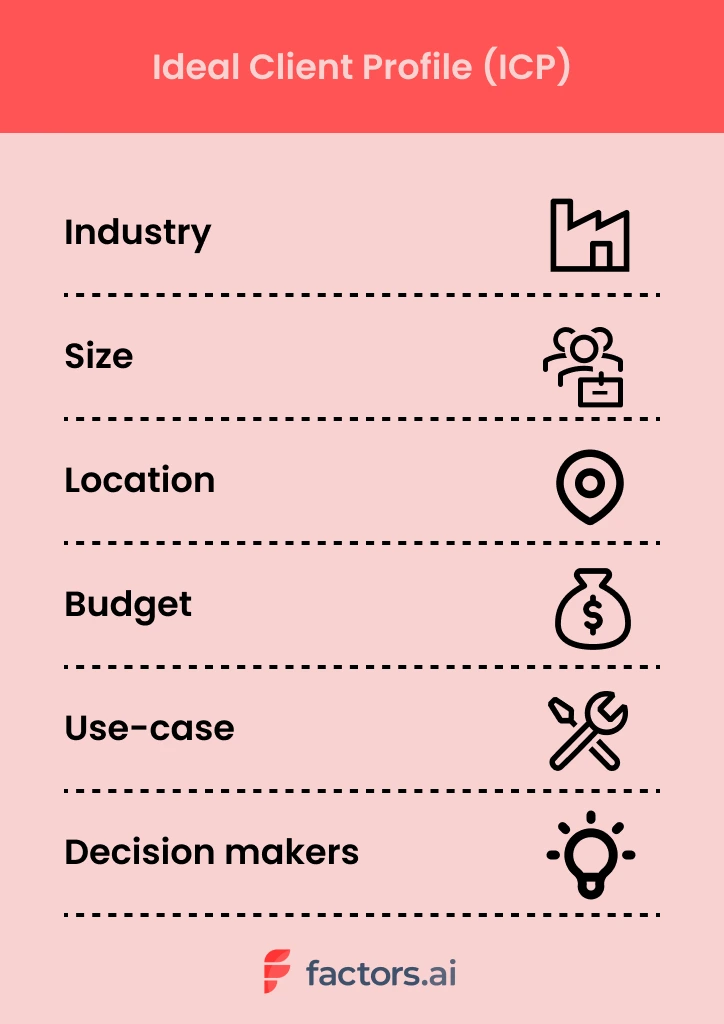
If you’re selling chicken eggs, you probably don’t want to run ads to online vegan communities. They’re hardly a good fit for your business. Instead, you’ll find better luck running ads to fitness enthusiasts looking for a protein-rich diet. Certainly, targeting the latter will result in a superior return on investment and happier, more satisfied customers. A win-win!
Ultimately, your ideal client profile should be the type of customer you can provide the most value to and, in turn, can generate the most value for your company.
Unfortunately, defining an ideal client profile isn’t as clear cut in SaaS as it might be in the poultry industry. In later sections, we explore how to go about constructing your ICP in detail.
How is ICP different from target audience?
Ideal client profile and target audience are closely aligned, but distinct terms nonetheless. Generally, target audience refers to a broader audience that shares certain high-level commonalities such that they may benefit from what a company offers. An example of a target audience may be something like: mid-sized companies in healthcare and financial sectors.
Ideal client profile picks up on this and goes the extra mile to cover what this “target customer” may look like in far greater detail — including the nature of use-cases, pain-points, technologies, and decision makers involved. In a way, your ICP is a subset of your target audience.
Let’s take an example. Factors is an account intelligence software that helps B2B teams identify, qualify, and convert anonymous accounts visiting their website. This empowers better outbound efforts, retargeting campaigns and pipeline growth.
At an immediate glance, the target audience would be GTM teams from SaaS companies. Taking it a step further, however, we can say that Factors’ ideal client profile — that is, clients that will derive and provide the most value from our work — would be SME SaaS marketing and sales teams with significant ABM efforts, marketing spend & high-quality anonymous website traffic.
This gives us a specific market to go after.
Here’s an example of an ICP from Cognism:
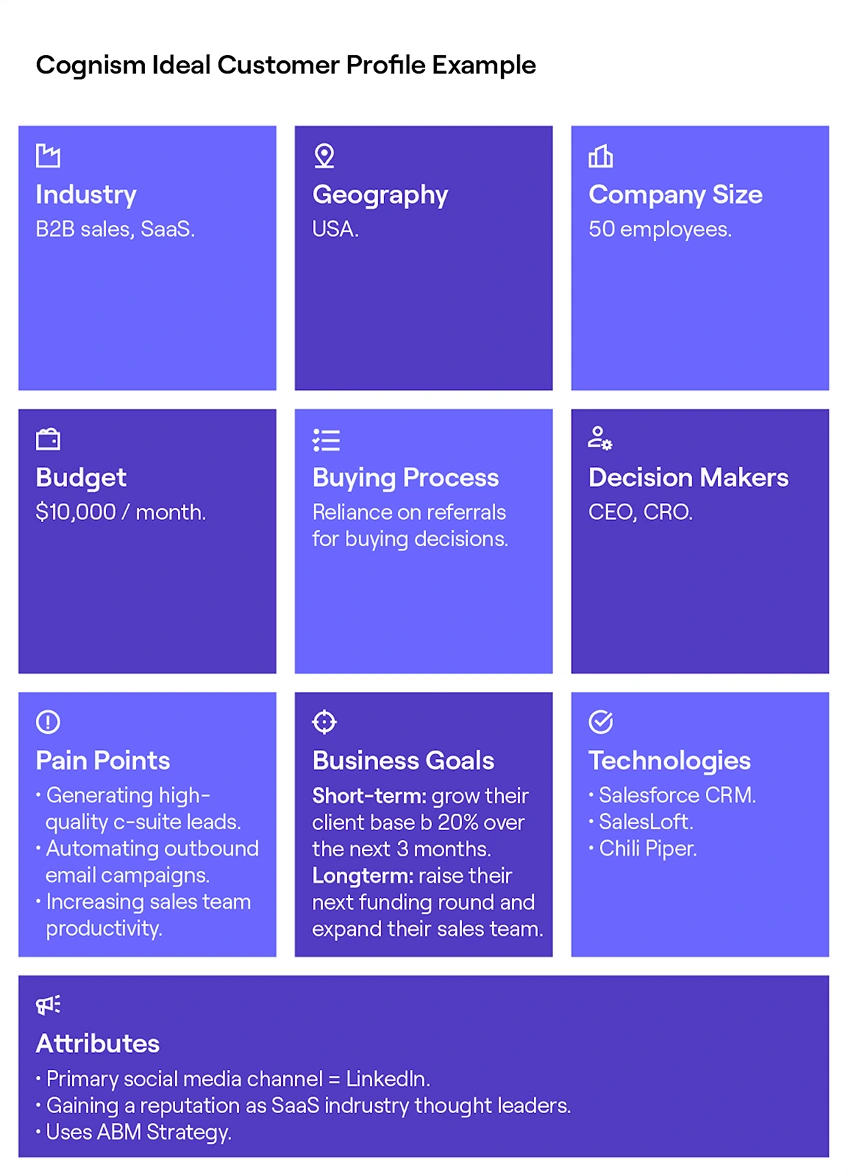
What are the benefits of ideal client profile?
There are several benefits to identifying the characteristics that make your ideal customer, ideal. Here are a few.
1. Better personalization: A deep empathic understanding of your ideal market’s traits, motivations, pain-points, and everyday workings will empower a far more personalized, tailor-made buying experience. Relevant campaigns, content, and conversations will go a long way in building fruitful relationships with potential customers and a positive brand image.
2. Better GTM performance: Without knowing who to target, marketing and sales teams often resort to expensive, ineffective spray & pray tactics — spammy blast emails, tangential cold calls, irrelevant ad campaigns. By building out a detailed, well-researched ICP, we can ensure thoughtful, more persuasive go-to-market efforts resulting in better ROI and pipeline growth.
3. Better internal alignment: A clear, internal alignment as to who you’re targeting will result in operational efficiencies across marketing, sales, product, and customer success teams. An ICP provides unequivocal direction as to who we’re helping and how we’re helping them.
{{INLINE_TOFU}}
How to build an ideal client profile: 4 simple steps
Defining your Ideal Customer Profile (ICP) isn't a one-size-fits-all process. It's a journey that involves careful consideration of various factors, including your company's goals, vision, and the stage of growth you find yourself in.
What remains constant is the core principle of defining your ICP: It's all about value
Defining your ICP should solely focus on how a potential customer participates and generates value for your organization. This value can be in the form of revenue, but it can also extend beyond the financial aspect, impacting your company in various other ways:
For example, in early stages, especially before the creation of a minimum viable product (MVP), you should seek early adopters who are willing to experiment with your solution. These customers may provide valuable feedback, helping you refine your offering. However, many companies struggle to cross the chasm and identify their most valuable customers at this stage.
As you progress to the growth stage, your ICP shifts. Now, you're looking for buyers who can provide testimonials and help you gather social proof, building trust in your product. You start evaluating the value these clients bring, factoring in Customer Lifetime Value (CLV) to test product fitment. It's a stage focused on customer satisfaction and building credibility.
But in the later stages, your ICP evolves yet again. Here, you're targeting customers with high lifetime value, those who not only contribute revenue but also showcase unwavering loyalty. These are the customers who become your advocates, providing referrals and further strengthening your brand.
So how do you write an ideal client profile? Here’s the 4-step process:
- Identify your best customers
- Conduct research & interviews
- Compile learnings, build profile
- Iterate. Iterate. Iterate.
1. Identify your best customers
Start by making a list of 5-10 of your best, most-valuable customers. This list should be made up of accounts that actively use and derive value from your product. They should be made up of relevant stakeholders — i.e. decision makers and end users that are familiar with the problem your solution solves for.
If you’re at an earlier-stage, simply reach out to your network and marketing communities to request a quick conversation (remember, you’re not trying to sell them your product here. Simply learn more about what makes them tick).
2. Conduct research & interviews
Dig deep to learn everything you can about these customers. Raid websites, LinkedIn pages, Slack communities, competitor product reviews and anything else you can get your hands on. Look to identify your customers:
- Industry
- Techstack
- Revenue
- Headcount
- Location
- Budgets
- Growth
Once secondary research sources have been exhausted, set-up interviews for qualitative conversations on the motivations, pain-points, and everyday routines of your ideal buyer. Remember, this is your chance to get personal. Avoid generic, or worse yet, leading questions. Here are some questions to consider asking:
- As a {end user role}, what’s the most challenging aspect of what you do?
- What KPIs/Metrics do you care about most?
- How successful is your team in achieving quarterly targets? In your experience, what goes right and what goes wrong?
- What is expected of you by your leadership?
The Mom Test is a great read on how to structure interviews to be effective and unbiased.
3. Compile learnings, build profile
At this stage, consolidate all your learnings across research, conversations, and anecdotal evidence into a big fat document. Carefully study your findings on your ideal customers and refine the results until you’re left with a masterpiece: an ideal client profile!

4. Refine. Refine. Refine.
Defining your ideal client profile is an ongoing process that must never end. As markets, consumers, businesses, and products continue to evolve, so will the characteristics and expectations of your perfect customer.
It’s important to regularly go back to the drawing board and refine the details of your ICP. This will ensure you keep up with the times and stay perpetually relevant, fresh, and successful.
Ultimately, your ICP should be simple to understand, align with your marketing and sales strategies, and help you achieve your goals.
Win more ICP accounts with Factors
You have your ideal client profile all-set. Now what? Factors is an account intelligence and analytics solution that helps identify, qualify, and convert anonymous ICP accounts engaging with your website.
{{CTA_BANNER}}
Only about 4% of website traffic reveals itself through form submissions. We can’t let the remaining 96% of anonymous pipeline go down the drain, can we? With Factors, you can:
- Identify up to 64% of anonymous accounts visiting your website, engaging with your product reviews, or simply viewing an ad — with industry-leading IP-lookup technology.
- Qualify the right accounts by configuring custom firmographic and engagement filters so you’ll be notified when sales-ready ICP accounts are visiting your, say, pricing page.
- Convert in-market accounts while the iron’s still hot with real-time alerts sent straight to your Slack or MS teams. Track account engagement and reach out with intent-based outreach or retargeting campaigns. Either way, you’ll be winning ICP accounts like never before.
An Ideal Client Profile (ICP) represents a company's perfect customer, detailing attributes such as industry, company size, revenue, technology stack, and decision-maker roles.
1. Targeted Strategy: Refines marketing and sales efforts towards high-potential accounts.
2. Improved Conversions: Enhances conversion rates by focusing on the most relevant prospects.
3. Resource Optimization: Ensures efficient use of resources by targeting ideal clients.
4. Long-term Relationships: Fosters sustainable client relationships through precise targeting.
Differentiating an ICP from a broader target audience ensures that businesses go beyond general market segments to focus on clients most likely to benefit from their offerings.

ICP vs. Buyer Persona? What is the Difference
Learn how to combine ICP marketing with buyer personas to maximize B2B ROI. Get actionable insights on targeting, segmentation & conversion optimization.

TL;DR
- ICP marketing targets companies that align best with your B2B solution, optimizing resource allocation and lead quality.
- Buyer personas focus on decision-makers within those companies, enhancing personalization and engagement.
- ICPs prioritize valuable accounts, streamline account-based marketing (ABM), and align sales and marketing for improved conversion rates.
- Buyer personas enhance content personalization, nurture campaigns, and sales interactions by addressing specific roles, challenges, and motivations.
- Relying solely on one approach can limit ROI. Combining ICP and buyer persona strategies ensures precise targeting and higher returns.
- Regularly update your ICP and buyer personas to align with market changes, customer feedback, and business objectives.
- Avoid common pitfalls: base profiles on data, keep them current, and leverage insights for informed decisions.
- For B2B marketers, integrating ICP marketing and buyer personas leads to higher ROI, shorter sales cycles, and stronger customer relationships.
- Discover how to build, use, and enhance both tools for B2B growth below.
Many teams invest in different marketing campaigns but see little conversion or slow sales cycles. Often, the issue is not knowing who to target or how to engage them, leading to wasted budgets and missed revenue opportunities.
The solution? Utilize two key tools: the Ideal Customer Profile and the Buyer Persona. ICP marketing focuses on companies that benefit most from your solution, while buyer personas guide you in reaching the decision-makers within those companies. Together, they make your marketing strategic and effective, boosting ROI and growth.
Read: What is Buyer Intent Data for ABM
In this blog, you'll explore the differences between ICPs and buyer personas, their impact on B2B marketing ROI, and how to leverage both for optimal results. Let's address your targeting challenges once and for all.
What is ICP Marketing in B2B?
An Ideal Customer Profile (ICP) defines the type of company that gains the most from your product and delivers the most value in return. In B2B marketing, it’s a core tool for focusing on high-potential accounts and using resources efficiently.
A strong ICP includes firmographics (industry, size, location), technographics (tech stack, digital maturity), and behavioral traits (buying process, engagement). It’s built by analyzing top customers and identifying shared traits through CRM data, sales insights, and customer feedback.
What is Buyer Persona in B2B?
Buyer personas are detailed profiles of the decision-makers within your target accounts. While an ICP identifies the ideal companies to target, buyer personas focus on the individuals, like a CMO or IT Director, who influence or make purchasing decisions. These profiles include job roles, goals, pain points, and buying behavior.
Creating accurate personas involves analyzing customer conversations, sales data, and digital engagement to understand motivations and preferences. With strong buyer personas, you can craft personalized messaging and campaigns that speak directly to each role, improving engagement, speeding up sales cycles, and boosting conversion, much like our Intent Capture tool.
Also, read the five stages of a customer journey.
{{INLINE_BOFU}}
ICP vs. Buyer Persona: Core Differences
Here’s the quick comparison between ICP and Buyer Persona:
ICP Marketing vs. Buyer Persona: Which Delivers Better ROI?
To determine which approach offers better ROI in B2B, examine how each affects your sales pipeline and revenue.
1. ICP Marketing: Bigger Deals, Better Fit
ICP marketing drives ROI by focusing your efforts on companies most likely to convert and deliver long-term value. By targeting firms with the right industry, size, budget, and tech stack, you avoid low-fit leads, close larger deals, and use your sales team's time more effectively.
2. Buyer Personas: Higher Engagement, Faster Wins
Persona-driven strategies boost ROI by personalizing your message to key decision-makers. When you understand their pain points, goals, and preferences, your campaigns resonate more deeply, leading to higher engagement, quicker sales cycles, and increased win rates within your target accounts.
3. The ROI Sweet Spot: Use Both
Relying on only one strategy limits your impact. ICPs without personas can feel too generic, while personas without ICPs may waste resources on the wrong companies. The highest ROI comes when you combine both: target the right organizations with ICPs, then win over the right people with buyer personas.
Related read: Brand Persona in B2B
When to Prioritize ICP or Buyer Persona in Your B2B Strategy?
Decide whether to focus on ICP or buyer persona based on your business goals. If you aim for account-based marketing, lead qualification, or expanding outreach, start with a clear ICP. This helps your team target companies with the best potential for value and strong relationships, improving resource use and conversion rates.
If you want to boost engagement, personalize campaigns, or enhance sales support, focus on buyer personas. Understanding the motivations, challenges, and decisions of key people in your ICP companies helps you create messages that connect, leading to better responses and quicker sales.
For the best outcome, combine both methods: use ICPs to choose the right companies, then apply buyer personas to reach the right people within those companies. This approach ensures you connect with the right accounts and speak directly to decision-makers, maximizing your B2B marketing success, similar to how our Workflow Automations can streamline your processes.
How to Integrate ICP and Buyer Personas for Maximum ROI?
1. Start with the Right Targets
Begin by clearly defining your Ideal Customer Profile, companies that are most likely to benefit from your solution. Use firmographics, technographics, and business alignment to pinpoint your best-fit accounts and prioritize them for outreach.
2. Add Depth with Decision-Maker Insights
Next, bring your strategy to life with buyer personas. Identify key decision-makers within your ICP accounts, like Marketing VPs or IT Directors, and map out their goals, pain points, and preferences. This helps you tailor campaigns that speak directly to their needs.
3. Align, Execute, and Evolve
Use the ICP to guide account targeting and resource focus, while personas power your messaging. Personalize content, ads, and sales conversations to engage each stakeholder effectively. Keep both profiles updated as your market shifts to stay relevant and drive long-term ROI, just like our Funnel Conversion Optimization strategies ensure consistent pipeline performance.
Also read: AI for small business marketing
Wrapping Up: Integrating ICP and Buyer Persona
Defining and utilizing both your Ideal Customer Profile and buyer personas is crucial for maximizing return on investment in B2B marketing. ICP marketing helps you focus on organizations that will benefit most from your solution, optimizing resource use and increasing success rates. Buyer personas help your team create messages and campaigns that connect with real decision-makers in those companies, boosting engagement and accelerating sales.
Successful B2B strategies integrate both ICP and buyer personas. The ICP guides targeting, while buyer personas personalize each interaction. Regular updates based on real data and feedback keep your approach effective. Avoid common mistakes like outdated profiles or ignoring negative personas to enhance your marketing. Mastering both ICP marketing and buyer persona development builds a strong foundation for growth, better customer relationships, and measurable marketing success.
Now that you have read this, read our next blog on 10 signs you are marketing to the wrong customers and not your ICP.
ICP Examples: How to Define, Build, and Use an Ideal Customer Profile in Sales
Explore practical ICP examples and see how a strong ideal customer profile can help sales teams focus on accounts with the highest potential.
TL;DR:
- ICP meaning in sales: The company-level profile of your best-fit customers.
- ICP vs persona: ICP = companies, persona = people.
- Why it matters: Improves targeting, conversion, retention, and ROI.
- How to build: Use firmographics, technographics, behavior, and qualitative data.
- Use cases: Prospecting, messaging, ABM, lead scoring.
- Iterate: Review ICP regularly based on data and feedback.
If you’ve ever sat in a sales or marketing meeting where someone said, “We need to tighten our ICP,” and everyone nodded as if they understood, but questioned their existence later… This blog is for you.
Look, most teams say they have an ICP. Very few teams actually use it.
I’ve seen SO many B2B teams that swear they know their ideal customer. And then when you review their pipeline. Or their ad targeting. Or their outbound lists. And suddenly, the ICP feels more like a vague outline of a person than a strategy.
That’s usually when the same problems show up on loop:
- Sales chasing leads that were never going to close
- Marketing generating volume but not quality
- Long sales cycles, low retention, and constant “lead quality” debates
This is where a real Ideal Customer Profile changes everything.
In this guide, I’m breaking down what ICP actually means in sales, how it’s different from buyer personas, how to build one step by step, and how to use it across sales, marketing, and GTM. I’ll also walk through practical ICP examples across SaaS, services, and non-SaaS businesses, because theory only gets you so far.
Read this entire piece to get a full picture with examples, strategies, practical tips, and more.
What does ‘ICP’ mean in sales?
Before I give you the formal definition, let me say this: ICP is one of the most misunderstood terms in B2B. People either overthink it into a 20-slide deck or oversimplify it into ‘mid-market SaaS companies.’
Neither helps your revenue.
At its core, ICP is just a way of answering one very practical question:
Which companies are actually worth our time?
Now… onto the actual answer to ‘what does ICP mean in sales’? ICP stands for Ideal Customer Profile (ICP), a detailed description of the type of company that’s a perfect fit for your product or service. Think of it as the blueprint for the customers most likely to see real value in what you offer.
An ideal customer profile helps you focus on accounts that can deliver long-term revenue, remain loyal, and grow with you over time. These are the companies that truly benefit from your solution and are ready to invest in it.
Here’s a simple example:
- If you sell a CRM tool designed for scaling SaaS companies, your ICP might be a mid-sized software business with 50-200 employees, growing at 20%+ annually, and already using tools like Slack, HubSpot, or Salesforce.
- On the other hand, a small local agency with three employees might be interested, but it isn’t your ideal fit.
I’ve seen this play out so many times with SaaS teams. A small company books a demo, seems excited, asks all the right questions. Sales invests weeks nurturing the deal. And then it dies quietly because the company was never structurally ready to buy.
That’s the cost of not defining your ICP clearly. It’s not just lost deals. It’s lost time, morale, focus, and your will to show up to your 9 AM standup call.
In case it was not clear already, here’s why you NEED to define your ICP:
Sales teams with a well-defined ICP don’t waste time chasing leads that will never convert. They know exactly who to go after, what pain points to speak to, and how to prioritize their pipeline. In a market where competition is fierce and budgets are tight, that focus can be the difference between hitting quota and missing it.
ICP vs Buyer Persona vs Customer Profile
This is where most teams get tangled.
I’ve lost count of how many times someone pulls out a ‘persona doc’ expecting it to solve account targeting problems. Personas and ICPs solve different problems, and mixing them usually creates more confusion than clarity.
Think of this section as a mental reset.
It’s easy to confuse terms like ICP, buyer persona, and customer profile, and many teams do. They’re related, but they serve very different purposes in your go-to-market strategy. Let’s clear that up.
1. ICP: The Company-level blueprint
The ICP (Ideal Customer Profile) is all about the company. It describes the type of business that’s a perfect fit for your solution. This includes details like industry, company size, revenue range, growth rate, location, and even the technology stack they use.
Example: A SaaS company targeting FinTech startups in North America with $5-20 million in annual revenue that use AWS and HubSpot.
ICP is often used by sales teams for account selection, targeting, and qualification. It helps them focus outreach on companies most likely to convert and remain long-term customers.
2. Buyer Persona: The human side
A buyer persona zooms in on the individuals inside those ICP accounts, their roles, goals, motivations, and daily challenges. It’s more about understanding people than companies.
Example: A “VP of Marketing” persona might care about campaign ROI, reporting, and lead quality, while a “CTO” persona focuses on integration and security.
Buyer personas help marketing and sales teams tailor messaging, demos, and conversations to resonate with decision-makers and influencers.
3. Customer Profile: The broader picture
A customer profile (or customer profiling) is a more general segmentation tool. It groups customers based on demographics, firmographics, behaviors, or preferences. It’s useful for broader market research and targeting, but it’s less precise and strategic than an ICP.
Here’s a quick snapshot of how they differ:
Once you separate these three concepts properly, alignment gets easier. Sales stops complaining about lead quality. Marketing stops guessing who to target. Product gets clearer signals about who they’re really building for.
Here’s a helpful (and more direct) way to think about it:
- ICP tells you which companies to target.
- Buyer personas tell you how to talk to the people inside those companies.
- Customer profiles give you context about the broader market.
Using all three together creates a powerful alignment between sales, marketing, and product. Without them, it’s a bit like throwing darts blindfolded, you might hit something, but chances are you’ll miss what matters most.
If you are confused about ICP and buyer persona, read our blog on ICP vs Buyer Persona
{{INLINE_TOFU}}
So, why does an ICP matter for SaaS and sales teams?
Think about this… every time you audit a struggling pipeline, the root issue is rarely effort. Teams are working hard. They’re sending emails, running ads, booking demos, doing everything in their capacity to keep the boat from sinking.
The issue is direction.
Without a clear ICP, growth becomes reactive. You chase whoever shows interest instead of building momentum with companies that are actually built to succeed with your product.
So basically, a well-defined ideal customer profile is the backbone of an efficient sales engine. Without it, teams waste time chasing leads that will never convert, marketing budgets get spread too thin, and revenue projections become guesswork.
Related read: SaaS Buyer Personas
Here’s why an ICP matters so much, especially for SaaS and B2B companies
1. Laser-Focused Targeting
When you know your ICP, you stop trying to sell to everyone and start focusing on the accounts that actually move the needle. This makes every part of the sales process more efficient, from prospecting to closing.
2. Better Use of Resources
Sales development reps (SDRs) spend less time qualifying bad leads. Marketing can design campaigns that speak directly to high-fit companies. And leadership can forecast revenue with more confidence because the pipeline is filled with the right opportunities.
3. Improved ROI and Growth
For SaaS businesses, where customer acquisition cost (CAC) and lifetime value (LTV) are critical metrics, having a solid ICP is a competitive advantage. It means you spend less acquiring each customer and retain them longer because they’re a better fit from the start.
Here’s a quick reality check: companies that align strongly with their ICP often see significantly better conversion rates and lower churn. In some reports, win rates increase by up to 68%, and firms targeting best-fit accounts show improved retention and deal velocity.
4. Better Sales and Marketing Alignment
Marketing and sales alignment is one of those buzzwords that’s easy to talk about and hard to achieve. A shared ICP makes it easier. When both teams agree on what an “ideal account” looks like, there’s less finger-pointing and more collaboration.
And perhaps the most underrated benefit? Predictable pipeline growth. When everyone is on the same page about which accounts to pursue, your forecasting becomes more accurate and your growth more scalable.
PS: Trust me… predictability is underrated. It’s the difference between hoping you’ll hit targets and knowing why you will.
Key components of an ICP (firmographics, technographics, behavior)
We’ve already covered what an ICP means and why it matters. Now it’s time to break it down further and look at the building blocks that make a strong sales ICP truly effective.
Point to remember: A good ICP ISN’T one data point. It’s a combination of signals layered together. Miss one layer, and you either widen your net too much or filter out good opportunities too early. Here are the key components you need to pay attention to.
1. Firmographics
These are the foundational details about a company, and they help you quickly identify if a lead fits your ideal customer profile.
Examples include:
- Industry: What sector are they in (e.g., fintech, healthcare, logistics)?
- Company size: Employee count, headcount growth
- Revenue: Annual revenue range or growth trajectory
- Geography: Where they’re headquartered or operate
- Funding stage: Bootstrapped, Series A, enterprise-level
Example: If you sell enterprise HR software, a 50-person startup might not be a fit. But a 2,000-employee company expanding globally? That’s exactly what you’re looking for.
At the same time, don't let industry do all the work. When Praveen, Co-founder and CMO at Factors.ai, spoke with Alexander Goodwin, Director of Demand Generation at Fingerprint, Alex pointed out that “industry alone is rarely a very good signal.” Fingerprint uses industry to narrow the market, then looks for signs that a company actually has one of the problems its product solves.
2. Technographics
This is about the technology stack your target companies use. For SaaS products, technographics can be a make-or-break factor.
Examples:
- CRM or ERP systems
- Cloud platforms (AWS, GCP, Azure)
- Marketing automation tools
- Analytics or data platforms
Knowing a company’s tech stack helps you prioritize accounts and tailor your messaging. For instance, if your solution integrates with HubSpot, companies already using it are a better fit.
3. Behavioral & Environmental Signals
Behavioral data gives you insight into a company’s priorities and readiness to buy. Look for:
- Recent funding rounds
- Hiring surges or layoffs
- Mergers and acquisitions
- New market expansions
- Digital activity spikes (e.g., website traffic, demo requests)
These signals often point to trigger events, moments when a company is most likely to evaluate new solutions.
These signals can tell you when to pay more attention to an ICP account, but they don't necessarily determine whether the company fits your ICP in the first place. Fingerprint, for example, considers signals such as hiring, public incidents, and technology adoption when thinking about timing. For longer enterprise sales cycles, Alex says those signals can be more useful for deciding how to approach an account than whether to pursue it at all.
To go deeper into how to interpret and act on those signals, read An Introduction To B2B Intent Signals.
4. Qualitative Attributes
Don’t forget the softer side of ICP building. Qualitative insights like company culture, decision-making style, or leadership priorities can make a big difference. They’re harder to quantify, but they help refine your targeting.
When you combine all four categories, you get a complete picture of your ideal client profile, one that’s rooted in data, but also practical and actionable for your sales team.
Also read: AI orchestration in marketing workflows
How to build your ICP (step-by-step framework)
This is the part where people expect complexity (not here… because I promised you something at the beginning, remember?!). But just know, building your ICP is more about discipline than brilliance.
Now that you know what makes up an ICP, let’s talk about how to build one. The process isn’t rocket science, but it does require data, analysis, and iteration.
Step 1: Build Your Data Foundation
Start by cleaning up your CRM. Remove duplicate records, standardize fields, and make sure customer data is accurate. Without a reliable data foundation, your ICP will be built on guesswork.
Step 2: Define Success Metrics
What does a “great customer” mean for your business? Is it high retention? Low churn? Large deal size? Clearly define these metrics before you begin analysis.
Step 3: Identify Best-Fit Customers
Look at your current customer base and find your super users, the ones who love your product, stay the longest, and generate the most revenue. Your happiest customers are doing half the work for you. You just need to pay attention to what they have in common. They’re your best source of ICP insights.
Step 4: Analyze Patterns
Once you’ve identified those customers, look for patterns. What industries do they come from? What tools do they use? What challenges were they trying to solve? Use both quantitative data and qualitative feedback to build a complete picture.
Fingerprint takes a similar approach when deciding which segments deserve more attention. The team looks at customer concentration, average and median ARR, and expansion rate. Alexander Goodwin of Fingerprint specifically calls out the importance of checking median ARR because one or two large customers can make the average look stronger than the segment really is.
Step 5: Outline Your ICP
Now, write a profile that includes all the key attributes like firmographics, technographics, behaviors, and qualitative insights. This becomes your official ideal customer profile document.
Step 6: Validate Through Real Feedback
Don’t stop at theory. Validate your ICP by interviewing customers, talking to your sales team, and running small pilot campaigns to test targeting assumptions.
Step 7: Iterate and Refine
An ICP isn’t static. Markets change, products evolve, and buyer priorities shift. Revisit and refine your ICP regularly based on new data and customer feedback.
Every strong ICP I’ve seen was revised multiple times. The teams that win are the ones who treat ICP as a system they maintain (not a document they archive).
Note:
Companies that treat ICP building as an ongoing process, not a one-time project, consistently outperform those that don’t. Think of it like tuning an engine. The better you fine-tune, the faster and more efficiently your revenue machine runs.
We’ve covered almost everything here, but if you’d like detailed steps, check out How To Build Your Ideal Customer Profile In 15 Steps
Let’s go over some ICP examples by industry and use case
Examples are where ICP finally clicks. Once you see it applied across different industries, it stops feeling abstract and starts feeling usable.
Talking about ICP in theory is helpful, but it’s even more valuable to see how it plays out in the real world. Here are some ICP examples across different industries to show you how flexible and practical the concept can be.
1. SaaS example: B2B automation platform
Imagine you’re selling a SaaS product that automates workflows for mid-sized companies. A strong ICP for SaaS might look like this:
This type of ICP sales profile helps your SDR team prioritize accounts that are more likely to buy and stay engaged. A startup with three employees might love your product but won’t bring the same revenue potential as a growing 300-person company preparing for a Series C round.
This is also why deal size and retention improve when ICP is clear. You’re not convincing companies to buy. You’re showing value to companies that already need it.
2. B2B Non-SaaS example: Logistics software
Now, let’s look at a completely different industry, like logistics:
Here, the ideal client profile focuses on companies with complex operations and a strong need for visibility and efficiency. They’re more likely to see immediate value and invest more budget than a smaller business with basic shipping needs.
3. Service Business Example: Marketing Agency
For a service-based company like a digital marketing agency, the ICP might focus more on decision-makers and company maturity:
The key takeaway here: ICP examples vary widely, but they always share one thing; they’re built on data and real-world patterns, not gut instinct. Whether you’re in SaaS, manufacturing, or services, defining this clearly shapes your sales strategy from day one.
If you want more examples and ways to turn them into targeting, this ICP marketing strategy guide breaks it down for B2B teams.
How to use ICP in sales and Go-To-Market (GTM) Strategy
Defining your ICP is one part. Using it to shape sales and go-to-market (GTM) strategy is execution. The gap between the two is where most teams stumble.
Here’s how top-performing teams put their ICP in sales to work:
1. Smarter Prospecting
Instead of spraying and praying, sales teams focus outreach on accounts that match their ICP. SDRs can build targeted lists, personalize messaging, and qualify leads faster. This reduces wasted effort and increases conversion rates.
2. ICP-Aligned Messaging
Your messaging should speak directly to the pain points and priorities of your ICP. When messaging aligns with ICP reality, sales conversations feel easier. Prospects don’t need to be educated from scratch. They already recognize the problem you’re solving.
If your ICP persona is a mid-sized SaaS company struggling with churn, your value proposition should highlight retention and lifecycle automation, not be based on basic onboarding.
3. Prioritizing Leads and Accounts
Sales teams can use ICP data to decide which accounts deserve more attention, but fit isn't the only factor. Fingerprint first checks whether an account has a real need, then estimates the scale of that need before assigning priority. As Alex puts it, “Once we've qualified the need, we've sized the problem, we can then identify how we prioritize.”
4. Crafting ICP-Based Sales Plays
ICP insights fuel highly personalized sales plays. That might include industry-specific email sequences, tailored demos, or pitch decks focused on common ICP pain points. The more aligned your outreach, the more relevant your solution feels.
5. Account-Based Marketing (ABM)
ICP is the foundation of any successful ABM strategy. Marketing and sales can coordinate to target high-value accounts with personalized ads, content, and outreach sequences. When everyone’s focused on the same ICP accounts, conversion rates rise significantly.
6. Cross-Team Alignment
ICP keeps everyone, including marketing, SDRs, AEs, and customer success on the same page. Marketing knows which leads to generate, sales knows which to pursue, and CS knows what success looks like for those customers.
It’s like having a GPS for your revenue strategy. Without an ICP, you’re driving blind. But with one… every decision, from who you email to how you pitch, is based on clear signals and shared goals.
For a practical view of turning signals into timely outreach and conversations, this playbook walks through the workflow step by step.
Watch from 14:09 to 16:10 to hear Alex walk through how Fingerprint checks account fit, estimates potential value, and decides which accounts deserve more investment.
Common pitfalls when defining ICP
Even experienced teams make mistakes when defining their ideal customer profile. And those mistakes can cost you time, money, and deals.
Here are the most common pitfalls to watch out for:
1. Confusing ICP with ACP
One of the biggest errors is confusing your ICP with your ACP (average customer profile). Your ACP includes all customers, including those who churn quickly or barely use your product. Your ICP focuses only on the ones that deliver the most value and stay the longest.
2. Making the ICP Too Narrow
It’s good to be specific, but being overly narrow can limit your market too much. For example, if your ICP only includes “US-based fintech startups with exactly 100-150 employees,” you might miss out on great prospects that fall slightly outside that range.
3. Relying Solely on Hypotheses
Building an ICP based purely on assumptions is risky. Always ground your profile in real data, customer analytics, win/loss reports, interviews, and behavioral signals. Hypotheses are a starting point, not the final word.
4. Ignoring Evolution
Markets change, buyer behavior shifts, and your product evolves. If you’re not revisiting your ICP regularly, you’ll eventually find yourself chasing the wrong leads. A good rule of thumb: review and update your ICP at least once every six months.
5. Overvaluing Vanity Attributes
It’s tempting to focus on flashy attributes like company size or brand name. But those don’t always predict conversion. Often, behavioral signals like engagement, urgency, or specific pain points are more reliable indicators.
Think of defining your ICP like aiming a spotlight. Too broad, and you waste energy lighting up everything. Too narrow, and you miss potential opportunities. The sweet spot is focused but flexible, driven by data but adaptable over time.
If your ICP feels uncomfortable to narrow down, that’s usually a sign you’re doing it right.
If any of these pitfalls sound familiar, this checklist on signs your ICP targeting is off can help you course-correct.
Measuring and iterating your ICP
Defining your ideal customer profile isn’t a one-and-done task. The best sales teams treat ICP as a living system that evolves with their product, market, and customers. To keep it relevant and effective, you need to measure its impact and refine it over time.
1. Key metrics to track
These metrics will show whether your ICP is doing its job or needs a tune-up:
- Conversion rate: How many ICP-matching accounts actually become customers.
- Retention rate: Do ICP accounts stay longer and churn less?
- Average deal size: Are ICP-targeted deals larger than non-ICP ones?
- Sales cycle length: Are ICP deals closing faster?
- Pipeline contribution: What percentage of your pipeline is made up of ICP accounts?
If your ICP is accurate, you’ll see consistent improvements in these metrics. If not, it might mean your criteria are too broad, too narrow, or missing key signals.
2. Testing and validating your ICP
Reviewing reports is only the starting point. To truly validate your ICP, you need to experiment and test your assumptions in the real world. Here are a few ways to do that:
- A/B Targeting: Run parallel campaigns targeting ICP vs. non-ICP accounts and compare results.
- Pilot Campaigns: Test new ICP definitions on smaller campaigns before scaling.
- Sales Feedback: SDRs and AEs often spot ICP misalignments before the data does. Listen to their feedback on lead quality. Your frontline teams notice friction before dashboards do. Their input is signal (not noise).
3. Knowing when to revisit your ICP
Some signals that it’s time to revisit your ICP in sales:
- Your win rate is declining despite strong outreach.
- Deals are taking longer to close.
- Customer retention is dropping.
- A new market trend or technology is changing buying behavior.
Markets shift fast, especially in SaaS. A company that was a perfect fit last year might not be today. Treat your ICP like a roadmap, update it as conditions change to keep your growth engine moving forward.
If you’re setting up scoring to measure fit and prioritize accounts, this account scoring guide covers the workflow end to end.
ICP tools and software recommendations
While you can build an ideal customer profile manually, the right tools make the process far more accurate and scalable. They help you collect data, spot patterns, and update your ICP in real time. Tools don’t replace thinking, but reduce blind spots. The strategy still has to come from you.
Here are some of the most useful ones:
1. Data enrichment and insights tools
These platforms provide firmographic, technographic, and intent data to fuel your ICP research:
- Clearbit: Enriches contact and account data with company size, revenue, tech stack, and more.
- ZoomInfo: Offers robust B2B data for targeting and segmentation.
- Apollo.io: Combines contact discovery with intent data and engagement insights.
2. CRM & analytics platforms
Your CRM is your single source of truth for ICP performance data:
- Salesforce: Great for tracking ICP-specific metrics like conversion rate and deal size.
- HubSpot: Easy to set up ICP properties, segments, and scoring models.
- Pipedrive: Helps smaller teams organize ICP data and improve sales workflows.
3. Intent and behavior tracking
These tools identify when ICP accounts show buying signals:
- 6sense: Tracks intent data and surfaces accounts likely to buy.
- Leadfeeder: Shows which companies visit your site, even if they don’t fill out a form.
- Demandbase: Powers account-based marketing campaigns aligned with ICP data.
The right tech stack won’t define your ICP for you, but it will make the process smarter and more precise. Think of these tools as your support crew; they help you stay on course while you focus on strategy and execution.
How Factors.ai completes your ICP strategy
The tools we discussed earlier each play an important role in building and refining your ICP. Some specialize in enriching data, others track intent signals, and still others manage outreach. Most tools currently show only fragments of the picture. The real advantage comes from seeing how those fragments connect across the buyer journey.
Factors.ai adds another layer to that picture, one focused on connection, context, and action. Rather than working in isolation, it unifies insights across your existing stack and turns them into practical next steps your team can use.
Here’s how that looks in practice:
- Connect signals across platforms: Bring together data from your website, ads, CRM, and third-party sources to see a complete view of how potential customers engage.
- Understand buyer journeys: Map how accounts move from awareness to decision, so your outreach and messaging align with their stage in the buying process.
- Spot high-intent opportunities: Surface accounts that closely match your ICP and are showing strong engagement signals, helping teams focus their energy where it matters most.
- Bring precision to campaigns: Use these insights to inform targeting and messaging, making every ad, email, or sales conversation more relevant and timely.
- Measure and evolve with clarity: Track which ICP segments deliver the strongest results and where adjustments can improve outcomes, all without sifting through disconnected data.
Overall, Factors.ai acts as the layer that connects strategy to execution. It builds on the strengths of the tools you already rely on, adds visibility into the bigger picture, and gives your team the context they need to make smarter, more impactful decisions at every stage of the ICP journey.
In a nutshell
An ideal customer profile provides focus and direction for your sales and marketing efforts. It shows your team where the strongest opportunities are, what those companies care about, and how to approach them in a way that actually resonates. With that clarity, you spend less time chasing unfit leads and more time having conversations that lead somewhere.
A well-defined ICP also changes the quality of your customer relationships. When you consistently target companies that benefit most from what you offer, every interaction, from the first email to the final contract, feels more relevant and meaningful. Over time, this builds trust, shortens sales cycles, and creates partnerships that are easier to grow and sustain. And as your market and product evolve, refining your ICP keeps your strategy aligned with where real opportunities continue to emerge.
Related read: Customer & Client Avatars
FAQs for ICP Examples
Q. What does ICP mean in sales?
In sales, ICP stands for Ideal Customer Profile. It’s a description of the type of company that’s the best fit for your product, based on factors like industry, size, revenue, and buying behavior.
Q. What is an ICP sales term?
The term ‘ICP’ or ‘sales ICP’ refers to the account-level characteristics that make a company an ideal customer. It’s used to guide prospecting, targeting, and qualification in B2B sales.
Q. How is ICP different from a buyer persona?
An ICP focuses on companies, while a buyer persona focuses on the people within those companies. ICP tells you which accounts to target, and buyer personas help you tailor messaging to decision-makers.
Q. Can a company have multiple ICPs?
Yes. Many companies have multiple ICPs for different product lines, pricing tiers, or regions. The key is to define each one clearly and avoid mixing them.
Q. When should you revisit or revise your ICP?
You should revisit your ICP when conversion rates drop, churn rises, or market conditions change. Most SaaS teams review their ICP every 6-12 months.
Q. What’s the difference between an ideal customer profile and an ideal client profile?
They’re essentially the same concept. “Customer” is more common in product-based businesses, while “client” is often used by service-based companies.
ICP Marketing Strategy: Drive Business Growth with Ideal Customer Profiles
Learn how to leverage ICP marketing to boost lead quality, shorten sales cycles, and increase revenue using this guide for B2B marketers.
TL;DR
- ICP marketing targets companies that best match your B2B product or service, not just any lead.
- A clear ICP boosts lead quality, conversion rates, and shortens sales cycles.
- ICPs differ from buyer personas; ICPs focus on company traits, while personas focus on individual decision-makers.
- To build an ICP, analyze top customers, gather data, conduct interviews, and map decision processes.
- Use ICPs for account-based marketing, personalized content, and timing outreach with buying signals.
- Avoid mistakes like being too broad or using vanity metrics; update your ICP as the market changes.
- Use data analytics, CRM tools, and feedback to refine your ICP marketing strategy.
- Regularly measure and improve your ICP’s effect on revenue and retention.
- A strong ICP marketing strategy aligns teams, maximizes ROI, and supports sustainable B2B growth.
Misaligned leads clog your pipeline, slow your sales team, and hurt your ROI. It’s time to get clear on who you’re here to serve, with an Ideal Customer Profile that drives results. By defining your Ideal Customer Profile (ICP), you can focus on high-fit accounts that are most likely to buy, stay, and grow with you.
In this guide, you’ll learn how to build and apply your ICP to drive smarter targeting, better alignment, and scalable growth. If you're ready to turn guesswork into strategy, this is your roadmap.
Also, read ICP vs Buyer Persona.
How ICP Marketing Benefits Your Business?
Here’s how implementing ICP marketing can improve your business growth:
- Eliminates Waste: Focuses marketing and sales efforts only on high-fit accounts, reducing time and budget spent on low-potential leads.
- Improves Lead Quality: Attracts prospects who are more likely to convert, adopt your solution effectively, and stay long-term.
- Accelerates Sales Cycles: By targeting companies that are already a strong fit, deals move faster through the pipeline.
- Boosts Team Alignment: Provides a shared definition of a high-value customer across marketing, sales, and customer success teams.
- Enhances Personalization: Makes it easier to tailor messaging and campaigns to resonate with ideal buyers.
- Supports Sustainable Growth: Builds a customer base that aligns with your long-term product roadmap and revenue goals.
- Reduces Churn: Helps avoid poor-fit customers who often leave early, minimizing support strain and retention costs.
What Business Results Can You Expect from a Well-Defined ICP Marketing?
A clear ICP strategy enhances B2B growth and ROI by focusing on companies likely to buy, remain loyal, and expand. Here’s what you can expect from a well-defined ICP marketing:
- Sales-Marketing Alignment: A shared ICP ensures both teams focus on the same high-fit accounts, reducing friction and improving handoffs.
- More Predictable Revenue: Consistently targeting the right accounts leads to a healthier pipeline and steadier revenue over time.
- Smarter Resource Allocation: Marketing dollars and sales effort are used where they’ll drive the most impact—no more chasing low-fit leads.
- Better Product-Market Fit Insights: By focusing on best-fit customers, you gather sharper feedback that helps improve your product offering.
- Higher Customer Lifetime Value (CLTV): Right-fit customers are more likely to renew, expand, and advocate for your brand, increasing their total value over time.
{{INLINE_MOFU}}
How to Build Your ICP Marketing Strategy: A Step-by-Step Guide
Here’s how to build your ICP marketing strategy step-by-step:
Step 1: Analyze Your Best Customers
Start by identifying your highest-value customers who generate the most revenue, have long-term retention, and actively use your product or service. These accounts often hold the key to what makes a great customer fit. Look for patterns across firmographics (industry, company size, location), behavior, and purchase history.
Step 2: Gather Internal Insights
Engage your sales, customer success, and product teams. Ask them what makes certain customers easier to work with, more successful, or more likely to renew. These qualitative insights help you spot patterns that data alone may miss, such as alignment on values, operational readiness, or cultural fit.
Step 3: Conduct Voice-of-Customer Research
Reach out to your top customers directly. Ask them about their buying journey, key challenges, what influenced their decision to buy, and how they define value. Focus on their goals, pain points, and how your solution helps them succeed. These insights will help shape your ICP with real-world relevance.
Step 4: Map the Buying Committee
In B2B marketing, buying decisions involve multiple stakeholders. Identify the key roles involved in the decision process, like economic buyers, technical influencers, end users, etc. Learn their motivations and objections. This not only informs your ICP but also supports later persona development and campaign targeting.
Step 5: Build Your ICP Template
Compile all findings into a clear ICP profile. Include the following elements:
- Firmographics: Industry, company size, location, revenue.
- Technographics: Common tech stacks or digital maturity.
- Buying Signals: Trigger events, pain points, business goals.
- Success Indicators: Traits linked to long-term customer value.
This template becomes your marketing and sales team's shared targeting foundation.
Step 6: Define Your Anti-ICP
Equally important is identifying who not to target. Anti-ICP accounts are those that churn quickly, demand disproportionate support, or never realize value from your solution. Document their attributes clearly to help avoid wasted time and effort.
Step 7: Align Teams Around the ICP
Ensure your marketing, sales, and customer success teams all use the ICP as a core reference. This alignment leads to better targeting, more relevant messaging, and a smoother handoff from lead to customer. Use the ICP as a filter for campaign planning, outreach, and qualification criteria.
Step 8: Continuously Refine the ICP
Your market, product, and customer base evolve; so should your ICP. Schedule regular reviews (quarterly or biannually) using:
- Sales feedback
- Win/loss data
- Churn analysis
- Market changes
Refining your ICP ensures you stay relevant, competitive, and efficient.
Also, read 10 Signs Your ICP Marketing Is Targeting the Wrong B2B Customers.
How ICP Marketing Boosts ABM and Personalization?
Use ICP as the Foundation for ABM: Once your Ideal Customer Profile is defined, it becomes the backbone of effective account-based marketing. It helps you zero in on high-value companies that are most likely to convert and stay long-term. This ensures your outreach efforts are targeted, efficient, and relevant.
Target and Segment with Precision: With a clear ICP, you can segment accounts based on firmographics and buying intent. This segmentation lets you group prospects by common needs or characteristics, allowing for more relevant and timely messaging.
Personalize Campaigns at Scale: ICP marketing supports deeper personalization. You can tailor your content, emails, and sales messaging to the specific challenges, goals, and roles within target accounts, improving engagement and response rates.
Time Outreach Using Buying Signals: Watch for real-time signals like funding rounds, leadership changes, or company expansion. These signals indicate a potential need for your solution and help you time outreach for higher impact.
Drive Conversion with ICP-Driven Focus: By aligning your ABM, content strategy, and outbound efforts around your ICP, your team focuses only on accounts most likely to close. This shortens the sales cycle, improves win rates, and drives higher ROI.
Best Practices for Effective ICP Marketing
Some of the best practices for effective ICP marketing are:
1. Align Cross-Functional Teams Early
Involve marketing, sales, customer success, and product teams when defining and refining your ICP. This ensures diverse insights and unified execution.
2. Review and Refresh Regularly
Your market, customers, and product evolve; your ICP should too. Set a cadence (e.g., quarterly or biannually) to review and update your ICP based on new data and team feedback.
3. Validate with Real Customer Feedback
Don’t rely solely on internal data. Interview current customers. especially your best-fit ones to ensure your ICP reflects real challenges, goals, and use cases.
4. Document and Share Clearly
Create a structured, easily accessible ICP document or template. Include firmographics, pain points, decision triggers, and buying behavior, and share it widely across teams.
5. Use Both ICP and Anti-ICP Profiles
Clarify who not to target. Defining Anti-ICPs helps teams avoid bad-fit leads, reducing churn and improving resource efficiency.
6. Prioritize Based on Value Potential
Segment your ICP into tiers (e.g., high-fit vs. moderate-fit) to guide how much time and budget you invest in different account types.
7. Stay Flexible and Data-Driven
Avoid rigid assumptions. Use campaign performance and sales outcomes to refine your ICP continuously, letting real results guide improvements.
How to Measure and Optimize Your ICP Marketing Strategy
To ensure your ICP strategy is effective, establish clear metrics and conduct regular updates.
Track Lead Quality:
- Monitor the conversion rate from MQLs to SQLs and closed-won deals.
- High-quality ICP leads should consistently move through the funnel.
Measure Sales Efficiency:
- Evaluate sales cycle length; shorter cycles often indicate better ICP alignment.
- Analyze customer acquisition cost (CAC) to ensure targeting is cost-effective.
Monitor Retention and Expansion:
- A strong ICP should result in higher customer retention and repeat business.
- Track upsell and cross-sell performance within ICP segments.
Use CRM and Analytics Tools:
- Leverage platforms like HubSpot, Salesforce, or Google Analytics to analyze revenue by segment.
- Identify which ICP types deliver the highest ROI and customer lifetime value.
Collect Team Feedback:
- Regularly consult sales and customer success teams for insights on customer fit and market shifts.
- Use qualitative feedback to supplement data-driven decisions.
Update ICPs Quarterly:
- Set a regular schedule to refine ICP and Anti-ICP profiles.
- Incorporate both data trends and frontline feedback to stay aligned with evolving market demands.
For insights on measuring marketing effectiveness, check out our Marketing ROI From PPC page.
Investing in ICP Marketing Brings Long-Term Growth
An effective ICP marketing strategy is a powerful tool that directly enhances business growth and maximizes ROI in B2B settings. By targeting companies that best fit your solution, you reduce wasted resources, improve lead quality, and accelerate deal cycles. The benefits extend beyond acquiring new clients: a solid ICP also aids in retention, increases upsell opportunities, and creates more predictable revenue.
Successful B2B companies view their ICP as a dynamic document, updating it regularly based on data, feedback, and market shifts. This focus on precision and adaptability keeps your teams aligned and focused on the best opportunities. Investing in ICP marketing supports the long-term health and growth of your business. Start building, testing, and refining your ICP today to achieve sustainable growth and a stronger market position.
.avif)
A Deep Dive into HubSpot's Lead Scoring
Learn all about HubSpot lead scoring: setup, use cases, limitations, and best practices. See why Factors lead scoring may provide more value to your team.
How well do you know your leads? With various marketing channels, leads come pouring in from multiple places daily. But how can you tell which ones are primed to convert and which still need nurturing?
Enter lead scoring—a crucial mechanism for identifying and prioritizing your most promising leads.
This post will explore the ins and outs of lead scoring in marketing automation software. We'll use HubSpot as an example to illustrate how lead scoring works, best practices for setting up and optimizing your lead scoring, and critical use cases for putting this powerful tool to work.
Whether you already use a particular software or are just evaluating options, you'll learn fundamental principles of lead scoring to identify and prioritize your most promising leads. The result? More closed deals and faster revenue growth. Let's dive in!
Why Lead Scoring Matters
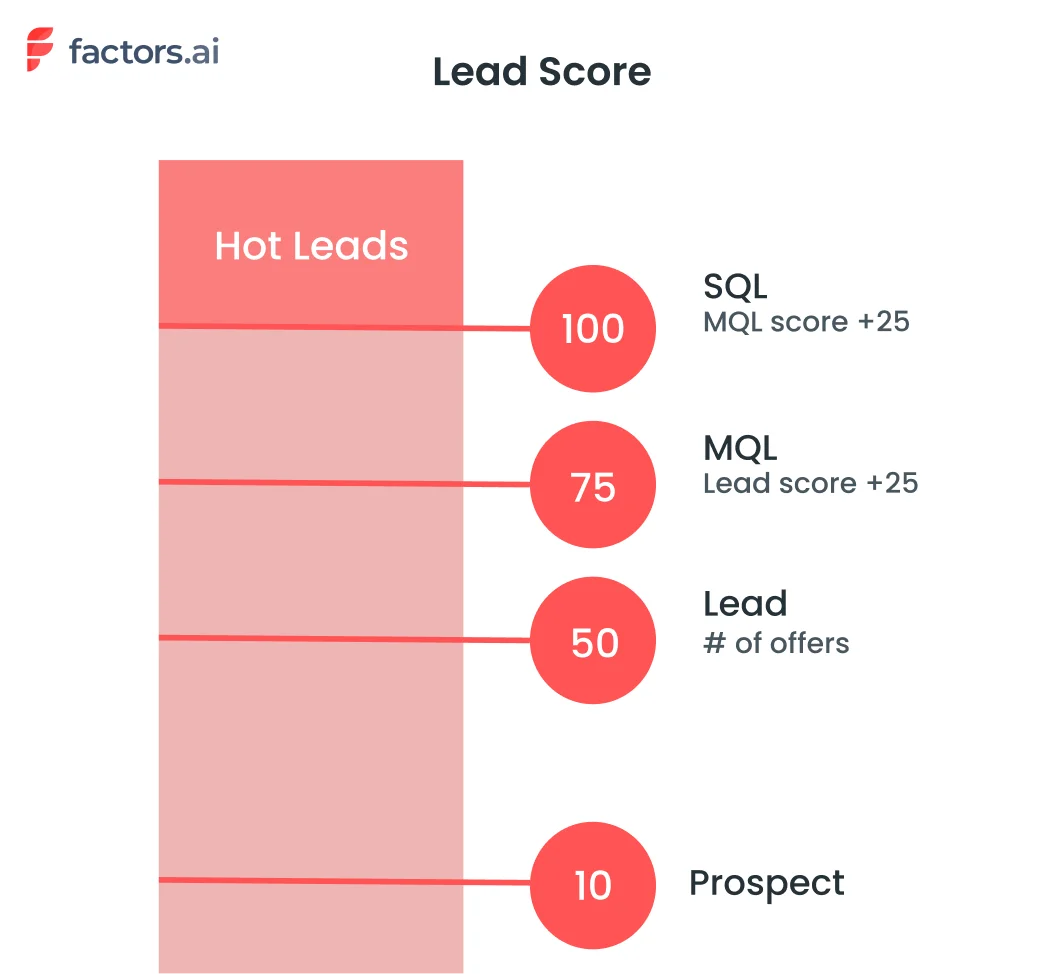
You have leads from your website, landing pages, online ads, email campaigns, and more. How can you quickly identify the most promising ones worth prioritizing? Relying on guesses won't cut it.
You need a systematic way to distinguish hot leads from cold ones.
That's lead scoring —a quantitative way to qualify leads based on their level of sales-readiness. It assigns points to leads as they engage with your business and demonstrate buying signals.
The more points, the hotter the lead.
However, not all scoring models are created equal.
Many basic systems only look at a limited set of criteria or fail to adapt as leads progress through the buyer's journey. But HubSpot's approach gives you a more customizable and dynamic solution.
With the right lead-scoring strategy, you can:
- Identify hot leads—See at a glance which leads are sales-ready based on their activities. Focus energy on your hottest leads first.
- Nurture cold leads—Understand what criteria cold leads are missing to prioritize relevant nurturing.
- Improve conversions—Convert more leads by focusing on those already showing buying signals.
- Enhance personalization—Deliver personalized, timely experiences matched to each lead's score.
- Track performance—Monitor the impact of your lead scoring criteria over time. Tweak criteria as needed.
Now, let's dive into how scoring works in HubSpot specifically.
How Does HubSpot Lead Scoring Work?
HubSpot's lead scoring methodology is powered by two key components—criteria and weight. Let's explain how each contributes to a lead's overall score.
Scoring Criteria
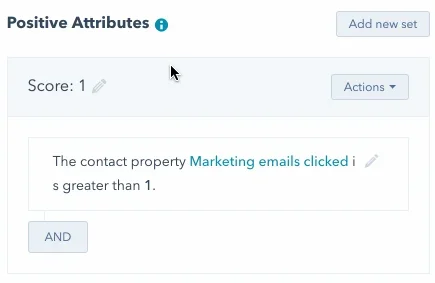
The criteria component determines which lead attributes and behaviors add or deduct points from a contact's score. HubSpot's software comes pre-loaded with default criteria based on typical buying signals.
Example positive criteria include:
- Visited a pricing page
- Downloaded an ebook
- Clicked on a call-to-action
Examples of negative criteria include:
- Unsubscribed from emails
- Bounced email
- Page visited with keyword "competitor"
However, the criteria driving your lead scoring model can be completely customized based on your unique business. You may tweak the default criteria or add new ones that match your typical buyer's journey.
HubSpot makes it easy to update your lead scoring criteria at any time as your business evolves. Whether launching a new product, shifting target audiences, or identifying new buying signals, you can update criteria on the fly.
Lead Scores or Weightage
The second component determining a lead's score is the points assigned to each criterion.
When a lead meets a defined criterion, the associated points are added to their lead score. When negative criteria are met, the points are deducted.
You control the points for both positive and negative criteria. The higher the weight, the more significant the impact each criterion has on the overall score.
For example, you may assign 50 points for visiting a pricing page but only 10 points for downloading an ebook. This freedom to assign points for each action gives companies greater control over their lead scoring.
HubSpot's flexible criteria and weighting system enables you to:
- Customize criteria based on your unique buyer's journey
- Continually fine-tune criteria as your business evolves
- Assign point values tied to each criterion's impact on indicating sales readiness
Let's walk through how to configure lead scoring in your HubSpot portal.
Setting Up Lead Scoring in HubSpot
HubSpot allows you to customize the default lead scoring system to match your unique business needs. The setup process is relatively straightforward but does involve some essential steps.
Step 1: Accessing Lead Scoring Properties
First, navigate to the Properties section under Settings. Here, you can view and edit the default scoring criteria. Marketing Hub Professional and Enterprise accounts get access to lead-scoring properties.
Step 2: Adding or Removing Criteria
In the Positive and Negative Attributes sections, you can add new criteria rows to define custom factors not included in the default model. For example, you can add a score based on job title or company revenue.
You can also remove criteria that are not relevant to your business. When criteria are removed, all contacts will be re-evaluated accordingly.
Step 3: Setting Score Weights
Assign positive or negative weights for each criterion based on how many points you want the score to increase or decrease. You can edit the default weights as well.
Ensure high-impact factors get adequately weighted to reflect their correlation with conversions.
Step 4: Defining Filters
The criteria can be filtered further to specify the conditions under which points will be allotted. For instance, you may score only for the first form submission.
There is a limit of 100 total filters across criteria sets. Complex filters can increase processing time.
Step 5: Testing Score Criteria
Once configured, test the scoring against sample contacts to ensure it works as expected. Remember to refine the criteria and optimize based on the latest data.
However, there are a few limitations to note with HubSpot lead scoring:
- You can only have 100 active scoring criteria at one time.
- Each criterion can be assigned between -250 and 250 points.
- Points decay over time, with email actions decaying the fastest.
{{INLINE_TOFU}}
Best Practices for Lead Scoring in HubSpot
Now that you know how HubSpot's lead scoring works, let's zoom out and discuss best practices. Let’s look at how to build and optimize an effective lead-scoring strategy.
Decide What The Score Should Measure
First, decide what you want the lead score to represent—a general engagement thermometer or a sales qualification threshold.
- Are you trying to identify sales-qualified leads purely based on intent signals?
- Or do you want a more holistic score combining intent, firmographics, engagement, etc.?
Whatever the goal, the criteria should align with what the score represents.
Use Workflows for Fixed Criteria
Workflows can automatically move contacts to specific lists based on definitive triggers like email clicks or form submissions.
If you have clear SQL criteria like job title + demo booked, use workflows to move such contacts rather than scoring automatically. This helps avoid manually updating scores for obvious qualifications or disqualifications.
For example, you can create a workflow that adds contacts to a "Hot" list whenever they download a pricing sheet or schedule a demo.
Avoid Unreliable Signals
Criteria like page visits or time on site can be misleading as they measure generic engagement. Unless proven to correlate with conversions, avoid such vague scoring factors.
Instead, track predictive signals like content downloads, feature-specific page visits, demo activity, etc., that indicate interest in your offerings.
Incorporate Score Decay
Prospects go hot and cold over time. Their actions should be valued higher for recency. Decaying scores regularly helps surface recently active contacts instead of looking at scores from months ago.
For instance, you can decay scores by 20% each month to account for recency. This means after a month is completed, a lead score of 100 will become 80. With this, new activity in the last month gets more weightage than, let’s say, six months old activity.
While there is no direct and simple way to do this in HubSpot, you can add filters like “AND days < 30” to consider scores within the month. Alternatively, you can create workflows to deduct score points at set dates in a month.
Test, Test, Test
The best way to optimize scoring is to test different versions—run A/B tests on criteria and weighting to see which ones best identify your hottest leads.
Analyze how predictive each criterion is of deals closed last quarter. Eliminate weak signals, adjust weights to optimize correlation, and refine your scoring strategy to find the one that works best for your business.
Review Regularly
As your business evolves, lead behavior and conversions can change. Revisit scoring rules quarterly to check alignment with goals, remove outdated criteria, and adjust weightage as needed.
Also, analyze the correlation between top criteria and won deals over the last quarter to eliminate ones with weak correlation and tweak the weights of strongly predictive ones.
Segment Beyond Just Score
While the score provides a universal gauge of sales readiness, it also segments leads based on persona, source, and other attributes. This provides a more detailed view of where leads are at.
Following best practices will ensure your HubSpot lead scoring model provides an accurate, evolving snapshot of your highest-converting leads.
Top Use Cases for HubSpot Lead Scoring
Now that you understand the mechanics behind HubSpot lead scoring, what are some of the best ways to implement this tool? Here are four top use cases to consider:
Account-Based Marketing
Account-based marketing is a powerful approach to focus your efforts on high-value accounts rather than scattershot campaigns. Lead scoring helps identify prime accounts by combining attributes like industry, size, tech stack, etc.
You can create targeted content campaigns, account engagement plans, and coordinated sales plays customized to these premium accounts. Get the whole revenue team aligned on activating your ideal accounts.
Improved Retargeting
Lead scoring provides the intelligence to create more effective remarketing campaigns. By scoring site visitors based on their content engagement, you can retarget high-intent leads who have shown interest but are yet to convert.
Then, you can create customized remarketing ads and tailored offers around abandoned carts, exit pages, or other drop-off points and identify disengaging leads to re-activate them with relevant content recommendations.
Refining Buyer Personas
Analyze which lead scoring criteria have the highest correlation with conversions for each of your personas. Identify their unique buying signals.
Then, optimize your personas and associated nurturing journeys to align with how each persona buys from you. Make your personas more predictive—giving your marketing and sales teams the data needed to optimize their approach.
Personalized Onboarding
Lead scoring lays the foundation for tailored onboarding and ramp-up. Identify high-intent visitors and fast-track them with expedited onboarding while providing assistance and training to low-intent leads to get them up to speed.
The applications span across the funnel—from separating anonymous traffic to routing qualified leads and much more. But HubSpot has some limitations which can hinder your decision-making.
Major Limitation of Lead Scoring in HubSpot
While HubSpot provides a customizable lead-scoring tool, there are still some inherent limitations to be aware of:
Siloed Data
Lead scoring on HubSpot only accounts for behavior within its tools, not across your tech stack. This interferes with necessary signals like:
- Website analytics data
- Marketing campaign performance
- CRM data on deals and customers
- External intent signals
With data trapped in silos, you miss critical behavioral and intent signals outside HubSpot, resulting in incomplete lead profiles and inaccurate scoring.
Without connecting data across your martech stack, you lack the 360-degree view of each lead needed to power predictive scoring. This significantly hinders the model's accuracy.
No Historical Data Access
Unlike dedicated scoring tools, HubSpot does not provide visibility into the historical progression of a lead's score over time.
For certain high-growth companies, these limitations around flexibility, integration, and visibility can become bottlenecks. Lead routing and sales prioritization may need to be fully optimized.
But how can you overcome these gaps without completely changing tech stacks? Factors.
Close Deals Faster with Factors
Factors eliminates siloed data by combining information from all your marketing and sales channels—not just a single CRM. It enriches this unified data with account intelligence, intent, and more.
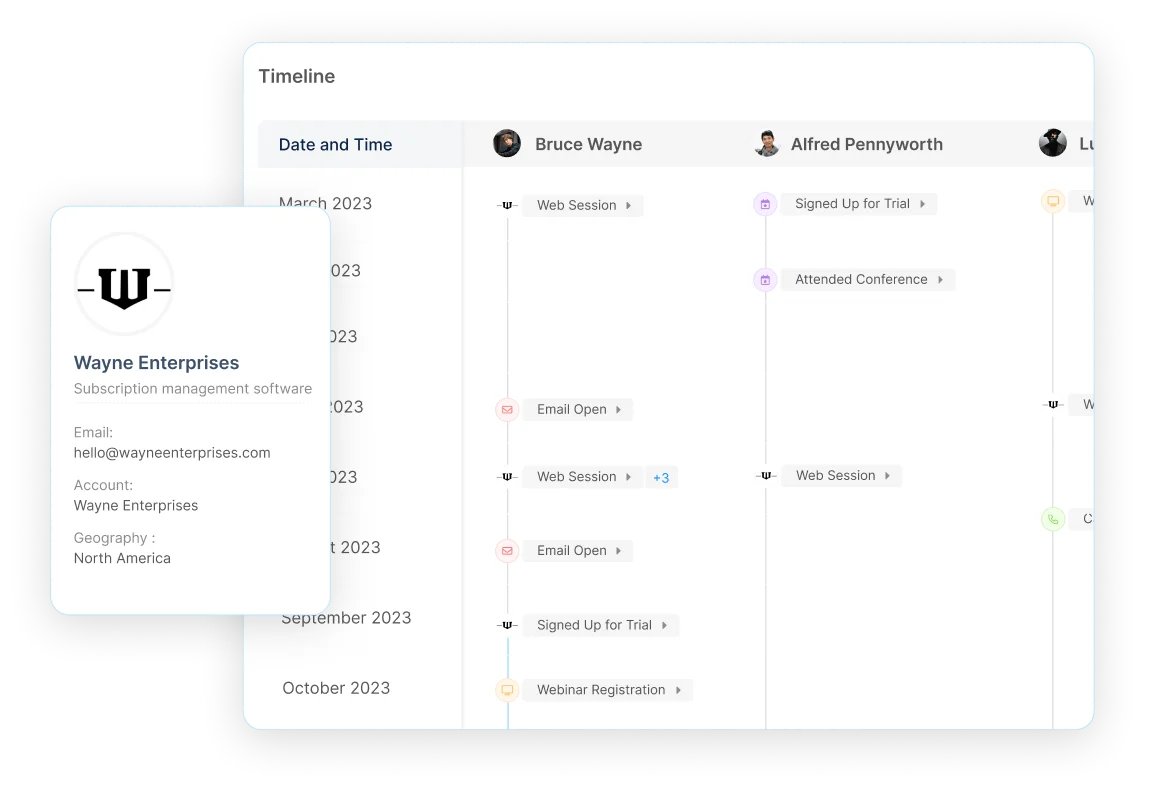
Unlike HubSpot, Factors retains the lead timeline and maps it to conversion—going from the first touchpoint on any platform to the last touchpoint on any platform—all on a single screen. This gives a 360-degree predictive view of sales readiness across channels and time.
Other key advantages over HubSpot scoring include:
Privacy-First Web Data Collection
HubSpot may not completely anonymize data, depending on how it has been set up. This can create compliance risks as regulations like CCPA and GDPR evolve.
In contrast, Factors uses data masking and consent management to collect anonymous website behavior data aligned with privacy requirements. You avoid regulatory exposure while still gaining crucial digital body language signals.
Superior Predictive Power and Accuracy
HubSpot's rule-based scoring methodology has inherent limitations in modeling the intricacies of human behavior. The rigid criteria often miss key predictive signals.
Factors overcomes this through sophisticated machine learning algorithms that examine thousands of potential factors to uncover the strongest predictors of sales readiness for your business. This enables vastly superior accuracy in identifying your hottest leads.
Transparent Scoring Models
With HubSpot, you lack visibility into why leads received specific scores, creating a black-box scoring model.
In Factors, you can inspect the critical data points behind each score to understand which attributes or behaviors added or deducted points. This model transparency is invaluable for refining your lead-scoring strategy over time.
Flexible Integration Across Your Stack
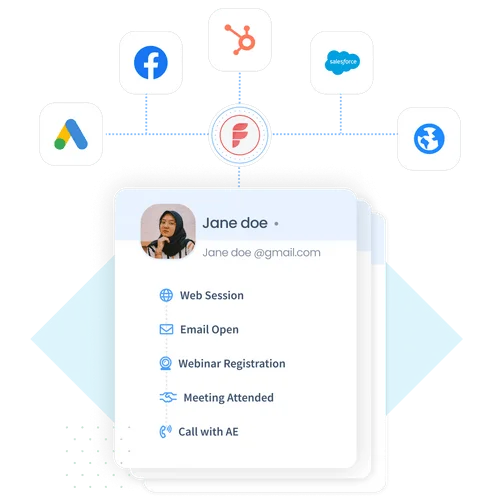
HubSpot's walled-garden approach requires ripping out your existing marketing stack to realize its full potential. Unless your existing marketing stack includes all tools from Hubspot, you’d have difficulty bringing it all together. This creates risky and expensive tech disruptions.
Factors flexibly integrates across your martech stack via APIs, pre-built connectors, and custom integrations. You can easily augment HubSpot with enterprise-grade scoring without replacing your foundational systems.
Hands-On Support and Modeling
HubSpot requires you to manage scoring setup and optimization mostly on your own through self-service options. Hubspot is known to have lousy support when it comes to critical issues.
With Factors, you get dedicated customer success managers to provide strategic guidance around data pipelines, report customization, usage, technical issues, and more tailored to your unique business needs. This white-glove service amplifies your marketing performance.
If the built-in limitations of HubSpot scoring hinder your ability to operationalize scores, Factors provides the enterprise-class upgrade you need.
With Factors, siloed data, and manual processes are replaced with end-to-end predictive intelligence. Leads are automatically scored, segmented, and routed based on a complete understanding of sales-readiness.
HubSpot Lead Scoring: Identifying Sales-Ready Prospects
HubSpot's lead scoring system evaluates and ranks leads based on attributes and behaviors to determine their likelihood of converting. It consists of two key components:
1. Scoring Criteria: Defines which attributes (such as job title, industry) and behaviors (such as website visits, content downloads) contribute to a lead’s score.
2. Weighting: Assigns specific point values to each criterion, reflecting its importance in indicating sales-readiness.
By implementing lead scoring, businesses can prioritize high-quality leads, tailor marketing strategies, and improve conversion rates. Regularly reviewing and adjusting the scoring model ensures it remains effective in identifying the most promising prospects.
FAQs About HubSpot Lead Scoring
Let's wrap up with answers to some frequently asked questions:
Is HubSpot lead scoring retroactive?
No, HubSpot will only start scoring leads from the point you have lead scoring configured. It does not retroactively calculate scores before setup. This is unlike some advanced lead scoring and account intelligence tools like Factors.
Is HubSpot good for lead generation?
Yes, HubSpot provides a wide array of lead-generation tools, including blogging, SEO, landing pages, forms, and more. Lead scoring helps you quantify and prioritize all the leads being generated.
Can you adjust the points scoring scale in HubSpot?
No, you can only assign points from -250 to 250 for criteria. The scoring scale itself cannot be adjusted.
What happens if you delete a scoring criteria in HubSpot?
Deleting a criterion will automatically re-evaluate all existing contacts and update their scores accordingly.
Key Takeaways
- Lead scoring is a powerful prioritization tool if optimized for your unique business. Don't rely on default criteria - make your own.
- Review and refine your scoring criteria to match how your buyers' journey evolves. Keep it dynamic.
- Test different scoring models through A/B testing. Measure the impact on conversions to optimize the model.
- Combine scoring with workflows and segmentation for a multilayered view of your leads' sales-readiness.
- Consider solutions like Factors to overcome limitations like siloed data. Take your lead routing to the next level.
- With the right strategy, lead scoring gives you the focus and intelligence to accelerate deals and delight more customers.
Lead scoring provides invaluable visibility into the sales readiness of all your leads. And, to take lead scoring to the next level, book a demo with Factors today to see how predictive intelligence can help you identify and convert your hottest leads faster.

Identify Sales-Ready Account With Hubspot & Webhooks
The following guide explores how to identify and target sales ready accounts with the combined powers of Factors account identification & Hubspot webhooks.
Target the right accounts, at the right time with intent-based outreach
B2B sales teams spend a lot of time and effort reaching out to cold prospects only to achieve disappointing results. In fact, even successful benchmarks tag the average cold-call response rate at just 2%.
And honestly, It’s not difficult to see why.
While it’s simple enough to find lists of companies and contacts that fit your ideal client profile, it’s a monumental challenge to convince prospects to consider your solution when they’re not in the market for one.
So what’s the alternative to reaching out to the right accounts at the wrong time?
Reaching out to the right accounts at the right time of course! Or more specifically, it’s intent-based outreach based on the goldmine of anonymous, sales-ready companies already visiting your website.
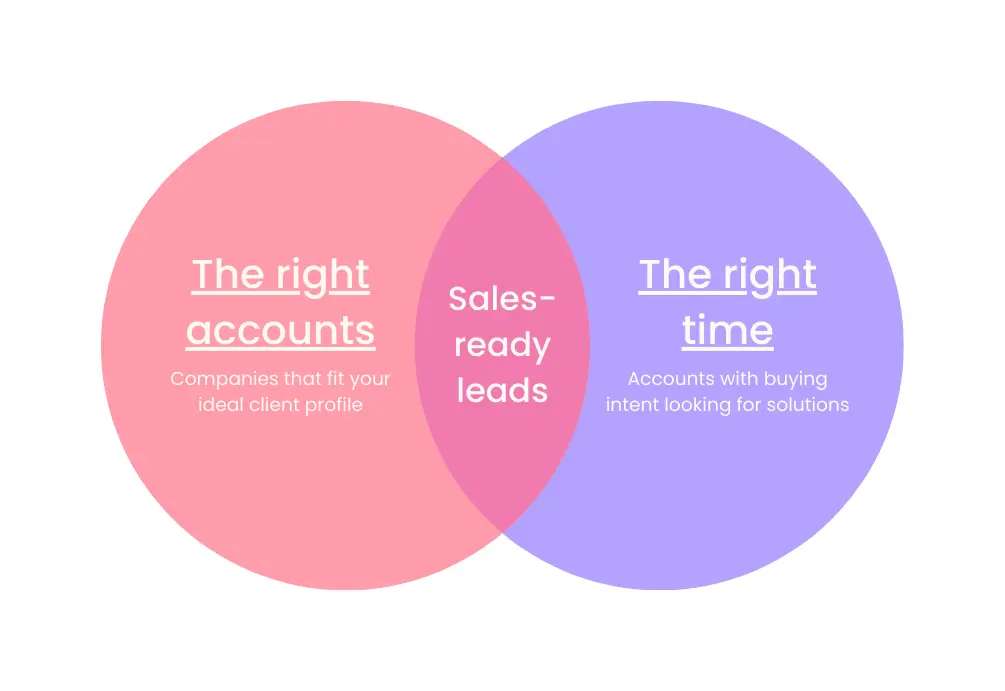
The following guide explores how to identify and target sales-ready accounts with the combined powers of Factors’ account identification and HubSpot webhooks. We first discuss how this integration works, before delving into a handful of use-cases.
How It Works: Pushing data back into HubSpot
Factors taps into industry-leading IP-lookup technology to identify up to 64% of anonymous companies visiting your website. This includes company names as well as firmographics such as geography, industry, employee headcount, revenue range and more.
In addition, Factors auto-tracks website activity and engagement with advanced analytics. This includes page views, button clicks, scroll-depth, account timelines, funnels and more.
With this information, users can filter the total set of anonymous traffic down to ICP accounts that have expressed buying intent:
- ICP criteria: Filter down traffic based on firmographics such as industry, headcount and revenue-range to identify accounts that fit your ideal client profile.
- Intent criteria: Filter down traffic based on intent signals such as high-intent page views such as pricing, time-spent on page, and percentage scroll-depth to identify sales-ready buyers.
In short, access a list of high-intent ICP accounts that are already visiting your website but are yet to convert.
Now, with webhooks and Zapier, it’s easier than ever to automatically push all this data from Factors into any other tool your team uses. This includes ad platforms, marketing automation platforms, and, in this case, HubSpot CRM.
How will this help? Rather than going after cold prospects with negligible chances of conversion, sales reps can view, segment, and target sales-ready accounts inside HubSpot. As we’ll see in the next section, this dramatically simplifies and improves targeted sales outreach.
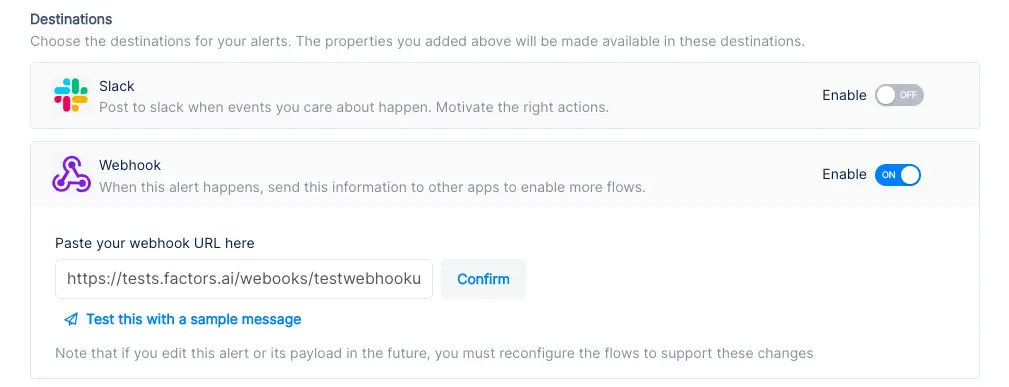
Implementing Webhooks on Factors is easy as pie. See how here.
{{INLINE_TOFU}}
Use-cases: Making the most of your website traffic
1. Identify new business opportunities
Factors surfaces anonymous, high-intent companies visiting your website. As previously discussed, this data can be filtered down to high-fit, high-intent accounts.
Using webhooks, this data can be pushed from Factors into HubSpot. In other words, you can automatically create companies inside HubSpot for visiting companies that match your ICP and intent criteria.
For example, webhooks can be configured to create a new company when a visitor from a US-based software company with at least 250 employees is live on your website.
Here are a few more examples of what you can see inside your CRM with Factors:
- Accounts that visit a landing page through a search ad but fail to submit a form
- Software companies with at least 500 employees visiting high-intent pages like pricing
- US-based companies that have read through at least half a product comparison blog
Rather than relying on the 5% of website traffic that submits a form, teams can identify and target a deep new pool of potential pipeline — all within HubSpot. What’s more? Alerts can be relayed to sales reps in real-time through Slack or MS teams so they can immediately reach out to live prospects.
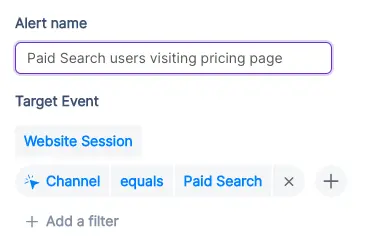
2. Stay on top of existing target accounts
In addition to recording new accounts visiting your website, Factors can be used to monitor and update data for target accounts that already exist within HubSpot.
For example, say an accounts clicks on a search ad, submits a demo form, but never schedules time on your calendar. While account's data is available in HubSpot, it can be tedious to track and update their actions post the demo form submission.
To solve for this, Factors can automatically update CRM properties based on trigger criterias when accounts return to your website. Let’s say that the same account is back reading a product alternatives blog or visiting the pricing page after a couple of weeks. This event can be updated within HubSpot, including their last active time.
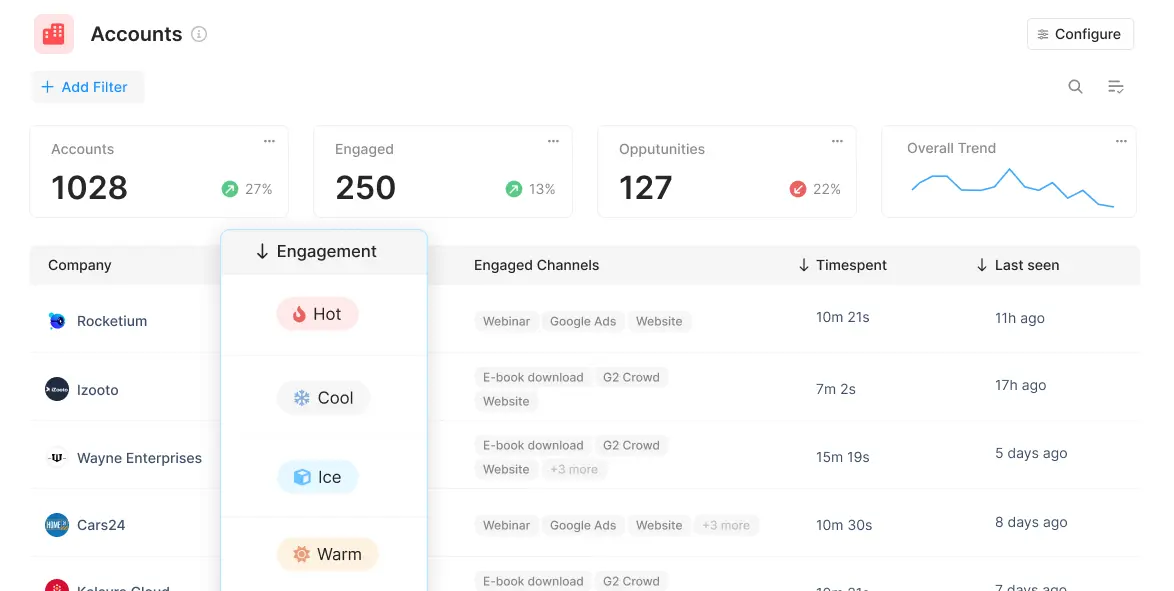
Sales reps can be notified with real-time when high-intent events take place so as to be able to immediately reach out to accounts and improve the odds of conversion.
3. Accelerate deals with behavioral data
Certain marketing material may or may not be relevant depending on the audience in question. For example, an enterprise-level account may be especially interested in security compliance related content. An early-stage start-up, on the other hand, may find content around cost-effective pricing more appealing.
Factors can track how various types of companies are interacting with your website to understand what target accounts care about most. This data can be pushed back into HubSpot so sales reps can easily assess a prospect’s interactions, priorities and pain-points before jumping into a sales call.
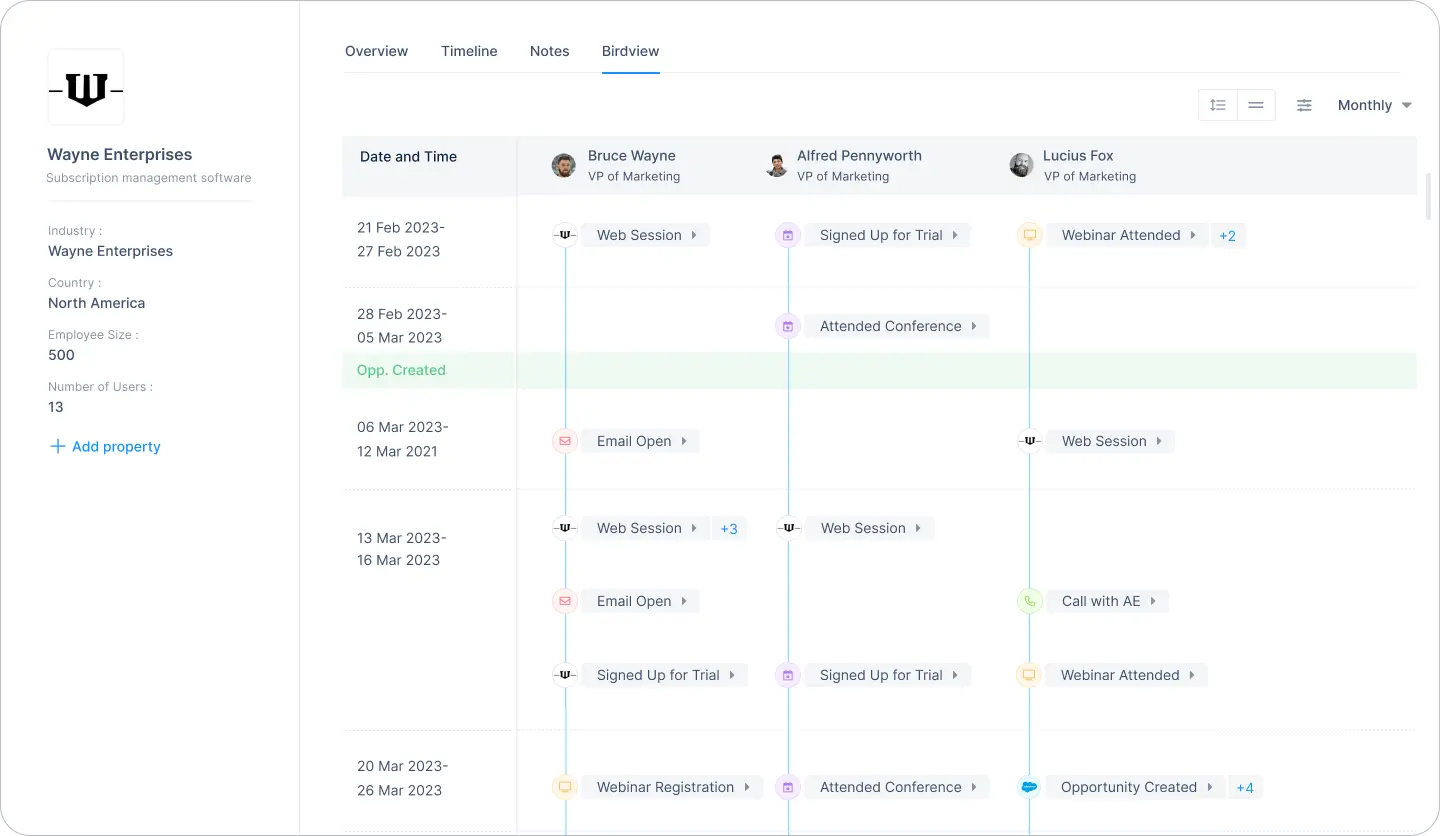
For one, sales reps can accelerate deals by personalizing the customer experience. For another, marketing teams can gauge what resonates best with the target audience and finetune content efforts accordingly.
4. Rekindle lost opportunities
Use Factors to track how prospects who have dropped off the funnel or former customers are returning to engage with your website. For instance, maybe an account that churned a couple of quarters ago is back interacting with a page that highlights a new feature release.
This may be an intent-signal that the account is reconsidering your product. It might be a good idea for sales reps to reach out and share some relevant information on what’s new. Of course, this doesn’t necessarily guarantee a conversion. But it’s far more effective than reaching out to an ice cold prospects.
This guide has covered a handful of ways in which pushing account data back into HubSpot can be helpful. Ultimately, the goal is to align account data with relevant stakeholders and technologies in order to:
- Drive intent-based sales outreach
- Refine ABM efforts and spends
- Optimize retargeting campaigns
There are countless other use-cases with account identification working in conjunction with CRMs, MAPs, and more. With webhooks, Factors can push valuable account data to nearly any platform on the planet. How you make the most of that data is really up to you — the possibilities are endless.

HubSpot Analytics Vs. Factors.ai – Features, Limitations, Integrations & More
HubSpot’s own in-platform analytics & attribution engine is fraught with serious limitations. This article highlights issues & how you can overcome them.
All our homies LOVE HubSpot. No doubt, it's a reliable CRM and marketing automation platform. In fact, Factors.ai integrates seamlessly with HubSpot to deliver full-path analytics and attribution across campaigns, website, and CRM. That being said, HubSpot’s own in-platform analytics and attribution engine, is fraught with serious limitations. The following article highlights these issues with HubSpot — and how you can overcome them with Factors.ai. Ultimately, we find Factors.ai to be a far better fit for data-driven B2B marketers.
Before we jump into the limitations of HubSpot analytics and attribution, it’s only fair to address a couple of positives. Although premium reporting (advanced analytics, revenue attribution, etc) is only available on HubSpot’s enterprise plans, it delivers a robust range of multi-touch attribution models in a simple, user-friendly framework. Additionally, if your company uses HubSpot CRM, MAP, and life cycles stages religiously, HubSpot could possibly be an effective all-in-one solution for reporting. As we shall now see, however, most teams do not use HubSpot in the dedicated manner that’s required for it to function well.
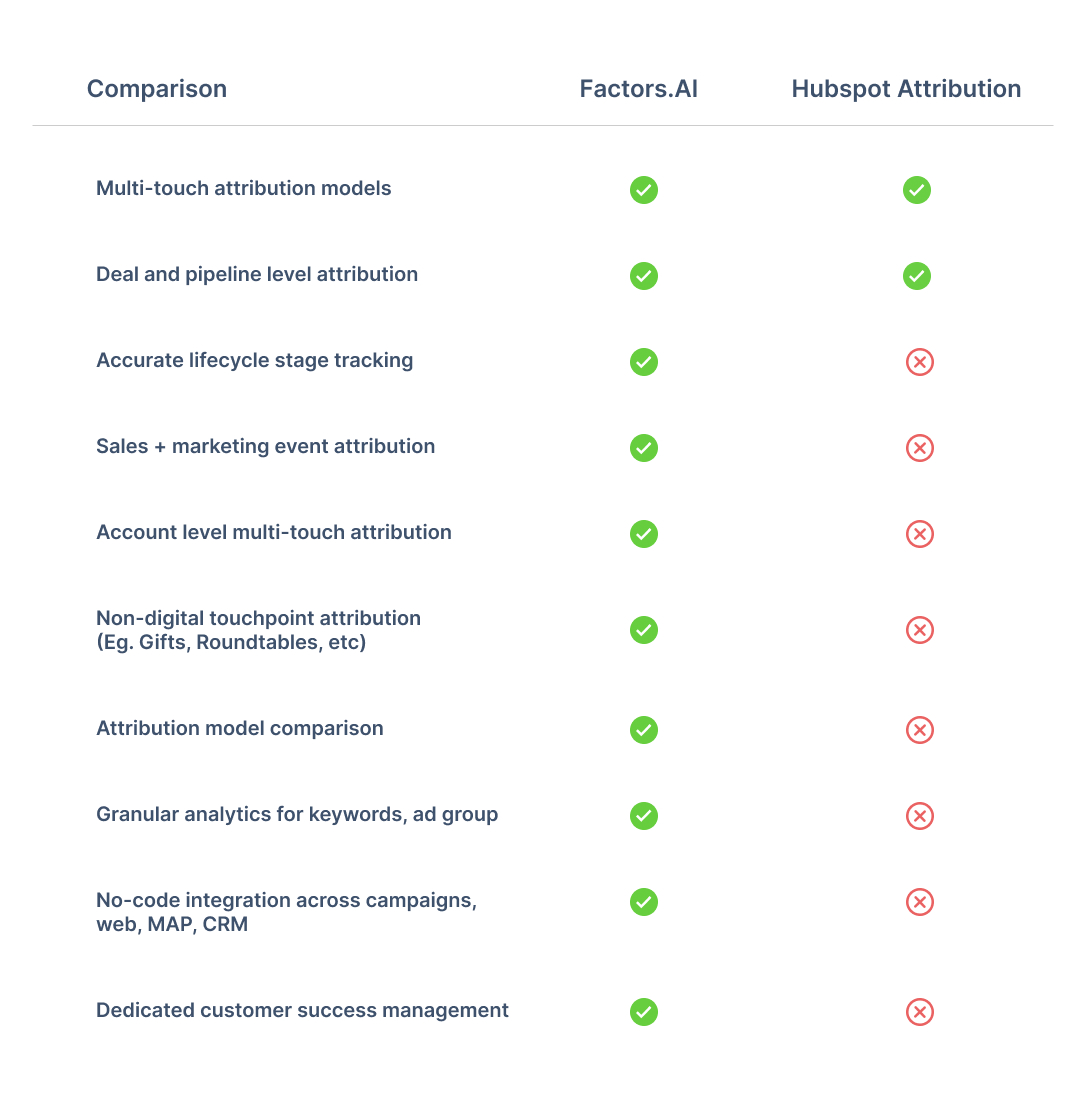
Limitation #1: Rigidity & Inaccuracy
1.1. Fixed Lifecycle Stages
One glaring limitation with HubSpot’s in-platform analytics solution is its rigidity around the sales funnel — and especially its life cycle stages. HubSpot analytics only offers fixed definitions for events and stages along the customer journey — Subscriber, Lead, MQL, SQL, Opportunity, Customer, and Evangelist. Now, this set of stages may fit in perfectly with your organization’s funnel structure; but in reality, most B2B teams follow unique customer stages based on the nuance and particulars of their business model. B2B SaaS firms for example, may care about including a “Demo Done” stage to flag high intent leads. HubSpot’s analytics engine does not provide the flexibility to include, or even edit lifecycle stages to match this preferences.
If your team does not adhere to HubSpot’s predetermined structure, Factors.ai may be the right fit for you. On Factors, users have limitless flexibility to set, track, and analyze their own internal life-cycle stages.

1.2 Inaccurate Lifecycle Stage Tracking
In continuation with the previous point — not only is HubSpot’s lifecycle stage tracking rigid, it’s also blatantly inaccurate. Rather than considering the leads in lifecycle stage “B” to be a subset of the previous lifecycle stage “A”, HubSpot only counts the contacts in a particular stage at that point in time. Here’s an example to illustrate:
Say you have 50 leads tagged MQLs. 20 of them become SQLs. This, of course, does not mean that you now only have 30 MQLs. Rather, it means that the set of 20 SQLs are a subset of the total set of 50 MQLs.
This is a major issue with HubSpot analytics — leading to inaccurate readings, insights, and ultimately; marketing decisions. Rest assured, Factors.ai ensures no such fallacies in logic. You can also guarantee a far wider range of filters, breakdowns, and visualization techniques on Factors.ai as compared to HubSpot analytics.

Limitation #2: Attribution Troubles
2.1 Campaign Attribution
It’s impossible to create attribution reports on HubSpot at a keyword level across campaigns and ad groups. If you want to look at keyword level attribution reports on HubSpot, you’ll need to examine keywords within a specific ad group from a specific campaign. Why is this an issue? Well because a specific keyword can (and usually does) belong to multiple campaigns
On Factors, you can do what HubSpot attribution does AND look at keyword attribution reports across campaigns and ad groups for granular, and more importantly, accurate insights.

2.2 Attributing Offline Events
Offline touchpoints are those touchpoints along the customer journey that cannot be tracked digitally. These include outbound emails, webinars, in-person events, corporate gifts, etc. While HubSpot does enable you to document these “events”, it is not possible to analyze or visualize them within HubSpot analytics. As a company scales, it’s likely to have a good combination of digital and offline touchpoints, making it imperative to account and analyze for both in union.
Factors.ai makes it possible to track, analyze, and attribute offline touchpoints by fetching contact tags and UTMs. These touchpoints are also completely customizable with no-code. Needless to say, unlike Factors.ai, HubSpot does not enable users to attribute custom properties, events, or KPIs.

2.3 Comparing Attribution Models
Factors.ai is one of the few attribution solutions that allows users to compare attribution models against each other. B2B sales cycles can be complex, and the ability to compare results across first-touch and multi-touch models gives marketers an unequivocal advantage in identifying trends accurately. Unlike Factors.ai, HubSpot does not offer the ability to compare attribution models.
Limitation #3: Lack of Granularity
Another major drawback with HubSpot analytics & attribution is that it considers lead source only at a channel level. That is, lead sources may be viewed as “Organic”, “Paid ads”, “Social” and so on. We all know that the devil’s in the details — and channel level data simply will not cut it in this day and age. How is one to know which campaigns or content to scale, if they are unable to view performance data for the same? Factors.ai is all about granularity. We ensure detailed analytics at a channel, campaign, ad group and keyword level to help you make the best possible marketing decisions. Our extensive line of no-code integrations across the most popular ad platforms guarantees a proper data-driven marketing experience.

{{INLINE_BOFU}}
Limitation #4: Data Integration Woes
So here’s the thing: you can integrate HubSpot with third-party data-sources, including other CRMs like Salesforce — but it’s no easy task. It requires tedious onboarding, strict vigilance, and developer dependency. You need to make sure all your sales data is either on or linked to HubSpot. If you use a combination of HubSpot and Salesforce or LeadSquared or Marketo, a platform like Factors.ai would make your life a lot easier. IF, however, you religiously use HubSpot exclusive products — CRM, MAP, Website, etc, then HubSpot may be a more convenient option for you.
Limitation #5: It’s The Little Things…
By design, Factors.ai is a robust, intuitive marketing analytics, attribution, and journey mapping platform. Above all, we pride ourselves on delivering the best possible experience to our users. This entails end-to-end onboarding support, sustained customer success management, and smooth, reliable performance. The same, unfortunately, cannot be said about HubSpot analytics.


Here’s why Factors.ai has the edge over HubSpot when it comes to user experience:
- HubSpot imposes limited users or seats per hub. Factors grants unlimited seats, free of charge.
- HubSpot requires tedious, developer dependent onboarding and training over several weeks, if not months. You can get started with Factors.ai in 30 minutes.
- HubSpot charges an independent fee for tech support. Factors.ai is an extension of your team — with dedicated customer success management guaranteed.
- HubSpot aggressively up-sells its features to nickel and dime existing customers. Factors.ai recommends tailor-made plans based on the scale and growth of your team.
And there you have it. Still curious to learn why Factors.ai would be better suited for your B2B team over HubSpot Marketing Hub? Book a personalized demo here to see our work in action.
HubSpot Analytics is known for its user-friendly interface and basic multi-touch attribution, making it a solid option for teams already embedded within the HubSpot ecosystem. It’s especially helpful for straightforward reporting and marketing workflows.
However, several limitations can hinder scalability for data-driven B2B teams:
- Rigid lifecycle stages that don’t always align with nuanced buyer journeys
- Limited customization options for reports and dashboards
- Difficulties integrating external data sources, leading to siloed insights
Factors.ai steps in to fill these gaps with:
- Customizable lifecycle stages tailored to your sales funnel
- Seamless integrations across diverse CRM, ad, and marketing tools
- Advanced analytics and attribution features that go beyond surface-level reporting
For B2B marketers seeking deeper insights, greater flexibility, and a holistic view of the customer journey, Factors.ai offers a more robust and scalable alternative to HubSpot Analytics.
.avif)
How to Implement Predictive Marketing Analytics?
Learn how to leverage predictive marketing analytics to improve lead scoring, optimize campaigns & drive B2B growth with data-driven insights.
TL;DR
- Predictive marketing analytics enables B2B marketers to forecast customer actions, enhance campaigns, and improve ROI using historical and current data.
- Key predictive models include classification, clustering, regression, propensity, and time series, aiding in lead scoring, segmentation, and churn prediction.
- Successful implementation involves setting clear goals, gathering and cleaning data, selecting appropriate models, and applying insights to marketing tasks.
- B2B use cases encompass lead scoring, customer lifetime value prediction, churn reduction, campaign optimization, and upselling/cross-selling.
- To ensure success, address challenges such as data quality, integration, and skill gaps.
B2B marketing can be complex, with many moving parts and uncertain outcomes. Predictive marketing analytics helps by using past data to provide clear insights, making it easier to plan and improve your marketing efforts.
This guide will show you how to implement predictive marketing analytics in a step-by-step process to understand your customers better, allocate resources wisely, and grow your business.
Why Predictive Marketing Analytics is Important?
For B2B marketers, predictive marketing analytics is a game-changer. Here’s how:
- Maximizes Lead Value: In complex B2B sales cycles, predictive analytics helps prioritize high-value leads, ensuring your team focuses on the most promising opportunities.
- Eliminates Guesswork: Moves your strategy from intuition-based to data-driven, reducing wasted efforts on low-quality leads.
- Improves Targeting: Identifies which accounts are most likely to convert, the best times to engage, and which messages will resonate.
- Boosts Conversion Rates: Helps optimize campaigns and outreach, leading to more efficient pipelines and higher win rates.
- Accelerates Revenue Growth: Enables marketing and sales teams to make faster, smarter decisions that directly impact the bottom line.
- Supports Strategic Planning: Provides actionable insights for campaign planning, resource allocation, and long-term growth strategies.
Also, read our blog on strategies to improve B2B pipeline acceleration.
Core Predictive Models for B2B Marketing
Predictive marketing analytics employs several key models to aid B2B marketers in making informed decisions:
1. Classification Models
These models categorize data into defined outcomes. In B2B marketing, classification models can predict whether a lead is likely to convert, become a high-value customer, or churn.
- Example Use Case: Score leads as ‘high,’ ‘medium,’ or ‘low’ priority based on historical conversion data.
2. Clustering Models
Clustering models group leads or accounts based on shared characteristics or behaviors, without predefined categories. These segments often reveal hidden patterns in your data.
- Example Use Case: Identify customer segments based on product usage, engagement level, or firmographic data to run more targeted campaigns.
Also, read our guide on B2B Account Scoring.
3. Regression Models
Regression helps estimate the relationship between variables. Marketers can use it to forecast outcomes like future revenue based on changes in marketing spend, email frequency, or campaign duration.
- Example Use Case: Predict how a 10% increase in ad spend might impact lead volume or conversion rates.
4. Propensity Models
These models calculate the likelihood that a prospect will take a particular action, such as clicking an email, requesting a demo, or renewing a subscription.
- Example Use Case: Predict which existing accounts are most likely to respond to a cross-sell or upsell offer.
5. Time Series Models
Time series analysis helps marketers understand and forecast data that varies over time, such as web traffic, campaign engagement, or seasonal demand.
- Example Use Case: Forecast quarterly lead volume or identify optimal times to launch a campaign.
{{INLINE_MOFU}}
How to Apply the Right Model for Impact?
Choosing the appropriate predictive model depends on the business question you're trying to answer. Whether it’s prioritizing accounts, forecasting demand, or improving personalization, applying the right model allows B2B marketers to:
- Focus on high-potential opportunities.
- Tailor messaging to segmented needs.
- Allocate budget and resources effectively.
For real-world examples of how these models power outreach strategies, visit our Cold Outbound for GTM Efforts page.
How to Implement Predictive Marketing Analytics?
Implementing predictive marketing analytics in your B2B strategy involves several key steps:
1. Set Clear Business Objectives
Before building models, define what specific outcome you want to predict. This could be:
- Lead conversion likelihood.
- Customer churn risk.
- Likelihood of upsell or renewal.
- Optimal timing for campaign engagement.
Clear goals help shape the data you collect and the type of model you choose. It also ensures alignment between marketing, sales, and leadership teams.
2. Data Collection and Integration
Gather data from all relevant sources such as:
- CRM systems (e.g., Salesforce, HubSpot)
- Marketing automation tools.
- Website analytics platforms.
- Customer support and engagement data.
Make sure these sources are integrated and accessible from a central location. For smoother data consolidation, explore the tools featured on our Integrations page.
3. Data Cleaning and Preparation
Data quality is critical for model accuracy. Clean your data by:
- Removing duplicates and errors.
- Handling missing or inconsistent values.
- Normalizing and formatting data for compatibility.
This step also includes feature engineering, such as creating new variables from raw data to improve model performance.
4. Model Selection and Building
Choose the most appropriate model based on your goal:
- Classification for predicting binary outcomes (e.g., will convert or not)
- Regression for forecasting numerical outcomes (e.g., deal value)
- Clustering for segmenting customers.
- Propensity modeling for behavior prediction.
You can start with off-the-shelf models or build custom models using platforms like Python, R, or AutoML tools.
5. Model Training and Validation
Use historical data to train your model. Then, validate it by:
- Splitting your data into training and testing sets.
- Measuring accuracy, precision, recall, or other relevant metrics.
- Performing cross-validation to check robustness.
This ensures the model generalizes well and isn’t just overfitting to past data.
6. Deployment and Workflow Integration
Deploy your predictive model and integrate its insights into your daily marketing operations:
- Add lead scores to your CRM.
- Trigger automated campaigns based on behavior predictions.
- Alert sales teams about accounts at risk of churn.
The key is to make predictive insights actionable within existing tools and workflows.
7. Monitoring, Evaluation, and Continuous Improvement
Predictive models are not “set-it-and-forget-it.” Continuously:
- Track model performance over time.
- Incorporate new data and retrain as needed.
- Adjust based on changes in customer behavior or market trends.
Establish feedback loops with marketing and sales teams to refine the models and improve relevance.
This structured approach ensures predictive marketing analytics are effective, measurable, and aligned with business objectives.
Key Use Cases of Predictive Marketing Analytics in B2B
Predictive marketing analytics offers numerous applications for B2B marketers:
1. Lead Scoring and Segmentation
Use predictive models to identify which leads are most likely to convert based on historical behavior, engagement patterns, and firmographic data.
- Helps sales teams prioritize high-potential leads.
- Enables better-targeted nurture campaigns.
- Reduces time spent on low-quality prospects.
2. Customer Lifetime Value (CLV) Prediction
Estimate the long-term value of individual accounts to guide strategic decision-making.
- Focus resources on accounts that promise the highest return.
- Personalize long-term engagement strategies.
- Inform account-based marketing (ABM) prioritization.
3. Churn Prediction and Retention Strategies
Identify warning signs of potential churn based on product usage, engagement drop-offs, or support issues.
- Proactively reach out to at-risk clients.
- Launch personalized retention campaigns.
- Reduce customer attrition and stabilize recurring revenue.
4. Campaign Optimization and Budget Allocation
Predict which messaging, channels, or timing combinations will drive the best outcomes.
- Allocate budgets to high-performing campaigns.
- Adjust spend dynamically based on predictive insights.
- Improve overall ROI by minimizing waste.
5. Upselling and Cross-Selling Opportunities
Analyze customer behavior and transaction history to detect readiness for additional products or services.
- Suggest relevant offerings based on past actions.
- Tailor sales conversations with data-backed recommendations.
- Increase average deal size and deepen customer relationships.
These use cases provide a data-driven advantage, enhancing efficiency, conversion rates, and customer satisfaction.
Common Challenges in Implementing Predictive Marketing Analytics
While predictive marketing analytics offers significant benefits, B2B organizations often encounter roadblocks during implementation. Understanding these challenges is key to overcoming them and ensuring long-term success.
1. Poor Data Quality
Predictive models are only as good as the data they’re built on.
- Incomplete, outdated, or inconsistent data can lead to inaccurate predictions.
- Disconnected data sources (e.g., separate CRM and marketing platforms) make it difficult to get a unified customer view.
Solution: Prioritize data hygiene by cleaning, standardizing, and unifying datasets before modeling begins. Automate this process where possible.
2. Integration Complexities
Merging predictive analytics tools with your existing stack can be technically challenging.
- Legacy systems and siloed platforms may require custom APIs or middleware.
- Inconsistent data formats can delay deployment.
Solution: Choose tools with strong integration support and open architecture. Engage IT early to ensure alignment.
3. Lack of In-House Expertise
Many marketing teams are not equipped with the data science skills needed to develop and maintain predictive models.
- Limited understanding of machine learning may result in misinterpreting model outputs or relying on default settings.
Solution: Provide regular training or hire specialists. Alternatively, work with external consultants or platforms that offer managed predictive services.
4. Resistance to Change
Adopting predictive analytics often requires a shift in mindset.
- Teams may hesitate to move away from intuition-based strategies.
- Concerns about job displacement or workflow disruptions can lead to pushback.
Solution: Start with small, high-impact use cases to demonstrate value. Involve stakeholders from the start to build trust and buy-in.
5. Model Maintenance and Relevance
Predictive models require ongoing tuning and updates.
- Market dynamics, buyer behavior, and internal business goals can change quickly.
- Static models degrade over time, reducing their effectiveness.
Solution: Establish a regular schedule for model evaluation and retraining. Incorporate real-time data feeds where feasible.
6. Privacy and Compliance Risks
Handling sensitive B2B customer data introduces legal and ethical challenges.
- Non-compliance with regulations like GDPR or CCPA can result in penalties.
Solution: Ensure your data handling practices comply with industry regulations. Collaborate with legal teams during planning and execution.
By proactively addressing these hurdles, B2B organizations can unlock the full potential of predictive marketing analytics and build smarter, data-driven strategies.
Wrapping Up: How Predictive Marketing Analytics Drives Business Growth?
Incorporating predictive marketing analytics into your B2B strategy is essential for maintaining competitiveness and achieving growth. Following a structured plan can transform data into insights that enhance lead scoring, campaign targeting, and customer value.
Begin with clear objectives, ensure data quality, and select appropriate predictive models. Continuously monitor and refine models as market conditions evolve. Predictive marketing analytics empowers you to anticipate customer needs, optimize resource allocation, and make informed decisions at every stage.
Also, read Predictive Marketing Analytics vs. Prescriptive Marketing Analytics.

We don’t just write about demand gen. We deliver it.
Our AI Agents help you uncover high-intent accounts, run campaigns that actually convert, and keep your GTM motion in sync.
1000+ GTM teams have already scaled their pipeline with Factors.
*Includes built-in peace of mind. And fewer late-night funnel audits.


.svg)



.avif)

