

Good Reads
Fix pipeline pains. Solve GTM puzzles. Read strategic brain dump.
Written for marketers who want real solutions to a leaking pipeline (and their dark circles).
Want to read more from us?


I’m looking for…
The Complete Guide to Channel Marketing
Channel marketing is the strategic approach to expanding market reach and driving sales through collaboration with intermediaries.
.avif)
Channel marketing refers to the practice of leveraging various distribution channels to promote and sell products or services. These channels can include a spectrum of intermediaries, such as retailers, distributors, influencers, and even strategic partners, who play instrumental roles in bringing a product to the end consumer.
It's a strategic alliance between a company and its intermediaries to enhance reach, drive sales, and maximize overall market impact.
Take an Example: Apple's Channel Marketing Symphony
Take Apple., for instance, the tech giant employs a multifaceted channel marketing strategy, involving authorized resellers, the Apple Store, and online platforms. This approach ensures that Apple products are available through diverse channels, reaching customers at their preferred touchpoints. The result is a global melody of iPhones, MacBooks, and other Apple products, resonating across a myriad of channels.
How does Channel Marketing differ from Marketing Channels and Customer Bases?
| Aspect | Channel Marketing | Marketing Channels | Customer Bases |
|---|---|---|---|
| Definition | Leverages various intermediaries to promote and distribute products or services. | Refers to the specific avenues or platforms used to communicate with the audience | Represents the audience segments or groups targeted by marketing efforts. |
| Focus | Emphasizes collaboration and partnership with intermediaries like distributors, retailers, etc. | Primarily concerned with the specific avenues chosen for conveying the marketing message. | Centers around identifying and understanding the characteristics of the target audience. |
| Strategy | Involves orchestrating a comprehensive approach, utilizing multiple channels simultaneously. | Revolves around selecting and optimizing individual channels to achieve marketing goals. | Focuses on segmenting and understanding different customer groups for targeted strategies. |
| Goal | Aims to maximize product/service distribution efficiency and broaden market reach. | Aims to enhance the effectiveness of communication within selected channels. | Aims to tailor marketing strategies to meet the unique needs and preferences of different customer segments |
| Collaboration | Encourages collaboration with various entities along the distribution chain. | Collaboration is within each chosen marketing channel, optimizing its performance. | Collaboration revolves around understanding and engaging with distinct customer segments. |
| Example | Partnering with distributors, retailers, and influencers to extend product reach. | Utilizing social media, email marketing, and SEO to enhance online presence. | Tailoring product messaging and promotions based on demographics, behaviors, and preferences. |
What are the benefits of Channel Marketing?
1. Extended Market Reach
By leveraging various intermediaries such as distributors, retailers, and partners, channel marketing enables businesses to tap into markets that might be challenging to reach directly.
- Impact
This broadens the geographical and demographic scope, exposing products or services to a wider audience.
2. Efficient Distribution
Channel partners streamline the distribution process, ensuring products or services reach end customers swiftly and efficiently.
- Impact
This efficiency minimizes delays reduces logistics challenges and enhances overall customer satisfaction.
3. Cost-Effective Operations
Collaborating with channel partners often reduces the need for a direct sales force, resulting in cost savings for businesses.
- Impact
Companies can allocate resources more strategically and invest in other areas critical to business growth.
4. Expertise Utilization
Channel partners bring domain expertise and knowledge of local markets, which can be advantageous for businesses entering new territories.
- Impact
This enables businesses to leverage the specialized skills and understanding of their partners for more effective marketing and sales strategies.
5. Diverse Marketing Strategies
Different channel partners may employ varied marketing methods, allowing businesses to benefit from a diverse range of promotional approaches.
- Impact
This diversity helps in reaching different customer segments, ensuring a well-rounded and comprehensive marketing strategy.
6. Enhanced Customer Trust
Partnering with established distributors or retailers can enhance the credibility and trustworthiness of a brand in the eyes of consumers.
- Impact
Customers are more likely to trust products or services when they are available through reputable channels, contributing to increased sales.
7. Flexibility and Adaptability
Channel marketing allows for flexible adjustments to the distribution strategy based on market changes and trends.
- Impact
Businesses can adapt quickly to market shifts, staying ahead of competitors and responding effectively to customer demands.
8. Reduced Financial Risk
Sharing responsibilities with channel partners can mitigate financial risks associated with market uncertainties or economic fluctuations.
- Impact
This risk-sharing model provides a safety net, ensuring that businesses can navigate challenges more resiliently.
Types of Channel Marketing
Within channel marketing, two prominent approaches that businesses often employ are direct channel marketing and indirect channel marketing.
Direct channel marketing involves the direct sale of products or services from the producer to the end consumer without intermediaries. This approach allows businesses to have complete control over their brand messaging, pricing, and customer relationships.
Indirect channel marketing involves the use of intermediaries or third-party entities to distribute products or services to the end consumer. These intermediaries may include wholesalers, retailers, distributors, and agents. Let’s go over indirect channel marketing in more detail
- Resellers
Resellers are intermediary entities that purchase products from manufacturers and then resell them to end customers. They act as a bridge between the producer and the consumer, often adding value through services like customer support, distribution, and after-sales assistance.
For example, Dell employs resellers to distribute its computer hardware and services.
- Affiliates
Affiliates are external partners who promote a company's products or services and earn a commission for each sale or lead generated through their marketing efforts. They leverage their platforms, such as websites or social media channels, to drive traffic and conversions.
For example, Rakuten Marketing operates an affiliate marketing network, enabling businesses to partner with publishers for promotional activities.
- Consultants
Consultants in channel marketing are experts or agencies that provide strategic guidance and services to businesses seeking to optimize their channel strategies. They offer insights, conduct market research, and assist in the execution of effective channel programs.
For example, ChannelSight provides consultancy and technology solutions to enhance brands' digital commerce strategies.
Each type of channel partner brings unique advantages, and the strategic selection of partners aligns with the overall channel strategy of a business. In the next section, we will delve into the challenges associated with managing diverse channel partners and provide insights into effective channel partner management.

{{INLINE_TOFU}}
Channel Marketing Strategies
1. Choosing Channel Marketing Partners
- Alignment with Target Audience
Select partners whose audience aligns with your target market. This ensures that your message reaches potential customers who are genuinely interested in your product or service.
- Complementary Offerings
Look for partners whose products or services complement rather than compete with yours. This synergy can lead to mutually beneficial collaborations and cross-promotions.
- Channel Relevance
Evaluate the channels your potential partners use to reach their audience. Ensure that these channels align with your marketing goals and provide an effective means of communication.
- Reputation and Credibility
Partner with reputable and credible businesses. Associating your brand with trusted names in the industry enhances your credibility and builds trust among consumers.
2. Criteria for Selecting the Right Partners
- Shared Values and Objectives
Identify partners who share similar values and business objectives. This fosters a more cohesive collaboration and ensures a unified message to the shared audience.
- Performance Metrics
Establish clear performance metrics and expectations. Define key performance indicators (KPIs) that align with your marketing goals, ensuring accountability and success measurement.
- Communication and Responsiveness
Choose partners who exhibit effective communication and responsiveness. Timely collaboration is essential for successful channel marketing, and partners who are proactive in communication contribute to a smoother process.
- Flexibility and Adaptability
Opt for partners who are flexible and adaptable to changing market dynamics. A willingness to evolve strategies based on performance data and market trends is crucial for sustained success.
3. Maximizing the Potential of Channel Marketing
- Collaborative Campaigns
Create joint marketing campaigns that leverage the strengths of both partners. This could include co-branded content, shared events, or collaborative social media campaigns.
- Training and Resources
Provide training and resources to channel partners to ensure they understand your product or service thoroughly. Well-informed partners are more effective at communicating your value proposition.
- Incentives and Rewards
Implement incentive programs to motivate channel partners. This could include tiered commission structures, bonuses for reaching milestones, or exclusive rewards for top-performing partners.
- Data Analysis and Optimization
Regularly analyze data from channel marketing efforts to identify what works and what doesn't. Use this information to optimize strategies, refine targeting, and enhance overall performance.
Channel Marketing Best Practices and Tactics
- Segmentation and Targeting
Utilize data-driven insights to segment the target audience effectively. Tailor marketing messages and strategies to different segments to maximize relevance and engagement.
- Cross-Promotion Opportunities
Identify opportunities for cross-promotion with partners. This can involve featuring each other's products in marketing materials, co-hosting events, or cross-referencing customers.
Challenges and Solutions in Channel Marketing
Here are some common roadblocks faced by businesses.
1. Competitive Conflicts
Channel partners may carry products or services that directly compete with each other. This creates a challenge in maintaining a cohesive marketing strategy, as conflicting interests may arise.
Addressing Competitive Conflicts
- Clear Partner Segmentation
Segment partners based on their offerings and ensure that competitive products or services are not placed in direct competition within the same segment. This minimizes conflicts and allows partners to focus on their unique strengths.
- Exclusive Territories
Define exclusive territories for certain products or services to avoid direct competition between partners. This helps in creating a balanced distribution and ensures each partner has a defined market area.
2. Communication and Coordination Issues
Inconsistent communication and coordination between the brand and channel partners can lead to misunderstandings, misalignment of strategies, and ultimately, a less effective marketing effort.
Addressing Communication and Coordination Issues
- Regular Meetings and Updates
Establish a regular schedule for meetings or updates to enhance communication. This ensures that all channel partners are informed about the latest developments, marketing strategies, and any changes in expectations.
- Centralized Communication Platforms
Implement centralized communication platforms, such as a partner portal or collaboration tools. These platforms provide a centralized hub for sharing documents, updates, and important information, fostering better coordination.
- Dedicated Channel Manager
Assign a dedicated channel manager responsible for maintaining communication with partners. This individual can serve as a point of contact, address concerns promptly, and ensure that partners are aligned with the overall marketing strategy.
3. Brand Consistency
Maintaining consistent brand messaging across diverse channel partners can be challenging. Divergent interpretations of the brand identity may dilute the overall marketing impact.
Addressing Brand Consistency Issues
- Brand Guidelines and Training
Provide comprehensive brand guidelines and training to channel partners. This ensures a shared understanding of the brand identity and messaging, promoting consistency across all marketing efforts.
- Co-branded Marketing Materials
Develop co-branded marketing materials that align with the brand guidelines. This allows partners to customize materials while maintaining a cohesive overall look and feel.
4. Channel Partner Performance Variability
Not all channel partners may perform at the same level. Variances in performance can affect overall marketing outcomes and create disparities in the value derived from different partnerships.
Addressing Performance Metrics Issues
- Performance Metrics and Incentives
Establish clear performance metrics and incentive programs to motivate channel partners. Recognize and reward high-performing partners to maintain a competitive yet collaborative environment.
- Training and Support
Provide ongoing training and support to enhance the capabilities of all channel partners. This helps level the playing field and ensures that each partner has the knowledge and tools needed for success
Solutions and Strategies for Overcoming Challenges
1. Establishing Clear Expectations and Guidelines
- Documented Agreements
Ensure that all expectations, guidelines, and agreements are documented in written contracts. This provides a reference point for both the brand and channel partners, reducing the likelihood of misunderstandings.
- Regular Review Meetings
Schedule regular review meetings to discuss performance, address concerns, and reinforce expectations. This ongoing dialogue helps maintain a strong and collaborative relationship.
2. Leveraging Technology and Automation
- Integrated Technology Platforms
Invest in integrated technology platforms that facilitate seamless communication and collaboration. This can include Customer Relationship Management (CRM) systems, marketing automation tools, and partner portals.
- Automated Reporting and AnalyticsImplement automated reporting and analytics tools to track the performance of channel partners. This data-driven approach allows for quick identification of trends, areas for improvement, and successful strategies.

Channel marketing, when executed strategically, can be a powerful engine for business growth. However, navigating the challenges that come with diverse partnerships requires thoughtful planning and proactive solutions. By addressing common obstacles and implementing effective strategies, businesses can foster strong collaborations with channel partners, ensuring a harmonious and impactful marketing effort.
Channel marketing focuses on partnering with external networks to promote products and expand reach.
1. Core Elements: Collaboration with resellers, affiliates, distributors, or agencies.
2. Success Factors: Clear communication, aligned business goals, and consistent mutual support.
3. Strategic Benefits: Amplifies brand visibility, accelerates sales growth, and enhances market penetration.
An effective channel marketing strategy builds strong partner ecosystems and boosts overall business performance.
Key Takeaways
Diversity Breeds Success
Embrace the diversity of channel partners, recognizing that each type brings distinct advantages to your marketing symphony.
Strategic Collaboration
Forge partnerships strategically, align the strengths of resellers, affiliates, and consultants with your business goals.
Orchestrated Management
Effective communication and alignment with partners are essential for a harmonious performance.
Constant Refinement
Remember that channel marketing is an ongoing process. Regularly evaluate, refine, and adapt your strategy to stay attuned to the ever-changing market dynamics.
Dreamdata vs. Bizible: Which Is the Right Tool for You?
Find the best attribution tool for your business. This article compares the key features, pricing and user reviews between Dreamdata and Bizible.

TL;DR:
- Adobe Marketo Measure, formerly known as Bizible, is an enterprise-grade platform, while Dreamdata is more suited for small to mid-sized companies.
- Dreamdata and Bizible are both B2B attribution and analytics platforms that empower their users with multi-touch attribution, predictive analytics, and content analytics.
- Dreamdata integrates with more softwares and tools compared to Bizible.
- According to user reviews from G2 and Capterra, Dreamdata ranks higher than Bizible when it comes to ease of use and customer support.
- Bizible is better than Dreamdata in terms of custom attribution model and compliance
- When it comes to pricing Bizible is priced higher and requires additional spending for implementation and configuration.
- In the case of Dreamdata, small to mid-sized B2B companies can use the free version, while companies that require advanced revenue attribution can settle for a paid version that costs $999/month.
In the B2B industry, measuring and optimizing the impact of marketing efforts on revenue is quite challenging. This is because of lengthy, non-linear sales cycles involving several stakeholders and touchpoints.
Many multi-touch attribution tools are available in the market that help marketers and sales teams alike to solve this challenging task. Each of these tools have their own unique features and approach to attribution.
In this blog, we compare two such attribution tools - Bizible and Dreamdata and evaluate the features and pricing of both tools and help you select the right one for your business.
About Dreamdata

Dreamdata is a B2B revenue attribution platform that helps businesses connect data across their GTM martech stack and gain insights into their customers’ journey.
Additionally, the tool enables businesses to run custom account-based attribution models to track, measure, benchmark, and predict revenue of various channels in the buyer’s journey.
Dreamdata also maps every touchpoint in the customer journey. As a result, it helps users visualize customer journeys at an account level. According to G2, Dreamdata is the best fit for small to mid-market-sized businesses.
About Bizible [Now Marketo Measure]

Adobe Marketo Measure, formerly known as Bizible, is an enterprise-grade B2B attribution platform. The platform helps visualize the complete customer journey from the first touchpoint to the last.
This helps sales and marketing teams drive ROI and improve campaign influence on the pipeline.
Since Bizible was primarily built for Salesforce and Microsoft Dynamics, it offers a relatively seamless integration experience with the two platforms.
{{INLINE_BOFU}}
Dreamdata vs. Bizible: Common Features
Here, we identify and discuss the common features between Dreamdata and Bizible and explore how businesses can benefit from them.
Attribution models
Attribution is one of the core features both tools provide.
Both tools can track and identify touchpoints across different channels (online and offline). In addition, they both support a range of attribution models to attribute revenue to influential channels. When compared with each other
Bizible offers 6 attribution models.
- First Touch
- Lead Creation (Last Touch)
- U-Shaped
- W-Shaped
- Full Path (Linear)
- Custom Attribution Model
Dreamdata offers 8 attribution models
- First Touch
- First Touch Non-Direct
- Last Touch
- Linear
- Linear Non Direct
- U-Shaped
- W-Shaped
- Custom Attribution Model
Content analytics
Content marketing is a great way of engaging with B2B audiences. With content analytics businesses are able to tie content efforts to revenue and pipeline.
Bizible and Dreamdata provide valuable insights into content strategies. Content teams can use these insights to understand the performance of their efforts and optimize them to drive more MQLs.
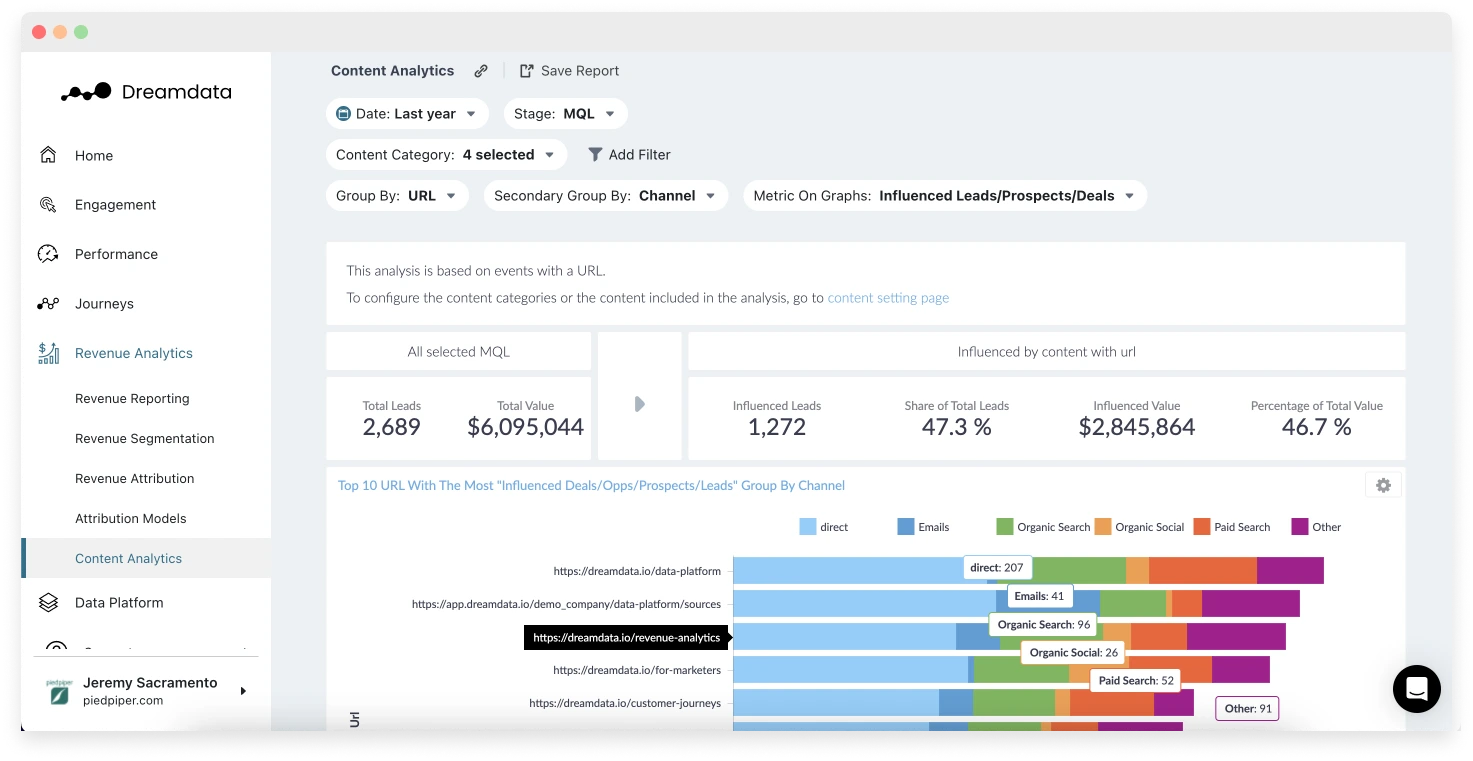
When compared with each other, we find that Dreamdata’s content analytics feature helps users
- Measure the success of their content based on revenue and pipeline.
- Understand the topics and types of content that influence accounts the most at various stages of the pipeline.
- Identify the source driving the traffic to the content, whether it’s social, organic or paid.
With Bizible, marketers can
- Combine various reports to better understand what's driving engagement and conversions. Eg. A content based report can be combined with a MQL report to find what content is influencing MQL.
- Apply various attribution models to content pieces to identify how various sources have contributed to its performance.
- Use various filters to get specific insights. Eg. Identify what content brought traffic to a specific landing page or the type of content that leads download the most.
What Dreamdata Does Better
Here we identify the areas where Dreamdata has a clear upper hand when compared to Bizible
Integrations
When it comes to integrations, Dreamdata has a clear upper hand compared to Bizible.*
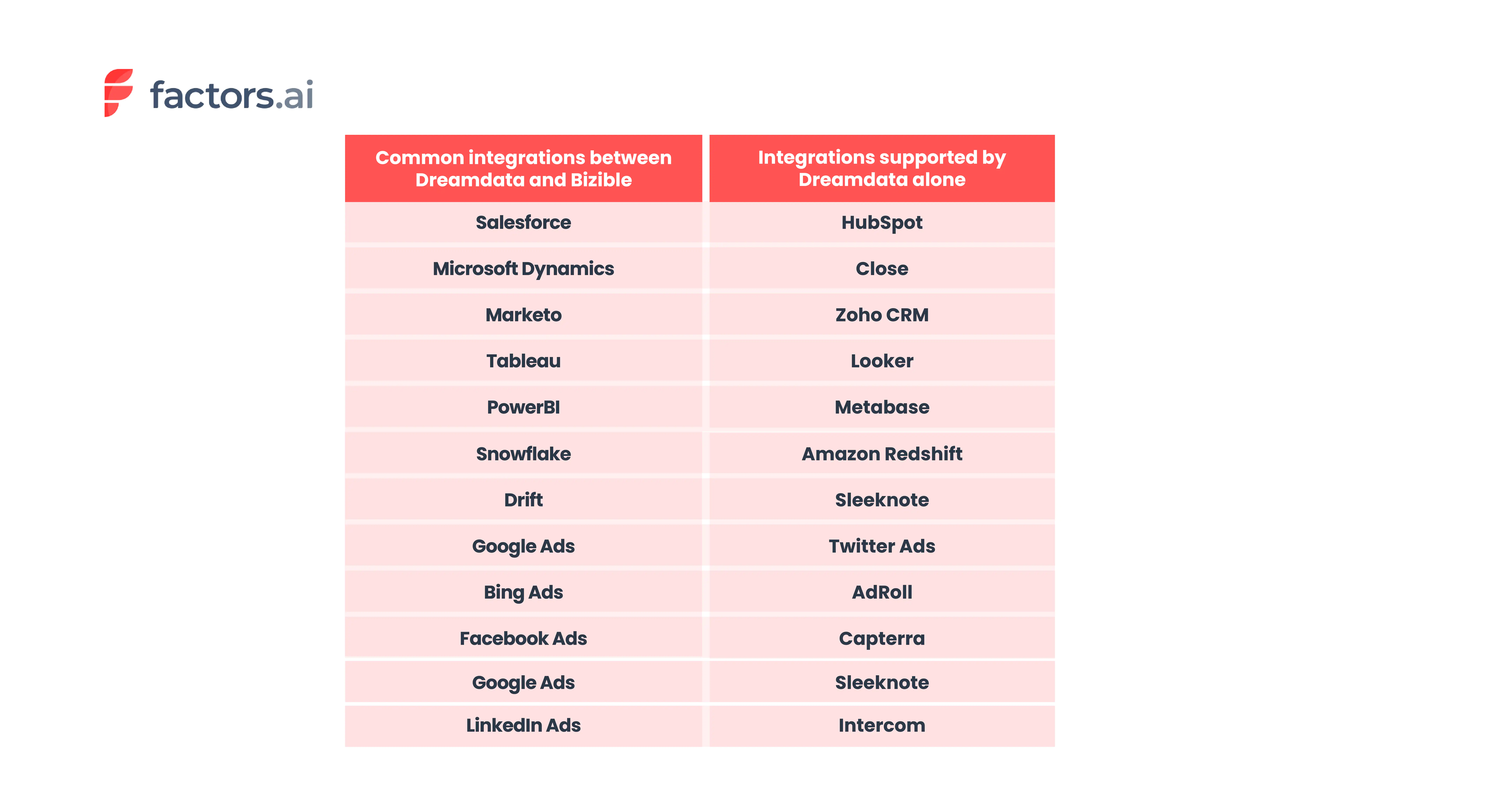
*Based on information available on the website and documentation.
Ease of use and setup
User ratings on G2 reveal that Dreamdata is much easier to use than Bizible. When it comes to ease of setup, Dreamdata is a clear winner.
Bizible, being an enterprise-level platform, requires a lot of time and effort to implement. Also, businesses may require a solutions provider to implement and configure Bizible.


.webp)

Customer support
Providing excellent customer support is crucial in B2B SaaS. It helps businesses build long-term relationships with their customers. Customer support and customer success also help
- Retain customers: Customers who are satisfied with the product and have their voice heard tend to stay. Retaining customers is much more cost effective than acquiring new ones.
- Increase customer loyalty: Loyal customers become product advocates and help spread information about the product through word of mouth.
- Gather feedback from customers: Suggestions, feedback, etc from customers can help improve the product and make it more valuable to the customers.
Both platforms have great customer support based on the user reviews from G2. But Dreamdata slightly outshines Bizible on this front.


What Bizible Does Better
In this section we go over the areas where Bizible is better than Dreamdata.
Custom Attribution
One of Bizible’s advanced features is the custom attribution. This feature allows users to identify and choose touchpoints from the buyer journey that they want to include in the model.
The tool also empowers users to control the percentage of revenue attributed to the selected touchpoints. Alternatively, users can choose to use the suggested revenue attribution percentages suggested by Marketo Measure’s (Bizible) machine learning model.


Compliance
Dreamdata and Bizible comply with common data security and privacy standards such as GDPR and SOC 2.
But Bizible being an enterprise tool complies with additional international standards compared to Dreamdata. You can take a look at the complete list of certification each tool has below.

Dreamdata vs. Bizible: Pricing
A product’s pricing is a critical component for companies as it impacts revenue, profitability, competitiveness in the market among other factors. In this section we compare the pricing of the two tools.
Bizible Pricing
Bizible (Marketo Measure) does not have a transparent pricing policy. Therefore, interested visitors will have to get in touch with their team to get a custom quote for their business.
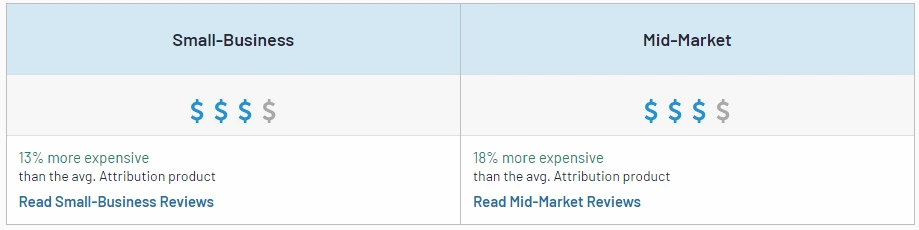
Pricing insights from G2 reveal that Bizible is 13% more expensive than the average attribution tool.
Also to note, is the cost incurred when hiring a separate IT solutions partner to implement and configure the tool. This makes Bizible an expensive tool and suited for larger organizations.
Dreamdata Pricing
Dreamdata offers both free version and paid plans.
- Team - $999 per month
- Business - A custom plan. Details are available upon request.
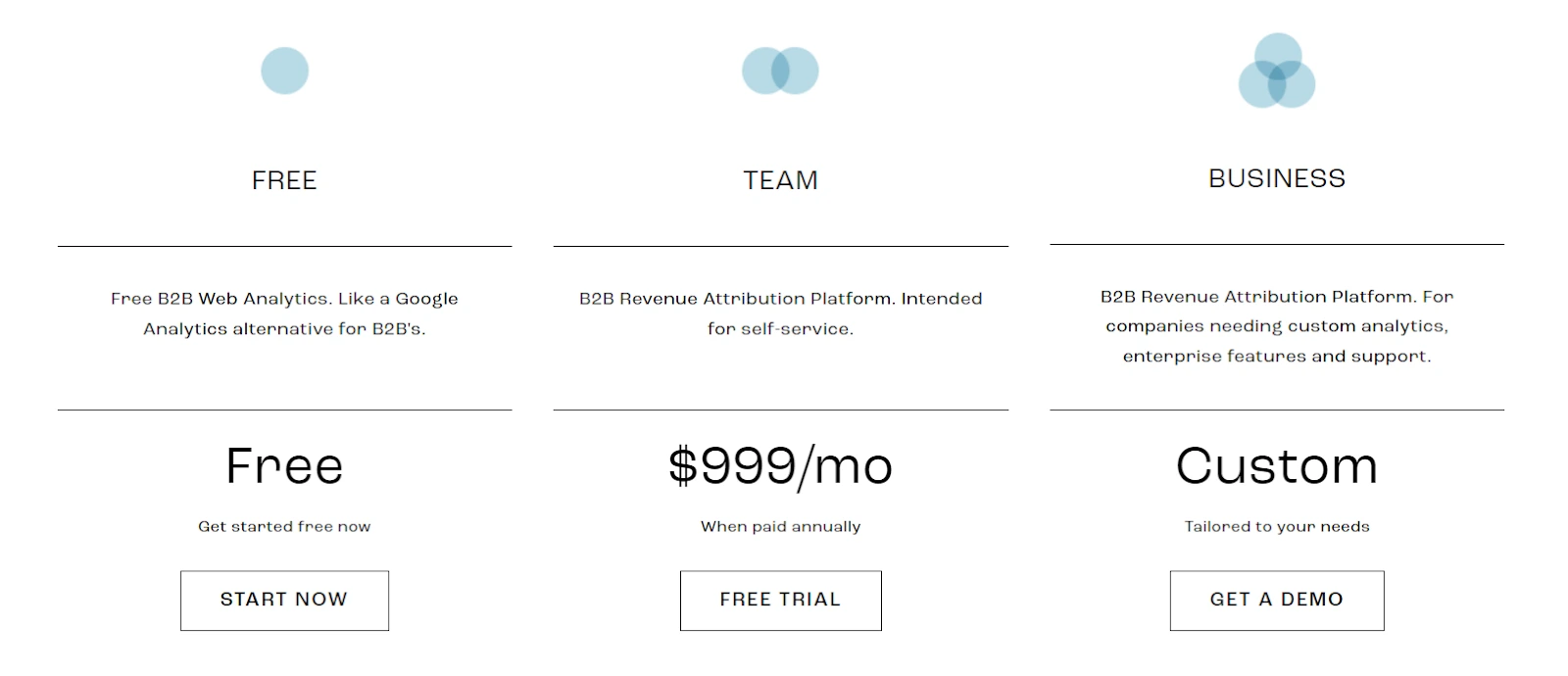
Though Dreamdata is on the expensive side, the free version suits small to mid sized B2B organizations while the paid version is more suited for B2B go-to-market teams that need advanced analytics and attribution.
Still Unsure Which B2B Attribution Tool To Go With?
The right attribution tools depend on your business’s requirements and goals.
If you are an enterprise grade organization that believes in the saying “If it’s not in Salesforce, then it doesn’t exist” or MS Dynamics for that matter, then Bizible is the best fit for you.
On the other hand if you're a new age small to medium sized organization using various platforms in your martech stack then Dreamdata is the one for you.
When compared to Bizible, Dreamdata
- Is relatively cheaper.
- Has more integrations.
- Is easy to use and implement.
- Is Less clunky as it uses a modern techstack and better UI/UX elements.

.But if you are still not convinced and would like to bargain for more, then we suggest you take a look at Factors.ai.
Factors has all the features that your business needs to
- Attribute revenue to your sales and marketing efforts.
- Analyze the performance of your website, paid and organic efforts
- And also, identify anonymous website visitors.

When compared to Bizible, Factors is much easier to implement. In fact our no-code integrations and onboarding support ensure that you can get started in 30 minutes.
The tool also integrates with more modern softwares used by B2B businesses. Factors integrates with
- Hubspot
- Facebook Ads
- LinkedIn Ads
- Google Ads
- Salesforce
- Segment
- Bing Ads
- Rudderstack
- Marketo
- 6Sense
- Clearbit
- Leadsquared
- Drift
- GSC
- Slack
- Google Spreadsheet
Factors when compared with Dreamdata complies with additional data and privacy standards. Factors is GDPR, SOC2 Type I and Type II compliant whereas the latter does not comply with SOC2 Type II.
Factors also provides businesses with more attributional models to work with compared to Dreamdata and Bizible. The 9 attribution models available in the platform are
- First Touch
- First Touch Non Direct
- Last Touch
- Last Touch Non Direct
- Linear
- W Shaped
- U Shaped
- Time Delay
- Influence
Below are some of the features that our users love and that are not available in Bizible and Dreamdata.
- Advanced web analytics: - Factors automatically tracks all user interactions in the website. There is no need for the users to set up custom tracking or spend time on other tools for visitor behavior analysis. Some of the interactions that Factors track are
- Page Time Spent
- Scroll Depth
- Page Count
- All Button Clicks
- Product Milestones
- Form Fill Attempt
- Custom UTMs (apart from the regular UTMs)

- Account identification: - Factors website account identification capabilities are extremely useful for businesses looking to know who's visiting their website. By identifying anonymous account-level traffic and what they engage with the most businesses can create personalized marketing and sales efforts to succeed in Account Based Marketing.
- Path analysis: - This feature provides insight into the user interactions at each stage of the customer journey. It also reveals the most influential path that converts visitors into leads.
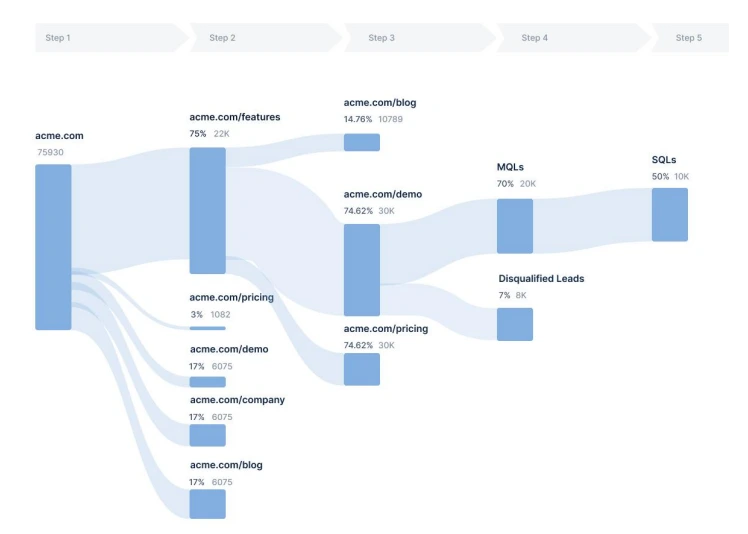
- Custom funnel analysis: - Generate focused funnel reports by adding necessary KPIs and events from both website and CRM.
- Slack alert: - Users get notified in real-time whenever there is any anomaly in KPIs or when an event occurs. Eg When MQL has filled a demo form the sales team can immediately reach out to them or when the CPC of a campaign has shot up by 25% in the last week compared to the previous week.
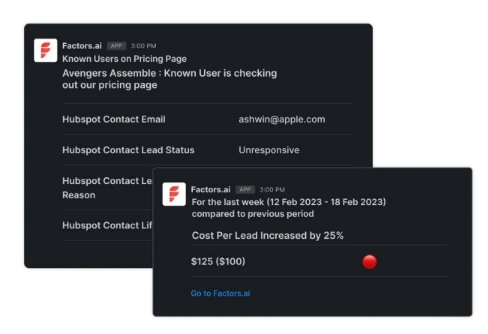
Read more about Factors’ features.

Factors Pricing
Factors apart from offering more features compared to Bizible and Dreamdata, it is priced relatively lower than both. There is also a 14-day free trial
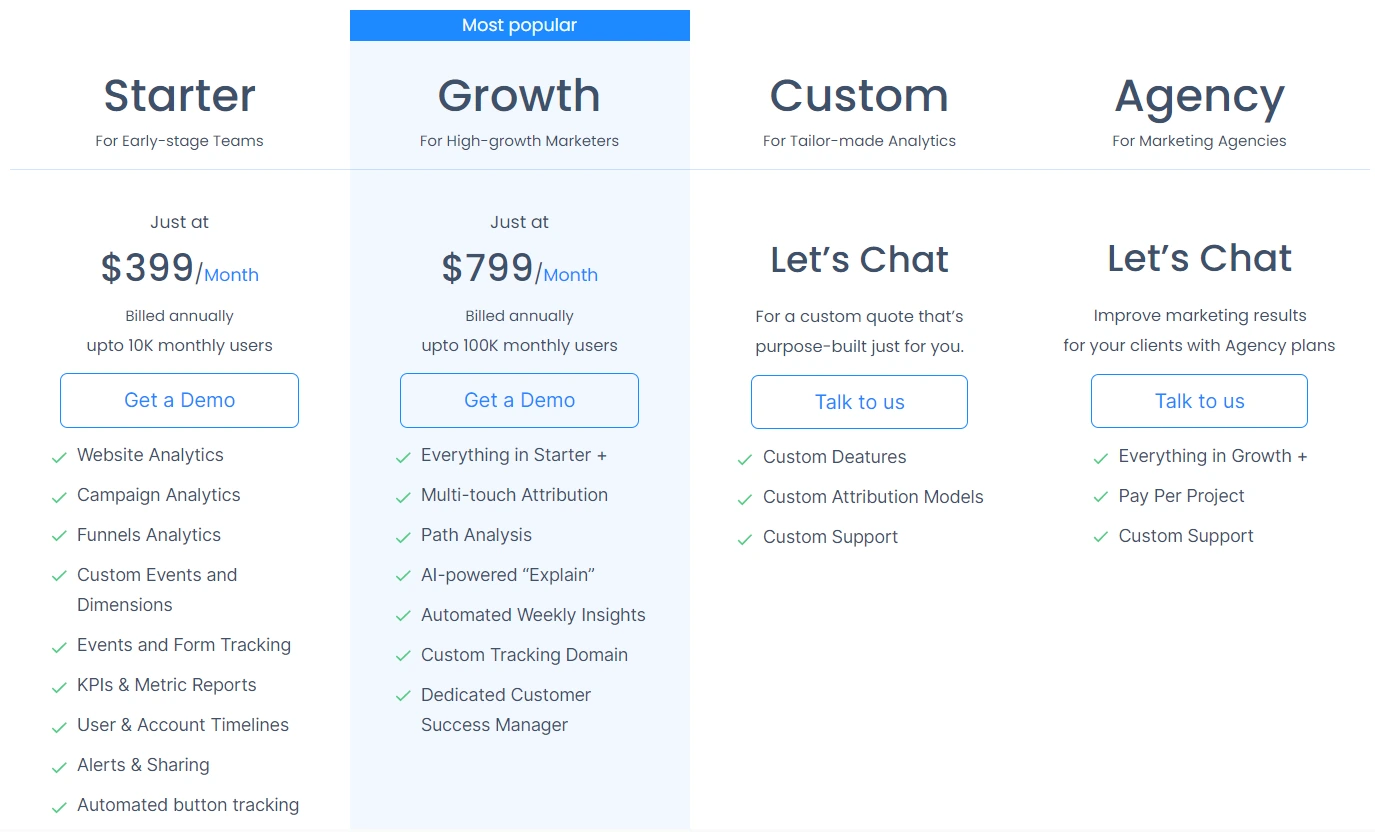
The paid plans for Factors attribution solutions are as follows:
- Starter - $399 per month (0 - 10K monthly visits)
- Growth - $799 per month (10 - 100K monthly visits)
The details on the Custom and Agency plan is available upon request. Visit the pricing page to know more.
Both tools offer strong attribution capabilities but cater to different business scales.
1. Bizible (Adobe Marketo Measure): Enterprise-level solution with advanced, customizable attribution models.
2. Dreamdata: Intuitive and accessible, ideal for small to mid-sized B2B teams.
3. Strategic Fit: Selection depends on company size, budget, and complexity of attribution needs.
Understanding your business requirements helps you choose the tool that delivers accurate insights and maximizes ROI.

7 Buying Signals for B2B Sales & Marketing Teams
Learn to identify and act on crucial buying signals, to streamline processes, and increase conversions. Try Factors.ai for free to revolutionize your B2B sales and marketing strategies!

We get it.
The B2B sales cycle looks more like a roller coaster than a funnel.
With numerous touchpoints, interactions, and channels involved, your potential buyers are getting lost in a sea of data and numbers.
And your team?
Is just as confused as you are…
Without a clear understanding of what buying signals to look out for, your sales and marketing teams are probably losing out on the opportunity to close deals faster-

With the right approach, you can bring the customer acquisition costs down and eventually increase the bottom-line revenue.
So what are buying signals?
Buying signals are actions and behaviors that demonstrate a prospect’s purchase intent. Buying signals play a crucial role in both sales and marketing endeavors. It helps identify customer needs and streamline the buying process, allowing your team to expedite the sales cycle. Analyzing buying signals also helps determine the most effective messaging and marketing campaigns, helping optimize your campaigns.
Types of Buying Signals
Buying signals can be classified as verbal and non-verbal cues. Your sales teams should be trained to consciously look out for these signals during interactions with prospects:
1. Verbal Cues
Here are some verbal cues to keep a lookout for-
- Open communication - prospects freely express their needs and challenges, indicating a willingness to engage and explore solutions.
- Repeating or complimenting features - When prospects emphasize or praise specific features, it signals interest and a potential alignment with their requirements.
- Meaningful questions during sales engagement - Asking insightful questions during a product demonstration suggests an active interest in understanding the solution's applicability.
- Picturing themselves using the tool - When prospects inquire about specific use cases or imagine scenarios involving your product, it indicates a practical consideration of its utility.
- Enquiring about pricing plans - Explicit inquiries about pricing or discussions around budget indicate a transition from interest to serious consideration.
- Risk Minimization Questions - While objections may seem negative, questions about overcoming challenges or minimizing risks indicate a prospect's genuine interest in finding a suitable solution.
2. Non-Verbal Cues
These non-verbal cues are often overlooked during sales interactions
- Nodding Head: Positive body language such as nodding signifies agreement and interest, reflecting a favorable disposition toward the product.
- Smiles and eye contact: Non-verbal cues like eye contact and smiling suggest engagement and comfort, indicating a positive reception to the sales pitch.
- Leaning Forward: Physically leaning into the conversation demonstrates active involvement, signaling a heightened level of interest in the presented information.
These signals can help close a deal once you have the opportunity to interact with your potential customers face-to-face. However, as a recent Gartner study suggests, 80% of B2B sales interactions will happen through online channels by 2025. This suggests that marketing teams should also keep an eye out for buying signals to streamline their process and make sense of each customer interaction.
Here’s how marketers can make sense of data to identify buying signals throughout the B2B sales cycle:
3. Fit Data
Fit data encompasses firmographic and demographic information utilized to assess whether a prospect aligns with the characteristics of an ideal customer. This type of data serves as a potential indicator during the buying process, helping determine if a customer is well-suited for a company's products or services.
For instance, consider a company specializing in providing IT services to small businesses. Fit data elements such as company size and industry become crucial signals, suggesting a strong alignment with potential customers. Similarly, in the context of a company offering high-end luxury products, fit data, including income levels, proves valuable in identifying individuals likely to have both interest in and financial capacity for the products.
It is essential to note that being a fit alone does not guarantee a customer's inclination to make a purchase. Therefore, integrating fit data with intent data becomes imperative to enhance the precision of marketing and sales strategies.
4. Opportunity Data
Opportunity data, on the other hand, pertains to information indicating a potential customer's likelihood to make a purchase based on specific events or circumstances. In the realm of B2B companies, this could encompass favorable situations within an organization that create optimal conditions for a successful sale.
For example, if a prospective company recently experienced a successful funding round, it may signal an expanded budget. This, in turn, suggests a higher likelihood of them being receptive to new business opportunities and facing fewer budgetary constraints. Again, opportunity data in itself does not indicate a willingness to buy and therefore should be viewed in conjunction with intent data.
5. Intent Data
Intent data focuses more on buying actions when your potential buyers are moving through the stages of the customer journey. Imagine a prospect navigating through your content, attending webinars, and signaling interest through various touchpoints. The power lies not just in identifying these signals but in understanding their nuances, their cadence, and their context within the larger buying journey. Intent data can either be behavioral or contextual:
6. Behavioral Data
Behavioral data refers to the way potential customers engage with your business. Say you’re running a travel agency. A website visitor interacts with a blog titled “10 places to visit in Europe” and then looks into the pricing of your Europe tour packages. This indicates intent and reaching out to the prospect with exciting discounts and offers on their preferred destination will certainly help them purchase from you. This is some behavioral data you should take into consideration:
- Website activity and visits to specific pages
- Signups and activity for free products and trial accounts
- Content downloads
- Webinar signups and attendance
- Blog post and case study views
- Email engagement
- Ad engagement
7. Contextual Data
Contextual Data gives insights on who your website visitors are and how they are interacting with your website in the awareness stages:
- Referral sources (understanding what led them to visit your website)
- Marketing campaign source
- If they are a new or returning visitor
- Keyword searches and intent
Understanding these queues helps streamline marketing functions. The ability to streamline processes is tantamount to progress in B2B. By aligning buying signals with the stages of the buying cycle, you can create repeatable and optimized processes. This not only eliminates noise but also offers insights into what works and what doesn't. The result? Time saved, resources optimized, and a clear pathway to building meaningful, personalized connections with your prospects.
The synergy of intent data and behavioral data is only possible within the ABM framework. Introducing Account-Based Marketing (ABM) is not merely a strategic approach but a transformative solution for B2B businesses, especially when empowered by the right automation software. Imagine having the ability to seamlessly track customer journeys across various touchpoints, discerning key buying signals in interactions over all channels. A robust ABM tool like factors.ai not only identifies these signals but also helps act on them at the earliest.
That's another reason to employ automation to identify buying signals. Studies suggest that businesses that respond to leads in five minutes or less are 100x more likely to convert opportunities. Using automation tools, teams can reach out to prospects instantly, and capitalize on every opportunity that presents itself through digital interactions.
Automating this process enables marketers to personalize communication and expedite the buying process.
How Factors.ai helps identify intent-based buying signals:
Factors.ai has several beneficial features that help identify customer intent using behavioral and contextual data:
With powerful marketing attribution, you can identify the referral sources with the highest ROI. it allows you to optimize your marketing efforts and spend to optimize all efforts aimed at increasing awareness.
As far as behavioral data is concerned, Factors.ai allows you to identify website users and track their movement and interactions- right from the first touch to the last. With account intelligence and features that provide a clear overview of the customer journey, it is easy to understand how potential customers move through the funnel and employ the appropriate sales and marketing tactics to close the deal.
And that’s not all!
Factors allows you to employ filters based on demographic, firmographic as well as behavioral data to customize marketing campaigns and even personalize communications. This helps sales and marketing teams make sense of their data and act on buying signals with great ease!
Your teams can save time and effort while driving in more conversions!
{{INLINE_TOFU}}
Top 10 Buying Signals in B2B Sales
Recognizing buying signals helps B2B sales and marketing teams identify prospects ready to purchase, streamline processes, and boost conversions.
A. Top Buying Signals: Verbal Cues, Non-Verbal Cues.
B. Key Cues:
1. Verbal:
- Open Communication: Prospects express needs and challenges.
- Feature Emphasis: Focus on specific product features.
- In-depth Questions: Detailed inquiries during demos.
- Usage Scenarios: Interest in practical use cases.
- Pricing Inquiries: Questions about pricing or budget.
- Risk Concerns: Queries about overcoming challenges.
B. Non-Verbal:
- Positive Body Language: Nodding, smiling, eye contact.
- Engagement: Active participation, such as note-taking.
3. Strategic Benefits:
- Identifying buying signals expedites the sales cycle, improves lead qualification, and boosts conversion rates.
Training sales teams to recognize and respond to these cues accelerates customer acquisition and enhances sales strategies.
.avif)
What Is Buyer Intent Data & How Does It Contribute To Account Based Marketing In 2026
Learn how to leverage buyer intent data to supercharge your Account-Based Marketing (ABM) in 2026. Learn practical strategies, real examples, and best practices.

TL;DR
- Precision Targeting: Intent data reveals which accounts are actively searching for your solution, enabling smarter segmentation and prioritization.
- Personalized Campaigns: Tailor messaging to each stakeholder’s unique interest—whether it’s cost, time savings, or operational efficiency.
- Faster Conversions: Companies using buyer intent shorten sales cycles by 30% and see significantly higher conversion rates.
Let’s say your ICP is VP of digital marketing, and she’s looking for a CRM. Her biggest challenges are maximizing ROI and ensuring consistency in leads, she reports to the CMO, and wants a platform that offers one-click integrations with various MarTech she and her team needs. And because this is a B2B purchase, you know she’s not the only decision maker.
So, you gather this persona-specific information about all your target designations and individuals, and, then, create a marketing campaign. You have personalized content and ads, and you’re truly adding value in their buyer journey. Now, imagine a personalized campaign like that will have on their decision.
This is where the importance of intent data in ABM becomes evident. By leveraging intent data, you can identify your "best-fit" accounts and tailor your marketing efforts accordingly. You gain insights into the challenges they face, their preferences, and their buying signals. Understanding their buyer intent allows you to align your messaging, content, and offers to precisely address their needs. This approach significantly increases the likelihood of capturing their attention, building trust, and ultimately influencing their decision-making process.
A campaign with already-qualified ICP, targeted campaigns, and with the understanding they actually need the solution has a more probability of success as compared to the traditional marketing. This method has gained so much popularity in the recent past that approximately 98% of organizations currently use or plan to use ABM as a strategic tactic—and at the core of each successful campaign is understanding the intent of your ideal buyer.
This guide breaks down everything you need to know about using intent data to supercharge your ABM strategy in 2026.
But First, What Is Buyer Intent?
Essentially, it is little clues and actions that help you understand your ‘best fit’ target audience actually needs the solution you’re selling, and it helps you engage with them on their terms.
With buyer intent, your marketing and sales teams proactively engage with all contacts within a target account. By precisely targeting your marketing messages towards your ideal customers and utilizing the channels where your target audience are most likely to be noticed, such as social media, display advertising, video, or mobile, you can generate the continued momentum needed to close sales.
Engagement is a pivotal stage in account-based marketing, which encompasses a wide range of methods to interact with your prospects. Email outreach, webinars, ebooks, targeted advertisements, videos, events, programmatic or automated approaches, there are various methods by which you engage with your buyer. By collecting and leveraging buyer intent data, the entire engagement process becomes more personalized.
For example, consider you’re selling talent acquisition software. And as we all know well, there’s never just one decision maker in B2B, so you need to engage and show value to all of the decision makers. So, for the chief human resources officer, you create campaigns regarding cost optimization; for hiring managers, you talk about time saving; and for talent managers, you mention the quality of candidates and reduction of repetitive tasks. This way, you’re systematically delivering value on each level, and also engaging with them in their terms.
So, by incorporating buyer intent into your account-based marketing strategy, you can enhance your engagement efforts, personalize your messaging, and establish more meaningful connections with your target audience, which, in turn, maximizes your ROI on each campaign.
How Intent Data Has Evolved in B2B Marketing
Since 2020, the role of intent data in B2B marketing has taken a giant leap. It started out as a simple tool for lead scoring but has now become the backbone of sophisticated Account Based Marketing (ABM) strategies. Did you know that 87% of buyers now prefer to navigate their buying journey independently? That's why picking up on intent signals early is incredibly important.
Here's how modern B2B companies are using buyer intent data:
- Spotting which accounts are actively on the hunt for solutions.
- Getting a handle on their specific pain points and challenges.
- Timing their outreach perfectly for the best impact.
- Tailoring content and communications to fit.
- Predicting buying behavior and preferences.
In a nutshell, if you want to stay ahead of the curve in today's marketing world, tapping into buyer intent data isn't just smart—it's essential.
{{INLINE_TOFU}}
How Buyer Intent Data Is Collected
As the ‘outside-in’ approach is absolutely fundamental to ABM, you need buyer intent data as a prerequisite to create a campaign. So, here’s what you should be collecting and evaluating:

1. Website Tracking
By tracking website behavior, businesses can gather intent signals such as:
- Visitor navigates to specific product pages, indicating interest in those offerings.
- Visitor spends a significant amount of time on the pricing or comparison page, signaling a potential purchase decision.
- Visitor fills out a form to request a demo, suggesting a strong intent to explore the product further.
2. Search Data
Examples of intent signals collected from search data include:
- For example, user searches for "best budget CRM," indicating an intent to purchase a CRM within a specific price range.
- User searches for "how to improve SEO ranking," showing an intent to learn about SEO strategies and techniques.
- User visits software comparison sites, such as G2 and software select, and searches for “best ABM tool”, indicating they are in need of an ABM partner.
3. Content Consumption
Intent signals extracted from content consumption may include:
- User spends five minutes reading an in-depth blog post about email marketing automation, indicating a strong interest in the topic.
- User watches a video tutorial on setting up a smart home system, suggesting an intent to implement the technology.
- User downloads an ebook on social media advertising strategies, indicating an intent to enhance their social media marketing efforts.
4. Social Media Listening
Examples of intent signals gathered through social media listening include:
- User tweets, "Looking for recommendations for a reliable web hosting provider," indicating an intent to find a suitable hosting service.
- User comments on a Facebook post, asking for suggestions on the best CRM software for small businesses, showing an intent to explore CRM options.
- User shares an article about the latest digital marketing trends, signifying an interest in staying informed about industry developments.
5. Form Submissions
Intent signals obtained from form submissions can include:
- User fills out a contact form, providing details about their business and a specific inquiry, demonstrating an intent to engage with the company's offerings.
- User completes a form to register for a webinar on content marketing strategies, indicating an intent to gain knowledge in that area.
- User requests a quote by filling out a form, suggesting a potential intent to make a purchase.
However, not all data is relevant data.
Say, a seemingly fit profile shares an article about CRM types, that doesn’t immediately mean they’re in the market to buy one. Which is why, you need buyer intent data measurement and qualification process, so you don’t end up chasing dead leads. And here’s a great way to start:
- Scoring and Ranking: With buyer intent data, assign scores or rankings based on specific criteria. This will allow you to prioritize leads and prospects based on their level of intent—this essentially means prioritizing high-intent accounts so they’re addressed first, while you continue to nurture the less-intent accounts. Factors such as website engagement, content consumption, and online behavior are assessed to determine the strength of a visitor's intent. For instance, Factors.ai helps you engage with high-intent accounts with behavioral and firmographic (relating to the firm) filters.
- Data Analytics: Advanced data analytics techniques can also be employed to analyze buyer intent data. These techniques involve examining patterns, trends, and correlations within the data to uncover insights about visitor behavior, interests, and potential buying intentions.
Note: For the purpose of qualification, you can follow the BANT mechanism. It is an acronym of qualification questions, Budget, Authority, Need, and Timeline, that can help you prioritize accounts.
By now, we’ve talked plenty about how buyer intent can help you delineate your strategic ABM accounts, how you can measure those signals, and what parameters can help you prioritize accounts. But, how are ABM and intent signals related—let’s get into it now!
What Are The Different Types Of Intent Data Available for ABM
Imagine having a pair of super-powered glasses that let you see exactly what your potential customers are up to. Intent data does this for Account-Based Marketing (ABM). There are two main types, each offering its own set of insights.
First-Party Intent Signals
These are the gems you gather straight from your own digital turf. Here’s what they include:
- How people move around your website.
- What content are they downloading and engaging with?
- Their interactions with your emails.
- Signing up for events.
- Requesting demos.
- Filling out forms.
Third-Party Intent Signals
Now, let’s step outside your own bubble. Third-party data gives you a peek into:
- How folks interact with industry publications.
- Visits to review sites.
- Research on competitors.
- Engagement on social media.
- Forum chats.
- Browsing tech review platforms.
The Power of Combining Both First Party & Third Party Intent Signals
The real magic kicks in when you mix these two data sources. Picture this: a company checks out your competitor’s products (third-party) and then heads over to your pricing page (first-party). That’s a pretty strong hint they’re ready to buy.
By 2025, the most successful ABM strategies will not just use one type of data over the other. Instead, they will blend both to get a full picture of buyer behavior. This approach will lead to spot-on targeting and better conversion rates.
📊 Learn how to use buyer intent data for ABM — this video breaks it down step-by-step with real examples.
What’s The Connection Between Buyer Intent And Account Based Marketing?
Essentially, all marketing boils down to intent: whether it is following the traditional funnel or the inverted (ABM) funnel. This is because most buyers turn to online research to identify their problems, find suitable solutions, and choose the right vendors. This behavior provides valuable signals about their stage in the buying process, whether they're at the top, middle, or bottom of the funnel.
Some of the ways buyer intent can directly impact your account based marketing practices are:
1. Identifying High-Intent Accounts
Buyer intent data helps discover accounts that show strong indications of purchase intent. By analyzing intent signals, such as website interactions, content consumption, or form submissions, businesses can pinpoint the accounts that are actively researching or expressing interest in their products or services. These accounts become the primary focus of ABM initiatives.
2. Driving Conversion and Revenue
The ultimate goal of ABM is to drive conversions and generate revenue from target accounts. Buyer intent data plays a critical role in this process by enabling businesses to identify accounts that are in the later stages of the buying journey and more likely to make a purchase. By aligning ABM strategies with buyer intent, companies can effectively nurture and convert high-intent accounts, leading to increased revenue and business growth.
By leveraging intent data, businesses can gain deeper insights into the needs and interests of their target accounts. This allows them to tailor their marketing efforts more effectively and engage with potential customers at the right stage of their purchasing journey. Intent data enhances the precision and relevance of ABM initiatives, ultimately improving the chances of success.
Pro tip: By identifying and delineating the right buyer for each account, you can reduce the margin of error and create an idiot-proof statement of work (SOW) on which products and services will be offered to the account during the nurture stage.
Step-By-Step Guide To Leverage Intent data In Your ABM Strategy
Incorporating intent data into your account-based marketing (ABM) strategy can greatly enhance your targeting and engagement efforts. So, here is a step-by-step guide to help you effectively integrate intent data into your ABM approach:
Step 1: Define Your Ideal Customer Profile (ICP)
Begin by clearly defining your ideal customer profile, including key attributes, characteristics, and firmographic data. This will serve as the foundation for your ABM strategy and help you align intent data with your target audience.
Step 2: Identify Relevant Intent Signals
Determine the intent signals that are most relevant to your business and align with your ICP. These signals could include website visits, content consumption, search behavior, engagement with specific topics or keywords, or interactions with your marketing assets.
Step 3: Leverage Intent Data Providers
Research and partner with intent data providers that offer reliable and accurate data relevant to your target audience. These providers can help you access and analyze intent data from various sources, such as IP-intelligence, behavioral tracking tools, or social listening platforms.
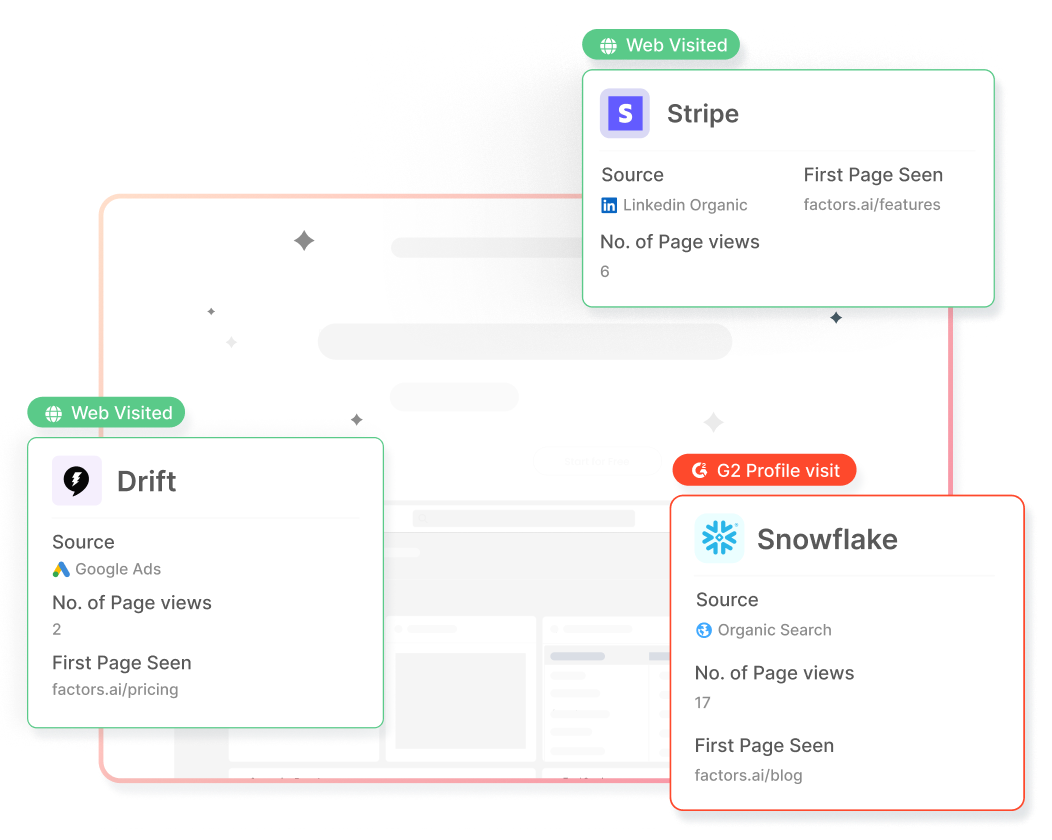
Factors.ai, for example, helps you collect and analyze campaign, website, and funnel analytics and helps you add predictability in your campaigns. With customizable properties, dashboards, and dimensions, its proven to deliver better ROI on marketing campaigns.
Step 4: Integrate Intent Data with Your CRM and Marketing Automation Tools
Ensure seamless integration between your intent data provider and your CRM and marketing automation tools. This integration enables you to enrich your customer profiles with intent data and create personalized experiences based on individual buyer interests and behaviors.
Step 5: Analyze and Segment Intent Data
Analyze the intent data collected to identify patterns, trends, and commonalities among your target accounts. Segment your audience based on their intent signals, grouping them into specific clusters or categories that align with their buying stage, interests, or pain points.
Step 6: Tailor Content and Messaging
Utilize the insights gained from intent data to create highly personalized and relevant content and messaging for each segment. Customize your marketing assets, such as emails, website content, ads, and social media campaigns, to address the specific needs and interests of different account segments.
Step 7: Implement Targeted Campaigns
Develop targeted marketing campaigns that align with the intent signals exhibited by your identified account segments. Use intent data to determine the most appropriate channels, timing, and messaging to engage with your target accounts effectively.
Step 8: Track and Measure Results
Continuously monitor and measure the impact of your ABM efforts fueled by intent data. Track key ABM metrics, such as engagement rates, conversion rates, and revenue generated, to evaluate the effectiveness of your campaigns and make data-driven adjustments as needed.
Step 9: Iterate and Optimize
Use the insights gained from intent data and performance metrics to iterate and optimize your ABM strategy. Refine your targeting, content, and messaging based on the feedback and results obtained, ensuring ongoing improvement and success.
For instance, Factors.ai integrates seamlessly with ad platforms, CRMs, CDPs, and other popular martech platforms through no-code (O-Auth) integrations. We install a lightweight script on websites to automatically track visitor engagement, including page views, scroll depth, button clicks, and form submissions.
Using IP-lookup technology, we can identify and track anonymous companies visiting a website, providing information such as company name, industry, and employee headcount. This helps qualify accounts based on ideal customer profile (ICP) criteria. Further, by consolidating all this data in one place, we can map the entire customer journey, starting from ad clicks and web sessions, to creating or updating contacts in the CRM, and ultimately tracking pipeline and revenue generation.
Our proactive approach enables the identification of anonymous accounts and their intent, allowing for effective targeting of sales-ready buyers. Additionally, retrospective tracking of the entire customer journey helps optimize spending on touchpoints that drive conversions, leading to increased pipeline with reduced expenses and better overall return on investment (ROI).
How Buyer Intent Data Improves Targeting, Personalization, and ROI in ABM
Intent data isn't just another marketing buzzword—it's a game-changer for how B2B companies tackle Account-Based Marketing (ABM). Let's dive into how it's shaking things up:
Sharper Account Targeting
Say goodbye to the old ‘spray-and-pray’ marketing tactics. With intent data, you can pinpoint which accounts are on the hunt for solutions like yours. This means you can zero in on the companies that are most likely to convert, making your efforts way more efficient.
Personalization at Scale
Imagine knowing exactly what potential clients are curious about. Intent data lets you do just that, so you can customize your messaging to hit the nail on the head. A manufacturing firm checking out automation solutions gets a different pitch than a healthcare provider exploring compliance tools. It's all about speaking their language.
Sales and Marketing Alignment
Intent data is like a translator between sales and marketing teams. Marketing can give sales a heads-up when target accounts show strong buying signals. In return, sales can share insights on which signals really mean "we're ready to buy."
Spotting Trends with Predictive Analytics
By digging into intent patterns, you can catch industry trends before they become mainstream. This gives you the upper hand to tweak your strategies ahead of time. For instance, if you notice a bunch of companies in a sector are looking into similar solutions, you can roll out targeted campaigns before your competitors even realize what's happening.
This isn't just theory—it's happening now. Companies using intent-driven ABM strategies are seeing quicker sales cycles and better conversion rates. It's all about being ahead of the curve and making your marketing smarter.
Real-World Use Cases: How Intent Data Drives ABM Success
Let’s skip the jargon and dive into how companies are actually hitting it big with intent data in their Account-Based Marketing (ABM) programs.
Take SugarCRM, for instance. They didn’t just stumble upon success; they harnessed intent signals to zero in on high-potential accounts, racking up a whopping $9.9 million pipeline value. Their secret? Pinpointing accounts that were actively on the hunt to buy.
Over in the tech world, a mid-sized software company saw their conversion rates soar by keeping an eye on who was checking out the competition. The moment they noticed an account researching rival products, they swooped in with targeted content that spoke directly to those prospects' pain points. The result? A 40% jump in qualified opportunities.
And it's not just tech companies seeing these wins. Check out these industry-specific success stories:
- Manufacturing: An industrial equipment provider spotted companies digging into automation solutions and tripled their meaningful sales conversations.
- Financial Services: A fintech firm fast-tracked their deals by 60% by focusing on accounts interested in payment processing.
- Healthcare: A medical device company nailed its timing with intent signals, boosting meeting acceptance rates by 35%.
The numbers tell the story:
- Conversion rates more than doubled.
- Sales cycles shrank by 30%.
- The average deal size grew by 45%.
- Customer acquisition costs dropped by 20%.
These aren’t just stats—they’re proof that when intent data fuels your ABM strategy, you’re not just playing the game; you’re winning it.
The Future of Intent Data in ABM
Intent data in Account-Based Marketing (ABM) is rapidly changing, and it's an exciting time to be in the mix. By end-2025, AI and machine learning will be true differentiators, not just crunching numbers but actually predicting what buyers will do next.
We're seeing a big move toward hyper-personalization. Companies are digging deeper than ever, going beyond just basic intent signals to really get what the whole buying committee is up to online. Multi-channel intent tracking is becoming standard, picking up signals from social media, virtual events, and even voice searches.
Privacy is still a hot topic. With global regulations getting stricter, successful ABM programs are finding ways to balance personalization with privacy. Think of GDPR and similar rules not as hurdles but as chances to build trust through clear and honest data practices.
AI integration is the real differentiator here. Imagine:
- Predictive models that can tell you when someone’s ready to buy with 85% accuracy.
- Real-time processing of intent signals that automatically trigger responses.
- Smart algorithms that can pinpoint who’s on the buying committee and what their roles are.
- Natural language processing that gets the context, not just the keywords.
The future isn’t just about gathering more data—it’s about making that data smarter, more useful, and respectful of privacy concerns. It's an exciting time for ABM, and the possibilities are endless!
Best Practices and Recommendations For Using Intent Data In ABM
Getting the most out of intent data in your ABM strategy isn't just about having the right tools—it's about using them wisely. Here's how the pros are making it work:
Strategic Framework
- Before diving into intent data, nail down your goals and KPIs.
- Set up a scoring system that ranks different intent signals by importance.
- Regularly review and tweak your strategy to keep it sharp.
Tools and Technologies
- Invest in a solid CRM that can pull in data from various sources.
- Use AI-driven platforms for real-time insights into intent data.
- Implement marketing automation tools that can respond to intent signals.
- Opt for tools that offer detailed analytics and reporting features.
Team Training and Adoption
- Offer thorough training for both your sales and marketing teams.
- Develop straightforward playbooks for handling different intent scenarios.
- Hold regular cross-team meetings to share insights and celebrate wins.
- Encourage team feedback on the tools they're using.
Remember, the best tech is only as good as the folks using it. Focus on building a data-driven culture where your team gets the value of intent signals and knows how to act on them. Start small, see what works, and scale up from there.
By integrating these practices, you can ensure that your ABM strategy is not only effective but also adaptable to the ever-changing landscape of B2B marketing. For more insights on how to leverage intent data effectively, check out our Intent Capture and Workflow Automations pages.
Key Takeaways
- Not all buyer intent is your buyer intent: While you may be tempted to look at all the data and figures before selecting your target accounts, messaging, and MarTech, it is best to keep your ICP and all the decision makers in mind.
- ABM without intent data is just traditional marketing: ABM focuses on targeting the "best-fit" accounts rather than casting a wide net. By aligning marketing messages with the needs and challenges expressed by potential buyers, businesses can increase the probability of success compared to traditional marketing approaches.
- With intent data, you know where to start: Intent data helps prioritize and rank leads based on their level of intent, allowing businesses to focus on high-intent accounts and allocate resources effectively. Scoring and ranking, along with data analytics techniques, can help you get to the low hanging fruit first.
How Buyer Intent Data Is Revolutionizing ABM in 2025
Account-Based Marketing (ABM) has long promised precision targeting, but without buyer intent data, it’s a shot in the dark. This guide explores how marketing teams can now use intent signals to not only find in-market accounts but also tailor campaigns with sharper precision and higher return. With 98% of B2B organizations adopting ABM, the competitive edge now lies in how effectively intent data is used—across platforms, teams, and the entire buyer journey.
Marketers are no longer guessing who might be interested. Instead, they’re integrating real-time behavioral cues—form fills, content engagement, review site visits—into CRM systems and campaign workflows. From first-party site activity to third-party digital footprints, the combination offers a 360º view of account readiness. By aligning messaging to each decision-maker and customizing content across preferred channels, businesses are closing deals faster, with less wasted spend.
With predictive analytics, segmentation, and automated triggers, intent data isn’t just informing campaigns—it’s shaping them. And when integrated with tools like Factors.ai, marketers can track influence across touchpoints, proving marketing’s role in pipeline creation and revenue.
Buyer intent data is a game-changer for Account-Based Marketing (ABM), helping businesses pinpoint high-value accounts actively exploring solutions. By identifying these in-market prospects early, companies can tailor their outreach with precision targeting and personalized engagement, ultimately shortening sales cycles.
Factors.ai takes intent data to the next level by unifying signals from platforms like G2, LinkedIn, and CRM systems, providing a real-time, 360° view of buyer behavior. With built-in automation, teams can trigger timely actions—like email sequences, Slack alerts, or LinkedIn retargeting—based on intent signals.
This data-driven approach ensures your marketing and sales efforts focus on accounts with the highest conversion potential, significantly boosting ROI and accelerating revenue growth.
Frequently Asked Questions
1. Why is Buyer Intent important?
Buyer intent is crucial because it provides valuable insights into the mindset and readiness of potential customers. Understanding this intent allows businesses to create custom marketing campaigns with the specific needs and interests of their target audience. Creating campaigns with buyer intent in mind results in more targeted and effective communication, higher engagement rates, and increased ROI.
2. What is an example of buying intent?
Let's say a business owner searches for "best project management software for remote teams" on a search engine. This search query shows their buying intent as they are actively seeking a solution to address their specific need: managing projects for remote teams. By searching for the "best" software, they are indicating their intention to evaluate and potentially make a decision. This search query provides an opportunity for SaaS companies offering project management solutions to target and engage this potential customer with relevant marketing messages and compelling offers.
3. How do you identify buying intent?
You can identify buying intent by partnering with tools like Factors.ai. This platform helps you discover, qualify, and convert anonymous companies visiting your website, measure engagement trends, and helps you deliver objectively better ROI on marketing campaigns. Factors.ai also offers seamless integrations with 30+ marketing tech stack so all your data can be consolidated in one place.

7 Best Bizible Alternatives and Competitors to Look for in 2026
Learn about the top 7 Bizible alternatives in 2026. We explore each tool’s features, reviews, and pricing to help you choose the right attribution tool.

Given that B2B deals involve several touch-points and lengthy sales cycles, it has become harder to measure the effectiveness of marketing efforts. Hence attribution has become a crucial part of B2B marketing.
Bizible is one of the tools at the forefront of attribution technology. Though Adobe has acquired Bizible and is now Adobe Marketo Measure, its attribution solution is still one of the best.
But upon evaluating the customer reviews of Bizible, we found limitations that hinder the complete adoption of the tool. This blog deconstructs the drawbacks and finds why Bizible users search for alternatives.
We also evaluate 7 Bizible competitors, their features, reviews, and pricing to help you find the best tool for your business.
Why are marketers looking for Bizible alternatives?
Bizible (Marketo Measure) is an ideal attribution software for businesses to track the ROI and effectiveness of marketing efforts against revenue or conversion. In addition, it provides insights into the marketing channels or platforms that trigger most customer engagement.
But is it the best marketing attribution software available in the market? Is it the right tool for your company?
Though Bizible provides many valuable features, it is not the best choice for customers for multiple reasons. We have gone through the customer reviews on platforms like G2, Capterra, etc., and found that -
- Bizible is a costly tool.
- It takes a long time to set Bizible up.
- Bizible’s dashboard is not easy to use and understand.
- Data management in Bizible is complex and hard to understand.
- Bizible provides minimal integrations with third-party tools.
- The range of attribution models available in the tool is limited.
- Its funnel metrics feature’s performance is poor and is hard to filter.

These drawbacks lead businesses to look for user-friendly alternatives that meet their unique requirements and offer better value for money.
{{INLINE_CTA_A}}
So here's a list of solutions that are the best Bizible alternative based on user reviews, pricing, and many more factors.
Top 7 Bizible alternatives and competitors
1. Factors.ai

Factors.ai is a marketing analytics and attribution tool that offers multiple features such as account deanonymization, ABM analytics, and customer journey analytics. The tool is purpose-built for SaaS marketers and can help amplify the marketing ROI.
Its no-code integration makes the onboarding process easy. In addition, Factors consolidates siloed data from multiple sources such as website visitor data, CRM, Clearbit data, and Google Search Console. This centralized data helps both marketing and sales teams to understand their customers, optimize their efforts, and strive for increased conversion rates.
It has a retroactive data capture function. Once installed, the tool automatically tracks all events.

Key features
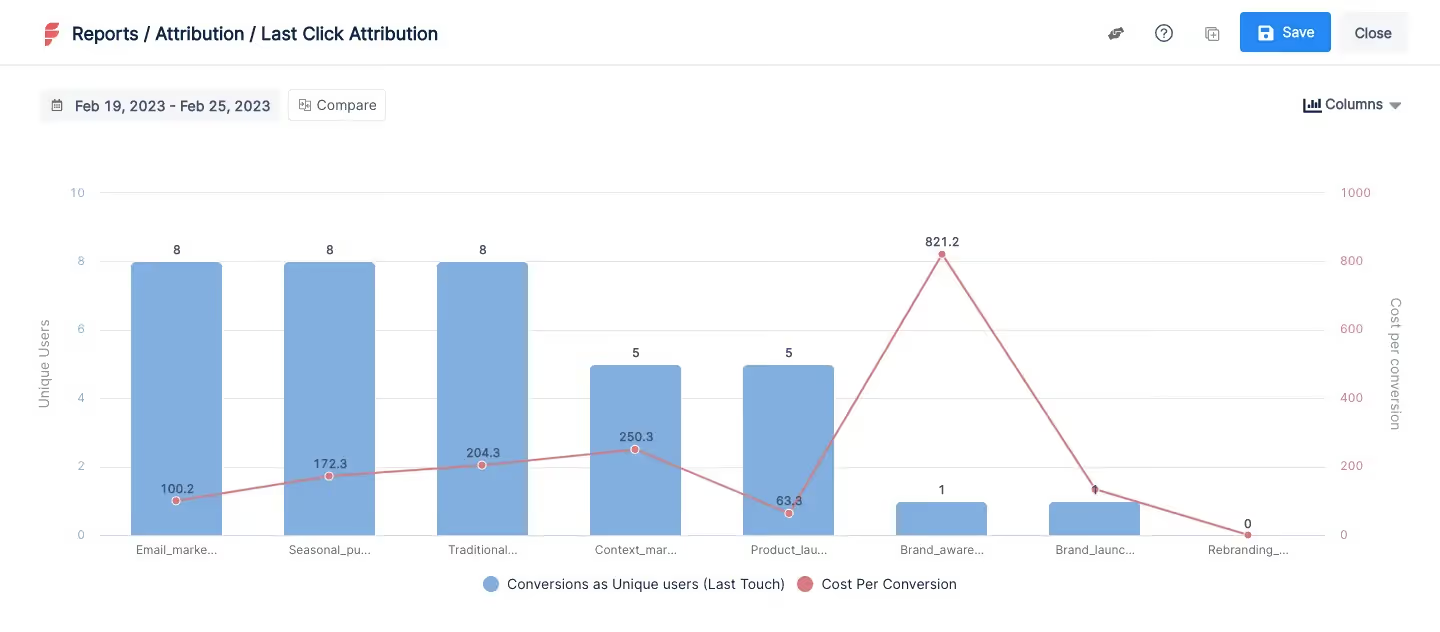
- Multi-Touch Attribution:
Factors enables marketers to compare and choose the best attribution models for their business. It can track all essential touchpoints across multiple channels. This enables enterprises to attribute revenue to the most influential touchpoint accurately.
- Account Deanonymization:
What makes Factors stand out from the crowd is account deanonymization. It helps B2B marketers identify anonymous account-level traffic and gain information about companies visiting, such as
- Company name
- Industry
- Employee range
- Revenue range.
The above data can help businesses identify qualified traffic and their customer journey.
- ABM Analytics:
Factors provides a complete suite of analytics techniques to drive account-based marketing efficiently. Its dedicated website analysis can help marketers understand and improve the conversion rate with the following.
- Automated button tracking
- Custom domain tracking
- Granular page analytics
Also, the funnel analytics feature enables marketers to create and analyze data from multiple sources. It further helps marketers gain deeper insights into identifying trends, patterns, and other opportunities to optimize campaigns.
- Journey Analytics:
Journey analytics helps marketers gain a comprehensive idea of the buyer's journey. The path analysis provides marketers with a vivid picture of the influential user paths, helping optimize marketing efforts. And the ‘Explain’ feature helps identify the variables that positively and negatively impact the defined goal.
- Unified Dashboard:
Factors provide a customizable dashboard where you can visualize all your valuable customer data at a glance. This centralized customer data and the intuitive dashboard offer seamless tracking of performance metrics, enabling effective alignment across departments.

Pricing
A free trial is available. Paid plans are as follows;
- Starter - $399 per month
- Growth - $799 per month
They provide two more plans, Custom and Agency. Contact Factors’ team to get more information about each plan.
{{INLINE_CTA_A}}
2. HockeyStack

HockeyStack, a marketing analytics and attribution company, is another Bizible competitor. Its implementation is relatively easy, and you can complete it in two steps.
- Copy-paste the tracking code of HockeyStack to your website and product.
- Connect your CRM, ad accounts, and every other tool in your stack - with one click.
With HockeyStack, marketers can increase lead quality, track key accounts’ journeys, and measure and optimize ROI. The tool also allows marketers to measure their SEO efforts and understand their effect in the pipeline.

Key features
- Attribution:
This feature visualizes the customer journey on all touchpoints both before and after the conversion. According to HockeyStack’s website, by attributing all properties in CRM to revenue, HockeyStack can help understand how customer support affects monthly recurring revenue (MRR), what features lead to higher MRR, and more.
- Funnel Analytics:
It is a powerful analytical feature from HockeyStack that enables users to visualize various stages of the sales cycle. It helps provide visibility into how visitors are progressing within the website up until conversion. It also helps users understand where and why you are losing prospects.
- Unified Tracking:
Marketers can collect and visualize all their valuable customer data in one place. The feature also provides a comprehensive view of the customers’ journey by tracking every interaction the users have with the website or product.
- Custom Reports:
HockeyStack provides several inbuilt templates for creating reports. Users can also make one from scratch.
Pricing
A free version isn't available for HockeyStack, but they provide a live demo and a 14-day free trial. Their paid plan starts from $949 monthly for 10K visitors for 10 users. To get a clear idea about their plans, please contact the HockeyStack team.
3. Dreamdata

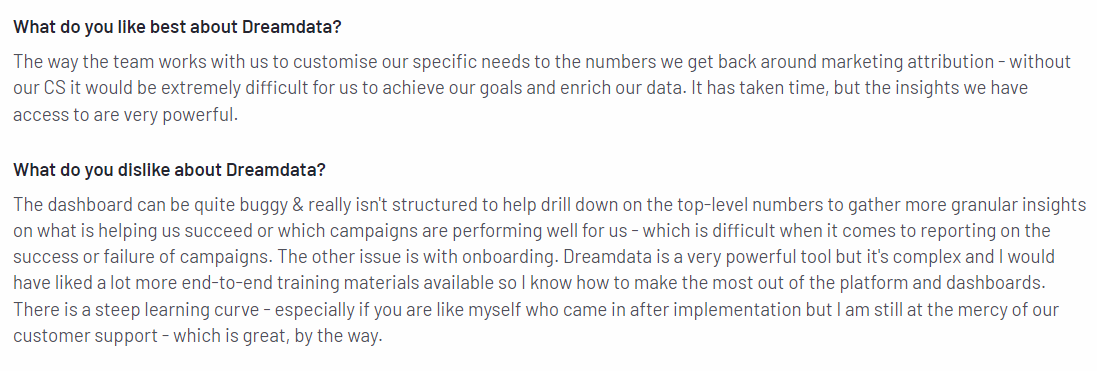
Dreamdata is a revenue attribution platform for B2B businesses. It allows marketers to measure and scale marketing performance across all channels. In addition, the tool can connect and analyze measurable touchpoints across channels, campaigns, and offline events.
It can also help map the touchpoints in the customer journey and provide detailed marketing analytics reports on revenue attribution.
Key features
- Multi-touch Attribution:
The feature provides a range of attribution models to determine channels that have the most impact on sales and revenue. It also helps improve the campaigns by identifying the most influential channels and attributing conversions to them.
- Revenue Analytics:
This tracks and analyzes data from various channels and offers insights into the revenue performance of a business. It identifies the profitable channels and helps optimize marketing spending to ensure maximum ROI.
- Customer Journey Analytics:
From the first touch to the last, Dreamdata offers complete customer journey details in real-time. It also allows marketers to track each account journey individually and visualizes its timeline.
- Performance Attribution:
This feature is specifically for measuring and analyzing the performance of all revenue-generating activities. The activities include paid advertisements on search engines and social media platforms.
Pricing
Dreamdata offers both a free version and a free trial. In addition, they offer a ‘Team’ plan of $999/month and a ‘Business’ plan that depends on the custom business needs.
{{INLINE_CTA_A}}
4. Attribution

Attribution offers a complete multi-touch attribution solution for both B2C & B2B marketers. It is easy to set up and provides integration with third-party tools.
Attribution leverages cohort-based reporting to accumulate adequate data and gain insights at a granular level. The tool helps identify overlapping campaigns, visualize user timelines, and more. Their customer support is top-notch and is available 24/7.

Key features
- Customizable Attribution Models:
It allows marketers to customize the attribution models with minimal coding.
- Robust Auditing:
Attribution has a built-in auditing tool that works round the clock to keep track of revenue allocations and report counterfeit errors.
- Multiple Built-in Integrations:
Attribution supports many pre-built integrations to various CRM platforms, and B2B media channels like LinkedIn, Hubspot, Adroll, Outbrain, etc.
- Delivers Actionable Insights:
Attribution’s simple and intuitive dashboard proactively delivers insights after analyzing customer data. Further, marketers can drill down the reports to improvise their marketing efforts.
Pricing
Pricing details are not available on the website. Contact the Attribution team to learn more about their pricing plans.
5. Full Circle Insights

Full Circle Insights is another Bizible alternative that provides full-fledged marketing attribution. It also includes lead management and funnel metrics solutions.
The tool has native integration with Salesforce to help businesses accurately measure campaign performance. However, implementation takes time, and the usability depends on whether the marketing team is knowledgeable about Salesforce.

Key features
- Revenue and Pipelines Analysis:
This feature uses sophisticated pipeline analysis to identify which marketing campaigns contribute to deals. It provides detailed reports that help businesses optimize and improve their marketing strategy.
- Out-of-the-box Attribution Models:
It provides various attribution models and enables marketers to customize them based on their business’s sales cycle and goals.
- Full Funnel Visibility:
Analyze funnel metrics at a granular level and track down the lead responses down the funnel to optimize your marketing strategies.
Pricing
Full Circle insights provide customized pricing plans. So, contact their team for more details.
5. CaliberMind

CaliberMind is a Bizible alternative that provides powerful marketing attribution. In addition, it is customizable, allowing the marketing team to build attribution models that meet their business needs.
The tool brings all customer behavior data across different channels and sources together in a single location. Also, the tool is adaptable to any tech stack and is scalable to grow with the business.

Key features
- Multi-touch Attribution:
The feature helps understand the marketing effort’s impact on revenue and customer acquisition. It can track user interactions across different channels and help assign credit to the channels that drive more conversion and revenue. It also focuses on identifying what is impacting the pipeline and predicts pipeline generation.
- Funnels:
This feature lets you identify why customers drop off during the journey. CaliberMind also helps you fill those gaps and enables you to get more out of your funnel.
- Web Tracking:
The innovative web tracker provides better visibility into your website traffic. As a result, you can quickly identify who interacted with your brand and at which point in their buyer journey.
- Surge (ABM) Scoring:
Surge scoring based on account-based marketing (ABM) strategy lets you quickly identify potential customers with a high chance of buying your products or services. This feature leverages online behavior, customer information, and other relevant data to identify potential customers.
Pricing
CaliberMind offers a free trial, but its pricing is not transparent. Contact their team for more details.
{{INLINE_CTA_A}}
6. Ruler Analytics

Ruler Analytics is a marketing attribution tool that provides closed-loop attribution across different channels. It can track online and offline touchpoints and automatically reveal channels that drive conversions.
The tool can track customer journeys quickly and link revenue to appropriate campaigns. In addition, it allows marketers to see how quality leads behave and optimize their campaigns accordingly. Ruler Analytics is easy to implement and provides good customer support.

Key features
- Marketing Attribution:
Ruler Analytics empowers marketing teams to track each website visitor across multiple sessions. After conversion, the tool collects revenue data from CRM and attributes it to influential campaigns. It provides various attribution models and lets marketers select the right one for their business.
- Opportunity Attribution:
This feature automatically attributes leads to the pipeline. Marketers can see how many leads are at each pipeline stage and track every lead to their source.
- Offline Conversion Tracking:
Ruler Analytics lets you track and identify offline touchpoints that contribute to or lead up to conversions.
- Data-Driven Attribution:
It generates actionable insights that help businesses;
- Help optimize their marketing efforts.
- Align marketing and sales team.
- Visualize a more accurate customer journey.
Pricing
Ruler Analytics offers a free trial, and their pricing plans are as follows.
- Small/Medium Business - £199 per month.
- Large Business - £499 per month
- Enterprise - £999 per month.
It also provides an Advanced plan with pricing available upon request (POA).
Bizible, now known as Adobe Marketo Measure, is a well-regarded attribution solution but faces criticism for its high cost, complex setup, limited integrations, and a user interface that can be difficult to navigate. For businesses seeking alternatives that address these challenges, there are several options available. Factors.ai provides marketing analytics and attribution with a more user-friendly experience. HockeyStack offers customizable analytics and attribution tools. Dreamdata specializes in B2B revenue attribution and customer journey mapping. Attribution App delivers multi-touch attribution across various channels, while Full Circle Insights combines marketing and sales data for a more comprehensive view. Calibermind excels in buyer journey analytics and data integration, and Ruler Analytics integrates marketing data with CRM systems for closed-loop attribution. These alternatives cater to different business needs and budgets, offering various features to improve attribution accuracy and streamline workflows.
Takeaway
Those mentioned above are a few of the many Bizible alternatives you can use. Choosing an attribution tool ultimately depends on your business needs and requirements.
For example, if you are a B2B marketer in search of an attribution tool, then Factors would be an ideal choice. The tool is built for B2B marketers, enabling them to identify all website visitors, attribute revenue, provide the right attribution models, run ABM, and more. Whereas, if you are a small business that wants to have constant customer feedback to improve the product, then choose HockeyStack. Its Survey add-on feature would be handy.
Following are some key factors to consider when choosing an attribution tool.
- Make sure the tool is customizable to meet your business needs.
- Check the pricing of each tool and ensure it provides value for the investment.
- Make sure the tool can grow with your business.
- Go through the reviews to find out what other customers have said about the tool.
- Look into their customer service and find how helpful they are.
Keep these reviews and considerations in mind when you’re on the lookout for a Bizible alternative.

Bizible vs. HockeyStack: Which Tool Is Right for You
Choose the right attribution tool for you! Discover the key differences between Bizible and HockeyStack, and uncover which one is the right fit for you.

TL;DR:
- Bizible is now Marketo Measure - Adobe’s marketing attribution solution.
- Bizible does better than HockeyStack in terms of - Multi-touch attribution, Customer support, and tracking multiple channels.
- The implementation of Bizible could take up to 3 months.
- HockeyStack is better than Bizible in terms of - Intuitive dashboards, Third-party integrations, Funnels, Surveys & Impression Tracking.
- HockeyStack provides extra features like Funnels, Surveys, and LinkedIn impressions.
In the B2B industry, it's difficult to measure the impact of GTM efforts or attribute specific marketing touchpoints to revenue. This challenge arises because the B2B sales cycle involves several non-linear customer touchpoints over lengthy periods of time.
Several marketing attribution tools are available to help businesses solve this problem. However, with so many alternatives in the market, picking the right one can be overwhelming and time-consuming.
This article evaluates two of the most popular B2B marketing attribution tools. Bizible and HockeyStack.
We'll compare both tools' features, pricing, and other essential factors to help you decide which tool is the best fit for your business.
About Bizible [Now Marketo Measure]
Bizible is a marketing attribution and revenue planning platform for B2B marketers. It helps businesses understand the impact of their marketing efforts on revenue by providing insights into which channels, campaigns, and tactics drive the most income and ROI.
Bizible was acquired by Marketo, which itself was acquired by Adobe in the same year (2018). The tool is now rebranded to Adobe Marketo Measure.
About HockeyStack
HockeyStack is an analytics platform that tracks and analyzes user behavior across websites and mobile apps. It unifies all relevant data in one place, helping companies understand how different factors influence engagement and revenue generation.
HockeyStack offers many features, including event tracking, funnel analysis, and cohort analysis. It also includes a customizable dashboard to visualize and understand data in real-time.
{{INLINE_BOFU}}
Bizible vs. HockeyStack: Common Features
Since both Bizible and HockeyStack are attribution tools, they're bound to have some similarities.
Here we'll discuss the common features of each and explore how businesses can benefit from them.
Content Analytics
Content is king. Whether you have a blog, service page, or ad, content is key to driving brand awareness and conversions. Therefore, it is important to know how content is performing and how it affects the performance of marketing strategies.
Both tools provide valuable insights into the effectiveness of their content strategies. What distinguishes HockeyStack from Bizible is its ability to track and understand the traffic source’s MRR.
Otherwise, the common use cases are as follows:
- Identify the traffic to each content piece.
- Evaluate the engagement rate, CTR, and conversion rate of each content.
- Calculate the time spent on each web page.
- Pinpoint the influential content driving more prospects and conversions.
Suggested read: Measuring the ROI of your B2B Content
Customer Journey Mapping
Customer journey mapping is a crucial element when it comes to marketing, and both tools provide this feature.
Bizible’s robust multi-touch attribution models help pinpoint all key touchpoints and can aid in mapping the customer journey. Similarly, HockeyStack’s attribution and account-level journey features visualize all pre- and post-conversion journeys with all relevant touchpoints.
Custom Reporting
Users can create and access their reports using inbuilt templates in both tools. They also enable users to customize reports based on their needs.
How is it helpful?
A custom report can be modified to provide detailed insights into various marketing performance metrics, such as website traffic, conversion rate, and ROI. These metrics help understand which marketing efforts are working and which are not.
Conversion Tracking
Both tools can track and measure valuable user interactions such as page views, form submissions, newsletter subscriptions, and button clicks.
It is important to track conversion as it provides insights into what's working and what's not. This further helps businesses make data-driven decisions to improve their marketing campaigns.
Both tools allow marketers to track and measure conversion rates across channels and touchpoints. It further helps with the following:
- Identify high-performing channels that drive more conversion and revenue.
- Understand what prompts the customer to convert by tracking conversion at each customer journey stage.
- Identify campaigns and channels that don't perform well and optimize them.
- Associate revenue data with corresponding campaigns to prove ROI.
What Bizible Does Better
Multi-touch Attribution
Bizible is one of the best tools for multi-touch attribution and provides insights into online and offline touchpoints.
It provides users with various attribution models and is customizable to meet specific goals. It also can run multiple attribution models in parallel, which is absent in HockeyStack.

Though revenue attribution is one of the key features of HockeyStack, some users have found it complex to use. Therefore, Bizible remains the best choice in terms of multi-touch attribution.

Tracking Multiple Marketing Channels
Bizible is an excellent option for companies that use various marketing channels to attract potential customers. However, while HockeyStack can help track user interaction with social media platforms, they still need to catch up on offline touchpoints.
With Bizible, companies can pinpoint the channels that are driving qualified traffic. Then, by allocating marketing budgets and optimizing channel performance, companies can increase the likelihood of sales.

Customer Support
Both Bizible and HockeyStack provide good customer support. However, based on G2 and Capterra reviews, Bizible seems to have the upper hand.

Bizible’s customer support team works closely with customers to assist and solve any problems they experience with the software. They even attend to generic requests quickly.

What HockeyStack Ds Better
Intuitive Dashboards
HockeyStack provides a simple and customizable dashboard that allows users to identify critical data about website visitors on one screen.

Though Bizible claims to provide dashboards that are intuitive, reviews say otherwise.

Integrations
Integrations are crucial as they help collect and analyze data from different sources in a centralized platform. As a result, these integrations help businesses understand their marketing performance better and make data-driven decisions to optimize them.
Though both tools provide integrations, HockeyStack has more integration capabilities than Bizible. Moreover, according to the HockeyStack website, they provide custom integration. This means that if a user can't find a necessary integration, the HockeyStack team will build one for them.


Implementation
HockeyStack provides faster onboarding than Bizible. With HockeyStack, companies need to add just one code to their website. In contrast, the implementation process in Bizible can take up to 3 months and would require extensive IT support services, which Bizible does not provide.

Funnels, Surveys & Impression Tracking
HockeyStack offers some additional features that Bizible doesn't provide.
Funnels
This is one of the most valuable features of HockeyStack. It is a powerful analytical feature that helps users visualize the various stages of the sales cycle using graphics. Users can configure these stages to track how website visitors move from the home page to the pricing page, to a blog, and to schedule a demo.
Surveys
This allows users to create their own surveys for self-attribution and to understand the NPS score. Using these survey responses, a business can identify which channels influence the pipeline - from their users.

LinkedIn Impression Tracking
Linkedin Impression Tracking allows users to identify the companies that view their LinkedIn campaigns.
Bizible vs HockeyStack: Pricing
Bizible Pricing
Bizible (Marketo Measure) doesn't provide transparent pricing information on its website. Contact its sales team for more details.
Also, Bizible customer reviews often indicate that the pricing is higher than other tools.

Free Trial - Not available
Free Version - Not available
HockeyStack Pricing
HockeyStack also doesn't have pricing information on their website. According to their website, plans start from $949 per month.

Free Trial - Available
Free Version - Not available
How to Choose the Right Attribution Tool for Your Business
Choose a scalable tool that can be customized to address your business's unique needs and challenges. The scalability feature ensures that the tool will remain relevant even as the business scales and grows.
Apart from scalability and customization following are a few other points to consider before selecting a tool.
- Identify and understand the business requirements; this will help choose a tool that provides the insights you need.
- Marketing analytics tools are costly in general. So, ensure the tool solves your essential features and falls within your budget.
- Ensure the tool you choose enables third-party integrations with CRM, Ad platforms, etc.
- Select the tool that provides an intuitive UI.
- Make sure that the tool offers adequate customer support.
Still On The Fence About What B2B Attribution Tool To Go With?

If you feel Bizible nor HockeyStack is the right fit for your business, then why not consider Factors?
The tool is purpose-built for B2B SaaS marketers and has the best following features:
- Easy no-code implementation
- Effective touchpoint tracking [Online & Offline]
- Accurate path analysis
- Multi-Touch Attribution
- Website visitor identification
- ABM analytics
- Customizable reports, events, and dashboards
- Custom funnel analysis with selected KPIs
- Dedicated customer success management
And more, read about each Factors’ features


Our users love us, you can read more wonderful reviews on G2 and on Capterra.
Factors Pricing

Free Trial - Available
Free Version - Available
Factors provide various pricing plans, including customizable options. The pricing is as follows:
- Starter - $399 per month
- Growth - $779 per month
Contact the Factors team to learn more about the Custom and Agency plan.

Building a Sales Intelligence Tech Stack: A B2B Guide For 2026
Optimize your B2B sales process with this 2026 guide to sales intelligence stacks. Get tips on integration, automation, and performance tracking.
TL;DR
- A sales intelligence tech stack boosts lead quality, conversion rates, and forecasting accuracy.
- Core tools include CRM systems, enrichment platforms, lead scoring, analytics, and communication software.
- Effective stacks require integration, automation, and regular performance reviews.
- ROI comes from shorter sales cycles, increased revenue, and reduced manual workload.
Understanding Sales Intelligence Basics
A sales intelligence stack is a set of tools that helps sales teams gather and use data about potential customers and market opportunities. It gives insights about prospects, allowing teams to make informed decisions during the sales process.
Key parts of a sales intelligence stack include customer data platforms, intent data tools, and engagement analytics software. These tools work together to offer a full view of potential customers, their needs, and their buying habits. Good sales intelligence uses firmographic data (like company size and industry), technographic data (like technology used), and behavioral insights.
When used well, a sales intelligence stack provides clear benefits. Companies using these tools see 35% higher close rates and 45% faster sales cycles. These gains come from better targeting of prospects, more personalized outreach, and spotting buying signals early.
The benefits of a sales intelligence stack include:
- Less time spent researching each prospect
- Higher quality leads in the pipeline
- Better conversion rates at each sales stage
- More accurate sales forecasts
- Smarter use of sales resources
- Improved customer retention by finding better fits
Knowing these basics helps teams choose the right tools for their stack and use them effectively. The key is to pick tools that work well together and add unique value to your sales process.
Assessing Your Current Sales Process
Before you build a sales intelligence stack, examine your current sales process to find where technology can help the most. Start by writing down your workflow from lead generation to closing deals, and note any manual tasks that slow your team.
Common issues to watch for include:
- Time spent researching prospects by hand.
- Delays in answering sales inquiries.
- Inconsistent lead qualification.
- Poor visibility into buyer interest.
- Duplicate data entry.
- Incomplete or outdated customer info.
Map your current workflows by:
- Tracking how leads move through your pipeline.
- Measuring time spent on each sales task.
- Identifying communication bottlenecks.
- Noting where deals often stall.
- Analyzing win/loss patterns.
Set clear goals for your new stack:
- Specific metrics to improve.
- Reduction in manual tasks.
- Better response times.
- Improved lead quality and conversion rates.
- Integration capabilities.
This assessment helps you choose tools that solve real problems without adding complexity. Focus on fixing the most impactful issues first, and ensure that new tools integrate well with your current systems. For example, integrating with your existing CRM systems can streamline your sales process significantly.
{{INLINE_TOFU}}
Essential Components of a Sales Intelligence Tech Stack
A well-organized sales intelligence stack has five key parts that boost your sales process:
- CRM Integration
- Serves as your primary data center.
- Keeps track of customer interactions and deal progress.
- It should connect easily with other tools like Salesforce, HubSpot, and Zoho.
- Data Enrichment Tools
- Update contact information automatically.
- Add company insights and firmographic data.
- Check data accuracy. Some of the tools are ZoomInfo, Clearbit, and LinkedIn Sales Navigator.
- Lead Intelligence Platforms
- Score and qualify leads.
- Track buyer intent signals.
- Watch prospect engagement. A few tools can help you with this process are 6sense, Bombora, LeadFeeder, and Factors.ai.
- Analytics and Reporting Tools
- Measure sales performance.
- Track conversion rates.
- Offer actionable insights. Tableau, InsightSquared, and Clari are some of the tools that can help you with this process.
- Communication Tools
- Support sales outreach
- Track email engagement
- Manage follow-ups using Outreach, SalesLoft, and Groove tools.
When choosing these components, focus on the following:
- Smooth integration.
- Accurate and up-to-date data.
- Easy-to-use interfaces.
- Ability to grow with your needs.
- Reliable customer support.
- Compliance with data rules.
Pick tools that work well together and avoid overlapping features. The aim is to build a simple tech stack that boosts productivity without burdening your team with too many tools. For instance, integrating workflow automations can help streamline your processes.
Building Your Sales Tech Stack Step by Step
Building a sales intelligence tech stack takes planning and careful steps. Here's how to do it:
- Establish Requirements
- List the features you need for your sales process.
- Note current issues and inefficiencies.
- Ask sales teams what they need.
- Set clear goals for the stack.
- Choose Vendors
- Research vendors for each part.
- Make a shortlist based on reviews.
- Request demos from top vendors.
- Compare prices, features, and integration.
- Plan Integration
- Map how the tools will connect.
- Check API documentation and compatibility.
- Plan data flow between systems.
- Identify possible integration challenges.
- Consider Budget
- Calculate total costs.
- Include setup and training costs.
- Plan for growth costs.
- Consider ROI timelines.
- Set Implementation Timeline
- Create a phased rollout schedule.
- Start with core systems.
- Allow time for team training.
- Set milestones for each phase.
- Include buffer time for issues.
Involve key stakeholders throughout the process and communicate progress and expectations. Start small, test well, and expand based on success and feedback. Additionally, consider how account intelligence can enhance your stack.
How To Keep Your Sales Intelligence Tech Stack Effective?
Your sales intelligence stack should grow with your business. Here's how to keep it relevant and effective:
Scalability Considerations
- Choose tools that can handle 3-5 times your current data.
- Pick vendors with clear product plans.
- Ensure pricing models allow for growth.
- Look for flexible API limits and user licenses.
Emerging Technologies
- Keep an eye on AI and machine learning.
- Stay updated on predictive analytics tools.
- Watch for new data enrichment methods.
- Track integration platform updates.
Regular Assessment Methods
- Review your stack every quarter.
- Track how often tools are used.
- Measure the ROI for each tool.
- Get feedback from sales teams.
- Monitor industry standards.
- Note any pain points and limits.
Update Strategies
- Plan clear upgrade paths for each tool.
- Set aside a budget for new features.
- Gradually replace outdated tools.
- Maintain relationships with key vendors.
- Keep documentation up to date.
- Train teams on new features.
Future-proofing is about maintaining a flexible stack that can evolve with your needs. Regular assessments and strategic updates help you avoid significant overhauls and keep your sales intelligence stack effective. Consider how intent capture can play a role in this evolution.
Integration and Workflow Optimization
Sales intelligence tools need to work together smoothly. Here's how to optimize your integration and workflows:
Tool Integration Strategies
- Use built-in integrations when you can.
- Use platforms like Zapier or Workato for custom links.
- Keep a record of all integration points and data flows.
- Test integrations well before full use.
Workflow Automation
- Automate data entry and routine tasks.
- Set triggers for important events.
- Create alert systems for key activities.
- Schedule automated reports.
- Define clear handoff points between tools.
Team Training
- Develop training materials for each role.
- Make video tutorials for common tasks.
- Hold regular training sessions.
- Assign power users as internal experts.
- Track how well the team uses the tools.
- Address any resistance to change quickly.
Performance Monitoring
- Set up dashboards for key metrics.
- Monitor system response times.
- Track how often integrations succeed.
- Look for bottlenecks in workflows.
- Measure time saved through automation.
- Have regular check-ins with team leads.
The goal is to create a smooth, efficient workflow that lets your team focus on selling, not managing tools. Regular reviews and adjustments keep your integration strategy effective and aligned with your sales goals. Utilizing account intelligence can also enhance your performance monitoring.
Measuring Success and ROI of Sales Intelligence Stack
Success in sales intelligence investment relies on clear improvements in your sales process. Here's how to track and measure your return on investment:
Key Performance Indicators
- Lead conversion rates.
- Sales cycle length.
- Deal win rates.
- Average deal size.
- Time on administrative tasks.
- Lead quality scores.
- Number of touches before conversion.
Analytics and Reporting
- Set up weekly and monthly reports.
- Track yearly performance changes.
- Monitor tool usage by teams.
- Compare performance before and after tool use.
- Generate reports on data quality.
Optimization Strategies
- Regular A/B testing of sales methods.
- Refine the lead scoring model.
- Adjust automation workflows based on results.
- Fine-tune data enrichment settings.
- Review tool use regularly.
ROI Calculation Methods
Calculate the following to check if the sales intelligence tech stack is having an efficient ROI or not.
- Cost per lead.
- Cost per customer.
- Time saved multiplied by hourly cost.
- Revenue increase from tools.
- Reduction in data entry costs.
- Customer lifetime value improvements.
- Tool cost vs. revenue generated.
Set baseline metrics before using new tools and review performance against these benchmarks regularly. This helps justify ongoing investment and finds areas for improvement. Track both numbers (like revenue) and improvements in decision-making from better data. Consider how workflow automation can contribute to your ROI.
Building a High-Impact Sales Intelligence Tech Stack for B2B Teams
A well-structured sales intelligence tech stack helps B2B sales teams streamline prospecting, improve lead quality, and boost conversion rates. Essential components include CRM integration, data enrichment tools, lead intelligence platforms, analytics, and communication tools. These systems provide actionable insights using firmographic, technographic, and behavioral data, leading to better-targeted outreach and increased sales efficiency.
Before building your stack, assess your current sales process to identify inefficiencies like manual research, slow response times, and inconsistent lead qualification. Set clear goals, select tools that integrate smoothly, and plan implementation with phased rollouts.
Keeping your tech stack effective requires regular assessments, scalability considerations, and adoption of emerging technologies like AI-driven analytics. Workflow automation, seamless integration, and structured team training enhance efficiency, reducing administrative burdens and improving sales outcomes.
Measuring success involves tracking key performance indicators (KPIs) such as conversion rates, sales cycle length, and ROI improvements. Regular optimization, A/B testing, and workflow adjustments ensure continuous performance enhancements. A well-maintained sales intelligence stack drives sustainable business growth by improving data-driven decision-making and operational efficiency.
.avif)
Build Vs. Buy for B2B Marketing Analytics (Part I)
Deciding whether to build or buy B2B marketing analytics software can be tough. Learn the pros and cons of each approach in our latest blog post.

The following is a two-part blog on aiding your decision between building and buying a B2B marketing analytics and attribution solution. Part I deals with understanding the need for B2B marketing analytics and attribution. We also breakdown the technical requirements for an in-house solution, and what it would take for an off-the-shelf solution to deliver a similar experience.
Part II takes a logistical standpoint. There, we explain the practical resources required for a robust B2B marketing analytics and attribution solution. We also break down the opportunity cost of building and buying such a solution. Hopefully, this leaves you with valuable insights in cementing your build vs buy decision.
1. DEFINING THE NEED
Before we get into the nitty-gritty, we need to understand the need for marketing analytics and attribution under a business’s marketing function. This in turn necessitates the requirement of an off-the-shelf or in-house solution. This can be boiled down to two needs — tracking and optimization.
Tracking: In recent years, marketing has been losing its gravity as a core function of a business’s operations. As a result, justifying its revenue contribution is becoming increasingly vital. With lengthy B2B sales cycles that stretch across several months, waiting on revenue is simply not an option. This is where the use of marketing analytics with indicative metrics and KPIs (such as CPA, CTR, CPL, and web traffic analytics, etc) help in tracking and justifying the ROI of the marketing function before having to wait on your closed-won revenue contribution.
Optimisation: The optimisation need can be summarized as the need to quantify performance at a channel/campaign level and determine what to invest more or less in. Multi-touch attribution is used to facilitate this need. The requirement to optimize B2B marketing efforts will vary depending on the length of your sales cycle — but is nonetheless indispensable. Attribution is a tentative requirement, while Tracking is usually an everyday thing.
2. UNDERSTANDING YOUR REQUIREMENTS
Now that we have defined the need for a marketing analytics and attribution solution, choosing to build or buy comes next. The problem here is acknowledging that when you’re considering a solution, different marketers have different needs and resources. While some marketers only need the bare minimum, others may opt for more sophisticated solutions.
The presupposition here is that the following part of the blog on your technical requirements will always highlight more than just the bare minimum, while also zeroing on what an off-the-shelf alternative has to offer.
TECHNICAL REQUIREMENTS
Tracking and Collection
Your primary requirement for an in-house marketing analytics and attribution solution is to track user data and user interactions. There is a wide array of data that is to be tracked — page views, URL changes, web events, web sessions, CTAs, button interactions, form downloads, demo scheduled, and more. While you could limit what you track, it’s always advisable to track as much as you possibly can, as long as it is relevant to your analytics.
Ideally, your in-house solution should be able to track all of the above. There are two ways of building this. You could either opt for a CDP like Segment to automatically collect this data or construct a solution with developer dependency.
The developer will need to be able to create an event into your analytics stack every time an action occurs. The biggest concern with this approach is that it is risky. Especially when there are changes on the website, as it is too meticulous to be able to scale. That being said, you want to have a solution where your marketing team is not too dependent on your engineering team. Else this will only cause more harm than good.
SDK Requirements
The general concern with using an SDK is understanding that it will have to work with different website frameworks — like single-page applications (SPC) and normal web applications. Additionally, as websites are developed using different technologies like React JS, WordPress, CMS HubSpot, you’ll have to ensure that your SDK is sufficiently compatible.
Your SDK will need to be fine-tuned to be able to send data to your server. Webpages have to load A LOT of content including images, animations, text, etc. Your SDK will need to be able to capture events and put them in a queue to be sent at a later time. It will also have to be optimized for different internet speeds — mobile internet vs broadband. These factors should not be taken for granted. Failing to optimize your SDK could either crash the client website or result in the collection of incomplete data. Your goal here is to engineer a light yet effective SDK that captures and sends data without a compromise on user load time.
Tools like Segment and Google Analytics will help you track the events. However, these solutions are not fully automated and will require developer dependency. Factors.ai is tailor-made for marketing analytics. We also facilitate an advanced SDK that empowers robust web tracking, zero developer dependency, and more.
Data Handling and Cleansing
For a marketing analytics use-case, your in-house solution will need to be able to handle different types of data. More specifically 3 types of data:
1. Campaign reports from ad platforms
2. Event tracking data from your website
3. Objects from your CRM
Your goal is to build a solution that can handle all 3 of these data types. Doing this will prove to be challenging. At a base level, you will need to understand the objects of your CRM and how they are connected. Salesforce, for example, records accounts, contacts, opportunities, leads, products, campaigns, users, and dashboards as their standard objects. You can also create custom objects. You will then need to model your web analytics events against the users on your CRM customer data. Not to mention a separate data stack for ads data from Facebook, LinkedIn, Google Ads etc.
Data cleansing could be best explained with an example: In most off-the-shelf web analytics solutions, a web session will have some parameters set to distinguish itself from other sessions. For example, when a user is inactive for more than 30 minutes on your website, it will be tracked as a new session. Another one is when a user visits your website through an ad and a session begins, but then clicks on another ad to the same site shortly after. In this case, they will be considered as separate sessions as they come from different ad sources.
In other words, designing web sessions based on a period of inactivity or distinct UTM parameters are examples of data cleansing. Failing to do this, and other such data cleansing practices, will result in a lot of nuanced difficulties.
While most off-the-shelf solutions will handle such cleansing and data categorization, note that most of these analytical solutions usually handle only one of the three data types. Factors.ai, on the other hand, consolidates all three.
Data Storage and Warehousing
As a business running data analytics, it is important to acknowledge that data warehousing is a core need. Unfortunately, companies that adopt a data warehousing solution are still in the minority. One could argue that they could rely on application databases. This, however, will result in processing constraints and logistical difficulties. Alternatively, most data warehousing solutions process analytical queries in a more effective, columnar fashion. They also serve as a centralized data hub for all your workflow data. Modern data warehouses also make it cost-effective to scale your data warehousing. Therefore, it would be preferable if your analytics solution had an export to a data warehouse like Google BigQuery.
Attribution and Presentation
The previous tracking and handling data requirements form the basis for a robust marketing and web analytics. But what about marketing attribution?
For an attribution solution, you will first have to refer to the contacts on your opportunity account in your CRM. Then identify all data touch-points you encountered with those contacts — these could be webinars attended, demos scheduled, white paper downloads, field events, etc. These are all website sessions that are driven from different ad campaigns, email campaigns, etc. After accumulating all this data over a certain time frame, there will be an X amount of opportunity value that can be attributed to these touch-points. You will have to credit them and to do that you can utilize several existing multi-touch attribution models — refer to this blog to learn more. You could even implement a custom model — for example a model that attributes more credits to contacts with job titles past a certain level, and fewer credits for one below that level.
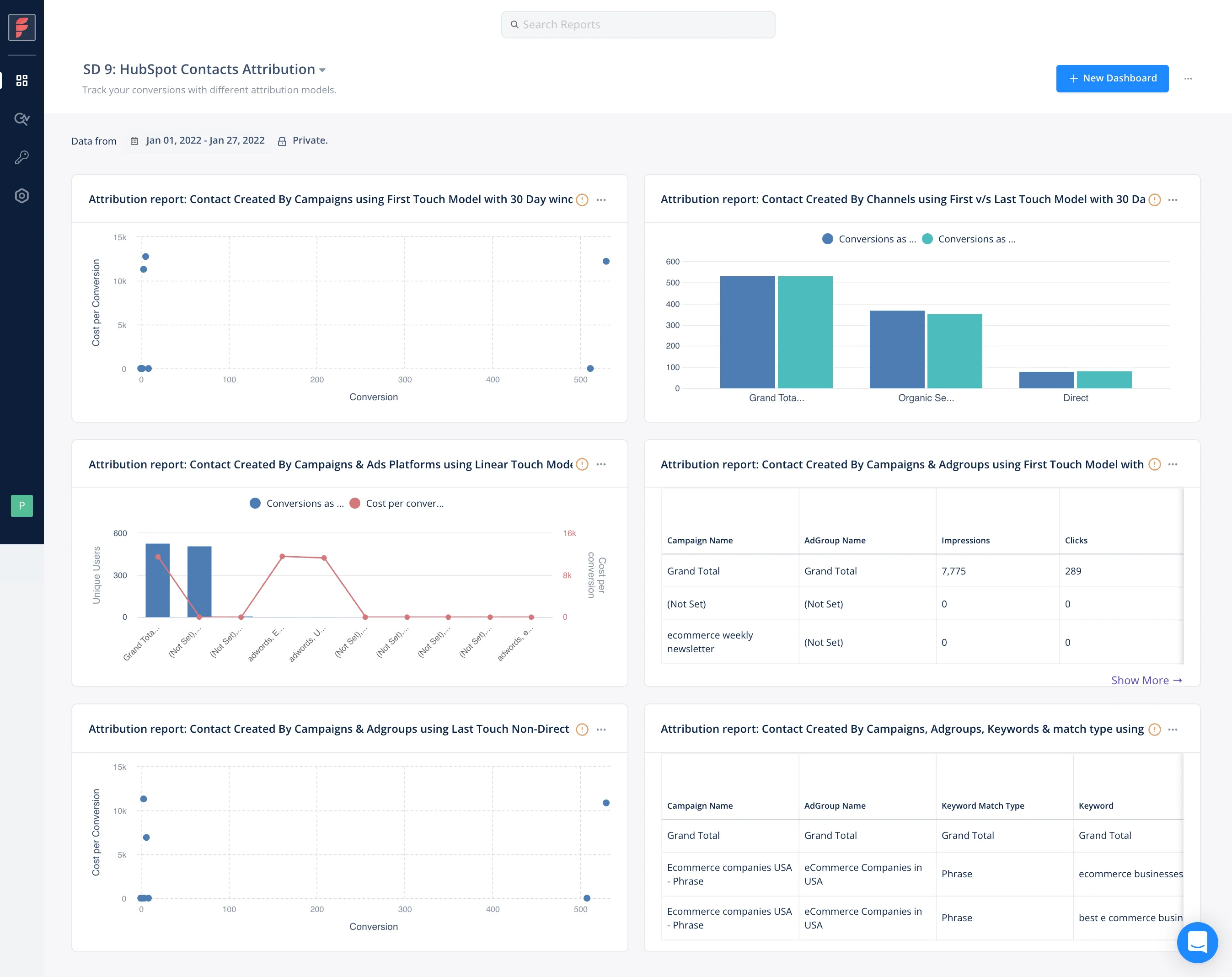
Presenting your marketing analytics and attribution reports requires breaking down, summarizing, and visualizing an extensive amount of data. For this, you would have to set up a dashboard and operate a data visualization tool — like Tableau and Looker. This requires a fair amount of expertise to assemble. What makes this process challenging is building out all the SQL queries for these reports.
Ensuring the correct data and the right quantity of data is being delivered to your dashboard is key. An overcomplicated dashboard or several superfluous dashboards won’t run efficiently. Ideally, you don’t want your team of data engineers to be preoccupied with operating existing data pipelines.
Factors.ai comes with a powerful attribution engine. With it, you can use, compare, and customize several single-touch and multi-touch attribution models. Factors attributes touch points across ad platforms, website events, and CRM. Factors also supports real-time reports and insights, a unified and customizable dashboard, and a wide range of data visualization under one roof.
Maintenance
When you build an in-house marketing analytics and attribution solution, there is a need for continual maintenance to ensure operational efficiency. Especially the maintenance of integrations across your SDK, CRM, Ads platforms, API version updates, etc.
Optimizing your SDK from an engineering perspective as mentioned before is a trial-and-error process. You will have to adjust your data pipeline to effectively deliver data to your dashboards. You’ll even have to keep your techstack up to date. Not to mention that there will always be tech debt and bugs to troubleshoot over time. This is never a one-and-done situation. As time passes you would have to modify your queries while you bring in more data all while optimizing your process.
Integrations, data concerns, troubleshooting and all of the aforementioned maintenance can be administered without developer dependency with Factors.ai.
{{INLINE_BOFU}}
3. INTERPRETATION
The purpose of part I is to illustrate the challenges in setting up the technical requirements for building a solution — optimizing your SDK, building a data layer and a solution that is compatible with all types of data, building a solution that can export to a data warehouse, assembling a dashboard, maintenance, etc. This way you can have a fair idea of not only what to decide on, build or buy. But also know what to look for when opting for an off-the-shelf solution.
If you were looking for a comprehensive conclusion, then look no further than part two. The next part highlights the opportunity costs for an in-house and off-the-shelf solution and takes into account the cost, time, planning, and even the technical requirements of this piece.
.avif)
7 Strategies to Build Buyer Trust With B2B Marketing Content
Looking to build buyer trust through B2B marketing content? Learn the top seven strategies to create long-term customer loyalty with your content in 2024.

Knowing how to build buyer trust through B2B marketing content can help create lasting customer relationships, drive sales, and foster customer retention.
A recent survey by Forrester reported that B2B buyers are twice as likely to recommend a company to a colleague if they trust it.
In this article, we’ll share insights on how to build buyer trust through B2B marketing content.
What is a B2B content marketing strategy?
A B2B content marketing strategy is a carefully curated roadmap outlining how a company will create and share content that attracts and engages its audience.
A great content marketing strategy results in an impressive ROI. This explains why 90% of marketers use content as their primary digital marketing tool.
That said, 97% of these marketers admit that their content marketing efforts have been successful, as shown in the HubSpot report below.

Content comes in various forms, including blog posts, videos, webinars, e-books, social media posts, and case studies.
A well-defined content marketing strategy provides a plethora of benefits to B2B owners. These include:
- Increased website traffic, ultimately improving your brand’s visibility and driving more visitors
- Amplified B2B sales lead generation and conversion as quality content attracts prospects and guides them through a sales funnel.
- Improved relationships with customers by offering valuable resources that address common pain points and provide solutions
- Enhanced audience engagement, resulting in meaningful discussions and interactions that help build customer loyalty
- Increased brand awareness, helping to reach a larger audience
How to build buyer trust through B2B marketing content
Engaging B2B buyers can be challenging. To build trust, your content marketing strategy must be convincing enough to move your prospects past the decision stage in the customer journey.
Here are seven effective winning strategies for building buyer trust through B2B marketing content.
1. Defining your target audience
When you know your audience and identify who you’re connecting to, it’s easier to tailor content that engages and resonates with them.
You can conduct successful audience research through the following ways:
- Create B2B buyer personas: Identify your ideal client profile. Understand their decision-making process and the reasoning behind their decisions.
- Collaborate with sales teams: Work with your sales team to understand your customer base. They’ve interacted with your prospects firsthand, so they should have valuable insights into their demographic data.
- Follow consumer conversations: Reading conversations on social media platforms can help you gauge your prospect's age, gender, geography, and more.
2. Knowing your audience’s preferences
Empathy is crucial in learning how to build buyer trust through B2B marketing. Consumers are generally drawn to companies that are genuinely interested in their success.
You can show this by building an emotional connection with your customers through content. Observe their behaviors and preferences. Try to understand what they could hope to achieve with your product or service.
With proper communication with your customers, you can grow your business with minimum cost on customer acquisition.
You can leverage great customer service software like Freshdesk to help you streamline your support processes and improve your customer experience.
But it’s also crucial to consider other great Freshdesk competitors like Zendesk to ensure you’re selecting the best software for your business needs.
There are multiple ways to establish an emotional connection with your audience and show them you’re listening. Here are some:
- Analyze what makes your consumers interact with your content. What type of content do they like the most? What prompts them to leave your site? How many times do they visit your site before taking an action?
- Directly ask your customers what kind of content they expect from you, including what they enjoy or dislike about your content. You can do this through feedback forms, surveys, and focus groups.
- Gather information from your sales and customer service teams on what questions your customers ask the most. Then, define their needs and pain points to address these questions on a massive scale.
- Use social media platforms to have conversations with your audience. Respond to comments, share user-generated content, and participate in discussions to show that you value their feedback and engagement.
The key to building buyer trust through B2B marketing content is to provide tailored content they can resonate with. Through your content, you can demonstrate that you’re attentive to their needs and feedback.
3. Create informative content
When writing for B2B audiences, you need a deeper understanding of complicated concepts and technology.
Therefore, creating educational content that breaks down complex topics into digestible formats will help your audience understand your business better. This will, in turn, cause them to trust your content as a reliable source.
A great example is the Amazon Web Services (AWS) blog below.

Leverage content recommendations to increase awareness on your educational blogs, extending their reach and allowing you to educate more of your audience.
Whether it’s informational videos, articles, or blog posts, recommending high-quality content demonstrates your commitment to providing valuable information. As explained in the Attrock guide, some other ways exist to insert recommended content within a website.
Here’s an example of content recommendation by Attrock.

4. Establish your authority and expertise
One of the factors that B2B buyers consider before making a purchase is a brand’s authority in their niche. They like knowing you have the credentials, knowledge, and experience to support your claims.
That’s why, as a B2B owner, building trust with your audience and showcasing your skills will help you stand out from the competition.
Craft top-of-the-funnel content that positions your company as a trusted expert in your industry. Discuss top practices and address your buyers’ queries.
You can even suggest your product or services as a viable solution to help your customers. However, be sure to do it tastefully without overpromoting your brand. Simply pitch the value your customers can get from your offerings.
Remember, your B2B buyers just want to trust that your company can solve their problems. Providing reassurance on this assumption makes your content marketing strategy effective.
Here are some of the ways to use content marketing to establish authority within your industry:
- Share success stories from real customers, demonstrating how you helped them solve their specific problems
- Participate in industry conversations via webinars, forums, and guest articles
- Include authors’ headshots and bios when publishing articles
- Partner with industry influencers and leaders to further add credibility
You can also use social proof, particularly case studies, reviews, and awards, to show how others trust and have benefited from your brand.
5. Be authentic and transparent
Authenticity plays a significant role in building buyer trust through B2B marketing content. The more authentic you are, the more your readers will trust you.
Create blogs and videos that share the rationale for critical decisions on product launches, changes, and discontinuations, if any.
Also, ensure that your audience can quickly find information about your brand. Utilize search engine optimization strategies to help your website rank higher in search engines. With ample information about your brand online, you can maintain transparency.
Creating “About Us” pages can also help your audience learn everything about your company. These pages humanize your values, history, journey, leadership, and work culture.
The image below exemplifies a well-drafted “About Us” page.

Other ways to maintain authenticity and trustworthiness in your B2B marketing content strategy are:
- Explaining your product or service in detail
- Answering questions upfront with FAQs on product pages
- Displaying pricing, lead times, ratings, and details about customer support
- Openly comparing yourself with competitors and acknowledging your similarities and differences
6. Stay consistent
B2B sales cycles are generally complex and lengthy. Earning and maintaining your customer’s trust requires consistency and commitment.
You can start by maintaining a consistent presence on social media by regularly posting valuable content, responding to messages promptly, and actively participating in industry talks.
If you’re short on time and expertise, consider outsourcing content marketing tasks. This will help ensure a steady stream of high-quality content while you work on other strategic initiatives to improve your content.
7. Ask for feedback and improvement
B2B buyers are more likely to trust your brand if you consider their opinion. They want assurance that you value their opinions and listen to their complaints.
This is why you need to ask for their feedback and input. You can do this through surveys, reviews, focus groups, and interviews. You can even provide incentives to encourage your customers to leave feedback.
You can also utilize marketing measuring metrics, analytics, and testing to measure your performance, determine your strengths and weaknesses, and optimize your content.
Building buyer trust in B2B marketing relies on delivering content that aligns with your audience's needs and preferences.
1.Define Your Target Audience: Craft detailed buyer personas to tailor content effectively.
2. Understand Audience Preferences: Analyze engagement metrics and gather feedback to align content with interests.
3. Create Informative Content: Simplify complex topics to establish authority and reliability.
4. Establish Authority: Share insights to position your brand as a trusted industry leader.
5. Be Authentic and Transparent: Maintain honesty in messaging to foster trust.
Implementing these strategies strengthens customer relationships, increases loyalty, and improves conversion rates.
{{INLINE_TOFU}}
Wrapping up
There you have it—the seven best ways to build buyer trust through B2B marketing content and stay ahead of your competition.
Remember, trust takes time to build. However, it’s worth the time and effort. Once established, trust becomes an important asset. Having your audiences’ trust sets your brand apart and creates long-term customer loyalty. This is ultimately instrumental in your sales and profitability.
Keep pushing and using the right marketing solutions to gain customers’ trust and expand your B2B services

Best Pay-Per-Click Companies for LinkedIn Ads
Explore the top LinkedIn advertising agencies, real costs, proven strategies, and expert tips to pick the right partner, plus how automation tools turn your LinkedIn spend into a predictable B2B pipeline.

TL;DR
- LinkedIn ads are pricey, but when done right, they drive a healthy pipeline.
- Specialist agencies > generalists. Look for platform depth, B2B expertise, and real revenue case studies.
- Top picks include: B2Linked, Impactable, HeyDigital, Cleverly, Sculpt, Sociallyin, Disruptive Advertising, TripleDart, Omni Lab, and PipeRocket.
- Track revenue metrics (SQLs, opp rate, pipeline influence), not vanity metrics.
- Avoid common pitfalls: stale audiences, overserved accounts, and ignoring view-through attribution.
- Use a vetting checklist: proof of results, transparent reporting, ABM alignment, creative testing rigor, and cultural fit.
- Tools like Factors’ LinkedIn AdPilot help agencies win by automating audience updates, impression control, and attribution so your spend actually translates into pipeline.
If you've ever watched your LinkedIn ad budget evaporate faster than free pizza at a startup all-hands meeting, you know the pain of running LinkedIn ad campaigns without a trusted partner.

So we’ll not rub salt into the wound by going down the rabbit hole of explaining what LinkedIn ads are and why they matter. If you’re one of the 40% B2B marketers who said LinkedIn is the most effective channel for driving high-quality leads - you already know what’s up so let’s come straight to the point.
The average CPC on LinkedIn typically ranges between $5.58 and $10 but when you nail the targeting and messaging, those clicks can convert to pipeline that actually closes. The difference between burning cash and printing qualified leads? Working with a LinkedIn ads agency that actually understands the platform.
When done right, LinkedIn ads deliver unmatched B2B intent. But if your pipeline currently looks more like a trickle than a flow, this blog will help you find the best pay-per-click experts who can turn those costly clicks into qualified conversations.
Bonus: a friendly reality check on what things actually cost, and a buying checklist so you don't end up with yet another vendor who optimizes for vanity metrics while your sales team sends you passive-aggressive Slack messages about lead quality.
Top LinkedIn Ads Agencies
Here's the shortlist, agencies that consistently appear in credible directories, show real client results, and won't ghost you after the first month. Listed in no particular order because we don’t play favourites.
💡Also read: Top 10 LinkedIn Automation Tools
| Agency | Best For | Core Services | Why They Rock | Pricing |
|---|---|---|---|---|
| B2Linked | ABM programs, enterprise B2B, and mid-market SaaS scaling LinkedIn as a primary channel | LinkedIn campaign management, PPC strategy, audience segmentation, creative production, conversion optimization | Pure LinkedIn specialists, surgical targeting + constant A/B testing, clear and simple reporting dashboards | $3,000+/mo + $1,000 setup |
| Impactable | Mid-market SaaS, service companies, ABM programs, teams needing expert PPC augmentation | LinkedIn-centric ecosystem, paid ads management, PPC services, ABM targeting, creative testing, lead gen | Full-funnel execution, deep segmentation, advanced analytics that make optimization actionable | $750 + 15% of ad spend (min. $1.5k/mo) |
| HeyDigital | SaaS & B2B teams needing performance ads + landing pages and CRO | Performance marketing, end-to-end paid ads, CRO, PPC management, high-converting landing pages | Great for long sales cycles, creative-forward, understands SaaS buying psychology | Custom quote |
| Cleverly | Small B2B companies wanting paid ads + outbound automation + influencer-style content support | LinkedIn ads, lead generation, outbound automation, digital marketing, remarketing | Personalized high-volume outbound sequences, huge benchmark dataset for messaging | Starts at $397/mo |
| Sculpt | B2B teams wanting creative paid ads + humanized organic social | LinkedIn + multi-platform paid social, digital marketing strategy, LinkedIn audits, competitor analysis | Makes B2B feel human, blends organic + paid seamlessly, uses buyer insights obsessively | Custom quote |
| Sociallyin | B2B teams needing creative + full-funnel paid social systems | Full-service digital marketing, LinkedIn + paid social, creative production, analytics, funnel optimization | Human-first messaging, community-building, standout visual + video creative | Custom quote |
| Disruptive Advertising | B2B & B2C companies wanting a performance-focused PPC partner | LinkedIn ads, full paid social, Google Ads, PPC management, CRO, analytics, retargeting funnels | Holistic funnel thinking, strong measurement discipline, strong creative testing | Minimum project size ~ $5,000 |
| TripleDart | Series A–D SaaS with $5k+ ACV needing pipeline-focused PPC | Full-funnel LinkedIn ads, ABM targeting, pipeline campaign design, SaaS-specific PPC, Google Ads | Revenue-first mindset, SaaS-native expertise, proven scalability without inflating CAC | Custom quote |
| Omni Lab | Fast-moving B2B SaaS wanting quick execution + revenue-led LinkedIn | LinkedIn strategy + full funnel, demand gen (create + capture), retargeting + exclusions, messaging, analytics | Treats LinkedIn like a revenue channel, super fast launch cycles, tight targeting + smart exclusions, data-driven optimization including bid strategy | Custom quote |
| PipeRocket | B2B SaaS startups + growth-stage companies focused on demand gen + ABM | LinkedIn automation, outbound sequences, ABM campaigns, paid + organic LinkedIn demand gen, analytics | Personalization-at-scale outreach, strong market positioning, full-funnel alignment across content + ads + ABM | Pricing upon request |
1. B2Linked
If LinkedIn Ads had a Hall of Fame, B2Linked would be first ballot. Founded by AJ Wilcox, a recognized LinkedIn Ads evangelist, this agency is built purely for the platform. Instead of throwing generic targeting at the wall and hoping something sticks, they love to ensure high-precision segmentation, surgical campaign builds, and near-constant optimization.
Best for: ABM programs, enterprise B2B advertisers and mid-market B2B SaaS companies ready to scale LinkedIn as a primary demand channel.
Core services: LinkedIn campaign management, PPC strategies and management, audience strategy, creative production, conversion optimization.
Why they rock:
- Pure LinkedIn focus so you get deep platform expertise.
- Excellent targeting and constant optimization with steady A/B testing and tuning.
- Clear reporting. Their dashboards make performance easy to understand.
Pricing: $3,000+/mo + $1000 one-time setup fee.
🧠AJ Wilcox keeps it real on: 6 Advanced LinkedIn Ads Targeting Hacks for B2B SaaS Marketers in 2025
2. Impactable
Impactable combines creative testing and data-backed optimization like a pro. They also share their methodology publicly (which we love). Their entire model revolves around helping brands get more from LinkedIn: more reach, more qualified impressions, and more pipeline. They build the strategy, manage the targeting, tune the campaigns, and constantly refine everything with fresh tests.
Best For: Mid-market SaaS and service companies that want a full-service LinkedIn ads team running the show and revenue teams that need ABM-integrated LinkedIn programs and companies looking to augment their internal marketing teams with expert PPC management services.
Core services: LinkedIn-centric marketing ecosystem, paid ads management, PPC management services, account-based targeting (ABM), creative testing and lead generation.
Why they rock:
- Full-funnel management. They run everything end-to-end.
- Refined targeting. Their segmentation goes deeper than basic filters.
- Data clarity. Their advanced analytics make performance easy to act on.
Pricing: Starts with an execution only plan, standard: $750 +15% of ad budget $1.5k/mo Min.
3. HeyDigital
HeyDigital is the go-to LinkedIn ads partner for SaaS and B2B teams that need more than just “decent ads” in their PPC marketing. They bring creative chops, CRO expertise, and a full-service approach to campaigns, handling everything from targeting to landing page design. Since launching in 2019, they’ve carved out a niche delivering conversion-focused campaigns backed by strong data and standout creative.
Best for: SaaS and B2B companies that want ads, creative, and landing pages built by a team that understands the nuances of longer sales cycles and multi-touch buying journeys.
Core services: Performance marketing, end-to-end paid ad campaign management, CRO, PPC management services, high-converting landing pages.
Why they rock:
- Expert at complex B2B sales. Ideal for brands selling into multi-stakeholder, consensus-based buying groups.
- Creative-first mindset. Their ads look good and convert.
- Industry-specific expertise. They know SaaS metrics, funnels, and buyer psychology.
Pricing: Custom quotes based on service required and scope of project.
4. Cleverly
They’re part LinkedIn agency, part outreach engine, perfect for smaller B2B firms. If you want to combine paid ads with intelligent outreach (not the spammy "I hope this email finds you well" kind), Cleverly bridges both worlds. They’ve run thousands of B2B outreach sequences, gathered mountains of performance data, and turned that into a playbook for helping companies connect with the right decision-makers.
Best for: Companies that want data-driven LinkedIn outbound, influencer-style content support, and appointment-setting that’s rooted in proven templates
Core services: LinkedIn advertising, lead generation, outbound automation, digital marketing strategies, remarketing campaigns.
Why they rock:
- Outbound is their superpower. They run high-volume, personalized LinkedIn messaging sequences that spark real conversations.
- Huge data advantage. Years of campaign benchmarks guide their messaging.
Pricing: Starts at $397/mo
5. Sculpt
The Sculpt team brings human touch back to paid social. They’re known for witty copy, thumb-stopping visuals, and relentless testing. If your current ad creative looks like a 2014 stock photo with Arial Bold text, Sculpt will fix that. And your targeting. And your landing page. They're thorough like that. They are great for B2B paid ads that need help humanizing complex products or building community around their category.
Best for: B2B teams that want both paid LinkedIn campaigns and organic social that doesn’t feel like a corporate brochure.
Core services: LinkedIn advertising + multi-platform social media ads, digital marketing strategies, deep-dive LinkedIn audits + competitor analysis
Why they rock:
- They make B2B feel human. Just smart stories that people actually engage with.
- Great at blending organic + paid. Your brand gets reach and credibility.
- Audience nerds. They obsess over buyer insights so your ads hit the right people.
Pricing: Customized quotes as per your need.
6. Sociallyin
Sociallyin is what you get when a social-first agency decides LinkedIn doesn’t have to be beige. They’re all about helping brands create real human connections instead of shouting into the void with “industry-leading solutions” jargon. They’re pros at full-funnel LinkedIn systems that move people from “I’ve seen your content” to “let’s hop on a quick call.”
Best for: B2B teams that need both creative firepower and structured paid campaigns.
Core services: Full service digital marketing, linkedIn ads + paid social across multiple platforms, creative production (video, copy, visuals), advanced analytics, reporting, and funnel optimization.
Why they rock:
- They help your brand stop sounding like a compliance manual and starts sounding like someone people want to talk to,
- Help build communities, not just campaigns. Think more than one-and-done impressions.
- Their visuals and short-form videos make even dry B2B topics feel surprisingly watchable.
Pricing: Contact them for a custom quote.
7. Disruptive Advertising
Disruptive Advertising is the kind of partner that won’t just “optimize your PPC advertising” but will actually challenge your targeting, creative, and funnel assumptions. They’re big on aligning campaigns to revenue and they’re known for rolling up their sleeves instead of handing you dashboards you never asked for.
Best For: Companies (B2B or B2C) that want a performance partner who can manage LinkedIn advertising without breaking the vibe or the funnel.
Core services: LinkedIn Ads + full paid social management, Google Ads & PPC strategy, PPC campaign management, CRO, advanced analytics, and retargeting funnels
Why they rock:
- They think in funnels, not channels and can handle the whole PPC ecosystem
- Serious data chops. They’re obsessed with measurement, making sure you know exactly what moved the needle.
- Creative meets performance. Their ads don’t look like something generated by a committee at 4:59 PM. They test hard and design smart.
Pricing: According to Clutch, the minimum project size for Disruptive advertising is $5000
8. TripleDart
TripleDart is built for SaaS teams that actually care about ACV, sales cycles, attribution, and all the fun grown-up metrics. Their whole thing is scientific pipeline marketing: experiments, data models, creative sprints, and a ruthless focus on what actually drives revenue. If you want a partner who knows LinkedIn inside out and understands B2B SaaS math, TripleDart is that nerdy friend who makes everything finally make sense.
Best for: Series A–D SaaS teams with ACVs above $5K who want a SaaS marketing agency that optimizes your entire revenue engine using PPC strategies.
Core services: Full-funnel LinkedIn Ads management, ABM targeting + pipeline-focused campaign design, SaaS-specific Google Ads + multi-channel PPC.
Why they rock:
- Pipeline > leads. They care about sales velocity and opportunity creation.
- SaaS natives. They understand ACVs, deal cycles, and buying committees without needing a 40-slide onboarding deck.
- Fast-scaling pros. When you want to pour gas on spend, they actually know how to scale without blowing up CAC.
Pricing: Custom quote as per the need
9. Omni Lab
Omni Lab is built for B2B SaaS teams who move fast, hate fluff, and want LinkedIn ads that don’t just look clever but also they close deals. Their playbook is simple: launch quickly, measure what matters, ditch vanity metrics, and optimize like your revenue depends on it (because… it does).
Best for: B2B SaaS teams that care about pipeline growth, especially if you want fast execution, tight targeting, and cross-channel support beyond LinkedIn.
Core services: LinkedIn Ads strategy + full-funnel management, demand generation programs (capture + create), retargeting architecture + exclusion list strategy, messaging, content, and landing page guidance, analytics + revenue-focused reporting
Why they rock:
- Omni Lab treats LinkedIn like a revenue channel
- Their lightweight processes get campaigns live fast, so you spend more time learning and less time waiting.
- Targeting precision, smart exclusions, tight segments, and remarketing loops that keep the right buyers warm.
- Leverage data-driven strategies and tailored bid strategy to optimize LinkedIn ad performance, improve ROI, and maximize campaign efficiency.
10. PipeRocket
PipeRocket helps B2B brands turn LinkedIn into a steady inbound engine with content frameworks, smart outreach, and demand-gen programs that don’t feel robotic (even though they use automation… the tasteful kind). Whether you’re entering a new market or trying to look less like a “stealth startup” and more like the category expert, PipeRocket builds a LinkedIn presence that decision-makers actually pay attention to.
Best for: B2B SaaS startups and growth-stage companies that want full-funnel LinkedIn demand generation, ABM support, and intelligent content that positions them as category leaders.
Core services: LinkedIn automation (outreach, follow-ups, sequences), ABM + targeted B2B lead generation campaigns, paid + organic LinkedIn demand generation, performance analytics & optimization
Why they rock:
- Outbound that doesn’t feel like cold outreach. Their automation blends personalization with scale, so you get volume and relevance.
- Big on market positioning. They don’t just chase leads; they help you look like the obvious choice in your category.
- Full-funnel thinkers. Their paid, organic, ABM, and content programs actually talk to each other.
Pricing: Pricing available per request.
⚡Quick Read: Top LinkedIn Automation Tools
Pricing: What LinkedIn Ads + Agency Fees Really Cost
We’ve arrived at the section that’ll make your CFO sweat. The inevitable: let's talk money, because nobody wants to discuss actual numbers until you've already sat through three "discovery calls." The costs discussed here include not only LinkedIn ad spend, but also digital advertising expenses such as the PPC management services provided by agencies.
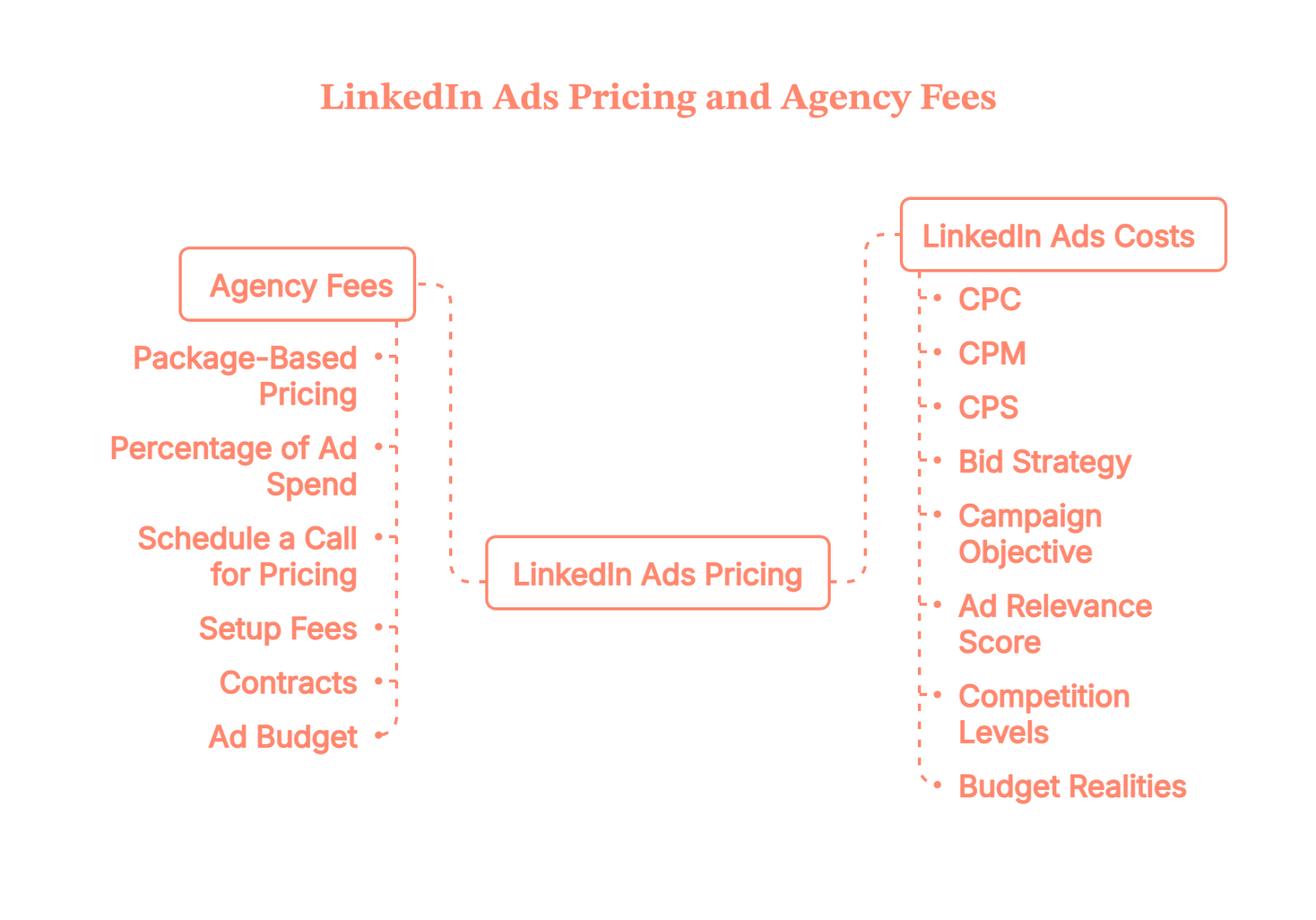
What You'll Actually Pay for LinkedIn Ads
LinkedIn ads for B2B don't have a sticker price. They operate on an auction model where what you pay depends on who else wants to reach your audience and how badly they want it.
Current pricing benchmarks (as of 2025):
- CPC (Cost Per Click): Typically $5.58 to $10, making LinkedIn one of the priciest platforms for clicks. You're paying a premium to reach decision-makers, not people doom-scrolling at 11 PM.
- CPM (Cost Per 1,000 Impressions): Expect $33.80 to $55 depending on how competitive your targeting is. C-suite executives in tech? Top of the range. Mid-level managers in less saturated industries? You might catch a break.
- CPS (Cost Per Send): LinkedIn's InMail ads run $0.20 to $1 per message delivered. Think of it as cold email with a higher open rate and a price tag to match.
What drives these costs up (or down)?
- Bid strategy: Selecting the right bid strategy is essential for maximizing ROI. You can choose from bidding strategies. Maximum delivery uses your full budget and machine learning to maximize results by targeting users most likely to convert. Cost cap lets you set a maximum cost per action to control spending. Manual bidding gives you complete control but typically costs more without LinkedIn's AI doing the heavy lifting.
- Campaign objective: Awareness, Consideration, or Conversion each shape delivery and costs differently. Conversion campaigns cost more per result but bring higher-intent actions.
- Ad relevance score: LinkedIn measures how well your ad resonates with your target audience. When your ad connects with the right people, LinkedIn rewards you with lower costs per result. Think of it as paying less for not being annoying.
- Competition levels: In highly competitive markets, CPC and CPM are often higher due to increased demand and saturation, making it crucial to carefully plan your ad spend. Targeting C-suite executives in tech or finance? You're bidding against everyone with a B2B SaaS product. Expect premium pricing. Less saturated audiences mean lower costs, simple supply and demand.
- Budget realities: Your budget shapes how aggressively LinkedIn bids and how much optimization data you generate. Lifetime budgets suit time-bound campaigns; daily budgets work for always-on programs. Bigger budgets = more testing room and faster learning.
What LinkedIn Ads Management Agencies Actually Charge
Top pay-per-click companies for LinkedIn ads typically use three pricing models. Leading PPC companies often structure their LinkedIn ad management pricing based on their expertise, the platforms they operate on, and the level of service provided:
- Package-based pricing: Tiered service levels ranging from $650 to $3,000+ per month. Higher tiers usually include creative production, landing page optimization etc.
- Percentage of ad spend: Agencies charge 15%–30% of your monthly ad budget. Works best if you're spending $10k+ monthly and can negotiate the percentage down as spend scales.
- Schedule a call for pricing: It depends on complexity, existing setup, and how much hand-holding you need. Not inherently bad, but if you're just browsing, this makes comparison shopping difficult.
Hidden costs to budget for:
- Setup fees: Many agencies charge $500–$2,000 upfront for account architecture, tracking implementation, and initial creative.
- Contracts: Some require 3–6 month commitments. Do the math on total costs before signing, because backing out early doesn't mean your invoice disappears.
- Your actual ad budget: Don't forget you're paying the agency and LinkedIn. Factor both into your budget.
💭Understand: Types of LinkedIn Ads: What’s the best ad format for you?
{{INLINE_TOFU}}
How to Choose a LinkedIn Advertising Agency
Picking an agency shouldn't feel like swiping on a dating app at 2 AM. Here's how to separate the contenders from the pretenders.
Must-Haves Before You Sign Anything
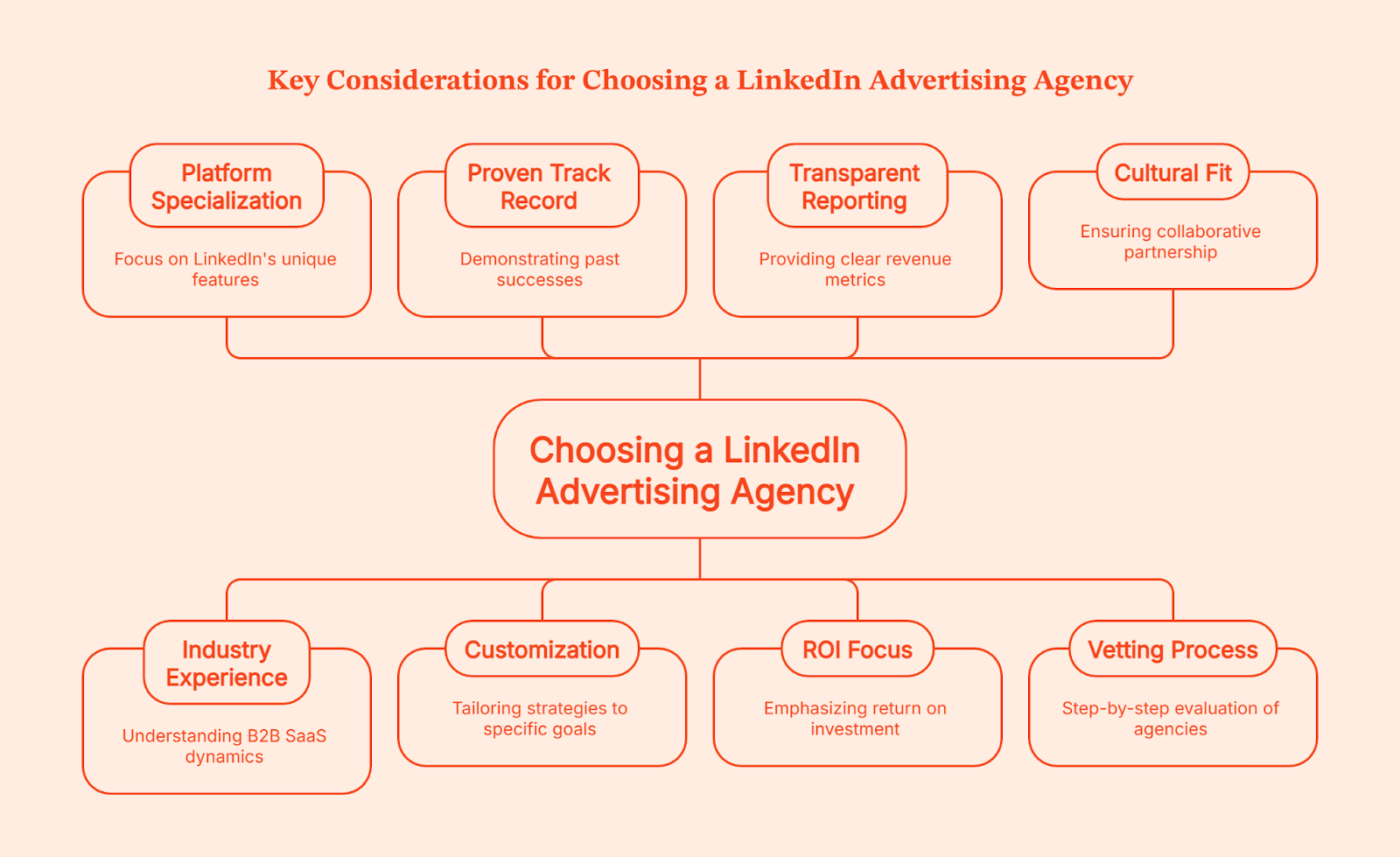
- Platform specialization over generalists. LinkedIn has unique algorithm quirks and audience behavior. Agencies juggling twelve platforms rarely master any single one. You need a team that lives in LinkedIn Campaign Manager.
- Industry experience accelerates results. B2B SaaS specialists already understand deal cycles, buying committees, your ICP and the importance of data driven strategies. Generic agencies will waste weeks learning your space.
- Proof beats promises. Proven- track record and case studies with real numbers and client satisfaction (pipeline generated, cost per opportunity) matter more than vague testimonials. No verifiable wins in your vertical? Keep shopping.
- Customization, not templates. The best LinkedIn ads management agency tailors strategy to your sales cycle and goals, not a one-size-fits-all package they sell to everyone.
- Transparent reporting on revenue metrics. Reports should track cost per SQL, opportunity rate, and pipeline influence. Ask upfront for sample dashboards and reporting cadence.
- ROI focus beyond sticker price. A $4,000/month agency generating $200k in pipeline beats a $1,500/month shop delivering zero qualified leads. Discuss pricing structure (flat retainer, percentage of spend, hybrid) and expected returns.
- Cultural fit matters. You'll be in regular contact with this team. Do they challenge your assumptions or just take orders? The best partnerships feel collaborative, not transactional.
Your Step-by-Step Vetting Process
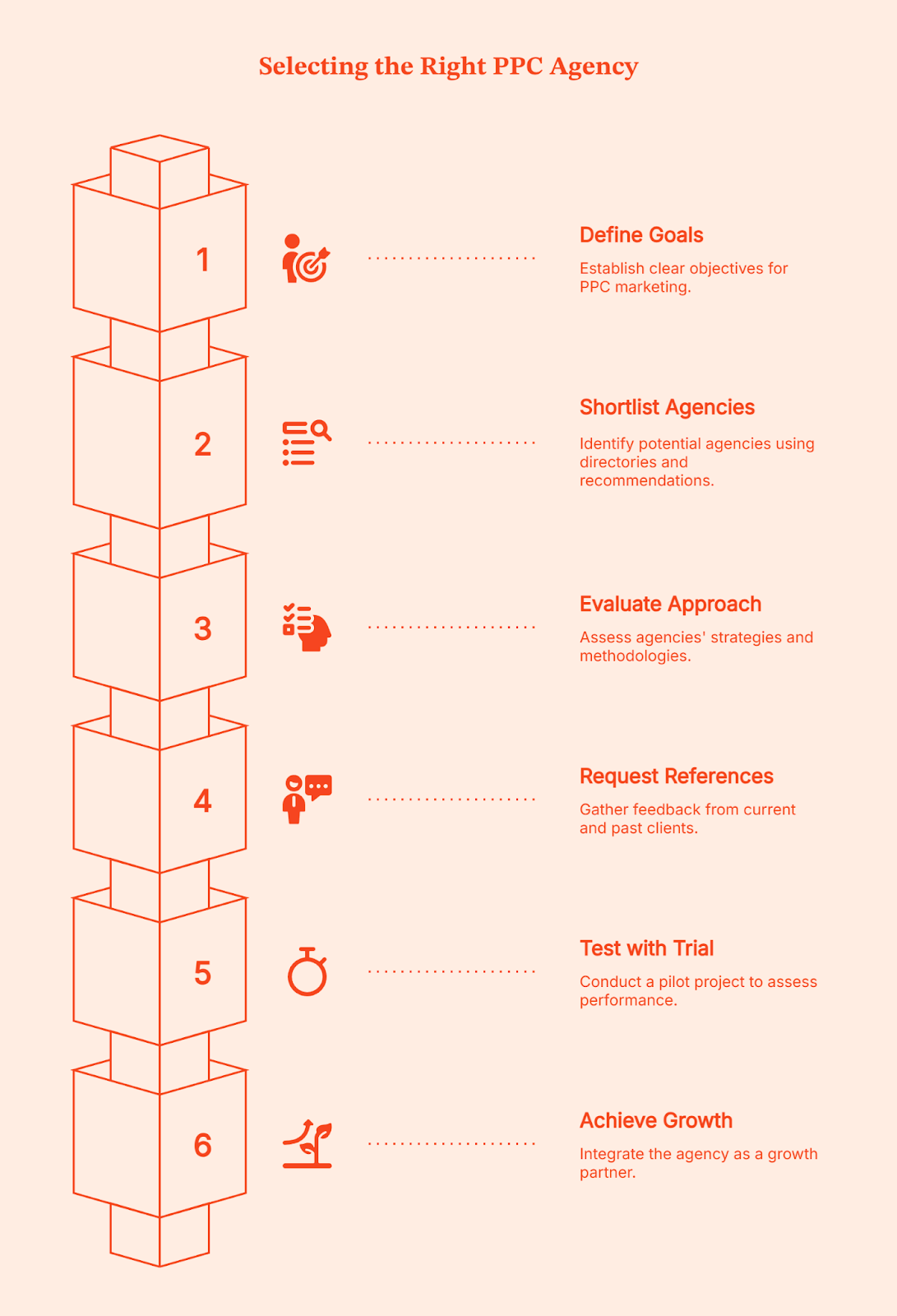
- Start by defining clear goals: lead volume, cost per opportunity, specific ICP penetration. Vague objectives get vague results. Then shortlist 3–4 agencies using directories like Clutch, Sortlist, or recommendations from peers in your industry.
- Evaluate their approach during discovery calls. Do they conduct audience research before building marketing campaigns? How do they handle creative testing and optimization?
- Request case studies and client references. Talk to actual clients (not just read testimonials on their website). Ask about responsiveness, quality of insights, and whether results matched projections.
- Test with a trial period, if possible, a 4-to-8-week pilot with agreed KPIs lets you assess performance before committing to a year-long contract. Smart agencies welcome this because they're confident in their work.
The right PPC company will justify their fees by demonstrating the value of pay-per-click marketing in achieving measurable business goals thereby becoming an extension of your growth team, not just another vendor invoice.
Let Factors Make Your Agency's Job Easier (And Deliver ROI They'll Brag About)
So you've picked a solid LinkedIn advertising agency from the list above, smart move. They're handling strategy, creative, and campaign management like pros. But what if you could give them an unfair advantage?
Factors's LinkedIn AdPilot, it's the automation layer that lets your agency focus on the creative and strategic stuff they're actually good at, while the tedious optimization work happens in the background. Your agency keeps doing what they do best; AdPilot just makes sure audience lists stay fresh, budgets get distributed intelligently, and you can finally see which LinkedIn impressions actually led to closed deals.
What It Actually Does:
AdPilot automates the tedious decisions that separate high-performing campaigns from budget black holes. We're talking auto-updated audience targeting, impression control per account, and attribution that connects LinkedIn views to actual pipeline.
How it makes your life easier:
1. Audience lists that update themselves
Manually refreshing audiences is a time suck. AdPilot auto-syncs intent-based lists so your ads reach prospects showing active buying signals.
2. Stop over-serving the same ten accounts
When 10% of accounts eat 80% of your impressions, you're wasting budget. AdPilot's Smart Reach caps impressions per account, spreading spend across your full ICP instead of hammering the same people repeatedly.
3. Prioritize accounts that are actually sales-ready
AdPilot lets you dial up ad delivery to high-intent accounts that match your ICP and show buying signals, keeping your brand visible exactly when it matters.
4. Track view-through influence, not just clicks
Most buyers never click your ad, they see it, remember you, and convert later. AdPilot tracks view-through attribution from first impression to closed deal, so you can finally justify ad spend with real pipeline data.
5. Sync conversion data back to LinkedIn with CAPI
AdPilot automatically sends offline conversions (demos, opportunities, closed-won) back to LinkedIn via CAPI, so the platform optimizes for outcomes that matter,not just clicks.
AdPilot actually makes your campaigns smarter by connecting LinkedIn activity with the rest of your buyer journey: email opens, website visits, sales outreach. You get a full-funnel view, not just isolated ad metrics.
If You Skipped Everything Else, Read This Part
If you take one thing away from this ridiculously long (but hopefully useful) guide, let it be this: LinkedIn ads only feel expensive when you’re running them with the wrong partner. Pick an agency that actually understands the platform, your ICP, and how B2B humans behave online and suddenly those $8 clicks will start turning into demos your sales team won’t roll their eyes at.
The agencies on this list are the ones that consistently move the needle: sharp targeting, smart creative, no-fluff reporting, and zero tolerance for vanity metrics. Pair them with Factors’ AdPilot and you basically give your campaigns an AI-powered intern who never forgets to update audiences, never over-serves the same five accounts, and actually tracks which impressions end in pipeline.
We just gave you a cheat code to make your CFO smile. (Okay, no promises, but still.)
FAQs: Pay Per Click Agencies and LinkedIn Ads
Q. Are LinkedIn ads worth it for B2B?
Community consensus: yes, if your offer-to-audience fit is tight and targeting is disciplined; otherwise, expect high CPCs with poor conversion. LinkedIn isn't magic, it's a tool. Use it on the right nails (enterprise buyers, niche ICP) and it's gold. Use it to hammer in screws (broad audiences, weak offers) and you'll just dent your budget.
Q. What should a LinkedIn ads management agency actually do?
Core responsibilities include audience research, creative testing, bid and budget pacing, form and landing page optimization, attribution modeling, and weekly reporting. If your agency's "PPC strategy" is "we turned on the ads," you hired the wrong agency.
Q. How do I pick between a specialist LinkedIn ad agency vs a full-service PPC firm?
Specialists win when LinkedIn is a core channel or your ICP is narrow; full-service firms suit multi-channel orchestration. If 70% of your paid budget is going to LinkedIn, hire a specialist. If you're running 8 platforms and LinkedIn is 15%, a full-service shop makes sense.
Q. What agency pricing models are common?
Expect flat monthly retainers, with tiered service levels ($650–$3,000+), percentage of ad spend (15%–30%), or customized quotes basis your needs. Hybrids are increasingly common: base retainer + performance bonuses tied to pipeline metrics.
Q. What are common pitfalls marketers want to address?
Frequent issues include mismatched offers, driving traffic to homepages, over-targeting, wasting dollars on targeting wrong accounts, manually updating audience lists, optimizing purely for clicks instead of pipeline outcomes, ignoring exclusion lists, and skepticism about ROI without proper funnel tracking.
Q. Do I need a 'LinkedIn Partner' agency?
Not mandatory, but certifications and verified case studies reduce risk. Think of it like hiring a contractor: you don't need to see their license, but you’d probably sleep better if you do.
How to Use LinkedIn to Build Trust With 13-Person Buying Committees
B2B buying committees now average 13 people, with Gen Z and Millennials in charge. Build authentic trust with them using LinkedIn.

B2B buying committees have undergone a generational reset. Who influences decisions, how they research, and what they expect from vendors has shifted, and marketing strategies need to catch up.
According to Forrester's State of Business Buying 2024 Report, the typical B2B buying committee for enterprise deals now involves 13 stakeholders, and that number is growing. While size matters, the transformation is more than just a numbers game. The generational makeup of these committees changes entirely how purchasing decisions are made, what criteria matter most, and where trust is established.
Millennials and Gen Z now account for 64-71% of B2B buyers, according to Forrester. In deals worth more than $1 million, 67% of buyers come from these two cohorts. This demographic transition matters because these generations have very different expectations of vendors and conduct research in ways no previous generation has.
So how do you build authentic trust with a committee of 13 stakeholders spanning multiple generations, each with distinct values, research behaviors, and decision criteria? The answer is LinkedIn.
Gen Z and Millennials want the real deal
Trust has always mattered in B2B relationships, but for Millennials and Gen Z, it's become the defining, decisive factor. These generations don't just evaluate vendors on product features and pricing; they also assess alignment with their personal and professional values.
The data reveals a striking pattern: 86% of Gen Z are more likely to buy from a company that supports social causes. A national survey by BBMG and GlobeScan found that Gen Z does not trust businesses to act in the best interests of society.
This skepticism extends directly into B2B purchasing. Research shows that 63% of Gen Z consumers would abandon a brand they felt was not authentic or trustworthy, compared to 53-59% of older age groups. The message is clear: authenticity and trustworthiness drive loyalty for younger buyers.
For Millennials, the emphasis shifts slightly but remains values-driven. Research comparing shopping preferences shows that Millennials prioritize brand reputation more strongly than Gen Z, and they place significantly higher importance on sustainability considerations. As one study notes, Millennials approach shopping, valuing transparency, sustainability, and reliability.
These aren't superficial preferences. They change everything about how purchasing decisions are made. Corporate platitudes? Hard pass. Millennials and Gen Z have grown up in an apocalyptic, burning world, and want the world to be better.
How modern buyers form preferences
Understanding when and how buying committees form their vendor preferences is vital in order to build real, genuine trust. The data reveals an uncomfortable reality for traditional B2B marketing, though: by the time vendors enter formal consideration, the decision is already made. If you’re not the chosen one (before you even know they were looking), you’re cooked.
According to Forrester's 2024 Buyers' Journey Survey, 92% of B2B buyers start their journey with at least one vendor in mind. Even more striking: 81% already have a preferred vendor when they first make contact, and 85% have defined their requirements before raising their hand. And scarier still, according to Hubspot’s 2025 State of Sales Report, 71% of buyers prefer independent research over talking to sales.
This means the critical trust-building phase happens during the dark funnel. This is not when Darth Vader does the research, rather it’s independent research, consulting peers, and forming opinions without consulting the actual vendor.
Those kids out there on their newfangled LLMs, ‘doing their own research’, and making decisions based entirely on information accessible online and vibes.
The research phase has also evolved beyond what you want potential clients to see on your website. 67.4% of Gen Z rely on online reviews when researching a product, and 66% will avoid a product if reviews are outdated or insufficient. 80% of Gen Z trust online reviews as much as personal recommendations, making those case studies ineffective if your online reviews are less than glowing.
For B2B marketers, this creates a quandary. You have to get your peeps to trust you before they signal buying intent. Luckily, there's a platform where professional buyers conduct research, evaluate vendors, and form preferences. That platform is LinkedIn.
Why LinkedIn solves the multi-stakeholder issue
LinkedIn's evolution from professional-networking-and-Bitcoin-bro to the place where all professionals hang out makes it the ideal platform for building trust with today's complex buying committees.
- It hooks you up with real, actual, people
LinkedIn provides access to actual decision-makers by role, function, and seniority. Unlike account-based marketing that targets companies broadly, LinkedIn enables precise engagement with the CFO concerned about ROI, the VP of IT evaluating integration complexity, and the Director of Marketing assessing user adoption. And, it does this all at the same time, with messaging tailored to everyone’s specific concerns.
According to our analysis of over 100 B2B companies, 71.9% of marketers agree that leads from LinkedIn ads align more closely with their ideal customer profile and are more likely to be senior-level decision-makers compared to other channels. When you're trying to influence a 13-person buying committee, this precision becomes essential.
- Building trust from and to every level
Younger buyers trust authentic voices over corporate messaging. Research shows that Gen Z and Millennials trust influencers and peers more than traditional advertisements. They seek unfiltered experiences and genuine expertise. In B2B contexts, this translates to executive thought leadership (but you can’t call it that, because that’s corporate-speak).
Data from our benchmark analysis shows that 53% of B2B marketers now amplify organic posts with Thought Leader Ads, recognizing that perspectives from real people like founders, executives, and subject matter experts build credibility that branded content cannot.
These ads showcase posts from individuals rather than companies, creating the authentic, human connection that younger buyers demand. And this can happen across the entire workforce; while the CEO connects with other CEOs, all staff can be ambassadors for their employer. Everyone from the receptionist through to the CFO is important to create genuine, positive, and authentic connections.
- The multiplicative effect: LinkedIn makes everything better
LinkedIn's power extends beyond direct engagement on the platform itself. Our analysis of cross-channel attribution reveals that accounts exposed to LinkedIn ads demonstrate remarkably higher conversion rates across all marketing channels:
- 46% higher paid search conversion rates (up to 69% in top-performing campaigns)
- 43% improvement in meeting-to-deal conversion for SDR outbound when accounts saw LinkedIn ads first
- 112% lift in conversion rates from website content pages for accounts exposed to LinkedIn ads
This multiplicative effect is because brand recognition and trust built on LinkedIn make every subsequent touchpoint more effective. When a Gen Z procurement manager sees your paid search ad after engaging with your executive's thought leadership on LinkedIn, they're not encountering a stranger. They already feel like they know you, and more importantly, they trust you.
- The 95-5 rule: You don’t know most of your future customers exist
The LinkedIn B2B Institute's research established a critical insight: only 5% of your target market is actively in-market at any given time. The other 95% are out-of-market but will eventually (hopefully) buy. For complex enterprise deals with 13-person committees, the buying window might be 12-18 months away.
But we know that for many buyers, the first you’ll know about their interest in your product is when they request a demo. If you’re waiting for a bat signal sent to your desk, you’ve already missed out. Instead, you must build what behavioral scientists call "mental availability": you’ve already got to be in their minds when they enter the market.
LinkedIn enables you to do these two important things:
- Broad-reach content that builds mental availability with the 95% through brand awareness campaigns, executive thought leadership, and educational content. Basically, putting you on their radar
- Precision targeting to capture the 5% showing intent through retargeting, account-based campaigns, and lead generation
This Swiss-army-knife platform solves all the issues that CMOs lose sleep over: building long-term brand equity while hitting short-term pipeline targets (no more crying over pipeline targets).
{{INLINE_TOFU}}
How to make LinkedIn work for you
For B2B organizations navigating the complexity of modern buying committees, several principles should guide your LinkedIn strategy.
- Invest in authentic voices. Corporate content alone isn’t going to build the trust that buyers want. Empower executives and subject matter experts to share genuine perspectives. It’s also OK if the perspectives acknowledge industry challenges or go against a more traditional narrative. Be authentic. Be brave.
- With 13 stakeholders involved in average enterprise deals, your LinkedIn strategy must reach and influence multiple people.
- Prioritize brand building over lead capture. When 81% of buyers have a preferred vendor before formal evaluation, the leverage point is mental availability. The data shows top performers are allocating 31.3% of LinkedIn spend to brand awareness and engagement.
- Embrace format diversity. Single image ads declined from 61.2% to 53.3% of spend while video ads (+4.7pp), Document Ads (+4.3pp), and Connected TV (12.6X growth) captured budget. Millennials and Gen Z acknowledge we all learn in different ways; not everyone likes long-form blogs, or TikTok videos, so there has to be a mix.
- Measure trust indicators, not just conversion metrics. Cost-per-lead optimization misses the strategic value of trust-building. Track metrics like cost per ICP account engaged, cross-channel lift effects, and customer lifetime value to understand the full impact of trust-first marketing.
Trust and authenticity hit different
The expansion of buying committees to 13 stakeholders, combined with the generational shift toward values-driven decision-making, has changed the B2B landscape. Trust and authenticity are vital if you want to build trust.
LinkedIn is the platform where professional buyers research, evaluate, and form preferences. This makes it indispensable for trust-building at scale. As one marketing leader observed, B2B marketers surveyed indicate that 56.4% will increase their LinkedIn budgets by more than 10% in 2026. Whatever is going on, it’s working for them.
Have you got rizz? Is your business keeping it real? Or are you letting your competitors take your customers while you are still stuck on AdWords?
If you love stats and information that’ll bring you revenue, you should download the Benchmark Report, now.
Google Ads: Better Audience Segments with Factors.ai
Get started today! Google Ads: Build & target ideal audiences, reach new customers & grow your business
With a market share of 83% and its brand name officially a verb in the dictionary, it's no secret that Google is the most dominant search engine on the planet. This, in turn, makes search ads or PPC one of the most popular marketing channels for marketers as well. In fact, as much as 65% of SME businesses run PPC search ad campaigns on Google — with nearly 80% of teams claiming it's a necessity for success.

That being said, Google ad campaigns are not without their drawbacks, especially for B2B marketers. Google ads primarily rely on keywords and searcher intent in deciding when and where to display ads. Account-based marketers, however, would rather have a say in who to display their ads too as well.
For example, rather than blowing through budgets by displaying ads to everyone that looks up “CRM software”, an ABM marketer may prefer showing their ads only to a list of 1,000 specific target accounts. This way, wasted spends may be eliminated and bids may be raised, given the narrow target audiences. As it stands, however, Google supports a rudimentary and largely ineffective approach to audience building and segmentation for its ads. The following blog explores these limitations and highlights a better way to build audience segments with Factors.ai.
Let’s dive in.
As it stands: Google Ads audience targeting
Google Ads supports the ability to to reach people based on who they are, their interests and habits, what they’re actively researching, or how they've interacted with your business via Audience Segments.
How Audience Segments works
Google’s audiences are made up of segments of people with specific interests, intents, and demographic information based on Google’s database. Advertisers may choose from a wide range of segments such as “music fans”, “people shopping for bicycles”, or “people that have visited your website”. This data is estimated based on people’s engagement with Google’s own products and third-party websites. Specifically to Search ads, Google supports 4 types of Audience Segments:
- Affinity segments: Reach users based on their passions, habits, and interests
- Detailed demographics: Reach users based on long-term life facts.
- In-market: Reach users based on their recent purchase intent
- Your data: Reach users that have interacted with your business.some text
- Website and app visitors: Reach people who have visited either your website or apps.
- Customer Match: Reach your existing customers based on your CRM data.
- Similar segments: Reach new users with similar interests to your website visitors or existing customers.
In addition to this, Google also supports Custom Segments and Life Events as segment types for it’s other ad channels (Display, Videos, etc).
Limitations with Audience Segments
In theory, Audience Segments sound super valuable. Based on your selection of Audience segments, Google’s AI models will automatically choose the right audience to best fit the needs of your campaign. However, a closer inspection reveals inherent limitations with each of the four approaches:
- Affinity segments, detailed demographics and in-market segments are primarily tailored for B2C and D2C use-cases. That is, they’re built to cater to audiences based on individual interests, as opposed to account-level buying intent. They may work well to identify and target “skiing enthusiasts”, these audience segments often struggle with “B2B SaaS teams looking for a CRM”.
- Your data audiences segments do a slightly better job in that they attempt to target audiences based on existing brand engagement. Still, it’s fraught with limitations. According to Google’s advertising policy, Google advertisers may only upload customer data, not prospecting data from their CRM. This is of course, extremely limiting given that the majority of your total addressable market may not be actively engaging with your brand. Furthermore, Google’s own retargeting capabilities are limited to a vague set of website visitors (via Google Analytics) as opposed to comprehensively enriched audiences across website traffic, LinkedIn ads, and other channels.
That being said, if you provide Google enough data about your target audience members via Customer Match lists, it can spot your target accounts and serve them, and them alone, your ads.


Long story short, Google’s native targeting mechanisms exist by the name of Audience Segments. However, this isn't, in its current form, very helpful to B2B marketers. In the following section let’s explore how Audience Segments may be used as a jumping off point in tandem with an account intelligence and activation tool such as Factors.ai to make the most of your targeted ads.
{{INLINE_TOFU}}
Better Google audiences & targeting with Factors.ai
What if you could retarget existing customers with personalized ads on upselling opportunities? Or vary your bids based on buying stage and ICP fitment? Or re-engage with long gone MQLs and lost opportunities with YouTube ads or GDN? These are a few examples of the powerful use-cases supported by Factors.ai for your Google Ads. Here’s how it works:
- Identify and enrich: Factors identifies and enriches anonymous companies engaging with your website, LinkedIn ads, and G2 pages. These companies may be segmented via a combination of granular engagement and firmographic criteria within Factors. These segments may be as straightforward or involved as you’d like. A straightforward segment may look like: “US-based software companies” while involved segments may look like: “US-based software companies with 100-999 employees that have viewed at least one LinkedIn ad and visited the pricing page”. Create as many segments as you’d like depending on your intended objectives and granularity.
- Fire into Google Analytics: The next step involves firing relevant events (in this case, an event is an engaged company that matches your segment criteria) into Google Analytics. As you might recall, Google Ads will only retarget website visitors and contacts that have been recorded in GA or your CRM. Pushing these audience segments from Factors into GA acts as proxy to this.
- Push from GA into Google Ads: Now that you have built up segments in Google Analytics, it’s a simple matter to push said accounts into Google Ads for further targeting across search ads, videos ads, display ads, and more. Here are a few more ways in which you can use this flow:

How you can use Factors.ai + Google Ads
In addition to the aforementioned use-cases, here are a few more ways to leverage Factors.ai:
Variable RSA
Regardless of the size of your business, your marketing team is working with a budget. Accordingly, most marketers focus their efforts on specific, relatively low-volume keywords so as to not blow their budgets on irrelevant clicks from high-volume keywords. With Factors, however, you can have the best of both worlds by bidding on broader keywords and response search ads only for the companies you care about. For example, you may bid $2 for the long tail keyword “CRM software for US-based SMEs” but bid $6 for the short tail keyword “CRM software” only for the Audience Segment you care about. This way, the higher bid ads will be displayed only when your target accounts are searching for it — as opposed to the entire internet.
Granular targeting
Given marketing’s limited budgets, you could choose to focus your ad spend only on companies that meet a super specific engagement and ICP criteria as the one highlighted earlier (“US-based software companies with 100-999 employees that have viewed at least one LinkedIn ad and visited the pricing page”). This way, you know that your ads will be served only to highly engaged accounts with explicit buying intent. This smaller pool of target accounts also enables you to raise bids more aggressively given the focused scope of audiences.
{{CTA_BANNER}}
Cross-channel targeting
A key aspect of the account-based market is targeting (and retargeting) accounts across channels. At the moment, Google Ads only supports the ability to target accounts visiting your website or in your CRM. With Factors, this reach may be expanded to companies viewing your LinkedIn ads, engaging with your G2 pages, or simply part of your ABM target accounts list. These segmented accounts may then be automatically targeted across your search ads, display ads, videos ads, LinkedIn ads, mail outreach, and more with Factors’ code-free workflow automations.
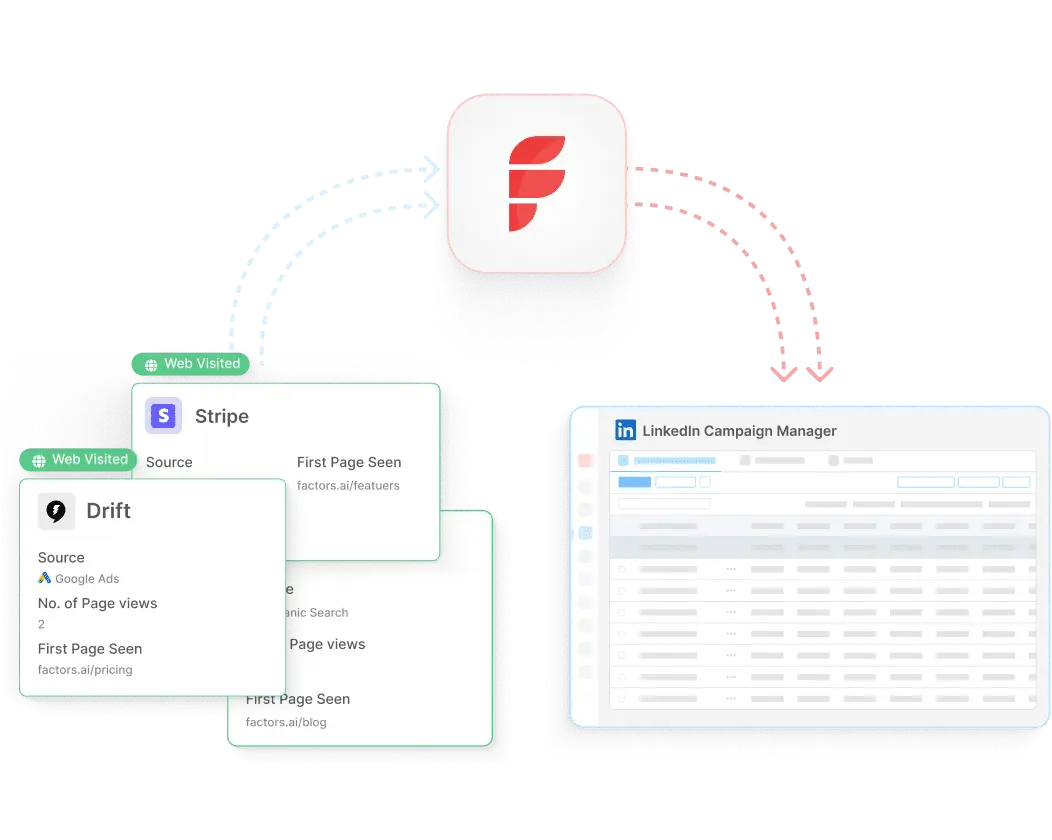
Google Ads' native audience segmentation offers basic targeting options like affinity, in-market, and demographic segments. However, these can be limiting for B2B marketers aiming for precision.
Here's how Factors enhances Google Ads targeting:
1. Custom Audience Segments: Factors.ai enables the creation of custom audience segments based on firmographic data, buyer intent signals, and CRM insights.
2. Benefits: This approach allows for more effective targeting of high-intent accounts, reducing ad spend waste and improving ROI.
3. Advanced Segmentation: Integrating Factors.ai with Google Ads facilitates advanced audience segmentation, aligning marketing efforts more closely with sales objectives and enhancing overall campaign performance.
.avif)
Top 10 Best B2B Sales Prospecting Tools (That Help You Find Buyers, Not Just Names)
Looking for the best sales prospecting tools? This guide breaks down the top B2B sales prospecting tools, how they work, and which prospecting sales tools fit your sales motion.

TL;DR
- The best sales prospecting tools help teams decide who to reach out to, when to do it, and why now, not just hand over more contacts.
- Sales prospecting tools should be signal-driven, not list-driven. Intent data, website engagement, and real account activity matter more than static databases or “just-in-case” outreach.
- There’s no single “best” prospecting tool; use a stack. Intent tools help you narrow in; data tools provide contacts; relationship tools add context; and execution tools scale outreach.
- When used correctly, B2B sales prospecting tools shift sales from volume to relevance. Fewer random emails, better conversations, and a pipeline that actually moves.
Let’s start with a scene you’ve definitely lived through.
You open your CRM.
There are hundreds of leads.
Dozens of sequences running.
Sales says they’re “following up.”
Pipeline, however, is just…not growing.
Then someone asks: “Are we prospecting enough?”
What they are really asking is, “Why do we have so many leads… and so few meaningful meetings?”
That’s the exact mess sales prospecting tools are meant to fix.
Not by dumping more contacts into your lap (because clearly, that’s not the problem), but by helping you zero in on the right accounts that are actually in market, at the right moment, with context.
In this guide, we’ll cover:
- What B2B sales prospecting tools really do
- How to choose the best prospecting tools for sales without overthinking it
- A practical, no-nonsense list of the 10 best B2B sales prospecting tools teams actually use today
Let’s get into it.
What are sales prospecting tools
Sales prospecting tools exist to stop sales teams from asking the same three questions over and over (usually out loud on Slack):
- Who should we reach out to?
- When should we reach out?
- Why would they care right now?
Old-school prospecting was all about lists.
Big questionable lists.
But now the modern B2B sales prospecting tools are about signals. They pull together things like:
- Account activity and buying intent
- Company and contact data
- Website visits and ad engagement
- CRM and outbound workflows
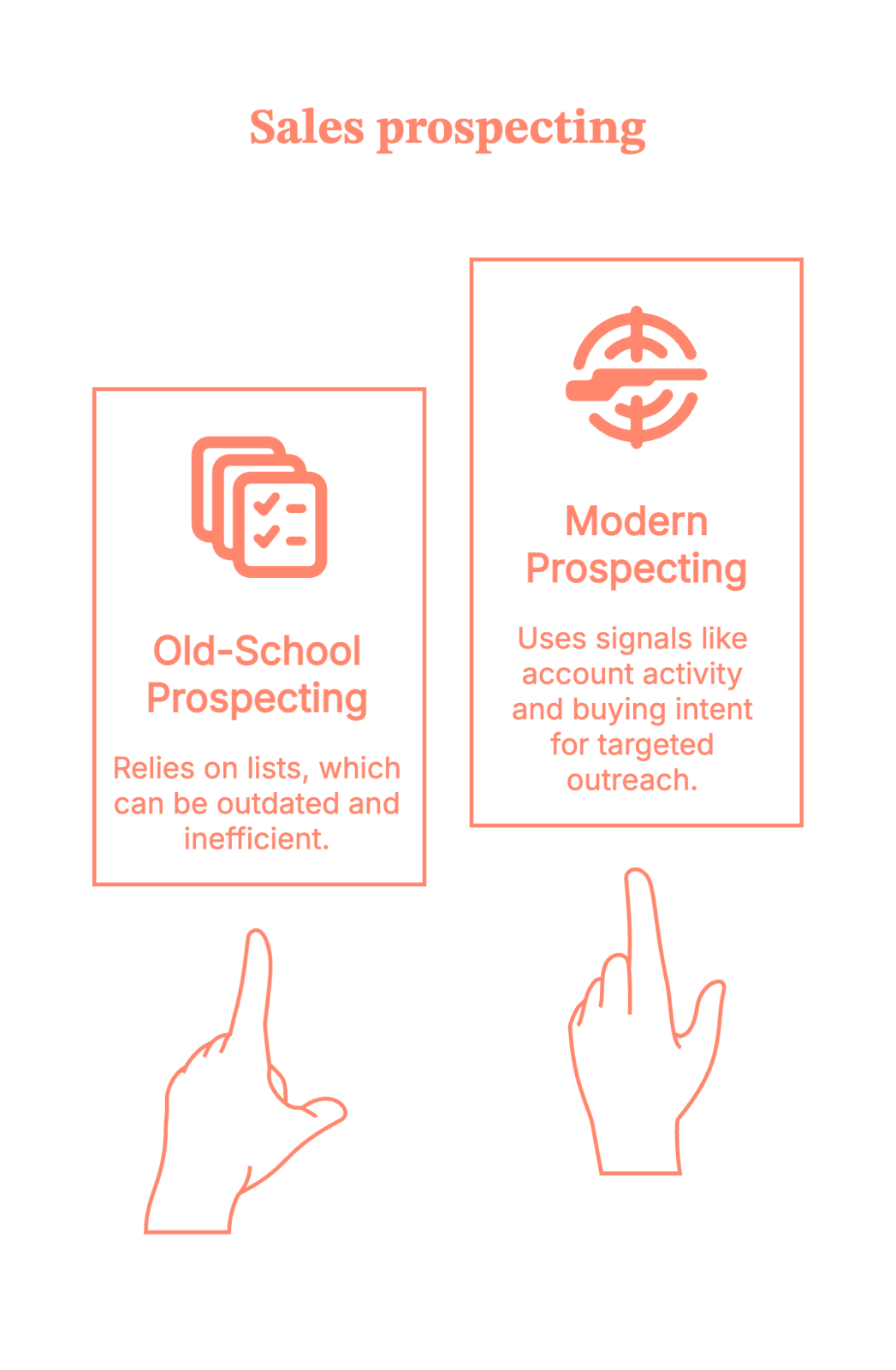
These tools are a very helpful nudge, saying, “Hey… this account might be worth your time today.”
The thinking, judgment, and charm? Still on you. (Sorry. No tool can fix that yet.)
How to choose the best sales prospecting tools
Before we jump into the list, let’s pause for a quick reality check.
Also read: Factors.ai vs Cognism: The GTM Platform Breakdown
Not every sales prospecting tool has to be in your stack. Some look impressive in demos, and then quietly turn into expensive tabs no one opens after week three. (You know the ones.)
So here’s a simple way to evaluate any prospecting sales tool. Ask yourself:
1. Does it help me identify the right accounts?
Not “anyone with a LinkedIn profile” but actual ICP-fit companies.
2. Does it show me when to talk to them?
Because prospecting without timing is just optimism.
3. Can my sales team use it without complaining?
If reps need five logins, two exports, and a prayer, adoption isn’t happening.
And here’s the litmus test.
If a tool only gives you emails with zero context, zero signals, and zero prioritization…it’s not really a B2B sales prospecting tool. It’s just a very fancy address book. (You already have Google for that.)
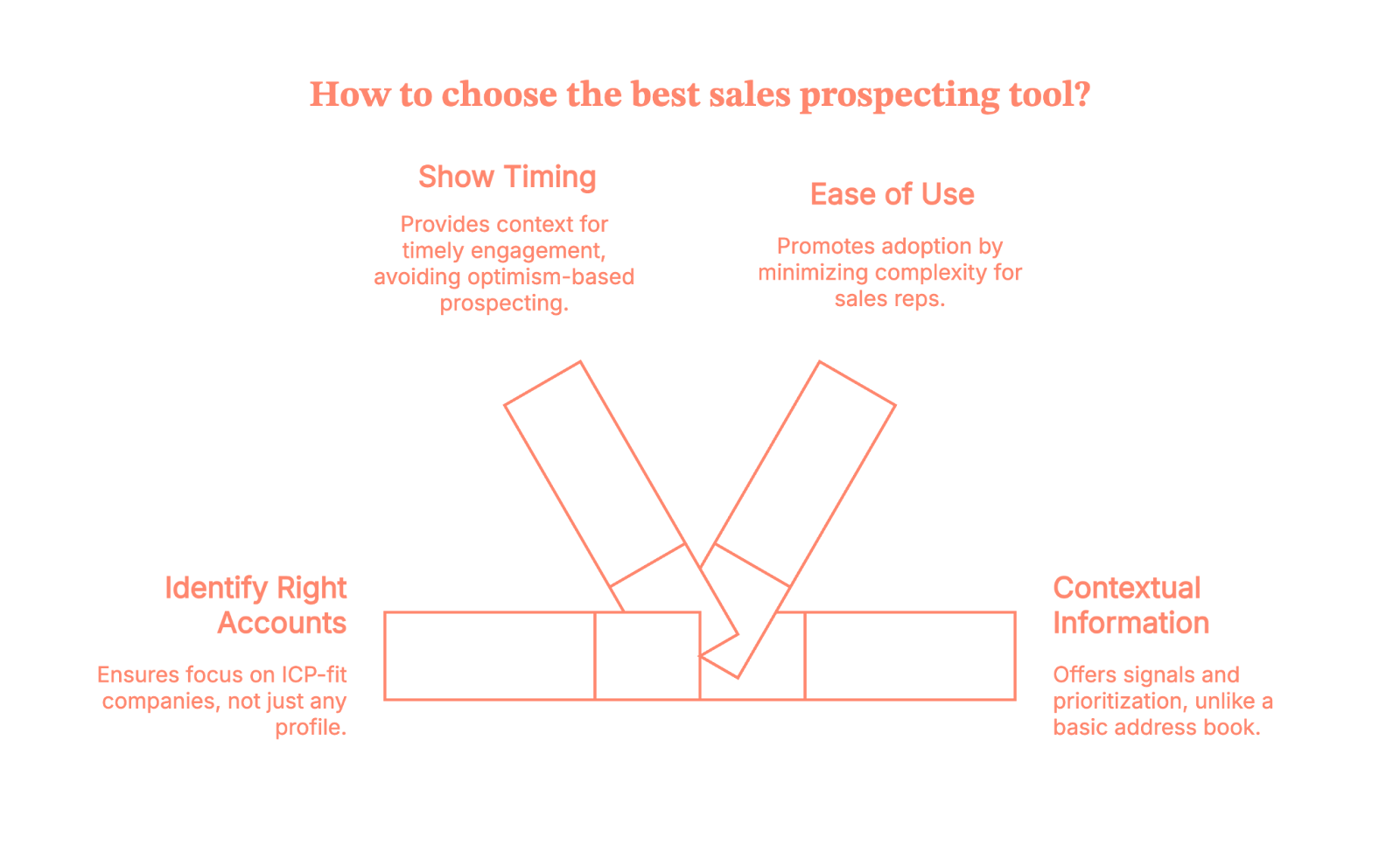
Now, let’s talk about the tools that help sales teams prospect with intent.
{{INLINE_MOFU}}
10 best B2B sales prospecting tools
Below is a curated list of the top sales prospecting tools used by B2B sales teams today. Each tool fixes a very specific prospecting problem.
(Some fix real problems. Some fix “I-need-an-email-right-now” problems.)
1. Factors.ai
Best for: Intent-led, account-based sales prospecting and outbound execution in one place
Factors.ai helps sales teams focus on which accounts to prospect first by surfacing real buying signals across website, ad engagement, and G2 pages. Instead of starting from static lists, it highlights companies that are already showing interest, even when no form is filled out.
It works alongside other traditional prospecting tools by prioritizing accounts, not replacing contact databases or outbound execution.
Why sales teams use it
- 75% coverage for Account-level identification of anonymous website visitors
- Enrich accounts with geography and job titles to pinpoint up to 30% of people who likely visited
- Real-time intent signals based on actual engagement
- Push the engaged audience lists into your LinkedIn and Google Ads accounts to run targeted campaigns.
- Syncs prioritized accounts into CRM and outbound tools
- Helps you automate outbound and set up sales workflows and alerts using GTM engineering
Ideal if you want sales outreach to feel timely and informed, not cold or random.
Also read: ZoomInfo Alternatives: Top 6 ZoomInfo Competitors In 2026
2. Oppora.ai
Best for: AI-powered outbound prospecting from lead discovery to booked meetings.
Oppora.ai helps sales teams automate outbound prospecting without switching between separate tools for lead search, enrichment, outreach, follow-ups, and CRM updates.
Its B2B lead database helps teams find companies and decision-makers that match their ideal customer profile. Then AI agents help personalize emails, run follow-ups, handle replies, and move interested prospects toward meetings.
It is useful for teams that want prospecting to go beyond finding leads. Oppora.ai connects lead discovery with outreach execution, so teams can build lists and start conversations from one place.
Why sales teams use it
- Access a 1B+ B2B leads database to find relevant companies and decision-makers
- Build self-running AI prospecting workflows that handle lead discovery, qualification, and outreach
- Run email and LinkedIn outreach without managing every step manually
- Create personalized email messages based on prospect and company data
- Automate follow-up sequences so fewer prospects fall through the cracks
- Use AI reply handling to qualify interest and guide prospects toward meetings
- Sync prospect data, conversations, and pipeline updates with CRM tools
- Ideal if you want to automate lead discovery, outreach, follow-ups, reply handling, and CRM updates from one place.
3. Smartlead
Best for: B2B lead database plus outbound execution in one platform
Smartlead gives sales teams access to a 300M+ B2B lead database and runs outreach from the same platform, so prospecting and sequencing happen without switching tools. SmartProspect lets teams search for contacts by industry, job title, company size, geography, and technology stack, with contacts flowing directly into email sequences without a CSV export or separate verification step. Every contact is verified at source, which keeps hard bounce rates under 2.5% across the platform network.
Why sales teams use it
- 300M+ verified B2B contacts with ICP filters, no credit expiry or per-contact fees
- Contacts flow directly into multi-channel sequences (email and calling) in one click
- Unlimited mailboxes with built-in email warm-up.
- SmartAgents classify every inbound reply by intent and route it automatically
Ideal if you want a B2B lead database and outbound execution in one flat-priced subscription rather than paying separately for prospecting, sending, warmup, and calling.
4. LinkedIn Sales Navigator
Best for: Relationship-based sales prospecting and persona discovery
LinkedIn Sales Navigator helps sales teams identify the right people inside target accounts and engage them using professional context like job changes, shared connections, and recent activity. It’s most effective when sales teams already know which accounts to focus on and need help navigating buying committees.
Why sales teams use it
- Advanced filters to find decision-makers and influencers
- Visibility into job changes and account activity
- InMail and connection-based outreach context
Ideal if you want outreach to feel personal and relevant, not generic.
5. ZoomInfo
Best for: Large-scale B2B contact and company discovery
ZoomInfo provides extensive company and contact data that sales teams use to build outbound lists across markets, industries, and roles.
It’s commonly used as a data foundation for outbound prospecting, but it still requires upstream prioritization and intent signals to avoid volume-driven outbound.
Why sales teams use it
- Broad database of B2B contacts and companies
- Firmographic and technographic insights
- CRM enrichment and list-building workflows
Ideal if you need reach and coverage across a large addressable market.
6. Apollo.io
Best for: Prospecting and outbound execution in one place
Apollo.io combines contact discovery with sequencing and engagement tools, allowing sales teams to prospect and take action from a single platform. It’s especially popular with SMB and mid-market teams focused on speed and efficiency.
Why sales teams use it
- Contact data plus email sequencing
- List building and outbound workflows
- Native CRM integrations
Ideal if you want fast execution without managing multiple tools.
Also read: Factors.ai vs Clearbit (Breeze Intelligence): which is the better GTM platform?
7. Cognism
Best for: Compliant global B2B sales prospecting
Cognism focuses on providing GDPR-compliant contact data, making it a common choice for sales teams prospecting across EMEA and other regulated markets. It supports outbound prospecting where data compliance is critical.
Why sales teams use it
- Compliance-first contact data
- Strong coverage in EMEA markets
- CRM and sales tool integrations
Ideal if compliance and data quality matter as much as scale.
8. Lusha
Best for: Quick contact discovery during prospecting
Lusha helps sales teams quickly find emails and phone numbers, often through browser extensions used alongside LinkedIn. It’s commonly used for fast, tactical prospecting.
Why sales teams use it
- Easy access to contact details
- Browser-based prospecting workflows
- Simple CRM enrichment
Ideal if speed matters more than deep prioritization.
9. Hunter.io
Best for: Email discovery and verification
Hunter.io helps sales teams find and verify professional email addresses, reducing bounce rates in outbound campaigns. It’s typically used as a supporting tool rather than a full prospecting platform.
Why sales teams use it
- Email discovery and verification
- Domain-based email searches
- Simple API and CRM integrations
Ideal if email is your primary outbound channel.
10. Crunchbase
Best for: Company discovery and early-stage account research
Crunchbase helps sales teams discover and research companies based on funding, growth signals, leadership changes, and market activity. It’s commonly used before outreach to understand whether an account is worth pursuing.
Why sales teams use it
- Funding rounds, acquisitions, and growth signals
- Company and leadership insights
- Market and competitor discovery
Ideal if you want to qualify accounts early before investing sales effort.
11. Seamless.ai
Best for: High-volume outbound contact discovery
Seamless.ai provides sales teams with access to contact details for outbound prospecting, often used by teams running high-volume sales motions. It focuses on speed and scale rather than deep intent or prioritization.
Why sales teams use it
- Large contact database
- Chrome extension for quick prospecting
- CRM enrichment
Ideal if your prospecting motion depends on volume-driven outbound.
12. Salesloft
Best for: Executing and managing outbound prospecting
Salesloft is not a data source but a sales engagement platform that helps reps run structured outbound plays across email, calls, and LinkedIn. It’s often paired with prospecting and intent tools upstream.
Why sales teams use it
- Multi-channel outbound sequences
- Call tracking and engagement analytics
- CRM-centric workflows
Ideal if you want prospecting to be consistent, measurable, and scalable.
The B2B sales prospecting tools cheat sheet (Use this, not hope)
How to prospect without crossing your fingers
If you’re evaluating sales prospecting tools because your pipeline isn’t keeping up with your activity, you’re not alone. Most teams don’t have a lead problem. They have a prioritization problem.
The best B2B sales prospecting tools help sales teams answer three things clearly:
- Who to reach out to
- When to do it
- Why that account matters right now
Some tools focus on intent and timing. Others focus on contact data. A few help execute outreach at scale.
The key is not picking one tool. It’s building a stack where each sales tool for prospecting plays a specific role. Use intent-led tools to decide where to focus, data tools to decide who to contact, and execution tools to actually run outbound without chaos.
Here’s the simple takeaway:
- Intent & prioritization tools (like Factors.ai) help you decide which accounts to focus on first
- Data & contact tools (like ZoomInfo, Cognism, Lusha) help you find who to contact
- Relationship tools (like LinkedIn Sales Navigator) help you navigate buying committees
- Execution tools (like Apollo, Salesloft, and Factors.ai) help you actually do the outreach consistently
Done right, prospecting sales tools stop being about sending more emails and start being about starting better conversations.
And that’s how the pipeline moves without crossing your fingers.
FAQs on sales prospecting tools for B2B
Q1. What are sales prospecting tools, and do I really need them?
Sales prospecting tools help sales teams decide who to reach out to, when to do it, and why now. If your team is relying on cold lists, gut feel, or “just email them” logic, you’ll benefit from prospecting tools that add signals, prioritization, and structure.
Q2. What is the difference between sales prospecting tools and lead generation tools?
Lead generation tools focus on collecting leads. Sales prospecting tools focus on turning the right accounts into conversations. In B2B, most teams have enough leads. The real problem is knowing which accounts are worth the sales effort right now.
Q3. What are the best B2B sales prospecting tools for outbound sales?
There’s no single best tool. High-performing outbound teams typically use:
- Intent or account prioritization tools to decide where to focus
- Contact data tools to find who to reach out to
- Sales engagement tools to execute outreach at scale
Outbound works best when it’s signal-led, not volume-led.
Q4. Are sales prospecting tools worth it for small or early-stage teams?
Yes, but only if you choose carefully. Early-stage teams usually benefit most from:
- Simple contact discovery
- Lightweight prioritization
- Easy outbound execution
Over-stacking tools too early often creates more complexity than impact.
Q5. How do modern B2B teams actually use sales prospecting tools together?
Most teams don’t use one tool. They use a stack, for example:
- One tool to identify which accounts are showing interest
- Another to find the right people inside those accounts
- Another to run outreach consistently

Big Data and Analytics - What's next? (Part 1)
Discover the basics of big data and analytics in this informative guide. Learn about key concepts, tools, and techniques for businesses with factors.ai

Apache Hadoop, Hive, Map reduce, TensorFlow etc. These and a lot of similar tems come to mind when some one says Big Data and Analytics. It can mean a lot of things, but in this blog we will restrict it to the context of - analytics done on relatively structured data, collected by enterprises to improve the product or business.
When I started my career as an engineer in Google around a decade back, I was introduced for the first time to MapReduce, Bigtable etc in my first week itself. These were completely unheard of outside and seemed like technologies accessible and useful to only a select few in big companies. Yet, within a few years, there were small shops and training institutes springing up to teach Big Data and Hadoop, even in the most inaccessible lanes of Bangalore.
It’s important to understand how these technologies evolved or rather exploded, before we dwell upon the next logical step.
Dawn of time
Since the dawn of time (or rather the unix timestamp), the world was ruled by Relational Databases. Relational Databases are something that most engineers are familiar with. Data is divided into (or normalized) into logical structures called tables. But these tables are not completely independent and related to each other using foreign keys. Foreign keys are data entries that are common across tables.
Take the example of data from a retail store. The database could have 3 tables, one for the Products it sells, one for Customers of the store and one for Orders of the products bought in the store. Each entity can have multiple attributes and is stored in different columns of the corresponding table. Each data point is stored as rows in the table. The Orders table contains entries of products bought by different customers and hence related to both Products and Customers table, using the columns product_id and customer_id.
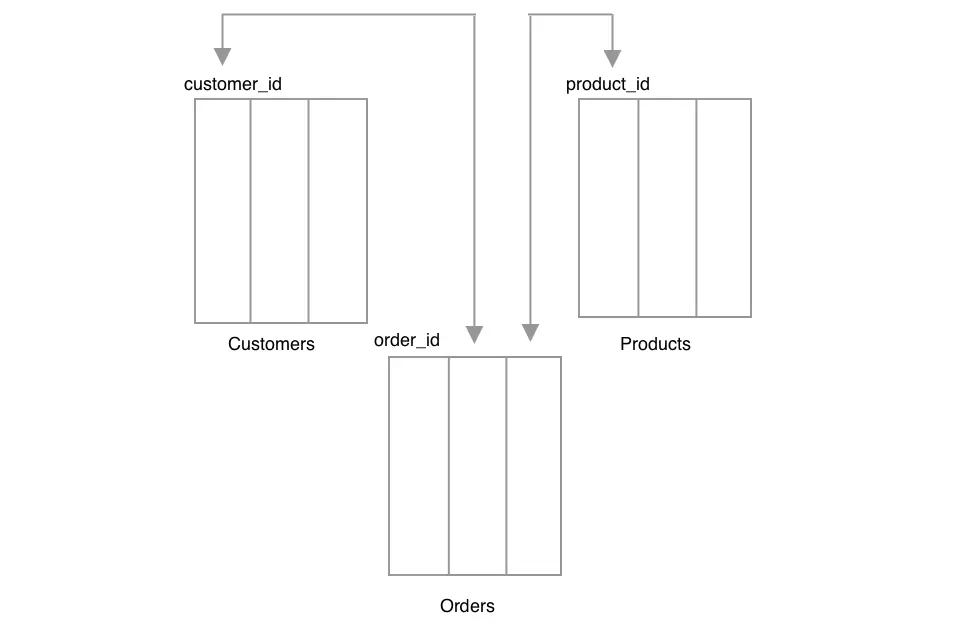
Few implications of this structure are
- Since each data unit is split across tables, most updates would involve updating multiple tables at once. Hence transaction guarantees are important here, wherein you either update all the tables or none at all.
- Data can be fetched almost any way you want. For example, we can fetch all orders bought by a specific customer or all customers who bought a specific product. Additional indices can be defined on columns to speed up retrieval. But since data is split across tables, it sometimes could involve costly joins when matching the related items across tables.
SQL (Structured Query Language) became the de facto standard to query these databases and thus SQL databases also became the namesake for relational databases. These served the needs of all enterprises. As the data grew, people moved to bigger and better database servers.
Rise of Internet
Then in the 90’s there was the internet. One of the limitations of the SQL database is that it needs to reside in one machine, to provide the transactional guarantees and to maintain relationships. Companies like Google and Amazon that were operating at internet scale realized that SQL could no longer scale to their needs. Further, the data model did not need to maintain complex relationships.
If you were to store and retrieve the data unit as a whole, rather in parts across tables then each data unit is self contained and independent of other data. The data can now be distributed to different machines, since there are no relationships to maintain across machines.
Google for instance wanted to store and retrieve the information about a webpage only by it’s url and Amazon product information by product_id. Google published a paper on Bigtable in 2006 and Amazon on DynamoDB in 2007, of their inhouse built distributed databases. While DynamoDB stored data as key value pairs, Bigtable stored data by dividing data into row and columns. Lookups can be done by row key in both databases, but in Bigtable only the data in the same column family were co-located and could be accessed together. Given a list of rows and columns of interest, only those machines which held the data were queried and scanned.
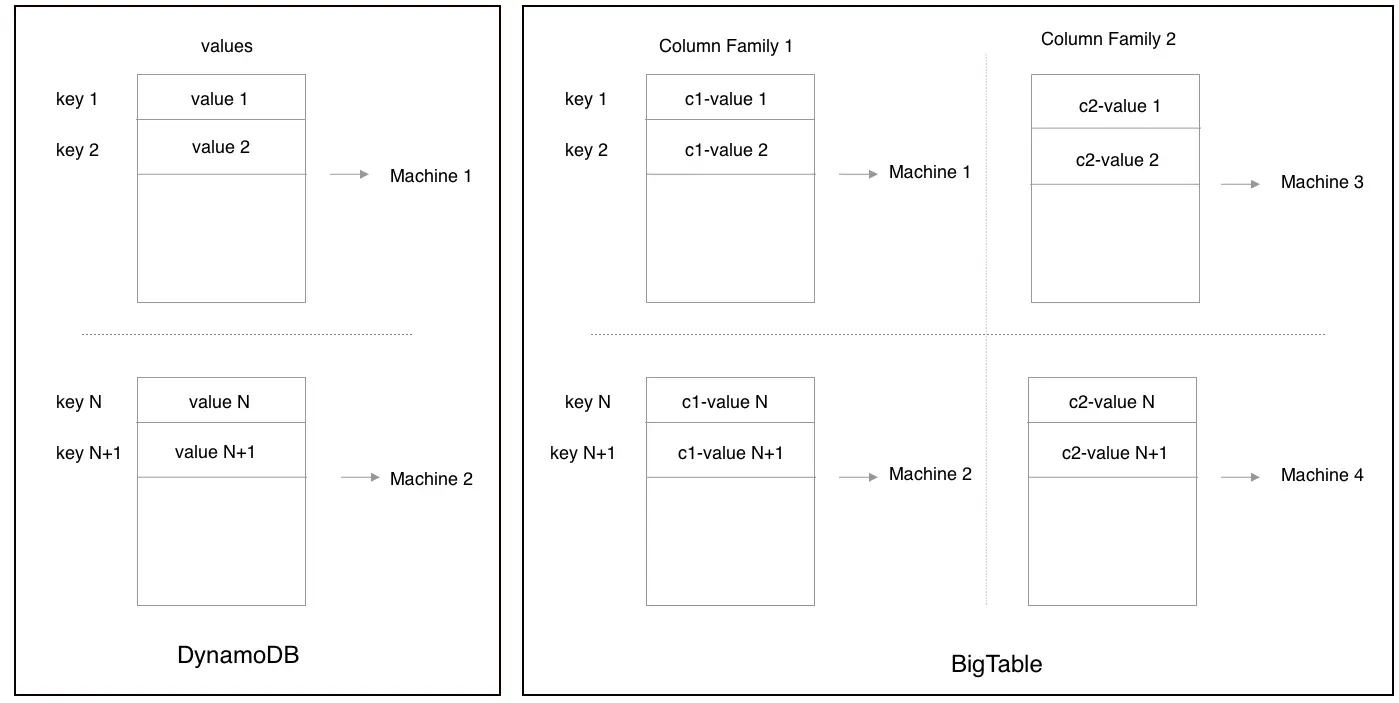
Now you no longer needed bigger and better machines to scale. So the mantra changed from bigger and super machines, to cheap or commodity hardware with excellent software. And since hardware was assumed to be unreliable, the same data had to be replicated and served from multiple machines to avoid loss of data.
Open source projects soon followed suit. Based on different tradeoffs of read and write latencies, assumptions in the data model and flexibility when retrieving data we now have plethora of distributed databases to choose from. HBase, MongoDB, Cassandra to name a few. Since these databases were not relational or SQL they came to be known as NoSQL databases.
{{INLINE_TOFU}}
Related Big Data Technologies
This fundamental change in databases also came with auxiliary changes on how data was stored and used for computation. Most data is stored on files. But now, these files should be accessible from any of the machine. These files could also grow to be very large. And files should not be lost when a machine goes down.
Google solved it by breaking files into chunks of almost equal sizes and distributing and replicating these chunks across machines. Files were accessible within a single namespace. A paper on this distributed file system called GFS was published way back in 2003. Bigtable was infact built on top of GFS.
Distributed databases allowed you to access data only in one way (or a couple of ways) using keys. It was not possible to access data based on the values present inside the data units. In SQL you can create index on any column and access data based on the values in it. Take the example of Google storing web pages, you could access information about a webpage using url cnn.com (row key). Or you could get the links in a given webpage using rowkey (cnn.com) and a column key (links). But how do you get urls of web pages that contain the word say “Captain Marvel”.
So if the data needed to be accessed in a different way, it had to be transformed, such that data units that are related to each other by the values it holds come together. The technology used to do that was Map-Reduce. It had two phases - First it loads the data in chunks into different machines. All the urls of pages that contain the word “Captain Marvel” are sent to other process called Reducer, which collects and outputs all the matched urls. It usually requires pipelines of map reduces for more complex data transformation and joining data across different sources. This MapReduce framework was generic enough to perform various distributed computation tasks and became the de facto standard for distributed computing. The paper on MapReduce was published by Google in 2004.
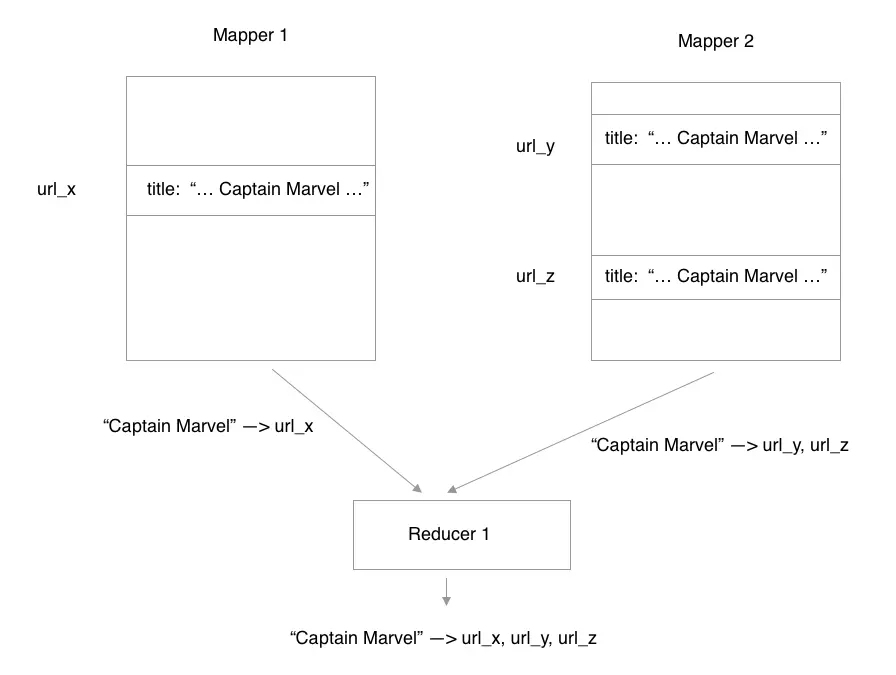
Yahoo, soon took cue and developed and open sourced these technologies, which we all know as Hadoop, later adopted by Apache. Now if Map-Reduces can be used to transform data, it could also be used to retrieve data that match a query. Technologies like Apache Hive, Dremel, BigQuery etc were developed, which allowed user to fire SQL queries on large amounts of structured data, but the results were actually delivered by running Map Reduces in the background. An alternative to loading data into a different machine and then compute on top of it, is to take computation closer to where the data reside. Frameworks like Apache Spark, were developed broadly on this philosophy.
In the next blog, we will see some of the current trends of these technologies and discuss on how we think the these will evolve.
Best Practices to Implement Multi-Touch Attribution
Explore this guide on best practices to implement multi-touch attribution and increase the ROI of your business.

TL;DR
- Track Every Interaction: Map both online and offline touchpoints to capture the full scope of customer engagement.
- Unify and Clean Your Data: Connect all data sources and maintain accuracy to avoid misleading insights.
- Pick the Right Model: Choose and test attribution models based on your sales cycle and goals, not one-size-fits-all solutions.
- Empower Teams and Act Fast: Train cross-functional teams and use real-time data to adjust campaigns and optimize spending.
In tech marketing, figuring out what leads a customer to buy can be tough. Many marketers find it hard to give the right credit to each step in a customer's journey, which can waste money and miss chances to improve. This is where multi-touch attribution helps. It gives value to different interactions in the customer journey, showing how each interaction impacts the final conversion.
Traditional single-touch models often miss the full story, only crediting the first or last interaction. This can lead to poor decisions because it ignores other important steps. Not knowing what truly works in marketing can be frustrating and make you doubt your choices.
Multi-touch attribution offers a better view of the customer journey. It shows the impact of each interaction, helping you fine-tune your marketing, use resources wisely, and boost your return on investment (ROI). This guide will show you how to use multi-touch attribution effectively, helping you make the most of your marketing and achieve better results.
Best Practices to Implement Multi-Touch Attribution
Here are the ten best practices to implement multi-touch attribution (MTA) in your marketing plan:
1. Start with Clear Business Objectives
Before diving into any marketing attribution model, define what success looks like for your business. Are you focused on generating leads, increasing sales, driving sign-ups, or building brand awareness?
- Your business goal will determine the type of attribution model and data sources you need.
- For example, if your goal is lead generation, MTA should focus on early touchpoints that drive awareness and interest.
- This clarity avoids wasting time analyzing irrelevant metrics and keeps your team focused on actionable insights.
Bonus Tip: Create a shared document with your objectives and key metrics so every stakeholder, from marketing to analytics, can refer to it and stay aligned.
2. Map the Full Customer Journey
Understanding the complete customer journey from first touch to final conversion is critical. Many businesses only track digital clicks and miss crucial offline or indirect interactions.
- Map out all possible touchpoints (ads, organic search, email, webinars, events, chats, offline calls, etc.).
- Identify what role each touchpoint typically plays: awareness, consideration, or conversion.
- This mapping forms the backbone of your attribution model and ensures no stage of the journey is left out.
Bonus Tip: Use customer journey mapping tools like Factors.ai to visualize your b2b sales funnel and share it across teams.
3. Integrate Data from Multiple Sources
Multi-touch attribution requires a unified view of your customer data. If your data is scattered across platforms, your insights will be incomplete.
- Use APIs and integration tools to connect CRMs, ad platforms, website analytics, and offline sources.
- Tools like Segment, Funnel.io, or CDPs can help consolidate and normalize your data.
- Ensure you maintain data quality by setting validation rules and cleaning processes.
Bonus Tip: Set up automated alerts using workflow automation to flag issues like missing data or sync errors between platforms so they can be fixed quickly.
4. Choose the Right Attribution Model
Not all models are created equal. Pick one that aligns with your business needs and reflects how your customers typically convert.
- Linear, time decay, U-shaped, and algorithmic models each suit different goals.
- Don’t be afraid to test a few models before settling. A/B testing attribution models can reveal what fits your funnel best.
Bonus Tip: Periodically revisit your model as your marketing mix or product offerings evolve—what worked six months ago may no longer apply.
5. Track Both Online and Offline Interactions
Many businesses underestimate the impact of offline touchpoints, such as phone calls, trade shows, or in-person meetings, on conversions.
- Use call tracking tools, QR codes, coupon codes, and CRM logs to connect offline actions to users.
- Match offline data to online profiles to get a 360-degree view of the customer journey.
- Failing to include offline data can skew results and give too much weight to digital-only channels.
Bonus Tip: Encourage your sales or customer service teams to tag offline interactions with campaign identifiers so they can be attributed accurately later.
6. Use First-Party Data to Navigate Privacy Regulations
As privacy laws tighten and third-party cookies fade, relying on first-party data has become crucial.
- Collect consented data through web forms, email sign-ups, account creation, and loyalty programs.
- Use this data to build and track user journeys across sessions and devices more accurately.
- First-party data ensures your attribution marketing remains effective without breaching user privacy.
Bonus Tip: Offer valuable incentives (like exclusive content or discounts) in exchange for consented data to improve first-party data collection rates.
7. Continuously Validate and Refine Your Model
The marketing landscape changes quickly—what works today may not work next quarter.
- Regularly audit your attribution setup to ensure accuracy and relevance.
- Test new models as you introduce new channels or products.
- Evaluate performance quarterly and compare ROI outcomes across channels.
Bonus Tip: Create a quarterly review checklist that includes testing assumptions, reviewing new tools, and updating attribution weights.
8. Enable Real-Time or Near-Real-Time Reporting
Waiting weeks for attribution data can slow decision-making and miss timely opportunities.
- Invest in tools that offer real-time dashboards or near real-time processing.
- This allows you to quickly spot underperforming campaigns and optimize budgets on the fly.
- Real-time insights are especially valuable during product launches or seasonal campaigns.
Bonus Tip: Set up alerts for key events, such as sudden drops in performance or unexpected spikes, so your team can respond immediately.
9. Encourage Collaboration Between Departments
Attribution doesn’t belong to marketing alone. Sales, IT, product, and analytics teams all play a role.
- Sales teams can offer insights into buyer behaviors and offline interactions.
- IT and data teams ensure your tracking systems and integrations are functioning properly.
- Regular cross-team syncs can identify gaps in the funnel or data inconsistencies.
Bonus Tip: Appoint an attribution “owner” or cross-functional team to keep efforts organized, manage updates, and ensure alignment.
10. Educate Your Team and Align Around the Same Metrics
Even the top attribution tool is useless if your team doesn’t understand how to use it.
- Train your marketing and leadership teams on how attribution models work and how to interpret the data.
- Align on key performance indicators (KPIs) that match your attribution goals.
- Avoid vanity metrics—focus on insights that help you take action (e.g., channel-level ROI, assisted conversions).
Bonus Tip: Host monthly or quarterly “attribution deep-dives” where teams review performance, insights, and next steps together.
How Multi-Touch Attribution Increases ROI?
Multi-touch attribution (MTA) helps you get the most out of your marketing efforts by showing the full picture of how your customers interact with your brand. Instead of giving credit to just the first or last touchpoint, MTA assigns value to every step a customer takes, from awareness to conversion. This makes it much easier to understand what’s actually working and where your budget is best spent.
1. Smarter Budget Allocation
One of the biggest benefits of MTA is that it helps you allocate your budget more efficiently. You can clearly see which channels or campaigns are driving the most value, not just at the end of the funnel, but throughout the entire customer journey.
For example, even if a paid ad doesn’t lead directly to a sale, it might play a crucial role in getting the customer to explore your product. With MTA, that contribution doesn’t go unnoticed.
2. Reducing Wasted Spend
Without MTA, it’s easy to misjudge a channel's value. A touchpoint that doesn’t close sales might still be critical for building awareness or driving engagement. If you cut it based on last-click data alone, you could disrupt the entire conversion path. MTA protects those valuable early- or mid-journey touchpoints by showing their real impact, so you stop wasting money on what looks good in reports but isn’t truly working.
3. Real-Time Optimization
MTA also enables real-time campaign adjustments. With continuous data collection and analysis, you can monitor how your campaigns perform across all touchpoints. If certain channels underperform, you can quickly pivot—reallocate budget, refine targeting, or update your messaging. This level of agility keeps your campaigns aligned with actual customer behavior, not just assumptions.
4. Smarter Testing and Iteration
When you know how different parts of your campaign influence the full journey, your A/B testing becomes more meaningful. MTA allows you to test based on contribution, not just clicks. This means your experiments are focused on long-term performance and deeper engagement, not just surface-level metrics like open rates or traffic spikes.
5. Cross-Functional Alignment
Attribution data also helps different teams—marketing, sales, product, and analytics—stay on the same page. With a shared view of how marketing drives results, it’s easier to set priorities, justify spending, and support each other’s goals. Everyone understands which strategies are delivering value, so decisions become more collaborative and grounded in data.
6. Long-Term Strategic Insight
Over time, MTA gives you insights that go beyond just what worked last week. It helps you recognize patterns in how customers move through your funnel and which combinations of touchpoints are most effective. These insights can guide future strategy, helping you focus not only on short-term wins but also on sustainable, long-term growth.
{{INLINE_TOFU}}
Common Pitfalls to Avoid When Implementing Multi-Touch Attribution
- Relying on Incomplete or Inaccurate Data
One of the biggest pitfalls is using data that is fragmented, inconsistent, or incomplete. If your data doesn’t capture all customer touchpoints or contains errors, your attribution results will be misleading. This can lead to poor decision-making and misallocated budgets. - Choosing the Wrong Attribution Model
Not all attribution models work for every business. Using a model that doesn't align with your sales cycle, customer behavior, or marketing goals can distort your insights. For example, a linear model may not be suitable for a short, high-impact sales journey. - Ignoring Cross-Device and Cross-Channel Journeys
Customers interact with brands across multiple devices and platforms. If you’re not tracking users as they move from mobile to desktop or across channels, you’ll miss key parts of the customer journey. This results in an incomplete picture of what’s driving conversions. - Failing to Align Teams Around the Attribution Strategy
Marketing, sales, and data teams must be aligned on how attribution is implemented and interpreted. A lack of collaboration can lead to conflicting data interpretations, resistance to adoption, or miscommunication around performance metrics. - Not Updating Your Attribution Model Regularly
Customer behavior and marketing channels evolve over time. Sticking with the same attribution model without revisiting its effectiveness can lead to outdated insights. Your model needs to be revisited and fine-tuned periodically to stay relevant. - Overlooking Offline Interactions
Many businesses focus only on digital touchpoints and forget that offline interactions, such as phone calls, events, or in-store visits, can play a big role in conversions. Ignoring these offline signals creates a blind spot in your attribution analysis. - Expecting Instant Results
Multi-touch attribution takes time to gather meaningful insights. Expecting quick wins or immediate clarity can lead to disappointment. It’s a process that improves over time as more data is collected and analyzed.
Check out this guide on common challenges in B2B marketing attribution and solutions.
How to Master Multi-Touch Attribution for Smarter Marketing Decisions
Multi-touch attribution (MTA) has become essential for marketers aiming to accurately evaluate the full impact of each customer interaction across the funnel. This guide outlines actionable strategies for implementing MTA, starting with setting clear business goals and mapping the entire customer journey, including both digital and offline touchpoints. It emphasizes the importance of integrating data from multiple sources and choosing an attribution model tailored to your business’s unique funnel.
First-party data is increasingly vital in a privacy-first digital environment. Ongoing validation, real-time reporting, and team-wide education are key to long-term success. Avoiding pitfalls—like outdated models, ignored offline data, or internal misalignment—is critical for unlocking the full value of your marketing efforts. Through smarter resource allocation and enhanced cross-channel visibility, MTA helps teams move beyond vanity metrics to decisions grounded in meaningful customer behavior.

10 B2B Lead Generation Tools That Won’t Get You Roasted in Pipeline Reviews
A practical guide to the best B2B lead generation tools in 2026. Learn how top GTM teams spot intent, prioritize accounts, and prove pipeline impact.
TL;DR
- B2B lead generation isn’t about form fills anymore. It’s about spotting buying intent early, across anonymous visits, multi-stakeholder behavior, and non-linear journeys.
- “More leads” is rarely the problem. The real issue is poor signal quality, misaligned sales and marketing data, and tools that can’t connect activity to pipeline.
- The best B2B lead generation tools focus on account-level visibility, meaningful intent signals, activation across GTM workflows, and revenue attribution, not vanity metrics.
- If your lead gen tools can’t hold up in a pipeline review, they’re not doing their job. Clarity beats volume every time.
If B2B lead generation were easy, as marketers, we’d all be sipping iced coffee while our CRM magically filled itself with perfect, sales-ready accounts.
Instead, most of us are staring at dashboards thinking: “Why do we have 300 leads… and zero pipeline conversations?”
Welcome to lead generation in 2026.
Buyers ghost more than ever.
Sales wants “better leads.”
Marketing wants “credit.”
And leadership wants numbers that don’t require a 20-slide explanation.
Fun times.
Modern lead generation is about spotting intent early, prioritizing the right accounts, and proving real business impact before someone asks the dreaded question:
“So… what’s actually working?”
That’s where the right lead generation tools come in.
In this guide, we’ll walk through the 10 best B2B lead generation tools for 2026. Let’s get into it. Your pipeline review will be… less painful.
What is B2B lead generation?
B2B lead generation is still about identifying and engaging potential buyers who are likely to purchase your product or service.
That part hasn’t changed.
How does it happen? Very different story.
In 2026, lead generation doesn’t start with a form fill. It starts with behavior.
Modern lead gen includes:
- Identifying anonymous website visitors who are clearly “just exploring” (and also very interested)
- Tracking account-level intent, not just individual clicks
- Understanding engagement across multiple stakeholders, all moving at their own pace
- Scoring and prioritizing accounts based on real buying signals, not just lead volume
- Activating those signals across ads, outbound, and sales workflows
- Measuring pipeline and revenue influence, not just form fills or conversion rates
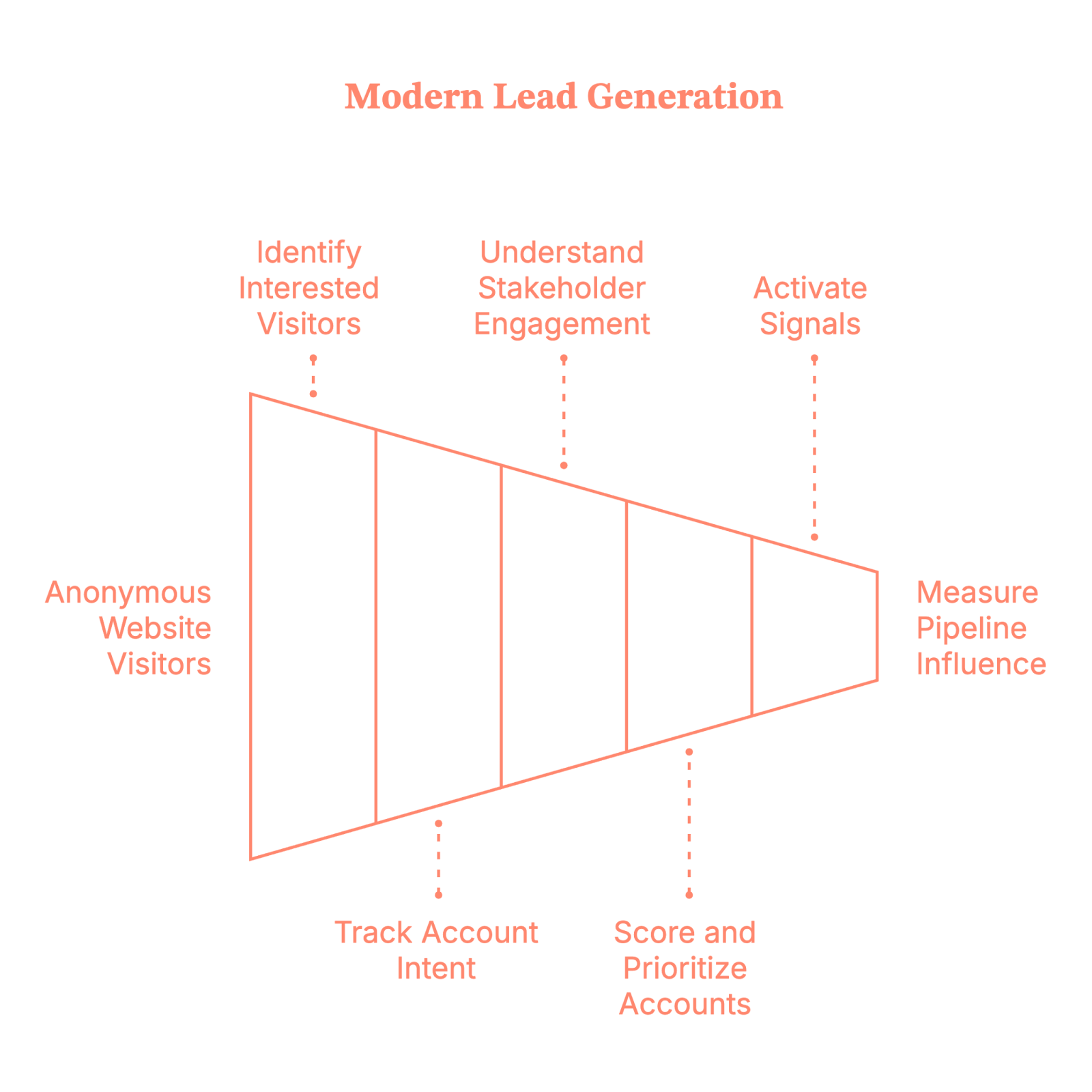
In other words, modern lead generation is less about asking, “Who filled out the form?” And much more about answering, “Which accounts are actively buying… and what should we do before they talk to someone else?”
That shift is what separates lead gen that looks busy from lead gen that actually drives revenue.
Related read: Lead generation KPIs for B2B teams.
Why lead generation tools matter more than ever
Once lead generation shifts from “forms” to signals, the tools you use suddenly matter a lot more. Because you can’t spot quiet demand, track intent, or connect buying behavior to revenue with spreadsheets and good intentions alone.
The right lead generation tools help B2B teams:
- See demand before someone raises their hand
- Focus on high-intent accounts, not low-quality volume
- Align sales and marketing around shared, trusted signals
- Reduce wasted spend and improve CAC
- Defend impact with pipeline and revenue data, not vibes
Without the right tools, teams usually default to:
- Guesswork
- Over-reporting MQLs to feel productive
- And fighting internal attribution debates that solve nothing
And once you’re in that loop, everything feels harder than it needs to be. So let’s look at the tools that actually help.
{{INLINE_BOFU}}
What features should you look for in a lead generation tool?
Not all lead generation tools are created equal. Some help you uncover clear buying signals.
Others help you collect more leads… and more questions in your pipeline review.
If lead generation in 2026 is about accounts, intent, and revenue, your tools should probably understand those things too. Shocking, I know.
Here’s what to look for.
1. Account-level visibility (because B2B doesn’t buy in isolation)
If a tool only tells you who filled out a form, congratulations. You’re already late. You want to know:
- Which companies are on your site
- How often are they showing up
- And what they’re clearly obsessed with
Because deals don’t close just because one person clicked once, they close when an entire account quietly loses sleep over your pricing page.
2. Intent signals that mean something
Every tool claims to show “intent.” Some just call every page view a buying signal and call it a day. So, look for tools that capture intent signals like:
- Website behavior
- Content consumption
- G2 signals
- Ad engagement
- Sales and CRM activity
And, more importantly, help you tell the difference between “Just browsing” and “Please don’t let this go to a competitor.”
If everything looks like intent, nothing is.
3. Multi-stakeholder tracking (aka reality)
Real buying journeys are chaotic. You’ve got:
- One person reading blogs
- Another watching a demo
- Someone from finance lurking in the background
- And a VP who shows up exactly once, right before the deal closes
Good lead generation tools understand this. Bad ones think buying happens in a straight line. (It doesn’t.)
4. Activation across your GTM stack (insight ≠ action)
Dashboards are nice. Revenue is nicer. Your lead gen tool should help you:
- Alert sales when an account heats up
- Trigger outbound workflows or ad workflows
- Sync cleanly with your CRM
- And generally do something useful with the data
If your insights just sit there looking pretty, they’re not insights. They’re decor.
5. Pipeline and revenue attribution (for when leadership asks)
At some point, someone will ask, “So… is this actually working?”
Your tool should be able to answer:
- Which accounts turned into pipeline
- What influenced deal creation
- And what contributed to revenue
If it can’t, get ready for phrases like “vanity metrics” and “budget reallocation.”
6. Clean data and low drama
No one wants a tool that:
- Breaks integrations
- Requires weekly manual cleanup
- Or creates more Slack threads than insights
The best tools quietly do their job without becoming another project.

The 15 best B2B lead generation tools for 2026
Now that we know what actually matters in a lead generation tool, let’s talk about the ones that show up when it counts.
These aren’t “nice-to-have” tools. They’re the ones GTM teams rely on when lead volume looks great… but pipeline tells a different story.
We’re starting with platforms built for account-first lead generation, then moving into data, inbound, and execution tools.
1. Factors.ai
Factors.ai is an ABM-first lead generation platform built for how B2B buying actually works today.
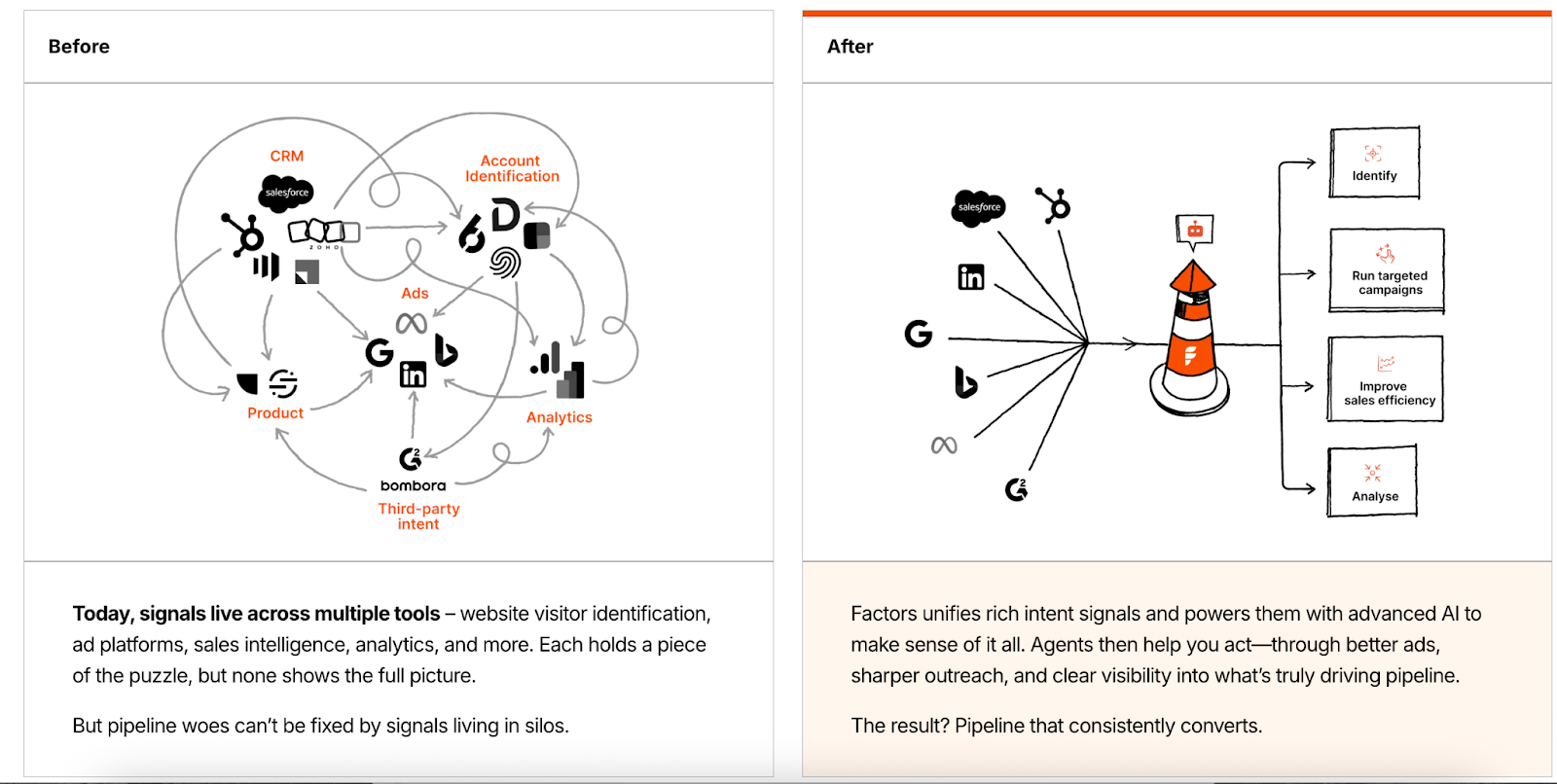
Instead of treating lead gen as a form-filling exercise, it treats it as an account discovery and influence problem. Who’s visiting? Who’s engaging? And which of those accounts are actually worth your time? It also helps you create segments of those audiences and run Google Ads and LinkedIn Ads targeting them.
Key benefits
- Identifies anonymous website visitors at the account level
- Surfaces high-intent accounts by capturing 1st, 2nd and 3rd party intent signals
- Aligns sales and marketing on shared account insights
- Shows which touchpoints influenced the pipeline and revenue
- Helps you optimize ad spends on Google and LinkedIn
Core features
- Waterfall enrichment to achieve >75% Account level website visitor identification
- Intent capture across website, ads, G2, and sales activity
- Run targeted ad campaigns on Google and LinkedIn using our audience sync features
- Workflow automation using GTM engineering services
- Multi-touch attribution and revenue reporting with Lift analysis
- CRM and ad platform integrations
Pricing
Custom pricing
2. Oppora.ai
Oppora.ai is an AI outbound sales agent that automates the entire outbound outreach workflow for teams that want to find leads, personalize outreach, run follow-ups, handle replies, and sync CRM activity from one place.
Instead of juggling separate tools, you can use Oppora AI to create automated workflows like:
“Every day at 9 AM, find SaaS companies hiring marketers, identify decision-makers with verified emails, send personalized emails, send LinkedIn connection requests, and automatically add them to an existing outreach campaign.” And it keeps running automatically every day.
Key benefits
- Helps teams manage lead discovery, enrichment, outreach, follow-ups, replies, and CRM updates in one workflow
- Reduces the need to switch between multiple prospecting, data, and outreach tools
- Supports safer outbound scaling with inbox health, warm-up, provider matching, and smart send controls
- Uses AI to personalize emails, handle replies, qualify leads, and move interested prospects closer to meetings
- Makes recurring outbound workflows easier to run, such as finding new companies every week and launching outreach automatically
Core features
- 1B+ lead database with waterfall data enrichment and pre-validation
- Pull leads from sources like LinkedIn and Google Maps based on your targeting needs
- 20+ buying signals to identify high-intent prospects
- Verified email addresses and phone numbers for accurate outreach, with LinkedIn and Sales Navigator lead import
- AI workflow builder for automated outbound prospecting
- SMTP verification, inbox warm-up, inbox health tracking, and send pattern variation
- AI-powered email personalization and automated follow-ups. AI reply handling, lead qualification, and meeting booking support
- Domain and inbox rotation for scaling outbound campaigns
- CRM sync, campaign reporting, pipeline tracking, and engagement insights
Pricing
Oppora.ai offers a free plan for getting started and flexible paid plans with separate credit pools for different tasks, so you only use credits where needed. The paid plan starts from $34/month.
3. Pintel.ai
Pintel.ai is an AI-powered B2B sales intelligence platform that helps GTM teams generate quality leads by discovering target companies, finding the right people, and enriching their contact data. It combines ICP-based AI company research, persona-based prospecting, LinkedIn search, and contact enrichment to support lead generation and outbound workflows.
Key benefits
- Generate higher-quality B2B leads by targeting companies and people that match your ICP
- Identify the right decision-makers using detailed LinkedIn profiles and priority-based personas
- Turn LinkedIn post engagement into enriched leads for sales outreach
- Get verified contact details, including email addresses, phone numbers, LinkedIn profiles, and company information
- Improve data coverage with proprietary data, waterfall enrichment, and regional data providers
- Prioritize high-fit companies and people using AI-powered scoring and buying signals
- Move qualified leads directly into your CRM
Core features
- AI-powered company research based on ICP criteria and buying signals
- Priority-based person cohorts for finding people in a defined order of roles
- Full LinkedIn profile search beyond job titles and roles
- LinkedIn post engagement search and contact enrichment
- Waterfall contact enrichment across multiple data sources
- Proprietary data combined with regional data providers across markets
- AI-powered company and person scoring based on custom requirements
- Hyper-personalized LinkedIn and email message generation at scale
- CRM synchronization and workflow automation
Pricing
Pintel.ai offers flexible, credit-based pricing based on usage.
4. ZoomInfo
ZoomInfo is one of the most widely used B2B data and intelligence platforms for outbound lead generation. For many teams, this is where prospecting begins. It’s typically used early in the GTM motion for market mapping, list building, and outbound prospecting, and often feeds data into CRMs, sales engagement tools, and ABM platforms.
Key benefits
- Massive contact and company database
- Strong filters to narrow down ICP-fit accounts
- Useful intent and firmographic layers
Core features
- Contact and company-level data
- Intent signals
- CRM integrations
Pricing
Pricing is not disclosed. Read more about this on the ZoomInfo pricing blog.
Also, if you are browsing for some good alternatives to ZoomInfo, read our blog on ZoomInfo alternatives and competitors.
5. Apollo.io
Apollo combines B2B contact data with outbound execution, which makes it popular with lean GTM teams that want speed without stitching together five tools.

Key benefits
- Prospecting and outreach in one place
- Lower barrier to getting outbound started
- Fast setup for small to mid-sized teams
Core features
- Contact database
- Email sequencing
- CRM sync
Pricing
The basic plan starts at 49$ per month, and the features vary based on the type of plan you choose.
Related read: Apollo.io vs ZoomInfo
6. Cognism
Cognism is known for compliance-focused B2B data, especially for teams selling into EMEA markets where regulations actually matter.
Key benefits
- GDPR-compliant data
- Strong mobile number coverage
- Useful for international outbound
Core features
- Contact and company data
- Intent insights
- CRM integrations
Pricing
Public pricing is unavailable. If you want to read more about pricing, refer to our Cognism pricing blog.
7. HubSpot
HubSpot is an all-in-one CRM and marketing platform widely used for inbound lead generation and lifecycle management.

Key benefits
- Unified CRM and marketing workflows
- Strong inbound and automation tooling
- Widely adopted and well-integrated
Core features
- Forms and landing pages
- Email marketing
- CRM and reporting
Pricing
Public plans available; pricing varies by hub and tier.
8. Clay
Clay acts as a data orchestration layer for GTM teams, pulling together enrichment, intent, and signals from multiple sources.
Perfect for teams who like control (and spreadsheets… but better ones).
Key benefits
- Highly flexible enrichment workflows
- Connects multiple tools into one system
- Reduces manual prospecting work
Core features
- Multi-source data enrichment
- Custom workflows
- CRM and outbound tool integrations
Pricing
The basic plan starts at 134$ per month. Custom pricing is available for enterprise companies.
While Clay offers powerful outbound workflows, you may want to compare it against the top Clay alternatives designed for faster, out-of-the-box sales orchestration.
9. UserGems
UserGems focuses on revenue signals tied to people's movement, especially job changes.
It helps teams re-engage buyers when champions move to new companies. (Which happens more than anyone admits.)
Key benefits
- Turns job changes into warm outbound opportunities
- Helps sales reconnect with known buyers
- Adds timing and relevance to outreach
Core features
- Job change tracking
- Account and contact alerts
- CRM integrations
Pricing
Public pricing unavailable
10. Salesloft
Salesloft focuses on rep productivity and human-centric engagement, with tools that help sales stay organized without feeling robotic.
Key benefits
- Strong rep experience
- Clear engagement insights
- Helps standardize outreach
Core features
- Email and call sequencing
- Sales analytics
Pricing
Public pricing unavailable
11. Drift
Drift enables chat-based lead capture for high-intent website visitors who don’t want to fill out another form.
Key benefits
- Faster response times
- Better qualification at the moment of intent
- Helpful for sales-assisted inbound
Core features
- Website chat
- Lead routing
Pricing
Unavailable
12. Intercom
Intercom blends sales, marketing, and support conversations into one messaging platform.
Key benefits
- Conversational lead capture
- Flexible automation
- Useful across the full funnel
Core features
- Messaging and chat
- Workflow automation
Pricing
Public plans available; advanced pricing unavailable.
How to choose the right B2B lead generation tool (without overthinking it)
Choosing a lead generation tool doesn’t have to feel like a six-week internal project with five comparison spreadsheets and zero decisions.
The trick is to stop asking “Which tool is best?” And start asking, “What problem are we actually trying to solve right now?”
Here’s a simple way to think about it:
- If your problem is not knowing who’s visiting your site, then you need visitor identification and intent-capturing tools
- If your problem is too many low-quality leads, then you need better qualification and prioritization
- If your problem is sales saying ‘these leads are useless’, then you need shared signals and attribution
- If your problem is execution, not insight, then you need engagement and activation tools
Most teams don’t fail because they picked the wrong tool. They fail because they picked a tool for a problem they don’t actually have.
A simple way to choose the right lead generation tool (no spreadsheets needed)
If you’re staring at a list of tools thinking, “Okay… but which one do we actually need?”, then start here.
PS: There is no right or wrong answer here.
1. How mature is your GTM motion right now?
Ask yourself where your team realistically sits:
Early-stage?
You’re still figuring out who to sell to and how to reach them. Data and outbound tools usually help most here.
Scaling?
You have demand coming in, but it’s messy. This is where intent signals and activation tools start to matter.
More mature?
You’re running ABM, working with multiple stakeholders, and leadership wants proof. You’ll need attribution and account-level visibility, not just more leads.
No wrong answer. Just be honest.
2. Where are things actually breaking?
This part is easier than it sounds.
Getting traffic, but no idea who it is? You have a visibility problem.
You know who’s visiting, but nothing happens next? You have an activation problem.
Campaigns are running, deals are closing… but you can’t explain why? You have an attribution problem.
Most teams only have one major leak at a time. Fix that first.
3. Who needs to believe this data?
This matters more than people admit.
If it’s just marketing, lighter inbound tools might be enough.
If sales and marketing both need to act on it, you need shared, account-level signals.
If leadership is involved, pipeline and revenue reporting isn’t optional. It’s table stakes.
If the data can’t hold up in a pipeline review, it’s going to be questioned eventually.
The gut check
Here’s the simplest test of all: If you can’t clearly explain why a tool exists in your stack, what problem it solves, and who it helps, it probably doesn’t need to be there.
And yes, that applies even if it has a really nice dashboard.
FAQs on B2B lead generation tools
Q1. What is the best B2B lead generation tool in 2026?
There’s no single best tool. Some teams need account-level visibility, others need better outbound data, and mature teams need attribution and ABM execution. Tools that connect intent, activation, and revenue tend to outperform standalone lead capture tools.
Q2. Are B2B lead generation tools better than form-based lead gen?
Forms still have a place, but relying on them alone means you’re seeing demand too late. Modern lead generation tools surface anonymous buying intent, multi-stakeholder engagement, and account-level signals long before a form fill happens. Also, read Lead generation vs Demand generation.
Q3. How do B2B companies generate high-quality leads instead of more leads?
High-quality leads come from prioritization, not volume. Teams that focus on:
- Account-level intent
- Buying behavior across multiple people
- Sales and marketing alignment
consistently generate fewer leads, but more pipeline. This is why many teams shift from MQLs to account-based or intent-led lead generation.
Q4. What’s the difference between ABM tools and lead generation tools?
Traditional lead generation tools focus on individual contacts. ABM tools focus on accounts, buying committees, and influence over time.
In practice, modern B2B lead generation often includes ABM capabilities like account identification, intent tracking, activation, and attribution. The line between the two is increasingly blurry.
Q5. How do you know if a B2B lead generation tool is working?
Are you clearly able to explain what influenced pipeline and revenue during a pipeline review? If yes, there it is, your tool is working.
If a tool only reports clicks, form fills, or MQLs, it will eventually be questioned. Tools that tie engagement to opportunities, pipeline creation, and revenue impact tend to survive budget scrutiny.

The 9 Best B2B Marketing Tools and Platforms For 2026
Discover the top 9 B2B marketing tools for 2026. Learn how to build an integrated tech stack that drives leads, automation, and measurable ROI.
TL;DR
- Pinpoint tools that integrate smoothly, align with business goals, and scale as volume grows.
- Prioritize platforms offering real-time intent detection, predictive scoring, and multi-touch attribution.
- Combine marketing automation, SEO analysis, creative design, and data orchestration for end-to-end coverage.
- Continuously audit your stack to close gaps, harness new features, and maintain a unified analytics view.
You've invested in B2B marketing tools, yet you still struggle to link those tools and your data to real business outcomes. You are not alone. Many B2B teams face this issue, budgets grow, yet results remain stagnant. Today, companies dedicate 15–20% of their marketing budgets on technology, but adding more tools rarely addresses the primary issues of disconnected workflows or cloudy ROI.
Things get worse when your team spends more time on juggling between tools than on strategy, or when you can't identify what's driving growth. The solution isn't more tools, but choosing integrated B2B marketing platforms, each chosen for its proven impact on lead generation, automation, analytics, and personalization.
In this guide, you’ll discover the nine best B2B marketing tools and platforms for 2025, helping you build a complete, future-ready technology solution.
The Importance Of Your 2026 B2B Marketing Tech Stack
In 2026, a strategic B2B marketing tech stack is non-negotiable. Buying journeys are more complex, and teams expect personalized experiences. Your technology should do more than just automate tasks. It should connect data, streamline workflows, and provide clear insights.
With the right stack, you can:
- Identify high-value leads by combining intent signals and account data
- Engage prospects with targeted, relevant content at every touchpoint
- Measure the impact directly on the pipeline and revenue
Conversely, disconnected tools breed data silos, squandered budgets, and lost opportunities. Without consolidated analytics, you can’t prove ROI or optimize campaigns in real time. As more teams adopt account-based marketing tactics and intent data, an outdated tech setup means missing qualified buyers and ceding ground to competitors.
A modern B2B marketing stack isn’t about following trends. It’s about building a system that grows with your business, supports your team’s goals, and shows clear results. By investing in the right platforms now, you’ll be ready to adapt to new channels, rules, and buyer needs in 2025 and beyond.
Criteria for Choosing the Right B2B Marketing Tools in 2026
Selecting the best B2B marketing tools isn’t just about choosing the most popular brands. Consider these criteria to make sure your stack drives real impact for your demand-gen and growth-marketing teams.
- Aligns with Your Goals
Pick tools that directly advance your key objectives, whether that’s generating qualified leads, boosting conversion rates, or improving campaign visibility. - Solves a Concrete Problem
Every tool should address a specific pain point in your workflow. For example, automating follow-up emails, scoring leads, or unifying analytics. - Seamless Integration
Verify that the solution plugs into your existing tech stack without friction, so data flows freely and your teams avoid siloed information. - Scales with Your Growth
Choose platforms built to expand alongside your business. They should handle more users, campaigns, and channels without slowing down. - Actionable Analytics & Reporting
Look beyond surface-level metrics. The ideal tool delivers clear, data-driven insights that guide smarter marketing decisions. - Security & Compliance
Confirm the vendor meets industry-leading privacy and security standards (GDPR, CCPA, SOC 2, etc.) to protect your customer data. - Intuitive User Experience
A clean, straightforward interface reduces training time, increases adoption, and keeps your team moving fast. - Trusted Vendor & Support
Research customer reviews, case studies, and service benchmarks. You want a partner known for responsive, expert support whenever you need it.
{{INLINE_MOFU}}
9 Must-Have B2B Marketing Tools & Platforms for 2026
Equip your demand-generation and growth teams with the right tech to accelerate pipeline, automate workflows, and extract actionable insights.
Also read: Factors.ai vs Cognism: The GTM Platform Breakdown
Here are nine platforms set to drive measurable results in 2025:
1. Factors.ai

Factors.ai is built for B2B teams focused on marketing intelligence, attribution, and running targeted ABM campaigns. It unifies behavioral signals to identify high-intent accounts. Predictive account scoring, multi-touch attribution, and journey visualization are all part of its offering that helps you get a crystal-clear view of every account’s engagement. The platform integrates with major CRMs and requires no coding to set up. It’s designed to speed up sales readiness with real-time alerts. A strong choice for data-driven, product-led teams.
Key Features:
- Unified Scoring Engine: Merges CRM, ad, and web data into a single model to generate actionable account score and insights.
- Sales-Ready Detection: Uses behavior signals and predictive scores to flag warm accounts for immediate sales outreach.
- PQL Identification: Identifies product-qualified leads from app usage. This aids product-led growth strategies.
- Intent Alerts: Sends real-time alerts for accounts showing high buying intent. This keeps the teams agile.
- No-Code Deployment:Set up and customize the platform without any developer support, perfect for lean teams.
- CRM Integration: Bi-directional sync with tools like Salesforce and HubSpot. Maintains updated lead records.
- Multi-Touch Attribution: Tracks revenue impact across every marketing touchpoint for clearer ROI insights.
- Journey Visualization: Displays a session-by-session timeline of account activity to reveal full-funnel engagement.
- Slack/Email Notifications: Sends alerts directly to sales reps, accelerating outreach time.
Pricing:
Factors has a forever free plan. The paid plan starts at $ 5,000 per year. For more details, visit our pricing page.
2. HubSpot

HubSpot empowers B2B teams to scale demand generation by uniting sales, marketing, and service in one AI-driven platform. Its AI-powered lead scoring and dynamic content deliver personalized engagement at scale, while automation workflows and advanced analytics streamline your inbound strategy. With campaign tools for precise targeting and real-time performance tracking, HubSpot keeps your growth engine running smoothly.
Key Features:
- Predictive Lead Scoring: Uses AI to score leads based on conversion likelihood. It boosts sales prioritization.
- CRM Integration: Consolidates customer touchpoints in one place. Enhances collaboration across teams.
- Marketing Automation: Automates follow-ups, lead nurturing, and tasks. Increases operational efficiency.
- Segmentation Tools: Leverage behavioral, lifecycle, and attribute data to create hyper-targeted lists and deliver personalized outreach.
- Campaign Analytics: Monitors email, ad, and social campaign performance. Measures ROI in real time.
- A/B Testing: A/B tests subject lines, layouts, and content. Optimizes for best-performing elements.
- Personalized Content: Dynamically displays tailored content per user. Increases relevance and engagement.
- Ad Management: Launches and tracks ads from a central hub. Unifies multi-platform advertising.
- Multi-Touch Attribution: Tracks multiple campaign touchpoints per lead. Aids budget allocation.
Pricing:
It has a free plan with limited capabilities. Paid plan starts at $15/month.
Also read: Top 10 Warmly.AI Alternatives and Competitors In 2026-Compare Pros, Cons & Pricing
3. Marketo Engage (Adobe)

Marketo Engage by Adobe is designed for enterprise-level B2B marketing. It handles automation, lead nurturing, and revenue attribution. Built-in ABM features help target and engage high-value accounts. Deep CRM integration ensures sales alignment. AI features personalize content to improve conversion. Marketo is tailored for complex buying journeys.
Key Features:
- Behavioral Lead Scoring: Analyzes content views and site visits to score leads. Supports better qualification.
- Email Nurturing: Sends timely emails triggered by user actions. Keeps prospects engaged.
- ABM Capabilities: Runs personalized campaigns across channels. Reaches target accounts effectively.
- Salesforce Integration: Syncs leads and activities with Salesforce CRM. Maintains data integrity.
- Form & Landing Page Builder: Easy-to-use tools to create lead capture assets. Accelerates deployment.
- Real-Time Personalization: Adjusts content based on visitor behavior. Enhances web experience.
- Analytics Dashboards: Shows pipeline and campaign performance in real time. Informs strategy decisions.
Pricing:
Public pricing isn’t available.
4. 6sense

6sense is a B2B intent and predictive analytics platform. It uncovers anonymous buying behavior and provides AI-powered lead scores. Users can launch personalized ABM campaigns based on intent data. Sales and marketing teams get real-time insights on account activity.
Key Features:
- Buyer Intent Data: Uses third-party data to detect in-market accounts. Prioritizes outreach efforts.
- ABM Orchestration: Aligns multi-channel engagement by account stage. Personalizes every touchpoint.
- Dynamic Segmentation: Automatically updates segments using behavior data. Ensures timely targeting.
- Ad Personalization: Customizes ad creatives per account group. Boosts engagement and CTRs.
- CRM & MAP Integration: Syncs with Salesforce and Marketo. Reduces data duplication.
- Journey Analytics: Visualizes buying stages and engagement trends. Refines campaign effectiveness.
Pricing:
Public pricing isn’t available.
5. Ahrefs

Ahrefs is a top-tier SEO tool used to improve organic traffic. It supports keyword research, backlink analysis, and competitive benchmarking. Marketers use it to craft content strategies and monitor performance. It provides deep insights into search visibility and technical SEO. Ideal for content-driven B2B growth. Ahrefs is also known for its massive data index.
Also read: ZoomInfo Alternatives: Top 6 ZoomInfo Competitors In 2026
Key Features:
- Site Explorer: Research competitor backlinks, keywords, and traffic. Identifies strategic gaps.
- Keyword Explorer: Finds profitable keywords by volume and difficulty. Prioritizes high-opportunity topics.
- Content Explorer: Uncovers high-performing content across topics. Informs editorial calendars.
- Backlink Checker: Audits your and your competitors’ backlinks. Strengthens link-building strategy.
- Rank Tracker: Tracks keyword positions across time and regions. Monitors SEO growth.
- Site Audit: Crawls sites for SEO and technical issues. Supports site improvements.
- API Access: Extracts data to custom dashboards or tools. Supports advanced users.
- Domain Comparison: Compares SEO metrics across sites. Aids competitor benchmarking.
Pricing:
It has a free plan with limited features. Paid plan starts at $129 per month
6. Canva

Canva is a design platform for non-designers and creative teams alike. It provides templates and drag-and-drop tools for rapid content creation. Ideal for B2B teams needing social graphics, decks, and ads. Teams can collaborate on designs in real time. Canva maintains brand consistency with brand kits. Export and scheduling tools complete the workflow.
Key Features:
- Templates Library: Browse thousands of ready-made designs. Accelerates content creation.
- Brand Kit: Save logos, fonts, and brand colors for future use. Ensures visual consistency.
- Collaboration Tools: Share files, add comments, and co-edit. Enhances team coordination.
- Drag-and-Drop Interface: Create visuals without design skills. Simplifies design workflows.
- Export Flexibility: Save files in formats like PNG, PDF, or PPTX. Supports various platforms.
- Design Folders: Organize assets by project or campaign. Improves accessibility.
- Integration Extensions: Connect Canva to tools like Google Drive. Simplifies file sharing.
Pricing:
It has a free plan.
7. Funnel

Funnel centralizes marketing data across platforms. It cleans, maps, and exports data into dashboards and BI tools. This enables real-time reporting and analysis. Marketers use it to streamline attribution and campaign performance. With over 500 data connectors, it reduces manual work. Funnel supports secure collaboration and scale.
Key Features:
- Data Connectors: Links 500+ platforms automatically. Eliminates manual data pulls.
- Custom Metrics: Create unique performance indicators. Tailor analysis to business goals.
- Scheduled Exports: Sends data to Sheets, Looker, or dashboards. Keeps reports updated.
- Reporting Dashboards: Build custom visuals for KPIs. Enhances team visibility.
- Team Collaboration: Control access levels across users. Maintains security.
- Compliance Ready: Certified with GDPR and SOC2. Ensures enterprise-grade security.
- API Access: Integrates data directly into internal tools. Supports custom use cases.
Pricing:
Also read: Factors.ai vs Clearbit (Breeze Intelligence): which is the better GTM platform?
It has a free plan. Paid plan details aren’t available.
8. LinkedIn (Marketing Solutions)

LinkedIn Marketing Solutions gives B2B marketers access to the world's largest professional network. It excels in precise audience targeting and ABM. Features like Lead Gen Forms and InMail boost engagement. Performance tracking is built in through Campaign Manager. Perfect for top-of-funnel awareness and conversion. LinkedIn is essential for B2B brand building.
Key Features:
- Audience Targeting: Filter by industry, seniority, or company size. Ensures precise outreach.
- Sponsored Content: Promote blogs, offers, or videos natively. Boosts visibility and engagement.
- Lead Gen Forms: Capture leads directly on LinkedIn. Reduces conversion friction.
- InMail Ads: Deliver personalized messages to inboxes. Increases open and response rates.
- Website Retargeting: Show ads to past visitors. Increases chances of reconversion.
- Matched Audiences: Upload email lists for retargeting. Powers personalized ABM.
- Conversion Tracking: Tracks actions like downloads or sign-ups. Measures ROI.
- Event Promotions: Advertise webinars and online events. Expands your reach.
- Campaign Manager: Manage budgets, creative, and results. Centralizes ad operations.
9. Mutiny
Mutiny personalizes website experiences for B2B buyers. It requires no engineering effort to implement. Teams can create personalized headlines, CTAs, and landing pages based on user data. Playbooks and templates speed up launch. Analytics show the impact on conversion. It integrates with CRM and enrichment tools for targeting.
Key Features:
- Real-Time Personalization: Adjusts site content based on visitor traits. Makes messaging more relevant.
- Segment Targeting: Build audiences from firmographic and behavioral data. Sharpens targeting.
- Visual Editor: Change web elements with a no-code tool. Simplifies test creation.
- Playbooks: Use tested templates to speed up personalization. Reduces setup time.
- A/B Testing: Compare different site versions. Finds top-performing variants.
- Analytics Dashboard: Measures the impact of each change. Tracks uplift in conversions.
- CRM & MAP Integrations: Sync with Salesforce, HubSpot, and others. Keeps data in sync.
- Onboarding Support: Offers personalized setup assistance. Ensures fast adoption.
Pricing:
Public pricing isn’t available.
Together, these platforms create a comprehensive B2B marketing ecosystem—covering everything from lead generation to analytics and personalized outreach. Integrating Factors.ai into your existing stack amplifies your strategy, driving clearer insights and faster pipeline growth.
Final Thoughts on Choosing the Right Marketing Solution Tool
Building a strong B2B marketing tech stack for 2025 involves more than choosing popular tools. It's about finding solutions that match your business goals, integrate well, and support your team. The nine platforms discussed cover key areas: automation, analytics, personalization, and design. When combined thoughtfully, these tools create a smooth workflow, provide useful insights, and deliver measurable results.
Your stack should grow with you. Audit it regularly to spot gaps or redundancies, and stay alert for feature updates that boost efficiency or engagement. Prioritize solutions with robust integrations, reliable support, and proven B2B track records.

Best Keyword Tracker Tools (Free & Paid) For Your Content Strategy
Compare the best keyword ranking tools. Free & paid options, local/regional tracking, and quick ways to check your site’s Google rankings. Find how Factors.ai can connect your SEO data with intent data.

TL;DR
- Keyword tracking is the backbone of modern SEO. It measures a webpage’s true visibility and reveals rank volatility across devices and regions.
- Keyword rankings also help set performance benchmarks against competitors.
- Free tools like Google Search Console show basic positions, but pro suites such as SEMrush, AccuRanker, and SE Ranking offer deeper insights.
- Track keywords weekly for stability, daily for volatility, and regionally.
- Keyword tracking improves decision-making by showing what’s working and what’s declining.
- You can link SEO to content strategy to find new opportunities for engagement and conversions.
- Industry best SEO practices will define clear metrics for clients or leadership on organic growth, support algorithm-resilient SEO, and build accountability on ROI.
If you’ve spent any time doing keyword research, you know that ‘SEO position’ is a phrase everyone always throws around (and sometimes panics about). A web page’s ‘SEO position’ indicates how valuable it is for search engines, i.e., the rank it page holds in search results for relevant keywords.
SEO rankings dictate your page's visibility to search engines and readers.
So let’s say someone Googles ‘best marketing tools’ and your article on the topic appears third on Google, your SEO position for that keyword is #3. As the article moves up and down keyword positions, you'll see thousands of clicks gained or lost…and this can be the linchpin for your entire marketing strategy.
Why a Keyword Research Tool is Key to SEO Position Tracking
Spend two weeks in an SEO-first role, and you'll see that keyword rankings are as volatile as it gets. SEO positions and associated search volume can fluctuate because of:
- Discrepancy between mobile and desktop results,
- Missing location-specific keywords,
- Non-optimization of SERP features like maps, featured snippets, videos, and “People Also Ask” boxes,
- Inadequate personalization, which means Google will not showcase the article to many users based on their history, preferences, and behavior.
As a page climbs up and down the ranks for a given keyword, its visibility and click-through rate are directly affected. You’ll have to track target keywords' performance on major search engines consistently for any chance at continued success (yes, we know, you already have a lot on your plate).
No matter what anyone told you, sporadic, ad-hoc checks are not enough. There are no shortcuts to success, and believe me, we looked.
Whatever the industry, you’ll need long-term keyword data and search volume data to find trends, opportunities, and first-person advantages in a cutthroat business ecosystem.
How to Check Organic Rankings and Related Keywords
When choosing a keyword ranking tool, your choices lie between a free keyword rank checker and its paid counterparts… though honestly it’s not much of a choice in the long term.
Free, one-off checks:
For a quick check on a webpage's current SEO position and rank, completely free tools like
Google’s incognito search or free rank checkers work fine. You can also use https://usearchfrom.com/
They offer a snapshot of the page's current SEO position, but can be bogged down by daily query caps, limited keyword depth, and often lack historical tracking.
Ongoing monitoring:
You won’t be able to put in the required SEO efforts without keyword tracking software that automatically monitors keyword rankings over time. You’ll get daily or weekly updates, competitive benchmarking, alerts for volatility, and trend visualizations.
Pro-Tip: Use free checks for spot audits, and paid trackers for reporting, multi-location, and collaboration.
Read More: B2B Marketing Solutions: A Complete Guide to Strategy & Implementation
{{INLINE_MOFU}}
Feature Checklist: How to Choose the Best Keyword Tracking Software
Every keyword tracking tool worth the investment (money and/or effort) must offer the following features:
- Location / Device Granularity: The tool should be able to track SEO rankings by location: country, city, ZIP code, etc. It should also be able to filter results by mobile and desktop (SERPs and rankings depend on device).
- SERP Feature Tracking: Can the tool notify teams when keywords trigger featured snippets, People Also Ask, videos, or local packs?
- Tagging / Folders / Keyword Grouping: Teams should be able to see keywords by theme, funnel stage, campaign, or product. This includes analysis of topic clusters or content silos.
- Competitor Tracking: How are other domains ranking for your keywords? Can you see rising competitors, market share shifts, SERP volatility? Can you use it for benchmarking and spotlighting strategy gaps?
- Alerting / Notifications: Will it send alerts if a keyword drops or rises in rank? Can it help predict keyword volatility?
- API / Export Capabilities: Can it extract data from your existing dashboards, spreadsheets, or intelligence tools? Does it support CSV, Excel, or JSON exports?
- Multi-Engine Support: Does the tool track keyword rankings across multiple search engines, like Yahoo and Bing? Or even region-specific search engines used in specific countries?
- Historical Graphs / Trend Analysis: Does the platform store historical data for every keyword? Can it visualize performance shifts, algorithm changes, and campaign effects?
Best Keyword Ranking Tools
Best forSEO teams
Best forAgencies
Best forFlexible teams
Best forStartups
Best forUnified analytics teams
Best forAll site owners
1. SEMrush
Ideal for: SEO team requiring 360-degree coverage.
Stands out for: Offers comprehensive daily updates. Known for robust SERP feature detection, competitor comparisons, and location-based segmentation.
Caveat: For small teams, this tool can become expensive, especially as operations expand.
2. AccuRanker
Ideal for: Agencies, teams, or individuals who require quick yet precise rank data with clear client reporting.
Stands out for: Delivers real-time updates, keyword and SERP filtering, white-label reporting, as well as API access.
Caveat: Users of this tool will have to pay premium prices and also ensure a steep learning curve if they intend to use all features.
3. SE Ranking
Ideal for: Teams, agencies, and consultants that need to balance tool capabilities with cost.
Stands out for: Delivering comprehensive white-label reports, detailed client dashboards, and expansive competitor analysis and tracking.
Caveat: Necessary to pay more to unlock some advanced features.
4. ProRankTracker
Ideal for: Individual SEO professionals, early-stage startup teams, and/or marketing projects running on lean budgets.
Stands out for: Robust SEO rank tracking across multiple devices (desktop and mobile) across locations at an affordable price.
Caveat: Features to analyze UI and content optimization capabilities are basic, compared to enterprise solutions.
5. Google Search Console (GSC)
Ideal for: Anyone starting out with SEO. Use it to set foundational truths about a site's SEO value.
Stands out for: Being a relatively comprehensive tool at no cost, it delivers solid data on average position, impressions, clicks, and CTR per query/page.
Caveat: Doesn't go too in-depth on competitor data or deep SERP-feature context.
Our Recommendations:
- Best overall “organic rank tracker”: SEMRush
- Best for agencies/reporting: Factors.ai
- Best budget: ProRankTracker
- Best local/regional: SE Ranking
- Best free keyword ranking tool: Google Search Console
Read More: Top 9 Intent-Based Marketing Tools for B2B Companies
How Factors.ai Fits Into Your Keyword Tracking Stack
Factors.ai isn't trying to replace your rank tracker. If you need granular daily position tracking across thousands of keywords, a tool like SEMrush or AccuRanker is still the right call for that specific job.
Here's where Factors.ai does something different. Most rank trackers tell you where you rank. They don't tell you whether that ranking is actually driving the pipeline. Factors.ai connects your organic search performance to the same account-level intent and revenue data it tracks across every other channel. So instead of your rank-tracking dashboard living in its own silo, separate from attribution, you can see exactly which keywords are pulling in visits from accounts that match your ICP, and which ones are just generating traffic that never converts.
Most teams end up running both. A dedicated rank tracker handles day-to-day SEO monitoring. Factors.ai sits alongside it, answering the question that rank trackers can't: which of these rankings actually move revenue.
Track Keywords Regionally & for Local SEO
The SEO expert’s work is never really over, as they also have to keep regional priorities in mind.
Keywords don't rank the same across all locations on the globe. After extensive efforts, you might find that your page ranks #1 for one keyword in Sydney but is completely absent from search results in Philadelphia. On top of that, results on mobile devices differ widely from those on desktops.
To ensure that said efforts don’t go in vain, you need SEO insight at a city, ZIP code, and device-level specificity. Pick modern keyword tracking tools that can simulate searches from specific locations to see what users are really looking for. You’ll also see how high competitors rank in local SERPs, and find missed opportunities for engagement.
Ideally, keyword tracking suites should focus on:
- City- or ZIP-level targeting to pinpoint performance in individual markets.
- Mobile vs. desktop tracking to get accurate usage patterns of SERPs and click behavior across devices.
- SERP feature flags to notify if a page appears or drops off Map Packs, snippets, or “People Also Ask” boxes.
- Scheduling controls to automate periodic checks for consistent local trend data.
Once you have these in place, you have what you need to get a real-world picture of keyword visibility where it matters most: the exact cities, devices, and search experiences your customers are actually using.
Nice (not necessary) to Have Features
You can certainly do without these features, but if a tool within your budget offers one or more of these, give it a second look.
- Visibility Index / Score: Does the tool showcase overall keyword visibility or “share of SERP" for your keywords? This is needed for executive dashboards and top-line reporting.
- Shareable Links / Public Dashboards: Reports and dashboards (read-only links) should be shareable, but with access guarded by role-based logins.
- Annotations / Notes: Can you mark specific dates, like content launches or updates to Google's ranking policies? Can it derive insight from raw data for easy reporting?
- White-Label Reporting: Will the platform remove its branding from reports? Can it add visual refinement to deliverables?
- Unlimited Users / Team Access: Does it cost per user per seat? That's a cost sink. Are features built to encourage collaboration and role-based visibility?
Quick Setup: From Zero to Your First 100 Tracked Keywords
Note: It’s possible that your B2B marketing strategy might need a complete solution overhaul. Here’s how you know.
If you're just starting out, consider this simple process to track your first 100 keywords.
- Start with data you already own. Export the top queries from Google Search Console, as well as high-converting keywords from all your paid search campaigns. This is your "seed set,"i.e., keywords already driving impressions or conversions.
- Segment these keywords by intent or topic. For example, informational searches asking "how to?" are different from transactional searches looking for "pricing" or "demo".
- Map each keyword group to a content piece (like a blog post) or a landing page that addresses the search term as precisely as possible.
- Add key competitors to your tracking tool. It will monitor keyword visibility over time and let you know who is gaining better traction on which keyword.
- Don't forget to define locations and devices for each keyword group. Track results from desktop and mobile search, at the city and ZIP-level, if possible.
- Set up a daily cadence for active campaigns or volatile industries. Weekly ones will do for steady-state monitoring.
- Generate an initial baseline report to define your “starting line” on record. Configure alerts to highlight any significant rise or fall in rankings.
All done? Give it a week, and you should start to see trend lines, competitive context, and a real foundation for SEO decision-making emerge from the raw data.
Free Workflow: Check Google Ranking of a Website Today
Use Google Search Console (GSC) to find queries and average positions
Step 1: In GSC, go to the “Performance” (or “Search results”) report to view how a site currently ranks in Google Search.
Step 2: Set a date range (e.g., last 28 days).
Step 3: Look at the Queries tab to see the keywords the site is ranking for.
Step 4: Focus on the “Average Position” metric for each query: a web page’s mean rank for a specific keyword.
Step 5: Filter by “Device” or “Country” to check site performance across mobile/desktop or in different locations.
Step 6: Export the data (CSV or Google Sheets) to log these baseline values and track over time.
Run a free rank check for a neutral, location-specific snapshot
- Use a free online rank checker tool (like usearchfrom or Ahrefs Free Rank Checker) to see how a specific keyword ranks right now, from a neutral IP/location.
- When running the check, set the keyword, target domain (your site), and specify location (country/city) if the tool supports it.
- Record the result for a live, real-world snapshot of the ranking position at that moment.
Note: Free checkers typically don’t handle historical data or multiple keywords at scale.
Log the baseline + decide whether you need advanced tools
- Combine the GSC export from Step 1 and the snapshot from Step 2 into a baseline report (e.g., date, keyword, average position, live rank check).
- If you need history tracking, daily alerts, geo/device splits, competitive tracking, or SERP-feature monitoring, that’s the moment to graduate to a paid keyword-tracking tool like Factors. It will map intent signals, highlight touchpoints in the buyer journey and generate comprehensive reports.
- This forms the baseline, off which marketers can spot trends, rise and fall in keyword ranks and changes by device/location.
In a nutshell…
Keyword tracking reveals how your site performs across Google’s ever-changing search landscape. Your SEO position (the rank your page holds for a given keyword) can vary by device, location, and SERP features like snippets or maps. Regular monitoring connects visibility to traffic and helps identify early ranking changes before they impact results.
Start with free checks in Google Search Console for average position data. For trend lines, competitor insights, and multi-location reporting, upgrade to professional trackers. Weekly tracking balances clarity and efficiency. In competitive or news-sensitive niches, use daily monitoring for timely reactions.
Tools with city/ZIP simulation and mobile/desktop splits show how your visibility changes across local markets.The ideal tools will offer, as features,location/device granularity, SERP feature tracking, competitor benchmarking, alerts/API, and white-label reporting.
FAQs on the Best Keyword Tracker
Q. What is ‘SEO position meaning’?
SEO position means the rank a web page holds in results for search engines like Google, Yahoo or Bing, when users type in specific keywords. For example, if your blog appears third on Google for “best running shoes,” your SEO position for that keyword is #3.
The higher a page ranks, the more likely it is to get higher visibility and more clicks.
Q. How often should I check organic rankings?
Ideally, you should check rankings weekly to keep up with trends and get accurate reports. In case you're tracking competitive keywords, fresh pages, or campaign launches, it's important to check ranking daily.
Following this routine keeps keyword volatility at a minimum. It also helps SEO teams respond to any drop in ranking progress before it impacts traffic too closely.
Q. Can I track keywords regionally?
Yes, it is entirely possible to track keywords regionally as long as you choose tools offering city or ZIP code-level granularity. Such tools also tend to show keyword rankings as they are coming in from different devices.
Regional tracking is especially important for local SEO or service-area businesses where search intent depends on proximity (e.g., “dentist near me” in Chicago vs. Dallas).
Q. What’s the best free way to check rankings?
Work with Google Search Console (GSC) + a free live rank checker.
GSC will show any verified site’s average positions, clicks, and impressions. Combine that with Ahrefs’ free checker, and you'll see approximate public search results. But don't forget that these free tools do have query limits and no historical data. At best, they work for spot checks rather than long term monitoring.
Q. Rank tracking vs keyword research, what’s the difference?
Tracking monitors performance; research discovers opportunities.
Rank tracking observes how existing keywords are performing over time. Keyword research surfaces new keywords the audience might be searching for, which opens up new opportunities for engagement and conversion.
Q. Do I need daily tracking?
Daily keyword tracking is most required when keyword rankings change quickly. For instance, in competitive industries like certain eCommerce niches, daily tracking is essential to map the impact of content and campaigns.
It's best to track keyword rankings daily when:
- You’re optimizing new pages or product launches.
- You work in volatile niches (e.g., finance, health, tech) where keyword rankings shift with every update.
- You need to respond quickly to algorithm changes or competitor pushes.

We don’t just write about demand gen. We deliver it.
Our AI Agents help you uncover high-intent accounts, run campaigns that actually convert, and keep your GTM motion in sync.
1000+ GTM teams have already scaled their pipeline with Factors.
*Includes built-in peace of mind. And fewer late-night funnel audits.


.svg)



.avif)

