

Good Reads
Fix pipeline pains. Solve GTM puzzles. Read strategic brain dump.
Written for marketers who want real solutions to a leaking pipeline (and their dark circles).
Want to read more from us?

I’m looking for…

Top 8 Multi-Touch Attribution Models to Optimize Your Marketing ROI
Compare the top multi-touch attribution models to measure marketing ROI. Learn how to choose the right model for your B2B marketing campaigns.

TL;DR
- Distribute credit accurately with models like Linear, Time Decay, and W-Shaped for a better view of what influences conversions.
- Choose based on goals and cycle length—short cycles benefit from simpler models, while long journeys need full-path or algorithmic tracking.
- Leverage your data—use rule-based models with limited data or adopt machine learning-based attribution with robust datasets.
- Align with your stack—ensure compatibility across analytics and CRM tools to maintain clean, connected insights.
Picture this: you spend a lot on different marketing channels, but you're still unsure which ones actually boost your sales. Many marketers face this challenge when trying to spend their budgets wisely. The issue gets worse if you rely on single-touch attribution models. These models give credit to only one touchpoint in the customer's journey, which can lead to poor strategy choices. They miss the complex mix of interactions that lead a customer to buy. The answer is multi-touch attribution models. These models provide a better view of how different touchpoints contribute to conversions.
Multi-touch attribution models share credit across many interactions, showing how well your marketing efforts work. By knowing which touchpoints matter most, you can sharpen your marketing plan, boost ROI, and make decisions based on data. This method is key in today's world, where customers connect with brands on many platforms before buying.
In this guide, we'll cover the top 10 multi-touch attribution models that can change your marketing insights. By the end of this article, you'll understand these models well, helping you pick the one that suits your business best. Whether you're an experienced marketer or new to attribution, this guide will give you the knowledge to improve your marketing strategy effectively.
Importance of Multi-Touch Attribution in Marketing
Here’s why multi-touch attribution is important in marketing:
1. Understand the Full Customer Journey
- Multi-touch attribution (MTA) maps out all the touchpoints a customer interacts with before converting.
- It gives credit to every channel involved, not just the first or last one.
- This provides a more accurate picture of how marketing efforts work together.
2. Smarter Budget Allocation
- MTA helps identify which channels truly drive conversions.
- You can allocate budget based on actual performance, not assumptions.
- This ensures that marketing spend goes where it has the most impact.
3. Data-Driven Decision Making
- MTA highlights how different channels influence one another.
- For example, it may show that social media helps boost email click-throughs.
- These insights allow for better targeting, messaging, and personalization.
4. Measure Long-Term Impact
- Not all marketing actions lead to immediate conversions.
- MTA captures the value of nurturing activities like email follow-ups or content marketing.
- This helps evaluate performance over the entire customer lifecycle.
5. Improve ROI and Campaign Effectiveness
- With clearer visibility into what works, you can fine-tune campaigns for better results.
- MTA enables testing and optimizing based on real customer behavior.
- The result is a higher return on investment and better overall marketing performance.
In summary, multi-touch attribution is vital for modern marketing strategies. It helps marketers understand customer interactions, optimize campaigns, improve ROI, and build stronger customer relationships. For more insights on optimizing your marketing strategies, check out our Funnel Conversion Optimization page.
Also, check this comprehensive guide on marketing attribution to measure and optimize your marketing campaigns.
8 Best Multi-Touch Attribution Models
Understanding customer interactions can be complex, but multi-touch attribution models help simplify this process. Here’s a look at the ten best models that can enhance your marketing insights:
{{INLINE_TOFU}}
1. Linear Attribution Model
This model distributes credit equally across all touchpoints in the customer journey. If there are four touchpoints before conversion, each gets 25% of the credit. It assumes every interaction played an equal role in influencing the buyer's decision.
For example, if a lead interacted with:
- A Google Ad
- Then read a blog post
- Opened a marketing email
- And finally booked a demo
Under linear attribution, each of those four touchpoints would receive 25% credit for the conversion.
When to use: When all marketing efforts are meant to work together and no single stage dominates the customer journey.
Pros:
- Easy to understand and implement
- Doesn’t overemphasize a single interaction
Cons:
- Doesn’t show which touchpoints had more influence
- May not suit campaigns where timing matters
2. Time Decay Attribution Model
This model gives more credit to touchpoints closer to the time of conversion. The further back in time a touchpoint is, the less credit it receives. It assumes that recent interactions have a stronger influence on the final decision.
Let’s say a customer journey included:
- LinkedIn Ad (10 days before conversion)
- Webinar Attendance (7 days before)
- Email Click (3 days before)
- Direct Visit + Demo Request (on the day of conversion)
In Time Decay attribution:
- The direct visit gets the most credit
- The email gets slightly less
- The webinar gets even less
- The LinkedIn ad gets the least credit
When to use: For short sales cycles or remarketing campaigns, where later-stage activities play a bigger role.
Pros:
- Reflects real customer behavior when decisions happen quickly
- Highlights the importance of recent interactions
Cons:
- Undervalues early touchpoints like awareness and education
- Assumes all recent actions are more valuable, which isn’t always true
3. U-Shaped Attribution Model (Position-Based)
This model gives 40% of the credit to the first interaction and 40% to the last, with the remaining 20% split among the middle touchpoints. It emphasizes the importance of introducing a brand and closing the deal.
For example, a customer journey looks like
- Google Ad (First Touch)
- Blog Post
- LinkedIn Ad
- Email Click
- Direct Visit + Demo Request (Last Touch)
In the U-Shaped Attribution Model, the credit looks like:
- Google Ad → 40%
- Blog Post → 10%
- LinkedIn Ad → 10%
- Email Click → 0%
- Demo Request → 40%
When to use: In lead generation, where capturing initial interest and final conversion are the most valuable touchpoints.
Pros:
- Emphasizes lead generation and closing
- Balanced view of the beginning and end of the journey
Cons:
- Middle touchpoints may still be more influential than credit suggests
4. W-Shaped Attribution Model
An extension of the U-shaped model, it adds a third key moment, lead creation. The model gives 30% credit to the first touch, 30% to lead generation, 30% to the final conversion touch, and splits the remaining 10% across other interactions.
Let us say a B2B SaaS Buyer Journey looks like the following
- Google Ad Click – A prospect clicks a paid search ad and lands on the homepage → First Touch
- Product Page Visit – They browse core product features
- Whitepaper Download – They fill out a form to access gated content → Lead Creation
- Sales Email Engagement – They click on a nurturing email from a BDR
- Discovery Call Booked – The sales team qualifies them as a good fit → Opportunity Creation
- Product Demo Attended – They explore the tool in depth
- Signed Up for a Trial – Final conversion
Here is the credit split in the following order:
- 0% credit goes to the Google Ad (first interaction)
- 30% credit to the whitepaper download (when they became an MQL)
- 30% credit to the discovery call (entered pipeline)
- The remaining 10% is shared across the product page, sales email, demo, and trial signup
When to use: In B2B marketing, where capturing and qualifying leads is just as important as closing the deal.
Pros:
- Highlights three major points: awareness, lead, and sale.
- Helps align marketing and sales efforts.
Cons:
- Can overlook valuable interactions in the middle.
5. Full Path Attribution Model
This model goes beyond the W-shaped model by also factoring in post-conversion touchpoints such as customer onboarding or support. It assigns credit across the entire customer lifecycle.
It gives significant credit to four key touchpoints:
- First Touch – The very first interaction
- Lead Creation – When the visitor becomes a known lead (e.g., form submission)
- Opportunity Creation – When sales qualifies the lead and adds it to the pipeline
- Closed-Won Touch – The final activity before the deal is closed.
For instance, a b2b customer journey looks like
- Google Ad Click → First interaction → First Touch (22.5%)
- Product Page View
- Whitepaper Download → Form fill → Lead Creation (22.5%)
- Sales Outreach → Discovery Call → Opportunity Creation (22.5%)
- Follow-up Email Click
- Pricing Page Visit
- Signed Contract → Closed-Won Touch (22.5%)
Other touchpoints, such as the product page, emails, and pricing page, share the remaining 10%.
When to use: For subscription or SaaS businesses, where ongoing engagement and retention are part of the customer value.
Pros:
- Tracks end-to-end customer engagement.
- Useful for retention-focused teams.
Cons:
- More complex to implement.
- Requires data beyond the point of sale.
6. Custom Attribution Model
In this model, businesses create their own rules for assigning credit based on their unique customer journey and business goals. It allows complete flexibility and can reflect specific marketing priorities.
Let’s say your data shows that:
- Lead generation heavily depends on webinars
- Opportunities often come from demo requests
- Email nurturing plays a minor role but supports engagement
You might assign:
- 35% to First Touch
- 25% to Webinar (middle-funnel)
- 30% to Demo Request (opportunity stage)
- 10% split across emails and retargeting ads
When to use: When standard models don’t align well with how your audience interacts across your funnel or channels.
Pros:
- Fits your exact marketing and sales funnel.
- Highly customizable and flexible.
Cons:
- Requires strong data expertise and experimentation.
- Time-consuming to set up and maintain.
7. Algorithmic Attribution Model or Data-Driven Attribution Model
This model uses machine learning and statistical analysis of data to assign credit to touchpoints based on actual user behavior and historical performance. It adapts as new data comes in.
This model considers:
- Order and timing of interactions
- Frequency and channel combinations
- Historical conversion outcomes
- Behavior of similar users who didn’t convert
A platform might learn that:
- Retargeting ads after a webinar boosts demo bookings
- Direct visits after email nurturing close the deal
- LinkedIn ads generate awareness but rarely lead directly to conversion
The model would assign higher credit to the retargeting and direct visit touchpoints, even if they weren’t first or last in the journey.
When to use: For businesses with enough data volume and resources to implement advanced, data-driven attribution.
Pros:
- Highly accurate and dynamic.
- Adjusts over time as user behavior changes.
Cons:
- Needs large datasets.
- Harder to explain and trust without technical understanding.
8. First-Touch and Last-Touch Attribution Models
First-touch attribution gives 100% of the credit to the first interaction. If a prospect clicks on a Google Ad, then attends a webinar, and later books a demo, the Google Ad gets 100% credit.
Last-touch attribution gives 100% to the final interaction before conversion. If a user saw a LinkedIn ad, read a blog, clicked a retargeting email, and then submitted a demo request, the demo request (last touch) gets all the credit.
These are simple models that are useful for analyzing specific campaign goals.
When to use: For quick insights or when evaluating top-of-funnel awareness or bottom-funnel closing efforts separately.
Pros:
- Simple and easy to report.
- Useful for understanding the start or end of the journey.
Cons:
- Ignores all other important touchpoints.
- Doesn’t reflect the true influence on conversion.
For more information on how to implement these models effectively, visit our Account Intelligence page.
How to Choose the Right Multi-Touch Attribution Model?
Choosing the right multi-touch attribution model helps you measure your marketing efforts accurately. Your choice depends on your business goals, customer journey complexity, and available data. Here's a guide to help you decide:
1. Evaluate Your Sales Cycle
- For short or simple sales cycles, use a linear attribute model to give equal credit to each touchpoint.
- Long or complex sales cycles: Opt for W-Shaped or Full Path Models, which consider more key stages like lead creation and nurturing.
2. Identify Key Touchpoints
- If early-stage touchpoints like blog visits or social ads play a bigger role, go for a U-Shaped Model.
- If closing-stage interactions like demo requests or pricing page visits matter more, the Time Decay Model may offer better insights.
3. Assess Your Data Availability
- If you have rich, high-quality data and advanced analytics techniques, consider Algorithmic or Data-Driven Models for deeper insights.
- For limited data environments, stick with rule-based models (like Linear or Time Decay) or a custom model tailored to your journey.
4. Check Tool Compatibility
- Make sure your attribution model integrates with your CRM, ad platforms, and analytics tools.
- This ensures smooth data flow, consistent reporting, and more reliable insights across your marketing stack.
Note: For integration options, explore our Integrations page.
5. Align with Business Goals
- Choose a model that supports your marketing objectives, whether it's generating awareness, nurturing leads, or closing deals.
- The right fit should help you optimize performance and allocate budget more effectively.
By selecting a model that reflects your unique sales cycle, data capability, and goals, you'll gain clearer insights and make smarter marketing decisions.
Clarifying Customer Journeys with Multi-Touch Attribution
Relying on single-touch attribution often leaves marketing teams in the dark, skewing budget decisions and misrepresenting what truly drives conversions. Multi-touch attribution models solve this by distributing credit across multiple touchpoints, offering a fuller picture of how your marketing channels contribute to success.
Each model is defined by how it values interactions—whether emphasizing the first and last touchpoints, weighting recent activity more heavily, or leveraging machine learning to adapt in real time.
Choosing the right model depends on factors like sales cycle length, customer behavior patterns, and data availability. Whether you're running B2B campaigns or eCommerce funnels, aligning your attribution model with your business goals empowers better decisions and sharper campaign performance. Multi-touch attribution gives you the clarity to focus resources where they matter most, turning fragmented data into actionable marketing intelligence.
Best AI Tools for LinkedIn Advertising
Learn how top AI tools for LinkedIn ads boost B2B targeting, creative optimization & predictive audiences, and how LinkedIn AdPilot fits in.

TL;DR
- Campaign setup and optimization - Start with LinkedIn Campaign Manager and its Accelerate campaigns.
- Ad creative - Use Predis.ai for image and video assets, or Hypotenuse AI’s LinkedIn Ad Generator for copy variations.
- Account targeting and measurement - Factors.ai’s LinkedIn AdPilot supports intent-based audience syncing, account-level frequency controls, and view-through attribution.
- Organic content support - Taplio and Supergrow help develop LinkedIn content and maintain a publishing schedule. Evaluate them as supporting tools for your content strategy rather than substitutes for paid campaign management.
The best AI tools for LinkedIn advertising help you build better audiences, create ads faster, and improve campaign performance. The right choice depends on where you need support, whether that’s writing ad copy, managing account exposure, or understanding which campaigns influence pipeline.
This guide compares six tools by their capabilities, limitations, pricing, and fit for B2B teams. We explain which tools work directly with your paid campaigns and which support content creation, so you can choose based on the job you need done.
Best AI tools for LinkedIn advertising at a glance
How LinkedIn’s Native AI & Automation Features Work
LinkedIn Accelerate uses AI to help build and optimize campaigns. You provide information about what you’re advertising, including a landing-page URL, and LinkedIn generates recommendations for your campaign. Its automation covers targeting, creative, bidding, and placement. Review the proposed setup against your audience and campaign goals before publishing.
So, before adding another tool, check what LinkedIn already provides. Alongside Campaign Manager, LinkedIn’s Revenue Attribution Report in Business Manager uses connected CRM data to report on pipeline, revenue, and return on ad spend.
External tools are useful when you need additional capabilities, such as account-level exposure controls, audience updates based on signals across your stack, or measurement across several marketing channels.
Key Capabilities to Look for in LinkedIn AI Tools
Compare LinkedIn ads optimization tools by the decisions they help you make and the actions they can perform. Check whether a tool generates assets, recommends changes, or updates live campaigns. Those capabilities require different levels of access and oversight.
1. Predictive Targeting
LinkedIn gives you broad forecasting, but it doesn’t highlight which accounts are warming up in real time. Predictive targeting fills that gap by spotting companies that are more likely to convert based on intent signals and past engagement. This keeps your spend focused on high-fit prospects instead of wasting impressions on low-intent audiences.
2. Creative Optimization
To A/B test your ads, you need different versions of your ad copy, visuals, and formats. AI tools handle this at scale, which means you learn faster, refresh creatives sooner, and avoid running ads that lose steam halfway through the campaign.
3. Analytics & performance forecasting
A strong AI tool should forecast ROI before launch and compare audiences, budgets, and placements with more clarity. Once the campaign goes live, it should highlight what’s performing best so you can adjust spend fast and make smarter decisions.
4. Automation and integration
Your tools should connect smoothly with your CRM, scheduler, and analytics setup. This helps you to track leads through the funnel, retarget with precision, and link ad performance directly to revenue.
For B2B teams running multi-touch or ABM campaigns, these capabilities form the base for scalable, data-driven advertising.
Recommended read: LinkedIn Ads 101 for B2B marketers
Top 6 AI Tools for LinkedIn Advertising
Now that you know what to look for, here are six powerful tools that actually cover those gaps and make LinkedIn ads easier to run.
1. LinkedIn Campaign Manager (Native LinkedIn Ads Platform)
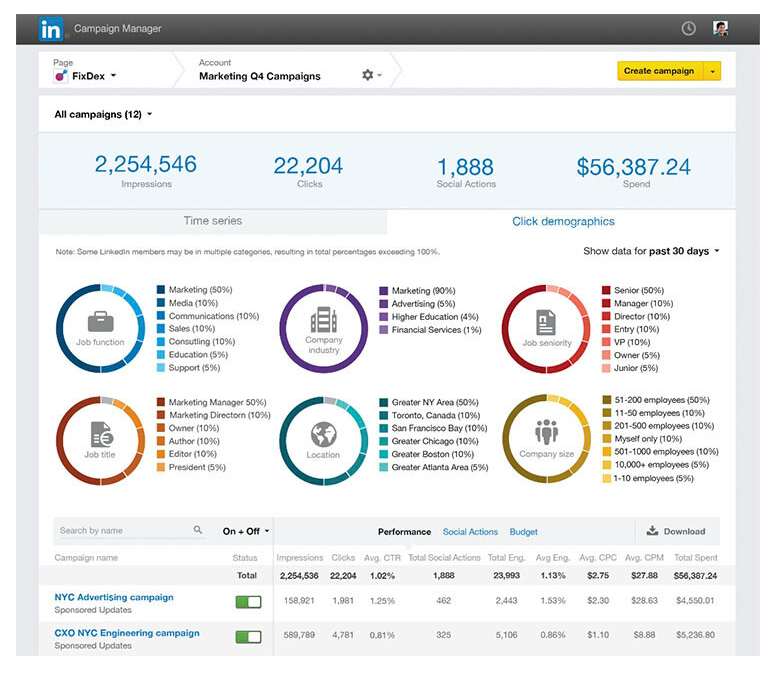
LinkedIn Campaign Manager is an AI powered in-built platform for running ads directly on LinkedIn. It lets you set up audiences, budgets, and ad formats while using AI trained on first party data to target by job title, company size, or industry. The built in forecasting feature uses predictive models to estimate results before launch, which makes planning far more accurate. It’s not the most flexible creative tool, but the AI driven targeting and delivery make it reliable, precise, and easy to manage.
Use it for: Running accurate, data-backed campaigns.
Why it helps B2B marketers: Access to LinkedIn’s clean, verified audience data.
Pros: Trusted targeting, accurate forecasting, smooth setup.
Cons: Automation and feature availability vary by campaign setup; confirm support for your intended objective and format.
Ideal for: B2B teams focused on efficiency and accuracy within LinkedIn.
Pricing: No platform fee; pay per click, impression, or send.
2. Taplio
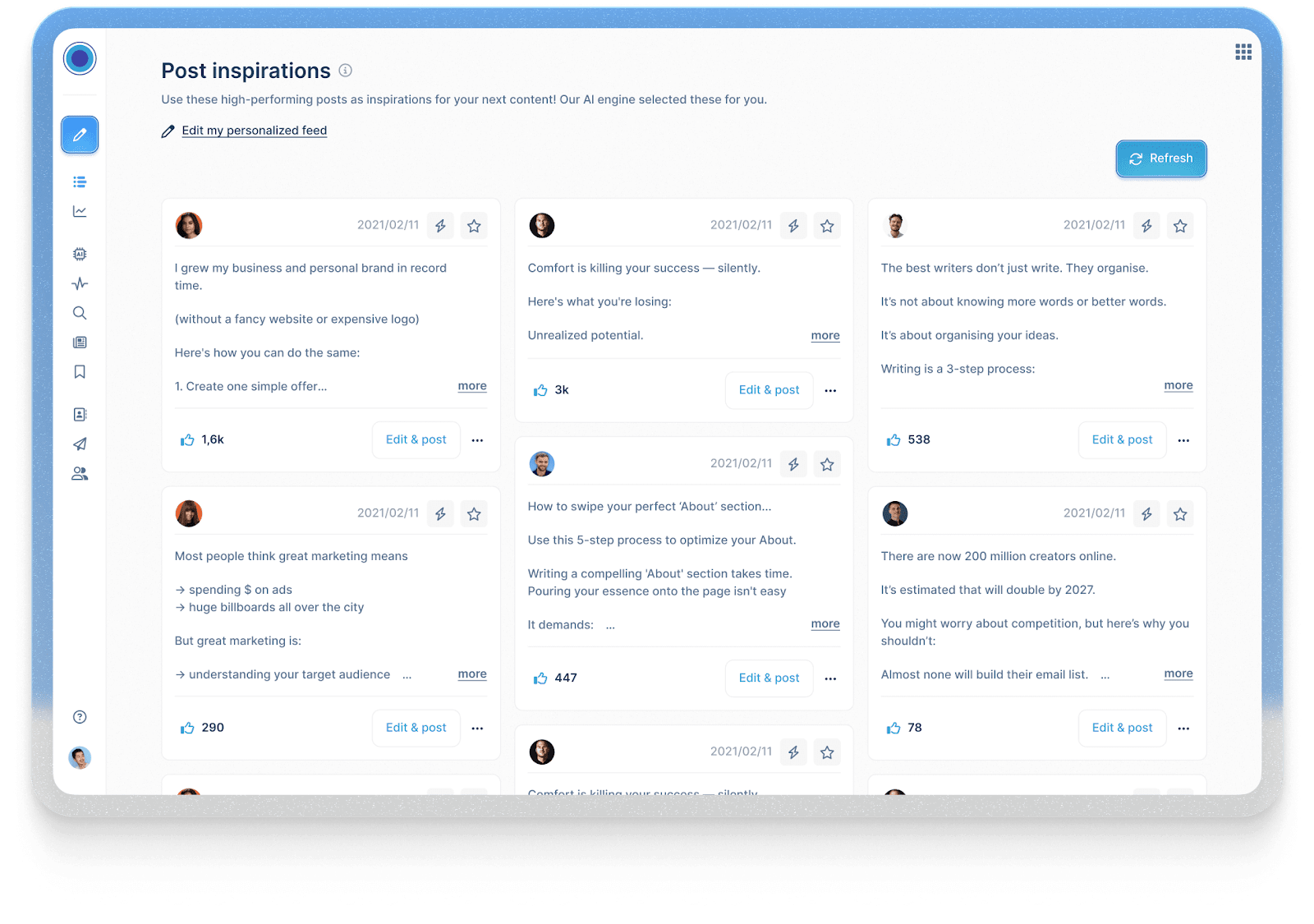
Taplio helps founders and marketers develop organic LinkedIn content through AI writing, topic discovery, scheduling, and analytics. Its relevance to advertising is in message development. Posts that attract useful responses can provide ideas for a paid creative brief, although organic engagement alone does not establish that a message will convert in an ad campaign.
Use it for: Testing and refining content before promoting it.
Why it helps B2B marketers: Helps you shape a personal brand that drives trust and better ad performance.
Pros: Great for tone, topic discovery, and post consistency.
Cons: Doesn’t manage paid campaigns.
Ideal for: Founders, consultants, or marketing leaders using content-led growth.
Pricing: Starter costs $39 per account per month, billed monthly. AI writing begins on Growth at $69 per month, or $49 per month billed annually. A seven-day trial is available.
3. Predis.ai
Predis.ai generates image and video ad assets from product information, URLs, and prompts. For teams comparing AI tools for LinkedIn video ads, it offers a way to produce several creative approaches without filming each version separately. Review the generated visuals, product claims, and captions before using them in a campaign.
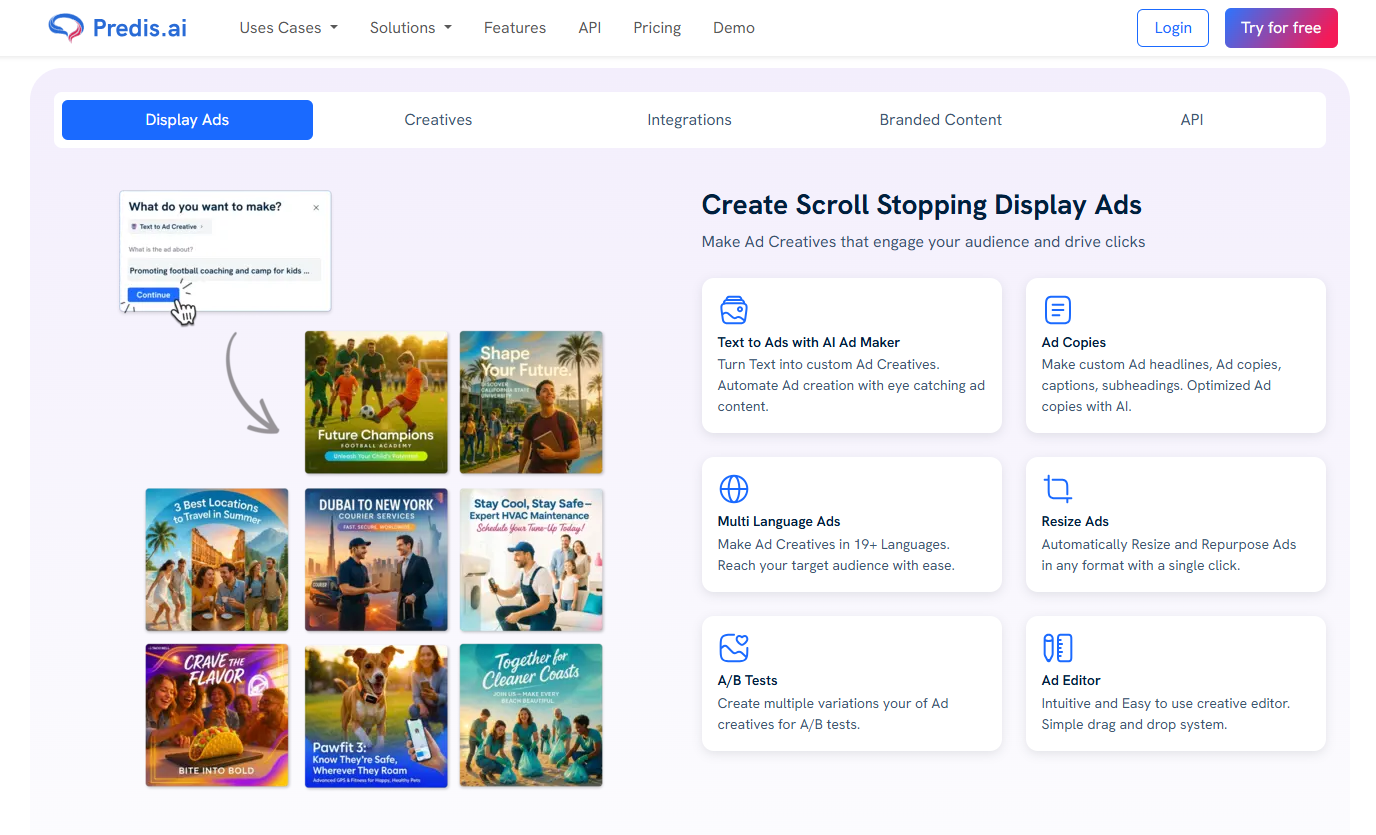
Use it for: Producing image and video variations for campaign testing
Why it helps B2B marketers: Speeds up creative testing and personalization.
Pros: Fast, flexible, and built for experimentation.
Cons: Templates can feel repetitive if unedited.
Ideal for: Lean teams managing multiple campaigns.
Pricing: The Core plan is currently listed at $24 per month billed annually, totaling $288 per year. Check the current offer and included credits before subscribing.
4. Supergrow.ai
Supergrow helps individuals and teams create and publish organic LinkedIn content. Its Content DNA feature uses a person’s existing content and voice to guide drafts, while Postcast turns AI-led interviews into posts. Team plans add approval workflows for managing contributions from multiple people.
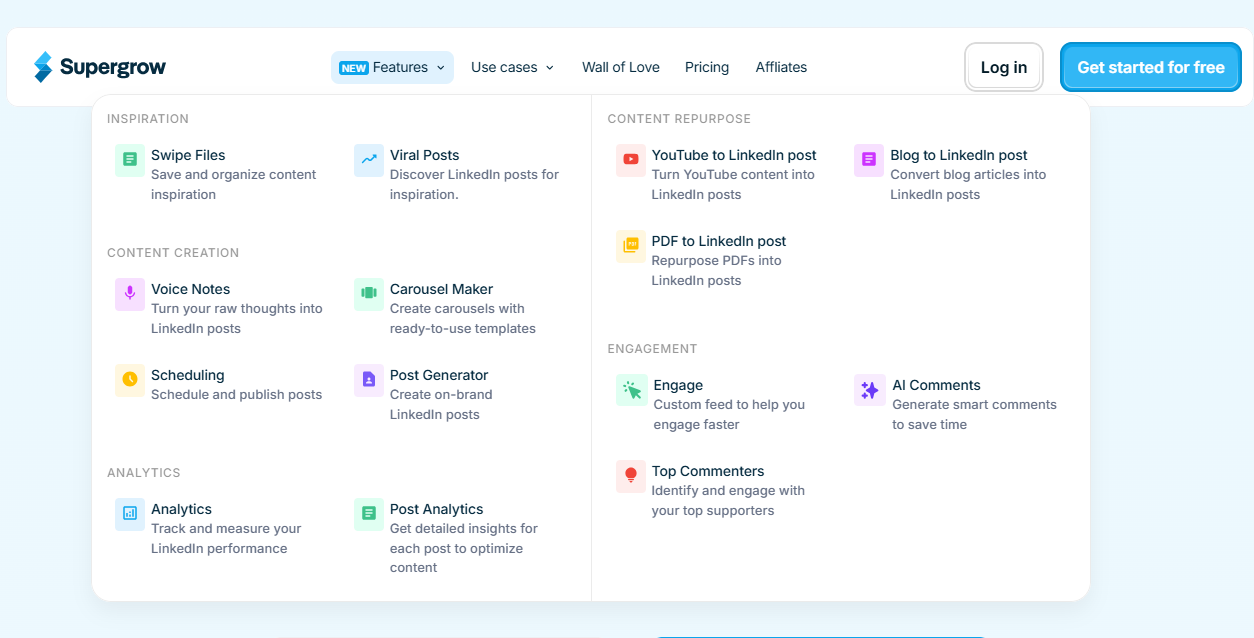
Use it for. Developing executive and employee LinkedIn content.
Why it helps B2B marketers. Turns internal expertise into posts that marketing can review and schedule.
Pros. Supports individual voices within a coordinated team publishing process.
Cons. Organic publishing is its primary use case; it is not a replacement for Campaign Manager.
Pricing: Individual plans start at $19 per month, billed monthly. The Teams plan is listed at $139 per month for four accounts. A seven-day trial is available.
5. Hypotenuse AI
Hypotenuse’s LinkedIn Ad Generator helps marketers write ad copy. It creates multiple ad variations based on your topic, tone, and target audience, helping you find the best-performing message. Since it’s fast and simple, it gives marketers an easy way to test ideas and scale campaigns without sacrificing quality or getting stuck in long, time-consuming writing cycles.
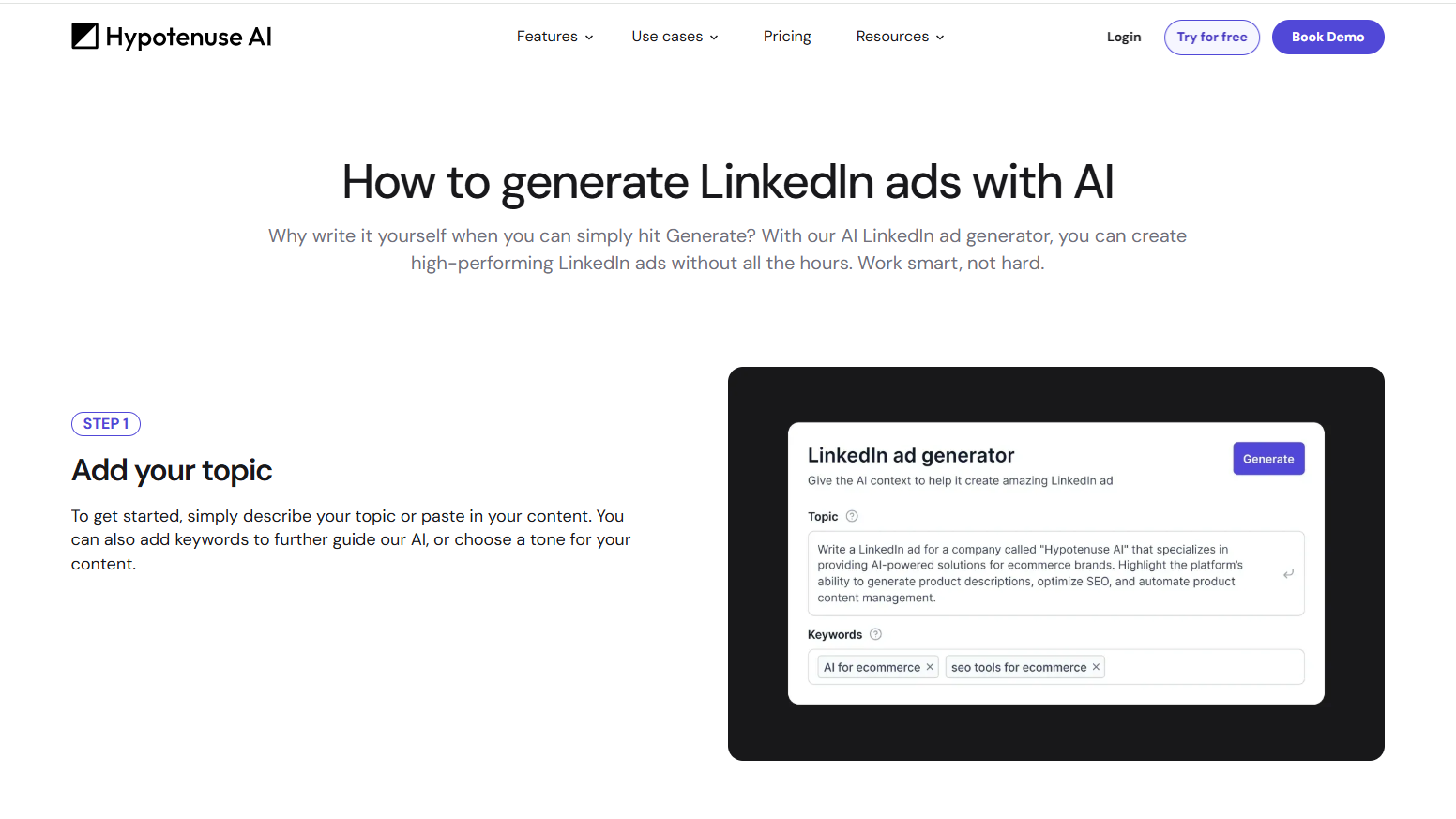
Use it for: Generating high-performing LinkedIn ad copy quickly and efficiently.
Why it helps B2B marketers: Delivers ready-to-run ad variations tailored for your audience.
Pros: Fast, intuitive, easy to refine tone and keywords.
Cons: Limited to copy generation; no design or analytics tools.
Ideal for: Marketers or small teams who want quality LinkedIn ads without manual writing.
Pricing: The current pricing page lists custom pricing. Confirm access and usage limits for the LinkedIn Ad Generator with Hypotenuse before purchasing.
6. Factors.ai’s LinkedIn AdPilot
Factors.ai’s LinkedIn AdPilot helps you decide which companies to target and manage how often they see your ads. You can build audiences using website visits, engagement, and CRM data, and then automatically update those audiences in LinkedIn Campaign Manager. Predictive scores help you prioritize companies more likely to take a specific next step, such as submitting a demo request.
Smart Reach helps prevent a few large companies from taking up too much of your ad delivery. You set a limit on impressions or clicks per company over a chosen period. Once a company reaches that limit, it is temporarily excluded, giving other target accounts more opportunity to see your ads.
Factors.ai also helps you understand what happens after companies see your ads, even when they don’t click. You can view LinkedIn activity alongside later website visits and sales opportunities to get a fuller picture of LinkedIn’s role in the buying journey.
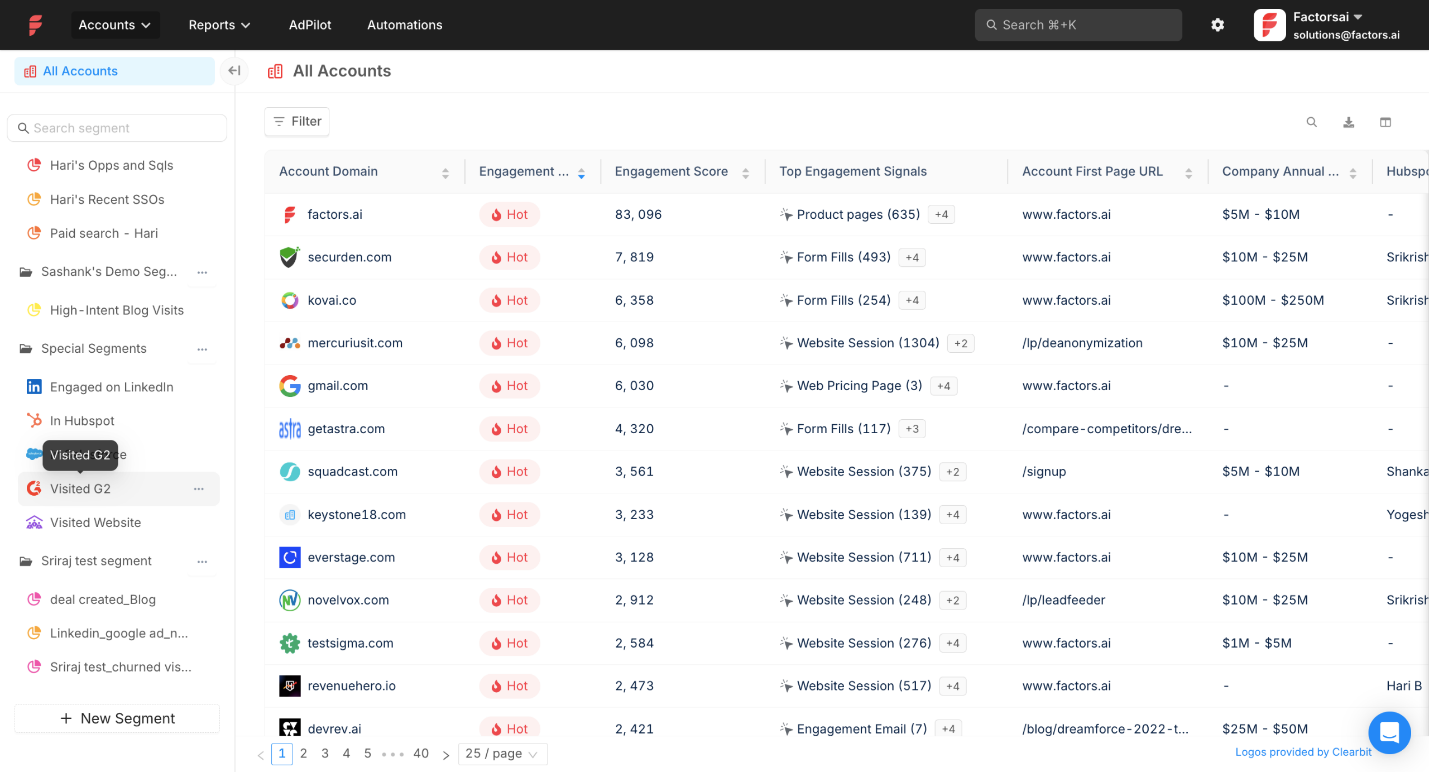
Use it for: Updating account audiences, controlling exposure, and measuring LinkedIn’s contribution to pipeline.
Why it helps B2B marketers: Links ad data with pipeline outcomes for measurable ROI.
Pros: Predictive insights, advanced targeting, automated optimization.
Cons: Results depend on the data sources, audience criteria, and measurement rules you configure.
Ideal for: Demand-gen and growth teams focused on ROI.
Pricing: Factors.ai offers Lite at $199/month after the trial, Basic at $6,000/year, Growth at $20,000/year, and Enterprise starting at $30,000/year.
Recommended read: How LinkedIn Smart Reach controls account exposure
How to Set Up LinkedIn AdPilot in Your Workflow
LinkedIn AdPilot uses account data in Factors.ai to keep LinkedIn audiences current, control how impressions are distributed, and measure what happens after accounts see or engage with your ads. You still create the campaigns and ads in LinkedIn Campaign Manager. Here’s how to set up the data and rules around them.
1. Get website and CRM activity into Factors
First, install the Factors SDK on the pages you want to track. The help article covers Google Tag Manager, manual installation, and CDP-based setup. Check that visits and form submissions appear in Factors.ai before using website activity to define an audience.
Next, connect your CRM through Settings → Integrations. Bringing in HubSpot or Salesforce data lets you use fields such as lifecycle stage and opportunity status when building account segments. Connect your LinkedIn ad account from the same integrations area: select LinkedIn, authorize access, and choose the ad account or accounts you want Factors to use. Follow the integration guide for the account connection.
2. Decide which accounts belong in each campaign
Start with a specific audience rather than syncing every identified company. In Factors.ai, click New Segment → Start from Scratch, add account-property and activity filters, then save the segment. The segments guide shows the steps.
For example, you could create one segment for ICP accounts that visited a product or pricing page recently and have no open opportunity. A second segment could contain accounts with an open opportunity that need different messaging. Check a sample of accounts in each segment before syncing it. If you use Hot or Warm as a filter, configure the signals and weights behind those labels in Engagement Scoring first.
3. Sync the segments to LinkedIn and apply them to campaigns
In AdPilot’s LinkedIn Audience Sync, choose the saved Factors segment and the connected LinkedIn ad account. Then use the resulting audience in the relevant campaign in LinkedIn Campaign Manager. Factors.ai can keep an intent-based audience updated as accounts enter or leave the segment; check the sync status and the audience in LinkedIn before launching or changing targeting. AdPilot’s product overview explains how the dynamic audience sync works.
Set up exclusions at the same time. For example, you may want to keep customers, competitors, or closed-lost accounts out of a prospecting campaign. Under AdPilot → Audience Exclusion → Add rule, select the campaigns and the Factors segment to exclude. The bulk exclusion guide covers the campaign scope, permissions, and sync checks.
4. Set impression rules with Smart Reach
Once the campaigns are running, check whether a small number of large accounts are receiving a disproportionate share of impressions. To set a limit, go to AdPilot → Smart Reach → Add New Rule. Choose whether the rule applies at the campaign, campaign-group, or ad-account level, then set an impression or click threshold and publish it.
You can use one default threshold or set different thresholds for different kinds of accounts. When an account reaches the applicable limit, Smart Reach excludes it for the remainder of the capping interval. Start with a threshold that fits your campaign goal, then review account reach and exclusions before adjusting it. The Smart Reach setup guide explains how each capping level and rule type behaves.
5. Send meaningful conversion events back to LinkedIn
If you want LinkedIn to receive conversion feedback from Factors, set up CAPI separately. Go to AdPilot → LinkedIn CAPI → Sync New Conversion and select an event that matters to your campaign, such as a signup, qualified lead, or opportunity-related CRM event. Connect the LinkedIn ad account if prompted, select the corresponding LinkedIn conversion with Factors.ai as its data source, then save and publish the workflow.
Check LinkedIn’s Conversions section after events begin flowing. The LinkedIn CAPI guide gives the full setup sequence and notes that some CRM updates are sent on a daily schedule.
6. Check account reach and pipeline influence
Use campaign performance to answer two different questions. First, did the ads reach the intended accounts without repeatedly serving a handful of them? Review account-level impressions after setting up Smart Reach. Second, did LinkedIn appear in the journeys of accounts that converted or became opportunities?
For the latter, go to Analyze → Attribution in Factors. Choose the entity you want to analyze, such as HubSpot deals or Salesforce opportunities, select a conversion goal, and include the relevant marketing touchpoints. Confirm that your forms, campaign identifiers, and attribution settings are configured before drawing conclusions. The multi-touch attribution guide walks through the prerequisites and report setup. Attribution shows recorded influence under the model you select; it does not prove that an ad alone caused a deal.
How B2B Teams Use Factors.ai's LinkedIn AdPilot
Descope uses Audience Sync to show different LinkedIn campaigns to accounts at different stages of their journey. It also uses Smart Reach after finding that a small group of accounts was taking a large share of impressions. Descope reported a 25% increase in LinkedIn Ads ROI and nearly 140,000 impressions redistributed in a month.
Hey Digital uses Smart Reach to limit overexposure, dynamic audiences to move engaged companies into relevant campaigns, and Factors.ai’s reporting to examine LinkedIn’s role in deals that did not begin with an ad click. With greater confidence in measurement, the agency increased its ad budget fivefold; it also reported 20% more deals attributed with Factors.ai.
Measuring Success: Metrics and Predictive Audiences
When you’re running LinkedIn ads for B2B, clicks and impressions tell you what happened on the surface. But the real story lies in knowing what happened after someone clicked i.e. the lead quality, the conversations that follow, and the deals that actually move forward.
The metrics that help you understand this are:
- Cost per lead. Campaign spend divided by leads generated. Track cost per qualified lead separately using your team’s qualification criteria.
- Lead quality. How many of those leads turn into meetings or pipeline.
- Account engagement. How often target accounts interact with your content or brand.
- Conversions. Demo requests, signups, or other key actions.
- Time to opportunity. The time between a defined starting event, such as lead creation, and opportunity creation. Use the same starting event when comparing campaigns.
Suppose you test two ads for HR software, one focused on employee retention and the other on engagement. Compare the leads each ad generates, then check how many meet your qualification criteria and progress to an opportunity. Use the same reporting window and attribution settings for both.
Review account journeys as well as lead reports. An account may see an ad, return through another channel, and convert later. Use those observations to inform your next audience or budget decision; a recorded touchpoint alone does not prove that the ad caused the conversion.
Recommended read: Attribution reporting for B2B marketers
Best Practices & Pitfalls for Using AI Tools in LinkedIn Ads
AI can make LinkedIn ads faster and smarter, but it still needs a clear plan and a bit of human judgment. Here’s how to get the most out of it and what to watch out for:
Future Trends: What’s Next for LinkedIn AI Tools in B2B
Artificial Intelligence is becoming a core part of LinkedIn advertising, and the next wave is all about smarter targeting and faster creative. Predictive and generative AI will work side by side. Predictive models will read first-party and intent signals to spot high-converting audiences, while generative tools will create personalized ads and videos for those audiences at scale.
LinkedIn is also building more AI directly into Campaign Manager. Expect stronger measurement, clearer attribution, and better visibility into how ads influence pipeline and revenue.
Privacy regulations will keep tightening, which means first-party audience data will be preferred and used more carefully. You’ll see more transparency, stricter compliance, and a bigger focus on data governance across platforms.
For B2B teams, being future-ready means investing in clean data, solid CRM integrations, and workflows that stay compliant while saving time. The next phase of LinkedIn marketing will reward marketers who pair creativity with ethical, data-driven precision.
FAQs
Q: What are AI tools for LinkedIn advertising?
They are platforms that help you plan, create, and optimize LinkedIn ads using data and automation to improve targeting, content creation, and performance.
Q: Which tools integrate with LinkedIn Campaign Manager?
Factors.ai integrates with LinkedIn Campaign Manager for audience syncing, conversion feedback, and reporting. Check the specific capability you need before evaluating an integration. A tool that exports ad copy or video files provides a different workflow from one that updates audiences or sends conversion events into LinkedIn.
Q: Can I use LinkedIn’s native AI only (without external tools)?
Yes, you can. LinkedIn’s built-in AI assistance supports forecasting, targeting, and optimization for LinkedIn ads, though external tools offer deeper insights and flexibility.
Q. Can AI tools manage LinkedIn ad campaigns end to end?
AI can automate parts of campaign creation and optimization, including targeting, creative generation, and bidding. LinkedIn Accelerate covers several of these tasks within Campaign Manager. Marketers still need to define the offer and objective, review the setup, and judge lead quality. Confirm exactly which actions an external tool can execute before giving it campaign access.
Q: Are there risks when using AI for LinkedIn ads?
The main risks are relying too heavily on automation and overlooking privacy compliance. Always review your linkedin messaging manually and stay updated with LinkedIn’s advertising policies.
Q: How does LinkedIn AdPilot differ from other LinkedIn AI tools?
AdPilot connects your LinkedIn ad performance directly to your CRM and revenue data, helping you see which campaigns drive real business results.

Best ABM Agencies for B2B Growth
Compare B2B ABM agencies across pricing and expertise to find the right partner for your ABM strategy. Find top ABM agencies that drive B2B growth through personalized campaigns.

B2B buying cycles involve 6 to 10 decision-makers on average. Each stakeholder researches independently, consuming 13 pieces of content before engaging sales. This complexity explains why 81% of marketers report higher ROI from ABM compared to traditional marketing approaches.
Account-based marketing targets specific high-value accounts with personalized campaigns rather than generating volume through broad outreach. But, anecdotal data suggests that marketers running ABM programs struggle with execution due to technology gaps, attribution challenges, and sales misalignment.
The best ABM agencies bridge these gaps by providing specialized frameworks, proven technology stacks, and dedicated expertise.
At Factors, we've observed that successful ABM programs connect three critical elements:
- Intent data showing which accounts are actively researching
- Engagement analytics tracking multi-stakeholder interactions
- Attribution models proving revenue impact.
And the most effective agencies excel at all three. If you’re looking to hire the best ABM agency, keep reading.
What Is an ABM Agency and Why Modern B2B Teams Need One
An ABM agency specializes in identifying target accounts, orchestrating personalized campaigns across channels, and aligning marketing with sales for predictable revenue generation. Unlike traditional agencies focused on lead volume, ABM agencies measure success through pipeline velocity and revenue from specific accounts.
Full-service B2B account-based marketing agencies handle account selection, campaign creation, execution, and measurement. Specialized agencies might focus on specific areas: B2B SaaS content marketing agencies excel at product messaging, while B2B demand generation agencies concentrate on paid media orchestration.
Three signals indicate readiness for agency partnership. First, when inbound leads plateau despite increased spending, suggesting diminishing returns from volume-based tactics. Second, when sales and marketing operate with conflicting metrics and definitions. Third, when entering enterprise markets where complex buying committees require coordinated multi-stakeholder engagement.
What are The Core Services Offered by Top ABM Agencies
When hiring an ABM agency, you need to look for one that offers these core services as a bare minimum.
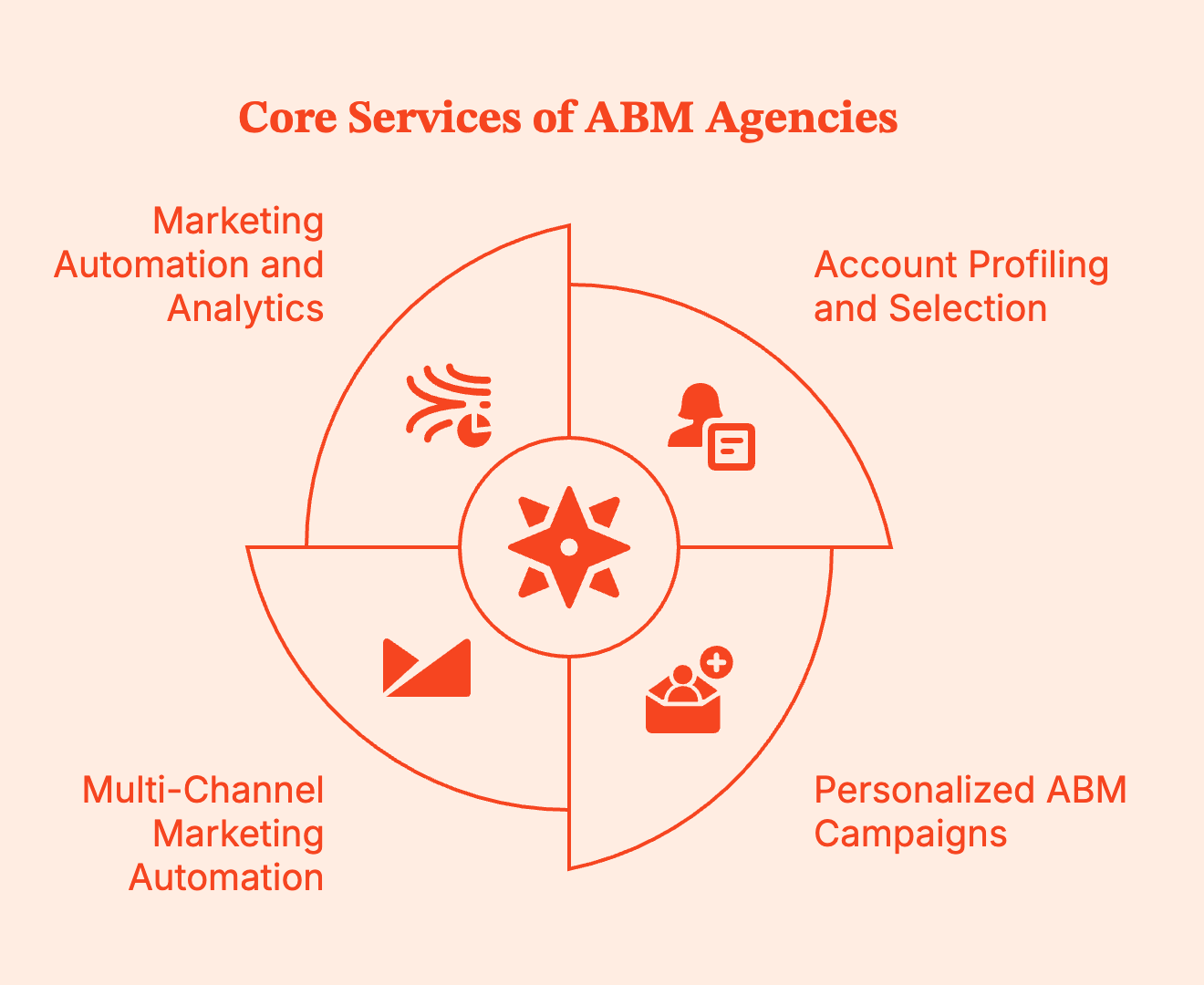
Account Profiling and Selection
Leading agencies like The ABM Agency and Heinz Marketing use firmographic data, intent signals, and engagement patterns to build tiered account lists.
- The 1:1 tier typically includes 5-10 strategic accounts receiving customized campaigns.
- The 1:few tier covers 50-100 accounts with similar characteristics.
- The 1:many tier applies programmatic techniques to hundreds of qualified prospects.
This segmentation determines resource allocation. Enterprise accounts might justify $50,000 in personalized content and executive engagement programs. Mid-market accounts receive industry-specific campaigns at $5,000-10,000 per account. While programmatic campaigns targeting broader segments could do well at $500-1,000 per account.
Personalized ABM Campaigns for B2B SaaS
Effective personalization addresses specific stakeholder concerns.
For instance, CFOs need ROI projections and payback periods. IT directors require integration documentation and security compliance. End users want workflow improvements and training resources. ABM agencies research these priorities through account scoring and competitive intelligence.
AI enables scalable customization while maintaining relevance for SaaS companies. A great example is Single Grain's LinkedIn campaigns. They achieved 8.69% engagement rates through dynamic content that adapts to viewer characteristics and behavior patterns, demonstrating modern ABM execution at scale.
Multi-Channel Marketing Automation Orchestration
Coordinated ABM campaigns span across LinkedIn advertising, display retargeting, email sequences, and direct mail. Here, timing and frequency matter. According to an Adroll survey, 60% of companies aligning ABM with account-based advertising report higher win rates, proving the value of comprehensive ABM approaches.
Tools like Factors' AdPilot and Account 360 help you with unified orchestration and measurement for these ABM campaigns. Marketing teams can sync LinkedIn audiences, trigger campaigns based on engagement thresholds, and pause advertising when accounts enter sales conversations, so there’s clear marketing alignment throughout the buyer journey.
Marketing Automation and Analytics
Integration with CRM and marketing automation platforms helps with multi-touch attribution for B2B marketing. New North connects these systems to show which campaigns influence pipeline progression. Advanced analytics reveal that ad-influenced accounts move through pipelines 234% faster than non-targeted accounts.
Measurement extends beyond campaign metrics to business growth outcomes: account engagement scores, stakeholder coverage ratios, time to opportunity creation, and marketing influence on closed-won revenue for B2B SaaS companies.
The Business Impact: Key Benefits of Partnering with ABM Agencies
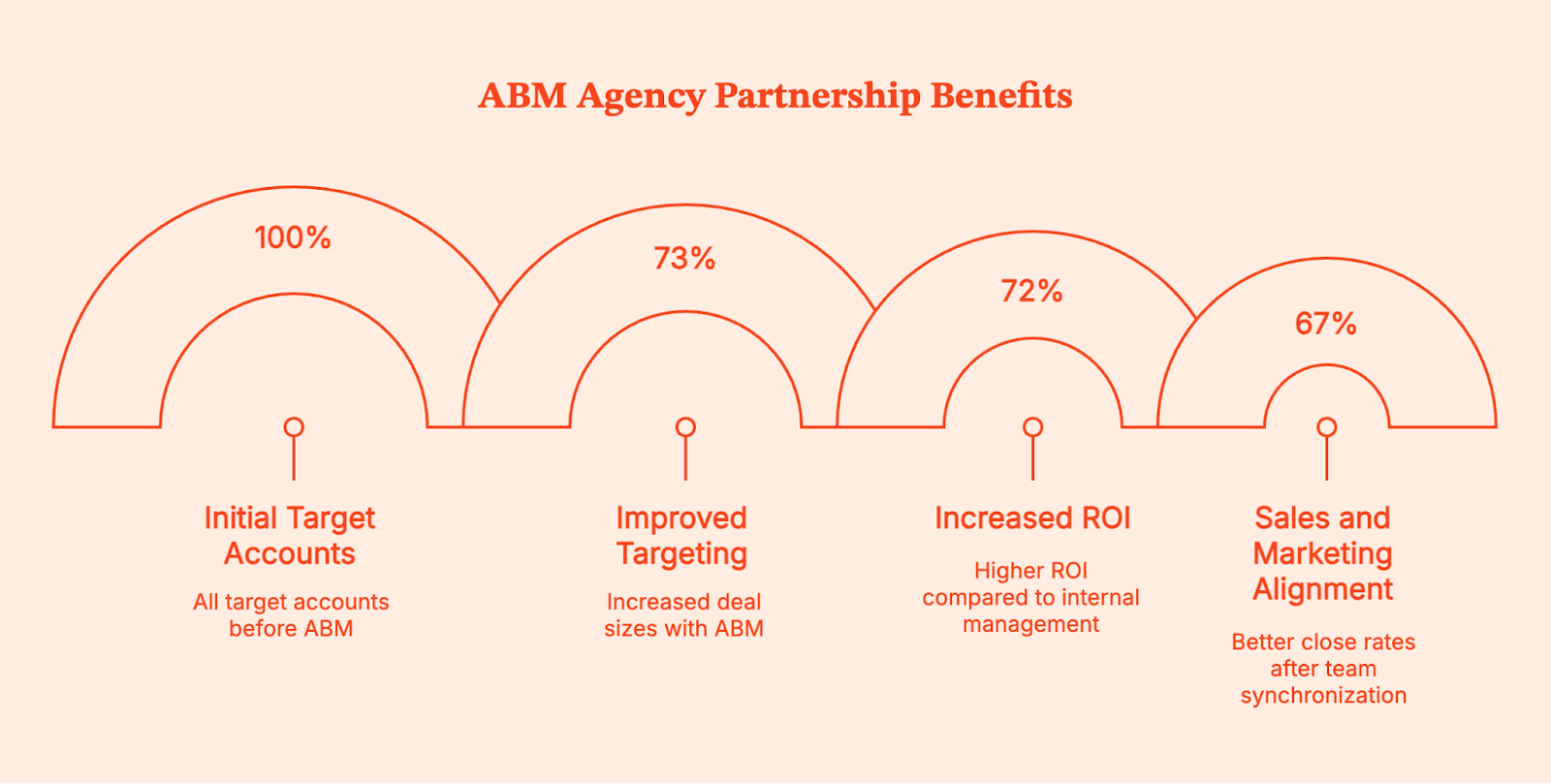
- Improved Targeting: 73% of companies using account-based marketing report increased deal sizes. When you integrate data-driven account selection, you automatically eliminate waste from pursuing unqualified prospects, achieving sustainable B2B growth.
- Increased ROI: B2B companies working with ABM agencies report 72% higher ROI compared to internal management. 93% of marketers rate agency-managed ABM programs as extremely or very successful.
- Sales and Marketing Alignment. When teams share account lists, success metrics, and revenue goals, the alignment between them improves. 67% of companies report better close rates after synchronizing sales and marketing teams through ABM strategies. Shared dashboards and regular account reviews maintain this critical marketing alignment.
- Predictable Pipeline replaces sporadic lead generation. ABM creates repeatable processes that consistently generate qualified opportunities for technology companies.
Using Factors' predictive scoring, teams identify high-intent target accounts before competitors, shortening sales cycles by 30-50%.
{{INLINE_MOFU}}
How to Choose the Right ABM Agency for B2B Success
The most difficult choice is finalizing an agency for your B2B ABM campaigns. Since most agencies have lock-ins, you want to find one that correctly aligns with your goals. Here are a few simple steps to think about the finalization process:
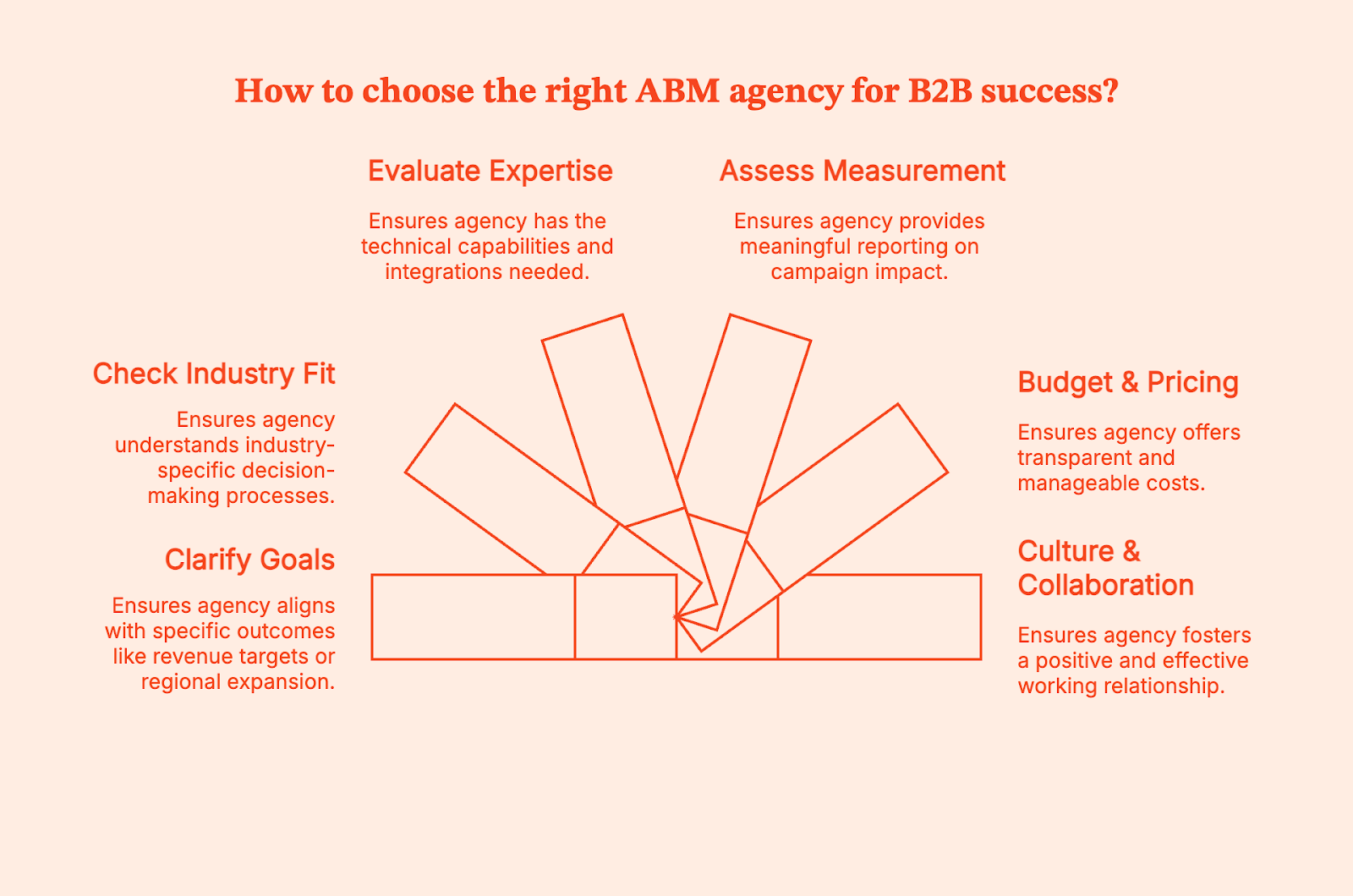
- Clarify Your Goals: Get clear on the outcomes you need, because agencies specialize in different parts of ABM. Revenue targets, account penetration, and expansion into new regions all require distinct skills. Enterprise programs call for heavy personalization, mid-market programs need repeatable execution, and geographic expansion works best with partners who already understand the local buying environment.
- Check Industry Fit: ABM shifts depending on who your buyers are and how decisions happen in your sector. For instance, healthcare involves clinical reviewers and compliance teams, financial services require security and procurement alignment, and manufacturing deals often hinge on operations and supply chain input. Agencies that work inside your vertical already know these patterns and plan campaigns around them instead of guessing.
- Evaluate Expertise: Dig into how they run ABM from a technical standpoint. Ask about their intent data platform, how they identify anonymous visitors, and the attribution methods they rely on to show revenue impact. Good agencies can walk you through their stack, their integrations, and how they keep sales and marketing working from the same account view.
- Assess Measurement & Reporting: You want a framework that tracks actual movement inside target accounts, not vanity metrics. Look for reporting on progression through buying stages, depth of engagement across stakeholders, and how campaigns contribute to pipeline and closed revenue. This tells you whether the program is influencing deals rather than just generating activity.
- Budget & Pricing Models: Costs vary widely with agencies, so insist on a clear breakdown. Monthly retainers often fall between $5,000 and $30,000, with technology subscriptions adding a few thousand a year depending on how many apps you’re subscribed to. Media spend can match or exceed agency fees, so you want everything spelled out before committing.
- Culture & Collaboration: Long ABM programs work best when both teams operate with similar expectations. So pay attention to how they communicate during early conversations, how they handle questions, and how they coordinate with sales. A good fit here keeps the work
Top ABM Agencies to Watch
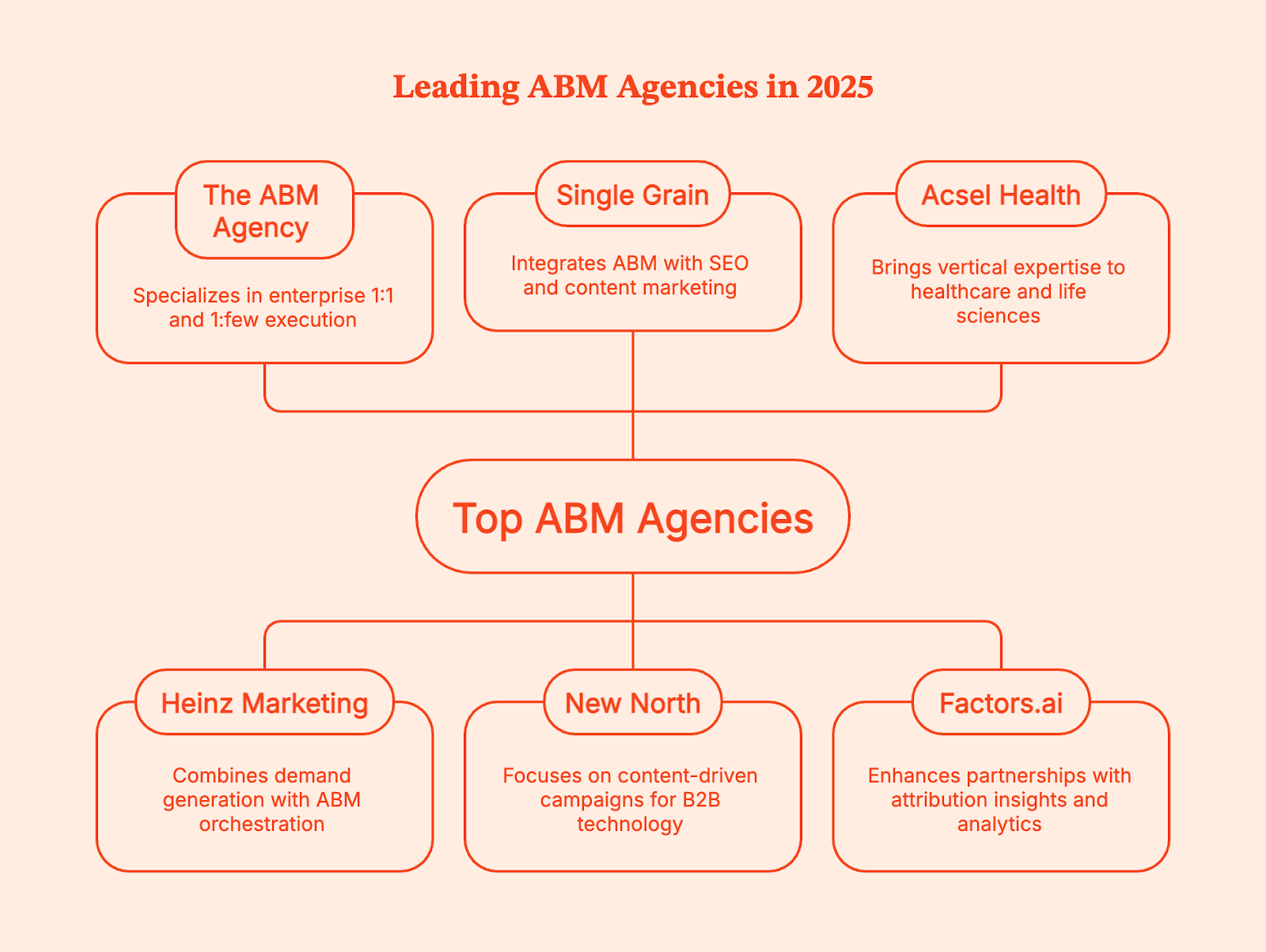
The ABM Agency
Known for precise 1:1 and 1:few programs that support long sales cycles, this team builds plans around account value and buying readiness. Their structure helps enterprises put time and budget toward accounts that move revenue.
Heinz Marketing
Strong in demand generation and ABM orchestration, they focus on creating a shared operating rhythm for sales and marketing. B2B tech firms that want a cleaner pipeline process often find their approach steady and reliable.
Single Grain
Their strength comes from pairing ABM with SEO and content marketing, so target accounts find useful material while receiving coordinated outreach. SaaS companies benefit from this mix because technical buyers usually start with research before they speak to sales.
New North
They work closely with B2B tech teams that need thoughtful content to guide engineers, product leaders, and other technical evaluators. Their campaigns give these stakeholders clear information at each stage of the buying process.
Acsel Health
With deep familiarity in healthcare and life sciences, they account for clinical reviews, regulatory concerns, and extended decision paths. This helps clients avoid generic messaging that slows down evaluations in regulated environments.
Factors
Although not an ABM agency, it enhances programs by tying engagement signals and attribution insights back to revenue. Many teams use it alongside the agencies above to keep performance visible and grounded in reliable numbers.
Account-Based Marketing vs. Traditional B2B Marketing
It’s easier to make sense of the differences when you look at them next to each other, so here’s a quick comparison between ABM campaigns vs. traditional B2B marketing.
| Account Based Marketing | Traditional B2B Marketing | |
|---|---|---|
| Primary focus | Engagement and movement inside defined accounts | Lead volume and MQL counts |
| Buying view | Non linear behavior with several stakeholders active at once | Linear funnel with predictable handoffs |
| Core metrics | Account progression, pipeline influence, revenue impact | MQLs, conversion rates, form fills |
| Typical use case | Strategic accounts and complex evaluations | Broad awareness and top of funnel capture |
| Strengths | Higher impact on qualified opportunities | Scalable reach at lower cost |
In fact, ABM delivers 14% higher pipeline conversion rates and 25% better MQL to SQL conversion compared to traditional B2B marketing approaches. The focus on quality over quantity drives these improvements for B2B brands.
How to Collaborate Effectively with an ABM Partner
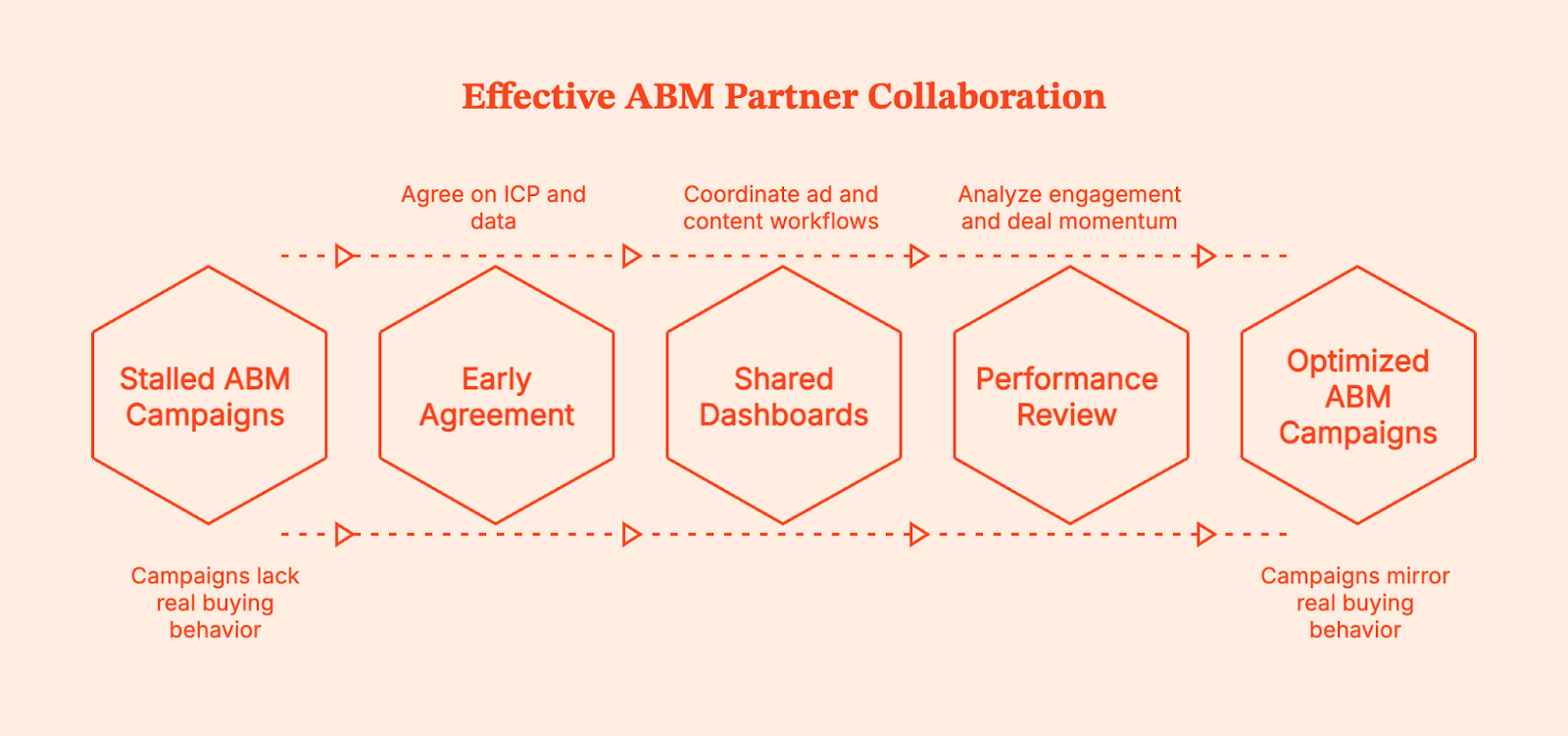
Good collaboration starts before the contract is even signed. When both sides agree on the ICP, know which data sources matter, and understand how sales works a deal from first touch to close, the agency can shape campaigns that mirror real buying behavior instead of making assumptions. Sharing this groundwork early also helps them see which stakeholders matter most and which patterns tend to signal a strong opportunity.
During execution, the day to day flow becomes just as important. Working from the same dashboards, moving content approvals quickly, and coordinating ad workflows keeps campaigns from stalling. Teams often layer in Factors.ai so the agency can see how accounts move through the buyer journey, not just whether they clicked an ad or downloaded a resource. This extra visibility shows which accounts are genuinely warming up and which ones need a different approach.
After a cycle wraps, both teams review the performance with an eye on what should shift next quarter. The most helpful conversations break down where engagement deepened, where deals gained momentum, and where the path stalled. That shared view leads to cleaner planning instead of starting from zero each time.
Measuring Successful ABM Programs
Strong ABM programs show their impact inside target accounts long before a deal closes. Pipeline generated from named accounts, the depth of touchpoints across the buying group, and changes in deal size or pacing all help paint a clear picture of progress. Looking at how much pipeline marketing sourced versus influenced adds nuance, especially when decisions involve several teams inside the account. ROI by segment then clarifies where to double down.
Factors strengthens this picture by turning scattered engagement into a single story. Milestones show how accounts move through key stages, while Account 360 lines up activity across ads, the website, and the CRM. This makes it easier to see which campaigns played a meaningful role in advancing an opportunity.
Track metrics that matter: pipeline generated from target accounts, account engagement depth, deal velocity improvements, and marketing-influenced revenue percentage. Secondary metrics include stakeholder coverage, content consumption patterns, and campaign-specific performance that indicate effective ABM execution.
The Future of B2B Account-Based Marketing
AI has taken over the heavy lifting in segmentation, predictive scoring, and identifying which accounts are starting to show intent. It gives ABM teams a clearer read on where momentum is building and which plays deserve attention. And automation is tightening the rest of the workflow by keeping audiences synced across LinkedIn, Google, and the CRM without manual work.
With privacy rules tightening, first party data is becoming an important aspect for targeting and measurement, marketers now rely on unified analytics to keep campaigns accurate even as old tracking methods fade.
Factors helps teams automate the operational side of ABM, audience updates, alerts, attribution, and performance breakdowns, so programs run smoothly without constant exporting and stitching.
FAQ
Q: What’s the difference between an ABM agency and a demand-gen agency
A: An ABM agency focuses on a fixed list of high value accounts and builds personalized programs for the people inside those companies. They measure success by account movement and revenue impact rather than lead volume. Demand gen agencies cast a wider net and optimize for reach, traffic, and top of funnel activity.
Q: How much budget should I allocate to ABM
A: You should plan for a monthly service fee plus additional budget for technology and media. The total depends on how many accounts you want to target and how personalized the campaigns need to be. Programs with deeper research, custom content, or multi channel orchestration naturally cost more.
Q: Can startups or SMBs use ABM effectively
A: Yes, smaller teams can run ABM as long as they keep the account list tight and focus on the roles that matter most. Lean programs often rely on strong messaging, targeted outreach, and lightweight personalization. This approach helps startups avoid spreading resources across accounts that aren’t ready to buy.
Q: How long before I see ABM results
A: You’ll see early engagement within the first few weeks, but meaningful pipeline movement takes a few months. Multiple stakeholders need to interact with your content before opportunities open. The clearer your ICP and messaging, the faster those signals start to compound.
Q: What KPIs should I track when evaluating ABM performance
A: The most important KPIs are pipeline from target accounts, deal progression, and revenue influenced by the program. Secondary indicators like engagement depth, buyer group coverage, and content interaction help explain why accounts move the way they do. Tracking both levels gives you a fuller picture of program health.

Best AI Prompts for Google Ads to Boost Campaign ROI
Find the best ChatGPT prompts for Google Ads. Write better ad copy, find smarter keywords, and improve ROI with AI-driven precision.
.avif)
Running a good Google Ads campaign has always felt like directing a Christopher Nolan movie… half science, half chaos, and a whole lot of fine-tuning. You’re balancing creativity with data, instinct with structure, art with algorithm.
And lately, that balance feels trickier than ever. Competition’s up, search behavior changes faster than TikTok trends, and manually keeping up? Exhausting, with a side of hair-pulling.
That’s where AI tools like ChatGPT and Gemini step in. Think of them as your behind-the-scenes strategist, the one who handles the boring bits so you can focus on the bigger creative swings. From brainstorming ad copy and spotting keyword gaps to testing headlines and tweaking landing pages, AI helps you move from “what should I even test next?” to “oohhh, that worked” in record time.
When used right, AI doesn’t replace intuition; it sharpens it. It brings structure to the madness, clarity to decisions, and speed to execution.
In this guide, I’ll walk you through how to use AI (especially ChatGPT) to make your Google Ads smarter, faster, and a little more human. Plus, there’s a ready-to-use set of AI prompt ideas at the end that you can plug directly into your campaigns.
ChatGPT Prompts For Keyword Research and Effective Keywords
Every great Google Ads campaign begins with keywords, the bridge between your brand and your buyer’s intent. But keyword research can be messy, repetitive, and easy to get wrong. AI helps turn that chaos into clarity.
By using ChatGPT, you can go beyond simple keyword lists. You can ask AI to analyze intent, cluster keywords by themes, identify long-tail opportunities, or even compare your keyword strategy with competitors.
For example, instead of manually brainstorming every possible keyword combination, you can simply ask:
“Generate a list of high-intent keywords for a Google Ads campaign promoting [product/service]. Focus on users ready to buy.”
AI can also help you uncover what your competitors might be missing:
“Analyze the keyword strategy of [competitor name] and identify untapped opportunities for [your brand].”
By running multiple such prompts, you’ll start to see patterns, and more importantly, gaps you can capitalize on. The goal is to find better, more relevant keywords that align perfectly with your audience and campaign goals.
AI Prompts for Ad Copy and Creative Concepts
Ad copy is often where campaigns succeed or fail. It’s the first impression, the hook, the reason someone decides to click, or scroll past. AI can make this process faster and sharper.
Using ChatGPT, you can generate dozens of headline and description variations in seconds. You can specify tone, target audience, or even platform context. The trick lies in how you prompt it.
For example:
“Write 5 Google Ads headlines under 30 characters for [product] targeting [audience]. Focus on urgency and benefit.”
Or, if you want to explore emotional triggers:
“Write 3 Google Ads descriptions that create curiosity and emphasize [unique value proposition].”
AI can also help polish existing ads:
“Rewrite this Google Ad to sound more persuasive and action-driven: [paste ad].”
By running a few variations, you can quickly shortlist options that best match your campaign tone. This not only saves time but also gives you data-backed creative flexibility to test and learn what resonates with your audience.
Prompts For Ad Creatives and A/B Testing
Even the best copy falls flat without engaging visuals. Ad creatives, whether static images, responsive display banners, or short videos, often make or break click-through rates. Here too, AI can play a supporting role.
With prompts, you can ask ChatGPT to generate visual concepts, storyboard ideas, or test hypotheses for different ad creatives.
For instance:
“Suggest 3 ad creative ideas for a Google Display Ad promoting [product]. Include headline, visual theme, and CTA.”
You can also use AI to design your A/B testing plan:
“Plan an A/B test comparing two Google Ads for [product]. Suggest what to test (headlines, CTAs, visuals) and metrics to track.”
You can uncover which messages and visuals perform best before spending significant ad dollars by integrating AI-driven testing into your workflow. Over time, this leads to higher CTRs, lower CPCs, and stronger conversion rates.
{{INLINE_TOFU}}
ChatGPT Prompts For Landing Page Optimization and Conversion Rate
A great ad only gets you halfway there. The real conversion happens on the landing page, and that’s where many campaigns lose momentum.
Landing page optimization with AI goes far beyond changing button colors or CTA placement. With tools like ChatGPT, you can analyze tone, clarity, and persuasion across your page. You can also generate alternate headlines, rework CTAs, or refine messaging for different audiences.
Example prompts:
“Review this landing page copy and suggest ways to improve clarity and conversion: [paste copy].”
“Write 3 alternate headlines that emphasize urgency for this landing page: [paste headline].”
“Suggest improvements to this landing page for users coming from a Google Ad about [topic].”
When your ad and landing page messaging align perfectly, your Quality Score improves, leading to lower CPCs and better overall ROI.
The Ultimate AI Prompt Pack for Google Ads
Here’s where theory meets practice. Here’s a detailed set of ready-to-use AI prompts designed for every stage of your Google Ads process, from keyword research to landing page optimization.
You can use these prompts directly in ChatGPT or adapt them for other AI tools.
Keyword Research and Effective Keywords
Keyword research is the backbone of every Google Ads campaign. It determines how visible your ads are and how efficiently you spend your budget. But manually searching for the right keywords can be time-consuming.
That’s where AI helps. With carefully written prompts, you can instantly get keyword lists, ad group ideas, competitor gaps, and intent-based suggestions.
Use these detailed prompts:
Prompt 1: Comprehensive keyword generation
“Generate a list of 30 Google Ads keywords for a campaign promoting [product/service]. Include a mix of short-tail, long-tail, and high-intent keywords. For each, mention the search intent (informational, transactional, navigational), estimated competition level (low/medium/high), and a short note on why it’s relevant for my campaign.”
Prompt 2: Competitor gap analysis
“Compare [Your Brand] and [Competitor]’s keyword strategies. Suggest 10 high-value keywords that my brand is not targeting but should. Include the rationale for each and categorize them by search intent.”
Prompt 3: Negative keyword identification
“List 15 potential negative keywords for a Google Ads campaign promoting [product/service]. Avoid irrelevant search intents that could waste ad spend, and explain why each keyword should be excluded.”
Prompt 4: Ad group clustering
“Take this list of keywords [paste keywords] and group them into logical ad groups based on user intent and topic relevance. For each group, suggest an ideal ad headline focus.”
Prompt 5: Trend and seasonal keyword discovery
“Suggest trending or seasonal keywords for [industry/product] for the upcoming quarter. Include examples of rising search topics and how they might impact Google Ads campaigns.”
These prompts help you go from “a list of random terms” to a structured, insight-driven keyword strategy in minutes.
Ad Copy and Creative Concepts
Ad copy is where attention meets conversion. The challenge is writing something concise, compelling, and relevant, repeatedly. AI can help you craft message variations, test different tones, and match your copy with user intent.
Use these detailed prompts:
Prompt 1: High-converting headlines
“Write 10 Google Ads headlines under 30 characters for [product/service]. Each headline should highlight a unique benefit or emotional trigger. Label them under categories like urgency-based, curiosity-based, or value-based.”
Prompt 2: Description variations by audience
“Write 5 variations of Google Ads descriptions (90 characters each) for [product/service]. Use different tones for each: one professional, one friendly, one witty, one urgent, and one luxury-oriented.”
Prompt 3: USP-driven messaging
“Generate ad copy that emphasizes [key differentiator]. Include a primary headline, description, and CTA. Focus on conveying credibility and tangible benefits.”
Prompt 4: Pain-point to solution framing
“Write Google Ads copy targeting users who struggle with [pain point]. Start by acknowledging the problem in the headline and resolve it in the description. Suggest 3 strong CTAs.”
Prompt 5: Copy analysis and improvement
“Analyze this Google Ads copy: [paste copy]. Suggest 3 rewritten versions with better clarity, stronger verbs, and improved CTR potential. Explain what changed and why.”
These prompts make ChatGPT your ad copy assistant, helping you brainstorm ideas, refine tone, and continuously test what converts.
Ad Creatives and A/B Testing
Your ad visuals often decide whether a user stops scrolling or keeps going. Testing them efficiently can mean the difference between average and exceptional ROI. AI can help you brainstorm creative ideas, plan your A/B tests, and interpret results more intelligently.
Use these detailed prompts:
Prompt 1: Visual concept generation
“Suggest 5 ad creative ideas for a Google Display or Performance Max campaign promoting [product/service]. For each, describe the visual theme, headline text overlay, and a matching CTA that complements the ad message.”
Prompt 2: Script ideas for video ads
“Write a short, 10-second video ad script for [product/service]. Include voiceover lines, visual cues, and an ending CTA. The goal is to grab attention in the first 3 seconds and drive action.”
Prompt 3: Structured A/B test plan
“Create an A/B testing plan for my Google Ads campaign. Include which elements to test (headlines, images, CTAs), the minimum sample size required, KPIs to track (CTR, CPC, conversions), and the recommended testing duration.”
Prompt 4: Ad performance review
“Analyze this ad’s performance data: CTR = 1.2%, Conversion Rate = 0.8%, CPC = $2.5. Suggest potential causes of underperformance and 3 testable changes to improve results.”
Prompt 5: Repurposing top creatives
“Suggest ways to repurpose high-performing ad creatives for Google Display, YouTube, and Discovery campaigns. Include how to adjust visuals and messaging for each format.”
With these prompts, your AI assistant can act as a creative strategist and analyst in one, ensuring every ad asset works harder and smarter.
Landing Page Optimization and Conversion Rate
A click means nothing if the landing page doesn’t convert. Whether you’re optimizing form design, copy alignment, or overall experience, AI can help you identify what’s broken and how to fix it.
Use these detailed prompts:
Prompt 1: Landing page critique and rewrite
“Review the following landing page copy for clarity and conversion potential: [paste copy]. Suggest specific changes in headline, structure, CTA placement, and tone. Provide an improved version optimized for a Google Ads audience.”
Prompt 2: Benefit-first headline creation
“Generate 5 benefit-driven headlines for a landing page promoting [product/service]. Each should focus on outcomes rather than features and stay under 10 words.”
Prompt 3: Message alignment prompt
“Here’s my Google Ad: [paste ad copy]. Here’s my landing page: [paste landing page copy]. Identify inconsistencies between the two and suggest how to make the tone, promise, and CTA align perfectly.”
Prompt 4: Conversion element testing
“List 5 A/B test ideas to improve landing page conversion rates for [product/service]. For each test, specify the hypothesis, change to be made, and the KPI to track.”
Prompt 5: Persuasive content generation
“Write persuasive landing page content for [offer]. Include a strong headline, subheadline, 3 bullet benefits, social proof, and a single, clear CTA.”
When used regularly, these prompts can help marketers streamline testing cycles, improve ad-to-landing-page consistency, and ultimately boost conversion rates.
So basically…
AI prompts (when used well) can be great creative accelerators. You can generate ideas, test variations, and analyze results far more efficiently than ever before, by pairing your expertise with well-crafted prompts
But the key lies in iteration. The more you refine your prompts based on real campaign data, the more powerful your results become.
So your next steps are simple:
- Try these prompts in your next Google Ads campaign.
- Track which outputs improve CTR, CPC, and conversions.
- Keep updating your prompt list as your audience and market evolve.
Look, we all know that AI won’t replace great marketing, no matter what everyone tells you. But it will make great marketers unstoppable (Alexa, play ‘Unstoppable’ by Sia).
With the right mix of creativity, curiosity, and prompt engineering, you can unleash the full potential of Google Ads, and finally make your campaigns work smarter, not harder.

B2B Sales And Marketing Alignment: A 101 Guide
Aligning your sales and marketing team is no longer an option. Learn more about how to ace B2B sales and marketing alignment.

"Marketing isn't sending us quality leads," "Sales can't close the deal fast enough" – sound familiar?
With conflicting opinions and an ongoing blame game, sales and marketing are always at war, but the only thing getting killed is your chance to drive revenue. 52.2% of sales professionals find that sales and marketing team misalignment results in lost pipeline and revenue.
We're here to tell you everything you need about B2B sales and marketing alignment to foster healthy collaboration and avoid losing revenue. This blog covers:
- Reasons for Sales and marketing misalignment
- Why sales and marketing alignment is a must
- Must-try sales and marketing alignment strategies
First off, What does Sales and Marketing Alignment even mean?
Sales and marketing alignment is the strategic integration and collaboration between sales and marketing teams to boost business efficiency and drive growth. It ensures that both departments eliminate silos by communicating effectively and working in tandem toward common objectives.
While operating in silos would’ve worked in the past, it’s crucial for B2B sales and marketing teams to unify their go-to-market efforts.

Why is B2B Sales and Marketing Alignment Important?
Here are 5 reasons why B2B sales and marketing alignment is important:
1. Deliver a Unified and Seamless Customer Experience
The B2B customer journey is non-linear and complex. With countless marketing and sales touchpoints to analyze and optimize, it’s no surprise that businesses still struggle to understand it. Plus, when your sales and marketing teams are misaligned, it only complicates the situation further.
Aligning customer engagement across marketing and sales efforts leads to a more holistic view of the customer journey map and allows both teams to execute their strategies coherently while offering a seamless customer experience.
2. Improved Understanding of Your Ideal Customer
Sales and marketing interact with buyers differently, which means they have completely different understandings of their customers. For example, marketers have a more holistic understanding of aggregate buying behavior across a large number of buyers. but sales has more personal knowledge of each buyer.
Sales understands the major pain points and objections buyers overcome before investing in a product. Marketing uses insights from market research, website analytics, and social media data to craft content aligned with the buyer's journey. By combining these insights, you'll gain a much better understanding of your customer.
3. Clearer and More Productive Feedback
Let’s say marketing fails to inform sales about a lead they gain from a blog about SOC II compliance. As a result, sales doesn’t highlight the tool’s compliance feature, prompting your prospect to look for a secure alternative.
When your teams are aligned, it opens doors to clearer communication.
An open line of communication allows you to focus on refining strategies and keeps the team receptive to constructive feedback.
For instance, when your sales team receives insight from their sales calls about your competitor's product being too complicated to use, marketing can use this to create content and launch campaigns that highlight your product’s ease of use.
“Our strategic approach to teamwork entails focused measures at RecurPost. For example, the teams engaged in joint planning sessions for introducing a new subscription plan where such messaging was coordinated making the customer journey seamless.
Using a shared feedback loop in everyday meetings was effective. During a recent content campaign, sales generated customized messaging which ultimately raised lead engagement by 20% after one week.” – Debbie Moran, Marketing Manager at RecurPost
4. Improves Team Performance
When marketing and sales focus on divergent KPIs and metrics (Eg: Marketing focuses on MQLs and Sales focuses on revenue), there's much more room for conflict and blame.
When both teams align on metrics like "pipeline/revenue generation," it's in their interest to collaborate to optimize ROI and pipeline.
5. Higher ROI from GTM Efforts
When the sales and marketing GTM motions are misaligned, you risk losing opportunities to close deals and create the potential for infighting among teams.
Alignment between sales and marketing is crucial to executing a successful GTM strategy. According to Forrester when your company aligns on tech, processes, and people, you can see 36% more revenue growth and 28% more profitability.
This is because smarketing empowers:
- Better experience for each member of the buying group
- Engagement with more members of the buying committee
- Relevant, aligned messaging across marketing and sales channels
- Better brand recall and perception amongst buyers that your brand is an expert
Why is Sales and Marketing Alignment Difficult?
While occasional disagreement between sales and marketing is natural, certain red flags indicate misalignment. There are many tell-tale signs for when your B2B sales and marketing teams aren't aligned, such as:
- The sales team repeatedly blames marketing for "low-quality" leads.
- SDRs disqualify the majority of MQLs right off the bat.
- Marketing collateral goes unused by the sales team.
- Your marketing and sales team operates in silos
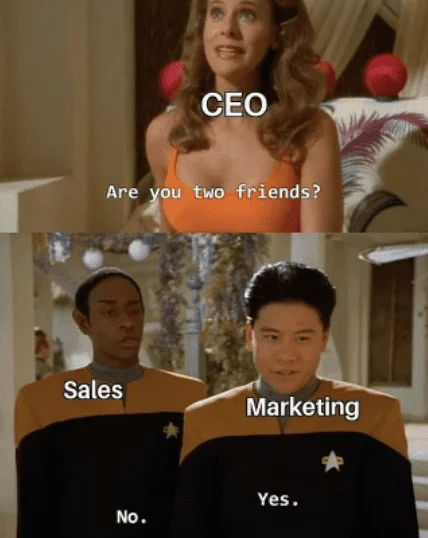
We believe there are 4 main reasons for this misalignment:
1. Lack of Strategic Function in Marketing
Marketing is often known just to write blogs and create pretty infographics while not directly contributing to revenue. It has always been seen as a service function instead of a strategic one. This is because marketers have a one-track mind to measure success – getting leads.

Rather than ending their responsibility at leads, where they might not care about what happens after they are passed to sales, marketing must be held responsible for:
- New Customer Acquisition - all the way from getting leads to account engagement, opportunity acceleration and revenue generation
- Expansion and Upsell Revenue - engaging and educating existing customers to get additional revenue
- Retention and Churn prevention - Product Education to help customers realise value from the product and hence drive retention
2. Misaligned Priorities
Even though sales and marketing have common goals of increasing revenue and improving CLV, they use different metrics to measure success, with sales carrying the major burden of bringing in revenue. An aligned strategy begins with the shared goal of prioritizing customer value. Use this commonality to jointly create campaigns that target the same audiences and accounts while ensuring an overlap in your teams' measurement and KPIs.
3. Ownership of Customer Data
We can access customer data at our fingertips today but said data has minimal value when left in disparate systems. 60% of sales reps say marketing and sales don't co-own customer strategy and data, and 25% say customer data is still owned in silos by marketing and sales.
For example, if you use CRM tools and marketing automation platforms, ensure they're easily linked. By uniting their data, both teams will gain more insight into the full process and a clearer picture of campaign efforts that drive the most ROI.
4. Operating in Silos
The most common challenge when aligning sales and marketing teams is balancing "healthy competition" and collaboration.
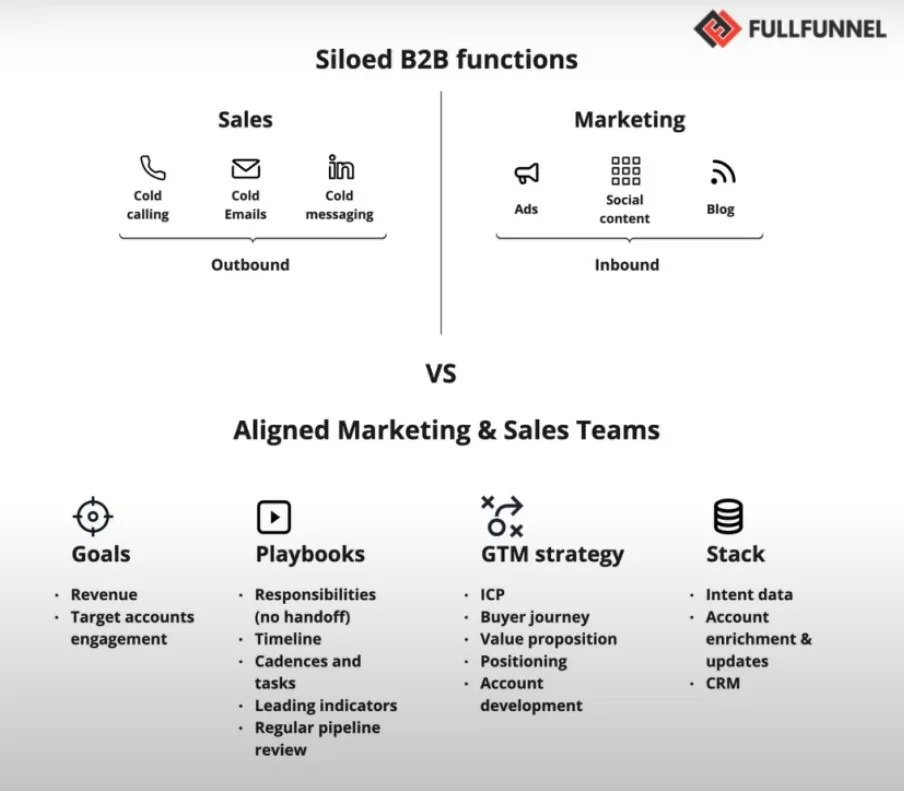
When deals are attributed as "Marketing" or "Sales," it creates an "us" vs. "them" mentality between the two teams, and each of them is under immense pressure to perform. The elimination of silos and the establishment of a collaborative, cross-functional, and revenue-generating unified team is a key driver for future success as the typical buyer journey continues to evolve.
The best way to break down these silos is by having constructive conversations with both teams to answer the following:
- What does marketing need from sales?
- What does sales need marketing?
- What does the typical customer journey look like?
- What does our ICP look like?
- What does a qualified lead look like?
- What can each team do better?
"Given that many marketing and sales misalignments stem from in-fighting over attribution, a multi-touch attribution model that accounts for sales and marketing efforts can help." Joe Kevens, Director of Demand Generation at PartnerStack and the Founder of B2B SaaS Reviews
▶️Learn more about multi-touch attribution models here.
{{INLINE_TOFU}}
8 B2B Sales and Marketing Alignment Best Practices You Must Follow
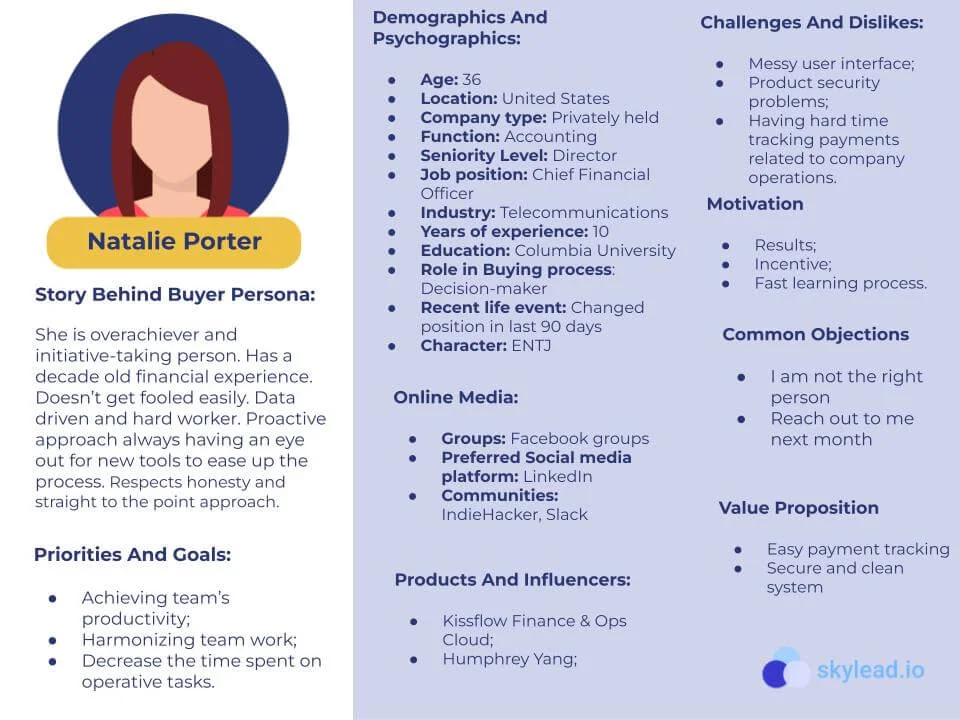
1. Agree on a Common Buyer Persona
Creating a sales and marketing alignment strategy without a clear understanding of your target buyer is like driving in the dark without headlights. Sales and marketing teams must collaborate to understand their buyers, tailor their messaging, and pitch accordingly to win deals.
"We create buyer personas in Cisco to identify the perfect buyer, the perfect person that we could target with a marketing message based on segments, job descriptions, and based on where a person is currently in the buyer journey." – Carola Van Der Linden, Global Virtual Marketing Manager, Cisco
2. Set Shared Goals and KPIs
Marketers and sales teams have their eyes on different metrics and short-term goals. Getting them to agree may require a new focus point for both groups. Technically, marketing and sales teams share the same goal: converting new leads. However, this process can seem like two separate stages because of the perceived handoff from marketing to sales. Encourage your teams to think about the sales funnel as one process rather than two different processes.
"Concerning key KPIs for gauging sales and marketing alignment success– revenue growth, lead conversion rate, and customer acquisition cost are amongst the classic ones. To ensure these KPIs truly mirror the impact on revenue and customer satisfaction, I recommend organizations to use tools that track customer lifecycle value and provide a holistic view of the customer journey." Will Yang, Head of Growth & Customer Success at Instrumentl
The new sales-marketing relationship should be guided by shared metrics, which reveal an organization's data agility and ability to hand off real-time data insights. Shared metrics encapsulate the state of the current relationship, alignment initiatives, collaboration technology, and outcomes. They keep everyone on the same page and determine how to redefine the relationship.
3. Prioritize the Right Buyers with Account Scoring
When you’re scoring leads based on their interest in your business, their current place in the buying cycle, and their demographic fit, you can ensure that your sales reps are talking to the right leads at the right time. Your marketing and sales teams should get together to determine score thresholds—at what score does a lead get sent to sales?
Scoring accounts also helps the marketing and sales team prioritize "sales-ready" accounts and work together to target a focused pool of targets as opposed to casting a wide, uncertain net.
Snowflake has a “one team GTM” with an account-based marketing strategy that combines intent data, personalized touchpoints, and collaboration between sales and marketing teams. This strategy has been successful in targeting and engaging key accounts.
▶️Check out our latest guide on Account Scoring here
4. Promote Clear Communication and Collaboration
Ensuring collaboration doesn't mean creating a Slack channel with SDRs and marketers or sending each other multiple links. There are many ways you can nurture a good relationship between both teams. Some ideas include:
- Joint meetings and training sessions
- A day where marketing shadows the sales team and vice versa
- Collaborative exercises where the teams work together
"A specific initiative that yielded remarkable results at Synthesis AI Studio was our 'Customer Journey Mapping' exercise, where sales and marketing collaboratively analyzed and mapped out the entire customer journey, leading to a more cohesive customer experience strategy.
Our pivotal moment was when we restructured our approach to product launches. By involving both sales and marketing from the inception stage, we ensured that marketing strategies were in sync with sales objectives. This alignment led to one of our most successful product launches, with a 40% increase in lead conversion rates." – Oliver Goodwin, Founder & CEO at Synthesis
5. Use Technology to Bridge the Gap
You must build a solid tech stack to manage your data and progress toward your smarketing goals. Here’s how Factors can help you propel sales and marketing alignment in your organization:
- Identify and engage with anonymous, high-intent accounts engaging with your brand across marketing and sales touchpoints
- Identify points of friction and optimize conversions with AI-powered customer journey insights
- Monitor marketing ROI with Revenue Attribution to scale campaigns that get results
- Complete visibility of customer data and pipeline for sales and marketing teams by integrating with existing tools.
.webp)
▶️Check out how Factors.ai helped Klenty increase conversions by 34%
{{CTA_BANNER}}
6. Ensure Consistency In Your Messaging
Unclear messaging creates a subpar brand experience–and hampers win rates. Both sales and marketing should understand and reinforce your product's value proposition.
Your messaging must fall into three sections:
- What we do;
- How we do it;
- Why do we do it.
When what, how, and why are aligned, you have a filter to help you make marketing and sales decisions about your core message.
"There was one time that our sales and marketing team used different messaging. Once we noticed that, we created this guidebook for a shared language and developed a unified messaging framework. This involved joint workshops to ensure that marketing materials and sales pitches were aligned. Now, we come up with consistent messaging. This has improved customer understanding– we know that as there are as we've observed a drastic reduction in clients seeking confirmation about our offerings." -- Andre Oentoro, CEO of Breadnbeyond
7. Create Useful Sales Enablement Content
Even before talking to a salesperson, a prospect is more than halfway through their buying journey. Marketing teams create lead-generation content and campaigns to drive interest in their services and products.
However, they need in-depth insights from sales on the types of content your prospects care about. Customers aren't impressed by a landing page listing endless features, they want to know how your solution resolves their pain points, and who better to ask about customer pain points than your sales team?
Encourage your marketing team members to shadow sales calls. While time-consuming, the exercise can provide customer insights for marketing initiatives and new content ideas. Marketing can also suggest improvements to sales call scripts.
Meanwhile, your sales team can also suggest new content ideas. If there's an urgent need for a content piece, request marketing to prioritize the subject in the content calendar.
8. Create a Systematic Process for Working With Leads
Sales and marketing operate on two different levels, with marketers focusing only on obtaining MQLs and sales focusing on closing SQLs. When you have multiple funnels and lead nurturing processes, both teams operate at different paces toward different goals.

Consider these aspects when reworking your process of working with leads:
Routing: Where do the leads go between marketing and sales?
Priority: What's the order in which we reach out to our leads?
Timing: How quickly should you reach out to prospects, how often, and over what timeframe?
For example, leads from review or comparison websites can be contacted within two hours, while leads from lead gen forms can be contacted within six hours.
It is also crucial to know at what stage each team must engage with the lead to avoid bombarding customers with information overload. To help divide engagement responsibilities between sales and marketing teams, you can use a "Fit & Intent" matrix.
- Fit is how well your product solves the needs of the customer.
- Intent is how motivated your prospect is to invest in your product
Here's the breakdown of how marketing and sales can handle each lead according to each quadrant:
Low fit, low intent: This area focuses on nurturing leads, which can be handled by either marketing or sales, depending on the lead source.
Low fit, high intent: A lead in this quadrant wants more information to gauge if your product can help them. The marketing team has primary responsibility here, with support from sales as required.
High fit, low intent: This quadrant needs joint ownership and support from marketing and sales. Examples of this can include MoFU content, sharing pricing plans, or demo calls with sales representatives.
High fit, high intent: A lead in this quadrant is ready to buy, so it's time for sales to own the process and drive the conversion.
Align Your Sales and Marketing Team Today
Rome wasn't built in a day, and neither is B2B sales and marketing alignment. Only when sales and marketers work from the ground up to collaborate and understand their buyers while focusing on providing value to prospects – can you see tangible results.
Sales and marketing alignment is the strategic collaboration between these teams to enhance efficiency and drive growth.
1. Key Benefits: Unified customer experience, deeper understanding of the ideal customer profile, and improved lead quality.
2. Challenges: Misalignment leads to lost revenue and inefficiencies.
3. Strategies for Success: Regular interdepartmental meetings, shared KPIs, and integrated tools to optimize the sales funnel.
Implementing alignment strategies fosters better collaboration, reduces inefficiencies, and boosts overall business performance.

7 Benefits Of Marketing Analytics For Customer Experience
Explore the seven key benefits of marketing analytics for improving customer experience. Learn how data-driven insights can boost business growth.

Mastering marketing analytics is key to any business that wants to become a brand.
Today, 73% of customers find user experience to be the most critical factor in making a purchase decision. And to give customers that experience, analytics is your ultimate weapon.
But can a business curate an experience worth remembering without any insight into its customers? The answer is a big NO.
Marketing and customer analytics provide valuable insights into customer behavior.
Let us understand why with these 7 Benefits of Marketing Analytics for Customer Experience.
7 Benefits of Marketing Analytics For Customer Experience
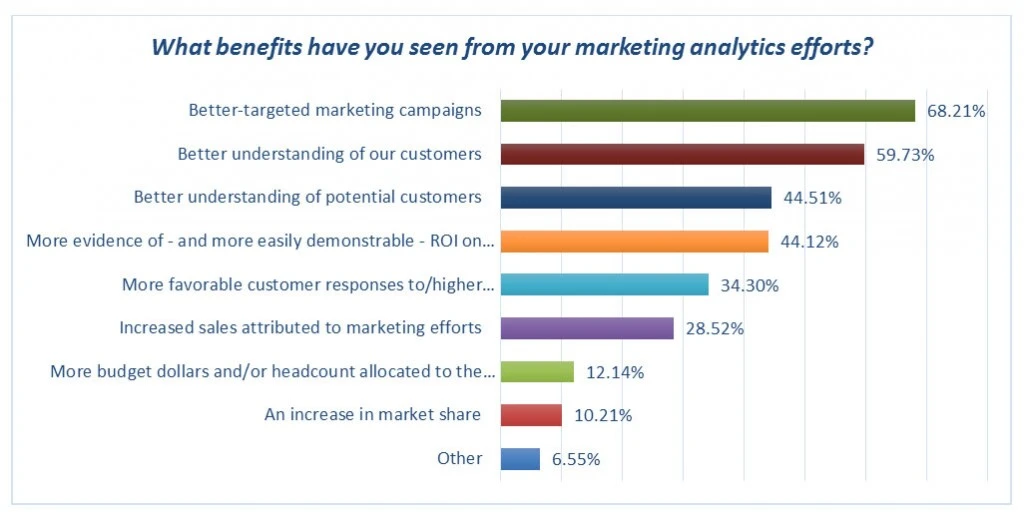
1. Better Customer Engagement
Marketing analytics is a reflection of customer behavior. If a customer likes what they see—they are more likely to engage. If they don’t, they’ll bounce off.
By analyzing customer data, teams can gain a deeper understanding of customer pain-points and preferences.
For example, enterprise level customers may be more interested in privacy-compliance while material around cost-effective plans may appeal more to smaller teams.
One can further gauge these preferences by testing hypotheses and running A/B tests.
Armed with this information, one aligns their sales and marketing team to create more targeted and effective marketing campaigns for a business, tailored specifically to the targeted customers and enterprises.
This personalisation is the benefits of marketing analytics, hence helping a brand become trustworthy and more valuable.
2. Reducing Churn Rate
Let’s understand Churn with an example. If 1000 visitors signed up for your services, but 50 of those stop doing business with you, your business has a Churn rate of 5%.
The churn rate is the percentage of customers who stop doing business.
By analyzing customer data, you can identify the factors that are causing customers to leave. This can be attributed to poor customer support, limited progress in the product road map, cost issues, or better alternatives being available in the market.
Whatever the case, marketing analytics helps pin-point where customers are coming from, and why they're leaving. Additionally, you can use this data to retarget your customers with the right message to regain them.
And because they already know about you, the conversion rate will be much higher and you’ll be able to earn loyal customers with minimum effort.
To do so, your business can identify common pain points—by monitoring customer feedback—and take proactive steps to gain benefits of marketing analytics for customer experience.
3. Increased Lifetime Value
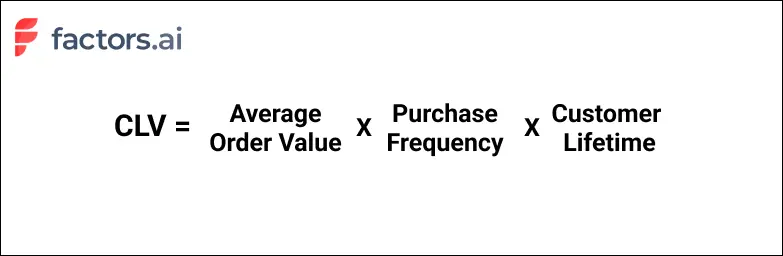
For any business, Customer Lifetime Value is one of the most important metrics. CLV is a metric that represents the total net value a customer brings to a business over the duration of their relationship.
And one of the many benefits of marketing analytics is, you can put systems in place that extend your customer loyalty.
One of the best examples of this insight in practice is Amazon Prime.
This loyalty program was started back in 2005 and has been one of the most important parts of the business today.
It has been reported that Prime customers spend $1400 per year on products, whereas non-Prime customers spend just $600 on average.
If a customer is likely to stay with the brand and make higher purchases—they surely are adding a lot more value. Hence helping businesses gain benefits of marketing analytics.
Additionally, since they are sticking with your brand, you don’t have to spend a lot on customer acquisition as well. Less spending and more earning equals better business.
4. Increased Customer Loyalty
Why do businesses offer discounts? Or create ungated content?
The answer to both these questions—and many more—is to gain customer loyalty.
It is one of the most important brand assets, which in today’s world holds a lot of value. This can be seen with brands like Supreme, Apple, and Coca-Cola.
Each one of such brands has developed a customer loyalty unique to their brand. They have gained benefits of marketing analytics for building brand experience.
It has not just happened on its own. All this has been a clear benefit of marketing analytics. Brands have used the tracked customer data using CRMs tools like ActiveCampaign and ActiveCampaign alternative to create unique experiences.
They use it to create ads, target customers, create UI, write email and form an overall experience for their customers. All that is to ensure, there are no leaks in the funnel.
5. Improved Customer Journey
In this whole list of the benefits of marketing analytics, we have talked about customer experience a lot.
But what will you see in your analytics exactly? You’ll see your customer journey.
You’ll see how a customer learns about your product, comes to your website, goes to the pricing page, and eventually signs up.
But what if you see that many customers who are visiting your pricing page are not signing up?
Your Customers might not send you a message about this, but they clearly are not seeing the right “value for money” proportion.
At this point, what you can try is—to improve your pricing page. This can be done by adding reviews, stats, small case studies, or examples on this page.
You’ll only be able to know how to improve customer journeys by tracking Marketing analytics and understanding what’s holding them back. And this understanding is one the main benefits of marketing analytics for customer experience.
Once all the friction is removed, the journey from social media engagement to sign-up would be much smoother and quicker.
6. Improved Customer Support
Customer support is a very important part of creating an effective experience for your customers.
It helps users be sure that your business is reliable and will help them solve any problem they might face.
But here’s a thing that you might not know. 86% of customers prefer to solve their problems on their own, rather than contacting customer support.
Leveraging social media channels like Instagram and Facebook, or WhatsApp for customer service, can offer efficient self-service options and quick responses, aligning with this customer preference.
If you are seeing a lot of “How-to’s” with your product—what your customer needs is a class on how to use your product effectively.
For this, you can use public platforms like Youtube, Vimeo etc. But if you are going to have a different class and session you might need tools like Teachable or Teachable alternatives for your business.
One of the core benefits of marketing analytics will only be uncovered once you start to understand the hurdles your customers are facing, and how to eliminate them.
7. Increased Referrals
Referrals are the result of having the best customer experience. If someone is recommending your service or product to someone else, that means they have trust in your brand.
And your business has gained this trust and this customer experience is understanding the benefits of marketing analytics.
Right from the social media post you shared to the pricing page you optimized—Marketing analytics have been your stepping stone.
And if you are not using this data, I am sure your business has a lot more potential than you think.
{{INLINE_TOFU}}
Key takeaways
For any entrepreneur that is looking to grow their business, and become a well-known brand among customers—the benefits of marketing analytics are limitless.
We all are aware of the story when Jeff Besoz updated the Amazon hardware page to make it easy for customers to buy the right screws.
All that was because of feedback he got from the customer. Now for most businesses, a customer might not even know what exactly will help them.
But if you can deliver something that matches their expectation of the experience—you and your business are on the right path of growth.
About the author
Divya is a marketer, nature lover & startup enthusiast. Founder of Unifiedist. She has an immaculate experience in GTM strategy & SEO. She always follows her instinct and travels with her Ikigai.
%2520(1).avif)
Top 5 Bamboobox Alternatives for your ABM Campaigns
Want to implement account based marketing for your business? Discover the 5 best Bamboobox alternatives to take your ABM efforts to the next level.
When running an ABM campaign, you want to ensure that it reaches the right audience and drives brand consideration. Luckily, many tools are available today that can help.
Bamboobox is one such AI-powered ABM platform designed to help B2B companies streamline and enhance their demand generation and customer journey orchestration efforts.
But is Bamboobox the right choice for you? Find out as we list out the top 5 Bamboobox alternatives you can use to streamline your ABM efforts.
About Bamboobox: Features, Pros and Cons

Key Features
- ABM Campaign Orchestration: Bamboobox offers multi-channel orchestration, allowing businesses to manage ABM campaigns across various platforms, including email, social, and messaging.
- NurtureAgent: This AI-powered tool delivers personalized, one-to-one messages based on user engagement and intent, optimizing the customer lifecycle.
- Intent Signal Scoring: It captures and scores buying intent signals, helping businesses precisely target high-value accounts.
- Buyer Group Configuration: Businesses can configure buyer personas and segment audiences using over 100 attributes to create highly relevant campaigns.
- Sales and Marketing Alignment: The platform enhances collaboration by providing a unified view of buyer journeys, opportunities, and revenues.
- Continuous Improvement Tools: Bamboobox measures campaign performance, engagement, and opportunities, providing insights for ongoing optimization
Pros
- Comprehensive ABM Toolset: This tool provides a full suite of ABM features, including campaign orchestration, intent signal tracking, and buyer group management.
- Personalization: NurtureAgent ensures personalized customer interactions, enhancing engagement and conversion rates.
- Enhanced Customer Insights: Offers granular insights on engagement and intent, boosting decision-making and prioritization of high-value accounts.
Cons
- Limited API Support: Bamboobox has limited API integrations, which might restrict flexibility when connecting with other tools in a tech stack
- No Free Trial: Unlike many competitors, Bamboobox does not offer a free trial, which could be a barrier for smaller businesses or those unfamiliar with the platform.
- Complex Setup for Smaller Teams: While it’s highly customizable, the platform can be complex to configure and maintain, which might not be ideal for smaller companies without dedicated technical resources

Pricing
The pricing isn’t available on their website.
{{INLINE_CTA_A}}
Why Look for a Bamboobox Alternative
- Scalability
Some businesses may find the platform difficult to scale, particularly if they require seamless API integration with other tools.
- Cost
Bamboobox operates on a custom pricing model, which could make it less accessible for small to medium-sized enterprises.
- Usability
Due to the platform's complexity, businesses looking for more intuitive or user-friendly interfaces may opt for simpler solutions.
5 Bamboobox Alternatives in the market today
Here’s a list of five ABM platforms, each with three pros and three cons for a detailed comparison, including Factors.ai as the top choice:
1. Factors.ai

Key Features
- IP-based B2B account identification across the website, product reviews & ad impressions, with match rates powered by 6sense and Clearbit
- Account scoring, where you can create your own scoring rules to score, qualify, and segment high-intent accounts based on cross-channel engagement
- G2 and LinkedIn intent signals to identify how prospects are engaging with your profile.
- Workflow automation that allows you to push high-fit and high-intent prospects to mail sequencing tools
- Robust analytics and attribution give you a complete overview of how buyers act at each customer journey stage.
Pros
- Customizable Segmentation: Highly flexible for precise targeting across multiple segments.
- Attribution Modeling: Offers detailed insights on the effectiveness of marketing channels.
- Collaboration Tools: Encourages teamwork across marketing and sales with a shared dashboard.
Cons
Factors doesn’t offer person-level contact identification unless integrated with tools like Apollo and Zoominfo.
{{INLINE_CTA_A}}
2. Demandbase

Key Features:
- AI-powered account identification and targeting.
- Multichannel orchestration and personalized content delivery.
- Account-based advertising and intent-driven engagement insights.
Pros:
- Robust Targeting: Excellent AI-powered account targeting for precision marketing.
- Cross-Channel Support: Supports campaigns across web, email, and social.
- Sales-Marketing Alignment: Facilitates alignment between sales and marketing teams.
Cons:
- High Cost: More expensive compared to other tools, making it less accessible for small businesses.
- Learning Curve: Requires significant onboarding due to its complexity.
- Limited Customization: Some users may find restrictions when tailoring the platform to specific needs.

💡Also read: Top 5 Demandbase Alternatives to Boost ABM in 2024
3. Terminus

Key Features:
- Multichannel account-based engagement via email, display ads, and social.
- AI-driven account identification and scoring.
- Deep sales and marketing alignment features.
Pros:
- Full-Funnel Coverage: Great for running ABM campaigns from top to bottom of the funnel.
- Easy to Use: Intuitive interface that simplifies campaign setup and tracking.
- Comprehensive Account Insights: Offers strong insights into account engagement.
Cons:
- Ad Performance: Metrics for ad campaigns could be more detailed.
- Complex Setup for Smaller Companies: Requires technical expertise for advanced configurations.
- Limited Reporting Flexibility: Some users report challenges with customizing dashboards.
{{INLINE_CTA_A}}
4. 6sense

Key Features
- AI-powered predictive intelligence to identify the best time for account engagement.
- Multichannel orchestration with intent-driven marketing.
- Comprehensive dashboards for real-time data and insights.
Pros
- Advanced Predictive Analytics: Powerful AI-based predictions for better decision-making.
- High-Quality Intent Data: Captures deep insights into buyer behavior and readiness.
- Seamless Sales-Marketing Collaboration: Provides a unified view of account engagement.
Cons:
- Expensive: Premium pricing makes it inaccessible for smaller businesses.
- Steep Learning Curve: Requires a solid understanding of the platform’s features and capabilities.
5. RollWorks

Key Features
- Real-time account scoring and multichannel advertising.
- Targeting and personalization based on account data and buyer personas.
- Customer journey mapping for full-funnel ABM execution.
Pros
- Cost-Effective for SMBs: More affordable compared to other enterprise-grade ABM tools.
- User-Friendly: Easy to navigate, even for users without advanced technical expertise.
- Strong Reporting and Insights: Offers good analytics and campaign performance tracking.
Cons
- Limited Advanced Features: May lack some of the more advanced functionalities of higher-end ABM platforms.
- Requires Complementary Tools: May need additional software for deep analytics and reporting.
- Less Effective for Large Enterprises: Scalable, but not ideal for very large organizations with complex needs.
💡Also read: Top 10 RollWorks Alternatives for Effective Account-Based Marketing
Choose the best Bamboobox alternative today
As you can see, there’s a plethora of ABM platforms out there, each offering unique features and benefits. If you’re looking for a complete ABX solution, you can opt for tools like Demandbase or 6sense.
However, if you want to scale and optimize your ABM campaigns and get meaningful insights from intent signals, look no further than Factors. Book a demo today to witness the power of signal based GTM.
{{INLINE_CTA_A}}
This article compares five alternative platforms to Bamboobox that can enhance ABM strategies. Each platform is evaluated based on essential features like campaign orchestration, intent signal tracking, and personalization capabilities. By exploring these options, businesses can find the platform best suited to meet their ABM objectives and streamline their operations.
.avif)
Benefits of Paid Search for B2B SaaS (Why Teams Keep Coming Back to It Anyway)
Paid search is expensive, but it still works. Learn the key benefits of paid search and when paid search campaigns make sense for B2B SaaS.

TL;DR
- Paid search works best as a demand capture channel, showing up when buyers are already evaluating tools, not when you’re trying to create awareness from scratch.
- It gives fast, honest feedback on messaging and positioning, helping teams learn what actually resonates in days, not months.
- Its biggest advantage is predictability. Paid search is one of the few channels through which B2B teams can reliably plan for the pipeline.
- The real upside isn’t lead volume, but clarity: better targeting, stronger sales context, and tighter alignment between marketing and sales.
As B2B marketers, we have all gone through this moment.
Organic traffic is steady.
The content calendar is full.
And then the founder asks, “This is all great, but what’s going to move the pipeline this quarter?”
That question usually leads to the same discussion: “What can we turn on quickly?”
And that’s when paid search enters the conversation.
It starts as a short-term fix. Pipeline feels tight. Leadership wants quicker results. Someone suggests increasing spending on Google Ads. Costs rise, and before you realize, paid search steps up to take the blame.
Paid search is often misunderstood, occasionally abused, and regularly criticized.
Yet paid search keeps getting budget for one simple reason: it delivers predictability when teams need results fast.
This piece breaks down the real benefits of paid search advertising for B2B SaaS. No hype, just what it’s actually good at.
First, a quick reality check on paid search advertising
Paid search is not magic. Scroll through any PPC or SaaS subreddit, and you’ll see the same frustrations pop up:
- “We’re paying for demo clicks that never convert.”
- “Sales says the leads are junk.”
- “Google Ads feels like a tax, not a growth channel.”
And they’re not wrong when paid search is treated like a lead faucet. But when it’s treated like a demand capture and signal channel, the benefits compound fast.
Let’s get into the benefits of paid search.
1. Paid search captures demand at the exact moment it exists
This is the most obvious benefit of paid search marketing. It’s also the one people still underestimate.
Paid search doesn’t show up to educate or warm people up. It shows up after someone has already decided to look for a solution.
They’re not browsing. They’re searching for queries like:
No one types these queries “just to explore.” These are decision-stage searches.
The buyer is comparing options, building a shortlist, or getting ready to talk to vendors. In practice, these keywords tend to have:
- Lower volume but higher conversion rates
- Longer time-on-page
- Higher demo-to-opportunity rates compared to generic terms
And that’s where paid search works best.
You’re not trying to convince someone they have a problem. That part is already done. You’re helping them decide which tool to pick.
And in that moment, timing matters more than clever copy.
That’s when paid search shows up exactly when the buyer is ready to choose.
Related read: Google Ads strategy for B2B SaaS
{{INLINE_TOFU}}
2. Paid search gives you immediate feedback on what the market actually cares about
Content takes time.
SEO takes patience.
Brand takes consistency.
But paid search? Paid search gives you feedback this week, often within the first few hundred clicks.
Run a few focused campaigns, and the market stops being polite. Within days, you learn:
- Which pain points actually get clicks
- Which value props sound great internally but fall flat externally
- Which keywords attract buyers versus people just doing “research”
Instead of debating positioning in meetings, paid search forces a real-world test. It’s honest, slightly brutal, and very efficient. If the message is unclear, performance drops immediately. If it resonates, you’ll know fast.
That’s why many marketers view paid search as a market research tool. Not the cheapest option, but faster than waiting three months for content data to roll in.
These insights from ads don’t just stay in ads. Teams regularly reuse these signals across:
- Homepage and landing page headlines
- Sales decks and demo flows
- Outbound email copy
- Product positioning
The real benefit here isn’t traffic. It’s knowing what language your market actually responds to.
3. Paid search is predictable, which is rare in B2B marketing
SEO compounds slowly.
Social performance fluctuates.
Events depend on calendars, attendance, and whether people actually show up.
Paid search is different. It’s refreshingly boring.
Put in X dollars.
Get Y clicks.
Convert Z percent.
Is it perfect? No.
Is it controllable? Yes.
That predictability matters, especially when B2B SaaS teams are under revenue pressure. Paid search lets you:
- Forecast pipeline contribution with more confidence
- Model CAC scenarios before committing the budget
- Turn spend up or down intentionally, not emotionally
You may not always love the efficiency, but you can plan around it.
And when leadership wants clear visibility into spend versus output, paid search delivers something most channels can’t: a lever you can actually pull. In B2B, that kind of predictability is a big plus.
4. Paid search supports your digital marketing strategy and other channels
One of the most underrated benefits of paid search ads is how much they help every other channel work better.
Paid search is not the star of your GTM motion, but it just shows up and does the supporting work.
Here’s what actually happens in B2B buying journeys:
- Someone sees your LinkedIn Ad and Googles you five minutes later
- Someone reads a blog and searches for pricing “just to check.”
- Someone gets a sales email and does a quick sanity search before replying
And your search ads are there for all of it.
It reinforces credibility, reduces friction, and makes your brand feel familiar instead of seeming risky. That’s why paid search often shows up late in the buying journey. It’s not discovering buyers. It’s confirming decisions.
So, paid search is not the hero, not the villain. It is the supporting character that holds the plot together.
5. Paid search forces strategic clarity (whether you like it or not)
If your positioning is fuzzy, CPCs go up.
If your ICP is wrong, conversion rates tank.
If your value prop is vague, no one clicks.
Paid search has a reputation for “punishing bad messaging.” That sounds harsh, but it’s actually one of its best features.
Paid search doesn’t let you hide behind impressions or vanity metrics; it asks one simple question: Did this message make someone act? If the answer is no, you don’t argue about it in a meeting. You fix it. Fast.
That pressure forces teams to get clear on the basics:
- Who is this for?
- What problem are we solving right now?
- Why should someone choose us at this stage?
Because paid search doesn’t reward vague positioning, it often accelerates decisions teams were already avoiding.
In that sense, paid search isn’t just a channel. It’s a constraint that creates clarity.
6. Paid search makes sales calls easier (before the demo even starts)
One underrated benefit of paid search ads is what happens after the conversion.
By the time someone books a demo from paid search, they’ve usually done some homework:
- Compared vendors
- Read positioning pages
- Self-qualified based on use case or price expectations
In other words, sales teams don’t start from zero.
When sales teams can see keyword and campaign context, they walk into calls with a lot more information. Instead of opening with generic discovery, sales can see:
- What keywords triggered interest
- Which use cases resonated
- Whether competitors were being evaluated
That context alone can change the tone of a call. Conversations become more focused, less defensive, and much more productive.
It’s a benefit that rarely shows up in dashboards, but sales teams feel it immediately.
What redditors actually say about paid search (unfiltered)
To separate theory from reality, it helps to look at how marketers talk about paid search when they’re not writing polished blog posts or pitch decks.
Reading Reddit threads about paid search can feel confusing at first.
People complain constantly.
- CPCs are too high.
- Lead quality is inconsistent.
- Google Ads feels expensive and unforgiving.
But if you read closely, something interesting shows up. Most of the frustration isn’t about whether paid search works. It’s about how narrowly it works.
Across B2B-focused communities, the same patterns keep coming up:
- Paid search performs best for bottom-of-funnel and competitor keywords
- Broad, generic keywords burn budget quickly and attract low-quality leads
- Rising CPCs are real, but they’re also stable enough to plan around
- Performance improves sharply when landing pages match intent instead of traffic volume
In other words, Reddit doesn’t disagree with paid search. It disagrees with how teams often try to use it.

Many of the loudest complaints come from teams treating paid search like a volume channel, when it behaves more like a precision tool. That lines up with everything earlier in this article.
Paid search works when:
- Demand already exists
- Messaging is specific
- Intent is respected
- Expectations are realistic
That’s why experienced marketers sound conflicted. They don’t enjoy paid search. They question the costs. They debate efficiency, but they still rely on it.
Because when buyers are actively evaluating options, paid search is one of the few channels that reliably shows up at the right moment. (And even its critics know that’s hard to replace.)
Turn paid search into an ABM growth engine with Factors.ai’s Google AdPilot
If paid search works best when it’s precise, predictable, and intent-led, then treating Google Ads like a volume channel is the fastest way to waste budget.
That’s exactly what Google AdPilot by Factors.ai fixes.
Target. Train. Track. Google Ads re-engineered for ABM.
With Google AdPilot, you stop paying for random clicks and start running Google Ads that are built for high-ACV B2B deals:
- Target the right accounts: Run ads only for ICP-fit, high-intent accounts. No job seekers. No competitors. No junk traffic.
- Train Google’s AI better: Send richer, value-weighted conversion signals back to Google using Google CAPI, so it optimizes for pipeline, not form fills.
- Track real impact: See which keywords and ads actually influence accounts, opportunities, and revenue, not just clicks.
The result? You can scale into broader keywords without tanking efficiency, improve conversion quality, and finally understand how paid search fits into the full buyer journey.
If you’re tired of paying for non-ICP clicks, Google AdPilot helps Google work the way B2B teams actually need it to.
👉 Book a demo or try it free and see how paid search should really work.
So… is paid search worth it for B2B SaaS?
Yes.
But only if you stop asking it to do the wrong job.
Most teams don’t fail with paid search because of execution. They fail because of expectations.
Paid search works best when it’s not treated like a lead-dumping machine. The real benefits show up when you use it as:
- A demand capture layer for buyers who are already searching
- A messaging feedback loop that tells you what actually resonates
- A signal engine that helps sales and marketing stay aligned
Paid search won’t fix a broken funnel. It won’t rescue unclear positioning. And it definitely won’t make CPCs magically cheaper.
But it will make a good funnel move faster.
And when leadership wants answers this quarter, paid search remains one of the few channels that can actually deliver them.
So the real question isn’t whether you should run paid search. It’s how you’re using it. Are you collecting leads…or are you learning what your buyers care about before they ever talk to sales?
That’s where the real upside lives.
Related read: Are Google Ads worth it?
FAQs on the benefits of paid search
Q1. Is paid search worth it for B2B SaaS companies?
Yes, when used for bottom-of-funnel and high-intent keywords. Paid search works best for capturing existing demand, not generating awareness from scratch.
Q2. Why does paid search feel expensive for B2B?
Because B2B keywords are competitive and intent-heavy. Higher CPCs are common, but they’re also predictable and easier to plan around compared to most channels.
Q3. Does paid search generate low-quality leads?
It can, if campaigns target broad or generic keywords. Lead quality improves significantly when keywords, landing pages, and intent are tightly aligned.
Q4. How long does it take to see results from paid search?
Usually, days to a few weeks, not months. Performance signals like CTR, conversion rate, and keyword quality show up quickly once campaigns go live.
Q5. Should B2B companies use paid search or SEO?
Both. SEO builds long-term demand, while paid search captures demand that already exists. They work best together, not as replacements.
B2B Sales Process In 5-Steps: Optimize Your Sales Pipeline
Discover the 5-step B2B sales process that helps startups qualify leads, personalize pitches, and close high-value deals efficiently.

TL;DR
- A repeatable B2B sales process aligns teams, reduces guesswork, and improves pipeline efficiency.
- Combining inbound lead generation and outbound prospecting ensures a steady pipeline.
- Qualifying leads based on ICP, budget, and intent helps prioritize high-potential accounts.
- Personalizing pitches and handling objections with clear ROI messaging accelerates deal closures.
With limited resources and increasing pressures to deliver ROI, early-stage startups are increasingly feeling the squeeze. Many find themselves juggling multiple roles and facing tighter budgets. It doesn’t help that running ads is seemingly becoming increasingly expensive.
In times like these, showing tangible success becomes paramount. And amidst the hustle, it's easy to get caught up in chasing superficial metrics — email open rates, social media engagement, etc. You don’t want to miss the bigger picture: bottom-line pipeline and revenue.
To break this cycle, it's crucial to reassess your B2B sales process.
The 5-Step B2B Sales Process
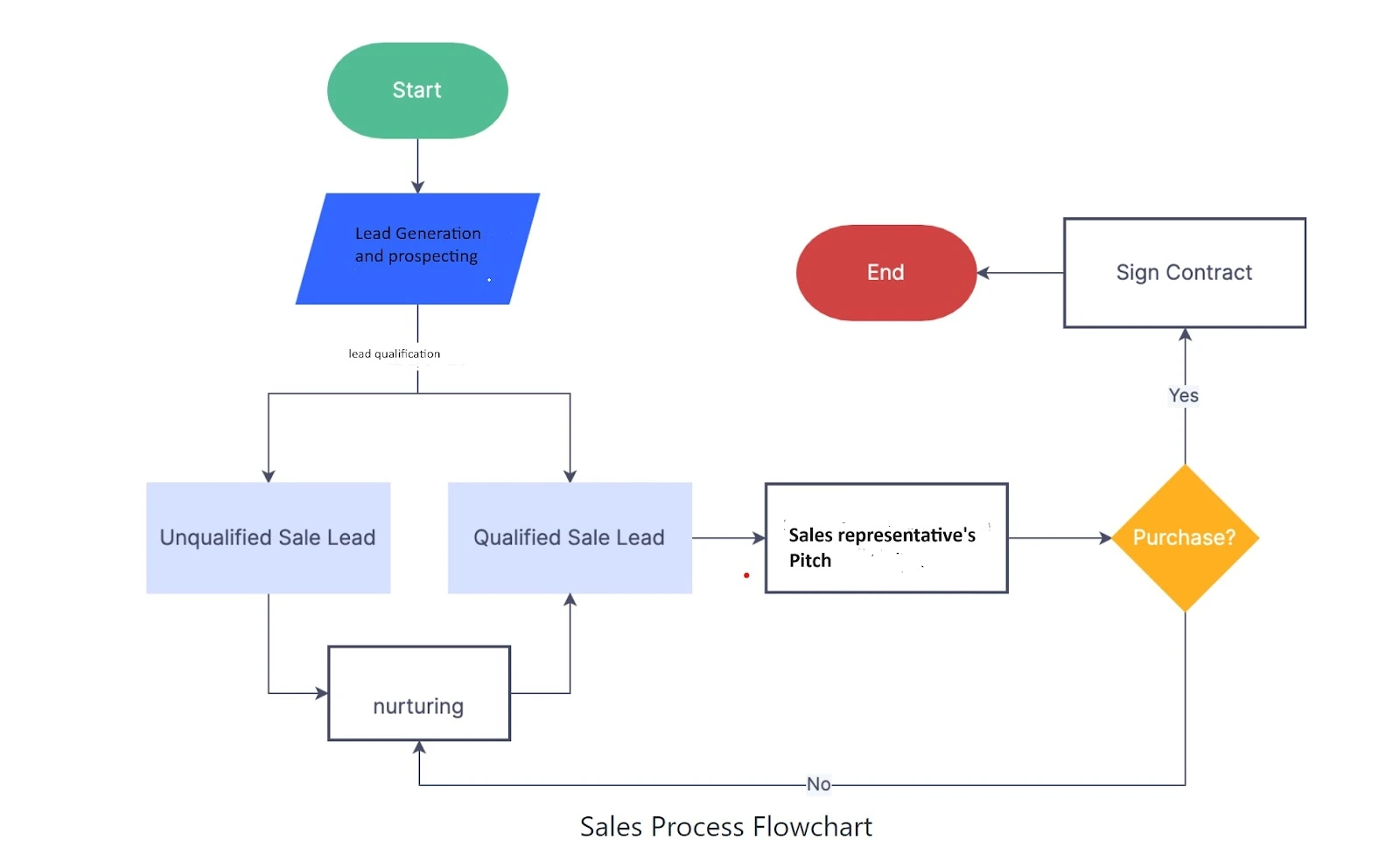
1. Lead Generation & Prospecting
Lead Generation
The first step in the B2B sales process involves employing various marketing methods to pique the interest of potential prospects. In this step, strategies and tactics such as Account-based marketing (ABM), LinkedIn retargeting, content marketing, and events play important roles. With the right messaging and multi-channel marketing approach, teams can generate quality leads for their B2B sales process.
Prospecting
Unlike lead generation, prospecting focuses on immediate replenishment of the pipeline through outbound efforts such as cold calling and email outreach. However, it's important to acknowledge that prospecting can be challenging- “we’ve all heard the word “No!” more than we’d like to admit. Which is why it's always advised to rely equally on lead generation and prospecting in your B2B sales process.
At this stage, a deep understanding of the Ideal Customer Profile or ICP becomes imperative to optimize the sales process for B2B.
2. Qualifying
After generating leads and prospects, the next step is to qualify them. This involves assessing whether they are a good fit for your offering. While traditional methods help qualify targets based on firmographic and demographic data, it's crucial to capture intent along with other buying signals. This can be achieved with a modern ABM solution (*ahem* Factors.ai) that offer robust account intelligence, scoring, and activation. This allows teams to determine intent and act on sales opportunities much faster.
Here’s a simplified checklist highlighting the questions to ask when you are qualifying a lead:
- Does the lead match the characteristics of your ideal customer profile, including industry, company size, geography, and demographics?
- Does the lead have a specific need, problem, or pain point that your product or service can address?
- Does the lead have the financial resources and budget allocation to invest in your offering?
- Is the lead a decision-maker or influencer within their organization who has the authority to make purchasing decisions?
- Is the lead actively seeking a solution, and is there a defined timeline for making a purchasing decision?
- Has the lead demonstrated interest and engagement with your brand, such as attending webinars, downloading resources, or interacting with your sales team?
- Has the lead interacted with your company before, such as requesting information, submitting inquiries, or participating in discussions?
- Does the lead align with your B2B sales process and criteria for progression through the sales pipeline?
- Have you asked qualifying questions to assess the lead's needs, challenges, goals, and fit with your solution?
Once you’ve answered these questions, assign a score based on predefined criteria, such as firmographics and engagement to prioritize sales-ready buyers for further follow-up.
Most companies Review data in their customer relationship management (CRM) system to track lead interactions, history, and status. However, CRM data forms a small part of the qualification method and should be treated as such.
In fact, 65% of companies start using a CRM within their first five years in business, yet 66% of businesses switch to a new CRM because their current platform lacks the features they need. CRMs are the most oversubscribed and underutilized software solution as the company scales.
The reason is simple. A CRM can only help you make sense of fit data. What you need to tie your B2B sales process together is a system that encourages you to factor in intent and behavioral data as well. This creates a disconnect in the B2B sales process. It tends to make the buying journey more tedious.. and more expensive!
Factors.ai makes it possible to get a holistic view of your buyer’s journey. It allows you to gather intent and behavioral data by tracking the frequency, and nuance of their interactions with the brand. It adds some clarity and context to every interaction making it easier for sales representatives to approach.
3. Pitch
The pitch is where you present your product or service to the qualified prospect. It's essential to personalize your pitch to increase the chances of a purchase. A great B2B pitch encompasses several key elements and addresses the specific needs and challenges of your target audience. Here are the essential elements of a good sales pitch:
Understanding the Audience
Tailor your pitch to resonate with your target audience's needs, pain points, and priorities. Research your prospects thoroughly to understand their customer journey, triggers, motivation to buy, etc.
Clear Value Proposition
Clearly articulate the unique value proposition of your offering. Highlight how your product or service solves their problem, fulfills their needs, or delivers tangible benefits to the prospect's business.
Compelling Storytelling
Use storytelling techniques to engage your audience and convey your message effectively. Share relevant anecdotes, case studies, or success stories that demonstrate the real-world impact of your solution.
Solution Demonstration
If applicable, provide a live demonstration or walkthrough of your product or service to showcase its features, functionality, and ease of use. Allow prospects to experience firsthand how your solution can address their specific needs.
Benefits Over Features
Focus on the benefits of your offering rather than just listing its features. Explain how your solution can help the prospect save time, reduce costs, increase efficiency, improve productivity, or achieve their business objectives.
Customization and Personalization
Tailor your pitch to each prospect by customizing your messaging and solutions to align with their individual requirements, preferences, and pain points. Personalization demonstrates your commitment to understanding their unique needs.
ROI and Value Proposition
Quantify the return on investment (ROI) or value proposition of your solution by highlighting potential cost savings, revenue growth, or other measurable outcomes. Use data, statistics, and relevant metrics to support your claims.
Engagement and Interaction
Foster two-way communication and engagement during the pitch by actively listening to the prospect's feedback, answering their questions, and soliciting their input. Encourage dialogue to build rapport and trust.
4. Objection Handling
Inevitably, prospects will raise objections during the sales process. Whether it is pricing or data migration, it's crucial to anticipate and address these objections effectively.
Pro tip from Dave Gerhardt:

5. Closing
The closing stage is where the deal is finalized. This involves guiding the prospect through the final steps of the purchasing process, addressing any remaining concerns, and securing their commitment to move forward. Effective closing techniques can vary depending on the nature of the sale but typically involve setting up the next steps to complete the purchase (signing a contract etc).
Why your B2B business needs a standardized sales process:
The golden rule of any B2B operation is repeatability = profitability.
Think of it this way, your sales funnel has an irregular opening.
It’s shaped like this jigsaw piece-

Sure, you can try and reach out to different types of people, in hopes that they convert-

But none of them will.
It's because they aren’t the right fit for your funnel. And without a standardized process or a clear path, you’re inevitably going to spend time and money trying to jam them through.
However counterintuitive, it is much more profitable to target a smaller audience that is more likely to convert than to get lost in a sea of prospects– none of which will end up buying your product or service.
Identifying the “ideal customer” for your offerings helps narrow down what messaging, channels, and campaigns are working for you. This makes it easy to create repeatable processes and eliminate the guesswork from your marketing and sales operations.
In an ideal scenario, you have finely tuned teams that grasp precisely what your ICP desires. Quality leads flow in consistently, and the sales team keeps hearing a resounding "yes!" every time they pitch.
However, for the B2B sales process, the reality is quite different. It often involves navigating through multiple decision-makers on the buying committee and targeting various segments. This complexity can lead to jumbled processes and overwhelmed teams.
And it's not really your fault. For ages, B2B teams have been plagued by tunnel vision tactics and need more marketing and sales alignment.
We didn’t know any better!
As Brendan Hufford aptly points out: organizations employ marketers with hyper-focused channel expertise. But customer expertise gets lost in the process.
“Organizing by output/channel can be easy when you’re in early days. But as your user/buyer/ICP evolves and your audience branches out, things become… complicated.
In large organizations, it leads to a total breakdown of expertise, which is why SO many big organizations lose sight of their customers.”
Instead of concentrating on different channels and their outcomes, marketing and sales organizations should be defined by the different segments, audiences, and markets.
You may be tempted to shrug and say this only works for big organizations targeting multiple segments, but we beg to differ.
For smaller, cross-functional teams, a software solution with an ICP-centric approach might just be the key.
How do you expect a cross-functional team to perform well, without a technology stack that looks at the bigger picture as well!
Your software stack can help you facilitate a laser-focused approach. With marketing solutions like factors.ai, you can refine your cold outbound by identifying intent, optimizing your funnel, and fine-tuning your pitches to close deals.
{{INLINE_TOFU}}
Building a Repeatable B2B Sales Process for Startup Success
Early-stage B2B startups often operate with limited resources and mounting pressure to prove ROI. Amid rising ad costs and resource constraints, focusing on bottom-line outcomes like pipeline and revenue becomes crucial. A structured, repeatable sales process helps teams work efficiently and consistently convert leads into customers.
A well-defined B2B sales process typically includes five stages:
- Lead Generation & Prospecting: Combining inbound lead generation (e.g., content, ABM, events) with outbound prospecting (cold outreach) ensures a steady pipeline. Understanding your Ideal Customer Profile (ICP) is key to targeting the right accounts.
- Qualifying: Evaluating leads based on firmographics, budget, and buying intent ensures sales teams focus on high-potential accounts. Intent and behavioral data, beyond basic CRM inputs, help teams prioritize sales-ready leads.
- Pitch: Tailoring your pitch to address the prospect’s unique pain points and demonstrating clear ROI can increase the chance of closing deals. Storytelling and customized demos strengthen this stage.
- Objection Handling: Anticipating common objections (e.g., pricing, integration) and addressing them proactively builds trust and moves deals forward.
- Closing: Guiding prospects through final steps like contracts secures commitments efficiently.
Startups benefit from a standardized, ICP-driven sales process. It eliminates guesswork, aligns marketing and sales efforts, and drives consistent pipeline growth.
Streamline your B2B sales process with Factors.ai.
.avif)
10 Proven Strategies For B2B Pipeline Acceleration
Learn proven strategies to accelerate sales pipeline, close deals faster, reduce cycle times, and drive faster revenue growth
TL;DR
Here’s a list of strategies to accelerate your sales pipeline:
- Mapping your complete customer journey to expose delays
- Qualifying accounts upfront to avoid time-wasting leads
- Automating more of your outreach to engage faster
- Providing value before pitching prospects
- Building a frictionless website experience
- Connecting with multiple stakeholders
- Structuring the follow-up process
- Analyzing pipeline metrics to improvise further
Pick a few areas that resonate with your business and run with them.
Since you're here, you're likely familiar with the tedious, time-consuming nature of B2B sales pipelines. New leads come in, some progress is made, but closing the deal seems to take FOREVER.
In fact, Salesforce finds that in B2B deals, conversion time frames can span from more than 100+ days. That’s several weeks, if not months before realizing revenue from pipeline.
But what if you could speed up your sales pipeline and convert leads into paying customers faster?
That would let you grow revenue quicker, make your sales team more efficient, and provide a better experience for prospects.
In this post, let’s look at ten proven strategies to accelerate your B2B sales pipeline. These tactics have helped companies reduce delays, shorten cycle times, and get deals across the finish line sooner.
Let's dive in!
First, What is a Sales Pipeline?
A sales pipeline provides a view of all your potential deals mapped out as they move through your sales process—from initial contact to closed sales.
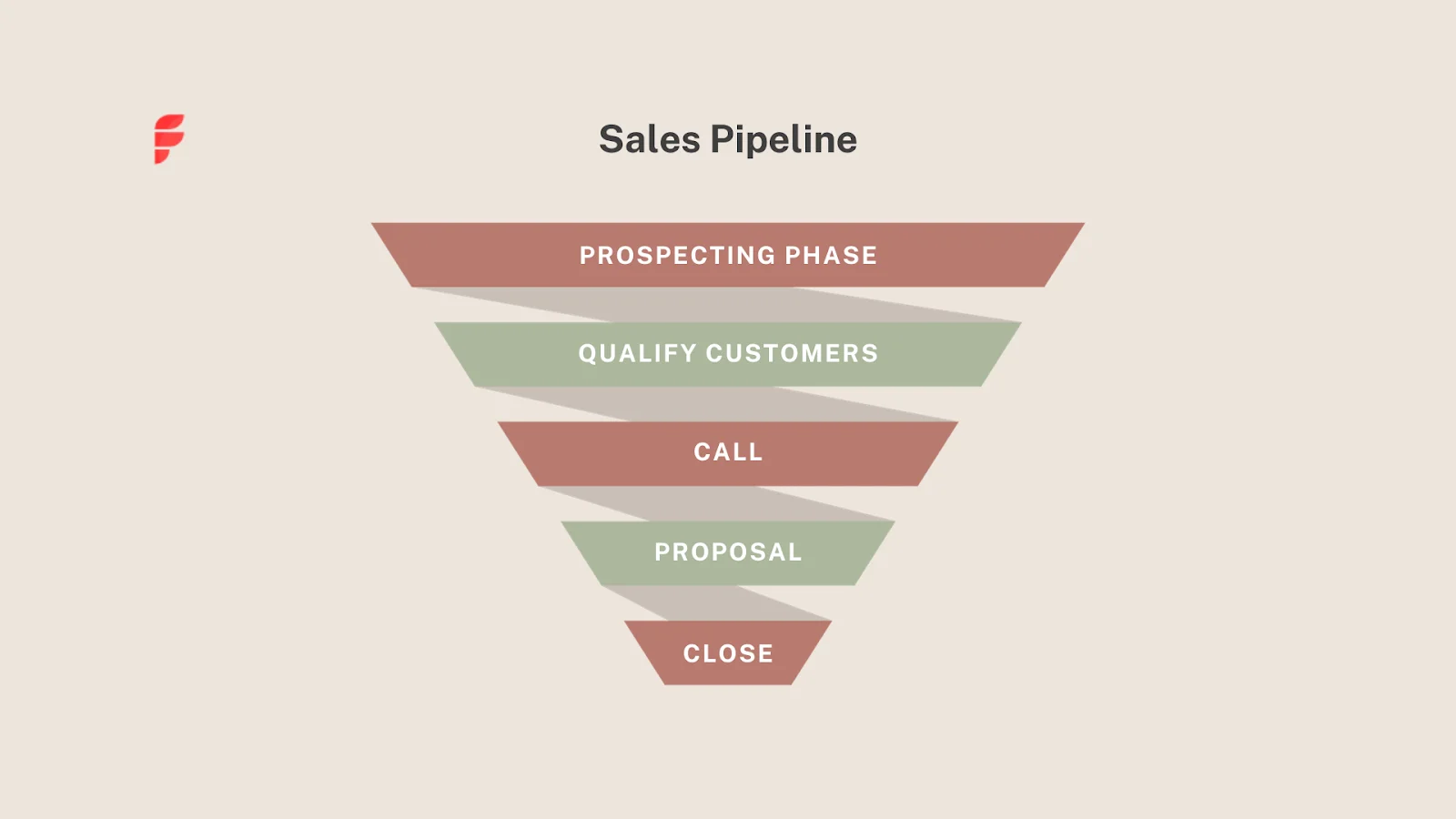
It's usually displayed as a funnel, with leads at the top of the funnel and closed customers at the bottom. In between are the middle stages that deals must move through, like qualification, calls, proposals, etc.
Each open deal sits in one of these stages, depending on its position in the sales process. This helps you analyze how quickly deals are moving through your sales process.
Here’s a formula to calculate your organization’s sales pipeline velocity:
Pipeline velocity = (Opportunities x average deal size x average win rate) ÷ length of average sales cycle (in days)

To put this formula into perspective, let’s take an example.
- Opportunities: You have 100 qualified prospects across your pipeline stages.
- Average deal size: The average monetary value of each deal is $10,000.
- Average win rate: Given an average conversion rate between 6-13%, we'll take 10% for simplicity. This means that out of every 100 prospects, you can expect to close approximately 10.
- Length of average sales cycle: It takes on average 50 days to close a deal.
The formula would be:
Pipeline velocity = (100 opportunities x $10,000 average deal size x 10% average win rate) ÷ 50 days
That makes the sales pipeline velocity $2000 per day.
This means that for every day, you can expect $2000 worth of deals to move through your sales pipeline, given the current conditions of your sales process.
Why Is Pipeline Acceleration Important?
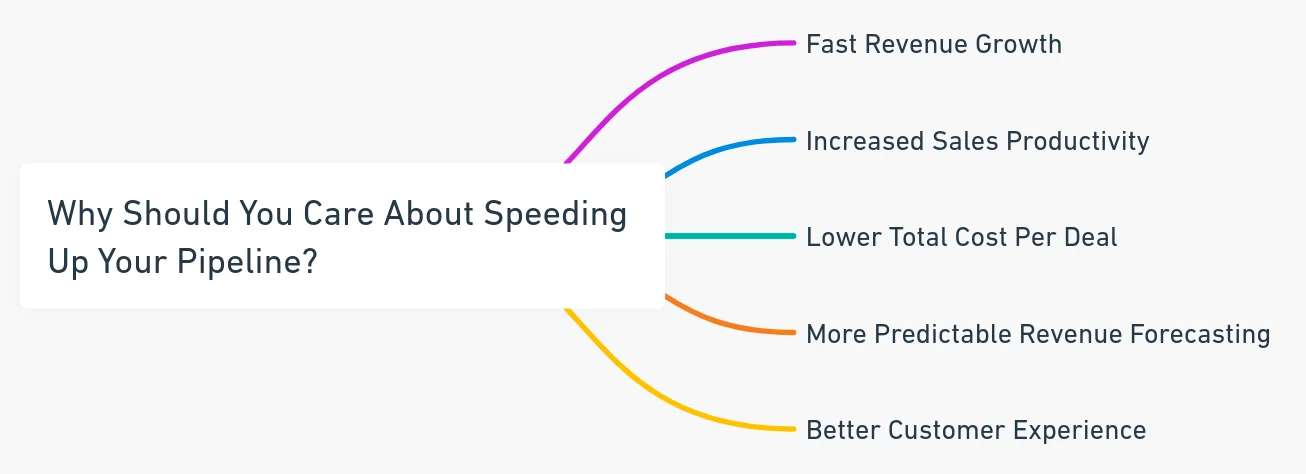
Now, why does pipeline velocity even matter? What's the big deal if deals take a while to close?
Well, here are some of the critical benefits of having a high-velocity pipeline:
1. Fast Revenue Growth
If deals move through your pipeline quicker, you'll close more of them per month.
Using our example above, if you start closing deals in 30 days instead of 50, your sales pipeline velocity would be $3,000+ per day instead of $2000.
2. Increased Sales Productivity
Shorter sales cycles mean each rep can handle more deals at once.
So, even without expanding headcount, you can get more done and ramp up productivity.
3. Lower Total Cost Per Deal
Slow sales cycles drag out the amount of time spent per deal.
As you begin accelerating your pipeline, it reduces the average cost to close each deal.
That helps boost overall margins and profitability.
4. More Predictable Forecasting
When pipeline velocity is all over the place, revenue forecasting gets tough.
But fast, predictable cycles make it easier to forecast sales for upcoming quarters accurately.
5. Better Customer Experience
Customers want fast sales cycles, too. Quicker time-to-value and onboarding leads to greater satisfaction.
As you can see, there are some significant benefits to accelerating your pipeline beyond just closing deals faster.
It enables sustainable growth, predictability, productivity gains, and happier customers.
That's why making sales pipeline velocity a priority is vital for any scaling company.
{{INLINE_TOFU}}
10 Tactics to Accelerate Your Sales Pipeline
Now that you know why sales pipeline velocity matters, let's get into how to improve it. Here are ten proven strategies and tactics to accelerate your B2B sales pipeline:
1. Map Out Your Customer's Journey
If you want to speed up your pipeline, the first step is understanding your typical customer's journey.
Analyze every touchpoint and interaction as they move from prospect to customer. Look at elements like:
- First contact channel - ads, referrals, outbound etc
- Content consumption - downloads, blogs read, videos watched
- Website engagement - pages visited ranked by relevance
- Sales conversations - demos, meetings, calls
- Time spent and progression through each pipeline stage
This end-to-end view will highlight areas for improvement in your sales process.
You'll see where prospects fall out of the journey, what causes delays, and stages with longer cycle times.
Apart from the journey, you also want to understand the customer acquisition costs (CAC) and the current pipeline velocity before you can begin optimizing.
From there, you can simplify touchpoints, improve conversion rates, and take friction out of the journey.
This holistic perspective alone will reveal many opportunities to accelerate deals you'd never catch otherwise.
2. Focus More Time on Qualified Leads
It's tempting to consider every new lead a hot potential deal and jump on it immediately.
But let's be honest—not every lead is created equal. Many end up wasting sales time.
Instead, begin to qualify leads more likely to convert before spending valuable sales time on them.
Some ways to focus on qualified leads:
- Look at accounts already engaging with your brand across sites, ads, events, etc. Those visits indicate intent.
- Score leads algorithmically based on their behaviors—content downloads, pages visited ranked by relevance, repeat visits, etc. Prioritize ones demonstrating engagement.
- While expanding to new accounts is still essential, going after previous or existing customers is often faster. Identify additional pain points that your product/service can solve for your customers that they aren’t already aware of and encourage them to upgrade to higher plans.
Performing lead qualification regularly can help your business as well as your sales team to ensure your pipeline contains quality deals that are ready to move forward quickly.
3. Use Automation to Respond Faster
Marketing studies consistently show that average response time is 42 hours. But if you want things to move faster, contacting leads as quickly as possible after they engage will help boost conversion rates.
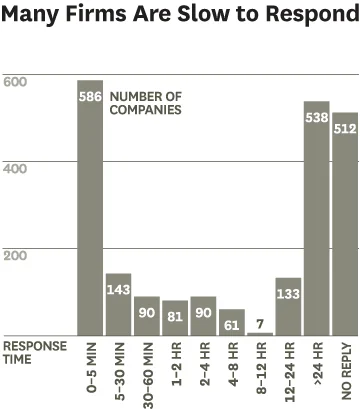
That's where marketing automation comes in. It lets you respond to new leads within minutes or hours before momentum dies.
Some ways to use automation for responding to leads:
- Send new contacts a personalized, sequenced email drip campaign over 7-15 days. Provide value without pitching too hard.
- Get notified in real-time when a target lead visits a pricing or contact sales page on your site, indicating interest. Follow up ASAP.
- Automatically update lead info from your website into your CRM when someone converts, keeping data in sync.
- Trigger personalized campaigns based on behaviors—if Lead A downloads Report 1, instantly send them Email Sequence A.
- Connect to multiple stakeholders from the same account so you are not overly reliant on that one promising lead you identified and are instead looking at the entire account.
- Use true AI chatbots that answer questions using your existing knowledge-base.
The idea isn’t to replace your sales people. We want to use automation to engage leads until your sales team can get back to them.
Combine automation with that human touch at precisely the right time to get the win.
4. Provide Value First, Don't Sell Right Away
Here's a tactic that may seem counterintuitive...
During the early stages of their journey, leads aren't ready to talk to sales. They're focused on researching potential solutions.
You'll turn them off if you try to pitch them too soon.
Instead, provide value upfront through:
- Helpful educational content: Blog posts, guides, tools, etc., that speak to their pain points show you can provide real solutions.
- Free trial access: Letting leads experience your product for themselves is incredibly powerful. Even if it's time-limited.
- Peer perspectives: User reviews, case studies, and client testimonials help build trust and social proof.
- Community forums: Let leads engage with existing happy users to ask questions and get unbiased insight.
Nurture first, sell second. Prospects will automatically develop more interest when you lead with value instead of a sales pitches.
And once they know you understand their needs, they'll be way more open to a conversation.
5. Design Your Site For Self-Service
For most prospects, your website will be one of the first touchpoints when evaluating solutions.
So, making sure it accelerates deals is critical.
- Make it stupidly easy for visitors to find anything they need—product features, pricing, competitive comparison, demo sign-up, etc.
- Include sales enablement content like ROI calculators, proposal templates, third-party reports, and compliance docs. Arm your team.
- Add short videos explaining your product's value prop are way more engaging than dense blocks of copy.
- Minimize back-and-forth by letting visitors self-serve answers to common questions and access gated content.
The more questions prospects can answer on their own through your site, the less time you'll spend answering them 1:1 down the line—and the more confident prospects will be about your business.
6. Consider a Freemium Offering
Letting users sign up and experience your product for themselves at no cost is incredibly powerful for pipeline acceleration.
It helps remove that friction point entirely rather than make prospects request demos and jump through hoops.
Offer a limited but valuable free version with your core features available.

Then, make it easy to upgrade to paid plans within the product.
A freemium approach reduces the heavy sales lifting required to get prospects onboard and use your solution.
However, if your product requires 1:1 onboarding due to technical complexities, have an interactive product demo or product tour for prospects to try out.
You want them to get a feel for your product as effortlessly as possible—the less friction there is, the faster your sales pipeline.
7. Use Special Offers and Incentives (Judiciously)
Pricing promotions, limited-time discounts, gift boxes, swag...these special offers work to nudge prospects when they’re unable to make a decision.
A free 30-day trial pitched right before the prospect chooses to close the checkout page can help push an otherwise lost opportunity.
But don't just blast everyone with the same deals. Such tactics lower your product’s value.
Instead, reserve them for accounts where your sales team has identified mutual intent and the deal is trending positively.
Get strategic about it.
When timed right in the customer journey, incentives can be the extra push that accelerates a deal from evaluation to close. Just use them selectively and thoughtfully.
8. Sell to the Full Buying Committee
Complex B2B deals often involve multiple decision-makers—end users, finance team, CXOs, etc.
But too often, sales teams focus on just one main champion prospect and ignore everyone else.
This risk deals with stalling at the last mile when someone at the company isn't aligned.
To accelerate pipeline movement:
- Identify all players involved in the purchase process early on.
- Tailor messaging and content to each persona's specific interests and concerns.
- Ensure sales engage the entire group proactively, not just your primary contact.
Getting everyone on the same page early (even if indirectly) smooths the approval process and avoids last-minute hang-ups.
9. Follow a Structured Follow-Up Process
Lack of prompt, consistent follow-up after initial outreach kills more deals than anything as we learned before.
So don't drop the ball after those first few emails or that big demo call. Nurture the relationship until you either close the deal or the client goes completely cold.
Reminds me of this scene from the Wolf of Wallstreet!
Some key pointers:
- Set concrete timelines for following up after key activities - a demo, proposal presentation, stadium event invite, etc.
- Log all subsequent steps and promises in your CRM immediately so nothing gets lost.
- Develop templates for common follow-up scenarios—pricing proposals, contracts, reference requests, etc.
- Mix up email, phone, LinkedIn, direct mail, and more follow-up channels. We’re not spamming them across channels, simply nudging once or twice before considering a prospect/lead cold
Just having that structured process for managing follow-ups removes a major pipeline bottleneck. No more waiting around for prospects to come to you!
10. Analyze Pipeline Metrics Rigorously
Finally, you can't accelerate your pipeline if you're flying blind. You need to start crunching the numbers.
Look at key metrics like:
- Average sales cycle length per stage
- Conversion rates from one step to the next
- Overall pipeline velocity and trends
- Win/loss rates by product, rep, campaign, etc.
- Time to close deals by lead source, geo, etc.
Here are some other key metrics to track while running ABM and demand gen campaigns.
Going through this data will help you understand what messaging, products, and channels work best to progress sales.
You can also survey lost accounts to learn why—was it price, competition, or missing features?
How Factors Helps Accelerate Pipeline Velocity?
Now, you may be wondering—how can I map journeys, score leads, and analyze pipeline metrics?
Doing that manually with spreadsheets is painful and inaccurate!
That’s when you need a customer journey analytics software like Factors.
Factors automatically captures prospect and customer data across all your touchpoints.
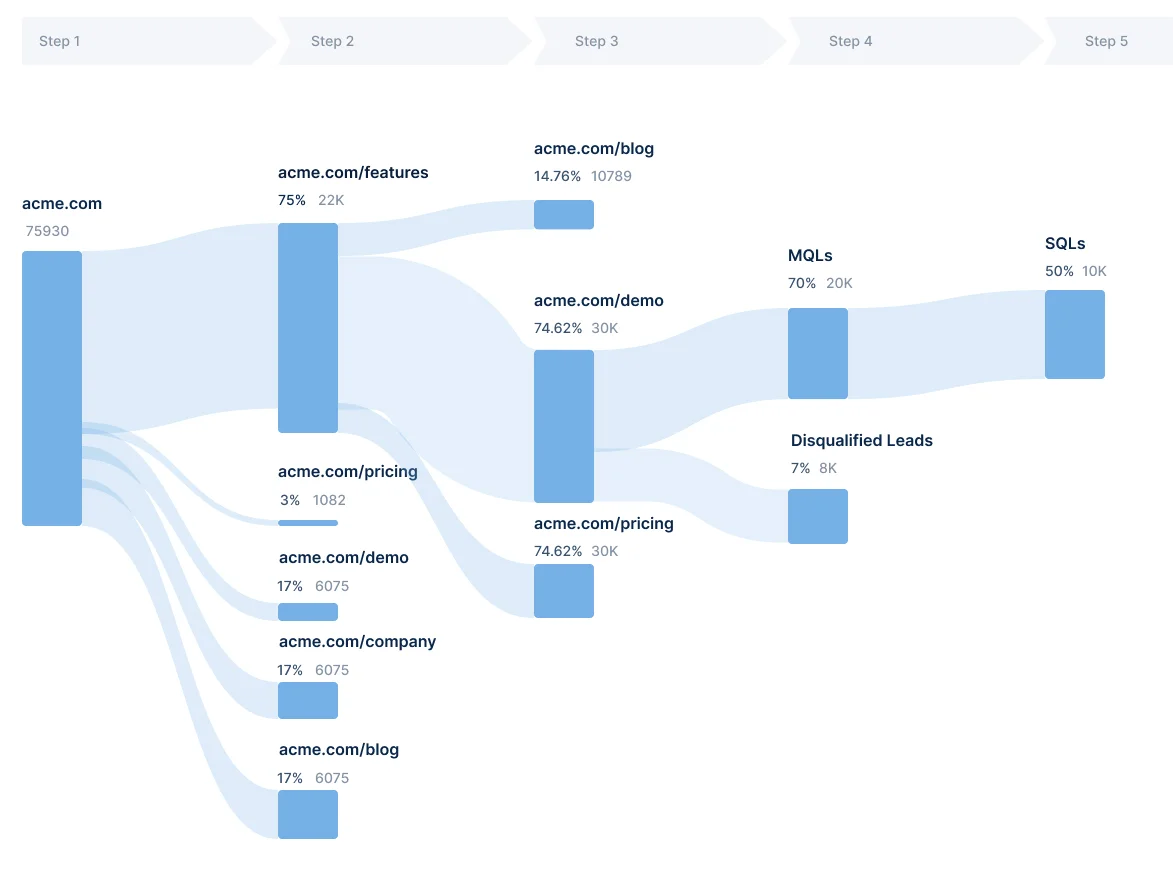
Then, they connect the dots to map entire journey visualizations.
Factors can also help you score leads based on engagement metrics and surface actionable insights.
It's like having an all-seeing eye across your tech stack. No more dragging exports from sales, marketing, and support systems separately.
For accelerating your sales pipeline velocity, Factors can help you:
- Map the entire journey from initial contact to close to find friction points
- Score accounts based on engagement signals like site activity, event attendance, etc.
- Trigger notifications when prospects show buying signals, like email sequences after a pricing page visit
- Track pipeline progress and analyze metrics to optimize continuously
So, if you need more visibility into your pipeline health, check out comprehensive solutions like Factors!
Accelerating Your B2B Sales Pipeline
B2B sales pipelines often move slowly, with deal cycles stretching over months. Long timelines can delay revenue and strain resources. Accelerating your pipeline shortens sales cycles, improves forecasting, and drives revenue growth. It also enhances sales productivity and delivers a better buying experience for prospects.
Pipeline velocity is the rate at which deals progress through your sales stages. It depends on four key factors:
- the number of qualified opportunities
- average deal size
- win rate
- length of your sales cycle.
Improving any of these elements can speed up your pipeline and increase daily revenue flow.
Successful pipeline acceleration begins with understanding your customer journey to uncover bottlenecks. Prioritizing high-intent, qualified leads ensures sales teams focus on prospects ready to buy. Leveraging automation tools speeds up outreach, while value-driven content nurtures leads without immediate hard selling. Engaging all stakeholders in the buying committee prevents last-minute delays, and a structured follow-up process keeps deals moving forward.
Tracking pipeline metrics and adjusting your sales approach based on data further refines performance. Implementing these strategies empowers B2B teams to close deals faster and achieve more predictable revenue growth.
Let’s Accelerate Your Sales Pipeline Today!
There you have it—10 strategies that help you speed up your sales pipeline velocity and close deals faster.
It may seem like a lot to take in. But even implementing a few of these tactics to begin with can go a long way.
{{CTA_BANNER}}
FAQs
1. What are funnel accelerating activities?
Funnel accelerating activities are tactics and initiatives that help speed up lead progression through the stages of your sales funnel. This includes:
- Lead nurturing campaigns with valuable content to move leads down the funnel
- Special offers, discounts, or gifts to incentivize faster deal progression
- Sales workflow automation to respond to leads quickly at each stage
- Aggressive follow-up sequences to keep pipeline deals moving
- Lead scoring to identify and prioritize high potential accounts
The goal of funnel acceleration is to reduce delays, bottlenecks, and friction points at each step so leads flow smoothly into closed customers.
2. How do you accelerate pipeline velocity?
Some key ways to improve overall pipeline velocity include:
- Mapping out the customer journey to identify and resolve sticking points
- Focusing sales efforts only on qualified, high-intent accounts rather than spraying everywhere
- Using marketing automation to engage hot leads faster with targeted follow-ups
- Providing free trials, content, and other value to leads to progress deals quicker
- Implementing disciplined follow-up protocols for sales team activities
- Analyzing pipeline metrics to continuously refine processes over time
Combining multiple acceleration tactics results in compounding effects on velocity. Small gains add up!
3. What is the formula for sales pipeline velocity?
The basic formula for calculating total sales pipeline velocity is:
Pipeline velocity = (Opportunities x average deal size x average win rate) ÷ length of average sales cycle (in days)

B2B Sales and Marketing Alignment
Discover the importance of B2B sales and marketing alignment for your business success. Learn how to achieve it with Factors AI. Read our blog now.

Now more than ever, B2B Sales and Marketing teams share the same objective: drive conversions and revenue. Here are a few reasons why alignment between the two teams is crucial — plus a couple of tips on how you can ensure the same.
{{INLINE_TOFU}}
But first, let’s discuss sales and marketing misalignment
For the most part, Sales and Marketing interact with the same leads and accounts. Once marketing has identified a high-intent lead, they pass them on to Sales, who are then responsible for converting them to paying customers. Too often, however, relevant lead data is siloed between marketing and sales. Crucial information may be missing or inaccessible for either team. This misalignment can lead to misinterpreted data, poor conversion rates efficiency, unorganised customer support, and ultimately, a loss of revenue and pipeline.
This issue is further fueled when both departments use different tools and platforms, inconsistent data storage practices, and deficient analysis. Another, qualitative symptom of this misalignment is poor communication between teams. This can manifest as dissatisfaction amongst sales representatives with the quality of leads being passed down to them and a similar dissatisfaction amongst marketers for an inadequate number of deals being closed by Sales.
The importance of Sales and Marketing Alignment
Alignment of strategies
Often, the strategic outcomes of both sales and marketing are dependent on the toils of each other’s departments. Transparent communication across strategy, challenges, insights and more will ensure that both sales and marketing efforts are complementing each other in driving revenue.
Improve productive prospecting
Often, when sales and marketing are misaligned, the leads coming down the funnel may not seem very valuable to the SDRs. This can lead to:
- SDRs ignore a majority of the leads being sent to them by marketing
- SDRs recycling old leads
Both of these symptoms signal inefficient prospecting. Sales and marketing lead to both teams setting up clear parameters for which contacts to send to sales and sales also understands why a certain prospect showed promise from the marketer’s perspective. This leads to increased productivity for both salespersons and marketers as well as improved conversion rates.
Seamless workflows
Sales and marketing alignment requires alignment across technology and data as well. Data, tools and platforms should maintain consistency across the board. This ensures that information sharing and interpretations are seamless and accurate.
Shorter sales cycles
B2B sales cycles tend to be long due to more touchpoints and conversations with reps before the final purchase decision. The process tends to be easier further down the funnel. However, most people avoid initiatives like sales calls and emails. A more collaborative marketing-sales dynamic can help shorten the cycle and improve conversions through content strategy, nurturing activities, etc — that have inputs and perspectives of the salesperson as well as the marketer.
Tips to improve Sales and Marketing alignment
1. Define common terms
Definitions as simple as qualified leads, MQLs and SQLs can be different for sales and marketing within the same organisation. "This may become a major cause of miscommunication and dissatisfaction with lead quality. Ensuring that everyone is aligned on the definitions and parameters of terms that are integral to both departments can avoid async activity and productivity loss." - says Milosz Krasinski, Managing Director at miloszkrasinski.com
2. Identify target audience
Aligning the goals of ‘lead generation’ and ‘lead conversion’ begins when both teams sit down and identify the ideal target audience. Dissatisfaction arises when lead identification by marketing and sales are not aligned. For B2Bs, it involves knowing the firmographic features like firm size, industry specifications, titles, revenue etc. This also involves creating core messages together so that both teams are aligned on positioning as a lead goes through the buyer journey.
3. Define goals and strategies together
It is imperative for both sales and marketing to be clear on outcome metrics like pipeline and revenue. This ensures that sales have input on defining sales readiness, making communication between teams clear and productive.
4. In addition to sales funnels, perform revenue attribution
The traditional sales funnel is linear in nature as it only comprises the following structure:
Lead->Prospects->Clients. Attribution modelling is a holistic way to look at all the non-linear touch-points during conversions.
5. Create a process for leads engagement
Another consequence of organisational misalignment is the formation of distinct funnels — one for lead generation and another for conversions. Combining these two funnels will encourage comprehensive, high-efficacy engagement across the buyer journey going through the customer journey.
6. Alignment across tools and tech
The best way to ease communication and close down data silos between sales and marketing is to use tools that promote alignment. Attribution and analytics tools that collate data from all touchpoints of the user journey across ads, web, and CRM (ie. both marketing and sales touchpoints) allow seamless data analysis, reporting and insight derivation for both teams. This can promote further collaboration and synergy between both organisations.

Predictive Marketing Analytics: 10 Proven Use Cases for Growth
Learn how predictive marketing analytics helps B2B companies enhance lead scoring, optimize campaigns, and drive revenue through data-driven decisions.

TL;DR
- Predictive marketing analytics leverages data models to forecast outcomes, enhancing B2B marketing strategies.
- It enables precise customer segmentation, smarter lead scoring, and improved retention efforts.
- Dynamic pricing and sales forecasting become more accurate, boosting revenue predictability.
- Personalized campaigns and content recommendations increase engagement among business buyers.
- Attribution modeling identifies the most valuable channels and touchpoints in complex B2B journeys.
- Account-based marketing improves by identifying high-potential accounts and tailoring outreach.
- Inventory and supply chain operations become more efficient, reducing costs and enhancing service.
- Predictive analytics helps increase customer lifetime value by spotting upsell and cross-sell opportunities.
- Successful use of predictive analytics in B2B requires careful data handling, model selection, and regular evaluation.
Are you struggling to convert vast amounts of B2B marketing data into actionable insights? You're not alone. Many companies collect extensive data yet fail to predict buyer behavior, leading to wasted resources, missed sales targets, and frustrated teams. Fortunately, predictive marketing analytics offers a solution.
By applying advanced models to your data, you can anticipate buyer actions, identify valuable leads, and enhance every aspect of the marketing process. This approach isn't exclusive to large tech firms, as businesses across various industries leverage predictive analytics to refine their strategies and achieve significant growth.
Let's explore how it's transforming B2B marketing today.
How Predictive Marketing Analytics Works in B2B?
In B2B environments, where buying cycles are longer and involve multiple decision-makers, predictive marketing analytics helps marketers cut through complexity using data-backed insights.
It starts by collecting data from multiple sources, such as CRM systems, marketing automation platforms, website interactions, and third-party data such as firmographics or intent signals. This combined dataset is then analyzed using machine learning models identifying behavioral patterns across the buyer journey.
For example:
- Email engagement, website visits, and sales activity may signal a lead’s readiness to buy.
- Historical patterns can help forecast deal closure probabilities or highlight customers likely to churn.
- Purchase history and usage behavior may uncover cross-sell or upsell opportunities.
Once these patterns are recognized, predictive models assign scores or probabilities to leads, accounts, and campaigns. These insights help marketers:
- Prioritize high-potential accounts.
- Personalize outreach based on predicted behavior.
- Allocate the budget more effectively across channels.
A key part of the process is the feedback loop; as real-world outcomes come in (such as actual conversions or drop-offs), the models are retrained and refined, increasing accuracy over time.
By embedding this approach into daily marketing and sales operations, B2B organizations can shift from reactive tactics to proactive strategies, ultimately improving targeting, engagement, and revenue outcomes.
Also, read more about lead scoring and account scoring.
{{INLINE_TOFU}}
10 Use Cases of Predictive Marketing Analytics
Here are the 10 proven use cases of predictive marketing analytics:
1. Customer Segmentation and Targeting
Predictive marketing tools enable precise segmentation of B2B customers by analyzing firmographic data, purchase history, and engagement signals. Instead of relying on broad categories, machine learning identifies clusters of accounts with similar needs and behaviors. This allows for targeted messaging and offers, making marketing efforts more relevant and effective. For instance, predictive analytics can highlight which industries or company sizes are likely to convert, enabling focused efforts. By continuously updating segments with real-time data, marketing becomes more precise, resulting in better leads and higher ROI in B2B campaigns.
2. Lead Scoring and Qualification
Predictive lead scoring assigns a conversion probability to each lead based on historical data, such as demographic fit, engagement patterns, and sales interactions. This helps sales teams prioritize high-intent leads and avoid spending time on those unlikely to convert. Unlike traditional scoring models based on fixed criteria, predictive scoring evolves with each data input and improves accuracy over time. This results in more efficient follow-ups and higher conversion rates.
3. Churn Prediction and Retention Strategies
By examining usage patterns, support interactions, and engagement metrics, predictive analytics can flag customers at risk of leaving. Early warning signals, such as reduced logins or declining engagement, can trigger automated retention workflows. Marketers and customer success teams can then intervene with personalized outreach, loyalty incentives, or support offers to re-engage these accounts. This proactive approach helps reduce churn and extend customer lifetime value.
4. Dynamic Pricing Optimization
In competitive B2B markets, predictive analytics supports dynamic pricing strategies by analyzing buyer behavior, deal size, industry trends, and competitor movements. Models can recommend optimal price points that maximize win rates while protecting margins. This allows pricing teams to adjust offers based on account size, sales stage, or historical pricing sensitivity. It’s beneficial in contract renewals and bulk negotiations where precision is key.
5. Sales Forecasting and Pipeline Management
Predictive analytics enhances sales forecasting by modeling the probability of deals closing based on current pipeline data, deal velocity, and rep performance. Unlike manual forecasts prone to bias, predictive models provide data-driven accuracy, enabling better revenue planning. Sales leaders can identify which opportunities are most likely to close and allocate resources accordingly. This improves forecast reliability and overall pipeline health.
6. Personalized B2B Campaigns and Content Recommendations
Predictive marketing analytics facilitates the creation of personalized campaigns and content for each business account or decision-maker. By analyzing past engagement, website visits, and content consumption, predictive models determine the most effective topics, formats, and channels for each audience. This enables automated content suggestions, such as whitepapers, case studies, or webinars, delivered at the optimal time in the buyer journey. Personalized campaigns enhance content relevance, increase engagement, and accelerate sales in B2B contexts. For example, a software company can provide industry-specific guides to IT managers interested in particular solutions, improving conversion rates. Predictive analytics transforms generic outreach into meaningful, data-driven interactions for every B2B prospect.
7. Attribution Modeling Across Complex Buyer Journeys
B2B sales often involve multiple stakeholders and steps, complicating the identification of which marketing efforts lead to sales. Predictive marketing analytics addresses this by utilizing data from various channels like email, webinars, events, and ads. These models reveal how each interaction influences the buyer's journey. With this information, you can allocate budgets more effectively, focus on the most impactful channels, and refine messaging for each stage of the process. This approach provides insights into what truly influences decision-makers, leading to smarter spending and improved returns in your B2B marketing strategy.
8. Account-Based Marketing (ABM) Enhancement
Predictive marketing analytics enhances Account-Based Marketing (ABM) funnels by identifying high-value target accounts likely to convert. These models pinpoint accounts that align with your ideal customer profile by analyzing company data, engagement patterns, and past deals. This allows sales and marketing teams to concentrate on the best opportunities, personalize outreach, and tailor content to each account’s needs. Predictive insights also help in timing campaigns for maximum impact, engaging decision-makers when they are most receptive. Consequently, ABM campaigns become more efficient, scalable, and measurable, resulting in higher conversion rates and stronger long-term client relationships in the B2B space.
Thinking about kicking off ABM at your company? Check out our roundup of the top ABM tools for 2025 to help you choose the right fit.
9. Inventory and Supply Chain Optimization for B2B
Predictive marketing analytics aids B2B companies in managing inventory and supply chains by forecasting product demand. By analyzing past sales data, seasonal trends, and market signals, predictive models indicate which products will be in demand and when. This enables accurate inventory planning, reducing both excess stock and shortages. This translates to better cash flow, lower storage costs, and improved supplier negotiations for distributors and manufacturers. Predictive insights can also identify potential supply chain disruptions, allowing for proactive measures. Predictive analytics in inventory and supply chain management enhances operations, customer satisfaction, and market positioning.
10. Predictive Analytics for B2B Customer Lifetime Value
Predictive marketing analytics enables B2B companies to estimate the long-term value of each customer account accurately. By analyzing past purchase patterns, engagement data, and industry trends, predictive models forecast future revenue and identify high-potential accounts early. This insight helps prioritize resources, adjust account management strategies, and allocate marketing budgets more effectively. It also aids in customer retention by identifying accounts at risk of leaving before issues arise. Utilizing predictive analytics for customer lifetime value allows teams to focus on relationships and activities that drive sustained growth, ensuring maximum value from every client in the B2B portfolio.
%2520(1).avif)
How to Create a Successful B2B Paid Advertising Strategy
Discover how to build a fail-proof paid advertising strategy for your business to win revenue in 2024.
There’s no doubt that paid advertising is one of the best channels for marketing teams to generate and capture demand. Plus, we're seeing the rise of paid social media, with over 66% of B2B marketers acknowledging its impact on improving ROI. By targeting specific audiences and broadcasting your message across various channels, paid advertising can help drive the success of your campaigns.
However, running a few ads at random does not get you conversions. A strong strategy is key to maximizing ROI on expensive ads.
Let's dive in and look at how paid advertising can benefit your B2B company ⬇️
Google ads vs LinkedIn ads: Which one is best for B2B?
While many businesses advertise online, only a few do it well. It's especially tough when you have heaps of options to choose from. So, Google, LinkedIn, Search, Display, or a combination of all of the above? The choice isn't that simple, as each platform has its unique features and capabilities. In some instances, using either of the channels would be enough. For example, you should use Google Ads to target people based on their search queries, location, device, and more. LinkedIn ads can help create targeted ABM campaigns.
However, if you’re running a full-funnel campaign, you must use both Google and LinkedIn ads to their fullest potential.
Let's understand the differences between these platforms, how they work, their pros and cons, and which platform is better for your unique needs.
Google Ads
Google search ads appear when users search for specific keywords related to your business. Here are their pros and cons:
Pros of Search Ads
- Access to a larger audience when bidding on high-volume keywords
- Typically attract in-market leads as they're based on search intent
- Detailed analytics allow you to track clicks, conversions, and ROI effectively
Cons of Search Ads
- Popular keywords in B2B industries can be highly competitive, leading to higher costs per click.
- Demographic targeting is limited compared to social media platforms.
- Primarily text-based, offering less opportunity for visual branding.
- Lesser segmentation opportunities
LinkedIn Ads
LinkedIn ads target users based on their professional profiles, interests, and behavior. Here are their pros and cons:
Pros of LinkedIn Ads
- Extensive targeting options based on job title, company size, and industry, allowing precise audience segmentation.
- Ideal for B2B marketing.
- Access to high-value prospects and decision-makers
- Account-based marketing opportunities
- Offers various ad formats, like sponsored content, text ads, and InMail, providing flexibility in messaging and creative presentation
Cons of LinkedIn Ads
- Relatively costlier than Google search ads
- Cannot identify high-intent buyers unless they click on the ad
- Greater risk of ad fatigue and decreased engagement over time
- Lack of in-depth reporting and analytics tools
How to use Google ads and LinkedIn ads in tandem for a successful paid advertising strategy
While search ads and LinkedIn ads have distinct pros and cons, integrating them into a cohesive paid advertising strategy allows businesses to use each platform's strengths and increase their reach, engagement, and conversions. Here are a few ways to do so:
- Use search ads to capture users actively searching for solutions, and LinkedIn ads to raise awareness and nurture leads at different stages of the buyer's journey.
- Retarget users who interact with your LinkedIn ads through search ads and vice versa, reinforcing your messaging across platforms.
- Use data from both platforms to inform targeting and messaging strategies, optimizing performance across the board.
- Broaden your advertising channels and reduce reliance on a single platform to mitigate performance variations and adapt to algorithmic shifts.
💡Read: How to Measure LinkedIn True ROI With Factors
How to execute paid advertising across the funnel
When it comes to paid marketing, most people start with Google, which provides a decent number of quality leads by capturing searches that show intent. However, it's essential to create a well-structured funnel that attracts the right audience and converts them quickly. Instead of having countless uninterested users, it's better to have interested ones heading in the right direction.
Here's where LinkedIn retargeting helps you reach a high-intent audience from Google and target them on LinkedIn.
- Pick the right advertising channels
Consider where your ideal customers spend their time online and choose platforms with the potential to reach them. Before selecting the right platform, consider your budget and advertising goals for your paid advertising efforts. By thoughtfully selecting the right mix of channels, you can create a cohesive and effective B2B advertising strategy tailored to your unique business needs.
- Get a high-quality and high-intent audience.
When reaching an audience on LinkedIn, you have two options. You can either target a new audience or retarget an existing one. If you choose the former, you'll reach out to a completely cold audience that may not be familiar with you or your brand, making it more challenging to capture their attention. However, suppose you choose to retarget your Google ads traffic. In that case, you'll reach out to an audience that has already shown interest in your brand by searching for relevant keywords on Google, clicking on your search or display ad, and visiting your website. This audience is more likely to have high intent and be receptive to your message.
Ideally, you should invest in both options if your budget allows it. However, if you have to choose between the two, it makes more sense to retarget a warm audience that has already shown interest in your product or service.
💡Also read: Build Better LinkedIn Retargeting Audiences with Factors
- Optimize ad spend
Many clients want to establish a presence on LinkedIn but find advertising on the platform expensive. LinkedIn's cost per click (CPC) and lead (CPL) are relatively high compared to other platforms. However, the quality of leads on LinkedIn is worth the extra cost.
If you have already advertised on other channels, you can use LinkedIn to enhance your conversion rates. Different channels can add relevant leads to your LinkedIn campaigns, which can be part of your mid-funnel strategy. Proper retargeting of high-intent traffic via LinkedIn ads can lead to increased conversions.
- Convert more by staying on top of their mind
According to the marketing rule of 7, "a prospect needs to "hear" the advertiser's message at least seven times before they'll take action to buy that product or service."
A customer's journey towards making a purchase is not always straightforward. They may come across your business through a LinkedIn Ad, search for your business on Google, visit your website, leave, and stumble upon you again on LinkedIn. They may revisit your website before deciding to reach out or make a purchase. Retargeting helps push website traffic towards purchase.
💡Also read: How to Measure the Impact of Paid Marketing Using Factors
Paid advertising best practices
Paid ad campaigns are dynamic, and the right strategies can significantly impact your brand's success. To improve your efforts at online paid advertising, consider the following best practices:
1. Establish realistic goals
Having measurable goals allows you to track your progress and stay on schedule. Define your KPIs to measure lead generation, sales conversion, or brand awareness success. This will help you make informed decisions and optimize your ad spend.
2. Create compelling paid campaigns
Your ad creatives must grab the attention of your target audience. Keep them engaging, informative, and visually appealing. Avoid using jargon or complex language. Instead, focus on the value of your product and how it can solve a problem for your audience. Create a strong value proposition that highlights your unique benefits. Stand out from competitors and guide prospects to take action with a persuasive CTA.

Source: LinkedIn
3. Personalize your campaigns
Retargeting is a great way to personalize your marketing funnel for each campaign and tailor your message to the audience of that campaign.
For example, you have a search ad campaign targeting your competitors' branded keywords, which generates much interest. You can use LinkedIn and launch a retargeting campaign based on how you compare against them and what you offer that they don't. Running retargeting ads helps you identify what drives people to click and then adjust your LinkedIn ads to push them toward your offerings.
💡Factors helps you identify accounts that view your LinkedIn ads and visit your website through a search ad. You can use this information to personalize your cold outreach and focus on accounts with higher intent.
4. Measure and analyze
Track key metrics like click-through rates, conversion rates, CPA, and ROAS to make data-driven decisions. By setting campaign goals such as a target cost per lead or target conversion rate, you can track performance and analyze audience data like CTR and impressions to improve your marketing.

Rev up your paid advertising game with Factors
While search and LinkedIn ads have unique features and capacities, integrating them into a cohesive paid advertising strategy allows businesses to use each platform's strengths and increase their reach, engagement, and conversions. Companies can optimize performance across the board by using data from both platforms to inform targeting and messaging strategies.
Thanks to Factors, you can gain a comprehensive view of buyer journeys, understand how your target accounts interact with your ads and determine whether your ad strategy is increasing revenue. Speak to our team today to optimize your paid advertising strategy in 2024.
{{INLINE_MOFU}}
A successful B2B paid advertising strategy involves setting objectives, crafting compelling ad creatives, personalizing campaigns, and analyzing performance metrics.
1. Key Platforms: Google Ads for targeting search intent and LinkedIn Ads for targeting professional demographics.
2. Enhancing Campaigns: Tools like Factors.ai provide insights into buyer journeys, enable intent-based outreach, and optimize ad spend.
3. Strategic Benefits: Personalization, improved targeting, and better ROI through continuous optimization and data-driven decisions.
Implementing a well-rounded paid advertising strategy ensures more effective campaigns and higher returns on investment.

B2B Marketing Solutions: A Complete Guide to Strategy & Implementation
Learn how to select, implement, and optimize B2B marketing solutions. Discover proven strategies for aligning tools with business goals and measuring ROI.
TL;DR
- Define clear business goals and audit your tech stack to identify gaps and prevent redundancy.
- Foster cross-functional collaboration and choose solutions that are compatible with existing systems.
- Develop a SMART KPI-driven roadmap with channel-specific strategies and agile performance reviews.
- Integrate analytics for a unified customer view and execute targeted, automated campaigns with ongoing testing and refinement.
Marketing leaders often face a gap between the promises of B2B marketing solutions and their actual impact. Without a clear ROI, investing in new tools and campaigns can drain budgets, miss revenue targets, and create tension among sales, marketing, and executives. Stakeholders expect concrete proof that every dollar spent drives growth.
The solution lies in a systematic approach to selecting and utilizing the right B2B marketing solutions. By aligning choices with business goals, creating a clear plan, and leveraging analytics at every stage, you can find the right solutions and enhance campaigns to achieve steady growth and demonstrate real value to your organization.
Let’s delve into the essentials of B2B marketing solutions.
How to Select the Right B2B Marketing Solutions?
Follow this structured process to choose tools that drive real impact, boost your pipeline, improve efficiency, and prove ROI.
- Define Goals and KPIs: Begin by identifying what you want to achieve, whether it's improving lead quality, increasing conversion rates, enhancing customer retention, or scaling ABM efforts. Align solution selection with long-term business KPIs and growth targets.
- Audit Existing Marketing Stack: Evaluate current tools, workflows, and data systems. Where are the bottlenecks in lead scoring, personalization, and attribution? Clarify what’s missing, duplicated, or underperforming to avoid redundancy and reduce tech bloat.
- Engage Cross-Functional Stakeholders: Involve cross-functional teams like marketing, sales, operations, and IT. Gather pain points and adoption requirements to provide new solutions to solve real problems.
- Prioritize Integration and Compatibility: Select tools that integrate seamlessly with your existing stack, including CRM, CMS, CDP, analytics, and ad platforms. Look for API-first products or native integrations that support your existing ecosystem (e.g., Salesforce, HubSpot).
- Assess Usability & Onboarding: A powerful tool with a steep learning curve can slow teams down. Evaluate UI/UX, documentation, and training resources. Ensure non-technical users can self-serve or automate workflows with minimal support.
- Request Demos and Review Case Studies: Evaluate vendors by requesting live demos tailored to your use case. Study case studies from companies of similar size or industry to validate real-world results.
- Evaluate Scalability and Future Needs: Select solutions that can grow with your team and data volume. Prefer modular tools that allow you to expand usage, add new functions, or support additional users and regions without requiring replatforming.
- Consider Total Cost of Ownership (TCO): Include onboarding, integrations, training, data migration, and support costs. Determine ROI potential through performance metrics, such as increased MQLs or reduced CAC.
- Validate Security and Compliance: Evaluate each tool’s compliance with relevant regulations, including GDPR, SOC 2, HIPAA, and others. Confirm that your company retains data ownership and can export/import easily.
- Start with a Pilot or Trial Implementation: Run a short-term pilot with a defined use case to validate fit. Track performance metrics, user feedback, and integration friction to inform your final decision.
How to Build a Strategic B2B Marketing Implementation Plan?
Follow these steps to create a clear, actionable roadmap that aligns your teams, maximizes resources, and drives measurable results:
- Audit Your Existing Marketing Performance: Start with a thorough evaluation of your current marketing efforts. Utilize analytics tools (such as GA4, HubSpot, or Factors) to pinpoint high-performing channels, identify underperforming tactics, and track overall ROI trends. Look at metrics like lead quality, funnel drop-off points, conversion rates, and campaign attribution.
- Define Clear Goals and KPIs: Set SMART goals (Specific, Measurable, Achievable, Relevant, Time-bound) that align with broader business objectives. Example KPIs might include MQL volume, sales pipeline growth, lead-to-close rate, or cost per acquisition. These will serve as your guiding benchmarks.
- Map the Buyer’s Journey and Audience Needs: Understand your target audience by mapping their journey across stages, such as awareness, consideration, decision, and post-sale. Align messaging, content, and campaigns to meet their needs at each stage. Use personas, firmographics, and intent data for precision.
- Prioritize High-Impact Tactics Based on Resources: Not all campaigns carry equal weight. Focus on revenue-generating tactics like ABM, paid retargeting, or email nurtures that support sales goals. Budget wisely, allocate more to what converts, and use pilot tests for newer channels before full deployment.
- Create a Channel-Specific Content Strategy: Develop tailored content formats and themes for each key channel (e.g., webinars for mid-funnel education, LinkedIn ads for awareness, whitepapers for lead gen). Ensure messaging consistency and a strong value proposition across touchpoints.
- Build a Detailed Marketing Calendar: Plan campaign timelines, content releases, webinars, product launches, and ad cycles in a centralized calendar. Tools like Asana, Notion, or Trello help manage execution and avoid overlaps or missed opportunities.
- Document Roles, Responsibilities, and Workflows: Ensure alignment across marketing, sales, content, and ops. Define who owns each campaign, who’s responsible for reporting, and how leads are handed off between teams. Use tools like RACI matrices for clarity.
- Monitor and Optimize in Real Time: Don’t set and forget. Review campaign performance weekly or monthly. Use dashboards to surface actionable insights. Pivot quickly, optimize budgets, adjust messaging, or pause ineffective campaigns based on data.
- Plan for Flexibility and Market Agility: Build flexibility into your plan to accommodate market shifts, emerging trends, or product changes. Revisit your strategy quarterly to refine it based on competitive shifts, buyer behavior, and feedback from frontline teams.
This approach creates a clear roadmap that aligns your team, optimizes resource use, and enhances the likelihood of achieving your B2B marketing goals.
{{INLINE_MOFU}}
How to Develop an Execution Roadmap for B2B Marketing Solutions
- Break Down Strategy into Actionable Milestones: Translate high-level goals into specific initiatives. For each initiative (e.g., launching an ABM campaign), define milestones (e.g., account selection, creative development, campaign launch) and assign owners to ensure accountability.
- Create a 90-Day Action Plan: Develop rolling quarterly plans that include detailed tasks, responsible parties, timelines, and resource requirements. This enables agile execution and allows for re-prioritization based on new insights or market shifts.
- Assign Clear Roles and Responsibilities: Use a RACI model (Responsible, Accountable, Consulted, Informed) to clarify who owns each task and who needs to be involved. This prevents duplication of effort and ensures faster progress.
- Establish Governance and Feedback Loops: Establish a regular review cadence.
- Weekly check-ins for task progress and blockers.
- Monthly reviews for assessing campaign performance.
- Quarterly reviews to evaluate broader outcomes and strategy fit.
- Use Real-Time Dashboards and Customer Feedback: Track KPIs like conversion rates, pipeline contribution, and engagement using dashboards. Complement this with sales and customer feedback to refine messaging, channels, and offers.
- Document Assumptions and Decision Rights: Clearly outline key assumptions (e.g., buyer persona needs, budget expectations) and identify who has the authority to make which decisions. This helps your team stay agile without getting stuck on approvals.
- Prepare for Course Corrections: Build Flexibility into your roadmap. Include checkpoints to assess whether priorities need to be shifted due to competitor actions, campaign underperformance, or internal strategy changes.
This structured approach connects strategy with daily operations, resulting in a more agile and effective B2B marketing program that delivers measurable results.
How to Integrate B2B Marketing Analytics?
Integrating analytics into your B2B marketing is crucial for informed decision-making and campaign enhancement. Here’s how you can do it:
- Set Up Comprehensive Data Collection: Start by integrating data from all major sources, including your CRM (such as Salesforce or HubSpot), marketing automation platforms, advertising channels (e.g., Google Ads, LinkedIn), and website analytics (e.g., GA4, Factors). This ensures end-to-end visibility into user behavior and campaign performance.
- Consolidate Data for a Unified View: Use a data warehouse or a customer data platform (CDP) to centralize data. This helps eliminate silos and provides a 360° view of prospects and customers across touchpoints.
- Define Clear Measurement Objectives: These KPIs guide performance reviews and strategic decisions. Align your analytics with specific business goals, such as:
- Qualified leads generated
- Website conversion rates
- Pipeline velocity
- Customer acquisition cost (CAC)
- Revenue attribution
- Deploy Visualization & Reporting Tools: Utilize tools like Google Data Studio, Tableau, or Looker to create interactive dashboards that provide real-time insights. Customize views for marketing, sales, and executive stakeholders.
- Apply Attribution Modeling: Select attribution models, such as first-touch, last-touch, linear, or data-driven, based on the complexity of your sales cycle. These models help identify which channels and touchpoints are most influential in driving conversions.
- Ensure Ongoing Accuracy and Relevance: Regularly audit your tracking setup (e.g., UTMs, tags, API syncs) to avoid data loss or inconsistencies. Update dashboards as metrics evolve or new tools are integrated into your stack.
- Turn Insights into Action: Use analytics not just for reporting but to iterate quickly: refine targeting, adjust budget allocations, test content strategies, and align with sales enablement priorities.
By integrating analytics at every stage, you empower your marketing and sales teams to make informed decisions, enhance ROI, and continuously improve your B2B marketing for sustained growth.
How to Execute B2B Marketing Campaigns?
You can execute a strategic B2B marketing campaign by:
- Map Content to the Buyer’s Journey: Structure your campaign around the three core stages:
- Awareness: Utilize blogs, infographics, and social media ads to educate and capture attention.
- Consideration: Offer case studies, comparison guides, and webinars to build trust.
- Decision: Provide ROI calculators, product demos, and tailored proposals to drive action.
- Choose the Right Channels for Your Audience: Identify where your target audience spends their time and focus your efforts there.
- LinkedIn: Great for ABM and professional engagement.
- Email: Ideal for nurturing leads and personalization.
- Search & Display Ads: For capturing high-intent demand.
- Industry Events & Webinars: For building authority and deeper engagement.
- Maintain Consistent Messaging Across All Touchpoints: Ensure your value proposition is communicated on all platforms, whether it's a sales email, landing page, or social post. Consistency boosts brand recognition and trust.
- Use Marketing Automation for Scale & Precision: Platforms like HubSpot, Marketo, or Pardot allow you to:
- Automate lead-nurturing workflows.
- Score leads based on behavior.
- Trigger personalized messages in real time.
- A/B test creatives and sequences.
- Track and Analyze Campaign Performance in Real Time: Monitor key metrics like:
- Conversion rate by channel and content type.
- Cost per lead (CPL) and customer acquisition cost (CAC).
- Engagement metrics, such as open rates, CTRs, and session duration.
- Run Continuous Optimization Loops: Use testing and analytics to improve campaign outcomes:
- A/B test subject lines, CTAs, landing pages, and visuals.
- Adjust targeting and bidding strategies based on performance.
- Retarget engaged users to move them down the funnel.
- Align Sales and Marketing During Campaigns: Share campaign insights with sales teams in real-time. Use shared dashboards, lead scoring, and feedback loops to improve follow-up quality and timing.
B2B Marketing Solution: Aligning Strategy, Planning, and Execution
Aligning strategy, planning, and execution is essential for B2B marketing success. Ensure all teams understand business goals and hold regular meetings to maintain alignment among marketing, sales, and operations. Clearly define roles to ensure everyone knows their responsibilities.
Break projects into smaller tasks with clear deadlines, using tools to track progress and ensure accountability. Document deliverables to avoid confusion and maintain consistency.
Foster open communication to address issues early and adjust plans as needed. Implement regular review cycles, with weekly updates and monthly strategic checks, to identify issues early and allow for quick adjustments.
By promoting collaboration, setting clear expectations, and maintaining transparency, you ensure strategy, planning, and execution work seamlessly to drive B2B marketing success.
Final Thoughts on Implementing B2B Marketing Solutions
Implementing B2B marketing solutions involves more than selecting tools or launching campaigns. It requires creating a system where strategy, planning, and execution harmonize. Begin by understanding your business needs, aligning stakeholders, and setting clear goals to build a strong foundation for success. Develop detailed plans, assign clear roles, and utilize analytics to ensure every action has purpose.
Regular reviews and feedback enable adaptation to changes and alignment with business goals. Avoid common mistakes, such as misaligned priorities or unclear roles, to maximize ROI and achieve growth. Successful B2B marketing teams collaborate across departments, learn from data, and refine their approach. With a disciplined process, your organization can transform marketing plans into tangible results, driving both pipeline and revenue growth.

105 Essential B2B Terms: A Detailed Glossary for Marketers
Gain valuable insights on the list of 102 Essential B2B Terms you should know Before you dive into the complexities of B2B Marketing Business

To make the B2B terms glossary easier to read and follow, we have decided these b2b terms into four broad categories:
Such categories include:
- Measurement and Analytics
- Content and Lead Generation
- Strategy and Planning
- Sales and Customer relationships
I. Measurement and Analytics:
1. A/B Testing
A/B testing or split-testing is a way to improve engagement and conversion rates, by experimenting using 2 variants of an element with 2 separate audiences to measure & compare the user response to each. For example - testing two versions of a webpage or email and choosing the one that leads to more conversions. A/B testing is more about comparative analysis of the two set groups, providing an insight as to which variant works more effectively than the other.
2. Analytics
Analytics is the process of finding patterns and sequences and extracting relevant information from data sets. It is used by companies and softwares to analyze user engagement, marketing effectiveness and engagement rates. Analytics help a company or a user in measuring marketing insights, evaluate trends and judge the effectiveness and engagement rates of their platform. Various analytical tools help the companies in designing the product and put together effective marketing strategies.
3. Application Programming Interface (API)
APIs are a series of defined rules that streamline communication between different applications. In layman’s terms, APIs are essentially clearly defined methods of communication between various software components. APIs act as an intermediary layer that facilitate data transfers between systems and softwares giving the company a more detailed understanding over the functionality of their softwares, traffic and data inputs.
4. Big Data
Huge amounts of structured and unstructured data which can be analyzed by various tools and traditional methods for the likes of scraping and visualization etc. Put simply, it is a chunk of a variety of different data compiled into one which needs to be differentiated, segmented and analyzed individually to gain some insight. Big data helps in lead generation, designing marketing models and predicting customer behavior.
5. Bounce Rate
It represents the percentage of visitors who enter the site and then leave (“bounce”) rather than continuing to view other pages within the same site. If the bounce rate is extremely high for a landing page, it probably means that the design and call-to-action of the page are not consistent or, it could simply mean that the website content is not relevant and particularly useful for the visitor. Companies design their websites in such a way in order to minimize this bounce rate and generate more inbound leads through SEO, marketing techniques and paid advertisements.
6. Buyer’s Journey
(synonymous with adoption process) It can be understood as a complete path taken by a customer right from the first click on the website to the point of being onboarded or buying the said software. It traces the journey right from the inquiry phase to the decision stage. However, it should also be noted the buyer’s journey may also begin from a channel other than the website, say a pop-up ad or direct call or emails sent out by the company.
7. Click Through Rate (CTR)
The percentage of people that view an ad and that click on it. A useful metric for measuring the effectiveness of a call-to-action or a pay-per-click ad i.e., paid advertising A high CTR is not the only indicator of a good paid ad. Similarly if the CTR is high does not necessarily mean that the ad is great. A host of different factors come into play while calculating the relevance and usefulness of the ad.
8. Content Management System (CMS)
An application that is used to publish, edit, modify, organize, and delete web content in one centralized interface. Common content management systems include WordPress, SquareSpace, and HubSpot. There are also content management systems that are specialized for social media like HootSuite
9. Conversion Path
The path that website visitors follow to become a lead. It can be understood as one of the many aspects of the potential “Buyer’s Journey” . It traces out the complete step by step procedure taken by the visitor on the website. Analyzing it gives the company a brief profiling of the visitor and helps the company to know what content of the website is working and what is not. Conversion path is closely measured by the company to track its marketing sales techniques. .
10. Conversion Rate
The percentage of website visitors that convert into leads. Here, leads should not be understood as being synonymous with buyers. Leads are visitors who can be potential buyers. Sometimes they may be converted into customers directly and in some cases the company needs to pursue them further in order to onboard them..
11. Cornerstone Content
extremely deep content focused on a high-value keyword that is then linked to by other related pieces throughout the site. This is a technique used to rank for competitive keywords.It may highlight a description of your product, blogs, frequently asked questions and certain keywords.
12. Customer Relationship Management (CRM)
CRM is a system for managing a company’s interactions with current and future customers. It includes the marketing techniques, customer policies and sales measures employed by a company in order to rope in new customers and maintain good relations with the existing ones. There are many CRM software systems, two well-known ones are Salesforce and HubSpot.
13. Customer churn
Customer churn rate measures how many customers your business has lost in a given time period. It is an important metric to track both your monthly and annual churn rates and provide knowledge on your customer retention across different dates & time periods. It helps keep track of customers gained and lost over a certain period of time.
14. Customer Lifetime Value (CLV)
This is the average amount of money that your customers pay during their engagement with your company. The metric shows average customer worth & provides businesses with an accurate portrayal of their growth potential. It is an important metric for a company to track its costs and the returns it expects on its marketing and selling expenses. Since B2B businesses have a longer sales cycle ranging from days to months, tracking the CLV is important for a company to understand how much it should be spending to gain a customer.
15. Customer Acquisition Cost (CAC)
Shows exactly how much it costs to acquire new customers and how much value they bring to your business. When combined with CLV, this metric helps validate the viability of your business model, measure cost and maintain a healthy profitability margin.
16. Form
A form should be on every landing page. A form is what turns a website visitor into a lead. A form consists of form fields that the viewer fills out to download the offer. At the very least, a form should have a form field to capture the viewer’s email. The email is the primary identifier of any lead.
17. Disavow Tool
In 2012, Google released the disavow tool which allowed website owners to “disavow” spammy backlinks that were pointed to their site thus making website owners responsible for their link profile. A high number of spammy links pointing to your website can hurt your search ranking, and in some cases be a reason for Google to place a penalty on your domain.
18. Marketing Automation (MA)
A process or technique through which marketers handle all their marketing channels (website, blog, social media, email, contacts) in one place. Some of the prominent MAs are HubSpot, Marketo, Pardot, and Sharp Spring.
19. Marketing Qualified Lead (MQL)
A lead that has shown interest in your business, but you don’t know if they are qualified to buy your services or products yet. However, it must be noted that MQL are those leads who are more likely to become the customer than others. MQLs must be researched or interacted with more to determine whether they can be determined a sales qualified lead and given a call by your sales team.
20. Months to Recover CAC
Also known as the CAC Payback Period — measures the number of months it takes to generate enough revenue to cover the cost of acquiring a customer. In other words, it measures when you break even and a customer starts to generate actual cash for the business.
21. Pay Per Click (PPC)
Paid online advertising. It is a marketing model whereby the advertiser pays in proportion to the amount of clicks generated on an online advertisement of their company/software/service. This way of attracting traffic to your site can get pricey and must be done the right way to drive the right kind of traffic to your website.
Also read: AI marketing automation pricing comparison: what B2B teams should actually pay for
22. Positioning
Similar to branding, this term describes how a company positions themselves in their market. Positioning is specifically related to the product (or software) the company aims to sell and the problem it intends to address with its services. On a wider scale it may also include the marketing strategies and customer services offered by the company which help it to stand apart from its competitors.
23. Return On Marketing Investment (ROMI)
The revenue generated because of marketing efforts. This is the most important statistic in marketing.
24. Revenue Churn (MRR churn rate)
Used to look at the rate at which monthly recurring revenue (MRR) is lost, as a result of lost customers and downgraded subscriptions. To put simply, it implies the loss incurred by the company due to loss of customers and decreased subscriptions.
25. Search Engine Results Pages (SERPs)–
The SERP is the result a user sees when using a search engine. These web pages are ranked based on their keywords and link profiles or they can be listed at the top of the page if they are paid ads. Companies target to be at the top spots of these SERPs in order to gain larger traffic which helps in inbound lead generation and customer profiling through the means of SEO tools, usage of apt keywirds and paid ads
26. Software as a Service (SaaS)
A kind of software that is subscription-based and centrally hosted, usually on the internet. The most popular kinds of SaaS software are Hubspot, Salesforce, Zoom and Factors.ai.
27. Style Guide
A set of design parameters that a web designer uses on every page to make sure your website stays consistent.
28. Submission Rate
On the website page, the percentage of views that resulted in a form submission is called the submission rate. An extremely useful metric for measuring the effectiveness of a landing page as to whether the website has all the relevant content and features to capture the interest of the visitor. If the submission rate is high it means the content posted by the company and its websites are user friendly and capture the interest of the visitor.Most companies operating in B2B and SAAS domain rely on demos and form submissions in order to take a lead forward, as means of converting a website visitor into a prospective customer.
29. Syndicated Content
When you publish content to your website and someone else likes it so much that they ask if they can duplicate it on their website. This can help deliver your website content like a blog to a wider audience if done correctly or could hurt the rank of your website and the website with duplicate content.
30. White paper
A white paper is a sales or marketing document used to persuade potential customers to learn about a particular product or service to get them to make a purchase. A white paper should be “gated“, or put behind a form on a landing page. It is a type of informative and educational document highlighting various services offered by the company to its customers.
31. White Hat SEO
SEO that is ethical and refers to any practice that improves your search rankings on a search engine results page (SERP) while maintaining the integrity of your website and staying within the search engines' terms of service. It’s the opposite of black hat SEO and it aims to work in line with the terms and conditions of major search engines like Google.
II. Content and Lead Generation:
32. Campaign
A way of organizing marketing efforts. Often b2b marketers will use some combination of marketing tools (webinars, ebooks, white papers, press releases, events, keywords, blogs, keywords, social media messages, and buyer personas) for one unified purpose.
33. Chief Marketing Officer (CMO)
The head of everything marketing at a company.
34. Backlinks
Links from other sites to a website. Backlinks from authoritative websites can increase the search ranking of a website, while non-authoritative websites can hurt a website’s search ranking. For backlinks to help with SEO, they have to be natural and authoritative. For example a backlink from Forbes to Factors.ai would be authoritative and useful for Factors.ai.
35 Branding
Branding is an integral part of any kind of marketing. A company can create its brand perception through successful customer interactions, company values, products, culture. Good branding makes a company or organization easy to recognize and helps the company be positively perceived by its audience.
36. Call-To-Action (CTA)
The first step in turning a website visitor into a lead. A call-to-action is an advertisement for a piece of content; this could be a webinar, an ebook, a white paper, or another high-value piece of content. This piece of content is hidden behind a landing page. When a visitor sees a call-to-action and clicks on it, they are taken to the landing page where they are asked to complete a form to access the desired content. The visitor’s information is then stored on a Marketing Automation platform/ Customer Relationship platform and the visitor becomes a lead.
37. Content
Comes in various forms like audio, visual and writing(website text, ebook, blog, whitepaper, press release, social media posts), it could be video, static image, or recorded audio like a podcast. Content is at the center of the marketing process.
38. Content Audit
Content Audit generally consists of mapping out the stages of the buyer’s journey for a given company, then mapping out the company’s existing content to each stage. It is done to ensure that the company’s content is relevant and relatable to the prospective customers and website visitors so that the visitors find content they are looking for and not get stuck in a whirlpool of random information.
39. Content Curation
The practice of sharing content that was produced by another company. Content curation usually takes place on social media. Content curation is an excellent way for a brand to develop relationships with thought leaders, and show their own thought leadership by association. In some niches, there is already tons of great content out there. In these cases, content curation is a great way to cut through the noise by allying with industry leaders..
40. Content Marketing
Using content to market products and services. It is usually considered to be a subset of inbound marketing and often functions by educating the buyer about how to solve their problems. Marketers create content that their target market finds helpful and thus create trust and authority. Content should be created for each stage of the buyer’s journey. Blog content should be geared toward the awareness stage, ebooks toward the consideration stage, and content like case studies, whitepapers, and consultations towards the decision stage.
41. Content Shock
A term coined in 2014 by Mark Schaefer in a blog post. Mark articulates that the amount of online marketing content is increasing exponentially faster than people’s ability to consume it. The supply is growing way faster than the demand, and thus making successful content marketing more and more expensive.
42. Content is king
A phrase that has truly earned buzzword status. It’s pretty self-explanatory as it just communicates the power of content marketing. Content is more important for the companies operating in the SAAS and B2B sphere since content is the key driver of their sales and marketing endeavors.
Also read: Generative AI marketing use cases: what actually works for B2B teams
43. Copy
It refers to the piece of written work by a copywriter or a content creator, about the product or service used for marketing and advertising purposes.
44. Copywriter
Someone who writes marketing and advertising content.
45. Direct Mail
A way of traditional marketing where marketers send marketing content by postal mail. This used to be common practice, but in the digital age, the practice has become less frequent and is often looked down on by marketers.
46. Ebook
A content piece that can be used to educate your buyers and thus help them to move along the buyer’s journey. Ebooks fit into the awareness and consideration stage of the buyer’s journey and the attract and convert stage of the inbound methodology. An ebook should essentially be “gated” or put behind a form on a landing page for visitors to fill out and download.
47. Email Marketing
A facet of content marketing. It can be done using inbound methods or outbound methods. Outbound methods of email marketing are invasive and include buying email lists and spamming random people about your products or offers. Inbound methods of using email marketing focus on connecting with and helping people who have already expressed interest in your company. Email marketing fits into the consideration and decision stage of the buyer’s journey and the close stage of the inbound methodology.
48. External Links
While internal links link somewhere else on the same website, external links link to another website. If a website has external links that link to authoritative websites, it will help it rank higher in search engines, while a link to an un-authoritative or spammy website will make it rank lower in search engines.
49. Gated Content
Content that is higher in value and usually for buyers in the consideration or decision stage of the buyer’s journey. This content is placed behind a “gate” or a form on a landing page. The users must fill out the said form or fulfill certain specific requirements of the gate in order for them to access such gated content. Lots of different kinds of content can be placed behind a form (ebooks, case studies, consultation, whitepaper, webinars, etc.).
50. Guerrilla Marketing
A strategy to drive publicity, and brand awareness of a product or service by promoting using unconventional methods designed to evoke surprise, wonder or shock.
51. Historical Optimization
The practice of optimizing past content (blogs, ebooks and other content) to increase its visibility and, as a result, lead generation.
52. Inbound Links
When another website links to a page on your website. Websites link to other websites when they feature remarkable content. Inbound links give a website more authority and help to drive more relevant traffic to the website.
53. Inbound Marketing
A term coined by HubSpot founder Brian Halligan. Inbound marketing aims to create a positive experience for the potential buyer by using techniques like website, social media, email, and blogging to attract customers.
54. Influencer
An influencer or a thought leader is a person that influences a great number of people in an industry. Examples of marketing thought leaders are Seth Godin, Joe Pulluzi, Guy Kawaski, Brian Halligan, and Dharmesh Shah. Nowadays the term influencer has become more pervasive with the advent of social media. Companies also employ such social media influencers in order to drive their advertising. However, they are not as relevant for B2B players since such social media influencers target end consumers not businesses.
55. Integrated Marketing
A term used to describe when both inbound and outbound (traditional) techniques are used in marketing efforts. To put simply, when the company employs the usage of cold mailing and follow ups on generated leads to onboard new customers, it is called integrated marketing.
56. Internal Links
While external links to another website, internal links lead to a place on the same website. Internal links help with navigation, user experience and help Google crawl your pages more quickly.
57. Lead
A person or entity who has given your company their email address and any other information about themselves and expressed interest in your company. Usually, this happens when a person visits a website and fills out a form to download a piece of gated content.
58. Lead Scoring
The process of assigning a score to each contact in your database based on how likely a contact is to close as a customer. Lead scoring is usually done by marketing automation software and it entails adding or subtracting points on several criteria including a contact’s engagement, their persona, their demographic and more.
59. Lead Generation
The task of turning website visitors into leads. There are seemingly infinite ways to generate leads. Everything including your website, social media pages, and content should be generating leads.
60. Lead Nurturing
The process of moving your leads further down the funnel until they turn into customers. Measures employed by a company to pursue a lead in order to convince such leads into turning clients of the company. Different companies have different means and measures in their respective funnel to nurture the said lead, some employ direct calling, others employ giving a demo session and many such measures. Email marketing is the most common form of lead nurturing.
61. Omni Channel Marketing
Omni channel marketing refers to marketing that takes place off multiple channels (also called multi-channel marketing). For example, most companies today must have marketing content for mobile devices, computers, ipads and more. The more seamless the experience is across different devices, the better.
62. Outbound Links
Links from your website to other websites. This can establish your website's authority. However, this could also result in the loss of leads since the website visitor may not come back to your website. Therefore, this is a gamble since it poses a risk of losing prospective customers to other players. One must employ discretion while employing such outbound links in their blogs and websites.
63. Outbound Marketing
A term used to describe old school marketing techniques like cold calling, email blasts, or television ads. This term is synonymous with “traditional marketing.” Usually, outbound marketing is less tech-savvy than inbound marketing as it is deeply focused on broadcasting yourself to your target audience.
64. Pipeline Marketing
A term that Bizible claims to have coined. This term addresses the disconnect between lead generation and acquiring customers. Pipeline marketing focuses its efforts on acquiring customers, not just on generating leads as the majority of the leads do not end up converting. According to Bizible “Pipeline marketing is what you’re doing while content marketing, inbound marketing, lead nurturing, and growth hacking is how you do it.”
Also read: Best generative AI tools for marketing
65 Request for Proposal (RFP)
Traditionally it has been used as an opportunity to find a marketing agency or consultant with whom you can build an ongoing, mutually beneficial relationship. Most RFPs sent to marketing agencies are pretty standard, asking for facts, figures, management bios, client lists, recent wins and losses, capabilities, strategic approach and case histories.
66. Search Engine Marketing (SEM)
Internet marketing that promotes websites by increasing their visibility in search engine results pages. This term is often used synonymously with SEO.
67. Social Media Marketing
The use of social media for marketing purposes. With well over 1 billion people on social networks today, social media provides a huge opportunity for marketers to gain new leads and prospects. Marketers can use social media to share their marketing content, stay informed on industry trends and news, create business connections, engage with their audience, and find new customers. Social media marketing fits into the awareness stage of the buyer’s journey.
68. Shaped Marketer
A concept used to describe a marketer that has a breadth of knowledge about a lot of subjects, but also has a depth of knowledge in one or two areas. The concept was first introduced to the spotlight in 2010 by Tim Brown.
69. User Experience
User experience refers to the experience that someone has on a website. The whole purpose of the website is to give the user a positive experience while helping them align their goals with the goals of the company. User experience includes everything about the look and feel of a website including design, navigation, and even content.
III. Strategy and Planning:
70. Account Based Marketing (ABM)
Account based marketing is a B2B marketing strategy that focuses on specific targeted accounts which the business want to retain or convert into clients. Here, the business takes a holistic approach of marketing, designing strategies and offerings in order to suit the needs of these particular clients.The benefits of such marketing tools are shorter sales cycles, cost benefit and marketing and sales alignment.Do check out our beginner’s guide to account- based marketing (ABM) for a deep dive into this essential marketing concept.
71. Advocate Marketing
Advocate marketing is a marketing policy whereby the businesses especially B2B businesses use their existing customers to advocate or market their product. Therefore, this requires less resources since your existing customers become mouthpieces of your company's product. Companies use rewarding mechanisms and loyalty programs to reward such existing customers for their advocacy.
72. Affiliate Marketing
Performance-based marketing where a business rewards an affiliate for each visitor or customer brought by the affiliate's marketing efforts. Common forms of affiliate marketing include PPC and Organic search.
73. B2B Marketing
Business-to-business marketing refers to marketing policies adopted by a firm to market its products and services to other businesses and organizations. In layman’s terms, it is where a business markets its products and services to other businesses or organizations as opposed to a consumer(B2C marketing). Companies who serve other businesses as their customers rather than individual consumers are called B2B companies.
74. B2C Marketing
Business-to-consumer marketing that takes place between a business and a consumer. It is where a business markets its products and services to an individual consumer. For example marketing strategies employed by FMCG players like ITC to market its shampoos.
75. Black Hat SEO
SEO that is focused on outsmarting the search engines instead of working with them. Black hat SEO makes a website appear more authoritative than it is. It includes but is not limited to link schemes, link farms and keyword stuffing. (see White hat SEO).
76. Deliverables
A term used in project management to describe a tangible or intangible product that is the result of a project.
77. Demand Generation
A function of marketing that drives interest in a company and creates a demand in the company and its products or services.
78. Keywords
The words that potential users type into a search bar to find you online. One part of driving traffic to your website is finding out what your buyer personas type into search engines to solve their problem and then create valuable, relevant content around those keywords. This will ensure you rank higher in search engines for that keyword. Search engine Optimzation (SEO) works primarily around specific keywords in order to rank articles and search engine pages.
79. Keyword Stuffing
A form of black hat SEO that used to be effective where webmasters would take a keyword they wanted to rank for and put it all over the page. But, today keyword stuffing can hurt your search ranking.
80. Landing Page
When a person clicks on an advertisement or call-to-action, they are taken to a landing page that features the advertised offer. Landing pages usually feature a form that the viewer fills out to obtain the offer.
81. Gamification
The use of game-like techniques like competitions, reward generation and other interactive measures to enhance non-game contexts. It's a technique that employs our natural desire to play games. Examples like loyalty programs, daily quizzes, actual games and rewarding schemes can be termed under the module of gamification.
82. Growth Hacking
A phrase coined by Sean Ellis in 2010. He describes it as “a person whose true north is growth. Everything they do is scrutinized by its potential impact on scalable growth”. It’s a trendy term that is used to describe a way of integrating marketing and technological savvy to create unmatched growth.
83. Inbound Methodology
A hybrid term between the buyer’s journey and the sales funnel. It is the process that inbound marketers use to attract strangers to their business and eventually turn those strangers into happy customers that advocate their business to other strangers.
84. Link Schemes
A link scheme is an unethical way of making your website look more authoritative than it really is to search engines so that it will rank higher in SERPS(Search engine results page).
85. Link Farms
A link farm is similar to a link scheme where pages are created with the sole purpose of linking to a target website to try and improve that target website’s search ranking.
86. Long Tail Keywords
A long tail keyword is a keyword phrase made up of multiple words. They are more specific and hence less competitive, which ends up attracting more of the right kind of traffic to your site. An important point to note with such keywords is you have to be precise and particular in drafting such long tail keywords.
87. Newsjacking
The practice of putting a spin on a breaking news story to gain media attention, gain leads and create revenue.
Also read: AI orchestration in marketing workflows: the missing layer in modern B2B marketing
88. Organic Search
A free channel for attracting traffic to your website by optimizing it for search engines and using the correct keywords. Organic search will work seamlessly as long as your website has relevant and authoritative content that uses the right keywords.
89. POV
Short for “point of view”, a POV is a report that a marketing agency gives to a client to help the client assess different marketing channels. For example, a POV would show whether a company’s target audience spent more time on Pinterest, Twitter or Facebook and therefore which social media platform was a better option.
90. Retargeting
A form of digital advertising that tracks visitors to a site and then shows them ads for that site on other sites.
91. Search Engine Optimization (SEO)
Search Engine Optimization is the process of optimizing a website using appropriate keywords in order to rank higher in search requests. The process includes a range of things like creating authoritative content based on the correct keywords for your buyer personas, acquiring inbound links, creating outbound links, gaining social proof, and more.
92. Smart Content
Website content that changes depending on who is viewing it. Smart content can be set up to show viewers different content based on their location, their device, their lifecycle stage, their buyer persona, or actions they have completed on the website (content they’ve downloaded, or pages they’ve viewed).
93. Social Monitoring
The act of monitoring specific social users. Social monitoring is especially useful for Twitter. Marketers can create Twitter streams using tools like TweetDeck, or HubSpot’s Social Inbox that only show tweets from specific users or that include a certain word. This can help identify needs or opportunities to share helpful information. Social monitoring is often used synonymously with “social listening.”
94. Synergy
When multiple marketing channels work together to communicate the same message. Synergy is an integral part of any marketing campaign. Many times the most successful marketing takes place by creatively using different marketing channels in complementary ways.
95. Thank-You Page
When a prospect clicks on a call-to-action and is taken to the landing page and fills out a form to download gated content and thus becomes a lead, they should then be taken to a thank-you page. A thank-you page is a great way to move the viewer farther down the buyer’s journey. The thank-you page thanks the viewer for their interest in the offer and then can show them related offers, or direct them to look at some other aspect of the site. This fits into the decision stage of the buyer’s journey, close and delight stages of the inbound marketing methodology.
96. Value Added Reseller (VAR)
A company or person that resells a product, usually software and provides certain value over and beyond the particular product or service to be sold. For example providing additional services apart from selling a software in terms of its maintenance, upkeep and installation.
97. Webinar
A piece of high-value content, a webinar is a great way for a company to educate their buyer personas about a problem and establish themselves as thought leaders. Webinars should be “gated“, or put behind a form on a landing page.
98. Workflow
A system of nourishing leads down the buyer’s journey through email marketing. They are a series of emails that a marketer can set up in their marketing automation to send out to leads who perform certain actions on a website. The workflow would then send out a series of emails designed to keep the lead interested in the company and prepare them to purchase the company’s product or service.
Also read: How to build a fully agentic AI ABM workflow that runs itself
{{INLINE_TOFU}}
IV. Sales and Customer Relationships:
99. BANT
(Budget, Authority, Need, Timeline) An acronym used by sales reps to determine whether a contact has the budget, authority, need, and timeline to purchase their products and services. This calculates and gives a value to the ability of a lead to buy their product and turn into a prospective customer. Different companies employ different measuring and valuing techniques as they deem fit.
100. Blog
Business blogging is one of many components of inbound marketing. Having a relatable and informative blog on a business’s website can help a business increase traffic, conversions, improve SEO, and do several positive things for a website. Blogs fit into the awareness stage of the buyer’s journey.
101. Buyer Personas
A semi-fictional representation of your ideal customer based on real data and some select educated speculation about customer demographics, behavior patterns, motivations, and goals. It is a characteristic of the potential buyer sketched by the marketer to design the marketing selling tactics around and about this persona to successfully onboard the client while adjusting to their demands and needs.
102. Channel Partner
A company or person that partners with a manufacturer or producer to market the manufacturer’s products, services, or technologies. A value-added reseller (VAR) is an example of a channel partner.
103. Cold Calling
A form of outbound marketing where a person calls random people that may or may not be interested in the hopes to sell them a product or service.
104. Sales Funnel
A visual representation of the journey that buyers take from strangers to customers of your company that the marketing team uses to categorize contacts. The top of the funnel represents people who are farther away from buying (strangers, visitors, subscribers) and the bottom of the funnel represents people who are closer to buying (SQL‘s, Opportunities, Customers, Evangelists). The company employs various attribution methods to rank such leads.
105. Sales Qualified Lead (SQL)
A lead that has been determined to have the ability to purchase your company’s products or services. A sales qualified lead is then passed from the marketing team to the sales team to hopefully be closed into a customer. It comes as a next qualifying step after the Marketing Qualified Lead or MQL.
105 Essential B2B Terms: A Marketer’s Glossary
A comprehensive resource categorizing key B2B marketing terms to enhance industry knowledge and strategy.
- Measurement & Analytics: Covers A/B Testing, Analytics, API, Big Data, and Bounce Rate for data-driven decisions.
- Content & Lead Generation: Defines key terms related to content creation, lead attraction, and nurturing.
- Strategy & Planning: Focuses on essential terms for developing effective marketing strategies.
- Sales & Customer Relationships: Highlights terminology for sales processes and customer engagement.
This glossary is a must-have for marketers aiming to master B2B concepts and improve campaign effectiveness.
.avif)
Going Beyond Status Quo Marketing Measurement Metrics
Understanding and improving upon two common techniques for measuring marketing performance: Marketing Sourcing Metrics and Marketing Influence Metrics.
Introduction to Sourcing and Influence Metrics
Performance measurement is a dynamic and multifaceted challenge. Across different companies, there exists a wide variation in how marketing's effectiveness and impact are evaluated. This diversity stems from the complexity of modern marketing strategies and the evolving landscape of the business-to-business domain.
Two common techniques for measuring marketing performance at an executive level are Marketing Sourcing Metrics and Marketing Influence Metrics. Both techniques aim to provide insights into how marketing initiatives contribute to business outcomes, yet they do so from distinct angles. Understanding the nuances of sourcing and influence metrics is essential in the pursuit of an accurate and comprehensive understanding of marketing impact.
So, let’s dive right in!
Sourcing Metrics: Rooted in Inbound Marketing History
Sourcing metrics, often associated with the emergence of inbound marketing, focus on measuring how much business was originally sourced by marketing efforts. In essence, they track the leads and opportunities that marketing directly generates. This metric is crucial for quantifying the immediate impact of marketing initiatives on lead generation, a vital aspect of B2B marketing.
Influence Metrics: A Staple of Marketing Practice
Influence metrics, on the other hand, have been around as long as marketing itself. They aim to gauge how much business is influenced or impacted by marketing activities. While sourcing metrics focus on the origin of leads, influence metrics delve into how marketing contributes to the customer journey and decision-making process. These metrics are tracked over a longer period of time, capturing the enduring influence of marketing on potential clients and business development.
The Ongoing Symbiosis of Marketing and Sales
Historically, marketing has enabled sales. It creates awareness, generates leads, and nurtures prospects to the point where the sales team can engage and convert deals effectively. Yet, marketing's role doesn't end there; it extends well into the customer journey, ensuring that the customer's experience aligns with the brand's promise.
So, are they same-same but different?
Marketing and sales differ significantly when it comes to measuring performance. Sales activities are usually more quantifiable, making it relatively straightforward to measure their contribution. In contrast, marketing's influence may not always be easily quantifiable, as it encompasses a wider array of touchpoints throughout the customer journey.
In the C-level meetings at the executive level, where strategic decisions are made, understanding marketing's impact is pivotal. C-level executives seek to evaluate marketing's performance to assess its alignment with overall business goals, determine resource allocation, and make informed decisions. This assessment often revolves around sourcing and influence metrics, as they provide valuable insights into marketing's direct and indirect contributions to business growth.
Marketing's influence is evident in the numbers that matter most to an organization: revenue, customer acquisition, and brand reputation. To translate marketing's influence into measurable impact, sourcing and influence metrics have been serving as tools for the modern marketing professional.
But are these two tools enough?
In the next sections, we will understand both tools in more detail, explore their limitations and propose new strategies that can help marketing professionals move beyond the current status quo of marketing measurement metrics and achieve a more accurate reflection of their impact on business success.
The Role of Sourcing Metrics in B2B Marketing
Traditionally, sourcing metrics are harnessed to evaluate the immediate and tangible outcomes of marketing efforts. B2B marketing strategies often involve content marketing, advertising campaigns, email marketing, and social media engagement. These activities are strategically designed to draw the attention of potential clients and encourage them to take specific actions, such as signing up for a newsletter, downloading a whitepaper, or requesting a product demonstration.
Sourcing metrics come into play by measuring the efficacy of these marketing tactics. They help determine how many leads and opportunities are sourced directly from these campaigns, providing marketing professionals with a clear and quantifiable understanding of their impact on lead generation.
The metrics often encompass:
- Lead Generation: The number of leads generated through marketing initiatives.
- Conversion Rate: The percentage of leads that successfully convert into opportunities.
- Customer Acquisition Cost (CAC): The cost incurred to acquire a new customer.
- Return on Investment (ROI): The return generated for each marketing dollar spent.
Limitations of Sourcing Metrics
While sourcing metrics offer valuable insights into the immediate impact of marketing initiatives, they have inherent limitations when used in isolation. These limitations can hinder a comprehensive understanding of marketing performance, particularly when it comes to B2B marketing.
1. Short-term focus
Sourcing metrics primarily reflect short-term results. They capture leads generated and conversions made but may not account for the enduring impact of marketing on the customer's journey. In B2B marketing, where sales cycles are often longer, an overemphasis on sourcing metrics might lead to an incomplete assessment.
2. Overlooking Influence
Sourcing metrics tend to downplay the broader influence of marketing on potential clients. They focus on quantifying the immediate lead generation but may not capture the touchpoints that influence a prospect's decision-making process over time. This omission results in a less comprehensive understanding of marketing's contribution.
3. Neglecting Brand Building
Sourcing metrics often does not adequately account for brand-building efforts, which are fundamental in the B2B landscape. Building a strong brand presence influences prospects even before they become leads. This early-stage brand awareness might not be fully reflected in sourcing metrics.
The Need for a Holistic Approach
The limitations of sourcing metrics become increasingly evident when considering the complexity of the B2B marketing environment. B2B deals often involve intricate decision-making processes, extended sales cycles, and multiple stakeholders. These factors necessitate a holistic approach to marketing measurement that goes beyond sourcing metrics.
Case Study: Why are sourcing metrics insufficient?
Case Study
HP Inc. is a multinational information technology company that specializes in personal computing and related products. In the past, HP used sourcing metrics to measure the effectiveness of its marketing campaigns. These metrics included the number of leads generated, the number of opportunities created, and the number of sales closed.
However, HP realized that these metrics were not a true reflection of the success of its marketing campaigns. For example, a campaign might generate a large number of leads, but only a few of those leads might actually be qualified or converted into sales.
HP also realized that its marketing campaigns were not aligned with its overall business goals. For example, HP might be running a campaign to generate leads for a new product, but its sales team might not be ready to sell that product yet.
Solution
- HP decided to shift its focus from sourcing metrics to customer-centric metrics. Customer-centric metrics measure the impact of marketing campaigns on customer engagement, satisfaction, and loyalty.
- HP began tracking customer metrics such as the number of website visits, the number of social media interactions, and the number of customer inquiries. HP also began tracking customer satisfaction and loyalty through surveys and other forms of feedback.
- By focusing on customer-centric metrics, HP was able to create more effective marketing campaigns that were aligned with its overall business goals.
In a nutshell:
HP's case study shows that sourcing metrics can be a flawed way to measure the effectiveness of marketing campaigns. Companies should focus on customer-centric metrics instead, as these metrics provide a more accurate reflection of the impact of marketing on the business.
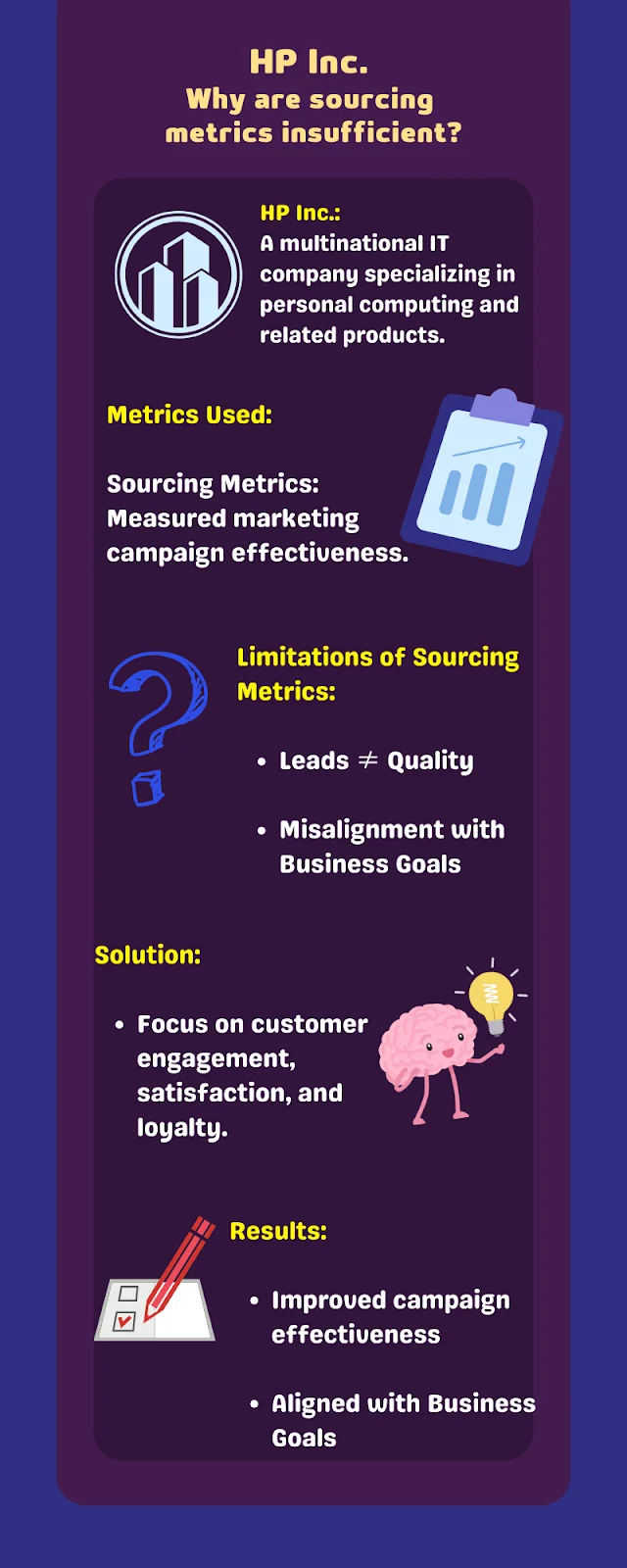
{{INLINE_TOFU}}
Influence Metrics in B2B Marketing
From the above section, it's clear that sourcing metrics, while valuable, do not provide a complete picture of marketing performance. Now, let’s delve deeper into the realm of influence metrics and explore how they contribute to a more comprehensive understanding of marketing performance in B2B.
Why did organizations shift to influence metrics?
The transition from solely relying on sourcing metrics to incorporating influence metrics in B2B marketing is driven by the need for a more comprehensive view of marketing's role. Compared to sourcing metrics, influence metrics offer a more complete understanding of how marketing initiatives influence decision-making throughout the entire customer journey.
The shift towards influence metrics was further motivated by the following factors:
1. Prolonged Decision-Making
B2B sales cycles are often protracted, spanning several months or even years. During this time, potential clients interact with various marketing touchpoints, each of which contributes to their eventual decision. Influence metrics enable marketers to track and evaluate these extended interactions, which sourcing metrics might overlook.
2. Multichannel Engagement
In today's digital age, prospects engage with marketing content across multiple channels. They might receive emails, browse a company's website, attend webinars, and interact on social media. Influence metrics provide a holistic perspective by accounting for the impact of each of these channels, recognizing their cumulative influence on decision-making.
3. Multiple Stakeholders
B2B purchases often involve multiple stakeholders within an organization. Influence metrics consider the influence of marketing efforts on various decision-makers, acknowledging the diverse touchpoints that cater to each stakeholder's needs.
Limitations of Influence Metrics
While influence metrics offer valuable insights into the broader impact of marketing in the B2B arena, they also have their set of limitations. Acknowledging these limitations is essential for gaining a more realistic view of marketing performance.
1. Difficulty in Quantifying Influence
Influence metrics, by nature, deal with qualitative data and soft measurements. They can provide insight into the impact of marketing efforts but may not be as easily quantifiable as sourcing metrics. This makes it challenging to attribute a specific monetary value to influence.
2. Data Complexity
These metrics often involve tracking a multitude of touchpoints and interactions across diverse channels. Managing and analyzing this vast amount of data can become complex, requiring sophisticated tools and methodologies.
3. Synchronizing with Sales Data
Aligning influence metrics with sales data can be challenging. Unlike sourcing metrics, influence metrics may not directly correlate with short-term sales figures. This can lead to discrepancies when trying to measure marketing's contribution in terms of revenue generation.
The Need for Balance
As B2B marketing continues to evolve, the consensus is clear: reliance solely on sourcing metrics or influence metrics might not provide a complete picture of marketing performance.
Now that we’ve understood sourcing metrics and influence metrics, it’s clear that both have their roles and strengths. However, the most insightful evaluation emerges when they are used together, along with other metrics that set off their disadvantages, respectively.
Relying solely on one or the other can lead to an incomplete picture of marketing performance. It's not an "either-or" scenario; it's a "both-and" strategy that paints a more comprehensive canvas of marketing's influence.
So, what’s the way forward?
Acknowledging the above limitations has paved the way for exploring alternative approaches to marketing measurement: Engagement Scoring.
Exploring Engagement Scoring
One promising alternative on the horizon is engagement scoring. Unlike sourcing and influence metrics, which primarily focus on lead generation and the influence of marketing touchpoints, engagement scoring takes a different route. It prioritizes measuring how engaged and receptive your audience is to your marketing efforts.
Engagement scoring considers a spectrum of interactions, such as content consumption, participation in webinars, social media engagement, and email responses. It doesn't just stop at identifying whether a prospect is interested in your product; it delves deeper into how engaged they are and what specific content or interactions resonate with them.
For a more in-depth exploration of engagement scoring, stay tuned for our next blog, where we will dissect this emerging approach and its application in modern B2B marketing measurement.
Moving Towards a New Approach
From the above sections, one thing has become abundantly clear: B2B marketing is in a state of constant evolution.
The limitations of the existing techniques have set us on a quest for a more holistic and encompassing approach. It's a journey that's far from over, and it's a journey that demands adaptability and innovation.
Embracing a data-driven approach is the cornerstone of effective marketing performance measurement. Data is the lifeblood of modern marketing, and by harnessing the insights from sourcing metrics, influence metrics, and engagement scoring, we can fine-tune our strategies and maximize our impact.
The path to optimizing marketing measurement is a dynamic one, where change is the only constant. And as you can tell, the world of B2B marketing is ever-evolving, and so must be our approach to measurement. It's not a destination but an ongoing journey.
So, as we move forward, let's leverage the full potential of sourcing metrics and marketing influence, all while remaining receptive to emerging approaches that enhance the art and science of B2B marketing. By doing so, we not only meet the challenges of today but also prepare for the exciting opportunities of the future.
.avif)
B2B Marketing Personalization: Building Tailor-Made Journeys
B2B marketing personalization is about creating tailor-made user experiences that convey a feeling of empathy and validation.
Now more than ever, B2B deals involve shrewd, inquisitive buyers. Generic marketing strategies are no longer sufficient to capture customer attention or loyalty. Instead, marketing personalization plays a crucial role in building trust and intent amongst buyers.
B2B marketing personalization is about creating tailor-made user experiences that convey a feeling of empathy and validation. It's about replacing broad, generic messages with personalized marketing efforts based on your target audience. The following article explores several ways to personalize your B2B marketing efforts.
B2B Marketing Personalization
Personalization is quickly becoming a buzzword in the industry but with good reason. It's a powerful marketing approach that drives better results and builds stronger connections with your audience.
Imagine you walk into a cafe, and the barista greets you by name, asks about your day, and already knows your usual order. You’d feel special, wouldn't you? You’d probably be encouraged to become a regular customer. This is, in essence, the objective of personalization; it makes customers feel valued and understood.
To personalize your marketing efforts, the first step is to gather relevant information about your customers' demographics, pain points, use cases, concerns, engagement behavior, and more. Once all this data is in place, it can be leveraged to customized experiences on your website, emails, social media, and ads.
To make the data collection easier, you can build a custom software tool that collects data of users who visit your website and integrate it into the website. Of course, there are software outsourcing companies you could task with this. The tool should be such that when users visit your website or interact with your ads, it will collect their behavior and preferences, like what they click on and what they aren’t interested in. You can then use this data to target the ads you show to them. This leads us to...
Personalized Targeted Advertising
One of the most common use cases of personalization is targeted advertising. Have you ever searched for a product online, and suddenly, ads for that exact product started following you around the internet? That's not a coincidence; it's targeting.
A lot of advertisers are now using tracking technologies to gather engagement data and leverage this information to display ads that are more relevant to users.
But personalization goes beyond just ads. It extends to the entire user experience. This level of personalization makes the shopping experience more convenient and enjoyable. And most importantly, they can sell more because of those strategies.
Personalized Mail and Content marketing
Email marketing is another opportunity to leverage personalization and enhance user experience. Do so by segmenting your audience and sending them tailored messages based on their engagement. This is far better than simply sending generic mass emails to all subscribers, regardless of their differences.
You can also leverage personalization in your content: think blog posts, videos, and social media posts. When you’ve gained insights into your audience's preferences, challenges, and goals, you can create content that resonates with them on a deeper level. This will help establish your brand as a trusted resource and help build a loyal community of followers. Even in the case of eCommerce, users delivering personalized content is the key to generate more sales. You can do this by leveraging merchandising feature of the best digital experience platforms out there.
{{INLINE_TOFU}}
Personalized Website Experiences
With the advent of GenAI, chatbots and virtual assistants work better than ever to provide personalized assistance based on user inquiries and previous interactions. By understanding the context and history of a customer's interaction with the brand, these AI-powered tools can offer tailored solutions and recommendations, thereby enhancing the overall customer experience.
Personalized Social Media Experience
Social media platforms also offer opportunities for personalization. Start by delivering targeted content and advertisements to the right users. Not every social media user cares about that paint ad you recently published. When you target the right ads to the right audience segment, you increase the content's relevance and maximize the impact of your marketing efforts.
Prioritize Privacy While Acquiring Data
It's essential to strike a balance with personalization. While customization can enhance the user experience, it’s of utmost importance that you respect user privacy.
Let your customers know how their data will be used and give them control over their preferences. Respecting boundaries builds trust and ensures that personalization remains a positive experience for both parties. Implementing personalization strategies requires combining technology, data analysis, and creative thinking.
Wrapping up
Leverage data and technology, and you’ll be able to deliver targeted advertisements, personalized website experiences, tailored content, and customized customer support.
However, never forget to strike a balance between personalization and privacy. Respect user boundaries and ensure transparency in data usage.

LinkedIn Video Ads for B2B: Strategy, Planning, Tips & ROI
Learn how to create high-performing LinkedIn Video Ads for B2B. Boost engagement, reach real buyers, and turn views into pipeline with proven strategies.
In B2B, attention is harder to get than the Wi-Fi password at a neighbour’s house party.
And that’s exactly what makes LinkedIn Video Ads a great investment for your brand: they capture attention, educate at scale, and speak directly to the people holding the budget.
The platform’s precision targeting by job title, company size, seniority, and industry means your videos don’t only get ✨views✨; they get seen by decision-makers who actually care.
Look, video is no longer just ‘trendy’, it’s reshaping the way we consume content and transforming the way B2B marketing works.
Today’s buyers are younger, video-focused, and consuming more streaming content than ever. The question is: How will you reach them? LinkedIn’s Video Ads… which, by the way, have seen an engagement rate increase by 44% year-on-year. So, you’ve got a direct line into the minds of your ideal buyers.
If you’re running high-ACV deals, trying to shorten the sales cycle, or looking to stand out in a crowded category, video ads on LinkedIn are a performance lever you can’t afford to ignore.
Why LinkedIn Video is the Right Match for B2B Demand Gen
1. Video content is what people want to see
According to benchmark data, videos get 5x more engagement than static posts on the platform. Furthermore, according to Forrester, 71% of buyers are now Millennials or GenZ, and video content is their preferred format. According to recent research from Forrester, 71% of B2B buyers are now Millennials or Gen Z. These generations grew up immersed in video content, which has become their preferred way to consume information. In fact, just this past May, streaming officially surpassed traditional television for the first time.
To back that up, 93% of marketers also say that video has a direct impact on their ROI, as per LinkedIn’s Internal data (2025).
That means if you're looking to:
- Educate your market at scale
- Build trust with high-value accounts
- Humanize your message while showcasing ROI
...there’s no format more effective than video on LinkedIn.
2. Your video ads reach real buyers, not just scrollers
With LinkedIn’s targeting precision by job title, company size, industry, seniority, skills, and firmographics, you’re not just running ads to get views. You’re getting seen by the right set of buyers.
Compare this with Meta or YouTube, where even with interest filters, a large chunk of your budget can go to students, bots, or non-decision-makers.
Why Choose LinkedIn Video Ads over Static Ads?
Video ads drive significantly higher engagement than static ads, capturing attention more effectively through motion and storytelling. They also allow brands to communicate more information quickly, making them ideal for awareness, education, and recall.
Let’s look at some data:
- Enhanced viewer attention:
LinkedIn video ads capture attention 3 times longer than static image ads, providing a greater opportunity to convey your message effectively.
- Increased interaction rates:
Video posts on LinkedIn drive 5 times higher interaction rates compared to text or image posts, leading to more likes, comments, and shares.
- Boosted conversion rates:
Implementing video ads can lead to a 30% increase in conversion rates, making them a powerful tool for driving actions like sign-ups and inquiries.
Hear It From The Expert: AJ Wilcox on video vs. static — It’s not about industry, it’s about intentIf you’re wondering whether video ads ‘work better’ in SaaS vs. fintech vs. manufacturing, the answer isn’t that clean-cut. According to LinkedIn Ads expert AJ Wilcox, how you use video matters more than where you use it. “It’s not really about the industry, it’s more about the use of video. With video, the first win is attention. Viewers are naturally drawn to watch, which makes video incredibly effective for brand awareness, education, and trust-building. The real value lies in the watch time and the retargeting audiences you create in the process. 💡 In short: Use video to warm up, educate, and build trust. Use static to close the deal. |
On a side note, organic video is also having its moment!
It’s not only Video Ads that are growing… organic videos are growing, too!
Organic video content continues to gain momentum among business leaders on LinkedIn, with a 44% year-over-year increase in video uploads by C-suite executives. Notably, video posts generate 1.4x higher engagement than other content formats, highlighting their growing impact on B2B communication and thought leadership.
Campaign Planning
The best-performing video ads aren’t chasing likes or trying to ‘go viral.’ They’re engineered to move high-intent buyers from scroll to sales call.
Step 1: Start with a pipeline-aligned objective
Your objective is a strategic choice that shapes the creative, the CTA, and how you measure success. Let’s break down how to choose the right objective, structure it by funnel stage, and tie each to a real business outcome. So, the first question to answer is:“What stage of the funnel is this campaign meant to impact?”
Here’s how to choose the right campaign objective and pair it with the right kind of video:
Choosing the right objective by funnel stage:
LinkedIn Ads offer three primary objective types: Awareness, Consideration, and Conversion.
Here’s where each one fits and what kind of video makes sense for that stage.
| Funnel Stage | Campaign Objective | Ideal Use Case |
| Top of Funnel | Brand Awareness | 30-sec animated explainer to introduce a new product category (e.g., "Sales Engagement Intelligence") |
| Mid-Funnel | Consideration | A testimonial video + case study Document Ad to build credibility and intent |
| Bottom of Funnel | Conversion | A founder-led pitch video paired with a Lead Gen Form or a demo CTA |
Hear It From the Expert: AJ Wilcox on Matching Video Ads to Funnel StageYou’ve mapped campaign objectives. You know what to measure. However, you should also know when to use video ads based on your funnel stage. “Video ads tend to perform well in TOFU and even MOFU stages due to their ability to build strong connections with prospects and cost-effectively generate retargeting audiences. |
Now, paired with your funnel table and metrics, this quote gives readers a reality check about choosing the objective type more carefully.
Step 2: Choose metrics that match the stage
Don’t fall into the trap of obsessing over CTRs when your goal is trust-building, or over-optimizing form fills at the top of the funnel.
| Funnel Stage | Key Metrics | What They Tell You |
| Top of Funnel | CPV (Cost Per View) | How efficiently you’re capturing attention |
| Form Fill Rate | Whether the content/offer is strong enough to drive action | |
| CPL (Cost Per Lead) | The cost-efficiency of your lead gen efforts | |
| Views | 25% and 50% view rates reflect early engagement. Low numbers here often point to a weak hook or opening | |
| Average Dwell Time | Measures how long viewers stay before dropping off, offering insight into content engagement | |
| Video Completion Rate | A high completion rate indicates strong content quality, particularly for short videos under 60 seconds. | |
| Bottom of Funnel | Influenced MQL Rate | % of leads qualified by marketing |
| Influenced SQL Rate | % of MQLs accepted by sales | |
| Revenue / Pipeline | The actual business outcome from video campaigns | |
| Views | If the view completion rate is 75% or higher, it signals strong interest, especially for longer, educational, or product-driven videos. | |
| Video Completion Rate | Especially relevant if there’s a CTA or pitch toward the end of the video. |
💡 Top of funnel metrics tell you what’s working. Bottom of funnel metrics tell you what’s worth scaling. It’s best to monitor both.
Side Note: Your Targeting Strategy Directly Impacts CPV
Your cost per view isn’t just about geography or bid type, it’s shaped by who you’re trying to reach, how competitive that audience is, and how well your creative holds their attention. In other words, targeting drives CPV.
Here’s what that looks like in practice:
Let’s break down what drives your cost per view:
| Driving Factor | Impact |
| Audience Quality | Senior, niche roles → higher CPV |
| Creative Strength | Better watch times → lower CPV (LinkedIn rewards relevance) |
| Auction Pressure | NA and Tier 1 regions = more competition = higher CPV |
| Ad Relevance Score | Higher scores = LinkedIn discounts your cost |
💡 Auto-bidding isn’t just easier, it’s 2X as cost-efficient. Based on 17M+ video views, the average auto-bid comes in at just $0.09, compared to $0.18 for manual bidding or cost caps. That’s budget you could be using to scale faster, test more creatives, or win more impressions at the same cost.
Step 3: Assign one north star metric per campaign
Every campaign should have one success metric (not five). Here’s how you can align your video type to their metric:
| Campaign Type | Success Metric |
| Brand Intro Video | % of viewers who watched 50%+ |
| Category Explainer | Clicks to ungated page |
| Testimonial | Form fill rate |
| Founder Pitch | Demo form completion rate |
| Product Walkthrough | CPL + SQL conversion rate |
💡 Set one metric. Track it ruthlessly.
Step 4: Interpreting what performance actually means
Don’t confuse a bad click-through rate with a bad video.
Here’s how you can diagnose performance signals:
| Scenario | What It Means |
| High view rate, low CTR | Good hook, weak offer, rework CTA or targeting |
| High CTR, low MQL quality | Targeting mismatch or unclear landing page |
| High engagement, no SQLs | Time to retarget warm viewers with BOFU offers |
“If 100 people watched 75% of your video, that’s 100 warm leads, click or not.” That’s the thinking top growth marketers use to plan next steps.
Final Thought: Video ads aren’t instant noodles
Here’s what a typical B2B journey looks like:
Watches your video → Doesn’t click → Remembers you later → Googles you → Reads your email → Books a demo
So track the full arc of buyer behavior:
- Use view-through attribution
- Add self-reported attribution
- Sync LinkedIn CAPI with your CRM
Or better yet…
💡 Meet LinkedIn AdPilot by FactorsAll your LinkedIn ad signals. One smart system.AdPilot turns LinkedIn Ads from a guessing game into a precision engine. Instead of juggling tools or manually updating audiences, you can:
Whether you're scaling ABM, running retargeting, or testing creatives, AdPilot lets you see what’s working, spend where it matters, and finally prove ROI. “With AdPilot, our LinkedIn strategy became laser-focused. We attributed 30% more deals and drastically reduced unknown lead sources.” Learn more about Factors AdPilot, Book a demo |
{{INLINE_MOFU}}
Creative Strategy: How to Build Video Ads That Actually Convert
LinkedIn video is a high-intent, scroll-breaking format that, when done right, can compress months of nurturing into 45 seconds of screen time.
But most B2B brands overinvest in production and underinvest in strategy. And high-performing LinkedIn video ads aren’t ‘TV commercials shrunk for feed.’ They’re surgical tools built for mobile-first, distracted professionals with zero time and infinite tabs open.
💡Download LinkedIn’s exclusive guide to building your brand through LinkedIn videos. So before you hit record, make sure you give the guide a read.
The Base: What Makes a LinkedIn Video Ad Work?
Forget polished commercials with fancy budgets. Great LinkedIn videos feel native, personal, and purposeful. They work because they respect how distracted and skeptical buyers are.
Types of Video Ads on LinkedIn
- Video Ads
Great for sharing your brand’s take on industry news, product demos, and customer success stories. Video Ads humanize your brand and deliver your message in an engaging format. - Connected TV Ads
Show up in living rooms via streaming services, where people are more relaxed. Connected TV Ads keep decision-makers thinking of you even off the clock. Since many B2B buyers watch CTV in their spare time, it’s a strong way to reinforce your message outside traditional work hours. - Event Ads
For many B2B marketers, live events are a priority. With Event Ads, you can use video to reach buyers at scale and drive registrations for live events or webinars. Tease the agenda, speakers, or special content to build excitement and attendance. - Thought Leader Ads
Spotlight company leaders or industry experts. Videos centered on thought leadership build credibility and help your community get to know the people behind the brand. Promote this content and extend your reach with Thought Leader Ads. - BrandLink
With BrandLink, brands can partner with trusted publishers and creators to run in-stream, pre-roll video ads next to contextually aligned, high-quality videos, delivered directly in targeted members’ LinkedIn newsfeeds.
How to build LinkedIn Video ads for people who actually watch them:
1. Hook Viewers Within 2 Seconds
If we haven’t already established it, the scroll is brutal. You have two seconds to stop the thumb.
Start with:
- A bold stat or unexpected insight (“78% of sales teams still do this manually…”)
- A pain point framed as a question (“Tired of chasing no-show demos?”)
- A clear visual motion (zoom-in on product UI, person speaking straight to camera)
Avoid:
- Long branded intros
- Slow fades or logo splash screens
Basically, come to the point within the first two seconds.
2. Design for Sound-Off Viewing
79% of users watch LinkedIn videos on mute. Your video must make sense without sound.
Always include:
- Native captions, not just YouTube-style auto-subtitles
- Bold text overlays to highlight key phrases or data
- Visual metaphors that reinforce your point (e.g. lagging bar graphs, ticking clocks)
Think of every video as a ‘moving carousel post.’
3. Keep It Concise
Attention spans aren’t shrinking; they’re just more expensive to earn.
| Funnel Stage | Ideal Length | Why |
| Awareness | 15–30 seconds | Light, punchy, scroll-stoppable |
| Consideration | 30–45 seconds | Time to deliver value, show proof |
| Conversion | 45–60 seconds | Enough to make the pitch + CTA |
💡If you need more than 60 seconds to say it, you probably need a landing page, not a video ad.
👂Hear It From the Expert: AJ Wilcox on How Long Should a LinkedIn Video Be? What Aspect Ratio Works?While brevity is your best friend, length and layout should flex based on funnel stage and context. Here's AJ Wilcox's take, based on hundreds of B2B campaigns: “I find video lengths in the 30 to 40 seconds tend to work best for TOFU, and I find that with MOFU I can go a little longer—around :40 to 1:20. 💡Quick summary:
|
4. Strong, Single CTA
Every video should have one goal. Not three.
Use CTAs like:
- See it in action
- Watch full demo
- Grab the report
- Book a consult
Avoid:
- Learn more (too vague)
- Click here (too 2006)
Position your CTA in:
- Text overlay (mid-video + end screen)
- Video description
- Companion creative (e.g., headline or button)
Technical Specifications (Keep These Handy)
| Element | Specification |
| Format | MP4 or MOV |
| Resolution | Up to 1080p |
| Aspect Ratios | 16:9 (landscape), 1:1 (square), 4:5 (vertical) |
| Recommended Length | 10–60 seconds |
| File Size Limit | 200 MB |
| Frame Rate | <30 fps preferred |
| Captions | SRT file or baked-in text |
💡Tip: Use 1:1 or 4:5 formats for mobile-first audiences, they take up more feed real estate and consistently outperform 16:9.
Checklist Before Hitting Launch
|
The Anatomy of a Scroll-Stopping LinkedIn Video Ad
| Element | What It Should Do | Best Practices |
| First 3 Seconds | Hook + establish relevance | Lead with a pain point or a bold stat, show your logo, and add motion |
| Scene 2–10 Seconds | Deliver context | Explain the problem. Keep it high-level. Speak to the persona, not just the product. |
| Scene 10–30 Seconds | Introduce solution | Visual demo, customer quote, or founder soundbite. Make it feel personal and credible. |
| Final 5 Seconds | CTA + next step | End with a crisp CTA: “See how it works”, “Grab the guide”, “Book a free demo” |
B2B Creative Formats That Actually Work
Here’s what demand gen teams do:
1. Founder POV or Product Manager Cameo
- Quick, unscripted clips recorded on Loom or Riverside
- Personal, high-trust, credible, and personal, feels like a DM, not an ad
- Best for: Bottom-funnel or account retargeting
- Record straight-to-camera “here’s what we’re seeing in the market.”
- Works well with warm audiences and in BoFu campaigns.
- A 30s iPhone clip of your founder saying, “Here’s why we built this…”. Such videos add instant credibility and perform great in retargeting.
For example: Blackstone featured Michael Zawadzki, Global Chief Investment Officer for Blackstone Credit and Insurance talking about private credit, a relatively technical topic.
- Why it works:
- Personal and trustworthy tone
- Helps viewers understand niche topics
- Builds brand credibility
2. Mini Product Tour
- UI walkthrough synced to a real pain point
- Subtle overlays to highlight key metrics or features
- Best for: Consideration stage (especially SaaS)
- Show real UI, not just abstract motion graphics.
- Narrate why each feature matters, not just what it does.
- Works great when retargeting high-intent visitors.
- Record a short Loom showing how your product solves one specific use case. Add captions and upload. Done.
For example: Descope, a no-code identity platform, used a 51-second demo video of the Descope SSO Setup Suite.
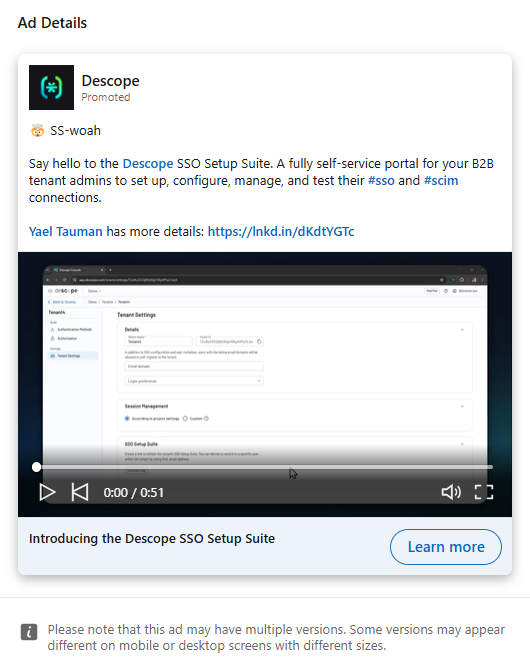
3. Customer Proof Clips/ Testimonials
- User clips saying: “We switched from [x] to [you] and here’s what happened”
- Cut it raw and subtitle it manually
- Best for: Warm retargeting, social proof, and expansion
- Raw > Polished. Shoot over Zoom or phone.
- Focus on transformation: “Before we used X → Now we [save 10 hours/week].”
- Use customers your audience aspires to be.
- Record a 1-min Zoom call with a happy customer. Ask them: “What changed after using us?” Crop, caption, publish.
For example: Salesforce for Small Business ran a testimonial-style Thought Leader video ad featuring users describing the ‘aha’ moments they experienced after using the platform.
- Why it works:
- Higher emotional resonance and relatability
- Short, punchy cuts keep watch time high
- Clear CTA at the end: “Start your free trial now”
4. Category Storytelling
- Frame the market gap
- Create urgency or FOMO
- Position your solution as the only one that “gets it”
- Best for: Top-of-funnel awareness
- ‘Here’s what no one tells you about hiring engineers in APAC’
- Use stats, frameworks, or mental models your ICP can steal
- Position your brand as a category authority, not just a product
- Turn an existing deck into a motion video using Canva or Animoto. Narrate with an engaging voice-over or add text overlays.
- Combine a clear script, basic animation, and stock clips (from Pexels/Unsplash). Ideal for top-of-funnel explainer videos.
For example: Testimonial Hero launched a 54-second explainer video showing the product’s offerings and use-cases.
- Why it works:
- Motion graphics were universally appealing (no language barrier)
- Focused on the benefits and the product
- CTA drove users to visit the website to learn more
💡Don’t aim to just ‘tell your story.’ Aim to help your viewer tell a better story at their next team meeting.
📖Good Read: Create Video Ads for LinkedIn using Canva
Creative Format Guide (by Funnel Stage)
| Funnel Stage | Video Type | Duration | Tone | CTA |
| Awareness | Category intro / Market stat animation | 15–30s | Bold, high-contrast, catchy | “Learn more” / “See how” |
| Consideration | Testimonial / Demo walkthrough | 30–60s | Conversational, real | “Watch demo” / “Read case study” |
| Conversion | Founder POV / Offer CTA | 20–45s | Direct, trustworthy | “Book demo” / “Try it free” |
💡 Tip: For retargeting flows, create a video series. Ad 1 = Problem. Ad 2 = Product. Ad 3 = Customer proof.
A/B test these variables:
It’s important to test thumbnails, but that’s not where the tests should end. Keep the structure, script, and even the effect of silence versus narration, in mind.
- Hook formats: Problem-first vs. Question-first
- CTA language: “Try free” vs “See it in action”
- Voiceover vs. caption-only
- Raw founder selfie vs. studio animation
- UI-first vs. use-case-first
Benchmark across:
- View-through rate (50%+ watched)
- CTR
- Down-funnel lead quality (SQLs, not just form fills)
Here are some tools you can use to create videos without a studio:
| Use Case | Tool Recommendations |
| Quick talking-heads | Loom, Riverside |
| Captioning + edit | Descript, Kapwing |
| Animated explainers | Canva Video, Animoto |
| Motion graphics | Viddyoze, Motion |
| Slide-to-video repurpose | Canva, Adobe, Transmission, Google Slides + screen record |
Common creative mistakes (and how you can fix them)
| Don’t Do This | Do This Instead |
| Long intros, no hook | Open with a bold pain point or stat |
| Voiceover-only without captions | Design for mute-first viewing |
| Feature dump in first 5 seconds | Frame the problem first |
| Generic CTA like “Learn more” | “Book demo” / “See it in action” |
| One-size-fits-all video for all users | Tailor by persona + funnel stage |
A great video doesn’t just ‘look good.’ It also converts.
Like I’ve said above, the best-performing LinkedIn video ads aren’t made for film festivals. They’re built to earn attention and move buyers one step closer to conversion, all in the span of 30 to 60 seconds.
Side Note: You Don’t Need a Hollywood Budget to Run Video Ads
One of the biggest misconceptions about LinkedIn video ads is that they’re expensive to produce. The truth? It’s all about creating something of high relevance.
Some best-performing video ads are shot on webcams, edited on free tools, and filmed in under an hour. What matters is that the message lands fast.
Pair Paid with Organic for Maximum Reach
Don’t silo your video content. What works on organic often works better on paid, especially if it has already shown strong engagement signals (likes, comments, shares).
- Run founder videos as organic first, and then boost the best performer as a paid ad
- Turn a popular carousel post into a short explainer video
- Use paid to extend the shelf life of webinars, roundups, or case studies
💡 If your post resonated with your audience organically, it’s already algorithm-tested.
Audience Targeting for LinkedIn Video Ads
You can have the perfect video with an intriguing hook, flawless CTA, and a founder cameo that could win a ‘Webby’, but if your targeting’s off, the entire campaign falls flat.
LinkedIn has the most powerful B2B targeting stack of any paid channel, but it’s only as effective as the clarity of your ICP. The goal isn’t to reach everyone. It’s to reach the right people, often, with relevant messaging, at the right stage of their journey.
Here are a few things that you need to add to your targeting toolkit:
- Job Titles / Job Functions:
Keep it broad, ‘Marketing + Director +’, is often better than targeting ‘VP of Growth’ alone. - Industry & Company Size:
Ideal for segmenting based on go-to-market motion. (Enterprise vs Mid-Market vs SMB) - Seniority Levels:
Use this to reach decision-makers without over-relying on job titles. - Skills & Interests:
Underused but powerful for reaching cross-functional roles (e.g., people who follow “Product-Led Growth” or “Demand Generation”). - Company Names (ABM):
Upload account lists to run 1:1 or 1:few campaigns to your highest-value targets.
💡 Pro-tip: Start wide, narrow down with creative and funnel logic, not oversegmentation.
Retargeting: Where video ads pay off
Video gives you behavioral signals that static can’t. Every view becomes a retargeting trigger.
This is where the real leverage is. Every video view gives you a new way to re-engage.
| Action by Viewer | Retarget With |
| Watched 50%+ of a video | Case study, product walkthrough, or lead gen offer |
| Clicked but didn’t convert | Personalized video or time-sensitive CTA |
| Viewed pricing/demo page | Founder pitch or testimonial clip |
| Opened Lead Gen form but didn’t submit | Gentle reminder ad with a trust signal (e.g. “Join 2,400+ teams using X”) |
💡 Use sequential retargeting to tell a story over time:
Video 1 → Video 2 → CTA offer → Form fill → SQL
💡 Want to level up your intent-based targeting? With Smart Reach, you can control how many times an account sees your ad, dialing up frequency for engaged accounts and avoiding ad fatigue for warm prospects.
Summing up targeting tips
- Start with high-intent accounts, not just interest-level filters
- Avoid hyper-targeting, LinkedIn works best with 50K+ audience size
- Use warm actions (50% video views, demo page visits) to power mid-funnel
- Segment campaigns by persona + funnel stage for relevance and scale
💡Pro Tip: Segment Campaigns by Persona and Funnel Stage. If you’re unsure how to do that, Book a Demo and explore how AdPilot can help you!
Packing Up
Video is no longer a top-of-funnel experiment; it’s a full-funnel performance lever.
On LinkedIn, where attention is costly and every impression matters, well-structured video ads let you educate, qualify, and convert your audience, all within the feed.
You don’t need cinematic quality. You need:
- A sharp message.
- A clear viewer path.
- And a targeting + optimization system that respects your budget.
If you're already running image or document ads, video is your next step forward. If you're not advertising on LinkedIn yet, video is your fastest way in.
💡Download: LinkedIn’s guide on how video can transform your B2B marketing strategy and elevate your brand on LinkedIn.
About Factors & LinkedIn AdPilot
Running B2B ads shouldn’t feel like guesswork. Yet most marketers still juggle multiple platforms, disconnected insights, and uneven reach. Factors changes that.
It brings your ad data, audience insights, and performance signals into one smart system, so you can see what’s working, scale what’s converting, and finally prove ROI across every touchpoint.
From identifying high-intent accounts to optimizing where your budget goes, Factors’ AdPilot suite helps you run LinkedIn and Google Ads with the precision (and calm) your spreadsheets wish they had.
AdPilot Features That Make Every Ad Dollar Count
1. Audience Builder
Start by knowing who really matters. Audience Builder helps you identify anonymous accounts already engaging with your brand, whether they visited your site, clicked an ad, or explored your content. You can then segment the sales-ready ones based on how active they’ve been across different channels. Once you’ve got your dream list, syncing it to your LinkedIn or Google Ads takes just a click. So your targeting is sharper, your budget is smarter, and your message lands exactly where it should.
2. SmartReach
Sometimes, the top 10% of accounts hog most of your ad impressions, leaving the rest of your audience barely touched. SmartReach fixes that imbalance. It gives you more control over how often each account sees your ad, helping you spread reach evenly and make every dollar go further. The result? Better visibility, more awareness, and a healthier pipeline.
3. Power Boost
When a high-intent account starts showing interest, say they’re responding to sales emails or visiting your site, Power Boost steps in. It automatically increases ad frequency for those accounts, keeping your brand top of mind while they’re in decision mode. Because the faster you stay visible, the faster they convert.
4. Campaign Automation
Let your campaigns move at the speed of intent. AdPilot’s automation engine redistributes impressions in real time based on signals from your CRM, G2, or website. That means your ads automatically follow where the interest is, without manual tinkering. More relevant exposure. Faster deal velocity. Less wasted spend.
5. TrueROI
Most people won’t click your ad, but that doesn’t mean your ads didn’t work. TrueROI shows the full picture of impact with view-through attribution, combining ad views with engagement data from across channels. It helps you measure what really matters: how your LinkedIn campaigns influence awareness, intent, and pipeline, not just clicks.
Book a Demo to see it in action.
💡Read More: LinkedIn Ads 101: A B2B LinkedIn Ads Guide
💡Read More: LinkedIn Ads Strategy for B2B SaaS Growth
💡Read More: Types of LinkedIn Ads
💡Read More: LinkedIn Ads Targeting Best Practices & Strategy Guide
💡Read More: LinkedIn Ads Targeting & Campaign Strategy for Enterprises

We don’t just write about demand gen. We deliver it.
Our AI Agents help you uncover high-intent accounts, run campaigns that actually convert, and keep your GTM motion in sync.
1000+ GTM teams have already scaled their pipeline with Factors.
*Includes built-in peace of mind. And fewer late-night funnel audits.


.svg)



.avif)

