

Good Reads
Fix pipeline pains. Solve GTM puzzles. Read strategic brain dump.
Written for marketers who want real solutions to a leaking pipeline (and their dark circles).
Want to read more from us?

I’m looking for…
AI marketing automation for small business: a lean-team playbook
Take a look at AI marketing automation for small B2B teams: what to automate first, what it costs, and where lean teams actually win.
.avif)
TL;DR
● I don't think AI marketing automation is about doing more. It's about a three-person team stopping the busywork that was never supposed to take three people in the first place.
● Small B2B teams are picking this up faster than enterprises right now, and it's not because they're braver. It's because they have fewer approvals to get through and every hour saved shows up in pipeline the same week.
● The teams getting real value aren't the ones using AI to write blog posts faster. They're the ones using it to decide where the next rupee of ad spend goes.
● You don't need a six-figure martech budget to start. You need clean tracking, one well-automated workflow, and the discipline to fix visibility before you fix anything else.
● I'll be honest, most of the AI tooling conversation skips the boring part. Data hygiene, attribution, and account visibility aren't exciting, but they decide whether everything you automate afterward actually works.
● Nobody's competitive edge in 18 months will be "we have AI." Everyone will. The edge will be whoever built the better workflow around it.
Small marketing teams have always had one unfair advantage… they can't afford to waste time.
A ten-person team can survive a few inefficient processes for a while. A three-person team can't. If someone spends half a day pulling reports or manually qualifying leads, something important simply doesn't get done.
That's why I think AI has landed differently for lean B2B teams. It isn't about replacing marketers. It's about finally removing the work nobody enjoyed doing in the first place.
What does AI marketing automation actually mean, once you strip the buzzword away?
Most explanations of this topic open with a tidy definition that means nothing by the third sentence. I'd rather start with the distinction that actually matters: there's a real difference between automation that follows rules and automation that makes judgment calls, and conflating the two is why so many small teams end up disappointed with their first AI tool.
Traditional marketing automation runs on rules you set yourself. A lead downloads a whitepaper; you send email A. They visit your pricing page, you move them into sequence B. It's useful, and most small teams already have some version of this running through their CRM. But it only ever does what you told it to, nothing more.
AI-assisted marketing adds a layer of judgment on top of that. Instead of waiting for you to define every trigger, it studies your data, finds patterns you wouldn't have spotted manually, and recommends or takes action based on them. Agentic AI systems are autonomous software entities designed to focus on automation, reasoning, and adaptation, capable of gathering data, planning, and acting with high levels of autonomy.
I think the most useful mental model is a ladder. Manual marketing is a human doing every task from scratch. Marketing automation adds rules for the repetitive stuff. AI-assisted marketing studies your performance and tells you what to change. Agentic marketing, the frontier most small teams haven't reached yet, plans and runs entire workflows with very little oversight.
Here's the part that trips people up: a ChatGPT subscription isn't AI marketing automation. It's a single tool solving a single problem, usually drafting. The version that actually changes how a small team operates connects your analytics, your decision-making, and your execution into one system that learns as it goes. It tells you where to spend the next dollar, which accounts deserve a follow-up call today, and which campaign to kill before it burns another week of budget. That's the version worth building toward.
Why I think small teams are moving faster on this than big ones
Here's something that genuinely surprised me when I first looked into it. The instinct is to assume enterprises benefit most from AI, because they have the budgets, the RevOps headcount, and oceans of data to train on. The data says otherwise. By mid-2025, the Federal Reserve found that small businesses were adopting AI faster than large firms, a reversal that hadn't happened before in the monitoring data, while enterprise adoption had plateaued.
I don't think this is complicated to explain once you've actually worked inside a small team. When you're doing content, demand gen, analytics, and reporting with three people, every hour you claw back goes straight into something that moves pipeline. In a 200-person marketing org, that same saved hour quietly disappears into a Slack thread about brand guidelines. AI adoption is especially strong among companies with 10 to 100 employees, where usage jumped year-over-year from 47% to 68%. That's not a gentle trend line. That's a structural shift in how lean teams choose to operate.
I've seen versions of this play out across a handful of companies I've worked with or advised. A two-person SaaS marketing team using AI to research keywords, draft content briefs, and auto-generate weekly reports, freeing up roughly two working days a week for an entirely new campaign. A boutique B2B agency that stopped chasing dead-end leads once AI started scoring inbound by actual buying signal instead of gut feel. An IT services company that turned its customer success function from reactive to proactive by forecasting renewal risk instead of finding out the week the contract lapses.
The biggest misconception I run into is that AI is built for companies with dedicated RevOps teams. In reality, smaller teams often get more out of it precisely because there's less bureaucracy and fewer legacy systems fighting each other. Tools that used to require an engineering team now run on a $20-a-month subscription, and for owners who were already stretched thin, that single shift changed the math entirely.
The bottlenecks I'd actually point AI at first
Most small marketing teams don't need AI to generate more work. They need it to stop doing the work nobody should still be doing by hand in 2026. I find it easiest to walk through this bottleneck, one by one.
- Content production eats more time than it should
Before AI tools matured, a single blog post meant hours of research, drafting, editing, then another half-day turning it into social posts and ad copy. With AI handling the first pass, your team can pull together a research-backed draft in minutes, repurpose one blog into five LinkedIn posts and a couple of email variants, and test multiple ad copy angles without hiring an agency for any of it.
I'll say this plainly: content is the easiest place to apply AI, which is exactly why it's the most crowded conversation. Everyone's already doing it. The bottlenecks that actually move the needle are the quieter ones nobody talks about at conferences.
- Lead qualification used to be a guessing exercise
Spotting high-intent accounts meant someone manually cross-referencing website analytics, CRM activity, and engagement data across separate tools, then making a judgment call that was really just a gut feeling wearing a spreadsheet. AI changes the shape of that work. It scores accounts on behavioral signals, routes the hottest prospects to sales the same day, and flags accounts researching your competitors before your SDR has any idea they exist.
- Reporting quietly drains a full day every week
Pulling numbers from GA4, your CRM, LinkedIn, and Google Ads, then formatting all of it into something your CEO will actually open, eats four to six hours on most small teams I've worked with. Automated dashboards collapse that into minutes, which means your team spends that time acting on what the data says instead of just assembling it.
- Campaign optimization rewards constant attention nobody has
Budget allocation, audience tuning, and creative testing all benefit from continuous monitoring, and a human checking in once a week simply can't compete with a system watching in real time.
What ties all four of these together is that AI isn't replacing strategic thinking anywhere in this list. It's clearing out the manual work that was eating the hours your team needed to do the strategic thinking at all.
Where the actual ROI shows up (and it's not where you'd guess)
The best AI marketing automation platforms run on clean, unified data, yet S&P Global Market Intelligence reports that 42% of companies completely abandoned or scrapped their primary AI initiatives. Compounding this, Gartner's institutional tracking warns that throughout 2026, organizations will abandon 60% of AI projects specifically because they skipped building an "AI-ready" data foundation.
Match your platform architecture to your company size, go-to-market (GTM) motion, and team capacity today, not the scale of the company you hope to become in three years. Measure platform success strictly on pipeline metrics and tangible revenue contribution, not superficial lead volume or feature utilization. Finally, build your go-to-market stack in distinct, deliberate layers (data, intelligence, activation, and measurement) rather than expecting a single, monolithic tool to handle everything.
The highest-return applications cluster into three buckets, and content generation, notably, isn't one of them on its own.
| ROI category | What AI does | Typical impact |
|---|---|---|
| Analytics | Surfaces trends, flags anomalies, forecasts performance | Faster reporting, fewer blind spots, better forecasts |
| Decision making | Recommends budget allocation, channel mix, campaign priority | Smarter spend, higher conversion, less wasted budget |
| Operational efficiency | Automates workflows and reporting | 10-20 hours a week back per team member |
On analytics, the value shows up in three concrete ways. AI catches trends in your data that a human skimming spreadsheets would walk right past. It flags anomalies early, like a sudden conversion drop that might mean a broken landing page or a competitor outbidding you on keywords. And it forecasts performance accurately enough that quarterly planning stops feeling like a guessing game dressed up in a spreadsheet.
On decision-making, the impact is more direct than people expect. Instead of debating where the next $5,000 in ad spend should go, AI tools can study historical channel performance and recommend the allocation most likely to generate pipeline. That's pattern recognition applied to a decision small teams usually make on intuition and hope, because nobody had three spare hours to build the model themselves.
Also read: AI automation tools: The B2B marketer's guide
On operational efficiency, the math is straightforward. If a three-person team spends 20 hours a week on manual reporting, scoring, and campaign upkeep, and AI cuts that by 60%, you've just freed up 12 hours of strategic capacity every single week. Over a year, that's the rough equivalent of adding a part-time hire, minus the salary, the onboarding, and the awkward Slack introduction.
Run the numbers on a typical small B2B team: a $500-a-month AI stack that saves 50 hours a month, valued conservatively at $50 an hour, returns $2,500 in recovered capacity against $500 in tool spend. That's a 5x return before you even count the pipeline impact of sharper targeting and faster follow-up.
Where AI actually touches each stage of your funnel
Most of what I read on this topic stays parked at the top of the funnel, talking about content. I'd rather walk through the whole thing, because your board doesn't care how much content you shipped. They care what it generated.
- At the top of funnel, AI-powered research identifies which companies and personas are actually searching for something like what you sell. Content planning maps keywords to buyer intent instead of just traffic volume. SEO tools optimize pages against real competitive gaps. Social scheduling learns when your specific audience is actually online and adjusts timing on its own.
- The middle of the funnel is where this gets genuinely interesting for B2B teams specifically. Machine-learning lead scoring goes beyond a basic point system, weighting the behaviors that actually correlate with closed deals in your pipeline, not someone's best guess from two years ago. Account prioritization surfaces the accounts most likely to buy, so your team spends its limited hours on the 20% of accounts driving most of the revenue. Nurture sequences adapt to each prospect's actual engagement instead of sending the same five emails to everyone who ever filled out a form.
- The bottom of the funnel is where revenue impact becomes obvious fast. AI catches intent signals, repeated pricing page visits, competitor comparison searches, and alerts sales in real time instead of next Monday. It maps the buying committee, since most B2B deals involve more than one decision-maker, so your outreach actually reaches the people in the room. And it triggers sales alerts off account behavior, so a warm opportunity doesn't go cold because someone forgot to refresh a dashboard.
After the deal closes, AI keeps working. Upsell models flag customers likely to expand based on product usage. Health scoring catches accounts at churn risk before they go quiet on you. Renewal signals make sure your team reaches out at the moment that actually matters, not two weeks after the contract's already up for renewal review somewhere else.
The pattern I keep coming back to: AI becomes valuable the moment it touches pipeline. Everything before that is just productivity software with good marketing of its own.
Where does Factors fit into this, and why I'm including it
I want to be upfront about this section, because I know how product mentions read in articles like this. Factors isn't shoehorned in here for the sake of a pitch. I'm including it because how it works happens to illustrate exactly the principle this whole playbook is built on: find the signal, connect it to a decision, automate the response.
Most marketers I talk to don't have a data shortage anymore. They have a "what actually matters" shortage. That's the specific problem Factors was built to solve. Factors.ai is an AI-enabled GTM system that unifies buying signals at the account level and helps teams act on them.
It starts with anonymous buying signals. Most of your website visitors never fill out a form, full stop. Factors identifies which companies are on your site, what they're looking at, and how that activity compares to accounts that eventually converted, while also pulling in intent activity from sources like G2 and LinkedIn.
From there, it turns that data into something your team can act on the same day. Account scoring prioritizes the companies most likely to become pipeline. Real-time alerts notify your team the moment a high-value account shows buying behavior. Prioritization workflows keep your reps focused on the right accounts first, instead of working a list in chronological order.
Factors also helps you see what actually moved buyers through the funnel, which channels genuinely drove pipeline, and which campaigns deserve to be cut so you can double down on what's working. Campaign insights show which touchpoints influenced revenue, so budget conversations get grounded in evidence instead of whoever argued loudest in the last planning meeting.
On the automation side, it pushes high-intent accounts straight to your ad platforms, adjusts targeting based on engagement, and suggests next-best actions for your team to take. And because it tracks first touch, last touch, and influenced attribution, every campaign gets credit for what it actually contributed, not what it happened to be sitting closest to in the dashboard. For a small team, that clarity alone is often the difference between burning 40% of ad spend on guesswork and doubling down on the channel that's quietly carrying everything else.
Putting together a stack that doesn't need a finance committee
The question I hear most from small B2B teams isn't whether AI is worth it anymore. It's where to actually start, and how much it's reasonably going to cost.
I'll keep this section brief, because I've gone deep on the pricing breakdown elsewhere. The short version is that a functional AI stack for a small business starts around $200 to $500 a month, and it's something you assemble in pieces rather than buy all at once. If I were starting from zero with a tight budget and a team of three, I'd get visibility and a CRM sorted first, then layer everything else on top once I could actually see what was happening in the funnel. The mistake I see most often is small teams buying an impressive AI tool before they can even tell which campaigns are generating pipeline. You can't optimize what you've never measured in the first place.
Also read: [AI marketing automation pricing comparison](https://www.factors.ai/blog/ai-marketing-automation-pricing-comparison)
A 90-day path that doesn't skip steps
I've watched enough small teams try to automate their way out of chaos to know it never works in that order. Fix the process, then automate it. Reverse that sequence and you just get faster chaos.
- Month one is about seeing clearly, not automating anything
Before you touch automation, you need an honest picture of what's actually happening on your site and in your pipeline.
- Install website tracking and account identification so you know which companies are actually visiting.
- Set up multi-touch attribution so you understand which channels and campaigns are influencing pipeline, not just driving traffic.
- Build two or three core dashboards, not forty-seven of them, that answer the exact questions your team gets asked in pipeline reviews.
- Audit your existing data. Clean your CRM, tag campaigns consistently, and confirm your analytics are measuring what you think they're measuring.
None of this is glamorous, and nobody gets promoted for fixing data hygiene. But every AI tool you bring in afterward will be built on whatever foundation you lay down here.
- Month two is where you remove the manual grind
With visibility in place, this is where you start eliminating the work that's been quietly eating your team's week.
- Automate weekly reporting so dashboards update themselves and a summary lands in Slack without anyone manually pulling numbers.
- Set up content workflows where AI handles first drafts, repurposing, and social scheduling.
- Build lead routing rules based on actual engagement signals, not just geography or company size.
- Create alerts for high-intent account activity so your team never misses a warm opportunity sitting in a dashboard nobody checked.
- Month three is where intelligence comes in
With clean data and automated workflows already running, you're ready to layer in prediction.
- Turn on predictive lead scoring that weighs behavioral data, not just firmographics.
- Add third-party intent signals so you can spot accounts researching your category before they ever land on your site.
- Start budget optimization workflows where AI recommends, or directly adjusts, ad spend based on what's actually converting.
- Review your first 60 days of AI-driven data and recalibrate. The models get sharper with feedback, and this step matters far more than most teams give it credit for.
Visibility feeds automation. Automation feeds intelligence. Intelligence feeds revenue. Skip a step and the whole chain gets noticeably weaker.
The mistakes I keep seeing small teams make
I've sat through enough of these conversations to know where the recurring traps are. These five come up again and again.
- Buying tools before naming the problem. The AI tool market is genuinely overwhelming, and it's tempting to start with a slick demo instead of a clear problem statement. Tools bought to solve an undefined problem turn into shelfware within 90 days. Write down your three biggest bottlenecks first, then go shopping.
- Using AI only for content. Content is the easy entry point, quick to adopt, fast to show off. But if it's the only thing your AI stack is doing, you're leaving most of the value on the table. Analytics, decision-making, and operational efficiency are where the compounding returns actually live.
- Ignoring your own first-party data. Your website visitors, CRM records, and engagement signals are the most valuable data you have, and AI tools are only as sharp as what you feed them. Only 31% of organizations have the data infrastructure required to support autonomous decision-making. If your CRM is a mess, your AI recommendations will be too.
- Automating a broken workflow. If your lead routing is already broken, wrapping AI around it just makes it break faster and with more confidence. Fix the process manually, confirm it works, and only then automate it.
- Tracking activity instead of revenue. Emails sent and content published always trend upward, which is exactly why they're tempting to report on. Pipeline created and revenue influenced are the numbers that actually matter. If your AI dashboards don't trace back to either, you're paying for an expensive screensaver.
| Mistake | What it looks like | How to fix it |
|---|---|---|
| Buying tools first | Five subscriptions, no clear workflow | Name the problem before evaluating tools |
| AI for content only | Fast output, flat pipeline | Push AI into analytics and decisions too |
| Ignoring first-party data | Recommendations that feel off | Audit and clean your CRM and tracking |
| Automating broken workflows | Faster mistakes, not faster results | Fix it manually first, automate second |
| Measuring activity | Reports look good, revenue doesn't move | Tie every AI metric back to pipeline |
What's coming next, and why does it matter for a team your size?
I'll skip the part where I tell you AI is going to change everything, because you already know that. What's more useful is what's actually shifting right now and where it's heading over the next year or so.
Agentic AI spending is expected to reach $201.9 billion in 2026, and Gartner forecasts that 40% of enterprise applications will embed AI agents by the end of 2026, up from less than 5% in 2025. For a small marketing team, that translates into research agents that monitor your competitive landscape and summarize what changed each week, reporting agents that interpret dashboards instead of just building them, and campaign agents that adjust spend and targeting based on what's actually happening in real time.
Marketing automation is also moving away from fixed, scheduled workflows toward what's being described as self-optimizing systems that plan, execute, and adjust campaigns across channels in real time. For a lean team, that's a genuinely different way of working. Instead of someone manually tweaking LinkedIn audiences every Friday, the workflow adjusts targeting continuously based on which accounts are showing intent right now.
Predictive revenue operations are heading in the same direction. Revenue forecasting and pipeline prediction are moving out of enterprise-only tooling and into budgets small teams can actually afford. When your stack can flag which deals are likely to close and which pipeline is genuinely at risk, marketing and sales both operate with a level of confidence that used to require a much bigger analytics team.
The organizations that get the most out of agentic AI build a solid data foundation, think in terms of workflows rather than individual tools, and keep a human reviewing the output. Agentic AI doesn't replace marketers. It expands what a small team is actually capable of pulling off.
I don't think the next competitive edge will be access to AI. Everyone's going to have access to roughly the same models and the same platforms within a year. The edge will belong to whoever builds the tightest feedback loop between data and action, and treats AI as infrastructure for growth rather than a stack of disconnected point solutions.
Here’s where I'd actually start, if I were you
AI marketing automation for small business isn't a trend worth watching from the sidelines anymore. It's already widening the gap between B2B companies that are growing and ones that are stuck producing more activity without more pipeline to show for it.
If I had to compress this entire playbook into a handful of moves, here's what I'd tell a friend starting from scratch. Fix visibility before automating anything. Clean data and proper attribution aren't optional extras, they're the foundation everything else sits on. Push your AI use beyond content into analytics and decision-making, because that's where the real compounding happens. Build your stack one piece at a time, starting with whatever's actually broken, not whatever looks impressive in a demo. Follow a sequence: visibility first, then automation, then intelligence, because skipping ahead just means rebuilding later. And measure revenue, not activity, because activity metrics will always make you feel better than the actual number does.
The small teams that get this right over the next year won't be the ones with the biggest budgets. They'll be the ones who were honest about their actual bottleneck, built a system around their own data instead of someone else's case study, and resisted the urge to automate everything before they understood any of it.
FAQs for AI marketing automation for small business
Q1. What is AI marketing automation for small businesses?
It's the combination of artificial intelligence and marketing workflows that automates tasks like lead scoring, campaign optimization, content creation, and reporting. Unlike traditional rule-based automation that only follows fixed triggers, AI-powered systems learn from your data and adapt over time, which lets a lean team produce more pipeline without adding headcount.
Q2. Is AI marketing automation actually worth it for small B2B companies?
For most small B2B companies, yes, with one caveat I'd add. It's worth it when you adopt AI to solve a specific bottleneck rather than buying tools because they're trending. Teams that start with clean data and a clearly defined workflow see returns fastest. Teams that buy five tools before naming one problem usually end up with expensive shelfware instead.
Q3. What's the ROI of AI marketing automation for small businesses?
ROI varies by use case, but the numbers I've seen are compelling. Research shows an average return of $3.70 per dollar invested in AI for SMBs, alongside meaningful productivity gains. The strongest ROI typically comes from analytics and decision-making applications rather than content generation alone, since those directly shape where budget goes and which accounts get attention.
Q4. How much does AI marketing automation cost for a small business?
A functional stack starts around $200 to $500 a month, covering essentials like an AI writing assistant, a CRM, basic automation, web analytics, and account intelligence. More advanced setups with intent data, predictive analytics, and ad automation run between $1,500 and $5,000 a month. The right number depends on your team size and which bottlenecks you're solving first.
Q5. What tools should a small business start with for AI marketing?
A solid starting stack includes a CRM like HubSpot Starter, an AI assistant like ChatGPT or Claude, a connector like Zapier, GA4 for analytics, and an account intelligence platform like Factors.ai. As budget grows, tools like Clay for enrichment, Apollo for outreach, and LinkedIn Ads round out a competitive setup without a major price jump.
Q6. Will AI replace marketers at small businesses?
I don't think it will, but marketers who use AI well will clearly outperform those who don't. AI handles the repetitive operational work, reporting, lead scoring, content repurposing. People still provide the strategic judgment, brand voice, and relationship building that AI can't replicate. The winning setup is a small team amplified by AI, not one replaced by it.
Q7. How can a small business use AI for marketing analytics specifically?
AI-powered analytics tools help small teams surface trends, catch anomalies, and forecast performance without needing a dedicated data analyst on payroll. Common applications include automated campaign reporting, pipeline forecasting, channel attribution, and anomaly detection that flags issues like a sudden conversion drop before it becomes a quarter-long problem.
Q8. How does AI actually improve marketing decision-making?
It processes far more data than any small team could manually review. It recommends budget allocation based on real channel performance history, prioritizes accounts by behavioral signal instead of gut feel, and identifies which campaigns are genuinely influencing revenue versus just generating activity. For a lean team, that turns resource allocation from a debate into something grounded in evidence.
Q9. What's the actual difference between marketing automation and AI marketing automation?
Traditional marketing automation executes rules you define upfront. If a lead does X, the system does Y, every time, no exceptions. AI marketing automation adds a learning layer that adapts based on outcomes, adjusting send times based on engagement, reallocating spend based on real-time performance, and scoring leads on signals that evolve as your data does. One follows instructions. The other learns from results.
Flags for manual review before publishing:
● Stats and figures (Fed adoption data, Gartner agentic AI forecast, SMB ROI numbers, 31% data infrastructure stat) need source verification and citation links.
● Meme placement spot: after the "content is the easiest place to apply AI" paragraph in the bottlenecks section could take a relatable image (tired marketer at desk type). Flagging for you to source and drop in.
● Internal CMS link slugs for the two "Also read" links need confirming against live URLs.
● No image URLs included, please add as needed.

AI marketing automation case studies: what actually happened when B2B SaaS teams tried it
Real AI marketing automation case studies from B2B SaaS companies like Aviatrix, HubSpot, Gong, and 6sense, with verified numbers and the patterns behind them.
TL;DR
- I went looking for AI marketing automation case studies that hold up under scrutiny, not the recycled "AI wrote our emails" stories every other listicle repeats.
- Aviatrix automated 80% of its routine marketing tasks, but the part nobody quotes is that early speed without review made their content worse before it got better.
- HubSpot's Breeze Customer Agent resolves 65% of conversations across 8,000+ activations, a number that dropped from an earlier 70% claim once they measured it at scale, which tells you something about trusting vendor stats.
- Gong customers like Paycor and ADP saw win rate and deal velocity gains, not because Gong wrote better emails, but because reps stopped guessing what mattered in a call.
- 6sense pushed Qualtrics' sales productivity up 26% and cut their cost per opportunity by 66%, almost entirely from knowing which accounts to call, not from generating more content to send them.
- The pattern across every credible case study I found: the AI win shows up in prioritization and judgment support, not in word count.
Case studies have a funny way of editing out the boring bits.
They'll happily tell you AI saved hundreds of hours. They'll mention the pipeline increase. They'll put the percentage in a giant font on the homepage.
What they rarely tell you is why those numbers happened.
So I spent time reading through real AI marketing automation case studies from companies like Aviatrix, HubSpot, Gong, and 6sense. After a while, the pattern became surprisingly obvious, and it wasn't what most AI marketing headlines would have you believe.
What "AI marketing automation" actually covers, because the term has gotten mushy
Ask five marketers what AI marketing automation means and you'll get five answers, ranging from "ChatGPT for blog drafts" to "autonomous agents running my whole funnel." Both exist. Neither captures where the money actually moves.
The category spans content generation, sure, but it also covers intent detection (knowing which accounts are actively researching a category before they fill out a form), predictive lead scoring, conversation intelligence on sales calls, dynamic audience building, and account prioritization. Most of the public conversation fixates on the first one because it's the easiest to demo in a meeting. I'd argue it's the least interesting one for a CMO trying to defend budget in a board review.
What I keep coming back to is this: the teams getting real pipeline impact from AI aren't using it to produce more. They're using it to decide faster, with better information than a human alone could process in the same window. That distinction sounds small. It isn't.
Aviatrix automated 80% of marketing tasks, and the more interesting part is what broke first
Scott Leatherman, CMO at the $2 billion cloud networking and security company Aviatrix, has talked publicly about how his team automated roughly 80% of its routine marketing work after fully adopting large language models. Each team member has access to four or five dedicated models for different functions, and the team now publishes far more content than it used to, with a technical blog that previously took eight hours dropping to about two.
Here's the part most coverage skips. Leatherman has openly said that early on, the team's eagerness to ship fast meant they skipped critical review, and the output suffered for it (he specifically called out using one model for a "harsher" editorial pass because the friendlier models kept reinforcing whatever angle was already in the draft). They had to build custom prompts and a review layer specifically to catch AI output that sounded confident but wasn't grounded in fact.
That's the real lesson, not "AI automates 80% of marketing." It's that automating output without automating quality control just means you're shipping mistakes faster than you used to. Aviatrix's fix wasn't more automation. It was putting a deliberately skeptical human checkpoint back into the loop, which is a strange thing to have to say out loud now, but here we are.
HubSpot's support agent resolves real conversations, and the number keeps getting more honest
HubSpot's Breeze Customer Agent has been cited at different resolution rates depending on which quarter you're reading about, and that inconsistency is actually useful information. Earlier marketing put the number around 70%. The more recent, scale-tested figure, measured across more than 8,000 customer activations, is 65% of conversations resolved automatically, with resolution time cut by 39%.
I don't think that's a downgrade story. I think it's what happens when a vendor moves from "look how good this looks in a demo" to "here's what it does across thousands of real accounts," and the second number is always less flattering than the first. HubSpot also moved Breeze Customer Agent and Prospecting Agent to outcome-based pricing, charging per resolved conversation instead of per interaction, which only makes sense if you're confident the tool clears the bar consistently (because nobody bets their own revenue model on a coin flip).
For B2B SaaS marketers, the takeaway isn't "go buy Breeze." It's that resolution and lead-qualification agents are mature enough now that vendors are willing to price them on outcomes instead of usage. That's a meaningfully different signal than another feature announcement.
Gong's customers show the pattern most clearly: better judgment beats more activity
Gong sits in revenue intelligence, not classic marketing automation, but I'm including it because the case studies are some of the most rigorously documented I found, and the underlying mechanism (surfacing signal that humans were missing) is exactly what's driving the better marketing automation stories too.
Paycor, a SaaS HR and payroll platform, reported a 141% increase in deal wins on their client sales team after using Gong to manage pipeline and forecasting. ADP's VP of Sales Enablement has said reps and leaders who review their calls in Gong have higher enterprise win rates than those who don't. Greenhouse saw a 281% increase in new product ARR after using Gong's call insights to retrain how account managers pitched expansion, and Mintel grew win rates by 34% by using recorded calls to build a coaching culture instead of relying on manager memory of what was said three weeks ago.
None of those gains came from AI writing better sales emails. They came from AI making the texture of hundreds of customer conversations visible at once, something no single rep or manager could hold in their head. That's the actual capability worth paying attention to: pattern detection at a scale humans physically can't match, applied to decisions that were previously made on gut feel and selective memory.
6sense and the case for prioritization over personalization
If there's one thing that gets undersold in most "AI marketing automation" content, it's how much value sits in simply knowing who to talk to before you talk to them. 6sense's intent platform has documented results that back this up cleanly. Qualtrics increased sales productivity by 26% while cutting cost per opportunity by 66%, and Showpad improved close rates by 289%, both primarily from prioritizing outreach toward accounts already showing buying signals instead of working a flat list.
A healthcare SaaS company 6sense worked with generated 66 million dollars in net-new pipeline after switching from cold outbound to intent-driven targeting, with a marketing team that hadn't grown in headcount. That's not a content story or a personalization story (duh). That's a targeting story, and targeting is boring compared to flashy AI-generated creative, which is probably why it gets less airtime than it deserves.
A pattern across every verified case study
| What changed | What it actually replaced | Why it worked |
|---|---|---|
| Account and lead prioritization | Manual list-building and gut-feel targeting | AI processes more signal than a human can track across hundreds of accounts |
| Conversation intelligence | Manager memory and selective call review | Patterns across calls become visible instead of anecdotal |
| Support and qualification agents | First-line human triage | Routine, well-bounded conversations don't need a human until they get complex |
| Content production speed | Manual drafting and formatting | Speed only helps once a review layer catches errors AI introduces |
Sitting with all four of these stories at once, the throughline gets very hard to ignore. Every credible win traces back to AI handling volume a human couldn't realistically process, while a human still owned judgment on what to do with the output. The moment a team skipped the human judgment step (Aviatrix's early stumble is the clearest documented example), quality dropped immediately, even while output volume looked great on a dashboard.
Where Factors.ai fits into this, if you're building the same kind of system
I work close enough to this problem at Factors.ai that I'd be lying if I said this section wasn't coming. So here's where it's relevant, kept honest: the pattern across Aviatrix, HubSpot, Gong, and 6sense all points back to one capability, surfacing the right signal at the right moment so a human can make a faster, better-informed call.
That's the same problem Factors.ai is built around on the marketing side specifically, pulling together website behavior, ad engagement, and account-level intent into one view, so a demand gen team isn't manually stitching together what an account is doing across six different dashboards before deciding whether to loop sales in. It's not a content engine and it's not trying to be. It's closer to what 6sense and Gong are doing in their respective lanes, just focused on the marketing and attribution layer specifically.
If your team already has the content production figured out and the bottleneck is "we don't actually know which accounts are worth chasing this week," that's the gap this kind of tooling closes. If your bottleneck is still content quality and review process, fix that first. Sequencing matters more than most vendors will tell you.
What I'd actually do before buying any AI marketing tool
Before any of this is worth spending budget on, audit where your team is currently guessing. Pull up your last quarter's campaign list and ask, honestly, which decisions were made on data and which were made on a hunch that felt right in the room. AI marketing automation tools are good at replacing the second category. They're terrible at fixing a strategy that was wrong to begin with, no matter how well-funded the tool is.
The companies in this piece succeeded because they pointed AI at a specific, bounded decision (which account to call, which conversation to flag, which ticket needs a human) rather than asking it to run an entire function unsupervised. Start narrower than feels comfortable. Expand once the narrow version is boringly reliable. That's a less exciting pitch than "AI will transform your marketing," but it's the version that's actually held up across the case studies I could verify.
The next few years of B2B marketing won't be won by whoever adopts AI first. They'll be won by whoever builds the smallest number of reviewable, high-trust workflows and resists the urge to automate everything just because the technology now lets them.
FAQs for AI marketing automation case studies in B2B SaaS
Q1. What's a real example of AI marketing automation working in B2B SaaS?
Aviatrix, a cloud networking company, automated about 80% of its routine marketing tasks using dedicated large language models, cutting blog production time from eight hours to two. The more instructive detail is that they had to build a human review layer after early output quality suffered from moving too fast without checks.
Q2. Are HubSpot's Breeze AI numbers accurate?
HubSpot has cited different resolution rates over time, with an earlier figure around 70% and a more recent, scale-tested number of 65% across more than 8,000 customer activations. The newer figure is more trustworthy because it's measured at scale rather than in early adopter conditions, and HubSpot moved to outcome-based pricing on the back of it, which only works if the number holds up.
Q3. Is Gong considered marketing automation or sales automation?
Gong is primarily a revenue and conversation intelligence platform, sitting closer to sales enablement than traditional marketing automation. It's relevant to marketers because the underlying mechanism, AI surfacing patterns across volume a human can't manually track, is the same capability driving the strongest marketing automation results too.
Q4. How does intent data actually improve B2B marketing results?
Intent data flags which accounts are actively researching a category before they ever fill out a form, letting teams prioritize outreach toward accounts that are already in-market instead of working a flat, undifferentiated list. 6sense customers like Qualtrics and Showpad saw productivity and close rate gains primarily from better prioritization, not from more personalized content.
Q5. What's the biggest mistake B2B teams make with AI marketing automation?
The most common mistake is automating output speed without automating or maintaining quality review. Aviatrix's own team has acknowledged that early eagerness to produce content quickly led to weaker, less critically reviewed work, and they had to build a deliberate review process to fix it.
Q6. Do AI marketing automation case studies apply to smaller B2B SaaS companies?
Most of the documented case studies come from mid-size to enterprise companies, but the underlying principle, point AI at a narrow, well-bounded decision rather than an entire function, scales down fine. A smaller team is more likely to get value starting with lead prioritization or call review than trying to automate full content production.
Q7. How long does it take to see results from AI marketing automation?
It varies by use case, but prioritization and conversation intelligence tools tend to show measurable results faster than content automation, because the wins (better targeting, faster review) compound from the first correctly-flagged account or call. Content automation results take longer to evaluate honestly, since quality issues often surface weeks after volume has already scaled.
Q8. What should I measure to know if AI marketing automation is actually working?
Track outcomes tied to pipeline and revenue, not output volume. Win rate, cost per opportunity, sales cycle length, and resolution rate are the metrics that show up in every verified case study in this piece. If your only metric is "content produced per week," you're measuring effort, not impact.
Q9. Is human review still necessary once AI marketing automation is in place?
Yes, and every credible case study confirms it. Aviatrix's team built custom review prompts after early output quality dropped, and HubSpot's resolution agents are explicitly designed to escalate to a human when a conversation gets complex. AI replacing the easy 60 to 80% of a task doesn't mean the remaining judgment layer disappears, it just moves to where it matters most.
AI marketing automation platforms: a buyer’s framework
A practical framework for comparing AI marketing automation platforms. Categories, costs, evaluation criteria, and where Factors.ai fits.
TL;DR
- Most teams shopping for AI marketing automation platforms don’t actually have a tooling gap. They have a decision-making gap, and no amount of AI fixes that until someone names it.
- The market has split into four genuinely different categories, and comparing HubSpot to Factors.ai is like comparing a Swiss army knife and a scalpel.
- Data quality predicts AI success far more reliably than how advanced the AI itself is, and only 16% of RevOps professionals say they trust their own data.
- Buyers keep shopping for the company they hope to become instead of the one they currently run, which is how a 40-person startup ends up paying enterprise prices for enterprise complexity it doesn’t need yet.
- The platforms that are set up for success are the ones that help teams decide faster and with better information on what to do next.
The AI marketing software market has become the streaming services of B2B… you start with one platform because it solves a specific problem.
A year later, you've added another one for attribution. One for intent data, one for workflows, one because someone at a conference said it was ‘game-changing.’ Suddenly, you're paying for five subscriptions and still exporting everything into Excel before your Monday’s pipeline meeting.
So now we know, the problem was never a lack of AI… it was knowing which decisions deserved better information in the first place.
What do people mean when they say ‘AI marketing automation platform’?
Here’s the thing that gets lost in most of these conversations: marketing automation was never really the problem. Teams have been automating tasks since Marketo showed up over a decade ago. What they couldn’t automate was judgment, the constant stream of small decisions about which account to chase, which campaign to kill, which lead is actually worth a sales rep’s morning.
Traditional automation runs on rules you write once and mostly forget about. If a prospect downloads a whitepaper, send email two. If they click, send email three. It’s a script, and it assumes prospects will follow it (they mostly don’t, but I’ll get to that).
AI marketing automation platforms work differently because they’re reading live signals instead of executing a fixed sequence. Intent data, engagement patterns, pipeline movement, and account-level behavior across channels, all of it feeding into decisions about who to prioritize and when. The shift isn’t really about speed. It’s about which decisions get made with current information instead of last quarter’s assumptions.
Underneath that umbrella term sit three distinct levels, and conflating them is where most buying conversations go sideways.
- Rules-based automation. Pure if/then logic. Reliable, predictable, and increasingly blind to how buyers actually behave.
- AI-assisted automation. A prediction layer sits on top of the rules, helping a human marketer make a faster, better-informed call. The human still decides.
- Agentic automation. The system identifies the problem, picks an action, and executes it without waiting for someone to approve a workflow. This is where the conversation is heading now, even though most teams aren’t fully there yet.
That third category matters more than the marketing around it suggests, mostly because it changes who (or what) is actually accountable for a decision. Worth sitting with that for a second before you get excited about it.
Why has the old playbook stopped working?
I spent a good chunk of my career building nurture sequences with branching logic that looked beautiful on a whiteboard. Scoring models calibrated to the decimal point. And then the actual data came back, and it turned out most leads had taken a path the workflow never accounted for in the first place.
The platforms weren’t broken, but the buying process underneath them changed, and nobody updated the assumptions.
Also read: How marketing intelligence tools turn buyer data into revenue
According to 6sense’s 2025 B2B Buyer Experience Report, buyers now complete roughly 61% of their research before a seller ever hears from them. By the time your perfectly timed nurture sequence reaches someone, there’s a real chance they’ve already decided.
Separately, research from Gartner and Forrester puts "dark funnel" activity, critical research that happens completely outside a vendor's tracking architecture, such as peer chats, private Slack channels, and anonymous browsing at 70% to 80% of the total B2B buying journey.
Compounding this visibility gap, the joint Dreamdata and LinkedIn B2Believe Benchmarks Report clocks the average B2B customer journey at 211 days, spanning an astonishing 76 tracked touchpoints.
Read those numbers together, and you’ll realize static marketing workflows cannot react to signals they were never built to see. Manual segmentation cannot keep pace with buying committees that move in complex loops rather than linear funnels. And a generic nurture sequence personalized only to an ‘industry’ and ‘job title’ feels almost insulting next to what modern buyers now expect.
The four AI marketing automation platform categories nobody separates clearly enough
Most “best AI marketing automation platform” roundups throw every tool into one giant bucket, which is how a company ends up seriously comparing HubSpot to Factors.ai as if they’re solving the same problem. They’re not. Before you look at a single vendor, sort the market into these four buckets first.
Category 1: traditional platforms that bolted AI on top
HubSpot, Adobe Marketo Engage, and Salesforce Marketing Cloud all fall here. These are mature execution engines, built originally for email and campaign automation, now layered with predictive and generative AI features. HubSpot’s Breeze AI brings together content generation, prospecting, and customer-facing agents under one umbrella. Marketo Engage leans on predictive audiences and buying-group scoring built into Adobe’s broader ecosystem.
These platforms are strong at execution: email, CRM sync, campaign workflows. They’re noticeably weaker on account-level intelligence and the kind of intent-based orchestration that ABM-focused teams actually need.
Category 2: revenue and ABM intelligence platforms
Factors.ai, 6sense, and Demandbase sit in a different category entirely, built around account intelligence and pipeline attribution rather than email sequencing. 6sense’s core bet is identifying which accounts are actively researching before they raise a hand. Demandbase leans into tightly coordinated account-level advertising. Factors.ai unifies account intelligence, web analytics, multi-touch attribution, and ad activation into one connected layer, identifying upwards of 75% of the companies visiting your site even when nobody fills out a form.
If your team runs an account-based motion and needs visibility into buyers who never identify themselves, this is the category to start in.
Category 3: workflow infrastructure
n8n, Make, and Zapier live at the plumbing layer. They don’t run campaigns. They connect the tools you already have and let you stitch together custom AI workflows your core platform doesn’t support natively. Genuinely useful, genuinely not a replacement for a platform with built-in intelligence, and genuinely going to require someone on your team who’s comfortable with the technical setup.
Category 4: agentic platforms
The newest, least settled category, and the one generating the most noise. Agentic platforms use AI agents that manage campaigns, shift budget, and test creative with minimal step-by-step instruction. By most projections, agentic systems will handle a meaningful share of marketing execution by the end of this year, including audience-based media planning and synthetic testing. Early days still, but the direction is clear enough to take seriously.
How do the major platforms compare?
There’s no single “best” AI marketing automation platform. There’s only the one that matches your GTM motion, and pretending otherwise is how teams end up with six-figure software they use for 15% of its capability.
| Platform | AI capabilities | Pricing range | Best for | Platform | AI capabilities |
|---|---|---|---|---|---|
| HubSpot (Breeze AI) | Content generation, predictive scoring, AI agents | Free to $3,600+/mo | Mid-market teams wanting marketing, sales, and service in one system | HubSpot (Breeze AI) | Content generation, predictive scoring, AI agents |
| Adobe Marketo Engage | Predictive audiences, generative content, buying-group scoring | Custom enterprise pricing | Enterprise teams with mature marketing ops | Adobe Marketo Engage | Predictive audiences, generative content, buying-group scoring |
| Salesforce Marketing Cloud | Einstein AI predictions, journey optimization | Custom enterprise pricing | Teams already deep in Salesforce | Salesforce Marketing Cloud | Einstein AI predictions, journey optimization |
| Factors.ai | Account intelligence, predictive scoring, intent-driven ad optimization | Growth plan from ~$15K/yr, custom enterprise | B2B teams prioritizing account intelligence and ABM activation | Factors.ai | Account intelligence, predictive scoring, intent-driven ad optimization |
| 6sense | Predictive buying-stage models, AI-driven orchestration | $60K to $250K+/yr | Enterprise sales-led teams needing deep intent data | 6sense | Predictive buying-stage models, AI-driven orchestration |
| Demandbase | Account intelligence, advertising optimization | $50K to $200K+/yr | Enterprise teams running ABM advertising as a primary motion | Demandbase | Account intelligence, advertising optimization |
A table like this can make the decision look cleaner than it is. Feature lists across this market have converged enough that the real differentiator is rarely a missing checkbox. It’s whether the platform fits how your team actually operates, not how good the demo looked.
Where AI is actually changing the day-to-day work
The biggest shift here isn’t AI writing your emails (that part got boring fast). It’s AI changing what gets your attention first, every single morning, before your 9am pipeline review.
- Lead scoring that looks at behavior
Traditional scoring assigns numbers for actions: downloaded a whitepaper, opened three emails, visited pricing. AI-driven scoring instead asks whether an account’s pattern of behavior resembles the accounts that actually closed last quarter. Same inputs, fundamentally different question. - Audiences that update themselves
A static segment is stale the moment you finish building it. An account showing low intent yesterday can spike after three stakeholders hit your pricing page this morning, and a dynamic audience engine pushes that account into your high-priority campaigns without anyone touching a spreadsheet. - Coordination across the whole buying committeeLegacy automation thinks in individual leads. Modern platforms increasingly think in accounts, so when one contact engages with a webinar, the system can trigger ads for their colleagues, flag sales, and move the account’s pipeline stage, all in the same motion.
- Personalization that uses real signals instead of guesses
Content matched to industry, buying stage, and what specific people are actually researching reads as helpful. Content matched to nothing but a job title field reads as a mail merge with extra steps. - Budget decisions that respond to pipeline
AI increasingly reallocates spend toward what’s driving pipeline rather than what’s generating clicks, and revenue forecasts that blend marketing and sales signals give leadership a far more honest picture than either dataset alone.
A scorecard for evaluating any platform on this list
The mistake I see most often, and I mean most often, is teams getting excited about AI features before checking whether their data can support any of it. Bad data plus AI doesn’t produce intelligence. It produces confidently wrong decisions, faster than before.
Only 16% of RevOps professionals say they trust their own data accuracy. Any evaluation that skips data readiness as step one is already off track.
- Data foundation
How cleanly does the platform connect to your CRM, ad platforms, and website analytics? Does it improve your data over time or just add another inconsistent source to reconcile? - Depth of the AI layer
Evaluate prediction (can it forecast outcomes), recommendation (does it surface a next step worth taking), and execution (can it act without a human triggering it). Agentic capability is the newest and least mature of the three. - Measurement
Multi-touch attribution tied to your actual CRM pipeline, not a vanity dashboard of clicks and impressions, is the floor here, not a bonus feature. - Usability and governance
How long does implementation realistically take? Clean handoffs between marketing automation and CRM data typically take 6 to 14 weeks per nurture flow, and multi-program rollouts stretch to 3 to 9 months when the underlying data isn’t already clean. For enterprise buyers, governance questions matter too: who owns the AI’s decisions, and how do you audit them?
Matching the platform to where your company actually is
Most companies shop for the size they hope to be in three years, not the size they are right now. That mismatch is behind more failed implementations than any actual product limitation.
- Startups, under 50 people. Speed and simplicity win here. HubSpot’s Marketing Hub with Breeze AI is often the practical default because CRM, automation, and AI live in one system without needing a dedicated ops hire. If you’re product-led or already running paid ABM with consistent traffic, Factors.ai works well at this stage too, particularly if attribution and account intelligence matter more to you than email sequencing.
- Mid-market, 50 to 500 people. This is where the gap between platforms starts to show. You’re likely running campaigns across LinkedIn, Google, email, and webinars, and you need something connecting the dots between them. Factors.ai tends to fit well here, giving teams the account intelligence and attribution layer traditional MAPs don’t offer, without the enterprise price tag of a 6sense or Demandbase implementation (both of which can run $50K to $300K+ a year before you’ve even finished onboarding).
- Enterprise, 500+ people. Governance, security, and multi-channel orchestration at scale become the priority. Marketo Engage, Salesforce Marketing Cloud, and platforms like 6sense or Demandbase are built for this complexity, with annual licensing typically running $15,000 to $300,000+ and implementation adding another $25,000 to $200,000 depending on scope. At this size, organizational readiness matters nearly as much as the feature set.
The mistakes I keep watching companies make
I’ve made some of these myself, which is exactly why I notice them now.
- Buying AI before fixing the data underneath it. Industry data puts the AI initiative failure rate at 42 to 54% in 2025, largely from integration failures and bad data, not weak models. Clean the data first. There’s no shortcut here, believe me, I’ve looked.
- Optimizing for features instead of outcomes. A platform with 200 features your team uses 12 of loses to one with 50 features your team actually runs daily. Ask what outcome you need before asking what the platform does.
- Treating attribution as optional. If the platform can’t tell you which campaigns influenced pipeline, you’re flying blind with fancier instruments. That’s not a nice-to-have. It’s the feedback loop everything else depends on.
- Automating a broken process and calling it progress. A thirteen-branch nurture sequence nobody can explain doesn’t become smart because AI runs it. Fix the process. Then automate it.
- Measuring leads instead of revenue. If your dashboard still leads with MQL volume, your AI platform is optimizing for the wrong number, and it’ll keep doing that very efficiently.
- Assuming AI replaces strategic thinking. It doesn’t, and it shouldn’t have to. AI handles pattern recognition and execution at a scale no human team can match. It doesn’t decide which market to pursue or how to position the product. Hand it the wrong strategy and it will optimize beautifully toward the wrong outcome.
Building the stack instead of buying one tool to do everything
The strongest setup I’ve seen isn’t a single platform doing everything. It’s a layered system where each layer has one job and feeds the next.
- Data layer. Your CRM, data warehouse, and customer data platform. Salesforce, HubSpot CRM, Snowflake, BigQuery, whatever holds the unified record. Nothing downstream works if this layer is a mess.
- Intelligence layer. Where intent data, account scoring, and predictive models live, answering “who deserves our attention right now?” Factors.ai sits here, built on a first-party data foundation that identifies more than 75% of companies visiting your website and tracks how those accounts move across pages, channels, and campaigns, even when nobody ever fills out a form.
- Activation layer. Where campaigns actually run. This layer only earns its keep when it’s informed by the intelligence layer instead of operating on its own assumptions. Factors.ai’s LinkedIn AdPilot adjusts ad targeting automatically based on account activity and funnel stage, its Google AdPilot uses Google’s conversion API to feed performance data back into targeting, and audience sync keeps lists current across CRM, website, and ad platforms daily.
- Measurement layer. Attribution, pipeline reporting, and revenue analytics close the loop, feeding insight back into the layers above instead of sitting in a static dashboard nobody opens after the first week.
Factors.ai shows up across several of these layers not because it tries to be everything, but because it was built to connect intelligence, activation, and measurement specifically for B2B teams running account-based motions. That’s a meaningfully different design choice than trying to be the entire stack in one product.
Where is this market headed next?
According to research from McKinsey & Company, implementing an agentic AI framework can directly automate and power as much as 60% of core marketing workflows, ranging from content generation and synthetic audience simulation to complex media planning. Organizations deploying these continuous, always-on AI orchestration layers are realizing an estimated 30% lift in marketing ROI alongside substantial revenue growth from hyper-personalized campaigns.
This shift is part of a broader enterprise trend: driven by autonomous systems and sophisticated containment bots, global AI-handled customer interactions are projected to skyrocket from roughly 3.3 billion to over 34 billion by 2027.
Buying-committee intelligence, where platforms track entire committees rather than individual leads, is moving from a premium feature to a baseline expectation. Signal-based marketing, where actions trigger real buyer behavior rather than a calendar, is steadily replacing the campaign calendar as the default operating model for sophisticated teams. And 88% of senior executives say they’re increasing AI budgets specifically to fund agentic initiatives.
None of that means the team that spends the most wins. It means the team that builds AI literacy earliest, understands what these platforms genuinely do versus what the sales deck claims, and gets the data foundation right before anything else, wins. Spending more on AI without fixing what’s underneath it is just an expensive way to automate confusion.
The takeaway (in case you skipped the whole article)
AI marketing automation platforms have split into four real categories, and figuring out which one solves your actual problem matters more than comparing individual features across all of them at once. Your evaluation should start with data quality, not AI sophistication, since close to half of AI initiatives in 2025 failed for exactly that reason. Match the platform to your team’s size and motion today, not the company you’re hoping to become. And measure success on pipeline and revenue, never on lead volume or how many features you’ve technically turned on.
The best platform is always the one your team will actually use, running on data they actually trust, producing outcomes they can actually point to in a pipeline review.
FAQs for AI marketing automation platforms
Q1. What’s the real difference between traditional marketing automation and AI marketing automation?
Traditional automation runs on rules you set manually, like sending an email three days after a whitepaper download. AI marketing automation platforms add a layer that reads behavioral and intent signals and adjusts continuously, instead of waiting for you to rebuild the workflow. The most advanced platforms go a step further into agentic territory, where the system pursues a goal you’ve set rather than following a sequence you’ve built step by step.
Q2. Which platform makes sense for a small B2B team?
For teams under 50 people, simplicity usually wins over sophistication. HubSpot with Breeze AI is a solid starting point since CRM, automation, and AI live in one place without requiring a dedicated ops hire. If you’re already running paid campaigns and need account-level intent data, Factors.ai offers a lighter entry point that doesn’t demand an enterprise budget.
Q3. How much should I budget for an AI marketing automation platform?
It varies a lot by category. HubSpot’s Marketing Hub ranges from free to several thousand dollars a month. Mid-market platforms like Factors.ai typically start around $15,000 a year. Enterprise ABM platforms like 6sense and Demandbase usually start at $50,000 to $80,000 annually and can climb past $200,000 for full deployments, with implementation adding another $25,000 to $200,000 depending on complexity.
Q4. Why do most AI marketing automation rollouts fail?
Data quality is the leading cause, by a wide margin. When CRM data is duplicated, inconsistent, or incomplete, AI trained on it produces unreliable recommendations no matter how good the underlying model is. Roughly 42 to 54% of organizations scrapped AI initiatives in 2025 specifically because of integration failures and bad data. Clean and unify your data before activating AI features, not after you’ve already gone live.
Q5. Are agentic marketing platforms worth paying attention to right now?
Worth understanding, not necessarily worth betting your whole stack on yet. Agentic platforms let AI agents plan, execute, and optimize campaigns toward a goal without explicit step-by-step instructions. Most teams will encounter agentic features as additions inside platforms they already use, rather than as standalone products. Get your data foundation and core automation right first, then evaluate agentic capability as it matures.
Q6. Should I buy an all-in-one MAP or a specialized intelligence platform?
It depends on where the actual pain is. If your biggest need is campaign execution, email automation, and CRM integration, an all-in-one platform like HubSpot or Marketo fits better. If your real challenge is knowing which accounts are in-market or connecting marketing activity to pipeline, a specialized platform like Factors.ai, 6sense, or Demandbase will move the needle further. A lot of mid-market and enterprise teams end up running both, one for execution and one for intelligence.
Q7. What should I check first before comparing any vendors?
Start with your data foundation, before you look at a single AI feature. Confirm the platform integrates cleanly with your CRM, ad platforms, and analytics, and that it improves your data quality rather than adding another inconsistent source. The most advanced AI capability is worthless running on fragmented or inaccurate data, so this step isn’t optional, even when it’s the least exciting part of the evaluation.
Q8. Can these platforms replace a marketing strategist?
No, and treating them like they can is how teams end up with beautifully optimized campaigns aimed at the wrong audience. AI platforms are genuinely excellent at pattern recognition and execution across thousands of accounts at once, far beyond what any human team could process manually. What they can’t do is decide which market to pursue, how to position the product, or what story actually needs telling. The best teams let AI absorb the operational complexity so the humans can focus on the decisions that require real judgment.
Q9. Where does Factors.ai fit if I already have a MAP?
Factors.ai sits at the intersection of account intelligence, attribution, and ad activation rather than replacing your existing MAP or CRM. It identifies which companies are engaging with your site and campaigns, scores accounts on intent signals pulled from CRM, web, and ad data, ties multi-touch attribution back to pipeline, and activates audiences on LinkedIn and Google through AdPilot. In a layered stack, it works as the intelligence and measurement layer feeding your activation tools, which makes it a particularly strong fit for B2B teams trying to connect anonymous website activity to actual pipeline outcomes.
AI marketing automation tools: the complete B2B buyer’s guide
Compare the best AI marketing automation tools for B2B teams. Covers agentic AI, campaign platforms, revenue intelligence, real use cases, and how to build a stack.
TL;DR
• Most B2B teams have a workflow orchestration problem, and unfortunately, buying another AI tool won’t fix that unless you’ve mapped where automation actually creates leverage.
• AI marketing automation tools fall into four distinct categories: campaign platforms, content engines, revenue intelligence, and agentic workflow builders. Knowing which category you need matters more than which vendor you pick.
• The real shift is from rule-based to reasoning-based, where AI agents plan, execute, and optimize workflows without someone babysitting a dashboard.
• Start by automating reporting and attribution before content creation, not because they’re flashier, but because they consume the most strategic time, and nobody talks about this enough.
• The best AI marketing automation tools are the ones connected to your actual customer data, and most teams figure this out about six months too late, after they’ve already signed the contract; don’t be that team.
Every few months, marketing gets a new silver bullet.
Let me jog your memory… there were growth hacks, no-code, product-led growth, revenue intelligence, and more recently… AI copilots and AI agents.
The names change, demos get prettier, but the promise stays remarkably consistent: "This will save your team hours every week."
And occasionally, it does.
Most of the time, though, teams end up with one more login, one more dashboard, and one more Slack notification reminding them that something needs attention. We wanted automation. What we got was another thing to manage.
That's why conversations around AI marketing automation feel SO different now. The interesting question is whether your marketing system can make good decisions without someone constantly nudging it along.
That's the jump from automation to intelligence. Oh! And it's also where most buying guides stop being useful. They compare features, pricing, and integrations, but skip the harder question: WHICH of these tools will actually remove work rather than rearrange it?
Let's get into it.
What does ‘AI marketing automation’ mean?
After a lot of time in this space, I’ve noticed that marketers often confuse automation with intelligence. Running the same email nurture to 5,000 leads on a schedule isn’t AI. Automating a webinar follow-up sequence you designed in 2021 and haven’t touched since isn’t AI either. The real shift happens when systems start making decisions: prioritizing accounts, surfacing anomalies, recommending actions, doing things you didn’t specifically program them to do.
So here’s a simple three-tier framework for what’s actually on the market:
- Traditional marketing automation is rule-based. If a lead downloads an ebook, trigger email sequence B. It’s useful, but it doesn’t learn anything.
- AI-assisted automation adds a layer of intelligence on top. Think predictive lead scoring, smart send-time optimization, or AI-generated subject lines. The system suggests improvements, but a human still makes the call.
- Agentic AI marketing automation is the category generating the most excitement right now. Agentic AI systems don’t operate through simple rules. They analyze current context, determine the next best action, and take steps to increase engagement, conversions, and cost savings. They can adjust audience segmentation, reallocate budget across channels, refine campaign targeting, and generate attribution reports, all with minimal human input.
The best AI marketing automation tools sit somewhere along this spectrum. Understanding where each tool lands helps you avoid overpaying for sophistication you won’t use, or underbuying for workflows that genuinely need intelligence.
Why is traditional marketing automation breaking down?
Here’s something most teams already sense but rarely say aloud: the more tools and dashboards we’ve accumulated, the harder it’s gotten to answer basic questions. Which accounts are actually buying? Which campaigns influence pipeline? What should we do next?
Traditional marketing automation was built for a world where buyer journeys were relatively linear. Prospect visits your site, downloads a guide, enters a nurture sequence, talks to sales. The problem is that modern B2B buyers don’t do this anymore. They research anonymously across multiple channels. Multiple stakeholders from the same account engage at wildly different times. A significant chunk of the buying journey now happens in what people call the dark funnel: LinkedIn conversations, Slack communities, peer recommendations, none of which your marketing automation platform actually tracks.
Legacy systems struggle with this for a few specific reasons. Rule-based workflows can’t adapt when buyer behavior shifts. Static lead scoring decays the moment your ICP evolves. Generic nurture journeys treat a VP of Engineering the same as a marketing coordinator. And channel silos mean your LinkedIn data, website analytics, CRM records, and ad platforms never form a coherent picture of what’s happening at the account level.
Most B2B marketing teams today have more data than ever, yet they still make campaign decisions based on incomplete information and gut instinct. This isn’t a content-generation problem. It’s a workflow and intelligence problem, which is exactly the gap that AI tools for marketing process automation are designed to close.
The evolution from automation to agentic AI
The journey from basic automation to where we are now happened in three reasonably distinct stages, even though most marketing teams are still living somewhere between stage one and two.
- Stage one was traditional automation: if X happens, do Y. Simple, predictable, and entirely dependent on a human designing every rule in advance.
- Stage two introduced AI-assisted automation. Systems started optimizing existing workflows rather than just executing them. Think send-time optimization, predictive lead scoring, or content recommendations based on engagement patterns. The human still sets the strategy, but the AI makes it run more efficiently.
- Stage three is where things get genuinely interesting. Unlike traditional AI tools that respond to prompts and wait for the next instruction, agentic AI acts. It plans, decides, and executes multi-step tasks with minimal human input. An agent doesn’t just recommend shifting budget from Google Ads to LinkedIn. It does it, monitors the results, and adjusts again.
The biggest misconception in marketing right now is that AI agents are just chatbots with a new name. They’re not. The real value appears when AI moves from answering questions to completing workflows. Marketing teams don’t need another assistant. They need systems that close the gap between insight and action.
The use cases are already emerging in production environments: campaign optimization agents that adjust targeting in real time, audience discovery agents that find look-alike accounts based on pipeline data, pipeline monitoring agents that flag when a high-value account suddenly goes quiet, and attribution agents that connect marketing activity to revenue without waiting for a quarterly review.
Data cited by McKinsey indicates that nearly 90% of chief marketing officers are testing AI applications, while fewer than 10% have deployed end-to-end workflows that generate measurable value. That gap between experimentation and execution is where the actual competitive advantage lives.
The four categories of AI marketing automation tools
Most AI marketing automation tools articles lump everything together, which makes it nearly impossible to evaluate options clearly. Here’s a framework that actually works.
Campaign automation platforms
These are the workhorses most B2B teams already use: HubSpot, Marketo, Salesforce Marketing Cloud. They manage email sequences, landing pages, forms, lead scoring, and CRM integration. Increasingly, they’re layering AI features on top of existing capabilities. In 2024, HubSpot rebranded and expanded its AI capabilities under Breeze AI, a unified platform that brings together all AI-powered features across the HubSpot ecosystem.
Also read: How to use AI for marketing
Content automation platforms
Jasper, Writer, Copy.ai, and similar tools focus on scaling content production. They generate blog drafts, email copy, social posts, and ad creative using generative AI for B2B marketing automation. Useful for teams that need volume, but they don’t solve the strategic question of what to create or who to target.
Revenue and pipeline automation platforms
This is where platforms like Factors.ai, 6sense, and Demandbase operate. They focus on account identification, buying signal detection, pipeline attribution, and audience activation. Factors.ai is a B2B demand generation and marketing analytics platform that unifies account intelligence, web analytics, multi-touch attribution, and ad optimization. It identifies which companies are engaging with your website and campaigns, maps their journeys across channels, and helps marketing and sales teams prioritize and convert high-intent accounts.
Agentic workflow platforms
This is the newest category, and it includes tools like Gumloop, Zapier AI, n8n, and CrewAI. These platforms don’t specialize in marketing specifically, but they let you build custom AI agents that handle multi-step processes across your entire stack. Gumloop is a platform for automating repetitive and complex workflows end-to-end with AI, where builders drag, drop, and connect modular components onto a canvas to build powerful automations.
Most B2B teams need tools from at least two of these categories. The mistake is assuming one platform covers all four (duh).
Best AI marketing automation tools for B2B teams
This section covers the top AI marketing automation tools worth evaluating, with honest assessments of what each does well and where it falls short. I’ve organized them by the category they primarily serve, though several span more than one.
Factors.ai
• Overview. Factors.AI is an AI-first account intelligence platform offering account ID, intent data, marketing attribution, and predictive scoring in one stack, at a lower cost than 6sense or Demandbase.
• Key AI features. The platform de-anonymizes website traffic using IP resolution and identity graph technology. The account intelligence layer aggregates all touchpoints, including website visits, ad clicks, email opens, CRM activity, and third-party intent signals, into unified account profiles.
• Ideal company size. Best for mid-market teams wanting predictive AI without enterprise pricing.
• Pricing model. Free plan for basic website account identification, and paid tiers (Basic, Growth, and Enterprise) with annual contracts.
• Pros. Strong attribution, account identification, LinkedIn ad optimization, affordable relative to enterprise ABM tools.
• Cons. Less suited for teams running primarily outbound motions without inbound traffic. Integration ecosystem is growing but narrower than legacy platforms.
HubSpot
• Overview. The most widely adopted all-in-one marketing platform for SMBs and mid-market teams, now with a substantial AI layer through Breeze AI.
• Key AI features. Breeze Agents automate work end-to-end, including Content Agent, Social Media Agent, Prospecting Agent, and Customer Agent. AI-powered workflow building from natural language, predictive lead scoring, and content remix tools round out the feature set.
• Ideal company size. SMB to mid-market (10 to 500 employees).
• Pricing model. Free tier available. Marketing Hub Professional starts at approximately $800/month. Enterprise plans scale further.
• Pros. Ecosystem depth, ease of use, strong CRM integration, active AI roadmap.
• Cons. AI features are still maturing. Enterprise-grade attribution and ABM capabilities lag behind specialized tools. Gets expensive as you scale contacts.
Marketo (Adobe)
• Overview. Marketo Engage is an AI-driven marketing automation platform tailored for B2B tech companies. It uses artificial intelligence to drive revenue and keep buyers engaged.
• Key AI features. Predictive audiences, AI-powered content personalization, engagement scoring, and advanced multi-stream nurture programs.
• Ideal company size. Mid-market to enterprise.
• Pricing model. Custom pricing, typically starting at $1,000+/month depending on database size.
• Pros. Deep nurture program capabilities, strong enterprise integrations, robust analytics.
• Cons. Steep learning curve, slower AI innovation compared to HubSpot, requires dedicated admin resources.
Salesforce Marketing Cloud
• Overview. The enterprise marketing platform within the Salesforce ecosystem, offering email, journey building, advertising, and data management across complex organizations.
• Key AI features. Einstein AI for predictive scoring, content generation, send-time optimization, and journey analytics. Deep CRM and Data Cloud integration.
• Ideal company size. Enterprise (500+ employees with existing Salesforce investment).
• Pricing model. Custom enterprise pricing, typically $1,250+/month.
• Pros. Unmatched CRM integration for Salesforce shops, broad channel coverage, enterprise-grade data infrastructure.
• Cons. Complexity is significant. Implementation timelines can stretch into months. Still overkill for smaller organizations.
Jasper
• Overview. Jasper offers a scalable marketing solution for scaling content production, from blogs and emails to social media posts, while maintaining quality and SEO optimization.
• Key AI features. Brand voice training, multi-format content generation, campaign brief to asset workflows, team collaboration.
• Ideal company size. Any team producing content at volume.
• Pricing model. Starts around $49/month per seat for Creator plans. Business plans are custom.
• Pros. Fast content generation, brand voice consistency, strong template library.
• Cons. Content still requires human editing for B2B depth. Doesn’t solve distribution or attribution.
Clay
• Overview. Clay has rapidly become a leading GTM engineering platform used by over 10,000+ companies. By combining 150+ data sources with powerful AI research agents, Clay enables teams to personalize outreach at scale.
• Key AI features. Waterfall enrichment across multiple data providers, Claygent AI research agent, automated personalization, signal-based outreach triggers.
• Ideal company size. Teams with a dedicated RevOps or growth operator.
• Pricing model. Starts at $149/month for Starter plans. Scales based on credit usage.
• Pros. Unmatched enrichment depth, flexible outbound automation, strong integration ecosystem.
• Cons. Clay is genuinely excellent enrichment infrastructure, but it doesn’t replace a system. It’s one gear in a twenty-gear machine. Requires real operational investment to maintain.
Customer.io
• Overview. Its core strength is event-driven automation: users trigger actions in your product, and Customer.io reacts with the right message. Think onboarding sequences, trial nudges, churn prevention, all driven by behavior.
• Key AI features. AI-powered insights help marketers uncover opportunities, streamline tasks, and optimize strategies while maintaining control over messaging. Liquid templating for dynamic content, behavioral segmentation, built-in CDP.
• Ideal company size. Product-led SaaS companies, typically mid-market.
• Pricing model. Starts at $100/month, scaling with profile count.
• Pros. Best-in-class behavioral automation, multi-channel messaging, strong data model.
• Cons. Requires developer involvement for implementation. Not ideal for teams without technical resources.
Gumloop
• Overview. Gumloop is an AI-native, no-code automation platform designed to help businesses build complex workflows and LLM agents without technical knowledge. Its underlying abstraction is closer to an execution engine for AI logic than a simple integration layer.
• Key AI features. Visual node-based workflow builder, AI agent creation, browser automation combined with LLM reasoning, 130+ integrations.
• Ideal company size. Teams building custom AI agents, from startups to enterprise.
• Pricing model. Free tier available. Gumloop closed a $50 million Series B led by Benchmark in early 2026. Paid plans use credit-based pricing, with enterprise tiers available.
• Pros. Extreme workflow flexibility, combines automation and AI reasoning, active development.
• Cons. That flexibility creates friction. Gumloop has a real learning curve, and its credit-based pricing can get expensive if you run large or frequent workflows.
Zapier AI
• Overview. Zapier deserves a spot because of its unmatched ability to automate workflows between over 5,000 apps.
• Key AI features. AI-powered workflow suggestions, natural language automation building, cross-platform triggers and actions.
• Ideal company size. Any team needing cross-platform automation without engineering.
• Pricing model. Free tier available. Paid plans from $19.99/month.
• Pros. Massive integration library, low barrier to entry, fast setup.
• Cons. Less suited for complex, multi-step AI reasoning workflows. AI capabilities are narrower than dedicated agentic platforms.
6sense
• Overview. 6sense ABM is an AI-driven revenue orchestration platform designed to surface in-market accounts and predict buyer intent. It offers strong orchestration and analytics, but may come with high costs and complex adoption.
• Key AI features. The 6sense Signalverse captures one trillion signals, including intent, company, and contact data, to fuel AI that pinpoints who’s ready to buy.
• Ideal company size. Enterprise (500+ employees with complex ABM programs).
• Pricing model. 6sense doesn’t publish pricing publicly. Estimated $60K to $300K+/year depending on tier.
• Pros. Deep intent data, predictive accuracy, advertising integration, enterprise-grade infrastructure.
• Cons. Expensive, long implementation cycles, may be overbuilt for mid-market teams.
AI agents for marketing automation: what’s actually being built today
The phrase “AI agents in marketing automation” gets thrown around loosely, so let me ground it in specific workflows that B2B teams are actually building right now.
Campaign creation agent
An AI agent for marketing campaign creation takes a brief (target audience, goal, channel) and generates campaign assets: ad copy variations, landing page drafts, email sequences, and audience segments. It doesn’t replace a strategist, but it compresses the time between “we need a campaign for this segment” and “here’s a first draft ready for review” from days to hours.
Pipeline intelligence agent
This agent monitors CRM data, website engagement, and intent signals to detect buying patterns. When an account that fits your ICP suddenly spikes in website visits or content consumption, the agent flags it, scores it, and routes it to sales. This is where AI marketing automation agents create the most immediate revenue impact for B2B teams.
Attribution agent
Attribution debates sometimes resemble group projects where everyone claims credit for the final result. An attribution agent automates the tracking of influence across touchpoints, surfaces revenue impact by channel and campaign, and generates reports without someone spending half a day in a spreadsheet. It doesn’t resolve the philosophical debate about which model is “right,” but it removes the operational bottleneck. No attribution model answers every question perfectly, and anyone who tells you otherwise is probably selling one.
Also read: AI automation tools
Content production agent
Generative AI for B2B marketing automation shines here. A content production agent creates first drafts, updates existing content based on performance data, and repurposes long-form assets into channel-specific formats. The key caveat: content agents are only as good as the brief they receive and the review process that follows.
Reporting agent
Here’s my strong opinion, and I’ll stand by it: most marketing teams should automate reporting before they automate content. Reporting consumes enormous amounts of high-value strategic time. A reporting agent builds executive summaries, flags anomalies in campaign performance, and generates weekly pipeline updates automatically. This alone can free up several hours per week for the kind of thinking that actually moves pipeline.
Personalization agent
This agent customizes messaging by account, adjusting email content, landing page copy, and ad creative based on firmographic data, engagement history, and buying stage. In a world where B2B buyers expect relevant communication, personalization agents handle the operational complexity of delivering it at scale.
How to evaluate AI marketing automation tools
The best AI tool is rarely the one with the flashiest demo. It’s the one connected to your customer data. I’ve watched teams spend months evaluating tools based on feature lists, only to realize after purchase that the platform couldn’t access the data it needed to work.
Here’s the evaluation framework I’d use if I were building a stack from scratch today:
- Data access. Can it connect to your CRM, product analytics, ad platforms, and website data? If the tool operates in a data silo, its AI won’t have enough context to be useful.
- Workflow flexibility. Can you customize workflows to match your actual processes, or are you forced into the vendor’s prescribed approach?
- AI transparency. Can you understand why the AI made a specific recommendation? Black-box scoring that nobody trusts is worse than no scoring at all.
- Attribution capability. Does the platform connect marketing activity to pipeline and revenue, or does it stop at MQL counts?
- Security and governance. What data does the AI access? Where is it stored? What are the retention policies? These questions matter more than most evaluation checklists acknowledge.
- Agent autonomy. How much can the AI do without human approval? The right answer depends on your team’s risk tolerance and the quality of your data.
- ROI measurement. Can you measure the platform’s impact on revenue, not just activity metrics?
Treat this as a checklist before signing any contract. The tools that score well on data access and attribution tend to create more long-term value than those that lead with content generation or very pretty dashboards.
Also read: 10 marketing automation trends
AI marketing automation tools comparison
This comparison covers the ten platforms above across the dimensions that matter most for B2B teams evaluating their options.
A few patterns emerge from this. Campaign automation platforms offer the broadest feature sets but weaker attribution. Revenue intelligence platforms offer strong pipeline visibility but narrower workflow automation. Agentic platforms offer maximum flexibility but require more setup investment. The AI marketing automation tools comparison this year, hasn’t shifted dramatically from last year, except that the agentic category has gained significant ground.
Also read: AI in marketing and sales
Building an AI-powered marketing automation stack
Most teams don’t have a tool problem. They have an orchestration problem. Buying fifteen AI tools creates fragmentation rather than efficiency, and I’ve seen this play out repeatedly across B2B SaaS companies of every size.
Example stack for SMB (under 50 employees)
- HubSpot. Core marketing automation, CRM, email, and forms.
- Jasper. Content generation to supplement a small content team.
- Zapier. Cross-platform automation to connect tools without engineering.
- Factors.ai. Account identification and attribution to understand what’s driving pipeline.
At this stage, simplicity matters more than sophistication. Four tools that talk to each other will outperform twelve that don’t.
Example stack for mid-market (50 to 500 employees)
- HubSpot. Core MAP with Breeze AI for workflow automation.
- Factors.ai. Account intelligence, attribution, and audience activation.
- Clay. Enrichment and outbound personalization.
- Customer.io. Behavioral product-led automation if you run a PLG motion.
- The mid-market is where orchestration starts to get complicated. The key is making sure your data flows between tools rather than living in separate dashboards.
Example stack for enterprise (500+ employees)
- Salesforce Marketing Cloud. Campaign management and journey orchestration.
- Marketo. Advanced nurture programs and lead lifecycle management.
- Factors.ai. Pipeline attribution and account intelligence.
- Data warehouse. Snowflake or BigQuery as your central data layer.
- Agent orchestration layer. Gumloop or similar agentic platform for custom AI workflows.
At enterprise scale, the orchestration layer becomes the most important piece. Your tools need to share context through a unified data layer, or the AI running on top of them makes decisions with incomplete information.
The six mistakes companies make with AI automation, every single time…
I’ve spent enough years in B2B SaaS marketing to develop some firmly held opinions about what goes wrong. Here are the six patterns I see most often.
- Mistake 1: automating bad processes. If your lead routing is broken, automating it just makes it break faster. AI amplifies whatever process you feed it, including the flawed ones. Before automating anything, document and pressure-test the workflow manually.
- Mistake 2: starting with content generation. Content is the most visible use case for generative AI, which is why most teams start there. But it’s rarely the highest-leverage starting point. Reporting, attribution, and lead scoring automation typically deliver more measurable impact because they free up strategic time rather than just producing more output.
- Mistake 3: ignoring attribution. You can automate campaign creation, email personalization, and audience segmentation beautifully, and still have no idea which of those activities influenced revenue. Without attribution, AI automation becomes an efficiency exercise disconnected from business outcomes. This gets skipped sooo often.
- Mistake 4: no governance framework. Who approves what the AI publishes? What happens when an agent sends an email to the wrong segment? Governance isn’t about slowing things down. It’s about building guardrails so you can move faster with confidence.
- Mistake 5: no human review layer. AI agents should reduce human effort, not eliminate human judgment. The teams that get this right build review checkpoints into their workflows, allowing agents to handle execution while humans retain strategic oversight.
- Mistake 6: measuring outputs instead of revenue. Counting how many emails your AI sent, how many blog posts it generated, or how many workflows it triggered is measuring activity, not impact. The evaluation question for every AI tool should be: did this contribute to pipeline and revenue?
What’s coming next for AI marketing automation
45% of B2B marketers worldwide are prioritizing investment in AI-powered marketing tools. AI adoption is already widespread: 95% are using AI-powered tools in some capacity, though most applications remain experimental. The gap between adoption and maturity is where the next wave of competitive differentiation will emerge.
Several trends are shaping what comes next. AI agents, autonomous systems that think, act, and optimize on their own, are becoming mainstream in marketing workflows. By the end of 2026, agentic AI systems will be able to plan, execute, and optimize full marketing campaigns without constant human input. Multi-agent orchestration, where specialized agents collaborate across a workflow, is moving from theory to production. AI-driven budget allocation is getting precise enough that teams trust it with real spend decisions.
The winning marketing teams of the next five years won’t necessarily hire more people. They’ll build better systems. The marketer’s job will shift from executing campaigns to designing workflows, supervising AI agents, and making strategic decisions about where human judgment adds the most value.
How Factors.ai fits into the AI automation ecosystem
The biggest bottleneck in B2B marketing isn’t creating campaigns anymore. It’s knowing which accounts deserve attention right now, not in six weeks when the data finally gets reviewed. That’s where platforms like Factors create leverage.
Factors.ai is built for B2B teams focused on marketing intelligence, attribution, and running targeted ABM campaigns. It unifies behavioral signals to identify high-intent accounts. Rather than forcing marketers to stitch together five separate tools for account identification, intent tracking, attribution, pipeline analytics, and audience activation, Factors brings these capabilities into a single workflow.
Factors lets you push your highest-intent account lists directly to LinkedIn and Meta as matched audiences, automatically updated as account scores change. Your ads follow your warmest accounts across channels, without anyone manually exporting CSVs or updating audience lists every week. In a stack where most tools generate more data to sift through, Factors focuses on surfacing the signal that drives action: which accounts are engaged, what’s influencing pipeline, and where to allocate resources next.
For teams evaluating the top AI marketing automation tools, the practical question isn’t whether you need account intelligence. It’s whether you’re getting it from a platform that connects intelligence to activation or one that stops at a dashboard and leaves the next step to you.
Where does this all land?
The B2B teams that pull ahead in the next few years won’t be the ones using the most AI. They’ll be the ones who mapped their actual workflows first, chose tools connected to their customer data, and built the organizational discipline to supervise AI agents rather than just deploy them and hope for the best. The stack you need is probably simpler than you think. The execution rigor required to make it work is almost certainly harder than the vendor made it sound.
FAQs for AI marketing automation tools
Q1. What are AI marketing automation tools?
AI marketing automation tools are software platforms that use artificial intelligence to automate, optimize, or independently manage marketing workflows. They range from AI-assisted email send-time optimization to fully autonomous agents that plan, execute, and refine campaigns with minimal human input. The key differentiator from traditional automation is that these tools can learn, adapt, and make decisions based on data patterns rather than just following preset rules.
Q2. What is the difference between marketing automation and AI marketing automation?
Traditional marketing automation executes rule-based workflows designed entirely by humans. If a lead does X, trigger Y. AI marketing automation adds intelligence: predictive scoring, dynamic segmentation, automated optimization, and in the case of agentic systems, the ability to plan and execute multi-step workflows independently. The practical difference is that AI automation improves over time based on outcomes, while traditional automation performs exactly the same way until someone manually updates the rules.
Q3. What are AI agents for marketing automation?
AI agents for marketing automation are autonomous systems that handle complete workflows rather than individual tasks. A campaign creation agent might generate audience segments, draft ad creative, and set bidding parameters based on a campaign brief. A pipeline intelligence agent monitors CRM and web data to flag accounts showing buying signals. These agents differ from chatbots or copilots because they take action across multiple steps rather than responding to a single prompt.
Q4. Which are the best AI marketing automation tools?
The best tools depend on your team size, budget, and primary use case. For campaign automation, HubSpot and Marketo remain strong choices. For revenue intelligence and attribution, Factors.ai and 6sense lead the category. For content generation, Jasper is widely adopted. For enrichment and outbound workflows, Clay is the standout. For building custom agentic workflows, Gumloop has emerged as a leading AI-native platform. The right combination typically includes tools from at least two different categories.
Q5. How does generative AI help marketing automation?
Generative AI helps by creating content assets (emails, blog drafts, ad copy, social posts) at scale and by enabling natural-language interfaces for workflow building. In B2B marketing automation specifically, it accelerates content production, enables personalization at the account level, and allows non-technical users to build sophisticated workflows by describing what they need in plain language rather than configuring complex rule trees.
Q6. Can AI automate campaign creation?
AI can automate significant portions of campaign creation, including audience segmentation, copy generation, asset formatting, and bidding strategy. However, the strategic inputs (defining goals, choosing positioning, approving messaging) still require human judgment. The most effective approach treats AI as a production accelerator with human review checkpoints rather than a fully autonomous campaign launcher.
Q7. How do AI marketing automation tools improve lead generation?
They improve lead generation by identifying anonymous website visitors, scoring accounts based on behavioral and intent signals, personalizing outreach at scale, and optimizing ad targeting in real time. Rather than casting a wide net with generic campaigns, AI tools help teams focus resources on accounts that show genuine buying interest, which improves conversion rates and shortens sales cycles.
Q8. What should enterprises look for in AI marketing automation software?
Enterprise buyers should prioritize data integration depth (CRM, data warehouse, ad platforms), AI transparency (understanding why the system makes specific recommendations), security and governance frameworks, scalable pricing that doesn’t penalize growth, and strong attribution capabilities that connect marketing activity to revenue. Implementation timeline and change management support also matter significantly at enterprise scale.
Q9. What is agentic AI marketing automation?
Agentic AI marketing automation refers to AI systems that operate with a degree of autonomy to accomplish marketing goals. Unlike basic automation that follows rules or AI assistants that respond to prompts, agentic systems plan their approach, execute across multiple steps, monitor results, and adjust their strategy based on outcomes. They represent the next evolution beyond AI-assisted tools, moving toward systems that can manage entire workflows with strategic human oversight rather than constant human direction.
AI marketing automation: the complete B2B guide
What AI marketing automation actually means for B2B teams: maturity levels, highest-ROI use cases, agentic workflows, tool comparison, and how to build a strategy that works.
TL;DR
- The gap between "we use AI in marketing" and "AI is embedded in how our pipeline runs" is enormous, and most B2B teams are still parked firmly on the wrong side of it.
- Rule-based triggers and first-name personalization are not AI marketing automation; they're just a scheduled email with a PR problem.
- The highest-ROI use cases for AI in B2B are buying group detection, pipeline risk monitoring, and intent-based activation, things that solve revenue problems, not creative ones.
- You cannot buy your way to an AI marketing automation strategy; the data layer has to come first, or the AI just optimizes faster toward the wrong outcomes.
- B2B teams that will win the next two years will be the ones that have figured out which repetitive decisions should belong to machines and which ones should stay human.
Okay… story time.
Someone on my team forwarded me a vendor one-pager last year titled "AI-Powered Marketing Automation for the Modern GTM Stack." I read it twice. By the second read, I realized what it was actually describing was an email sequence with a lead score attached. Nothing in it was powered by AI in any meaningful sense. The word ‘AI’ appeared eleven times. The word ‘pipeline’ appeared ZERO times.
We’ve all been sitting with such one-pagers ever since because they capture something that's become a genuine problem in how B2B teams think about marketing automation. We've dressed up fairly ordinary workflows in very fancy language, and now nobody's sure what the real thing looks like.
That's what this guide is trying to fix and truly asking: what AI marketing automation actually means now, where it creates real commercial leverage, and how to build toward it without getting distracted by everything vendors want you to believe.
Okay, what is AI marketing automation, really?
AI marketing automation is the use of machine learning, predictive analytics, large language models, and increasingly autonomous AI agents to execute, optimize, and orchestrate marketing activities that previously required manual human effort.
Traditional marketing automation follows rules you write. If a lead downloads this PDF, send that email. When they visit the pricing page, their score increases by 10 points. The system does exactly what you tell it, nothing more. AI-assisted automation adds a layer of intelligence: predictive scoring that learns from your CRM data, dynamic content recommendations based on behavior, send-time optimization that adapts to engagement patterns.
The frontier in 2026 is what the industry is calling agentic marketing automation. AI agents are software systems that plan, execute, and optimize activities autonomously. Instead of programming "if X, then Y," you give an agent a goal like "increase qualified pipeline from this ICP segment by 15%" and let it determine the steps. Here's a maturity map worth bookmarking:
| Level | Type | How it actually works |
|---|---|---|
| Level 1 | Rule-based automation | Static triggers and linear workflows. If this, then that. |
| Level 2 | Predictive automation | ML scores leads and surfaces recommended actions, but humans still execute. |
| Level 3 | AI-assisted automation | AI generates content, optimizes timing, personalizes at scale within human-defined workflows. |
| Level 4 | Agentic automation | AI agents pursue goals autonomously, reasoning through multi-step execution and learning from outcomes. |
Most B2B teams I've observed are operating between Level 1 and Level 2. The conversations about AI sound like Level 4. The actual implementation is faaaar behind that. The global AI marketing market reached $47.32 billion in 2026, and still only about one-third of organizations have moved past isolated experiments to scale AI across their operations.
Why is traditional marketing automation starting to crack?
Traditional marketing automation was built for a buyer who moved linearly. Someone visits your site, fills a form, enters a nurture sequence, gets scored, gets handed to sales. The whole system was architected around the MQL, a single contact progressing through predictable stages.
In 2026, that's not how most buying happens. Modern buying committees average 6 to 10 people across end users, champions, technical evaluators, finance, procurement, and executive stakeholders. Forrester's research puts the average at 13 stakeholders per enterprise B2B purchase, crossing multiple departments.
These buying groups do not move through your nurture track in sequence. They consume content across channels, disappear for three weeks, reappear on your pricing page at 11 PM on a Tuesday, consult AI search engines like Perplexity, compare notes in Slack communities, and generally behave in ways that make your five-step drip sequence look like it was designed for a different planet.
Here's where most automation systems show their age:
- Static nurture journeys. Built around a fixed path from awareness to purchase, with no mechanism to adapt when a buying group goes quiet or suddenly spikes in activity.
- Lead scoring models built on assumptions. Downloading an ebook gets 15 points, regardless of whether the account is actually in-market or a grad student doing research.
- Manual segmentation. Breaks down the moment your database grows past a few thousand contacts and becomes a maintenance nightmare.
- Generic personalization. First name and company name in the subject line is not personalization. That's mail merge with ambitions.
- Siloed reporting. Can't tell you whether the LinkedIn campaign influenced the same account your webinar touched last month.
- Marketing-to-sales handoff gaps. Context evaporates at the handoff, and the rep is starting from scratch.
The modern AI marketing automation stack, explained…
If you're building or rebuilding your marketing automation stack in 2026, the architecture looks meaningfully different from even two years ago. And the order in which you build the layers matters more than the specific tools you choose.
- The foundational layer is your data infrastructure: CRM, customer data platform, and identity resolution. Without clean, unified data, every AI tool you add produces AI-powered confusion rather than insight.
- The signal layer sits above that: intent data, website visitor identification, behavioral tracking, and engagement scoring. This is where platforms like Factors.ai fit into the stack. Factors.ai unifies account intelligence, web analytics, multi-touch attribution, and ad optimization so GTM teams can see which companies are engaging, map their journeys across channels, and surface high-intent accounts before competitors do.
- The orchestration layer connects signals to actions: your marketing automation platform, workflow tools, and increasingly, AI agents that can take autonomous action based on signals without waiting for a human to build a workflow for each scenario.
- The intelligence layer is where AI models do the heavy lifting: predictive scoring, content personalization, campaign optimization, and pipeline forecasting.
How AI changes every stage of the B2B funnel
One of the biggest misconceptions I encounter regularly: that AI marketing automation only helps at the top of funnel. The highest ROI from AI-powered tools often appears later in the journey, at pipeline acceleration, deal prioritization, and expansion revenue. Those are revenue problems, not content volume problems.
- Awareness
At the top of funnel, AI transforms audience discovery by analyzing your best-fit customers and finding lookalike accounts across intent data sources. AI-driven PPC bid management can reduce wasted ad spend by around 37% and increase ad ROI by roughly 50%.
- Consideration
This is where buying group detection becomes genuinely valuable. AI can identify when multiple stakeholders from the same account are engaging with your content, visiting your website, or researching your category on review platforms like G2. Dynamic content recommendations adapt what each persona sees based on their role and what they've already engaged with.
- Decision
Account prioritization is where AI marketing automation delivers its most immediate commercial value. Instead of sales reps manually scanning a list of MQLs, AI models score accounts based on fit, intent, and engagement, surfacing the ones most likely to convert right now.
- Expansion
After the sale, AI turns its attention to churn prediction, upsell opportunity detection, and customer health scoring. This is the stage most marketing teams ignore entirely, which is precisely why it offers disproportionate returns for teams willing to invest here.
Most articles on this topic open with "AI can write your emails faster." Most CMOs don't care. Here's the list organized around business outcomes.
- Predictive lead and account scoring. AI models analyze historical conversion data to predict which accounts are most likely to become opportunities. 63% of B2B companies using AI for lead scoring report significant improvements in lead quality.
- Intent-based ad activation. When an account shows intent signals, AI can automatically add them to ad audiences on LinkedIn or Google. Factors.ai's AdPilot products connect intent signals directly to paid media activation so your ad spend follows the buying signal rather than a static audience list.
- Dynamic ICP audience creation. AI continuously refines your ideal customer profile by analyzing which accounts convert at the highest rates. ICP definition stops being a quarterly offsite exercise and becomes a living model.
- Pipeline risk monitoring. AI monitors deal velocity, engagement patterns, and historical stage-duration data to flag opportunities at risk of stalling. Early warning, not end-of-quarter autopsy.
- Buying committee detection. AI identifies when multiple personas from the same target account are engaging across channels, signaling that a buying group is forming.
- Content personalization at scale. AI tailors content recommendations and email content based on account-level attributes and engagement history.
- Adaptive nurture journeys. Instead of static email sequences, AI-driven automation builds journeys that change based on how the account is actually behaving.
- Revenue forecasting. AI models analyze pipeline data, engagement trends, and historical win rates to generate more accurate revenue forecasts than spreadsheet math or gut instinct.
AI agents vs traditional automation (and what’s actually different)
This is where things get genuinely interesting, and where the future is being written. Agentic AI spending is expected to reach $201.9 billion in 2026. Gartner forecasts that 40% of enterprise applications will embed AI agents by the end of 2026, up from less than 5% in 2025. (No, I did not make those numbers up.)
| Traditional workflow | Agent workflow |
|---|---|
| Trigger → action → end | Goal → reasoning → multi-step execution → learning |
| Form fill → send email | Detect intent spike → research account → build target list → launch audience → alert sales → track influence |
| Human designs every step | Human sets the objective and guardrails |
| Breaks when conditions change | Adapts when conditions change |
A traditional automation workflow is like a train on a fixed track. It goes exactly where you've laid the rails, every single time, even when the destination has changed. An AI agent is more like a navigator who can reroute around obstacles, take a detour when something better appears, and still get you where you're going.
The primary commercial benefit of agentic AI is the decoupling of output from human hours. Autonomous agents can execute thousands of personalized interactions simultaneously. That doesn't mean you fire your marketing team (duh). It means your team focuses on strategy, creative direction, and the decisions that require judgment while agents handle the orchestration layer.
FYI, your Zapier stack is about to get a lot smaller
Deliberately overstated, but the direction is real. The future of marketing automation isn't more workflows. It's fewer workflows and smarter agents. Multi-agent marketing systems are emerging where specialized agents collaborate: one handling audience research, another managing creative optimization, a third orchestrating cross-channel distribution.
How do you actually build an AI marketing automation strategy?
One pattern I've seen fail repeatedly: teams attempt a complete AI transformation before proving a single use case. The organizations that succeed start small, prove something, and then expand.
1. Audit existing workflows. Map every automated workflow you currently run. Figure out which ones are producing results and which are running on autopilot with no clear outcome attached.
2. Map repetitive decisions. Look for places where a human is making the same call over and over. Repetitive decisions are the best candidates for AI.
3. Identify high-impact automation opportunities. Rank candidates by potential pipeline impact, not by implementation ease.
4. Connect your data sources. Before deploying any AI model, make sure the data it needs is clean, connected, and accessible.
5. Deploy AI on one workflow. One use case. Prove the AI-powered approach outperforms the manual one.
6. Measure outcomes, not activity. Did AI-scored accounts convert at a higher rate? Revenue outcomes matter more than efficiency metrics.
7. Scale gradually. Once one use case is validated, expand to the next highest-impact opportunity.
The temptation to skip to step five is enormous, especially when vendors are promising pipeline transformation in 30 days… resist it.
Best AI marketing automation tools: a useful comparison
CRM and automation platforms
• HubSpot. Most accessible entry point for mid-market B2B teams. Its AI features (Breeze AI) are increasingly embedded across the platform, from content generation to predictive lead scoring.
• Salesforce Marketing Cloud. The enterprise standard. Its Agentforce platform represents one of the most ambitious pushes into agentic marketing automation.
• ActiveCampaign. Integrates 30+ AI agents focused on email marketing, customer journey automation, and predictive analytics with 900+ tool integrations. Best suited for SMBs.
ABM and revenue intelligence
Factors.ai. Unifies account identification, intent signals, multi-touch attribution, and ad optimization in a single platform. Connects account-level data from ads, website behavior, CRM, G2, and other intent sources so GTM teams can see who is in-market and how campaigns are contributing to pipeline.
Demandbase. Broad enterprise ABM capabilities with intent data, account-based advertising, and sales intelligence at scale.
6sense. Focuses on predictive intelligence and buying stage prediction, helping teams identify anonymous buying behavior and prioritize accounts.
Workflow and agent automation
- Zapier. Still the connective tissue for many marketing stacks, integrating thousands of tools with trigger-based workflows.
- Make. Offers more complex multi-step automations with a visual builder for teams building sophisticated workflows without code.
- Gumloop. Emerging as a purpose-built AI agent platform for marketing tasks, with native AI model access and continuous automation capabilities.
AI content and personalization
- ChatGPT and Claude. The generalist LLMs most marketing teams use for content drafting, research, and brainstorming. Both require editorial oversight to maintain brand voice.
- Jasper. Has evolved from a writing assistant into a creative agent that manages content workflows, proactively repurposing assets across formats while adhering to brand guidelines.
Measuring AI marketing automation ROI
One of the most expensive mistakes marketers make is measuring AI by content output. The board doesn't care if AI wrote 50 blog posts last month. The board cares whether pipeline increased and whether the cost to acquire a customer went down.
Efficiency metrics (table stakes, not the headline)
• Hours saved per week. HubSpot's AI Trends 2026 report finds marketers recover 6.1 hours weekly on average. Real numbers, but not the ones that win budget approval.
• Reduction in cost-per-campaign or cost-per-asset
• Campaign velocity from brief to live
Pipeline metrics (this is where the conversation gets serious)
• AI-influenced pipeline: opportunities where AI-driven touchpoints were part of the journey
• Pipeline acceleration: how much faster deals move through stages with AI-prioritized engagement
• Opportunity creation rate from AI-scored or AI-prioritized accounts
Revenue metrics (what the CFO wants to see)
• Win rate changes on AI-prioritized versus manually prioritized accounts
• Customer acquisition cost reduction
• Revenue directly influenced by AI-driven campaigns
AI visibility metrics (the newest category)
• Whether your brand appears in AI Overviews, gets cited by LLMs like ChatGPT or Perplexity, and shows up in generative search results. Marketing automation programs return $5.44 per dollar spent on average, per Forrester benchmarking.
The mistakes that are killing your AI automation projects
- Buying tools before fixing data. Mistake number one, every time. If your CRM has duplicate records, your website analytics can't identify accounts, and your ad platforms report in different attribution windows, no AI tool will save you.
- Automating broken processes. If your lead scoring model is already wrong, automating it with AI just makes it faster at being wrong. Fix the process, then automate it.
- Ignoring governance. 29% of attempted agent deployments are abandoned within 90 days, per Gartner, with the top failure modes being unclear success criteria, poor data access, and brand-voice drift.
- Over-personalization. There's a point where personalization stops feeling helpful and starts feeling unsettling. Personalize at the account and segment level, not at the "we know you visited our pricing page at 3:47 AM" level.
- No human oversight. The best AI marketing automation systems still have humans reviewing outputs, approving high-stakes actions, and correcting course when the model drifts.
- Disconnecting sales and marketing. If your sales team doesn't trust the scores, doesn't act on the alerts, or doesn't feed back outcome data, the entire loop breaks.
AI marketing automation best practices for B2B teams
- Start with pipeline problems, not tool problems. Don't ask "what AI tool should we buy?" Ask "where is our pipeline leaking and can AI help plug it?"
- Focus on buying groups, not individual leads. Build your automation around account-level engagement rather than individual contact activity.
- Create shared sales-marketing metrics. Agree on qualified pipeline, stage conversion rates, and influenced revenue rather than separate MQL and closed-won targets.
- Build a single source of truth. CRM, marketing platform, intent data, and analytics need to flow into a unified view.
- Use AI to augment human judgment, not remove it. Humans set the strategy. AI handles execution.
- Measure continuously. AI models drift. Build review cycles into your automation rather than deploying and forgetting.
Where is AI marketing automation heading next?
The next generation of marketing automation won't revolve around emails. It will revolve around decisions.
Autonomous campaign optimization will move from "AI suggests changes and a human approves" to "AI continuously optimizes within defined guardrails and escalates only when it encounters something genuinely novel." AI-powered buying group orchestration will become the default operating model for enterprise B2B marketing. Real-time account journey management will mean every touchpoint, from the first anonymous website visit to the closed deal, is visible and actionable in a single dashboard.
And then there's the buyer-side shift that still doesn't get enough attention. Buyers are increasingly using AI search engines and AI assistants to research solutions. When your prospect asks ChatGPT "what's the best account intelligence platform for mid-market B2B?" and your brand doesn't appear in the answer, you've lost a touchpoint that no amount of email automation can recover.
The organizations that win at AI marketing automation won't necessarily have the most tools. They'll have the clearest systems for turning signals into action before competitors even notice the signals exist, and they'll have built the institutional discipline to tell the difference between what's real and what's a very expensive slide deck with "AI" in the title.
FAQs about AI marketing automation
Q1. What is AI marketing automation?
AI marketing automation is the application of machine learning, predictive analytics, natural language processing, and AI agents to execute and optimize marketing activities that traditionally required manual effort. It goes beyond rule-based automation by enabling systems to make decisions, learn from outcomes, and adapt without explicit reprogramming. In B2B contexts, it covers everything from predictive lead scoring and intent-based ad targeting to autonomous campaign optimization and pipeline forecasting.
Q2. How is AI marketing automation different from traditional marketing automation?
Traditional marketing automation follows pre-defined rules: if a lead takes action X, trigger action Y. AI marketing automation adds decision-making capability, where the system analyzes patterns, predicts outcomes, and adapts its approach based on results. The most advanced form, agentic automation, pursues goals autonomously rather than waiting for step-by-step instructions. The practical difference shows up in flexibility: traditional workflows break when conditions change, while AI-driven systems adapt.
Q3. What are the best AI marketing automation tools in 2026?
The right answer depends on your stack, team size, and primary use case. For CRM-integrated automation, HubSpot and Salesforce Marketing Cloud lead the market. For ABM and revenue intelligence, Factors.ai, Demandbase, and 6sense offer account-level intent and attribution. For workflow automation, Zapier and Make remain popular, while Gumloop is emerging for AI-native agent workflows. Evaluate based on pipeline impact and integration quality, not feature lists.
Q4. How can AI improve B2B lead generation?
AI improves lead generation by shifting from volume-based approaches to signal-based ones. Predictive models identify which accounts match your ICP and show active buying intent, so you focus resources on high-probability opportunities rather than broadcasting to everyone who fits a rough demographic profile. AI also enhances lead generation through dynamic audience creation for paid campaigns, automated content personalization, and real-time alert systems that notify sales when a target account shows engagement surges.
Q5. What is the ROI of AI marketing automation?
ROI varies significantly based on implementation maturity, but the benchmarks are meaningful. Marketing automation programs return an average of $5.44 per dollar invested according to Forrester, and organizations using AI strategically report 10 to 20% improvements in sales ROI according to McKinsey's 2026 research. The teams seeing the highest returns are those connecting AI directly to pipeline outcomes, not just measuring productivity gains like hours saved or content volume produced.
Q6. How do AI agents work in marketing automation?
AI agents receive a goal and autonomously plan the steps to achieve it. They can research accounts, build target lists, activate ad audiences, personalize outreach, alert sales teams, and track influence without a human manually building each workflow step. Agents learn from outcomes and refine their approach over time. The key difference from traditional automation is that agents reason through problems rather than following pre-programmed rules.
Q7. How does AI marketing automation support ABM?
AI strengthens account-based marketing by enabling account identification at scale, scoring accounts based on fit and intent signals, detecting buying group formation across channels, personalizing content for specific accounts, and attributing pipeline to specific touchpoints. Platforms like Factors.ai connect these capabilities so ABM teams can see which accounts are in-market, what's influencing them, and how campaigns contribute to pipeline rather than just clicks.
Q8. Is AI marketing automation replacing B2B marketers?
No. AI is changing what marketers spend their time on. Repetitive execution tasks like data analysis, campaign reporting, and templated content production are increasingly handled by AI, while strategic work like positioning, creative direction, brand building, and relationship management remains human. The most effective teams in 2026 use AI to handle operational volume so their people can focus on the work that requires judgment, context, and creative thinking.
Q9. What should B2B teams prioritize first when adopting AI marketing automation?
Fix your data layer before buying any AI tool. Identify one high-impact repetitive decision that, if automated, would move pipeline. Prove the AI-powered approach outperforms the manual one on that single use case. Then scale. The teams that try to automate everything at once consistently underperform the ones that prove a single use case first and build from there.

AI pipeline management: how B2B teams turn signals into revenue
See how AI pipeline management helps B2B teams identify buying signals, forecast revenue, prioritize accounts, and drive predictable growth.
TL;DR
- AI pipeline management is a system that connects buying signals across channels, scores accounts against real intent, and tells your revenue team exactly where to focus next.
- Traditional pipeline management breaks at scale because it relies on rep subjectivity, decaying CRM data, and spreadsheets that show you what happened instead of what's likely to happen.
- The companies seeing the biggest pipeline gains are those with the fewest disconnected systems because they designed workflows first.
- Most organizations nail signal capture and scoring, but never reach the "act" stage, which is where revenue impact actually lives.
- AI is shifting from recommendation to execution; the next generation of revenue teams will not debate which accounts to prioritize, because their systems will already know.
- Fix your data before buying AI tools; models are only as good as their inputs, and garbage-in-garbage-out applies here with terrifying speed.
- Measure AI by revenue impact: pipeline created, accelerated, and protected. Not by hours saved or tasks automated.
There's a spreadsheet I think about sometimes. A former colleague shared it with me as a "pipeline tracker" he'd built over two years. Forty-seven tabs. Color-coded by quarter. Conditional formatting that changed cell colors based on deal stage, close date proximity, and something he called the "gut score" column, which was literally just a number between one and ten representing how he felt about each deal. He was proud of it.
Then his team grew to twelve reps. The spreadsheet became a document of… collective fiction. Deals sat in "Proposal Sent" for three months because nobody updated them. The gut scores reflected whoever had the loudest voice in the last pipeline call. And the actual buying signals, website revisits, LinkedIn ad clicks, and a second contact from the same account snooping around the integrations page lived in six different platforms that nobody had time to cross-reference.
I'm not telling this story to make anyone feel bad about their spreadsheets (keep your spreadsheets; they're fine for some things). I'm telling this story because that gap (the one between the signals that exist and the decisions those signals should inform) is exactly the problem AI pipeline management is built to close. And most revenue teams are still living in that gap, even when they think they've moved past it.
What does AI pipeline management mean (and what it doesn't)?
For most B2B companies, pipeline reviews are still status meetings with better slide decks. People debate whether a deal is "warm" while hundreds of buying signals sit uncorrelated across LinkedIn impressions, website visits, CRM activities, ad engagement, and product usage data. The fundamental pipeline problem is not a shortage of data. It's the inability to connect those signals to revenue decisions fast enough to act on them.
AI pipeline management is the practice of using machine learning and predictive models to continuously analyze account behavior, engagement patterns, intent signals, attribution data, and opportunity health, then surfacing recommendations that help revenue teams prioritize, forecast, and act. In less dense language: instead of your team manually deciding which deals look promising based on vibes and hope, an AI system ingests every available signal and gives you a ranked list of where to spend your energy.
This is categorically different from CRM reporting, and the distinction matters. Your CRM tracks what's happened. It logs activities, stores contact records, and shows you pipeline by stage. AI revenue management goes further by predicting what's likely to happen next and recommending what to do about it. CRM reporting is the rearview mirror. AI pipeline optimization is the windshield. You can't drive using only one of them.
It's also different from basic sales automation. Automation handles tasks like email sequences and meeting scheduling. AI pipeline analytics does the thinking layer, figuring out which accounts deserve those sequences, which opportunities are at risk, and which deals are more likely to close this quarter versus next. One executes. The other decides.
Why does traditional pipeline management fall apart at scale?
When you've got thirty opportunities in a pipeline, a skilled rep can keep most of the context in their head. They know which champion went quiet, which deal is stalling on procurement, which prospect just had a leadership change. At three hundred opportunities across a team of fifteen reps, that mental model collapses completely. The tools most teams rely on were not designed to compensate for that collapse.
Here's where the cracks typically appear. CRM data decays fast, with contact information going stale, deal stages lingering without updates, and close dates being pushed indefinitely without anyone adjusting the forecast. Rep subjectivity creeps into every pipeline call, because "I feel good about this one" is not a forecasting methodology, even though we all treat it like one sometimes. Manual account prioritization means your best reps spend time on deals that feel important rather than ones that are important based on actual engagement data.
The sales and marketing misalignment makes everything worse. Marketing generates leads based on campaign performance metrics. Sales works opportunities based on gut feel and relationship signals. Neither team has a shared, data-driven view of which accounts are genuinely in-market. Revenue leakage lives in the space between those two perspectives, and it's usually significant.
The dashboard illusion most teams don't recognize
Most companies think they have AI pipeline visibility because they have dashboards. There's a Salesforce report showing pipeline by stage. There's a marketing dashboard showing MQLs by channel. There might even be a fancy revenue analytics tool with charts that update in real time. It looks like visibility, but it's a well-organized archive of the recent past.
Dashboards tell you what happened. AI tells you what's likely to happen next, and that's the distinction where millions in pipeline get won or lost. When your pipeline review is powered by historical snapshots, you're always reacting. When it's powered by predictive models that score opportunity health, detect buying committee expansion, and flag deals trending toward stall, you're making decisions before problems fully materialize. That shift from reactive to predictive is the core value proposition of AI sales pipeline management. (Yes, it sounds obvious when I put it that way. But then why are 80% of pipeline reviews still just a status update?)
The maturity curve from CRM to AI-powered revenue systems
Stage 1: The CRM era. Store data. Salesforce and HubSpot gave us a system of record: a place to log contacts, deals, and activities. The focus was on data capture. Pipeline management meant keeping the CRM updated, which, let's be clear, is still an ongoing struggle at most companies.
Stage 2: The revenue intelligence era. Analyze data. Tools like Gong and Clari layered analytics on top of the CRM. Teams could suddenly see patterns in call recordings, email engagement, and deal progression. The focus shifted from storing information to extracting insight from it.
Stage 3: The AI pipeline era. Recommend actions. This is where AI revenue intelligence platforms started scoring accounts, predicting close probabilities, and surfacing the next best action for reps. The system does not just show you data; it interprets and suggests.
Stage 4: The agentic revenue era. Execute actions. This is the frontier. AI agents that don't just recommend "re-engage this account" but actually trigger the re-engagement workflow, update the CRM, adjust the forecast, and notify the right rep. We're early here, but the trajectory is clear.
The shift across these stages is fundamental. CRM gave us memory. Analytics gave us hindsight. Revenue intelligence gave us foresight. AI pipeline management gives us agency. And honestly, most revenue teams don't need another dashboard at this point. They need fewer decisions that require human judgment at the moment of execution.
How does AI pipeline management actually work?
Most AI discussions start with models and algorithms. Pipeline transformation starts with data quality, because bad data creates faster bad decisions (faaaar faster, actually). Here's how AI pipeline management software operates across four functional layers.
1. Data collection layer
This is the foundation. AI systems pull from your CRM records, website visitor data, ad platform engagement, third-party intent data, product usage signals, and customer interaction logs. The richer and more connected your data sources, the better the models perform. Garbage in, garbage out is a cliche because it's painfully, repeatedly true.
2. Intelligence layer
This is where pattern recognition, opportunity scoring, intent modeling, and revenue prediction happen. The system identifies which combinations of signals historically correlate with closed-won deals, expanding buying committees, or at-risk opportunities. It builds models that get sharper over time as more data flows through.
3. Recommendation layer
Based on the intelligence layer's output, the system generates next-best-action suggestions. It ranks deals by likelihood to close, flags accounts showing sudden engagement spikes, and prioritizes outbound targets based on fit and intent scores. This is the AI deal prioritization layer that most revenue teams care about most, and for good reason.
4. Execution layer
The final layer triggers action: automated lead routing, audience syncs to LinkedIn or Google ad platforms, follow-up task creation, real-time alerts to account owners. AI pipeline automation lives here, and it's where a "recommendation" becomes a "result." The teams that see the biggest impact are the ones that invest heavily in layers one and two before rushing to layer four. You can't automate your way out of a data quality problem.
The 7 core components of an AI-powered revenue system
- AI lead and account scoring
Traditional lead scoring assigns points based on form fills, job titles, and company size. AI account scoring goes deeper by analyzing behavioral patterns across channels, weighting recency and frequency of engagement, and comparing current accounts against historical closed-won profiles. The inputs include website activity, ad interactions, content consumption, email engagement, and CRM data. The output is a prioritized list of accounts ranked by likelihood to convert, which gives sales teams a clearer sense of where to spend time rather than where to feel busy.
- Opportunity health monitoring
Deals don't go dark overnight. They show warning signs weeks before they stall: decreasing email response rates, missed meetings, champion disengagement, a sudden halt in multi-threading. AI-powered opportunity health monitoring tracks these micro-signals across every open deal and surfaces a health score that updates in real time. When a deal that was trending positive suddenly shows declining engagement, the system flags it before the rep notices the silence.
- Revenue forecasting
AI revenue forecasting replaces gut-feel predictions with statistical models trained on your historical deal data. These models account for variables like deal velocity, stage duration, engagement intensity, and seasonal patterns that human forecasters consistently misjudge. The result is a forecast that's probabilistic rather than aspirational, which is a meaningful upgrade when your CFO is making headcount decisions based on pipeline projections. (And yes, "aspirational forecast" is a polite way of saying "number we wished were true.")
- Buying signal detection
B2B buying journeys involve multiple stakeholders engaging across multiple channels over weeks or months. AI buying signal detection aggregates these fragmented interactions into a unified account-level view. When three people from the same company visit your pricing page, download a whitepaper, and engage with a LinkedIn ad within the same week, the system recognizes that cluster as a buying signal rather than three unrelated data points. This is the aggregation humans literally cannot do manually at scale.
- Deal risk identification
This component works closely with opportunity health monitoring but focuses specifically on predicting which deals are most likely to slip, stall, or be lost. It analyzes patterns from historical lost deals and maps them against current opportunities. If a deal matches the profile of past losses (single-threaded, long gaps between activities, competitor mentions in call transcripts), the system raises the alarm early enough to actually intervene.
- Pipeline prioritization
Not all pipeline is created equal, and acting like it is might be the most expensive mistake in B2B revenue. AI pipeline prioritization ranks opportunities by a combination of deal size, close probability, strategic fit, and engagement intensity. This helps revenue leaders allocate resources to deals and accounts with the highest expected value rather than spreading effort evenly across everything in the funnel. It's the difference between working your pipeline and optimizing it.
- Automated revenue workflows
Once AI identifies a signal, scores an account, or flags a risk, the final step is triggering an action automatically. That might mean enrolling a high-intent account in an ABM sequence, alerting a rep to re-engage a stalling deal, syncing a new audience segment to your ad platform, or updating a deal's forecast probability. These AI revenue workflows close the gap between insight and action, which is where most manual processes quietly fall apart.
AI pipeline management across the entire revenue funnel
One of the most persistent mistakes in RevOps is treating pipeline as a sales-only metric. Pipeline starts long before opportunity creation. Marketing creates pipeline. Sales converts it. Customer success protects it. AI should connect all three, and when it does, AI revenue operations becomes a company-wide capability rather than something the sales team owns.
Here's how AI pipeline management applies across the revenue funnel:
| Funnel stage | Team | AI application | Example |
|---|---|---|---|
| Awareness / ToFu | Marketing | Intent detection, ICP scoring | Identifying anonymous companies showing research behavior |
| Consideration / MoFu | Marketing + Sales | Account prioritization, signal aggregation | Surfacing accounts engaging across ads, content, and website |
| Decision / BoFu | Sales | Deal scoring, risk identification, forecast modeling | Flagging opportunities likely to slip and recommending next steps |
| Post-sale | Customer Success | Expansion signals, churn prediction | Detecting usage drops or upsell indicators in product data |
An AI-powered sales pipeline doesn't start when a rep creates an opportunity. It starts when an account first raises its hand, often through anonymous website visits or third-party intent spikes that happen weeks before any form fill. Teams that only apply AI to the sales stage are optimizing a fraction of their pipeline and ignoring the upstream signals that could have surfaced better opportunities much earlier.
The metrics that actually matter for AI pipeline management
- Pipeline metrics that still matter: pipeline coverage ratio (do you have enough pipeline relative to your target?), pipeline velocity (how fast are deals moving through stages?), stage conversion rates, and opportunity aging. These are your baseline.
- Revenue metrics worth watching closely: revenue efficiency (how much revenue per dollar of pipeline investment?), CAC payback period, revenue per account, and forecast accuracy. These connect pipeline activity to business outcomes rather than activity counts.
- AI-specific metrics that most teams don't track yet but absolutely should: signal-to-opportunity rate (how many detected buying signals become real opportunities?), AI prediction accuracy (are the models actually getting it right?), AI-influenced pipeline (how much pipeline was created or accelerated by AI recommendations?), and revenue attributed to AI-generated insights.
⚠️PLEASE stop using AI like it’s a productivity tool
Many companies measure their AI investments by hours saved and tasks automated. Those aren't terrible metrics, but they miss the point entirely. The better question is: how much pipeline did AI create, accelerate, or protect? If your AI system saved your team ten hours a week but didn't move the needle on pipeline quality or forecast accuracy, you've built a very expensive efficiency tool. The whole purpose of AI revenue growth strategies is revenue impact, not time savings. Measure accordingly, and then have that conversation with your CFO when they ask why the tool costs what it does.
Common AI pipeline management use cases
- Predicting which opportunities will close. AI models trained on your historical deal data can score open opportunities by their probability of closing within a given timeframe. This isn't magic; it's pattern matching at scale across variables like deal velocity, engagement frequency, and buying committee size.
- Identifying pipeline risk early. When a deal shows declining engagement or matches the profile of historically lost opportunities, AI flags it weeks before a human would. That early warning is often the difference between saving a deal and losing it quietly, with nobody quite sure what happened.
- Detecting high-intent accounts before they fill out a form. Third-party intent data combined with first-party website behavior lets AI surface accounts actively researching your category. This is where AI account prioritization gets particularly powerful for outbound teams, because you're reaching buyers before your competitors even know they're looking.
- Improving revenue forecasting accuracy. AI sales forecasting models reduce the variance between predicted and actual revenue by removing human optimism bias from the equation. (Your board will appreciate forecasts built on data patterns rather than rep confidence levels, even if your reps won't.)
- Accelerating ABM programs. AI can dynamically adjust which accounts are in your ABM target list based on real-time engagement and intent signals. Instead of running static account lists that go stale after a quarter, you get an ABM program that adapts as buying behavior changes.
- Reducing pipeline leakage. Deals slip through cracks when engagement drops and nobody notices. AI monitors every open opportunity for disengagement patterns and triggers re-engagement workflows automatically, before the silence becomes permanent.
- Identifying expansion opportunities. For existing customers, AI can detect product usage patterns that correlate with upsell readiness, like increased seat usage, feature adoption spikes, or new stakeholder logins appearing in the account.
How to build an AI pipeline management framework that actually works?
Implementation is where most AI ambitions quietly die. The technology gets purchased before a workflow gets designed, which is why most AI projects fail for exactly the same reason most martech projects fail. Here's a six-step framework that puts workflow before tooling.
1. Audit your data sources
Map every system that contains revenue-relevant data: CRM, marketing automation, website analytics, ad platforms, product analytics, intent data providers, and call recording tools. Identify gaps in coverage and quality issues. You genuinely cannot build reliable AI on top of data you don't trust.
2. Define your revenue signals
Not every data point is a signal. Work with sales, marketing, and customer success to define which behaviors actually indicate buying intent, deal risk, or expansion readiness in your specific business. A pricing page visit might be a strong signal for one company and noise for another. This is a conversation worth having before anything else.
3. Connect your systems
Break down the data silos. Your AI layer needs a unified data model that stitches together account-level behavior across every source. This is often the most technically demanding step and the one teams most consistently underestimate, both in time and organizational will.
4. Create account scoring models
Build scoring models that weight your defined signals based on historical correlation with revenue outcomes. Start simple with rules-based scoring, then layer in machine learning as you accumulate enough data to train predictive models. Don't skip the simple phase. You'll learn more from rules-based scoring than you expect.
5. Build AI workflows
Design the automated actions that trigger when specific signal thresholds are met. A high-intent account gets routed to the right rep. A stalling deal triggers an alert. A surging account gets added to an ABM campaign. This step converts insight into revenue, which is the whole point.
6. Measure business outcomes
Track the AI-specific metrics we discussed earlier. Continuously refine your models based on what's working and what isn't. AI pipeline forecasting improves with feedback loops, so build those loops into your process from day one rather than retrofitting them later.
The Signal ▶️ Score ▶️ Surface ▶️ Act framework
I think about this implementation journey as a four-stage loop. Signal: capture the behavior. Score: prioritize by impact. Surface: deliver the insight to the right person at the right time. Act: trigger the action that moves the deal forward.
Most organizations get the first two stages right and do a decent job at the third. But the vast majority stop before reaching Act, which is exactly where revenue impact lives. If your AI system surfaces a beautiful insight that nobody acts on, you've built an expensive notification system. Results happen at stage four, and getting there requires deliberate workflow design, not just better dashboards.
The AI pipeline management tech stack
The winning stack isn't the one with the most AI features. It's the one with the fewest disconnected systems. Here are the core categories and what they're actually for:
| Category | Purpose | Example tools |
|---|---|---|
| CRM | System of record | Salesforce, HubSpot |
| Marketing automation | Campaign execution and nurturing | HubSpot, Marketo |
| Attribution | Connecting marketing activity to revenue | Factors.ai, Bizible |
| Intent data | Third-party buying signals | Bombora, G2 |
| Revenue intelligence | Deal analytics and forecasting | Gong, Clari |
| ABM platforms | Account-based targeting and orchestration | 6sense, Demandbase |
| AI orchestration | Workflow automation and signal routing | Factors.ai, LeanData |
The common trap is buying one tool from every category and ending up with eight platforms that don't share data with each other. Before adding any new tool, ask whether it integrates natively with your existing systems and whether it actually contributes to the Signal to Score to Surface to Act loop. If it only adds another dashboard, you probably don't need it.
Mistakes companies make when implementing AI pipeline management
- Buying AI before fixing data. If your CRM data is 40% stale and your marketing automation platform has duplicate records everywhere, no AI model will save you. Clean your data first, or accept that your AI will confidently recommend bad decisions at high speed.
- Optimizing for MQLs instead of revenue. AI systems optimized for lead volume will happily generate more leads that don't convert. The metric that matters is pipeline and revenue. Align your models to the outcome your business actually cares about, not the one that looks good in a marketing report.
- Ignoring attribution. Without solid attribution, you can't tell your AI which marketing activities actually contributed to pipeline creation. The model needs feedback on what worked, and attribution provides that feedback loop. Skipping it is like training a model without labels and being surprised when the outputs are random.
- Not involving RevOps from the start. AI pipeline management is not a marketing project or a sales project. It's a revenue operations project that requires cross-functional input on data models, workflows, and measurement. Teams that treat it as a single-department initiative usually end up with a tool that serves one team and creates friction for everyone else.
- Chasing automation before orchestration. Automating a broken process just makes it break faster. Design the workflow first. Agree on handoffs, signal definitions, and escalation criteria. Then automate the workflow you've designed. The sequence matters wayyy more than most teams realize.
- Measuring activity instead of outcomes. Counting how many alerts AI sent or how many leads it scored doesn't tell you whether it moved the revenue needle. Measure pipeline created, deals accelerated, forecast accuracy improved, and revenue influenced. Everything else is a signal of activity, not impact.
The future of AI revenue management
The trajectory here is clear. AI is moving from recommendation to execution, and that shift will reshape how revenue teams operate over the next three to five years.
- Predictive revenue systems will replace static forecasts entirely. Instead of quarterly forecast calls where leaders debate numbers, AI will maintain a continuously updated probability-weighted revenue projection that adjusts in real time as deal signals change.
- Autonomous revenue workflows will handle routine pipeline actions without human intervention. Re-engagement sequences for stalling deals, audience updates for ABM campaigns, and lead routing based on real-time intent scores will all run automatically. The rep's job shifts from doing the work to overseeing the system.
- Agentic RevOps is the frontier. AI agents that don't just recommend actions but execute them, update systems, and learn from outcomes will become standard infrastructure. Early versions exist today in tools like Gong and Clari. What's coming next is more comprehensive.
- Real-time revenue forecasting will make weekly forecast updates feel as outdated as quarterly board decks felt before revenue intelligence existed. When every deal signal feeds a live model, the forecast becomes a document that reflects reality at any given moment rather than an optimistic snapshot from last Tuesday.
The next generation of revenue teams won't spend time asking "which accounts should we focus on?" Their systems will already know. The competitive advantage will shift from having data to operationalizing it faster than everyone else, and the organizations building this muscle now, while the technology is still maturing, will have a structural speed advantage that's genuinely difficult to replicate later.
How does Factors.ai help revenue teams build AI-powered pipeline?
Most AI pipeline management tools start with opportunities. Factors starts earlier, when an account first raises its hand, often before a form fill, demo request, or opportunity exists in any CRM. That's where the biggest pipeline advantage lives (duh), because by the time a deal hits your pipeline, you've already missed weeks of buying signals that could have shaped your entire approach to that account.
Factors.ai identifies anonymous companies visiting your website, even when no one fills out a form. It surfaces buying signals across website behavior, ad engagement, and content consumption, giving your team visibility into account-level interest that would otherwise be completely invisible.
The platform scores accounts against your ideal customer profile. It measures full account journeys across marketing and sales touchpoints. It connects marketing activity directly to pipeline creation, giving you the attribution data your AI models need to actually improve over time rather than drift into irrelevance.
Factors also builds dynamic audiences based on real-time engagement and intent data. Those audiences sync directly to LinkedIn and Google ad platforms, so your paid campaigns target accounts showing actual buying behavior rather than static lists that were accurate three months ago. The result is an AI-powered revenue management workflow that connects signal detection to campaign execution without the manual handoffs that slow everything down.
For teams building toward the Signal to Score to Surface to Act framework, Factors.ai covers the full loop. It captures signals, scores accounts, surfaces insights in your existing workflow, and activates audiences across the channels where your buyers spend time. That's a meaningful difference from tools that generate reports you have to manually decide what to do with.
In a nutshell
AI pipeline management is a system-level change in how B2B revenue teams identify, prioritize, and convert pipeline. It connects signals from marketing, sales, and customer success into a unified intelligence layer that recommends and increasingly executes the right actions at the right time.
The practical takeaways are specific. Fix your data before buying AI tools, because models are only as good as their inputs. Design workflows before automating them, so you're not accelerating broken processes. Measure AI by revenue impact, specifically pipeline created, accelerated, and protected, not by hours saved. Apply AI across the entire revenue funnel, not just at the sales stage, because pipeline starts long before an opportunity gets created. And build toward the Signal to Score to Surface to Act framework, then make sure you actually reach the Act stage because that's where revenue results live.
The companies that win the next era of B2B won't be the ones with the most AI features in their tech stack. They'll be the ones who designed their revenue workflows first and then deployed AI to make those workflows faster, more consistent, and more accurate than any human team could manage alone. The spreadsheet optimizers will look back at this period and wonder when exactly they fell behind.
FAQs for AI pipeline management
Q1. What is AI pipeline management?
AI pipeline management is the practice of using artificial intelligence and machine learning to analyze buying signals, score account intent, forecast revenue, and recommend actions across the entire B2B sales and marketing pipeline. Unlike traditional CRM-based pipeline tracking, which logs historical data and requires manual interpretation, AI pipeline management continuously processes behavioral, engagement, and intent data to predict outcomes and prioritize where revenue teams should focus. The fundamental shift is from reactive to predictive.
Q2. How does AI improve revenue forecasting?
AI improves revenue forecasting by replacing subjective rep confidence levels with statistical models trained on historical deal data. These models analyze variables like deal velocity, engagement patterns, buying committee activity, and stage duration to generate probability-weighted predictions. The result is a forecast grounded in data patterns rather than human optimism, which significantly reduces the variance between predicted and actual revenue. Your CFO will notice the difference.
Q3. What is the difference between AI pipeline management and CRM software?
CRM software is a system of record that stores contact information, deal stages, and activity logs. It tells you what's in your pipeline and what happened. AI pipeline management layers intelligence on top of that data by analyzing patterns, scoring opportunities, predicting outcomes, and recommending actions. Think of CRM as your pipeline's memory and AI as the system that decides what to do with what's remembered.
Q4. Can AI identify pipeline risk before deals stall?
Yes, and this is one of the highest-value applications. AI models trained on historical lost and stalled deals can recognize early warning patterns in active opportunities: declining email response rates, single-threaded deals, extended gaps between activities, or champion disengagement. When a current deal matches those risk patterns, the system flags it weeks before a human would typically notice, giving reps actual time to intervene rather than react.
Q5. How does AI help B2B marketing teams generate more pipeline?
AI helps marketing teams generate pipeline by identifying high-intent accounts earlier in the buying journey, often before any form fill or direct engagement. By analyzing website visitor behavior, third-party intent data, and ad engagement at the account level, AI surfaces companies actively researching your category. Marketing teams can then target those accounts with relevant campaigns, improving both the volume and quality of pipeline created upstream.
Q6. What metrics should companies track for AI pipeline management?
Track three categories. Baseline pipeline metrics like coverage ratio, velocity, and stage conversion rates. Revenue outcome metrics like forecast accuracy, revenue per account, and CAC payback. And AI-specific metrics like signal-to-opportunity rate, AI prediction accuracy, AI-influenced pipeline, and revenue attributed to AI-generated recommendations. The mistake most teams make is measuring AI by efficiency gains instead of revenue impact, which makes it impossible to justify the investment correctly.
Q7. How do AI agents fit into revenue operations?
AI agents represent the next evolution of AI revenue operations, moving from systems that recommend actions to systems that execute them. An AI agent might automatically route a high-intent lead to the right rep, trigger a re-engagement sequence for a stalling deal, update a forecast based on new signals, and sync a target account list to your ad platform, all without human intervention. We're still early in this transition, but the direction is settled.
Q8. What are the best AI pipeline management tools for B2B SaaS companies?
The best stack depends on your maturity and existing infrastructure, but key categories include CRM (Salesforce, HubSpot), revenue intelligence (Gong, Clari), ABM platforms (6sense, Demandbase), attribution and signal detection (Factors.ai), and intent data providers (Bombora, G2). The most important consideration is not which individual tools you choose, but whether they integrate cleanly enough to share data and power unified workflows across your entire revenue team.
Q9. How does AI improve account-based marketing programs?
AI transforms ABM from a static account list strategy into a dynamic, signal-driven program. Instead of manually selecting target accounts once per quarter, AI continuously evaluates which accounts are showing buying intent based on website visits, content engagement, ad interactions, and third-party research signals. It adjusts your target account list in real time, ensuring your ABM spend goes toward accounts that are actually in-market rather than ones that seemed relevant three months ago when someone built the list.
%20(1).avif)
Factors.ai vs Clearbit (Breeze Intelligence): which is the better GTM platform?
Clearbit is now Breeze Intelligence, locked inside HubSpot. See how Factors.ai compares across features, pricing, intent data, and analytics. The full breakdown for B2B GTM teams.
You searched ‘Clearbit alternatives’... welcome to the club, you're not alone.
Since HubSpot acquired Clearbit in late 2023, rebranded it as Breeze Intelligence, and sunset every free tool it ever offered (the Weekly Visitor Report, TAM Calculator, Connect, and the Logo API, all gone by December 2025), a lot of GTM teams have been asking the same question: WHAT NOW?
The Reddit verdict was pretty… unforgiving. A user on r/GrowthHacking put it plainly: "Endpoints disappearing, prices going up, slower support, and you can't even sign up for an account." The r/b2bmarketing thread complaints aren't much kinder. When a product you relied on gets absorbed into a $20,000/year ecosystem you didn't sign up for, you have to start looking around.
That's where Factors.ai comes in. And if you're evaluating it as a Clearbit competitor or replacement, this guide will give you a clean, honest view of how the two platforms compare: features, pricing, intent depth, analytics, compliance, and support. No fluff. No filler.
TL;DR
- Clearbit no longer exists as a standalone product. It's now Breeze Intelligence, a HubSpot-only add-on that starts at roughly $20,000/year and requires an active paid HubSpot subscription.
- Factors.ai is a full-stack ABM and GTM platform that covers account identification, multi-source intent, LinkedIn and Google ad activation, multi-touch attribution, and AI-led pipeline intelligence, without locking you into a single CRM ecosystem.
- If you're on HubSpot and only need data enrichment, Breeze Intelligence works. If you need GTM orchestration, ad activation, and attribution across your entire funnel, Factors.ai is built for that job.
- Clearbit's post-acquisition pricing model is opaque, credit-based, and penalizes unused credits (no rollover). Factors.ai offers transparent, tiered pricing with a free plan and a 14-day trial.
- Factors.ai holds a 4.5/5 on G2 across 183 reviews, with users consistently citing its LinkedIn attribution, multi-channel insights, and responsive customer support as standout strengths.
- For B2B teams running ABM across LinkedIn, Google, and CRM workflows, Factors.ai replaces several point tools at once. Clearbit never got there, and Breeze Intelligence doesn't either.
What Clearbit used to be (and what it is now)
Clearbit built its reputation as the go-to B2B data enrichment platform for developers, RevOps teams, and growth marketers. Feed it an email or domain, and it returned 100+ firmographic, demographic, and technographic attributes pulled from 250+ sources. Companies like Asana, Segment, and Intercom ran their lead enrichment on it.
That was the old Clearbit.
HubSpot acquired Clearbit in December 2023 and rebranded it as Breeze Intelligence, announced at Inbound 2024. The product shifted from a standalone enrichment platform to a HubSpot add-on. Every free tool was sunset. The standalone Clearbit APIs were deprecated, and the pricing migrated to the HubSpot Credits system tied to HubSpot subscriptions.
As of Fall 2025, basic contact and company enrichment is now free with all HubSpot Starter+ Core Seats, and form shortening is also free since September 2025. Advanced features like Buyer Intent and Smart Properties still consume credits from a monthly pool that resets with no rollover.
Here's the catch: if you aren't already a HubSpot customer, Clearbit no longer exists for you. The acquisition didn't just rebrand it… it locked it behind an ecosystem wall.
Teams on Salesforce, Pipedrive, or homegrown stacks have no path forward on Clearbit without adopting HubSpot. Practitioners in the r/sales and RevOps communities cite this as the dealbreaker, and frankly, it's hard to argue with them.
What Factors.ai actually does (and why it's a different category)
Factors.ai isn't a data enrichment tool with aspirations. It's a full-stack ABM and GTM platform built specifically for B2B teams that need to connect website intelligence, intent signals, ad activation, and revenue attribution into one coordinated system.
The platform sits between your traffic and your pipeline, making sure neither stays anonymous for long.
Here's what it's built around:
- Account identification at scale. Factors identifies up to 75% of companies visiting your website using a waterfall enrichment model that pulls from Snitcher, Clearbit, 6sense, Demandbase, and other providers. That coverage rate is significantly higher than Clearbit's legacy Reveal product, and it includes 30% person-level identification through RB2B.
- Multi-source intent signals. Factors combines first-party signals (website activity, form interactions, CRM engagement), second-party signals (LinkedIn Ads, paid search, G2 Buyer Intent), and third-party intent data from Bombora to score accounts in real time.
- LinkedIn AdPilot and Google AdPilot. This is where Factors pulls faaaar ahead of a pure enrichment tool. AdPilot activates intent data across LinkedIn and Google automatically: syncing high-intent audiences, controlling impression frequency, feeding conversion signals back to the ad platforms via CAPI, and running view-through attribution to prove which campaigns actually moved pipeline.
- Multi-touch attribution. Factors maps every touchpoint from anonymous first visit to closed deal across web, ads, CRM, and product activity, attributing pipeline and revenue to the right sources.
- Scout AI agents. An AI layer that automates account research, buying-group mapping, closed-lost reactivation, post-meeting tracking, and SDR alerts, all without requiring manual intervention.
Clearbit (now Breeze Intelligence) does data enrichment inside HubSpot. Factors.ai does enrichment plus everything that happens after you know who's on your website. That's the gap.
Factors.ai vs Clearbit: feature comparison
Factors.ai vs Clearbit: pricing
Here's where things get genuinely interesting (and where Clearbit's post-acquisition story gets a little uncomfortable).
Factors.ai pricing
Factors.ai uses a tiered model that scales with how much of your GTM motion you want to automate.
A 14-day trial is available on request across paid plans. There's no credit burn, no rollover anxiety, and no mandatory CRM bundle.
Optional GTM Engineering Services are available as an add-on for teams that want Factors to design and run their full RevOps workflow. This includes custom ICP modeling, SDR enablement, enrichment setup, buying-group mapping, and ongoing optimization.
Clearbit pricing
Clearbit pricing now runs through HubSpot as Breeze Intelligence, combining paid HubSpot plans with HubSpot Credits for buyer intent, AI features, and total cost planning.
The way it works: your bill always has two moving parts: your HubSpot subscription (Starter, Pro, or Enterprise) and your HubSpot Credits usage. Credits reset monthly with no rollover. Unused credits are simply lost. For teams with irregular outbound, 25-40% of paid capacity can be wasted. Combined with the mandatory HubSpot stack, total waste compounds.
Mid-market teams on HubSpot Professional typically pay between $1,200 and $4,000+ per month when combining the platform subscription with HubSpot Credits usage. Clearbit is now Breeze Intelligence inside HubSpot, starting at roughly $20,000/year. The free era is definitively over.
Most contracts run on annual commitments, which means you typically can't cancel mid-year. Early termination usually comes with penalties, and unused credits won't be refunded.
Pricing verdict
Clearbit's pricing model was already complex before the acquisition. Post-HubSpot, it's even more opaque, penalizes teams for unused capacity, and locks out anyone not already running HubSpot at a significant spend level.
Factors.ai's pricing is structured to grow alongside your GTM motion, with each tier unlocking progressively more automation. The free plan is a genuine entry point, not a lead magnet with crippled features.
Factors.ai vs Clearbit: intent signals and account intelligence
This is where the comparison tilts most clearly.
Clearbit (even before the acquisition) was always a data enrichment play. You gave it an email or domain and got back firmographic data. Strong for enriching CRM records. Not built for detecting real-time buying intent or activating that intent across campaigns.
Factors.ai treats intent as an operating system.
How Factors.ai handles intent
The platform aggregates signals across three layers:
First-party intent covers everything that happens on your own properties: website visits and page depth, form interactions and abandoned forms, product usage signals, and CRM engagement history.
Second-party intent includes LinkedIn Ads engagement (impressions, clicks, reactions), LinkedIn organic engagement, G2 Buyer Intent (companies researching your category on G2), and paid search interactions across Google and Bing.
Third-party intent taps Bombora's company-level intent feed, surfacing accounts researching topics relevant to your product across thousands of third-party sites.
All three layers are unified at the account level, scored against your ICP, and segmented by funnel stage and engagement intensity. Scout AI agents monitor changes in account activity and alert sales teams when intent spikes.
How Breeze Intelligence handles intent
Advanced features like Buyer Intent use IP intelligence to identify visiting companies. That's company-level visitor identification with basic intent signals. There's no integration with G2 intent, no Bombora overlay, no cross-channel signal synthesis. Buyer Intent is an add-on that consumes HubSpot Credits, and it's limited to the HubSpot ecosystem.
For teams running ABM, that's a material difference. Knowing someone visited your website is a starting point. Knowing they also checked your G2 page, clicked your LinkedIn ad twice, and had a CRM deal stall three months ago is a buying signal worth acting on.
Factors.ai vs Clearbit: ad activation
Clearbit never offered native ad activation. Breeze Intelligence doesn't either. You could use Clearbit data to build audiences inside LinkedIn or Google, but that was a manual workflow with no feedback loop.
Factors.ai built this natively.
LinkedIn AdPilot
AdPilot connects your intent data directly to your LinkedIn campaigns, removing the manual audience-building step entirely.
- Automatically syncs high-intent accounts to LinkedIn based on ICP fit, funnel stage, and engagement signals
- Controls impression frequency at the account level (so your SDR's target account doesn't see your ad 47 times before they've been contacted)
- Sends enriched conversion data back to LinkedIn via CAPI, including offline conversions from CRM and SDR activity, so LinkedIn's algorithm optimizes toward accounts that actually convert
- Tracks view-through attribution to measure pipeline influence from ad impressions, not just clicks
Google AdPilot
The same logic applies to Google Ads. Factors syncs intent-informed audiences to Google, feeds CAPI conversion data back for smarter bidding, and keeps audiences refreshed daily.
Why this matters for Clearbit users specifically
Many teams used Clearbit data to manually enrich their CRM and then (separately, manually) build ad audiences from that enriched data. Factors.ai closes that loop. The enrichment, the intent scoring, the audience sync, and the attribution all happen within one connected system.
You're not duct-taping three tools together anymore. (Duh.)
Factors.ai vs Clearbit: CRM integration and pipeline mapping
Factors.ai CRM integration
Factors.ai offers bi-directional CRM integration with HubSpot, Salesforce, Marketo, and Zoho. "Bi-directional" here means something specific: Factors doesn't just push data into your CRM. It reads data from your CRM to make better decisions about which accounts to target and activate.
For example, a deal that went stale six months ago can trigger Scout to monitor that account's website activity and alert the rep when it returns. An account that just hit SQL in Salesforce can automatically get added to a LinkedIn retargeting audience. That pull-and-push architecture is what makes the pipeline mapping genuinely useful.
Key integration capabilities include:
- Customer journey view that combines web visits, ad clicks, CRM stages, and product usage into one account-level timeline
- Funnel milestone tracking from MQL to Closed Won, with attribution mapped back to the campaigns that drove progression
- Automated CRM alerts when accounts cross key engagement thresholds
- Multi-source enrichment via Clearbit, 6sense, Demandbase, and Apollo for deeper firmographic context
Clearbit (Breeze Intelligence) CRM integration
Clearbit's standalone API was deprecated for new non-HubSpot customers after the acquisition. If your CRM is Salesforce, Pipedrive, or anything other than HubSpot, you no longer have a path forward with Clearbit. The integration story is a one-note song: HubSpot.
Within HubSpot, the integration is seamless. Breeze Intelligence enriches records automatically, keeps fields updated monthly, and feeds buyer intent signals into HubSpot workflows. If you're an all-in HubSpot shop, this works well.
Factors.ai vs Clearbit: analytics and attribution
Enrichment data tells you who visited. Attribution tells you why they bought, and which of your campaigns actually caused it.
Clearbit was always enrichment-first. Multi-touch attribution was never part of the product, and Breeze Intelligence doesn't change that.
What does Factors.ai's analytics cover?
Factors was built analytics-first. The attribution engine connects every touchpoint from anonymous visit to closed revenue across web, ads, CRM, and product data.
For teams that need to prove marketing ROI to a CMO or a board, Factors.ai gives you the evidence. Clearbit gives you the contact data. They're solving different problems.
What are users saying about Factors.ai and Clearbit?
Factors.ai on G2 (4.5/5 across 183 reviews)
One senior growth marketer wrote: "Factors.AI is more cost-effective and has a much easier interface compared to other tools like Leadfeeder, which I used for over 2 years. What really stands out is the ability to segregate data at both the Contact and Account levels. Factors.AI helps identify accounts acquired through LinkedIn Ads with far better clarity, something I haven't seen in other tools."
A verified mid-market user noted: "I really value Factors.AI's ability to unify website visitor data and identify high-intent accounts in real time. The platform makes it easy to see which companies are engaging with our website, and it seamlessly syncs valuable insights to tools like HubSpot. Their customer support is very helpful and responsive."
An enterprise engineer added: "It brings together product usage, website behavior, and CRM data into a single, actionable view, making it much easier to identify high-intent accounts, prioritize sales efforts, and align marketing with revenue goals. The real-time dashboards, clean UI, and strong integrations help teams move from data to decisions quickly."
Clearbit/ Breeze Intelligence on G2 and Reddit
Users consistently praised Clearbit's firmographic data quality for larger companies. The post-acquisition picture is more mixed. One G2 reviewer wrote: "Clearbit has gone through a number of UX changes recently, and not all have been for the better. Their credit-based system is fairly unintuitive, and our team has found that the names and titles from a data enrichment standpoint aren't terribly useful for our audience."
On Reddit, one user on r/GrowthHacking summarized the sentiment: "Endpoints disappearing, prices going up, slower support, and you can't even sign up for an account." Another complaint across r/b2bmarketing: HubSpot's visitor identification now focuses on existing contacts rather than surfacing all visiting companies, a real downgrade from the old Weekly Visitor Report that prospecting teams relied on daily.
G2 reviewers also note that Clearbit can be expensive for smaller teams, and some advanced enrichment features are locked behind higher-tier plans.
Factors.ai vs Clearbit: compliance and security
Both platforms meet core enterprise compliance requirements, but there are meaningful differences in certification depth and flexibility.
Factors.ai holds its own ISO 27001 certification through GCP infrastructure, alongside SOC 2 Type II, GDPR, and CCPA compliance. For enterprise teams going through procurement, the compliance stack is clean and well-documented.
Breeze Intelligence inherits HubSpot's compliance posture, which is solid. The consideration for security-conscious buyers is less about certifications and more about data governance: all your enrichment data now lives inside HubSpot's ecosystem, governed by HubSpot's terms, accessible only through HubSpot's tooling.
Factors.ai vs Clearbit: onboarding and support
Factors.ai
Factors.ai runs a white-glove onboarding model on all paid plans. The setup is built around your ICP, your funnel stages, and your current GTM workflows, not a generic checklist.
What's included:
- Dedicated Customer Success Manager on all paid plans
- Personalized Slack channel for direct, real-time support
- Regular review calls for workflow optimization and strategy alignment
- GTM Engineering Services as an optional add-on, covering custom ICP modeling, enrichment setup, SDR enablement, and RevOps automation
- Structured documentation and training for ongoing team adoption
For teams that don't have a dedicated RevOps function, GTM Engineering Services fill that gap without requiring a new hire.
Also read: Top 10 Warmly.AI Alternatives and Competitors In 2026-Compare Pros, Cons & Pricing
Clearbit (Breeze Intelligence)
Support for Clearbit now follows HubSpot's standard model: Starter gets basic email/chat support and community access; Professional and Enterprise get phone support and a Customer Success Manager. One user described the experience candidly: "We had two hurricanes hit us in Florida and I was locked out of my account on all devices. Because I only had the Starter package, I couldn't call support."
Some users mention trouble reaching the sales team for demos and questions, indicating gaps in service. For teams that aren't on higher-tier HubSpot plans, the support experience can feel thin.
When to choose Factors.ai vs Clearbit (Breeze Intelligence)
Factors.ai vs Clearbit: The final verdict
Clearbit was a great product for what it was: a developer-friendly enrichment layer that helped B2B teams enrich CRM records and identify website visitors at the company level. That product no longer exists. Breeze Intelligence is its HubSpot-only successor, and it serves a specific audience well: enterprise HubSpot shops that want native enrichment baked into their CRM workflows without additional tooling.
For everyone else, especially teams that need intent data across multiple sources, native ad activation across LinkedIn and Google, multi-touch attribution, and CRM flexibility beyond HubSpot, Breeze Intelligence isn't the answer.
Factors.ai is built for that exact motion. It doesn't just tell you who's on your website. It tells you who's in-market, which campaigns influenced them, when to activate your ads, and how to attribute the revenue that follows. For GTM teams that measure success in pipeline and not just enriched records, that's a faaaar more useful system to work from.
The teams that win in ABM aren't the ones with the cleanest data. They're the ones who activate that data faster and more precisely than anyone else. Factors.ai is built for that fight.
FAQs for Factors.ai vs Clearbit
Q1. Is Clearbit still a standalone product in 2026?
No. Clearbit was acquired by HubSpot in late 2023 and fully rebranded as Breeze Intelligence by 2024. All standalone Clearbit tools, including Connect, the Weekly Visitor Report, the TAM Calculator, and the Logo API, were sunset by December 2025. You now need a paid HubSpot subscription to access any of its features.
Q2. What are the main Clearbit alternatives for teams not using HubSpot?
If you're on Salesforce, Pipedrive, or another CRM, your main options include Factors.ai (for full-stack GTM and ABM), Apollo.io (for enrichment plus outbound), Clay (for custom enrichment workflows), ZoomInfo (for enterprise sales intelligence), and Cognism (for EMEA-heavy TAMs). The right choice depends on whether you need just enrichment or a broader ABM platform.
Q3. How does Factors.ai's visitor identification compare to Clearbit Reveal?
Factors.ai identifies up to 75% of companies visiting your website using waterfall enrichment across multiple providers (Snitcher, 6sense, Demandbase, Clearbit data, and others). It also includes 30% person-level identification via RB2B. Clearbit Reveal, as it existed, reached around 20-40% coverage at the company level and didn't offer person-level identification. Breeze Intelligence's buyer intent feature now focuses primarily on existing CRM contacts rather than surfacing all visiting companies.
Q4. What is Clearbit pricing in 2026?
Clearbit's pricing now runs entirely through HubSpot as Breeze Intelligence. Basic enrichment is free with HubSpot Starter+ Core Seats, but advanced features (Buyer Intent, Smart Properties) consume HubSpot Credits from a monthly pool that resets without rollover. Mid-market teams on HubSpot Professional typically pay $1,200 to $4,000+ per month when combining the subscription with credit usage. Full platform access starts at around $20,000/year.
Q5. Does Factors.ai replace Clearbit for data enrichment?
Factors.ai includes multi-source contact and account enrichment as part of its platform, pulling from Clearbit, 6sense, Demandbase, and Apollo. For teams that used Clearbit purely for enriching CRM records, Factors handles that function while adding intent scoring, ad activation, attribution, and AI agents on top. If pure enrichment is all you need and you're already on HubSpot, Breeze Intelligence may be sufficient.
Q6. How does Factors.ai handle LinkedIn ad activation?
Factors.ai's LinkedIn AdPilot is a native integration that connects intent data directly to your LinkedIn campaigns. It automatically builds and refreshes LinkedIn audiences based on ICP fit, funnel stage, and engagement signals. It controls impression frequency at the account level, sends conversion data back to LinkedIn via CAPI (including offline CRM conversions), and provides view-through attribution to measure pipeline influence from ad impressions, not just clicks.
Q7. Is Factors.ai SOC 2 and ISO 27001 certified?
Yes. Factors.ai holds SOC 2 Type II certification and ISO 27001 certification through its Google Cloud Platform infrastructure, alongside GDPR and CCPA compliance. Data Processing Agreements are available for enterprise customers. Clearbit (Breeze Intelligence) operates under HubSpot's compliance framework, which includes SOC 2 but not an independent ISO 27001 certification.
Q8. Can Factors.ai work alongside HubSpot?
Yes. Factors.ai integrates natively with HubSpot in both directions: reading CRM data to inform intent scoring and audience activation, and writing enriched account intelligence back into HubSpot records. HubSpot users on Factors.ai get the enrichment and intent depth of the Factors platform without having to choose between tools.
Q9. What does Factors.ai's free plan include?
Factors.ai's free plan identifies up to 200 companies per month, supports up to 3 seats, and includes company identification, customer journey timelines, starter dashboards, and integrations with Slack and website tracking. It's a functional entry point for early-stage teams, not a crippled demo. Paid plans start with a 14-day trial available on request.
Q10. Who should choose Clearbit (Breeze Intelligence) over Factors.ai?
Breeze Intelligence makes sense if you're already an enterprise HubSpot customer that needs native enrichment baked into your CRM workflows, your primary need is keeping contact records fresh with firmographic data, and you don't need ad activation, multi-touch attribution, or cross-CRM flexibility. If those conditions are true, Breeze Intelligence delivers solid enrichment quality without adding another integration. For everything else, Factors.ai covers significantly more ground.
AI marketing funnel: a practical guide to building revenue-generating B2B funnels
Learn how to build an AI marketing funnel that drives pipeline, improves conversion rates, and aligns marketing with revenue outcomes.
TL;DR
- An AI marketing funnel is a system that identifies which accounts actually matter, predicts conversion likelihood, and allocates resources based on revenue potential, not vanity metrics.
- Traditional B2B funnels are collapsing because buyers complete the majority of their research anonymously, and your CRM captures almost none of it.
- The teams creating significantly better pipeline are optimizing for signals, accounts, intent, and revenue, in that order.
- If you use AI to optimize your marketing funnel but don’t connect it to pipeline outcomes, you’re just automating bad processes faster. Uncomfortable, but true.
- Building an AI marketing funnel step by step starts with ICP definition and ends with continuous measurement. Most teams skip straight to tools and then wonder why nothing improves.
Imagine going on a first date and deciding, before they even arrive, exactly what you're going to say every five minutes for the next three months… sounds ridiculous, I know.
Yet that's how a surprising number of B2B marketing funnels still work.
Someone downloads an ebook and immediately gets dropped into the exact same email sequence as everyone else. It doesn't matter what pages they visit next, whether five colleagues from the same company suddenly show up, or whether they've already started comparing competitors.
The funnel keeps marching forward because that's what it was told to do.
AI changes that. Instead of forcing buyers through predefined steps, it lets the funnel adapt to what buyers are actually doing.
What is an AI marketing funnel, really?
Most articles define an AI marketing funnel as an “automated customer journey,” which sounds fine until you try to build pipeline with it and realize you’ve described a workflow, not a system.
A traditional funnel is a linear progression. Someone sees an ad, clicks it, fills out a form, gets dropped into an email sequence, and eventually ends up on a sales call. The marketer’s job is to push more people into the top and hope a reasonable percentage survives to the bottom. An AI marketing funnel works differently in almost every respect. Instead of treating every visitor as a generic lead, it uses machine learning to identify which accounts are worth pursuing, predict which ones are likely to convert, personalize their experience based on where they actually are in the buying process, and route them to the right team at the right moment.
There’s also some vocabulary worth clarifying because the terms get thrown around interchangeably, and they shouldn’t. A marketing funnel captures demand. A sales funnel qualifies and converts it. Pipeline is the dollar value sitting in active opportunities. A revenue funnel connects all of them into a single system that tracks how marketing activity translates to closed deals. AI is the connective tissue that makes those handoffs intelligent instead of arbitrary.
If AI isn’t helping you create more pipeline, you don’t have an AI funnel; you have a workflow tool with good branding.
Why are traditional B2B funnels falling apart?
The funnel model most B2B teams still use was designed for a world where buyers followed a predictable sequence: discover, evaluate, engage, buy. That world no longer exists, and the data is pretty damning about it.
Buying committees have ballooned to 13 or more stakeholders spanning IT, operations, finance, and end users. 73% of the B2B buying journey happens anonymously before a buyer ever contacts a vendor, and 83% of the total buying journey happens without vendors in the room at all. On top of that, 84% of CMOs now use AI tools like ChatGPT, Claude, and Perplexity for vendor discovery, and 68% of those CMOs start their searches in AI tools before they even open Google.
For years, marketers optimized MQL funnels. Meanwhile, buyers were reading review sites, visiting pricing pages anonymously, watching webinars, clicking LinkedIn ads, and asking ChatGPT for vendor recommendations. Most of that activity never appeared in CRM. MiQ’s global research finds that 87% of consumers switch between digital activities at least once an hour, and 42% say their path to purchase feels entirely random.
The linear funnel wasn’t just leaking. It was fundamentally blind to the majority of buyer activity happening outside its walls. The biggest funnel leak in B2B isn’t conversion. It’s invisibility. You can’t optimize what you can’t see, and traditional funnels were never designed to see what modern buyers are actually doing.
The modern AI marketing funnel framework
Funnels should no longer be viewed as ToFu, MoFu, BoFu. That framework treats buyers like they’re descending through a well-organized staircase, when in reality they’re bouncing between channels, stakeholders, and research methods at the same time. The real AI marketing funnel framework looks more like this.
- Signal capture. This is where everything starts. Website visits, ad engagement, intent data, content consumption, and even interactions with AI search tools all generate signals. The goal is to capture as many of these signals as possible, even when the visitor is anonymous.
- Account identification. Signals without identity are noise. De-anonymization technology, company identification, and ICP matching turn anonymous traffic into identifiable accounts. This is where most traditional funnels fail entirely, because they wait for a form fill that may never come.
- Prioritization. Not every identified account is worth pursuing. AI-driven lead scoring, account scoring, and intent scoring separate the accounts that are actively researching from the ones that happened to stumble onto your blog at 2am.
- Personalization. Once you know who matters and how ready they are, you can tailor messaging, content recommendations, and dynamic journeys to match their actual buying stage. This isn’t mass email segmentation. It’s account-level precision.
- Pipeline acceleration. Sales alerts, ad retargeting, and revenue attribution close the loop. Marketing doesn’t just hand off leads at this stage. It actively accelerates deals by keeping the right accounts engaged through the right channels.
That shift from Signals to Accounts to Intent to Engagement to Pipeline to Revenue is what separates modern demand generation teams from lead factories.
How does AI transform the awareness stage?
Top-of-funnel has traditionally been a volume game: produce content, run ads, generate impressions, and hope the right people see it. AI changes this from a broadcasting exercise into a targeting one, and I think that’s a genuinely significant shift for how B2B teams should think about content investment.
Content personalization is the most obvious application. AI can analyze which topics resonate with specific audience segments and recommend content clusters that match their research patterns. But the deeper impact is in paid media optimization. AI-driven lookalike audience modeling on platforms like LinkedIn can identify companies that resemble your best customers, and campaign optimization algorithms can shift budget toward ad variants that generate engagement from ICP accounts rather than just clicks from anyone.
AI-assisted content creation also plays a role here, though it’s worth being honest about its limits. AI can help generate campaign variants, test headline options, and produce first drafts at scale. What it can’t do yet is replace the strategic thinking behind which content to create and why. The teams that use AI well at the awareness stage combine volume with intelligence, producing more content that reaches fewer but better accounts.
Account intelligence adds another layer entirely. Platforms that combine visitor identification with intent data can reveal which companies engage with your content before any conversion event occurs. That’s a fundamentally different data set than what your Google Analytics dashboard provides, because it tells you who is paying attention, not just how many people visited.
How AI reshapes the consideration stage
Most nurture programmes are built around what marketers want to send. The best AI-powered nurtures are built around what buyers are actually researching. The distinction sounds subtle, but it’s usually the difference between pipeline movement and unsubscribes.
Behavioral personalization is the core capability here. Instead of dropping every MQL into the same six-email drip sequence, AI can analyze what a specific account has consumed, what pages they’ve visited, how frequently they’re returning, and which personas within the company are engaging. That data informs what to send next, when to send it, and whether to send anything at all.
Website personalization extends this further. When a returning visitor from a target account lands on your site, AI can surface relevant case studies, adjust messaging to reflect their industry, or prioritize a demo CTA over a whitepaper download. The visitor experience adapts based on what the system knows about them, even before they’ve identified themselves.
AI chat experiences are becoming increasingly effective in this stage as well. Rather than a generic chatbot that opens with “How can I help you?” (which tells me nothing and helps no one), AI-powered chat can tailor its conversation based on the visitor’s company, their engagement history, and the specific pages they’ve browsed. It shifts from reactive support to proactive qualification.
Lead scoring also matures at this stage. Companies implementing machine learning lead scoring report 75% higher conversion rates compared to traditional scoring methods. That improvement comes from AI’s ability to weigh hundreds of behavioral signals simultaneously, rather than relying on static rules that count form fills and email opens as equivalent evidence of intent.
AI at the intent and evaluation stage…
This is where AI delivers its biggest impact on pipeline, and where most B2B teams are still flying genuinely blind.
Intent signals are the behavioral breadcrumbs that indicate an account is moving toward a buying decision. Pricing page visits, demo request page views, competitor research activity, and repeat engagement over a short time window are all high-value intent signals. The problem is that traditional marketing tools capture only a fraction of these. When a buyer asks an LLM to compare your product with three competitors, that interaction leaves no trace in Google Analytics. The dark funnel is getting darker.
AI-powered platforms can aggregate intent signals from first-party data (your website, your content) and third-party data (review sites, industry publications, search behavior) to build a composite picture of account readiness. Companies using predictive intent models report being able to identify high-value accounts three to four weeks earlier than competitors using traditional methods. In long B2B sales cycles, that head start translates directly to pipeline velocity and win rates.
Buying committees make this even more complex. 92% of B2B buying decisions are made by groups of two or more people, and there’s an average of 27 engagements with seller-related content across a buying group. AI helps by tracking engagement across multiple personas within the same account, scoring collective readiness rather than individual lead behaviour, and detecting when new stakeholders enter the research phase.
CRM enrichment, sales readiness detection, and automated sales alerts all flow from this intelligence layer. When an ICP-matched account crosses an intent threshold, the system doesn’t just log it in a dashboard. It triggers the right action: a sales alert, a retargeting campaign, a personalized outreach sequence. Website visitor identification, dynamic account audiences, and intent-based routing turn what used to be guesswork into something closer to precision.
AI at the opportunity and pipeline stage
Marketing’s job doesn’t end at MQL. A campaign that creates 500 leads and zero pipeline is not successful, I don’t care how good the open rates looked. A campaign that creates 10 opportunities and three deals is successful. AI gives marketers the ability to optimize for outcomes instead of activity, and that is arguably the biggest structural shift happening in B2B marketing right now.
AI pipeline management works on several levels. Opportunity prioritization uses machine learning to rank active deals by likelihood of closing, factoring in engagement recency, stakeholder coverage, competitive signals, and deal velocity. Deal progression analysis identifies stalled opportunities before they go cold, flagging accounts that have stopped engaging or where key contacts have gone quiet.
Sales activity recommendations are the next frontier. Instead of relying on reps to decide their next move based on instinct and inbox anxiety, AI can suggest the most effective action based on what has worked for similar deals in the past, whether that’s sending a case study, scheduling a multi-stakeholder demo, or re-engaging a dormant champion.
Predictive forecasting ties everything together. When AI models can predict pipeline outcomes based on current signals, marketing teams gain the ability to adjust campaign spend and targeting in real time. If predictive models show a shortfall in next quarter’s pipeline, marketing can shift budget toward high-intent accounts today rather than discovering the gap three months later during a rather unpleasant revenue review.
AI-powered funnel optimization: where most teams get it wrong…
The fastest way to waste money with AI is to automate bad processes. If your funnel leaks today, AI will help it leak faster, and with more expensive tooling. This is where I see the most costly mistakes happening, and they’re almost always rooted in the same handful of assumptions.
- Mistake 1: Using AI only for content generation. Content matters, but AI’s highest-value application in marketing is signal detection, scoring, and routing. Using AI exclusively to write blog posts is like hiring a data scientist to format spreadsheets.
- Mistake 2: Optimizing lead volume. According to Forrester, fewer than 10% of leads generated by marketing are ever contacted by sales. Generating more leads that sales ignores doesn’t improve pipeline. It erodes trust between teams, slowly but very effectively. AI should help you generate fewer, better leads that actually convert.
- Mistake 3: Ignoring account-level signals. Individual lead scoring misses the forest for the trees. When five people from the same company visit your pricing page in one week, that’s a buying signal at the account level that individual lead scores won’t capture at all.
- Mistake 4: No attribution framework. Without attribution, you can’t tell which campaigns create pipeline and which ones just create activity. AI can enhance attribution by connecting touchpoints across channels, but it needs a framework to work within. Attribution debates sometimes resemble group projects where everyone claims credit for the final result (wow, never thought I’d say that), and without a model, nobody learns anything.
- Mistake 5: Treating AI as a standalone tool. AI works best when it’s embedded into existing workflows. A standalone AI tool that doesn’t connect to your CRM, ad platforms, and website analytics is just another data silo pretending to be a solution.
How to build a marketing funnel using AI, step by step
Building an AI marketing funnel isn’t a weekend project. It’s an ongoing system that improves over time. But there is a clear sequence, and skipping steps is exactly how most teams end up with expensive tools and mediocre results.
- Define your ICP first (everything else depends on it)
If you don’t know which accounts are worth pursuing, no amount of AI will help. Your ideal customer profile should include firmographic criteria (industry, company size, revenue), technographic signals (tech stack, current tools), and behavioral patterns (buying triggers, common pain points). This step sounds obvious, but most teams treat it as a one-time exercise rather than a living definition they revisit.
- Map every buying signal you can identify
Identify every signal that might indicate an account is moving toward a purchase. This includes first-party signals (website visits, content downloads, email engagement) and third-party signals (intent data, review site activity, job postings that suggest budget allocation). The more signals you map before you build, the better your scoring models will be from day one.
- Set up account identification
Implement technology that can de-anonymize website visitors at the company level. 73% of the B2B buying journey happens anonymously, so if you’re only tracking known contacts, you’re missing the vast majority of buyer activity. This is a non-negotiable infrastructure piece.
- Implement scoring models
Start with rules-based scoring and layer in machine learning as your data matures. Score both individual leads and accounts, weighting intent signals more heavily than demographic fit alone. Companies implementing lead scoring achieve 138% ROI on lead generation compared to 78% for those without scoring. The difference is significant enough to justify the investment in setting it up properly.
- Connect CRM, ads, and website data
Your scoring models are only as good as the data feeding them. Break down the silos between your CRM, ad platforms, website analytics, and content management system. This is often the hardest step operationally, and it’s where integration platforms earn their keep. It’s also where most teams discover that their data is in worse shape than they realized.
- Create AI-powered routing rules
When an account crosses a scoring threshold, define exactly what happens next. Sales alerts, ad retargeting triggers, personalized outreach sequences: these should all be pre-defined and tested. Speed matters here too. Responding within 60 seconds can boost conversions by 391%, while the average B2B team takes nearly two days to follow up.
- Build measurement dashboards that track pipeline, not just activity
Track metrics that connect marketing to revenue: pipeline generated, pipeline influenced, opportunity rate, sales velocity, and revenue attribution. If your dashboard only shows clicks and impressions, it’s measuring the wrong things entirely.
- Optimize continuously: this is the part most teams skip
AI models improve with feedback. Review scoring accuracy monthly, adjust routing rules quarterly, and run funnel audits that examine each stage’s conversion rates and leak points. The teams that win with AI marketing funnels aren’t the ones that built the best initial system. They’re the ones who iterated on it the most consistently.
AI marketing funnel diagram: from anonymous visitor to revenue
A clear AI marketing funnel diagram makes the framework tangible. Here’s how modern AI marketing funnels flow from first signal to closed deal:
| Stage | What happens | AI's role |
|---|---|---|
| Anonymous visitor | Unknown person lands on your site | De-anonymise, identify company |
| Company identification | Account is matched to a known entity | ICP matching, firmographic enrichment |
| ICP match | Account confirmed as ideal customer profile | Automatic qualification, score assignment |
| Intent scoring | Behavioural signals indicate buying interest | Aggregate first-party and third-party intent data |
| Personalised engagement | Tailored content, ads, and outreach delivered | Dynamic journeys, content recommendations |
| MQL / MQA | Marketing qualifies the lead or account | Scoring threshold triggers handoff |
| Sales accepted opportunity | Sales validates and accepts the opportunity | CRM enrichment, stakeholder mapping |
| Pipeline | Active deal with defined value and timeline | Deal progression analysis, stall detection |
| Revenue | Closed deal, attributed back to originating campaigns | Revenue attribution, ROI calculation |
For comparison, here’s how the traditional funnel stacks up against the AI-powered version:
| Traditional funnel | AI marketing funnel |
|---|---|
| Relies on form fills for identification | Identifies accounts before any form fill |
| Scores individuals based on demographics | Scores accounts based on behavioral signals |
| Same nurture sequence for everyone | Personalized journeys based on intent |
| Marketing hands off at MQL, walks away | Marketing stays engaged through pipeline |
| Measures leads generated | Measures pipeline created |
| Attribution is an afterthought | Attribution is built into the system |
| Quarterly optimization cycles | Continuous, real-time optimization |
The visual difference is noticeable, but the operational difference is wayyy bigger. One model counts people entering the top. The other tracks revenue exiting the bottom.
The AI tools powering modern marketing funnels
The AI tools for optimizing marketing funnels can be organized into a few core categories, each solving a different piece of the puzzle:
1. Visitor identification and de-anonymization. These platforms reveal which companies visit your website, even without form fills. They turn anonymous traffic into actionable account data.
2. Intent data providers. Third-party intent platforms track research activity across the web, identifying which accounts are actively exploring topics related to your solution.
3. Lead and account scoring platforms. These tools use machine learning to rank leads and accounts by conversion likelihood, combining fit, behaviour, and intent signals.
4. Marketing automation and personalization. Platforms that dynamically adjust content, email sequences, and website experiences based on account-level intelligence.
5. Attribution and pipeline measurement. Tools that connect marketing activity to pipeline and revenue outcomes, enabling multi-touch attribution across channels.
6. Ad activation and retargeting. Platforms that use account and intent data to target advertising toward in-market accounts, rather than broad demographic audiences.
The most effective modern platforms combine several of these capabilities, merging visitor identification, intent data, attribution, ad activation, and pipeline measurement into a single workflow. That consolidation matters because every handoff between disconnected tools is a place where data gets lost and context disappears. Every. Single. One.
When evaluating tools, focus less on feature lists and more on integration depth. A tool that connects natively to your CRM, ad platforms, and website analytics will deliver more value than a technically superior tool that lives in isolation.
Metrics you should measure in an AI marketing funnel
I’ve never been in a board meeting where someone celebrated a high email open rate. I’ve been in plenty where someone asked: “How much pipeline did marketing create?” That’s the metric AI should help improve, and it’s where the gap between traditional funnel reporting and revenue-aligned measurement becomes painfully obvious.
Here’s how traditional metrics compare to the ones that drive real decisions:
| Traditional metrics | Revenue metrics |
|---|---|
| Click-through rate (CTR) | Pipeline generated |
| Cost per click (CPC) | Pipeline influenced |
| Email open rate | Opportunity rate |
| Page views | Account engagement score |
| MQLs generated | Sales velocity |
| Form submissions | Revenue attribution |
Traditional metrics measure activity. Revenue metrics measure outcomes. The difference sounds theoretical until you’re sitting in that quarterly review trying to explain why 4,200 leads produced a flat pipeline.
Sales velocity is particularly worth understanding. It combines deal value, win rate, number of opportunities, and cycle length into a single metric that tells you how quickly pipeline converts to revenue. AI can influence every component: better scoring improves win rate, faster routing shortens cycle length, and predictive targeting increases deal value by focusing on higher-fit accounts.
No attribution model answers every question perfectly, and anyone who tells you otherwise is probably selling one. But having an imperfect model is infinitely better than having no model at all, because it gives you a starting point for optimization and something concrete to argue about with your sales team.
Common AI funnel mistakes B2B teams make
Beyond the strategic errors covered earlier, there are operational mistakes that quietly drain the value from even well-designed AI marketing funnels.
- Too many tools. The average B2B marketing stack has more integrations than a regional airport has gates. Every additional tool adds data latency, maintenance overhead, and another place where records fall out of sync. Consolidate where possible.
- Poor data quality. AI models are only as reliable as the data they consume. Duplicate records, outdated contacts, and inconsistent naming conventions in your CRM will produce unreliable scoring and inaccurate attribution. Clean your data before you build models on top of it. I urge you.
- No sales alignment. If sales doesn’t trust the leads marketing sends, no amount of AI scoring will fix the relationship. Sales and marketing need shared definitions of qualified opportunities, agreed-upon handoff criteria, and regular feedback loops that actually happen.
- Measuring leads instead of revenue. This bears repeating because it’s the most persistent mistake in B2B marketing. If your marketing team is rewarded for lead volume, they’ll optimise for lead volume. Align incentives with pipeline and revenue (duh).
- Ignoring attribution. Without attribution, you can’t tell which channels and campaigns create pipeline. With AI-enhanced attribution, you can tell, but only if you’ve invested in the infrastructure to track touchpoints across the full journey.
- Over-automating personalization. Personalization is powerful, but hyper-personalized outreach generated entirely by AI without human oversight can feel robotic and miss important nuance. The best AI-powered personalization combines machine intelligence with human editorial judgment.
The future of AI marketing funnels
The next generation of funnels won’t be built around forms. They’ll be built around signals, and the teams that understand that now will have a structural head start that’s faaaar harder to replicate than any individual campaign.
Agentic marketing is already emerging as a serious category. These are autonomous systems that don’t just assist with tasks but independently plan, execute, and optimize complex marketing workflows. Gartner estimates 40% of enterprise applications will feature task-specific AI agents by the end of 2026, up from less than 5% in 2025. That’s a structural shift, not an incremental one.
Autonomous optimization will mean that AI doesn’t just recommend budget adjustments, it makes them. Predictive revenue systems will flag pipeline shortfalls before they materialize and reallocate spend accordingly. AI buying assistants will change how prospects research vendors entirely. 94% of B2B buyers now use LLMs during their buying process, and that percentage will only increase.
AI-driven account orchestration will coordinate messaging across email, ads, sales outreach, and website personalization into a single, adaptive journey for each target account. Rather than separate campaigns running in parallel, the entire go-to-market motion will function as one system that responds to real-time account behavior.
The winning marketing teams won’t be asking “How many leads did we generate?” They’ll be asking: which accounts are moving toward a buying decision right now, and what should we do next? AI makes that question answerable. The teams that build the infrastructure to answer it consistently will have built something that takes competitors years to catch up to, not months.
In a nutshell…
An AI marketing funnel replaces the traditional lead-volume model with a system built on signals, account identification, intent scoring, and pipeline-centric measurement. The framework progresses from anonymous visitors through company identification, ICP matching, intent scoring, personalized engagement, and ultimately to revenue, with AI acting as the intelligence layer at each stage.
The practical steps are clear: start with a well-defined ICP, map every buying signal you can capture, implement account-level scoring, connect your data sources, and measure everything against pipeline rather than leads. The most common mistakes, too many tools, poor data quality, no sales alignment, measuring activity instead of outcomes, are all preventable with intentional design upfront.
The marketers who win the next decade won’t be the ones who adopt the most AI tools. They’ll be the ones who build systems that consistently translate marketing activity into revenue, using AI to see what was previously invisible and act on what was previously impossible.
FAQs for AI marketing funnels
Q1. What is an AI marketing funnel?
An AI marketing funnel is a system that uses machine learning and predictive analytics to identify high-value accounts, score their readiness to buy, personalise their experience, and optimise the path from first interaction to closed revenue. Unlike traditional funnels that rely on manual segmentation and static email sequences, AI marketing funnels adapt in real time based on behavioural signals and intent data. The key distinction is that they’re built around account-level intelligence rather than individual lead demographics.
Q2. How does AI improve a B2B marketing funnel?
AI improves a B2B marketing funnel by automating account identification, scoring leads and accounts based on behavioural signals rather than just demographics, personalising content and outreach to match buying stage, and connecting marketing activity to pipeline outcomes. The result is fewer wasted leads, faster sales cycles, and better alignment between marketing spend and revenue creation. It also surfaces buying signals that traditional tools miss entirely, which is arguably where it has the most impact.
Q3. How can AI help with pipeline management?
AI pipeline management tools analyse active opportunities to predict close probability, detect deal stalls before they become losses, recommend next-best actions for sales reps, and forecast pipeline outcomes based on current engagement signals. This shifts pipeline management from a reactive reporting exercise to a proactive optimisation system. Marketing teams specifically gain the ability to see which campaigns are influencing active deals, not just generating initial interest.
Q4. What are the best AI tools for optimising marketing funnels?
The best AI tools for optimising marketing funnels fall into clear categories: visitor identification platforms, intent data providers, machine learning scoring tools, marketing automation platforms with AI personalisation, multi-touch attribution platforms, and account-based ad activation tools. The most effective solutions combine several of these capabilities into integrated platforms rather than requiring separate point solutions for each function. Integration depth matters more than any individual feature.
Q5. How do you build a marketing funnel using AI?
Building a marketing funnel using AI requires a deliberate sequence: define your ICP, map buying signals, set up account identification, implement scoring models, connect your CRM and ad data, create routing rules for qualified accounts, build measurement dashboards, and optimise continuously based on pipeline outcomes. Skipping the foundational steps, especially ICP definition and data integration, is the most common reason AI funnel projects underperform. Tools can’t compensate for a missing strategy.
Q6. Can AI improve lead qualification?
Yes, significantly. AI-driven lead scoring models analyse hundreds of behavioural and firmographic signals to predict conversion likelihood with considerably higher accuracy than rule-based systems. Qualified leads identified through AI scoring convert at substantially higher rates because the models weight intent signals and buying patterns that static rules miss entirely. The biggest improvement I’ve seen comes from account-level scoring, which catches buying signals that individual lead scores overlook.
Q7. What metrics should marketers track in an AI marketing funnel?
The most important metrics are pipeline generated, pipeline influenced, opportunity rate, account engagement score, sales velocity, and revenue attribution. Traditional metrics like CTR, CPC, and email open rates still have diagnostic value for understanding what’s working at each stage, but they shouldn’t be the primary measures of funnel success. Pipeline and revenue metrics are the ones that connect marketing activity to actual business outcomes.
Q8. How does AI impact account-based marketing?
AI makes account-based marketing dramatically more scalable by automating account identification, intent scoring, and personalisation at the individual account level. Rather than limiting ABM to a handful of named accounts that receive manual attention, AI enables teams to apply account-level intelligence across hundreds or thousands of accounts simultaneously, identifying which ones deserve the most resources at any given moment. The economics of ABM change considerably when you’re not doing everything by hand.
Q9. What is the difference between AI marketing funnels and marketing automation?
Marketing automation executes predefined workflows: if someone downloads a whitepaper, send email A, then email B, then email C. AI marketing funnels use machine learning to decide which action to take, when to take it, and for whom, based on real-time signals. Automation follows rules. AI learns patterns, predicts outcomes, and adapts continuously. One is a tool. The other is an intelligence layer that sits on top of your entire marketing operation and makes everything smarter over time.
AI marketing personalization: how B2B teams scale relevance without losing the human touch
Learn how AI marketing personalization works, top use cases, tools, frameworks, and examples to drive pipeline, not just engagement.
TL;DR
• AI marketing personalization is now a signal interpretation problem, and most B2B teams are still personalizing the wrong things at the wrong stage.
• Behavior beats demographics almost every time; two buyers in different industries researching the same problem often have more in common than two buyers in the same industry with different priorities.
• The best personalization tool is often the one connected to the most trustworthy data, because bad data in means bad personalization out, full stop.
• Gartner's 2025 research found that traditional personalization generates negative experiences for 53% of customers; the line between "relevant" and "creepy" is thinner than most teams realize.
• The companies winning in 2026 won't necessarily know more about their buyers. They'll act on signals faster than everyone else, and that structural speed advantage is the real competitive moat.
Spotify knows I'm about three sad songs away from listening to an entire album I haven't touched in five years.
It doesn't know me because I filled out a survey… but knows me because it pays attention to patterns.
B2B marketing has spent years trying to personalize experiences by asking buyers to fit neatly into industries, personas, and nurture tracks. Buyers, unsurprisingly, refused to cooperate.
AI flips that approach. Instead of asking who someone is on paper, it watches what they're actually doing. Which pages do they revisit? Which problems are they researching? Which signals suggest they're getting ready to buy?
That's the kind of personalization that moves pipeline, and it's very different from adding someone's first name to an email.
Come, let’s get into it.
What does AI marketing personalization mean?
AI marketing personalization uses machine learning and behavioral data to deliver relevant content, messaging, and experiences to individual buyers rather than broad segments. That's the clean definition. The more honest version is that it's the practice of figuring out what a buyer actually cares about at this moment, then acting on it before the moment passes.
Traditional personalization ran on rules. If a lead matches industry X and job title Y, drop them into email sequence Z. That logic was adequate when buying was linear and data was limited. It falls apart when a single B2B buying committee involves close to a dozen stakeholders, each consuming content across different channels on completely different timelines.
Personalization, segmentation, and customization are not the same thing, though they're often used interchangeably. Segmentation groups people by shared traits. Customization lets users configure their own experience. Personalization predicts what someone needs and delivers it proactively. AI-driven personalization goes a step further by layering predictive models, behavioral signals, and real-time adaptation on top of that, at a scale no human team could replicate manually.
A few concepts worth clarifying early. Predictive personalization uses historical patterns to anticipate what a buyer will need next. Behavioral personalization responds to what someone is doing right now, like which pages they're visiting or what content they're spending time on. Intent-driven personalization goes a level deeper, interpreting research behavior to infer where someone sits in their decision process. Real-time personalization combines all three and acts on them instantly, across channels.
Why is the old playbook falling apart?
For years, B2B teams built personalization strategies on static buyer personas, fixed nurture tracks, and industry-based segmentation. Those methods worked when buying was simpler and the bar for "relevant" was lower. Neither of those conditions holds anymore.
Static personas are typically updated once a year, constructed from internal assumptions and occasional surveys, then published as PDF documents that most of the organization ignores within a week. By the time they're distributed, buyer behavior has already shifted. The document describes who your buyers were, not who they are now.
One thing I've noticed after years of running campaigns: marketers consistently overestimate how much industry matters and underestimate how much behavior matters. Two SaaS buyers in the same segment can have wildly different priorities. Meanwhile, a SaaS marketer and a fintech marketer both researching multi-touch attribution may have almost identical intent patterns. AI exposes this gap without mercy, because it doesn't care about the categories you've built. It looks at what people are actually doing.
The data availability problem compounds this. Many B2B marketers are still grappling with a foundational gap: 18% cite incomplete data as their single biggest barrier to confident decision-making. You can have the most sophisticated personalization engine in the market, but if the data feeding it is patchy, you're just automating irrelevance faster.
How does the AI personalization stack actually work?
The technology powering AI-powered personalization has evolved from a single tool into a layered system. Think of it as a framework with five stages: Data, Signals, Intelligence, Personalization, Measurement. Weakness in any one of them degrades everything downstream.
The data layer includes your CRM, website analytics, product usage data, ad engagement metrics, and email patterns. The signals layer extracts meaning from that data, identifying patterns like increased page visits from a specific account, repeated engagement with pricing content, or a buying committee showing up at three consecutive webinars. The intelligence layer is where AI models sit, interpreting those signals and predicting outcomes like conversion likelihood or expansion potential. The personalization layer acts on those predictions across channels. And the measurement layer closes the loop by attributing results back to specific personalization efforts.
AI personalization engines sit at the center of this stack. They ingest data from multiple sources, apply machine learning models, and output decisions about what content or experience to deliver and when. They replace the hundreds of manual rules teams used to build and maintain, which is genuinely one of the most underrated operational benefits of AI personalization.
Factors.ai fits into this stack by combining website behavior, company intelligence, CRM stages, campaign engagement, and attribution data into a single layer. That combination creates richer personalization opportunities because the system isn't working with fragments. It sees the full picture: which accounts are showing intent, where they are in the pipeline, and which touchpoints are driving progression.
How does AI marketing personalization actually work?
There's a persistent misconception that AI creates personalization. It doesn't. AI identifies patterns humans would never find manually. The personalization is the output. Understanding that distinction changes how you evaluate tools, set expectations, and measure success.
• Step 1: Collect signals. AI systems ingest behavioral data from every available touchpoint, including page visits, ad clicks, webinar attendance, content downloads, and email interactions. The broader and more connected the data, the better the signal quality.
• Step 2: Identify patterns. Once data flows in, AI detects clusters of behavior that indicate buying intent, account interest, or likely next actions. This is where machine learning earns its place, by surfacing correlations across thousands of interactions that no analyst could spot manually.
• Step 3: Predict outcomes. Pattern recognition feeds prediction models that estimate conversion likelihood, pipeline creation probability, and expansion potential. AI-driven sales forecasting now achieves 79% accuracy compared with 51% using traditional methods. That gap isn't minor.
• Step 4: Trigger personalized experiences. Predictions become actions: ads, website content, email sequences, sales outreach scripts, chatbot conversations. The best systems coordinate these so the buyer experiences a coherent journey rather than disconnected touchpoints from different tools that don't talk to each other.
Ten high-impact AI personalization use cases in B2B marketing
AI-powered personalized marketing campaigns show up across nearly every B2B function now. Here are the ten use cases where the impact is most tangible.
- Dynamic website experiences. AI adjusts what a visitor sees based on their company, behavior, and funnel stage. A first-time visitor from an enterprise account might see case studies from similar companies. A returning visitor from a known account sees pricing details and demo CTAs.
- AI personalized email marketing. Instead of fixed nurture tracks, AI selects the next communication based on engagement patterns and predicted interest. Subject lines, send times, and content blocks all adapt dynamically.
- Account-based advertising. AI matches ad creative and messaging to specific accounts based on intent signals and engagement history. AI-driven ABM delivers 10 times higher engagement rates and faster pipeline velocity.
- Sales outreach personalization. AI generates context-rich talk tracks and email templates for sales reps based on what the account has been researching and engaging with. Personalized outreach achieves 15% to 25% response rates compared with 3% to 5% for generic approaches.
- Content recommendations. AI surfaces the most relevant next piece of content based on consumption history and funnel stage, replacing static resource libraries with something that actually adapts to the reader.
- Conversational AI. By 2026, topical AI assistants guide prospects through complex buying decisions, personalize content recommendations, and qualify leads without human handoff. They've moved well past answering FAQs.
- Lead scoring. AI replaces manual scoring models with dynamic models that incorporate behavioral signals, intent data, and engagement velocity. Companies using AI-driven lead scoring have seen a 51% increase in lead-to-deal conversion rates.
- Journey orchestration. AI maps and adjusts buyer journeys in real time, coordinating touchpoints across marketing and sales so the buyer experiences a connected path rather than isolated campaigns.
- Predictive nurture streams. Instead of moving everyone through fixed sequences, AI predicts the optimal next action for each individual. Some contacts skip stages entirely. Others receive different content than their segment peers because their behavior warrants it.
- AI content personalization. AI content personalization tools dynamically assemble pages, emails, and assets from modular content blocks based on who's viewing them. This is where the concept moves from interesting to operational.
23% of B2B marketers are already using AI specifically to hone messaging and develop campaigns that meet buyers where they are. Each of these use cases compounds when multiple systems share the same data layer, which is why data architecture matters more than any individual tool.
Personalizing across the full buyer journey, not just the end of it
Most companies personalize too late. They wait until the demo request or the hand-raise form, then scramble to make the experience feel tailored. By that point, the buyer has already formed opinions, compared competitors, and probably built a shortlist. B2B buyers now make first contact at 61% of the journey, down from 69% the year before. The shortlist is often locked before you even know someone's looking.
The best AI personalized marketing strategies start at the first anonymous website visit, before a form is filled, before a name is captured. AI can identify the company behind an anonymous visit, infer intent from pages viewed, and trigger an appropriate response, whether that's adjusting website content, adding the account to a targeted ad campaign, or alerting a sales rep.
| Buyer journey stage | Personalization opportunity | AI role |
|---|---|---|
| Awareness (anonymous) | Website content adaptation, account-level ad targeting | Company identification, behavioral clustering |
| Consideration (known) | Content recommendations, personalized email sequences | Intent scoring, next-best-action prediction |
| Decision (engaged) | Custom demos, tailored ROI models, rep outreach | Pipeline prediction, buying committee mapping |
| Post-sale (customer) | Expansion content, usage-based triggers, renewal campaigns | Churn prediction, upsell scoring |
Why static buyer personas are making your targeting worse
Traditional buyer personas fail for a specific, predictable reason: they're frozen in time. Built from surveys and internal assumptions, updated maybe once a year, and often distributed as static PDFs that live on a shared drive nobody opens. They represent what buyers were rather than what they are right now.
AI-driven buyer personas work differently. Instead of starting with demographics and guessing at behavior, AI starts with behavior and lets clusters emerge naturally. These behavioral clusters form around intent patterns, content consumption trends, and buying committee signals, not job titles and revenue ranges.
Factors.ai enables this shift through dynamic ICP scoring, which updates continuously as new signals arrive. Intent-based account prioritization surfaces the accounts showing real research activity, not just the ones that look right on paper. Behavioral account segmentation groups accounts by what they're doing, which often reveals buying patterns that firmographic-only segmentation completely misses.
The future of buyer persona development isn't better PDFs. It's living definitions that evolve every day based on real behavior. When your ICP definition changes automatically as market conditions shift, you stop chasing yesterday's buyers and start engaging today's.
The AI personalization tools worth knowing about
| Category | Tools | What they do |
|---|---|---|
| Website personalization | Optimizely, Dynamic Yield, Bloomreach | Adapt on-site content, CTAs, and layouts based on visitor data |
| Email personalization | HubSpot, ActiveCampaign, Customer.io | Dynamic email content, optimized send times, behavioral triggers |
| ABM personalization | Factors.ai, 6sense, Demandbase | Account identification, intent-based targeting, buying group analysis |
| Content personalization | Mutiny, PathFactory | Personalized landing pages, content recommendations, guided journeys |
| Enterprise personalization engines | Salesforce Einstein, Adobe Experience Platform, SAP Emarsys | Full-stack personalization, cross-channel orchestration, AI decisioning |
The best AI-driven marketing personalization tools are almost always the ones connected to the most trustworthy data. Sophisticated AI plus bad data still produces bad personalization. The evaluation process for any personalization tool should start with data connectivity: can it access your CRM, your ad platforms, your website analytics, and your product usage data?
What do the best AI personalization campaigns look like?
AI marketing personalization examples are more instructive when you study the pattern behind them rather than the brand name attached.
Adobe has built its entire marketing stack around Experience Platform, which uses AI to unify customer profiles and orchestrate personalized experiences across web, email, and advertising. They introduced the Experience Platform Agent Orchestrator at Summit 2025, with ten purpose-built agents for specific challenges. HubSpot has embedded AI deeply into its CRM and email tools, making AI personalized email marketing accessible to mid-market teams who don't have dedicated data science resources.
On the B2C front, consumer brands such as Netflix and Amazon offer lessons that B2B teams consistently underestimate. Netflix's recommendation engine drives over 80% of the content watched on its platform, not because it knows more about viewers than competitors, but because it acts on that knowledge faster.
The pattern worth borrowing for B2B: recommendation engines, continuous experimentation, and real-time adaptation aren't consumer luxuries. They're infrastructure worth building toward.
How to actually measure whether AI personalization is working
My biggest issue with personalization reporting is that most teams stop at opens and clicks. If personalization doesn't improve pipeline quality, it's decoration.
- Level 1: Engagement metrics. Open rates, click-through rates, time on page, content consumption depth. These are table stakes, useful for signal validation but dangerous if treated as end goals.
- Level 2: Revenue metrics. Influenced pipeline, opportunity creation rates, average deal size changes. These tell you whether personalization is affecting deals that actually matter.
- Level 3: Pipeline metrics. Win rates, deal velocity, stage progression rates, sales cycle compression. These measure whether personalization is making the buying process faster, not just more engaging.
- Level 4: Efficiency metrics. Cost per opportunity, marketing-sourced versus marketing-influenced pipeline ratios, CAC trends. These tell you if personalization is improving unit economics, not just top-line volume.
An AI marketing personalization dashboard should present these four levels in relationship to each other, because isolated metrics deceive. A 40% increase in email clicks means nothing if pipeline velocity hasn't moved. The dashboard that earns executive trust is the one that speaks in pipeline and revenue, not engagement proxies.
Building an AI marketing personalization strategy that doesn't stall at month three
- Phase 1: Audit data sources (Days 1-15). Map every source of buyer data your organization has access to: CRM records, website analytics, ad platform data, product usage, email engagement, and intent signals. Identify gaps, duplicates, and integration barriers. You can't personalize what you can't see.
- Phase 2: Identify personalization opportunities (Days 16-30). Based on your data audit, determine where personalization can create the most friction reduction. Focus on the moments that matter: the first website visit, the transition from mid-funnel to bottom-funnel, the handoff from marketing to sales.
- Phase 3: Prioritize revenue impact (Days 31-45). Not all personalization opportunities are equal. Rank them by expected impact on pipeline velocity, conversion rates, and deal size. Start with the one or two use cases that connect most directly to revenue.
- Phase 4: Implement AI models (Days 46-60). Deploy AI tools for your highest-priority use cases. This might mean activating intent-based ad targeting, building dynamic email sequences, or implementing website personalization for target accounts.
- Phase 5: Measure incremental lift (Days 61-75). Compare personalized experiences against non-personalized baselines. Measure at the pipeline level, not just engagement. If personalization isn't moving revenue metrics, adjust the models or the data inputs before expanding.
- Phase 6: Scale across channels (Days 76-90+). Once you've validated lift in one channel, extend the same data and intelligence layer to adjacent channels. This is where Factors.ai adds particular value, because intent signals, account intelligence, attribution data, and ad activation can work together inside a unified workflow.
Enterprise teams typically need six to twelve months for full-stack personalization deployment, primarily because data governance, privacy compliance (GDPR, CCPA, EU AI Act), and organizational alignment add complexity. The key is maintaining momentum by showing pipeline impact at each stage.
AI personalization trends
The AI personalization trends landscape is shifting in ways that go well beyond incremental improvement. Here's what I'd actually pay attention to.
- From segments to individuals. Agentic AI makes true 1:1 personalization operationally feasible for brands that have the behavioral data infrastructure to support it. We're moving from segment-based logic to genuine individual-level decisioning.
- Real-time personalization as table stakes. By 2026, buyers expect personalized touches at every stage of their journey. If you're not doing this already, you're behind baseline, not ahead of the curve.
- Agentic personalization. AI agents are taking on autonomous roles in marketing by performing complex tasks like data analysis, personalization, and campaign optimization independently. 34% of enterprise marketing teams already run at least one autonomous agent in production.
- Cross-channel journey orchestration. The convergence of adtech and martech means personalization becomes universal. The same intelligence powering your email should power your media, your website, your offers, and your sales conversations.
- Predictive content experiences. AI doesn't just recommend existing content. It predicts what content should exist based on gaps in the buyer's consumption pattern, then helps generate it.
- Intent as the primary trigger. Intent data is replacing firmographic data as the default starting point for personalization. ABM programs built from the ground up with AI at their core will outperform those with AI bolted on.
The AI marketing personalization story for 2026 isn't about more personalization. It's about faster personalization. The companies that win won't necessarily know more about buyers. They'll simply act on signals faster than everyone else, and that speed becomes a structural advantage competitors can't easily replicate.
FAQs for AI marketing personalization
Q1. What is AI marketing personalization?
AI marketing personalization is the use of machine learning and behavioral data to deliver tailored content, messaging, and experiences to individual buyers across channels. It goes beyond rule-based personalization by continuously learning from buyer behavior, predicting what each person needs next, and adapting in real time without requiring manual intervention for every decision. The difference from traditional personalization is adaptiveness: instead of a fixed sequence, the experience evolves based on what the buyer is actually doing.
Q2. How does AI improve personalization in marketing?
AI improves personalization by processing thousands of behavioral signals simultaneously, detecting patterns that human analysts can't see, and predicting outcomes with increasing accuracy. It enables personalization to operate at individual scale rather than segment scale, and it collapses the time between recognizing a buying signal and acting on it. In competitive B2B markets, that speed matters more than most teams realize.
Q3. What are the best AI marketing personalization tools?
The best tools depend on your use case. For website personalization, Optimizely, Dynamic Yield, and Bloomreach lead the category. For email, HubSpot and ActiveCampaign offer strong AI capabilities. For ABM and account-based personalization, Factors.ai, 6sense, and Demandbase are the key players. For enterprise-wide orchestration, Salesforce Einstein and Adobe Experience Platform provide the deepest feature sets. The right choice comes down to data connectivity and integration depth with your existing stack.
Q4. Can AI personalize B2B marketing campaigns?
AI can personalize virtually every element of a B2B marketing campaign, from the ads a target account sees, to the website experience they receive, to the email sequences they're enrolled in, to the sales outreach they get. The key requirement is connected data. AI needs access to behavioral signals, CRM data, and intent data to deliver relevant personalization, and without that foundation, the results will be underwhelming regardless of the tool.
Q5. How does AI content personalization work?
AI content personalization works by dynamically assembling content experiences from modular blocks based on who's viewing them. Rather than creating entirely unique pages for each visitor, AI selects and arranges pre-built content components, like headlines, case studies, CTAs, and product descriptions, based on the viewer's company, behavior, funnel stage, and predicted needs. The result is an experience that feels individually relevant without requiring a unique page for every account.
Q6. What's the difference between AI personalization and traditional segmentation?
Traditional segmentation groups buyers into static categories based on demographics or manual rules, and delivers the same experience to everyone in the segment. AI personalization starts with individual behavior and dynamically adjusts experiences based on real-time signals. Segmentation is a snapshot. AI personalization is continuous and constantly evolving based on what each buyer is doing right now. One is built on who someone is on paper, and the other is built on what they're actually doing.
Q7. How do you measure the ROI of AI personalization?
Measure ROI across four levels: engagement metrics (opens, clicks, time on page), revenue metrics (influenced pipeline, opportunity creation), pipeline metrics (win rates, deal velocity, stage progression), and efficiency metrics (cost per opportunity, CAC trends). The most important measurement is the pipeline-level impact. If personalization improves email clicks but doesn't accelerate deals or increase win rates, it's not delivering real ROI regardless of what the engagement dashboard shows.
Q8. What are examples of AI-powered personalized marketing campaigns?
Adobe uses its Experience Platform Agent Orchestrator to manage specialized AI agents that personalize website content, experimentation, and offer management at scale. HubSpot's AI-powered email tools dynamically adjust content, subject lines, and send times based on individual engagement patterns. In B2B SaaS, companies using Factors.ai combine intent signals with account intelligence to trigger personalized ad campaigns and sales outreach for accounts showing active research behavior, connecting anonymous website activity to downstream pipeline outcomes.
Q9. How can enterprise marketing teams implement AI personalization safely?
Start with a data governance framework that defines what data AI can access, what decisions it can make autonomously, and where human review is required. Comply with GDPR, CCPA, and the EU AI Act from day one. Deploy AI in bounded, low-risk areas first, like content recommendations or email optimization, and expand decision authority as you validate outputs and build organizational trust. Privacy compliance isn't just a legal requirement. It's a competitive advantage that builds buyer confidence over time.
AI marketing campaigns: a practical guide for modern B2B marketers
See how to build AI marketing campaigns that drive pipeline, personalization, and ROI. Includes examples, frameworks, tools, and mistakes to avoid.
TL;DR
- An AI marketing campaign isn’t “AI-powered” because someone used ChatGPT for subject lines. It’s AI-powered when AI is shaping the targeting, timing, personalization, and measurement, not just spitting out the assets.
- Most AI marketing campaigns fail before they start, because teams pick the tool before they’ve figured out the strategy. Efficiency in service of a bad plan is just faster failure.
- The brands actually seeing results aren’t winning on better prompts. They’re winning because they automated the decisions, not just the deliverables.
- First-party data quality is the thing nobody wants to talk about, and it’s also the thing that determines whether your personalization feels relevant or creepy.
- The future isn’t fully autonomous marketing. It’s marketers managing systems that make thousands of micro-decisions on their behalf, and the companies with better signal infrastructure will simply outrun the ones still doing things manually.
Spend five minutes on LinkedIn Jobs, and you'll notice something funny.
Every other marketing role now wants an "AI-first marketer."
Keep reading and you'll find they're hiring for... exactly the same job they were hiring for two years ago: run paid campaigns, write content, manage webinars, and report on pipeline.
The only difference is that somewhere between "HubSpot experience" and "strong communication skills," they've squeezed in "must be proficient with AI." All in all, they’re all saying something like this:
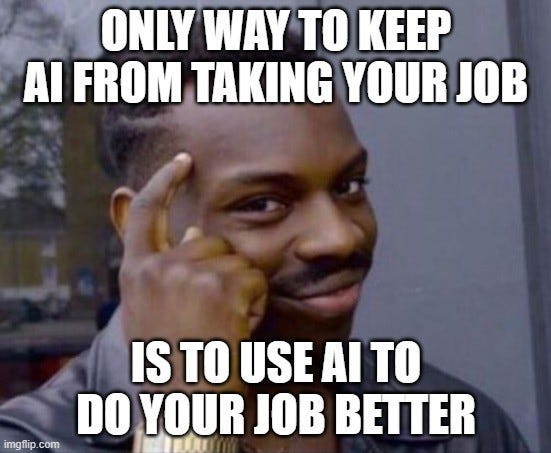
That's been the story of AI in B2B marketing so far. We've changed the vocabulary much faster than we've changed the work. Most teams are still running the same campaigns, following the same playbooks, and measuring the same metrics. They're just producing assets faster.
The interesting opportunity isn't creating more campaigns. It's building campaigns that make smarter decisions on their own. That's the shift this article is about.
What are AI marketing campaigns, really?
The cleanest definition: an AI marketing campaign is one where artificial intelligence plays a meaningful role in how the campaign is planned, targeted, executed, or measured. But “meaningful” is doing a lot of heavy lifting in that sentence, so let me break it into three levels that actually help you figure out where your team sits.
Level one is AI-assisted. This is where most teams are today. Using AI for copy generation, creative production, and content repurposing. Useful, absolutely. But it’s also the least interesting use case, because while the productivity gain is real, the strategic advantage is close to zero. Everyone’s doing it.
Level two is AI-optimized. This is where AI handles targeting, bidding, audience segmentation, and real-time personalization. AI-powered ad spend is projected to grow 63% in 2026, as brands move away from manual campaign management and let AI run and optimize advertising end-to-end. The ROI compounds here in ways it doesn’t at level one.
Level three is AI-orchestrated. This is the one worth paying close attention to. AI agents coordinating execution across channels, adjusting budgets, rotating creative, triggering actions based on real-time signals. AI-driven decision-making has evolved from isolated tools like bid optimization and subject line testing to end-to-end campaign orchestration, where AI systems autonomously handle audience discovery, creative testing, channel deployment, real-time measurement, and budget reallocation. Not every team needs to be here yet. But every team should understand it’s coming.
The thing I’d want every marketer to hold onto: a campaign isn’t AI-powered because the assets were made by AI. It’s AI-powered when AI influences the decisions behind targeting, messaging, timing, and measurement. That distinction is the one most teams miss, and it’s also the one that separates campaigns that feel exciting from campaigns that actually perform.
Why most AI marketing campaigns fail
Here’s the uncomfortable part: 96% of marketers report using AI in their roles, with nearly half ranking it as the number one trend they’re excited about. And yet only 41% of marketers say they can demonstrate AI ROI in 2026, down from nearly 50% the year before. Enthusiasm is up, evidence is declining. That gap should make everyone nervous.
I’ve watched this play out enough times to have a pretty reliable list of what goes wrong.
- No clear objective. Teams adopt AI tools before defining what outcome they’re optimizing for. Spoiler: “use more AI” is not a campaign objective (duh).
- AI layered onto broken processes. If your ICP definition is vague and your targeting is off, AI will simply automate bad decisions at scale. Faster. More expensively.
- No first-party data foundation. Companies that raced to adopt new tools in 2025 ran into a hard wall: siloed AI features can’t survive fragmented data. You either streamline your data for competitive advantage in personalization, or you concede and rely on third-party data that your competitors have access to too.
- No human review loop. AI in B2B marketing brings real risks, including biased or inaccurate outputs and overreliance on AI-generated content. Overreliance happens when teams use AI as a substitute for human judgment rather than a tool to support it. The outputs need eyes on them.
- No measurement framework. If you can’t connect campaign activity to pipeline, you’re measuring inputs and calling it success.
- Chasing productivity instead of outcomes. 45% of respondents cite AI’s main benefit as helping their teams work more efficiently. Efficiency is great. But efficient execution of the wrong strategy is still the wrong strategy.
The best AI marketing campaigns I’ve seen start with the buyer journey, not the tool. AI should be the engine. Not the map.
The evolution of AI marketing campaigns: from automation to agents…
Five years ago, when people said “AI in marketing,” they mostly meant rule-based email workflows and basic lead scoring. Those tools were genuinely exciting at the time. Now they feel like the marketing equivalent of a fax machine that can also text.
The progression looks something like this. Stage one was rule-based automation: “if lead downloads whitepaper, send email sequence.” Straightforward, useful, limited. Stage two was machine learning optimization: platforms like Google and Meta adjusting bids and targeting dynamically, getting better the more data they consumed. Stage three, where we’re landing now, is agentic AI, where systems don’t just optimize individual tasks but coordinate across them. They can analyze context, make strategic decisions, and adapt without someone manually updating a rule.
The biggest misconception in marketing right now is that AI is primarily a content tool. Content generation is the visible layer. The more valuable layer is orchestration: audience analysis, creative recommendations, budget allocation, campaign monitoring, and optimization all happening in concert, continuously. The teams that win won’t publish more. They’ll make better campaign decisions, faster, on better data.
This AI marketing campaign framework IS worth using
Most frameworks I see for AI in marketing are either too theoretical to implement or too specific to one tool. Here’s one built around how campaigns actually get assembled in B2B, from signal to revenue.
Layer 1: Signals
This is your foundation, and it’s the layer that determines whether everything else works. Signals include website activity, intent data from third-party providers, CRM activity, product usage data, and ad engagement. The quality of everything downstream depends entirely on what you capture here.
Layer 2: Intelligence
Raw signals don’t mean anything without interpretation. This layer covers AI-powered lead and account scoring, ICP matching, and opportunity prioritization. It’s where you go from “someone visited the website” to “a VP of Marketing at a target account viewed the pricing page four times this week.” That distinction is worth everything in B2B.
Layer 3: Activation
Intelligence without action is just a very expensive dashboard. Activation means pushing scored audiences into LinkedIn, Google, email, and website personalization. The best stacks sync audiences automatically. Every manual CSV export is a gap where signal gets stale before it reaches a channel.
Layer 4: Optimization
Once campaigns are live, AI shifts budgets based on performance signals, rotates creative variants, and refines audience segments. Marketing teams using AI-assisted decisioning report 25% faster campaign execution and 40% improvement in output quality compared to teams relying solely on manual analysis. That’s the compounding return on building the layer correctly.
Layer 5: Measurement
Pipeline attribution, revenue attribution, opportunity influence. If you can’t connect campaign activity to pipeline and closed-won revenue, you are, with respect, guessing.
The strongest campaigns don’t start with creative. They start with signal quality. Bad signals produce bad personalization, and bad personalization produces campaigns that feel irrelevant, regardless of how sharp the copy is.
Patterns that high-performing B2B AI campaigns actually have in common
I've spent a lot of time studying what separates AI marketing campaigns that generate pipeline from the ones that generate Slack messages like "the results were directionally positive." The difference is rarely the tool. It's almost always the decision that got automated, and how cleanly signal flows through the stack. Here are the patterns I keep seeing, pulled from real B2B SaaS campaigns, without the brand-name window dressing.
Pattern 1: They started with the buying signal, not the content calendar
The campaigns that consistently outperform start by asking "who is showing buying intent right now?" rather than "what should we post this month?" Teams using intent data to identify in-market accounts before building campaign audiences report shorter sales cycles meaningfully, because they're reaching accounts that are already in the consideration phase, not educating cold prospects who clicked a boosted post.
The practical version of this looks like monitoring pricing page visits, third-party intent surges on relevant categories, and G2 review page activity. When an account clusters multiple signals in a short window, that's not a coincidence. That's a buying committee starting to move.
Pattern 2: Personalization that went deeper than job title
The B2B campaigns I've seen generate the highest engagement rates weren't personalizing by persona. They were personalizing by behavior. There's a meaningful difference between "this ad is for VPs of Marketing" and "this ad is for VPs of Marketing who have visited our integration docs three times in two weeks and also compared us on a review site." The second one converts differently, because the creative and CTA can acknowledge where that person actually is in the decision process.
AI makes this tractable at scale. Manually building those audience segments would take a team of analysts and be out of date before it launched. Automated signal scoring gets you there in real time.
Pattern 3: Sales and marketing were reading from the same signals
One of the cleanest operational differences I've noticed in high-performing B2B AI campaigns: sales got alerted with context, not just leads. The marketing team wasn't throwing accounts over the wall with a "these are hot, go call them." Sales received a notification that said something like "Acme Corp visited pricing three times this week, downloaded the security whitepaper, and one contact was active on LinkedIn ads for the competitor comparison ad." That context changes the conversation a sales rep opens with, and it shortens the path to a meaningful qualification call considerably.
Pattern 4: The feedback loop was measured in days, not quarters
Campaigns that relied on end-of-quarter attribution reviews couldn't adjust fast enough to matter. The ones that worked had measurement baked in from day one: which accounts engaged, which crossed thresholds, which converted to pipeline, and how long that took. When you can see that a specific audience segment is generating opportunities in two weeks versus six, you can shift budget toward it while the campaign is still running, not in the retrospective.
AI-assisted decisioning is what makes this possible at scale. Marketing teams using it report 25% faster campaign execution and 40% improvement in output quality compared to fully manual analysis, and the compounding effect shows up in pipeline velocity, not just ad performance metrics.
Pattern 5: They treated ‘content’ as the last decision, not the first
This one is the most counterintuitive, and also the most consistently true. The highest-performing B2B AI campaigns I've observed were built backwards: identify the account, understand the stage, determine the message, then create the asset. Most campaigns do the opposite. They create content, then figure out who to send it to, then wonder why CTR is low.
When creative is built to serve a specific signal, from an account that's in a defined buying stage, in an industry with a known pain point, the relevance gap between "AI-generated content" and "great human content" shrinks dramatically. The AI isn't doing less work. It's working on a better brief.
The thing they all have in common
The campaigns that outperform automated the decision, not just the deliverable. The question worth asking when you audit your own AI campaign program isn't "are we using AI?" It's "which decision used to require a human, and how fast is AI making that call now?"
Where AI actually adds the most value across the campaign lifecycle
If you mapped every campaign stage against AI impact, most marketers would be surprised by what’s at the top. The biggest ROI isn’t coming from content creation, even though that’s where most teams are spending their energy.
| Campaign stage | AI impact level | What AI does here |
|---|---|---|
| Audience research and segmentation | Very high | ICP matching, lookalike modeling, intent signal analysis |
| Targeting and prioritization | Very high | Account scoring, buying stage detection, signal aggregation |
| Creative production | Medium | Copy generation, image creation, variant production |
| Channel activation | Medium-high | Automated audience syncing, bid optimization, send-time optimization |
| Testing and optimization | High | Creative rotation, budget reallocation, multivariate testing |
| Measurement and attribution | Very high | Pipeline attribution, revenue influence, multi-touch modeling |
Companies using predictive models for lead scoring, segmentation, or journey orchestration achieve 20-30% higher conversion rates. That improvement comes from the intelligence and measurement layers, not the content layer.
The content layer gets the LinkedIn posts. The intelligence and measurement layers get the revenue. Keep that in mind the next time someone wants to spend the whole sprint on prompt engineering.
How to build personalized marketing campaigns with AI
The future of personalization isn’t “Hello [First Name].” It’s understanding intent before the buyer fills out a form, or even before they know they’re in a buying cycle. Building personalized AI marketing campaigns requires thinking in layers, not segments.
- Behavioral personalization serves different experiences based on what someone does: pages visited, content consumed, features explored. This is table stakes now.
- Industry personalization adjusts messaging to speak to vertical-specific pain points, so a fintech VP and a healthcare CMO aren’t reading the same generic copy.
- Account-level personalization treats the buying committee as a unit, not a list of individuals, coordinating touches across multiple stakeholders at the same company.
- Buyer-stage personalization matches creative and CTAs to where the account actually sits in the journey: awareness, consideration, or decision. Sending a product demo invitation to someone who’s never heard of you is just noise.
- Dynamic creative personalization generates ad variants on the fly, combining account, industry, and stage signals. This is where AI goes from “helpful” to genuinely powerful.
Here’s what that looks like in practice. A target account visits your pricing page. AI identifies the buying stage based on visit frequency and depth. The account gets synced to a high-intent audience in LinkedIn. A customized ad creative is served, matched to their industry and stage. Sales gets alerted with context on recent activity. A follow-up email triggers automatically, referencing content relevant to that specific account.
AI marketing campaign tools and what each layer actually needs
The best AI marketing stack isn’t the biggest one. It’s the one where data flows cleanly between tools without someone manually exporting CSVs at 11 PM. Disconnected AI creates disconnected campaigns, and I’ve watched this play out enough times to say it plainly: a stack is only as good as its integrations.
- Campaign intelligence: Factors.ai, 6sense, Demandbase. These tools identify accounts, detect intent signals, and score opportunities. They’re the signal layer, and everything else depends on them.
- Generative AI: ChatGPT, Claude, Gemini. Useful for content production, brainstorming, and first-draft creation. They’re the visible layer of AI, and also the layer most teams over-invest in relative to its actual contribution to pipeline.
- Creative AI: Adobe Firefly, Midjourney, Runway. Great for visual asset production and creative variant testing. Creative without targeting is still just art, though (because marketers never overclaim on ROI attribution, right?).
- Activation platforms: LinkedIn Ads, Google Ads, Meta Ads. What matters most here isn’t the platform itself. It’s how tightly it integrates with your intelligence layer. A beautiful creative served to the wrong audience at the wrong time is wasted spend.
- Analytics: Factors.ai, GA4, HubSpot. Measurement needs to connect ad engagement to pipeline and revenue, not just clicks and impressions. If your analytics stack can’t answer “what campaign influenced this closed-won deal,” you’re flying blind on budget decisions.
AI marketing campaign management best practices
AI scales mistakes just as efficiently as it scales success, and honestly more efficiently, because it doesn’t get tired or second-guess itself. Governance isn’t bureaucracy. It’s how you avoid publishing something unfortunate at scale.
- Human approval loops. Every AI-generated asset, whether it’s copy, creative, or an audience segment, should pass through human review before going live. AI excels at pattern recognition within its training data. It fails at reasoning about unstructured context like cultural events, regulatory shifts, and situations that require ethical judgment. Those gaps are where things go sideways.
- Brand guidelines in writing. Document your tone, terminology, visual standards, and messaging guardrails in a format that both humans and AI tools can actually reference. Without this, every AI output is a roulette spin on whether it sounds like you.
- Prompt libraries. Build a shared repository of tested prompts for recurring campaign tasks: ad copy, email sequences, landing page headlines, social posts. Stop letting every sprint start from scratch.
Experimentation frameworks. Define how you test AI-generated variants against human-created ones. Set clear success metrics before launch. Attribution without a framework is just a group project where everyone claims credit for the win and nobody owns the miss. - Compliance checks. Especially in regulated industries, AI outputs need legal review. Automated content generation doesn’t mean automated compliance, and “the AI wrote it” has never been a successful defense.
The most successful AI programs build repeatable workflows and governance rather than relying on ad hoc generation. That’s how you use AI in marketing campaigns at scale without a crisis every quarter.
How do you measure the success of AI marketing campaigns?
One of the more frustrating patterns I see: teams measure AI success by how fast they launched a campaign. The board doesn’t care if you launched three days faster. They care whether it generated pipeline.
Here’s a measurement framework organized by layer.
| Layer | Metrics |
|---|---|
| Efficiency (operational) | Campaign launch speed, content production time per asset, testing velocity |
| Marketing (performance) | Engagement rate by channel, qualified pipeline generated, opportunity creation volume and velocity |
| Revenue (business impact) | Revenue influenced by campaign, win rate on AI-targeted accounts, customer acquisition cost, return on ad spend |
The hierarchy matters more than the individual metrics. Efficiency metrics are useful for internal optimization, not for a board deck. Marketing metrics tell you whether campaigns are working. Revenue metrics tell you whether they’re worth it.
No attribution model answers every question perfectly, and anyone who tells you otherwise is probably selling one.
Common mistakes companies make with AI marketing campaigns
I’ve watched enough AI marketing campaigns underperform to have assembled a reliable set of warning signs. If any of these sound familiar, you’re not alone, but you should address them before you scale.
- Automating poor strategy. If your targeting is wrong, AI will just deliver wrong at higher frequency. Fix the strategy first.
- Over-personalizing. There’s a line between “this feels relevant” and “how do they know that.” B2B buyers appreciate relevance. They don’t appreciate feeling tracked.
- Publishing generic AI content. People want to know who’s behind the content they consume, whether it’s a brand, a subject-matter expert, or a human with a point of view. The concern around “AI slop” is real, and it’s making human creativity more valuable, not less. Ironic, given the context.
- No first-party data foundation. You can’t build personalized marketing campaigns with AI if your data is fragmented across six tools that don’t talk to each other. Signal quality comes before everything else.
- Too many tools, not enough integration. I’ve genuinely seen teams running five AI tools that don’t share data. That’s not a stack. That’s a collection of subscriptions with a coordination problem.
- No attribution connecting campaigns to revenue. If you can’t measure pipeline influence, you can’t defend budget, and you definitely can’t prove that the AI investment is paying off.
- Treating AI as a replacement for marketers. AI handles routine tasks and surfaces intelligence. Marketers still build relationships, manage complexity, and make judgment calls that no model has the context for.
The fastest way to spot a weak AI strategy: the team talks endlessly about prompts and almost never about customers.
The future of AI marketing campaigns
Based on what I’m seeing across the industry and inside the B2B SaaS companies I work with, here’s where things are heading.
- AI agents managing full campaign cycles. Not just optimizing individual channels, but coordinating across them. The convergence of agentic AI, intent-based data, and hyper-personalized buyer experiences is already happening.
- Autonomous optimization with human guardrails. Budget allocation, creative rotation, and audience refinement happening continuously without manual intervention, guided by strategic constraints set by humans. The humans become the strategists. The agents become the executors.
- Hyper-personalization at the buying committee level. Account-level personalization that adjusts content, timing, channel, and message based on the collective behavior of everyone involved in the purchase decision, not just the one person who clicked an ad.
- Predictive budget allocation. AI modeling that tells you where to shift spend before performance degrades, rather than after. Proactive, not reactive.
- Real-time creative adaptation. Ads that adjust messaging based on what the viewer’s company has been researching, what stage they’re in, and what they’ve already seen from you. Context-aware at a level that batch campaigns simply can’t achieve.
The companies with the best signal infrastructure will have a structural speed advantage over everyone else. They’ll know sooner, act faster, and measure more precisely. The rest will be running good campaigns at the wrong moment… to the wrong accounts.
In a nutshell
AI marketing campaigns aren’t defined by whether AI produced the creative. They’re defined by whether AI improved the targeting, timing, personalization, and measurement. The framework that works in B2B runs from Signals to Intelligence to Activation to Optimization to Measurement. Skip the signal layer and everything downstream suffers.
The brands seeing real results have automated the decisions, not just the deliverables.
Build governance before you scale. Measure pipeline before you measure productivity. Invest in signal quality before you invest in generative tools. And maybe, just maybe, ask what decision you’re automating before you ask what prompt you should write.
FAQs for AI marketing campaigns
Q1. What are AI marketing campaigns?
AI marketing campaigns are campaigns where artificial intelligence plays a substantive role in planning, targeting, execution, or measurement. They range from AI-assisted campaigns using generative tools for content production, to AI-optimized campaigns where machine learning handles bidding and segmentation, to AI-orchestrated campaigns where agents coordinate multi-channel execution in real time. A campaign isn’t AI-powered just because AI made the assets. It’s AI-powered when AI influences the decisions behind the campaign.
Q2. How do AI marketing campaigns actually work?
AI marketing campaigns work by ingesting signals from multiple data sources, including website behavior, CRM data, intent data, and ad engagement, then using machine learning to identify patterns and make recommendations. At the optimization level, AI adjusts targeting, bidding, and creative dynamically. At the orchestration level, AI agents coordinate across channels, shifting budgets and triggering actions based on real-time performance data. The underlying principle is using data-driven intelligence to make faster, more accurate campaign decisions than any human team can manage manually.
Q3. What are some successful AI-driven marketing campaign examples in B2B?
The most effective B2B AI marketing campaigns share a few operational traits. They start with buying signal detection, identifying accounts showing in-market behavior before building audience segments. They use behavioral personalization, not demographic segmentation, so creative and CTAs reflect where an account actually is in the buying journey. And they close the loop between marketing and sales with real-time alerts that include context, not just a list of "hot leads." Signal-driven account-based campaigns that layer intent data, account scoring, and automated audience syncing into LinkedIn and Google consistently outperform batch-and-blast approaches on pipeline metrics.
Q4. How can B2B companies use AI for marketing campaigns?
B2B companies can use AI across the entire campaign lifecycle: identifying in-market accounts with intent data, scoring and prioritizing leads, personalizing ad creative and email outreach by account and buying stage, optimizing channel spend in real time, and attributing campaign activity to pipeline and revenue. The most impactful starting point is almost always the intelligence layer, using AI to identify which accounts to target rather than defaulting to broad demographic segments that include most of your non-buyers.
Q5. What tools are used for AI marketing campaign management?
AI marketing campaign management spans several tool categories. Campaign intelligence platforms like Factors.ai, 6sense, and Demandbase handle account identification and intent signals. Generative AI tools like ChatGPT, Claude, and Gemini support content creation. Creative tools like Adobe Firefly and Midjourney produce visual assets. Activation happens through LinkedIn, Google, and Meta. Analytics platforms like Factors.ai, GA4, and HubSpot connect activity to outcomes. The key isn’t which tools you pick. It’s whether they share data cleanly with each other.
Q6. Can AI create personalized marketing campaigns?
AI can build deeply personalized marketing campaigns across behavioral, industry, account, and buyer-stage dimensions. 23% of marketers are already using AI to hone messaging and develop campaigns that meet buyers where they are. In practice, AI personalization means serving different ad creative to accounts based on their browsing behavior, adjusting email sequences based on engagement signals, and dynamically matching landing page content to a visitor’s company and stage. The campaigns improve the longer they run, because the model learns what works.
Q7. How do AI agents improve marketing campaigns?
AI agents improve marketing campaigns by handling decisions that previously required manual analysis and intervention. They can monitor performance across channels, shift budget toward high-performing segments, trigger sales alerts when accounts cross engagement thresholds, and adjust creative variants based on real-time feedback. Teams using AI-assisted decisioning report 25% faster campaign execution and 40% improvement in output quality compared to teams relying solely on manual analysis. The real value is in compressing the time between insight and action, which matters a lot in B2B where buying windows can close quickly.
Q8. What metrics should marketers track for AI campaigns?
Track metrics across three layers. Efficiency metrics include campaign launch speed, content production time, and testing velocity. Performance metrics include engagement rate, qualified pipeline, and opportunity creation. Revenue metrics include revenue influenced, win rate on AI-targeted accounts, customer acquisition cost, and return on ad spend. The most important shift is moving away from measuring AI success by productivity and toward measuring it by pipeline contribution and revenue impact. Boards don’t fund faster content pipelines. They fund pipeline.
Q9. What are the risks of AI-generated marketing campaigns?
The primary risks include publishing generic or brand-inconsistent content at scale, automating flawed strategy faster than you can catch it, over-personalizing in ways that feel intrusive, and failing to connect campaign activity to revenue. One instructive case: a global brand’s AI scheduled a campaign on a national day of mourning because the cultural event wasn’t in the behavioral data. Technically optimal timing. Contextually disastrous. AI excels at pattern recognition and fails at reasoning about the kind of context that isn’t captured in a data field. Human oversight, brand governance, and clear measurement frameworks are the only mitigation.
AI for marketing campaign optimization: a practical B2B playbook
Learn how B2B teams use AI for marketing campaign optimization to improve targeting, budget allocation, personalization, and pipeline outcomes.
TL;DR
• Most B2B campaign optimization is still broken because teams are measuring clicks and CPLs when they should be measuring pipeline. AI shifts the decision-making upstream, which is the part that actually matters.
• AI for marketing campaign optimization isn’t a bidding robot. It helps marketers make structurally better decisions with messy, fragmented data, not just faster versions of the same bad call.
• The teams pulling ahead are doing five things simultaneously: refining audience selection, reallocating budgets dynamically, testing creative at scale, automating workflow overhead, and finally, fixing their attribution.
• If your campaign data can’t tell you which spend turned into pipeline, you’re not optimizing. You’re decorating.
• The most common AI campaign optimization mistake is automating a broken process and being genuinely surprised when the output is still broken.
Imagine going to a doctor who orders every test imaginable.
Blood work, scans, heart rate, and blood pressure. Pages and pages of numbers.
At the end of it all, they slide the report across the table and say, "Interesting. Let me know what treatment you'd like."
That's roughly how a lot of marketing analytics works today.
We've become incredibly good at collecting data and surprisingly average at turning it into decisions. AI has the potential to change that, not by generating another email subject line, but by helping marketers answer the questions that actually matter: Who should we target? Which accounts deserve budget? Which campaigns should we stop? Which ones deserve more investment?
That's what this guide is really about.
What does AI marketing campaign optimization mean?
To understand the shift AI represents, it helps to remember what “optimizing a campaign” looked like for most of the 2010s. You’d adjust bids on underperforming keywords. You’d test two subject line variants. You’d look at CTR every Friday and shift budget from the channel that looked weak to the one that looked strong. Reasonable. Methodical. Reactive.
The rhythm was always: launch, wait, check, adjust. And the quality of those adjustments depended on the marketer’s ability to spot patterns in noisy dashboards, often while also managing five other campaigns, a content calendar, and a quarterly planning doc.
AI changes this loop in three meaningful ways. First, it enables continuous optimization rather than periodic check-ins. Second, it brings pattern recognition across simultaneous data streams that no human can synthesize fast enough to act on in real time. Third, and this is the real shift, it moves decision-making from reactive to predictive. Instead of responding to what already happened, you can allocate resources based on what’s likely to happen next.
There’s a distinction worth drawing here between automation and optimization, because I see these collapsed into each other constantly. Automation means doing a task without human effort. Optimization means doing a better version of the task, often with AI surfacing the recommendation and a human approving it. Sending a nurture email automatically is automation. Identifying which accounts are three signals away from a sales conversation and shifting budget toward them is optimization. The second one is faaaar more interesting.
Generative AI and predictive AI also serve different roles here. GenAI helps you produce copy variations, creative assets, and content at volume. Predictive AI figures out where those assets should go, who should see them, and when you should act. The strongest AI marketing campaign optimization strategies combine both, but the predictive layer is where the durable competitive advantage lives.
Why is most campaign optimization still broken?
I’ve been in B2B marketing long enough to notice a pattern: most teams don’t actually struggle with running campaigns. They struggle with knowing whether those campaigns worked. And the root cause is almost always the same trio of problems. Optimization happens too slowly. It’s tracking the wrong metrics. And the data is scattered across too many disconnected systems.
Think about a typical B2B stack. Ad performance lives in LinkedIn and Google. Leads and contacts live in HubSpot or Salesforce. Website behavior runs through GA4 or something similar. Email engagement sits in your marketing automation platform. And pipeline data, the only number that genuinely reflects business impact, lives in the CRM where marketing often has read-only access and patchy visibility. Assembling a coherent buyer journey from all of that is a technical project, not a Friday afternoon task.
So teams optimize for what they can see: click-through rates, cost-per-click, cost-per-lead. These metrics are easy to pull, easy to present, and easy to improve. They’re also dangerously easy to game, and in complex B2B sales cycles, they correlate poorly with revenue. I’ve seen campaigns with stellar CPLs that generated zero pipeline. I’ve also seen campaigns with “expensive” leads that closed at remarkable rates. Surface metrics hide this completely.
There are three traps I see teams fall into so consistently that I’ve started mentally labeling them in meetings.
- Trap 1: Optimizing for clicks instead of buyers. A campaign can generate hundreds of clicks from people who will never be your customers. If you’re optimizing for CTR, you’ll keep feeding budget to those audiences, because the metric looks healthy even when the downstream pipeline impact is zero.
- Trap 2: Treating channels like separate countries. LinkedIn gets its own budget, Google gets its own goals, email gets its own reporting. But buyers don’t experience your marketing in silos. They see a LinkedIn post, visit your website, open an email, and then respond to a sales call. Optimizing each channel in isolation misses the interaction effects that actually move people through the funnel.
- Trap 3: Letting last-touch attribution write the story. Last-touch gives all the credit to whatever happened immediately before a conversion. That’s convenient for dashboards and deeply misleading for strategy. The webinar that introduced your product six months ago, invisible. The blog post that built enough trust to warrant a demo request, also invisible.
Most teams don’t need more dashboards. They need fewer numbers and sharper decisions. That’s a structural problem, and it’s one AI is genuinely well-positioned to address.
The five layers of AI marketing campaign optimization
Before getting into each area individually, it helps to see the full picture. I think of AI campaign optimization as operating across five distinct layers. The organizations seeing the biggest results aren’t treating these as separate projects to tackle one at a time. They’re building across all five simultaneously.
| Layer | What it covers | AI’s role |
|---|---|---|
| Audience and account selection | ICP scoring, intent signals, account prioritization | Predict which accounts deserve budget now |
| Budget and channel optimization | Spend allocation, cross-channel balancing, bid management | Reallocate toward high-converting segments in near-real time |
| Creative and messaging optimization | Ad copy, landing pages, personalization, creative testing | Generate variations and surface what’s actually working |
| Execution and workflow automation | Campaign launches, segmentation, nurture flows, monitoring | Cut coordination overhead, enable faster iteration |
| Measurement, attribution, and pipeline | Multi-touch attribution, revenue tracking, pipeline forecasting | Connect campaign spend to actual revenue outcomes |
Most teams start with budget and creative optimization because those produce visible, quickly-measurable wins. The teams that compound their advantage over time are the ones investing heavily in the audience and measurement layers, because that’s where the strategic edge accumulates.
- AI for audience and account selection
Most campaign performance problems start before the campaign launches. When the wrong accounts enter your funnel, the best creative in the world won’t save you. You can write an objectively excellent ad, and if it’s reaching accounts that aren’t remotely close to your ICP, you’re just burning spend with good taste.
Predictive ICP scoring addresses this directly. AI analyzes your historical closed-won data, looking at which accounts converted, which ones churned quickly, and what characteristics separated your best customers from your worst. It builds a scoring model that ranks incoming accounts by their likelihood to convert, based on your actual outcomes rather than industry benchmarks that may or may not reflect your market.
Intent signal analysis adds the behavioral dimension. Instead of relying only on firmographic fit, you layer in signals: which accounts are visiting your website, consuming your content, clicking your ads, or researching topics adjacent to your solution. When you combine strong ICP fit with active buying intent, you get a meaningfully sharper picture of where to concentrate campaign spend.
From there, account prioritization becomes tractable at scale. High-intent, high-fit accounts get direct campaign investment. Medium-fit accounts enter nurture tracks. Low-fit accounts get deprioritized rather than soaking up budget. Doing this manually across thousands of accounts either doesn’t happen, or happens once a quarter and goes stale almost immediately.
Lookalike modeling rounds this out. AI identifies accounts that resemble your best customers but haven’t shown up on your radar yet. This is different from the blunt lookalike targeting you get inside ad platforms. It’s model-driven expansion built on your own conversion data, which tends to be far more precise for B2B use cases.
Platforms like Factors.ai play directly here, offering ICP scoring, account intelligence, intent signal collection, and visitor identification that maps anonymous website traffic to real accounts. When your audience strategy is built on these signals rather than static lists, every downstream campaign decision improves because the inputs are better.
- AI for budget and channel optimization
Budget allocation is where AI delivers some of its most immediate, measurable value, and it’s also where I see teams still operating on quarterly autopilot. The standard approach goes something like this: set budgets at the start of the quarter, run campaigns for a few weeks, review performance, shift spend around. That cycle might happen monthly, bi-weekly if the team is organized and disciplined.
The problem is obvious once you name it. Markets move faster than monthly reviews. An account that was deep in research mode last Monday might have already signed with a competitor by Friday. A channel that looked weak last week might be picking up velocity because a competitor pulled their spend. Static monthly optimization can’t keep up with any of that.
AI-driven budget optimization works on a completely different cadence. Modern systems can reallocate spend daily, sometimes hourly, based on what the data is actually saying. They track which audiences are converting, which channels are generating the best cost-per-opportunity rather than cost-per-lead, and which accounts are showing live buying signals. Then they move budget accordingly, either automatically or pending human approval depending on how much autonomy you’re comfortable giving the system.
Cross-channel optimization is where this genuinely gets interesting. When AI can see performance across LinkedIn, Google, Meta, and email simultaneously, it surfaces allocation decisions that no single-channel dashboard would ever reveal. Maybe LinkedIn is driving the awareness that converts through branded search two weeks later. A channel-siloed view systematically undervalues LinkedIn. A cross-channel AI view catches that relationship and adjusts for it.
Predictive budget planning takes this further still. Instead of forecasting from last quarter’s averages, AI models simulate how different spend levels will affect pipeline and revenue. You can run scenarios before committing, which makes quarterly planning conversations considerably more useful than debating gut feelings with spreadsheets.
- AI for creative and messaging optimization
The biggest misconception I keep running into is that AI is here to replace creative teams. That’s not what’s happening. AI’s best role in creative is removing the production constraint so strong creative teams can test fifty ideas instead of five. The talent bottleneck in most B2B marketing organizations isn’t a shortage of skilled writers and designers. It’s that those skilled people can only produce so much output, which limits how many directions you can genuinely explore.
AI-powered creative variation generation changes that math. Instead of three headline options for a LinkedIn campaign, you have thirty. Instead of one landing page per persona, you have dynamic variations across industry, funnel stage, and account tier. The creative team still sets the strategy, defines the voice, and reviews what comes out. AI removes the production ceiling that limits how much you can test.
Dynamic personalization compounds the advantage. At scale, you can match messaging to industry, to buying stage, to individual accounts for your most important targets. A VP of Engineering at a manufacturing company sees something meaningfully different than a CMO at a SaaS company, even within the same campaign. That level of personalization was technically possible before AI. The manual effort made it impractical for anyone outside the enterprise with a six-figure tools budget.
Predictive creative analysis is the less flashy but arguably more valuable piece. AI can tell you which creative elements are driving actual conversions, not just clicks, and identify patterns across campaigns that would take a human analyst months to surface. Maybe question-format headlines consistently outperform benefit statements for your audience. Maybe case study copy converts enterprise accounts at significantly higher rates than feature-led copy. These patterns live in your existing data. Surfacing them manually almost never happens outside of annual reviews, which is one reason the same creative mistakes keep recurring.
- AI for campaign execution and workflow automation
Marketing teams don’t lose time creating campaigns. They lose time coordinating them. The gap between “let’s launch this campaign” and “the campaign is actually live and tracking correctly across all channels” is filled with audience list pulls, upload errors, approval chains that stall over a single comma in the copy, UTM parameters someone set up three ways across three platforms, and Slack threads that branch into unrelated conversations.
AI-powered campaign automation compresses that coordination layer. Launches can go live with pre-configured targeting, creative, and tracking, triggered by workflow logic rather than manual effort. Audience segmentation stays current as new intent signals or engagement data arrive, so you’re not running a campaign against a list that was accurate six weeks ago and increasingly isn’t.
Nurture flows adapt based on how individual accounts actually behave. If an account hits your pricing page twice in a week, the nurture accelerates. If engagement drops off, messaging adjusts or outreach pauses. These aren’t basic if-then rules. AI-driven nurture reads engagement patterns across multiple channels simultaneously and decides the next best action per account.
Automated monitoring is the unglamorous piece that pays real dividends. Instead of someone checking dashboards every morning, AI systems can flag anomalies when they surface: a conversion rate that’s dropped faster than expected, a cost-per-click spike, a channel burning through budget ahead of schedule. Problems get caught early enough to actually fix rather than discovered at the next weekly review when it’s too late.
The emerging frontier here is agentic marketing workflows, AI agents handling specific optimization tasks with human oversight. An agent monitors performance, identifies a problem, formulates a recommendation, and executes after approval rather than adding another item to someone’s to-do list. We’re genuinely early here, but the direction is clear: AI shifts from a tool you use to a collaborator that acts.
- AI for measurement, attribution, and pipeline optimization
Campaign optimization without attribution is like trying to navigate by feel. You might be going the right direction. You genuinely don’t know. In B2B, where sales cycles run across quarters and buying committees involve multiple stakeholders, this problem is severe.
The metrics most teams rely on, CTR, CPL, CPC, measure how efficiently you’re generating activity. Not how effectively you’re generating revenue. A campaign producing $200 leads might look worse than one generating $50 leads until you discover the $200 leads close at three times the rate. Without attribution connecting campaign spend to downstream outcomes, you’d optimize toward the cheaper leads and quietly hurt your pipeline.
AI-powered attribution models solve this by mapping campaign touchpoints to actual revenue outcomes. Multi-touch attribution simply means distributing credit across multiple interactions rather than letting one channel claim the whole win. AI enhances these models by weighting touchpoints based on their actual predictive value learned from your historical data, rather than applying rules someone decided felt fair in 2018.
Opportunity attribution and revenue attribution take it further. Instead of asking which campaign generated the most leads, you ask which campaign generated the most pipeline and which influenced the most closed-won revenue. Those are different questions with different answers, and the answers regularly surprise people. Factors.ai operates in exactly this space, connecting anonymous website visits, ad interactions, and CRM outcomes into a view that lets marketing actually see its fingerprints on revenue.
Pipeline forecasting is the predictive layer on top of attribution. Once AI can model how your campaigns influence revenue, it can project future pipeline based on current performance and live intent signals. That gives marketing leaders something most of them have never had before: a data-backed, defensible projection of how campaign investment translates to business outcomes.
AI marketing campaign optimization techniques that actually work
These ten techniques are the ones I’ve watched deliver real results in B2B environments. Not theoretical. Practical.
- Predictive account scoring. AI ranks accounts by conversion likelihood using your historical closed-won patterns. Your campaign budget flows toward accounts that actually resemble your best customers rather than accounts that match a broad and vague ICP description.
- Intent-based audience creation. Build audiences from behavioral signals like website visits, content engagement, and topic research rather than static firmographic filters. In-market accounts convert better because they’re in the market.
- Dynamic budget allocation. AI shifts spend across channels and audiences based on real-time performance signals, moving budget toward what’s producing results without waiting for a monthly review to make it official.
- Creative clustering. AI groups your creative assets by theme, messaging angle, and performance pattern. This reveals which strategic directions work, not just which individual ad happened to win a single A/B test.
- Automated bid optimization. AI manages bids across search and social simultaneously, adjusting for time of day, audience segment, device type, and competitive dynamics at once. This is mature technology at this point and it’s genuinely table stakes.
- Frequency optimization. AI monitors how often individual accounts see your ads and adjusts caps to avoid oversaturation. In B2B, showing the same ad sixty times doesn’t build brand awareness. It builds resentment.
- Pipeline-based optimization. Optimize for pipeline contribution rather than leads or clicks. This requires attribution data, but once you have it, the campaigns that get scaled and the ones that get cut look very different.
- Journey-stage personalization. AI matches messaging and content to where each account sits in the buying journey. Early-stage accounts see educational content. Late-stage accounts see case studies and competitive comparisons. The transitions happen as engagement signals evolve rather than on a fixed schedule someone built in a spreadsheet.
- View-through conversion analysis. AI tracks accounts that saw your ads without clicking, then later converted through another channel. This surfaces the awareness value of campaigns that appear to underperform on click-based metrics alone.
- Revenue-weighted optimization. Instead of treating all conversions equally, AI weights them by deal size and close probability. A $200K opportunity matters more than a $10K one, and your optimization logic should know that.
Each of these works better when layered together. The compounding effect of sharper targeting, smarter allocation, better creative, and solid measurement is where the actual competitive moat forms.
Building an AI-powered campaign optimization framework
Knowing these techniques exist is one thing. Building a process that doesn’t create chaos while implementing them is another. Here’s a six-stage framework that gives teams a repeatable path from fragmented optimization to AI-driven decision-making.
Stage 1: Data consolidation
Before AI can optimize anything, it needs clean, connected data. Integrate your CRM, ad platforms, website analytics, and marketing automation into a unified data layer. This is the least glamorous stage and the most important one (duh).
Stage 2: Signal collection
Once your data infrastructure is solid, you build the signal set AI needs: intent data, engagement signals, firmographic attributes, and pipeline outcomes. The goal is to move beyond lead form submissions as your primary measurement of audience quality.
Stage 3: Predictive modeling
With clean data and rich signals, you can build predictive models for account scoring, conversion likelihood, and pipeline forecasting. These models learn from your historical outcomes and improve as they ingest more data over time.
Stage 4: Optimization rules
Define the rules governing how AI makes decisions. What triggers a budget reallocation? What threshold moves an account from nurture to active campaign? What performance signal pauses a campaign automatically? These rules translate business logic into AI-actionable guidelines.
Stage 5: Human review layer
AI recommends, humans approve. In the early stages especially, every significant optimization decision should pass through a human checkpoint. As trust builds and models prove reliable, you can gradually expand the autonomy boundary. Skipping the human layer entirely before trust is established is a reliable path to expensive mistakes.
Stage 6: Continuous learning
The framework isn’t a one-time setup. AI models decay as market conditions shift. Build a quarterly review cadence to evaluate model accuracy, update training data, and refine optimization rules as your market evolves.
90-day roadmap to get started
- Month 1: Data and attribution. Consolidate your data sources, implement multi-touch attribution, and establish baseline pipeline metrics. Nothing downstream works without these foundations in place.
- Month 2: Audience and budget optimization. Deploy predictive account scoring, implement intent-based audience creation, and activate dynamic budget allocation across your primary channels.
- Month 3: Creative and workflow optimization. Scale creative testing with AI-generated variations, automate campaign monitoring and alerting, and implement journey-stage personalization. By end of month three, you should have a functioning optimization loop connecting audience signals to campaign execution to revenue outcomes.
Best AI marketing campaign optimization tools and platforms
The tools landscape is expanding fast, so rather than listing features, I’ll focus on the categories that matter and what should actually drive your evaluation.
- Ad optimization platforms. Google’s AI-powered bidding (Performance Max, Smart Bidding) and Meta’s Advantage+ handle in-platform optimization well. They’re strong at automating bids and audience targeting within their own ecosystems but can’t optimize across platforms or connect to your CRM pipeline data.
- CRM intelligence. HubSpot’s AI features and Salesforce Einstein bring predictive capabilities into your CRM layer. Valuable for lead scoring and pipeline forecasting, though they typically have limited visibility into ad platform performance or anonymous website behavior.
- Attribution and revenue intelligence. This is where Factors.ai sits. It connects the dots between anonymous website visitors, campaign touchpoints, and pipeline outcomes. If your core problem is understanding which campaigns actually drive revenue rather than just leads, this is the category to evaluate first.
- Campaign automation. Adobe’s suite and similar enterprise platforms offer strong workflow automation and cross-channel orchestration. Generally strong at execution, often weaker at the predictive and attribution layers.
- Agentic marketing. The emerging category to keep your eye on. AI agents that autonomously manage specific optimization tasks, like budget reallocation or audience adjustment, with human oversight. We’re early, but the direction is clear.
When evaluating any of these platforms, three questions matter more than any feature comparison. Can it connect to your actual pipeline data? Can it optimize across channels rather than just within one? Does it help you make better decisions, or just execute existing ones faster?
Common mistakes teams make with AI optimization
I’ve watched enough AI optimization rollouts to recognize the patterns that lead to disappointment. These five come up with remarkable consistency.
- Mistake 1: Optimizing for engagement metrics. If your AI system is optimizing for clicks and opens, you’ll get more of both. That sounds obvious. But a significant number of teams deploy AI optimization without ever connecting it to pipeline or revenue data, and then wonder why business impact doesn’t follow.
- Mistake 2: Skipping attribution. Without attribution, AI optimization is working with incomplete information. The system can’t learn which campaigns drive revenue if you’ve never told it which campaigns drove revenue. Build attribution before you invest in AI optimization, or you’ll reach the wrong conclusions faster and with more confidence.
- Mistake 3: Feeding AI bad data. AI amplifies the system it’s operating in. If your CRM data is messy, your UTM tracking is inconsistent, and your lead source data is unreliable, AI will optimize diligently based on those garbage inputs. No algorithm fixes a data quality problem, no matter what the vendor says.
- Mistake 4: Automating before standardizing. Teams sometimes jump to automation before they’ve agreed on campaign naming conventions, tracking parameters, and reporting definitions. When inputs aren’t consistent, outputs won’t be either. Standardize first, then automate.
- Mistake 5: Treating AI as a strategy substitute. AI executes and optimizes strategy. It doesn’t create one. If you don’t know which accounts you’re targeting, what your messaging pillars are, or how you define success for a given campaign, AI can’t resolve that ambiguity. It’ll help you pursue the wrong things very efficiently.
What’s in the future for AI-driven campaign optimization?
A few directional shifts are worth tracking because they’ll reshape how B2B teams think about this over the next few years.
Optimization is moving upstream. Today, most AI optimization happens after campaigns launch. The coming shift is AI influencing planning: which campaigns to run, which audiences to prioritize, which channels to fund, all based on predictive models rather than last quarter’s numbers.
Account-level optimization is becoming the default. Lead-level thinking is giving way to buying committee thinking. AI looks at engagement across an entire account, not just individual contact activity, which maps far better to how B2B purchasing actually works.
Revenue-based bidding is expanding. Google and Meta already offer conversion-value optimization within their platforms. The next step is connecting those signals to CRM revenue data, so ad platforms optimize for deal value rather than conversion volume.
Agentic campaign management is growing. AI agents that autonomously handle specific optimization tasks with human oversight will become standard within a few years. The human role shifts from executing optimizations to defining the rules and reviewing outcomes.
Real-time optimization becomes the baseline. Monthly review cycles will start feeling archaic. Continuous optimization based on live data will be the expectation for any serious B2B marketing operation.
In a nutshell
The central argument here is straightforward: most B2B teams are optimizing campaigns for the wrong metrics, on the wrong cadence, with data that’s scattered across disconnected systems. AI addresses that by enabling continuous optimization tied to pipeline and revenue rather than vanity metrics, but only when it’s connected to the right data and optimizing for the right outcomes.
The five layers of AI campaign optimization, audience selection, budget allocation, creative testing, workflow automation, and measurement, compound when they’re connected into a single system. Start with data consolidation and attribution because nothing else works without them. Layer on predictive audience scoring and dynamic budget allocation. Then scale creative testing and implement agentic workflows.
The marketers who win over the next few years won’t be the ones with the most AI tools in their stack. They’ll be the ones who connect AI, data, attribution, and revenue into a coherent operating system and make structurally better decisions than their competitors, consistently, every week.
FAQs for AI marketing campaign optimization
Q1. What is AI for marketing campaign optimization?
AI for marketing campaign optimization means using machine learning and predictive models to make better campaign decisions across targeting, budget allocation, creative testing, and measurement. In B2B, this specifically means connecting campaign activity to pipeline and revenue outcomes rather than treating clicks and impressions as proxies for success.
Q2. How does AI actually optimize marketing campaigns?
AI analyzes performance data across channels, identifies patterns that would take humans too long to spot manually, and acts on them faster. It can reallocate budget in real time, predict which accounts are most likely to convert, generate and test creative at scale, and connect campaign touchpoints to downstream revenue through multi-touch attribution. The key word is continuously, not just when someone schedules a review.
Q3. What are the best AI marketing campaign optimization tools?
It depends entirely on where your biggest gaps are. For in-platform ad optimization, Google Smart Bidding and Meta Advantage+ are the incumbents. For CRM intelligence and lead scoring, HubSpot AI and Salesforce Einstein add meaningful predictive capability. For attribution and revenue intelligence, Factors.ai connects campaign data to pipeline outcomes in a way most tools don’t. The most important question in any evaluation is whether the tool can connect to your actual revenue data, not just ad platform metrics.
Q4. Can AI genuinely improve B2B campaign performance?
Yes, but with a condition: the AI needs to be optimizing for the right outcomes. AI optimizing for leads will get you more leads. AI optimizing for pipeline will get you more pipeline. B2B teams see the strongest results when AI is deployed across audience selection, budget allocation, and attribution simultaneously, because those three layers reinforce each other.
Q5. How does AI help with budget optimization specifically?
AI monitors performance across channels continuously and shifts spend toward what’s working and away from what isn’t, without waiting for a human to schedule a review. It adjusts for live changes in intent signals, competitive dynamics, and conversion patterns. The difference between monthly human-driven reallocation and daily AI-driven reallocation is significant when your market moves fast.
Q6. How does AI improve campaign targeting?
By building predictive ICP models from your historical conversion data, layering in real-time intent signals like website visits and content engagement, and identifying lookalike accounts that resemble your best customers. This shifts targeting from static list-based approaches to dynamic, signal-driven audience building that adapts as new data arrives.
Q7. What’s the difference between marketing automation and campaign optimization?
Automation handles execution: sending emails, triggering workflows, managing sequences without manual effort. Optimization determines what to execute, who to target, and when to act. Automation handles the “how.” Optimization handles the “should we, and for whom?” AI brings predictive intelligence to the optimization layer, which automation platforms alone don’t provide.
Q8. How do you actually measure ROI from AI campaign optimization?
Track pipeline and revenue outcomes, not efficiency metrics. Compare your cost-per-opportunity and cost-per-closed-won deal before and after AI implementation. Track pipeline velocity, stage conversion rates, and revenue attribution by campaign. If those numbers improve, AI is working. If only your CPL improved, you optimized for the wrong thing.
Q9. What are the biggest risks of AI-driven campaign optimization?
Optimizing for the wrong metrics is the most common one. Poor data quality is a close second because AI models trained on messy inputs produce unreliable outputs. Over-automation without a human review layer can generate budget waste or off-brand messaging. And treating AI as a substitute for having a coherent strategy is the failure mode that’s hardest to recover from, because the AI will execute your bad strategy very diligently. Starting with clean data, clear goals, and a human checkpoint on significant decisions mitigates most of the risk.
AI marketing strategy: a B2B framework
Learn how to build an AI marketing strategy that improves pipeline, attribution, personalization, and GTM execution without adding tool sprawl.
TL;DR
- Most B2B companies don’t have an AI problem, they have a systems problem where twelve disconnected tools are cosplaying as a strategy.
- A real AI marketing strategy is a decision-making layer across your entire GTM motion, not a collection of prompt subscriptions you pay for monthly and forget about.
- The five layers that actually matter: data foundation, intelligence, orchestration, execution, and measurement. Skip one and the whole thing wobbles.
- AI’s biggest B2B impact is helping teams spot which accounts deserve attention before competitors do, and that’s a structural speed advantage.
- If your AI dashboard doesn’t include pipeline, revenue, or customer outcomes, you’re measuring activity and calling it progress.
Every few weeks, someone declares that we're entering a new era of AI marketing… someone else updates the company strategy deck… a few software subscriptions magically appear on the corporate card.
Six months later, everyone is still asking the SAME question they've been asking for a decade: “so... what's actually driving pipeline?"

I've been in B2B SaaS long enough to know that marketing fails because tools become the ✨strategy✨. AI has made that problem much bigger. We've become very good at buying capabilities and surprisingly bad at deciding what should happen after the purchase.
That's what this blog is about. This is a practical way to think about AI inside a modern B2B marketing team: where it genuinely saves time, where it improves decision-making, where it creates more work than it removes, and how to tie all of it back to revenue instead of vanity metrics.
NOTE: It is not another roundup of AI products or another prediction that marketers will be replaced by prompt engineers before lunch.
What is an AI marketing strategy, really?
Let’s clear up a confusion that’s costing marketing teams real money. Using ChatGPT to rewrite email subject lines isn’t an AI marketing strategy. Running a Jasper subscription for blog drafts isn’t one either. Those are tools. They might be useful tools, but calling them a strategy is like calling a hammer an architecture plan.
What is an AI marketing strategy, then? It’s the deliberate system a company builds to apply artificial intelligence across research, segmentation, personalization, attribution, campaign optimization, and revenue forecasting. The key word there is system. An AI-driven marketing strategy connects these capabilities into a coherent operating model rather than running them as isolated experiments in different departments.
The distinction between AI tools, AI automation, and AI strategy matters more than most articles acknowledge. AI tools handle discrete tasks. AI automation chains those tasks together. An AI marketing strategy decides which tasks matter, in what order, for what business outcome, and how you’ll know it’s working. Think of it as the difference between owning a calculator and understanding financial modeling.
What makes this moment different from previous marketing technology waves is scope. AI isn’t another channel like social media was, and it isn’t another MarTech category like marketing automation became. AI is becoming a decision-making layer that sits across the entire go-to-market motion. It influences how you identify target accounts, how you allocate budget, how you personalize at scale, and how you measure what’s working. The shift happening right now isn’t from “no AI” to “some AI.” It’s from experimentation to operational infrastructure, and most teams are still stuck at the experimentation stage, wondering why results feel scattered.
Why do most AI marketing initiatives fail?
Here’s what every vendor pitch deck conveniently skips... the majority of AI marketing initiatives don’t fail because the technology is bad. They fail because companies treat AI adoption as a purchasing decision rather than an operational one. Most companies have a systems problem wearing an AI label.
We’ve all watched this play out in a predictable sequence… a team buys an AI writing tool for content. Then an AI SDR tool for outbound. Then an AI chatbot for the website. Then an AI analytics layer for reporting. Each tool solves a narrow problem reasonably well in isolation. But nobody connects them, and the result is a random collection of AI subscriptions generating outputs that don’t talk to each other (because marketers never create tool sprawl).
The five biggest reasons AI projects stall are remarkably consistent across the teams I talk to.
- Tool-first thinking, where teams pick software before defining what business outcome they’re chasing.
- Fragmented data, where your CRM, ad platforms, and analytics tools operate as disconnected islands.
- No measurement framework, meaning nobody agreed on what “success” looks like before launch.
- No clear ownership, so AI initiatives float between marketing ops, demand gen, and content without anyone being accountable.
- And a total lack of workflow integration, where AI sits beside existing processes instead of inside them.
Marketing teams typically have an action problem (not a data problem, as we like to believe).
Most B2B companies already have enough signals to make better decisions. What they lack is a system that converts those signals into prioritized actions at the speed their pipeline requires. Buying more AI doesn’t fix that. Building an AI marketing strategy framework that connects intelligence to execution does.
| AI chaos | AI strategy |
|---|---|
| 8+ disconnected AI tools | Integrated stack of 3-4 purpose-built tools |
| Each team picks its own AI vendor | Central governance with team-level flexibility |
| Outputs measured by volume (blogs published, emails sent) | Outcomes measured by pipeline and revenue impact |
| Data lives in tool-specific silos | Unified data layer feeds every AI application |
| “We’re using AI” is the KPI | Business outcomes are the KPI |
The 5 layers of a modern AI marketing strategy
Most frameworks you’ll find online are really just feature lists organized into categories. What B2B teams need is a layered model where each level depends on the one beneath it. Skip a layer and the whole thing becomes expensive guesswork. Here’s the framework I keep coming back to.
Layer 1: Data foundation
Everything starts here, and everything falls apart here. Your CRM data, product usage signals, intent data, ad platform metrics, and website behavior form the raw material that every AI application depends on. Without clean, connected data, you’re feeding garbage into systems that are very good at scaling garbage.
I’ve seen teams spend six figures on AI personalization tools only to discover their CRM hadn’t been properly maintained in eighteen months. That’s not an AI failure. That’s a data hygiene failure with expensive consequences.
Layer 2: Intelligence layer
Once your data foundation is solid, AI can start identifying patterns humans would miss or take weeks to find. This is where account intelligence becomes powerful. AI analyzes ICP fit across your database, detects buying signals from multiple sources, tracks content engagement patterns, and surfaces pipeline trends before they’re visible in your standard dashboards. The intelligence layer is where AI-driven marketing starts earning its name, because it’s making your team smarter about where to focus rather than just faster at producing outputs.
Layer 3: Orchestration layer
This is the layer most companies skip entirely, and it’s the one that separates AI-augmented teams from AI-transformed ones. Orchestration is about AI moving information between systems and triggering workflows across tools. Think agentic workflows where an intent signal from your website automatically updates account scores in your CRM, adjusts ad audience targeting, and alerts the right sales rep. AI orchestration replaces the manual “check this dashboard, copy this data, update that spreadsheet” routine that eats hours every week.
Layer 4: Execution layer
Now AI creates things. Content drafts, ad variations, email sequences, landing page copy, campaign variations. This is the layer most articles obsess over because it’s the most visible. But notice where it sits in the stack: layer four, not layer one. AI-generated content without intelligence and orchestration beneath it is just faster content production with no strategic direction. The execution layer works best when it’s informed by the three layers below it.
Layer 5: Measurement layer
Here’s where most companies fail, and it’s honestly where the whole model earns or loses credibility. The measurement layer covers attribution, revenue impact analysis, pipeline contribution tracking, and incrementality testing. If you can’t measure whether your AI investments are improving pipeline velocity or CAC efficiency, you’re running on faith. And faith doesn’t survive quarterly business reviews.
The companies winning with AI-driven marketing strategies aren’t generating more content. They’re making better decisions faster, because each layer feeds the next and measurement feeds back into the data foundation. That loop is the strategy.
Building an AI marketing strategy framework
Frameworks are only useful if they translate into action. Here’s a step-by-step approach to building one that doesn’t require a twelve-month consulting engagement or a team of data scientists (wow, never thought I’d say that about an AI initiative).
• Step 1. Define business outcomes first. Not marketing outputs. Business outcomes. The goal isn’t “publish 100 blogs” or “launch 5 AI-powered campaigns.” The goal is to increase pipeline velocity, improve win rates, or reduce customer acquisition cost. Every AI use case you evaluate should trace back to one of these outcomes. If it can’t, it’s a science project.
• Step 2. Map your decision bottlenecks. Walk through your current GTM motion and ask three questions. Where does marketing waste the most time on low-value tasks? Where do leads stall between stages? Where do handoffs between marketing and sales break down? These bottleneck points are where AI can create the most leverage.
• Step 3. Identify and score AI opportunities. For each bottleneck, evaluate potential AI solutions on three dimensions: impact on the business outcome, feasibility given your current data and tech stack, and time to value. A simple scoring matrix keeps this from becoming a philosophical debate in a conference room.
• Step 4. Prioritize quick wins. Start with one or two use cases that can show measurable results within 60 to 90 days. Early wins build organizational momentum and executive trust. The team that demonstrates pipeline impact from AI in Q1 gets budget for the orchestration layer in Q2.
• Step 5. Create governance from day one. This includes prompt governance, brand governance, compliance review, and human review checkpoints. Governance isn’t bureaucracy. It’s the structure that prevents your AI initiatives from creating more problems than they solve.
AI across the B2B marketing funnel
Understanding how to use AI for marketing strategy means mapping specific AI capabilities to each stage of the buyer journey. Here’s where AI creates real value across the funnel, beyond the generic “AI can help with content” talking point.
- Top of funnel
AI transforms early-stage marketing by accelerating topic discovery, powering SEO research at scale, optimizing content for AI engine optimization (AEO), and enabling video creation workflows that would’ve required a full production team two years ago. The biggest shift here is AEO. As buyers increasingly discover brands through AI-generated answers rather than traditional search results, optimizing for that discovery layer becomes a competitive requirement rather than an experiment.
- Middle of funnel
This is where AI starts earning serious revenue impact for B2B teams. Intent analysis identifies which accounts are actively researching solutions. Account scoring prioritizes where your SDRs should focus their limited time. Personalized nurture sequences adapt based on actual engagement signals rather than static drip timers. The middle of the funnel is where integrating AI into marketing strategies starts looking less like a marketing project and more like a revenue operations initiative.
- Bottom of funnel
AI’s bottom-of-funnel applications are less discussed but arguably more valuable. Pipeline prioritization models help marketing and sales agree on which opportunities deserve acceleration resources. Deal intelligence surfaces patterns in winning versus losing deals. Opportunity acceleration uses AI to recommend the right content, the right message, and the right timing for accounts nearing a decision.
- Expansion
Post-sale AI applications are the most overlooked category in most B2B AI marketing strategy discussions. Customer health monitoring uses product usage and engagement data to predict churn risk. Upsell identification surfaces expansion opportunities based on usage patterns. Advocacy programs use AI to identify your happiest customers and activate them as references.
AI’s biggest impact in B2B isn’t content creation. It’s helping teams identify which accounts deserve attention before competitors do. That’s a structural speed advantage, and it compounds over time.
AI marketing strategy tools and the tech stack that actually matters
I’m not going to write the “Top 50 AI Marketing Tools” article. You’ve read twelve of those already, and they all blend together into an undifferentiated wall of logos and G2 scores. The goal isn’t to own the largest AI stack. It’s to build the smallest stack capable of creating a competitive advantage.
• AI research tools like Perplexity, ChatGPT, and Claude handle market research, competitive analysis, and content ideation. These are the thinking partners, not the execution engines. Most teams already use at least one of these.
• AI content tools like Jasper, Writer, and Copy.ai accelerate content production across formats. The key criterion isn’t which one writes the best copy. It’s which one integrates into your existing content workflow without creating a parallel process.
• AI workflow platforms like n8n, Zapier, and Make handle the orchestration layer. They’re the plumbing that makes everything else work, and they’re faaaar more important than most teams realize.
• AI attribution platforms represent a category that’s maturing rapidly. Any serious AI marketing strategy software stack needs a way to connect marketing activities to pipeline and revenue outcomes. Without attribution, you’re flying blind on what’s actually working.
• AI account intelligence platforms close the loop by identifying which accounts show buying intent, scoring them against your ICP, and syncing those audiences to your activation channels. This is where AI marketing strategy for enterprises often starts.
When evaluating any tool, ask one question: does this connect to the business outcomes I defined in my framework, or does it just make an activity faster? Speed without direction is expensive velocity (duh).
How do you actually integrate AI into existing marketing workflows?
This is the question that separates articles written by operators from articles written by observers. The theoretical case for AI is settled. The practical challenge of integrating AI into daily workflows is where most teams get stuck, because adoption fails when AI becomes “another thing marketers must do” on top of their existing workload.
The most successful AI-driven marketing strategy implementations I’ve seen follow a consistent pattern. AI disappears into the workflow and becomes invisible. Marketers don’t “use AI” as a separate step. AI runs inside the tools and processes they already touch.
• Content workflow. The old process was research, brief, draft, review, publish. The AI-integrated version uses AI for research synthesis and brief generation, AI-assisted drafting with human editorial oversight, and AI-powered distribution recommendations. The human still owns strategy, voice, and final approval.
• Demand generation workflow. Intent signal captured, audience built automatically, campaign launched with AI-optimized targeting, and performance optimization running continuously. The marketer sets the parameters and evaluates results. AI handles the execution math that used to require manual spreadsheet work every Monday morning.
• ABM workflow. Account identification powered by intent and fit scoring, prioritization ranked by AI-generated propensity models, personalization at the account level rather than the segment level, and activation synced directly to ad platforms and sales sequences.
• Revenue workflow. Marketing signals flow into sales intelligence, which feeds customer success health scores, which inform expansion marketing. When this loop runs on AI, the handoff friction that kills so many B2B deals starts to disappear.
Measuring the success of an AI marketing strategy
If your AI strategy dashboard doesn’t include pipeline, revenue, or customer outcomes, you’re measuring activity instead of impact. That sentence should probably be printed and taped above every marketing ops desk.
• Efficiency metrics tell you whether AI is saving time and accelerating output. Track time saved per workflow, content velocity (pieces published per sprint), and campaign launch speed. These are the easiest wins to demonstrate early, but they’re also the least meaningful in isolation.
• Performance metrics connect AI efficiency to marketing effectiveness. Track cost per lead, customer acquisition cost, pipeline influenced by marketing, and pipeline directly generated. This tier answers the question: is AI making our marketing better, or just faster?
• Revenue metrics are where the executive conversation happens. Win rate changes since AI implementation, sales cycle length compression, and expansion revenue influenced by AI-powered customer intelligence. These metrics take longer to materialize, but they’re the ones that justify continued investment.
| Metric tier | What it measures | Example metrics | When to expect results |
|---|---|---|---|
| Efficiency | Speed and volume | Time saved, content velocity, launch speed | 30-60 days |
| Performance | Marketing effectiveness | CPL, CAC, pipeline influenced | 60-120 days |
| Revenue | Business outcomes | Win rate, sales cycle, expansion revenue | 120-180 days |
The teams that earn long-term executive support for AI investment are the ones that report across all three tiers. Leading with efficiency metrics gets attention. Following up with revenue metrics earns trust.
Common AI marketing mistakes and how to avoid them?
I’ve made several of these mistakes personally, so this section is less “here’s what you should do” and more “here’s what I learned the expensive way.”
• Buying AI marketing strategy software before creating strategy. It sounds obvious when written down, but the pull of a compelling product demo is strong. Every vendor shows you the best-case scenario with perfect data and ideal conditions. Your reality involves messy CRM records, inconsistent naming conventions, and that one field nobody’s updated since 2023. Start with the problem, not the purchase order.
• Automating bad processes. AI is exceptionally good at scaling whatever you give it, including broken workflows. If your lead scoring model is already inaccurate, AI-powered lead scoring will be inaccurately fast. Fix the process first, then accelerate it.
• Ignoring first-party data. Third-party data is getting noisier and more restricted every year. Your website behavior, product usage signals, and CRM history are wayyy more valuable than most teams realize.
• Using AI without governance. One team uses a prompt that generates claims your legal team hasn’t approved. Another publishes AI content that contradicts your brand positioning. Governance isn’t optional. It’s risk management for a technology that scales faster than human review.
• Treating AI as a content factory. The “publish 10x more content with AI” pitch is seductive but dangerous. The goal of AI in content isn’t volume. It’s producing better content at a sustainable pace with deeper personalization.
• Expecting AI to replace strategic thinking. AI can synthesize data, identify patterns, and generate recommendations. Strategic judgment remains a human job, and the best AI implementations amplify that judgment rather than attempting to replace it.
What’s next? The future of AI-driven marketing…
Predictions are dangerous because the people making them are usually selling something related to the prediction. With that caveat firmly in place, here’s where I think AI-driven marketing is heading over the next two to three years.
• 1. Agentic marketing represents the shift from AI as an assistant to AI as an operator. Instead of marketers prompting AI to complete tasks, agentic systems will execute multi-step workflows autonomously based on predefined goals and guardrails. We’re in the early innings of this, but the trajectory is clear.
• 2. AI orchestration goes beyond single-tool automation to coordinate multiple AI systems working together. The orchestration layer becomes the operating system of marketing, and the teams that build it first gain a structural advantage that compounds quarterly.
• 3. AI search and AEO are fundamentally changing how buyers discover solutions. Optimizing for AI-generated answers is a discipline that barely existed eighteen months ago. By 2027, it’ll be as foundational as SEO is today.
• 4. Hyper-personalization moves from segment-level to individual-level. Instead of “enterprise segment email template,” AI enables a specific message for this VP of Marketing at this company based on their recent content engagement, product usage, and buying stage.
• 5. Autonomous campaign optimization means AI makes real-time budget, targeting, and creative decisions based on performance signals. The human sets the strategy, defines the guardrails, and reviews the outcomes.
Going forward, AI will work exceptionally well for marketers who deeply understand customer needs, and that human skill is the most valuable one to develop right now. The marketers who win the next ‘era’ of B2B will be the ones who connected AI to customer understanding, operational discipline, and revenue outcomes while everyone else was still debating which chatbot to subscribe to.
FAQs about AI marketing strategy
Q1. What is an AI marketing strategy?
An AI marketing strategy is a structured approach to applying artificial intelligence across the full marketing operation, from research and segmentation through personalization, attribution, and revenue forecasting. It goes beyond individual AI tools by connecting them into a coherent system designed to improve specific business outcomes like pipeline velocity, win rates, and customer acquisition efficiency. The strategy defines which AI capabilities matter, how they integrate into existing workflows, and how success gets measured. If there’s no measurement layer, it’s not a strategy, it’s an experiment.
Q2. How do you create an AI marketing strategy?
Start with business outcomes rather than technology. Define what you’re trying to improve, whether that’s pipeline generation, CAC efficiency, or sales cycle compression. Then map where your current workflows have bottlenecks or decision gaps that AI could address, score those opportunities by impact, feasibility, and time to value, and prioritize quick wins that demonstrate results within 60 to 90 days. Build governance around prompts, brand consistency, and compliance from the beginning, not after something goes wrong.
Q3. What are the best AI marketing strategy tools?
The best tools depend entirely on your specific stack and objectives. For research, Perplexity, ChatGPT, and Claude handle synthesis and ideation well. For content production, platforms like Jasper, Writer, and Copy.ai accelerate drafting workflows. For orchestration, n8n, Zapier, and Make connect systems together. The most important categories for B2B teams are often the least glamorous: attribution platforms and account intelligence platforms that connect marketing activity to revenue outcomes.
Q4. How is AI changing B2B marketing?
AI is shifting B2B marketing from manual, segment-level execution to automated, account-level precision. The biggest changes are happening in account identification, intent-based prioritization, personalized nurture at scale, real-time campaign optimization, and AI-influenced search discovery. The most significant shift is that AI is becoming a decision-making layer rather than just an execution tool, helping teams identify where to focus before competitors do.
Q5. What are examples of AI-driven marketing strategies?
A B2B SaaS company using intent signals and AI-powered account scoring to prioritize target accounts, then syncing those audiences automatically to LinkedIn ad campaigns and sales outreach sequences, is a practical example. Another is using AI to analyze deal patterns across won and lost opportunities, then applying those insights to adjust messaging and targeting for in-market accounts. These strategies connect intelligence to action rather than using AI for isolated content generation.
Q6. How do enterprises build AI marketing strategies?
Enterprises typically need to address data infrastructure first because their data is spread across more systems with more complexity. An AI marketing strategy for enterprises usually starts with unifying data sources, establishing governance frameworks that satisfy legal and compliance requirements, and running controlled pilot programs before scaling. Enterprise adoption also requires cross-functional alignment between marketing, sales, IT, and revenue operations, which means the strategy needs executive sponsorship and clear business-outcome targets from day one.
Q7. What’s the difference between AI marketing automation and AI marketing strategy?
AI marketing automation refers to using AI to execute repetitive tasks more efficiently, like sending triggered emails, scoring leads, or optimizing ad bids. An AI marketing strategy is the overarching plan that determines which tasks to automate, why those tasks matter for business outcomes, and how all the automated components connect into a coherent system. Automation is a capability within the strategy, not a substitute for it.
Q8. How can AI improve account-based marketing?
AI transforms ABM by enabling precise account identification based on intent signals and ICP fit scoring, automated prioritization that helps teams focus on the highest-value accounts, personalization at the individual account level rather than broad segments, and coordinated activation across ads, email, and sales outreach. The biggest improvement is speed: AI identifies surging accounts and activates campaigns around them faster than any manual process could manage.
Q9. What metrics should marketers track for AI initiatives?
Track three tiers. Efficiency metrics cover time saved, content velocity, and campaign launch speed. Performance metrics include cost per lead, customer acquisition cost, and pipeline influenced or generated. Revenue metrics measure win rate changes, sales cycle compression, and expansion revenue. Most teams start with efficiency metrics because they’re easiest to demonstrate, but revenue metrics are what sustain long-term investment and executive support for AI programs.
Generative AI marketing use cases: what actually works for B2B teams
Read about generative AI marketing use cases, tools, workflows, risks, and B2B SaaS strategies that actually drive pipeline, not just content volume.
TL;DR
- Generative AI marketing use cases have moved well past content generation into workflow automation, campaign execution, and autonomous agents that act on real buying signals, but most B2B teams haven't caught up yet.
- The majority of teams are still using GenAI for blog drafts and LinkedIn captions, which means they're automating the least valuable part of their marketing stack and calling it a strategy.
- The 15 use cases that actually drive pipeline range from SDR personalization and account-based content to predictive campaign optimization because they connect activity to revenue.
- A mediocre AI model running on strong first-party data will outperform a powerful model on generic prompts every single time, so your data layer matters significantly more than your LLM subscription.
- The generative AI marketing best practices worth following, share one uncomfortable truth: if your entire strategy can be replicated with a single prompt, it was never a strategy.
Every new technology goes through the same awkward phase: people discover it can do one thing reasonably well, then spend the next two years forcing it to do only that.
Spreadsheets became calculators, the internet became a place to upload brochures, smartphones became devices for checking email.
Generative AI's version of this is content.
Ask most marketers how they're using AI and you'll hear some variation of blog posts, social captions, email drafts, or ad copy. Useful? Sure. A little underwhelming? Also yes.
Because the biggest opportunity sitting in front of B2B marketing teams has very little to do with writing. It's about understanding buyers faster, acting on intent sooner, and building systems that make better decisions without adding more headcount.
The teams pulling ahead are producing more signal (and content).
Let’s look at some generative AI marketing tools!
Generative AI in marketing isn't about content anymore
Most marketers still think generative AI equals content generation. I don't blame them, because that's where the whole conversation started. In 2023, the primary use case was drafting blog posts and social captions with ChatGPT. By 2024, teams graduated to productivity gains across email, landing pages, and ad copy. In 2025, the conversation shifted again toward workflow automation and integrating generative AI for marketing campaigns into repeatable processes.
Now, the most interesting generative AI marketing applications look nothing like a content writing tool. The best AI agents for marketing are autonomous systems that execute multi-step campaigns with minimal human oversight. Enterprise AI agents are projected to be embedded in 40% of business applications by the end of this year, and the marketing function is where this lands first.
Content creation, the thing most teams still associate with generative AI, is now the least interesting use case. It's a commodity. The real shift is that GenAI has moved from writing assistant to execution layer, handling everything from audience segmentation and ad targeting to real-time campaign adjustments and sales alerts.
For years, marketing teams were bottlenecked by execution. They had more ideas than bandwidth. Now the bottleneck has shifted upstream to decision-making. The problem isn't whether you can create enough content. The problem is whether you can figure out what deserves to be created in the first place. The explosion of AI-generated content marketing has made this question more urgent, because when everyone can produce content at scale, differentiation evaporates.
Why most marketing teams are using GenAI wrong
The ChatGPT trap
Here's a pattern I see in nearly every marketing team I talk to. They've adopted generative AI, which feels like progress. But when you look at what they're actually using it for, it's almost always the same short list: writing blog posts, generating LinkedIn captions, rewriting emails, creating social media graphics.
Almost nobody is using generative AI to analyze buying signals, identify account intent, build audience intelligence, or improve attribution. The gap between how teams could use GenAI and how they do use it is enormous. AI's biggest impact comes from prioritizing high-intent accounts, optimizing campaigns in real time, and forecasting pipeline outcomes, not generating bulk content.
The ChatGPT trap is comfortable because the outputs feel productive. You can see the blog post. You can send the email. The work feels done. But activity and pipeline are faaaar from the same thing, and confusing the two is where teams lose months of effort.
Activity does NOT equal pipeline
More content doesn't automatically create more demand. More emails don't create more opportunities. More AI outputs don't equal more revenue. This isn't controversial, but it's the assumption that quietly underpins most generative AI marketing strategies in B2B.
After nearly a decade in B2B SaaS marketing, one pattern stays constant: the teams that win aren't the ones creating the most content. They're the teams connecting marketing activity to revenue. GenAI is a force multiplier for strategy. It's not a replacement for having one.
Also read: Will AI replace digital marketers?
15 generative AI marketing use cases that actually drive revenue
These aren't theoretical. Each use case maps to a real B2B SaaS workflow where generative AI moves the needle on pipeline, not just on content volume.
- Content research and topic discovery. Instead of brainstorming topics from gut instinct, teams are feeding sales call transcripts, support tickets, and competitor content into LLMs to extract real customer pain points. Tools like Perplexity and Gemini surface patterns across large datasets that would take a human analyst weeks to compile.
- Content creation at scale. Yes, this one still matters, just not as the primary use case. Generative AI for marketing content shines when you need fifty landing page variants, ten ad copy options, or weekly blog drafts from a structured brief. Jasper and Claude handle this well when paired with clear brand guidelines.
- Personalization across campaigns. Dynamic messaging based on industry, company size, buyer stage, and engagement history. GenAI lets you create multiple versions of the same message, each tuned to a specific persona, industry, use case, or buyer stage, without manually rewriting everything.
- AI-powered ad creative generation. LinkedIn ads, Google ads, and retargeting assets generated in bulk, then A/B tested at scale. Nearly 40% of all video ads will be built or enhanced with GenAI.
- SDR and outbound personalization. Prospect research, email creation, and follow-up sequences personalized using firmographic and behavioral data. This is where generative AI use cases in marketing overlap with sales in the most productive way.
- Account-based marketing content. Personalized account pages, industry-specific landing pages, and executive outreach materials tailored to individual target accounts. When you're running ABM across hundreds of accounts, GenAI is the only way to make personalization feasible without a small army of writers.
- Customer journey mapping. LLMs analyze touchpoint data across CRM, website, and ad platforms to visualize how accounts actually move through your funnel, rather than how you think they move.
- Website personalization. Dynamic content blocks that change based on visitor firmographics, previous engagement, or intent signals. The visitor from a 500-person fintech company sees different messaging than the visitor from a 10,000-person healthcare org.
- Conversational marketing. AI-powered chat systems qualify leads, answer questions, and book meetings. Modern conversational AI goes well beyond scripted chatbots by understanding context and intent in the way a good SDR would.
- AI chatbots and AI agents. This goes beyond basic chat. Agentic AI systems can independently handle multi-step workflows: qualify a lead, match them to an ICP, route them to the right SDR, and prep a briefing document, all before a human touches it.
- Voice and video generation. Platforms like HeyGen and Synthesia let teams create spokesperson videos, product demos, and sales outreach clips without cameras or production crews. HeyGen excels at marketing-focused avatar videos, while Synthesia is stronger for enterprise training and internal communications.
- Sales enablement content. Case studies, one-pagers, objection-handling scripts, and competitor battlecards generated from CRM data and product documentation. B2B sales teams are always asking for help with these, and GenAI can turn a structured brief into a polished first draft in minutes.
- Campaign planning. GenAI models analyze historical campaign performance, audience behavior, and competitive positioning to recommend campaign structures, messaging frameworks, and channel allocations.
- Market research. Synthesizing analyst reports, competitor announcements, review site data, and industry trends into actionable summaries. Perplexity and Gemini handle this particularly well when paired with specific research questions rather than open-ended prompts.
- Predictive content optimization. AI tools use historical data to predict customer behavior and campaign performance, helping teams focus on the content most likely to convert rather than producing everything and hoping something works.
How B2B SaaS teams are building GenAI workflows
The teams seeing the strongest results from generative AI marketing automation aren't thinking about individual tools. They're building layered workflows that connect data, intelligence, execution, and measurement into a single system.
- Layer 1: Data. CRM records, product usage signals, website intent data, and ad engagement metrics. This is your foundation, and most teams underinvest here dramatically.
- Layer 2: Intelligence. LLMs, AI copilots, and predictive systems that interpret the data layer and generate actionable insights. This is where tools like ChatGPT, Claude, and Gemini sit.
- Layer 3: Execution. Email campaigns, ad creative, content production, and sales workflows that act on what the intelligence layer surfaces. This is where the best generative AI tools for marketing teams earn their keep.
- Layer 4: Measurement. Attribution, pipeline influence, and revenue impact tracking that closes the loop and tells you what's actually working.
The biggest misconception in AI marketing is that people think better models create better marketing. In reality, better data creates better marketing. A mediocre model with great first-party data will outperform a powerful model with generic prompts every single time. This is why the teams investing in data infrastructure before they invest in AI tooling are pulling ahead, and why platforms built on first-party signals become significantly more valuable as the AI layer matures.
The best generative AI marketing tools by use case…
Choosing the right generative AI marketing platform depends entirely on what you're trying to accomplish. Here's how the most popular AI marketing tools break down by category.
Content tools
| Tool | Best for | Pricing tier | Strengths | Weaknesses | Ideal team size |
|---|---|---|---|---|---|
| ChatGPT | Versatile content and research | Free to $200/mo | Broad capabilities, custom GPTs | Generic without strong prompts | Any |
| Claude | Long-form and strategic content | Free to $200/mo | Nuanced writing, large context window | Fewer integrations | Small to mid |
| Jasper | Brand-consistent content at scale | $39/mo+ | Brand voice, templates, workflows | Less flexible for research | Mid to enterprise |
Creative tools
| Tool | Best for | Pricing tier | Strengths | Weaknesses | Ideal team size |
|---|---|---|---|---|---|
| Midjourney | High-quality image generation | $10/mo+ | Visual quality, artistic range | No direct enterprise integrations | Small to mid |
| Adobe Firefly | Enterprise-grade creative assets | Included in CC, enterprise plans | Commercially safe, brand training | Requires Adobe ecosystem | Mid to enterprise |
| Canva AI | Quick design and social assets | Free to $30/mo | Accessible, template-rich | Less customizable for complex work | Any |
Adobe Firefly Enterprise new customer acquisition grew 50% year-over-year, which tells you something about where enterprise creative workflows are heading. With Firefly for Business and Custom Models, enterprises can harness generative AI while maintaining brand integrity and governance.
Video tools
| Tool | Best for | Pricing tier | Strengths | Weaknesses | Ideal team size |
|---|---|---|---|---|---|
| HeyGen | Marketing videos and localization | Free to $149/mo+ | Avatar realism, 175+ languages | Credit system can be confusing | Small to mid |
| Synthesia | Enterprise training and comms | Custom pricing | Governance, templates, multilingual | Less creative flexibility | Mid to enterprise |
Research tools
| Tool | Best for | Pricing tier | Strengths | Weaknesses | Ideal team size |
|---|---|---|---|---|---|
| Perplexity | Real-time research with citations | Free to $20/mo | Source transparency, speed | Less depth on niche topics | Any |
| Gemini | Multimodal research and analysis | Free to $20/mo | Google data integration, large context | Still maturing for B2B | Any |
Workflow and automation
| Tool | Best for | Pricing tier | Strengths | Weaknesses | Ideal team size |
|---|---|---|---|---|---|
| Zapier AI | Connecting tools with AI steps | Free to $69/mo+ | Massive integration library | Can get complex quickly | Any |
| n8n | Custom AI workflow automation | Free (self-hosted) to $50/mo+ | Open-source, flexible | Requires technical setup | Mid to enterprise |
ABM & Revenue intelligence
| Tool | Best for | Pricing tier | Strengths | Weaknesses | Ideal team size |
|---|---|---|---|---|---|
| Factors.ai | Account intelligence and attribution | Free plan to custom pricing | Account ID, intent signals, attribution | Focused on measurement, not outreach | Mid to enterprise |
| HubSpot AI | CRM-integrated marketing automation | $45/mo+ | All-in-one ecosystem, Breeze AI | Less specialized for ABM | Any |
| Salesforce Einstein | Enterprise AI across sales and marketing | Custom pricing | Deep CRM integration, predictive | Complex setup, expensive | Enterprise |
What a modern generative AI marketing stack actually looks like
Most AI stacks today look like junk drawers that have tangled wires you’ve not used in 25 years. It has… twenty disconnected AI subscriptions sitting side by side with no workflows connecting them, no governance policies, and no way to measure whether any of it is working. I've audited marketing tech stacks where the team was paying for seven different AI tools and couldn't explain how any of them connected to pipeline.
And then you sit there looking like…

The companies seeing results are consolidating around systems, not individual tools. A modern generative AI marketing stack has four layers, and each one needs to talk to the others.
• Content layer (creation). This is where tools like ChatGPT, Claude, Jasper, and Adobe Firefly live. They produce the raw creative and written output. Most teams get this layer right, or at least they get it started.
• Intelligence layer (analysis). This is where your account intelligence, intent data, buyer signals, and competitive insights live. Platforms like Perplexity Claude, and Gemini power this layer by turning raw data into something a marketer can act on.
• Automation layer (execution). This is where workflow tools like Zapier AI and n8n connect the intelligence layer to the content layer, triggering campaigns, updating audiences, and routing alerts to sales when high-intent accounts hit engagement thresholds.
• Attribution layer (measurement). This is where you prove that the whole system is working. Multi-touch attribution, pipeline influence reporting, and revenue impact analysis close the loop. Without this layer, you're flying blind with a very expensive autopilot.
The mistake most teams make is overinvesting in the content layer and underinvesting in everything else. Creation without intelligence is just noise, and noise at scale is still just louder noise (wow, never thought I'd say that about AI marketing).
Generative AI marketing automation: yes, we're wayyy past ChatGPT prompts
The phrase "generative AI marketing automation" used to mean "I have a ChatGPT tab open while I write emails." That definition is past its expiration date. Now, real automation looks like multi-step workflows that run with minimal human intervention.
Automated content workflows follow a clear sequence: research feeds a brief, the brief generates a draft, the draft goes through human review, and approved content publishes automatically. Each step is connected, not manual. Tools like Jasper and n8n can orchestrate this end to end when set up properly.
Campaign automation works differently. An intent signal from your website or ad platform triggers an audience build, which feeds into an ad campaign launch, which gets optimized in real time based on engagement data. Marketing automation AI operates autonomously, making real-time decisions about content selection, budget allocation, and audience targeting without constant human oversight.
Agent-based workflows take this even further. Here's a concrete example of how this works with Factors.ai in the loop:
- A website visitor is identified by Factors.ai's account intelligence
- The account is enriched with company data, intent signals, and behavioral history
- AI summarizes the account's activity and buying stage
- Sales is notified via Slack or CRM with a complete account briefing
- The SDR reaches out with context, not cold
That's what autonomous marketing looks like in practice. It's not a chatbot answering FAQs. It's a system that turns anonymous traffic into qualified pipeline without anyone manually exporting CSV files or checking dashboards every morning.
AI-generated content marketing: where it works and where it breaks
What AI is excellent at…
Generative AI handles certain content tasks remarkably well. Repurposing a webinar into a blog outline, summarizing long reports for sales decks, drafting first versions of landing pages, and reformatting content across channels are all jobs where AI saves real time without sacrificing quality.
Low-risk, high-reward use cases include drafting content structures, repurposing content, and simplifying copy for non-expert audiences. These are execution tasks. They follow patterns, they benefit from speed, and they don't require original thinking. AI is very, very good at pattern execution.
What AI is terrible at…
Original opinions. Category creation. Strategic positioning. Founder storytelling. The kind of thinking that makes a reader stop scrolling and actually care about what your company has to say.
Generative models are pattern machines, and if you don't give them a strong pattern to follow, they'll default to the internet's average: safe, vague, and interchangeable. The internet doesn't need another AI-written article explaining what ABM is. It needs more marketers saying something worth remembering.
The AI-generated content marketing challenges are real and growing. Hallucinations introduce factual errors that damage credibility. Brand dilution happens when every piece of content sounds like it was generated by the same model, because it probably was. And quality risks compound over time, because the moment your audience realizes they're reading AI-generated filler, trust erodes in ways that are very hard to rebuild.
The biggest challenges of generative AI in marketing
- Data quality problems
Your AI outputs are only as good as the data feeding them. When your CRM is cluttered with duplicate records, outdated contacts, and incomplete fields, every AI-driven workflow inherits those problems. AI's ability to analyze large datasets won't get you anywhere unless that data is accurate and high-quality. Garbage in, garbage out remains the most important principle in B2B AI, and no amount of model sophistication changes that.
- Hallucinations
AI models confidently generate information that isn't true, and they do it in a way that's almost impossible to distinguish from accurate output unless a human reviewer catches it. In B2B marketing, a single hallucinated stat in a case study or product comparison can damage a deal. Hallucinations aren't a bug being fixed in the next update. They're an inherent property of how these models work, and that means human review isn't optional.
- Compliance risks
Regulated industries face particular exposure. Smart teams write a one-page AI use policy for marketing that defines assist versus authorship and clarifies where AI can help, where human ownership is mandatory, and where compliance and legal must review. The teams that skip this step discover its importance at the worst possible time.
- Brand consistency issues
Overreliance on AI-generated content happens when teams use AI as a substitute for human judgment rather than a tool to support it. In marketing, that means publishing copy with minimal review or depending on AI for brand messaging decisions that still require human context. When six different team members are prompting the same tool with different briefs, the result is a brand voice that sounds like nobody in particular.
- Attribution blind spots
Most generative AI tools create outputs but don't track whether those outputs contributed to pipeline. Without an attribution layer connecting AI-generated content to revenue, you're guessing about ROI. This is the gap that most teams don't notice until they're in a budget review and can't justify the AI spend.
- Tool sprawl
Teams adopt tools faster than they can integrate them. The result is a stack with fifteen AI subscriptions that don't communicate with each other, creating data silos that reduce the effectiveness of every individual tool. I've seen marketing teams where the AI tools cost more per month than the marketing manager's salary.
- Over-automation
Many teams are accidentally creating more operational chaos with AI than they had before. They've automated output, but they haven't automated decision quality. When you automate bad processes, you just get bad outcomes faster.
Generative AI marketing best practices
These aren't aspirational principles. They're the patterns I see in the B2B SaaS teams that are getting real results from their generative AI marketing strategies.
• Rule 1: Start with workflows, not tools. Identify the specific workflow problem you want to solve before you evaluate any technology. "We need to reduce the time between intent signal and sales outreach from three days to three hours" is a workflow problem. "We need an AI tool" is a shopping trip.
• Rule 2: Keep humans in approval loops. Every piece of AI-generated content that reaches a prospect should pass through a human reviewer. Full automation of customer-facing content is a brand risk that isn't worth the time savings.
• Rule 3: Use first-party data wherever possible. GenAI can ingest CRM data, customer interviews, and sales call transcripts to help generate content that reflects real buyer language, behavior, and intent. First-party data makes your AI outputs structurally better than competitors running on generic prompts.
• Rule 4: Measure pipeline, not productivity. "We created 400% more content this quarter" means nothing if pipeline didn't move. The metric that matters is revenue influence, and every generative AI investment should be evaluated against it.
• Rule 5: Create governance before scale. Write your AI use policy, define what AI can and can't author, establish review processes, and document your workflows. Doing this after you've scaled is like building a foundation under a house that's already standing.
• Rule 6: Build repeatable systems. A one-off prompt that produces a great blog post isn't a system. A documented workflow that consistently produces quality output from research through publication is a system. The difference is the gap between experimentation and operational maturity.
• Rule 7: Don't automate your differentiation. If the thing that makes your brand distinctive is something AI can replicate for every competitor, you've automated your way into irrelevance. Your unique perspective, positioning, and strategic thinking should remain human. If your entire marketing strategy can be replicated with one prompt, it was never a strategy.
How does Factors.ai fit into the generative AI marketing workflow?
Generative AI becomes significantly more valuable when it's grounded in real buyer signals rather than generic inputs. This is where Factors.ai connects to the broader generative AI marketing workflow naturally.
Factors.ai is built on a strong first-party data foundation, identifying more than 75% of companies visiting your website (the highest in the industry), and tracking how those accounts move across pages, channels, and campaigns to give teams a reliable account-level view of buyer activity, even when visitors never fill out forms.
The platform handles several capabilities that feed directly into the GenAI workflow. Account identification reveals which companies are engaging with your website and content. Intent signals show which of those accounts are actively researching solutions you offer. Factors tracks first touch, last touch, and influenced attribution, so every campaign gets credit for what it actually did, and budget goes where it deserves.
Factors also collects account-level intent signals from LinkedIn, Google, Meta, and Bing ad campaigns and surfaces buyer intent from G2 product, category, and review pages. This creates the data layer that makes every other AI tool in your stack smarter.
GenAI creates outputs. Factors.ai provides context. Without context, AI becomes another content machine churning out more of what nobody asked for. With context, it becomes a revenue engine that knows which accounts to prioritize, which campaigns are working, and where your budget should go next. As agentic AI systems mature, the platforms that supply reliable, real-time account intelligence will become the backbone of every autonomous marketing workflow.
The future of generative AI marketing
- AI agents will replace marketing admin work
An AI agent is a system that can set goals, plan a sequence of actions, execute those actions across platforms, evaluate the results, and adjust its approach, all without requiring step-by-step human instruction. Campaign setup, audience management, reporting, and basic optimization will all move to agents within the next two years.
- AI visibility will become a new marketing channel
With tools like Perplexity and Google's AI Mode changing how buyers research solutions, optimizing for AI-generated answers (sometimes called GEO, or Generative Engine Optimization) will become as important as traditional SEO. If your brand isn't showing up in AI-generated research summaries, you're invisible to a growing segment of buyers doing their pre-purchase homework.
- Hyper-personalization will become expected, not impressive
Account-level personalization that would have been considered impressive in 2024 will be the baseline now. Buyers will expect every interaction to reflect their specific context, and teams that can't deliver it will lose to those who can.
- Content production will become fully commoditized
When everyone can produce high-quality content at scale, the differentiator shifts from production capability to insight quality. The teams that win will be the ones with better data, sharper perspectives, and clearer strategic thinking, not the ones with the fastest AI writing tool.
- Attribution will become more important than ever
As marketing teams use more AI-driven channels and autonomous workflows, the need to understand what's actually driving revenue gets more critical, not less. 88% of marketers now report using AI in their day-to-day roles, yet only about one-third of organizations have moved beyond isolated experiments to scale AI across their operations. The gap between using AI and measuring its impact is the next frontier.
- GTM teams will become smaller but more effective
The primary benefit of agentic AI is the decoupling of output from human hours. Autonomous agents can execute thousands of personalized interactions simultaneously, letting businesses scale marketing efforts without a linear increase in headcount. The teams that figure this out earliest will have a structural speed advantage that's very hard to close.
The marketers who thrive in the next five years will be the ones who know where AI should stop. Because the competitive advantage was never typing faster. It's still judgment. It's still taste. It's still knowing what deserves attention. And no model has figured that out yet.
In a nutshell…
Generative AI marketing use cases have evolved well beyond content generation, and the B2B teams getting real results are the ones treating AI as infrastructure for revenue operations, not a faster way to write blog posts. The 15 use cases that matter most connect directly to pipeline: SDR personalization, account-based content, predictive optimization, campaign automation, and intent-driven workflows. Your stack needs four layers to work (data, intelligence, execution, measurement), and the biggest mistake teams make is overinvesting in creation tools while ignoring the data and attribution layers that make everything else effective.
If you take one action from this piece, audit your current AI usage against pipeline impact. Count how many of your AI-powered workflows directly connect to revenue, and how many just produce more content. The gap between those two numbers tells you exactly where to focus next. Start with first-party data, build repeatable workflows, keep humans in the approval loop, and measure outcomes that your CFO would actually care about.
FAQs about generative AI marketing use cases
Q1. What are the most common generative AI marketing use cases?
The most common generative AI marketing use cases in B2B include content creation at scale, campaign personalization, AI-powered ad creative generation, SDR outbound personalization, conversational marketing, predictive analytics, workflow automation, and ABM execution. The use cases gaining the most traction are the ones that connect directly to pipeline rather than simply increasing content volume, including agent-based workflows that autonomously identify, qualify, and route high-intent accounts.
Q2. What are the best generative AI tools for marketing?
The best generative AI tools for marketing span several categories. For content, ChatGPT, Claude, and Jasper lead the field. For creative assets, Adobe Firefly, Midjourney, and Canva AI are the strongest options. Video tools like HeyGen and Synthesia handle avatar-based content and localization. Perplexity and Gemini excel at research. For workflow automation, Zapier AI and n8n connect the stack together. And for revenue intelligence, Factors.ai, HubSpot AI, and Salesforce Einstein provide the data and attribution layers that make everything else more effective.
Q3. How is generative AI impacting B2B SaaS marketing?
The generative AI impact on B2B SaaS marketing shows up in several ways. Teams are reducing execution costs, accelerating content production cycles, improving personalization across campaigns, and enabling account-based workflows that scale without proportional headcount increases. The most significant shift is that smaller teams can now operate at the scale and sophistication that previously required much larger organizations, provided they invest in the right data infrastructure and workflow design.
Q4. Can generative AI replace marketers?
Generative AI can automate execution tasks like drafting, formatting, and data analysis, but strategy, positioning, messaging, judgment, creativity, and deep customer understanding still require human expertise. The teams using AI most effectively treat it as a capability amplifier, not a headcount replacement. The marketers who will struggle are the ones whose roles were already limited to execution tasks that AI handles well.
Q5. What are the biggest challenges of AI-generated content marketing?
The most significant AI-generated content marketing challenges include hallucinations that introduce factual errors, brand inconsistency when multiple team members use AI without shared guidelines, compliance risks in regulated industries, content saturation that makes differentiation harder, and over-reliance on generic outputs that sound interchangeable with every competitor's content. The compounding problem is that as more teams use the same tools with similar prompts, the collective output becomes increasingly homogeneous.
Q6. How should B2B marketing teams implement generative AI?
Start with a specific workflow problem rather than a tool evaluation. Connect AI to first-party data sources like your CRM, website analytics, and ad platforms before using it for any customer-facing output. Keep human oversight in every approval loop, especially for content that reaches prospects. Measure business outcomes like pipeline influence and revenue attribution instead of productivity metrics like content volume. And build governance policies before you scale, because retrofitting guardrails onto mature AI workflows is far more painful than building them in from the start.
Q7. What's the difference between generative AI marketing automation and traditional marketing automation?
Traditional marketing automation executes rules set by humans: if a lead downloads a whitepaper, send email sequence A. Generative AI marketing automation learns from data patterns, adapts continuously, and can make independent decisions about content selection, audience targeting, and campaign optimization. The newest evolution, agentic AI, goes even further by planning multi-step actions, executing across platforms, and adjusting its approach based on results without requiring human instruction at each step.
Q8. What does a generative AI marketing stack look like?
A modern stack has four connected layers. The data layer includes your CRM, website analytics, ad platforms, and intent data sources. The intelligence layer uses LLMs and AI copilots to interpret that data. The execution layer deploys email, ads, content, and sales workflows based on what the intelligence layer surfaces. And the attribution layer tracks pipeline influence and revenue impact to close the feedback loop. The teams seeing the best results are consolidating around integrated systems rather than collecting disconnected point solutions.
Q9. How do you measure the ROI of generative AI in marketing?
Stop measuring productivity metrics and start measuring pipeline metrics. Track how AI-powered workflows influence qualified pipeline, conversion rates at each funnel stage, sales cycle velocity, and revenue attribution by channel and campaign. Compare these outcomes against the same metrics from before AI implementation. The most honest ROI assessment looks at whether AI investments actually changed business outcomes, not just whether they changed how much content your team produced.
How to build a fully agentic AI ABM workflow that runs itself
Learn how to build a fully agentic ABM workflow using AI agents, Clay, and intent signals to automate outreach and generate pipeline.

TL;DR
- A fully agentic ABM workflow can run 24/7 by connecting intent signals from your website to enrichment tools like Clay, then routing AI-drafted outreach through email and LinkedIn automatically.
- Personalized one-to-one LinkedIn ads (with prospect logos and tailored messaging) can push click-through rates from 0.2% to 1.5–2%, and you don't need a large team to pull it off.
- The real value of an AI outbound engine isn't just booked meetings. It's the brand awareness and inbound website visits it generates from multiple stakeholders within a target account.
- Email warm-up and domain management are unglamorous but non-negotiable. Without them, even the best AI-drafted email lands in spam.
- Cloud MCP and journey APIs let you stitch together the full account story (ads, emails, website visits, form fills) so you can tell leadership exactly how marketing contributed to pipeline, not just which channel got last click.
You know that moment in a pipeline review where someone asks, "So, how did this deal actually start?" and the room goes quiet for a beat too long? The CRM says it was a Google Ads form fill. Marketing says the account had been engaging with LinkedIn campaigns for weeks. Sales says they got a warm intro from the CEO. Everyone's technically right, and nobody has the full picture.
That gap between "we're running campaigns" and "we can tell you exactly how this account moved from cold to closed" is where most ABM programs quietly stall out. The campaigns are fine. The targeting is fine. But the connective tissue between awareness, intent, outreach, and attribution is held together with Slack messages and gut feel.
This is a breakdown of how Viswanathan Nadarajah (Vis), a London-based B2B marketer at Concirrus, built a fully agentic ABM workflow using Factors.ai that closes that gap. He's not an engineer. He's a former stem cell scientist who ended up in marketing because, as he puts it, "selling without marketing is like driving a car without fuel." His system connects intent signals to enrichment to personalized outreach to attribution, and most of it runs without a human touching it. The tech stack is lean. The logic is sharp. And the results tell a story that actually holds up in a leadership meeting.
Let's walk through how it works, piece by piece.
How a stem cell scientist ended up building AI-powered ABM systems
Vis's path into B2B marketing wasn't exactly linear. He studied biosciences, specialized in stem cells during undergrad, and spent time in his university's enterprise ecosystem learning the commercial side of biotech. After graduation, he joined a VC-backed biotech startup as their first salesperson.
There was no marketing team. He was cold-calling into a market with zero brand awareness and no content to lean on. That experience taught him something that a lot of companies learn the hard way: outbound sales without marketing support is brutally inefficient. You're asking salespeople to create demand and capture it simultaneously, which is a recipe for burnout and inconsistent pipeline.
So he moved into marketing. Then he joined Concirrus as their first ABM hire, sitting at the intersection of sales and marketing. His day-to-day involves running account-based campaigns, managing RevOps workflows, and building the systems that connect marketing activity to revenue outcomes.
What makes his approach distinctive is that experimental mindset from his science background. He doesn't just run campaigns and hope for results. He builds systems, measures what's working, iterates, and automates the parts that don't need a human. That scientific rigor applied to B2B marketing turns out to be a surprisingly powerful combination.
Why "AI as a talent multiplier" is the right mindset shift for B2B marketers
If you spend any time on LinkedIn, you've seen the posts. "I built an AI agent that books 50 meetings a week." "This Claude workflow replaced my entire SDR team." The noise-to-signal ratio in AI marketing content is genuinely terrible right now.
Vis's take is more grounded, and more useful. He doesn't believe AI will replace marketers. He believes it will 10x the output of the ones who learn to use it properly. The distinction matters because it changes what you build and why.
When you think of AI as a replacement, you optimize for removing humans from the loop entirely. When you think of it as a talent multiplier, you optimize for removing the manual, repetitive work so the humans can focus on judgment calls, creative strategy, and relationship building. Those are the things AI still can't do well, and they're the things that actually close six-figure B2B deals.
The other mindset shift Vis emphasizes is moving marketing conversations from activity metrics to revenue metrics. Clicks, impressions, and engagement rates are fine as leading indicators. But when your CMO or CRO asks "what did marketing contribute to pipeline this quarter?", those metrics don't land. Commercial leaders are increasingly ROI-conscious about every marketing dollar. They want to hear that for every dollar spent, marketing generated 3x in pipeline, not that click-through rates improved by 0.4%.
This is where the agentic ABM workflow pays off. When your systems automatically track intent, trigger outreach, and log every touchpoint, you can actually tell that revenue story with confidence. You're not reconstructing it from memory and spreadsheets after the fact.
The ABM tech stack: lean, connected, and fully agentic
One of the most refreshing things about Vis's setup is how lean it is. There's no sprawling MarTech stack with 15 overlapping tools. Every tool has a specific job, and they're all connected through webhooks and APIs so data flows automatically.
Here's the stack and what each piece does:
HubSpot serves as the CRM and the source of truth for target account data. All target accounts are tagged in HubSpot using the native target account feature, which creates a clean segment that other tools can reference. Account intelligence, deal data, and contact records all live here.
UserLed is the ABM advertising platform. It enables one-to-one LinkedIn ads at scale, meaning each target account can receive ads featuring their own company logo, tailored messaging, and personalized value propositions. This isn't just audience-level targeting. It's account-level creative personalization, and it's what pushes click-through rates well above industry benchmarks.
Factors handles website visitor identification, intent tracking, and journey analytics. When someone from a target account clicks a LinkedIn ad and visits the Concirrus website, Factors captures that activity. It tracks which pages they visited, how long they spent, and which other stakeholders from the same account have also been engaging. The Factors SDK is installed on UserLed landing pages too, so the tracking is seamless across paid and organic touchpoints.
Clay is the enrichment and orchestration engine. When Factors detects a target account visit, it fires a webhook into Clay. Clay then enriches the signal with contact data (emails, names, LinkedIn profiles, phone numbers), validates the information, and routes it into the outreach sequence.
Claude (accessed via API within Clay) generates the personalized outreach. Based on the contact's job title, their company's operating model, and a pre-defined set of value propositions and pain points, Claude drafts bespoke email sequences and LinkedIn messages for each individual prospect.
SmartLead handles email outreach execution, including domain management and inbox warm-up. HeyReach handles LinkedIn outreach execution, automating connection requests, profile views, post engagement, and follow-up messages.
The whole thing operates as a closed loop. LinkedIn ads drive awareness and clicks. Factors captures the intent signals. Clay enriches and orchestrates. Claude personalizes the messaging. SmartLead and HeyReach execute the outreach. And when a prospect replies, the system pauses and hands off to a human for the actual conversation.
How the signal-to-outreach workflow actually works, step by step
This is the part most people want to see, so let's get specific about what happens when a target account visits the website.
Step 1: A target account visits the Concirrus website.
The visit could come from a LinkedIn ad click, a Google search, a direct URL entry, or an email link. Factors identifies the visiting company using reverse IP lookup and cookie-based tracking. If the company matches a tagged target account in HubSpot, the workflow activates.
Step 2: Factors fires a webhook into Clay.
The webhook payload includes the company domain, company name, geographic location, user state, and the journey API data. That journey data is particularly valuable because it summarizes the visitor's path through the website: which pages they viewed, how long they spent on each, and what content they engaged with. This gives Clay context about the visitor's intent level before any outreach is drafted.
Step 3: Clay enriches the signal with contact data.
Based on a pre-defined list of target ICP job titles, Clay triangulates which individuals at the company are most likely to be relevant contacts. It pulls first names, last names, job titles, validated email addresses, LinkedIn profile URLs, and sometimes mobile numbers. The email validation step is critical because bounced emails destroy sender reputation, which defeats the entire purpose of the system.
Step 4: Claude generates personalized outreach.
This is where the AI personalization gets genuinely impressive. Claude doesn't just swap in the prospect's name and company. It references specific pain points tied to the prospect's job title, incorporates language from the company's own messaging and operating model, and structures the email around value propositions that are relevant to that specific persona.
For example, a CFO at a healthcare company receives completely different messaging than a VP of Operations at a financial services firm, even though both are target accounts. The outreach is content-focused rather than sales-heavy, with a clear call to action that feels helpful rather than pushy.
Claude generates a full sequence of three to four emails per contact, plus a LinkedIn connection message. Each email in the sequence escalates appropriately, with the final one serving as a breakup email.
Step 5: Contacts are added to SmartLead and HeyReach campaigns.
The enriched, personalized contacts flow directly into pre-existing outreach campaigns. SmartLead handles the email sequences, distributing sends across multiple warmed-up inboxes to stay well below spam thresholds. HeyReach handles the LinkedIn side, automating connection requests, profile views, post likes, and follow-up messages in a way that feels organic rather than robotic.
Step 6: The system pauses when a prospect responds.
The moment someone replies to an email or accepts a LinkedIn connection and responds, the automated sequence pauses. The response gets flagged for a human on the sales team to review and decide on next steps. This human-in-the-loop element is essential. You want AI handling the scale and speed. You want humans handling the judgment and relationship building.
The entire workflow runs 24/7. It's evergreen. New prospects get added automatically as target accounts visit the website. And because every touchpoint is tracked in Factors, you always have a complete picture of what happened before, during, and after the outreach.
Why personalized one-to-one LinkedIn ads outperform generic campaigns
Most B2B LinkedIn ad campaigns follow a predictable pattern. You create four or five ad creatives, target a broad audience of accounts, and measure performance at the campaign level. Industry benchmarks for click-through rates hover around 0.2% to 0.3%. It works, but it's not remarkable.
UserLed lets Vis flip that model. Instead of one campaign targeting many accounts, he creates individual campaigns with bespoke creatives for each target account. The ad creative for a prospect at, say, a healthcare company features that company's logo, references their specific challenges, and uses messaging tailored to their industry and operating model.
The effect on scroll-stopping behavior is significant. When you're scrolling through your LinkedIn feed and you see your own company's logo in an ad, you stop. You don't just register it as noise. You engage with it because it feels like someone is actually talking to you, not broadcasting at a demographic segment.
Vis reports average click-through rates of 1.5% to 2% on these personalized campaigns. That's roughly 5 to 10 times the industry benchmark, and it makes sense when you think about it. Personalization at the account level cuts through the noise in a way that generic campaigns simply can't.
But the personalization doesn't stop at the ad creative. The landing page that prospects click through to also speaks their language. If a company prioritizes profitability, the landing page emphasizes ROI and cost efficiency. If they're focused on growth, the messaging shifts accordingly. This continuity from ad to landing page to website visit creates a much stronger engagement signal than a generic experience would.
And because the Factors SDK is installed on those landing pages, every click, page view, and scroll depth is captured. The data flows right back into the intent tracking system, creating that closed feedback loop where advertising activity directly informs outreach prioritization.
The email warm-up problem that nobody wants to talk about
Here's something that doesn't make it into most LinkedIn posts about AI outbound engines: if your email domains aren't properly warmed up, none of the fancy AI personalization matters. Your beautifully crafted, Claude-generated email lands in spam, and your prospect never sees it.
Email domain providers have gotten significantly more aggressive about detecting bot activity and mass outreach. If you start sending 100 emails a day from a brand-new domain, that domain gets flagged almost immediately. Your sender reputation tanks, your emails route to junk folders, and you've wasted every dollar you spent on enrichment and orchestration.
Vis's approach to this is methodical. Concirrus purchases multiple secondary domains that are similar to their root domain (think Concirrus.com, Concirrushq.com, Concirrushub.com). Each domain gets multiple email inboxes created on it. SmartLead then manages a two-week warm-up process for each inbox.
During warm-up, SmartLead automatically sends varying numbers of emails each day to a network of remote inboxes that reply naturally. The back-and-forth mimics real email behavior, gradually building the sender reputation of each inbox. After two weeks, the inbox is warm enough to start sending actual outreach.
Even then, volume discipline is critical. With 10 warmed inboxes, each one sends a maximum of five emails per day. That's 50 total emails daily, spread across multiple domains and inboxes, keeping each one far below the threshold that triggers spam detection.
This isn't glamorous work. Nobody's posting "I spent two weeks warming up email domains" on LinkedIn. But it's the foundation that makes everything else possible. Skip it, and your AI outbound engine is just an expensive way to send emails that nobody reads.
There's another important consideration here. You never want to do mass outreach from your root domain. If your root domain gets flagged, it affects all your business email, including the emails your sales team sends to active prospects and existing customers. Using secondary domains for outreach protects your primary domain's reputation while maintaining brand recognition through similar naming.
How to measure what actually matters (hint: it's not just meetings booked)
This is where Vis's perspective diverges from the typical AI outbound narrative. Most people building these systems measure success by meetings booked. And sure, meetings are great. But when you're selling B2B solutions with six-figure annual contract values, the path from first touch to meeting is rarely a straight line.
At Concirrus, Vis tracks a different set of leading indicators. The primary outcome he optimizes for is inbound website visits from multiple stakeholders within a target account. When three or four people from the same company start visiting your website independently, that's a much stronger buying signal than one person replying to a cold email.
Here's a real example that illustrates why this matters (with names and company details redacted for confidentiality). In April, a target account was receiving LinkedIn ad impressions from Concirrus campaigns. Engagement was light: impressions, a few interactions, nothing that screamed "buying intent." Standard top-of-funnel behavior.
In May, something shifted. Multiple stakeholders from that account started visiting the Concirrus website. Christine visited over 80 times across the month, likely driven by opening multiple rounds of email outreach and clicking through to the site. Laura, Scott, and Jennifer also showed up with distinct visit patterns. The LinkedIn ads and email outreach were clearly resonating, even though nobody had filled out a form or booked a meeting.
Then in June, a new contact named Ken submitted a demo request form. He'd found Concirrus through a Google Ads competitor campaign, typing in a competitor keyword, seeing the Concirrus ad, and clicking through to fill out the form.
Without the full account journey view, that deal gets attributed to Google Ads. Last-touch attribution says Ken searched, clicked, and converted. End of story. Everyone congratulates the paid search team.
But the actual story is much richer. The LinkedIn campaigns in April created initial brand awareness. The email outreach in May drove multiple stakeholders to research Concirrus independently. By the time Ken searched for a competitor keyword and saw the Concirrus ad in June, there was already brand recognition and internal awareness within the account. Ken's form fill wasn't a cold conversion. It was the visible tip of an iceberg that had been building for two months.
This is exactly the kind of insight that changes budget allocation conversations. If you can show leadership that LinkedIn ads created the awareness that led to email engagement that led to multi-stakeholder website visits that led to an inbound demo request, you have a compelling case for increasing investment in the earlier stages of the funnel. Without that visibility, you're just arguing about which channel "deserves" the credit.
Using Factors MCP and journey APIs to tell the full account story
The account story above would be nearly impossible to reconstruct manually. You'd need to cross-reference LinkedIn ad data, email engagement logs, website analytics, and CRM records, then piece together a timeline for each individual stakeholder. In practice, nobody does this for every account. It takes too long, and the data lives in too many different systems.
This is where Claude MCP and the Factors journey API change the game. By connecting Factors as an MCP server to Claude, you can ask natural-language questions about any account and get a comprehensive narrative back.
You can type "show me the full journey for account X" and Claude pulls the account's entire engagement history. Firmographic data, relevant contacts, LinkedIn ad impressions, email opens and clicks, website page visits, Google ad interactions, form submissions, everything stitched together in chronological order.
For the example above, Claude was able to identify that Ken specifically searched competitor keywords, saw a Google Ads campaign, clicked through, spent 15 seconds on the demo form page, and submitted it. That level of granularity would take 30 minutes to reconstruct manually from multiple dashboards. With the MCP integration, it takes about 10 seconds.
The practical applications extend well beyond single-account stories. Here are a few ways B2B teams are using this:
Ad-hoc leadership questions. When a VP of Sales asks "what's happening with Account X?", you don't need to dig through five different tools. You ask Claude, and you have a comprehensive answer in seconds. It shows who's been engaging, what content they've consumed, what ads they've seen, and where they are in the buying journey.
Attribution modeling on demand. You can ask Claude to build a U-shaped influence model for a specific deal, pulling all touchpoints before the deal creation date and distributing credit across them. Instead of relying on a static dashboard that applies the same model to every deal, you can run custom attribution analyses for individual opportunities. This is powerful in QBR conversations where leadership wants to understand how a specific high-value deal came together.
Multi-channel engagement summaries. For any target account, you can get a snapshot of how many people visited your pricing page, which webinars they attended, which emails they opened, and which LinkedIn ads they clicked. The data gets surfaced with visualizations, making it easy to share in Slack or drop into a meeting deck.
Deal origin stories. For closed-won deals, you can generate a complete narrative of every marketing and sales touchpoint that contributed. Marketing warmed up the account with LinkedIn campaigns in March. Three stakeholders visited the website in April. Sales followed up with personalized outreach in May. A demo was booked in June. The deal closed in August. Every step is documented, and every team's contribution is visible.
The key insight here is that static dashboards and pre-built reports can't answer every question a commercial leader will throw at you. They're great for recurring metrics, but they break down when someone asks a question the dashboard wasn't designed for. MCP-connected agents fill that gap by letting you interrogate your data conversationally, on the fly, without needing to build a new report every time.
Why most B2B marketers are still underusing AI (and how to catch up)
Vis made an interesting observation during our conversation: most of his B2B marketing connections are still using AI the same way they were a year ago. They open ChatGPT, ask it to help plan a campaign or write some copy, get a response, and close the tab. One-off conversations that don't build on each other and don't connect to any other tools in their stack.
That's fine for ad-hoc tasks. But it's like using a smartphone only to make phone calls. You're technically using it, but you're missing about 95% of its value.
The progression from basic chat usage to agentic workflows looks something like this:
Level 1: One-off chat prompts. You ask an LLM to write an email subject line, brainstorm campaign ideas, or summarize a document. Useful, but no memory, no integration, no automation.
Level 2: Projects with persistent context. Tools like Claude's project feature let you upload markdown files about your preferences, your company's messaging guidelines, your ICP definitions, and your brand voice. The LLM loads this context before every interaction, so its output is sharper and more consistent. You're not re-explaining your brand every time you start a new conversation.
Level 3: MCP integrations. You connect your LLM to your actual tools (CRM, analytics, ad platforms) through MCP servers. Now you can ask questions about your real data, not hypothetical scenarios. The LLM becomes an interface layer for your entire tech stack.
Level 4: Fully agentic workflows. Multiple tools are connected through webhooks and APIs, with AI orchestrating the flow between them. Human involvement is limited to judgment calls and exceptions. The system runs continuously without manual intervention.
Most marketers are stuck at Level 1. Some have moved to Level 2. Very few have reached Level 3 or 4. The gap isn't usually about technical skill. It's about mindset. Claude Code and similar tools look intimidating at first glance because they resemble development environments. But they're still chat interfaces underneath. You don't need to know how to code. You need to know how to think in systems.
The other barrier is that many people don't know what's possible. They've never seen a webhook fire from an analytics tool into an enrichment platform that automatically drafts personalized outreach. Once you see it work once, you start thinking in workflows rather than tasks. You stop asking "can AI write this email?" and start asking "can AI detect when a target account visits my site, enrich the contact, write a personalized sequence, and add them to an outreach campaign, all without me touching it?"
The answer, as Vis demonstrated, is yes.
How to get started if you have a tiny budget and no dedicated RevOps person
Not everyone has the resources to build a full agentic ABM workflow from day one. If you're working with $1,000 a month and no dedicated RevOps support, here's how Vis recommends prioritizing.
Focus on accounts that can realistically close. Enterprise deals with massive contract values and 18-month sales cycles are probably not your best bet when resources are tight. Prioritize mid-market accounts where the deal complexity is manageable and the timeline to close is shorter. You want to prove the model works before you scale it.
Prioritize accounts showing buying intent. Look for signals that suggest a company is actively evaluating solutions. Press releases about expansion into new markets, job postings for roles in your ICP, new hires in relevant positions, or engagement with competitor content. Intent signals help you focus outreach on accounts that are more likely to be receptive, rather than spraying cold messages across your entire target list.
Leverage existing relationships. A warm introduction from your executive team beats the best cold email ever written. Before building elaborate outreach automation, audit your existing network. Which of your target accounts have connections to your CEO, your board members, or your advisors? A warm intro gets you in front of the right stakeholders faster and with more credibility than any automated sequence can achieve.
Don't overlook closed-lost accounts. These are accounts where you've already established a relationship and gone through at least part of the buying process. If intent signals start appearing from a closed-lost account, reconnecting is significantly easier than starting from scratch with a net-new prospect. Your sales team already knows the stakeholders, understands the objections, and has context on what didn't work the first time.
Start with one workflow and prove it works. Don't try to build the entire agentic system in a week. Start with a single signal-to-outreach workflow. Connect your website visitor identification tool to Clay, set up enrichment for one ICP persona, draft templates for a three-email sequence, and route it through one outreach tool. Measure the results for 30 days. Then iterate and expand.
The mistake most people make with limited resources is trying to do everything at once and doing all of it poorly. A single well-executed workflow that converts target account visits into personalized outreach will generate more pipeline than five half-built automations that nobody maintains.
In a nutshell
The agentic AI ABM workflow that Vis built at Concirrus isn't complicated in concept. It follows a logical chain: generate awareness through personalized ads, capture intent signals when accounts visit your website, enrich the signals with contact data, generate personalized outreach using AI, execute through email and LinkedIn, and track everything so you can tell the complete account story when leadership asks.
What makes it effective is the deliberate design. Every tool in the stack has a clear purpose. The connections between tools are automated through webhooks and APIs. The AI personalization goes beyond name-swapping to actually reference each prospect's pain points and their company's operating model. And the measurement framework looks at the right indicators, like multi-stakeholder engagement and brand awareness, not just meetings booked.
The infrastructure matters too. Email warm-up, domain management, and inbox rotation are unglamorous but essential. Without them, the entire system falls apart at the execution layer.
For teams starting from scratch, the path forward is incremental. Pick one workflow, prove it works, measure the results, and expand from there. Connect your analytics tool to an enrichment platform, add an LLM for personalization, and route to an outreach tool. You don't need a 15-tool MarTech stack. You need five or six tools that are well-connected and running continuously.
The biggest shift isn't technological. It's learning to think in systems rather than campaigns. Instead of asking "what campaign should I run next?", ask "what happens automatically when a target account shows intent?" When you have a good answer to that question, your ABM program stops being something you manually operate and starts being something that operates for you while you focus on strategy, creativity, and the conversations that actually close deals.
Frequently asked questions about agentic AI ABM workflows
Q1. What does "fully agentic" actually mean in the context of an ABM workflow?
A fully agentic workflow means the system operates end-to-end without human intervention for routine tasks. When a target account visits your website, the system automatically identifies them, enriches the contact data, generates personalized outreach, and adds the prospect to email and LinkedIn campaigns. Humans only step in when a prospect responds and a real conversation needs to happen. The system handles the scale and speed; people handle the judgment and relationship building.
Q2. Do I need to know how to code to build this kind of workflow?
No. The tools involved (Clay, Claude, SmartLead, HeyReach, Factors) all provide no-code or low-code interfaces. Webhooks are configured through UI settings, not custom code. Claude's API is accessible within Clay through a simple integration. The most technical part is understanding how webhooks work conceptually, which is really just "when X happens in tool A, send the data to tool B." If you can follow that logic, you can build this workflow.
Q3. How many target accounts can this kind of system realistically handle?
Vis's setup at Concirrus targets 60 to 70 accounts with personalized LinkedIn ads and automated outreach. The limiting factor isn't usually the automation layer. It's the quality of personalization. If you're generating truly bespoke outreach for each contact, you want to make sure the value propositions and pain points are well-mapped for each persona within your target list. Starting with 20 to 30 accounts and expanding as you refine the messaging is a sensible approach.
Q4. What click-through rates should I expect from personalized one-to-one LinkedIn ads?
Industry benchmarks for standard LinkedIn ad campaigns are around 0.2% to 0.3% CTR. With account-level personalization (prospect company logos in the creative, tailored messaging, customized landing pages), Vis reports seeing 1.5% to 2% CTR at Concirrus. Results will vary by industry, audience, and creative quality, but the personalization consistently outperforms generic campaigns by a significant margin.
Q5. How long does email warm-up take, and can I skip it?
Email warm-up typically takes about two weeks per inbox. During that period, the warm-up tool sends gradually increasing numbers of emails to a network of inboxes that reply naturally, mimicking real email behavior. You can't skip it. If you start sending outreach from a cold inbox, your emails will land in spam, your domain reputation will tank, and you'll have wasted every dollar spent on enrichment and orchestration upstream. It's the least exciting part of the stack and arguably the most important.
Q6. How does this workflow handle multi-touch attribution?
The workflow tracks every touchpoint through Factors, including LinkedIn ad impressions, email opens and clicks, website page visits, Google ad interactions, and form submissions. Using the Cloud MCP integration, you can run multi touch attribution models for individual deals. This lets you show leadership the full account story rather than just crediting whichever channel happened to be the last click before a form fill.
Q7. Is the outbound outreach purely for booking meetings, or does it serve other purposes?
At Concirrus, the primary value of the outbound outreach isn't meetings booked. It's the brand awareness and multi-stakeholder engagement it generates. When multiple people from a target account start visiting your website because of email outreach, that's a strong early indicator that the account is researching your solution internally. Meetings are a downstream outcome, but the upstream engagement is often the more reliable signal of ABM working, especially in high-ACV B2B sales where buying decisions involve many stakeholders.
AI orchestration in marketing workflows: the missing layer in modern B2B marketing
Learn how AI orchestration transforms marketing workflows, connects tools, automates execution, and improves pipeline outcomes in B2B marketing.
TL;DR
- Most B2B marketing teams now have a workflow problem, and no amount of new AI tools fixes broken handoffs between systems.
- AI orchestration is the layer that sits between your data, your tools, and your execution; it decides what to do, when to do it, and which system should act.
- The difference between automation and orchestration is the difference between following a recipe and adjusting the entire menu based on what your guests actually want.
- Teams that build orchestrated marketing workflows see compounding returns, not because they have better tools, but because their tools finally work together.
- If your AI initiative can't be tied to pipeline or revenue, it's probably an operations project dressed up as a marketing strategy (and nobody wants to admit that in a QBR).
A marketing team can spend six figures on software and still run on copy-paste.
We’ve all seen teams with a CRM, a marketing automation platform, intent data, analytics tools, AI tools, ad platforms, and enough dashboards to wallpaper an office.
And somehow, somebody is still downloading a CSV every Friday.
That's the dirty little secret of modern marketing technology.
Most teams are struggling because none of the tools know what the others are doing. So work gets duplicated… signals get missed… opportunities sit untouched while teams move information from one system to another.
Just to be clear at the get-go, AI orchestration is NOT about adding more AI tools, it's about fixing that.
This blog is about the layer that sits between your tools, connects the dots, and turns a collection of software into something that behaves like a system.
What is AI orchestration in marketing workflows?
Let's get the definition out of the way, because this term gets thrown around loosely. Traditional marketing automation is rules-based execution. If a lead fills out a form, send them an email sequence. If they hit a lead score threshold, notify sales. It's predictable, linear, and completely dependent on someone building every rule in advance.
AI orchestration is something fundamentally different. It's the practice of coordinating data, systems, AI models, and actions across your entire marketing workflow so they operate as a single connected engine. AI orchestration involves coordinating multiple AI agents, models, and tools to execute complex marketing workflows. Instead of telling your system exactly what to do in every scenario, you give it an objective. The orchestration layer figures out which data matters, which system should act, and what sequence produces the best outcome.
Think of it this way. An AI tool is a calculator. An AI assistant is an analyst who uses that calculator when you ask. An AI workflow is a process that runs a series of steps automatically. An AI orchestrator is the operations manager who watches all of those workflows, understands what's happening across systems, and makes real-time decisions about what should happen next. The distinction matters because most B2B teams are stuck at the "tool" or "assistant" stage. They've bought AI capabilities, but they haven't connected them into anything resembling a coherent system.
The AI orchestration market is projected to reach $13.99 billion in 2026, yet the average organization now uses 12 AI agents with only 27% of their applications integrated. That gap between adoption and integration is exactly why orchestration is becoming its own category.
Why do most marketing teams have an automation problem, (not an AI problem)?
Here's something that doesn't get said enough in the AI conversation: the average B2B marketer doesn't need another AI chatbot. They need fewer swivel-chair workflows.
Look at the typical marketing stack for a mid-market B2B company. You've got your CRM (Salesforce or HubSpot), your marketing automation platform, LinkedIn Ads, Google Ads, an analytics tool, maybe an intent data provider like Bombora or 6sense, a data warehouse if you're lucky, an AI writing tool or two, and a sales engagement platform. That's nine or ten systems before you even count the spreadsheets holding everything together.
Most teams operating this stack spend their days doing some version of the same thing: exporting CSVs, copying insights between platforms, rebuilding audiences manually, and running disconnected workflows that create the illusion of integration. These deployments are often limited to isolated use cases, resulting in fragmented systems that increase output volume without improving overall business performance. I call this workflow debt, and it's the GTM equivalent of technical debt. Every manual handoff, every duplicated audience list, every report stitched together from six dashboards adds to the pile.
The uncomfortable truth is that most marketing teams have accumulated years of workflow debt. Syncing Salesforce with ad platforms takes someone's afternoon. Updating retargeting audiences is a weekly project. Building a cross-channel performance report involves pulling data from more places than anyone wants to count. And every one of those manual steps introduces lag, errors, and missed signals. Given the fragmented nature of tech stacks, the need to operate with smaller and more efficient teams, and the fluid nature of customer experiences, marketers are often stuck with manual processes that bottleneck personalized digital experiences.
Before you add a single AI agent to this mess, you need to understand where the breakdowns are happening. That's not an AI project. That's a workflow project. And the distinction matters more than most vendors want to admit.
AI automation vs AI orchestration: what's the actual difference?
This is the comparison that trips up most marketing teams, so let's make it concrete.
Automation says: "If X happens, do Y." Someone downloads a whitepaper, trigger a nurture sequence. A lead score crosses 80, send a Slack alert to the SDR. These are perfectly useful rules, and they've served B2B marketing well for years.
Orchestration says: "Monitor X, Y, and Z simultaneously. Decide what matters most right now. Then trigger the right sequence across the right systems." Journey orchestration agents don't make your existing automation obsolete; they add an intelligence layer on top that decides which automation to trigger, when, and for whom. That's a profoundly different operating model.
Here's a table that makes the differences visual:
| Dimension | AI automation | AI orchestration |
|---|---|---|
| Logic | Rule-based: if X, then Y | Adaptive: evaluate X, Y, Z, then decide |
| Scope | Single workflow or channel | Cross-system, cross-channel coordination |
| Data usage | Responds to one trigger | Synthesizes signals from multiple sources |
| Learning | Static until manually updated | Continuously optimizes based on outcomes |
| Example: lead scoring | Score based on fixed criteria | Score adjusts dynamically based on intent, engagement, and pipeline context |
| Example: audience building | Manual list upload every week | Auto-refreshes based on real-time behavior signals |
| Example: budget allocation | Set budget per campaign manually | Shifts spend across channels based on performance signals |
Let me give you a real scenario. In an automated workflow, a lead who visits your pricing page gets tagged as "high intent" and enters a fixed nurture sequence. In an orchestrated workflow, the system recognizes that the lead's company is also showing third-party intent signals, another contact from the same account downloaded a case study last week, and the account matches your ICP criteria. It then simultaneously updates the retargeting audience, alerts the SDR with a full account timeline, adjusts the LinkedIn campaign bid for that company, and pauses the generic nurture in favor of a buying-committee-specific sequence. Unlike traditional marketing automation, which runs on predefined rules, agentic systems operate on goals and context.
That's not a marginal improvement. That's a categorically different way of running an AI marketing automation workflow.
The modern B2B marketing workflow architecture
To understand where orchestration fits, it helps to visualize how data actually moves through a B2B go-to-market motion. Here's a simplified AI marketing workflow diagram of a modern orchestrated architecture:
Inputs ▶️ Intelligence ▶️ Actions ▶️ Outputs ▶️ Feedback
- Inputs. Intent signals, website activity, CRM data, product usage, first-party engagement data.
- AI orchestration layer. Synthesizes signals, scores accounts, identifies patterns, makes decisions.
- Actions. Audience updates, campaign launches, content personalization, sales alerts, budget reallocation.
- Outputs. Pipeline generated, revenue attributed, conversion rates, campaign performance.
- Feedback loop. Outcomes feed back into the orchestration layer, which refines future decisions.
The orchestration layer is the part most B2B stacks are missing. Without it, every input-to-action connection has to be built and maintained manually. With it, signals from your website, CRM, LinkedIn, and Google Ads flow into a unified intelligence layer that decides what action to take and which system should take it.
This is where a platform like Factors.ai starts to make practical sense. Factors.ai is a B2B demand-gen platform known for account intelligence and multi-touch attribution. It unifies website, CRM, LinkedIn, and G2 data to map full buyer journeys and highlight high-intent accounts. It connects website visitor identification, ad platform data, CRM stages, and intent signals into one layer. Instead of manually stitching data from five sources to figure out which accounts are worth pursuing, that synthesis happens inside a single connected workflow.
The key insight with any AI marketing orchestration platform is that it doesn't replace your existing tools. It sits between them, turning raw signals into coordinated actions. Your CRM still manages relationships. Your ad platforms still serve impressions. But the orchestration layer ensures they're all working toward the same outcome instead of operating in isolation.
Where AI orchestration delivers the biggest impact
Most B2B marketers obsess over campaign optimization while ignoring workflow optimization. The latter usually delivers larger gains. Here's where orchestration creates the most visible improvements.
- Audience building. Manually building and refreshing audience lists is one of the biggest time sinks in B2B marketing. An orchestrated workflow continuously identifies ICP accounts based on firmographic data, intent signals, and engagement patterns. It refreshes segments dynamically so your ad platforms always target the right accounts. Static lists become stale quickly in B2B environments where products, competitors, and buyer needs shift. Dynamic segments powered by unified customer intelligence help automation always target the right people. No more Monday morning CSV exports.
- Campaign activation. Instead of launching campaigns on a fixed schedule, orchestration triggers activation based on real-time signals. When an account enters a buying cycle (showing intent, visiting key pages, engaging across channels), the system automatically adjusts campaign targeting, messaging, and budget allocation. Campaigns respond to buyer behavior rather than marketer calendars.
- Personalization at scale. AI orchestration in omnichannel marketing means adapting messaging, creative, and offers across channels simultaneously, not just within a single email sequence. When the orchestration layer knows that an account is in the consideration stage and their VP of Engineering just visited your integrations page, it can coordinate a personalized LinkedIn ad, a relevant content recommendation, and a tailored SDR outreach message. Rather than handcrafting dozens of versions of each message, you can use AI to adapt copy and content blocks to persona, industry, and behavior.
- Attribution. This is where disconnected workflows cause the most damage. When your marketing data lives in separate systems, connecting touchpoints to pipeline and revenue becomes an archaeological exercise. Orchestration keeps the data connected from the start, making attribution a natural byproduct of execution rather than a separate reporting project. In a mature orchestration setup, output from one agent feeds into the next, with the orchestration layer managing sequencing and error handling, while centralized measurement tracks cross-agent ROI rather than just individual tool metrics.
How do you build an AI-orchestrated marketing engine?
Building orchestration isn't a weekend project, but it doesn't require ripping out your entire stack either. Here's a practical framework.
Step 1: Audit your existing workflows
Map every repetitive task, manual handoff, and data bottleneck in your current marketing operations. Before adding AI agents, map your current workflows honestly. Identify where your team spends time on tasks that don't require human judgment, and start with workflows where the gap between time spent and judgment required is largest. Which processes involve exporting data from one system and importing it into another? Where does someone spend hours doing something a connected system could handle in seconds?
Step 2: Identify high-value workflows
Not every workflow deserves orchestration. Focus on the ones closest to revenue: lead routing, audience syncing, cross-channel campaign activation, and pipeline reporting. These are the workflows where speed and accuracy directly impact pipeline velocity.
Step 3: Connect your data sources
Orchestration requires a unified data layer. Your CRM, product analytics, ad platforms, website analytics, and intent data need to feed into a shared system. This doesn't mean a single database for everything. It means establishing reliable data flows between the systems that matter most.
Step 4: Introduce AI decision layers
Once data flows are connected, add intelligence. This could be AI-powered lead prioritization, dynamic audience qualification, or automated campaign recommendations based on performance patterns. For most B2B organizations, the priority should be identifying the right use cases, getting the foundations in place, and building confidence in controlled areas before scaling more advanced AI capabilities.
Step 5: Add human review checkpoints
This is the step most AI vendors skip in their demos, and it's the most important one (duh). Orchestration doesn't eliminate marketers. It elevates them. The system handles data synthesis and routine decisions. Humans review strategic choices, approve creative direction, and manage edge cases that require judgment. The teams getting the best results from AI agents aren't the ones who automate everything. They're the ones who've identified exactly where human judgment adds irreplaceable value and where it doesn't.
AI orchestration across the full B2B buyer journey
The future of B2B marketing isn't campaign orchestration. It's buying-journey orchestration. That means applying coordinated intelligence across every stage, not just the hand-raiser moment.
- Awareness stage. Orchestration identifies accounts matching your ICP that are starting to show early research behavior. It coordinates content recommendations and paid targeting to reach the right accounts on the right channels before they're actively evaluating solutions. Think of this as intelligent demand creation rather than spray-and-pray advertising.
- Consideration stage. As accounts move deeper into their research, the orchestration layer shifts tactics. It triggers personalized nurture sequences, updates audience segments dynamically, and ensures the account sees relevant case studies and comparison content. Companies leveraging predictive models for lead scoring, segmentation, or journey orchestration achieve 20-30% higher conversion rates. That's the difference between generic nurture and contextual engagement.
- Decision stage. This is where orchestration connects marketing and sales in ways that manual processes simply can't replicate at speed. The system identifies buying committee members, surfaces account intelligence for the sales team, and triggers multi-threaded outreach across the decision-making group. Sales alerts become genuinely useful because they arrive with full context, not just a name and a lead score.
- Expansion stage. Post-sale orchestration is still wayyy underutilized in most B2B organizations. Monitoring customer health signals, identifying upsell opportunities, and triggering expansion campaigns based on product usage patterns represents one of the highest-ROI applications of an AI marketing workflow, and almost nobody does it well.
AI marketing workflow examples and diagrams
Let me walk through three concrete examples that illustrate how orchestration works in practice. These aren't theoretical concepts. They're workflow patterns running in real B2B teams today.
Example 1: Intent-to-ad workflow
High intent signal detected → Orchestration layer validates ICP match → Audience list updated across LinkedIn and Google Ads → Campaign bid adjusted → Sales receives account alert with engagement timeline.
This workflow replaces what used to be a weekly manual process: someone downloading an intent report, cross-referencing it with the ICP list, manually adding accounts to ad platform audiences, and pinging the sales team on Slack. It becomes a continuous, automated loop instead. The AI marketing workflow diagram for this pattern is straightforward, but the time savings compound rapidly when you're managing hundreds or thousands of accounts.
Example 2: Website visitor workflow
Anonymous website visit → Company identification (via IP enrichment) → ICP match evaluation → Retargeting audience update → SDR notification with pages visited and content consumed.
This AI marketing workflow automation pattern is especially powerful for companies with strong website traffic but weak visitor-to-pipeline conversion. Most anonymous traffic leaves your site without a trace. Factors.ai scores accounts based on real engagement signals like website behavior, content consumption, ad interactions, and third-party intent, producing a live, ranked list of accounts showing the most buying activity. An orchestrated workflow turns that invisible traffic into actionable intelligence.
Example 3: Pipeline acceleration workflow
Opportunity stalled for 14+ days → AI analyzes account engagement patterns → Recommends content based on buyer stage and persona → Triggers multi-channel activation (retargeting ad, personalized email, SDR follow-up).
This is the workflow that directly connects marketing orchestration to revenue acceleration. Instead of waiting for a sales rep to notice a deal is stalling, the system proactively identifies risk and coordinates a marketing response. Attribution debates sometimes resemble group projects where everyone claims credit for the final result, but workflows like this make the marketing contribution undeniable.
How to choose an AI marketing orchestration platform?
Not every tool that claims to orchestrate actually does. Here's what to evaluate when selecting AI orchestration platforms for marketing.
- Connectivity. How many of your existing systems does the platform connect to natively? If it requires custom API work for every integration, you're just building another silo with extra steps. The best enterprise AI marketing workflow platforms connect your CRM, ad platforms, website analytics, and intent data without requiring an engineering team.
- Data layer. Is the platform working with a unified view of your account data, or is it pulling from fragmented sources and hoping for the best? A unified data layer is the foundation that makes every other capability possible.
- Intelligence layer. Can it actually make decisions, or does it just move data from Point A to Point B? A platform isn't orchestrating anything if it's simply passing data between systems without adding intelligence to the process. Look for capabilities like dynamic scoring, automated audience qualification, and pattern recognition.
- Execution layer. Can the platform activate campaigns and trigger actions, or does it only produce recommendations that your team then has to manually execute? True AI marketing orchestration software closes the loop between insight and action.
- Measurement layer. Can it tie actions to revenue? If the platform can't connect its orchestration activities to pipeline outcomes, you'll never prove ROI. This is the difference between an AI marketing orchestration tool and a glorified data pipe.
The platform categories worth evaluating include marketing automation platforms (HubSpot, Marketo), CDPs (Segment, mParticle), revenue intelligence platforms (Gartner, 6sense), dedicated AI orchestration platforms for marketing, and workflow automation tools (Zapier, n8n). Each category has trade-offs, and the right choice depends on your existing stack, team size, and workflow complexity. If you're considering AI marketing workflow consulting, start by mapping your current workflows before evaluating platforms. The technology decision should follow the workflow audit (not precede it)
Common mistakes that break AI marketing workflows
The fastest way to kill AI ROI is to automate chaos. Here are the mistakes I see most frequently.
- Automating broken processes. If your lead routing logic is flawed, orchestrating it faster just produces more misrouted leads more quickly. Fix the process first, then automate and orchestrate it. This sounds obvious, but you'd be surprised how many teams skip this step.
- Poor CRM hygiene. AI, agentic workflows, and more advanced orchestration all depend on the same things: clean, well-structured data, strong integration across platforms, and clear governance. Your orchestration layer is only as smart as the data feeding it. If your CRM is full of outdated records, missing fields, and inconsistent naming conventions, AI won't fix that. It'll amplify it.
- Too many point solutions. Projects most at risk of failure are those that deploy agents without an orchestration layer. Individual point solutions can't share data, coordinate workflows, or measure cross-agent impact. Every new tool you add without connecting it to the broader system increases your workflow debt.
- No human oversight. Gartner predicts that over 40% of agentic AI projects will be canceled by the end of 2027 due to escalating costs, unclear business value, or inadequate risk controls. Orchestration without guardrails is a recipe for expensive mistakes at scale.
- No attribution layer. If you can't measure what orchestration is doing to your pipeline, you can't justify the investment. Build measurement into the system from day one, not as an afterthought.
- Measuring activity instead of outcomes. The number of workflows running, emails sent, or audiences updated means nothing if those activities aren't connected to pipeline generation and revenue. This is where most AI marketing workflow automation tools reporting falls short.
How to measure the ROI of AI orchestration
If your AI initiative can't be tied to pipeline, it's probably an operations project disguised as a marketing project. Here's how to measure orchestration ROI in a way that actually matters.
- Efficiency metrics track the operational gains: time saved on manual workflows, campaign launch velocity (how fast can you go from signal to execution?), and hours reduced on reporting and audience management. These are the metrics that justify the investment to your ops team.
- Marketing metrics measure the quality improvements: MQL quality and conversion rates, pipeline generated from orchestrated workflows versus manual ones, and the accuracy of audience targeting. Organizations implementing agentic workflows in marketing can expect to see 10 to 30 percent revenue growth from hyperpersonalized marketing. These numbers tell you whether orchestration is making your marketing smarter, not just faster.
- Revenue metrics connect everything to the bottom line: customer acquisition cost (is orchestration reducing it?), pipeline velocity (are deals moving faster?), and revenue influenced by orchestrated campaigns. These are the metrics that earn you budget in the next planning cycle.
The shift in how teams measure AI is significant. Agentic AI's value is best measured in improved decision velocity and adaptation to market shifts. Instead of tracking how many AI tools you've deployed or how many workflows you've built, the question becomes: how much faster and more accurately can your team move from signal to revenue? That's the metric that separates orchestration from faaaar more expensive experimentation.
The future of marketing: from automation to autonomous execution
The evolution of marketing operations follows a clear trajectory, and we're still early in the journey.
- Phase 1: Marketing automation. Rules-based, linear, "if X then Y." This is where most B2B teams have lived for the past decade.
- Phase 2: AI assistance. Individual AI tools that help with specific tasks (writing, analysis, recommendations) but don't coordinate with each other.
- Phase 3: AI orchestration. Connected systems that coordinate data, decisions, and actions across the full workflow. This is where the leading teams are moving right now.
- Phase 4: Agentic marketing. AI agentic workflows are autonomous systems where AI agents receive goals and independently plan, execute, and optimize tasks, featuring autonomous decision-making, context-aware adaptation, and self-optimization. Specialized AI agents handle end-to-end processes (campaign management, audience optimization, budget allocation) with human oversight at strategic checkpoints.
- Phase 5: Autonomous revenue operations. The entire go-to-market engine, from signal detection to deal closure to expansion, operates as a single orchestrated system with humans focused on strategy, creativity, and relationship building.
McKinsey estimates that agentic AI will come to power as much as two-thirds of current marketing activities. We're heading toward a world where the mechanics of marketing (data synthesis, audience management, campaign execution, performance optimization) are largely handled by coordinated AI systems. The role of the marketer will shift from hands-on executor to strategic orchestrator, and the most valuable marketing skills will be the ability to think critically, ask the right questions, and effectively manage a team of AI agents.
I’m confident that the next competitive advantage will come from who can orchestrate data, systems, people, and AI into one continuous revenue engine. The teams that start building that connective tissue today aren't just saving time on manual tasks. They're creating a structural speed advantage that compounds with every workflow they connect, every signal they capture, and every decision they let the system make faster than any human could. (Wow, never thought I'd write something that optimistic about marketing technology.)
FAQs for AI orchestration in marketing workflows
Q1. What is AI orchestration in marketing workflows?
AI orchestration in marketing workflows is the practice of coordinating data, AI models, tools, and actions across your marketing stack so they operate as a unified system. Unlike traditional automation, which follows static rules, orchestration continuously evaluates signals from multiple sources and decides the optimal action in real time. It connects your CRM, ad platforms, analytics, intent data, and sales tools into a single intelligence layer that drives execution across the entire buyer journey.
Q2. How is AI orchestration different from marketing automation?
Marketing automation executes predefined rules, like triggering an email when someone fills out a form. AI orchestration goes further by monitoring multiple signals simultaneously, deciding which action matters most in context, and coordinating execution across several systems at once. Automation is a single track. Orchestration manages the entire rail network.
Q3. What are the best AI marketing orchestration platforms?
The best platform depends on your stack and maturity level. Categories worth evaluating include marketing automation platforms like HubSpot and Marketo, CDPs like Segment, revenue intelligence platforms like 6sense, dedicated orchestration platforms, and workflow tools like Zapier and n8n. Look for strong connectivity, a unified data layer, AI decision-making capabilities, execution ability, and revenue measurement.
Q4. How does AI orchestration improve B2B marketing performance?
Orchestration improves performance by reducing manual handoffs, ensuring audience targeting stays current in real time, coordinating campaign activation across channels based on buyer signals, and connecting every marketing action to pipeline outcomes. Teams running orchestrated workflows typically see faster campaign velocity, higher lead quality, and better attribution clarity compared to teams relying on disconnected manual processes.
Q5. Can AI orchestration help with ABM campaigns?
Absolutely. ABM is one of the highest-value use cases for orchestration. An orchestrated ABM workflow identifies target accounts showing intent signals, dynamically updates audiences across ad platforms, coordinates personalized outreach across the buying committee, and surfaces account intelligence for sales teams. This replaces the manual, weekly account-review process most ABM teams still rely on.
Q6. What data sources should be connected in an AI marketing workflow?
At minimum, connect your CRM, website analytics, ad platforms (LinkedIn and Google Ads), email or marketing automation platform, and any intent data providers you use. Mature orchestration setups also pull in product usage data, customer support signals, and third-party review site activity. The broader your connected data, the more accurate the orchestration layer's decisions become.
Q7. How do AI agents fit into marketing orchestration?
AI agents are the specialized workers within an orchestrated system. One agent might handle audience qualification, another manages campaign budget allocation, and a third monitors pipeline health. The orchestration layer coordinates these agents, ensuring they share data, avoid conflicting actions, and work toward shared revenue objectives. Think of agents as the team members and orchestration as the project management layer.
Q8. What are the biggest challenges of implementing AI orchestration?
The biggest challenge is data quality. Orchestration amplifies whatever it works with, so dirty CRM data, fragmented integrations, and inconsistent naming conventions become much more visible when an AI system tries to make decisions from them. Other common challenges include internal resistance to changing established workflows, selecting the right platform for your maturity level, and establishing meaningful human oversight checkpoints.
Q9. How do you measure ROI from AI orchestration?
Measure orchestration across three layers: efficiency (time saved, campaign velocity, reporting hours reduced), marketing quality (MQL conversion rates, pipeline generated, audience accuracy), and revenue impact (customer acquisition cost, pipeline velocity, revenue influenced by orchestrated campaigns). The most important metric is whether orchestration is reducing the time between signal detection and revenue-generating action.
Best generative AI tools for marketing
Compare the best generative AI tools for marketing across content, ABM, ads, analytics, SEO, video, and automation for B2B growth teams.
TL;DR
- The best generative AI tools for marketing include ChatGPT, Claude, Jasper, Canva AI, HubSpot AI, Midjourney, Adobe Firefly, each serving a distinct function in the modern GTM stack.
- Buying more AI tools doesn't make your marketing smarter. Teams that win with AI have fewer, better-integrated tools and cleaner underlying data.
- Generative AI has dramatically accelerated content creation, but the real competitive edge now lives in AI that helps teams make better decisions about where to focus.
- Most AI marketing stacks break within six months because of tool sprawl, weak governance, and no attribution layer to measure what's actually working.
- The shift happening right now isn't from manual to automated. It's from AI-as-content-factory to AI-as-decision-layer, and the teams that understand this distinction are pulling ahead.
- Startups and enterprise teams should build their AI stacks differently. The evaluation criteria, the budget logic, and the risk surface are completely different at each stage.
- Attribution and pipeline intelligence, not content volume, are the actual bottlenecks worth solving.
A few months ago, every marketing conversation seemed to start the same way… "What AI tools are you using?"
Nothing about what campaigns are working, what's driving pipeline, or what buyers are responding to. JUST tools.
And for a while, it felt like collecting AI software had become ✨marketing strategy✨.
Teams added writing tools, design tools, video tools, research tools, meeting tools… and more tools to help manage the other tools.
Productivity went up… but results didn't always follow.
That's the part that gets lost in most AI-y conversations. The bottleneck for most marketing is figuring out what deserves attention in the first place, questions such as: Which accounts are actually in-market? Which channels are influencing revenue? Which campaigns should get the next dollar of budget?
The teams getting the most value from AI aren't necessarily using more tools. They're using AI to make better decisions.
That's a much harder problem to solve than writing another blog post.
This blog breaks down the generative AI tools actually worth considering, where each one fits, and how to avoid building a very expensive collection of subscriptions that all do roughly the same thing.
The generative AI gold rush is producing more content than results
There's a pattern I've watched repeat itself across B2B marketing teams of every size over the last two years. A team gets excited about generative AI, runs a few pilots, sees that content production speeds up dramatically, and scales from there. Subscriptions multiply. The Slack channels fill up with screenshots of impressive AI outputs. Someone builds a prompt library. Someone else builds a prompt library that contradicts the first one.
Six months later, the content calendar is full, and pipeline hasn't moved.
The problem isn't the tools. The problem is that "we can make more stuff faster" is a capability, not a strategy. I've talked to VP Marketing-level folks at Series B SaaS companies who tripled their content output after adopting AI tools and saw organic traffic plateau and MQL volume stay flat. The AI didn't fail. The strategy failed, and the AI just helped execute it faster.
The articles listing "100+ AI tools for marketers" are genuinely useless for this reason. They're tool catalogs, not decision frameworks. What you need to know isn't which tools exist. It's which tools solve a real problem your team has, integrate with the systems you already run, and produce outputs you can actually connect to revenue.
The conversation in every smart marketing org I've observed has shifted from "what AI tools should we buy?" to "what decisions do we need AI to improve?" Those are different questions with very different answers.
What makes a generative AI marketing tool actually useful?
Before I get into the specific tools, I want to give you a framework that I've found genuinely useful for evaluating anything in this space. Because "generative AI marketing tool" now covers everything from a $20/month AI writing assistant to a six-figure agentic platform, and they don't belong in the same evaluation conversation.
Content creation is table stakes now
Every generative AI tool can write. GPT-4o, Claude, Gemini, Llama-based wrappers, all of them produce reasonably coherent prose. The differentiators have moved upstream. The better question for any content-focused AI tool is: what data does it have access to? Can it pull context from your CRM, your website, your product? Can it write about a specific account's pain points based on their firmographic profile and engagement history? Generic LLM output has a ceiling. Context-aware generation is where the real lift happens.
The four layers of modern AI marketing
I think about the AI marketing stack in four functional layers, and most evaluation confusion happens when teams conflate them:
FYI, most "best AI tools for marketing" lists are entirely about Layer 1. Layer 3 and Layer 4 are where the actual competitive moat lives. A team that's excellent at creation but blind to intelligence is producing content into a void and hoping for results.
The best generative AI tools for marketing
Here's where I'll give you my honest take on the tools that are actually worth evaluating, organized by what they're genuinely good at rather than what their marketing says they do.
I want to say something plainly about Factors.ai before moving on, because the temptation in this kind of article is to drop it in the content AI category and call it a day. Factors isn't a content tool. It belongs in Layer 3 of the framework I described above, and that's a deliberate distinction. When your AI content tools are producing more assets than your team can realistically distribute or track, Factors is the layer that tells you which accounts are actually engaging with what you're producing, which channels are moving them through the funnel, and where your next GTM dollar should go. Every content dollar is worth more when you know which accounts are paying attention.
Best generative AI tools by marketing function
If you're building a stack from scratch or auditing what you have, here's how I'd think about tool selection by function.
- Content marketing
The core stack here is still ChatGPT for research and ideation, Claude for long-form drafting and editing, and Jasper if you need brand governance at scale across a larger team. These three aren't interchangeable. ChatGPT is the brainstorming partner, Claude is the writer, and Jasper is the production system. Using all three for the same job is where teams waste budget.
- SEO and organic growth
Surfer SEO, Semrush AI, and Clearscope are the tools worth evaluating here. Surfer is the most content-editor-integrated if your team is producing SEO content at volume. Semrush's AI features are genuinely useful for keyword clustering and competitive analysis. Clearscope is the cleaner option if you want a focused content grading tool without the broader platform complexity.
- LinkedIn and B2B advertising
This is a function where I'd argue most teams are underinvesting in intelligence and overinvesting in creative generation. You can have beautifully produced LinkedIn ads and still burn budget on the wrong audience segments. Factors.ai's account identification and intent data belong here because the question isn't just "what do we say?" but "who should we say it to, and when are they actually in-market?" AdPilot and HubSpot AI handle the creative and campaign management side.
- Video marketing
Runway, Synthesia, and HeyGen are the tools getting real traction in B2B video. Synthesia and HeyGen are particularly useful for teams that need consistent talking-head video at scale without the production overhead. Runway is more of a creative tool for motion graphics and video editing with AI assistance.
- Design and creative
Canva AI for speed and accessibility, Midjourney for creative concepting, Adobe Firefly for enterprise brand compliance. The distinction matters because they're solving different problems. Canva AI is for "we need this by tomorrow," Midjourney is for "we're exploring a new campaign direction," and Adobe Firefly is for "we need this to be legally cleared and on-brand."
- Research and market intelligence
Perplexity has quietly become one of the most useful tools in my research workflow. It's not a writing tool, it's a research tool, and it's genuinely better than raw ChatGPT search for getting a synthesized view of a topic fast. ChatGPT's Deep Research mode is worth using for more intensive competitive research tasks. Factors.ai belongs here too, specifically for account-level research and intent signals on named accounts.
What’s changing now? AI-native marketing teams
Something is shifting in how the best marketing teams are structured, and I think it's worth naming directly. Traditional marketing team workflow looks roughly like this: research, create, launch, measure, repeat. It's sequential and it's slow.
AI-native teams work differently. The workflow is closer to: prompt, review, orchestrate, optimize. Content marketers are becoming editors and prompt engineers. Demand gen leads are becoming workflow architects. Marketing ops is becoming something closer to AI operations, managing the systems that connect AI outputs to pipeline outcomes.
The roles aren't disappearing, they're changing shape. And the biggest shift isn't in what people do, it's in what they're responsible for. An AI-native marketing team owns the quality of AI outputs, the integrity of the data feeding those outputs, and the measurement systems that tell them whether any of it is working. That's a much harder job than it sounds when you're standing at the start of it.
The teams pulling ahead aren't the ones with the most AI tools. They're the ones with the best AI systems, meaning the clearest workflows, the cleanest data, and the tightest feedback loops between marketing activity and revenue outcomes.
Why do most AI marketing stacks break after six months?
I've watched this happen enough times that I can basically predict the failure mode before it happens.
- Tool sprawl
The first problem is that AI adoption happens tool-by-tool without a coherent architecture underneath. A team ends up with ChatGPT Plus for a few people, Jasper for the content team, Canva AI for design, an AI SEO tool, an AI email tool, and three or four other subscriptions that were approved because someone was excited after a product demo. None of these tools talk to each other. The data living in one doesn't inform the other. The team is paying for five different AI platforms doing loosely overlapping things.
- No governance layer
Brand consistency becomes a problem fast when multiple people are prompting different AI tools in different ways. AI tools without brand guidelines, approved prompt libraries, and editorial review processes produce content that's variable at best. Most teams discover this after publishing something that clearly didn't sound like them.
- No data layer
This is the one that kills pipeline impact. AI tools operating on generic inputs produce generic outputs. The teams that see the best results from AI are the ones feeding it first-party customer data, CRM context, and engagement signals. If your AI doesn't know anything about your actual customers, it's writing for a fictional audience.
- No attribution
You can produce ten times more content with AI. If you can't connect that content to pipeline, you don't know whether you're creating ten times more value or ten times more noise. This is where most AI marketing investments fail to prove ROI, and it's why attribution infrastructure isn't optional for teams serious about scaling AI.
- AI producing more content than teams can distribute
This one's almost funny if it weren't such a real waste of budget. I've talked to teams that generated hundreds of blog posts with AI tools, published maybe a third of them, and had the pipeline data to track maybe a quarter of those. The output accelerated. The distribution, promotion, and measurement capacity didn't. Volume without infrastructure isn't scale, it's chaos at higher speed.
How do enterprise teams evaluate generative AI platforms?
If you're a CMO, VP Marketing, or demand gen lead at a company with more than a few hundred employees, your evaluation criteria are different from a lean startup's. You have more to lose from a governance failure, more stakeholders to coordinate across, and more existing systems that any AI tool needs to integrate with.
My thought on enterprise AI evaluation is that the procurement and IT stakeholders often ask better questions than the marketing team does. "Where does our customer data go when it enters this tool?" is a question marketing should be asking first. Most enterprise-grade AI vendors now have reasonable answers to data residency and security questions, but you have to ask them.
How should startups build an AI marketing stack without burning budget?
Startups make a specific mistake with AI tools that's worth addressing directly: they buy enterprise-grade platforms before they have enterprise-grade problems.
If you're pre-Series A, your AI marketing stack should be embarrassingly lean. You don't have the content volume, the team size, or the workflow complexity that justifies anything more sophisticated than:
The reason to add attribution and account intelligence at Series A rather than earlier isn't budget, it's data maturity. You need enough traffic, enough pipeline, and enough historical activity for intent signals and attribution models to produce meaningful outputs. Running Factors.ai on 500 monthly website visitors will tell you very little. Running it on 10,000 will tell you a lot.
Most startups buy enterprise software before they have enterprise problems. AI tools make this mistake easier than ever because the tools are accessible, the pricing tiers are reasonable, and the demos are very good. The discipline is in asking: what specific decision does this tool help us make better, and do we currently have enough data to make that decision at all?
Where generative AI marketing is going next
I'm wary of trend pieces that present predictions as certainties, so I'll give you my actual thinking rather than dressed-up speculation.
- Agents replace dashboards
The shift from dashboards to AI agents is already happening, just slowly. The idea is that instead of a marketer logging into an analytics platform, building a report, and interpreting it, an AI agent surfaces the relevant signal proactively. "Your Series B ICP accounts from the healthcare vertical have had 40% more website sessions this week than the 90-day average. Here are the accounts worth prioritizing this week." That's more useful than a dashboard someone has to remember to check.
- AI moves from creation to execution
The next wave isn't better content generation; it's AI that executes campaign actions based on signals. Budget shifting between ad sets, audience list updates, and email cadence adjustments based on engagement patterns. This is agentic marketing, and it's starting to appear in the more sophisticated GTM platforms. The question isn't whether this is technically possible; it's whether marketing teams have the data infrastructure and governance frameworks to trust autonomous execution.
- Marketing becomes more signal-driven
Intent signals, behavioral patterns, account activity, all of this is becoming more legible at scale with AI. The teams building an advantage here are the ones connecting first-party behavioral data to AI systems that can interpret it and surface prioritized recommendations. The gap between teams with clean data infrastructure and those without is going to widen significantly over the next two years.
- AI search visibility becomes a new channel
This one is already here and most B2B teams are behind on it. When someone asks ChatGPT, Perplexity, or Gemini a question about your category, whether your brand appears in the response is increasingly a meaningful distribution question. AI search optimization, getting your content into the training data and citation patterns of large language models, is going to look like a mainstream discipline by 2027. It's not mainstream yet, but the teams paying attention now have a head start.
These years aren’t going to be remembered as the year marketers got AI.. it'll be remembered as the year marketers realized that content generation was never the bottleneck. Decision-making was.
Also read: Will AI replace digital marketers?
Final verdict: the best generative AI marketing platforms right now
The best generative AI marketing stack is the most intentional one: with clear ownership of each tool, clean data feeding into the intelligence layer, and actual attribution connecting marketing activity to pipeline outcomes. The teams that figure out that combination are the ones generating competitive moats from their AI investment rather than just faster content.
FAQs for generative AI marketing tools
Q1. What are the best generative AI tools for marketing?
The strongest tools by category are ChatGPT for research and strategy, Claude for long-form writing, Jasper for brand content at scale, Canva AI for design, HubSpot AI for CRM-native workflows, and Factors.ai for account intelligence and attribution. The most important thing to understand is that these tools operate at different layers of the marketing stack, and building a stack means choosing one strong tool per layer rather than multiple tools competing for the same function.
Q2. Which generative AI marketing platform is best for B2B SaaS?
For B2B SaaS teams, the most impactful combination depends on stage. Early-stage teams get the most leverage from ChatGPT plus a lightweight analytics layer. Series A and beyond, the real unlocks come from adding account-level intent intelligence and attribution infrastructure, specifically tools like Factors.ai that connect marketing activity to pipeline visibility. Content AI alone won't move the needle if you can't see which accounts are engaging or which channels are actually driving revenue.
Q3. What's the difference between generative AI and marketing automation?
Marketing automation handles rule-based workflow execution: if someone fills out a form, send this email sequence. Generative AI creates new content or makes probabilistic decisions based on patterns in data. Now, the more relevant distinction is between AI that creates (content, images, copy) and AI that acts on signals (account prioritization, budget reallocation, audience targeting). The most sophisticated modern platforms are starting to combine both.
Q4. Are generative AI marketing tools worth the investment?
Yes, with a condition: they're worth it when you have a clear definition of what problem you're solving and measurement infrastructure to know if it's working. Teams that bought AI tools to produce more content without tracking whether that content moved pipeline often find that the tools produced a lot of activity with unclear impact. The ROI question for AI marketing tools should be framed around decisions improved and pipeline moved, not content volume generated.
Q5. Which AI tools help with LinkedIn marketing for B2B?
For LinkedIn specifically, the relevant tools split across creative production (Canva AI for visuals, ChatGPT or Claude for copy and thought leadership drafts) and audience intelligence (Factors.ai for identifying which companies are visiting your site and correlating that with LinkedIn campaign exposure). The second category is underutilized by most teams. You can have excellent LinkedIn creative and still waste budget because your targeting is based on demographic guesses rather than actual account behavior signals.
Q6. What are the best generative AI tools for marketing teams specifically?
Teams, rather than individual marketers, need tools with collaboration features, brand governance controls, and consistent outputs across users. Jasper is built specifically for team-level content operations with brand voice controls and approval workflows. HubSpot AI is strong for teams already running on HubSpot. For the intelligence layer, Factors.ai is team-oriented by design, since account prioritization and pipeline visibility are inherently shared across marketing and sales.
Q7. How do enterprise teams evaluate AI marketing platforms?
Enterprise evaluation needs to cover data security and residency, CRM integration depth, brand governance controls, attribution and ROI measurement capabilities, and AI explainability for internal procurement. The biggest mistakes I see enterprises make are evaluating AI tools on output quality alone without checking data handling and piloting tools in one team without a plan for how governance will work at scale. The vendor demo will always show the best-case output. The question is what happens to your data between input and output.
Q8. Which AI marketing tools offer attribution and pipeline visibility?
Factors.ai is the strongest option in this category for B2B SaaS teams, offering account identification, multi-touch attribution, intent signals, and GTM analytics that connect marketing activity to pipeline outcomes. Bizible and Rockerbox are alternatives worth evaluating, particularly if you're running heavy paid media across multiple channels. The common characteristic of all these tools is that they require clean CRM data and consistent UTM tagging to produce meaningful attribution outputs, so the data foundation matters as much as the tool.
Q9. Can AI replace content marketers?
No, but it's changing what content marketers spend their time on. The production tasks, first drafts, research synthesis, metadata generation, are automating faster than most people expected. The strategic tasks, deciding what to produce, for whom, at what stage of the funnel, and with what point of view, are not automating. The content marketers building the most durable careers are the ones who've shifted their identity from producer to editor and strategist, using AI to increase their output while raising the quality bar for what actually gets published.
Q10. How should startups build an AI marketing stack without overspending?
Start with ChatGPT Plus and Canva AI. That's probably under $50 a month and covers 80% of the content creation needs most early-stage teams have. Add Perplexity for research. Bring in HubSpot Starter with AI features when you need email and CRM automation. Layer in attribution and account intelligence tools like Factors.ai when you have enough traffic and pipeline data for them to surface meaningful signals, which is typically around Series A. The discipline is in resisting the enterprise platforms until you have enterprise-scale problems.
10 Best Madison Logic Alternatives And Competitors In 2026
Looking for Madison Logic alternatives? Compare 10 top competitors on features, pricing, intent data, and ABM capabilities. Factors.ai leads the list.
TL;DR
- Madison Logic is a strong enterprise ABM platform, but it carries enterprise-level complexity, pricing that starts around $3,000/month plus media costs, and a content syndication model that often surfaces early-stage leads.
- Most B2B teams don't need everything Madison Logic offers. They need the right mix of intent data, CRM integration, ad activation, and attribution.
- Factors.ai is the top alternative for teams that want multi-source intent, native LinkedIn and Google ad automation, and full-funnel attribution without stitching five tools together.
- 6sense and Demandbase serve teams that need predictive AI and deep enterprise ABM coverage, at a corresponding price.
- Terminus, RollWorks, and N.Rich work well for teams with specific channel or mid-market needs.
- ZoomInfo, Bombora, and TechTarget are strong intent data plays, not full ABM platforms.
- Cognism fits teams that care more about contact data and compliance than campaign orchestration.
You've probably been in that meeting. Someone drops Madison Logic into the conversation. Half the room nods. The other half opens a new browser tab and softly starts typing out the name of Google.
It's a powerful platform, no question. But unfortunately, "powerful" and "the right fit" aren't always the same thing. Some teams hit the price point and wince. Others find the content syndication outputs top-of-funnel heavy and struggle to close that gap to pipeline. A few just want something that doesn't require three onboarding calls before the dashboard makes sense.
So, if you're evaluating Madison Logic alternatives, whether you're looking for better pricing, deeper CRM integration, more flexible intent data, or a platform that actually connects ad spend to revenue, this list is for you.
I've covered 10 competitors across different use cases and budgets. Factors.ai leads the list because it solves the biggest gap Madison Logic leaves open: native ad activation tied to real buying signals, with full-funnel attribution that proves what actually moved the deal.
Why do teams look for Madison Logic alternatives in the first place?
Madison Logic does a lot well. It has 20+ years of B2B intent data, a genuinely multi-channel activation layer (content syndication, display, LinkedIn, CTV, and audio), and a Gartner Visionary placement as recently as November 2025. For large enterprise teams running coordinated, global ABM plays, it's a credible platform.
But the complaints that surface consistently across G2 and Reddit tell a familiar story.
G2 reviewers note a steep learning curve and a UI that can feel non-intuitive, with some users flagging missing features for data management and limited creative flexibility, especially around content syndication formats. One common thread from verified reviewers: leads tend to come in at the top of the funnel, and the platform doesn't always feel like it helps teams close that gap to pipeline.
On pricing, Madison Logic doesn't publish a standard list price. Third-party signals point to a Professional plan around $3,000/month with media costs layered on top. For teams that aren't doing eight-figure revenue or managing global campaigns across five channels, that math gets uncomfortable fast.
Reddit users have also flagged the content syndication model as a "blind network" where it's difficult to filter out-of-spec leads, reflecting real concerns about transparency and lead quality for narrower target audiences.
None of this makes Madison Logic a bad product. It makes it a specific product, for a specific kind of buyer. If that's not you, read on.
The 10 best Madison Logic alternatives
1. Factors.ai: Best for full-funnel ABM with native ad activation
If Madison Logic's gap is connecting intent to revenue-linked ad activation, Factors.ai is built to close it. The platform unifies account identification, multi-source intent signals, LinkedIn and Google ad automation, and full-funnel attribution under one roof. No separate tools, no manual audience uploads, no guessing which campaign actually drove pipeline.
What Factors.ai does differently
Account identification that goes deeper. Factors identifies up to 75% of anonymous website visitors using layered enrichment across Snitcher, Clearbit, 6sense, and Demandbase. That's not just company-level identification. It includes person-level visitor deanonymization via RB2B, so your sales team knows who visited the pricing page, not just which company.
Multi-source intent signals, not just one. Most platforms pick a lane. Factors combines first-party signals (website behavior, CRM activity, form interactions), second-party signals (LinkedIn Ads, G2 intent, paid search), and third-party intent from Bombora into a single account-level view. You score accounts on actual buying behavior across channels, not just content download history.
LinkedIn AdPilot and Google AdPilot. This is where Factors pulls away from the pack. AdPilot automatically builds audiences from your highest-intent accounts, syncs them to LinkedIn and Google daily, controls impression frequency so you're not burning budget on the same accounts, and sends conversion events back via CAPI so the ad platforms optimize toward accounts that actually convert. Madison Logic runs LinkedIn as part of its media mix. Factors makes LinkedIn Ads an always-on, signal-driven activation engine.
Attribution that answers the hard questions. Factors tracks every touchpoint from first ad impression to Closed Won, with click-through and view-through attribution, multi-touch models, and funnel milestone tracking from MQL to revenue. When leadership asks "what did our LinkedIn spend actually do for pipeline this quarter?", there's a real answer, not a correlation.
AI-powered scout layer. The Scout AI agent layer sits across platform capabilities and handles account research, buying group mapping, and real-time alerts to sales via Slack or Teams. Reps know who visited, what they looked at, and when to reach out without pulling a manual report.
What Factors.ai customers say
"Factors.ai's visitor account identification makes it super easy to track and identify companies that visit our website."
"Must have for anyone running performance ads at scale. I can see the quality of companies the day after launching a campaign."
"Very helpful for ABM. The visibility that Factors unlocks helps campaign managers optimise their campaigns to get the best out of LinkedIn Ads."
"Factors' multi-touch attribution has made it incredibly easy for us to measure the ROI of our marketing efforts."
"Factors.ai is like having an extra set of eyes that just knows where to look. It's transformed the way we engage with our accounts, giving us clarity where there was once a fog." — RevenueHero
"With Factors.ai, our marketing efforts became more finely tuned and our ROI was better defined. It helped us move from guesswork to making informed decisions."
Factors.ai pricing
| Plan | Companies/Month | Key Features |
|---|---|---|
| Free | 200 | Visitor ID, dashboards, Slack integration |
| Basic | 3,000 | LinkedIn intent signals, ad integrations, HubSpot and Salesforce |
| Growth (Most popular) | 8,000 | ABM analytics, account scoring, G2 intent, dedicated CSM |
| Enterprise | Unlimited | Google and LinkedIn AdPilot, predictive scoring, white-glove onboarding |
No media cost on top or a separate platform fee for analytics. It’s just ONE platform that covers identification, intent, activation, and attribution.
Factors.ai compliance and security
Factors.ai is SOC 2 Type II and ISO 27001 certified, hosted on Google Cloud (GCP), fully GDPR compliant with Standard Contractual Clauses for EU-US transfers, and uses AES-256 encryption at rest with TLS in transit. For mid-market and enterprise teams with procurement requirements, it clears the bar without a lengthy security review.
G2 rating: 4.5/5 (179 reviews)
Best for: B2B SaaS and tech companies running ABM across LinkedIn and Google who need intent-driven ad activation, full-funnel attribution, and CRM alignment without building a tool stack around a single channel.
2. 6sense: best for AI-powered predictive account intelligence
6sense is one of the heavyweights in the ABM category. Its predictive AI model, built on billions of B2B intent signals, identifies which accounts are in an active buying cycle before they raise their hand. If you want to get ahead of accounts before they hit your competitor's retargeting audience, 6sense is the tool most often named in that conversation.
What 6sense does well
The Revenue AI platform gives you a buying stage prediction (Awareness, Consideration, Decision, Purchase) for every account in your database. Sales and marketing can align their outreach to where each account actually sits in the cycle, not where the CRM says they should be. It integrates deeply with Salesforce and HubSpot and has strong orchestration capabilities across display, LinkedIn, and email.
Where 6sense has limitations
Pricing is a serious conversation. G2 reviews and third-party procurement data point to mid-market packages in the $60,000 to $80,000 per year range, with enterprise deals going well above $100,000. Teams that don't have full-time RevOps support to configure and manage the platform often find they're paying for capabilities they haven't activated yet. And the platform's predictive model, while impressive, relies heavily on third-party intent data that can surface accounts still in early research mode.
G2 rating: 4.3/5 (1,417 reviews)
Best for: Large enterprise teams with dedicated RevOps resources and a need for predictive buying stage scoring at scale.
3. Demandbase: best for account data depth and sales intelligence
Demandbase has been in the ABM space for over a decade and has built one of the deepest account data layers in the market. It combines firmographics, technographics, intent data, and engagement signals into a central Account Intelligence platform that powers both marketing and sales workflows.
What Demandbase does well
The breadth of the data set is genuinely strong. Demandbase ingests signals from website visits, ad interactions, content consumption, and third-party intent providers and surfaces them through an account-level view that sales and marketing can both work from. Its advertising capabilities include display, social, and search, and the CRM integrations with Salesforce and HubSpot are well-regarded.
Where Demandbase has limitations
Many customers report annual contracts in the $50,000 to $100,000 range, with enterprise deployments going well above that. A Reddit user mentioned being quoted around $83,000 per year for a fairly typical package. For teams that primarily want intent-led LinkedIn and Google activation with strong attribution, Demandbase can feel like buying the full toolkit when you only needed the drill.
G2 rating: 4.4/5 (1,926 reviews)
Best for: Enterprise teams that want deep account intelligence across sales and marketing, with dedicated resources to configure and work across a broad feature set.
4. Terminus: best for B2B advertising across multiple display channels
Terminus has repositioned itself as a multi-channel engagement platform, with ABM capabilities spanning display advertising, email experiences, chat, and web personalization. Its strength is reach, specifically the ability to serve display ads to target accounts across a wide publisher network while connecting those engagements to CRM pipeline.
What Terminus does well
Terminus makes it relatively straightforward to run account-based display campaigns, set frequency caps by account, and tie those impressions to CRM stages. The Account Hub feature gives marketing and sales a shared view of account engagement across channels. For teams that rely heavily on display as part of their ABM mix, it covers the ground well.
Where Terminus has limitations
Vendr puts the median Terminus price at around $23,000 per year, with large customers paying between $100,000 and $250,000 annually. Users on G2 flag reporting gaps and occasional integration friction with HubSpot as recurring pain points. The platform's LinkedIn activation is present but not as native or signal-driven as a dedicated tool.
G2 rating: 4.3/5
Best for: Mid-market to enterprise teams that run significant display advertising as part of their ABM motion and want a central hub for account-level engagement tracking.
5. RollWorks (AdRoll ABM): best for mid-market teams on a tighter budget
RollWorks entered the ABM space as a more accessible alternative to the enterprise-tier platforms, and it's carved a meaningful niche there. It offers account-based display advertising, intent data, journey stages, and HubSpot and Salesforce integration at a price point that's friendlier to growth-stage teams.
What RollWorks does well
The journey stages model helps marketing teams segment accounts by where they are in the buying process and deliver different ad experiences at each stage. The HubSpot integration is tight, and the platform's setup is generally faster than its enterprise competitors. G2 reviewers frequently call out the onboarding experience as smooth.
Where RollWorks has limitations
RollWorks's intent data is less deep than 6sense or Demandbase, and its LinkedIn activation relies on exporting audience lists rather than native dynamic sync. Teams that need real-time audience updates based on live buying signals will hit the ceiling faster here.
G2 rating: 4.3/5 (601 reviews)
Best for: Growth-stage B2B teams that want account-based display advertising with CRM alignment and don't need the full depth of enterprise ABM.
6. N.Rich: best for programmatic ABM advertising in EMEA
N.Rich is a programmatic ABM advertising platform with particularly strong coverage in European markets. It helps B2B teams run account-targeted display and retargeting campaigns across a broad publisher network, with an emphasis on brand awareness and pipeline influence measurement.
What N.Rich does well
Its programmatic reach is solid, especially for teams with a heavy EMEA presence who find US-centric platforms underserve their audiences. The intent data layer helps surface in-market accounts, and the campaign reporting covers standard ABM metrics reasonably well. G2 reviewers note that N.Rich provides detailed ABM and sales reports that users find useful for strategy adjustments.
Where N.Rich has limitations
LinkedIn and Google AdPilot-style native ad activation isn't N.Rich's territory. It's a display-first platform, which works well for awareness campaigns but requires other tools to cover mid and lower funnel ad activation, CRM integration depth, and conversion attribution back to revenue.
G2 rating: 4.6/5
Best for: B2B teams, particularly in EMEA, that want programmatic account-targeted advertising with clean reporting but aren't yet running complex multi-channel ABM plays.
7. ZoomInfo: best for contact data and prospecting intelligence
ZoomInfo is the market leader in B2B contact and company data. It gives sales and marketing teams access to verified emails, direct dials, firmographic filters, technographic signals, and buyer intent data across an enormous database. If your challenge is finding the right contacts at target accounts, ZoomInfo is usually the first answer.
What ZoomInfo does well
The contact data is genuinely strong. Its intent layer (powered by Bombora) helps teams identify which companies are researching relevant topics. The Salesforce and HubSpot integrations are mature, and the prospecting workflows are designed for SDR-heavy teams. For outbound-led GTM motions, it's the starting point for most teams.
Where ZoomInfo has limitations
ZoomInfo isn't an ABM activation platform. It doesn't run ads, orchestrate campaigns, or attribute pipeline to specific touchpoints. Teams often use it alongside a separate ABM platform, which adds cost and requires data stitching to get a unified view. Pricing has also crept up significantly as the platform has expanded.
G2 rating: 4.4/5
Best for: Sales-led teams that need high-volume, high-accuracy contact data for prospecting and outbound, either as a standalone tool or feeding into a separate ABM platform.
8. Bombora: best for pure third-party intent data
Bombora runs the most widely referenced B2B intent data cooperative network in the market. It aggregates content consumption signals across 5,000+ B2B media sites and surfaces company-level "surge" data showing which topics organizations are actively researching. Many of the platforms on this list, including Factors.ai, 6sense, and ZoomInfo, use Bombora as an underlying data source.
What Bombora does well
If you want to understand which accounts are in active research mode around topics relevant to your product, Bombora's signal quality is hard to match. The intent topics are granular, the data coverage is broad, and it integrates with most major marketing and sales platforms via API.
Where Bombora has limitations
Bombora sells data, not activation. It doesn't run campaigns, sync LinkedIn audiences, attribute pipeline, or replace a CRM. Most teams use it as an intent layer feeding into another platform. The topic-based surge model also identifies accounts in research mode, not necessarily accounts ready to buy, which creates a gap between intent signal and pipeline opportunity.
G2 rating: 4.4/5
Best for: Teams that want to layer third-party intent data into an existing ABM stack or CRM workflow, not teams looking for a single ABM platform.
9. TechTarget: best for content syndication to tech-specific audiences
TechTarget runs one of the largest networks of B2B technology media sites, covering categories from cybersecurity to cloud infrastructure to DevOps. Its Priority Engine product identifies accounts actively researching solutions in your category across that network and serves them your content.
What TechTarget does well
The audience quality is high if your ICP skews toward IT buyers and technology decision-makers. Because TechTarget owns the media properties, the intent signals are first-party and tied to active content consumption, which is generally more reliable than third-party keyword-surge data. It's a strong complement to broader ABM programs for tech-focused companies.
Where TechTarget has limitations
TechTarget is a media and data company, not a full ABM platform. Like Bombora, it generates leads and intent signals but doesn't close the loop to ad activation, attribution, or CRM orchestration. Its coverage is also narrowest outside of technology verticals. Teams in healthcare, finance, or professional services may find the reach insufficient.
G2 rating: 4.2/5
Best for: Technology companies targeting IT and technical buyers who want high-quality content syndication and first-party intent data from a respected media network.
10. Cognism: best for contact data with GDPR compliance emphasis
Cognism is a B2B sales intelligence platform focused on accurate, compliant contact data, particularly for teams operating in European markets where GDPR compliance isn't optional. It combines verified phone numbers, emails, and firmographic data with intent signals from Bombora and LinkedIn engagement triggers.
What Cognism does well
The compliance story is genuinely differentiated. Cognism's Diamond Data verification model focuses on phone-verified mobile numbers, which means significantly higher connect rates for SDR teams. Its GDPR-compliant data practices make it a safer choice for European outbound campaigns where data governance is scrutinized. The intent layer adds context without requiring a separate Bombora subscription.
Where Cognism has limitations
Cognism is a prospecting tool, not an ABM activation platform. It doesn't run ad campaigns, orchestrate LinkedIn audiences, or attribute pipeline to marketing touchpoints. Teams that need both high-quality prospecting data and campaign activation still need to pair it with a separate platform.
G2 rating: 4.6/5
Best for: Sales-led B2B teams, especially those in EMEA, that prioritize compliant, high-accuracy contact data for outbound prospecting.
How these 10 alternatives compare at a glance
| Platform | Best for | Key strength | Key gap | Pricing signal |
|---|---|---|---|---|
| Factors.ai | Full-funnel ABM with native ad activation | Multi-source intent + AdPilot + attribution | Fewer enterprise-only account list features | Free tier available; paid plans scale by volume |
| 6sense | Predictive AI and buying stage scoring | Predictive intent model | High cost; steep setup curve | ~$60,000-$100,000+/year |
| Demandbase | Deep account data and sales intelligence | Breadth of data and enterprise integrations | Expensive; often overkill for mid-market | ~$50,000-$100,000+/year |
| Terminus | B2B display advertising and ABM | Multi-channel display reach | Reporting gaps; limited LinkedIn activation | ~$23,000+/year median |
| RollWorks | Mid-market ABM on accessible pricing | HubSpot integration; campaign journey stages | Less deep intent data | More accessible entry tier |
| N.Rich | Programmatic ABM, especially EMEA | EMEA reach and reporting detail | Display-first; no native ad activation | Contact for pricing |
| ZoomInfo | Contact data and outbound prospecting | Contact accuracy and scale | Not an ABM platform; no ad activation | Custom enterprise pricing |
| Bombora | Pure third-party intent data | Largest B2B intent cooperative | Data only; no activation layer | API-based; contact for pricing |
| TechTarget | Tech-audience content syndication | First-party intent from owned media | Narrow vertical coverage | Contact for pricing |
| Cognism | EMEA-compliant contact data | Phone-verified data and GDPR compliance | No ad activation or attribution | Contact for pricing |
What actually separates Factors.ai from the rest
Most of the platforms on this list do one or two things well. Intent data. Or contact data. Or display advertising. Or content syndication. Madison Logic itself runs a media-first model where the platform fee funds content distribution and ad delivery across its network.
Factors.ai is built differently. The whole architecture starts from a question most ABM platforms don't fully answer: what do you do with intent once you've found it?
Factors takes a high-intent account identified from website visits, G2 signals, CRM activity, and Bombora data, and immediately activates it. LinkedIn AdPilot builds an audience from that account, serves ads with controlled impression frequency, sends CAPI conversion signals back to optimize delivery, and tracks view-through attribution through to pipeline. Google AdPilot runs the same play in parallel. Attribution ties every interaction, paid and organic, back to revenue stage progression.
The result is a system where marketing spend doesn't just generate impressions or MQLs. It generates evidence of what drove pipeline. That's what CMOs actually need when they're justifying budget in a board conversation.
And for teams worried about compliance, the SOC 2 Type II and ISO 27001 certifications mean it passes enterprise procurement review without a legal negotiation over data handling.
FAQs for Madison Logic alternatives
Q1. What are the main reasons B2B teams look for Madison Logic alternatives?
The most common reasons are pricing (the platform starts around $3,000/month plus media costs), lead quality from content syndication (which often skews top-of-funnel), and UI complexity that makes it harder for smaller teams to self-serve. Teams also frequently want tighter native integration with LinkedIn and Google Ads rather than running those channels as separate media buys.
Q2. Is Factors.ai a direct competitor to Madison Logic?
They overlap in the ABM and intent data space, but they solve the problem differently. Madison Logic focuses on multi-channel media distribution and content syndication as the core activation model. Factors.ai focuses on account intelligence, native LinkedIn and Google ad automation, and full-funnel attribution. Factors is better suited for teams where LinkedIn and Google Ads are primary channels and proving pipeline ROI is non-negotiable.
Q3. How does Madison Logic pricing compare to Factors.ai?
Madison Logic doesn't publish standard pricing, but third-party data points to a Professional plan around $3,000/month, with media costs adding to that total. Factors.ai offers a free tier and paid plans that scale by monthly company volume, with no separate media cost. For mid-market teams, the total cost of ownership difference is substantial.
Q4. What's the difference between intent data platforms like Bombora and full ABM platforms?
Intent data platforms surface which accounts are researching relevant topics. They don't activate that signal. You still need a separate platform to run ads, sync audiences, attribute pipeline, or alert sales. Full ABM platforms like Factors.ai and Madison Logic combine intent signals with activation and measurement in one system, which removes a lot of manual data stitching.
Q5. Can Factors.ai replace Madison Logic for content syndication?
Not directly. Content syndication, where your whitepaper or ebook is distributed through a publisher network to generate gated form fills, is a specific motion that Madison Logic does well. Factors.ai's approach to demand generation is through intent-triggered ad activation on LinkedIn and Google, rather than content distribution. If content syndication is your primary channel, that's a genuine difference worth evaluating.
Q6. Which Madison Logic alternative is best for EMEA-focused teams?
Cognism and N.Rich both have strong EMEA coverage and are worth evaluating. Cognism is stronger on compliant contact data for outbound. N.Rich is stronger on programmatic display advertising. Factors.ai also covers EMEA accounts through LinkedIn and Google Ads activation globally, with GDPR compliance built in.
Q7. Do any of these alternatives work well for SMBs, or are they all enterprise-tier?
RollWorks and Factors.ai have the most accessible pricing for growth-stage and mid-market teams. ZoomInfo has tiered plans. The others, particularly 6sense, Demandbase, and Madison Logic itself, are genuinely enterprise-priced. Factors.ai's free tier is also unusual in this category, making it one of the few platforms where small teams can start without a budget commitment.
Q8. Does Factors.ai require a long implementation to get value?
No. Factors includes white-glove onboarding with a dedicated CSM, but the platform is designed to surface value quickly. Teams typically see account identification and LinkedIn attribution data within the first week. The more complex ABM analytics and AdPilot setup follows as the team gets oriented. It's not a six-month implementation before the dashboard becomes useful.
Q9. How does Madison Logic's compliance compare to alternatives?
Madison Logic is GDPR compliant and leverages GCP's SOC 2 infrastructure. Factors.ai holds its own SOC 2 Type II and ISO 27001 certifications directly, which matters for enterprise procurement reviews that ask for vendor-level certification rather than just infrastructure certification. Cognism is the standout on GDPR for contact data specifically.
Q10. What should I prioritize when evaluating a Madison Logic alternative?
Start with three questions. First, is my primary ABM channel content syndication, display, or native ad platforms like LinkedIn and Google? Second, do I need attribution that connects marketing activity to closed revenue, not just MQL generation? Third, does my team have dedicated RevOps capacity to configure and manage a complex platform? The answers will tell you whether you need a media network, a full ABM platform, or something purpose-built for your channels.
LinkedIn ads for B2B, a performance marketer’s guide to what actually drives pipeline
A performance marketer’s guide to LinkedIn ads for B2B, covering formats, targeting, bidding and attribution, with data from $150M in LinkedIn ad spend.

TL;DR
- This guide draws on Factors.ai's 2026 LinkedIn report, which covers 850+ B2B companies and $150M+ in LinkedIn ad spend, plus 50,000+ closed deals from companies with their CRM connected.LinkedIn ads work for B2B when your deal size can justify the cost, and in our data LinkedIn returns 1.6x on ad spend against 1.18x for Google.
- LinkedIn is the only paid channel where you can target by job title, seniority, company size, and department simultaneously, which makes it uniquely powerful for B2B and uniquely expensive if you don't know what you're doing.
- Single Image Ads and Thought Leader Ads are currently the highest-performing formats for top-of-funnel B2B, Video is underused, and Document Ads are criminally underrated for mid-funnel education.
- Bidding matters more than most teams realize. Maximum Delivery charges by the impression and usually costs more per click at average CTRs, manual CPC gives you control, and a target cost bid works once you have enough conversion data.
- Most advertisers aim at the same senior titles, with 76% of title-targeting spend on Director, VP and C-suite roles, while deals that also reach end users, influencers and technical evaluators see a 22-point lift in pipeline win rate.
- Broad targeting on LinkedIn wastes spend rather than adding coverage.
- LinkedIn’s Predictive Audiences and Matched Audiences are the two features that separate teams building pipeline from teams buying impressions they can’t attribute.
- If LinkedIn ads aren't contributing to pipeline within 90 days, the problem is usually the audience, the offer or the measurement rather than the platform.
This guide covers how I’d approach LinkedIn ads for B2B, from targeting and ad formats to bidding, creative, and attribution. More importantly, it explains how those pieces need to work together if you want LinkedIn to contribute to pipeline rather than just generate clicks and impressions.
Why is LinkedIn still one of few platforms where B2B targeting works?
Every paid channel can help you reach a broad audience. LinkedIn is different because you can narrow that audience using professional data such as job title, seniority, company size, industry, experience, and skills. If you sell a $50K product with a six-month sales cycle, that difference matters.
You can also layer those filters, upload target account lists, reach relevant people inside those companies, and exclude existing customers. That level of control is a big reason LinkedIn works so well for B2B. It is also why the channel gets expensive quickly when the audience is poorly defined.
The premium starts to make more sense when you look at revenue instead of clicks. In our 2026 report, From Benchmarks to Blueprints, we analyzed more than 850 B2B companies and over $150 million in LinkedIn ad spend. We also looked at more than 50,000 closed deals worth over $5 billion from companies that connect their CRM to Factors.ai.
Across that data, LinkedIn’s share of combined LinkedIn and Google ad budgets rose from 31.3% in Q3 2024 to 39.8% in Q1 2026. LinkedIn returned 1.6x on ad spend compared with 1.18x for Google, while LinkedIn-sourced deals had a 34% higher average contract value.
So I wouldn’t judge LinkedIn by CPC alone. You are paying more to reach a smaller group of people who are closer to the buyers you actually care about. The problem starts when teams use that expensive inventory against audiences that are too broad, then try to fix the results with bidding or campaign settings.
This guide focuses on running LinkedIn ads for B2B well. If you want the broader picture, including organic LinkedIn content and how buying committees engage on the platform, check out our LinkedIn B2B marketing guide.
The LinkedIn ad formats for B2B, ranked by what works
The format landscape has evolved significantly since 2016. Here’s an honest breakdown of what’s actually performing for B2B right now and what’s mostly campaign-padding.
If you want every format LinkedIn offers, including the ones not ranked here, our guide to types of LinkedIn ads covers them all.
1. Single image ads: the workhorse
Single Image Ads are still the format you’ll spend most of your budget on, and for good reason. They’re the simplest to produce, easiest to test, and the most forgiving in terms of audience size requirements. A single image with a punchy headline, a clear value prop, and a specific CTA will usually outperform a beautifully produced carousel if the targeting is right.
The mistake most teams make with Single Image Ads is treating them like display ads. The copy and creative need to feel like something a smart human chose to share, not something a brand committee approved. The best-performing Single Image Ads in my experience look almost like they belong in the feed organically, they don’t scream “ad.”
What’s changed: the image-to-text ratio matters less than it used to. LinkedIn doesn’t have the same restrictions Meta has. But images with faces, especially real people rather than stock photos, still significantly outperform abstract visuals or product screenshots.
2. Thought Leader Ads: the format everyone’s sleeping on
This is the format I'd test first. LinkedIn launched Thought Leader Ads in 2023, and the engagement rates are genuinely different from anything else on the platform. The format lets you take an employee’s organic post and promote it as a paid ad, so it runs from their personal profile rather than your company page.
The reason it works is obvious once you think about it. People trust people more than they trust brands. An organic-looking post from a real person at your company, talking about a real problem your buyers have, performs dramatically better than a polished brand ad with the same message. The creative is already done (you’re using something that performed well organically). The targeting is identical to your other campaigns. The only extra step is getting the employee’s approval to promote their post.
I’ve seen Thought Leader Ads run at 3–5x the CTR of equivalent Single Image Ads for the same audience. The caveat is that they work best for thought leadership content, not product-first messaging. If your CEO just wrote a post about a genuine problem in your space, that’s a Thought Leader Ad. If your company page just posted about your new integration with Salesforce, that’s a Single Image Ad.
There's something you need to be mindful of though. Alex Goodwin, who leads demand generation at Fingerprint, said his team first promoted every executive post to one broad brand audience, and engagement fell off because people don't want to read generic posts about a whole category.
What fixed it was building niche audiences and matching each post to one of them. "The topic needs to line up with the poster, which needs to line up with the audience," he said. In practice that meant deciding whether a post should come from the CEO, the CTO or an engineer based on who it was meant to reach.
3. Document Ads: criminally underrated for mid-funnel
Document Ads let you promote a PDF-style document that members can read directly in the LinkedIn feed without leaving the platform. No landing page, friction, and no gated form, the content is just there.
The genius of Document Ads is that you can see exactly how many pages someone read before stopping. Someone who reads pages 1 through 3 of a 10-page document and bounces is telling you something different from someone who reads all 10 pages and then clicks your CTA at the end. That behavioral data is gold for lead scoring and for understanding where your content loses people.
The format underperforms when teams use it to gate content they should be giving away freely. The best Document Ads are genuinely useful, frameworks, checklists, data reports, step-by-step guides. If you’d be embarrassed to give this away for free, it’s not a Document Ad, it’s a gated asset that belongs on a landing page.
4. Video Ads: high ceiling, high effort
Video Ads on LinkedIn have a consistently high completion rate if the hook is strong, but the hook has to hit in the first three seconds or you’ve lost them. The challenge is that B2B video production is expensive and most companies aren’t willing to invest in multiple versions for testing.
What’s worked well in my experience is keeping LinkedIn video short (under 60 seconds), starting with a problem statement rather than a company introduction, and adding captions, (always). The majority of LinkedIn video is watched on mobile with sound off. If your video only makes sense with audio, it’s not a LinkedIn Video Ad.
Alex's team once ran four to five minute demo videos as LinkedIn ads. In each one, an account executive walls through a use case specific to one target account. CPCs came in around $25. Over a couple of months the videos produced five conversions, all from the high-ACV accounts they were made for.
5. Conversation Ads: works once, never again
Conversation ads let you send a choose-your-own-adventure-style InMail that lives in the LinkedIn messaging inbox. The first time your audience sees one, the response rate can be genuinely impressive. By the second or third time you hit the same audience with one, they know exactly what it is and the open rate tanks.
I would recommend not using Conversation Ads on a whim; instead, time them carefully. One per quarter, to a fresh segment, with an offer that is genuinely valuable to receive in a message rather than in a feed ad. A webinar invite or an exclusive research report can work. A demo request dressed up in conversational formatting doesn’t.
For context, AJ Wilcox, founder of the LinkedIn ads agency B2Linked, puts LinkedIn's average link click-through rate at around 0.4% to 0.46%, depending on the benchmark study. A link CTR above 1% is a strong result. Head to 49:37 in the video.
Master LinkedIn ad targeting without burning your budget
LinkedIn targeting has evolved, but most B2B teams still rely on broad job titles, company size filters, and hope. The auction algorithm simply delivers impressions to whoever in that broad pool happens to be cheapest to reach in the feed right now.
Every targeting layer has a distinct commercial purpose, and each one leaks budget if you overlook the mechanics underneath.
Matched Audiences: Build from your own data instead of native filters
Native demographic filters rely on how individual members describe their jobs and how companies categorize their pages. Matched Audiences flip that dynamic by letting you bring verified records from your own CRM. LinkedIn provides three ways to build these audiences, and each comes with its own failure point.
1. Contact lists and the work email match gap
Uploading a CSV of email addresses lets you target known buyers like product signups, past webinar attendees, or stale CRM leads.
- Most professionals register their LinkedIn accounts with personal emails like Gmail or Yahoo rather than corporate addresses.
- AJ Wilcox, founder of B2Linked, finds match rates on business email lists typically sit around 30%.
- An upload of 10,000 corporate emails usually yields an active audience of roughly 3,000 members. If you rely on work addresses alone, combine them with account-level targeting.
2. Account lists and broken native industry tags
Targeting company domains is the backbone of LinkedIn ABM. You upload target accounts and filter by functional roles to reach the people sales cares about.
- Native industry categories are notoriously unreliable. Praveen, Co-founder of Factors.ai, regularly sees Airbnb categorized under software development and ADP listed under human resource services.
- Many SaaS businesses get split between software and advertising technology, making native industry filters hit-or-miss.
- Build your target account list in your CRM and include the LinkedIn company page URL alongside the domain. Matching against company page URLs eliminates fuzzy text errors and pushes match rates near 100%.
3. Website retargeting and cookie decay
The LinkedIn Insight Tag tracks page visits to build retargeting audiences from high-intent URLs like pricing or integrations. The catch is audience decay.
- Browser cookies on Safari and mobile devices expire within days, causing retargeting pools to shrink automatically.
- AJ Wilcox calls these audiences a leaky bucket because visitors disappear faster than you can replenish them, often dropping below LinkedIn's 300-member campaign delivery minimum.
- The fix is to identify the company domains visiting your website and sync them to LinkedIn as an account audience. Because account lists do not rely on browser cookies, the audience stays stable while you layer job functions over the buying group.
- Static lists decay as people change roles, so plan for a quarterly audience refresh at minimum.
Website activity is only one signal of account interest. To capture intent signals from across the web and route in-market accounts to sales, read our guide on using LinkedIn intent data in your B2B sales strategy.
Predictive Audiences for controlled expansion
When first-party lists run out, Predictive Audiences use machine learning to find prospects who resemble your best customers.
- LinkedIn retired its legacy lookalikes due to poor lead quality, replacing them with predictive modeling based on job functions, company growth signals, and platform activity.
- The seed audience requires at least 300 matched members and performs noticeably better with 1,000 or more.
- Smaller teams should exhaust their CRM matched lists before testing predictive models.
Audience sizing and auction dynamics
LinkedIn will happily spend a $10,000 monthly budget across 600,000 people without finding your true buyers. Broad audiences inflate your cost per lead on contacts who will never buy.
- Cold acquisition campaigns perform best with an audience size between 50,000 and 100,000 members to give the auction delivery room without diluting relevance.
- AJ Wilcox recommends an even tighter range between 20,000 and 100,000 members for cold acquisition.
- Retargeting and ABM lists often fall well below 10,000 members. These smaller audiences require higher manual bids to clear the auction, but every impression stays focused on viable accounts.
Buying committee targeting beyond the C-suite
Aiming entire ad budgets at senior executives is an expensive mistake.
- Based on our From Benchmarks to Blueprints report, 76% of budget is spent on job-title targeting chased directors, VPs, and the C-suite, even though those senior roles represent only 13.9% of LinkedIn profiles.
- Deals reaching an end user, an influencer, and a technical evaluator lifted pipeline win rates by 22 points.
- Steve Armenti, founder of twelfth agency, notes that senior executives rarely submit demo forms. The operational directors and managers run the evaluation, while executives step in later to approve.
- Split campaigns by seniority by serving high-level perspective and market proof to executives, and implementation guides, teardowns, and calculators to the evaluators.
For a step-by-step framework on covering these stakeholders, read our guide on building LinkedIn trust across B2B buying committees.
Account frequency capping to prevent budget skew
LinkedIn serves impressions wherever active users are online, which means large enterprises consume the bulk of an account-based budget.
- Descope uncovered a similar imbalance with 92% of target accounts receiving fewer than 100 impressions a month.
- Using Factors.ai Smart Reach to cap impressions per company, Descope redistributed 158,000 impressions to unreached accounts and lifted LinkedIn ads ROI by 22% on the same budget.
- If managing campaigns manually, monitor demographic reports weekly and separate any account taking more than 10% of total impressions into its own campaign.
Three default LinkedIn campaign settings to turn off immediately
LinkedIn automatically checks three setup toggles that prioritize platform inventory delivery over your pipeline efficiency. Turn all three off before launching.
1. Location targeting travel trap
The default setting targets people who are permanently in or recently in a location. Because LinkedIn retains location data for up to six months, summer business travelers from other continents will see your US-targeted campaigns well into autumn. Change the setting to permanent location.
2. Audience Expansion dilution
This toggle gives LinkedIn permission to show ads to users outside your targeting criteria who seem similar. It uses the same matching algorithm as retired lookalikes and burns between 5% and 15% of your spend on unqualified profiles. Uncheck the box.
3. The LinkedIn Audience Network
This placement distributes ads across third-party partner apps and mobile games. While impression costs look cheap, on-site conversion rates routinely plunge by 90% due to accidental or bot clicks. Keep your ads on LinkedIn's primary feed.
LinkedIn bidding strategy and when to use each model
The bid you set is only as good as the campaign objective that precedes it.
Two decisions govern your media costs before you enter a single dollar figure. The campaign objective dictates which bidding formats LinkedIn makes available, and the bidding model determines whether you pay for raw impressions or verified clicks.
Pick your objective first to control how you get charged
LinkedIn forces you to choose a campaign objective before anything else. In our benchmark dataset of over 100 B2B marketing teams, traditional lead generation dropped from 53.9% to 39.4% of total spend, while brand awareness and engagement objectives surged from 17.5% to 31.3%.
B2B revenue leaders are realizing that buying committees form preferences long before they fill out a form, but choosing the native Brand Awareness objective inside Campaign Manager is the most expensive way to execute that strategy.
The objective choice directly dictates how LinkedIn bills you.
- Brand awareness forces impression billing: You pay for every thousand times your ad loads on a screen, regardless of whether anyone looks at it. AJ Wilcox advises advertisers to avoid running campaigns under the brand awareness objective entirely. When his goal is awareness, he selects the website visits objective and bids per landing page click. The campaign still serves impressions in the feed, but you only pay when someone actually acts on the ad.
- Engagement objectives drain budgets on vanity clicks: Choosing engagement allows you to bid per click, but LinkedIn counts likes, comments, hashtag clicks, and expanding the post text as billable clicks. Those micro-interactions accumulate rapidly without driving evaluators to your site.
Building market awareness is critical, but you should choose an objective that charges you for verified interest rather than passive screen renders.
Maximum Delivery: Why automated bidding inflates click costs
Maximum Delivery is LinkedIn’s automated default option. In our benchmark report, the share of bottom-of-funnel campaigns using automated bidding jumped from 27.6% to 37.5% over the past year as marketing teams looked for hands-off optimization.
While automated bidding simplifies campaign launches, it exposes your budget to two serious problems.
- Auction volatility during peak periods: In competitive windows, such as major industry events or end-of-quarter budget flushes, costs per lead spike unpredictably. Because the algorithm adjusts bids behind the scenes, your reporting will never explain why costs moved.
- The hidden penalty of impression pricing: Maximum Delivery charges by the impression. What you effectively pay per click depends entirely on your link click-through rate.
At LinkedIn's average benchmark link click-through rate of 0.44%, bidding via Maximum Delivery costs roughly double what you would pay on a manual cost-per-click bid. The two options only reach price parity when your click-through rate climbs between 0.8% and 1.2%.
Only two scenarios justify switching to Maximum Delivery.
- The creative is an exceptional performer with a verified link click-through rate consistently above 1%.
- The audience is an account-based list under 3,000 members where manual bids fail to win enough auctions to spend your daily budget.
Manual CPC: Take control and ignore suggested ranges
Manual cost-per-click (CPC) bidding allows you to cap the maximum price you are willing to pay for a visit. LinkedIn buries this option behind the extra bidding choices menu during setup.
Manual bidding requires active management, but it prevents the auction algorithm from overcharging you.
- Ignore the suggested bid ranges: Campaign Manager often prefills the bid box with an inflated number like $18, accompanied by a suggested range stretching from $4.40 to $90. These ranges reflect platform revenue targets rather than campaign efficiency.
- Start with a conservative baseline: For North American audiences, enter a manual bid around $7 per click. Set your daily budget 30% higher than your actual target spend so delivery is never throttled early in the day.
- Step bids up incrementally: Check campaign delivery every two or three days. If the campaign fails to spend its budget, raise the bid by 50 cents or a dollar until delivery stabilizes at the lowest possible clearing price.
- Prioritize bid adjustments over budget edits: Bid adjustments take effect across LinkedIn’s auction immediately. Budget modifications are only processed at midnight UTC, which delays optimization by a full day.
LinkedIn representatives often tell advertisers that low bids only reach junior employees. AJ Wilcox tested that theory across more than $100,000 in ad spend, tracking lead quality across low, medium, and aggressive bids. Bidding higher produced zero improvement in lead quality or buyer seniority.
Once a campaign matures and consistently logs 30 to 50 monthly conversions at a stable acquisition cost, you can test switching to automated Cost Cap bidding.
If you do test automated bidding or Cost Caps, you must feed LinkedIn server-side conversion data through the LinkedIn Conversions API rather than relying on browser pixels alone. Passing qualified pipeline milestones like sales meetings and pipeline stages gives the algorithm verified outcomes to optimize against, which LinkedIn data shows cuts cost per acquisition by 20%.
When B2Linked migrates existing advertising accounts onto this manual CPC framework, their cost per link click and cost per conversion routinely decrease by 57%.
To see how these bid mechanics impact your overall media budget, review our complete analysis of LinkedIn ads costs.
The LinkedIn ad creative playbook that converts without looking like an ad
The aesthetic of B2B advertising on LinkedIn has fundamentally broken down. Polished corporate graphics, generic stock photography, and slick branding get scrolled past because buyers automatically recognize them as sales pitches.
At the same time, creative format distribution is shifting away from static banners. In our From Uncertainty to Opportunity: LinkedIn Benchmarks for B2B Success report, Single Image ad spend fell from 61.2% to 53.3%. Meanwhile, Document Ads surged by 67%, growing from 6.4% to 10.7% of total platform spend, and Video Ads climbed to 16.6%.
As Dylan Hey, co-founder of Hey Digital, observed in our benchmark study, static images still have a place, but document carousels and authentic video build trust faster because they deliver immediate, ungated value inside the feed.
Transforming your creative from ignorable promotion into high-performing collateral requires three operational adjustments.
1. Hook evaluators before the 150-character fold
The first two lines of your ad copy carry almost the entire weight of the click.
LinkedIn truncates post copy at roughly 140 to 150 characters on mobile and desktop feeds before hiding the rest behind the "see more" prompt. If those opening characters read like marketing brochure copy, the buyer scrolls past immediately.
A weak hook describes a platform capability: "Discover how our AI-powered analytics engine unifies marketing data and streamlines pipeline reporting for high-growth revenue teams."
A high-converting hook names an acute, recognizable problem that challenges common assumptions: "Most enterprise marketing teams cannot tell which campaigns influenced closed revenue. This breakdown is almost never an attribution tracking issue."
The second hook works because it articulates an operational headache the reader wrestled with this morning. It omits the company name, skips the product feature, and gives the reader an analytical reason to expand the post.
For full examples of pre-fold openers, review our guide on LinkedIn ad copy best practices.
2. Build account-level creative around verified business problems
When managing a high-priority account list, generic persona messaging falls flat. High-ACV enterprise accounts require creative tailored to their immediate public priorities.
Alex Goodwin, Director of Demand Generation at Fingerprint, operationalizes this by having account executives audit target account 10-K filings, quarterly earnings calls, and engineering blogs before writing ad creative. Watch from 21:48.
When Fingerprint targeted TD Bank, the research revealed the bank was navigating significant regulatory scrutiny around anti-money-laundering controls. The demand gen team used that business reality to test two distinct messaging angles.
- The direct, high-risk callout: "Struggling with AML fines? Here is how device intelligence prevents compliance exposure."
- The operational, internal initiative hook: "How platform protect teams eliminate authentication friction without breaking compliance workflows."
The second angle directly mirrored the internal name TD Bank gave to its internal security initiative.
3. Replace gated content downloads with zero-click in-feed value
The traditional B2B offer ladder is broken. For a decade, marketers ran ads promoting gated ebooks, collected business emails on a landing page, and routed those leads to sales cadences.
Our benchmark reveals that buyers now systematically reject that transaction.
- Median webinar registrations declined 42% year over year across our dataset.
- Generic ebook downloads dropped 11.8% at the median, while analyst report downloads collapsed by 42.7%.
- Bottom-of-funnel demo requests grew by 17.4% at the median over the same period.
Buyers do not want to trade their contact information for a generic PDF, especially when AI tools can synthesize category research in seconds.
Yet bottom-of-funnel demo requests remain resilient because buyers conduct independent research until they narrow down their shortlist, only reaching out to vendors when ready to evaluate pricing.
Use LinkedIn Document Ads to deliver the full framework, benchmark, or teardown directly inside the feed. When evaluators can swipe through an entire eight-page deck without submitting a form, your brand earns credibility while remaining top of mind when an internal project gets funded.
4. Tailor ad formats by buying committee seniority
Average enterprise buying committees have expanded to 13 distinct stakeholders, and each functional layer interacts with content differently. Serving an identical asset to every role on an account burns budget without building internal consensus.
Align your collateral with what each seniority tier actually needs to move an evaluation forward.
What attribution actually looks like for LinkedIn ads
In B2B advertising, UTMs only document the final click before a lead capture. When enterprise buyers research software for months across multiple devices, evaluating LinkedIn purely through last-click UTMs guarantees the channel looks unprofitable on paper. The demand that LinkedIn ads generate quietly shows up in your CRM as direct website traffic, organic search, or inbound SDR replies.
Understanding why this gap happens starts with the timeline of an enterprise deal.
The 124-day reality vs LinkedIn’s 30-day attribution window
Campaign Manager defaults to an attribution window of 30 days after a click and 7 days after a view. If an evaluator clicks an ad on day one, consults colleagues for two months, and returns through branded Google search to book a demo, your CRM credits search with 100% of the deal.
But when we analyzed 50,000 closed deals worth more than $5B on the Factors.ai platform, sustained LinkedIn engagement began a median of 124 days before deal creation in the CRM, while sustained website visits started 60 days before. The agency Hey Digital saw this same lag in its own pipeline, where target accounts regularly consumed ads for three full months before booking an introductory call.
Evaluating enterprise campaigns on a 30-day window ignores three-quarters of the buying process. Our breakdown of LinkedIn view-through conversions explains how to track that earlier exposure.
Measure account-level influence instead of single-click credit
The fix is to stop treating last-touch platform models as an objective source of truth and evaluate account-level influence across the entire buying committee.
Riley Timmins, Director of Marketing at Cacheflow, ran into this exact wall while scaling inbound demand. Despite tracking campaigns with UTM parameters, custom cookies, and offline conversion events, 30% to 40% of their pipeline showed up as untraceable direct traffic or branded search. That blind spot forced their team into tedious quarterly audits, reviewing CRM deals by hand to figure out which accounts had actually seen their ads.
Cacheflow solved this by using Factors.ai to unify account-level LinkedIn impressions and view-through data with their first-party website visits and CRM deal stages. Connecting those impression signals directly to closed revenue cut Cacheflow's unknown lead sources from 30% down to 10% and attributed 30% more closed deals directly to their LinkedIn campaigns.
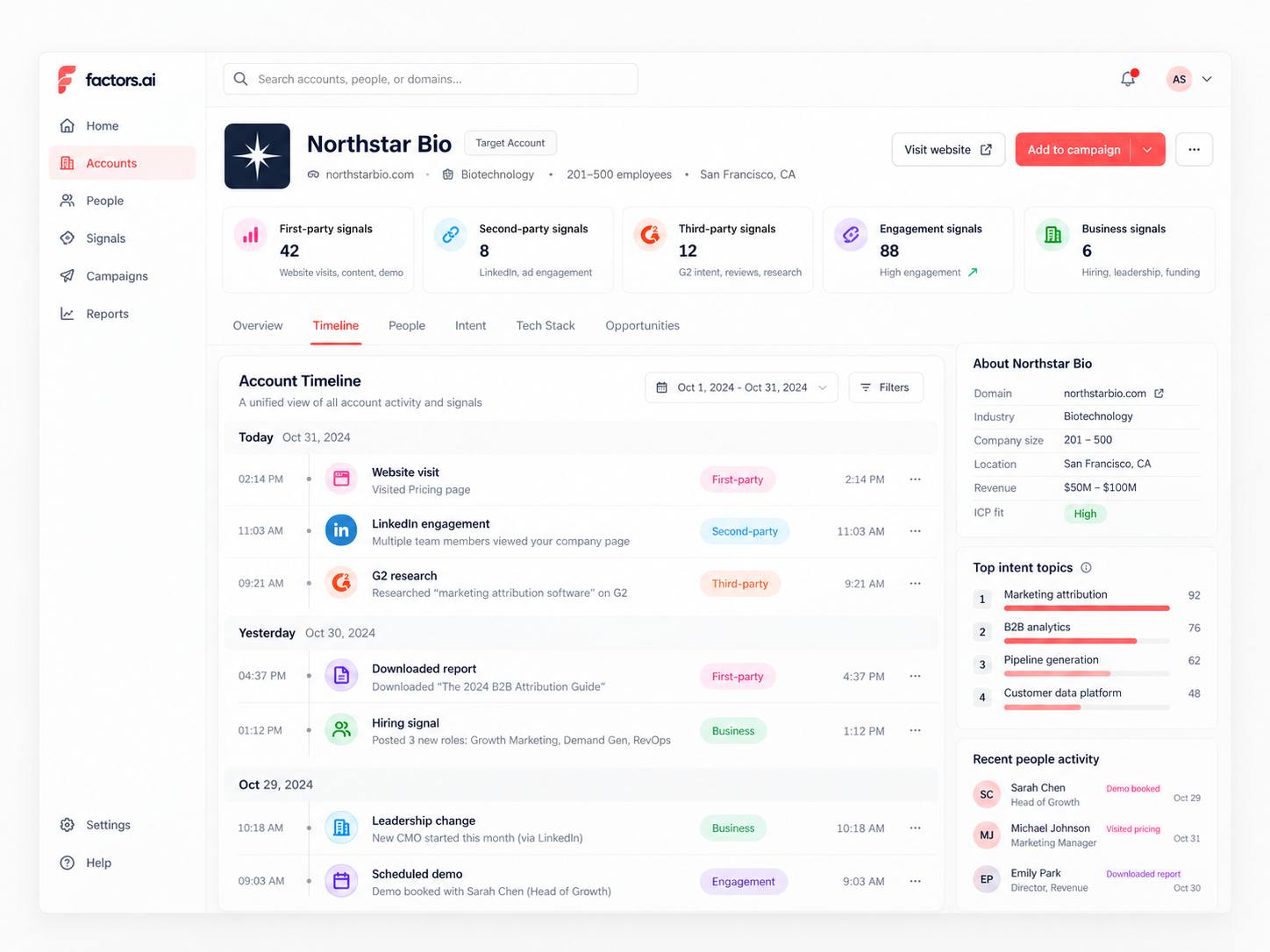
Start by defining what counts as meaningful exposure. Setting the bar at 1,000 paid impressions, five verified ad interactions, an event attendance, or five sessions on technical product pages filters out stray impressions while capturing real evaluation intent.
Across Factors.ai customers, accounts meeting that threshold showed a 64% higher meeting-to-opportunity conversion rate, a 52% higher paid search conversion rate, and a 187% higher conversion rate from content visits to demo requests.
For reporting frameworks, see our guide on LinkedIn ads analytics and reporting and our breakdown of LinkedIn revenue attribution tools.
Feed offline pipeline milestones back to LinkedIn via CAPI
Attribution also dictates campaign delivery. LinkedIn’s automated bidding algorithms need conversion signals to optimize who sees your ads next, and browser pixels miss a massive volume of activity due to ad blockers and mobile cookie limits.
Connecting the LinkedIn Conversions API sends CRM pipeline milestones back to LinkedIn via server-side syncing. Two tactical steps ensure the algorithm optimizes effectively.
- Capture the
li_fat_idparameter on your form fills: Matching offline conversions using corporate emails delivers barely a 30% match rate because members sign into LinkedIn with personal emails. Passing the platform's click ID back through CAPI gets you to a 100% match rate. - Pass conversion values weighted by ICP tier: Assigning a $5,000 value to an enterprise tier-one demo and a $500 value to a small business teaches LinkedIn’s bidding algorithm to hunt for high-ACV buying committees rather than settling for cheap, unqualified form fills.
The LinkedIn ads metrics that actually matter
Most performance dashboards on LinkedIn focus on the wrong signals. Tracking campaigns by raw cost per lead, click-through rate, and two-second video views optimizes for cheap clicks that never turn into closed revenue. A low CPL usually just means you collected form fills from students or job seekers, while two-second auto-plays register views without capturing any real buyer attention.
Instead of tracking platform activity that costs money, measure indicators that reflect account progression and pipeline value. Here are the four account-level metrics worth reporting.
1. Cost per ICP account engaged
Standard cost per lead penalizes campaigns that target actual buying committees while rewarding campaigns that harvest cheap, off-profile form fills.
Track cost per engaged ICP account instead. Across our benchmark dataset of B2B teams, the median cost to engage an ICP account on LinkedIn was $257, compared to $560 on Google Ads. This metric unifies paid impressions, website sessions, and sales touches, measuring what it actually costs to build sustained awareness with an account that can actually buy from you.
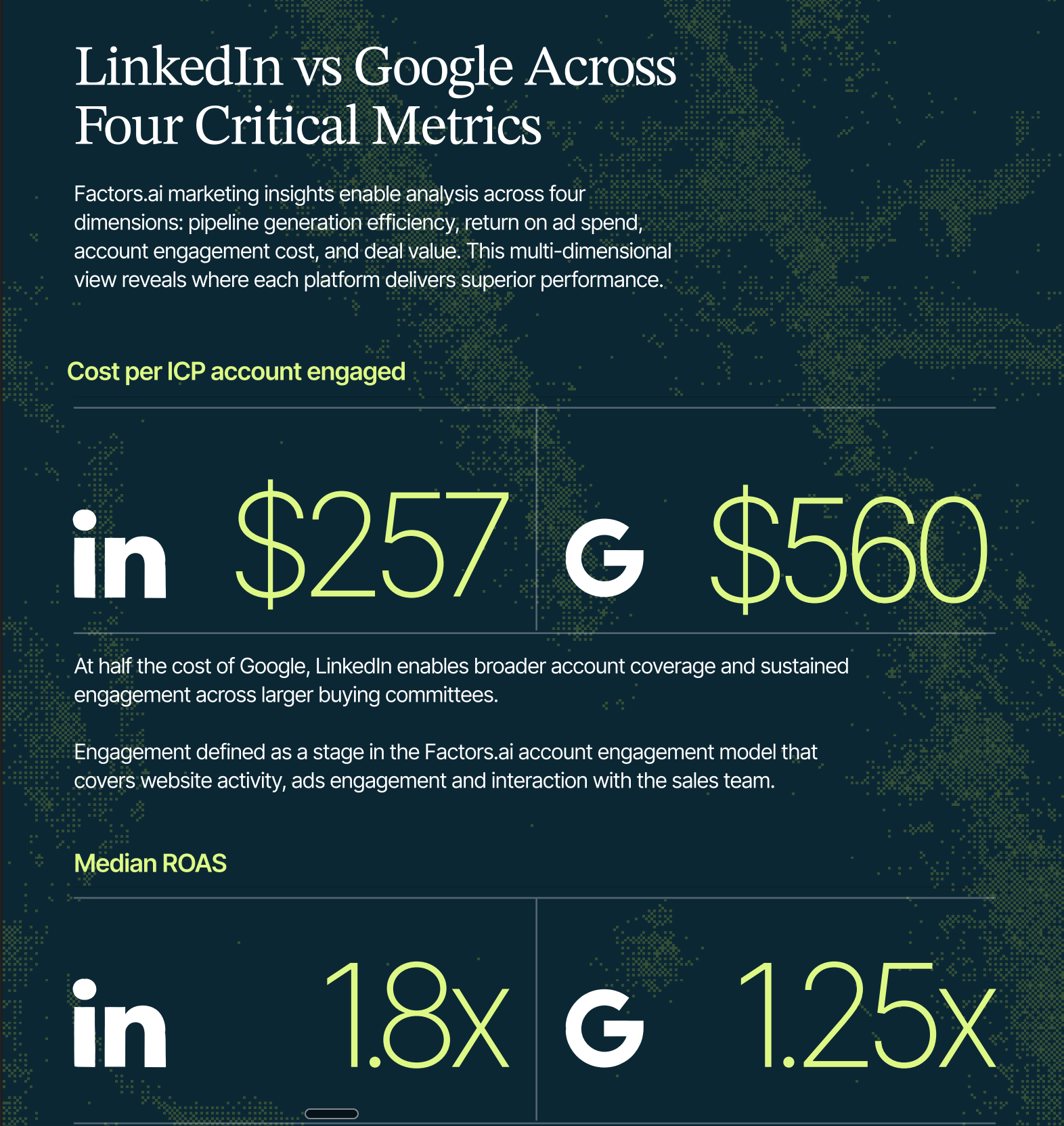
2. Buying committee coverage across key roles
High click volume means nothing if your ads only reach a single champion at an enterprise account. Deals close when you build coverage across the wider evaluation team.
In our analysis of 50,000 closed deals, accounts with six or more engaged contacts before deal creation saw a 17.1-point lift in pipeline win rate. Adding three or more new contacts during the active sales cycle produced another 16.3-point lift, while reaching the end user, influencer, and technical evaluator together drove a 22-point jump. Measure whether your impressions penetrate engineering, finance, and operations rather than tallying clicks from a single contact.
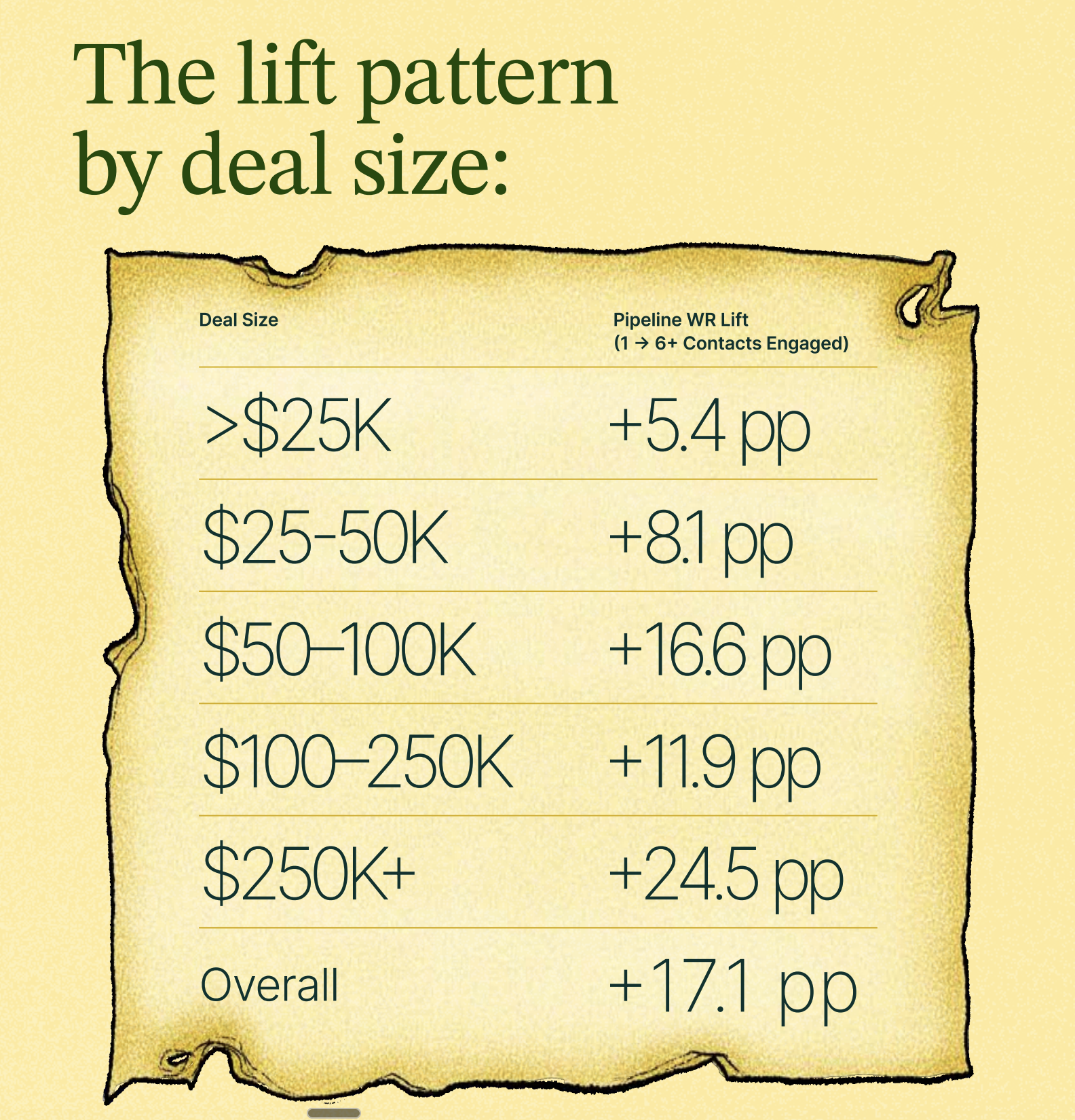
3. Account impression distribution
Platform-reported frequency only measures how often an individual member sees an ad, which masks account delivery skew.
Because LinkedIn delivers impressions to whoever happens to be scrolling, large enterprises on your target list can easily consume 80% to 95% of your daily budget. Monitor impression share by company weekly. If any single account takes more than 10% of total campaign impressions, use frequency controls like Smart Reach to redistribute delivery across untouched accounts on your list.
4. Influenced pipeline and downstream conversion lift
LinkedIn rarely produces direct, last-click software purchases on day one. Its real commercial value is creating familiarity that lifts conversion rates across every other sales and marketing channel.
In our benchmark data, target accounts exposed to LinkedIn ads had a 43% higher meeting-to-deal conversion rate during outbound sales, and converted on paid search at a 52% higher rate. Track influenced pipeline and cross-channel lift rather than evaluating LinkedIn in a silo.
To set up this measurement framework, review our guide on measuring LinkedIn's true ROI.
How to structure a LinkedIn ads program that actually scales
Most B2B teams start LinkedIn ads with one campaign, one audience, and one piece of creative. They run it for four weeks, it doesn’t hit their CPL target, and they declare LinkedIn “doesn’t work for us.” What they’ve actually done is run one test with no control group, no creative variation, and no post-click experience optimization, and drawn a conclusion from insufficient data.
A LinkedIn ads program that scales needs three things working together: campaign architecture, creative testing, and a 90-day measurement window.
1. Campaign architecture that doesn’t make your reporting messy
Structure LinkedIn campaigns by funnel stage and audience type, not by creative. This means you should have separate campaigns for cold outreach, website retargeting, and ABM, even if they’re all running the same creative initially. When you mix audience types into one campaign, LinkedIn’s algorithm optimizes toward whoever is cheapest to reach, which is usually not your best-fit ICP.
A basic architecture for a mid-size B2B company:
- Campaign 1: Cold awareness: target accounts + job function/seniority filters, top-of-funnel offer
- Campaign 2: Website retargeting: anyone who visited the site in the last 30 days, mid-funnel offer
- Campaign 3: ABM: named account list upload, personalized creative, and offer
- Campaign 4: Contact retargeting: CRM contacts not yet in active sales conversations
2. Creative testing that produces learnings, not just data
The biggest mistake in LinkedIn creative testing is changing too many variables at once. If you launch two ads and one performs better, but they have different copy, different images, different headlines, and different CTAs, you have no idea which element drove the difference.
Test one variable at a time. Start with the image (same copy, different images). Once you have a clear winner, test the headline (same image, different headlines). Then test the CTA. Then test the offer. This takes longer but produces actual learning about your audience that compounds over time.
A practical testing timeline:
- Weeks 1–2: Image testing (minimum 2 image variants)
- Weeks 3–4: Headline testing (using winning image)
- Weeks 5–6: CTA testing (using winning image + headline)
- Weeks 7+: Offer testing (using winning creative, test different offers)
Where Factors.ai fits into your LinkedIn ads strategy
The fundamental flaw in LinkedIn’s native reporting is the post-click journey. Campaign Manager can tell you someone clicked an ad or submitted a native lead form. What it cannot show you is which closed-won enterprise accounts engaged with those ads across a four-month evaluation cycle, especially when the final conversion was an outbound sales call or an organic search visit.
Factors.ai solves this by connecting your LinkedIn ad performance with CRM records, website interactions, and sales outreach in a single account timeline. Beyond measurement, Revenue teams can automate dynamic audience syncing, set account-level frequency caps with Smart Reach, and track revenue attribution from first impression to closed deal.
If your team lacks the internal capacity to manage complex campaign setups, partnering with an external specialist might make more sense than building the playbook alone. We evaluated the top LinkedIn ad agencies experienced in running account-based programs to help you find the right fit.
The platform mechanics are identical for every advertiser. What separates the teams that scale profitably from those that pause their campaigns is how accurately they target active buying committees, prevent wasted delivery, and prove revenue impact to leadership.
FAQs for LinkedIn ads for B2B
Q1. How much should a B2B company spend on LinkedIn ads?
There’s no universal number, but $5,000/month is roughly the floor for getting meaningful data. Below that, you won’t have enough budget to test audiences and creative simultaneously, and campaign learning will be too slow to be useful. A more realistic starting budget for a mid-market B2B company is $10,000–$15,000/month, structured across cold, retargeting, and ABM campaigns. The ceiling scales with your deal size and sales cycle length, if your ACV is $100K+ and your cycle is 9 months, the pipeline math justifies significantly more.
Q2. What’s a good cost per lead on LinkedIn ads for B2B?
Anywhere from $80 to $250 is common for a qualified lead (someone who filled out a form and met your ICP definition). Broader definitions of “lead” will give you lower CPLs that don’t mean much. The more important metric is cost per qualified lead, which means segmenting your lead gen form responses by whether they passed initial sales qualification. A $150 CPL with a 30% qualification rate is better than an $80 CPL with a 10% qualification rate.
Q3. Should I use LinkedIn Lead Gen Forms or drive traffic to a landing page?
Both work. Lead Gen Forms have higher conversion rates because they pre-fill the member’s LinkedIn data, reducing friction. Landing pages let you tell a more complete story and pre-qualify visitors before they convert. The rule of thumb I use: Lead Gen Forms for top-of-funnel offers (content downloads, webinar registrations) where you want volume; landing pages for bottom-of-funnel offers (demos, trials) where you want to filter for intent.
Q4. How long should I run a LinkedIn ad campaign before evaluating it?
At least 90 days for a meaningful read, and that’s assuming you’re spending enough to accumulate data quickly. LinkedIn’s algorithm needs 2–3 weeks of learning time per campaign, and B2B sales cycles mean that the pipeline influence from an ad impression often shows up in your CRM 60–90 days later. Teams that evaluate LinkedIn at 30 days are almost always looking at incomplete data and making premature decisions.
Q5. Why is my LinkedIn CPL so high compared to Meta or Google?
Because you’re reaching a more specific, more valuable audience on a channel where they’re in a professional mindset. LinkedIn CPLs are almost always higher in nominal terms than Meta or Google. The question isn’t whether CPL is higher, it’s whether the leads convert to pipeline at a higher rate. In most B2B cases they do, which means a $200 LinkedIn CPL that converts to pipeline at 25% is more efficient than an $80 Meta CPL that converts at 5%.
Q6. What’s the best LinkedIn ad format for ABM campaigns?
Single Image Ads with account-specific copy, combined with Thought Leader Ads from relevant employees, tend to perform best for ABM. Message Ads and Conversation Ads are also effective for ABM when the message is genuinely personalized, and that doesn’t mean “Hi [First Name], I noticed you’re in [Industry].” The key with ABM LinkedIn ads is that the creative should feel like it was made specifically for that account or persona, not just targeted to them.
Q7. How do I reduce LinkedIn ad frequency without sacrificing reach?
Set your campaign frequency cap at 5–6 impressions per member per 30 days. Rotate creative every 3–4 weeks so the same message doesn’t follow the same people indefinitely. And expand your audience slightly rather than running a very tight audience with no frequency controls, the tightest targeting on a small audience will hit frequency limits fast and damage performance.
Q8. Is LinkedIn advertising worth it for small B2B companies?
It depends on your deal size. If your ACV is under $10,000, LinkedIn’s CPLs will rarely produce a positive ROAS unless you have exceptionally high conversion rates across the funnel. If your ACV is $25,000+, the math typically works. The other factor is whether you have the content and creative to support a sustained LinkedIn program. LinkedIn ads require more content production than most companies budget for, because the same piece of creative fatigues quickly on a small target audience.
Q9. How do I measure LinkedIn’s contribution to pipeline when deals are multi-touch?
You need a tool that goes beyond last-touch attribution. The minimum viable setup is UTM tracking on all LinkedIn campaigns connected to your CRM, with a view that shows you all marketing touches on a deal, not just the last one. The more sophisticated approach is an account-level analytics platform that stitches together your LinkedIn ad data, website behavior, and CRM pipeline into a single view. This lets you see that LinkedIn influenced 40% of your closed-won pipeline in the last quarter, even when it wasn’t the last touch on those deals.

We don’t just write about demand gen. We deliver it.
Our AI Agents help you uncover high-intent accounts, run campaigns that actually convert, and keep your GTM motion in sync.
1000+ GTM teams have already scaled their pipeline with Factors.
*Includes built-in peace of mind. And fewer late-night funnel audits.


.svg)



.avif)

